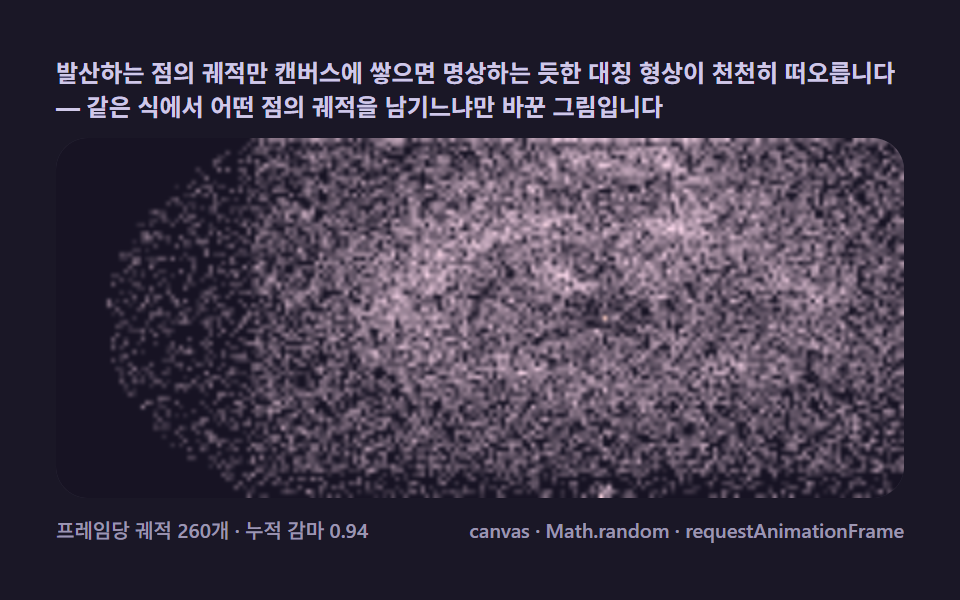
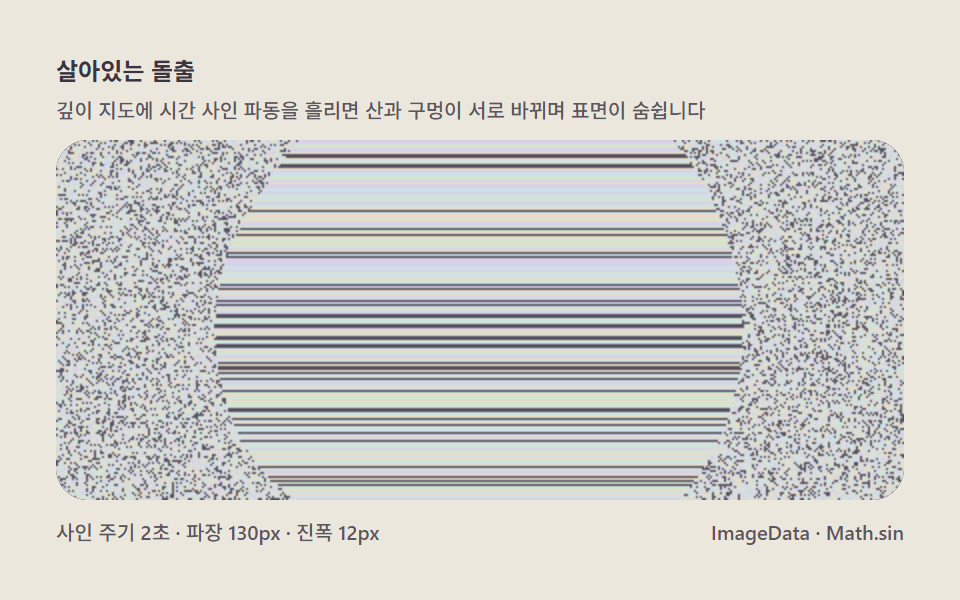
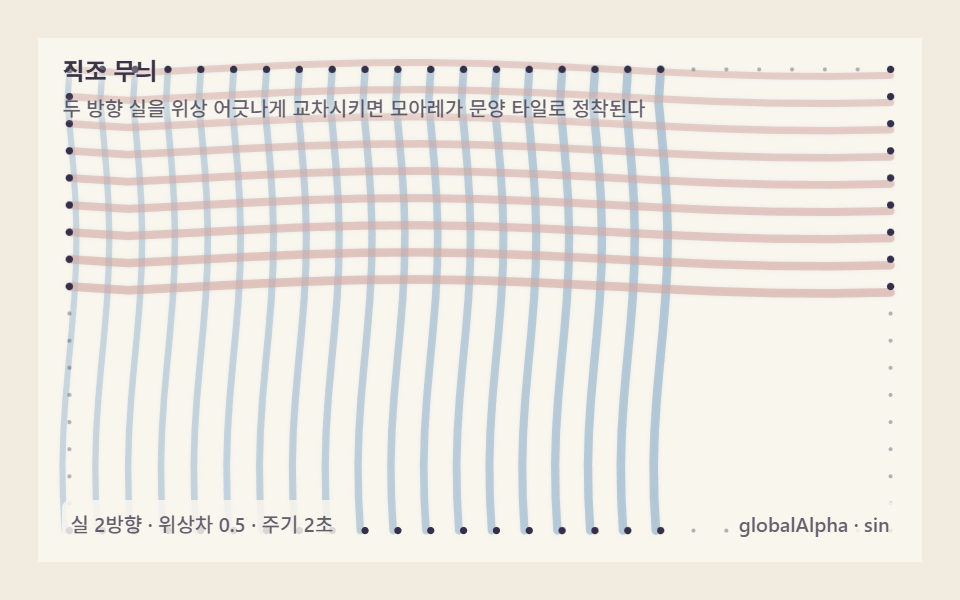
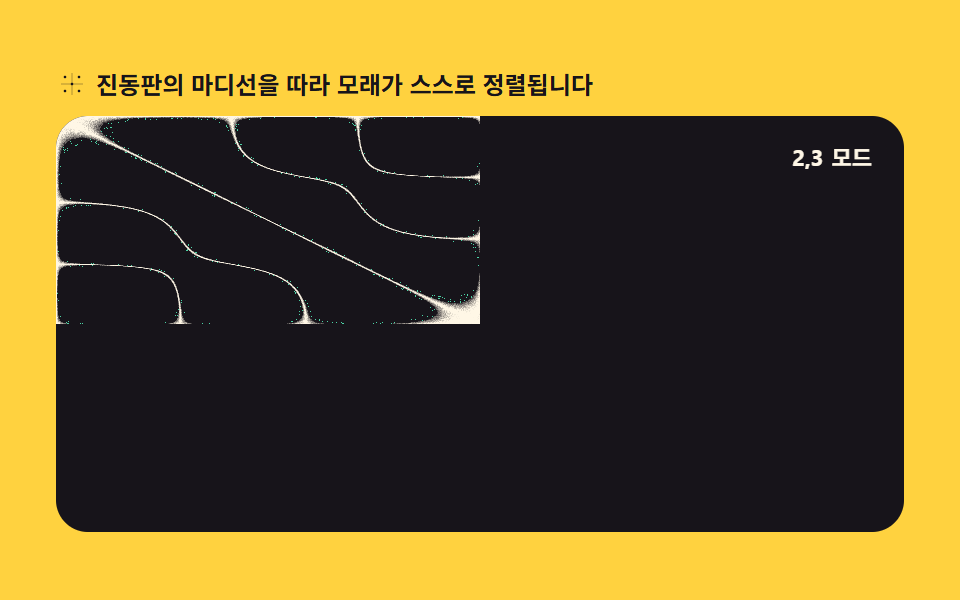
04クラドニ図形の砂模様
振動板の定常波方程式 Math.sin(nπx)・Math.sin(mπy) の値がゼロに近いピクセルだけ砂粒として残す方式で節線を描きます。createImageData で毎フレーム新規作成し、Math.random で粒の散らばりを加えます。
使いどころ物理実験の再現アニメーション、ジェネラティブパターン背景
Math.sincreateImageDataMath.random
<main class="stage">
<div class="ch" id="ch">
  <p class="ch__hint">
    <svg class="ch__ico" viewBox="0 0 256 256" aria-hidden="true"><g fill="currentColor"><circle cx="72" cy="72" r="10"/><circle cx="184" cy="72" r="10"/><circle cx="128" cy="128" r="10"/><circle cx="72" cy="184" r="10"/><circle cx="184" cy="184" r="10"/><path d="M40 128h176M128 40v176" stroke="currentColor" stroke-width="8" opacity=".35"/></g></svg>
    <span>振動板の節線に沿って砂が自ら整列します</span>
  </p>
  <div class="ch__field" id="field" role="application" aria-label="クラドニ振動板の実験盤">
    <canvas class="ch__cv" id="cv"></canvas>
    <b class="ch__badge" aria-hidden="true"><span class="ch__badgeNum">3,4</span><span class="ch__badgeUnit">モード</span></b>
  </div>
</div>
</main>
@use "../../../../site/static/demo-tokens" as *;
// 클라드니 모래무늬 패턴 — 진동판의 마디선에 모래가 쌓이는 물리를 픽셀 계산으로 재현한다.
// 움직임은 전부 캔버스 rAF 루프 안에 있다. @keyframes 0개.
$duration: $dur-loop;
$easing: $ease-spring;
$color: $subject-mint;
@include stage($stage-yellow);
.ch {
--plate: #{$stage-ink};
--sand: #{$subject-cream};
--glow: #{$subject-mint};
--badge-bg: #{rgba($subject-ink, .78)};
--badge-fg: #{$subject-cream};
--ink-fg: #{$subject-ink};
display: flex; flex-direction: column; gap: $sp-2;
width: 100%; max-width: 424px;
}
.ch__hint {
display: flex; align-items: center; gap: $sp-1; margin: 0;
font-weight: 700; font-size: clamp(10px, 2.8vw, 12px); line-height: 1.35;
color: var(--ink-fg);
}
.ch__ico { width: 16px; height: 16px; flex: 0 0 auto; color: $subject-ink; }
.ch__field {
position: relative; height: 208px;
border-radius: $r-card; overflow: hidden;
background: var(--plate);
box-shadow: inset 0 0 0 1px rgba($subject-ink, .16);
}
.ch__cv { display: block; width: 100%; height: 100%; }
.ch__badge {
position: absolute; right: $sp-2; top: $sp-2;
display: flex; align-items: baseline; gap: $sp-1;
padding: $sp-1 $sp-2; border-radius: $r-pill;
background: var(--badge-bg);
color: var(--badge-fg); font-weight: 700; font-size: 11px;
}
@media (max-width: 340px) {
.ch__field { height: 124px; }
.ch__badge { font-size: 10px; padding: 0 $sp-1; }
}
@media (prefers-reduced-motion: reduce) {
.ch.is-still .ch__badge { opacity: .92 !important; }
}html, body {
margin: 0;
overflow: hidden;
}
.stage {
box-sizing: border-box;
min-height: 100vh;
display: grid;
place-items: center;
margin: 0;
background: #ffd23f;
font-family: -apple-system, "Segoe UI", "Noto Sans KR", sans-serif;
padding: clamp(8px, 4vw, 24px);
}
.ch {
--plate: #17141a;
--sand: #fff7e6;
--glow: #4cd4a6;
--badge-bg: rgba(23, 20, 26, 0.78);
--badge-fg: #fff7e6;
--ink-fg: #17141a;
display: flex;
flex-direction: column;
gap: 8px;
width: 100%;
max-width: 424px;
}
.ch__hint {
display: flex;
align-items: center;
gap: 4px;
margin: 0;
font-weight: 700;
font-size: clamp(10px, 2.8vw, 12px);
line-height: 1.35;
color: var(--ink-fg);
}
.ch__ico {
width: 16px;
height: 16px;
flex: 0 0 auto;
color: #17141a;
}
.ch__field {
position: relative;
height: 208px;
border-radius: 16px;
overflow: hidden;
background: var(--plate);
box-shadow: inset 0 0 0 1px rgba(23, 20, 26, 0.16);
}
.ch__cv {
display: block;
width: 100%;
height: 100%;
}
.ch__badge {
position: absolute;
right: 8px;
top: 8px;
display: flex;
align-items: baseline;
gap: 4px;
padding: 4px 8px;
border-radius: 999px;
background: var(--badge-bg);
color: var(--badge-fg);
font-weight: 700;
font-size: 11px;
}
@media (max-width: 340px) {
.ch__field {
height: 124px;
}
.ch__badge {
font-size: 10px;
padding: 0 4px;
}
}
@media (prefers-reduced-motion: reduce) {
.ch.is-still .ch__badge {
opacity: 0.92 !important;
}
}// 클라드니 모래무늬 패턴 — 진동판의 정상파 방정식 sin(nπx)·sin(mπy) − sin(mπx)·sin(nπy) 값이
// 0에 가까운(마디) 픽셀만 모래 입자로 남긴다. createImageData 로 프레임을 새로 만들고,
// Math.random 으로 입자 흩뿌림(잔떨림)을 더해 진짜 모래처럼 보이게 한다.
var root = document.getElementById('ch');
var field = document.getElementById('field');
var cv = document.getElementById('cv');
var ctx = cv.getContext('2d');
var css = getComputedStyle(root);
var SAND = css.getPropertyValue('--sand').trim();
var GLOW = css.getPropertyValue('--glow').trim();
var PLATE = css.getPropertyValue('--plate').trim();
var LOOP = 2; // モード 전환 한 사이클(초)
var MODES = [[2, 3], [3, 4], [4, 2], [5, 3]]; // (n, m) 하모닉 쌍 — 순서대로 지나간다
var numEl = document.querySelector('.ch__badgeNum');
var reduce = window.matchMedia('(prefers-reduced-motion: reduce)').matches;
var W = 0, H = 0, dpr = 1, raf = 0;
var img = null, buf = null;
function parse(c) {
var m = c.match(/^#([0-9a-f]{6})$/i);
if (!m) return [255, 247, 230];
return [parseInt(m[1].slice(0, 2), 16), parseInt(m[1].slice(2, 4), 16), parseInt(m[1].slice(4, 6), 16)];
}
var SANDC = parse(SAND);
var GLOWC = parse(GLOW);
var PLATEC = parse(PLATE);
function fit() {
var r = field.getBoundingClientRect();
dpr = window.devicePixelRatio || 1;
W = Math.round(r.width); H = Math.round(r.height);
cv.width = Math.round(W * dpr);
cv.height = Math.round(H * dpr);
ctx.setTransform(dpr, 0, 0, dpr, 0, 0);
img = ctx.createImageData(W, H);
buf = img.data;
}
// 지금 시각의 (n, m) 쌍과 그 안에서의 진행률(0..1) — 진행률로 두 モード 사이를 부드럽게 섞는다
function modeAt(sec) {
var total = MODES.length * LOOP;
var u = (sec % total) / LOOP;
var idx = Math.floor(u) % MODES.length;
var next = (idx + 1) % MODES.length;
var f = u - Math.floor(u);
return { a: MODES[idx], b: MODES[next], f: f };
}
function chladni(x, y, n, m) {
return Math.sin(n * Math.PI * x) * Math.sin(m * Math.PI * y) -
Math.sin(m * Math.PI * x) * Math.sin(n * Math.PI * y);
}
function draw(sec) {
var mode = modeAt(sec);
var n = mode.a[0] + (mode.b[0] - mode.a[0]) * mode.f;
var m = mode.a[1] + (mode.b[1] - mode.a[1]) * mode.f;
for (var y = 0; y < H; y++) {
var ny = y / H;
for (var x = 0; x < W; x++) {
var nx = x / W;
var v = Math.abs(chladni(nx, ny, n, m));
var i = (y * W + x) * 4;
if (v < 0.05) {
// 마디에 가까울수록 모래가 진하다 — Math.random 으로 알갱이 흩뿌림을 더한다
var jitter = Math.random() * 0.35;
var t = Math.min(1, (0.05 - v) / 0.05 + jitter);
buf[i] = Math.round(PLATEC[0] + (SANDC[0] - PLATEC[0]) * t);
buf[i + 1] = Math.round(PLATEC[1] + (SANDC[1] - PLATEC[1]) * t);
buf[i + 2] = Math.round(PLATEC[2] + (SANDC[2] - PLATEC[2]) * t);
} else if (v < 0.12 && Math.random() < 0.06) {
// 마디 바깥으로 튄 낱알 몇 개 — 정적인 그림이 아니라 실제로 흩어지는 느낌을 준다
buf[i] = GLOWC[0]; buf[i + 1] = GLOWC[1]; buf[i + 2] = GLOWC[2];
} else {
buf[i] = PLATEC[0]; buf[i + 1] = PLATEC[1]; buf[i + 2] = PLATEC[2];
}
buf[i + 3] = 255;
}
}
ctx.putImageData(img, 0, 0);
var label = Math.round(mode.a[0]) + ',' + Math.round(mode.a[1]);
if (numEl && numEl.textContent !== label) numEl.textContent = label;
}
function frame(now) {
draw(now / 1000);
raf = requestAnimationFrame(frame);
}
fit();
window.addEventListener('resize', function () { fit(); if (reduce) draw(0.2); });
if (reduce) {
// reduce — 루프 없이 첫 モード 한 장만 그린다(빈 화면이 아니다)
root.classList.add('is-still');
draw(0.2);
} else {
raf = requestAnimationFrame(frame);
}// ChladniSandPattern — vanilla 판(run/303/demo/04-wave-chladni-sand-pattern/index.html) 의 React 포트.
// 클라드니 모래무늬 패턴 — 진동판의 정상파 방정식 sin(nπx)·sin(mπy) − sin(mπx)·sin(nπy) 값이
// 0에 가까운(마디) 픽셀만 모래 입자로 남긴다. createImageData 로 프레임을 새로 만들고,
// Math.random 으로 입자 흩뿌림(잔떨림)을 더해 진짜 모래처럼 보이게 한다.
import { useEffect, useRef, useState } from "react";
import type { CSSProperties } from "react";
import styles from "./ChladniSandPattern.module.scss";
export type ChladniSandPatternProps = {
duration?: number;
easing?: string;
accentColor?: string;
};
type Vars = CSSProperties & { "--duration"?: string; "--easing"?: string; "--color"?: string };
const HINT = "진동판의 마디선을 따라 모래가 스스로 정렬됩니다";
const FIELD_LABEL = "클라드니 진동판 실험판";
const BADGE_UNIT = "모드";
const LOOP = 2; // 모드 전환 한 사이클(초)
const MODES: [number, number][] = [[2, 3], [3, 4], [4, 2], [5, 3]]; // (n, m) 하모닉 쌍 — 순서대로 지나간다
export default function ChladniSandPattern(props: ChladniSandPatternProps) {
const duration = props.duration ?? 2;
const easing = props.easing ?? "cubic-bezier(.2, .8, .2, 1)";
const accentColor = props.accentColor ?? "#4cd4a6";
const rootRef = useRef<HTMLDivElement>(null);
const fieldRef = useRef<HTMLDivElement>(null);
const cvRef = useRef<HTMLCanvasElement>(null);
const [modeLabel, setModeLabel] = useState<string>("3,4");
const vars: Vars = { "--duration": duration + "s", "--easing": easing, "--color": accentColor };
useEffect(() => {
const root0 = rootRef.current;
const field0 = fieldRef.current;
const cv0 = cvRef.current;
if (!root0 || !field0 || !cv0) return;
const ctx0 = cv0.getContext("2d");
if (!ctx0) return;
// 중첩 함수(클로저) 안에서는 가드로 좁힌 널 타입이 전달되지 않는다 — 확인된 값으로 다시 상수를 묶는다
const root: HTMLDivElement = root0;
const field: HTMLDivElement = field0;
const cv: HTMLCanvasElement = cv0;
const ctx: CanvasRenderingContext2D = ctx0;
const css = getComputedStyle(root);
const sand = css.getPropertyValue("--sand").trim();
const glow = css.getPropertyValue("--glow").trim();
const plate = css.getPropertyValue("--plate").trim();
const reduce = window.matchMedia("(prefers-reduced-motion: reduce)").matches;
let W = 0, H = 0, dpr = 1, raf = 0;
let img: ImageData | null = null, buf: Uint8ClampedArray | null = null;
function parse(c: string): [number, number, number] {
const m = c.match(/^#([0-9a-f]{6})$/i);
if (!m) return [255, 247, 230];
return [
parseInt(m[1].slice(0, 2), 16),
parseInt(m[1].slice(2, 4), 16),
parseInt(m[1].slice(4, 6), 16),
];
}
const sandC = parse(sand);
const glowC = parse(glow);
const plateC = parse(plate);
function fit() {
const r = field!.getBoundingClientRect();
dpr = window.devicePixelRatio || 1;
W = Math.round(r.width); H = Math.round(r.height);
cv!.width = Math.round(W * dpr);
cv!.height = Math.round(H * dpr);
ctx!.setTransform(dpr, 0, 0, dpr, 0, 0);
img = ctx!.createImageData(W, H);
buf = img.data;
}
// 지금 시각의 (n, m) 쌍과 그 안에서의 진행률(0..1) — 진행률로 두 모드 사이를 부드럽게 섞는다
function modeAt(sec: number) {
const total = MODES.length * LOOP;
const u = (sec % total) / LOOP;
const idx = Math.floor(u) % MODES.length;
const next = (idx + 1) % MODES.length;
const f = u - Math.floor(u);
return { a: MODES[idx], b: MODES[next], f };
}
function chladni(x: number, y: number, n: number, m: number) {
return Math.sin(n * Math.PI * x) * Math.sin(m * Math.PI * y) -
Math.sin(m * Math.PI * x) * Math.sin(n * Math.PI * y);
}
function draw(sec: number) {
if (!buf) return;
const mode = modeAt(sec);
const n = mode.a[0] + (mode.b[0] - mode.a[0]) * mode.f;
const m = mode.a[1] + (mode.b[1] - mode.a[1]) * mode.f;
for (let y = 0; y < H; y++) {
const ny = y / H;
for (let x = 0; x < W; x++) {
const nx = x / W;
const v = Math.abs(chladni(nx, ny, n, m));
const i = (y * W + x) * 4;
if (v < 0.05) {
// 마디에 가까울수록 모래가 진하다 — Math.random 으로 알갱이 흩뿌림을 더한다
const jitter = Math.random() * 0.35;
const t = Math.min(1, (0.05 - v) / 0.05 + jitter);
buf[i] = Math.round(plateC[0] + (sandC[0] - plateC[0]) * t);
buf[i + 1] = Math.round(plateC[1] + (sandC[1] - plateC[1]) * t);
buf[i + 2] = Math.round(plateC[2] + (sandC[2] - plateC[2]) * t);
} else if (v < 0.12 && Math.random() < 0.06) {
// 마디 바깥으로 튄 낱알 몇 개 — 정적인 그림이 아니라 실제로 흩어지는 느낌을 준다
buf[i] = glowC[0]; buf[i + 1] = glowC[1]; buf[i + 2] = glowC[2];
} else {
buf[i] = plateC[0]; buf[i + 1] = plateC[1]; buf[i + 2] = plateC[2];
}
buf[i + 3] = 255;
}
}
ctx!.putImageData(img!, 0, 0);
const label = Math.round(mode.a[0]) + "," + Math.round(mode.a[1]);
setModeLabel((prev) => (prev !== label ? label : prev));
}
function frame(now: number) {
draw(now / 1000);
raf = requestAnimationFrame(frame);
}
function onResize() {
fit();
if (reduce) draw(0.2);
}
fit();
window.addEventListener("resize", onResize);
if (reduce) {
// reduce — 루프 없이 첫 모드 한 장만 그린다(빈 화면이 아니다)
root.classList.add("is-still");
draw(0.2);
} else {
raf = requestAnimationFrame(frame);
}
return () => {
cancelAnimationFrame(raf);
window.removeEventListener("resize", onResize);
root.classList.remove("is-still");
};
}, []);
return (
<main className={styles.stage}>
<div ref={rootRef} className={styles.ch} style={vars}>
<p className={styles["ch__hint"]}>
<svg className={styles["ch__ico"]} viewBox="0 0 256 256" aria-hidden="true"><g fill="currentColor"><circle cx="72" cy="72" r="10"/><circle cx="184" cy="72" r="10"/><circle cx="128" cy="128" r="10"/><circle cx="72" cy="184" r="10"/><circle cx="184" cy="184" r="10"/><path d="M40 128h176M128 40v176" stroke="currentColor" stroke-width="8" opacity=".35"/></g></svg>
<span>{HINT}</span>
</p>
<div ref={fieldRef} className={styles["ch__field"]} role="application" aria-label={FIELD_LABEL}>
<canvas ref={cvRef} className={styles["ch__cv"]}></canvas>
<b className={styles["ch__badge"]} aria-hidden="true"><span className={styles["ch__badgeNum"]}>{modeLabel}</span><span className={styles["ch__badgeUnit"]}>{BADGE_UNIT}</span></b>
</div>
</div>
</main>
);
}04 クラドニ図形の砂模様 — 計測 累積面積 32.851% · 動いたフレーム 23/23GODRICH オリジナル · SCSS と React は zip に同梱 · リサージュ曲線 作り方9選 — 波の干渉で描くキャンバス
このデモが属する記事
 リサージュ曲線 作り方9選 — 波の干渉で描くキャンバスリサージュ曲線とは、周波数の異なる二つのサイン波をX軸とY軸にそれぞれ与えたときにペンが描く閉曲線で、オシロスコープの画面で位相差を目で確かめるために使われる図形です。ここではその原理をMath.sinとキャンバスだけで九つの場面に広げ、す この記事のデモをすべて見る