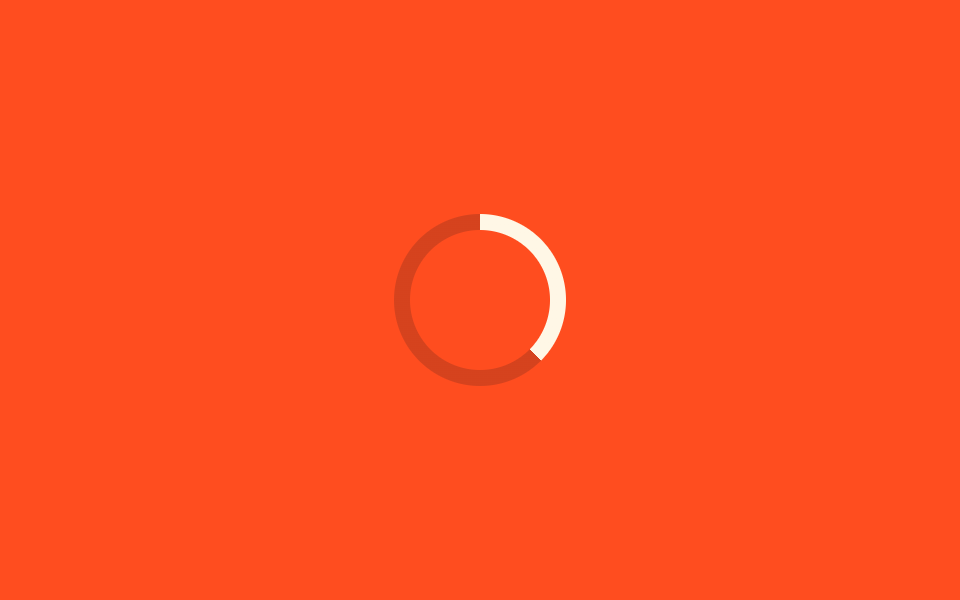
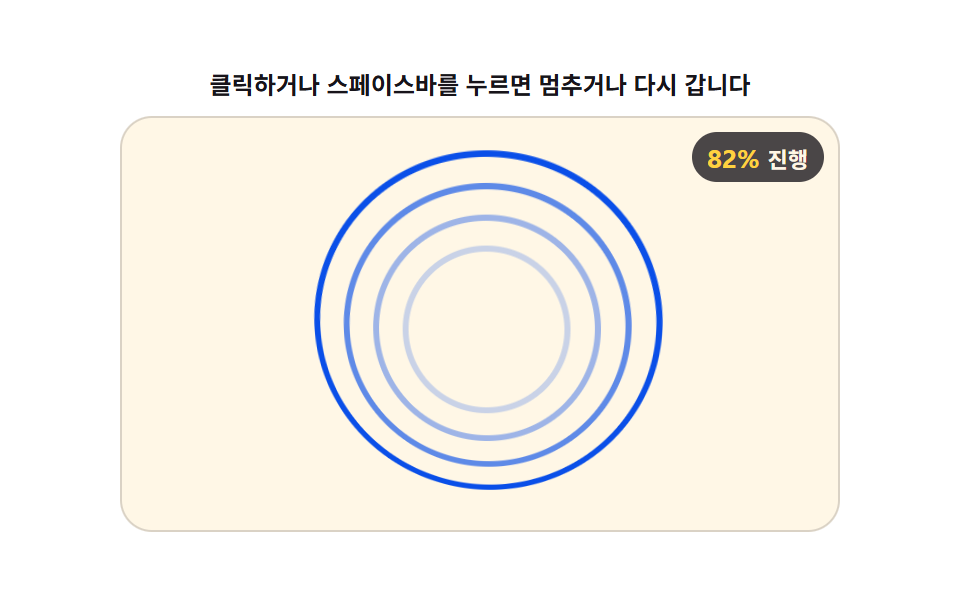
01색상 값이 완료 쪽으로 도는 후광 링 AI 로딩
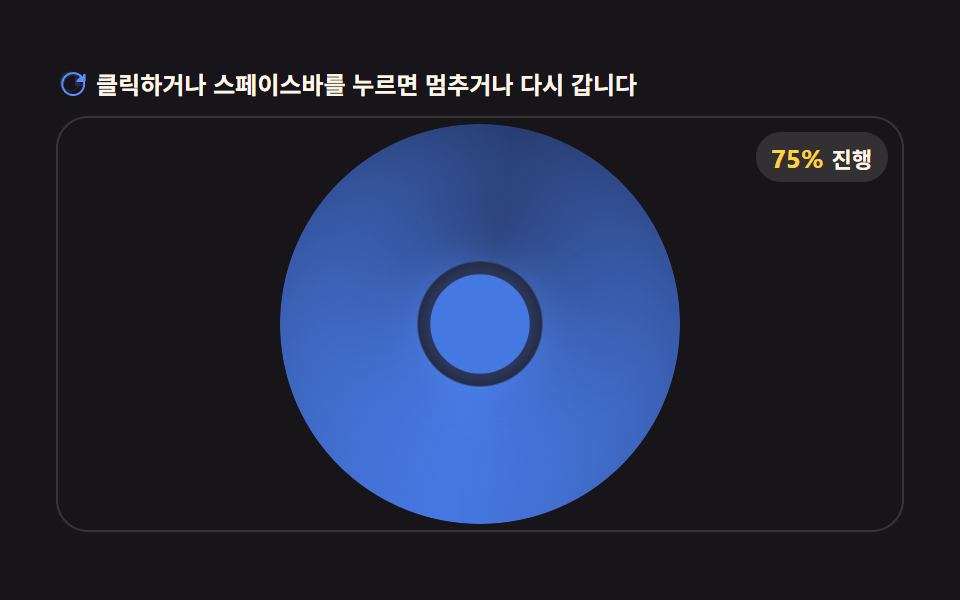
conic-gradient 로 그린 후광 링이 회전하며 처리 진행 값에 따라 색상(hue) 값을 완료 색 쪽으로 서서히 옮겨, 링 색만 보고도 얼마나 끝나가는지 가늠할 수 있다.
쓰임AI 기능 버튼 주변 처리중 표시, 카드 헤더 로딩
conic-gradientAI_LOADER_HUE_TRANSITION_MSROTATE_SPEED
<main class="stage">
<div class="ld" id="ld">
  <p class="ld__hint">
    <svg class="ld__ico" viewBox="0 0 256 256" aria-hidden="true"><g fill="currentColor"><path d="M232 56v56a8 8 0 0 1-16 0V91.3l-25.6 25.7A80 80 0 1 1 174 60a8 8 0 1 1-9 13.2A64 64 0 1 0 179.7 128H216a8 8 0 0 1 0 16h-56a8 8 0 0 1-8-8V80a8 8 0 0 1 16 0v20.7L192.7 76A80.1 80.1 0 0 0 64 128a8 8 0 0 1-16 0a96 96 0 0 1 163.6-68.3L224 71.3V56a8 8 0 0 1 8 8" opacity=".2"/><path d="M224 48a8 8 0 0 0-8 8v15.3l-11.7-11.6a96 96 0 1 0 27.6 51.6a8 8 0 0 0-15.8 2.5a80 80 0 1 1-23-43l-25.7 25.7A8 8 0 0 0 173 112h56a8 8 0 0 0 8-8V56a8 8 0 0 0-13-8"/></g></svg>
    <span>클릭하거나 스페이스바를 누르면 멈추거나 다시 갑니다</span>
  </p>
  <div class="ld__field" id="field" role="application" aria-label="후광 링 색상 전환 실험판" tabindex="0">
    <div class="ld__ring" id="ring"></div>
    <div class="ld__core" id="core"></div>
    <b class="ld__badge" aria-hidden="true"><span class="ld__badgeNum" id="pct">0%</span><span class="ld__badgeUnit">진행</span></b>
  </div>
</div>
</main>
@use "../../../../site/static/demo-tokens" as *;
// halo-ring-hue-shift — conic-gradient 로 그린 후광 링이 회전하며, 진행 값이 전환 구간에 들어서면
// 남은 시간(AI_LOADER_HUE_TRANSITION_MS)에 걸쳐 링 색을 완료 색 쪽으로 서서히 섞는다.
// 움직임은 rAF 가 CSS 커스텀 속성을 매 프레임 고쳐 만든다 — @keyframes 없음.
$duration: $dur-loop;
$easing: $ease-spring;
$color: $subject-blue;
@include stage($stage-ink);
.ld {
--blue: #{$subject-blue};
--done: #{$stage-yellow};
--ring-size: 200px;
--ring-band: 40px;
display: flex; flex-direction: column; gap: $sp-2;
width: 100%; max-width: 424px;
}
.ld__hint {
display: flex; align-items: center; gap: $sp-1; margin: 0;
font-weight: 700; font-size: clamp(10px, 2.8vw, 12px); line-height: 1.35;
color: $subject-cream;
}
.ld__ico { width: 16px; height: 16px; flex: 0 0 auto; color: $subject-blue-light; }
.ld__field {
position: relative; height: 208px;
display: flex; align-items: center; justify-content: center;
border-radius: $r-card; overflow: hidden;
background: $subject-ink;
box-shadow: inset 0 0 0 1px rgba($subject-cream, .14);
cursor: pointer;
}
.ld__field:focus-visible { outline: 2px solid $subject-blue-light; outline-offset: 2px; }
.ld__ring {
position: relative;
width: var(--ring-size); height: var(--ring-size);
border-radius: $r-pill;
background: conic-gradient(from var(--angle, 0deg), var(--c1, #{$subject-blue}), var(--c2, transparent), var(--c1, #{$subject-blue}));
-webkit-mask: radial-gradient(circle, transparent calc(50% - var(--ring-band)), #000 calc(50% - var(--ring-band) + 1px));
mask: radial-gradient(circle, transparent calc(50% - var(--ring-band)), #000 calc(50% - var(--ring-band) + 1px));
filter: drop-shadow(0 0 14px rgba($subject-blue-light, .5));
}
.ld__core {
position: absolute;
width: 46px; height: 46px; border-radius: $r-pill;
background: var(--core-c, #{$subject-blue});
transform: scale(var(--core-scale, 1));
box-shadow: 0 0 22px 4px rgba($subject-blue-light, .55);
}
.ld__badge {
position: absolute; right: $sp-2; top: $sp-2;
display: flex; align-items: baseline; gap: $sp-1;
padding: $sp-1 $sp-2; border-radius: $r-pill;
background: rgba($subject-cream, .12);
color: $subject-cream; font-weight: 700; font-size: 11px;
}
.ld__badgeNum { font-size: 13px; color: $stage-yellow; }
.ld__badgeUnit { font-weight: 700; }
@media (max-width: 340px) {
.ld { gap: $sp-1; }
.ld__field { height: 124px; }
.ld { --ring-size: 116px; --ring-band: 24px; }
.ld__core { width: 28px; height: 28px; }
.ld__badge { font-size: 10px; padding: 0 $sp-1; }
.ld__badgeNum { font-size: 11px; }
}
@media (prefers-reduced-motion: reduce) {
.ld.is-still .ld__field { cursor: default !important; }
.ld.is-still .ld__badge { opacity: .92 !important; }
}html, body {
margin: 0;
overflow: hidden;
}
.stage {
box-sizing: border-box;
min-height: 100vh;
display: grid;
place-items: center;
margin: 0;
background: #17141a;
font-family: -apple-system, "Segoe UI", "Noto Sans KR", sans-serif;
padding: clamp(8px, 4vw, 24px);
}
.ld {
--blue: #2f6df6;
--done: #ffd23f;
--ring-size: 200px;
--ring-band: 40px;
display: flex;
flex-direction: column;
gap: 8px;
width: 100%;
max-width: 424px;
}
.ld__hint {
display: flex;
align-items: center;
gap: 4px;
margin: 0;
font-weight: 700;
font-size: clamp(10px, 2.8vw, 12px);
line-height: 1.35;
color: #fff7e6;
}
.ld__ico {
width: 16px;
height: 16px;
flex: 0 0 auto;
color: #5b8cf8;
}
.ld__field {
position: relative;
height: 208px;
display: flex;
align-items: center;
justify-content: center;
border-radius: 16px;
overflow: hidden;
background: #17141a;
box-shadow: inset 0 0 0 1px rgba(255, 247, 230, 0.14);
cursor: pointer;
}
.ld__field:focus-visible {
outline: 2px solid #5b8cf8;
outline-offset: 2px;
}
.ld__ring {
position: relative;
width: var(--ring-size);
height: var(--ring-size);
border-radius: 999px;
background: conic-gradient(from var(--angle, 0deg), var(--c1, #2f6df6), var(--c2, transparent), var(--c1, #2f6df6));
-webkit-mask: radial-gradient(circle, transparent calc(50% - var(--ring-band)), #000 calc(50% - var(--ring-band) + 1px));
mask: radial-gradient(circle, transparent calc(50% - var(--ring-band)), #000 calc(50% - var(--ring-band) + 1px));
filter: drop-shadow(0 0 14px rgba(91, 140, 248, 0.5));
}
.ld__core {
position: absolute;
width: 46px;
height: 46px;
border-radius: 999px;
background: var(--core-c, #2f6df6);
transform: scale(var(--core-scale, 1));
box-shadow: 0 0 22px 4px rgba(91, 140, 248, 0.55);
}
.ld__badge {
position: absolute;
right: 8px;
top: 8px;
display: flex;
align-items: baseline;
gap: 4px;
padding: 4px 8px;
border-radius: 999px;
background: rgba(255, 247, 230, 0.12);
color: #fff7e6;
font-weight: 700;
font-size: 11px;
}
.ld__badgeNum {
font-size: 13px;
color: #ffd23f;
}
.ld__badgeUnit {
font-weight: 700;
}
@media (max-width: 340px) {
.ld {
gap: 4px;
}
.ld__field {
height: 124px;
}
.ld {
--ring-size: 116px;
--ring-band: 24px;
}
.ld__core {
width: 28px;
height: 28px;
}
.ld__badge {
font-size: 10px;
padding: 0 4px;
}
.ld__badgeNum {
font-size: 11px;
}
}
@media (prefers-reduced-motion: reduce) {
.ld.is-still .ld__field {
cursor: default !important;
}
.ld.is-still .ld__badge {
opacity: 0.92 !important;
}
}(function () {
var LOOP = 2.0; // 캡처 창(초) — S.초 와 동일
var ROTATE_SPEED = 128; // 링 회전 속도(도/초)
var AI_LOADER_HUE_TRANSITION_MS = 640; // 후광 링 색상 전환 속도 값(전) — 남은 구간에서 완료 색으로 옮겨가는 창 길이
var root = document.getElementById('ld');
var field = document.getElementById('field');
var ring = document.getElementById('ring');
var core = document.getElementById('core');
var pctEl = document.getElementById('pct');
var paused = false;
var t0 = performance.now();
var raf = 0;
function reduced() {
return window.matchMedia('(prefers-reduced-motion: reduce)').matches;
}
function hexToRgb(hex) {
var h = hex.replace('#', '').trim();
if (h.length === 3) h = h[0]+h[0]+h[1]+h[1]+h[2]+h[2];
var n = parseInt(h, 16);
return [(n >> 16) & 255, (n >> 8) & 255, n & 255];
}
function mix(a, b, t) {
return [
Math.round(a[0] + (b[0] - a[0]) * t),
Math.round(a[1] + (b[1] - a[1]) * t),
Math.round(a[2] + (b[2] - a[2]) * t)
];
}
function smooth(t) { return t * t * (3 - 2 * t); }
function rgbStr(c, a) { return 'rgba(' + c[0] + ',' + c[1] + ',' + c[2] + ',' + a + ')'; }
var cs = getComputedStyle(root);
var BLUE = hexToRgb(cs.getPropertyValue('--blue').trim());
var DONE = hexToRgb(cs.getPropertyValue('--done').trim());
function draw(sec) {
var angle = (sec * ROTATE_SPEED) % 360;
var p = (sec % LOOP) / LOOP;
var winStart = 1 - (AI_LOADER_HUE_TRANSITION_MS / 1000) / LOOP;
var mixT = p <= winStart ? 0 : smooth((p - winStart) / (1 - winStart));
var col = mix(BLUE, DONE, mixT);
var col2 = mix(BLUE, DONE, mixT * 0.6);
ring.style.setProperty('--angle', angle + 'deg');
ring.style.setProperty('--c1', rgbStr(col, 1));
ring.style.setProperty('--c2', rgbStr(col2, .35));
var corePulse = 1 + 0.08 * Math.sin(sec * Math.PI * 2 / LOOP * 3);
core.style.setProperty('--core-scale', corePulse.toFixed(3));
core.style.setProperty('--core-c', rgbStr(col, 1));
var pct = Math.round(p * 100);
pctEl.textContent = pct + '%';
}
function togglePause() {
paused = !paused;
root.classList.toggle('is-paused', paused);
}
function restart() {
t0 = performance.now();
draw(0);
}
function onKey(e) {
if (e.key === ' ' || e.key === 'Enter') { e.preventDefault(); togglePause(); }
else if (e.key === 'r' || e.key === 'R') { e.preventDefault(); restart(); }
}
field.addEventListener('click', togglePause);
field.addEventListener('keydown', onKey);
function onResize() {
if (paused || reduced()) draw((performance.now() - t0) / 1000);
}
window.addEventListener('resize', onResize);
function frame(now) {
if (!paused) draw((now - t0) / 1000);
raf = requestAnimationFrame(frame);
}
if (reduced()) {
root.classList.add('is-still');
draw(LOOP * 0.62);
} else {
raf = requestAnimationFrame(frame);
}
})();// HaloRing — vanilla 판(run/403/demo/01-ai-processing-loading-halo-ring-hue-shift/index.html) 의 React 포트.
// conic-gradient 링을 rAF 로 회전시키고, 진행 값이 전환 구간에 들면 링 색을 완료 색 쪽으로 섞는다.
// 움직임은 CSS 커스텀 속성 갱신이 전부 맡는다 — @keyframes 없음.
import { useEffect, useRef } from "react";
import type { CSSProperties } from "react";
import styles from "./HaloRing.module.scss";
export type HaloRingProps = {
duration?: string;
easing?: string;
color?: string;
};
type Vars = CSSProperties & { "--duration"?: string; "--easing"?: string; "--color"?: string };
type Box<T> = { current: T };
type KeyEvt = { key: string; preventDefault(): void };
const LOOP = 2.0;
const ROTATE_SPEED = 128;
const AI_LOADER_HUE_TRANSITION_MS = 640;
const FIELD_LABEL = "후광 링 색상 전환 실험판";
function hexToRgb(hex: string): [number, number, number] {
let h = hex.replace("#", "").trim();
if (h.length === 3) h = h[0] + h[0] + h[1] + h[1] + h[2] + h[2];
const n = parseInt(h, 16);
return [(n >> 16) & 255, (n >> 8) & 255, n & 255];
}
function mix(a: [number, number, number], b: [number, number, number], t: number): [number, number, number] {
return [
Math.round(a[0] + (b[0] - a[0]) * t),
Math.round(a[1] + (b[1] - a[1]) * t),
Math.round(a[2] + (b[2] - a[2]) * t),
];
}
function smooth(t: number): number { return t * t * (3 - 2 * t); }
function rgbStr(c: [number, number, number], a: number): string { return "rgba(" + c[0] + "," + c[1] + "," + c[2] + "," + a + ")"; }
export default function HaloRing({
duration = "2s",
easing = "cubic-bezier(.2, .8, .2, 1)",
color = "#2f6df6",
}: HaloRingProps) {
const rootRef = useRef<HTMLDivElement | null>(null);
const fieldRef = useRef<HTMLDivElement | null>(null);
const ringRef = useRef<HTMLDivElement | null>(null);
const coreRef = useRef<HTMLDivElement | null>(null);
const pctRef = useRef<HTMLSpanElement | null>(null);
const pausedRef = useRef(false) as Box<boolean>;
const t0Ref = useRef(0) as Box<number>;
const rafRef = useRef(0) as Box<number>;
const bluRef = useRef<[number, number, number]>([47, 109, 246]) as Box<[number, number, number]>;
const doneRef = useRef<[number, number, number]>([255, 210, 63]) as Box<[number, number, number]>;
const vars: Vars = { "--duration": duration, "--easing": easing, "--color": color };
function reduced(): boolean {
return window.matchMedia("(prefers-reduced-motion: reduce)").matches;
}
function draw(sec: number): void {
const ring = ringRef.current;
const core = coreRef.current;
const pctEl = pctRef.current;
if (!ring || !core) return;
const angle = (sec * ROTATE_SPEED) % 360;
const p = (sec % LOOP) / LOOP;
const winStart = 1 - (AI_LOADER_HUE_TRANSITION_MS / 1000) / LOOP;
const mixT = p <= winStart ? 0 : smooth((p - winStart) / (1 - winStart));
const col = mix(bluRef.current, doneRef.current, mixT);
const col2 = mix(bluRef.current, doneRef.current, mixT * 0.6);
ring.style.setProperty("--angle", angle + "deg");
ring.style.setProperty("--c1", rgbStr(col, 1));
ring.style.setProperty("--c2", rgbStr(col2, .35));
const corePulse = 1 + 0.08 * Math.sin((sec * Math.PI * 2 / LOOP) * 3);
core.style.setProperty("--core-scale", corePulse.toFixed(3));
core.style.setProperty("--core-c", rgbStr(col, 1));
if (pctEl) pctEl.textContent = Math.round(p * 100) + "%";
}
function togglePause(): void {
pausedRef.current = !pausedRef.current;
const root = rootRef.current;
if (root) root.classList.toggle("is-paused", pausedRef.current);
}
function restart(): void {
t0Ref.current = performance.now();
draw(0);
}
function onKey(e: KeyEvt): void {
if (e.key === " " || e.key === "Enter") { e.preventDefault(); togglePause(); }
else if (e.key === "r" || e.key === "R") { e.preventDefault(); restart(); }
}
function onClick(): void { togglePause(); }
function onResize(): void {
if (pausedRef.current || reduced()) draw((performance.now() - t0Ref.current) / 1000);
}
function frame(now: number): void {
if (!pausedRef.current) draw((now - t0Ref.current) / 1000);
rafRef.current = requestAnimationFrame(frame);
}
useEffect(() => {
const root = rootRef.current;
if (!root) return;
const cs = getComputedStyle(root);
bluRef.current = hexToRgb(cs.getPropertyValue("--blue").trim() || "#2f6df6");
doneRef.current = hexToRgb(cs.getPropertyValue("--done").trim() || "#ffd23f");
t0Ref.current = performance.now();
window.addEventListener("resize", onResize);
if (reduced()) {
root.classList.add("is-still");
draw(LOOP * 0.62);
} else {
rafRef.current = requestAnimationFrame(frame);
}
return () => {
window.removeEventListener("resize", onResize);
cancelAnimationFrame(rafRef.current);
};
}, []);
return (
<main className={styles.stage}>
<div className={styles.root} ref={rootRef} style={vars}>
<p className={styles.hint}>
<svg className={styles.ico} viewBox="0 0 256 256" aria-hidden="true"><g fill="currentColor"><path d="M232 56v56a8 8 0 0 1-16 0V91.3l-25.6 25.7A80 80 0 1 1 174 60a8 8 0 1 1-9 13.2A64 64 0 1 0 179.7 128H216a8 8 0 0 1 0 16h-56a8 8 0 0 1-8-8V80a8 8 0 0 1 16 0v20.7L192.7 76A80.1 80.1 0 0 0 64 128a8 8 0 0 1-16 0a96 96 0 0 1 163.6-68.3L224 71.3V56a8 8 0 0 1 8 8" opacity=".2"/><path d="M224 48a8 8 0 0 0-8 8v15.3l-11.7-11.6a96 96 0 1 0 27.6 51.6a8 8 0 0 0-15.8 2.5a80 80 0 1 1-23-43l-25.7 25.7A8 8 0 0 0 173 112h56a8 8 0 0 0 8-8V56a8 8 0 0 0-13-8"/></g></svg>
<span>클릭하거나 스페이스바를 누르면 멈추거나 다시 갑니다</span>
</p>
<div
className={styles.field}
ref={fieldRef}
role="application"
aria-label={FIELD_LABEL}
tabIndex={0}
onClick={onClick}
onKeyDown={onKey}
>
<div className={styles.ring} ref={ringRef}></div>
<div className={styles.core} ref={coreRef}></div>
<b className={styles.badge} aria-hidden="true"><span className={styles.badgeNum} ref={pctRef}>0%</span><span className={styles.badgeUnit}>진행</span></b>
</div>
</div>
</main>
);
}01 색상 값이 완료 쪽으로 도는 후광 링 AI 로딩 — 측정 누적면적 22.139% · 움직인 프레임 23/23GODRICH 원작 · zip 에 SCSS·React 포함 · AI 로딩 애니메이션 9가지 — 값 하나로 도는 처리중 표시
이 데모가 속한 글
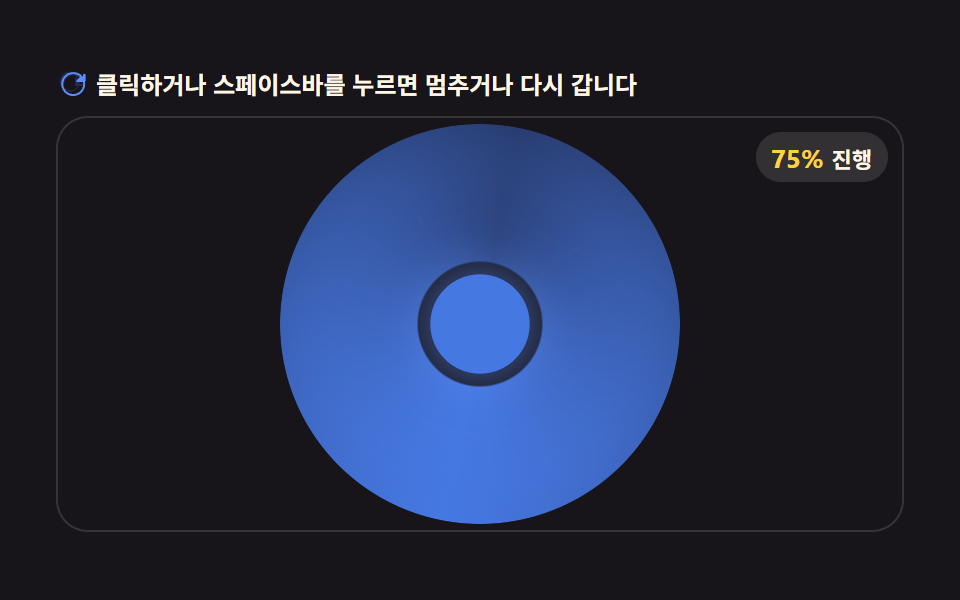 AI 로딩 애니메이션 9가지 — 값 하나로 도는 처리중 표시궤도 반경 값이 크면 입자가 넓게 흩어지는데 값이 0에 가까워지면 코어로 모이고, 그 사이 후광 링의 색상 값은 완료 색 쪽으로 넘어가며, 토큰 순번 값이 오를 때마다 미리보기 글자가 하나씩 늘어난다. 이 아홉 가지 이 글의 데모 전부 보기