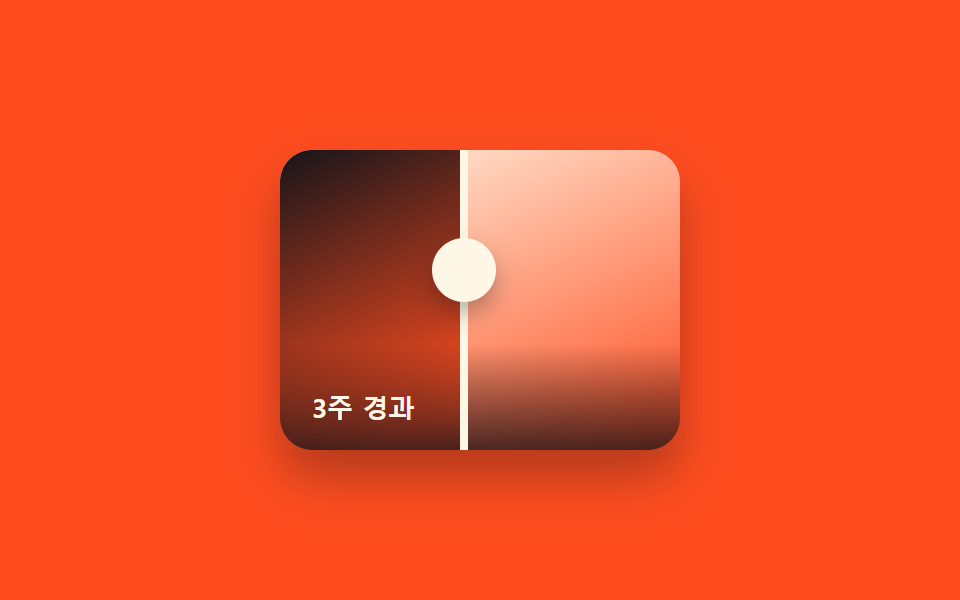
07캡션 오버레이 비교 슬라이더
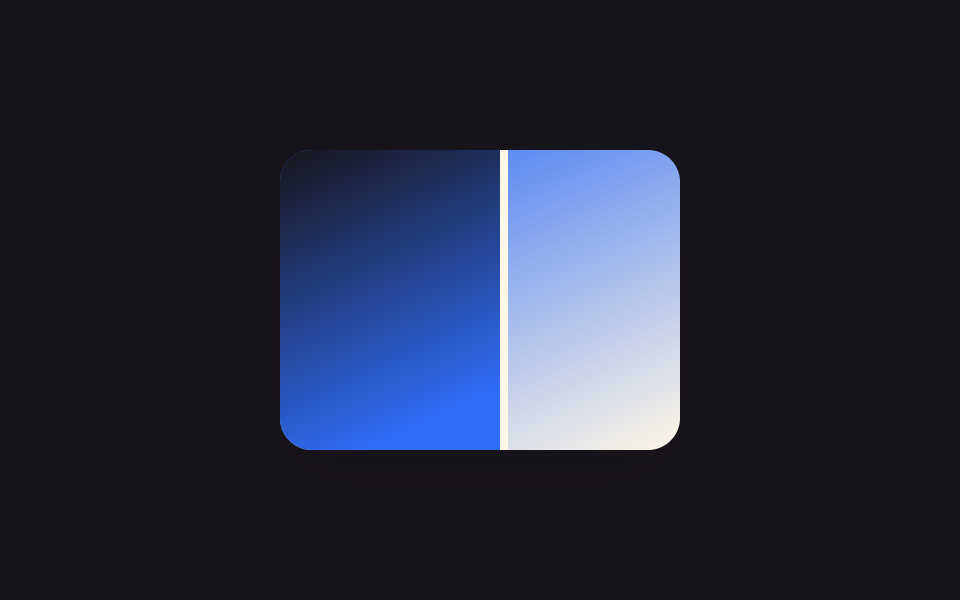
하단에 반투명 그러데이션 띠가 깔리고 "3주 경과" 같은 캡션 문구가 함께 떠, 무엇을 비교하는 사진인지 말로도 설명해 줍니다.
쓰임리모델링 시공 기간을 함께 보여주는 후기, 헬스장·PT 회원의 전후 변화 스토리
linear-gradient 오버레이clip-path: insetcaption 텍스트
<main class="stage">
  <div class="ba is-demo" id="ba">
    <div class="ba__after"></div>
    <div class="ba__before"></div>
    <div class="ba__caption">3주 경과</div>
    <div class="ba__handle"><span class="ba__grip"></span></div>
  </div>
</main>
@use "../../../../site/static/demo-tokens" as *;
$duration: $dur-loop;
$easing: $ease-spring;
$color: $subject-cream;
@property --reveal {
syntax: "<percentage>";
inherits: true;
initial-value: 50%;
}
@include stage($stage-orange);
.ba {
position: relative;
width: 200px;
max-width: 100%;
aspect-ratio: 4 / 3;
border-radius: $r-card;
overflow: hidden;
box-shadow: $shadow-raised;
touch-action: none;
cursor: ew-resize;
--reveal: 50%;
}
.ba__after,
.ba__before {
position: absolute;
inset: 0;
}
.ba__after { background: linear-gradient(155deg, $color 0%, $stage-orange 100%); }
.ba__before {
background: linear-gradient(155deg, $subject-ink 0%, $stage-orange 70%);
clip-path: inset(0 calc(100% - var(--reveal)) 0 0);
}
.ba__caption {
position: absolute;
left: 0;
right: 0;
bottom: 0;
padding: $sp-6 $sp-4 $sp-3;
background: linear-gradient(to top, rgba(23, 20, 26, .78) 0%, rgba(23, 20, 26, 0) 100%);
color: $color;
font: 700 13px/1.3 system-ui, sans-serif;
}
.ba__handle {
position: absolute;
top: 0;
bottom: 0;
left: var(--reveal);
width: $sp-1;
transform: translateX(-50%);
background: $color;
}
.ba__grip {
position: absolute;
top: 40%;
left: 50%;
width: $sp-8;
height: $sp-8;
border-radius: $r-pill;
background: $color;
transform: translate(-50%, -50%);
box-shadow: $shadow-press;
}
.ba.is-demo { animation: reveal-loop $dur-loop $easing infinite; }
@keyframes reveal-loop {
0%, 8% { --reveal: 24%; }
50% { --reveal: 76%; }
92%, 100% { --reveal: 24%; }
}
@media (prefers-reduced-motion: reduce) {
.ba.is-demo { animation: none; --reveal: 50%; }
}@property --reveal {
syntax: "<percentage>";
inherits: true;
initial-value: 50%;
}
html, body {
margin: 0;
overflow: hidden;
}
.stage {
box-sizing: border-box;
min-height: 100vh;
display: grid;
place-items: center;
margin: 0;
background: #ff4d1f;
font-family: -apple-system, "Segoe UI", "Noto Sans KR", sans-serif;
padding: clamp(8px, 4vw, 24px);
}
.ba {
position: relative;
width: 200px;
max-width: 100%;
aspect-ratio: 4/3;
border-radius: 16px;
overflow: hidden;
box-shadow: 0 14px 24px rgba(23, 20, 26, 0.32);
touch-action: none;
cursor: ew-resize;
--reveal: 50%;
}
.ba__after,
.ba__before {
position: absolute;
inset: 0;
}
.ba__after {
background: linear-gradient(155deg, #fff7e6 0%, #ff4d1f 100%);
}
.ba__before {
background: linear-gradient(155deg, #17141a 0%, #ff4d1f 70%);
clip-path: inset(0 calc(100% - var(--reveal)) 0 0);
}
.ba__caption {
position: absolute;
left: 0;
right: 0;
bottom: 0;
padding: 24px 16px 12px;
background: linear-gradient(to top, rgba(23, 20, 26, 0.78) 0%, rgba(23, 20, 26, 0) 100%);
color: #fff7e6;
font: 700 13px/1.3 system-ui, sans-serif;
}
.ba__handle {
position: absolute;
top: 0;
bottom: 0;
left: var(--reveal);
width: 4px;
transform: translateX(-50%);
background: #fff7e6;
}
.ba__grip {
position: absolute;
top: 40%;
left: 50%;
width: 32px;
height: 32px;
border-radius: 999px;
background: #fff7e6;
transform: translate(-50%, -50%);
box-shadow: 0 6px 12px rgba(23, 20, 26, 0.32);
}
.ba.is-demo {
animation: reveal-loop 2s cubic-bezier(0.2, 0.8, 0.2, 1) infinite;
}
@keyframes reveal-loop {
0%, 8% {
--reveal: 24%;
}
50% {
--reveal: 76%;
}
92%, 100% {
--reveal: 24%;
}
}
@media (prefers-reduced-motion: reduce) {
.ba.is-demo {
animation: none;
--reveal: 50%;
}
}(function () {
var el = document.getElementById("ba");
var dragging = false;
function set(pct) {
pct = Math.max(0, Math.min(100, pct));
el.style.setProperty("--reveal", pct + "%");
}
function fromX(x) {
var r = el.getBoundingClientRect();
return ((x - r.left) / r.width) * 100;
}
el.addEventListener("pointerdown", function (e) {
el.classList.remove("is-demo");
dragging = true;
el.setPointerCapture(e.pointerId);
set(fromX(e.clientX));
});
el.addEventListener("pointermove", function (e) { if (dragging) set(fromX(e.clientX)); });
el.addEventListener("pointerup", function () { dragging = false; });
})();import { useRef, useState, useCallback } from "react";
import type { CSSProperties, PointerEvent } from "react";
import styles from "./BeforeAfterCaptionOverlay.module.scss";
export type BeforeAfterCaptionOverlayProps = {
duration?: string;
easing?: string;
color?: string;
caption?: string;
};
type Vars = CSSProperties & { "--reveal"?: string };
/** 하단 그러데이션 띠 위에 캡션 글자가 얹혀, 무엇을 비교하는 사진인지 말로 설명한다. */
export default function BeforeAfterCaptionOverlay({
duration = "2s",
easing = "cubic-bezier(.2,.8,.2,1)",
color = "#fff7e6",
caption = "3주 경과",
}: BeforeAfterCaptionOverlayProps) {
const ref = useRef<HTMLDivElement | null>(null);
const [reveal, setReveal] = useState(50);
const [demo, setDemo] = useState(true);
const dragging = useRef(false);
const setFromX = useCallback((x: number) => {
const el = ref.current;
if (!el) return;
const r = el.getBoundingClientRect();
setReveal(Math.max(0, Math.min(100, ((x - r.left) / r.width) * 100)));
}, []);
const onDown = useCallback((e: PointerEvent<HTMLDivElement>) => {
setDemo(false);
dragging.current = true;
(e.currentTarget as HTMLDivElement).setPointerCapture(e.pointerId);
setFromX(e.clientX);
}, [setFromX]);
const onMove = useCallback((e: PointerEvent<HTMLDivElement>) => { if (dragging.current) setFromX(e.clientX); }, [setFromX]);
const onUp = useCallback(() => { dragging.current = false; }, []);
const vars: Vars = { "--reveal": `${reveal}%`, ["--duration" as string]: duration, ["--easing" as string]: easing, ["--color" as string]: color };
return (
<div
ref={ref}
className={demo ? `${styles.ba} ${styles.isDemo}` : styles.ba}
style={vars}
onPointerDown={onDown}
onPointerMove={onMove}
onPointerUp={onUp}
>
<div className={styles.after} />
<div className={styles.before} />
<div className={styles.caption}>{caption}</div>
<div className={styles.handle}>
<span className={styles.grip} />
</div>
</div>
);
}07 캡션 오버레이 비교 슬라이더 — 측정 누적면적 11.721% · 움직인 프레임 17/23GODRICH 원작 · zip 에 SCSS·React 포함 · 이미지 비교 슬라이더 UI 9종 — 드래그하면 바로 보이는
이 데모가 속한 글
 이미지 비교 슬라이더 UI 9종 — 드래그하면 바로 보이는이미지 비교 슬라이더는 사진 한 장 위에 다른 사진을 겹쳐 놓고, 경계선을 움직이면 전과 후가 갈라져 보이는 UI입니다. 리모델링·시술 후기 페이지에서 흔히 보지만 클릭 한 번에 바로 켜지는 동작이라 CSS만으로는 이 글의 데모 전부 보기