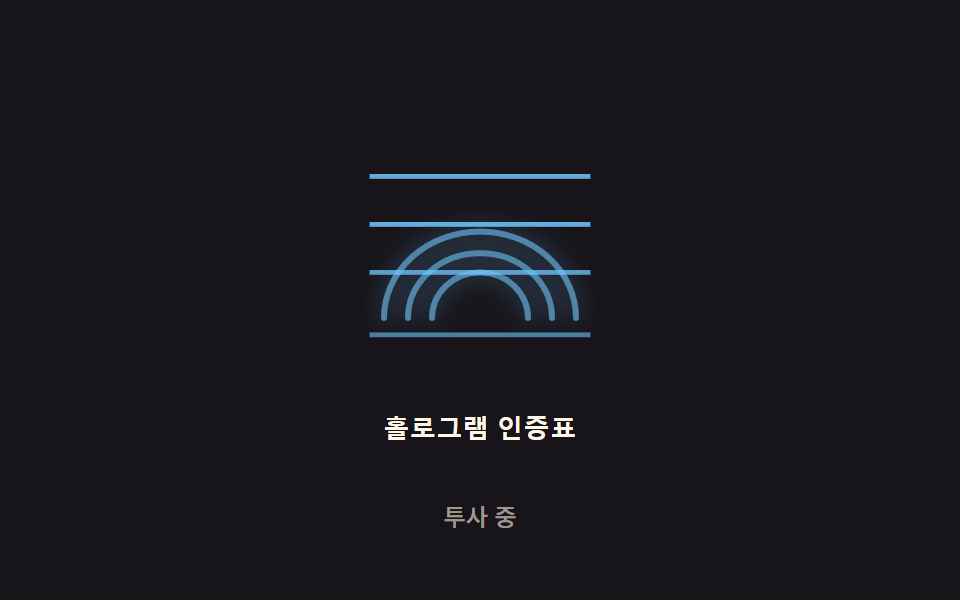
06홀로그램 플리커 — 2D 노이즈 값을 기반으로 스캔 아이콘의 깜빡임 강도 값이 미세하게 흔들리는 방식
시간에 따라 흐르는 노이즈 값이 깜빡임 강도 값에 매핑돼, 아이콘 밝기가 일정하지 않고 미세하게 떨립니다.
쓰임생체 인증 대기 아이콘, SF풍 인증 화면 배경
LINE_PHASE_STEP$subject-skyFREQS
<main class="stage">
<div class="holo-wrap">
<button type="button" class="holo is-demo" id="holo" aria-pressed="true">
  <svg class="holo__icon" viewBox="0 0 120 120" aria-hidden="true">
    <g id="glyph">
      <path class="holo__ridge" d="M20,90 A40 36 0 0 1 100,90"></path>
      <path class="holo__ridge" d="M30,90 A30 27 0 0 1 90,90"></path>
      <path class="holo__ridge" d="M40,90 A20 19 0 0 1 80,90"></path>
    </g>
    <rect class="holo__line" data-i="0" x="14" y="30" width="92" height="2"></rect>
    <rect class="holo__line" data-i="1" x="14" y="50" width="92" height="2"></rect>
    <rect class="holo__line" data-i="2" x="14" y="70" width="92" height="2"></rect>
    <rect class="holo__line" data-i="3" x="14" y="96" width="92" height="2"></rect>
  </svg>
  <span class="holo__label">홀로그램 인증표</span>
</button>
<p class="holo__status" id="status">투사 중</p>
</div>
</main>
@use "../../../../site/static/demo-tokens" as *;
// 계산 겹은 index.html 의 noise() 에 있다 — 서로 다른 주기의 사인 3개를 가중합한 결정적 노이즈로
// 매 프레임 불투명도를 다시 계산한다(Math.random 미사용). 여기는 무대·모양만 맡는다.
@include stage($stage-ink);
.holo-wrap {
display: flex;
flex-direction: column;
align-items: center;
gap: $sp-3;
}
.holo {
appearance: none;
border: none;
background: transparent;
display: flex;
flex-direction: column;
align-items: center;
gap: $sp-3;
cursor: pointer;
padding: $sp-4;
border-radius: $r-card;
&:focus-visible { outline: 2px solid $subject-sky; outline-offset: 4px; }
}
.holo__icon {
width: clamp(120px, 30vw, 160px);
height: auto;
overflow: visible;
}
.holo__ridge {
fill: none;
stroke: $subject-sky;
stroke-width: 2.5;
stroke-linecap: round;
filter: drop-shadow(0 0 5px rgba($subject-sky, .8));
}
.holo__line {
fill: $subject-sky;
opacity: .6;
}
.holo__label {
color: $subject-cream;
font-weight: 600;
font-size: 13px;
line-height: 1.2;
letter-spacing: .02em;
}
.holo__status {
margin: 0;
color: rgba($subject-cream, .58);
font-weight: 500;
font-size: 12px;
line-height: 1.2;
}
@media (max-width: 340px) {
.stage { padding: $sp-2; }
.holo-wrap { gap: $sp-2; }
.holo { padding: $sp-2 $sp-3; gap: $sp-2; }
.holo__icon { width: 104px; }
.holo__label { font-size: 12px; }
.holo__status { font-size: 11px; }
}
@media (prefers-reduced-motion: reduce) {
.holo__ridge, .holo__line { transition: none; }
}html, body {
margin: 0;
overflow: hidden;
}
.stage {
box-sizing: border-box;
min-height: 100vh;
display: grid;
place-items: center;
margin: 0;
background: #17141a;
font-family: -apple-system, "Segoe UI", "Noto Sans KR", sans-serif;
padding: clamp(8px, 4vw, 24px);
}
.holo-wrap {
display: flex;
flex-direction: column;
align-items: center;
gap: 12px;
}
.holo {
appearance: none;
border: none;
background: transparent;
display: flex;
flex-direction: column;
align-items: center;
gap: 12px;
cursor: pointer;
padding: 16px;
border-radius: 16px;
}
.holo:focus-visible {
outline: 2px solid #6ec8ff;
outline-offset: 4px;
}
.holo__icon {
width: clamp(120px, 30vw, 160px);
height: auto;
overflow: visible;
}
.holo__ridge {
fill: none;
stroke: #6ec8ff;
stroke-width: 2.5;
stroke-linecap: round;
filter: drop-shadow(0 0 5px rgba(110, 200, 255, 0.8));
}
.holo__line {
fill: #6ec8ff;
opacity: 0.6;
}
.holo__label {
color: #fff7e6;
font-weight: 600;
font-size: 13px;
line-height: 1.2;
letter-spacing: 0.02em;
}
.holo__status {
margin: 0;
color: rgba(255, 247, 230, 0.58);
font-weight: 500;
font-size: 12px;
line-height: 1.2;
}
@media (max-width: 340px) {
.stage {
padding: 8px;
}
.holo-wrap {
gap: 8px;
}
.holo {
padding: 8px 12px;
gap: 8px;
}
.holo__icon {
width: 104px;
}
.holo__label {
font-size: 12px;
}
.holo__status {
font-size: 11px;
}
}
@media (prefers-reduced-motion: reduce) {
.holo__ridge, .holo__line {
transition: none;
}
}(function () {
// 계산 겹: 결정적 노이즈 플리커 — Math.random 없이 서로 다른 주기의 사인 3개를 가중합해
// -1~1 노이즈 값을 만들고(노이즈 합성), 매 프레임 그 값으로 불투명도를 계산한다. 스캔 라인마다
// 위상(phase)을 다르게 줘서 같은 순간에도 줄마다 다른 밝기로 반짝인다.
var FREQS = [0.013, 0.031, 0.007]; // 세 사인의 각속도(rad/ms) — 서로소에 가깝게 골라 주기성이 안 보이게
var WEIGHTS = [0.5, 0.32, 0.18];
var PHASES = [0, 1.7, 3.4];
var LINE_PHASE_STEP = 0.6; // 스캔 라인 인덱스마다 더하는 위상 차
var BASE = 0.55, RANGE = 0.42;
var WSUM = WEIGHTS[0] + WEIGHTS[1] + WEIGHTS[2];
var reduce = window.matchMedia('(prefers-reduced-motion: reduce)').matches;
var root = document.getElementById('holo');
var glyph = document.getElementById('glyph');
var lines = Array.prototype.slice.call(document.querySelectorAll('.holo__line'));
var status = document.getElementById('status');
var STRINGS = { on: '투사 중', off: '전원 꺼짐' };
var isDemo = true;
var active = true;
function noise(t, phaseOffset) {
var v = 0;
for (var i = 0; i < 3; i++) {
v += WEIGHTS[i] * Math.sin(t * FREQS[i] + PHASES[i] + phaseOffset);
}
return v / WSUM;
}
function human() { if (isDemo) { root.classList.remove('is-demo'); isDemo = false; } }
function toggle() {
active = !active;
root.setAttribute('aria-pressed', String(active));
status.textContent = active ? STRINGS.on : STRINGS.off;
}
root.addEventListener('click', function () { human(); toggle(); });
root.addEventListener('keydown', function (e) {
if (e.key === ' ' || e.key === 'Enter') { human(); }
});
function loop(ts) {
var run = active && (isDemo ? !reduce : true);
if (run) {
glyph.style.opacity = (BASE + RANGE * noise(ts, 0)).toFixed(3);
for (var i = 0; i < lines.length; i++) {
var v = BASE + RANGE * noise(ts, i * LINE_PHASE_STEP + 1);
lines[i].style.opacity = Math.max(0, Math.min(1, v)).toFixed(3);
}
} else {
glyph.style.opacity = active ? '1' : '0.08';
for (var j = 0; j < lines.length; j++) { lines[j].style.opacity = active ? '0.7' : '0'; }
}
requestAnimationFrame(loop);
}
requestAnimationFrame(loop);
})();// HologramFlicker — vanilla 판(run/371/demo/06-biometric-scan-hologram-flicker/index.html) 의 React 포트.
// 계산 겹(결정적 노이즈 플리커)은 useEffect 안에 있다: Math.random 없이 서로 다른 주기의 사인 3개를
// 가중합해 노이즈 값을 만들고, 매 프레임 그 값으로 불투명도를 계산한다.
import { useEffect, useRef, useState } from "react";
import styles from "./HologramFlicker.module.scss";
type Box<T> = { current: T };
const STRINGS: Record<string, string> = { on: "투사 중", off: "전원 꺼짐" };
export default function HologramFlicker() {
const rootRef = useRef(null) as unknown as Box<HTMLButtonElement>;
const glyphRef = useRef(null) as unknown as Box<SVGGElement>;
const lineRefs = useRef([]) as unknown as Box<SVGRectElement[]>;
const [status, setStatus] = useState(STRINGS.on);
const [pressed, setPressed] = useState(true);
useEffect(() => {
const FREQS = [0.013, 0.031, 0.007];
const WEIGHTS = [0.5, 0.32, 0.18];
const PHASES = [0, 1.7, 3.4];
const LINE_PHASE_STEP = 0.6;
const BASE = 0.55, RANGE = 0.42;
const WSUM = WEIGHTS[0] + WEIGHTS[1] + WEIGHTS[2];
const reduce = window.matchMedia("(prefers-reduced-motion: reduce)").matches;
const root = rootRef.current;
const glyph = glyphRef.current;
const lines = lineRefs.current;
if (!root || !glyph || lines.length === 0) return;
let isDemo = true;
let active = true;
let rafId = 0;
function noise(t: number, phaseOffset: number) {
let v = 0;
for (let i = 0; i < 3; i++) {
v += WEIGHTS[i] * Math.sin(t * FREQS[i] + PHASES[i] + phaseOffset);
}
return v / WSUM;
}
function human() { if (isDemo) { root.classList.remove(styles.isDemo); isDemo = false; } }
function toggle() {
active = !active;
setPressed(active);
setStatus(active ? STRINGS.on : STRINGS.off);
}
function onClick() { human(); toggle(); }
function onKeyDown(e: KeyboardEvent) { if (e.key === " " || e.key === "Enter") human(); }
root.addEventListener("click", onClick);
root.addEventListener("keydown", onKeyDown);
function loop(ts: number) {
const run = active && (isDemo ? !reduce : true);
if (run) {
glyph.style.opacity = (BASE + RANGE * noise(ts, 0)).toFixed(3);
for (let i = 0; i < lines.length; i++) {
const v = BASE + RANGE * noise(ts, i * LINE_PHASE_STEP + 1);
lines[i].style.opacity = Math.max(0, Math.min(1, v)).toFixed(3);
}
} else {
glyph.style.opacity = active ? "1" : "0.08";
for (let j = 0; j < lines.length; j++) lines[j].style.opacity = active ? "0.7" : "0";
}
rafId = requestAnimationFrame(loop);
}
rafId = requestAnimationFrame(loop);
return () => {
root.removeEventListener("click", onClick);
root.removeEventListener("keydown", onKeyDown);
cancelAnimationFrame(rafId);
};
}, []);
return (
<main className={styles.stage}>
<div className={styles.holoWrap}>
<button
type="button"
className={styles.holo + " " + styles.isDemo}
ref={rootRef}
aria-pressed={pressed}
>
<svg className={styles.holoIcon} viewBox="0 0 120 120" aria-hidden="true">
<g ref={glyphRef}>
<path className={styles.holoRidge} d="M20,90 A40 36 0 0 1 100,90" />
<path className={styles.holoRidge} d="M30,90 A30 27 0 0 1 90,90" />
<path className={styles.holoRidge} d="M40,90 A20 19 0 0 1 80,90" />
</g>
{[30, 50, 70, 96].map((y, i) => (
<rect
key={i}
className={styles.holoLine}
x={14}
y={y}
width={92}
height={2}
ref={(el: SVGRectElement | null) => { if (el) lineRefs.current[i] = el; }}
/>
))}
</svg>
<span className={styles.holoLabel}>홀로그램 인증표</span>
</button>
<p className={styles.holoStatus}>{status}</p>
</div>
</main>
);
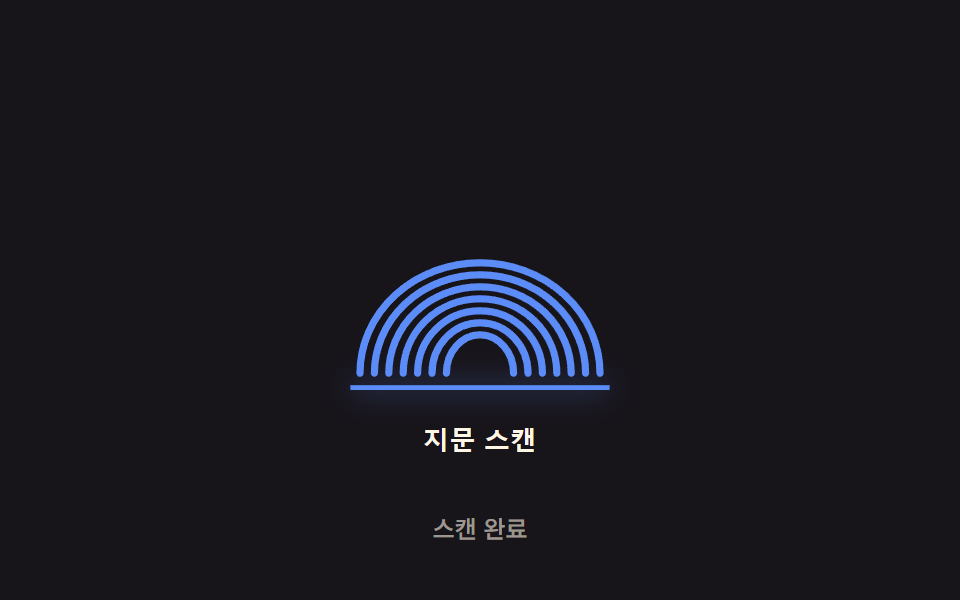
}06 홀로그램 플리커 — 2D 노이즈 값을 기반으로 스캔 아이콘의 깜빡임 강도 값이 미세하게 흔들리는 방식 — 측정 누적면적 3.044% · 움직인 프레임 22/23GODRICH 원작 · zip 에 SCSS·React 포함 · 지문 인식 애니메이션 9종 — 스캔 진행률 값으로 갈리는 인증 버튼
이 데모가 속한 글
 지문 인식 애니메이션 9종 — 스캔 진행률 값으로 갈리는 인증 버튼아홉 가지 지문 인식 애니메이션 중 하나는 스캔 진행률 값이 지문 능선을 순서대로 밝히고, 하나는 실패 시 스프링 감쇠 값으로 흔들리다 멈추며, 하나는 압력 값이 커질수록 리플 반경과 진폭 값이 함께 커집니다. 이 글의 데모 전부 보기