지문 인식 애니메이션 9종 — 스캔 진행률 값으로 갈리는 인증 버튼
아홉 가지 지문 인식 애니메이션 중 하나는 스캔 진행률 값이 지문 능선을 순서대로 밝히고, 하나는 실패 시 스프링 감쇠 값으로 흔들리다 멈추며, 하나는 압력 값이 커질수록 리플 반경과 진폭 값이 함께 커집니다.
아홉 데모는 전부 실제 지문 센서나 WebAuthn API를 연결하지 않은 시뮬레이션이라, 버튼을 누르면 정해둔 스캔·성공·실패 흐름이 계산으로 재생될 뿐 실키나 실제 인증 요청은 오가지 않습니다. 화면은 <button> 하나에 지문 모양 생체 인증 아이콘을 얹고 click·keydown(Space·Enter) 이벤트로 사람의 조작을 받으며, 05는 여기에 pointerdown·pointermove·pointerup까지 더해 누르는 동안의 압력 값을 매 프레임 받습니다. 아홉 항목 모두 requestAnimationFrame 루프 안에서 값을 다시 계산해 그리고, css 트랜지션이나 키프레임에 값 결정을 맡기지 않습니다.
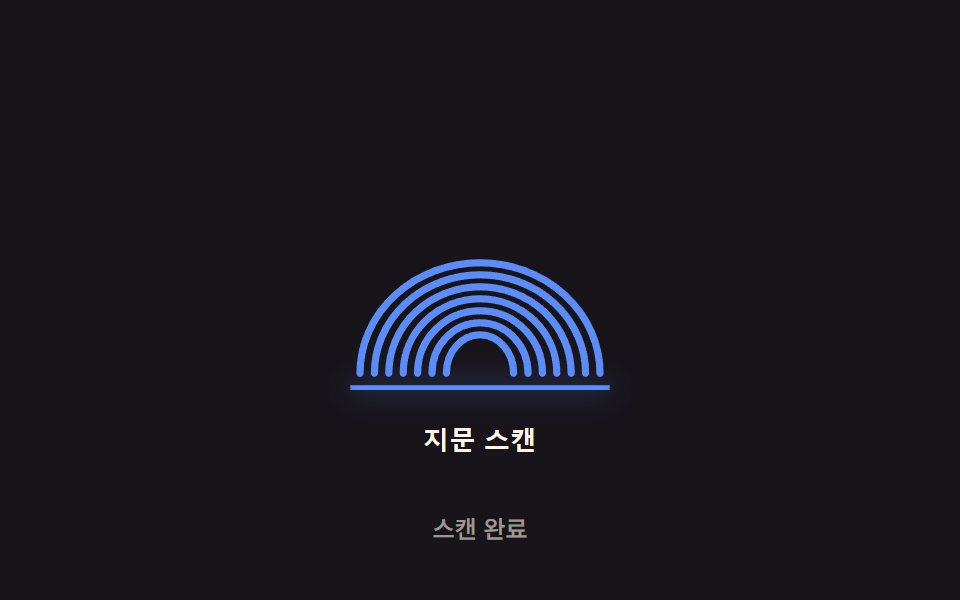 01 biometric-scan-sweep-line
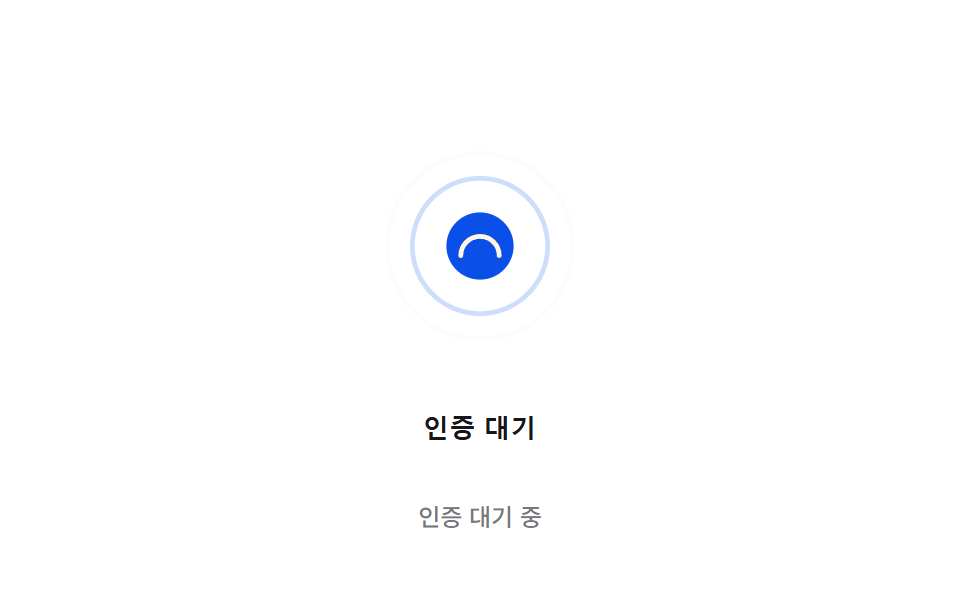 02 biometric-scan-radial-pulse
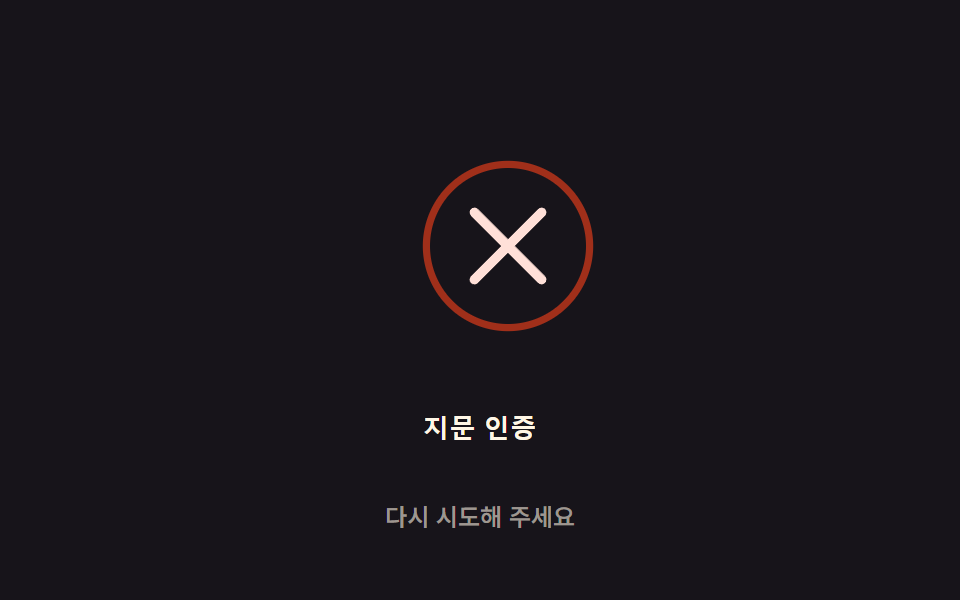 03 biometric-scan-fail-shake
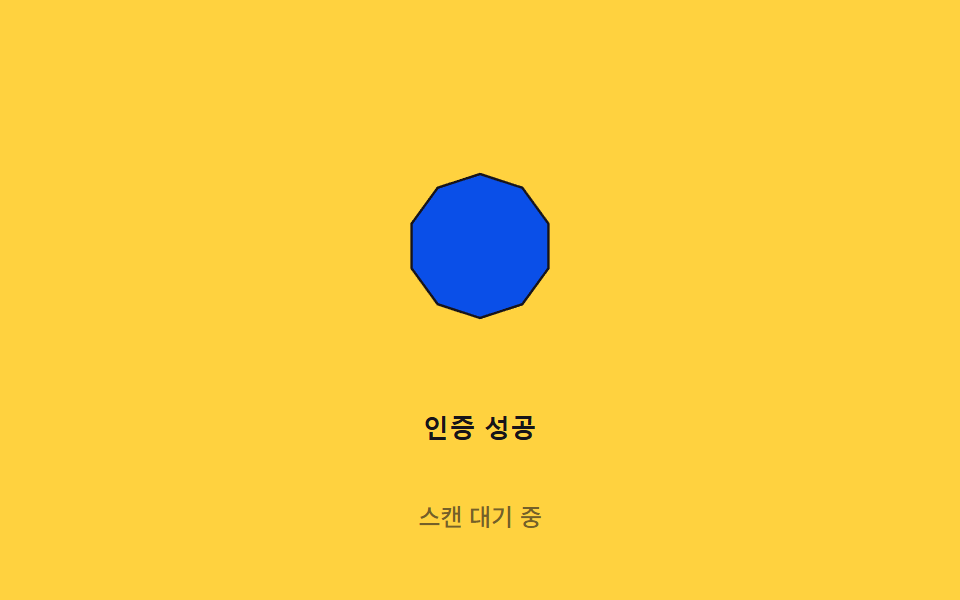 04 biometric-scan-success-morph
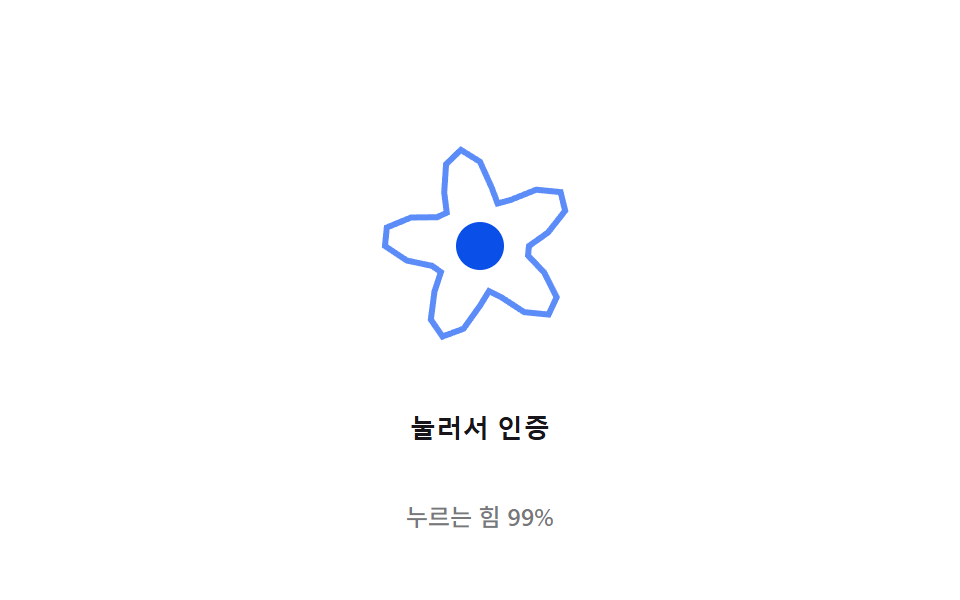 05 biometric-scan-pressure-ripple
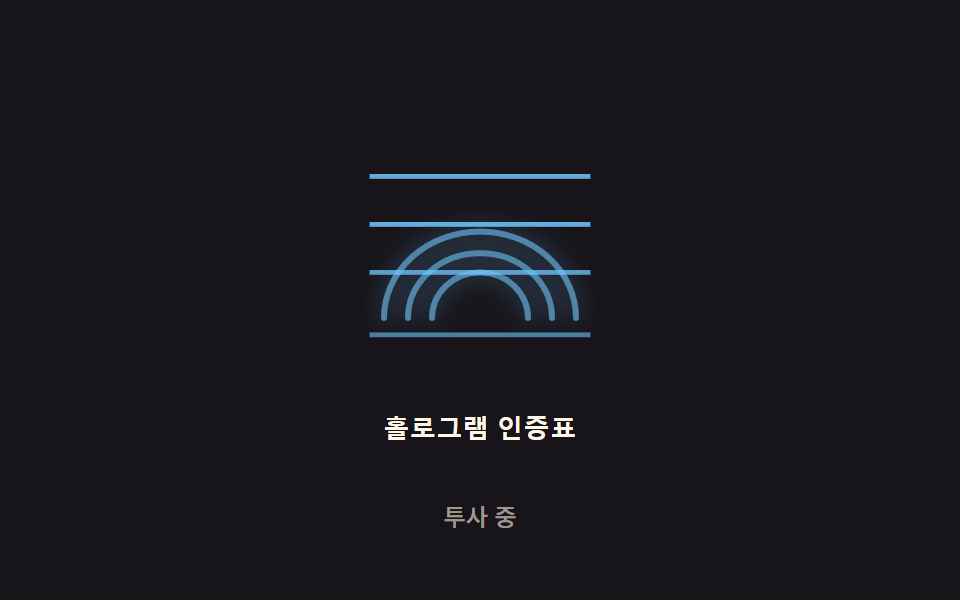 06 biometric-scan-hologram-flicker
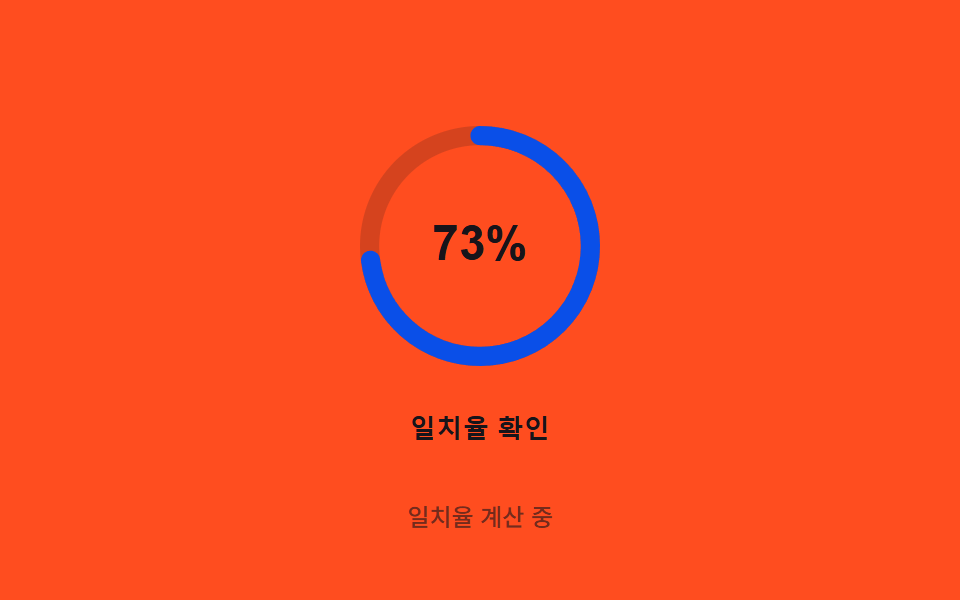 07 biometric-scan-ring-overshoot
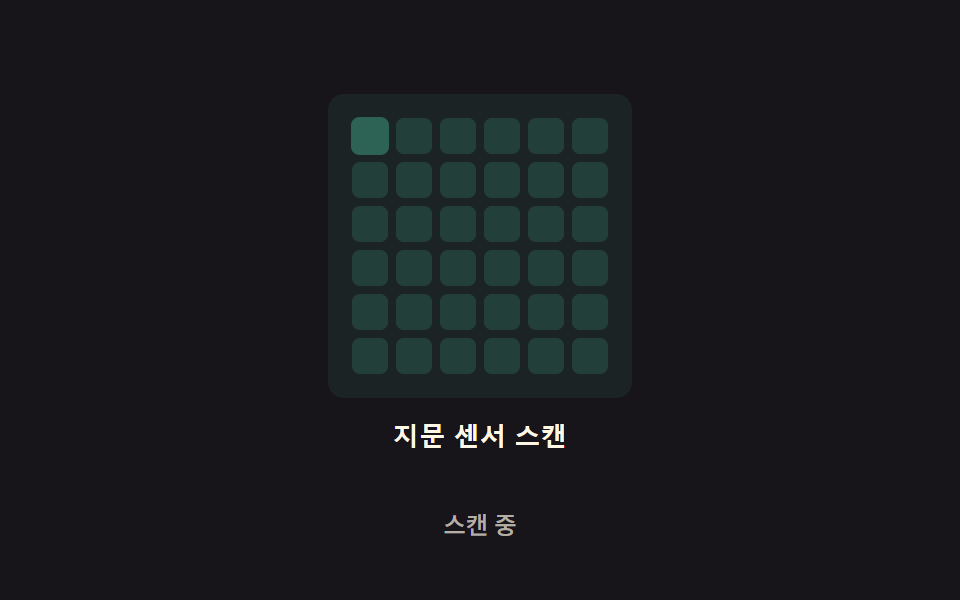 08 biometric-scan-grid-glow
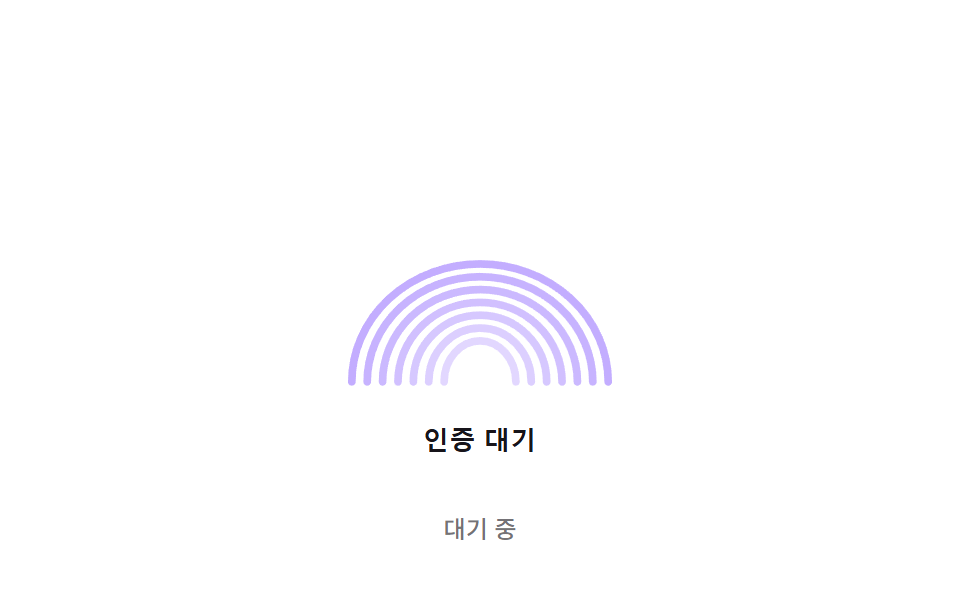 09 biometric-scan-idle-breathing
자동 재생 · 눌러서 해당 항목으로 · 전부 한 zip
- 01 스캔 라인 스윕 — 스캔 진행률 값이 위에서 아래로 내려가며 지나간 자리의 지문 능선 밝기 값이 순서대로 올라가는 방식
- 02 대기 파동 — 인증 대기 상태에서 원형 파동의 반경 값이 감쇠 함수로 점점 커지며 옅어지는 방식
- 03 실패 진동 감쇠 — 인증 실패 시 아이콘이 스프링 감쇠 값을 따라 좌우로 흔들리다 값이 0에 가까워지며 멈추는 방식
- 04 성공 모핑 — 인증에 성공하면 지문 아이콘의 path 값이 체크마크 path 값으로 보간되며 매끈하게 바뀌는 방식
- 05 압력 리플 — 스캔 표면을 누르는 압력 값이 커질수록 동심원 리플의 반경과 진폭 값이 함께 커지는 방식
- 06 홀로그램 플리커 — 2D 노이즈 값을 기반으로 스캔 아이콘의 깜빡임 강도 값이 미세하게 흔들리는 방식
- 07 링 오버슛 — 원형 진행 링이 각도 값으로 채워지다 처리가 끝나는 순간 관성 값만큼 살짝 지나쳤다 되돌아오는 방식
- 08 격자 스캔 글로우 — 스캔 영역을 격자로 나눠 셀마다 다른 지연 값으로 순서대로 빛나는 방식
- 09 대기 호흡 — 입력이 없는 동안 아이콘 크기 값이 사인 이징 곡선을 따라 커졌다 작아졌다 반복하는 방식
아홉 개의 해부 — 어떤 값이 인증 상태에 반응하는가
다음 표에는 svg·css 요소가 화면을 얼마나 채웠는지·움직임이 얼마나 강했는지·몇 프레임이나 값이 갱신됐는지 세 값이 항목별로 들어 있습니다.
| 항목 | 누적면적% | 강도_평균 | 움직인프레임 |
|---|---|---|---|
| 01 | 12.57% | 63.8 | 12/23 |
| 02 | 3.40% | 36.1 | 19/23 |
| 03 | 5.36% | 132.2 | 16/23 |
| 04 | 3.19% | 158.6 | 15/23 |
| 05 | 3.58% | 107.7 | 19/23 |
| 06 | 3.04% | 38.8 | 22/23 |
| 07 | 1.80% | 136.8 | 23/23 |
| 08 | 12.00% | 76.7 | 20/23 |
| 09 | 3.99% | 23.9 | 21/23 |
아홉 항목 중 누적면적이 가장 넓은 항목은 01 하나(스캔 라인이 위에서 아래로 전체 능선을 훑고 지나가 밝기 값이 넓게 바뀝니다)이고, 가장 좁은 항목은 07 하나(진행 링 자체가 얇은 선이라 채워지는 면적이 작습니다)이며, 강도가 가장 센 항목도 04 하나(path 점 10개가 매 프레임 한꺼번에 좌표를 바꿔 순간 변화량이 큽니다)뿐입니다. 강도가 가장 낮은 항목은 09(스케일 값이 1.0과 1.06 사이에서만 오가 변화폭이 작습니다)이고, 움직인프레임이 가장 많은 항목은 07(23/23 — 스프링이 두 목표값 사이를 쉬지 않고 오가 한 프레임도 멈추지 않습니다)이며 가장 적은 항목은 01(12/23 — 스캔·유지·복귀가 끝나면 GAP_MS 동안 값이 그대로 멈춰 있습니다)입니다.
아홉 항목을 값을 미는 계산 방식으로 다시 나누면 네 무리로 갈립니다.
01·02 — 경과 시간 하나를 함수에 넣어 값을 바로 구하는 것
01은 SWEEP_SPEED·BASE_MS로 정한 진행 시간(DUR) 안에서 스캔 라인 y좌표가 TOP에서 BOTTOM까지 선형으로 내려가고, 그 y좌표가 능선 정점(apex)을 지난 거리를 GLOW_BAND로 나눈 값이 그대로 능선 밝기가 됩니다. 02는 파동이 뜬 뒤 지난 시간(age)을 TAU로 나눈 지수 함수 PULSE_MAX_R×(1-e^(-age/TAU))로 반지름을 구합니다. 둘 다 목표를 뒤쫓는 스프링이 아니라 경과 시간 하나가 그 프레임의 값을 바로 정합니다.
03·07 — 감쇠·스프링 물리로 목표를 지나쳤다 되돌아오는 값
03은 decayMs(SHAKE_DAMP×40)를 지수 감쇠식 e^(-t/decayMs)와 cos(t×FREQ)에 곱해 아이콘 x좌표 오프셋을 구하고, 값이 SETTLE_MS 안에 0으로 잦아듭니다. 07은 목표와 현재 값의 차이에 STIFFNESS를 곱하고 속도에 DAMPING을 곱해 뺀 힘을 매 프레임 속도·위치에 더하는 스프링 적분이라, 목표를 살짝 지나쳤다가(오버슛) 되돌아옵니다.
05·06·09 — 사인 함수 합성이 흔들림 값을 만드는 것
05는 각도(θ)마다 반지름을 BASE_R + AMPLITUDE×pressure×sin(WAVE_K×θ - t×WAVE_SPEED)로 계산해, 누르는 압력 값이 클수록 물결의 진폭이 커집니다. 06은 FREQS 세 값으로 서로 주기가 다른 사인을 WEIGHTS 비율로 가중합한 값을 불투명도에 매핑해, Math.random 없이도 결정적으로 반짝입니다. 09는 sin(t×OMEGA) 값 하나로 아이콘 크기를 오가게 하고, 능선마다 RIDGE_PHASE_STEP만큼 위상을 어긋나게 둡니다.
04·08 — 좌표·지연을 직접 보간·매겨 자리를 정하는 값
04는 원 위의 점 10개와 체크마크 점 10개를 같은 순서로 맞춰 두고, 진행값 p(0~1)로 두 좌표를 lerp해 매 프레임 새 path d 문자열을 만듭니다. 08은 격자 셀마다 (행+열) 값에 DIAG_STEP을 곱한 지연을 매기고, 지연을 뺀 경과 시간을 CYCLE_MS로 나눈 나머지에 사인 함수를 걸어 셀 하나가 빛나는 삼각 펄스를 구합니다.
패턴별 코드
01스캔 라인 스윕 — 스캔 진행률 값이 위에서 아래로 내려가며 지나간 자리의 지문 능선 밝기 값이 순서대로 올라가는 방식
스캔 진행률에 따라 스캔 라인의 y좌표가 TOP(6)에서 BOTTOM(124)까지 BASE_MS/SWEEP_SPEED 시간 동안 선형으로 내려가고, 그 y좌표가 능선 정점(apex)을 지난 뒤 GLOW_BAND 거리 안에서 능선 밝기(act)가 0에서 1로 올라갑니다. 정점이 위쪽(작은 y)인 능선일수록 먼저 활성돼, 스캔이 끝나면 전체 능선이 순서대로 다 밝아집니다.
  function apply(scanY) {
    beam.setAttribute('y1', scanY.toFixed(2));
    beam.setAttribute('y2', scanY.toFixed(2));
    for (var i = 0; i < ridges.length; i++) {
      var apex = parseFloat(ridges[i].getAttribute('data-apex'));
      var act = Math.max(0, Math.min(1, (scanY - apex) / GLOW_BAND + 0.001));
      ridges[i].style.opacity = (0.26 + 0.74 * act).toFixed(3);
    }
  }
<main class="stage">
<div class="scan-wrap">
<button type="button" class="scan is-demo" id="scan" aria-pressed="false">
  <svg class="scan__icon" viewBox="0 0 120 130" aria-hidden="true">
    <path class="scan__ridge" data-apex="72" d="M10,118 A50 46 0 0 1 110,118"></path>
    <path class="scan__ridge" data-apex="77" d="M16,118 A44 41 0 0 1 104,118"></path>
    <path class="scan__ridge" data-apex="82" d="M22,118 A38 36 0 0 1 98,118"></path>
    <path class="scan__ridge" data-apex="87" d="M28,118 A32 31 0 0 1 92,118"></path>
    <path class="scan__ridge" data-apex="92" d="M34,118 A26 26 0 0 1 86,118"></path>
    <path class="scan__ridge" data-apex="97" d="M40,118 A20 21 0 0 1 80,118"></path>
    <path class="scan__ridge" data-apex="102" d="M46,118 A14 16 0 0 1 74,118"></path>
    <line class="scan__beam" id="beam" x1="6" x2="114" y1="6" y2="6"></line>
  </svg>
  <span class="scan__label">지문 스캔</span>
</button>
<p class="scan__status" id="status">대기 중</p>
</div>
</main>
@use "../../../../site/static/demo-tokens" as *;
// 계산 겹은 index.html 의 apply() 에 있다 — 능선마다 정점(apex) y 와 스캔 라인 y 의 차를 GLOW_BAND 로
// 나눈 활성 값(act)을 opacity 에 매 프레임 반영한다. 여기는 무대·모양만 맡는다.
@include stage($stage-ink);
.scan-wrap {
display: flex;
flex-direction: column;
align-items: center;
gap: $sp-3;
}
.scan {
appearance: none;
border: none;
background: transparent;
display: flex;
flex-direction: column;
align-items: center;
gap: $sp-3;
cursor: pointer;
padding: $sp-4;
border-radius: $r-card;
&:focus-visible { outline: 2px solid $subject-blue-light; outline-offset: 4px; }
}
.scan__icon {
width: clamp(120px, 30vw, 160px);
height: auto;
overflow: visible;
}
.scan__ridge {
fill: none;
stroke: $subject-blue-light;
stroke-width: 3;
stroke-linecap: round;
opacity: .26;
}
.scan__beam {
stroke: $subject-blue-light;
stroke-width: 2;
filter: drop-shadow(0 0 6px rgba($subject-blue-light, .9));
}
.scan__label {
color: $subject-cream;
font-weight: 600;
font-size: 13px;
line-height: 1.2;
letter-spacing: .02em;
}
.scan__status {
margin: 0;
color: rgba($subject-cream, .58);
font-weight: 500;
font-size: 12px;
line-height: 1.2;
}
@media (max-width: 340px) {
.stage { padding: $sp-2; }
.scan-wrap { gap: $sp-2; }
.scan { padding: $sp-2 $sp-3; gap: $sp-2; }
.scan__icon { width: 104px; }
.scan__label { font-size: 12px; }
.scan__status { font-size: 11px; }
}
@media (prefers-reduced-motion: reduce) {
.scan__ridge, .scan__beam { transition: none; }
}html, body {
margin: 0;
overflow: hidden;
}
.stage {
box-sizing: border-box;
min-height: 100vh;
display: grid;
place-items: center;
margin: 0;
background: #17141a;
font-family: -apple-system, "Segoe UI", "Noto Sans KR", sans-serif;
padding: clamp(8px, 4vw, 24px);
}
.scan-wrap {
display: flex;
flex-direction: column;
align-items: center;
gap: 12px;
}
.scan {
appearance: none;
border: none;
background: transparent;
display: flex;
flex-direction: column;
align-items: center;
gap: 12px;
cursor: pointer;
padding: 16px;
border-radius: 16px;
}
.scan:focus-visible {
outline: 2px solid #5b8cf8;
outline-offset: 4px;
}
.scan__icon {
width: clamp(120px, 30vw, 160px);
height: auto;
overflow: visible;
}
.scan__ridge {
fill: none;
stroke: #5b8cf8;
stroke-width: 3;
stroke-linecap: round;
opacity: 0.26;
}
.scan__beam {
stroke: #5b8cf8;
stroke-width: 2;
filter: drop-shadow(0 0 6px rgba(91, 140, 248, 0.9));
}
.scan__label {
color: #fff7e6;
font-weight: 600;
font-size: 13px;
line-height: 1.2;
letter-spacing: 0.02em;
}
.scan__status {
margin: 0;
color: rgba(255, 247, 230, 0.58);
font-weight: 500;
font-size: 12px;
line-height: 1.2;
}
@media (max-width: 340px) {
.stage {
padding: 8px;
}
.scan-wrap {
gap: 8px;
}
.scan {
padding: 8px 12px;
gap: 8px;
}
.scan__icon {
width: 104px;
}
.scan__label {
font-size: 12px;
}
.scan__status {
font-size: 11px;
}
}
@media (prefers-reduced-motion: reduce) {
.scan__ridge, .scan__beam {
transition: none;
}
}(function () {
// 계산 겹: 능선 stagger 순서 계산 — 능선마다 정점(apex) y 값이 다르고, 스캔 라인 y 값이 그 정점을
// 지난 만큼(GLOW_BAND 로 나눈 비율)을 활성 값(act, 0~1)으로 써서 밝기를 매긴다. 정점이 위(작은 y)일수록
// 먼저 활성되므로 "능선이 순서대로 밝아지는" 흐름이 실제 계산으로 나온다.
var SWEEP_SPEED = 1.4; // 변형 01: SWEEP_SPEED 1.4 → 0.6 (스윕 속도)
var BASE_MS = 1000; // 기준 스윕 시간 — 실제 소요는 BASE_MS / SWEEP_SPEED
var GLOW_BAND = 16; // 스캔 라인이 능선 정점을 지난 뒤 완전히 밝아지기까지의 svg 단위 거리
var HOLD_MS = 500; // 스캔 완료 뒤 전체 밝기를 유지하는 시간
var GAP_MS = 700; // 다음 자동 스캔까지 대기하는 시간
var TOP = 6, BOTTOM = 124;
var reduce = window.matchMedia('(prefers-reduced-motion: reduce)').matches;
var DUR = reduce ? 1 : (BASE_MS / SWEEP_SPEED);
var root = document.getElementById('scan');
var beam = document.getElementById('beam');
var ridges = Array.prototype.slice.call(document.querySelectorAll('.scan__ridge'));
var status = document.getElementById('status');
var STRINGS = { idle: '대기 중', scanning: '스캔 중', done: '스캔 완료' };
var isDemo = true;
var running = false;
var startTs = 0;
function apply(scanY) {
beam.setAttribute('y1', scanY.toFixed(2));
beam.setAttribute('y2', scanY.toFixed(2));
for (var i = 0; i < ridges.length; i++) {
var apex = parseFloat(ridges[i].getAttribute('data-apex'));
var act = Math.max(0, Math.min(1, (scanY - apex) / GLOW_BAND + 0.001));
ridges[i].style.opacity = (0.26 + 0.74 * act).toFixed(3);
}
}
function runScan(ts) {
if (!startTs) startTs = ts;
var t = ts - startTs;
if (t <= DUR) {
apply(TOP + (BOTTOM - TOP) * (t / DUR));
status.textContent = STRINGS.scanning;
requestAnimationFrame(runScan);
} else if (t <= DUR + HOLD_MS) {
apply(BOTTOM);
status.textContent = STRINGS.done;
requestAnimationFrame(runScan);
} else {
apply(TOP);
status.textContent = STRINGS.idle;
running = false;
root.setAttribute('aria-pressed', 'false');
}
}
function trigger() {
if (running) return;
running = true;
startTs = 0;
root.setAttribute('aria-pressed', 'true');
requestAnimationFrame(runScan);
}
function human() { if (isDemo) { root.classList.remove('is-demo'); isDemo = false; } }
root.addEventListener('click', function () { human(); trigger(); });
root.addEventListener('keydown', function (e) {
if (e.key === ' ' || e.key === 'Enter') { human(); }
});
apply(TOP);
var cycleStart = 0;
var PERIOD = DUR + HOLD_MS + GAP_MS;
function loop(ts) {
if (isDemo && !reduce) {
if (!cycleStart) cycleStart = ts;
var phase = (ts - cycleStart) % PERIOD;
if (phase < 16 && !running) trigger();
}
requestAnimationFrame(loop);
}
requestAnimationFrame(loop);
})();// ScanSweepLine — vanilla 판(run/371/demo/01-biometric-scan-sweep-line/index.html) 의 React 포트.
// 계산 겹(능선 stagger 순서 계산)은 useScanSweep 훅 안에 있다: 능선 정점(apex) y 와 스캔 라인 y 의
// 차를 GLOW_BAND 로 나눈 활성 값(act)을 매 프레임 svg style.opacity 에 반영한다.
import { useEffect, useRef, useState } from "react";
import styles from "./ScanSweepLine.module.scss";
type Box<T> = { current: T };
const RIDGES = [
{ apex: 72, d: "M10,118 A50 46 0 0 1 110,118" },
{ apex: 77, d: "M16,118 A44 41 0 0 1 104,118" },
{ apex: 82, d: "M22,118 A38 36 0 0 1 98,118" },
{ apex: 87, d: "M28,118 A32 31 0 0 1 92,118" },
{ apex: 92, d: "M34,118 A26 26 0 0 1 86,118" },
{ apex: 97, d: "M40,118 A20 21 0 0 1 80,118" },
{ apex: 102, d: "M46,118 A14 16 0 0 1 74,118" },
];
const STRINGS: Record<string, string> = { idle: "대기 중", scanning: "스캔 중", done: "스캔 완료" };
function useScanSweep(
rootRef: Box<HTMLButtonElement>,
beamRef: Box<SVGLineElement>,
ridgeRefs: Box<SVGPathElement[]>,
setStatus: (s: string) => void,
setPressed: (b: boolean) => void
) {
useEffect(() => {
const SWEEP_SPEED = 1.4; // 변형 01: SWEEP_SPEED 1.4 → 0.6
const BASE_MS = 1000;
const GLOW_BAND = 16;
const HOLD_MS = 500;
const GAP_MS = 700;
const TOP = 6, BOTTOM = 124;
const reduce = window.matchMedia("(prefers-reduced-motion: reduce)").matches;
const DUR = reduce ? 1 : BASE_MS / SWEEP_SPEED;
const root = rootRef.current;
const beam = beamRef.current;
const ridges = ridgeRefs.current;
if (!root || !beam || ridges.length === 0) return;
let isDemo = true;
let running = false;
let startTs = 0;
let rafId = 0;
function apply(scanY: number) {
beam.setAttribute("y1", scanY.toFixed(2));
beam.setAttribute("y2", scanY.toFixed(2));
for (let i = 0; i < ridges.length; i++) {
const apex = RIDGES[i].apex;
const act = Math.max(0, Math.min(1, (scanY - apex) / GLOW_BAND + 0.001));
ridges[i].style.opacity = (0.26 + 0.74 * act).toFixed(3);
}
}
function runScan(ts: number) {
if (!startTs) startTs = ts;
const t = ts - startTs;
if (t <= DUR) {
apply(TOP + (BOTTOM - TOP) * (t / DUR));
setStatus(STRINGS.scanning);
rafId = requestAnimationFrame(runScan);
} else if (t <= DUR + HOLD_MS) {
apply(BOTTOM);
setStatus(STRINGS.done);
rafId = requestAnimationFrame(runScan);
} else {
apply(TOP);
setStatus(STRINGS.idle);
running = false;
setPressed(false);
}
}
function trigger() {
if (running) return;
running = true;
startTs = 0;
setPressed(true);
rafId = requestAnimationFrame(runScan);
}
function human() { if (isDemo) { root.classList.remove(styles.isDemo); isDemo = false; } }
function onClick() { human(); trigger(); }
function onKeyDown(e: KeyboardEvent) { if (e.key === " " || e.key === "Enter") human(); }
root.addEventListener("click", onClick);
root.addEventListener("keydown", onKeyDown);
apply(TOP);
let cycleStart = 0;
const PERIOD = DUR + HOLD_MS + GAP_MS;
function loop(ts: number) {
if (isDemo && !reduce) {
if (!cycleStart) cycleStart = ts;
const phase = (ts - cycleStart) % PERIOD;
if (phase < 16 && !running) trigger();
}
rafId = requestAnimationFrame(loop);
}
rafId = requestAnimationFrame(loop);
return () => {
root.removeEventListener("click", onClick);
root.removeEventListener("keydown", onKeyDown);
cancelAnimationFrame(rafId);
};
}, []);
}
export default function ScanSweepLine() {
const rootRef = useRef(null) as unknown as Box<HTMLButtonElement>;
const beamRef = useRef(null) as unknown as Box<SVGLineElement>;
const ridgeRefs = useRef([]) as unknown as Box<SVGPathElement[]>;
const [status, setStatus] = useState(STRINGS.idle);
const [pressed, setPressed] = useState(false);
useScanSweep(rootRef, beamRef, ridgeRefs, setStatus, setPressed);
return (
<main className={styles.stage}>
<div className={styles.scanWrap}>
<button
type="button"
className={styles.scan + " " + styles.isDemo}
ref={rootRef}
aria-pressed={pressed}
>
<svg className={styles.scanIcon} viewBox="0 0 120 130" aria-hidden="true">
{RIDGES.map((r, i) => (
<path
key={i}
className={styles.scanRidge}
d={r.d}
ref={(el: SVGPathElement | null) => { if (el) ridgeRefs.current[i] = el; }}
/>
))}
<line className={styles.scanBeam} ref={beamRef} x1={6} x2={114} y1={6} y2={6} />
</svg>
<span className={styles.scanLabel}>지문 스캔</span>
</button>
<p className={styles.scanStatus}>{status}</p>
</div>
</main>
);
}01 · 스캔 라인 스윕 — 스캔 진행률 값이 위에서 아래로 내려가며 지나간 자리의 지문 능선 밝기 값이 순서대로 올라가는 방식 — 측정 누적면적 12.571% · 움직인 프레임 12/23GODRICH 원작 · zip 에 SCSS·React 포함 · 비밀번호 보기
02대기 파동 — 인증 대기 상태에서 원형 파동의 반경 값이 감쇠 함수로 점점 커지며 옅어지는 방식
대기 상태가 이어지는 동안 LAUNCH_GAP마다 새 파동 슬롯이 하나씩 열리고, 각 슬롯은 뜬 뒤 지난 시간(age)을 TAU로 나눈 지수 함수 PULSE_MAX_R×(1-e^(-age/TAU))로 반지름을 키웁니다. 반지름이 PULSE_MAX_R에 가까워질수록 불투명도는 반대로 옅어지다, age가 CUTOFF를 넘으면 슬롯이 반납됩니다.
  function tick(now) {
    for (var i = 0; i < slots.length; i++) {
      var slot = slots[i];
      if (slot.start === null) { continue; }
      var age = now - slot.start;
      if (age > CUTOFF) {
        slot.start = null;
        slot.el.style.opacity = '0';
        continue;
      }
      var radius = PULSE_MAX_R * (1 - Math.exp(-age / TAU));
      var opacity = Math.max(0, 1 - radius / PULSE_MAX_R);
      slot.el.setAttribute('r', radius.toFixed(2));
      slot.el.style.opacity = opacity.toFixed(3);
    }
  }
<main class="stage">
<div class="pulse-wrap">
<button type="button" class="pulse is-demo" id="pulse" aria-pressed="true">
  <svg class="pulse__icon" viewBox="0 0 120 120" aria-hidden="true">
    <circle class="pulse__ring" data-slot="0" cx="60" cy="60" r="0"></circle>
    <circle class="pulse__ring" data-slot="1" cx="60" cy="60" r="0"></circle>
    <circle class="pulse__ring" data-slot="2" cx="60" cy="60" r="0"></circle>
    <circle class="pulse__ring" data-slot="3" cx="60" cy="60" r="0"></circle>
    <circle class="pulse__core" cx="60" cy="60" r="14"></circle>
    <path class="pulse__mark" d="M52,64 A8 8 0 0 1 68,64" />
  </svg>
  <span class="pulse__label">인증 대기</span>
</button>
<p class="pulse__status" id="status">인증 대기 중</p>
</div>
</main>
@use "../../../../site/static/demo-tokens" as *;
// 계산 겹은 index.html 의 tick() 에 있다 — 펄스마다 뜬 뒤 지난 시간(age)에 지수 감쇠식을 걸어
// 반지름·불투명도를 매 프레임 다시 계산한다. 여기는 무대·모양만 맡는다.
@include stage($stage-paper);
.pulse-wrap {
display: flex;
flex-direction: column;
align-items: center;
gap: $sp-3;
}
.pulse {
appearance: none;
border: none;
background: transparent;
display: flex;
flex-direction: column;
align-items: center;
gap: $sp-3;
cursor: pointer;
padding: $sp-4;
border-radius: $r-card;
&:focus-visible { outline: 2px solid $subject-blue-light; outline-offset: 4px; }
}
.pulse__icon {
width: clamp(120px, 30vw, 160px);
height: auto;
overflow: visible;
}
.pulse__ring {
fill: none;
stroke: $subject-blue-light;
stroke-width: 2;
opacity: 0;
}
.pulse__core {
fill: $subject-blue-deep;
}
.pulse__mark {
fill: none;
stroke: $subject-cream;
stroke-width: 2;
stroke-linecap: round;
}
.pulse__label {
color: $stage-ink;
font-weight: 600;
font-size: 13px;
line-height: 1.2;
letter-spacing: .02em;
}
.pulse__status {
margin: 0;
color: rgba($stage-ink, .58);
font-weight: 500;
font-size: 12px;
line-height: 1.2;
}
@media (max-width: 340px) {
.stage { padding: $sp-2; }
.pulse-wrap { gap: $sp-2; }
.pulse { padding: $sp-2 $sp-3; gap: $sp-2; }
.pulse__icon { width: 104px; }
.pulse__label { font-size: 12px; }
.pulse__status { font-size: 11px; }
}
@media (prefers-reduced-motion: reduce) {
.pulse__ring { transition: none; }
}html, body {
margin: 0;
overflow: hidden;
}
.stage {
box-sizing: border-box;
min-height: 100vh;
display: grid;
place-items: center;
margin: 0;
background: #ffffff;
font-family: -apple-system, "Segoe UI", "Noto Sans KR", sans-serif;
padding: clamp(8px, 4vw, 24px);
}
.pulse-wrap {
display: flex;
flex-direction: column;
align-items: center;
gap: 12px;
}
.pulse {
appearance: none;
border: none;
background: transparent;
display: flex;
flex-direction: column;
align-items: center;
gap: 12px;
cursor: pointer;
padding: 16px;
border-radius: 16px;
}
.pulse:focus-visible {
outline: 2px solid #5b8cf8;
outline-offset: 4px;
}
.pulse__icon {
width: clamp(120px, 30vw, 160px);
height: auto;
overflow: visible;
}
.pulse__ring {
fill: none;
stroke: #5b8cf8;
stroke-width: 2;
opacity: 0;
}
.pulse__core {
fill: #0a4fe8;
}
.pulse__mark {
fill: none;
stroke: #fff7e6;
stroke-width: 2;
stroke-linecap: round;
}
.pulse__label {
color: #17141a;
font-weight: 600;
font-size: 13px;
line-height: 1.2;
letter-spacing: 0.02em;
}
.pulse__status {
margin: 0;
color: rgba(23, 20, 26, 0.58);
font-weight: 500;
font-size: 12px;
line-height: 1.2;
}
@media (max-width: 340px) {
.stage {
padding: 8px;
}
.pulse-wrap {
gap: 8px;
}
.pulse {
padding: 8px 12px;
gap: 8px;
}
.pulse__icon {
width: 104px;
}
.pulse__label {
font-size: 12px;
}
.pulse__status {
font-size: 11px;
}
}
@media (prefers-reduced-motion: reduce) {
.pulse__ring {
transition: none;
}
}(function () {
// 계산 겹: 감쇠 함수 — 새 펄스가 뜬 뒤 지난 시간(age)에 지수 감쇠식을 걸어
// 반지름은 PULSE_MAX_R 로 점근하고(1 - e^(-age/TAU)), 밝기는 그 반지름 비율만큼 옅어진다.
// 트윈(펄스 개수·타이밍)이 아니라 매 프레임 이 식을 다시 계산해서 그린다.
var PULSE_MAX_R = 40; // 변형 02: PULSE_MAX_R 40 → 70 (펄스 최대 반경)
var TAU = 260; // 감쇠 시간 상수(ms) — 클수록 천천히 옅어진다
var LAUNCH_GAP = 550; // 새 펄스를 띄우는 간격(ms)
var CUTOFF = TAU * 4.4; // 이 age 를 넘으면 슬롯을 반납한다(반지름이 사실상 MAX_R 에 도달)
var reduce = window.matchMedia('(prefers-reduced-motion: reduce)').matches;
var root = document.getElementById('pulse');
var status = document.getElementById('status');
var rings = Array.prototype.slice.call(document.querySelectorAll('.pulse__ring'));
var STRINGS = { listening: '인증 대기 중', paused: '일시 정지됨' };
var isDemo = true;
var listening = true;
var slots = rings.map(function (el) { return { el: el, start: null }; });
var slotCursor = 0;
var lastLaunch = 0;
function spawn(now) {
var slot = slots[slotCursor % slots.length];
slotCursor++;
slot.start = now;
}
function tick(now) {
for (var i = 0; i < slots.length; i++) {
var slot = slots[i];
if (slot.start === null) { continue; }
var age = now - slot.start;
if (age > CUTOFF) {
slot.start = null;
slot.el.style.opacity = '0';
continue;
}
var radius = PULSE_MAX_R * (1 - Math.exp(-age / TAU));
var opacity = Math.max(0, 1 - radius / PULSE_MAX_R);
slot.el.setAttribute('r', radius.toFixed(2));
slot.el.style.opacity = opacity.toFixed(3);
}
}
function human() { if (isDemo) { root.classList.remove('is-demo'); isDemo = false; } }
function toggle() {
listening = !listening;
root.setAttribute('aria-pressed', String(listening));
status.textContent = listening ? STRINGS.listening : STRINGS.paused;
}
root.addEventListener('click', function () { human(); toggle(); });
root.addEventListener('keydown', function (e) {
if (e.key === ' ' || e.key === 'Enter') { human(); }
});
function loop(ts) {
var active = listening && (isDemo ? !reduce : true);
if (active && ts - lastLaunch >= LAUNCH_GAP) {
lastLaunch = ts;
spawn(ts);
}
tick(ts);
requestAnimationFrame(loop);
}
requestAnimationFrame(loop);
})();// RadialPulse — vanilla 판(run/371/demo/02-biometric-scan-radial-pulse/index.html) 의 React 포트.
// 계산 겹(감쇠 함수)은 useEffect 안에 있다: 펄스가 뜬 뒤 지난 시간(age)에 지수 감쇠식을 걸어
// 반지름은 PULSE_MAX_R 로 점근하고, 불투명도는 그 반지름 비율만큼 옅어진다.
import { useEffect, useRef, useState } from "react";
import styles from "./RadialPulse.module.scss";
type Box<T> = { current: T };
const STRINGS: Record<string, string> = { listening: "인증 대기 중", paused: "일시 정지됨" };
export default function RadialPulse() {
const rootRef = useRef(null) as unknown as Box<HTMLButtonElement>;
const ringRefs = useRef([]) as unknown as Box<SVGCircleElement[]>;
const [status, setStatus] = useState(STRINGS.listening);
const [pressed, setPressed] = useState(true);
useEffect(() => {
const PULSE_MAX_R = 40; // 변형 02: PULSE_MAX_R 40 → 70
const TAU = 260;
const LAUNCH_GAP = 550;
const CUTOFF = TAU * 4.4;
const reduce = window.matchMedia("(prefers-reduced-motion: reduce)").matches;
const root = rootRef.current;
const rings = ringRefs.current;
if (!root || rings.length === 0) return;
let isDemo = true;
let listening = true;
let slotCursor = 0;
let lastLaunch = 0;
let rafId = 0;
const slots = rings.map((el) => ({ el, start: null as number | null }));
function spawn(now: number) {
const slot = slots[slotCursor % slots.length];
slotCursor++;
slot.start = now;
}
function tick() {
for (let i = 0; i < slots.length; i++) {
const slot = slots[i];
if (slot.start === null) continue;
const age = performance.now() - slot.start;
if (age > CUTOFF) {
slot.start = null;
slot.el.style.opacity = "0";
continue;
}
const radius = PULSE_MAX_R * (1 - Math.exp(-age / TAU));
const opacity = Math.max(0, 1 - radius / PULSE_MAX_R);
slot.el.setAttribute("r", radius.toFixed(2));
slot.el.style.opacity = opacity.toFixed(3);
}
}
function human() { if (isDemo) { root.classList.remove(styles.isDemo); isDemo = false; } }
function toggle() {
listening = !listening;
setPressed(listening);
setStatus(listening ? STRINGS.listening : STRINGS.paused);
}
function onClick() { human(); toggle(); }
function onKeyDown(e: KeyboardEvent) { if (e.key === " " || e.key === "Enter") human(); }
root.addEventListener("click", onClick);
root.addEventListener("keydown", onKeyDown);
function loop(ts: number) {
const active = listening && (isDemo ? !reduce : true);
if (active && ts - lastLaunch >= LAUNCH_GAP) {
lastLaunch = ts;
spawn(ts);
}
tick();
rafId = requestAnimationFrame(loop);
}
rafId = requestAnimationFrame(loop);
return () => {
root.removeEventListener("click", onClick);
root.removeEventListener("keydown", onKeyDown);
cancelAnimationFrame(rafId);
};
}, []);
return (
<main className={styles.stage}>
<div className={styles.pulseWrap}>
<button
type="button"
className={styles.pulse + " " + styles.isDemo}
ref={rootRef}
aria-pressed={pressed}
>
<svg className={styles.pulseIcon} viewBox="0 0 120 120" aria-hidden="true">
{[0, 1, 2, 3].map((i) => (
<circle
key={i}
className={styles.pulseRing}
cx={60}
cy={60}
r={0}
ref={(el: SVGCircleElement | null) => { if (el) ringRefs.current[i] = el; }}
/>
))}
<circle className={styles.pulseCore} cx={60} cy={60} r={14} />
<path className={styles.pulseMark} d="M52,64 A8 8 0 0 1 68,64" />
</svg>
<span className={styles.pulseLabel}>인증 대기</span>
</button>
<p className={styles.pulseStatus}>{status}</p>
</div>
</main>
);
}02 · 대기 파동 — 인증 대기 상태에서 원형 파동의 반경 값이 감쇠 함수로 점점 커지며 옅어지는 방식 — 측정 누적면적 3.397% · 움직인 프레임 19/23GODRICH 원작 · zip 에 SCSS·React 포함 · 비밀번호 보기
03실패 진동 감쇠 — 인증 실패 시 아이콘이 스프링 감쇠 값을 따라 좌우로 흔들리다 값이 0에 가까워지며 멈추는 방식
인증이 실패하면 AMPLITUDE×e^(-t/decayMs)×cos(t×FREQ) 식이 매 프레임 아이콘의 x좌표 오프셋을 구해, decayMs(SHAKE_DAMP×40)가 클수록 진동이 오래 남고 작을수록 SETTLE_MS 전에 빨리 잦아듭니다. 값이 0에 가까워지면 흔들림이 자연스럽게 멈춥니다.
  function apply(t) {
    var offset = AMPLITUDE * Math.exp(-t / decayMs) * Math.cos(t * FREQ);
    icon.style.transform = 'translateX(' + offset.toFixed(2) + 'px)';
  }

  function runShake(ts) {
    if (!startTs) startTs = ts;
    var t = ts - startTs;
    if (t <= SETTLE_MS) {
      apply(t);
      requestAnimationFrame(runShake);
    } else {
      apply(0);
      status.textContent = STRINGS.idle;
      running = false;
      root.setAttribute('aria-pressed', 'false');
    }
  }
<main class="stage">
<div class="fail-wrap">
<button type="button" class="fail is-demo" id="fail" aria-pressed="false">
  <svg class="fail__icon" id="icon" viewBox="0 0 120 120" aria-hidden="true">
    <circle class="fail__ring" cx="60" cy="60" r="34"></circle>
    <path class="fail__mark" id="mark" d="M46,46 L74,74 M74,46 L46,74"></path>
  </svg>
  <span class="fail__label">지문 인증</span>
</button>
<p class="fail__status" id="status">다시 시도해 주세요</p>
</div>
</main>
@use "../../../../site/static/demo-tokens" as *;
// 계산 겹은 index.html 의 apply() 에 있다 — 감쇠 스프링 진동식(지수 감쇠 × 코사인)을 매 프레임
// 다시 계산해 아이콘 translateX 오프셋에 쓴다. 여기는 무대·모양만 맡는다.
@include stage($stage-ink);
.fail-wrap {
display: flex;
flex-direction: column;
align-items: center;
gap: $sp-3;
}
.fail {
appearance: none;
border: none;
background: transparent;
display: flex;
flex-direction: column;
align-items: center;
gap: $sp-3;
cursor: pointer;
padding: $sp-4;
border-radius: $r-card;
&:focus-visible { outline: 2px solid $error; outline-offset: 4px; }
}
.fail__icon {
width: clamp(120px, 30vw, 160px);
height: auto;
overflow: visible;
}
.fail__ring {
fill: none;
stroke: $error;
stroke-width: 3;
opacity: .8;
}
.fail__mark {
fill: none;
stroke: $error-soft;
stroke-width: 4;
stroke-linecap: round;
}
.fail__label {
color: $subject-cream;
font-weight: 600;
font-size: 13px;
line-height: 1.2;
letter-spacing: .02em;
}
.fail__status {
margin: 0;
color: rgba($subject-cream, .58);
font-weight: 500;
font-size: 12px;
line-height: 1.2;
}
@media (max-width: 340px) {
.stage { padding: $sp-2; }
.fail-wrap { gap: $sp-2; }
.fail { padding: $sp-2 $sp-3; gap: $sp-2; }
.fail__icon { width: 104px; }
.fail__label { font-size: 12px; }
.fail__status { font-size: 11px; }
}
@media (prefers-reduced-motion: reduce) {
.fail__icon { transition: none; }
}html, body {
margin: 0;
overflow: hidden;
}
.stage {
box-sizing: border-box;
min-height: 100vh;
display: grid;
place-items: center;
margin: 0;
background: #17141a;
font-family: -apple-system, "Segoe UI", "Noto Sans KR", sans-serif;
padding: clamp(8px, 4vw, 24px);
}
.fail-wrap {
display: flex;
flex-direction: column;
align-items: center;
gap: 12px;
}
.fail {
appearance: none;
border: none;
background: transparent;
display: flex;
flex-direction: column;
align-items: center;
gap: 12px;
cursor: pointer;
padding: 16px;
border-radius: 16px;
}
.fail:focus-visible {
outline: 2px solid #c2361a;
outline-offset: 4px;
}
.fail__icon {
width: clamp(120px, 30vw, 160px);
height: auto;
overflow: visible;
}
.fail__ring {
fill: none;
stroke: #c2361a;
stroke-width: 3;
opacity: 0.8;
}
.fail__mark {
fill: none;
stroke: #ffe0d8;
stroke-width: 4;
stroke-linecap: round;
}
.fail__label {
color: #fff7e6;
font-weight: 600;
font-size: 13px;
line-height: 1.2;
letter-spacing: 0.02em;
}
.fail__status {
margin: 0;
color: rgba(255, 247, 230, 0.58);
font-weight: 500;
font-size: 12px;
line-height: 1.2;
}
@media (max-width: 340px) {
.stage {
padding: 8px;
}
.fail-wrap {
gap: 8px;
}
.fail {
padding: 8px 12px;
gap: 8px;
}
.fail__icon {
width: 104px;
}
.fail__label {
font-size: 12px;
}
.fail__status {
font-size: 11px;
}
}
@media (prefers-reduced-motion: reduce) {
.fail__icon {
transition: none;
}
}(function () {
// 계산 겹: 감쇠 스프링 진동 — x(t) = AMPLITUDE * e^(-t/decayMs) * cos(t*FREQ). 트윈 이징이 아니라
// 매 프레임 이 식으로 오프셋을 계산해 아이콘을 흔든다. SHAKE_DAMP 가 클수록 decayMs 가 커져
// 진동이 오래 남고, 작을수록 빨리 잦아든다.
var AMPLITUDE = 14; // 최대 흔들림 폭(px)
var FREQ = 0.028; // 각속도(rad/ms)
var SHAKE_DAMP = 18; // 변형 03: SHAKE_DAMP 18 → 8 (댐핑 — 작을수록 빨리 잦아든다)
var SETTLE_MS = 900; // 이 시간이 지나면 진동을 멈추고 0 으로 고정한다
var GAP_MS = 900; // 다음 자동 실패 시연까지 대기 시간
var reduce = window.matchMedia('(prefers-reduced-motion: reduce)').matches;
var decayMs = reduce ? 1 : SHAKE_DAMP * 40;
var root = document.getElementById('fail');
var icon = document.getElementById('icon');
var status = document.getElementById('status');
var STRINGS = { idle: '다시 시도해 주세요', failed: '인증 실패' };
var isDemo = true;
var running = false;
var startTs = 0;
function apply(t) {
var offset = AMPLITUDE * Math.exp(-t / decayMs) * Math.cos(t * FREQ);
icon.style.transform = 'translateX(' + offset.toFixed(2) + 'px)';
}
function runShake(ts) {
if (!startTs) startTs = ts;
var t = ts - startTs;
if (t <= SETTLE_MS) {
apply(t);
requestAnimationFrame(runShake);
} else {
apply(0);
status.textContent = STRINGS.idle;
running = false;
root.setAttribute('aria-pressed', 'false');
}
}
function trigger() {
if (running) return;
running = true;
startTs = 0;
status.textContent = STRINGS.failed;
root.setAttribute('aria-pressed', 'true');
requestAnimationFrame(runShake);
}
function human() { if (isDemo) { root.classList.remove('is-demo'); isDemo = false; } }
root.addEventListener('click', function () { human(); trigger(); });
root.addEventListener('keydown', function (e) {
if (e.key === ' ' || e.key === 'Enter') { human(); }
});
apply(0);
var cycleStart = 0;
var PERIOD = SETTLE_MS + GAP_MS;
function loop(ts) {
if (isDemo && !reduce) {
if (!cycleStart) cycleStart = ts;
var phase = (ts - cycleStart) % PERIOD;
if (phase < 16 && !running) trigger();
}
requestAnimationFrame(loop);
}
requestAnimationFrame(loop);
})();// FailShake — vanilla 판(run/371/demo/03-biometric-scan-fail-shake/index.html) 의 React 포트.
// 계산 겹(감쇠 스프링 진동)은 useFailShake 훅 안에 있다: x(t) = AMPLITUDE * e^(-t/decayMs) * cos(t*FREQ)
// 을 매 프레임 다시 계산해 아이콘 translateX 오프셋에 쓴다.
import { useEffect, useRef, useState } from "react";
import styles from "./FailShake.module.scss";
type Box<T> = { current: T };
const STRINGS: Record<string, string> = { idle: "다시 시도해 주세요", failed: "인증 실패" };
function useFailShake(
rootRef: Box<HTMLButtonElement>,
iconRef: Box<SVGSVGElement>,
setStatus: (s: string) => void,
setPressed: (b: boolean) => void
) {
useEffect(() => {
const AMPLITUDE = 14;
const FREQ = 0.028;
const SHAKE_DAMP = 18; // 변형 03: SHAKE_DAMP 18 → 8
const SETTLE_MS = 900;
const GAP_MS = 900;
const reduce = window.matchMedia("(prefers-reduced-motion: reduce)").matches;
const decayMs = reduce ? 1 : SHAKE_DAMP * 40;
const root = rootRef.current;
const icon = iconRef.current;
if (!root || !icon) return;
let isDemo = true;
let running = false;
let startTs = 0;
let rafId = 0;
function apply(t: number) {
const offset = AMPLITUDE * Math.exp(-t / decayMs) * Math.cos(t * FREQ);
icon.style.transform = "translateX(" + offset.toFixed(2) + "px)";
}
function runShake(ts: number) {
if (!startTs) startTs = ts;
const t = ts - startTs;
if (t <= SETTLE_MS) {
apply(t);
rafId = requestAnimationFrame(runShake);
} else {
apply(0);
setStatus(STRINGS.idle);
running = false;
setPressed(false);
}
}
function trigger() {
if (running) return;
running = true;
startTs = 0;
setStatus(STRINGS.failed);
setPressed(true);
rafId = requestAnimationFrame(runShake);
}
function human() { if (isDemo) { root.classList.remove(styles.isDemo); isDemo = false; } }
function onClick() { human(); trigger(); }
function onKeyDown(e: KeyboardEvent) { if (e.key === " " || e.key === "Enter") human(); }
root.addEventListener("click", onClick);
root.addEventListener("keydown", onKeyDown);
apply(0);
let cycleStart = 0;
const PERIOD = SETTLE_MS + GAP_MS;
function loop(ts: number) {
if (isDemo && !reduce) {
if (!cycleStart) cycleStart = ts;
const phase = (ts - cycleStart) % PERIOD;
if (phase < 16 && !running) trigger();
}
rafId = requestAnimationFrame(loop);
}
rafId = requestAnimationFrame(loop);
return () => {
root.removeEventListener("click", onClick);
root.removeEventListener("keydown", onKeyDown);
cancelAnimationFrame(rafId);
};
}, []);
}
export default function FailShake() {
const rootRef = useRef(null) as unknown as Box<HTMLButtonElement>;
const iconRef = useRef(null) as unknown as Box<SVGSVGElement>;
const [status, setStatus] = useState(STRINGS.idle);
const [pressed, setPressed] = useState(false);
useFailShake(rootRef, iconRef, setStatus, setPressed);
return (
<main className={styles.stage}>
<div className={styles.failWrap}>
<button
type="button"
className={styles.fail + " " + styles.isDemo}
ref={rootRef}
aria-pressed={pressed}
>
<svg className={styles.failIcon} viewBox="0 0 120 120" aria-hidden="true" ref={iconRef}>
<circle className={styles.failRing} cx={60} cy={60} r={34} />
<path className={styles.failMark} d="M46,46 L74,74 M74,46 L46,74" />
</svg>
<span className={styles.failLabel}>지문 인증</span>
</button>
<p className={styles.failStatus}>{status}</p>
</div>
</main>
);
}03 · 실패 진동 감쇠 — 인증 실패 시 아이콘이 스프링 감쇠 값을 따라 좌우로 흔들리다 값이 0에 가까워지며 멈추는 방식 — 측정 누적면적 5.362% · 움직인 프레임 16/23GODRICH 원작 · zip 에 SCSS·React 포함 · 비밀번호 보기
04성공 모핑 — 인증에 성공하면 지문 아이콘의 path 값이 체크마크 path 값으로 보간되며 매끈하게 바뀌는 방식
인증에 성공하면 N=10개로 맞춘 원 위 점과 체크마크 점(CHECK_PTS) 사이를 진행값 p(0→1)로 lerp해, MORPH_MS 시간 동안 매 프레임 새 path d 문자열을 만듭니다. p가 1에 도달하면 HOLD_MS만큼 체크 모양을 유지한 뒤 같은 시간 동안 역방향으로 되돌립니다.
  function buildPath(p) {
    var d = '';
    for (var i = 0; i < N; i++) {
      var c = circlePoint(i);
      var k = CHECK_PTS[i];
      var x = lerp(c[0], k[0], p);
      var y = lerp(c[1], k[1], p);
      d += (i === 0 ? 'M' : 'L') + x.toFixed(2) + ',' + y.toFixed(2) + ' ';
    }
    return d + 'Z';
  }
<main class="stage">
<div class="morph-wrap">
<button type="button" class="morph is-demo" id="morph" aria-pressed="false">
  <svg class="morph__icon" viewBox="0 0 120 120" aria-hidden="true">
    <path class="morph__shape" id="shape"></path>
  </svg>
  <span class="morph__label">인증 성공</span>
</button>
<p class="morph__status" id="status">스캔 대기 중</p>
</div>
</main>
@use "../../../../site/static/demo-tokens" as *;
// 계산 겹은 index.html 의 buildPath() 에 있다 — 원 점 배열과 체크 점 배열을 진행값 p 로 선형
// 보간해 매 프레임 path d 를 새로 만든다. 여기는 무대·모양만 맡는다.
@include stage($stage-yellow);
.morph-wrap {
display: flex;
flex-direction: column;
align-items: center;
gap: $sp-3;
}
.morph {
appearance: none;
border: none;
background: transparent;
display: flex;
flex-direction: column;
align-items: center;
gap: $sp-3;
cursor: pointer;
padding: $sp-4;
border-radius: $r-card;
&:focus-visible { outline: 2px solid $subject-blue-deep; outline-offset: 4px; }
}
.morph__icon {
width: clamp(120px, 30vw, 160px);
height: auto;
overflow: visible;
}
.morph__shape {
fill: $subject-blue-deep;
stroke: $stage-ink;
stroke-width: 1;
stroke-linejoin: round;
}
.morph__label {
color: $stage-ink;
font-weight: 600;
font-size: 13px;
line-height: 1.2;
letter-spacing: .02em;
}
.morph__status {
margin: 0;
color: rgba($stage-ink, .6);
font-weight: 500;
font-size: 12px;
line-height: 1.2;
}
@media (max-width: 340px) {
.stage { padding: $sp-2; }
.morph-wrap { gap: $sp-2; }
.morph { padding: $sp-2 $sp-3; gap: $sp-2; }
.morph__icon { width: 104px; }
.morph__label { font-size: 12px; }
.morph__status { font-size: 11px; }
}
@media (prefers-reduced-motion: reduce) {
.morph__shape { transition: none; }
}html, body {
margin: 0;
overflow: hidden;
}
.stage {
box-sizing: border-box;
min-height: 100vh;
display: grid;
place-items: center;
margin: 0;
background: #ffd23f;
font-family: -apple-system, "Segoe UI", "Noto Sans KR", sans-serif;
padding: clamp(8px, 4vw, 24px);
}
.morph-wrap {
display: flex;
flex-direction: column;
align-items: center;
gap: 12px;
}
.morph {
appearance: none;
border: none;
background: transparent;
display: flex;
flex-direction: column;
align-items: center;
gap: 12px;
cursor: pointer;
padding: 16px;
border-radius: 16px;
}
.morph:focus-visible {
outline: 2px solid #0a4fe8;
outline-offset: 4px;
}
.morph__icon {
width: clamp(120px, 30vw, 160px);
height: auto;
overflow: visible;
}
.morph__shape {
fill: #0a4fe8;
stroke: #17141a;
stroke-width: 1;
stroke-linejoin: round;
}
.morph__label {
color: #17141a;
font-weight: 600;
font-size: 13px;
line-height: 1.2;
letter-spacing: 0.02em;
}
.morph__status {
margin: 0;
color: rgba(23, 20, 26, 0.6);
font-weight: 500;
font-size: 12px;
line-height: 1.2;
}
@media (max-width: 340px) {
.stage {
padding: 8px;
}
.morph-wrap {
gap: 8px;
}
.morph {
padding: 8px 12px;
gap: 8px;
}
.morph__icon {
width: 104px;
}
.morph__label {
font-size: 12px;
}
.morph__status {
font-size: 11px;
}
}
@media (prefers-reduced-motion: reduce) {
.morph__shape {
transition: none;
}
}(function () {
// 계산 겹: SVG path 모핑 보간 — 원(지문 자리) 점 배열과 체크 점 배열을 같은 점 개수(N)로 두고
// 진행값 p(0~1) 로 각 점을 선형 보간한 뒤 매 프레임 path d 를 새로 만든다. CSS 트랜지션이 아니라
// 점 좌표 자체를 계산한다.
var CX = 60, CY = 60, R = 30;
var N = 10; // 점 개수 — 두 도형이 같은 개수를 공유해야 보간이 성립한다
var MORPH_MS = 650; // 원 → 체크 보간에 걸리는 시간
var HOLD_MS = 550; // 체크 상태 유지 시간
var GAP_MS = 700; // 다음 자동 성공 시연까지 대기 시간
var reduce = window.matchMedia('(prefers-reduced-motion: reduce)').matches;
var DUR = reduce ? 1 : MORPH_MS;
var root = document.getElementById('morph');
var shape = document.getElementById('shape');
var status = document.getElementById('status');
var STRINGS = { idle: '스캔 대기 중', done: '인증 성공' };
var isDemo = true;
var running = false;
var startTs = 0;
function circlePoint(i) {
var a = (i / N) * Math.PI * 2 - Math.PI / 2;
return [CX + R * Math.cos(a), CY + R * Math.sin(a)];
}
// 체크마크 둘레를 따라 N 개 점을 손으로 배치한다 — 얇은 두 막대가 겹친 다각형
var CHECK_PTS = [
[40, 62], [52, 74], [50, 82], [36, 68], [30, 62], [36, 56],
[50, 68], [82, 36], [88, 42], [58, 78]
];
function lerp(a, b, t) { return a + (b - a) * t; }
function buildPath(p) {
var d = '';
for (var i = 0; i < N; i++) {
var c = circlePoint(i);
var k = CHECK_PTS[i];
var x = lerp(c[0], k[0], p);
var y = lerp(c[1], k[1], p);
d += (i === 0 ? 'M' : 'L') + x.toFixed(2) + ',' + y.toFixed(2) + ' ';
}
return d + 'Z';
}
function apply(p) { shape.setAttribute('d', buildPath(p)); }
function ease(t) { return 1 - Math.pow(1 - t, 3); }
function runMorph(ts) {
if (!startTs) startTs = ts;
var t = ts - startTs;
if (t <= DUR) {
apply(ease(t / DUR));
status.textContent = STRINGS.idle;
requestAnimationFrame(runMorph);
} else if (t <= DUR + HOLD_MS) {
apply(1);
status.textContent = STRINGS.done;
requestAnimationFrame(runMorph);
} else if (t <= DUR + HOLD_MS + DUR) {
apply(1 - ease((t - DUR - HOLD_MS) / DUR));
status.textContent = STRINGS.idle;
requestAnimationFrame(runMorph);
} else {
apply(0);
running = false;
root.setAttribute('aria-pressed', 'false');
}
}
function trigger() {
if (running) return;
running = true;
startTs = 0;
root.setAttribute('aria-pressed', 'true');
requestAnimationFrame(runMorph);
}
function human() { if (isDemo) { root.classList.remove('is-demo'); isDemo = false; } }
root.addEventListener('click', function () { human(); trigger(); });
root.addEventListener('keydown', function (e) {
if (e.key === ' ' || e.key === 'Enter') { human(); }
});
apply(0);
var cycleStart = 0;
var PERIOD = DUR * 2 + HOLD_MS + GAP_MS;
function loop(ts) {
if (isDemo && !reduce) {
if (!cycleStart) cycleStart = ts;
var phase = (ts - cycleStart) % PERIOD;
if (phase < 16 && !running) trigger();
}
requestAnimationFrame(loop);
}
requestAnimationFrame(loop);
})();// SuccessMorph — vanilla 판(run/371/demo/04-biometric-scan-success-morph/index.html) 의 React 포트.
// 계산 겹(SVG path 모핑 보간)은 useEffect 안에 있다: 원 점 배열과 체크 점 배열을 같은 점 개수(N)로
// 두고 진행값 p(0~1) 로 선형 보간해 매 프레임 path d 를 새로 만든다.
import { useEffect, useRef, useState } from "react";
import styles from "./SuccessMorph.module.scss";
type Box<T> = { current: T };
const STRINGS: Record<string, string> = { idle: "스캔 대기 중", done: "인증 성공" };
const CHECK_PTS: [number, number][] = [
[40, 62], [52, 74], [50, 82], [36, 68], [30, 62], [36, 56],
[50, 68], [82, 36], [88, 42], [58, 78],
];
export default function SuccessMorph() {
const rootRef = useRef(null) as unknown as Box<HTMLButtonElement>;
const shapeRef = useRef(null) as unknown as Box<SVGPathElement>;
const [status, setStatus] = useState(STRINGS.idle);
const [pressed, setPressed] = useState(false);
useEffect(() => {
const CX = 60, CY = 60, R = 30;
const N = 10;
const MORPH_MS = 650;
const HOLD_MS = 550;
const GAP_MS = 700;
const reduce = window.matchMedia("(prefers-reduced-motion: reduce)").matches;
const DUR = reduce ? 1 : MORPH_MS;
const root = rootRef.current;
const shape = shapeRef.current;
if (!root || !shape) return;
let isDemo = true;
let running = false;
let startTs = 0;
let rafId = 0;
function circlePoint(i: number): [number, number] {
const a = (i / N) * Math.PI * 2 - Math.PI / 2;
return [CX + R * Math.cos(a), CY + R * Math.sin(a)];
}
function lerp(a: number, b: number, t: number) { return a + (b - a) * t; }
function buildPath(p: number) {
let d = "";
for (let i = 0; i < N; i++) {
const c = circlePoint(i);
const k = CHECK_PTS[i];
const x = lerp(c[0], k[0], p);
const y = lerp(c[1], k[1], p);
d += (i === 0 ? "M" : "L") + x.toFixed(2) + "," + y.toFixed(2) + " ";
}
return d + "Z";
}
function apply(p: number) { shape.setAttribute("d", buildPath(p)); }
function ease(t: number) { return 1 - Math.pow(1 - t, 3); }
function runMorph(ts: number) {
if (!startTs) startTs = ts;
const t = ts - startTs;
if (t <= DUR) {
apply(ease(t / DUR));
setStatus(STRINGS.idle);
rafId = requestAnimationFrame(runMorph);
} else if (t <= DUR + HOLD_MS) {
apply(1);
setStatus(STRINGS.done);
rafId = requestAnimationFrame(runMorph);
} else if (t <= DUR + HOLD_MS + DUR) {
apply(1 - ease((t - DUR - HOLD_MS) / DUR));
setStatus(STRINGS.idle);
rafId = requestAnimationFrame(runMorph);
} else {
apply(0);
running = false;
setPressed(false);
}
}
function trigger() {
if (running) return;
running = true;
startTs = 0;
setPressed(true);
rafId = requestAnimationFrame(runMorph);
}
function human() { if (isDemo) { root.classList.remove(styles.isDemo); isDemo = false; } }
function onClick() { human(); trigger(); }
function onKeyDown(e: KeyboardEvent) { if (e.key === " " || e.key === "Enter") human(); }
root.addEventListener("click", onClick);
root.addEventListener("keydown", onKeyDown);
apply(0);
let cycleStart = 0;
const PERIOD = DUR * 2 + HOLD_MS + GAP_MS;
function loop(ts: number) {
if (isDemo && !reduce) {
if (!cycleStart) cycleStart = ts;
const phase = (ts - cycleStart) % PERIOD;
if (phase < 16 && !running) trigger();
}
rafId = requestAnimationFrame(loop);
}
rafId = requestAnimationFrame(loop);
return () => {
root.removeEventListener("click", onClick);
root.removeEventListener("keydown", onKeyDown);
cancelAnimationFrame(rafId);
};
}, []);
return (
<main className={styles.stage}>
<div className={styles.morphWrap}>
<button
type="button"
className={styles.morph + " " + styles.isDemo}
ref={rootRef}
aria-pressed={pressed}
>
<svg className={styles.morphIcon} viewBox="0 0 120 120" aria-hidden="true">
<path className={styles.morphShape} ref={shapeRef} />
</svg>
<span className={styles.morphLabel}>인증 성공</span>
</button>
<p className={styles.morphStatus}>{status}</p>
</div>
</main>
);
}04 · 성공 모핑 — 인증에 성공하면 지문 아이콘의 path 값이 체크마크 path 값으로 보간되며 매끈하게 바뀌는 방식 — 측정 누적면적 3.191% · 움직인 프레임 15/23GODRICH 원작 · zip 에 SCSS·React 포함 · 비밀번호 보기
05압력 리플 — 스캔 표면을 누르는 압력 값이 커질수록 동심원 리플의 반경과 진폭 값이 함께 커지는 방식
스캔 표면을 누르면 pointerdown·pointermove가 받은 압력 값(e.pressure)이 리플 계산에 그대로 들어가, 각도(θ)마다 반지름을 BASE_R + AMPLITUDE×pressure×sin(WAVE_K×θ - t×WAVE_SPEED)로 구합니다. 손을 대지 않은 자동 재생에서는 PRESS_CYCLE_MS 주기의 사인 곡선이 압력 값을 대신 만들어 냅니다.
  function buildPath(t, pressure) {
    var d = '';
    for (var i = 0; i <= M; i++) {
      var theta = (i / M) * Math.PI * 2;
      var r = BASE_R + AMPLITUDE * pressure * Math.sin(WAVE_K * theta - t * WAVE_SPEED);
      var x = 60 + r * Math.cos(theta);
      var y = 60 + r * Math.sin(theta);
      d += (i === 0 ? 'M' : 'L') + x.toFixed(2) + ',' + y.toFixed(2) + ' ';
    }
    return d + 'Z';
  }
<main class="stage">
<div class="ripple-wrap">
<button type="button" class="ripple is-demo" id="ripple" aria-pressed="false">
  <svg class="ripple__icon" viewBox="0 0 120 120" aria-hidden="true">
    <path class="ripple__wave" id="wave"></path>
    <circle class="ripple__core" cx="60" cy="60" r="10"></circle>
  </svg>
  <span class="ripple__label">눌러서 인증</span>
</button>
<p class="ripple__status" id="status">누르는 힘 0%</p>
</div>
</main>
@use "../../../../site/static/demo-tokens" as *;
// 계산 겹은 index.html 의 buildPath() 에 있다 — 각도마다 반지름을 사인 함수로 계산해(물결 진폭)
// 매 프레임 점을 다시 찍는다. 진폭은 포인터 압력(pointerPressure) 에 비례한다.
@include stage($stage-paper);
.ripple-wrap {
display: flex;
flex-direction: column;
align-items: center;
gap: $sp-3;
}
.ripple {
appearance: none;
border: none;
background: transparent;
display: flex;
flex-direction: column;
align-items: center;
gap: $sp-3;
cursor: pointer;
padding: $sp-4;
border-radius: $r-card;
touch-action: none;
&:focus-visible { outline: 2px solid $subject-blue-light; outline-offset: 4px; }
}
.ripple__icon {
width: clamp(120px, 30vw, 160px);
height: auto;
overflow: visible;
}
.ripple__wave {
fill: none;
stroke: $subject-blue-light;
stroke-width: 2.5;
}
.ripple__core {
fill: $subject-blue-deep;
}
.ripple__label {
color: $stage-ink;
font-weight: 600;
font-size: 13px;
line-height: 1.2;
letter-spacing: .02em;
}
.ripple__status {
margin: 0;
color: rgba($stage-ink, .58);
font-weight: 500;
font-size: 12px;
line-height: 1.2;
}
@media (max-width: 340px) {
.stage { padding: $sp-2; }
.ripple-wrap { gap: $sp-2; }
.ripple { padding: $sp-2 $sp-3; gap: $sp-2; }
.ripple__icon { width: 104px; }
.ripple__label { font-size: 12px; }
.ripple__status { font-size: 11px; }
}
@media (prefers-reduced-motion: reduce) {
.ripple__wave { transition: none; }
}html, body {
margin: 0;
overflow: hidden;
}
.stage {
box-sizing: border-box;
min-height: 100vh;
display: grid;
place-items: center;
margin: 0;
background: #ffffff;
font-family: -apple-system, "Segoe UI", "Noto Sans KR", sans-serif;
padding: clamp(8px, 4vw, 24px);
}
.ripple-wrap {
display: flex;
flex-direction: column;
align-items: center;
gap: 12px;
}
.ripple {
appearance: none;
border: none;
background: transparent;
display: flex;
flex-direction: column;
align-items: center;
gap: 12px;
cursor: pointer;
padding: 16px;
border-radius: 16px;
touch-action: none;
}
.ripple:focus-visible {
outline: 2px solid #5b8cf8;
outline-offset: 4px;
}
.ripple__icon {
width: clamp(120px, 30vw, 160px);
height: auto;
overflow: visible;
}
.ripple__wave {
fill: none;
stroke: #5b8cf8;
stroke-width: 2.5;
}
.ripple__core {
fill: #0a4fe8;
}
.ripple__label {
color: #17141a;
font-weight: 600;
font-size: 13px;
line-height: 1.2;
letter-spacing: 0.02em;
}
.ripple__status {
margin: 0;
color: rgba(23, 20, 26, 0.58);
font-weight: 500;
font-size: 12px;
line-height: 1.2;
}
@media (max-width: 340px) {
.stage {
padding: 8px;
}
.ripple-wrap {
gap: 8px;
}
.ripple {
padding: 8px 12px;
gap: 8px;
}
.ripple__icon {
width: 104px;
}
.ripple__label {
font-size: 12px;
}
.ripple__status {
font-size: 11px;
}
}
@media (prefers-reduced-motion: reduce) {
.ripple__wave {
transition: none;
}
}(function () {
// 계산 겹: 물결 진폭 — 각도(θ)마다 반지름을 BASE_R + AMPLITUDE*pressure*sin(WAVE_K*θ - t*WAVE_SPEED)
// 로 계산해 M 개 점을 매 프레임 다시 찍는다. pressure 는 실 포인터 압력(e.pressure) 또는
// 자동 루프의 누르기-떼기 사인 곡선에서 온다 — 눌린 힘이 셀수록 물결의 진폭이 커진다.
var BASE_R = 30;
var AMPLITUDE = 11; // 최대 압력일 때 물결이 흔들리는 폭
var WAVE_K = 5; // 물결 마루 개수
var WAVE_SPEED = 0.0032; // 물결이 도는 각속도(rad/ms)
var M = 32; // 원둘레를 따라 찍는 점 개수
var PRESS_CYCLE_MS = 1400; // 자동 루프에서 누르기→떼기 한 번의 시간
var GAP_MS = 500;
var reduce = window.matchMedia('(prefers-reduced-motion: reduce)').matches;
var root = document.getElementById('ripple');
var wave = document.getElementById('wave');
var status = document.getElementById('status');
var isDemo = true;
var pointerPressure = 0;
var pointerDown = false;
var autoStart = 0;
function buildPath(t, pressure) {
var d = '';
for (var i = 0; i <= M; i++) {
var theta = (i / M) * Math.PI * 2;
var r = BASE_R + AMPLITUDE * pressure * Math.sin(WAVE_K * theta - t * WAVE_SPEED);
var x = 60 + r * Math.cos(theta);
var y = 60 + r * Math.sin(theta);
d += (i === 0 ? 'M' : 'L') + x.toFixed(2) + ',' + y.toFixed(2) + ' ';
}
return d + 'Z';
}
function autoPressure(now) {
if (!autoStart) autoStart = now;
var phase = (now - autoStart) % (PRESS_CYCLE_MS + GAP_MS);
if (phase > PRESS_CYCLE_MS) return 0;
return Math.max(0, Math.sin((phase / PRESS_CYCLE_MS) * Math.PI));
}
function human() { if (isDemo) { root.classList.remove('is-demo'); isDemo = false; } }
root.addEventListener('pointerdown', function (e) {
human();
pointerDown = true;
pointerPressure = e.pressure > 0 ? e.pressure : 0.6;
root.setAttribute('aria-pressed', 'true');
});
root.addEventListener('pointermove', function (e) {
if (!pointerDown) return;
pointerPressure = e.pressure > 0 ? e.pressure : pointerPressure;
});
window.addEventListener('pointerup', function () {
if (!pointerDown) return;
pointerDown = false;
pointerPressure = 0;
root.setAttribute('aria-pressed', 'false');
});
root.addEventListener('keydown', function (e) {
if (e.key === ' ' || e.key === 'Enter') { human(); }
});
function loop(ts) {
var reduceNow = reduce && isDemo;
var pressure = pointerDown ? pointerPressure : (isDemo && !reduce ? autoPressure(ts) : 0);
if (reduceNow) { pressure = 0; }
wave.setAttribute('d', buildPath(ts, pressure));
status.textContent = '누르는 힘 ' + Math.round(pressure * 100) + '%';
requestAnimationFrame(loop);
}
requestAnimationFrame(loop);
})();// PressureRipple — vanilla 판(run/371/demo/05-biometric-scan-pressure-ripple/index.html) 의 React 포트.
// 계산 겹(물결 진폭)은 usePressureRipple 훅 안에 있다: 각도(θ)마다 반지름을
// BASE_R + AMPLITUDE*pressure*sin(WAVE_K*θ - t*WAVE_SPEED) 로 계산해 매 프레임 점을 다시 찍는다.
// pressure 는 실 포인터 압력(e.pressure) 또는 자동 루프의 누르기-떼기 사인 곡선에서 온다.
import { useEffect, useRef, useState } from "react";
import styles from "./PressureRipple.module.scss";
type Box<T> = { current: T };
function usePressureRipple(
rootRef: Box<HTMLButtonElement>,
waveRef: Box<SVGPathElement>,
setPressure: (p: number) => void,
setPressed: (b: boolean) => void
) {
useEffect(() => {
const BASE_R = 30;
const AMPLITUDE = 11;
const WAVE_K = 5;
const WAVE_SPEED = 0.0032;
const M = 32;
const PRESS_CYCLE_MS = 1400;
const GAP_MS = 500;
const reduce = window.matchMedia("(prefers-reduced-motion: reduce)").matches;
const root = rootRef.current;
const wave = waveRef.current;
if (!root || !wave) return;
let isDemo = true;
let pointerPressure = 0;
let pointerDown = false;
let autoStart = 0;
let rafId = 0;
function buildPath(t: number, pressure: number) {
let d = "";
for (let i = 0; i <= M; i++) {
const theta = (i / M) * Math.PI * 2;
const r = BASE_R + AMPLITUDE * pressure * Math.sin(WAVE_K * theta - t * WAVE_SPEED);
const x = 60 + r * Math.cos(theta);
const y = 60 + r * Math.sin(theta);
d += (i === 0 ? "M" : "L") + x.toFixed(2) + "," + y.toFixed(2) + " ";
}
return d + "Z";
}
function autoPressure(now: number) {
if (!autoStart) autoStart = now;
const phase = (now - autoStart) % (PRESS_CYCLE_MS + GAP_MS);
if (phase > PRESS_CYCLE_MS) return 0;
return Math.max(0, Math.sin((phase / PRESS_CYCLE_MS) * Math.PI));
}
function human() { if (isDemo) { root.classList.remove(styles.isDemo); isDemo = false; } }
function onPointerDown(e: PointerEvent) {
human();
pointerDown = true;
pointerPressure = e.pressure > 0 ? e.pressure : 0.6;
setPressed(true);
}
function onPointerMove(e: PointerEvent) {
if (!pointerDown) return;
pointerPressure = e.pressure > 0 ? e.pressure : pointerPressure;
}
function onPointerUp() {
if (!pointerDown) return;
pointerDown = false;
pointerPressure = 0;
setPressed(false);
}
function onKeyDown(e: KeyboardEvent) { if (e.key === " " || e.key === "Enter") human(); }
root.addEventListener("pointerdown", onPointerDown);
root.addEventListener("pointermove", onPointerMove);
window.addEventListener("pointerup", onPointerUp);
root.addEventListener("keydown", onKeyDown);
function loop(ts: number) {
const reduceNow = reduce && isDemo;
let pressure = pointerDown ? pointerPressure : (isDemo && !reduce ? autoPressure(ts) : 0);
if (reduceNow) pressure = 0;
wave.setAttribute("d", buildPath(ts, pressure));
setPressure(pressure);
rafId = requestAnimationFrame(loop);
}
rafId = requestAnimationFrame(loop);
return () => {
root.removeEventListener("pointerdown", onPointerDown);
root.removeEventListener("pointermove", onPointerMove);
window.removeEventListener("pointerup", onPointerUp);
root.removeEventListener("keydown", onKeyDown);
cancelAnimationFrame(rafId);
};
}, []);
}
export default function PressureRipple() {
const rootRef = useRef(null) as unknown as Box<HTMLButtonElement>;
const waveRef = useRef(null) as unknown as Box<SVGPathElement>;
const [pressure, setPressure] = useState(0);
const [pressed, setPressed] = useState(false);
usePressureRipple(rootRef, waveRef, setPressure, setPressed);
return (
<main className={styles.stage}>
<div className={styles.rippleWrap}>
<button
type="button"
className={styles.ripple + " " + styles.isDemo}
ref={rootRef}
aria-pressed={pressed}
>
<svg className={styles.rippleIcon} viewBox="0 0 120 120" aria-hidden="true">
<path className={styles.rippleWave} ref={waveRef} />
<circle className={styles.rippleCore} cx={60} cy={60} r={10} />
</svg>
<span className={styles.rippleLabel}>눌러서 인증</span>
</button>
<p className={styles.rippleStatus}>{"누르는 힘 " + Math.round(pressure * 100) + "%"}</p>
</div>
</main>
);
}05 · 압력 리플 — 스캔 표면을 누르는 압력 값이 커질수록 동심원 리플의 반경과 진폭 값이 함께 커지는 방식 — 측정 누적면적 3.583% · 움직인 프레임 19/23GODRICH 원작 · zip 에 SCSS·React 포함 · 비밀번호 보기
06홀로그램 플리커 — 2D 노이즈 값을 기반으로 스캔 아이콘의 깜빡임 강도 값이 미세하게 흔들리는 방식
FREQS 세 값으로 서로 다른 주기를 가진 사인 함수를 WEIGHTS 비율로 가중합한 값(noise)이 아이콘과 스캔 라인 4개의 불투명도를 정해, Math.random 없이도 결정적으로 미세하게 흔들립니다. 스캔 라인마다 LINE_PHASE_STEP만큼 위상이 달라 같은 순간에도 줄마다 다른 밝기로 반짝입니다.
  function noise(t, phaseOffset) {
    var v = 0;
    for (var i = 0; i < 3; i++) {
      v += WEIGHTS[i] * Math.sin(t * FREQS[i] + PHASES[i] + phaseOffset);
    }
    return v / WSUM;
  }
<main class="stage">
<div class="holo-wrap">
<button type="button" class="holo is-demo" id="holo" aria-pressed="true">
  <svg class="holo__icon" viewBox="0 0 120 120" aria-hidden="true">
    <g id="glyph">
      <path class="holo__ridge" d="M20,90 A40 36 0 0 1 100,90"></path>
      <path class="holo__ridge" d="M30,90 A30 27 0 0 1 90,90"></path>
      <path class="holo__ridge" d="M40,90 A20 19 0 0 1 80,90"></path>
    </g>
    <rect class="holo__line" data-i="0" x="14" y="30" width="92" height="2"></rect>
    <rect class="holo__line" data-i="1" x="14" y="50" width="92" height="2"></rect>
    <rect class="holo__line" data-i="2" x="14" y="70" width="92" height="2"></rect>
    <rect class="holo__line" data-i="3" x="14" y="96" width="92" height="2"></rect>
  </svg>
  <span class="holo__label">홀로그램 인증표</span>
</button>
<p class="holo__status" id="status">투사 중</p>
</div>
</main>
@use "../../../../site/static/demo-tokens" as *;
// 계산 겹은 index.html 의 noise() 에 있다 — 서로 다른 주기의 사인 3개를 가중합한 결정적 노이즈로
// 매 프레임 불투명도를 다시 계산한다(Math.random 미사용). 여기는 무대·모양만 맡는다.
@include stage($stage-ink);
.holo-wrap {
display: flex;
flex-direction: column;
align-items: center;
gap: $sp-3;
}
.holo {
appearance: none;
border: none;
background: transparent;
display: flex;
flex-direction: column;
align-items: center;
gap: $sp-3;
cursor: pointer;
padding: $sp-4;
border-radius: $r-card;
&:focus-visible { outline: 2px solid $subject-sky; outline-offset: 4px; }
}
.holo__icon {
width: clamp(120px, 30vw, 160px);
height: auto;
overflow: visible;
}
.holo__ridge {
fill: none;
stroke: $subject-sky;
stroke-width: 2.5;
stroke-linecap: round;
filter: drop-shadow(0 0 5px rgba($subject-sky, .8));
}
.holo__line {
fill: $subject-sky;
opacity: .6;
}
.holo__label {
color: $subject-cream;
font-weight: 600;
font-size: 13px;
line-height: 1.2;
letter-spacing: .02em;
}
.holo__status {
margin: 0;
color: rgba($subject-cream, .58);
font-weight: 500;
font-size: 12px;
line-height: 1.2;
}
@media (max-width: 340px) {
.stage { padding: $sp-2; }
.holo-wrap { gap: $sp-2; }
.holo { padding: $sp-2 $sp-3; gap: $sp-2; }
.holo__icon { width: 104px; }
.holo__label { font-size: 12px; }
.holo__status { font-size: 11px; }
}
@media (prefers-reduced-motion: reduce) {
.holo__ridge, .holo__line { transition: none; }
}html, body {
margin: 0;
overflow: hidden;
}
.stage {
box-sizing: border-box;
min-height: 100vh;
display: grid;
place-items: center;
margin: 0;
background: #17141a;
font-family: -apple-system, "Segoe UI", "Noto Sans KR", sans-serif;
padding: clamp(8px, 4vw, 24px);
}
.holo-wrap {
display: flex;
flex-direction: column;
align-items: center;
gap: 12px;
}
.holo {
appearance: none;
border: none;
background: transparent;
display: flex;
flex-direction: column;
align-items: center;
gap: 12px;
cursor: pointer;
padding: 16px;
border-radius: 16px;
}
.holo:focus-visible {
outline: 2px solid #6ec8ff;
outline-offset: 4px;
}
.holo__icon {
width: clamp(120px, 30vw, 160px);
height: auto;
overflow: visible;
}
.holo__ridge {
fill: none;
stroke: #6ec8ff;
stroke-width: 2.5;
stroke-linecap: round;
filter: drop-shadow(0 0 5px rgba(110, 200, 255, 0.8));
}
.holo__line {
fill: #6ec8ff;
opacity: 0.6;
}
.holo__label {
color: #fff7e6;
font-weight: 600;
font-size: 13px;
line-height: 1.2;
letter-spacing: 0.02em;
}
.holo__status {
margin: 0;
color: rgba(255, 247, 230, 0.58);
font-weight: 500;
font-size: 12px;
line-height: 1.2;
}
@media (max-width: 340px) {
.stage {
padding: 8px;
}
.holo-wrap {
gap: 8px;
}
.holo {
padding: 8px 12px;
gap: 8px;
}
.holo__icon {
width: 104px;
}
.holo__label {
font-size: 12px;
}
.holo__status {
font-size: 11px;
}
}
@media (prefers-reduced-motion: reduce) {
.holo__ridge, .holo__line {
transition: none;
}
}(function () {
// 계산 겹: 결정적 노이즈 플리커 — Math.random 없이 서로 다른 주기의 사인 3개를 가중합해
// -1~1 노이즈 값을 만들고(노이즈 합성), 매 프레임 그 값으로 불투명도를 계산한다. 스캔 라인마다
// 위상(phase)을 다르게 줘서 같은 순간에도 줄마다 다른 밝기로 반짝인다.
var FREQS = [0.013, 0.031, 0.007]; // 세 사인의 각속도(rad/ms) — 서로소에 가깝게 골라 주기성이 안 보이게
var WEIGHTS = [0.5, 0.32, 0.18];
var PHASES = [0, 1.7, 3.4];
var LINE_PHASE_STEP = 0.6; // 스캔 라인 인덱스마다 더하는 위상 차
var BASE = 0.55, RANGE = 0.42;
var WSUM = WEIGHTS[0] + WEIGHTS[1] + WEIGHTS[2];
var reduce = window.matchMedia('(prefers-reduced-motion: reduce)').matches;
var root = document.getElementById('holo');
var glyph = document.getElementById('glyph');
var lines = Array.prototype.slice.call(document.querySelectorAll('.holo__line'));
var status = document.getElementById('status');
var STRINGS = { on: '투사 중', off: '전원 꺼짐' };
var isDemo = true;
var active = true;
function noise(t, phaseOffset) {
var v = 0;
for (var i = 0; i < 3; i++) {
v += WEIGHTS[i] * Math.sin(t * FREQS[i] + PHASES[i] + phaseOffset);
}
return v / WSUM;
}
function human() { if (isDemo) { root.classList.remove('is-demo'); isDemo = false; } }
function toggle() {
active = !active;
root.setAttribute('aria-pressed', String(active));
status.textContent = active ? STRINGS.on : STRINGS.off;
}
root.addEventListener('click', function () { human(); toggle(); });
root.addEventListener('keydown', function (e) {
if (e.key === ' ' || e.key === 'Enter') { human(); }
});
function loop(ts) {
var run = active && (isDemo ? !reduce : true);
if (run) {
glyph.style.opacity = (BASE + RANGE * noise(ts, 0)).toFixed(3);
for (var i = 0; i < lines.length; i++) {
var v = BASE + RANGE * noise(ts, i * LINE_PHASE_STEP + 1);
lines[i].style.opacity = Math.max(0, Math.min(1, v)).toFixed(3);
}
} else {
glyph.style.opacity = active ? '1' : '0.08';
for (var j = 0; j < lines.length; j++) { lines[j].style.opacity = active ? '0.7' : '0'; }
}
requestAnimationFrame(loop);
}
requestAnimationFrame(loop);
})();// HologramFlicker — vanilla 판(run/371/demo/06-biometric-scan-hologram-flicker/index.html) 의 React 포트.
// 계산 겹(결정적 노이즈 플리커)은 useEffect 안에 있다: Math.random 없이 서로 다른 주기의 사인 3개를
// 가중합해 노이즈 값을 만들고, 매 프레임 그 값으로 불투명도를 계산한다.
import { useEffect, useRef, useState } from "react";
import styles from "./HologramFlicker.module.scss";
type Box<T> = { current: T };
const STRINGS: Record<string, string> = { on: "투사 중", off: "전원 꺼짐" };
export default function HologramFlicker() {
const rootRef = useRef(null) as unknown as Box<HTMLButtonElement>;
const glyphRef = useRef(null) as unknown as Box<SVGGElement>;
const lineRefs = useRef([]) as unknown as Box<SVGRectElement[]>;
const [status, setStatus] = useState(STRINGS.on);
const [pressed, setPressed] = useState(true);
useEffect(() => {
const FREQS = [0.013, 0.031, 0.007];
const WEIGHTS = [0.5, 0.32, 0.18];
const PHASES = [0, 1.7, 3.4];
const LINE_PHASE_STEP = 0.6;
const BASE = 0.55, RANGE = 0.42;
const WSUM = WEIGHTS[0] + WEIGHTS[1] + WEIGHTS[2];
const reduce = window.matchMedia("(prefers-reduced-motion: reduce)").matches;
const root = rootRef.current;
const glyph = glyphRef.current;
const lines = lineRefs.current;
if (!root || !glyph || lines.length === 0) return;
let isDemo = true;
let active = true;
let rafId = 0;
function noise(t: number, phaseOffset: number) {
let v = 0;
for (let i = 0; i < 3; i++) {
v += WEIGHTS[i] * Math.sin(t * FREQS[i] + PHASES[i] + phaseOffset);
}
return v / WSUM;
}
function human() { if (isDemo) { root.classList.remove(styles.isDemo); isDemo = false; } }
function toggle() {
active = !active;
setPressed(active);
setStatus(active ? STRINGS.on : STRINGS.off);
}
function onClick() { human(); toggle(); }
function onKeyDown(e: KeyboardEvent) { if (e.key === " " || e.key === "Enter") human(); }
root.addEventListener("click", onClick);
root.addEventListener("keydown", onKeyDown);
function loop(ts: number) {
const run = active && (isDemo ? !reduce : true);
if (run) {
glyph.style.opacity = (BASE + RANGE * noise(ts, 0)).toFixed(3);
for (let i = 0; i < lines.length; i++) {
const v = BASE + RANGE * noise(ts, i * LINE_PHASE_STEP + 1);
lines[i].style.opacity = Math.max(0, Math.min(1, v)).toFixed(3);
}
} else {
glyph.style.opacity = active ? "1" : "0.08";
for (let j = 0; j < lines.length; j++) lines[j].style.opacity = active ? "0.7" : "0";
}
rafId = requestAnimationFrame(loop);
}
rafId = requestAnimationFrame(loop);
return () => {
root.removeEventListener("click", onClick);
root.removeEventListener("keydown", onKeyDown);
cancelAnimationFrame(rafId);
};
}, []);
return (
<main className={styles.stage}>
<div className={styles.holoWrap}>
<button
type="button"
className={styles.holo + " " + styles.isDemo}
ref={rootRef}
aria-pressed={pressed}
>
<svg className={styles.holoIcon} viewBox="0 0 120 120" aria-hidden="true">
<g ref={glyphRef}>
<path className={styles.holoRidge} d="M20,90 A40 36 0 0 1 100,90" />
<path className={styles.holoRidge} d="M30,90 A30 27 0 0 1 90,90" />
<path className={styles.holoRidge} d="M40,90 A20 19 0 0 1 80,90" />
</g>
{[30, 50, 70, 96].map((y, i) => (
<rect
key={i}
className={styles.holoLine}
x={14}
y={y}
width={92}
height={2}
ref={(el: SVGRectElement | null) => { if (el) lineRefs.current[i] = el; }}
/>
))}
</svg>
<span className={styles.holoLabel}>홀로그램 인증표</span>
</button>
<p className={styles.holoStatus}>{status}</p>
</div>
</main>
);
}06 · 홀로그램 플리커 — 2D 노이즈 값을 기반으로 스캔 아이콘의 깜빡임 강도 값이 미세하게 흔들리는 방식 — 측정 누적면적 3.044% · 움직인 프레임 22/23GODRICH 원작 · zip 에 SCSS·React 포함 · 비밀번호 보기
07링 오버슛 — 원형 진행 링이 각도 값으로 채워지다 처리가 끝나는 순간 관성 값만큼 살짝 지나쳤다 되돌아오는 방식
일치율 링은 목표 값과 현재 값의 차이에 STIFFNESS를 곱하고 속도에 DAMPING을 곱해 뺀 힘을 매 프레임 속도·위치에 더하는 스프링 적분으로 채워져, 목표를 살짝 지나쳤다가 되돌아오는 오버슛이 생깁니다. 자동 재생은 FLIP_MS(정착 시간보다 짧은 간격)마다 목표를 AUTO_HIGH·AUTO_LOW 사이로 계속 바꿔, 스프링이 한 번도 완전히 멈추지 않습니다.
  function runManual(ts) {
    if (!manualLastTs) manualLastTs = ts;
    var dt = Math.min(ts - manualLastTs, 32);
    manualLastTs = ts;
    var force = (TARGET - manualPos) * STIFFNESS - manualVel * DAMPING;
    manualVel += force * dt;
    manualPos += manualVel * dt;
    paint(manualPos);
    if (Math.abs(manualVel) > SETTLE_EPS || Math.abs(TARGET - manualPos) > SETTLE_EPS) {
      status.textContent = STRINGS.running;
      requestAnimationFrame(runManual);
    } else {
      manualPos = TARGET;
      manualVel = 0;
      paint(manualPos);
      status.textContent = STRINGS.done;
      manualRunning = false;
      root.setAttribute('aria-pressed', 'false');
    }
  }
<main class="stage">
<div class="ring-wrap">
<button type="button" class="ring is-demo" id="ring" aria-pressed="false">
  <svg class="ring__icon" viewBox="0 0 120 120" aria-hidden="true">
    <circle class="ring__track" cx="60" cy="60" r="46"></circle>
    <circle class="ring__fill" id="fill" cx="60" cy="60" r="46"></circle>
    <text class="ring__pct" id="pct" x="60" y="66" text-anchor="middle">0%</text>
  </svg>
  <span class="ring__label">일치율 확인</span>
</button>
<p class="ring__status" id="status">대기 중</p>
</div>
</main>
@use "../../../../site/static/demo-tokens" as *;
// 계산 겹은 index.html 의 step() 에 있다 — 목표 일치율을 스프링 물리(힘·속도·위치)로 매 프레임
// 직접 적분해 관성으로 목표를 넘었다가(오버슛) 되돌아와 멈춘다. 여기는 무대·모양만 맡는다.
@include stage($stage-orange);
.ring-wrap {
display: flex;
flex-direction: column;
align-items: center;
gap: $sp-3;
}
.ring {
appearance: none;
border: none;
background: transparent;
display: flex;
flex-direction: column;
align-items: center;
gap: $sp-3;
cursor: pointer;
padding: $sp-4;
border-radius: $r-card;
&:focus-visible { outline: 2px solid $stage-ink; outline-offset: 4px; }
}
.ring__icon {
width: clamp(120px, 30vw, 160px);
height: auto;
overflow: visible;
transform: rotate(-90deg);
transform-origin: 50% 50%;
}
.ring__track {
fill: none;
stroke: rgba($stage-ink, .18);
stroke-width: 8;
}
.ring__fill {
fill: none;
stroke: $subject-blue-deep;
stroke-width: 8;
stroke-linecap: round;
}
.ring__pct {
transform: rotate(90deg);
transform-origin: 60px 60px;
fill: $stage-ink;
font-weight: 700;
font-size: 20px;
}
.ring__label {
color: $stage-ink;
font-weight: 600;
font-size: 13px;
line-height: 1.2;
letter-spacing: .02em;
}
.ring__status {
margin: 0;
color: rgba($stage-ink, .6);
font-weight: 500;
font-size: 12px;
line-height: 1.2;
}
@media (max-width: 340px) {
.stage { padding: $sp-2; }
.ring-wrap { gap: $sp-2; }
.ring { padding: $sp-2 $sp-3; gap: $sp-2; }
.ring__icon { width: 104px; }
.ring__label { font-size: 12px; }
.ring__status { font-size: 11px; }
}
@media (prefers-reduced-motion: reduce) {
.ring__fill { transition: none; }
}html, body {
margin: 0;
overflow: hidden;
}
.stage {
box-sizing: border-box;
min-height: 100vh;
display: grid;
place-items: center;
margin: 0;
background: #ff4d1f;
font-family: -apple-system, "Segoe UI", "Noto Sans KR", sans-serif;
padding: clamp(8px, 4vw, 24px);
}
.ring-wrap {
display: flex;
flex-direction: column;
align-items: center;
gap: 12px;
}
.ring {
appearance: none;
border: none;
background: transparent;
display: flex;
flex-direction: column;
align-items: center;
gap: 12px;
cursor: pointer;
padding: 16px;
border-radius: 16px;
}
.ring:focus-visible {
outline: 2px solid #17141a;
outline-offset: 4px;
}
.ring__icon {
width: clamp(120px, 30vw, 160px);
height: auto;
overflow: visible;
transform: rotate(-90deg);
transform-origin: 50% 50%;
}
.ring__track {
fill: none;
stroke: rgba(23, 20, 26, 0.18);
stroke-width: 8;
}
.ring__fill {
fill: none;
stroke: #0a4fe8;
stroke-width: 8;
stroke-linecap: round;
}
.ring__pct {
transform: rotate(90deg);
transform-origin: 60px 60px;
fill: #17141a;
font-weight: 700;
font-size: 20px;
}
.ring__label {
color: #17141a;
font-weight: 600;
font-size: 13px;
line-height: 1.2;
letter-spacing: 0.02em;
}
.ring__status {
margin: 0;
color: rgba(23, 20, 26, 0.6);
font-weight: 500;
font-size: 12px;
line-height: 1.2;
}
@media (max-width: 340px) {
.stage {
padding: 8px;
}
.ring-wrap {
gap: 8px;
}
.ring {
padding: 8px 12px;
gap: 8px;
}
.ring__icon {
width: 104px;
}
.ring__label {
font-size: 12px;
}
.ring__status {
font-size: 11px;
}
}
@media (prefers-reduced-motion: reduce) {
.ring__fill {
transition: none;
}
}(function () {
// 계산 겹: 관성 오버슛 — 트윈 이징이 아니라 스프링 물리를 매 프레임 직접 적분한다.
// force = (target-pos)*STIFFNESS - vel*DAMPING, vel += force*dt, pos += vel*dt.
// 관성 때문에 목표를 넘어섰다가(오버슛) 다시 돌아와 멈춘다.
// 자동 루프는 목표값을 정착 시간보다 짧은 간격으로 두 값 사이에서 계속 바꾼다(재측정을
// 반복하는 계기판처럼) — 스프링이 한 번도 완전히 멈추지 않아 어느 구간을 잘라도 항상
// 진행 중인 움직임이 있다. 실제 조작(클릭·키보드)은 별도 경로로 한 번만 목표에 도달한다.
var STIFFNESS = 0.0006;
var DAMPING = 0.02;
var TARGET = 0.82; // 실제 조작이 향하는 목표 일치율(82%)
var AUTO_HIGH = 0.82, AUTO_LOW = 0.28; // 자동 루프가 번갈아 재는 두 목표값
var FLIP_MS = 480; // 정착 시간(약 400ms)보다 짧게 잡아 늘 진행 중이게 한다
var SETTLE_EPS = 0.0006; // 속도·오차가 이 밑이면 정지로 본다(실제 조작 경로에서만 쓴다)
var R = 46, CIRC = 2 * Math.PI * R;
var reduce = window.matchMedia('(prefers-reduced-motion: reduce)').matches;
var root = document.getElementById('ring');
var fill = document.getElementById('fill');
var pctText = document.getElementById('pct');
var status = document.getElementById('status');
var STRINGS = { idle: '대기 중', running: '일치율 계산 중', done: '일치 확인' };
var isDemo = true;
var manualRunning = false;
var manualPos = 0, manualVel = 0, manualLastTs = 0;
var autoPos = 0, autoVel = 0, autoLastTs = 0, autoTargetHigh = true, autoFlipAt = 0;
var rafId = 0;
fill.style.strokeDasharray = CIRC.toFixed(2);
function paint(pos) {
var shown = Math.max(0, pos);
var offset = CIRC * (1 - Math.min(shown, 1.3));
fill.style.strokeDashoffset = offset.toFixed(2);
pctText.textContent = Math.round(shown * 100) + '%';
}
function runManual(ts) {
if (!manualLastTs) manualLastTs = ts;
var dt = Math.min(ts - manualLastTs, 32);
manualLastTs = ts;
var force = (TARGET - manualPos) * STIFFNESS - manualVel * DAMPING;
manualVel += force * dt;
manualPos += manualVel * dt;
paint(manualPos);
if (Math.abs(manualVel) > SETTLE_EPS || Math.abs(TARGET - manualPos) > SETTLE_EPS) {
status.textContent = STRINGS.running;
requestAnimationFrame(runManual);
} else {
manualPos = TARGET;
manualVel = 0;
paint(manualPos);
status.textContent = STRINGS.done;
manualRunning = false;
root.setAttribute('aria-pressed', 'false');
}
}
function trigger() {
if (manualRunning || isDemo) return;
manualRunning = true;
manualPos = 0; manualVel = 0; manualLastTs = 0;
root.setAttribute('aria-pressed', 'true');
if (reduce) {
manualPos = TARGET; manualVel = 0;
paint(manualPos);
status.textContent = STRINGS.done;
manualRunning = false;
root.setAttribute('aria-pressed', 'false');
return;
}
requestAnimationFrame(runManual);
}
function human() {
if (isDemo) {
isDemo = false;
root.classList.remove('is-demo');
cancelAnimationFrame(rafId);
status.textContent = STRINGS.idle;
paint(0);
}
}
root.addEventListener('click', function () { human(); trigger(); });
root.addEventListener('keydown', function (e) {
if (e.key === ' ' || e.key === 'Enter') { human(); }
});
paint(0);
function autoLoop(ts) {
if (!isDemo || reduce) return;
if (!autoLastTs) autoLastTs = ts;
var dt = Math.min(ts - autoLastTs, 32);
autoLastTs = ts;
if (!autoFlipAt) autoFlipAt = ts + FLIP_MS;
if (ts >= autoFlipAt) { autoTargetHigh = !autoTargetHigh; autoFlipAt = ts + FLIP_MS; }
var target = autoTargetHigh ? AUTO_HIGH : AUTO_LOW;
var force = (target - autoPos) * STIFFNESS - autoVel * DAMPING;
autoVel += force * dt;
autoPos += autoVel * dt;
paint(autoPos);
status.textContent = STRINGS.running;
rafId = requestAnimationFrame(autoLoop);
}
if (isDemo && !reduce) {
rafId = requestAnimationFrame(autoLoop);
} else if (reduce) {
paint(TARGET);
status.textContent = STRINGS.done;
}
})();// RingOvershoot — vanilla 판(run/371/demo/07-biometric-scan-ring-overshoot/index.html) 의 React 포트.
// 계산 겹(관성 오버슛)은 useEffect 안에 있다: 목표 일치율을 스프링 물리(힘·속도·위치)로 매 프레임
// 직접 적분한다 — 트윈 이징이 아니라 관성 때문에 목표를 넘었다가 되돌아와 멈춘다.
// 자동 루프는 목표값을 정착 시간보다 짧은 간격으로 두 값 사이에서 계속 바꿔 스프링이 한 번도
// 완전히 멈추지 않게 한다(어느 순간을 잘라도 항상 진행 중인 움직임이 있다).
import { useEffect, useRef, useState } from "react";
import styles from "./RingOvershoot.module.scss";
type Box<T> = { current: T };
const STRINGS: Record<string, string> = { idle: "대기 중", running: "일치율 계산 중", done: "일치 확인" };
const R = 46;
const CIRC = 2 * Math.PI * R;
export default function RingOvershoot() {
const rootRef = useRef(null) as unknown as Box<HTMLButtonElement>;
const fillRef = useRef(null) as unknown as Box<SVGCircleElement>;
const [pct, setPct] = useState(0);
const [status, setStatus] = useState(STRINGS.idle);
const [pressed, setPressed] = useState(false);
useEffect(() => {
const STIFFNESS = 0.0006;
const DAMPING = 0.02;
const TARGET = 0.82;
const AUTO_HIGH = 0.82;
const AUTO_LOW = 0.28;
const FLIP_MS = 480;
const SETTLE_EPS = 0.0006;
const reduce = window.matchMedia("(prefers-reduced-motion: reduce)").matches;
const root = rootRef.current;
const fill = fillRef.current;
if (!root || !fill) return;
fill.style.strokeDasharray = CIRC.toFixed(2);
let isDemo = true;
let manualRunning = false;
let manualPos = 0, manualVel = 0, manualLastTs = 0;
let autoPos = 0, autoVel = 0, autoLastTs = 0, autoTargetHigh = true, autoFlipAt = 0;
let rafId = 0;
function paint(pos: number) {
const shown = Math.max(0, pos);
const offset = CIRC * (1 - Math.min(shown, 1.3));
fill!.style.strokeDashoffset = offset.toFixed(2);
setPct(Math.round(shown * 100));
}
function runManual(ts: number) {
if (!manualLastTs) manualLastTs = ts;
const dt = Math.min(ts - manualLastTs, 32);
manualLastTs = ts;
const force = (TARGET - manualPos) * STIFFNESS - manualVel * DAMPING;
manualVel += force * dt;
manualPos += manualVel * dt;
paint(manualPos);
if (Math.abs(manualVel) > SETTLE_EPS || Math.abs(TARGET - manualPos) > SETTLE_EPS) {
setStatus(STRINGS.running);
rafId = requestAnimationFrame(runManual);
} else {
manualPos = TARGET;
manualVel = 0;
paint(manualPos);
setStatus(STRINGS.done);
manualRunning = false;
setPressed(false);
}
}
function trigger() {
if (manualRunning || isDemo) return;
manualRunning = true;
manualPos = 0; manualVel = 0; manualLastTs = 0;
setPressed(true);
if (reduce) {
manualPos = TARGET; manualVel = 0;
paint(manualPos);
setStatus(STRINGS.done);
manualRunning = false;
setPressed(false);
return;
}
rafId = requestAnimationFrame(runManual);
}
function human() {
if (isDemo) {
isDemo = false;
root!.classList.remove(styles.isDemo);
cancelAnimationFrame(rafId);
setStatus(STRINGS.idle);
paint(0);
}
}
function onClick() { human(); trigger(); }
function onKeyDown(e: KeyboardEvent) { if (e.key === " " || e.key === "Enter") human(); }
root.addEventListener("click", onClick);
root.addEventListener("keydown", onKeyDown);
paint(0);
function autoLoop(ts: number) {
if (!isDemo || reduce) return;
if (!autoLastTs) autoLastTs = ts;
const dt = Math.min(ts - autoLastTs, 32);
autoLastTs = ts;
if (!autoFlipAt) autoFlipAt = ts + FLIP_MS;
if (ts >= autoFlipAt) { autoTargetHigh = !autoTargetHigh; autoFlipAt = ts + FLIP_MS; }
const target = autoTargetHigh ? AUTO_HIGH : AUTO_LOW;
const force = (target - autoPos) * STIFFNESS - autoVel * DAMPING;
autoVel += force * dt;
autoPos += autoVel * dt;
paint(autoPos);
setStatus(STRINGS.running);
rafId = requestAnimationFrame(autoLoop);
}
if (isDemo && !reduce) {
rafId = requestAnimationFrame(autoLoop);
} else if (reduce) {
paint(TARGET);
setStatus(STRINGS.done);
}
return () => {
root.removeEventListener("click", onClick);
root.removeEventListener("keydown", onKeyDown);
cancelAnimationFrame(rafId);
};
}, []);
return (
<main className={styles.stage}>
<div className={styles.ringWrap}>
<button
type="button"
className={styles.ring + " " + styles.isDemo}
ref={rootRef}
aria-pressed={pressed}
>
<svg className={styles.ringIcon} viewBox="0 0 120 120" aria-hidden="true">
<circle className={styles.ringTrack} cx={60} cy={60} r={R} />
<circle className={styles.ringFill} ref={fillRef} cx={60} cy={60} r={R} />
<text className={styles.ringPct} x={60} y={66} textAnchor="middle">{pct}%</text>
</svg>
<span className={styles.ringLabel}>일치율 확인</span>
</button>
<p className={styles.ringStatus}>{status}</p>
</div>
</main>
);
}07 · 링 오버슛 — 원형 진행 링이 각도 값으로 채워지다 처리가 끝나는 순간 관성 값만큼 살짝 지나쳤다 되돌아오는 방식 — 측정 누적면적 1.799% · 움직인 프레임 23/23GODRICH 원작 · zip 에 SCSS·React 포함 · 비밀번호 보기
08격자 스캔 글로우 — 스캔 영역을 격자로 나눠 셀마다 다른 지연 값으로 순서대로 빛나는 방식
6×6 격자 셀마다 (행+열) 값에 DIAG_STEP을 곱한 지연이 배정되고, 지연을 뺀 경과 시간을 CYCLE_MS로 나눈 나머지에 사인 함수(pulse)를 걸어 셀 하나가 PULSE_MS 동안 밝아지는 삼각 펄스를 구합니다. 왼쪽 위 셀일수록 지연이 짧아 먼저 밝아지므로, 빛이 대각선 방향으로 번져 나가는 것처럼 보입니다.
  function render(t) {
    for (var i = 0; i < cells.length; i++) {
      var delay = cells[i].diag * DIAG_STEP;
      var local = ((t - delay) % CYCLE_MS + CYCLE_MS) % CYCLE_MS;
      var v = pulse(local);
      cells[i].el.style.opacity = (0.16 + v * 0.84).toFixed(3);
      cells[i].el.style.transform = 'scale(' + (1 + v * 0.22).toFixed(3) + ')';
    }
  }
<main class="stage">
<div class="grid-wrap">
<button type="button" class="grid is-demo" id="grid" aria-pressed="true">
  <div class="grid__cells" id="cells" aria-hidden="true"></div>
  <span class="grid__label">지문 센서 스캔</span>
</button>
<p class="grid__status" id="status">스캔 중</p>
</div>
</main>
@use "../../../../site/static/demo-tokens" as *;
// 계산 겹은 index.html 의 render() 에 있다 — 셀마다 (행+열) 대각 지연을 두고 삼각 펄스를
// 매 프레임 새로 계산해 opacity·transform 만 바꾼다. 여기는 무대·격자 모양만 맡는다.
@include stage($stage-ink);
.grid-wrap {
display: flex;
flex-direction: column;
align-items: center;
gap: $sp-3;
}
.grid {
appearance: none;
border: none;
background: transparent;
display: flex;
flex-direction: column;
align-items: center;
gap: $sp-3;
cursor: pointer;
padding: $sp-4;
border-radius: $r-card;
&:focus-visible { outline: 2px solid $subject-mint; outline-offset: 4px; }
}
.grid__cells {
display: grid;
grid-template-columns: repeat(6, 1fr);
gap: 4px;
padding: $sp-3;
border-radius: $r-sm;
background: rgba($subject-mint, .08);
}
.grid__cell {
width: 18px;
height: 18px;
border-radius: $r-xs;
background: $subject-mint;
opacity: .16;
will-change: opacity, transform;
}
.grid__label {
color: $subject-cream;
font-weight: 600;
font-size: 13px;
line-height: 1.2;
letter-spacing: .02em;
}
.grid__status {
margin: 0;
color: rgba($subject-cream, .68);
font-weight: 500;
font-size: 12px;
line-height: 1.2;
}
@media (max-width: 340px) {
.stage { padding: $sp-2; }
.grid-wrap { gap: $sp-2; }
.grid { padding: $sp-2 $sp-3; gap: $sp-2; }
.grid__cells { gap: 0; padding: $sp-1; }
.grid__cell { width: 11px; height: 11px; }
.grid__label { font-size: 12px; }
.grid__status { font-size: 11px; }
}
@media (prefers-reduced-motion: reduce) {
.grid__cell { transition: none; }
}html, body {
margin: 0;
overflow: hidden;
}
.stage {
box-sizing: border-box;
min-height: 100vh;
display: grid;
place-items: center;
margin: 0;
background: #17141a;
font-family: -apple-system, "Segoe UI", "Noto Sans KR", sans-serif;
padding: clamp(8px, 4vw, 24px);
}
.grid-wrap {
display: flex;
flex-direction: column;
align-items: center;
gap: 12px;
}
.grid {
appearance: none;
border: none;
background: transparent;
display: flex;
flex-direction: column;
align-items: center;
gap: 12px;
cursor: pointer;
padding: 16px;
border-radius: 16px;
}
.grid:focus-visible {
outline: 2px solid #4cd4a6;
outline-offset: 4px;
}
.grid__cells {
display: grid;
grid-template-columns: repeat(6, 1fr);
gap: 4px;
padding: 12px;
border-radius: 8px;
background: rgba(76, 212, 166, 0.08);
}
.grid__cell {
width: 18px;
height: 18px;
border-radius: 4px;
background: #4cd4a6;
opacity: 0.16;
will-change: opacity, transform;
}
.grid__label {
color: #fff7e6;
font-weight: 600;
font-size: 13px;
line-height: 1.2;
letter-spacing: 0.02em;
}
.grid__status {
margin: 0;
color: rgba(255, 247, 230, 0.68);
font-weight: 500;
font-size: 12px;
line-height: 1.2;
}
@media (max-width: 340px) {
.stage {
padding: 8px;
}
.grid-wrap {
gap: 8px;
}
.grid {
padding: 8px 12px;
gap: 8px;
}
.grid__cells {
gap: 0;
padding: 4px;
}
.grid__cell {
width: 11px;
height: 11px;
}
.grid__label {
font-size: 12px;
}
.grid__status {
font-size: 11px;
}
}
@media (prefers-reduced-motion: reduce) {
.grid__cell {
transition: none;
}
}(function () {
// 계산 겹: 격자 대각 스태거 — 셀마다 (행+열) 로 지연을 매겨 빛이 대각선으로 번져 나간다.
// delay(row,col) = (row+col)*DIAG_STEP. 지연 목록을 미리 박아두지 않고 매 프레임 셀 좌표에서
// 직접 계산해 삼각 펄스를 얹는다 — 한 번도 멈추지 않는 진행파라 캡처 구간 어디를 잘라도
// 항상 움직임이 있다.
var COLS = 6, ROWS = 6;
var DIAG_STEP = 90; // ms, 대각선 한 칸당 지연
var CYCLE_MS = 1600; // ms, 파동이 한 바퀴 도는 주기
var PULSE_MS = 420; // ms, 셀 하나가 빛나는 지속 시간
var reduce = window.matchMedia('(prefers-reduced-motion: reduce)').matches;
var root = document.getElementById('grid');
var cellsBox = document.getElementById('cells');
var status = document.getElementById('status');
var STRINGS = { on: '스캔 중', off: '스캔 정지됨' };
var isDemo = true;
var active = true;
var rafId = 0;
var startTs = 0;
var cells = [];
for (var r = 0; r < ROWS; r++) {
for (var c = 0; c < COLS; c++) {
var cell = document.createElement('span');
cell.className = 'grid__cell';
cellsBox.appendChild(cell);
cells.push({ el: cell, diag: r + c });
}
}
function pulse(local) {
if (local < 0 || local >= PULSE_MS) return 0;
return Math.sin((local / PULSE_MS) * Math.PI);
}
function render(t) {
for (var i = 0; i < cells.length; i++) {
var delay = cells[i].diag * DIAG_STEP;
var local = ((t - delay) % CYCLE_MS + CYCLE_MS) % CYCLE_MS;
var v = pulse(local);
cells[i].el.style.opacity = (0.16 + v * 0.84).toFixed(3);
cells[i].el.style.transform = 'scale(' + (1 + v * 0.22).toFixed(3) + ')';
}
}
function resetCells() {
for (var i = 0; i < cells.length; i++) {
cells[i].el.style.opacity = '0.16';
cells[i].el.style.transform = 'scale(1)';
}
}
function loop(ts) {
if (!startTs) startTs = ts;
render(ts - startTs);
rafId = requestAnimationFrame(loop);
}
function setActive(v) {
active = v;
root.setAttribute('aria-pressed', String(v));
status.textContent = v ? STRINGS.on : STRINGS.off;
cancelAnimationFrame(rafId);
if (!v) { resetCells(); return; }
if (reduce) { render(CYCLE_MS * 0.42); return; }
startTs = 0;
rafId = requestAnimationFrame(loop);
}
function human() { if (isDemo) { root.classList.remove('is-demo'); isDemo = false; } }
root.addEventListener('click', function () { human(); setActive(!active); });
root.addEventListener('keydown', function (e) {
if (e.key === ' ' || e.key === 'Enter') { human(); }
});
setActive(true);
})();// GridGlow — vanilla 판(run/371/demo/08-biometric-scan-grid-glow/index.html) 의 React 포트.
// 계산 겹(격자 대각 스태거)은 useEffect 안에 있다: 셀마다 (행+열) 로 지연을 매겨 빛이
// 대각선으로 번져 나가는 삼각 펄스를 매 프레임 다시 계산한다 — 지연을 미리 박아두지 않는다.
import { useEffect, useRef, useState } from "react";
import styles from "./GridGlow.module.scss";
type Box<T> = { current: T };
const COLS = 6, ROWS = 6;
const CELL_COUNT = COLS * ROWS;
export default function GridGlow() {
const rootRef = useRef(null) as unknown as Box<HTMLButtonElement>;
const cellsRef = useRef([]) as unknown as Box<(HTMLSpanElement | null)[]>;
const [status, setStatus] = useState("스캔 중");
const [pressed, setPressed] = useState(true);
useEffect(() => {
const DIAG_STEP = 90;
const CYCLE_MS = 1600;
const PULSE_MS = 420;
const reduce = window.matchMedia("(prefers-reduced-motion: reduce)").matches;
const root = rootRef.current;
if (!root) return;
const diagOf: number[] = [];
for (let r = 0; r < ROWS; r++) {
for (let c = 0; c < COLS; c++) diagOf.push(r + c);
}
let isDemo = true;
let active = true;
let rafId = 0;
let startTs = 0;
function pulse(local: number) {
if (local < 0 || local >= PULSE_MS) return 0;
return Math.sin((local / PULSE_MS) * Math.PI);
}
function render(t: number) {
const els = cellsRef.current;
for (let i = 0; i < els.length; i++) {
const el = els[i];
if (!el) continue;
const delay = diagOf[i] * DIAG_STEP;
const local = ((t - delay) % CYCLE_MS + CYCLE_MS) % CYCLE_MS;
const v = pulse(local);
el.style.opacity = (0.16 + v * 0.84).toFixed(3);
el.style.transform = "scale(" + (1 + v * 0.22).toFixed(3) + ")";
}
}
function resetCells() {
const els = cellsRef.current;
for (let i = 0; i < els.length; i++) {
const el = els[i];
if (!el) continue;
el.style.opacity = "0.16";
el.style.transform = "scale(1)";
}
}
function loop(ts: number) {
if (!startTs) startTs = ts;
render(ts - startTs);
rafId = requestAnimationFrame(loop);
}
function setActive(v: boolean) {
active = v;
setPressed(v);
setStatus(v ? "스캔 중" : "스캔 정지됨");
cancelAnimationFrame(rafId);
if (!v) { resetCells(); return; }
if (reduce) { render(CYCLE_MS * 0.42); return; }
startTs = 0;
rafId = requestAnimationFrame(loop);
}
function human() { if (isDemo) { root!.classList.remove(styles.isDemo); isDemo = false; } }
function onClick() { human(); setActive(!active); }
function onKeyDown(e: KeyboardEvent) { if (e.key === " " || e.key === "Enter") human(); }
root.addEventListener("click", onClick);
root.addEventListener("keydown", onKeyDown);
setActive(true);
return () => {
root.removeEventListener("click", onClick);
root.removeEventListener("keydown", onKeyDown);
cancelAnimationFrame(rafId);
};
}, []);
return (
<main className={styles.stage}>
<div className={styles.gridWrap}>
<button
type="button"
className={styles.grid + " " + styles.isDemo}
ref={rootRef}
aria-pressed={pressed}
>
<div className={styles.cells} aria-hidden="true">
{Array.from({ length: CELL_COUNT }).map((_, i) => (
<span
key={i}
className={styles.cell}
ref={(el: HTMLSpanElement | null) => { cellsRef.current[i] = el; }}
/>
))}
</div>
<span className={styles.label}>지문 센서 스캔</span>
</button>
<p className={styles.status}>{status}</p>
</div>
</main>
);
}08 · 격자 스캔 글로우 — 스캔 영역을 격자로 나눠 셀마다 다른 지연 값으로 순서대로 빛나는 방식 — 측정 누적면적 12.0% · 움직인 프레임 20/23GODRICH 원작 · zip 에 SCSS·React 포함 · 비밀번호 보기
09대기 호흡 — 입력이 없는 동안 아이콘 크기 값이 사인 이징 곡선을 따라 커졌다 작아졌다 반복하는 방식
입력이 없는 동안 아이콘 전체 크기가 1 + AMPLITUDE×sin(t×OMEGA) 식을 따라 1.0과 1.06 사이를 오가고, 능선마다 t×OMEGA + i×RIDGE_PHASE_STEP 위상을 따로 둬 밝기가 안에서 바깥으로 번지는 파도처럼 보입니다. 사인 값 하나만으로 크기와 밝기를 동시에 계산해, 조작이 없어도 화면이 완전히 멈춰 보이지 않습니다.
  function render(t) {
    var s = 1 + AMPLITUDE * Math.sin(t * OMEGA);
    icon.style.transform = 'scale(' + s.toFixed(4) + ')';
    for (var i = 0; i < ridges.length; i++) {
      var phase = t * OMEGA + i * RIDGE_PHASE_STEP;
      var b = 0.5 + 0.5 * Math.sin(phase);
      ridges[i].style.opacity = b.toFixed(3);
    }
  }
<main class="stage">
<div class="breathe-wrap">
<button type="button" class="breathe is-demo" id="breathe" aria-pressed="true">
  <svg class="breathe__icon" id="icon" viewBox="0 0 120 130" aria-hidden="true">
    <path class="breathe__ridge" d="M10,118 A50 46 0 0 1 110,118"></path>
    <path class="breathe__ridge" d="M16,118 A44 41 0 0 1 104,118"></path>
    <path class="breathe__ridge" d="M22,118 A38 36 0 0 1 98,118"></path>
    <path class="breathe__ridge" d="M28,118 A32 31 0 0 1 92,118"></path>
    <path class="breathe__ridge" d="M34,118 A26 26 0 0 1 86,118"></path>
    <path class="breathe__ridge" d="M40,118 A20 21 0 0 1 80,118"></path>
    <path class="breathe__ridge" d="M46,118 A14 16 0 0 1 74,118"></path>
  </svg>
  <span class="breathe__label">인증 대기</span>
</button>
<p class="breathe__status" id="status">대기 중</p>
</div>
</main>
@use "../../../../site/static/demo-tokens" as *;
// 계산 겹은 index.html 의 render() 에 있다 — scale·opacity 를 사인 함수로 매 프레임 다시
// 계산한다. 여기는 무대·모양만 맡는다.
@include stage($stage-paper);
.breathe-wrap {
display: flex;
flex-direction: column;
align-items: center;
gap: $sp-3;
}
.breathe {
appearance: none;
border: none;
background: transparent;
display: flex;
flex-direction: column;
align-items: center;
gap: $sp-3;
cursor: pointer;
padding: $sp-4;
border-radius: $r-card;
&:focus-visible { outline: 2px solid $subject-lilac; outline-offset: 4px; }
}
.breathe__icon {
width: clamp(120px, 30vw, 160px);
height: auto;
overflow: visible;
transform-origin: 50% 50%; // 자기 중심에서 커진다(스스로 완결한 아이콘)
}
.breathe__ridge {
fill: none;
stroke: $subject-lilac;
stroke-width: 3;
stroke-linecap: round;
opacity: .72;
}
.breathe__label {
color: $stage-ink;
font-weight: 600;
font-size: 13px;
line-height: 1.2;
letter-spacing: .02em;
}
.breathe__status {
margin: 0;
color: rgba($stage-ink, .6);
font-weight: 500;
font-size: 12px;
line-height: 1.2;
}
@media (max-width: 340px) {
.stage { padding: $sp-2; }
.breathe-wrap { gap: $sp-2; }
.breathe { padding: $sp-2 $sp-3; gap: $sp-2; }
.breathe__icon { width: 104px; }
.breathe__label { font-size: 12px; }
.breathe__status { font-size: 11px; }
}
@media (prefers-reduced-motion: reduce) {
.breathe__ridge { transition: none; }
}html, body {
margin: 0;
overflow: hidden;
}
.stage {
box-sizing: border-box;
min-height: 100vh;
display: grid;
place-items: center;
margin: 0;
background: #ffffff;
font-family: -apple-system, "Segoe UI", "Noto Sans KR", sans-serif;
padding: clamp(8px, 4vw, 24px);
}
.breathe-wrap {
display: flex;
flex-direction: column;
align-items: center;
gap: 12px;
}
.breathe {
appearance: none;
border: none;
background: transparent;
display: flex;
flex-direction: column;
align-items: center;
gap: 12px;
cursor: pointer;
padding: 16px;
border-radius: 16px;
}
.breathe:focus-visible {
outline: 2px solid #b9a0ff;
outline-offset: 4px;
}
.breathe__icon {
width: clamp(120px, 30vw, 160px);
height: auto;
overflow: visible;
transform-origin: 50% 50%;
}
.breathe__ridge {
fill: none;
stroke: #b9a0ff;
stroke-width: 3;
stroke-linecap: round;
opacity: 0.72;
}
.breathe__label {
color: #17141a;
font-weight: 600;
font-size: 13px;
line-height: 1.2;
letter-spacing: 0.02em;
}
.breathe__status {
margin: 0;
color: rgba(23, 20, 26, 0.6);
font-weight: 500;
font-size: 12px;
line-height: 1.2;
}
@media (max-width: 340px) {
.stage {
padding: 8px;
}
.breathe-wrap {
gap: 8px;
}
.breathe {
padding: 8px 12px;
gap: 8px;
}
.breathe__icon {
width: 104px;
}
.breathe__label {
font-size: 12px;
}
.breathe__status {
font-size: 11px;
}
}
@media (prefers-reduced-motion: reduce) {
.breathe__ridge {
transition: none;
}
}(function () {
// 계산 겹: 사인 이징 호흡 — scale = 1 + AMPLITUDE*sin(t*OMEGA) 를 매 프레임 직접 계산해
// 아이콘 전체에 적용한다(중심 기준 확대). 능선마다 위상차(RIDGE_PHASE_STEP)를 살짝 둬
// 밝기가 안에서 바깥으로 번지는 파도처럼 보이게 한다 — 미리 만든 트윈이 아니라 매 프레임
// 삼각함수로 다시 계산한다.
var AMPLITUDE = 0.095; // 스케일 진폭(호흡 정도)
var OMEGA = 0.0026; // rad/ms — 주기 약 2400ms
var RIDGE_PHASE_STEP = 0.16;
var reduce = window.matchMedia('(prefers-reduced-motion: reduce)').matches;
var root = document.getElementById('breathe');
var icon = document.getElementById('icon');
var ridges = Array.prototype.slice.call(document.querySelectorAll('.breathe__ridge'));
var status = document.getElementById('status');
var STRINGS = { idle: '대기 중', paused: '일시 정지됨' };
var isDemo = true;
var active = true;
var rafId = 0;
var startTs = 0;
function render(t) {
var s = 1 + AMPLITUDE * Math.sin(t * OMEGA);
icon.style.transform = 'scale(' + s.toFixed(4) + ')';
for (var i = 0; i < ridges.length; i++) {
var phase = t * OMEGA + i * RIDGE_PHASE_STEP;
var b = 0.5 + 0.5 * Math.sin(phase);
ridges[i].style.opacity = b.toFixed(3);
}
}
function resetIcon() {
icon.style.transform = 'scale(1)';
for (var i = 0; i < ridges.length; i++) ridges[i].style.opacity = '0.72';
}
function loop(ts) {
if (!startTs) startTs = ts;
render(ts - startTs);
rafId = requestAnimationFrame(loop);
}
function setActive(v) {
active = v;
root.setAttribute('aria-pressed', String(v));
status.textContent = v ? STRINGS.idle : STRINGS.paused;
cancelAnimationFrame(rafId);
if (!v) { resetIcon(); return; }
if (reduce) { render(0); return; }
startTs = 0;
rafId = requestAnimationFrame(loop);
}
function human() { if (isDemo) { root.classList.remove('is-demo'); isDemo = false; } }
root.addEventListener('click', function () { human(); setActive(!active); });
root.addEventListener('keydown', function (e) {
if (e.key === ' ' || e.key === 'Enter') { human(); }
});
setActive(true);
})();// IdleBreathing — vanilla 판(run/371/demo/09-biometric-scan-idle-breathing/index.html) 의 React 포트.
// 계산 겹(사인 이징 호흡)은 useEffect 안에 있다: scale = 1 + AMPLITUDE*sin(t*OMEGA) 를 매 프레임
// 직접 계산해 아이콘에 적용한다 — 능선마다 위상차를 둬 밝기가 안에서 바깥으로 번진다.
import { useEffect, useRef, useState } from "react";
import styles from "./IdleBreathing.module.scss";
type Box<T> = { current: T };
const RIDGE_D = [
"M10,118 A50 46 0 0 1 110,118",
"M16,118 A44 41 0 0 1 104,118",
"M22,118 A38 36 0 0 1 98,118",
"M28,118 A32 31 0 0 1 92,118",
"M34,118 A26 26 0 0 1 86,118",
"M40,118 A20 21 0 0 1 80,118",
"M46,118 A14 16 0 0 1 74,118",
];
export default function IdleBreathing() {
const rootRef = useRef(null) as unknown as Box<HTMLButtonElement>;
const iconRef = useRef(null) as unknown as Box<SVGSVGElement>;
const ridgesRef = useRef([]) as unknown as Box<(SVGPathElement | null)[]>;
const [status, setStatus] = useState("대기 중");
const [pressed, setPressed] = useState(true);
useEffect(() => {
const AMPLITUDE = 0.095;
const OMEGA = 0.0026;
const RIDGE_PHASE_STEP = 0.16;
const reduce = window.matchMedia("(prefers-reduced-motion: reduce)").matches;
const root = rootRef.current;
const icon = iconRef.current;
if (!root || !icon) return;
let isDemo = true;
let active = true;
let rafId = 0;
let startTs = 0;
function render(t: number) {
const s = 1 + AMPLITUDE * Math.sin(t * OMEGA);
icon!.style.transform = "scale(" + s.toFixed(4) + ")";
const ridges = ridgesRef.current;
for (let i = 0; i < ridges.length; i++) {
const el = ridges[i];
if (!el) continue;
const phase = t * OMEGA + i * RIDGE_PHASE_STEP;
const b = 0.5 + 0.5 * Math.sin(phase);
el.style.opacity = b.toFixed(3);
}
}
function resetIcon() {
icon!.style.transform = "scale(1)";
const ridges = ridgesRef.current;
for (let i = 0; i < ridges.length; i++) {
const el = ridges[i];
if (el) el.style.opacity = "0.72";
}
}
function loop(ts: number) {
if (!startTs) startTs = ts;
render(ts - startTs);
rafId = requestAnimationFrame(loop);
}
function setActive(v: boolean) {
active = v;
setPressed(v);
setStatus(v ? "대기 중" : "일시 정지됨");
cancelAnimationFrame(rafId);
if (!v) { resetIcon(); return; }
if (reduce) { render(0); return; }
startTs = 0;
rafId = requestAnimationFrame(loop);
}
function human() { if (isDemo) { root!.classList.remove(styles.isDemo); isDemo = false; } }
function onClick() { human(); setActive(!active); }
function onKeyDown(e: KeyboardEvent) { if (e.key === " " || e.key === "Enter") human(); }
root.addEventListener("click", onClick);
root.addEventListener("keydown", onKeyDown);
setActive(true);
return () => {
root.removeEventListener("click", onClick);
root.removeEventListener("keydown", onKeyDown);
cancelAnimationFrame(rafId);
};
}, []);
return (
<main className={styles.stage}>
<div className={styles.breatheWrap}>
<button
type="button"
className={styles.breathe + " " + styles.isDemo}
ref={rootRef}
aria-pressed={pressed}
>
<svg className={styles.icon} ref={iconRef} viewBox="0 0 120 130" aria-hidden="true">
{RIDGE_D.map((d, i) => (
<path
key={i}
className={styles.ridge}
d={d}
ref={(el: SVGPathElement | null) => { ridgesRef.current[i] = el; }}
/>
))}
</svg>
<span className={styles.label}>인증 대기</span>
</button>
<p className={styles.status}>{status}</p>
</div>
</main>
);
}09 · 대기 호흡 — 입력이 없는 동안 아이콘 크기 값이 사인 이징 곡선을 따라 커졌다 작아졌다 반복하는 방식 — 측정 누적면적 3.988% · 움직인 프레임 21/23GODRICH 원작 · zip 에 SCSS·React 포함 · 비밀번호 보기
값이 흔들림과 밝기를 바꾸는 곳 — 진행률 값·압력 값·감쇠 값 기준
아홉 항목을 값 기준으로 다시 겹쳐 보면 세 무리로 갈립니다. 진행률 값이 기준인 쪽은 01(스캔 y좌표)·04(모프 진행값 p)·08(대각 지연을 지난 경과 비율)처럼, 진행이 얼마나 됐는지 자체가 그 프레임의 밝기나 좌표를 직접 정합니다. 압력 값이 기준인 쪽은 05 하나로, 로그인 화면에 지문인식 버튼 하나만 올려도 되는 자리라면 누르는 세기가 곧 물결의 반경과 진폭이 되는 이 방식이 어울립니다. 감쇠 값이 기준인 쪽은 02(지수 감쇠 성장)·03(감쇠 진동)·07(스프링 오버슛)처럼, 목표나 나이(age)와의 차이가 시간에 따라 줄어드는 계산이 공통입니다.
06과 09는 이 세 갈래에 들지 않고 각자 다른 값을 씁니다. 06은 사인 세 개를 가중합한 노이즈 값이, 09는 사인 이징 하나가 밝기와 크기를 결정합니다.
이 편의 아홉 항목은 Web Animations API 대신 requestAnimationFrame 루프 안에서 좌표·불투명도 값을 직접 계산해 그립니다. 07의 진행 링은 stroke-dashoffset 값을 스프링 계산 결과로 매겨 채워지는 정도를 나타냅니다.
어디서 깨지는가 — 빠른 재시도, 저사양 기기, reduced-motion
01·03·04는 애니메이션이 도는 동안 running 값이 true라 트리거 함수가 곧바로 return합니다. 그래서 스캔이나 실패 흔들림이 아직 안 끝났는데 버튼을 빠르게 다시 눌러도 재시도는 무시되고, 진행 중이던 값 계산이 끝날 때까지 기다려야 다음 조작이 먹힙니다.
아홉 데모를 한 화면에 전부 재생하면 rAF 루프 아홉 개가 동시에 도는데, 그중 09는 능선 7개마다 매 프레임 사인 함수를 다시 계산하고 06은 아이콘과 줄 4개 각각에 사인 세 개를 가중합한 노이즈 값을 다시 구합니다. 저사양 기기에서는 이 반복 계산이 겹치며 프레임이 밀릴 수 있어, 실제로 붙일 때는 한 화면에 필요한 항목 하나만 남기는 편이 낫습니다.
05·06은 reduce 값을 isDemo 상태와 함께 볼 때만 확인합니다. 자동 재생 단계에서는 reduce가 켜지면 압력 값이나 노이즈 값이 0에 묶이지만, 사람이 한 번 눌러 isDemo가 꺼진 뒤에는 reduce 값을 다시 보지 않아 압력 리플(05)이나 노이즈 플리커(06)가 reduce가 켜져 있어도 실제 조작을 따라 계속 움직입니다.
버튼을 직접 눌러보며 상수 값을 하나씩 바꿔보고 싶다면, xysfva3x 압축 비밀번호로 아홉 항목의 html·scss·js 파일 전체를 받아 코드를 그대로 열어볼 수 있습니다.
이 편의 아홉 항목은 인증 상태 하나(스캔·성공·실패·대기)에 반응하는 버튼 마이크로 인터랙션이라, 회원가입부터 로그아웃까지 화면 전체 흐름을 다루는 로그인 UI 디자인 9종 — 회원가입부터 세션 만료까지와는 계산 단위가 다릅니다. 본인인증 화면 UI 9가지 — 그대로 복사하는 인증 카드는 화면 하나를 통째로 구성하는 카드 레이아웃을 다루는 반면, 이 편은 버튼 하나 안의 값 계산만 다룹니다. 실패를 반복했을 때 다음 시도까지 남은 시간을 좁혀가는 계산은 로그인 실패 횟수 제한 9종 — 값이 계산으로 좁혀지는 잠금 아홉 가지에서 다루고, 이 편의 03(실패 진동)은 그 잠금 전 단계에서 한 번의 실패를 즉시 보여주는 피드백만 맡습니다.
변형 세 가지와 접근성
| 변형 | 값 | 느낌 |
|---|---|---|
| 스캔 라인 속도 늦추기 | 01 SWEEP_SPEED 1.4 → 0.6 | 스윕 속도를 1.4→0.6 으로 낮추면 진행률 값이 천천히 올라가, 능선이 순서대로 밝아지는 흐름이 또렷하게 보인다. |
| 실패 흔들림을 더 빨리 멈추기 | 03 SHAKE_DAMP 18 → 8 | SHAKE_DAMP를 18→8로 낮추면 decayMs(=SHAKE_DAMP×40)가 720ms에서 320ms로 줄어 흔들림 값이 0으로 잦아드는 시간이 짧아져, 실패 진동이 한두 번 튀고 바로 멈춘다. |
| 대기 파동 반경 키우기 | 02 PULSE_MAX_R 40 → 70 | 최대 반경 값을 40→70 으로 올리면 파동이 더 넓게 퍼진 뒤 옅어져, 대기 상태가 더 여유롭게 보인다. |
아홉 항목 모두 <button>에 aria-pressed 값을 상태에 맞춰 true·false로 바꾸고, 안의 svg 아이콘은 aria-hidden으로 감춰 스크린 리더가 그림 대신 버튼 옆 상태 문구(status)를 읽게 합니다. 키보드는 Space·Enter가 곧 human() 뒤 상태 전환을 부르므로 마우스 없이도 전부 조작됩니다. reduced-motion에서는 01·03·04가 진행 시간(DUR·decayMs)을 1ms로 줄여 사실상 즉시 결과 상태로 넘어가고, 07은 목표 값을 곧바로 그려 스프링 계산 자체를 건너뛰며, 08·09는 자동 루프 대신 정해진 위상 하나로 고정된 그림을 한 번만 그립니다.
FAQ
로그인 화면에 이 지문 인식 애니메이션 아홉 개를 전부 넣어도 되나요?
지문 인식 버튼 자리 하나에는 이 중 한 방식만 골라 넣는 편이 낫습니다. 대기 상태를 보여줄 아이콘(01·02·09 중 하나)과 실패·성공 피드백(03·04) 정도만 조합해도 충분하고, 아홉 개를 동시에 넣으면 rAF 루프가 그만큼 겹쳐 불필요하게 무거워집니다.
생체 인증 ui 버튼에 이 코드를 그대로 붙여 써도 되나요?
네, 아홉 항목 모두 외부 라이브러리 없이 svg·css·js 값 계산만으로 동작해, zip 안 코드를 그대로 붙이면 버튼과 상태 문구까지 포함해 바로 움직입니다. 다만 이 코드는 화면 연출을 시뮬레이션한 것이라, 실제 지문 센서나 WebAuthn 인증 로직은 포함돼 있지 않습니다.
아홉 항목 중 계산이 가장 무거운 건 어떤 항목인가요?
09는 능선 7개마다 매 프레임 사인 함수를 다시 계산하고, 06은 아이콘과 줄 4개 각각에 사인 세 개를 가중합한 노이즈 값을 매번 다시 구해 계산량이 상대적으로 많습니다. 나머지 일곱 항목은 대부분 한두 번의 사칙연산으로 그 프레임 값을 구합니다.
이런 글이랑 어울려요
 로그인·인증 UI로그인 화면 디자인 9가지 — 복붙 가능한 카드 UI
 로그인·인증 UI본인인증 화면 UI 9가지 — 그대로 복사하는 인증 카드
 로그인·인증 UI계정 보안 설정 UI 9종 — 로그인한 뒤의 화면
 로그인·인증 UI로그인 실패 횟수 제한 9종 — 값이 계산으로 좁혀지는 잠금 아홉 가지
 로그인·인증 UIcss captcha 9가지 — 왜곡 글자·회전 맞추기·노이즈 속 글자 확인
 로그인·인증 UI아바타 UI 9종 — 사진 파일 없이 만드는 사용자 표시
 로그인·인증 UI로그인 UI 디자인 9종 — 회원가입부터 세션 만료까지
 로그인·인증 UI비밀번호 표시 아이콘 9가지 — 입력창 속 문자가 도트로 바뀌는 계산
 입력 UI폼 유효성 검사 UI 9종 — 입력하는 순간 판정하는 오류 안내
 입력 UI비밀번호 강도 UI 9종 — 강도 값이 계산되는 아홉 가지 방식