비밀번호 표시 아이콘 9가지 — 입력창 속 문자가 도트로 바뀌는 계산
비밀번호 표시 아이콘 밑에는 아홉 갈래로 갈라지는 골목이 있다. 01번 골목은 글자와 점이 자리를 바꾸는 교차로이고, 05번 골목은 빛이 벽을 타고 번지는 통로이며, 06번 골목은 글자가 한 걸음씩 걸어 들어오는 계단이다.
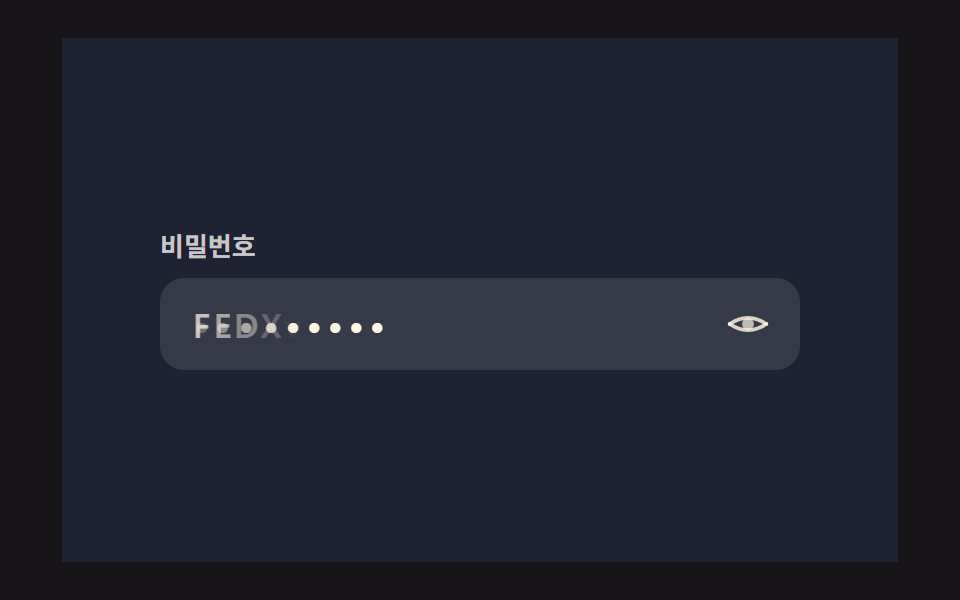 01 password-reveal-eye-icon-morph
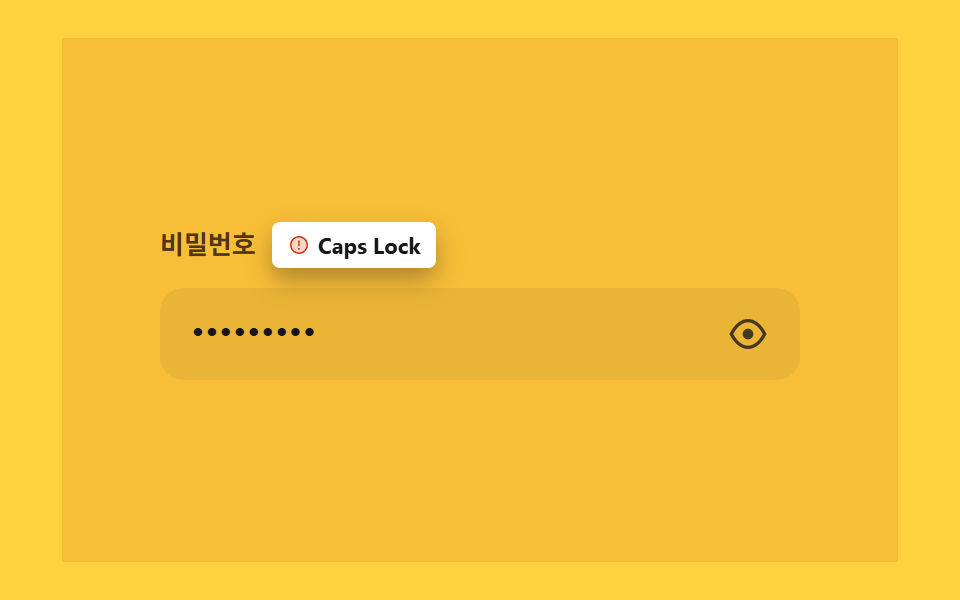 02 password-reveal-capslock-warning-spring
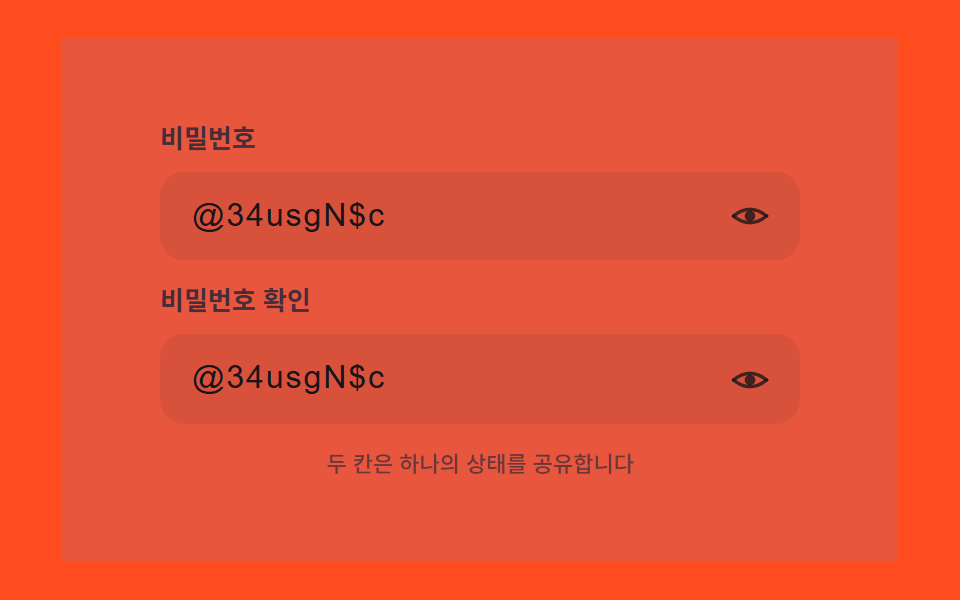 03 password-reveal-multi-field-sync-toggle
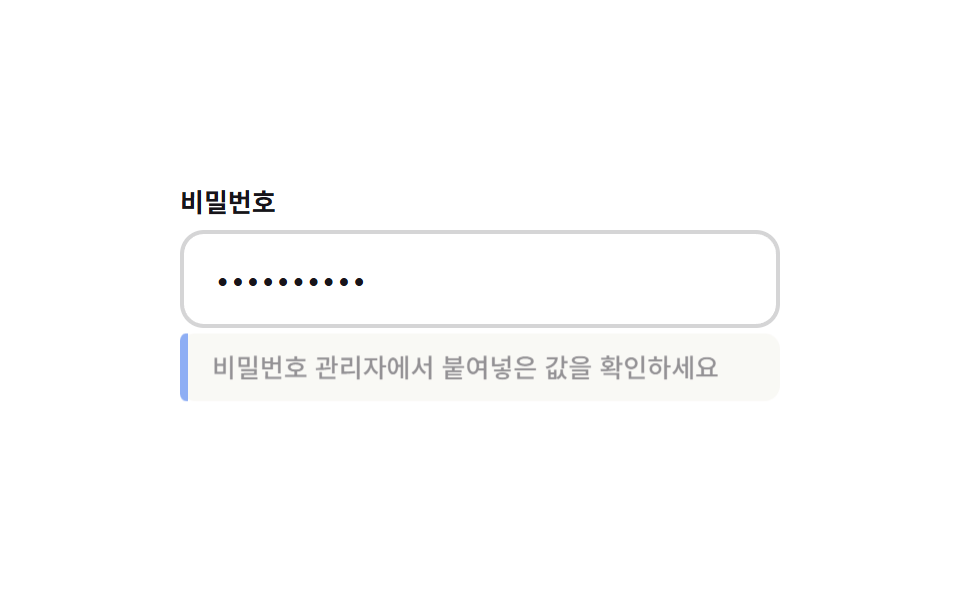 04 password-reveal-paste-detect-banner
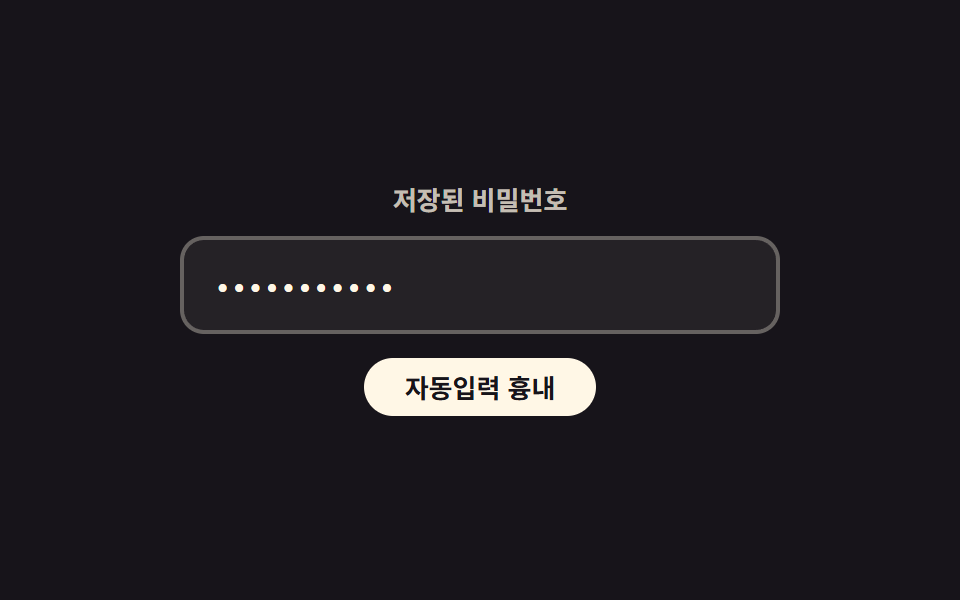 05 password-reveal-autofill-highlight-glow
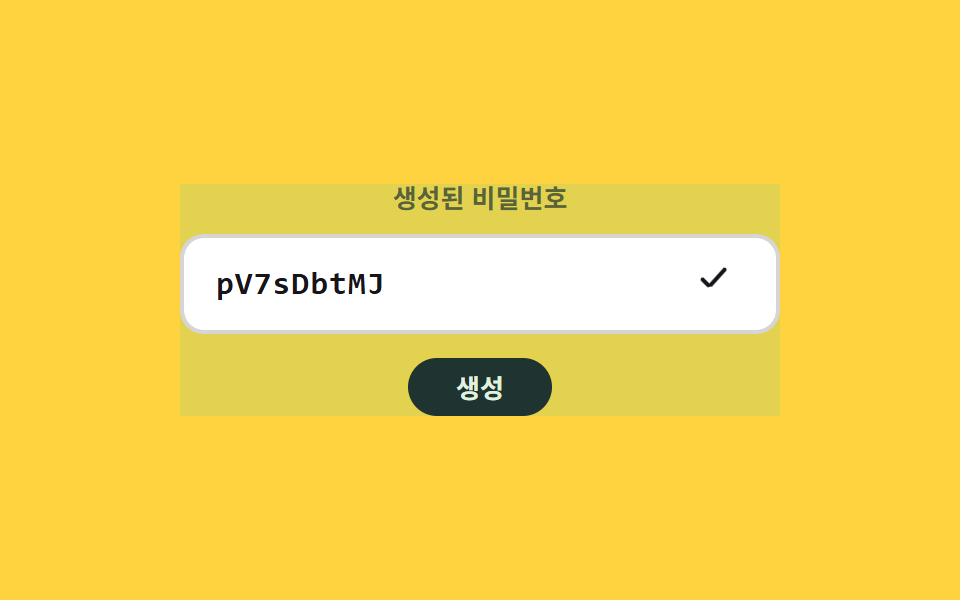 06 password-reveal-generate-copy-cascade
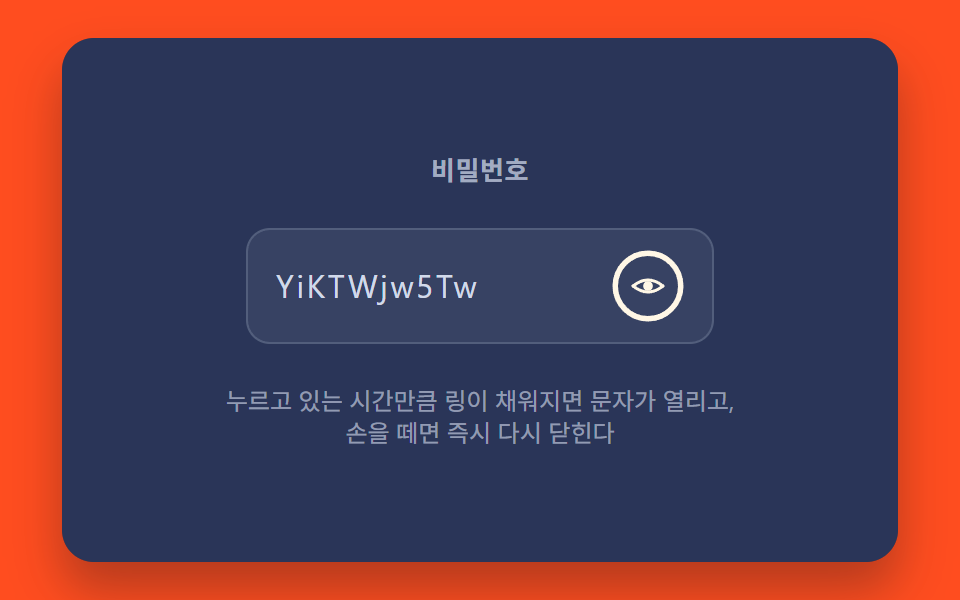 07 password-reveal-hold-to-show-progress
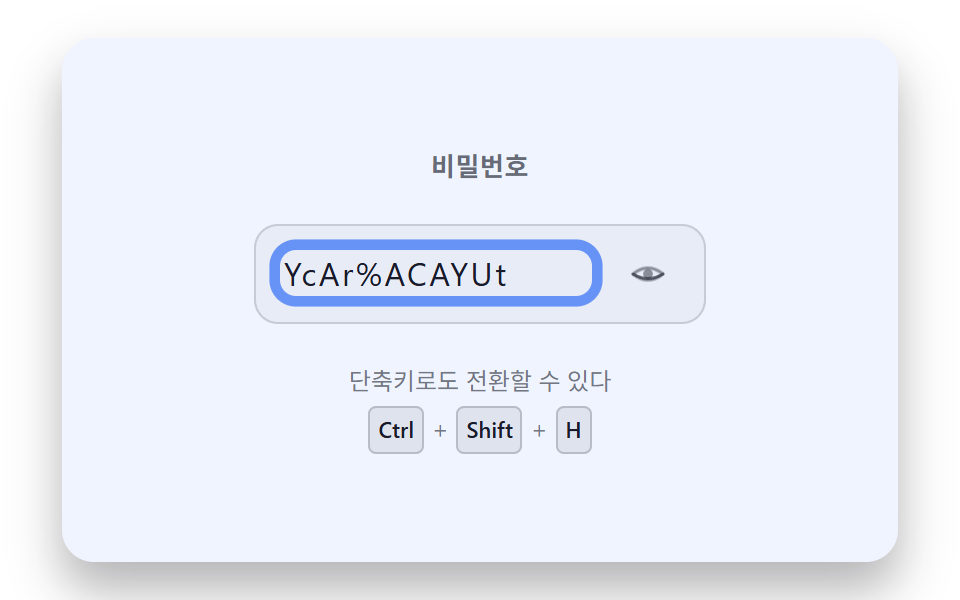 08 password-reveal-keyboard-shortcut-focus-ring
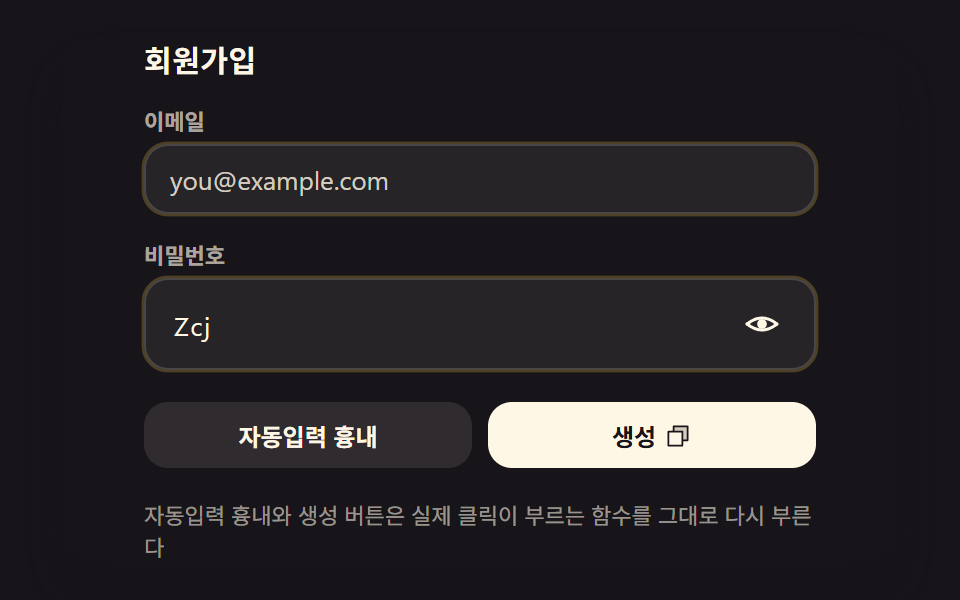 09 password-reveal-hero-signup-form-scene
자동 재생 · 눌러서 해당 항목으로 · 전부 한 zip
- 01 글자와 점이 자리를 바꾸는 눈 아이콘 모프
- 02 캡스락 켜짐을 스프링으로 알리는 경고 배지
- 03 여러 입력 필드가 한 번에 맞춰 열리는 동기화 토글
- 04 붙여넣기를 감지해 밀려나오는 안내 배너
- 05 브라우저 자동입력을 감지해 번지는 하이라이트 글로우
- 06 생성 버튼을 누르면 한 글자씩 나타나는 캐스케이드
- 07 길게 누르는 동안만 진행 링으로 열리는 홀드 방식
- 08 단축키로 토글하면 초점 링이 밝아지는 키보드 경로
- 09 여러 방식을 한 폼에 모은 회원가입 히어로 장면
비밀번호 표시 아이콘 9가지 — input type 값 하나가 아홉 가지 방식으로 바뀌는 순간
겉보기엔 눈 모양 아이콘 하나가 켜졌다 꺼졌다 하는 것 같지만, 아홉 항목이 여는 계산은 서로 다르다. input 의 type 값을 password↔text 로 바꾸는 한 줄은 아홉 중 여섯(01·02·03·07·08·09)에 공통이고, 그 한 줄 앞뒤에 스프링을 붙이는지·글자를 한 자씩 순서대로 드러내는지·홀드 시간을 링으로 쌓는지가 항목마다 갈린다. 나머지 셋(04·05·06)은 이미 열려 있는 입력창 위에 붙여넣기 감지·자동입력 글로우·생성 캐스케이드를 얹는다. 아래 아홉 개는 전부 같은 비밀번호 입력창 문제를 각자 다른 방식으로 풀었다.
패턴별 코드
아홉 항목의 핵심 구간만 그대로 옮겼다 — 나머지 스타일·마크업은 데모 아래 압축 파일에 전부 들어 있다.
01글자와 점이 자리를 바꾸는 눈 아이콘 모프
눈 아이콘을 누르면 buildOverlay 가 만든 pem__ch 칸마다 마스킹 점과 실제 문자를 겹쳐 두고, 같은 자리에서 투명도만 반대로 옮겨 교차 페이드로 서로 바뀐다. 글자 순서대로 transitionDelay 를 계단식으로 물려 한 번에 켜지지 않고 왼쪽부터 차례로 넘어가는 것처럼 보인다. 01 항목은 누적면적 76.0%·강도 평균 44.6·23프레임 중 14프레임에서 움직였다.
<main class="stage">
<div class="pem is-demo" id="pemRoot">
  <form class="pem__form" id="pemForm" novalidate>
    <label class="pem__field">
      <span class="pem__labelText">비밀번호</span>
      <span class="pem__inputWrap">
        <input class="pem__input" id="pemInput" type="password" autocomplete="new-password" spellcheck="false" value="">
        <span class="pem__overlay" id="pemOverlay" aria-hidden="true"></span>
        <button class="pem__toggle" id="pemToggle" type="button" aria-pressed="false" aria-label="비밀번호 표시">
          <svg class="pem__eye" viewBox="0 0 24 24" width="22" height="22" aria-hidden="true">
            <path class="pem__lidTop" id="pemLidTop" d="M2,12 Q12,4 22,12" fill="none" stroke="currentColor" stroke-width="2" stroke-linecap="round"/>
            <path class="pem__lidBottom" id="pemLidBottom" d="M2,12 Q12,20 22,12" fill="none" stroke="currentColor" stroke-width="2" stroke-linecap="round"/>
            <circle class="pem__pupil" id="pemPupil" cx="12" cy="12" r="3.2" fill="currentColor"/>
          </svg>
        </button>
      </span>
    </label>
  </form>
</div>
</main>
@use "../../../../site/static/demo-tokens" as *;
@include stage($stage-ink);
// 계산 겹: 문자 오버레이는 마스크 점 레이어 위에 실제 글자 레이어를 겹쳐 opacity 크로스페이드로
// 바꾸고, 각 span 의 transition-delay 는 JS 가 인덱스*CHAR_STAGGER_MS 로 순차 계산해 넣는다.
// 눈 아이콘은 JS 가 매 프레임 path d 를 다시 그려 눈꺼풀이 감기고 뜨이는 곡선을 만든다.
.pem {
position: relative;
width: min(92vw, calc(160vh - 12.8vw));
aspect-ratio: 480 / 300;
margin: 0 auto;
display: flex;
align-items: center;
justify-content: center;
}
.pem__form {
width: 100%;
max-width: 320px;
box-sizing: border-box;
}
.pem__field {
display: grid;
gap: $sp-2;
}
.pem__labelText {
color: rgba($subject-cream, .82);
font-weight: 600;
font-size: 13px;
line-height: 1.3;
}
.pem__inputWrap {
position: relative;
display: flex;
align-items: center;
}
.pem__input {
width: 100%;
box-sizing: border-box;
padding: $sp-3 $sp-10 $sp-3 $sp-4;
border-radius: $r-control;
border: 0;
background: rgba($stage-paper, .1);
color: transparent;
caret-color: $subject-cream;
font-weight: 500;
font-size: 17px;
line-height: 1.3;
letter-spacing: .06em;
&:focus { outline: 2px solid $subject-blue-light; outline-offset: 2px; }
}
.pem__overlay {
position: absolute;
left: $sp-4;
right: $sp-10;
top: 50%;
transform: translateY(-50%);
display: flex;
pointer-events: none;
font-weight: 500;
font-size: 17px;
line-height: 1.3;
letter-spacing: .06em;
color: $subject-cream;
white-space: nowrap;
overflow: hidden;
}
.pem__ch {
position: relative;
display: inline-grid;
place-items: center;
min-width: .62em;
}
.pem__mask,
.pem__char {
grid-area: 1 / 1;
transition: opacity $dur-quick $ease-out;
}
.pem__mask { opacity: 1; font-size: 20px; line-height: 1; }
.pem__char { opacity: 0; }
.pem--revealed .pem__mask { opacity: 0; }
.pem--revealed .pem__char { opacity: 1; }
.pem__toggle {
position: absolute;
right: $sp-2;
top: 50%;
transform: translateY(-50%);
width: 36px;
height: 36px;
display: grid;
place-items: center;
border: 0;
border-radius: $r-pill;
background: transparent;
color: rgba($subject-cream, .82);
cursor: pointer;
&:hover { background: rgba($stage-paper, .1); }
&:focus-visible { outline: 2px solid $subject-blue-light; outline-offset: 2px; }
}
.pem__eye { display: block; }
// 배경 톤: 새 계산을 얹지 않고 이미 있는 revealed 신호를 카드 전체 톤으로 넓힌다(077 기준 — 면적은 값의 전파 범위로).
.pem::before {
content: "";
position: absolute;
inset: 0;
pointer-events: none;
background: rgba(91, 140, 248, 0);
transition: background-color .28s ease;
}
.pem--revealed::before {
background: rgba(91, 140, 248, .16);
}
@media (max-width: 340px) {
.pem__form { max-width: 260px; }
.pem__input { font-size: 15px; padding-right: $sp-8; }
.pem__overlay { font-size: 15px; right: $sp-8; }
}
@media (prefers-reduced-motion: reduce) {
.pem__mask,
.pem__char {
transition: none;
transition-delay: 0s;
}
.pem::before { transition: none; }
}html, body {
margin: 0;
overflow: hidden;
}
.stage {
box-sizing: border-box;
min-height: 100vh;
display: grid;
place-items: center;
margin: 0;
background: #17141a;
font-family: -apple-system, "Segoe UI", "Noto Sans KR", sans-serif;
padding: clamp(8px, 4vw, 24px);
}
.pem {
position: relative;
width: min(92vw, 160vh - 12.8vw);
aspect-ratio: 480/300;
margin: 0 auto;
display: flex;
align-items: center;
justify-content: center;
}
.pem__form {
width: 100%;
max-width: 320px;
box-sizing: border-box;
}
.pem__field {
display: grid;
gap: 8px;
}
.pem__labelText {
color: rgba(255, 247, 230, 0.82);
font-weight: 600;
font-size: 13px;
line-height: 1.3;
}
.pem__inputWrap {
position: relative;
display: flex;
align-items: center;
}
.pem__input {
width: 100%;
box-sizing: border-box;
padding: 12px 40px 12px 16px;
border-radius: 12px;
border: 0;
background: rgba(255, 255, 255, 0.1);
color: transparent;
caret-color: #fff7e6;
font-weight: 500;
font-size: 17px;
line-height: 1.3;
letter-spacing: 0.06em;
}
.pem__input:focus {
outline: 2px solid #5b8cf8;
outline-offset: 2px;
}
.pem__overlay {
position: absolute;
left: 16px;
right: 40px;
top: 50%;
transform: translateY(-50%);
display: flex;
pointer-events: none;
font-weight: 500;
font-size: 17px;
line-height: 1.3;
letter-spacing: 0.06em;
color: #fff7e6;
white-space: nowrap;
overflow: hidden;
}
.pem__ch {
position: relative;
display: inline-grid;
place-items: center;
min-width: 0.62em;
}
.pem__mask,
.pem__char {
grid-area: 1/1;
transition: opacity 220ms ease-out;
}
.pem__mask {
opacity: 1;
font-size: 20px;
line-height: 1;
}
.pem__char {
opacity: 0;
}
.pem--revealed .pem__mask {
opacity: 0;
}
.pem--revealed .pem__char {
opacity: 1;
}
.pem__toggle {
position: absolute;
right: 8px;
top: 50%;
transform: translateY(-50%);
width: 36px;
height: 36px;
display: grid;
place-items: center;
border: 0;
border-radius: 999px;
background: transparent;
color: rgba(255, 247, 230, 0.82);
cursor: pointer;
}
.pem__toggle:hover {
background: rgba(255, 255, 255, 0.1);
}
.pem__toggle:focus-visible {
outline: 2px solid #5b8cf8;
outline-offset: 2px;
}
.pem__eye {
display: block;
}
.pem::before {
content: "";
position: absolute;
inset: 0;
pointer-events: none;
background: rgba(91, 140, 248, 0);
transition: background-color 0.28s ease;
}
.pem--revealed::before {
background: rgba(91, 140, 248, 0.16);
}
@media (max-width: 340px) {
.pem__form {
max-width: 260px;
}
.pem__input {
font-size: 15px;
padding-right: 32px;
}
.pem__overlay {
font-size: 15px;
right: 32px;
}
}
@media (prefers-reduced-motion: reduce) {
.pem__mask,
.pem__char {
transition: none;
transition-delay: 0s;
}
.pem::before {
transition: none;
}
}(function () {
// 기법: 실제 input 의 type 을 password/text 로 진짜 토글하면서, 그 위에 문자별 span 오버레이
// (점 마스크 레이어 + 실제 글자 레이어)를 얹어 opacity 크로스페이드로 보여준다. input 자체 글자는
// color:transparent 로 숨기고 caret-color 만 남긴다. 눈 아이콘은 상태 스위치가 아니라 매 프레임
// 베지어 제어점(ctrlY)을 다시 계산해 눈꺼풀이 감기고 뜨이는 것처럼 그린다.
var root = document.getElementById('pemRoot');
var form = document.getElementById('pemForm');
var input = document.getElementById('pemInput');
var overlay = document.getElementById('pemOverlay');
var toggle = document.getElementById('pemToggle');
var lidTop = document.getElementById('pemLidTop');
var lidBottom = document.getElementById('pemLidBottom');
var pupil = document.getElementById('pemPupil');
var EYE_MORPH_MS = 260;
var CHAR_STAGGER_MS = 28;
function seedRand(seed) {
var s = seed >>> 0;
return function () { s = (s * 1664525 + 1013904223) >>> 0; return s / 4294967296; };
}
var pwRand = seedRand(426011);
var POOL_UPPER = 'ABCDEFGHJKLMNPQRSTUVWXYZ';
var POOL_LOWER = 'abcdefghijkmnpqrstuvwxyz';
var POOL_DIGIT = '23456789';
var POOL_SYMBOL = '!@#$%*?-';
var POOL_ALL = POOL_UPPER + POOL_LOWER + POOL_DIGIT + POOL_SYMBOL;
function makeFakePassword() {
var len = 8 + Math.floor(pwRand() * 5);
var out = '';
for (var i = 0; i < len; i += 1) out += POOL_ALL.charAt(Math.floor(pwRand() * POOL_ALL.length));
return out;
}
var FAKE_PW = makeFakePassword();
input.value = FAKE_PW;
function easeOutCubic(t) { return 1 - Math.pow(1 - t, 3); }
var LABEL_SHOW = '비밀번호 표시';
var LABEL_HIDE = '비밀번호 숨기기';
var reduce = window.matchMedia('(prefers-reduced-motion: reduce)').matches;
  function buildOverlay(value) {
    overlay.textContent = '';
    for (var i = 0; i < value.length; i += 1) {
      var ch = document.createElement('span');
      ch.className = 'pem__ch';
      var delay = (i * CHAR_STAGGER_MS) + 'ms';
      var mask = document.createElement('span');
      mask.className = 'pem__mask';
      mask.style.transitionDelay = delay;
      mask.textContent = String.fromCharCode(8226);
      var real = document.createElement('span');
      real.className = 'pem__char';
      real.style.transitionDelay = delay;
      real.textContent = value.charAt(i);
      ch.appendChild(mask);
      ch.appendChild(real);
      overlay.appendChild(ch);
    }
  }
  buildOverlay(FAKE_PW);

  input.addEventListener('input', function () {
buildOverlay(input.value);
});
var eyeProgress = 0;
var eyeRaf = null;
function paintEye(progress) {
var eased = easeOutCubic(progress);
var topY = 12 - 8 * eased;
var botY = 12 + 8 * eased;
lidTop.setAttribute('d', 'M2,12 Q12,' + topY + ' 22,12');
lidBottom.setAttribute('d', 'M2,12 Q12,' + botY + ' 22,12');
pupil.style.opacity = String(eased);
}
paintEye(eyeProgress);
function animateEyeStep(ts) {
if (animT0 === null) animT0 = ts;
var elapsed = ts - animT0;
var p = Math.min(1, elapsed / EYE_MORPH_MS);
eyeProgress = animStart + (animTarget - animStart) * p;
paintEye(eyeProgress);
if (p < 1) { eyeRaf = requestAnimationFrame(animateEyeStep); }
else { eyeRaf = null; eyeProgress = animTarget; paintEye(eyeProgress); }
}
var animT0 = null, animStart = 0, animTarget = 0;
function animateEyeTo(target) {
if (eyeRaf) { cancelAnimationFrame(eyeRaf); eyeRaf = null; }
if (reduce) { eyeProgress = target; paintEye(eyeProgress); return; }
animStart = eyeProgress;
animTarget = target;
animT0 = null;
eyeRaf = requestAnimationFrame(animateEyeStep);
}
var revealed = false;
function setRevealed(next) {
revealed = next;
input.type = revealed ? 'text' : 'password';
root.classList.toggle('pem--revealed', revealed);
toggle.setAttribute('aria-pressed', String(revealed));
toggle.setAttribute('aria-label', revealed ? LABEL_HIDE : LABEL_SHOW);
animateEyeTo(revealed ? 1 : 0);
}
toggle.addEventListener('click', function () {
root.classList.remove('is-demo');
setRevealed(!revealed);
});
form.addEventListener('submit', function (e) { e.preventDefault(); });
if (reduce) { root.classList.remove('is-demo'); }
function demoLoop() {
if (reduce) return;
setRevealed(true);
setTimeout(function () { setRevealed(false); }, 900);
setTimeout(demoLoop, 2000);
}
if (!reduce) { setTimeout(demoLoop, 200); }
})();import { useEffect, useRef } from "react";
import styles from "./PasswordRevealEyeIconMorph.module.scss";
type Box<T> = { current: T };
const EYE_MORPH_MS = 260;
const CHAR_STAGGER_MS = 28;
const LABEL_SHOW = "비밀번호 표시";
const LABEL_HIDE = "비밀번호 숨기기";
export default function PasswordRevealEyeIconMorph() {
const rootRef = useRef(null) as unknown as Box<HTMLDivElement | null>;
const formRef = useRef(null) as unknown as Box<HTMLFormElement | null>;
const inputRef = useRef(null) as unknown as Box<HTMLInputElement | null>;
const overlayRef = useRef(null) as unknown as Box<HTMLSpanElement | null>;
const toggleRef = useRef(null) as unknown as Box<HTMLButtonElement | null>;
const lidTopRef = useRef(null) as unknown as Box<SVGPathElement | null>;
const lidBottomRef = useRef(null) as unknown as Box<SVGPathElement | null>;
const pupilRef = useRef(null) as unknown as Box<SVGCircleElement | null>;
useEffect(() => {
const root = rootRef.current;
const form = formRef.current;
const input = inputRef.current;
const overlay = overlayRef.current;
const toggle = toggleRef.current;
const lidTop = lidTopRef.current;
const lidBottom = lidBottomRef.current;
const pupil = pupilRef.current;
if (!root || !form || !input || !overlay || !toggle || !lidTop || !lidBottom || !pupil) return;
function seedRand(seed: number) {
let s = seed >>> 0;
return function () { s = (s * 1664525 + 1013904223) >>> 0; return s / 4294967296; };
}
const pwRand = seedRand(426012);
const POOL_UPPER = "ABCDEFGHJKLMNPQRSTUVWXYZ";
const POOL_LOWER = "abcdefghijkmnpqrstuvwxyz";
const POOL_DIGIT = "23456789";
const POOL_SYMBOL = "!@#$%*?-";
const POOL_ALL = POOL_UPPER + POOL_LOWER + POOL_DIGIT + POOL_SYMBOL;
function makeFakePassword() {
const len = 8 + Math.floor(pwRand() * 5);
let out = "";
for (let i = 0; i < len; i += 1) out += POOL_ALL.charAt(Math.floor(pwRand() * POOL_ALL.length));
return out;
}
const FAKE_PW = makeFakePassword();
input.value = FAKE_PW;
function easeOutCubic(t: number) { return 1 - Math.pow(1 - t, 3); }
const reduce = window.matchMedia("(prefers-reduced-motion: reduce)").matches;
function buildOverlay(value: string) {
overlay!.textContent = "";
for (let i = 0; i < value.length; i += 1) {
const ch = document.createElement("span");
ch.className = styles.ch;
const delay = (i * CHAR_STAGGER_MS) + "ms";
const mask = document.createElement("span");
mask.className = styles.mask;
mask.style.transitionDelay = delay;
mask.textContent = String.fromCharCode(8226);
const real = document.createElement("span");
real.className = styles.char;
real.style.transitionDelay = delay;
real.textContent = value.charAt(i);
ch.appendChild(mask);
ch.appendChild(real);
overlay!.appendChild(ch);
}
}
buildOverlay(FAKE_PW);
function onInput() { buildOverlay(input!.value); }
input.addEventListener("input", onInput);
let eyeProgress = 0;
let eyeRaf = 0;
function paintEye(progress: number) {
const eased = easeOutCubic(progress);
const topY = 12 - 8 * eased;
const botY = 12 + 8 * eased;
lidTop!.setAttribute("d", "M2,12 Q12," + topY + " 22,12");
lidBottom!.setAttribute("d", "M2,12 Q12," + botY + " 22,12");
pupil!.style.opacity = String(eased);
}
paintEye(eyeProgress);
let animT0: number | null = null;
let animStart = 0;
let animTarget = 0;
function animateEyeStep(ts: number) {
if (animT0 === null) animT0 = ts;
const elapsed = ts - animT0;
const p = Math.min(1, elapsed / EYE_MORPH_MS);
eyeProgress = animStart + (animTarget - animStart) * p;
paintEye(eyeProgress);
if (p < 1) { eyeRaf = requestAnimationFrame(animateEyeStep); }
else { eyeRaf = 0; eyeProgress = animTarget; paintEye(eyeProgress); }
}
function animateEyeTo(target: number) {
if (eyeRaf) { cancelAnimationFrame(eyeRaf); eyeRaf = 0; }
if (reduce) { eyeProgress = target; paintEye(eyeProgress); return; }
animStart = eyeProgress;
animTarget = target;
animT0 = null;
eyeRaf = requestAnimationFrame(animateEyeStep);
}
let revealed = false;
function setRevealed(next: boolean) {
revealed = next;
input!.type = revealed ? "text" : "password";
root!.classList.toggle(styles["is-revealed"], revealed);
toggle!.setAttribute("aria-pressed", String(revealed));
toggle!.setAttribute("aria-label", revealed ? LABEL_HIDE : LABEL_SHOW);
animateEyeTo(revealed ? 1 : 0);
}
function onToggleClick() {
root!.classList.remove(styles["is-demo"]);
setRevealed(!revealed);
}
toggle.addEventListener("click", onToggleClick);
function onSubmit(e: Event) { e.preventDefault(); }
form.addEventListener("submit", onSubmit);
if (reduce) { root.classList.remove(styles["is-demo"]); }
let loopTimer = 0;
let closeTimer = 0;
function demoLoop() {
if (reduce) return;
setRevealed(true);
closeTimer = window.setTimeout(function () { setRevealed(false); }, 900);
loopTimer = window.setTimeout(demoLoop, 2000);
}
let startTimer = 0;
if (!reduce) { startTimer = window.setTimeout(demoLoop, 200); }
return () => {
input.removeEventListener("input", onInput);
toggle.removeEventListener("click", onToggleClick);
form.removeEventListener("submit", onSubmit);
if (eyeRaf) cancelAnimationFrame(eyeRaf);
window.clearTimeout(startTimer);
window.clearTimeout(loopTimer);
window.clearTimeout(closeTimer);
};
}, []);
return (
<main className={styles.stage}>
<div ref={rootRef} className={`${styles.pem} ${styles["is-demo"]}`}>
<form ref={formRef} className={styles.form} noValidate>
<label className={styles.field}>
<span className={styles.labelText}>비밀번호</span>
<span className={styles.inputWrap}>
<input
ref={inputRef}
className={styles.input}
type="password"
autoComplete="new-password"
spellCheck={false}
defaultValue=""
/>
<span ref={overlayRef} className={styles.overlay} aria-hidden="true" />
<button ref={toggleRef} className={styles.toggle} type="button" aria-pressed="false" aria-label="비밀번호 표시">
<svg className={styles.eye} viewBox="0 0 24 24" width={22} height={22} aria-hidden="true">
<path ref={lidTopRef} d="M2,12 Q12,4 22,12" fill="none" stroke="currentColor" strokeWidth={2} strokeLinecap="round" />
<path ref={lidBottomRef} d="M2,12 Q12,20 22,12" fill="none" stroke="currentColor" strokeWidth={2} strokeLinecap="round" />
<circle ref={pupilRef} cx={12} cy={12} r={3.2} fill="currentColor" />
</svg>
</button>
</span>
</label>
</form>
</div>
</main>
);
}01 · 글자와 점이 자리를 바꾸는 눈 아이콘 모프 — 측정 누적면적 76.015% · 움직인 프레임 14/23GODRICH 원작 · zip 에 SCSS·React 포함 · 비밀번호 보기
function buildOverlay(value) {
overlay.textContent = '';
for (var i = 0; i < value.length; i += 1) {
var ch = document.createElement('span');
ch.className = 'pem__ch';
var delay = (i * CHAR_STAGGER_MS) + 'ms';
var mask = document.createElement('span');
mask.className = 'pem__mask';
mask.style.transitionDelay = delay;
mask.textContent = String.fromCharCode(8226);
var real = document.createElement('span');
real.className = 'pem__char';
real.style.transitionDelay = delay;
real.textContent = value.charAt(i);
ch.appendChild(mask);
ch.appendChild(real);
overlay.appendChild(ch);
}
}
buildOverlay(FAKE_PW);
input.addEventListener('input', function () {
02캡스락 켜짐을 스프링으로 알리는 경고 배지
onKey 가 KeyboardEvent.getModifierState('CapsLock') 값을 실제로 읽어 setCapsLock 하나로 넘기고, 값이 켜짐으로 바뀌는 순간 stepSpring 이 배지 위치를 목표보다 더 밀어 올렸다가 되돌아오는 오버슈트로 그린다. 같은 호출에서 aria-live 문구도 같이 갱신돼 배지 색만 보지 않아도 상태 전환을 알 수 있다. 02 항목은 누적면적 75.9%·강도 평균 49.3·23프레임 중 15프레임에서 움직였다.
<main class="stage">
<div class="pcs is-demo" id="pcsRoot">
  <form class="pcs__form" id="pcsForm" novalidate>
    <label class="pcs__field">
      <span class="pcs__labelRow">
        <span class="pcs__labelText">비밀번호</span>
        <span class="pcs__badge" id="pcsBadge" role="status">
          <svg class="pcs__badgeIcon" width="1em" height="1em" viewBox="0 0 256 256" aria-hidden="true"><g fill="currentColor"><path d="M224 128a96 96 0 1 1-96-96a96 96 0 0 1 96 96" opacity=".2"/><path d="M128 24a104 104 0 1 0 104 104A104.11 104.11 0 0 0 128 24m0 192a88 88 0 1 1 88-88a88.1 88.1 0 0 1-88 88m-8-80V80a8 8 0 0 1 16 0v56a8 8 0 0 1-16 0m20 36a12 12 0 1 1-12-12a12 12 0 0 1 12 12"/></g></svg>
          <span class="pcs__badgeText">Caps Lock</span>
        </span>
        <span class="pcs__srAnnounce" id="pcsAnnounce" aria-live="polite"></span>
      </span>
      <span class="pcs__inputWrap">
        <input class="pcs__input" id="pcsInput" type="password" autocomplete="new-password" spellcheck="false" value="">
        <button class="pcs__toggle" id="pcsToggle" type="button" aria-pressed="false" aria-label="비밀번호 표시">
          <svg class="pcs__eyeShow" viewBox="0 0 24 24" width="20" height="20" aria-hidden="true">
            <path d="M2,12 C5,6 9,4 12,4 C15,4 19,6 22,12 C19,18 15,20 12,20 C9,20 5,18 2,12 Z" fill="none" stroke="currentColor" stroke-width="2"/>
            <circle cx="12" cy="12" r="3.2" fill="currentColor"/>
          </svg>
          <svg class="pcs__eyeHide" viewBox="0 0 24 24" width="20" height="20" aria-hidden="true">
            <path d="M2,12 Q12,4 22,12" fill="none" stroke="currentColor" stroke-width="2" stroke-linecap="round"/>
            <path d="M2,12 Q12,20 22,12" fill="none" stroke="currentColor" stroke-width="2" stroke-linecap="round"/>
          </svg>
        </button>
      </span>
    </label>
  </form>
</div>
</main>@use "../../../../site/static/demo-tokens" as *;
@include stage($stage-yellow);
// 계산 겹: 배지 pos 는 언더댐프 스프링 적분(가속도=강성*오차-감쇠*속도)으로 매 프레임 갱신되고,
// pos 가 1 을 넘는 구간(overshoot)만큼 CAPSLOCK_BADGE_OVERSHOOT_PX 를 곱해 튀어 오르는 높이를 만든다.
// 실제 CapsLock 상태는 input 의 keydown/keyup 이벤트에서 getModifierState 로 읽는다.
.pcs {
position: relative;
width: min(92vw, calc(160vh - 12.8vw));
aspect-ratio: 480 / 300;
margin: 0 auto;
display: flex;
align-items: center;
justify-content: center;
}
.pcs__form {
width: 100%;
max-width: 320px;
box-sizing: border-box;
}
.pcs__field {
display: grid;
gap: $sp-2;
}
.pcs__labelRow {
display: flex;
align-items: center;
gap: $sp-2;
min-height: 26px;
}
.pcs__labelText {
color: rgba($subject-ink, .82);
font-weight: 600;
font-size: 13px;
line-height: 1.3;
}
.pcs__badge {
display: inline-flex;
align-items: center;
gap: $sp-1;
padding: $sp-1 $sp-2;
border-radius: $r-xs;
background: $stage-paper;
color: $subject-ink;
font-weight: 700;
font-size: 11px;
line-height: 1.4;
opacity: 0;
transform: translateY(14px) scale(.86);
transform-origin: left center;
will-change: transform, opacity;
}
.pcs__badge--active {
box-shadow: $shadow-press;
}
.pcs__badgeIcon {
flex: 0 0 auto;
color: $subject-orange-deep;
}
.pcs__srAnnounce {
position: absolute;
width: 1px;
height: 1px;
overflow: hidden;
clip: rect(0 0 0 0);
white-space: nowrap;
}
.pcs__inputWrap {
position: relative;
display: flex;
align-items: center;
}
.pcs__input {
width: 100%;
box-sizing: border-box;
padding: $sp-3 $sp-10 $sp-3 $sp-4;
border-radius: $r-control;
border: 0;
background: rgba($subject-ink, .06);
color: $subject-ink;
caret-color: $subject-ink;
font-weight: 500;
font-size: 17px;
line-height: 1.3;
letter-spacing: .06em;
&:focus { outline: 2px solid $subject-blue; outline-offset: 2px; }
}
.pcs__toggle {
position: absolute;
right: $sp-2;
top: 50%;
transform: translateY(-50%);
width: 36px;
height: 36px;
display: grid;
place-items: center;
border: 0;
border-radius: $r-pill;
background: transparent;
color: rgba($subject-ink, .78);
cursor: pointer;
&:hover { background: rgba($subject-ink, .08); }
&:focus-visible { outline: 2px solid $subject-blue; outline-offset: 2px; }
}
.pcs__eyeHide { display: none; }
.pcs--revealed .pcs__eyeShow { display: none; }
.pcs--revealed .pcs__eyeHide { display: block; }
// 배경 톤: Caps Lock 경고를 배지 하나에 가두지 않고 카드 톤 전체로 넓힌다(계산 추가 없이 기존 신호 재사용).
.pcs::before {
content: "";
position: absolute;
inset: 0;
pointer-events: none;
background: rgba(201, 48, 0, 0);
transition: background-color .22s ease;
}
.pcs--warning::before {
background: rgba(201, 48, 0, .12);
}
@media (max-width: 340px) {
.pcs__form { max-width: 260px; }
.pcs__input { font-size: 15px; padding-right: $sp-8; }
.pcs__badgeText { font-size: 10px; }
}
@media (prefers-reduced-motion: reduce) {
.pcs__badge {
transition: none;
}
.pcs::before { transition: none; }
}html, body {
margin: 0;
overflow: hidden;
}
.stage {
box-sizing: border-box;
min-height: 100vh;
display: grid;
place-items: center;
margin: 0;
background: #ffd23f;
font-family: -apple-system, "Segoe UI", "Noto Sans KR", sans-serif;
padding: clamp(8px, 4vw, 24px);
}
.pcs {
position: relative;
width: min(92vw, 160vh - 12.8vw);
aspect-ratio: 480/300;
margin: 0 auto;
display: flex;
align-items: center;
justify-content: center;
}
.pcs__form {
width: 100%;
max-width: 320px;
box-sizing: border-box;
}
.pcs__field {
display: grid;
gap: 8px;
}
.pcs__labelRow {
display: flex;
align-items: center;
gap: 8px;
min-height: 26px;
}
.pcs__labelText {
color: rgba(23, 20, 26, 0.82);
font-weight: 600;
font-size: 13px;
line-height: 1.3;
}
.pcs__badge {
display: inline-flex;
align-items: center;
gap: 4px;
padding: 4px 8px;
border-radius: 4px;
background: #ffffff;
color: #17141a;
font-weight: 700;
font-size: 11px;
line-height: 1.4;
opacity: 0;
transform: translateY(14px) scale(0.86);
transform-origin: left center;
will-change: transform, opacity;
}
.pcs__badge--active {
box-shadow: 0 6px 12px rgba(23, 20, 26, 0.32);
}
.pcs__badgeIcon {
flex: 0 0 auto;
color: #c93000;
}
.pcs__srAnnounce {
position: absolute;
width: 1px;
height: 1px;
overflow: hidden;
clip: rect(0 0 0 0);
white-space: nowrap;
}
.pcs__inputWrap {
position: relative;
display: flex;
align-items: center;
}
.pcs__input {
width: 100%;
box-sizing: border-box;
padding: 12px 40px 12px 16px;
border-radius: 12px;
border: 0;
background: rgba(23, 20, 26, 0.06);
color: #17141a;
caret-color: #17141a;
font-weight: 500;
font-size: 17px;
line-height: 1.3;
letter-spacing: 0.06em;
}
.pcs__input:focus {
outline: 2px solid #2f6df6;
outline-offset: 2px;
}
.pcs__toggle {
position: absolute;
right: 8px;
top: 50%;
transform: translateY(-50%);
width: 36px;
height: 36px;
display: grid;
place-items: center;
border: 0;
border-radius: 999px;
background: transparent;
color: rgba(23, 20, 26, 0.78);
cursor: pointer;
}
.pcs__toggle:hover {
background: rgba(23, 20, 26, 0.08);
}
.pcs__toggle:focus-visible {
outline: 2px solid #2f6df6;
outline-offset: 2px;
}
.pcs__eyeHide {
display: none;
}
.pcs--revealed .pcs__eyeShow {
display: none;
}
.pcs--revealed .pcs__eyeHide {
display: block;
}
.pcs::before {
content: "";
position: absolute;
inset: 0;
pointer-events: none;
background: rgba(201, 48, 0, 0);
transition: background-color 0.22s ease;
}
.pcs--warning::before {
background: rgba(201, 48, 0, 0.12);
}
@media (max-width: 340px) {
.pcs__form {
max-width: 260px;
}
.pcs__input {
font-size: 15px;
padding-right: 32px;
}
.pcs__badgeText {
font-size: 10px;
}
}
@media (prefers-reduced-motion: reduce) {
.pcs__badge {
transition: none;
}
.pcs::before {
transition: none;
}
}(function () {
// 기법: keydown/keyup 에서 실제 KeyboardEvent.getModifierState('CapsLock') 을 읽어 setCapsLock() 하나로
// 몰아 보낸다. 배지는 항상 DOM 에 있고 pos 스프링 값(0~1, 언더댐프라 1을 넘겨 튄다)으로 매 프레임
// translateY·scale·opacity 를 다시 그린다. CAPSLOCK_BADGE_OVERSHOOT_PX 는 그 튐의 최대 폭(px).
var root = document.getElementById('pcsRoot');
var form = document.getElementById('pcsForm');
var input = document.getElementById('pcsInput');
var toggle = document.getElementById('pcsToggle');
var badge = document.getElementById('pcsBadge');
var announce = document.getElementById('pcsAnnounce');
var CAPSLOCK_BADGE_OVERSHOOT_PX = 6;
var SPRING_STIFFNESS = 210;
var SPRING_DAMPING = 14;
var BADGE_RISE_PX = 14;
var LABEL_SHOW = '비밀번호 표시';
var LABEL_HIDE = '비밀번호 숨기기';
var ANNOUNCE_ON = 'Caps Lock 켜짐';
var ANNOUNCE_OFF = 'Caps Lock 꺼짐';
var reduce = window.matchMedia('(prefers-reduced-motion: reduce)').matches;
function seedRand(seed) {
var s = seed >>> 0;
return function () { s = (s * 1664525 + 1013904223) >>> 0; return s / 4294967296; };
}
var pwRand = seedRand(426021);
var POOL_ALL = 'ABCDEFGHJKLMNPQRSTUVWXYZabcdefghijkmnpqrstuvwxyz23456789!@#$%*?-';
function makeFakePassword() {
var len = 8 + Math.floor(pwRand() * 5);
var out = '';
for (var i = 0; i < len; i += 1) out += POOL_ALL.charAt(Math.floor(pwRand() * POOL_ALL.length));
return out;
}
input.value = makeFakePassword();
var revealed = false;
function setRevealed(next) {
revealed = next;
input.type = revealed ? 'text' : 'password';
toggle.setAttribute('aria-pressed', String(revealed));
toggle.setAttribute('aria-label', revealed ? LABEL_HIDE : LABEL_SHOW);
root.classList.toggle('pcs--revealed', revealed);
}
toggle.addEventListener('click', function () {
root.classList.remove('is-demo');
setRevealed(!revealed);
});
var pos = 0;
var vel = 0;
var target = 0;
var springRaf = null;
var lastT = null;
function paintBadge(p) {
var clamped = Math.min(1, Math.max(0, p));
var overshoot = Math.max(0, p - 1);
var y = BADGE_RISE_PX * (1 - clamped) - CAPSLOCK_BADGE_OVERSHOOT_PX * overshoot;
var scale = 0.86 + 0.14 * clamped + 0.05 * overshoot;
var opacity = Math.min(1, clamped * 3);
badge.style.transform = 'translateY(' + y.toFixed(2) + 'px) scale(' + scale.toFixed(3) + ')';
badge.style.opacity = String(opacity);
}
paintBadge(pos);
function stepSpring(ts) {
if (lastT === null) lastT = ts;
var dt = Math.min(0.032, (ts - lastT) / 1000);
lastT = ts;
var acc = (target - pos) * SPRING_STIFFNESS - vel * SPRING_DAMPING;
vel += acc * dt;
pos += vel * dt;
paintBadge(pos);
var settled = Math.abs(target - pos) < 0.002 && Math.abs(vel) < 0.01;
if (!settled) {
springRaf = requestAnimationFrame(stepSpring);
} else {
pos = target;
paintBadge(pos);
springRaf = null;
lastT = null;
}
}
  function setCapsLock(on) {
    var next = on ? 1 : 0;
    if (target === next) return;
    target = next;
    badge.classList.toggle('pcs__badge--active', on);
    root.classList.toggle('pcs--warning', on);
    announce.textContent = on ? ANNOUNCE_ON : ANNOUNCE_OFF;
    if (reduce) {
      if (springRaf) { cancelAnimationFrame(springRaf); springRaf = null; }
      pos = target;
      vel = 0;
      lastT = null;
      paintBadge(pos);
      return;
    }
    if (!springRaf) { lastT = null; springRaf = requestAnimationFrame(stepSpring); }
  }

  function onKey(e) {
    if (!e.getModifierState) return;
    setCapsLock(e.getModifierState('CapsLock'));
  }
input.addEventListener('keydown', onKey);
input.addEventListener('keyup', onKey);
form.addEventListener('submit', function (e) { e.preventDefault(); });
if (reduce) { root.classList.remove('is-demo'); }
function demoLoop() {
if (reduce) return;
setCapsLock(true);
setTimeout(function () { setCapsLock(false); }, 1100);
setTimeout(demoLoop, 2200);
}
if (!reduce) { setTimeout(demoLoop, 240); }
})();import { useEffect, useRef } from "react";
import styles from "./PasswordRevealCapslockWarningSpring.module.scss";
type Box<T> = { current: T };
const CAPSLOCK_BADGE_OVERSHOOT_PX = 6;
const SPRING_STIFFNESS = 210;
const SPRING_DAMPING = 14;
const BADGE_RISE_PX = 14;
const LABEL_SHOW = "비밀번호 표시";
const LABEL_HIDE = "비밀번호 숨기기";
const ANNOUNCE_ON = "Caps Lock 켜짐";
const ANNOUNCE_OFF = "Caps Lock 꺼짐";
export default function PasswordRevealCapslockWarningSpring() {
const rootRef = useRef(null) as unknown as Box<HTMLDivElement | null>;
const formRef = useRef(null) as unknown as Box<HTMLFormElement | null>;
const inputRef = useRef(null) as unknown as Box<HTMLInputElement | null>;
const toggleRef = useRef(null) as unknown as Box<HTMLButtonElement | null>;
const badgeRef = useRef(null) as unknown as Box<HTMLSpanElement | null>;
const announceRef = useRef(null) as unknown as Box<HTMLSpanElement | null>;
useEffect(() => {
const root = rootRef.current;
const form = formRef.current;
const input = inputRef.current;
const toggle = toggleRef.current;
const badge = badgeRef.current;
const announce = announceRef.current;
if (!root || !form || !input || !toggle || !badge || !announce) return;
const reduce = window.matchMedia("(prefers-reduced-motion: reduce)").matches;
function seedRand(seed: number) {
let s = seed >>> 0;
return function () { s = (s * 1664525 + 1013904223) >>> 0; return s / 4294967296; };
}
const pwRand = seedRand(426022);
const POOL_ALL = "ABCDEFGHJKLMNPQRSTUVWXYZabcdefghijkmnpqrstuvwxyz23456789!@#$%*?-";
function makeFakePassword() {
const len = 8 + Math.floor(pwRand() * 5);
let out = "";
for (let i = 0; i < len; i += 1) out += POOL_ALL.charAt(Math.floor(pwRand() * POOL_ALL.length));
return out;
}
input.value = makeFakePassword();
let revealed = false;
function setRevealed(next: boolean) {
revealed = next;
input!.type = revealed ? "text" : "password";
toggle!.setAttribute("aria-pressed", String(revealed));
toggle!.setAttribute("aria-label", revealed ? LABEL_HIDE : LABEL_SHOW);
root!.classList.toggle(styles["is-revealed"], revealed);
}
function onToggleClick() {
root!.classList.remove(styles["is-demo"]);
setRevealed(!revealed);
}
toggle.addEventListener("click", onToggleClick);
let pos = 0;
let vel = 0;
let target = 0;
let springRaf = 0;
let lastT: number | null = null;
function paintBadge(p: number) {
const clamped = Math.min(1, Math.max(0, p));
const overshoot = Math.max(0, p - 1);
const y = BADGE_RISE_PX * (1 - clamped) - CAPSLOCK_BADGE_OVERSHOOT_PX * overshoot;
const scale = 0.86 + 0.14 * clamped + 0.05 * overshoot;
const opacity = Math.min(1, clamped * 3);
badge!.style.transform = "translateY(" + y.toFixed(2) + "px) scale(" + scale.toFixed(3) + ")";
badge!.style.opacity = String(opacity);
}
paintBadge(pos);
function stepSpring(ts: number) {
if (lastT === null) lastT = ts;
const dt = Math.min(0.032, (ts - lastT) / 1000);
lastT = ts;
const acc = (target - pos) * SPRING_STIFFNESS - vel * SPRING_DAMPING;
vel += acc * dt;
pos += vel * dt;
paintBadge(pos);
const settled = Math.abs(target - pos) < 0.002 && Math.abs(vel) < 0.01;
if (!settled) {
springRaf = requestAnimationFrame(stepSpring);
} else {
pos = target;
paintBadge(pos);
springRaf = 0;
lastT = null;
}
}
function setCapsLock(on: boolean) {
const next = on ? 1 : 0;
if (target === next) return;
target = next;
badge!.classList.toggle(styles["badge--active"], on);
root!.classList.toggle(styles.warning, on);
announce!.textContent = on ? ANNOUNCE_ON : ANNOUNCE_OFF;
if (reduce) {
if (springRaf) { cancelAnimationFrame(springRaf); springRaf = 0; }
pos = target;
vel = 0;
lastT = null;
paintBadge(pos);
return;
}
if (!springRaf) { lastT = null; springRaf = requestAnimationFrame(stepSpring); }
}
function onKey(e: KeyboardEvent) {
if (!e.getModifierState) return;
setCapsLock(e.getModifierState("CapsLock"));
}
input.addEventListener("keydown", onKey);
input.addEventListener("keyup", onKey);
function onSubmit(e: Event) { e.preventDefault(); }
form.addEventListener("submit", onSubmit);
if (reduce) { root.classList.remove(styles["is-demo"]); }
let loopTimer = 0;
let offTimer = 0;
function demoLoop() {
if (reduce) return;
setCapsLock(true);
offTimer = window.setTimeout(function () { setCapsLock(false); }, 1100);
loopTimer = window.setTimeout(demoLoop, 2200);
}
let startTimer = 0;
if (!reduce) { startTimer = window.setTimeout(demoLoop, 240); }
return () => {
toggle.removeEventListener("click", onToggleClick);
input.removeEventListener("keydown", onKey);
input.removeEventListener("keyup", onKey);
form.removeEventListener("submit", onSubmit);
if (springRaf) cancelAnimationFrame(springRaf);
window.clearTimeout(startTimer);
window.clearTimeout(loopTimer);
window.clearTimeout(offTimer);
};
}, []);
return (
<main className={styles.stage}>
<div ref={rootRef} className={`${styles.pcs} ${styles["is-demo"]}`}>
<form ref={formRef} className={styles.form} noValidate>
<label className={styles.field}>
<span className={styles.labelRow}>
<span className={styles.labelText}>비밀번호</span>
<span ref={badgeRef} className={styles.badge} role="status">
<svg className={styles.badgeIcon} width="1em" height="1em" viewBox="0 0 256 256" aria-hidden="true">
<g fill="currentColor">
<path d="M224 128a96 96 0 1 1-96-96a96 96 0 0 1 96 96" opacity=".2" />
<path d="M128 24a104 104 0 1 0 104 104A104.11 104.11 0 0 0 128 24m0 192a88 88 0 1 1 88-88a88.1 88.1 0 0 1-88 88m-8-80V80a8 8 0 0 1 16 0v56a8 8 0 0 1-16 0m20 36a12 12 0 1 1-12-12a12 12 0 0 1 12 12" />
</g>
</svg>
<span className={styles.badgeText}>Caps Lock</span>
</span>
<span ref={announceRef} className={styles.srAnnounce} aria-live="polite" />
</span>
<span className={styles.inputWrap}>
<input
ref={inputRef}
className={styles.input}
type="password"
autoComplete="new-password"
spellCheck={false}
defaultValue=""
/>
<button ref={toggleRef} className={styles.toggle} type="button" aria-pressed="false" aria-label="비밀번호 표시">
<svg className={styles.eyeShow} viewBox="0 0 24 24" width={20} height={20} aria-hidden="true">
<path d="M2,12 C5,6 9,4 12,4 C15,4 19,6 22,12 C19,18 15,20 12,20 C9,20 5,18 2,12 Z" fill="none" stroke="currentColor" strokeWidth={2} />
<circle cx={12} cy={12} r={3.2} fill="currentColor" />
</svg>
<svg className={styles.eyeHide} viewBox="0 0 24 24" width={20} height={20} aria-hidden="true">
<path d="M2,12 Q12,4 22,12" fill="none" stroke="currentColor" strokeWidth={2} strokeLinecap="round" />
<path d="M2,12 Q12,20 22,12" fill="none" stroke="currentColor" strokeWidth={2} strokeLinecap="round" />
</svg>
</button>
</span>
</label>
</form>
</div>
</main>
);
}02 · 캡스락 켜짐을 스프링으로 알리는 경고 배지 — 측정 누적면적 75.869% · 움직인 프레임 15/23GODRICH 원작 · zip 에 SCSS·React 포함 · 비밀번호 보기
function setCapsLock(on) {
var next = on ? 1 : 0;
if (target === next) return;
target = next;
badge.classList.toggle('pcs__badge--active', on);
root.classList.toggle('pcs--warning', on);
announce.textContent = on ? ANNOUNCE_ON : ANNOUNCE_OFF;
if (reduce) {
if (springRaf) { cancelAnimationFrame(springRaf); springRaf = null; }
pos = target;
vel = 0;
lastT = null;
paintBadge(pos);
return;
}
if (!springRaf) { lastT = null; springRaf = requestAnimationFrame(stepSpring); }
}
function onKey(e) {
if (!e.getModifierState) return;
setCapsLock(e.getModifierState('CapsLock'));
}
03여러 입력 필드가 한 번에 맞춰 열리는 동기화 토글
비밀번호와 비밀번호 확인 두 칸이 revealed 값 하나를 같이 보고 있어서, setRevealed 한 번 호출로 inputA·inputB 의 type 이 동시에 같은 상태로 바뀐다. 두 토글 버튼 중 어느 쪽을 눌러도 onToggle 이 같은 함수를 부르기 때문에 두 칸이 따로 노는 순간이 없다. 03 항목은 누적면적 76.0%·강도 평균 65.2·23프레임 중 10프레임에서 움직였다.
<main class="stage">
<div class="pfs is-demo" id="pfsRoot">
  <form class="pfs__form" id="pfsForm" novalidate>
    <label class="pfs__field">
      <span class="pfs__labelText">비밀번호</span>
      <span class="pfs__inputWrap">
        <input class="pfs__input" id="pfsInputA" type="password" autocomplete="new-password" spellcheck="false" value="">
        <button class="pfs__toggle" id="pfsToggleA" type="button" aria-pressed="false" aria-label="비밀번호 표시">
          <svg class="pfs__eye" viewBox="0 0 24 24" width="20" height="20" aria-hidden="true">
            <path class="pfs__lidTop" id="pfsLidTopA" d="M2,12 Q12,4 22,12" fill="none" stroke="currentColor" stroke-width="2" stroke-linecap="round"/>
            <path class="pfs__lidBottom" id="pfsLidBottomA" d="M2,12 Q12,20 22,12" fill="none" stroke="currentColor" stroke-width="2" stroke-linecap="round"/>
            <circle class="pfs__pupil" id="pfsPupilA" cx="12" cy="12" r="3.2" fill="currentColor"/>
          </svg>
        </button>
      </span>
    </label>
    <label class="pfs__field">
      <span class="pfs__labelText">비밀번호 확인</span>
      <span class="pfs__inputWrap">
        <input class="pfs__input" id="pfsInputB" type="password" autocomplete="new-password" spellcheck="false" value="">
        <button class="pfs__toggle" id="pfsToggleB" type="button" aria-pressed="false" aria-label="비밀번호 표시">
          <svg class="pfs__eye" viewBox="0 0 24 24" width="20" height="20" aria-hidden="true">
            <path class="pfs__lidTop" id="pfsLidTopB" d="M2,12 Q12,4 22,12" fill="none" stroke="currentColor" stroke-width="2" stroke-linecap="round"/>
            <path class="pfs__lidBottom" id="pfsLidBottomB" d="M2,12 Q12,20 22,12" fill="none" stroke="currentColor" stroke-width="2" stroke-linecap="round"/>
            <circle class="pfs__pupil" id="pfsPupilB" cx="12" cy="12" r="3.2" fill="currentColor"/>
          </svg>
        </button>
      </span>
    </label>
    <p class="pfs__hint" id="pfsHint">두 칸은 하나의 상태를 공유합니다</p>
  </form>
</div>
</main>@use "../../../../site/static/demo-tokens" as *;
@include stage($stage-orange);
// 계산 겹: 두 필드가 각각 눈 아이콘을 갖지만 실제로 갱신하는 값은 eyeProgress 하나뿐 —
// 어느 버튼을 눌러도 setRevealed() 가 paintEyes() 를 한 번 불러 두 SVG path d 를 같은 프레임에 다시 그린다.
.pfs {
position: relative;
width: min(92vw, calc(160vh - 12.8vw));
aspect-ratio: 480 / 300;
margin: 0 auto;
display: flex;
align-items: center;
justify-content: center;
}
.pfs__form {
width: 100%;
max-width: 320px;
box-sizing: border-box;
display: grid;
gap: $sp-3;
}
.pfs__field {
display: grid;
gap: $sp-2;
}
.pfs__labelText {
color: rgba($subject-ink, .82);
font-weight: 600;
font-size: 13px;
line-height: 1.3;
}
.pfs__inputWrap {
position: relative;
display: flex;
align-items: center;
}
.pfs__input {
width: 100%;
box-sizing: border-box;
padding: $sp-3 $sp-10 $sp-3 $sp-4;
border-radius: $r-control;
border: 0;
background: rgba($subject-ink, .08);
color: $subject-ink;
caret-color: $subject-ink;
font-weight: 500;
font-size: 16px;
line-height: 1.3;
letter-spacing: .06em;
&:focus { outline: 2px solid $subject-blue; outline-offset: 2px; }
}
.pfs__toggle {
position: absolute;
right: $sp-2;
top: 50%;
transform: translateY(-50%);
width: 34px;
height: 34px;
display: grid;
place-items: center;
border: 0;
border-radius: $r-pill;
background: transparent;
color: rgba($subject-ink, .78);
cursor: pointer;
&:hover { background: rgba($subject-ink, .1); }
&:focus-visible { outline: 2px solid $subject-blue; outline-offset: 2px; }
}
.pfs__eye { display: block; }
.pfs__hint {
margin: 0;
color: rgba($subject-ink, .62);
font-weight: 500;
font-size: 11px;
line-height: 1.4;
text-align: center;
}
// 배경 톤: 두 필드가 공유하는 revealed 신호 하나를 카드 톤으로 넓힌다(기법 그대로, 계산 겹 추가 없음).
.pfs::before {
content: "";
position: absolute;
inset: 0;
pointer-events: none;
background: rgba(91, 140, 248, 0);
transition: background-color .24s ease;
}
.pfs--revealed::before {
background: rgba(91, 140, 248, .14);
}
@media (max-width: 340px) {
.pfs__form { max-width: 260px; }
.pfs__input { font-size: 14px; padding-right: $sp-8; }
}
@media (prefers-reduced-motion: reduce) {
.pfs__lidTop,
.pfs__lidBottom,
.pfs__pupil {
transition: none;
}
.pfs::before { transition: none; }
}html, body {
margin: 0;
overflow: hidden;
}
.stage {
box-sizing: border-box;
min-height: 100vh;
display: grid;
place-items: center;
margin: 0;
background: #ff4d1f;
font-family: -apple-system, "Segoe UI", "Noto Sans KR", sans-serif;
padding: clamp(8px, 4vw, 24px);
}
.pfs {
position: relative;
width: min(92vw, 160vh - 12.8vw);
aspect-ratio: 480/300;
margin: 0 auto;
display: flex;
align-items: center;
justify-content: center;
}
.pfs__form {
width: 100%;
max-width: 320px;
box-sizing: border-box;
display: grid;
gap: 12px;
}
.pfs__field {
display: grid;
gap: 8px;
}
.pfs__labelText {
color: rgba(23, 20, 26, 0.82);
font-weight: 600;
font-size: 13px;
line-height: 1.3;
}
.pfs__inputWrap {
position: relative;
display: flex;
align-items: center;
}
.pfs__input {
width: 100%;
box-sizing: border-box;
padding: 12px 40px 12px 16px;
border-radius: 12px;
border: 0;
background: rgba(23, 20, 26, 0.08);
color: #17141a;
caret-color: #17141a;
font-weight: 500;
font-size: 16px;
line-height: 1.3;
letter-spacing: 0.06em;
}
.pfs__input:focus {
outline: 2px solid #2f6df6;
outline-offset: 2px;
}
.pfs__toggle {
position: absolute;
right: 8px;
top: 50%;
transform: translateY(-50%);
width: 34px;
height: 34px;
display: grid;
place-items: center;
border: 0;
border-radius: 999px;
background: transparent;
color: rgba(23, 20, 26, 0.78);
cursor: pointer;
}
.pfs__toggle:hover {
background: rgba(23, 20, 26, 0.1);
}
.pfs__toggle:focus-visible {
outline: 2px solid #2f6df6;
outline-offset: 2px;
}
.pfs__eye {
display: block;
}
.pfs__hint {
margin: 0;
color: rgba(23, 20, 26, 0.62);
font-weight: 500;
font-size: 11px;
line-height: 1.4;
text-align: center;
}
.pfs::before {
content: "";
position: absolute;
inset: 0;
pointer-events: none;
background: rgba(91, 140, 248, 0);
transition: background-color 0.24s ease;
}
.pfs--revealed::before {
background: rgba(91, 140, 248, 0.14);
}
@media (max-width: 340px) {
.pfs__form {
max-width: 260px;
}
.pfs__input {
font-size: 14px;
padding-right: 32px;
}
}
@media (prefers-reduced-motion: reduce) {
.pfs__lidTop,
.pfs__lidBottom,
.pfs__pupil {
transition: none;
}
.pfs::before {
transition: none;
}
}(function () {
// 기법: 두 필드가 각자 토글 버튼을 갖지만 실제로 바꾸는 값은 단 하나(shared revealed)뿐이다.
// 어느 버튼을 눌러도 setRevealed() 하나가 두 input·두 눈 아이콘을 동시에 갱신하고, 눈 모프는
// 공유 eyeProgress 값 하나로 두 SVG 를 같은 프레임에 다시 그린다(paintEyes).
var root = document.getElementById('pfsRoot');
var form = document.getElementById('pfsForm');
var inputA = document.getElementById('pfsInputA');
var inputB = document.getElementById('pfsInputB');
var toggleA = document.getElementById('pfsToggleA');
var toggleB = document.getElementById('pfsToggleB');
var lidTopA = document.getElementById('pfsLidTopA');
var lidBottomA = document.getElementById('pfsLidBottomA');
var pupilA = document.getElementById('pfsPupilA');
var lidTopB = document.getElementById('pfsLidTopB');
var lidBottomB = document.getElementById('pfsLidBottomB');
var pupilB = document.getElementById('pfsPupilB');
var SYNC_EYE_MORPH_MS = 260;
var LABEL_SHOW = '비밀번호 표시';
var LABEL_HIDE = '비밀번호 숨기기';
var reduce = window.matchMedia('(prefers-reduced-motion: reduce)').matches;
function seedRand(seed) {
var s = seed >>> 0;
return function () { s = (s * 1664525 + 1013904223) >>> 0; return s / 4294967296; };
}
var pwRand = seedRand(426031);
var POOL_ALL = 'ABCDEFGHJKLMNPQRSTUVWXYZabcdefghijkmnpqrstuvwxyz23456789!@#$%*?-';
function makeFakePassword() {
var len = 8 + Math.floor(pwRand() * 5);
var out = '';
for (var i = 0; i < len; i += 1) out += POOL_ALL.charAt(Math.floor(pwRand() * POOL_ALL.length));
return out;
}
var FAKE_PW = makeFakePassword();
inputA.value = FAKE_PW;
inputB.value = FAKE_PW;
function easeOutCubic(t) { return 1 - Math.pow(1 - t, 3); }
function paintEyes(progress) {
var eased = easeOutCubic(progress);
var topY = 12 - 8 * eased;
var botY = 12 + 8 * eased;
var d1 = 'M2,12 Q12,' + topY + ' 22,12';
var d2 = 'M2,12 Q12,' + botY + ' 22,12';
lidTopA.setAttribute('d', d1);
lidBottomA.setAttribute('d', d2);
pupilA.style.opacity = String(eased);
lidTopB.setAttribute('d', d1);
lidBottomB.setAttribute('d', d2);
pupilB.style.opacity = String(eased);
}
var eyeProgress = 0;
var eyeRaf = null;
var animT0 = null, animStart = 0, animTarget = 0;
paintEyes(eyeProgress);
function animateEyeStep(ts) {
if (animT0 === null) animT0 = ts;
var elapsed = ts - animT0;
var p = Math.min(1, elapsed / SYNC_EYE_MORPH_MS);
eyeProgress = animStart + (animTarget - animStart) * p;
paintEyes(eyeProgress);
if (p < 1) { eyeRaf = requestAnimationFrame(animateEyeStep); }
else { eyeRaf = null; eyeProgress = animTarget; paintEyes(eyeProgress); }
}
function animateEyeTo(target) {
if (eyeRaf) { cancelAnimationFrame(eyeRaf); eyeRaf = null; }
if (reduce) { eyeProgress = target; paintEyes(eyeProgress); return; }
animStart = eyeProgress;
animTarget = target;
animT0 = null;
eyeRaf = requestAnimationFrame(animateEyeStep);
}
var revealed = false;
  function setRevealed(next) {
    revealed = next;
    var type = revealed ? 'text' : 'password';
    inputA.type = type;
    inputB.type = type;
    root.classList.toggle('pfs--revealed', revealed);
    var label = revealed ? LABEL_HIDE : LABEL_SHOW;
    toggleA.setAttribute('aria-pressed', String(revealed));
    toggleA.setAttribute('aria-label', label);
    toggleB.setAttribute('aria-pressed', String(revealed));
    toggleB.setAttribute('aria-label', label);
    animateEyeTo(revealed ? 1 : 0);
  }

  function onToggle() {
    root.classList.remove('is-demo');
    setRevealed(!revealed);
  }
  toggleA.addEventListener('click', onToggle);
  toggleB.addEventListener('click', onToggle);

  form.addEventListener('submit', function (e) { e.preventDefault(); });
if (reduce) { root.classList.remove('is-demo'); }
function demoLoop() {
if (reduce) return;
setRevealed(true);
setTimeout(function () { setRevealed(false); }, 900);
setTimeout(demoLoop, 2000);
}
if (!reduce) { setTimeout(demoLoop, 220); }
})();import { useEffect, useRef } from "react";
import styles from "./PasswordRevealMultiFieldSyncToggle.module.scss";
type Box<T> = { current: T };
const SYNC_EYE_MORPH_MS = 260;
const LABEL_SHOW = "비밀번호 표시";
const LABEL_HIDE = "비밀번호 숨기기";
export default function PasswordRevealMultiFieldSyncToggle() {
const rootRef = useRef(null) as unknown as Box<HTMLDivElement | null>;
const formRef = useRef(null) as unknown as Box<HTMLFormElement | null>;
const inputARef = useRef(null) as unknown as Box<HTMLInputElement | null>;
const inputBRef = useRef(null) as unknown as Box<HTMLInputElement | null>;
const toggleARef = useRef(null) as unknown as Box<HTMLButtonElement | null>;
const toggleBRef = useRef(null) as unknown as Box<HTMLButtonElement | null>;
const lidTopARef = useRef(null) as unknown as Box<SVGPathElement | null>;
const lidBottomARef = useRef(null) as unknown as Box<SVGPathElement | null>;
const pupilARef = useRef(null) as unknown as Box<SVGCircleElement | null>;
const lidTopBRef = useRef(null) as unknown as Box<SVGPathElement | null>;
const lidBottomBRef = useRef(null) as unknown as Box<SVGPathElement | null>;
const pupilBRef = useRef(null) as unknown as Box<SVGCircleElement | null>;
useEffect(() => {
const root = rootRef.current;
const form = formRef.current;
const inputA = inputARef.current;
const inputB = inputBRef.current;
const toggleA = toggleARef.current;
const toggleB = toggleBRef.current;
const lidTopA = lidTopARef.current;
const lidBottomA = lidBottomARef.current;
const pupilA = pupilARef.current;
const lidTopB = lidTopBRef.current;
const lidBottomB = lidBottomBRef.current;
const pupilB = pupilBRef.current;
if (!root || !form || !inputA || !inputB || !toggleA || !toggleB || !lidTopA || !lidBottomA || !pupilA || !lidTopB || !lidBottomB || !pupilB) return;
const reduce = window.matchMedia("(prefers-reduced-motion: reduce)").matches;
function seedRand(seed: number) {
let s = seed >>> 0;
return function () { s = (s * 1664525 + 1013904223) >>> 0; return s / 4294967296; };
}
const pwRand = seedRand(426032);
const POOL_ALL = "ABCDEFGHJKLMNPQRSTUVWXYZabcdefghijkmnpqrstuvwxyz23456789!@#$%*?-";
function makeFakePassword() {
const len = 8 + Math.floor(pwRand() * 5);
let out = "";
for (let i = 0; i < len; i += 1) out += POOL_ALL.charAt(Math.floor(pwRand() * POOL_ALL.length));
return out;
}
const FAKE_PW = makeFakePassword();
inputA.value = FAKE_PW;
inputB.value = FAKE_PW;
function easeOutCubic(t: number) { return 1 - Math.pow(1 - t, 3); }
function paintEyes(progress: number) {
const eased = easeOutCubic(progress);
const topY = 12 - 8 * eased;
const botY = 12 + 8 * eased;
const d1 = "M2,12 Q12," + topY + " 22,12";
const d2 = "M2,12 Q12," + botY + " 22,12";
lidTopA!.setAttribute("d", d1);
lidBottomA!.setAttribute("d", d2);
pupilA!.style.opacity = String(eased);
lidTopB!.setAttribute("d", d1);
lidBottomB!.setAttribute("d", d2);
pupilB!.style.opacity = String(eased);
}
let eyeProgress = 0;
let eyeRaf = 0;
let animT0: number | null = null;
let animStart = 0;
let animTarget = 0;
paintEyes(eyeProgress);
function animateEyeStep(ts: number) {
if (animT0 === null) animT0 = ts;
const elapsed = ts - animT0;
const p = Math.min(1, elapsed / SYNC_EYE_MORPH_MS);
eyeProgress = animStart + (animTarget - animStart) * p;
paintEyes(eyeProgress);
if (p < 1) { eyeRaf = requestAnimationFrame(animateEyeStep); }
else { eyeRaf = 0; eyeProgress = animTarget; paintEyes(eyeProgress); }
}
function animateEyeTo(target: number) {
if (eyeRaf) { cancelAnimationFrame(eyeRaf); eyeRaf = 0; }
if (reduce) { eyeProgress = target; paintEyes(eyeProgress); return; }
animStart = eyeProgress;
animTarget = target;
animT0 = null;
eyeRaf = requestAnimationFrame(animateEyeStep);
}
let revealed = false;
function setRevealed(next: boolean) {
revealed = next;
const type = revealed ? "text" : "password";
inputA!.type = type;
inputB!.type = type;
root!.classList.toggle(styles["is-revealed"], revealed);
const label = revealed ? LABEL_HIDE : LABEL_SHOW;
toggleA!.setAttribute("aria-pressed", String(revealed));
toggleA!.setAttribute("aria-label", label);
toggleB!.setAttribute("aria-pressed", String(revealed));
toggleB!.setAttribute("aria-label", label);
animateEyeTo(revealed ? 1 : 0);
}
function onToggle() {
root!.classList.remove(styles["is-demo"]);
setRevealed(!revealed);
}
toggleA.addEventListener("click", onToggle);
toggleB.addEventListener("click", onToggle);
function onSubmit(e: Event) { e.preventDefault(); }
form.addEventListener("submit", onSubmit);
if (reduce) { root.classList.remove(styles["is-demo"]); }
let loopTimer = 0;
let closeTimer = 0;
function demoLoop() {
if (reduce) return;
setRevealed(true);
closeTimer = window.setTimeout(function () { setRevealed(false); }, 900);
loopTimer = window.setTimeout(demoLoop, 2000);
}
let startTimer = 0;
if (!reduce) { startTimer = window.setTimeout(demoLoop, 220); }
return () => {
toggleA.removeEventListener("click", onToggle);
toggleB.removeEventListener("click", onToggle);
form.removeEventListener("submit", onSubmit);
if (eyeRaf) cancelAnimationFrame(eyeRaf);
window.clearTimeout(startTimer);
window.clearTimeout(loopTimer);
window.clearTimeout(closeTimer);
};
}, []);
return (
<main className={styles.stage}>
<div ref={rootRef} className={`${styles.pfs} ${styles["is-demo"]}`}>
<form ref={formRef} className={styles.form} noValidate>
<label className={styles.field}>
<span className={styles.labelText}>비밀번호</span>
<span className={styles.inputWrap}>
<input
ref={inputARef}
className={styles.input}
type="password"
autoComplete="new-password"
spellCheck={false}
defaultValue=""
/>
<button ref={toggleARef} className={styles.toggle} type="button" aria-pressed="false" aria-label="비밀번호 표시">
<svg className={styles.eye} viewBox="0 0 24 24" width={20} height={20} aria-hidden="true">
<path ref={lidTopARef} d="M2,12 Q12,4 22,12" fill="none" stroke="currentColor" strokeWidth={2} strokeLinecap="round" />
<path ref={lidBottomARef} d="M2,12 Q12,20 22,12" fill="none" stroke="currentColor" strokeWidth={2} strokeLinecap="round" />
<circle ref={pupilARef} cx={12} cy={12} r={3.2} fill="currentColor" />
</svg>
</button>
</span>
</label>
<label className={styles.field}>
<span className={styles.labelText}>비밀번호 확인</span>
<span className={styles.inputWrap}>
<input
ref={inputBRef}
className={styles.input}
type="password"
autoComplete="new-password"
spellCheck={false}
defaultValue=""
/>
<button ref={toggleBRef} className={styles.toggle} type="button" aria-pressed="false" aria-label="비밀번호 표시">
<svg className={styles.eye} viewBox="0 0 24 24" width={20} height={20} aria-hidden="true">
<path ref={lidTopBRef} d="M2,12 Q12,4 22,12" fill="none" stroke="currentColor" strokeWidth={2} strokeLinecap="round" />
<path ref={lidBottomBRef} d="M2,12 Q12,20 22,12" fill="none" stroke="currentColor" strokeWidth={2} strokeLinecap="round" />
<circle ref={pupilBRef} cx={12} cy={12} r={3.2} fill="currentColor" />
</svg>
</button>
</span>
</label>
<p className={styles.hint}>두 칸은 하나의 상태를 공유합니다</p>
</form>
</div>
</main>
);
}03 · 여러 입력 필드가 한 번에 맞춰 열리는 동기화 토글 — 측정 누적면적 76.029% · 움직인 프레임 10/23GODRICH 원작 · zip 에 SCSS·React 포함 · 비밀번호 보기
function setRevealed(next) {
revealed = next;
var type = revealed ? 'text' : 'password';
inputA.type = type;
inputB.type = type;
root.classList.toggle('pfs--revealed', revealed);
var label = revealed ? LABEL_HIDE : LABEL_SHOW;
toggleA.setAttribute('aria-pressed', String(revealed));
toggleA.setAttribute('aria-label', label);
toggleB.setAttribute('aria-pressed', String(revealed));
toggleB.setAttribute('aria-label', label);
animateEyeTo(revealed ? 1 : 0);
}
function onToggle() {
root.classList.remove('is-demo');
setRevealed(!revealed);
}
toggleA.addEventListener('click', onToggle);
toggleB.addEventListener('click', onToggle);
form.addEventListener('submit', function (e) { e.preventDefault(); });
04붙여넣기를 감지해 밀려나오는 안내 배너
입력창에 건 paste 이벤트가 실제로 발생하면 handlePaste 가 배너에 문구를 채우고 is-visible 클래스를 붙여 슬라이드로 밀어낸 뒤, 일정 시간 뒤 PASTE_BANNER_VISIBLE_MS·PASTE_BANNER_SLIDE_MS 두 값 순서대로 다시 접어 넣는다. 데모 화면의 시연 버튼은 같은 handlePaste 를 흉내로 호출할 뿐 실제 붙여넣기 이벤트는 방문자가 직접 입력창에 붙여넣을 때만 발생한다. 04 항목은 누적면적 10.5%·강도 평균 57.4·23프레임 중 12프레임에서 움직였다.
<main class="stage">
  <div class="pdb is-demo">
    <label class="pdb__label" for="pdb-input">비밀번호</label>
    <div class="pdb__frame">
      <input id="pdb-input" class="pdb__input" type="password" placeholder="비밀번호를 입력하세요" autocomplete="current-password">
    </div>
    <p class="pdb__banner" id="pdbBanner" aria-live="polite"></p>
  </div>
</main>
@use "../../../../site/static/demo-tokens" as *;
@include stage($stage-paper);
.pdb {
width: min(300px, 86vw);
display: grid;
gap: $sp-2;
}
.pdb__label {
font-weight: 700;
font-size: 13px;
line-height: 1;
color: $subject-ink;
}
.pdb__frame { position: relative; }
.pdb__input {
box-sizing: border-box;
width: 100%;
border: 2px solid rgba($subject-ink, .18);
border-radius: $r-control;
padding: $sp-3 $sp-4;
font-weight: 500;
font-size: clamp(14px, 4vw, 16px);
line-height: 1;
font-family: inherit;
color: $subject-ink;
background: #fff;
letter-spacing: .06em;
&:focus { outline: none; border-color: $subject-blue-deep; }
}
.pdb__banner {
position: relative;
margin: 0;
padding: $sp-2 $sp-3 $sp-2 $sp-4;
border-radius: $r-sm;
background: #f3f1ea;
color: $subject-ink;
font-weight: 500;
font-size: 13px;
line-height: 1.4;
opacity: 0;
transform: translateY(-10px);
transition: transform var(--pdbSlideMs, 320ms) $ease-out, opacity var(--pdbSlideMs, 320ms) $ease-out;
&::before {
content: '';
position: absolute;
left: 0; top: 0; bottom: 0;
width: 4px;
border-radius: $r-xs 0 0 $r-xs;
background: $subject-blue-deep;
}
&.is-visible {
opacity: 1;
transform: translateY(0);
}
}
@media (max-width: 340px) {
.pdb { width: min(260px, 88vw); }
}
@media (prefers-reduced-motion: reduce) {
.pdb__banner { transition: none; }
}html, body {
margin: 0;
overflow: hidden;
}
.stage {
box-sizing: border-box;
min-height: 100vh;
display: grid;
place-items: center;
margin: 0;
background: #ffffff;
font-family: -apple-system, "Segoe UI", "Noto Sans KR", sans-serif;
padding: clamp(8px, 4vw, 24px);
}
.pdb {
width: min(300px, 86vw);
display: grid;
gap: 8px;
}
.pdb__label {
font-weight: 700;
font-size: 13px;
line-height: 1;
color: #17141a;
}
.pdb__frame {
position: relative;
}
.pdb__input {
box-sizing: border-box;
width: 100%;
border: 2px solid rgba(23, 20, 26, 0.18);
border-radius: 12px;
padding: 12px 16px;
font-weight: 500;
font-size: clamp(14px, 4vw, 16px);
line-height: 1;
font-family: inherit;
color: #17141a;
background: #fff;
letter-spacing: 0.06em;
}
.pdb__input:focus {
outline: none;
border-color: #0a4fe8;
}
.pdb__banner {
position: relative;
margin: 0;
padding: 8px 12px 8px 16px;
border-radius: 8px;
background: #f3f1ea;
color: #17141a;
font-weight: 500;
font-size: 13px;
line-height: 1.4;
opacity: 0;
transform: translateY(-10px);
transition: transform var(--pdbSlideMs, 320ms) ease-out, opacity var(--pdbSlideMs, 320ms) ease-out;
}
.pdb__banner::before {
content: "";
position: absolute;
left: 0;
top: 0;
bottom: 0;
width: 4px;
border-radius: 4px 0 0 4px;
background: #0a4fe8;
}
.pdb__banner.is-visible {
opacity: 1;
transform: translateY(0);
}
@media (max-width: 340px) {
.pdb {
width: min(260px, 88vw);
}
}
@media (prefers-reduced-motion: reduce) {
.pdb__banner {
transition: none;
}
}(function () {
// 기법: 실제 input paste 이벤트를 그대로 트리거로 쓴다(값 자체는 읽지 않는다).
// 배너는 슬라이드+opacity 로 필드 아래에서 나타났다가 일정 시간 뒤 같은 방식으로 사라진다.
var PASTE_BANNER_SLIDE_MS = 320;
var PASTE_BANNER_VISIBLE_MS = 1400;
var BANNER_MESSAGE = '비밀번호 관리자에서 붙여넣은 값을 확인하세요';
function seedRand(seed) {
var s = seed >>> 0;
return function () { s = (s * 1664525 + 1013904223) >>> 0; return s / 4294967296; };
}
var root = document.querySelector('.pdb');
var input = document.getElementById('pdb-input');
var banner = document.getElementById('pdbBanner');
root.style.setProperty('--pdbSlideMs', PASTE_BANNER_SLIDE_MS + 'ms');
var hideTimer = null;
var clearTimer = null;
  function handlePaste() {
    clearTimeout(hideTimer);
    clearTimeout(clearTimer);
    banner.textContent = BANNER_MESSAGE;
    banner.classList.add('is-visible');
    hideTimer = setTimeout(function () {
      banner.classList.remove('is-visible');
      clearTimer = setTimeout(function () { banner.textContent = ''; }, PASTE_BANNER_SLIDE_MS);
    }, PASTE_BANNER_VISIBLE_MS);
  }

  input.addEventListener('paste', function () { handlePaste(); });
var pasteRand = seedRand(426041);
var pool = 'ABCDEFGHJKMNPQRSTUVWXYZabcdefghijkmnpqrstuvwxyz23456789';
var fakeValue = '';
for (var i = 0; i < 10; i += 1) fakeValue += pool[Math.floor(pasteRand() * pool.length)];
function simulatePaste() {
input.value = fakeValue;
handlePaste();
}
var reduce = window.matchMedia('(prefers-reduced-motion: reduce)').matches;
if (reduce) root.classList.remove('is-demo');
if (root.classList.contains('is-demo')) {
setTimeout(function () {
simulatePaste();
setInterval(simulatePaste, 2000);
}, 200);
}
})();import { useEffect, useRef } from "react";
import styles from "./PasswordRevealPasteDetectBanner.module.scss";
export default function PasswordRevealPasteDetectBanner() {
const rootRef = useRef<HTMLDivElement>(null);
const inputRef = useRef<HTMLInputElement>(null);
const bannerRef = useRef<HTMLParagraphElement>(null);
useEffect(() => {
const root = rootRef.current;
const input = inputRef.current;
const banner = bannerRef.current;
if (!root || !input || !banner) return;
const PASTE_BANNER_SLIDE_MS = 320;
const PASTE_BANNER_VISIBLE_MS = 1400;
const BANNER_MESSAGE = "비밀번호 관리자에서 붙여넣은 값을 확인하세요";
function seedRand(seed: number) {
let s = seed >>> 0;
return function () { s = (s * 1664525 + 1013904223) >>> 0; return s / 4294967296; };
}
root.style.setProperty("--pdbSlideMs", PASTE_BANNER_SLIDE_MS + "ms");
let hideTimer: ReturnType<typeof setTimeout> | null = null;
let clearTimer: ReturnType<typeof setTimeout> | null = null;
function handlePaste() {
if (hideTimer) clearTimeout(hideTimer);
if (clearTimer) clearTimeout(clearTimer);
banner!.textContent = BANNER_MESSAGE;
banner!.classList.add(styles.isVisible);
hideTimer = setTimeout(() => {
banner!.classList.remove(styles.isVisible);
clearTimer = setTimeout(() => { banner!.textContent = ""; }, PASTE_BANNER_SLIDE_MS);
}, PASTE_BANNER_VISIBLE_MS);
}
function onPaste() { handlePaste(); }
input.addEventListener("paste", onPaste);
const pasteRand = seedRand(426041);
const pool = "ABCDEFGHJKMNPQRSTUVWXYZabcdefghijkmnpqrstuvwxyz23456789";
let fakeValue = "";
for (let i = 0; i < 10; i += 1) fakeValue += pool[Math.floor(pasteRand() * pool.length)];
function simulatePaste() {
input!.value = fakeValue;
handlePaste();
}
const reduce = window.matchMedia("(prefers-reduced-motion: reduce)").matches;
if (reduce) root.classList.remove("is-demo");
let loopTimer: ReturnType<typeof setTimeout> | null = null;
let loopInterval: ReturnType<typeof setInterval> | null = null;
if (root.classList.contains("is-demo")) {
loopTimer = setTimeout(() => {
simulatePaste();
loopInterval = setInterval(simulatePaste, 2000);
}, 200);
}
return () => {
input.removeEventListener("paste", onPaste);
if (hideTimer) clearTimeout(hideTimer);
if (clearTimer) clearTimeout(clearTimer);
if (loopTimer) clearTimeout(loopTimer);
if (loopInterval) clearInterval(loopInterval);
};
}, []);
return (
<main className={styles.stage}>
<div className={`${styles.pdb} is-demo`} ref={rootRef}>
<label className={styles.pdb__label} htmlFor="pdb-input-react">비밀번호</label>
<div className={styles.pdb__frame}>
<input
id="pdb-input-react"
ref={inputRef}
className={styles.pdb__input}
type="password"
placeholder="비밀번호를 입력하세요"
autoComplete="current-password"
/>
</div>
<p className={styles.pdb__banner} ref={bannerRef} aria-live="polite" />
</div>
</main>
);
}04 · 붙여넣기를 감지해 밀려나오는 안내 배너 — 측정 누적면적 10.463% · 움직인 프레임 12/23GODRICH 원작 · zip 에 SCSS·React 포함 · 비밀번호 보기
function handlePaste() {
clearTimeout(hideTimer);
clearTimeout(clearTimer);
banner.textContent = BANNER_MESSAGE;
banner.classList.add('is-visible');
hideTimer = setTimeout(function () {
banner.classList.remove('is-visible');
clearTimer = setTimeout(function () { banner.textContent = ''; }, PASTE_BANNER_SLIDE_MS);
}, PASTE_BANNER_VISIBLE_MS);
}
input.addEventListener('paste', function () { handlePaste(); });
05브라우저 자동입력을 감지해 번지는 하이라이트 글로우
이 항목의 버튼은 이름 그대로 '자동입력 흉내' 라 눌렀을 때 fillAndGlow 가 값을 채우고 glowTick 이 필드 둘레 글로우를 펄스로 번지게 하는데, 브라우저가 실제로 채운 자동입력 상태를 감지하는 API 호출은 없다 — 시연용 버튼이 값 채우기와 글로우 재생을 동시에 흉내 낼 뿐이다. AUTOFILL_GLOW_PULSE_MS 값이 그 펄스 한 번의 길이를 정한다. 05 항목은 누적면적 23.9%·강도 평균 34.0·23프레임 중 11프레임에서 움직였다.
<main class="stage">
  <div class="afg is-demo">
    <label class="afg__label" for="afg-input">저장된 비밀번호</label>
    <div class="afg__frame">
      <input id="afg-input" class="afg__input" type="password" placeholder="자동입력 대기 중">
    </div>
    <button type="button" class="afg__btn" id="afgBtn">자동입력 흉내</button>
  </div>
</main>
@use "../../../../site/static/demo-tokens" as *;
@include stage($stage-ink);
.afg {
position: relative;
width: min(300px, 86vw);
display: grid;
gap: $sp-3;
justify-items: center;
}
// 배경 톤: 이미 계산 중인 --glow 엔벌로프를 입력창 테두리 밖으로도 넓혀 카드 톤 전체가 같이 숨쉬게 한다.
.afg::before {
content: "";
position: absolute;
inset: 0;
pointer-events: none;
background: rgba(110, 200, 255, calc(var(--glow, 0) * .22));
}
.afg__label {
align-self: flex-start;
font-weight: 700;
font-size: 13px;
line-height: 1;
color: rgba($subject-cream, .75);
}
.afg__frame { position: relative; width: 100%; }
.afg__input {
--glow: 0;
box-sizing: border-box;
width: 100%;
border: 2px solid rgba($subject-cream, .3);
border-radius: $r-control;
padding: $sp-3 $sp-4;
font-weight: 500;
font-size: clamp(14px, 4vw, 16px);
line-height: 1;
font-family: inherit;
color: $subject-cream;
background: rgba($subject-cream, .06);
letter-spacing: .1em;
box-shadow:
0 0 calc(var(--glow) * 26px) rgba(110, 200, 255, .9),
0 0 calc(var(--glow) * 8px) rgba(110, 200, 255, .7);
&:focus { outline: none; }
}
.afg__btn {
border: 0;
border-radius: $r-pill;
padding: $sp-2 $sp-5;
font-weight: 600;
font-size: 13px;
line-height: 1;
font-family: inherit;
color: $stage-ink;
background: $subject-cream;
cursor: pointer;
transition: transform $dur-quick $ease-pop;
&:active { transform: scale(.96); }
}
@media (max-width: 340px) {
.afg { width: min(260px, 88vw); }
}
@media (prefers-reduced-motion: reduce) {
.afg__btn { transition: none; }
}html, body {
margin: 0;
overflow: hidden;
}
.stage {
box-sizing: border-box;
min-height: 100vh;
display: grid;
place-items: center;
margin: 0;
background: #17141a;
font-family: -apple-system, "Segoe UI", "Noto Sans KR", sans-serif;
padding: clamp(8px, 4vw, 24px);
}
.afg {
position: relative;
width: min(300px, 86vw);
display: grid;
gap: 12px;
justify-items: center;
}
.afg::before {
content: "";
position: absolute;
inset: 0;
pointer-events: none;
background: rgba(110, 200, 255, calc(var(--glow, 0) * 0.22));
}
.afg__label {
align-self: flex-start;
font-weight: 700;
font-size: 13px;
line-height: 1;
color: rgba(255, 247, 230, 0.75);
}
.afg__frame {
position: relative;
width: 100%;
}
.afg__input {
--glow: 0;
box-sizing: border-box;
width: 100%;
border: 2px solid rgba(255, 247, 230, 0.3);
border-radius: 12px;
padding: 12px 16px;
font-weight: 500;
font-size: clamp(14px, 4vw, 16px);
line-height: 1;
font-family: inherit;
color: #fff7e6;
background: rgba(255, 247, 230, 0.06);
letter-spacing: 0.1em;
box-shadow: 0 0 calc(var(--glow) * 26px) rgba(110, 200, 255, 0.9), 0 0 calc(var(--glow) * 8px) rgba(110, 200, 255, 0.7);
}
.afg__input:focus {
outline: none;
}
.afg__btn {
border: 0;
border-radius: 999px;
padding: 8px 20px;
font-weight: 600;
font-size: 13px;
line-height: 1;
font-family: inherit;
color: #17141a;
background: #fff7e6;
cursor: pointer;
transition: transform 220ms cubic-bezier(0.2, 1.4, 0.4, 1);
}
.afg__btn:active {
transform: scale(0.96);
}
@media (max-width: 340px) {
.afg {
width: min(260px, 88vw);
}
}
@media (prefers-reduced-motion: reduce) {
.afg__btn {
transition: none;
}
}(function () {
// 기법: 실제 autofill 감지 API 는 쓰지 않는다("흉내" 버튼이 유일한 트리거).
// 글로우는 트리거 이후 경과 t 에 대한 계산 엔벌로프(sin 상승 * exp 감쇠)를 매 프레임
// --glow CSS 변수로 갱신해 box-shadow 가 그 변수를 읽게 한다.
var AUTOFILL_GLOW_PULSE_MS = 900;
function seedRand(seed) {
var s = seed >>> 0;
return function () { s = (s * 1664525 + 1013904223) >>> 0; return s / 4294967296; };
}
var root = document.querySelector('.afg');
var input = document.getElementById('afg-input');
var btn = document.getElementById('afgBtn');
var pwRand = seedRand(426051);
var pool = 'ABCDEFGHJKMNPQRSTUVWXYZabcdefghijkmnpqrstuvwxyz23456789!@#';
var seedValue = '';
for (var i = 0; i < 11; i += 1) seedValue += pool[Math.floor(pwRand() * pool.length)];
var reduce = window.matchMedia('(prefers-reduced-motion: reduce)').matches;
var glowRaf = 0;
var glowStartTs = null;
function glowTick(ts) {
if (glowStartTs === null) glowStartTs = ts;
var t = ts - glowStartTs;
if (t > AUTOFILL_GLOW_PULSE_MS) {
input.style.setProperty('--glow', '0');
root.style.setProperty('--glow', '0');
glowRaf = 0;
glowStartTs = null;
return;
}
var envelope = Math.max(0, Math.sin(Math.PI * t / AUTOFILL_GLOW_PULSE_MS)) * Math.exp(-2.2 * t / AUTOFILL_GLOW_PULSE_MS);
input.style.setProperty('--glow', String(envelope));
root.style.setProperty('--glow', String(envelope));
glowRaf = requestAnimationFrame(glowTick);
}
function resetField() {
input.value = '';
}
  function fillAndGlow() {
    input.value = seedValue;
    if (reduce) {
      input.style.setProperty('--glow', '0');
      return;
    }
    if (glowRaf) cancelAnimationFrame(glowRaf);
    glowStartTs = null;
    glowRaf = requestAnimationFrame(glowTick);
  }

  btn.addEventListener('click', fillAndGlow);

  if (reduce) root.classList.remove('is-demo');
  if (root.classList.contains('is-demo')) {
    setTimeout(function () {
      fillAndGlow();
      setInterval(function () {
resetField();
fillAndGlow();
}, 2000);
}, 200);
}
})();import { useEffect, useRef } from "react";
import styles from "./PasswordRevealAutofillHighlightGlow.module.scss";
export default function PasswordRevealAutofillHighlightGlow() {
const rootRef = useRef<HTMLDivElement>(null);
const inputRef = useRef<HTMLInputElement>(null);
const btnRef = useRef<HTMLButtonElement>(null);
useEffect(() => {
const root = rootRef.current;
const input = inputRef.current;
const btn = btnRef.current;
if (!root || !input || !btn) return;
const AUTOFILL_GLOW_PULSE_MS = 900;
function seedRand(seed: number) {
let s = seed >>> 0;
return function () { s = (s * 1664525 + 1013904223) >>> 0; return s / 4294967296; };
}
const pwRand = seedRand(426051);
const pool = "ABCDEFGHJKMNPQRSTUVWXYZabcdefghijkmnpqrstuvwxyz23456789!@#";
let seedValue = "";
for (let i = 0; i < 11; i += 1) seedValue += pool[Math.floor(pwRand() * pool.length)];
const reduce = window.matchMedia("(prefers-reduced-motion: reduce)").matches;
let glowRaf = 0;
let glowStartTs: number | null = null;
function glowTick(ts: number) {
if (glowStartTs === null) glowStartTs = ts;
const t = ts - glowStartTs;
if (t > AUTOFILL_GLOW_PULSE_MS) {
input!.style.setProperty("--glow", "0");
root!.style.setProperty("--glow", "0");
glowRaf = 0;
glowStartTs = null;
return;
}
const envelope = Math.max(0, Math.sin(Math.PI * t / AUTOFILL_GLOW_PULSE_MS)) * Math.exp(-2.2 * t / AUTOFILL_GLOW_PULSE_MS);
input!.style.setProperty("--glow", String(envelope));
root!.style.setProperty("--glow", String(envelope));
glowRaf = requestAnimationFrame(glowTick);
}
function resetField() {
input!.value = "";
}
function fillAndGlow() {
input!.value = seedValue;
if (reduce) {
input!.style.setProperty("--glow", "0");
return;
}
if (glowRaf) cancelAnimationFrame(glowRaf);
glowStartTs = null;
glowRaf = requestAnimationFrame(glowTick);
}
function onClick() { fillAndGlow(); }
btn.addEventListener("click", onClick);
if (reduce) root.classList.remove("is-demo");
let loopTimer: ReturnType<typeof setTimeout> | null = null;
let loopInterval: ReturnType<typeof setInterval> | null = null;
if (root.classList.contains("is-demo")) {
loopTimer = setTimeout(() => {
fillAndGlow();
loopInterval = setInterval(() => {
resetField();
fillAndGlow();
}, 2000);
}, 200);
}
return () => {
btn.removeEventListener("click", onClick);
if (glowRaf) cancelAnimationFrame(glowRaf);
if (loopTimer) clearTimeout(loopTimer);
if (loopInterval) clearInterval(loopInterval);
};
}, []);
return (
<main className={styles.stage}>
<div className={`${styles.afg} is-demo`} ref={rootRef}>
<label className={styles.afg__label} htmlFor="afg-input-react">저장된 비밀번호</label>
<div className={styles.afg__frame}>
<input
id="afg-input-react"
ref={inputRef}
className={styles.afg__input}
type="password"
placeholder="자동입력 대기 중"
/>
</div>
<button type="button" className={styles.afg__btn} ref={btnRef}>자동입력 흉내</button>
</div>
</main>
);
}05 · 브라우저 자동입력을 감지해 번지는 하이라이트 글로우 — 측정 누적면적 23.938% · 움직인 프레임 11/23GODRICH 원작 · zip 에 SCSS·React 포함 · 비밀번호 보기
function fillAndGlow() {
input.value = seedValue;
if (reduce) {
input.style.setProperty('--glow', '0');
return;
}
if (glowRaf) cancelAnimationFrame(glowRaf);
glowStartTs = null;
glowRaf = requestAnimationFrame(glowTick);
}
btn.addEventListener('click', fillAndGlow);
if (reduce) root.classList.remove('is-demo');
if (root.classList.contains('is-demo')) {
setTimeout(function () {
fillAndGlow();
setInterval(function () {
06생성 버튼을 누르면 한 글자씩 나타나는 캐스케이드
생성 버튼을 누르면 generatePassword 가 미리 seedRand 로 만들어 둔 후보 문자열 중 다음 것을 골라 cascade 상태를 초기화하고, stepCascade 가 GENERATE_CASCADE_STEP_MS 간격으로 한 글자씩 드러낸 뒤 끝나면 복사 아이콘을 체크 모양으로 모프한다. 이 모프는 opacity 크로스페이드일 뿐 클립보드에 실제로 값을 복사하는 호출은 없다. 06 항목은 누적면적 14.5%·강도 평균 126.1·23프레임 중 14프레임에서 움직였다.
<main class="stage">
  <div class="gcc is-demo">
    <label class="gcc__label" for="gcc-display">생성된 비밀번호</label>
    <div class="gcc__frame">
      <div class="gcc__display" id="gccDisplay" aria-live="polite"></div>
      <span class="gcc__status" aria-hidden="true">
        <svg class="gcc__icon gcc__icon--copy" viewBox="0 0 256 256" width="22" height="22"><g fill="currentColor"><path d="M216 40v128h-48V88H88V40Z" opacity=".2"/><path d="M216 32H88a8 8 0 0 0-8 8v40H40a8 8 0 0 0-8 8v128a8 8 0 0 0 8 8h128a8 8 0 0 0 8-8v-40h40a8 8 0 0 0 8-8V40a8 8 0 0 0-8-8m-56 176H48V96h112Zm48-48h-32V88a8 8 0 0 0-8-8H96V48h112Z"/></g></svg>
        <span class="gcc__check">
          <span class="gcc__checkBar gcc__checkBar--short"></span>
          <span class="gcc__checkBar gcc__checkBar--long"></span>
        </span>
      </span>
    </div>
    <button type="button" class="gcc__gen" id="gccGenBtn">생성</button>
  </div>
</main>
@use "../../../../site/static/demo-tokens" as *;
@include stage($stage-yellow);
.gcc {
position: relative;
width: min(300px, 86vw);
display: grid;
gap: $sp-3;
justify-items: center;
}
// 배경 톤: 복사 확인 체크가 아이콘 한 칸에 머물지 않고 카드 톤으로 번진다(is-copied 신호 재사용).
.gcc::before {
content: "";
position: absolute;
inset: 0;
pointer-events: none;
background: rgba(76, 212, 166, 0);
transition: background-color .26s ease;
}
.gcc.is-copied::before {
background: rgba(76, 212, 166, .16);
}
.gcc__label {
align-self: flex-start;
font-weight: 700;
font-size: 13px;
line-height: 1;
color: rgba($subject-ink, .7);
}
.gcc__frame {
position: relative;
width: 100%;
display: flex;
align-items: center;
gap: $sp-3;
box-sizing: border-box;
border: 2px solid rgba($subject-ink, .18);
border-radius: $r-control;
padding: $sp-3 $sp-4;
background: #fff;
}
.gcc__display {
flex: 1;
min-height: 1.3em;
font-weight: 600;
font-size: clamp(14px, 4vw, 16px);
line-height: 1.3;
font-family: "SFMono-Regular", Consolas, monospace;
color: $subject-ink;
letter-spacing: .04em;
word-break: break-all;
}
.gcc__status {
position: relative;
flex: none;
width: 22px;
height: 22px;
}
.gcc__icon {
position: absolute;
inset: 0;
width: 22px;
height: 22px;
color: $subject-ink;
}
.gcc__icon--copy { opacity: calc(1 - var(--copyMorph, 0)); }
.gcc__check {
position: absolute;
inset: 0;
opacity: var(--copyMorph, 0);
}
.gcc__checkBar {
position: absolute;
left: 5px;
top: 11px;
height: 2.4px;
border-radius: $r-pill;
background: $subject-ink;
transform-origin: left center;
}
.gcc__checkBar--short { width: 6px; transform: rotate(225deg); }
.gcc__checkBar--long { width: 12px; transform: rotate(-48deg); }
.gcc__gen {
border: 0;
border-radius: $r-pill;
padding: $sp-2 $sp-6;
font-weight: 700;
font-size: 13px;
line-height: 1;
font-family: inherit;
color: $subject-cream;
background: $subject-ink;
cursor: pointer;
transition: transform $dur-quick $ease-pop;
&:active { transform: scale(.96); }
}
@media (max-width: 340px) {
.gcc { width: min(260px, 88vw); }
}
@media (prefers-reduced-motion: reduce) {
.gcc__gen { transition: none; }
.gcc::before { transition: none; }
}html, body {
margin: 0;
overflow: hidden;
}
.stage {
box-sizing: border-box;
min-height: 100vh;
display: grid;
place-items: center;
margin: 0;
background: #ffd23f;
font-family: -apple-system, "Segoe UI", "Noto Sans KR", sans-serif;
padding: clamp(8px, 4vw, 24px);
}
.gcc {
position: relative;
width: min(300px, 86vw);
display: grid;
gap: 12px;
justify-items: center;
}
.gcc::before {
content: "";
position: absolute;
inset: 0;
pointer-events: none;
background: rgba(76, 212, 166, 0);
transition: background-color 0.26s ease;
}
.gcc.is-copied::before {
background: rgba(76, 212, 166, 0.16);
}
.gcc__label {
align-self: flex-start;
font-weight: 700;
font-size: 13px;
line-height: 1;
color: rgba(23, 20, 26, 0.7);
}
.gcc__frame {
position: relative;
width: 100%;
display: flex;
align-items: center;
gap: 12px;
box-sizing: border-box;
border: 2px solid rgba(23, 20, 26, 0.18);
border-radius: 12px;
padding: 12px 16px;
background: #fff;
}
.gcc__display {
flex: 1;
min-height: 1.3em;
font-weight: 600;
font-size: clamp(14px, 4vw, 16px);
line-height: 1.3;
font-family: "SFMono-Regular", Consolas, monospace;
color: #17141a;
letter-spacing: 0.04em;
word-break: break-all;
}
.gcc__status {
position: relative;
flex: none;
width: 22px;
height: 22px;
}
.gcc__icon {
position: absolute;
inset: 0;
width: 22px;
height: 22px;
color: #17141a;
}
.gcc__icon--copy {
opacity: calc(1 - var(--copyMorph, 0));
}
.gcc__check {
position: absolute;
inset: 0;
opacity: var(--copyMorph, 0);
}
.gcc__checkBar {
position: absolute;
left: 5px;
top: 11px;
height: 2.4px;
border-radius: 999px;
background: #17141a;
transform-origin: left center;
}
.gcc__checkBar--short {
width: 6px;
transform: rotate(225deg);
}
.gcc__checkBar--long {
width: 12px;
transform: rotate(-48deg);
}
.gcc__gen {
border: 0;
border-radius: 999px;
padding: 8px 24px;
font-weight: 700;
font-size: 13px;
line-height: 1;
font-family: inherit;
color: #fff7e6;
background: #17141a;
cursor: pointer;
transition: transform 220ms cubic-bezier(0.2, 1.4, 0.4, 1);
}
.gcc__gen:active {
transform: scale(0.96);
}
@media (max-width: 340px) {
.gcc {
width: min(260px, 88vw);
}
}
@media (prefers-reduced-motion: reduce) {
.gcc__gen {
transition: none;
}
.gcc::before {
transition: none;
}
}(function () {
// 기법: 후보 문자열은 seedRand 로 모듈 초기화 시 미리 만든다(클릭마다 인덱스만 순환 — 결정적).
// 표시는 spawnAcc 류 rAF 누적 타이머로 한 글자씩 채우고, 다 채워지면 복사→체크 아이콘을
// opacity 크로스페이드로 모프한다. clipboard API 호출은 없다(시각 전용).
var GENERATE_CASCADE_STEP_MS = 60;
var COPY_MORPH_MS = 220;
function seedRand(seed) {
var s = seed >>> 0;
return function () { s = (s * 1664525 + 1013904223) >>> 0; return s / 4294967296; };
}
var root = document.querySelector('.gcc');
var display = document.getElementById('gccDisplay');
var genBtn = document.getElementById('gccGenBtn');
var candRand = seedRand(426061);
var pool = 'ABCDEFGHJKMNPQRSTUVWXYZabcdefghijkmnpqrstuvwxyz23456789!@#$';
var CANDIDATES = [];
for (var c = 0; c < 4; c += 1) {
var len = 8 + Math.floor(candRand() * 3);
var s = '';
for (var j = 0; j < len; j += 1) s += pool[Math.floor(candRand() * pool.length)];
CANDIDATES.push(s);
}
var candIndex = -1;
var cascade = { target: '', revealed: 0, acc: 0, active: false, morphing: false, morphAcc: 0 };
var reduce = window.matchMedia('(prefers-reduced-motion: reduce)').matches;
  function generatePassword() {
    candIndex = (candIndex + 1) % CANDIDATES.length;
    var target = CANDIDATES[candIndex];
    cascade.target = target;
    cascade.acc = 0;
    cascade.morphAcc = 0;
    root.style.setProperty('--copyMorph', '0');
    root.classList.remove('is-copied');
    if (reduce) {
      cascade.revealed = target.length;
      cascade.active = false;
      cascade.morphing = false;
      display.textContent = target;
      root.style.setProperty('--copyMorph', '1');
      root.classList.add('is-copied');
      return;
    }
    cascade.revealed = 0;
    cascade.active = true;
    cascade.morphing = false;
    display.textContent = '';
  }

  function stepCascade(dtMs) {
if (cascade.active) {
cascade.acc += dtMs;
while (cascade.acc >= GENERATE_CASCADE_STEP_MS && cascade.revealed < cascade.target.length) {
cascade.acc -= GENERATE_CASCADE_STEP_MS;
cascade.revealed += 1;
display.textContent = cascade.target.slice(0, cascade.revealed);
}
if (cascade.revealed >= cascade.target.length) {
cascade.active = false;
cascade.morphing = true;
cascade.morphAcc = 0;
}
} else if (cascade.morphing) {
cascade.morphAcc += dtMs;
var p = Math.min(1, cascade.morphAcc / COPY_MORPH_MS);
root.style.setProperty('--copyMorph', String(p));
if (p >= 1) {
cascade.morphing = false;
root.classList.add('is-copied');
}
}
}
genBtn.addEventListener('click', generatePassword);
var lastTs = null;
function tick(ts) {
if (lastTs === null) lastTs = ts;
var dt = Math.min(ts - lastTs, 48);
lastTs = ts;
if (!reduce) stepCascade(dt);
requestAnimationFrame(tick);
}
requestAnimationFrame(tick);
if (reduce) root.classList.remove('is-demo');
if (root.classList.contains('is-demo')) {
setTimeout(function () {
generatePassword();
setInterval(generatePassword, 2000);
}, 200);
}
})();import { useEffect, useRef } from "react";
import styles from "./PasswordRevealGenerateCopyCascade.module.scss";
export default function PasswordRevealGenerateCopyCascade() {
const rootRef = useRef<HTMLDivElement>(null);
const displayRef = useRef<HTMLDivElement>(null);
const btnRef = useRef<HTMLButtonElement>(null);
useEffect(() => {
const root = rootRef.current;
const display = displayRef.current;
const btn = btnRef.current;
if (!root || !display || !btn) return;
const GENERATE_CASCADE_STEP_MS = 60;
const COPY_MORPH_MS = 220;
function seedRand(seed: number) {
let s = seed >>> 0;
return function () { s = (s * 1664525 + 1013904223) >>> 0; return s / 4294967296; };
}
const candRand = seedRand(426061);
const pool = "ABCDEFGHJKMNPQRSTUVWXYZabcdefghijkmnpqrstuvwxyz23456789!@#$";
const CANDIDATES: string[] = [];
for (let c = 0; c < 4; c += 1) {
const len = 8 + Math.floor(candRand() * 3);
let s = "";
for (let j = 0; j < len; j += 1) s += pool[Math.floor(candRand() * pool.length)];
CANDIDATES.push(s);
}
let candIndex = -1;
const cascade = { target: "", revealed: 0, acc: 0, active: false, morphing: false, morphAcc: 0 };
const reduce = window.matchMedia("(prefers-reduced-motion: reduce)").matches;
function generatePassword() {
candIndex = (candIndex + 1) % CANDIDATES.length;
const target = CANDIDATES[candIndex];
cascade.target = target;
cascade.acc = 0;
cascade.morphAcc = 0;
root!.style.setProperty("--copyMorph", "0");
root!.classList.remove(styles.isCopied);
if (reduce) {
cascade.revealed = target.length;
cascade.active = false;
cascade.morphing = false;
display!.textContent = target;
root!.style.setProperty("--copyMorph", "1");
root!.classList.add(styles.isCopied);
return;
}
cascade.revealed = 0;
cascade.active = true;
cascade.morphing = false;
display!.textContent = "";
}
function stepCascade(dtMs: number) {
if (cascade.active) {
cascade.acc += dtMs;
while (cascade.acc >= GENERATE_CASCADE_STEP_MS && cascade.revealed < cascade.target.length) {
cascade.acc -= GENERATE_CASCADE_STEP_MS;
cascade.revealed += 1;
display!.textContent = cascade.target.slice(0, cascade.revealed);
}
if (cascade.revealed >= cascade.target.length) {
cascade.active = false;
cascade.morphing = true;
cascade.morphAcc = 0;
}
} else if (cascade.morphing) {
cascade.morphAcc += dtMs;
const p = Math.min(1, cascade.morphAcc / COPY_MORPH_MS);
root!.style.setProperty("--copyMorph", String(p));
if (p >= 1) {
cascade.morphing = false;
root!.classList.add(styles.isCopied);
}
}
}
function onClick() { generatePassword(); }
btn.addEventListener("click", onClick);
let lastTs: number | null = null;
let raf = 0;
function tick(ts: number) {
if (lastTs === null) lastTs = ts;
const dt = Math.min(ts - lastTs, 48);
lastTs = ts;
if (!reduce) stepCascade(dt);
raf = requestAnimationFrame(tick);
}
raf = requestAnimationFrame(tick);
if (reduce) root.classList.remove("is-demo");
let loopTimer: ReturnType<typeof setTimeout> | null = null;
let loopInterval: ReturnType<typeof setInterval> | null = null;
if (root.classList.contains("is-demo")) {
loopTimer = setTimeout(() => {
generatePassword();
loopInterval = setInterval(generatePassword, 2000);
}, 200);
}
return () => {
btn.removeEventListener("click", onClick);
cancelAnimationFrame(raf);
if (loopTimer) clearTimeout(loopTimer);
if (loopInterval) clearInterval(loopInterval);
};
}, []);
return (
<main className={styles.stage}>
<div className={`${styles.gcc} is-demo`} ref={rootRef}>
<label className={styles.gcc__label} htmlFor="gcc-display-react">생성된 비밀번호</label>
<div className={styles.gcc__frame}>
<div id="gcc-display-react" className={styles.gcc__display} ref={displayRef} aria-live="polite" />
<span className={styles.gcc__status} aria-hidden="true">
<svg className={`${styles.gcc__icon} ${styles["gcc__icon--copy"]}`} viewBox="0 0 256 256" width="22" height="22">
<g fill="currentColor">
<path d="M216 40v128h-48V88H88V40Z" opacity=".2" />
<path d="M216 32H88a8 8 0 0 0-8 8v40H40a8 8 0 0 0-8 8v128a8 8 0 0 0 8 8h128a8 8 0 0 0 8-8v-40h40a8 8 0 0 0 8-8V40a8 8 0 0 0-8-8m-56 176H48V96h112Zm48-48h-32V88a8 8 0 0 0-8-8H96V48h112Z" />
</g>
</svg>
<span className={styles.gcc__check}>
<span className={`${styles.gcc__checkBar} ${styles["gcc__checkBar--short"]}`} />
<span className={`${styles.gcc__checkBar} ${styles["gcc__checkBar--long"]}`} />
</span>
</span>
</div>
<button type="button" className={styles.gcc__gen} ref={btnRef}>생성</button>
</div>
</main>
);
}06 · 생성 버튼을 누르면 한 글자씩 나타나는 캐스케이드 — 측정 누적면적 14.485% · 움직인 프레임 14/23GODRICH 원작 · zip 에 SCSS·React 포함 · 비밀번호 보기
function generatePassword() {
candIndex = (candIndex + 1) % CANDIDATES.length;
var target = CANDIDATES[candIndex];
cascade.target = target;
cascade.acc = 0;
cascade.morphAcc = 0;
root.style.setProperty('--copyMorph', '0');
root.classList.remove('is-copied');
if (reduce) {
cascade.revealed = target.length;
cascade.active = false;
cascade.morphing = false;
display.textContent = target;
root.style.setProperty('--copyMorph', '1');
root.classList.add('is-copied');
return;
}
cascade.revealed = 0;
cascade.active = true;
cascade.morphing = false;
display.textContent = '';
}
function stepCascade(dtMs) {
07길게 누르는 동안만 진행 링으로 열리는 홀드 방식
버튼을 누르고 있으면 startHold 가 시작 시각을 찍고 매 프레임 loop 가 경과 시간을 HOLD_DURATION_MS 로 나눠 진행 링을 채우다가, 다 차면 문자를 열고 손을 떼는 순간 endHold 가 즉시 다시 마스킹한다. pointerup·pointercancel·pointerleave·키보드 keyup 까지 손을 떼는 경로마다 전부 endHold 를 걸어 뒀지만 blur·focusout 리스너는 없다. 07 항목은 누적면적 75.9%·강도 평균 92.4·23프레임 중 10프레임에서 움직였다.
<main class="stage">
<div class="phr is-demo" id="phrRoot">
  <label class="phr__label" for="phrInput">비밀번호</label>
  <div class="phr__field">
    <input class="phr__input" id="phrInput" type="password" aria-describedby="phrHint">
    <button class="phr__btn" id="phrBtn" type="button" aria-pressed="false" aria-label="길게 눌러 비밀번호 보기">
      <svg class="phr__ring" viewBox="0 0 44 44" width="40" height="40" aria-hidden="true">
        <circle class="phr__ringTrack" cx="22" cy="22" r="18" fill="none" stroke-width="3"/>
        <circle class="phr__ringFg" id="phrRingFg" cx="22" cy="22" r="18" fill="none" stroke-width="3" stroke-linecap="round"/>
      </svg>
      <svg class="phr__eye" viewBox="0 0 24 24" width="18" height="18" aria-hidden="true">
        <path class="phr__lidTop" id="phrLidTop" d="M2,12 Q12,4 22,12" fill="none" stroke="currentColor" stroke-width="2" stroke-linecap="round"/>
        <path class="phr__lidBottom" id="phrLidBottom" d="M2,12 Q12,20 22,12" fill="none" stroke="currentColor" stroke-width="2" stroke-linecap="round"/>
        <circle class="phr__pupil" id="phrPupil" cx="12" cy="12" r="3.2" fill="currentColor"/>
      </svg>
    </button>
  </div>
  <p class="phr__hint" id="phrHint">누르고 있는 시간만큼 링이 채워지면 문자가 열리고, 손을 떼면 즉시 다시 닫힌다</p>
</div>
</main>
@use "../../../../site/static/demo-tokens" as *;
@include stage($stage-orange);
.phr {
position: relative;
width: min(92vw, calc(160vh - 12.8vw));
aspect-ratio: 480 / 300;
margin: 0 auto;
border-radius: $r-card;
overflow: hidden;
box-shadow: $shadow-raised;
background: $subject-ink;
display: flex;
flex-direction: column;
align-items: center;
justify-content: center;
gap: $sp-5;
padding: $sp-6;
box-sizing: border-box;
color: $subject-cream;
font-family: -apple-system, "Segoe UI", "Noto Sans KR", sans-serif;
text-align: center;
}
// 배경 톤: 링 안쪽에 갇혀 있던 hold-progress(0~1) 를 카드 톤으로도 흘려보낸다(계산 그대로 재사용).
.phr::before {
content: "";
position: absolute;
inset: 0;
pointer-events: none;
background: rgba(91, 140, 248, calc(var(--phr-progress, 0) * .28));
}
.phr__label {
font-weight: 600;
font-size: 13px;
letter-spacing: .02em;
color: rgba(255, 247, 230, .72);
}
.phr__field {
display: flex;
align-items: center;
gap: $sp-3;
background: rgba(255, 247, 230, .08);
border: 1px solid rgba(255, 247, 230, .18);
border-radius: $r-control;
padding: $sp-2 $sp-3;
}
.phr__input {
background: transparent;
border: none;
outline: none;
color: $subject-cream;
font-size: 16px;
letter-spacing: .08em;
width: 9.5em;
font-family: inherit;
}
.phr__btn {
position: relative;
display: grid;
place-items: center;
width: 40px;
height: 40px;
padding: 0;
border: none;
border-radius: $r-pill;
background: transparent;
color: $subject-cream;
cursor: pointer;
touch-action: none;
}
.phr__btn:focus-visible {
outline: 2px solid $subject-cream;
outline-offset: 2px;
}
.phr__ring {
position: absolute;
inset: 0;
transform: rotate(-90deg);
}
.phr__ringTrack { stroke: rgba(255, 247, 230, .2); }
.phr__ringFg { stroke: $subject-cream; }
.phr__eye {
position: relative;
z-index: 1;
}
.phr__hint {
margin: 0;
font-size: 12px;
line-height: 1.4;
color: rgba(255, 247, 230, .62);
max-width: 22em;
}
@media (max-width: 340px) {
.phr { gap: $sp-3; padding: $sp-4; }
.phr__hint { font-size: 10px; }
}
@media (prefers-reduced-motion: reduce) {
.phr__ringFg, .phr__lidTop, .phr__lidBottom, .phr__pupil { transition: none; }
}html, body {
margin: 0;
overflow: hidden;
}
.stage {
box-sizing: border-box;
min-height: 100vh;
display: grid;
place-items: center;
margin: 0;
background: #ff4d1f;
font-family: -apple-system, "Segoe UI", "Noto Sans KR", sans-serif;
padding: clamp(8px, 4vw, 24px);
}
.phr {
position: relative;
width: min(92vw, 160vh - 12.8vw);
aspect-ratio: 480/300;
margin: 0 auto;
border-radius: 16px;
overflow: hidden;
box-shadow: 0 14px 24px rgba(23, 20, 26, 0.32);
background: #17141a;
display: flex;
flex-direction: column;
align-items: center;
justify-content: center;
gap: 20px;
padding: 24px;
box-sizing: border-box;
color: #fff7e6;
font-family: -apple-system, "Segoe UI", "Noto Sans KR", sans-serif;
text-align: center;
}
.phr::before {
content: "";
position: absolute;
inset: 0;
pointer-events: none;
background: rgba(91, 140, 248, calc(var(--phr-progress, 0) * 0.28));
}
.phr__label {
font-weight: 600;
font-size: 13px;
letter-spacing: 0.02em;
color: rgba(255, 247, 230, 0.72);
}
.phr__field {
display: flex;
align-items: center;
gap: 12px;
background: rgba(255, 247, 230, 0.08);
border: 1px solid rgba(255, 247, 230, 0.18);
border-radius: 12px;
padding: 8px 12px;
}
.phr__input {
background: transparent;
border: none;
outline: none;
color: #fff7e6;
font-size: 16px;
letter-spacing: 0.08em;
width: 9.5em;
font-family: inherit;
}
.phr__btn {
position: relative;
display: grid;
place-items: center;
width: 40px;
height: 40px;
padding: 0;
border: none;
border-radius: 999px;
background: transparent;
color: #fff7e6;
cursor: pointer;
touch-action: none;
}
.phr__btn:focus-visible {
outline: 2px solid #fff7e6;
outline-offset: 2px;
}
.phr__ring {
position: absolute;
inset: 0;
transform: rotate(-90deg);
}
.phr__ringTrack {
stroke: rgba(255, 247, 230, 0.2);
}
.phr__ringFg {
stroke: #fff7e6;
}
.phr__eye {
position: relative;
z-index: 1;
}
.phr__hint {
margin: 0;
font-size: 12px;
line-height: 1.4;
color: rgba(255, 247, 230, 0.62);
max-width: 22em;
}
@media (max-width: 340px) {
.phr {
gap: 12px;
padding: 16px;
}
.phr__hint {
font-size: 10px;
}
}
@media (prefers-reduced-motion: reduce) {
.phr__ringFg, .phr__lidTop, .phr__lidBottom, .phr__pupil {
transition: none;
}
}(function () {
// 기법: pointerdown/keydown(Space) 로 홀드를 시작하면 rAF 루프가 경과시간을 HOLD_DURATION_MS
// 로 나눈 progress(0~1)를 계산해 SVG 링의 stroke-dashoffset 을 매 프레임 다시 쓴다. progress
// 가 1 에 닿는 순간에만 실제 input[type] 을 text 로 바꿔 노출하고, 손을 떼거나 취소되면
// progress·type·눈 모프를 전부 즉시 0(닫힘)으로 되돌린다 — 트윈이 아니라 "다 찼는가"라는
// 판정 하나로 열고 닫는다.
var root = document.getElementById('phrRoot');
var input = document.getElementById('phrInput');
var btn = document.getElementById('phrBtn');
var ringFg = document.getElementById('phrRingFg');
var lidTop = document.getElementById('phrLidTop');
var lidBottom = document.getElementById('phrLidBottom');
var pupil = document.getElementById('phrPupil');
var HOLD_DURATION_MS = 900;
var EYE_OPEN_MS = 220;
var RING_R = 18;
var CIRCUMFERENCE = 2 * Math.PI * RING_R;
ringFg.style.strokeDasharray = String(CIRCUMFERENCE);
ringFg.style.strokeDashoffset = String(CIRCUMFERENCE);
function seedRand(seed) {
var s = seed >>> 0;
return function () { s = (s * 1664525 + 1013904223) >>> 0; return s / 4294967296; };
}
var pwRand = seedRand(426071);
var PW_POOL = 'ABCDEFGHJKMNPQRSTUVWXYZabcdefghijkmnpqrstuvwxyz23456789!@#$%';
function pickPassword(len) {
var out = '';
for (var i = 0; i < len; i += 1) out += PW_POOL[Math.floor(pwRand() * PW_POOL.length)];
return out;
}
input.value = pickPassword(10);
function easeOutCubic(t) { return 1 - Math.pow(1 - t, 3); }
function setEye(progress) {
var eased = easeOutCubic(progress);
var lift = 8 * eased;
lidTop.setAttribute('d', 'M2,12 Q12,' + (12 - lift) + ' 22,12');
lidBottom.setAttribute('d', 'M2,12 Q12,' + (12 + lift) + ' 22,12');
pupil.style.opacity = String(eased);
}
setEye(0);
var holding = false;
var revealed = false;
var holdStart = 0;
var rafId = null;
function setRing(progress) {
ringFg.style.strokeDashoffset = String(CIRCUMFERENCE * (1 - progress));
root.style.setProperty('--phr-progress', String(progress));
}
function loop(ts) {
if (!holding) return;
var elapsed = ts - holdStart;
var progress = Math.max(0, Math.min(1, elapsed / HOLD_DURATION_MS));
setRing(progress);
if (progress >= 1 && !revealed) {
revealed = true;
input.type = 'text';
btn.setAttribute('aria-pressed', 'true');
}
var eyeProgress = revealed ? 1 : Math.max(0, Math.min(1, elapsed / EYE_OPEN_MS));
setEye(eyeProgress);
rafId = requestAnimationFrame(loop);
}
  function startHold() {
    if (holding) return;
    holding = true;
    revealed = false;
    holdStart = performance.now();
    rafId = requestAnimationFrame(loop);
  }

  function endHold() {
    if (!holding) return;
    holding = false;
    revealed = false;
    input.type = 'password';
    btn.setAttribute('aria-pressed', 'false');
    setRing(0);
    setEye(0);
    if (rafId) cancelAnimationFrame(rafId);
    rafId = null;
  }
btn.addEventListener('pointerdown', function (e) { e.preventDefault(); startHold(); });
btn.addEventListener('pointerup', endHold);
btn.addEventListener('pointercancel', endHold);
btn.addEventListener('pointerleave', endHold);
btn.addEventListener('keydown', function (e) {
if (e.code !== 'Space') return;
e.preventDefault();
if (e.repeat) return;
startHold();
});
btn.addEventListener('keyup', function (e) {
if (e.code !== 'Space') return;
e.preventDefault();
endHold();
});
var reduce = window.matchMedia('(prefers-reduced-motion: reduce)').matches;
if (reduce) root.classList.remove('is-demo');
function demoLoop() {
if (!root.classList.contains('is-demo')) return;
startHold();
setTimeout(function () {
endHold();
setTimeout(demoLoop, 1300);
}, HOLD_DURATION_MS + 400);
}
if (!reduce) setTimeout(demoLoop, 200);
})();import { useEffect, useRef } from "react";
import styles from "./PasswordRevealHoldToShowProgress.module.scss";
export default function PasswordRevealHoldToShowProgress() {
const rootRef = useRef<HTMLDivElement>(null);
const inputRef = useRef<HTMLInputElement>(null);
const btnRef = useRef<HTMLButtonElement>(null);
const ringFgRef = useRef<SVGCircleElement>(null);
const lidTopRef = useRef<SVGPathElement>(null);
const lidBottomRef = useRef<SVGPathElement>(null);
const pupilRef = useRef<SVGCircleElement>(null);
useEffect(() => {
const root = rootRef.current;
const input = inputRef.current;
const btn = btnRef.current;
const ringFg = ringFgRef.current;
const lidTop = lidTopRef.current;
const lidBottom = lidBottomRef.current;
const pupil = pupilRef.current;
if (!root || !input || !btn || !ringFg || !lidTop || !lidBottom || !pupil) return;
const HOLD_DURATION_MS = 900;
const EYE_OPEN_MS = 220;
const RING_R = 18;
const CIRCUMFERENCE = 2 * Math.PI * RING_R;
ringFg.style.strokeDasharray = String(CIRCUMFERENCE);
ringFg.style.strokeDashoffset = String(CIRCUMFERENCE);
function seedRand(seed: number) {
let s = seed >>> 0;
return function () { s = (s * 1664525 + 1013904223) >>> 0; return s / 4294967296; };
}
const pwRand = seedRand(426072);
const PW_POOL = "ABCDEFGHJKMNPQRSTUVWXYZabcdefghijkmnpqrstuvwxyz23456789!@#$%";
function pickPassword(len: number) {
let out = "";
for (let i = 0; i < len; i += 1) out += PW_POOL[Math.floor(pwRand() * PW_POOL.length)];
return out;
}
input.value = pickPassword(10);
function easeOutCubic(t: number) { return 1 - Math.pow(1 - t, 3); }
function setEye(progress: number) {
const eased = easeOutCubic(progress);
const lift = 8 * eased;
lidTop!.setAttribute("d", "M2,12 Q12," + (12 - lift) + " 22,12");
lidBottom!.setAttribute("d", "M2,12 Q12," + (12 + lift) + " 22,12");
pupil!.style.opacity = String(eased);
}
setEye(0);
let holding = false;
let revealed = false;
let holdStart = 0;
let rafId = 0;
function setRing(progress: number) {
ringFg!.style.strokeDashoffset = String(CIRCUMFERENCE * (1 - progress));
root!.style.setProperty('--phr-progress', String(progress));
}
function loop(ts: number) {
if (!holding) return;
const elapsed = ts - holdStart;
const progress = Math.max(0, Math.min(1, elapsed / HOLD_DURATION_MS));
setRing(progress);
if (progress >= 1 && !revealed) {
revealed = true;
input!.type = "text";
btn!.setAttribute("aria-pressed", "true");
}
const eyeProgress = revealed ? 1 : Math.max(0, Math.min(1, elapsed / EYE_OPEN_MS));
setEye(eyeProgress);
rafId = requestAnimationFrame(loop);
}
function startHold() {
if (holding) return;
holding = true;
revealed = false;
holdStart = performance.now();
rafId = requestAnimationFrame(loop);
}
function endHold() {
if (!holding) return;
holding = false;
revealed = false;
input!.type = "password";
btn!.setAttribute("aria-pressed", "false");
setRing(0);
setEye(0);
cancelAnimationFrame(rafId);
}
function onPointerDown(e: PointerEvent) { e.preventDefault(); startHold(); }
function onPointerEnd() { endHold(); }
function onKeyDown(e: KeyboardEvent) {
if (e.code !== "Space") return;
e.preventDefault();
if (e.repeat) return;
startHold();
}
function onKeyUp(e: KeyboardEvent) {
if (e.code !== "Space") return;
e.preventDefault();
endHold();
}
btn.addEventListener("pointerdown", onPointerDown);
btn.addEventListener("pointerup", onPointerEnd);
btn.addEventListener("pointercancel", onPointerEnd);
btn.addEventListener("pointerleave", onPointerEnd);
btn.addEventListener("keydown", onKeyDown);
btn.addEventListener("keyup", onKeyUp);
const reduce = window.matchMedia("(prefers-reduced-motion: reduce)").matches;
if (reduce) root.classList.remove("is-demo");
let demoTimer = 0;
function demoLoop() {
if (!root!.classList.contains("is-demo")) return;
startHold();
demoTimer = window.setTimeout(function () {
endHold();
demoTimer = window.setTimeout(demoLoop, 1300);
}, HOLD_DURATION_MS + 400);
}
if (!reduce) demoTimer = window.setTimeout(demoLoop, 200);
return () => {
btn.removeEventListener("pointerdown", onPointerDown);
btn.removeEventListener("pointerup", onPointerEnd);
btn.removeEventListener("pointercancel", onPointerEnd);
btn.removeEventListener("pointerleave", onPointerEnd);
btn.removeEventListener("keydown", onKeyDown);
btn.removeEventListener("keyup", onKeyUp);
cancelAnimationFrame(rafId);
window.clearTimeout(demoTimer);
};
}, []);
return (
<main className={styles.stage}>
<div className={`${styles.phr} is-demo`} ref={rootRef}>
<label className={styles.phr__label} htmlFor="phrInputReact">비밀번호</label>
<div className={styles.phr__field}>
<input className={styles.phr__input} id="phrInputReact" type="password" aria-describedby="phrHintReact" ref={inputRef} readOnly />
<button className={styles.phr__btn} type="button" aria-pressed="false" aria-label="길게 눌러 비밀번호 보기" ref={btnRef}>
<svg className={styles.phr__ring} viewBox="0 0 44 44" width={40} height={40} aria-hidden="true">
<circle className={styles.phr__ringTrack} cx={22} cy={22} r={18} fill="none" strokeWidth={3} />
<circle className={styles.phr__ringFg} ref={ringFgRef} cx={22} cy={22} r={18} fill="none" strokeWidth={3} strokeLinecap="round" />
</svg>
<svg className={styles.phr__eye} viewBox="0 0 24 24" width={18} height={18} aria-hidden="true">
<path className={styles.phr__lidTop} ref={lidTopRef} d="M2,12 Q12,4 22,12" fill="none" stroke="currentColor" strokeWidth={2} strokeLinecap="round" />
<path className={styles.phr__lidBottom} ref={lidBottomRef} d="M2,12 Q12,20 22,12" fill="none" stroke="currentColor" strokeWidth={2} strokeLinecap="round" />
<circle className={styles.phr__pupil} ref={pupilRef} cx={12} cy={12} r={3.2} fill="currentColor" />
</svg>
</button>
</div>
<p className={styles.phr__hint} id="phrHintReact">누르고 있는 시간만큼 링이 채워지면 문자가 열리고, 손을 떼면 즉시 다시 닫힌다</p>
</div>
</main>
);
}07 · 길게 누르는 동안만 진행 링으로 열리는 홀드 방식 — 측정 누적면적 75.911% · 움직인 프레임 10/23GODRICH 원작 · zip 에 SCSS·React 포함 · 비밀번호 보기
function startHold() {
if (holding) return;
holding = true;
revealed = false;
holdStart = performance.now();
rafId = requestAnimationFrame(loop);
}
function endHold() {
if (!holding) return;
holding = false;
revealed = false;
input.type = 'password';
btn.setAttribute('aria-pressed', 'false');
setRing(0);
setEye(0);
if (rafId) cancelAnimationFrame(rafId);
rafId = null;
}
08단축키로 토글하면 초점 링이 밝아지는 키보드 경로
입력창에 건 keydown 이 지정한 단축키 조합을 잡아 toggleReveal 로 type 값을 바꾸는 것과 별개로, 같은 순간 flashFocusRing 이 step 루프를 돌며 --ring-alpha 값을 최대치에서 0으로 서서히 낮춰 초점 링이 반짝였다 가라앉는 것처럼 보이게 한다. 마우스로 눈 아이콘을 눌러도 같은 toggleReveal 을 부르기 때문에 두 경로의 결과 상태는 항상 같다. 08 항목은 누적면적 75.8%·강도 평균 29.0·23프레임 중 10프레임에서 움직였다.
<main class="stage">
<div class="pkf is-demo" id="pkfRoot">
  <label class="pkf__label" for="pkfInput">비밀번호</label>
  <div class="pkf__field">
    <input class="pkf__input" id="pkfInput" type="password" aria-describedby="pkfHint">
    <button class="pkf__eyeBtn" id="pkfEyeBtn" type="button" aria-pressed="false" aria-label="비밀번호 보기">
      <svg class="pkf__eye" viewBox="0 0 24 24" width="18" height="18" aria-hidden="true">
        <path class="pkf__eyeOpen" d="M2,12 Q12,4 22,12 Q12,20 2,12Z" fill="none" stroke="currentColor" stroke-width="2" stroke-linejoin="round"/>
        <circle class="pkf__eyeOpen" cx="12" cy="12" r="3.2" fill="currentColor"/>
        <path class="pkf__eyeShut" d="M2,12 Q12,18 22,12" fill="none" stroke="currentColor" stroke-width="2" stroke-linecap="round"/>
      </svg>
    </button>
  </div>
  <p class="pkf__hint" id="pkfHint">
    <span class="pkf__hintText">단축키로도 전환할 수 있다</span>
    <span class="pkf__combo"><kbd class="pkf__kbd">Ctrl</kbd>+<kbd class="pkf__kbd">Shift</kbd>+<kbd class="pkf__kbd">H</kbd></span>
  </p>
</div>
</main>
@use "../../../../site/static/demo-tokens" as *;
@include stage($stage-paper);
.pkf {
position: relative;
width: min(92vw, calc(160vh - 12.8vw));
aspect-ratio: 480 / 300;
margin: 0 auto;
border-radius: $r-card;
overflow: hidden;
box-shadow: $shadow-raised;
background: $stage-paper;
display: flex;
flex-direction: column;
align-items: center;
justify-content: center;
gap: $sp-5;
padding: $sp-6;
box-sizing: border-box;
color: $subject-ink;
font-family: -apple-system, "Segoe UI", "Noto Sans KR", sans-serif;
text-align: center;
}
.pkf__label {
font-weight: 600;
font-size: 13px;
letter-spacing: .02em;
color: rgba(23, 20, 26, .64);
}
.pkf__field {
display: flex;
align-items: center;
gap: $sp-3;
background: rgba(23, 20, 26, .04);
border: 1px solid rgba(23, 20, 26, .16);
border-radius: $r-control;
padding: $sp-2 $sp-3;
--ring-alpha: 0;
}
.pkf__input {
--ring-alpha: 0;
background: transparent;
border: none;
outline: none;
color: $subject-ink;
font-size: 16px;
letter-spacing: .08em;
width: 9.5em;
font-family: inherit;
box-shadow: 0 0 0 calc(2px + var(--ring-alpha) * 4px) rgba(47, 109, 246, calc(.22 + var(--ring-alpha) * .58));
border-radius: $r-sm;
}
.pkf__eyeBtn {
display: grid;
place-items: center;
width: 32px;
height: 32px;
padding: 0;
border: none;
border-radius: $r-pill;
background: transparent;
color: $subject-ink;
cursor: pointer;
}
.pkf__eyeBtn:focus-visible {
outline: 2px solid $subject-blue;
outline-offset: 2px;
}
.pkf__eyeShut { opacity: 0; }
.pkf__eyeOpen { opacity: 1; }
.pkf.is-open .pkf__eyeShut { opacity: 1; }
.pkf.is-open .pkf__eyeOpen { opacity: 0; }
.pkf__eyeOpen, .pkf__eyeShut { transition: opacity $dur-quick $ease-out; }
// 배경 톤: 포커스 링에 이미 쓰는 파란 톤을 is-open 카드 전체로도 넓힌다(새 색 도입 없음).
.pkf::before {
content: "";
position: absolute;
inset: 0;
pointer-events: none;
background: rgba(47, 109, 246, 0);
transition: background-color .22s ease;
}
.pkf.is-open::before {
background: rgba(47, 109, 246, .12);
}
.pkf__hint {
margin: 0;
display: flex;
flex-direction: column;
align-items: center;
gap: $sp-1;
font-size: 12px;
line-height: 1.4;
color: rgba(23, 20, 26, .58);
}
.pkf__combo {
display: inline-flex;
align-items: center;
gap: $sp-1;
}
.pkf__kbd {
font-family: inherit;
font-size: 11px;
font-weight: 600;
color: $subject-ink;
background: rgba(23, 20, 26, .08);
border: 1px solid rgba(23, 20, 26, .2);
border-radius: $r-xs;
padding: $sp-1 $sp-1;
line-height: 1.3;
}
@media (max-width: 340px) {
.pkf { gap: $sp-3; padding: $sp-4; }
.pkf__hint { font-size: 10px; }
}
@media (prefers-reduced-motion: reduce) {
.pkf__input { transition: none; }
.pkf__eyeOpen, .pkf__eyeShut { transition: none; }
.pkf::before { transition: none; }
}html, body {
margin: 0;
overflow: hidden;
}
.stage {
box-sizing: border-box;
min-height: 100vh;
display: grid;
place-items: center;
margin: 0;
background: #ffffff;
font-family: -apple-system, "Segoe UI", "Noto Sans KR", sans-serif;
padding: clamp(8px, 4vw, 24px);
}
.pkf {
position: relative;
width: min(92vw, 160vh - 12.8vw);
aspect-ratio: 480/300;
margin: 0 auto;
border-radius: 16px;
overflow: hidden;
box-shadow: 0 14px 24px rgba(23, 20, 26, 0.32);
background: #ffffff;
display: flex;
flex-direction: column;
align-items: center;
justify-content: center;
gap: 20px;
padding: 24px;
box-sizing: border-box;
color: #17141a;
font-family: -apple-system, "Segoe UI", "Noto Sans KR", sans-serif;
text-align: center;
}
.pkf__label {
font-weight: 600;
font-size: 13px;
letter-spacing: 0.02em;
color: rgba(23, 20, 26, 0.64);
}
.pkf__field {
display: flex;
align-items: center;
gap: 12px;
background: rgba(23, 20, 26, 0.04);
border: 1px solid rgba(23, 20, 26, 0.16);
border-radius: 12px;
padding: 8px 12px;
--ring-alpha: 0;
}
.pkf__input {
--ring-alpha: 0;
background: transparent;
border: none;
outline: none;
color: #17141a;
font-size: 16px;
letter-spacing: 0.08em;
width: 9.5em;
font-family: inherit;
box-shadow: 0 0 0 calc(2px + var(--ring-alpha) * 4px) rgba(47, 109, 246, calc(0.22 + var(--ring-alpha) * 0.58));
border-radius: 8px;
}
.pkf__eyeBtn {
display: grid;
place-items: center;
width: 32px;
height: 32px;
padding: 0;
border: none;
border-radius: 999px;
background: transparent;
color: #17141a;
cursor: pointer;
}
.pkf__eyeBtn:focus-visible {
outline: 2px solid #2f6df6;
outline-offset: 2px;
}
.pkf__eyeShut {
opacity: 0;
}
.pkf__eyeOpen {
opacity: 1;
}
.pkf.is-open .pkf__eyeShut {
opacity: 1;
}
.pkf.is-open .pkf__eyeOpen {
opacity: 0;
}
.pkf__eyeOpen, .pkf__eyeShut {
transition: opacity 220ms ease-out;
}
.pkf::before {
content: "";
position: absolute;
inset: 0;
pointer-events: none;
background: rgba(47, 109, 246, 0);
transition: background-color 0.22s ease;
}
.pkf.is-open::before {
background: rgba(47, 109, 246, 0.12);
}
.pkf__hint {
margin: 0;
display: flex;
flex-direction: column;
align-items: center;
gap: 4px;
font-size: 12px;
line-height: 1.4;
color: rgba(23, 20, 26, 0.58);
}
.pkf__combo {
display: inline-flex;
align-items: center;
gap: 4px;
}
.pkf__kbd {
font-family: inherit;
font-size: 11px;
font-weight: 600;
color: #17141a;
background: rgba(23, 20, 26, 0.08);
border: 1px solid rgba(23, 20, 26, 0.2);
border-radius: 4px;
padding: 4px 4px;
line-height: 1.3;
}
@media (max-width: 340px) {
.pkf {
gap: 12px;
padding: 16px;
}
.pkf__hint {
font-size: 10px;
}
}
@media (prefers-reduced-motion: reduce) {
.pkf__input {
transition: none;
}
.pkf__eyeOpen, .pkf__eyeShut {
transition: none;
}
.pkf::before {
transition: none;
}
}(function () {
// 기법: input 자체에 건 keydown 이 Ctrl+Shift+H 를 잡아 toggleReveal() 로 type 을 바꾸고
// flashFocusRing() 이 호출 시각부터 rAF 로 t 를 늘려 envelope = max(0, 1 - t/FOCUS_RING_FLASH_MS)
// (선형 감쇠 — 튕김 없는 단조 감쇠라 사인·지수보다 이 값에 맞다)를 계산해 CSS 변수
// --ring-alpha 에 매 프레임 써 넣는다. scss 는 box-shadow 확장을 그 변수로만 읽는다.
var root = document.getElementById('pkfRoot');
var input = document.getElementById('pkfInput');
var eyeBtn = document.getElementById('pkfEyeBtn');
var FOCUS_RING_FLASH_MS = 500;
function seedRand(seed) {
var s = seed >>> 0;
return function () { s = (s * 1664525 + 1013904223) >>> 0; return s / 4294967296; };
}
var pwRand = seedRand(426081);
var PW_POOL = 'ABCDEFGHJKMNPQRSTUVWXYZabcdefghijkmnpqrstuvwxyz23456789!@#$%';
function pickPassword(len) {
var out = '';
for (var i = 0; i < len; i += 1) out += PW_POOL[Math.floor(pwRand() * PW_POOL.length)];
return out;
}
input.value = pickPassword(11);
  function toggleReveal() {
    var willShow = input.type === 'password';
    input.type = willShow ? 'text' : 'password';
    eyeBtn.setAttribute('aria-pressed', String(willShow));
    root.classList.toggle('is-open', willShow);
  }

  var reduce = window.matchMedia('(prefers-reduced-motion: reduce)').matches;
  var flashStart = 0;
  var flashRaf = null;
  var reduceFlashTimer = null;

  function step(ts) {
    var t = ts - flashStart;
    var envelope = Math.max(0, 1 - t / FOCUS_RING_FLASH_MS);
    input.style.setProperty('--ring-alpha', String(envelope));
    if (envelope > 0) {
      flashRaf = requestAnimationFrame(step);
    } else {
      flashRaf = null;
    }
}
function flashFocusRing() {
if (reduce) {
input.style.setProperty('--ring-alpha', '1');
window.clearTimeout(reduceFlashTimer);
reduceFlashTimer = window.setTimeout(function () {
input.style.setProperty('--ring-alpha', '0');
}, FOCUS_RING_FLASH_MS);
return;
}
flashStart = performance.now();
if (flashRaf !== null) return;
flashRaf = requestAnimationFrame(step);
}
input.addEventListener('keydown', function (e) {
if (e.ctrlKey && e.shiftKey && e.code === 'KeyH') {
e.preventDefault();
toggleReveal();
flashFocusRing();
}
});
eyeBtn.addEventListener('click', function () {
toggleReveal();
flashFocusRing();
input.focus({ preventScroll: true });
});
if (reduce) root.classList.remove('is-demo');
function demoLoop() {
if (!root.classList.contains('is-demo')) return;
toggleReveal();
flashFocusRing();
setTimeout(demoLoop, 2000);
}
if (!reduce) setTimeout(demoLoop, 200);
})();import { useEffect, useRef } from "react";
import styles from "./PasswordRevealKeyboardShortcutFocusRing.module.scss";
export default function PasswordRevealKeyboardShortcutFocusRing() {
const rootRef = useRef<HTMLDivElement>(null);
const inputRef = useRef<HTMLInputElement>(null);
const eyeBtnRef = useRef<HTMLButtonElement>(null);
useEffect(() => {
const root = rootRef.current;
const input = inputRef.current;
const eyeBtn = eyeBtnRef.current;
if (!root || !input || !eyeBtn) return;
const FOCUS_RING_FLASH_MS = 500;
function seedRand(seed: number) {
let s = seed >>> 0;
return function () { s = (s * 1664525 + 1013904223) >>> 0; return s / 4294967296; };
}
const pwRand = seedRand(426082);
const PW_POOL = "ABCDEFGHJKMNPQRSTUVWXYZabcdefghijkmnpqrstuvwxyz23456789!@#$%";
function pickPassword(len: number) {
let out = "";
for (let i = 0; i < len; i += 1) out += PW_POOL[Math.floor(pwRand() * PW_POOL.length)];
return out;
}
input.value = pickPassword(11);
function toggleReveal() {
const willShow = input!.type === "password";
input!.type = willShow ? "text" : "password";
eyeBtn!.setAttribute("aria-pressed", String(willShow));
root!.classList.toggle("is-open", willShow);
}
const reduce = window.matchMedia("(prefers-reduced-motion: reduce)").matches;
let flashStart = 0;
let flashRaf = 0;
let flashing = false;
let reduceFlashTimer = 0;
function step(ts: number) {
const t = ts - flashStart;
const envelope = Math.max(0, 1 - t / FOCUS_RING_FLASH_MS);
input!.style.setProperty("--ring-alpha", String(envelope));
if (envelope > 0) {
flashRaf = requestAnimationFrame(step);
} else {
flashing = false;
}
}
function flashFocusRing() {
if (reduce) {
input!.style.setProperty("--ring-alpha", "1");
window.clearTimeout(reduceFlashTimer);
reduceFlashTimer = window.setTimeout(function () {
input!.style.setProperty("--ring-alpha", "0");
}, FOCUS_RING_FLASH_MS);
return;
}
flashStart = performance.now();
if (flashing) return;
flashing = true;
flashRaf = requestAnimationFrame(step);
}
function onKeyDown(e: KeyboardEvent) {
if (e.ctrlKey && e.shiftKey && e.code === "KeyH") {
e.preventDefault();
toggleReveal();
flashFocusRing();
}
}
function onEyeClick() {
toggleReveal();
flashFocusRing();
input!.focus({ preventScroll: true });
}
input.addEventListener("keydown", onKeyDown);
eyeBtn.addEventListener("click", onEyeClick);
if (reduce) root.classList.remove("is-demo");
let demoTimer = 0;
function demoLoop() {
if (!root!.classList.contains("is-demo")) return;
toggleReveal();
flashFocusRing();
demoTimer = window.setTimeout(demoLoop, 2000);
}
if (!reduce) demoTimer = window.setTimeout(demoLoop, 200);
return () => {
input.removeEventListener("keydown", onKeyDown);
eyeBtn.removeEventListener("click", onEyeClick);
cancelAnimationFrame(flashRaf);
window.clearTimeout(reduceFlashTimer);
window.clearTimeout(demoTimer);
};
}, []);
return (
<main className={styles.stage}>
<div className={`${styles.pkf} is-demo`} ref={rootRef}>
<label className={styles.pkf__label} htmlFor="pkfInputReact">비밀번호</label>
<div className={styles.pkf__field}>
<input className={styles.pkf__input} id="pkfInputReact" type="password" aria-describedby="pkfHintReact" ref={inputRef} readOnly />
<button className={styles.pkf__eyeBtn} type="button" aria-pressed="false" aria-label="비밀번호 보기" ref={eyeBtnRef}>
<svg className={styles.pkf__eye} viewBox="0 0 24 24" width={18} height={18} aria-hidden="true">
<path className={styles.pkf__eyeOpen} d="M2,12 Q12,4 22,12 Q12,20 2,12Z" fill="none" stroke="currentColor" strokeWidth={2} strokeLinejoin="round" />
<circle className={styles.pkf__eyeOpen} cx={12} cy={12} r={3.2} fill="currentColor" />
<path className={styles.pkf__eyeShut} d="M2,12 Q12,18 22,12" fill="none" stroke="currentColor" strokeWidth={2} strokeLinecap="round" />
</svg>
</button>
</div>
<p className={styles.pkf__hint} id="pkfHintReact">
<span className={styles.pkf__hintText}>단축키로도 전환할 수 있다</span>
<span className={styles.pkf__combo}>
<kbd className={styles.pkf__kbd}>Ctrl</kbd>+<kbd className={styles.pkf__kbd}>Shift</kbd>+<kbd className={styles.pkf__kbd}>H</kbd>
</span>
</p>
</div>
</main>
);
}08 · 단축키로 토글하면 초점 링이 밝아지는 키보드 경로 — 측정 누적면적 75.756% · 움직인 프레임 10/23GODRICH 원작 · zip 에 SCSS·React 포함 · 비밀번호 보기
function toggleReveal() {
var willShow = input.type === 'password';
input.type = willShow ? 'text' : 'password';
eyeBtn.setAttribute('aria-pressed', String(willShow));
root.classList.toggle('is-open', willShow);
}
var reduce = window.matchMedia('(prefers-reduced-motion: reduce)').matches;
var flashStart = 0;
var flashRaf = null;
var reduceFlashTimer = null;
function step(ts) {
var t = ts - flashStart;
var envelope = Math.max(0, 1 - t / FOCUS_RING_FLASH_MS);
input.style.setProperty('--ring-alpha', String(envelope));
if (envelope > 0) {
flashRaf = requestAnimationFrame(step);
} else {
flashRaf = null;
}
09여러 방식을 한 폼에 모은 회원가입 히어로 장면
01 의 아이콘 모프(heroMorphEye)·05 의 자동입력 글로우 흉내(heroSimulateAutofill)·06 의 생성 캐스케이드를 한 회원가입 폼 위에 같은 시드 난수로 배치해, 세 계산이 서로 다른 필드에서 동시에 돌아가도 값이 겹치지 않게 했다. 각 요소는 원래 항목의 상수·함수를 그대로 재사용할 뿐 새 애니메이션을 추가하지 않는다. 09 항목은 누적면적 75.0%·강도 평균 75.9·23프레임 중 16프레임에서 움직였다.
<main class="stage">
<div class="phs is-demo" id="phsRoot">
  <form class="phs__card" id="phsForm">
    <p class="phs__title">회원가입</p>
    <div class="phs__row">
      <label class="phs__label" for="phsEmail">이메일</label>
      <div class="phs__staticField" id="phsEmail">[email protected]</div>
    </div>
    <div class="phs__row">
      <label class="phs__label" for="phsPw">비밀번호</label>
      <div class="phs__field" id="phsField">
        <input class="phs__input" id="phsPw" type="password" aria-describedby="phsHint">
        <button class="phs__eyeBtn" id="phsEyeBtn" type="button" aria-pressed="false" aria-label="비밀번호 보기">
          <svg class="phs__eye" viewBox="0 0 24 24" width="18" height="18" aria-hidden="true">
            <path class="phs__lidTop" id="phsLidTop" d="M2,12 Q12,4 22,12" fill="none" stroke="currentColor" stroke-width="2" stroke-linecap="round"/>
            <path class="phs__lidBottom" id="phsLidBottom" d="M2,12 Q12,20 22,12" fill="none" stroke="currentColor" stroke-width="2" stroke-linecap="round"/>
            <circle class="phs__pupil" id="phsPupil" cx="12" cy="12" r="3.2" fill="currentColor"/>
          </svg>
        </button>
      </div>
    </div>
    <div class="phs__actions">
      <button class="phs__autofillBtn" id="phsAutofillBtn" type="button">자동입력 흉내</button>
      <button class="phs__generateBtn" id="phsGenerateBtn" type="button">
        <span>생성</span>
        <span class="phs__icoWrap" aria-hidden="true">
          <svg class="phs__copyIcon" width="1em" height="1em" viewBox="0 0 256 256"><g fill="currentColor"><path d="M216 40v128h-48V88H88V40Z" opacity=".2"/><path d="M216 32H88a8 8 0 0 0-8 8v40H40a8 8 0 0 0-8 8v128a8 8 0 0 0 8 8h128a8 8 0 0 0 8-8v-40h40a8 8 0 0 0 8-8V40a8 8 0 0 0-8-8m-56 176H48V96h112Zm48-48h-32V88a8 8 0 0 0-8-8H96V48h112Z"/></g></svg>
          <span class="phs__checkIcon">
            <span class="phs__checkBar phs__checkBar--short"></span>
            <span class="phs__checkBar phs__checkBar--long"></span>
          </span>
        </span>
      </button>
    </div>
    <p class="phs__hint" id="phsHint">자동입력 흉내와 생성 버튼은 실제 클릭이 부르는 함수를 그대로 다시 부른다</p>
  </form>
</div>
</main>@use "../../../../site/static/demo-tokens" as *;
@include stage($stage-ink);
.phs {
position: relative;
width: min(92vw, calc(160vh - 12.8vw));
aspect-ratio: 480 / 300;
margin: 0 auto;
border-radius: $r-card;
overflow: hidden;
box-shadow: $shadow-raised;
background: $stage-ink;
display: flex;
align-items: center;
justify-content: center;
box-sizing: border-box;
padding: $sp-5;
}
.phs__card {
width: 100%;
max-width: 21em;
display: flex;
flex-direction: column;
gap: $sp-3;
margin: 0;
color: $subject-cream;
font-family: -apple-system, "Segoe UI", "Noto Sans KR", sans-serif;
}
.phs__title {
margin: 0;
font-weight: 700;
font-size: 15px;
letter-spacing: .02em;
}
.phs__row {
display: flex;
flex-direction: column;
gap: $sp-1;
}
.phs__label {
font-weight: 600;
font-size: 11px;
color: rgba(255, 247, 230, .64);
}
.phs__staticField {
--glow: 0;
border-radius: $r-control;
padding: $sp-2 $sp-3;
background: rgba(255, 247, 230, .07);
border: 1px solid rgba(255, 247, 230, .16);
color: rgba(255, 247, 230, .8);
font-size: 13px;
box-shadow: 0 0 0 calc(1px + var(--glow) * 3px) rgba(255, 210, 63, calc(.2 + var(--glow) * .6));
}
.phs__field {
--glow: 0;
display: flex;
align-items: center;
gap: $sp-2;
border-radius: $r-control;
padding: $sp-2 $sp-3;
background: rgba(255, 247, 230, .07);
border: 1px solid rgba(255, 247, 230, .16);
box-shadow: 0 0 0 calc(1px + var(--glow) * 3px) rgba(255, 210, 63, calc(.2 + var(--glow) * .6));
}
.phs__input {
flex: 1;
background: transparent;
border: none;
outline: none;
color: $subject-cream;
font-size: 13px;
letter-spacing: .06em;
font-family: inherit;
min-width: 0;
}
.phs__eyeBtn {
display: grid;
place-items: center;
width: 28px;
height: 28px;
padding: 0;
border: none;
border-radius: $r-pill;
background: transparent;
color: $subject-cream;
cursor: pointer;
flex: none;
}
.phs__eyeBtn:focus-visible {
outline: 2px solid $subject-cream;
outline-offset: 2px;
}
.phs__actions {
display: flex;
gap: $sp-2;
margin-top: $sp-1;
}
.phs__autofillBtn, .phs__generateBtn {
flex: 1;
display: inline-flex;
align-items: center;
justify-content: center;
gap: $sp-1;
border: none;
border-radius: $r-control;
padding: $sp-2 $sp-3;
font-family: inherit;
font-weight: 600;
font-size: 12px;
cursor: pointer;
}
.phs__autofillBtn {
background: rgba(255, 247, 230, .1);
color: $subject-cream;
}
.phs__generateBtn {
background: $subject-cream;
color: $subject-ink;
}
.phs__autofillBtn:focus-visible, .phs__generateBtn:focus-visible {
outline: 2px solid $subject-cream;
outline-offset: 2px;
}
.phs__icoWrap {
position: relative;
display: inline-grid;
place-items: center;
width: 14px;
height: 14px;
}
.phs__copyIcon {
width: 14px;
height: 14px;
opacity: 1;
transition: opacity $dur-quick $ease-out;
}
.phs__checkIcon {
position: absolute;
inset: 0;
opacity: 0;
transition: opacity $dur-quick $ease-out;
}
.phs__checkBar {
position: absolute;
left: 1px;
top: 7px;
height: 2px;
background: currentColor;
border-radius: $r-xs;
transform-origin: left center;
}
.phs__checkBar--short { width: 5px; transform: rotate(225deg); }
.phs__checkBar--long { width: 10px; transform: rotate(-48deg); }
.phs.is-generated .phs__copyIcon { opacity: 0; }
.phs.is-generated .phs__checkIcon { opacity: 1; }
// 배경 톤: 필드 안쪽 골드 glow 와 같은 톤을 is-generated 순간 카드 전체로 넓힌다(새 색 없음).
.phs::before {
content: "";
position: absolute;
inset: 0;
pointer-events: none;
background: rgba(255, 210, 63, 0);
transition: background-color .3s ease;
}
.phs.is-generated::before {
background: rgba(255, 210, 63, .1);
}
.phs__hint {
margin: $sp-1 0 0;
font-size: 11px;
line-height: 1.4;
color: rgba(255, 247, 230, .56);
}
@media (max-width: 340px) {
.phs { padding: $sp-3; }
.phs__card { gap: $sp-2; }
.phs__hint { font-size: 10px; }
}
@media (prefers-reduced-motion: reduce) {
.phs__copyIcon, .phs__checkIcon { transition: none; }
.phs::before { transition: none; }
}html, body {
margin: 0;
overflow: hidden;
}
.stage {
box-sizing: border-box;
min-height: 100vh;
display: grid;
place-items: center;
margin: 0;
background: #17141a;
font-family: -apple-system, "Segoe UI", "Noto Sans KR", sans-serif;
padding: clamp(8px, 4vw, 24px);
}
.phs {
position: relative;
width: min(92vw, 160vh - 12.8vw);
aspect-ratio: 480/300;
margin: 0 auto;
border-radius: 16px;
overflow: hidden;
box-shadow: 0 14px 24px rgba(23, 20, 26, 0.32);
background: #17141a;
display: flex;
align-items: center;
justify-content: center;
box-sizing: border-box;
padding: 20px;
}
.phs__card {
width: 100%;
max-width: 21em;
display: flex;
flex-direction: column;
gap: 12px;
margin: 0;
color: #fff7e6;
font-family: -apple-system, "Segoe UI", "Noto Sans KR", sans-serif;
}
.phs__title {
margin: 0;
font-weight: 700;
font-size: 15px;
letter-spacing: 0.02em;
}
.phs__row {
display: flex;
flex-direction: column;
gap: 4px;
}
.phs__label {
font-weight: 600;
font-size: 11px;
color: rgba(255, 247, 230, 0.64);
}
.phs__staticField {
--glow: 0;
border-radius: 12px;
padding: 8px 12px;
background: rgba(255, 247, 230, 0.07);
border: 1px solid rgba(255, 247, 230, 0.16);
color: rgba(255, 247, 230, 0.8);
font-size: 13px;
box-shadow: 0 0 0 calc(1px + var(--glow) * 3px) rgba(255, 210, 63, calc(0.2 + var(--glow) * 0.6));
}
.phs__field {
--glow: 0;
display: flex;
align-items: center;
gap: 8px;
border-radius: 12px;
padding: 8px 12px;
background: rgba(255, 247, 230, 0.07);
border: 1px solid rgba(255, 247, 230, 0.16);
box-shadow: 0 0 0 calc(1px + var(--glow) * 3px) rgba(255, 210, 63, calc(0.2 + var(--glow) * 0.6));
}
.phs__input {
flex: 1;
background: transparent;
border: none;
outline: none;
color: #fff7e6;
font-size: 13px;
letter-spacing: 0.06em;
font-family: inherit;
min-width: 0;
}
.phs__eyeBtn {
display: grid;
place-items: center;
width: 28px;
height: 28px;
padding: 0;
border: none;
border-radius: 999px;
background: transparent;
color: #fff7e6;
cursor: pointer;
flex: none;
}
.phs__eyeBtn:focus-visible {
outline: 2px solid #fff7e6;
outline-offset: 2px;
}
.phs__actions {
display: flex;
gap: 8px;
margin-top: 4px;
}
.phs__autofillBtn, .phs__generateBtn {
flex: 1;
display: inline-flex;
align-items: center;
justify-content: center;
gap: 4px;
border: none;
border-radius: 12px;
padding: 8px 12px;
font-family: inherit;
font-weight: 600;
font-size: 12px;
cursor: pointer;
}
.phs__autofillBtn {
background: rgba(255, 247, 230, 0.1);
color: #fff7e6;
}
.phs__generateBtn {
background: #fff7e6;
color: #17141a;
}
.phs__autofillBtn:focus-visible, .phs__generateBtn:focus-visible {
outline: 2px solid #fff7e6;
outline-offset: 2px;
}
.phs__icoWrap {
position: relative;
display: inline-grid;
place-items: center;
width: 14px;
height: 14px;
}
.phs__copyIcon {
width: 14px;
height: 14px;
opacity: 1;
transition: opacity 220ms ease-out;
}
.phs__checkIcon {
position: absolute;
inset: 0;
opacity: 0;
transition: opacity 220ms ease-out;
}
.phs__checkBar {
position: absolute;
left: 1px;
top: 7px;
height: 2px;
background: currentColor;
border-radius: 4px;
transform-origin: left center;
}
.phs__checkBar--short {
width: 5px;
transform: rotate(225deg);
}
.phs__checkBar--long {
width: 10px;
transform: rotate(-48deg);
}
.phs.is-generated .phs__copyIcon {
opacity: 0;
}
.phs.is-generated .phs__checkIcon {
opacity: 1;
}
.phs::before {
content: "";
position: absolute;
inset: 0;
pointer-events: none;
background: rgba(255, 210, 63, 0);
transition: background-color 0.3s ease;
}
.phs.is-generated::before {
background: rgba(255, 210, 63, 0.1);
}
.phs__hint {
margin: 4px 0 0;
font-size: 11px;
line-height: 1.4;
color: rgba(255, 247, 230, 0.56);
}
@media (max-width: 340px) {
.phs {
padding: 12px;
}
.phs__card {
gap: 8px;
}
.phs__hint {
font-size: 10px;
}
}
@media (prefers-reduced-motion: reduce) {
.phs__copyIcon, .phs__checkIcon {
transition: none;
}
.phs::before {
transition: none;
}
}(function () {
// 기법: 눈 모프·글로우 펄스·생성 캐스케이드 세 계산을 이 파일 안에서 독립적으로 다시 구현한다
// (01/05/06 과 이름이 겹치지 않도록 hero* 접두 함수·HERO_* 상수로 새로 짓는다). 눈은 progress
// 를 목표까지 rAF 로 보간해 베지어 ctrlY 를 다시 계산하고, 글로우는 sin(경과비*PI)*exp(-경과비*k)
// 엔벌로프로 자동입력 하이라이트를 표현하며, 생성은 누적 타이머로 글자를 한 자씩 채운 뒤
// 복사 아이콘을 체크로 크로스페이드한다.
var root = document.getElementById('phsRoot');
var form = document.getElementById('phsForm');
var emailField = document.getElementById('phsEmail');
var pwField = document.getElementById('phsField');
var pwInput = document.getElementById('phsPw');
var eyeBtn = document.getElementById('phsEyeBtn');
var lidTop = document.getElementById('phsLidTop');
var lidBottom = document.getElementById('phsLidBottom');
var pupil = document.getElementById('phsPupil');
var autofillBtn = document.getElementById('phsAutofillBtn');
var generateBtn = document.getElementById('phsGenerateBtn');
var HERO_EYE_MORPH_MS = 260;
var HERO_GLOW_PULSE_MS = 900;
var HERO_CASCADE_STEP_MS = 70;
function seedRand(seed) {
var s = seed >>> 0;
return function () { s = (s * 1664525 + 1013904223) >>> 0; return s / 4294967296; };
}
var pwRand = seedRand(426091);
var cascadeRand = seedRand(426092);
var PW_POOL = 'ABCDEFGHJKMNPQRSTUVWXYZabcdefghijkmnpqrstuvwxyz23456789!@#$%';
function pickPassword(len, rand) {
var out = '';
for (var i = 0; i < len; i += 1) out += PW_POOL[Math.floor(rand() * PW_POOL.length)];
return out;
}
pwInput.value = pickPassword(9, pwRand);
function easeOutCubic(t) { return 1 - Math.pow(1 - t, 3); }
  function heroMorphEye(progress) {
    var eased = easeOutCubic(progress);
    var lift = 8 * eased;
    lidTop.setAttribute('d', 'M2,12 Q12,' + (12 - lift) + ' 22,12');
    lidBottom.setAttribute('d', 'M2,12 Q12,' + (12 + lift) + ' 22,12');
    pupil.style.opacity = String(eased);
  }
  heroMorphEye(0);

  var eyeProgress = 0, eyeFrom = 0, eyeTarget = 0, eyeStart = 0, eyeRafId = null;
  function eyeStep(ts) {
    var t = Math.min(1, (ts - eyeStart) / HERO_EYE_MORPH_MS);
    eyeProgress = eyeFrom + (eyeTarget - eyeFrom) * easeOutCubic(t);
    heroMorphEye(eyeProgress);
    if (t < 1) { eyeRafId = requestAnimationFrame(eyeStep); } else { eyeRafId = null; }
  }
  function animateEyeTo(target) {
    eyeFrom = eyeProgress;
    eyeTarget = target;
    eyeStart = performance.now();
    if (eyeRafId) cancelAnimationFrame(eyeRafId);
    eyeRafId = requestAnimationFrame(eyeStep);
}
function toggleEye() {
var willShow = pwInput.type === 'password';
pwInput.type = willShow ? 'text' : 'password';
eyeBtn.setAttribute('aria-pressed', String(willShow));
animateEyeTo(willShow ? 1 : 0);
}
var glowStart = 0, glowRafId = null;
function setGlow(v) {
emailField.style.setProperty('--glow', String(v));
pwField.style.setProperty('--glow', String(v));
}
function glowStep(ts) {
var frac = (ts - glowStart) / HERO_GLOW_PULSE_MS;
if (frac >= 1) { setGlow(0); glowRafId = null; return; }
var envelope = Math.max(0, Math.sin(frac * Math.PI) * Math.exp(-frac * 2.2));
setGlow(envelope);
glowRafId = requestAnimationFrame(glowStep);
}
function heroSimulateAutofill() {
glowStart = performance.now();
if (glowRafId) return;
glowRafId = requestAnimationFrame(glowStep);
}
var cascadeTimer = null;
function heroRunCascade() {
var target = pickPassword(9, cascadeRand);
var i = 0;
pwInput.type = 'text';
eyeBtn.setAttribute('aria-pressed', 'true');
animateEyeTo(1);
pwInput.value = '';
root.classList.remove('is-generated');
window.clearTimeout(cascadeTimer);
function step() {
i += 1;
pwInput.value = target.slice(0, i);
if (i < target.length) {
cascadeTimer = window.setTimeout(step, HERO_CASCADE_STEP_MS);
} else {
root.classList.add('is-generated');
cascadeTimer = window.setTimeout(function () {
root.classList.remove('is-generated');
}, 500);
}
}
step();
}
eyeBtn.addEventListener('click', function () { toggleEye(); });
autofillBtn.addEventListener('click', function () { heroSimulateAutofill(); });
generateBtn.addEventListener('click', function () { heroRunCascade(); });
form.addEventListener('submit', function (e) { e.preventDefault(); });
var reduce = window.matchMedia('(prefers-reduced-motion: reduce)').matches;
if (reduce) root.classList.remove('is-demo');
var demoTimers = [];
function clearDemoTimers() {
for (var i = 0; i < demoTimers.length; i += 1) window.clearTimeout(demoTimers[i]);
demoTimers = [];
}
function demoLoop() {
if (!root.classList.contains('is-demo')) return;
clearDemoTimers();
demoTimers.push(window.setTimeout(function () { toggleEye(); }, 150));
demoTimers.push(window.setTimeout(function () { toggleEye(); }, 650));
demoTimers.push(window.setTimeout(function () { heroSimulateAutofill(); }, 900));
demoTimers.push(window.setTimeout(function () { heroRunCascade(); }, 1500));
demoTimers.push(window.setTimeout(function () {
pwInput.type = 'password';
eyeBtn.setAttribute('aria-pressed', 'false');
animateEyeTo(0);
}, 2600));
demoTimers.push(window.setTimeout(demoLoop, 2800));
}
if (!reduce) demoTimers.push(window.setTimeout(demoLoop, 200));
})();import { useEffect, useRef } from "react";
import styles from "./PasswordRevealHeroSignupFormScene.module.scss";
export default function PasswordRevealHeroSignupFormScene() {
const rootRef = useRef<HTMLDivElement>(null);
const formRef = useRef<HTMLFormElement>(null);
const emailFieldRef = useRef<HTMLDivElement>(null);
const pwFieldRef = useRef<HTMLDivElement>(null);
const pwInputRef = useRef<HTMLInputElement>(null);
const eyeBtnRef = useRef<HTMLButtonElement>(null);
const lidTopRef = useRef<SVGPathElement>(null);
const lidBottomRef = useRef<SVGPathElement>(null);
const pupilRef = useRef<SVGCircleElement>(null);
const autofillBtnRef = useRef<HTMLButtonElement>(null);
const generateBtnRef = useRef<HTMLButtonElement>(null);
useEffect(() => {
const root = rootRef.current;
const form = formRef.current;
const emailField = emailFieldRef.current;
const pwField = pwFieldRef.current;
const pwInput = pwInputRef.current;
const eyeBtn = eyeBtnRef.current;
const lidTop = lidTopRef.current;
const lidBottom = lidBottomRef.current;
const pupil = pupilRef.current;
const autofillBtn = autofillBtnRef.current;
const generateBtn = generateBtnRef.current;
if (!root || !form || !emailField || !pwField || !pwInput || !eyeBtn || !lidTop || !lidBottom || !pupil || !autofillBtn || !generateBtn) return;
const HERO_EYE_MORPH_MS = 260;
const HERO_GLOW_PULSE_MS = 900;
const HERO_CASCADE_STEP_MS = 70;
function seedRand(seed: number) {
let s = seed >>> 0;
return function () { s = (s * 1664525 + 1013904223) >>> 0; return s / 4294967296; };
}
const pwRand = seedRand(426093);
const cascadeRand = seedRand(426094);
const PW_POOL = "ABCDEFGHJKMNPQRSTUVWXYZabcdefghijkmnpqrstuvwxyz23456789!@#$%";
function pickPassword(len: number, rand: () => number) {
let out = "";
for (let i = 0; i < len; i += 1) out += PW_POOL[Math.floor(rand() * PW_POOL.length)];
return out;
}
pwInput.value = pickPassword(9, pwRand);
function easeOutCubic(t: number) { return 1 - Math.pow(1 - t, 3); }
function heroMorphEye(progress: number) {
const eased = easeOutCubic(progress);
const lift = 8 * eased;
lidTop!.setAttribute("d", "M2,12 Q12," + (12 - lift) + " 22,12");
lidBottom!.setAttribute("d", "M2,12 Q12," + (12 + lift) + " 22,12");
pupil!.style.opacity = String(eased);
}
heroMorphEye(0);
let eyeProgress = 0, eyeFrom = 0, eyeTarget = 0, eyeStart = 0, eyeRafId = 0;
function eyeStep(ts: number) {
const t = Math.min(1, (ts - eyeStart) / HERO_EYE_MORPH_MS);
eyeProgress = eyeFrom + (eyeTarget - eyeFrom) * easeOutCubic(t);
heroMorphEye(eyeProgress);
if (t < 1) { eyeRafId = requestAnimationFrame(eyeStep); }
}
function animateEyeTo(target: number) {
eyeFrom = eyeProgress;
eyeTarget = target;
eyeStart = performance.now();
cancelAnimationFrame(eyeRafId);
eyeRafId = requestAnimationFrame(eyeStep);
}
function toggleEye() {
const willShow = pwInput!.type === "password";
pwInput!.type = willShow ? "text" : "password";
eyeBtn!.setAttribute("aria-pressed", String(willShow));
animateEyeTo(willShow ? 1 : 0);
}
let glowStart = 0, glowRafId = 0, glowing = false;
function setGlow(v: number) {
emailField!.style.setProperty("--glow", String(v));
pwField!.style.setProperty("--glow", String(v));
}
function glowStep(ts: number) {
const frac = (ts - glowStart) / HERO_GLOW_PULSE_MS;
if (frac >= 1) { setGlow(0); glowing = false; return; }
const envelope = Math.max(0, Math.sin(frac * Math.PI) * Math.exp(-frac * 2.2));
setGlow(envelope);
glowRafId = requestAnimationFrame(glowStep);
}
function heroSimulateAutofill() {
glowStart = performance.now();
if (glowing) return;
glowing = true;
glowRafId = requestAnimationFrame(glowStep);
}
let cascadeTimer = 0;
function heroRunCascade() {
const target = pickPassword(9, cascadeRand);
let i = 0;
pwInput!.type = "text";
eyeBtn!.setAttribute("aria-pressed", "true");
animateEyeTo(1);
pwInput!.value = "";
root!.classList.remove("is-generated");
window.clearTimeout(cascadeTimer);
function step() {
i += 1;
pwInput!.value = target.slice(0, i);
if (i < target.length) {
cascadeTimer = window.setTimeout(step, HERO_CASCADE_STEP_MS);
} else {
root!.classList.add("is-generated");
cascadeTimer = window.setTimeout(function () {
root!.classList.remove("is-generated");
}, 500);
}
}
step();
}
function onEyeClick() { toggleEye(); }
function onAutofillClick() { heroSimulateAutofill(); }
function onGenerateClick() { heroRunCascade(); }
function onSubmit(e: Event) { e.preventDefault(); }
eyeBtn.addEventListener("click", onEyeClick);
autofillBtn.addEventListener("click", onAutofillClick);
generateBtn.addEventListener("click", onGenerateClick);
form.addEventListener("submit", onSubmit);
const reduce = window.matchMedia("(prefers-reduced-motion: reduce)").matches;
if (reduce) root.classList.remove("is-demo");
let demoTimers: number[] = [];
function clearDemoTimers() {
for (let i = 0; i < demoTimers.length; i += 1) window.clearTimeout(demoTimers[i]);
demoTimers = [];
}
function demoLoop() {
if (!root!.classList.contains("is-demo")) return;
clearDemoTimers();
demoTimers.push(window.setTimeout(function () { toggleEye(); }, 150));
demoTimers.push(window.setTimeout(function () { toggleEye(); }, 650));
demoTimers.push(window.setTimeout(function () { heroSimulateAutofill(); }, 900));
demoTimers.push(window.setTimeout(function () { heroRunCascade(); }, 1500));
demoTimers.push(window.setTimeout(function () {
pwInput!.type = "password";
eyeBtn!.setAttribute("aria-pressed", "false");
animateEyeTo(0);
}, 2600));
demoTimers.push(window.setTimeout(demoLoop, 2800));
}
if (!reduce) demoTimers.push(window.setTimeout(demoLoop, 200));
return () => {
eyeBtn.removeEventListener("click", onEyeClick);
autofillBtn.removeEventListener("click", onAutofillClick);
generateBtn.removeEventListener("click", onGenerateClick);
form.removeEventListener("submit", onSubmit);
cancelAnimationFrame(eyeRafId);
cancelAnimationFrame(glowRafId);
window.clearTimeout(cascadeTimer);
clearDemoTimers();
};
}, []);
return (
<main className={styles.stage}>
<div className={`${styles.phs} is-demo`} ref={rootRef}>
<form className={styles.phs__card} ref={formRef}>
<p className={styles.phs__title}>회원가입</p>
<div className={styles.phs__row}>
<label className={styles.phs__label} htmlFor="phsEmailReact">이메일</label>
<div className={styles.phs__staticField} id="phsEmailReact" ref={emailFieldRef}>[email protected]</div>
</div>
<div className={styles.phs__row}>
<label className={styles.phs__label} htmlFor="phsPwReact">비밀번호</label>
<div className={styles.phs__field} ref={pwFieldRef}>
<input className={styles.phs__input} id="phsPwReact" type="password" aria-describedby="phsHintReact" ref={pwInputRef} readOnly />
<button className={styles.phs__eyeBtn} type="button" aria-pressed="false" aria-label="비밀번호 보기" ref={eyeBtnRef}>
<svg className={styles.phs__eye} viewBox="0 0 24 24" width={18} height={18} aria-hidden="true">
<path className={styles.phs__lidTop} ref={lidTopRef} d="M2,12 Q12,4 22,12" fill="none" stroke="currentColor" strokeWidth={2} strokeLinecap="round" />
<path className={styles.phs__lidBottom} ref={lidBottomRef} d="M2,12 Q12,20 22,12" fill="none" stroke="currentColor" strokeWidth={2} strokeLinecap="round" />
<circle className={styles.phs__pupil} ref={pupilRef} cx={12} cy={12} r={3.2} fill="currentColor" />
</svg>
</button>
</div>
</div>
<div className={styles.phs__actions}>
<button className={styles.phs__autofillBtn} type="button" ref={autofillBtnRef}>자동입력 흉내</button>
<button className={styles.phs__generateBtn} type="button" ref={generateBtnRef}>
<span>생성</span>
<span className={styles.phs__icoWrap} aria-hidden="true">
<svg className={styles.phs__copyIcon} width="1em" height="1em" viewBox="0 0 256 256">
<g fill="currentColor">
<path d="M216 40v128h-48V88H88V40Z" opacity=".2" />
<path d="M216 32H88a8 8 0 0 0-8 8v40H40a8 8 0 0 0-8 8v128a8 8 0 0 0 8 8h128a8 8 0 0 0 8-8v-40h40a8 8 0 0 0 8-8V40a8 8 0 0 0-8-8m-56 176H48V96h112Zm48-48h-32V88a8 8 0 0 0-8-8H96V48h112Z" />
</g>
</svg>
<span className={styles.phs__checkIcon}>
<span className={`${styles.phs__checkBar} ${styles["phs__checkBar--short"]}`} />
<span className={`${styles.phs__checkBar} ${styles["phs__checkBar--long"]}`} />
</span>
</span>
</button>
</div>
<p className={styles.phs__hint} id="phsHintReact">자동입력 흉내와 생성 버튼은 실제 클릭이 부르는 함수를 그대로 다시 부른다</p>
</form>
</div>
</main>
);
}09 · 여러 방식을 한 폼에 모은 회원가입 히어로 장면 — 측정 누적면적 75.046% · 움직인 프레임 16/23GODRICH 원작 · zip 에 SCSS·React 포함 · 비밀번호 보기
function heroMorphEye(progress) {
var eased = easeOutCubic(progress);
var lift = 8 * eased;
lidTop.setAttribute('d', 'M2,12 Q12,' + (12 - lift) + ' 22,12');
lidBottom.setAttribute('d', 'M2,12 Q12,' + (12 + lift) + ' 22,12');
pupil.style.opacity = String(eased);
}
heroMorphEye(0);
var eyeProgress = 0, eyeFrom = 0, eyeTarget = 0, eyeStart = 0, eyeRafId = null;
function eyeStep(ts) {
var t = Math.min(1, (ts - eyeStart) / HERO_EYE_MORPH_MS);
eyeProgress = eyeFrom + (eyeTarget - eyeFrom) * easeOutCubic(t);
heroMorphEye(eyeProgress);
if (t < 1) { eyeRafId = requestAnimationFrame(eyeStep); } else { eyeRafId = null; }
}
function animateEyeTo(target) {
eyeFrom = eyeProgress;
eyeTarget = target;
eyeStart = performance.now();
if (eyeRafId) cancelAnimationFrame(eyeRafId);
eyeRafId = requestAnimationFrame(eyeStep);
값이 반응을 바꾸는 곳 — 캡스락 배지 오버슈트·자동입력 글로우 펄스·생성 캐스케이드 속도
아홉 항목 중 다섯은 눈을 뜨는 순간 카드 배경 톤 자체가 상태에 맞춰 물들도록 짜여 있어서, 실제로 움직이는 부분은 아이콘 하나·링 하나뿐이어도 누적면적 수치는 75%대까지 크게 잡힌다 — 아래 표의 큰 값은 배경 전체가 반응한다는 뜻이지 화면이 어지럽다는 뜻이 아니다.
| 항목 | 누적면적 % | 강도 평균 | 움직인 프레임 |
|---|---|---|---|
| 01 눈 아이콘 모프 | 76.0% | 44.6 | 14/23 |
| 02 캡스락 경고 배지 | 75.9% | 49.3 | 15/23 |
| 03 동기화 토글 | 76.0% | 65.2 | 10/23 |
| 04 붙여넣기 배너 | 10.5% | 57.4 | 12/23 |
| 05 자동입력 글로우 | 23.9% | 34.0 | 11/23 |
| 06 생성 캐스케이드 | 14.5% | 126.1 | 14/23 |
| 07 홀드 진행 링 | 75.9% | 92.4 | 10/23 |
| 08 단축키 초점 링 | 75.8% | 29.0 | 10/23 |
| 09 회원가입 히어로 | 75.0% | 75.9 | 16/23 |
이 중 세 값은 느낌 자체를 바꾼다. CAPSLOCK_BADGE_OVERSHOOT_PX 는 캡스락 배지가 튀어 오르는 거리를, AUTOFILL_GLOW_PULSE_MS 는 자동입력 글로우가 한 번 번지는 데 걸리는 시간을, GENERATE_CASCADE_STEP_MS 는 생성 캐스케이드가 한 글자씩 나타나는 간격을 정한다. 세 값은 뒤쪽 변형 세 가지와 접근성에서 실제로 바꿔 본다.
어디서 깨지는가 — 브라우저 강제 마스킹·스크린리더 상태 안내·홀드 제스처 충돌
input 의 type 값을 password 로 두는 것 자체가 플랫폼 표준 동작이라, 이 아홉 항목이 아무리 정교하게 마스킹·모프를 그려도 그 위에 브라우저 자체의 강제 마스킹이 한 겹 더 얹혀 있다 — 표시 상태를 우리 쪽 값 하나로만 관리할 수 없다는 뜻이다. 상태 변화를 소리로 안내하는 aria-live 문구는 02·04·06 세 항목에만 있고 나머지 여섯은 시각 변화만 있어서, 화면을 보지 않는 방식으로 접근하면 캡스락 경고나 붙여넣기 안내를 놓칠 수 있다. 07 은 포인터가 버튼 밖으로 빠지는 경로까지는 pointercancel·pointerleave 로 잡아 두었지만, 키보드 스페이스로 홀드를 시작한 뒤 keyup 없이 다른 창으로 포커스가 넘어가면 blur·focusout 리스너가 없어 홀드 상태가 그대로 남을 수 있다 — 실무에 붙일 때는 이 두 리스너를 추가로 걸어야 한다.
비밀번호 표시 기능을 실무에 붙일 때는 이런 자동완성·붙여넣기 경로까지 같이 신경 써야 틈이 줄어든다. 다운로드에 담긴 압축 파일 비밀번호는 xnzbmd2q 이다.
변형 세 가지와 접근성
| 항목 | 상수 | 값 | 느낌 |
|---|---|---|---|
| 02 | CAPSLOCK_BADGE_OVERSHOOT_PX | 6 → 14 | 값을 줄이면 배지가 거의 튀지 않고 자리에 앉고, 값을 늘리면 배지가 훨씬 크게 튀어 올랐다가 제자리로 돌아온다 |
| 05 | AUTOFILL_GLOW_PULSE_MS | 900 → 400 | 값을 늘리면 글로우가 천천히 은은하게 퍼졌다 잦아들고, 값을 줄이면 글로우가 빠르게 깜빡이듯 번쩍인다 |
| 06 | GENERATE_CASCADE_STEP_MS | 60 → 20 | 값을 늘리면 글자가 한 자씩 또박또박 천천히 나타나고, 값을 줄이면 문자열 전체가 거의 한 번에 쏟아지듯 나타난다 |
접근성 처리는 항목 소스에 이미 박혀 있는 분기를 그대로 읽은 것이다. prefers-reduced-motion: reduce 분기는 아홉 항목 전부에 있어 동작 줄임 설정을 켠 방문자에게는 스프링·펄스·캐스케이드 없이 목표 상태로 바로 건너뛴다. 눈을 뜨고 닫는 버튼을 가진 항목(01·02·03·07·08·09)은 aria-pressed 로 현재 열림·닫힘 상태를 알리고, 03 의 두 토글 버튼은 같은 상태를 각자의 aria-label 로 다시 읽어 준다. 07 의 홀드 버튼은 키보드에서도 Space 키로 동일하게 눌러 잡을 수 있어 포인터가 없어도 같은 결과를 얻는다.
이 아홉 개를 다른 입력창 부품과 묶는 자리
회원가입 폼처럼 비밀번호 강도까지 같이 보여줘야 하는 화면이라면 비밀번호 강도 UI 9종 — 강도 값이 계산되는 아홉 가지 방식 을 03 이나 09 옆에 붙이면 입력창 상태 표시를 한 세트로 묶을 수 있고, 오류 문구까지 같이 다뤄야 한다면 폼 유효성 검사 UI 9종 — 입력하는 순간 판정하는 오류 안내 쪽 판정 방식과 맞춰 보는 편이 낫다.
비밀번호 표시 버튼은 눈 아이콘과 뭐가 다른가?
눈 아이콘은 화면에 그려지는 그 부품 자체(선 몇 개로 된 아이콘 모양)를 가리키는 말이고, 표시 버튼은 그 부품을 눌렀을 때 type 값이 바뀌는 동작 전체를 가리키는 더 넓은 말이다. 이 글의 아홉 항목은 부품 생김새는 다들 비슷한 눈 모양이어도 값이 바뀌는 계산(스프링·캐스케이드·홀드·단축키)이 서로 달라서, 이 관점에서 보면 아홉 개가 전부 다른 답이다. 여러 필드를 한 폼에서 검증까지 같이 다루는 자리라면 인증번호 입력 UI 만들 때 겪는 9가지 상황 — 폼 검증까지 챙긴 쪽 입력 흐름과 비교해 보는 편이 낫다.
실무에 붙이기 전에 자주 나오는 질문
비밀번호 입력창에 자동입력 감지 기능을 실제로 넣을 수 있나요?
05 는 감지가 아니라 시연용 버튼으로 값 채우기와 글로우를 흉내 낸 것이고, 브라우저가 실제로 채운 자동입력 상태를 감지하는 표준 API는 없어서 :autofill 의사 클래스로 스타일만 반응시키는 우회가 현실적인 선택이다.
이 아홉 개를 하나의 폼에 전부 같이 써도 되나요?
가능은 하지만 09 처럼 세 개까지만 묶는 편이 낫다. requestAnimationFrame 루프가 항목마다 따로 돌기 때문에 아홉 개를 동시에 켜 두면 계산량이 그만큼 늘어난다.
비밀번호 눈 표시 아이콘 대신 이 중 어떤 항목을 먼저 붙이면 되나요?
일반 로그인 폼이라면 01 만으로 충분하고, 캡스락 오타가 잦은 팀이라면 02 를, 회원가입처럼 여러 필드를 한 번에 다루는 화면이라면 03 이나 09 를 먼저 붙이는 편이 맞다.
이런 글이랑 어울려요
 로그인·인증 UI로그인 화면 디자인 9가지 — 복붙 가능한 카드 UI
 로그인·인증 UI본인인증 화면 UI 9가지 — 그대로 복사하는 인증 카드
 로그인·인증 UI계정 보안 설정 UI 9종 — 로그인한 뒤의 화면
 로그인·인증 UI로그인 실패 횟수 제한 9종 — 값이 계산으로 좁혀지는 잠금 아홉 가지
 로그인·인증 UIcss captcha 9가지 — 왜곡 글자·회전 맞추기·노이즈 속 글자 확인
 로그인·인증 UI아바타 UI 9종 — 사진 파일 없이 만드는 사용자 표시
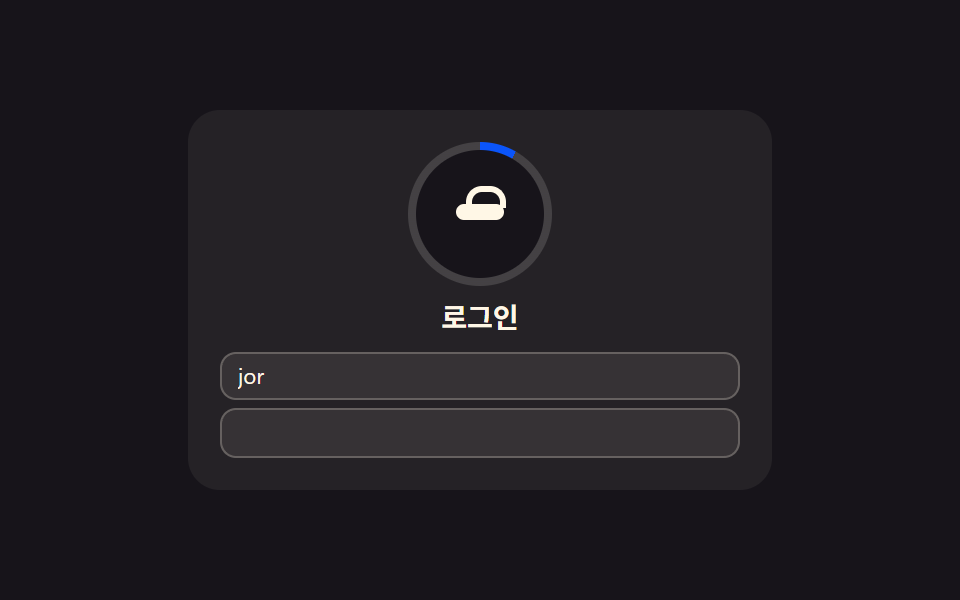 로그인·인증 UI로그인 UI 디자인 9종 — 회원가입부터 세션 만료까지
 로그인·인증 UI지문 인식 애니메이션 9종 — 스캔 진행률 값으로 갈리는 인증 버튼
 선택 UI세그먼트 컨트롤 선택 UI 9종 — 복붙하면 되는
 입력 UI입력창 디자인 9가지 — 복붙하면 되는 폼 위젯