세그먼트 컨트롤 선택 UI 9종 — 복붙하면 되는
세그먼트 컨트롤은 iOS 설정 화면에서 자주 보이는, 여러 선택지 중 하나를 고르면 배경 알약이 그 칸으로 미끄러져 가는 탭 전환 버튼입니다. 세그먼트 컨트롤부터 칩 필터·이모지 리액션·컬러 스와치까지, 이름은 몰라도 앱에서 본 적 있는 선택 UI 9종을 코드와 함께 모았습니다.
 01 segmented-control-ios-pill-toggle
 02 segmented-control-icon-view-toggle
 03 chip-select-multi-filter-tag
 04 chip-select-size-radio-press
 05 emoji-reaction-popup-picker
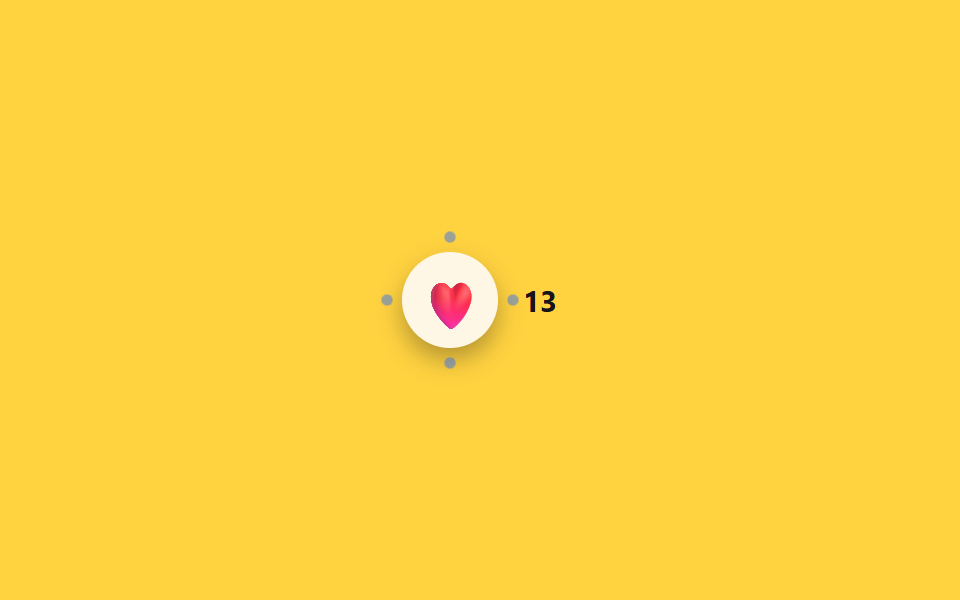 06 emoji-reaction-burst-count-badge
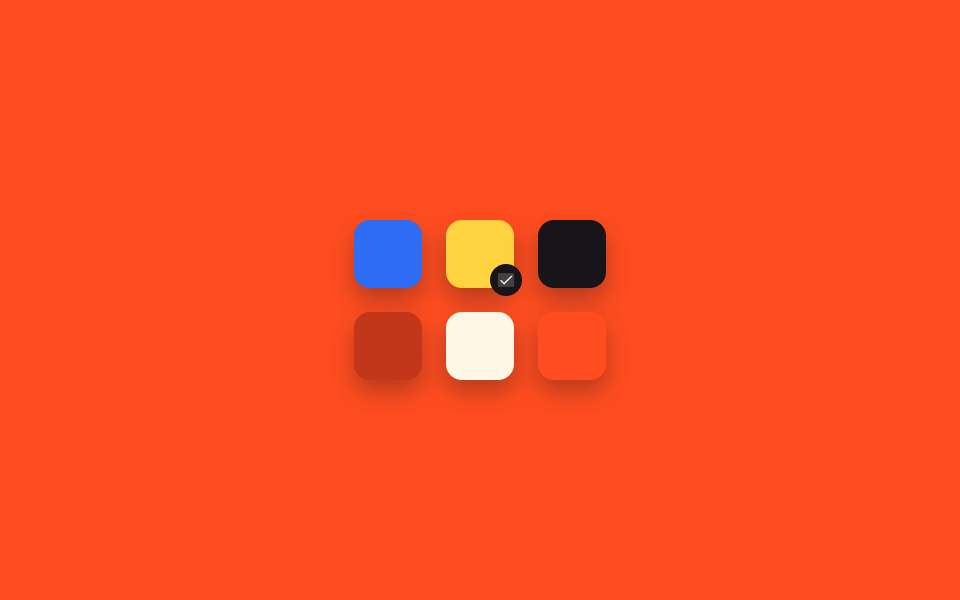 07 color-swatch-grid-check-select
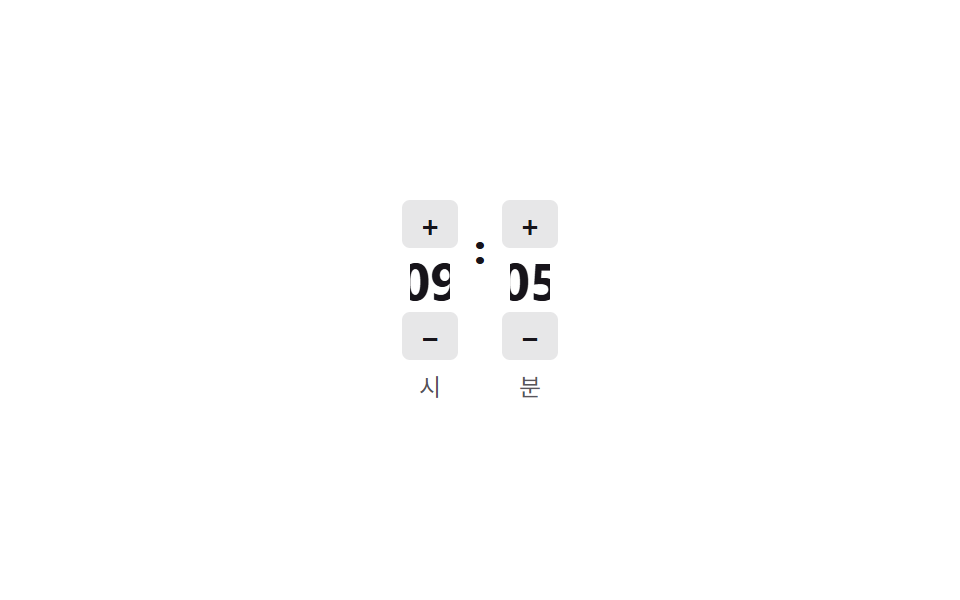 08 time-picker-odometer-scrub
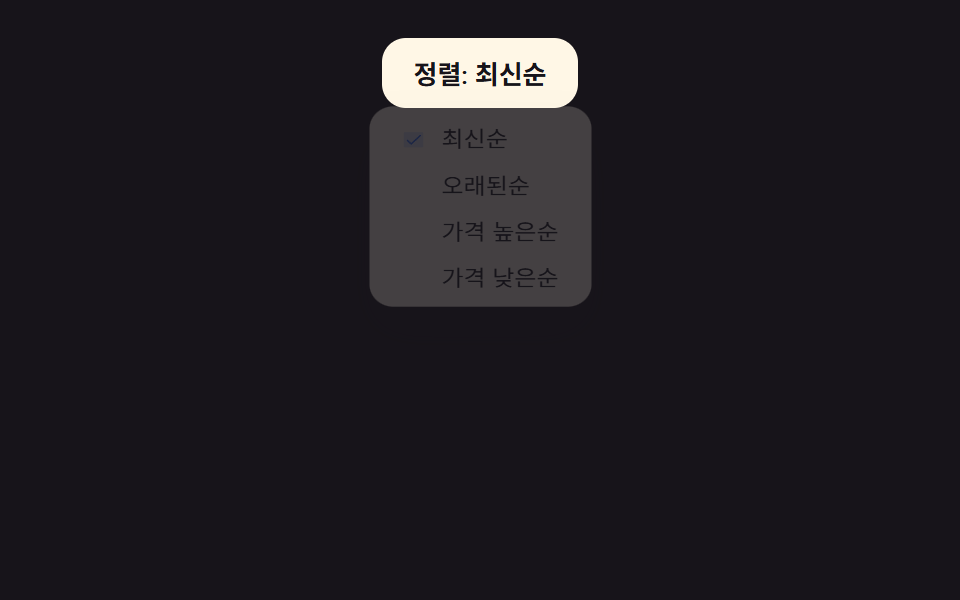 09 sort-dropdown-checkmark-menu
자동 재생 · 눌러서 해당 항목으로 · 전부 한 zip
- 01 iOS 필 세그먼트 컨트롤
- 02 아이콘 2단 세그먼트 컨트롤
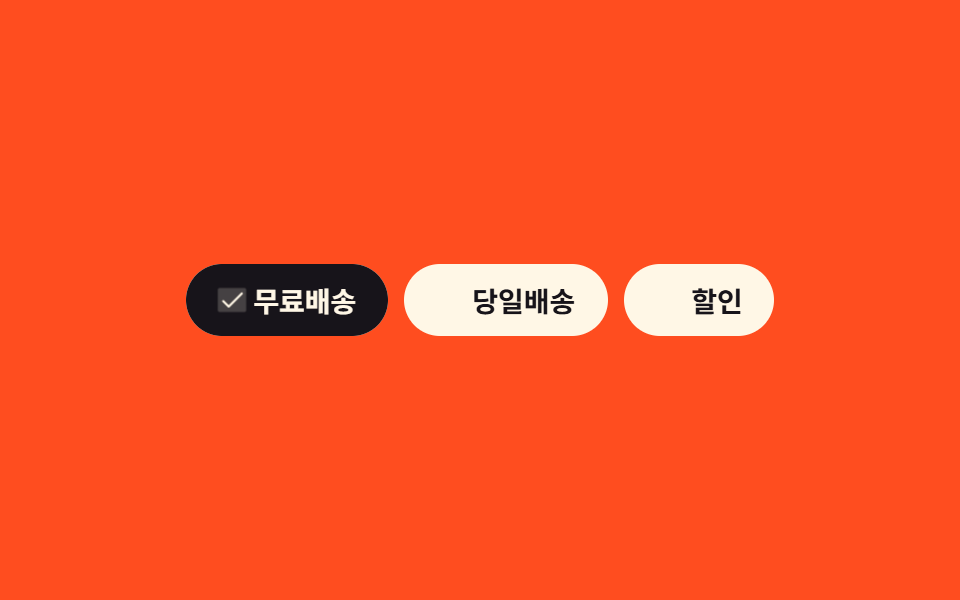
- 03 다중 선택 필터 칩
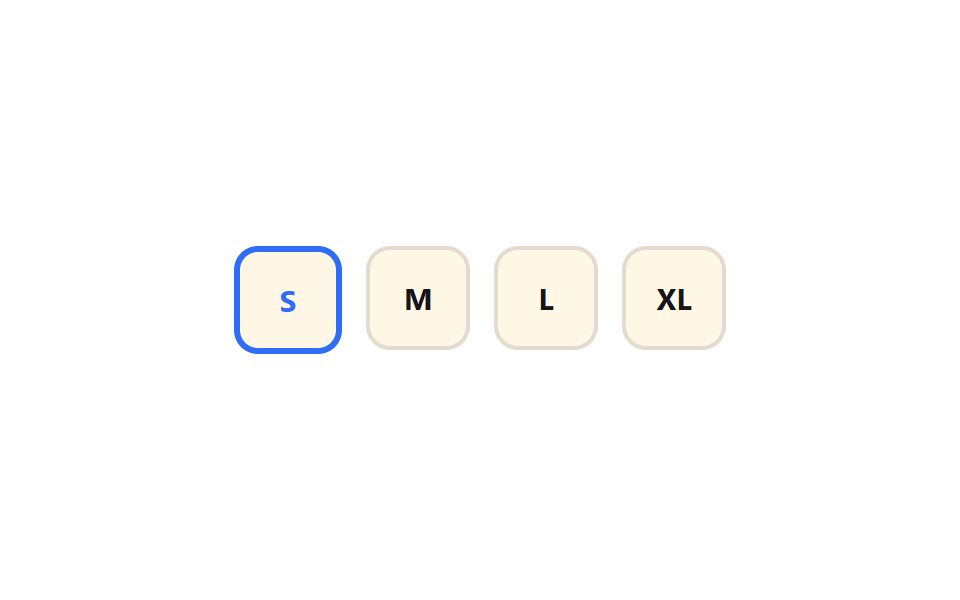
- 04 사이즈 라디오 칩
- 05 이모지 리액션 팝업 피커
- 06 이모지 버스트 카운트
- 07 그리드 컬러 스와치
- 08 오도미터 시간 스크럽
- 09 체크마크 정렬 드롭다운
아홉 개는 인기 순이 아니라 한 화면에서 겪는 순서로 놓았습니다. 01·02는 여러 화면 중 하나를 고르는 세그먼트 컨트롤이고, 03·04는 필터 칩 UI를 눌러 옵션을 고르는 경우, 05·06은 이모지로 반응을 남기는 경우, 07은 색상을, 08은 시간을, 09는 정렬 기준을 고르는 경우입니다. 날짜 범위를 고르는 쪽은 달력 선택 UI 9종에 있고, 사람을 나타내는 그림 없는 표시는 아바타 UI 9종에서 다룹니다.
01iOS 필 세그먼트 컨트롤
무엇이 움직이나
라디오 세 개를 균등한 폭으로 묶고, 파란 알약 배경이 선택된 칸으로 translateX 만큼 옮겨가 그 글자 위에만 얹힙니다. 이동 중간에는 알약이 scaleX(1.25)로 잡아 늘어났다가 도착 직전 1.05로 살짝 튕겨 오는 젤리 스트레치를 얹어, iOS의 스프링 감촉에 한 걸음 더 가까워집니다.
<main class="stage">
  <fieldset class="seg is-demo">
    <legend class="sr-only">상태 필터</legend>
    <input type="radio" name="seg1" id="seg1-1" class="seg__radio" checked>
    <input type="radio" name="seg1" id="seg1-2" class="seg__radio">
    <input type="radio" name="seg1" id="seg1-3" class="seg__radio">
    <div class="seg__track">
      <span class="seg__pill" aria-hidden="true"></span>
      <label class="seg__tab" for="seg1-1">전체</label>
      <label class="seg__tab" for="seg1-2">진행중</label>
      <label class="seg__tab" for="seg1-3">완료</label>
    </div>
  </fieldset>
</main>
@use "../../../../site/static/demo-tokens" as *;
// ── 변수 3개 ──────────────────────────────
$duration: $dur-quick;
$easing: $ease-pop;
$color: $subject-blue;
$ease-bounce: cubic-bezier(0.34, 1.56, 0.64, 1);
@include stage($stage-ink);
.sr-only {
position: absolute; width: 1px; height: 1px; padding: 0; margin: -1px;
overflow: hidden; clip: rect(0, 0, 0, 0); white-space: nowrap; border: 0;
}
.seg { border: 0; margin: 0; padding: 0; width: min(280px, 84vw); }
.seg__radio { position: absolute; opacity: 0; pointer-events: none; width: 1px; height: 1px; }
.seg__track {
position: relative;
display: flex;
gap: 0;
padding: $sp-1;
background: rgba($subject-cream, .14);
border-radius: $r-pill;
}
.seg__tab {
position: relative; z-index: 1;
flex: 1 1 0;
text-align: center;
padding: $sp-2 $sp-1;
font-weight: 600;
font-size: clamp(12px, 3.4vw, 14px);
line-height: 1;
font-family: inherit;
color: rgba($subject-cream, .55);
cursor: pointer;
-webkit-tap-highlight-color: transparent;
transition: color $duration $easing;
}
.seg__pill {
position: absolute; top: $sp-1; left: $sp-1; bottom: $sp-1;
width: calc((100% - #{$sp-1} * 2) / 3);
border-radius: $r-pill;
background: $color;
transform: translateX(0);
transform-origin: center;
transition: transform $duration $ease-bounce;
}
// ── 실제 동작: :checked 만으로 필이 균등폭 구간을 옮겨가고, 선택된 라벨만 밝아진다 ──────────────
#seg1-2:checked ~ .seg__track .seg__pill { transform: translateX(100%); }
#seg1-3:checked ~ .seg__track .seg__pill { transform: translateX(200%); }
#seg1-1:checked ~ .seg__track .seg__tab:nth-child(2) { color: $subject-cream; }
#seg1-2:checked ~ .seg__track .seg__tab:nth-child(3) { color: $subject-cream; }
#seg1-3:checked ~ .seg__track .seg__tab:nth-child(4) { color: $subject-cream; }
// ── 데모 루프: 클릭 전까지 세 칸을 스스로 오간다 ──────────────
.seg.is-demo .seg__pill { animation: seg-loop-jelly $dur-loop $easing infinite; }
@keyframes seg-loop {
0%, 15% { transform: translateX(0); }
33%, 48% { transform: translateX(100%); }
66%, 81% { transform: translateX(200%); }
100% { transform: translateX(0); }
}
// 젤리 스트레치 + 스프링 오버슛 보강: 정지 구간 값은 seg-loop 과 동일, 이동 구간에 scaleX·도착 오버슛 삽입
@keyframes seg-loop-jelly {
0%, 15% { transform: translateX(0%) scaleX(1); }
22% { transform: translateX(58%) scaleX(1.25); }
30% { transform: translateX(103%) scaleX(1.05); }
33%, 48% { transform: translateX(100%) scaleX(1); }
55% { transform: translateX(158%) scaleX(1.25); }
63% { transform: translateX(203%) scaleX(1.05); }
66%, 81% { transform: translateX(200%) scaleX(1); }
88% { transform: translateX(92%) scaleX(1.25); }
96% { transform: translateX(-3%) scaleX(1.05); }
100% { transform: translateX(0%) scaleX(1); }
}
@media (prefers-reduced-motion: reduce) {
.seg__pill { transition: none; }
.seg.is-demo .seg__pill { animation: none !important; }
}html, body {
margin: 0;
overflow: hidden;
}
.stage {
box-sizing: border-box;
min-height: 100vh;
display: grid;
place-items: center;
margin: 0;
background: #17141a;
font-family: -apple-system, "Segoe UI", "Noto Sans KR", sans-serif;
padding: clamp(8px, 4vw, 24px);
}
.sr-only {
position: absolute;
width: 1px;
height: 1px;
padding: 0;
margin: -1px;
overflow: hidden;
clip: rect(0, 0, 0, 0);
white-space: nowrap;
border: 0;
}
.seg {
border: 0;
margin: 0;
padding: 0;
width: min(280px, 84vw);
}
.seg__radio {
position: absolute;
opacity: 0;
pointer-events: none;
width: 1px;
height: 1px;
}
.seg__track {
position: relative;
display: flex;
gap: 0;
padding: 4px;
background: rgba(255, 247, 230, 0.14);
border-radius: 999px;
}
.seg__tab {
position: relative;
z-index: 1;
flex: 1 1 0;
text-align: center;
padding: 8px 4px;
font-weight: 600;
font-size: clamp(12px, 3.4vw, 14px);
line-height: 1;
font-family: inherit;
color: rgba(255, 247, 230, 0.55);
cursor: pointer;
-webkit-tap-highlight-color: transparent;
transition: color 220ms cubic-bezier(0.2, 1.4, 0.4, 1);
}
.seg__pill {
position: absolute;
top: 4px;
left: 4px;
bottom: 4px;
width: calc((100% - 4px * 2) / 3);
border-radius: 999px;
background: #2f6df6;
transform: translateX(0);
transform-origin: center;
transition: transform 220ms cubic-bezier(0.34, 1.56, 0.64, 1);
}
#seg1-2:checked ~ .seg__track .seg__pill {
transform: translateX(100%);
}
#seg1-3:checked ~ .seg__track .seg__pill {
transform: translateX(200%);
}
#seg1-1:checked ~ .seg__track .seg__tab:nth-child(2) {
color: #fff7e6;
}
#seg1-2:checked ~ .seg__track .seg__tab:nth-child(3) {
color: #fff7e6;
}
#seg1-3:checked ~ .seg__track .seg__tab:nth-child(4) {
color: #fff7e6;
}
.seg.is-demo .seg__pill {
animation: seg-loop-jelly 2s cubic-bezier(0.2, 1.4, 0.4, 1) infinite;
}
@keyframes seg-loop {
0%, 15% {
transform: translateX(0);
}
33%, 48% {
transform: translateX(100%);
}
66%, 81% {
transform: translateX(200%);
}
100% {
transform: translateX(0);
}
}
@keyframes seg-loop-jelly {
0%, 15% {
transform: translateX(0%) scaleX(1);
}
22% {
transform: translateX(58%) scaleX(1.25);
}
30% {
transform: translateX(103%) scaleX(1.05);
}
33%, 48% {
transform: translateX(100%) scaleX(1);
}
55% {
transform: translateX(158%) scaleX(1.25);
}
63% {
transform: translateX(203%) scaleX(1.05);
}
66%, 81% {
transform: translateX(200%) scaleX(1);
}
88% {
transform: translateX(92%) scaleX(1.25);
}
96% {
transform: translateX(-3%) scaleX(1.05);
}
100% {
transform: translateX(0%) scaleX(1);
}
}
@media (prefers-reduced-motion: reduce) {
.seg__pill {
transition: none;
}
.seg.is-demo .seg__pill {
animation: none !important;
}
}// .is-demo 자동 순환 (실제 클릭이 오면 멈춘다, 7줄)
var seg = document.querySelector('.seg');
var radios = seg.querySelectorAll('.seg__radio'); var i = 0;
var t = setInterval(function () { radios[i % radios.length].checked = true; i++; }, 700);
radios.forEach(function (r) { r.addEventListener('pointerdown', function () { seg.classList.remove('is-demo'); clearInterval(t); }); });import { useState } from "react";
import type { CSSProperties } from "react";
import styles from "./SegmentedControlIosPillToggle.module.scss";
export type SegmentedControlIosPillToggleProps = {
legend?: string;
options?: string[];
duration?: number;
easing?: string;
pillColor?: string;
};
type Vars = CSSProperties & { "--duration"?: string; "--easing"?: string; "--pill"?: string };
export default function SegmentedControlIosPillToggle({
legend = "Status filter",
options = ["All", "Active", "Done"],
duration = 220,
easing = "cubic-bezier(.2,1.4,.4,1)",
pillColor = "#2f6df6",
}: SegmentedControlIosPillToggleProps) {
const [index, setIndex] = useState(0);
const vars: Vars = { "--duration": `${duration}ms`, "--easing": easing, "--pill": pillColor };
return (
<fieldset className={styles.seg} style={vars}>
<legend className={styles.srOnly}>{legend}</legend>
<div className={styles.track}>
<span
className={styles.pill}
style={{ transform: `translateX(${index * 100}%)`, width: `calc(100% / ${options.length})` }}
aria-hidden="true"
/>
{options.map((label, i) => (
<label key={label} className={styles.tab} data-active={index === i}>
<input
type="radio"
name="seg"
className={styles.srInput}
checked={index === i}
onChange={() => setIndex(i)}
/>
{label}
</label>
))}
</div>
</fieldset>
);
}01 · iOS 필 세그먼트 컨트롤 — 측정 누적면적 6.007% · 움직인 프레임 15/23GODRICH 원작 · zip 에 SCSS·React 포함 · 비밀번호 보기
코드에서 볼 곳
설정 화면의 보기 모드 전환이나 주문 상태 필터(전체/진행중/완료)에 씁니다.
.seg__pill {
  position: absolute;
  width: calc((100% - 8px) / 3);
  transform: translateX(0);
  transition: transform $duration $easing;
}
#seg1-2:checked ~ .seg__track .seg__pill { transform: translateX(100%); }
#seg1-3:checked ~ .seg__track .seg__pill { transform: translateX(200%); }
02아이콘 2단 세그먼트 컨트롤
무엇이 움직이나
리스트·그리드 두 아이콘 중 하나를 고르면 필 배경이 트랙 절반 폭만큼 translateX로 옮겨가고, 고른 아이콘만 잉크색으로 짙어집니다. 필도 01과 같은 젤리 스트레치로 이동 중 scaleX 늘어남과 도착 오버슛을 거쳐, 반발력 있는 재질처럼 보입니다.
<main class="stage">
  <fieldset class="iv is-demo">
    <legend class="sr-only">보기 방식</legend>
    <input type="radio" name="iv1" id="iv1-1" class="iv__radio" checked>
    <input type="radio" name="iv1" id="iv1-2" class="iv__radio">
    <div class="iv__track">
      <span class="iv__pill" aria-hidden="true"></span>
      <label class="iv__tab" for="iv1-1" aria-label="리스트 보기">
        <svg viewBox="0 0 20 20" width="18" height="18" aria-hidden="true"><rect x="3" y="4" width="14" height="2.4" rx="1.2" fill="currentColor"/><rect x="3" y="8.8" width="14" height="2.4" rx="1.2" fill="currentColor"/><rect x="3" y="13.6" width="14" height="2.4" rx="1.2" fill="currentColor"/></svg>
      </label>
      <label class="iv__tab" for="iv1-2" aria-label="그리드 보기">
        <svg viewBox="0 0 20 20" width="18" height="18" aria-hidden="true"><rect x="3" y="3" width="6" height="6" rx="1.4" fill="currentColor"/><rect x="11" y="3" width="6" height="6" rx="1.4" fill="currentColor"/><rect x="3" y="11" width="6" height="6" rx="1.4" fill="currentColor"/><rect x="11" y="11" width="6" height="6" rx="1.4" fill="currentColor"/></svg>
      </label>
    </div>
  </fieldset>
</main>
@use "../../../../site/static/demo-tokens" as *;
// ── 변수 3개 ──────────────────────────────
$duration: $dur-quick;
$easing: $ease-pop;
$color: $subject-cream;
$ease-bounce: cubic-bezier(0.34, 1.56, 0.64, 1);
@include stage($stage-yellow);
.sr-only {
position: absolute; width: 1px; height: 1px; padding: 0; margin: -1px;
overflow: hidden; clip: rect(0, 0, 0, 0); white-space: nowrap; border: 0;
}
.iv { border: 0; margin: 0; padding: 0; }
.iv__radio { position: absolute; opacity: 0; pointer-events: none; width: 1px; height: 1px; }
.iv__track {
position: relative;
display: flex;
padding: $sp-1;
background: rgba($subject-ink, .1);
border-radius: $r-control;
}
.iv__tab {
position: relative; z-index: 1;
display: grid; place-items: center;
width: $sp-12; height: $sp-12;
border-radius: $r-sm;
color: rgba($subject-ink, .45);
cursor: pointer;
-webkit-tap-highlight-color: transparent;
transition: color $duration $easing;
}
.iv__pill {
position: absolute; top: $sp-1; left: $sp-1; bottom: $sp-1;
width: $sp-12;
border-radius: $r-sm;
background: $color;
box-shadow: $shadow-press;
transform: translateX(0);
transform-origin: center;
transition: transform $duration $ease-bounce;
}
// ── 실제 동작: :checked 만으로 필이 절반(자기 폭만큼)을 옮겨가고, 선택된 아이콘만 짙어진다 ──────────────
#iv1-2:checked ~ .iv__track .iv__pill { transform: translateX(100%); }
#iv1-1:checked ~ .iv__track .iv__tab:nth-child(2) { color: $subject-ink; }
#iv1-2:checked ~ .iv__track .iv__tab:nth-child(3) { color: $subject-ink; }
// ── 데모 루프: 클릭 전까지 두 칸을 스스로 오간다 ──────────────
.iv.is-demo .iv__pill { animation: iv-loop-jelly $dur-loop $easing infinite; }
@keyframes iv-loop {
0%, 20% { transform: translateX(0); }
50%, 70% { transform: translateX(100%); }
100% { transform: translateX(0); }
}
// 젤리 스트레치 + 스프링 오버슛 보강: 정지 구간 값은 iv-loop 과 동일, 이동 구간에 scaleX·도착 오버슛 삽입
@keyframes iv-loop-jelly {
0%, 20% { transform: translateX(0%) scaleX(1); }
32% { transform: translateX(58%) scaleX(1.25); }
44% { transform: translateX(104%) scaleX(1.05); }
50%, 70% { transform: translateX(100%) scaleX(1); }
82% { transform: translateX(42%) scaleX(1.25); }
92% { transform: translateX(-4%) scaleX(1.05); }
100% { transform: translateX(0%) scaleX(1); }
}
@media (prefers-reduced-motion: reduce) {
.iv__pill { transition: none; }
.iv.is-demo .iv__pill { animation: none !important; }
}html, body {
margin: 0;
overflow: hidden;
}
.stage {
box-sizing: border-box;
min-height: 100vh;
display: grid;
place-items: center;
margin: 0;
background: #ffd23f;
font-family: -apple-system, "Segoe UI", "Noto Sans KR", sans-serif;
padding: clamp(8px, 4vw, 24px);
}
.sr-only {
position: absolute;
width: 1px;
height: 1px;
padding: 0;
margin: -1px;
overflow: hidden;
clip: rect(0, 0, 0, 0);
white-space: nowrap;
border: 0;
}
.iv {
border: 0;
margin: 0;
padding: 0;
}
.iv__radio {
position: absolute;
opacity: 0;
pointer-events: none;
width: 1px;
height: 1px;
}
.iv__track {
position: relative;
display: flex;
padding: 4px;
background: rgba(23, 20, 26, 0.1);
border-radius: 12px;
}
.iv__tab {
position: relative;
z-index: 1;
display: grid;
place-items: center;
width: 48px;
height: 48px;
border-radius: 8px;
color: rgba(23, 20, 26, 0.45);
cursor: pointer;
-webkit-tap-highlight-color: transparent;
transition: color 220ms cubic-bezier(0.2, 1.4, 0.4, 1);
}
.iv__pill {
position: absolute;
top: 4px;
left: 4px;
bottom: 4px;
width: 48px;
border-radius: 8px;
background: #fff7e6;
box-shadow: 0 6px 12px rgba(23, 20, 26, 0.32);
transform: translateX(0);
transform-origin: center;
transition: transform 220ms cubic-bezier(0.34, 1.56, 0.64, 1);
}
#iv1-2:checked ~ .iv__track .iv__pill {
transform: translateX(100%);
}
#iv1-1:checked ~ .iv__track .iv__tab:nth-child(2) {
color: #17141a;
}
#iv1-2:checked ~ .iv__track .iv__tab:nth-child(3) {
color: #17141a;
}
.iv.is-demo .iv__pill {
animation: iv-loop-jelly 2s cubic-bezier(0.2, 1.4, 0.4, 1) infinite;
}
@keyframes iv-loop {
0%, 20% {
transform: translateX(0);
}
50%, 70% {
transform: translateX(100%);
}
100% {
transform: translateX(0);
}
}
@keyframes iv-loop-jelly {
0%, 20% {
transform: translateX(0%) scaleX(1);
}
32% {
transform: translateX(58%) scaleX(1.25);
}
44% {
transform: translateX(104%) scaleX(1.05);
}
50%, 70% {
transform: translateX(100%) scaleX(1);
}
82% {
transform: translateX(42%) scaleX(1.25);
}
92% {
transform: translateX(-4%) scaleX(1.05);
}
100% {
transform: translateX(0%) scaleX(1);
}
}
@media (prefers-reduced-motion: reduce) {
.iv__pill {
transition: none;
}
.iv.is-demo .iv__pill {
animation: none !important;
}
}// .is-demo 자동 순환 (실제 클릭이 오면 멈춘다, 7줄)
var iv = document.querySelector('.iv');
var radios = iv.querySelectorAll('.iv__radio'); var i = 0;
var t = setInterval(function () { radios[i % radios.length].checked = true; i++; }, 700);
radios.forEach(function (r) { r.addEventListener('pointerdown', function () { iv.classList.remove('is-demo'); clearInterval(t); }); });import { useState } from "react";
import type { CSSProperties } from "react";
import styles from "./SegmentedControlIconViewToggle.module.scss";
export type SegmentedControlIconViewToggleProps = {
legend?: string;
duration?: number;
easing?: string;
pillColor?: string;
};
type Vars = CSSProperties & { "--duration"?: string; "--easing"?: string; "--pill"?: string };
export default function SegmentedControlIconViewToggle({
legend = "View mode",
duration = 180,
easing = "cubic-bezier(.2,1.4,.4,1)",
pillColor = "#fff7e6",
}: SegmentedControlIconViewToggleProps) {
const [isGrid, setIsGrid] = useState(false);
const vars: Vars = { "--duration": `${duration}ms`, "--easing": easing, "--pill": pillColor };
return (
<fieldset className={styles.iv} style={vars}>
<legend className={styles.srOnly}>{legend}</legend>
<div className={styles.track}>
<span className={styles.pill} style={{ transform: `translateX(${isGrid ? 100 : 0}%)` }} aria-hidden="true" />
<label className={styles.tab} data-active={!isGrid} aria-label="List view">
<input type="radio" name="iv" className={styles.srInput} checked={!isGrid} onChange={() => setIsGrid(false)} />
<svg viewBox="0 0 20 20" width={18} height={18} aria-hidden="true">
<rect x={3} y={4} width={14} height={2.4} rx={1.2} fill="currentColor" />
<rect x={3} y={8.8} width={14} height={2.4} rx={1.2} fill="currentColor" />
<rect x={3} y={13.6} width={14} height={2.4} rx={1.2} fill="currentColor" />
</svg>
</label>
<label className={styles.tab} data-active={isGrid} aria-label="Grid view">
<input type="radio" name="iv" className={styles.srInput} checked={isGrid} onChange={() => setIsGrid(true)} />
<svg viewBox="0 0 20 20" width={18} height={18} aria-hidden="true">
<rect x={3} y={3} width={6} height={6} rx={1.4} fill="currentColor" />
<rect x={11} y={3} width={6} height={6} rx={1.4} fill="currentColor" />
<rect x={3} y={11} width={6} height={6} rx={1.4} fill="currentColor" />
<rect x={11} y={11} width={6} height={6} rx={1.4} fill="currentColor" />
</svg>
</label>
</div>
</fieldset>
);
}02 · 아이콘 2단 세그먼트 컨트롤 — 측정 누적면적 4.462% · 움직인 프레임 14/23GODRICH 원작 · zip 에 SCSS·React 포함 · 비밀번호 보기
코드에서 볼 곳
게시판의 리스트뷰·그리드뷰 전환에 흔히 씁니다.
.iv__pill {
  position: absolute;
  width: $sp-12;
  transform: translateX(0);
  transition: transform $duration $easing;
}
#iv1-2:checked ~ .iv__track .iv__pill { transform: translateX(100%); }
03다중 선택 필터 칩
무엇이 움직이나
체크박스 여러 개를 칩 모양으로 두고 여러 개를 동시에 고르면, 고른 칩마다 배경이 가운데서부터 scaleX로 채워지고 인라인 SVG 체크 아이콘이 scale(0)에서 1로 커집니다. 채움과 체크 각각에 오버슛 키프레임을 얹어 채워지는 폭이 한 번 넘쳤다 돌아오고 체크는 1.2배로 튕겨 올라옵니다.
<main class="stage">
  <fieldset class="cf is-demo">
    <legend class="sr-only">배송·할인 필터</legend>
    <label class="cf__chip">
      <input type="checkbox" class="cf__input" checked>
      <span class="cf__check" aria-hidden="true"><svg class="cf__check-icon" viewBox="0 0 256 256"><g fill="currentColor"><path d="M232 56v144a16 16 0 0 1-16 16H40a16 16 0 0 1-16-16V56a16 16 0 0 1 16-16h176a16 16 0 0 1 16 16" opacity=".2"/><path d="m205.66 85.66l-96 96a8 8 0 0 1-11.32 0l-40-40a8 8 0 0 1 11.32-11.32L104 164.69l90.34-90.35a8 8 0 0 1 11.32 11.32"/></g></svg></span>
      <span class="cf__label">무료배송</span>
    </label>
    <label class="cf__chip">
      <input type="checkbox" class="cf__input">
      <span class="cf__check" aria-hidden="true"><svg class="cf__check-icon" viewBox="0 0 256 256"><g fill="currentColor"><path d="M232 56v144a16 16 0 0 1-16 16H40a16 16 0 0 1-16-16V56a16 16 0 0 1 16-16h176a16 16 0 0 1 16 16" opacity=".2"/><path d="m205.66 85.66l-96 96a8 8 0 0 1-11.32 0l-40-40a8 8 0 0 1 11.32-11.32L104 164.69l90.34-90.35a8 8 0 0 1 11.32 11.32"/></g></svg></span>
      <span class="cf__label">당일배송</span>
    </label>
    <label class="cf__chip">
      <input type="checkbox" class="cf__input">
      <span class="cf__check" aria-hidden="true"><svg class="cf__check-icon" viewBox="0 0 256 256"><g fill="currentColor"><path d="M232 56v144a16 16 0 0 1-16 16H40a16 16 0 0 1-16-16V56a16 16 0 0 1 16-16h176a16 16 0 0 1 16 16" opacity=".2"/><path d="m205.66 85.66l-96 96a8 8 0 0 1-11.32 0l-40-40a8 8 0 0 1 11.32-11.32L104 164.69l90.34-90.35a8 8 0 0 1 11.32 11.32"/></g></svg></span>
      <span class="cf__label">할인</span>
    </label>
  </fieldset>
</main>
@use "../../../../site/static/demo-tokens" as *;
// ── 변수 3개 ──────────────────────────────
$duration: $dur-quick;
$easing: $ease-pop;
$color: $subject-ink;
$ease-bounce: cubic-bezier(0.34, 1.56, 0.64, 1);
@include stage($stage-orange);
.sr-only {
position: absolute; width: 1px; height: 1px; padding: 0; margin: -1px;
overflow: hidden; clip: rect(0, 0, 0, 0); white-space: nowrap; border: 0;
}
.cf {
display: flex; flex-wrap: wrap; justify-content: center;
gap: $sp-2; border: 0; margin: 0; padding: 0; max-width: min(300px, 88vw);
}
.cf__input {
position: absolute; opacity: 0; pointer-events: none; width: 1px; height: 1px;
}
.cf__chip {
position: relative;
display: inline-flex; align-items: center; gap: $sp-1;
padding: $sp-2 $sp-4;
border-radius: $r-pill;
background: $subject-cream;
cursor: pointer;
overflow: hidden;
-webkit-tap-highlight-color: transparent;
}
.cf__chip::before {
content: ""; position: absolute; inset: 0; border-radius: $r-pill;
background: $color;
transform: scaleX(0);
transform-origin: center;
transition: transform $duration $ease-bounce;
z-index: 0;
}
.cf__label {
position: relative; z-index: 1;
font-weight: 600; font-size: clamp(12px, 3.2vw, 14px);
color: $subject-ink;
transition: color $duration $easing;
}
.cf__chip:has(.cf__input:checked)::before { transform: scaleX(1); animation: cf-fill-jelly $duration $easing forwards; }
// 채움 스트레치 보강: scaleX 0 → 1.08 오버슛 → 1 안착
@keyframes cf-fill-jelly {
0% { transform: scaleX(0); }
70% { transform: scaleX(1.08); }
100% { transform: scaleX(1); }
}
.cf__chip:has(.cf__input:checked) .cf__label { color: $subject-cream; }
.cf__check {
position: relative; z-index: 1;
width: 14px; height: 14px;
flex: 0 0 auto;
}
.cf__check-icon {
position: absolute; inset: 0;
color: $subject-cream; // Phosphor duotone: g fill="currentColor" 가 이 값을 물려받는다
transform: scale(0);
transition: transform $duration $easing;
}
.cf__chip:has(.cf__input:checked) .cf__check-icon { transform: scale(1); animation: cf-check-pop $duration $easing; }
// 체크 아이콘 팝 보강: 0 → 1.2 오버슛 → 1 안착
@keyframes cf-check-pop {
0% { transform: scale(0); }
60% { transform: scale(1.2); }
100% { transform: scale(1); }
}
@media (prefers-reduced-motion: reduce) {
.cf__chip::before, .cf__label, .cf__check-icon { transition: none; animation: none !important; }
}html, body {
margin: 0;
overflow: hidden;
}
.stage {
box-sizing: border-box;
min-height: 100vh;
display: grid;
place-items: center;
margin: 0;
background: #ff4d1f;
font-family: -apple-system, "Segoe UI", "Noto Sans KR", sans-serif;
padding: clamp(8px, 4vw, 24px);
}
.sr-only {
position: absolute;
width: 1px;
height: 1px;
padding: 0;
margin: -1px;
overflow: hidden;
clip: rect(0, 0, 0, 0);
white-space: nowrap;
border: 0;
}
.cf {
display: flex;
flex-wrap: wrap;
justify-content: center;
gap: 8px;
border: 0;
margin: 0;
padding: 0;
max-width: min(300px, 88vw);
}
.cf__input {
position: absolute;
opacity: 0;
pointer-events: none;
width: 1px;
height: 1px;
}
.cf__chip {
position: relative;
display: inline-flex;
align-items: center;
gap: 4px;
padding: 8px 16px;
border-radius: 999px;
background: #fff7e6;
cursor: pointer;
overflow: hidden;
-webkit-tap-highlight-color: transparent;
}
.cf__chip::before {
content: "";
position: absolute;
inset: 0;
border-radius: 999px;
background: #17141a;
transform: scaleX(0);
transform-origin: center;
transition: transform 220ms cubic-bezier(0.34, 1.56, 0.64, 1);
z-index: 0;
}
.cf__label {
position: relative;
z-index: 1;
font-weight: 600;
font-size: clamp(12px, 3.2vw, 14px);
color: #17141a;
transition: color 220ms cubic-bezier(0.2, 1.4, 0.4, 1);
}
.cf__chip:has(.cf__input:checked)::before {
transform: scaleX(1);
animation: cf-fill-jelly 220ms cubic-bezier(0.2, 1.4, 0.4, 1) forwards;
}
@keyframes cf-fill-jelly {
0% {
transform: scaleX(0);
}
70% {
transform: scaleX(1.08);
}
100% {
transform: scaleX(1);
}
}
.cf__chip:has(.cf__input:checked) .cf__label {
color: #fff7e6;
}
.cf__check {
position: relative;
z-index: 1;
width: 14px;
height: 14px;
flex: 0 0 auto;
}
.cf__check-icon {
position: absolute;
inset: 0;
color: #fff7e6;
transform: scale(0);
transition: transform 220ms cubic-bezier(0.2, 1.4, 0.4, 1);
}
.cf__chip:has(.cf__input:checked) .cf__check-icon {
transform: scale(1);
animation: cf-check-pop 220ms cubic-bezier(0.2, 1.4, 0.4, 1);
}
@keyframes cf-check-pop {
0% {
transform: scale(0);
}
60% {
transform: scale(1.2);
}
100% {
transform: scale(1);
}
}
@media (prefers-reduced-motion: reduce) {
.cf__chip::before, .cf__label, .cf__check-icon {
transition: none;
animation: none !important;
}
}// .is-demo 자동 순환 — 체크박스를 하나씩 껐다 켠다 (실제 클릭이 오면 멈춘다, 8줄)
var cf = document.querySelector('.cf');
var inputs = cf.querySelectorAll('.cf__input'); var i = 0;
var t = setInterval(function () { var el = inputs[i % inputs.length]; el.checked = !el.checked; i++; }, 650);
inputs.forEach(function (el) { el.addEventListener('pointerdown', function () { cf.classList.remove('is-demo'); clearInterval(t); }); });import { useState } from "react";
import type { CSSProperties } from "react";
import styles from "./ChipSelectMultiFilterTag.module.scss";
export type ChipSelectMultiFilterTagProps = {
legend?: string;
options?: string[];
defaultChecked?: string[];
duration?: number;
easing?: string;
fillColor?: string;
};
type Vars = CSSProperties & { "--duration"?: string; "--easing"?: string; "--fill"?: string };
export default function ChipSelectMultiFilterTag({
legend = "Shipping & discount filter",
options = ["Free shipping", "Same-day delivery", "Discount"],
defaultChecked = ["Free shipping"],
duration = 200,
easing = "cubic-bezier(.2,1.4,.4,1)",
fillColor = "#17141a",
}: ChipSelectMultiFilterTagProps) {
const [checked, setChecked] = useState<Set<string>>(new Set(defaultChecked));
const vars: Vars = { "--duration": `${duration}ms`, "--easing": easing, "--fill": fillColor };
function toggle(label: string) {
const next = new Set(checked);
next.has(label) ? next.delete(label) : next.add(label);
setChecked(next);
}
return (
<fieldset className={styles.cf} style={vars}>
<legend className={styles.srOnly}>{legend}</legend>
{options.map((label) => (
<label key={label} className={styles.chip} data-checked={checked.has(label)}>
<input
type="checkbox"
className={styles.srInput}
checked={checked.has(label)}
onChange={() => toggle(label)}
/>
<span className={styles.check} aria-hidden="true">
<svg className={styles.checkIcon} viewBox="0 0 256 256">
<g fill="currentColor"><path d="M232 56v144a16 16 0 0 1-16 16H40a16 16 0 0 1-16-16V56a16 16 0 0 1 16-16h176a16 16 0 0 1 16 16" opacity=".2" /><path d="m205.66 85.66l-96 96a8 8 0 0 1-11.32 0l-40-40a8 8 0 0 1 11.32-11.32L104 164.69l90.34-90.35a8 8 0 0 1 11.32 11.32" /></g>
</svg>
</span>
<span className={styles.label}>{label}</span>
</label>
))}
</fieldset>
);
}03 · 다중 선택 필터 칩 — 측정 누적면적 3.999% · 움직인 프레임 6/23GODRICH 원작 · zip 에 SCSS·React 포함 · 비밀번호 보기
코드에서 볼 곳
쇼핑몰 상품 목록 필터(무료배송/당일배송/할인)에 맞습니다.
.cf__chip::before {
  content: "";
  position: absolute; inset: 0;
  background: $color;
  transform: scaleX(0);
  transform-origin: center;
  transition: transform $duration $easing;
}
.cf__chip:has(.cf__input:checked)::before { transform: scaleX(1); }
04사이즈 라디오 칩
무엇이 움직이나
S·M·L·XL 라디오 칩 중 하나를 고르면 그 칩만 scale(.84)로 살짝 눌렸다가 튕겨 돌아오고 테두리 링이 두꺼워집니다. 되돌아올 때 1.05를 한 번 지나치는 스프링 오버슛이 눌림의 반발력을 만들어, 손가락이 실제로 칩을 누른 듯한 감촉을 냅니다.
<main class="stage">
  <fieldset class="sz is-demo">
    <legend class="sr-only">사이즈</legend>
    <label class="sz__chip"><input type="radio" name="sz1" class="sz__input" checked><span>S</span></label>
    <label class="sz__chip"><input type="radio" name="sz1" class="sz__input"><span>M</span></label>
    <label class="sz__chip"><input type="radio" name="sz1" class="sz__input"><span>L</span></label>
    <label class="sz__chip"><input type="radio" name="sz1" class="sz__input"><span>XL</span></label>
  </fieldset>
</main>
@use "../../../../site/static/demo-tokens" as *;
// ── 변수 3개 ──────────────────────────────
$duration: $dur-enter;
$easing: $ease-pop;
$color: $subject-blue;
@include stage($stage-paper);
.sr-only {
position: absolute; width: 1px; height: 1px; padding: 0; margin: -1px;
overflow: hidden; clip: rect(0, 0, 0, 0); white-space: nowrap; border: 0;
}
.sz { display: flex; gap: $sp-3; border: 0; margin: 0; padding: 0; }
.sz__input { position: absolute; opacity: 0; pointer-events: none; width: 1px; height: 1px; }
.sz__chip {
position: relative;
display: grid; place-items: center;
width: $sp-12; height: $sp-12;
border-radius: $r-control;
background: $subject-cream;
border: 2px solid rgba($subject-ink, .12);
font-weight: 700;
font-size: 15px;
font-family: inherit;
color: $subject-ink;
cursor: pointer;
-webkit-tap-highlight-color: transparent;
transform: scale(1);
transition: transform $duration $easing, border-color $dur-quick $easing, color $dur-quick $easing;
}
.sz__chip:has(.sz__input:checked) {
border-color: $color;
border-width: 3px;
color: $color;
animation: sz-press-jelly $duration $easing;
}
@keyframes sz-press {
0% { transform: scale(1); }
35% { transform: scale(.84); }
70% { transform: scale(1.05); }
100% { transform: scale(1); }
}
// 눌림 젤리 보강: 눌릴 때 납작(scaleX .86 / scaleY 1.08 역바운스), 튀어오를 때 세로로 늘어났다 안착
@keyframes sz-press-jelly {
0% { transform: scaleX(1) scaleY(1); }
35% { transform: scaleX(.86) scaleY(1.08); }
65% { transform: scaleX(1.08) scaleY(.94); }
85% { transform: scaleX(.97) scaleY(1.03); }
100% { transform: scaleX(1) scaleY(1); }
}
@media (prefers-reduced-motion: reduce) {
.sz__chip { transition: none; animation: none !important; }
}html, body {
margin: 0;
overflow: hidden;
}
.stage {
box-sizing: border-box;
min-height: 100vh;
display: grid;
place-items: center;
margin: 0;
background: #ffffff;
font-family: -apple-system, "Segoe UI", "Noto Sans KR", sans-serif;
padding: clamp(8px, 4vw, 24px);
}
.sr-only {
position: absolute;
width: 1px;
height: 1px;
padding: 0;
margin: -1px;
overflow: hidden;
clip: rect(0, 0, 0, 0);
white-space: nowrap;
border: 0;
}
.sz {
display: flex;
gap: 12px;
border: 0;
margin: 0;
padding: 0;
}
.sz__input {
position: absolute;
opacity: 0;
pointer-events: none;
width: 1px;
height: 1px;
}
.sz__chip {
position: relative;
display: grid;
place-items: center;
width: 48px;
height: 48px;
border-radius: 12px;
background: #fff7e6;
border: 2px solid rgba(23, 20, 26, 0.12);
font-weight: 700;
font-size: 15px;
font-family: inherit;
color: #17141a;
cursor: pointer;
-webkit-tap-highlight-color: transparent;
transform: scale(1);
transition: transform 600ms cubic-bezier(0.2, 1.4, 0.4, 1), border-color 220ms cubic-bezier(0.2, 1.4, 0.4, 1), color 220ms cubic-bezier(0.2, 1.4, 0.4, 1);
}
.sz__chip:has(.sz__input:checked) {
border-color: #2f6df6;
border-width: 3px;
color: #2f6df6;
animation: sz-press-jelly 600ms cubic-bezier(0.2, 1.4, 0.4, 1);
}
@keyframes sz-press {
0% {
transform: scale(1);
}
35% {
transform: scale(0.84);
}
70% {
transform: scale(1.05);
}
100% {
transform: scale(1);
}
}
@keyframes sz-press-jelly {
0% {
transform: scaleX(1) scaleY(1);
}
35% {
transform: scaleX(0.86) scaleY(1.08);
}
65% {
transform: scaleX(1.08) scaleY(0.94);
}
85% {
transform: scaleX(0.97) scaleY(1.03);
}
100% {
transform: scaleX(1) scaleY(1);
}
}
@media (prefers-reduced-motion: reduce) {
.sz__chip {
transition: none;
animation: none !important;
}
}// .is-demo 자동 순환 (실제 클릭이 오면 멈춘다, 6줄)
var sz = document.querySelector('.sz');
var inputs = sz.querySelectorAll('.sz__input'); var i = 0;
var t = setInterval(function () { inputs[i % inputs.length].checked = true; i++; }, 480);
inputs.forEach(function (el) { el.addEventListener('pointerdown', function () { sz.classList.remove('is-demo'); clearInterval(t); }); });import { useState } from "react";
import type { CSSProperties } from "react";
import styles from "./ChipSelectSizeRadioPress.module.scss";
export type ChipSelectSizeRadioPressProps = {
legend?: string;
sizes?: string[];
duration?: number;
easing?: string;
ringColor?: string;
};
type Vars = CSSProperties & { "--duration"?: string; "--easing"?: string; "--ring"?: string };
export default function ChipSelectSizeRadioPress({
legend = "Size",
sizes = ["S", "M", "L", "XL"],
duration = 300,
easing = "cubic-bezier(.2,1.4,.4,1)",
ringColor = "#2f6df6",
}: ChipSelectSizeRadioPressProps) {
const [value, setValue] = useState(sizes[0]);
const vars: Vars = { "--duration": `${duration}ms`, "--easing": easing, "--ring": ringColor };
return (
<fieldset className={styles.sz} style={vars}>
<legend className={styles.srOnly}>{legend}</legend>
{sizes.map((s) => (
<label key={s} className={styles.chip} data-checked={value === s}>
<input
type="radio"
name="size"
className={styles.srInput}
checked={value === s}
onChange={() => setValue(s)}
/>
{s}
</label>
))}
</fieldset>
);
}04 · 사이즈 라디오 칩 — 측정 누적면적 2.096% · 움직인 프레임 10/23GODRICH 원작 · zip 에 SCSS·React 포함 · 비밀번호 보기
코드에서 볼 곳
쇼핑몰 상품 사이즈 선택이나 예약 인원수 선택에 씁니다.
.sz__chip:has(.sz__input:checked) {
  border-color: $color;
  border-width: 3px;
  animation: sz-press $duration $easing;
}
@keyframes sz-press {
  0%   { transform: scale(1); }
  35%  { transform: scale(.84); }
  70%  { transform: scale(1.05); }
  100% { transform: scale(1); }
}
05이모지 리액션 팝업 피커
무엇이 움직이나
반응 버튼을 누르면 위로 이모지 네 개가 담긴 막대가 opacity·translateY로 떠오르고, 버튼의 aria-expanded 값이 실시간으로 바뀝니다. 떠오르는 길목에 세로로 납작했다가 가로로 살짝 넘어서는 젤리 눌림을 얹어, 말랑한 스티커가 튀어나오는 느낌을 냅니다.
<main class="stage">
  <div class="rp is-demo">
    <div class="rp__pop" role="menu" aria-label="이모지 리액션">
      <button type="button" class="rp__emoji" role="menuitem" aria-label="좋아요">👍</button>
      <button type="button" class="rp__emoji" role="menuitem" aria-label="웃김">😂</button>
      <button type="button" class="rp__emoji" role="menuitem" aria-label="최고">🎉</button>
      <button type="button" class="rp__emoji" role="menuitem" aria-label="슬픔">😢</button>
    </div>
    <button type="button" class="rp__trigger" aria-haspopup="true" aria-expanded="false">반응</button>
  </div>
</main>
@use "../../../../site/static/demo-tokens" as *;
// ── 변수 3개 ──────────────────────────────
$duration: $dur-base;
$easing: $ease-spring;
$color: $subject-cream;
@include stage($stage-ink);
.rp { position: relative; display: inline-flex; }
.rp__trigger {
padding: $sp-2 $sp-5;
border: 0;
border-radius: $r-pill;
background: $subject-blue-deep;
color: $subject-cream;
font-weight: 700;
font-size: 14px;
font-family: inherit;
cursor: pointer;
-webkit-tap-highlight-color: transparent;
}
.rp__pop {
position: absolute;
bottom: calc(100% + #{$sp-2});
left: 50%;
display: flex;
gap: $sp-1;
padding: $sp-1 $sp-2;
border-radius: $r-pill;
background: $color;
box-shadow: $shadow-raised;
transform: translate(-50%, $sp-2) scale(.85);
opacity: 0;
pointer-events: none;
transition: transform $duration $easing, opacity $duration $easing;
}
.rp.is-open .rp__pop { opacity: 1; transform: translate(-50%, 0) scale(1); pointer-events: auto; }
// 열림 젤리 보강: 세로로 늘어난 뒤 안착 (기존 transition 은 유지, is-open 애니메이션이 이긴다)
.rp.is-open .rp__pop { animation: rp-pop-jelly $duration $easing; transform-origin: bottom center; }
@keyframes rp-pop-jelly {
0% { transform: translate(-50%, 8px) scale(.9, .78); }
55% { transform: translate(-50%, 0) scale(.96, 1.12); }
80% { transform: translate(-50%, 0) scale(1.03, .96); }
100% { transform: translate(-50%, 0) scale(1, 1); }
}
.rp__emoji {
border: 0; background: none; font-size: 22px; line-height: 1; padding: $sp-1;
cursor: pointer; border-radius: $r-sm;
transition: transform $dur-instant $easing;
}
.rp__emoji:hover, .rp__emoji:focus-visible { transform: translateY(-4px); }
@media (prefers-reduced-motion: reduce) {
.rp__pop, .rp__emoji { transition: none; }
.rp.is-open .rp__pop { animation: none !important; }
}html, body {
margin: 0;
overflow: hidden;
}
.stage {
box-sizing: border-box;
min-height: 100vh;
display: grid;
place-items: center;
margin: 0;
background: #17141a;
font-family: -apple-system, "Segoe UI", "Noto Sans KR", sans-serif;
padding: clamp(8px, 4vw, 24px);
}
.rp {
position: relative;
display: inline-flex;
}
.rp__trigger {
padding: 8px 20px;
border: 0;
border-radius: 999px;
background: #0a4fe8;
color: #fff7e6;
font-weight: 700;
font-size: 14px;
font-family: inherit;
cursor: pointer;
-webkit-tap-highlight-color: transparent;
}
.rp__pop {
position: absolute;
bottom: calc(100% + 8px);
left: 50%;
display: flex;
gap: 4px;
padding: 4px 8px;
border-radius: 999px;
background: #fff7e6;
box-shadow: 0 14px 24px rgba(23, 20, 26, 0.32);
transform: translate(-50%, 8px) scale(0.85);
opacity: 0;
pointer-events: none;
transition: transform 300ms cubic-bezier(0.2, 0.8, 0.2, 1), opacity 300ms cubic-bezier(0.2, 0.8, 0.2, 1);
}
.rp.is-open .rp__pop {
opacity: 1;
transform: translate(-50%, 0) scale(1);
pointer-events: auto;
}
.rp.is-open .rp__pop {
animation: rp-pop-jelly 300ms cubic-bezier(0.2, 0.8, 0.2, 1);
transform-origin: bottom center;
}
@keyframes rp-pop-jelly {
0% {
transform: translate(-50%, 8px) scale(0.9, 0.78);
}
55% {
transform: translate(-50%, 0) scale(0.96, 1.12);
}
80% {
transform: translate(-50%, 0) scale(1.03, 0.96);
}
100% {
transform: translate(-50%, 0) scale(1, 1);
}
}
.rp__emoji {
border: 0;
background: none;
font-size: 22px;
line-height: 1;
padding: 4px;
cursor: pointer;
border-radius: 8px;
transition: transform 140ms cubic-bezier(0.2, 0.8, 0.2, 1);
}
.rp__emoji:hover, .rp__emoji:focus-visible {
transform: translateY(-4px);
}
@media (prefers-reduced-motion: reduce) {
.rp__pop, .rp__emoji {
transition: none;
}
.rp.is-open .rp__pop {
animation: none !important;
}
}// 실제 동작: 버튼을 누르면 팝업이 열리고 aria-expanded 가 바뀐다. Esc 로 닫힘 (11줄)
var rp = document.querySelector('.rp'), trigger = rp.querySelector('.rp__trigger');
function setOpen(v) { rp.classList.toggle('is-open', v); trigger.setAttribute('aria-expanded', String(v)); }
trigger.addEventListener('click', function () { rp.classList.remove('is-demo'); clearInterval(loop); setOpen(!rp.classList.contains('is-open')); });
document.addEventListener('keydown', function (e) { if (e.key === 'Escape') setOpen(false); });
// .is-demo 자동 순환 — 열림/닫힘을 반복한다 (실제 클릭이 오면 멈춘다)
var open = false;
var loop = setInterval(function () { open = !open; rp.classList.toggle('is-open', open); }, 900);import { useState } from "react";
import type { CSSProperties } from "react";
import styles from "./EmojiReactionPopupPicker.module.scss";
export type EmojiOption = { emoji: string; label: string };
export type EmojiReactionPopupPickerProps = {
triggerLabel?: string;
emojis?: EmojiOption[];
duration?: number;
easing?: string;
accentColor?: string;
};
type Vars = CSSProperties & { "--duration"?: string; "--easing"?: string; "--accent"?: string };
export default function EmojiReactionPopupPicker({
triggerLabel = "React",
emojis = [
{ emoji: "👍", label: "Like" },
{ emoji: "😂", label: "Haha" },
{ emoji: "🎉", label: "Awesome" },
{ emoji: "😢", label: "Sad" },
],
duration = 300,
easing = "cubic-bezier(.2,.8,.2,1)",
accentColor = "#0a4fe8",
}: EmojiReactionPopupPickerProps) {
const [open, setOpen] = useState(false);
const vars: Vars = { "--duration": `${duration}ms`, "--easing": easing, "--accent": accentColor };
return (
<div className={styles.rp} style={vars} onKeyDown={(e: { key: string }) => e.key === "Escape" && setOpen(false)}>
<div className={styles.pop} role="menu" aria-label="Emoji reactions" data-open={open}>
{emojis.map((e) => (
<button key={e.label} type="button" className={styles.emoji} role="menuitem" aria-label={e.label} onClick={() => setOpen(false)}>
{e.emoji}
</button>
))}
</div>
<button type="button" className={styles.trigger} aria-haspopup="true" aria-expanded={open} onClick={() => setOpen((v) => !v)}>
{triggerLabel}
</button>
</div>
);
}05 · 이모지 리액션 팝업 피커 — 측정 누적면적 6.434% · 움직인 프레임 7/23GODRICH 원작 · zip 에 SCSS·React 포함 · 비밀번호 보기
코드에서 볼 곳
메신저 대화나 게시글에 리액션을 남기는 자리에 씁니다.
.rp__pop {
  transform: translate(-50%, 8px) scale(.85);
  opacity: 0;
  pointer-events: none;
  transition: transform $duration $easing, opacity $duration $easing;
}
.rp.is-open .rp__pop {
  transform: translate(-50%, 0) scale(1);
  opacity: 1;
  pointer-events: auto;
}
06이모지 버스트 카운트
무엇이 움직이나
이모지 하나를 고르면 그 이모지가 scale로 크게 튀었다가 돌아오는 동안 둘레의 점 네 개가 바깥으로 흩어지며 사라지고, 옆 배지 숫자가 1 올라갑니다. 튈 때 x·y 축이 교차로 늘고 눌리는 젤리 스트레치를 얹어 커지는 중간에 좌우로 번지고 돌아올 때 세로로 반동합니다.
<main class="stage">
  <div class="bc is-demo">
    <button type="button" class="bc__btn" aria-label="하트 반응 남기기">
      <span class="bc__emoji" aria-hidden="true">❤️</span>
      <span class="bc__burst" aria-hidden="true"></span>
    </button>
    <span class="bc__count" aria-live="polite"><span class="sr-only">반응 수</span> 12</span>
  </div>
</main>
@use "../../../../site/static/demo-tokens" as *;
// ── 변수 3개 ──────────────────────────────
$duration: $dur-enter;
$easing: $ease-pop;
$color: $subject-blue;
@include stage($stage-yellow);
.sr-only {
position: absolute; width: 1px; height: 1px; padding: 0; margin: -1px;
overflow: hidden; clip: rect(0, 0, 0, 0); white-space: nowrap; border: 0;
}
.bc { display: flex; align-items: center; gap: $sp-3; }
.bc__btn {
position: relative;
display: grid; place-items: center;
width: $sp-12; height: $sp-12;
border: 0; border-radius: 50%;
background: $subject-cream;
box-shadow: $shadow-press;
cursor: pointer;
-webkit-tap-highlight-color: transparent;
}
.bc__emoji { display: inline-block; font-size: 24px; transform: scale(1); }
.bc__burst {
position: absolute; inset: 0; border-radius: 50%;
background:
radial-gradient($color 40%, transparent 41%) 50% 4% / 6px 6px no-repeat,
radial-gradient($color 40%, transparent 41%) 96% 50% / 6px 6px no-repeat,
radial-gradient($color 40%, transparent 41%) 50% 96% / 6px 6px no-repeat,
radial-gradient($color 40%, transparent 41%) 4% 50% / 6px 6px no-repeat;
opacity: 0;
transform: scale(.4);
}
.bc__count {
font-weight: 700; font-size: 15px; font-family: inherit; color: $subject-ink;
}
.bc.is-play .bc__emoji { animation: bc-emoji-jelly $duration $easing; }
.bc.is-play .bc__burst { animation: bc-burst $duration $easing; }
@keyframes bc-emoji {
0% { transform: scale(1); }
35% { transform: scale(1.5); }
60% { transform: scale(.9); }
100% { transform: scale(1); }
}
// 젤리 스트레치: 피크에서 x/y 눌림-늘림을 교차시켜 바운스에 물성을 얹는다
@keyframes bc-emoji-jelly {
0% { transform: scale(1); }
35% { transform: scaleX(1.35) scaleY(.8); }
60% { transform: scaleX(.85) scaleY(1.15); }
100% { transform: scale(1); }
}
@keyframes bc-burst {
0% { opacity: 1; transform: scale(.4); }
70% { opacity: .5; }
100% { opacity: 0; transform: scale(1.6); }
}
@media (prefers-reduced-motion: reduce) {
.bc.is-play .bc__emoji, .bc.is-play .bc__burst { animation: none !important; }
}html, body {
margin: 0;
overflow: hidden;
}
.stage {
box-sizing: border-box;
min-height: 100vh;
display: grid;
place-items: center;
margin: 0;
background: #ffd23f;
font-family: -apple-system, "Segoe UI", "Noto Sans KR", sans-serif;
padding: clamp(8px, 4vw, 24px);
}
.sr-only {
position: absolute;
width: 1px;
height: 1px;
padding: 0;
margin: -1px;
overflow: hidden;
clip: rect(0, 0, 0, 0);
white-space: nowrap;
border: 0;
}
.bc {
display: flex;
align-items: center;
gap: 12px;
}
.bc__btn {
position: relative;
display: grid;
place-items: center;
width: 48px;
height: 48px;
border: 0;
border-radius: 50%;
background: #fff7e6;
box-shadow: 0 6px 12px rgba(23, 20, 26, 0.32);
cursor: pointer;
-webkit-tap-highlight-color: transparent;
}
.bc__emoji {
display: inline-block;
font-size: 24px;
transform: scale(1);
}
.bc__burst {
position: absolute;
inset: 0;
border-radius: 50%;
background: radial-gradient(#2f6df6 40%, transparent 41%) 50% 4%/6px 6px no-repeat, radial-gradient(#2f6df6 40%, transparent 41%) 96% 50%/6px 6px no-repeat, radial-gradient(#2f6df6 40%, transparent 41%) 50% 96%/6px 6px no-repeat, radial-gradient(#2f6df6 40%, transparent 41%) 4% 50%/6px 6px no-repeat;
opacity: 0;
transform: scale(0.4);
}
.bc__count {
font-weight: 700;
font-size: 15px;
font-family: inherit;
color: #17141a;
}
.bc.is-play .bc__emoji {
animation: bc-emoji-jelly 600ms cubic-bezier(0.2, 1.4, 0.4, 1);
}
.bc.is-play .bc__burst {
animation: bc-burst 600ms cubic-bezier(0.2, 1.4, 0.4, 1);
}
@keyframes bc-emoji {
0% {
transform: scale(1);
}
35% {
transform: scale(1.5);
}
60% {
transform: scale(0.9);
}
100% {
transform: scale(1);
}
}
@keyframes bc-emoji-jelly {
0% {
transform: scale(1);
}
35% {
transform: scaleX(1.35) scaleY(0.8);
}
60% {
transform: scaleX(0.85) scaleY(1.15);
}
100% {
transform: scale(1);
}
}
@keyframes bc-burst {
0% {
opacity: 1;
transform: scale(0.4);
}
70% {
opacity: 0.5;
}
100% {
opacity: 0;
transform: scale(1.6);
}
}
@media (prefers-reduced-motion: reduce) {
.bc.is-play .bc__emoji, .bc.is-play .bc__burst {
animation: none !important;
}
}// 실제 동작: 누를 때마다 이모지가 튀고 점이 흩어지며 카운트가 1 올라간다 (12줄)
var bc = document.querySelector('.bc'), btn = bc.querySelector('.bc__btn'), countEl = bc.querySelector('.bc__count');
var n = 12;
function burst() {
bc.classList.remove('is-play'); void bc.offsetWidth; bc.classList.add('is-play');
n++; countEl.lastChild.textContent = ' ' + n;
}
btn.addEventListener('click', function () { bc.classList.remove('is-demo'); clearInterval(loop); burst(); });
// .is-demo 자동 순환 — 일정 간격으로 스스로 누른다 (실제 클릭이 오면 멈춘다)
burst();
var loop = setInterval(burst, 1100);import { useState } from "react";
import type { CSSProperties } from "react";
import styles from "./EmojiReactionBurstCountBadge.module.scss";
export type EmojiReactionBurstCountBadgeProps = {
ariaLabel?: string;
emoji?: string;
initialCount?: number;
duration?: number;
easing?: string;
burstColor?: string;
};
type Vars = CSSProperties & { "--duration"?: string; "--easing"?: string; "--burst"?: string };
export default function EmojiReactionBurstCountBadge({
ariaLabel = "Leave a heart reaction",
emoji = "❤️",
initialCount = 12,
duration = 600,
easing = "cubic-bezier(.2,1.4,.4,1)",
burstColor = "#2f6df6",
}: EmojiReactionBurstCountBadgeProps) {
const [count, setCount] = useState(initialCount);
const [playKey, setPlayKey] = useState(0);
const vars: Vars = { "--duration": `${duration}ms`, "--easing": easing, "--burst": burstColor };
function react() {
setCount((c) => c + 1);
setPlayKey((k) => k + 1);
}
return (
<div className={styles.bc} style={vars}>
<button type="button" className={styles.btn} aria-label={ariaLabel} onClick={react}>
<span className={styles.emoji} key={`e${playKey}`} data-play={playKey > 0}>{emoji}</span>
<span className={styles.burst} key={`b${playKey}`} data-play={playKey > 0} aria-hidden="true" />
</button>
<span className={styles.count} aria-live="polite">
<span className={styles.srOnly}>Reaction count</span> {count}
</span>
</div>
);
}06 · 이모지 버스트 카운트 — 측정 누적면적 0.487% · 움직인 프레임 9/23GODRICH 원작 · zip 에 SCSS·React 포함 · 비밀번호 보기
코드에서 볼 곳
쇼츠·릴스 하트 반응처럼 반응 수를 같이 보여주는 자리에 씁니다.
.bc.is-play .bc__emoji { animation: bc-emoji $duration $easing; }
.bc.is-play .bc__burst { animation: bc-burst $duration $easing; }
@keyframes bc-emoji {
  0%   { transform: scale(1); }
  35%  { transform: scale(1.5); }
  60%  { transform: scale(.9); }
  100% { transform: scale(1); }
}
07그리드 컬러 스와치
무엇이 움직이나
색상 스와치 6개를 3×2 그리드로 두고 하나를 고르면, 그 칸 오른쪽 아래에 작은 체크 배지가 scale(0)에서 1로 나타납니다. 등장할 때 1.25배로 한 번 튕기고 살짝 기울였다 돌아오는 스프링 오버슛이 붙어, 체크가 찍히는 순간을 손끝으로 확인시켜 줍니다.
<main class="stage">
  <fieldset class="cw is-demo">
    <legend class="sr-only">색상 선택</legend>
    <label class="cw__cell"><input type="radio" name="cw1" class="cw__input" checked aria-label="색상 1"><span class="cw__swatch cw__swatch--1"></span><span class="cw__check" aria-hidden="true"><svg class="cw__check-icon" viewBox="0 0 256 256"><g fill="currentColor"><path d="M232 56v144a16 16 0 0 1-16 16H40a16 16 0 0 1-16-16V56a16 16 0 0 1 16-16h176a16 16 0 0 1 16 16" opacity=".2"/><path d="m205.66 85.66l-96 96a8 8 0 0 1-11.32 0l-40-40a8 8 0 0 1 11.32-11.32L104 164.69l90.34-90.35a8 8 0 0 1 11.32 11.32"/></g></svg></span></label>
    <label class="cw__cell"><input type="radio" name="cw1" class="cw__input" aria-label="색상 2"><span class="cw__swatch cw__swatch--2"></span><span class="cw__check" aria-hidden="true"><svg class="cw__check-icon" viewBox="0 0 256 256"><g fill="currentColor"><path d="M232 56v144a16 16 0 0 1-16 16H40a16 16 0 0 1-16-16V56a16 16 0 0 1 16-16h176a16 16 0 0 1 16 16" opacity=".2"/><path d="m205.66 85.66l-96 96a8 8 0 0 1-11.32 0l-40-40a8 8 0 0 1 11.32-11.32L104 164.69l90.34-90.35a8 8 0 0 1 11.32 11.32"/></g></svg></span></label>
    <label class="cw__cell"><input type="radio" name="cw1" class="cw__input" aria-label="색상 3"><span class="cw__swatch cw__swatch--3"></span><span class="cw__check" aria-hidden="true"><svg class="cw__check-icon" viewBox="0 0 256 256"><g fill="currentColor"><path d="M232 56v144a16 16 0 0 1-16 16H40a16 16 0 0 1-16-16V56a16 16 0 0 1 16-16h176a16 16 0 0 1 16 16" opacity=".2"/><path d="m205.66 85.66l-96 96a8 8 0 0 1-11.32 0l-40-40a8 8 0 0 1 11.32-11.32L104 164.69l90.34-90.35a8 8 0 0 1 11.32 11.32"/></g></svg></span></label>
    <label class="cw__cell"><input type="radio" name="cw1" class="cw__input" aria-label="색상 4"><span class="cw__swatch cw__swatch--4"></span><span class="cw__check" aria-hidden="true"><svg class="cw__check-icon" viewBox="0 0 256 256"><g fill="currentColor"><path d="M232 56v144a16 16 0 0 1-16 16H40a16 16 0 0 1-16-16V56a16 16 0 0 1 16-16h176a16 16 0 0 1 16 16" opacity=".2"/><path d="m205.66 85.66l-96 96a8 8 0 0 1-11.32 0l-40-40a8 8 0 0 1 11.32-11.32L104 164.69l90.34-90.35a8 8 0 0 1 11.32 11.32"/></g></svg></span></label>
    <label class="cw__cell"><input type="radio" name="cw1" class="cw__input" aria-label="색상 5"><span class="cw__swatch cw__swatch--5"></span><span class="cw__check" aria-hidden="true"><svg class="cw__check-icon" viewBox="0 0 256 256"><g fill="currentColor"><path d="M232 56v144a16 16 0 0 1-16 16H40a16 16 0 0 1-16-16V56a16 16 0 0 1 16-16h176a16 16 0 0 1 16 16" opacity=".2"/><path d="m205.66 85.66l-96 96a8 8 0 0 1-11.32 0l-40-40a8 8 0 0 1 11.32-11.32L104 164.69l90.34-90.35a8 8 0 0 1 11.32 11.32"/></g></svg></span></label>
    <label class="cw__cell"><input type="radio" name="cw1" class="cw__input" aria-label="색상 6"><span class="cw__swatch cw__swatch--6"></span><span class="cw__check" aria-hidden="true"><svg class="cw__check-icon" viewBox="0 0 256 256"><g fill="currentColor"><path d="M232 56v144a16 16 0 0 1-16 16H40a16 16 0 0 1-16-16V56a16 16 0 0 1 16-16h176a16 16 0 0 1 16 16" opacity=".2"/><path d="m205.66 85.66l-96 96a8 8 0 0 1-11.32 0l-40-40a8 8 0 0 1 11.32-11.32L104 164.69l90.34-90.35a8 8 0 0 1 11.32 11.32"/></g></svg></span></label>
  </fieldset>
</main>
@use "../../../../site/static/demo-tokens" as *;
// ── 변수 3개 ──────────────────────────────
$duration: $dur-quick;
$easing: $ease-pop;
$color: $subject-cream;
@include stage($stage-orange);
.sr-only {
position: absolute; width: 1px; height: 1px; padding: 0; margin: -1px;
overflow: hidden; clip: rect(0, 0, 0, 0); white-space: nowrap; border: 0;
}
.cw {
display: grid; grid-template-columns: repeat(3, 1fr);
gap: $sp-3; border: 0; margin: 0; padding: 0;
}
.cw__input { position: absolute; opacity: 0; pointer-events: none; width: 1px; height: 1px; }
.cw__cell { position: relative; display: inline-flex; cursor: pointer; }
.cw__swatch {
width: 34px; height: 34px; border-radius: $r-sm;
box-shadow: $shadow-press;
display: block;
}
.cw__swatch--1 { background: $subject-blue; }
.cw__swatch--2 { background: $stage-yellow; }
.cw__swatch--3 { background: $stage-ink; }
.cw__swatch--4 { background: $error; }
.cw__swatch--5 { background: $subject-cream; }
.cw__swatch--6 { background: $stage-orange; }
.cw__check {
position: absolute; right: -4px; bottom: -4px;
width: 16px; height: 16px;
border-radius: 50%;
background: $subject-ink;
transform: scale(0);
transition: transform $duration $easing;
}
.cw__check-icon {
position: absolute; inset: 3px;
color: $color; // Phosphor duotone: g fill="currentColor" 가 이 값을 물려받는다
}
.cw__cell:has(.cw__input:checked) .cw__check {
transform: scale(1);
animation: cw-check-jelly $duration $easing;
}
// 체크 등장 젤리 오버슛: scale 0→1.25→0.9→1 + 회전 살짝 -15deg→0
@keyframes cw-check-jelly {
0% { transform: scale(0) rotate(-15deg); }
55% { transform: scale(1.25) rotate(4deg); }
80% { transform: scale(.9) rotate(-2deg); }
100% { transform: scale(1) rotate(0deg); }
}
@media (prefers-reduced-motion: reduce) {
.cw__check { transition: none; }
.cw__cell:has(.cw__input:checked) .cw__check { animation: none !important; }
}html, body {
margin: 0;
overflow: hidden;
}
.stage {
box-sizing: border-box;
min-height: 100vh;
display: grid;
place-items: center;
margin: 0;
background: #ff4d1f;
font-family: -apple-system, "Segoe UI", "Noto Sans KR", sans-serif;
padding: clamp(8px, 4vw, 24px);
}
.sr-only {
position: absolute;
width: 1px;
height: 1px;
padding: 0;
margin: -1px;
overflow: hidden;
clip: rect(0, 0, 0, 0);
white-space: nowrap;
border: 0;
}
.cw {
display: grid;
grid-template-columns: repeat(3, 1fr);
gap: 12px;
border: 0;
margin: 0;
padding: 0;
}
.cw__input {
position: absolute;
opacity: 0;
pointer-events: none;
width: 1px;
height: 1px;
}
.cw__cell {
position: relative;
display: inline-flex;
cursor: pointer;
}
.cw__swatch {
width: 34px;
height: 34px;
border-radius: 8px;
box-shadow: 0 6px 12px rgba(23, 20, 26, 0.32);
display: block;
}
.cw__swatch--1 {
background: #2f6df6;
}
.cw__swatch--2 {
background: #ffd23f;
}
.cw__swatch--3 {
background: #17141a;
}
.cw__swatch--4 {
background: #c2361a;
}
.cw__swatch--5 {
background: #fff7e6;
}
.cw__swatch--6 {
background: #ff4d1f;
}
.cw__check {
position: absolute;
right: -4px;
bottom: -4px;
width: 16px;
height: 16px;
border-radius: 50%;
background: #17141a;
transform: scale(0);
transition: transform 220ms cubic-bezier(0.2, 1.4, 0.4, 1);
}
.cw__check-icon {
position: absolute;
inset: 3px;
color: #fff7e6;
}
.cw__cell:has(.cw__input:checked) .cw__check {
transform: scale(1);
animation: cw-check-jelly 220ms cubic-bezier(0.2, 1.4, 0.4, 1);
}
@keyframes cw-check-jelly {
0% {
transform: scale(0) rotate(-15deg);
}
55% {
transform: scale(1.25) rotate(4deg);
}
80% {
transform: scale(0.9) rotate(-2deg);
}
100% {
transform: scale(1) rotate(0deg);
}
}
@media (prefers-reduced-motion: reduce) {
.cw__check {
transition: none;
}
.cw__cell:has(.cw__input:checked) .cw__check {
animation: none !important;
}
}// .is-demo 자동 순환 (실제 클릭이 오면 멈춘다, 8줄)
// 1번은 이미 checked 라 첫 발화가 같은 항목을 다시 찍는 무동작이었다 — i=1 로 시작 + 즉시 1회 실행해
// 로드 직후(렌더 캡처 구간)에도 실제 스프링 오버슛이 한 번은 반드시 보이게 한다
var cw = document.querySelector('.cw');
var inputs = cw.querySelectorAll('.cw__input'); var i = 1;
function cwCycle() { inputs[i % inputs.length].checked = true; i++; }
cwCycle();
var t = setInterval(cwCycle, 600);
inputs.forEach(function (el) { el.addEventListener('pointerdown', function () { cw.classList.remove('is-demo'); clearInterval(t); }); });import { useState } from "react";
import type { CSSProperties } from "react";
import styles from "./ColorSwatchGridCheckSelect.module.scss";
export type Swatch = { value: string; color: string; label: string };
export type ColorSwatchGridCheckSelectProps = {
legend?: string;
swatches?: Swatch[];
duration?: number;
easing?: string;
checkColor?: string;
};
type Vars = CSSProperties & { "--duration"?: string; "--easing"?: string; "--check"?: string };
export default function ColorSwatchGridCheckSelect({
legend = "Color selection",
swatches = [
{ value: "1", color: "#2f6df6", label: "Color 1" },
{ value: "2", color: "#ffd23f", label: "Color 2" },
{ value: "3", color: "#17141a", label: "Color 3" },
{ value: "4", color: "#c2361a", label: "Color 4" },
{ value: "5", color: "#fff7e6", label: "Color 5" },
{ value: "6", color: "#ff4d1f", label: "Color 6" },
],
duration = 220,
easing = "cubic-bezier(.2,1.4,.4,1)",
checkColor = "#fff7e6",
}: ColorSwatchGridCheckSelectProps) {
const [value, setValue] = useState(swatches[0]?.value);
const vars: Vars = { "--duration": `${duration}ms`, "--easing": easing, "--check": checkColor };
return (
<fieldset className={styles.cw} style={vars}>
<legend className={styles.srOnly}>{legend}</legend>
{swatches.map((s) => (
<label key={s.value} className={styles.cell}>
<input
type="radio"
name="swatch"
className={styles.srInput}
checked={value === s.value}
onChange={() => setValue(s.value)}
aria-label={s.label}
/>
<span className={styles.swatch} style={{ background: s.color }} />
<span className={styles.check} data-checked={value === s.value} aria-hidden="true">
<svg className={styles.checkIcon} viewBox="0 0 256 256">
<g fill="currentColor"><path d="M232 56v144a16 16 0 0 1-16 16H40a16 16 0 0 1-16-16V56a16 16 0 0 1 16-16h176a16 16 0 0 1 16 16" opacity=".2" /><path d="m205.66 85.66l-96 96a8 8 0 0 1-11.32 0l-40-40a8 8 0 0 1 11.32-11.32L104 164.69l90.34-90.35a8 8 0 0 1 11.32 11.32" /></g>
</svg>
</span>
</label>
))}
</fieldset>
);
}07 · 그리드 컬러 스와치 — 측정 누적면적 0.578% · 움직인 프레임 7/23GODRICH 원작 · zip 에 SCSS·React 포함 · 비밀번호 보기
코드에서 볼 곳
상품 색상 옵션이나 테마 색상 선택 화면에 맞습니다.
.cw__check {
  transform: scale(0);
  transition: transform $duration $easing;
}
.cw__check-icon {          /* 인라인 Phosphor SVG — currentColor 를 물려받는다 */
  position: absolute; inset: 3px;
  color: $color;
}
.cw__cell:has(.cw__input:checked) .cw__check { transform: scale(1); }
08오도미터 시간 스크럽
무엇이 움직이나
시·분 칸의 위아래 버튼을 누르면 현재 숫자가 translateY로 밀려나가고 다음 숫자가 그 자리로 밀려 들어오며, 자동차 계기판이 넘어가듯 바뀝니다. 들어온 숫자는 자리에 앉은 뒤 세로로 1.15배 늘어났다 눌리는 젤리 안착을 한 번 거쳐, 기계식 계기판의 톱니가 물리는 반동을 흉내 냅니다.
<main class="stage">
  <div class="tp is-demo">
    <div class="tp__col" data-target="h">
      <button type="button" class="tp__btn" data-dir="1" aria-label="시 증가">+</button>
      <div class="tp__win"><span class="tp__val is-cur">09</span><span class="tp__val is-next">10</span></div>
      <button type="button" class="tp__btn" data-dir="-1" aria-label="시 감소">−</button>
      <span class="tp__unit">시</span>
    </div>
    <span class="tp__colon" aria-hidden="true">:</span>
    <div class="tp__col" data-target="m">
      <button type="button" class="tp__btn" data-dir="1" aria-label="분 증가">+</button>
      <div class="tp__win"><span class="tp__val is-cur">05</span><span class="tp__val is-next">06</span></div>
      <button type="button" class="tp__btn" data-dir="-1" aria-label="분 감소">−</button>
      <span class="tp__unit">분</span>
    </div>
  </div>
</main>
@use "../../../../site/static/demo-tokens" as *;
// ── 변수 3개 ──────────────────────────────
$duration: $dur-base;
$easing: $ease-spring;
$color: $subject-ink;
@include stage($stage-paper);
.tp { display: flex; align-items: center; gap: $sp-2; }
.tp__col { display: flex; flex-direction: column; align-items: center; gap: $sp-1; }
.tp__btn {
width: 28px; height: 24px;
border: 0; border-radius: $r-xs;
background: rgba($color, .1);
color: $color;
font-weight: 700; font-size: 15px; font-family: inherit;
cursor: pointer;
-webkit-tap-highlight-color: transparent;
}
.tp__win {
position: relative;
overflow: hidden;
width: 2.4ch; height: 1.5em;
font-variant-numeric: tabular-nums;
}
.tp__val {
position: absolute; inset: 0;
display: flex; align-items: center; justify-content: center;
font-size: 26px; font-weight: 700; font-family: inherit; color: $color;
transition: transform $duration $easing;
}
.tp__val.is-cur { transform: translateY(0); }
.tp__val.is-next { transform: translateY(100%); }
.tp__val.is-leaving { transform: translateY(-100%); }
.tp__val.is-arriving {
transform: translateY(0);
transform-origin: top;
animation: tp-arrive-jelly $duration $easing;
}
// 도착 젤리: translateY(0) 에 도착한 뒤 scaleY 로 눌림-늘림을 얹는다 (translateY 는 유지해 점프 없이)
@keyframes tp-arrive-jelly {
0% { transform: translateY(0) scaleY(1); }
50% { transform: translateY(0) scaleY(1.15); }
75% { transform: translateY(0) scaleY(.95); }
100% { transform: translateY(0) scaleY(1); }
}
.tp__unit { font-size: 12px; color: rgba($color, .72); }
.tp__colon { font-size: 22px; font-weight: 700; color: $color; align-self: flex-start; margin-top: $sp-2; }
@media (prefers-reduced-motion: reduce) {
.tp__val { transition: none; }
.tp__val.is-arriving { animation: none !important; transform: translateY(0); }
}html, body {
margin: 0;
overflow: hidden;
}
.stage {
box-sizing: border-box;
min-height: 100vh;
display: grid;
place-items: center;
margin: 0;
background: #ffffff;
font-family: -apple-system, "Segoe UI", "Noto Sans KR", sans-serif;
padding: clamp(8px, 4vw, 24px);
}
.tp {
display: flex;
align-items: center;
gap: 8px;
}
.tp__col {
display: flex;
flex-direction: column;
align-items: center;
gap: 4px;
}
.tp__btn {
width: 28px;
height: 24px;
border: 0;
border-radius: 4px;
background: rgba(23, 20, 26, 0.1);
color: #17141a;
font-weight: 700;
font-size: 15px;
font-family: inherit;
cursor: pointer;
-webkit-tap-highlight-color: transparent;
}
.tp__win {
position: relative;
overflow: hidden;
width: 2.4ch;
height: 1.5em;
font-variant-numeric: tabular-nums;
}
.tp__val {
position: absolute;
inset: 0;
display: flex;
align-items: center;
justify-content: center;
font-size: 26px;
font-weight: 700;
font-family: inherit;
color: #17141a;
transition: transform 300ms cubic-bezier(0.2, 0.8, 0.2, 1);
}
.tp__val.is-cur {
transform: translateY(0);
}
.tp__val.is-next {
transform: translateY(100%);
}
.tp__val.is-leaving {
transform: translateY(-100%);
}
.tp__val.is-arriving {
transform: translateY(0);
transform-origin: top;
animation: tp-arrive-jelly 300ms cubic-bezier(0.2, 0.8, 0.2, 1);
}
@keyframes tp-arrive-jelly {
0% {
transform: translateY(0) scaleY(1);
}
50% {
transform: translateY(0) scaleY(1.15);
}
75% {
transform: translateY(0) scaleY(0.95);
}
100% {
transform: translateY(0) scaleY(1);
}
}
.tp__unit {
font-size: 12px;
color: rgba(23, 20, 26, 0.72);
}
.tp__colon {
font-size: 22px;
font-weight: 700;
color: #17141a;
align-self: flex-start;
margin-top: 8px;
}
@media (prefers-reduced-motion: reduce) {
.tp__val {
transition: none;
}
.tp__val.is-arriving {
animation: none !important;
transform: translateY(0);
}
}// 실제 동작: +/- 를 누르면 현재 숫자가 밀려나가고 다음 숫자가 그 자리로 굴러 들어온다 (odometer). 23줄
var tp = document.querySelector('.tp');
function roll(col, dir) {
var win = col.querySelector('.tp__win');
var cur = win.querySelector('.is-cur'), next = win.querySelector('.is-next');
var v = (parseInt(cur.textContent, 10) + dir + 60) % 60;
next.textContent = String(v).padStart(2, '0');
cur.classList.add('is-leaving'); next.classList.add('is-arriving');
next.addEventListener('transitionend', function done() {
next.removeEventListener('transitionend', done);
cur.classList.remove('is-cur', 'is-leaving'); cur.classList.add('is-next');
cur.style.transition = 'none'; void cur.offsetWidth; cur.style.transition = '';
next.classList.remove('is-arriving'); next.classList.add('is-cur');
}, { once: true });
}
tp.querySelectorAll('.tp__btn').forEach(function (btn) {
btn.addEventListener('pointerdown', function () {
tp.classList.remove('is-demo'); clearInterval(loop);
roll(btn.closest('.tp__col'), parseInt(btn.dataset.dir, 10));
});
});
// .is-demo 자동 순환 — 두 칸을 번갈아 굴린다 (실제 클릭이 오면 멈춘다)
var cols = tp.querySelectorAll('.tp__col'), j = 0;
var loop = setInterval(function () { roll(cols[j % cols.length], 1); j++; }, 900);import { useState } from "react";
import type { CSSProperties } from "react";
import styles from "./TimePickerOdometerScrub.module.scss";
export type TimePickerOdometerScrubProps = {
initialHour?: number;
initialMinute?: number;
duration?: number;
easing?: string;
digitColor?: string;
};
type Vars = CSSProperties & { "--duration"?: string; "--easing"?: string; "--digit"?: string };
function pad(n: number) {
return String((n + 60) % 60).padStart(2, "0");
}
export default function TimePickerOdometerScrub({
initialHour = 9,
initialMinute = 5,
duration = 300,
easing = "cubic-bezier(.2,.8,.2,1)",
digitColor = "#17141a",
}: TimePickerOdometerScrubProps) {
const [hour, setHour] = useState(initialHour);
const [minute, setMinute] = useState(initialMinute);
const vars: Vars = { "--duration": `${duration}ms`, "--easing": easing, "--digit": digitColor };
function Column({ value, unit, onChange, incLabel, decLabel }: { value: number; unit: string; onChange: (d: number) => void; incLabel: string; decLabel: string }) {
return (
<div className={styles.col}>
<button type="button" className={styles.btn} aria-label={incLabel} onClick={() => onChange(1)}>+</button>
<div className={styles.win} key={value}>
<span className={styles.val}>{pad(value)}</span>
</div>
<button type="button" className={styles.btn} aria-label={decLabel} onClick={() => onChange(-1)}>−</button>
<span className={styles.unit}>{unit}</span>
</div>
);
}
return (
<div className={styles.tp} style={vars}>
<Column value={hour} unit="hr" incLabel="Increase hour" decLabel="Decrease hour" onChange={(d) => setHour((h) => Number(pad(h + d)))} />
<span className={styles.colon} aria-hidden="true">:</span>
<Column value={minute} unit="min" incLabel="Increase minute" decLabel="Decrease minute" onChange={(d) => setMinute((m) => Number(pad(m + d)))} />
</div>
);
}08 · 오도미터 시간 스크럽 — 측정 누적면적 0.499% · 움직인 프레임 7/23GODRICH 원작 · zip 에 SCSS·React 포함 · 비밀번호 보기
코드에서 볼 곳
예약 시간이나 알람 시각을 정하는 자리에 씁니다.
function roll(col, dir) {
  var win = col.querySelector('.tp__win');
  var cur = win.querySelector('.is-cur'), next = win.querySelector('.is-next');
  var v = (parseInt(cur.textContent, 10) + dir + 60) % 60;
  next.textContent = String(v).padStart(2, '0');
  cur.classList.add('is-leaving');
  next.classList.add('is-arriving');
}
09체크마크 정렬 드롭다운
무엇이 움직이나
정렬 버튼을 누르면 옵션 목록이 opacity·translateY로 펼쳐지고, 고른 항목 앞에만 체크마크가 나타나며 트리거 글자도 그 옵션 이름으로 바뀝니다. 펼쳐질 때 세로로 0.9배 눌렸다 1.04배 넘어서는 젤리 오버슛을, 체크마크는 0에서 1.3배로 튕겨 오르는 스프링을 각각 얹었습니다.
<main class="stage">
  <div class="sd is-demo">
    <button type="button" class="sd__trigger" aria-haspopup="true" aria-expanded="false">정렬: <span class="sd__cur">최신순</span></button>
    <ul class="sd__menu" role="menu">
      <li role="menuitemradio" aria-checked="true" class="sd__item is-checked"><span class="sd__check" aria-hidden="true"><svg viewBox="0 0 256 256"><g fill="currentColor"><path d="M232 56v144a16 16 0 0 1-16 16H40a16 16 0 0 1-16-16V56a16 16 0 0 1 16-16h176a16 16 0 0 1 16 16" opacity=".2"/><path d="m205.66 85.66l-96 96a8 8 0 0 1-11.32 0l-40-40a8 8 0 0 1 11.32-11.32L104 164.69l90.34-90.35a8 8 0 0 1 11.32 11.32"/></g></svg></span>최신순</li>
      <li role="menuitemradio" aria-checked="false" class="sd__item"><span class="sd__check" aria-hidden="true"><svg viewBox="0 0 256 256"><g fill="currentColor"><path d="M232 56v144a16 16 0 0 1-16 16H40a16 16 0 0 1-16-16V56a16 16 0 0 1 16-16h176a16 16 0 0 1 16 16" opacity=".2"/><path d="m205.66 85.66l-96 96a8 8 0 0 1-11.32 0l-40-40a8 8 0 0 1 11.32-11.32L104 164.69l90.34-90.35a8 8 0 0 1 11.32 11.32"/></g></svg></span>오래된순</li>
      <li role="menuitemradio" aria-checked="false" class="sd__item"><span class="sd__check" aria-hidden="true"><svg viewBox="0 0 256 256"><g fill="currentColor"><path d="M232 56v144a16 16 0 0 1-16 16H40a16 16 0 0 1-16-16V56a16 16 0 0 1 16-16h176a16 16 0 0 1 16 16" opacity=".2"/><path d="m205.66 85.66l-96 96a8 8 0 0 1-11.32 0l-40-40a8 8 0 0 1 11.32-11.32L104 164.69l90.34-90.35a8 8 0 0 1 11.32 11.32"/></g></svg></span>가격 높은순</li>
      <li role="menuitemradio" aria-checked="false" class="sd__item"><span class="sd__check" aria-hidden="true"><svg viewBox="0 0 256 256"><g fill="currentColor"><path d="M232 56v144a16 16 0 0 1-16 16H40a16 16 0 0 1-16-16V56a16 16 0 0 1 16-16h176a16 16 0 0 1 16 16" opacity=".2"/><path d="m205.66 85.66l-96 96a8 8 0 0 1-11.32 0l-40-40a8 8 0 0 1 11.32-11.32L104 164.69l90.34-90.35a8 8 0 0 1 11.32 11.32"/></g></svg></span>가격 낮은순</li>
    </ul>
  </div>
</main>
@use "../../../../site/static/demo-tokens" as *;
// ── 변수 3개 ──────────────────────────────
$duration: $dur-quick;
$easing: $ease-spring;
$color: $subject-blue;
@include stage($stage-ink);
// 드롭다운은 아래로 펼쳐지므로 무대 중앙 정렬이면 바닥 밑으로 넘친다 — 위쪽에 붙여 펼칠 공간을 준다
.stage { align-items: flex-start; }
.sd { position: relative; display: inline-flex; max-width: 100%; }
.sd__trigger {
padding: $sp-2 $sp-4;
border: 0; border-radius: $r-control;
background: $subject-cream;
color: $subject-ink;
font-weight: 600; font-size: 13px; font-family: inherit;
cursor: pointer;
-webkit-tap-highlight-color: transparent;
}
.sd__menu {
position: absolute; top: calc(100% + #{$sp-1}); left: 50%;
list-style: none; margin: 0; padding: $sp-1;
width: max-content; min-width: 100%; max-width: min(190px, 58vw);
border-radius: $r-control;
background: $subject-cream;
box-shadow: $shadow-raised;
transform: translate(-50%, -6px);
opacity: 0;
pointer-events: none;
transition: transform $duration $easing, opacity $duration $easing;
}
.sd.is-open .sd__menu {
transform: translate(-50%, 0);
opacity: 1;
pointer-events: auto;
transform-origin: top center;
animation: sd-menu-jelly $duration $easing;
}
// 메뉴 열림 젤리: translate(-50%) 는 유지, scaleY 로 눌림-늘림 오버슛만 얹는다
@keyframes sd-menu-jelly {
0% { transform: translate(-50%, 0) scaleY(.9); }
60% { transform: translate(-50%, 0) scaleY(1.04); }
100% { transform: translate(-50%, 0) scaleY(1); }
}
.sd__item {
position: relative;
padding: $sp-1 $sp-3 $sp-1 $sp-8;
border-radius: $r-sm;
font-size: 12px; color: $subject-ink;
cursor: pointer;
}
.sd__check {
position: absolute; left: $sp-3; top: 50%;
width: 12px; height: 12px;
margin-top: -6px;
color: $color; // Phosphor duotone: g fill="currentColor" 가 이 값을 물려받는다
transform: scale(0);
transition: transform $dur-instant $easing;
}
.sd__item.is-checked .sd__check {
transform: scale(1);
animation: sd-check-spring $duration $easing;
}
// 체크 등장 스프링: scale 0→1.3→0.85→1 오버슛
@keyframes sd-check-spring {
0% { transform: scale(0); }
50% { transform: scale(1.3); }
75% { transform: scale(.85); }
100% { transform: scale(1); }
}
// 데모 루프 — 클릭 전까지 메뉴가 스스로 열렸다 닫힌다 (순수 CSS, JS 타이머에 기대지 않아
// 스크럽 렌더에서도 항상 보인다). is-demo 가 남아있는 한 .is-open 보다 뒤에 와 항상 이긴다
.sd.is-demo .sd__menu {
animation: sd-demo-loop $dur-loop $easing infinite;
}
@keyframes sd-demo-loop {
0%, 6% { transform: translate(-50%, -6px) scaleY(.9); opacity: 0; pointer-events: none; }
18% { transform: translate(-50%, 0) scaleY(1.04); opacity: 1; pointer-events: auto; }
28%, 68% { transform: translate(-50%, 0) scaleY(1); opacity: 1; pointer-events: auto; }
80% { transform: translate(-50%, 0) scaleY(1.04); opacity: 1; pointer-events: auto; }
92%, 100% { transform: translate(-50%, -6px) scaleY(.9); opacity: 0; pointer-events: none; }
}
@media (prefers-reduced-motion: reduce) {
.sd__menu, .sd__check { transition: none; }
.sd.is-open .sd__menu, .sd__item.is-checked .sd__check, .sd.is-demo .sd__menu { animation: none !important; }
}html, body {
margin: 0;
overflow: hidden;
}
.stage {
box-sizing: border-box;
min-height: 100vh;
display: grid;
place-items: center;
margin: 0;
background: #17141a;
font-family: -apple-system, "Segoe UI", "Noto Sans KR", sans-serif;
padding: clamp(8px, 4vw, 24px);
}
.stage {
align-items: flex-start;
}
.sd {
position: relative;
display: inline-flex;
max-width: 100%;
}
.sd__trigger {
padding: 8px 16px;
border: 0;
border-radius: 12px;
background: #fff7e6;
color: #17141a;
font-weight: 600;
font-size: 13px;
font-family: inherit;
cursor: pointer;
-webkit-tap-highlight-color: transparent;
}
.sd__menu {
position: absolute;
top: calc(100% + 4px);
left: 50%;
list-style: none;
margin: 0;
padding: 4px;
width: max-content;
min-width: 100%;
max-width: min(190px, 58vw);
border-radius: 12px;
background: #fff7e6;
box-shadow: 0 14px 24px rgba(23, 20, 26, 0.32);
transform: translate(-50%, -6px);
opacity: 0;
pointer-events: none;
transition: transform 220ms cubic-bezier(0.2, 0.8, 0.2, 1), opacity 220ms cubic-bezier(0.2, 0.8, 0.2, 1);
}
.sd.is-open .sd__menu {
transform: translate(-50%, 0);
opacity: 1;
pointer-events: auto;
transform-origin: top center;
animation: sd-menu-jelly 220ms cubic-bezier(0.2, 0.8, 0.2, 1);
}
@keyframes sd-menu-jelly {
0% {
transform: translate(-50%, 0) scaleY(0.9);
}
60% {
transform: translate(-50%, 0) scaleY(1.04);
}
100% {
transform: translate(-50%, 0) scaleY(1);
}
}
.sd__item {
position: relative;
padding: 4px 12px 4px 32px;
border-radius: 8px;
font-size: 12px;
color: #17141a;
cursor: pointer;
}
.sd__check {
position: absolute;
left: 12px;
top: 50%;
width: 12px;
height: 12px;
margin-top: -6px;
color: #2f6df6;
transform: scale(0);
transition: transform 140ms cubic-bezier(0.2, 0.8, 0.2, 1);
}
.sd__item.is-checked .sd__check {
transform: scale(1);
animation: sd-check-spring 220ms cubic-bezier(0.2, 0.8, 0.2, 1);
}
@keyframes sd-check-spring {
0% {
transform: scale(0);
}
50% {
transform: scale(1.3);
}
75% {
transform: scale(0.85);
}
100% {
transform: scale(1);
}
}
.sd.is-demo .sd__menu {
animation: sd-demo-loop 2s cubic-bezier(0.2, 0.8, 0.2, 1) infinite;
}
@keyframes sd-demo-loop {
0%, 6% {
transform: translate(-50%, -6px) scaleY(0.9);
opacity: 0;
pointer-events: none;
}
18% {
transform: translate(-50%, 0) scaleY(1.04);
opacity: 1;
pointer-events: auto;
}
28%, 68% {
transform: translate(-50%, 0) scaleY(1);
opacity: 1;
pointer-events: auto;
}
80% {
transform: translate(-50%, 0) scaleY(1.04);
opacity: 1;
pointer-events: auto;
}
92%, 100% {
transform: translate(-50%, -6px) scaleY(0.9);
opacity: 0;
pointer-events: none;
}
}
@media (prefers-reduced-motion: reduce) {
.sd__menu, .sd__check {
transition: none;
}
.sd.is-open .sd__menu, .sd__item.is-checked .sd__check, .sd.is-demo .sd__menu {
animation: none !important;
}
}// 실제 동작: 버튼을 누르면 메뉴가 열리고, 항목을 고르면 체크마크·트리거 글자가 바뀌며 메뉴가 닫힌다 (16줄)
var sd = document.querySelector('.sd'), trigger = sd.querySelector('.sd__trigger'), cur = sd.querySelector('.sd__cur');
var items = sd.querySelectorAll('.sd__item');
function setOpen(v) { sd.classList.toggle('is-open', v); trigger.setAttribute('aria-expanded', String(v)); }
function select(el) {
items.forEach(function (x) { x.classList.remove('is-checked'); x.setAttribute('aria-checked', 'false'); });
el.classList.add('is-checked'); el.setAttribute('aria-checked', 'true'); cur.textContent = el.textContent;
}
trigger.addEventListener('click', function () { sd.classList.remove('is-demo'); clearInterval(loop); setOpen(!sd.classList.contains('is-open')); });
items.forEach(function (el) { el.addEventListener('click', function () { select(el); setOpen(false); }); });
document.addEventListener('keydown', function (e) { if (e.key === 'Escape') setOpen(false); });
// .is-demo 자동 순환 — 열고 다음 항목을 고르고 닫는다 (실제 클릭이 오면 멈춘다)
// 첫 순환이 1300ms 뒤에야 시작되면 로드 직후 렌더 캡처 구간엔 메뉴가 한 번도 안 열린다 — 즉시 1회 실행
var i = 0;
function sdCycle() {
setOpen(true);
setTimeout(function () { select(items[i % items.length]); i++; setOpen(false); }, 260);
}
sdCycle();
var loop = setInterval(sdCycle, 1300);import { useState } from "react";
import type { CSSProperties } from "react";
import styles from "./SortDropdownCheckmarkMenu.module.scss";
export type SortDropdownCheckmarkMenuProps = {
options?: string[];
duration?: number;
easing?: string;
checkColor?: string;
};
type Vars = CSSProperties & { "--duration"?: string; "--easing"?: string; "--check"?: string };
export default function SortDropdownCheckmarkMenu({
options = ["Newest", "Oldest", "Price: high to low", "Price: low to high"],
duration = 200,
easing = "cubic-bezier(.2,.8,.2,1)",
checkColor = "#2f6df6",
}: SortDropdownCheckmarkMenuProps) {
const [open, setOpen] = useState(false);
const [current, setCurrent] = useState(options[0]);
const vars: Vars = { "--duration": `${duration}ms`, "--easing": easing, "--check": checkColor };
return (
<div className={styles.sd} style={vars} onKeyDown={(e: { key: string }) => e.key === "Escape" && setOpen(false)}>
<button type="button" className={styles.trigger} aria-haspopup="true" aria-expanded={open} onClick={() => setOpen((v) => !v)}>
Sort: {current}
</button>
<ul className={styles.menu} role="menu" data-open={open}>
{options.map((label) => (
<li
key={label}
role="menuitemradio"
aria-checked={current === label}
className={styles.item}
data-checked={current === label}
onClick={() => { setCurrent(label); setOpen(false); }}
>
<span className={styles.check} aria-hidden="true">
<svg viewBox="0 0 256 256">
<g fill="currentColor"><path d="M232 56v144a16 16 0 0 1-16 16H40a16 16 0 0 1-16-16V56a16 16 0 0 1 16-16h176a16 16 0 0 1 16 16" opacity=".2" /><path d="m205.66 85.66l-96 96a8 8 0 0 1-11.32 0l-40-40a8 8 0 0 1 11.32-11.32L104 164.69l90.34-90.35a8 8 0 0 1 11.32 11.32" /></g>
</svg>
</span>
{label}
</li>
))}
</ul>
</div>
);
}09 · 체크마크 정렬 드롭다운 — 측정 누적면적 8.764% · 움직인 프레임 11/23GODRICH 원작 · zip 에 SCSS·React 포함 · 비밀번호 보기
코드에서 볼 곳
상품 목록 정렬(최신순/가격순)이나 게시판 글 정렬에 씁니다.
.sd__menu {
  transform: translate(-50%, -6px);
  opacity: 0;
  transition: transform $duration $easing, opacity $duration $easing;
}
.sd.is-open .sd__menu { transform: translate(-50%, 0); opacity: 1; }
.sd__check {               /* 인라인 Phosphor SVG 체크 */
  color: $color;
  transform: scale(0);
  transition: transform $dur-instant $easing;
}
.sd__item.is-checked .sd__check { transform: scale(1); }
어디서 깨지는가 — 숨긴 input과 :has()가 진짜 함정입니다
세그먼트 컨트롤 ui, 어디서 깨지나요?
아홉 개 중 라디오·체크박스로 만든 01·02·03·04·07은 진짜 <input>을 position: absolute; width: 1px; height: 1px; clip: rect(0,0,0,0);로 시각적으로만 숨겼습니다. display: none이나 visibility: hidden을 썼다면 요소가 포커스 순서에서 완전히 빠져 키보드만 쓰는 사람은 Tab으로 만날 수 없었을 것입니다. 03·07이 쓰는 :has()는 Chrome·Edge 105+, Safari 15.4+, Firefox 121+에서만 동작하고, 그 아래 버전에서는 체크 표시가 안 나타날 뿐 클릭 자체는 멀쩡히 됩니다. 알약이 로그인한 뒤의 화면에서 만나는 형태는 계정 보안 설정 UI 9종의 토글 그룹에서도 확인할 수 있습니다. 아홉 개 파일이 그대로 담긴 zip의 압축 비밀번호는 e9nu36x4이고, 08의 오도미터 롤은 CSS만으로는 두 자리 숫자를 동시에 보여주며 밀어내기 어려워 roll() 자바스크립트 12줄이 텍스트를 바꿔치기하는 타이밍을 잡아 줍니다. 05·09처럼 버튼을 눌러 여는 팝업은 페이지 바깥을 클릭하거나 Esc를 눌러도 닫혀야 하는데, 이 데모는 지면을 아끼려고 Esc만 넣었고 바깥 클릭 닫기는 뺐습니다 — 실제로 붙일 때는 document 클릭 리스너를 하나 더 추가하는 편이 안전합니다.
접근성
챙긴 것
01·02·03·04·07은 실제 <input>을 숨기되 지우지 않아 스크린 리더가 라디오·체크박스 그대로 읽고, Tab과 Space·화살표 키만으로 상태를 바꿀 수 있습니다. 05·09의 팝업·메뉴 트리거는 aria-expanded 값을 열고 닫을 때마다 갱신하고, 09의 각 옵션은 role="menuitemradio"와 aria-checked로 현재 선택을 알립니다. 06의 카운트는 aria-live="polite"라 반응 수가 바뀔 때 스크린 리더가 조용히 새 값을 읽어 줍니다. prefers-reduced-motion: reduce에서는 아홉 개 전부 트랜지션·애니메이션을 껐고, 필·체크·메뉴는 켜지거나 닫힌 최종 모양 그대로 남아 상태 정보 자체는 사라지지 않습니다.
코드에서 볼 곳
@media (prefers-reduced-motion: reduce) {
  .seg__pill, .cf__chip::before, .cw__check { transition: none; }
  .bc.is-play .bc__emoji, .bc.is-play .bc__burst { animation: none !important; }
}
더 볼 곳
선택 UI 말고 다른 CSS 애니메이션 소재는 실전 UI 카테고리에 더 있고, 이 사이트가 데모를 어떤 기준으로 검증하는지는 소개 페이지에 적어 뒀습니다.
FAQ
ios 세그먼트 컨트롤과 탭은 뭐가 다른가요?
탭은 눌렀을 때 보통 다른 페이지나 다른 콘텐츠 영역으로 이동하고, 세그먼트 컨트롤은 같은 화면 안에서 필터나 보기 방식처럼 값 하나만 바꿉니다. 01·02가 페이지 전환 없이 즉시 상태만 바꾸는 이유입니다. 값 하나를 고르는 바깥길 형태는 셀렉트박스 디자인 9종이 따로 다룹니다.
:has()를 못 쓰는 브라우저에서는 03·04·07이 완전히 망가지나요?
아니요. :has()가 없으면 체크·링 표시만 안 보일 뿐, 실제 <input>의 :checked 상태와 폼 제출 값은 그대로 정상 동작합니다. 시각적 피드백만 못 받을 뿐 기능 자체는 멀쩡합니다.
React판에서도 09의 메뉴가 Esc로 닫히나요?
네, react/09-sort-dropdown-checkmark-menu의 컴포넌트에도 같은 onKeyDown 리스너가 들어 있어 Esc를 누르면 open 상태가 false로 바뀌며 닫힙니다. 다만 바깥 클릭으로 닫는 처리는 함정 섹션에 적었듯 이 데모에는 빠져 있어 실제 프로젝트에 붙일 때 추가하는 걸 권합니다.
이런 글이랑 어울려요
 선택 UI달력 선택 UI 9종 — 복붙하면 되는
 선택 UI시간 선택 ui 9종 — 시각 하나가 아니라 구간까지
 선택 UI컬러 피커 직접 만들기 CSS+JS 9종 — 라이브러리 없이
 선택 UIcss input range 슬라이더 — 관성·스냅 계산을 얹은 커스텀 9종
 선택 UI별점 UI 9종 — 채움 값이 상태에 따라 바뀌는 방식
 선택 UI날짜 선택 UI 9종 — 팝오버로 열고 접는 아홉 가지 방식
 선택 UI난이도 선택 ui 9종 — 드래그 각도로 값이 바뀌는 계산까지
 선택 UI좌석 선택 ui 9종 — 공연장 좌석 시야까지 계산하는 예매 화면
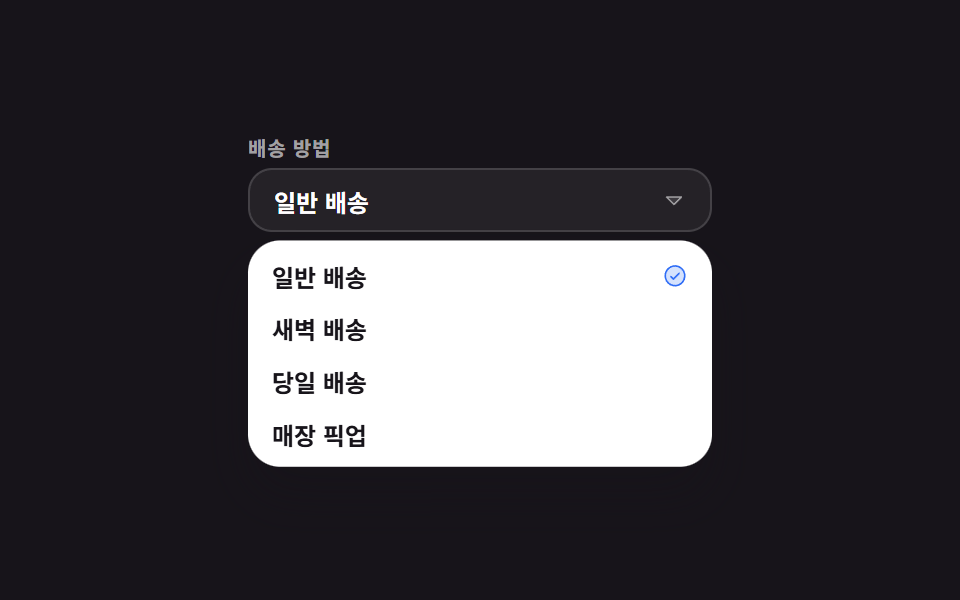 선택 UIcss 셀렉트박스 디자인 9종 — 진짜 열리는 드롭다운
 선택 UI지도 ui 디자인 9종 — 누르면 핀이 떨어지는 위치 선택 화면