아바타 UI 9종 — 사진 파일 없이 만드는 사용자 표시
아바타 UI 는 사진 한 자리로 사람을 보여 주는 부품입니다. 여기 아홉 가지는 이름만으로 색과 무늬를 정하는 원, 사진이 없을 때 대체 순서, 겹침·상태 점·멘션 칩까지 사진 파일 한 장 없이 HTML·CSS·짧은 JS 로 짜 둔 것이라, 붙여 넣으면 그대로 서는 사용자 표시가
 01 avatar-initial-auto-color
 02 avatar-fallback-chain
 03 avatar-identicon-pattern
 04 avatar-shape-size-set
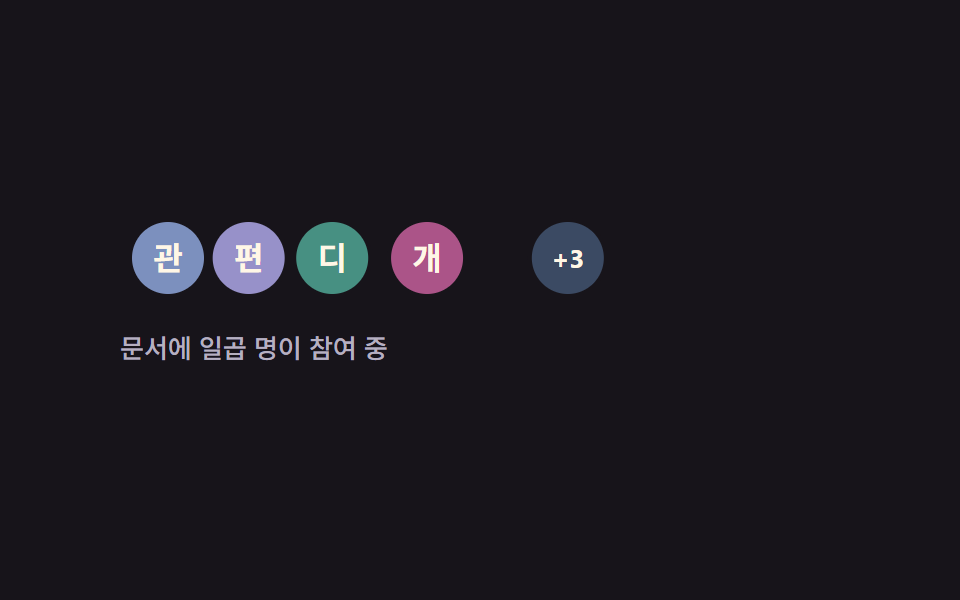 05 avatar-stack-overflow
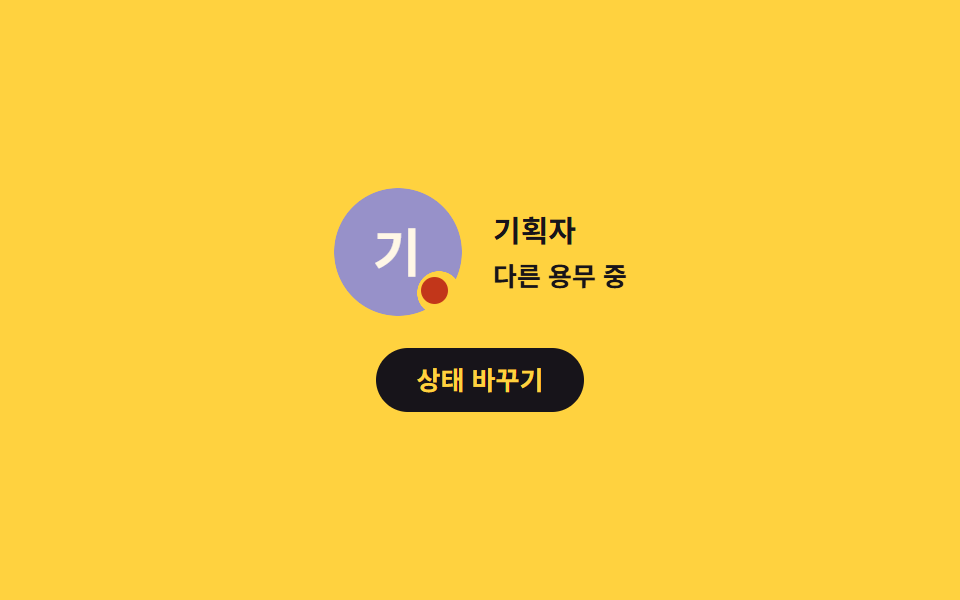 06 avatar-presence-dot
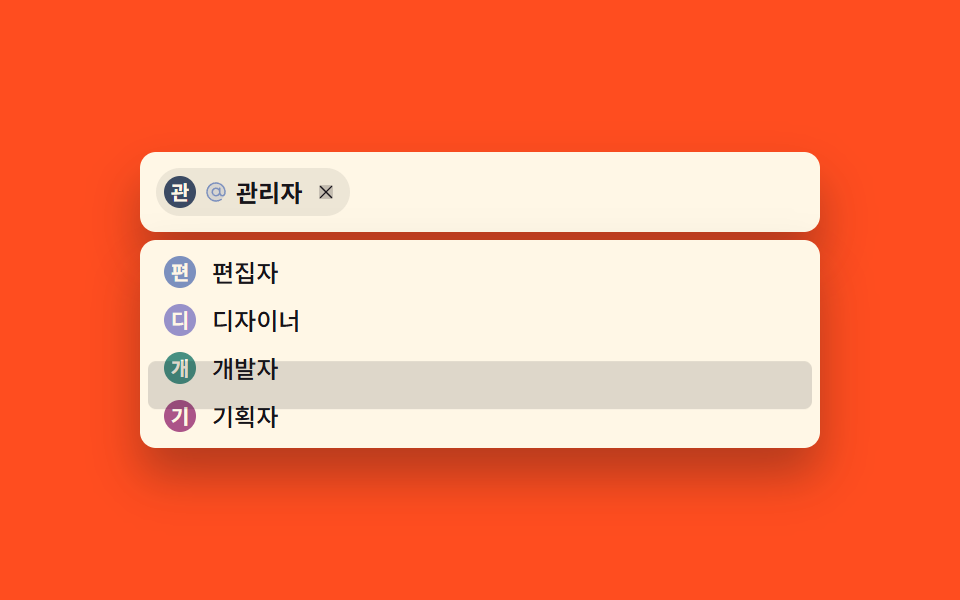 07 avatar-mention-chip
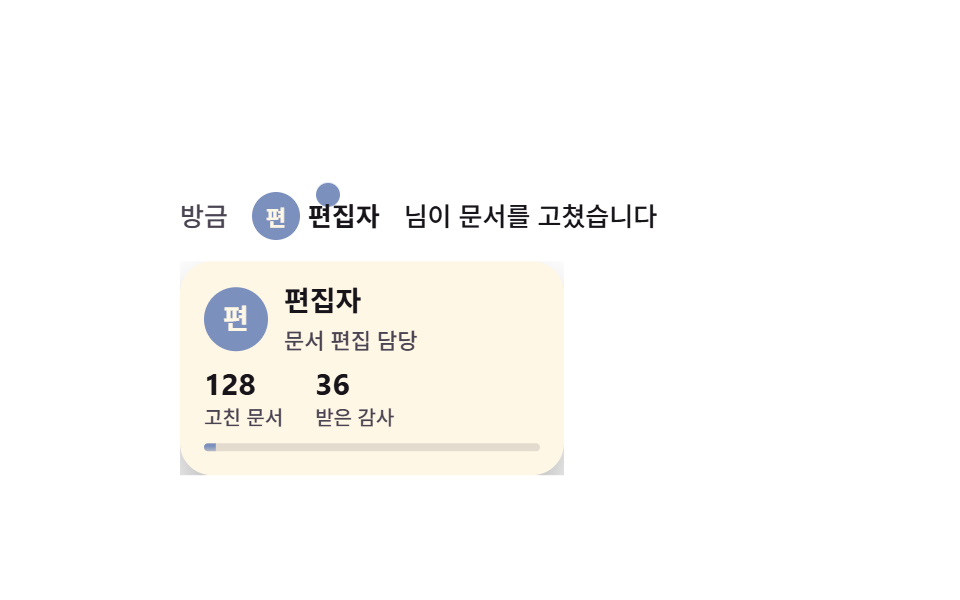 08 avatar-hover-user-card
 09 avatar-crop-upload
자동 재생 · 눌러서 해당 항목으로 · 전부 한 zip
- 01 이니셜 자동 색 아바타
- 02 3단 대체 아바타
- 03 이름 무늬 아바타
- 04 모양·크기 세트
- 05 겹친 아바타와 +N
- 06 접속 상태 점
- 07 멘션 칩 입력
- 08 호버 사용자 카드
- 09 사진 자리 잡기
아홉 개의 아바타 디자인을 놓은 순서는 화면에 등장하는 순서입니다. 먼저 아바타 스스로 채워지는 셋 — 이름에서 색을 얻는 원(01), 사진이 끝내 안 올 때의 3단 대체(02), 이니셜이 겹칠 때의 무늬(03)입니다. 다음 셋은 아바타가 디자인 시스템과 팀 안에 놓이는 방식 — 모양·크기 세트(04), 참여자를 접어 보여 주는 겹침(05), 접속 상태 점(06)입니다. 마지막 셋은 아바타가 입력과 확인에 끼어드는 자리 — 멘션 칩(07), 호버 사용자 카드(08), 사진 자리 잡기(09)입니다. 아홉 개는 잉크 #17141a · 크림 #fff7e6 · 여섯 톤(파랑 #2a5fd8 · 바이올렛 #5b4bd6 · 청록 #0d6e5c · 자주 #a1266f · 벽돌 · 돌색) 팔레트를 함께 쓰기에 두세 개를 한 화면에 섞어도 색이 싸우지 않습니다. 프로필 카드 전체의 겉모습이 궁금하면 프로필 카드 디자인 9종이 이웃이고, 로그인 화면 쪽 부품은 로그인 가입 카드 UI 9종에, 계정 보안 화면은 계정 보안 설정 UI 9종에 정리되어 있습니다. 아바타가 아예 놓이지 않는 자리, 곧 텅 빈 화면을 그리는 축은 빈 화면 카드가 따로 맡습니다.
01이니셜 자동 색 아바타
아바타 컴포넌트에서 무엇이 보이나
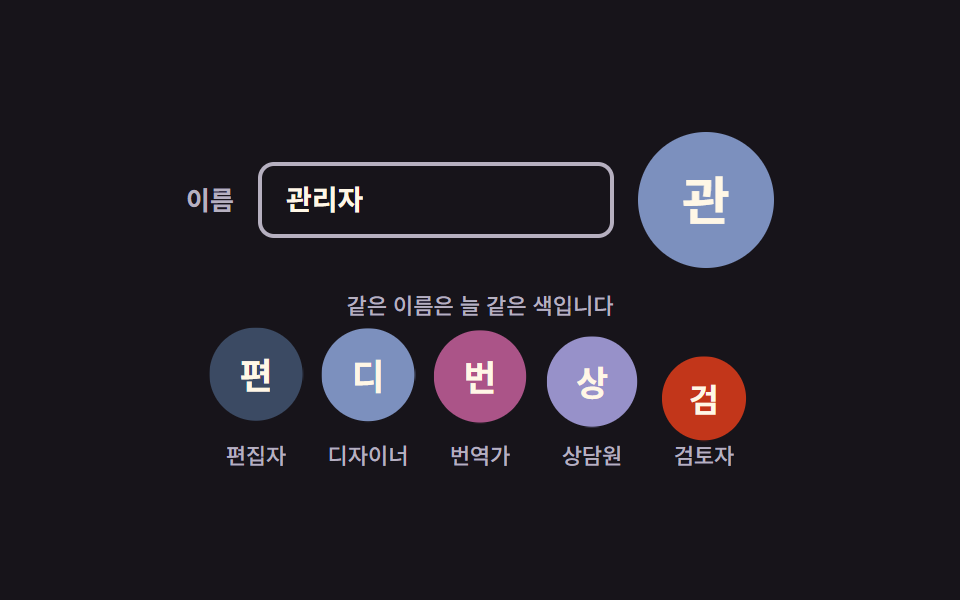
이름 글자를 숫자로 접어 여섯 색 중 하나를 고르는 원입니다. 해시가 순수 함수라 같은 이름은 화면을 다시 그릴 때마다 늘 같은 색을 받고, 입력칸에 이름을 치면 원과 이니셜이 그 자리에서 바뀝니다.
<main class="stage">
  <section class="ai is-demo" aria-label="이니셜 자동 색 아바타">
    <div class="ai__field">
      <label class="ai__label" for="ai-name">이름</label>
      <input class="ai__input" id="ai-name" type="text" value="관리자" autocomplete="off" spellcheck="false" placeholder="이름을 입력하세요">
      <!-- 이니셜 글자와 data-tone 은 JS 가 입력값에서 계산해 넣는다(하드코딩 금지 — 언어팩이 바뀌면 따라간다) -->
      <span class="ai__avatar" data-tone="0" aria-hidden="true"></span>
    </div>

    <p class="ai__hint">같은 이름은 늘 같은 색입니다</p>

    <ul class="ai__row">
      <li class="ai__item"><span class="ai__dot" data-tone="5" aria-hidden="true"></span><span class="ai__name">편집자</span></li>
      <li class="ai__item"><span class="ai__dot" data-tone="0" aria-hidden="true"></span><span class="ai__name">디자이너</span></li>
      <li class="ai__item"><span class="ai__dot" data-tone="3" aria-hidden="true"></span><span class="ai__name">번역가</span></li>
      <li class="ai__item"><span class="ai__dot" data-tone="1" aria-hidden="true"></span><span class="ai__name">상담원</span></li>
      <li class="ai__item"><span class="ai__dot" data-tone="4" aria-hidden="true"></span><span class="ai__name">검토자</span></li>
    </ul>
  </section>
</main>
@use "../../../../site/static/demo-tokens" as *;
// 279 아바타 팔레트 — 이니셜 글자는 언제나 $subject-cream. 괄호는 크림 글자 기준 실측 대비비
$av-blue: #7c90be; // 5.29:1
$av-violet: #9791c9; // 5.76:1
$av-teal: #479082; // 5.79:1
$av-plum: #ab5488; // 6.52:1
$av-brick: $error; // 오류 토큰 — 5.13:1. 리터럴 금지 (BD10)
$av-slate: #3b4a63; // 8.40:1
$av-mist: #b6b0c0; // 잉크 무대 보조 글자 8.65:1
$av-deep: #4a4452; // 옐로 무대 보조 글자 6.49:1 · 페이퍼 무대 9.38:1
// ── 변수 3개 ──────────────────────────────────────────
$duration: $dur-loop; // 아래 줄 아바타가 한 번 솟았다 앉는 주기
$easing: $ease-spring;
$color: $av-mist; // 라벨·안내 줄 색
@include stage($stage-ink);
.ai {
display: grid;
justify-items: center;
gap: $sp-3;
width: min(400px, 92vw);
}
.ai__field {
display: flex;
align-items: center;
gap: $sp-3;
}
.ai__label {
color: $color;
font-weight: 600;
font-size: 13px;
line-height: 1.2;
}
.ai__input {
width: 150px;
padding: $sp-2 $sp-3;
border: 2px solid $color;
border-radius: $r-sm;
background: transparent;
color: $subject-cream;
font-family: inherit;
font-weight: 600;
font-size: 14px;
line-height: 1.3;
}
.ai__input:focus-visible { outline: 2px solid $subject-cream; outline-offset: 2px; }
// 큰 아바타 — 색은 data-tone 번호가 고르고 scss 가 칠한다(JS 는 hex 를 모른다)
.ai__avatar {
display: grid;
place-items: center;
width: 68px;
height: 68px;
border-radius: 50%;
background: $av-slate;
color: $subject-cream; // 팔레트 여섯 색 위 크림 글자는 전부 4.5:1 이상 실측
font-weight: 700;
font-size: 26px;
line-height: 1;
}
.ai__avatar[data-tone="0"] { background: $av-blue; }
.ai__avatar[data-tone="1"] { background: $av-violet; }
.ai__avatar[data-tone="2"] { background: $av-teal; }
.ai__avatar[data-tone="3"] { background: $av-plum; }
.ai__avatar[data-tone="4"] { background: $av-brick; }
.ai__avatar[data-tone="5"] { background: $av-slate; }
.ai__hint {
margin: 0;
color: $color;
font-weight: 500;
font-size: 11px;
line-height: 1.3;
}
.ai__row {
display: flex;
gap: $sp-3;
margin: 0;
padding: 0;
list-style: none;
}
.ai__item { display: grid; justify-items: center; gap: $sp-1; }
.ai__dot {
display: grid;
place-items: center;
width: 44px;
height: 44px;
border-radius: 50%;
background: $av-slate;
color: $subject-cream;
font-weight: 700;
font-size: 17px;
line-height: 1;
}
.ai__dot[data-tone="0"] { background: $av-blue; }
.ai__dot[data-tone="1"] { background: $av-violet; }
.ai__dot[data-tone="2"] { background: $av-teal; }
.ai__dot[data-tone="3"] { background: $av-plum; }
.ai__dot[data-tone="4"] { background: $av-brick; }
.ai__dot[data-tone="5"] { background: $av-slate; }
.ai__name {
color: $color;
font-weight: 500;
font-size: 11px;
line-height: 1.2;
}
// ── 격자 미리보기 루프 ────────────────────────────────
// 아래 줄 아바타 다섯 개가 translateY + scale 로 차례로 솟았다 앉는다.
// animation 단축은 delay 를 0 으로 리셋하므로 낱개 속성으로만 쓴다
.ai.is-demo .ai__dot {
animation-name: aiRise;
animation-duration: $duration;
animation-timing-function: $easing;
animation-iteration-count: infinite;
animation-fill-mode: backwards; // 지연 구간에도 0% 자세(앉은 상태)가 찍힌다
}
.ai.is-demo .ai__item:nth-child(2) .ai__dot { animation-delay: 140ms; }
.ai.is-demo .ai__item:nth-child(3) .ai__dot { animation-delay: 280ms; }
.ai.is-demo .ai__item:nth-child(4) .ai__dot { animation-delay: 420ms; }
.ai.is-demo .ai__item:nth-child(5) .ai__dot { animation-delay: 560ms; }
// 한 바퀴를 78% 안에 끝낸 뒤 제자리에 머문다 — 마지막 장은 95.8% 지점이라 그 뒤는 안 찍힌다
@keyframes aiRise {
0% { transform: translateY(6px) scale(.94); }
36% { transform: translateY(-8px) scale(1.06); }
78% { transform: translateY(0) scale(1); }
100% { transform: translateY(0) scale(1); }
}
// 미리보기 루프 동안에는 자동완성 흔적 글자가 겹쳐 보이지 않게 한다
.ai.is-demo .ai__input::placeholder { color: transparent; }
// 좁은 화면 — 표시와 여백만 줄인다. 값을 올리지 않는다.
@media (max-width: 340px), (max-height: 220px) {
.ai { gap: $sp-2; }
.ai__field { gap: $sp-2; }
.ai__input { width: 120px; font-size: 13px; }
.ai__avatar { width: 56px; height: 56px; font-size: 22px; }
.ai__dot { width: 36px; height: 36px; font-size: 14px; }
.ai__row { gap: $sp-2; }
.ai__hint { font-size: 10px; }
.ai__name { font-size: 10px; }
}
@media (prefers-reduced-motion: reduce) {
// .ai.is-demo .ai__dot (0,3,0) 를 이기려면 !important 가 필요하다.
// 움직임만 끄고 아바타·글자는 그대로 남긴다
.ai__dot { animation: none !important; }
}html, body {
margin: 0;
overflow: hidden;
}
.stage {
box-sizing: border-box;
min-height: 100vh;
display: grid;
place-items: center;
margin: 0;
background: #17141a;
font-family: -apple-system, "Segoe UI", "Noto Sans KR", sans-serif;
padding: clamp(8px, 4vw, 24px);
}
.ai {
display: grid;
justify-items: center;
gap: 12px;
width: min(400px, 92vw);
}
.ai__field {
display: flex;
align-items: center;
gap: 12px;
}
.ai__label {
color: #b6b0c0;
font-weight: 600;
font-size: 13px;
line-height: 1.2;
}
.ai__input {
width: 150px;
padding: 8px 12px;
border: 2px solid #b6b0c0;
border-radius: 8px;
background: transparent;
color: #fff7e6;
font-family: inherit;
font-weight: 600;
font-size: 14px;
line-height: 1.3;
}
.ai__input:focus-visible {
outline: 2px solid #fff7e6;
outline-offset: 2px;
}
.ai__avatar {
display: grid;
place-items: center;
width: 68px;
height: 68px;
border-radius: 50%;
background: #3b4a63;
color: #fff7e6;
font-weight: 700;
font-size: 26px;
line-height: 1;
}
.ai__avatar[data-tone="0"] {
background: #7c90be;
}
.ai__avatar[data-tone="1"] {
background: #9791c9;
}
.ai__avatar[data-tone="2"] {
background: #479082;
}
.ai__avatar[data-tone="3"] {
background: #ab5488;
}
.ai__avatar[data-tone="4"] {
background: #c2361a;
}
.ai__avatar[data-tone="5"] {
background: #3b4a63;
}
.ai__hint {
margin: 0;
color: #b6b0c0;
font-weight: 500;
font-size: 11px;
line-height: 1.3;
}
.ai__row {
display: flex;
gap: 12px;
margin: 0;
padding: 0;
list-style: none;
}
.ai__item {
display: grid;
justify-items: center;
gap: 4px;
}
.ai__dot {
display: grid;
place-items: center;
width: 44px;
height: 44px;
border-radius: 50%;
background: #3b4a63;
color: #fff7e6;
font-weight: 700;
font-size: 17px;
line-height: 1;
}
.ai__dot[data-tone="0"] {
background: #7c90be;
}
.ai__dot[data-tone="1"] {
background: #9791c9;
}
.ai__dot[data-tone="2"] {
background: #479082;
}
.ai__dot[data-tone="3"] {
background: #ab5488;
}
.ai__dot[data-tone="4"] {
background: #c2361a;
}
.ai__dot[data-tone="5"] {
background: #3b4a63;
}
.ai__name {
color: #b6b0c0;
font-weight: 500;
font-size: 11px;
line-height: 1.2;
}
.ai.is-demo .ai__dot {
animation-name: aiRise;
animation-duration: 2s;
animation-timing-function: cubic-bezier(0.2, 0.8, 0.2, 1);
animation-iteration-count: infinite;
animation-fill-mode: backwards;
}
.ai.is-demo .ai__item:nth-child(2) .ai__dot {
animation-delay: 140ms;
}
.ai.is-demo .ai__item:nth-child(3) .ai__dot {
animation-delay: 280ms;
}
.ai.is-demo .ai__item:nth-child(4) .ai__dot {
animation-delay: 420ms;
}
.ai.is-demo .ai__item:nth-child(5) .ai__dot {
animation-delay: 560ms;
}
@keyframes aiRise {
0% {
transform: translateY(6px) scale(0.94);
}
36% {
transform: translateY(-8px) scale(1.06);
}
78% {
transform: translateY(0) scale(1);
}
100% {
transform: translateY(0) scale(1);
}
}
.ai.is-demo .ai__input::placeholder {
color: transparent;
}
@media (max-width: 340px), (max-height: 220px) {
.ai {
gap: 8px;
}
.ai__field {
gap: 8px;
}
.ai__input {
width: 120px;
font-size: 13px;
}
.ai__avatar {
width: 56px;
height: 56px;
font-size: 22px;
}
.ai__dot {
width: 36px;
height: 36px;
font-size: 14px;
}
.ai__row {
gap: 8px;
}
.ai__hint {
font-size: 10px;
}
.ai__name {
font-size: 10px;
}
}
@media (prefers-reduced-motion: reduce) {
.ai__dot {
animation: none !important;
}
}(function () {
var root = document.querySelector('.ai');
var input = root.querySelector('.ai__input');
var avatar = root.querySelector('.ai__avatar');
// 이름을 숫자로 접어 0~5 — 순수 함수라 같은 이름은 늘 같은 색을 고른다
function hashName(text) {
  var h = 0;
  for (var i = 0; i < text.length; i++) h = (h * 31 + text.charCodeAt(i)) >>> 0;
  return h % 6;
}

// 한국어면 첫 글자 1자, 라틴이면 앞 두 단어의 머리글자
function initialsOf(text) {
  var trimmed = text.trim();
  if (!trimmed) return '';
  if (/[가-힣]/.test(trimmed[0])) return trimmed[0];
  var words = trimmed.split(/\s+/).filter(function (w) { return /[A-Za-z]/.test(w[0] || ''); });
  return words.slice(0, 2).map(function (w) { return w[0].toUpperCase(); }).join('');
}

// JS 는 색을 모른다 — data-tone 번호만 바꾸고 scss 가 여섯 색을 칠한다
function applyName() {
  avatar.dataset.tone = String(hashName(input.value));
  avatar.textContent = initialsOf(input.value);
}
// 아래 줄 다섯 개도 이름 표시에서 이니셜과 색을 계산해 넣는다
var items = root.querySelectorAll('.ai__item');
Array.prototype.forEach.call(items, function (item) {
var name = item.querySelector('.ai__name').textContent;
var dot = item.querySelector('.ai__dot');
dot.dataset.tone = String(hashName(name));
dot.textContent = initialsOf(name);
});
input.addEventListener('input', applyName);
applyName();
// 사람이 손을 대면 미리보기 루프를 뗀다
function stopLoop() { root.classList.remove('is-demo'); }
root.addEventListener('pointerdown', stopLoop);
root.addEventListener('focusin', stopLoop);
})();import { useState } from "react";
import type { CSSProperties, ReactNode } from "react";
import styles from "./AvatarInitialAutoColor.module.scss";
export type AvatarInitialAutoColorProps = {
label?: string;
nameLabel?: string;
placeholder?: string;
hint?: string;
name?: string;
rowNames?: string[];
/** 아래 줄 아바타가 한 번 솟았다 앉는 주기(ms) */
duration?: number;
easing?: string;
/** 라벨·안내 줄 색 */
color?: string;
};
type Vars = CSSProperties & { "--duration"?: string; "--easing"?: string; "--color"?: string };
// ambient 타입에 React 이벤트 제네릭이 없어 로컬 타입을 쓴다
type InputEvt = { target: { value: string } };
// 이름을 숫자로 접어 0~5 — 순수 함수라 같은 이름은 늘 같은 색을 고른다
function hashName(text: string): number {
let h = 0;
for (let i = 0; i < text.length; i++) h = (h * 31 + text.charCodeAt(i)) >>> 0;
return h % 6;
}
// 한국어면 첫 글자 1자, 라틴이면 앞 두 단어의 머리글자
function initialsOf(text: string): string {
const trimmed = text.trim();
if (!trimmed) return "";
if (/[가-힣]/.test(trimmed[0])) return trimmed[0];
const words = trimmed.split(/\s+/).filter((w) => /[A-Za-z]/.test(w[0] || ""));
return words.slice(0, 2).map((w) => w[0].toUpperCase()).join("");
}
export default function AvatarInitialAutoColor({
label = "이니셜 자동 색 아바타",
nameLabel = "이름",
placeholder = "이름을 입력하세요",
hint = "같은 이름은 늘 같은 색입니다",
name = "관리자",
rowNames = ["편집자", "디자이너", "번역가", "상담원", "검토자"],
duration = 2000,
easing = "cubic-bezier(.2, .8, .2, 1)",
color = "#b6b0c0",
}: AvatarInitialAutoColorProps): ReactNode {
const [value, setValue] = useState<string>(name);
const [loop, setLoop] = useState<boolean>(true);
const vars: Vars = { "--duration": `${duration}ms`, "--easing": easing, "--color": color };
return (
<section
className={loop ? `${styles.ai} ${styles.isDemo}` : styles.ai}
style={vars}
aria-label={label}
onPointerDown={() => setLoop(false)}
onFocus={() => setLoop(false)}
>
<div className={styles.field}>
<label className={styles.label} htmlFor="ai-name">{nameLabel}</label>
<input
className={styles.input}
id="ai-name"
type="text"
value={value}
autoComplete="off"
spellCheck={false}
placeholder={placeholder}
onChange={(e: InputEvt) => setValue(e.target.value)}
/>
{/* 이니셜 글자와 data-tone 은 이름에서 계산해 넣는다 — JS 는 색을 모른다 */}
<span className={styles.avatar} data-tone={String(hashName(value))} aria-hidden="true">
{initialsOf(value)}
</span>
</div>
<p className={styles.hint}>{hint}</p>
<ul className={styles.row}>
{rowNames.map((rowName) => (
<li key={rowName} className={styles.item}>
<span className={styles.dot} data-tone={String(hashName(rowName))} aria-hidden="true">
{initialsOf(rowName)}
</span>
<span className={styles.name}>{rowName}</span>
</li>
))}
</ul>
</section>
);
}01 · 이니셜 자동 색 아바타 — 측정 누적면적 6.244% · 움직인 프레임 23/23GODRICH 원작 · zip 에 SCSS·React 포함 · 비밀번호 보기
코드에서 볼 곳
사진을 올리지 않은 사용자가 많은 목록·댓글에 씁니다.
// 이름을 숫자로 접어 0~5 — 순수 함수라 같은 이름은 늘 같은 색을 고른다
function hashName(text) {
var h = 0;
for (var i = 0; i < text.length; i++) h = (h * 31 + text.charCodeAt(i)) >>> 0;
return h % 6;
}
// 한국어면 첫 글자 1자, 라틴이면 앞 두 단어의 머리글자
function initialsOf(text) {
var trimmed = text.trim();
if (!trimmed) return '';
if (/[가-힣]/.test(trimmed[0])) return trimmed[0];
var words = trimmed.split(/\s+/).filter(function (w) { return /[A-Za-z]/.test(w[0] || ''); });
return words.slice(0, 2).map(function (w) { return w[0].toUpperCase(); }).join('');
}
// JS 는 색을 모른다 — data-tone 번호만 바꾸고 scss 가 여섯 색을 칠한다
function applyName() {
avatar.dataset.tone = String(hashName(input.value));
avatar.textContent = initialsOf(input.value);
}
.ai__avatar[data-tone="0"] { background: $av-blue; }
.ai__avatar[data-tone="1"] { background: $av-violet; }
.ai__avatar[data-tone="2"] { background: $av-teal; }
.ai__avatar[data-tone="3"] { background: $av-plum; }
.ai__avatar[data-tone="4"] { background: $av-brick; }
.ai__avatar[data-tone="5"] { background: $av-slate; }
023단 대체 아바타
화면에서 일어나는 일
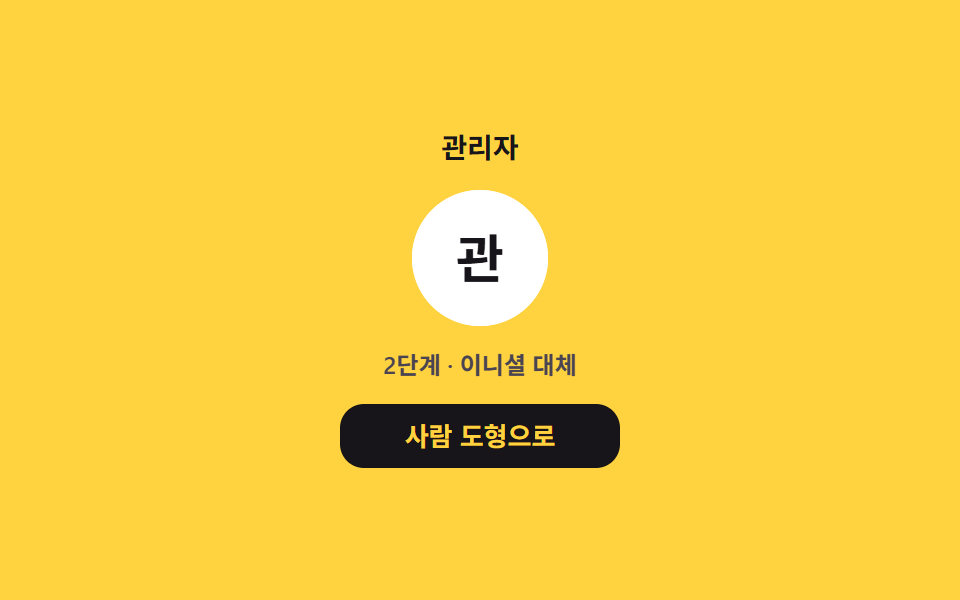
사진을 기다리는 자리, 사진이 끝내 안 오면 이니셜, 이름조차 없으면 사람 도형까지 세 단계가 한 프레임에 끊어 바뀝니다.
<main class="stage">
  <section class="fb is-demo" aria-label="3단 대체 아바타" data-step="photo">
    <p class="fb__name">관리자</p>

    <!-- 세 겹이 한 자리에 겹쳐 앉는다: 사진 자리(로딩 시머) · 이니셜 · 사람 도형.
         data-step 이 어느 겹을 보일지 정한다 -->
    <span class="fb__slot">
      <span class="fb__shine" aria-hidden="true"></span>
      <img class="fb__photo" src="member-photo.jpg" alt="">
      <span class="fb__initial" aria-hidden="true"></span>
      <span class="fb__mark" aria-hidden="true">
        <svg viewBox="0 0 256 256" width="34" height="34" aria-hidden="true" focusable="false" fill="currentColor"><path d="M192,96a64,64,0,1,1-64-64A64,64,0,0,1,192,96Z" opacity="0.2"/><path d="M230.92,212c-15.23-26.33-38.7-45.21-66.09-54.16a72,72,0,1,0-73.66,0C63.78,166.78,40.31,185.66,25.08,212a8,8,0,1,0,13.85,8c18.84-32.56,52.14-52,89.07-52s70.23,19.44,89.07,52a8,8,0,1,0,13.85-8ZM72,96a56,56,0,1,1,56,56A56.06,56.06,0,0,1,72,96Z"/></svg>
      </span>
    </span>

    <p class="fb__step">
      <span class="fb__stepTxt fb__stepTxt--photo">1단계 · 사진 기다리는 중</span>
      <span class="fb__stepTxt fb__stepTxt--initials">2단계 · 이니셜 대체</span>
      <span class="fb__stepTxt fb__stepTxt--mark">3단계 · 사람 도형 대체</span>
    </p>

    <button class="fb__btn" type="button">
      <span class="fb__btnTxt fb__btnTxt--mark">사람 도형으로</span>
      <span class="fb__btnTxt fb__btnTxt--initials">이니셜로 되돌리기</span>
    </button>
  </section>
</main>@use "../../../../site/static/demo-tokens" as *;
// 279 아바타 팔레트 — 이니셜 글자는 언제나 $subject-cream. 괄호는 크림 글자 기준 실측 대비비
$av-blue: #7c90be; // 5.29:1
$av-violet: #9791c9; // 5.76:1
$av-teal: #479082; // 5.79:1
$av-plum: #ab5488; // 6.52:1
$av-brick: $error; // 오류 토큰 — 5.13:1. 리터럴 금지 (BD10)
$av-slate: #3b4a63; // 8.40:1
$av-mist: #b6b0c0; // 잉크 무대 보조 글자 8.65:1
$av-deep: #4a4452; // 옐로 무대 보조 글자 6.49:1 · 페이퍼 무대 9.38:1
// ── 변수 3개 ──────────────────────────────────────────
$duration: $dur-loop; // 세 단계 컷이 도는 한 바퀴
$easing: $ease-out; // 시머 막대가 지나가는 결
$color: $stage-ink; // 옐로 무대 글자 12.63:1 — 크림은 1.35:1 로 금지
@include stage($stage-yellow);
.fb {
display: grid;
justify-items: center;
gap: $sp-3;
width: min(320px, 92vw);
}
.fb__name {
margin: 0;
color: $color;
font-weight: 700;
font-size: 14px;
line-height: 1.2;
}
// 세 겹이 겹쳐 앉는 자리 — 사진(안 오면 시머) · 이니셜 · 사람 도형
.fb__slot {
position: relative;
display: grid;
place-items: center;
width: 68px;
height: 68px;
border-radius: 50%;
background: $stage-paper;
overflow: hidden;
}
.fb__photo {
position: absolute;
inset: 0;
width: 100%;
height: 100%;
object-fit: cover; // 칩 — 어떤 비율의 사진이 와도 원을 꽉 채운다
opacity: 0;
}
// 로딩 시머 막대 — 대기 단계에서 계속 지나가며 움직임 프레임을 채운다
.fb__shine {
position: absolute;
top: 0;
bottom: 0;
left: 0;
width: 34px;
background: rgba(23, 20, 26, .12);
animation-name: fbShine;
animation-duration: 1s;
animation-timing-function: $easing;
animation-iteration-count: infinite;
}
.fb__initial {
position: absolute;
inset: 0;
display: grid;
place-items: center;
background: $stage-paper;
color: $color; // 옐로 무대 글자는 잉크로
font-weight: 700;
font-size: 26px;
line-height: 1;
opacity: 0;
}
.fb__mark {
position: absolute;
inset: 0;
display: grid;
place-items: center;
background: $stage-paper;
color: $color;
opacity: 0;
}
.fb__mark svg { width: 34px; height: 34px; }
// 정적 표시 — data-step 이 보일 겹 하나만 켠다 (.is-demo 를 뗀 화면이 비면 안 된다)
.fb[data-step="photo"] .fb__photo { opacity: 1; }
.fb[data-step="initials"] .fb__initial { opacity: 1; }
.fb[data-step="mark"] .fb__mark { opacity: 1; }
// 단계 한 줄 — 세 문장이 한 칸에 겹쳐 있고 컷 타이밍에 맞춰 바뀐다
.fb__step {
display: grid;
justify-items: center;
margin: 0;
}
.fb__stepTxt {
grid-area: 1 / 1;
color: $av-deep; // 옐로 무대 보조 글자 6.49:1
font-weight: 600;
font-size: 12px;
line-height: 1.3;
opacity: 0;
}
.fb[data-step="photo"] .fb__stepTxt--photo,
.fb[data-step="initials"] .fb__stepTxt--initials,
.fb[data-step="mark"] .fb__stepTxt--mark { opacity: 1; }
.fb__btn {
display: grid;
margin: 0;
padding: $sp-2 $sp-5;
border: 0;
border-radius: $r-control;
background: $color;
color: $stage-yellow;
font-family: inherit;
font-weight: 700;
font-size: 13px;
line-height: 1.2;
cursor: pointer;
}
.fb__btn:focus-visible { outline: 2px solid $color; outline-offset: 3px; }
.fb__btnTxt { grid-area: 1 / 1; visibility: hidden; }
.fb[data-step="initials"] .fb__btnTxt--mark,
.fb[data-step="mark"] .fb__btnTxt--initials { visibility: visible; }
// ── 격자 미리보기 루프 ────────────────────────────────
// 세 단계를 steps(1, end) 로 한 프레임에 컷한다 — 절반 투명 상태가 겹치지 않는다.
// 0% 대기 / 34% 이니셜 / 67% 사람 도형, 88% 안에 대기로 복귀.
// 컷만 있으면 움직임 프레임이 모자라니 대기 단계의 시머 막대가 계속 지나가 프레임을 채운다
.fb.is-demo .fb__photo,
.fb.is-demo .fb__stepTxt--photo {
animation-name: fbCutPhoto;
animation-duration: $duration;
animation-timing-function: steps(1, end);
animation-iteration-count: infinite;
}
.fb.is-demo .fb__initial,
.fb.is-demo .fb__stepTxt--initials {
animation-name: fbCutInitial;
animation-duration: $duration;
animation-timing-function: steps(1, end);
animation-iteration-count: infinite;
}
.fb.is-demo .fb__mark,
.fb.is-demo .fb__stepTxt--mark {
animation-name: fbCutMark;
animation-duration: $duration;
animation-timing-function: steps(1, end);
animation-iteration-count: infinite;
}
@keyframes fbCutPhoto {
0% { opacity: 1; }
34% { opacity: 0; }
88% { opacity: 1; }
100% { opacity: 1; }
}
@keyframes fbCutInitial {
0% { opacity: 0; }
34% { opacity: 1; }
67% { opacity: 0; }
100% { opacity: 0; }
}
@keyframes fbCutMark {
0% { opacity: 0; }
67% { opacity: 1; }
88% { opacity: 0; }
100% { opacity: 0; }
}
@keyframes fbShine {
0% { transform: translateX(-40px); }
100% { transform: translateX(80px); }
}
// 좁은 화면 — 표시와 여백만 줄인다. 값을 올리지 않는다.
@media (max-width: 340px), (max-height: 220px) {
.fb { gap: $sp-2; }
.fb__slot { width: 56px; height: 56px; }
.fb__initial { font-size: 22px; }
.fb__mark svg { width: 28px; height: 28px; }
.fb__name { font-size: 12px; }
.fb__stepTxt { font-size: 11px; }
.fb__btn { padding: $sp-2 $sp-4; font-size: 12px; }
}
@media (prefers-reduced-motion: reduce) {
// .fb.is-demo … (0,3,0) 를 이기려면 !important 가 필요하다.
// 컷과 시머만 끄고, 정적 규칙(data-step) 이 보일 겹을 이어받는다
.fb__photo, .fb__initial, .fb__mark, .fb__stepTxt, .fb__shine { animation: none !important; }
}html, body {
margin: 0;
overflow: hidden;
}
.stage {
box-sizing: border-box;
min-height: 100vh;
display: grid;
place-items: center;
margin: 0;
background: #ffd23f;
font-family: -apple-system, "Segoe UI", "Noto Sans KR", sans-serif;
padding: clamp(8px, 4vw, 24px);
}
.fb {
display: grid;
justify-items: center;
gap: 12px;
width: min(320px, 92vw);
}
.fb__name {
margin: 0;
color: #17141a;
font-weight: 700;
font-size: 14px;
line-height: 1.2;
}
.fb__slot {
position: relative;
display: grid;
place-items: center;
width: 68px;
height: 68px;
border-radius: 50%;
background: #ffffff;
overflow: hidden;
}
.fb__photo {
position: absolute;
inset: 0;
width: 100%;
height: 100%;
object-fit: cover;
opacity: 0;
}
.fb__shine {
position: absolute;
top: 0;
bottom: 0;
left: 0;
width: 34px;
background: rgba(23, 20, 26, 0.12);
animation-name: fbShine;
animation-duration: 1s;
animation-timing-function: ease-out;
animation-iteration-count: infinite;
}
.fb__initial {
position: absolute;
inset: 0;
display: grid;
place-items: center;
background: #ffffff;
color: #17141a;
font-weight: 700;
font-size: 26px;
line-height: 1;
opacity: 0;
}
.fb__mark {
position: absolute;
inset: 0;
display: grid;
place-items: center;
background: #ffffff;
color: #17141a;
opacity: 0;
}
.fb__mark svg {
width: 34px;
height: 34px;
}
.fb[data-step=photo] .fb__photo {
opacity: 1;
}
.fb[data-step=initials] .fb__initial {
opacity: 1;
}
.fb[data-step=mark] .fb__mark {
opacity: 1;
}
.fb__step {
display: grid;
justify-items: center;
margin: 0;
}
.fb__stepTxt {
grid-area: 1/1;
color: #4a4452;
font-weight: 600;
font-size: 12px;
line-height: 1.3;
opacity: 0;
}
.fb[data-step=photo] .fb__stepTxt--photo,
.fb[data-step=initials] .fb__stepTxt--initials,
.fb[data-step=mark] .fb__stepTxt--mark {
opacity: 1;
}
.fb__btn {
display: grid;
margin: 0;
padding: 8px 20px;
border: 0;
border-radius: 12px;
background: #17141a;
color: #ffd23f;
font-family: inherit;
font-weight: 700;
font-size: 13px;
line-height: 1.2;
cursor: pointer;
}
.fb__btn:focus-visible {
outline: 2px solid #17141a;
outline-offset: 3px;
}
.fb__btnTxt {
grid-area: 1/1;
visibility: hidden;
}
.fb[data-step=initials] .fb__btnTxt--mark,
.fb[data-step=mark] .fb__btnTxt--initials {
visibility: visible;
}
.fb.is-demo .fb__photo,
.fb.is-demo .fb__stepTxt--photo {
animation-name: fbCutPhoto;
animation-duration: 2s;
animation-timing-function: steps(1, end);
animation-iteration-count: infinite;
}
.fb.is-demo .fb__initial,
.fb.is-demo .fb__stepTxt--initials {
animation-name: fbCutInitial;
animation-duration: 2s;
animation-timing-function: steps(1, end);
animation-iteration-count: infinite;
}
.fb.is-demo .fb__mark,
.fb.is-demo .fb__stepTxt--mark {
animation-name: fbCutMark;
animation-duration: 2s;
animation-timing-function: steps(1, end);
animation-iteration-count: infinite;
}
@keyframes fbCutPhoto {
0% {
opacity: 1;
}
34% {
opacity: 0;
}
88% {
opacity: 1;
}
100% {
opacity: 1;
}
}
@keyframes fbCutInitial {
0% {
opacity: 0;
}
34% {
opacity: 1;
}
67% {
opacity: 0;
}
100% {
opacity: 0;
}
}
@keyframes fbCutMark {
0% {
opacity: 0;
}
67% {
opacity: 1;
}
88% {
opacity: 0;
}
100% {
opacity: 0;
}
}
@keyframes fbShine {
0% {
transform: translateX(-40px);
}
100% {
transform: translateX(80px);
}
}
@media (max-width: 340px), (max-height: 220px) {
.fb {
gap: 8px;
}
.fb__slot {
width: 56px;
height: 56px;
}
.fb__initial {
font-size: 22px;
}
.fb__mark svg {
width: 28px;
height: 28px;
}
.fb__name {
font-size: 12px;
}
.fb__stepTxt {
font-size: 11px;
}
.fb__btn {
padding: 8px 16px;
font-size: 12px;
}
}
@media (prefers-reduced-motion: reduce) {
.fb__photo, .fb__initial, .fb__mark, .fb__stepTxt, .fb__shine {
animation: none !important;
}
}(function () {
var root = document.querySelector('.fb');
var img = root.querySelector('.fb__photo');
var btn = root.querySelector('.fb__btn');
var nameEl = root.querySelector('.fb__name');
var initialEl = root.querySelector('.fb__initial');
// 이니셜은 이름 표시에서 계산한다(한국어 첫 글자 1자 · 라틴 앞 두 단어 머리글자)
function initialsOf(text) {
var trimmed = text.trim();
if (!trimmed) return '';
if (/[가-힣]/.test(trimmed[0])) return trimmed[0];
var words = trimmed.split(/\s+/).filter(function (w) { return /[A-Za-z]/.test(w[0] || ''); });
return words.slice(0, 2).map(function (w) { return w[0].toUpperCase(); }).join('');
}
initialEl.textContent = initialsOf(nameEl.textContent);
// 사진 파일은 일부러 없다(404) — error 이벤트에서 스스로 이니셜 단계로 내려간다
img.addEventListener('error', function () {
if (root.dataset.step === 'photo') root.dataset.step = 'initials';
});
if (img.complete && img.naturalWidth === 0 && root.dataset.step === 'photo') {
root.dataset.step = 'initials';
}
// 버튼 하나가 이니셜과 사람 도형을 오간다 (키보드 Enter·Space 로도 눌린다)
btn.addEventListener('click', function () {
root.dataset.step = (root.dataset.step === 'mark') ? 'initials' : 'mark';
});
// 사람이 손을 대면 미리보기 루프를 뗀다
function stopLoop() { root.classList.remove('is-demo'); }
root.addEventListener('pointerdown', stopLoop);
root.addEventListener('focusin', stopLoop);
})();import { useState } from "react";
import type { CSSProperties, ReactNode } from "react";
import styles from "./AvatarFallbackChain.module.scss";
export type AvatarFallbackChainProps = {
label?: string;
name?: string;
stepPhoto?: string;
stepInitials?: string;
stepMark?: string;
btnToMark?: string;
btnToInitials?: string;
/** 세 단계 컷이 도는 한 바퀴(ms) */
duration?: number;
easing?: string;
/** 옐로 무대 글자색 */
color?: string;
};
type Vars = CSSProperties & { "--duration"?: string; "--easing"?: string; "--color"?: string };
// 이니셜은 이름에서 계산한다(한국어 첫 글자 1자 · 라틴 앞 두 단어 머리글자)
function initialsOf(text: string): string {
const trimmed = text.trim();
if (!trimmed) return "";
if (/[가-힣]/.test(trimmed[0])) return trimmed[0];
const words = trimmed.split(/\s+/).filter((w) => /[A-Za-z]/.test(w[0] || ""));
return words.slice(0, 2).map((w) => w[0].toUpperCase()).join("");
}
export default function AvatarFallbackChain({
label = "3단 대체 아바타",
name = "관리자",
stepPhoto = "1단계 · 사진 기다리는 중",
stepInitials = "2단계 · 이니셜 대체",
stepMark = "3단계 · 사람 도형 대체",
btnToMark = "사람 도형으로",
btnToInitials = "이니셜로 되돌리기",
duration = 2000,
easing = "ease-out",
color = "#17141a",
}: AvatarFallbackChainProps): ReactNode {
const [step, setStep] = useState<"photo" | "initials" | "mark">("photo");
const [loop, setLoop] = useState<boolean>(true);
const vars: Vars = { "--duration": `${duration}ms`, "--easing": easing, "--color": color };
return (
<section
className={loop ? `${styles.fb} ${styles.isDemo}` : styles.fb}
style={vars}
aria-label={label}
data-step={step}
onPointerDown={() => setLoop(false)}
onFocus={() => setLoop(false)}
>
<p className={styles.name}>{name}</p>
{/* 세 겹이 한 자리에 겹쳐 앉는다: 사진 자리(로딩 시머) · 이니셜 · 사람 도형.
data-step 이 어느 겹을 보일지 정한다 */}
<span className={styles.slot}>
<span className={styles.shine} aria-hidden="true" />
{/* 사진 파일은 일부러 없다(404) — error 에서 스스로 이니셜 단계로 내려간다 */}
<img
className={styles.photo}
src="member-photo.jpg"
alt=""
onError={() => setStep((s) => (s === "photo" ? "initials" : s))}
/>
<span className={styles.initial} aria-hidden="true">{initialsOf(name)}</span>
<span className={styles.mark} aria-hidden="true">
<svg viewBox="0 0 256 256" width="34" height="34" aria-hidden="true" focusable="false" fill="currentColor"><path d="M192,96a64,64,0,1,1-64-64A64,64,0,0,1,192,96Z" opacity="0.2" /><path d="M230.92,212c-15.23-26.33-38.7-45.21-66.09-54.16a72,72,0,1,0-73.66,0C63.78,166.78,40.31,185.66,25.08,212a8,8,0,1,0,13.85,8c18.84-32.56,52.14-52,89.07-52s70.23,19.44,89.07,52a8,8,0,1,0,13.85-8ZM72,96a56,56,0,1,1,56,56A56.06,56.06,0,0,1,72,96Z" /></svg>
</span>
</span>
<p className={styles.step}>
<span className={`${styles.stepTxt} ${styles.stepTxtPhoto}`}>{stepPhoto}</span>
<span className={`${styles.stepTxt} ${styles.stepTxtInitials}`}>{stepInitials}</span>
<span className={`${styles.stepTxt} ${styles.stepTxtMark}`}>{stepMark}</span>
</p>
{/* 버튼 하나가 이니셜과 사람 도형을 오간다 (키보드 Enter·Space 로도 눌린다) */}
<button
className={styles.btn}
type="button"
onClick={() => setStep((s) => (s === "mark" ? "initials" : "mark"))}
>
<span className={`${styles.btnTxt} ${styles.btnTxtMark}`}>{btnToMark}</span>
<span className={`${styles.btnTxt} ${styles.btnTxtInitials}`}>{btnToInitials}</span>
</button>
</section>
);
}02 · 3단 대체 아바타 — 측정 누적면적 3.383% · 움직인 프레임 11/23GODRICH 원작 · zip 에 SCSS·React 포함 · 비밀번호 보기
코드 읽는 법
외부에서 받아 온 사진 주소가 자주 깨지는 화면에 씁니다.
// 사진은 일부러 없는 파일을 가리킨다 — error 이벤트이 대체 단계를 밀어 올린다
photo.addEventListener('error', function () {
  root.dataset.step = 'initials';
});

// 버튼 하나로 이니셜 ↔ 사람 도형을 오간다(이름 지우기/되돌리기)
btn.addEventListener('click', function () {
  root.dataset.step = root.dataset.step === 'initials' ? 'mark' : 'initials';
});
// 세 단계를 steps(1, end) 로 한 프레임에 컷한다 — 절반 투명 상태가 겹치지 않는다.
// 0% 대기 / 34% 이니셜 / 67% 사람 도형, 88% 안에 대기로 복귀.
// 컷만 있으면 움직임 프레임이 모자라니 대기 단계의 시머 막대가 계속 지나가 프레임을 채운다
.fb.is-demo .fb__photo,
.fb.is-demo .fb__stepTxt--photo {
  animation-name: fbCutPhoto;
  animation-duration: $duration;
  animation-timing-function: steps(1, end);
  animation-iteration-count: infinite;
}

@keyframes fbCutPhoto {
  0%      { opacity: 1; }
  34%     { opacity: 0; }
  88%     { opacity: 1; }
  100%    { opacity: 1; }
}
03이름 무늬 아바타
어떤 움직임인가
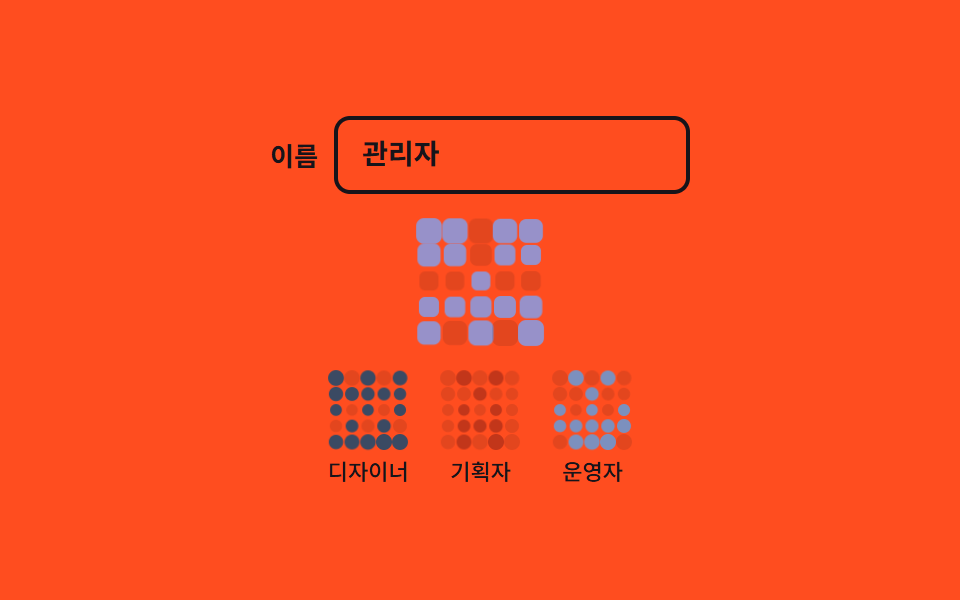
같은 이름에서 늘 같은 5×5 무늬가 나오는 아이덴티콘입니다.
<main class="stage">
  <section class="id is-demo" aria-label="이름 무늬 아바타">
    <div class="id__field">
      <label class="id__label" for="id-name">이름</label>
      <input class="id__input" id="id-name" type="text" value="관리자" autocomplete="off" spellcheck="false" placeholder="이름을 입력하세요">
    </div>

    <!-- 25칸은 JS 가 만든다: 해시 비트를 15칸(열 0·1·2)에 배분하고 열 0↔4 · 1↔3 을 거울처럼 맞춘다 -->
    <div class="id__grid" data-tone="1" aria-hidden="true"></div>

    <ul class="id__list">
      <li class="id__item"><div class="id__mini" data-tone="5" aria-hidden="true"></div><span class="id__name">디자이너</span></li>
      <li class="id__item"><div class="id__mini" data-tone="4" aria-hidden="true"></div><span class="id__name">기획자</span></li>
      <li class="id__item"><div class="id__mini" data-tone="0" aria-hidden="true"></div><span class="id__name">운영자</span></li>
    </ul>
  </section>
</main>
@use "../../../../site/static/demo-tokens" as *;
// 279 아바타 팔레트 — 이니셜 글자는 언제나 $subject-cream. 괄호는 크림 글자 기준 실측 대비비
$av-blue: #7c90be; // 5.29:1
$av-violet: #9791c9; // 5.76:1
$av-teal: #479082; // 5.79:1
$av-plum: #ab5488; // 6.52:1
$av-brick: $error; // 오류 토큰 — 5.13:1. 리터럴 금지 (BD10)
$av-slate: #3b4a63; // 8.40:1
$av-mist: #b6b0c0; // 잉크 무대 보조 글자 8.65:1
$av-deep: #4a4452; // 옐로 무대 보조 글자 6.49:1 · 페이퍼 무대 9.38:1
// ── 변수 3개 ──────────────────────────────────────────
$duration: 1s; // 칸 숨쉬기 한 바퀴 (2s 의 약수)
$easing: $ease-out;
$color: $stage-ink; // 오렌지 무대 글자 5.50:1 — 크림은 3.11:1 로 금지
@include stage($stage-orange);
.id {
display: grid;
justify-items: center;
gap: $sp-3;
width: min(360px, 92vw);
}
.id__field {
display: flex;
align-items: center;
gap: $sp-2;
}
.id__label {
color: $color;
font-weight: 600;
font-size: 13px;
line-height: 1.2;
}
.id__input {
width: 150px;
padding: $sp-2 $sp-3;
border: 2px solid $color;
border-radius: $r-sm;
background: transparent;
color: $color;
font-family: inherit;
font-weight: 600;
font-size: 14px;
line-height: 1.3;
}
.id__input:focus-visible { outline: 2px solid $color; outline-offset: 2px; }
// 큰 무늬 — 5×5. 칸 폭이 정확히 균등해진다
.id__grid {
display: grid;
grid-template-columns: repeat(5, 1fr); // 칩
width: 64px;
height: 64px;
}
// 칸은 켜진 것만 색이 들어간다. 꺼진 칸은 무대 위 희미한 격자로 자리만 지킨다
.id__cell {
transform-origin: center; // 칩 — 제자리에서 숨쉰다
border-radius: $r-xs;
background: rgba(23, 20, 26, .12);
}
.id__grid[data-tone="0"] .id__cell.is-on,
.id__mini[data-tone="0"] .id__cell.is-on { background: $av-blue; }
.id__grid[data-tone="1"] .id__cell.is-on,
.id__mini[data-tone="1"] .id__cell.is-on { background: $av-violet; }
.id__grid[data-tone="2"] .id__cell.is-on,
.id__mini[data-tone="2"] .id__cell.is-on { background: $av-teal; }
.id__grid[data-tone="3"] .id__cell.is-on,
.id__mini[data-tone="3"] .id__cell.is-on { background: $av-plum; }
.id__grid[data-tone="4"] .id__cell.is-on,
.id__mini[data-tone="4"] .id__cell.is-on { background: $av-brick; }
.id__grid[data-tone="5"] .id__cell.is-on,
.id__mini[data-tone="5"] .id__cell.is-on { background: $av-slate; }
.id__list {
display: flex;
gap: $sp-4;
margin: 0;
padding: 0;
list-style: none;
}
.id__item { display: grid; justify-items: center; gap: $sp-1; }
.id__mini {
display: grid;
grid-template-columns: repeat(5, 1fr);
width: 40px;
height: 40px;
}
.id__name {
color: $color;
font-weight: 500;
font-size: 11px;
line-height: 1.2;
}
// ── 격자 미리보기 루프 ────────────────────────────────
// 칸마다 시차를 두고 조용히 숨쉰다. 켜진 칸은 사라지지 않는다 — opacity 로 끄지 않는다(유령 프레임 금지).
// animation 단축은 delay 를 0 으로 리셋하므로 낱개 속성으로만 쓴다
.id.is-demo .id__cell {
animation-name: idBreathe;
animation-duration: $duration;
animation-timing-function: $easing;
animation-iteration-count: infinite;
animation-delay: calc(var(--i) * 40ms);
animation-fill-mode: backwards; // 지연 구간에도 0% 자세(scale .72)가 찍힌다
}
@keyframes idBreathe {
0% { transform: scale(.72); }
50% { transform: scale(1); }
100% { transform: scale(.72); }
}
// 미리보기 루프 동안에는 자동완성 흔적 글자가 겹쳐 보이지 않게 한다
.id.is-demo .id__input::placeholder { color: transparent; }
// 좁은 화면 — 표시와 여백만 줄인다. 값을 올리지 않는다.
@media (max-width: 340px), (max-height: 220px) {
.id { gap: $sp-2; }
.id__input { width: 120px; font-size: 13px; }
.id__grid { width: 56px; height: 56px; }
.id__mini { width: 32px; height: 32px; }
.id__list { gap: $sp-3; }
.id__name { font-size: 10px; }
}
@media (prefers-reduced-motion: reduce) {
// .id.is-demo .id__cell (0,3,0) 를 이기려면 !important 가 필요하다.
// 움직임만 끄고 무늬는 그대로 남긴다
.id__cell { animation: none !important; }
}html, body {
margin: 0;
overflow: hidden;
}
.stage {
box-sizing: border-box;
min-height: 100vh;
display: grid;
place-items: center;
margin: 0;
background: #ff4d1f;
font-family: -apple-system, "Segoe UI", "Noto Sans KR", sans-serif;
padding: clamp(8px, 4vw, 24px);
}
.id {
display: grid;
justify-items: center;
gap: 12px;
width: min(360px, 92vw);
}
.id__field {
display: flex;
align-items: center;
gap: 8px;
}
.id__label {
color: #17141a;
font-weight: 600;
font-size: 13px;
line-height: 1.2;
}
.id__input {
width: 150px;
padding: 8px 12px;
border: 2px solid #17141a;
border-radius: 8px;
background: transparent;
color: #17141a;
font-family: inherit;
font-weight: 600;
font-size: 14px;
line-height: 1.3;
}
.id__input:focus-visible {
outline: 2px solid #17141a;
outline-offset: 2px;
}
.id__grid {
display: grid;
grid-template-columns: repeat(5, 1fr);
width: 64px;
height: 64px;
}
.id__cell {
transform-origin: center;
border-radius: 4px;
background: rgba(23, 20, 26, 0.12);
}
.id__grid[data-tone="0"] .id__cell.is-on,
.id__mini[data-tone="0"] .id__cell.is-on {
background: #7c90be;
}
.id__grid[data-tone="1"] .id__cell.is-on,
.id__mini[data-tone="1"] .id__cell.is-on {
background: #9791c9;
}
.id__grid[data-tone="2"] .id__cell.is-on,
.id__mini[data-tone="2"] .id__cell.is-on {
background: #479082;
}
.id__grid[data-tone="3"] .id__cell.is-on,
.id__mini[data-tone="3"] .id__cell.is-on {
background: #ab5488;
}
.id__grid[data-tone="4"] .id__cell.is-on,
.id__mini[data-tone="4"] .id__cell.is-on {
background: #c2361a;
}
.id__grid[data-tone="5"] .id__cell.is-on,
.id__mini[data-tone="5"] .id__cell.is-on {
background: #3b4a63;
}
.id__list {
display: flex;
gap: 16px;
margin: 0;
padding: 0;
list-style: none;
}
.id__item {
display: grid;
justify-items: center;
gap: 4px;
}
.id__mini {
display: grid;
grid-template-columns: repeat(5, 1fr);
width: 40px;
height: 40px;
}
.id__name {
color: #17141a;
font-weight: 500;
font-size: 11px;
line-height: 1.2;
}
.id.is-demo .id__cell {
animation-name: idBreathe;
animation-duration: 1s;
animation-timing-function: ease-out;
animation-iteration-count: infinite;
animation-delay: calc(var(--i) * 40ms);
animation-fill-mode: backwards;
}
@keyframes idBreathe {
0% {
transform: scale(0.72);
}
50% {
transform: scale(1);
}
100% {
transform: scale(0.72);
}
}
.id.is-demo .id__input::placeholder {
color: transparent;
}
@media (max-width: 340px), (max-height: 220px) {
.id {
gap: 8px;
}
.id__input {
width: 120px;
font-size: 13px;
}
.id__grid {
width: 56px;
height: 56px;
}
.id__mini {
width: 32px;
height: 32px;
}
.id__list {
gap: 12px;
}
.id__name {
font-size: 10px;
}
}
@media (prefers-reduced-motion: reduce) {
.id__cell {
animation: none !important;
}
}(function () {
var root = document.querySelector('.id');
var input = root.querySelector('.id__input');
var grid = root.querySelector('.id__grid');
// FNV-1a 32비트 — 같은 이름은 늘 같은 정수를 돌려준다
function hash32(text) {
  var h = 2166136261;
  for (var i = 0; i < text.length; i++) {
    h = (h ^ text.charCodeAt(i)) >>> 0;
    h = Math.imul(h, 16777619) >>> 0;
  }
  return h >>> 0;
}

// 비트 15개를 열 0·1·2 에 놓고 열 0↔4 · 1↔3 을 거울처럼 맞춰 25칸을 채운다
function cellsOf(text) {
  var h = hash32(text);
  var cells = [];
  for (var row = 0; row < 5; row++) {
    var left = [(h >>> (row * 3)) & 1, (h >>> (row * 3 + 1)) & 1, (h >>> (row * 3 + 2)) & 1];
    cells.push(left[0], left[1], left[2], left[1], left[0]);
  }
  return cells;
}
function buildCells(el) {
for (var i = 0; i < 25; i++) {
var cell = document.createElement('span');
cell.className = 'id__cell';
el.appendChild(cell);
}
}
// 켜진 칸만 클래스가 붙고, 색도 해시로 고른 data-tone 번호가 정한다(scss 가 칠한다)
function render(el, name) {
var cells = cellsOf(name);
el.dataset.tone = String(hash32(name) % 6);
var kids = el.children;
for (var i = 0; i < 25; i++) {
kids[i].classList.toggle('is-on', cells[i] === 1);
kids[i].style.setProperty('--i', String(i));
}
}
buildCells(grid);
render(grid, input.value);
// 작은 무늬 셋 — 이름 표시에서 각각 계산한다
var items = root.querySelectorAll('.id__item');
Array.prototype.forEach.call(items, function (item) {
var mini = item.querySelector('.id__mini');
buildCells(mini);
render(mini, item.querySelector('.id__name').textContent);
});
// 입력이 바뀌면 그 자리에서 다시 그린다
input.addEventListener('input', function () { render(grid, input.value); });
// 사람이 손을 대면 미리보기 루프를 뗀다
function stopLoop() { root.classList.remove('is-demo'); }
root.addEventListener('pointerdown', stopLoop);
root.addEventListener('focusin', stopLoop);
})();import { useState } from "react";
import type { CSSProperties, ReactNode } from "react";
import styles from "./AvatarIdenticonPattern.module.scss";
export type AvatarIdenticonPatternProps = {
label?: string;
nameLabel?: string;
placeholder?: string;
name?: string;
smallNames?: string[];
/** 칸 숨쉬기 한 바퀴(ms) — 2초의 약수 */
duration?: number;
easing?: string;
/** 오렌지 무대 글자색 */
color?: string;
};
type Vars = CSSProperties & { "--duration"?: string; "--easing"?: string; "--color"?: string };
type CellVars = CSSProperties & { "--i"?: string };
// ambient 타입에 React 이벤트 제네릭이 없어 로컬 타입을 쓴다
type InputEvt = { target: { value: string } };
// FNV-1a 32비트 — 같은 이름은 늘 같은 정수를 돌려준다
function hash32(text: string): number {
let h = 2166136261;
for (let i = 0; i < text.length; i++) {
h = (h ^ text.charCodeAt(i)) >>> 0;
h = Math.imul(h, 16777619) >>> 0;
}
return h >>> 0;
}
// 비트 15개를 열 0·1·2 에 놓고 열 0↔4 · 1↔3 을 거울처럼 맞춰 25칸을 채운다
function cellsOf(text: string): number[] {
const h = hash32(text);
const cells: number[] = [];
for (let row = 0; row < 5; row++) {
const left = [(h >>> (row * 3)) & 1, (h >>> (row * 3 + 1)) & 1, (h >>> (row * 3 + 2)) & 1];
cells.push(left[0], left[1], left[2], left[1], left[0]);
}
return cells;
}
function IdenticonGrid({ className, name }: { className: string; name: string }): ReactNode {
// 켜진 칸만 색이 들어간다 — 색도 해시로 고른 data-tone 번호가 정한다(scss 가 칠한다)
return (
<div className={className} data-tone={String(hash32(name) % 6)} aria-hidden="true">
{cellsOf(name).map((on, i) => (
<span
key={i}
className={on ? `${styles.cell} ${styles.cellOn}` : styles.cell}
style={{ "--i": String(i) } as CellVars}
/>
))}
</div>
);
}
export default function AvatarIdenticonPattern({
label = "이름 무늬 아바타",
nameLabel = "이름",
placeholder = "이름을 입력하세요",
name = "관리자",
smallNames = ["디자이너", "기획자", "운영자"],
duration = 1000,
easing = "ease-out",
color = "#17141a",
}: AvatarIdenticonPatternProps): ReactNode {
const [value, setValue] = useState<string>(name);
const [loop, setLoop] = useState<boolean>(true);
const vars: Vars = { "--duration": `${duration}ms`, "--easing": easing, "--color": color };
return (
<section
className={loop ? `${styles.id} ${styles.isDemo}` : styles.id}
style={vars}
aria-label={label}
onPointerDown={() => setLoop(false)}
onFocus={() => setLoop(false)}
>
<div className={styles.field}>
<label className={styles.label} htmlFor="id-name">{nameLabel}</label>
<input
className={styles.input}
id="id-name"
type="text"
value={value}
autoComplete="off"
spellCheck={false}
placeholder={placeholder}
onChange={(e: InputEvt) => setValue(e.target.value)}
/>
</div>
{/* 입력이 바뀌면 그 자리에서 다시 그린다 */}
<IdenticonGrid className={styles.grid} name={value} />
<ul className={styles.list}>
{smallNames.map((smallName) => (
<li key={smallName} className={styles.item}>
<IdenticonGrid className={styles.mini} name={smallName} />
<span className={styles.smallName}>{smallName}</span>
</li>
))}
</ul>
</section>
);
}03 · 이름 무늬 아바타 — 측정 누적면적 3.54% · 움직인 프레임 23/23GODRICH 원작 · zip 에 SCSS·React 포함 · 비밀번호 보기
어디를 바꾸면 되나
해시 비트를 왼쪽 세 열에 배분한 뒤 거울처럼 맞춰 대칭으로 세우므로, 이니셜이 겹쳐 구분이 안 되는 팀·저장소 목록에서 사람을 가려 냅니다.
// FNV-1a 32비트 — 같은 이름은 늘 같은 정수를 돌려준다
function hash32(text) {
var h = 2166136261;
for (var i = 0; i < text.length; i++) {
h = (h ^ text.charCodeAt(i)) >>> 0;
h = Math.imul(h, 16777619) >>> 0;
}
return h >>> 0;
}
// 비트 15개를 열 0·1·2 에 놓고 열 0↔4 · 1↔3 을 거울처럼 맞춰 25칸을 채운다
function cellsOf(text) {
var h = hash32(text);
var cells = [];
for (var row = 0; row < 5; row++) {
var left = [(h >>> (row * 3)) & 1, (h >>> (row * 3 + 1)) & 1, (h >>> (row * 3 + 2)) & 1];
cells.push(left[0], left[1], left[2], left[1], left[0]);
}
return cells;
}
.id__grid {
  display: grid;
  grid-template-columns: repeat(5, 1fr);
}

// 칸마다 시차 숨쉼 — 켜진 칸이 사라지지 않게 opacity 로 끄지 않는다
.id.is-demo .id__cell {
  animation-name: idBreathe;
  animation-duration: $duration;      // 1s — 2s 의 약수
  animation-delay: calc(var(--i) * 40ms);
  animation-iteration-count: infinite;
  animation-fill-mode: backwards;
}
04모양·크기 세트
무엇이 보이나
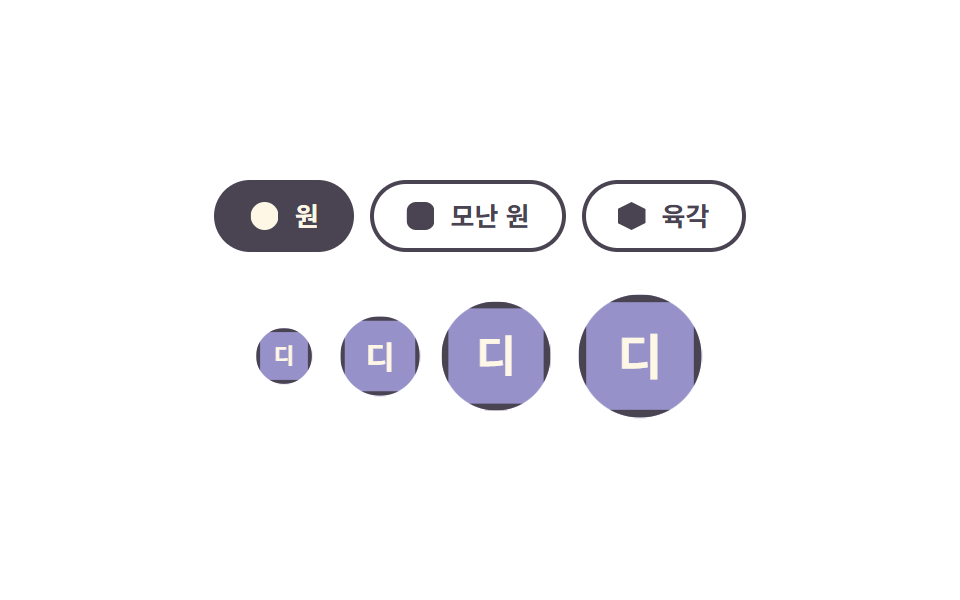
같은 아바타 하나가 원·모난 원·육각을 오가고 네 크기(28·36·48·64px)가 한 줄에 섞입니다.
<main class="stage">
  <section class="as is-demo" data-shape="circle" aria-label="아바타 모양과 크기">
    <div class="as__shapes" role="group" aria-label="모양 고르기">
      <button class="as__shape-btn" type="button" data-shape-btn="circle" aria-pressed="true">
        <span class="as__swatch as__swatch--circle" aria-hidden="true"></span>원
      </button>
      <button class="as__shape-btn" type="button" data-shape-btn="squircle" aria-pressed="false">
        <span class="as__swatch as__swatch--squircle" aria-hidden="true"></span>모난 원
      </button>
      <button class="as__shape-btn" type="button" data-shape-btn="hex" aria-pressed="false">
        <span class="as__swatch as__swatch--hex" aria-hidden="true"></span>육각
      </button>
    </div>

    <div class="as__row">
      <span class="as__slot" style="--size: 28px; --pop-delay: 0ms"><span class="as__av" data-name="디자이너" aria-hidden="true"></span></span>
      <span class="as__slot" style="--size: 36px; --pop-delay: 120ms"><span class="as__av" data-name="디자이너" aria-hidden="true"></span></span>
      <span class="as__slot" style="--size: 48px; --pop-delay: 240ms"><span class="as__av" data-name="디자이너" aria-hidden="true"></span></span>
      <span class="as__slot" style="--size: 64px; --pop-delay: 360ms"><span class="as__av" data-name="디자이너" aria-hidden="true"></span></span>
    </div>
  </section>
</main>
@use "../../../../site/static/demo-tokens" as *;
// 279 아바타 팔레트 — 이니셜 글자는 언제나 $subject-cream. 괄호 안은 크림 글자 기준 실측 대비비
$av-blue: #7c90be; // 5.29:1
$av-violet: #9791c9; // 5.76:1
$av-teal: #479082; // 5.79:1
$av-plum: #ab5488; // 6.52:1
$av-brick: $error; // 오류 토큰 — 5.13:1. 리터럴 금지 (BD10)
$av-slate: #3b4a63; // 8.40:1
$av-mist: #b6b0c0; // 잉크 무대 보조 글자 8.65:1
$av-deep: #4a4452; // 옐로 무대 보조 글자 6.49:1 · 페이퍼 무대 9.38:1
// ── 변수 3개 ──────────────────────────────────────────
$duration: $dur-loop; // 모양 컷·팝 한 바퀴
$easing: $ease-pop; // 팝이 탄성처럼 튀어오른다
$color: $av-violet; // 아바타 면 색
@include stage($stage-paper);
.as {
display: grid;
justify-items: center;
gap: $sp-5;
width: min(360px, 90vw);
}
// 모양 고르는 칩들
.as__shapes { display: flex; gap: $sp-2; }
.as__shape-btn {
display: inline-flex;
align-items: center;
gap: $sp-2;
margin: 0;
padding: $sp-2 $sp-4;
border: 2px solid $av-deep;
border-radius: $r-pill;
background: transparent;
color: $av-deep;
font-family: inherit;
font-weight: 600;
font-size: 13px;
line-height: 1.2;
cursor: pointer;
transition: background-color $dur-quick $ease-spring, color $dur-quick $ease-spring;
}
.as__shape-btn:hover { background: rgba(74, 68, 82, .08); }
.as__shape-btn:focus-visible { outline: 2px solid $color; outline-offset: 3px; }
.as__shape-btn[aria-pressed="true"] {
background: $av-deep;
color: $subject-cream;
}
// 칩 안 작은 모양 견본 — 실제 아바타와 같은 clip-path 값으로 미리 보여 준다
.as__swatch {
width: 14px;
height: 14px;
background: currentColor;
}
.as__swatch--circle { clip-path: circle(50%); }
.as__swatch--squircle { clip-path: inset(0 round 34%); }
.as__swatch--hex { clip-path: polygon(50% 0, 100% 25%, 100% 75%, 50% 100%, 0 75%, 0 25%); }
// 네 크기 아바타 — --size 하나로 글자 크기·테두리 두께가 비율로 따라간다
.as__row {
display: flex;
align-items: center;
gap: $sp-4;
}
.as__slot { display: block; width: var(--size); }
.as__av {
box-sizing: border-box;
display: grid;
place-items: center;
width: var(--size);
aspect-ratio: 1;
background: $color;
color: $subject-cream;
font-weight: 700;
font-size: calc(var(--size) * .4);
line-height: 1;
border: calc(var(--size) / 14) solid $av-deep;
}
// 정적 모양 — 루프가 없어도 data-shape 대로 그대로 보인다 (.is-demo 를 뗀 화면이 비면 안 된다)
.as[data-shape="circle"] .as__av { clip-path: circle(50%); }
.as[data-shape="squircle"] .as__av { clip-path: inset(0 round 34%); }
.as[data-shape="hex"] .as__av { clip-path: polygon(50% 0, 100% 25%, 100% 75%, 50% 100%, 0 75%, 0 25%); }
// ── 격자 미리보기 루프 ────────────────────────────────
// 아바타는 scale 로 시차 팝(투명도 아님 — 팝은 크기로만 보여 준다).
// 모양은 한 바퀴를 세 구간으로 나눠 컷 전환하는데, 세 clip-path 값이 서로 다른 함수
// (circle / inset / polygon)라 보간되지 않으니 steps(1, end) 로 한 프레임에 점프시키는 것이 맞다.
// animation 단축은 delay 를 0 으로 리셋하므로 낱개 속성으로만 쓴다
.as.is-demo .as__slot {
animation-name: asPop;
animation-duration: $duration;
animation-timing-function: $easing;
animation-iteration-count: infinite;
animation-delay: var(--pop-delay, 0ms);
animation-fill-mode: backwards;
}
.as.is-demo .as__av {
animation-name: asShape;
animation-duration: $duration;
animation-timing-function: steps(1, end);
animation-iteration-count: infinite;
}
@keyframes asPop {
0% { scale: .4; }
16% { scale: 1.1; }
28% { scale: 1; }
100% { scale: 1; }
}
// 컷 타이밍: 0% 원 → 34% 모난 원 → 67% 육각 → 88% 원 복귀 (루프 복귀는 90% 안에)
@keyframes asShape {
0% { clip-path: circle(50%); }
34% { clip-path: inset(0 round 34%); }
67% { clip-path: polygon(50% 0, 100% 25%, 100% 75%, 50% 100%, 0 75%, 0 25%); }
88%, 100% { clip-path: circle(50%); }
}
// 좁은 화면 — 여백·글자만 줄인다. 값을 올리지 않는다
@media (max-width: 340px), (max-height: 220px) {
.as { gap: $sp-3; }
.as__row { gap: $sp-2; }
.as__shape-btn { padding: $sp-1 $sp-3; font-size: 12px; }
.as__swatch { width: 12px; height: 12px; }
}
@media (prefers-reduced-motion: reduce) {
// .as.is-demo .as__slot (0,3,0) 를 이기려면 !important. 움직임만 끄고 모양·글자는 남긴다
.as__slot { animation: none !important; }
.as__av { animation: none !important; }
.as__shape-btn { transition: none !important; }
}html, body {
margin: 0;
overflow: hidden;
}
.stage {
box-sizing: border-box;
min-height: 100vh;
display: grid;
place-items: center;
margin: 0;
background: #ffffff;
font-family: -apple-system, "Segoe UI", "Noto Sans KR", sans-serif;
padding: clamp(8px, 4vw, 24px);
}
.as {
display: grid;
justify-items: center;
gap: 20px;
width: min(360px, 90vw);
}
.as__shapes {
display: flex;
gap: 8px;
}
.as__shape-btn {
display: inline-flex;
align-items: center;
gap: 8px;
margin: 0;
padding: 8px 16px;
border: 2px solid #4a4452;
border-radius: 999px;
background: transparent;
color: #4a4452;
font-family: inherit;
font-weight: 600;
font-size: 13px;
line-height: 1.2;
cursor: pointer;
transition: background-color 220ms cubic-bezier(0.2, 0.8, 0.2, 1), color 220ms cubic-bezier(0.2, 0.8, 0.2, 1);
}
.as__shape-btn:hover {
background: rgba(74, 68, 82, 0.08);
}
.as__shape-btn:focus-visible {
outline: 2px solid #9791c9;
outline-offset: 3px;
}
.as__shape-btn[aria-pressed=true] {
background: #4a4452;
color: #fff7e6;
}
.as__swatch {
width: 14px;
height: 14px;
background: currentColor;
}
.as__swatch--circle {
clip-path: circle(50%);
}
.as__swatch--squircle {
clip-path: inset(0 round 34%);
}
.as__swatch--hex {
clip-path: polygon(50% 0, 100% 25%, 100% 75%, 50% 100%, 0 75%, 0 25%);
}
.as__row {
display: flex;
align-items: center;
gap: 16px;
}
.as__slot {
display: block;
width: var(--size);
}
.as__av {
box-sizing: border-box;
display: grid;
place-items: center;
width: var(--size);
aspect-ratio: 1;
background: #9791c9;
color: #fff7e6;
font-weight: 700;
font-size: calc(var(--size) * 0.4);
line-height: 1;
border: calc(var(--size) / 14) solid #4a4452;
}
.as[data-shape=circle] .as__av {
clip-path: circle(50%);
}
.as[data-shape=squircle] .as__av {
clip-path: inset(0 round 34%);
}
.as[data-shape=hex] .as__av {
clip-path: polygon(50% 0, 100% 25%, 100% 75%, 50% 100%, 0 75%, 0 25%);
}
.as.is-demo .as__slot {
animation-name: asPop;
animation-duration: 2s;
animation-timing-function: cubic-bezier(0.2, 1.4, 0.4, 1);
animation-iteration-count: infinite;
animation-delay: var(--pop-delay, 0ms);
animation-fill-mode: backwards;
}
.as.is-demo .as__av {
animation-name: asShape;
animation-duration: 2s;
animation-timing-function: steps(1, end);
animation-iteration-count: infinite;
}
@keyframes asPop {
0% {
scale: 0.4;
}
16% {
scale: 1.1;
}
28% {
scale: 1;
}
100% {
scale: 1;
}
}
@keyframes asShape {
0% {
clip-path: circle(50%);
}
34% {
clip-path: inset(0 round 34%);
}
67% {
clip-path: polygon(50% 0, 100% 25%, 100% 75%, 50% 100%, 0 75%, 0 25%);
}
88%, 100% {
clip-path: circle(50%);
}
}
@media (max-width: 340px), (max-height: 220px) {
.as {
gap: 12px;
}
.as__row {
gap: 8px;
}
.as__shape-btn {
padding: 4px 12px;
font-size: 12px;
}
.as__swatch {
width: 12px;
height: 12px;
}
}
@media (prefers-reduced-motion: reduce) {
.as__slot {
animation: none !important;
}
.as__av {
animation: none !important;
}
.as__shape-btn {
transition: none !important;
}
}(function () {
var root = document.querySelector('.as');
// 이니셜은 표시 문자열에서 계산한다 — 하드코딩하지 않아야 en/ja 언어팩에서도 따라간다
function initialOf(name) {
var words = (name || '').trim().split(/\s+/);
if (/[A-Za-z]/.test(words[0].charAt(0))) {
return words.slice(0, 2).map(function (w) { return w.charAt(0).toUpperCase(); }).join('');
}
return words[0].charAt(0);
}
Array.prototype.forEach.call(root.querySelectorAll('.as__av'), function (av) {
av.textContent = initialOf(av.getAttribute('data-name'));
});
// 모양 버튼 — 뿌리의 data-shape 를 갈아 네 아바타가 전부 그 모양이 된다
var btns = root.querySelectorAll('[data-shape-btn]');
Array.prototype.forEach.call(btns, function (btn) {
btn.addEventListener('click', function () {
root.setAttribute('data-shape', btn.getAttribute('data-shape-btn'));
Array.prototype.forEach.call(btns, function (b) {
b.setAttribute('aria-pressed', b === btn ? 'true' : 'false');
});
});
});
// 사람이 손을 대면 미리보기 루프를 뗀다
function stopLoop() { root.classList.remove('is-demo'); }
root.addEventListener('pointerdown', stopLoop);
root.addEventListener('focusin', stopLoop);
})();import { useState } from "react";
import type { CSSProperties, ReactNode } from "react";
import styles from "./AvatarShapeSizeSet.module.scss";
export type AvatarShapeSizeSetProps = {
label?: string;
pickerLabel?: string;
name?: string;
shapeLabels?: { circle: string; squircle: string; hex: string };
sizes?: number[];
/** 모양 컷·팝 한 바퀴(ms) */
duration?: number;
easing?: string;
/** 아바타 면 색 */
color?: string;
};
type Vars = CSSProperties & {
"--size"?: string;
"--pop-delay"?: string;
"--duration"?: string;
"--easing"?: string;
"--color"?: string;
};
// 이니셜은 표시 문자열에서 계산한다 — 하드코딩하지 않아야 언어팩이 바뀌어도 따라간다
function initialOf(name: string): string {
const words = name.trim().split(/\s+/);
if (/[A-Za-z]/.test(words[0].charAt(0))) {
return words.slice(0, 2).map((w) => w.charAt(0).toUpperCase()).join("");
}
return words[0].charAt(0);
}
function swatchClass(key: string): string {
if (key === "squircle") return styles.swatchSquircle;
if (key === "hex") return styles.swatchHex;
return styles.swatchCircle;
}
export default function AvatarShapeSizeSet({
label = "아바타 모양과 크기",
pickerLabel = "모양 고르기",
name = "디자이너",
shapeLabels = { circle: "원", squircle: "모난 원", hex: "육각" },
sizes = [28, 36, 48, 64],
duration = 2000,
easing = "cubic-bezier(.2, 1.4, .4, 1)",
color = "#5b4bd6",
}: AvatarShapeSizeSetProps): ReactNode {
const [loop, setLoop] = useState<boolean>(true);
const [shape, setShape] = useState<string>("circle");
const initial = initialOf(name);
const vars: Vars = { "--duration": `${duration}ms`, "--easing": easing, "--color": color };
const shapes = [
{ key: "circle", text: shapeLabels.circle },
{ key: "squircle", text: shapeLabels.squircle },
{ key: "hex", text: shapeLabels.hex },
];
return (
<section
className={loop ? `${styles.as} ${styles.isDemo}` : styles.as}
data-shape={shape}
style={vars}
aria-label={label}
onPointerDown={() => setLoop(false)}
onFocus={() => setLoop(false)}
>
<div className={styles.shapes} role="group" aria-label={pickerLabel}>
{shapes.map((s) => (
<button
key={s.key}
className={styles.shapeBtn}
type="button"
aria-pressed={shape === s.key ? "true" : "false"}
onClick={() => setShape(s.key)}
>
<span className={`${styles.swatch} ${swatchClass(s.key)}`} aria-hidden="true" />
{s.text}
</button>
))}
</div>
<div className={styles.row}>
{sizes.map((size, i) => (
<span
key={size}
className={styles.slot}
style={{ "--size": `${size}px`, "--pop-delay": `${i * 120}ms` } as Vars}
>
<span className={styles.av} aria-hidden="true">{initial}</span>
</span>
))}
</div>
</section>
);
}04 · 모양·크기 세트 — 측정 누적면적 6.111% · 움직인 프레임 14/23GODRICH 원작 · zip 에 SCSS·React 포함 · 비밀번호 보기
코드에서 볼 곳
글자 크기와 테두리 두께는 --size 하나에서 비율로 따라가므로, 여러 화면에서 같은 아바타를 재사용하는 디자인 시스템에 씁니다.
// 모양은 전부 clip-path 로 — 서로 다른 함수라 보간되지 않으니 교체는 steps 컷으로 점프한다
.as[data-shape="circle"]   .as__av { clip-path: circle(50%); }
.as[data-shape="squircle"] .as__av { clip-path: inset(0 round 34%); }
.as[data-shape="hex"]      .as__av { clip-path: polygon(50% 0, 100% 25%, 100% 75%, 50% 100%, 0 75%, 0 25%); }
.as__av { aspect-ratio: 1; }

// --size 하나로 글자 크기·테두리 두께가 비율로 따라간다(px 하드코딩 금지)
.as__av {
  width: var(--size);
  font-size: calc(var(--size) * .4);
  border: calc(var(--size) / 14) solid $av-deep;
}
05겹친 아바타와 +N
화면에서 일어나는 일
네 사람만 겹쳐 보이고 나머지는 +N 칸 하나로 접힙니다. 손이 닿거나 초점이 들어오면 겹침이 풀려 한 사람씩 옆으로 벌어지고, +N 을 누르면 접힌 인원이 목록으로 펼쳐집니다.
<main class="stage">
  <section class="st is-demo" aria-label="문서 참여자">
    <div class="st__stack">
      <button class="st__av st__av--1" type="button" style="--i: 0" data-name="관리자" aria-label="관리자"></button>
      <button class="st__av st__av--2" type="button" style="--i: 1" data-name="편집자" aria-label="편집자"></button>
      <button class="st__av st__av--3" type="button" style="--i: 2" data-name="디자이너" aria-label="디자이너"></button>
      <button class="st__av st__av--4" type="button" style="--i: 3" data-name="개발자" aria-label="개발자"></button>
      <button class="st__more" type="button" style="--i: 4" aria-expanded="false" aria-label="접힌 참여자 펼치기">+3</button>
    </div>

    <p class="st__line">문서에 일곱 명이 참여 중</p>

    <ul class="st__folded">
      <li class="st__row" hidden><span class="st__mini st__mini--5" data-name="검토자" aria-hidden="true"></span>검토자</li>
      <li class="st__row" hidden><span class="st__mini st__mini--6" data-name="번역가" aria-hidden="true"></span>번역가</li>
      <li class="st__row" hidden><span class="st__mini st__mini--7" data-name="운영자" aria-hidden="true"></span>운영자</li>
    </ul>
  </section>
</main>
@use "../../../../site/static/demo-tokens" as *;
// 279 아바타 팔레트 — 이니셜 글자는 언제나 $subject-cream. 괄호 안은 크림 글자 기준 실측 대비비
$av-blue: #7c90be; // 5.29:1
$av-violet: #9791c9; // 5.76:1
$av-teal: #479082; // 5.79:1
$av-plum: #ab5488; // 6.52:1
$av-brick: $error; // 오류 토큰 — 5.13:1. 리터럴 금지 (BD10)
$av-slate: #3b4a63; // 8.40:1
$av-mist: #b6b0c0; // 잉크 무대 보조 글자 8.65:1
$av-deep: #4a4452; // 옐로 무대 보조 글자 6.49:1 · 페이퍼 무대 9.38:1
// ── 변수 3개 ──────────────────────────────────────────
$duration: $dur-loop; // 벌어졌다 모이는 한 바퀴
$easing: $ease-spring;
$color: $av-slate; // +N 칸 면 색
@include stage($stage-ink);
.st {
display: grid;
justify-items: start;
gap: $sp-3;
width: min(360px, 90vw);
}
.st__stack {
display: flex;
align-items: center;
padding: $sp-1;
}
// 겹침 — 뒤에 오는 요소마다 음수 margin-left (4px 격자 배수)
.st__stack > * + * { margin-left: -#{$sp-3}; }
.st__av {
position: relative;
z-index: calc(4 - var(--i)); // 왼쪽이 위에 오도록 내림차순
display: grid;
place-items: center;
width: 40px;
aspect-ratio: 1;
margin: 0;
padding: 0;
border: 2px solid $stage-ink; // 겹친 사람 사이 윤곽
border-radius: 50%;
color: $subject-cream;
font-family: inherit;
font-weight: 700;
font-size: 16px;
line-height: 1;
cursor: pointer;
transition: transform $dur-base $ease-spring;
}
.st__av:focus-visible { outline: 2px solid $stage-yellow; outline-offset: 2px; }
// 사람마다 다른 면 색 — 같은 편의 팔레트를 쓴다
.st__av--1 { background: $av-blue; }
.st__av--2 { background: $av-violet; }
.st__av--3 { background: $av-teal; }
.st__av--4 { background: $av-plum; }
// +N 칸 — 접힌 인원 수만 보이는 자리
.st__more {
position: relative;
z-index: 0;
display: grid;
place-items: center;
width: 40px;
aspect-ratio: 1;
margin: 0;
padding: 0;
border: 2px solid $stage-ink;
border-radius: 50%;
background: $color;
color: $subject-cream;
font-family: inherit;
font-weight: 700;
font-size: 13px;
line-height: 1;
cursor: pointer;
transition: transform $dur-base $ease-spring;
}
.st__more:focus-visible { outline: 2px solid $stage-yellow; outline-offset: 2px; }
// 펼침 — 겹친 만큼(사람 하나당 $sp-3)을 translateX 로 오른쪽으로 되돌린다
.st.is-open .st__av,
.st.is-open .st__more { transform: translateX(calc(var(--i) * #{$sp-3})); }
.st__line {
margin: 0;
color: $av-mist; // 잉크 무대 보조 글자 8.65:1
font-weight: 500;
font-size: 13px;
line-height: 1.4;
}
// 접힌 인원 목록 — 실제 DOM 에 있다가 hidden 으로 여닫는다
.st__folded {
display: grid;
gap: $sp-2;
margin: 0;
padding: 0;
list-style: none;
}
.st__row {
display: flex;
align-items: center;
gap: $sp-2;
color: $subject-cream; // 17.11:1
font-weight: 600;
font-size: 13px;
line-height: 1.2;
}
// UA 의 [hidden] 규칙이 display:flex 에 지지 않게 직접 눌러 둔다
.st__row[hidden] { display: none; }
.st__mini {
display: grid;
place-items: center;
width: 20px;
aspect-ratio: 1;
border-radius: 50%;
color: $subject-cream;
font-weight: 700;
font-size: 9px;
line-height: 1;
}
.st__mini--5 { background: $av-brick; }
.st__mini--6 { background: $av-slate; }
.st__mini--7 { background: $av-blue; }
// ── 격자 미리보기 루프 ────────────────────────────────
// 닫힘(0%) → 펼침(40%) → 펼침 유지(78%) → 닫힘(90%) — 텔레포트 없이 이징으로 왕복한다.
// 사람마다 animation-delay 로 시차를 두어 한 사람씩 벌어진다.
// animation 단축은 delay 를 0 으로 리셋하므로 낱개 속성으로만 쓴다
.st.is-demo .st__av,
.st.is-demo .st__more {
animation-name: stSpread;
animation-duration: $duration;
animation-timing-function: $easing;
animation-iteration-count: infinite;
animation-delay: calc(var(--i) * 45ms);
animation-fill-mode: backwards;
}
@keyframes stSpread {
0% { transform: translateX(0); }
40% { transform: translateX(calc(var(--i) * #{$sp-3})); }
78% { transform: translateX(calc(var(--i) * #{$sp-3})); }
90% { transform: translateX(0); }
100% { transform: translateX(0); }
}
// 좁은 화면 — 글자만 줄인다. 값을 올리지 않는다
@media (max-width: 340px), (max-height: 220px) {
.st { gap: $sp-2; }
.st__line { font-size: 12px; }
.st__row { font-size: 12px; }
}
@media (prefers-reduced-motion: reduce) {
// .st.is-demo .st__av (0,3,0) 를 이기려면 !important. 움직임만 끄고 스택·목록은 남긴다
.st__av, .st__more { animation: none !important; transition: none !important; }
}html, body {
margin: 0;
overflow: hidden;
}
.stage {
box-sizing: border-box;
min-height: 100vh;
display: grid;
place-items: center;
margin: 0;
background: #17141a;
font-family: -apple-system, "Segoe UI", "Noto Sans KR", sans-serif;
padding: clamp(8px, 4vw, 24px);
}
.st {
display: grid;
justify-items: start;
gap: 12px;
width: min(360px, 90vw);
}
.st__stack {
display: flex;
align-items: center;
padding: 4px;
}
.st__stack > * + * {
margin-left: -12px;
}
.st__av {
position: relative;
z-index: calc(4 - var(--i));
display: grid;
place-items: center;
width: 40px;
aspect-ratio: 1;
margin: 0;
padding: 0;
border: 2px solid #17141a;
border-radius: 50%;
color: #fff7e6;
font-family: inherit;
font-weight: 700;
font-size: 16px;
line-height: 1;
cursor: pointer;
transition: transform 300ms cubic-bezier(0.2, 0.8, 0.2, 1);
}
.st__av:focus-visible {
outline: 2px solid #ffd23f;
outline-offset: 2px;
}
.st__av--1 {
background: #7c90be;
}
.st__av--2 {
background: #9791c9;
}
.st__av--3 {
background: #479082;
}
.st__av--4 {
background: #ab5488;
}
.st__more {
position: relative;
z-index: 0;
display: grid;
place-items: center;
width: 40px;
aspect-ratio: 1;
margin: 0;
padding: 0;
border: 2px solid #17141a;
border-radius: 50%;
background: #3b4a63;
color: #fff7e6;
font-family: inherit;
font-weight: 700;
font-size: 13px;
line-height: 1;
cursor: pointer;
transition: transform 300ms cubic-bezier(0.2, 0.8, 0.2, 1);
}
.st__more:focus-visible {
outline: 2px solid #ffd23f;
outline-offset: 2px;
}
.st.is-open .st__av,
.st.is-open .st__more {
transform: translateX(calc(var(--i) * 12px));
}
.st__line {
margin: 0;
color: #b6b0c0;
font-weight: 500;
font-size: 13px;
line-height: 1.4;
}
.st__folded {
display: grid;
gap: 8px;
margin: 0;
padding: 0;
list-style: none;
}
.st__row {
display: flex;
align-items: center;
gap: 8px;
color: #fff7e6;
font-weight: 600;
font-size: 13px;
line-height: 1.2;
}
.st__row[hidden] {
display: none;
}
.st__mini {
display: grid;
place-items: center;
width: 20px;
aspect-ratio: 1;
border-radius: 50%;
color: #fff7e6;
font-weight: 700;
font-size: 9px;
line-height: 1;
}
.st__mini--5 {
background: #c2361a;
}
.st__mini--6 {
background: #3b4a63;
}
.st__mini--7 {
background: #7c90be;
}
.st.is-demo .st__av,
.st.is-demo .st__more {
animation-name: stSpread;
animation-duration: 2s;
animation-timing-function: cubic-bezier(0.2, 0.8, 0.2, 1);
animation-iteration-count: infinite;
animation-delay: calc(var(--i) * 45ms);
animation-fill-mode: backwards;
}
@keyframes stSpread {
0% {
transform: translateX(0);
}
40% {
transform: translateX(calc(var(--i) * 12px));
}
78% {
transform: translateX(calc(var(--i) * 12px));
}
90% {
transform: translateX(0);
}
100% {
transform: translateX(0);
}
}
@media (max-width: 340px), (max-height: 220px) {
.st {
gap: 8px;
}
.st__line {
font-size: 12px;
}
.st__row {
font-size: 12px;
}
}
@media (prefers-reduced-motion: reduce) {
.st__av, .st__more {
animation: none !important;
transition: none !important;
}
}(function () {
var root = document.querySelector('.st');
var stack = root.querySelector('.st__stack');
var more = root.querySelector('.st__more');
var rows = root.querySelectorAll('.st__row');
// 이니셜은 표시 문자열에서 계산한다 — 하드코딩하지 않아야 en/ja 언어팩에서도 따라간다
function initialOf(name) {
var words = (name || '').trim().split(/\s+/);
if (/[A-Za-z]/.test(words[0].charAt(0))) {
return words.slice(0, 2).map(function (w) { return w.charAt(0).toUpperCase(); }).join('');
}
return words[0].charAt(0);
}
Array.prototype.forEach.call(root.querySelectorAll('[data-name]'), function (el) {
el.textContent = initialOf(el.getAttribute('data-name'));
});
function stopLoop() { root.classList.remove('is-demo'); }
// 손이나 초점이 스택에 들어오면 뿌리에 is-open — 겹침이 translateX 로 풀린다
// (pointerenter 도 루프를 뗀다 — 이 데모의 본 상호작용이 호버라서 애니메이션이 덮으면 죽는다)
function openStack() { stopLoop(); root.classList.add('is-open'); }
function closeStack() { root.classList.remove('is-open'); }
stack.addEventListener('pointerenter', openStack);
stack.addEventListener('pointerleave', closeStack);
stack.addEventListener('focusin', openStack);
stack.addEventListener('focusout', closeStack);
root.addEventListener('pointerdown', stopLoop);
// +N 버튼 — 접힌 인원을 아래 목록으로 펼친다 (실제 DOM 요소를 hidden 으로 여닫는다)
var expanded = false;
more.addEventListener('click', function () {
expanded = !expanded;
more.setAttribute('aria-expanded', expanded ? 'true' : 'false');
Array.prototype.forEach.call(rows, function (row) { row.hidden = !expanded; });
});
})();import { useState } from "react";
import type { CSSProperties, ReactNode } from "react";
import styles from "./AvatarStackOverflow.module.scss";
export type AvatarStackOverflowProps = {
label?: string;
/** 앞 네 명은 스택에, 나머지는 +N 뒤에 접힌다 */
people?: string[];
line?: string;
moreLabel?: string;
/** 벌어졌다 모이는 한 바퀴(ms) */
duration?: number;
easing?: string;
/** +N 칸 면 색 */
color?: string;
};
type Vars = CSSProperties & {
"--i"?: string;
"--duration"?: string;
"--easing"?: string;
"--color"?: string;
};
// 이니셜은 표시 문자열에서 계산한다 — 하드코딩하지 않아야 언어팩이 바뀌어도 따라간다
function initialOf(name: string): string {
const words = name.trim().split(/\s+/);
if (/[A-Za-z]/.test(words[0].charAt(0))) {
return words.slice(0, 2).map((w) => w.charAt(0).toUpperCase()).join("");
}
return words[0].charAt(0);
}
function faceClass(i: number): string {
const map = [styles.face1, styles.face2, styles.face3, styles.face4, styles.face5, styles.face6, styles.face1];
return map[i % map.length] ?? styles.face1;
}
export default function AvatarStackOverflow({
label = "문서 참여자",
people = ["관리자", "편집자", "디자이너", "개발자", "검토자", "번역가", "운영자"],
line = "문서에 일곱 명이 참여 중",
moreLabel = "접힌 참여자 펼치기",
duration = 2000,
easing = "cubic-bezier(.2, .8, .2, 1)",
color = "#3b4a63",
}: AvatarStackOverflowProps): ReactNode {
const [loop, setLoop] = useState<boolean>(true);
const [open, setOpen] = useState<boolean>(false);
const [expanded, setExpanded] = useState<boolean>(false);
const vars: Vars = { "--duration": `${duration}ms`, "--easing": easing, "--color": color };
const visible = people.slice(0, 4);
const folded = people.slice(4);
return (
<section
className={loop ? `${styles.st} ${styles.isDemo}` : open ? `${styles.st} ${styles.isOpen}` : styles.st}
style={vars}
aria-label={label}
onPointerDown={() => setLoop(false)}
>
<div
className={styles.stack}
onPointerEnter={() => { setLoop(false); setOpen(true); }}
onPointerLeave={() => setOpen(false)}
onFocus={() => { setLoop(false); setOpen(true); }}
onBlur={() => setOpen(false)}
>
{visible.map((name, i) => (
<button
key={name}
className={`${styles.av} ${faceClass(i)}`}
type="button"
style={{ "--i": `${i}` } as Vars}
aria-label={name}
>
{initialOf(name)}
</button>
))}
<button
className={styles.more}
type="button"
style={{ "--i": `${visible.length}` } as Vars}
aria-expanded={expanded ? "true" : "false"}
aria-label={moreLabel}
onClick={() => setExpanded(!expanded)}
>
+{folded.length}
</button>
</div>
<p className={styles.line}>{line}</p>
{/* 접힌 인원 — 실제 DOM 요소를 hidden 으로 여닫는다 */}
<ul className={styles.folded}>
{folded.map((name, i) => (
<li key={name} className={styles.row} hidden={!expanded}>
<span className={`${styles.mini} ${faceClass(visible.length + i)}`} aria-hidden="true">
{initialOf(name)}
</span>
{name}
</li>
))}
</ul>
</section>
);
}05 · 겹친 아바타와 +N — 측정 누적면적 4.666% · 움직인 프레임 15/23GODRICH 원작 · zip 에 SCSS·React 포함 · 비밀번호 보기
코드 읽는 법
문서·과제에 참여한 사람을 한 줄로 보여 주는 곳에 씁니다.
// 겹침은 음수 margin — 간격은 4px 격자 토큰만 쓴다
.st__stack > * + * { margin-left: -#{$sp-3}; }

// 펼침은 겹침분만큼 되돌리는 translateX — 텔레포트 없이 왕복한다
@keyframes stSpread {
  0%   { transform: translateX(0); }
  40%  { transform: translateX(calc(var(--i) * #{$sp-3})); }
  78%  { transform: translateX(calc(var(--i) * #{$sp-3})); }
  90%  { transform: translateX(0); }
  100% { transform: translateX(0); }
}

// 접힌 인원 목록 — display:flex 가 UA 의 hidden 을 이기므로 한 줄 더 얹는다
.st__row[hidden] { display: none; }
06접속 상태 점
어떤 움직임인가
아바타 테두리를 마스크로 동그랗게 파내고 그 구멍에 점을 앉힙니다. 점이 얼굴이나 가장자리를 덮지 않고 뚫린 자리에 정확히 들어가며, 상태가 바뀔 때마다 옆 글자와 읽어 주는 이름이 함께 바뀝니다.
<main class="stage">
  <section class="pd is-demo" data-state="online" aria-label="접속 상태 표시">
    <div class="pd__body">
      <div class="pd__wrap" role="img" aria-label="기획자, 접속 중">
        <span class="pd__av" data-name="기획자"></span>
        <span class="pd__dot" aria-hidden="true"></span>
      </div>
      <div class="pd__meta">
        <p class="pd__name">기획자</p>
        <p class="pd__state">
          <span data-key="online">접속 중</span>
          <span data-key="away">자리 비움</span>
          <span data-key="busy">다른 용무 중</span>
        </p>
      </div>
    </div>

    <button class="pd__btn" type="button">상태 바꾸기</button>
  </section>
</main>
@use "../../../../site/static/demo-tokens" as *;
// 279 아바타 팔레트 — 이니셜 글자는 언제나 $subject-cream. 괄호 안은 크림 글자 기준 실측 대비비
$av-blue: #7c90be; // 5.29:1
$av-violet: #9791c9; // 5.76:1
$av-teal: #479082; // 5.79:1
$av-plum: #ab5488; // 6.52:1
$av-brick: $error; // 오류 토큰 — 5.13:1. 리터럴 금지 (BD10)
$av-slate: #3b4a63; // 8.40:1
$av-mist: #b6b0c0; // 잉크 무대 보조 글자 8.65:1
$av-deep: #4a4452; // 옐로 무대 보조 글자 6.49:1 · 페이퍼 무대 9.38:1
// ── 변수 3개 ──────────────────────────────────────────
$duration: $dur-loop; // 세 상태를 한 바퀴에 도는 시간
$easing: $ease-spring;
$color: $av-violet; // 아바타 면 색
@include stage($stage-yellow);
.pd {
display: grid;
justify-items: center;
gap: $sp-4;
width: min(320px, 90vw);
}
.pd__body {
display: flex;
align-items: center;
gap: $sp-4;
}
.pd__wrap {
position: relative;
display: block;
width: 64px;
height: 64px;
}
.pd__av {
display: grid;
place-items: center;
width: 64px;
aspect-ratio: 1;
border-radius: 50%;
background: $color;
color: $subject-cream;
font-weight: 700;
font-size: 26px;
line-height: 1;
// 이 데모의 주제 — 아바타 면에 마스크로 구멍을 파고 점을 그 구멍에 앉힌다.
// 점이 얼굴이나 가장자리를 덮지 않고, 뚫린 자리에 정확히 들어간다
-webkit-mask-image: radial-gradient(circle 11px at 82% 82%, transparent 98%, #000 100%);
mask-image: radial-gradient(circle 11px at 82% 82%, transparent 98%, #000 100%);
}
// 상태 점 — 마스크 구멍(82% 82%, 지름 약 21px) 안에 앉는 10px 원
.pd__dot {
position: absolute;
left: 82%;
top: 82%;
width: 10px;
height: 10px;
border-radius: 50%;
background: $av-teal;
transform: translate(-50%, -50%);
}
.pd__meta { display: grid; gap: $sp-1; }
.pd__name {
margin: 0;
color: $stage-ink; // 옐로 무대 12.63:1 (크림 1.35:1 금지)
font-weight: 700;
font-size: 15px;
line-height: 1.3;
}
// 상태 글자 — 정적 규칙: 현재 상태 한 줄만 보인다
.pd__state {
margin: 0;
color: $stage-ink;
font-weight: 600;
font-size: 13px;
line-height: 1.3;
}
.pd__state span { display: none; }
.pd[data-state="online"] .pd__state span[data-key="online"],
.pd[data-state="away"] .pd__state span[data-key="away"],
.pd[data-state="busy"] .pd__state span[data-key="busy"] { display: inline; }
// 상태별 점 색 — 접속(민트) · 자리 비움(짙은 회자주) · 다른 용무(벽돌)
.pd[data-state="online"] .pd__dot { background: $av-teal; }
.pd[data-state="away"] .pd__dot { background: $av-deep; }
.pd[data-state="busy"] .pd__dot { background: $error; }
.pd__btn {
margin: 0;
padding: $sp-2 $sp-5;
border: 0;
border-radius: $r-pill;
background: $stage-ink;
color: $stage-yellow; // 12.63:1
font-family: inherit;
font-weight: 700;
font-size: 13px;
line-height: 1.2;
cursor: pointer;
transition: transform $dur-quick $ease-spring;
}
.pd__btn:hover { transform: translateY(-2px); }
.pd__btn:focus-visible { outline: 2px solid $stage-ink; outline-offset: 3px; }
// ── 격자 미리보기 루프 ────────────────────────────────
// 세 상태를 steps(1, end) 로 0% / 34% / 67% 에 컷 전환하고 88% 에 처음으로 복귀한다.
// 상태 교체를 페이드로 하면 poster 에 반투명 유령이 겹치므로 무조건 컷.
// 컷만으로는 움직인프레임이 모자라니 점은 scale 로 조용히 뛴다(1000ms — 2s 의 약수)
.pd.is-demo .pd__dot {
animation-name: pdDotCut, pdDotBeat;
animation-duration: $duration, 1000ms;
animation-timing-function: steps(1, end), $easing;
animation-iteration-count: infinite, infinite;
}
// 세 상태 글자를 같은 칸에 겹쳐 두고 컷 타이밍에 갈아 끼운다 — 두 글자가 겹쳐 보이지 않게
.pd.is-demo .pd__state { display: grid; }
.pd.is-demo .pd__state span {
display: inline;
grid-area: 1 / 1;
opacity: 0;
animation-duration: $duration;
animation-timing-function: steps(1, end);
animation-iteration-count: infinite;
}
.pd.is-demo .pd__state span[data-key="online"] { animation-name: pdTxtOnline; }
.pd.is-demo .pd__state span[data-key="away"] { animation-name: pdTxtAway; }
.pd.is-demo .pd__state span[data-key="busy"] { animation-name: pdTxtBusy; }
@keyframes pdDotCut {
0% { background-color: $av-teal; }
34% { background-color: $av-deep; }
67% { background-color: $error; }
88%, 100% { background-color: $av-teal; }
}
@keyframes pdDotBeat {
0% { scale: 1; }
50% { scale: 1.35; }
100% { scale: 1; }
}
@keyframes pdTxtOnline {
0% { opacity: 1; }
34% { opacity: 0; }
88% { opacity: 1; }
100% { opacity: 1; }
}
@keyframes pdTxtAway {
0% { opacity: 0; }
34% { opacity: 1; }
67% { opacity: 0; }
100% { opacity: 0; }
}
@keyframes pdTxtBusy {
0% { opacity: 0; }
67% { opacity: 1; }
88% { opacity: 0; }
100% { opacity: 0; }
}
// 좁은 화면 — 글자만 줄인다. 값을 올리지 않는다
@media (max-width: 340px), (max-height: 220px) {
.pd { gap: $sp-3; }
.pd__body { gap: $sp-3; }
.pd__name { font-size: 14px; }
.pd__state { font-size: 12px; }
.pd__btn { padding: $sp-1 $sp-4; font-size: 12px; }
}
@media (prefers-reduced-motion: reduce) {
// .pd.is-demo .pd__dot (0,3,0) 를 이기려면 !important.
// 움직임만 끄고, 상태 글자는 .is-demo 겹침 배치를 풀어 현재 상태 한 줄만 남긴다
.pd__dot { animation: none !important; }
.pd__state { display: block !important; }
.pd__state span { display: none !important; opacity: 1 !important; animation: none !important; }
.pd[data-state="online"] .pd__state span[data-key="online"],
.pd[data-state="away"] .pd__state span[data-key="away"],
.pd[data-state="busy"] .pd__state span[data-key="busy"] { display: inline !important; }
.pd__btn { transition: none !important; }
}html, body {
margin: 0;
overflow: hidden;
}
.stage {
box-sizing: border-box;
min-height: 100vh;
display: grid;
place-items: center;
margin: 0;
background: #ffd23f;
font-family: -apple-system, "Segoe UI", "Noto Sans KR", sans-serif;
padding: clamp(8px, 4vw, 24px);
}
.pd {
display: grid;
justify-items: center;
gap: 16px;
width: min(320px, 90vw);
}
.pd__body {
display: flex;
align-items: center;
gap: 16px;
}
.pd__wrap {
position: relative;
display: block;
width: 64px;
height: 64px;
}
.pd__av {
display: grid;
place-items: center;
width: 64px;
aspect-ratio: 1;
border-radius: 50%;
background: #9791c9;
color: #fff7e6;
font-weight: 700;
font-size: 26px;
line-height: 1;
-webkit-mask-image: radial-gradient(circle 11px at 82% 82%, transparent 98%, #000 100%);
mask-image: radial-gradient(circle 11px at 82% 82%, transparent 98%, #000 100%);
}
.pd__dot {
position: absolute;
left: 82%;
top: 82%;
width: 10px;
height: 10px;
border-radius: 50%;
background: #479082;
transform: translate(-50%, -50%);
}
.pd__meta {
display: grid;
gap: 4px;
}
.pd__name {
margin: 0;
color: #17141a;
font-weight: 700;
font-size: 15px;
line-height: 1.3;
}
.pd__state {
margin: 0;
color: #17141a;
font-weight: 600;
font-size: 13px;
line-height: 1.3;
}
.pd__state span {
display: none;
}
.pd[data-state=online] .pd__state span[data-key=online],
.pd[data-state=away] .pd__state span[data-key=away],
.pd[data-state=busy] .pd__state span[data-key=busy] {
display: inline;
}
.pd[data-state=online] .pd__dot {
background: #479082;
}
.pd[data-state=away] .pd__dot {
background: #4a4452;
}
.pd[data-state=busy] .pd__dot {
background: #c2361a;
}
.pd__btn {
margin: 0;
padding: 8px 20px;
border: 0;
border-radius: 999px;
background: #17141a;
color: #ffd23f;
font-family: inherit;
font-weight: 700;
font-size: 13px;
line-height: 1.2;
cursor: pointer;
transition: transform 220ms cubic-bezier(0.2, 0.8, 0.2, 1);
}
.pd__btn:hover {
transform: translateY(-2px);
}
.pd__btn:focus-visible {
outline: 2px solid #17141a;
outline-offset: 3px;
}
.pd.is-demo .pd__dot {
animation-name: pdDotCut, pdDotBeat;
animation-duration: 2s, 1000ms;
animation-timing-function: steps(1, end), cubic-bezier(0.2, 0.8, 0.2, 1);
animation-iteration-count: infinite, infinite;
}
.pd.is-demo .pd__state {
display: grid;
}
.pd.is-demo .pd__state span {
display: inline;
grid-area: 1/1;
opacity: 0;
animation-duration: 2s;
animation-timing-function: steps(1, end);
animation-iteration-count: infinite;
}
.pd.is-demo .pd__state span[data-key=online] {
animation-name: pdTxtOnline;
}
.pd.is-demo .pd__state span[data-key=away] {
animation-name: pdTxtAway;
}
.pd.is-demo .pd__state span[data-key=busy] {
animation-name: pdTxtBusy;
}
@keyframes pdDotCut {
0% {
background-color: #479082;
}
34% {
background-color: #4a4452;
}
67% {
background-color: #c2361a;
}
88%, 100% {
background-color: #479082;
}
}
@keyframes pdDotBeat {
0% {
scale: 1;
}
50% {
scale: 1.35;
}
100% {
scale: 1;
}
}
@keyframes pdTxtOnline {
0% {
opacity: 1;
}
34% {
opacity: 0;
}
88% {
opacity: 1;
}
100% {
opacity: 1;
}
}
@keyframes pdTxtAway {
0% {
opacity: 0;
}
34% {
opacity: 1;
}
67% {
opacity: 0;
}
100% {
opacity: 0;
}
}
@keyframes pdTxtBusy {
0% {
opacity: 0;
}
67% {
opacity: 1;
}
88% {
opacity: 0;
}
100% {
opacity: 0;
}
}
@media (max-width: 340px), (max-height: 220px) {
.pd {
gap: 12px;
}
.pd__body {
gap: 12px;
}
.pd__name {
font-size: 14px;
}
.pd__state {
font-size: 12px;
}
.pd__btn {
padding: 4px 16px;
font-size: 12px;
}
}
@media (prefers-reduced-motion: reduce) {
.pd__dot {
animation: none !important;
}
.pd__state {
display: block !important;
}
.pd__state span {
display: none !important;
opacity: 1 !important;
animation: none !important;
}
.pd[data-state=online] .pd__state span[data-key=online],
.pd[data-state=away] .pd__state span[data-key=away],
.pd[data-state=busy] .pd__state span[data-key=busy] {
display: inline !important;
}
.pd__btn {
transition: none !important;
}
}(function () {
var root = document.querySelector('.pd');
var wrap = root.querySelector('.pd__wrap');
var av = root.querySelector('.pd__av');
var btn = root.querySelector('.pd__btn');
var order = ['online', 'away', 'busy'];
// 이니셜은 표시 문자열에서 계산한다 — 하드코딩하지 않아야 en/ja 언어팩에서도 따라간다
function initialOf(name) {
var words = (name || '').trim().split(/\s+/);
if (/[A-Za-z]/.test(words[0].charAt(0))) {
return words.slice(0, 2).map(function (w) { return w.charAt(0).toUpperCase(); }).join('');
}
return words[0].charAt(0);
}
av.textContent = initialOf(av.getAttribute('data-name'));
// 상태 글자는 코드에 박지 않고 HTML 안 요소에서 읽는다
var nameEl = root.querySelector('.pd__name');
function currentLabel() {
var el = root.querySelector('.pd__state span[data-key="' + root.getAttribute('data-state') + '"]');
return el ? el.textContent : '';
}
// aria-label 은 조사 앞뒤 공백이 생기지 않게 처음부터 완성된 문장으로 만든다
function applyLabel() {
wrap.setAttribute('aria-label', nameEl.textContent + ', ' + currentLabel());
}
applyLabel();
// online → away → busy → online
btn.addEventListener('click', function () {
var next = order[(order.indexOf(root.getAttribute('data-state')) + 1) % order.length];
root.setAttribute('data-state', next);
applyLabel();
});
// 사람이 손을 대면 미리보기 루프를 뗀다
function stopLoop() { root.classList.remove('is-demo'); }
root.addEventListener('pointerdown', stopLoop);
root.addEventListener('focusin', stopLoop);
})();import { useState } from "react";
import type { CSSProperties, ReactNode } from "react";
import styles from "./AvatarPresenceDot.module.scss";
export type AvatarPresenceDotProps = {
sectionLabel?: string;
name?: string;
stateTexts?: { online: string; away: string; busy: string };
buttonLabel?: string;
/** 세 상태를 한 바퀴에 도는 시간(ms) */
duration?: number;
easing?: string;
/** 아바타 면 색 */
color?: string;
};
type Vars = CSSProperties & {
"--duration"?: string;
"--easing"?: string;
"--color"?: string;
};
// 이니셜은 표시 문자열에서 계산한다 — 하드코딩하지 않아야 언어팩이 바뀌어도 따라간다
function initialOf(name: string): string {
const words = name.trim().split(/\s+/);
if (/[A-Za-z]/.test(words[0].charAt(0))) {
return words.slice(0, 2).map((w) => w.charAt(0).toUpperCase()).join("");
}
return words[0].charAt(0);
}
const ORDER = ["online", "away", "busy"] as const;
export default function AvatarPresenceDot({
sectionLabel = "접속 상태 표시",
name = "기획자",
stateTexts = { online: "접속 중", away: "자리 비움", busy: "다른 용무 중" },
buttonLabel = "상태 바꾸기",
duration = 2000,
easing = "cubic-bezier(.2, .8, .2, 1)",
color = "#5b4bd6",
}: AvatarPresenceDotProps): ReactNode {
const [loop, setLoop] = useState<boolean>(true);
const [idx, setIdx] = useState<number>(0);
const vars: Vars = { "--duration": `${duration}ms`, "--easing": easing, "--color": color };
const state = ORDER[idx];
// aria-label 은 조사 앞뒤 공백이 생기지 않게 처음부터 완성된 문장으로 만든다
const wrapLabel = `${name}, ${stateTexts[state]}`;
return (
<section
className={loop ? `${styles.pd} ${styles.isDemo}` : styles.pd}
data-state={state}
style={vars}
aria-label={sectionLabel}
onPointerDown={() => setLoop(false)}
onFocus={() => setLoop(false)}
>
<div className={styles.body}>
<div className={styles.wrap} role="img" aria-label={wrapLabel}>
{/* 마스크가 아바타 면에 구멍을 파고, 점이 그 구멍에 앉는다 */}
<span className={styles.av}>{initialOf(name)}</span>
<span className={styles.dot} aria-hidden="true" />
</div>
<div className={styles.meta}>
<p className={styles.name}>{name}</p>
<p className={styles.state}>
<span data-key="online">{stateTexts.online}</span>
<span data-key="away">{stateTexts.away}</span>
<span data-key="busy">{stateTexts.busy}</span>
</p>
</div>
</div>
<button
className={styles.btn}
type="button"
onClick={() => setIdx((i) => (i + 1) % ORDER.length)}
>
{buttonLabel}
</button>
</section>
);
}06 · 접속 상태 점 — 측정 누적면적 0.557% · 움직인 프레임 17/23GODRICH 원작 · zip 에 SCSS·React 포함 · 비밀번호 보기
어디를 바꾸면 되나
지금 누가 접속해 있는지 보여 주는 팀 화면에 씁니다.
// 이 데모의 주제 — 아바타 면에 마스크로 구멍을 파고 점을 그 구멍에 앉힌다.
// 점이 얼굴이나 가장자리를 덮지 않고, 뚫린 자리에 정확히 들어간다
.pd__av {
  -webkit-mask-image: radial-gradient(circle 11px at 82% 82%, transparent 98%, #000 100%);
  mask-image: radial-gradient(circle 11px at 82% 82%, transparent 98%, #000 100%);
}

// 상태 점 — 마스크 구멍(82% 82%, 지름 약 21px)의 중심에 앉는 10px 원
.pd__dot {
  position: absolute;
  left: 82%;
  top: 82%;
  width: 10px;
  height: 10px;
  border-radius: 50%;
  background: $av-teal;
  transform: translate(-50%, -50%);
}
// aria-label 은 조사 앞뒤 공백이 생기지 않게 처음부터 완성된 문장으로 만든다
function applyLabel() {
  wrap.setAttribute('aria-label', nameEl.textContent + ', ' + currentLabel());
}
07멘션 칩 입력
무엇이 보이나
골뱅이(@)를 치면 아바타가 붙은 목록이 열리고 위아래 키로 짚어 고른 사람이 입력칸 앞에 칩으로 박힙니다. 칩은 지우기 버튼으로 다시 빠지고 Escape 로 목록이 닫힙니다.
<main class="stage">
  <section class="mc is-demo" aria-label="멘션 입력 시범">
    <div class="mc__row">
      <!-- 이미 들어가 있는 칩 한 개. 새 칩은 사람이 실제로 골랐을 때만 이 자리에 끼워진다 -->
      <span class="mc__chip">
        <span class="mc__av mc__av--slate" aria-hidden="true"></span>
        <svg class="mc__at" viewBox="0 0 256 256" width="12" height="12" aria-hidden="true" focusable="false" fill="currentColor"><path d="M224,128a96,96,0,1,1-96-96A96,96,0,0,1,224,128Z" opacity="0.2"/><path d="M128,24a104,104,0,0,0,0,208c21.51,0,44.1-6.48,60.43-17.33a8,8,0,0,0-8.86-13.33C166,210.38,146.21,216,128,216a88,88,0,1,1,88-88c0,26.45-10.88,32-20,32s-20-5.55-20-32V88a8,8,0,0,0-16,0v4.26a48,48,0,1,0,5.93,65.1c6,12,16.35,18.64,30.07,18.64,22.54,0,36-17.94,36-48A104.11,104.11,0,0,0,128,24Zm0,136a32,32,0,1,1,32-32A32,32,0,0,1,128,160Z"/></svg>
        <span class="mc__name">관리자</span>
        <button class="mc__x" type="button" aria-label="멘션 지우기">
          <svg viewBox="0 0 256 256" width="10" height="10" aria-hidden="true" focusable="false" fill="currentColor"><path d="M216,56V200a16,16,0,0,1-16,16H56a16,16,0,0,1-16-16V56A16,16,0,0,1,56,40H200A16,16,0,0,1,216,56Z" opacity="0.2"/><path d="M205.66,194.34a8,8,0,0,1-11.32,11.32L128,139.31,61.66,205.66a8,8,0,0,1-11.32-11.32L116.69,128,50.34,61.66A8,8,0,0,1,61.66,50.34L128,116.69l66.34-66.35a8,8,0,0,1,11.32,11.32L139.31,128Z"/></svg>
        </button>
      </span>
      <input class="mc__input" type="text" role="combobox" aria-expanded="true"
             aria-controls="mc-list" aria-autocomplete="list" aria-activedescendant="mc-opt-0"
             placeholder="댓글을 입력하세요" autocomplete="off">

      <!-- 절대배치 목록 — 줄(position:relative) 바로 아래에 열리고,
           뿌리의 padding-bottom 이 열린 높이만큼 자리를 잡는다(top:100% 를 뿌리에 걸면
           예약한 자리 '아래'로 내려가 320px 넘침이 생긴다 — 279 실측) -->
      <ul class="mc__list" id="mc-list" role="listbox" aria-label="멘션할 사람">
        <li class="mc__opt" id="mc-opt-0" role="option" aria-selected="true">
          <span class="mc__av mc__av--blue" aria-hidden="true"></span><span class="mc__name">편집자</span>
        </li>
        <li class="mc__opt" id="mc-opt-1" role="option" aria-selected="false">
          <span class="mc__av mc__av--violet" aria-hidden="true"></span><span class="mc__name">디자이너</span>
        </li>
        <li class="mc__opt" id="mc-opt-2" role="option" aria-selected="false">
          <span class="mc__av mc__av--teal" aria-hidden="true"></span><span class="mc__name">개발자</span>
        </li>
        <li class="mc__opt" id="mc-opt-3" role="option" aria-selected="false">
          <span class="mc__av mc__av--plum" aria-hidden="true"></span><span class="mc__name">기획자</span>
        </li>
        <li class="mc__bar" aria-hidden="true"></li>
      </ul>
    </div>

    <template id="mc-tpl">
      <span class="mc__chip">
        <span class="mc__av" aria-hidden="true"></span>
        <svg class="mc__at" viewBox="0 0 256 256" width="12" height="12" aria-hidden="true" focusable="false" fill="currentColor"><path d="M224,128a96,96,0,1,1-96-96A96,96,0,0,1,224,128Z" opacity="0.2"/><path d="M128,24a104,104,0,0,0,0,208c21.51,0,44.1-6.48,60.43-17.33a8,8,0,0,0-8.86-13.33C166,210.38,146.21,216,128,216a88,88,0,1,1,88-88c0,26.45-10.88,32-20,32s-20-5.55-20-32V88a8,8,0,0,0-16,0v4.26a48,48,0,1,0,5.93,65.1c6,12,16.35,18.64,30.07,18.64,22.54,0,36-17.94,36-48A104.11,104.11,0,0,0,128,24Zm0,136a32,32,0,1,1,32-32A32,32,0,0,1,128,160Z"/></svg>
        <span class="mc__name"></span>
        <button class="mc__x" type="button" aria-label="멘션 지우기">
          <svg viewBox="0 0 256 256" width="10" height="10" aria-hidden="true" focusable="false" fill="currentColor"><path d="M216,56V200a16,16,0,0,1-16,16H56a16,16,0,0,1-16-16V56A16,16,0,0,1,56,40H200A16,16,0,0,1,216,56Z" opacity="0.2"/><path d="M205.66,194.34a8,8,0,0,1-11.32,11.32L128,139.31,61.66,205.66a8,8,0,0,1-11.32-11.32L116.69,128,50.34,61.66A8,8,0,0,1,61.66,50.34L128,116.69l66.34-66.35a8,8,0,0,1,11.32,11.32L139.31,128Z"/></svg>
        </button>
      </span>
    </template>
  </section>
</main>@use "../../../../site/static/demo-tokens" as *;
// 279 아바타 팔레트 — 이니셜 글자는 언제나 $subject-cream. 괄호는 크림 글자 기준 실측 대비비
$av-blue: #7c90be; // 5.29:1
$av-violet: #9791c9; // 5.76:1
$av-teal: #479082; // 5.79:1
$av-plum: #ab5488; // 6.52:1
$av-slate: #3b4a63; // 8.40:1
// ── 변수 3개 ──────────────────────────────────────────
$duration: $dur-loop; // 짚는 막대가 네 줄을 훑고 돌아오는 한 바퀴
$easing: $ease-out; // 줄 사이를 부드럽게 지난다
$color: $av-blue; // @ 표시·입력 초점 테두리
@include stage($stage-orange);
.mc {
position: relative;
box-sizing: border-box;
width: min(340px, 100%);
// 절대배치 목록은 부모 높이 계산에서 빠진다 — 열린 높이만큼 뿌리에 자리를 미리 잡는다(237 실측)
padding-bottom: calc(#{$sp-6} * 4 + #{$sp-1} * 3);
}
.mc__row {
position: relative;
box-sizing: border-box;
display: flex;
flex-wrap: wrap;
align-items: center;
gap: $sp-2;
min-height: $sp-10;
padding: $sp-2;
border-radius: $r-sm;
background: $subject-cream; // 오렌지 무대 위 밝은 면 — 글자는 잉크
box-shadow: $shadow-raised;
}
.mc__chip {
display: inline-flex;
align-items: center;
gap: $sp-1;
height: $sp-6;
padding: 0 $sp-1;
border-radius: $r-pill;
background: rgba($stage-ink, .08);
color: $stage-ink;
font-weight: 600;
font-size: 12px;
line-height: 1;
}
.mc__at { flex: none; color: $color; }
.mc__x {
display: grid;
place-items: center;
flex: none;
width: $sp-4;
height: $sp-4;
margin: 0;
padding: 0;
border: 0;
border-radius: $r-xs;
background: transparent;
color: $stage-ink;
cursor: pointer;
}
.mc__x:focus-visible { outline: 2px solid $color; outline-offset: 1px; }
.mc__av {
display: grid;
place-items: center;
flex: none;
width: $sp-4;
height: $sp-4;
border-radius: 50%;
background: $av-slate;
color: $subject-cream;
font-weight: 700;
font-size: 10px;
line-height: 1;
}
.mc__av--blue { background: $av-blue; }
.mc__av--violet { background: $av-violet; }
.mc__av--teal { background: $av-teal; }
.mc__av--plum { background: $av-plum; }
.mc__input {
flex: 1 1 auto;
min-width: 0;
border: 0;
background: transparent;
color: $stage-ink;
font-family: inherit;
font-weight: 500;
font-size: 13px;
line-height: 1.2;
}
.mc__input:focus-visible { outline: 2px solid $color; outline-offset: 2px; }
// 루프 촬영 중에는 안내 문구가 겹쳐 보이지 않게 한다
.mc.is-demo .mc__input::placeholder { color: transparent; }
.mc__list {
position: absolute;
top: calc(100% + #{$sp-1});
left: 0;
right: 0;
margin: 0;
padding: $sp-1;
list-style: none;
border-radius: $r-sm;
background: $subject-cream;
box-shadow: $shadow-raised;
}
.mc__opt {
position: relative;
display: flex;
align-items: center;
gap: $sp-2;
height: $sp-6;
padding: 0 $sp-2;
border-radius: $r-xs;
color: $stage-ink;
font-weight: 500;
font-size: 12px;
line-height: 1;
cursor: pointer;
}
.mc__opt[hidden] { display: none; }
// 실제 조작에서의 짚은 줄 표시 — 루프에서는 .mc__bar 가 이 역할을 대신한다
.mc:not(.is-demo) .mc__opt[aria-selected="true"] { background: rgba($stage-ink, .1); }
// ── 격자 미리보기 루프 ────────────────────────────────
// 목록은 루프 내내 열려 있고, 짚는 막대가 네 줄을 연속 transform 으로 훑고 돌아온다.
// 칩이 생겼다 사라지는 연출은 넣지 않는다 — 퇴장 프레임이 poster 로 뽑히기 때문이다.
// 칩 삽입은 사람이 실제로 조작할 때만 일어난다.
.mc__bar {
position: absolute;
left: $sp-1;
right: $sp-1;
top: $sp-1;
height: $sp-6;
border-radius: $r-xs;
background: rgba($stage-ink, .14);
pointer-events: none;
}
.mc:not(.is-demo) .mc__bar { visibility: hidden; }
.mc.is-demo .mc__bar {
animation-name: mcBar;
animation-duration: $duration;
animation-timing-function: $easing;
animation-iteration-count: infinite;
}
// 한 바퀴를 86% 안에 끝낸다 — 24프레임의 마지막 장이 95.8% 지점이라 그 뒤는 찍히지 않는다
@keyframes mcBar {
0% { transform: translateY(0); }
36% { transform: translateY(72px); }
54% { transform: translateY(72px); }
86%, 100% { transform: translateY(0); }
}
// 좁은 화면 — 줄 높이(막대 이동거리 72px 와 묶여 있다)는 그대로 두고 여백만 줄인다
@media (max-width: 340px), (max-height: 220px) {
.mc { width: 100%; }
.mc__row { min-height: $sp-8; }
.mc__chip { height: $sp-5; }
.mc__input { font-size: 12px; }
}
@media (prefers-reduced-motion: reduce) {
// .mc.is-demo .mc__bar (0,3,0) 를 이기려면 !important. 막대는 첫 줄에 멈춰 보인다
.mc__bar { animation: none !important; }
}html, body {
margin: 0;
overflow: hidden;
}
.stage {
box-sizing: border-box;
min-height: 100vh;
display: grid;
place-items: center;
margin: 0;
background: #ff4d1f;
font-family: -apple-system, "Segoe UI", "Noto Sans KR", sans-serif;
padding: clamp(8px, 4vw, 24px);
}
.mc {
position: relative;
box-sizing: border-box;
width: min(340px, 100%);
padding-bottom: calc(24px * 4 + 4px * 3);
}
.mc__row {
position: relative;
box-sizing: border-box;
display: flex;
flex-wrap: wrap;
align-items: center;
gap: 8px;
min-height: 40px;
padding: 8px;
border-radius: 8px;
background: #fff7e6;
box-shadow: 0 14px 24px rgba(23, 20, 26, 0.32);
}
.mc__chip {
display: inline-flex;
align-items: center;
gap: 4px;
height: 24px;
padding: 0 4px;
border-radius: 999px;
background: rgba(23, 20, 26, 0.08);
color: #17141a;
font-weight: 600;
font-size: 12px;
line-height: 1;
}
.mc__at {
flex: none;
color: #7c90be;
}
.mc__x {
display: grid;
place-items: center;
flex: none;
width: 16px;
height: 16px;
margin: 0;
padding: 0;
border: 0;
border-radius: 4px;
background: transparent;
color: #17141a;
cursor: pointer;
}
.mc__x:focus-visible {
outline: 2px solid #7c90be;
outline-offset: 1px;
}
.mc__av {
display: grid;
place-items: center;
flex: none;
width: 16px;
height: 16px;
border-radius: 50%;
background: #3b4a63;
color: #fff7e6;
font-weight: 700;
font-size: 10px;
line-height: 1;
}
.mc__av--blue {
background: #7c90be;
}
.mc__av--violet {
background: #9791c9;
}
.mc__av--teal {
background: #479082;
}
.mc__av--plum {
background: #ab5488;
}
.mc__input {
flex: 1 1 auto;
min-width: 0;
border: 0;
background: transparent;
color: #17141a;
font-family: inherit;
font-weight: 500;
font-size: 13px;
line-height: 1.2;
}
.mc__input:focus-visible {
outline: 2px solid #7c90be;
outline-offset: 2px;
}
.mc.is-demo .mc__input::placeholder {
color: transparent;
}
.mc__list {
position: absolute;
top: calc(100% + 4px);
left: 0;
right: 0;
margin: 0;
padding: 4px;
list-style: none;
border-radius: 8px;
background: #fff7e6;
box-shadow: 0 14px 24px rgba(23, 20, 26, 0.32);
}
.mc__opt {
position: relative;
display: flex;
align-items: center;
gap: 8px;
height: 24px;
padding: 0 8px;
border-radius: 4px;
color: #17141a;
font-weight: 500;
font-size: 12px;
line-height: 1;
cursor: pointer;
}
.mc__opt[hidden] {
display: none;
}
.mc:not(.is-demo) .mc__opt[aria-selected=true] {
background: rgba(23, 20, 26, 0.1);
}
.mc__bar {
position: absolute;
left: 4px;
right: 4px;
top: 4px;
height: 24px;
border-radius: 4px;
background: rgba(23, 20, 26, 0.14);
pointer-events: none;
}
.mc:not(.is-demo) .mc__bar {
visibility: hidden;
}
.mc.is-demo .mc__bar {
animation-name: mcBar;
animation-duration: 2s;
animation-timing-function: ease-out;
animation-iteration-count: infinite;
}
@keyframes mcBar {
0% {
transform: translateY(0);
}
36% {
transform: translateY(72px);
}
54% {
transform: translateY(72px);
}
86%, 100% {
transform: translateY(0);
}
}
@media (max-width: 340px), (max-height: 220px) {
.mc {
width: 100%;
}
.mc__row {
min-height: 32px;
}
.mc__chip {
height: 20px;
}
.mc__input {
font-size: 12px;
}
}
@media (prefers-reduced-motion: reduce) {
.mc__bar {
animation: none !important;
}
}(function () {
var root = document.querySelector('.mc');
var input = root.querySelector('.mc__input');
var list = root.querySelector('.mc__list');
var opts = [].slice.call(list.querySelectorAll('.mc__opt'));
var tpl = document.getElementById('mc-tpl');
var active = 0;
// 이니셜은 표시 문자열에서 계산한다(하드코딩 금지) — 언어팩이 바뀌면 이니셜도 따라간다
function initialOf(name) {
var p = name.trim().split(/\s+/);
return /[A-Za-z]/.test(p[0]) ? p.slice(0, 2).map(function (w) { return w.charAt(0).toUpperCase(); }).join('') : p[0].charAt(0);
}
[].forEach.call(root.querySelectorAll('.mc__chip, .mc__opt'), function (el) {
el.querySelector('.mc__av').textContent = initialOf(el.querySelector('.mc__name').textContent);
});
function visible() { return opts.filter(function (o) { return !o.hidden; }); }
function open() { list.hidden = false; input.setAttribute('aria-expanded', 'true'); }
function close() { list.hidden = true; input.setAttribute('aria-expanded', 'false'); input.removeAttribute('aria-activedescendant'); }
function setActive(i) {
var v = visible();
if (!v.length) return;
active = (i + v.length) % v.length;
v.forEach(function (o, k) { o.setAttribute('aria-selected', k === active ? 'true' : 'false'); });
input.setAttribute('aria-activedescendant', v[active].id);
}
// @ 를 치면 목록이 열리고, 이어 치는 글자로 이름을 걸러낸다
input.addEventListener('input', function () {
var at = input.value.lastIndexOf('@');
if (at < 0) { close(); return; }
open();
var q = input.value.slice(at + 1);
opts.forEach(function (o) { o.hidden = !o.querySelector('.mc__name').textContent.includes(q); });
setActive(0);
});
input.addEventListener('keydown', function (e) {
if (list.hidden) return;
if (e.key === 'ArrowDown') { setActive(active + 1); e.preventDefault(); }
else if (e.key === 'ArrowUp') { setActive(active - 1); e.preventDefault(); }
else if (e.key === 'Enter') { pick(visible()[active]); e.preventDefault(); }
else if (e.key === 'Escape') { close(); }
});
// 고른 사람을 칩으로 입력칸 앞에 넣고 @질의를 지운다
function pick(opt) {
if (!opt) return;
var chip = tpl.content.firstElementChild.cloneNode(true);
chip.querySelector('.mc__av').className = opt.querySelector('.mc__av').className;
chip.querySelector('.mc__av').textContent = opt.querySelector('.mc__av').textContent;
chip.querySelector('.mc__name').textContent = opt.querySelector('.mc__name').textContent;
root.querySelector('.mc__row').insertBefore(chip, input);
input.value = '';
close();
}
list.addEventListener('click', function (e) { var li = e.target.closest('.mc__opt'); if (li) pick(li); });
root.addEventListener('click', function (e) { var btn = e.target.closest('.mc__x'); if (btn) btn.closest('.mc__chip').remove(); });
// 사람이 손을 대면 미리보기 루프를 뗀다
function stopLoop() { root.classList.remove('is-demo'); }
root.addEventListener('pointerdown', stopLoop);
root.addEventListener('focusin', stopLoop);
})();import { useState } from "react";
import type { CSSProperties, ReactNode } from "react";
import styles from "./AvatarMentionChip.module.scss";
export type AvatarMentionChipProps = {
label?: string;
/** 목록에 올 사람(직무 명사) */
people?: string[];
/** 처음부터 들어가 있는 칩 */
initialChips?: string[];
placeholder?: string;
listLabel?: string;
removeLabel?: string;
/** 짚는 막대가 네 줄을 훑고 돌아오는 한 바퀴(ms) */
duration?: number;
easing?: string;
/** @ 표시·입력 초점 테두리 색 */
color?: string;
};
type Vars = CSSProperties & { "--duration"?: string; "--easing"?: string; "--color"?: string };
type InputEvt = { target: { value: string } };
type KeyEvt = { key: string; preventDefault(): void };
// 이니셜은 표시 문자열에서 계산한다(하드코딩 금지) — 언어팩이 바뀌면 이니셜도 따라간다
function initialOf(name: string): string {
const p = name.trim().split(/\s+/);
return /[A-Za-z]/.test(p[0]) ? p.slice(0, 2).map((w) => w.charAt(0).toUpperCase()).join("") : p[0].charAt(0);
}
const AtIcon = (): ReactNode => (
<svg viewBox="0 0 256 256" width="12" height="12" aria-hidden="true" focusable="false" fill="currentColor" className={styles.at}>
<path d="M224,128a96,96,0,1,1-96-96A96,96,0,0,1,224,128Z" opacity="0.2" />
<path d="M128,24a104,104,0,0,0,0,208c21.51,0,44.1-6.48,60.43-17.33a8,8,0,0,0-8.86-13.33C166,210.38,146.21,216,128,216a88,88,0,1,1,88-88c0,26.45-10.88,32-20,32s-20-5.55-20-32V88a8,8,0,0,0-16,0v4.26a48,48,0,1,0,5.93,65.1c6,12,16.35,18.64,30.07,18.64,22.54,0,36-17.94,36-48A104.11,104.11,0,0,0,128,24Zm0,136a32,32,0,1,1,32-32A32,32,0,0,1,128,160Z" />
</svg>
);
const XIcon = (): ReactNode => (
<svg viewBox="0 0 256 256" width="10" height="10" aria-hidden="true" focusable="false" fill="currentColor">
<path d="M216,56V200a16,16,0,0,1-16,16H56a16,16,0,0,1-16-16V56A16,16,0,0,1,56,40H200A16,16,0,0,1,216,56Z" opacity="0.2" />
<path d="M205.66,194.34a8,8,0,0,1-11.32,11.32L128,139.31,61.66,205.66a8,8,0,0,1-11.32-11.32L116.69,128,50.34,61.66A8,8,0,0,1,61.66,50.34L128,116.69l66.34-66.35a8,8,0,0,1,11.32,11.32L139.31,128Z" />
</svg>
);
export default function AvatarMentionChip({
label = "멘션 입력 시범",
people = ["편집자", "디자이너", "개발자", "기획자"],
initialChips = ["관리자"],
placeholder = "댓글을 입력하세요",
listLabel = "멘션할 사람",
removeLabel = "멘션 지우기",
duration = 2000,
easing = "ease-out",
color = "#2a5fd8",
}: AvatarMentionChipProps): ReactNode {
const [loop, setLoop] = useState<boolean>(true);
const [value, setValue] = useState<string>("");
const [open, setOpen] = useState<boolean>(true);
const [active, setActive] = useState<number>(0);
const [chips, setChips] = useState<string[]>(initialChips);
// @ 를 치면 목록이 열리고, 이어 치는 글자로 이름을 걸러낸다
const at = value.lastIndexOf("@");
const visible = at < 0 ? [] : people.filter((n) => n.includes(value.slice(at + 1)));
const activeName = visible.length ? visible[Math.min(active, visible.length - 1)] : "";
const toneClasses: Record<string, string> = {
blue: styles.avBlue,
violet: styles.avViolet,
teal: styles.avTeal,
plum: styles.avPlum,
slate: styles.avSlate,
};
// 아바타 배경은 목록 순서로 붙고, 목록 밖 사람은 슬레이트
function toneOf(name: string): string {
const i = people.indexOf(name);
return i < 0 ? "slate" : ["blue", "violet", "teal", "plum", "slate"][i % 5];
}
function move(d: number) {
if (!visible.length) return;
setActive((a) => (a + d + visible.length) % visible.length);
}
// 고른 사람을 칩으로 입력칸 앞에 넣고 @질의를 지운다
function pick(name: string) {
setChips((c) => c.concat(name));
setValue("");
setOpen(false);
}
function onChange(e: InputEvt) {
setValue(e.target.value);
if (e.target.value.lastIndexOf("@") < 0) { setOpen(false); return; }
setOpen(true);
setActive(0);
}
function onKeyDown(e: KeyEvt) {
if (!open) return;
if (e.key === "ArrowDown") { e.preventDefault(); move(1); }
else if (e.key === "ArrowUp") { e.preventDefault(); move(-1); }
else if (e.key === "Enter") { e.preventDefault(); if (activeName) pick(activeName); }
else if (e.key === "Escape") { setOpen(false); }
}
const vars: Vars = { "--duration": `${duration}ms`, "--easing": easing, "--color": color };
return (
<section
className={loop ? `${styles.mc} ${styles.isDemo}` : styles.mc}
style={vars}
aria-label={label}
onPointerDown={() => setLoop(false)}
onFocus={() => setLoop(false)}
>
<div className={styles.row}>
{chips.map((name) => (
<span className={styles.chip} key={name}>
<span className={`${styles.av} ${toneClasses[toneOf(name)]}`} aria-hidden="true">{initialOf(name)}</span>
<AtIcon />
<span className={styles.name}>{name}</span>
<button
className={styles.x}
type="button"
aria-label={removeLabel}
onClick={() => setChips((c) => c.filter((n) => n !== name))}
>
<XIcon />
</button>
</span>
))}
<input
className={styles.input}
type="text"
role="combobox"
aria-expanded={open ? "true" : "false"}
aria-controls="mc-list"
aria-autocomplete="list"
aria-activedescendant={activeName ? `mc-opt-${people.indexOf(activeName)}` : undefined}
placeholder={placeholder}
autoComplete="off"
value={value}
onChange={onChange}
onKeyDown={onKeyDown}
/>
{/* 절대배치 목록 — 줄(position:relative) 바로 아래에 열리고 뿌리의 padding-bottom 이 자리를 잡는다 */}
<ul className={styles.list} id="mc-list" role="listbox" aria-label={listLabel} hidden={!open}>
{visible.map((name) => (
<li
key={name}
id={`mc-opt-${people.indexOf(name)}`}
role="option"
aria-selected={name === activeName ? "true" : "false"}
className={styles.opt}
onClick={() => pick(name)}
>
<span className={`${styles.av} ${toneClasses[toneOf(name)]}`} aria-hidden="true">{initialOf(name)}</span>
<span className={styles.name}>{name}</span>
</li>
))}
{/* 짚는 막대 — 격자 미리보기 루프에서만 움직인다 */}
<li className={styles.bar} aria-hidden="true" />
</ul>
</div>
</section>
);
}07 · 멘션 칩 입력 — 측정 누적면적 21.972% · 움직인 프레임 18/23GODRICH 원작 · zip 에 SCSS·React 포함 · 비밀번호 보기
코드에서 볼 곳
댓글·과제에서 사람을 불러 지정하는 입력에 씁니다.
<input class="mc__input" type="text" role="combobox" aria-expanded="true"
       aria-controls="mc-list" aria-autocomplete="list" aria-activedescendant="mc-opt-0"
       placeholder="댓글을 입력하세요" autocomplete="off">
<ul class="mc__list" id="mc-list" role="listbox" aria-label="멘션할 사람">
  <li class="mc__opt" id="mc-opt-0" role="option" aria-selected="true">
    <span class="mc__av mc__av--blue" aria-hidden="true"></span><span class="mc__name">편집자</span>
  </li>
</ul>
function setActive(i) {
  var v = visible();
  if (!v.length) return;
  active = (i + v.length) % v.length;
  v.forEach(function (o, k) { o.setAttribute('aria-selected', k === active ? 'true' : 'false'); });
  input.setAttribute('aria-activedescendant', v[active].id);
}
08호버 사용자 카드
화면에서 일어나는 일
아바타에 손이 머문 뒤에야 작은 카드가 올라오고 손이 떠나도 잠시 기다렸다 닫힙니다.
<main class="stage">
  <section class="uc is-demo" aria-label="사용자 카드 안내">
    <!-- 가짜 포인터 — 미리보기 루프에서만 보인다 -->
    <span class="uc__pointer" aria-hidden="true"></span>

    <p class="uc__line">
      <span class="uc__ago">방금</span>
      <button class="uc__trigger" type="button" aria-describedby="uc-card">
        <span class="uc__av" aria-hidden="true"></span>
        <span class="uc__name">편집자</span>
      </button>
      <span class="uc__rest">님이 문서를 고쳤습니다</span>
    </p>

    <!-- 절대배치 카드 — 뿌리의 padding-bottom 이 열린 높이만큼 자리를 잡는다 -->
    <div class="uc__card" id="uc-card" role="tooltip">
      <div class="uc__head">
        <span class="uc__bigav" aria-hidden="true"></span>
        <p class="uc__who">
          <span class="uc__cardName">편집자</span>
          <span class="uc__job">문서 편집 담당</span>
        </p>
      </div>
      <div class="uc__stats">
        <p class="uc__stat"><span class="uc__val">128</span><span class="uc__lab">고친 문서</span></p>
        <p class="uc__stat"><span class="uc__val">36</span><span class="uc__lab">받은 감사</span></p>
      </div>
      <span class="uc__fill" aria-hidden="true"><span class="uc__fillIn"></span></span>
    </div>
  </section>
</main>@use "../../../../site/static/demo-tokens" as *;
// 279 아바타 팔레트(쓰는 색만) — 이니셜 글자는 언제나 $subject-cream
$av-blue: #7c90be; // 5.29:1 (크림 글자 기준)
$av-deep: #4a4452; // 페이퍼 무대 보조 글자 9.38:1
// ── 변수 3개 ──────────────────────────────────────────
$duration: $dur-loop; // 포인터가 다가가 카드가 열리고 닫히는 한 바퀴
$easing: $ease-out; // 포인터 이동·카드 자리 잡기
$color: $av-blue; // 아바타·초점 테두리·채우는 막대·포인터
@include stage($stage-paper);
.uc {
position: relative;
box-sizing: border-box;
width: min(300px, 100%);
// 포인터가 다가오는 공간 + 절대배치 카드의 열린 높이(237 실측 — 세로 예약 없으면 BD9 가 터진다)
padding-top: $sp-6;
padding-bottom: calc(#{$sp-12} * 2 + #{$sp-3});
}
.uc__line {
position: relative;
display: flex;
align-items: center;
margin: 0;
color: $stage-ink;
font-weight: 500;
font-size: 13px;
line-height: 1.2;
}
.uc__ago { flex: none; margin-right: $sp-1; color: $av-deep; }
.uc__rest { margin-left: $sp-1; }
.uc__trigger {
display: inline-flex;
align-items: center;
flex: none;
gap: $sp-1;
margin: 0;
padding: $sp-1 $sp-2;
border: 0;
border-radius: $r-pill;
background: transparent;
color: $stage-ink;
font-family: inherit;
font-weight: 700;
font-size: 13px;
line-height: 1.2;
cursor: pointer;
}
.uc__trigger:hover { background: rgba($stage-ink, .06); }
.uc__trigger:focus-visible { outline: 2px solid $color; outline-offset: 2px; }
.uc__av, .uc__bigav {
display: grid;
place-items: center;
flex: none;
border-radius: 50%;
background: $av-blue;
color: $subject-cream;
font-weight: 700;
line-height: 1;
}
.uc__av { width: $sp-6; height: $sp-6; font-size: 11px; }
.uc__bigav { width: $sp-8; height: $sp-8; font-size: 14px; }
// ── 사용자 카드(정적 상태 — 루프가 없어도 열려 있는 모습이 그대로 보인다) ──
.uc__card {
position: absolute;
top: calc(#{$sp-6} + #{$sp-8} + #{$sp-1}); // 포인터 공간 24 + 줄 높이 32 + 간격 4
left: 0;
box-sizing: border-box;
display: grid;
gap: $sp-2;
width: calc(#{$sp-12} * 4);
padding: $sp-3;
border-radius: $r-card;
background: $subject-cream;
box-shadow: $shadow-raised;
}
.uc__card[hidden] { display: none; }
.uc__head { display: flex; align-items: center; gap: $sp-2; }
.uc__who { display: grid; gap: $sp-1; margin: 0; }
.uc__cardName { color: $stage-ink; font-weight: 700; font-size: 14px; line-height: 1.2; }
.uc__job { color: $av-deep; font-weight: 500; font-size: 11px; line-height: 1.2; }
.uc__stats { display: flex; gap: $sp-4; }
.uc__stat { display: grid; gap: $sp-1; margin: 0; }
.uc__val { color: $stage-ink; font-weight: 700; font-size: 15px; line-height: 1; }
.uc__lab { color: $av-deep; font-weight: 500; font-size: 10px; line-height: 1; }
.uc__fill {
display: block;
height: $sp-1;
border-radius: $r-pill;
background: rgba($stage-ink, .12);
overflow: hidden;
}
.uc__fillIn {
display: block;
height: 100%;
border-radius: inherit;
background: $color;
transform: scaleX(0);
transform-origin: left center; // 규칙8: 통계 막대 왼쪽 채움
}
// 가짜 포인터 — 실제 조용한 화면에서는 감춘다
.uc__pointer {
position: absolute;
top: 0;
left: $sp-1;
width: $sp-3;
height: $sp-3;
border-radius: 50%;
background: $color;
box-shadow: 0 0 0 $sp-1 $stage-paper;
pointer-events: none;
}
.uc:not(.is-demo) .uc__pointer { visibility: hidden; }
// ── 격자 미리보기 루프 ────────────────────────────────
// 포인터가 트리거로 미끄러지고(0~26%), 도착 순간 카드가 steps(1,end) 컷으로 한 프레임에 나타난다.
// 컷 직후 translateY 6px→0 팝이 프레임을 채우고 28~84% 는 막대가 scaleX 로 차오른다.
// 닫힘(84~92%)은 clip-path 위프로 여러 프레임에 면적을 나눠 줄인다 — 열림 컷이 언제나 최대 변화가
// 되어 poster 가 '카드가 떠 있는 장면'이 된다(266 실측 계열). 복귀는 92% 안에 끝난다.
// 실제 사용자에게는 카드가 타이머(300ms 지연·200ms 유예)로 열리고 닫힌다 — 루프는 그 요약이다.
.uc.is-demo .uc__card {
animation-name: ucCard, ucWipe;
animation-duration: $duration, $duration;
animation-timing-function: $easing, ease-in;
animation-iteration-count: infinite, infinite;
}
.uc.is-demo .uc__fillIn {
animation-name: ucFill;
animation-duration: $duration;
animation-timing-function: $easing;
animation-iteration-count: infinite;
}
.uc.is-demo .uc__pointer {
animation-name: ucPointer;
animation-duration: $duration;
animation-timing-function: $easing;
animation-iteration-count: infinite;
}
@keyframes ucCard {
0% { opacity: 0; transform: translateY(6px); animation-timing-function: steps(1, end); }
26% { opacity: 1; transform: translateY(6px); animation-timing-function: $easing; }
34%, 100% { opacity: 1; transform: translateY(0); }
}
@keyframes ucWipe {
0%, 84% { clip-path: inset(0 0 0 0); animation-timing-function: ease-in; }
92%, 100% { clip-path: inset(0 0 100% 0); }
}
@keyframes ucFill {
0%, 28% { transform: scaleX(0); }
84%, 100% { transform: scaleX(1); }
}
@keyframes ucPointer {
0% { translate: 0 0; }
26% { translate: 64px 22px; }
40% { translate: 64px 26px; }
54% { translate: 64px 22px; }
84% { translate: 64px 22px; }
92%, 100% { translate: 0 0; }
}
// 좁은 화면 — 포인터 공간만 줄인다. 카드·줄 크기는 그대로(포인터 키프레임 px 와 묶여 있다)
@media (max-width: 340px), (max-height: 220px) {
.uc { padding-top: $sp-4; }
.uc__line { font-size: 12px; }
.uc__trigger { font-size: 12px; }
}
@media (prefers-reduced-motion: reduce) {
// .uc.is-demo .uc__card (0,3,0) 를 이기려면 !important. 카드는 열린 채 멈춰 보인다
.uc__card { animation: none !important; }
.uc__fillIn { animation: none !important; transform: scaleX(1) !important; }
.uc__pointer { animation: none !important; }
}html, body {
margin: 0;
overflow: hidden;
}
.stage {
box-sizing: border-box;
min-height: 100vh;
display: grid;
place-items: center;
margin: 0;
background: #ffffff;
font-family: -apple-system, "Segoe UI", "Noto Sans KR", sans-serif;
padding: clamp(8px, 4vw, 24px);
}
.uc {
position: relative;
box-sizing: border-box;
width: min(300px, 100%);
padding-top: 24px;
padding-bottom: calc(48px * 2 + 12px);
}
.uc__line {
position: relative;
display: flex;
align-items: center;
margin: 0;
color: #17141a;
font-weight: 500;
font-size: 13px;
line-height: 1.2;
}
.uc__ago {
flex: none;
margin-right: 4px;
color: #4a4452;
}
.uc__rest {
margin-left: 4px;
}
.uc__trigger {
display: inline-flex;
align-items: center;
flex: none;
gap: 4px;
margin: 0;
padding: 4px 8px;
border: 0;
border-radius: 999px;
background: transparent;
color: #17141a;
font-family: inherit;
font-weight: 700;
font-size: 13px;
line-height: 1.2;
cursor: pointer;
}
.uc__trigger:hover {
background: rgba(23, 20, 26, 0.06);
}
.uc__trigger:focus-visible {
outline: 2px solid #7c90be;
outline-offset: 2px;
}
.uc__av, .uc__bigav {
display: grid;
place-items: center;
flex: none;
border-radius: 50%;
background: #7c90be;
color: #fff7e6;
font-weight: 700;
line-height: 1;
}
.uc__av {
width: 24px;
height: 24px;
font-size: 11px;
}
.uc__bigav {
width: 32px;
height: 32px;
font-size: 14px;
}
.uc__card {
position: absolute;
top: calc(24px + 32px + 4px);
left: 0;
box-sizing: border-box;
display: grid;
gap: 8px;
width: calc(48px * 4);
padding: 12px;
border-radius: 16px;
background: #fff7e6;
box-shadow: 0 14px 24px rgba(23, 20, 26, 0.32);
}
.uc__card[hidden] {
display: none;
}
.uc__head {
display: flex;
align-items: center;
gap: 8px;
}
.uc__who {
display: grid;
gap: 4px;
margin: 0;
}
.uc__cardName {
color: #17141a;
font-weight: 700;
font-size: 14px;
line-height: 1.2;
}
.uc__job {
color: #4a4452;
font-weight: 500;
font-size: 11px;
line-height: 1.2;
}
.uc__stats {
display: flex;
gap: 16px;
}
.uc__stat {
display: grid;
gap: 4px;
margin: 0;
}
.uc__val {
color: #17141a;
font-weight: 700;
font-size: 15px;
line-height: 1;
}
.uc__lab {
color: #4a4452;
font-weight: 500;
font-size: 10px;
line-height: 1;
}
.uc__fill {
display: block;
height: 4px;
border-radius: 999px;
background: rgba(23, 20, 26, 0.12);
overflow: hidden;
}
.uc__fillIn {
display: block;
height: 100%;
border-radius: inherit;
background: #7c90be;
transform: scaleX(0);
transform-origin: left center;
}
.uc__pointer {
position: absolute;
top: 0;
left: 4px;
width: 12px;
height: 12px;
border-radius: 50%;
background: #7c90be;
box-shadow: 0 0 0 4px #ffffff;
pointer-events: none;
}
.uc:not(.is-demo) .uc__pointer {
visibility: hidden;
}
.uc.is-demo .uc__card {
animation-name: ucCard, ucWipe;
animation-duration: 2s, 2s;
animation-timing-function: ease-out, ease-in;
animation-iteration-count: infinite, infinite;
}
.uc.is-demo .uc__fillIn {
animation-name: ucFill;
animation-duration: 2s;
animation-timing-function: ease-out;
animation-iteration-count: infinite;
}
.uc.is-demo .uc__pointer {
animation-name: ucPointer;
animation-duration: 2s;
animation-timing-function: ease-out;
animation-iteration-count: infinite;
}
@keyframes ucCard {
0% {
opacity: 0;
transform: translateY(6px);
animation-timing-function: steps(1, end);
}
26% {
opacity: 1;
transform: translateY(6px);
animation-timing-function: ease-out;
}
34%, 100% {
opacity: 1;
transform: translateY(0);
}
}
@keyframes ucWipe {
0%, 84% {
clip-path: inset(0 0 0 0);
animation-timing-function: ease-in;
}
92%, 100% {
clip-path: inset(0 0 100% 0);
}
}
@keyframes ucFill {
0%, 28% {
transform: scaleX(0);
}
84%, 100% {
transform: scaleX(1);
}
}
@keyframes ucPointer {
0% {
translate: 0 0;
}
26% {
translate: 64px 22px;
}
40% {
translate: 64px 26px;
}
54% {
translate: 64px 22px;
}
84% {
translate: 64px 22px;
}
92%, 100% {
translate: 0 0;
}
}
@media (max-width: 340px), (max-height: 220px) {
.uc {
padding-top: 16px;
}
.uc__line {
font-size: 12px;
}
.uc__trigger {
font-size: 12px;
}
}
@media (prefers-reduced-motion: reduce) {
.uc__card {
animation: none !important;
}
.uc__fillIn {
animation: none !important;
transform: scaleX(1) !important;
}
.uc__pointer {
animation: none !important;
}
}(function () {
var root = document.querySelector('.uc');
var trigger = root.querySelector('.uc__trigger');
var card = root.querySelector('.uc__card');
var openT = 0, closeT = 0;
// 호버 — 300ms 지연 뒤 열리고, 벗어나면 200ms 유예 뒤 닫힌다.
// 유예 동안 카드 위로 옮겨 가면 닫히지 않는다(카드에도 같은 핸들러)
trigger.addEventListener('pointerenter', function () {
clearTimeout(openT); clearTimeout(closeT);
openT = setTimeout(function () { card.hidden = false; }, 300);
});
function scheduleClose() {
clearTimeout(openT); clearTimeout(closeT);
closeT = setTimeout(function () { card.hidden = true; }, 200);
}
trigger.addEventListener('pointerleave', scheduleClose);
card.addEventListener('pointerenter', function () { clearTimeout(closeT); });
card.addEventListener('pointerleave', scheduleClose);
// 초점 — 지연 없이 열리고, blur·Escape 으로 닫힌다
trigger.addEventListener('focus', function () { clearTimeout(closeT); card.hidden = false; });
trigger.addEventListener('blur', function () { card.hidden = true; });
trigger.addEventListener('keydown', function (e) { if (e.key === 'Escape') card.hidden = true; });
// 이니셜은 표시 문자열에서 계산한다(하드코딩 금지) — 언어팩이 바뀌면 이니셜도 따라간다
function initialOf(name) {
var p = name.trim().split(/\s+/);
return /[A-Za-z]/.test(p[0]) ? p.slice(0, 2).map(function (w) { return w.charAt(0).toUpperCase(); }).join('') : p[0].charAt(0);
}
var name = root.querySelector('.uc__name').textContent;
trigger.querySelector('.uc__av').textContent = initialOf(name);
root.querySelector('.uc__bigav').textContent = initialOf(root.querySelector('.uc__cardName').textContent);
// 사람이 손을 대면 미리보기 루프를 뗀다
function stopLoop() { root.classList.remove('is-demo'); }
root.addEventListener('pointerdown', stopLoop);
root.addEventListener('focusin', stopLoop);
})();import { useEffect, useRef, useState } from "react";
import type { CSSProperties, ReactNode } from "react";
import styles from "./AvatarHoverUserCard.module.scss";
export type AvatarHoverUserCardProps = {
label?: string;
name?: string;
ago?: string;
rest?: string;
job?: string;
statALabel?: string;
statAValue?: string;
statBLabel?: string;
statBValue?: string;
/** 포인터가 다가가 카드가 열리고 닫히는 한 바퀴(ms) */
duration?: number;
easing?: string;
/** 아바타·초점 테두리·채우는 막대·포인터 색 */
color?: string;
};
type Vars = CSSProperties & { "--duration"?: string; "--easing"?: string; "--color"?: string };
type Box<T> = { current: T };
type KeyEvt = { key: string };
// 이니셜은 표시 문자열에서 계산한다(하드코딩 금지) — 언어팩이 바뀌면 이니셜도 따라간다
function initialOf(name: string): string {
const p = name.trim().split(/\s+/);
return /[A-Za-z]/.test(p[0]) ? p.slice(0, 2).map((w) => w.charAt(0).toUpperCase()).join("") : p[0].charAt(0);
}
export default function AvatarHoverUserCard({
label = "사용자 카드 안내",
name = "편집자",
ago = "방금",
rest = "님이 문서를 고쳤습니다",
job = "문서 편집 담당",
statALabel = "고친 문서",
statAValue = "128",
statBLabel = "받은 감사",
statBValue = "36",
duration = 2000,
easing = "ease-out",
color = "#2a5fd8",
}: AvatarHoverUserCardProps): ReactNode {
const [loop, setLoop] = useState<boolean>(true);
const [open, setOpen] = useState<boolean>(true);
const openT = useRef(0) as Box<number>;
const closeT = useRef(0) as Box<number>;
useEffect(() => () => { window.clearTimeout(openT.current); window.clearTimeout(closeT.current); }, []);
// 호버 — 300ms 지연 뒤 열리고, 벗어나면 200ms 유예 뒤 닫힌다.
// 유예 동안 카드 위로 옮겨 가면 닫히지 않는다(카드에도 같은 핸들러)
function enter() {
window.clearTimeout(openT.current);
window.clearTimeout(closeT.current);
openT.current = window.setTimeout(() => setOpen(true), 300);
}
function leave() {
window.clearTimeout(openT.current);
window.clearTimeout(closeT.current);
closeT.current = window.setTimeout(() => setOpen(false), 200);
}
const vars: Vars = { "--duration": `${duration}ms`, "--easing": easing, "--color": color };
return (
<section
className={loop ? `${styles.uc} ${styles.isDemo}` : styles.uc}
style={vars}
aria-label={label}
onPointerDown={() => setLoop(false)}
onFocus={() => setLoop(false)}
>
{/* 가짜 포인터 — 미리보기 루프에서만 보인다 */}
<span className={styles.pointer} aria-hidden="true" />
<p className={styles.line}>
<span className={styles.ago}>{ago}</span>
<button
className={styles.trigger}
type="button"
aria-describedby="uc-card"
onPointerEnter={enter}
onPointerLeave={leave}
/* 초점 — 지연 없이 열리고, blur·Escape 으로 닫힌다 */
onFocus={() => { window.clearTimeout(closeT.current); setOpen(true); }}
onBlur={() => setOpen(false)}
onKeyDown={(e: KeyEvt) => { if (e.key === "Escape") setOpen(false); }}
>
<span className={styles.av} aria-hidden="true">{initialOf(name)}</span>
<span className={styles.name}>{name}</span>
</button>
<span className={styles.rest}>{rest}</span>
</p>
<div
className={styles.card}
id="uc-card"
role="tooltip"
hidden={!open}
onPointerEnter={() => window.clearTimeout(closeT.current)}
onPointerLeave={leave}
>
<div className={styles.head}>
<span className={styles.bigav} aria-hidden="true">{initialOf(name)}</span>
<p className={styles.who}>
<span className={styles.cardName}>{name}</span>
<span className={styles.job}>{job}</span>
</p>
</div>
<div className={styles.stats}>
<p className={styles.stat}><span className={styles.val}>{statAValue}</span><span className={styles.lab}>{statALabel}</span></p>
<p className={styles.stat}><span className={styles.val}>{statBValue}</span><span className={styles.lab}>{statBLabel}</span></p>
</div>
<span className={styles.fill} aria-hidden="true"><span className={styles.fillIn} /></span>
</div>
</section>
);
}08 · 호버 사용자 카드 — 측정 누적면적 15.22% · 움직인 프레임 23/23GODRICH 원작 · zip 에 SCSS·React 포함 · 비밀번호 보기
코드 읽는 법
카드 위로 마우스를 옮기는 동안 카드가 사라지지 않아 이름만 나온 자리에서 누구인지 확인할 수 있습니다.
// 열림은 300ms 지연 — 스치는 지나감에 카드가 흔들리지 않게.
// 닫힘은 200ms 유예 — 트리거에서 카드로 마우스가 건너가는 동안 카드가 살아 있다
trigger.addEventListener('pointerenter', function () {
  clearTimeout(openT); clearTimeout(closeT);
  openT = setTimeout(function () { card.hidden = false; }, 300);
});
function scheduleClose() {
  clearTimeout(openT); clearTimeout(closeT);
  closeT = setTimeout(function () { card.hidden = true; }, 200);
}
trigger.addEventListener('pointerleave', scheduleClose);
card.addEventListener('pointerenter', function () { clearTimeout(closeT); });
card.addEventListener('pointerleave', scheduleClose);
// 카드 등장은 컷 + 짧은 팝 — 반투명 유령 프레임이 생기지 않는다
@keyframes ucCard {
  0%        { opacity: 0; transform: translateY(6px); animation-timing-function: steps(1, end); }
  26%       { opacity: 1; transform: translateY(6px); animation-timing-function: $easing; }
  34%, 100% { opacity: 1; transform: translateY(0); }
}
09사진 자리 잡기
어떤 움직임인가
둥근 창 아래에서 그림을 끌어 위치를 옮기고 막대로 배율을 키우는 자르기 화면입니다. 배율을 줄여도 창 바깥 여백이 생기지 않도록 이동 범위가 먼저 좁아듭니다.
<main class="stage">
  <section class="cu is-demo" aria-label="프로필 사진 위치 잡기">
    <!-- 테두리와 창은 제자리 — 움직이는 것은 그 안의 사진뿐이다. 사진 파일은 쓰지 않는다(그라디언트 한 겹) -->
    <div class="cu__frame">
      <div class="cu__window" tabindex="0" aria-label="사진을 끌어 위치를 맞추는 창">
        <div class="cu__photo" aria-hidden="true"></div>
      </div>
    </div>

    <div class="cu__controls">
      <svg class="cu__cam" viewBox="0 0 256 256" width="20" height="20" aria-hidden="true" focusable="false" fill="currentColor"><path d="M208,64H176L160,40H96L80,64H48A16,16,0,0,0,32,80V192a16,16,0,0,0,16,16H208a16,16,0,0,0,16-16V80A16,16,0,0,0,208,64ZM128,168a36,36,0,1,1,36-36A36,36,0,0,1,128,168Z" opacity="0.2"/><path d="M208,56H180.28L166.65,35.56A8,8,0,0,0,160,32H96a8,8,0,0,0-6.65,3.56L75.71,56H48A24,24,0,0,0,24,80V192a24,24,0,0,0,24,24H208a24,24,0,0,0,24-24V80A24,24,0,0,0,208,56Zm8,136a8,8,0,0,1-8,8H48a8,8,0,0,1-8-8V80a8,8,0,0,1,8-8H80a8,8,0,0,0,6.66-3.56L100.28,48h55.43l13.63,20.44A8,8,0,0,0,176,72h32a8,8,0,0,1,8,8ZM128,88a44,44,0,1,0,44,44A44.05,44.05,0,0,0,128,88Zm0,72a28,28,0,1,1,28-28A28,28,0,0,1,128,160Z"/></svg>
      <input class="cu__zoom" type="range" min="1" max="2" step="0.01" value="1" aria-label="확대 배율">
      <span class="cu__preview" aria-hidden="true"><span class="cu__mini"></span></span>
    </div>
  </section>
</main>
@use "../../../../site/static/demo-tokens" as *;
// 279 아바타 팔레트(쓰는 색만) — 사진 파일은 금지, 가짜 사진은 CSS 그라디언트 한 격으로 그린다
$av-violet: #9791c9; // 5.76:1 (크림 글자 기준)
$av-plum: #ab5488; // 6.52:1
// ── 변수 3개 ──────────────────────────────────────────
$duration: $dur-loop; // 사진이 이동·확대했다 되돌아오는 한 바퀴
$easing: $ease-out; // 느려지며 자리를 바꾼다
$color: $subject-lilac; // 카메라 아이콘·초점 테두리·슬라이더
@include stage($stage-ink);
.cu {
box-sizing: border-box;
display: grid;
justify-items: center;
gap: $sp-3;
width: min(208px, 100%);
}
.cu__frame {
position: relative;
width: 112px;
height: 112px;
border: 2px solid rgba($subject-cream, .4);
border-radius: 50%;
}
// 초점 표시는 클립되지 않는 테두리에 건다 — clip-path 는 outline 까지 잘라낸다
.cu__frame:focus-within { border-color: $color; box-shadow: 0 0 0 2px $color; }
.cu__window {
position: absolute;
inset: 0;
clip-path: circle(50%);
touch-action: none;
cursor: grab;
}
.cu__window:active { cursor: grabbing; }
// 사진 바탕은 창의 1.5배(inset -25%) — maxOffset = (1.5w × z − w) / 2 계산의 기준.
// JS 가 뿌리의 --x · --y · --z 를 바꾸면 사진과 미리보기가 함께 따라간다.
// 그라디언만으로는 이웃 화소끼리 차가 작아 10px 움직여도 강도가 문턱(15)을 못 넘는다(실측 13.8) —
// 밝은 얼굴 반점·어두운 어깨 반점 두 개를 겹쳐 가짜 사진의 경계를 뚜렷하게 만든다
%cu-photo-bg {
background:
radial-gradient(circle at 32% 26%, $subject-cream 0 17%, rgba($subject-cream, 0) 38%),
radial-gradient(circle at 72% 76%, $stage-ink 0 15%, rgba($stage-ink, 0) 36%),
linear-gradient(160deg, $subject-sky 0%, $subject-lilac 34%, $av-violet 62%, $av-plum 100%);
}
.cu__photo {
position: absolute;
inset: -25%;
@extend %cu-photo-bg;
transform: translate(var(--x, 0px), var(--y, 0px)) scale(var(--z, 1));
will-change: transform;
}
.cu__controls {
display: flex;
align-items: center;
gap: $sp-3;
}
.cu__cam { flex: none; color: $color; }
.cu__zoom {
width: 104px;
margin: 0;
accent-color: $color;
}
.cu__preview {
position: relative;
flex: none;
display: block;
width: $sp-10;
height: $sp-10;
overflow: hidden;
border: 2px solid rgba($subject-cream, .4);
border-radius: 50%;
}
// 결과 미리보기 — 같은 사진 바탕을 4분의 1 이동으로 미러한다
.cu__mini {
position: absolute;
inset: -25%;
@extend %cu-photo-bg;
transform: translate(calc(var(--x, 0px) * .25), calc(var(--y, 0px) * .25)) scale(var(--z, 1));
}
// ── 격자 미리보기 루프 ────────────────────────────────
// 사진이 천천히 이동·확대했다 되돌아온다(연속 transform, 텔레포트 없음). 창과 테두리는 제자리.
// 이동량은 언제나 maxOffset 안쪽 — 배율이 어떻더라도 창 가장자리에 빈 여백이 안 생긴다.
// 한 바퀴를 88% 안에 끝낸다 — 24프레임의 마지막 장이 95.8% 지점이라 그 뒤는 찍히지 않는다.
.cu.is-demo .cu__photo {
animation-name: cuPhoto;
animation-duration: $duration;
animation-timing-function: $easing;
animation-iteration-count: infinite;
}
@keyframes cuPhoto {
0% { transform: translate(0, 0) scale(1); }
30% { transform: translate(-16px, 10px) scale(1.25); }
55% { transform: translate(14px, -12px) scale(1.6); }
78% { transform: translate(0, 6px) scale(1.9); }
88%, 100% { transform: translate(0, 0) scale(1); }
}
// 좁은 화면 — 창·미리보기만 줄인다. 이동·배율 범위는 JS 가 창 크기에서 다시 계산한다
@media (max-width: 340px), (max-height: 220px) {
.cu { gap: $sp-2; }
.cu__frame { width: 96px; height: 96px; }
.cu__zoom { width: 84px; }
.cu__preview { width: $sp-8; height: $sp-8; }
}
@media (prefers-reduced-motion: reduce) {
// .cu.is-demo .cu__photo (0,3,0) 를 이기려면 !important. 사진은 가운데에 멈춰 보인다
.cu__photo { animation: none !important; }
}html, body {
margin: 0;
overflow: hidden;
}
.stage {
box-sizing: border-box;
min-height: 100vh;
display: grid;
place-items: center;
margin: 0;
background: #17141a;
font-family: -apple-system, "Segoe UI", "Noto Sans KR", sans-serif;
padding: clamp(8px, 4vw, 24px);
}
.cu {
box-sizing: border-box;
display: grid;
justify-items: center;
gap: 12px;
width: min(208px, 100%);
}
.cu__frame {
position: relative;
width: 112px;
height: 112px;
border: 2px solid rgba(255, 247, 230, 0.4);
border-radius: 50%;
}
.cu__frame:focus-within {
border-color: #b9a0ff;
box-shadow: 0 0 0 2px #b9a0ff;
}
.cu__window {
position: absolute;
inset: 0;
clip-path: circle(50%);
touch-action: none;
cursor: grab;
}
.cu__window:active {
cursor: grabbing;
}
.cu__mini, .cu__photo {
background: radial-gradient(circle at 32% 26%, #fff7e6 0 17%, rgba(255, 247, 230, 0) 38%), radial-gradient(circle at 72% 76%, #17141a 0 15%, rgba(23, 20, 26, 0) 36%), linear-gradient(160deg, #6ec8ff 0%, #b9a0ff 34%, #9791c9 62%, #ab5488 100%);
}
.cu__photo {
position: absolute;
inset: -25%;
transform: translate(var(--x, 0px), var(--y, 0px)) scale(var(--z, 1));
will-change: transform;
}
.cu__controls {
display: flex;
align-items: center;
gap: 12px;
}
.cu__cam {
flex: none;
color: #b9a0ff;
}
.cu__zoom {
width: 104px;
margin: 0;
accent-color: #b9a0ff;
}
.cu__preview {
position: relative;
flex: none;
display: block;
width: 40px;
height: 40px;
overflow: hidden;
border: 2px solid rgba(255, 247, 230, 0.4);
border-radius: 50%;
}
.cu__mini {
position: absolute;
inset: -25%;
transform: translate(calc(var(--x, 0px) * 0.25), calc(var(--y, 0px) * 0.25)) scale(var(--z, 1));
}
.cu.is-demo .cu__photo {
animation-name: cuPhoto;
animation-duration: 2s;
animation-timing-function: ease-out;
animation-iteration-count: infinite;
}
@keyframes cuPhoto {
0% {
transform: translate(0, 0) scale(1);
}
30% {
transform: translate(-16px, 10px) scale(1.25);
}
55% {
transform: translate(14px, -12px) scale(1.6);
}
78% {
transform: translate(0, 6px) scale(1.9);
}
88%, 100% {
transform: translate(0, 0) scale(1);
}
}
@media (max-width: 340px), (max-height: 220px) {
.cu {
gap: 8px;
}
.cu__frame {
width: 96px;
height: 96px;
}
.cu__zoom {
width: 84px;
}
.cu__preview {
width: 32px;
height: 32px;
}
}
@media (prefers-reduced-motion: reduce) {
.cu__photo {
animation: none !important;
}
}(function () {
var root = document.querySelector('.cu');
var win = root.querySelector('.cu__window');
var zoom = root.querySelector('.cu__zoom');
var x = 0, y = 0, z = 1;
// 핵심 — 허용 이동 범위는 maxOffset = (사진크기 × 배율 − 창크기) / 2.
// 배율을 줄이면 범위가 먼저 좁아지므로 창 가장자리에 빈 여백이 절대 생기지 않는다.
// 사진 바탕은 창의 1.5배(inset -25%).
function clamp(v, zz) {
  var w = win.offsetWidth;                       // 창 크기(렌더 변환과 무관)
  var m = Math.max(0, (w * 1.5 * zz - w) / 2);
  return Math.max(-m, Math.min(m, v));
}
function apply() {
  root.style.setProperty('--x', x + 'px');
  root.style.setProperty('--y', y + 'px');
  root.style.setProperty('--z', '' + z);
}
// 끌기 — setPointerCapture 로 창 밖으로 나가도 놓치지 않는다
var drag = null;
win.addEventListener('pointerdown', function (e) {
drag = { id: e.pointerId, px: e.clientX, py: e.clientY };
win.setPointerCapture(e.pointerId);
});
win.addEventListener('pointermove', function (e) {
if (!drag || e.pointerId !== drag.id) return;
x = clamp(x + e.clientX - drag.px, z);
y = clamp(y + e.clientY - drag.py, z);
drag.px = e.clientX; drag.py = e.clientY;
apply();
});
win.addEventListener('pointerup', function (e) { if (drag && e.pointerId === drag.id) drag = null; });
win.addEventListener('pointercancel', function () { drag = null; });
// 배율이 바뀌면 현재 x·y 를 새 범위로 다시 물린다(clamp)
zoom.addEventListener('input', function () {
z = parseFloat(zoom.value);
x = clamp(x, z);
y = clamp(y, z);
apply();
});
// 키보드 — 화살표 키로 4px 씩 움직인다
win.addEventListener('keydown', function (e) {
var step = { ArrowLeft: [-4, 0], ArrowRight: [4, 0], ArrowUp: [0, -4], ArrowDown: [0, 4] }[e.key];
if (!step) return;
e.preventDefault();
x = clamp(x + step[0], z);
y = clamp(y + step[1], z);
apply();
});
// 사람이 손을 대면 미리보기 루프를 뗀다
function stopLoop() { root.classList.remove('is-demo'); }
root.addEventListener('pointerdown', stopLoop);
root.addEventListener('focusin', stopLoop);
})();import { useRef, useState } from "react";
import type { CSSProperties, ReactNode } from "react";
import styles from "./AvatarCropUpload.module.scss";
export type AvatarCropUploadProps = {
label?: string;
windowLabel?: string;
zoomLabel?: string;
/** 사진이 이동·확대했다 되돌아오는 한 바퀴(ms) */
duration?: number;
easing?: string;
/** 카메라 아이콘·초점 테두리·슬라이더 색 */
color?: string;
};
type Vars = CSSProperties & {
"--duration"?: string;
"--easing"?: string;
"--color"?: string;
"--x"?: string;
"--y"?: string;
"--z"?: string;
};
type Box<T> = { current: T };
type PointerEvt = { clientX: number; clientY: number; pointerId: number; currentTarget: { setPointerCapture(id: number): void } };
type KeyEvt = { key: string; preventDefault(): void };
type RangeEvt = { target: { value: string } };
const ARROWS: Record<string, [number, number]> = {
ArrowLeft: [-4, 0],
ArrowRight: [4, 0],
ArrowUp: [0, -4],
ArrowDown: [0, 4],
};
const CameraIcon = (): ReactNode => (
<svg viewBox="0 0 256 256" width="20" height="20" aria-hidden="true" focusable="false" fill="currentColor" className={styles.cam}>
<path d="M208,64H176L160,40H96L80,64H48A16,16,0,0,0,32,80V192a16,16,0,0,0,16,16H208a16,16,0,0,0,16-16V80A16,16,0,0,0,208,64ZM128,168a36,36,0,1,1,36-36A36,36,0,0,1,128,168Z" opacity="0.2" />
<path d="M208,56H180.28L166.65,35.56A8,8,0,0,0,160,32H96a8,8,0,0,0-6.65,3.56L75.71,56H48A24,24,0,0,0,24,80V192a24,24,0,0,0,24,24H208a24,24,0,0,0,24-24V80A24,24,0,0,0,208,56Zm8,136a8,8,0,0,1-8,8H48a8,8,0,0,1-8-8V80a8,8,0,0,1,8-8H80a8,8,0,0,0,6.66-3.56L100.28,48h55.43l13.63,20.44A8,8,0,0,0,176,72h32a8,8,0,0,1,8,8ZM128,88a44,44,0,1,0,44,44A44.05,44.05,0,0,0,128,88Zm0,72a28,28,0,1,1,28-28A28,28,0,0,1,128,160Z" />
</svg>
);
export default function AvatarCropUpload({
label = "프로필 사진 위치 잡기",
windowLabel = "사진을 끌어 위치를 맞추는 창",
zoomLabel = "확대 배율",
duration = 2000,
easing = "ease-out",
color = "#b9a0ff",
}: AvatarCropUploadProps): ReactNode {
const [loop, setLoop] = useState<boolean>(true);
const [x, setX] = useState<number>(0);
const [y, setY] = useState<number>(0);
const [z, setZ] = useState<number>(1);
const win = useRef<HTMLDivElement | null>(null) as Box<HTMLDivElement | null>;
const drag = useRef<{ id: number; px: number; py: number } | null>(null) as Box<{ id: number; px: number; py: number } | null>;
// 핵심 — 허용 이동 범위는 maxOffset = (사진크기 × 배율 − 창크기) / 2.
// 배율을 줄이면 범위가 먼저 좁아지므로 창 가장자리에 빈 여백이 절대 생기지 않는다.
// 사진 바탕은 창의 1.5배(inset -25%).
function clamp(v: number, zz: number): number {
const el = win.current;
if (!el) return v;
const w = el.offsetWidth; // 창 크기(렌더 변환과 무관)
const m = Math.max(0, (w * 1.5 * zz - w) / 2);
return Math.max(-m, Math.min(m, v));
}
// 끌기 — setPointerCapture 로 창 밖으로 나가도 놓치지 않는다
function onDown(e: PointerEvt) {
drag.current = { id: e.pointerId, px: e.clientX, py: e.clientY };
e.currentTarget.setPointerCapture(e.pointerId);
}
function onMove(e: PointerEvt) {
const d = drag.current;
if (!d || e.pointerId !== d.id) return;
setX((prev) => clamp(prev + e.clientX - d.px, z));
setY((prev) => clamp(prev + e.clientY - d.py, z));
drag.current = { id: d.id, px: e.clientX, py: e.clientY };
}
function onUp(e: PointerEvt) {
if (drag.current && e.pointerId === drag.current.id) drag.current = null;
}
// 배율이 바뀌면 현재 x·y 를 새 범위로 다시 물린다(clamp)
function onZoom(e: RangeEvt) {
const nz = parseFloat(e.target.value);
setZ(nz);
setX((prev) => clamp(prev, nz));
setY((prev) => clamp(prev, nz));
}
// 키보드 — 화살표 키로 4px 씩 움직인다
function onKey(e: KeyEvt) {
const step = ARROWS[e.key];
if (!step) return;
e.preventDefault();
setX((prev) => clamp(prev + step[0], z));
setY((prev) => clamp(prev + step[1], z));
}
const vars: Vars = {
"--duration": `${duration}ms`,
"--easing": easing,
"--color": color,
"--x": `${x}px`,
"--y": `${y}px`,
"--z": `${z}`,
};
return (
<section
className={loop ? `${styles.cu} ${styles.isDemo}` : styles.cu}
style={vars}
aria-label={label}
onPointerDown={() => setLoop(false)}
onFocus={() => setLoop(false)}
>
{/* 테두리와 창은 제자리 — 움직이는 것은 그 안의 사진뿐이다. 사진 파일은 쓰지 않는다 */}
<div className={styles.frame}>
<div
className={styles.window}
tabIndex={0}
aria-label={windowLabel}
onPointerDown={onDown}
onPointerMove={onMove}
onPointerUp={onUp}
onPointerCancel={() => { drag.current = null; }}
onKeyDown={onKey}
>
<div className={styles.photo} aria-hidden="true" />
</div>
</div>
<div className={styles.controls}>
<CameraIcon />
<input
className={styles.zoom}
type="range"
min="1"
max="2"
step="0.01"
defaultValue="1"
aria-label={zoomLabel}
onChange={onZoom}
/>
{/* 결과 미리보기 — 같은 그라디언트를 4분의 1 이동으로 미러한다 */}
<span className={styles.preview} aria-hidden="true"><span className={styles.mini} /></span>
</div>
</section>
);
}09 · 사진 자리 잡기 — 측정 누적면적 6.282% · 움직인 프레임 13/23GODRICH 원작 · zip 에 SCSS·React 포함 · 비밀번호 보기
어디를 바꾸면 되나
프로필 사진을 올린 직후에 씁니다.
// 핵심 — 허용 이동 범위는 maxOffset = (사진크기 × 배율 − 창크기) / 2.
// 배율을 줄이면 범위가 먼저 좁아지므로 창 가장자리에 빈 여백이 절대 생기지 않는다.
// 사진 바탕은 창의 1.5배(inset -25%).
function clamp(v, zz) {
var w = win.offsetWidth; // 창 크기(렌더 변환과 무관)
var m = Math.max(0, (w * 1.5 * zz - w) / 2);
return Math.max(-m, Math.min(m, v));
}
function apply() {
root.style.setProperty('--x', x + 'px');
root.style.setProperty('--y', y + 'px');
root.style.setProperty('--z', '' + z);
}
// 변환은 이 한 곳에 모은다 — 드래그·배율·미리보기가 같은 변수를 공유한다
.cu__photo {
  position: absolute;
  inset: -25%;
  transform: translate(var(--x, 0px), var(--y, 0px)) scale(var(--z, 1));
}
.cu__window { clip-path: circle(50%); }
어디서 깨지는가 — 함정
가장 먼저 넘침이 잡은 것은 07 의 멘션 목록이었습니다. 절대배치 목록에 top: 100% 를 걸었는데 그 100% 가 자리를 예약해 둔 뿌리 전체의 높이를 잡는 바람에, 목록이 예약된 자리 아래로 내려가 화면 300px 에 내용 332px 이 되었습니다. 레이아웃은 절대배치 높이를 부모 계산에서 빼므로 격자에서 스크롤바가 떠야 아는 병입니다. 목록의 기준을 줄(position: relative 이 붙은 입력 줄)로 옮기고 뿌리의 padding-bottom 은 열린 높이만큼 그대로 두니 목록이 예약된 자리 안에 들어와 넘침이 사라졌습니다.
두 번째는 09 의 가짜 사진이었습니다. 그라디언트 한 겹으로 그린 사진을 10px 남짓 움직였더니 움직임 측정에서 강도가 13.8 로 문턱(15)을 못 넘었습니다. 부드러운 그라디언트는 이웃 픽셀끼리 차이가 작아 눈에는 움직여도 픽셀 차이로는 거의 안 남는 것입니다. 밝은 얼굴 반점 하나와 어두운 어깨 반점 하나를 겹쳐 사진의 경계를 뚜렷하게 만들자 강도가 16.0 로 올라왔습니다. 같은 까닭으로 배경을 그라디언트로 채운 데모의 글자 대비는 주변 색을 다 계산해 봐야 합니다 — 미리 계산해 두지 않으면 어두운 색 위의 짙은 글자가 조용히 지워집니다.
세 번째는 마스크 접두어입니다. 06 이 쓰는 mask-image 는 2026-09-12 caniuse 실측으로 전역 지원 92.86% 에 부분 지원 4.17%, 접두어 없는 표준 속성은 크롬 120 · 사파리 15.4 · 파이어폭스 53 부터입니다. 다만 그 아래 버전이 남아 있는 동안은 -webkit-mask-image 를 함께 적는 것이 안전하여 두 줄을 나란히 두었습니다. 마지막으로 상태를 갈아 끼우는 02·06 은 처음에 서서히 옮기는 쪽으로 짰다가 두 상태가 반투명하게 겹친 프레임을 보고 steps(1, end) 컷으로 바꿨습니다 — 컷만 남기면 움직임 프레임이 모자라 시머 막대와 점의 맥동을 곁들여 프레임을 채웠습니다.
측정값은 이 네 군데를 그대로 보여 줍니다. 07 은 목록 전체가 움직여 누적면적 21.97% 로 아홉 중 가장 넓고, 08 은 카드 등장 순간의 밝기 차가 커 강도 78.8 로 가장 세며, 09 은 반점을 넣고도 16.0 로 아홉 중 가장 낮아 이 부품이 그라디언트 위에서 얼마나 조용한지를 보여 줍니다. 반대로 06 은 점 하나의 맥동이라 누적면적 0.56% 에 불과하지만 움직인 프레임은 17장이나 담겨, 작은 부품이 죽은 그림으로 보이지 않게 하는 건 면적이 아니라 프레임의 수임을 확인했습니다. 03 의 숨쉼은 칸 25개가 각자 시차를 받아 등록된 애니메이션만 100개이고 24프레임 가운데 23프레임에 움직임이 남습니다. 01 도 같은 23장을 채워 시차의 기준이 되고, 02 와 04 는 컷에 시머·팝을 곁들여 각각 11장·14장을 확보했습니다. 사람이 아니라 값이 줄지는 자리는 데이터 테이블 UI가 열 넓히기와 셀 복사까지 맡습니다. 위의 군데군데를 다 고친 완성본 아홉 벌은 zip 으로 묶어 두었고, 압축을 푸는 비밀번호는 dchsanq2 입니다.
접근성
대비는 감이 아니라 WCAG 2.1 상대휘도 공식으로 한 조합 한 조합 계산해 통과한 것만 올렸습니다. 이니셜 글자는 여섯 톤 위에서 언제나 같은 크림 한 가지입니다.
| 앞 | 뒤 | 실측 대비 | 본문 기준 |
|---|---|---|---|
| 크림 #fff7e6 | 파랑 #2a5fd8 | 5.29:1 | 통과 |
| 크림 #fff7e6 | 바이올렛 #5b4bd6 | 5.76:1 | 통과 |
| 크림 #fff7e6 | 청록 #0d6e5c | 5.79:1 | 통과 |
| 크림 #fff7e6 | 자주 #a1266f | 6.52:1 | 통과 |
| 크림 #fff7e6 | 벽돌 #c2361a | 5.13:1 | 통과 |
| 크림 #fff7e6 | 돌색 #3b4a63 | 8.40:1 | 통과 |
| 크림 #fff7e6 | 잉크 #17141a | 17.11:1 | 통과 |
| 잉크 #17141a | 옐로 #ffd23f | 12.63:1 | 통과 |
| 잉크 #17141a | 오렌지 #ff4d1f | 5.50:1 | 통과 |
| 잉크 #17141a | 페이퍼 #ffffff | 18.24:1 | 통과 |
| 크림 #fff7e6 | 오렌지 #ff4d1f | 3.11:1 | 미달 — 쓰지 않는다 |
| 크림 #fff7e6 | 옐로 #ffd23f | 1.35:1 | 미달 — 쓰지 않는다 |
움직임을 덜어 달라는 설정(prefers-reduced-motion: reduce)에서는 아홉 개 모두 애니메이션만 꺼지고 이름·상태·값은 화면에 그대로 남습니다. 01 은 아바타 여섯이 다 올라온 채로 서고, 02 는 이니셜 단계에 멈추며, 03 은 무늬가 다 그어진 상태로 숨쉼만 멈춥니다. 04 는 마지막으로 고른 모양 그대로 크기 넷이 서 있고, 05 는 겹친 채로 있으며, 06 은 접속 상태의 색과 글자가 살아 있습니다. 07 은 목록이 열린 채 짚는 막대만 첫 줄에 멈추고, 08 은 카드가 열린 채 활동 줄이 읽히며, 09 는 사진이 가운데에 멈춰 창이 비지 않습니다.
구조 쪽에서 갖춘 것은 이렇습니다. 이름을 실명 대신 직무 명사(관리자·편집자·디자이너)로만 쓰고, 이니셜은 화면 문자열에서 JS 가 계산해 언어가 바뀌면 따라가게 했습니다. 01·03·09 는 이름을 치거나 끌어 보는 입력이 있고, 05 의 아바타는 전부 버튼이라 Tab 으로 사람을 하나씩 짚을 수 있으며, 06 은 상태마다 aria-label 을 "이름, 상태" 의 완성문으로 갈아 끼웁니다. 07 은 role="combobox" · aria-expanded · aria-activedescendant 로 짚는 줄을 읽어 주고, 08 은 aria-describedby 로 카드를 트리거에 묶은 뒤 지연과 유예는 사람 손에만 두었습니다. 마스크 접두어와 이음새의 근거는 MDN 의 mask-image 문서와 pointerenter 문서, 대비 기준은 W3C 의 최소 명도 대비 해설을 따랐습니다. 사용자 표시 소재를 더 둘러보려면 상태 표시 뱃지 모음으로, 이 사이트가 데모를 어떻게 렌더하고 재는지는 소개에 적어 두었습니다.
FAQ
프로필 사진 ui 의 아바타 크기는 몇 px 로 정하는 게 좋나요?
정해진 값보다 세트가 먼저입니다. 04 처럼 28·36·48·64px 네 단계로 두고 글자 크기와 테두리 두께를 calc(var(--size) * .4) 식으로 묶으면 어떤 크기를 골라도 비율이 유지됩니다. 화면이 좁아질 때 크기를 줄이는 대신 아래 줄을 덜 보여 주는 편이 대비를 지킵니다. 09 처럼 위치를 손으로 다듬는 일을 붓자국까지 밀면 서명 패드·캔버스 드로잉이 그 축을 이어 받습니다.
사진을 아직 안 올린 사용자는 어떻게 보여 주나요?
이름이 있으면 01 의 자동 색 이니셜이 기본값입니다. 사진 주소를 받아 오는 화면이라면 02 처럼 기다리는 시머 → 이니셜 → 사람 도형의 3단을 미리 정해 두고 img 의 error 이벤트에 다음 단계를 붙이면, 깨진 주소가 빈 알약으로 남지 않습니다.
접속 상태 점을 아바타에 그냥 겹쳐도 되나요?
겹치면 얼굴을 가리거나 가장자리 밖으로 밀려납니다. 06 처럼 아바타 면에 마스크로 구멍을 파고 점을 그 안에 앉히면 점이 늘 제자리에 있고, 상태가 바뀔 때 옆 글자와 aria-label 까지 함께 갈아 끼워 색만으로 정보가 끝나지 않게 합니다.
이런 글이랑 어울려요
 로그인·인증 UI계정 보안 설정 UI 9종 — 로그인한 뒤의 화면
 로그인·인증 UI로그인 화면 디자인 9가지 — 복붙 가능한 카드 UI
 로그인·인증 UI본인인증 화면 UI 9가지 — 그대로 복사하는 인증 카드
 로그인·인증 UI로그인 실패 횟수 제한 9종 — 값이 계산으로 좁혀지는 잠금 아홉 가지
 로그인·인증 UIcss captcha 9가지 — 왜곡 글자·회전 맞추기·노이즈 속 글자 확인
 인터랙션키보드 단축키 UI 9종 — 키캡부터 도움말 시트까지
 로그인·인증 UI지문 인식 애니메이션 9종 — 스캔 진행률 값으로 갈리는 인증 버튼
 로그인·인증 UI비밀번호 표시 아이콘 9가지 — 입력창 속 문자가 도트로 바뀌는 계산
 목록·표 UI스와이프 삭제 리스트 UI 9가지 — 페이지네이션까지
 갤러리포트폴리오 갤러리 UI 9종 — 드래그 정렬부터 모프 전환까지