서명 패드와 캔버스 드로잉 UI 9종 — 라이브러리 없이
서명 패드는 계약서·동의서에서 손으로 긋는 서명을 받아들이는 입력 칸입니다. 여기 아홉 가지는 그 칸을 라이브러리 없이 브라우저에 있는 canvas 와 Pointer Events 만으로 만든 것이라, 파일을 붙여 넣으면 필압 굵기·도구 전환·도형 스냅·리플레이·여백 크롭·계약 잠금까지
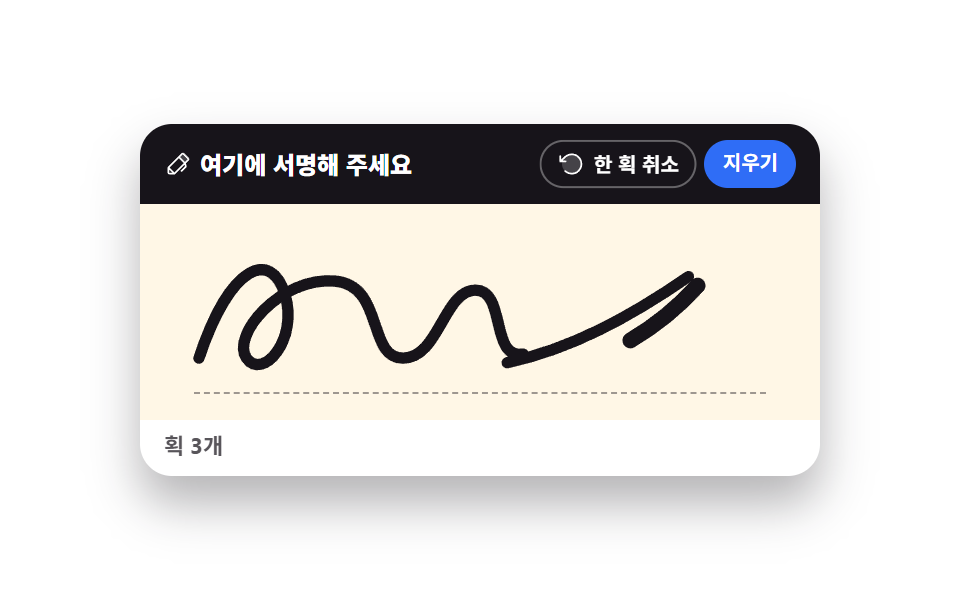 01 signature-pad-pressure
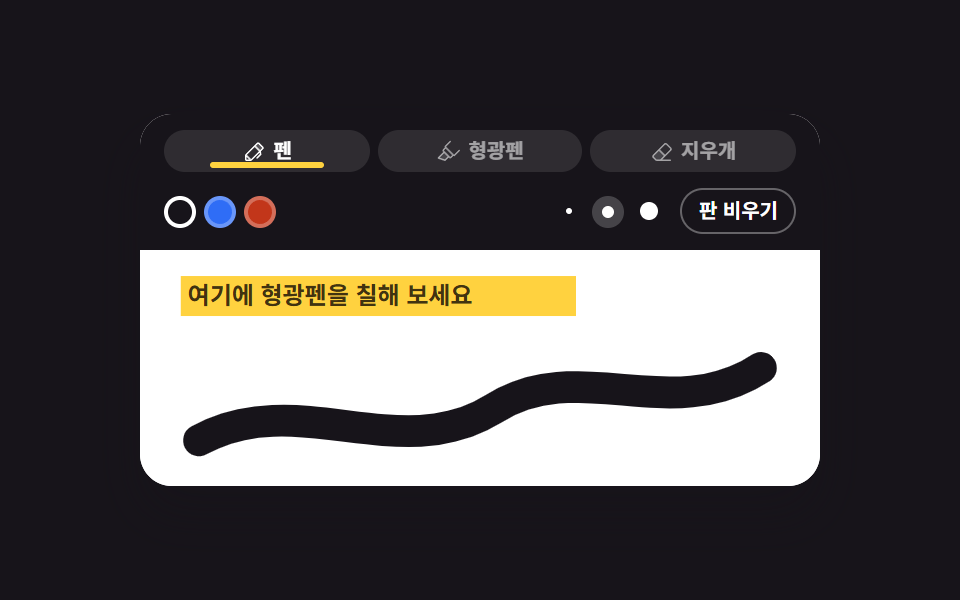 02 canvas-pen-highlighter-eraser
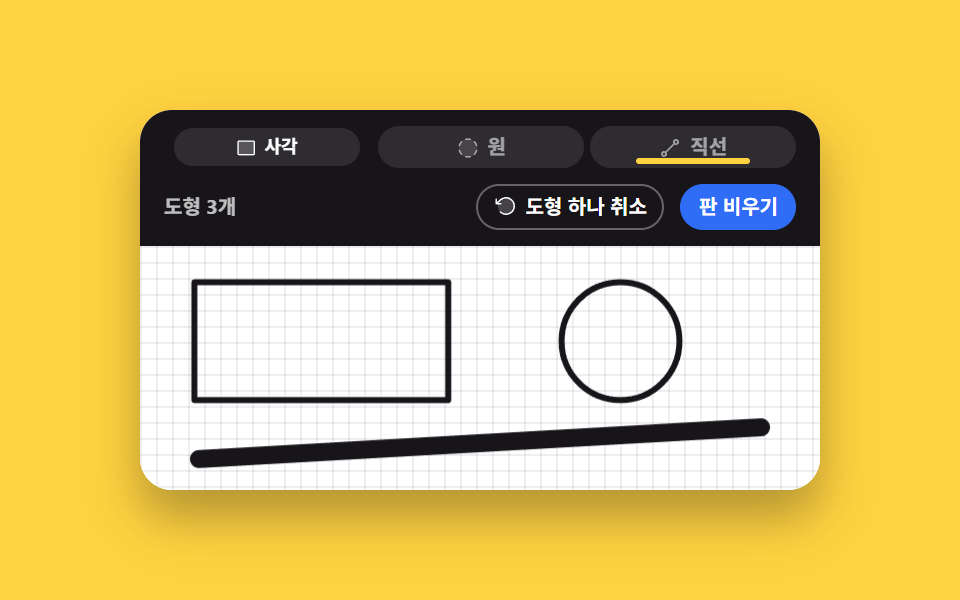 03 canvas-shape-snap
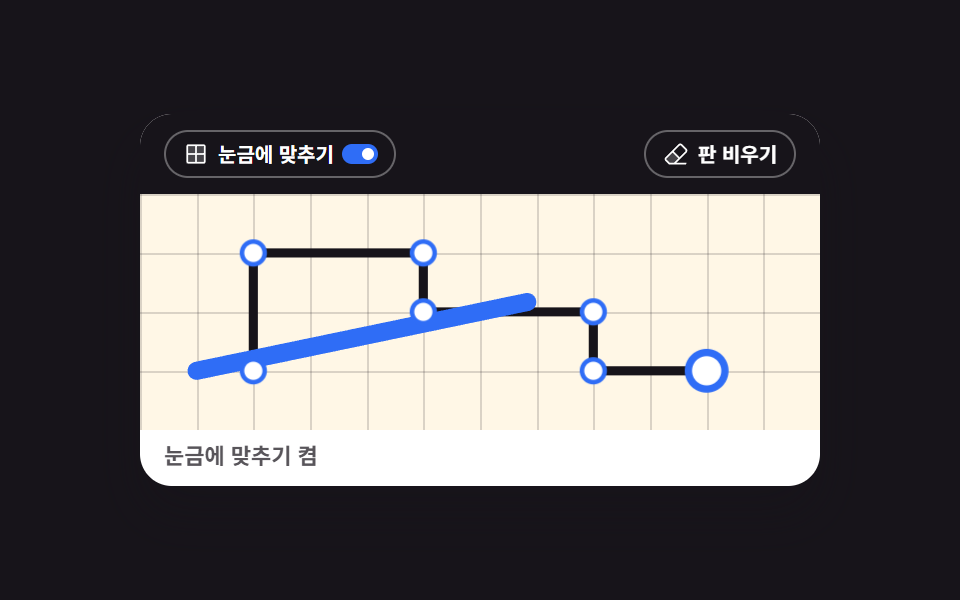 04 canvas-grid-snap
 05 canvas-layer-ink
 06 signature-stroke-replay
 07 signature-export-crop
 08 signature-fit-to-input
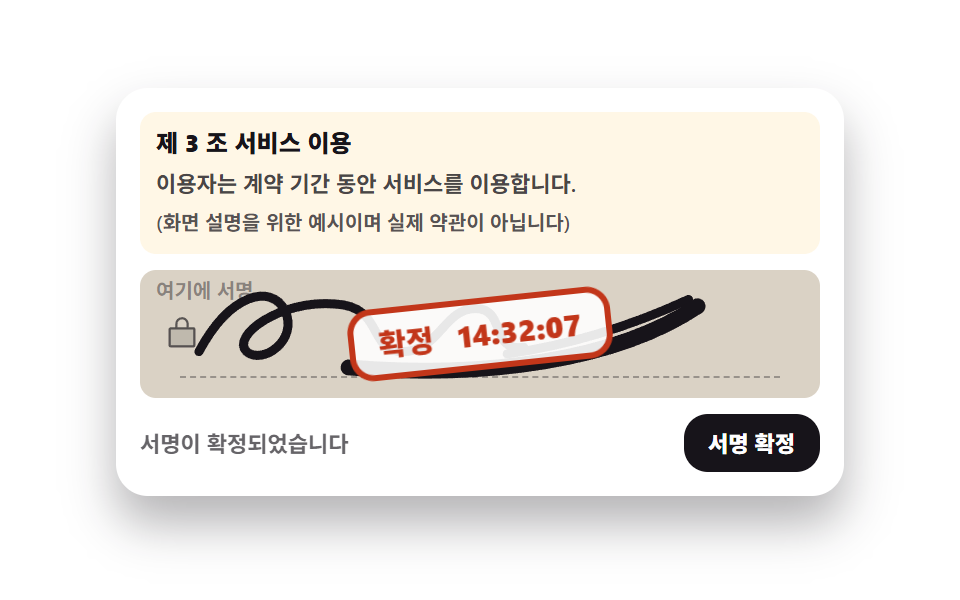 09 signature-contract-lock
자동 재생 · 눌러서 해당 항목으로 · 전부 한 zip
- 01 굵기가 변하는 서명 패드
- 02 펜·형광펜·지우개 도구바
- 03 도형 스냅 드로잉
- 04 격자 눈금 캔버스
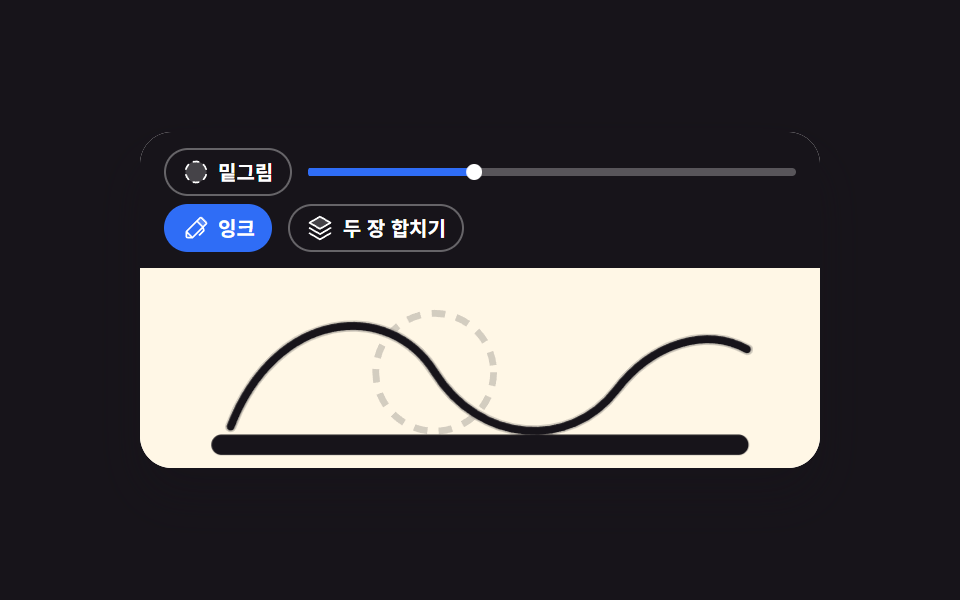
- 05 밑그림·잉크 2레이어
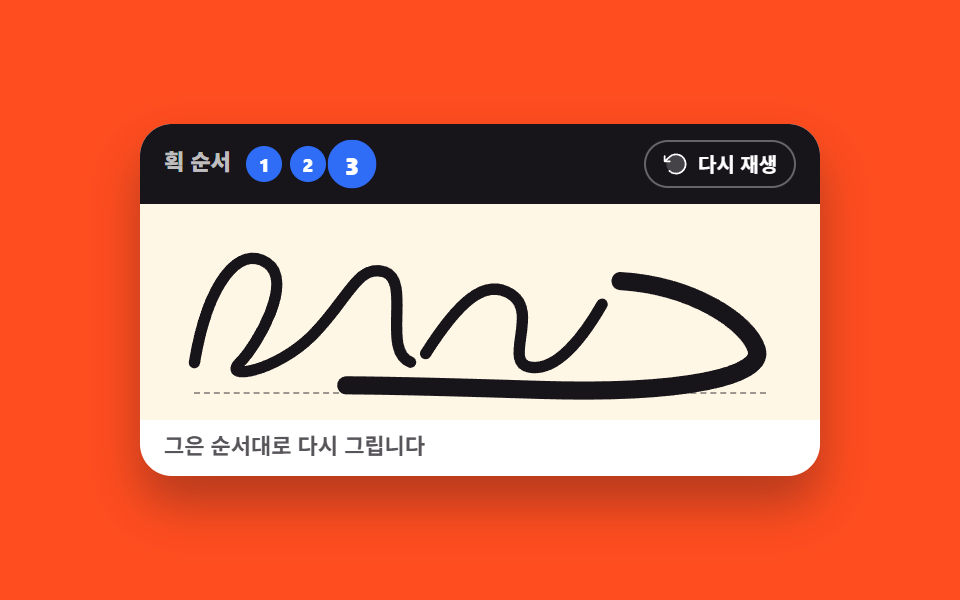
- 06 획 순서 리플레이
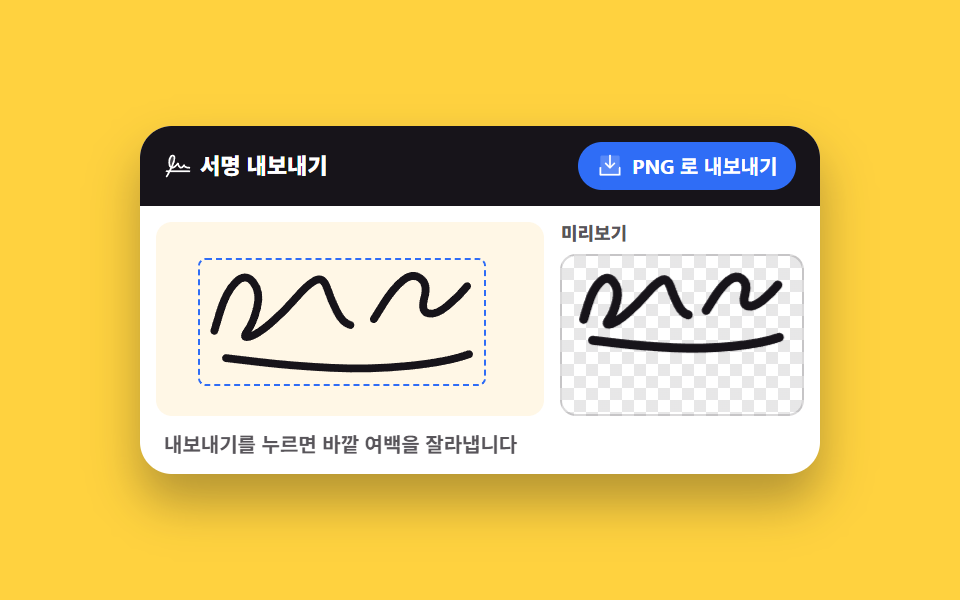
- 07 여백 자동 크롭 내보내기
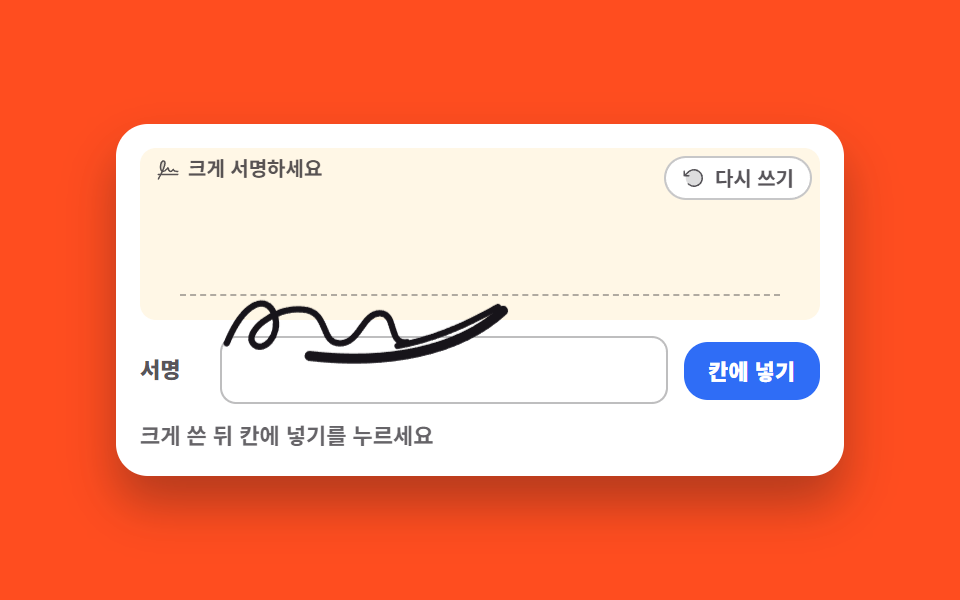
- 08 폼 칸에 맞춰 앉는 손글씨
- 09 계약서 서명란 잠금
아홉 개를 늘어놓은 기준은 서명 패드 테스트 항목의 화려함이 아니라 서명 한 번이 겪는 순서입니다. 먼저 긋는 쪽 셋 — 굵기가 속도를 따라 변하는 기본 패드(01)에 도구를 갈아 끼우고(02), 직선·사각·원을 끌어 확정합니다(03). 다음은 정확히 그리는 쪽 셋 — 눈금에 붙여 배치도를 그리고(04), 밑그림 위에 잉크를 따라 그리며(05), 그은 순서를 다시 재생해 확인합니다(06). 마지막 셋은 쓴 것을 내보내는 쪽 — 여백을 스스로 잘라 투명 배경으로 꺼내고(07), 크게 쓴 글씨를 폼 칸에 맞춰 앉히며(08), 확정하면 잠가 버립니다(09). 무대 색은 종이 둘·잉크 셋·노랑 둘·주황 둘로 돌려 격자 아홉 칸의 밝기가 한쪽으로 쏠리지 않게 맞췄습니다. 손끝 제스처로 화면을 다루는 더 넓은 이야기는 모바일 터치 제스처 UI 9종에, 캔버스를 확대 도구로 쓰는 쪽은 이미지 확대 뷰어 UI 9종에 있습니다. 같은 캔버스를 자유 곡선이 아니라 상자와 선으로 쓰면 플로우차트 노드 UI가 되고, 소리를 그림으로 바꾸는 쪽은 오디오 비주얼라이저가 맡습니다.
01굵기가 변하는 서명 패드
전자 서명 패드에서 무엇이 보이나
Pointer Events 의 pressure 값으로 굵기를 정하는 기본 서명 패드입니다. 필압을 주는 장치가 없으면 0.5 를 돌려주는데, 그때는 직전 점과의 거리, 즉 긋는 속도로 굵기를 대신합니다.
<main class="stage">
<div class="sp is-demo" id="sp">
  <div class="sp__card">
    <div class="sp__bar">
      <p class="sp__label"><svg xmlns="http://www.w3.org/2000/svg" viewBox="0 0 256 256" fill="currentColor" class="sp__ico" aria-hidden="true"><path d="M221.66,90.34,192,120,136,64l29.66-29.66a8,8,0,0,1,11.31,0L221.66,79A8,8,0,0,1,221.66,90.34Z" opacity="0.2"/><path d="M227.32,73.37,182.63,28.69a16,16,0,0,0-22.63,0L36.69,152A15.86,15.86,0,0,0,32,163.31V208a16,16,0,0,0,16,16H92.69A15.86,15.86,0,0,0,104,219.31l83.67-83.66,3.48,13.9-36.8,36.79a8,8,0,0,0,11.31,11.32l40-40a8,8,0,0,0,2.11-7.6l-6.9-27.61L227.32,96A16,16,0,0,0,227.32,73.37ZM48,208V179.31L76.69,208Zm48-3.31L51.31,160,136,75.31,180.69,120Zm96-96L147.32,64l24-24L216,84.69Z"/></svg><span>여기에 서명해 주세요</span></p>
      <div class="sp__acts">
        <button type="button" class="sp__btn" id="undoBtn"><svg xmlns="http://www.w3.org/2000/svg" viewBox="0 0 256 256" fill="currentColor" class="sp__ico" aria-hidden="true"><path d="M216,128a88,88,0,1,1-88-88A88,88,0,0,1,216,128Z" opacity="0.2"/><path d="M224,128a96,96,0,0,1-94.71,96H128A95.38,95.38,0,0,1,62.1,197.8a8,8,0,0,1,11-11.63A80,80,0,1,0,71.43,71.39a3.07,3.07,0,0,1-.26.25L44.59,96H72a8,8,0,0,1,0,16H24a8,8,0,0,1-8-8V56a8,8,0,0,1,16,0V85.8L60.25,60A96,96,0,0,1,224,128Z"/></svg><span>한 획 취소</span></button>
        <button type="button" class="sp__btn sp__btn--wipe" id="clearBtn">지우기</button>
      </div>
    </div>
    <div class="sp__pad" id="pad">
      <canvas class="sp__ink" id="ink" role="img" aria-label="서명 칸, 획 0개"></canvas>
      <svg class="sp__ghost" viewBox="0 0 300 96" preserveAspectRatio="none" aria-hidden="true">
        <path class="sp__stroke sp__stroke--a" pathLength="100" d="M26,68 C40,26 58,20 64,40 C70,60 54,78 47,68 C40,58 62,32 86,34 C108,36 100,68 116,68 C132,68 134,38 148,38 C162,38 154,70 170,66"/>
        <path class="sp__stroke sp__stroke--b" pathLength="100" d="M162,70 C190,64 216,50 242,32"/>
        <path class="sp__stroke sp__stroke--c" pathLength="100" d="M246,36 C210,76 152,88 92,80"/>
      </svg>
      <span class="sp__rule" aria-hidden="true"></span>
    </div>
    <p class="sp__live">
      <span class="sp__liveReal" id="live" aria-live="polite">획 0개</span>
      <span class="sp__liveDemo sp__liveDemo--zero" aria-hidden="true">획 0개</span>
      <span class="sp__liveDemo sp__liveDemo--one" aria-hidden="true">획 1개</span>
      <span class="sp__liveDemo sp__liveDemo--two" aria-hidden="true">획 2개</span>
      <span class="sp__liveDemo sp__liveDemo--three" aria-hidden="true">획 3개</span>
    </p>
  </div>
</div>
</main>@use "../../../../site/static/demo-tokens" as *;
// 굵기가 변하는 서명 패드 — 실제 서명은 canvas 2D 가 그린다(pointermove 마다 quadraticCurveTo).
// 격자 미리보기(.is-demo)는 canvas 를 감추고 같은 모양의 SVG 경로 3개를 stroke-dashoffset 으로
// 순서대로 긋는다. demo.py 는 CSS 애니메이션 시계로 프레임을 뽑으므로 canvas 로 그린 획은 24장이 전부 같다.
$duration: $dur-loop;
$easing: $ease-out;
$color: $subject-ink;
@include stage($stage-paper);
.sp { display: flex; justify-content: center; width: 100%; }
.sp__card {
width: min(100%, 340px); background: $stage-paper; border-radius: $r-card;
box-shadow: $shadow-raised; overflow: hidden;
}
.sp__bar {
display: flex; align-items: center; justify-content: space-between; gap: $sp-2;
background: $subject-ink; padding: $sp-2 $sp-3;
}
.sp__label {
display: flex; align-items: center; gap: $sp-1; margin: 0;
font-weight: 800; font-size: clamp(10px, 2.8vw, 12px); color: $stage-paper;
}
.sp__ico { width: 14px; height: 14px; flex: 0 0 auto; }
.sp__acts { display: flex; gap: $sp-1; }
.sp__btn {
display: flex; align-items: center; gap: $sp-1; cursor: pointer;
border: 1px solid rgba(255, 255, 255, .34); background: transparent; color: $stage-paper;
border-radius: $r-pill; font-family: inherit; font-weight: 700;
font-size: clamp(9px, 2.4vw, 10px); padding: $sp-1 $sp-2; line-height: 1.3;
}
.sp__btn--wipe { background: $subject-blue; border-color: $subject-blue; }
.sp__btn:focus-visible { outline: 3px solid $subject-blue; outline-offset: 2px; }
.sp__pad { position: relative; background: $subject-cream; aspect-ratio: 300 / 96; touch-action: none; }
.sp__ink, .sp__ghost { position: absolute; inset: 0; width: 100%; height: 100%; }
.sp__rule {
position: absolute; left: 8%; right: 8%; bottom: 12%; height: 0;
border-bottom: 1px dashed rgba(23, 20, 26, .42);
}
.sp__ghost { display: none; fill: none; }
.sp__stroke {
stroke: $color; stroke-width: 5; stroke-linecap: round; stroke-linejoin: round;
stroke-dasharray: 100; stroke-dashoffset: 100;
}
.sp__stroke--c { stroke-width: 7; }
.sp__live {
position: relative; margin: 0; padding: $sp-1 $sp-3 $sp-2; font-weight: 700;
font-size: clamp(9px, 2.4vw, 11px); color: rgba(23, 20, 26, .72);
}
.sp__liveDemo { display: none; position: absolute; left: $sp-3; top: $sp-1; }
// ── 미리보기 루프: 획 셋이 4~54% 에 차례로 그어지고, 62% 부터 「한 획 취소」를 세 번 누른 것처럼
// 마지막 획부터 거꾸로 되감긴다(stroke-dashoffset 0 → 100 은 펜이 왔던 길을 되짚는 모양이다).
// 98% 에 빈 칸으로 돌아오므로 루프가 이어붙는 지점이 빈 칸 대 빈 칸 — 되감기가 튀지 않는다.
.sp.is-demo .sp__ink { visibility: hidden; }
.sp.is-demo .sp__ghost { display: block; }
.sp.is-demo .sp__stroke {
animation-duration: $duration;
animation-timing-function: $easing;
animation-iteration-count: infinite;
}
.sp.is-demo .sp__stroke--a { animation-name: spDrawA; }
.sp.is-demo .sp__stroke--b { animation-name: spDrawB; }
.sp.is-demo .sp__stroke--c { animation-name: spDrawC; }
@keyframes spDrawA {
0%, 4% { stroke-dashoffset: 100; }
28%, 80% { stroke-dashoffset: 0; }
98%, 100% { stroke-dashoffset: 100; }
}
@keyframes spDrawB {
0%, 30% { stroke-dashoffset: 100; }
42%, 70% { stroke-dashoffset: 0; }
82%, 100% { stroke-dashoffset: 100; }
}
@keyframes spDrawC {
0%, 44% { stroke-dashoffset: 100; }
54%, 62% { stroke-dashoffset: 0; }
70%, 100% { stroke-dashoffset: 100; }
}
// 미리보기의 획 수는 실제 값이 아니므로 칸 네 개를 steps(1, end) 로 갈아 끼운다 — 반투명 겹침이 없다
.sp.is-demo .sp__liveReal { color: transparent; }
.sp.is-demo .sp__liveDemo {
display: block;
animation-duration: $duration;
animation-timing-function: steps(1, end);
animation-iteration-count: infinite;
}
.sp.is-demo .sp__liveDemo--zero { animation-name: spCountZero; }
.sp.is-demo .sp__liveDemo--one { animation-name: spCountOne; }
.sp.is-demo .sp__liveDemo--two { animation-name: spCountTwo; }
.sp.is-demo .sp__liveDemo--three { animation-name: spCountThree; }
@keyframes spCountZero {
0%, 27% { opacity: 1; }
28%, 97% { opacity: 0; }
98%, 100% { opacity: 1; }
}
@keyframes spCountOne {
0%, 27% { opacity: 0; }
28%, 41% { opacity: 1; }
42%, 81% { opacity: 0; }
82%, 97% { opacity: 1; }
98%, 100% { opacity: 0; }
}
@keyframes spCountTwo {
0%, 41% { opacity: 0; }
42%, 53% { opacity: 1; }
54%, 69% { opacity: 0; }
70%, 81% { opacity: 1; }
82%, 100% { opacity: 0; }
}
@keyframes spCountThree {
0%, 53% { opacity: 0; }
54%, 69% { opacity: 1; }
70%, 100% { opacity: 0; }
}
// 되감기가 시작되는 62% 에 「한 획 취소」 버튼이 자기 중심에서 눌린다 (transform-origin 기본값 50% 50%)
.sp.is-demo .sp__btn:first-child {
animation-name: spPress;
animation-duration: $duration;
animation-timing-function: $ease-pop;
animation-iteration-count: infinite;
}
@keyframes spPress {
0%, 60% { transform: scale(1); }
64% { transform: scale(.88); }
70%, 100% { transform: scale(1); }
}
@media (max-width: 340px) {
.sp__bar { padding: $sp-1 $sp-2; }
.sp__live { padding: $sp-1 $sp-2; }
.sp__liveDemo { left: $sp-2; }
}
@media (prefers-reduced-motion: reduce) {
.sp.is-demo .sp__stroke,
.sp.is-demo .sp__liveDemo,
.sp.is-demo .sp__btn:first-child { animation: none !important; }
// 움직임 없이 서명이 다 그어진 최종 상태로 세운다
.sp.is-demo .sp__stroke { stroke-dashoffset: 0 !important; }
.sp.is-demo .sp__liveDemo--zero,
.sp.is-demo .sp__liveDemo--one,
.sp.is-demo .sp__liveDemo--two { opacity: 0 !important; }
.sp.is-demo .sp__liveDemo--three { opacity: 1 !important; }
}html, body {
margin: 0;
overflow: hidden;
}
.stage {
box-sizing: border-box;
min-height: 100vh;
display: grid;
place-items: center;
margin: 0;
background: #ffffff;
font-family: -apple-system, "Segoe UI", "Noto Sans KR", sans-serif;
padding: clamp(8px, 4vw, 24px);
}
.sp {
display: flex;
justify-content: center;
width: 100%;
}
.sp__card {
width: min(100%, 340px);
background: #ffffff;
border-radius: 16px;
box-shadow: 0 14px 24px rgba(23, 20, 26, 0.32);
overflow: hidden;
}
.sp__bar {
display: flex;
align-items: center;
justify-content: space-between;
gap: 8px;
background: #17141a;
padding: 8px 12px;
}
.sp__label {
display: flex;
align-items: center;
gap: 4px;
margin: 0;
font-weight: 800;
font-size: clamp(10px, 2.8vw, 12px);
color: #ffffff;
}
.sp__ico {
width: 14px;
height: 14px;
flex: 0 0 auto;
}
.sp__acts {
display: flex;
gap: 4px;
}
.sp__btn {
display: flex;
align-items: center;
gap: 4px;
cursor: pointer;
border: 1px solid rgba(255, 255, 255, 0.34);
background: transparent;
color: #ffffff;
border-radius: 999px;
font-family: inherit;
font-weight: 700;
font-size: clamp(9px, 2.4vw, 10px);
padding: 4px 8px;
line-height: 1.3;
}
.sp__btn--wipe {
background: #2f6df6;
border-color: #2f6df6;
}
.sp__btn:focus-visible {
outline: 3px solid #2f6df6;
outline-offset: 2px;
}
.sp__pad {
position: relative;
background: #fff7e6;
aspect-ratio: 300/96;
touch-action: none;
}
.sp__ink, .sp__ghost {
position: absolute;
inset: 0;
width: 100%;
height: 100%;
}
.sp__rule {
position: absolute;
left: 8%;
right: 8%;
bottom: 12%;
height: 0;
border-bottom: 1px dashed rgba(23, 20, 26, 0.42);
}
.sp__ghost {
display: none;
fill: none;
}
.sp__stroke {
stroke: #17141a;
stroke-width: 5;
stroke-linecap: round;
stroke-linejoin: round;
stroke-dasharray: 100;
stroke-dashoffset: 100;
}
.sp__stroke--c {
stroke-width: 7;
}
.sp__live {
position: relative;
margin: 0;
padding: 4px 12px 8px;
font-weight: 700;
font-size: clamp(9px, 2.4vw, 11px);
color: rgba(23, 20, 26, 0.72);
}
.sp__liveDemo {
display: none;
position: absolute;
left: 12px;
top: 4px;
}
.sp.is-demo .sp__ink {
visibility: hidden;
}
.sp.is-demo .sp__ghost {
display: block;
}
.sp.is-demo .sp__stroke {
animation-duration: 2s;
animation-timing-function: ease-out;
animation-iteration-count: infinite;
}
.sp.is-demo .sp__stroke--a {
animation-name: spDrawA;
}
.sp.is-demo .sp__stroke--b {
animation-name: spDrawB;
}
.sp.is-demo .sp__stroke--c {
animation-name: spDrawC;
}
@keyframes spDrawA {
0%, 4% {
stroke-dashoffset: 100;
}
28%, 80% {
stroke-dashoffset: 0;
}
98%, 100% {
stroke-dashoffset: 100;
}
}
@keyframes spDrawB {
0%, 30% {
stroke-dashoffset: 100;
}
42%, 70% {
stroke-dashoffset: 0;
}
82%, 100% {
stroke-dashoffset: 100;
}
}
@keyframes spDrawC {
0%, 44% {
stroke-dashoffset: 100;
}
54%, 62% {
stroke-dashoffset: 0;
}
70%, 100% {
stroke-dashoffset: 100;
}
}
.sp.is-demo .sp__liveReal {
color: transparent;
}
.sp.is-demo .sp__liveDemo {
display: block;
animation-duration: 2s;
animation-timing-function: steps(1, end);
animation-iteration-count: infinite;
}
.sp.is-demo .sp__liveDemo--zero {
animation-name: spCountZero;
}
.sp.is-demo .sp__liveDemo--one {
animation-name: spCountOne;
}
.sp.is-demo .sp__liveDemo--two {
animation-name: spCountTwo;
}
.sp.is-demo .sp__liveDemo--three {
animation-name: spCountThree;
}
@keyframes spCountZero {
0%, 27% {
opacity: 1;
}
28%, 97% {
opacity: 0;
}
98%, 100% {
opacity: 1;
}
}
@keyframes spCountOne {
0%, 27% {
opacity: 0;
}
28%, 41% {
opacity: 1;
}
42%, 81% {
opacity: 0;
}
82%, 97% {
opacity: 1;
}
98%, 100% {
opacity: 0;
}
}
@keyframes spCountTwo {
0%, 41% {
opacity: 0;
}
42%, 53% {
opacity: 1;
}
54%, 69% {
opacity: 0;
}
70%, 81% {
opacity: 1;
}
82%, 100% {
opacity: 0;
}
}
@keyframes spCountThree {
0%, 53% {
opacity: 0;
}
54%, 69% {
opacity: 1;
}
70%, 100% {
opacity: 0;
}
}
.sp.is-demo .sp__btn:first-child {
animation-name: spPress;
animation-duration: 2s;
animation-timing-function: cubic-bezier(0.2, 1.4, 0.4, 1);
animation-iteration-count: infinite;
}
@keyframes spPress {
0%, 60% {
transform: scale(1);
}
64% {
transform: scale(0.88);
}
70%, 100% {
transform: scale(1);
}
}
@media (max-width: 340px) {
.sp__bar {
padding: 4px 8px;
}
.sp__live {
padding: 4px 8px;
}
.sp__liveDemo {
left: 8px;
}
}
@media (prefers-reduced-motion: reduce) {
.sp.is-demo .sp__stroke,
.sp.is-demo .sp__liveDemo,
.sp.is-demo .sp__btn:first-child {
animation: none !important;
}
.sp.is-demo .sp__stroke {
stroke-dashoffset: 0 !important;
}
.sp.is-demo .sp__liveDemo--zero,
.sp.is-demo .sp__liveDemo--one,
.sp.is-demo .sp__liveDemo--two {
opacity: 0 !important;
}
.sp.is-demo .sp__liveDemo--three {
opacity: 1 !important;
}
}var sp = document.getElementById('sp');
var pad = document.getElementById('pad');
var ink = document.getElementById('ink');
var live = document.getElementById('live');
var ctx = ink.getContext('2d');
var strokes = [], current = null, lastPoint = null;
var PAD_LABEL = '서명 칸, 획 %d개';
var LIVE_LABEL = '획 %d개';
// 고DPI 대응 — 배킹 스토어를 devicePixelRatio 배로 키우고 좌표계는 CSS 픽셀 그대로 쓴다
function resize() {
var r = pad.getBoundingClientRect(), dpr = window.devicePixelRatio || 1;
ink.width = Math.round(r.width * dpr);
ink.height = Math.round(r.height * dpr);
ctx.setTransform(dpr, 0, 0, dpr, 0, 0);
repaint();
}
// 필압이 있으면 그 값, 없으면 직전 점과의 거리(속도)로 굵기를 정한다 — 빠를수록 가늘게
function widthFor(point) {
  if (point.pressure > 0 && point.pressure !== 0.5) { return 1.2 + point.pressure * 5.2; }
  var dx = point.x - lastPoint.x, dy = point.y - lastPoint.y;
  return Math.max(1.4, 5.4 - Math.sqrt(dx * dx + dy * dy) * 0.34);
}
function midOf(a, b) { return { x: (a.x + b.x) / 2, y: (a.y + b.y) / 2 }; }
function repaint() {
ctx.clearRect(0, 0, ink.width, ink.height);
ctx.lineCap = 'round';
ctx.lineJoin = 'round';
ctx.strokeStyle = '#17141a';
for (var s = 0; s < strokes.length; s++) {
var pts = strokes[s];
if (pts.length < 2) { continue; }
// 구간은 중점에서 중점으로 잇고 꺾이는 점은 제어점으로 쓴다.
// 시작점을 중점이 아니라 점 자체에 두면 중점과 그 점 사이가 매번 비어 획이 절반씩 끊긴다
var start = pts[0];
for (var i = 1; i < pts.length - 1; i++) {
  var end = midOf(pts[i], pts[i + 1]);
  ctx.lineWidth = pts[i].w;
  ctx.beginPath();
  ctx.moveTo(start.x, start.y);
  ctx.quadraticCurveTo(pts[i].x, pts[i].y, end.x, end.y);
  ctx.stroke();
  start = end;
}
var last = pts[pts.length - 1];
ctx.lineWidth = last.w;
ctx.beginPath();
ctx.moveTo(start.x, start.y);
ctx.lineTo(last.x, last.y);
ctx.stroke();
}
ink.setAttribute('aria-label', PAD_LABEL.replace('%d', strokes.length));
live.textContent = LIVE_LABEL.replace('%d', strokes.length);
}
function toLocal(e) {
var r = ink.getBoundingClientRect();
return { x: e.clientX - r.left, y: e.clientY - r.top, pressure: e.pressure, w: 3 };
}
pad.addEventListener('pointerdown', function (e) {
sp.classList.remove('is-demo');
lastPoint = toLocal(e);
current = [lastPoint];
strokes.push(current);
pad.setPointerCapture(e.pointerId);
});
pad.addEventListener('pointermove', function (e) {
if (!current) { return; }
var point = toLocal(e);
point.w = widthFor(point);
current.push(point);
lastPoint = point;
repaint();
});
window.addEventListener('pointerup', function () { current = null; });
document.getElementById('undoBtn').addEventListener('click', function () { strokes.pop(); repaint(); });
document.getElementById('clearBtn').addEventListener('click', function () { strokes = []; repaint(); });
window.addEventListener('resize', resize);
resize();// SignaturePad — vanilla 판(run/287/demo/01-signature-pad-pressure/index.html) 의 React 포트.
// canvas 2D 에 포인터 궤적을 quadraticCurveTo 로 잇고, 필압이 없으면 직전 점과의 거리로 굵기를 정한다.
// 획은 배열의 배열로 쌓아 두므로 한 획 취소는 pop 한 번이다. 값·수치는 vanilla 와 같다.
import { useCallback, useEffect, useRef, useState } from "react";
import type { CSSProperties, PointerEvent as ReactPointerEvent } from "react";
import styles from "./SignaturePad.module.scss";
export type SignaturePadProps = {
duration?: number;
easing?: string;
color?: string;
};
type Vars = CSSProperties & { "--duration"?: string; "--easing"?: string; "--color"?: string };
type Point = { x: number; y: number; pressure: number; w: number };
// useRef 는 T | null 을 돌려준다. 처음부터 값이 있고 절대 비지 않는 상자는 이렇게 좁혀 쓴다
type Box<T> = { current: T };
const PAD_LABEL = "서명 칸, 획 %d개";
const LIVE_LABEL = "획 %d개";
// 필압이 있으면 그 값, 없으면 직전 점과의 거리(속도)로 굵기를 정한다 — 빠를수록 가늘게
function widthFor(point: Point, lastPoint: Point): number {
if (point.pressure > 0 && point.pressure !== 0.5) {
return 1.2 + point.pressure * 5.2;
}
const dx = point.x - lastPoint.x;
const dy = point.y - lastPoint.y;
return Math.max(1.4, 5.4 - Math.sqrt(dx * dx + dy * dy) * 0.34);
}
function midOf(a: Point, b: Point): { x: number; y: number } {
return { x: (a.x + b.x) / 2, y: (a.y + b.y) / 2 };
}
function applyRepaint(ctx: CanvasRenderingContext2D, strokes: Point[][], width: number, height: number): void {
ctx.clearRect(0, 0, width, height);
ctx.lineCap = "round";
ctx.lineJoin = "round";
ctx.strokeStyle = "#17141a";
for (const pts of strokes) {
if (pts.length < 2) continue;
// 구간은 중점에서 중점으로 잇고 꺾이는 점은 제어점으로 쓴다.
// 시작점을 중점이 아니라 점 자체에 두면 중점과 그 점 사이가 매번 비어 획이 절반씩 끊긴다
let start = { x: pts[0].x, y: pts[0].y };
for (let i = 1; i < pts.length - 1; i++) {
const end = midOf(pts[i], pts[i + 1]);
ctx.lineWidth = pts[i].w;
ctx.beginPath();
ctx.moveTo(start.x, start.y);
ctx.quadraticCurveTo(pts[i].x, pts[i].y, end.x, end.y);
ctx.stroke();
start = end;
}
const last = pts[pts.length - 1];
ctx.lineWidth = last.w;
ctx.beginPath();
ctx.moveTo(start.x, start.y);
ctx.lineTo(last.x, last.y);
ctx.stroke();
}
}
export default function SignaturePad({
duration = 2000,
easing = "ease-out",
color = "#17141a",
}: SignaturePadProps) {
const padRef = useRef<HTMLDivElement | null>(null);
const inkRef = useRef<HTMLCanvasElement | null>(null);
const strokesRef = useRef<Point[][]>([]) as Box<Point[][]>;
const currentRef = useRef<Point[] | null>(null);
const lastRef = useRef<Point | null>(null);
const [demo, setDemo] = useState(true);
const [count, setCount] = useState(0);
const vars: Vars = { "--duration": `${duration}ms`, "--easing": easing, "--color": color };
const repaint = useCallback(() => {
const canvas = inkRef.current;
if (!canvas) return;
const ctx = canvas.getContext("2d");
if (!ctx) return;
applyRepaint(ctx, strokesRef.current, canvas.width, canvas.height);
setCount(strokesRef.current.length);
}, []);
// 고DPI 대응 — 배킹 스토어를 devicePixelRatio 배로 키우고 좌표계는 CSS 픽셀 그대로 쓴다
const resize = useCallback(() => {
const pad = padRef.current;
const canvas = inkRef.current;
if (!pad || !canvas) return;
const ctx = canvas.getContext("2d");
if (!ctx) return;
const r = pad.getBoundingClientRect();
const dpr = window.devicePixelRatio || 1;
canvas.width = Math.round(r.width * dpr);
canvas.height = Math.round(r.height * dpr);
ctx.setTransform(dpr, 0, 0, dpr, 0, 0);
repaint();
}, [repaint]);
useEffect(() => {
resize();
window.addEventListener("resize", resize);
return () => window.removeEventListener("resize", resize);
}, [resize]);
useEffect(() => {
function onUp(): void {
currentRef.current = null;
}
window.addEventListener("pointerup", onUp);
return () => window.removeEventListener("pointerup", onUp);
}, []);
function toLocal(event: ReactPointerEvent<HTMLDivElement>): Point | null {
const canvas = inkRef.current;
if (!canvas) return null;
const r = canvas.getBoundingClientRect();
return { x: event.clientX - r.left, y: event.clientY - r.top, pressure: event.pressure, w: 3 };
}
function onPointerDown(event: ReactPointerEvent<HTMLDivElement>): void {
setDemo(false);
const point = toLocal(event);
const pad = padRef.current;
if (!point || !pad) return;
lastRef.current = point;
currentRef.current = [point];
strokesRef.current.push(currentRef.current);
pad.setPointerCapture(event.pointerId);
}
function onPointerMove(event: ReactPointerEvent<HTMLDivElement>): void {
const current = currentRef.current;
const last = lastRef.current;
if (!current || !last) return;
const point = toLocal(event);
if (!point) return;
point.w = widthFor(point, last);
current.push(point);
lastRef.current = point;
repaint();
}
function onUndo(): void {
strokesRef.current.pop();
repaint();
}
function onClear(): void {
strokesRef.current = [];
repaint();
}
const cls = [styles.root, demo ? styles.isDemo : ""].filter(Boolean).join(" ");
return (
<main className={styles.stage}>
<div className={cls} style={vars}>
<div className={styles.card}>
<div className={styles.bar}>
<p className={styles.label}>
<svg xmlns="http://www.w3.org/2000/svg" viewBox="0 0 256 256" fill="currentColor" className={styles.ico} aria-hidden="true"><path d="M221.66,90.34,192,120,136,64l29.66-29.66a8,8,0,0,1,11.31,0L221.66,79A8,8,0,0,1,221.66,90.34Z" opacity="0.2"/><path d="M227.32,73.37,182.63,28.69a16,16,0,0,0-22.63,0L36.69,152A15.86,15.86,0,0,0,32,163.31V208a16,16,0,0,0,16,16H92.69A15.86,15.86,0,0,0,104,219.31l83.67-83.66,3.48,13.9-36.8,36.79a8,8,0,0,0,11.31,11.32l40-40a8,8,0,0,0,2.11-7.6l-6.9-27.61L227.32,96A16,16,0,0,0,227.32,73.37ZM48,208V179.31L76.69,208Zm48-3.31L51.31,160,136,75.31,180.69,120Zm96-96L147.32,64l24-24L216,84.69Z"/></svg>
<span>여기에 서명해 주세요</span>
</p>
<div className={styles.acts}>
<button type="button" className={styles.btn} onClick={onUndo}>
<svg xmlns="http://www.w3.org/2000/svg" viewBox="0 0 256 256" fill="currentColor" className={styles.ico} aria-hidden="true"><path d="M216,128a88,88,0,1,1-88-88A88,88,0,0,1,216,128Z" opacity="0.2"/><path d="M224,128a96,96,0,0,1-94.71,96H128A95.38,95.38,0,0,1,62.1,197.8a8,8,0,0,1,11-11.63A80,80,0,1,0,71.43,71.39a3.07,3.07,0,0,1-.26.25L44.59,96H72a8,8,0,0,1,0,16H24a8,8,0,0,1-8-8V56a8,8,0,0,1,16,0V85.8L60.25,60A96,96,0,0,1,224,128Z"/></svg>
<span>한 획 취소</span>
</button>
<button type="button" className={`${styles.btn} ${styles.btnWipe}`} onClick={onClear}>지우기</button>
</div>
</div>
<div className={styles.pad} ref={padRef} onPointerDown={onPointerDown} onPointerMove={onPointerMove}>
<canvas className={styles.ink} ref={inkRef} role="img" aria-label={PAD_LABEL.replace("%d", String(count))}></canvas>
<svg className={styles.ghost} viewBox="0 0 300 96" preserveAspectRatio="none" aria-hidden="true">
<path className={`${styles.stroke} ${styles.strokeA}`} pathLength="100" d="M26,68 C40,26 58,20 64,40 C70,60 54,78 47,68 C40,58 62,32 86,34 C108,36 100,68 116,68 C132,68 134,38 148,38 C162,38 154,70 170,66"/>
<path className={`${styles.stroke} ${styles.strokeB}`} pathLength="100" d="M162,70 C190,64 216,50 242,32"/>
<path className={`${styles.stroke} ${styles.strokeC}`} pathLength="100" d="M246,36 C210,76 152,88 92,80"/>
</svg>
<span className={styles.rule} aria-hidden="true"></span>
</div>
<p className={styles.live}>
<span className={styles.liveReal} aria-live="polite">{LIVE_LABEL.replace("%d", String(count))}</span>
<span className={`${styles.liveDemo} ${styles.liveZero}`} aria-hidden="true">획 0개</span>
<span className={`${styles.liveDemo} ${styles.liveOne}`} aria-hidden="true">획 1개</span>
<span className={`${styles.liveDemo} ${styles.liveTwo}`} aria-hidden="true">획 2개</span>
<span className={`${styles.liveDemo} ${styles.liveThree}`} aria-hidden="true">획 3개</span>
</p>
</div>
</div>
</main>
);
}01 · 굵기가 변하는 서명 패드 — 측정 누적면적 3.913% · 움직인 프레임 22/23GODRICH 원작 · zip 에 SCSS·React 포함 · 비밀번호 보기
코드에서 볼 곳
「한 획 취소」를 누른 듯 획이 거꾸로 지워지는 미리보기에서 누적면적 3.913%, 움직인 프레임 22/23 을 기록했고, 배송 수령 확인 서명과 모바일 동의서의 서명 칸에 씁니다.
// 필압이 있으면 그 값, 없으면 직전 점과의 거리(속도)로 굵기를 정한다 — 빠를수록 가늘게
function widthFor(point) {
if (point.pressure > 0 && point.pressure !== 0.5) { return 1.2 + point.pressure * 5.2; }
var dx = point.x - lastPoint.x, dy = point.y - lastPoint.y;
return Math.max(1.4, 5.4 - Math.sqrt(dx * dx + dy * dy) * 0.34);
}
// 구간은 중점에서 중점으로 잇고 꺾이는 점은 제어점으로 쓴다.
// 시작점을 중점이 아니라 점 자체에 두면 중점과 그 점 사이가 매번 비어 획이 절반씩 끊긴다
var start = pts[0];
for (var i = 1; i < pts.length - 1; i++) {
var end = midOf(pts[i], pts[i + 1]);
ctx.lineWidth = pts[i].w;
ctx.beginPath();
ctx.moveTo(start.x, start.y);
ctx.quadraticCurveTo(pts[i].x, pts[i].y, end.x, end.y);
ctx.stroke();
start = end;
}
02펜·형광펜·지우개 도구바
화면에서 일어나는 일
도구 세 개가 합성 방식 하나로 갈라지는 드로잉 보드입니다. 펜은 source-over 로 얹고, 형광펜은 multiply 로 곱해 아래 글자가 비치게 칠하고, 지우개는 destination-out 으로 알파를 깎아냅니다.
<main class="stage">
<div class="pt is-demo" id="pt">
  <div class="pt__card">
    <div class="pt__bar">
      <div class="pt__tools" role="group" aria-label="그리기 도구">
        <button type="button" class="pt__tool pt__tool--pen" data-group="tool" data-value="pen" aria-pressed="true">
          <svg xmlns="http://www.w3.org/2000/svg" viewBox="0 0 256 256" fill="currentColor" class="pt__ico" aria-hidden="true"><path d="M221.66,90.34,192,120,136,64l29.66-29.66a8,8,0,0,1,11.31,0L221.66,79A8,8,0,0,1,221.66,90.34Z" opacity="0.2"/><path d="M227.32,73.37,182.63,28.69a16,16,0,0,0-22.63,0L36.69,152A15.86,15.86,0,0,0,32,163.31V208a16,16,0,0,0,16,16H92.69A15.86,15.86,0,0,0,104,219.31l83.67-83.66,3.48,13.9-36.8,36.79a8,8,0,0,0,11.31,11.32l40-40a8,8,0,0,0,2.11-7.6l-6.9-27.61L227.32,96A16,16,0,0,0,227.32,73.37ZM48,208V179.31L76.69,208Zm48-3.31L51.31,160,136,75.31,180.69,120Zm96-96L147.32,64l24-24L216,84.69Z"/></svg>
          <span>펜</span><span class="pt__mark" aria-hidden="true"></span>
        </button>
        <button type="button" class="pt__tool pt__tool--hl" data-group="tool" data-value="highlighter" aria-pressed="false">
          <svg xmlns="http://www.w3.org/2000/svg" viewBox="0 0 256 256" fill="currentColor" class="pt__ico" aria-hidden="true"><path d="M136,176,96,216,24,192l64-64Z" opacity="0.2"/><path d="M253.66,106.34a8,8,0,0,0-11.32,0L192,156.69,109.66,74.34h0L107.31,72l50.35-50.34a8,8,0,1,0-11.32-11.32L96,60.69A16,16,0,0,0,93.18,79.5L72,100.69a16,16,0,0,0,0,22.62L76.69,128,18.34,186.34a8,8,0,0,0,3.13,13.25l72,24A7.88,7.88,0,0,0,96,224a8,8,0,0,0,5.66-2.34L136,187.31l4.69,4.69a16,16,0,0,0,22.62,0l21.18-21.18A16,16,0,0,0,203.31,168l50.35-50.34A8,8,0,0,0,253.66,106.34ZM93.84,206.85l-55-18.35L88,139.31,124.69,176ZM152,180.69l-10.34-10.35h0l-48-48h0L83.31,112,104,91.31,172.69,160Z"/></svg>
          <span>형광펜</span><span class="pt__mark" aria-hidden="true"></span>
        </button>
        <button type="button" class="pt__tool pt__tool--er" data-group="tool" data-value="eraser" aria-pressed="false">
          <svg xmlns="http://www.w3.org/2000/svg" viewBox="0 0 256 256" fill="currentColor" class="pt__ico" aria-hidden="true"><path d="M160,168l-48,48H66.75L36.69,185.94a16,16,0,0,1,0-22.63L96,104Z" opacity="0.2"/><path d="M225,80.4,183.6,39a24,24,0,0,0-33.94,0L31,157.66a24,24,0,0,0,0,33.94l30.06,30.06A8,8,0,0,0,66.74,224H216a8,8,0,0,0,0-16h-84.7L225,114.34A24,24,0,0,0,225,80.4ZM108.68,208H70.05L42.33,180.28a8,8,0,0,1,0-11.31L96,115.31,148.69,168Zm105-105L160,156.69,107.31,104,161,50.34a8,8,0,0,1,11.32,0l41.38,41.38a8,8,0,0,1,0,11.31Z"/></svg>
          <span>지우개</span><span class="pt__mark" aria-hidden="true"></span>
        </button>
      </div>
      <div class="pt__opts">
        <div class="pt__swatches" role="group" aria-label="펜 색">
          <button type="button" class="pt__swatch pt__swatch--ink" data-group="color" data-value="#17141a" aria-pressed="true" aria-label="검정 잉크"></button>
          <button type="button" class="pt__swatch pt__swatch--blue" data-group="color" data-value="#2f6df6" aria-pressed="false" aria-label="파랑 잉크"></button>
          <button type="button" class="pt__swatch pt__swatch--red" data-group="color" data-value="#c2361a" aria-pressed="false" aria-label="빨강 잉크"></button>
        </div>
        <div class="pt__widths" role="group" aria-label="선 굵기">
          <button type="button" class="pt__width" data-group="width" data-value="2" aria-pressed="false" aria-label="가는 선"><span class="pt__dot pt__dot--s"></span></button>
          <button type="button" class="pt__width" data-group="width" data-value="4" aria-pressed="true" aria-label="보통 선"><span class="pt__dot pt__dot--m"></span></button>
          <button type="button" class="pt__width" data-group="width" data-value="8" aria-pressed="false" aria-label="굵은 선"><span class="pt__dot pt__dot--l"></span></button>
        </div>
        <button type="button" class="pt__wipe" id="wipeBtn">판 비우기</button>
      </div>
    </div>
    <div class="pt__pad" id="pad">
      <p class="pt__sample">여기에 형광펜을 칠해 보세요</p>
      <canvas class="pt__ink" id="ink" role="img" aria-label="필기판, 획 0개"></canvas>
      <span class="pt__band" aria-hidden="true"></span>
      <svg class="pt__ghost" viewBox="0 0 300 104" preserveAspectRatio="none" aria-hidden="true">
        <path class="pt__stroke" pathLength="100" d="M26,84 C70,60 114,96 156,70 C194,46 234,78 274,52"/>
        <rect class="pt__rub" x="-10" y="-7" width="20" height="14" rx="4"/>
      </svg>
    </div>
  </div>
</div>
</main>@use "../../../../site/static/demo-tokens" as *;
// 펜·형광펜·지우개 도구바 — 실제 필기는 canvas 2D 가 그린다(도구마다 globalCompositeOperation 이 다르다).
// 격자 미리보기(.is-demo)는 canvas 를 감추고, 같은 장면을 DOM 띠 하나와 SVG 경로 하나로 다시 만든다.
// demo.py 는 CSS 애니메이션 시계로 24장을 뽑으므로 JS 가 canvas 에 그린 그림은 24장이 전부 같다.
$duration: $dur-loop;
$easing: $ease-out;
$color: $subject-ink;
@include stage($stage-ink);
.pt { display: flex; justify-content: center; width: 100%; }
.pt__card {
width: min(100%, 340px); background: $stage-paper; border-radius: $r-card;
box-shadow: $shadow-raised; overflow: hidden;
}
.pt__bar { display: grid; gap: $sp-2; background: $subject-ink; padding: $sp-2 $sp-3; }
.pt__tools { display: grid; grid-template-columns: repeat(3, 1fr); gap: $sp-1; }
.pt__tool {
position: relative; display: flex; align-items: center; justify-content: center; gap: $sp-1;
width: 100%; cursor: pointer; border: 0; background: rgba(255, 255, 255, .1);
color: rgba(255, 255, 255, .56); border-radius: $r-control; font-family: inherit;
font-weight: 700; font-size: clamp(9px, 2.4vw, 10px); line-height: 1.3; padding: $sp-1 $sp-2;
}
.pt__tool[aria-pressed="true"] { color: $stage-paper; }
.pt__tool:focus-visible { outline: 3px solid $subject-blue; outline-offset: 2px; }
.pt__ico { width: 12px; height: 12px; flex: 0 0 auto; }
// 선택 표시는 라벨 아래 얇은 막대 하나 — 버튼 바탕째 갈아 끼우면 poster 가 그 컷 프레임으로 뽑힌다
.pt__mark {
position: absolute; left: 22%; right: 22%; bottom: 2px; height: 3px;
border-radius: $r-pill; background: $stage-yellow; opacity: 0;
}
.pt__tool[aria-pressed="true"] .pt__mark { opacity: 1; }
.pt__opts { display: flex; align-items: center; gap: $sp-2; }
.pt__swatches, .pt__widths { display: flex; align-items: center; gap: $sp-1; }
.pt__widths { margin-left: auto; }
.pt__swatch {
width: 16px; height: 16px; padding: 0; cursor: pointer; border-radius: 50%;
border: 2px solid rgba(255, 255, 255, .28);
}
.pt__swatch--ink { background: $subject-ink; }
.pt__swatch--blue { background: $subject-blue; }
.pt__swatch--red { background: $error; }
.pt__swatch[aria-pressed="true"] { border-color: $stage-paper; }
.pt__width {
display: flex; align-items: center; justify-content: center; width: 16px; height: 16px;
padding: 0; cursor: pointer; border: 0; background: transparent; border-radius: 50%;
}
.pt__width[aria-pressed="true"] { background: rgba(255, 255, 255, .2); }
.pt__dot { display: block; border-radius: 50%; background: $stage-paper; }
.pt__dot--s { width: 3px; height: 3px; }
.pt__dot--m { width: 6px; height: 6px; }
.pt__dot--l { width: 9px; height: 9px; }
.pt__wipe {
cursor: pointer; border: 1px solid rgba(255, 255, 255, .34); background: transparent;
color: $stage-paper; border-radius: $r-pill; font-family: inherit; font-weight: 700;
font-size: clamp(9px, 2.4vw, 10px); line-height: 1.3; padding: $sp-1 $sp-2;
}
.pt__swatch:focus-visible, .pt__width:focus-visible, .pt__wipe:focus-visible {
outline: 3px solid $subject-blue; outline-offset: 2px;
}
.pt__pad {
position: relative; overflow: hidden; background: $stage-paper;
aspect-ratio: 300 / 104; touch-action: none;
}
.pt__sample {
position: absolute; left: 7%; right: 7%; top: 12%; margin: 0; white-space: nowrap;
font-weight: 700; font-size: clamp(10px, 2.6vw, 12px); line-height: 1.4; color: rgba(23, 20, 26, .82);
}
.pt__ink, .pt__ghost { position: absolute; inset: 0; width: 100%; height: 100%; }
.pt__ghost { display: none; fill: none; }
// 형광 띠는 multiply 로 겹친다 — canvas 쪽 highlighter 가 쓰는 합성 방식과 같은 결과(글자가 비친다)
.pt__band {
display: none; position: absolute; left: 6%; top: 11%; width: 58%; height: 17%;
background: $stage-yellow; mix-blend-mode: multiply; clip-path: inset(0 100% 0 0);
}
.pt__stroke {
stroke: $color; stroke-width: 14; stroke-linecap: round; stroke-linejoin: round;
stroke-dasharray: 100; stroke-dashoffset: 100;
}
.pt__rub { fill: rgba(23, 20, 26, .12); stroke: rgba(23, 20, 26, .55); stroke-width: 2; opacity: 0; }
// ── 미리보기 루프 (2s)
// 4~30% 형광 띠가 예시 문장 위를 왼쪽에서 오른쪽으로 clip-path 로 칠해진다
// 34% 도구 선택 표시가 펜으로 컷 (steps(1, end) — 반투명 교차가 없다)
// 44~50% 굵은 펜 획이 stroke-dashoffset 으로 빠르게 그어진다. 이 구간이 프레임당 변화가 가장 커 poster 가 된다
// 56% 도구 선택 표시가 지우개로 컷
// 58~94% 지우개가 획 위를 지나 오른쪽 끝까지 갔다가 띠 줄로 올라와 왼쪽으로 돌아온다
// 62~78% 펜 획이 시작점 쪽부터 여러 프레임에 걸쳐 걷힌다 (stroke-dashoffset 0 → -100)
// 80~94% 형광 띠가 오른쪽부터 여러 프레임에 걸쳐 걷힌다. 94% 에 빈 판 + 형광펜 선택으로 돌아와 0% 와 같아진다
.pt.is-demo .pt__ink { visibility: hidden; }
.pt.is-demo .pt__ghost { display: block; }
.pt.is-demo .pt__band { display: block; }
.pt.is-demo .pt__band,
.pt.is-demo .pt__stroke,
.pt.is-demo .pt__rub,
.pt.is-demo .pt__mark {
animation-duration: $duration;
animation-iteration-count: infinite;
}
.pt.is-demo .pt__band { animation-name: ptBand; animation-timing-function: $easing; }
.pt.is-demo .pt__stroke { animation-name: ptStroke; animation-timing-function: $easing; }
.pt.is-demo .pt__rub { animation-name: ptRub; animation-timing-function: linear; }
.pt.is-demo .pt__mark { animation-timing-function: steps(1, end); }
.pt.is-demo .pt__tool--pen .pt__mark { animation-name: ptPickPen; }
.pt.is-demo .pt__tool--hl .pt__mark { animation-name: ptPickHl; }
.pt.is-demo .pt__tool--er .pt__mark { animation-name: ptPickEr; }
@keyframes ptBand {
0%, 4% { clip-path: inset(0 100% 0 0); }
30%, 80% { clip-path: inset(0 0 0 0); }
94%, 100% { clip-path: inset(0 100% 0 0); }
}
@keyframes ptStroke {
0%, 44% { stroke-dashoffset: 100; }
50%, 62% { stroke-dashoffset: 0; }
78%, 100% { stroke-dashoffset: -100; }
}
@keyframes ptRub {
0%, 56% { opacity: 0; transform: translate(16px, 80px); }
58%, 62% { opacity: 1; transform: translate(16px, 80px); }
78% { opacity: 1; transform: translate(284px, 80px); }
82% { opacity: 1; transform: translate(284px, 24px); }
93% { opacity: 1; transform: translate(20px, 24px); }
94%, 100% { opacity: 0; transform: translate(16px, 80px); }
}
@keyframes ptPickHl {
0%, 33% { opacity: 1; }
34%, 93% { opacity: 0; }
94%, 100% { opacity: 1; }
}
@keyframes ptPickPen {
0%, 33% { opacity: 0; }
34%, 55% { opacity: 1; }
56%, 100% { opacity: 0; }
}
@keyframes ptPickEr {
0%, 55% { opacity: 0; }
56%, 93% { opacity: 1; }
94%, 100% { opacity: 0; }
}
// 컷만 두면 움직인 프레임이 모자라니 컷 옆에 눌림 움직임을 붙인다 (transform 이라 유령 프레임이 안 생긴다)
.pt.is-demo .pt__tool--pen,
.pt.is-demo .pt__tool--er {
animation-duration: $duration;
animation-timing-function: $ease-pop;
animation-iteration-count: infinite;
}
.pt.is-demo .pt__tool--pen { animation-name: ptPressPen; }
.pt.is-demo .pt__tool--er { animation-name: ptPressEr; }
// 버튼은 스스로 완결한 요소라 자기 중심에서 눌린다 (transform-origin 기본값 50% 50%)
@keyframes ptPressPen {
0%, 32% { transform: scale(1); }
35% { transform: scale(.9); }
40%, 100% { transform: scale(1); }
}
@keyframes ptPressEr {
0%, 54% { transform: scale(1); }
57% { transform: scale(.9); }
62%, 100% { transform: scale(1); }
}
@media (max-width: 340px) {
.pt__bar { gap: $sp-1; padding: $sp-1 $sp-2; }
.pt__opts { gap: $sp-1; }
.pt__sample { left: 6%; right: 6%; }
}
@media (prefers-reduced-motion: reduce) {
.pt.is-demo .pt__band,
.pt.is-demo .pt__stroke,
.pt.is-demo .pt__rub,
.pt.is-demo .pt__mark,
.pt.is-demo .pt__tool--pen,
.pt.is-demo .pt__tool--er { animation: none !important; }
// 움직임 없이 형광 띠와 펜 획이 다 그어진 최종 상태로 세운다
.pt.is-demo .pt__band { clip-path: inset(0 0 0 0) !important; }
.pt.is-demo .pt__stroke { stroke-dashoffset: 0 !important; }
.pt.is-demo .pt__rub { opacity: 0 !important; }
.pt.is-demo .pt__tool--hl .pt__mark,
.pt.is-demo .pt__tool--er .pt__mark { opacity: 0 !important; }
.pt.is-demo .pt__tool--pen .pt__mark { opacity: 1 !important; }
}html, body {
margin: 0;
overflow: hidden;
}
.stage {
box-sizing: border-box;
min-height: 100vh;
display: grid;
place-items: center;
margin: 0;
background: #17141a;
font-family: -apple-system, "Segoe UI", "Noto Sans KR", sans-serif;
padding: clamp(8px, 4vw, 24px);
}
.pt {
display: flex;
justify-content: center;
width: 100%;
}
.pt__card {
width: min(100%, 340px);
background: #ffffff;
border-radius: 16px;
box-shadow: 0 14px 24px rgba(23, 20, 26, 0.32);
overflow: hidden;
}
.pt__bar {
display: grid;
gap: 8px;
background: #17141a;
padding: 8px 12px;
}
.pt__tools {
display: grid;
grid-template-columns: repeat(3, 1fr);
gap: 4px;
}
.pt__tool {
position: relative;
display: flex;
align-items: center;
justify-content: center;
gap: 4px;
width: 100%;
cursor: pointer;
border: 0;
background: rgba(255, 255, 255, 0.1);
color: rgba(255, 255, 255, 0.56);
border-radius: 12px;
font-family: inherit;
font-weight: 700;
font-size: clamp(9px, 2.4vw, 10px);
line-height: 1.3;
padding: 4px 8px;
}
.pt__tool[aria-pressed=true] {
color: #ffffff;
}
.pt__tool:focus-visible {
outline: 3px solid #2f6df6;
outline-offset: 2px;
}
.pt__ico {
width: 12px;
height: 12px;
flex: 0 0 auto;
}
.pt__mark {
position: absolute;
left: 22%;
right: 22%;
bottom: 2px;
height: 3px;
border-radius: 999px;
background: #ffd23f;
opacity: 0;
}
.pt__tool[aria-pressed=true] .pt__mark {
opacity: 1;
}
.pt__opts {
display: flex;
align-items: center;
gap: 8px;
}
.pt__swatches, .pt__widths {
display: flex;
align-items: center;
gap: 4px;
}
.pt__widths {
margin-left: auto;
}
.pt__swatch {
width: 16px;
height: 16px;
padding: 0;
cursor: pointer;
border-radius: 50%;
border: 2px solid rgba(255, 255, 255, 0.28);
}
.pt__swatch--ink {
background: #17141a;
}
.pt__swatch--blue {
background: #2f6df6;
}
.pt__swatch--red {
background: #c2361a;
}
.pt__swatch[aria-pressed=true] {
border-color: #ffffff;
}
.pt__width {
display: flex;
align-items: center;
justify-content: center;
width: 16px;
height: 16px;
padding: 0;
cursor: pointer;
border: 0;
background: transparent;
border-radius: 50%;
}
.pt__width[aria-pressed=true] {
background: rgba(255, 255, 255, 0.2);
}
.pt__dot {
display: block;
border-radius: 50%;
background: #ffffff;
}
.pt__dot--s {
width: 3px;
height: 3px;
}
.pt__dot--m {
width: 6px;
height: 6px;
}
.pt__dot--l {
width: 9px;
height: 9px;
}
.pt__wipe {
cursor: pointer;
border: 1px solid rgba(255, 255, 255, 0.34);
background: transparent;
color: #ffffff;
border-radius: 999px;
font-family: inherit;
font-weight: 700;
font-size: clamp(9px, 2.4vw, 10px);
line-height: 1.3;
padding: 4px 8px;
}
.pt__swatch:focus-visible, .pt__width:focus-visible, .pt__wipe:focus-visible {
outline: 3px solid #2f6df6;
outline-offset: 2px;
}
.pt__pad {
position: relative;
overflow: hidden;
background: #ffffff;
aspect-ratio: 300/104;
touch-action: none;
}
.pt__sample {
position: absolute;
left: 7%;
right: 7%;
top: 12%;
margin: 0;
white-space: nowrap;
font-weight: 700;
font-size: clamp(10px, 2.6vw, 12px);
line-height: 1.4;
color: rgba(23, 20, 26, 0.82);
}
.pt__ink, .pt__ghost {
position: absolute;
inset: 0;
width: 100%;
height: 100%;
}
.pt__ghost {
display: none;
fill: none;
}
.pt__band {
display: none;
position: absolute;
left: 6%;
top: 11%;
width: 58%;
height: 17%;
background: #ffd23f;
mix-blend-mode: multiply;
clip-path: inset(0 100% 0 0);
}
.pt__stroke {
stroke: #17141a;
stroke-width: 14;
stroke-linecap: round;
stroke-linejoin: round;
stroke-dasharray: 100;
stroke-dashoffset: 100;
}
.pt__rub {
fill: rgba(23, 20, 26, 0.12);
stroke: rgba(23, 20, 26, 0.55);
stroke-width: 2;
opacity: 0;
}
.pt.is-demo .pt__ink {
visibility: hidden;
}
.pt.is-demo .pt__ghost {
display: block;
}
.pt.is-demo .pt__band {
display: block;
}
.pt.is-demo .pt__band,
.pt.is-demo .pt__stroke,
.pt.is-demo .pt__rub,
.pt.is-demo .pt__mark {
animation-duration: 2s;
animation-iteration-count: infinite;
}
.pt.is-demo .pt__band {
animation-name: ptBand;
animation-timing-function: ease-out;
}
.pt.is-demo .pt__stroke {
animation-name: ptStroke;
animation-timing-function: ease-out;
}
.pt.is-demo .pt__rub {
animation-name: ptRub;
animation-timing-function: linear;
}
.pt.is-demo .pt__mark {
animation-timing-function: steps(1, end);
}
.pt.is-demo .pt__tool--pen .pt__mark {
animation-name: ptPickPen;
}
.pt.is-demo .pt__tool--hl .pt__mark {
animation-name: ptPickHl;
}
.pt.is-demo .pt__tool--er .pt__mark {
animation-name: ptPickEr;
}
@keyframes ptBand {
0%, 4% {
clip-path: inset(0 100% 0 0);
}
30%, 80% {
clip-path: inset(0 0 0 0);
}
94%, 100% {
clip-path: inset(0 100% 0 0);
}
}
@keyframes ptStroke {
0%, 44% {
stroke-dashoffset: 100;
}
50%, 62% {
stroke-dashoffset: 0;
}
78%, 100% {
stroke-dashoffset: -100;
}
}
@keyframes ptRub {
0%, 56% {
opacity: 0;
transform: translate(16px, 80px);
}
58%, 62% {
opacity: 1;
transform: translate(16px, 80px);
}
78% {
opacity: 1;
transform: translate(284px, 80px);
}
82% {
opacity: 1;
transform: translate(284px, 24px);
}
93% {
opacity: 1;
transform: translate(20px, 24px);
}
94%, 100% {
opacity: 0;
transform: translate(16px, 80px);
}
}
@keyframes ptPickHl {
0%, 33% {
opacity: 1;
}
34%, 93% {
opacity: 0;
}
94%, 100% {
opacity: 1;
}
}
@keyframes ptPickPen {
0%, 33% {
opacity: 0;
}
34%, 55% {
opacity: 1;
}
56%, 100% {
opacity: 0;
}
}
@keyframes ptPickEr {
0%, 55% {
opacity: 0;
}
56%, 93% {
opacity: 1;
}
94%, 100% {
opacity: 0;
}
}
.pt.is-demo .pt__tool--pen,
.pt.is-demo .pt__tool--er {
animation-duration: 2s;
animation-timing-function: cubic-bezier(0.2, 1.4, 0.4, 1);
animation-iteration-count: infinite;
}
.pt.is-demo .pt__tool--pen {
animation-name: ptPressPen;
}
.pt.is-demo .pt__tool--er {
animation-name: ptPressEr;
}
@keyframes ptPressPen {
0%, 32% {
transform: scale(1);
}
35% {
transform: scale(0.9);
}
40%, 100% {
transform: scale(1);
}
}
@keyframes ptPressEr {
0%, 54% {
transform: scale(1);
}
57% {
transform: scale(0.9);
}
62%, 100% {
transform: scale(1);
}
}
@media (max-width: 340px) {
.pt__bar {
gap: 4px;
padding: 4px 8px;
}
.pt__opts {
gap: 4px;
}
.pt__sample {
left: 6%;
right: 6%;
}
}
@media (prefers-reduced-motion: reduce) {
.pt.is-demo .pt__band,
.pt.is-demo .pt__stroke,
.pt.is-demo .pt__rub,
.pt.is-demo .pt__mark,
.pt.is-demo .pt__tool--pen,
.pt.is-demo .pt__tool--er {
animation: none !important;
}
.pt.is-demo .pt__band {
clip-path: inset(0 0 0 0) !important;
}
.pt.is-demo .pt__stroke {
stroke-dashoffset: 0 !important;
}
.pt.is-demo .pt__rub {
opacity: 0 !important;
}
.pt.is-demo .pt__tool--hl .pt__mark,
.pt.is-demo .pt__tool--er .pt__mark {
opacity: 0 !important;
}
.pt.is-demo .pt__tool--pen .pt__mark {
opacity: 1 !important;
}
}var pt = document.getElementById('pt');
var pad = document.getElementById('pad');
var ink = document.getElementById('ink');
var ctx = ink.getContext('2d');
var PAD_LABEL = '필기판, 획 %d개';
// 도구마다 다른 것은 합성 방식(globalCompositeOperation) 하나다.
// pen         source-over     — 있던 그림 위에 그대로 얹는다
// highlighter multiply        — 덮지 않고 곱해서 어둡게 한다. 그래서 아래 글자와 펜 획이 형광 띠를 통해 비친다
// eraser      destination-out — 칠하는 대신 이미 그려진 픽셀의 알파를 깎아낸다
var TOOLS = {
  pen: { mode: 'source-over', color: null, width: null },
  highlighter: { mode: 'multiply', color: '#ffd23f', width: 16 },
  eraser: { mode: 'destination-out', color: '#000000', width: 20 }
};
var strokes = [], current = null, tool = 'pen', color = '#17141a', width = 4;
// 고DPI 대응 — 배킹 스토어를 devicePixelRatio 배로 키우고 좌표계는 CSS 픽셀 그대로 쓴다
function resize() {
var r = pad.getBoundingClientRect(), dpr = window.devicePixelRatio || 1;
ink.width = Math.round(r.width * dpr);
ink.height = Math.round(r.height * dpr);
ctx.setTransform(dpr, 0, 0, dpr, 0, 0);
repaint();
}
function repaint() {
// canvas 크기를 바꾸면 문맥 상태가 초기화되므로 획 목록을 매번 처음부터 다시 긋는다
ctx.globalCompositeOperation = 'source-over';
ctx.clearRect(0, 0, ink.width, ink.height);
ctx.lineCap = 'round';
ctx.lineJoin = 'round';
for (var s = 0; s < strokes.length; s++) {
var st = strokes[s], pts = st.points;
ctx.globalCompositeOperation = st.mode;
ctx.strokeStyle = st.color;
ctx.lineWidth = st.width;
ctx.beginPath();
ctx.moveTo(pts[0].x, pts[0].y);
for (var i = 1; i < pts.length; i++) { ctx.lineTo(pts[i].x, pts[i].y); }
ctx.stroke();
}
ctx.globalCompositeOperation = 'source-over';
ink.setAttribute('aria-label', PAD_LABEL.replace('%d', strokes.length));
}
function toLocal(e) {
var r = ink.getBoundingClientRect();
return { x: e.clientX - r.left, y: e.clientY - r.top };
}
document.addEventListener('click', function (e) {
var btn = e.target.closest('[data-group]');
if (!btn) { return; }
pt.classList.remove('is-demo');
var group = btn.getAttribute('data-group'), value = btn.getAttribute('data-value');
var peers = document.querySelectorAll('[data-group="' + group + '"]');
for (var i = 0; i < peers.length; i++) { peers[i].setAttribute('aria-pressed', String(peers[i] === btn)); }
if (group === 'tool') { tool = value; } else if (group === 'color') { color = value; } else { width = Number(value); }
});
document.getElementById('wipeBtn').addEventListener('click', function () {
pt.classList.remove('is-demo');
strokes = [];
repaint();
});
pad.addEventListener('pointerdown', function (e) {
pt.classList.remove('is-demo');
var spec = TOOLS[tool];
current = { mode: spec.mode, color: spec.color || color, width: spec.width || width, points: [toLocal(e)] };
strokes.push(current);
pad.setPointerCapture(e.pointerId);
repaint();
});
pad.addEventListener('pointermove', function (e) {
if (!current) { return; }
current.points.push(toLocal(e));
repaint();
});
window.addEventListener('pointerup', function () { current = null; });
window.addEventListener('resize', resize);
resize();// PenToolbar — vanilla 판(run/287/demo/02-canvas-pen-highlighter-eraser/index.html) 의 React 포트.
// 도구 세 개가 다른 것은 canvas 2D 의 합성 방식(globalCompositeOperation) 하나다.
// 획은 목록으로 쌓아 두고 매번 처음부터 다시 그린다 — canvas 크기를 바꾸면 문맥 상태가 초기화되기 때문이다.
import { useCallback, useEffect, useRef, useState } from "react";
import type { CSSProperties, PointerEvent as ReactPointerEvent } from "react";
import styles from "./PenToolbar.module.scss";
export type PenToolbarProps = {
duration?: number;
easing?: string;
color?: string;
};
type Vars = CSSProperties & { "--duration"?: string; "--easing"?: string; "--color"?: string };
type Box<T> = { current: T };
type Point = { x: number; y: number };
type Stroke = { mode: GlobalCompositeOperation; color: string; width: number; points: Point[] };
type ToolSpec = { mode: GlobalCompositeOperation; color: string | null; width: number | null };
const PAD_LABEL = "필기판, 획 %d개";
// pen source-over — 있던 그림 위에 그대로 얹는다
// highlighter multiply — 덮지 않고 곱해서 어둡게 한다. 그래서 아래 글자와 펜 획이 형광 띠를 통해 비친다
// eraser destination-out — 칠하는 대신 이미 그려진 픽셀의 알파를 깎아낸다
const TOOLS: Record<string, ToolSpec> = {
pen: { mode: "source-over", color: null, width: null },
highlighter: { mode: "multiply", color: "#ffd23f", width: 16 },
eraser: { mode: "destination-out", color: "#000000", width: 20 },
};
function applyRepaint(ctx: CanvasRenderingContext2D, strokes: Stroke[], width: number, height: number): void {
ctx.globalCompositeOperation = "source-over";
ctx.clearRect(0, 0, width, height);
ctx.lineCap = "round";
ctx.lineJoin = "round";
for (const st of strokes) {
ctx.globalCompositeOperation = st.mode;
ctx.strokeStyle = st.color;
ctx.lineWidth = st.width;
ctx.beginPath();
ctx.moveTo(st.points[0].x, st.points[0].y);
for (let i = 1; i < st.points.length; i++) {
ctx.lineTo(st.points[i].x, st.points[i].y);
}
ctx.stroke();
}
ctx.globalCompositeOperation = "source-over";
}
export default function PenToolbar({
duration = 2000,
easing = "ease-out",
color = "#17141a",
}: PenToolbarProps) {
const padRef = useRef<HTMLDivElement | null>(null);
const inkRef = useRef<HTMLCanvasElement | null>(null);
const strokesRef = useRef<Stroke[]>([]) as Box<Stroke[]>;
const currentRef = useRef<Stroke | null>(null);
const [demo, setDemo] = useState(true);
const [count, setCount] = useState(0);
const [tool, setTool] = useState("pen");
const [inkColor, setInkColor] = useState("#17141a");
const [lineWidth, setLineWidth] = useState(4);
const vars: Vars = { "--duration": `${duration}ms`, "--easing": easing, "--color": color };
const repaint = useCallback(() => {
const canvas = inkRef.current;
if (!canvas) return;
const ctx = canvas.getContext("2d");
if (!ctx) return;
applyRepaint(ctx, strokesRef.current, canvas.width, canvas.height);
setCount(strokesRef.current.length);
}, [strokesRef]);
// 고DPI 대응 — 배킹 스토어를 devicePixelRatio 배로 키우고 좌표계는 CSS 픽셀 그대로 쓴다
const resize = useCallback(() => {
const pad = padRef.current;
const canvas = inkRef.current;
if (!pad || !canvas) return;
const ctx = canvas.getContext("2d");
if (!ctx) return;
const r = pad.getBoundingClientRect();
const dpr = window.devicePixelRatio || 1;
canvas.width = Math.round(r.width * dpr);
canvas.height = Math.round(r.height * dpr);
ctx.setTransform(dpr, 0, 0, dpr, 0, 0);
repaint();
}, [repaint]);
useEffect(() => {
resize();
window.addEventListener("resize", resize);
return () => window.removeEventListener("resize", resize);
}, [resize]);
useEffect(() => {
function onUp(): void {
currentRef.current = null;
}
window.addEventListener("pointerup", onUp);
return () => window.removeEventListener("pointerup", onUp);
}, []);
function toLocal(event: ReactPointerEvent<HTMLDivElement>): Point | null {
const canvas = inkRef.current;
if (!canvas) return null;
const r = canvas.getBoundingClientRect();
return { x: event.clientX - r.left, y: event.clientY - r.top };
}
function onPointerDown(event: ReactPointerEvent<HTMLDivElement>): void {
setDemo(false);
const point = toLocal(event);
const pad = padRef.current;
if (!point || !pad) return;
const spec = TOOLS[tool];
currentRef.current = {
mode: spec.mode,
color: spec.color || inkColor,
width: spec.width || lineWidth,
points: [point],
};
strokesRef.current.push(currentRef.current);
pad.setPointerCapture(event.pointerId);
repaint();
}
function onPointerMove(event: ReactPointerEvent<HTMLDivElement>): void {
const current = currentRef.current;
if (!current) return;
const point = toLocal(event);
if (!point) return;
current.points.push(point);
repaint();
}
function onWipe(): void {
setDemo(false);
strokesRef.current = [];
repaint();
}
function pickTool(value: string): void {
setDemo(false);
setTool(value);
}
const cls = [styles.root, demo ? styles.isDemo : ""].filter(Boolean).join(" ");
const markCls = styles.mark;
return (
<main className={styles.stage}>
<div className={cls} style={vars}>
<div className={styles.card}>
<div className={styles.bar}>
<div className={styles.tools} role="group" aria-label="그리기 도구">
<button type="button" className={`${styles.tool} ${styles.toolPen}`} aria-pressed={tool === "pen"} onClick={() => pickTool("pen")}>
<svg xmlns="http://www.w3.org/2000/svg" viewBox="0 0 256 256" fill="currentColor" className={styles.ico} aria-hidden="true"><path d="M221.66,90.34,192,120,136,64l29.66-29.66a8,8,0,0,1,11.31,0L221.66,79A8,8,0,0,1,221.66,90.34Z" opacity="0.2"/><path d="M227.32,73.37,182.63,28.69a16,16,0,0,0-22.63,0L36.69,152A15.86,15.86,0,0,0,32,163.31V208a16,16,0,0,0,16,16H92.69A15.86,15.86,0,0,0,104,219.31l83.67-83.66,3.48,13.9-36.8,36.79a8,8,0,0,0,11.31,11.32l40-40a8,8,0,0,0,2.11-7.6l-6.9-27.61L227.32,96A16,16,0,0,0,227.32,73.37ZM48,208V179.31L76.69,208Zm48-3.31L51.31,160,136,75.31,180.69,120Zm96-96L147.32,64l24-24L216,84.69Z"/></svg>
<span>펜</span><span className={markCls} aria-hidden="true"></span>
</button>
<button type="button" className={`${styles.tool} ${styles.toolHl}`} aria-pressed={tool === "highlighter"} onClick={() => pickTool("highlighter")}>
<svg xmlns="http://www.w3.org/2000/svg" viewBox="0 0 256 256" fill="currentColor" className={styles.ico} aria-hidden="true"><path d="M136,176,96,216,24,192l64-64Z" opacity="0.2"/><path d="M253.66,106.34a8,8,0,0,0-11.32,0L192,156.69,109.66,74.34h0L107.31,72l50.35-50.34a8,8,0,1,0-11.32-11.32L96,60.69A16,16,0,0,0,93.18,79.5L72,100.69a16,16,0,0,0,0,22.62L76.69,128,18.34,186.34a8,8,0,0,0,3.13,13.25l72,24A7.88,7.88,0,0,0,96,224a8,8,0,0,0,5.66-2.34L136,187.31l4.69,4.69a16,16,0,0,0,22.62,0l21.18-21.18A16,16,0,0,0,203.31,168l50.35-50.34A8,8,0,0,0,253.66,106.34ZM93.84,206.85l-55-18.35L88,139.31,124.69,176ZM152,180.69l-10.34-10.35h0l-48-48h0L83.31,112,104,91.31,172.69,160Z"/></svg>
<span>형광펜</span><span className={markCls} aria-hidden="true"></span>
</button>
<button type="button" className={`${styles.tool} ${styles.toolEr}`} aria-pressed={tool === "eraser"} onClick={() => pickTool("eraser")}>
<svg xmlns="http://www.w3.org/2000/svg" viewBox="0 0 256 256" fill="currentColor" className={styles.ico} aria-hidden="true"><path d="M160,168l-48,48H66.75L36.69,185.94a16,16,0,0,1,0-22.63L96,104Z" opacity="0.2"/><path d="M225,80.4,183.6,39a24,24,0,0,0-33.94,0L31,157.66a24,24,0,0,0,0,33.94l30.06,30.06A8,8,0,0,0,66.74,224H216a8,8,0,0,0,0-16h-84.7L225,114.34A24,24,0,0,0,225,80.4ZM108.68,208H70.05L42.33,180.28a8,8,0,0,1,0-11.31L96,115.31,148.69,168Zm105-105L160,156.69,107.31,104,161,50.34a8,8,0,0,1,11.32,0l41.38,41.38a8,8,0,0,1,0,11.31Z"/></svg>
<span>지우개</span><span className={markCls} aria-hidden="true"></span>
</button>
</div>
<div className={styles.opts}>
<div className={styles.swatches} role="group" aria-label="펜 색">
<button type="button" className={`${styles.swatch} ${styles.swatchInk}`} aria-pressed={inkColor === "#17141a"} aria-label="검정 잉크" onClick={() => setInkColor("#17141a")}></button>
<button type="button" className={`${styles.swatch} ${styles.swatchBlue}`} aria-pressed={inkColor === "#2f6df6"} aria-label="파랑 잉크" onClick={() => setInkColor("#2f6df6")}></button>
<button type="button" className={`${styles.swatch} ${styles.swatchRed}`} aria-pressed={inkColor === "#c2361a"} aria-label="빨강 잉크" onClick={() => setInkColor("#c2361a")}></button>
</div>
<div className={styles.widths} role="group" aria-label="선 굵기">
<button type="button" className={styles.width} aria-pressed={lineWidth === 2} aria-label="가는 선" onClick={() => setLineWidth(2)}><span className={`${styles.dot} ${styles.dotS}`}></span></button>
<button type="button" className={styles.width} aria-pressed={lineWidth === 4} aria-label="보통 선" onClick={() => setLineWidth(4)}><span className={`${styles.dot} ${styles.dotM}`}></span></button>
<button type="button" className={styles.width} aria-pressed={lineWidth === 8} aria-label="굵은 선" onClick={() => setLineWidth(8)}><span className={`${styles.dot} ${styles.dotL}`}></span></button>
</div>
<button type="button" className={styles.wipe} onClick={onWipe}>판 비우기</button>
</div>
</div>
<div className={styles.pad} ref={padRef} onPointerDown={onPointerDown} onPointerMove={onPointerMove}>
<p className={styles.sample}>여기에 형광펜을 칠해 보세요</p>
<canvas className={styles.ink} ref={inkRef} role="img" aria-label={PAD_LABEL.replace("%d", String(count))}></canvas>
<span className={styles.band} aria-hidden="true"></span>
<svg className={styles.ghost} viewBox="0 0 300 104" preserveAspectRatio="none" aria-hidden="true">
<path className={styles.stroke} pathLength="100" d="M26,84 C70,60 114,96 156,70 C194,46 234,78 274,52"/>
<rect className={styles.rub} x="-10" y="-7" width="20" height="14" rx="4"/>
</svg>
</div>
</div>
</div>
</main>
);
}02 · 펜·형광펜·지우개 도구바 — 측정 누적면적 8.903% · 움직인 프레임 23/23GODRICH 원작 · zip 에 SCSS·React 포함 · 비밀번호 보기
코드 읽는 법
지우개가 천천히 지나가는 미리보기 루프가 23/23 프레임 내내 움직여 누적면적 8.903%, 강도 135.5 를 기록했고, 화면 주석 도구와 수업 자료 위에 표시하는 필기 보드에 씁니다.
// 도구마다 다른 것은 합성 방식(globalCompositeOperation) 하나다.
// pen source-over — 있던 그림 위에 그대로 얹는다
// highlighter multiply — 덮지 않고 곱해서 어둡게 한다. 그래서 아래 글자와 펜 획이 형광 띠를 통해 비친다
// eraser destination-out — 칠하는 대신 이미 그려진 픽셀의 알파를 깎아낸다
var TOOLS = {
pen: { mode: 'source-over', color: null, width: null },
highlighter: { mode: 'multiply', color: '#ffd23f', width: 16 },
eraser: { mode: 'destination-out', color: '#000000', width: 20 }
};
03도형 스냅 드로잉
어떤 움직임인가
드래그하는 동안 점선 미리보기가 따라오고 손을 떼면 실선으로 확정되는 도형 판입니다. pointermove 마다 판을 비우고 확정된 도형을 다시 그린 뒤 끌고 있는 도형만 setLineDash 점선으로 그립니다.
<main class="stage">
<div class="ss is-demo" id="ss">
  <div class="ss__card">
    <div class="ss__bar">
      <div class="ss__tools" role="group" aria-label="도형 도구">
        <button type="button" class="ss__tool ss__tool--rect" data-value="rect" aria-pressed="true">
          <svg xmlns="http://www.w3.org/2000/svg" viewBox="0 0 256 256" fill="currentColor" class="ss__ico" aria-hidden="true"><path d="M224,56V200a8,8,0,0,1-8,8H40a8,8,0,0,1-8-8V56a8,8,0,0,1,8-8H216A8,8,0,0,1,224,56Z" opacity="0.2"/><path d="M216,40H40A16,16,0,0,0,24,56V200a16,16,0,0,0,16,16H216a16,16,0,0,0,16-16V56A16,16,0,0,0,216,40Zm0,160H40V56H216V200Z"/></svg>
          <span>사각</span><span class="ss__mark" aria-hidden="true"></span>
        </button>
        <button type="button" class="ss__tool ss__tool--circle" data-value="circle" aria-pressed="false">
          <svg xmlns="http://www.w3.org/2000/svg" viewBox="0 0 256 256" fill="currentColor" class="ss__ico" aria-hidden="true"><path d="M224,128a96,96,0,1,1-96-96A96,96,0,0,1,224,128Z" opacity="0.2"/><path d="M96.26,37A8,8,0,0,1,102,27.29a104.11,104.11,0,0,1,52,0,8,8,0,0,1-2,15.75,8.15,8.15,0,0,1-2-.26,88.09,88.09,0,0,0-44,0A8,8,0,0,1,96.26,37ZM53.79,55.14a104,104,0,0,0-26,45,8,8,0,1,0,15.42,4.26,87.91,87.91,0,0,1,22-38.08A8,8,0,0,0,53.79,55.14ZM43.21,151.55a8,8,0,1,0-15.42,4.28,104,104,0,0,0,26,45,8,8,0,1,0,11.41-11.21A88.14,88.14,0,0,1,43.21,151.55ZM150,213.22a88,88,0,0,1-44,0,8,8,0,1,0-4,15.49,104.11,104.11,0,0,0,52,0,8,8,0,0,0-4-15.49ZM222.65,146a8,8,0,0,0-9.85,5.57,87.88,87.88,0,0,1-22,38.09,8,8,0,1,0,11.42,11.21,104.05,104.05,0,0,0,26-45A8,8,0,0,0,222.65,146Zm-9.86-41.54a8,8,0,0,0,15.42-4.28,104,104,0,0,0-26-45,8,8,0,1,0-11.41,11.21A88.14,88.14,0,0,1,212.79,104.45Z"/></svg>
          <span>원</span><span class="ss__mark" aria-hidden="true"></span>
        </button>
        <button type="button" class="ss__tool ss__tool--line" data-value="line" aria-pressed="false">
          <svg xmlns="http://www.w3.org/2000/svg" viewBox="0 0 256 256" fill="currentColor" class="ss__ico" aria-hidden="true"><path d="M81,175A24,24,0,1,1,47,175,24,24,0,0,1,81,175ZM209,47A24,24,0,1,0,209,81,24,24,0,0,0,209,47Z" opacity="0.2"/><path d="M214.64,41.36a32,32,0,0,0-50.2,38.89L80.25,164.44a32.06,32.06,0,0,0-38.89,4.94h0a32,32,0,1,0,50.2,6.37l84.19-84.19a32,32,0,0,0,38.89-50.2Zm-139.33,162a16,16,0,0,1-22.64-22.64h0a16,16,0,0,1,22.63,0h0A16,16,0,0,1,75.31,203.33Zm128-128a16,16,0,1,1,0-22.63A16,16,0,0,1,203.33,75.3Z"/></svg>
          <span>직선</span><span class="ss__mark" aria-hidden="true"></span>
        </button>
      </div>
      <div class="ss__acts">
        <span class="ss__count"><span class="ss__countReal" id="count" aria-live="polite">도형 0개</span><span class="ss__countDemo ss__countDemo--zero" aria-hidden="true">도형 0개</span><span class="ss__countDemo ss__countDemo--one" aria-hidden="true">도형 1개</span><span class="ss__countDemo ss__countDemo--two" aria-hidden="true">도형 2개</span><span class="ss__countDemo ss__countDemo--three" aria-hidden="true">도형 3개</span></span>
        <button type="button" class="ss__btn" id="undoBtn">
          <svg xmlns="http://www.w3.org/2000/svg" viewBox="0 0 256 256" fill="currentColor" class="ss__ico" aria-hidden="true"><path d="M216,128a88,88,0,1,1-88-88A88,88,0,0,1,216,128Z" opacity="0.2"/><path d="M224,128a96,96,0,0,1-94.71,96H128A95.38,95.38,0,0,1,62.1,197.8a8,8,0,0,1,11-11.63A80,80,0,1,0,71.43,71.39a3.07,3.07,0,0,1-.26.25L44.59,96H72a8,8,0,0,1,0,16H24a8,8,0,0,1-8-8V56a8,8,0,0,1,16,0V85.8L60.25,60A96,96,0,0,1,224,128Z"/></svg>
          <span>도형 하나 취소</span>
        </button>
        <button type="button" class="ss__btn ss__btn--wipe" id="wipeBtn">판 비우기</button>
      </div>
    </div>
    <div class="ss__board" id="board">
      <canvas class="ss__ink" id="ink" role="img" aria-label="도형 판, 확정한 도형 0개"></canvas>
      <svg class="ss__ghost" viewBox="0 0 300 108" aria-hidden="true">
        <path class="ss__draft ss__draft--rect" vector-effect="non-scaling-stroke" d="M24,16 L136,16 L136,68 L24,68 Z"/>
        <path class="ss__firm ss__firm--rect" vector-effect="non-scaling-stroke" d="M24,16 L136,16 L136,68 L24,68 Z"/>
        <path class="ss__draft ss__draft--circle" vector-effect="non-scaling-stroke" d="M238,42 A26,26 0 1 1 186,42 A26,26 0 1 1 238,42"/>
        <path class="ss__firm ss__firm--circle" vector-effect="non-scaling-stroke" d="M238,42 A26,26 0 1 1 186,42 A26,26 0 1 1 238,42"/>
        <path class="ss__draft ss__draft--line" vector-effect="non-scaling-stroke" d="M26,94 L274,80"/>
        <path class="ss__firm ss__firm--line" vector-effect="non-scaling-stroke" d="M26,94 L274,80"/>
      </svg>
    </div>
  </div>
</div>
</main>@use "../../../../site/static/demo-tokens" as *;
// 도형 스냅 드로잉 — 실제 도형은 canvas 2D 가 그린다(clearRect 로 판을 비우고 확정 도형 + 점선 미리보기를 다시 긋는다).
// 격자 미리보기(.is-demo)는 canvas 를 감추고 같은 도형을 SVG 경로 여섯 개(점선 3 · 실선 3)로 다시 만든다.
// demo.py 는 CSS 애니메이션 시계로 24장을 뽑으므로 JS 가 canvas 에 그린 도형은 24장이 전부 같다.
$duration: $dur-loop;
$easing: $ease-out;
$color: $subject-ink;
@include stage($stage-yellow);
.ss { display: flex; justify-content: center; width: 100%; }
.ss__card {
width: min(100%, 340px); background: $stage-paper; border-radius: $r-card;
box-shadow: $shadow-raised; overflow: hidden;
}
.ss__bar { display: grid; gap: $sp-2; background: $subject-ink; padding: $sp-2 $sp-3; }
.ss__tools { display: grid; grid-template-columns: repeat(3, 1fr); gap: $sp-1; }
.ss__tool {
position: relative; display: flex; align-items: center; justify-content: center; gap: $sp-1;
width: 100%; cursor: pointer; border: 0; background: rgba(255, 255, 255, .1);
color: rgba(255, 255, 255, .56); border-radius: $r-control; font-family: inherit;
font-weight: 700; font-size: clamp(9px, 2.4vw, 10px); line-height: 1.3; padding: $sp-1 $sp-2;
}
.ss__tool[aria-pressed="true"] { color: $stage-paper; }
.ss__ico { width: 12px; height: 12px; flex: 0 0 auto; }
// 선택 표시는 라벨 아래 얇은 막대 하나 — 버튼 바탕째 갈아 끼우면 poster 가 그 컷 프레임으로 뽑힌다
.ss__mark {
position: absolute; left: 22%; right: 22%; bottom: 2px; height: 3px;
border-radius: $r-pill; background: $stage-yellow; opacity: 0;
}
.ss__tool[aria-pressed="true"] .ss__mark { opacity: 1; }
.ss__acts { display: flex; align-items: center; gap: $sp-2; }
.ss__count {
position: relative; font-weight: 700; font-size: clamp(9px, 2.4vw, 10px);
line-height: 1.3; color: rgba(255, 255, 255, .72);
}
.ss__countDemo { display: none; position: absolute; left: 0; top: 0; }
.ss__btn {
display: flex; align-items: center; gap: $sp-1; cursor: pointer;
border: 1px solid rgba(255, 255, 255, .34); background: transparent; color: $stage-paper;
border-radius: $r-pill; font-family: inherit; font-weight: 700;
font-size: clamp(9px, 2.4vw, 10px); line-height: 1.3; padding: $sp-1 $sp-2;
}
.ss__btn:first-of-type { margin-left: auto; }
.ss__btn--wipe { background: $subject-blue; border-color: $subject-blue; }
.ss__tool:focus-visible, .ss__btn:focus-visible { outline: 3px solid $subject-blue; outline-offset: 2px; }
// 배경 격자는 스냅 눈금(JS 의 SNAP = 8)과 같은 8px 타일 — 타일을 먼저 정하고 그 안에 선 위치를 넣는다
.ss__board {
position: relative; overflow: hidden; background-color: $stage-paper;
background-image:
linear-gradient(to right, rgba(23, 20, 26, .07) 1px, transparent 1px),
linear-gradient(to bottom, rgba(23, 20, 26, .07) 1px, transparent 1px);
background-size: 8px 8px;
aspect-ratio: 300 / 108; touch-action: none;
}
.ss__ink, .ss__ghost { position: absolute; inset: 0; width: 100%; height: 100%; }
.ss__ghost { display: none; fill: none; }
.ss__draft, .ss__firm {
transform-box: view-box; stroke-linecap: round; stroke-linejoin: round; opacity: 0;
}
// 끌고 있는 도형은 점선 파랑, 확정된 도형은 실선 잉크 — 둘이 반투명으로 겹치지 않게 컷으로 갈아 끼운다
.ss__draft { stroke: $subject-blue; stroke-width: 3; stroke-dasharray: 6 5; }
.ss__firm { stroke: $color; stroke-width: 3; }
// 직선만 굵게 긋는다 — 격자 썸네일에서도 읽히도록, 그리고 이 컷이 대표 프레임(poster)이 된다
.ss__draft--line, .ss__firm--line { stroke-width: 9; }
// 끌기 시작점이 곧 확대의 기준점이다 — 사각은 왼쪽 위 모서리, 직선은 첫 점, 원은 제 중심에서 자란다
.ss__draft--rect, .ss__firm--rect { transform-origin: 24px 16px; }
.ss__draft--circle, .ss__firm--circle { transform-origin: 212px 42px; }
.ss__draft--line, .ss__firm--line { transform-origin: 26px 94px; }
// ── 미리보기 루프 (2s)
// 2~26% 점선 사각이 왼쪽 위 모서리에서 자란다 · 28% 실선 사각으로 컷
// 34~54% 점선 원이 제 중심에서 자란다 · 56% 실선 원으로 컷
// 60~68% 점선 직선이 첫 점에서 빠르게 자란다 · 70% 굵은 실선으로 컷 — 프레임당 변화가 가장 커 poster 가 된다
// 72~82% 직선이 첫 점 쪽으로 되감긴다
// 82~88% 원이, 86~94% 사각이 차례로 되감겨 94% 에 빈 판 + 사각 선택으로 돌아온다 (0% 와 같은 그림)
.ss.is-demo .ss__ink { visibility: hidden; }
.ss.is-demo .ss__ghost { display: block; }
.ss.is-demo .ss__draft,
.ss.is-demo .ss__firm {
animation-duration: $duration, $duration;
animation-timing-function: steps(1, end), $easing;
animation-iteration-count: infinite, infinite;
}
.ss.is-demo .ss__draft--rect { animation-name: ssRectDraft, ssRectGrow; }
.ss.is-demo .ss__firm--rect { animation-name: ssRectFirm, ssRectShrink; }
.ss.is-demo .ss__draft--circle { animation-name: ssCircleDraft, ssCircleGrow; }
.ss.is-demo .ss__firm--circle { animation-name: ssCircleFirm, ssCircleShrink; }
.ss.is-demo .ss__draft--line { animation-name: ssLineDraft, ssLineGrow; }
.ss.is-demo .ss__firm--line { animation-name: ssLineFirm, ssLineShrink; }
@keyframes ssRectDraft {
0%, 1% { opacity: 0; }
2%, 27% { opacity: 1; }
28%, 100% { opacity: 0; }
}
@keyframes ssRectGrow {
0%, 2% { transform: scale(.02); }
26%, 100% { transform: scale(1); }
}
@keyframes ssRectFirm {
0%, 27% { opacity: 0; }
28%, 93% { opacity: 1; }
94%, 100% { opacity: 0; }
}
@keyframes ssRectShrink {
0%, 86% { transform: scale(1); }
94%, 100% { transform: scale(.02); }
}
@keyframes ssCircleDraft {
0%, 33% { opacity: 0; }
34%, 55% { opacity: 1; }
56%, 100% { opacity: 0; }
}
@keyframes ssCircleGrow {
0%, 34% { transform: scale(.02); }
54%, 100% { transform: scale(1); }
}
@keyframes ssCircleFirm {
0%, 55% { opacity: 0; }
56%, 87% { opacity: 1; }
88%, 100% { opacity: 0; }
}
@keyframes ssCircleShrink {
0%, 82% { transform: scale(1); }
88%, 100% { transform: scale(.02); }
}
@keyframes ssLineDraft {
0%, 59% { opacity: 0; }
60%, 69% { opacity: 1; }
70%, 100% { opacity: 0; }
}
@keyframes ssLineGrow {
0%, 60% { transform: scale(.02); }
68%, 100% { transform: scale(1); }
}
@keyframes ssLineFirm {
0%, 69% { opacity: 0; }
70%, 81% { opacity: 1; }
82%, 100% { opacity: 0; }
}
@keyframes ssLineShrink {
0%, 72% { transform: scale(1); }
82%, 100% { transform: scale(.02); }
}
.ss.is-demo .ss__mark {
animation-duration: $duration;
animation-timing-function: steps(1, end);
animation-iteration-count: infinite;
}
.ss.is-demo .ss__tool--rect .ss__mark { animation-name: ssPickRect; }
.ss.is-demo .ss__tool--circle .ss__mark { animation-name: ssPickCircle; }
.ss.is-demo .ss__tool--line .ss__mark { animation-name: ssPickLine; }
@keyframes ssPickRect {
0%, 29% { opacity: 1; }
30%, 71% { opacity: 0; }
72%, 100% { opacity: 1; }
}
@keyframes ssPickCircle {
0%, 29% { opacity: 0; }
30%, 57% { opacity: 1; }
58%, 100% { opacity: 0; }
}
@keyframes ssPickLine {
0%, 57% { opacity: 0; }
58%, 71% { opacity: 1; }
72%, 100% { opacity: 0; }
}
// 컷만 두면 움직인 프레임이 모자라니 컷 옆에 눌림 움직임을 붙인다 (transform 이라 유령 프레임이 안 생긴다)
.ss.is-demo .ss__tool {
animation-duration: $duration;
animation-timing-function: $ease-pop;
animation-iteration-count: infinite;
}
.ss.is-demo .ss__tool--rect { animation-name: ssPressRect; }
.ss.is-demo .ss__tool--circle { animation-name: ssPressCircle; }
.ss.is-demo .ss__tool--line { animation-name: ssPressLine; }
// 버튼은 스스로 완결한 요소라 자기 중심에서 눌린다 (transform-origin 기본값 50% 50%)
@keyframes ssPressRect {
0%, 70% { transform: scale(1); }
73% { transform: scale(.9); }
78%, 100% { transform: scale(1); }
}
@keyframes ssPressCircle {
0%, 28% { transform: scale(1); }
31% { transform: scale(.9); }
36%, 100% { transform: scale(1); }
}
@keyframes ssPressLine {
0%, 56% { transform: scale(1); }
59% { transform: scale(.9); }
64%, 100% { transform: scale(1); }
}
// 확정 컷(28% 사각 · 56% 원 · 70% 직선)과 되감기(82% 직선 · 88% 원 · 94% 사각)에 도형 수를 맞춘다 —
// 미리보기의 개수는 실제 값이 아니므로 칸 네 개를 steps(1, end) 로 갈아 끼운다 (반투명 겹침이 없다)
.ss.is-demo .ss__countReal { color: transparent; }
.ss.is-demo .ss__countDemo {
display: block;
animation-duration: $duration;
animation-timing-function: steps(1, end);
animation-iteration-count: infinite;
}
.ss.is-demo .ss__countDemo--zero { animation-name: ssCountZero; }
.ss.is-demo .ss__countDemo--one { animation-name: ssCountOne; }
.ss.is-demo .ss__countDemo--two { animation-name: ssCountTwo; }
.ss.is-demo .ss__countDemo--three { animation-name: ssCountThree; }
@keyframes ssCountZero {
0%, 27% { opacity: 1; }
28%, 93% { opacity: 0; }
94%, 100% { opacity: 1; }
}
@keyframes ssCountOne {
0%, 27% { opacity: 0; }
28%, 55% { opacity: 1; }
56%, 81% { opacity: 0; }
82%, 87% { opacity: 1; }
88%, 100% { opacity: 0; }
}
@keyframes ssCountTwo {
0%, 55% { opacity: 0; }
56%, 69% { opacity: 1; }
70%, 81% { opacity: 0; }
82%, 87% { opacity: 1; }
88%, 100% { opacity: 0; }
}
@keyframes ssCountThree {
0%, 69% { opacity: 0; }
70%, 81% { opacity: 1; }
82%, 100% { opacity: 0; }
}
@media (max-width: 340px) {
.ss__bar { gap: $sp-1; padding: $sp-1 $sp-2; }
.ss__acts { gap: $sp-1; }
}
@media (prefers-reduced-motion: reduce) {
.ss.is-demo .ss__draft,
.ss.is-demo .ss__firm,
.ss.is-demo .ss__mark,
.ss.is-demo .ss__countDemo,
.ss.is-demo .ss__tool { animation: none !important; }
// 움직임 없이 도형 셋이 다 확정된 최종 상태로 세운다
.ss.is-demo .ss__draft { opacity: 0 !important; transform: scale(1) !important; }
.ss.is-demo .ss__firm { opacity: 1 !important; transform: scale(1) !important; }
.ss.is-demo .ss__countDemo--zero,
.ss.is-demo .ss__countDemo--one,
.ss.is-demo .ss__countDemo--two { opacity: 0 !important; }
.ss.is-demo .ss__countDemo--three { opacity: 1 !important; }
.ss.is-demo .ss__tool--rect .ss__mark,
.ss.is-demo .ss__tool--circle .ss__mark { opacity: 0 !important; }
.ss.is-demo .ss__tool--line .ss__mark { opacity: 1 !important; }
}html, body {
margin: 0;
overflow: hidden;
}
.stage {
box-sizing: border-box;
min-height: 100vh;
display: grid;
place-items: center;
margin: 0;
background: #ffd23f;
font-family: -apple-system, "Segoe UI", "Noto Sans KR", sans-serif;
padding: clamp(8px, 4vw, 24px);
}
.ss {
display: flex;
justify-content: center;
width: 100%;
}
.ss__card {
width: min(100%, 340px);
background: #ffffff;
border-radius: 16px;
box-shadow: 0 14px 24px rgba(23, 20, 26, 0.32);
overflow: hidden;
}
.ss__bar {
display: grid;
gap: 8px;
background: #17141a;
padding: 8px 12px;
}
.ss__tools {
display: grid;
grid-template-columns: repeat(3, 1fr);
gap: 4px;
}
.ss__tool {
position: relative;
display: flex;
align-items: center;
justify-content: center;
gap: 4px;
width: 100%;
cursor: pointer;
border: 0;
background: rgba(255, 255, 255, 0.1);
color: rgba(255, 255, 255, 0.56);
border-radius: 12px;
font-family: inherit;
font-weight: 700;
font-size: clamp(9px, 2.4vw, 10px);
line-height: 1.3;
padding: 4px 8px;
}
.ss__tool[aria-pressed=true] {
color: #ffffff;
}
.ss__ico {
width: 12px;
height: 12px;
flex: 0 0 auto;
}
.ss__mark {
position: absolute;
left: 22%;
right: 22%;
bottom: 2px;
height: 3px;
border-radius: 999px;
background: #ffd23f;
opacity: 0;
}
.ss__tool[aria-pressed=true] .ss__mark {
opacity: 1;
}
.ss__acts {
display: flex;
align-items: center;
gap: 8px;
}
.ss__count {
position: relative;
font-weight: 700;
font-size: clamp(9px, 2.4vw, 10px);
line-height: 1.3;
color: rgba(255, 255, 255, 0.72);
}
.ss__countDemo {
display: none;
position: absolute;
left: 0;
top: 0;
}
.ss__btn {
display: flex;
align-items: center;
gap: 4px;
cursor: pointer;
border: 1px solid rgba(255, 255, 255, 0.34);
background: transparent;
color: #ffffff;
border-radius: 999px;
font-family: inherit;
font-weight: 700;
font-size: clamp(9px, 2.4vw, 10px);
line-height: 1.3;
padding: 4px 8px;
}
.ss__btn:first-of-type {
margin-left: auto;
}
.ss__btn--wipe {
background: #2f6df6;
border-color: #2f6df6;
}
.ss__tool:focus-visible, .ss__btn:focus-visible {
outline: 3px solid #2f6df6;
outline-offset: 2px;
}
.ss__board {
position: relative;
overflow: hidden;
background-color: #ffffff;
background-image: linear-gradient(to right, rgba(23, 20, 26, 0.07) 1px, transparent 1px), linear-gradient(to bottom, rgba(23, 20, 26, 0.07) 1px, transparent 1px);
background-size: 8px 8px;
aspect-ratio: 300/108;
touch-action: none;
}
.ss__ink, .ss__ghost {
position: absolute;
inset: 0;
width: 100%;
height: 100%;
}
.ss__ghost {
display: none;
fill: none;
}
.ss__draft, .ss__firm {
transform-box: view-box;
stroke-linecap: round;
stroke-linejoin: round;
opacity: 0;
}
.ss__draft {
stroke: #2f6df6;
stroke-width: 3;
stroke-dasharray: 6 5;
}
.ss__firm {
stroke: #17141a;
stroke-width: 3;
}
.ss__draft--line, .ss__firm--line {
stroke-width: 9;
}
.ss__draft--rect, .ss__firm--rect {
transform-origin: 24px 16px;
}
.ss__draft--circle, .ss__firm--circle {
transform-origin: 212px 42px;
}
.ss__draft--line, .ss__firm--line {
transform-origin: 26px 94px;
}
.ss.is-demo .ss__ink {
visibility: hidden;
}
.ss.is-demo .ss__ghost {
display: block;
}
.ss.is-demo .ss__draft,
.ss.is-demo .ss__firm {
animation-duration: 2s, 2s;
animation-timing-function: steps(1, end), ease-out;
animation-iteration-count: infinite, infinite;
}
.ss.is-demo .ss__draft--rect {
animation-name: ssRectDraft, ssRectGrow;
}
.ss.is-demo .ss__firm--rect {
animation-name: ssRectFirm, ssRectShrink;
}
.ss.is-demo .ss__draft--circle {
animation-name: ssCircleDraft, ssCircleGrow;
}
.ss.is-demo .ss__firm--circle {
animation-name: ssCircleFirm, ssCircleShrink;
}
.ss.is-demo .ss__draft--line {
animation-name: ssLineDraft, ssLineGrow;
}
.ss.is-demo .ss__firm--line {
animation-name: ssLineFirm, ssLineShrink;
}
@keyframes ssRectDraft {
0%, 1% {
opacity: 0;
}
2%, 27% {
opacity: 1;
}
28%, 100% {
opacity: 0;
}
}
@keyframes ssRectGrow {
0%, 2% {
transform: scale(0.02);
}
26%, 100% {
transform: scale(1);
}
}
@keyframes ssRectFirm {
0%, 27% {
opacity: 0;
}
28%, 93% {
opacity: 1;
}
94%, 100% {
opacity: 0;
}
}
@keyframes ssRectShrink {
0%, 86% {
transform: scale(1);
}
94%, 100% {
transform: scale(0.02);
}
}
@keyframes ssCircleDraft {
0%, 33% {
opacity: 0;
}
34%, 55% {
opacity: 1;
}
56%, 100% {
opacity: 0;
}
}
@keyframes ssCircleGrow {
0%, 34% {
transform: scale(0.02);
}
54%, 100% {
transform: scale(1);
}
}
@keyframes ssCircleFirm {
0%, 55% {
opacity: 0;
}
56%, 87% {
opacity: 1;
}
88%, 100% {
opacity: 0;
}
}
@keyframes ssCircleShrink {
0%, 82% {
transform: scale(1);
}
88%, 100% {
transform: scale(0.02);
}
}
@keyframes ssLineDraft {
0%, 59% {
opacity: 0;
}
60%, 69% {
opacity: 1;
}
70%, 100% {
opacity: 0;
}
}
@keyframes ssLineGrow {
0%, 60% {
transform: scale(0.02);
}
68%, 100% {
transform: scale(1);
}
}
@keyframes ssLineFirm {
0%, 69% {
opacity: 0;
}
70%, 81% {
opacity: 1;
}
82%, 100% {
opacity: 0;
}
}
@keyframes ssLineShrink {
0%, 72% {
transform: scale(1);
}
82%, 100% {
transform: scale(0.02);
}
}
.ss.is-demo .ss__mark {
animation-duration: 2s;
animation-timing-function: steps(1, end);
animation-iteration-count: infinite;
}
.ss.is-demo .ss__tool--rect .ss__mark {
animation-name: ssPickRect;
}
.ss.is-demo .ss__tool--circle .ss__mark {
animation-name: ssPickCircle;
}
.ss.is-demo .ss__tool--line .ss__mark {
animation-name: ssPickLine;
}
@keyframes ssPickRect {
0%, 29% {
opacity: 1;
}
30%, 71% {
opacity: 0;
}
72%, 100% {
opacity: 1;
}
}
@keyframes ssPickCircle {
0%, 29% {
opacity: 0;
}
30%, 57% {
opacity: 1;
}
58%, 100% {
opacity: 0;
}
}
@keyframes ssPickLine {
0%, 57% {
opacity: 0;
}
58%, 71% {
opacity: 1;
}
72%, 100% {
opacity: 0;
}
}
.ss.is-demo .ss__tool {
animation-duration: 2s;
animation-timing-function: cubic-bezier(0.2, 1.4, 0.4, 1);
animation-iteration-count: infinite;
}
.ss.is-demo .ss__tool--rect {
animation-name: ssPressRect;
}
.ss.is-demo .ss__tool--circle {
animation-name: ssPressCircle;
}
.ss.is-demo .ss__tool--line {
animation-name: ssPressLine;
}
@keyframes ssPressRect {
0%, 70% {
transform: scale(1);
}
73% {
transform: scale(0.9);
}
78%, 100% {
transform: scale(1);
}
}
@keyframes ssPressCircle {
0%, 28% {
transform: scale(1);
}
31% {
transform: scale(0.9);
}
36%, 100% {
transform: scale(1);
}
}
@keyframes ssPressLine {
0%, 56% {
transform: scale(1);
}
59% {
transform: scale(0.9);
}
64%, 100% {
transform: scale(1);
}
}
.ss.is-demo .ss__countReal {
color: transparent;
}
.ss.is-demo .ss__countDemo {
display: block;
animation-duration: 2s;
animation-timing-function: steps(1, end);
animation-iteration-count: infinite;
}
.ss.is-demo .ss__countDemo--zero {
animation-name: ssCountZero;
}
.ss.is-demo .ss__countDemo--one {
animation-name: ssCountOne;
}
.ss.is-demo .ss__countDemo--two {
animation-name: ssCountTwo;
}
.ss.is-demo .ss__countDemo--three {
animation-name: ssCountThree;
}
@keyframes ssCountZero {
0%, 27% {
opacity: 1;
}
28%, 93% {
opacity: 0;
}
94%, 100% {
opacity: 1;
}
}
@keyframes ssCountOne {
0%, 27% {
opacity: 0;
}
28%, 55% {
opacity: 1;
}
56%, 81% {
opacity: 0;
}
82%, 87% {
opacity: 1;
}
88%, 100% {
opacity: 0;
}
}
@keyframes ssCountTwo {
0%, 55% {
opacity: 0;
}
56%, 69% {
opacity: 1;
}
70%, 81% {
opacity: 0;
}
82%, 87% {
opacity: 1;
}
88%, 100% {
opacity: 0;
}
}
@keyframes ssCountThree {
0%, 69% {
opacity: 0;
}
70%, 81% {
opacity: 1;
}
82%, 100% {
opacity: 0;
}
}
@media (max-width: 340px) {
.ss__bar {
gap: 4px;
padding: 4px 8px;
}
.ss__acts {
gap: 4px;
}
}
@media (prefers-reduced-motion: reduce) {
.ss.is-demo .ss__draft,
.ss.is-demo .ss__firm,
.ss.is-demo .ss__mark,
.ss.is-demo .ss__countDemo,
.ss.is-demo .ss__tool {
animation: none !important;
}
.ss.is-demo .ss__draft {
opacity: 0 !important;
transform: scale(1) !important;
}
.ss.is-demo .ss__firm {
opacity: 1 !important;
transform: scale(1) !important;
}
.ss.is-demo .ss__countDemo--zero,
.ss.is-demo .ss__countDemo--one,
.ss.is-demo .ss__countDemo--two {
opacity: 0 !important;
}
.ss.is-demo .ss__countDemo--three {
opacity: 1 !important;
}
.ss.is-demo .ss__tool--rect .ss__mark,
.ss.is-demo .ss__tool--circle .ss__mark {
opacity: 0 !important;
}
.ss.is-demo .ss__tool--line .ss__mark {
opacity: 1 !important;
}
}var ss = document.getElementById('ss');
var board = document.getElementById('board');
var ink = document.getElementById('ink');
var count = document.getElementById('count');
var ctx = ink.getContext('2d');
var COUNT_LABEL = '도형 %d개';
var BOARD_LABEL = '도형 판, 확정한 도형 %d개';
var SNAP = 8; // 판 배경 격자와 같은 눈금 — 끝점이 여기에 달라붙는다
var shapes = [], kind = 'rect', origin = null, draft = null;
// 고DPI 대응 — 배킹 스토어를 devicePixelRatio 배로 키우고 좌표계는 CSS 픽셀 그대로 쓴다
function resize() {
var r = board.getBoundingClientRect(), dpr = window.devicePixelRatio || 1;
ink.width = Math.round(r.width * dpr);
ink.height = Math.round(r.height * dpr);
ctx.setTransform(dpr, 0, 0, dpr, 0, 0);
repaint();
}
function trace(s) {
if (s.kind === 'rect') {
// strokeRect 는 경로를 따로 열지 않고 사각 테두리를 한 번에 긋는다
ctx.strokeRect(s.x, s.y, s.w, s.h);
return;
}
ctx.beginPath();
if (s.kind === 'circle') {
// arc 는 중심·반지름·시작각·끝각 — 0 에서 2파이까지면 원 한 바퀴다
ctx.arc(s.x + s.w / 2, s.y + s.h / 2, Math.max(Math.abs(s.w), Math.abs(s.h)) / 2, 0, Math.PI * 2);
} else {
ctx.moveTo(s.x, s.y);
ctx.lineTo(s.x + s.w, s.y + s.h);
}
ctx.stroke();
}
function repaint() {
// clearRect 로 판을 통째로 비우고 확정된 도형을 다시 그린 뒤, 끌고 있는 도형만 맨 위에 점선으로 얹는다
ctx.clearRect(0, 0, ink.width, ink.height);
ctx.lineCap = 'round';
ctx.lineWidth = 3;
ctx.setLineDash([]);
ctx.strokeStyle = '#17141a';
for (var i = 0; i < shapes.length; i++) { trace(shapes[i]); }
if (draft) {
ctx.setLineDash([6, 5]);
ctx.strokeStyle = '#2f6df6';
trace(draft);
ctx.setLineDash([]);
}
count.textContent = COUNT_LABEL.replace('%d', shapes.length);
ink.setAttribute('aria-label', BOARD_LABEL.replace('%d', shapes.length));
}
function toLocal(e) {
  var r = ink.getBoundingClientRect();
  return {
    x: Math.round((e.clientX - r.left) / SNAP) * SNAP,
    y: Math.round((e.clientY - r.top) / SNAP) * SNAP
  };
}
board.addEventListener('pointerdown', function (e) {
ss.classList.remove('is-demo');
origin = toLocal(e);
draft = { kind: kind, x: origin.x, y: origin.y, w: 0, h: 0 };
board.setPointerCapture(e.pointerId);
repaint();
});
board.addEventListener('pointermove', function (e) {
if (!draft) { return; }
var p = toLocal(e);
draft.w = p.x - origin.x;
draft.h = p.y - origin.y;
repaint();
});
window.addEventListener('pointerup', function () {
if (draft && (Math.abs(draft.w) >= SNAP || Math.abs(draft.h) >= SNAP)) { shapes.push(draft); }
draft = null;
repaint();
});
var tools = document.querySelectorAll('.ss__tool');
for (var t = 0; t < tools.length; t++) {
tools[t].addEventListener('click', function (e) {
var btn = e.currentTarget;
ss.classList.remove('is-demo');
kind = btn.getAttribute('data-value');
for (var i = 0; i < tools.length; i++) { tools[i].setAttribute('aria-pressed', String(tools[i] === btn)); }
});
}
document.getElementById('undoBtn').addEventListener('click', function () { ss.classList.remove('is-demo'); shapes.pop(); repaint(); });
document.getElementById('wipeBtn').addEventListener('click', function () { ss.classList.remove('is-demo'); shapes = []; repaint(); });
window.addEventListener('resize', resize);
resize();// ShapeSnap — vanilla 판(run/287/demo/03-canvas-shape-snap/index.html) 의 React 포트.
// pointermove 마다 clearRect 로 판을 비우고 확정 도형을 다시 그린 뒤, 끌고 있는 도형만 점선으로 얹는다.
// 사각은 strokeRect, 원은 arc, 직선은 moveTo/lineTo. 끝점은 배경 격자와 같은 8px 눈금에 달라붙는다.
import { useCallback, useEffect, useRef, useState } from "react";
import type { CSSProperties, PointerEvent as ReactPointerEvent } from "react";
import styles from "./ShapeSnap.module.scss";
export type ShapeSnapProps = {
duration?: number;
easing?: string;
color?: string;
};
type Vars = CSSProperties & { "--duration"?: string; "--easing"?: string; "--color"?: string };
type Box<T> = { current: T };
type Point = { x: number; y: number };
type Shape = { kind: string; x: number; y: number; w: number; h: number };
const COUNT_LABEL = "도형 %d개";
const BOARD_LABEL = "도형 판, 확정한 도형 %d개";
const SNAP = 8; // 판 배경 격자와 같은 눈금 — 끝점이 여기에 달라붙는다
function trace(ctx: CanvasRenderingContext2D, s: Shape): void {
if (s.kind === "rect") {
// strokeRect 는 경로를 따로 열지 않고 사각 테두리를 한 번에 긋는다
ctx.strokeRect(s.x, s.y, s.w, s.h);
return;
}
ctx.beginPath();
if (s.kind === "circle") {
// arc 는 중심·반지름·시작각·끝각 — 0 에서 2파이까지면 원 한 바퀴다
ctx.arc(s.x + s.w / 2, s.y + s.h / 2, Math.max(Math.abs(s.w), Math.abs(s.h)) / 2, 0, Math.PI * 2);
} else {
ctx.moveTo(s.x, s.y);
ctx.lineTo(s.x + s.w, s.y + s.h);
}
ctx.stroke();
}
function applyRepaint(ctx: CanvasRenderingContext2D, shapes: Shape[], draft: Shape | null, width: number, height: number): void {
// clearRect 로 판을 통째로 비우고 확정된 도형을 다시 그린 뒤, 끌고 있는 도형만 맨 위에 점선으로 얹는다
ctx.clearRect(0, 0, width, height);
ctx.lineCap = "round";
ctx.lineWidth = 3;
ctx.setLineDash([]);
ctx.strokeStyle = "#17141a";
for (const s of shapes) {
trace(ctx, s);
}
if (draft) {
ctx.setLineDash([6, 5]);
ctx.strokeStyle = "#2f6df6";
trace(ctx, draft);
ctx.setLineDash([]);
}
}
export default function ShapeSnap({
duration = 2000,
easing = "ease-out",
color = "#17141a",
}: ShapeSnapProps) {
const boardRef = useRef<HTMLDivElement | null>(null);
const inkRef = useRef<HTMLCanvasElement | null>(null);
const shapesRef = useRef<Shape[]>([]) as Box<Shape[]>;
const originRef = useRef<Point | null>(null);
const draftRef = useRef<Shape | null>(null);
const [demo, setDemo] = useState(true);
const [count, setCount] = useState(0);
const [kind, setKind] = useState("rect");
const vars: Vars = { "--duration": `${duration}ms`, "--easing": easing, "--color": color };
const repaint = useCallback(() => {
const canvas = inkRef.current;
if (!canvas) return;
const ctx = canvas.getContext("2d");
if (!ctx) return;
applyRepaint(ctx, shapesRef.current, draftRef.current, canvas.width, canvas.height);
setCount(shapesRef.current.length);
}, [shapesRef]);
// 고DPI 대응 — 배킹 스토어를 devicePixelRatio 배로 키우고 좌표계는 CSS 픽셀 그대로 쓴다
const resize = useCallback(() => {
const board = boardRef.current;
const canvas = inkRef.current;
if (!board || !canvas) return;
const ctx = canvas.getContext("2d");
if (!ctx) return;
const r = board.getBoundingClientRect();
const dpr = window.devicePixelRatio || 1;
canvas.width = Math.round(r.width * dpr);
canvas.height = Math.round(r.height * dpr);
ctx.setTransform(dpr, 0, 0, dpr, 0, 0);
repaint();
}, [repaint]);
useEffect(() => {
resize();
window.addEventListener("resize", resize);
return () => window.removeEventListener("resize", resize);
}, [resize]);
useEffect(() => {
function onUp(): void {
const draft = draftRef.current;
if (draft && (Math.abs(draft.w) >= SNAP || Math.abs(draft.h) >= SNAP)) {
shapesRef.current.push(draft);
}
draftRef.current = null;
repaint();
}
window.addEventListener("pointerup", onUp);
return () => window.removeEventListener("pointerup", onUp);
}, [repaint, shapesRef]);
function toLocal(event: ReactPointerEvent<HTMLDivElement>): Point | null {
const canvas = inkRef.current;
if (!canvas) return null;
const r = canvas.getBoundingClientRect();
return {
x: Math.round((event.clientX - r.left) / SNAP) * SNAP,
y: Math.round((event.clientY - r.top) / SNAP) * SNAP,
};
}
function onPointerDown(event: ReactPointerEvent<HTMLDivElement>): void {
setDemo(false);
const point = toLocal(event);
const board = boardRef.current;
if (!point || !board) return;
originRef.current = point;
draftRef.current = { kind, x: point.x, y: point.y, w: 0, h: 0 };
board.setPointerCapture(event.pointerId);
repaint();
}
function onPointerMove(event: ReactPointerEvent<HTMLDivElement>): void {
const draft = draftRef.current;
const origin = originRef.current;
if (!draft || !origin) return;
const point = toLocal(event);
if (!point) return;
draft.w = point.x - origin.x;
draft.h = point.y - origin.y;
repaint();
}
function pickKind(value: string): void {
setDemo(false);
setKind(value);
}
function onUndo(): void {
setDemo(false);
shapesRef.current.pop();
repaint();
}
function onWipe(): void {
setDemo(false);
shapesRef.current = [];
repaint();
}
const cls = [styles.root, demo ? styles.isDemo : ""].filter(Boolean).join(" ");
const markCls = styles.mark;
return (
<main className={styles.stage}>
<div className={cls} style={vars}>
<div className={styles.card}>
<div className={styles.bar}>
<div className={styles.tools} role="group" aria-label="도형 도구">
<button type="button" className={`${styles.tool} ${styles.toolRect}`} aria-pressed={kind === "rect"} onClick={() => pickKind("rect")}>
<svg xmlns="http://www.w3.org/2000/svg" viewBox="0 0 256 256" fill="currentColor" className={styles.ico} aria-hidden="true"><path d="M224,56V200a8,8,0,0,1-8,8H40a8,8,0,0,1-8-8V56a8,8,0,0,1,8-8H216A8,8,0,0,1,224,56Z" opacity="0.2"/><path d="M216,40H40A16,16,0,0,0,24,56V200a16,16,0,0,0,16,16H216a16,16,0,0,0,16-16V56A16,16,0,0,0,216,40Zm0,160H40V56H216V200Z"/></svg>
<span>사각</span><span className={markCls} aria-hidden="true"></span>
</button>
<button type="button" className={`${styles.tool} ${styles.toolCircle}`} aria-pressed={kind === "circle"} onClick={() => pickKind("circle")}>
<svg xmlns="http://www.w3.org/2000/svg" viewBox="0 0 256 256" fill="currentColor" className={styles.ico} aria-hidden="true"><path d="M224,128a96,96,0,1,1-96-96A96,96,0,0,1,224,128Z" opacity="0.2"/><path d="M96.26,37A8,8,0,0,1,102,27.29a104.11,104.11,0,0,1,52,0,8,8,0,0,1-2,15.75,8.15,8.15,0,0,1-2-.26,88.09,88.09,0,0,0-44,0A8,8,0,0,1,96.26,37ZM53.79,55.14a104,104,0,0,0-26,45,8,8,0,1,0,15.42,4.26,87.91,87.91,0,0,1,22-38.08A8,8,0,0,0,53.79,55.14ZM43.21,151.55a8,8,0,1,0-15.42,4.28,104,104,0,0,0,26,45,8,8,0,1,0,11.41-11.21A88.14,88.14,0,0,1,43.21,151.55ZM150,213.22a88,88,0,0,1-44,0,8,8,0,1,0-4,15.49,104.11,104.11,0,0,0,52,0,8,8,0,0,0-4-15.49ZM222.65,146a8,8,0,0,0-9.85,5.57,87.88,87.88,0,0,1-22,38.09,8,8,0,1,0,11.42,11.21,104.05,104.05,0,0,0,26-45A8,8,0,0,0,222.65,146Zm-9.86-41.54a8,8,0,0,0,15.42-4.28,104,104,0,0,0-26-45,8,8,0,1,0-11.41,11.21A88.14,88.14,0,0,1,212.79,104.45Z"/></svg>
<span>원</span><span className={markCls} aria-hidden="true"></span>
</button>
<button type="button" className={`${styles.tool} ${styles.toolLine}`} aria-pressed={kind === "line"} onClick={() => pickKind("line")}>
<svg xmlns="http://www.w3.org/2000/svg" viewBox="0 0 256 256" fill="currentColor" className={styles.ico} aria-hidden="true"><path d="M81,175A24,24,0,1,1,47,175,24,24,0,0,1,81,175ZM209,47A24,24,0,1,0,209,81,24,24,0,0,0,209,47Z" opacity="0.2"/><path d="M214.64,41.36a32,32,0,0,0-50.2,38.89L80.25,164.44a32.06,32.06,0,0,0-38.89,4.94h0a32,32,0,1,0,50.2,6.37l84.19-84.19a32,32,0,0,0,38.89-50.2Zm-139.33,162a16,16,0,0,1-22.64-22.64h0a16,16,0,0,1,22.63,0h0A16,16,0,0,1,75.31,203.33Zm128-128a16,16,0,1,1,0-22.63A16,16,0,0,1,203.33,75.3Z"/></svg>
<span>직선</span><span className={markCls} aria-hidden="true"></span>
</button>
</div>
<div className={styles.acts}>
<span className={styles.count}><span className={styles.countReal} aria-live="polite">{COUNT_LABEL.replace("%d", String(count))}</span><span className={`${styles.countDemo} ${styles.countZero}`} aria-hidden="true">도형 0개</span><span className={`${styles.countDemo} ${styles.countOne}`} aria-hidden="true">도형 1개</span><span className={`${styles.countDemo} ${styles.countTwo}`} aria-hidden="true">도형 2개</span><span className={`${styles.countDemo} ${styles.countThree}`} aria-hidden="true">도형 3개</span></span>
<button type="button" className={styles.btn} onClick={onUndo}>
<svg xmlns="http://www.w3.org/2000/svg" viewBox="0 0 256 256" fill="currentColor" className={styles.ico} aria-hidden="true"><path d="M216,128a88,88,0,1,1-88-88A88,88,0,0,1,216,128Z" opacity="0.2"/><path d="M224,128a96,96,0,0,1-94.71,96H128A95.38,95.38,0,0,1,62.1,197.8a8,8,0,0,1,11-11.63A80,80,0,1,0,71.43,71.39a3.07,3.07,0,0,1-.26.25L44.59,96H72a8,8,0,0,1,0,16H24a8,8,0,0,1-8-8V56a8,8,0,0,1,16,0V85.8L60.25,60A96,96,0,0,1,224,128Z"/></svg>
<span>도형 하나 취소</span>
</button>
<button type="button" className={`${styles.btn} ${styles.btnWipe}`} onClick={onWipe}>판 비우기</button>
</div>
</div>
<div className={styles.board} ref={boardRef} onPointerDown={onPointerDown} onPointerMove={onPointerMove}>
<canvas className={styles.ink} ref={inkRef} role="img" aria-label={BOARD_LABEL.replace("%d", String(count))}></canvas>
<svg className={styles.ghost} viewBox="0 0 300 108" aria-hidden="true">
<path className={`${styles.draft} ${styles.draftRect}`} vectorEffect="non-scaling-stroke" d="M24,16 L136,16 L136,68 L24,68 Z"/>
<path className={`${styles.firm} ${styles.firmRect}`} vectorEffect="non-scaling-stroke" d="M24,16 L136,16 L136,68 L24,68 Z"/>
<path className={`${styles.draft} ${styles.draftCircle}`} vectorEffect="non-scaling-stroke" d="M238,42 A26,26 0 1 1 186,42 A26,26 0 1 1 238,42"/>
<path className={`${styles.firm} ${styles.firmCircle}`} vectorEffect="non-scaling-stroke" d="M238,42 A26,26 0 1 1 186,42 A26,26 0 1 1 238,42"/>
<path className={`${styles.draft} ${styles.draftLine}`} vectorEffect="non-scaling-stroke" d="M26,94 L274,80"/>
<path className={`${styles.firm} ${styles.firmLine}`} vectorEffect="non-scaling-stroke" d="M26,94 L274,80"/>
</svg>
</div>
</div>
</div>
</main>
);
}03 · 도형 스냅 드로잉 — 측정 누적면적 8.56% · 움직인 프레임 23/23GODRICH 원작 · zip 에 SCSS·React 포함 · 비밀번호 보기
어디를 바꾸면 되나
직선이 짧은 구간에 빠르게 그어지는 장면이 대표 프레임이 되어 누적면적 8.56% 를 기록했고, 스크린샷에 사각 표시를 넣거나 도면 위에 치수 선을 긋는 데 씁니다.
function toLocal(e) {
var r = ink.getBoundingClientRect();
return {
x: Math.round((e.clientX - r.left) / SNAP) * SNAP,
y: Math.round((e.clientY - r.top) / SNAP) * SNAP
};
}
// 끌고 있을 때는 점선 미리보기, 손을 떼면 실선으로 확정한다
ctx.setLineDash([6, 5]);
04격자 눈금 캔버스
무엇이 보이나
바탕 눈금은 CSS repeating-linear-gradient 두 겹이 깔고, 클릭한 점은 Math.round 한 번으로 가장 가까운 교차점에 붙는 배치도 칸입니다. 눈금이 가로 12칸·세로 4칸으로 정해져 있어 판이 줄어도 반올림한 자리와 CSS 눈금이 어긋나지 않습니다.
<main class="stage">
<div class="gs is-demo" id="gs">
  <div class="gs__card">
    <div class="gs__bar">
      <button type="button" class="gs__snap" id="snapBtn" aria-pressed="true"><svg xmlns="http://www.w3.org/2000/svg" viewBox="0 0 256 256" fill="currentColor" class="gs__ico" aria-hidden="true"><path d="M208,56V200a8,8,0,0,1-8,8H56a8,8,0,0,1-8-8V56a8,8,0,0,1,8-8H200A8,8,0,0,1,208,56Z" opacity="0.2"/><path d="M200,40H56A16,16,0,0,0,40,56V200a16,16,0,0,0,16,16H200a16,16,0,0,0,16-16V56A16,16,0,0,0,200,40Zm0,80H136V56h64ZM120,56v64H56V56ZM56,136h64v64H56Zm144,64H136V136h64v64Z"/></svg><span>눈금에 맞추기</span><span class="gs__pill" aria-hidden="true"><span class="gs__knob"></span></span></button>
      <button type="button" class="gs__btn" id="clearBtn"><svg xmlns="http://www.w3.org/2000/svg" viewBox="0 0 256 256" fill="currentColor" class="gs__ico" aria-hidden="true"><path d="M160,168l-48,48H66.75L36.69,185.94a16,16,0,0,1,0-22.63L96,104Z" opacity="0.2"/><path d="M225,80.4,183.6,39a24,24,0,0,0-33.94,0L31,157.66a24,24,0,0,0,0,33.94l30.06,30.06A8,8,0,0,0,66.74,224H216a8,8,0,0,0,0-16h-84.7L225,114.34A24,24,0,0,0,225,80.4ZM108.68,208H70.05L42.33,180.28a8,8,0,0,1,0-11.31L96,115.31,148.69,168Zm105-105L160,156.69,107.31,104,161,50.34a8,8,0,0,1,11.32,0l41.38,41.38a8,8,0,0,1,0,11.31Z"/></svg><span>판 비우기</span></button>
    </div>
    <div class="gs__board" id="board">
      <canvas class="gs__ink" id="ink" role="img" aria-label="배치도 칸, 점 0개"></canvas>
      <svg class="gs__ghost" viewBox="0 0 300 104" preserveAspectRatio="none" aria-hidden="true">
        <path class="gs__line" pathLength="100" d="M50,78 L50,26 L125,26 L125,52 L200,52 L200,78 L250,78"/>
        <path class="gs__diag" pathLength="100" d="M25,78 L275,26"/>
        <circle class="gs__ring gs__ring--1" cx="50" cy="78" r="5"/>
        <circle class="gs__ring gs__ring--2" cx="50" cy="26" r="5"/>
        <circle class="gs__ring gs__ring--3" cx="125" cy="26" r="5"/>
        <circle class="gs__ring gs__ring--4" cx="125" cy="52" r="5"/>
        <circle class="gs__ring gs__ring--5" cx="200" cy="52" r="5"/>
        <circle class="gs__ring gs__ring--6" cx="200" cy="78" r="5"/>
        <circle class="gs__ring gs__ring--7" cx="250" cy="78" r="5"/>
      </svg>
    </div>
    <p class="gs__live">
      <span class="gs__liveReal" id="live" aria-live="polite">눈금에 맞추기 켬, 점 0개</span>
      <span class="gs__liveDemo gs__liveDemo--off" aria-hidden="true">눈금에 맞추기 끔</span>
      <span class="gs__liveDemo gs__liveDemo--on" aria-hidden="true">눈금에 맞추기 켬</span>
    </p>
  </div>
</div>
</main>@use "../../../../site/static/demo-tokens" as *;
// 격자 눈금 캔버스 — 실제 배치도는 canvas 2D 가 그린다(클릭마다 Math.round 로 가장 가까운 교차점에 붙인 폴리라인).
// 판 바탕의 눈금은 repeating-linear-gradient 두 겹(가로·세로)이고, 격자 미리보기(.is-demo)는 canvas 를 감춘 뒤
// 같은 교차점을 지나는 SVG 폴리라인을 stroke-dashoffset 으로 긋는다.
// demo.py 는 CSS 애니메이션 시계로 프레임을 뽑으므로 canvas 로 그린 그림은 24장이 전부 같다.
$duration: $dur-loop;
$easing: $ease-out;
$color: $subject-ink;
@include stage($stage-ink);
.gs { display: flex; justify-content: center; width: 100%; }
.gs__card {
width: min(100%, 340px); background: $stage-paper; border-radius: $r-card;
box-shadow: $shadow-raised; overflow: hidden;
}
.gs__bar {
display: flex; align-items: center; justify-content: space-between; gap: $sp-2;
background: $subject-ink; padding: $sp-2 $sp-3;
}
.gs__snap, .gs__btn {
display: flex; align-items: center; gap: $sp-1; cursor: pointer;
border: 1px solid rgba(255, 255, 255, .34); background: transparent; color: $stage-paper;
border-radius: $r-pill; font-family: inherit; font-weight: 700;
font-size: clamp(9px, 2.4vw, 10px); padding: $sp-1 $sp-2; line-height: 1.3;
}
.gs__snap:focus-visible, .gs__btn:focus-visible { outline: 3px solid $subject-blue; outline-offset: 2px; }
.gs__ico { width: 14px; height: 14px; flex: 0 0 auto; }
// 켬·끔 표시 — 버튼 전체 색을 바꾸면 poster 가 그 한 장을 고른다(면적이 크다). 작은 알약만 바뀐다
.gs__pill {
position: relative; width: 18px; height: 10px; flex: 0 0 auto;
border-radius: $r-pill; background: rgba(255, 255, 255, .3);
}
.gs__knob {
position: absolute; top: 2px; left: 2px; width: 6px; height: 6px;
border-radius: 50%; background: $stage-paper;
}
.gs__snap[aria-pressed="true"] .gs__pill { background: $subject-blue; }
.gs__snap[aria-pressed="true"] .gs__knob { transform: translateX(8px); }
.gs__board {
position: relative; background: $subject-cream; aspect-ratio: 300 / 104; touch-action: none;
// 눈금 — 가로 12칸 · 세로 4칸. 칸을 %로 잡아야 판 폭이 변해도 JS 의 Math.round 격자와 어긋나지 않는다
background-image:
repeating-linear-gradient(to right, rgba(23, 20, 26, .16) 0 1px, transparent 1px calc(100% / 12)),
repeating-linear-gradient(to bottom, rgba(23, 20, 26, .16) 0 1px, transparent 1px calc(100% / 4));
}
.gs__ink, .gs__ghost { position: absolute; inset: 0; width: 100%; height: 100%; }
.gs__ghost { display: none; fill: none; }
.gs__line {
stroke: $color; stroke-width: 4; stroke-linecap: round; stroke-linejoin: round;
stroke-dasharray: 100; stroke-dashoffset: 100;
}
.gs__diag {
stroke: $subject-blue; stroke-width: 8; stroke-linecap: round;
stroke-dasharray: 100; stroke-dashoffset: 100;
}
.gs__ring {
stroke: $subject-blue; stroke-width: 2; fill: $stage-paper;
// SVG 요소의 transform-origin 은 viewBox 기준이라 fill-box 로 바꿔야 링이 자기 중심에서 커진다 (규칙 8)
transform-box: fill-box; transform-origin: 50% 50%;
}
.gs__live {
position: relative; margin: 0; padding: $sp-1 $sp-3 $sp-2; font-weight: 700;
font-size: clamp(9px, 2.4vw, 11px); color: rgba(23, 20, 26, .72);
}
.gs__liveDemo { display: none; position: absolute; left: $sp-3; top: $sp-1; }
// ── 미리보기 루프 (2s)
// 10% 스냅이 켜짐으로 컷 · 14~54% 폴리라인이 교차점을 따라 그어지고 꺾이는 점마다 스냅 링이 톡 튄다
// 56~60% 굵은 대각선 한 획을 빠르게 그어 poster 가 이 장이 되게 한다
// 64~88% 대각선 → 폴리라인 순으로 되감겨 빈 판으로 돌아오고, 92% 에 스냅이 다시 꺼져 0% 와 같은 상태가 된다
.gs.is-demo .gs__ink { visibility: hidden; }
.gs.is-demo .gs__ghost { display: block; }
.gs.is-demo .gs__line {
animation-name: gsDraw;
animation-duration: $duration;
animation-timing-function: linear; // 펜이 일정한 속도로 가야 꺾인 점의 스냅 링이 제때 튄다
animation-iteration-count: infinite;
}
@keyframes gsDraw {
0%, 14% { stroke-dashoffset: 100; }
54%, 68% { stroke-dashoffset: 0; }
88%, 100% { stroke-dashoffset: 100; }
}
.gs.is-demo .gs__diag {
animation-name: gsDiag;
animation-duration: $duration;
animation-timing-function: linear;
animation-iteration-count: infinite;
}
@keyframes gsDiag {
0%, 56% { stroke-dashoffset: 100; }
60%, 64% { stroke-dashoffset: 0; }
82%, 100% { stroke-dashoffset: 100; }
}
// 스냅 링 — 펜이 꺾인 점에 닿는 순간 자기 중심에서 튀어오르고, 되감기가 그 점을 지날 때 줄어든다
.gs.is-demo .gs__ring {
animation-duration: $duration;
animation-timing-function: $ease-pop;
animation-iteration-count: infinite;
}
.gs.is-demo .gs__ring--1 { animation-name: gsRing1; }
.gs.is-demo .gs__ring--2 { animation-name: gsRing2; }
.gs.is-demo .gs__ring--3 { animation-name: gsRing3; }
.gs.is-demo .gs__ring--4 { animation-name: gsRing4; }
.gs.is-demo .gs__ring--5 { animation-name: gsRing5; }
.gs.is-demo .gs__ring--6 { animation-name: gsRing6; }
.gs.is-demo .gs__ring--7 { animation-name: gsRing7; }
@keyframes gsRing1 {
0%, 14% { transform: scale(0); }
19% { transform: scale(1.6); }
22%, 86% { transform: scale(1); }
89%, 100% { transform: scale(0); }
}
@keyframes gsRing2 {
0%, 21% { transform: scale(0); }
26% { transform: scale(1.6); }
29%, 84% { transform: scale(1); }
87%, 100% { transform: scale(0); }
}
@keyframes gsRing3 {
0%, 31% { transform: scale(0); }
36% { transform: scale(1.6); }
39%, 80% { transform: scale(1); }
83%, 100% { transform: scale(0); }
}
@keyframes gsRing4 {
0%, 34% { transform: scale(0); }
39% { transform: scale(1.6); }
42%, 78% { transform: scale(1); }
81%, 100% { transform: scale(0); }
}
@keyframes gsRing5 {
0%, 44% { transform: scale(0); }
49% { transform: scale(1.6); }
52%, 73% { transform: scale(1); }
76%, 100% { transform: scale(0); }
}
@keyframes gsRing6 {
0%, 47% { transform: scale(0); }
52% { transform: scale(1.6); }
55%, 71% { transform: scale(1); }
74%, 100% { transform: scale(0); }
}
@keyframes gsRing7 {
0%, 54% { transform: scale(0); }
59% { transform: scale(1.6); }
62%, 68% { transform: scale(1); }
71%, 100% { transform: scale(0); }
}
// 켬·끔은 steps(1, end) 로 한 프레임에 갈아 끼운다 — 반투명 겹침이 없다. 알약 옆 손잡이는 미끄러진다
.gs.is-demo .gs__pill {
animation-name: gsPillOn;
animation-duration: $duration;
animation-timing-function: steps(1, end);
animation-iteration-count: infinite;
}
@keyframes gsPillOn {
0%, 9% { background-color: rgba(255, 255, 255, .3); }
10%, 91% { background-color: $subject-blue; }
92%, 100% { background-color: rgba(255, 255, 255, .3); }
}
.gs.is-demo .gs__knob {
animation-name: gsKnob;
animation-duration: $duration;
animation-timing-function: $ease-pop;
animation-iteration-count: infinite;
}
@keyframes gsKnob {
0%, 9% { transform: translateX(0); }
14%, 89% { transform: translateX(8px); }
94%, 100% { transform: translateX(0); }
}
.gs.is-demo .gs__snap .gs__ico {
animation-name: gsPop;
animation-duration: $duration;
animation-timing-function: $ease-pop;
animation-iteration-count: infinite;
}
@keyframes gsPop {
0%, 9% { transform: scale(1); }
13% { transform: scale(1.3); }
18%, 100% { transform: scale(1); }
}
.gs.is-demo .gs__liveReal { color: transparent; }
.gs.is-demo .gs__liveDemo {
display: block;
animation-duration: $duration;
animation-timing-function: steps(1, end);
animation-iteration-count: infinite;
}
.gs.is-demo .gs__liveDemo--off { animation-name: gsLabelOff; }
.gs.is-demo .gs__liveDemo--on { animation-name: gsLabelOn; }
@keyframes gsLabelOff {
0%, 9% { opacity: 1; }
10%, 91% { opacity: 0; }
92%, 100% { opacity: 1; }
}
@keyframes gsLabelOn {
0%, 9% { opacity: 0; }
10%, 91% { opacity: 1; }
92%, 100% { opacity: 0; }
}
// 되감기가 끝나는 88% 뒤에 「판 비우기」가 자기 중심에서 눌린다 (transform-origin 기본값 50% 50%)
.gs.is-demo .gs__btn {
animation-name: gsPress;
animation-duration: $duration;
animation-timing-function: $easing;
animation-iteration-count: infinite;
}
@keyframes gsPress {
0%, 64% { transform: scale(1); }
68% { transform: scale(.9); }
74%, 100% { transform: scale(1); }
}
@media (max-width: 340px) {
.gs__bar { padding: $sp-1 $sp-2; }
.gs__live { padding: $sp-1 $sp-2; }
.gs__liveDemo { left: $sp-2; }
}
@media (prefers-reduced-motion: reduce) {
.gs.is-demo .gs__line,
.gs.is-demo .gs__diag,
.gs.is-demo .gs__ring,
.gs.is-demo .gs__pill,
.gs.is-demo .gs__knob,
.gs.is-demo .gs__snap .gs__ico,
.gs.is-demo .gs__btn,
.gs.is-demo .gs__liveDemo { animation: none !important; }
// 움직임 없이 배치도가 다 그어진 최종 상태로 세운다
.gs.is-demo .gs__line,
.gs.is-demo .gs__diag { stroke-dashoffset: 0 !important; }
.gs.is-demo .gs__ring { transform: scale(1) !important; }
.gs.is-demo .gs__pill { background-color: $subject-blue !important; }
.gs.is-demo .gs__knob { transform: translateX(8px) !important; }
.gs.is-demo .gs__liveDemo--off { opacity: 0 !important; }
.gs.is-demo .gs__liveDemo--on { opacity: 1 !important; }
}html, body {
margin: 0;
overflow: hidden;
}
.stage {
box-sizing: border-box;
min-height: 100vh;
display: grid;
place-items: center;
margin: 0;
background: #17141a;
font-family: -apple-system, "Segoe UI", "Noto Sans KR", sans-serif;
padding: clamp(8px, 4vw, 24px);
}
.gs {
display: flex;
justify-content: center;
width: 100%;
}
.gs__card {
width: min(100%, 340px);
background: #ffffff;
border-radius: 16px;
box-shadow: 0 14px 24px rgba(23, 20, 26, 0.32);
overflow: hidden;
}
.gs__bar {
display: flex;
align-items: center;
justify-content: space-between;
gap: 8px;
background: #17141a;
padding: 8px 12px;
}
.gs__snap, .gs__btn {
display: flex;
align-items: center;
gap: 4px;
cursor: pointer;
border: 1px solid rgba(255, 255, 255, 0.34);
background: transparent;
color: #ffffff;
border-radius: 999px;
font-family: inherit;
font-weight: 700;
font-size: clamp(9px, 2.4vw, 10px);
padding: 4px 8px;
line-height: 1.3;
}
.gs__snap:focus-visible, .gs__btn:focus-visible {
outline: 3px solid #2f6df6;
outline-offset: 2px;
}
.gs__ico {
width: 14px;
height: 14px;
flex: 0 0 auto;
}
.gs__pill {
position: relative;
width: 18px;
height: 10px;
flex: 0 0 auto;
border-radius: 999px;
background: rgba(255, 255, 255, 0.3);
}
.gs__knob {
position: absolute;
top: 2px;
left: 2px;
width: 6px;
height: 6px;
border-radius: 50%;
background: #ffffff;
}
.gs__snap[aria-pressed=true] .gs__pill {
background: #2f6df6;
}
.gs__snap[aria-pressed=true] .gs__knob {
transform: translateX(8px);
}
.gs__board {
position: relative;
background: #fff7e6;
aspect-ratio: 300/104;
touch-action: none;
background-image: repeating-linear-gradient(to right, rgba(23, 20, 26, 0.16) 0 1px, transparent 1px 8.3333333333%), repeating-linear-gradient(to bottom, rgba(23, 20, 26, 0.16) 0 1px, transparent 1px 25%);
}
.gs__ink, .gs__ghost {
position: absolute;
inset: 0;
width: 100%;
height: 100%;
}
.gs__ghost {
display: none;
fill: none;
}
.gs__line {
stroke: #17141a;
stroke-width: 4;
stroke-linecap: round;
stroke-linejoin: round;
stroke-dasharray: 100;
stroke-dashoffset: 100;
}
.gs__diag {
stroke: #2f6df6;
stroke-width: 8;
stroke-linecap: round;
stroke-dasharray: 100;
stroke-dashoffset: 100;
}
.gs__ring {
stroke: #2f6df6;
stroke-width: 2;
fill: #ffffff;
transform-box: fill-box;
transform-origin: 50% 50%;
}
.gs__live {
position: relative;
margin: 0;
padding: 4px 12px 8px;
font-weight: 700;
font-size: clamp(9px, 2.4vw, 11px);
color: rgba(23, 20, 26, 0.72);
}
.gs__liveDemo {
display: none;
position: absolute;
left: 12px;
top: 4px;
}
.gs.is-demo .gs__ink {
visibility: hidden;
}
.gs.is-demo .gs__ghost {
display: block;
}
.gs.is-demo .gs__line {
animation-name: gsDraw;
animation-duration: 2s;
animation-timing-function: linear;
animation-iteration-count: infinite;
}
@keyframes gsDraw {
0%, 14% {
stroke-dashoffset: 100;
}
54%, 68% {
stroke-dashoffset: 0;
}
88%, 100% {
stroke-dashoffset: 100;
}
}
.gs.is-demo .gs__diag {
animation-name: gsDiag;
animation-duration: 2s;
animation-timing-function: linear;
animation-iteration-count: infinite;
}
@keyframes gsDiag {
0%, 56% {
stroke-dashoffset: 100;
}
60%, 64% {
stroke-dashoffset: 0;
}
82%, 100% {
stroke-dashoffset: 100;
}
}
.gs.is-demo .gs__ring {
animation-duration: 2s;
animation-timing-function: cubic-bezier(0.2, 1.4, 0.4, 1);
animation-iteration-count: infinite;
}
.gs.is-demo .gs__ring--1 {
animation-name: gsRing1;
}
.gs.is-demo .gs__ring--2 {
animation-name: gsRing2;
}
.gs.is-demo .gs__ring--3 {
animation-name: gsRing3;
}
.gs.is-demo .gs__ring--4 {
animation-name: gsRing4;
}
.gs.is-demo .gs__ring--5 {
animation-name: gsRing5;
}
.gs.is-demo .gs__ring--6 {
animation-name: gsRing6;
}
.gs.is-demo .gs__ring--7 {
animation-name: gsRing7;
}
@keyframes gsRing1 {
0%, 14% {
transform: scale(0);
}
19% {
transform: scale(1.6);
}
22%, 86% {
transform: scale(1);
}
89%, 100% {
transform: scale(0);
}
}
@keyframes gsRing2 {
0%, 21% {
transform: scale(0);
}
26% {
transform: scale(1.6);
}
29%, 84% {
transform: scale(1);
}
87%, 100% {
transform: scale(0);
}
}
@keyframes gsRing3 {
0%, 31% {
transform: scale(0);
}
36% {
transform: scale(1.6);
}
39%, 80% {
transform: scale(1);
}
83%, 100% {
transform: scale(0);
}
}
@keyframes gsRing4 {
0%, 34% {
transform: scale(0);
}
39% {
transform: scale(1.6);
}
42%, 78% {
transform: scale(1);
}
81%, 100% {
transform: scale(0);
}
}
@keyframes gsRing5 {
0%, 44% {
transform: scale(0);
}
49% {
transform: scale(1.6);
}
52%, 73% {
transform: scale(1);
}
76%, 100% {
transform: scale(0);
}
}
@keyframes gsRing6 {
0%, 47% {
transform: scale(0);
}
52% {
transform: scale(1.6);
}
55%, 71% {
transform: scale(1);
}
74%, 100% {
transform: scale(0);
}
}
@keyframes gsRing7 {
0%, 54% {
transform: scale(0);
}
59% {
transform: scale(1.6);
}
62%, 68% {
transform: scale(1);
}
71%, 100% {
transform: scale(0);
}
}
.gs.is-demo .gs__pill {
animation-name: gsPillOn;
animation-duration: 2s;
animation-timing-function: steps(1, end);
animation-iteration-count: infinite;
}
@keyframes gsPillOn {
0%, 9% {
background-color: rgba(255, 255, 255, 0.3);
}
10%, 91% {
background-color: #2f6df6;
}
92%, 100% {
background-color: rgba(255, 255, 255, 0.3);
}
}
.gs.is-demo .gs__knob {
animation-name: gsKnob;
animation-duration: 2s;
animation-timing-function: cubic-bezier(0.2, 1.4, 0.4, 1);
animation-iteration-count: infinite;
}
@keyframes gsKnob {
0%, 9% {
transform: translateX(0);
}
14%, 89% {
transform: translateX(8px);
}
94%, 100% {
transform: translateX(0);
}
}
.gs.is-demo .gs__snap .gs__ico {
animation-name: gsPop;
animation-duration: 2s;
animation-timing-function: cubic-bezier(0.2, 1.4, 0.4, 1);
animation-iteration-count: infinite;
}
@keyframes gsPop {
0%, 9% {
transform: scale(1);
}
13% {
transform: scale(1.3);
}
18%, 100% {
transform: scale(1);
}
}
.gs.is-demo .gs__liveReal {
color: transparent;
}
.gs.is-demo .gs__liveDemo {
display: block;
animation-duration: 2s;
animation-timing-function: steps(1, end);
animation-iteration-count: infinite;
}
.gs.is-demo .gs__liveDemo--off {
animation-name: gsLabelOff;
}
.gs.is-demo .gs__liveDemo--on {
animation-name: gsLabelOn;
}
@keyframes gsLabelOff {
0%, 9% {
opacity: 1;
}
10%, 91% {
opacity: 0;
}
92%, 100% {
opacity: 1;
}
}
@keyframes gsLabelOn {
0%, 9% {
opacity: 0;
}
10%, 91% {
opacity: 1;
}
92%, 100% {
opacity: 0;
}
}
.gs.is-demo .gs__btn {
animation-name: gsPress;
animation-duration: 2s;
animation-timing-function: ease-out;
animation-iteration-count: infinite;
}
@keyframes gsPress {
0%, 64% {
transform: scale(1);
}
68% {
transform: scale(0.9);
}
74%, 100% {
transform: scale(1);
}
}
@media (max-width: 340px) {
.gs__bar {
padding: 4px 8px;
}
.gs__live {
padding: 4px 8px;
}
.gs__liveDemo {
left: 8px;
}
}
@media (prefers-reduced-motion: reduce) {
.gs.is-demo .gs__line,
.gs.is-demo .gs__diag,
.gs.is-demo .gs__ring,
.gs.is-demo .gs__pill,
.gs.is-demo .gs__knob,
.gs.is-demo .gs__snap .gs__ico,
.gs.is-demo .gs__btn,
.gs.is-demo .gs__liveDemo {
animation: none !important;
}
.gs.is-demo .gs__line,
.gs.is-demo .gs__diag {
stroke-dashoffset: 0 !important;
}
.gs.is-demo .gs__ring {
transform: scale(1) !important;
}
.gs.is-demo .gs__pill {
background-color: #2f6df6 !important;
}
.gs.is-demo .gs__knob {
transform: translateX(8px) !important;
}
.gs.is-demo .gs__liveDemo--off {
opacity: 0 !important;
}
.gs.is-demo .gs__liveDemo--on {
opacity: 1 !important;
}
}var gs = document.getElementById('gs');
var board = document.getElementById('board');
var ink = document.getElementById('ink');
var live = document.getElementById('live');
var snapBtn = document.getElementById('snapBtn');
var ctx = ink.getContext('2d');
var COLS = 12, ROWS = 4; // 판을 가로 12칸 · 세로 4칸으로 나눈 눈금 (CSS 눈금과 같은 수)
var points = [], snap = true;
var PAD_LABEL = '배치도 칸, 점 %d개';
var LIVE_LABEL = '눈금에 맞추기 %s, 점 %d개';
// 고DPI 대응 — 배킹 스토어를 devicePixelRatio 배로 키우고 좌표계는 CSS 픽셀 그대로 쓴다
function resize() {
var r = board.getBoundingClientRect(), dpr = window.devicePixelRatio || 1;
ink.width = Math.round(r.width * dpr);
ink.height = Math.round(r.height * dpr);
ctx.setTransform(dpr, 0, 0, dpr, 0, 0);
repaint();
}
// 눈금 한 칸은 판 크기의 1/12 · 1/4 다 — 판이 줄어도 CSS 눈금과 같은 자리에 떨어진다
function stepSize() {
var r = board.getBoundingClientRect();
return { x: r.width / COLS, y: r.height / ROWS };
}
// 스냅이 켜져 있으면 가장 가까운 교차점으로 붙인다 — 반올림 한 번이 전부다
function snapPoint(p) {
if (!snap) { return p; }
var s = stepSize();
return { x: Math.round(p.x / s.x) * s.x, y: Math.round(p.y / s.y) * s.y };
}
function repaint() {
ctx.clearRect(0, 0, ink.width, ink.height);
ctx.lineCap = 'round';
ctx.lineJoin = 'round';
ctx.strokeStyle = '#17141a';
ctx.lineWidth = 2.4;
ctx.beginPath();
for (var i = 0; i < points.length; i++) {
if (i === 0) { ctx.moveTo(points[i].x, points[i].y); } else { ctx.lineTo(points[i].x, points[i].y); }
}
ctx.stroke();
ctx.fillStyle = '#ffffff';
ctx.strokeStyle = '#2f6df6';
ctx.lineWidth = 1.6;
for (var k = 0; k < points.length; k++) { // 붙은 자리마다 작은 표식
ctx.beginPath();
ctx.arc(points[k].x, points[k].y, 3.2, 0, Math.PI * 2);
ctx.fill();
ctx.stroke();
}
ink.setAttribute('aria-label', PAD_LABEL.replace('%d', points.length));
live.textContent = LIVE_LABEL.replace('%s', snap ? '켬' : '끔').replace('%d', points.length);
}
board.addEventListener('pointerdown', function (e) {
gs.classList.remove('is-demo');
var r = ink.getBoundingClientRect();
points.push(snapPoint({ x: e.clientX - r.left, y: e.clientY - r.top }));
repaint();
});
snapBtn.addEventListener('click', function () {
gs.classList.remove('is-demo');
snap = !snap;
snapBtn.setAttribute('aria-pressed', snap ? 'true' : 'false');
repaint();
});
document.getElementById('clearBtn').addEventListener('click', function () { points = []; repaint(); });
window.addEventListener('resize', resize);
resize();// GridSnapCanvas — vanilla 판(run/287/demo/04-canvas-grid-snap/index.html) 의 React 포트.
// 클릭한 점을 Math.round 로 가장 가까운 눈금 교차점에 붙여 폴리라인으로 잇고, 붙은 자리마다 작은 표식을 그린다.
// 판 바탕의 눈금은 CSS repeating-linear-gradient 두 겹이고 칸 수(COLS·ROWS)는 양쪽이 같은 값을 쓴다.
import { useCallback, useEffect, useRef, useState } from "react";
import type { CSSProperties, PointerEvent as ReactPointerEvent } from "react";
import styles from "./GridSnapCanvas.module.scss";
export type GridSnapCanvasProps = {
duration?: number;
easing?: string;
color?: string;
};
type Vars = CSSProperties & { "--duration"?: string; "--easing"?: string; "--color"?: string };
type Point = { x: number; y: number };
// useRef 는 T | null 을 돌려준다. 처음부터 값이 있고 절대 비지 않는 상자는 이렇게 좁혀 쓴다
type Box<T> = { current: T };
const COLS = 12;
const ROWS = 4;
const PAD_LABEL = "배치도 칸, 점 %d개";
const LIVE_LABEL = "눈금에 맞추기 %s, 점 %d개";
function applyRepaint(ctx: CanvasRenderingContext2D, points: Point[], width: number, height: number): void {
ctx.clearRect(0, 0, width, height);
ctx.lineCap = "round";
ctx.lineJoin = "round";
ctx.strokeStyle = "#17141a";
ctx.lineWidth = 2.4;
ctx.beginPath();
for (let i = 0; i < points.length; i++) {
if (i === 0) {
ctx.moveTo(points[i].x, points[i].y);
} else {
ctx.lineTo(points[i].x, points[i].y);
}
}
ctx.stroke();
ctx.fillStyle = "#ffffff";
ctx.strokeStyle = "#2f6df6";
ctx.lineWidth = 1.6;
for (const p of points) { // 붙은 자리마다 작은 표식
ctx.beginPath();
ctx.arc(p.x, p.y, 3.2, 0, Math.PI * 2);
ctx.fill();
ctx.stroke();
}
}
export default function GridSnapCanvas({
duration = 2000,
easing = "ease-out",
color = "#17141a",
}: GridSnapCanvasProps) {
const boardRef = useRef<HTMLDivElement | null>(null);
const inkRef = useRef<HTMLCanvasElement | null>(null);
const pointsRef = useRef<Point[]>([]) as Box<Point[]>;
const [demo, setDemo] = useState(true);
const [snap, setSnap] = useState(true);
const [count, setCount] = useState(0);
const vars: Vars = { "--duration": `${duration}ms`, "--easing": easing, "--color": color };
const repaint = useCallback(() => {
const canvas = inkRef.current;
if (!canvas) return;
const ctx = canvas.getContext("2d");
if (!ctx) return;
applyRepaint(ctx, pointsRef.current, canvas.width, canvas.height);
setCount(pointsRef.current.length);
}, []);
// 고DPI 대응 — 배킹 스토어를 devicePixelRatio 배로 키우고 좌표계는 CSS 픽셀 그대로 쓴다
const resize = useCallback(() => {
const board = boardRef.current;
const canvas = inkRef.current;
if (!board || !canvas) return;
const ctx = canvas.getContext("2d");
if (!ctx) return;
const r = board.getBoundingClientRect();
const dpr = window.devicePixelRatio || 1;
canvas.width = Math.round(r.width * dpr);
canvas.height = Math.round(r.height * dpr);
ctx.setTransform(dpr, 0, 0, dpr, 0, 0);
repaint();
}, [repaint]);
useEffect(() => {
resize();
window.addEventListener("resize", resize);
return () => window.removeEventListener("resize", resize);
}, [resize]);
// 스냅이 켜져 있으면 가장 가까운 교차점으로 붙인다 — 반올림 한 번이 전부다
function snapPoint(p: Point): Point {
const board = boardRef.current;
if (!snap || !board) return p;
const r = board.getBoundingClientRect();
const stepX = r.width / COLS;
const stepY = r.height / ROWS;
return { x: Math.round(p.x / stepX) * stepX, y: Math.round(p.y / stepY) * stepY };
}
function onPointerDown(event: ReactPointerEvent<HTMLDivElement>): void {
setDemo(false);
const canvas = inkRef.current;
if (!canvas) return;
const r = canvas.getBoundingClientRect();
pointsRef.current.push(snapPoint({ x: event.clientX - r.left, y: event.clientY - r.top }));
repaint();
}
function onToggleSnap(): void {
setDemo(false);
setSnap(!snap);
}
function onClear(): void {
pointsRef.current = [];
repaint();
}
const cls = [styles.root, demo ? styles.isDemo : ""].filter(Boolean).join(" ");
return (
<main className={styles.stage}>
<div className={cls} style={vars}>
<div className={styles.card}>
<div className={styles.bar}>
<button type="button" className={styles.snap} aria-pressed={snap} onClick={onToggleSnap}>
<svg xmlns="http://www.w3.org/2000/svg" viewBox="0 0 256 256" fill="currentColor" className={styles.ico} aria-hidden="true"><path d="M208,56V200a8,8,0,0,1-8,8H56a8,8,0,0,1-8-8V56a8,8,0,0,1,8-8H200A8,8,0,0,1,208,56Z" opacity="0.2"/><path d="M200,40H56A16,16,0,0,0,40,56V200a16,16,0,0,0,16,16H200a16,16,0,0,0,16-16V56A16,16,0,0,0,200,40Zm0,80H136V56h64ZM120,56v64H56V56ZM56,136h64v64H56Zm144,64H136V136h64v64Z"/></svg>
<span>눈금에 맞추기</span>
<span className={styles.pill} aria-hidden="true"><span className={styles.knob}></span></span>
</button>
<button type="button" className={styles.btn} onClick={onClear}>
<svg xmlns="http://www.w3.org/2000/svg" viewBox="0 0 256 256" fill="currentColor" className={styles.ico} aria-hidden="true"><path d="M160,168l-48,48H66.75L36.69,185.94a16,16,0,0,1,0-22.63L96,104Z" opacity="0.2"/><path d="M225,80.4,183.6,39a24,24,0,0,0-33.94,0L31,157.66a24,24,0,0,0,0,33.94l30.06,30.06A8,8,0,0,0,66.74,224H216a8,8,0,0,0,0-16h-84.7L225,114.34A24,24,0,0,0,225,80.4ZM108.68,208H70.05L42.33,180.28a8,8,0,0,1,0-11.31L96,115.31,148.69,168Zm105-105L160,156.69,107.31,104,161,50.34a8,8,0,0,1,11.32,0l41.38,41.38a8,8,0,0,1,0,11.31Z"/></svg>
<span>판 비우기</span>
</button>
</div>
<div className={styles.board} ref={boardRef} onPointerDown={onPointerDown}>
<canvas className={styles.ink} ref={inkRef} role="img" aria-label={PAD_LABEL.replace("%d", String(count))}></canvas>
<svg className={styles.ghost} viewBox="0 0 300 104" preserveAspectRatio="none" aria-hidden="true">
<path className={styles.line} pathLength="100" d="M50,78 L50,26 L125,26 L125,52 L200,52 L200,78 L250,78"/>
<path className={styles.diag} pathLength="100" d="M25,78 L275,26"/>
<circle className={`${styles.ring} ${styles.ring1}`} cx="50" cy="78" r="5"/>
<circle className={`${styles.ring} ${styles.ring2}`} cx="50" cy="26" r="5"/>
<circle className={`${styles.ring} ${styles.ring3}`} cx="125" cy="26" r="5"/>
<circle className={`${styles.ring} ${styles.ring4}`} cx="125" cy="52" r="5"/>
<circle className={`${styles.ring} ${styles.ring5}`} cx="200" cy="52" r="5"/>
<circle className={`${styles.ring} ${styles.ring6}`} cx="200" cy="78" r="5"/>
<circle className={`${styles.ring} ${styles.ring7}`} cx="250" cy="78" r="5"/>
</svg>
</div>
<p className={styles.live}>
<span className={styles.liveReal} aria-live="polite">
{LIVE_LABEL.replace("%s", snap ? "켬" : "끔").replace("%d", String(count))}
</span>
<span className={`${styles.liveDemo} ${styles.liveOff}`} aria-hidden="true">눈금에 맞추기 끔</span>
<span className={`${styles.liveDemo} ${styles.liveOn}`} aria-hidden="true">눈금에 맞추기 켬</span>
</p>
</div>
</div>
</main>
);
}04 · 격자 눈금 캔버스 — 측정 누적면적 5.368% · 움직인 프레임 21/23GODRICH 원작 · zip 에 SCSS·React 포함 · 비밀번호 보기
코드에서 볼 곳
스냅 링이 꺾이는 점마다 톡 튀어오르는 미리보기로 누적면적 5.368%, 움직인 프레임 21/23 을 기록했고, 간단한 배치도 스케치와 좌석 배치 그리기에 씁니다.
function stepSize() {
  var r = board.getBoundingClientRect();
  return { x: r.width / COLS, y: r.height / ROWS };
}
function snapPoint(p) {
  if (!snap) { return p; }
  var s = stepSize();
  return { x: Math.round(p.x / s.x) * s.x, y: Math.round(p.y / s.y) * s.y };
}
05밑그림·잉크 2레이어
화면에서 일어나는 일
canvas 두 장을 겹쳐 밑그림과 잉크를 분리하는 따라 그리기 판입니다. 밑그림은 globalAlpha 를 낮춰 그려 두고 슬라이더는 판의 CSS opacity 를 움직이며, 「두 장 합치기」는 drawImage 로 밑그림을 잉크 판에 눌러 담습니다.
<main class="stage">
<div class="li is-demo" id="li">
  <div class="li__card">
    <div class="li__layers">
      <div class="li__row">
        <button type="button" class="li__layer" id="sketchBtn" aria-pressed="false"><svg xmlns="http://www.w3.org/2000/svg" viewBox="0 0 256 256" fill="currentColor" class="li__ico" aria-hidden="true"><path d="M224,128a96,96,0,1,1-96-96A96,96,0,0,1,224,128Z" opacity="0.2"/><path d="M96.26,37A8,8,0,0,1,102,27.29a104.11,104.11,0,0,1,52,0,8,8,0,0,1-2,15.75,8.15,8.15,0,0,1-2-.26,88.09,88.09,0,0,0-44,0A8,8,0,0,1,96.26,37ZM53.79,55.14a104,104,0,0,0-26,45,8,8,0,1,0,15.42,4.26,87.91,87.91,0,0,1,22-38.08A8,8,0,0,0,53.79,55.14ZM43.21,151.55a8,8,0,1,0-15.42,4.28,104,104,0,0,0,26,45,8,8,0,1,0,11.41-11.21A88.14,88.14,0,0,1,43.21,151.55ZM150,213.22a88,88,0,0,1-44,0,8,8,0,1,0-4,15.49,104.11,104.11,0,0,0,52,0,8,8,0,0,0-4-15.49ZM222.65,146a8,8,0,0,0-9.85,5.57,87.88,87.88,0,0,1-22,38.09,8,8,0,1,0,11.42,11.21,104.05,104.05,0,0,0,26-45A8,8,0,0,0,222.65,146Zm-9.86-41.54a8,8,0,0,0,15.42-4.28,104,104,0,0,0-26-45,8,8,0,1,0-11.41,11.21A88.14,88.14,0,0,1,212.79,104.45Z"/></svg><span>밑그림</span></button>
        <span class="li__slot">
          <input class="li__range" id="fade" type="range" min="0" max="100" value="34" aria-label="밑그림 불투명도">
          <span class="li__fake" aria-hidden="true"><span class="li__fakeFill"></span><span class="li__fakeKnob"></span></span>
        </span>
      </div>
      <div class="li__row">
        <button type="button" class="li__layer" id="inkBtn" aria-pressed="true"><svg xmlns="http://www.w3.org/2000/svg" viewBox="0 0 256 256" fill="currentColor" class="li__ico" aria-hidden="true"><path d="M221.66,90.34,192,120,136,64l29.66-29.66a8,8,0,0,1,11.31,0L221.66,79A8,8,0,0,1,221.66,90.34Z" opacity="0.2"/><path d="M227.32,73.37,182.63,28.69a16,16,0,0,0-22.63,0L36.69,152A15.86,15.86,0,0,0,32,163.31V208a16,16,0,0,0,16,16H92.69A15.86,15.86,0,0,0,104,219.31l83.67-83.66,3.48,13.9-36.8,36.79a8,8,0,0,0,11.31,11.32l40-40a8,8,0,0,0,2.11-7.6l-6.9-27.61L227.32,96A16,16,0,0,0,227.32,73.37ZM48,208V179.31L76.69,208Zm48-3.31L51.31,160,136,75.31,180.69,120Zm96-96L147.32,64l24-24L216,84.69Z"/></svg><span>잉크</span></button>
        <button type="button" class="li__merge" id="mergeBtn"><svg xmlns="http://www.w3.org/2000/svg" viewBox="0 0 256 256" fill="currentColor" class="li__ico" aria-hidden="true"><path d="M224,80l-96,56L32,80l96-56Z" opacity="0.2"/><path d="M230.91,172A8,8,0,0,1,228,182.91l-96,56a8,8,0,0,1-8.06,0l-96-56A8,8,0,0,1,36,169.09l92,53.65,92-53.65A8,8,0,0,1,230.91,172ZM220,121.09l-92,53.65L36,121.09A8,8,0,0,0,28,134.91l96,56a8,8,0,0,0,8.06,0l96-56A8,8,0,1,0,220,121.09ZM24,80a8,8,0,0,1,4-6.91l96-56a8,8,0,0,1,8.06,0l96,56a8,8,0,0,1,0,13.82l-96,56a8,8,0,0,1-8.06,0l-96-56A8,8,0,0,1,24,80Zm23.88,0L128,126.74,208.12,80,128,33.26Z"/></svg><span>두 장 합치기</span></button>
      </div>
    </div>
    <div class="li__board" id="board">
      <canvas class="li__sketch" id="sketch" role="img" aria-label="밑그림 판"></canvas>
      <canvas class="li__ink" id="ink" role="img" aria-label="잉크 판"></canvas>
      <svg class="li__ghost" viewBox="0 0 300 88" preserveAspectRatio="none" aria-hidden="true">
        <g class="li__guide">
          <path class="li__guideCurve" d="M40,70 C60,18 110,14 130,46 C150,78 190,80 210,54 C226,33 250,26 268,36"/>
          <circle class="li__guideRing" cx="130" cy="46" r="26"/>
          <line class="li__guideBase" x1="36" y1="78" x2="264" y2="78"/>
        </g>
        <path class="li__trace" pathLength="100" d="M40,70 C60,18 110,14 130,46 C150,78 190,80 210,54 C226,33 250,26 268,36"/>
        <line class="li__finish" pathLength="100" x1="36" y1="78" x2="264" y2="78"/>
      </svg>
    </div>
  </div>
</div>
</main>@use "../../../../site/static/demo-tokens" as *;
// 밑그림·잉크 2레이어 — 실제 동작은 canvas 두 장이다. 밑그림 판은 globalAlpha 를 낮춘 안내선을 미리 깔고,
// 슬라이더는 그 판의 CSS opacity 만 바꾸며, 「두 장 합치기」는 drawImage 로 밑그림을 잉크 판에 눌러 담는다.
// 격자 미리보기(.is-demo)는 두 판을 감추고 같은 그림을 SVG 두 겹(연한 안내선 · 잉크 획)으로 재현한다 —
// demo.py 는 CSS 애니메이션 시계로 프레임을 뽑으므로 canvas 로 그린 그림은 24장이 전부 같다.
$duration: $dur-loop;
$easing: $ease-out;
$color: $subject-ink;
@include stage($stage-ink);
.li { display: flex; justify-content: center; width: 100%; }
.li__card {
width: min(100%, 340px); background: $stage-paper; border-radius: $r-card;
box-shadow: $shadow-raised; overflow: hidden;
}
.li__layers {
display: flex; flex-direction: column; gap: $sp-1;
background: $subject-ink; padding: $sp-2 $sp-3;
}
.li__row { display: flex; align-items: center; gap: $sp-2; }
.li__layer, .li__merge {
display: flex; align-items: center; gap: $sp-1; cursor: pointer; flex: 0 0 auto;
border: 1px solid rgba(255, 255, 255, .34); background: transparent; color: $stage-paper;
border-radius: $r-pill; font-family: inherit; font-weight: 700;
font-size: clamp(9px, 2.4vw, 10px); padding: $sp-1 $sp-2; line-height: 1.3;
}
.li__layer[aria-pressed="true"] { background: $subject-blue; border-color: $subject-blue; }
.li__layer:focus-visible, .li__merge:focus-visible { outline: 3px solid $subject-blue; outline-offset: 2px; }
.li__ico { width: 14px; height: 14px; flex: 0 0 auto; }
.li__slot { position: relative; display: flex; align-items: center; flex: 1 1 auto; min-width: 0; }
.li__range { width: 100%; height: 12px; margin: 0; cursor: pointer; accent-color: $subject-blue; }
.li__range:focus-visible { outline: 3px solid $subject-blue; outline-offset: 2px; }
// 미리보기용 가짜 슬라이더 — 진짜 range 는 JS 없이 못 움직이므로 .is-demo 동안만 자리를 바꿔 보여 준다
.li__fake {
display: none; position: absolute; left: 0; right: 0; top: 50%; height: 4px;
transform: translateY(-50%); border-radius: $r-pill; background: rgba(255, 255, 255, .28);
}
.li__fakeFill {
position: absolute; inset: 0; border-radius: $r-pill; background: $subject-blue;
// 채움 막대는 시작 변에서 자란다 — 규칙 8 이 허용하는 비중심 origin
transform-origin: left center; transform: scaleX(.34);
}
.li__fakeKnob {
position: absolute; top: 0; bottom: 0; left: 0; width: 100%;
// translateX 의 %는 자기 폭 기준이라, 손잡이를 트랙 폭의 %로 옮기려면 감싼 요소가 트랙과 같은 폭이어야 한다
transform: translateX(34%);
}
.li__fakeKnob::after {
content: ""; position: absolute; left: -4px; top: -2px; width: 8px; height: 8px;
border-radius: 50%; background: $stage-paper;
}
.li__board { position: relative; background: $subject-cream; aspect-ratio: 300 / 88; touch-action: none; }
.li__sketch, .li__ink, .li__ghost { position: absolute; inset: 0; width: 100%; height: 100%; }
.li__sketch { opacity: .34; } // 슬라이더가 바꾸는 값 — 밑그림 판만 옅어진다
.li__ghost { display: none; fill: none; }
.li__guide { opacity: .34; } // 미리보기의 밑그림 겹 — 진짜 판의 opacity 와 같은 값에서 시작한다
.li__guideCurve { stroke: rgba(23, 20, 26, .55); stroke-width: 5; stroke-linecap: round; }
.li__guideRing { stroke: rgba(23, 20, 26, .55); stroke-width: 3; stroke-dasharray: 6 5; }
.li__guideBase { stroke: rgba(23, 20, 26, .55); stroke-width: 3; stroke-dasharray: 6 5; }
.li__trace {
stroke: $color; stroke-width: 3.5; stroke-linecap: round; stroke-linejoin: round;
stroke-dasharray: 100; stroke-dashoffset: 100.5; // 100 이면 round 뚜껑이 길이 0에서도 점으로 찍힌다 — 반 밖으로 밀어 둔다
}
.li__finish {
stroke: $color; stroke-width: 9; stroke-linecap: round;
stroke-dasharray: 100; stroke-dashoffset: 100.5;
}
// ── 미리보기 루프 (2s)
// 0~8% 밑그림이 연하게 깔려 있고 · 8~44% 잉크가 그 위를 따라 그어진다
// 46~50% 마지막 굵은 마무리 획을 빠르게 그어 poster 가 이 장이 되게 한다
// 54~68% 밑그림 겹의 opacity 가 여러 프레임에 걸쳐 0.34 → 0 으로 내려가고 슬라이더 손잡이도 왼쪽으로 간다
// 66~88% 마무리 획 → 잉크 획 순으로 되감기고 밑그림이 돌아와 0% 와 같은 상태가 된다
.li.is-demo .li__sketch, .li.is-demo .li__ink { visibility: hidden; }
.li.is-demo .li__ghost { display: block; }
.li.is-demo .li__range { visibility: hidden; } // display:none 은 자리까지 없앤다 — 칸은 그대로 두고 감춘다
.li.is-demo .li__fake { display: block; }
.li.is-demo .li__trace {
animation-name: liTrace;
animation-duration: $duration;
animation-timing-function: linear; // 펜이 일정한 속도로 밑그림을 따라간다
animation-iteration-count: infinite;
}
@keyframes liTrace {
0%, 8% { stroke-dashoffset: 100.5; }
44%, 72% { stroke-dashoffset: 0; }
88%, 100% { stroke-dashoffset: 100.5; }
}
.li.is-demo .li__finish {
animation-name: liFinish;
animation-duration: $duration;
animation-timing-function: linear;
animation-iteration-count: infinite;
}
@keyframes liFinish {
0%, 46% { stroke-dashoffset: 100.5; }
50%, 66% { stroke-dashoffset: 0; }
80%, 100% { stroke-dashoffset: 100.5; }
}
// 밑그림 겹은 여러 프레임에 걸쳐 옅어진다 — 한 프레임에 사라지면 그 장이 poster 로 뽑힌다
.li.is-demo .li__guide {
animation-name: liFade;
animation-duration: $duration;
animation-timing-function: $easing;
animation-iteration-count: infinite;
}
@keyframes liFade {
0%, 54% { opacity: .34; }
68%, 74% { opacity: 0; }
88%, 100% { opacity: .34; }
}
.li.is-demo .li__fakeKnob {
animation-name: liKnob;
animation-duration: $duration;
animation-timing-function: $easing;
animation-iteration-count: infinite;
}
@keyframes liKnob {
0%, 54% { transform: translateX(34%); }
68%, 74% { transform: translateX(0); }
88%, 100% { transform: translateX(34%); }
}
.li.is-demo .li__fakeFill {
animation-name: liFill;
animation-duration: $duration;
animation-timing-function: $easing;
animation-iteration-count: infinite;
}
@keyframes liFill {
0%, 54% { transform: scaleX(.34); }
68%, 74% { transform: scaleX(0); }
88%, 100% { transform: scaleX(.34); }
}
@media (max-width: 340px) {
.li__layers { padding: $sp-1 $sp-2; }
.li__row { gap: $sp-1; }
}
@media (prefers-reduced-motion: reduce) {
.li.is-demo .li__trace,
.li.is-demo .li__finish,
.li.is-demo .li__guide,
.li.is-demo .li__fakeKnob,
.li.is-demo .li__fakeFill { animation: none !important; }
// 움직임 없이 잉크만 남은 최종 상태로 세운다
.li.is-demo .li__trace,
.li.is-demo .li__finish { stroke-dashoffset: 0 !important; }
.li.is-demo .li__guide { opacity: 0 !important; }
.li.is-demo .li__fakeKnob { transform: translateX(0) !important; }
.li.is-demo .li__fakeFill { transform: scaleX(0) !important; }
}html, body {
margin: 0;
overflow: hidden;
}
.stage {
box-sizing: border-box;
min-height: 100vh;
display: grid;
place-items: center;
margin: 0;
background: #17141a;
font-family: -apple-system, "Segoe UI", "Noto Sans KR", sans-serif;
padding: clamp(8px, 4vw, 24px);
}
.li {
display: flex;
justify-content: center;
width: 100%;
}
.li__card {
width: min(100%, 340px);
background: #ffffff;
border-radius: 16px;
box-shadow: 0 14px 24px rgba(23, 20, 26, 0.32);
overflow: hidden;
}
.li__layers {
display: flex;
flex-direction: column;
gap: 4px;
background: #17141a;
padding: 8px 12px;
}
.li__row {
display: flex;
align-items: center;
gap: 8px;
}
.li__layer, .li__merge {
display: flex;
align-items: center;
gap: 4px;
cursor: pointer;
flex: 0 0 auto;
border: 1px solid rgba(255, 255, 255, 0.34);
background: transparent;
color: #ffffff;
border-radius: 999px;
font-family: inherit;
font-weight: 700;
font-size: clamp(9px, 2.4vw, 10px);
padding: 4px 8px;
line-height: 1.3;
}
.li__layer[aria-pressed=true] {
background: #2f6df6;
border-color: #2f6df6;
}
.li__layer:focus-visible, .li__merge:focus-visible {
outline: 3px solid #2f6df6;
outline-offset: 2px;
}
.li__ico {
width: 14px;
height: 14px;
flex: 0 0 auto;
}
.li__slot {
position: relative;
display: flex;
align-items: center;
flex: 1 1 auto;
min-width: 0;
}
.li__range {
width: 100%;
height: 12px;
margin: 0;
cursor: pointer;
accent-color: #2f6df6;
}
.li__range:focus-visible {
outline: 3px solid #2f6df6;
outline-offset: 2px;
}
.li__fake {
display: none;
position: absolute;
left: 0;
right: 0;
top: 50%;
height: 4px;
transform: translateY(-50%);
border-radius: 999px;
background: rgba(255, 255, 255, 0.28);
}
.li__fakeFill {
position: absolute;
inset: 0;
border-radius: 999px;
background: #2f6df6;
transform-origin: left center;
transform: scaleX(0.34);
}
.li__fakeKnob {
position: absolute;
top: 0;
bottom: 0;
left: 0;
width: 100%;
transform: translateX(34%);
}
.li__fakeKnob::after {
content: "";
position: absolute;
left: -4px;
top: -2px;
width: 8px;
height: 8px;
border-radius: 50%;
background: #ffffff;
}
.li__board {
position: relative;
background: #fff7e6;
aspect-ratio: 300/88;
touch-action: none;
}
.li__sketch, .li__ink, .li__ghost {
position: absolute;
inset: 0;
width: 100%;
height: 100%;
}
.li__sketch {
opacity: 0.34;
}
.li__ghost {
display: none;
fill: none;
}
.li__guide {
opacity: 0.34;
}
.li__guideCurve {
stroke: rgba(23, 20, 26, 0.55);
stroke-width: 5;
stroke-linecap: round;
}
.li__guideRing {
stroke: rgba(23, 20, 26, 0.55);
stroke-width: 3;
stroke-dasharray: 6 5;
}
.li__guideBase {
stroke: rgba(23, 20, 26, 0.55);
stroke-width: 3;
stroke-dasharray: 6 5;
}
.li__trace {
stroke: #17141a;
stroke-width: 3.5;
stroke-linecap: round;
stroke-linejoin: round;
stroke-dasharray: 100;
stroke-dashoffset: 100.5;
}
.li__finish {
stroke: #17141a;
stroke-width: 9;
stroke-linecap: round;
stroke-dasharray: 100;
stroke-dashoffset: 100.5;
}
.li.is-demo .li__sketch, .li.is-demo .li__ink {
visibility: hidden;
}
.li.is-demo .li__ghost {
display: block;
}
.li.is-demo .li__range {
visibility: hidden;
}
.li.is-demo .li__fake {
display: block;
}
.li.is-demo .li__trace {
animation-name: liTrace;
animation-duration: 2s;
animation-timing-function: linear;
animation-iteration-count: infinite;
}
@keyframes liTrace {
0%, 8% {
stroke-dashoffset: 100.5;
}
44%, 72% {
stroke-dashoffset: 0;
}
88%, 100% {
stroke-dashoffset: 100.5;
}
}
.li.is-demo .li__finish {
animation-name: liFinish;
animation-duration: 2s;
animation-timing-function: linear;
animation-iteration-count: infinite;
}
@keyframes liFinish {
0%, 46% {
stroke-dashoffset: 100.5;
}
50%, 66% {
stroke-dashoffset: 0;
}
80%, 100% {
stroke-dashoffset: 100.5;
}
}
.li.is-demo .li__guide {
animation-name: liFade;
animation-duration: 2s;
animation-timing-function: ease-out;
animation-iteration-count: infinite;
}
@keyframes liFade {
0%, 54% {
opacity: 0.34;
}
68%, 74% {
opacity: 0;
}
88%, 100% {
opacity: 0.34;
}
}
.li.is-demo .li__fakeKnob {
animation-name: liKnob;
animation-duration: 2s;
animation-timing-function: ease-out;
animation-iteration-count: infinite;
}
@keyframes liKnob {
0%, 54% {
transform: translateX(34%);
}
68%, 74% {
transform: translateX(0);
}
88%, 100% {
transform: translateX(34%);
}
}
.li.is-demo .li__fakeFill {
animation-name: liFill;
animation-duration: 2s;
animation-timing-function: ease-out;
animation-iteration-count: infinite;
}
@keyframes liFill {
0%, 54% {
transform: scaleX(0.34);
}
68%, 74% {
transform: scaleX(0);
}
88%, 100% {
transform: scaleX(0.34);
}
}
@media (max-width: 340px) {
.li__layers {
padding: 4px 8px;
}
.li__row {
gap: 4px;
}
}
@media (prefers-reduced-motion: reduce) {
.li.is-demo .li__trace,
.li.is-demo .li__finish,
.li.is-demo .li__guide,
.li.is-demo .li__fakeKnob,
.li.is-demo .li__fakeFill {
animation: none !important;
}
.li.is-demo .li__trace,
.li.is-demo .li__finish {
stroke-dashoffset: 0 !important;
}
.li.is-demo .li__guide {
opacity: 0 !important;
}
.li.is-demo .li__fakeKnob {
transform: translateX(0) !important;
}
.li.is-demo .li__fakeFill {
transform: scaleX(0) !important;
}
}var li = document.getElementById('li');
var board = document.getElementById('board');
var sketch = document.getElementById('sketch');
var ink = document.getElementById('ink');
var range = document.getElementById('fade');
var sketchBtn = document.getElementById('sketchBtn');
var inkBtn = document.getElementById('inkBtn');
var sketchCtx = sketch.getContext('2d');
var inkCtx = ink.getContext('2d');
var active = 'ink'; // 기본 활성 레이어는 잉크 판
var drawing = false;
// 고DPI 대응 — 두 판 다 배킹 스토어를 devicePixelRatio 배로 키우고 좌표계는 CSS 픽셀 그대로 쓴다
function resize() {
var r = board.getBoundingClientRect(), dpr = window.devicePixelRatio || 1;
[sketch, ink].forEach(function (c) {
c.width = Math.round(r.width * dpr);
c.height = Math.round(r.height * dpr);
c.getContext('2d').setTransform(dpr, 0, 0, dpr, 0, 0);
});
drawGuide(r.width);
}
// 밑그림 판은 마운트 때 연한 안내선을 깔아 둔다 — globalAlpha 로 낮춘 잉크라 판 자체의 opacity 와 겹쳐 작동한다
function drawGuide(width) {
var s = width / 300; // 미리보기 SVG 와 같은 300×88 좌표계로 그린다
sketchCtx.clearRect(0, 0, sketch.width, sketch.height);
sketchCtx.save();
sketchCtx.scale(s, s);
sketchCtx.globalAlpha = 0.55;
sketchCtx.strokeStyle = '#17141a';
sketchCtx.lineCap = 'round';
sketchCtx.lineWidth = 5;
sketchCtx.beginPath();
sketchCtx.moveTo(40, 70);
sketchCtx.bezierCurveTo(60, 18, 110, 14, 130, 46);
sketchCtx.bezierCurveTo(150, 78, 190, 80, 210, 54);
sketchCtx.bezierCurveTo(226, 33, 250, 26, 268, 36);
sketchCtx.stroke();
sketchCtx.lineWidth = 3;
sketchCtx.setLineDash([6, 5]);
sketchCtx.beginPath();
sketchCtx.arc(130, 46, 26, 0, Math.PI * 2);
sketchCtx.stroke();
sketchCtx.beginPath();
sketchCtx.moveTo(36, 78);
sketchCtx.lineTo(264, 78);
sketchCtx.stroke();
sketchCtx.restore();
}
function activeCtx() { return active === 'sketch' ? sketchCtx : inkCtx; }
function setActive(name) {
active = name;
sketchBtn.setAttribute('aria-pressed', name === 'sketch' ? 'true' : 'false');
inkBtn.setAttribute('aria-pressed', name === 'ink' ? 'true' : 'false');
}
function toLocal(e) {
var r = ink.getBoundingClientRect();
return { x: e.clientX - r.left, y: e.clientY - r.top };
}
board.addEventListener('pointerdown', function (e) {
li.classList.remove('is-demo');
var c = activeCtx(), p = toLocal(e);
drawing = true;
c.lineCap = 'round';
c.lineJoin = 'round';
c.globalAlpha = active === 'sketch' ? 0.55 : 1;
c.strokeStyle = '#17141a';
c.lineWidth = active === 'sketch' ? 4 : 3;
c.beginPath();
c.moveTo(p.x, p.y);
board.setPointerCapture(e.pointerId);
});
board.addEventListener('pointermove', function (e) {
if (!drawing) { return; }
var p = toLocal(e);
activeCtx().lineTo(p.x, p.y);
activeCtx().stroke();
});
window.addEventListener('pointerup', function () { drawing = false; });
// 슬라이더는 밑그림 판의 CSS opacity 만 바꾼다 — 그린 것은 그대로 있고 보이기만 옅어진다
range.addEventListener('input', function () {
li.classList.remove('is-demo');
sketch.style.opacity = String(range.value / 100);
});
// 두 장 합치기 — 밑그림 판을 지금 보이는 진하기 그대로 잉크 판에 눌러 담고 밑그림 판을 비운다
document.getElementById('mergeBtn').addEventListener('click', function () {
li.classList.remove('is-demo');
inkCtx.save();
inkCtx.setTransform(1, 0, 0, 1, 0, 0);
inkCtx.globalAlpha = Number(sketch.style.opacity || 0.34);
inkCtx.drawImage(sketch, 0, 0);
inkCtx.restore();
sketchCtx.clearRect(0, 0, sketch.width, sketch.height);
});
sketchBtn.addEventListener('click', function () { li.classList.remove('is-demo'); setActive('sketch'); });
inkBtn.addEventListener('click', function () { li.classList.remove('is-demo'); setActive('ink'); });
window.addEventListener('resize', resize);
resize();// SketchInkLayers — vanilla 판(run/287/demo/05-canvas-layer-ink/index.html) 의 React 포트.
// canvas 두 장을 겹친다 — 밑그림 판은 globalAlpha 를 낮춘 안내선을 미리 깔고, 활성 레이어에만 포인터 궤적을 그린다.
// 슬라이더는 밑그림 판의 CSS opacity 만 바꾸고, 「두 장 합치기」는 drawImage 로 밑그림을 잉크 판에 눌러 담는다.
import { useCallback, useEffect, useRef, useState } from "react";
import type { CSSProperties, PointerEvent as ReactPointerEvent } from "react";
import styles from "./SketchInkLayers.module.scss";
export type SketchInkLayersProps = {
duration?: number;
easing?: string;
color?: string;
};
type Vars = CSSProperties & { "--duration"?: string; "--easing"?: string; "--color"?: string };
const GUIDE_ALPHA = 0.55; // 밑그림 잉크 자체의 진하기 — canvas 안에서 한 번, CSS opacity 로 또 한 번 겹쳐 옅어진다
const DEFAULT_OPACITY = 0.34;
function applyGuide(ctx: CanvasRenderingContext2D, width: number, height: number): void {
// 미리보기 SVG 와 같은 300×88 좌표계로 그린다 — 판 폭이 변해도 모양 비율이 유지된다
const s = width / 300;
ctx.clearRect(0, 0, width, height);
ctx.save();
ctx.scale(s, s);
ctx.globalAlpha = GUIDE_ALPHA;
ctx.strokeStyle = "#17141a";
ctx.lineCap = "round";
ctx.lineWidth = 5;
ctx.beginPath();
ctx.moveTo(40, 70);
ctx.bezierCurveTo(60, 18, 110, 14, 130, 46);
ctx.bezierCurveTo(150, 78, 190, 80, 210, 54);
ctx.bezierCurveTo(226, 33, 250, 26, 268, 36);
ctx.stroke();
ctx.lineWidth = 3;
ctx.setLineDash([6, 5]);
ctx.beginPath();
ctx.arc(130, 46, 26, 0, Math.PI * 2);
ctx.stroke();
ctx.beginPath();
ctx.moveTo(36, 78);
ctx.lineTo(264, 78);
ctx.stroke();
ctx.restore();
}
export default function SketchInkLayers({
duration = 2000,
easing = "ease-out",
color = "#17141a",
}: SketchInkLayersProps) {
const boardRef = useRef<HTMLDivElement | null>(null);
const sketchRef = useRef<HTMLCanvasElement | null>(null);
const inkRef = useRef<HTMLCanvasElement | null>(null);
const drawingRef = useRef(false);
const [demo, setDemo] = useState(true);
const [active, setActive] = useState("ink");
const [fade, setFade] = useState(34);
const vars: Vars = { "--duration": `${duration}ms`, "--easing": easing, "--color": color };
const activeCtx = useCallback((): CanvasRenderingContext2D | null => {
const canvas = active === "sketch" ? sketchRef.current : inkRef.current;
if (!canvas) return null;
return canvas.getContext("2d");
}, [active]);
// 고DPI 대응 — 배킹 스토어를 devicePixelRatio 배로 키우고 좌표계는 CSS 픽셀 그대로 쓴다
const resize = useCallback(() => {
const board = boardRef.current;
if (!board) return;
const r = board.getBoundingClientRect();
const dpr = window.devicePixelRatio || 1;
for (const canvas of [sketchRef.current, inkRef.current]) {
if (!canvas) continue;
canvas.width = Math.round(r.width * dpr);
canvas.height = Math.round(r.height * dpr);
const ctx = canvas.getContext("2d");
if (!ctx) continue;
ctx.setTransform(dpr, 0, 0, dpr, 0, 0);
}
const sketch = sketchRef.current;
const sketchCtx = sketch ? sketch.getContext("2d") : null;
if (sketchCtx) applyGuide(sketchCtx, r.width, r.height);
}, []);
useEffect(() => {
resize();
window.addEventListener("resize", resize);
return () => window.removeEventListener("resize", resize);
}, [resize]);
useEffect(() => {
function onUp(): void {
drawingRef.current = false;
}
window.addEventListener("pointerup", onUp);
return () => window.removeEventListener("pointerup", onUp);
}, []);
function toLocal(event: ReactPointerEvent<HTMLDivElement>): { x: number; y: number } | null {
const canvas = inkRef.current;
if (!canvas) return null;
const r = canvas.getBoundingClientRect();
return { x: event.clientX - r.left, y: event.clientY - r.top };
}
function onPointerDown(event: ReactPointerEvent<HTMLDivElement>): void {
setDemo(false);
const board = boardRef.current;
const ctx = activeCtx();
const p = toLocal(event);
if (!board || !ctx || !p) return;
drawingRef.current = true;
ctx.lineCap = "round";
ctx.lineJoin = "round";
ctx.globalAlpha = active === "sketch" ? GUIDE_ALPHA : 1;
ctx.strokeStyle = color;
ctx.lineWidth = active === "sketch" ? 4 : 3;
ctx.beginPath();
ctx.moveTo(p.x, p.y);
board.setPointerCapture(event.pointerId);
}
function onPointerMove(event: ReactPointerEvent<HTMLDivElement>): void {
if (!drawingRef.current) return;
const ctx = activeCtx();
const p = toLocal(event);
if (!ctx || !p) return;
ctx.lineTo(p.x, p.y);
ctx.stroke();
}
function onFade(event: { target: EventTarget | null }): void {
setDemo(false);
const input = event.target as HTMLInputElement | null;
if (!input) return;
const value = Number(input.value);
setFade(value);
const sketch = sketchRef.current;
if (sketch) sketch.style.opacity = String(value / 100);
}
// 두 장 합치기 — 밑그림 판을 지금 보이는 진하기 그대로 잉크 판에 눌러 담고 밑그림 판을 비운다
function onMerge(): void {
setDemo(false);
const sketch = sketchRef.current;
const ink = inkRef.current;
if (!sketch || !ink) return;
const inkCtx = ink.getContext("2d");
if (!inkCtx) return;
inkCtx.save();
inkCtx.setTransform(1, 0, 0, 1, 0, 0);
inkCtx.globalAlpha = sketch.style.opacity ? Number(sketch.style.opacity) : DEFAULT_OPACITY;
inkCtx.drawImage(sketch, 0, 0);
inkCtx.restore();
const sketchCtx = sketch.getContext("2d");
if (sketchCtx) sketchCtx.clearRect(0, 0, sketch.width, sketch.height);
}
function onLayer(name: string): void {
setDemo(false);
setActive(name);
}
const cls = [styles.root, demo ? styles.isDemo : ""].filter(Boolean).join(" ");
return (
<main className={styles.stage}>
<div className={cls} style={vars}>
<div className={styles.card}>
<div className={styles.layers}>
<div className={styles.row}>
<button type="button" className={styles.layer} aria-pressed={active === "sketch"} onClick={() => onLayer("sketch")}>
<svg xmlns="http://www.w3.org/2000/svg" viewBox="0 0 256 256" fill="currentColor" className={styles.ico} aria-hidden="true"><path d="M224,128a96,96,0,1,1-96-96A96,96,0,0,1,224,128Z" opacity="0.2"/><path d="M96.26,37A8,8,0,0,1,102,27.29a104.11,104.11,0,0,1,52,0,8,8,0,0,1-2,15.75,8.15,8.15,0,0,1-2-.26,88.09,88.09,0,0,0-44,0A8,8,0,0,1,96.26,37ZM53.79,55.14a104,104,0,0,0-26,45,8,8,0,1,0,15.42,4.26,87.91,87.91,0,0,1,22-38.08A8,8,0,0,0,53.79,55.14ZM43.21,151.55a8,8,0,1,0-15.42,4.28,104,104,0,0,0,26,45,8,8,0,1,0,11.41-11.21A88.14,88.14,0,0,1,43.21,151.55ZM150,213.22a88,88,0,0,1-44,0,8,8,0,1,0-4,15.49,104.11,104.11,0,0,0,52,0,8,8,0,0,0-4-15.49ZM222.65,146a8,8,0,0,0-9.85,5.57,87.88,87.88,0,0,1-22,38.09,8,8,0,1,0,11.42,11.21,104.05,104.05,0,0,0,26-45A8,8,0,0,0,222.65,146Zm-9.86-41.54a8,8,0,0,0,15.42-4.28,104,104,0,0,0-26-45,8,8,0,1,0-11.41,11.21A88.14,88.14,0,0,1,212.79,104.45Z"/></svg>
<span>밑그림</span>
</button>
<span className={styles.slot}>
<input className={styles.range} type="range" min="0" max="100" value={fade} aria-label="밑그림 불투명도" onChange={onFade}></input>
<span className={styles.fake} aria-hidden="true"><span className={styles.fakeFill}></span><span className={styles.fakeKnob}></span></span>
</span>
</div>
<div className={styles.row}>
<button type="button" className={styles.layer} aria-pressed={active === "ink"} onClick={() => onLayer("ink")}>
<svg xmlns="http://www.w3.org/2000/svg" viewBox="0 0 256 256" fill="currentColor" className={styles.ico} aria-hidden="true"><path d="M221.66,90.34,192,120,136,64l29.66-29.66a8,8,0,0,1,11.31,0L221.66,79A8,8,0,0,1,221.66,90.34Z" opacity="0.2"/><path d="M227.32,73.37,182.63,28.69a16,16,0,0,0-22.63,0L36.69,152A15.86,15.86,0,0,0,32,163.31V208a16,16,0,0,0,16,16H92.69A15.86,15.86,0,0,0,104,219.31l83.67-83.66,3.48,13.9-36.8,36.79a8,8,0,0,0,11.31,11.32l40-40a8,8,0,0,0,2.11-7.6l-6.9-27.61L227.32,96A16,16,0,0,0,227.32,73.37ZM48,208V179.31L76.69,208Zm48-3.31L51.31,160,136,75.31,180.69,120Zm96-96L147.32,64l24-24L216,84.69Z"/></svg>
<span>잉크</span>
</button>
<button type="button" className={styles.merge} onClick={onMerge}>
<svg xmlns="http://www.w3.org/2000/svg" viewBox="0 0 256 256" fill="currentColor" className={styles.ico} aria-hidden="true"><path d="M224,80l-96,56L32,80l96-56Z" opacity="0.2"/><path d="M230.91,172A8,8,0,0,1,228,182.91l-96,56a8,8,0,0,1-8.06,0l-96-56A8,8,0,0,1,36,169.09l92,53.65,92-53.65A8,8,0,0,1,230.91,172ZM220,121.09l-92,53.65L36,121.09A8,8,0,0,0,28,134.91l96,56a8,8,0,0,0,8.06,0l96-56A8,8,0,1,0,220,121.09ZM24,80a8,8,0,0,1,4-6.91l96-56a8,8,0,0,1,8.06,0l96,56a8,8,0,0,1,0,13.82l-96,56a8,8,0,0,1-8.06,0l-96-56A8,8,0,0,1,24,80Zm23.88,0L128,126.74,208.12,80,128,33.26Z"/></svg>
<span>두 장 합치기</span>
</button>
</div>
</div>
<div className={styles.board} ref={boardRef} onPointerDown={onPointerDown} onPointerMove={onPointerMove}>
<canvas className={styles.sketch} ref={sketchRef} role="img" aria-label="밑그림 판" style={{ opacity: fade / 100 }}></canvas>
<canvas className={styles.ink} ref={inkRef} role="img" aria-label="잉크 판"></canvas>
<svg className={styles.ghost} viewBox="0 0 300 88" preserveAspectRatio="none" aria-hidden="true">
<g className={styles.guide}>
<path className={styles.guideCurve} d="M40,70 C60,18 110,14 130,46 C150,78 190,80 210,54 C226,33 250,26 268,36"/>
<circle className={styles.guideRing} cx="130" cy="46" r="26"/>
<line className={styles.guideBase} x1="36" y1="78" x2="264" y2="78"/>
</g>
<path className={styles.trace} pathLength="100" d="M40,70 C60,18 110,14 130,46 C150,78 190,80 210,54 C226,33 250,26 268,36"/>
<line className={styles.finish} pathLength="100" x1="36" y1="78" x2="264" y2="78"/>
</svg>
</div>
</div>
</div>
</main>
);
}05 · 밑그림·잉크 2레이어 — 측정 누적면적 4.01% · 움직인 프레임 21/23GODRICH 원작 · zip 에 SCSS·React 포함 · 비밀번호 보기
코드 읽는 법
밑그림이 서서히 옅어지는 구간이 지나고 잉크가 되감기는 루프로 누적면적 4.01% 를 기록했고, 따라 그리기 학습 도구와 도안 위에 깨끗이 옮겨 그리는 작업에 씁니다.
// 두 장 합치기 — 밑그림 판을 지금 보이는 진하기 그대로 잉크 판에 눌러 담고 밑그림 판을 비운다
inkCtx.save();
inkCtx.setTransform(1, 0, 0, 1, 0, 0);
inkCtx.globalAlpha = Number(sketch.style.opacity || 0.34);
inkCtx.drawImage(sketch, 0, 0);
inkCtx.restore();
sketchCtx.clearRect(0, 0, sketch.width, sketch.height);
06획 순서 리플레이
어떤 움직임인가
그은 순서를 기억했다가 처음부터 다시 그려 주는 판입니다. 좌표 배열을 SVG path 의 d 로 바꿔 붙이고 getTotalLength() 로 잰 길이만큼 stroke-dasharray 를 놓은 뒤 stroke-dashoffset 을 0 으로 내려 획이 다시 그어지게 하며, 격자 미리보기도 같은 stroke-dashoffset 기법으로 돕니다.
<main class="stage">
<div class="sr is-demo" id="sr">
  <div class="sr__card">
    <div class="sr__bar">
      <div class="sr__order">
        <span class="sr__orderLabel">획 순서</span>
        <div class="sr__steps" id="steps">
          <span class="sr__step sr__step--a">1</span>
          <span class="sr__step sr__step--b">2</span>
          <span class="sr__step sr__step--c">3</span>
        </div>
      </div>
      <button type="button" class="sr__btn" id="replayBtn"><svg xmlns="http://www.w3.org/2000/svg" viewBox="0 0 256 256" fill="currentColor" class="sr__ico" aria-hidden="true"><path d="M216,128a88,88,0,1,1-88-88A88,88,0,0,1,216,128Z" opacity="0.2"/><path d="M224,128a96,96,0,0,1-94.71,96H128A95.38,95.38,0,0,1,62.1,197.8a8,8,0,0,1,11-11.63A80,80,0,1,0,71.43,71.39a3.07,3.07,0,0,1-.26.25L44.59,96H72a8,8,0,0,1,0,16H24a8,8,0,0,1-8-8V56a8,8,0,0,1,16,0V85.8L60.25,60A96,96,0,0,1,224,128Z"/></svg><span>다시 재생</span></button>
    </div>
    <div class="sr__pad" id="pad">
      <canvas class="sr__ink" id="ink" role="img" aria-label="서명 칸, 획 0개"></canvas>
      <svg class="sr__play" id="play" viewBox="0 0 300 96" aria-hidden="true"></svg>
      <svg class="sr__ghost" viewBox="0 0 300 96" preserveAspectRatio="none" aria-hidden="true">
        <path class="sr__stroke sr__stroke--a" pathLength="100" d="M24,70 C30,34 44,18 56,26 C68,34 52,62 44,70 C36,78 60,74 76,58 C92,42 96,26 108,30 C120,34 106,66 120,70"/>
        <path class="sr__stroke sr__stroke--b" pathLength="100" d="M126,66 C140,44 152,32 164,40 C176,48 160,70 172,72 C184,74 196,58 204,44"/>
        <path class="sr__stroke sr__stroke--c" pathLength="100" d="M212,34 C244,36 268,52 272,64 C276,76 240,84 176,82 C112,80 52,78 30,84"/>
      </svg>
      <span class="sr__rule" aria-hidden="true"></span>
    </div>
    <p class="sr__live">
      <span class="sr__liveReal" id="live" aria-live="polite">획 0개</span>
      <span class="sr__liveDemo" aria-hidden="true">그은 순서대로 다시 그립니다</span>
    </p>
  </div>
</div>
</main>@use "../../../../site/static/demo-tokens" as *;
// 획 순서 리플레이 — 사람이 그은 획은 canvas 2D 가 그리고, 「다시 재생」을 누르면 그 좌표를
// SVG path 의 d 로 옮겨 getTotalLength() 로 길이를 잰 뒤 stroke-dasharray / stroke-dashoffset 을
// 그 길이로 놓고 transition 으로 0 까지 내린다 — 획이 그어진 순서대로 다시 그어진다.
// 격자 미리보기(.is-demo)는 canvas 를 감추고 같은 기법을 CSS @keyframes 로 돌린다.
// demo.py 는 CSS 애니메이션 시계로 프레임을 뽑으므로 JS 로 그린 그림은 24장이 전부 같다.
$duration: $dur-loop;
$easing: $ease-out;
$color: $subject-ink;
@include stage($stage-orange);
.sr { display: flex; justify-content: center; width: 100%; }
.sr__card {
width: min(100%, 340px); background: $stage-paper; border-radius: $r-card;
box-shadow: $shadow-raised; overflow: hidden;
}
.sr__bar {
display: flex; align-items: center; justify-content: space-between; gap: $sp-2;
background: $subject-ink; padding: $sp-2 $sp-3;
}
.sr__order { display: flex; align-items: center; gap: $sp-2; }
.sr__orderLabel {
font-weight: 800; font-size: clamp(9px, 2.4vw, 11px); line-height: 1.3;
color: rgba(255, 255, 255, .72);
}
.sr__steps { display: flex; gap: $sp-1; }
.sr__step {
display: grid; place-items: center; width: 16px; height: 16px; border-radius: 50%;
border: 1px solid rgba(255, 255, 255, .34); background: transparent;
color: rgba(255, 255, 255, .5); font-weight: 800; font-size: 9px; line-height: 1;
}
.sr__step.is-on { background: $subject-blue; border-color: $subject-blue; color: $stage-paper; }
.sr__btn {
display: flex; align-items: center; gap: $sp-1; cursor: pointer;
border: 1px solid rgba(255, 255, 255, .34); background: transparent; color: $stage-paper;
border-radius: $r-pill; font-family: inherit; font-weight: 700;
font-size: clamp(9px, 2.4vw, 10px); padding: $sp-1 $sp-2; line-height: 1.3;
}
.sr__btn:focus-visible { outline: 3px solid $subject-blue; outline-offset: 2px; }
.sr__ico { width: 14px; height: 14px; flex: 0 0 auto; }
.sr__pad { position: relative; background: $subject-cream; aspect-ratio: 300 / 96; touch-action: none; }
.sr__ink, .sr__play, .sr__ghost { position: absolute; inset: 0; width: 100%; height: 100%; }
.sr__play { fill: none; pointer-events: none; }
// 재생용 경로 — dasharray·dashoffset·transition 은 JS 가 잰 길이로 인라인에 넣는다
.sr__trace { stroke: $color; stroke-width: 4; stroke-linecap: round; stroke-linejoin: round; fill: none; }
.sr__rule {
position: absolute; left: 8%; right: 8%; bottom: 12%; height: 0;
border-bottom: 1px dashed rgba(23, 20, 26, .42);
}
.sr__ghost { display: none; fill: none; }
.sr__stroke {
stroke: $color; stroke-width: 5; stroke-linecap: round; stroke-linejoin: round;
stroke-dasharray: 100; stroke-dashoffset: 100;
}
.sr__stroke--c { stroke-width: 8; }
.sr__live {
position: relative; margin: 0; padding: $sp-1 $sp-3 $sp-2; font-weight: 700;
font-size: clamp(9px, 2.4vw, 11px); color: rgba(23, 20, 26, .72);
}
.sr__liveDemo { display: none; position: absolute; left: $sp-3; top: $sp-1; }
// ── 미리보기 루프: 0~4% 「다시 재생」이 눌리고 6~36% 1번, 38~58% 2번 획이 그어진다.
// 60~64% 는 가장 굵고 긴 3번 획이 한 칸에 그어지는 구간 — 앞 프레임과의 면적차가 여기서 가장 커서
// poster 가 「거의 완성된 서명」으로 뽑힌다. 64~72% 는 완성 상태로 머문다.
// 72~92% 는 3·2·1번 순으로 한 획씩 되감겨 92% 에 빈 판으로 돌아온다 —
// 마지막 프레임(95.8%)과 첫 프레임(0%)이 둘 다 빈 판이라 루프 이음매가 튀지 않는다.
.sr.is-demo .sr__ink { visibility: hidden; }
.sr.is-demo .sr__ghost { display: block; }
// 미리보기의 획 수는 실제 값이 아니므로 실제 칸은 자리만 남기고(색만 투명) 미리보기 문구로 갈아 끼운다
.sr.is-demo .sr__liveReal { color: transparent; }
.sr.is-demo .sr__liveDemo { display: block; }
.sr.is-demo .sr__stroke {
animation-duration: $duration;
animation-timing-function: $easing;
animation-iteration-count: infinite;
}
.sr.is-demo .sr__stroke--a { animation-name: srDrawA; }
.sr.is-demo .sr__stroke--b { animation-name: srDrawB; }
.sr.is-demo .sr__stroke--c { animation-name: srDrawC; }
@keyframes srDrawA {
0%, 6% { stroke-dashoffset: 100; }
36%, 86% { stroke-dashoffset: 0; }
92%, 100% { stroke-dashoffset: 100; }
}
@keyframes srDrawB {
0%, 38% { stroke-dashoffset: 100; }
58%, 80% { stroke-dashoffset: 0; }
86%, 100% { stroke-dashoffset: 100; }
}
@keyframes srDrawC {
0%, 60% { stroke-dashoffset: 100; }
64%, 72% { stroke-dashoffset: 0; }
80%, 100% { stroke-dashoffset: 100; }
}
// 배지는 색만 steps(1, end) 로 컷하고(반투명 겹침 없음) 그 옆에 자기 중심 팝을 따로 건다 —
// 컷만 쓰면 프레임이 두 장뿐이라 움직인프레임이 모자란다. transform-origin 은 기본값 50% 50%.
.sr.is-demo .sr__step {
animation-duration: $duration, $duration;
animation-timing-function: steps(1, end), $ease-pop;
animation-iteration-count: infinite, infinite;
animation-fill-mode: backwards, backwards;
}
.sr.is-demo .sr__step--a { animation-name: srLitA, srPopA; }
.sr.is-demo .sr__step--b { animation-name: srLitB, srPopB; }
.sr.is-demo .sr__step--c { animation-name: srLitC, srPopC; }
@keyframes srLitA {
0%, 9% { background: transparent; border-color: rgba(255, 255, 255, .34); color: rgba(255, 255, 255, .5); }
10%, 91% { background: $subject-blue; border-color: $subject-blue; color: $stage-paper; }
92%, 100% { background: transparent; border-color: rgba(255, 255, 255, .34); color: rgba(255, 255, 255, .5); }
}
@keyframes srLitB {
0%, 39% { background: transparent; border-color: rgba(255, 255, 255, .34); color: rgba(255, 255, 255, .5); }
40%, 81% { background: $subject-blue; border-color: $subject-blue; color: $stage-paper; }
82%, 100% { background: transparent; border-color: rgba(255, 255, 255, .34); color: rgba(255, 255, 255, .5); }
}
@keyframes srLitC {
0%, 61% { background: transparent; border-color: rgba(255, 255, 255, .34); color: rgba(255, 255, 255, .5); }
62%, 73% { background: $subject-blue; border-color: $subject-blue; color: $stage-paper; }
74%, 100% { background: transparent; border-color: rgba(255, 255, 255, .34); color: rgba(255, 255, 255, .5); }
}
@keyframes srPopA {
0%, 8% { transform: scale(1); }
12% { transform: scale(1.34); }
20%, 100% { transform: scale(1); }
}
@keyframes srPopB {
0%, 38% { transform: scale(1); }
42% { transform: scale(1.34); }
50%, 100% { transform: scale(1); }
}
@keyframes srPopC {
0%, 60% { transform: scale(1); }
64% { transform: scale(1.34); }
72%, 100% { transform: scale(1); }
}
// 루프는 「다시 재생」을 누른 순간부터 시작한다 — 버튼이 자기 중심에서 눌린다
.sr.is-demo .sr__btn {
animation-name: srPress;
animation-duration: $duration;
animation-timing-function: $ease-pop;
animation-iteration-count: infinite;
}
@keyframes srPress {
0% { transform: scale(1); }
3% { transform: scale(.88); }
10%, 100% { transform: scale(1); }
}
@media (max-width: 340px) {
.sr__bar { padding: $sp-1 $sp-2; }
.sr__order { gap: $sp-1; }
.sr__live { padding: $sp-1 $sp-2; }
.sr__liveDemo { left: $sp-2; }
}
@media (prefers-reduced-motion: reduce) {
.sr.is-demo .sr__stroke,
.sr.is-demo .sr__step,
.sr.is-demo .sr__btn { animation: none !important; }
// 움직임 없이 세 획이 다 그어진 최종 상태로 세운다
.sr.is-demo .sr__stroke { stroke-dashoffset: 0 !important; }
.sr.is-demo .sr__step {
background: $subject-blue !important; border-color: $subject-blue !important; color: $stage-paper !important;
}
}html, body {
margin: 0;
overflow: hidden;
}
.stage {
box-sizing: border-box;
min-height: 100vh;
display: grid;
place-items: center;
margin: 0;
background: #ff4d1f;
font-family: -apple-system, "Segoe UI", "Noto Sans KR", sans-serif;
padding: clamp(8px, 4vw, 24px);
}
.sr {
display: flex;
justify-content: center;
width: 100%;
}
.sr__card {
width: min(100%, 340px);
background: #ffffff;
border-radius: 16px;
box-shadow: 0 14px 24px rgba(23, 20, 26, 0.32);
overflow: hidden;
}
.sr__bar {
display: flex;
align-items: center;
justify-content: space-between;
gap: 8px;
background: #17141a;
padding: 8px 12px;
}
.sr__order {
display: flex;
align-items: center;
gap: 8px;
}
.sr__orderLabel {
font-weight: 800;
font-size: clamp(9px, 2.4vw, 11px);
line-height: 1.3;
color: rgba(255, 255, 255, 0.72);
}
.sr__steps {
display: flex;
gap: 4px;
}
.sr__step {
display: grid;
place-items: center;
width: 16px;
height: 16px;
border-radius: 50%;
border: 1px solid rgba(255, 255, 255, 0.34);
background: transparent;
color: rgba(255, 255, 255, 0.5);
font-weight: 800;
font-size: 9px;
line-height: 1;
}
.sr__step.is-on {
background: #2f6df6;
border-color: #2f6df6;
color: #ffffff;
}
.sr__btn {
display: flex;
align-items: center;
gap: 4px;
cursor: pointer;
border: 1px solid rgba(255, 255, 255, 0.34);
background: transparent;
color: #ffffff;
border-radius: 999px;
font-family: inherit;
font-weight: 700;
font-size: clamp(9px, 2.4vw, 10px);
padding: 4px 8px;
line-height: 1.3;
}
.sr__btn:focus-visible {
outline: 3px solid #2f6df6;
outline-offset: 2px;
}
.sr__ico {
width: 14px;
height: 14px;
flex: 0 0 auto;
}
.sr__pad {
position: relative;
background: #fff7e6;
aspect-ratio: 300/96;
touch-action: none;
}
.sr__ink, .sr__play, .sr__ghost {
position: absolute;
inset: 0;
width: 100%;
height: 100%;
}
.sr__play {
fill: none;
pointer-events: none;
}
.sr__trace {
stroke: #17141a;
stroke-width: 4;
stroke-linecap: round;
stroke-linejoin: round;
fill: none;
}
.sr__rule {
position: absolute;
left: 8%;
right: 8%;
bottom: 12%;
height: 0;
border-bottom: 1px dashed rgba(23, 20, 26, 0.42);
}
.sr__ghost {
display: none;
fill: none;
}
.sr__stroke {
stroke: #17141a;
stroke-width: 5;
stroke-linecap: round;
stroke-linejoin: round;
stroke-dasharray: 100;
stroke-dashoffset: 100;
}
.sr__stroke--c {
stroke-width: 8;
}
.sr__live {
position: relative;
margin: 0;
padding: 4px 12px 8px;
font-weight: 700;
font-size: clamp(9px, 2.4vw, 11px);
color: rgba(23, 20, 26, 0.72);
}
.sr__liveDemo {
display: none;
position: absolute;
left: 12px;
top: 4px;
}
.sr.is-demo .sr__ink {
visibility: hidden;
}
.sr.is-demo .sr__ghost {
display: block;
}
.sr.is-demo .sr__liveReal {
color: transparent;
}
.sr.is-demo .sr__liveDemo {
display: block;
}
.sr.is-demo .sr__stroke {
animation-duration: 2s;
animation-timing-function: ease-out;
animation-iteration-count: infinite;
}
.sr.is-demo .sr__stroke--a {
animation-name: srDrawA;
}
.sr.is-demo .sr__stroke--b {
animation-name: srDrawB;
}
.sr.is-demo .sr__stroke--c {
animation-name: srDrawC;
}
@keyframes srDrawA {
0%, 6% {
stroke-dashoffset: 100;
}
36%, 86% {
stroke-dashoffset: 0;
}
92%, 100% {
stroke-dashoffset: 100;
}
}
@keyframes srDrawB {
0%, 38% {
stroke-dashoffset: 100;
}
58%, 80% {
stroke-dashoffset: 0;
}
86%, 100% {
stroke-dashoffset: 100;
}
}
@keyframes srDrawC {
0%, 60% {
stroke-dashoffset: 100;
}
64%, 72% {
stroke-dashoffset: 0;
}
80%, 100% {
stroke-dashoffset: 100;
}
}
.sr.is-demo .sr__step {
animation-duration: 2s, 2s;
animation-timing-function: steps(1, end), cubic-bezier(0.2, 1.4, 0.4, 1);
animation-iteration-count: infinite, infinite;
animation-fill-mode: backwards, backwards;
}
.sr.is-demo .sr__step--a {
animation-name: srLitA, srPopA;
}
.sr.is-demo .sr__step--b {
animation-name: srLitB, srPopB;
}
.sr.is-demo .sr__step--c {
animation-name: srLitC, srPopC;
}
@keyframes srLitA {
0%, 9% {
background: transparent;
border-color: rgba(255, 255, 255, 0.34);
color: rgba(255, 255, 255, 0.5);
}
10%, 91% {
background: #2f6df6;
border-color: #2f6df6;
color: #ffffff;
}
92%, 100% {
background: transparent;
border-color: rgba(255, 255, 255, 0.34);
color: rgba(255, 255, 255, 0.5);
}
}
@keyframes srLitB {
0%, 39% {
background: transparent;
border-color: rgba(255, 255, 255, 0.34);
color: rgba(255, 255, 255, 0.5);
}
40%, 81% {
background: #2f6df6;
border-color: #2f6df6;
color: #ffffff;
}
82%, 100% {
background: transparent;
border-color: rgba(255, 255, 255, 0.34);
color: rgba(255, 255, 255, 0.5);
}
}
@keyframes srLitC {
0%, 61% {
background: transparent;
border-color: rgba(255, 255, 255, 0.34);
color: rgba(255, 255, 255, 0.5);
}
62%, 73% {
background: #2f6df6;
border-color: #2f6df6;
color: #ffffff;
}
74%, 100% {
background: transparent;
border-color: rgba(255, 255, 255, 0.34);
color: rgba(255, 255, 255, 0.5);
}
}
@keyframes srPopA {
0%, 8% {
transform: scale(1);
}
12% {
transform: scale(1.34);
}
20%, 100% {
transform: scale(1);
}
}
@keyframes srPopB {
0%, 38% {
transform: scale(1);
}
42% {
transform: scale(1.34);
}
50%, 100% {
transform: scale(1);
}
}
@keyframes srPopC {
0%, 60% {
transform: scale(1);
}
64% {
transform: scale(1.34);
}
72%, 100% {
transform: scale(1);
}
}
.sr.is-demo .sr__btn {
animation-name: srPress;
animation-duration: 2s;
animation-timing-function: cubic-bezier(0.2, 1.4, 0.4, 1);
animation-iteration-count: infinite;
}
@keyframes srPress {
0% {
transform: scale(1);
}
3% {
transform: scale(0.88);
}
10%, 100% {
transform: scale(1);
}
}
@media (max-width: 340px) {
.sr__bar {
padding: 4px 8px;
}
.sr__order {
gap: 4px;
}
.sr__live {
padding: 4px 8px;
}
.sr__liveDemo {
left: 8px;
}
}
@media (prefers-reduced-motion: reduce) {
.sr.is-demo .sr__stroke,
.sr.is-demo .sr__step,
.sr.is-demo .sr__btn {
animation: none !important;
}
.sr.is-demo .sr__stroke {
stroke-dashoffset: 0 !important;
}
.sr.is-demo .sr__step {
background: #2f6df6 !important;
border-color: #2f6df6 !important;
color: #ffffff !important;
}
}var sr = document.getElementById('sr');
var pad = document.getElementById('pad');
var ink = document.getElementById('ink');
var play = document.getElementById('play');
var steps = document.getElementById('steps');
var live = document.getElementById('live');
var ctx = ink.getContext('2d');
var SVG_NS = 'http://www.w3.org/2000/svg';
var strokes = [], current = null, timers = [];
var PAD_LABEL = '서명 칸, 획 %d개';
var COUNT_LABEL = '획 %d개';
var REPLAY_LABEL = '1번 획부터 다시 그립니다';
// 고DPI 대응 — 배킹 스토어를 devicePixelRatio 배로 키우고 좌표계는 CSS 픽셀 그대로 쓴다
function resize() {
var r = pad.getBoundingClientRect(), dpr = window.devicePixelRatio || 1;
ink.width = Math.round(r.width * dpr);
ink.height = Math.round(r.height * dpr);
ctx.setTransform(dpr, 0, 0, dpr, 0, 0);
play.setAttribute('viewBox', '0 0 ' + Math.round(r.width) + ' ' + Math.round(r.height));
repaint();
}
function repaint() {
ctx.clearRect(0, 0, ink.width, ink.height);
ctx.lineCap = 'round';
ctx.lineJoin = 'round';
ctx.lineWidth = 4;
ctx.strokeStyle = '#17141a';
for (var s = 0; s < strokes.length; s++) {
var pts = strokes[s];
ctx.beginPath();
ctx.moveTo(pts[0].x, pts[0].y);
for (var i = 1; i < pts.length; i++) {
// 두 점의 중점을 제어점으로 삼아 꺾임을 둥글게 잇는다 — SVG 로 옮길 때도 같은 식이다
ctx.quadraticCurveTo(pts[i - 1].x, pts[i - 1].y, (pts[i].x + pts[i - 1].x) / 2, (pts[i].y + pts[i - 1].y) / 2);
}
ctx.stroke();
}
ink.setAttribute('aria-label', PAD_LABEL.replace('%d', strokes.length));
live.textContent = COUNT_LABEL.replace('%d', strokes.length);
}
// 좌표 배열을 SVG path 의 d 로 — canvas 가 그린 곡선과 같은 모양이 된다
function toPathData(pts) {
  var d = 'M' + pts[0].x.toFixed(1) + ',' + pts[0].y.toFixed(1);
  for (var i = 1; i < pts.length; i++) {
    d += ' Q' + pts[i - 1].x.toFixed(1) + ',' + pts[i - 1].y.toFixed(1) +
         ' ' + ((pts[i].x + pts[i - 1].x) / 2).toFixed(1) + ',' + ((pts[i].y + pts[i - 1].y) / 2).toFixed(1);
  }
  return d;
}
function renderSteps() {
steps.textContent = '';
for (var i = 0; i < strokes.length && i < 8; i++) {
var badge = document.createElement('span');
badge.className = 'sr__step is-on';
badge.textContent = String(i + 1);
steps.appendChild(badge);
}
}
function lightStep(index) {
var badge = steps.children[index];
if (badge) { badge.classList.add('is-on'); }
}
function finishReplay() {
ink.style.visibility = '';
play.textContent = '';
live.textContent = COUNT_LABEL.replace('%d', strokes.length);
}
function replay() {
if (!strokes.length || current) { return; }
for (var t = 0; t < timers.length; t++) { window.clearTimeout(timers[t]); }
timers = [];
play.textContent = '';
ink.style.visibility = 'hidden';
for (var b = 0; b < steps.children.length; b++) { steps.children[b].classList.remove('is-on'); }
var delay = 0, paths = [];
for (var s = 0; s < strokes.length; s++) {
var path = document.createElementNS(SVG_NS, 'path');
path.setAttribute('class', 'sr__trace');
path.setAttribute('d', toPathData(strokes[s]));
play.appendChild(path);
// 길이를 재서 그 길이만큼의 점선 한 칸을 만들고 칸을 통째로 밀어 두면 선이 사라진다
var len = path.getTotalLength();
var ms = Math.max(240, Math.round(len * 2.4));
path.style.setProperty('stroke-dasharray', len + 'px');
path.style.setProperty('stroke-dashoffset', len + 'px');
path.style.setProperty('transition', 'stroke-dashoffset ' + ms + 'ms linear ' + delay + 'ms');
paths.push(path);
timers.push(window.setTimeout(lightStep.bind(null, s), delay));
delay += ms + 120;
}
// 방금 붙인 값으로 레이아웃을 한 번 계산시킨다 — 그래야 transition 이 처음 값부터 출발한다
play.getBoundingClientRect();
for (var p = 0; p < paths.length; p++) { paths[p].style.setProperty('stroke-dashoffset', '0px'); }
live.textContent = REPLAY_LABEL;
timers.push(window.setTimeout(finishReplay, delay + 200));
}
function toLocal(e) {
var r = ink.getBoundingClientRect();
return { x: e.clientX - r.left, y: e.clientY - r.top };
}
pad.addEventListener('pointerdown', function (e) {
sr.classList.remove('is-demo');
finishReplay();
current = [toLocal(e)];
strokes.push(current);
renderSteps();
pad.setPointerCapture(e.pointerId);
});
pad.addEventListener('pointermove', function (e) {
if (!current) { return; }
current.push(toLocal(e));
repaint();
});
window.addEventListener('pointerup', function () {
if (!current) { return; }
current = null;
renderSteps();
});
document.getElementById('replayBtn').addEventListener('click', function () {
sr.classList.remove('is-demo');
replay();
});
window.addEventListener('resize', resize);
resize();// StrokeReplay — vanilla 판(run/287/demo/06-signature-stroke-replay/index.html) 의 React 포트.
// 사람이 그은 획은 canvas 2D 가 그리고, 「다시 재생」을 누르면 좌표 배열을 SVG path 의 d 로 옮겨
// getTotalLength() 로 길이를 잰 뒤 stroke-dasharray / stroke-dashoffset 을 그 길이로 놓고
// transition 으로 0 까지 내린다. 값·수치·키프레임은 vanilla 와 같다.
import { useCallback, useEffect, useRef, useState } from "react";
import type { CSSProperties, PointerEvent as ReactPointerEvent } from "react";
import styles from "./StrokeReplay.module.scss";
export type StrokeReplayProps = {
duration?: number;
easing?: string;
color?: string;
};
type Vars = CSSProperties & { "--duration"?: string; "--easing"?: string; "--color"?: string };
type Point = { x: number; y: number };
// useRef 는 T | null 을 돌려주므로, 초기값이 있는 상자는 이 타입으로 좁혀 쓴다
type Box<T> = { current: T };
const SVG_NS = "http://www.w3.org/2000/svg";
const PAD_LABEL = "서명 칸, 획 %d개";
const COUNT_LABEL = "획 %d개";
const REPLAY_LABEL = "1번 획부터 다시 그립니다";
// 좌표 배열을 SVG path 의 d 로 — canvas 가 그린 곡선과 같은 모양이 된다
function toPathData(pts: Point[]): string {
let d = `M${pts[0].x.toFixed(1)},${pts[0].y.toFixed(1)}`;
for (let i = 1; i < pts.length; i++) {
const cx = ((pts[i].x + pts[i - 1].x) / 2).toFixed(1);
const cy = ((pts[i].y + pts[i - 1].y) / 2).toFixed(1);
d += ` Q${pts[i - 1].x.toFixed(1)},${pts[i - 1].y.toFixed(1)} ${cx},${cy}`;
}
return d;
}
function applyRepaint(ctx: CanvasRenderingContext2D, strokes: Point[][], width: number, height: number): void {
ctx.clearRect(0, 0, width, height);
ctx.lineCap = "round";
ctx.lineJoin = "round";
ctx.lineWidth = 4;
ctx.strokeStyle = "#17141a";
for (const pts of strokes) {
ctx.beginPath();
ctx.moveTo(pts[0].x, pts[0].y);
for (let i = 1; i < pts.length; i++) {
// 두 점의 중점을 제어점으로 삼아 꺾임을 둥글게 잇는다 — SVG 로 옮길 때도 같은 식이다
ctx.quadraticCurveTo(pts[i - 1].x, pts[i - 1].y, (pts[i].x + pts[i - 1].x) / 2, (pts[i].y + pts[i - 1].y) / 2);
}
ctx.stroke();
}
}
export default function StrokeReplay({
duration = 2000,
easing = "ease-out",
color = "#17141a",
}: StrokeReplayProps) {
const padRef = useRef<HTMLDivElement | null>(null);
const inkRef = useRef<HTMLCanvasElement | null>(null);
const playRef = useRef<SVGSVGElement | null>(null);
const strokesRef = useRef<Point[][]>([]) as Box<Point[][]>;
const currentRef = useRef<Point[] | null>(null);
const timersRef = useRef<number[]>([]) as Box<number[]>;
const [demo, setDemo] = useState(true);
const [count, setCount] = useState(0);
const [litCount, setLitCount] = useState(0);
const [message, setMessage] = useState(COUNT_LABEL.replace("%d", "0"));
const vars: Vars = { "--duration": `${duration}ms`, "--easing": easing, "--color": color };
const repaint = useCallback(() => {
const canvas = inkRef.current;
if (!canvas) return;
const ctx = canvas.getContext("2d");
if (!ctx) return;
applyRepaint(ctx, strokesRef.current, canvas.width, canvas.height);
setCount(strokesRef.current.length);
setMessage(COUNT_LABEL.replace("%d", String(strokesRef.current.length)));
}, []);
// 고DPI 대응 — 배킹 스토어를 devicePixelRatio 배로 키우고 좌표계는 CSS 픽셀 그대로 쓴다
const resize = useCallback(() => {
const pad = padRef.current;
const canvas = inkRef.current;
const play = playRef.current;
if (!pad || !canvas) return;
const ctx = canvas.getContext("2d");
if (!ctx) return;
const r = pad.getBoundingClientRect();
const dpr = window.devicePixelRatio || 1;
canvas.width = Math.round(r.width * dpr);
canvas.height = Math.round(r.height * dpr);
ctx.setTransform(dpr, 0, 0, dpr, 0, 0);
if (play) play.setAttribute("viewBox", `0 0 ${Math.round(r.width)} ${Math.round(r.height)}`);
repaint();
}, [repaint]);
useEffect(() => {
resize();
window.addEventListener("resize", resize);
return () => window.removeEventListener("resize", resize);
}, [resize]);
const finishReplay = useCallback(() => {
const canvas = inkRef.current;
const play = playRef.current;
if (canvas) canvas.style.visibility = "";
if (play) play.textContent = "";
setLitCount(strokesRef.current.length);
setMessage(COUNT_LABEL.replace("%d", String(strokesRef.current.length)));
}, []);
const replay = useCallback(() => {
const canvas = inkRef.current;
const play = playRef.current;
const strokes = strokesRef.current;
if (!canvas || !play || !strokes.length || currentRef.current) return;
for (const id of timersRef.current) window.clearTimeout(id);
timersRef.current = [];
play.textContent = "";
canvas.style.visibility = "hidden";
setLitCount(0);
let delay = 0;
const paths: SVGPathElement[] = [];
strokes.forEach((pts, index) => {
const path = document.createElementNS(SVG_NS, "path") as SVGPathElement;
path.setAttribute("class", styles.trace);
path.setAttribute("d", toPathData(pts));
play.appendChild(path);
// 길이를 재서 그 길이만큼의 점선 한 칸을 만들고 칸을 통째로 밀어 두면 선이 사라진다
const len = path.getTotalLength();
const ms = Math.max(240, Math.round(len * 2.4));
path.style.setProperty("stroke-dasharray", `${len}px`);
path.style.setProperty("stroke-dashoffset", `${len}px`);
path.style.setProperty("transition", `stroke-dashoffset ${ms}ms linear ${delay}ms`);
paths.push(path);
const at = delay;
timersRef.current.push(window.setTimeout(() => setLitCount(index + 1), at));
delay += ms + 120;
});
// 방금 붙인 값으로 레이아웃을 한 번 계산시킨다 — 그래야 transition 이 처음 값부터 출발한다
play.getBoundingClientRect();
for (const path of paths) path.style.setProperty("stroke-dashoffset", "0px");
setMessage(REPLAY_LABEL);
timersRef.current.push(window.setTimeout(finishReplay, delay + 200));
}, [finishReplay]);
useEffect(() => {
return () => {
for (const id of timersRef.current) window.clearTimeout(id);
};
}, []);
function toLocal(event: ReactPointerEvent<HTMLDivElement>): Point | null {
const canvas = inkRef.current;
if (!canvas) return null;
const r = canvas.getBoundingClientRect();
return { x: event.clientX - r.left, y: event.clientY - r.top };
}
function onPointerDown(event: ReactPointerEvent<HTMLDivElement>): void {
setDemo(false);
finishReplay();
const point = toLocal(event);
const pad = padRef.current;
if (!point || !pad) return;
currentRef.current = [point];
strokesRef.current.push(currentRef.current);
setCount(strokesRef.current.length);
setLitCount(strokesRef.current.length);
pad.setPointerCapture(event.pointerId);
}
function onPointerMove(event: ReactPointerEvent<HTMLDivElement>): void {
const current = currentRef.current;
if (!current) return;
const point = toLocal(event);
if (!point) return;
current.push(point);
repaint();
}
function onPointerUp(): void {
currentRef.current = null;
setLitCount(strokesRef.current.length);
}
function onReplayClick(): void {
setDemo(false);
replay();
}
const badges = demo
? [styles.stepA, styles.stepB, styles.stepC].map((mod, i) => (
<span key={i} className={`${styles.step} ${mod}`}>{i + 1}</span>
))
: Array.from({ length: count }, (_, i) => i).map((i) => (
<span key={i} className={`${styles.step} ${i < litCount ? styles.isOn : ""}`}>{i + 1}</span>
));
const cls = [styles.root, demo ? styles.isDemo : ""].filter(Boolean).join(" ");
return (
<main className={styles.stage}>
<div className={cls} style={vars}>
<div className={styles.card}>
<div className={styles.bar}>
<div className={styles.order}>
<span className={styles.orderLabel}>획 순서</span>
<div className={styles.steps}>{badges}</div>
</div>
<button type="button" className={styles.btn} onClick={onReplayClick}>
<svg xmlns="http://www.w3.org/2000/svg" viewBox="0 0 256 256" fill="currentColor" className={styles.ico} aria-hidden="true"><path d="M216,128a88,88,0,1,1-88-88A88,88,0,0,1,216,128Z" opacity="0.2"/><path d="M224,128a96,96,0,0,1-94.71,96H128A95.38,95.38,0,0,1,62.1,197.8a8,8,0,0,1,11-11.63A80,80,0,1,0,71.43,71.39a3.07,3.07,0,0,1-.26.25L44.59,96H72a8,8,0,0,1,0,16H24a8,8,0,0,1-8-8V56a8,8,0,0,1,16,0V85.8L60.25,60A96,96,0,0,1,224,128Z"/></svg>
<span>다시 재생</span>
</button>
</div>
<div
className={styles.pad}
ref={padRef}
onPointerDown={onPointerDown}
onPointerMove={onPointerMove}
onPointerUp={onPointerUp}
>
<canvas className={styles.ink} ref={inkRef} role="img" aria-label={PAD_LABEL.replace("%d", String(count))}></canvas>
<svg className={styles.play} ref={playRef} viewBox="0 0 300 96" aria-hidden="true"></svg>
<svg className={styles.ghost} viewBox="0 0 300 96" preserveAspectRatio="none" aria-hidden="true">
<path className={`${styles.stroke} ${styles.strokeA}`} pathLength="100" d="M24,70 C30,34 44,18 56,26 C68,34 52,62 44,70 C36,78 60,74 76,58 C92,42 96,26 108,30 C120,34 106,66 120,70"/>
<path className={`${styles.stroke} ${styles.strokeB}`} pathLength="100" d="M126,66 C140,44 152,32 164,40 C176,48 160,70 172,72 C184,74 196,58 204,44"/>
<path className={`${styles.stroke} ${styles.strokeC}`} pathLength="100" d="M212,34 C244,36 268,52 272,64 C276,76 240,84 176,82 C112,80 52,78 30,84"/>
</svg>
<span className={styles.rule} aria-hidden="true"></span>
</div>
<p className={styles.live}>
<span className={styles.liveReal} aria-live="polite">{message}</span>
<span className={styles.liveDemo} aria-hidden="true">그은 순서대로 다시 그립니다</span>
</p>
</div>
</div>
</main>
);
}06 · 획 순서 리플레이 — 측정 누적면적 5.949% · 움직인 프레임 22/23GODRICH 원작 · zip 에 SCSS·React 포함 · 비밀번호 보기
어디를 바꾸면 되나
거의 완성된 서명이 대표 프레임이 된 루프에서 누적면적 5.949%, 강도 164.2 를 기록했고, 서명 위조 확인 화면과 필순 학습 콘텐츠에 씁니다.
// 좌표 배열을 SVG path 의 d 로 — canvas 가 그린 곡선과 같은 모양이 된다
function toPathData(pts) {
var d = 'M' + pts[0].x.toFixed(1) + ',' + pts[0].y.toFixed(1);
for (var i = 1; i < pts.length; i++) {
d += ' Q' + pts[i - 1].x.toFixed(1) + ',' + pts[i - 1].y.toFixed(1) +
' ' + ((pts[i].x + pts[i - 1].x) / 2).toFixed(1) + ',' + ((pts[i].y + pts[i - 1].y) / 2).toFixed(1);
}
return d;
}
// 길이를 재서 그 길이만큼의 점선 한 칸을 만들고 칸을 통째로 밀어 두면 선이 사라진다
var len = path.getTotalLength();
var ms = Math.max(240, Math.round(len * 2.4));
path.style.setProperty('stroke-dasharray', len + 'px');
path.style.setProperty('stroke-dashoffset', len + 'px');
path.style.setProperty('transition', 'stroke-dashoffset ' + ms + 'ms linear ' + delay + 'ms');
07여백 자동 크롭 내보내기
무엇이 보이나
getImageData 로 알파 채널을 훑어 잉크의 바운딩 박스를 찾고, 보조 캔버스에 drawImage 의 아홉 인자 형태로 잘라 담은 뒤 toDataURL 로 투명 배경 PNG 를 만드는 내보내기입니다. 배경을 아예 칠하지 않으니 잘라도 알파가 그대로 남습니다.
<main class="stage">
<div class="ex is-demo" id="ex">
  <div class="ex__card">
    <div class="ex__bar">
      <p class="ex__label"><svg xmlns="http://www.w3.org/2000/svg" viewBox="0 0 256 256" fill="currentColor" class="ex__ico" aria-hidden="true"><path d="M67.41,142.56C35.71,129.52,45.41,32.07,78,32,111.82,32.05,92,90.26,67.41,142.56Z" opacity="0.2"/><path d="M232,168H63.86c2.66-5.24,5.33-10.63,8-16.11,14.94,1.65,32.58-8.78,52.66-31.14,5,13.46,14.45,30.93,30.58,31.25,9.09.18,18.11-5.2,27.42-16.37C189.31,143.75,203.3,152,232,152a8,8,0,0,0,0-16c-30.43,0-39.43-10.45-40-16.11a7.67,7.67,0,0,0-5.46-7.75,8.14,8.14,0,0,0-9.25,3.49C165.23,134.17,158,136.06,155.38,136c-8.26-.16-16.66-19.52-19.54-33.42a8,8,0,0,0-14.09-3.37C101.54,124.55,88,133.08,79.57,135.29,88.06,116.42,94.4,99.85,98.46,85.9c6.82-23.44,7.32-39.83,1.51-50.1-3-5.38-9.34-11.8-22.06-11.8C61.85,24,49.18,39.18,43.14,65.65c-3.59,15.71-4.18,33.21-1.62,48s7.87,25.55,15.59,31.94c-3.73,7.72-7.53,15.26-11.23,22.41H24a8,8,0,0,0,0,16H37.41c-11.32,21-20.12,35.64-20.26,35.88a8,8,0,1,0,13.71,8.24c.15-.26,11.27-18.79,24.7-44.12H232a8,8,0,0,0,0-16ZM58.74,69.21C62.72,51.74,70.43,40,77.91,40c5.33,0,7.1,1.86,8.13,3.67,3,5.33,6.52,24.19-21.66,86.39C56.12,118.78,53.31,93,58.74,69.21Z"/></svg><span>서명 내보내기</span></p>
      <button type="button" class="ex__btn" id="exportBtn"><svg xmlns="http://www.w3.org/2000/svg" viewBox="0 0 256 256" fill="currentColor" class="ex__ico" aria-hidden="true"><path d="M216,48V208H40V48A16,16,0,0,1,56,32H200A16,16,0,0,1,216,48Z" opacity="0.2"/><path d="M224,144v64a8,8,0,0,1-8,8H40a8,8,0,0,1-8-8V144a8,8,0,0,1,16,0v56H208V144a8,8,0,0,1,16,0Zm-101.66,5.66a8,8,0,0,0,11.32,0l40-40a8,8,0,0,0-11.32-11.32L136,124.69V32a8,8,0,0,0-16,0v92.69L93.66,98.34a8,8,0,0,0-11.32,11.32Z"/></svg><span>PNG 로 내보내기</span></button>
    </div>
    <div class="ex__body">
      <div class="ex__pad" id="pad">
        <canvas class="ex__ink" id="ink" role="img" aria-label="서명 칸"></canvas>
        <!-- 미리보기용 서명 — canvas 에 그려지는 SAMPLE 과 같은 좌표를 중점 2차 곡선으로 옮긴 것 -->
        <svg class="ex__ghost" viewBox="0 0 200 100" preserveAspectRatio="none" aria-hidden="true">
          <path class="ex__stroke" d="M30,56 Q30,56 33,46 Q36,36 41,31 Q46,26 50,31 Q54,36 52,44 Q50,52 47,56 Q44,60 48,59 Q52,58 59,52 Q66,46 72,39 Q78,32 82,30 Q86,28 88,34 Q90,40 93,46 Q96,52 100,53"/>
          <path class="ex__stroke" d="M112,50 Q112,50 117,42 Q122,34 127,30 Q132,26 136,29 Q140,32 138,39 Q136,46 140,47 Q144,48 150,43 Q156,38 160,33"/>
          <path class="ex__stroke" d="M36,70 Q36,70 53,72 Q70,74 90,75 Q110,76 130,74 Q150,72 161,68"/>
        </svg>
        <span class="ex__crop" id="crop" aria-hidden="true"></span>
      </div>
      <div class="ex__out">
        <span class="ex__outLabel">미리보기</span>
        <div class="ex__frame">
          <span class="ex__hint">결과가 여기 보입니다</span>
          <img class="ex__img" id="out" alt="여백을 잘라낸 서명 미리보기">
          <!-- 미리보기 루프에서만 보이는 결과 사본 — viewBox 가 잉크 바깥선이라 잘린 그림이 된다 -->
          <svg class="ex__thumb" viewBox="21 19 149 65" aria-hidden="true">
            <path class="ex__stroke" d="M30,56 Q30,56 33,46 Q36,36 41,31 Q46,26 50,31 Q54,36 52,44 Q50,52 47,56 Q44,60 48,59 Q52,58 59,52 Q66,46 72,39 Q78,32 82,30 Q86,28 88,34 Q90,40 93,46 Q96,52 100,53"/>
            <path class="ex__stroke" d="M112,50 Q112,50 117,42 Q122,34 127,30 Q132,26 136,29 Q140,32 138,39 Q136,46 140,47 Q144,48 150,43 Q156,38 160,33"/>
            <path class="ex__stroke" d="M36,70 Q36,70 53,72 Q70,74 90,75 Q110,76 130,74 Q150,72 161,68"/>
          </svg>
        </div>
      </div>
    </div>
    <p class="ex__live">
      <span class="ex__liveReal" id="live" aria-live="polite">내보내기를 누르면 바깥 여백을 잘라냅니다</span>
      <span class="ex__liveDemo ex__liveDemo--before" aria-hidden="true">내보내기를 누르면 바깥 여백을 잘라냅니다</span>
      <span class="ex__liveDemo ex__liveDemo--after" aria-hidden="true">바깥 여백을 잘라낸 미리보기입니다</span>
    </p>
  </div>
</div>
</main>@use "../../../../site/static/demo-tokens" as *;
// 여백 자동 크롭 내보내기 — 실제 동작은 canvas 2D 가 한다. getImageData 로 알파 채널을 훑어
// 잉크가 있는 픽셀의 바운딩 박스를 구하고, 그 크기의 보조 canvas 에 drawImage 로 잘라 담은 뒤
// toDataURL('image/png') 를 미리보기 <img> 에 넣는다. 배경을 칠하지 않으니 알파가 남아 투명 배경이 된다.
// 격자 미리보기(.is-demo)는 canvas 를 감추고 같은 장면을 CSS @keyframes 로 재현한다 —
// demo.py 는 CSS 애니메이션 시계로 프레임을 뽑으므로 JS 로 그린 그림은 24장이 전부 같다.
$duration: $dur-loop;
$easing: $ease-out;
$color: $subject-ink;
@include stage($stage-yellow);
.ex { display: flex; justify-content: center; width: 100%; }
.ex__card {
width: min(100%, 340px); background: $stage-paper; border-radius: $r-card;
box-shadow: $shadow-raised; overflow: hidden;
}
.ex__bar {
display: flex; align-items: center; justify-content: space-between; gap: $sp-2;
background: $subject-ink; padding: $sp-2 $sp-3;
}
.ex__label {
display: flex; align-items: center; gap: $sp-1; margin: 0;
font-weight: 800; font-size: clamp(9px, 2.4vw, 11px); line-height: 1.3; color: $stage-paper;
}
.ex__ico { width: 14px; height: 14px; flex: 0 0 auto; }
.ex__btn {
display: flex; align-items: center; gap: $sp-1; cursor: pointer;
border: 1px solid $subject-blue; background: $subject-blue; color: $stage-paper;
border-radius: $r-pill; font-family: inherit; font-weight: 700;
font-size: clamp(9px, 2.4vw, 10px); padding: $sp-1 $sp-2; line-height: 1.3;
}
.ex__btn:focus-visible { outline: 3px solid $stage-paper; outline-offset: 2px; }
.ex__body { display: grid; grid-template-columns: 1.6fr 1fr; gap: $sp-2; padding: $sp-2; }
.ex__pad {
position: relative; background: $subject-cream; border-radius: $r-sm;
aspect-ratio: 200 / 100; touch-action: none; overflow: hidden;
}
.ex__ink, .ex__ghost { position: absolute; inset: 0; width: 100%; height: 100%; }
.ex__ghost { display: none; }
.ex__stroke { fill: none; stroke: $color; stroke-width: 4; stroke-linecap: round; stroke-linejoin: round; }
// 크롭 테두리 — 네 변이 잉크 바깥선까지 함께 조여든다. 1px 점선을 scale 로 줄이면 선과 점이 같이
// 굵어지므로 여기서는 절대배치 오버레이의 변(inset)을 움직인다. 실사용에서는 JS 가 잰 바운딩 박스를
// 퍼센트로 넣어 같은 자리로 조인다
.ex__crop {
position: absolute; inset: 0; pointer-events: none;
border: 1px dashed $subject-blue; border-radius: $r-xs;
transition: inset $dur-base $ease-spring;
}
.ex__out { display: flex; flex-direction: column; gap: $sp-1; min-width: 0; }
.ex__outLabel { font-weight: 800; font-size: 9px; line-height: 1.3; color: rgba(23, 20, 26, .72); }
.ex__frame {
position: relative; flex: 1 1 auto; min-height: 0; display: grid; place-items: center;
border: 1px solid rgba(23, 20, 26, .16); border-radius: $r-sm; overflow: hidden;
// 투명 배경을 뜻하는 체크무늬
background-color: $stage-paper;
background-image: repeating-conic-gradient(rgba(23, 20, 26, .1) 0% 25%, transparent 0% 50%);
background-size: 12px 12px;
}
.ex__hint {
padding: 0 $sp-1; text-align: center; font-weight: 700;
font-size: clamp(8px, 2.2vw, 9px); line-height: 1.3; color: rgba(23, 20, 26, .72);
}
.ex__img { display: none; max-width: 100%; max-height: 100%; }
.ex.has-out .ex__img { display: block; }
.ex.has-out .ex__hint { display: none; }
// 결과 사본은 축소되어 들어가므로 선을 조금 굵게 — 원본과 같은 굵기로 보이고 등장 프레임도 또렷하다
.ex__thumb { display: none; position: absolute; inset: $sp-1; }
.ex__thumb .ex__stroke { stroke-width: 6; }
.ex__live {
position: relative; margin: 0; padding: 0 $sp-3 $sp-2; font-weight: 700;
font-size: clamp(8px, 2.2vw, 10px); line-height: 1.3; color: rgba(23, 20, 26, .72);
}
.ex__liveDemo { display: none; position: absolute; left: $sp-3; top: 0; }
// ── 미리보기 루프: 0~10% 버튼이 자기 중심에서 눌리고, 12~44% 크롭 테두리가 판 전체에서
// 잉크 바깥선까지 네 변이 함께 조여든다. 46% 에 잘린 결과가 오른쪽 칸에 컷으로 나타나
// 62% 까지 scale(.78) → scale(1) 로 팝한다 — 앞 프레임과의 면적차가 여기서 가장 커서 poster 가 된다.
// 64~81% 는 「여백을 잘라냈다」 문구가 컷으로 바뀌며 올라오고, 68~84% 결과가 작아지다 꺼지고,
// 84~92% 테두리가 판 전체로 벌어져 시작 상태로 돌아온다 (마지막 프레임은 2초의 95.8% 지점이다).
.ex.is-demo .ex__ink { visibility: hidden; }
.ex.is-demo .ex__ghost { display: block; }
.ex.is-demo .ex__thumb { display: block; }
.ex.is-demo .ex__btn {
animation-name: exPress;
animation-duration: $duration;
animation-timing-function: $ease-pop;
animation-iteration-count: infinite;
}
@keyframes exPress {
0% { transform: scale(1); }
4% { transform: scale(.9); }
10%, 100% { transform: scale(1); }
}
.ex.is-demo .ex__crop {
animation-name: exCrop;
animation-duration: $duration;
animation-timing-function: $easing;
animation-iteration-count: infinite;
}
@keyframes exCrop {
0%, 12% { inset: 0; }
44%, 84% { inset: 19% 15% 16% 11%; }
92%, 100% { inset: 0; }
}
// 결과는 나타날 때만 컷(steps)이고 커지는 건 자기 중심 팝이다 — transform-origin 은 기본값 50% 50%.
// 등장은 46% 에 이미 scale(.78) 인 채로 컷해 한 칸에 거의 다 나타나고(면적차 최대 = poster),
// 퇴장은 68~82% 에 걸쳐 scale(.5) 까지 천천히 작아진 뒤 84% 에 꺼져 면적차가 등장 때보다 작다.
// 실측 2026-09-12: 퇴장을 크롭 테두리 벌어짐과 겹쳐 두면 그쪽이 poster 를 가져갔다 (1.69 대 1.13)
.ex.is-demo .ex__thumb {
animation-name: exShow, exPop, exWipe;
animation-duration: $duration, $duration, $duration;
animation-timing-function: steps(1, end), $ease-pop, $easing;
animation-iteration-count: infinite, infinite, infinite;
animation-fill-mode: backwards, backwards, backwards;
}
@keyframes exShow {
0%, 45% { opacity: 0; }
46%, 100% { opacity: 1; }
}
@keyframes exPop {
0%, 45% { transform: scale(.86); }
62%, 100% { transform: scale(1); }
}
// 퇴장은 clip-path 위프 — 프레임마다 지워지는 띠만 변해 면적차가 등장의 컷보다 작다.
// 위프는 컷(steps)과 같은 애니메이션에 묶지 않는다 — steps 는 clip-path 보간을 죽인다
@keyframes exWipe {
0%, 70% { clip-path: inset(0 0 0 0); }
84%, 100% { clip-path: inset(0 100% 0 0); }
}
.ex.is-demo .ex__hint {
animation-name: exHint;
animation-duration: $duration;
animation-timing-function: steps(1, end);
animation-iteration-count: infinite;
}
@keyframes exHint {
0%, 45% { opacity: 1; }
46%, 85% { opacity: 0; }
86%, 100% { opacity: 1; }
}
// 안내 문구는 칸 두 개를 steps(1, end) 로 갈아 끼운다 — 반투명 겹침이 없다.
// 바뀐 문구는 컷 옆에 작은 올라오기를 함께 둬 컷만으로는 비는 프레임을 채운다
.ex.is-demo .ex__liveReal { color: transparent; }
.ex.is-demo .ex__liveDemo { display: block; }
.ex.is-demo .ex__liveDemo--before {
animation-name: exSayBefore;
animation-duration: $duration;
animation-timing-function: steps(1, end);
animation-iteration-count: infinite;
}
.ex.is-demo .ex__liveDemo--after {
animation-name: exSayAfter;
animation-duration: $duration;
animation-timing-function: steps(1, end);
animation-iteration-count: infinite;
}
// 문구가 되돌아오는 컷은 94% — 크롭 테두리가 다 벌어진 뒤라 다른 움직임과 겹치지 않고,
// 마지막 프레임(95.8%)이 첫 프레임과 같은 문구가 되어 루프 이음매도 맞는다
@keyframes exSayBefore {
0%, 63% { opacity: 1; }
64%, 93% { opacity: 0; }
94%, 100% { opacity: 1; }
}
@keyframes exSayAfter {
0%, 63% { opacity: 0; }
64%, 93% { opacity: 1; }
94%, 100% { opacity: 0; }
}
@media (max-width: 340px) {
.ex__bar { padding: $sp-1 $sp-2; }
.ex__body { gap: $sp-1; padding: $sp-1; }
.ex__live { padding: 0 $sp-2 $sp-1; }
.ex__liveDemo { left: $sp-2; }
}
@media (prefers-reduced-motion: reduce) {
.ex.is-demo .ex__btn,
.ex.is-demo .ex__crop,
.ex.is-demo .ex__thumb,
.ex.is-demo .ex__hint,
.ex.is-demo .ex__liveDemo { animation: none !important; }
// 움직임 없이 「잘라낸 결과가 나와 있는」 최종 상태로 세운다
.ex.is-demo .ex__crop { inset: 19% 15% 16% 11% !important; }
.ex.is-demo .ex__thumb {
opacity: 1 !important; transform: scale(1) !important; clip-path: inset(0 0 0 0) !important;
}
.ex.is-demo .ex__hint { opacity: 0 !important; }
.ex.is-demo .ex__liveDemo--before { opacity: 0 !important; }
.ex.is-demo .ex__liveDemo--after { opacity: 1 !important; }
}html, body {
margin: 0;
overflow: hidden;
}
.stage {
box-sizing: border-box;
min-height: 100vh;
display: grid;
place-items: center;
margin: 0;
background: #ffd23f;
font-family: -apple-system, "Segoe UI", "Noto Sans KR", sans-serif;
padding: clamp(8px, 4vw, 24px);
}
.ex {
display: flex;
justify-content: center;
width: 100%;
}
.ex__card {
width: min(100%, 340px);
background: #ffffff;
border-radius: 16px;
box-shadow: 0 14px 24px rgba(23, 20, 26, 0.32);
overflow: hidden;
}
.ex__bar {
display: flex;
align-items: center;
justify-content: space-between;
gap: 8px;
background: #17141a;
padding: 8px 12px;
}
.ex__label {
display: flex;
align-items: center;
gap: 4px;
margin: 0;
font-weight: 800;
font-size: clamp(9px, 2.4vw, 11px);
line-height: 1.3;
color: #ffffff;
}
.ex__ico {
width: 14px;
height: 14px;
flex: 0 0 auto;
}
.ex__btn {
display: flex;
align-items: center;
gap: 4px;
cursor: pointer;
border: 1px solid #2f6df6;
background: #2f6df6;
color: #ffffff;
border-radius: 999px;
font-family: inherit;
font-weight: 700;
font-size: clamp(9px, 2.4vw, 10px);
padding: 4px 8px;
line-height: 1.3;
}
.ex__btn:focus-visible {
outline: 3px solid #ffffff;
outline-offset: 2px;
}
.ex__body {
display: grid;
grid-template-columns: 1.6fr 1fr;
gap: 8px;
padding: 8px;
}
.ex__pad {
position: relative;
background: #fff7e6;
border-radius: 8px;
aspect-ratio: 200/100;
touch-action: none;
overflow: hidden;
}
.ex__ink, .ex__ghost {
position: absolute;
inset: 0;
width: 100%;
height: 100%;
}
.ex__ghost {
display: none;
}
.ex__stroke {
fill: none;
stroke: #17141a;
stroke-width: 4;
stroke-linecap: round;
stroke-linejoin: round;
}
.ex__crop {
position: absolute;
inset: 0;
pointer-events: none;
border: 1px dashed #2f6df6;
border-radius: 4px;
transition: inset 300ms cubic-bezier(0.2, 0.8, 0.2, 1);
}
.ex__out {
display: flex;
flex-direction: column;
gap: 4px;
min-width: 0;
}
.ex__outLabel {
font-weight: 800;
font-size: 9px;
line-height: 1.3;
color: rgba(23, 20, 26, 0.72);
}
.ex__frame {
position: relative;
flex: 1 1 auto;
min-height: 0;
display: grid;
place-items: center;
border: 1px solid rgba(23, 20, 26, 0.16);
border-radius: 8px;
overflow: hidden;
background-color: #ffffff;
background-image: repeating-conic-gradient(rgba(23, 20, 26, 0.1) 0% 25%, transparent 0% 50%);
background-size: 12px 12px;
}
.ex__hint {
padding: 0 4px;
text-align: center;
font-weight: 700;
font-size: clamp(8px, 2.2vw, 9px);
line-height: 1.3;
color: rgba(23, 20, 26, 0.72);
}
.ex__img {
display: none;
max-width: 100%;
max-height: 100%;
}
.ex.has-out .ex__img {
display: block;
}
.ex.has-out .ex__hint {
display: none;
}
.ex__thumb {
display: none;
position: absolute;
inset: 4px;
}
.ex__thumb .ex__stroke {
stroke-width: 6;
}
.ex__live {
position: relative;
margin: 0;
padding: 0 12px 8px;
font-weight: 700;
font-size: clamp(8px, 2.2vw, 10px);
line-height: 1.3;
color: rgba(23, 20, 26, 0.72);
}
.ex__liveDemo {
display: none;
position: absolute;
left: 12px;
top: 0;
}
.ex.is-demo .ex__ink {
visibility: hidden;
}
.ex.is-demo .ex__ghost {
display: block;
}
.ex.is-demo .ex__thumb {
display: block;
}
.ex.is-demo .ex__btn {
animation-name: exPress;
animation-duration: 2s;
animation-timing-function: cubic-bezier(0.2, 1.4, 0.4, 1);
animation-iteration-count: infinite;
}
@keyframes exPress {
0% {
transform: scale(1);
}
4% {
transform: scale(0.9);
}
10%, 100% {
transform: scale(1);
}
}
.ex.is-demo .ex__crop {
animation-name: exCrop;
animation-duration: 2s;
animation-timing-function: ease-out;
animation-iteration-count: infinite;
}
@keyframes exCrop {
0%, 12% {
inset: 0;
}
44%, 84% {
inset: 19% 15% 16% 11%;
}
92%, 100% {
inset: 0;
}
}
.ex.is-demo .ex__thumb {
animation-name: exShow, exPop, exWipe;
animation-duration: 2s, 2s, 2s;
animation-timing-function: steps(1, end), cubic-bezier(0.2, 1.4, 0.4, 1), ease-out;
animation-iteration-count: infinite, infinite, infinite;
animation-fill-mode: backwards, backwards, backwards;
}
@keyframes exShow {
0%, 45% {
opacity: 0;
}
46%, 100% {
opacity: 1;
}
}
@keyframes exPop {
0%, 45% {
transform: scale(0.86);
}
62%, 100% {
transform: scale(1);
}
}
@keyframes exWipe {
0%, 70% {
clip-path: inset(0 0 0 0);
}
84%, 100% {
clip-path: inset(0 100% 0 0);
}
}
.ex.is-demo .ex__hint {
animation-name: exHint;
animation-duration: 2s;
animation-timing-function: steps(1, end);
animation-iteration-count: infinite;
}
@keyframes exHint {
0%, 45% {
opacity: 1;
}
46%, 85% {
opacity: 0;
}
86%, 100% {
opacity: 1;
}
}
.ex.is-demo .ex__liveReal {
color: transparent;
}
.ex.is-demo .ex__liveDemo {
display: block;
}
.ex.is-demo .ex__liveDemo--before {
animation-name: exSayBefore;
animation-duration: 2s;
animation-timing-function: steps(1, end);
animation-iteration-count: infinite;
}
.ex.is-demo .ex__liveDemo--after {
animation-name: exSayAfter;
animation-duration: 2s;
animation-timing-function: steps(1, end);
animation-iteration-count: infinite;
}
@keyframes exSayBefore {
0%, 63% {
opacity: 1;
}
64%, 93% {
opacity: 0;
}
94%, 100% {
opacity: 1;
}
}
@keyframes exSayAfter {
0%, 63% {
opacity: 0;
}
64%, 93% {
opacity: 1;
}
94%, 100% {
opacity: 0;
}
}
@media (max-width: 340px) {
.ex__bar {
padding: 4px 8px;
}
.ex__body {
gap: 4px;
padding: 4px;
}
.ex__live {
padding: 0 8px 4px;
}
.ex__liveDemo {
left: 8px;
}
}
@media (prefers-reduced-motion: reduce) {
.ex.is-demo .ex__btn,
.ex.is-demo .ex__crop,
.ex.is-demo .ex__thumb,
.ex.is-demo .ex__hint,
.ex.is-demo .ex__liveDemo {
animation: none !important;
}
.ex.is-demo .ex__crop {
inset: 19% 15% 16% 11% !important;
}
.ex.is-demo .ex__thumb {
opacity: 1 !important;
transform: scale(1) !important;
clip-path: inset(0 0 0 0) !important;
}
.ex.is-demo .ex__hint {
opacity: 0 !important;
}
.ex.is-demo .ex__liveDemo--before {
opacity: 0 !important;
}
.ex.is-demo .ex__liveDemo--after {
opacity: 1 !important;
}
}var ex = document.getElementById('ex');
var pad = document.getElementById('pad');
var ink = document.getElementById('ink');
var out = document.getElementById('out');
var crop = document.getElementById('crop');
var live = document.getElementById('live');
var ctx = ink.getContext('2d');
var strokes = [], current = null;
var TRIM_LABEL = '여백 가로 %wpx · 세로 %hpx 를 잘라낸 미리보기입니다';
var EMPTY_LABEL = '서명이 비어 있어 잘라낼 것이 없습니다';
// 마운트 때 깔아 두는 예시 서명 — 200×100 칸 기준 좌표. 판 크기에 맞춰 늘려 그린다
var SAMPLE = [
[[30, 56], [36, 36], [46, 26], [54, 36], [50, 52], [44, 60], [52, 58], [66, 46], [78, 32], [86, 28], [90, 40], [96, 52], [104, 54]],
[[112, 50], [122, 34], [132, 26], [140, 32], [136, 46], [144, 48], [156, 38], [164, 28]],
[[36, 70], [70, 74], [110, 76], [150, 72], [172, 64]]
];
// 고DPI 대응 — 배킹 스토어를 devicePixelRatio 배로 키우고 좌표계는 CSS 픽셀 그대로 쓴다
function resize() {
var r = pad.getBoundingClientRect(), dpr = window.devicePixelRatio || 1;
ink.width = Math.round(r.width * dpr);
ink.height = Math.round(r.height * dpr);
ctx.setTransform(dpr, 0, 0, dpr, 0, 0);
repaint();
}
function drawPoints(pts) {
ctx.beginPath();
ctx.moveTo(pts[0][0], pts[0][1]);
for (var i = 1; i < pts.length; i++) {
// 두 점의 중점을 제어점으로 삼아 꺾임을 둥글게 잇는다
ctx.quadraticCurveTo(pts[i - 1][0], pts[i - 1][1], (pts[i][0] + pts[i - 1][0]) / 2, (pts[i][1] + pts[i - 1][1]) / 2);
}
ctx.stroke();
}
function repaint() {
var r = pad.getBoundingClientRect();
ctx.clearRect(0, 0, ink.width, ink.height);
ctx.lineCap = 'round';
ctx.lineJoin = 'round';
ctx.lineWidth = 4;
ctx.strokeStyle = '#17141a';
for (var s = 0; s < SAMPLE.length; s++) {
var scaled = [];
for (var i = 0; i < SAMPLE[s].length; i++) {
scaled.push([SAMPLE[s][i][0] * r.width / 200, SAMPLE[s][i][1] * r.height / 100]);
}
drawPoints(scaled);
}
for (var u = 0; u < strokes.length; u++) { drawPoints(strokes[u]); }
}
function exportCrop() {
ex.classList.remove('is-demo');
var pixels = ctx.getImageData(0, 0, ink.width, ink.height);
var data = pixels.data;
var minX = ink.width, minY = ink.height, maxX = -1, maxY = -1;
for (var y = 0; y < ink.height; y++) {
for (var x = 0; x < ink.width; x++) {
// 배경을 칠하지 않았으므로 잉크가 없는 자리는 알파가 0 이다 — 알파 채널만 훑으면 바운딩 박스가 나온다
if (data[(y * ink.width + x) * 4 + 3] > 8) {
  if (x < minX) { minX = x; }
  if (x > maxX) { maxX = x; }
  if (y < minY) { minY = y; }
  if (y > maxY) { maxY = y; }
}
}
}
if (maxX < 0) { live.textContent = EMPTY_LABEL; return; }
var dpr = window.devicePixelRatio || 1;
var edge = Math.round(6 * dpr);
minX = Math.max(0, minX - edge);
minY = Math.max(0, minY - edge);
maxX = Math.min(ink.width - 1, maxX + edge);
maxY = Math.min(ink.height - 1, maxY + edge);
var sw = maxX - minX + 1, sh = maxY - minY + 1;
// 잰 바운딩 박스를 퍼센트로 바꿔 크롭 테두리를 그 자리로 조인다 — 무엇이 잘렸는지 눈에 보인다
crop.style.inset = (minY / ink.height * 100).toFixed(1) + '% ' +
((ink.width - maxX - 1) / ink.width * 100).toFixed(1) + '% ' +
((ink.height - maxY - 1) / ink.height * 100).toFixed(1) + '% ' +
(minX / ink.width * 100).toFixed(1) + '%';
var cropped = document.createElement('canvas');
cropped.width = sw;
cropped.height = sh;
// 배경을 칠하지 않고 잘린 자리만 옮기므로 알파가 그대로 남는다 — 투명 배경 PNG 가 된다
cropped.getContext('2d').drawImage(ink, minX, minY, sw, sh, 0, 0, sw, sh);
// 데모는 iframe 안에서 도니 <a download> 는 동작하지 않는다. 결과는 미리보기 <img> 까지만 보여 준다
out.src = cropped.toDataURL('image/png');
ex.classList.add('has-out');
live.textContent = TRIM_LABEL
.replace('%w', String(Math.round((ink.width - sw) / dpr)))
.replace('%h', String(Math.round((ink.height - sh) / dpr)));
}
function toLocal(e) {
var r = ink.getBoundingClientRect();
return [e.clientX - r.left, e.clientY - r.top];
}
pad.addEventListener('pointerdown', function (e) {
ex.classList.remove('is-demo');
crop.style.inset = '';
current = [toLocal(e)];
strokes.push(current);
pad.setPointerCapture(e.pointerId);
});
pad.addEventListener('pointermove', function (e) {
if (!current) { return; }
current.push(toLocal(e));
repaint();
});
window.addEventListener('pointerup', function () { current = null; });
document.getElementById('exportBtn').addEventListener('click', exportCrop);
window.addEventListener('resize', resize);
resize();// SignatureExport — vanilla 판(run/287/demo/07-signature-export-crop/index.html) 의 React 포트.
// getImageData 로 알파 채널을 훑어 잉크의 바운딩 박스를 구하고, 그 크기의 보조 canvas 에 drawImage 로
// 잘라 담은 뒤 toDataURL('image/png') 을 미리보기 <img> 에 넣는다. 배경을 칠하지 않으니 알파가
// 그대로 남아 투명 배경 PNG 가 된다. 값·수치·키프레임은 vanilla 와 같다.
import { useCallback, useEffect, useRef, useState } from "react";
import type { CSSProperties, PointerEvent as ReactPointerEvent } from "react";
import styles from "./SignatureExport.module.scss";
export type SignatureExportProps = {
duration?: number;
easing?: string;
color?: string;
};
type Vars = CSSProperties & { "--duration"?: string; "--easing"?: string; "--color"?: string };
type Point = [number, number];
// useRef 는 T | null 을 돌려주므로, 초기값이 있는 상자는 이 타입으로 좁혀 쓴다
type Box<T> = { current: T };
const TRIM_LABEL = "여백 가로 %wpx · 세로 %hpx 를 잘라낸 미리보기입니다";
const EMPTY_LABEL = "서명이 비어 있어 잘라낼 것이 없습니다";
const READY_LABEL = "내보내기를 누르면 바깥 여백을 잘라냅니다";
// 마운트 때 깔아 두는 예시 서명 — 200×100 칸 기준 좌표. 판 크기에 맞춰 늘려 그린다
const SAMPLE: Point[][] = [
[[30, 56], [36, 36], [46, 26], [54, 36], [50, 52], [44, 60], [52, 58], [66, 46], [78, 32], [86, 28], [90, 40], [96, 52], [104, 54]],
[[112, 50], [122, 34], [132, 26], [140, 32], [136, 46], [144, 48], [156, 38], [164, 28]],
[[36, 70], [70, 74], [110, 76], [150, 72], [172, 64]],
];
function drawPoints(ctx: CanvasRenderingContext2D, pts: Point[]): void {
ctx.beginPath();
ctx.moveTo(pts[0][0], pts[0][1]);
for (let i = 1; i < pts.length; i++) {
// 두 점의 중점을 제어점으로 삼아 꺾임을 둥글게 잇는다
ctx.quadraticCurveTo(pts[i - 1][0], pts[i - 1][1], (pts[i][0] + pts[i - 1][0]) / 2, (pts[i][1] + pts[i - 1][1]) / 2);
}
ctx.stroke();
}
export default function SignatureExport({
duration = 2000,
easing = "ease-out",
color = "#17141a",
}: SignatureExportProps) {
const padRef = useRef<HTMLDivElement | null>(null);
const inkRef = useRef<HTMLCanvasElement | null>(null);
const strokesRef = useRef<Point[][]>([]) as Box<Point[][]>;
const currentRef = useRef<Point[] | null>(null);
const [demo, setDemo] = useState(true);
const [src, setSrc] = useState("");
const [cropInset, setCropInset] = useState("");
const [message, setMessage] = useState(READY_LABEL);
const vars: Vars = { "--duration": `${duration}ms`, "--easing": easing, "--color": color };
const repaint = useCallback(() => {
const pad = padRef.current;
const canvas = inkRef.current;
if (!pad || !canvas) return;
const ctx = canvas.getContext("2d");
if (!ctx) return;
const r = pad.getBoundingClientRect();
ctx.clearRect(0, 0, canvas.width, canvas.height);
ctx.lineCap = "round";
ctx.lineJoin = "round";
ctx.lineWidth = 4;
ctx.strokeStyle = color;
for (const pts of SAMPLE) {
const scaled: Point[] = pts.map((p) => [p[0] * r.width / 200, p[1] * r.height / 100]);
drawPoints(ctx, scaled);
}
for (const pts of strokesRef.current) drawPoints(ctx, pts);
}, [color]);
// 고DPI 대응 — 배킹 스토어를 devicePixelRatio 배로 키우고 좌표계는 CSS 픽셀 그대로 쓴다
const resize = useCallback(() => {
const pad = padRef.current;
const canvas = inkRef.current;
if (!pad || !canvas) return;
const ctx = canvas.getContext("2d");
if (!ctx) return;
const r = pad.getBoundingClientRect();
const dpr = window.devicePixelRatio || 1;
canvas.width = Math.round(r.width * dpr);
canvas.height = Math.round(r.height * dpr);
ctx.setTransform(dpr, 0, 0, dpr, 0, 0);
repaint();
}, [repaint]);
useEffect(() => {
resize();
window.addEventListener("resize", resize);
return () => window.removeEventListener("resize", resize);
}, [resize]);
useEffect(() => {
function onUp(): void {
currentRef.current = null;
}
window.addEventListener("pointerup", onUp);
return () => window.removeEventListener("pointerup", onUp);
}, []);
function exportCrop(): void {
setDemo(false);
const canvas = inkRef.current;
if (!canvas) return;
const ctx = canvas.getContext("2d");
if (!ctx) return;
const pixels = ctx.getImageData(0, 0, canvas.width, canvas.height);
const data = pixels.data;
let minX = canvas.width;
let minY = canvas.height;
let maxX = -1;
let maxY = -1;
for (let y = 0; y < canvas.height; y++) {
for (let x = 0; x < canvas.width; x++) {
// 배경을 칠하지 않았으므로 잉크가 없는 자리는 알파가 0 이다 — 알파 채널만 훑으면 바운딩 박스가 나온다
if (data[(y * canvas.width + x) * 4 + 3] > 8) {
if (x < minX) minX = x;
if (x > maxX) maxX = x;
if (y < minY) minY = y;
if (y > maxY) maxY = y;
}
}
}
if (maxX < 0) {
setMessage(EMPTY_LABEL);
return;
}
const dpr = window.devicePixelRatio || 1;
const edge = Math.round(6 * dpr);
minX = Math.max(0, minX - edge);
minY = Math.max(0, minY - edge);
maxX = Math.min(canvas.width - 1, maxX + edge);
maxY = Math.min(canvas.height - 1, maxY + edge);
const sw = maxX - minX + 1;
const sh = maxY - minY + 1;
// 잰 바운딩 박스를 퍼센트로 바꿔 크롭 테두리를 그 자리로 조인다 — 무엇이 잘렸는지 눈에 보인다
setCropInset(
`${(minY / canvas.height * 100).toFixed(1)}% ${((canvas.width - maxX - 1) / canvas.width * 100).toFixed(1)}% ` +
`${((canvas.height - maxY - 1) / canvas.height * 100).toFixed(1)}% ${(minX / canvas.width * 100).toFixed(1)}%`
);
const cropped = document.createElement("canvas");
cropped.width = sw;
cropped.height = sh;
const cropCtx = cropped.getContext("2d");
if (!cropCtx) return;
// 배경을 칠하지 않고 잘린 자리만 옮기므로 알파가 그대로 남는다 — 투명 배경 PNG 가 된다
cropCtx.drawImage(canvas, minX, minY, sw, sh, 0, 0, sw, sh);
// 데모는 iframe 안에서 도니 <a download> 는 동작하지 않는다. 결과는 미리보기 <img> 까지만 보여 준다
setSrc(cropped.toDataURL("image/png"));
setMessage(
TRIM_LABEL
.replace("%w", String(Math.round((canvas.width - sw) / dpr)))
.replace("%h", String(Math.round((canvas.height - sh) / dpr)))
);
}
function toLocal(event: ReactPointerEvent<HTMLDivElement>): Point | null {
const canvas = inkRef.current;
if (!canvas) return null;
const r = canvas.getBoundingClientRect();
return [event.clientX - r.left, event.clientY - r.top];
}
function onPointerDown(event: ReactPointerEvent<HTMLDivElement>): void {
setDemo(false);
setCropInset("");
const point = toLocal(event);
const pad = padRef.current;
if (!point || !pad) return;
currentRef.current = [point];
strokesRef.current.push(currentRef.current);
pad.setPointerCapture(event.pointerId);
}
function onPointerMove(event: ReactPointerEvent<HTMLDivElement>): void {
const current = currentRef.current;
if (!current) return;
const point = toLocal(event);
if (!point) return;
current.push(point);
repaint();
}
const cls = [styles.root, demo ? styles.isDemo : "", src ? styles.hasOut : ""].filter(Boolean).join(" ");
return (
<main className={styles.stage}>
<div className={cls} style={vars}>
<div className={styles.card}>
<div className={styles.bar}>
<p className={styles.label}>
<svg xmlns="http://www.w3.org/2000/svg" viewBox="0 0 256 256" fill="currentColor" className={styles.ico} aria-hidden="true"><path d="M67.41,142.56C35.71,129.52,45.41,32.07,78,32,111.82,32.05,92,90.26,67.41,142.56Z" opacity="0.2"/><path d="M232,168H63.86c2.66-5.24,5.33-10.63,8-16.11,14.94,1.65,32.58-8.78,52.66-31.14,5,13.46,14.45,30.93,30.58,31.25,9.09.18,18.11-5.2,27.42-16.37C189.31,143.75,203.3,152,232,152a8,8,0,0,0,0-16c-30.43,0-39.43-10.45-40-16.11a7.67,7.67,0,0,0-5.46-7.75,8.14,8.14,0,0,0-9.25,3.49C165.23,134.17,158,136.06,155.38,136c-8.26-.16-16.66-19.52-19.54-33.42a8,8,0,0,0-14.09-3.37C101.54,124.55,88,133.08,79.57,135.29,88.06,116.42,94.4,99.85,98.46,85.9c6.82-23.44,7.32-39.83,1.51-50.1-3-5.38-9.34-11.8-22.06-11.8C61.85,24,49.18,39.18,43.14,65.65c-3.59,15.71-4.18,33.21-1.62,48s7.87,25.55,15.59,31.94c-3.73,7.72-7.53,15.26-11.23,22.41H24a8,8,0,0,0,0,16H37.41c-11.32,21-20.12,35.64-20.26,35.88a8,8,0,1,0,13.71,8.24c.15-.26,11.27-18.79,24.7-44.12H232a8,8,0,0,0,0-16ZM58.74,69.21C62.72,51.74,70.43,40,77.91,40c5.33,0,7.1,1.86,8.13,3.67,3,5.33,6.52,24.19-21.66,86.39C56.12,118.78,53.31,93,58.74,69.21Z"/></svg>
<span>서명 내보내기</span>
</p>
<button type="button" className={styles.btn} onClick={exportCrop}>
<svg xmlns="http://www.w3.org/2000/svg" viewBox="0 0 256 256" fill="currentColor" className={styles.ico} aria-hidden="true"><path d="M216,48V208H40V48A16,16,0,0,1,56,32H200A16,16,0,0,1,216,48Z" opacity="0.2"/><path d="M224,144v64a8,8,0,0,1-8,8H40a8,8,0,0,1-8-8V144a8,8,0,0,1,16,0v56H208V144a8,8,0,0,1,16,0Zm-101.66,5.66a8,8,0,0,0,11.32,0l40-40a8,8,0,0,0-11.32-11.32L136,124.69V32a8,8,0,0,0-16,0v92.69L93.66,98.34a8,8,0,0,0-11.32,11.32Z"/></svg>
<span>PNG 로 내보내기</span>
</button>
</div>
<div className={styles.body}>
<div className={styles.pad} ref={padRef} onPointerDown={onPointerDown} onPointerMove={onPointerMove}>
<canvas className={styles.ink} ref={inkRef} role="img" aria-label="서명 칸"></canvas>
{/* 미리보기용 서명 — canvas 에 그려지는 SAMPLE 과 같은 좌표를 중점 2차 곡선으로 옮긴 것 */}
<svg className={styles.ghost} viewBox="0 0 200 100" preserveAspectRatio="none" aria-hidden="true">
<path className={styles.stroke} d="M30,56 Q30,56 33,46 Q36,36 41,31 Q46,26 50,31 Q54,36 52,44 Q50,52 47,56 Q44,60 48,59 Q52,58 59,52 Q66,46 72,39 Q78,32 82,30 Q86,28 88,34 Q90,40 93,46 Q96,52 100,53"/>
<path className={styles.stroke} d="M112,50 Q112,50 117,42 Q122,34 127,30 Q132,26 136,29 Q140,32 138,39 Q136,46 140,47 Q144,48 150,43 Q156,38 160,33"/>
<path className={styles.stroke} d="M36,70 Q36,70 53,72 Q70,74 90,75 Q110,76 130,74 Q150,72 161,68"/>
</svg>
<span className={styles.crop} style={{ inset: cropInset }} aria-hidden="true"></span>
</div>
<div className={styles.out}>
<span className={styles.outLabel}>미리보기</span>
<div className={styles.frame}>
<span className={styles.hint}>결과가 여기 보입니다</span>
{src ? <img className={styles.img} src={src} alt="여백을 잘라낸 서명 미리보기"/> : null}
{/* 미리보기 루프에서만 보이는 결과 사본 — viewBox 가 잉크 바깥선이라 잘린 그림이 된다 */}
<svg className={styles.thumb} viewBox="21 19 149 65" aria-hidden="true">
<path className={styles.stroke} d="M30,56 Q30,56 33,46 Q36,36 41,31 Q46,26 50,31 Q54,36 52,44 Q50,52 47,56 Q44,60 48,59 Q52,58 59,52 Q66,46 72,39 Q78,32 82,30 Q86,28 88,34 Q90,40 93,46 Q96,52 100,53"/>
<path className={styles.stroke} d="M112,50 Q112,50 117,42 Q122,34 127,30 Q132,26 136,29 Q140,32 138,39 Q136,46 140,47 Q144,48 150,43 Q156,38 160,33"/>
<path className={styles.stroke} d="M36,70 Q36,70 53,72 Q70,74 90,75 Q110,76 130,74 Q150,72 161,68"/>
</svg>
</div>
</div>
</div>
<p className={styles.live}>
<span className={styles.liveReal} aria-live="polite">{message}</span>
<span className={`${styles.liveDemo} ${styles.sayBefore}`} aria-hidden="true">내보내기를 누르면 바깥 여백을 잘라냅니다</span>
<span className={`${styles.liveDemo} ${styles.sayAfter}`} aria-hidden="true">바깥 여백을 잘라낸 미리보기입니다</span>
</p>
</div>
</div>
</main>
);
}07 · 여백 자동 크롭 내보내기 — 측정 누적면적 5.496% · 움직인 프레임 23/23GODRICH 원작 · zip 에 SCSS·React 포함 · 비밀번호 보기
코드에서 볼 곳
결과가 격자무늬 칸에 팝 하며 등장하는 장면이 대표 프레임이 되어 누적면적 5.474% 를 기록했고, 서명 이미지 첨부와 문서에 붙일 도장 이미지 만들기에 씁니다.
// 배경을 칠하지 않았으므로 잉크가 없는 자리는 알파가 0 이다 — 알파 채널만 훑으면 바운딩 박스가 나온다
if (data[(y * ink.width + x) * 4 + 3] > 8) {
if (x < minX) { minX = x; }
if (x > maxX) { maxX = x; }
if (y < minY) { minY = y; }
if (y > maxY) { maxY = y; }
}
// 배경을 칠하지 않고 잘린 자리만 옮기므로 알파가 그대로 남는다 — 투명 배경 PNG 가 된다
cropped.getContext('2d').drawImage(ink, minX, minY, sw, sh, 0, 0, sw, sh);
out.src = cropped.toDataURL('image/png');
08폼 칸에 맞춰 앉는 손글씨
화면에서 일어나는 일
크게 쓴 손글씨를 작은 인풋 칸에 맞춰 줄여 앉히는 UI 입니다. 목표 칸 크기를 getBoundingClientRect() 로 실측해 scaleValue = (slotRect.height * 0.72) / inkHeight 를 구하고, 글씨가 칸의 왼쪽 기준선에 맞아야 하므로 transform-origin: left center 축으로 줄여 넣습니다.
<main class="stage">
<div class="fi is-demo" id="fit">
  <div class="fi__card">
    <div class="fi__pad" id="pad">
      <p class="fi__hint"><svg xmlns="http://www.w3.org/2000/svg" viewBox="0 0 256 256" fill="currentColor" class="fi__ico" aria-hidden="true"><path d="M67.41,142.56C35.71,129.52,45.41,32.07,78,32,111.82,32.05,92,90.26,67.41,142.56Z" opacity="0.2"/><path d="M232,168H63.86c2.66-5.24,5.33-10.63,8-16.11,14.94,1.65,32.58-8.78,52.66-31.14,5,13.46,14.45,30.93,30.58,31.25,9.09.18,18.11-5.2,27.42-16.37C189.31,143.75,203.3,152,232,152a8,8,0,0,0,0-16c-30.43,0-39.43-10.45-40-16.11a7.67,7.67,0,0,0-5.46-7.75,8.14,8.14,0,0,0-9.25,3.49C165.23,134.17,158,136.06,155.38,136c-8.26-.16-16.66-19.52-19.54-33.42a8,8,0,0,0-14.09-3.37C101.54,124.55,88,133.08,79.57,135.29,88.06,116.42,94.4,99.85,98.46,85.9c6.82-23.44,7.32-39.83,1.51-50.1-3-5.38-9.34-11.8-22.06-11.8C61.85,24,49.18,39.18,43.14,65.65c-3.59,15.71-4.18,33.21-1.62,48s7.87,25.55,15.59,31.94c-3.73,7.72-7.53,15.26-11.23,22.41H24a8,8,0,0,0,0,16H37.41c-11.32,21-20.12,35.64-20.26,35.88a8,8,0,1,0,13.71,8.24c.15-.26,11.27-18.79,24.7-44.12H232a8,8,0,0,0,0-16ZM58.74,69.21C62.72,51.74,70.43,40,77.91,40c5.33,0,7.1,1.86,8.13,3.67,3,5.33,6.52,24.19-21.66,86.39C56.12,118.78,53.31,93,58.74,69.21Z"/></svg><span>크게 서명하세요</span></p>
      <button type="button" class="fi__reset" id="resetBtn"><svg xmlns="http://www.w3.org/2000/svg" viewBox="0 0 256 256" fill="currentColor" class="fi__ico" aria-hidden="true"><path d="M216,128a88,88,0,1,1-88-88A88,88,0,0,1,216,128Z" opacity="0.2"/><path d="M224,128a96,96,0,0,1-94.71,96H128A95.38,95.38,0,0,1,62.1,197.8a8,8,0,0,1,11-11.63A80,80,0,1,0,71.43,71.39a3.07,3.07,0,0,1-.26.25L44.59,96H72a8,8,0,0,1,0,16H24a8,8,0,0,1-8-8V56a8,8,0,0,1,16,0V85.8L60.25,60A96,96,0,0,1,224,128Z"/></svg><span>다시 쓰기</span></button>
      <div class="fi__inkWrap" id="inkWrap">
        <canvas class="fi__ink" id="ink" role="img" aria-label="큰 서명 판"></canvas>
        <svg class="fi__ghost" viewBox="0 0 300 76" preserveAspectRatio="none" aria-hidden="true">
          <path class="fi__stroke fi__stroke--a" pathLength="100" d="M26,49 C40,15 58,10 64,26 C70,43 54,58 47,49 C40,41 62,20 86,22 C108,23 100,49 116,49 C132,49 134,25 148,25 C162,25 154,51 170,48"/>
          <path class="fi__stroke fi__stroke--b" pathLength="100" d="M162,51 C190,46 216,35 242,20"/>
          <path class="fi__stroke fi__stroke--c" pathLength="100" d="M246,23 C210,56 152,66 92,59"/>
        </svg>
      </div>
      <span class="fi__rule" aria-hidden="true"></span>
    </div>
    <div class="fi__form">
      <span class="fi__formLabel" id="slotLabel">서명</span>
      <div class="fi__slot" id="slot" role="img" aria-labelledby="slotLabel">
        <svg class="fi__ok" viewBox="0 0 24 24" aria-hidden="true"><polyline points="5,13 10,18 19,7"/></svg>
      </div>
      <button type="button" class="fi__fit" id="fitBtn">칸에 넣기</button>
    </div>
    <p class="fi__live">
      <span class="fi__liveReal" id="live" aria-live="polite">크게 쓴 뒤 칸에 넣기를 누르세요</span>
      <span class="fi__liveDemo fi__liveDemo--before" aria-hidden="true">크게 쓴 뒤 칸에 넣기를 누르세요</span>
      <span class="fi__liveDemo fi__liveDemo--after" aria-hidden="true">칸 높이에 맞춰 0.34 배로 앉혔습니다</span>
    </p>
  </div>
</div>
</main>@use "../../../../site/static/demo-tokens" as *;
// 폼 칸에 맞춰 앉는 손글씨 — 손글씨는 크게 써야 잘 써지고 폼 인풋은 작다.
// 그래서 큰 판에 쓴 뒤 잉크의 바운딩 박스와 칸의 getBoundingClientRect 를 재서 scale 로 줄여 칸에 앉힌다.
// 실제 동작은 canvas 2D + Pointer Events 가 하고, 격자 미리보기(.is-demo)는 canvas 를 감춘 뒤
// 같은 모양의 SVG 경로를 stroke-dashoffset 으로 긋고 래퍼를 transform 으로 줄인다.
// demo.py 는 CSS 애니메이션 시계로 프레임을 뽑으므로 canvas 로 그린 획은 24장이 전부 같다.
$duration: $dur-loop;
$easing: $ease-out;
$color: $subject-ink;
@include stage($stage-orange);
.fi { display: flex; justify-content: center; width: 100%; }
.fi__card {
width: min(100%, 340px); background: $stage-paper; border-radius: $r-card;
box-shadow: $shadow-raised; padding: $sp-3; display: grid; gap: $sp-2;
}
// 줄어든 손글씨가 아래 폼 줄 위로 넘어와 앉아야 하므로 판을 위에 쌓는다 (DOM 순서상 폼 줄이 나중이다)
.fi__pad {
position: relative; z-index: 2; background: $subject-cream; border-radius: $r-sm;
aspect-ratio: 300 / 76; touch-action: none;
}
.fi__hint {
position: absolute; left: $sp-2; top: $sp-1; margin: 0;
display: flex; align-items: center; gap: $sp-1;
font-weight: 700; font-size: clamp(9px, 2.4vw, 10px); line-height: 1.3; color: rgba(23, 20, 26, .72);
}
.fi__ico { width: 12px; height: 12px; flex: 0 0 auto; }
.fi__reset {
position: absolute; right: $sp-1; top: $sp-1; z-index: 3;
display: inline-flex; align-items: center; gap: $sp-1; cursor: pointer;
border: 1px solid rgba(23, 20, 26, .24); background: $stage-paper; color: rgba(23, 20, 26, .72);
border-radius: $r-pill; font-family: inherit; font-weight: 700;
font-size: clamp(9px, 2.4vw, 10px); line-height: 1.2; padding: $sp-1 $sp-2;
}
.fi__reset:focus-visible, .fi__fit:focus-visible { outline: 3px solid $subject-blue; outline-offset: 2px; }
.fi__inkWrap {
position: absolute; inset: 0; pointer-events: none;
// 붙는 지점이 있는 요소다 — 글씨가 칸의 왼쪽 기준선에 맞아야 하므로 줄어드는 축을 자기 중심이 아닌 왼쪽 가운데에 둔다
transform-origin: left center;
}
.fi__ink, .fi__ghost { position: absolute; inset: 0; width: 100%; height: 100%; }
.fi__ghost { display: none; fill: none; }
.fi__stroke {
stroke: $color; stroke-width: 5; stroke-linecap: round; stroke-linejoin: round;
stroke-dasharray: 100; stroke-dashoffset: 100;
}
.fi__stroke--c { stroke-width: 8; }
.fi__rule {
position: absolute; left: 6%; right: 6%; bottom: 14%; height: 0;
border-bottom: 1px dashed rgba(23, 20, 26, .34);
}
.fi__form { display: flex; align-items: center; gap: $sp-2; }
.fi__formLabel {
width: 32px; flex: 0 0 auto; font-weight: 800;
font-size: clamp(9px, 2.4vw, 11px); line-height: 1.3; color: rgba(23, 20, 26, .72);
}
.fi__slot {
flex: 1 1 auto; min-height: 32px; display: flex; align-items: center; justify-content: flex-end;
padding: 0 $sp-2; border: 1px solid rgba(23, 20, 26, .28); border-radius: $r-sm; background: $stage-paper;
}
.fi__slot.is-filled { border-color: $subject-blue; }
.fi__ok {
width: 14px; height: 14px; flex: 0 0 auto; opacity: 0; transform: scale(.4);
fill: none; stroke: $subject-blue; stroke-width: 3; stroke-linecap: round; stroke-linejoin: round;
}
.fi__slot.is-filled .fi__ok { opacity: 1; transform: scale(1); }
.fi__fit {
flex: 0 0 auto; cursor: pointer; border: 0; background: $subject-blue; color: $stage-paper;
border-radius: $r-control; font-family: inherit; font-weight: 800;
font-size: clamp(9px, 2.4vw, 11px); line-height: 1.2; padding: $sp-2 $sp-3;
}
.fi__live {
position: relative; margin: 0; font-weight: 700;
font-size: clamp(9px, 2.4vw, 11px); line-height: 1.4; color: rgba(23, 20, 26, .66); white-space: nowrap;
}
.fi__liveDemo { display: none; position: absolute; left: 0; top: 0; opacity: 0; }
// ── 미리보기 루프 (2s): 0~44% 큰 손글씨가 그어지고(마지막 획은 굵고 빠르게), 46~52% 「칸에 넣기」가 눌리고,
// 54~76% 글씨 덩어리가 왼쪽 가운데를 축으로 줄며 아래 칸으로 들어간다(poster 후보).
// 78~86% 칸 테두리가 컷으로 바뀌고 확인 표시가 팝, 86~94% 칸 안에서 글씨가 되감겨 지워지고
// 94~98% 빈 판이 제자리로 돌아온다 — 지우는 장면을 작게 줄여 poster 가 그쪽으로 가지 않게 했다.
.fi.is-demo .fi__ink { visibility: hidden; }
.fi.is-demo .fi__ghost { display: block; }
.fi.is-demo .fi__stroke {
animation-duration: $duration;
animation-timing-function: $easing;
animation-iteration-count: infinite;
}
.fi.is-demo .fi__stroke--a { animation-name: fiDrawA; }
.fi.is-demo .fi__stroke--b { animation-name: fiDrawB; }
.fi.is-demo .fi__stroke--c { animation-name: fiDrawC; }
@keyframes fiDrawA {
0%, 2% { stroke-dashoffset: 100; }
22%, 86% { stroke-dashoffset: 0; }
94%, 100% { stroke-dashoffset: 100; }
}
@keyframes fiDrawB {
0%, 22% { stroke-dashoffset: 100; }
34%, 86% { stroke-dashoffset: 0; }
92%, 100% { stroke-dashoffset: 100; }
}
@keyframes fiDrawC {
0%, 36% { stroke-dashoffset: 100; }
44%, 86% { stroke-dashoffset: 0; }
90%, 100% { stroke-dashoffset: 100; }
}
.fi.is-demo .fi__inkWrap {
animation-name: fiFit;
animation-duration: $duration;
animation-timing-function: $ease-spring;
animation-iteration-count: infinite;
}
@keyframes fiFit {
0%, 54% { transform: translate(0, 0) scale(1); }
76%, 94% { transform: translate($sp-10, 82%) scale(.34); }
98%, 100% { transform: translate(0, 0) scale(1); }
}
// 54% 에 줄어들기 시작하므로 46~52% 에 버튼이 자기 중심에서 눌린다 (transform-origin 기본값 50% 50%)
.fi.is-demo .fi__fit {
animation-name: fiPress;
animation-duration: $duration;
animation-timing-function: $ease-pop;
animation-iteration-count: infinite;
}
@keyframes fiPress {
0%, 46% { transform: scale(1); }
49% { transform: scale(.88); }
54%, 100% { transform: scale(1); }
}
// 칸 테두리는 반투명 겹침이 없게 컷으로 갈아 끼운다
.fi.is-demo .fi__slot {
animation-name: fiSlotOk;
animation-duration: $duration;
animation-timing-function: steps(1, end);
animation-iteration-count: infinite;
}
@keyframes fiSlotOk {
0%, 77% { border-color: rgba(23, 20, 26, .28); }
78%, 87% { border-color: $subject-blue; }
88%, 100% { border-color: rgba(23, 20, 26, .28); }
}
// 확인 표시는 자기 중심에서 팝 — 컷만 쓰면 프레임이 모자라니 scale 움직임을 함께 준다
.fi.is-demo .fi__ok {
animation-name: fiOkPop;
animation-duration: $duration;
animation-timing-function: $ease-pop;
animation-iteration-count: infinite;
}
@keyframes fiOkPop {
0%, 77% { opacity: 0; transform: scale(.4); }
78% { opacity: 1; transform: scale(.4); }
84%, 87% { opacity: 1; transform: scale(1); }
88%, 100% { opacity: 0; transform: scale(.4); }
}
// 미리보기 문구는 실제 값이 아니므로 실제 칸은 자리만 남기고(color: transparent) 두 문장을 컷으로 갈아 끼운다
.fi.is-demo .fi__liveReal { color: transparent; }
.fi.is-demo .fi__liveDemo {
display: block;
animation-duration: $duration;
animation-timing-function: steps(1, end);
animation-iteration-count: infinite;
}
.fi.is-demo .fi__liveDemo--before { animation-name: fiSayBefore; }
.fi.is-demo .fi__liveDemo--after { animation-name: fiSayAfter; }
@keyframes fiSayBefore {
0%, 77% { opacity: 1; }
78%, 93% { opacity: 0; }
94%, 100% { opacity: 1; }
}
@keyframes fiSayAfter {
0%, 77% { opacity: 0; }
78%, 93% { opacity: 1; }
94%, 100% { opacity: 0; }
}
@media (max-width: 340px) {
.fi__card { padding: $sp-2; }
.fi__formLabel { width: 28px; }
.fi__fit { padding: $sp-2; }
}
@media (prefers-reduced-motion: reduce) {
.fi.is-demo .fi__stroke,
.fi.is-demo .fi__inkWrap,
.fi.is-demo .fi__fit,
.fi.is-demo .fi__slot,
.fi.is-demo .fi__ok,
.fi.is-demo .fi__liveDemo { animation: none !important; }
// 움직임 없이 글씨가 칸에 앉은 최종 상태로 세운다
.fi.is-demo .fi__stroke { stroke-dashoffset: 0 !important; }
.fi.is-demo .fi__inkWrap { transform: translate($sp-10, 82%) scale(.34) !important; }
.fi.is-demo .fi__slot { border-color: $subject-blue !important; }
.fi.is-demo .fi__ok { opacity: 1 !important; transform: scale(1) !important; }
.fi.is-demo .fi__liveDemo--before { opacity: 0 !important; }
.fi.is-demo .fi__liveDemo--after { opacity: 1 !important; }
}html, body {
margin: 0;
overflow: hidden;
}
.stage {
box-sizing: border-box;
min-height: 100vh;
display: grid;
place-items: center;
margin: 0;
background: #ff4d1f;
font-family: -apple-system, "Segoe UI", "Noto Sans KR", sans-serif;
padding: clamp(8px, 4vw, 24px);
}
.fi {
display: flex;
justify-content: center;
width: 100%;
}
.fi__card {
width: min(100%, 340px);
background: #ffffff;
border-radius: 16px;
box-shadow: 0 14px 24px rgba(23, 20, 26, 0.32);
padding: 12px;
display: grid;
gap: 8px;
}
.fi__pad {
position: relative;
z-index: 2;
background: #fff7e6;
border-radius: 8px;
aspect-ratio: 300/76;
touch-action: none;
}
.fi__hint {
position: absolute;
left: 8px;
top: 4px;
margin: 0;
display: flex;
align-items: center;
gap: 4px;
font-weight: 700;
font-size: clamp(9px, 2.4vw, 10px);
line-height: 1.3;
color: rgba(23, 20, 26, 0.72);
}
.fi__ico {
width: 12px;
height: 12px;
flex: 0 0 auto;
}
.fi__reset {
position: absolute;
right: 4px;
top: 4px;
z-index: 3;
display: inline-flex;
align-items: center;
gap: 4px;
cursor: pointer;
border: 1px solid rgba(23, 20, 26, 0.24);
background: #ffffff;
color: rgba(23, 20, 26, 0.72);
border-radius: 999px;
font-family: inherit;
font-weight: 700;
font-size: clamp(9px, 2.4vw, 10px);
line-height: 1.2;
padding: 4px 8px;
}
.fi__reset:focus-visible, .fi__fit:focus-visible {
outline: 3px solid #2f6df6;
outline-offset: 2px;
}
.fi__inkWrap {
position: absolute;
inset: 0;
pointer-events: none;
transform-origin: left center;
}
.fi__ink, .fi__ghost {
position: absolute;
inset: 0;
width: 100%;
height: 100%;
}
.fi__ghost {
display: none;
fill: none;
}
.fi__stroke {
stroke: #17141a;
stroke-width: 5;
stroke-linecap: round;
stroke-linejoin: round;
stroke-dasharray: 100;
stroke-dashoffset: 100;
}
.fi__stroke--c {
stroke-width: 8;
}
.fi__rule {
position: absolute;
left: 6%;
right: 6%;
bottom: 14%;
height: 0;
border-bottom: 1px dashed rgba(23, 20, 26, 0.34);
}
.fi__form {
display: flex;
align-items: center;
gap: 8px;
}
.fi__formLabel {
width: 32px;
flex: 0 0 auto;
font-weight: 800;
font-size: clamp(9px, 2.4vw, 11px);
line-height: 1.3;
color: rgba(23, 20, 26, 0.72);
}
.fi__slot {
flex: 1 1 auto;
min-height: 32px;
display: flex;
align-items: center;
justify-content: flex-end;
padding: 0 8px;
border: 1px solid rgba(23, 20, 26, 0.28);
border-radius: 8px;
background: #ffffff;
}
.fi__slot.is-filled {
border-color: #2f6df6;
}
.fi__ok {
width: 14px;
height: 14px;
flex: 0 0 auto;
opacity: 0;
transform: scale(0.4);
fill: none;
stroke: #2f6df6;
stroke-width: 3;
stroke-linecap: round;
stroke-linejoin: round;
}
.fi__slot.is-filled .fi__ok {
opacity: 1;
transform: scale(1);
}
.fi__fit {
flex: 0 0 auto;
cursor: pointer;
border: 0;
background: #2f6df6;
color: #ffffff;
border-radius: 12px;
font-family: inherit;
font-weight: 800;
font-size: clamp(9px, 2.4vw, 11px);
line-height: 1.2;
padding: 8px 12px;
}
.fi__live {
position: relative;
margin: 0;
font-weight: 700;
font-size: clamp(9px, 2.4vw, 11px);
line-height: 1.4;
color: rgba(23, 20, 26, 0.66);
white-space: nowrap;
}
.fi__liveDemo {
display: none;
position: absolute;
left: 0;
top: 0;
opacity: 0;
}
.fi.is-demo .fi__ink {
visibility: hidden;
}
.fi.is-demo .fi__ghost {
display: block;
}
.fi.is-demo .fi__stroke {
animation-duration: 2s;
animation-timing-function: ease-out;
animation-iteration-count: infinite;
}
.fi.is-demo .fi__stroke--a {
animation-name: fiDrawA;
}
.fi.is-demo .fi__stroke--b {
animation-name: fiDrawB;
}
.fi.is-demo .fi__stroke--c {
animation-name: fiDrawC;
}
@keyframes fiDrawA {
0%, 2% {
stroke-dashoffset: 100;
}
22%, 86% {
stroke-dashoffset: 0;
}
94%, 100% {
stroke-dashoffset: 100;
}
}
@keyframes fiDrawB {
0%, 22% {
stroke-dashoffset: 100;
}
34%, 86% {
stroke-dashoffset: 0;
}
92%, 100% {
stroke-dashoffset: 100;
}
}
@keyframes fiDrawC {
0%, 36% {
stroke-dashoffset: 100;
}
44%, 86% {
stroke-dashoffset: 0;
}
90%, 100% {
stroke-dashoffset: 100;
}
}
.fi.is-demo .fi__inkWrap {
animation-name: fiFit;
animation-duration: 2s;
animation-timing-function: cubic-bezier(0.2, 0.8, 0.2, 1);
animation-iteration-count: infinite;
}
@keyframes fiFit {
0%, 54% {
transform: translate(0, 0) scale(1);
}
76%, 94% {
transform: translate(40px, 82%) scale(0.34);
}
98%, 100% {
transform: translate(0, 0) scale(1);
}
}
.fi.is-demo .fi__fit {
animation-name: fiPress;
animation-duration: 2s;
animation-timing-function: cubic-bezier(0.2, 1.4, 0.4, 1);
animation-iteration-count: infinite;
}
@keyframes fiPress {
0%, 46% {
transform: scale(1);
}
49% {
transform: scale(0.88);
}
54%, 100% {
transform: scale(1);
}
}
.fi.is-demo .fi__slot {
animation-name: fiSlotOk;
animation-duration: 2s;
animation-timing-function: steps(1, end);
animation-iteration-count: infinite;
}
@keyframes fiSlotOk {
0%, 77% {
border-color: rgba(23, 20, 26, 0.28);
}
78%, 87% {
border-color: #2f6df6;
}
88%, 100% {
border-color: rgba(23, 20, 26, 0.28);
}
}
.fi.is-demo .fi__ok {
animation-name: fiOkPop;
animation-duration: 2s;
animation-timing-function: cubic-bezier(0.2, 1.4, 0.4, 1);
animation-iteration-count: infinite;
}
@keyframes fiOkPop {
0%, 77% {
opacity: 0;
transform: scale(0.4);
}
78% {
opacity: 1;
transform: scale(0.4);
}
84%, 87% {
opacity: 1;
transform: scale(1);
}
88%, 100% {
opacity: 0;
transform: scale(0.4);
}
}
.fi.is-demo .fi__liveReal {
color: transparent;
}
.fi.is-demo .fi__liveDemo {
display: block;
animation-duration: 2s;
animation-timing-function: steps(1, end);
animation-iteration-count: infinite;
}
.fi.is-demo .fi__liveDemo--before {
animation-name: fiSayBefore;
}
.fi.is-demo .fi__liveDemo--after {
animation-name: fiSayAfter;
}
@keyframes fiSayBefore {
0%, 77% {
opacity: 1;
}
78%, 93% {
opacity: 0;
}
94%, 100% {
opacity: 1;
}
}
@keyframes fiSayAfter {
0%, 77% {
opacity: 0;
}
78%, 93% {
opacity: 1;
}
94%, 100% {
opacity: 0;
}
}
@media (max-width: 340px) {
.fi__card {
padding: 8px;
}
.fi__formLabel {
width: 28px;
}
.fi__fit {
padding: 8px;
}
}
@media (prefers-reduced-motion: reduce) {
.fi.is-demo .fi__stroke,
.fi.is-demo .fi__inkWrap,
.fi.is-demo .fi__fit,
.fi.is-demo .fi__slot,
.fi.is-demo .fi__ok,
.fi.is-demo .fi__liveDemo {
animation: none !important;
}
.fi.is-demo .fi__stroke {
stroke-dashoffset: 0 !important;
}
.fi.is-demo .fi__inkWrap {
transform: translate(40px, 82%) scale(0.34) !important;
}
.fi.is-demo .fi__slot {
border-color: #2f6df6 !important;
}
.fi.is-demo .fi__ok {
opacity: 1 !important;
transform: scale(1) !important;
}
.fi.is-demo .fi__liveDemo--before {
opacity: 0 !important;
}
.fi.is-demo .fi__liveDemo--after {
opacity: 1 !important;
}
}var root = document.getElementById('fit');
var pad = document.getElementById('pad');
var canvas = document.getElementById('ink');
var wrap = document.getElementById('inkWrap');
var slot = document.getElementById('slot');
var live = document.getElementById('live');
var ctx = canvas.getContext('2d');
var strokes = [], current = null, fitted = false;
var SLOT_INSET = 8;
var HINT = '크게 쓴 뒤 칸에 넣기를 누르세요';
var DONE = '칸 높이에 맞춰 %s 배로 앉혔습니다';
// 고DPI 대응 — 배킹 스토어를 devicePixelRatio 배로 키우고 좌표계는 CSS 픽셀 그대로 쓴다
function resize() {
var r = pad.getBoundingClientRect(), dpr = window.devicePixelRatio || 1;
canvas.width = Math.round(r.width * dpr);
canvas.height = Math.round(r.height * dpr);
ctx.setTransform(dpr, 0, 0, dpr, 0, 0);
repaint();
}
function repaint() {
ctx.clearRect(0, 0, canvas.width, canvas.height);
ctx.lineCap = 'round';
ctx.lineJoin = 'round';
ctx.strokeStyle = '#17141a';
ctx.lineWidth = 3.4;
for (var s = 0; s < strokes.length; s++) {
var pts = strokes[s];
ctx.beginPath();
ctx.moveTo(pts[0].x, pts[0].y);
for (var i = 1; i < pts.length; i++) {
// 두 점의 중점을 제어점으로 삼아 꺾임을 둥글게 잇는다
ctx.quadraticCurveTo(pts[i].x, pts[i].y, (pts[i].x + pts[i - 1].x) / 2, (pts[i].y + pts[i - 1].y) / 2);
}
ctx.stroke();
}
}
// 잉크가 실제로 차지한 사각형 — 판 전체가 아니라 이 높이를 칸 높이에 맞춘다
function inkBounds() {
var box = null;
for (var s = 0; s < strokes.length; s++) {
for (var i = 0; i < strokes[s].length; i++) {
var p = strokes[s][i];
if (!box) { box = { left: p.x, right: p.x, top: p.y, bottom: p.y }; continue; }
box.left = Math.min(box.left, p.x);
box.right = Math.max(box.right, p.x);
box.top = Math.min(box.top, p.y);
box.bottom = Math.max(box.bottom, p.y);
}
}
return box;
}
function fitToSlot() {
var box = inkBounds();
if (!box) { return; }
// 목표 칸의 크기를 짐작하지 않고 getBoundingClientRect 로 실측한다 — 폰트·줄높이가 바뀌어도 따라간다
var slotRect = slot.getBoundingClientRect(), padRect = pad.getBoundingClientRect();
var inkHeight = Math.max(8, box.bottom - box.top);
var scaleValue = (slotRect.height * 0.72) / inkHeight;
var targetX = slotRect.left - padRect.left + SLOT_INSET;
var targetY = slotRect.top - padRect.top + slotRect.height / 2;
// transform-origin 이 왼쪽 가운데다 — 글씨가 칸의 왼쪽 기준선에 맞아야 하므로 축을 자기 중심이 아닌 왼쪽에 둔다
var tx = targetX - box.left * scaleValue;
var ty = targetY - (padRect.height / 2 + (box.top + inkHeight / 2 - padRect.height / 2) * scaleValue);
wrap.style.transform = 'translate(' + tx.toFixed(1) + 'px, ' + ty.toFixed(1) + 'px) scale(' + scaleValue.toFixed(3) + ')';
slot.classList.add('is-filled');
live.textContent = DONE.replace('%s', scaleValue.toFixed(2));
fitted = true;
}
function unfit() {
wrap.style.transform = '';
slot.classList.remove('is-filled');
live.textContent = HINT;
fitted = false;
}
function toLocal(e) {
var r = canvas.getBoundingClientRect();
return { x: e.clientX - r.left, y: e.clientY - r.top };
}
pad.addEventListener('pointerdown', function (e) {
root.classList.remove('is-demo');
if (fitted) { unfit(); }
current = [toLocal(e)];
strokes.push(current);
pad.setPointerCapture(e.pointerId);
});
pad.addEventListener('pointermove', function (e) {
if (!current) { return; }
current.push(toLocal(e));
repaint();
});
window.addEventListener('pointerup', function () { current = null; });
document.getElementById('fitBtn').addEventListener('click', function () { root.classList.remove('is-demo'); fitToSlot(); });
document.getElementById('resetBtn').addEventListener('click', function () {
root.classList.remove('is-demo');
strokes = [];
unfit();
repaint();
});
window.addEventListener('resize', resize);
resize();// SignatureFitInput — vanilla 판(run/287/demo/08-signature-fit-to-input/index.html) 의 React 포트.
// 큰 판에 canvas 2D 로 손글씨를 받고, 잉크가 실제로 차지한 사각형과 목표 칸의 getBoundingClientRect 를
// 재서 scale 값을 구한 뒤 transform-origin: left center 를 축으로 줄여 폼 칸에 앉힌다. 값·수치는 vanilla 와 같다.
import { useCallback, useEffect, useRef, useState } from "react";
import type { CSSProperties, PointerEvent as ReactPointerEvent } from "react";
import styles from "./SignatureFitInput.module.scss";
export type SignatureFitInputProps = {
duration?: number;
easing?: string;
color?: string;
};
type Vars = CSSProperties & { "--duration"?: string; "--easing"?: string; "--color"?: string };
type Point = { x: number; y: number };
type InkBox = { left: number; right: number; top: number; bottom: number };
type Box<T> = { current: T };
const SLOT_INSET = 8;
const HINT = "크게 쓴 뒤 칸에 넣기를 누르세요";
const DONE = "칸 높이에 맞춰 %s 배로 앉혔습니다";
function applyRepaint(ctx: CanvasRenderingContext2D, strokes: Point[][], width: number, height: number): void {
ctx.clearRect(0, 0, width, height);
ctx.lineCap = "round";
ctx.lineJoin = "round";
ctx.strokeStyle = "#17141a";
ctx.lineWidth = 3.4;
for (const pts of strokes) {
ctx.beginPath();
ctx.moveTo(pts[0].x, pts[0].y);
for (let i = 1; i < pts.length; i++) {
// 두 점의 중점을 제어점으로 삼아 꺾임을 둥글게 잇는다
ctx.quadraticCurveTo(pts[i].x, pts[i].y, (pts[i].x + pts[i - 1].x) / 2, (pts[i].y + pts[i - 1].y) / 2);
}
ctx.stroke();
}
}
// 잉크가 실제로 차지한 사각형 — 판 전체가 아니라 이 높이를 칸 높이에 맞춘다
function inkBounds(strokes: Point[][]): InkBox | null {
let box: InkBox | null = null;
for (const pts of strokes) {
for (const p of pts) {
if (!box) {
box = { left: p.x, right: p.x, top: p.y, bottom: p.y };
continue;
}
box.left = Math.min(box.left, p.x);
box.right = Math.max(box.right, p.x);
box.top = Math.min(box.top, p.y);
box.bottom = Math.max(box.bottom, p.y);
}
}
return box;
}
export default function SignatureFitInput({
duration = 2000,
easing = "ease-out",
color = "#17141a",
}: SignatureFitInputProps) {
const padRef = useRef<HTMLDivElement | null>(null);
const canvasRef = useRef<HTMLCanvasElement | null>(null);
const slotRef = useRef<HTMLDivElement | null>(null);
const strokesRef = useRef<Point[][]>([]) as Box<Point[][]>;
const currentRef = useRef<Point[] | null>(null);
const [demo, setDemo] = useState(true);
const [fitted, setFitted] = useState(false);
const [fitTransform, setFitTransform] = useState("");
const [message, setMessage] = useState(HINT);
const vars: Vars = { "--duration": `${duration}ms`, "--easing": easing, "--color": color };
const repaint = useCallback(() => {
const canvas = canvasRef.current;
if (!canvas) return;
const ctx = canvas.getContext("2d");
if (!ctx) return;
applyRepaint(ctx, strokesRef.current, canvas.width, canvas.height);
}, [strokesRef]);
// 고DPI 대응 — 배킹 스토어를 devicePixelRatio 배로 키우고 좌표계는 CSS 픽셀 그대로 쓴다
const resize = useCallback(() => {
const pad = padRef.current;
const canvas = canvasRef.current;
if (!pad || !canvas) return;
const ctx = canvas.getContext("2d");
if (!ctx) return;
const r = pad.getBoundingClientRect();
const dpr = window.devicePixelRatio || 1;
canvas.width = Math.round(r.width * dpr);
canvas.height = Math.round(r.height * dpr);
ctx.setTransform(dpr, 0, 0, dpr, 0, 0);
repaint();
}, [repaint]);
useEffect(() => {
resize();
window.addEventListener("resize", resize);
return () => window.removeEventListener("resize", resize);
}, [resize]);
useEffect(() => {
function onUp(): void {
currentRef.current = null;
}
window.addEventListener("pointerup", onUp);
return () => window.removeEventListener("pointerup", onUp);
}, []);
function toLocal(event: ReactPointerEvent<HTMLDivElement>): Point | null {
const canvas = canvasRef.current;
if (!canvas) return null;
const r = canvas.getBoundingClientRect();
return { x: event.clientX - r.left, y: event.clientY - r.top };
}
function unfit(): void {
setFitTransform("");
setFitted(false);
setMessage(HINT);
}
function fitToSlot(): void {
setDemo(false);
const box = inkBounds(strokesRef.current);
const pad = padRef.current;
const slot = slotRef.current;
if (!box || !pad || !slot) return;
// 목표 칸의 크기를 짐작하지 않고 getBoundingClientRect 로 실측한다 — 폰트·줄높이가 바뀌어도 따라간다
const slotRect = slot.getBoundingClientRect();
const padRect = pad.getBoundingClientRect();
const inkHeight = Math.max(8, box.bottom - box.top);
const scaleValue = (slotRect.height * 0.72) / inkHeight;
const targetX = slotRect.left - padRect.left + SLOT_INSET;
const targetY = slotRect.top - padRect.top + slotRect.height / 2;
// transform-origin 이 왼쪽 가운데다 — 글씨가 칸의 왼쪽 기준선에 맞아야 하므로 축을 자기 중심이 아닌 왼쪽에 둔다
const tx = targetX - box.left * scaleValue;
const ty = targetY - (padRect.height / 2 + (box.top + inkHeight / 2 - padRect.height / 2) * scaleValue);
setFitTransform(`translate(${tx.toFixed(1)}px, ${ty.toFixed(1)}px) scale(${scaleValue.toFixed(3)})`);
setFitted(true);
setMessage(DONE.replace("%s", scaleValue.toFixed(2)));
}
function onPointerDown(event: ReactPointerEvent<HTMLDivElement>): void {
setDemo(false);
if (fitted) unfit();
const point = toLocal(event);
const pad = padRef.current;
if (!point || !pad) return;
currentRef.current = [point];
strokesRef.current.push(currentRef.current);
pad.setPointerCapture(event.pointerId);
}
function onPointerMove(event: ReactPointerEvent<HTMLDivElement>): void {
const current = currentRef.current;
if (!current) return;
const point = toLocal(event);
if (!point) return;
current.push(point);
repaint();
}
function onReset(): void {
setDemo(false);
strokesRef.current = [];
unfit();
repaint();
}
const cls = [styles.root, demo ? styles.isDemo : ""].filter(Boolean).join(" ");
const slotCls = [styles.slot, fitted ? styles.isFilled : ""].filter(Boolean).join(" ");
return (
<main className={styles.stage}>
<div className={cls} style={vars}>
<div className={styles.card}>
<div className={styles.pad} ref={padRef} onPointerDown={onPointerDown} onPointerMove={onPointerMove}>
<p className={styles.hint}>
<svg xmlns="http://www.w3.org/2000/svg" viewBox="0 0 256 256" fill="currentColor" className={styles.ico} aria-hidden="true"><path d="M67.41,142.56C35.71,129.52,45.41,32.07,78,32,111.82,32.05,92,90.26,67.41,142.56Z" opacity="0.2"/><path d="M232,168H63.86c2.66-5.24,5.33-10.63,8-16.11,14.94,1.65,32.58-8.78,52.66-31.14,5,13.46,14.45,30.93,30.58,31.25,9.09.18,18.11-5.2,27.42-16.37C189.31,143.75,203.3,152,232,152a8,8,0,0,0,0-16c-30.43,0-39.43-10.45-40-16.11a7.67,7.67,0,0,0-5.46-7.75,8.14,8.14,0,0,0-9.25,3.49C165.23,134.17,158,136.06,155.38,136c-8.26-.16-16.66-19.52-19.54-33.42a8,8,0,0,0-14.09-3.37C101.54,124.55,88,133.08,79.57,135.29,88.06,116.42,94.4,99.85,98.46,85.9c6.82-23.44,7.32-39.83,1.51-50.1-3-5.38-9.34-11.8-22.06-11.8C61.85,24,49.18,39.18,43.14,65.65c-3.59,15.71-4.18,33.21-1.62,48s7.87,25.55,15.59,31.94c-3.73,7.72-7.53,15.26-11.23,22.41H24a8,8,0,0,0,0,16H37.41c-11.32,21-20.12,35.64-20.26,35.88a8,8,0,1,0,13.71,8.24c.15-.26,11.27-18.79,24.7-44.12H232a8,8,0,0,0,0-16ZM58.74,69.21C62.72,51.74,70.43,40,77.91,40c5.33,0,7.1,1.86,8.13,3.67,3,5.33,6.52,24.19-21.66,86.39C56.12,118.78,53.31,93,58.74,69.21Z"/></svg>
<span>크게 서명하세요</span>
</p>
<button type="button" className={styles.reset} onClick={onReset}>
<svg xmlns="http://www.w3.org/2000/svg" viewBox="0 0 256 256" fill="currentColor" className={styles.ico} aria-hidden="true"><path d="M216,128a88,88,0,1,1-88-88A88,88,0,0,1,216,128Z" opacity="0.2"/><path d="M224,128a96,96,0,0,1-94.71,96H128A95.38,95.38,0,0,1,62.1,197.8a8,8,0,0,1,11-11.63A80,80,0,1,0,71.43,71.39a3.07,3.07,0,0,1-.26.25L44.59,96H72a8,8,0,0,1,0,16H24a8,8,0,0,1-8-8V56a8,8,0,0,1,16,0V85.8L60.25,60A96,96,0,0,1,224,128Z"/></svg>
<span>다시 쓰기</span>
</button>
<div className={styles.inkWrap} style={fitTransform ? { transform: fitTransform } : undefined}>
<canvas className={styles.ink} ref={canvasRef} role="img" aria-label="큰 서명 판"></canvas>
<svg className={styles.ghost} viewBox="0 0 300 76" preserveAspectRatio="none" aria-hidden="true">
<path className={`${styles.stroke} ${styles.strokeA}`} pathLength="100" d="M26,49 C40,15 58,10 64,26 C70,43 54,58 47,49 C40,41 62,20 86,22 C108,23 100,49 116,49 C132,49 134,25 148,25 C162,25 154,51 170,48"/>
<path className={`${styles.stroke} ${styles.strokeB}`} pathLength="100" d="M162,51 C190,46 216,35 242,20"/>
<path className={`${styles.stroke} ${styles.strokeC}`} pathLength="100" d="M246,23 C210,56 152,66 92,59"/>
</svg>
</div>
<span className={styles.rule} aria-hidden="true"></span>
</div>
<div className={styles.form}>
<span className={styles.formLabel} id="slotLabel">서명</span>
<div className={slotCls} ref={slotRef} role="img" aria-labelledby="slotLabel">
<svg className={styles.ok} viewBox="0 0 24 24" aria-hidden="true"><polyline points="5,13 10,18 19,7"/></svg>
</div>
<button type="button" className={styles.fit} onClick={fitToSlot}>칸에 넣기</button>
</div>
<p className={styles.live}>
<span className={styles.liveReal} aria-live="polite">{message}</span>
<span className={`${styles.liveDemo} ${styles.sayBefore}`} aria-hidden="true">크게 쓴 뒤 칸에 넣기를 누르세요</span>
<span className={`${styles.liveDemo} ${styles.sayAfter}`} aria-hidden="true">칸 높이에 맞춰 0.34 배로 앉혔습니다</span>
</p>
</div>
</div>
</main>
);
}08 · 폼 칸에 맞춰 앉는 손글씨 — 측정 누적면적 7.096% · 움직인 프레임 23/23GODRICH 원작 · zip 에 SCSS·React 포함 · 비밀번호 보기
코드 읽는 법
손글씨 덩어리가 통째로 줄며 들어가는 장면에서 누적면적 7.096% 를 기록했고, 신청서 이름 칸의 자필 입력과 계좌 개설 폼의 서명 칸에 씁니다.
// 목표 칸의 크기를 짐작하지 않고 getBoundingClientRect 로 실측한다 — 폰트·줄높이가 바뀌어도 따라간다
var slotRect = slot.getBoundingClientRect(), padRect = pad.getBoundingClientRect();
var inkHeight = Math.max(8, box.bottom - box.top);
var scaleValue = (slotRect.height * 0.72) / inkHeight;
// transform-origin 이 왼쪽 가운데다 — 글씨가 칸의 왼쪽 기준선에 맞아야 하므로 축을 자기 중심이 아닌 왼쪽에 둔다
wrap.style.transform = 'translate(' + tx.toFixed(1) + 'px, ' + ty.toFixed(1) + 'px) scale(' + scaleValue.toFixed(3) + ')';
09계약서 서명란 잠금
어떤 움직임인가
서명 확정을 누르면 서명란이 pointer-events: none 으로 잠기고, 패드 전체를 덮는 덮개가 내려와 왼쪽 끝에 자물쇠가 서고 그 한가운데에 toLocaleTimeString() 으로 찍은 시각 도장이 내리앉는 계약서 마지막 확인 화면입니다. 도장이 내리찍히는 컷 덕분에 아홉 개 중 가장 큰 누적면적 16.999% 를 기록했습니다.
<main class="stage">
<div class="cl is-demo" id="lock">
  <div class="cl__card">
    <div class="cl__doc">
      <p class="cl__docTitle">제 3 조 서비스 이용</p>
      <p class="cl__docLine">이용자는 계약 기간 동안 서비스를 이용합니다.</p>
      <p class="cl__docNote">(화면 설명을 위한 예시이며 실제 약관이 아닙니다)</p>
    </div>
    <div class="cl__pad" id="pad">
      <p class="cl__hint">여기에 서명</p>
      <canvas class="cl__ink" id="ink" role="img" aria-label="계약서 서명란"></canvas>
      <svg class="cl__ghost" viewBox="0 0 300 56" preserveAspectRatio="none" aria-hidden="true">
        <path class="cl__stroke cl__stroke--a" pathLength="100" d="M26,36 C40,10 58,6 64,18 C70,31 54,42 47,36 C40,29 62,13 86,15 C108,16 100,36 116,36 C132,36 134,17 148,17 C162,17 154,37 170,34"/>
        <path class="cl__stroke cl__stroke--b" pathLength="100" d="M162,37 C190,33 216,25 242,13"/>
        <path class="cl__stroke cl__stroke--c" pathLength="100" d="M246,16 C210,40 152,48 92,43"/>
      </svg>
      <span class="cl__rule" aria-hidden="true"></span>
      <div class="cl__cover" aria-hidden="true">
        <svg xmlns="http://www.w3.org/2000/svg" viewBox="0 0 256 256" fill="currentColor" class="cl__lock"><path d="M216,96V208a8,8,0,0,1-8,8H48a8,8,0,0,1-8-8V96a8,8,0,0,1,8-8H208A8,8,0,0,1,216,96Z" opacity="0.2"/><path d="M208,80H176V56a48,48,0,0,0-96,0V80H48A16,16,0,0,0,32,96V208a16,16,0,0,0,16,16H208a16,16,0,0,0,16-16V96A16,16,0,0,0,208,80ZM96,56a32,32,0,0,1,64,0V80H96ZM208,208H48V96H208V208Z"/></svg>
        <span class="cl__stamp">
          <span class="cl__stampWord">확정</span>
          <span class="cl__stampReal" id="stampTime"></span>
          <span class="cl__stampDemo">14:32:07</span>
        </span>
      </div>
    </div>
    <div class="cl__foot">
      <p class="cl__live">
        <span class="cl__liveReal" id="live" aria-live="polite">서명한 뒤 확정을 눌러 주세요</span>
        <span class="cl__liveDemo cl__liveDemo--ask" aria-hidden="true">서명한 뒤 확정을 눌러 주세요</span>
        <span class="cl__liveDemo cl__liveDemo--done" aria-hidden="true">서명이 확정되었습니다</span>
      </p>
      <div class="cl__acts">
        <button type="button" class="cl__btn cl__btn--confirm" id="confirmBtn">서명 확정</button>
        <button type="button" class="cl__btn cl__btn--again" id="againBtn">다시 서명</button>
      </div>
    </div>
  </div>
</div>
</main>@use "../../../../site/static/demo-tokens" as *;
// 계약서 서명란 잠금 — 확정을 누르면 서명란이 pointer-events: none 으로 잠기고 자물쇠 덮개와 시각 도장이 얹힌다.
// 실제 동작은 canvas 2D + Pointer Events + toLocaleTimeString 이 하고, 격자 미리보기(.is-demo)는
// canvas 를 감춘 뒤 같은 모양의 SVG 서명을 stroke-dashoffset 으로 긋고 덮개를 컷으로 얹는다.
// demo.py 는 CSS 애니메이션 시계로 프레임을 뽑으므로 canvas 로 그린 획은 24장이 전부 같다.
$duration: $dur-loop;
$easing: $ease-out;
$color: $subject-ink;
@include stage($stage-paper);
// 덮개·도장은 절대배치라 부모 높이에 안 잡힌다 — 도장이 커지는 만큼 뿌리에 자리를 미리 확보한다
.cl { display: flex; justify-content: center; width: 100%; padding-bottom: $sp-2; }
.cl__card {
width: min(100%, 340px); background: $stage-paper; border-radius: $r-card;
box-shadow: $shadow-raised; padding: $sp-3; display: grid; gap: $sp-2;
}
.cl__doc {
display: grid; gap: $sp-1; padding: $sp-2;
background: $subject-cream; border-radius: $r-sm;
}
.cl__docTitle {
margin: 0; font-weight: 800; font-size: clamp(10px, 2.8vw, 12px); line-height: 1.3; color: $subject-ink;
}
.cl__docLine {
margin: 0; font-weight: 600; font-size: clamp(9px, 2.4vw, 11px); line-height: 1.5; color: rgba(23, 20, 26, .78);
}
.cl__docNote {
margin: 0; font-weight: 600; font-size: clamp(9px, 2.4vw, 10px); line-height: 1.5; color: rgba(23, 20, 26, .72);
}
.cl__pad {
position: relative; background: $subject-cream; border-radius: $r-sm;
aspect-ratio: 300 / 56; touch-action: none;
}
.cl.is-locked .cl__pad { pointer-events: none; }
.cl__hint {
position: absolute; left: $sp-2; top: $sp-1; margin: 0;
font-weight: 700; font-size: clamp(9px, 2.4vw, 10px); line-height: 1.3; color: rgba(23, 20, 26, .42);
}
.cl__ink, .cl__ghost { position: absolute; inset: 0; width: 100%; height: 100%; }
.cl__ghost { display: none; fill: none; }
.cl__stroke {
stroke: $color; stroke-width: 4; stroke-linecap: round; stroke-linejoin: round;
stroke-dasharray: 100; stroke-dashoffset: 100;
}
.cl__stroke--c { stroke-width: 7; }
.cl__rule {
position: absolute; left: 6%; right: 6%; bottom: 16%; height: 0;
border-bottom: 1px dashed rgba(23, 20, 26, .34);
}
.cl__cover {
position: absolute; inset: 0; display: flex; align-items: center; justify-content: center; gap: $sp-2;
background: rgba(23, 20, 26, .16); border-radius: $r-sm;
opacity: 0; visibility: hidden;
}
.cl.is-locked .cl__cover { opacity: 1; visibility: visible; }
// 자물쇠는 왼쪽 끝에 세워 둔다 — 가운데에 두면 커지는 도장에 가려 안 보인다 (실측 2026-09-12)
.cl__lock {
position: absolute; left: $sp-3; top: 50%; transform: translateY(-50%);
width: 18px; height: 18px; color: rgba(23, 20, 26, .66);
}
.cl__stamp {
display: inline-flex; align-items: center; gap: $sp-1;
border: 2px solid $error; border-radius: $r-sm; background: rgba(255, 255, 255, .9); color: $error;
font-weight: 800; font-size: clamp(9px, 2.4vw, 10px); line-height: 1.2; padding: $sp-1 $sp-2;
// 도장은 스스로 완결한 요소다 — 자기 중심에서 내리찍히게 origin 을 건드리지 않는다 (기본값 50% 50%)
transform: rotate(-6deg) scale(1);
}
.cl__stampDemo { display: none; }
.cl__foot { display: flex; align-items: center; justify-content: space-between; gap: $sp-2; }
.cl__live {
position: relative; margin: 0; flex: 1 1 auto; font-weight: 700;
font-size: clamp(9px, 2.4vw, 11px); line-height: 1.4; color: rgba(23, 20, 26, .66); white-space: nowrap;
}
.cl__liveDemo { display: none; position: absolute; left: 0; top: 0; opacity: 0; }
// 두 버튼을 한 칸에 겹쳐 두고 잠금 상태에 따라 갈아 끼운다 — 폭이 흔들리지 않는다
.cl__acts { display: grid; flex: 0 0 auto; }
.cl__btn {
grid-area: 1 / 1; justify-self: end; cursor: pointer; border: 0;
background: $subject-ink; color: $stage-paper; border-radius: $r-control;
font-family: inherit; font-weight: 800; font-size: clamp(9px, 2.4vw, 11px);
line-height: 1.2; padding: $sp-2 $sp-3;
}
.cl__btn--again { background: $subject-blue; opacity: 0; pointer-events: none; }
.cl.is-locked .cl__btn--confirm { opacity: 0; pointer-events: none; }
.cl.is-locked .cl__btn--again { opacity: 1; pointer-events: auto; }
.cl__btn:focus-visible { outline: 3px solid $subject-blue; outline-offset: 2px; }
// ── 미리보기 루프 (2s): 0~40% 서명이 그어지고(마지막 획은 굵고 빠르게), 42~48% 「서명 확정」이 눌리고,
// 50% 에 덮개·자물쇠·시각 도장이 한 프레임에 컷으로 얹히며 도장이 자기 중심에서 내리찍힌다(poster).
// 54% 에 「다시 서명」이 컷으로 나타나고 72~78% 에 눌리면 76~87% 덮개가 오른쪽으로 닦여 나간다
// (닫힘을 컷으로 하면 열림과 같은 크기로 변해 poster 가 그쪽으로 갈 수 있어 clip-path 로 나눠 지운다).
// 88~98% 서명이 되감겨 빈 칸으로 돌아온다.
.cl.is-demo .cl__ink { visibility: hidden; }
.cl.is-demo .cl__ghost { display: block; }
.cl.is-demo .cl__stampDemo { display: inline; }
.cl.is-demo .cl__stroke {
animation-duration: $duration;
animation-timing-function: $easing;
animation-iteration-count: infinite;
}
.cl.is-demo .cl__stroke--a { animation-name: clDrawA; }
.cl.is-demo .cl__stroke--b { animation-name: clDrawB; }
.cl.is-demo .cl__stroke--c { animation-name: clDrawC; }
@keyframes clDrawA {
0% { stroke-dashoffset: 100; }
20%, 92% { stroke-dashoffset: 0; }
98%, 100% { stroke-dashoffset: 100; }
}
@keyframes clDrawB {
0%, 20% { stroke-dashoffset: 100; }
30%, 90% { stroke-dashoffset: 0; }
96%, 100% { stroke-dashoffset: 100; }
}
@keyframes clDrawC {
0%, 32% { stroke-dashoffset: 100; }
40%, 88% { stroke-dashoffset: 0; }
94%, 100% { stroke-dashoffset: 100; }
}
// 덮개는 컷으로 나타나고(steps) clip-path 로 닦여 나간다 — 두 성질이 달라 애니메이션을 둘로 나눈다
.cl.is-demo .cl__cover {
visibility: visible;
animation-name: clCoverCut, clCoverWipe;
animation-duration: $duration, $duration;
animation-timing-function: steps(1, end), $easing;
animation-iteration-count: infinite, infinite;
}
@keyframes clCoverCut {
0%, 49% { opacity: 0; }
50%, 87% { opacity: 1; }
88%, 100% { opacity: 0; }
}
@keyframes clCoverWipe {
0%, 76% { clip-path: inset(0 0 0 0); }
87%, 100% { clip-path: inset(0 0 0 100%); }
}
// 도장은 자기 중심에서 scale(1.5) → scale(1) 로 내리찍히며 살짝 기운다
.cl.is-demo .cl__stamp {
animation-name: clStamp;
animation-duration: $duration;
animation-timing-function: $ease-pop;
animation-iteration-count: infinite;
}
@keyframes clStamp {
0%, 49% { opacity: 0; transform: rotate(-6deg) scale(1.5); }
50% { opacity: 1; transform: rotate(-6deg) scale(1.5); }
60%, 100% { opacity: 1; transform: rotate(-6deg) scale(1); }
}
// 버튼 둘은 컷으로 갈아 끼우고(steps), 누름은 자기 중심의 scale 로 따로 준다 — 컷만 쓰면 프레임이 모자란다
.cl.is-demo .cl__btn--confirm {
animation-name: clConfirmShow, clConfirmPress;
animation-duration: $duration, $duration;
animation-timing-function: steps(1, end), $ease-pop;
animation-iteration-count: infinite, infinite;
}
// 두 버튼의 교체는 같은 프레임에 — 한쪽이 먼저 사라지면 버튼이 하나도 없는 장이 생기고 그게 poster 가 된다
@keyframes clConfirmShow {
0%, 53% { opacity: 1; }
54%, 87% { opacity: 0; }
88%, 100% { opacity: 1; }
}
@keyframes clConfirmPress {
0%, 42% { transform: scale(1); }
45% { transform: scale(.88); }
50%, 100% { transform: scale(1); }
}
.cl.is-demo .cl__btn--again {
animation-name: clAgainShow, clAgainPress;
animation-duration: $duration, $duration;
animation-timing-function: steps(1, end), $ease-pop;
animation-iteration-count: infinite, infinite;
}
@keyframes clAgainShow {
0%, 53% { opacity: 0; }
54%, 87% { opacity: 1; }
88%, 100% { opacity: 0; }
}
@keyframes clAgainPress {
0%, 72% { transform: scale(1); }
75% { transform: scale(.88); }
80%, 100% { transform: scale(1); }
}
// 미리보기 문구는 실제 값이 아니므로 실제 칸은 자리만 남기고(color: transparent) 두 문장을 컷으로 갈아 끼운다
.cl.is-demo .cl__liveReal { color: transparent; }
.cl.is-demo .cl__liveDemo {
display: block;
animation-duration: $duration;
animation-timing-function: steps(1, end);
animation-iteration-count: infinite;
}
.cl.is-demo .cl__liveDemo--ask { animation-name: clSayAsk; }
.cl.is-demo .cl__liveDemo--done { animation-name: clSayDone; }
@keyframes clSayAsk {
0%, 49% { opacity: 1; }
50%, 87% { opacity: 0; }
88%, 100% { opacity: 1; }
}
@keyframes clSayDone {
0%, 49% { opacity: 0; }
50%, 87% { opacity: 1; }
88%, 100% { opacity: 0; }
}
@media (max-width: 340px) {
.cl__card { padding: $sp-2; }
.cl__doc { padding: $sp-1; }
.cl__btn { padding: $sp-1 $sp-2; }
}
@media (prefers-reduced-motion: reduce) {
.cl.is-demo .cl__stroke,
.cl.is-demo .cl__cover,
.cl.is-demo .cl__stamp,
.cl.is-demo .cl__btn--confirm,
.cl.is-demo .cl__btn--again,
.cl.is-demo .cl__liveDemo { animation: none !important; }
// 움직임 없이 서명이 확정된 최종 상태로 세운다
.cl.is-demo .cl__stroke { stroke-dashoffset: 0 !important; }
.cl.is-demo .cl__cover { opacity: 1 !important; visibility: visible !important; clip-path: inset(0 0 0 0) !important; }
.cl.is-demo .cl__stamp { opacity: 1 !important; transform: rotate(-6deg) scale(1) !important; }
.cl.is-demo .cl__btn--confirm { opacity: 0 !important; }
.cl.is-demo .cl__btn--again { opacity: 1 !important; }
.cl.is-demo .cl__liveDemo--ask { opacity: 0 !important; }
.cl.is-demo .cl__liveDemo--done { opacity: 1 !important; }
}html, body {
margin: 0;
overflow: hidden;
}
.stage {
box-sizing: border-box;
min-height: 100vh;
display: grid;
place-items: center;
margin: 0;
background: #ffffff;
font-family: -apple-system, "Segoe UI", "Noto Sans KR", sans-serif;
padding: clamp(8px, 4vw, 24px);
}
.cl {
display: flex;
justify-content: center;
width: 100%;
padding-bottom: 8px;
}
.cl__card {
width: min(100%, 340px);
background: #ffffff;
border-radius: 16px;
box-shadow: 0 14px 24px rgba(23, 20, 26, 0.32);
padding: 12px;
display: grid;
gap: 8px;
}
.cl__doc {
display: grid;
gap: 4px;
padding: 8px;
background: #fff7e6;
border-radius: 8px;
}
.cl__docTitle {
margin: 0;
font-weight: 800;
font-size: clamp(10px, 2.8vw, 12px);
line-height: 1.3;
color: #17141a;
}
.cl__docLine {
margin: 0;
font-weight: 600;
font-size: clamp(9px, 2.4vw, 11px);
line-height: 1.5;
color: rgba(23, 20, 26, 0.78);
}
.cl__docNote {
margin: 0;
font-weight: 600;
font-size: clamp(9px, 2.4vw, 10px);
line-height: 1.5;
color: rgba(23, 20, 26, 0.72);
}
.cl__pad {
position: relative;
background: #fff7e6;
border-radius: 8px;
aspect-ratio: 300/56;
touch-action: none;
}
.cl.is-locked .cl__pad {
pointer-events: none;
}
.cl__hint {
position: absolute;
left: 8px;
top: 4px;
margin: 0;
font-weight: 700;
font-size: clamp(9px, 2.4vw, 10px);
line-height: 1.3;
color: rgba(23, 20, 26, 0.42);
}
.cl__ink, .cl__ghost {
position: absolute;
inset: 0;
width: 100%;
height: 100%;
}
.cl__ghost {
display: none;
fill: none;
}
.cl__stroke {
stroke: #17141a;
stroke-width: 4;
stroke-linecap: round;
stroke-linejoin: round;
stroke-dasharray: 100;
stroke-dashoffset: 100;
}
.cl__stroke--c {
stroke-width: 7;
}
.cl__rule {
position: absolute;
left: 6%;
right: 6%;
bottom: 16%;
height: 0;
border-bottom: 1px dashed rgba(23, 20, 26, 0.34);
}
.cl__cover {
position: absolute;
inset: 0;
display: flex;
align-items: center;
justify-content: center;
gap: 8px;
background: rgba(23, 20, 26, 0.16);
border-radius: 8px;
opacity: 0;
visibility: hidden;
}
.cl.is-locked .cl__cover {
opacity: 1;
visibility: visible;
}
.cl__lock {
position: absolute;
left: 12px;
top: 50%;
transform: translateY(-50%);
width: 18px;
height: 18px;
color: rgba(23, 20, 26, 0.66);
}
.cl__stamp {
display: inline-flex;
align-items: center;
gap: 4px;
border: 2px solid #c2361a;
border-radius: 8px;
background: rgba(255, 255, 255, 0.9);
color: #c2361a;
font-weight: 800;
font-size: clamp(9px, 2.4vw, 10px);
line-height: 1.2;
padding: 4px 8px;
transform: rotate(-6deg) scale(1);
}
.cl__stampDemo {
display: none;
}
.cl__foot {
display: flex;
align-items: center;
justify-content: space-between;
gap: 8px;
}
.cl__live {
position: relative;
margin: 0;
flex: 1 1 auto;
font-weight: 700;
font-size: clamp(9px, 2.4vw, 11px);
line-height: 1.4;
color: rgba(23, 20, 26, 0.66);
white-space: nowrap;
}
.cl__liveDemo {
display: none;
position: absolute;
left: 0;
top: 0;
opacity: 0;
}
.cl__acts {
display: grid;
flex: 0 0 auto;
}
.cl__btn {
grid-area: 1/1;
justify-self: end;
cursor: pointer;
border: 0;
background: #17141a;
color: #ffffff;
border-radius: 12px;
font-family: inherit;
font-weight: 800;
font-size: clamp(9px, 2.4vw, 11px);
line-height: 1.2;
padding: 8px 12px;
}
.cl__btn--again {
background: #2f6df6;
opacity: 0;
pointer-events: none;
}
.cl.is-locked .cl__btn--confirm {
opacity: 0;
pointer-events: none;
}
.cl.is-locked .cl__btn--again {
opacity: 1;
pointer-events: auto;
}
.cl__btn:focus-visible {
outline: 3px solid #2f6df6;
outline-offset: 2px;
}
.cl.is-demo .cl__ink {
visibility: hidden;
}
.cl.is-demo .cl__ghost {
display: block;
}
.cl.is-demo .cl__stampDemo {
display: inline;
}
.cl.is-demo .cl__stroke {
animation-duration: 2s;
animation-timing-function: ease-out;
animation-iteration-count: infinite;
}
.cl.is-demo .cl__stroke--a {
animation-name: clDrawA;
}
.cl.is-demo .cl__stroke--b {
animation-name: clDrawB;
}
.cl.is-demo .cl__stroke--c {
animation-name: clDrawC;
}
@keyframes clDrawA {
0% {
stroke-dashoffset: 100;
}
20%, 92% {
stroke-dashoffset: 0;
}
98%, 100% {
stroke-dashoffset: 100;
}
}
@keyframes clDrawB {
0%, 20% {
stroke-dashoffset: 100;
}
30%, 90% {
stroke-dashoffset: 0;
}
96%, 100% {
stroke-dashoffset: 100;
}
}
@keyframes clDrawC {
0%, 32% {
stroke-dashoffset: 100;
}
40%, 88% {
stroke-dashoffset: 0;
}
94%, 100% {
stroke-dashoffset: 100;
}
}
.cl.is-demo .cl__cover {
visibility: visible;
animation-name: clCoverCut, clCoverWipe;
animation-duration: 2s, 2s;
animation-timing-function: steps(1, end), ease-out;
animation-iteration-count: infinite, infinite;
}
@keyframes clCoverCut {
0%, 49% {
opacity: 0;
}
50%, 87% {
opacity: 1;
}
88%, 100% {
opacity: 0;
}
}
@keyframes clCoverWipe {
0%, 76% {
clip-path: inset(0 0 0 0);
}
87%, 100% {
clip-path: inset(0 0 0 100%);
}
}
.cl.is-demo .cl__stamp {
animation-name: clStamp;
animation-duration: 2s;
animation-timing-function: cubic-bezier(0.2, 1.4, 0.4, 1);
animation-iteration-count: infinite;
}
@keyframes clStamp {
0%, 49% {
opacity: 0;
transform: rotate(-6deg) scale(1.5);
}
50% {
opacity: 1;
transform: rotate(-6deg) scale(1.5);
}
60%, 100% {
opacity: 1;
transform: rotate(-6deg) scale(1);
}
}
.cl.is-demo .cl__btn--confirm {
animation-name: clConfirmShow, clConfirmPress;
animation-duration: 2s, 2s;
animation-timing-function: steps(1, end), cubic-bezier(0.2, 1.4, 0.4, 1);
animation-iteration-count: infinite, infinite;
}
@keyframes clConfirmShow {
0%, 53% {
opacity: 1;
}
54%, 87% {
opacity: 0;
}
88%, 100% {
opacity: 1;
}
}
@keyframes clConfirmPress {
0%, 42% {
transform: scale(1);
}
45% {
transform: scale(0.88);
}
50%, 100% {
transform: scale(1);
}
}
.cl.is-demo .cl__btn--again {
animation-name: clAgainShow, clAgainPress;
animation-duration: 2s, 2s;
animation-timing-function: steps(1, end), cubic-bezier(0.2, 1.4, 0.4, 1);
animation-iteration-count: infinite, infinite;
}
@keyframes clAgainShow {
0%, 53% {
opacity: 0;
}
54%, 87% {
opacity: 1;
}
88%, 100% {
opacity: 0;
}
}
@keyframes clAgainPress {
0%, 72% {
transform: scale(1);
}
75% {
transform: scale(0.88);
}
80%, 100% {
transform: scale(1);
}
}
.cl.is-demo .cl__liveReal {
color: transparent;
}
.cl.is-demo .cl__liveDemo {
display: block;
animation-duration: 2s;
animation-timing-function: steps(1, end);
animation-iteration-count: infinite;
}
.cl.is-demo .cl__liveDemo--ask {
animation-name: clSayAsk;
}
.cl.is-demo .cl__liveDemo--done {
animation-name: clSayDone;
}
@keyframes clSayAsk {
0%, 49% {
opacity: 1;
}
50%, 87% {
opacity: 0;
}
88%, 100% {
opacity: 1;
}
}
@keyframes clSayDone {
0%, 49% {
opacity: 0;
}
50%, 87% {
opacity: 1;
}
88%, 100% {
opacity: 0;
}
}
@media (max-width: 340px) {
.cl__card {
padding: 8px;
}
.cl__doc {
padding: 4px;
}
.cl__btn {
padding: 4px 8px;
}
}
@media (prefers-reduced-motion: reduce) {
.cl.is-demo .cl__stroke,
.cl.is-demo .cl__cover,
.cl.is-demo .cl__stamp,
.cl.is-demo .cl__btn--confirm,
.cl.is-demo .cl__btn--again,
.cl.is-demo .cl__liveDemo {
animation: none !important;
}
.cl.is-demo .cl__stroke {
stroke-dashoffset: 0 !important;
}
.cl.is-demo .cl__cover {
opacity: 1 !important;
visibility: visible !important;
clip-path: inset(0 0 0 0) !important;
}
.cl.is-demo .cl__stamp {
opacity: 1 !important;
transform: rotate(-6deg) scale(1) !important;
}
.cl.is-demo .cl__btn--confirm {
opacity: 0 !important;
}
.cl.is-demo .cl__btn--again {
opacity: 1 !important;
}
.cl.is-demo .cl__liveDemo--ask {
opacity: 0 !important;
}
.cl.is-demo .cl__liveDemo--done {
opacity: 1 !important;
}
}var root = document.getElementById('lock');
var pad = document.getElementById('pad');
var canvas = document.getElementById('ink');
var live = document.getElementById('live');
var stampTime = document.getElementById('stampTime');
var ctx = canvas.getContext('2d');
var strokes = [], current = null, signState = 'open';
var ASK = '서명한 뒤 확정을 눌러 주세요';
var NEED = '먼저 서명을 해 주세요';
var DONE = '서명이 확정되었습니다';
// 고DPI 대응 — 배킹 스토어를 devicePixelRatio 배로 키우고 좌표계는 CSS 픽셀 그대로 쓴다
function resize() {
var r = pad.getBoundingClientRect(), dpr = window.devicePixelRatio || 1;
canvas.width = Math.round(r.width * dpr);
canvas.height = Math.round(r.height * dpr);
ctx.setTransform(dpr, 0, 0, dpr, 0, 0);
repaint();
}
function repaint() {
ctx.clearRect(0, 0, canvas.width, canvas.height);
ctx.lineCap = 'round';
ctx.lineJoin = 'round';
ctx.strokeStyle = '#17141a';
ctx.lineWidth = 3.2;
for (var s = 0; s < strokes.length; s++) {
var pts = strokes[s];
ctx.beginPath();
ctx.moveTo(pts[0].x, pts[0].y);
for (var i = 1; i < pts.length; i++) {
// 두 점의 중점을 제어점으로 삼아 꺾임을 둥글게 잇는다
ctx.quadraticCurveTo(pts[i].x, pts[i].y, (pts[i].x + pts[i - 1].x) / 2, (pts[i].y + pts[i - 1].y) / 2);
}
ctx.stroke();
}
}
function toLocal(e) {
var r = canvas.getBoundingClientRect();
return { x: e.clientX - r.left, y: e.clientY - r.top };
}
function confirmSign() {
if (!strokes.length) { live.textContent = NEED; return; }
signState = 'locked';
// 잠금은 클래스 하나 — 서명란이 pointer-events: none 이 되어 그 위에 더 못 그린다
root.classList.add('is-locked');
// 시각 문자열만 화면에 쓴다. 앞뒤 설명은 문구 사전이 바꿀 수 있는 한국어 문장으로 둔다
stampTime.textContent = new Date().toLocaleTimeString();
live.textContent = DONE;
}
function signAgain() {
signState = 'open';
root.classList.remove('is-locked');
stampTime.textContent = '';
strokes = [];
repaint();
live.textContent = ASK;
}
pad.addEventListener('pointerdown', function (e) {
root.classList.remove('is-demo');
if (signState === 'locked') { return; }
current = [toLocal(e)];
strokes.push(current);
pad.setPointerCapture(e.pointerId);
});
pad.addEventListener('pointermove', function (e) {
if (!current) { return; }
current.push(toLocal(e));
repaint();
});
window.addEventListener('pointerup', function () { current = null; });
document.getElementById('confirmBtn').addEventListener('click', function () { root.classList.remove('is-demo'); confirmSign(); });
document.getElementById('againBtn').addEventListener('click', function () { root.classList.remove('is-demo'); signAgain(); });
window.addEventListener('resize', resize);
resize();// ContractSignLock — vanilla 판(run/287/demo/09-signature-contract-lock/index.html) 의 React 포트.
// canvas 2D 로 서명을 받고, 확정을 누르면 서명란에 pointer-events: none 을 주는 클래스를 붙여 잠근 뒤
// toLocaleTimeString 으로 확정 시각을 도장에 적고 aria-live 영역으로 알린다. 값·수치는 vanilla 와 같다.
import { useCallback, useEffect, useRef, useState } from "react";
import type { CSSProperties, PointerEvent as ReactPointerEvent } from "react";
import styles from "./ContractSignLock.module.scss";
export type ContractSignLockProps = {
duration?: number;
easing?: string;
color?: string;
};
type Vars = CSSProperties & { "--duration"?: string; "--easing"?: string; "--color"?: string };
type Point = { x: number; y: number };
type Box<T> = { current: T };
const ASK = "서명한 뒤 확정을 눌러 주세요";
const NEED = "먼저 서명을 해 주세요";
const DONE = "서명이 확정되었습니다";
function applyRepaint(ctx: CanvasRenderingContext2D, strokes: Point[][], width: number, height: number): void {
ctx.clearRect(0, 0, width, height);
ctx.lineCap = "round";
ctx.lineJoin = "round";
ctx.strokeStyle = "#17141a";
ctx.lineWidth = 3.2;
for (const pts of strokes) {
ctx.beginPath();
ctx.moveTo(pts[0].x, pts[0].y);
for (let i = 1; i < pts.length; i++) {
// 두 점의 중점을 제어점으로 삼아 꺾임을 둥글게 잇는다
ctx.quadraticCurveTo(pts[i].x, pts[i].y, (pts[i].x + pts[i - 1].x) / 2, (pts[i].y + pts[i - 1].y) / 2);
}
ctx.stroke();
}
}
export default function ContractSignLock({
duration = 2000,
easing = "ease-out",
color = "#17141a",
}: ContractSignLockProps) {
const padRef = useRef<HTMLDivElement | null>(null);
const canvasRef = useRef<HTMLCanvasElement | null>(null);
const strokesRef = useRef<Point[][]>([]) as Box<Point[][]>;
const currentRef = useRef<Point[] | null>(null);
const [demo, setDemo] = useState(true);
const [signState, setSignState] = useState("open");
const [stamp, setStamp] = useState("");
const [message, setMessage] = useState(ASK);
const vars: Vars = { "--duration": `${duration}ms`, "--easing": easing, "--color": color };
const repaint = useCallback(() => {
const canvas = canvasRef.current;
if (!canvas) return;
const ctx = canvas.getContext("2d");
if (!ctx) return;
applyRepaint(ctx, strokesRef.current, canvas.width, canvas.height);
}, [strokesRef]);
// 고DPI 대응 — 배킹 스토어를 devicePixelRatio 배로 키우고 좌표계는 CSS 픽셀 그대로 쓴다
const resize = useCallback(() => {
const pad = padRef.current;
const canvas = canvasRef.current;
if (!pad || !canvas) return;
const ctx = canvas.getContext("2d");
if (!ctx) return;
const r = pad.getBoundingClientRect();
const dpr = window.devicePixelRatio || 1;
canvas.width = Math.round(r.width * dpr);
canvas.height = Math.round(r.height * dpr);
ctx.setTransform(dpr, 0, 0, dpr, 0, 0);
repaint();
}, [repaint]);
useEffect(() => {
resize();
window.addEventListener("resize", resize);
return () => window.removeEventListener("resize", resize);
}, [resize]);
useEffect(() => {
function onUp(): void {
currentRef.current = null;
}
window.addEventListener("pointerup", onUp);
return () => window.removeEventListener("pointerup", onUp);
}, []);
function toLocal(event: ReactPointerEvent<HTMLDivElement>): Point | null {
const canvas = canvasRef.current;
if (!canvas) return null;
const r = canvas.getBoundingClientRect();
return { x: event.clientX - r.left, y: event.clientY - r.top };
}
function onPointerDown(event: ReactPointerEvent<HTMLDivElement>): void {
setDemo(false);
if (signState === "locked") return;
const point = toLocal(event);
const pad = padRef.current;
if (!point || !pad) return;
currentRef.current = [point];
strokesRef.current.push(currentRef.current);
pad.setPointerCapture(event.pointerId);
}
function onPointerMove(event: ReactPointerEvent<HTMLDivElement>): void {
const current = currentRef.current;
if (!current) return;
const point = toLocal(event);
if (!point) return;
current.push(point);
repaint();
}
function confirmSign(): void {
setDemo(false);
if (!strokesRef.current.length) {
setMessage(NEED);
return;
}
// 잠금은 상태 하나 — 서명란이 pointer-events: none 이 되어 그 위에 더 못 그린다
setSignState("locked");
// 시각 문자열만 화면에 쓴다. 앞뒤 설명은 문구 사전이 바꿀 수 있는 한국어 문장으로 둔다
setStamp(new Date().toLocaleTimeString());
setMessage(DONE);
}
function signAgain(): void {
setDemo(false);
setSignState("open");
setStamp("");
strokesRef.current = [];
repaint();
setMessage(ASK);
}
const locked = signState === "locked";
const cls = [styles.root, demo ? styles.isDemo : "", locked ? styles.isLocked : ""].filter(Boolean).join(" ");
return (
<main className={styles.stage}>
<div className={cls} style={vars}>
<div className={styles.card}>
<div className={styles.doc}>
<p className={styles.docTitle}>제 3 조 서비스 이용</p>
<p className={styles.docLine}>이용자는 계약 기간 동안 서비스를 이용합니다.</p>
<p className={styles.docNote}>(화면 설명을 위한 예시이며 실제 약관이 아닙니다)</p>
</div>
<div className={styles.pad} ref={padRef} onPointerDown={onPointerDown} onPointerMove={onPointerMove}>
<p className={styles.hint}>여기에 서명</p>
<canvas className={styles.ink} ref={canvasRef} role="img" aria-label="계약서 서명란"></canvas>
<svg className={styles.ghost} viewBox="0 0 300 56" preserveAspectRatio="none" aria-hidden="true">
<path className={`${styles.stroke} ${styles.strokeA}`} pathLength="100" d="M26,36 C40,10 58,6 64,18 C70,31 54,42 47,36 C40,29 62,13 86,15 C108,16 100,36 116,36 C132,36 134,17 148,17 C162,17 154,37 170,34"/>
<path className={`${styles.stroke} ${styles.strokeB}`} pathLength="100" d="M162,37 C190,33 216,25 242,13"/>
<path className={`${styles.stroke} ${styles.strokeC}`} pathLength="100" d="M246,16 C210,40 152,48 92,43"/>
</svg>
<span className={styles.rule} aria-hidden="true"></span>
<div className={styles.cover} aria-hidden="true">
<svg xmlns="http://www.w3.org/2000/svg" viewBox="0 0 256 256" fill="currentColor" className={styles.lock}><path d="M216,96V208a8,8,0,0,1-8,8H48a8,8,0,0,1-8-8V96a8,8,0,0,1,8-8H208A8,8,0,0,1,216,96Z" opacity="0.2"/><path d="M208,80H176V56a48,48,0,0,0-96,0V80H48A16,16,0,0,0,32,96V208a16,16,0,0,0,16,16H208a16,16,0,0,0,16-16V96A16,16,0,0,0,208,80ZM96,56a32,32,0,0,1,64,0V80H96ZM208,208H48V96H208V208Z"/></svg>
<span className={styles.stamp}>
<span className={styles.stampWord}>확정</span>
<span className={styles.stampReal}>{stamp}</span>
<span className={styles.stampDemo}>14:32:07</span>
</span>
</div>
</div>
<div className={styles.foot}>
<p className={styles.live}>
<span className={styles.liveReal} aria-live="polite">{message}</span>
<span className={`${styles.liveDemo} ${styles.sayAsk}`} aria-hidden="true">서명한 뒤 확정을 눌러 주세요</span>
<span className={`${styles.liveDemo} ${styles.sayDone}`} aria-hidden="true">서명이 확정되었습니다</span>
</p>
<div className={styles.acts}>
<button type="button" className={`${styles.btn} ${styles.btnConfirm}`} onClick={confirmSign}>서명 확정</button>
<button type="button" className={`${styles.btn} ${styles.btnAgain}`} onClick={signAgain}>다시 서명</button>
</div>
</div>
</div>
</div>
</main>
);
}09 · 계약서 서명란 잠금 — 측정 누적면적 16.999% · 움직인 프레임 21/23GODRICH 원작 · zip 에 SCSS·React 포함 · 비밀번호 보기
어디를 바꾸면 되나
전자계약 마지막 확인 단계와 동의서 제출 직전 화면에 씁니다.
function confirmSign() {
  // 잠금은 클래스 하나 — 서명란이 pointer-events: none 이 되어 그 위에 더 못 그린다
  root.classList.add('is-locked');
  stampTime.textContent = new Date().toLocaleTimeString();
  live.textContent = DONE;
}
.cl.is-locked .cl__pad { pointer-events: none; }
어디서 깨지는가 — 함정
첫 번째 함정은 획이 절반씩 끊어져 보이는 것입니다. 곡선을 잇는다고 moveTo(점) 에서 출발해 quadraticCurveTo 를 다음 점으로 던지면, 실제로 그려지는 곡선은 제어점을 지나 두 점의 중점에서 끝납니다. 다음 구간이 다시 점 자체에서 시작하므로 중점과 점 사이가 매번 비어 톱니가 됩니다. 이 편의 01 에서 Playwright 로 판 위를 열두 번 꺾어 끌어 보았을 때, 고치기 전에는 잉크 픽셀 1952 개가 끊긴 사선 여덟 조각으로 남았고, 구간의 시작과 끝을 모두 중점으로 옮긴 뒤 같은 경로에서 1933 개가 한 줄로 이어졌습니다(근거: run/287/_수리전실측.json). 두 번째는 touch-action 을 빼는 순간 손가락 긋기가 페이지 스크롤과 싸워 획이 끊기는 것 — 그리는 영역에는 touch-action: none 이 필수입니다. 세 번째는 고해상도 화면에서 획이 뭉개지는 것으로, 배킹 스토어를 devicePixelRatio 배로 키우고 setTransform 으로 좌표계를 CSS 픽셀로 되돌려야 합니다. 아홉 개 전부 이 세 가지를 기본값으로 깔았습니다.
| 함정 | 증상 | 고침 |
|---|---|---|
| 곡선 시작점을 점에 둠 | 획이 절반씩 끊겨 톱니 | 구간을 중점에서 중점으로 잇기 |
| touch-action 없음 | 손가락 긋기가 스크롤과 충돌 | 그리는 영역에 touch-action: none |
| 배킹 스토어 1배 | 고해상도 화면에서 뭉개짐 | devicePixelRatio 배 + setTransform |
09 의 서명 확정처럼 사람이 찍은 한 번을 뒤이어 기계가 처리하게 만들려면 n8n 워크플로우 예제가 그다음 단을 받아 줍니다. 아홉 개 파일의 압축 비밀번호는 jjyvftnq 이고, 풀면 vanilla 와 React 판이 항목마다 짝으로 들어 있습니다.
접근성
캔버스는 화면 낭독기에 그림일 뿐이므로 아홉 개 전부 role="img" 와 aria-label 을 붙였고, 수를 세는 다섯(01~04·06)은 획·도형·점 수가 바뀔 때마다 라벨을 갱신합니다(「서명 칸, 획 3개」). 도구·도형·레이어 전환은 진짜 버튼에 aria-pressed 로, 결과 문구는 일곱 항목의 aria-live="polite" 영역이 읽어 줍니다. 키보드로는 Tab 으로 버튼에 닿고 Enter 로 도구를 바꾸거나 서명을 확정합니다. prefers-reduced-motion 에서는 미리보기 루프를 끄고 그려진 결과를 최종 상태로 세워 둡니다 — 리플레이(06)는 다 그려진 서명으로 바로 점프합니다.
FAQ
아이 패드 전자 서명에 필압이 정말 필요한가요?
없어도 됩니다. 마우스는 누르는 동안 pressure 가 0.5 로 고정이라 01 은 이 값을 「필압 없음」으로 보고 속도 기반 굵기로 넘어갑니다. Apple Pencil 이나 펜 태블릿처럼 실제 필압을 주는 입력에서만 압력 굵기가 작동합니다(PointerEvent.pressure 문서). 그은 그림이 아니라 올린 사진을 손보는 쪽이라면 이미지 크롭 편집기가 같은 캔버스를 자르기 도구로 씁니다.
아이폰 사파리에서도 Pointer Events 가 동작하나요?
동작합니다. Pointer Events 는 iOS 사파리 13.2 부터, 전체 지원률은 약 97% 로 이미 오래된 표준입니다(caniuse). 다만 터치로 긋는 순간 페이지가 스크롤되지 않게 그리는 영역의 touch-action: none 만 잊지 마세요.
서명 이미지를 서버로 보내려면 어떻게 하나요?
07 의 toDataURL('image/png') 이 만든 문자열을 그대로 폼으로 보내면 됩니다. 데이터 URL 은 fetch 로 Blob 으로 바꾸거나 숨은 인풋에 문자열로 담아 POST 하면 되고, 여백 크롭이 이미 끝난 상태라 용량도 작습니다. 입력값 검증이 필요한 폼이라면 폼 유효성 검사 UI 9종의 규칙을 그대로 얹을 수 있습니다.
이런 글이랑 어울려요
 크리에이티브 UI이미지 크롭 기능 9종 — 업로드 없이 브라우저에서
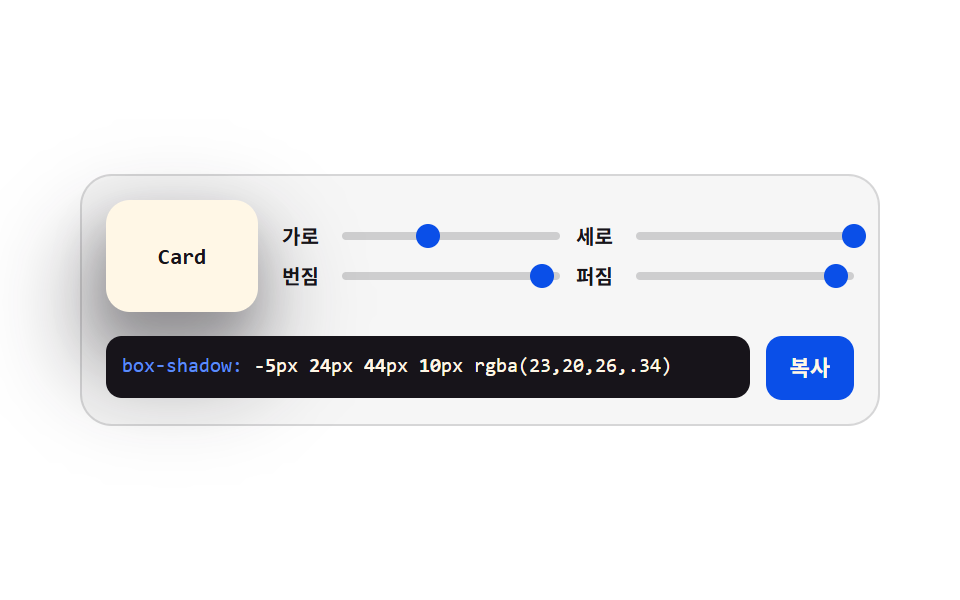 크리에이티브 UIcss generator 9종 — 슬라이더로 만드는 css 그림자 효과
 크리에이티브 UI플로우차트 UI 9종 — 노드를 선으로 잇는 화면
 크리에이티브 UICSS 배경 패턴 9종 — 시드 하나로 다시 그리기
 크리에이티브 UI리사주 곡선 만들기 9종 — 파동 간섭으로 그리는 캔버스
 크리에이티브 UI자바스크립트 물리엔진 원리 9종 — Verlet 로프부터 래그돌까지
 크리에이티브 UI유체 시뮬레이션 9종 — 캔버스 연기·잉크 격자 계산 (WebGL 없이)
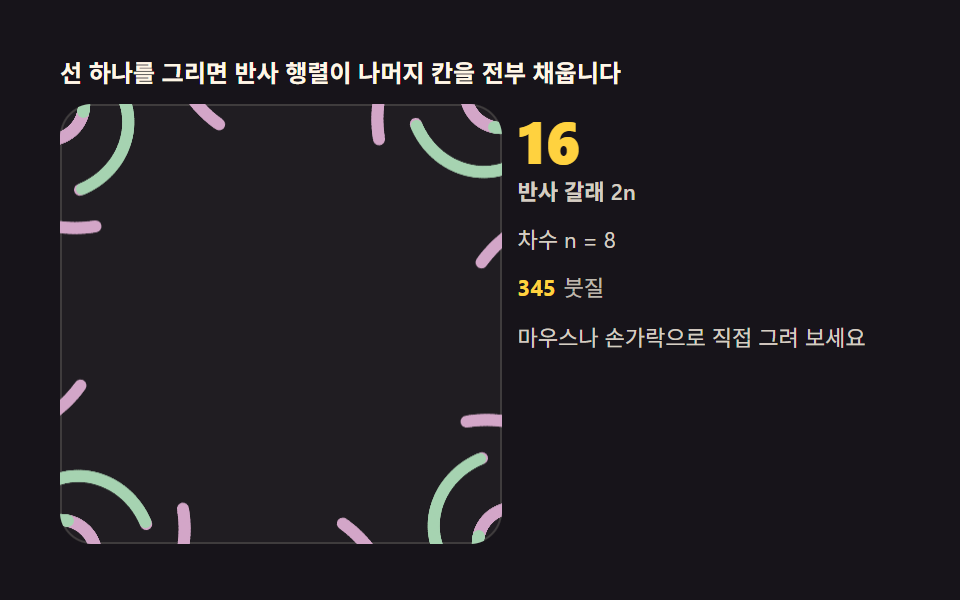 크리에이티브 UI만화경 그리기 — 대칭 반사 각도로 그리는 캔버스 9종
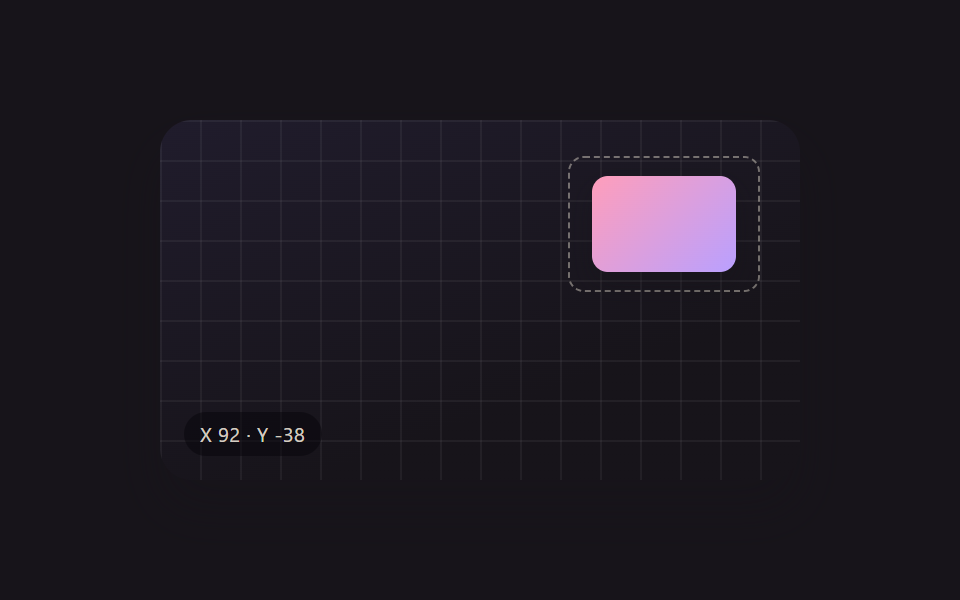 크리에이티브 UI리사이즈 핸들 9종 — 오브젝트 자유 변형 캔버스 툴킷
 로그인·인증 UI계정 보안 설정 UI 9종 — 로그인한 뒤의 화면