CSS 패럴랙스 스크롤 9종 — AOS·GSAP 없이, JS 0줄
CSS 패럴랙스 스크롤 아홉 개를 모았습니다. 레이어마다 이동 속도를 다르게 주는 원리 하나로 배경이 내용보다 느리게 움직이는 착시를 만듭니다. 격자에서는 아홉 개가 2초 간격으로 자동 반복되니 먼저 눈으로 훑고 마음에 드는 것만 zip으로 받으면 됩니다.
 01 parallax-scroll-bg-slow
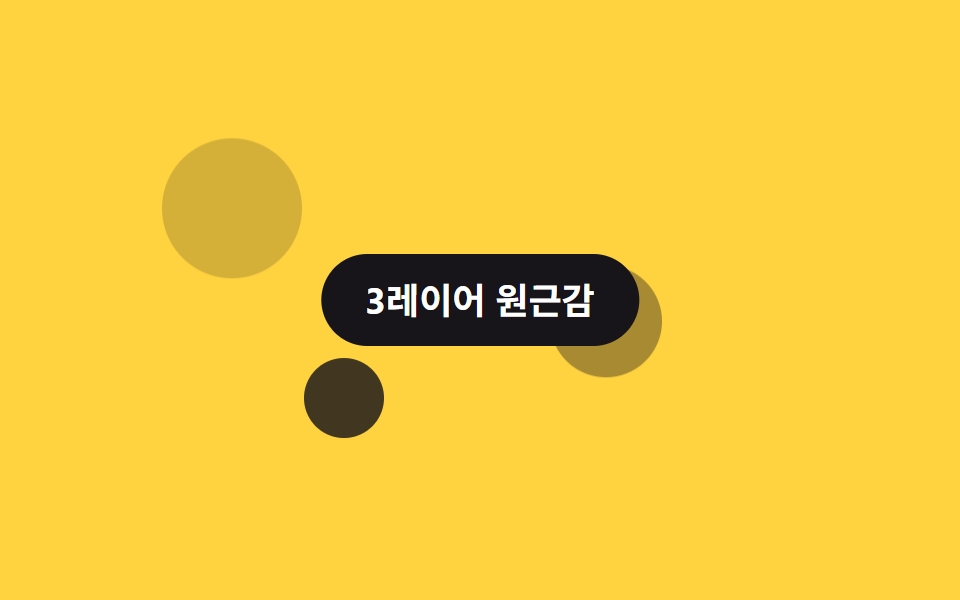 02 parallax-scroll-layer-3-depth
 03 parallax-scroll-text-over-image
 04 parallax-scroll-hero-shrink
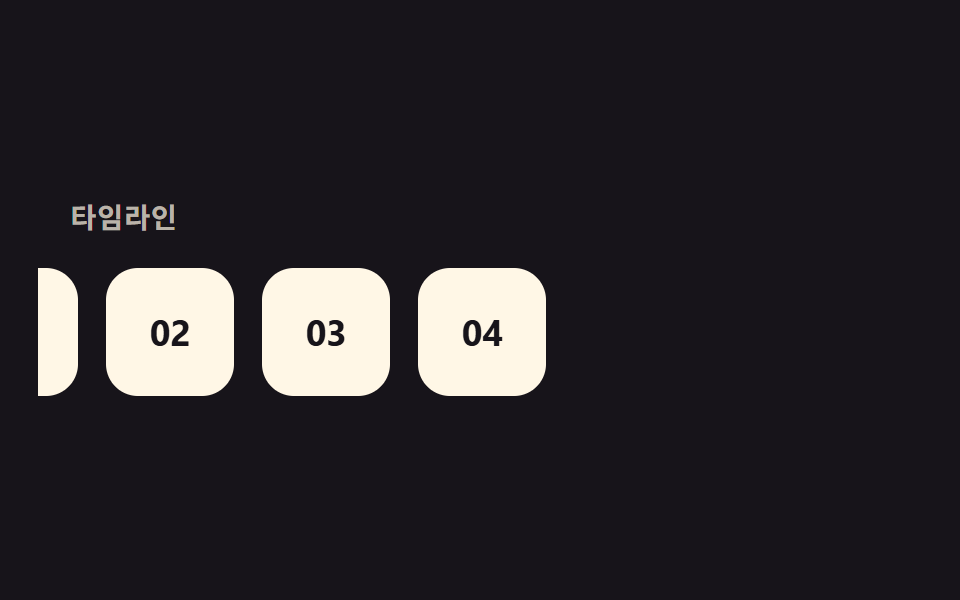 05 parallax-scroll-horizontal-timeline
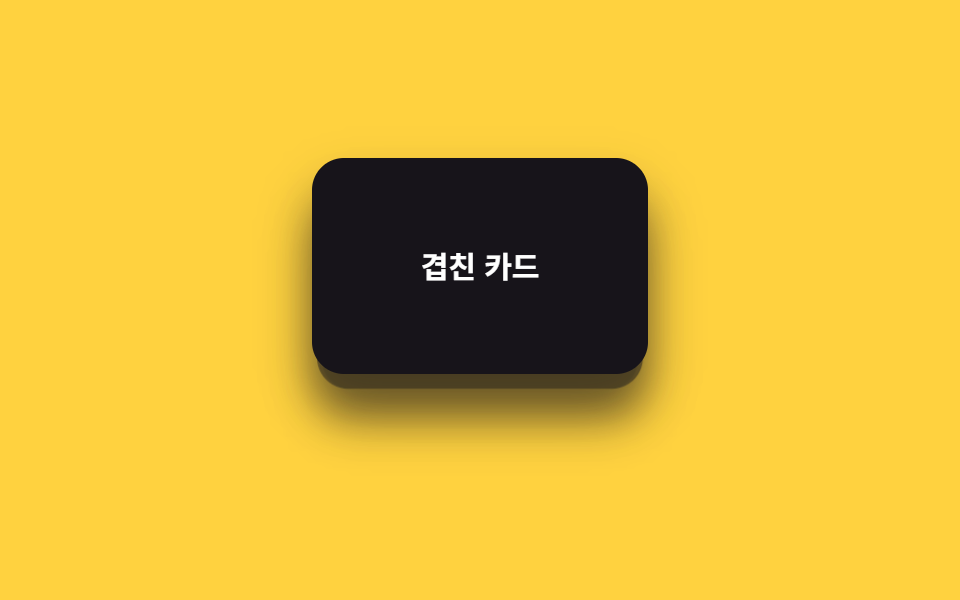 06 parallax-scroll-depth-cards
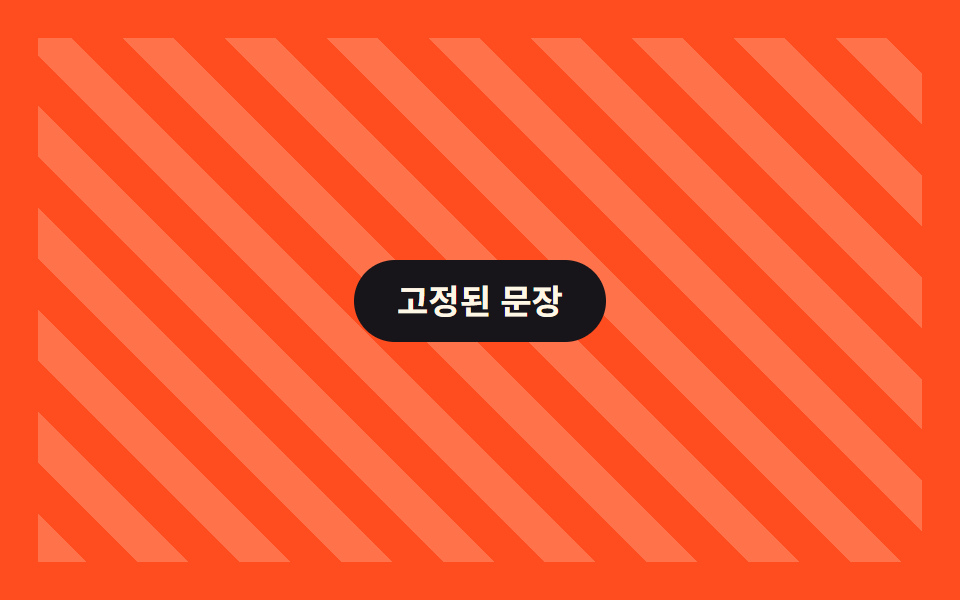 07 parallax-scroll-sticky-parallax
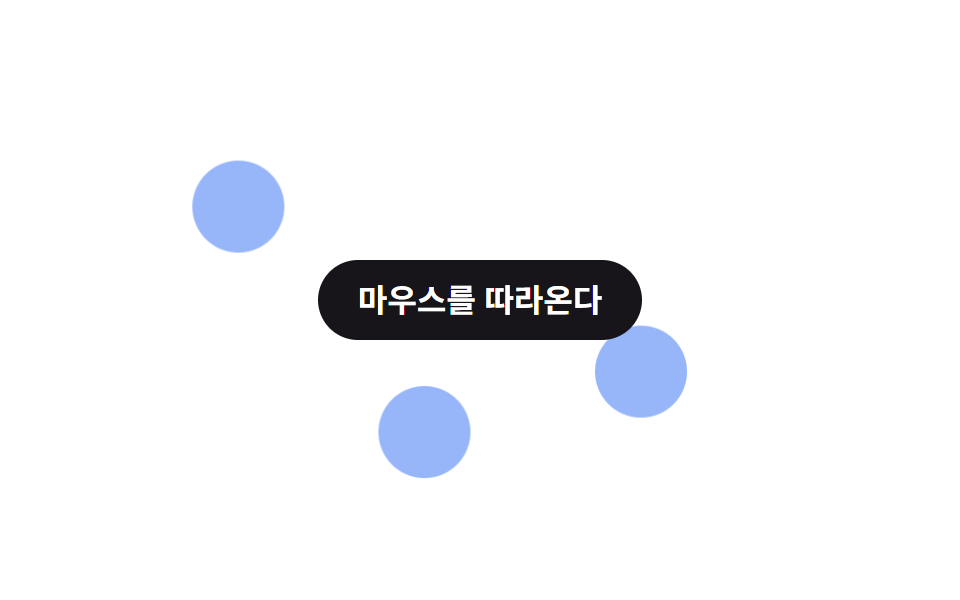 08 parallax-scroll-mouse-parallax
 09 parallax-scroll-zoom-out-scroll
자동 재생 · 눌러서 해당 항목으로 · 전부 한 zip
- 01 배경 느리게 이동
- 02 3레이어 깊이감
- 03 텍스트가 이미지 위로 밀림
- 04 히어로 축소 패럴랙스
- 05 가로 타임라인 패럴랙스
- 06 카드 깊이 레이어
- 07 스티키+패럴랙스 조합
- 08 마우스 이동 패럴랙스
- 09 스크롤 줌아웃
아홉 개는 인기순이 아니라 패럴랙스가 실제로 쓰이는 배치 순서로 놓았습니다. 01~02는 배경 레이어 하나 또는 여러 개가 콘텐츠보다 느리게 움직이는 가장 기본형이고, 03~05는 텍스트·히어로·가로 카드처럼 콘텐츠 자체가 움직이는 응용입니다. 06~09는 카드 쌓임·스티키 고정·마우스 연동·줌아웃처럼 다른 CSS 패턴과 패럴랙스를 섞은 것이라 맨 뒤에 뒀습니다. 속도 차 말고 스크롤로 하는 일 전반을 보려면 CSS 스크롤 애니메이션 9종이 원조 격이고, 07의 고정이 헤더 쪽으로 옮겨가면 CSS 헤더 고정 스티키 9종가 그 자리를 잡습니다.
01배경 느리게 이동
무엇이 보이나
배경 레이어 하나만 scroll(root) 타임라인에 걸어 스크롤보다 느리게 위로 이동시키고, 앞의 글자는 그대로 둡니다.
<main class="stage is-demo">
  <div class="bgslow">
    <div class="bgslow__bg" aria-hidden="true"></div>
    <h2 class="bgslow__title">배경만 느리게</h2>
  </div>
</main>
@use "../../../../site/static/demo-tokens" as *;
// ── 변수 3개. 변형은 이것만 바꾼다 (값은 토큰에서 받는다) ──────
$shift: 24px; // 배경 이동량 (스크롤의 0.4배 느낌)
$duration: $dur-loop; // 데모 왕복 주기
$color: $subject-cream; // 배경 점 색 (ink 무대라 cream)
@include stage($stage-ink);
.bgslow {
position: relative;
width: 100%;
height: 100%;
overflow: hidden;
display: grid;
place-items: center;
&__bg {
position: absolute;
inset: -20% -10%;
background:
radial-gradient($color 0 46px, transparent 47px) 24% 30%,
radial-gradient($color 0 30px, transparent 31px) 78% 62%,
radial-gradient($color 0 20px, transparent 21px) 55% 82%;
background-repeat: no-repeat;
opacity: .5;
// ── 실제 사용 코드: 배경 하나만 스크롤보다 느리게(0.4배) 움직인다 ──
@supports (animation-timeline: scroll()) {
animation: drift linear both;
animation-timeline: scroll(root);
}
@supports not (animation-timeline: scroll()) {
transform: none;
}
}
&__title {
position: relative;
z-index: 1;
margin: 0;
padding: 14px 22px;
border-radius: $r-pill;
background: $subject-blue;
color: #fff;
font: 700 clamp(15px, 5vw, 19px)/1 -apple-system, "Segoe UI", "Noto Sans KR", sans-serif;
}
}
@keyframes drift { from { transform: translateY(0); } to { transform: translateY(-#{$shift}); } }
// ── 데모(.is-demo): 스크롤 대신 왕복 루프로 흉내 ────────
.stage.is-demo .bgslow__bg {
animation: drift-loop $duration ease-in-out infinite;
}
@keyframes drift-loop {
0%, 100% { transform: translateY($shift); }
50% { transform: translateY(-$shift); }
}
// ── 접근성: 움직임 줄이기 설정이면 배경을 그대로 고정 ────────────
@media (prefers-reduced-motion: reduce) {
.bgslow__bg, .stage.is-demo .bgslow__bg { animation: none !important; transform: none; }
}html, body {
margin: 0;
overflow: hidden;
}
.stage {
box-sizing: border-box;
min-height: 100vh;
display: grid;
place-items: center;
margin: 0;
background: #17141a;
font-family: -apple-system, "Segoe UI", "Noto Sans KR", sans-serif;
padding: clamp(8px, 4vw, 24px);
}
.bgslow {
position: relative;
width: 100%;
height: 100%;
overflow: hidden;
display: grid;
place-items: center;
}
.bgslow__bg {
position: absolute;
inset: -20% -10%;
background: radial-gradient(#fff7e6 0 46px, transparent 47px) 24% 30%, radial-gradient(#fff7e6 0 30px, transparent 31px) 78% 62%, radial-gradient(#fff7e6 0 20px, transparent 21px) 55% 82%;
background-repeat: no-repeat;
opacity: 0.5;
}
@supports (animation-timeline: scroll()) {
.bgslow__bg {
animation: drift linear both;
animation-timeline: scroll(root);
}
}
@supports not (animation-timeline: scroll()) {
.bgslow__bg {
transform: none;
}
}
.bgslow__title {
position: relative;
z-index: 1;
margin: 0;
padding: 14px 22px;
border-radius: 999px;
background: #2f6df6;
color: #fff;
font: 700 clamp(15px, 5vw, 19px)/1 -apple-system, "Segoe UI", "Noto Sans KR", sans-serif;
}
@keyframes drift {
from {
transform: translateY(0);
}
to {
transform: translateY(-24px);
}
}
.stage.is-demo .bgslow__bg {
animation: drift-loop 2s ease-in-out infinite;
}
@keyframes drift-loop {
0%, 100% {
transform: translateY(24px);
}
50% {
transform: translateY(-24px);
}
}
@media (prefers-reduced-motion: reduce) {
.bgslow__bg, .stage.is-demo .bgslow__bg {
animation: none !important;
transform: none;
}
}import type { CSSProperties, ReactNode } from "react";
import styles from "./SlowBackground.module.scss";
export type SlowBackgroundProps = {
children: ReactNode;
/** 배경 이동량 (기본 24px, 스크롤의 0.4배 느낌) */
shift?: number;
/** 배경 점 색 */
color?: string;
className?: string;
};
type Vars = CSSProperties & { "--shift"?: string; "--color"?: string };
export default function SlowBackground({
children,
shift = 24,
color = "#fff7e6",
className = "",
}: SlowBackgroundProps) {
const vars: Vars = { "--shift": `${shift}px`, "--color": color };
return (
<div className={`${styles.wrap} ${className}`} style={vars}>
<div className={styles.bg} aria-hidden="true" />
<div className={styles.title}>{children}</div>
</div>
);
}01 · 배경 느리게 이동 — 측정 누적면적 3.371% · 움직인 프레임 23/23GODRICH 원작 · zip 에 SCSS·React 포함 · 비밀번호 보기
패럴랙스 스크롤 효과는 어디에 쓰나
둘 사이 속도 차이가 벌어질수록 깊이가 더 또렷하게 보입니다.
.bg {
  @supports (animation-timeline: scroll()) {
    animation: drift linear both;
    animation-timeline: scroll(root);
  }
}
@keyframes drift {
  from { transform: translateY(0); }
  to   { transform: translateY(-24px); }
}
023레이어 깊이감
화면에서 일어나는 일
뒤·중간·앞 세 레이어를 같은 scroll(root) 타임라인에 걸되 이동량만 다르게 줍니다.
<main class="stage is-demo">
  <div class="layer3">
    <div class="layer3__back" aria-hidden="true"></div>
    <div class="layer3__mid" aria-hidden="true"></div>
    <div class="layer3__front" aria-hidden="true"></div>
    <h2 class="layer3__title">3레이어 원근감</h2>
  </div>
</main>
@use "../../../../site/static/demo-tokens" as *;
// ── 변수 3개. 변형은 이것만 바꾼다 ──────────────────────────
$back-shift: 10px; // 뒤 레이어 이동량 (가장 적게)
$mid-shift: 26px; // 중간 레이어 이동량
$front-shift: 46px; // 앞 레이어 이동량 (가장 많이)
@include stage($stage-yellow);
.layer3 {
position: relative;
width: 100%;
height: 100%;
overflow: hidden;
&__back, &__mid, &__front {
position: absolute;
border-radius: 50%;
background: $subject-ink;
}
&__back {
width: 70px; height: 70px; left: 14%; top: 20%; opacity: .18;
@supports (animation-timeline: scroll()) { animation: drift-back linear both; animation-timeline: scroll(root); }
}
&__mid {
width: 56px; height: 56px; left: 58%; top: 46%; opacity: .38;
@supports (animation-timeline: scroll()) { animation: drift-mid linear both; animation-timeline: scroll(root); }
}
&__front {
width: 40px; height: 40px; left: 30%; top: 66%; opacity: .82;
@supports (animation-timeline: scroll()) { animation: drift-front linear both; animation-timeline: scroll(root); }
}
&__title {
position: absolute;
z-index: 1;
top: 50%;
left: 50%;
transform: translate(-50%, -50%);
margin: 0;
padding: 14px 22px;
border-radius: $r-pill;
background: $stage-ink;
color: #fff;
font: 700 clamp(14px, 4.6vw, 18px)/1 -apple-system, "Segoe UI", "Noto Sans KR", sans-serif;
white-space: nowrap;
}
}
// ── 실제 사용 코드: 세 레이어가 각각 다른 속도로 스크롤과 함께 이동한다 ──
@keyframes drift-back { from { transform: translateY(0); } to { transform: translateY(-#{$back-shift}); } }
@keyframes drift-mid { from { transform: translateY(0); } to { transform: translateY(-#{$mid-shift}); } }
@keyframes drift-front { from { transform: translateY(0); } to { transform: translateY(-#{$front-shift}); } }
// ── 데모(.is-demo): 왕복 루프로 흉내 ────────
.stage.is-demo .layer3__back { animation: loop-back $dur-loop ease-in-out infinite; }
.stage.is-demo .layer3__mid { animation: loop-mid $dur-loop ease-in-out infinite; }
.stage.is-demo .layer3__front { animation: loop-front $dur-loop ease-in-out infinite; }
@keyframes loop-back { 0%, 100% { transform: translateY($back-shift); } 50% { transform: translateY(-$back-shift); } }
@keyframes loop-mid { 0%, 100% { transform: translateY($mid-shift); } 50% { transform: translateY(-$mid-shift); } }
@keyframes loop-front { 0%, 100% { transform: translateY($front-shift); } 50% { transform: translateY(-$front-shift); } }
@media (prefers-reduced-motion: reduce) {
.layer3__back, .layer3__mid, .layer3__front,
.stage.is-demo .layer3__back, .stage.is-demo .layer3__mid, .stage.is-demo .layer3__front {
animation: none !important;
transform: none;
}
}html, body {
margin: 0;
overflow: hidden;
}
.stage {
box-sizing: border-box;
min-height: 100vh;
display: grid;
place-items: center;
margin: 0;
background: #ffd23f;
font-family: -apple-system, "Segoe UI", "Noto Sans KR", sans-serif;
padding: clamp(8px, 4vw, 24px);
}
.layer3 {
position: relative;
width: 100%;
height: 100%;
overflow: hidden;
}
.layer3__back, .layer3__mid, .layer3__front {
position: absolute;
border-radius: 50%;
background: #17141a;
}
.layer3__back {
width: 70px;
height: 70px;
left: 14%;
top: 20%;
opacity: 0.18;
}
@supports (animation-timeline: scroll()) {
.layer3__back {
animation: drift-back linear both;
animation-timeline: scroll(root);
}
}
.layer3__mid {
width: 56px;
height: 56px;
left: 58%;
top: 46%;
opacity: 0.38;
}
@supports (animation-timeline: scroll()) {
.layer3__mid {
animation: drift-mid linear both;
animation-timeline: scroll(root);
}
}
.layer3__front {
width: 40px;
height: 40px;
left: 30%;
top: 66%;
opacity: 0.82;
}
@supports (animation-timeline: scroll()) {
.layer3__front {
animation: drift-front linear both;
animation-timeline: scroll(root);
}
}
.layer3__title {
position: absolute;
z-index: 1;
top: 50%;
left: 50%;
transform: translate(-50%, -50%);
margin: 0;
padding: 14px 22px;
border-radius: 999px;
background: #17141a;
color: #fff;
font: 700 clamp(14px, 4.6vw, 18px)/1 -apple-system, "Segoe UI", "Noto Sans KR", sans-serif;
white-space: nowrap;
}
@keyframes drift-back {
from {
transform: translateY(0);
}
to {
transform: translateY(-10px);
}
}
@keyframes drift-mid {
from {
transform: translateY(0);
}
to {
transform: translateY(-26px);
}
}
@keyframes drift-front {
from {
transform: translateY(0);
}
to {
transform: translateY(-46px);
}
}
.stage.is-demo .layer3__back {
animation: loop-back 2s ease-in-out infinite;
}
.stage.is-demo .layer3__mid {
animation: loop-mid 2s ease-in-out infinite;
}
.stage.is-demo .layer3__front {
animation: loop-front 2s ease-in-out infinite;
}
@keyframes loop-back {
0%, 100% {
transform: translateY(10px);
}
50% {
transform: translateY(-10px);
}
}
@keyframes loop-mid {
0%, 100% {
transform: translateY(26px);
}
50% {
transform: translateY(-26px);
}
}
@keyframes loop-front {
0%, 100% {
transform: translateY(46px);
}
50% {
transform: translateY(-46px);
}
}
@media (prefers-reduced-motion: reduce) {
.layer3__back, .layer3__mid, .layer3__front,
.stage.is-demo .layer3__back, .stage.is-demo .layer3__mid, .stage.is-demo .layer3__front {
animation: none !important;
transform: none;
}
}import type { CSSProperties, ReactNode } from "react";
import styles from "./ThreeLayerDepth.module.scss";
export type ThreeLayerDepthProps = {
children: ReactNode;
/** 뒤 레이어 이동량 (기본 10px) */
backShift?: number;
/** 중간 레이어 이동량 (기본 26px) */
midShift?: number;
/** 앞 레이어 이동량 (기본 46px) */
frontShift?: number;
className?: string;
};
type Vars = CSSProperties & {
"--back-shift"?: string;
"--mid-shift"?: string;
"--front-shift"?: string;
};
export default function ThreeLayerDepth({
children,
backShift = 10,
midShift = 26,
frontShift = 46,
className = "",
}: ThreeLayerDepthProps) {
const vars: Vars = {
"--back-shift": `${backShift}px`,
"--mid-shift": `${midShift}px`,
"--front-shift": `${frontShift}px`,
};
return (
<div className={`${styles.layer3} ${className}`} style={vars}>
<div className={styles.back} aria-hidden="true" />
<div className={styles.mid} aria-hidden="true" />
<div className={styles.front} aria-hidden="true" />
<div className={styles.title}>{children}</div>
</div>
);
}02 · 3레이어 깊이감 — 측정 누적면적 7.535% · 움직인 프레임 23/23GODRICH 원작 · zip 에 SCSS·React 포함 · 비밀번호 보기
쓰는 자리
뒤 레이어일수록 적게 움직이고 옅게 칠해 카메라에서 먼 것처럼 보이게 합니다.
// @supports (animation-timeline: scroll()) 로 감싸는 건 01 과 같다
.back  { animation: drift-back linear both;  animation-timeline: scroll(root); }
.mid   { animation: drift-mid linear both;   animation-timeline: scroll(root); }
.front { animation: drift-front linear both; animation-timeline: scroll(root); }

@keyframes drift-back  { from { transform: translateY(0); } to { transform: translateY(-10px); } }
@keyframes drift-mid   { from { transform: translateY(0); } to { transform: translateY(-26px); } }
@keyframes drift-front { from { transform: translateY(0); } to { transform: translateY(-46px); } }
03텍스트가 이미지 위로 밀림
어떤 움직임인가
이미지 블록은 거의 고정에 가깝게 조금만 움직이고, 그 위 제목만 훨씬 큰 폭으로 움직여 이미지 경계를 가로질러 지나갑니다.
<main class="stage is-demo">
  <div class="textimg">
    <div class="textimg__image" aria-hidden="true"></div>
    <h2 class="textimg__text">지나가는 제목</h2>
  </div>
</main>
@use "../../../../site/static/demo-tokens" as *;
// ── 변수 3개. 변형은 이것만 바꾼다 ──────────────────────────
$text-shift: 70px; // 글자 이동량 (이미지보다 훨씬 빠르게)
$image-shift: 14px; // 이미지 이동량 (거의 고정)
$color: $subject-cream; // 글자 색 (orange 무대라 cream)
@include stage($stage-orange);
.textimg {
position: relative;
width: 100%;
height: 100%;
display: grid;
place-items: center;
overflow: hidden;
&__image {
position: absolute;
inset: 14% 10%;
border-radius: $r-card;
background: rgba($subject-ink, .34);
// ── 실제 사용 코드: 이미지는 거의 고정, 글자만 훨씬 빠르게 지나간다 ──
@supports (animation-timeline: scroll()) {
animation: image-drift linear both;
animation-timeline: scroll(root);
}
@supports not (animation-timeline: scroll()) { transform: none; }
}
&__text {
position: relative;
z-index: 1;
margin: 0;
color: $color;
font: 800 clamp(28px, 11vw, 44px)/1 -apple-system, "Segoe UI", "Noto Sans KR", sans-serif;
mix-blend-mode: difference;
@supports (animation-timeline: scroll()) {
animation: text-drift linear both;
animation-timeline: scroll(root);
}
@supports not (animation-timeline: scroll()) { transform: none; }
}
}
@keyframes image-drift { from { transform: translateY(0); } to { transform: translateY(-#{$image-shift}); } }
@keyframes text-drift { from { transform: translateY(60px); } to { transform: translateY(-#{$text-shift}); } }
// ── 데모(.is-demo): 왕복 루프로 흉내 ────────
.stage.is-demo .textimg__image { animation: image-loop $dur-loop ease-in-out infinite; }
.stage.is-demo .textimg__text { animation: text-loop $dur-loop ease-in-out infinite; }
@keyframes image-loop { 0%, 100% { transform: translateY($image-shift); } 50% { transform: translateY(-$image-shift); } }
@keyframes text-loop { 0%, 100% { transform: translateY(46px); } 50% { transform: translateY(-46px); } }
@media (prefers-reduced-motion: reduce) {
.textimg__image, .textimg__text,
.stage.is-demo .textimg__image, .stage.is-demo .textimg__text {
animation: none !important;
transform: none;
}
}html, body {
margin: 0;
overflow: hidden;
}
.stage {
box-sizing: border-box;
min-height: 100vh;
display: grid;
place-items: center;
margin: 0;
background: #ff4d1f;
font-family: -apple-system, "Segoe UI", "Noto Sans KR", sans-serif;
padding: clamp(8px, 4vw, 24px);
}
.textimg {
position: relative;
width: 100%;
height: 100%;
display: grid;
place-items: center;
overflow: hidden;
}
.textimg__image {
position: absolute;
inset: 14% 10%;
border-radius: 16px;
background: rgba(23, 20, 26, 0.34);
}
@supports (animation-timeline: scroll()) {
.textimg__image {
animation: image-drift linear both;
animation-timeline: scroll(root);
}
}
@supports not (animation-timeline: scroll()) {
.textimg__image {
transform: none;
}
}
.textimg__text {
position: relative;
z-index: 1;
margin: 0;
color: #fff7e6;
font: 800 clamp(28px, 11vw, 44px)/1 -apple-system, "Segoe UI", "Noto Sans KR", sans-serif;
mix-blend-mode: difference;
}
@supports (animation-timeline: scroll()) {
.textimg__text {
animation: text-drift linear both;
animation-timeline: scroll(root);
}
}
@supports not (animation-timeline: scroll()) {
.textimg__text {
transform: none;
}
}
@keyframes image-drift {
from {
transform: translateY(0);
}
to {
transform: translateY(-14px);
}
}
@keyframes text-drift {
from {
transform: translateY(60px);
}
to {
transform: translateY(-70px);
}
}
.stage.is-demo .textimg__image {
animation: image-loop 2s ease-in-out infinite;
}
.stage.is-demo .textimg__text {
animation: text-loop 2s ease-in-out infinite;
}
@keyframes image-loop {
0%, 100% {
transform: translateY(14px);
}
50% {
transform: translateY(-14px);
}
}
@keyframes text-loop {
0%, 100% {
transform: translateY(46px);
}
50% {
transform: translateY(-46px);
}
}
@media (prefers-reduced-motion: reduce) {
.textimg__image, .textimg__text,
.stage.is-demo .textimg__image, .stage.is-demo .textimg__text {
animation: none !important;
transform: none;
}
}import type { CSSProperties, ReactNode } from "react";
import styles from "./TextOverImage.module.scss";
export type TextOverImageProps = {
children: ReactNode;
/** 글자 이동량 (기본 70px, 이미지보다 훨씬 빠르게) */
textShift?: number;
/** 이미지 이동량 (기본 14px, 거의 고정) */
imageShift?: number;
/** 글자 색 */
color?: string;
className?: string;
};
type Vars = CSSProperties & {
"--text-shift"?: string;
"--image-shift"?: string;
"--color"?: string;
};
export default function TextOverImage({
children,
textShift = 70,
imageShift = 14,
color = "#fff7e6",
className = "",
}: TextOverImageProps) {
const vars: Vars = {
"--text-shift": `${textShift}px`,
"--image-shift": `${imageShift}px`,
"--color": color,
};
return (
<div className={`${styles.wrap} ${className}`} style={vars}>
<div className={styles.image} aria-hidden="true" />
<h2 className={styles.text}>{children}</h2>
</div>
);
}03 · 텍스트가 이미지 위로 밀림 — 측정 누적면적 31.153% · 움직인 프레임 23/23GODRICH 원작 · zip 에 SCSS·React 포함 · 비밀번호 보기
언제 쓰나
mix-blend-mode: difference로 겹치는 순간 글자 색이 바뀝니다.
.image { animation: image-drift linear both; animation-timeline: scroll(root); }
.text  {
  mix-blend-mode: difference;
  animation: text-drift linear both;
  animation-timeline: scroll(root);
}
@keyframes image-drift { from { transform: translateY(0); }    to { transform: translateY(-14px); } }
@keyframes text-drift  { from { transform: translateY(60px); } to { transform: translateY(-70px); } }
04히어로 축소 패럴랙스
무엇이 보이나
히어로 제목이 스크롤하는 동안 scale과 opacity를 함께 줄여 다음 섹션에 자리를 내줍니다.
<main class="stage is-demo">
  <div class="heroshrink">
    <h2 class="heroshrink__title">축소되는 히어로</h2>
  </div>
</main>
@use "../../../../site/static/demo-tokens" as *;
// ── 변수 3개. 변형은 이것만 바꾼다 ──────────────────────────
$scale-to: .55; // 다 스크롤했을 때 남는 크기
$duration: $dur-loop; // 데모 왕복 주기
$color: $subject-blue; // 제목 색 (paper 무대라 blue)
@include stage($stage-paper);
.heroshrink {
width: 100%;
height: 100%;
display: grid;
place-items: center;
}
.heroshrink__title {
margin: 0;
color: $color;
font: 800 clamp(22px, 8vw, 34px)/1.1 -apple-system, "Segoe UI", "Noto Sans KR", sans-serif;
text-align: center;
// ── 실제 사용 코드: 스크롤하는 동안 작아지고 옅어진다 ──
@supports (animation-timeline: scroll()) {
animation: shrink linear both;
animation-timeline: scroll(root);
}
@supports not (animation-timeline: scroll()) { transform: none; opacity: 1; }
}
@keyframes shrink { from { transform: scale(1); opacity: 1; } to { transform: scale(#{$scale-to}); opacity: .25; } }
// ── 데모(.is-demo): 왕복 루프로 흉내 ────────
.stage.is-demo .heroshrink__title { animation: shrink-loop $duration ease-in-out infinite; }
@keyframes shrink-loop {
0%, 100% { transform: scale(1); opacity: 1; }
50% { transform: scale($scale-to); opacity: .25; }
}
@media (prefers-reduced-motion: reduce) {
.heroshrink__title, .stage.is-demo .heroshrink__title { animation: none !important; transform: none; opacity: 1; }
}html, body {
margin: 0;
overflow: hidden;
}
.stage {
box-sizing: border-box;
min-height: 100vh;
display: grid;
place-items: center;
margin: 0;
background: #ffffff;
font-family: -apple-system, "Segoe UI", "Noto Sans KR", sans-serif;
padding: clamp(8px, 4vw, 24px);
}
.heroshrink {
width: 100%;
height: 100%;
display: grid;
place-items: center;
}
.heroshrink__title {
margin: 0;
color: #2f6df6;
font: 800 clamp(22px, 8vw, 34px)/1.1 -apple-system, "Segoe UI", "Noto Sans KR", sans-serif;
text-align: center;
}
@supports (animation-timeline: scroll()) {
.heroshrink__title {
animation: shrink linear both;
animation-timeline: scroll(root);
}
}
@supports not (animation-timeline: scroll()) {
.heroshrink__title {
transform: none;
opacity: 1;
}
}
@keyframes shrink {
from {
transform: scale(1);
opacity: 1;
}
to {
transform: scale(0.55);
opacity: 0.25;
}
}
.stage.is-demo .heroshrink__title {
animation: shrink-loop 2s ease-in-out infinite;
}
@keyframes shrink-loop {
0%, 100% {
transform: scale(1);
opacity: 1;
}
50% {
transform: scale(0.55);
opacity: 0.25;
}
}
@media (prefers-reduced-motion: reduce) {
.heroshrink__title, .stage.is-demo .heroshrink__title {
animation: none !important;
transform: none;
opacity: 1;
}
}import type { CSSProperties, ReactNode } from "react";
import styles from "./HeroShrink.module.scss";
export type HeroShrinkProps = {
children: ReactNode;
/** 다 스크롤했을 때 남는 크기 (기본 .55) */
scaleTo?: number;
/** 제목 색 */
color?: string;
className?: string;
};
type Vars = CSSProperties & { "--scale-to"?: string; "--color"?: string };
export default function HeroShrink({
children,
scaleTo = 0.55,
color = "#2f6df6",
className = "",
}: HeroShrinkProps) {
const vars: Vars = { "--scale-to": `${scaleTo}`, "--color": color };
return (
<div className={`${styles.wrap} ${className}`} style={vars}>
<h2 className={styles.title}>{children}</h2>
</div>
);
}04 · 히어로 축소 패럴랙스 — 측정 누적면적 3.955% · 움직인 프레임 23/23GODRICH 원작 · zip 에 SCSS·React 포함 · 비밀번호 보기
어디에 쓰나
크기와 투명도를 같이 바꾸면 사라지는 방향이 또렷해집니다.
.title {
  animation: shrink linear both;
  animation-timeline: scroll(root);
}
@keyframes shrink {
  from { transform: scale(1);   opacity: 1; }
  to   { transform: scale(.55); opacity: .25; }
}
05가로 타임라인 패럴랙스
화면에서 일어나는 일
세로로 스크롤하는 동안 가로로 나열된 카드 줄을 translateX로 왼쪽으로 흘려보냅니다.
<main class="stage is-demo">
  <div class="hline">
    <span class="hline__label">타임라인</span>
    <div class="hline__track">
      <span class="hline__card">01</span>
      <span class="hline__card">02</span>
      <span class="hline__card">03</span>
      <span class="hline__card">04</span>
    </div>
  </div>
</main>
@use "../../../../site/static/demo-tokens" as *;
// ── 변수 3개. 변형은 이것만 바꾼다 ──────────────────────────
$travel: 120px; // 가로 이동 거리
$gap: 14px; // 카드 사이 간격
$color: $subject-cream; // 카드 색 (ink 무대라 cream)
@include stage($stage-ink);
.hline {
position: relative;
width: 100%;
height: 100%;
overflow: hidden;
display: grid;
align-content: center;
gap: 18px;
}
.hline__label {
padding-left: 16px;
color: rgba($color, .7);
font: 700 clamp(12px, 3.6vw, 14px)/1 -apple-system, "Segoe UI", "Noto Sans KR", sans-serif;
letter-spacing: .04em;
}
.hline__track {
display: flex;
gap: $gap;
padding-left: 16px;
// ── 실제 사용 코드: 세로 스크롤을 그대로 가로 이동으로 쓴다 ──
@supports (animation-timeline: scroll()) {
animation: travel linear both;
animation-timeline: scroll(root);
}
@supports not (animation-timeline: scroll()) { transform: none; }
}
.hline__card {
flex: none;
width: 64px;
height: 64px;
border-radius: $r-card;
background: $color;
color: $stage-ink;
display: grid;
place-items: center;
font: 700 18px/1 -apple-system, "Segoe UI", "Noto Sans KR", sans-serif;
}
@keyframes travel { from { transform: translateX(0); } to { transform: translateX(-#{$travel}); } }
// ── 데모(.is-demo): 왕복 루프로 흉내 ────────
.stage.is-demo .hline__track { animation: travel-loop $dur-loop ease-in-out infinite; }
@keyframes travel-loop { 0%, 100% { transform: translateX(0); } 50% { transform: translateX(-$travel); } }
@media (prefers-reduced-motion: reduce) {
.hline__track, .stage.is-demo .hline__track { animation: none !important; transform: none; }
}html, body {
margin: 0;
overflow: hidden;
}
.stage {
box-sizing: border-box;
min-height: 100vh;
display: grid;
place-items: center;
margin: 0;
background: #17141a;
font-family: -apple-system, "Segoe UI", "Noto Sans KR", sans-serif;
padding: clamp(8px, 4vw, 24px);
}
.hline {
position: relative;
width: 100%;
height: 100%;
overflow: hidden;
display: grid;
align-content: center;
gap: 18px;
}
.hline__label {
padding-left: 16px;
color: rgba(255, 247, 230, 0.7);
font: 700 clamp(12px, 3.6vw, 14px)/1 -apple-system, "Segoe UI", "Noto Sans KR", sans-serif;
letter-spacing: 0.04em;
}
.hline__track {
display: flex;
gap: 14px;
padding-left: 16px;
}
@supports (animation-timeline: scroll()) {
.hline__track {
animation: travel linear both;
animation-timeline: scroll(root);
}
}
@supports not (animation-timeline: scroll()) {
.hline__track {
transform: none;
}
}
.hline__card {
flex: none;
width: 64px;
height: 64px;
border-radius: 16px;
background: #fff7e6;
color: #17141a;
display: grid;
place-items: center;
font: 700 18px/1 -apple-system, "Segoe UI", "Noto Sans KR", sans-serif;
}
@keyframes travel {
from {
transform: translateX(0);
}
to {
transform: translateX(-120px);
}
}
.stage.is-demo .hline__track {
animation: travel-loop 2s ease-in-out infinite;
}
@keyframes travel-loop {
0%, 100% {
transform: translateX(0);
}
50% {
transform: translateX(-120px);
}
}
@media (prefers-reduced-motion: reduce) {
.hline__track, .stage.is-demo .hline__track {
animation: none !important;
transform: none;
}
}import type { CSSProperties, ReactNode } from "react";
import styles from "./HorizontalTimeline.module.scss";
export type HorizontalTimelineProps = {
/** 카드 내용 (숫자·짧은 라벨) */
items: ReactNode[];
label?: string;
/** 가로 이동 거리 (기본 120px) */
travel?: number;
/** 카드 사이 간격 (기본 14px) */
gap?: number;
className?: string;
};
type Vars = CSSProperties & { "--travel"?: string; "--gap"?: string };
export default function HorizontalTimeline({
items,
label = "Timeline",
travel = 120,
gap = 14,
className = "",
}: HorizontalTimelineProps) {
const vars: Vars = { "--travel": `${travel}px`, "--gap": `${gap}px` };
return (
<div className={`${styles.hline} ${className}`} style={vars}>
<span className={styles.label}>{label}</span>
<div className={styles.track}>
{items.map((item, i) => (
<span key={i} className={styles.card}>
{item}
</span>
))}
</div>
</div>
);
}05 · 가로 타임라인 패럴랙스 — 측정 누적면적 13.686% · 움직인 프레임 23/23GODRICH 원작 · zip 에 SCSS·React 포함 · 비밀번호 보기
쓰는 자리
세로 스크롤 하나가 가로 이동을 만든다는 걸 보여주는 예입니다.
.track {
  display: flex;
  gap: 14px;
  animation: travel linear both;
  animation-timeline: scroll(root);
}
@keyframes travel {
  from { transform: translateX(0); }
  to   { transform: translateX(-120px); }
}
06카드 깊이 레이어
어떤 움직임인가
겹쳐 쌓인 카드 세 장이 각자 다른 속도로 밀려나며 펼쳐집니다.
<main class="stage is-demo">
  <div class="depthcards">
    <div class="depthcards__card depthcards__card--3" aria-hidden="true"></div>
    <div class="depthcards__card depthcards__card--2" aria-hidden="true"></div>
    <div class="depthcards__card depthcards__card--1">
      <span>겹친 카드</span>
    </div>
  </div>
</main>
@use "../../../../site/static/demo-tokens" as *;
// ── 변수 3개. 변형은 이것만 바꾼다 ──────────────────────────
$peel: 34px; // 맨 앞 카드가 밀려나는 거리
$scale-step: .06; // 뒤 카드일수록 커지는 폭
$color: $subject-ink; // 카드 색 (yellow 무대라 ink)
@include stage($stage-yellow);
.depthcards {
position: relative;
width: 100%;
height: 100%;
display: grid;
place-items: center;
}
.depthcards__card {
position: absolute;
width: 168px;
height: 108px;
border-radius: $r-card;
box-shadow: $shadow-raised;
display: grid;
place-items: center;
font: 700 clamp(13px, 4vw, 15px)/1 -apple-system, "Segoe UI", "Noto Sans KR", sans-serif;
&--3 {
background: rgba($color, .28);
transform: translateY(18px) scale(.88);
@supports (animation-timeline: scroll()) { animation: peel-3 linear both; animation-timeline: scroll(root); }
}
&--2 {
background: rgba($color, .58);
transform: translateY(9px) scale(.94);
@supports (animation-timeline: scroll()) { animation: peel-2 linear both; animation-timeline: scroll(root); }
}
&--1 {
background: $color;
color: #fff;
@supports (animation-timeline: scroll()) { animation: peel-1 linear both; animation-timeline: scroll(root); }
}
}
// ── 실제 사용 코드: 앞 카드일수록 더 멀리, 더 빨리 밀려난다 ──
@keyframes peel-1 { from { transform: translateY(0) scale(1); } to { transform: translateY(-#{$peel}) scale(1); } }
@keyframes peel-2 { from { transform: translateY(9px) scale(.94); } to { transform: translateY(9px - $peel) scale(.94 + $scale-step); } }
@keyframes peel-3 { from { transform: translateY(18px) scale(.88); } to { transform: translateY(18px - $peel * 1.4) scale(.88 + $scale-step * 2); } }
// ── 데모(.is-demo): 왕복 루프로 흉내 ────────
.stage.is-demo .depthcards__card--1 { animation: loop-1 $dur-loop ease-in-out infinite; }
.stage.is-demo .depthcards__card--2 { animation: loop-2 $dur-loop ease-in-out infinite; }
.stage.is-demo .depthcards__card--3 { animation: loop-3 $dur-loop ease-in-out infinite; }
@keyframes loop-1 { 0%, 100% { transform: translateY(0) scale(1); } 50% { transform: translateY(-$peel) scale(1); } }
@keyframes loop-2 { 0%, 100% { transform: translateY(9px) scale(.94); } 50% { transform: translateY(9px - $peel) scale(.94 + $scale-step); } }
@keyframes loop-3 { 0%, 100% { transform: translateY(18px) scale(.88); } 50% { transform: translateY(18px - $peel * 1.4) scale(.88 + $scale-step * 2); } }
@media (prefers-reduced-motion: reduce) {
.depthcards__card--1, .depthcards__card--2, .depthcards__card--3,
.stage.is-demo .depthcards__card--1, .stage.is-demo .depthcards__card--2, .stage.is-demo .depthcards__card--3 {
animation: none !important;
}
.depthcards__card--1 { transform: translateY(0) scale(1); }
.depthcards__card--2 { transform: translateY(9px) scale(.94); }
.depthcards__card--3 { transform: translateY(18px) scale(.88); }
}html, body {
margin: 0;
overflow: hidden;
}
.stage {
box-sizing: border-box;
min-height: 100vh;
display: grid;
place-items: center;
margin: 0;
background: #ffd23f;
font-family: -apple-system, "Segoe UI", "Noto Sans KR", sans-serif;
padding: clamp(8px, 4vw, 24px);
}
.depthcards {
position: relative;
width: 100%;
height: 100%;
display: grid;
place-items: center;
}
.depthcards__card {
position: absolute;
width: 168px;
height: 108px;
border-radius: 16px;
box-shadow: 0 14px 24px rgba(23, 20, 26, 0.32);
display: grid;
place-items: center;
font: 700 clamp(13px, 4vw, 15px)/1 -apple-system, "Segoe UI", "Noto Sans KR", sans-serif;
}
.depthcards__card--3 {
background: rgba(23, 20, 26, 0.28);
transform: translateY(18px) scale(0.88);
}
@supports (animation-timeline: scroll()) {
.depthcards__card--3 {
animation: peel-3 linear both;
animation-timeline: scroll(root);
}
}
.depthcards__card--2 {
background: rgba(23, 20, 26, 0.58);
transform: translateY(9px) scale(0.94);
}
@supports (animation-timeline: scroll()) {
.depthcards__card--2 {
animation: peel-2 linear both;
animation-timeline: scroll(root);
}
}
.depthcards__card--1 {
background: #17141a;
color: #fff;
}
@supports (animation-timeline: scroll()) {
.depthcards__card--1 {
animation: peel-1 linear both;
animation-timeline: scroll(root);
}
}
@keyframes peel-1 {
from {
transform: translateY(0) scale(1);
}
to {
transform: translateY(-34px) scale(1);
}
}
@keyframes peel-2 {
from {
transform: translateY(9px) scale(0.94);
}
to {
transform: translateY(-25px) scale(1);
}
}
@keyframes peel-3 {
from {
transform: translateY(18px) scale(0.88);
}
to {
transform: translateY(-29.6px) scale(1);
}
}
.stage.is-demo .depthcards__card--1 {
animation: loop-1 2s ease-in-out infinite;
}
.stage.is-demo .depthcards__card--2 {
animation: loop-2 2s ease-in-out infinite;
}
.stage.is-demo .depthcards__card--3 {
animation: loop-3 2s ease-in-out infinite;
}
@keyframes loop-1 {
0%, 100% {
transform: translateY(0) scale(1);
}
50% {
transform: translateY(-34px) scale(1);
}
}
@keyframes loop-2 {
0%, 100% {
transform: translateY(9px) scale(0.94);
}
50% {
transform: translateY(-25px) scale(1);
}
}
@keyframes loop-3 {
0%, 100% {
transform: translateY(18px) scale(0.88);
}
50% {
transform: translateY(-29.6px) scale(1);
}
}
@media (prefers-reduced-motion: reduce) {
.depthcards__card--1, .depthcards__card--2, .depthcards__card--3,
.stage.is-demo .depthcards__card--1, .stage.is-demo .depthcards__card--2, .stage.is-demo .depthcards__card--3 {
animation: none !important;
}
.depthcards__card--1 {
transform: translateY(0) scale(1);
}
.depthcards__card--2 {
transform: translateY(9px) scale(0.94);
}
.depthcards__card--3 {
transform: translateY(18px) scale(0.88);
}
}import type { CSSProperties, ReactNode } from "react";
import styles from "./DepthCards.module.scss";
export type DepthCardsProps = {
/** 맨 앞 카드 라벨 */
children: ReactNode;
/** 맨 앞 카드가 밀려나는 거리 (기본 34px) */
peel?: number;
/** 뒤 카드일수록 커지는 폭 (기본 .06) */
scaleStep?: number;
className?: string;
};
type Vars = CSSProperties & { "--peel"?: string; "--scale-step"?: string };
export default function DepthCards({
children,
peel = 34,
scaleStep = 0.06,
className = "",
}: DepthCardsProps) {
const vars: Vars = { "--peel": `${peel}px`, "--scale-step": `${scaleStep}` };
return (
<div className={`${styles.wrap} ${className}`} style={vars}>
<div className={`${styles.card} ${styles.card3}`} aria-hidden="true" />
<div className={`${styles.card} ${styles.card2}`} aria-hidden="true" />
<div className={`${styles.card} ${styles.card1}`}>{children}</div>
</div>
);
}06 · 카드 깊이 레이어 — 측정 누적면적 16.794% · 움직인 프레임 23/23GODRICH 원작 · zip 에 SCSS·React 포함 · 비밀번호 보기
언제 쓰나
맨 앞 카드가 가장 멀리·가장 빠르게 움직이고 뒤 카드일수록 적게 움직이며 살짝 커집니다.
.card--1 { animation: peel-1 linear both; animation-timeline: scroll(root); }
.card--2 { animation: peel-2 linear both; animation-timeline: scroll(root); }
.card--3 { animation: peel-3 linear both; animation-timeline: scroll(root); }

@keyframes peel-1 { from { transform: translateY(0) scale(1); }      to { transform: translateY(-34px) scale(1); } }
@keyframes peel-2 { from { transform: translateY(9px) scale(.94); }  to { transform: translateY(-25px) scale(1); } }
@keyframes peel-3 { from { transform: translateY(18px) scale(.88); } to { transform: translateY(-30px) scale(1); } }
07스티키+패럴랙스 조합
무엇이 보이나
앞 문장은 position: sticky로 화면에 붙박이로 두고 뒤 배경만 그 위로 계속 흘러가게 합니다.
<main class="stage is-demo">
  <div class="stickypar">
    <div class="stickypar__bg" aria-hidden="true"></div>
    <p class="stickypar__caption">고정된 문장</p>
  </div>
</main>
@use "../../../../site/static/demo-tokens" as *;
// ── 변수 3개. 변형은 이것만 바꾼다 ──────────────────────────
$bg-shift: 40px; // 뒤 배경 이동량
$duration: $dur-loop; // 데모 왕복 주기
$color: $subject-cream; // 배경 결·문장 글자 색 (orange 무대라 cream)
@include stage($stage-orange);
.stickypar {
position: relative;
width: 100%;
height: 100%;
overflow: hidden;
display: grid;
place-items: center;
}
.stickypar__bg {
position: absolute;
inset: -20% 0;
background: repeating-linear-gradient(45deg, rgba($color, .22) 0 18px, transparent 18px 36px);
// ── 실제 사용 코드: 앞 문장은 sticky 로 붙박이, 뒤 배경만 흘러간다 ──
@supports (animation-timeline: scroll()) {
animation: bg-drift linear both;
animation-timeline: scroll(root);
}
@supports not (animation-timeline: scroll()) { transform: none; }
}
.stickypar__caption {
position: sticky;
top: 40%;
z-index: 1;
margin: 0;
padding: 12px 22px;
border-radius: $r-pill;
background: $stage-ink;
color: $color;
font: 700 clamp(14px, 4.4vw, 17px)/1 -apple-system, "Segoe UI", "Noto Sans KR", sans-serif;
}
@keyframes bg-drift { from { transform: translateY(0); } to { transform: translateY(-#{$bg-shift}); } }
// ── 데모(.is-demo): 왕복 루프로 흉내 ────────
.stage.is-demo .stickypar__bg { animation: bg-loop $duration ease-in-out infinite; }
@keyframes bg-loop { 0%, 100% { transform: translateY($bg-shift); } 50% { transform: translateY(-$bg-shift); } }
@media (prefers-reduced-motion: reduce) {
.stickypar__bg, .stage.is-demo .stickypar__bg { animation: none !important; transform: none; }
}html, body {
margin: 0;
overflow: hidden;
}
.stage {
box-sizing: border-box;
min-height: 100vh;
display: grid;
place-items: center;
margin: 0;
background: #ff4d1f;
font-family: -apple-system, "Segoe UI", "Noto Sans KR", sans-serif;
padding: clamp(8px, 4vw, 24px);
}
.stickypar {
position: relative;
width: 100%;
height: 100%;
overflow: hidden;
display: grid;
place-items: center;
}
.stickypar__bg {
position: absolute;
inset: -20% 0;
background: repeating-linear-gradient(45deg, rgba(255, 247, 230, 0.22) 0 18px, transparent 18px 36px);
}
@supports (animation-timeline: scroll()) {
.stickypar__bg {
animation: bg-drift linear both;
animation-timeline: scroll(root);
}
}
@supports not (animation-timeline: scroll()) {
.stickypar__bg {
transform: none;
}
}
.stickypar__caption {
position: sticky;
top: 40%;
z-index: 1;
margin: 0;
padding: 12px 22px;
border-radius: 999px;
background: #17141a;
color: #fff7e6;
font: 700 clamp(14px, 4.4vw, 17px)/1 -apple-system, "Segoe UI", "Noto Sans KR", sans-serif;
}
@keyframes bg-drift {
from {
transform: translateY(0);
}
to {
transform: translateY(-40px);
}
}
.stage.is-demo .stickypar__bg {
animation: bg-loop 2s ease-in-out infinite;
}
@keyframes bg-loop {
0%, 100% {
transform: translateY(40px);
}
50% {
transform: translateY(-40px);
}
}
@media (prefers-reduced-motion: reduce) {
.stickypar__bg, .stage.is-demo .stickypar__bg {
animation: none !important;
transform: none;
}
}import type { CSSProperties, ReactNode } from "react";
import styles from "./StickyParallax.module.scss";
export type StickyParallaxProps = {
children: ReactNode;
/** 뒤 배경 이동량 (기본 40px) */
bgShift?: number;
/** 배경 결·문장 글자 색 */
color?: string;
className?: string;
};
type Vars = CSSProperties & { "--bg-shift"?: string; "--color"?: string };
export default function StickyParallax({
children,
bgShift = 40,
color = "#fff7e6",
className = "",
}: StickyParallaxProps) {
const vars: Vars = { "--bg-shift": `${bgShift}px`, "--color": color };
return (
<div className={`${styles.wrap} ${className}`} style={vars}>
<div className={styles.bg} aria-hidden="true" />
<p className={styles.caption}>{children}</p>
</div>
);
}07 · 스티키+패럴랙스 조합 — 측정 누적면적 77.093% · 움직인 프레임 23/23GODRICH 원작 · zip 에 SCSS·React 포함 · 비밀번호 보기
어디에 쓰나
고정된 것과 움직이는 것이 한 화면에 같이 있어야 패럴랙스라는 걸 보여줍니다.
.caption { position: sticky; top: 40%; }
.bg {
  animation: bg-drift linear both;
  animation-timeline: scroll(root);
}
@keyframes bg-drift {
  from { transform: translateY(0); }
  to   { transform: translateY(-40px); }
}
08마우스 이동 패럴랙스
화면에서 일어나는 일
이 항목만 스크롤이 아니라 커서 위치로 움직입니다.
<main class="stage is-demo">
  <div class="mousepar">
    <div class="mousepar__layer mousepar__layer--a" style="--depth:.3" aria-hidden="true"></div>
    <div class="mousepar__layer mousepar__layer--b" style="--depth:.6" aria-hidden="true"></div>
    <div class="mousepar__layer mousepar__layer--c" style="--depth:1" aria-hidden="true"></div>
    <p class="mousepar__label">마우스를 따라온다</p>
  </div>
</main>
@use "../../../../site/static/demo-tokens" as *;
// ── 변수 3개. 변형은 이것만 바꾼다 ──────────────────────────
$amp: 22px; // 커서 정규화값 1당 이동량
$duration: $dur-loop; // 데모 왕복 주기
$color: $subject-blue; // 레이어 색 (paper 무대라 blue)
@include stage($stage-paper);
.mousepar {
position: relative;
width: 100%;
height: 100%;
display: grid;
place-items: center;
}
.mousepar__layer {
position: absolute;
width: 46px;
height: 46px;
border-radius: 50%;
background: rgba($color, .5);
transition: transform 120ms $ease-out;
// ── 실제 사용 코드: pointermove 로 받은 --mx·--my 에 레이어별 --depth 를 곱해 이동한다 ──
&--a { left: 18%; top: 24%; transform: translate(calc(var(--mx, 0) * var(--depth) * #{$amp}), calc(var(--my, 0) * var(--depth) * #{$amp})); }
&--b { left: 62%; top: 54%; transform: translate(calc(var(--mx, 0) * var(--depth) * #{$amp}), calc(var(--my, 0) * var(--depth) * #{$amp})); }
&--c { left: 40%; top: 68%; transform: translate(calc(var(--mx, 0) * var(--depth) * #{$amp}), calc(var(--my, 0) * var(--depth) * #{$amp})); }
}
.mousepar__label {
position: relative;
z-index: 1;
margin: 0;
padding: 12px 20px;
border-radius: $r-pill;
background: $stage-ink;
color: #fff;
font: 700 clamp(13px, 4.2vw, 16px)/1 -apple-system, "Segoe UI", "Noto Sans KR", sans-serif;
}
// ── 데모(.is-demo): 커서 대신 2초 루프로 흉내 ────────
.stage.is-demo .mousepar__layer--a { animation: loop-a $duration ease-in-out infinite; }
.stage.is-demo .mousepar__layer--b { animation: loop-b $duration ease-in-out infinite; }
.stage.is-demo .mousepar__layer--c { animation: loop-c $duration ease-in-out infinite; }
@keyframes loop-a { 0%, 100% { transform: translate(-10px, -6px); } 50% { transform: translate(10px, 6px); } }
@keyframes loop-b { 0%, 100% { transform: translate(16px, 10px); } 50% { transform: translate(-16px, -10px); } }
@keyframes loop-c { 0%, 100% { transform: translate(-24px, -14px); } 50% { transform: translate(24px, 14px); } }
@media (prefers-reduced-motion: reduce) {
.mousepar__layer,
.stage.is-demo .mousepar__layer--a, .stage.is-demo .mousepar__layer--b, .stage.is-demo .mousepar__layer--c {
animation: none !important;
transform: none !important;
transition: none;
}
}html, body {
margin: 0;
overflow: hidden;
}
.stage {
box-sizing: border-box;
min-height: 100vh;
display: grid;
place-items: center;
margin: 0;
background: #ffffff;
font-family: -apple-system, "Segoe UI", "Noto Sans KR", sans-serif;
padding: clamp(8px, 4vw, 24px);
}
.mousepar {
position: relative;
width: 100%;
height: 100%;
display: grid;
place-items: center;
}
.mousepar__layer {
position: absolute;
width: 46px;
height: 46px;
border-radius: 50%;
background: rgba(47, 109, 246, 0.5);
transition: transform 120ms ease-out;
}
.mousepar__layer--a {
left: 18%;
top: 24%;
transform: translate(calc(var(--mx, 0) * var(--depth) * 22px), calc(var(--my, 0) * var(--depth) * 22px));
}
.mousepar__layer--b {
left: 62%;
top: 54%;
transform: translate(calc(var(--mx, 0) * var(--depth) * 22px), calc(var(--my, 0) * var(--depth) * 22px));
}
.mousepar__layer--c {
left: 40%;
top: 68%;
transform: translate(calc(var(--mx, 0) * var(--depth) * 22px), calc(var(--my, 0) * var(--depth) * 22px));
}
.mousepar__label {
position: relative;
z-index: 1;
margin: 0;
padding: 12px 20px;
border-radius: 999px;
background: #17141a;
color: #fff;
font: 700 clamp(13px, 4.2vw, 16px)/1 -apple-system, "Segoe UI", "Noto Sans KR", sans-serif;
}
.stage.is-demo .mousepar__layer--a {
animation: loop-a 2s ease-in-out infinite;
}
.stage.is-demo .mousepar__layer--b {
animation: loop-b 2s ease-in-out infinite;
}
.stage.is-demo .mousepar__layer--c {
animation: loop-c 2s ease-in-out infinite;
}
@keyframes loop-a {
0%, 100% {
transform: translate(-10px, -6px);
}
50% {
transform: translate(10px, 6px);
}
}
@keyframes loop-b {
0%, 100% {
transform: translate(16px, 10px);
}
50% {
transform: translate(-16px, -10px);
}
}
@keyframes loop-c {
0%, 100% {
transform: translate(-24px, -14px);
}
50% {
transform: translate(24px, 14px);
}
}
@media (prefers-reduced-motion: reduce) {
.mousepar__layer,
.stage.is-demo .mousepar__layer--a, .stage.is-demo .mousepar__layer--b, .stage.is-demo .mousepar__layer--c {
animation: none !important;
transform: none !important;
transition: none;
}
}// 실제 사용: 커서 위치를 -0.5~0.5 로 정규화해 CSS 변수로 넘긴다. 레이어는 --depth 로 배율만 다르게 받는다.
var el = document.querySelector('.mousepar');
el.addEventListener('pointermove', function (e) {
var r = el.getBoundingClientRect();
el.style.setProperty('--mx', ((e.clientX - r.left) / r.width - 0.5).toFixed(3));
el.style.setProperty('--my', ((e.clientY - r.top) / r.height - 0.5).toFixed(3));
});import { useCallback, useRef } from "react";
import type { CSSProperties, PointerEvent, ReactNode } from "react";
import styles from "./MouseParallax.module.scss";
export type MouseParallaxProps = {
children: ReactNode;
/** 커서 정규화값 1당 이동량 (기본 22px) */
amp?: number;
/** 레이어 색 */
color?: string;
className?: string;
};
type Vars = CSSProperties & { "--amp"?: string; "--color"?: string; "--mx"?: string; "--my"?: string };
export default function MouseParallax({ children, amp = 22, color = "#2f6df6", className = "" }: MouseParallaxProps) {
const ref = useRef<HTMLDivElement>(null);
const handle = useCallback((e: PointerEvent<HTMLDivElement>) => {
const r = e.currentTarget.getBoundingClientRect();
ref.current?.style.setProperty("--mx", `${(e.clientX - r.left) / r.width - 0.5}`);
ref.current?.style.setProperty("--my", `${(e.clientY - r.top) / r.height - 0.5}`);
}, []);
const vars: Vars = { "--amp": `${amp}px`, "--color": color };
return (
<div ref={ref} className={`${styles.wrap} ${className}`} style={vars} onPointerMove={handle}>
<div className={styles.layer} style={{ "--depth": ".3", left: "18%", top: "24%" } as Vars} aria-hidden="true" />
<div className={styles.layer} style={{ "--depth": ".6", left: "62%", top: "54%" } as Vars} aria-hidden="true" />
<div className={styles.layer} style={{ "--depth": "1", left: "40%", top: "68%" } as Vars} aria-hidden="true" />
<p className={styles.label}>{children}</p>
</div>
);
}08 · 마우스 이동 패럴랙스 — 측정 누적면적 6.447% · 움직인 프레임 23/23GODRICH 원작 · zip 에 SCSS·React 포함 · 비밀번호 보기
쓰는 자리
pointermove로 받은 좌표를 CSS 변수로 넘기고 레이어마다 배율만 다르게 곱해 입체감을 만듭니다.
// JS (10줄 이내): pointermove 로 커서 위치를 CSS 변수로
el.addEventListener('pointermove', function (e) {
  var r = el.getBoundingClientRect();
  el.style.setProperty('--mx', ((e.clientX - r.left) / r.width - 0.5).toFixed(3));
  el.style.setProperty('--my', ((e.clientY - r.top) / r.height - 0.5).toFixed(3));
});

// SCSS: 레이어마다 --depth 로 배율만 다르게
.layer {
  transform: translate(calc(var(--mx, 0) * var(--depth) * 22px), calc(var(--my, 0) * var(--depth) * 22px));
}
09스크롤 줌아웃
어떤 움직임인가
확대돼 있던 미디어 블록이 스크롤할수록 scale이 줄어들며 주변 레이아웃이 드러납니다.
<main class="stage is-demo">
  <div class="zoomout">
    <div class="zoomout__media" aria-hidden="true"></div>
    <span class="zoomout__label">스크롤하면 작아진다</span>
  </div>
</main>
@use "../../../../site/static/demo-tokens" as *;
// ── 변수 3개. 변형은 이것만 바꾼다 ──────────────────────────
$scale-from: 1.45; // 처음 확대 배율
$duration: $dur-loop; // 데모 왕복 주기
$color: $subject-cream; // 라벨 글자 색 (ink 무대라 cream)
@include stage($stage-ink);
.zoomout {
position: relative;
width: 100%;
height: 100%;
overflow: hidden;
display: grid;
place-items: center;
}
.zoomout__media {
position: absolute;
inset: 6%;
border-radius: $r-card;
background: linear-gradient(135deg, rgba($color, .5), rgba($subject-blue, .5));
transform: scale(#{$scale-from});
// ── 실제 사용 코드: 확대돼 있던 화면이 스크롤할수록 줄어든다 ──
@supports (animation-timeline: scroll()) {
animation: zoom-out linear both;
animation-timeline: scroll(root);
}
}
.zoomout__label {
position: relative;
z-index: 1;
padding: 10px 18px;
border-radius: $r-pill;
background: $stage-ink;
border: 1px solid rgba($color, .5);
color: $color;
font: 700 clamp(12px, 3.8vw, 14px)/1 -apple-system, "Segoe UI", "Noto Sans KR", sans-serif;
}
@keyframes zoom-out { from { transform: scale(#{$scale-from}); } to { transform: scale(1); } }
// ── 데모(.is-demo): 왕복 루프로 흉내 ────────
.stage.is-demo .zoomout__media { animation: zoom-loop $duration ease-in-out infinite; }
@keyframes zoom-loop { 0%, 100% { transform: scale(#{$scale-from}); } 50% { transform: scale(1); } }
@media (prefers-reduced-motion: reduce) {
.zoomout__media, .stage.is-demo .zoomout__media { animation: none !important; transform: scale(1); }
}html, body {
margin: 0;
overflow: hidden;
}
.stage {
box-sizing: border-box;
min-height: 100vh;
display: grid;
place-items: center;
margin: 0;
background: #17141a;
font-family: -apple-system, "Segoe UI", "Noto Sans KR", sans-serif;
padding: clamp(8px, 4vw, 24px);
}
.zoomout {
position: relative;
width: 100%;
height: 100%;
overflow: hidden;
display: grid;
place-items: center;
}
.zoomout__media {
position: absolute;
inset: 6%;
border-radius: 16px;
background: linear-gradient(135deg, rgba(255, 247, 230, 0.5), rgba(47, 109, 246, 0.5));
transform: scale(1.45);
}
@supports (animation-timeline: scroll()) {
.zoomout__media {
animation: zoom-out linear both;
animation-timeline: scroll(root);
}
}
.zoomout__label {
position: relative;
z-index: 1;
padding: 10px 18px;
border-radius: 999px;
background: #17141a;
border: 1px solid rgba(255, 247, 230, 0.5);
color: #fff7e6;
font: 700 clamp(12px, 3.8vw, 14px)/1 -apple-system, "Segoe UI", "Noto Sans KR", sans-serif;
}
@keyframes zoom-out {
from {
transform: scale(1.45);
}
to {
transform: scale(1);
}
}
.stage.is-demo .zoomout__media {
animation: zoom-loop 2s ease-in-out infinite;
}
@keyframes zoom-loop {
0%, 100% {
transform: scale(1.45);
}
50% {
transform: scale(1);
}
}
@media (prefers-reduced-motion: reduce) {
.zoomout__media, .stage.is-demo .zoomout__media {
animation: none !important;
transform: scale(1);
}
}import type { CSSProperties, ReactNode } from "react";
import styles from "./ZoomOutScroll.module.scss";
export type ZoomOutScrollProps = {
children: ReactNode;
/** 처음 확대 배율 (기본 1.45) */
scaleFrom?: number;
/** 라벨 글자 색 */
color?: string;
className?: string;
};
type Vars = CSSProperties & { "--scale-from"?: string; "--color"?: string };
export default function ZoomOutScroll({
children,
scaleFrom = 1.45,
color = "#fff7e6",
className = "",
}: ZoomOutScrollProps) {
const vars: Vars = { "--scale-from": `${scaleFrom}`, "--color": color };
return (
<div className={`${styles.wrap} ${className}`} style={vars}>
<div className={styles.media} aria-hidden="true" />
<span className={styles.label}>{children}</span>
</div>
);
}09 · 스크롤 줌아웃 — 측정 누적면적 22.201% · 움직인 프레임 12/23GODRICH 원작 · zip 에 SCSS·React 포함 · 비밀번호 보기
언제 쓰나
시작 배율을 크게 줄수록 열리는 느낌이 강해집니다.
.media {
  transform: scale(1.45);
  animation: zoom-out linear both;
  animation-timeline: scroll(root);
}
@keyframes zoom-out {
  from { transform: scale(1.45); }
  to   { transform: scale(1); }
}
어디서 깨지는가 — 패럴랙스의 함정 셋
지원 범위
첫 번째는 animation-timeline: scroll() 자체의 지원 범위입니다. 이 편의 아홉 개는 모두 scroll(root) 하나로 실제 스크롤에 반응하는데, Chrome·Edge는 115부터, Safari는 26부터 정식 지원하고 Firefox는 2026년 9월 현재 정식판이 아니라 플래그 뒤에 있습니다. caniuse의 최신 지원표를 확인한 뒤 쓰는 걸 권하고, 아홉 개 파일 모두 @supports not (animation-timeline: scroll())로 미지원 브라우저에서는 그냥 정지 화면으로 보이게 했습니다.
레이어 쌓임 순서
두 번째는 레이어 쌓임 순서입니다. 02·06처럼 레이어가 여러 장 겹치면 z-index를 정하지 않아도 마크업에 나중에 쓴 요소가 위로 올라오는데, 뒤 레이어를 나중에 추가하면 앞 레이어를 가려 패럴랙스가 아니라 정지 화면처럼 보입니다. 이 zip의 02·06은 뒤에서 앞 순서로 마크업을 쓰고 필요한 곳만 z-index: 1을 더했습니다.
어지럼증
세 번째는 어지럼증입니다. 레이어가 서로 다른 속도로 움직이면 전정기관에 예민한 사람에게는 뱃멀미 같은 불편함을 줄 수 있어서, 09처럼 배율 변화가 큰 항목일수록 이동 폭을 과하게 키우지 않는 게 안전합니다. 이 규칙은 마우스 연동(08)처럼 방아쇠가 다른 움직임에도 그대로 들어맞는데, 폼 오류처럼 화면을 크게 흔드는 쪽은 CSS 흔들리는 애니메이션에서 진폭을 줄이는 방식으로 같은 문제를 풉니다. 아홉 개 모두 실제로 렌더해 이동 폭을 눈으로 맞춘 뒤 압축했고, 이 zip의 비밀번호는 x6462unj입니다.
접근성
동작 줄이기를 켰을 때
"동작 줄이기"를 켠 환경에서는 prefers-reduced-motion: reduce 조건이 걸려 아홉 개 모두 움직임이 멎고, 굳이 애니메이션 없이도 뜻이 통하는 마지막 화면만 바로 나타납니다. 01·02·05·07은 레이어가 시작 위치에 멈추고, 03·04·09는 다 이동한 뒤의 모습으로 고정되며, 06은 카드가 펼쳐지지 않은 채 겹친 그대로 남고, 08은 커서를 움직여도 레이어가 따라오지 않습니다. 세부 조건은 MDN prefers-reduced-motion에서 볼 수 있습니다.
이 패럴랙스 스크롤링 예제 말고 다른 스크롤 효과는 CSS 애니메이션 카테고리에서 더 볼 수 있고, 사이트 운영 방식은 소개 페이지에 정리돼 있습니다.
FAQ
패럴랙스 css에서 왜 top·left 대신 transform을 쓰나요?
짧은 답은 레이어 여러 장을 매 프레임 다시 계산하지 않기 위해서입니다. 05 가로 타임라인처럼 이동 폭이 큰 패턴에서 이 차이가 가장 먼저 체감되고, 이 효과들을 홈페이지 한 편에 모아 본 더 큰 그림은 홈페이지 스크롤 효과 9가지에 있습니다.
top이나 left를 바꾸면 브라우저가 레이아웃을 다시 계산해야 해서 스크롤할 때마다 버벅일 수 있습니다. transform은 레이아웃 단계를 건너뛰고 합성 레이어에서만 처리되기 때문에 프레임이 덜 떨어집니다. 이 편의 아홉 개는 모두 translate·scale·opacity만 애니메이션합니다.
패럴랙스가 어지럼증을 유발할 수 있나요?
레이어 간 속도 차이가 크거나 화면 전체가 흔들리듯 움직이면 전정기관이 예민한 사용자에게 불편할 수 있습니다. 그래서 이 편은 이동 폭을 24~120px 사이로 제한했고, prefers-reduced-motion에서는 전부 정지 화면으로 남게 했습니다.
React 컴포넌트에서도 실제 스크롤 연동이 되나요?
네, 됩니다. animation-timeline은 JS가 아니라 CSS 엔진이 계산하므로 react/ 폴더의 컴포넌트도 SCSS 모듈 안에 같은 scroll(root) 규칙만 두면 됩니다. 08번(마우스 이동)만 좌표를 읽는 로직이 필요해 pointermove 핸들러를 useCallback으로 감쌌습니다.
이런 글이랑 어울려요
 스크롤CSS 스크롤 애니메이션 9종 — AOS·GSAP 없이 JS 0줄로
 스크롤CSS 히어로 섹션 애니메이션 9종
 스크롤CSS 헤더 고정 스티키 9종 — AOS·GSAP 없이, JS 0줄
 스크롤CSS 무한 롤링 배너 9종 — AOS·GSAP 없이, JS 0줄
 스크롤CSS 프로그레스바 애니메이션 9종 — 스크롤 읽기 진행 표시
 스크롤이미지 슬라이드 만들기 9종 — CSS 캐러셀 그대로 복사
 스크롤타임라인 CSS 애니메이션 9종 — 스테퍼까지 복붙
 스크롤위로가기 버튼 CSS 애니메이션 9종 — 스크롤하면 나타나는
 스크롤CSS 슬라이더로 만드는 캐러셀 9가지 — 복붙 코드
 스크롤CSS 헤더 고정 9가지 응용 — 검색바·CTA·배지까지