스켈레톤 UI CSS 9종 — 복붙하면 되는 로딩 화면
스켈레톤 UI CSS는 실제 글자·이미지가 도착하기 전에 그 자리를 회색 막대나 동그라미로 미리 그려 두는 로딩 방식입니다. 빈 화면이나 뱅글뱅글 도는 스피너보다 "곧 뭔가 나온다"는 확신을 먼저 줍니다.
 01 shimmer-lines
 02 card-skeleton
 03 avatar-list-skeleton
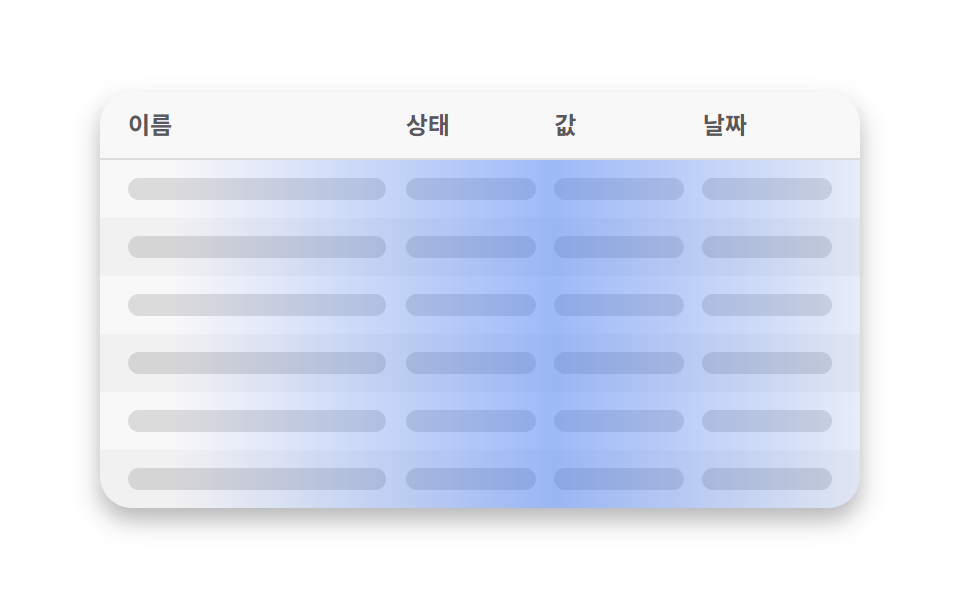 04 table-skeleton
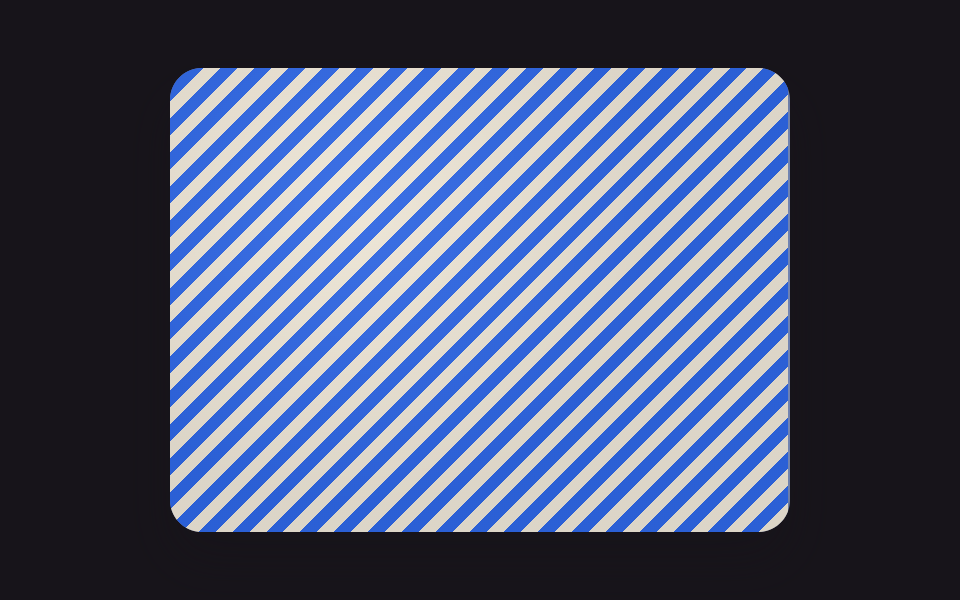 05 image-blur-up
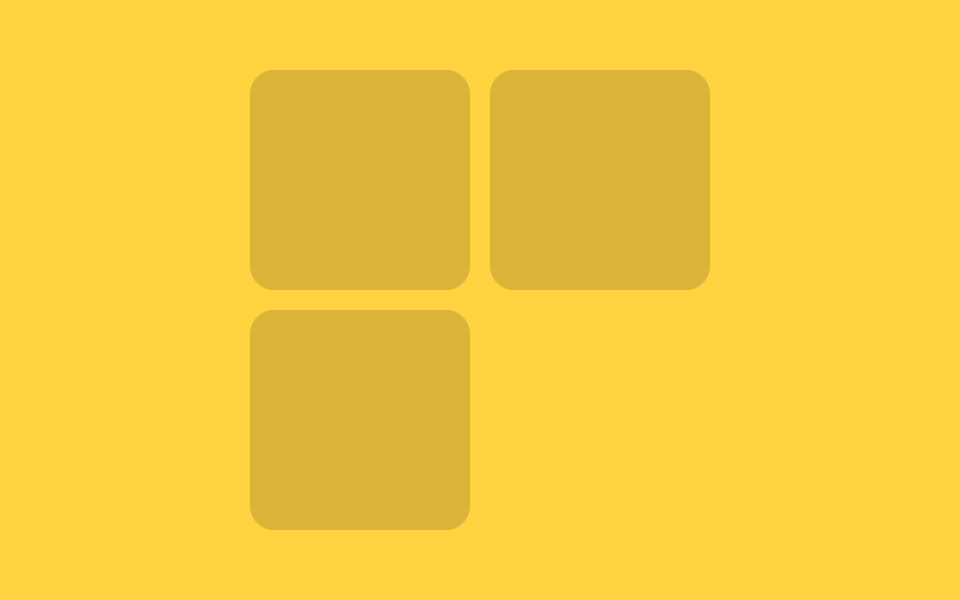 06 responsive-skeleton
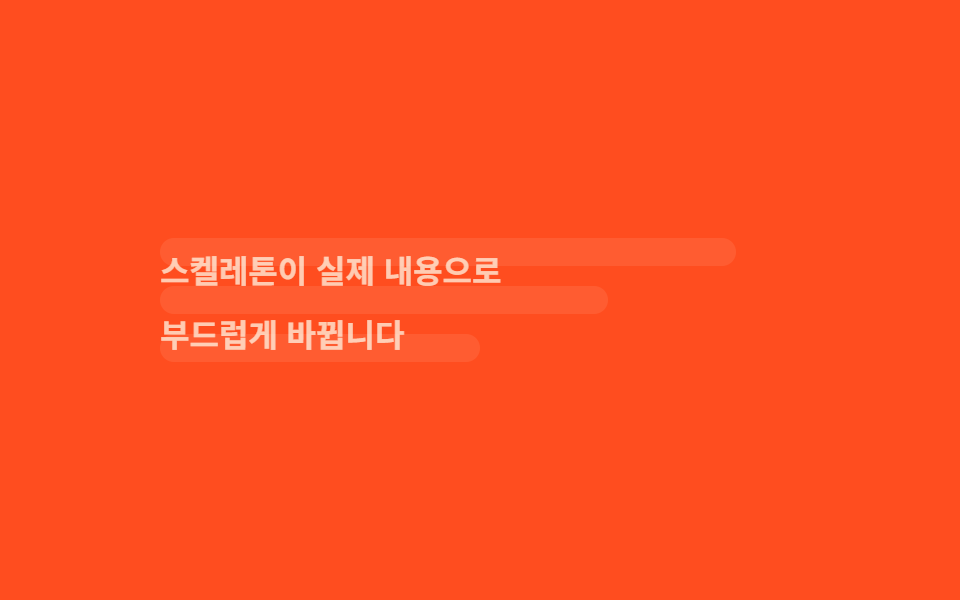 07 skeleton-to-content
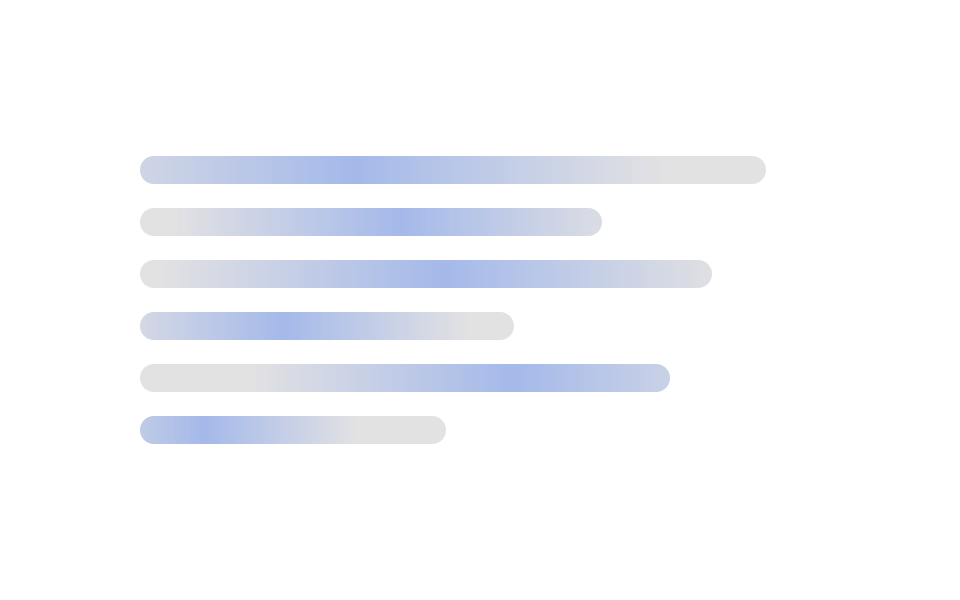 08 wave-stagger-skeleton
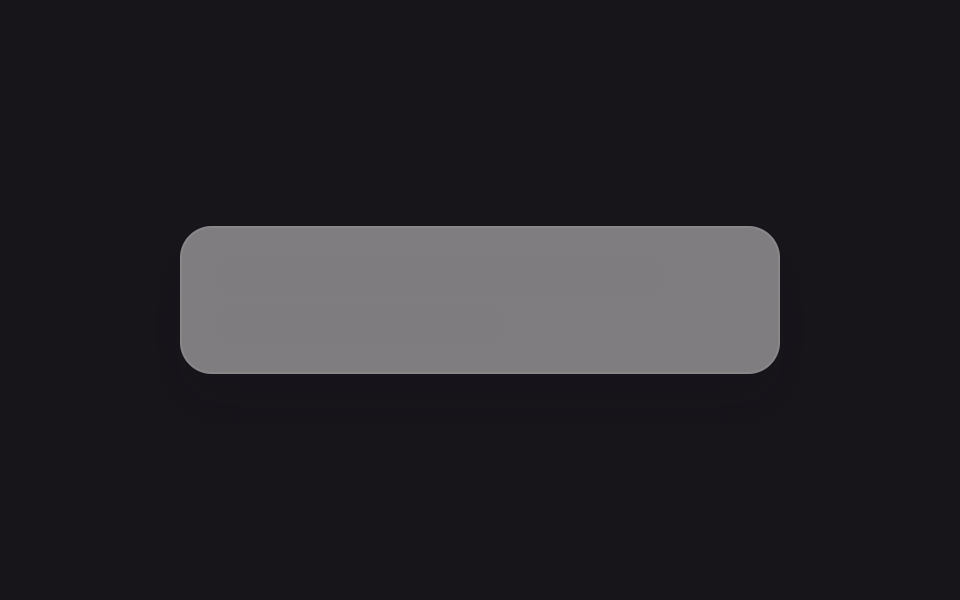 09 auto-theme-skeleton
자동 재생 · 눌러서 해당 항목으로 · 전부 한 zip
아홉 개는 로딩페이지 디자인에서 화면 하나가 겪는 순서로 놓았습니다. 글·카드·목록·표처럼 정적인 자리부터 채우고(01~04), 사진처럼 무거운 자리(05), 상자 크기에 따라 모양이 바뀌는 경우(06), 데이터가 도착한 뒤의 전환(07), 긴 목록에서의 리듬(08), 배색까지 자동으로 맞추는 경우(09) 순입니다. 기다림이 짧아 자리를 미리 그릴 필요가 없을 때는 CSS 로딩 스피너 9종이 더 간단하고, 07처럼 스켈레톤이 물러난 뒤 화면 자체가 바뀌는 순간은 CSS 화면 전환 효과가 따로 다룹니다.
01글줄 반짝임
무엇이 보이나
글 한 줄이 들어갈 자리를 폭이 다른 회색 막대 네 개로 대신하고, 그 위로 빛이 왼쪽에서 오른쪽으로 훑고 지나갑니다.
<main class="stage">
  <div class="lines">
    <div class="line"></div>
    <div class="line"></div>
    <div class="line"></div>
    <div class="line"></div>
  </div>
</main>
@use "../../../../site/static/demo-tokens" as *;
// ── 변수 3개. 변형은 이것만 바꾼다 ──────────────────────────
$duration: $dur-loop; // 빛이 줄 하나를 다 훑는 시간
$easing: $ease-out; // 시작은 빠르고 끝은 느리게
$color: $subject-cream; // 막대·빛의 바탕 색 (어두운 무대라 크림)
// ── 데모 무대 ──────────────────────────────────────────
@include stage($stage-ink);
.lines {
width: clamp(180px, 70%, 360px);
display: grid;
gap: clamp(10px, 3vw, 16px);
}
// ── 줄 막대 ──────────────────────────────────────────
.line {
position: relative;
overflow: hidden; // 빛이 막대 밖으로 안 나가게
height: clamp(12px, 4vw, 16px);
border-radius: $r-control;
background: rgba($color, .14);
&::after {
content: "";
position: absolute;
inset: 0;
background: linear-gradient(90deg, transparent, rgba($color, .45), transparent);
transform: translateX(-120%); // 위치가 아니라 transform 으로만 이동
animation: shimmer $duration $easing infinite;
}
&:nth-child(1) { width: 92%; }
&:nth-child(2) { width: 100%; }
&:nth-child(3) { width: 78%; }
&:nth-child(4) { width: 55%; }
&:nth-child(2)::after { animation-delay: -140ms; } // 줄마다 살짝 어긋나게 시작 (음수 지연 = 이미 진행 중인 상태로 시작)
&:nth-child(3)::after { animation-delay: -280ms; }
&:nth-child(4)::after { animation-delay: -420ms; }
}
@keyframes shimmer {
to { transform: translateX(120%); }
}
// ── 접근성: 움직임 줄이기 설정이면 스침 대신 옅은 밝기만 ────────
@media (prefers-reduced-motion: reduce) {
.line::after { animation: none !important; opacity: .45; transform: translateX(0); }
}html, body {
margin: 0;
overflow: hidden;
}
.stage {
box-sizing: border-box;
min-height: 100vh;
display: grid;
place-items: center;
margin: 0;
background: #17141a;
font-family: -apple-system, "Segoe UI", "Noto Sans KR", sans-serif;
padding: clamp(8px, 4vw, 24px);
}
.lines {
width: clamp(180px, 70%, 360px);
display: grid;
gap: clamp(10px, 3vw, 16px);
}
.line {
position: relative;
overflow: hidden;
height: clamp(12px, 4vw, 16px);
border-radius: 12px;
background: rgba(255, 247, 230, 0.14);
}
.line::after {
content: "";
position: absolute;
inset: 0;
background: linear-gradient(90deg, transparent, rgba(255, 247, 230, 0.45), transparent);
transform: translateX(-120%);
animation: shimmer 2s ease-out infinite;
}
.line:nth-child(1) {
width: 92%;
}
.line:nth-child(2) {
width: 100%;
}
.line:nth-child(3) {
width: 78%;
}
.line:nth-child(4) {
width: 55%;
}
.line:nth-child(2)::after {
animation-delay: -140ms;
}
.line:nth-child(3)::after {
animation-delay: -280ms;
}
.line:nth-child(4)::after {
animation-delay: -420ms;
}
@keyframes shimmer {
to {
transform: translateX(120%);
}
}
@media (prefers-reduced-motion: reduce) {
.line::after {
animation: none !important;
opacity: 0.45;
transform: translateX(0);
}
}import type { CSSProperties } from "react";
import styles from "./ShimmerLines.module.scss";
export type ShimmerLinesProps = {
/** 빛이 줄 하나를 훑는 시간 (기본 2000ms) */
duration?: number;
/** CSS easing (기본 ease-out) */
easing?: string;
/** 막대·빛의 바탕 색 */
color?: string;
/** 줄 수 (기본 4) */
lines?: number;
className?: string;
};
const WIDTHS = ["92%", "100%", "78%", "55%"];
export default function ShimmerLines({
duration = 2000,
easing = "ease-out",
color = "#fff7e6",
lines = 4,
className = "",
}: ShimmerLinesProps) {
const vars = { "--duration": `${duration}ms`, "--easing": easing, "--color": color } as CSSProperties;
return (
<div className={`${styles.lines} ${className}`} style={vars}>
{Array.from({ length: lines }).map((_, i) => (
<div
key={i}
className={styles.line}
style={{ width: WIDTHS[i % WIDTHS.length], animationDelay: `${-i * 140}ms` } as CSSProperties}
/>
))}
</div>
);
}01 · 글줄 반짝임 — 측정 누적면적 11.078% · 움직인 프레임 21/23GODRICH 원작 · zip 에 SCSS·React 포함 · 비밀번호 보기
css 로딩 애니메이션은 어디에 쓰나
댓글·목록처럼 텍스트 줄 수가 대충 예상되는 곳에 씁니다.
.line {
  position: relative; overflow: hidden;
  height: 14px; border-radius: 12px; background: rgba($color, .14);
  &::after {
    content: ""; position: absolute; inset: 0;
    background: linear-gradient(90deg, transparent, rgba($color, .45), transparent);
    transform: translateX(-120%);
    animation: shimmer $duration $easing infinite;
  }
}
@keyframes shimmer { to { transform: translateX(120%); } }
02카드 스켈레톤
화면에서 일어나는 일
이미지·제목·설명 자리를 가진 카드 한 장이고, 세 자리 모두 같은 빛이 훑습니다.
<main class="stage">
  <div class="card">
    <div class="thumb"></div>
    <div class="title"></div>
    <div class="desc"></div>
    <div class="desc short"></div>
  </div>
</main>
@use "../../../../site/static/demo-tokens" as *;
// ── 변수 3개 ──────────────────────────────────────────
$duration: $dur-loop; // 빛이 카드 한 장을 훑는 시간
$easing: $ease-out;
$color: $subject-ink; // 막대 색 (노란 무대라 잉크 톤)
@include stage($stage-yellow);
.card {
width: clamp(160px, 60%, 260px);
padding: clamp(10px, 2.6vw, 14px);
border-radius: $r-card;
background: rgba($stage-paper, .55);
box-shadow: $shadow-raised;
display: grid;
gap: clamp(8px, 2vw, 10px);
}
// ── 막대 하나의 공통 모양 ──────────────────────────────
%bar {
position: relative;
overflow: hidden;
border-radius: $r-control;
background: rgba($color, .16);
&::after {
content: "";
position: absolute;
inset: 0;
background: linear-gradient(90deg, transparent, rgba($stage-paper, .85), transparent);
transform: translateX(-120%);
animation: shimmer $duration $easing infinite;
}
}
.thumb { @extend %bar; aspect-ratio: 2 / 1; }
.title { @extend %bar; height: clamp(12px, 3.6vw, 16px); width: 70%; }
.desc { @extend %bar; height: clamp(9px, 3vw, 12px); }
.desc.short { width: 55%; }
.title::after { animation-delay: -120ms; }
.desc::after { animation-delay: -240ms; }
.desc.short::after { animation-delay: -360ms; }
@keyframes shimmer {
to { transform: translateX(120%); }
}
@media (prefers-reduced-motion: reduce) {
.thumb::after, .title::after, .desc::after { animation: none !important; opacity: .5; transform: translateX(0); }
}html, body {
margin: 0;
overflow: hidden;
}
.stage {
box-sizing: border-box;
min-height: 100vh;
display: grid;
place-items: center;
margin: 0;
background: #ffd23f;
font-family: -apple-system, "Segoe UI", "Noto Sans KR", sans-serif;
padding: clamp(8px, 4vw, 24px);
}
.card {
width: clamp(160px, 60%, 260px);
padding: clamp(10px, 2.6vw, 14px);
border-radius: 16px;
background: rgba(255, 255, 255, 0.55);
box-shadow: 0 14px 24px rgba(23, 20, 26, 0.32);
display: grid;
gap: clamp(8px, 2vw, 10px);
}
.desc, .title, .thumb {
position: relative;
overflow: hidden;
border-radius: 12px;
background: rgba(23, 20, 26, 0.16);
}
.desc::after, .title::after, .thumb::after {
content: "";
position: absolute;
inset: 0;
background: linear-gradient(90deg, transparent, rgba(255, 255, 255, 0.85), transparent);
transform: translateX(-120%);
animation: shimmer 2s ease-out infinite;
}
.thumb {
aspect-ratio: 2/1;
}
.title {
height: clamp(12px, 3.6vw, 16px);
width: 70%;
}
.desc {
height: clamp(9px, 3vw, 12px);
}
.desc.short {
width: 55%;
}
.title::after {
animation-delay: -120ms;
}
.desc::after {
animation-delay: -240ms;
}
.desc.short::after {
animation-delay: -360ms;
}
@keyframes shimmer {
to {
transform: translateX(120%);
}
}
@media (prefers-reduced-motion: reduce) {
.thumb::after, .title::after, .desc::after {
animation: none !important;
opacity: 0.5;
transform: translateX(0);
}
}import type { CSSProperties } from "react";
import styles from "./CardSkeleton.module.scss";
export type CardSkeletonProps = {
/** 빛이 카드 한 장을 훑는 시간 (기본 2000ms) */
duration?: number;
/** CSS easing (기본 ease-out) */
easing?: string;
/** 막대 색 */
color?: string;
className?: string;
};
export default function CardSkeleton({
duration = 2000,
easing = "ease-out",
color = "#17141a",
className = "",
}: CardSkeletonProps) {
const vars = { "--duration": `${duration}ms`, "--easing": easing, "--color": color } as CSSProperties;
return (
<div className={`${styles.card} ${className}`} style={vars}>
<div className={styles.thumb} />
<div className={styles.title} />
<div className={styles.desc} />
<div className={`${styles.desc} ${styles.short}`} />
</div>
);
}02 · 카드 스켈레톤 — 측정 누적면적 28.717% · 움직인 프레임 20/23GODRICH 원작 · zip 에 SCSS·React 포함 · 비밀번호 보기
쓰는 자리
상품 목록이나 글 카드처럼 이미지와 텍스트가 함께 오는 곳에 씁니다.
%bar {
  position: relative; overflow: hidden;
  border-radius: $r-control; background: rgba($color, .16);
  &::after {
    content: ""; position: absolute; inset: 0;
    background: linear-gradient(90deg, transparent, rgba($stage-paper, .85), transparent);
    transform: translateX(-120%);
    animation: shimmer $duration $easing infinite;
  }
}
.thumb { @extend %bar; aspect-ratio: 2 / 1; }
.title { @extend %bar; height: 16px; width: 70%; }
03아바타 목록
어떤 움직임인가
동그란 아바타와 두 줄 글이 다섯 번 반복되고, 반짝임은 막대마다가 아니라 목록 전체 위로 한 줄기만 지나갑니다.
<main class="stage">
  <div class="list">
    <div class="row"><span class="avatar"></span><span class="meta"><span class="l1"></span><span class="l2"></span></span></div>
    <div class="row"><span class="avatar"></span><span class="meta"><span class="l1"></span><span class="l2"></span></span></div>
    <div class="row"><span class="avatar"></span><span class="meta"><span class="l1"></span><span class="l2"></span></span></div>
    <div class="row"><span class="avatar"></span><span class="meta"><span class="l1"></span><span class="l2"></span></span></div>
    <div class="row"><span class="avatar"></span><span class="meta"><span class="l1"></span><span class="l2"></span></span></div>
    <span class="sheen" aria-hidden="true"></span>
  </div>
</main>
@use "../../../../site/static/demo-tokens" as *;
// ── 변수 3개 ──────────────────────────────────────────
$duration: $dur-loop; // 빛이 목록 전체를 훑는 시간
$easing: $ease-out;
$color: $subject-cream; // 아바타·막대 색 (주황 무대라 크림)
@include stage($stage-orange);
.list {
position: relative; // 훑는 빛의 기준
overflow: hidden; // 빛이 목록 밖으로 안 나가게
width: clamp(210px, 76%, 320px);
display: grid;
gap: clamp(6px, 2.4vw, 12px);
border-radius: $r-card;
}
.row { display: flex; align-items: center; gap: clamp(8px, 2.6vw, 12px); }
.avatar {
flex: none;
width: clamp(20px, 6.4vw, 32px);
height: clamp(20px, 6.4vw, 32px);
border-radius: $r-pill; // 동그란 아바타
background: rgba($color, .22);
}
.meta { flex: 1; display: grid; gap: 5px; }
.l1 { height: clamp(8px, 2.6vw, 11px); border-radius: $r-control; background: rgba($color, .22); width: 78%; }
.l2 { height: clamp(6px, 2.2vw, 9px); border-radius: $r-control; background: rgba($color, .14); width: 48%; }
.row:nth-child(2) .l1 { width: 55%; }
.row:nth-child(3) .l1 { width: 90%; }
.row:nth-child(4) .l1 { width: 62%; }
.row:nth-child(5) .l1 { width: 82%; }
// ── 빛 한 줄기가 목록 전체를 한 번에 훑는다 (01·02는 막대마다, 03은 하나로) ──
.sheen {
position: absolute;
inset: 0;
background: linear-gradient(90deg, transparent, rgba($stage-paper, .4), transparent);
transform: translateX(-120%);
animation: shimmer $duration $easing infinite;
pointer-events: none;
}
@keyframes shimmer {
to { transform: translateX(120%); }
}
@media (prefers-reduced-motion: reduce) {
.sheen { animation: none !important; opacity: 0; }
}html, body {
margin: 0;
overflow: hidden;
}
.stage {
box-sizing: border-box;
min-height: 100vh;
display: grid;
place-items: center;
margin: 0;
background: #ff4d1f;
font-family: -apple-system, "Segoe UI", "Noto Sans KR", sans-serif;
padding: clamp(8px, 4vw, 24px);
}
.list {
position: relative;
overflow: hidden;
width: clamp(210px, 76%, 320px);
display: grid;
gap: clamp(6px, 2.4vw, 12px);
border-radius: 16px;
}
.row {
display: flex;
align-items: center;
gap: clamp(8px, 2.6vw, 12px);
}
.avatar {
flex: none;
width: clamp(20px, 6.4vw, 32px);
height: clamp(20px, 6.4vw, 32px);
border-radius: 999px;
background: rgba(255, 247, 230, 0.22);
}
.meta {
flex: 1;
display: grid;
gap: 5px;
}
.l1 {
height: clamp(8px, 2.6vw, 11px);
border-radius: 12px;
background: rgba(255, 247, 230, 0.22);
width: 78%;
}
.l2 {
height: clamp(6px, 2.2vw, 9px);
border-radius: 12px;
background: rgba(255, 247, 230, 0.14);
width: 48%;
}
.row:nth-child(2) .l1 {
width: 55%;
}
.row:nth-child(3) .l1 {
width: 90%;
}
.row:nth-child(4) .l1 {
width: 62%;
}
.row:nth-child(5) .l1 {
width: 82%;
}
.sheen {
position: absolute;
inset: 0;
background: linear-gradient(90deg, transparent, rgba(255, 255, 255, 0.4), transparent);
transform: translateX(-120%);
animation: shimmer 2s ease-out infinite;
pointer-events: none;
}
@keyframes shimmer {
to {
transform: translateX(120%);
}
}
@media (prefers-reduced-motion: reduce) {
.sheen {
animation: none !important;
opacity: 0;
}
}import type { CSSProperties } from "react";
import styles from "./AvatarListSkeleton.module.scss";
export type AvatarListSkeletonProps = {
/** 빛이 목록 전체를 훑는 시간 (기본 2000ms) */
duration?: number;
/** CSS easing (기본 ease-out) */
easing?: string;
/** 아바타·막대 색 */
color?: string;
/** 줄 수 (기본 5) */
rows?: number;
className?: string;
};
const L1_WIDTHS = ["78%", "55%", "90%", "62%", "82%"];
export default function AvatarListSkeleton({
duration = 2000,
easing = "ease-out",
color = "#fff7e6",
rows = 5,
className = "",
}: AvatarListSkeletonProps) {
const vars = { "--duration": `${duration}ms`, "--easing": easing, "--color": color } as CSSProperties;
return (
<div className={`${styles.list} ${className}`} style={vars}>
{Array.from({ length: rows }).map((_, i) => (
<div key={i} className={styles.row}>
<span className={styles.avatar} />
<span className={styles.meta}>
<span className={styles.l1} style={{ width: L1_WIDTHS[i % L1_WIDTHS.length] } as CSSProperties} />
<span className={styles.l2} />
</span>
</div>
))}
<span className={styles.sheen} aria-hidden="true" />
</div>
);
}03 · 아바타 목록 — 측정 누적면적 44.317% · 움직인 프레임 17/23GODRICH 원작 · zip 에 SCSS·React 포함 · 비밀번호 보기
언제 쓰나
채팅방이나 팔로워 목록처럼 줄 수가 많은 곳에 씁니다.
.avatar { width: 28px; height: 28px; border-radius: $r-pill; background: rgba($color, .22); }
.sheen {
  position: absolute; inset: 0;
  background: linear-gradient(90deg, transparent, rgba($stage-paper, .4), transparent);
  transform: translateX(-120%);
  animation: shimmer $duration $easing infinite;
  pointer-events: none;
}
@keyframes shimmer { to { transform: translateX(120%); } }
04표 스켈레톤
무엇이 보이나
머리글 글자는 그대로 두고 몸통 셀만 막대로 바꾸며, 헤더와 몸통이 같은 grid-template-columns를 써서 열 폭이 흔들리지 않습니다. 대시보드 표처럼 열이 의미를 가진 곳에 씁니다.
<main class="stage">
  <div class="table">
    <div class="row head"><span>이름</span><span>상태</span><span>값</span><span>날짜</span></div>
    <div class="body">
      <div class="row"><span class="cell"></span><span class="cell"></span><span class="cell"></span><span class="cell"></span></div>
      <div class="row"><span class="cell"></span><span class="cell"></span><span class="cell"></span><span class="cell"></span></div>
      <div class="row"><span class="cell"></span><span class="cell"></span><span class="cell"></span><span class="cell"></span></div>
      <div class="row"><span class="cell"></span><span class="cell"></span><span class="cell"></span><span class="cell"></span></div>
      <div class="row"><span class="cell"></span><span class="cell"></span><span class="cell"></span><span class="cell"></span></div>
      <div class="row"><span class="cell"></span><span class="cell"></span><span class="cell"></span><span class="cell"></span></div>
      <span class="sheen" aria-hidden="true"></span>
    </div>
  </div>
</main>
@use "../../../../site/static/demo-tokens" as *;
// ── 변수 3개 ──────────────────────────────────────────
$duration: $dur-loop; // 빛이 표 몸통을 훑는 시간
$easing: $ease-out;
$color: $subject-ink; // 셀 색 (흰 무대라 잉크 톤)
@include stage($stage-paper);
.table {
width: clamp(220px, 88%, 380px);
border-radius: $r-card;
overflow: hidden;
background: rgba($color, .03);
box-shadow: $shadow-press;
}
// 열 폭은 헤더와 몸통이 같은 grid-template-columns 를 써서 유지한다
.row {
display: grid;
grid-template-columns: 2fr 1fr 1fr 1fr;
gap: clamp(6px, 2vw, 10px);
padding: clamp(6px, 2vw, 9px) clamp(10px, 3vw, 14px);
align-items: center;
}
.row.head {
font: 600 clamp(10px, 2.8vw, 12px)/1.2 -apple-system, "Segoe UI", "Noto Sans KR", sans-serif;
color: rgba($color, .7);
border-bottom: 1px solid rgba($color, .12);
}
.body {
position: relative; // .sheen 의 위치 기준 (빠지면 엉뚱한 곳에 그려진다)
overflow: hidden; // 빛이 몸통 밖(헤더 포함)으로 안 나가게
}
.body .row:nth-child(even) { background: rgba($color, .03); }
.cell {
height: clamp(9px, 2.6vw, 11px);
border-radius: $r-control;
background: rgba($color, .13);
}
// ── 빛 한 줄기가 몸통만 훑는다. 헤더 글자는 그대로 둔다 ──────────
.sheen {
position: absolute;
inset: 0;
background: linear-gradient(90deg, transparent, rgba($subject-blue, .45), transparent);
transform: translateX(-120%);
animation: shimmer $duration $easing infinite;
pointer-events: none;
}
@keyframes shimmer {
to { transform: translateX(120%); }
}
@media (prefers-reduced-motion: reduce) {
.sheen { animation: none !important; opacity: 0; }
}html, body {
margin: 0;
overflow: hidden;
}
.stage {
box-sizing: border-box;
min-height: 100vh;
display: grid;
place-items: center;
margin: 0;
background: #ffffff;
font-family: -apple-system, "Segoe UI", "Noto Sans KR", sans-serif;
padding: clamp(8px, 4vw, 24px);
}
.table {
width: clamp(220px, 88%, 380px);
border-radius: 16px;
overflow: hidden;
background: rgba(23, 20, 26, 0.03);
box-shadow: 0 6px 12px rgba(23, 20, 26, 0.32);
}
.row {
display: grid;
grid-template-columns: 2fr 1fr 1fr 1fr;
gap: clamp(6px, 2vw, 10px);
padding: clamp(6px, 2vw, 9px) clamp(10px, 3vw, 14px);
align-items: center;
}
.row.head {
font: 600 clamp(10px, 2.8vw, 12px)/1.2 -apple-system, "Segoe UI", "Noto Sans KR", sans-serif;
color: rgba(23, 20, 26, 0.7);
border-bottom: 1px solid rgba(23, 20, 26, 0.12);
}
.body {
position: relative;
overflow: hidden;
}
.body .row:nth-child(even) {
background: rgba(23, 20, 26, 0.03);
}
.cell {
height: clamp(9px, 2.6vw, 11px);
border-radius: 12px;
background: rgba(23, 20, 26, 0.13);
}
.sheen {
position: absolute;
inset: 0;
background: linear-gradient(90deg, transparent, rgba(47, 109, 246, 0.45), transparent);
transform: translateX(-120%);
animation: shimmer 2s ease-out infinite;
pointer-events: none;
}
@keyframes shimmer {
to {
transform: translateX(120%);
}
}
@media (prefers-reduced-motion: reduce) {
.sheen {
animation: none !important;
opacity: 0;
}
}import type { CSSProperties } from "react";
import styles from "./TableSkeleton.module.scss";
export type TableSkeletonProps = {
/** 빛이 표 몸통을 훑는 시간 (기본 2000ms) */
duration?: number;
/** CSS easing (기본 ease-out) */
easing?: string;
/** 셀 색 */
color?: string;
/** 머리글 (열 폭은 이 배열 길이로 정해진다) */
columns?: string[];
/** 몸통 행 수 (기본 6) */
rows?: number;
className?: string;
};
export default function TableSkeleton({
duration = 2000,
easing = "ease-out",
color = "#17141a",
columns = ["이름", "상태", "값", "날짜"],
rows = 6,
className = "",
}: TableSkeletonProps) {
const vars = { "--duration": `${duration}ms`, "--easing": easing, "--color": color } as CSSProperties;
const template = { gridTemplateColumns: `2fr repeat(${columns.length - 1}, 1fr)` } as CSSProperties;
return (
<div className={`${styles.table} ${className}`} style={vars}>
<div className={`${styles.row} ${styles.head}`} style={template}>
{columns.map((c) => <span key={c}>{c}</span>)}
</div>
<div className={styles.body}>
{Array.from({ length: rows }).map((_, r) => (
<div key={r} className={styles.row} style={template}>
{columns.map((_, c) => <span key={c} className={styles.cell} />)}
</div>
))}
<span className={styles.sheen} aria-hidden="true" />
</div>
</div>
);
}04 · 표 스켈레톤 — 측정 누적면적 45.848% · 움직인 프레임 17/23GODRICH 원작 · zip 에 SCSS·React 포함 · 비밀번호 보기
코드에서 볼 곳
.row { display: grid; grid-template-columns: 2fr 1fr 1fr 1fr; gap: 8px; padding: 8px 12px; }
.row.head { border-bottom: 1px solid rgba($color, .12); }
.cell { height: 11px; border-radius: $r-control; background: rgba($color, .13); }
.sheen {
  position: absolute; inset: 0;
  background: linear-gradient(90deg, transparent, rgba($subject-blue, .45), transparent);
  animation: shimmer $duration $easing infinite;
}
05이미지 블러업
화면에서 일어나는 일
아주 작은 원본을 20px 흐리게 먼저 깔고, 그 위에 선명한 판을 겹쳐 opacity로 나타났다 사라지길 반복합니다.
<main class="stage">
  <div class="photo">
    <div class="placeholder"></div>
    <div class="real"></div>
  </div>
</main>
@use "../../../../site/static/demo-tokens" as *;
// ── 변수 3개 ──────────────────────────────────────────
$duration: $dur-loop; // 흐림 → 선명 → 흐림 한 바퀴
$easing: linear; // 스프링·팝은 중간에서 멈춘 듯 보였다 — 고르게 바뀌어야 눈에 계속 보인다
$color: $subject-blue; // 진짜 이미지 쪽의 강조 색
@include stage($stage-ink);
// 진짜 이미지 대신 CSS 그라디언트로 사진 자리를 흉내 낸다 (외부 이미지 의존 0)
.photo {
position: relative;
overflow: hidden;
width: clamp(200px, 70%, 320px);
aspect-ratio: 4 / 3;
border-radius: $r-card;
box-shadow: $shadow-raised;
}
// 결이 있는 무늬라야 "흐림"이 실제로 다르게 보인다 (매끈한 그라디언트는 흐려도 거의 같은 색이다)
.placeholder, .real {
position: absolute;
inset: 0;
background-image:
repeating-linear-gradient(135deg, rgba($subject-cream, .85) 0 6px, rgba($color, .85) 6px 12px),
radial-gradient(circle at 30% 30%, rgba($subject-cream, .5), transparent 55%);
background-color: $stage-ink;
}
// 아주 작은 원본을 흐리게 미리 깐다 (20px, 고정값 — 이 레이어는 움직이지 않는다). 결이 뭉개져 평평한 색 덩어리가 된다
.placeholder {
filter: blur(20px);
transform: scale(1.15); // 블러 가장자리가 비치지 않게 살짝 키운다
}
// 진짜 이미지가 흐림 위로 나타났다 사라지길 반복한다 (렌더용 루프)
.real {
opacity: 0;
transform: scale(1.04);
animation: reveal $duration $easing infinite;
}
@keyframes reveal {
0% { opacity: 0; transform: scale(1.04); } // 흐림만 보인다
50% { opacity: 1; transform: scale(1); } // 가장 선명한 순간
100% { opacity: 0; transform: scale(1.04); } // 다시 흐림으로 — 한 바퀴가 곧 로딩 한 번
}
// ── 접근성: 흐림-선명 반복 대신 선명한 최종 상태만 고정으로 보여준다 ──
@media (prefers-reduced-motion: reduce) {
.real { animation: none !important; opacity: 1; transform: scale(1); }
}html, body {
margin: 0;
overflow: hidden;
}
.stage {
box-sizing: border-box;
min-height: 100vh;
display: grid;
place-items: center;
margin: 0;
background: #17141a;
font-family: -apple-system, "Segoe UI", "Noto Sans KR", sans-serif;
padding: clamp(8px, 4vw, 24px);
}
.photo {
position: relative;
overflow: hidden;
width: clamp(200px, 70%, 320px);
aspect-ratio: 4/3;
border-radius: 16px;
box-shadow: 0 14px 24px rgba(23, 20, 26, 0.32);
}
.placeholder, .real {
position: absolute;
inset: 0;
background-image: repeating-linear-gradient(135deg, rgba(255, 247, 230, 0.85) 0 6px, rgba(47, 109, 246, 0.85) 6px 12px), radial-gradient(circle at 30% 30%, rgba(255, 247, 230, 0.5), transparent 55%);
background-color: #17141a;
}
.placeholder {
filter: blur(20px);
transform: scale(1.15);
}
.real {
opacity: 0;
transform: scale(1.04);
animation: reveal 2s linear infinite;
}
@keyframes reveal {
0% {
opacity: 0;
transform: scale(1.04);
}
50% {
opacity: 1;
transform: scale(1);
}
100% {
opacity: 0;
transform: scale(1.04);
}
}
@media (prefers-reduced-motion: reduce) {
.real {
animation: none !important;
opacity: 1;
transform: scale(1);
}
}import { useCallback, useState } from "react";
import type { CSSProperties } from "react";
import styles from "./ImageBlurUp.module.scss";
export type ImageBlurUpProps = {
/** 진짜 이미지 */
src: string;
/** 아주 작은(20px 안팎) 미리 준비한 흐린 이미지 */
placeholderSrc: string;
alt: string;
/** 흐림 → 선명 전환 시간 (기본 400ms) */
duration?: number;
easing?: string;
className?: string;
};
export default function ImageBlurUp({
src,
placeholderSrc,
alt,
duration = 400,
easing = "cubic-bezier(.2,.8,.2,1)",
className = "",
}: ImageBlurUpProps) {
const [loaded, setLoaded] = useState(false);
const onLoad = useCallback(() => setLoaded(true), []);
const vars = { "--duration": `${duration}ms`, "--easing": easing } as CSSProperties;
return (
<div className={`${styles.photo} ${className}`} style={vars}>
<img className={styles.placeholder} src={placeholderSrc} alt="" aria-hidden="true" />
<img
className={`${styles.real} ${loaded ? styles.loaded : ""}`}
src={src}
alt={alt}
onLoad={onLoad}
/>
</div>
);
}05 · 이미지 블러업 — 측정 누적면적 49.817% · 움직인 프레임 22/23GODRICH 원작 · zip 에 SCSS·React 포함 · 비밀번호 보기
쓰는 자리
나타나는 순간 scale(1.04→1)로 확대가 살짝 풀립니다. 히어로 이미지나 갤러리처럼 사진이 무거운 곳에 씁니다.
.placeholder { filter: blur(20px); transform: scale(1.15); }
.real {
  opacity: 0; transform: scale(1.04);
  animation: reveal $duration $easing infinite;
}
@keyframes reveal {
  0%   { opacity: 0; transform: scale(1.04); }
  50%  { opacity: 1; transform: scale(1); }
  100% { opacity: 0; transform: scale(1.04); }
}
06반응형 스켈레톤
어떤 움직임인가
카드 세 장을 담는 상자에 container-type: inline-size를 걸어 두면, 뷰포트가 아니라 이 상자 자신의 폭에 따라 3열·2열·1열이 바뀝니다. 사이드바에 넣든 본문에 넣든 파일 하나로 끝납니다.
<main class="stage">
  <div class="wrap">
    <div class="grid">
      <div class="card"></div>
      <div class="card"></div>
      <div class="card"></div>
    </div>
  </div>
</main>
@use "../../../../site/static/demo-tokens" as *;
// ── 변수 3개 ──────────────────────────────────────────
$duration: $dur-loop; // 상자가 늘었다 줄었다 한 바퀴 도는 시간
$easing: $ease-spring;
$color: $subject-ink; // 카드 색 (노란 무대라 잉크 톤)
@include stage($stage-yellow);
// 이 상자의 실제 폭이 컨테이너 쿼리의 기준이다 (뷰포트 폭이 아니라)
.wrap {
container-type: inline-size;
container-name: skeleton;
max-width: 420px;
width: 94%;
// 데모용: 폭 자체를 keyframes 로 늘렸다 줄인다 — 컨테이너 쿼리는 transform 이 아니라
// 실제 박스 크기에만 반응하므로, 열 수 변화를 보여주려면 여기서는 예외적으로 width 를 움직인다
animation: resize $duration $easing infinite;
}
@keyframes resize {
0% { width: 94%; } // 3열이 보이는 폭
25% { width: 45%; } // 2열로 접히는 폭
50% { width: 15%; } // 1열까지 좁아진 폭
75% { width: 45%; }
100% { width: 94%; }
}
.grid {
display: grid;
grid-template-columns: repeat(3, 1fr);
gap: clamp(6px, 2vw, 10px);
}
.card {
min-width: 0;
aspect-ratio: 1 / 1;
border-radius: $r-control;
background: rgba($color, .16);
}
// 상자 폭 260px 아래 → 2열, 150px 아래 → 1열. 뷰포트가 아니라 .wrap 자신의 폭 기준
@container skeleton (max-width: 260px) {
.grid { grid-template-columns: repeat(2, 1fr); }
}
@container skeleton (max-width: 150px) {
.grid { grid-template-columns: 1fr; }
}
// ── 접근성: 폭이 오가는 움직임을 멈추고 가장 넓은(3열) 상태로 고정 ──
@media (prefers-reduced-motion: reduce) {
.wrap { animation: none !important; width: 94%; }
}html, body {
margin: 0;
overflow: hidden;
}
.stage {
box-sizing: border-box;
min-height: 100vh;
display: grid;
place-items: center;
margin: 0;
background: #ffd23f;
font-family: -apple-system, "Segoe UI", "Noto Sans KR", sans-serif;
padding: clamp(8px, 4vw, 24px);
}
.wrap {
container-type: inline-size;
container-name: skeleton;
max-width: 420px;
width: 94%;
animation: resize 2s cubic-bezier(0.2, 0.8, 0.2, 1) infinite;
}
@keyframes resize {
0% {
width: 94%;
}
25% {
width: 45%;
}
50% {
width: 15%;
}
75% {
width: 45%;
}
100% {
width: 94%;
}
}
.grid {
display: grid;
grid-template-columns: repeat(3, 1fr);
gap: clamp(6px, 2vw, 10px);
}
.card {
min-width: 0;
aspect-ratio: 1/1;
border-radius: 12px;
background: rgba(23, 20, 26, 0.16);
}
@container skeleton (max-width: 260px) {
.grid {
grid-template-columns: repeat(2, 1fr);
}
}
@container skeleton (max-width: 150px) {
.grid {
grid-template-columns: 1fr;
}
}
@media (prefers-reduced-motion: reduce) {
.wrap {
animation: none !important;
width: 94%;
}
}import type { CSSProperties } from "react";
import styles from "./ResponsiveSkeleton.module.scss";
export type ResponsiveSkeletonProps = {
/** 카드 색 */
color?: string;
/** 카드 수 (기본 3) */
count?: number;
className?: string;
};
// 이 컴포넌트는 뷰포트가 아니라 **자신을 담는 상자의 실제 폭**에 반응한다 (@container).
// 사이드바에 놓든 본문에 놓든 같은 파일이 알아서 열 수를 바꾼다.
export default function ResponsiveSkeleton({
color = "#17141a",
count = 3,
className = "",
}: ResponsiveSkeletonProps) {
const vars = { "--color": color } as CSSProperties;
return (
<div className={`${styles.wrap} ${className}`} style={vars}>
<div className={styles.grid}>
{Array.from({ length: count }).map((_, i) => <div key={i} className={styles.card} />)}
</div>
</div>
);
}06 · 반응형 스켈레톤 — 측정 누적면적 56.241% · 움직인 프레임 22/23GODRICH 원작 · zip 에 SCSS·React 포함 · 비밀번호 보기
코드에서 볼 곳
.wrap { container-type: inline-size; container-name: skeleton; }
.grid { display: grid; grid-template-columns: repeat(3, 1fr); gap: 10px; }
@container skeleton (max-width: 260px) {
  .grid { grid-template-columns: repeat(2, 1fr); }
}
@container skeleton (max-width: 150px) {
  .grid { grid-template-columns: 1fr; }
}
07스켈레톤 → 내용 전환
무엇이 보이나
막대 세 개와 실제 문단을 같은 칸에 겹쳐 두고, 데이터가 도착하면 막대는 페이드로 사라지고 문단은 6px 위에서 페이드로 내려옵니다.
<main class="stage">
  <div class="card">
    <div class="skeleton">
      <div class="bar b1"></div>
      <div class="bar b2"></div>
      <div class="bar b3"></div>
    </div>
    <div class="content">
      <p class="t1">스켈레톤이 실제 내용으로</p>
      <p class="t2">부드럽게 바뀝니다</p>
    </div>
  </div>
</main>
@use "../../../../site/static/demo-tokens" as *;
// ── 변수 3개 ──────────────────────────────────────────
$duration: $dur-loop; // 막대 ↔ 내용 한 바퀴
$easing: $ease-out;
$color: $subject-cream; // 내용 글자·막대 색 (주황 무대라 크림)
@include stage($stage-orange);
.card {
width: clamp(200px, 74%, 320px);
display: grid; // 두 레이어를 같은 칸에 겹친다
}
.skeleton, .content {
grid-area: 1 / 1;
display: grid;
gap: clamp(8px, 2.6vw, 10px);
align-content: center;
}
// ── 막대: 튀지 않게 페이드만 ──────────────────────────
.skeleton {
animation: fade-out $duration $easing infinite;
}
.bar { height: clamp(11px, 3.4vw, 14px); border-radius: $r-control; background: rgba($color, .35); }
.bar.b1 { width: 90%; }
.bar.b2 { width: 70%; }
.bar.b3 { width: 50%; }
@keyframes fade-out {
0%, 40% { opacity: 1; }
55%, 85% { opacity: 0; }
100% { opacity: 1; }
}
// ── 내용: 페이드 + 위로 살짝 (300ms) ───────────────────
.content {
color: $color;
font: 600 clamp(13px, 3.6vw, 16px)/1.4 -apple-system, "Segoe UI", "Noto Sans KR", sans-serif;
animation: fade-in $duration $easing infinite;
}
.content p { margin: 0; }
@keyframes fade-in {
0%, 40% { opacity: 0; transform: translateY(6px); }
55%, 85% { opacity: 1; transform: translateY(0); }
100% { opacity: 0; transform: translateY(6px); }
}
// ── 접근성: 전환 반복을 멈추고 내용이 보이는 상태로 고정 ──────
@media (prefers-reduced-motion: reduce) {
.skeleton { display: none; }
.content { animation: none !important; opacity: 1; transform: translateY(0); }
}html, body {
margin: 0;
overflow: hidden;
}
.stage {
box-sizing: border-box;
min-height: 100vh;
display: grid;
place-items: center;
margin: 0;
background: #ff4d1f;
font-family: -apple-system, "Segoe UI", "Noto Sans KR", sans-serif;
padding: clamp(8px, 4vw, 24px);
}
.card {
width: clamp(200px, 74%, 320px);
display: grid;
}
.skeleton, .content {
grid-area: 1/1;
display: grid;
gap: clamp(8px, 2.6vw, 10px);
align-content: center;
}
.skeleton {
animation: fade-out 2s ease-out infinite;
}
.bar {
height: clamp(11px, 3.4vw, 14px);
border-radius: 12px;
background: rgba(255, 247, 230, 0.35);
}
.bar.b1 {
width: 90%;
}
.bar.b2 {
width: 70%;
}
.bar.b3 {
width: 50%;
}
@keyframes fade-out {
0%, 40% {
opacity: 1;
}
55%, 85% {
opacity: 0;
}
100% {
opacity: 1;
}
}
.content {
color: #fff7e6;
font: 600 clamp(13px, 3.6vw, 16px)/1.4 -apple-system, "Segoe UI", "Noto Sans KR", sans-serif;
animation: fade-in 2s ease-out infinite;
}
.content p {
margin: 0;
}
@keyframes fade-in {
0%, 40% {
opacity: 0;
transform: translateY(6px);
}
55%, 85% {
opacity: 1;
transform: translateY(0);
}
100% {
opacity: 0;
transform: translateY(6px);
}
}
@media (prefers-reduced-motion: reduce) {
.skeleton {
display: none;
}
.content {
animation: none !important;
opacity: 1;
transform: translateY(0);
}
}import type { CSSProperties, ReactNode } from "react";
import styles from "./SkeletonToContent.module.scss";
export type SkeletonToContentProps = {
loading: boolean;
children: ReactNode;
/** 막대 ↔ 내용 전환 시간 (기본 300ms) */
duration?: number;
easing?: string;
color?: string;
className?: string;
};
export default function SkeletonToContent({
loading,
children,
duration = 300,
easing = "ease-out",
color = "#fff7e6",
className = "",
}: SkeletonToContentProps) {
const vars = { "--duration": `${duration}ms`, "--easing": easing, "--color": color } as CSSProperties;
return (
<div className={`${styles.card} ${className}`} style={vars} aria-busy={loading}>
<div className={`${styles.skeleton} ${loading ? "" : styles.hide}`} aria-hidden={!loading}>
<div className={styles.bar} style={{ width: "90%" } as CSSProperties} />
<div className={styles.bar} style={{ width: "70%" } as CSSProperties} />
<div className={styles.bar} style={{ width: "50%" } as CSSProperties} />
</div>
<div className={`${styles.content} ${loading ? styles.hide : ""}`}>{children}</div>
</div>
);
}07 · 스켈레톤 → 내용 전환 — 측정 누적면적 8.035% · 움직인 프레임 7/23GODRICH 원작 · zip 에 SCSS·React 포함 · 비밀번호 보기
어디에 쓰나
스켈레톤을 쓴 모든 화면의 마지막 장면입니다.
.skeleton, .content { grid-area: 1 / 1; }
.skeleton { animation: fade-out $duration $easing infinite; }
.content { animation: fade-in $duration $easing infinite; }
@keyframes fade-out { 0%, 40% { opacity: 1; } 55%, 85% { opacity: 0; } 100% { opacity: 1; } }
@keyframes fade-in {
  0%, 40%  { opacity: 0; transform: translateY(6px); }
  55%, 85% { opacity: 1; transform: translateY(0); }
  100%     { opacity: 0; transform: translateY(6px); }
}
08줄마다 시차
화면에서 일어나는 일
막대 여섯 개가 01과 같은 빛을 받지만, 줄마다 animation-delay를 60ms씩 늦춰 파도처럼 보이게 하고 짝수 줄은 반대 방향으로 훑습니다. 긴 목록을 스크롤할 때 리듬을 줍니다.
<main class="stage">
  <div class="rows">
    <div class="bar"></div>
    <div class="bar"></div>
    <div class="bar"></div>
    <div class="bar"></div>
    <div class="bar"></div>
    <div class="bar"></div>
  </div>
</main>
@use "../../../../site/static/demo-tokens" as *;
// ── 변수 3개 ──────────────────────────────────────────
$duration: $dur-loop; // 줄 하나가 훑는 시간 (지연은 이 값의 일부)
$easing: $ease-out;
$color: $subject-ink; // 막대 색 (흰 무대라 잉크 톤)
@include stage($stage-paper);
.rows {
width: clamp(200px, 78%, 340px);
display: grid;
gap: clamp(8px, 2.6vw, 12px);
}
.bar {
position: relative;
overflow: hidden;
height: clamp(11px, 3.2vw, 14px);
border-radius: $r-control;
background: rgba($color, .12);
&::after {
content: "";
position: absolute;
inset: 0;
background: linear-gradient(90deg, transparent, rgba($subject-blue, .35), transparent);
transform: translateX(-120%);
animation: shimmer $duration $easing infinite;
}
}
.bar:nth-child(1) { width: 92%; }
.bar:nth-child(2) { width: 68%; }
.bar:nth-child(3) { width: 84%; }
.bar:nth-child(4) { width: 55%; }
.bar:nth-child(5) { width: 78%; }
.bar:nth-child(6) { width: 45%; }
// 줄마다 60ms 씩 늦게 시작해 파도처럼 보인다. 음수 지연 = 렌더 첫 프레임부터 이미 진행 중
@for $i from 1 through 6 {
.bar:nth-child(#{$i})::after { animation-delay: -($i - 1) * 60ms; }
}
// 짝수 줄은 반대 방향으로 훑어 파도가 갈라지는 느낌을 준다
.bar:nth-child(even)::after { animation-name: shimmer-reverse; }
@keyframes shimmer {
to { transform: translateX(120%); }
}
@keyframes shimmer-reverse {
from { transform: translateX(120%); }
to { transform: translateX(-120%); }
}
@media (prefers-reduced-motion: reduce) {
.bar::after { animation: none !important; opacity: .4; transform: translateX(0); }
}html, body {
margin: 0;
overflow: hidden;
}
.stage {
box-sizing: border-box;
min-height: 100vh;
display: grid;
place-items: center;
margin: 0;
background: #ffffff;
font-family: -apple-system, "Segoe UI", "Noto Sans KR", sans-serif;
padding: clamp(8px, 4vw, 24px);
}
.rows {
width: clamp(200px, 78%, 340px);
display: grid;
gap: clamp(8px, 2.6vw, 12px);
}
.bar {
position: relative;
overflow: hidden;
height: clamp(11px, 3.2vw, 14px);
border-radius: 12px;
background: rgba(23, 20, 26, 0.12);
}
.bar::after {
content: "";
position: absolute;
inset: 0;
background: linear-gradient(90deg, transparent, rgba(47, 109, 246, 0.35), transparent);
transform: translateX(-120%);
animation: shimmer 2s ease-out infinite;
}
.bar:nth-child(1) {
width: 92%;
}
.bar:nth-child(2) {
width: 68%;
}
.bar:nth-child(3) {
width: 84%;
}
.bar:nth-child(4) {
width: 55%;
}
.bar:nth-child(5) {
width: 78%;
}
.bar:nth-child(6) {
width: 45%;
}
.bar:nth-child(1)::after {
animation-delay: -0ms;
}
.bar:nth-child(2)::after {
animation-delay: -60ms;
}
.bar:nth-child(3)::after {
animation-delay: -120ms;
}
.bar:nth-child(4)::after {
animation-delay: -180ms;
}
.bar:nth-child(5)::after {
animation-delay: -240ms;
}
.bar:nth-child(6)::after {
animation-delay: -300ms;
}
.bar:nth-child(even)::after {
animation-name: shimmer-reverse;
}
@keyframes shimmer {
to {
transform: translateX(120%);
}
}
@keyframes shimmer-reverse {
from {
transform: translateX(120%);
}
to {
transform: translateX(-120%);
}
}
@media (prefers-reduced-motion: reduce) {
.bar::after {
animation: none !important;
opacity: 0.4;
transform: translateX(0);
}
}import type { CSSProperties } from "react";
import styles from "./WaveStaggerSkeleton.module.scss";
export type WaveStaggerSkeletonProps = {
duration?: number;
easing?: string;
color?: string;
/** 줄 수 (기본 6) */
rows?: number;
/** 줄 사이 시차 (기본 60ms) */
stagger?: number;
className?: string;
};
const WIDTHS = ["92%", "68%", "84%", "55%", "78%", "45%"];
export default function WaveStaggerSkeleton({
duration = 2000,
easing = "ease-out",
color = "#2f6df6",
rows = 6,
stagger = 60,
className = "",
}: WaveStaggerSkeletonProps) {
const vars = { "--duration": `${duration}ms`, "--easing": easing, "--color": color } as CSSProperties;
return (
<div className={`${styles.rows} ${className}`} style={vars}>
{Array.from({ length: rows }).map((_, i) => (
<div
key={i}
className={styles.bar}
style={{
width: WIDTHS[i % WIDTHS.length],
animationDelay: `${-i * stagger}ms`,
animationDirection: i % 2 ? "reverse" : "normal",
} as CSSProperties}
/>
))}
</div>
);
}08 · 줄마다 시차 — 측정 누적면적 13.818% · 움직인 프레임 17/23GODRICH 원작 · zip 에 SCSS·React 포함 · 비밀번호 보기
코드에서 볼 곳
@for $i from 1 through 6 {
  .bar:nth-child(#{$i})::after { animation-delay: -($i - 1) * 60ms; }
}
.bar:nth-child(even)::after { animation-name: shimmer-reverse; }
@keyframes shimmer { to { transform: translateX(120%); } }
@keyframes shimmer-reverse {
  from { transform: translateX(120%); }
  to   { transform: translateX(-120%); }
}
09다크모드 자동 색
어떤 움직임인가
카드와 막대 색을 light-dark() 함수 하나로 정의해 두면 사이트의 color-scheme이 바뀔 때 별도 클래스 없이 배경·막대 색이 저절로 맞춰집니다. 다크모드가 있는 모든 사이트에 씁니다.
<main class="stage">
  <div class="wrap">
    <div class="card light"><div class="bar"></div><div class="bar short"></div></div>
    <div class="card dark"><div class="bar"></div><div class="bar short"></div></div>
  </div>
</main>
@use "../../../../site/static/demo-tokens" as *;
// ── 변수 3개 ──────────────────────────────────────────
$duration: $dur-loop; // 밝은 색 ↔ 어두운 색 한 바퀴
$easing: $ease-spring;
$color: $subject-blue; // light-dark() 로 못 바꾸는 강조 색(파랑은 두 배경 다 위에서 산다)
@include stage($stage-ink);
// 실제로는 light-dark() 함수 하나가 이 크로스페이드가 하는 일을 대신한다 (본문 코드 참고).
// 렌더는 색을 실시간으로 못 바꾸므로, 여기서는 밝은 카드·어두운 카드 두 장을 겹쳐 페이드로 보여준다.
.wrap {
position: relative;
width: clamp(200px, 72%, 300px);
display: grid;
}
.card {
grid-area: 1 / 1;
padding: clamp(14px, 4vw, 18px);
border-radius: $r-card;
display: grid;
gap: clamp(8px, 2.6vw, 10px);
box-shadow: $shadow-raised;
}
.bar { height: clamp(11px, 3.2vw, 14px); border-radius: $r-control; width: 85%; }
.bar.short { width: 55%; }
.card.light {
background: $stage-paper;
animation: swap-out $duration $easing infinite;
.bar { background: rgba($subject-ink, .16); }
}
.card.dark {
background: $stage-ink;
box-shadow: $shadow-raised, inset 0 0 0 1px rgba($subject-cream, .14);
animation: swap-in $duration $easing infinite;
.bar { background: rgba($subject-cream, .22); }
}
@keyframes swap-out {
0% { opacity: 1; }
50% { opacity: 0; }
100% { opacity: 1; }
}
@keyframes swap-in {
0% { opacity: 0; }
50% { opacity: 1; }
100% { opacity: 0; }
}
// ── 접근성: 색 전환 반복을 멈추고 어두운 배색 한 장으로 고정 ──────
@media (prefers-reduced-motion: reduce) {
.card.light { animation: none !important; opacity: 0; }
.card.dark { animation: none !important; opacity: 1; }
}html, body {
margin: 0;
overflow: hidden;
}
.stage {
box-sizing: border-box;
min-height: 100vh;
display: grid;
place-items: center;
margin: 0;
background: #17141a;
font-family: -apple-system, "Segoe UI", "Noto Sans KR", sans-serif;
padding: clamp(8px, 4vw, 24px);
}
.wrap {
position: relative;
width: clamp(200px, 72%, 300px);
display: grid;
}
.card {
grid-area: 1/1;
padding: clamp(14px, 4vw, 18px);
border-radius: 16px;
display: grid;
gap: clamp(8px, 2.6vw, 10px);
box-shadow: 0 14px 24px rgba(23, 20, 26, 0.32);
}
.bar {
height: clamp(11px, 3.2vw, 14px);
border-radius: 12px;
width: 85%;
}
.bar.short {
width: 55%;
}
.card.light {
background: #ffffff;
animation: swap-out 2s cubic-bezier(0.2, 0.8, 0.2, 1) infinite;
}
.card.light .bar {
background: rgba(23, 20, 26, 0.16);
}
.card.dark {
background: #17141a;
box-shadow: 0 14px 24px rgba(23, 20, 26, 0.32), inset 0 0 0 1px rgba(255, 247, 230, 0.14);
animation: swap-in 2s cubic-bezier(0.2, 0.8, 0.2, 1) infinite;
}
.card.dark .bar {
background: rgba(255, 247, 230, 0.22);
}
@keyframes swap-out {
0% {
opacity: 1;
}
50% {
opacity: 0;
}
100% {
opacity: 1;
}
}
@keyframes swap-in {
0% {
opacity: 0;
}
50% {
opacity: 1;
}
100% {
opacity: 0;
}
}
@media (prefers-reduced-motion: reduce) {
.card.light {
animation: none !important;
opacity: 0;
}
.card.dark {
animation: none !important;
opacity: 1;
}
}import type { CSSProperties } from "react";
import styles from "./AutoThemeSkeleton.module.scss";
export type AutoThemeSkeletonProps = {
className?: string;
};
// light-dark() 가 색을 정하므로 이 컴포넌트에는 상태·prop 이 필요 없다.
// 시스템(또는 :root 의 color-scheme)이 바뀌면 배경·막대 색이 스스로 바뀐다.
export default function AutoThemeSkeleton({ className = "" }: AutoThemeSkeletonProps) {
return (
<div className={`${styles.card} ${className}`}>
<div className={styles.bar} style={{ width: "85%" } as CSSProperties} />
<div className={styles.bar} style={{ width: "55%" } as CSSProperties} />
</div>
);
}09 · 다크모드 자동 색 — 측정 누적면적 15.289% · 움직인 프레임 9/23GODRICH 원작 · zip 에 SCSS·React 포함 · 비밀번호 보기
코드에서 볼 곳
.card {
  color-scheme: light dark;
  background: light-dark(#ffffff, #17141a);
}
.bar {
  background: light-dark(rgba(23, 20, 26, .16), rgba(255, 247, 230, .22));
}
어디서 깨지는가 — 함정 셋
레이아웃을 다시 재지 않는 이유
아홉 개 대부분이 위치가 아니라 transform과 opacity만 움직이는 이유는, 이 둘만 브라우저가 레이아웃을 다시 재지 않고 합성 단계에서 처리하기 때문입니다. MDN의 CSS 애니메이션 성능 문서가 이 둘을 권하는 이유이기도 합니다. 06 반응형 스켈레톤만 예외인데, 컨테이너 쿼리는 요소의 실제 박스 크기에만 반응하고 transform으로 만든 시각적 확대·축소에는 반응하지 않아서 진짜 width를 바꿔야 열 수가 바뀝니다. 이 사실을 모르고 카드 안쪽 요소를 scale()로만 줄였다가 컨테이너 쿼리가 한 번도 안 걸린 채로 배포한 적이 있습니다.
흐린 판과 선명한 판
같은 실수를 하나 더 겪었습니다. 05 이미지 블러업에서 흐린 판과 선명한 판에 똑같이 매끈한 그라데이션만 썼더니, 두 판의 색이 너무 비슷해서 크로스페이드가 거의 안 보였습니다. 결이 있는 무늬(가는 줄무늬)를 넣고 나서야 흐림이 지워버리는 디테일이 눈에 들어왔습니다. 04 표 스켈레톤에서는 훑는 빛 레이어에 position: relative를 몸통에 안 걸었더니 빛이 표 바깥 엉뚱한 자리에 그려졌는데, 이 아홉 개 파일은 이미 그 값이 맞게 들어간 채로 압축돼 있고 비밀번호는 a3rjf9rd이며 아래 버튼으로 받을 수 있습니다.
07의 전환이 한 카드가 아니라 화면 전체를 넘기는 규모가 되면 이 함정들은 그대로 커지는데, 그 규모의 전환은 CSS 페이지 전환 애니메이션에서 따로 다뤘습니다.
접근성
동작 줄이기를 켰을 때
시스템의 "동작 줄이기"가 켜졌을 때 아홉 개 전부 prefers-reduced-motion: reduce를 처리하지만, 끄는 방식은 항목마다 다릅니다. 01·02·03·04·08의 훑는 빛은 멈추고 옅은 밝기만 남으며, 05는 흐림 없이 선명한 최종 상태 하나로 고정되고, 06은 폭이 가장 넓은 3열 상태에서 멈춥니다. 07은 스켈레톤을 아예 숨기고 내용만 보여주며, 09는 어두운 배색 한 장으로 고정됩니다. 어느 경우도 정보 자체가 사라지지는 않고, 반복되는 움직임만 빠집니다. 이 미디어 쿼리 자체의 지원 범위는 MDN prefers-reduced-motion 문서에 있습니다.
@media (prefers-reduced-motion: reduce) {
  .line::after, .sheen { animation: none !important; opacity: .4; }
}
페이지 로딩 애니메이션과 카드 주제는 CSS 애니메이션 카테고리에 모여 있고, 이 사이트가 무엇을 다루는지는 소개에 있습니다.
FAQ
로딩 중 css 스켈레톤과 스피너 중 뭘 써야 하나요?
기다리는 시간이 1초를 넘고 화면 구조를 미리 보여줄 수 있으면 스켈레톤이 낫습니다. 사용자가 "무엇이 오는지" 미리 짐작할 수 있어 체감 대기 시간이 줄어듭니다. 반대로 구조가 매번 크게 달라지거나 대기 시간이 아주 짧으면 스피너 하나로 충분합니다.
아홉 개를 한 페이지에 다 써도 되나요?
한 페이지 안에서는 실제로 그 자리에 올 콘텐츠 모양과 맞는 것 한두 개만 쓰는 게 좋습니다. 04 표 스켈레톤과 02 카드 스켈레톤을 한 목록에 같이 쓰면 사용자가 어떤 화면이 오는지 헷갈립니다. 06 반응형 스켈레톤은 카드형 자리라면 여러 화면 폭에서 하나로 대신할 수 있습니다.
React에서는 로딩 상태를 어떻게 넘기나요?
zip의 react/ 폴더는 로딩 여부를 클래스 토글이 아니라 props로 받습니다. 07은 loading, 05는 이미지의 onLoad 콜백이 내부 상태를 바꿉니다. 06은 컨테이너 쿼리만으로 동작해서 별도 로딩 상태가 필요 없습니다. 같은 loading 값을 버튼 안쪽에도 물려 쓰고 싶다면, 눌린 버튼이 스스로 로딩으로 바뀌는 항목이 CSS 버튼 애니메이션 9종에 들어 있습니다.
이런 글이랑 어울려요
 로딩로딩페이지 디자인 9종 — 복붙하는 예쁜 CSS 로딩 화면
 로딩CSS 로딩 스피너 9종 — div 하나로 끝나는
 로딩원형 프로그레스바 CSS 9종 — 값만 바꾸면 되는
 로딩AI 채팅 CSS 로딩 애니메이션 9종
 로딩css 인트로 애니메이션 9종 — 인트로 만들기 핵심
 로딩파일 업로드 진행률 로더 9종 — 드래그부터 체크까지 계산
 로딩당겨서 새로고침 9종 — 당긴 거리 값이 새로고침을 만드는 방식
 로딩다운로드 진행 상황 표시 9종 — 값이 퍼센트 단위로 갱신되는 아홉 가지 방식
 로딩게이지 바 9종 — 게임처럼 채워지는 아홉 가지 방식
 로딩로딩 스켈레톤 ui 9종 — 차트가 계산으로 완성되는 순간까지