CSS 버튼 애니메이션 9종 — 복붙하면 되는 SCSS + React
CSS 버튼 애니메이션 아홉 개를 한 번에 모았습니다. 호버, 클릭, 로딩, 실패, 확인까지 버튼 하나가 겪는 상황을 아홉 장면으로 나눠 하나씩 담았고, 전부 transform과 opacity만 움직입니다.
 01 ripple
 02 hover-lift
 03 hover-underline
 04 magnetic
 05 gradient-border
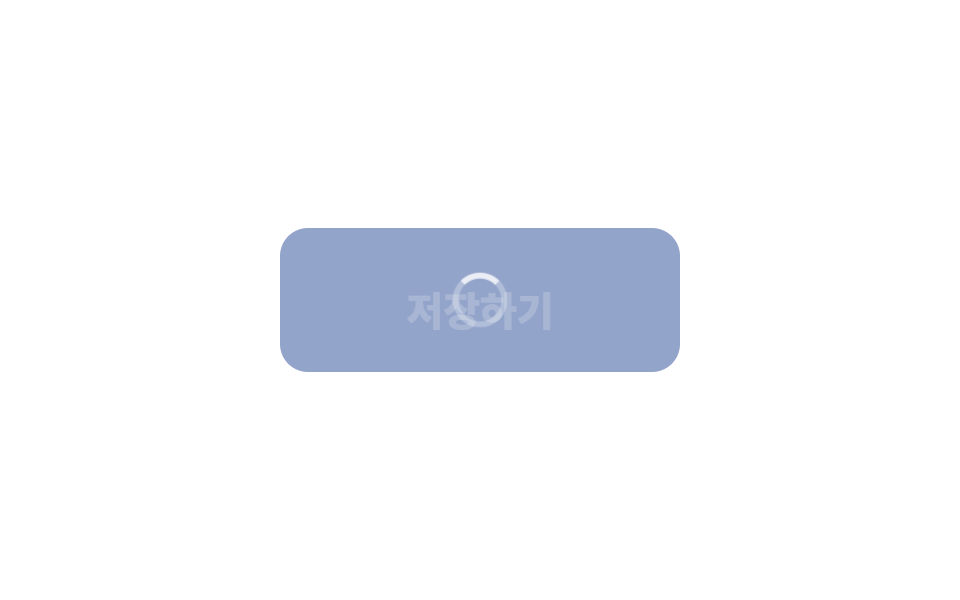 06 loading-state
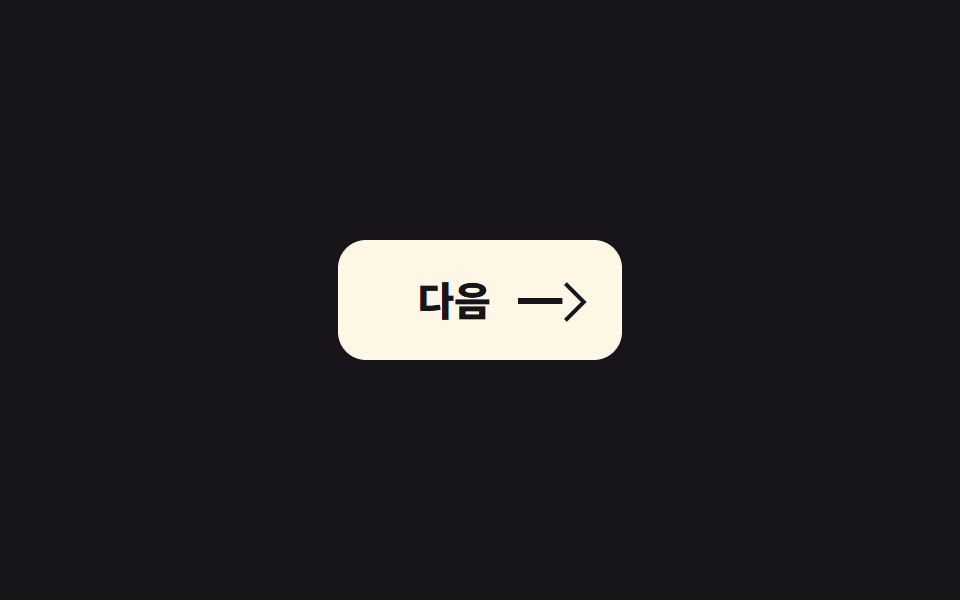 07 icon-morph
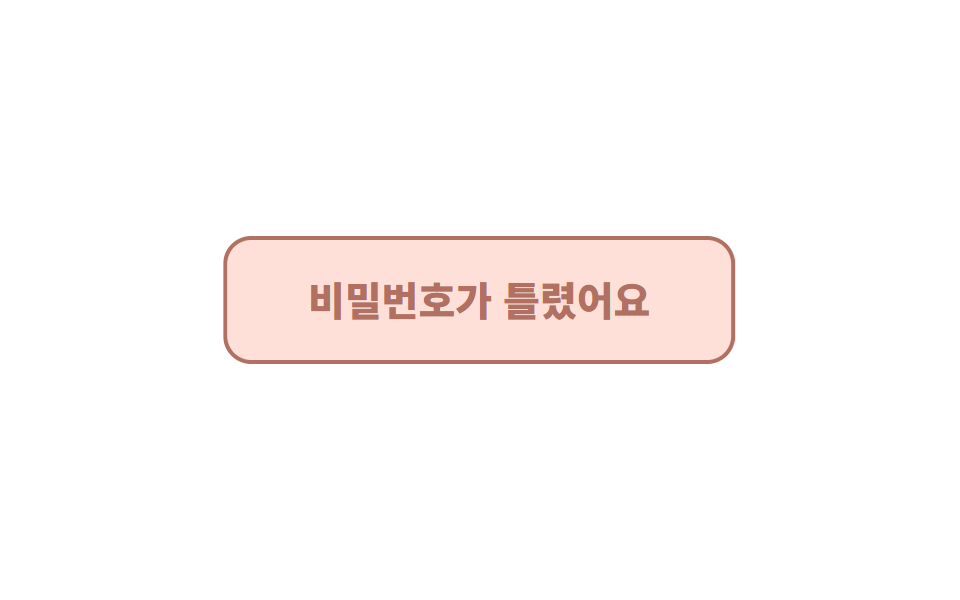 08 shake
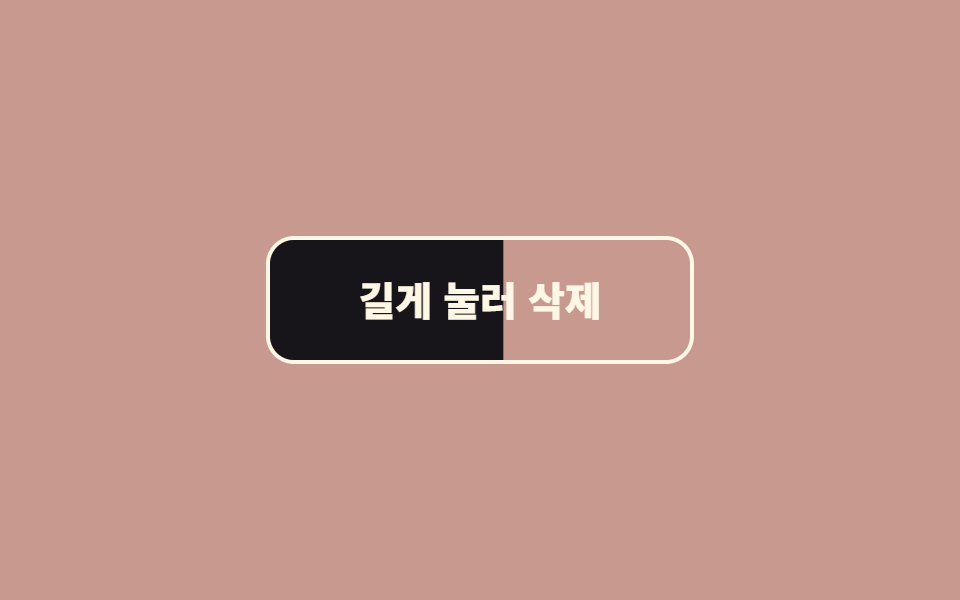 09 hold-to-confirm
자동 재생 · 눌러서 해당 항목으로 · 전부 한 zip
아홉 개는 흔히 보는 순서가 아니라 버튼이 겪는 순서로 놓았습니다. 눈에 띄어야 하고(01~05), 눌렀을 때 답해야 하고(06~07), 실패했을 때 말해야 하고(08), 위험한 동작은 한 번 더 물어야 합니다(09). 항목마다 코드는 핵심 부분만 실었고, 전체 파일은 zip에 있습니다. 움직임이 아니라 버튼의 생김새부터 정하고 싶다면 css 버튼 디자인 9종을 먼저 펼쳐 보시고, 06 로딩 전환처럼 기다림을 보여주는 화면 전체가 필요하면 스켈레톤 UI CSS 9종이 그 뒷장입니다.
01리플
무엇이 보이나
누른 자리에서 원형 물결이 퍼지며 사라집니다.
<main class="stage">
  <button class="btn is-demo" type="button">결제하기</button>
</main>
// ── 변수 3개. 변형은 이것만 바꾼다 ──────────────────────────
$duration: 600ms; // 물결이 다 퍼지는 시간
$easing: cubic-bezier(.2, .8, .2, 1); // 처음 빠르고 끝은 부드럽게
$color: #93a4ca; // 버튼 색
$ripple: rgba(255, 255, 255, .6); // 물결 색 (밝은 버튼이면 어둡게)
// ── 데모 무대 (zip 에서 지워도 된다) ──────────────────────────
html, body { margin: 0; overflow: hidden; } // iframe 안에서 스크롤바가 생기지 않게 (실측 2026-09-09: body 여백 8px 이 100vh 를 넘겼다)
.stage {
min-height: 100vh;
display: grid;
place-items: center;
margin: 0;
background: #17141a; // 무대 색. zip 에서 지워도 된다
font-family: -apple-system, "Segoe UI", "Noto Sans KR", sans-serif;
}
// ── 버튼 ──────────────────────────────────────────────
.btn {
position: relative; // 물결의 기준
overflow: hidden; // 물결이 버튼 밖으로 안 나가게
isolation: isolate; // 물결이 버튼 배경 위에서만 섞이게
border: 0;
border-radius: 14px;
padding: 24px 64px;
font-weight: 600;
font-size: 22px;
line-height: 1;
font-family: inherit;
color: #fff;
background: $color;
cursor: pointer;
-webkit-tap-highlight-color: transparent; // 모바일 회색 깜빡임 제거
transition: filter 150ms;
&:hover { filter: brightness(1.06); }
&:active { filter: brightness(.96); }
&::after {
content: "";
position: absolute;
left: var(--x, 50%);
top: var(--y, 50%);
width: var(--d, 0);
height: var(--d, 0);
border-radius: 50%;
background: $ripple;
transform: translate(-50%, -50%) scale(0); // 크기는 transform 으로만 바꾼다
opacity: 0;
pointer-events: none;
}
&.is-rippling::after {
animation: ripple $duration $easing forwards;
}
// 데모 · 문서용: 가운데서 2초마다 자동 반복. 실제 클릭보다 느리게 퍼져서 원이 보인다
// (실측 2026-09-09: 320px 원이 134px 버튼 위에선 두 프레임 만에 다 덮여 "밝아짐" 으로만 보였다)
&.is-demo::after {
--d: 520px;
animation: ripple-loop 2s ease-out infinite;
}
}
@keyframes ripple {
from { transform: translate(-50%, -50%) scale(0); opacity: 1; }
to { transform: translate(-50%, -50%) scale(1); opacity: 0; }
}
@keyframes ripple-loop {
0% { transform: translate(-50%, -50%) scale(0); opacity: 1; }
40% { transform: translate(-50%, -50%) scale(.7); opacity: .85; }
60% { transform: translate(-50%, -50%) scale(1); opacity: 0; }
100% { transform: translate(-50%, -50%) scale(1); opacity: 0; }
}
// ── 접근성: 움직임 줄이기 설정이면 물결 대신 밝기만 ────────────
@media (prefers-reduced-motion: reduce) {
.btn::after { animation: none !important; opacity: 0; }
.btn:active { filter: brightness(.88); }
}html, body {
margin: 0;
overflow: hidden;
}
.stage {
min-height: 100vh;
display: grid;
place-items: center;
margin: 0;
background: #17141a;
font-family: -apple-system, "Segoe UI", "Noto Sans KR", sans-serif;
}
.btn {
position: relative;
overflow: hidden;
isolation: isolate;
border: 0;
border-radius: 14px;
padding: 24px 64px;
font-weight: 600;
font-size: 22px;
line-height: 1;
font-family: inherit;
color: #fff;
background: #93a4ca;
cursor: pointer;
-webkit-tap-highlight-color: transparent;
transition: filter 150ms;
}
.btn:hover {
filter: brightness(1.06);
}
.btn:active {
filter: brightness(0.96);
}
.btn::after {
content: "";
position: absolute;
left: var(--x, 50%);
top: var(--y, 50%);
width: var(--d, 0);
height: var(--d, 0);
border-radius: 50%;
background: rgba(255, 255, 255, 0.6);
transform: translate(-50%, -50%) scale(0);
opacity: 0;
pointer-events: none;
}
.btn.is-rippling::after {
animation: ripple 600ms cubic-bezier(0.2, 0.8, 0.2, 1) forwards;
}
.btn.is-demo::after {
--d: 520px;
animation: ripple-loop 2s ease-out infinite;
}
@keyframes ripple {
from {
transform: translate(-50%, -50%) scale(0);
opacity: 1;
}
to {
transform: translate(-50%, -50%) scale(1);
opacity: 0;
}
}
@keyframes ripple-loop {
0% {
transform: translate(-50%, -50%) scale(0);
opacity: 1;
}
40% {
transform: translate(-50%, -50%) scale(0.7);
opacity: 0.85;
}
60% {
transform: translate(-50%, -50%) scale(1);
opacity: 0;
}
100% {
transform: translate(-50%, -50%) scale(1);
opacity: 0;
}
}
@media (prefers-reduced-motion: reduce) {
.btn::after {
animation: none !important;
opacity: 0;
}
.btn:active {
filter: brightness(0.88);
}
}// 클릭한 자리에서 물결이 시작되게 좌표를 CSS 변수로 넘긴다. 데모(.is-demo)는 가운데서 자동 반복.
document.querySelectorAll('.btn').forEach(function (b) {
b.addEventListener('pointerdown', function (e) {
var r = b.getBoundingClientRect();
var d = Math.max(r.width, r.height) * 2;
b.style.setProperty('--x', (e.clientX - r.left) + 'px');
b.style.setProperty('--y', (e.clientY - r.top) + 'px');
b.style.setProperty('--d', d + 'px');
b.classList.remove('is-demo');
b.classList.remove('is-rippling');
void b.offsetWidth; // 애니메이션 재시작
b.classList.add('is-rippling');
});
b.addEventListener('animationend', function () { b.classList.remove('is-rippling'); });
});import { useCallback, useState } from "react";
import type { CSSProperties, MouseEvent, ReactNode } from "react";
import styles from "./RippleButton.module.scss";
export type RippleButtonProps = {
children: ReactNode;
/** 물결이 다 퍼지는 시간 (기본 600ms) */
duration?: number;
/** CSS easing (기본 cubic-bezier(.2,.8,.2,1)) */
easing?: string;
/** 버튼 색 */
color?: string;
/** 물결 색. 밝은 버튼이면 rgba(0,0,0,.18) */
ripple?: string;
onClick?: (e: MouseEvent<HTMLButtonElement>) => void;
type?: "button" | "submit";
className?: string;
};
type Vars = CSSProperties & {
"--duration"?: string;
"--easing"?: string;
"--color"?: string;
"--ripple"?: string;
"--x"?: string;
"--y"?: string;
"--d"?: string;
};
export default function RippleButton({
children,
duration = 600,
easing = "cubic-bezier(.2,.8,.2,1)",
color = "#2f6df6",
ripple = "rgba(255,255,255,.6)",
onClick,
type = "button",
className = "",
}: RippleButtonProps) {
const [pos, setPos] = useState<{ x: number; y: number; d: number; key: number } | null>(null);
const handle = useCallback(
(e: MouseEvent<HTMLButtonElement>) => {
const r = e.currentTarget.getBoundingClientRect();
const d = Math.max(r.width, r.height) * 2;
setPos({ x: e.clientX - r.left, y: e.clientY - r.top, d, key: Date.now() });
onClick?.(e);
},
[onClick]
);
const vars: Vars = {
"--duration": `${duration}ms`,
"--easing": easing,
"--color": color,
"--ripple": ripple,
...(pos ? { "--x": `${pos.x}px`, "--y": `${pos.y}px`, "--d": `${pos.d}px` } : {}),
};
return (
<button type={type} className={`${styles.btn} ${className}`} style={vars} onClick={handle}>
{children}
{pos && <span key={pos.key} className={styles.ripple} aria-hidden="true" />}
</button>
);
}01 · 리플 — 측정 누적면적 9.62% · 움직인 프레임 6/23GODRICH 원작 · zip 에 SCSS·React 포함 · 비밀번호 보기
어디에 쓰나
결제·확인처럼 "눌렀다"가 확실해야 하는 버튼에 씁니다.
.btn {
  position: relative; overflow: hidden; isolation: isolate;
  &::after {
    content: ""; position: absolute;
    left: var(--x, 50%); top: var(--y, 50%);
    width: var(--d, 0); height: var(--d, 0);
    border-radius: 50%; background: $ripple;
    transform: translate(-50%, -50%) scale(0); opacity: 0;
  }
  &.is-rippling::after { animation: ripple $duration $easing forwards; }
}
@keyframes ripple { to { transform: translate(-50%, -50%) scale(1); opacity: 0; } }
02떠오름
화면에서 일어나는 일
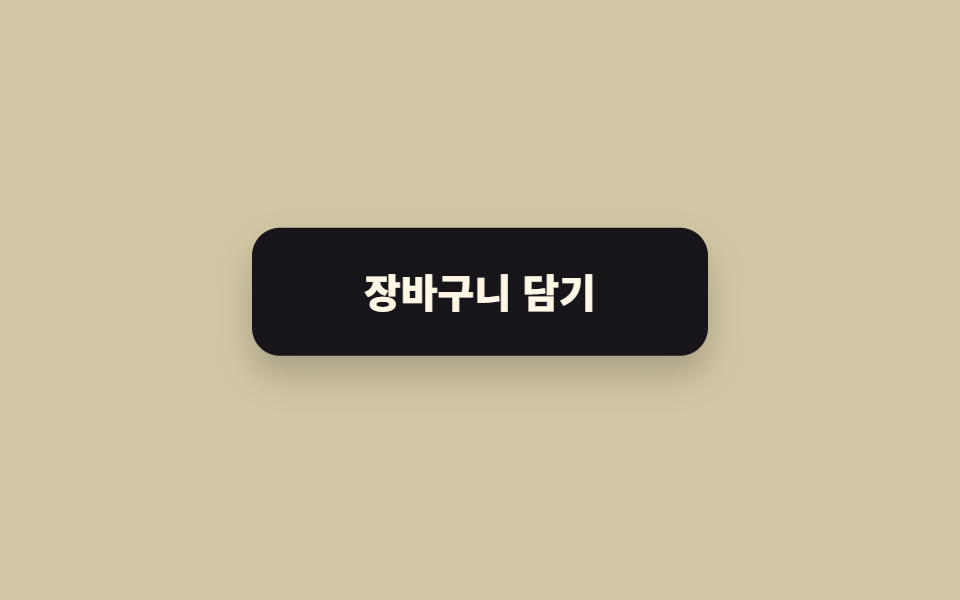
호버하면 6px 떠오르고 그림자가 커집니다.
<main class="stage"><button class="btn is-demo" type="button">장바구니 담기</button></main>// ── 변수 3개 ──────────────────────────────────────────
$lift: 6px; // 얼마나 뜨나
$duration: 220ms;
$shadow: rgba(23, 20, 26, .32); // 그림자 색. 없애려면 transparent
html, body { margin: 0; overflow: hidden; } // iframe 안에서 스크롤바가 생기지 않게 (실측 2026-09-09: body 여백 8px 이 100vh 를 넘겼다)
.stage { min-height: 100vh; display: grid; place-items: center; margin: 0; background: #d2c7a4; font-family: -apple-system, "Segoe UI", "Noto Sans KR", sans-serif; }
.btn {
border: 0;
border-radius: 14px;
padding: 22px 56px;
font-weight: 800;
font-size: 20px;
line-height: 1;
font-family: inherit;
color: #fff7e6;
background: #17141a;
cursor: pointer;
will-change: transform;
transition: transform $duration cubic-bezier(.2, .8, .2, 1), box-shadow $duration;
&:hover, &:focus-visible { transform: translateY(-$lift); box-shadow: 0 14px 24px $shadow; }
&:active { transform: translateY(-2px); box-shadow: 0 6px 12px $shadow; }
// 데모 · 문서용 자동 반복
&.is-demo { animation: lift-loop 2s ease-in-out infinite; }
}
@keyframes lift-loop {
0%, 15% { transform: translateY(0); box-shadow: 0 0 0 rgba(23, 20, 26, 0); }
45%, 70% { transform: translateY(-$lift); box-shadow: 0 14px 24px $shadow; }
100% { transform: translateY(0); box-shadow: 0 0 0 rgba(23, 20, 26, 0); }
}
@media (prefers-reduced-motion: reduce) {
.btn, .btn.is-demo { transition: none; animation: none; }
.btn:hover { box-shadow: 0 14px 24px $shadow; } // 뜨지 않고 그림자만
}html, body {
margin: 0;
overflow: hidden;
}
.stage {
min-height: 100vh;
display: grid;
place-items: center;
margin: 0;
background: #d2c7a4;
font-family: -apple-system, "Segoe UI", "Noto Sans KR", sans-serif;
}
.btn {
border: 0;
border-radius: 14px;
padding: 22px 56px;
font-weight: 800;
font-size: 20px;
line-height: 1;
font-family: inherit;
color: #fff7e6;
background: #17141a;
cursor: pointer;
will-change: transform;
transition: transform 220ms cubic-bezier(0.2, 0.8, 0.2, 1), box-shadow 220ms;
}
.btn:hover, .btn:focus-visible {
transform: translateY(-6px);
box-shadow: 0 14px 24px rgba(23, 20, 26, 0.32);
}
.btn:active {
transform: translateY(-2px);
box-shadow: 0 6px 12px rgba(23, 20, 26, 0.32);
}
.btn.is-demo {
animation: lift-loop 2s ease-in-out infinite;
}
@keyframes lift-loop {
0%, 15% {
transform: translateY(0);
box-shadow: 0 0 0 rgba(23, 20, 26, 0);
}
45%, 70% {
transform: translateY(-6px);
box-shadow: 0 14px 24px rgba(23, 20, 26, 0.32);
}
100% {
transform: translateY(0);
box-shadow: 0 0 0 rgba(23, 20, 26, 0);
}
}
@media (prefers-reduced-motion: reduce) {
.btn, .btn.is-demo {
transition: none;
animation: none;
}
.btn:hover {
box-shadow: 0 14px 24px rgba(23, 20, 26, 0.32);
}
}// 데모(.is-demo)는 자동 반복. 사람이 올리면 진짜 호버로 넘어간다.
document.querySelectorAll('.btn').forEach(function (b) {
b.addEventListener('pointerenter', function () { b.classList.remove('is-demo'); });
});import type { CSSProperties, ReactNode } from "react";
import styles from "./LiftButton.module.scss";
export type LiftButtonProps = { children: ReactNode; lift?: number; duration?: number; shadow?: string; onClick?: () => void };
export default function LiftButton({ children, lift = 6, duration = 220, shadow = "rgba(23,20,26,.32)", onClick }: LiftButtonProps) {
const vars = { "--lift": `${lift}px`, "--duration": `${duration}ms`, "--shadow": shadow } as CSSProperties;
return (
<button type="button" className={styles.btn} style={vars} onClick={onClick}>
{children}
</button>
);
}02 · 떠오름 — 측정 누적면적 6.583% · 움직인 프레임 13/23GODRICH 원작 · zip 에 SCSS·React 포함 · 비밀번호 보기
css 버튼 호버 애니메이션은 어디에 쓰나
카드형 버튼이나 상품 담기처럼 "잡을 수 있다"는 느낌이 필요한 곳에 씁니다.
$lift: 6px; $duration: 220ms; $shadow: rgba(23, 20, 26, .32);
.btn {
  will-change: transform;
  transition: transform $duration cubic-bezier(.2, .8, .2, 1), box-shadow $duration;
  &:hover, &:focus-visible { transform: translateY(-$lift); box-shadow: 0 14px 24px $shadow; }
  &:active { transform: translateY(-2px); box-shadow: 0 6px 12px $shadow; }
}
03밑줄 슬라이드
어떤 움직임인가
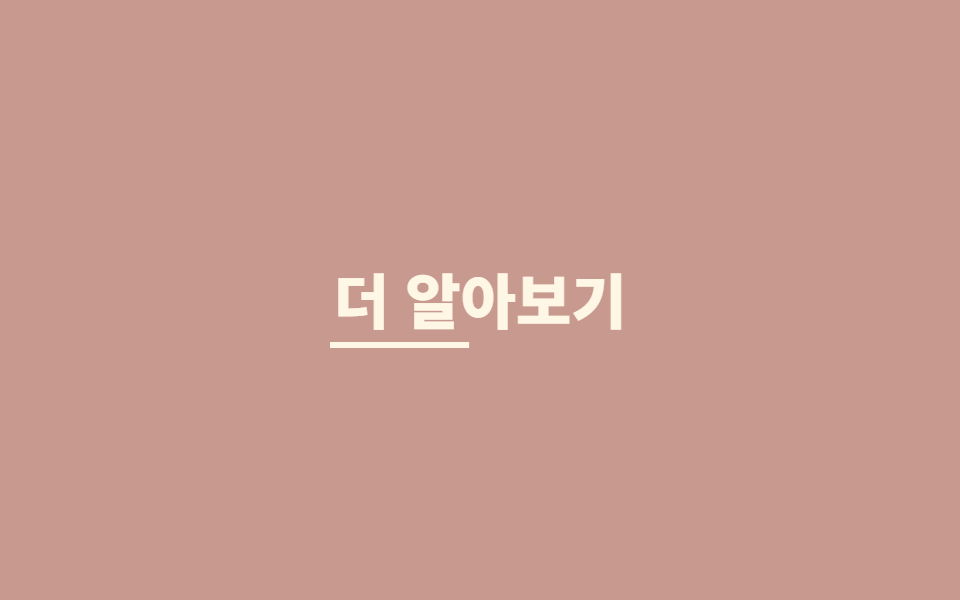
밑줄이 왼쪽부터 그어지고, 커서가 떠나면 오른쪽으로 빠집니다.
<main class="stage"><a class="link is-demo" href="#">더 알아보기</a></main>// ── 변수 3개 ──────────────────────────────────────────
$thickness: 3px;
$duration: 260ms;
$color: #fff7e6;
html, body { margin: 0; overflow: hidden; } // iframe 안에서 스크롤바가 생기지 않게 (실측 2026-09-09: body 여백 8px 이 100vh 를 넘겼다)
.stage { min-height: 100vh; display: grid; place-items: center; margin: 0; background: #c89a8f; font-family: -apple-system, "Segoe UI", "Noto Sans KR", sans-serif; }
.link {
position: relative;
display: inline-block;
padding: 6px 2px;
font-weight: 800;
font-size: 30px;
line-height: 1.2;
font-family: inherit;
color: $color;
text-decoration: none;
&::after {
content: "";
position: absolute;
left: 0; right: 0; bottom: 0;
height: $thickness;
background: currentColor;
transform: scaleX(0);
transform-origin: right; // 떠날 때는 오른쪽으로 빠진다
transition: transform $duration cubic-bezier(.2, .8, .2, 1);
}
&:hover::after, &:focus-visible::after {
transform: scaleX(1);
transform-origin: left; // 들어올 때는 왼쪽에서 그어진다
}
&.is-demo::after { animation: underline-loop 2s cubic-bezier(.2, .8, .2, 1) infinite; }
}
@keyframes underline-loop {
0% { transform: scaleX(0); transform-origin: left; } // 규칙8: 언더라인 왼쪽 진입
35%, 55% { transform: scaleX(1); transform-origin: left; } // 규칙8: 언더라인 유지 좌기준
56% { transform: scaleX(1); transform-origin: right; } // 규칙8: 기준 오른쪽으로 전환
90%, 100% { transform: scaleX(0); transform-origin: right; } // 규칙8: 언더라인 오른쪽 소멸
}
@media (prefers-reduced-motion: reduce) {
.link::after, .link.is-demo::after { transition: none; animation: none; }
.link:hover::after { transform: scaleX(1); }
}html, body {
margin: 0;
overflow: hidden;
}
.stage {
min-height: 100vh;
display: grid;
place-items: center;
margin: 0;
background: #c89a8f;
font-family: -apple-system, "Segoe UI", "Noto Sans KR", sans-serif;
}
.link {
position: relative;
display: inline-block;
padding: 6px 2px;
font-weight: 800;
font-size: 30px;
line-height: 1.2;
font-family: inherit;
color: #fff7e6;
text-decoration: none;
}
.link::after {
content: "";
position: absolute;
left: 0;
right: 0;
bottom: 0;
height: 3px;
background: currentColor;
transform: scaleX(0);
transform-origin: right;
transition: transform 260ms cubic-bezier(0.2, 0.8, 0.2, 1);
}
.link:hover::after, .link:focus-visible::after {
transform: scaleX(1);
transform-origin: left;
}
.link.is-demo::after {
animation: underline-loop 2s cubic-bezier(0.2, 0.8, 0.2, 1) infinite;
}
@keyframes underline-loop {
0% {
transform: scaleX(0);
transform-origin: left;
}
35%, 55% {
transform: scaleX(1);
transform-origin: left;
}
56% {
transform: scaleX(1);
transform-origin: right;
}
90%, 100% {
transform: scaleX(0);
transform-origin: right;
}
}
@media (prefers-reduced-motion: reduce) {
.link::after, .link.is-demo::after {
transition: none;
animation: none;
}
.link:hover::after {
transform: scaleX(1);
}
}document.querySelectorAll('.link').forEach(function (b) {
b.addEventListener('pointerenter', function () { b.classList.remove('is-demo'); });
b.addEventListener('click', function (e) { e.preventDefault(); });
});import type { CSSProperties, ReactNode } from "react";
import styles from "./UnderlineLink.module.scss";
export type UnderlineLinkProps = { children: ReactNode; href: string; thickness?: number; duration?: number; color?: string };
export default function UnderlineLink({ children, href, thickness = 3, duration = 260, color = "currentColor" }: UnderlineLinkProps) {
const vars = { "--thickness": `${thickness}px`, "--duration": `${duration}ms`, "--color": color } as CSSProperties;
return (
<a className={styles.link} href={href} style={vars}>
{children}
</a>
);
}03 · 밑줄 슬라이드 — 측정 누적면적 0.339% · 움직인 프레임 16/23GODRICH 원작 · zip 에 SCSS·React 포함 · 비밀번호 보기
언제 쓰나
텍스트형 링크 버튼과 내비게이션에 씁니다.
.link::after {
  content: ""; position: absolute; left: 0; right: 0; bottom: 0;
  height: $thickness; background: currentColor;
  transform: scaleX(0); transform-origin: right;
  transition: transform $duration cubic-bezier(.2, .8, .2, 1);
}
.link:hover::after { transform: scaleX(1); transform-origin: left; }
04자석
무엇이 보이나
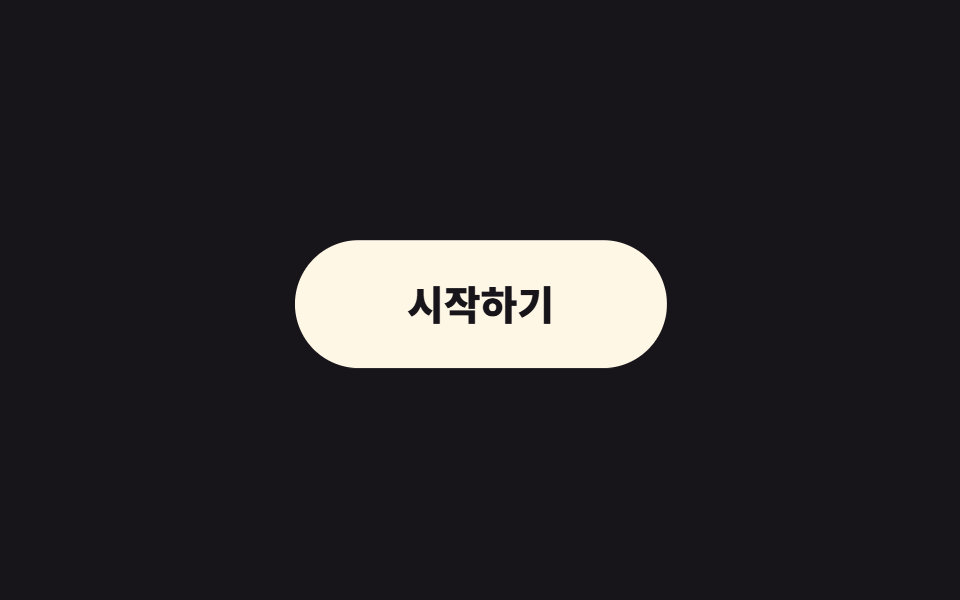
커서가 반경 안에 들어오면 버튼이 커서 쪽으로 살짝 끌려갑니다.
<main class="stage">
  <span class="cursor is-demo" aria-hidden="true"></span>
  <button class="btn is-demo" type="button">시작하기</button>
</main>
// ── 변수 3개 (JS 가 --radius --strength 를 읽는다) ─────────
$radius: 120px; // 이 안에 들어오면 끌린다
$strength: .35; // 1 이면 커서에 붙는다
$duration: 160ms;
html, body { margin: 0; overflow: hidden; } // iframe 안에서 스크롤바가 생기지 않게 (실측 2026-09-09: body 여백 8px 이 100vh 를 넘겼다)
.stage { min-height: 100vh; display: grid; place-items: center; margin: 0; background: #17141a; font-family: -apple-system, "Segoe UI", "Noto Sans KR", sans-serif; position: relative; }
.btn {
--radius: #{$radius};
--strength: #{$strength};
border: 0;
border-radius: 999px;
padding: 22px 56px;
font-weight: 800;
font-size: 20px;
line-height: 1;
font-family: inherit;
color: #17141a;
background: #fff7e6;
cursor: pointer;
will-change: transform;
transition: transform $duration ease-out; // 커서를 따라가는 부드러움
&.is-demo { animation: magnet-loop 2s ease-in-out infinite; }
}
// 데모용 가짜 커서. zip 에서는 지운다
.cursor {
position: absolute;
left: 50%; top: 50%;
width: 14px; height: 14px;
border-radius: 50%;
background: #d2c7a4;
pointer-events: none;
&.is-demo { animation: cursor-loop 2s ease-in-out infinite; }
}
@keyframes magnet-loop {
0% { transform: translate(0, 0); }
30% { transform: translate(18px, -10px); }
60% { transform: translate(-14px, 12px); }
100% { transform: translate(0, 0); }
}
@keyframes cursor-loop {
0% { transform: translate(-50%, -50%) translate(0, 0); }
30% { transform: translate(-50%, -50%) translate(52px, -28px); }
60% { transform: translate(-50%, -50%) translate(-40px, 34px); }
100% { transform: translate(-50%, -50%) translate(0, 0); }
}
@media (prefers-reduced-motion: reduce) {
.btn, .btn.is-demo, .cursor.is-demo { transition: none; animation: none; transform: none !important; }
}html, body {
margin: 0;
overflow: hidden;
}
.stage {
min-height: 100vh;
display: grid;
place-items: center;
margin: 0;
background: #17141a;
font-family: -apple-system, "Segoe UI", "Noto Sans KR", sans-serif;
position: relative;
}
.btn {
--radius: 120px;
--strength: 0.35;
border: 0;
border-radius: 999px;
padding: 22px 56px;
font-weight: 800;
font-size: 20px;
line-height: 1;
font-family: inherit;
color: #17141a;
background: #fff7e6;
cursor: pointer;
will-change: transform;
transition: transform 160ms ease-out;
}
.btn.is-demo {
animation: magnet-loop 2s ease-in-out infinite;
}
.cursor {
position: absolute;
left: 50%;
top: 50%;
width: 14px;
height: 14px;
border-radius: 50%;
background: #d2c7a4;
pointer-events: none;
}
.cursor.is-demo {
animation: cursor-loop 2s ease-in-out infinite;
}
@keyframes magnet-loop {
0% {
transform: translate(0, 0);
}
30% {
transform: translate(18px, -10px);
}
60% {
transform: translate(-14px, 12px);
}
100% {
transform: translate(0, 0);
}
}
@keyframes cursor-loop {
0% {
transform: translate(-50%, -50%) translate(0, 0);
}
30% {
transform: translate(-50%, -50%) translate(52px, -28px);
}
60% {
transform: translate(-50%, -50%) translate(-40px, 34px);
}
100% {
transform: translate(-50%, -50%) translate(0, 0);
}
}
@media (prefers-reduced-motion: reduce) {
.btn, .btn.is-demo, .cursor.is-demo {
transition: none;
animation: none;
transform: none !important;
}
}// 커서가 반경(radius) 안에 오면 버튼이 커서 쪽으로 strength 만큼 끌려온다. 값은 CSS 변수로 읽는다.
var btn = document.querySelector('.btn'), cur = document.querySelector('.cursor');
var cs = getComputedStyle(btn);
var radius = parseFloat(cs.getPropertyValue('--radius')) || 120;
var strength = parseFloat(cs.getPropertyValue('--strength')) || 0.35;
document.addEventListener('pointermove', function (e) {
btn.classList.remove('is-demo'); cur.classList.remove('is-demo'); cur.style.display = 'none';
var r = btn.getBoundingClientRect();
var dx = e.clientX - (r.left + r.width / 2), dy = e.clientY - (r.top + r.height / 2);
var d = Math.hypot(dx, dy);
if (d < radius) btn.style.transform = 'translate(' + dx * strength + 'px,' + dy * strength + 'px)';
else btn.style.transform = '';
});import { useEffect, useRef } from "react";
import type { CSSProperties, ReactNode } from "react";
import styles from "./MagneticButton.module.scss";
export type MagneticButtonProps = { children: ReactNode; radius?: number; strength?: number; duration?: number; onClick?: () => void };
export default function MagneticButton({ children, radius = 120, strength = 0.35, duration = 160, onClick }: MagneticButtonProps) {
const ref = useRef<HTMLButtonElement>(null);
useEffect(() => {
const el = ref.current;
if (!el) return;
const move = (e: PointerEvent) => {
const r = el.getBoundingClientRect();
const dx = e.clientX - (r.left + r.width / 2), dy = e.clientY - (r.top + r.height / 2);
el.style.transform = Math.hypot(dx, dy) < radius ? `translate(${dx * strength}px, ${dy * strength}px)` : "";
};
document.addEventListener("pointermove", move);
return () => document.removeEventListener("pointermove", move);
}, [radius, strength]);
const vars = { "--duration": `${duration}ms` } as CSSProperties;
return (
<button ref={ref} type="button" className={styles.btn} style={vars} onClick={onClick}>
{children}
</button>
);
}04 · 자석 — 측정 누적면적 9.387% · 움직인 프레임 23/23GODRICH 원작 · zip 에 SCSS·React 포함 · 비밀번호 보기
어디에 쓰나
랜딩 페이지에서 단 하나뿐인 CTA에만 씁니다. 두 개 이상이면 장난감이 됩니다.
document.addEventListener('pointermove', function (e) {
  var r = btn.getBoundingClientRect();
  var dx = e.clientX - (r.left + r.width / 2), dy = e.clientY - (r.top + r.height / 2);
  if (Math.hypot(dx, dy) < radius) btn.style.transform = 'translate(' + dx * strength + 'px,' + dy * strength + 'px)';
  else btn.style.transform = '';
});
05테두리 회전
화면에서 일어나는 일
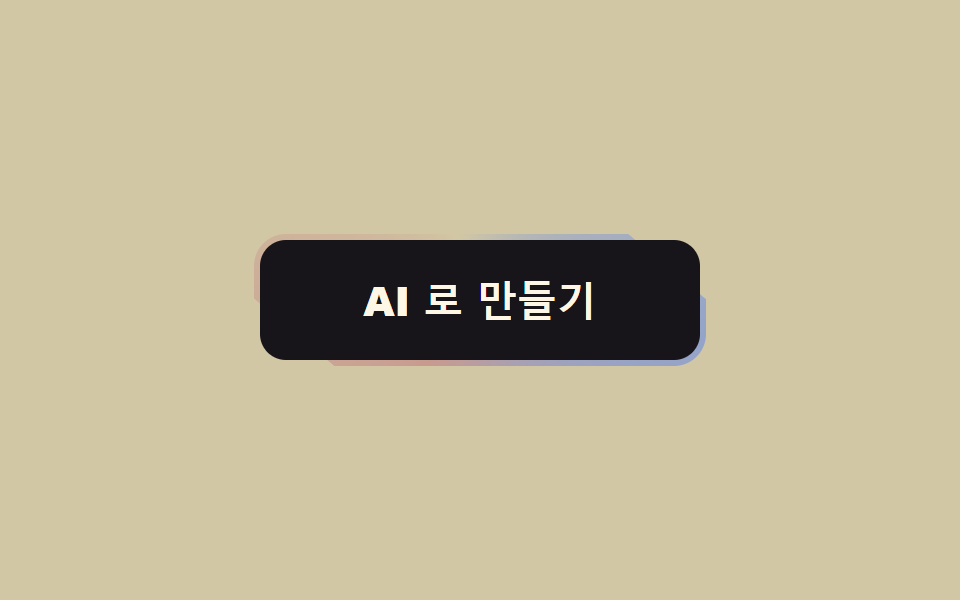
그라데이션 테두리가 버튼 둘레를 계속 돕니다.
<main class="stage"><button class="btn" type="button"><span class="btn__in">AI 로 만들기</span></button></main>// ── 변수 3개 ──────────────────────────────────────────
$duration: 3s; // 한 바퀴
$border: 3px;
$colors: #c89a8f, #d2c7a4, #93a4ca, #c89a8f; // 처음과 끝이 같아야 이음새가 없다
html, body { margin: 0; overflow: hidden; } // iframe 안에서 스크롤바가 생기지 않게 (실측 2026-09-09: body 여백 8px 이 100vh 를 넘겼다)
.stage { min-height: 100vh; display: grid; place-items: center; margin: 0; background: #d2c7a4; font-family: -apple-system, "Segoe UI", "Noto Sans KR", sans-serif; }
.btn {
position: relative;
overflow: hidden; // 도는 그라데이션을 버튼 모양으로 자른다
isolation: isolate;
border: 0;
border-radius: 16px;
padding: $border; // 이 두께가 테두리다
background: transparent;
cursor: pointer;
&::before {
content: "";
position: absolute;
inset: -60%; // 회전해도 모서리가 비지 않게 크게
background: conic-gradient(from 0deg, $colors);
animation: spin $duration linear infinite;
z-index: -1;
}
}
.btn__in {
display: block;
border-radius: 13px;
padding: 20px 52px;
font-weight: 800;
font-size: 20px;
line-height: 1;
font-family: inherit;
color: #fff7e6;
background: #17141a; // 안쪽을 덮어서 테두리만 보이게
}
@keyframes spin { to { transform: rotate(360deg); } }
@media (prefers-reduced-motion: reduce) {
.btn::before { animation: none; } // 정지된 그라데이션 테두리로 남는다
}html, body {
margin: 0;
overflow: hidden;
}
.stage {
min-height: 100vh;
display: grid;
place-items: center;
margin: 0;
background: #d2c7a4;
font-family: -apple-system, "Segoe UI", "Noto Sans KR", sans-serif;
}
.btn {
position: relative;
overflow: hidden;
isolation: isolate;
border: 0;
border-radius: 16px;
padding: 3px;
background: transparent;
cursor: pointer;
}
.btn::before {
content: "";
position: absolute;
inset: -60%;
background: conic-gradient(from 0deg, #c89a8f, #d2c7a4, #93a4ca, #c89a8f);
animation: spin 3s linear infinite;
z-index: -1;
}
.btn__in {
display: block;
border-radius: 13px;
padding: 20px 52px;
font-weight: 800;
font-size: 20px;
line-height: 1;
font-family: inherit;
color: #fff7e6;
background: #17141a;
}
@keyframes spin {
to {
transform: rotate(360deg);
}
}
@media (prefers-reduced-motion: reduce) {
.btn::before {
animation: none;
}
}import type { CSSProperties, ReactNode } from "react";
import styles from "./GradientBorderButton.module.scss";
export type GradientBorderButtonProps = { children: ReactNode; duration?: number; border?: number; colors?: string[]; onClick?: () => void };
export default function GradientBorderButton({ children, duration = 3000, border = 3, colors = ["#ff4d1f", "#ffd23f", "#2f6df6", "#ff4d1f"], onClick }: GradientBorderButtonProps) {
const vars = { "--duration": `${duration}ms`, "--border": `${border}px`, "--colors": colors.join(", ") } as CSSProperties;
return (
<button type="button" className={styles.btn} style={vars} onClick={onClick}>
<span className={styles.inner}>{children}</span>
</button>
);
}05 · 테두리 회전 — 측정 누적면적 1.17% · 움직인 프레임 17/23GODRICH 원작 · zip 에 SCSS·React 포함 · 비밀번호 보기
쓰는 자리
AI 기능이나 프리미엄처럼 "이건 특별하다"를 말해야 하는 버튼 하나에 씁니다.
.btn {
  position: relative; overflow: hidden; isolation: isolate;
  padding: $border; border-radius: 16px;
  &::before {
    content: ""; position: absolute; inset: -60%;
    background: conic-gradient(from 0deg, $colors);
    animation: spin $duration linear infinite; z-index: -1;
  }
}
.btn__in { display: block; border-radius: 13px; background: #17141a; }
@keyframes spin { to { transform: rotate(360deg); } }
06로딩 전환
어떤 움직임인가
누르면 글자가 사라지고 스피너가 나타납니다.
<main class="stage">
  <button class="btn is-demo" type="button"><span class="btn__label">저장하기</span><span class="btn__spin" aria-hidden="true"></span></button>
</main>
// ── 변수 3개 ──────────────────────────────────────────
$duration: 300ms; // 글자 ↔ 스피너 교체
$spin: 800ms; // 스피너 한 바퀴
$color: #93a4ca;
html, body { margin: 0; overflow: hidden; } // iframe 안에서 스크롤바가 생기지 않게 (실측 2026-09-09: body 여백 8px 이 100vh 를 넘겼다)
.stage { min-height: 100vh; display: grid; place-items: center; margin: 0; background: #ffffff; font-family: -apple-system, "Segoe UI", "Noto Sans KR", sans-serif; }
.btn {
position: relative;
display: grid;
place-items: center;
min-width: 200px; // 폭을 유지한다 — 줄어들면 옆 요소가 밀린다
border: 0;
border-radius: 14px;
padding: 22px 40px;
font-weight: 800;
font-size: 20px;
line-height: 1;
font-family: inherit;
color: #fff;
background: $color;
cursor: pointer;
&__label, &__spin { grid-area: 1 / 1; transition: opacity $duration, transform $duration; }
&__spin {
width: 22px; height: 22px;
border-radius: 50%;
border: 3px solid rgba(255, 255, 255, .35);
border-top-color: #fff;
opacity: 0;
transform: scale(.6);
animation: spin $spin linear infinite;
}
&.is-loading &__label { opacity: 0; transform: translateY(6px); }
&.is-loading &__spin { opacity: 1; transform: scale(1); }
&.is-demo &__label { animation: label-loop 2s ease infinite; }
&.is-demo &__spin { animation: spin $spin linear infinite, spin-loop 2s ease infinite; }
}
@keyframes spin { to { transform: rotate(360deg); } }
@keyframes label-loop { 0%, 30% { opacity: 1; transform: none; } 45%, 80% { opacity: 0; transform: translateY(6px); } 95%, 100% { opacity: 1; transform: none; } }
@keyframes spin-loop { 0%, 30% { opacity: 0; } 45%, 80% { opacity: 1; } 95%, 100% { opacity: 0; } }
@media (prefers-reduced-motion: reduce) {
.btn__label, .btn__spin { transition: none; animation: none !important; }
.btn.is-loading .btn__spin { opacity: 1; transform: none; border-top-color: rgba(255, 255, 255, .35); } // 돌지 않는 링
}html, body {
margin: 0;
overflow: hidden;
}
.stage {
min-height: 100vh;
display: grid;
place-items: center;
margin: 0;
background: #ffffff;
font-family: -apple-system, "Segoe UI", "Noto Sans KR", sans-serif;
}
.btn {
position: relative;
display: grid;
place-items: center;
min-width: 200px;
border: 0;
border-radius: 14px;
padding: 22px 40px;
font-weight: 800;
font-size: 20px;
line-height: 1;
font-family: inherit;
color: #fff;
background: #93a4ca;
cursor: pointer;
}
.btn__label, .btn__spin {
grid-area: 1/1;
transition: opacity 300ms, transform 300ms;
}
.btn__spin {
width: 22px;
height: 22px;
border-radius: 50%;
border: 3px solid rgba(255, 255, 255, 0.35);
border-top-color: #fff;
opacity: 0;
transform: scale(0.6);
animation: spin 800ms linear infinite;
}
.btn.is-loading .btn__label {
opacity: 0;
transform: translateY(6px);
}
.btn.is-loading .btn__spin {
opacity: 1;
transform: scale(1);
}
.btn.is-demo .btn__label {
animation: label-loop 2s ease infinite;
}
.btn.is-demo .btn__spin {
animation: spin 800ms linear infinite, spin-loop 2s ease infinite;
}
@keyframes spin {
to {
transform: rotate(360deg);
}
}
@keyframes label-loop {
0%, 30% {
opacity: 1;
transform: none;
}
45%, 80% {
opacity: 0;
transform: translateY(6px);
}
95%, 100% {
opacity: 1;
transform: none;
}
}
@keyframes spin-loop {
0%, 30% {
opacity: 0;
}
45%, 80% {
opacity: 1;
}
95%, 100% {
opacity: 0;
}
}
@media (prefers-reduced-motion: reduce) {
.btn__label, .btn__spin {
transition: none;
animation: none !important;
}
.btn.is-loading .btn__spin {
opacity: 1;
transform: none;
border-top-color: rgba(255, 255, 255, 0.35);
}
}// 누르면 로딩 → 1.5초 뒤 원래대로. 실제로는 fetch 가 끝났을 때 is-loading 을 뺀다.
var b = document.querySelector('.btn');
b.addEventListener('click', function () {
b.classList.remove('is-demo'); b.classList.add('is-loading'); b.disabled = true;
setTimeout(function () { b.classList.remove('is-loading'); b.disabled = false; }, 1500);
});import type { CSSProperties, ReactNode } from "react";
import styles from "./LoadingButton.module.scss";
export type LoadingButtonProps = { children: ReactNode; loading: boolean; duration?: number; spin?: number; color?: string; onClick?: () => void };
export default function LoadingButton({ children, loading, duration = 300, spin = 800, color = "#2f6df6", onClick }: LoadingButtonProps) {
const vars = { "--duration": `${duration}ms`, "--spin": `${spin}ms`, "--color": color } as CSSProperties;
return (
<button type="button" className={`${styles.btn} ${loading ? styles.loading : ""}`} style={vars} disabled={loading} aria-busy={loading} onClick={onClick}>
<span className={styles.label}>{children}</span>
<span className={styles.spinner} aria-hidden="true" />
</button>
);
}06 · 로딩 전환 — 측정 누적면적 1.013% · 움직인 프레임 15/23GODRICH 원작 · zip 에 SCSS·React 포함 · 비밀번호 보기
언제 쓰나
저장·전송처럼 기다려야 하는 동작에 씁니다. 폭은 그대로 두어야 옆 요소가 안 밀립니다.
.btn { display: grid; place-items: center; min-width: 200px; }
.btn__label, .btn__spin { grid-area: 1 / 1; transition: opacity $duration, transform $duration; }
.btn__spin {
  width: 22px; height: 22px; border-radius: 50%;
  border: 3px solid rgba(255, 255, 255, .35); border-top-color: #fff;
  opacity: 0; transform: scale(.6); animation: spin $spin linear infinite;
}
.btn.is-loading .btn__label { opacity: 0; transform: translateY(6px); }
.btn.is-loading .btn__spin  { opacity: 1; transform: scale(1); }
07화살표 밀기
무엇이 보이나
호버하면 화살표 선이 길어지며 화살촉이 오른쪽으로 밀립니다.
<main class="stage">
  <button class="btn is-demo" type="button">다음<span class="arrow" aria-hidden="true"><i class="arrow__line"></i><i class="arrow__head"></i></span></button>
</main>
// ── 변수 3개 ──────────────────────────────────────────
$push: 8px; // 화살표가 얼마나 밀리나
$duration: 240ms;
$color: #17141a;
html, body { margin: 0; overflow: hidden; } // iframe 안에서 스크롤바가 생기지 않게 (실측 2026-09-09: body 여백 8px 이 100vh 를 넘겼다)
.stage { min-height: 100vh; display: grid; place-items: center; margin: 0; background: #17141a; font-family: -apple-system, "Segoe UI", "Noto Sans KR", sans-serif; }
.btn {
display: inline-flex;
align-items: center;
gap: 14px;
border: 0;
border-radius: 14px;
padding: 20px 26px 20px 40px;
font-weight: 800;
font-size: 20px;
line-height: 1;
font-family: inherit;
color: $color;
background: #fff7e6;
cursor: pointer;
}
// 화살표 = 선 + 머리. 선은 늘어나고(scaleX) 머리는 밀린다(translateX)
.arrow { position: relative; width: 26px; height: 16px; display: block; }
.arrow__line, .arrow__head { position: absolute; display: block; background: currentColor; }
.arrow__line { left: 0; top: 7px; width: 100%; height: 2.5px; transform-origin: left; transform: scaleX(.55); transition: transform $duration cubic-bezier(.2, .8, .2, 1); } // 규칙8: 화살표 선 왼쪽으로 늘어남
.arrow__head { right: 0; top: 2px; width: 12px; height: 12px; background: transparent; border-top: 2.5px solid currentColor; border-right: 2.5px solid currentColor; transform: rotate(45deg); transition: transform $duration cubic-bezier(.2, .8, .2, 1); }
.btn:hover .arrow__line, .btn:focus-visible .arrow__line { transform: scaleX(1); }
.btn:hover .arrow__head, .btn:focus-visible .arrow__head { transform: rotate(45deg) translate($push * .7, -$push * .7); }
.btn.is-demo .arrow__line { animation: line-loop 2s cubic-bezier(.2, .8, .2, 1) infinite; }
.btn.is-demo .arrow__head { animation: head-loop 2s cubic-bezier(.2, .8, .2, 1) infinite; }
@keyframes line-loop { 0%, 20% { transform: scaleX(.55); } 45%, 70% { transform: scaleX(1); } 100% { transform: scaleX(.55); } }
@keyframes head-loop { 0%, 20% { transform: rotate(45deg); } 45%, 70% { transform: rotate(45deg) translate($push * .7, -$push * .7); } 100% { transform: rotate(45deg); } }
@media (prefers-reduced-motion: reduce) {
.arrow__line, .arrow__head { transition: none; animation: none !important; }
}html, body {
margin: 0;
overflow: hidden;
}
.stage {
min-height: 100vh;
display: grid;
place-items: center;
margin: 0;
background: #17141a;
font-family: -apple-system, "Segoe UI", "Noto Sans KR", sans-serif;
}
.btn {
display: inline-flex;
align-items: center;
gap: 14px;
border: 0;
border-radius: 14px;
padding: 20px 26px 20px 40px;
font-weight: 800;
font-size: 20px;
line-height: 1;
font-family: inherit;
color: #17141a;
background: #fff7e6;
cursor: pointer;
}
.arrow {
position: relative;
width: 26px;
height: 16px;
display: block;
}
.arrow__line, .arrow__head {
position: absolute;
display: block;
background: currentColor;
}
.arrow__line {
left: 0;
top: 7px;
width: 100%;
height: 2.5px;
transform-origin: left;
transform: scaleX(0.55);
transition: transform 240ms cubic-bezier(0.2, 0.8, 0.2, 1);
}
.arrow__head {
right: 0;
top: 2px;
width: 12px;
height: 12px;
background: transparent;
border-top: 2.5px solid currentColor;
border-right: 2.5px solid currentColor;
transform: rotate(45deg);
transition: transform 240ms cubic-bezier(0.2, 0.8, 0.2, 1);
}
.btn:hover .arrow__line, .btn:focus-visible .arrow__line {
transform: scaleX(1);
}
.btn:hover .arrow__head, .btn:focus-visible .arrow__head {
transform: rotate(45deg) translate(5.6px, -5.6px);
}
.btn.is-demo .arrow__line {
animation: line-loop 2s cubic-bezier(0.2, 0.8, 0.2, 1) infinite;
}
.btn.is-demo .arrow__head {
animation: head-loop 2s cubic-bezier(0.2, 0.8, 0.2, 1) infinite;
}
@keyframes line-loop {
0%, 20% {
transform: scaleX(0.55);
}
45%, 70% {
transform: scaleX(1);
}
100% {
transform: scaleX(0.55);
}
}
@keyframes head-loop {
0%, 20% {
transform: rotate(45deg);
}
45%, 70% {
transform: rotate(45deg) translate(5.6px, -5.6px);
}
100% {
transform: rotate(45deg);
}
}
@media (prefers-reduced-motion: reduce) {
.arrow__line, .arrow__head {
transition: none;
animation: none !important;
}
}document.querySelectorAll('.btn').forEach(function (b) { b.addEventListener('pointerenter', function () { b.classList.remove('is-demo'); }); });import type { CSSProperties, ReactNode } from "react";
import styles from "./ArrowButton.module.scss";
export type ArrowButtonProps = { children: ReactNode; push?: number; duration?: number; onClick?: () => void };
export default function ArrowButton({ children, push = 8, duration = 240, onClick }: ArrowButtonProps) {
const vars = { "--push": `${push}px`, "--duration": `${duration}ms` } as CSSProperties;
return (
<button type="button" className={styles.btn} style={vars} onClick={onClick}>
{children}
<span className={styles.arrow} aria-hidden="true"><i className={styles.line} /><i className={styles.head} /></span>
</button>
);
}07 · 화살표 밀기 — 측정 누적면적 0.186% · 움직인 프레임 14/23GODRICH 원작 · zip 에 SCSS·React 포함 · 비밀번호 보기
어디에 쓰나
다음·더 보기·계속 버튼에 씁니다. 아이콘 폰트 없이 선 하나와 꺾인 테두리 하나로 그립니다.
.arrow__line { transform-origin: left; transform: scaleX(.55); transition: transform $duration; }
.arrow__head {
  width: 12px; height: 12px;
  border-top: 2.5px solid currentColor; border-right: 2.5px solid currentColor;
  transform: rotate(45deg); transition: transform $duration;
}
.btn:hover .arrow__line { transform: scaleX(1); }
.btn:hover .arrow__head { transform: rotate(45deg) translate($push * .7, -$push * .7); }
08흔들림
화면에서 일어나는 일
틀렸을 때 좌우로 세 번 흔들리고 멈춥니다.
<main class="stage"><button class="btn is-demo" type="button">비밀번호가 틀렸어요</button></main>// ── 변수 3개 ──────────────────────────────────────────
$amount: 6px; // 흔들리는 폭
$duration: 420ms;
$color: #b27062;
html, body { margin: 0; overflow: hidden; } // iframe 안에서 스크롤바가 생기지 않게 (실측 2026-09-09: body 여백 8px 이 100vh 를 넘겼다)
.stage { min-height: 100vh; display: grid; place-items: center; margin: 0; background: #ffffff; font-family: -apple-system, "Segoe UI", "Noto Sans KR", sans-serif; }
.btn {
border: 2.5px solid $color;
border-radius: 14px;
padding: 20px 40px;
font-weight: 800;
font-size: 20px;
line-height: 1;
font-family: inherit;
color: $color;
background: #ffe0d8;
cursor: pointer;
&.is-shaking { animation: shake $duration cubic-bezier(.36, .07, .19, .97) both; }
&.is-demo { animation: shake-loop 2s cubic-bezier(.36, .07, .19, .97) infinite; }
}
// 세 번 흔들고 멈춘다. 다섯 번 넘으면 화난 것처럼 보인다
@keyframes shake {
10%, 90% { transform: translateX(-$amount * .5); }
20%, 80% { transform: translateX($amount); }
30%, 70% { transform: translateX(-$amount); }
40%, 60% { transform: translateX($amount * .7); }
50% { transform: translateX(-$amount * .7); }
}
@keyframes shake-loop {
0%, 60% { transform: translateX(0); }
62%, 78% { transform: translateX(-$amount * .5); }
64%, 76% { transform: translateX($amount); }
66%, 74% { transform: translateX(-$amount); }
68%, 72% { transform: translateX($amount * .7); }
70% { transform: translateX(-$amount * .7); }
80%, 100% { transform: translateX(0); }
}
@media (prefers-reduced-motion: reduce) {
.btn.is-shaking, .btn.is-demo { animation: none; }
.btn.is-shaking { background: $color; color: #fff; } // 흔들림 대신 색으로 알린다
}html, body {
margin: 0;
overflow: hidden;
}
.stage {
min-height: 100vh;
display: grid;
place-items: center;
margin: 0;
background: #ffffff;
font-family: -apple-system, "Segoe UI", "Noto Sans KR", sans-serif;
}
.btn {
border: 2.5px solid #b27062;
border-radius: 14px;
padding: 20px 40px;
font-weight: 800;
font-size: 20px;
line-height: 1;
font-family: inherit;
color: #b27062;
background: #ffe0d8;
cursor: pointer;
}
.btn.is-shaking {
animation: shake 420ms cubic-bezier(0.36, 0.07, 0.19, 0.97) both;
}
.btn.is-demo {
animation: shake-loop 2s cubic-bezier(0.36, 0.07, 0.19, 0.97) infinite;
}
@keyframes shake {
10%, 90% {
transform: translateX(-3px);
}
20%, 80% {
transform: translateX(6px);
}
30%, 70% {
transform: translateX(-6px);
}
40%, 60% {
transform: translateX(4.2px);
}
50% {
transform: translateX(-4.2px);
}
}
@keyframes shake-loop {
0%, 60% {
transform: translateX(0);
}
62%, 78% {
transform: translateX(-3px);
}
64%, 76% {
transform: translateX(6px);
}
66%, 74% {
transform: translateX(-6px);
}
68%, 72% {
transform: translateX(4.2px);
}
70% {
transform: translateX(-4.2px);
}
80%, 100% {
transform: translateX(0);
}
}
@media (prefers-reduced-motion: reduce) {
.btn.is-shaking, .btn.is-demo {
animation: none;
}
.btn.is-shaking {
background: #b27062;
color: #fff;
}
}// 누를 때마다 다시 흔든다. 실제로는 검증 실패 시 is-shaking 을 켠다.
var b = document.querySelector('.btn');
b.addEventListener('click', function () {
b.classList.remove('is-demo'); b.classList.remove('is-shaking'); void b.offsetWidth; b.classList.add('is-shaking');
});
b.addEventListener('animationend', function () { b.classList.remove('is-shaking'); });import { useState } from "react";
import type { CSSProperties, ReactNode } from "react";
import styles from "./ShakeButton.module.scss";
export type ShakeButtonProps = { children: ReactNode; shakeKey: number; amount?: number; duration?: number; color?: string; onClick?: () => void };
/** shakeKey 를 바꾸면(예: 실패 횟수) 다시 흔든다. */
export default function ShakeButton({ children, shakeKey, amount = 6, duration = 420, color = "#c2361a", onClick }: ShakeButtonProps) {
const [last, setLast] = useState<number>(0);
const vars = { "--amount": `${amount}px`, "--duration": `${duration}ms`, "--color": color } as CSSProperties;
const shaking = shakeKey > 0 && shakeKey !== last;
return (
<button key={shakeKey} type="button" className={`${styles.btn} ${shaking ? styles.shaking : ""}`} style={vars} onClick={onClick} onAnimationEnd={() => setLast(shakeKey)}>
{children}
</button>
);
}08 · 흔들림 — 측정 누적면적 2.381% · 움직인 프레임 6/23GODRICH 원작 · zip 에 SCSS·React 포함 · 비밀번호 보기
쓰는 자리
로그인 실패나 잘못된 입력에 씁니다. 다섯 번 넘게 흔들면 화난 것처럼 보입니다.
.btn.is-shaking { animation: shake $duration cubic-bezier(.36, .07, .19, .97) both; }
@keyframes shake {
  10%, 90% { transform: translateX(-$amount * .5); }
  20%, 80% { transform: translateX($amount); }
  30%, 70% { transform: translateX(-$amount); }
  40%, 60% { transform: translateX($amount * .7); }
  50%      { transform: translateX(-$amount * .7); }
}
09길게 눌러 확인
어떤 움직임인가
누르고 있는 동안 배경이 차오르고 다 차면 실행되며, 중간에 떼면 되돌아갑니다.
<main class="stage"><button class="btn is-demo" type="button"><span class="btn__fill" aria-hidden="true"></span><span class="btn__label">길게 눌러 삭제</span></button></main>// ── 변수 3개 ──────────────────────────────────────────
$hold: 1.2s; // 이만큼 누르고 있어야 실행된다
$color: #fff7e6;
$fill: #17141a;
html, body { margin: 0; overflow: hidden; } // iframe 안에서 스크롤바가 생기지 않게 (실측 2026-09-09: body 여백 8px 이 100vh 를 넘겼다)
.stage { min-height: 100vh; display: grid; place-items: center; margin: 0; background: #c89a8f; font-family: -apple-system, "Segoe UI", "Noto Sans KR", sans-serif; }
.btn {
position: relative;
overflow: hidden;
isolation: isolate;
border: 2.5px solid $color;
border-radius: 14px;
padding: 20px 44px;
font-weight: 800;
font-size: 20px;
line-height: 1;
font-family: inherit;
color: $color;
background: transparent;
cursor: pointer;
user-select: none;
-webkit-user-select: none;
touch-action: none; // 모바일에서 길게 누를 때 스크롤·메뉴가 안 뜨게
&__fill {
position: absolute; inset: 0;
background: $fill;
transform: scaleX(0);
transform-origin: left; // 왼쪽에서 차오른다. 세로면 bottom + scaleY
z-index: -1;
transition: transform 200ms ease-out; // 떼면 되돌아가는 속도
}
&.is-holding &__fill { animation: fill $hold linear forwards; }
&.is-done &__fill { transform: scaleX(1); }
&.is-done { color: $color; }
&__label { position: relative; }
&.is-demo &__fill { animation: fill-loop 2s linear infinite; }
}
@keyframes fill { from { transform: scaleX(0); } to { transform: scaleX(1); } }
@keyframes fill-loop { 0%, 10% { transform: scaleX(0); } 70%, 85% { transform: scaleX(1); } 100% { transform: scaleX(0); } }
@media (prefers-reduced-motion: reduce) {
.btn__fill { transition: none; }
.btn.is-demo .btn__fill { animation: none; }
.btn.is-holding .btn__fill { animation-duration: $hold; } // 길게 누르기 자체는 유지 — 안전장치라 뺄 수 없다
}html, body {
margin: 0;
overflow: hidden;
}
.stage {
min-height: 100vh;
display: grid;
place-items: center;
margin: 0;
background: #c89a8f;
font-family: -apple-system, "Segoe UI", "Noto Sans KR", sans-serif;
}
.btn {
position: relative;
overflow: hidden;
isolation: isolate;
border: 2.5px solid #fff7e6;
border-radius: 14px;
padding: 20px 44px;
font-weight: 800;
font-size: 20px;
line-height: 1;
font-family: inherit;
color: #fff7e6;
background: transparent;
cursor: pointer;
user-select: none;
-webkit-user-select: none;
touch-action: none;
}
.btn__fill {
position: absolute;
inset: 0;
background: #17141a;
transform: scaleX(0);
transform-origin: left;
z-index: -1;
transition: transform 200ms ease-out;
}
.btn.is-holding .btn__fill {
animation: fill 1.2s linear forwards;
}
.btn.is-done .btn__fill {
transform: scaleX(1);
}
.btn.is-done {
color: #fff7e6;
}
.btn__label {
position: relative;
}
.btn.is-demo .btn__fill {
animation: fill-loop 2s linear infinite;
}
@keyframes fill {
from {
transform: scaleX(0);
}
to {
transform: scaleX(1);
}
}
@keyframes fill-loop {
0%, 10% {
transform: scaleX(0);
}
70%, 85% {
transform: scaleX(1);
}
100% {
transform: scaleX(0);
}
}
@media (prefers-reduced-motion: reduce) {
.btn__fill {
transition: none;
}
.btn.is-demo .btn__fill {
animation: none;
}
.btn.is-holding .btn__fill {
animation-duration: 1.2s;
}
}// 누르고 있는 동안 채워진다. 끝까지 차면 실행. 중간에 떼면 되돌아간다.
var b = document.querySelector('.btn'), label = b.querySelector('.btn__label'), done = false;
function start(e) { if (done) return; b.classList.remove('is-demo'); b.classList.add('is-holding'); }
function stop() { if (!done) b.classList.remove('is-holding'); }
b.addEventListener('pointerdown', start);
b.addEventListener('pointerup', stop); b.addEventListener('pointerleave', stop); b.addEventListener('pointercancel', stop);
b.querySelector('.btn__fill').addEventListener('animationend', function (e) {
if (e.animationName !== 'fill') return;
done = true; label.textContent = '삭제됨'; b.classList.add('is-done');
setTimeout(function () { done = false; label.textContent = '길게 눌러 삭제'; b.classList.remove('is-done', 'is-holding'); }, 1400);
});import { useState } from "react";
import type { CSSProperties, ReactNode } from "react";
import styles from "./HoldButton.module.scss";
export type HoldButtonProps = { children: ReactNode; doneLabel?: ReactNode; hold?: number; color?: string; fill?: string; onConfirm: () => void };
/** 누르고 있는 동안 차오르고, 다 차면 onConfirm. 중간에 떼면 되돌아간다. */
export default function HoldButton({ children, doneLabel = "완료", hold = 1200, color = "#fff7e6", fill = "#17141a", onConfirm }: HoldButtonProps) {
const [holding, setHolding] = useState<boolean>(false);
const [done, setDone] = useState<boolean>(false);
const vars = { "--hold": `${hold}ms`, "--color": color, "--fill": fill } as CSSProperties;
const cls = `${styles.btn} ${holding ? styles.holding : ""} ${done ? styles.done : ""}`;
return (
<button type="button" className={cls} style={vars}
onPointerDown={() => !done && setHolding(true)} onPointerUp={() => setHolding(false)} onPointerLeave={() => setHolding(false)} onPointerCancel={() => setHolding(false)}>
<span className={styles.fill} aria-hidden="true" onAnimationEnd={() => { if (holding) { setDone(true); onConfirm(); } }} />
<span className={styles.label}>{done ? doneLabel : children}</span>
</button>
);
}09 · 길게 눌러 확인 — 측정 누적면적 8.162% · 움직인 프레임 18/23GODRICH 원작 · zip 에 SCSS·React 포함 · 비밀번호 보기
언제 쓰나
삭제·탈퇴처럼 실수하면 안 되는 동작에 확인 모달 대신 씁니다. JS는 pointerdown에 is-holding을 켜고 pointerup에 끄며, 채우기 애니메이션의 animationend가 실행 신호입니다.
.btn__fill {
  position: absolute; inset: 0; background: $fill;
  transform: scaleX(0); transform-origin: left; z-index: -1;
  transition: transform 200ms ease-out;
}
.btn.is-holding .btn__fill { animation: fill $hold linear forwards; }
@keyframes fill { from { transform: scaleX(0); } to { transform: scaleX(1); } }
어디서 깨지는가 — 함정 하나
레이아웃을 건드리지 않는 이유
css 버튼 클릭 애니메이션까지 아홉 개 전부 transform과 opacity만 움직이는 데는 이유가 있습니다. width나 top을 애니메이션하면 브라우저가 매 프레임 레이아웃을 다시 계산하지만, transform과 opacity는 합성 단계에서만 처리됩니다. MDN의 애니메이션 성능 문서가 이 둘을 권하는 이유입니다. 06 로딩 전환에서 버튼 폭을 줄이고 싶어지는데, 그 순간 이 규칙이 깨지고 옆 요소까지 흔들립니다. 폭은 유지하고 안쪽만 바꾸세요. 06 로딩 링처럼 "응답을 기다리는 중"을 버튼 안에서 말해야 하는 자리가 늘어나면, 답이 도착하기까지의 시간을 통째로 다루는 AI 채팅 로딩 애니메이션 쪽이 레이아웃을 건드리지 않고 더 길게 버팁니다.
물결의 크기
함정은 아니지만 덧붙일 것이 둘 있습니다. 하나는 크기입니다. 01 리플을 처음 만들 때 지름을 320px로 두고 작은 버튼에 얹었더니, 원이 두 프레임 만에 버튼을 다 덮어서 물결이 아니라 "잠깐 밝아짐"으로 보였습니다. 물결 지름은 버튼 긴 변의 두 배로 계산하고, 퍼지는 시간은 600ms 밑으로 줄이지 마세요. 이 값들이 이미 들어간 아홉 개 파일의 압축 비밀번호는 xu8ewsq8 이고, 아래 버튼으로 받을 수 있습니다.
모바일 호버
다른 하나는 모바일 호버입니다. 02·03·07은 호버가 없는 터치 화면에서는 아무 반응이 없습니다. 그래서 zip의 파일들은 :focus-visible에도 같은 동작을 걸어 두었고, 터치에서는 눌렀을 때 :active로 대신합니다.
접근성
동작 줄이기를 켰을 때
시스템에서 "동작 줄이기"를 켠 사용자를 위해 아홉 개 전부 prefers-reduced-motion: reduce를 처리합니다. 움직임은 끄되 피드백은 남기는 게 원칙입니다. 02는 뜨지 않고 그림자만 바뀌고, 06은 링이 돌지 않으며, 08은 흔들림 대신 색이 바뀝니다. 09는 예외입니다. 길게 누르기는 장식이 아니라 안전장치라서 채우기를 유지합니다. 이 미디어 쿼리의 지원 범위는 MDN prefers-reduced-motion에서 확인할 수 있습니다.
@media (prefers-reduced-motion: reduce) {
  .btn.is-demo, .btn.is-shaking { animation: none; }
  .btn:hover { transform: none; }
}
css 버튼 만들기에서 한 걸음 더 나가는 주제는 CSS 애니메이션 카테고리에 모여 있고, 이 사이트가 무엇을 다루는지는 소개에 있습니다.
FAQ
css 버튼 디자인 아홉 개를 한 프로젝트에 다 넣어도 되나요?
넣을 수는 있지만 한 화면에는 두 종류 이하가 좋습니다. 04 자석과 05 테두리 회전은 "특별한 버튼 하나"용이라 페이지에 하나씩만 두세요. 나머지는 상황별이라 겹칠 일이 적습니다. 한 화면에 두는 특별한 버튼을 하나 더 고른다면 다크모드 토글 애니메이션처럼 상태가 바뀌는 스위치가 04·05와 성격이 겹치지 않아 함께 두기 좋습니다.
React에서는 클래스 토글 대신 뭘 쓰나요?
zip의 react/ 폴더는 상태를 props로 받습니다. 06은 loading, 08은 실패 횟수 shakeKey, 09는 onConfirm 콜백입니다. SCSS 모듈은 var()만 읽으므로 변수 세 개를 props로 넘기면 됩니다.
애니메이션이 끊기는 것 같아요.
먼저 transform과 opacity 외의 속성을 애니메이션하고 있지 않은지 확인하세요. 그다음 will-change: transform을 움직이는 요소에만 붙이세요. 모든 요소에 붙이면 오히려 느려집니다.
이런 글이랑 어울려요
 버튼css 버튼 클릭 효과 9종 — 누른 다음이 진짜다
 버튼css 버튼 hover 효과 모음 9종 — 수상작에서 반복되는 기법
 버튼css 버튼 디자인 9종 — 캔디 그라데이션·눌림·로딩 버튼 코드
 버튼CTA 버튼 디자인 9종 — 그림자가 늘어나는 것부터 막대가 튀는 것까지
 버튼버튼 눌림 효과 UI 9종 — 눌림 값이 되돌아오는 아홉 가지 방식
 버튼펼쳐지는 버튼 UI 9종 — 모양이 달라지는 아홉 가지 방식
 버튼토글 버튼 그룹 9종 — 나란히 붙은 버튼이 하나처럼 움직이는 아홉 가지
 버튼css 버튼 입체감 9가지 — 클릭 효과까지 커스텀 코드
 버튼버튼 애니메이션 효과 9종 — 전송 버튼이 접혀 날아가는 계산
 전환CSS 모달 팝업 애니메이션 9종 — JS 최소, @starting-style로