버튼 눌림 효과 UI 9종 — 눌림 값이 되돌아오는 아홉 가지 방식
버튼 눌림 효과는 버튼을 누르거나 놓는 순간의 깊이·위치·각도 같은 값이 물리 계산을 거쳐 원래 상태로 돌아가는 것을 말하는데, 아홉 개 중 하나는 눌린 값이 목표 값을 넘었다가 되돌아오길 반복하며 잦아들고, 하나는 떨어진 위치 값이 바닥 값에서 튀어 오르길 반복하다 멈추며, 또
아홉 개 다 실제 포인터 입력(pointerdown·pointermove·pointerup·pointercancel·click)에 물려 있어, 자동 재생 중이라도 손으로 누르거나 드래그하는 순간 그 자리에서 자동 루프가 멎고 같은 계산 함수가 실사용자 입력 값으로 다시 돕니다. 자동 재생 값도 무작위가 아니라 결정론적인 requestAnimationFrame 적분이라, 같은 입력을 넣으면 매번 같은 궤적이 나옵니다.
아홉 개를 가르는 기준은 값을 되돌리는 계산이 어디서 오느냐입니다 — 같은 스프링 방정식 하나로 깊이나 위치 값을 목표로 되돌리는 것(01·06·09), 목표 값과의 차이나 놓는 순간의 속도 값을 매 프레임 흘려보내는 것(02·04·07), 중력 가속도나 진동 함수로 각도·위치 값을 직접 만들어내는 것(03·05·08)으로 나눴습니다.
 01 button-physics-spring-overshoot
 02 button-physics-inertia-lerp-drag
 03 button-physics-gravity-drop-settle
 04 button-physics-rubber-stretch-pull
 05 button-physics-pendulum-hang-swing
 06 button-physics-weight-mass-press-depth
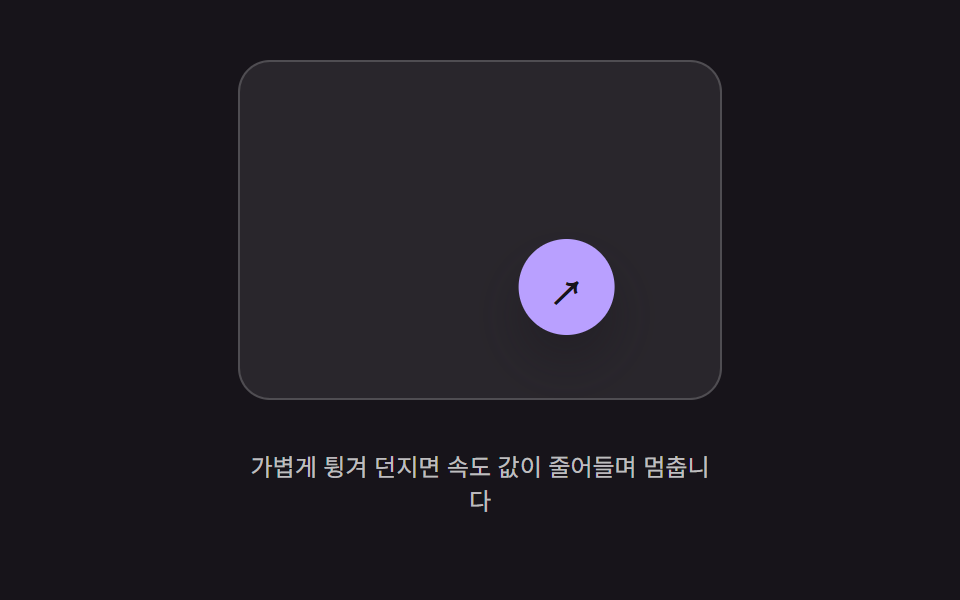 07 button-physics-flick-throw-decay
 08 button-physics-wobble-release-settle
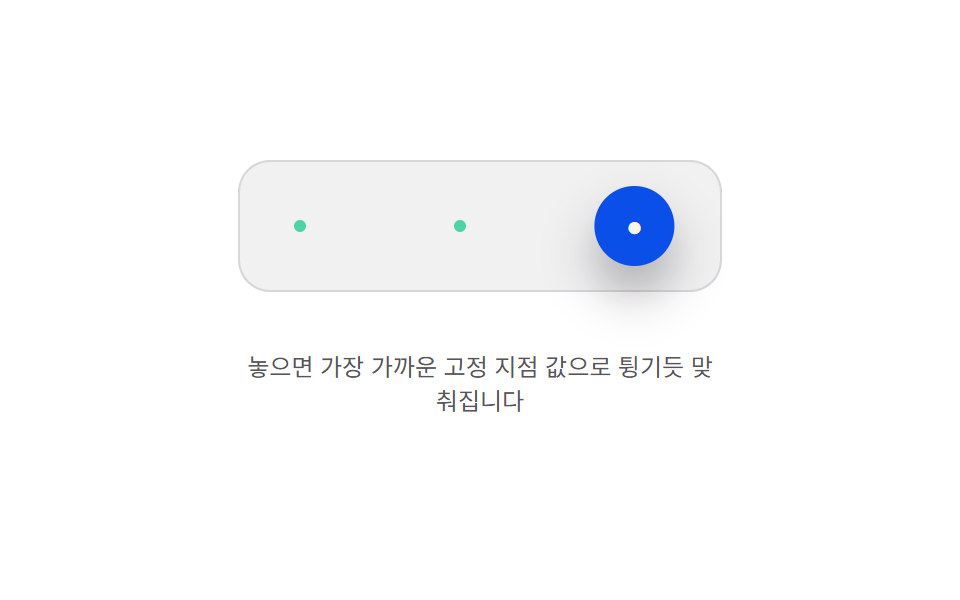 09 button-physics-magnet-anchor-snap
자동 재생 · 눌러서 해당 항목으로 · 전부 한 zip
- 01 눌림 값 오버슈트 — 눌린 값이 목표 값을 넘었다가 되돌아오길 반복하며 잦아드는 방식
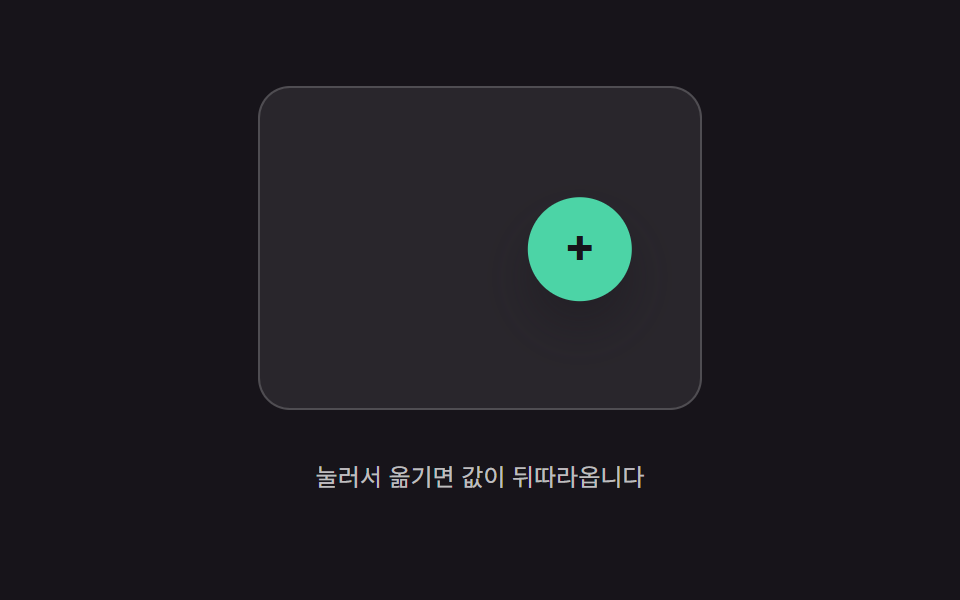
- 02 따라오는 값의 지연 보간 — 포인터 위치 값을 버튼 위치 값이 일정 비율만큼씩 뒤따라가며 좁히는 방식
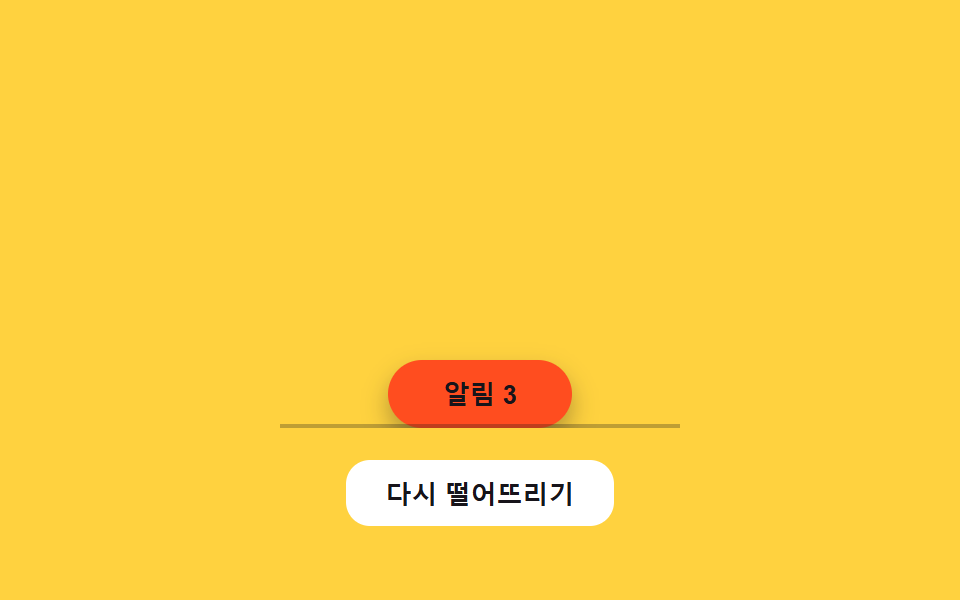
- 03 낙하 값 반동 정착 — 위치 값이 아래로 떨어지다 바닥 값에서 튀어 오르길 반복하며 멈추는 방식
- 04 당김 거리 값 늘어남 — 포인터가 멀어진 거리 값만큼 버튼의 모양 값이 늘어났다가 놓으면 되돌아오는 방식
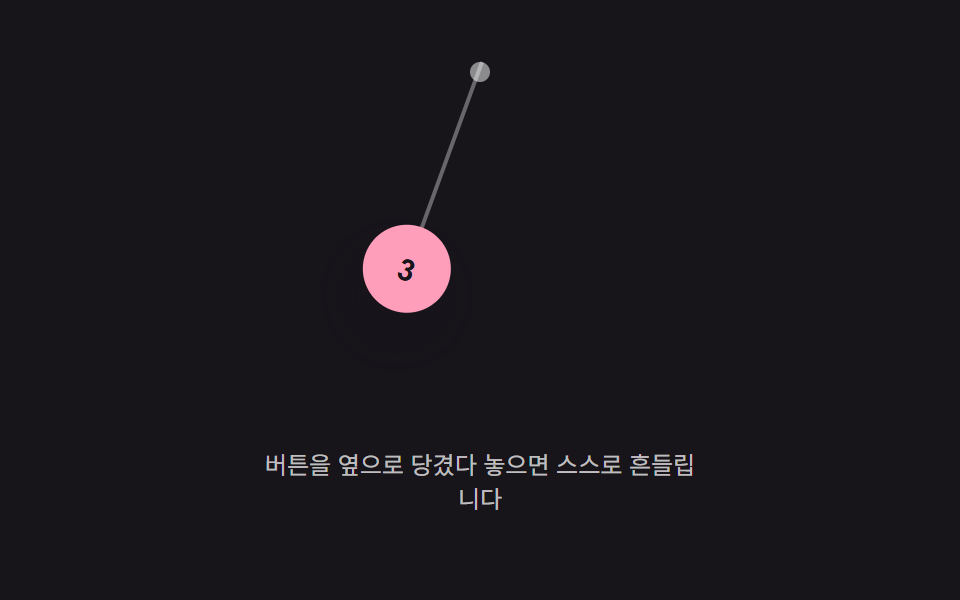
- 05 매달림 각도 값 진동 — 위쪽 한 점에 매달린 값이 좌우로 각도 값을 오가며 점점 줄어드는 방식
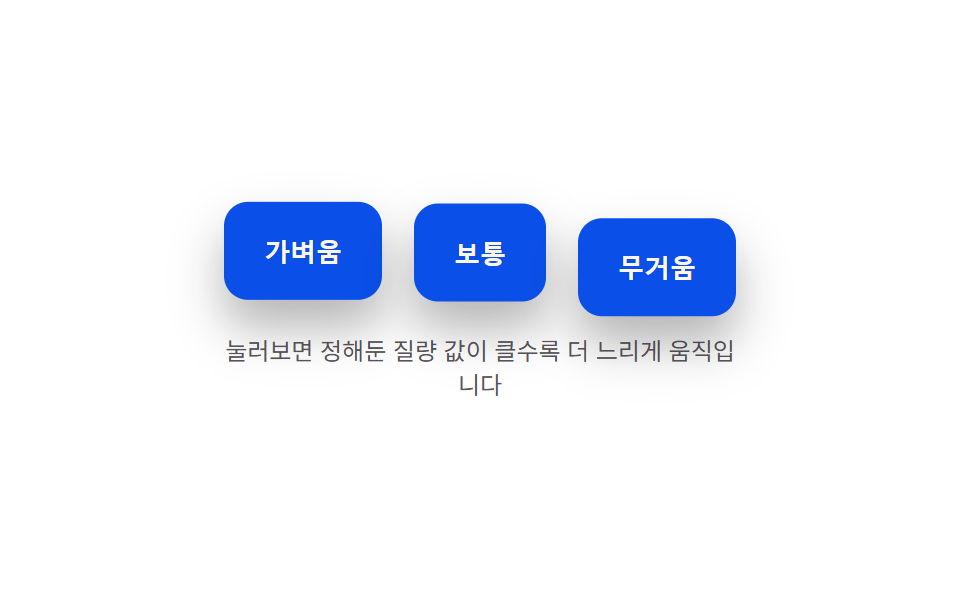
- 06 질량 값에 따른 눌림 속도 차이 — 정해둔 질량 값이 클수록 눌리고 돌아오는 속도 값이 느려지는 방식
- 07 던진 속도 값 감쇠 이동 — 놓는 순간의 속도 값만큼 계속 이동하다가 그 값이 점점 줄어들며 멈추는 방식
- 08 놓은 뒤 흔들림 값 감쇠 — 손을 뗀 시점의 모양 값이 좌우로 흔들리다가 그 폭 값이 줄어들며 멈추는 방식
- 09 고정 지점 값으로 튕겨 맞춰짐 — 놓인 위치 값이 가까운 고정 지점 값에 끌려가 튕기듯 맞춰지는 방식
아래 실측 표를 먼저 보면, 06(질량 값에 따른 눌림 속도 차이)처럼 버튼 세 개가 동시에 눌렸다 돌아오는 항목과 08(놓은 뒤 흔들림 값 감쇠)처럼 버튼 하나만 짧게 떨리는 항목이 격자 미리보기 단계에서부터 갈립니다.
아홉 개의 해부 — 어떤 값이 언제 바뀌는가
실측 한눈에
| 항목 | 초점 | 누적면적% | 강도 평균 | 움직인 프레임 |
|---|---|---|---|---|
| 01 눌림 값 오버슈트 | 눌림 깊이 값 → tick() 재계산 | 7.13 | 136.0 | 23/23 |
| 02 따라오는 값의 지연 보간 | 위치 값 → tick() 재계산 | 10.23 | 156.8 | 23/23 |
| 03 낙하 값 반동 정착 | 낙하 위치 값 → tick() 재계산 | 11.58 | 102.3 | 17/23 |
| 04 당김 거리 값 늘어남 | 늘어난 배율 값 → springTick() 재계산 | 3.30 | 208.5 | 19/23 |
| 05 매달림 각도 값 진동 | 매달림 각도 값 → tick() 재계산 | 6.13 | 168.3 | 23/23 |
| 06 질량 값에 따른 눌림 속도 차이 | 질량별 눌림 깊이 값 → tick() 재계산 | 14.09 | 136.1 | 23/23 |
| 07 던진 속도 값 감쇠 이동 | 던진 속도 값 → tick() 재계산 | 5.04 | 161.8 | 21/23 |
| 08 놓은 뒤 흔들림 값 감쇠 | 회전 각도 값 → tick() 재계산 | 1.78 | 115.0 | 9/23 |
| 09 고정 지점 값으로 튕겨 맞춰짐 | 위치 값 → tick() 재계산 | 6.55 | 111.8 | 18/23 |
06 이 14.09%로 아홉 중 누적면적이 가장 커 버튼 세 개의 눌림 깊이 값이 동시에 다시 그려진다는 뜻이고, 08 은 1.78%로 가장 작아 버튼 하나가 좁게 떨리는 값만 바뀝니다. 강도 평균은 04 가 208.5 로 가장 높아 늘어난 버튼 모양과 배경의 픽셀 값 차이가 크고, 03 은 102.3 으로 가장 낮아 떨어지는 칩과 바닥 색의 픽셀 값 차이가 완만합니다. 움직인 프레임은 01·02·05·06 이 23/23 으로 매 프레임 값을 다시 그려 조작하는 내내 살아 있고, 08 은 9/23 으로 가장 낮아 버튼이 눌리는 효과라기보다 놓는 순간 잠깐 떨리고 마는 성격입니다.
같은 스프링 방정식으로 값을 되돌리는 것 — 01·06·09
01 은 tick()이 accel = -(K/MASS)*(depth-target) - (C/MASS)*vel 스프링-감쇠 방정식으로 눌린 깊이 값을 매 프레임 적분해, 누르면 target 이 PRESS_DEPTH 로, 떼면 다시 0 으로 바뀌는 값을 따라가게 합니다. 06 은 같은 방정식을 세 버튼에 각각 적용하되 질량 값(MASS)만 0.5·1.4·3.6 으로 다르게 둬 값이 되돌아오는 속도를 갈랐고, 09 는 target 이 고정된 두 값(0·PRESS_DEPTH)이 아니라 nearestAnchor()가 골라주는 가장 가까운 고정 지점 값으로 바뀝니다.
값이 그대로 흘러가다 감쇠하는 것 — 02·04·07
02 는 tick()이 x += (targetX-x)*LERP_RATIO로 포인터 위치 값과 버튼 위치 값의 차이를 매 프레임 14%씩만 좁혀, dt(경과 시간)를 쓰지 않고 프레임 자체를 단위로 값을 흘려보냅니다. 04 는 당긴 거리 값을 stretchFromDist()가 1-exp(-n) 곡선으로 늘어난 배율 값으로 바꾸고, 놓으면 같은 스프링 방정식(K·C)이 그 값을 1 로 되돌립니다. 07 은 놓는 순간의 속도 값(vx·vy)을 물려받아 decay = Math.pow(FRICTION, dt)만큼 매 프레임 지수적으로 줄이며 위치 값을 이동시킵니다.
중력·진동 함수로 값을 직접 만드는 것 — 03·05·08
03 은 tick()이 vel += GRAVITY*dt로 낙하 위치 값을 떨어뜨리다 바닥 값(floorY())에 닿으면 vel = -vel*RESTITUTION으로 속도 값을 뒤집어 반동시킵니다. 05 는 진자처럼 avel += (-(GRAVITY/ARM_LEN)*sin(angle)-DAMPING*avel)*dt로 각가속도 값을 적분해 매달린 각도 값을 좌우로 오가게 하고, 08 은 적분 없이 angle = AMPLITUDE0*e^(-DECAY*t)*sin(FREQ*t) 지수 감쇠 사인파 함수 하나로 매 프레임 각도 값을 직접 대입합니다.
패턴별 코드
01눌림 값 오버슈트 — 눌린 값이 목표 값을 넘었다가 되돌아오길 반복하며 잦아드는 방식
눌린 깊이 값이 목표 값을 지나쳤다가 되돌아오길 몇 차례 반복하며 그 폭이 점점 줄어듭니다. 폼 제출 버튼이나 확인 다이얼로그의 주요 버튼에 맞는 형태입니다.
깊이 값을 스프링-감쇠 적분으로 되돌리는 tick() 과 paint()
  // 계산 겹: 스프링-감쇠 방정식 accel = -(K/MASS)*(depth-target) - (C/MASS)*vel.
  // 목표 값을 지나쳤다가 되돌아오는 오버슈트는 감쇠비(zeta = C/(2*sqrt(K*MASS)))가
  // 1보다 작은 저감쇠(underdamped) 상태라 생긴다 — zeta 를 낮출수록 반동 폭이 커진다.
  var K = 300, C = 7, MASS = 1, PRESS_DEPTH = 14;
  var depth = 0, vel = 0, target = 0, last = 0, raf = null;

  function paint() {
    var scale = 1 - depth / 340;
    btn.style.transform = 'translateY(' + depth.toFixed(2) + 'px) scale(' + scale.toFixed(4) + ')';
    val.textContent = depth.toFixed(1) + 'px';
  }
  function tick(now) {
    var dt = Math.min((now - last) / 1000, 0.032);
    last = now;
    var accel = (-K * (depth - target) - C * vel) / MASS;
    vel += accel * dt;
    depth += vel * dt;
    paint();
    raf = requestAnimationFrame(tick);
  }
<main class="stage">
<div class="bso is-demo" id="bso">
  <button class="bso__btn" id="bsoBtn" type="button">제출하기</button>
  <p class="bso__val"><span>깊이 값</span><b id="bsoVal">0.0px</b></p>
</div>
</main>
@use "../../../../site/static/demo-tokens" as *;
// 계산 겹(스프링-감쇠 적분)은 JS 에 있다 — 여기는 정적 배치만.
@include stage($stage-paper);
.stage { position: relative; }
.bso {
display: flex;
flex-direction: column;
align-items: center;
gap: $sp-4;
}
.bso__btn {
border: 0;
border-radius: $r-control;
padding: $sp-4 $sp-8;
background: $subject-blue-deep;
color: $subject-cream;
font-size: 16px;
font-weight: 700;
line-height: 1.2;
cursor: pointer;
transform-origin: 50% 0;
box-shadow: $shadow-raised;
}
.bso__val {
display: flex;
align-items: center;
gap: $sp-2;
color: $subject-ink;
font-size: 13px;
span { opacity: .64; }
b { font-weight: 700; min-width: 52px; }
}
@media (max-width: 340px) {
.bso__btn { padding: $sp-3 $sp-6; font-size: 15px; }
}
@media (prefers-reduced-motion: reduce) {
.bso__btn { transition: none !important; }
}html, body {
margin: 0;
overflow: hidden;
}
.stage {
box-sizing: border-box;
min-height: 100vh;
display: grid;
place-items: center;
margin: 0;
background: #ffffff;
font-family: -apple-system, "Segoe UI", "Noto Sans KR", sans-serif;
padding: clamp(8px, 4vw, 24px);
}
.stage {
position: relative;
}
.bso {
display: flex;
flex-direction: column;
align-items: center;
gap: 16px;
}
.bso__btn {
border: 0;
border-radius: 12px;
padding: 16px 32px;
background: #0a4fe8;
color: #fff7e6;
font-size: 16px;
font-weight: 700;
line-height: 1.2;
cursor: pointer;
transform-origin: 50% 0;
box-shadow: 0 14px 24px rgba(23, 20, 26, 0.32);
}
.bso__val {
display: flex;
align-items: center;
gap: 8px;
color: #17141a;
font-size: 13px;
}
.bso__val span {
opacity: 0.64;
}
.bso__val b {
font-weight: 700;
min-width: 52px;
}
@media (max-width: 340px) {
.bso__btn {
padding: 12px 24px;
font-size: 15px;
}
}
@media (prefers-reduced-motion: reduce) {
.bso__btn {
transition: none !important;
}
}(function () {
var root = document.getElementById('bso');
var btn = document.getElementById('bsoBtn');
var val = document.getElementById('bsoVal');
var reduce = window.matchMedia('(prefers-reduced-motion: reduce)').matches;
// 계산 겹: 스프링-감쇠 방정식 accel = -(K/MASS)*(depth-target) - (C/MASS)*vel.
// 목표 값을 지나쳤다가 되돌아오는 오버슈트는 감쇠비(zeta = C/(2*sqrt(K*MASS)))가
// 1보다 작은 저감쇠(underdamped) 상태라 생긴다 — zeta 를 낮출수록 반동 폭이 커진다.
var K = 300, C = 7, MASS = 1, PRESS_DEPTH = 14;
var depth = 0, vel = 0, target = 0, last = 0, raf = null;
function paint() {
var scale = 1 - depth / 340;
btn.style.transform = 'translateY(' + depth.toFixed(2) + 'px) scale(' + scale.toFixed(4) + ')';
val.textContent = depth.toFixed(1) + 'px';
}
function tick(now) {
var dt = Math.min((now - last) / 1000, 0.032);
last = now;
var accel = (-K * (depth - target) - C * vel) / MASS;
vel += accel * dt;
depth += vel * dt;
paint();
raf = requestAnimationFrame(tick);
}
function start() {
if (raf === null) { last = performance.now(); raf = requestAnimationFrame(tick); }
}
function press(p) {
if (reduce) { depth = p; vel = 0; target = p; paint(); return; }
target = p;
start();
}
function wireReal() {
btn.addEventListener('pointerdown', function () { root.classList.remove('is-demo'); stopAutoplay(); press(PRESS_DEPTH); });
window.addEventListener('pointerup', function () { press(0); });
btn.addEventListener('pointercancel', function () { press(0); });
}
wireReal();
paint();
// 자동 루프: 누름 350ms 뒤 뗌으로 같은 press() 스프링 경로를 반복 재현한다.
var autoTimer = null, autoDown = null;
function autoTick() { press(PRESS_DEPTH); autoDown = setTimeout(function () { press(0); }, 350); }
function stopAutoplay() {
if (autoTimer) { clearInterval(autoTimer); autoTimer = null; }
if (autoDown) { clearTimeout(autoDown); autoDown = null; }
}
if (!reduce) { autoTick(); autoTimer = setInterval(autoTick, 1500); }
})();import { useEffect, useRef } from "react";
import styles from "./ButtonPhysicsSpringOvershoot.module.scss";
export type ButtonPhysicsSpringOvershootProps = {
color?: string;
};
export default function ButtonPhysicsSpringOvershoot({
color = "#0a4fe8",
}: ButtonPhysicsSpringOvershootProps) {
const rootRef = useRef<HTMLDivElement | null>(null);
useEffect(() => {
const root = rootRef.current;
if (!root) return;
const btn = root.querySelector<HTMLButtonElement>(`.${styles.btn}`);
const val = root.querySelector<HTMLElement>(`.${styles.valNum}`);
if (!btn || !val) return;
const reduce = window.matchMedia("(prefers-reduced-motion: reduce)").matches;
// 계산 겹: 스프링-감쇠 방정식 accel = -(K/MASS)*(depth-target) - (C/MASS)*vel.
// 목표 값을 지나쳤다가 되돌아오는 오버슈트는 감쇠비(zeta = C/(2*sqrt(K*MASS)))가
// 1보다 작은 저감쇠(underdamped) 상태라 생긴다 — zeta 를 낮출수록 반동 폭이 커진다.
const K = 300, C = 7, MASS = 1, PRESS_DEPTH = 14;
let depth = 0, vel = 0, target = 0, last = 0, raf: number | null = null;
function paint() {
const scale = 1 - depth / 340;
btn!.style.transform = "translateY(" + depth.toFixed(2) + "px) scale(" + scale.toFixed(4) + ")";
val!.textContent = depth.toFixed(1) + "px";
}
function tick(now: number) {
const dt = Math.min((now - last) / 1000, 0.032);
last = now;
const accel = (-K * (depth - target) - C * vel) / MASS;
vel += accel * dt;
depth += vel * dt;
paint();
raf = requestAnimationFrame(tick);
}
function start() { if (raf === null) { last = performance.now(); raf = requestAnimationFrame(tick); } }
function press(p: number) {
if (reduce) { depth = p; vel = 0; target = p; paint(); return; }
target = p;
start();
}
function onPointerDown() { stopAutoplay(); press(PRESS_DEPTH); }
function onPointerUp() { press(0); }
btn.addEventListener("pointerdown", onPointerDown);
window.addEventListener("pointerup", onPointerUp);
btn.addEventListener("pointercancel", onPointerUp);
paint();
let autoTimer: number | null = null, autoDown: number | null = null;
function autoTick() { press(PRESS_DEPTH); autoDown = window.setTimeout(() => { press(0); }, 350); }
function stopAutoplay() {
if (autoTimer !== null) { window.clearInterval(autoTimer); autoTimer = null; }
if (autoDown !== null) { window.clearTimeout(autoDown); autoDown = null; }
}
if (!reduce) { autoTick(); autoTimer = window.setInterval(autoTick, 1500); }
return () => {
stopAutoplay();
if (raf !== null) cancelAnimationFrame(raf);
btn.removeEventListener("pointerdown", onPointerDown);
window.removeEventListener("pointerup", onPointerUp);
btn.removeEventListener("pointercancel", onPointerUp);
};
}, []);
return (
<div ref={rootRef} className={styles.stage}>
<div className={styles.bso}>
<button className={styles.btn} type="button" style={{ background: color }}>제출하기</button>
<p className={styles.val}><span className={styles.valLabel}>깊이 값</span><b className={styles.valNum}>0.0px</b></p>
</div>
</div>
);
}01 · 눌림 값 오버슈트 — 눌린 값이 목표 값을 넘었다가 되돌아오길 반복하며 잦아드는 방식 — 측정 누적면적 7.131% · 움직인 프레임 23/23GODRICH 원작 · zip 에 SCSS·React 포함 · 비밀번호 보기
02따라오는 값의 지연 보간 — 포인터 위치 값을 버튼 위치 값이 일정 비율만큼씩 뒤따라가며 좁히는 방식
포인터 위치 값과 버튼 위치 값의 차이가 매 순간 일정 비율만큼만 줄어들어, 버튼이 값을 뒤따라갑니다. 드래그로 옮기는 플로팅 액션 버튼이나 자유롭게 재배치하는 툴바 버튼에 어울립니다.
포인터 값과의 차이를 매 프레임 좁히는 tick() 과 clampPos()
  // 계산 겹: 포인터 위치 값(targetX/Y)과 버튼 위치 값(x/y)의 차이를 매 프레임 LERP_RATIO
  // 만큼만 좁힌다 — x += (targetX-x)*LERP_RATIO. 비율이 1에 가까울수록 즉시 따라붙고,
  // 낮을수록 지연(트레일)이 길어진다.
  var LERP_RATIO = 0.14;
  var FAB_R = 26;
  var x = 0, y = 0, targetX = 0, targetY = 0, raf = null;

  function bounds() { return { w: field.clientWidth, h: field.clientHeight }; }
  function clampPos(px, py) {
    var b = bounds();
    return [Math.max(FAB_R, Math.min(b.w - FAB_R, px)), Math.max(FAB_R, Math.min(b.h - FAB_R, py))];
  }
  function paint() { fab.style.transform = 'translate(' + (x - FAB_R).toFixed(1) + 'px,' + (y - FAB_R).toFixed(1) + 'px)'; }
  function tick() {
    x += (targetX - x) * LERP_RATIO;
    y += (targetY - y) * LERP_RATIO;
    paint();
    raf = requestAnimationFrame(tick);
  }
  function start() { if (raf === null) { raf = requestAnimationFrame(tick); } }
<main class="stage">
<div class="bil is-demo" id="bil">
  <div class="bil__field" id="bilField" role="application" aria-label="플로팅 버튼 드래그 실험판">
    <button class="bil__fab" id="bilFab" type="button" aria-label="플로팅 액션 버튼">+</button>
  </div>
  <p class="bil__hint">눌러서 옮기면 값이 뒤따라옵니다</p>
</div>
</main>
@use "../../../../site/static/demo-tokens" as *;
// 계산 겹(지연 보간 적분)은 JS 에 있다 — 여기는 정적 배치만.
@include stage($stage-ink);
.stage { position: relative; }
.bil {
display: flex;
flex-direction: column;
align-items: center;
gap: $sp-3;
}
.bil__field {
position: relative;
width: 220px;
height: 160px;
border-radius: $r-card;
background: rgba($stage-paper, .08);
border: 1px solid rgba($stage-paper, .18);
}
.bil__fab {
position: absolute;
left: 0;
top: 0;
width: 52px;
height: 52px;
border: 0;
border-radius: $r-pill;
background: $subject-mint;
color: $subject-ink;
font-size: 24px;
font-weight: 700;
line-height: 1;
cursor: grab;
touch-action: none;
box-shadow: $shadow-raised;
}
.bil__hint {
color: rgba($stage-paper, .72);
font-size: 12px;
text-align: center;
}
@media (max-width: 340px) {
.bil__field { width: 160px; height: 96px; }
.bil__fab { width: 40px; height: 40px; font-size: 18px; }
}
@media (prefers-reduced-motion: reduce) {
.bil__fab { transition: none !important; }
}html, body {
margin: 0;
overflow: hidden;
}
.stage {
box-sizing: border-box;
min-height: 100vh;
display: grid;
place-items: center;
margin: 0;
background: #17141a;
font-family: -apple-system, "Segoe UI", "Noto Sans KR", sans-serif;
padding: clamp(8px, 4vw, 24px);
}
.stage {
position: relative;
}
.bil {
display: flex;
flex-direction: column;
align-items: center;
gap: 12px;
}
.bil__field {
position: relative;
width: 220px;
height: 160px;
border-radius: 16px;
background: rgba(255, 255, 255, 0.08);
border: 1px solid rgba(255, 255, 255, 0.18);
}
.bil__fab {
position: absolute;
left: 0;
top: 0;
width: 52px;
height: 52px;
border: 0;
border-radius: 999px;
background: #4cd4a6;
color: #17141a;
font-size: 24px;
font-weight: 700;
line-height: 1;
cursor: grab;
touch-action: none;
box-shadow: 0 14px 24px rgba(23, 20, 26, 0.32);
}
.bil__hint {
color: rgba(255, 255, 255, 0.72);
font-size: 12px;
text-align: center;
}
@media (max-width: 340px) {
.bil__field {
width: 160px;
height: 96px;
}
.bil__fab {
width: 40px;
height: 40px;
font-size: 18px;
}
}
@media (prefers-reduced-motion: reduce) {
.bil__fab {
transition: none !important;
}
}(function () {
var root = document.getElementById('bil');
var field = document.getElementById('bilField');
var fab = document.getElementById('bilFab');
var reduce = window.matchMedia('(prefers-reduced-motion: reduce)').matches;
// 계산 겹: 포인터 위치 값(targetX/Y)과 버튼 위치 값(x/y)의 차이를 매 프레임 LERP_RATIO
// 만큼만 좁힌다 — x += (targetX-x)*LERP_RATIO. 비율이 1에 가까울수록 즉시 따라붙고,
// 낮을수록 지연(트레일)이 길어진다.
var LERP_RATIO = 0.14;
var FAB_R = 26;
var x = 0, y = 0, targetX = 0, targetY = 0, raf = null;
function bounds() { return { w: field.clientWidth, h: field.clientHeight }; }
function clampPos(px, py) {
var b = bounds();
return [Math.max(FAB_R, Math.min(b.w - FAB_R, px)), Math.max(FAB_R, Math.min(b.h - FAB_R, py))];
}
function paint() { fab.style.transform = 'translate(' + (x - FAB_R).toFixed(1) + 'px,' + (y - FAB_R).toFixed(1) + 'px)'; }
function tick() {
x += (targetX - x) * LERP_RATIO;
y += (targetY - y) * LERP_RATIO;
paint();
raf = requestAnimationFrame(tick);
}
function start() { if (raf === null) { raf = requestAnimationFrame(tick); } }
function setTarget(px, py) {
var c = clampPos(px, py);
targetX = c[0]; targetY = c[1];
if (reduce) { x = targetX; y = targetY; paint(); return; }
start();
}
function wireReal() {
var dragging = false;
fab.addEventListener('pointerdown', function (e) {
root.classList.remove('is-demo'); stopAutoplay(); dragging = true;
fab.setPointerCapture(e.pointerId);
});
fab.addEventListener('pointermove', function (e) {
if (!dragging) { return; }
var r = field.getBoundingClientRect();
setTarget(e.clientX - r.left, e.clientY - r.top);
});
fab.addEventListener('pointerup', function () { dragging = false; });
}
wireReal();
var b0 = bounds();
x = targetX = b0.w / 2; y = targetY = b0.h / 2;
paint();
// 자동 루프: 목표 값을 좌우로 오가게 옮겨 같은 lerp 경로를 반복 재현한다.
var autoTimer = null, phase = 0;
function autoTick() {
var b = bounds();
phase += 1;
var px = b.w / 2 + Math.sin(phase * 0.9) * (b.w / 2 - FAB_R - 6);
var py = b.h / 2 + Math.cos(phase * 0.6) * (b.h / 2 - FAB_R - 6) * 0.5;
setTarget(px, py);
}
function stopAutoplay() { if (autoTimer) { clearInterval(autoTimer); autoTimer = null; } }
if (!reduce) { autoTimer = setInterval(autoTick, 260); autoTick(); }
})();import { useEffect, useRef } from "react";
import styles from "./ButtonPhysicsInertiaLerpDrag.module.scss";
export type ButtonPhysicsInertiaLerpDragProps = {
color?: string;
};
export default function ButtonPhysicsInertiaLerpDrag({
color = "#4cd4a6",
}: ButtonPhysicsInertiaLerpDragProps) {
const rootRef = useRef<HTMLDivElement | null>(null);
useEffect(() => {
const root = rootRef.current;
if (!root) return;
const field = root.querySelector<HTMLDivElement>(`.${styles.field}`);
const fab = root.querySelector<HTMLButtonElement>(`.${styles.fab}`);
if (!field || !fab) return;
const reduce = window.matchMedia("(prefers-reduced-motion: reduce)").matches;
// 계산 겹: 포인터 위치 값(targetX/Y)과 버튼 위치 값(x/y)의 차이를 매 프레임 LERP_RATIO
// 만큼만 좁힌다 — x += (targetX-x)*LERP_RATIO. 비율이 1에 가까울수록 즉시 따라붙고,
// 낮을수록 지연(트레일)이 길어진다.
const LERP_RATIO = 0.14;
const FAB_R = 26;
let x = 0, y = 0, targetX = 0, targetY = 0, raf: number | null = null;
function bounds() { return { w: field!.clientWidth, h: field!.clientHeight }; }
function clampPos(px: number, py: number): [number, number] {
const b = bounds();
return [Math.max(FAB_R, Math.min(b.w - FAB_R, px)), Math.max(FAB_R, Math.min(b.h - FAB_R, py))];
}
function paint() { fab!.style.transform = "translate(" + (x - FAB_R).toFixed(1) + "px," + (y - FAB_R).toFixed(1) + "px)"; }
function tick() {
x += (targetX - x) * LERP_RATIO;
y += (targetY - y) * LERP_RATIO;
paint();
raf = requestAnimationFrame(tick);
}
function start() { if (raf === null) { raf = requestAnimationFrame(tick); } }
function setTarget(px: number, py: number) {
const c = clampPos(px, py);
targetX = c[0]; targetY = c[1];
if (reduce) { x = targetX; y = targetY; paint(); return; }
start();
}
let dragging = false;
function onPointerDown(e: PointerEvent) {
stopAutoplay(); dragging = true;
fab!.setPointerCapture(e.pointerId);
}
function onPointerMove(e: PointerEvent) {
if (!dragging) return;
const r = field!.getBoundingClientRect();
setTarget(e.clientX - r.left, e.clientY - r.top);
}
function onPointerUp() { dragging = false; }
fab.addEventListener("pointerdown", onPointerDown);
fab.addEventListener("pointermove", onPointerMove);
fab.addEventListener("pointerup", onPointerUp);
const b0 = bounds();
x = targetX = b0.w / 2; y = targetY = b0.h / 2;
paint();
let autoTimer: number | null = null, phase = 0;
function autoTick() {
const b = bounds();
phase += 1;
const px = b.w / 2 + Math.sin(phase * 0.9) * (b.w / 2 - FAB_R - 6);
const py = b.h / 2 + Math.cos(phase * 0.6) * (b.h / 2 - FAB_R - 6) * 0.5;
setTarget(px, py);
}
function stopAutoplay() { if (autoTimer !== null) { window.clearInterval(autoTimer); autoTimer = null; } }
if (!reduce) { autoTimer = window.setInterval(autoTick, 260); autoTick(); }
return () => {
stopAutoplay();
if (raf !== null) cancelAnimationFrame(raf);
fab.removeEventListener("pointerdown", onPointerDown);
fab.removeEventListener("pointermove", onPointerMove);
fab.removeEventListener("pointerup", onPointerUp);
};
}, []);
return (
<div ref={rootRef} className={styles.stage}>
<div className={styles.bil}>
<div className={styles.field} role="application" aria-label="플로팅 버튼 드래그 실험판">
<button className={styles.fab} type="button" aria-label="플로팅 액션 버튼" style={{ background: color }}>+</button>
</div>
<p className={styles.hint}>눌러서 옮기면 값이 뒤따라옵니다</p>
</div>
</div>
);
}02 · 따라오는 값의 지연 보간 — 포인터 위치 값을 버튼 위치 값이 일정 비율만큼씩 뒤따라가며 좁히는 방식 — 측정 누적면적 10.234% · 움직인 프레임 23/23GODRICH 원작 · zip 에 SCSS·React 포함 · 비밀번호 보기
03낙하 값 반동 정착 — 위치 값이 아래로 떨어지다 바닥 값에서 튀어 오르길 반복하며 멈추는 방식
위치 값이 아래로 떨어지다 바닥이 되는 값에서 튀어 오르는 동작을 반복하며 그 높이 값이 점점 줄어들다 멈춥니다. 화면 진입 시 나타나는 강조 버튼이나 알림 배지가 붙은 액션 버튼에 맞는 형태입니다.
중력 가속도로 떨어지다 반동하는 tick() 과 floorY()
  // 계산 겹: vel += GRAVITY*dt, y += vel*dt 로 낙하시키다 바닥 값(FLOOR)에 닿으면
  // vel 을 -RESTITUTION 배로 뒤집어 반동시킨다. |반동 속도| 가 STOP_VEL 아래로 줄면 정착.
  var GRAVITY = 2200, RESTITUTION = 0.52, STOP_VEL = 40, CHIP_H = 34;
  var y = 0, vel = 0, last = 0, raf = null, running = false;

  function floorY() { return field.clientHeight - CHIP_H; }
  function paint() { chip.style.transform = 'translateY(' + y.toFixed(1) + 'px)'; }
  function tick(now) {
    var dt = Math.min((now - last) / 1000, 0.032);
    last = now;
    vel += GRAVITY * dt;
    y += vel * dt;
    var floor = floorY();
    if (y >= floor) {
      y = floor;
      vel = -vel * RESTITUTION;
      if (Math.abs(vel) < STOP_VEL) { vel = 0; paint(); running = false; return; }
    }
    paint();
    raf = requestAnimationFrame(tick);
  }
<main class="stage">
<div class="bgd is-demo" id="bgd">
  <div class="bgd__field" id="bgdField">
    <button class="bgd__chip" id="bgdChip" type="button">알림 3</button>
    <span class="bgd__floor" aria-hidden="true"></span>
  </div>
  <button class="bgd__drop" id="bgdDrop" type="button">다시 떨어뜨리기</button>
</div>
</main>
@use "../../../../site/static/demo-tokens" as *;
// 계산 겹(중력 낙하·반동 적분)은 JS 에 있다 — 여기는 정적 배치만.
@include stage($stage-yellow);
.stage { position: relative; }
.bgd {
display: flex;
flex-direction: column;
align-items: center;
gap: $sp-4;
}
.bgd__field {
position: relative;
width: 200px;
height: 176px;
overflow: hidden;
}
.bgd__chip {
position: absolute;
left: 50%;
top: 0;
margin-left: -46px;
width: 92px;
height: 34px;
border: 0;
border-radius: $r-pill;
background: $stage-orange;
color: $subject-ink;
font-size: 13px;
font-weight: 700;
cursor: pointer;
box-shadow: $shadow-press;
}
.bgd__floor {
position: absolute;
left: 0;
right: 0;
bottom: 0;
height: 2px;
background: rgba($subject-ink, .28);
}
.bgd__drop {
border: 0;
border-radius: $r-control;
padding: $sp-2 $sp-5;
background: $stage-paper;
color: $subject-ink;
font-size: 13px;
font-weight: 600;
cursor: pointer;
}
@media (max-width: 340px) {
.bgd__field { width: 150px; height: 108px; }
}
@media (prefers-reduced-motion: reduce) {
.bgd__chip { transition: none !important; }
}html, body {
margin: 0;
overflow: hidden;
}
.stage {
box-sizing: border-box;
min-height: 100vh;
display: grid;
place-items: center;
margin: 0;
background: #ffd23f;
font-family: -apple-system, "Segoe UI", "Noto Sans KR", sans-serif;
padding: clamp(8px, 4vw, 24px);
}
.stage {
position: relative;
}
.bgd {
display: flex;
flex-direction: column;
align-items: center;
gap: 16px;
}
.bgd__field {
position: relative;
width: 200px;
height: 176px;
overflow: hidden;
}
.bgd__chip {
position: absolute;
left: 50%;
top: 0;
margin-left: -46px;
width: 92px;
height: 34px;
border: 0;
border-radius: 999px;
background: #ff4d1f;
color: #17141a;
font-size: 13px;
font-weight: 700;
cursor: pointer;
box-shadow: 0 6px 12px rgba(23, 20, 26, 0.32);
}
.bgd__floor {
position: absolute;
left: 0;
right: 0;
bottom: 0;
height: 2px;
background: rgba(23, 20, 26, 0.28);
}
.bgd__drop {
border: 0;
border-radius: 12px;
padding: 8px 20px;
background: #ffffff;
color: #17141a;
font-size: 13px;
font-weight: 600;
cursor: pointer;
}
@media (max-width: 340px) {
.bgd__field {
width: 150px;
height: 108px;
}
}
@media (prefers-reduced-motion: reduce) {
.bgd__chip {
transition: none !important;
}
}(function () {
var root = document.getElementById('bgd');
var field = document.getElementById('bgdField');
var chip = document.getElementById('bgdChip');
var dropBtn = document.getElementById('bgdDrop');
var reduce = window.matchMedia('(prefers-reduced-motion: reduce)').matches;
// 계산 겹: vel += GRAVITY*dt, y += vel*dt 로 낙하시키다 바닥 값(FLOOR)에 닿으면
// vel 을 -RESTITUTION 배로 뒤집어 반동시킨다. |반동 속도| 가 STOP_VEL 아래로 줄면 정착.
var GRAVITY = 2200, RESTITUTION = 0.52, STOP_VEL = 40, CHIP_H = 34;
var y = 0, vel = 0, last = 0, raf = null, running = false;
function floorY() { return field.clientHeight - CHIP_H; }
function paint() { chip.style.transform = 'translateY(' + y.toFixed(1) + 'px)'; }
function tick(now) {
var dt = Math.min((now - last) / 1000, 0.032);
last = now;
vel += GRAVITY * dt;
y += vel * dt;
var floor = floorY();
if (y >= floor) {
y = floor;
vel = -vel * RESTITUTION;
if (Math.abs(vel) < STOP_VEL) { vel = 0; paint(); running = false; return; }
}
paint();
raf = requestAnimationFrame(tick);
}
function drop() {
if (reduce) { y = floorY(); vel = 0; paint(); return; }
y = 0; vel = 0; last = performance.now();
if (!running) { running = true; raf = requestAnimationFrame(tick); }
}
function wireReal() {
dropBtn.addEventListener('click', function () { root.classList.remove('is-demo'); stopAutoplay(); drop(); });
chip.addEventListener('click', function () { root.classList.remove('is-demo'); stopAutoplay(); drop(); });
}
wireReal();
y = floorY(); paint();
// 자동 루프: 같은 drop() 을 주기적으로 다시 불러 낙하-반동 경로를 반복 재현한다.
var autoTimer = null;
function stopAutoplay() { if (autoTimer) { clearInterval(autoTimer); autoTimer = null; } }
if (!reduce) { drop(); autoTimer = setInterval(drop, 1600); }
})();import { useEffect, useRef } from "react";
import styles from "./ButtonPhysicsGravityDropSettle.module.scss";
export type ButtonPhysicsGravityDropSettleProps = {
color?: string;
};
export default function ButtonPhysicsGravityDropSettle({
color = "#ff4d1f",
}: ButtonPhysicsGravityDropSettleProps) {
const rootRef = useRef<HTMLDivElement | null>(null);
useEffect(() => {
const root = rootRef.current;
if (!root) return;
const field = root.querySelector<HTMLDivElement>(`.${styles.field}`);
const chip = root.querySelector<HTMLButtonElement>(`.${styles.chip}`);
const dropBtn = root.querySelector<HTMLButtonElement>(`.${styles.drop}`);
if (!field || !chip || !dropBtn) return;
const reduce = window.matchMedia("(prefers-reduced-motion: reduce)").matches;
// 계산 겹: vel += GRAVITY*dt, y += vel*dt 로 낙하시키다 바닥 값(FLOOR)에 닿으면
// vel 을 -RESTITUTION 배로 뒤집어 반동시킨다. |반동 속도| 가 STOP_VEL 아래로 줄면 정착.
const GRAVITY = 2200, RESTITUTION = 0.52, STOP_VEL = 40, CHIP_H = 34;
let y = 0, vel = 0, last = 0, raf: number | null = null, running = false;
function floorY() { return field!.clientHeight - CHIP_H; }
function paint() { chip!.style.transform = "translateY(" + y.toFixed(1) + "px)"; }
function tick(now: number) {
const dt = Math.min((now - last) / 1000, 0.032);
last = now;
vel += GRAVITY * dt;
y += vel * dt;
const floor = floorY();
if (y >= floor) {
y = floor;
vel = -vel * RESTITUTION;
if (Math.abs(vel) < STOP_VEL) { vel = 0; paint(); running = false; return; }
}
paint();
raf = requestAnimationFrame(tick);
}
function drop() {
if (reduce) { y = floorY(); vel = 0; paint(); return; }
y = 0; vel = 0; last = performance.now();
if (!running) { running = true; raf = requestAnimationFrame(tick); }
}
function onDropClick() { stopAutoplay(); drop(); }
function onChipClick() { stopAutoplay(); drop(); }
dropBtn.addEventListener("click", onDropClick);
chip.addEventListener("click", onChipClick);
y = floorY(); paint();
let autoTimer: number | null = null;
function stopAutoplay() { if (autoTimer !== null) { window.clearInterval(autoTimer); autoTimer = null; } }
if (!reduce) { drop(); autoTimer = window.setInterval(drop, 1600); }
return () => {
stopAutoplay();
if (raf !== null) cancelAnimationFrame(raf);
dropBtn.removeEventListener("click", onDropClick);
chip.removeEventListener("click", onChipClick);
};
}, []);
return (
<div ref={rootRef} className={styles.stage}>
<div className={styles.bgd}>
<div className={styles.field}>
<button className={styles.chip} type="button" style={{ background: color }}>알림 3</button>
<span className={styles.floor} aria-hidden="true" />
</div>
<button className={styles.drop} type="button">다시 떨어뜨리기</button>
</div>
</div>
);
}03 · 낙하 값 반동 정착 — 위치 값이 아래로 떨어지다 바닥 값에서 튀어 오르길 반복하며 멈추는 방식 — 측정 누적면적 11.576% · 움직인 프레임 17/23GODRICH 원작 · zip 에 SCSS·React 포함 · 비밀번호 보기
04당김 거리 값 늘어남 — 포인터가 멀어진 거리 값만큼 버튼의 모양 값이 늘어났다가 놓으면 되돌아오는 방식
포인터가 버튼에서 멀어진 거리 값이 커질수록 버튼의 늘어난 모양 값도 함께 커지고, 놓으면 원래 값으로 되돌아갑니다. 당겨서 새로고침하는 목록 상단 버튼이나 슬라이드로 확인하는 결제 버튼에 어울리는 형태입니다.
당긴 거리로 늘어난 배율을 계산하는 stretchFromDist() 와 springTick()
  // 계산 겹: 당긴 거리 값(dist)이 커질수록 늘어난 배율(stretch)도 커지되, 저항 상수
  // PULL_RESISTANCE 로 나눈 뒤 1-exp(-x) 를 씌워 거리가 커질수록 증가폭이 줄어드는
  // (당길수록 뻑뻑해지는) 고무줄 저항 곡선을 만든다. 놓으면 스프링(K·C)이 1로 되돌린다.
  var PULL_RESISTANCE = 130, MAX_STRETCH = 0.9, K = 260, C = 8;
  var dist = 0, stretch = 1, vel = 0, target = 1, dragging = false, startX = 0, raf = null, last = 0;

  function stretchFromDist(d) {
    var n = Math.max(0, d) / PULL_RESISTANCE;
    return 1 + MAX_STRETCH * (1 - Math.exp(-n));
  }
  function paint() { btn.style.transform = 'scaleX(' + stretch.toFixed(3) + ')'; }
  function springTick(now) {
    var dt = Math.min((now - last) / 1000, 0.032);
    last = now;
    var accel = -K * (stretch - target) - C * vel;
    vel += accel * dt;
    stretch += vel * dt;
    paint();
    if (Math.abs(stretch - target) < 0.002 && Math.abs(vel) < 0.01) { stretch = target; vel = 0; paint(); raf = null; return; }
    raf = requestAnimationFrame(springTick);
  }
<main class="stage">
<div class="brs is-demo" id="brs">
  <div class="brs__field" id="brsField">
    <span class="brs__anchor" aria-hidden="true"></span>
    <button class="brs__btn" id="brsBtn" type="button">당겨보기</button>
  </div>
  <p class="brs__hint">멀어진 거리 값만큼 늘어났다가 놓으면 되돌아갑니다</p>
</div>
</main>
@use "../../../../site/static/demo-tokens" as *;
// 계산 겹(저항 곡선·복귀 스프링 적분)은 JS 에 있다 — 여기는 정적 배치만.
@include stage($stage-paper);
.stage { position: relative; }
.brs {
display: flex;
flex-direction: column;
align-items: center;
gap: $sp-4;
}
.brs__field {
position: relative;
width: 220px;
height: 60px;
display: flex;
align-items: center;
}
.brs__anchor {
position: absolute;
left: 0;
top: 50%;
width: 10px;
height: 10px;
margin-top: -5px;
border-radius: $r-pill;
background: $subject-ink;
}
.brs__btn {
position: relative;
margin-left: $sp-5;
border: 0;
border-radius: $r-control;
padding: $sp-3 $sp-6;
background: $subject-blue-deep;
color: $subject-cream;
font-size: 14px;
font-weight: 700;
cursor: grab;
touch-action: none;
// 왼쪽 고정점(anchor)에 매인 요소라 중심이 아니라 왼쪽 변에서 늘어난다 (규칙 8 예외 — 채움 막대와 같은 계열)
transform-origin: 0% 50%;
}
.brs__hint {
color: rgba($subject-ink, .72);
font-size: 12px;
text-align: center;
max-width: 220px;
}
@media (max-width: 340px) {
.brs__field { width: 180px; }
.brs__btn { padding: $sp-2 $sp-5; font-size: 13px; }
}
@media (prefers-reduced-motion: reduce) {
.brs__btn { transition: none !important; }
}html, body {
margin: 0;
overflow: hidden;
}
.stage {
box-sizing: border-box;
min-height: 100vh;
display: grid;
place-items: center;
margin: 0;
background: #ffffff;
font-family: -apple-system, "Segoe UI", "Noto Sans KR", sans-serif;
padding: clamp(8px, 4vw, 24px);
}
.stage {
position: relative;
}
.brs {
display: flex;
flex-direction: column;
align-items: center;
gap: 16px;
}
.brs__field {
position: relative;
width: 220px;
height: 60px;
display: flex;
align-items: center;
}
.brs__anchor {
position: absolute;
left: 0;
top: 50%;
width: 10px;
height: 10px;
margin-top: -5px;
border-radius: 999px;
background: #17141a;
}
.brs__btn {
position: relative;
margin-left: 20px;
border: 0;
border-radius: 12px;
padding: 12px 24px;
background: #0a4fe8;
color: #fff7e6;
font-size: 14px;
font-weight: 700;
cursor: grab;
touch-action: none;
transform-origin: 0% 50%;
}
.brs__hint {
color: rgba(23, 20, 26, 0.72);
font-size: 12px;
text-align: center;
max-width: 220px;
}
@media (max-width: 340px) {
.brs__field {
width: 180px;
}
.brs__btn {
padding: 8px 20px;
font-size: 13px;
}
}
@media (prefers-reduced-motion: reduce) {
.brs__btn {
transition: none !important;
}
}(function () {
var root = document.getElementById('brs');
var field = document.getElementById('brsField');
var btn = document.getElementById('brsBtn');
var reduce = window.matchMedia('(prefers-reduced-motion: reduce)').matches;
// 계산 겹: 당긴 거리 값(dist)이 커질수록 늘어난 배율(stretch)도 커지되, 저항 상수
// PULL_RESISTANCE 로 나눈 뒤 1-exp(-x) 를 씌워 거리가 커질수록 증가폭이 줄어드는
// (당길수록 뻑뻑해지는) 고무줄 저항 곡선을 만든다. 놓으면 스프링(K·C)이 1로 되돌린다.
var PULL_RESISTANCE = 130, MAX_STRETCH = 0.9, K = 260, C = 8;
var dist = 0, stretch = 1, vel = 0, target = 1, dragging = false, startX = 0, raf = null, last = 0;
function stretchFromDist(d) {
var n = Math.max(0, d) / PULL_RESISTANCE;
return 1 + MAX_STRETCH * (1 - Math.exp(-n));
}
function paint() { btn.style.transform = 'scaleX(' + stretch.toFixed(3) + ')'; }
function springTick(now) {
var dt = Math.min((now - last) / 1000, 0.032);
last = now;
var accel = -K * (stretch - target) - C * vel;
vel += accel * dt;
stretch += vel * dt;
paint();
if (Math.abs(stretch - target) < 0.002 && Math.abs(vel) < 0.01) { stretch = target; vel = 0; paint(); raf = null; return; }
raf = requestAnimationFrame(springTick);
}
function startSpring() { if (raf === null) { last = performance.now(); raf = requestAnimationFrame(springTick); } }
function onDown(clientX) {
dragging = true; startX = clientX;
if (raf !== null) { cancelAnimationFrame(raf); raf = null; }
}
function onMove(clientX) {
if (!dragging) { return; }
dist = clientX - startX;
stretch = stretchFromDist(dist);
vel = 0;
paint();
}
function onUp() {
if (!dragging) { return; }
dragging = false;
target = 1;
if (reduce) { stretch = 1; paint(); return; }
startSpring();
}
function wireReal() {
btn.addEventListener('pointerdown', function (e) { root.classList.remove('is-demo'); stopAutoplay(); onDown(e.clientX); });
window.addEventListener('pointermove', function (e) { onMove(e.clientX); });
window.addEventListener('pointerup', onUp);
}
wireReal();
paint();
// 자동 루프: 실제 드래그 대신 dist 값을 단계적으로 키웠다 놓아 같은 저항·스프링 경로를 탄다.
var autoTimer = null, autoDist = 0, growing = true;
function autoTick() {
if (growing) {
autoDist += 26;
stretch = stretchFromDist(autoDist);
paint();
if (autoDist >= 170) { growing = false; target = 1; startSpring(); }
} else {
growing = true; autoDist = 0;
}
}
function stopAutoplay() { if (autoTimer) { clearInterval(autoTimer); autoTimer = null; } }
if (!reduce) { autoTimer = setInterval(autoTick, 200); }
})();import { useEffect, useRef } from "react";
import styles from "./ButtonPhysicsRubberStretchPull.module.scss";
export type ButtonPhysicsRubberStretchPullProps = {
color?: string;
};
export default function ButtonPhysicsRubberStretchPull({
color = "#0a4fe8",
}: ButtonPhysicsRubberStretchPullProps) {
const rootRef = useRef<HTMLDivElement | null>(null);
useEffect(() => {
const root = rootRef.current;
if (!root) return;
const btn = root.querySelector<HTMLButtonElement>(`.${styles.btn}`);
if (!btn) return;
const reduce = window.matchMedia("(prefers-reduced-motion: reduce)").matches;
// 계산 겹: 당긴 거리 값(dist)이 커질수록 늘어난 배율(stretch)도 커지되, 저항 상수
// PULL_RESISTANCE 로 나눈 뒤 1-exp(-x) 를 씌워 거리가 커질수록 증가폭이 줄어드는
// (당길수록 뻑뻑해지는) 고무줄 저항 곡선을 만든다. 놓으면 스프링(K·C)이 1로 되돌린다.
const PULL_RESISTANCE = 130, MAX_STRETCH = 0.9, K = 260, C = 8;
let dist = 0, stretch = 1, vel = 0, target = 1, dragging = false, startX = 0, raf: number | null = null, last = 0;
function stretchFromDist(d: number) {
const n = Math.max(0, d) / PULL_RESISTANCE;
return 1 + MAX_STRETCH * (1 - Math.exp(-n));
}
function paint() { btn!.style.transform = "scaleX(" + stretch.toFixed(3) + ")"; }
function springTick(now: number) {
const dt = Math.min((now - last) / 1000, 0.032);
last = now;
const accel = -K * (stretch - target) - C * vel;
vel += accel * dt;
stretch += vel * dt;
paint();
if (Math.abs(stretch - target) < 0.002 && Math.abs(vel) < 0.01) { stretch = target; vel = 0; paint(); raf = null; return; }
raf = requestAnimationFrame(springTick);
}
function startSpring() { if (raf === null) { last = performance.now(); raf = requestAnimationFrame(springTick); } }
function onPointerDown(e: PointerEvent) {
stopAutoplay();
dragging = true; startX = e.clientX;
if (raf !== null) { cancelAnimationFrame(raf); raf = null; }
}
function onPointerMove(e: PointerEvent) {
if (!dragging) return;
dist = e.clientX - startX;
stretch = stretchFromDist(dist);
vel = 0;
paint();
}
function onPointerUp() {
if (!dragging) return;
dragging = false;
target = 1;
if (reduce) { stretch = 1; paint(); return; }
startSpring();
}
btn.addEventListener("pointerdown", onPointerDown);
window.addEventListener("pointermove", onPointerMove);
window.addEventListener("pointerup", onPointerUp);
paint();
let autoTimer: number | null = null, autoDist = 0, growing = true;
function autoTick() {
if (growing) {
autoDist += 26;
stretch = stretchFromDist(autoDist);
paint();
if (autoDist >= 170) { growing = false; target = 1; startSpring(); }
} else {
growing = true; autoDist = 0;
}
}
function stopAutoplay() { if (autoTimer !== null) { window.clearInterval(autoTimer); autoTimer = null; } }
if (!reduce) { autoTimer = window.setInterval(autoTick, 200); }
return () => {
stopAutoplay();
if (raf !== null) cancelAnimationFrame(raf);
btn.removeEventListener("pointerdown", onPointerDown);
window.removeEventListener("pointermove", onPointerMove);
window.removeEventListener("pointerup", onPointerUp);
};
}, []);
return (
<div ref={rootRef} className={styles.stage}>
<div className={styles.brs}>
<div className={styles.field}>
<span className={styles.anchor} aria-hidden="true" />
<button className={styles.btn} type="button" style={{ background: color }}>당겨보기</button>
</div>
<p className={styles.hint}>멀어진 거리 값만큼 늘어났다가 놓으면 되돌아갑니다</p>
</div>
</div>
);
}04 · 당김 거리 값 늘어남 — 포인터가 멀어진 거리 값만큼 버튼의 모양 값이 늘어났다가 놓으면 되돌아오는 방식 — 측정 누적면적 3.297% · 움직인 프레임 19/23GODRICH 원작 · zip 에 SCSS·React 포함 · 비밀번호 보기
05매달림 각도 값 진동 — 위쪽 한 점에 매달린 값이 좌우로 각도 값을 오가며 점점 줄어드는 방식
위쪽 한 점에 매달린 각도 값이 좌우로 오가며 흔들리고, 그 각도 값의 폭이 시간이 지날수록 줄어듭니다. 메뉴 상단에 매달린 듯한 알림 버튼이나 장식적인 헤더의 액션 버튼에 맞는 형태입니다.
각가속도로 흔들림 각도를 되돌리는 tick()
  // 계산 겹: 각가속도 = -(GRAVITY/ARM_LEN)*sin(angle) - DAMPING*avel. 각도(angle)는 도(degree) 단위라
  // sin() 에 넣기 전 라디안으로 바꾸고 결과를 다시 도로 되돌린다(RAD 변환 상수) — 단위를 안 맞추면
  // 복원력이 57배 작아져 흔들림이 멈춘 것처럼 보인다.
  var GRAVITY = 2000, ARM_LEN = 110, DAMPING = 0.42, RAD = 180 / Math.PI;
  var angle = 0, avel = 0, dragging = false, last = 0, running = false;

  function paint() { arm.style.transform = 'rotate(' + angle.toFixed(2) + 'deg)'; }
  function tick(now) {
    var dt = Math.min((now - last) / 1000, 0.032);
    last = now;
    avel += (-(GRAVITY / ARM_LEN) * Math.sin(angle / RAD) * RAD - DAMPING * avel) * dt;
    angle += avel * dt;
    paint();
    if (Math.abs(angle) < 0.2 && Math.abs(avel) < 0.6) { angle = 0; avel = 0; paint(); running = false; return; }
    raf = requestAnimationFrame(tick);
  }
<main class="stage">
<div class="bph is-demo" id="bph">
  <div class="bph__field" id="bphField" role="application" aria-label="매달린 버튼 흔들기 실험판" tabindex="0">
    <span class="bph__pivot" aria-hidden="true"></span>
    <div class="bph__arm" id="bphArm">
      <span class="bph__rod" aria-hidden="true"></span>
      <button class="bph__btn" id="bphBtn" type="button" aria-label="알림 버튼">3</button>
    </div>
  </div>
  <p class="bph__hint">버튼을 옆으로 당겼다 놓으면 스스로 흔들립니다</p>
</div>
</main>
@use "../../../../site/static/demo-tokens" as *;
// 계산 겹(진자 각가속도 적분)은 JS 에 있다 — 여기는 정적 배치만.
@include stage($stage-ink);
.stage { position: relative; }
.bph {
display: flex;
flex-direction: column;
align-items: center;
gap: $sp-3;
}
.bph__field {
position: relative;
width: 220px;
height: 168px;
}
.bph__pivot {
position: absolute;
left: 50%;
top: 0;
width: 10px;
height: 10px;
margin-left: -5px;
border-radius: $r-pill;
background: rgba($stage-paper, .5);
}
.bph__arm {
position: absolute;
left: 50%;
top: 0;
width: 2px;
height: 110px;
transform-origin: 50% 0%;
// 위쪽 한 점(pivot)에 매달려 회전하는 팔이라 원점이 위 끝에 있다 (규칙 8 예외)
}
.bph__rod {
position: absolute;
left: 0;
top: 0;
width: 2px;
height: 100%;
background: rgba($stage-paper, .35);
}
.bph__btn {
position: absolute;
left: 50%;
bottom: -22px;
margin-left: -22px;
width: 44px;
height: 44px;
border: 0;
border-radius: $r-pill;
background: $subject-pink;
color: $subject-ink;
font-size: 15px;
font-weight: 700;
cursor: grab;
touch-action: none;
box-shadow: $shadow-raised;
}
.bph__hint {
color: rgba($stage-paper, .72);
font-size: 12px;
text-align: center;
max-width: 220px;
}
@media (max-width: 340px) {
.bph__field { width: 160px; height: 96px; }
.bph__arm { height: 56px; }
.bph__btn { width: 32px; height: 32px; bottom: -16px; margin-left: -16px; font-size: 12px; }
}
@media (prefers-reduced-motion: reduce) {
.bph__arm { transition: none !important; }
}html, body {
margin: 0;
overflow: hidden;
}
.stage {
box-sizing: border-box;
min-height: 100vh;
display: grid;
place-items: center;
margin: 0;
background: #17141a;
font-family: -apple-system, "Segoe UI", "Noto Sans KR", sans-serif;
padding: clamp(8px, 4vw, 24px);
}
.stage {
position: relative;
}
.bph {
display: flex;
flex-direction: column;
align-items: center;
gap: 12px;
}
.bph__field {
position: relative;
width: 220px;
height: 168px;
}
.bph__pivot {
position: absolute;
left: 50%;
top: 0;
width: 10px;
height: 10px;
margin-left: -5px;
border-radius: 999px;
background: rgba(255, 255, 255, 0.5);
}
.bph__arm {
position: absolute;
left: 50%;
top: 0;
width: 2px;
height: 110px;
transform-origin: 50% 0%;
}
.bph__rod {
position: absolute;
left: 0;
top: 0;
width: 2px;
height: 100%;
background: rgba(255, 255, 255, 0.35);
}
.bph__btn {
position: absolute;
left: 50%;
bottom: -22px;
margin-left: -22px;
width: 44px;
height: 44px;
border: 0;
border-radius: 999px;
background: #ff9ebb;
color: #17141a;
font-size: 15px;
font-weight: 700;
cursor: grab;
touch-action: none;
box-shadow: 0 14px 24px rgba(23, 20, 26, 0.32);
}
.bph__hint {
color: rgba(255, 255, 255, 0.72);
font-size: 12px;
text-align: center;
max-width: 220px;
}
@media (max-width: 340px) {
.bph__field {
width: 160px;
height: 96px;
}
.bph__arm {
height: 56px;
}
.bph__btn {
width: 32px;
height: 32px;
bottom: -16px;
margin-left: -16px;
font-size: 12px;
}
}
@media (prefers-reduced-motion: reduce) {
.bph__arm {
transition: none !important;
}
}(function () {
var root = document.getElementById('bph');
var field = document.getElementById('bphField');
var arm = document.getElementById('bphArm');
var btn = document.getElementById('bphBtn');
var reduce = window.matchMedia('(prefers-reduced-motion: reduce)').matches;
// 계산 겹: 각가속도 = -(GRAVITY/ARM_LEN)*sin(angle) - DAMPING*avel. 각도(angle)는 도(degree) 단위라
// sin() 에 넣기 전 라디안으로 바꾸고 결과를 다시 도로 되돌린다(RAD 변환 상수) — 단위를 안 맞추면
// 복원력이 57배 작아져 흔들림이 멈춘 것처럼 보인다.
var GRAVITY = 2000, ARM_LEN = 110, DAMPING = 0.42, RAD = 180 / Math.PI;
var angle = 0, avel = 0, dragging = false, last = 0, running = false;
function paint() { arm.style.transform = 'rotate(' + angle.toFixed(2) + 'deg)'; }
function tick(now) {
var dt = Math.min((now - last) / 1000, 0.032);
last = now;
avel += (-(GRAVITY / ARM_LEN) * Math.sin(angle / RAD) * RAD - DAMPING * avel) * dt;
angle += avel * dt;
paint();
if (Math.abs(angle) < 0.2 && Math.abs(avel) < 0.6) { angle = 0; avel = 0; paint(); running = false; return; }
raf = requestAnimationFrame(tick);
}
var raf = null;
function start() { if (!running) { running = true; last = performance.now(); raf = requestAnimationFrame(tick); } }
function angleFromClientX(clientX) {
var r = field.getBoundingClientRect();
var px = clientX - (r.left + r.width / 2);
var deg = Math.atan2(px, ARM_LEN) * RAD;
return Math.max(-70, Math.min(70, deg));
}
function onDown(clientX) {
dragging = true;
if (raf !== null) { cancelAnimationFrame(raf); raf = null; }
running = false;
angle = angleFromClientX(clientX);
avel = 0;
paint();
}
function onMove(clientX) {
if (!dragging) { return; }
angle = angleFromClientX(clientX);
avel = 0;
paint();
}
function onUp() {
if (!dragging) { return; }
dragging = false;
if (reduce) { angle = 0; avel = 0; paint(); return; }
start();
}
function wireReal() {
btn.addEventListener('pointerdown', function (e) { root.classList.remove('is-demo'); stopAutoplay(); onDown(e.clientX); });
window.addEventListener('pointermove', function (e) { onMove(e.clientX); });
window.addEventListener('pointerup', onUp);
}
wireReal();
paint();
// 자동 루프: 실제 드래그 대신 각도를 한 번 밀어 두고 같은 감쇠 진동 경로를 반복 재현한다.
var autoTimer = null;
function autoTick() { angle = 30; avel = 0; running = false; start(); }
function stopAutoplay() { if (autoTimer) { clearInterval(autoTimer); autoTimer = null; } }
if (!reduce) { autoTick(); autoTimer = setInterval(autoTick, 1700); }
})();import { useEffect, useRef } from "react";
import styles from "./ButtonPhysicsPendulumHangSwing.module.scss";
export type ButtonPhysicsPendulumHangSwingProps = {
color?: string;
};
export default function ButtonPhysicsPendulumHangSwing({
color = "#ff9ebb",
}: ButtonPhysicsPendulumHangSwingProps) {
const rootRef = useRef<HTMLDivElement | null>(null);
useEffect(() => {
const root = rootRef.current;
if (!root) return;
const field = root.querySelector<HTMLDivElement>(`.${styles.field}`);
const arm = root.querySelector<HTMLDivElement>(`.${styles.arm}`);
const btn = root.querySelector<HTMLButtonElement>(`.${styles.btn}`);
if (!field || !arm || !btn) return;
const reduce = window.matchMedia("(prefers-reduced-motion: reduce)").matches;
// 계산 겹: 각가속도 = -(GRAVITY/ARM_LEN)*sin(angle) - DAMPING*avel. 각도(angle)는 도(degree) 단위라
// sin() 에 넣기 전 라디안으로 바꾸고 결과를 다시 도로 되돌린다(RAD 변환 상수) — 단위를 안 맞추면
// 복원력이 57배 작아져 흔들림이 멈춘 것처럼 보인다.
const GRAVITY = 2000, ARM_LEN = 110, DAMPING = 0.42, RAD = 180 / Math.PI;
let angle = 0, avel = 0, dragging = false, last = 0, running = false, raf: number | null = null;
function paint() { arm!.style.transform = "rotate(" + angle.toFixed(2) + "deg)"; }
function tick(now: number) {
const dt = Math.min((now - last) / 1000, 0.032);
last = now;
avel += (-(GRAVITY / ARM_LEN) * Math.sin(angle / RAD) * RAD - DAMPING * avel) * dt;
angle += avel * dt;
paint();
if (Math.abs(angle) < 0.2 && Math.abs(avel) < 0.6) { angle = 0; avel = 0; paint(); running = false; return; }
raf = requestAnimationFrame(tick);
}
function start() { if (!running) { running = true; last = performance.now(); raf = requestAnimationFrame(tick); } }
function angleFromClientX(clientX: number) {
const r = field!.getBoundingClientRect();
const px = clientX - (r.left + r.width / 2);
const deg = Math.atan2(px, ARM_LEN) * RAD;
return Math.max(-70, Math.min(70, deg));
}
function onPointerDown(e: PointerEvent) {
stopAutoplay();
dragging = true;
if (raf !== null) { cancelAnimationFrame(raf); raf = null; }
running = false;
angle = angleFromClientX(e.clientX);
avel = 0;
paint();
}
function onPointerMove(e: PointerEvent) {
if (!dragging) return;
angle = angleFromClientX(e.clientX);
avel = 0;
paint();
}
function onPointerUp() {
if (!dragging) return;
dragging = false;
if (reduce) { angle = 0; avel = 0; paint(); return; }
start();
}
btn.addEventListener("pointerdown", onPointerDown);
window.addEventListener("pointermove", onPointerMove);
window.addEventListener("pointerup", onPointerUp);
paint();
let autoTimer: number | null = null;
function autoTick() { angle = 30; avel = 0; running = false; start(); }
function stopAutoplay() { if (autoTimer !== null) { window.clearInterval(autoTimer); autoTimer = null; } }
if (!reduce) { autoTick(); autoTimer = window.setInterval(autoTick, 1700); }
return () => {
stopAutoplay();
if (raf !== null) cancelAnimationFrame(raf);
btn.removeEventListener("pointerdown", onPointerDown);
window.removeEventListener("pointermove", onPointerMove);
window.removeEventListener("pointerup", onPointerUp);
};
}, []);
return (
<div ref={rootRef} className={styles.stage}>
<div className={styles.bph}>
<div className={styles.field} role="application" aria-label="매달린 버튼 흔들기 실험판" tabIndex={0}>
<span className={styles.pivot} aria-hidden="true" />
<div className={styles.arm}>
<span className={styles.rod} aria-hidden="true" />
<button className={styles.btn} type="button" aria-label="알림 버튼" style={{ background: color }}>3</button>
</div>
</div>
<p className={styles.hint}>버튼을 옆으로 당겼다 놓으면 스스로 흔들립니다</p>
</div>
</div>
);
}05 · 매달림 각도 값 진동 — 위쪽 한 점에 매달린 값이 좌우로 각도 값을 오가며 점점 줄어드는 방식 — 측정 누적면적 6.13% · 움직인 프레임 23/23GODRICH 원작 · zip 에 SCSS·React 포함 · 비밀번호 보기
06질량 값에 따른 눌림 속도 차이 — 정해둔 질량 값이 클수록 눌리고 돌아오는 속도 값이 느려지는 방식
정해둔 질량 값이 클수록 버튼이 눌리고 원래 값으로 돌아오는 속도 값이 더 느리게 나타납니다. 무겁게 느껴지도록 설계한 삭제 버튼이나 신중한 조작을 유도하는 결제 버튼에 맞는 형태입니다.
질량 값마다 다른 가속도를 적분하는 tick() 과 makeBtn()
  var MASS = { light: 0.5, medium: 1.4, heavy: 3.6 };

  function makeBtn(el, key) {
    return { el: el, mass: MASS[key], depth: 0, vel: 0, target: 0 };
  }
  var items = [
    makeBtn(document.getElementById('bwmLight'), 'light'),
    makeBtn(document.getElementById('bwmMedium'), 'medium'),
    makeBtn(document.getElementById('bwmHeavy'), 'heavy')
  ];
  var last = 0, raf = null;

  function paint(it) { it.el.style.transform = 'translateY(' + it.depth.toFixed(2) + 'px)'; }
  function tick(now) {
    var dt = Math.min((now - last) / 1000, 0.032);
    last = now;
    for (var i = 0; i < items.length; i++) {
      var it = items[i];
      var accel = (-K * (it.depth - it.target) - C * it.vel) / it.mass;
      it.vel += accel * dt;
      it.depth += it.vel * dt;
      paint(it);
    }
    raf = requestAnimationFrame(tick);
  }
이 파일 안에서 세 버튼이 공유하는 스프링 상수 K(320)와 감쇠 C(8)는 위 조각 앞쪽에 따로 선언돼 있고, it.mass 만 버튼마다 달라 같은 힘에서도 가벼운 버튼(0.5)이 무거운 버튼(3.6)보다 훨씬 빨리 눌리고 돌아옵니다.
<main class="stage">
<div class="bwm is-demo" id="bwm">
  <div class="bwm__row">
    <button class="bwm__btn" id="bwmLight" data-mass="light" type="button">가벼움</button>
    <button class="bwm__btn" id="bwmMedium" data-mass="medium" type="button">보통</button>
    <button class="bwm__btn" id="bwmHeavy" data-mass="heavy" type="button">무거움</button>
  </div>
  <p class="bwm__hint">눌러보면 정해둔 질량 값이 클수록 더 느리게 움직입니다</p>
</div>
</main>
@use "../../../../site/static/demo-tokens" as *;
// 계산 겹(질량별 스프링 적분)은 JS 에 있다 — 여기는 정적 배치만.
@include stage($stage-paper);
.stage { position: relative; }
.bwm {
display: flex;
flex-direction: column;
align-items: center;
gap: $sp-4;
}
.bwm__row {
display: flex;
gap: $sp-4;
}
.bwm__btn {
border: 0;
border-radius: $r-control;
padding: $sp-4 $sp-5;
background: $subject-blue-deep;
color: $subject-cream;
font-size: 13px;
font-weight: 700;
cursor: pointer;
box-shadow: $shadow-raised;
}
.bwm__hint {
color: rgba($subject-ink, .72);
font-size: 12px;
text-align: center;
max-width: 260px;
}
@media (max-width: 340px) {
.bwm__row { gap: $sp-2; }
.bwm__btn { padding: $sp-3 $sp-3; font-size: 12px; }
}
@media (prefers-reduced-motion: reduce) {
.bwm__btn { transition: none !important; }
}html, body {
margin: 0;
overflow: hidden;
}
.stage {
box-sizing: border-box;
min-height: 100vh;
display: grid;
place-items: center;
margin: 0;
background: #ffffff;
font-family: -apple-system, "Segoe UI", "Noto Sans KR", sans-serif;
padding: clamp(8px, 4vw, 24px);
}
.stage {
position: relative;
}
.bwm {
display: flex;
flex-direction: column;
align-items: center;
gap: 16px;
}
.bwm__row {
display: flex;
gap: 16px;
}
.bwm__btn {
border: 0;
border-radius: 12px;
padding: 16px 20px;
background: #0a4fe8;
color: #fff7e6;
font-size: 13px;
font-weight: 700;
cursor: pointer;
box-shadow: 0 14px 24px rgba(23, 20, 26, 0.32);
}
.bwm__hint {
color: rgba(23, 20, 26, 0.72);
font-size: 12px;
text-align: center;
max-width: 260px;
}
@media (max-width: 340px) {
.bwm__row {
gap: 8px;
}
.bwm__btn {
padding: 12px 12px;
font-size: 12px;
}
}
@media (prefers-reduced-motion: reduce) {
.bwm__btn {
transition: none !important;
}
}(function () {
var root = document.getElementById('bwm');
var reduce = window.matchMedia('(prefers-reduced-motion: reduce)').matches;
// 계산 겹: 세 버튼은 같은 스프링 상수 K·감쇠 C 를 쓰지만 질량 값(MASS)이 다르다.
// accel = -(K/MASS)*(depth-target) - (C/MASS)*vel — MASS 가 클수록 같은 힘에서 가속도가
// 작아져(뉴턴 F=ma) 눌리고 돌아오는 속도가 함께 느려진다.
var K = 320, C = 8, PRESS_DEPTH = 12;
var MASS = { light: 0.5, medium: 1.4, heavy: 3.6 };
function makeBtn(el, key) {
return { el: el, mass: MASS[key], depth: 0, vel: 0, target: 0 };
}
var items = [
makeBtn(document.getElementById('bwmLight'), 'light'),
makeBtn(document.getElementById('bwmMedium'), 'medium'),
makeBtn(document.getElementById('bwmHeavy'), 'heavy')
];
var last = 0, raf = null;
function paint(it) { it.el.style.transform = 'translateY(' + it.depth.toFixed(2) + 'px)'; }
function tick(now) {
var dt = Math.min((now - last) / 1000, 0.032);
last = now;
for (var i = 0; i < items.length; i++) {
var it = items[i];
var accel = (-K * (it.depth - it.target) - C * it.vel) / it.mass;
it.vel += accel * dt;
it.depth += it.vel * dt;
paint(it);
}
raf = requestAnimationFrame(tick);
}
function start() { if (raf === null) { last = performance.now(); raf = requestAnimationFrame(tick); } }
function press(it, p) {
if (reduce) { it.depth = p; it.vel = 0; it.target = p; paint(it); return; }
it.target = p;
start();
}
function wireReal() {
items.forEach(function (it) {
it.el.addEventListener('pointerdown', function () { root.classList.remove('is-demo'); stopAutoplay(); press(it, PRESS_DEPTH); });
it.el.addEventListener('pointerup', function () { press(it, 0); });
it.el.addEventListener('pointercancel', function () { press(it, 0); });
});
}
wireReal();
items.forEach(paint);
// 자동 루프: 세 버튼을 동시에 눌렀다 동시에 떼어, 같은 힘에서 질량별 속도 차이를 나란히 보여준다.
var autoTimer = null, autoDown = null;
function autoTick() {
items.forEach(function (it) { press(it, PRESS_DEPTH); });
autoDown = setTimeout(function () { items.forEach(function (it) { press(it, 0); }); }, 300);
}
function stopAutoplay() {
if (autoTimer) { clearInterval(autoTimer); autoTimer = null; }
if (autoDown) { clearTimeout(autoDown); autoDown = null; }
}
if (!reduce) { autoTick(); autoTimer = setInterval(autoTick, 1700); }
})();import { useEffect, useRef } from "react";
import styles from "./ButtonPhysicsWeightMassPressDepth.module.scss";
export type ButtonPhysicsWeightMassPressDepthProps = {
color?: string;
};
type MassKey = "light" | "medium" | "heavy";
type MassItem = { el: HTMLButtonElement; mass: number; depth: number; vel: number; target: number };
export default function ButtonPhysicsWeightMassPressDepth({
color = "#0a4fe8",
}: ButtonPhysicsWeightMassPressDepthProps) {
const rootRef = useRef<HTMLDivElement | null>(null);
useEffect(() => {
const root = rootRef.current;
if (!root) return;
const lightEl = root.querySelector<HTMLButtonElement>(`.${styles.light}`);
const mediumEl = root.querySelector<HTMLButtonElement>(`.${styles.medium}`);
const heavyEl = root.querySelector<HTMLButtonElement>(`.${styles.heavy}`);
if (!lightEl || !mediumEl || !heavyEl) return;
const reduce = window.matchMedia("(prefers-reduced-motion: reduce)").matches;
// 계산 겹: 세 버튼은 같은 스프링 상수 K·감쇠 C 를 쓰지만 질량 값(MASS)이 다르다.
// accel = -(K/MASS)*(depth-target) - (C/MASS)*vel — MASS 가 클수록 같은 힘에서 가속도가
// 작아져(뉴턴 F=ma) 눌리고 돌아오는 속도가 함께 느려진다.
const K = 320, C = 8, PRESS_DEPTH = 12;
const MASS: Record<MassKey, number> = { light: 0.5, medium: 1.4, heavy: 3.6 };
function makeBtn(el: HTMLButtonElement, key: MassKey): MassItem {
return { el, mass: MASS[key], depth: 0, vel: 0, target: 0 };
}
const items: MassItem[] = [
makeBtn(lightEl, "light"),
makeBtn(mediumEl, "medium"),
makeBtn(heavyEl, "heavy"),
];
let last = 0, raf: number | null = null;
function paint(it: MassItem) { it.el.style.transform = "translateY(" + it.depth.toFixed(2) + "px)"; }
function tick(now: number) {
const dt = Math.min((now - last) / 1000, 0.032);
last = now;
for (let i = 0; i < items.length; i++) {
const it = items[i];
const accel = (-K * (it.depth - it.target) - C * it.vel) / it.mass;
it.vel += accel * dt;
it.depth += it.vel * dt;
paint(it);
}
raf = requestAnimationFrame(tick);
}
function start() { if (raf === null) { last = performance.now(); raf = requestAnimationFrame(tick); } }
function press(it: MassItem, p: number) {
if (reduce) { it.depth = p; it.vel = 0; it.target = p; paint(it); return; }
it.target = p;
start();
}
const cleanups: Array<() => void> = [];
items.forEach((it) => {
const onDown = () => { stopAutoplay(); press(it, PRESS_DEPTH); };
const onUp = () => { press(it, 0); };
it.el.addEventListener("pointerdown", onDown);
it.el.addEventListener("pointerup", onUp);
it.el.addEventListener("pointercancel", onUp);
cleanups.push(() => {
it.el.removeEventListener("pointerdown", onDown);
it.el.removeEventListener("pointerup", onUp);
it.el.removeEventListener("pointercancel", onUp);
});
});
items.forEach(paint);
let autoTimer: number | null = null, autoDown: number | null = null;
function autoTick() {
items.forEach((it) => { press(it, PRESS_DEPTH); });
autoDown = window.setTimeout(() => { items.forEach((it) => { press(it, 0); }); }, 300);
}
function stopAutoplay() {
if (autoTimer !== null) { window.clearInterval(autoTimer); autoTimer = null; }
if (autoDown !== null) { window.clearTimeout(autoDown); autoDown = null; }
}
if (!reduce) { autoTick(); autoTimer = window.setInterval(autoTick, 1700); }
return () => {
stopAutoplay();
if (raf !== null) cancelAnimationFrame(raf);
cleanups.forEach((fn) => fn());
};
}, []);
return (
<div ref={rootRef} className={styles.stage}>
<div className={styles.bwm}>
<div className={styles.row}>
<button className={`${styles.btn} ${styles.light}`} type="button" style={{ background: color }}>가벼움</button>
<button className={`${styles.btn} ${styles.medium}`} type="button" style={{ background: color }}>보통</button>
<button className={`${styles.btn} ${styles.heavy}`} type="button" style={{ background: color }}>무거움</button>
</div>
<p className={styles.hint}>눌러보면 정해둔 질량 값이 클수록 더 느리게 움직입니다</p>
</div>
</div>
);
}06 · 질량 값에 따른 눌림 속도 차이 — 정해둔 질량 값이 클수록 눌리고 돌아오는 속도 값이 느려지는 방식 — 측정 누적면적 14.093% · 움직인 프레임 23/23GODRICH 원작 · zip 에 SCSS·React 포함 · 비밀번호 보기
07던진 속도 값 감쇠 이동 — 놓는 순간의 속도 값만큼 계속 이동하다가 그 값이 점점 줄어들며 멈추는 방식
손을 뗄 때의 속도 값을 물려받아 그 방향으로 계속 이동하다가, 속도 값이 시간이 지날수록 줄어들어 멈춥니다. 가볍게 튕겨 던지는 플로팅 버튼이나 스와이프 뒤 관성으로 미끄러지는 액션 버튼에 어울립니다.
속도 값을 마찰로 감쇠시키는 tick() 과 bounds()
  // 계산 겹: 놓는 순간의 속도 값(vx, vy, px/s)을 물려받아 매 프레임 위치에 더하고,
  // 그 속도 값 자체를 FRICTION 비율만큼 지수적으로 줄인다 — vel *= FRICTION**dt.
  // 벽(WALL)에 닿으면 그 축의 속도만 0으로 죽여 멈춘 자리에서 정지한다.
  var FRICTION = 0.05, STOP_VEL = 6, CHIP_R = 24;
  var x = 100, y = 60, vx = 0, vy = 0, last = 0, raf = null;
  var dragging = false, samples = [];

  function bounds() { return { w: field.clientWidth, h: field.clientHeight }; }
  function paint() { chip.style.transform = 'translate(' + (x - CHIP_R).toFixed(1) + 'px,' + (y - CHIP_R).toFixed(1) + 'px)'; }
  function tick(now) {
    var dt = Math.min((now - last) / 1000, 0.032);
    last = now;
    var decay = Math.pow(FRICTION, dt);
    vx *= decay; vy *= decay;
    x += vx * dt; y += vy * dt;
    var b = bounds();
    if (x < CHIP_R) { x = CHIP_R; vx = 0; }
    if (x > b.w - CHIP_R) { x = b.w - CHIP_R; vx = 0; }
    if (y < CHIP_R) { y = CHIP_R; vy = 0; }
    if (y > b.h - CHIP_R) { y = b.h - CHIP_R; vy = 0; }
    paint();
    if (Math.abs(vx) < STOP_VEL && Math.abs(vy) < STOP_VEL) { vx = 0; vy = 0; raf = null; return; }
    raf = requestAnimationFrame(tick);
  }
  function start() { if (raf === null) { last = performance.now(); raf = requestAnimationFrame(tick); } }
<main class="stage">
<div class="bft is-demo" id="bft">
  <div class="bft__field" id="bftField">
    <button class="bft__chip" id="bftChip" type="button" aria-label="플로팅 버튼">↗</button>
  </div>
  <p class="bft__hint">가볍게 튕겨 던지면 속도 값이 줄어들며 멈춥니다</p>
</div>
</main>
@use "../../../../site/static/demo-tokens" as *;
// 계산 겹(속도 감쇠 적분)은 JS 에 있다 — 여기는 정적 배치만.
@include stage($stage-ink);
.stage { position: relative; }
.bft {
display: flex;
flex-direction: column;
align-items: center;
gap: $sp-3;
}
.bft__field {
position: relative;
width: 240px;
height: 168px;
border-radius: $r-card;
background: rgba($stage-paper, .08);
border: 1px solid rgba($stage-paper, .18);
overflow: hidden;
}
.bft__chip {
position: absolute;
left: 0;
top: 0;
width: 48px;
height: 48px;
border: 0;
border-radius: $r-pill;
background: $subject-lilac;
color: $subject-ink;
font-size: 20px;
font-weight: 700;
cursor: grab;
touch-action: none;
box-shadow: $shadow-raised;
}
.bft__hint {
color: rgba($stage-paper, .72);
font-size: 12px;
text-align: center;
max-width: 240px;
}
@media (max-width: 340px) {
.bft__field { width: 170px; height: 100px; }
.bft__chip { width: 36px; height: 36px; font-size: 15px; }
}
@media (prefers-reduced-motion: reduce) {
.bft__chip { transition: none !important; }
}html, body {
margin: 0;
overflow: hidden;
}
.stage {
box-sizing: border-box;
min-height: 100vh;
display: grid;
place-items: center;
margin: 0;
background: #17141a;
font-family: -apple-system, "Segoe UI", "Noto Sans KR", sans-serif;
padding: clamp(8px, 4vw, 24px);
}
.stage {
position: relative;
}
.bft {
display: flex;
flex-direction: column;
align-items: center;
gap: 12px;
}
.bft__field {
position: relative;
width: 240px;
height: 168px;
border-radius: 16px;
background: rgba(255, 255, 255, 0.08);
border: 1px solid rgba(255, 255, 255, 0.18);
overflow: hidden;
}
.bft__chip {
position: absolute;
left: 0;
top: 0;
width: 48px;
height: 48px;
border: 0;
border-radius: 999px;
background: #b9a0ff;
color: #17141a;
font-size: 20px;
font-weight: 700;
cursor: grab;
touch-action: none;
box-shadow: 0 14px 24px rgba(23, 20, 26, 0.32);
}
.bft__hint {
color: rgba(255, 255, 255, 0.72);
font-size: 12px;
text-align: center;
max-width: 240px;
}
@media (max-width: 340px) {
.bft__field {
width: 170px;
height: 100px;
}
.bft__chip {
width: 36px;
height: 36px;
font-size: 15px;
}
}
@media (prefers-reduced-motion: reduce) {
.bft__chip {
transition: none !important;
}
}(function () {
var root = document.getElementById('bft');
var field = document.getElementById('bftField');
var chip = document.getElementById('bftChip');
var reduce = window.matchMedia('(prefers-reduced-motion: reduce)').matches;
// 계산 겹: 놓는 순간의 속도 값(vx, vy, px/s)을 물려받아 매 프레임 위치에 더하고,
// 그 속도 값 자체를 FRICTION 비율만큼 지수적으로 줄인다 — vel *= FRICTION**dt.
// 벽(WALL)에 닿으면 그 축의 속도만 0으로 죽여 멈춘 자리에서 정지한다.
var FRICTION = 0.05, STOP_VEL = 6, CHIP_R = 24;
var x = 100, y = 60, vx = 0, vy = 0, last = 0, raf = null;
var dragging = false, samples = [];
function bounds() { return { w: field.clientWidth, h: field.clientHeight }; }
function paint() { chip.style.transform = 'translate(' + (x - CHIP_R).toFixed(1) + 'px,' + (y - CHIP_R).toFixed(1) + 'px)'; }
function tick(now) {
var dt = Math.min((now - last) / 1000, 0.032);
last = now;
var decay = Math.pow(FRICTION, dt);
vx *= decay; vy *= decay;
x += vx * dt; y += vy * dt;
var b = bounds();
if (x < CHIP_R) { x = CHIP_R; vx = 0; }
if (x > b.w - CHIP_R) { x = b.w - CHIP_R; vx = 0; }
if (y < CHIP_R) { y = CHIP_R; vy = 0; }
if (y > b.h - CHIP_R) { y = b.h - CHIP_R; vy = 0; }
paint();
if (Math.abs(vx) < STOP_VEL && Math.abs(vy) < STOP_VEL) { vx = 0; vy = 0; raf = null; return; }
raf = requestAnimationFrame(tick);
}
function start() { if (raf === null) { last = performance.now(); raf = requestAnimationFrame(tick); } }
function throwWith(nvx, nvy) {
vx = nvx; vy = nvy;
if (reduce) { vx = 0; vy = 0; return; }
start();
}
function onDown(clientX, clientY) {
dragging = true; samples = [{ t: performance.now(), x: clientX, y: clientY }];
if (raf !== null) { cancelAnimationFrame(raf); raf = null; }
}
function onMove(clientX, clientY) {
if (!dragging) { return; }
var r = field.getBoundingClientRect();
var b = bounds();
x = Math.max(CHIP_R, Math.min(b.w - CHIP_R, clientX - r.left));
y = Math.max(CHIP_R, Math.min(b.h - CHIP_R, clientY - r.top));
paint();
samples.push({ t: performance.now(), x: clientX, y: clientY });
if (samples.length > 6) { samples.shift(); }
}
function onUp() {
if (!dragging) { return; }
dragging = false;
if (samples.length >= 2) {
var a = samples[0], b2 = samples[samples.length - 1];
var dt = Math.max(1, b2.t - a.t) / 1000;
throwWith((b2.x - a.x) / dt, (b2.y - a.y) / dt);
}
}
function wireReal() {
chip.addEventListener('pointerdown', function (e) { root.classList.remove('is-demo'); stopAutoplay(); onDown(e.clientX, e.clientY); });
window.addEventListener('pointermove', function (e) { onMove(e.clientX, e.clientY); });
window.addEventListener('pointerup', onUp);
}
wireReal();
paint();
// 자동 루프: 실제 드래그 대신 정해둔 속도 값으로 곧장 던져 같은 감쇠 경로를 반복 재현한다.
var autoTimer = null;
function autoTick() {
x = 30; y = 30;
throwWith(420, 260);
}
function stopAutoplay() { if (autoTimer) { clearInterval(autoTimer); autoTimer = null; } }
if (!reduce) { autoTick(); autoTimer = setInterval(autoTick, 1700); }
})();import { useEffect, useRef } from "react";
import styles from "./ButtonPhysicsFlickThrowDecay.module.scss";
export type ButtonPhysicsFlickThrowDecayProps = {
color?: string;
};
type Sample = { t: number; x: number; y: number };
export default function ButtonPhysicsFlickThrowDecay({
color = "#b9a0ff",
}: ButtonPhysicsFlickThrowDecayProps) {
const rootRef = useRef<HTMLDivElement | null>(null);
useEffect(() => {
const root = rootRef.current;
if (!root) return;
const field = root.querySelector<HTMLDivElement>(`.${styles.field}`);
const chip = root.querySelector<HTMLButtonElement>(`.${styles.chip}`);
if (!field || !chip) return;
const reduce = window.matchMedia("(prefers-reduced-motion: reduce)").matches;
// 계산 겹: 놓는 순간의 속도 값(vx, vy, px/s)을 물려받아 매 프레임 위치에 더하고,
// 그 속도 값 자체를 FRICTION 비율만큼 지수적으로 줄인다 — vel *= FRICTION**dt.
// 벽(WALL)에 닿으면 그 축의 속도만 0으로 죽여 멈춘 자리에서 정지한다.
const FRICTION = 0.05, STOP_VEL = 6, CHIP_R = 24;
let x = 100, y = 60, vx = 0, vy = 0, last = 0, raf: number | null = null;
let dragging = false, samples: Sample[] = [];
function bounds() { return { w: field!.clientWidth, h: field!.clientHeight }; }
function paint() { chip!.style.transform = "translate(" + (x - CHIP_R).toFixed(1) + "px," + (y - CHIP_R).toFixed(1) + "px)"; }
function tick(now: number) {
const dt = Math.min((now - last) / 1000, 0.032);
last = now;
const decay = Math.pow(FRICTION, dt);
vx *= decay; vy *= decay;
x += vx * dt; y += vy * dt;
const b = bounds();
if (x < CHIP_R) { x = CHIP_R; vx = 0; }
if (x > b.w - CHIP_R) { x = b.w - CHIP_R; vx = 0; }
if (y < CHIP_R) { y = CHIP_R; vy = 0; }
if (y > b.h - CHIP_R) { y = b.h - CHIP_R; vy = 0; }
paint();
if (Math.abs(vx) < STOP_VEL && Math.abs(vy) < STOP_VEL) { vx = 0; vy = 0; raf = null; return; }
raf = requestAnimationFrame(tick);
}
function start() { if (raf === null) { last = performance.now(); raf = requestAnimationFrame(tick); } }
function throwWith(nvx: number, nvy: number) {
vx = nvx; vy = nvy;
if (reduce) { vx = 0; vy = 0; return; }
start();
}
function onPointerDown(e: PointerEvent) {
stopAutoplay();
dragging = true; samples = [{ t: performance.now(), x: e.clientX, y: e.clientY }];
if (raf !== null) { cancelAnimationFrame(raf); raf = null; }
}
function onPointerMove(e: PointerEvent) {
if (!dragging) return;
const r = field!.getBoundingClientRect();
const b = bounds();
x = Math.max(CHIP_R, Math.min(b.w - CHIP_R, e.clientX - r.left));
y = Math.max(CHIP_R, Math.min(b.h - CHIP_R, e.clientY - r.top));
paint();
samples.push({ t: performance.now(), x: e.clientX, y: e.clientY });
if (samples.length > 6) { samples.shift(); }
}
function onPointerUp() {
if (!dragging) return;
dragging = false;
if (samples.length >= 2) {
const a = samples[0], b2 = samples[samples.length - 1];
const dt = Math.max(1, b2.t - a.t) / 1000;
throwWith((b2.x - a.x) / dt, (b2.y - a.y) / dt);
}
}
chip.addEventListener("pointerdown", onPointerDown);
window.addEventListener("pointermove", onPointerMove);
window.addEventListener("pointerup", onPointerUp);
paint();
let autoTimer: number | null = null;
function autoTick() {
x = 30; y = 30;
throwWith(420, 260);
}
function stopAutoplay() { if (autoTimer !== null) { window.clearInterval(autoTimer); autoTimer = null; } }
if (!reduce) { autoTick(); autoTimer = window.setInterval(autoTick, 1700); }
return () => {
stopAutoplay();
if (raf !== null) cancelAnimationFrame(raf);
chip.removeEventListener("pointerdown", onPointerDown);
window.removeEventListener("pointermove", onPointerMove);
window.removeEventListener("pointerup", onPointerUp);
};
}, []);
return (
<div ref={rootRef} className={styles.stage}>
<div className={styles.bft}>
<div className={styles.field}>
<button className={styles.chip} type="button" aria-label="플로팅 버튼" style={{ background: color }}>↗</button>
</div>
<p className={styles.hint}>가볍게 튕겨 던지면 속도 값이 줄어들며 멈춥니다</p>
</div>
</div>
);
}07 · 던진 속도 값 감쇠 이동 — 놓는 순간의 속도 값만큼 계속 이동하다가 그 값이 점점 줄어들며 멈추는 방식 — 측정 누적면적 5.038% · 움직인 프레임 21/23GODRICH 원작 · zip 에 SCSS·React 포함 · 비밀번호 보기
08놓은 뒤 흔들림 값 감쇠 — 손을 뗀 시점의 모양 값이 좌우로 흔들리다가 그 폭 값이 줄어들며 멈추는 방식
손을 뗀 시점부터 모양 값이 좌우로 흔들리기 시작해, 그 흔들림의 폭 값이 시간이 지날수록 줄어들다 멈춥니다. 길게 눌러 확정하는 버튼이나 오류 상태를 알리는 재시도 버튼에 맞는 형태입니다.
지수 감쇠 사인파로 각도 값을 대입하는 tick() 과 release()
  // 계산 겹: angle(t) = AMPLITUDE0 * e^(-DECAY*t) * sin(FREQ*t) — 지수 감쇠 사인파로
  // 좌우 회전 각도를 직접 계산한다(키프레임이 아니라 매 프레임 값 대입). DECAY 가 클수록
  // 빨리 잦아들고, FREQ 가 클수록 더 촘촘하게 떤다.
  var AMPLITUDE0 = 9, DECAY = 5.2, FREQ = 26;
  var t0 = 0, raf = null, running = false;

  function paint(angle) { btn.style.transform = 'rotate(' + angle.toFixed(2) + 'deg)'; }
  function tick(now) {
    var t = (now - t0) / 1000;
    var angle = AMPLITUDE0 * Math.exp(-DECAY * t) * Math.sin(FREQ * t);
    paint(angle);
    if (Math.abs(angle) < 0.15 && t > 0.15) { paint(0); running = false; raf = null; return; }
    raf = requestAnimationFrame(tick);
  }
  function release() {
    if (reduce) { paint(0); return; }
    if (raf !== null) { cancelAnimationFrame(raf); }
    t0 = performance.now();
    running = true;
    raf = requestAnimationFrame(tick);
  }
08 도 01 을 뺀 나머지 여덟 개(02~07·09)처럼 값을 화면 문구로 보여주는 textContent 없이, 회전 값이 rotate() 트랜스폼으로만 전달됩니다.
<main class="stage">
<div class="bwr is-demo" id="bwr">
  <button class="bwr__btn" id="bwrBtn" type="button">다시 시도</button>
  <p class="bwr__hint">손을 떼면 흔들림 값이 줄어들며 멈춥니다</p>
</div>
</main>
@use "../../../../site/static/demo-tokens" as *;
// 계산 겹(지수 감쇠 사인파 적분)은 JS 에 있다 — 여기는 정적 배치만.
@include stage($stage-paper);
.stage { position: relative; }
.bwr {
display: flex;
flex-direction: column;
align-items: center;
gap: $sp-4;
}
.bwr__btn {
border: 0;
border-radius: $r-control;
padding: $sp-4 $sp-8;
background: $error;
color: $stage-paper;
font-size: 16px;
font-weight: 700;
cursor: pointer;
box-shadow: $shadow-raised;
}
.bwr__hint {
color: rgba($subject-ink, .72);
font-size: 12px;
text-align: center;
}
@media (max-width: 340px) {
.bwr__btn { padding: $sp-3 $sp-6; font-size: 15px; }
}
@media (prefers-reduced-motion: reduce) {
.bwr__btn { transition: none !important; }
}html, body {
margin: 0;
overflow: hidden;
}
.stage {
box-sizing: border-box;
min-height: 100vh;
display: grid;
place-items: center;
margin: 0;
background: #ffffff;
font-family: -apple-system, "Segoe UI", "Noto Sans KR", sans-serif;
padding: clamp(8px, 4vw, 24px);
}
.stage {
position: relative;
}
.bwr {
display: flex;
flex-direction: column;
align-items: center;
gap: 16px;
}
.bwr__btn {
border: 0;
border-radius: 12px;
padding: 16px 32px;
background: #c2361a;
color: #ffffff;
font-size: 16px;
font-weight: 700;
cursor: pointer;
box-shadow: 0 14px 24px rgba(23, 20, 26, 0.32);
}
.bwr__hint {
color: rgba(23, 20, 26, 0.72);
font-size: 12px;
text-align: center;
}
@media (max-width: 340px) {
.bwr__btn {
padding: 12px 24px;
font-size: 15px;
}
}
@media (prefers-reduced-motion: reduce) {
.bwr__btn {
transition: none !important;
}
}(function () {
var root = document.getElementById('bwr');
var btn = document.getElementById('bwrBtn');
var reduce = window.matchMedia('(prefers-reduced-motion: reduce)').matches;
// 계산 겹: angle(t) = AMPLITUDE0 * e^(-DECAY*t) * sin(FREQ*t) — 지수 감쇠 사인파로
// 좌우 회전 각도를 직접 계산한다(키프레임이 아니라 매 프레임 값 대입). DECAY 가 클수록
// 빨리 잦아들고, FREQ 가 클수록 더 촘촘하게 떤다.
var AMPLITUDE0 = 9, DECAY = 5.2, FREQ = 26;
var t0 = 0, raf = null, running = false;
function paint(angle) { btn.style.transform = 'rotate(' + angle.toFixed(2) + 'deg)'; }
function tick(now) {
var t = (now - t0) / 1000;
var angle = AMPLITUDE0 * Math.exp(-DECAY * t) * Math.sin(FREQ * t);
paint(angle);
if (Math.abs(angle) < 0.15 && t > 0.15) { paint(0); running = false; raf = null; return; }
raf = requestAnimationFrame(tick);
}
function release() {
if (reduce) { paint(0); return; }
if (raf !== null) { cancelAnimationFrame(raf); }
t0 = performance.now();
running = true;
raf = requestAnimationFrame(tick);
}
function wireReal() {
btn.addEventListener('pointerup', function () { root.classList.remove('is-demo'); stopAutoplay(); release(); });
}
wireReal();
paint(0);
// 자동 루프: 실제 손을 떼는 이벤트 대신 같은 release() 를 주기적으로 다시 불러 감쇠 경로를 반복한다.
var autoTimer = null;
function stopAutoplay() { if (autoTimer) { clearInterval(autoTimer); autoTimer = null; } }
if (!reduce) { release(); autoTimer = setInterval(release, 1400); }
})();import { useEffect, useRef } from "react";
import styles from "./ButtonPhysicsWobbleReleaseSettle.module.scss";
export type ButtonPhysicsWobbleReleaseSettleProps = {
color?: string;
};
export default function ButtonPhysicsWobbleReleaseSettle({
color = "#c2361a",
}: ButtonPhysicsWobbleReleaseSettleProps) {
const rootRef = useRef<HTMLDivElement | null>(null);
useEffect(() => {
const root = rootRef.current;
if (!root) return;
const btn = root.querySelector<HTMLButtonElement>(`.${styles.btn}`);
if (!btn) return;
const reduce = window.matchMedia("(prefers-reduced-motion: reduce)").matches;
// 계산 겹: angle(t) = AMPLITUDE0 * e^(-DECAY*t) * sin(FREQ*t) — 지수 감쇠 사인파로
// 좌우 회전 각도를 직접 계산한다(키프레임이 아니라 매 프레임 값 대입). DECAY 가 클수록
// 빨리 잦아들고, FREQ 가 클수록 더 촘촘하게 떤다.
const AMPLITUDE0 = 9, DECAY = 5.2, FREQ = 26;
let t0 = 0, raf: number | null = null;
function paint(angle: number) { btn!.style.transform = "rotate(" + angle.toFixed(2) + "deg)"; }
function tick(now: number) {
const t = (now - t0) / 1000;
const angle = AMPLITUDE0 * Math.exp(-DECAY * t) * Math.sin(FREQ * t);
paint(angle);
if (Math.abs(angle) < 0.15 && t > 0.15) { paint(0); raf = null; return; }
raf = requestAnimationFrame(tick);
}
function release() {
if (reduce) { paint(0); return; }
if (raf !== null) { cancelAnimationFrame(raf); }
t0 = performance.now();
raf = requestAnimationFrame(tick);
}
function onPointerUp() { stopAutoplay(); release(); }
btn.addEventListener("pointerup", onPointerUp);
paint(0);
let autoTimer: number | null = null;
function stopAutoplay() { if (autoTimer !== null) { window.clearInterval(autoTimer); autoTimer = null; } }
if (!reduce) { release(); autoTimer = window.setInterval(release, 1400); }
return () => {
stopAutoplay();
if (raf !== null) cancelAnimationFrame(raf);
btn.removeEventListener("pointerup", onPointerUp);
};
}, []);
return (
<div ref={rootRef} className={styles.stage}>
<div className={styles.bwr}>
<button className={styles.btn} type="button" style={{ background: color }}>다시 시도</button>
<p className={styles.hint}>손을 떼면 흔들림 값이 줄어들며 멈춥니다</p>
</div>
</div>
);
}08 · 놓은 뒤 흔들림 값 감쇠 — 손을 뗀 시점의 모양 값이 좌우로 흔들리다가 그 폭 값이 줄어들며 멈추는 방식 — 측정 누적면적 1.779% · 움직인 프레임 9/23GODRICH 원작 · zip 에 SCSS·React 포함 · 비밀번호 보기
09고정 지점 값으로 튕겨 맞춰짐 — 놓인 위치 값이 가까운 고정 지점 값에 끌려가 튕기듯 맞춰지는 방식
놓인 위치 값이 미리 정해둔 여러 고정 지점 값 중 가장 가까운 값으로 끌려가며 튕기듯 자리를 맞춥니다. 여러 위치 중 하나로 자리 잡는 토글 버튼이나 그리드에 맞춰 정렬되는 위젯 버튼에 어울립니다.
가장 가까운 고정 지점을 찾는 nearestAnchor() 와 tick()
  // 계산 겹: 놓인 위치 값(x)에서 가장 가까운 고정 지점 값(ANCHORS 중 하나)을 골라 target 으로
  // 삼고, 스프링(K·C)이 목표를 살짝 넘겼다가 되돌아오는 튕김으로 그 지점에 맞춘다.
  var ANCHORS = [30, 110, 190], K = 340, C = 10, BTN_R = 20;
  var x = ANCHORS[0], vel = 0, target = ANCHORS[0], dragging = false, startX = 0, startBtnX = 0, raf = null, last = 0;

  function nearestAnchor(px) {
    var best = ANCHORS[0], bestD = Infinity;
    for (var i = 0; i < ANCHORS.length; i++) {
      var d = Math.abs(ANCHORS[i] - px);
      if (d < bestD) { bestD = d; best = ANCHORS[i]; }
    }
    return best;
  }
  function paint() { btn.style.transform = 'translateX(' + x.toFixed(1) + 'px)'; }
  function tick(now) {
    var dt = Math.min((now - last) / 1000, 0.032);
    last = now;
    var accel = -K * (x - target) - C * vel;
    vel += accel * dt;
    x += vel * dt;
    paint();
    if (Math.abs(x - target) < 0.05 && Math.abs(vel) < 0.4) { x = target; vel = 0; paint(); raf = null; return; }
    raf = requestAnimationFrame(tick);
  }
<main class="stage">
<div class="bma is-demo" id="bma">
  <div class="bma__field" id="bmaField">
    <span class="bma__anchor" style="left:30px"></span>
    <span class="bma__anchor" style="left:110px"></span>
    <span class="bma__anchor" style="left:190px"></span>
    <button class="bma__btn" id="bmaBtn" type="button" aria-label="자리 잡는 토글 버튼">●</button>
  </div>
  <p class="bma__hint">놓으면 가장 가까운 고정 지점 값으로 튕기듯 맞춰집니다</p>
</div>
</main>
@use "../../../../site/static/demo-tokens" as *;
// 계산 겹(가까운 고정 지점 값 탐색 + 스프링 튕김)은 JS 에 있다 — 여기는 정적 배치만.
@include stage($stage-paper);
.stage { position: relative; }
.bma {
display: flex;
flex-direction: column;
align-items: center;
gap: $sp-4;
}
.bma__field {
position: relative;
width: 240px;
height: 64px;
border-radius: $r-card;
background: rgba($subject-ink, .06);
border: 1px solid rgba($subject-ink, .12);
}
.bma__anchor {
position: absolute;
top: 50%;
width: 6px;
height: 6px;
margin-left: -3px;
margin-top: -3px;
border-radius: $r-pill;
background: $subject-mint;
}
.bma__btn {
position: absolute;
top: 50%;
left: 0;
width: 40px;
height: 40px;
margin-top: -20px;
margin-left: -20px;
border: 0;
border-radius: $r-pill;
background: $subject-blue-deep;
color: $subject-cream;
font-size: 14px;
cursor: grab;
touch-action: none;
box-shadow: $shadow-raised;
}
.bma__hint {
color: rgba($subject-ink, .72);
font-size: 12px;
text-align: center;
max-width: 240px;
}
@media (max-width: 340px) {
.bma__field { width: 190px; }
.bma__btn { width: 34px; height: 34px; margin-top: -17px; margin-left: -17px; font-size: 12px; }
}
@media (prefers-reduced-motion: reduce) {
.bma__btn { transition: none !important; }
}html, body {
margin: 0;
overflow: hidden;
}
.stage {
box-sizing: border-box;
min-height: 100vh;
display: grid;
place-items: center;
margin: 0;
background: #ffffff;
font-family: -apple-system, "Segoe UI", "Noto Sans KR", sans-serif;
padding: clamp(8px, 4vw, 24px);
}
.stage {
position: relative;
}
.bma {
display: flex;
flex-direction: column;
align-items: center;
gap: 16px;
}
.bma__field {
position: relative;
width: 240px;
height: 64px;
border-radius: 16px;
background: rgba(23, 20, 26, 0.06);
border: 1px solid rgba(23, 20, 26, 0.12);
}
.bma__anchor {
position: absolute;
top: 50%;
width: 6px;
height: 6px;
margin-left: -3px;
margin-top: -3px;
border-radius: 999px;
background: #4cd4a6;
}
.bma__btn {
position: absolute;
top: 50%;
left: 0;
width: 40px;
height: 40px;
margin-top: -20px;
margin-left: -20px;
border: 0;
border-radius: 999px;
background: #0a4fe8;
color: #fff7e6;
font-size: 14px;
cursor: grab;
touch-action: none;
box-shadow: 0 14px 24px rgba(23, 20, 26, 0.32);
}
.bma__hint {
color: rgba(23, 20, 26, 0.72);
font-size: 12px;
text-align: center;
max-width: 240px;
}
@media (max-width: 340px) {
.bma__field {
width: 190px;
}
.bma__btn {
width: 34px;
height: 34px;
margin-top: -17px;
margin-left: -17px;
font-size: 12px;
}
}
@media (prefers-reduced-motion: reduce) {
.bma__btn {
transition: none !important;
}
}(function () {
var root = document.getElementById('bma');
var field = document.getElementById('bmaField');
var btn = document.getElementById('bmaBtn');
var reduce = window.matchMedia('(prefers-reduced-motion: reduce)').matches;
// 계산 겹: 놓인 위치 값(x)에서 가장 가까운 고정 지점 값(ANCHORS 중 하나)을 골라 target 으로
// 삼고, 스프링(K·C)이 목표를 살짝 넘겼다가 되돌아오는 튕김으로 그 지점에 맞춘다.
var ANCHORS = [30, 110, 190], K = 340, C = 10, BTN_R = 20;
var x = ANCHORS[0], vel = 0, target = ANCHORS[0], dragging = false, startX = 0, startBtnX = 0, raf = null, last = 0;
function nearestAnchor(px) {
var best = ANCHORS[0], bestD = Infinity;
for (var i = 0; i < ANCHORS.length; i++) {
var d = Math.abs(ANCHORS[i] - px);
if (d < bestD) { bestD = d; best = ANCHORS[i]; }
}
return best;
}
function paint() { btn.style.transform = 'translateX(' + x.toFixed(1) + 'px)'; }
function tick(now) {
var dt = Math.min((now - last) / 1000, 0.032);
last = now;
var accel = -K * (x - target) - C * vel;
vel += accel * dt;
x += vel * dt;
paint();
if (Math.abs(x - target) < 0.05 && Math.abs(vel) < 0.4) { x = target; vel = 0; paint(); raf = null; return; }
raf = requestAnimationFrame(tick);
}
function startSpring() { if (raf === null) { last = performance.now(); raf = requestAnimationFrame(tick); } }
function onDown(clientX) {
dragging = true; startX = clientX; startBtnX = x;
if (raf !== null) { cancelAnimationFrame(raf); raf = null; }
}
function onMove(clientX) {
if (!dragging) { return; }
var dx = clientX - startX;
x = Math.max(BTN_R, Math.min(field.clientWidth - BTN_R, startBtnX + dx));
paint();
}
function onUp() {
if (!dragging) { return; }
dragging = false;
target = nearestAnchor(x);
if (reduce) { x = target; vel = 0; paint(); return; }
startSpring();
}
function wireReal() {
btn.addEventListener('pointerdown', function (e) { root.classList.remove('is-demo'); stopAutoplay(); onDown(e.clientX); });
window.addEventListener('pointermove', function (e) { onMove(e.clientX); });
window.addEventListener('pointerup', onUp);
}
wireReal();
paint();
// 자동 루프: 실제 드래그 대신 놓인 위치 값을 다음 고정 지점으로 옮겨 같은 스냅 경로를 반복한다.
var autoTimer = null, idx = 0;
function autoTick() {
idx = (idx + 1) % ANCHORS.length;
x = ANCHORS[idx] + (idx % 2 === 0 ? -18 : 18);
vel = 0;
target = nearestAnchor(x);
startSpring();
}
function stopAutoplay() { if (autoTimer) { clearInterval(autoTimer); autoTimer = null; } }
if (!reduce) { autoTimer = setInterval(autoTick, 900); }
})();import { useEffect, useRef } from "react";
import styles from "./ButtonPhysicsMagnetAnchorSnap.module.scss";
export type ButtonPhysicsMagnetAnchorSnapProps = {
color?: string;
};
export default function ButtonPhysicsMagnetAnchorSnap({
color = "#0a4fe8",
}: ButtonPhysicsMagnetAnchorSnapProps) {
const rootRef = useRef<HTMLDivElement | null>(null);
useEffect(() => {
const root = rootRef.current;
if (!root) return;
const field = root.querySelector<HTMLDivElement>(`.${styles.field}`);
const btn = root.querySelector<HTMLButtonElement>(`.${styles.btn}`);
if (!field || !btn) return;
const reduce = window.matchMedia("(prefers-reduced-motion: reduce)").matches;
// 계산 겹: 놓인 위치 값(x)에서 가장 가까운 고정 지점 값(ANCHORS 중 하나)을 골라 target 으로
// 삼고, 스프링(K·C)이 목표를 살짝 넘겼다가 되돌아오는 튕김으로 그 지점에 맞춘다.
const ANCHORS = [30, 110, 190], K = 340, C = 10, BTN_R = 20;
let x = ANCHORS[0], vel = 0, target = ANCHORS[0], dragging = false, startX = 0, startBtnX = 0, raf: number | null = null, last = 0;
function nearestAnchor(px: number) {
let best = ANCHORS[0], bestD = Infinity;
for (let i = 0; i < ANCHORS.length; i++) {
const d = Math.abs(ANCHORS[i] - px);
if (d < bestD) { bestD = d; best = ANCHORS[i]; }
}
return best;
}
function paint() { btn!.style.transform = "translateX(" + x.toFixed(1) + "px)"; }
function tick(now: number) {
const dt = Math.min((now - last) / 1000, 0.032);
last = now;
const accel = -K * (x - target) - C * vel;
vel += accel * dt;
x += vel * dt;
paint();
if (Math.abs(x - target) < 0.05 && Math.abs(vel) < 0.4) { x = target; vel = 0; paint(); raf = null; return; }
raf = requestAnimationFrame(tick);
}
function startSpring() { if (raf === null) { last = performance.now(); raf = requestAnimationFrame(tick); } }
function onPointerDown(e: PointerEvent) {
stopAutoplay();
dragging = true; startX = e.clientX; startBtnX = x;
if (raf !== null) { cancelAnimationFrame(raf); raf = null; }
}
function onPointerMove(e: PointerEvent) {
if (!dragging) return;
const dx = e.clientX - startX;
x = Math.max(BTN_R, Math.min(field!.clientWidth - BTN_R, startBtnX + dx));
paint();
}
function onPointerUp() {
if (!dragging) return;
dragging = false;
target = nearestAnchor(x);
if (reduce) { x = target; vel = 0; paint(); return; }
startSpring();
}
btn.addEventListener("pointerdown", onPointerDown);
window.addEventListener("pointermove", onPointerMove);
window.addEventListener("pointerup", onPointerUp);
paint();
let autoTimer: number | null = null, idx = 0;
function autoTick() {
idx = (idx + 1) % ANCHORS.length;
x = ANCHORS[idx] + (idx % 2 === 0 ? -18 : 18);
vel = 0;
target = nearestAnchor(x);
startSpring();
}
function stopAutoplay() { if (autoTimer !== null) { window.clearInterval(autoTimer); autoTimer = null; } }
if (!reduce) { autoTimer = window.setInterval(autoTick, 900); }
return () => {
stopAutoplay();
if (raf !== null) cancelAnimationFrame(raf);
btn.removeEventListener("pointerdown", onPointerDown);
window.removeEventListener("pointermove", onPointerMove);
window.removeEventListener("pointerup", onPointerUp);
};
}, []);
return (
<div ref={rootRef} className={styles.stage}>
<div className={styles.bma}>
<div className={styles.field}>
<span className={styles.anchor} style={{ left: "30px" }} />
<span className={styles.anchor} style={{ left: "110px" }} />
<span className={styles.anchor} style={{ left: "190px" }} />
<button className={styles.btn} type="button" aria-label="자리 잡는 토글 버튼" style={{ background: color }}>●</button>
</div>
<p className={styles.hint}>놓으면 가장 가까운 고정 지점 값으로 튕기듯 맞춰집니다</p>
</div>
</div>
);
}09 · 고정 지점 값으로 튕겨 맞춰짐 — 놓인 위치 값이 가까운 고정 지점 값에 끌려가 튕기듯 맞춰지는 방식 — 측정 누적면적 6.549% · 움직인 프레임 18/23GODRICH 원작 · zip 에 SCSS·React 포함 · 비밀번호 보기
값이 패턴을 바꾸는 곳 — 감쇠·질량·경계 값의 기준
같은 계산이라도 상수 값 하나만 옮기면 버튼 눌림 현상이 화면에서 받는 인상이 크게 갈립니다.
눌림 오버슈트의 감쇠 정도 — 01 C
01 의 C(감쇠 값, 7)는 스프링 방정식에서 반동을 얼마나 빨리 죽이는지를 정하는 값이라, 7 이면 눌린 깊이 값이 목표를 두세 번 오가며 탄력 있게 튕기다 멈추는데, 40 으로 올리면 감쇠비가 1에 가까워져 오버슈트 없이 한 번에 눌린 뒤 뻑뻑하게 멈추는 눌림감이 됩니다.
매달림 흔들림의 지속 시간 — 05 DAMPING
05 의 DAMPING(0.42)은 진자 각속도를 얼마나 빨리 줄이는지를 정하는 값이라, 0.42 면 좌우로 두세 번 오가다 금방 잦아드는데, 0.08 로 낮추면 같은 힘으로 당겨도 열 번 넘게 오가며 한참을 흔들려 매달린 느낌이 훨씬 가볍고 오래 남습니다.
고정 지점으로 붙는 세기 — 09 K
09 의 K(스프링 상수, 340)는 놓인 위치 값이 목표 지점으로 얼마나 세게 끌려가는지를 정하는 값이라, 340 이면 놓자마자 목표 지점으로 빠르게 탁 붙는데, 120 으로 낮추면 스프링이 약해져 목표까지 천천히 흘러가듯 이동하다 부드럽게 자리를 잡는 스냅감이 됩니다.
어디서 깨지는가 — 빠른 연타·긴 드래그·저사양 기기
css 버튼 눌림 효과 계산 자체는 결정적이라 같은 값을 넣으면 매번 같은 결과가 나오지만, 입력을 극단으로 밀어붙이는 순간 계산의 경계가 화면에 그대로 드러나는 자리가 셋 있습니다.
버튼을 빠르게 연타하거나 스치듯 뗄 때 — 01·07
01 의 press()는 target 값만 바꾸고 별도의 디바운스가 없어, 누르고 떼는 동작을 빠르게 반복하면 depth 값이 미처 한쪽 목표에 자리를 잡기 전에 새 target 이 들어와 두 목표 사이를 오가며 계속 흔들립니다. 07 항목에서 손가락을 대자마자 바로 떼 보면(드래그 없이 pointerdown 뒤 바로 pointerup), onUp()이 기록한 samples 값이 1개뿐이라 samples.length >= 2 조건을 통과하지 못해 throwWith()가 아예 호출되지 않고, 속도 값이 0인 채로 칩이 그 자리에 멈춰 있습니다.
긴 드래그로 당길 때 — 04
04 의 stretchFromDist()는 당긴 거리 값을 PULL_RESISTANCE(130)로 나눈 뒤 1-exp(-n) 곡선에 넣는데, 이 곡선은 거리 값이 커질수록 빠르게 MAX_STRETCH(0.9) 근처로 평평해집니다. 300px 를 당기든 800px 를 당기든 늘어난 배율 값이 거의 같아서, 긴 드래그일수록 당긴 거리와 늘어난 모양 값의 관계가 눈에 띄게 무뎌집니다.
저사양 기기에서 프레임이 뜨문뜨문 뜰 때 — 02·나머지 여덟
01·03·04·05·06·07·09 의 tick()은 전부 Math.min((now-last)/1000, 0.032)로 한 프레임에 반영하는 시간 값을 32ms 로 묶어 둬, 저사양 기기에서 프레임 간격이 그보다 길게 벌어져도 한 번에 32ms 만큼만 적분이 진행돼 결과적으로 슬로모션처럼 느리게 정착합니다. 반면 02 의 tick()은 dt 값을 아예 쓰지 않고 x += (targetX-x)*LERP_RATIO로 프레임 자체를 단위 삼아 값을 옮기기 때문에, 저사양 기기에서 초당 프레임 수가 줄면 같은 시간 동안 값이 좁혀지는 횟수 자체가 줄어 버튼이 손가락을 눈에 띄게 더 늦게 따라옵니다. xuen7cg2 zip 을 열어 위 상수 값들을 직접 바꿔보면 같은 계산이 기기 성능에 따라 다른 인상을 만드는 과정을 눈으로 확인할 수 있습니다.
변형 세 가지와 접근성
값 하나만 옮겨 봐도 화면에서 받는 인상이 눈에 띄게 갈립니다.
| 이름 | 바뀐 값 | 느낌 |
|---|---|---|
| 눌림 오버슈트 감쇠 | 01 C 7 → 40 | C 가 7이면 눌린 깊이 값이 목표를 두세 번 오가며 탄력 있게 튕기다 멈추는데, 40 으로 올리면 감쇠비가 1에 가까워져 오버슈트 없이 한 번에 눌린 뒤 뻑뻑하게 멈추는 눌림감이 된다 |
| 매달림 흔들림 지속 | 05 DAMPING 0.42 → 0.08 | DAMPING 이 0.42면 좌우로 두세 번 오가다 금방 잦아드는데, 0.08 로 낮추면 같은 힘으로 당겨도 열 번 넘게 오가며 한참을 흔들려 매달린 느낌이 훨씬 가볍고 오래 남는다 |
| 고정 지점 스냅 강도 | 09 K 340 → 120 | K 가 340이면 놓자마자 목표 지점으로 빠르게 탁 붙는데, 120 으로 낮추면 스프링이 약해져 목표까지 천천히 흘러가듯 이동하다 부드럽게 자리를 잡는 스냅감이 된다 |
접근성 쪽은 아홉 개가 실측대로 서로 다릅니다. role="application"과 aria-label은 02(플로팅 버튼 드래그 실험판)와 05(매달린 버튼 흔들기 실험판)의 조작 영역에만 붙어 있고, 나머지 항목은 버튼 자체에 aria-label(07 "플로팅 버튼", 09 "자리 잡는 토글 버튼")만 있거나 장식 요소에 aria-hidden="true"(03 바닥·04 앵커·05 축과 팔)가 붙어 있을 뿐 aria-live 같은 실시간 알림 속성은 아홉 개 어디에도 없습니다. 값을 화면 문구로 보여주는 것도 01 하나뿐(val.textContent)이고 나머지 여덟은 transform 값만 바뀝니다. 기기의 동작 줄임 설정이 켜져 있으면 아홉 개 전부 reduce 분기로 들어가 depth·x·y·angle 값이 애니메이션 없이 곧장 최종 값으로 바뀌고 setInterval 자동 재생도 아예 시작되지 않습니다.
FAQ
이 눌림 효과는 css 트랜지션만으로 만들 수 있나요?
이 아홉 개는 트랜지션이 아니라 requestAnimationFrame 안에서 매 프레임 값을 직접 계산하는 방식입니다. css transition의 이징 함수는 시작 값과 끝 값 사이를 정해진 곡선 하나로만 잇지만, 여기서는 스프링 방정식이나 마찰 감쇠처럼 물리량(속도·가속도) 자체가 값으로 남아 있어 중간에 새 입력이 들어와도 그 속도 값에서 자연스럽게 이어받을 수 있습니다.
버튼 눌리는 효과를 코드 하나로 그대로 옮겨서 쓸 수 있나요?
네, 아홉 개 다 외부 라이브러리 없이 Pointer Events와 계산 함수(tick·stretchFromDist·nearestAnchor 등)만으로 동작합니다. 값을 만드는 함수와 리스너 등록부만 그대로 옮기고, 요소 id 나 클래스 이름만 프로젝트 사정에 맞게 바꾸면 됩니다.
어떤 방식을 폼의 제출·결제 버튼에 쓰면 좋은가요?
가볍고 경쾌한 인상이 필요하면 01(눌림 값 오버슈트)처럼 목표를 살짝 지나쳤다 되돌아오는 방식이 폼 제출 버튼에 어울리고, 신중한 조작을 유도하고 싶으면 06(질량 값에 따른 눌림 속도 차이)에서 무거운 질량 값을 골라 눌리고 돌아오는 속도 자체를 늦추는 쪽이 결제·삭제 버튼에 맞습니다.
더 읽을거리
- css 버튼 hover 효과 모음 9종 — 수상작에서 반복되는 기법 — 236 은 포인터가 버튼 위에 머무는 동안의 hover 연출을 다루는 데 비해, 이 편은 누르고 뗀 뒤 값이 물리 계산으로 되돌아오는 아홉 가지를 다룹니다.
- CTA 버튼 디자인 9종 — 그림자가 늘어나는 것부터 막대가 튀는 것까지 — 352 는 누름 전후에 컨페티·플립·타자기 같은 연출 값이 따라붙는 마이크로인터랙션을 다루는 데 비해, 이 편은 버튼 자체의 깊이·위치·각도 값이 질량·감쇠 계산으로 움직이는 쪽을 다룹니다.
- 자바스크립트 물리엔진 원리 9종 — Verlet 로프부터 래그돌까지 — 306 은 로프·래그돌 같은 여러 점이 얽힌 소프트바디 장면 물리를 다루는 데 비해, 이 편은 버튼 하나가 눌리는 순간의 질량·힘·감쇠 계산에 집중합니다.
이런 글이랑 어울려요
 버튼CSS 버튼 애니메이션 9종 — 복붙하면 되는 SCSS + React
 버튼css 버튼 hover 효과 모음 9종 — 수상작에서 반복되는 기법
 버튼CTA 버튼 디자인 9종 — 그림자가 늘어나는 것부터 막대가 튀는 것까지
 버튼css 버튼 입체감 9가지 — 클릭 효과까지 커스텀 코드
 버튼css 버튼 디자인 9종 — 캔디 그라데이션·눌림·로딩 버튼 코드
 버튼css 버튼 클릭 효과 9종 — 누른 다음이 진짜다
 버튼토글 버튼 그룹 9종 — 나란히 붙은 버튼이 하나처럼 움직이는 아홉 가지
 버튼css 버튼 클릭 애니메이션 9가지 — 캔버스 계산판
 버튼css 버튼 마우스 오버 효과 9가지 — 거리 값 하나로 갈라진다
 버튼css 버튼 색상 변경 9가지 — hover 중간 색이 탁해지지 않게 계산한 장면