css 버튼 마우스 오버 효과 9가지 — 거리 값 하나로 갈라진다
css 버튼 마우스 오버 효과는 커서와 버튼 사이 거리 값 하나를 계산해 반응 세기를 정하는 호버 방식이다. 만약 커서가 버튼에서 아직 한 뼘 떨어져 있다면 거리 값은 크게 남아 있다 — 그 값이 줄어드는 동안 01번은 후광 반경을 키우고, 06번은 테두리선을 그어 나가며, 09번은
 01 btn-proximity-glow-radius-grow
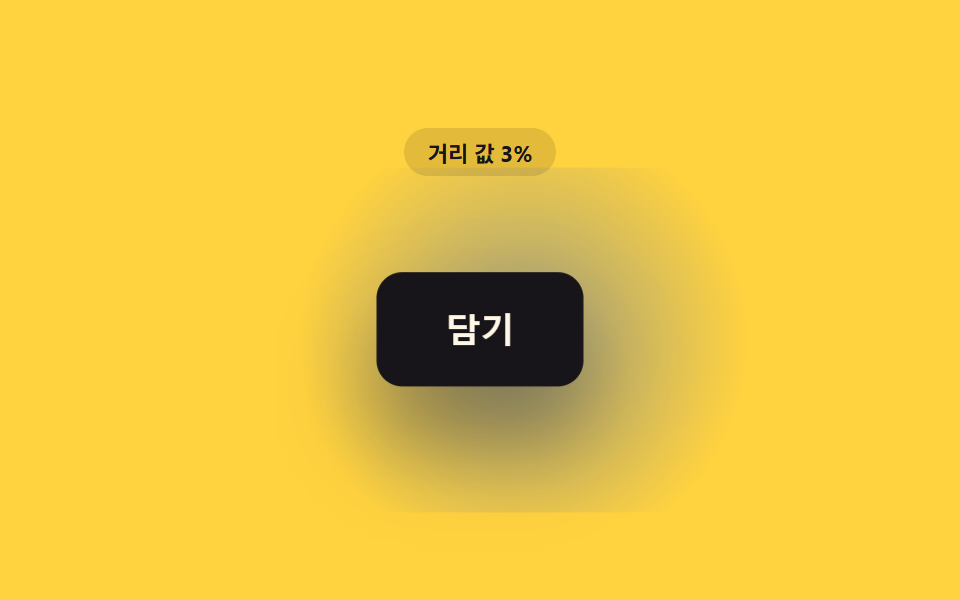 02 btn-proximity-scale-lift-hover
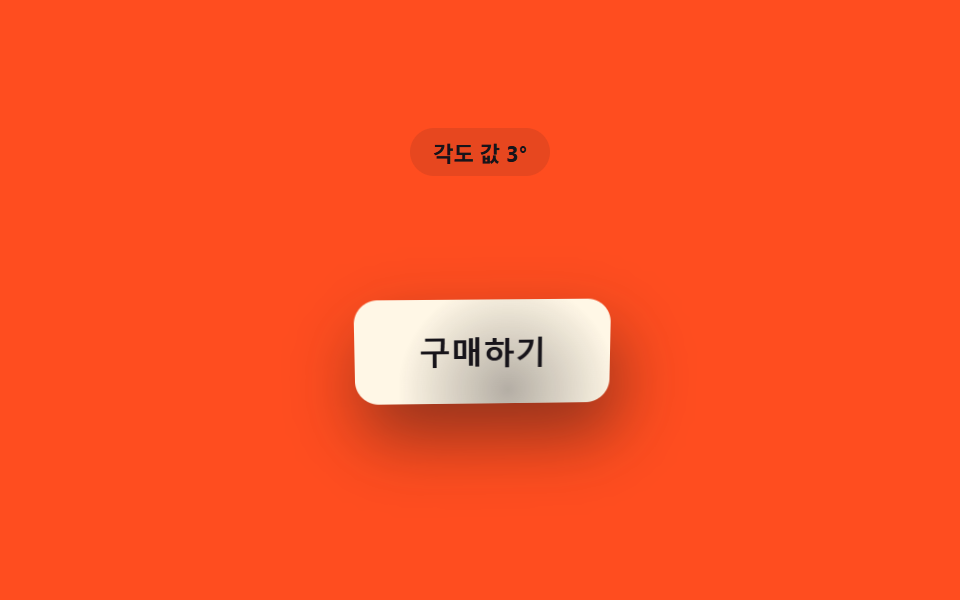 03 btn-proximity-tilt-angle-follow
 04 btn-proximity-blur-focus-sharpen
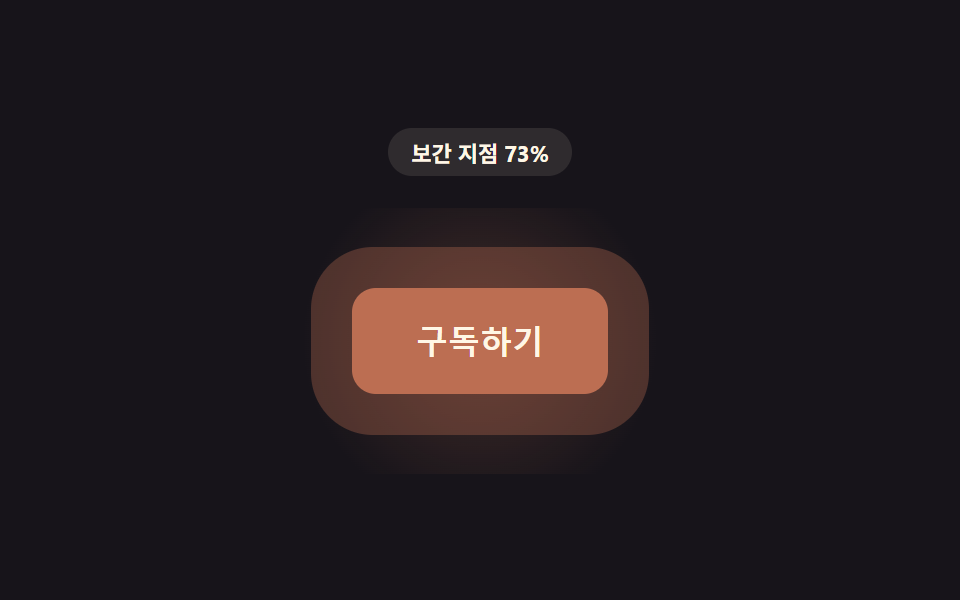 05 btn-proximity-hue-shift-approach
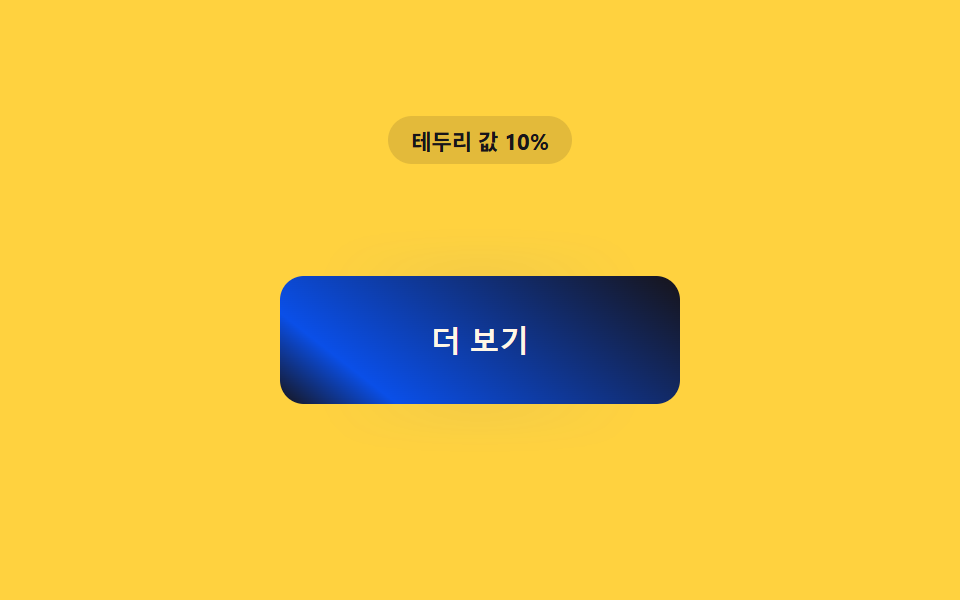 06 btn-proximity-border-trace-draw
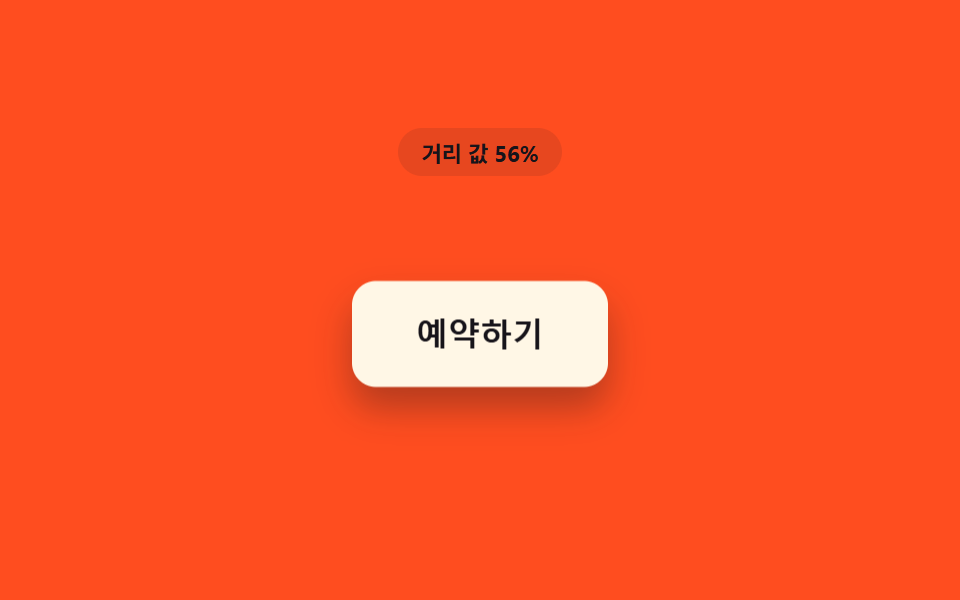 07 btn-proximity-shadow-lift-depth
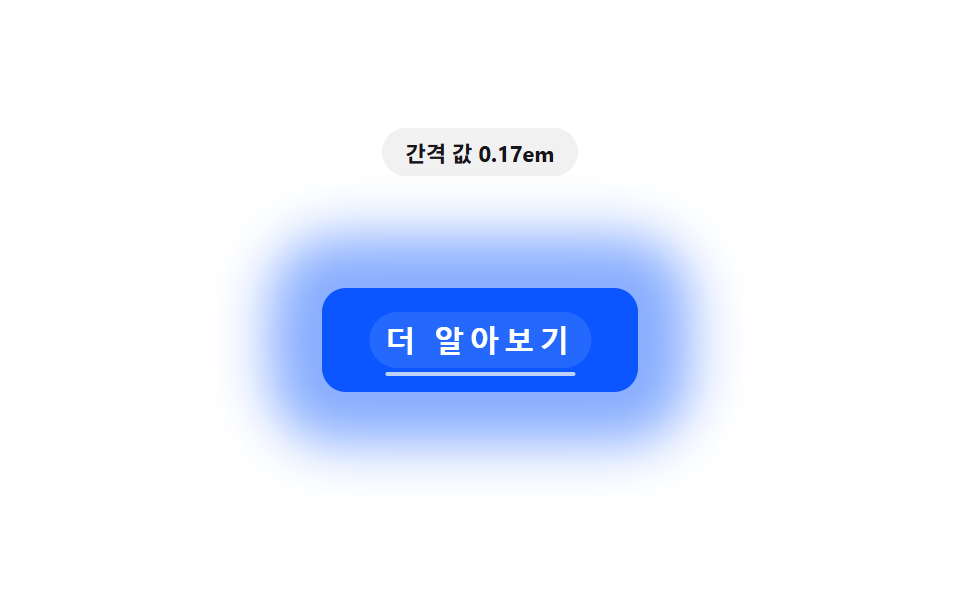 08 btn-proximity-letter-spacing-expand
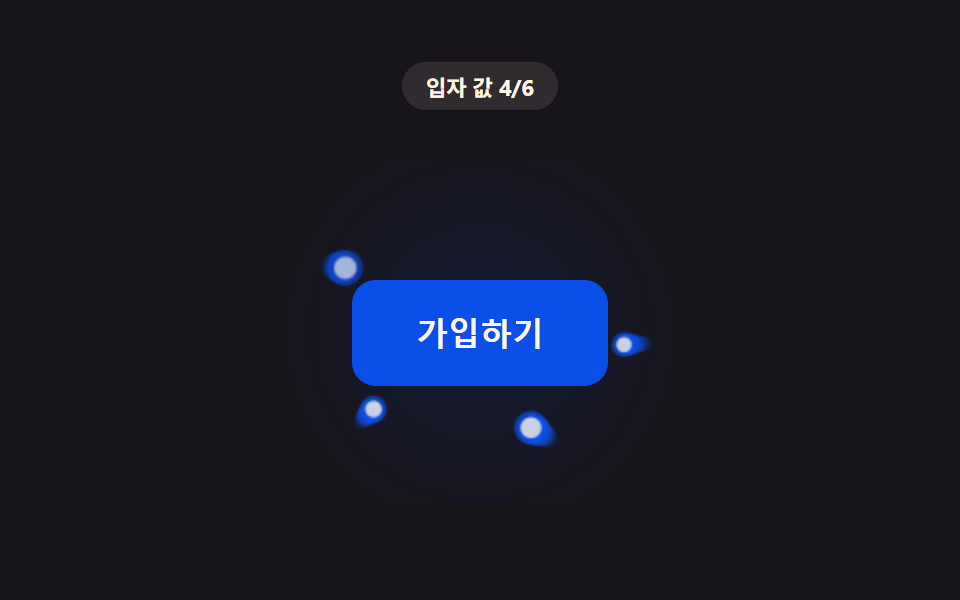 09 btn-proximity-particle-density-swarm
자동 재생 · 눌러서 해당 항목으로 · 전부 한 zip
- 01 거리 값만큼 후광이 넓어지는 버튼
- 02 거리 값이 줄수록 서서히 커지는 버튼
- 03 거리 값이 각도 값으로 바뀌는 기울임 버튼
- 04 거리 값이 멀수록 흐려지는 주변 버튼
- 05 거리 값이 색상 값 보간 지점이 되는 버튼
- 06 거리 값만큼 테두리가 그어지는 버튼
- 07 거리 값만큼 떠오르는 그림자 버튼
- 08 거리 값이 글자 간격 값으로 벌어지는 버튼
- 09 거리 값만큼 입자가 모여드는 버튼
커서 거리 하나가 css 버튼 마우스 오버 효과 아홉 갈래를 가르는 지점
아래 아홉 개는 전부 같은 뼈대를 쓴다 — 커서와 버튼 사이 거리를 재고, 그 거리를 0~1 사이 근접도 값(p)으로 뒤집어, 그 p 하나로 반경·각도·색·간격 같은 서로 다른 CSS 속성 하나씩을 계산한다. :hover 가 켜짐·꺼짐 둘뿐이라면, 이 9종은 커서가 닿기 전부터 값이 연속으로 움직인다는 점이 다르다. 순서는 값이 향하는 속성이 단순한 밝기(01)에서 시작해 위치·색·모양을 거쳐 캔버스 입자(09)로 넘어가도록 잡았다.
01거리 값만큼 후광이 넓어지는 버튼
커서가 버튼 쪽으로 다가올수록 distanceToButton 이 잰 거리를 1 - 거리 / PROX_RADIUS_PX 로 뒤집은 근접도 p 하나가 후광 반경과 밝기를 함께 키운다. 랜딩 페이지에서 하나뿐인 CTA 버튼을 강조할 때 쓴다.
<main class="stage">
<div class="pg is-demo" id="pg">
  <p class="pg__badge" id="pgBadge">거리 값 100%</p>
  <div class="pg__scene" id="pgScene">
    <button class="pg__btn" id="pgBtn" type="button">지금 시작하기</button>
  </div>
</div>
</main>
@use "../../../../site/static/demo-tokens" as *;
// 핵심: pointermove 로 커서–버튼 중심 거리(px)를 재고 1 - clamp(d / PROX_RADIUS_PX) 로
// 거리 값(0~1)을 만든다. 그 값이 후광의 blur-radius·spread·밝기를 함께 키운다.
// 계산 한 겹: 매 프레임 lerp 로 목표값을 관성 있게 뒤쫓는다(속성 트윈이 아니라 계산).
$duration: $dur-loop;
$easing: linear;
$color: $subject-blue-deep;
@include stage($stage-ink);
.pg {
display: grid;
gap: $sp-4;
justify-items: center;
}
.pg__badge {
margin: 0;
padding: $sp-1 $sp-3;
border-radius: $r-pill;
background: rgba(255, 247, 230, .1);
color: $subject-cream;
font-weight: 700;
font-size: 11px;
font-variant-numeric: tabular-nums;
}
.pg__scene {
padding: $sp-10;
}
.pg__btn {
border: 0;
cursor: pointer;
padding: $sp-4 $sp-8;
border-radius: $r-control;
background: $color;
color: $subject-cream;
font-size: 16px;
font-weight: 700;
will-change: box-shadow, filter;
}
.pg__btn:focus-visible {
outline: 2px solid $subject-cream;
outline-offset: 3px;
}
@media (max-width: 340px) {
.pg__scene { padding: $sp-6; }
.pg__btn { padding: $sp-3 $sp-6; font-size: 14px; }
}
@media (prefers-reduced-motion: reduce) {
.pg__btn { transition: none; }
}html, body {
margin: 0;
overflow: hidden;
}
.stage {
box-sizing: border-box;
min-height: 100vh;
display: grid;
place-items: center;
margin: 0;
background: #17141a;
font-family: -apple-system, "Segoe UI", "Noto Sans KR", sans-serif;
padding: clamp(8px, 4vw, 24px);
}
.pg {
display: grid;
gap: 16px;
justify-items: center;
}
.pg__badge {
margin: 0;
padding: 4px 12px;
border-radius: 999px;
background: rgba(255, 247, 230, 0.1);
color: #fff7e6;
font-weight: 700;
font-size: 11px;
font-variant-numeric: tabular-nums;
}
.pg__scene {
padding: 40px;
}
.pg__btn {
border: 0;
cursor: pointer;
padding: 16px 32px;
border-radius: 12px;
background: #0a4fe8;
color: #fff7e6;
font-size: 16px;
font-weight: 700;
will-change: box-shadow, filter;
}
.pg__btn:focus-visible {
outline: 2px solid #fff7e6;
outline-offset: 3px;
}
@media (max-width: 340px) {
.pg__scene {
padding: 24px;
}
.pg__btn {
padding: 12px 24px;
font-size: 14px;
}
}
@media (prefers-reduced-motion: reduce) {
.pg__btn {
transition: none;
}
}(function () {
// PROX_GLOW_RADIUS_MAX_PX — 변형 1: 40 → 80 로 늘리면 후광이 버튼 전체를 덮을 만큼 크게 번진다.
var PROX_GLOW_RADIUS_MAX_PX = 40;
var PROX_RADIUS_PX = 170;
var LERP = 0.18;
var root = document.getElementById('pg');
var scene = document.getElementById('pgScene');
var btn = document.getElementById('pgBtn');
var badge = document.getElementById('pgBadge');
var reduce = window.matchMedia('(prefers-reduced-motion: reduce)').matches;
function clamp(v, lo, hi) { return Math.max(lo, Math.min(hi, v)); }
var targetP = 0;
var curP = 0;
var hasPointer = false;
  function distanceToButton(x, y) {
    var r = btn.getBoundingClientRect();
    var cx = r.left + r.width / 2;
    var cy = r.top + r.height / 2;
    return Math.hypot(x - cx, y - cy);
  }

  function render(p) {
    var blurRadius = p * PROX_GLOW_RADIUS_MAX_PX;
    var spread = p * PROX_GLOW_RADIUS_MAX_PX * 0.3;
    var alpha = (0.18 + p * 0.55).toFixed(2);
    btn.style.boxShadow = '0 0 ' + blurRadius.toFixed(1) + 'px ' + spread.toFixed(1) + 'px rgba(255,247,230,' + alpha + ')';
    btn.style.filter = 'brightness(' + (1 + p * 0.22).toFixed(3) + ')';
    badge.textContent = '거리 값 ' + Math.round((1 - p) * 100) + '%';
  }
// 자동 시연: 가상 커서가 궤도(반지름이 2초 동안 0 → 최대 → 0)를 돌며 접근·이탈을 만든다.
function syntheticOffset(t) {
var ang = t * 1.7;
var rad = 110 * (1 + Math.cos(t * Math.PI));
return [Math.cos(ang) * rad, Math.sin(ang) * rad];
}
var startTime = null;
function loop(now) {
if (startTime === null) { startTime = now; }
var t = (now - startTime) / 1000;
if (!hasPointer && !reduce) {
var r = btn.getBoundingClientRect();
var cx = r.left + r.width / 2;
var cy = r.top + r.height / 2;
var off = syntheticOffset(t);
var d = Math.hypot(off[0], off[1]);
targetP = clamp(1 - d / PROX_RADIUS_PX, 0, 1);
void cx; void cy;
}
curP += (targetP - curP) * LERP;
render(curP);
requestAnimationFrame(loop);
}
scene.addEventListener('pointermove', function (e) {
hasPointer = true;
root.classList.remove('is-demo');
var d = distanceToButton(e.clientX, e.clientY);
targetP = clamp(1 - d / PROX_RADIUS_PX, 0, 1);
if (reduce) { curP = targetP; render(curP); }
});
scene.addEventListener('pointerleave', function () {
hasPointer = false;
targetP = 0;
if (reduce) { curP = 0; render(0); }
});
btn.addEventListener('focus', function () {
hasPointer = true;
targetP = 1;
if (reduce) { curP = 1; render(1); }
});
btn.addEventListener('blur', function () {
hasPointer = false;
targetP = 0;
if (reduce) { curP = 0; render(0); }
});
if (reduce) {
render(0);
} else {
requestAnimationFrame(loop);
}
})();// ProximityGlowButton — vanilla 판(run/408/demo/01-btn-proximity-glow-radius-grow/index.html) 의 React 포트.
// 버튼까지 거리 값(0~1)을 lerp 로 관성 있게 따라가며 후광(box-shadow blur·spread)과 밝기(filter)를 계산한다.
// 포인터가 없을 때(자동 시연)는 궤도 반지름이 2초 동안 0 → 최대 → 0 으로 도는 가상 커서 거리로 같은 계산을 돌린다.
import { useEffect, useRef, useState } from "react";
import type { PointerEvent as ReactPointerEvent } from "react";
import styles from "./ProximityGlowButton.module.scss";
type Box<T> = { current: T };
// PROX_GLOW_RADIUS_MAX_PX — 변형 1: 40 → 80 로 늘리면 후광이 버튼 전체를 덮을 만큼 크게 번진다.
const PROX_GLOW_RADIUS_MAX_PX = 40;
const PROX_RADIUS_PX = 170;
const LERP = 0.18;
function clamp(v: number, lo: number, hi: number): number {
return Math.max(lo, Math.min(hi, v));
}
function syntheticOffset(t: number): [number, number] {
const ang = t * 1.7;
const rad = 110 * (1 + Math.cos(t * Math.PI));
return [Math.cos(ang) * rad, Math.sin(ang) * rad];
}
export default function ProximityGlowButton() {
const sceneRef = useRef<HTMLDivElement | null>(null);
const btnRef = useRef<HTMLButtonElement | null>(null);
const badgeRef = useRef<HTMLParagraphElement | null>(null);
const targetPRef = useRef<number>(0) as Box<number>;
const curPRef = useRef<number>(0) as Box<number>;
const hasPointerRef = useRef<boolean>(false) as Box<boolean>;
const frameRef = useRef<number>(0) as Box<number>;
const t0Ref = useRef<number>(0) as Box<number>;
const [demo, setDemo] = useState(true);
const [reduce, setReduce] = useState(false);
function render(p: number): void {
const btn = btnRef.current;
const badge = badgeRef.current;
if (!btn || !badge) return;
const blurRadius = p * PROX_GLOW_RADIUS_MAX_PX;
const spread = p * PROX_GLOW_RADIUS_MAX_PX * 0.3;
const alpha = (0.18 + p * 0.55).toFixed(2);
btn.style.boxShadow = "0 0 " + blurRadius.toFixed(1) + "px " + spread.toFixed(1) + "px rgba(255,247,230," + alpha + ")";
btn.style.filter = "brightness(" + (1 + p * 0.22).toFixed(3) + ")";
badge.textContent = "거리 값 " + Math.round((1 - p) * 100) + "%";
}
function distanceToButton(x: number, y: number): number {
const btn = btnRef.current;
if (!btn) return PROX_RADIUS_PX;
const r = btn.getBoundingClientRect();
const cx = r.left + r.width / 2;
const cy = r.top + r.height / 2;
return Math.hypot(x - cx, y - cy);
}
useEffect(() => {
setReduce(window.matchMedia("(prefers-reduced-motion: reduce)").matches);
}, []);
useEffect(() => {
if (reduce) {
render(0);
return;
}
function loop(now: number): void {
if (t0Ref.current === 0) t0Ref.current = now;
const t = (now - t0Ref.current) / 1000;
if (!hasPointerRef.current) {
const off = syntheticOffset(t);
const d = Math.hypot(off[0], off[1]);
targetPRef.current = clamp(1 - d / PROX_RADIUS_PX, 0, 1);
}
curPRef.current += (targetPRef.current - curPRef.current) * LERP;
render(curPRef.current);
frameRef.current = requestAnimationFrame(loop);
}
frameRef.current = requestAnimationFrame(loop);
return () => cancelAnimationFrame(frameRef.current);
}, [reduce]);
function onPointerMove(event: ReactPointerEvent<HTMLDivElement>): void {
hasPointerRef.current = true;
setDemo(false);
const d = distanceToButton(event.clientX, event.clientY);
targetPRef.current = clamp(1 - d / PROX_RADIUS_PX, 0, 1);
if (reduce) { curPRef.current = targetPRef.current; render(curPRef.current); }
}
function onPointerLeave(): void {
hasPointerRef.current = false;
targetPRef.current = 0;
if (reduce) { curPRef.current = 0; render(0); }
}
function onFocus(): void {
hasPointerRef.current = true;
targetPRef.current = 1;
if (reduce) { curPRef.current = 1; render(1); }
}
function onBlur(): void {
hasPointerRef.current = false;
targetPRef.current = 0;
if (reduce) { curPRef.current = 0; render(0); }
}
const cls = [styles.pg, demo ? styles.isDemo : ""].filter(Boolean).join(" ");
return (
<main className={styles.stage}>
<div className={cls}>
<p className={styles.badge} ref={badgeRef}>거리 값 100%</p>
<div className={styles.scene} ref={sceneRef} onPointerMove={onPointerMove} onPointerLeave={onPointerLeave}>
<button className={styles.btn} ref={btnRef} type="button" onFocus={onFocus} onBlur={onBlur}>지금 시작하기</button>
</div>
</div>
</main>
);
}01 · 거리 값만큼 후광이 넓어지는 버튼 — 측정 누적면적 20.583% · 움직인 프레임 22/23GODRICH 원작 · zip 에 SCSS·React 포함 · 비밀번호 보기
function distanceToButton(x, y) {
var r = btn.getBoundingClientRect();
var cx = r.left + r.width / 2;
var cy = r.top + r.height / 2;
return Math.hypot(x - cx, y - cy);
}
function render(p) {
var blurRadius = p * PROX_GLOW_RADIUS_MAX_PX;
var spread = p * PROX_GLOW_RADIUS_MAX_PX * 0.3;
var alpha = (0.18 + p * 0.55).toFixed(2);
btn.style.boxShadow = '0 0 ' + blurRadius.toFixed(1) + 'px ' + spread.toFixed(1) + 'px rgba(255,247,230,' + alpha + ')';
btn.style.filter = 'brightness(' + (1 + p * 0.22).toFixed(3) + ')';
badge.textContent = '거리 값 ' + Math.round((1 - p) * 100) + '%';
}
측정: 누적면적 20.6% · 강도 평균 52.6 · 움직인 프레임 22/23
02거리 값이 줄수록 서서히 커지는 버튼
근접도가 임계 범위에 들어오는 순간 버튼이 켜짐·꺼짐처럼 튀지 않고, springStep 이 계산하는 강성·감쇠 값 덕에 살짝 넘쳤다가 천천히 제자리를 잡으며 커진다. 카드형 버튼 목록에서 한 칸만 반응시킬 때 맞는다.
<main class="stage">
<div class="sl is-demo" id="sl">
  <p class="sl__badge" id="slBadge">거리 값 100%</p>
  <div class="sl__scene" id="slScene">
    <button class="sl__btn" id="slBtn" type="button">담기</button>
  </div>
</div>
</main>
@use "../../../../site/static/demo-tokens" as *;
// 핵심: 거리 값을 스프링 방정식(강성·감쇠)에 흘려 버튼 크기·들림을 연속으로 바꾼다.
// 이진적 켜짐·꺼짐이 아니라 목표를 살짝 넘겼다가 정착하는 계산 한 겹(오버슛)을 더했다.
$duration: $dur-loop;
$easing: $ease-lerp-settle;
$color: $subject-ink;
@include stage($stage-yellow);
.sl {
display: grid;
gap: $sp-4;
justify-items: center;
}
.sl__badge {
margin: 0;
padding: $sp-1 $sp-3;
border-radius: $r-pill;
background: rgba(23, 20, 26, .12);
color: $subject-ink;
font-weight: 700;
font-size: 11px;
font-variant-numeric: tabular-nums;
}
.sl__scene {
position: relative;
padding: $sp-10;
--tone-p: 0;
}
.sl__scene::before {
content: '';
position: absolute;
inset: 0;
margin: auto;
width: 220px;
height: 140px;
border-radius: $r-control;
background: radial-gradient(circle, rgba($subject-blue-deep, .4), transparent 70%);
transform: scale(calc(0.55 + var(--tone-p) * 0.7));
opacity: var(--tone-p);
pointer-events: none;
z-index: 0;
}
.sl__btn {
position: relative;
z-index: 1;
border: 0;
cursor: pointer;
padding: $sp-4 $sp-8;
border-radius: $r-control;
background: $color;
color: $subject-cream;
font-size: 16px;
font-weight: 700;
transform-origin: center;
will-change: transform, box-shadow;
}
.sl__btn:focus-visible {
outline: 2px solid $subject-cream;
outline-offset: 3px;
}
@media (max-width: 340px) {
.sl__scene { padding: $sp-6; }
.sl__btn { padding: $sp-3 $sp-6; font-size: 14px; }
}
@media (prefers-reduced-motion: reduce) {
.sl__btn { transition: none; }
}html, body {
margin: 0;
overflow: hidden;
}
.stage {
box-sizing: border-box;
min-height: 100vh;
display: grid;
place-items: center;
margin: 0;
background: #ffd23f;
font-family: -apple-system, "Segoe UI", "Noto Sans KR", sans-serif;
padding: clamp(8px, 4vw, 24px);
}
.sl {
display: grid;
gap: 16px;
justify-items: center;
}
.sl__badge {
margin: 0;
padding: 4px 12px;
border-radius: 999px;
background: rgba(23, 20, 26, 0.12);
color: #17141a;
font-weight: 700;
font-size: 11px;
font-variant-numeric: tabular-nums;
}
.sl__scene {
position: relative;
padding: 40px;
--tone-p: 0;
}
.sl__scene::before {
content: "";
position: absolute;
inset: 0;
margin: auto;
width: 220px;
height: 140px;
border-radius: 12px;
background: radial-gradient(circle, rgba(10, 79, 232, 0.4), transparent 70%);
transform: scale(calc(0.55 + var(--tone-p) * 0.7));
opacity: var(--tone-p);
pointer-events: none;
z-index: 0;
}
.sl__btn {
position: relative;
z-index: 1;
border: 0;
cursor: pointer;
padding: 16px 32px;
border-radius: 12px;
background: #17141a;
color: #fff7e6;
font-size: 16px;
font-weight: 700;
transform-origin: center;
will-change: transform, box-shadow;
}
.sl__btn:focus-visible {
outline: 2px solid #fff7e6;
outline-offset: 3px;
}
@media (max-width: 340px) {
.sl__scene {
padding: 24px;
}
.sl__btn {
padding: 12px 24px;
font-size: 14px;
}
}
@media (prefers-reduced-motion: reduce) {
.sl__btn {
transition: none;
}
}(function () {
var PROX_RADIUS_PX = 170;
var SL_SCALE_MAX = 0.08;
var SL_LIFT_MAX_PX = 6;
// 스프링 방정식(강성·감쇠) — lerp 보다 한 겹 더한 관성: 목표를 살짝 넘겼다가 정착한다.
var STIFFNESS = 0.22;
var DAMPING = 0.72;
var root = document.getElementById('sl');
var scene = document.getElementById('slScene');
var btn = document.getElementById('slBtn');
var badge = document.getElementById('slBadge');
var reduce = window.matchMedia('(prefers-reduced-motion: reduce)').matches;
function clamp(v, lo, hi) { return Math.max(lo, Math.min(hi, v)); }
var targetP = 0;
var pos = 0;
var vel = 0;
var hasPointer = false;
function distanceToButton(x, y) {
var r = btn.getBoundingClientRect();
var cx = r.left + r.width / 2;
var cy = r.top + r.height / 2;
return Math.hypot(x - cx, y - cy);
}
  function render(p) {
    var scale = 1 + p * SL_SCALE_MAX;
    var lift = p * SL_LIFT_MAX_PX;
    var depth = 8 + p * 18;
    btn.style.transform = 'translateY(' + (-lift).toFixed(2) + 'px) scale(' + scale.toFixed(4) + ')';
    btn.style.boxShadow = '0 ' + depth.toFixed(1) + 'px ' + (depth * 1.6).toFixed(1) + 'px rgba(23,20,26,' + (0.18 + p * 0.18).toFixed(2) + ')';
    // 계산 레이어: 스프링 오버슛(p) 을 배경 톤(그림자 뒤 글로우)에도 같은 값으로 전파한다.
    var tone = clamp(p, 0, 1.15);
    scene.style.setProperty('--tone-p', tone.toFixed(3));
    badge.textContent = '거리 값 ' + Math.round((1 - clamp(p, 0, 1)) * 100) + '%';
  }

  function springStep(target) {
    var force = (target - pos) * STIFFNESS;
    vel = (vel + force) * DAMPING;
    pos += vel;
  }
function syntheticOffset(t) {
var ang = t * 1.4 + 0.6;
var rad = 110 * (1 + Math.cos(t * Math.PI));
return [Math.cos(ang) * rad, Math.sin(ang) * rad];
}
var startTime = null;
function loop(now) {
if (startTime === null) { startTime = now; }
var t = (now - startTime) / 1000;
if (!hasPointer && !reduce) {
var off = syntheticOffset(t);
var d = Math.hypot(off[0], off[1]);
targetP = clamp(1 - d / PROX_RADIUS_PX, 0, 1);
}
springStep(targetP);
render(clamp(pos, -0.2, 1.2));
requestAnimationFrame(loop);
}
scene.addEventListener('pointermove', function (e) {
hasPointer = true;
root.classList.remove('is-demo');
var d = distanceToButton(e.clientX, e.clientY);
targetP = clamp(1 - d / PROX_RADIUS_PX, 0, 1);
if (reduce) { pos = targetP; render(pos); }
});
scene.addEventListener('pointerleave', function () {
hasPointer = false;
targetP = 0;
if (reduce) { pos = 0; render(0); }
});
btn.addEventListener('focus', function () {
hasPointer = true;
targetP = 1;
if (reduce) { pos = 1; render(1); }
});
btn.addEventListener('blur', function () {
hasPointer = false;
targetP = 0;
if (reduce) { pos = 0; render(0); }
});
if (reduce) {
render(0);
} else {
requestAnimationFrame(loop);
}
})();// ProximityScaleLiftButton — vanilla 판(run/408/demo/02-btn-proximity-scale-lift-hover/index.html) 의 React 포트.
// 거리 값을 스프링 방정식(강성 STIFFNESS·감쇠 DAMPING)에 흘려 목표를 살짝 넘겼다가 정착하는
// 오버슛 한 겹을 더한다 — 단순 lerp 보다 한 계산 층이 깊다.
import { useEffect, useRef, useState } from "react";
import type { PointerEvent as ReactPointerEvent } from "react";
import styles from "./ProximityScaleLiftButton.module.scss";
type Box<T> = { current: T };
const PROX_RADIUS_PX = 170;
const SL_SCALE_MAX = 0.08;
const SL_LIFT_MAX_PX = 6;
const STIFFNESS = 0.22;
const DAMPING = 0.72;
function clamp(v: number, lo: number, hi: number): number {
return Math.max(lo, Math.min(hi, v));
}
function syntheticOffset(t: number): [number, number] {
const ang = t * 1.4 + 0.6;
const rad = 110 * (1 + Math.cos(t * Math.PI));
return [Math.cos(ang) * rad, Math.sin(ang) * rad];
}
export default function ProximityScaleLiftButton() {
const sceneRef = useRef<HTMLDivElement | null>(null);
const btnRef = useRef<HTMLButtonElement | null>(null);
const badgeRef = useRef<HTMLParagraphElement | null>(null);
const targetPRef = useRef<number>(0) as Box<number>;
const posRef = useRef<number>(0) as Box<number>;
const velRef = useRef<number>(0) as Box<number>;
const hasPointerRef = useRef<boolean>(false) as Box<boolean>;
const frameRef = useRef<number>(0) as Box<number>;
const t0Ref = useRef<number>(0) as Box<number>;
const [demo, setDemo] = useState(true);
const [reduce, setReduce] = useState(false);
function render(p: number): void {
const btn = btnRef.current;
const badge = badgeRef.current;
const scene = sceneRef.current;
if (!btn || !badge || !scene) return;
const scale = 1 + p * SL_SCALE_MAX;
const lift = p * SL_LIFT_MAX_PX;
const depth = 8 + p * 18;
btn.style.transform = "translateY(" + (-lift).toFixed(2) + "px) scale(" + scale.toFixed(4) + ")";
btn.style.boxShadow = "0 " + depth.toFixed(1) + "px " + (depth * 1.6).toFixed(1) + "px rgba(23,20,26," + (0.18 + p * 0.18).toFixed(2) + ")";
// 계산 레이어: 스프링 오버슛 값(p, 1 을 넘나든다)을 장면 배경 글로우 크기·불투명도에도 전파한다.
const tone = clamp(p, 0, 1.15);
scene.style.setProperty("--tone-p", tone.toFixed(3));
badge.textContent = "거리 값 " + Math.round((1 - clamp(p, 0, 1)) * 100) + "%";
}
function springStep(target: number): void {
const force = (target - posRef.current) * STIFFNESS;
velRef.current = (velRef.current + force) * DAMPING;
posRef.current += velRef.current;
}
function distanceToButton(x: number, y: number): number {
const btn = btnRef.current;
if (!btn) return PROX_RADIUS_PX;
const r = btn.getBoundingClientRect();
const cx = r.left + r.width / 2;
const cy = r.top + r.height / 2;
return Math.hypot(x - cx, y - cy);
}
useEffect(() => {
setReduce(window.matchMedia("(prefers-reduced-motion: reduce)").matches);
}, []);
useEffect(() => {
if (reduce) {
render(0);
return;
}
function loop(now: number): void {
if (t0Ref.current === 0) t0Ref.current = now;
const t = (now - t0Ref.current) / 1000;
if (!hasPointerRef.current) {
const off = syntheticOffset(t);
const d = Math.hypot(off[0], off[1]);
targetPRef.current = clamp(1 - d / PROX_RADIUS_PX, 0, 1);
}
springStep(targetPRef.current);
render(clamp(posRef.current, -0.2, 1.2));
frameRef.current = requestAnimationFrame(loop);
}
frameRef.current = requestAnimationFrame(loop);
return () => cancelAnimationFrame(frameRef.current);
}, [reduce]);
function onPointerMove(event: ReactPointerEvent<HTMLDivElement>): void {
hasPointerRef.current = true;
setDemo(false);
const d = distanceToButton(event.clientX, event.clientY);
targetPRef.current = clamp(1 - d / PROX_RADIUS_PX, 0, 1);
if (reduce) { posRef.current = targetPRef.current; render(posRef.current); }
}
function onPointerLeave(): void {
hasPointerRef.current = false;
targetPRef.current = 0;
if (reduce) { posRef.current = 0; render(0); }
}
function onFocus(): void {
hasPointerRef.current = true;
targetPRef.current = 1;
if (reduce) { posRef.current = 1; render(1); }
}
function onBlur(): void {
hasPointerRef.current = false;
targetPRef.current = 0;
if (reduce) { posRef.current = 0; render(0); }
}
const cls = [styles.sl, demo ? styles.isDemo : ""].filter(Boolean).join(" ");
return (
<main className={styles.stage}>
<div className={cls}>
<p className={styles.badge} ref={badgeRef}>거리 값 100%</p>
<div className={styles.scene} ref={sceneRef} onPointerMove={onPointerMove} onPointerLeave={onPointerLeave}>
<button className={styles.btn} ref={btnRef} type="button" onFocus={onFocus} onBlur={onBlur}>담기</button>
</div>
</div>
</main>
);
}02 · 거리 값이 줄수록 서서히 커지는 버튼 — 측정 누적면적 18.788% · 움직인 프레임 18/23GODRICH 원작 · zip 에 SCSS·React 포함 · 비밀번호 보기
function render(p) {
var scale = 1 + p * SL_SCALE_MAX;
var lift = p * SL_LIFT_MAX_PX;
var depth = 8 + p * 18;
btn.style.transform = 'translateY(' + (-lift).toFixed(2) + 'px) scale(' + scale.toFixed(4) + ')';
btn.style.boxShadow = '0 ' + depth.toFixed(1) + 'px ' + (depth * 1.6).toFixed(1) + 'px rgba(23,20,26,' + (0.18 + p * 0.18).toFixed(2) + ')';
// 계산 레이어: 스프링 오버슛(p) 을 배경 톤(그림자 뒤 글로우)에도 같은 값으로 전파한다.
var tone = clamp(p, 0, 1.15);
scene.style.setProperty('--tone-p', tone.toFixed(3));
badge.textContent = '거리 값 ' + Math.round((1 - clamp(p, 0, 1)) * 100) + '%';
}
function springStep(target) {
var force = (target - pos) * STIFFNESS;
vel = (vel + force) * DAMPING;
pos += vel;
}
측정: 누적면적 18.8% · 강도 평균 47.4 · 움직인 프레임 18/23
03거리 값이 각도 값으로 바뀌는 기울임 버튼
커서가 버튼에 닿기도 전에, vectorToButton 이 구한 방향 벡터가 각도(rotX·rotY)로 바뀌어 커서 쪽으로 버튼이 미리 살짝 기운다. 제품 카드의 구매 버튼처럼 손이 다가오는 방향에 먼저 반응해야 하는 자리에 쓴다.
<main class="stage">
<div class="ta is-demo" id="ta">
  <p class="ta__badge" id="taBadge">각도 값 0°</p>
  <div class="ta__scene" id="taScene">
    <button class="ta__btn" id="taBtn" type="button">
      <span class="ta__label">구매하기</span>
    </button>
  </div>
</div>
</main>
@use "../../../../site/static/demo-tokens" as *;
// 핵심: 커서–버튼 중심 방향 벡터를 단위 벡터로 정규화하고 atan2 로 각도를 구한 뒤,
// 거리 값(가까울수록 1)을 그 각도의 크기로 곱한다 — 닿기 전부터 커서 쪽으로 미리 기운다.
$duration: $dur-loop;
$easing: linear;
$color: $subject-cream;
@include stage($stage-orange);
.ta {
display: grid;
gap: $sp-4;
justify-items: center;
}
.ta__badge {
margin: 0;
padding: $sp-1 $sp-3;
border-radius: $r-pill;
background: rgba(23, 20, 26, .1);
color: $subject-ink;
font-weight: 700;
font-size: 11px;
font-variant-numeric: tabular-nums;
}
.ta__scene {
perspective: 600px;
padding: $sp-10;
}
.ta__btn {
position: relative;
border: 0;
cursor: pointer;
padding: $sp-4 $sp-8;
border-radius: $r-control;
background: $color;
color: $subject-ink;
font-size: 16px;
font-weight: 700;
transform-style: preserve-3d;
box-shadow: $shadow-raised;
will-change: transform, box-shadow;
--hl-x: 50%;
--hl-y: 50%;
--hl-o: 0;
}
.ta__btn::before {
content: '';
position: absolute;
inset: 0;
border-radius: inherit;
background: radial-gradient(circle at var(--hl-x) var(--hl-y), rgba(23, 20, 26, .55), transparent 62%);
opacity: var(--hl-o);
pointer-events: none;
}
.ta__btn:focus-visible {
outline: 2px solid $subject-ink;
outline-offset: 3px;
}
@media (max-width: 340px) {
.ta__scene { padding: $sp-6; }
.ta__btn { padding: $sp-3 $sp-6; font-size: 14px; }
}
@media (prefers-reduced-motion: reduce) {
.ta__btn { transition: none; }
}html, body {
margin: 0;
overflow: hidden;
}
.stage {
box-sizing: border-box;
min-height: 100vh;
display: grid;
place-items: center;
margin: 0;
background: #ff4d1f;
font-family: -apple-system, "Segoe UI", "Noto Sans KR", sans-serif;
padding: clamp(8px, 4vw, 24px);
}
.ta {
display: grid;
gap: 16px;
justify-items: center;
}
.ta__badge {
margin: 0;
padding: 4px 12px;
border-radius: 999px;
background: rgba(23, 20, 26, 0.1);
color: #17141a;
font-weight: 700;
font-size: 11px;
font-variant-numeric: tabular-nums;
}
.ta__scene {
perspective: 600px;
padding: 40px;
}
.ta__btn {
position: relative;
border: 0;
cursor: pointer;
padding: 16px 32px;
border-radius: 12px;
background: #fff7e6;
color: #17141a;
font-size: 16px;
font-weight: 700;
transform-style: preserve-3d;
box-shadow: 0 14px 24px rgba(23, 20, 26, 0.32);
will-change: transform, box-shadow;
--hl-x: 50%;
--hl-y: 50%;
--hl-o: 0;
}
.ta__btn::before {
content: "";
position: absolute;
inset: 0;
border-radius: inherit;
background: radial-gradient(circle at var(--hl-x) var(--hl-y), rgba(23, 20, 26, 0.55), transparent 62%);
opacity: var(--hl-o);
pointer-events: none;
}
.ta__btn:focus-visible {
outline: 2px solid #17141a;
outline-offset: 3px;
}
@media (max-width: 340px) {
.ta__scene {
padding: 24px;
}
.ta__btn {
padding: 12px 24px;
font-size: 14px;
}
}
@media (prefers-reduced-motion: reduce) {
.ta__btn {
transition: none;
}
}(function () {
var PROX_RADIUS_PX = 190;
var TA_MAX_DEG = 12;
var LERP = 0.16;
var root = document.getElementById('ta');
var scene = document.getElementById('taScene');
var btn = document.getElementById('taBtn');
var badge = document.getElementById('taBadge');
var reduce = window.matchMedia('(prefers-reduced-motion: reduce)').matches;
function clamp(v, lo, hi) { return Math.max(lo, Math.min(hi, v)); }
var targetDx = 0, targetDy = 0;
var curDx = 0, curDy = 0;
var hasPointer = false;
function vectorToButton(x, y) {
var r = btn.getBoundingClientRect();
var cx = r.left + r.width / 2;
var cy = r.top + r.height / 2;
return [x - cx, y - cy];
}
  function render(dx, dy) {
    // 방향 벡터 → 각도(atan2) 변환 — 거리 값(가까울수록 1)을 각도 크기로 쓴다.
    var d = Math.hypot(dx, dy);
    var p = clamp(1 - d / PROX_RADIUS_PX, 0, 1);
    var ux = d > 0.001 ? dx / d : 0;
    var uy = d > 0.001 ? dy / d : 0;
    var rotY = ux * p * TA_MAX_DEG;
    var rotX = -uy * p * TA_MAX_DEG;
    var lean = p * 6;
    btn.style.transform = 'translate(' + (ux * lean).toFixed(2) + 'px,' + (uy * lean).toFixed(2) + 'px) rotateX(' + rotX.toFixed(2) + 'deg) rotateY(' + rotY.toFixed(2) + 'deg)';
    // 계산 레이어: 같은 기울기 각도(ux·uy·p) 를 테두리 하이라이트 위치·깊이 그림자에도 전파한다.
    var shadowX = ux * p * 16;
    var shadowY = 6 + uy * p * 12;
    var shadowBlur = 14 + p * 22;
    btn.style.boxShadow = shadowX.toFixed(1) + 'px ' + shadowY.toFixed(1) + 'px ' + shadowBlur.toFixed(1) + 'px rgba(23,20,26,' + (0.2 + p * 0.3).toFixed(2) + ')';
    btn.style.setProperty('--hl-x', (50 + ux * 38).toFixed(1) + '%');
    btn.style.setProperty('--hl-y', (50 + uy * 38).toFixed(1) + '%');
    btn.style.setProperty('--hl-o', (0.12 + p * 0.5).toFixed(2));
    var angleDeg = Math.atan2(dy, dx) * 180 / Math.PI;
    badge.textContent = '각도 값 ' + Math.round(rotY) + '°';
    void angleDeg;
  }
function syntheticOffset(t) {
var ang = t * 1.9;
var rad = 130 * (1 + Math.cos(t * Math.PI));
return [Math.cos(ang) * rad, Math.sin(ang) * rad * 0.7];
}
var startTime = null;
function loop(now) {
if (startTime === null) { startTime = now; }
var t = (now - startTime) / 1000;
if (!hasPointer && !reduce) {
var off = syntheticOffset(t);
targetDx = off[0]; targetDy = off[1];
}
curDx += (targetDx - curDx) * LERP;
curDy += (targetDy - curDy) * LERP;
render(curDx, curDy);
requestAnimationFrame(loop);
}
scene.addEventListener('pointermove', function (e) {
hasPointer = true;
root.classList.remove('is-demo');
var v = vectorToButton(e.clientX, e.clientY);
targetDx = v[0]; targetDy = v[1];
if (reduce) { curDx = v[0]; curDy = v[1]; render(curDx, curDy); }
});
scene.addEventListener('pointerleave', function () {
hasPointer = false;
targetDx = PROX_RADIUS_PX * 2; targetDy = 0;
if (reduce) { curDx = targetDx; curDy = 0; render(curDx, 0); }
});
btn.addEventListener('focus', function () {
hasPointer = true;
targetDx = 0; targetDy = 0;
if (reduce) { curDx = 0; curDy = 0; render(0, 0); }
});
btn.addEventListener('blur', function () {
hasPointer = false;
targetDx = PROX_RADIUS_PX * 2; targetDy = 0;
if (reduce) { curDx = targetDx; curDy = 0; render(curDx, 0); }
});
if (reduce) {
curDx = PROX_RADIUS_PX * 2; curDy = 0;
render(curDx, curDy);
} else {
requestAnimationFrame(loop);
}
})();// ProximityTiltButton — vanilla 판(run/408/demo/03-btn-proximity-tilt-angle-follow/index.html) 의 React 포트.
// 커서–버튼 중심 방향 벡터를 단위 벡터로 정규화하고, 거리 값(가까울수록 1)을 그 방향의 각도 크기로
// 곱한다 — atan2 로 각도를 구하는 계산 한 겹이 단순 좌표 매핑과 다르다.
import { useEffect, useRef, useState } from "react";
import type { PointerEvent as ReactPointerEvent } from "react";
import styles from "./ProximityTiltButton.module.scss";
type Box<T> = { current: T };
const PROX_RADIUS_PX = 190;
const TA_MAX_DEG = 12;
const LERP = 0.16;
function clamp(v: number, lo: number, hi: number): number {
return Math.max(lo, Math.min(hi, v));
}
function syntheticOffset(t: number): [number, number] {
const ang = t * 1.9;
const rad = 130 * (1 + Math.cos(t * Math.PI));
return [Math.cos(ang) * rad, Math.sin(ang) * rad * 0.7];
}
export default function ProximityTiltButton() {
const sceneRef = useRef<HTMLDivElement | null>(null);
const btnRef = useRef<HTMLButtonElement | null>(null);
const badgeRef = useRef<HTMLParagraphElement | null>(null);
const targetDxRef = useRef<number>(0) as Box<number>;
const targetDyRef = useRef<number>(0) as Box<number>;
const curDxRef = useRef<number>(0) as Box<number>;
const curDyRef = useRef<number>(0) as Box<number>;
const hasPointerRef = useRef<boolean>(false) as Box<boolean>;
const frameRef = useRef<number>(0) as Box<number>;
const t0Ref = useRef<number>(0) as Box<number>;
const [demo, setDemo] = useState(true);
const [reduce, setReduce] = useState(false);
function render(dx: number, dy: number): void {
const btn = btnRef.current;
const badge = badgeRef.current;
if (!btn || !badge) return;
const d = Math.hypot(dx, dy);
const p = clamp(1 - d / PROX_RADIUS_PX, 0, 1);
const ux = d > 0.001 ? dx / d : 0;
const uy = d > 0.001 ? dy / d : 0;
const rotY = ux * p * TA_MAX_DEG;
const rotX = -uy * p * TA_MAX_DEG;
const lean = p * 6;
btn.style.transform = "translate(" + (ux * lean).toFixed(2) + "px," + (uy * lean).toFixed(2) + "px) rotateX(" + rotX.toFixed(2) + "deg) rotateY(" + rotY.toFixed(2) + "deg)";
// 계산 레이어: 같은 기울기 각도(ux·uy·p) 를 테두리 하이라이트 위치·깊이 그림자에도 전파한다.
const shadowX = ux * p * 16;
const shadowY = 6 + uy * p * 12;
const shadowBlur = 14 + p * 22;
btn.style.boxShadow = shadowX.toFixed(1) + "px " + shadowY.toFixed(1) + "px " + shadowBlur.toFixed(1) + "px rgba(23,20,26," + (0.2 + p * 0.3).toFixed(2) + ")";
btn.style.setProperty("--hl-x", (50 + ux * 38).toFixed(1) + "%");
btn.style.setProperty("--hl-y", (50 + uy * 38).toFixed(1) + "%");
btn.style.setProperty("--hl-o", (0.12 + p * 0.5).toFixed(2));
badge.textContent = "각도 값 " + Math.round(rotY) + "°";
}
function vectorToButton(x: number, y: number): [number, number] {
const btn = btnRef.current;
if (!btn) return [PROX_RADIUS_PX * 2, 0];
const r = btn.getBoundingClientRect();
const cx = r.left + r.width / 2;
const cy = r.top + r.height / 2;
return [x - cx, y - cy];
}
useEffect(() => {
setReduce(window.matchMedia("(prefers-reduced-motion: reduce)").matches);
}, []);
useEffect(() => {
if (reduce) {
curDxRef.current = PROX_RADIUS_PX * 2;
curDyRef.current = 0;
render(curDxRef.current, curDyRef.current);
return;
}
function loop(now: number): void {
if (t0Ref.current === 0) t0Ref.current = now;
const t = (now - t0Ref.current) / 1000;
if (!hasPointerRef.current) {
const off = syntheticOffset(t);
targetDxRef.current = off[0];
targetDyRef.current = off[1];
}
curDxRef.current += (targetDxRef.current - curDxRef.current) * LERP;
curDyRef.current += (targetDyRef.current - curDyRef.current) * LERP;
render(curDxRef.current, curDyRef.current);
frameRef.current = requestAnimationFrame(loop);
}
frameRef.current = requestAnimationFrame(loop);
return () => cancelAnimationFrame(frameRef.current);
}, [reduce]);
function onPointerMove(event: ReactPointerEvent<HTMLDivElement>): void {
hasPointerRef.current = true;
setDemo(false);
const v = vectorToButton(event.clientX, event.clientY);
targetDxRef.current = v[0];
targetDyRef.current = v[1];
if (reduce) { curDxRef.current = v[0]; curDyRef.current = v[1]; render(curDxRef.current, curDyRef.current); }
}
function onPointerLeave(): void {
hasPointerRef.current = false;
targetDxRef.current = PROX_RADIUS_PX * 2;
targetDyRef.current = 0;
if (reduce) { curDxRef.current = targetDxRef.current; curDyRef.current = 0; render(curDxRef.current, 0); }
}
function onFocus(): void {
hasPointerRef.current = true;
targetDxRef.current = 0;
targetDyRef.current = 0;
if (reduce) { curDxRef.current = 0; curDyRef.current = 0; render(0, 0); }
}
function onBlur(): void {
hasPointerRef.current = false;
targetDxRef.current = PROX_RADIUS_PX * 2;
targetDyRef.current = 0;
if (reduce) { curDxRef.current = targetDxRef.current; curDyRef.current = 0; render(curDxRef.current, 0); }
}
const cls = [styles.ta, demo ? styles.isDemo : ""].filter(Boolean).join(" ");
return (
<main className={styles.stage}>
<div className={cls}>
<p className={styles.badge} ref={badgeRef}>각도 값 0°</p>
<div className={styles.scene} ref={sceneRef} onPointerMove={onPointerMove} onPointerLeave={onPointerLeave}>
<button className={styles.btn} ref={btnRef} type="button" onFocus={onFocus} onBlur={onBlur}>
<span>구매하기</span>
</button>
</div>
</div>
</main>
);
}03 · 거리 값이 각도 값으로 바뀌는 기울임 버튼 — 측정 누적면적 13.244% · 움직인 프레임 18/23GODRICH 원작 · zip 에 SCSS·React 포함 · 비밀번호 보기
function render(dx, dy) {
// 방향 벡터 → 각도(atan2) 변환 — 거리 값(가까울수록 1)을 각도 크기로 쓴다.
var d = Math.hypot(dx, dy);
var p = clamp(1 - d / PROX_RADIUS_PX, 0, 1);
var ux = d > 0.001 ? dx / d : 0;
var uy = d > 0.001 ? dy / d : 0;
var rotY = ux * p * TA_MAX_DEG;
var rotX = -uy * p * TA_MAX_DEG;
var lean = p * 6;
btn.style.transform = 'translate(' + (ux * lean).toFixed(2) + 'px,' + (uy * lean).toFixed(2) + 'px) rotateX(' + rotX.toFixed(2) + 'deg) rotateY(' + rotY.toFixed(2) + 'deg)';
// 계산 레이어: 같은 기울기 각도(ux·uy·p) 를 테두리 하이라이트 위치·깊이 그림자에도 전파한다.
var shadowX = ux * p * 16;
var shadowY = 6 + uy * p * 12;
var shadowBlur = 14 + p * 22;
btn.style.boxShadow = shadowX.toFixed(1) + 'px ' + shadowY.toFixed(1) + 'px ' + shadowBlur.toFixed(1) + 'px rgba(23,20,26,' + (0.2 + p * 0.3).toFixed(2) + ')';
btn.style.setProperty('--hl-x', (50 + ux * 38).toFixed(1) + '%');
btn.style.setProperty('--hl-y', (50 + uy * 38).toFixed(1) + '%');
btn.style.setProperty('--hl-o', (0.12 + p * 0.5).toFixed(2));
var angleDeg = Math.atan2(dy, dx) * 180 / Math.PI;
badge.textContent = '각도 값 ' + Math.round(rotY) + '°';
void angleDeg;
}
측정: 누적면적 13.2% · 강도 평균 52.4 · 움직인 프레임 18/23
04거리 값이 멀수록 흐려지는 주변 버튼
버튼 네 개가 나란히 있을 때 updateTargets 가 구한 거리 순위와 근접도 중 더 큰 흐림 값이 커서에서 먼 버튼일수록 흐려지게 만들어, 가장 가까운 버튼만 또렷하게 남는다. 버튼 그룹 중 하나에 주의를 집중시킬 때 쓴다.
<main class="stage">
<div class="bf is-demo" id="bf">
  <div class="bf__row" id="bfRow">
    <button class="bf__btn" type="button" data-i="0">신규</button>
    <button class="bf__btn" type="button" data-i="1">인기</button>
    <button class="bf__btn" type="button" data-i="2">할인</button>
    <button class="bf__btn" type="button" data-i="3">추천</button>
  </div>
</div>
</main>
@use "../../../../site/static/demo-tokens" as *;
// 핵심: 버튼 여러 개의 중심 좌표를 각각 재고, 커서까지 거리로 정렬(sort)해 순위를 구한다.
// 가장 가까운(순위 0) 버튼만 흐림 값이 0 으로 남고 나머지는 순위·거리 값을 섞어 흐려진다.
$duration: $dur-loop;
$easing: linear;
$color: $subject-blue-deep;
@include stage($stage-paper);
.bf {
display: grid;
gap: $sp-4;
justify-items: center;
}
.bf__row {
display: flex;
gap: $sp-3;
padding: $sp-8;
flex-wrap: wrap;
justify-content: center;
}
.bf__btn {
border: 0;
cursor: pointer;
padding: $sp-3 $sp-5;
border-radius: $r-control;
background: $color;
color: $subject-cream;
font-size: 14px;
font-weight: 700;
will-change: filter;
}
.bf__btn:focus-visible {
outline: 2px solid $subject-ink;
outline-offset: 3px;
}
@media (max-width: 340px) {
.bf__row { padding: $sp-4; gap: $sp-2; }
.bf__btn { padding: $sp-2 $sp-3; font-size: 12px; }
}
@media (prefers-reduced-motion: reduce) {
.bf__btn { transition: none; }
}html, body {
margin: 0;
overflow: hidden;
}
.stage {
box-sizing: border-box;
min-height: 100vh;
display: grid;
place-items: center;
margin: 0;
background: #ffffff;
font-family: -apple-system, "Segoe UI", "Noto Sans KR", sans-serif;
padding: clamp(8px, 4vw, 24px);
}
.bf {
display: grid;
gap: 16px;
justify-items: center;
}
.bf__row {
display: flex;
gap: 12px;
padding: 32px;
flex-wrap: wrap;
justify-content: center;
}
.bf__btn {
border: 0;
cursor: pointer;
padding: 12px 20px;
border-radius: 12px;
background: #0a4fe8;
color: #fff7e6;
font-size: 14px;
font-weight: 700;
will-change: filter;
}
.bf__btn:focus-visible {
outline: 2px solid #17141a;
outline-offset: 3px;
}
@media (max-width: 340px) {
.bf__row {
padding: 16px;
gap: 8px;
}
.bf__btn {
padding: 8px 12px;
font-size: 12px;
}
}
@media (prefers-reduced-motion: reduce) {
.bf__btn {
transition: none;
}
}(function () {
var PROX_RADIUS_PX = 220;
var BF_BLUR_MAX_PX = 6;
var LERP = 0.2;
var root = document.getElementById('bf');
var row = document.getElementById('bfRow');
var btns = Array.prototype.slice.call(row.querySelectorAll('.bf__btn'));
var reduce = window.matchMedia('(prefers-reduced-motion: reduce)').matches;
function clamp(v, lo, hi) { return Math.max(lo, Math.min(hi, v)); }
var targetBlur = btns.map(function () { return BF_BLUR_MAX_PX; });
var curBlur = btns.map(function () { return BF_BLUR_MAX_PX; });
var hasPointer = false;
  function centersOf() {
    return btns.map(function (b) {
      var r = b.getBoundingClientRect();
      return [r.left + r.width / 2, r.top + r.height / 2];
    });
  }

  function updateTargets(px, py) {
    var centers = centersOf();
    var dists = centers.map(function (c) { return Math.hypot(px - c[0], py - c[1]); });
    // 거리 정렬: 가장 가까운 버튼의 순위(rank)를 구해 순위가 낮을수록(가까울수록) 흐림을 줄인다.
    var order = dists.map(function (d, i) { return i; }).sort(function (a, b) { return dists[a] - dists[b]; });
    order.forEach(function (idx, rank) {
      var near = clamp(1 - dists[idx] / PROX_RADIUS_PX, 0, 1);
      var byRank = rank === 0 ? 0 : Math.min(1, rank / (btns.length - 1));
      var mix = Math.max(byRank, 1 - near);
      targetBlur[idx] = mix * BF_BLUR_MAX_PX;
    });
  }
function render() {
btns.forEach(function (b, i) {
curBlur[i] += (targetBlur[i] - curBlur[i]) * LERP;
// 계산 레이어: 같은 흐림 값(curBlur)을 채도·명도에도 전파한다 — 멀수록 흐리고 탁하게.
var t = clamp(curBlur[i] / BF_BLUR_MAX_PX, 0, 1);
var sat = (1 - t * 0.55).toFixed(2);
var bri = (1 - t * 0.24).toFixed(2);
b.style.filter = 'blur(' + curBlur[i].toFixed(2) + 'px) saturate(' + sat + ') brightness(' + bri + ')';
// 계산 레이어: 흐림이 풀릴수록(근접) 같은 값을 후광 그림자 반경·불투명도에도 전파한다.
var near = 1 - t;
var spread = (near * 22).toFixed(1);
var glowA = (near * 0.5).toFixed(2);
b.style.boxShadow = '0 0 ' + spread + 'px ' + spread + 'px rgba(10,79,232,' + glowA + ')';
});
}
function syntheticPoint(t) {
var centers = centersOf();
var rowRect = row.getBoundingClientRect();
var idx = Math.floor((t * 0.6) % centers.length);
var target = centers[idx] || [rowRect.left + rowRect.width / 2, rowRect.top + rowRect.height / 2];
var wobble = Math.sin(t * Math.PI) * 30;
return [target[0] + wobble, target[1]];
}
var startTime = null;
function loop(now) {
if (startTime === null) { startTime = now; }
var t = (now - startTime) / 1000;
if (!hasPointer && !reduce) {
var p = syntheticPoint(t);
updateTargets(p[0], p[1]);
}
render();
requestAnimationFrame(loop);
}
row.addEventListener('pointermove', function (e) {
hasPointer = true;
root.classList.remove('is-demo');
updateTargets(e.clientX, e.clientY);
if (reduce) { curBlur = targetBlur.slice(); render(); }
});
row.addEventListener('pointerleave', function () {
hasPointer = false;
targetBlur = btns.map(function () { return BF_BLUR_MAX_PX * 0.4; });
if (reduce) { curBlur = targetBlur.slice(); render(); }
});
btns.forEach(function (b, i) {
b.addEventListener('focus', function () {
hasPointer = true;
targetBlur = btns.map(function (_, j) { return j === i ? 0 : BF_BLUR_MAX_PX; });
if (reduce) { curBlur = targetBlur.slice(); render(); }
});
b.addEventListener('blur', function () {
hasPointer = false;
targetBlur = btns.map(function () { return BF_BLUR_MAX_PX * 0.4; });
if (reduce) { curBlur = targetBlur.slice(); render(); }
});
});
if (reduce) {
targetBlur = btns.map(function () { return BF_BLUR_MAX_PX * 0.4; });
curBlur = targetBlur.slice();
render();
} else {
requestAnimationFrame(loop);
}
})();// ProximityBlurFocusButtons — vanilla 판(run/408/demo/04-btn-proximity-blur-focus-sharpen/index.html) 의 React 포트.
// 버튼 4개의 중심 좌표를 각각 재고 커서까지 거리로 정렬(sort)해 순위를 구한다 —
// 가장 가까운(순위 0) 버튼만 흐림 값이 0 으로 남고 나머지는 순위·거리 값을 섞어 흐려진다.
import { useEffect, useRef, useState } from "react";
import type { PointerEvent as ReactPointerEvent } from "react";
import styles from "./ProximityBlurFocusButtons.module.scss";
type Box<T> = { current: T };
const PROX_RADIUS_PX = 220;
const BF_BLUR_MAX_PX = 6;
const LERP = 0.2;
const LABELS = ["신규", "인기", "할인", "추천"];
function clamp(v: number, lo: number, hi: number): number {
return Math.max(lo, Math.min(hi, v));
}
export default function ProximityBlurFocusButtons() {
const rowRef = useRef<HTMLDivElement | null>(null);
const btnRefs = useRef<(HTMLButtonElement | null)[]>([]) as Box<(HTMLButtonElement | null)[]>;
const targetBlurRef = useRef<number[]>(LABELS.map(() => BF_BLUR_MAX_PX)) as Box<number[]>;
const curBlurRef = useRef<number[]>(LABELS.map(() => BF_BLUR_MAX_PX)) as Box<number[]>;
const hasPointerRef = useRef<boolean>(false) as Box<boolean>;
const frameRef = useRef<number>(0) as Box<number>;
const t0Ref = useRef<number>(0) as Box<number>;
const [demo, setDemo] = useState(true);
const [reduce, setReduce] = useState(false);
function centersOf(): [number, number][] {
return btnRefs.current.map((b) => {
if (!b) return [0, 0];
const r = b.getBoundingClientRect();
return [r.left + r.width / 2, r.top + r.height / 2];
});
}
function updateTargets(px: number, py: number): void {
const centers = centersOf();
const dists = centers.map((c) => Math.hypot(px - c[0], py - c[1]));
const order = dists.map((_, i) => i).sort((a, b) => dists[a] - dists[b]);
order.forEach((idx, rank) => {
const near = clamp(1 - dists[idx] / PROX_RADIUS_PX, 0, 1);
const byRank = rank === 0 ? 0 : Math.min(1, rank / (LABELS.length - 1));
const mix = Math.max(byRank, 1 - near);
targetBlurRef.current[idx] = mix * BF_BLUR_MAX_PX;
});
}
function render(): void {
LABELS.forEach((_, i) => {
const b = btnRefs.current[i];
if (!b) return;
curBlurRef.current[i] += (targetBlurRef.current[i] - curBlurRef.current[i]) * LERP;
// 계산 레이어: 같은 흐림 값(curBlur)을 채도·명도·후광 그림자에도 전파한다 — 멀수록 흐리고 탁하게.
const t = clamp(curBlurRef.current[i] / BF_BLUR_MAX_PX, 0, 1);
const sat = (1 - t * 0.55).toFixed(2);
const bri = (1 - t * 0.24).toFixed(2);
b.style.filter = "blur(" + curBlurRef.current[i].toFixed(2) + "px) saturate(" + sat + ") brightness(" + bri + ")";
const near = 1 - t;
const spread = (near * 22).toFixed(1);
const glowA = (near * 0.5).toFixed(2);
b.style.boxShadow = "0 0 " + spread + "px " + spread + "px rgba(10,79,232," + glowA + ")";
});
}
function syntheticPoint(t: number): [number, number] {
const centers = centersOf();
const row = rowRef.current;
const rowRect = row ? row.getBoundingClientRect() : { left: 0, width: 0, top: 0 };
const idx = Math.floor((t * 0.6) % centers.length);
const target = centers[idx] || [rowRect.left + rowRect.width / 2, rowRect.top];
const wobble = Math.sin(t * Math.PI) * 30;
return [target[0] + wobble, target[1]];
}
useEffect(() => {
setReduce(window.matchMedia("(prefers-reduced-motion: reduce)").matches);
}, []);
useEffect(() => {
if (reduce) {
targetBlurRef.current = LABELS.map(() => BF_BLUR_MAX_PX * 0.4);
curBlurRef.current = targetBlurRef.current.slice();
render();
return;
}
function loop(now: number): void {
if (t0Ref.current === 0) t0Ref.current = now;
const t = (now - t0Ref.current) / 1000;
if (!hasPointerRef.current) {
const p = syntheticPoint(t);
updateTargets(p[0], p[1]);
}
render();
frameRef.current = requestAnimationFrame(loop);
}
frameRef.current = requestAnimationFrame(loop);
return () => cancelAnimationFrame(frameRef.current);
}, [reduce]);
function onPointerMove(event: ReactPointerEvent<HTMLDivElement>): void {
hasPointerRef.current = true;
setDemo(false);
updateTargets(event.clientX, event.clientY);
if (reduce) { curBlurRef.current = targetBlurRef.current.slice(); render(); }
}
function onPointerLeave(): void {
hasPointerRef.current = false;
targetBlurRef.current = LABELS.map(() => BF_BLUR_MAX_PX * 0.4);
if (reduce) { curBlurRef.current = targetBlurRef.current.slice(); render(); }
}
function onFocusIdx(i: number): void {
hasPointerRef.current = true;
targetBlurRef.current = LABELS.map((_, j) => (j === i ? 0 : BF_BLUR_MAX_PX));
if (reduce) { curBlurRef.current = targetBlurRef.current.slice(); render(); }
}
function onBlurIdx(): void {
hasPointerRef.current = false;
targetBlurRef.current = LABELS.map(() => BF_BLUR_MAX_PX * 0.4);
if (reduce) { curBlurRef.current = targetBlurRef.current.slice(); render(); }
}
const cls = [styles.bf, demo ? styles.isDemo : ""].filter(Boolean).join(" ");
return (
<main className={styles.stage}>
<div className={cls}>
<div className={styles.row} ref={rowRef} onPointerMove={onPointerMove} onPointerLeave={onPointerLeave}>
{LABELS.map((label, i) => (
<button
key={label}
className={styles.btn}
type="button"
ref={(el: HTMLButtonElement | null) => { btnRefs.current[i] = el; }}
onFocus={() => onFocusIdx(i)}
onBlur={onBlurIdx}
>
{label}
</button>
))}
</div>
</div>
</main>
);
}04 · 거리 값이 멀수록 흐려지는 주변 버튼 — 측정 누적면적 18.241% · 움직인 프레임 16/23GODRICH 원작 · zip 에 SCSS·React 포함 · 비밀번호 보기
function centersOf() {
return btns.map(function (b) {
var r = b.getBoundingClientRect();
return [r.left + r.width / 2, r.top + r.height / 2];
});
}
function updateTargets(px, py) {
var centers = centersOf();
var dists = centers.map(function (c) { return Math.hypot(px - c[0], py - c[1]); });
// 거리 정렬: 가장 가까운 버튼의 순위(rank)를 구해 순위가 낮을수록(가까울수록) 흐림을 줄인다.
var order = dists.map(function (d, i) { return i; }).sort(function (a, b) { return dists[a] - dists[b]; });
order.forEach(function (idx, rank) {
var near = clamp(1 - dists[idx] / PROX_RADIUS_PX, 0, 1);
var byRank = rank === 0 ? 0 : Math.min(1, rank / (btns.length - 1));
var mix = Math.max(byRank, 1 - near);
targetBlur[idx] = mix * BF_BLUR_MAX_PX;
});
}
측정: 누적면적 18.2% · 강도 평균 19.6 · 움직인 프레임 16/23
05거리 값이 색상 값 보간 지점이 되는 버튼
커서가 멀 때는 차분한 색이던 버튼이, lerpColor 가 채널마다 계산하는 보간 값 t=p 를 따라 가까워질수록 강조 색 쪽으로 서서히 물든다. 강조가 필요한 구독·신청 버튼의 색 전환에 쓴다.
<main class="stage">
<div class="hu is-demo" id="hu">
  <p class="hu__badge" id="huBadge">보간 지점 0%</p>
  <div class="hu__scene" id="huScene">
    <button class="hu__btn" id="huBtn" type="button">구독하기</button>
  </div>
</div>
</main>
@use "../../../../site/static/demo-tokens" as *;
// 핵심: 거리 값을 두 색상 값 사이의 보간 지점(0~1)으로 쓴다. 채널(R·G·B)마다
// 선형 보간해 커서가 가까워질수록 버튼 색이 강조 색 쪽으로 옮겨간다.
$duration: $dur-loop;
$easing: linear;
$color: $subject-blue-deep;
@include stage($stage-ink);
.hu {
display: grid;
gap: $sp-4;
justify-items: center;
}
.hu__badge {
margin: 0;
padding: $sp-1 $sp-3;
border-radius: $r-pill;
background: rgba(255, 247, 230, .1);
color: $subject-cream;
font-weight: 700;
font-size: 11px;
font-variant-numeric: tabular-nums;
}
.hu__scene {
padding: $sp-10;
will-change: background;
}
.hu__btn {
border: 0;
cursor: pointer;
padding: $sp-4 $sp-8;
border-radius: $r-control;
background: $color;
color: $subject-cream;
font-size: 16px;
font-weight: 700;
will-change: background, box-shadow;
}
.hu__btn:focus-visible {
outline: 2px solid $subject-cream;
outline-offset: 3px;
}
@media (max-width: 340px) {
.hu__scene { padding: $sp-6; }
.hu__btn { padding: $sp-3 $sp-6; font-size: 14px; }
}
@media (prefers-reduced-motion: reduce) {
.hu__btn { transition: none; }
}html, body {
margin: 0;
overflow: hidden;
}
.stage {
box-sizing: border-box;
min-height: 100vh;
display: grid;
place-items: center;
margin: 0;
background: #17141a;
font-family: -apple-system, "Segoe UI", "Noto Sans KR", sans-serif;
padding: clamp(8px, 4vw, 24px);
}
.hu {
display: grid;
gap: 16px;
justify-items: center;
}
.hu__badge {
margin: 0;
padding: 4px 12px;
border-radius: 999px;
background: rgba(255, 247, 230, 0.1);
color: #fff7e6;
font-weight: 700;
font-size: 11px;
font-variant-numeric: tabular-nums;
}
.hu__scene {
padding: 40px;
will-change: background;
}
.hu__btn {
border: 0;
cursor: pointer;
padding: 16px 32px;
border-radius: 12px;
background: #0a4fe8;
color: #fff7e6;
font-size: 16px;
font-weight: 700;
will-change: background, box-shadow;
}
.hu__btn:focus-visible {
outline: 2px solid #fff7e6;
outline-offset: 3px;
}
@media (max-width: 340px) {
.hu__scene {
padding: 24px;
}
.hu__btn {
padding: 12px 24px;
font-size: 14px;
}
}
@media (prefers-reduced-motion: reduce) {
.hu__btn {
transition: none;
}
}(function () {
var PROX_RADIUS_PX = 170;
var LERP = 0.17;
// 두 색상 값 — 거리 값이 이 사이를 보간하는 지점이 된다.
var COLOR_FAR = [10, 79, 232]; // $subject-blue-deep
var COLOR_NEAR = [255, 122, 26]; // 강조 색
var root = document.getElementById('hu');
var scene = document.getElementById('huScene');
var btn = document.getElementById('huBtn');
var badge = document.getElementById('huBadge');
var reduce = window.matchMedia('(prefers-reduced-motion: reduce)').matches;
function clamp(v, lo, hi) { return Math.max(lo, Math.min(hi, v)); }
var targetP = 0;
var curP = 0;
var hasPointer = false;
function distanceToButton(x, y) {
var r = btn.getBoundingClientRect();
var cx = r.left + r.width / 2;
var cy = r.top + r.height / 2;
return Math.hypot(x - cx, y - cy);
}
  // 두 색상 값 보간 — 채널마다 선형 보간(계산 한 겹, 속성 트윈이 아니다)
  function lerpColor(c1, c2, t) {
    return [
      Math.round(c1[0] + (c2[0] - c1[0]) * t),
      Math.round(c1[1] + (c2[1] - c1[1]) * t),
      Math.round(c1[2] + (c2[2] - c1[2]) * t)
    ];
  }

  function render(p) {
    var c = lerpColor(COLOR_FAR, COLOR_NEAR, p);
    btn.style.background = 'rgb(' + c[0] + ',' + c[1] + ',' + c[2] + ')';
    // 계산 레이어: 같은 보간 색을 테두리(퍼지는 링)·카드 전체 배경 톤에도 전파한다.
    var ringPx = (6 + p * 20).toFixed(1);
    var ringA = (0.14 + p * 0.26).toFixed(2);
    btn.style.boxShadow = '0 0 0 ' + ringPx + 'px rgba(' + c[0] + ',' + c[1] + ',' + c[2] + ',' + ringA + ')';
    scene.style.background = 'radial-gradient(circle, rgba(' + c[0] + ',' + c[1] + ',' + c[2] + ',' + (0.1 + p * 0.22).toFixed(2) + '), transparent 72%)';
    badge.textContent = '보간 지점 ' + Math.round(p * 100) + '%';
  }
function syntheticOffset(t) {
var ang = t * 1.5 + 0.3;
var rad = 110 * (1 + Math.cos(t * Math.PI));
return [Math.cos(ang) * rad, Math.sin(ang) * rad];
}
var startTime = null;
function loop(now) {
if (startTime === null) { startTime = now; }
var t = (now - startTime) / 1000;
if (!hasPointer && !reduce) {
var off = syntheticOffset(t);
var d = Math.hypot(off[0], off[1]);
targetP = clamp(1 - d / PROX_RADIUS_PX, 0, 1);
}
curP += (targetP - curP) * LERP;
render(curP);
requestAnimationFrame(loop);
}
scene.addEventListener('pointermove', function (e) {
hasPointer = true;
root.classList.remove('is-demo');
var d = distanceToButton(e.clientX, e.clientY);
targetP = clamp(1 - d / PROX_RADIUS_PX, 0, 1);
if (reduce) { curP = targetP; render(curP); }
});
scene.addEventListener('pointerleave', function () {
hasPointer = false;
targetP = 0;
if (reduce) { curP = 0; render(0); }
});
btn.addEventListener('focus', function () {
hasPointer = true;
targetP = 1;
if (reduce) { curP = 1; render(1); }
});
btn.addEventListener('blur', function () {
hasPointer = false;
targetP = 0;
if (reduce) { curP = 0; render(0); }
});
if (reduce) {
render(0);
} else {
requestAnimationFrame(loop);
}
})();// ProximityHueShiftButton — vanilla 판(run/408/demo/05-btn-proximity-hue-shift-approach/index.html) 의 React 포트.
// 거리 값을 두 색상 값 사이의 보간 지점(0~1)으로 쓴다. 채널(R·G·B)마다 선형 보간해
// 커서가 가까워질수록 버튼 색이 강조 색 쪽으로 옮겨간다 — 계산 한 겹, 속성 트윈이 아니다.
import { useEffect, useRef, useState } from "react";
import type { PointerEvent as ReactPointerEvent } from "react";
import styles from "./ProximityHueShiftButton.module.scss";
type Box<T> = { current: T };
type RGB = [number, number, number];
const PROX_RADIUS_PX = 170;
const LERP = 0.17;
const COLOR_FAR: RGB = [10, 79, 232];
const COLOR_NEAR: RGB = [255, 122, 26];
function clamp(v: number, lo: number, hi: number): number {
return Math.max(lo, Math.min(hi, v));
}
function lerpColor(c1: RGB, c2: RGB, t: number): RGB {
return [
Math.round(c1[0] + (c2[0] - c1[0]) * t),
Math.round(c1[1] + (c2[1] - c1[1]) * t),
Math.round(c1[2] + (c2[2] - c1[2]) * t),
];
}
function syntheticOffset(t: number): [number, number] {
const ang = t * 1.5 + 0.3;
const rad = 110 * (1 + Math.cos(t * Math.PI));
return [Math.cos(ang) * rad, Math.sin(ang) * rad];
}
export default function ProximityHueShiftButton() {
const sceneRef = useRef<HTMLDivElement | null>(null);
const btnRef = useRef<HTMLButtonElement | null>(null);
const badgeRef = useRef<HTMLParagraphElement | null>(null);
const targetPRef = useRef<number>(0) as Box<number>;
const curPRef = useRef<number>(0) as Box<number>;
const hasPointerRef = useRef<boolean>(false) as Box<boolean>;
const frameRef = useRef<number>(0) as Box<number>;
const t0Ref = useRef<number>(0) as Box<number>;
const [demo, setDemo] = useState(true);
const [reduce, setReduce] = useState(false);
function render(p: number): void {
const btn = btnRef.current;
const badge = badgeRef.current;
const scene = sceneRef.current;
if (!btn || !badge || !scene) return;
const c = lerpColor(COLOR_FAR, COLOR_NEAR, p);
btn.style.background = "rgb(" + c[0] + "," + c[1] + "," + c[2] + ")";
// 계산 레이어: 같은 보간 색(c)을 버튼 링·장면 배경 전체에도 전파한다.
const ringPx = (6 + p * 20).toFixed(1);
const ringA = (0.14 + p * 0.26).toFixed(2);
btn.style.boxShadow = "0 0 0 " + ringPx + "px rgba(" + c[0] + "," + c[1] + "," + c[2] + "," + ringA + ")";
scene.style.background = "radial-gradient(circle, rgba(" + c[0] + "," + c[1] + "," + c[2] + "," + (0.1 + p * 0.22).toFixed(2) + "), transparent 72%)";
badge.textContent = "보간 지점 " + Math.round(p * 100) + "%";
}
function distanceToButton(x: number, y: number): number {
const btn = btnRef.current;
if (!btn) return PROX_RADIUS_PX;
const r = btn.getBoundingClientRect();
const cx = r.left + r.width / 2;
const cy = r.top + r.height / 2;
return Math.hypot(x - cx, y - cy);
}
useEffect(() => {
setReduce(window.matchMedia("(prefers-reduced-motion: reduce)").matches);
}, []);
useEffect(() => {
if (reduce) {
render(0);
return;
}
function loop(now: number): void {
if (t0Ref.current === 0) t0Ref.current = now;
const t = (now - t0Ref.current) / 1000;
if (!hasPointerRef.current) {
const off = syntheticOffset(t);
const d = Math.hypot(off[0], off[1]);
targetPRef.current = clamp(1 - d / PROX_RADIUS_PX, 0, 1);
}
curPRef.current += (targetPRef.current - curPRef.current) * LERP;
render(curPRef.current);
frameRef.current = requestAnimationFrame(loop);
}
frameRef.current = requestAnimationFrame(loop);
return () => cancelAnimationFrame(frameRef.current);
}, [reduce]);
function onPointerMove(event: ReactPointerEvent<HTMLDivElement>): void {
hasPointerRef.current = true;
setDemo(false);
const d = distanceToButton(event.clientX, event.clientY);
targetPRef.current = clamp(1 - d / PROX_RADIUS_PX, 0, 1);
if (reduce) { curPRef.current = targetPRef.current; render(curPRef.current); }
}
function onPointerLeave(): void {
hasPointerRef.current = false;
targetPRef.current = 0;
if (reduce) { curPRef.current = 0; render(0); }
}
function onFocus(): void {
hasPointerRef.current = true;
targetPRef.current = 1;
if (reduce) { curPRef.current = 1; render(1); }
}
function onBlur(): void {
hasPointerRef.current = false;
targetPRef.current = 0;
if (reduce) { curPRef.current = 0; render(0); }
}
const cls = [styles.hu, demo ? styles.isDemo : ""].filter(Boolean).join(" ");
return (
<main className={styles.stage}>
<div className={cls}>
<p className={styles.badge} ref={badgeRef}>보간 지점 0%</p>
<div className={styles.scene} ref={sceneRef} onPointerMove={onPointerMove} onPointerLeave={onPointerLeave}>
<button className={styles.btn} ref={btnRef} type="button" onFocus={onFocus} onBlur={onBlur}>구독하기</button>
</div>
</div>
</main>
);
}05 · 거리 값이 색상 값 보간 지점이 되는 버튼 — 측정 누적면적 14.462% · 움직인 프레임 20/23GODRICH 원작 · zip 에 SCSS·React 포함 · 비밀번호 보기
// 두 색상 값 보간 — 채널마다 선형 보간(계산 한 겹, 속성 트윈이 아니다)
function lerpColor(c1, c2, t) {
return [
Math.round(c1[0] + (c2[0] - c1[0]) * t),
Math.round(c1[1] + (c2[1] - c1[1]) * t),
Math.round(c1[2] + (c2[2] - c1[2]) * t)
];
}
function render(p) {
var c = lerpColor(COLOR_FAR, COLOR_NEAR, p);
btn.style.background = 'rgb(' + c[0] + ',' + c[1] + ',' + c[2] + ')';
// 계산 레이어: 같은 보간 색을 테두리(퍼지는 링)·카드 전체 배경 톤에도 전파한다.
var ringPx = (6 + p * 20).toFixed(1);
var ringA = (0.14 + p * 0.26).toFixed(2);
btn.style.boxShadow = '0 0 0 ' + ringPx + 'px rgba(' + c[0] + ',' + c[1] + ',' + c[2] + ',' + ringA + ')';
scene.style.background = 'radial-gradient(circle, rgba(' + c[0] + ',' + c[1] + ',' + c[2] + ',' + (0.1 + p * 0.22).toFixed(2) + '), transparent 72%)';
badge.textContent = '보간 지점 ' + Math.round(p * 100) + '%';
}
측정: 누적면적 14.5% · 강도 평균 46.7 · 움직인 프레임 20/23
06거리 값만큼 테두리가 그어지는 버튼
커서가 다가올수록 rect.getTotalLength() 로 실측한 둘레 길이 위에서 stroke-dashoffset 이 줄어들며 테두리선이 한 바퀴를 그리며 채워진다. 배경이 비치는 아웃라인 버튼을 강조할 때 쓴다.
<main class="stage">
<div class="bt is-demo" id="bt">
  <p class="bt__badge" id="btBadge">테두리 값 0%</p>
  <div class="bt__scene" id="btScene">
    <div class="bt__wrap" id="btWrap">
      <svg class="bt__ring" id="btRing" viewBox="0 0 200 64" preserveAspectRatio="none" aria-hidden="true">
        <rect id="btRect" x="2" y="2" width="196" height="60" rx="12" ry="12"></rect>
      </svg>
      <button class="bt__btn" id="btBtn" type="button">더 보기</button>
    </div>
  </div>
</div>
</main>
@use "../../../../site/static/demo-tokens" as *;
// 핵심: SVG rect 의 실제 둘레 길이(getTotalLength)를 재서 stroke-dasharray 에 쓰고,
// 거리 값이 줄어드는 만큼 stroke-dashoffset 을 그 길이만큼 되돌려 테두리가 한 바퀴 그려지게 한다.
$duration: $dur-loop;
$easing: linear;
$color: $subject-ink;
@include stage($stage-yellow);
.bt {
display: grid;
gap: $sp-4;
justify-items: center;
}
.bt__badge {
margin: 0;
padding: $sp-1 $sp-3;
border-radius: $r-pill;
background: rgba(23, 20, 26, .12);
color: $subject-ink;
font-weight: 700;
font-size: 11px;
font-variant-numeric: tabular-nums;
}
.bt__scene {
padding: $sp-10;
}
.bt__wrap {
position: relative;
width: 200px;
height: 64px;
--p: 0;
}
.bt__wrap::before {
content: '';
position: absolute;
inset: -16px;
border-radius: calc($r-control + 16px);
background: radial-gradient(circle, rgba($subject-blue-deep, .5), transparent 70%);
filter: blur(calc(4px + var(--p) * 18px));
opacity: var(--p);
pointer-events: none;
z-index: 0;
}
.bt__ring {
position: absolute;
inset: 0;
width: 100%;
height: 100%;
overflow: visible;
z-index: 1;
rect {
fill: none;
stroke: $subject-blue-deep;
stroke-width: 3;
will-change: stroke-dashoffset;
}
}
.bt__btn {
position: relative;
z-index: 2;
width: 100%;
height: 100%;
border: 0;
cursor: pointer;
border-radius: $r-control;
background: linear-gradient(calc(var(--p) * 360deg), $color 0%, $subject-blue-deep calc(15% + var(--p) * 55%), $color 100%);
color: $subject-cream;
font-size: 15px;
font-weight: 700;
}
.bt__btn:focus-visible {
outline: 2px solid $subject-cream;
outline-offset: 3px;
}
@media (max-width: 340px) {
.bt__scene { padding: $sp-6; }
.bt__wrap { width: 168px; height: 52px; }
}
@media (prefers-reduced-motion: reduce) {
.bt__ring rect { transition: none; }
}html, body {
margin: 0;
overflow: hidden;
}
.stage {
box-sizing: border-box;
min-height: 100vh;
display: grid;
place-items: center;
margin: 0;
background: #ffd23f;
font-family: -apple-system, "Segoe UI", "Noto Sans KR", sans-serif;
padding: clamp(8px, 4vw, 24px);
}
.bt {
display: grid;
gap: 16px;
justify-items: center;
}
.bt__badge {
margin: 0;
padding: 4px 12px;
border-radius: 999px;
background: rgba(23, 20, 26, 0.12);
color: #17141a;
font-weight: 700;
font-size: 11px;
font-variant-numeric: tabular-nums;
}
.bt__scene {
padding: 40px;
}
.bt__wrap {
position: relative;
width: 200px;
height: 64px;
--p: 0;
}
.bt__wrap::before {
content: "";
position: absolute;
inset: -16px;
border-radius: 28px;
background: radial-gradient(circle, rgba(10, 79, 232, 0.5), transparent 70%);
filter: blur(calc(4px + var(--p) * 18px));
opacity: var(--p);
pointer-events: none;
z-index: 0;
}
.bt__ring {
position: absolute;
inset: 0;
width: 100%;
height: 100%;
overflow: visible;
z-index: 1;
}
.bt__ring rect {
fill: none;
stroke: #0a4fe8;
stroke-width: 3;
will-change: stroke-dashoffset;
}
.bt__btn {
position: relative;
z-index: 2;
width: 100%;
height: 100%;
border: 0;
cursor: pointer;
border-radius: 12px;
background: linear-gradient(calc(var(--p) * 360deg), #17141a 0%, #0a4fe8 calc(15% + var(--p) * 55%), #17141a 100%);
color: #fff7e6;
font-size: 15px;
font-weight: 700;
}
.bt__btn:focus-visible {
outline: 2px solid #fff7e6;
outline-offset: 3px;
}
@media (max-width: 340px) {
.bt__scene {
padding: 24px;
}
.bt__wrap {
width: 168px;
height: 52px;
}
}
@media (prefers-reduced-motion: reduce) {
.bt__ring rect {
transition: none;
}
}(function () {
var PROX_RADIUS_PX = 170;
var LERP = 0.18;
var root = document.getElementById('bt');
var scene = document.getElementById('btScene');
var wrap = document.getElementById('btWrap');
var btn = document.getElementById('btBtn');
var rect = document.getElementById('btRect');
var badge = document.getElementById('btBadge');
var reduce = window.matchMedia('(prefers-reduced-motion: reduce)').matches;
function clamp(v, lo, hi) { return Math.max(lo, Math.min(hi, v)); }
  // 실제 도형 둘레 길이(px) — 짐작값이 아니라 SVG 가 직접 잰 값이다.
  var totalLength = rect.getTotalLength();
  rect.style.strokeDasharray = String(totalLength);

  var targetP = 0;
  var curP = 0;
  var hasPointer = false;

  function distanceToButton(x, y) {
    var r = wrap.getBoundingClientRect();
    var cx = r.left + r.width / 2;
    var cy = r.top + r.height / 2;
    return Math.hypot(x - cx, y - cy);
  }

  function render(p) {
    var offset = (1 - p) * totalLength;
    rect.style.strokeDashoffset = String(offset);
    rect.style.opacity = String(0.2 + p * 0.8);
    badge.textContent = '테두리 값 ' + Math.round(p * 100) + '%';
    // 계산 레이어: 같은 진행률(p)을 링 주변 글로우·버튼 배경 하이라이트 각(그라디언트 각)에도 전파한다.
    wrap.style.setProperty('--p', p.toFixed(3));
  }
function syntheticOffset(t) {
var ang = t * 1.6;
var rad = 120 * (1 + Math.cos(t * Math.PI));
return [Math.cos(ang) * rad, Math.sin(ang) * rad];
}
var startTime = null;
function loop(now) {
if (startTime === null) { startTime = now; }
var t = (now - startTime) / 1000;
if (!hasPointer && !reduce) {
var off = syntheticOffset(t);
var d = Math.hypot(off[0], off[1]);
targetP = clamp(1 - d / PROX_RADIUS_PX, 0, 1);
}
curP += (targetP - curP) * LERP;
render(curP);
requestAnimationFrame(loop);
}
scene.addEventListener('pointermove', function (e) {
hasPointer = true;
root.classList.remove('is-demo');
var d = distanceToButton(e.clientX, e.clientY);
targetP = clamp(1 - d / PROX_RADIUS_PX, 0, 1);
if (reduce) { curP = targetP; render(curP); }
});
scene.addEventListener('pointerleave', function () {
hasPointer = false;
targetP = 0;
if (reduce) { curP = 0; render(0); }
});
btn.addEventListener('focus', function () {
hasPointer = true;
targetP = 1;
if (reduce) { curP = 1; render(1); }
});
btn.addEventListener('blur', function () {
hasPointer = false;
targetP = 0;
if (reduce) { curP = 0; render(0); }
});
if (reduce) {
render(0);
} else {
requestAnimationFrame(loop);
}
})();// ProximityBorderTraceButton — vanilla 판(run/408/demo/06-btn-proximity-border-trace-draw/index.html) 의 React 포트.
// SVG rect 의 실제 둘레 길이(getTotalLength)를 재서 stroke-dasharray 에 쓰고, 거리 값이 줄어드는
// 만큼 stroke-dashoffset 을 그 길이만큼 되돌려 테두리가 한 바퀴 그려지게 한다 — 짐작값이 아니라 실측값이다.
import { useEffect, useRef, useState } from "react";
import type { PointerEvent as ReactPointerEvent } from "react";
import styles from "./ProximityBorderTraceButton.module.scss";
type Box<T> = { current: T };
const PROX_RADIUS_PX = 170;
const LERP = 0.18;
function clamp(v: number, lo: number, hi: number): number {
return Math.max(lo, Math.min(hi, v));
}
function syntheticOffset(t: number): [number, number] {
const ang = t * 1.6;
const rad = 120 * (1 + Math.cos(t * Math.PI));
return [Math.cos(ang) * rad, Math.sin(ang) * rad];
}
export default function ProximityBorderTraceButton() {
const sceneRef = useRef<HTMLDivElement | null>(null);
const wrapRef = useRef<HTMLDivElement | null>(null);
const btnRef = useRef<HTMLButtonElement | null>(null);
const rectRef = useRef<SVGRectElement | null>(null);
const badgeRef = useRef<HTMLParagraphElement | null>(null);
const totalLengthRef = useRef<number>(0) as Box<number>;
const targetPRef = useRef<number>(0) as Box<number>;
const curPRef = useRef<number>(0) as Box<number>;
const hasPointerRef = useRef<boolean>(false) as Box<boolean>;
const frameRef = useRef<number>(0) as Box<number>;
const t0Ref = useRef<number>(0) as Box<number>;
const [demo, setDemo] = useState(true);
const [reduce, setReduce] = useState(false);
function render(p: number): void {
const rect = rectRef.current;
const badge = badgeRef.current;
const wrap = wrapRef.current;
if (!rect || !badge || !wrap) return;
const offset = (1 - p) * totalLengthRef.current;
rect.style.strokeDashoffset = String(offset);
rect.style.opacity = String(0.2 + p * 0.8);
// 계산 레이어: 같은 진행률(p)을 링 글로우·버튼 배경 그라디언트 각도에도 전파한다.
wrap.style.setProperty("--p", p.toFixed(3));
badge.textContent = "테두리 값 " + Math.round(p * 100) + "%";
}
function distanceToButton(x: number, y: number): number {
const wrap = wrapRef.current;
if (!wrap) return PROX_RADIUS_PX;
const r = wrap.getBoundingClientRect();
const cx = r.left + r.width / 2;
const cy = r.top + r.height / 2;
return Math.hypot(x - cx, y - cy);
}
useEffect(() => {
setReduce(window.matchMedia("(prefers-reduced-motion: reduce)").matches);
}, []);
useEffect(() => {
const rect = rectRef.current;
if (!rect) return;
// 실제 도형 둘레 길이(px) — 짐작값이 아니라 SVG 가 직접 잰 값이다.
totalLengthRef.current = rect.getTotalLength();
rect.style.strokeDasharray = String(totalLengthRef.current);
if (reduce) {
render(0);
return;
}
function loop(now: number): void {
if (t0Ref.current === 0) t0Ref.current = now;
const t = (now - t0Ref.current) / 1000;
if (!hasPointerRef.current) {
const off = syntheticOffset(t);
const d = Math.hypot(off[0], off[1]);
targetPRef.current = clamp(1 - d / PROX_RADIUS_PX, 0, 1);
}
curPRef.current += (targetPRef.current - curPRef.current) * LERP;
render(curPRef.current);
frameRef.current = requestAnimationFrame(loop);
}
frameRef.current = requestAnimationFrame(loop);
return () => cancelAnimationFrame(frameRef.current);
}, [reduce]);
function onPointerMove(event: ReactPointerEvent<HTMLDivElement>): void {
hasPointerRef.current = true;
setDemo(false);
const d = distanceToButton(event.clientX, event.clientY);
targetPRef.current = clamp(1 - d / PROX_RADIUS_PX, 0, 1);
if (reduce) { curPRef.current = targetPRef.current; render(curPRef.current); }
}
function onPointerLeave(): void {
hasPointerRef.current = false;
targetPRef.current = 0;
if (reduce) { curPRef.current = 0; render(0); }
}
function onFocus(): void {
hasPointerRef.current = true;
targetPRef.current = 1;
if (reduce) { curPRef.current = 1; render(1); }
}
function onBlur(): void {
hasPointerRef.current = false;
targetPRef.current = 0;
if (reduce) { curPRef.current = 0; render(0); }
}
const cls = [styles.bt, demo ? styles.isDemo : ""].filter(Boolean).join(" ");
return (
<main className={styles.stage}>
<div className={cls}>
<p className={styles.badge} ref={badgeRef}>테두리 값 0%</p>
<div className={styles.scene} ref={sceneRef} onPointerMove={onPointerMove} onPointerLeave={onPointerLeave}>
<div className={styles.wrap} ref={wrapRef}>
<svg className={styles.ring} viewBox="0 0 200 64" preserveAspectRatio="none" aria-hidden="true">
<rect ref={rectRef} x={2} y={2} width={196} height={60} rx={12} ry={12} />
</svg>
<button className={styles.btn} ref={btnRef} type="button" onFocus={onFocus} onBlur={onBlur}>더 보기</button>
</div>
</div>
</div>
</main>
);
}06 · 거리 값만큼 테두리가 그어지는 버튼 — 측정 누적면적 14.921% · 움직인 프레임 21/23GODRICH 원작 · zip 에 SCSS·React 포함 · 비밀번호 보기
// 실제 도형 둘레 길이(px) — 짐작값이 아니라 SVG 가 직접 잰 값이다.
var totalLength = rect.getTotalLength();
rect.style.strokeDasharray = String(totalLength);
var targetP = 0;
var curP = 0;
var hasPointer = false;
function distanceToButton(x, y) {
var r = wrap.getBoundingClientRect();
var cx = r.left + r.width / 2;
var cy = r.top + r.height / 2;
return Math.hypot(x - cx, y - cy);
}
function render(p) {
var offset = (1 - p) * totalLength;
rect.style.strokeDashoffset = String(offset);
rect.style.opacity = String(0.2 + p * 0.8);
badge.textContent = '테두리 값 ' + Math.round(p * 100) + '%';
// 계산 레이어: 같은 진행률(p)을 링 주변 글로우·버튼 배경 하이라이트 각(그라디언트 각)에도 전파한다.
wrap.style.setProperty('--p', p.toFixed(3));
}
측정: 누적면적 14.9% · 강도 평균 46.5 · 움직인 프레임 21/23
07거리 값만큼 떠오르는 그림자 버튼
커서가 가까워질수록 render(p) 가 p * PROX_SHADOW_LIFT_MAX_PX 로 구한 오프셋에서 번짐(blur)까지 배수로 파생시켜, 그림자가 함께 커지며 버튼이 화면에서 들리는 것처럼 보인다. 카드 버튼에 입체감을 줄 때 쓴다.
<main class="stage">
<div class="sd is-demo" id="sd">
  <p class="sd__badge" id="sdBadge">거리 값 100%</p>
  <div class="sd__scene" id="sdScene">
    <button class="sd__btn" id="sdBtn" type="button">예약하기</button>
  </div>
</div>
</main>
@use "../../../../site/static/demo-tokens" as *;
// 핵심: 거리 값이 줄어들수록 그림자의 오프셋(y)·번짐(blur)을 같은 값에서 함께 키운다.
// 두 속성이 한 값의 함수라서 그림자만 따로 흔들리지 않고 버튼이 통째로 떠오른 것처럼 보인다.
$duration: $dur-loop;
$easing: linear;
$color: $subject-cream;
@include stage($stage-orange);
.sd {
display: grid;
gap: $sp-4;
justify-items: center;
}
.sd__badge {
margin: 0;
padding: $sp-1 $sp-3;
border-radius: $r-pill;
background: rgba(23, 20, 26, .1);
color: $subject-ink;
font-weight: 700;
font-size: 11px;
font-variant-numeric: tabular-nums;
}
.sd__scene {
padding: $sp-10;
}
.sd__btn {
border: 0;
cursor: pointer;
padding: $sp-4 $sp-8;
border-radius: $r-control;
background: $color;
color: $subject-ink;
font-size: 16px;
font-weight: 700;
will-change: transform, box-shadow;
}
.sd__btn:focus-visible {
outline: 2px solid $subject-ink;
outline-offset: 3px;
}
@media (max-width: 340px) {
.sd__scene { padding: $sp-6; }
.sd__btn { padding: $sp-3 $sp-6; font-size: 14px; }
}
@media (prefers-reduced-motion: reduce) {
.sd__btn { transition: none; }
}html, body {
margin: 0;
overflow: hidden;
}
.stage {
box-sizing: border-box;
min-height: 100vh;
display: grid;
place-items: center;
margin: 0;
background: #ff4d1f;
font-family: -apple-system, "Segoe UI", "Noto Sans KR", sans-serif;
padding: clamp(8px, 4vw, 24px);
}
.sd {
display: grid;
gap: 16px;
justify-items: center;
}
.sd__badge {
margin: 0;
padding: 4px 12px;
border-radius: 999px;
background: rgba(23, 20, 26, 0.1);
color: #17141a;
font-weight: 700;
font-size: 11px;
font-variant-numeric: tabular-nums;
}
.sd__scene {
padding: 40px;
}
.sd__btn {
border: 0;
cursor: pointer;
padding: 16px 32px;
border-radius: 12px;
background: #fff7e6;
color: #17141a;
font-size: 16px;
font-weight: 700;
will-change: transform, box-shadow;
}
.sd__btn:focus-visible {
outline: 2px solid #17141a;
outline-offset: 3px;
}
@media (max-width: 340px) {
.sd__scene {
padding: 24px;
}
.sd__btn {
padding: 12px 24px;
font-size: 14px;
}
}
@media (prefers-reduced-motion: reduce) {
.sd__btn {
transition: none;
}
}(function () {
// PROX_SHADOW_LIFT_MAX_PX — 변형 2: 24 → 48 로 늘리면 그림자가 멀리 번져 버튼이 훨씬 높이 떠오른 것처럼 보인다.
var PROX_SHADOW_LIFT_MAX_PX = 24;
var PROX_RADIUS_PX = 170;
var LERP = 0.18;
var root = document.getElementById('sd');
var scene = document.getElementById('sdScene');
var btn = document.getElementById('sdBtn');
var badge = document.getElementById('sdBadge');
var reduce = window.matchMedia('(prefers-reduced-motion: reduce)').matches;
function clamp(v, lo, hi) { return Math.max(lo, Math.min(hi, v)); }
var targetP = 0;
var curP = 0;
var hasPointer = false;
  function distanceToButton(x, y) {
    var r = btn.getBoundingClientRect();
    var cx = r.left + r.width / 2;
    var cy = r.top + r.height / 2;
    return Math.hypot(x - cx, y - cy);
  }

  // 오프셋·번짐을 거리 함수로 — 둘 다 같은 값(p)에서 갈라져 나온다
  function render(p) {
    var offsetY = p * PROX_SHADOW_LIFT_MAX_PX;
    var blur = offsetY * 1.7;
    var lift = p * 8;
    btn.style.transform = 'translateY(' + (-lift).toFixed(2) + 'px)';
    btn.style.boxShadow = '0 ' + offsetY.toFixed(1) + 'px ' + blur.toFixed(1) + 'px rgba(23,20,26,' + (0.22 + p * 0.24).toFixed(2) + ')';
    badge.textContent = '거리 값 ' + Math.round((1 - p) * 100) + '%';
  }
function syntheticOffset(t) {
var ang = t * 1.3 + 1.1;
var rad = 110 * (1 + Math.cos(t * Math.PI));
return [Math.cos(ang) * rad, Math.sin(ang) * rad];
}
var startTime = null;
function loop(now) {
if (startTime === null) { startTime = now; }
var t = (now - startTime) / 1000;
if (!hasPointer && !reduce) {
var off = syntheticOffset(t);
var d = Math.hypot(off[0], off[1]);
targetP = clamp(1 - d / PROX_RADIUS_PX, 0, 1);
}
curP += (targetP - curP) * LERP;
render(curP);
requestAnimationFrame(loop);
}
scene.addEventListener('pointermove', function (e) {
hasPointer = true;
root.classList.remove('is-demo');
var d = distanceToButton(e.clientX, e.clientY);
targetP = clamp(1 - d / PROX_RADIUS_PX, 0, 1);
if (reduce) { curP = targetP; render(curP); }
});
scene.addEventListener('pointerleave', function () {
hasPointer = false;
targetP = 0;
if (reduce) { curP = 0; render(0); }
});
btn.addEventListener('focus', function () {
hasPointer = true;
targetP = 1;
if (reduce) { curP = 1; render(1); }
});
btn.addEventListener('blur', function () {
hasPointer = false;
targetP = 0;
if (reduce) { curP = 0; render(0); }
});
if (reduce) {
render(0);
} else {
requestAnimationFrame(loop);
}
})();// ProximityShadowLiftButton — vanilla 판(run/408/demo/07-btn-proximity-shadow-lift-depth/index.html) 의 React 포트.
// 그림자 오프셋(y)과 번짐(blur)을 같은 거리 값(p)의 함수로 갈라내 그림자만 따로 흔들리지 않고
// 버튼이 통째로 떠오른 것처럼 보이게 한다.
import { useEffect, useRef, useState } from "react";
import type { PointerEvent as ReactPointerEvent } from "react";
import styles from "./ProximityShadowLiftButton.module.scss";
type Box<T> = { current: T };
// PROX_SHADOW_LIFT_MAX_PX — 변형 2: 24 → 48 로 늘리면 그림자가 멀리 번져 버튼이 훨씬 높이 떠오른 것처럼 보인다.
const PROX_SHADOW_LIFT_MAX_PX = 24;
const PROX_RADIUS_PX = 170;
const LERP = 0.18;
function clamp(v: number, lo: number, hi: number): number {
return Math.max(lo, Math.min(hi, v));
}
function syntheticOffset(t: number): [number, number] {
const ang = t * 1.3 + 1.1;
const rad = 110 * (1 + Math.cos(t * Math.PI));
return [Math.cos(ang) * rad, Math.sin(ang) * rad];
}
export default function ProximityShadowLiftButton() {
const sceneRef = useRef<HTMLDivElement | null>(null);
const btnRef = useRef<HTMLButtonElement | null>(null);
const badgeRef = useRef<HTMLParagraphElement | null>(null);
const targetPRef = useRef<number>(0) as Box<number>;
const curPRef = useRef<number>(0) as Box<number>;
const hasPointerRef = useRef<boolean>(false) as Box<boolean>;
const frameRef = useRef<number>(0) as Box<number>;
const t0Ref = useRef<number>(0) as Box<number>;
const [demo, setDemo] = useState(true);
const [reduce, setReduce] = useState(false);
function render(p: number): void {
const btn = btnRef.current;
const badge = badgeRef.current;
if (!btn || !badge) return;
const offsetY = p * PROX_SHADOW_LIFT_MAX_PX;
const blur = offsetY * 1.7;
const lift = p * 8;
btn.style.transform = "translateY(" + (-lift).toFixed(2) + "px)";
btn.style.boxShadow = "0 " + offsetY.toFixed(1) + "px " + blur.toFixed(1) + "px rgba(23,20,26," + (0.22 + p * 0.24).toFixed(2) + ")";
badge.textContent = "거리 값 " + Math.round((1 - p) * 100) + "%";
}
function distanceToButton(x: number, y: number): number {
const btn = btnRef.current;
if (!btn) return PROX_RADIUS_PX;
const r = btn.getBoundingClientRect();
const cx = r.left + r.width / 2;
const cy = r.top + r.height / 2;
return Math.hypot(x - cx, y - cy);
}
useEffect(() => {
setReduce(window.matchMedia("(prefers-reduced-motion: reduce)").matches);
}, []);
useEffect(() => {
if (reduce) {
render(0);
return;
}
function loop(now: number): void {
if (t0Ref.current === 0) t0Ref.current = now;
const t = (now - t0Ref.current) / 1000;
if (!hasPointerRef.current) {
const off = syntheticOffset(t);
const d = Math.hypot(off[0], off[1]);
targetPRef.current = clamp(1 - d / PROX_RADIUS_PX, 0, 1);
}
curPRef.current += (targetPRef.current - curPRef.current) * LERP;
render(curPRef.current);
frameRef.current = requestAnimationFrame(loop);
}
frameRef.current = requestAnimationFrame(loop);
return () => cancelAnimationFrame(frameRef.current);
}, [reduce]);
function onPointerMove(event: ReactPointerEvent<HTMLDivElement>): void {
hasPointerRef.current = true;
setDemo(false);
const d = distanceToButton(event.clientX, event.clientY);
targetPRef.current = clamp(1 - d / PROX_RADIUS_PX, 0, 1);
if (reduce) { curPRef.current = targetPRef.current; render(curPRef.current); }
}
function onPointerLeave(): void {
hasPointerRef.current = false;
targetPRef.current = 0;
if (reduce) { curPRef.current = 0; render(0); }
}
function onFocus(): void {
hasPointerRef.current = true;
targetPRef.current = 1;
if (reduce) { curPRef.current = 1; render(1); }
}
function onBlur(): void {
hasPointerRef.current = false;
targetPRef.current = 0;
if (reduce) { curPRef.current = 0; render(0); }
}
const cls = [styles.sd, demo ? styles.isDemo : ""].filter(Boolean).join(" ");
return (
<main className={styles.stage}>
<div className={cls}>
<p className={styles.badge} ref={badgeRef}>거리 값 100%</p>
<div className={styles.scene} ref={sceneRef} onPointerMove={onPointerMove} onPointerLeave={onPointerLeave}>
<button className={styles.btn} ref={btnRef} type="button" onFocus={onFocus} onBlur={onBlur}>예약하기</button>
</div>
</div>
</main>
);
}07 · 거리 값만큼 떠오르는 그림자 버튼 — 측정 누적면적 7.634% · 움직인 프레임 21/23GODRICH 원작 · zip 에 SCSS·React 포함 · 비밀번호 보기
function distanceToButton(x, y) {
var r = btn.getBoundingClientRect();
var cx = r.left + r.width / 2;
var cy = r.top + r.height / 2;
return Math.hypot(x - cx, y - cy);
}
// 오프셋·번짐을 거리 함수로 — 둘 다 같은 값(p)에서 갈라져 나온다
function render(p) {
var offsetY = p * PROX_SHADOW_LIFT_MAX_PX;
var blur = offsetY * 1.7;
var lift = p * 8;
btn.style.transform = 'translateY(' + (-lift).toFixed(2) + 'px)';
btn.style.boxShadow = '0 ' + offsetY.toFixed(1) + 'px ' + blur.toFixed(1) + 'px rgba(23,20,26,' + (0.22 + p * 0.24).toFixed(2) + ')';
badge.textContent = '거리 값 ' + Math.round((1 - p) * 100) + '%';
}
측정: 누적면적 7.6% · 강도 평균 62.1 · 움직인 프레임 21/23
08거리 값이 글자 간격 값으로 벌어지는 버튼
커서가 멀 때는 라벨 글자가 좁게 뭉쳐 있다가, letter-spacing 이 벌어진 뒤 getBoundingClientRect().width 로 다시 실측한 글자 폭이 밑줄 길이에 그대로 전파돼 가까워질수록 넓게 벌어진다. 텍스트만 있는 버튼의 라벨을 강조할 때 쓴다.
<main class="stage">
<div class="ls is-demo" id="ls">
  <p class="ls__badge" id="lsBadge">간격 값 0em</p>
  <div class="ls__scene" id="lsScene">
    <button class="ls__btn" id="lsBtn" type="button">
      <span class="ls__label" id="lsLabel">더 알아보기</span>
      <span class="ls__underline" id="lsUnderline" aria-hidden="true"></span>
    </button>
  </div>
</div>
</main>
@use "../../../../site/static/demo-tokens" as *;
// 핵심: 거리 값(0~1)을 letter-spacing 값(em)으로 바로 매핑한다. 커서가 멀 때는
// 글자가 좁게 뭉쳐 있다가 가까워질수록 라벨 글자 사이가 넓게 벌어진다.
$duration: $dur-loop;
$easing: linear;
$color: $subject-blue-deep;
@include stage($stage-paper);
.ls {
display: grid;
gap: $sp-4;
justify-items: center;
}
.ls__badge {
margin: 0;
padding: $sp-1 $sp-3;
border-radius: $r-pill;
background: rgba(23, 20, 26, .06);
color: $subject-ink;
font-weight: 700;
font-size: 11px;
font-variant-numeric: tabular-nums;
}
.ls__scene {
padding: $sp-10;
}
.ls__btn {
position: relative;
border: 0;
cursor: pointer;
padding: $sp-4 $sp-8;
border-radius: $r-control;
background: $color;
color: $subject-cream;
font-size: 15px;
font-weight: 700;
will-change: filter;
--label-w: 0px;
--label-o: 0;
--underline-o: 0;
}
.ls__btn::before {
content: '';
position: absolute;
left: 50%;
top: 50%;
width: calc(var(--label-w) + #{$sp-4});
height: 28px;
transform: translate(-50%, -50%);
border-radius: $r-pill;
background: rgba($subject-cream, .22);
opacity: var(--label-o);
pointer-events: none;
z-index: 0;
}
.ls__label {
position: relative;
z-index: 1;
display: inline-block;
will-change: letter-spacing;
}
.ls__underline {
position: absolute;
left: 50%;
bottom: $sp-2;
transform: translateX(-50%);
height: 2px;
width: 0;
background: $subject-cream;
opacity: var(--underline-o);
border-radius: $r-pill;
pointer-events: none;
z-index: 1;
}
.ls__btn:focus-visible {
outline: 2px solid $subject-cream;
outline-offset: 3px;
}
@media (max-width: 340px) {
.ls__scene { padding: $sp-6; }
.ls__btn { padding: $sp-3 $sp-6; font-size: 13px; }
}
@media (prefers-reduced-motion: reduce) {
.ls__label { transition: none; }
}html, body {
margin: 0;
overflow: hidden;
}
.stage {
box-sizing: border-box;
min-height: 100vh;
display: grid;
place-items: center;
margin: 0;
background: #ffffff;
font-family: -apple-system, "Segoe UI", "Noto Sans KR", sans-serif;
padding: clamp(8px, 4vw, 24px);
}
.ls {
display: grid;
gap: 16px;
justify-items: center;
}
.ls__badge {
margin: 0;
padding: 4px 12px;
border-radius: 999px;
background: rgba(23, 20, 26, 0.06);
color: #17141a;
font-weight: 700;
font-size: 11px;
font-variant-numeric: tabular-nums;
}
.ls__scene {
padding: 40px;
}
.ls__btn {
position: relative;
border: 0;
cursor: pointer;
padding: 16px 32px;
border-radius: 12px;
background: #0a4fe8;
color: #fff7e6;
font-size: 15px;
font-weight: 700;
will-change: filter;
--label-w: 0px;
--label-o: 0;
--underline-o: 0;
}
.ls__btn::before {
content: "";
position: absolute;
left: 50%;
top: 50%;
width: calc(var(--label-w) + 16px);
height: 28px;
transform: translate(-50%, -50%);
border-radius: 999px;
background: rgba(255, 247, 230, 0.22);
opacity: var(--label-o);
pointer-events: none;
z-index: 0;
}
.ls__label {
position: relative;
z-index: 1;
display: inline-block;
will-change: letter-spacing;
}
.ls__underline {
position: absolute;
left: 50%;
bottom: 8px;
transform: translateX(-50%);
height: 2px;
width: 0;
background: #fff7e6;
opacity: var(--underline-o);
border-radius: 999px;
pointer-events: none;
z-index: 1;
}
.ls__btn:focus-visible {
outline: 2px solid #fff7e6;
outline-offset: 3px;
}
@media (max-width: 340px) {
.ls__scene {
padding: 24px;
}
.ls__btn {
padding: 12px 24px;
font-size: 13px;
}
}
@media (prefers-reduced-motion: reduce) {
.ls__label {
transition: none;
}
}(function () {
var PROX_RADIUS_PX = 170;
var LS_MAX_EM = 0.22;
var LERP = 0.17;
var root = document.getElementById('ls');
var scene = document.getElementById('lsScene');
var btn = document.getElementById('lsBtn');
var label = document.getElementById('lsLabel');
var underline = document.getElementById('lsUnderline');
var badge = document.getElementById('lsBadge');
var reduce = window.matchMedia('(prefers-reduced-motion: reduce)').matches;
function clamp(v, lo, hi) { return Math.max(lo, Math.min(hi, v)); }
var targetP = 0;
var curP = 0;
var hasPointer = false;
function distanceToButton(x, y) {
var r = btn.getBoundingClientRect();
var cx = r.left + r.width / 2;
var cy = r.top + r.height / 2;
return Math.hypot(x - cx, y - cy);
}
  // 거리 값을 글자 사이 간격 값으로 바꾼다 — 멀 때는 0, 가까워질수록 벌어진다
  function render(p) {
    var spacing = p * LS_MAX_EM;
    label.style.letterSpacing = spacing.toFixed(3) + 'em';
    btn.style.filter = 'brightness(' + (1 + p * 0.12).toFixed(3) + ')';
    // 계산 레이어: 벌어진 실제 글자 폭(getBoundingClientRect)을 라벨 배경·밑줄 길이에 전파한다.
    var w = label.getBoundingClientRect().width;
    underline.style.width = w.toFixed(1) + 'px';
    btn.style.setProperty('--underline-o', (0.2 + p * 0.6).toFixed(2));
    btn.style.setProperty('--label-w', w.toFixed(1) + 'px');
    btn.style.setProperty('--label-o', (0.12 + p * 0.4).toFixed(2));
    // 계산 레이어: 같은 진행률(p)을 버튼 후광 그림자 반경·불투명도에도 전파한다.
    var spread = (6 + p * 26).toFixed(1);
    btn.style.boxShadow = '0 0 ' + spread + 'px ' + spread + 'px rgba(10,79,232,' + (0.16 + p * 0.42).toFixed(2) + ')';
    badge.textContent = '간격 값 ' + spacing.toFixed(2) + 'em';
  }
function syntheticOffset(t) {
var ang = t * 1.6 + 2.1;
var rad = 110 * (1 + Math.cos(t * Math.PI));
return [Math.cos(ang) * rad, Math.sin(ang) * rad];
}
var startTime = null;
function loop(now) {
if (startTime === null) { startTime = now; }
var t = (now - startTime) / 1000;
if (!hasPointer && !reduce) {
var off = syntheticOffset(t);
var d = Math.hypot(off[0], off[1]);
targetP = clamp(1 - d / PROX_RADIUS_PX, 0, 1);
}
curP += (targetP - curP) * LERP;
render(curP);
requestAnimationFrame(loop);
}
scene.addEventListener('pointermove', function (e) {
hasPointer = true;
root.classList.remove('is-demo');
var d = distanceToButton(e.clientX, e.clientY);
targetP = clamp(1 - d / PROX_RADIUS_PX, 0, 1);
if (reduce) { curP = targetP; render(curP); }
});
scene.addEventListener('pointerleave', function () {
hasPointer = false;
targetP = 0;
if (reduce) { curP = 0; render(0); }
});
btn.addEventListener('focus', function () {
hasPointer = true;
targetP = 1;
if (reduce) { curP = 1; render(1); }
});
btn.addEventListener('blur', function () {
hasPointer = false;
targetP = 0;
if (reduce) { curP = 0; render(0); }
});
if (reduce) {
render(0);
} else {
requestAnimationFrame(loop);
}
})();// ProximityLetterSpacingButton — vanilla 판(run/408/demo/08-btn-proximity-letter-spacing-expand/index.html) 의 React 포트.
// 거리 값(0~1)을 글자 사이 간격 값(em)으로 바로 매핑한다. 커서가 멀 때는 글자가 좁게
// 뭉쳐 있다가 가까워질수록 라벨 글자 사이가 넓게 벌어진다.
import { useEffect, useRef, useState } from "react";
import type { PointerEvent as ReactPointerEvent } from "react";
import styles from "./ProximityLetterSpacingButton.module.scss";
type Box<T> = { current: T };
const PROX_RADIUS_PX = 170;
const LS_MAX_EM = 0.22;
const LERP = 0.17;
function clamp(v: number, lo: number, hi: number): number {
return Math.max(lo, Math.min(hi, v));
}
function syntheticOffset(t: number): [number, number] {
const ang = t * 1.6 + 2.1;
const rad = 110 * (1 + Math.cos(t * Math.PI));
return [Math.cos(ang) * rad, Math.sin(ang) * rad];
}
export default function ProximityLetterSpacingButton() {
const sceneRef = useRef<HTMLDivElement | null>(null);
const btnRef = useRef<HTMLButtonElement | null>(null);
const labelRef = useRef<HTMLSpanElement | null>(null);
const underlineRef = useRef<HTMLSpanElement | null>(null);
const badgeRef = useRef<HTMLParagraphElement | null>(null);
const targetPRef = useRef<number>(0) as Box<number>;
const curPRef = useRef<number>(0) as Box<number>;
const hasPointerRef = useRef<boolean>(false) as Box<boolean>;
const frameRef = useRef<number>(0) as Box<number>;
const t0Ref = useRef<number>(0) as Box<number>;
const [demo, setDemo] = useState(true);
const [reduce, setReduce] = useState(false);
function render(p: number): void {
const btn = btnRef.current;
const label = labelRef.current;
const underline = underlineRef.current;
const badge = badgeRef.current;
if (!btn || !label || !underline || !badge) return;
const spacing = p * LS_MAX_EM;
label.style.letterSpacing = spacing.toFixed(3) + "em";
btn.style.filter = "brightness(" + (1 + p * 0.12).toFixed(3) + ")";
// 계산 레이어: 벌어진 실제 글자 폭(getBoundingClientRect)을 라벨 배경·밑줄 길이·후광 그림자에 전파한다.
const w = label.getBoundingClientRect().width;
underline.style.width = w.toFixed(1) + "px";
btn.style.setProperty("--underline-o", (0.2 + p * 0.6).toFixed(2));
btn.style.setProperty("--label-w", w.toFixed(1) + "px");
btn.style.setProperty("--label-o", (0.12 + p * 0.4).toFixed(2));
const spread = (6 + p * 26).toFixed(1);
btn.style.boxShadow = "0 0 " + spread + "px " + spread + "px rgba(10,79,232," + (0.16 + p * 0.42).toFixed(2) + ")";
badge.textContent = "간격 값 " + spacing.toFixed(2) + "em";
}
function distanceToButton(x: number, y: number): number {
const btn = btnRef.current;
if (!btn) return PROX_RADIUS_PX;
const r = btn.getBoundingClientRect();
const cx = r.left + r.width / 2;
const cy = r.top + r.height / 2;
return Math.hypot(x - cx, y - cy);
}
useEffect(() => {
setReduce(window.matchMedia("(prefers-reduced-motion: reduce)").matches);
}, []);
useEffect(() => {
if (reduce) {
render(0);
return;
}
function loop(now: number): void {
if (t0Ref.current === 0) t0Ref.current = now;
const t = (now - t0Ref.current) / 1000;
if (!hasPointerRef.current) {
const off = syntheticOffset(t);
const d = Math.hypot(off[0], off[1]);
targetPRef.current = clamp(1 - d / PROX_RADIUS_PX, 0, 1);
}
curPRef.current += (targetPRef.current - curPRef.current) * LERP;
render(curPRef.current);
frameRef.current = requestAnimationFrame(loop);
}
frameRef.current = requestAnimationFrame(loop);
return () => cancelAnimationFrame(frameRef.current);
}, [reduce]);
function onPointerMove(event: ReactPointerEvent<HTMLDivElement>): void {
hasPointerRef.current = true;
setDemo(false);
const d = distanceToButton(event.clientX, event.clientY);
targetPRef.current = clamp(1 - d / PROX_RADIUS_PX, 0, 1);
if (reduce) { curPRef.current = targetPRef.current; render(curPRef.current); }
}
function onPointerLeave(): void {
hasPointerRef.current = false;
targetPRef.current = 0;
if (reduce) { curPRef.current = 0; render(0); }
}
function onFocus(): void {
hasPointerRef.current = true;
targetPRef.current = 1;
if (reduce) { curPRef.current = 1; render(1); }
}
function onBlur(): void {
hasPointerRef.current = false;
targetPRef.current = 0;
if (reduce) { curPRef.current = 0; render(0); }
}
const cls = [styles.ls, demo ? styles.isDemo : ""].filter(Boolean).join(" ");
return (
<main className={styles.stage}>
<div className={cls}>
<p className={styles.badge} ref={badgeRef}>간격 값 0em</p>
<div className={styles.scene} ref={sceneRef} onPointerMove={onPointerMove} onPointerLeave={onPointerLeave}>
<button className={styles.btn} ref={btnRef} type="button" onFocus={onFocus} onBlur={onBlur}>
<span className={styles.label} ref={labelRef}>더 알아보기</span>
<span className={styles.underline} ref={underlineRef} aria-hidden="true" />
</button>
</div>
</div>
</main>
);
}08 · 거리 값이 글자 간격 값으로 벌어지는 버튼 — 측정 누적면적 26.463% · 움직인 프레임 21/23GODRICH 원작 · zip 에 SCSS·React 포함 · 비밀번호 보기
// 거리 값을 글자 사이 간격 값으로 바꾼다 — 멀 때는 0, 가까워질수록 벌어진다
function render(p) {
var spacing = p * LS_MAX_EM;
label.style.letterSpacing = spacing.toFixed(3) + 'em';
btn.style.filter = 'brightness(' + (1 + p * 0.12).toFixed(3) + ')';
// 계산 레이어: 벌어진 실제 글자 폭(getBoundingClientRect)을 라벨 배경·밑줄 길이에 전파한다.
var w = label.getBoundingClientRect().width;
underline.style.width = w.toFixed(1) + 'px';
btn.style.setProperty('--underline-o', (0.2 + p * 0.6).toFixed(2));
btn.style.setProperty('--label-w', w.toFixed(1) + 'px');
btn.style.setProperty('--label-o', (0.12 + p * 0.4).toFixed(2));
// 계산 레이어: 같은 진행률(p)을 버튼 후광 그림자 반경·불투명도에도 전파한다.
var spread = (6 + p * 26).toFixed(1);
btn.style.boxShadow = '0 0 ' + spread + 'px ' + spread + 'px rgba(10,79,232,' + (0.16 + p * 0.42).toFixed(2) + ')';
badge.textContent = '간격 값 ' + spacing.toFixed(2) + 'em';
}
측정: 누적면적 26.5% · 강도 평균 37.6 · 움직인 프레임 21/23
09거리 값만큼 입자가 모여드는 버튼
커서가 가까워질수록 draw(p, t) 가 p * PROX_PARTICLE_MAX_COUNT 로 정하는 입자 개수와 반경 보간 값이 함께 늘어나 버튼 주변에 떠 있는 작은 입자의 밀도가 짙어진다. 프리미엄 느낌을 주고 싶은 CTA 버튼에 쓴다.
<main class="stage">
<div class="pd is-demo" id="pd">
  <p class="pd__badge" id="pdBadge">입자 값 0/6</p>
  <div class="pd__scene" id="pdScene">
    <div class="pd__wrap" id="pdWrap">
      <canvas class="pd__canvas" id="pdCanvas" width="280" height="150" aria-hidden="true"></canvas>
      <button class="pd__btn" id="pdBtn" type="button">가입하기</button>
    </div>
  </div>
</div>
</main>
@use "../../../../site/static/demo-tokens" as *;
// 핵심: 거리 값이 줄어드는 동안 캔버스에 그리는 입자 개수 값(count)과 궤도 반경(density) 값이
// 함께 바뀐다. 입자마다 고정된 노이즈 오프셋(각도·주기 지터)을 심어 기계적으로 안 보이게 한다.
$duration: $dur-loop;
$easing: linear;
$color: $subject-blue-deep;
@include stage($stage-ink);
.pd {
display: grid;
gap: $sp-2;
justify-items: center;
}
.pd__badge {
margin: 0;
padding: $sp-1 $sp-3;
border-radius: $r-pill;
background: rgba(255, 247, 230, .1);
color: $subject-cream;
font-weight: 700;
font-size: 11px;
font-variant-numeric: tabular-nums;
}
.pd__scene {
padding: $sp-3;
}
.pd__wrap {
position: relative;
width: 340px;
height: 182px;
display: grid;
place-items: center;
--sw-p: 0;
}
.pd__wrap::before {
content: '';
position: absolute;
inset: -8px;
border-radius: $r-control;
background: radial-gradient(circle, rgba($subject-blue-deep, .5), transparent 60%);
transform: scale(calc(0.65 + var(--sw-p) * 0.35));
opacity: calc(var(--sw-p) * 0.4);
pointer-events: none;
z-index: 0;
}
.pd__canvas {
position: absolute;
inset: 0;
width: 100%;
height: 100%;
pointer-events: none;
}
.pd__btn {
position: relative;
border: 0;
cursor: pointer;
padding: $sp-4 $sp-8;
border-radius: $r-control;
background: $color;
color: $subject-cream;
font-size: 16px;
font-weight: 700;
}
.pd__btn:focus-visible {
outline: 2px solid $subject-cream;
outline-offset: 3px;
}
@media (max-width: 340px) {
.pd__scene { padding: $sp-2; }
.pd__wrap { width: 100%; height: 112px; }
.pd__btn { padding: $sp-3 $sp-6; font-size: 14px; }
}
@media (prefers-reduced-motion: reduce) {
.pd__btn { transition: none; }
}html, body {
margin: 0;
overflow: hidden;
}
.stage {
box-sizing: border-box;
min-height: 100vh;
display: grid;
place-items: center;
margin: 0;
background: #17141a;
font-family: -apple-system, "Segoe UI", "Noto Sans KR", sans-serif;
padding: clamp(8px, 4vw, 24px);
}
.pd {
display: grid;
gap: 8px;
justify-items: center;
}
.pd__badge {
margin: 0;
padding: 4px 12px;
border-radius: 999px;
background: rgba(255, 247, 230, 0.1);
color: #fff7e6;
font-weight: 700;
font-size: 11px;
font-variant-numeric: tabular-nums;
}
.pd__scene {
padding: 12px;
}
.pd__wrap {
position: relative;
width: 340px;
height: 182px;
display: grid;
place-items: center;
--sw-p: 0;
}
.pd__wrap::before {
content: "";
position: absolute;
inset: -8px;
border-radius: 12px;
background: radial-gradient(circle, rgba(10, 79, 232, 0.5), transparent 60%);
transform: scale(calc(0.65 + var(--sw-p) * 0.35));
opacity: calc(var(--sw-p) * 0.4);
pointer-events: none;
z-index: 0;
}
.pd__canvas {
position: absolute;
inset: 0;
width: 100%;
height: 100%;
pointer-events: none;
}
.pd__btn {
position: relative;
border: 0;
cursor: pointer;
padding: 16px 32px;
border-radius: 12px;
background: #0a4fe8;
color: #fff7e6;
font-size: 16px;
font-weight: 700;
}
.pd__btn:focus-visible {
outline: 2px solid #fff7e6;
outline-offset: 3px;
}
@media (max-width: 340px) {
.pd__scene {
padding: 8px;
}
.pd__wrap {
width: 100%;
height: 112px;
}
.pd__btn {
padding: 12px 24px;
font-size: 14px;
}
}
@media (prefers-reduced-motion: reduce) {
.pd__btn {
transition: none;
}
}(function () {
// PROX_PARTICLE_MAX_COUNT — 변형 3: 6 → 14 로 늘리면 입자가 촘촘히 모여 붐비듯 화려해진다.
var PROX_PARTICLE_MAX_COUNT = 6;
var PROX_RADIUS_PX = 170;
var LERP = 0.16;
var RADIUS_FAR_PX = 92;
var RADIUS_NEAR_PX = 46;
var root = document.getElementById('pd');
var scene = document.getElementById('pdScene');
var wrap = document.getElementById('pdWrap');
var btn = document.getElementById('pdBtn');
var canvas = document.getElementById('pdCanvas');
var badge = document.getElementById('pdBadge');
var ctx = canvas.getContext('2d');
var reduce = window.matchMedia('(prefers-reduced-motion: reduce)').matches;
function clamp(v, lo, hi) { return Math.max(lo, Math.min(hi, v)); }
// 캔버스 표시 크기 = 스테이지가 실제로 내준 크기(getBoundingClientRect) — 고정 px 캡을 두지 않는다.
var radiusScale = 1;
function resizeCanvas() {
var r = wrap.getBoundingClientRect();
var w = Math.max(1, Math.round(r.width));
var h = Math.max(1, Math.round(r.height));
if (canvas.width !== w) { canvas.width = w; }
if (canvas.height !== h) { canvas.height = h; }
radiusScale = Math.min(w / 280, h / 150);
}
resizeCanvas();
window.addEventListener('resize', resizeCanvas);
// 입자마다 글자별 노이즈 오프셋과 같은 계열 — 각도·주기에 고정 지터를 심어 기계적으로 안 보이게 한다
var particles = [];
for (var i = 0; i < PROX_PARTICLE_MAX_COUNT; i += 1) {
particles.push({
baseAngle: (i / PROX_PARTICLE_MAX_COUNT) * Math.PI * 2,
noise: ((i * 137) % 23) / 23 - 0.5,
phase: (i * 71) % 100 / 100 * Math.PI * 2,
size: 2.4 + ((i * 53) % 7) / 7 * 1.6
});
}
var targetP = 0;
var curP = 0;
var hasPointer = false;
var TRAIL_STEPS = 7;
var trailHistory = [];
function distanceToButton(x, y) {
var r = btn.getBoundingClientRect();
var cx = r.left + r.width / 2;
var cy = r.top + r.height / 2;
return Math.hypot(x - cx, y - cy);
}
  function draw(p, t) {
    var w = canvas.width, h = canvas.height;
    ctx.clearRect(0, 0, w, h);
    var cx = w / 2, cy = h / 2;
    var count = p * PROX_PARTICLE_MAX_COUNT;
    var radius = (RADIUS_FAR_PX + (RADIUS_NEAR_PX - RADIUS_FAR_PX) * p) * radiusScale;
    var positions = [];
    particles.forEach(function (pt, i) {
      var visible = clamp(count - i, 0, 1);
      if (visible <= 0) { return; }
      var ang = pt.baseAngle + t * 0.5 + pt.noise * Math.sin(t * 1.3 + pt.phase) * 0.6;
      var rad = radius + pt.noise * 10 * radiusScale * Math.sin(t * 0.9 + pt.phase);
      var x = cx + Math.cos(ang) * rad;
      var y = cy + Math.sin(ang) * rad * 0.72;
      positions.push({ x: x, y: y, size: pt.size * radiusScale * 1.3, alpha: (0.4 + p * 0.6) * visible });
    });
// 계산 레이어: 최근 몇 프레임의 입자 위치를 옅은 잔상으로 같이 그려 궤적이 남게 한다(전체 캔버스를 덮지 않는다).
trailHistory.push(positions);
if (trailHistory.length > TRAIL_STEPS) { trailHistory.shift(); }
trailHistory.forEach(function (frame, hi) {
var age = trailHistory.length - hi;
var fade = 1 - age / (TRAIL_STEPS + 1);
frame.forEach(function (pos) {
ctx.globalAlpha = pos.alpha * fade;
ctx.beginPath();
ctx.arc(pos.x, pos.y, pos.size * (0.8 + fade * 0.9), 0, Math.PI * 2);
ctx.fillStyle = '#0a4fe8';
ctx.fill();
});
});
positions.forEach(function (pos) {
ctx.globalAlpha = pos.alpha;
ctx.beginPath();
ctx.arc(pos.x, pos.y, pos.size, 0, Math.PI * 2);
ctx.fillStyle = '#fff7e6';
ctx.fill();
});
ctx.globalAlpha = 1;
// 계산 레이어: 같은 진행률(p)을 입자 뒤 글로우 크기·불투명도에도 전파한다 — 배경과 겹치지 않는 색.
wrap.style.setProperty('--sw-p', p.toFixed(3));
badge.textContent = '입자 값 ' + Math.round(count) + '/' + PROX_PARTICLE_MAX_COUNT;
}
function syntheticOffset(t) {
var ang = t * 1.5;
var rad = 110 * (1 + Math.cos(t * Math.PI));
return [Math.cos(ang) * rad, Math.sin(ang) * rad];
}
var startTime = null;
function loop(now) {
if (startTime === null) { startTime = now; }
var t = (now - startTime) / 1000;
if (!hasPointer && !reduce) {
var off = syntheticOffset(t);
var d = Math.hypot(off[0], off[1]);
targetP = clamp(1 - d / PROX_RADIUS_PX, 0, 1);
}
curP += (targetP - curP) * LERP;
draw(curP, t);
requestAnimationFrame(loop);
}
scene.addEventListener('pointermove', function (e) {
hasPointer = true;
root.classList.remove('is-demo');
var d = distanceToButton(e.clientX, e.clientY);
targetP = clamp(1 - d / PROX_RADIUS_PX, 0, 1);
if (reduce) { curP = targetP; draw(curP, 0); }
});
scene.addEventListener('pointerleave', function () {
hasPointer = false;
targetP = 0;
if (reduce) { curP = 0; draw(0, 0); }
});
btn.addEventListener('focus', function () {
hasPointer = true;
targetP = 1;
if (reduce) { curP = 1; draw(1, 0); }
});
btn.addEventListener('blur', function () {
hasPointer = false;
targetP = 0;
if (reduce) { curP = 0; draw(0, 0); }
});
if (reduce) {
draw(0, 0);
} else {
requestAnimationFrame(loop);
}
})();// ProximityParticleSwarmButton — vanilla 판(run/408/demo/09-btn-proximity-particle-density-swarm/index.html) 의 React 포트.
// 거리 값이 줄어드는 동안 캔버스에 그리는 입자 개수 값(count)과 궤도 반경(radius) 값이 함께
// 바뀐다. 입자마다 고정된 노이즈 오프셋(각도·주기 지터)을 심어 기계적으로 안 보이게 한다.
import { useEffect, useRef, useState } from "react";
import type { PointerEvent as ReactPointerEvent } from "react";
import styles from "./ProximityParticleSwarmButton.module.scss";
type Box<T> = { current: T };
type Particle = {
baseAngle: number;
noise: number;
phase: number;
size: number;
};
type TrailPoint = {
x: number;
y: number;
size: number;
alpha: number;
};
// PROX_PARTICLE_MAX_COUNT — 변형 3: 6 → 14 로 늘리면 입자가 촘촘히 모여 붐비듯 화려해진다.
const PROX_PARTICLE_MAX_COUNT = 6;
const PROX_RADIUS_PX = 170;
const LERP = 0.16;
const RADIUS_FAR_PX = 92;
const RADIUS_NEAR_PX = 46;
const TRAIL_STEPS = 7;
function clamp(v: number, lo: number, hi: number): number {
return Math.max(lo, Math.min(hi, v));
}
function makeParticles(): Particle[] {
const list: Particle[] = [];
for (let i = 0; i < PROX_PARTICLE_MAX_COUNT; i += 1) {
list.push({
baseAngle: (i / PROX_PARTICLE_MAX_COUNT) * Math.PI * 2,
noise: ((i * 137) % 23) / 23 - 0.5,
phase: ((i * 71) % 100) / 100 * Math.PI * 2,
size: 2.4 + ((i * 53) % 7) / 7 * 1.6,
});
}
return list;
}
function syntheticOffset(t: number): [number, number] {
const ang = t * 1.5;
const rad = 110 * (1 + Math.cos(t * Math.PI));
return [Math.cos(ang) * rad, Math.sin(ang) * rad];
}
export default function ProximityParticleSwarmButton() {
const sceneRef = useRef<HTMLDivElement | null>(null);
const wrapRef = useRef<HTMLDivElement | null>(null);
const btnRef = useRef<HTMLButtonElement | null>(null);
const canvasRef = useRef<HTMLCanvasElement | null>(null);
const badgeRef = useRef<HTMLParagraphElement | null>(null);
const particlesRef = useRef<Particle[]>(makeParticles()) as Box<Particle[]>;
const targetPRef = useRef<number>(0) as Box<number>;
const curPRef = useRef<number>(0) as Box<number>;
const hasPointerRef = useRef<boolean>(false) as Box<boolean>;
const frameRef = useRef<number>(0) as Box<number>;
const t0Ref = useRef<number>(0) as Box<number>;
const radiusScaleRef = useRef<number>(1) as Box<number>;
const trailHistoryRef = useRef<TrailPoint[][]>([]) as Box<TrailPoint[][]>;
const [demo, setDemo] = useState(true);
const [reduce, setReduce] = useState(false);
function resizeCanvas(): void {
const wrap = wrapRef.current;
const canvas = canvasRef.current;
if (!wrap || !canvas) return;
const r = wrap.getBoundingClientRect();
const w = Math.max(1, Math.round(r.width));
const h = Math.max(1, Math.round(r.height));
if (canvas.width !== w) canvas.width = w;
if (canvas.height !== h) canvas.height = h;
radiusScaleRef.current = Math.min(w / 280, h / 150);
}
function draw(p: number, t: number): void {
const canvas = canvasRef.current;
const badge = badgeRef.current;
const wrap = wrapRef.current;
if (!canvas || !badge || !wrap) return;
const ctx = canvas.getContext("2d");
if (!ctx) return;
const w = canvas.width;
const h = canvas.height;
ctx.clearRect(0, 0, w, h);
const cx = w / 2;
const cy = h / 2;
const radiusScale = radiusScaleRef.current;
const count = p * PROX_PARTICLE_MAX_COUNT;
const radius = (RADIUS_FAR_PX + (RADIUS_NEAR_PX - RADIUS_FAR_PX) * p) * radiusScale;
const positions: TrailPoint[] = [];
particlesRef.current.forEach((pt, i) => {
const visible = clamp(count - i, 0, 1);
if (visible <= 0) return;
const ang = pt.baseAngle + t * 0.5 + pt.noise * Math.sin(t * 1.3 + pt.phase) * 0.6;
const rad = radius + pt.noise * 10 * radiusScale * Math.sin(t * 0.9 + pt.phase);
const x = cx + Math.cos(ang) * rad;
const y = cy + Math.sin(ang) * rad * 0.72;
positions.push({ x, y, size: pt.size * radiusScale, alpha: (0.4 + p * 0.6) * visible });
});
// 계산 레이어: 최근 몇 프레임의 입자 위치를 옅은 잔상으로 같이 그려 궤적이 남게 한다(전체 캔버스를 덮지 않는다).
const trailHistory = trailHistoryRef.current;
trailHistory.push(positions);
if (trailHistory.length > TRAIL_STEPS) trailHistory.shift();
trailHistory.forEach((frame, hi) => {
const age = trailHistory.length - hi;
const fade = 1 - age / (TRAIL_STEPS + 1);
frame.forEach((pos) => {
ctx.globalAlpha = pos.alpha * fade;
ctx.beginPath();
ctx.arc(pos.x, pos.y, pos.size * (0.8 + fade * 0.9), 0, Math.PI * 2);
ctx.fillStyle = "#0a4fe8";
ctx.fill();
});
});
positions.forEach((pos) => {
ctx.globalAlpha = pos.alpha;
ctx.beginPath();
ctx.arc(pos.x, pos.y, pos.size, 0, Math.PI * 2);
ctx.fillStyle = "#fff7e6";
ctx.fill();
});
ctx.globalAlpha = 1;
// 계산 레이어: 같은 진행률(p)을 입자 뒤 글로우 크기·불투명도에도 전파한다 — 배경과 겹치지 않는 색.
wrap.style.setProperty("--sw-p", p.toFixed(3));
badge.textContent = "입자 값 " + Math.round(count) + "/" + PROX_PARTICLE_MAX_COUNT;
}
function distanceToButton(x: number, y: number): number {
const btn = btnRef.current;
if (!btn) return PROX_RADIUS_PX;
const r = btn.getBoundingClientRect();
const cx = r.left + r.width / 2;
const cy = r.top + r.height / 2;
return Math.hypot(x - cx, y - cy);
}
useEffect(() => {
setReduce(window.matchMedia("(prefers-reduced-motion: reduce)").matches);
}, []);
useEffect(() => {
resizeCanvas();
window.addEventListener("resize", resizeCanvas);
return () => window.removeEventListener("resize", resizeCanvas);
}, []);
useEffect(() => {
if (reduce) {
draw(0, 0);
return;
}
function loop(now: number): void {
if (t0Ref.current === 0) t0Ref.current = now;
const t = (now - t0Ref.current) / 1000;
if (!hasPointerRef.current) {
const off = syntheticOffset(t);
const d = Math.hypot(off[0], off[1]);
targetPRef.current = clamp(1 - d / PROX_RADIUS_PX, 0, 1);
}
curPRef.current += (targetPRef.current - curPRef.current) * LERP;
draw(curPRef.current, t);
frameRef.current = requestAnimationFrame(loop);
}
frameRef.current = requestAnimationFrame(loop);
return () => cancelAnimationFrame(frameRef.current);
}, [reduce]);
function onPointerMove(event: ReactPointerEvent<HTMLDivElement>): void {
hasPointerRef.current = true;
setDemo(false);
const d = distanceToButton(event.clientX, event.clientY);
targetPRef.current = clamp(1 - d / PROX_RADIUS_PX, 0, 1);
if (reduce) { curPRef.current = targetPRef.current; draw(curPRef.current, 0); }
}
function onPointerLeave(): void {
hasPointerRef.current = false;
targetPRef.current = 0;
if (reduce) { curPRef.current = 0; draw(0, 0); }
}
function onFocus(): void {
hasPointerRef.current = true;
targetPRef.current = 1;
if (reduce) { curPRef.current = 1; draw(1, 0); }
}
function onBlur(): void {
hasPointerRef.current = false;
targetPRef.current = 0;
if (reduce) { curPRef.current = 0; draw(0, 0); }
}
const cls = [styles.pd, demo ? styles.isDemo : ""].filter(Boolean).join(" ");
return (
<main className={styles.stage}>
<div className={cls}>
<p className={styles.badge} ref={badgeRef}>입자 값 0/6</p>
<div className={styles.scene} ref={sceneRef} onPointerMove={onPointerMove} onPointerLeave={onPointerLeave}>
<div className={styles.wrap} ref={wrapRef}>
<canvas className={styles.canvas} ref={canvasRef} width={280} height={150} aria-hidden="true" />
<button className={styles.btn} ref={btnRef} type="button" onFocus={onFocus} onBlur={onBlur}>가입하기</button>
</div>
</div>
</div>
</main>
);
}09 · 거리 값만큼 입자가 모여드는 버튼 — 측정 누적면적 11.006% · 움직인 프레임 20/23GODRICH 원작 · zip 에 SCSS·React 포함 · 비밀번호 보기
function draw(p, t) {
var w = canvas.width, h = canvas.height;
ctx.clearRect(0, 0, w, h);
var cx = w / 2, cy = h / 2;
var count = p * PROX_PARTICLE_MAX_COUNT;
var radius = (RADIUS_FAR_PX + (RADIUS_NEAR_PX - RADIUS_FAR_PX) * p) * radiusScale;
var positions = [];
particles.forEach(function (pt, i) {
var visible = clamp(count - i, 0, 1);
if (visible <= 0) { return; }
var ang = pt.baseAngle + t * 0.5 + pt.noise * Math.sin(t * 1.3 + pt.phase) * 0.6;
var rad = radius + pt.noise * 10 * radiusScale * Math.sin(t * 0.9 + pt.phase);
var x = cx + Math.cos(ang) * rad;
var y = cy + Math.sin(ang) * rad * 0.72;
positions.push({ x: x, y: y, size: pt.size * radiusScale * 1.3, alpha: (0.4 + p * 0.6) * visible });
});
측정: 누적면적 11.0% · 강도 평균 102.3 · 움직인 프레임 20/23
값 하나가 반경·색·밀도로 갈라지는 계산 층
아홉 개 소스에는 전부 // 계산 레이어: 라고 적힌 주석이 하나씩 있다 — 같은 근접도 값(p)을 주 속성(반경·각도·색·간격) 하나에만 쓰지 않고 그림자·글로우·배경 톤 같은 보조 속성에도 그대로 흘려보내는 지점이다. 속성마다 따로 transition: 0.3s 를 걸면 브라우저 프레임 타이밍이 미세하게 어긋나 두 속성이 따로 노는 것처럼 보이는데, 값 하나를 여러 곳에 같은 프레임에서 동시에 계산해 넣으면 그 어긋남이 사라져 한 몸으로 움직인다는 인상을 준다. 이게 이 9종이 :hover { transition: all } 한 줄로는 못 만드는 차이다.
포인터 좌표를 읽는 지점(01)은 MDN Element: mousemove event 문서가 정리해 둔 좌표 읽기와 같은 원리이고, 04번의 흐림은 MDN filter 문서에 있는 blur 함수를 그대로 쓴다.
랜딩페이지 CTA 버튼에 이 아홉 개를 실제로 붙이는 자리
전환을 유도하는 화면일수록 커서가 버튼에 닿기 전 몇 백 밀리초가 아깝다 — 랜딩 페이지 맨 아래 하나뿐인 신청 버튼이라면 01번 후광이나 07번 그림자로 존재감을 미리 키우고, 가격표처럼 버튼이 여러 개 나열된 화면이라면 04번으로 지금 커서가 어느 카드 쪽에 있는지 흐림으로 정리해 주는 편이 낫다. 텍스트 링크에 가까운 얇은 버튼(더 알아보기, 자세히 보기류)에는 08번 글자 간격이 과하지 않게 어울리고, 결제·구독처럼 한 번 더 확신을 주고 싶은 자리에는 05번 색 전환이나 09번 입자로 누르기 직전의 순간을 화려하게 만든다.
다른 css 버튼 효과처럼 클릭 순간에만 화려한 게 아니라, 커서가 다가오는 몇 백 밀리초 동안 미리 신호를 준다는 점이 이 9종이 CTA 버튼에서 유리한 지점이다. 값 하나(PROX_RADIUS_PX)만 버튼 크기에 맞춰 다시 재면 카드 목록·모달 안 버튼·고정 헤더 버튼에도 같은 계산을 그대로 옮길 수 있다.
아홉 개 버튼이 24프레임 동안 실제로 얼마나 움직였는가
Playwright 로 24프레임을 캡처해 프레임 사이 픽셀 델타(23구간)를 잰 값이다. 누적면적은 한 프레임 안에서 바뀐 화면 비율을 23구간 모두 더한 값이라 100%를 넘을 수 있다.
| 항목 | 누적면적 | 강도 평균 | 움직인 프레임 |
|---|---|---|---|
| 01 후광 반경 | 20.6% | 52.6 | 22/23 |
| 02 스프링 확대 | 18.8% | 47.4 | 18/23 |
| 03 방향 기울임 | 13.2% | 52.4 | 18/23 |
| 04 순위 흐림 | 18.2% | 19.6 | 16/23 |
| 05 색상 보간 | 14.5% | 46.7 | 20/23 |
| 06 테두리 그리기 | 14.9% | 46.5 | 21/23 |
| 07 그림자 들림 | 7.6% | 62.1 | 21/23 |
| 08 글자 간격 | 26.5% | 37.6 | 21/23 |
| 09 입자 밀도 | 11.0% | 102.3 | 20/23 |
09번 입자 밀도는 누적면적이 가장 작은데도 강도 평균이 102.3 으로 가장 높다 — 캔버스에 매 프레임 새로 그려 넣는 작은 점들이라 바뀌는 면적은 좁아도 그 안에서 픽셀 값 차이(밝은 입자 vs 어두운 배경)가 크게 벌어지기 때문이다.
숫자 하나만 바꿔도 느낌이 달라지는 변형 세 가지
| 변형 | 바꾼 값 | 느낌 |
|---|---|---|
| 후광 반경 최대 값 조정 | 01 PROX_GLOW_RADIUS_MAX_PX 40 → 80 | 40 근처면 커서가 바짝 붙어도 후광이 작아 있는 듯 없는 듯하고, 80 으로 올리면 버튼 테두리를 넘어 배경까지 번져 눈에 확 띈다 |
| 그림자 들림 최대 값 조정 | 07 PROX_SHADOW_LIFT_MAX_PX 24 → 48 | 24 는 버튼이 바닥에서 살짝 뜬 정도지만, 48 은 그림자가 버튼과 한참 벌어져 훨씬 높은 곳에 떠 있는 듯 보인다 |
| 입자 최대 개수 값 조정 | 09 PROX_PARTICLE_MAX_COUNT 6 → 14 | 6 개는 커서를 바짝 붙여도 점이 듬성듬성해 절제된 인상이고, 14 개는 버튼 둘레가 점으로 붐벼 화려한 쪽으로 기운다 |
고정 px 반경을 그대로 옮기면 깨지는 지점
이 아홉 개를 그대로 복사해서 쓸 때 가장 먼저 걸리는 함정은 PROX_RADIUS_PX·BF_BLUR_MAX_PX 같은 거리 값이 전부 고정 px 라는 점이다. 데모 화면 크기(480×300)에서는 자연스럽지만, 버튼이 지금보다 훨씬 크거나 화면 폭이 좁은 실제 프로젝트에 그대로 옮기면 같은 170px 가 버튼 크기에 비해 너무 넓거나 좁아져 반응이 너무 일찍 켜지거나 거의 걸리지 않는다 — 버튼 크기·컨테이너 폭에 맞춰 이 값부터 다시 재야 한다. 두 번째 함정은 reduce 변수다. 아홉 파일 모두 matchMedia('(prefers-reduced-motion: reduce)').matches 를 스크립트가 처음 실행될 때 딱 한 번만 읽어 두고, 그 뒤로 OS 설정이 바뀌는 걸 듣는 change 리스너가 없다 — 페이지를 열어 둔 채 동작 줄임 설정을 켜도 새로고침하기 전까지는 반영되지 않는다. zfbz3x5g 로 여는 zip 안 9개 폴더도 이 두 지점은 데모와 같은 상태이니, 실제 프로젝트에 옮길 때는 값과 리스너를 같이 손봐야 한다.
동작을 줄이면 아홉 개가 반응만 남기고 멈추는 접근성 처리
아홉 개 모두 style.scss 에 @media (prefers-reduced-motion: reduce) { transition: none; } 을 넣어 CSS 트랜지션을 꺼 두지만, 자바스크립트가 매 프레임 계산해 넣는 box-shadow·transform 같은 인라인 스타일은 트랜지션과 별개라 그것만으로는 멈추지 않는다. 그래서 각 index.html 스크립트는 시작할 때 reduce 값을 확인해 커서가 없을 때 도는 자동 궤도 시연을 아예 돌리지 않고 p=0 상태로 한 번만 그려 둔다 — 다만 실제 포인터가 버튼 위로 오거나 키보드로 포커스를 받으면 pointermove·focus 핸들러 안에서 목표 값을 즉시 현재 값으로 맞추고 다시 그리므로, 반경이 넓어졌는지·색이 바뀌었는지 같은 근접 상태 자체는 화면에 그대로 반영된다 — 없어지는 건 그 사이를 채우는 보간 애니메이션뿐이다. prefers-reduced-motion 을 직접 감지해 자동 재생 루프만 끄고 상태는 지키는 쪽이, requestAnimationFrame 루프를 통째로 지우는 것보다 일관된 경험을 준다.
css 버튼 마우스 오버 효과는 css 버튼 호버 애니메이션과 무엇이 다른가
css 버튼 마우스 오버 효과와 css 버튼 호버 애니메이션은 거의 같은 화면을 가리키지만, 이 9종이 다루는 건 그 중에서도 커서가 아직 닿지 않았을 때의 반응이다. 357번 버튼 눌림 효과 UI 9종 은 이미 누른 뒤 눌림 값이 스프링처럼 되돌아오는 css 버튼 눌림 효과 쪽이라 포인터가 버튼에 닿고 난 다음부터 시작하고, 393번 css 버튼 입체감 9가지 는 버튼 표면 위에서 커서 위치를 3D 회전으로 바꾸는 쪽이라 커서가 버튼 안에 있어야 값이 생긴다. 404번 css 버튼 클릭 애니메이션 9가지 는 클릭 순간 캔버스 픽셀을 다시 그리는 쪽이다. 이번 9종만 버튼 바깥 거리 값 하나로, 닿기 전부터 반응이 연속으로 이어진다.
css 버튼 마우스 오버 효과를 적용하기 전에 자주 확인하는 것
마우스가 없는 터치 입력 환경에서는 이 9종이 어떻게 동작하나요?
터치 입력 환경에는 pointermove 가 지속적으로 오지 않아 거리 기반 연속 반응을 만들기 어렵다. 그래서 각 스크립트는 pointermove 말고 focus·blur 핸들러도 같이 걸어 뒀다 — 버튼을 탭하면 브라우저가 focus 를 주므로 focus 핸들러가 목표 값을 즉시 최대치로 맞추고, 포커스가 빠지면 blur 핸들러가 0으로 되돌린다. 거리에 따라 서서히 변하던 게 켜짐·꺼짐에 가깝게 동작한다.
css 버튼 클릭 애니메이션과 같이 조합해도 되나요?
된다. 다만 이 9종은 매 프레임 style.boxShadow·style.transform 같은 인라인 스타일을 직접 덮어쓰므로, 별도의 CSS :active 트랜지션이 같은 속성(transform 등)을 건드리면 다음 프레임에 인라인 값이 그걸 덮어써 버린다. 클릭 애니메이션은 다른 속성(예: 배경색·아이콘)을 쓰거나, 클릭 상태를 이 스크립트의 render 함수 안 계산에 같이 넣어 한 곳에서 관리하는 쪽이 충돌을 피한다.
데모에서 커서가 저절로 움직이는 건 실제 방문자 데이터인가요?
아니다. syntheticOffset 함수가 만든 가상 좌표다 — 흐른 시간(t)마다 각도(ang)와 반지름(rad = 최댓값 × (1 + cos(t·π)))을 계산해, 실제 포인터가 없을 때도 버튼에 가까워졌다 멀어지기를 반복하는 궤도를 그린 것뿐이다. 실제 마우스 로그를 재생하는 게 아니고, 포인터가 스테이지에 들어오는 순간 이 가상 궤도는 즉시 멈추고 실제 좌표로 넘어간다.
이런 글이랑 어울려요
 버튼CSS 버튼 애니메이션 9종 — 복붙하면 되는 SCSS + React
 버튼css 버튼 hover 효과 모음 9종 — 수상작에서 반복되는 기법
 버튼CTA 버튼 디자인 9종 — 그림자가 늘어나는 것부터 막대가 튀는 것까지
 버튼버튼 눌림 효과 UI 9종 — 눌림 값이 되돌아오는 아홉 가지 방식
 버튼css 버튼 입체감 9가지 — 클릭 효과까지 커스텀 코드
 버튼css 버튼 색상 변경 9가지 — hover 중간 색이 탁해지지 않게 계산한 장면
 버튼css 버튼 디자인 9종 — 캔디 그라데이션·눌림·로딩 버튼 코드
 버튼css 버튼 클릭 효과 9종 — 누른 다음이 진짜다
 버튼토글 버튼 그룹 9종 — 나란히 붙은 버튼이 하나처럼 움직이는 아홉 가지
 버튼css 버튼 클릭 애니메이션 9가지 — 캔버스 계산판