CTA 버튼 디자인 9종 — 그림자가 늘어나는 것부터 막대가 튀는 것까지
cta 버튼 디자인은 클릭을 부르는 버튼에 상태 변화를 계산해 얹는 작업인데, 아홉 개 중 하나는 그림자가 뻗어나가는 길이 값이 호버 상태에 따라 늘고 줄고, 하나는 둘레를 감싼 진행 값이 정해진 시간 동안 0까지 줄어들며, 또 하나는 끄는 위치 값이 기준을 넘어야 확정된 상태로
아홉 화면 모두 실제 결제·재고 서버와 통신하지 않는 값 계산 시뮬레이션이고, 상품명·할인율은 전부 가상입니다. 리스너는 01·07 이 mouseenter·mouseleave·focus·blur, 02 가 mouseenter·focus·click, 03·04·08·09 가 click, 05 가 click·keydown, 06 이 pointerdown·pointermove·pointerup인데, 자동으로만 재생되고 마는 항목은 아홉 중 하나도 없이 전부 이 실제 입력이 들어오는 순간 같은 함수가 다시 값을 계산합니다.
 01 cta-btn-long-shadow-retro
 02 cta-btn-glitch-split
 03 cta-btn-confetti-burst
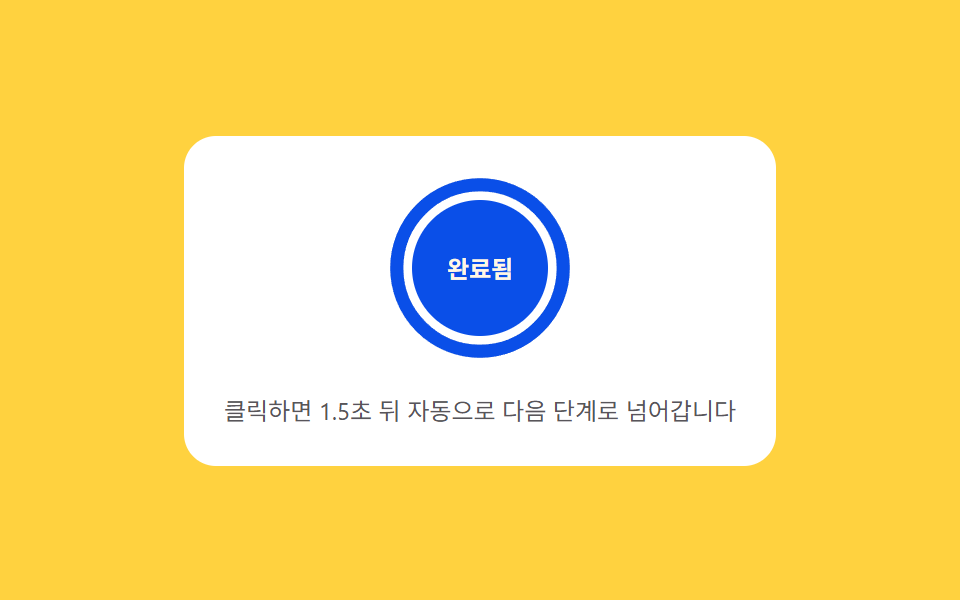 04 cta-btn-progress-ring-countdown
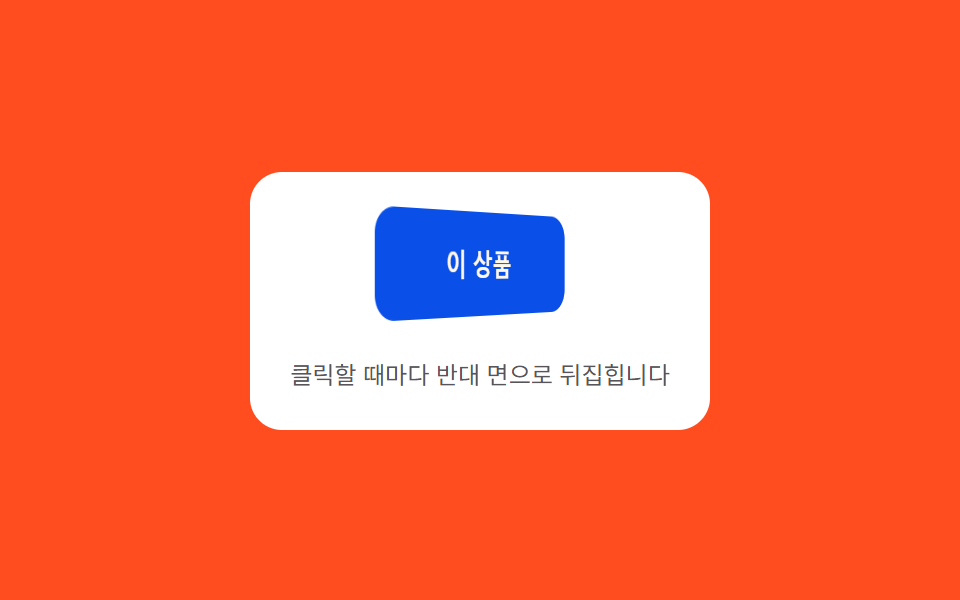 05 cta-btn-flip-3d-face
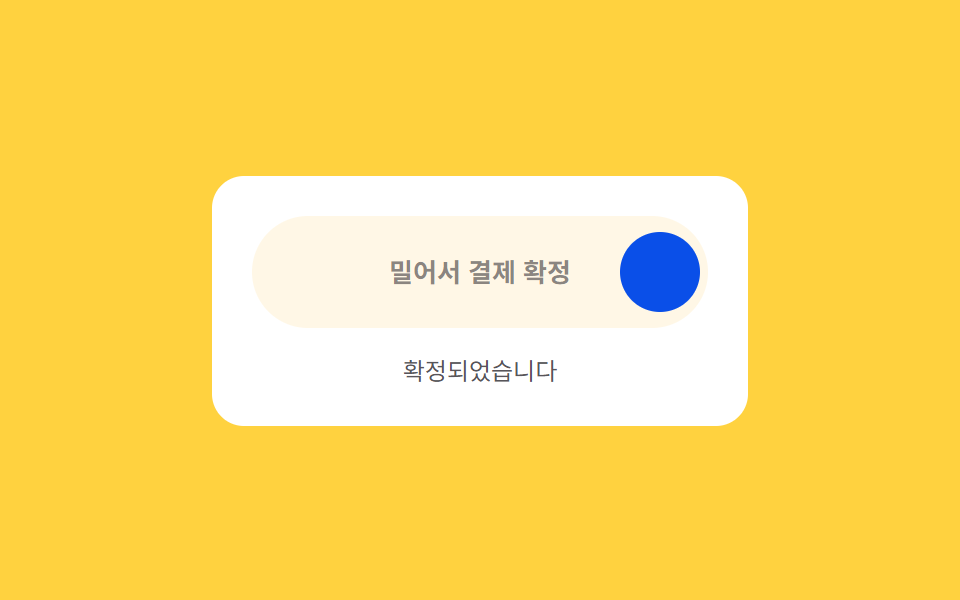 06 cta-btn-drag-confirm-slide
 07 cta-btn-typewriter-reveal
 08 cta-btn-skeleton-shimmer
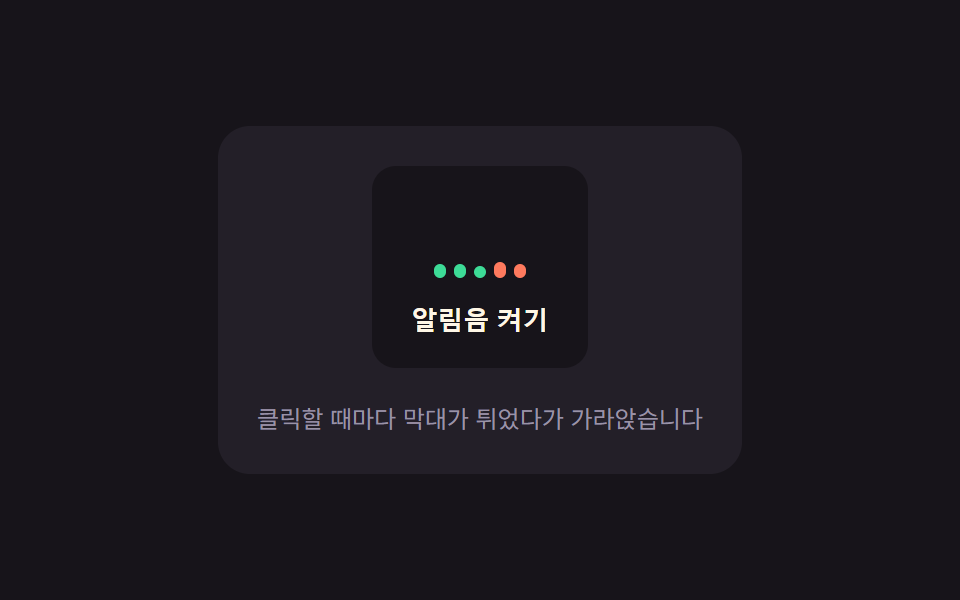 09 cta-btn-vu-meter-tap
자동 재생 · 눌러서 해당 항목으로 · 전부 한 zip
- 01 롱섀도 레트로 — 뻗어나가는 그림자의 길이 값이 호버 상태에 따라 늘고 줄어드는 버튼
- 02 어긋남 분리 — 겹쳐진 텍스트 층의 위치 값이 짧은 시간 동안 어긋났다가 다시 겹쳐지는 버튼
- 03 조각 발산 — 클릭한 자리에서 여러 조각이 저마다 다른 각도 값으로 흩어졌다가 사라지는 버튼
- 04 둘레 진행 — 버튼을 감싼 둘레의 진행 값이 정해진 시간 동안 줄어드는 버튼
- 05 입체 뒤집기 — 클릭하면 회전 값이 180도까지 돌며 반대 면이 드러나는 버튼
- 06 밀어 확정 — 끄는 위치 값이 기준을 넘으면 확정 상태가 되는 버튼
- 07 순차 드러남 — 호버 상태에서 두 번째 문구가 글자 순서 값을 따라 하나씩 나타나는 버튼
- 08 흐르는 대기 — 콘텐츠가 준비되기 전까지 표면의 밝기 값이 한 방향으로 흐르는 버튼
- 09 막대 반응 — 클릭할 때마다 여러 막대의 높이 값이 저마다 다르게 튀었다가 가라앉는 버튼
랜딩 페이지·결제·이벤트 버튼처럼 클릭 한 번의 무게가 큰 자리일수록 호버·클릭 뒤에 값이 어떻게 재계산되는지가 인상을 가릅니다 — 아래 표의 누적면적 값은 08 을 빼면 대체로 작은데, 09 처럼 작은 컴포넌트 편은 면적이 아니라 클릭마다 다른 난수로 튀었다가 감쇠하는 계산 한 겹의 정교함으로 재는 것이 맞습니다. 아래 표는 호버 상태에서 값이 되돌아오는 것(01·07) → 클릭이 일어날 때마다 값이 다시 계산되는 것(02·03·05·09) → 클릭 뒤 시간에 따라 값이 스스로 줄어드는 것(04·08) → 위치 값이 기준을 넘어야 확정되는 것(06) 순으로 묶었습니다.
아홉 개의 해부 — 어떤 값이 언제 바뀌는가
실측 한눈에
| 항목 | 초점 | 누적면적% | 강도 평균 | 움직인 프레임 |
|---|---|---|---|---|
| 01 롱섀도 레트로 | 그림자 길이 값 → box-shadow 레이어 재계산 | 2.70 | 166.3 | 8/23 |
| 02 어긋남 분리 | 어긋남 폭 값 → translate 좌표 재계산 | 0.91 | 115.5 | 7/23 |
| 03 조각 발산 | 각도·속도 값 → 파티클 궤적 재계산 | 3.59 | 62.8 | 15/23 |
| 04 둘레 진행 | 진행 값 → stroke-dashoffset 재계산 | 1.60 | 150.9 | 20/23 |
| 05 입체 뒤집기 | 회전 값 → rotateY 오버슈트 재계산 | 5.27 | 110.7 | 16/23 |
| 06 밀어 확정 | 위치 값 → translateX 재계산 | 5.16 | 218.7 | 16/23 |
| 07 순차 드러남 | 순서 값 → transitionDelay 재계산 | 0.94 | 64.6 | 10/23 |
| 08 흐르는 대기 | 밝기 위치 값 → sweep translateX 재계산 | 6.11 | 38.7 | 20/23 |
| 09 막대 반응 | 높이 값 → 막대 height% 재계산 | 0.29 | 170.7 | 23/23 |
08 은 sweep 이 표면 전체를 가로질러 매번 다시 그려 누적면적이 6.11%로 아홉 중 가장 크고, 09 는 막대 다섯 개만 움직여 0.29%로 가장 작습니다 — 09 는 077 캔버스 장면 편과 달리 컴포넌트 편이라 면적이 아니라 클릭마다 다른 난수로 튀었다가 DECAY(0.14)로 가라앉는 계산 한 겹의 정교함으로 재는 것이 맞습니다. 강도 평균은 06 이 218.7로 가장 높아 트랙 채움 핸들과 바탕 사이 픽셀 값 차이가 뚜렷하다는 뜻이고, 08 은 38.7로 가장 낮아 옅은 스윕 밝기 차이가 완만하다는 뜻입니다. 움직인 프레임은 09 가 23/23으로 유일하게 매 프레임 감쇠 값을 흘리는 구조라는 뜻이고, 02 는 7/23으로 가장 낮아 어긋남이 320ms 안에 짧게 끝난다는 뜻입니다.
호버 상태가 되면 값이 늘었다 줄어드는 cta 버튼 종류 — 01·07
01 은 mouseenter·focus 상태가 되면 step()이 목표(target)를 MAXLEN(22)으로 올리고, 매 프레임 len 값을 목표와의 차이의 28%씩 선형 보간(lerp)해 buildShadow()가 그 길이만큼 45도 방향 레이어를 쌓아 box-shadow 문자열을 다시 만들며, mouseleave·blur 상태가 되면 목표가 다시 0 이 되어 같은 계산으로 그림자가 줄어듭니다. 07 은 호버 상태가 되면 reveal()이 두 번째 문구에 is-shown 클래스를 얹어 각 글자의 transitionDelay(순서의 0.82제곱 × BASE)만큼 늦게 나타나게 하고, 호버가 풀린 상태가 되면 hide()가 같은 클래스를 지워 처음 문구로 되돌립니다.
클릭이 일어날 때마다 값이 다시 계산되는 것 — 02·03·05·09
02 는 클릭·호버 상태가 되면 runGlitch()가 mulberry32(SEED) 시드 난수로 두 텍스트 층의 어긋남 폭을 TICK(40ms)마다 다시 뽑아 DURATION(320ms) 동안 흔들다가 반드시 0 으로 되돌립니다. 03 은 클릭이 일어나면 burst()가 조각 18개마다 서로 다른 각도(angle)·속도(speed) 값을 부여하고, tick()이 매 프레임 중력(GRAVITY 420)을 속도에 더하고 감쇠(DRAG 0.985)를 곱해 좌표를 다시 계산합니다. 05 는 클릭·Enter·Space 가 눌리면 flip()이 시작되어 ease()가 감쇠 진동식(지수 감쇠 × 사인파)으로 회전 값이 180도를 살짝 넘었다가 스프링처럼 제자리에 앉는 값을 매 프레임 계산합니다. 09 는 클릭이 일어날 때마다 hit()이 막대 다섯 개 각각의 목표 높이를 서로 다른 난수로 정하고, tick()이 현재 높이와 바닥(MIN_H)의 차이를 DECAY(0.14)만큼씩 줄여 튀어 오른 막대가 서서히 가라앉는 값을 계산합니다.
클릭 뒤 시간에 따라 값이 스스로 줄어드는 것 — 04·08
04 는 클릭이 일어나면 startCountdown()이 시작 시각(startT)을 기록하고, frame()이 남은 시간 비율(progress)을 DURATION(1500ms) 동안 0에서 1까지 매 프레임 계산해 둘레(CIRC)에 곱한 stroke-dashoffset 값으로 그려 1 이 되면 완료 상태로 넘어갑니다. 08 은 클릭이 일어나면 startLoading()이 라벨을 지우고 frame()이 sweep의 가로 위치 값을 easeInOutSine()으로 CYCLE(1100ms)마다 한쪽 끝(-BAND)에서 반대쪽 끝까지 반복해서 계산하다가, 정해진 시간이 지나면 그 흐름을 멈추고 실제 문구로 바뀝니다.
위치 값이 기준을 넘어야 확정되는 것 — 06
06 은 끄는 위치 값(pos)을 트랙 폭 대비 비율로 clamp 하다가, 손을 놓는 순간 release()가 그 값이 THRESH(0.7)를 넘었는지로 확정 여부를 가르고, 넘지 못한 채 놓인 상태가 되면 settle()이 목표(0)까지 매 프레임 차이의 30%씩 줄여 원래 자리로 되돌립니다.
패턴별 코드
01롱섀도 레트로 — 뻗어나가는 그림자의 길이 값이 호버 상태에 따라 늘고 줄어드는 버튼
그림자가 뻗어나가는 길이 값이 호버 상태가 되면 정해진 목표 값까지 늘어나고, 호버가 풀린 상태가 되면 다시 원래 길이 값으로 돌아옵니다. 랜딩 페이지 CTA, 프로모션 배너 버튼에 맞는 형태입니다.
MAXLEN·lerp 로 그림자 길이 값을 매 프레임 좇는 buildShadow()
  var MAXLEN = 22;
  var C_NEAR = [47, 109, 246];   // $subject-blue
  var C_FAR = [23, 20, 26];      // $subject-ink
  var len = 0, target = 0, raf = null;

  function lerp(a, b, t) { return a + (b - a) * t; }

  function buildShadow(l) {
    var n = Math.round(l);
    if (n <= 0) { return 'none'; }
    var parts = [];
    for (var i = 1; i <= n; i++) {
      var t = i / n;
      var r = Math.round(lerp(C_NEAR[0], C_FAR[0], t));
      var g = Math.round(lerp(C_NEAR[1], C_FAR[1], t));
      var b = Math.round(lerp(C_NEAR[2], C_FAR[2], t));
      parts.push(i + 'px ' + i + 'px 0 rgb(' + r + ',' + g + ',' + b + ')');
    }
    return parts.join(',');
  }
<main class="stage">
<div class="ctalsr is-demo" id="ctalsr">
  <div class="ctalsr__panel">
    <button class="ctalsr__btn" id="ctalsrBtn" type="button">지금 시작하기</button>
    <span class="ctalsr__hint">호버하면 그림자 길이가 늘어납니다</span>
  </div>
</div>
</main>
@use "../../../../site/static/demo-tokens" as *;
// 계산 겹(색·거리 보간)은 JS 에 있다 — 여기는 정적 배치만.
@include stage($stage-yellow);
.stage { position: relative; }
.ctalsr__panel {
display: flex;
flex-direction: column;
align-items: center;
gap: $sp-4;
padding: $sp-5;
border-radius: $r-card;
background: $stage-paper;
}
.ctalsr__btn {
border: 0;
border-radius: $r-control;
background: $subject-blue-deep;
color: $subject-cream;
font-family: inherit;
font-weight: 700;
font-size: 16px;
padding: $sp-4 $sp-5;
cursor: pointer;
}
.ctalsr__hint {
color: rgba($subject-ink, .72);
font-size: 12px;
text-align: center;
}
@media (max-width: 340px) {
.ctalsr__panel { padding: $sp-4; gap: $sp-3; }
.ctalsr__btn { padding: $sp-3 $sp-4; font-size: 14px; }
}
@media (prefers-reduced-motion: reduce) {
.ctalsr__btn { transition: none !important; }
}html, body {
margin: 0;
overflow: hidden;
}
.stage {
box-sizing: border-box;
min-height: 100vh;
display: grid;
place-items: center;
margin: 0;
background: #ffd23f;
font-family: -apple-system, "Segoe UI", "Noto Sans KR", sans-serif;
padding: clamp(8px, 4vw, 24px);
}
.stage {
position: relative;
}
.ctalsr__panel {
display: flex;
flex-direction: column;
align-items: center;
gap: 16px;
padding: 20px;
border-radius: 16px;
background: #ffffff;
}
.ctalsr__btn {
border: 0;
border-radius: 12px;
background: #0a4fe8;
color: #fff7e6;
font-family: inherit;
font-weight: 700;
font-size: 16px;
padding: 16px 20px;
cursor: pointer;
}
.ctalsr__hint {
color: rgba(23, 20, 26, 0.72);
font-size: 12px;
text-align: center;
}
@media (max-width: 340px) {
.ctalsr__panel {
padding: 16px;
gap: 12px;
}
.ctalsr__btn {
padding: 12px 16px;
font-size: 14px;
}
}
@media (prefers-reduced-motion: reduce) {
.ctalsr__btn {
transition: none !important;
}
}(function () {
var root = document.getElementById('ctalsr');
var btn = document.getElementById('ctalsrBtn');
// 계산 겹: 그림자 길이 값을 매 프레임 목표로 선형 보간(0.28)해 부드럽게 좇고,
// 그 길이만큼 45도 방향(dx=dy=1px)으로 레이어를 쌓아 box-shadow 문자열을 만든다.
// 레이어마다 색을 옅은 파랑에서 짙은 잉크색으로 선형 보간해 원근감을 준다.
var MAXLEN = 22;
var C_NEAR = [47, 109, 246]; // $subject-blue
var C_FAR = [23, 20, 26]; // $subject-ink
var len = 0, target = 0, raf = null;
function lerp(a, b, t) { return a + (b - a) * t; }
function buildShadow(l) {
var n = Math.round(l);
if (n <= 0) { return 'none'; }
var parts = [];
for (var i = 1; i <= n; i++) {
var t = i / n;
var r = Math.round(lerp(C_NEAR[0], C_FAR[0], t));
var g = Math.round(lerp(C_NEAR[1], C_FAR[1], t));
var b = Math.round(lerp(C_NEAR[2], C_FAR[2], t));
parts.push(i + 'px ' + i + 'px 0 rgb(' + r + ',' + g + ',' + b + ')');
}
return parts.join(',');
}
function step() {
var diff = target - len;
len += diff * 0.28;
if (Math.abs(diff) < 0.05) { len = target; }
btn.style.boxShadow = buildShadow(len);
if (Math.abs(target - len) > 0.05) {
raf = requestAnimationFrame(step);
} else {
raf = null;
}
}
function go(to) {
target = to;
if (raf === null) { raf = requestAnimationFrame(step); }
}
function wireReal() {
btn.addEventListener('mouseenter', function () { root.classList.remove('is-demo'); stopAutoplay(); go(MAXLEN); });
btn.addEventListener('mouseleave', function () { go(0); });
btn.addEventListener('focus', function () { root.classList.remove('is-demo'); stopAutoplay(); go(MAXLEN); });
btn.addEventListener('blur', function () { go(0); });
}
wireReal();
var hovered = false;
var autoplayTimer = null;
function autoplayTick() { hovered = !hovered; go(hovered ? MAXLEN : 0); }
function stopAutoplay() { if (autoplayTimer) { clearInterval(autoplayTimer); autoplayTimer = null; } }
var reduce = window.matchMedia('(prefers-reduced-motion: reduce)').matches;
if (!reduce) { autoplayTimer = setInterval(autoplayTick, 700); }
btn.style.boxShadow = 'none';
})();import { useEffect, useRef } from "react";
import styles from "./CtaBtnLongShadowRetro.module.scss";
export type CtaBtnLongShadowRetroProps = {
color?: string;
};
export default function CtaBtnLongShadowRetro({
color = "#0a4fe8",
}: CtaBtnLongShadowRetroProps) {
const rootRef = useRef<HTMLDivElement | null>(null);
useEffect(() => {
const root = rootRef.current;
if (!root) return;
const btn = root.querySelector<HTMLButtonElement>(`.${styles.btn}`);
if (!btn) return;
// 계산 겹: 그림자 길이 값을 매 프레임 목표로 선형 보간(0.28)해 부드럽게 좇고,
// 그 길이만큼 45도 방향(dx=dy=1px)으로 레이어를 쌓아 box-shadow 문자열을 만든다.
const MAXLEN = 22;
const C_NEAR: [number, number, number] = [47, 109, 246];
const C_FAR: [number, number, number] = [23, 20, 26];
let len = 0;
let target = 0;
let raf: number | null = null;
function lerp(a: number, b: number, t: number) { return a + (b - a) * t; }
function buildShadow(l: number) {
const n = Math.round(l);
if (n <= 0) return "none";
const parts: string[] = [];
for (let i = 1; i <= n; i++) {
const t = i / n;
const r = Math.round(lerp(C_NEAR[0], C_FAR[0], t));
const g = Math.round(lerp(C_NEAR[1], C_FAR[1], t));
const b = Math.round(lerp(C_NEAR[2], C_FAR[2], t));
parts.push(i + "px " + i + "px 0 rgb(" + r + "," + g + "," + b + ")");
}
return parts.join(",");
}
function step() {
const diff = target - len;
len += diff * 0.28;
if (Math.abs(diff) < 0.05) { len = target; }
btn!.style.boxShadow = buildShadow(len);
if (Math.abs(target - len) > 0.05) {
raf = requestAnimationFrame(step);
} else {
raf = null;
}
}
function go(to: number) {
target = to;
if (raf === null) { raf = requestAnimationFrame(step); }
}
function onEnter() { stopAutoplay(); go(MAXLEN); }
function onLeave() { go(0); }
btn.addEventListener("mouseenter", onEnter);
btn.addEventListener("mouseleave", onLeave);
btn.addEventListener("focus", onEnter);
btn.addEventListener("blur", onLeave);
let hovered = false;
let autoplayTimer: number | null = null;
function autoplayTick() { hovered = !hovered; go(hovered ? MAXLEN : 0); }
function stopAutoplay() { if (autoplayTimer !== null) { window.clearInterval(autoplayTimer); autoplayTimer = null; } }
const reduce = window.matchMedia("(prefers-reduced-motion: reduce)").matches;
if (!reduce) { autoplayTimer = window.setInterval(autoplayTick, 700); }
btn.style.boxShadow = "none";
return () => {
stopAutoplay();
if (raf !== null) { cancelAnimationFrame(raf); }
btn.removeEventListener("mouseenter", onEnter);
btn.removeEventListener("mouseleave", onLeave);
btn.removeEventListener("focus", onEnter);
btn.removeEventListener("blur", onLeave);
};
}, []);
return (
<div ref={rootRef} className={styles.stage}>
<div className={styles.panel}>
<button className={styles.btn} type="button" style={{ background: color }}>
지금 시작하기
</button>
<span className={styles.hint}>호버하면 그림자 길이가 늘어납니다</span>
</div>
</div>
);
}01 · 롱섀도 레트로 — 뻗어나가는 그림자의 길이 값이 호버 상태에 따라 늘고 줄어드는 버튼 — 측정 누적면적 2.695% · 움직인 프레임 8/23GODRICH 원작 · zip 에 SCSS·React 포함 · 비밀번호 보기
02어긋남 분리 — 겹쳐진 텍스트 층의 위치 값이 짧은 시간 동안 어긋났다가 다시 겹쳐지는 버튼
호버 상태가 되는 순간 겹쳐진 두 텍스트 층의 위치 값이 정해진 폭만큼 순간적으로 어긋났다가, 정해진 시간이 지나면 다시 같은 위치 값으로 겹칩니다. 이벤트 강조 버튼, 한정판 상품 CTA에 맞는 형태입니다.
SEED·mulberry32 로 어긋남 폭을 매 틱 새로 뽑는 runGlitch()
  var SEED = 20260920;
  function mulberry32(a) {
    return function () {
      a |= 0; a = (a + 0x6D2B79F5) | 0;
      var t = Math.imul(a ^ (a >>> 15), 1 | a);
      t = (t + Math.imul(t ^ (t >>> 7), 61 | t)) ^ t;
      return ((t ^ (t >>> 14)) >>> 0) / 4294967296;
    };
  }
  var rng = mulberry32(SEED);
  var DURATION = 320, TICK = 40;
  var glitchTimer = null;
<main class="stage">
<div class="ctagls is-demo" id="ctagls">
  <div class="ctagls__panel">
    <button class="ctagls__btn" id="ctaglsBtn" type="button">
      <span class="ctagls__layer ctagls__layer--a" id="ctaglsA">한정판 구매</span>
      <span class="ctagls__layer ctagls__layer--b" id="ctaglsB" aria-hidden="true">한정판 구매</span>
    </button>
    <span class="ctagls__hint">호버하면 텍스트 층이 잠깐 어긋납니다</span>
  </div>
</div>
</main>
@use "../../../../site/static/demo-tokens" as *;
// 계산 겹(시드 난수 어긋남)은 JS 에 있다 — 여기는 정적 배치·색만.
@include stage($stage-ink);
.stage { position: relative; }
.ctagls__panel {
display: flex;
flex-direction: column;
align-items: center;
gap: $sp-4;
padding: $sp-5;
border-radius: $r-card;
background: $tick-panel;
}
.ctagls__btn {
position: relative;
border: 0;
border-radius: $r-control;
background: $subject-pink;
padding: $sp-4 $sp-5;
cursor: pointer;
overflow: hidden;
}
.ctagls__layer {
display: block;
font-family: inherit;
font-weight: 700;
font-size: 16px;
color: $subject-ink;
white-space: nowrap;
}
.ctagls__layer--b {
position: absolute;
inset: 0;
display: flex;
align-items: center;
justify-content: center;
color: $subject-blue-light;
mix-blend-mode: screen;
}
.ctagls__hint {
color: $tick-mute;
font-size: 12px;
text-align: center;
}
@media (max-width: 340px) {
.ctagls__panel { padding: $sp-4; gap: $sp-3; }
.ctagls__btn { padding: $sp-3 $sp-4; }
.ctagls__layer { font-size: 14px; }
}
@media (prefers-reduced-motion: reduce) {
.ctagls__layer { transition: none !important; }
}html, body {
margin: 0;
overflow: hidden;
}
.stage {
box-sizing: border-box;
min-height: 100vh;
display: grid;
place-items: center;
margin: 0;
background: #17141a;
font-family: -apple-system, "Segoe UI", "Noto Sans KR", sans-serif;
padding: clamp(8px, 4vw, 24px);
}
.stage {
position: relative;
}
.ctagls__panel {
display: flex;
flex-direction: column;
align-items: center;
gap: 16px;
padding: 20px;
border-radius: 16px;
background: #231f28;
}
.ctagls__btn {
position: relative;
border: 0;
border-radius: 12px;
background: #ff9ebb;
padding: 16px 20px;
cursor: pointer;
overflow: hidden;
}
.ctagls__layer {
display: block;
font-family: inherit;
font-weight: 700;
font-size: 16px;
color: #17141a;
white-space: nowrap;
}
.ctagls__layer--b {
position: absolute;
inset: 0;
display: flex;
align-items: center;
justify-content: center;
color: #5b8cf8;
mix-blend-mode: screen;
}
.ctagls__hint {
color: #9a93a6;
font-size: 12px;
text-align: center;
}
@media (max-width: 340px) {
.ctagls__panel {
padding: 16px;
gap: 12px;
}
.ctagls__btn {
padding: 12px 16px;
}
.ctagls__layer {
font-size: 14px;
}
}
@media (prefers-reduced-motion: reduce) {
.ctagls__layer {
transition: none !important;
}
}(function () {
var root = document.getElementById('ctagls');
var btn = document.getElementById('ctaglsBtn');
var layerA = document.getElementById('ctaglsA');
var layerB = document.getElementById('ctaglsB');
// 계산 겹: mulberry32 시드 난수로 어긋남 폭을 매 틱 정하고, 정해진 시간(320ms) 동안
// TICK 간격으로 흔들다가 마지막엔 반드시 0 으로 되돌린다 — 재생마다 같은 시드로 같은 패턴.
var SEED = 20260920;
function mulberry32(a) {
return function () {
a |= 0; a = (a + 0x6D2B79F5) | 0;
var t = Math.imul(a ^ (a >>> 15), 1 | a);
t = (t + Math.imul(t ^ (t >>> 7), 61 | t)) ^ t;
return ((t ^ (t >>> 14)) >>> 0) / 4294967296;
};
}
var rng = mulberry32(SEED);
var DURATION = 320, TICK = 40;
var glitchTimer = null;
function runGlitch() {
if (glitchTimer) { return; }
var elapsed = 0;
glitchTimer = setInterval(function () {
elapsed += TICK;
if (elapsed >= DURATION) {
clearInterval(glitchTimer); glitchTimer = null;
layerA.style.transform = 'translate(0px,0px)';
layerB.style.transform = 'translate(0px,0px)';
return;
}
var ax = (rng() - 0.5) * 10;
var ay = (rng() - 0.5) * 4;
var bx = (rng() - 0.5) * 10;
var by = (rng() - 0.5) * 4;
layerA.style.transform = 'translate(' + ax.toFixed(1) + 'px,' + ay.toFixed(1) + 'px)';
layerB.style.transform = 'translate(' + bx.toFixed(1) + 'px,' + by.toFixed(1) + 'px)';
}, TICK);
}
function wireReal() {
btn.addEventListener('mouseenter', function () { root.classList.remove('is-demo'); stopAutoplay(); runGlitch(); });
btn.addEventListener('focus', function () { root.classList.remove('is-demo'); stopAutoplay(); runGlitch(); });
btn.addEventListener('click', function () { runGlitch(); });
}
wireReal();
var autoplayTimer = null;
function stopAutoplay() { if (autoplayTimer) { clearInterval(autoplayTimer); autoplayTimer = null; } }
var reduce = window.matchMedia('(prefers-reduced-motion: reduce)').matches;
if (!reduce) { autoplayTimer = setInterval(runGlitch, 900); }
})();import { useEffect, useRef } from "react";
import styles from "./CtaBtnGlitchSplit.module.scss";
export type CtaBtnGlitchSplitProps = {
color?: string;
};
export default function CtaBtnGlitchSplit({
color = "#5b8cf8",
}: CtaBtnGlitchSplitProps) {
const rootRef = useRef<HTMLDivElement | null>(null);
useEffect(() => {
const root = rootRef.current;
if (!root) return;
const btn = root.querySelector<HTMLButtonElement>(`.${styles.btn}`);
const layerA = root.querySelector<HTMLSpanElement>(`.${styles.layerA}`);
const layerB = root.querySelector<HTMLSpanElement>(`.${styles.layerB}`);
if (!btn || !layerA || !layerB) return;
// 계산 겹: mulberry32 시드 난수로 어긋남 폭을 매 틱 정하고, 정해진 시간(320ms) 동안
// TICK 간격으로 흔들다가 마지막엔 반드시 0 으로 되돌린다 — 재생마다 같은 시드로 같은 패턴.
const SEED = 20260920;
function mulberry32(a: number) {
return function () {
a |= 0; a = (a + 0x6d2b79f5) | 0;
let t = Math.imul(a ^ (a >>> 15), 1 | a);
t = (t + Math.imul(t ^ (t >>> 7), 61 | t)) ^ t;
return ((t ^ (t >>> 14)) >>> 0) / 4294967296;
};
}
const rng = mulberry32(SEED);
const DURATION = 320, TICK = 40;
let glitchTimer: number | null = null;
function runGlitch() {
if (glitchTimer !== null) return;
let elapsed = 0;
glitchTimer = window.setInterval(() => {
elapsed += TICK;
if (elapsed >= DURATION) {
if (glitchTimer !== null) { window.clearInterval(glitchTimer); glitchTimer = null; }
layerA!.style.transform = "translate(0px,0px)";
layerB!.style.transform = "translate(0px,0px)";
return;
}
const ax = (rng() - 0.5) * 10;
const ay = (rng() - 0.5) * 4;
const bx = (rng() - 0.5) * 10;
const by = (rng() - 0.5) * 4;
layerA!.style.transform = "translate(" + ax.toFixed(1) + "px," + ay.toFixed(1) + "px)";
layerB!.style.transform = "translate(" + bx.toFixed(1) + "px," + by.toFixed(1) + "px)";
}, TICK);
}
function onEnter() { stopAutoplay(); runGlitch(); }
function onClick() { runGlitch(); }
btn.addEventListener("mouseenter", onEnter);
btn.addEventListener("focus", onEnter);
btn.addEventListener("click", onClick);
let autoplayTimer: number | null = null;
function stopAutoplay() { if (autoplayTimer !== null) { window.clearInterval(autoplayTimer); autoplayTimer = null; } }
const reduce = window.matchMedia("(prefers-reduced-motion: reduce)").matches;
if (!reduce) { autoplayTimer = window.setInterval(runGlitch, 900); }
return () => {
stopAutoplay();
if (glitchTimer !== null) { window.clearInterval(glitchTimer); }
btn.removeEventListener("mouseenter", onEnter);
btn.removeEventListener("focus", onEnter);
btn.removeEventListener("click", onClick);
};
}, []);
return (
<div ref={rootRef} className={styles.stage}>
<div className={styles.panel}>
<button className={styles.btn} type="button">
<span className={styles.layerA}>한정판 구매</span>
<span className={styles.layerB} aria-hidden="true" style={{ color }}>한정판 구매</span>
</button>
<span className={styles.hint}>호버하면 텍스트 층이 잠깐 어긋납니다</span>
</div>
</div>
);
}02 · 어긋남 분리 — 겹쳐진 텍스트 층의 위치 값이 짧은 시간 동안 어긋났다가 다시 겹쳐지는 버튼 — 측정 누적면적 0.914% · 움직인 프레임 7/23GODRICH 원작 · zip 에 SCSS·React 포함 · 비밀번호 보기
03조각 발산 — 클릭한 자리에서 여러 조각이 저마다 다른 각도 값으로 흩어졌다가 사라지는 버튼
클릭이 일어난 지점을 기준으로 여러 조각이 저마다 다른 각도 값과 속도 값으로 퍼져나가고, 투명도 값이 시간이 지날수록 낮아지다 사라진 상태가 됩니다. 구매 완료 버튼, 이벤트 참여 버튼에 맞는 형태입니다.
GRAVITY·COLORS 로 파티클 궤적을 매 프레임 계산하는 burst()
  var GRAVITY = 420, DRAG = 0.985, LIFE = 900;
  var particles = [];
  var raf = null, lastT = 0;

  function burst() {
    var cx = canvas.width / 2, cy = canvas.height * 0.35;
    particles = [];
    for (var i = 0; i < 18; i++) {
      var angle = (Math.PI * 2 * i) / 18 + (Math.random() - 0.5) * 0.5;
      var speed = 90 + Math.random() * 110;
      particles.push({
        x: cx, y: cy,
        vx: Math.cos(angle) * speed,
        vy: Math.sin(angle) * speed - 60,
        rot: Math.random() * Math.PI,
        vrot: (Math.random() - 0.5) * 10,
        color: COLORS[i % COLORS.length],
        age: 0
      });
    }
    if (!raf) { lastT = performance.now(); raf = requestAnimationFrame(tick); }
  }
<main class="stage">
<div class="ctacfb is-demo" id="ctacfb">
  <div class="ctacfb__panel">
    <div class="ctacfb__wrap">
      <canvas class="ctacfb__canvas" id="ctacfbCanvas" width="220" height="120"></canvas>
      <button class="ctacfb__btn" id="ctacfbBtn" type="button">구매 완료</button>
    </div>
    <span class="ctacfb__hint">클릭하면 조각이 사방으로 흩어집니다</span>
  </div>
</div>
</main>
@use "../../../../site/static/demo-tokens" as *;
// 계산 겹(중력·감쇠·회전)은 JS 캔버스에 있다 — 여기는 정적 배치만.
@include stage($stage-orange);
.stage { position: relative; }
.ctacfb__panel {
display: flex;
flex-direction: column;
align-items: center;
gap: $sp-3;
padding: $sp-5;
border-radius: $r-card;
background: $stage-paper;
}
.ctacfb__wrap {
position: relative;
width: 220px;
height: 120px;
display: grid;
place-items: center;
}
.ctacfb__canvas {
position: absolute;
inset: 0;
pointer-events: none;
}
.ctacfb__btn {
position: relative;
z-index: 1;
border: 0;
border-radius: $r-control;
background: $subject-blue-deep;
color: $subject-cream;
font-family: inherit;
font-weight: 700;
font-size: 15px;
padding: $sp-3 $sp-5;
cursor: pointer;
}
.ctacfb__hint {
color: rgba($subject-ink, .72);
font-size: 12px;
text-align: center;
}
@media (max-width: 340px) {
.ctacfb__panel { padding: $sp-4; gap: $sp-2; }
.ctacfb__wrap { width: 180px; height: 100px; }
.ctacfb__btn { padding: $sp-2 $sp-4; font-size: 14px; }
}
@media (prefers-reduced-motion: reduce) {
.ctacfb__btn { transition: none !important; }
}html, body {
margin: 0;
overflow: hidden;
}
.stage {
box-sizing: border-box;
min-height: 100vh;
display: grid;
place-items: center;
margin: 0;
background: #ff4d1f;
font-family: -apple-system, "Segoe UI", "Noto Sans KR", sans-serif;
padding: clamp(8px, 4vw, 24px);
}
.stage {
position: relative;
}
.ctacfb__panel {
display: flex;
flex-direction: column;
align-items: center;
gap: 12px;
padding: 20px;
border-radius: 16px;
background: #ffffff;
}
.ctacfb__wrap {
position: relative;
width: 220px;
height: 120px;
display: grid;
place-items: center;
}
.ctacfb__canvas {
position: absolute;
inset: 0;
pointer-events: none;
}
.ctacfb__btn {
position: relative;
z-index: 1;
border: 0;
border-radius: 12px;
background: #0a4fe8;
color: #fff7e6;
font-family: inherit;
font-weight: 700;
font-size: 15px;
padding: 12px 20px;
cursor: pointer;
}
.ctacfb__hint {
color: rgba(23, 20, 26, 0.72);
font-size: 12px;
text-align: center;
}
@media (max-width: 340px) {
.ctacfb__panel {
padding: 16px;
gap: 8px;
}
.ctacfb__wrap {
width: 180px;
height: 100px;
}
.ctacfb__btn {
padding: 8px 16px;
font-size: 14px;
}
}
@media (prefers-reduced-motion: reduce) {
.ctacfb__btn {
transition: none !important;
}
}(function () {
var root = document.getElementById('ctacfb');
var btn = document.getElementById('ctacfbBtn');
var canvas = document.getElementById('ctacfbCanvas');
var ctx = canvas.getContext('2d');
var COLORS = ['#5b8cf8', '#ff9ebb', '#4cd4a6', '#b9a0ff'];
// 계산 겹: 조각마다 각도·속도 값을 난수로 부여하고, 매 프레임 중력(GRAVITY)을 속도에
// 더하고 속도에 감쇠(DRAG)를 곱해 궤적을 계산한다. 회전 값도 각자 다른 속도로 누적하고
// 투명도 값은 남은 수명 비율로 계산해 사라진다.
var GRAVITY = 420, DRAG = 0.985, LIFE = 900;
var particles = [];
var raf = null, lastT = 0;
function burst() {
var cx = canvas.width / 2, cy = canvas.height * 0.35;
particles = [];
for (var i = 0; i < 18; i++) {
var angle = (Math.PI * 2 * i) / 18 + (Math.random() - 0.5) * 0.5;
var speed = 90 + Math.random() * 110;
particles.push({
x: cx, y: cy,
vx: Math.cos(angle) * speed,
vy: Math.sin(angle) * speed - 60,
rot: Math.random() * Math.PI,
vrot: (Math.random() - 0.5) * 10,
color: COLORS[i % COLORS.length],
age: 0
});
}
if (!raf) { lastT = performance.now(); raf = requestAnimationFrame(tick); }
}
function tick(now) {
var dt = Math.min((now - lastT) / 1000, 0.05);
lastT = now;
ctx.clearRect(0, 0, canvas.width, canvas.height);
var alive = false;
for (var i = 0; i < particles.length; i++) {
var p = particles[i];
p.age += dt * 1000;
if (p.age >= LIFE) { continue; }
alive = true;
p.vy += GRAVITY * dt;
p.vx *= DRAG; p.vy *= DRAG;
p.x += p.vx * dt; p.y += p.vy * dt;
p.rot += p.vrot * dt;
var op = Math.max(0, 1 - p.age / LIFE);
ctx.save();
ctx.globalAlpha = op;
ctx.translate(p.x, p.y);
ctx.rotate(p.rot);
ctx.fillStyle = p.color;
ctx.fillRect(-4, -3, 8, 6);
ctx.restore();
}
if (alive) {
raf = requestAnimationFrame(tick);
} else {
raf = null;
}
}
function wireReal() {
btn.addEventListener('click', function () { root.classList.remove('is-demo'); stopAutoplay(); burst(); });
}
wireReal();
var autoplayTimer = null;
function stopAutoplay() { if (autoplayTimer) { clearInterval(autoplayTimer); autoplayTimer = null; } }
var reduce = window.matchMedia('(prefers-reduced-motion: reduce)').matches;
if (!reduce) { autoplayTimer = setInterval(burst, 1100); }
})();import { useEffect, useRef } from "react";
import styles from "./CtaBtnConfettiBurst.module.scss";
type Particle = {
x: number; y: number; vx: number; vy: number;
rot: number; vrot: number; color: string; age: number;
};
export type CtaBtnConfettiBurstProps = {
color?: string;
};
export default function CtaBtnConfettiBurst({
color = "#0a4fe8",
}: CtaBtnConfettiBurstProps) {
const rootRef = useRef<HTMLDivElement | null>(null);
useEffect(() => {
const root = rootRef.current;
if (!root) return;
const btn = root.querySelector<HTMLButtonElement>(`.${styles.btn}`);
const canvas = root.querySelector<HTMLCanvasElement>(`.${styles.canvas}`);
if (!btn || !canvas) return;
const ctx = canvas.getContext("2d");
if (!ctx) return;
const COLORS = ["#5b8cf8", "#ff9ebb", "#4cd4a6", "#b9a0ff"];
// 계산 겹: 조각마다 각도·속도 값을 난수로 부여하고, 매 프레임 중력(GRAVITY)을 속도에
// 더하고 속도에 감쇠(DRAG)를 곱해 궤적을 계산한다. 회전 값도 각자 다른 속도로 누적하고
// 투명도 값은 남은 수명 비율로 계산해 사라진다.
const GRAVITY = 420, DRAG = 0.985, LIFE = 900;
let particles: Particle[] = [];
let raf: number | null = null;
let lastT = 0;
function burst() {
const cx = canvas!.width / 2, cy = canvas!.height * 0.35;
particles = [];
for (let i = 0; i < 18; i++) {
const angle = (Math.PI * 2 * i) / 18 + (Math.random() - 0.5) * 0.5;
const speed = 90 + Math.random() * 110;
particles.push({
x: cx, y: cy,
vx: Math.cos(angle) * speed,
vy: Math.sin(angle) * speed - 60,
rot: Math.random() * Math.PI,
vrot: (Math.random() - 0.5) * 10,
color: COLORS[i % COLORS.length],
age: 0,
});
}
if (raf === null) { lastT = performance.now(); raf = requestAnimationFrame(tick); }
}
function tick(now: number) {
const dt = Math.min((now - lastT) / 1000, 0.05);
lastT = now;
ctx!.clearRect(0, 0, canvas!.width, canvas!.height);
let alive = false;
for (const p of particles) {
p.age += dt * 1000;
if (p.age >= LIFE) continue;
alive = true;
p.vy += GRAVITY * dt;
p.vx *= DRAG; p.vy *= DRAG;
p.x += p.vx * dt; p.y += p.vy * dt;
p.rot += p.vrot * dt;
const op = Math.max(0, 1 - p.age / LIFE);
ctx!.save();
ctx!.globalAlpha = op;
ctx!.translate(p.x, p.y);
ctx!.rotate(p.rot);
ctx!.fillStyle = p.color;
ctx!.fillRect(-4, -3, 8, 6);
ctx!.restore();
}
raf = alive ? requestAnimationFrame(tick) : null;
}
function onClick() { stopAutoplay(); burst(); }
btn.addEventListener("click", onClick);
let autoplayTimer: number | null = null;
function stopAutoplay() { if (autoplayTimer !== null) { window.clearInterval(autoplayTimer); autoplayTimer = null; } }
const reduce = window.matchMedia("(prefers-reduced-motion: reduce)").matches;
if (!reduce) { autoplayTimer = window.setInterval(burst, 1100); }
return () => {
stopAutoplay();
if (raf !== null) { cancelAnimationFrame(raf); }
btn.removeEventListener("click", onClick);
};
}, []);
return (
<div ref={rootRef} className={styles.stage}>
<div className={styles.panel}>
<div className={styles.wrap}>
<canvas className={styles.canvas} width={220} height={120} />
<button className={styles.btn} type="button" style={{ background: color }}>구매 완료</button>
</div>
<span className={styles.hint}>클릭하면 조각이 사방으로 흩어집니다</span>
</div>
</div>
);
}03 · 조각 발산 — 클릭한 자리에서 여러 조각이 저마다 다른 각도 값으로 흩어졌다가 사라지는 버튼 — 측정 누적면적 3.59% · 움직인 프레임 15/23GODRICH 원작 · zip 에 SCSS·React 포함 · 비밀번호 보기
04둘레 진행 — 버튼을 감싼 둘레의 진행 값이 정해진 시간 동안 줄어드는 버튼
버튼을 감싼 둘레의 진행 값이 정해진 시간 동안 처음 값에서 0까지 줄어들고, 그 값이 0이 된 상태가 되면 정해진 동작으로 넘어갑니다. 한정 시간 할인 버튼, 자동 다음 단계 버튼에 맞는 형태입니다.
R·CIRC 로 둘레 진행 값을 stroke-dashoffset 에 계산하는 startCountdown()
  var R = 38;
  var CIRC = 2 * Math.PI * R;
  bar.style.strokeDasharray = CIRC.toFixed(2);
  var DURATION = 1500;
  var raf = null, startT = 0, running = false;

  function frame(now) {
    var t = now - startT;
    var progress = Math.min(1, t / DURATION);
    var offset = CIRC * (1 - progress);
    bar.style.strokeDashoffset = offset.toFixed(2);
    if (progress < 1) {
      raf = requestAnimationFrame(frame);
    } else {
      running = false; raf = null;
      btn.textContent = '완료됨';
      setTimeout(function () { btn.textContent = '다음 단계'; bar.style.strokeDashoffset = CIRC.toFixed(2); }, 500);
    }
  }
  function startCountdown() {
    if (running) { return; }
    running = true;
    startT = performance.now();
    raf = requestAnimationFrame(frame);
  }
<main class="stage">
<div class="ctaprc is-demo" id="ctaprc">
  <div class="ctaprc__panel">
    <div class="ctaprc__wrap">
      <svg class="ctaprc__ring" viewBox="0 0 84 84" id="ctaprcSvg">
        <circle class="ctaprc__track" cx="42" cy="42" r="38"></circle>
        <circle class="ctaprc__bar" id="ctaprcBar" cx="42" cy="42" r="38"></circle>
      </svg>
      <button class="ctaprc__btn" id="ctaprcBtn" type="button">다음 단계</button>
    </div>
    <span class="ctaprc__hint">클릭하면 1.5초 뒤 자동으로 다음 단계로 넘어갑니다</span>
  </div>
</div>
</main>
@use "../../../../site/static/demo-tokens" as *;
// 계산 겹(둘레·dashoffset 산술)은 JS 에 있다 — 여기는 정적 배치만.
@include stage($stage-yellow);
.stage { position: relative; }
.ctaprc__panel {
display: flex;
flex-direction: column;
align-items: center;
gap: $sp-4;
padding: $sp-5;
border-radius: $r-card;
background: $stage-paper;
}
.ctaprc__wrap {
position: relative;
width: 92px;
height: 92px;
display: grid;
place-items: center;
}
.ctaprc__ring {
position: absolute;
inset: 0;
width: 92px;
height: 92px;
transform: rotate(-90deg);
}
.ctaprc__track {
fill: none;
stroke: rgba($subject-ink, .12);
stroke-width: 6;
}
.ctaprc__bar {
fill: none;
stroke: $subject-blue-deep;
stroke-width: 6;
stroke-linecap: round;
}
.ctaprc__btn {
position: relative;
border: 0;
border-radius: $r-pill;
background: $subject-blue-deep;
color: $subject-cream;
font-family: inherit;
font-weight: 700;
font-size: 12px;
width: 68px;
height: 68px;
cursor: pointer;
}
.ctaprc__hint {
color: rgba($subject-ink, .72);
font-size: 12px;
text-align: center;
}
@media (max-width: 340px) {
.ctaprc__panel { padding: $sp-4; gap: $sp-3; }
.ctaprc__wrap { width: 76px; height: 76px; }
.ctaprc__ring { width: 76px; height: 76px; }
.ctaprc__btn { width: 56px; height: 56px; font-size: 11px; }
}
@media (prefers-reduced-motion: reduce) {
.ctaprc__ring { transition: none !important; }
}html, body {
margin: 0;
overflow: hidden;
}
.stage {
box-sizing: border-box;
min-height: 100vh;
display: grid;
place-items: center;
margin: 0;
background: #ffd23f;
font-family: -apple-system, "Segoe UI", "Noto Sans KR", sans-serif;
padding: clamp(8px, 4vw, 24px);
}
.stage {
position: relative;
}
.ctaprc__panel {
display: flex;
flex-direction: column;
align-items: center;
gap: 16px;
padding: 20px;
border-radius: 16px;
background: #ffffff;
}
.ctaprc__wrap {
position: relative;
width: 92px;
height: 92px;
display: grid;
place-items: center;
}
.ctaprc__ring {
position: absolute;
inset: 0;
width: 92px;
height: 92px;
transform: rotate(-90deg);
}
.ctaprc__track {
fill: none;
stroke: rgba(23, 20, 26, 0.12);
stroke-width: 6;
}
.ctaprc__bar {
fill: none;
stroke: #0a4fe8;
stroke-width: 6;
stroke-linecap: round;
}
.ctaprc__btn {
position: relative;
border: 0;
border-radius: 999px;
background: #0a4fe8;
color: #fff7e6;
font-family: inherit;
font-weight: 700;
font-size: 12px;
width: 68px;
height: 68px;
cursor: pointer;
}
.ctaprc__hint {
color: rgba(23, 20, 26, 0.72);
font-size: 12px;
text-align: center;
}
@media (max-width: 340px) {
.ctaprc__panel {
padding: 16px;
gap: 12px;
}
.ctaprc__wrap {
width: 76px;
height: 76px;
}
.ctaprc__ring {
width: 76px;
height: 76px;
}
.ctaprc__btn {
width: 56px;
height: 56px;
font-size: 11px;
}
}
@media (prefers-reduced-motion: reduce) {
.ctaprc__ring {
transition: none !important;
}
}(function () {
var root = document.getElementById('ctaprc');
var btn = document.getElementById('ctaprcBtn');
var bar = document.getElementById('ctaprcBar');
// 계산 겹: 반지름(r)으로 둘레(circumference = 2*PI*r)를 구하고, 남은 시간 비율(progress)을
// stroke-dashoffset = circumference * (1 - progress) 산술로 매 프레임 다시 그린다.
var R = 38;
var CIRC = 2 * Math.PI * R;
bar.style.strokeDasharray = CIRC.toFixed(2);
var DURATION = 1500;
var raf = null, startT = 0, running = false;
function frame(now) {
var t = now - startT;
var progress = Math.min(1, t / DURATION);
var offset = CIRC * (1 - progress);
bar.style.strokeDashoffset = offset.toFixed(2);
if (progress < 1) {
raf = requestAnimationFrame(frame);
} else {
running = false; raf = null;
btn.textContent = '완료됨';
setTimeout(function () { btn.textContent = '다음 단계'; bar.style.strokeDashoffset = CIRC.toFixed(2); }, 500);
}
}
function startCountdown() {
if (running) { return; }
running = true;
startT = performance.now();
raf = requestAnimationFrame(frame);
}
function wireReal() {
btn.addEventListener('click', function () { root.classList.remove('is-demo'); stopAutoplay(); startCountdown(); });
}
wireReal();
bar.style.strokeDashoffset = CIRC.toFixed(2);
var autoplayTimer = null;
function stopAutoplay() { if (autoplayTimer) { clearInterval(autoplayTimer); autoplayTimer = null; } }
var reduce = window.matchMedia('(prefers-reduced-motion: reduce)').matches;
if (!reduce) { startCountdown(); autoplayTimer = setInterval(startCountdown, 2000); }
})();import { useEffect, useRef } from "react";
import styles from "./CtaBtnProgressRingCountdown.module.scss";
export type CtaBtnProgressRingCountdownProps = {
color?: string;
};
export default function CtaBtnProgressRingCountdown({
color = "#0a4fe8",
}: CtaBtnProgressRingCountdownProps) {
const rootRef = useRef<HTMLDivElement | null>(null);
useEffect(() => {
const root = rootRef.current;
if (!root) return;
const btn = root.querySelector<HTMLButtonElement>(`.${styles.btn}`);
const bar = root.querySelector<SVGCircleElement>(`.${styles.bar}`);
if (!btn || !bar) return;
// 계산 겹: 반지름(r)으로 둘레(circumference = 2*PI*r)를 구하고, 남은 시간 비율(progress)을
// stroke-dashoffset = circumference * (1 - progress) 산술로 매 프레임 다시 그린다.
const R = 38;
const CIRC = 2 * Math.PI * R;
bar.style.strokeDasharray = CIRC.toFixed(2);
bar.style.strokeDashoffset = CIRC.toFixed(2);
const DURATION = 1500;
let raf: number | null = null;
let startT = 0;
let running = false;
function frame(now: number) {
const t = now - startT;
const progress = Math.min(1, t / DURATION);
const offset = CIRC * (1 - progress);
bar!.style.strokeDashoffset = offset.toFixed(2);
if (progress < 1) {
raf = requestAnimationFrame(frame);
} else {
running = false; raf = null;
btn!.textContent = "완료됨";
window.setTimeout(() => { btn!.textContent = "다음 단계"; bar!.style.strokeDashoffset = CIRC.toFixed(2); }, 500);
}
}
function startCountdown() {
if (running) return;
running = true;
startT = performance.now();
raf = requestAnimationFrame(frame);
}
function onClick() { stopAutoplay(); startCountdown(); }
btn.addEventListener("click", onClick);
let autoplayTimer: number | null = null;
function stopAutoplay() { if (autoplayTimer !== null) { window.clearInterval(autoplayTimer); autoplayTimer = null; } }
const reduce = window.matchMedia("(prefers-reduced-motion: reduce)").matches;
if (!reduce) { startCountdown(); autoplayTimer = window.setInterval(startCountdown, 2000); }
return () => {
stopAutoplay();
if (raf !== null) { cancelAnimationFrame(raf); }
btn.removeEventListener("click", onClick);
};
}, []);
return (
<div ref={rootRef} className={styles.stage}>
<div className={styles.panel}>
<div className={styles.wrap}>
<svg className={styles.ring} viewBox="0 0 84 84">
<circle className={styles.track} cx={42} cy={42} r={38} />
<circle className={styles.bar} cx={42} cy={42} r={38} style={{ stroke: color }} />
</svg>
<button className={styles.btn} type="button" style={{ background: color }}>다음 단계</button>
</div>
<span className={styles.hint}>클릭하면 1.5초 뒤 자동으로 다음 단계로 넘어갑니다</span>
</div>
</div>
);
}04 · 둘레 진행 — 버튼을 감싼 둘레의 진행 값이 정해진 시간 동안 줄어드는 버튼 — 측정 누적면적 1.598% · 움직인 프레임 20/23GODRICH 원작 · zip 에 SCSS·React 포함 · 비밀번호 보기
05입체 뒤집기 — 클릭하면 회전 값이 180도까지 돌며 반대 면이 드러나는 버튼
클릭이 일어나면 버튼의 회전 값이 180도가 될 때까지 돌아가며 반대 면이 드러나고, 회전 값이 목표를 살짝 넘었다가 제자리로 돌아오는 상태를 거칩니다. 찬반 선택 버튼, 비교 CTA에 맞는 형태입니다.
OVERSHOOT_DEG·DECAY 로 회전 값을 감쇠 진동시키는 ease()
  function ease(tSec) {
    if (tSec <= 0) { return 0; }
    var settle = 1 - Math.exp(-DECAY * tSec);
    var wobble = Math.sin(tSec * FREQ) * Math.exp(-DECAY * tSec) * (OVERSHOOT_DEG / 180);
    return settle + wobble;
  }
  function frame(now) {
    var t = (now - startT) / 1000;
    var p = Math.min(1, ease(t));
    current = base + p * 180;
    btn.style.transform = 'rotateY(' + current.toFixed(2) + 'deg)';
    if (t < DUR / 1000) {
      raf = requestAnimationFrame(frame);
    } else {
      base = base + 180;
      current = base;
      btn.style.transform = 'rotateY(' + current.toFixed(2) + 'deg)';
      raf = null;
    }
  }
  function flip() {
    if (raf) { return; }
    startT = performance.now();
    raf = requestAnimationFrame(frame);
  }
<main class="stage">
<div class="ctaflp is-demo" id="ctaflp">
  <div class="ctaflp__panel">
    <div class="ctaflp__scene">
      <button class="ctaflp__btn" id="ctaflpBtn" type="button">
        <span class="ctaflp__face ctaflp__face--front">이 상품</span>
        <span class="ctaflp__face ctaflp__face--back">저 상품</span>
      </button>
    </div>
    <span class="ctaflp__hint">클릭할 때마다 반대 면으로 뒤집힙니다</span>
  </div>
</div>
</main>
@use "../../../../site/static/demo-tokens" as *;
// 계산 겹(오버슈트 감쇠 진동)은 JS 에 있다 — 여기는 정적 배치·원근만.
@include stage($stage-orange);
.stage { position: relative; }
.ctaflp__panel {
display: flex;
flex-direction: column;
align-items: center;
gap: $sp-4;
padding: $sp-5;
border-radius: $r-card;
background: $stage-paper;
}
.ctaflp__scene {
perspective: 480px;
}
.ctaflp__btn {
position: relative;
width: 140px;
height: 52px;
border: 0;
border-radius: $r-control;
background: none;
padding: 0;
cursor: pointer;
transform-style: preserve-3d;
}
.ctaflp__face {
position: absolute;
inset: 0;
display: grid;
place-items: center;
border-radius: $r-control;
font-family: inherit;
font-weight: 700;
font-size: 15px;
backface-visibility: hidden;
}
.ctaflp__face--front {
background: $subject-blue-deep;
color: $subject-cream;
}
.ctaflp__face--back {
background: $subject-lilac;
color: $subject-ink;
transform: rotateY(180deg);
}
.ctaflp__hint {
color: rgba($subject-ink, .72);
font-size: 12px;
text-align: center;
}
@media (max-width: 340px) {
.ctaflp__panel { padding: $sp-4; gap: $sp-3; }
.ctaflp__btn { width: 120px; height: 46px; }
.ctaflp__face { font-size: 14px; }
}
@media (prefers-reduced-motion: reduce) {
.ctaflp__btn { transition: none !important; }
}html, body {
margin: 0;
overflow: hidden;
}
.stage {
box-sizing: border-box;
min-height: 100vh;
display: grid;
place-items: center;
margin: 0;
background: #ff4d1f;
font-family: -apple-system, "Segoe UI", "Noto Sans KR", sans-serif;
padding: clamp(8px, 4vw, 24px);
}
.stage {
position: relative;
}
.ctaflp__panel {
display: flex;
flex-direction: column;
align-items: center;
gap: 16px;
padding: 20px;
border-radius: 16px;
background: #ffffff;
}
.ctaflp__scene {
perspective: 480px;
}
.ctaflp__btn {
position: relative;
width: 140px;
height: 52px;
border: 0;
border-radius: 12px;
background: none;
padding: 0;
cursor: pointer;
transform-style: preserve-3d;
}
.ctaflp__face {
position: absolute;
inset: 0;
display: grid;
place-items: center;
border-radius: 12px;
font-family: inherit;
font-weight: 700;
font-size: 15px;
backface-visibility: hidden;
}
.ctaflp__face--front {
background: #0a4fe8;
color: #fff7e6;
}
.ctaflp__face--back {
background: #b9a0ff;
color: #17141a;
transform: rotateY(180deg);
}
.ctaflp__hint {
color: rgba(23, 20, 26, 0.72);
font-size: 12px;
text-align: center;
}
@media (max-width: 340px) {
.ctaflp__panel {
padding: 16px;
gap: 12px;
}
.ctaflp__btn {
width: 120px;
height: 46px;
}
.ctaflp__face {
font-size: 14px;
}
}
@media (prefers-reduced-motion: reduce) {
.ctaflp__btn {
transition: none !important;
}
}(function () {
var root = document.getElementById('ctaflp');
var btn = document.getElementById('ctaflpBtn');
// 계산 겹: 회전 값이 목표(180도 배수)를 향해 감쇠 진동식으로 접근한다 —
// 매 프레임 목표를 살짝 넘었다가(오버슈트) 스프링 곡선으로 제자리에 앉는다.
var current = 0, base = 0, raf = null, startT = 0;
var OVERSHOOT_DEG = 18, FREQ = 14, DECAY = 9, DUR = 500;
function ease(tSec) {
if (tSec <= 0) { return 0; }
var settle = 1 - Math.exp(-DECAY * tSec);
var wobble = Math.sin(tSec * FREQ) * Math.exp(-DECAY * tSec) * (OVERSHOOT_DEG / 180);
return settle + wobble;
}
function frame(now) {
var t = (now - startT) / 1000;
var p = Math.min(1, ease(t));
current = base + p * 180;
btn.style.transform = 'rotateY(' + current.toFixed(2) + 'deg)';
if (t < DUR / 1000) {
raf = requestAnimationFrame(frame);
} else {
base = base + 180;
current = base;
btn.style.transform = 'rotateY(' + current.toFixed(2) + 'deg)';
raf = null;
}
}
function flip() {
if (raf) { return; }
startT = performance.now();
raf = requestAnimationFrame(frame);
}
function wireReal() {
btn.addEventListener('click', function () { root.classList.remove('is-demo'); stopAutoplay(); flip(); });
btn.addEventListener('keydown', function (e) {
if (e.key === 'Enter' || e.key === ' ') { root.classList.remove('is-demo'); stopAutoplay(); flip(); }
});
}
wireReal();
var autoplayTimer = null;
function stopAutoplay() { if (autoplayTimer) { clearInterval(autoplayTimer); autoplayTimer = null; } }
var reduce = window.matchMedia('(prefers-reduced-motion: reduce)').matches;
if (!reduce) { autoplayTimer = setInterval(flip, 700); }
})();import { useEffect, useRef } from "react";
import styles from "./CtaBtnFlip3dFace.module.scss";
export type CtaBtnFlip3dFaceProps = {
color?: string;
};
export default function CtaBtnFlip3dFace({
color = "#0a4fe8",
}: CtaBtnFlip3dFaceProps) {
const rootRef = useRef<HTMLDivElement | null>(null);
useEffect(() => {
const root = rootRef.current;
if (!root) return;
const btn = root.querySelector<HTMLButtonElement>(`.${styles.btn}`);
if (!btn) return;
// 계산 겹: 회전 값이 목표(180도 배수)를 향해 감쇠 진동식으로 접근한다 —
// 매 프레임 목표를 살짝 넘었다가(오버슈트) 스프링 곡선으로 제자리에 앉는다.
let base = 0;
let raf: number | null = null;
let startT = 0;
const OVERSHOOT_DEG = 18, FREQ = 14, DECAY = 9, DUR = 500;
function ease(tSec: number) {
if (tSec <= 0) return 0;
const settle = 1 - Math.exp(-DECAY * tSec);
const wobble = Math.sin(tSec * FREQ) * Math.exp(-DECAY * tSec) * (OVERSHOOT_DEG / 180);
return settle + wobble;
}
function frame(now: number) {
const t = (now - startT) / 1000;
const p = Math.min(1, ease(t));
const current = base + p * 180;
btn!.style.transform = "rotateY(" + current.toFixed(2) + "deg)";
if (t < DUR / 1000) {
raf = requestAnimationFrame(frame);
} else {
base = base + 180;
btn!.style.transform = "rotateY(" + base.toFixed(2) + "deg)";
raf = null;
}
}
function flip() {
if (raf !== null) return;
startT = performance.now();
raf = requestAnimationFrame(frame);
}
function onClick() { stopAutoplay(); flip(); }
function onKeydown(e: KeyboardEvent) { if (e.key === "Enter" || e.key === " ") { stopAutoplay(); flip(); } }
btn.addEventListener("click", onClick);
btn.addEventListener("keydown", onKeydown);
let autoplayTimer: number | null = null;
function stopAutoplay() { if (autoplayTimer !== null) { window.clearInterval(autoplayTimer); autoplayTimer = null; } }
const reduce = window.matchMedia("(prefers-reduced-motion: reduce)").matches;
if (!reduce) { autoplayTimer = window.setInterval(flip, 700); }
return () => {
stopAutoplay();
if (raf !== null) { cancelAnimationFrame(raf); }
btn.removeEventListener("click", onClick);
btn.removeEventListener("keydown", onKeydown);
};
}, []);
return (
<div ref={rootRef} className={styles.stage}>
<div className={styles.panel}>
<div className={styles.scene}>
<button className={styles.btn} type="button">
<span className={styles.faceFront} style={{ background: color }}>이 상품</span>
<span className={styles.faceBack}>저 상품</span>
</button>
</div>
<span className={styles.hint}>클릭할 때마다 반대 면으로 뒤집힙니다</span>
</div>
</div>
);
}05 · 입체 뒤집기 — 클릭하면 회전 값이 180도까지 돌며 반대 면이 드러나는 버튼 — 측정 누적면적 5.267% · 움직인 프레임 16/23GODRICH 원작 · zip 에 SCSS·React 포함 · 비밀번호 보기
06밀어 확정 — 끄는 위치 값이 기준을 넘으면 확정 상태가 되는 버튼
끄는 위치 값이 정해진 기준 값을 넘은 상태가 되면 확정된 상태로 바뀌고, 기준에 못 미친 채로 놓인 상태가 되면 위치 값이 처음 자리로 되돌아갑니다. 결제 확정 버튼, 위험한 작업 확인 버튼에 맞는 형태입니다.
THRESH·THUMB_W 로 위치 값의 확정 여부를 가르는 settle()
  var THRESH = 0.7;
  var pos = 0, target = 0, raf = null, confirmed = false;
  var THUMB_W = 40;

  function maxTravel() { return track.clientWidth - THUMB_W - 8; }

  function apply(p) {
    var mt = maxTravel();
    thumb.style.transform = 'translateX(' + (p * mt).toFixed(1) + 'px)';
  }

  function settle() {
    var diff = target - pos;
    pos += diff * 0.3;
    if (Math.abs(diff) < 0.002) { pos = target; }
    apply(pos);
    if (Math.abs(target - pos) > 0.002) {
      raf = requestAnimationFrame(settle);
    } else {
      raf = null;
    }
  }
<main class="stage">
<div class="ctadcs is-demo" id="ctadcs">
  <div class="ctadcs__panel">
    <div class="ctadcs__track" id="ctadcsTrack">
      <span class="ctadcs__trackLabel">밀어서 결제 확정</span>
      <button class="ctadcs__thumb" id="ctadcsThumb" type="button" aria-label="밀어서 확정"></button>
    </div>
    <span class="ctadcs__hint" id="ctadcsHint">기준(70%)을 넘겨야 확정됩니다</span>
  </div>
</div>
</main>
@use "../../../../site/static/demo-tokens" as *;
// 계산 겹(임계 판정·스프링 복귀)은 JS 에 있다 — 여기는 정적 배치만.
@include stage($stage-yellow);
.stage { position: relative; }
.ctadcs__panel {
display: flex;
flex-direction: column;
align-items: center;
gap: $sp-3;
padding: $sp-5;
border-radius: $r-card;
background: $stage-paper;
}
.ctadcs__track {
position: relative;
width: 220px;
height: 48px;
border-radius: $r-pill;
background: $subject-cream;
display: flex;
align-items: center;
padding: $sp-1;
}
.ctadcs__trackLabel {
position: absolute;
inset: 0;
display: grid;
place-items: center;
color: rgba($subject-ink, .5);
font-size: 13px;
font-weight: 700;
pointer-events: none;
}
.ctadcs__thumb {
position: relative;
width: 40px;
height: 40px;
border: 0;
border-radius: $r-pill;
background: $subject-blue-deep;
cursor: grab;
touch-action: none;
}
.ctadcs__hint {
color: rgba($subject-ink, .72);
font-size: 12px;
text-align: center;
}
@media (max-width: 340px) {
.ctadcs__panel { padding: $sp-4; gap: $sp-2; }
.ctadcs__track { width: 180px; height: 44px; }
.ctadcs__thumb { width: 36px; height: 36px; }
}
@media (prefers-reduced-motion: reduce) {
.ctadcs__thumb { transition: none !important; }
}html, body {
margin: 0;
overflow: hidden;
}
.stage {
box-sizing: border-box;
min-height: 100vh;
display: grid;
place-items: center;
margin: 0;
background: #ffd23f;
font-family: -apple-system, "Segoe UI", "Noto Sans KR", sans-serif;
padding: clamp(8px, 4vw, 24px);
}
.stage {
position: relative;
}
.ctadcs__panel {
display: flex;
flex-direction: column;
align-items: center;
gap: 12px;
padding: 20px;
border-radius: 16px;
background: #ffffff;
}
.ctadcs__track {
position: relative;
width: 220px;
height: 48px;
border-radius: 999px;
background: #fff7e6;
display: flex;
align-items: center;
padding: 4px;
}
.ctadcs__trackLabel {
position: absolute;
inset: 0;
display: grid;
place-items: center;
color: rgba(23, 20, 26, 0.5);
font-size: 13px;
font-weight: 700;
pointer-events: none;
}
.ctadcs__thumb {
position: relative;
width: 40px;
height: 40px;
border: 0;
border-radius: 999px;
background: #0a4fe8;
cursor: grab;
touch-action: none;
}
.ctadcs__hint {
color: rgba(23, 20, 26, 0.72);
font-size: 12px;
text-align: center;
}
@media (max-width: 340px) {
.ctadcs__panel {
padding: 16px;
gap: 8px;
}
.ctadcs__track {
width: 180px;
height: 44px;
}
.ctadcs__thumb {
width: 36px;
height: 36px;
}
}
@media (prefers-reduced-motion: reduce) {
.ctadcs__thumb {
transition: none !important;
}
}(function () {
var root = document.getElementById('ctadcs');
var track = document.getElementById('ctadcsTrack');
var thumb = document.getElementById('ctadcsThumb');
var hint = document.getElementById('ctadcsHint');
// 계산 겹: 끄는 위치 값을 트랙 폭 대비 비율(0~1)로 clamp 하고, THRESH(0.7)를 넘겼는지로
// 확정 여부를 가른다. 기준 미달로 놓이면 목표(0)까지 매 프레임 lerp(관성 없는 스프링 복귀)한다.
var THRESH = 0.7;
var pos = 0, target = 0, raf = null, confirmed = false;
var THUMB_W = 40;
function maxTravel() { return track.clientWidth - THUMB_W - 8; }
function apply(p) {
var mt = maxTravel();
thumb.style.transform = 'translateX(' + (p * mt).toFixed(1) + 'px)';
}
function settle() {
var diff = target - pos;
pos += diff * 0.3;
if (Math.abs(diff) < 0.002) { pos = target; }
apply(pos);
if (Math.abs(target - pos) > 0.002) {
raf = requestAnimationFrame(settle);
} else {
raf = null;
}
}
function goTo(p) {
target = p;
if (raf === null) { raf = requestAnimationFrame(settle); }
}
function release(p) {
if (p >= THRESH) {
confirmed = true;
goTo(1);
hint.textContent = '확정되었습니다';
setTimeout(function () { confirmed = false; goTo(0); hint.textContent = '기준(70%)을 넘겨야 확정됩니다'; }, 500);
} else {
goTo(0);
}
}
var dragging = false, startX = 0, startPos = 0;
function onDown(clientX) {
if (confirmed) { return; }
dragging = true; startX = clientX; startPos = pos;
if (raf) { cancelAnimationFrame(raf); raf = null; }
}
function onMove(clientX) {
if (!dragging) { return; }
var mt = maxTravel();
var dp = (clientX - startX) / mt;
pos = Math.max(0, Math.min(1, startPos + dp));
apply(pos);
}
function onUp() {
if (!dragging) { return; }
dragging = false;
release(pos);
}
function wireReal() {
thumb.addEventListener('pointerdown', function (e) { root.classList.remove('is-demo'); stopAutoplay(); onDown(e.clientX); });
window.addEventListener('pointermove', function (e) { onMove(e.clientX); });
window.addEventListener('pointerup', onUp);
}
wireReal();
apply(0);
// 자동 루프: 실제 드래그 대신 목표 값을 단계적으로 옮겨 같은 release() 판정 로직을 탄다.
var autoTarget = 0, autoTimer = null;
function autoTick() {
autoTarget = autoTarget >= 1 ? 0 : Math.min(1, autoTarget + 0.35);
pos = autoTarget;
apply(pos);
if (autoTarget >= 1) { release(1); }
}
var reduce = window.matchMedia('(prefers-reduced-motion: reduce)').matches;
function stopAutoplay() { if (autoTimer) { clearInterval(autoTimer); autoTimer = null; } }
if (!reduce) { autoTimer = setInterval(autoTick, 220); }
})();import { useEffect, useRef } from "react";
import styles from "./CtaBtnDragConfirmSlide.module.scss";
export type CtaBtnDragConfirmSlideProps = {
color?: string;
};
export default function CtaBtnDragConfirmSlide({
color = "#0a4fe8",
}: CtaBtnDragConfirmSlideProps) {
const rootRef = useRef<HTMLDivElement | null>(null);
useEffect(() => {
const root = rootRef.current;
if (!root) return;
const track = root.querySelector<HTMLDivElement>(`.${styles.track}`);
const thumb = root.querySelector<HTMLButtonElement>(`.${styles.thumb}`);
const hint = root.querySelector<HTMLSpanElement>(`.${styles.hint}`);
if (!track || !thumb || !hint) return;
// 계산 겹: 끄는 위치 값을 트랙 폭 대비 비율(0~1)로 clamp 하고, THRESH(0.7)를 넘겼는지로
// 확정 여부를 가른다. 기준 미달로 놓이면 목표(0)까지 매 프레임 lerp(스프링 복귀)한다.
const THRESH = 0.7;
const THUMB_W = 40;
let pos = 0, target = 0, raf: number | null = null, confirmed = false;
function maxTravel() { return track!.clientWidth - THUMB_W - 8; }
function apply(p: number) {
const mt = maxTravel();
thumb!.style.transform = "translateX(" + (p * mt).toFixed(1) + "px)";
}
function settle() {
const diff = target - pos;
pos += diff * 0.3;
if (Math.abs(diff) < 0.002) { pos = target; }
apply(pos);
raf = Math.abs(target - pos) > 0.002 ? requestAnimationFrame(settle) : null;
}
function goTo(p: number) {
target = p;
if (raf === null) { raf = requestAnimationFrame(settle); }
}
function release(p: number) {
if (p >= THRESH) {
confirmed = true;
goTo(1);
hint!.textContent = "확정되었습니다";
window.setTimeout(() => { confirmed = false; goTo(0); hint!.textContent = "기준(70%)을 넘겨야 확정됩니다"; }, 500);
} else {
goTo(0);
}
}
let dragging = false, startX = 0, startPos = 0;
function onDown(clientX: number) {
if (confirmed) return;
dragging = true; startX = clientX; startPos = pos;
if (raf !== null) { cancelAnimationFrame(raf); raf = null; }
}
function onMove(clientX: number) {
if (!dragging) return;
const mt = maxTravel();
const dp = (clientX - startX) / mt;
pos = Math.max(0, Math.min(1, startPos + dp));
apply(pos);
}
function onUp() {
if (!dragging) return;
dragging = false;
release(pos);
}
function onPointerDown(e: PointerEvent) { stopAutoplay(); onDown(e.clientX); }
function onPointerMove(e: PointerEvent) { onMove(e.clientX); }
thumb.addEventListener("pointerdown", onPointerDown);
window.addEventListener("pointermove", onPointerMove);
window.addEventListener("pointerup", onUp);
apply(0);
let autoTarget = 0, autoTimer: number | null = null;
function autoTick() {
autoTarget = autoTarget >= 1 ? 0 : Math.min(1, autoTarget + 0.35);
pos = autoTarget;
apply(pos);
if (autoTarget >= 1) { release(1); }
}
function stopAutoplay() { if (autoTimer !== null) { window.clearInterval(autoTimer); autoTimer = null; } }
const reduce = window.matchMedia("(prefers-reduced-motion: reduce)").matches;
if (!reduce) { autoTimer = window.setInterval(autoTick, 220); }
return () => {
stopAutoplay();
if (raf !== null) { cancelAnimationFrame(raf); }
thumb.removeEventListener("pointerdown", onPointerDown);
window.removeEventListener("pointermove", onPointerMove);
window.removeEventListener("pointerup", onUp);
};
}, []);
return (
<div ref={rootRef} className={styles.stage}>
<div className={styles.panel}>
<div className={styles.track}>
<span className={styles.trackLabel}>밀어서 결제 확정</span>
<button className={styles.thumb} type="button" aria-label="밀어서 확정" style={{ background: color }} />
</div>
<span className={styles.hint}>기준(70%)을 넘겨야 확정됩니다</span>
</div>
</div>
);
}06 · 밀어 확정 — 끄는 위치 값이 기준을 넘으면 확정 상태가 되는 버튼 — 측정 누적면적 5.158% · 움직인 프레임 16/23GODRICH 원작 · zip 에 SCSS·React 포함 · 비밀번호 보기
07순차 드러남 — 호버 상태에서 두 번째 문구가 글자 순서 값을 따라 하나씩 나타나는 버튼
호버 상태가 되면 두 번째 문구의 각 글자가 자신의 순서 값만큼 지연된 뒤 차례로 나타난 상태가 되고, 호버가 풀린 상태가 되면 처음 문구로 되돌아갑니다. 설명 문구 전환 버튼, 상세 안내 CTA에 맞는 형태입니다.
BASE 로 글자별 등장 지연 값을 계산하는 reveal()
  var TEXT = '지금 30% 할인중';

  var BASE = 70;
  TEXT.split('').forEach(function (ch, i) {
    var span = document.createElement('span');
    span.textContent = ch === ' ' ? ' ' : ch;
    span.style.transitionDelay = (Math.pow(i, 0.82) * BASE).toFixed(0) + 'ms';
    second.appendChild(span);
  });
  var maxDelay = Math.pow(TEXT.length - 1, 0.82) * BASE + 260;

  function reveal() {
    second.classList.add('is-shown');
    first.classList.add('is-hidden');
  }
  function hide() {
    second.classList.remove('is-shown');
    first.classList.remove('is-hidden');
  }
<main class="stage">
<div class="ctatwr is-demo" id="ctatwr">
  <div class="ctatwr__panel">
    <button class="ctatwr__btn" id="ctatwrBtn" type="button">
      <span class="ctatwr__phrase ctatwr__phrase--first" id="ctatwrFirst">더 알아보기</span>
      <span class="ctatwr__phrase ctatwr__phrase--second" id="ctatwrSecond" aria-hidden="true"></span>
    </button>
    <span class="ctatwr__hint">호버하면 두 번째 문구가 한 글자씩 나타납니다</span>
  </div>
</div>
</main>
@use "../../../../site/static/demo-tokens" as *;
// 계산 겹(글자별 가변 지연)은 JS 에 있다 — 여기는 정적 배치만.
@include stage($stage-ink);
.stage { position: relative; }
.ctatwr__panel {
display: flex;
flex-direction: column;
align-items: center;
gap: $sp-4;
padding: $sp-5;
border-radius: $r-card;
background: $tick-panel;
}
.ctatwr__btn {
position: relative;
border: 0;
border-radius: $r-control;
background: $subject-mint;
color: $subject-ink;
font-family: inherit;
font-weight: 700;
font-size: 15px;
padding: $sp-4 $sp-5;
min-width: 168px;
cursor: pointer;
display: grid;
}
.ctatwr__phrase {
grid-area: 1 / 1;
}
.ctatwr__phrase--first {
opacity: 1;
transition: opacity $dur-quick $ease-out;
}
.ctatwr__phrase--first.is-hidden {
opacity: 0;
}
.ctatwr__phrase--second {
display: flex;
}
.ctatwr__phrase--second span {
opacity: 0;
transform: translateY(3px);
transition: opacity $dur-instant $ease-out, transform $dur-instant $ease-out;
}
.ctatwr__phrase--second.is-shown span {
opacity: 1;
transform: translateY(0);
}
.ctatwr__hint {
color: $tick-mute;
font-size: 12px;
text-align: center;
}
@media (max-width: 340px) {
.ctatwr__panel { padding: $sp-4; gap: $sp-3; }
.ctatwr__btn { padding: $sp-3 $sp-4; font-size: 14px; min-width: 148px; }
}
@media (prefers-reduced-motion: reduce) {
.ctatwr__phrase--second span { transition: none !important; }
}html, body {
margin: 0;
overflow: hidden;
}
.stage {
box-sizing: border-box;
min-height: 100vh;
display: grid;
place-items: center;
margin: 0;
background: #17141a;
font-family: -apple-system, "Segoe UI", "Noto Sans KR", sans-serif;
padding: clamp(8px, 4vw, 24px);
}
.stage {
position: relative;
}
.ctatwr__panel {
display: flex;
flex-direction: column;
align-items: center;
gap: 16px;
padding: 20px;
border-radius: 16px;
background: #231f28;
}
.ctatwr__btn {
position: relative;
border: 0;
border-radius: 12px;
background: #4cd4a6;
color: #17141a;
font-family: inherit;
font-weight: 700;
font-size: 15px;
padding: 16px 20px;
min-width: 168px;
cursor: pointer;
display: grid;
}
.ctatwr__phrase {
grid-area: 1/1;
}
.ctatwr__phrase--first {
opacity: 1;
transition: opacity 220ms ease-out;
}
.ctatwr__phrase--first.is-hidden {
opacity: 0;
}
.ctatwr__phrase--second {
display: flex;
}
.ctatwr__phrase--second span {
opacity: 0;
transform: translateY(3px);
transition: opacity 140ms ease-out, transform 140ms ease-out;
}
.ctatwr__phrase--second.is-shown span {
opacity: 1;
transform: translateY(0);
}
.ctatwr__hint {
color: #9a93a6;
font-size: 12px;
text-align: center;
}
@media (max-width: 340px) {
.ctatwr__panel {
padding: 16px;
gap: 12px;
}
.ctatwr__btn {
padding: 12px 16px;
font-size: 14px;
min-width: 148px;
}
}
@media (prefers-reduced-motion: reduce) {
.ctatwr__phrase--second span {
transition: none !important;
}
}(function () {
var root = document.getElementById('ctatwr');
var btn = document.getElementById('ctatwrBtn');
var first = document.getElementById('ctatwrFirst');
var second = document.getElementById('ctatwrSecond');
var TEXT = '지금 30% 할인중';
// 계산 겹: 각 글자의 등장 지연 값을 순서(i) 의 0.82제곱에 비례하게 계산해
// 뒤로 갈수록 지연 간격이 좁아지는(가속하는) 타자기 리듬을 만든다.
var BASE = 70;
TEXT.split('').forEach(function (ch, i) {
var span = document.createElement('span');
span.textContent = ch === ' ' ? ' ' : ch;
span.style.transitionDelay = (Math.pow(i, 0.82) * BASE).toFixed(0) + 'ms';
second.appendChild(span);
});
var maxDelay = Math.pow(TEXT.length - 1, 0.82) * BASE + 260;
function reveal() {
second.classList.add('is-shown');
first.classList.add('is-hidden');
}
function hide() {
second.classList.remove('is-shown');
first.classList.remove('is-hidden');
}
function wireReal() {
btn.addEventListener('mouseenter', function () { root.classList.remove('is-demo'); stopAutoplay(); reveal(); });
btn.addEventListener('mouseleave', hide);
btn.addEventListener('focus', function () { root.classList.remove('is-demo'); stopAutoplay(); reveal(); });
btn.addEventListener('blur', hide);
}
wireReal();
var shown = false, autoplayTimer = null;
function autoplayTick() { shown = !shown; if (shown) { reveal(); } else { hide(); } }
function stopAutoplay() { if (autoplayTimer) { clearInterval(autoplayTimer); autoplayTimer = null; } }
var reduce = window.matchMedia('(prefers-reduced-motion: reduce)').matches;
if (!reduce) { autoplayTimer = setInterval(autoplayTick, maxDelay + 500); }
})();import { useEffect, useRef } from "react";
import styles from "./CtaBtnTypewriterReveal.module.scss";
export type CtaBtnTypewriterRevealProps = {
color?: string;
};
export default function CtaBtnTypewriterReveal({
color = "#4cd4a6",
}: CtaBtnTypewriterRevealProps) {
const rootRef = useRef<HTMLDivElement | null>(null);
useEffect(() => {
const root = rootRef.current;
if (!root) return;
const btn = root.querySelector<HTMLButtonElement>(`.${styles.btn}`);
const first = root.querySelector<HTMLSpanElement>(`.${styles.first}`);
const second = root.querySelector<HTMLSpanElement>(`.${styles.second}`);
if (!btn || !first || !second) return;
const TEXT = "지금 30% 할인중";
// 계산 겹: 각 글자의 등장 지연 값을 순서(i) 의 0.82제곱에 비례하게 계산해
// 뒤로 갈수록 지연 간격이 좁아지는(가속하는) 타자기 리듬을 만든다.
const BASE = 70;
TEXT.split("").forEach((ch, i) => {
const span = document.createElement("span");
span.textContent = ch === " " ? " " : ch;
span.style.transitionDelay = (Math.pow(i, 0.82) * BASE).toFixed(0) + "ms";
second.appendChild(span);
});
const maxDelay = Math.pow(TEXT.length - 1, 0.82) * BASE + 260;
function reveal() { second!.classList.add(styles.isShown); first!.classList.add(styles.isHidden); }
function hide() { second!.classList.remove(styles.isShown); first!.classList.remove(styles.isHidden); }
function onEnter() { stopAutoplay(); reveal(); }
btn.addEventListener("mouseenter", onEnter);
btn.addEventListener("mouseleave", hide);
btn.addEventListener("focus", onEnter);
btn.addEventListener("blur", hide);
let shown = false;
let autoplayTimer: number | null = null;
function autoplayTick() { shown = !shown; if (shown) { reveal(); } else { hide(); } }
function stopAutoplay() { if (autoplayTimer !== null) { window.clearInterval(autoplayTimer); autoplayTimer = null; } }
const reduce = window.matchMedia("(prefers-reduced-motion: reduce)").matches;
if (!reduce) { autoplayTimer = window.setInterval(autoplayTick, maxDelay + 500); }
return () => {
stopAutoplay();
btn.removeEventListener("mouseenter", onEnter);
btn.removeEventListener("mouseleave", hide);
btn.removeEventListener("focus", onEnter);
btn.removeEventListener("blur", hide);
};
}, []);
return (
<div ref={rootRef} className={styles.stage}>
<div className={styles.panel}>
<button className={styles.btn} type="button" style={{ background: color }}>
<span className={styles.first}>더 알아보기</span>
<span className={styles.second} aria-hidden="true" />
</button>
<span className={styles.hint}>호버하면 두 번째 문구가 한 글자씩 나타납니다</span>
</div>
</div>
);
}07 · 순차 드러남 — 호버 상태에서 두 번째 문구가 글자 순서 값을 따라 하나씩 나타나는 버튼 — 측정 누적면적 0.943% · 움직인 프레임 10/23GODRICH 원작 · zip 에 SCSS·React 포함 · 비밀번호 보기
08흐르는 대기 — 콘텐츠가 준비되기 전까지 표면의 밝기 값이 한 방향으로 흐르는 버튼
콘텐츠가 준비되지 않은 상태인 동안 표면의 밝기 값이 한쪽 끝에서 반대쪽 끝까지 반복해서 흐르고, 콘텐츠가 준비된 상태가 되면 그 흐름이 멈추고 실제 내용으로 바뀝니다. 비동기 데이터 로딩 버튼, 폼 제출 대기 버튼에 맞는 형태입니다.
BAND·CYCLE 로 밝기 위치 값을 사인 곡선으로 계산하는 easeInOutSine()
  var BAND = 34, CYCLE = 1100;
  var raf = null, startT = 0, loading = false;

  function easeInOutSine(t) { return -(Math.cos(Math.PI * t) - 1) / 2; }

  function frame(now) {
    var t = ((now - startT) % CYCLE) / CYCLE;
    var e = easeInOutSine(t);
    var pos = -BAND + e * (100 + BAND * 2);
    sweep.style.transform = 'translateX(' + pos.toFixed(1) + '%)';
    if (loading) { raf = requestAnimationFrame(frame); } else { raf = null; }
  }
<main class="stage">
<div class="ctaskm is-demo" id="ctaskm">
  <div class="ctaskm__panel">
    <button class="ctaskm__btn ctaskm__btn--loading" id="ctaskmBtn" type="button">
      <span class="ctaskm__sweep" id="ctaskmSweep"></span>
      <span class="ctaskm__label" id="ctaskmLabel">양식 제출하기</span>
    </button>
    <span class="ctaskm__hint">클릭하면 제출 대기 상태로 바뀝니다</span>
  </div>
</div>
</main>
@use "../../../../site/static/demo-tokens" as *;
// 계산 겹(sweep 위치의 sin 가감속)은 JS 에 있다 — 여기는 정적 배치만.
@include stage($stage-yellow);
.stage { position: relative; }
.ctaskm__panel {
display: flex;
flex-direction: column;
align-items: center;
gap: $sp-4;
padding: $sp-5;
border-radius: $r-card;
background: $stage-paper;
}
.ctaskm__btn {
position: relative;
overflow: hidden;
border: 0;
border-radius: $r-control;
background: $subject-sky;
color: $subject-ink;
font-family: inherit;
font-weight: 700;
font-size: 15px;
padding: $sp-4 $sp-5;
min-width: 168px;
cursor: pointer;
}
.ctaskm__btn--loading {
background: rgba($subject-sky, .45);
}
.ctaskm__sweep {
position: absolute;
top: 0;
bottom: 0;
left: 0;
width: 34%;
background: linear-gradient(90deg, rgba(255, 255, 255, 0) 0%, rgba(255, 255, 255, .75) 50%, rgba(255, 255, 255, 0) 100%);
pointer-events: none;
}
.ctaskm__label {
position: relative;
transition: opacity $dur-quick $ease-out;
}
.ctaskm__hint {
color: rgba($subject-ink, .72);
font-size: 12px;
text-align: center;
}
@media (max-width: 340px) {
.ctaskm__panel { padding: $sp-4; gap: $sp-3; }
.ctaskm__btn { padding: $sp-3 $sp-4; font-size: 14px; min-width: 148px; }
}
@media (prefers-reduced-motion: reduce) {
.ctaskm__label { transition: none !important; }
}html, body {
margin: 0;
overflow: hidden;
}
.stage {
box-sizing: border-box;
min-height: 100vh;
display: grid;
place-items: center;
margin: 0;
background: #ffd23f;
font-family: -apple-system, "Segoe UI", "Noto Sans KR", sans-serif;
padding: clamp(8px, 4vw, 24px);
}
.stage {
position: relative;
}
.ctaskm__panel {
display: flex;
flex-direction: column;
align-items: center;
gap: 16px;
padding: 20px;
border-radius: 16px;
background: #ffffff;
}
.ctaskm__btn {
position: relative;
overflow: hidden;
border: 0;
border-radius: 12px;
background: #6ec8ff;
color: #17141a;
font-family: inherit;
font-weight: 700;
font-size: 15px;
padding: 16px 20px;
min-width: 168px;
cursor: pointer;
}
.ctaskm__btn--loading {
background: rgba(110, 200, 255, 0.45);
}
.ctaskm__sweep {
position: absolute;
top: 0;
bottom: 0;
left: 0;
width: 34%;
background: linear-gradient(90deg, rgba(255, 255, 255, 0) 0%, rgba(255, 255, 255, 0.75) 50%, rgba(255, 255, 255, 0) 100%);
pointer-events: none;
}
.ctaskm__label {
position: relative;
transition: opacity 220ms ease-out;
}
.ctaskm__hint {
color: rgba(23, 20, 26, 0.72);
font-size: 12px;
text-align: center;
}
@media (max-width: 340px) {
.ctaskm__panel {
padding: 16px;
gap: 12px;
}
.ctaskm__btn {
padding: 12px 16px;
font-size: 14px;
min-width: 148px;
}
}
@media (prefers-reduced-motion: reduce) {
.ctaskm__label {
transition: none !important;
}
}(function () {
var root = document.getElementById('ctaskm');
var btn = document.getElementById('ctaskmBtn');
var sweep = document.getElementById('ctaskmSweep');
var label = document.getElementById('ctaskmLabel');
// 계산 겹: sweep 의 가로 위치 값을 ease-in-out(사인 곡선)으로 매 프레임 계산해
// 한쪽 끝(-BAND)에서 반대쪽 끝(100+BAND)까지 흐르게 한다 — 등속 CSS keyframe 이 아니라
// 위치 자체를 sin() 로 가감속시킨다.
var BAND = 34, CYCLE = 1100;
var raf = null, startT = 0, loading = false;
function easeInOutSine(t) { return -(Math.cos(Math.PI * t) - 1) / 2; }
function frame(now) {
var t = ((now - startT) % CYCLE) / CYCLE;
var e = easeInOutSine(t);
var pos = -BAND + e * (100 + BAND * 2);
sweep.style.transform = 'translateX(' + pos.toFixed(1) + '%)';
if (loading) { raf = requestAnimationFrame(frame); } else { raf = null; }
}
function startLoading() {
if (loading) { return; }
loading = true;
btn.classList.add('ctaskm__btn--loading');
label.style.opacity = '0';
startT = performance.now();
raf = requestAnimationFrame(frame);
setTimeout(function () {
loading = false;
btn.classList.remove('ctaskm__btn--loading');
label.style.opacity = '1';
label.textContent = '제출 완료';
setTimeout(function () { label.textContent = '양식 제출하기'; }, 500);
}, 1400);
}
function wireReal() {
btn.addEventListener('click', function () { root.classList.remove('is-demo'); stopAutoplay(); startLoading(); });
}
wireReal();
var autoplayTimer = null;
function stopAutoplay() { if (autoplayTimer) { clearInterval(autoplayTimer); autoplayTimer = null; } }
var reduce = window.matchMedia('(prefers-reduced-motion: reduce)').matches;
if (!reduce) { startLoading(); autoplayTimer = setInterval(startLoading, 2000); }
})();import { useEffect, useRef } from "react";
import styles from "./CtaBtnSkeletonShimmer.module.scss";
export type CtaBtnSkeletonShimmerProps = {
color?: string;
};
export default function CtaBtnSkeletonShimmer({
color = "#8fd3ff",
}: CtaBtnSkeletonShimmerProps) {
const rootRef = useRef<HTMLDivElement | null>(null);
useEffect(() => {
const root = rootRef.current;
if (!root) return;
const btn = root.querySelector<HTMLButtonElement>(`.${styles.btn}`);
const sweep = root.querySelector<HTMLSpanElement>(`.${styles.sweep}`);
const label = root.querySelector<HTMLSpanElement>(`.${styles.label}`);
if (!btn || !sweep || !label) return;
// 계산 겹: sweep 의 가로 위치 값을 ease-in-out(사인 곡선)으로 매 프레임 계산해
// 한쪽 끝(-BAND)에서 반대쪽 끝(100+BAND)까지 흐르게 한다 — 등속 CSS keyframe 이 아니라
// 위치 자체를 sin() 로 가감속시킨다.
const BAND = 34, CYCLE = 1100;
let raf: number | null = null, startT = 0, loading = false;
function easeInOutSine(t: number) { return -(Math.cos(Math.PI * t) - 1) / 2; }
function frame(now: number) {
const t = ((now - startT) % CYCLE) / CYCLE;
const e = easeInOutSine(t);
const pos = -BAND + e * (100 + BAND * 2);
sweep!.style.transform = "translateX(" + pos.toFixed(1) + "%)";
raf = loading ? requestAnimationFrame(frame) : null;
}
function startLoading() {
if (loading) return;
loading = true;
btn!.classList.add(styles.isLoading);
label!.style.opacity = "0";
startT = performance.now();
raf = requestAnimationFrame(frame);
window.setTimeout(() => {
loading = false;
btn!.classList.remove(styles.isLoading);
label!.style.opacity = "1";
label!.textContent = "제출 완료";
window.setTimeout(() => { label!.textContent = "양식 제출하기"; }, 500);
}, 1400);
}
function onClick() { stopAutoplay(); startLoading(); }
btn.addEventListener("click", onClick);
let autoplayTimer: number | null = null;
function stopAutoplay() { if (autoplayTimer !== null) { window.clearInterval(autoplayTimer); autoplayTimer = null; } }
const reduce = window.matchMedia("(prefers-reduced-motion: reduce)").matches;
if (!reduce) { startLoading(); autoplayTimer = window.setInterval(startLoading, 2000); }
return () => {
stopAutoplay();
if (raf !== null) cancelAnimationFrame(raf);
btn.removeEventListener("click", onClick);
};
}, []);
return (
<div ref={rootRef} className={styles.stage}>
<div className={styles.panel}>
<button className={`${styles.btn} ${styles.isLoading}`} type="button" style={{ background: color }}>
<span className={styles.sweep} />
<span className={styles.label}>양식 제출하기</span>
</button>
<span className={styles.hint}>클릭하면 제출 대기 상태로 바뀝니다</span>
</div>
</div>
);
}08 · 흐르는 대기 — 콘텐츠가 준비되기 전까지 표면의 밝기 값이 한 방향으로 흐르는 버튼 — 측정 누적면적 6.108% · 움직인 프레임 20/23GODRICH 원작 · zip 에 SCSS·React 포함 · 비밀번호 보기
09막대 반응 — 클릭할 때마다 여러 막대의 높이 값이 저마다 다르게 튀었다가 가라앉는 버튼
클릭이 일어날 때마다 나열된 여러 막대 각각의 높이 값이 서로 다른 크기로 순간 튀어오르고, 시간이 지나면서 각 막대의 높이 값이 줄어들어 처음 높이로 가라앉은 상태가 됩니다. 알림음 켜기 버튼, 재생/일시정지 버튼에 맞는 형태입니다.
DECAY·MIN_H 로 막대 높이 값을 매 프레임 감쇠시키는 hit()
  function tick() {
    var moving = false;
    for (var i = 0; i < N; i++) {
      var b = bars[i];
      var diff = MIN_H - b.h;
      if (b.h > MIN_H) {
        b.h += diff * DECAY;
        if (b.h - MIN_H > 0.004) { moving = true; } else { b.h = MIN_H; }
      }
    }
    render();
    if (moving) { raf = requestAnimationFrame(tick); } else { raf = null; }
  }
  function hit() {
    for (var i = 0; i < N; i++) {
      bars[i].h = Math.max(bars[i].h, MIN_H + Math.random() * 0.82);
    }
    render();
    if (!raf) { raf = requestAnimationFrame(tick); }
  }
<main class="stage">
<div class="ctavum is-demo" id="ctavum">
  <div class="ctavum__panel">
    <button class="ctavum__btn" id="ctavumBtn" type="button">
      <span class="ctavum__bars" id="ctavumBars"></span>
      <span class="ctavum__label">알림음 켜기</span>
    </button>
    <span class="ctavum__hint">클릭할 때마다 막대가 튀었다가 가라앉습니다</span>
  </div>
</div>
</main>
@use "../../../../site/static/demo-tokens" as *;
// 계산 겹(피크-감쇠 곡선)은 JS 에 있다 — 여기는 정적 배치만.
@include stage($stage-ink);
.stage { position: relative; }
.ctavum__panel {
display: flex;
flex-direction: column;
align-items: center;
gap: $sp-4;
padding: $sp-5;
border-radius: $r-card;
background: $tick-panel;
}
.ctavum__btn {
display: flex;
flex-direction: column;
align-items: center;
gap: $sp-3;
border: 0;
border-radius: $r-control;
background: $subject-ink;
padding: $sp-4 $sp-5;
cursor: pointer;
}
.ctavum__bars {
display: flex;
align-items: flex-end;
gap: 4px;
height: 40px;
}
.ctavum__bar {
width: 6px;
height: 14%;
border-radius: $r-xs;
background: $tick-up;
}
.ctavum__bar:nth-child(4),
.ctavum__bar:nth-child(5) {
background: $tick-down;
}
.ctavum__label {
color: $subject-cream;
font-family: inherit;
font-weight: 700;
font-size: 13px;
}
.ctavum__hint {
color: $tick-mute;
font-size: 12px;
text-align: center;
}
@media (max-width: 340px) {
.ctavum__panel { padding: $sp-4; gap: $sp-3; }
.ctavum__btn { padding: $sp-3 $sp-4; }
.ctavum__bars { height: 34px; }
}
@media (prefers-reduced-motion: reduce) {
.ctavum__bar { transition: none !important; }
}html, body {
margin: 0;
overflow: hidden;
}
.stage {
box-sizing: border-box;
min-height: 100vh;
display: grid;
place-items: center;
margin: 0;
background: #17141a;
font-family: -apple-system, "Segoe UI", "Noto Sans KR", sans-serif;
padding: clamp(8px, 4vw, 24px);
}
.stage {
position: relative;
}
.ctavum__panel {
display: flex;
flex-direction: column;
align-items: center;
gap: 16px;
padding: 20px;
border-radius: 16px;
background: #231f28;
}
.ctavum__btn {
display: flex;
flex-direction: column;
align-items: center;
gap: 12px;
border: 0;
border-radius: 12px;
background: #17141a;
padding: 16px 20px;
cursor: pointer;
}
.ctavum__bars {
display: flex;
align-items: flex-end;
gap: 4px;
height: 40px;
}
.ctavum__bar {
width: 6px;
height: 14%;
border-radius: 4px;
background: #3ddc97;
}
.ctavum__bar:nth-child(4),
.ctavum__bar:nth-child(5) {
background: #ff7a5e;
}
.ctavum__label {
color: #fff7e6;
font-family: inherit;
font-weight: 700;
font-size: 13px;
}
.ctavum__hint {
color: #9a93a6;
font-size: 12px;
text-align: center;
}
@media (max-width: 340px) {
.ctavum__panel {
padding: 16px;
gap: 12px;
}
.ctavum__btn {
padding: 12px 16px;
}
.ctavum__bars {
height: 34px;
}
}
@media (prefers-reduced-motion: reduce) {
.ctavum__bar {
transition: none !important;
}
}(function () {
var root = document.getElementById('ctavum');
var btn = document.getElementById('ctavumBtn');
var barsWrap = document.getElementById('ctavumBars');
var N = 5;
var bars = [];
for (var i = 0; i < N; i++) {
var el = document.createElement('span');
el.className = 'ctavum__bar';
barsWrap.appendChild(el);
bars.push({ el: el, h: 0.14 });
}
// 계산 겹: 클릭마다 막대별 목표 높이 값을 서로 다른 난수로 정하고, 매 프레임
// 현재 높이에서 목표까지 감쇠(DECAY)시켜 실제 VU 미터의 피크-감쇠 곡선을 흉내낸다.
var DECAY = 0.14, MIN_H = 0.14;
var raf = null;
function render() {
for (var i = 0; i < N; i++) {
bars[i].el.style.height = (bars[i].h * 100).toFixed(1) + '%';
}
}
function tick() {
var moving = false;
for (var i = 0; i < N; i++) {
var b = bars[i];
var diff = MIN_H - b.h;
if (b.h > MIN_H) {
b.h += diff * DECAY;
if (b.h - MIN_H > 0.004) { moving = true; } else { b.h = MIN_H; }
}
}
render();
if (moving) { raf = requestAnimationFrame(tick); } else { raf = null; }
}
function hit() {
for (var i = 0; i < N; i++) {
bars[i].h = Math.max(bars[i].h, MIN_H + Math.random() * 0.82);
}
render();
if (!raf) { raf = requestAnimationFrame(tick); }
}
function wireReal() {
btn.addEventListener('click', function () { root.classList.remove('is-demo'); stopAutoplay(); hit(); });
}
wireReal();
render();
var autoplayTimer = null;
function stopAutoplay() { if (autoplayTimer) { clearInterval(autoplayTimer); autoplayTimer = null; } }
var reduce = window.matchMedia('(prefers-reduced-motion: reduce)').matches;
if (!reduce) { hit(); autoplayTimer = setInterval(hit, 420); }
})();import { useEffect, useRef } from "react";
import styles from "./CtaBtnVuMeterTap.module.scss";
export type CtaBtnVuMeterTapProps = {
color?: string;
};
const N = 5;
export default function CtaBtnVuMeterTap({
color = "#4cd4a6",
}: CtaBtnVuMeterTapProps) {
const rootRef = useRef<HTMLDivElement | null>(null);
useEffect(() => {
const root = rootRef.current;
if (!root) return;
const btn = root.querySelector<HTMLButtonElement>(`.${styles.btn}`);
const barsWrap = root.querySelector<HTMLSpanElement>(`.${styles.bars}`);
const hint = root.querySelector<HTMLSpanElement>(`.${styles.hint}`);
if (!btn || !barsWrap || !hint) return;
const bars: { el: HTMLSpanElement; h: number }[] = [];
for (let i = 0; i < N; i++) {
const el = document.createElement("span");
el.className = styles.bar;
barsWrap.appendChild(el);
bars.push({ el, h: 0.14 });
}
// 계산 겹: 클릭마다 막대별 목표 높이 값을 서로 다른 난수로 정하고, 매 프레임
// 현재 높이에서 목표까지 감쇠(DECAY)시켜 실제 VU 미터의 피크-감쇠 곡선을 흉내낸다.
const DECAY = 0.14;
const MIN_H = 0.14;
let raf: number | null = null;
function render() {
for (let i = 0; i < N; i++) {
bars[i].el.style.height = (bars[i].h * 100).toFixed(1) + "%";
}
}
function tick() {
let moving = false;
for (let i = 0; i < N; i++) {
const b = bars[i];
const diff = MIN_H - b.h;
if (b.h > MIN_H) {
b.h += diff * DECAY;
if (b.h - MIN_H > 0.004) { moving = true; } else { b.h = MIN_H; }
}
}
render();
raf = moving ? requestAnimationFrame(tick) : null;
}
function hit() {
for (let i = 0; i < N; i++) {
bars[i].h = Math.max(bars[i].h, MIN_H + Math.random() * 0.82);
}
render();
if (raf === null) { raf = requestAnimationFrame(tick); }
}
function onClick() { stopAutoplay(); hit(); }
btn.addEventListener("click", onClick);
render();
let autoplayTimer: number | null = null;
function stopAutoplay() { if (autoplayTimer !== null) { window.clearInterval(autoplayTimer); autoplayTimer = null; } }
const reduce = window.matchMedia("(prefers-reduced-motion: reduce)").matches;
if (!reduce) { hit(); autoplayTimer = window.setInterval(hit, 420); }
return () => {
stopAutoplay();
if (raf !== null) cancelAnimationFrame(raf);
btn.removeEventListener("click", onClick);
};
}, []);
return (
<div ref={rootRef} className={styles.stage}>
<div className={styles.panel}>
<button className={styles.btn} type="button" style={{ background: color }}>
<span className={styles.bars} />
<span className={styles.label}>알림음 켜기</span>
</button>
<span className={styles.hint}>클릭할 때마다 막대가 튀었다가 가라앉습니다</span>
</div>
</div>
);
}09 · 막대 반응 — 클릭할 때마다 여러 막대의 높이 값이 저마다 다르게 튀었다가 가라앉는 버튼 — 측정 누적면적 0.293% · 움직인 프레임 23/23GODRICH 원작 · zip 에 SCSS·React 포함 · 비밀번호 보기
값이 패턴을 바꾸는 곳 — 길이·진행·위치 값의 기준
실제 cta 버튼 예시에서 그림자 길이·진행·위치 값을 어디서 조정하면 되는지 보겠습니다 — 아홉 개 중 세 값만 골라도 인상이 크게 갈립니다.
그림자 길이 기준 — 01 MAXLEN
01 의 MAXLEN(22)은 buildShadow()가 그리는 레이어 개수의 상한이라, 10 대로 낮추면 목표까지 그려지는 레이어가 적어져 그림자가 짧고 옅은 인상이 되고, 40 대로 올리면 레이어가 더 많이 그려져 그림자가 훨씬 길고 무거운 3D 느낌이 되는 대신 매 프레임 채우는 레이어 수가 늘어 계산 비용도 함께 커집니다. len이 목표에 0.28씩만 다가가는 lerp 구조라, MAXLEN 이 클수록 절대 오차(0.05) 기준에 닿기까지 실제로 더 많은 프레임이 걸려 그림자가 완전히 자리 잡는 시간도 함께 늘어납니다.
진행 기준 — 04 R·DURATION
04 의 R(38)은 둘레(CIRC)를 정하는 반지름 값이라, 링 크기가 바뀔 뿐 offset = CIRC * (1 - progress) 산술이 늘 원 둘레 전체를 기준으로 다시 계산되므로 속도감 자체는 달라지지 않고, 정작 체감 속도를 정하는 값은 DURATION(1500ms)입니다 — 800ms 대로 낮추면 진행 값이 더 빨리 0 에 닿아 다음 단계로 넘어가는 압박이 커지고, 2500ms 대로 올리면 진행 값이 천천히 줄어 여유 있게 취소할 여지가 생깁니다.
위치 기준 — 06 THRESH
06 의 THRESH(0.7)는 끄는 위치 값이 얼마나 넘어야 확정으로 판정되는지의 기준이라, 0.9 대로 올리면 트랙 끝까지 거의 다 밀어야만 확정돼 실수로 넘어가는 일이 줄어드는 대신 손을 놓기 전에 확실히 밀었다는 확신이 필요해지고, 0.4 대로 낮추면 절반도 못 미는 시점에 이미 확정되어 살짝만 끌어도 바로 넘어가는 가벼운 조작감이 됩니다.
어디서 깨지는가 — 빠른 연타·짧은 호버·중간에 놓기
빠른 연타 — 02
02 는 runGlitch()가 시작할 때 if (glitchTimer) { return; }로 이미 실행 중인지부터 확인하므로, DURATION(320ms) 안에 마우스를 다시 올리거나 클릭해도 진행 중인 흔들림 위에 겹쳐 새로 계산되지 않고 그 클릭은 그냥 무시됩니다. 320ms 가 끝나 glitchTimer가 null로 돌아온 뒤에야 다음 연타가 새 어긋남 값을 뽑습니다.
짧은 호버 — 07
07 은 각 글자의 transitionDelay가 인라인 스타일로 한 번 정해진 뒤 지워지지 않으므로, 문구 전체가 다 나타나기 전에(maxDelay 전에) 마우스가 떠나 hide()가 호출되면 이미 나타난 앞 글자는 곧바로 사라지는데 아직 지연 차례가 오지 않은 뒷 글자는 is-shown이 풀렸어도 원래 지연 값만큼 기다렸다가 뒤늦게 opacity 0 으로 정리되어, 버튼은 이미 첫 문구로 돌아왔는데 뒷글자만 한 박자 늦게 깜빡이는 것처럼 보일 수 있습니다.
중간에 놓기 — 06
06 은 pos 값이 THRESH(0.7) 문턱에 살짝 못 미친 0.68 근처에서 손을 놓아도 release()가 이분법으로만 판정해 확정 상태가 되지 않고, goTo(0)이 목표를 곧장 0 으로 잡아 settle()이 차이의 30%씩 줄이는 lerp 로 트랙 시작점까지 그대로 되돌립니다 — 거의 다 민 상태에서 놓아도 중간 어딘가에 멈추는 게 아니라 처음 위치로 완전히 되돌아가는 것이 실제 동작입니다. t6t4u9yp 안 원본에서 이 완전 복귀가 과하다고 느껴지면 goTo(0) 대신 goTo(pos * 0.5)처럼 놓은 지점에 비례한 값으로 목표를 낮춰야, 다시 밀 때 절반만 더 밀면 되는 부분 복귀가 됩니다.
변형 세 가지와 접근성
직접 cta 버튼 만들기에 나설 때는 값 하나만 슬쩍 바꿔도 조작감의 인상이 크게 달라집니다.
| 이름 | 바뀐 값 | 느낌 |
|---|---|---|
| 밀어 확정 기준값 | 06 THRESH 0.7 → 0.4 | THRESH 가 0.7 이면 트랙 폭의 70%를 넘길 때까지 끌어야 확정되어 손을 놓기 전에 확실히 밀었다는 확신이 필요한데, 0.4 로 낮추면 절반도 못 미는 시점에 이미 확정되어 살짝만 끌어도 바로 넘어가는 가벼운 조작감이 된다 |
| 막대 감쇠 속도 | 09 DECAY 0.14 → 0.45 | DECAY 가 0.14 면 튀어 오른 막대가 여러 프레임에 걸쳐 천천히 가라앉아 잔향이 오래 남는데, 0.45 로 올리면 같은 높이까지 튀어도 두세 프레임 안에 빠르게 가라앉아 타건감이 훨씬 딱딱하고 즉각적으로 느껴진다 |
| 입체 뒤집기 오버슈트 각도 | 05 OVERSHOOT_DEG 18 → 4 | OVERSHOOT_DEG 가 18 이면 180도를 넘어 198도까지 돌았다가 되돌아오는 폭이 커서 반대 면이 출렁이듯 자리를 잡는데, 4 로 줄이면 목표를 살짝만 지나쳤다 바로 안착해 스프링감이 옅어지고 딱딱 끊어지는 기계식 회전에 가까워진다 |
아홉 개 모두 prefers-reduced-motion: reduce가 참인 상태가 되면 자동 재생 루프는 걸지 않지만, 클릭·드래그·호버·키보드 같은 실제 입력 리스너는 그대로 등록돼 있어 조작 자체와 그 결과 값 계산은 막히지 않습니다. 아홉 개 전부 네이티브 <button> 요소라 Tab 으로 초점이 가고 Enter·Space 로도 클릭 이벤트가 발생해 02·03·04·07·08·09 는 마우스 없이도 값이 계산되고, 05 는 클릭 처리와 별도로 keydown에서 Enter·Space 를 한 번 더 확인합니다. 06 은 pointerdown·pointermove로만 위치 값을 읽어 키보드로 대체할 입력 경로가 아직 없고, 02·07 의 겹친 텍스트 층은 뒤쪽 레이어에 aria-hidden을 붙여 스크린 리더가 같은 문구를 두 번 읽지 않게 해 둔 상태입니다 — rotateY 함수 문서와 prefers-reduced-motion 문서에 각각의 기준을 확인할 수 있습니다.
FAQ
아홉 개 중에 전환율에 가장 도움이 되는 하나만 고른다면 뭘 골라야 하나요?
버튼 하나만 바꾼다고 전환율이 보장되지는 않지만, 아홉 가지 cta 버튼 ui 패턴 중 클릭 직후 상태가 바로 확정되는 04(둘레 진행)나 06(밀어 확정)처럼 다음 행동을 값으로 못 박는 유형이 사용자가 "눌렀는데 아무 일도 안 일어났나"라고 헷갈리는 상황을 줄여 줍니다. 01·07 처럼 호버로만 반응하는 유형은 모바일 터치 환경에서는 그 값 변화 자체가 아예 발생하지 않는다는 점도 함께 고려해야 합니다.
밀어서 확정하는 06 같은 패턴은 아무 버튼에나 써도 되나요?
06 은 THRESH를 넘겨야 확정되는 만큼 결제·삭제처럼 실수로 누르면 곤란한 동작에는 어울리지만, 뉴스레터 구독처럼 가벼운 동작에 쓰면 드래그라는 손동작 자체가 진입 장벽이 됩니다. 이 편의 값(THRESH 0.7)은 무거운 동작 기준이고, 가벼운 동작에 쓰려면 변형 표의 0.4 처럼 기준을 낮춰 손이 덜 가게 만드는 편이 맞습니다.
9개 다 자바스크립트가 있어야 동작하나요, CSS만으로도 되나요?
01·02·05·07·08·09 는 값이 난수·시간·감쇠처럼 매 프레임 다시 계산돼야 해서 자바스크립트 없이는 같은 동작이 나오지 않고, 03 은 캔버스 파티클이라 더더욱 그렇습니다. 04(둘레 진행)와 06(밀어 확정)도 시작 시각이나 드래그 위치 값을 실시간으로 읽어야 하므로, 아홉 개 모두 CSS 트랜지션만으로는 재현되지 않는 계산 겹을 갖고 있습니다.
더 읽을거리
- CSS 버튼 애니메이션 9종 — 복붙하면 되는 SCSS + React — 001 은 hover 색·크기 트윈을 다루는 데 비해, 이 편은 누름 전후의 물리·시드·시간 계산을 다룹니다.
- css 버튼 hover 효과 모음 9종 — 수상작에서 반복되는 기법 — 236 은 수상작 사이트가 반복하는 hover 표현 기법을 다루는 데 비해, 이 편은 클릭·드래그가 끝난 뒤 상태가 확정되기까지의 값 계산을 다룹니다.
- css 버튼 클릭 효과 9종 — 누른 다음이 진짜다 — 258 은 로딩부터 완료까지 상태 전환의 시각 표현을 다루는 데 비해, 이 편은 그 상태가 확정되는 순간의 물리·시드·시간 계산 방식을 다룹니다.
이런 글이랑 어울려요
 버튼CSS 버튼 애니메이션 9종 — 복붙하면 되는 SCSS + React
 버튼css 버튼 hover 효과 모음 9종 — 수상작에서 반복되는 기법
 버튼버튼 눌림 효과 UI 9종 — 눌림 값이 되돌아오는 아홉 가지 방식
 버튼css 버튼 입체감 9가지 — 클릭 효과까지 커스텀 코드
 버튼css 버튼 디자인 9종 — 캔디 그라데이션·눌림·로딩 버튼 코드
 버튼css 버튼 클릭 효과 9종 — 누른 다음이 진짜다
 버튼토글 버튼 그룹 9종 — 나란히 붙은 버튼이 하나처럼 움직이는 아홉 가지
 버튼css 버튼 클릭 애니메이션 9가지 — 캔버스 계산판
 버튼css 버튼 마우스 오버 효과 9가지 — 거리 값 하나로 갈라진다
 버튼css 버튼 색상 변경 9가지 — hover 중간 색이 탁해지지 않게 계산한 장면