숫자 스텝퍼 UI 패턴 9종 — 길게 누를수록 빨라지는 것부터 눈금에 붙는 것까지
숫자 스텝퍼는 버튼이나 드래그로 값을 하나씩 늘리고 줄이는 입력 장치인데, 아홉 개 중 하나는 눌린 상태가 길어질수록 값이 바뀌는 간격이 점점 짧아지고, 하나는 값이 상한에 닿으면 그 지점을 살짝 넘었다가 스프링 곡선을 따라 되돌아오며, 또 하나는 끄는 거리 값에 비례해 숫자가
아홉 화면 모두 실제 재고·환율 서버와 통신하지 않는 값 계산 시뮬레이션이고, 통화 기호와 무게 변환값은 전부 가상입니다. 리스너는 01·02 가 pointerdown·pointerup·pointerleave·pointercancel, 05·09 가 pointerdown·pointermove·pointerup·pointercancel, 03·07·08 이 click, 04 가 wheel, 06 이 keydown인데, 자동으로만 재생되고 마는 항목은 아홉 중 하나도 없이 전부 이 실제 입력이 들어오는 순간 같은 함수가 다시 값을 계산합니다.
 01 number-stepper-press-hold-repeat
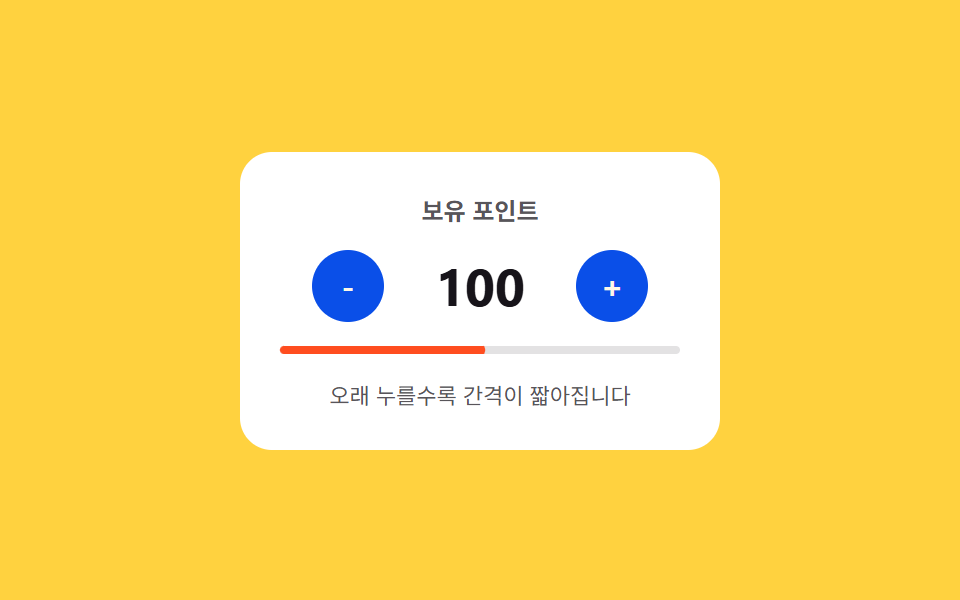 02 number-stepper-longpress-acceleration
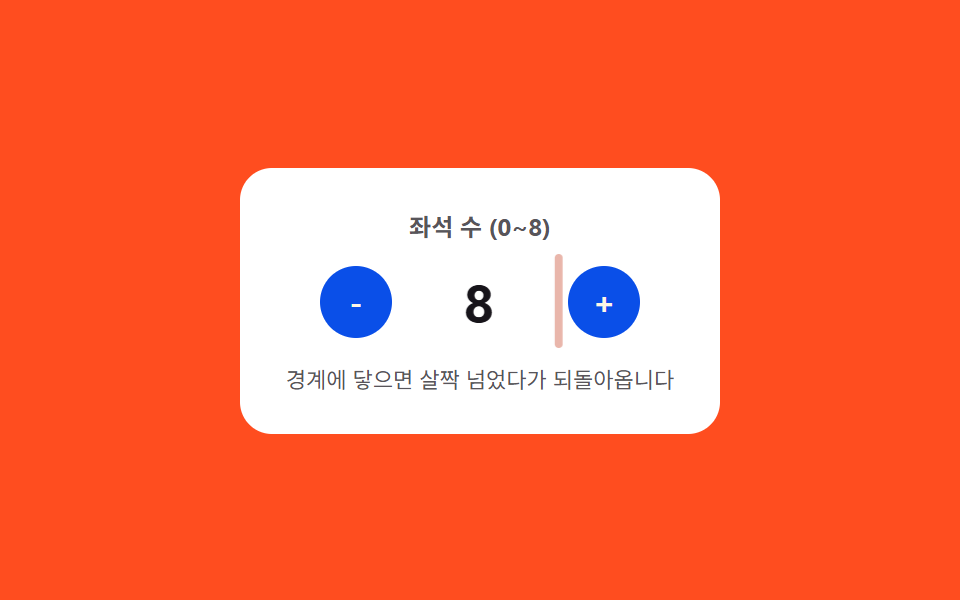 03 number-stepper-min-max-clamp-bounce
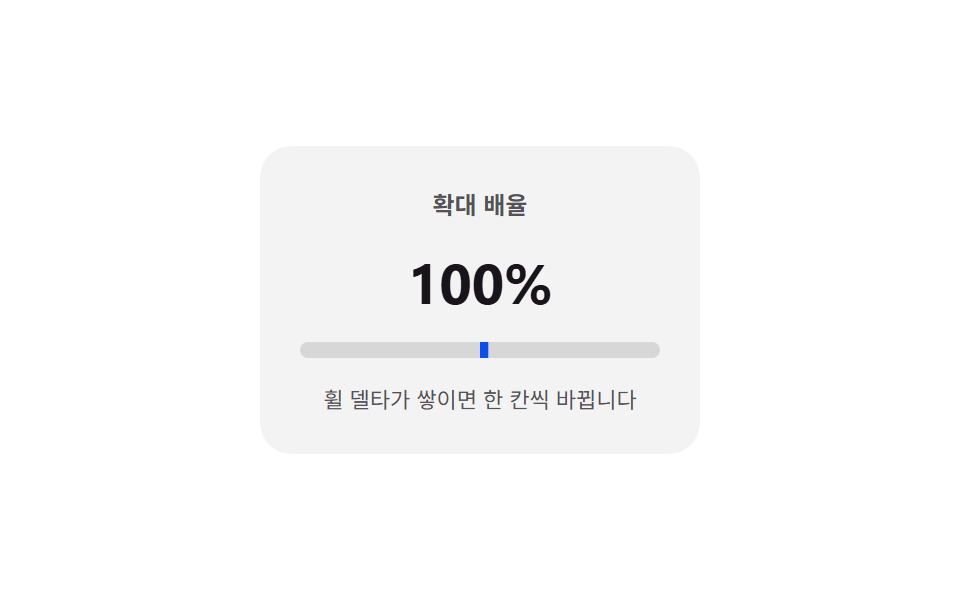 04 number-stepper-scroll-wheel-delta
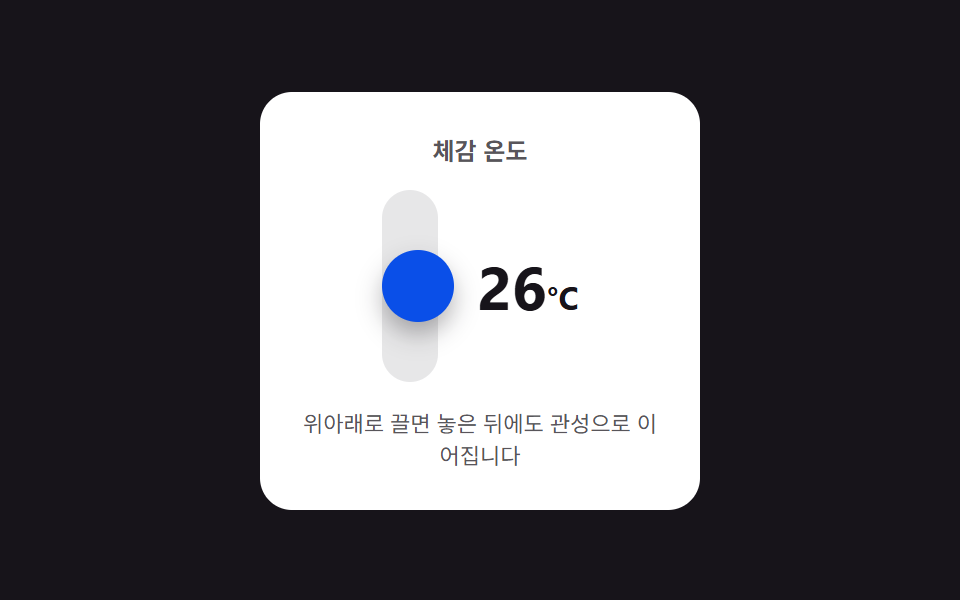 05 number-stepper-drag-vertical-inertia
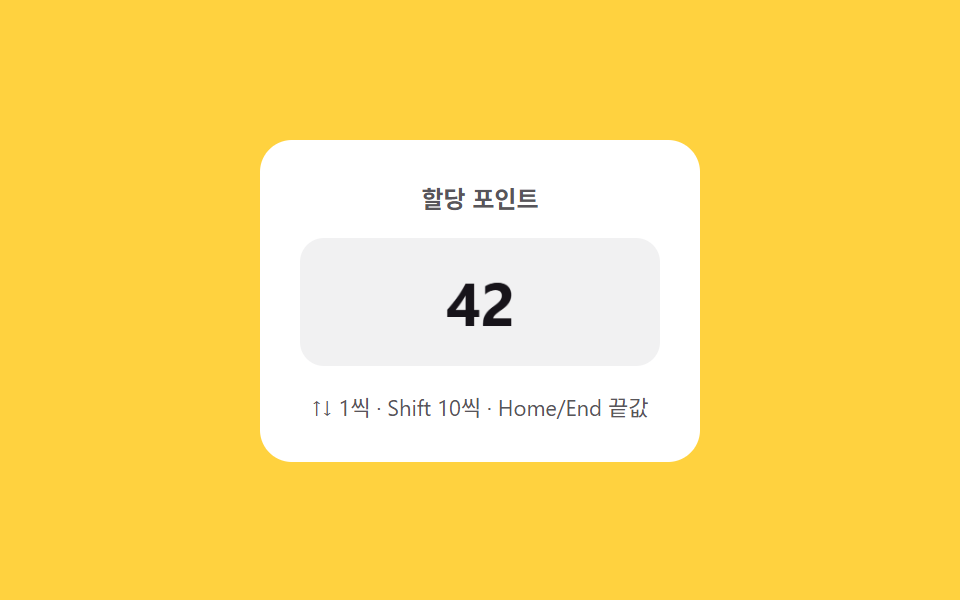 06 number-stepper-keyboard-shift-jump
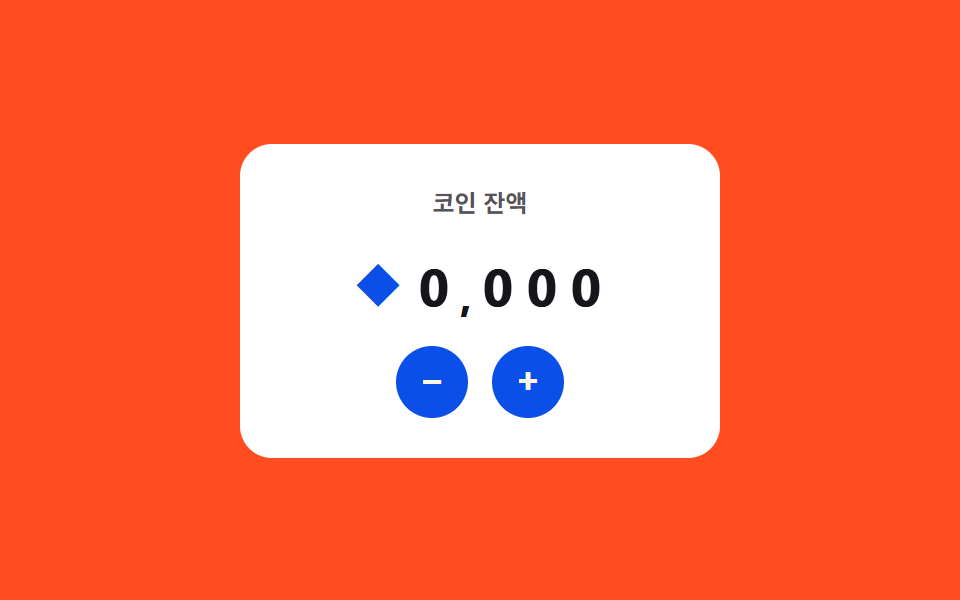 07 number-stepper-currency-live-format
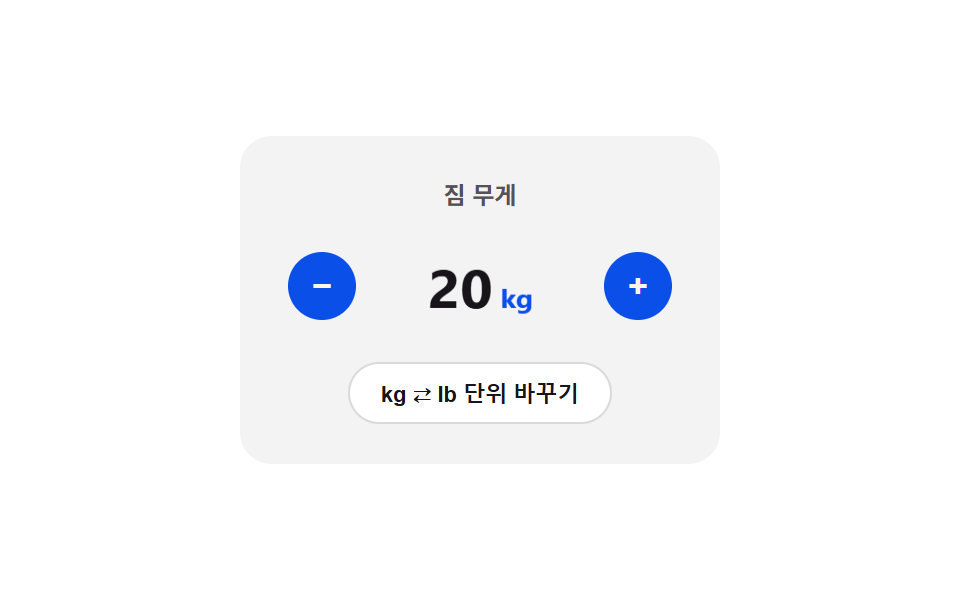 08 number-stepper-unit-toggle-crossfade
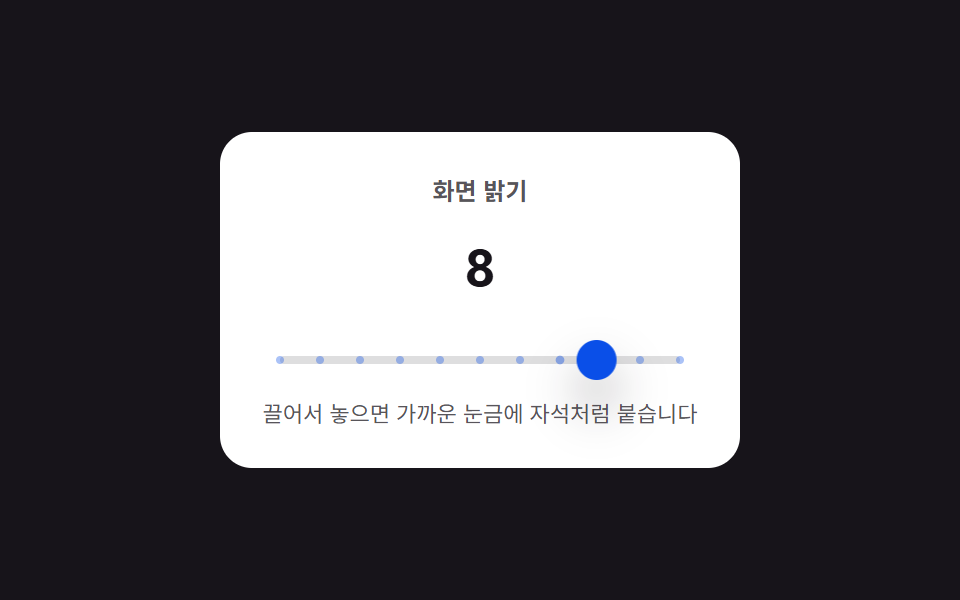 09 number-stepper-tick-mark-snap
자동 재생 · 눌러서 해당 항목으로 · 전부 한 zip
- 01 길게 누르기 반복 — 눌린 상태가 이어지는 동안 일정한 간격마다 값이 계속 바뀌는 스텝퍼
- 02 길게 누르기 가속 — 눌린 시간이 길어질수록 간격 값이 짧아져 증가 속도가 빨라지는 스텝퍼
- 03 한계 바운스 — 값이 상한이나 하한을 살짝 넘었다가 스프링 곡선을 따라 되돌아오는 스텝퍼
- 04 휠 델타 — 입력창 위 휠 이동 값만큼 그 방향으로 값이 바뀌는 스텝퍼
- 05 세로 드래그 관성 — 끄는 거리 값에 비례해 바뀌고 놓은 뒤에도 몇 단계 더 이어지는 스텝퍼
- 06 키보드 점프 — 방향키는 한 단위, 보조키를 더하면 더 큰 단위로 값이 바뀌는 스텝퍼
- 07 통화 실시간 서식 — 값이 바뀔 때마다 자릿수 구분 위치가 다시 계산되는 스텝퍼
- 08 단위 플립 전환 — 단위가 바뀐 상태가 되면 카드가 뒤집히며 90도 지점에서 표시 값이 바뀌는 스텝퍼
- 09 눈금 스냅 — 값이 정해진 눈금 사이에 있으면 가장 가까운 눈금 값으로 당겨지는 스텝퍼
수량·포인트·좌석 수처럼 작은 입력창 하나를 위한 스텝퍼는 화면을 크게 흔들 필요가 없어서, 아래 표의 누적면적 값은 0.33~3.35%로 아홉 개 다 작습니다 — 077 캔버스 장면 편과 달리 이런 컴포넌트 편은 면적이 아니라 트윈 위에 얹은 계산 한 겹(감쇠·스프링·마찰)의 정교함으로 재는 것이 맞습니다. 아래 표는 눌린 시간 값에 반복이 이어지는 것(01·02) → 문턱을 넘는 순간 값이 재계산되는 것(03·04·06) → 놓은 뒤에도 물리 값이 이어지며 자리를 잡는 것(05·09) → 값이 바뀌는 표시 방식 자체를 다시 계산하는 것(07·08) 순으로 묶었습니다.
아홉 개의 해부 — 간격·거리·눈금 값이 언제 바뀌는가
실측 한눈에
| 항목 | 초점 | 누적면적% | 강도 평균 | 움직인 프레임 |
|---|---|---|---|---|
| 01 길게 누르기 반복 | 간격 값 → 링 진행률 재계산 | 0.71 | 136.2 | 14/23 |
| 02 길게 누르기 가속 | 눌린 시간 값 → 간격 값 재계산 | 0.87 | 171.0 | 8/23 |
| 03 한계 바운스 | 경계 초과 값 → 오버슛 위치 재계산 | 0.55 | 126.0 | 15/23 |
| 04 휠 델타 | 휠 델타 값 → 잔여 값 재계산 | 0.33 | 194.0 | 23/23 |
| 05 세로 드래그 관성 | 놓는 순간 속도 값 → 관성 거리 재계산 | 3.35 | 154.7 | 6/23 |
| 06 키보드 점프 | 보조키 값 → 점프 단위·잔상 거리 재계산 | 0.79 | 59.6 | 9/23 |
| 07 통화 실시간 서식 | 자릿수 값 → 롤링 지연·시간 재계산 | 0.49 | 125.7 | 8/23 |
| 08 단위 플립 전환 | 회전각 값 → 세로 비율 재계산 | 0.93 | 79.1 | 12/23 |
| 09 눈금 스냅 | 근접 거리 값 → 스프링 힘 재계산 | 3.07 | 110.9 | 12/23 |
05 는 드래그 핸들과 표시 값이 함께 움직여 누적면적이 3.35%로 9종 중 가장 크고, 04 는 트랙의 채움 막대만 늘거나 줄어 0.33%로 가장 작습니다 — 둘 다 계산 대상 자체의 크기 차이일 뿐입니다. 강도 평균은 04 가 194.0으로 가장 높아 확대 배율 트랙의 채움 막대와 바탕 사이 픽셀 값 차이가 뚜렷하다는 뜻이고, 06 은 59.6으로 가장 낮아 옅은 잔상 글자의 인접 색 차이가 완만하다는 뜻입니다. 움직인 프레임은 04 가 23/23으로 유일하게 매 프레임 값을 흘리는 구조라는 뜻이고, 05 는 6/23으로 가장 낮아 관성이 짧게 끝난다는 뜻입니다.
눌린 시간 값이 반복을 이어가는 것 — 01·02
01 은 held 상태가 이어지는 동안 DELAY(380ms) 뒤부터 INTERVAL(220ms) 고정 간격으로 값을 계속 반복해서 바꾸고, ringFrame()이 다음 반복까지 남은 시간 값을 매 프레임 다시 계산해 버튼 둘레 링에 대입합니다. 02 는 currentInterval()이 START(480ms)에 DECAY(0.82)를 누른 횟수(ticks)만큼 거듭제곱해 반복 간격 자체를 매 틱 줄이므로, 같은 시간 동안 01 보다 뒤로 갈수록 더 많은 단위가 바뀝니다.
문턱을 넘는 순간 값이 재계산되는 것 — 03·04·06
03 은 step()이 다음 값이 MIN·MAX를 벗어나는 경우에만 bounce()를 호출해 overshoot()가 감쇠 사인파로 위치 값을 계산하고, 경계 안쪽에서는 이 계산이 실행되지 않습니다. 04 는 applyDelta()가 휠 delta 값을 residual에 누적하다가 THRESH(60)를 넘는 순간에만 value를 STEP(10)만큼 바꾸고, 넘지 못한 잔여 값은 매 프레임 0.9배로 줄여 손을 떼도 서서히 가라앉게 합니다. 06 은 commit()이 Shift 키가 눌린 상태인지에 따라 더하는 값을 1 또는 10 으로 정하고, jump()가 바뀐 폭(delta)의 로그값(Math.log2)으로 잔상이 미끄러지는 거리와 지속시간을 계산합니다.
놓은 뒤에도 물리 값이 이어지며 자리를 잡는 것 — 05·09
05 는 endDrag()가 놓는 순간의 속도(vel)에 FRICTION(6.2)을 지수 감쇠로 곱해 virtual 거리를 매 프레임 늘리고, 그 거리를 정해진 픽셀 단위로 값에 계속 반영해 손을 뗀 뒤에도 몇 단계 더 이어지게 합니다. 09 는 springSettle()이 현재 위치와 가장 가까운 눈금(target) 사이의 거리에 STIFF(0.28)를 곱한 힘 값을 매 프레임 속도(v)에 더하고 DAMP(0.62)로 감쇠시켜 자석처럼 서서히 눈금에 붙입니다.
값이 바뀌는 표시 방식 자체를 다시 계산하는 것 — 07·08
07 은 startColumnRoll()이 자릿수(place)가 클수록 시작을 늦추는 지연 값(CASCADE×place)과 도는 시간(BASE_DUR+place×40)을 함께 계산해 낮은 자리부터 높은 자리로 순서가 번져가는 롤링을 만듭니다. 08 은 flipToggle()이 회전각(angle)의 코사인 절댓값으로 세로 비율(scaleY)을 계산해 90도 지점에서 두께가 0 이 되게 하고, 그 한 프레임에서 단위(unit)와 표시 값을 FACTOR(2.20462)로 바꿔 끼웁니다 — 겹쳐 흐려지는 방식이 아니라 뒤집혀 바뀌는 컷입니다.
패턴별 코드
01길게 누르기 반복 — 눌린 상태가 이어지는 동안 일정한 간격마다 값이 계속 바뀌는 스텝퍼
버튼이 눌린 상태로 이어지는 동안 정해진 간격마다 값이 한 단위씩 계속 바뀌고, 눌림이 풀린 상태가 되면 그 간격 값이 초기화되어 반복이 멈춥니다. 수량 선택 폼, 설정값 조절 화면에 맞는 형태입니다.
DELAY·INTERVAL 로 다음 반복까지 남은 시간 값을 링에 계산하는 ringFrame()
  // 계산 겹: 반복 간격 자체는 고정(220ms)이지만, 다음 반복까지 남은 시간을 매 프레임 다시 계산해
  // 링(stroke-dashoffset)에 대입한다 — 정적 트윈이 아니라 "다음 틱까지 몇 %"를 실시간으로 그린다.
  function ringFrame() {
    var now = performance.now();
    var p = held ? Math.min(1, (now - lastTick) / INTERVAL) : 0;
    var offset = CIRC * (1 - p);
    ringMinus.style.strokeDashoffset = (held === 'minus' ? offset : CIRC).toFixed(2);
    ringPlus.style.strokeDashoffset = (held === 'plus' ? offset : CIRC).toFixed(2);
    requestAnimationFrame(ringFrame);
  }
  requestAnimationFrame(ringFrame);
<main class="stage">
<div class="nsphr is-demo" id="nsphr">
  <div class="nsphr__panel">
    <span class="nsphr__label">재고 수량</span>
    <div class="nsphr__row">
      <button class="nsphr__btn nsphr__btn--minus" id="nsphrMinus" type="button" aria-label="수량 줄이기">
        <svg class="nsphr__ring" viewBox="0 0 32 32" aria-hidden="true">
          <circle class="nsphr__ringTrack" cx="16" cy="16" r="14"></circle>
          <circle class="nsphr__ringFill" id="nsphrRingMinus" cx="16" cy="16" r="14"></circle>
        </svg>
        <span>-</span>
      </button>
      <span class="nsphr__value" id="nsphrValue">12</span>
      <button class="nsphr__btn nsphr__btn--plus" id="nsphrPlus" type="button" aria-label="수량 늘리기">
        <svg class="nsphr__ring" viewBox="0 0 32 32" aria-hidden="true">
          <circle class="nsphr__ringTrack" cx="16" cy="16" r="14"></circle>
          <circle class="nsphr__ringFill" id="nsphrRingPlus" cx="16" cy="16" r="14"></circle>
        </svg>
        <span>+</span>
      </button>
    </div>
    <span class="nsphr__hint" id="nsphrHint">누르고 있으면 220ms마다 1씩 바뀝니다</span>
  </div>
</div>
</main>@use "../../../../site/static/demo-tokens" as *;
// 계산 겹: 반복 간격(220ms)은 고정이지만 다음 반복까지 남은 시간을 매 프레임 계산해
// 버튼 둘레 링(stroke-dashoffset)에 대입한다 — 정적 트윈이 아니라 실시간 카운트다운이다.
$duration: $dur-quick;
$easing: $ease-out;
$color: $subject-blue-deep;
@include stage($stage-ink);
.stage { position: relative; }
.nsphr {
width: min(240px, 70vw);
}
.nsphr__panel {
display: flex;
flex-direction: column;
align-items: center;
gap: $sp-3;
padding: $sp-5;
border-radius: $r-card;
background: $stage-paper;
}
.nsphr__label {
color: rgba($subject-ink, .72);
font-weight: 700;
font-size: 12px;
}
.nsphr__row {
display: flex;
align-items: center;
gap: $sp-4;
}
.nsphr__btn {
position: relative;
width: 40px;
height: 40px;
border: 0;
border-radius: $r-pill;
background: $color;
color: $subject-cream;
font-family: inherit;
font-weight: 700;
font-size: 18px;
line-height: 1;
display: grid;
place-items: center;
cursor: pointer;
touch-action: none;
}
.nsphr__ring {
position: absolute;
inset: 0;
width: 100%;
height: 100%;
transform: rotate(-90deg);
pointer-events: none;
}
.nsphr__ringTrack {
fill: none;
stroke: rgba($subject-cream, .28);
stroke-width: 2;
}
.nsphr__ringFill {
fill: none;
stroke: $subject-cream;
stroke-width: 2;
stroke-linecap: round;
}
.nsphr__value {
min-width: 48px;
text-align: center;
color: $subject-ink;
font-weight: 700;
font-size: 28px;
font-variant-numeric: tabular-nums;
}
.nsphr__hint {
color: rgba($subject-ink, .72);
font-size: 11px;
text-align: center;
}
@media (max-width: 340px) {
.nsphr__panel { padding: $sp-4; gap: $sp-2; }
.nsphr__btn { width: 36px; height: 36px; font-size: 16px; }
.nsphr__value { font-size: 24px; }
}
@media (prefers-reduced-motion: reduce) {
.nsphr__ringFill { transition: none !important; }
}html, body {
margin: 0;
overflow: hidden;
}
.stage {
box-sizing: border-box;
min-height: 100vh;
display: grid;
place-items: center;
margin: 0;
background: #17141a;
font-family: -apple-system, "Segoe UI", "Noto Sans KR", sans-serif;
padding: clamp(8px, 4vw, 24px);
}
.stage {
position: relative;
}
.nsphr {
width: min(240px, 70vw);
}
.nsphr__panel {
display: flex;
flex-direction: column;
align-items: center;
gap: 12px;
padding: 20px;
border-radius: 16px;
background: #ffffff;
}
.nsphr__label {
color: rgba(23, 20, 26, 0.72);
font-weight: 700;
font-size: 12px;
}
.nsphr__row {
display: flex;
align-items: center;
gap: 16px;
}
.nsphr__btn {
position: relative;
width: 40px;
height: 40px;
border: 0;
border-radius: 999px;
background: #0a4fe8;
color: #fff7e6;
font-family: inherit;
font-weight: 700;
font-size: 18px;
line-height: 1;
display: grid;
place-items: center;
cursor: pointer;
touch-action: none;
}
.nsphr__ring {
position: absolute;
inset: 0;
width: 100%;
height: 100%;
transform: rotate(-90deg);
pointer-events: none;
}
.nsphr__ringTrack {
fill: none;
stroke: rgba(255, 247, 230, 0.28);
stroke-width: 2;
}
.nsphr__ringFill {
fill: none;
stroke: #fff7e6;
stroke-width: 2;
stroke-linecap: round;
}
.nsphr__value {
min-width: 48px;
text-align: center;
color: #17141a;
font-weight: 700;
font-size: 28px;
font-variant-numeric: tabular-nums;
}
.nsphr__hint {
color: rgba(23, 20, 26, 0.72);
font-size: 11px;
text-align: center;
}
@media (max-width: 340px) {
.nsphr__panel {
padding: 16px;
gap: 8px;
}
.nsphr__btn {
width: 36px;
height: 36px;
font-size: 16px;
}
.nsphr__value {
font-size: 24px;
}
}
@media (prefers-reduced-motion: reduce) {
.nsphr__ringFill {
transition: none !important;
}
}(function () {
var root = document.getElementById('nsphr');
var valueEl = document.getElementById('nsphrValue');
var minusBtn = document.getElementById('nsphrMinus');
var plusBtn = document.getElementById('nsphrPlus');
var ringMinus = document.getElementById('nsphrRingMinus');
var ringPlus = document.getElementById('nsphrRingPlus');
var CIRC = 2 * Math.PI * 14;
[ringMinus, ringPlus].forEach(function (r) { r.style.strokeDasharray = CIRC.toFixed(2); });
var MIN = 0, MAX = 30, DELAY = 380, INTERVAL = 220;
var value = 12;
var held = null;
var lastTick = 0;
var repeatTimer = null;
var delayTimer = null;
function render() { valueEl.textContent = String(value); }
function step(dir) {
value = Math.max(MIN, Math.min(MAX, value + dir));
render();
lastTick = performance.now();
}
// 계산 겹: 반복 간격 자체는 고정(220ms)이지만, 다음 반복까지 남은 시간을 매 프레임 다시 계산해
// 링(stroke-dashoffset)에 대입한다 — 정적 트윈이 아니라 "다음 틱까지 몇 %"를 실시간으로 그린다.
function ringFrame() {
var now = performance.now();
var p = held ? Math.min(1, (now - lastTick) / INTERVAL) : 0;
var offset = CIRC * (1 - p);
ringMinus.style.strokeDashoffset = (held === 'minus' ? offset : CIRC).toFixed(2);
ringPlus.style.strokeDashoffset = (held === 'plus' ? offset : CIRC).toFixed(2);
requestAnimationFrame(ringFrame);
}
requestAnimationFrame(ringFrame);
function start(dir) {
stop();
held = dir > 0 ? 'plus' : 'minus';
step(dir);
delayTimer = setTimeout(function () {
repeatTimer = setInterval(function () { step(dir); }, INTERVAL);
}, DELAY);
}
function stop() {
held = null;
if (delayTimer) { clearTimeout(delayTimer); delayTimer = null; }
if (repeatTimer) { clearInterval(repeatTimer); repeatTimer = null; }
}
function wireReal(btn, dir) {
btn.addEventListener('pointerdown', function (e) {
root.classList.remove('is-demo'); stopAutoplay();
e.preventDefault(); start(dir);
});
['pointerup', 'pointerleave', 'pointercancel'].forEach(function (ev) {
btn.addEventListener(ev, stop);
});
}
wireReal(minusBtn, -1);
wireReal(plusBtn, 1);
var autoplayTimer = null;
function autoplayCycle() {
start(1);
setTimeout(stop, 1000);
setTimeout(function () { start(-1); }, 1400);
setTimeout(stop, 2400);
}
function stopAutoplay() { if (autoplayTimer) { clearInterval(autoplayTimer); autoplayTimer = null; } }
var reduce = window.matchMedia('(prefers-reduced-motion: reduce)').matches;
if (!reduce) {
autoplayCycle();
autoplayTimer = setInterval(autoplayCycle, 2800);
}
render();
})();import { useEffect, useRef } from "react";
import styles from "./NumberStepperPressHoldRepeat.module.scss";
export type NumberStepperPressHoldRepeatProps = {
color?: string;
};
export default function NumberStepperPressHoldRepeat({
color = "#0a4fe8",
}: NumberStepperPressHoldRepeatProps) {
const rootRef = useRef<HTMLDivElement | null>(null);
useEffect(() => {
const root = rootRef.current;
if (!root) return;
const valueEl = root.querySelector<HTMLSpanElement>(`.${styles.value}`);
const minusBtn = root.querySelector<HTMLButtonElement>(`.${styles.btnMinus}`);
const plusBtn = root.querySelector<HTMLButtonElement>(`.${styles.btnPlus}`);
const ringMinus = root.querySelector<SVGCircleElement>(`.${styles.ringMinus}`);
const ringPlus = root.querySelector<SVGCircleElement>(`.${styles.ringPlus}`);
if (!valueEl || !minusBtn || !plusBtn || !ringMinus || !ringPlus) return;
const CIRC = 2 * Math.PI * 14;
[ringMinus, ringPlus].forEach((r) => { r.style.strokeDasharray = CIRC.toFixed(2); });
const MIN = 0, MAX = 30, DELAY = 380, INTERVAL = 220;
let value = 12;
let held: "plus" | "minus" | null = null;
let lastTick = 0;
let repeatTimer: ReturnType<typeof setInterval> | null = null;
let delayTimer: ReturnType<typeof setTimeout> | null = null;
let ringRaf: number | null = null;
function render() { valueEl!.textContent = String(value); }
function step(dir: number) {
value = Math.max(MIN, Math.min(MAX, value + dir));
render();
lastTick = performance.now();
}
// 계산 겹: 반복 간격(220ms)은 고정이지만 다음 반복까지 남은 시간을 매 프레임 계산해
// 링(stroke-dashoffset)에 대입한다 — 정적 트윈이 아니라 실시간 카운트다운이다.
function ringFrame() {
const now = performance.now();
const p = held ? Math.min(1, (now - lastTick) / INTERVAL) : 0;
const offset = CIRC * (1 - p);
ringMinus!.style.strokeDashoffset = (held === "minus" ? offset : CIRC).toFixed(2);
ringPlus!.style.strokeDashoffset = (held === "plus" ? offset : CIRC).toFixed(2);
ringRaf = requestAnimationFrame(ringFrame);
}
ringRaf = requestAnimationFrame(ringFrame);
function start(dir: number) {
stop();
held = dir > 0 ? "plus" : "minus";
step(dir);
delayTimer = setTimeout(() => {
repeatTimer = setInterval(() => step(dir), INTERVAL);
}, DELAY);
}
function stop() {
held = null;
if (delayTimer) { clearTimeout(delayTimer); delayTimer = null; }
if (repeatTimer) { clearInterval(repeatTimer); repeatTimer = null; }
}
function stopAutoplay() {
if (autoplayTimer) { clearInterval(autoplayTimer); autoplayTimer = null; }
}
function wireReal(btn: HTMLButtonElement, dir: number) {
const onDown = (e: PointerEvent) => {
root!.classList.remove(styles.isDemo);
stopAutoplay();
e.preventDefault();
start(dir);
};
btn.addEventListener("pointerdown", onDown);
["pointerup", "pointerleave", "pointercancel"].forEach((ev) => btn.addEventListener(ev, stop));
return () => {
btn.removeEventListener("pointerdown", onDown);
["pointerup", "pointerleave", "pointercancel"].forEach((ev) => btn.removeEventListener(ev, stop));
};
}
const cleanMinus = wireReal(minusBtn, -1);
const cleanPlus = wireReal(plusBtn, 1);
let autoplayTimer: ReturnType<typeof setInterval> | null = null;
function autoplayCycle() {
start(1);
setTimeout(stop, 1000);
setTimeout(() => start(-1), 1400);
setTimeout(stop, 2400);
}
const reduce = window.matchMedia("(prefers-reduced-motion: reduce)").matches;
if (!reduce) {
autoplayCycle();
autoplayTimer = setInterval(autoplayCycle, 2800);
}
render();
return () => {
stopAutoplay();
stop();
if (ringRaf) cancelAnimationFrame(ringRaf);
cleanMinus();
cleanPlus();
};
}, []);
return (
<div ref={rootRef} className={`${styles.stage} ${styles.isDemo}`} style={{ ["--color" as string]: color }}>
<div className={styles.panel}>
<span className={styles.label}>재고 수량</span>
<div className={styles.row}>
<button className={`${styles.btn} ${styles.btnMinus}`} type="button" aria-label="수량 줄이기">
<svg className={styles.ring} viewBox="0 0 32 32" aria-hidden="true">
<circle className={styles.ringTrack} cx={16} cy={16} r={14} />
<circle className={`${styles.ringFill} ${styles.ringMinus}`} cx={16} cy={16} r={14} />
</svg>
<span>-</span>
</button>
<span className={styles.value}>12</span>
<button className={`${styles.btn} ${styles.btnPlus}`} type="button" aria-label="수량 늘리기">
<svg className={styles.ring} viewBox="0 0 32 32" aria-hidden="true">
<circle className={styles.ringTrack} cx={16} cy={16} r={14} />
<circle className={`${styles.ringFill} ${styles.ringPlus}`} cx={16} cy={16} r={14} />
</svg>
<span>+</span>
</button>
</div>
<span className={styles.hint}>누르고 있으면 220ms마다 1씩 바뀝니다</span>
</div>
</div>
);
}01 · 길게 누르기 반복 — 눌린 상태가 이어지는 동안 일정한 간격마다 값이 계속 바뀌는 스텝퍼 — 측정 누적면적 0.705% · 움직인 프레임 14/23GODRICH 원작 · zip 에 SCSS·React 포함 · 비밀번호 보기
02길게 누르기 가속 — 눌린 시간이 길어질수록 간격 값이 짧아져 증가 속도가 빨라지는 스텝퍼
눌린 상태가 이어지는 시간 값이 길어질수록 값이 바뀌는 간격 값이 점점 짧아져 같은 시간 동안 더 많은 단위가 바뀌고, 눌림이 풀린 상태가 되면 간격 값은 처음 크기로 돌아갑니다. 큰 범위의 수량을 다루는 입력창, 재고 조절 화면에 맞는 형태입니다.
START·DECAY 로 반복 간격 자체를 매 틱 줄이는 currentInterval()
  // 계산 겹: 반복 간격을 START*DECAY^ticks 로 매 틱 다시 계산한다(지수 감쇠, 바닥은 FLOOR) —
  // setInterval 고정 주기가 아니라 재귀 setTimeout 으로 간격 자체를 갱신한다.
  function currentInterval() {
    return Math.max(FLOOR, START * Math.pow(DECAY, ticks));
  }
  function paintMeter() {
    var iv = currentInterval();
    var speed = (START - iv) / (START - FLOOR); // 0(느림) ~ 1(가장 빠름)
    meterFill.style.transform = 'scaleX(' + speed.toFixed(3) + ')';
  }
<main class="stage">
<div class="nspla is-demo" id="nspla">
  <div class="nspla__panel">
    <span class="nspla__label">보유 포인트</span>
    <div class="nspla__row">
      <button class="nspla__btn" id="nsplaMinus" type="button" aria-label="포인트 줄이기">-</button>
      <span class="nspla__value" id="nsplaValue">80</span>
      <button class="nspla__btn" id="nsplaPlus" type="button" aria-label="포인트 늘리기">+</button>
    </div>
    <div class="nspla__meter">
      <span class="nspla__meterFill" id="nsplaMeterFill"></span>
    </div>
    <span class="nspla__hint">오래 누를수록 간격이 짧아집니다</span>
  </div>
</div>
</main>
@use "../../../../site/static/demo-tokens" as *;
// 계산 겹: 반복 간격을 START*DECAY^ticks 로 매 틱 다시 계산한다(지수 감쇠, 바닥 FLOOR) —
// 고정 주기가 아니라 누른 시간에 따라 간격 자체가 줄어든다. 속도 막대는 그 간격을 scaleX 로 보여준다.
$duration: $dur-instant;
$easing: $ease-out;
$color: $subject-blue-deep;
@include stage($stage-yellow);
.stage { position: relative; }
.nspla {
width: min(240px, 70vw);
}
.nspla__panel {
display: flex;
flex-direction: column;
align-items: center;
gap: $sp-3;
padding: $sp-5;
border-radius: $r-card;
background: $stage-paper;
}
.nspla__label {
color: rgba($subject-ink, .72);
font-weight: 700;
font-size: 12px;
}
.nspla__row {
display: flex;
align-items: center;
gap: $sp-4;
}
.nspla__btn {
width: 36px;
height: 36px;
border: 0;
border-radius: $r-pill;
background: $color;
color: $subject-cream;
font-family: inherit;
font-weight: 700;
font-size: 16px;
line-height: 1;
display: grid;
place-items: center;
cursor: pointer;
touch-action: none;
}
.nspla__value {
min-width: 64px;
text-align: center;
color: $subject-ink;
font-weight: 700;
font-size: 26px;
font-variant-numeric: tabular-nums;
}
.nspla__meter {
width: 100%;
height: $sp-1;
border-radius: $r-xs;
background: rgba($subject-ink, .12);
overflow: hidden;
}
.nspla__meterFill {
display: block;
width: 100%;
height: 100%;
border-radius: $r-xs;
background: $stage-orange;
transform: scaleX(0);
transform-origin: left center;
}
.nspla__hint {
color: rgba($subject-ink, .72);
font-size: 11px;
text-align: center;
}
@media (max-width: 340px) {
.nspla__panel { padding: $sp-4; gap: $sp-2; }
.nspla__btn { width: 32px; height: 32px; font-size: 14px; }
.nspla__value { font-size: 22px; }
}
@media (prefers-reduced-motion: reduce) {
.nspla__meterFill { transition: none !important; }
}html, body {
margin: 0;
overflow: hidden;
}
.stage {
box-sizing: border-box;
min-height: 100vh;
display: grid;
place-items: center;
margin: 0;
background: #ffd23f;
font-family: -apple-system, "Segoe UI", "Noto Sans KR", sans-serif;
padding: clamp(8px, 4vw, 24px);
}
.stage {
position: relative;
}
.nspla {
width: min(240px, 70vw);
}
.nspla__panel {
display: flex;
flex-direction: column;
align-items: center;
gap: 12px;
padding: 20px;
border-radius: 16px;
background: #ffffff;
}
.nspla__label {
color: rgba(23, 20, 26, 0.72);
font-weight: 700;
font-size: 12px;
}
.nspla__row {
display: flex;
align-items: center;
gap: 16px;
}
.nspla__btn {
width: 36px;
height: 36px;
border: 0;
border-radius: 999px;
background: #0a4fe8;
color: #fff7e6;
font-family: inherit;
font-weight: 700;
font-size: 16px;
line-height: 1;
display: grid;
place-items: center;
cursor: pointer;
touch-action: none;
}
.nspla__value {
min-width: 64px;
text-align: center;
color: #17141a;
font-weight: 700;
font-size: 26px;
font-variant-numeric: tabular-nums;
}
.nspla__meter {
width: 100%;
height: 4px;
border-radius: 4px;
background: rgba(23, 20, 26, 0.12);
overflow: hidden;
}
.nspla__meterFill {
display: block;
width: 100%;
height: 100%;
border-radius: 4px;
background: #ff4d1f;
transform: scaleX(0);
transform-origin: left center;
}
.nspla__hint {
color: rgba(23, 20, 26, 0.72);
font-size: 11px;
text-align: center;
}
@media (max-width: 340px) {
.nspla__panel {
padding: 16px;
gap: 8px;
}
.nspla__btn {
width: 32px;
height: 32px;
font-size: 14px;
}
.nspla__value {
font-size: 22px;
}
}
@media (prefers-reduced-motion: reduce) {
.nspla__meterFill {
transition: none !important;
}
}(function () {
var root = document.getElementById('nspla');
var valueEl = document.getElementById('nsplaValue');
var minusBtn = document.getElementById('nsplaMinus');
var plusBtn = document.getElementById('nsplaPlus');
var meterFill = document.getElementById('nsplaMeterFill');
var MIN = 0, MAX = 500, START = 480, FLOOR = 60, DECAY = 0.82;
var value = 80;
var timer = null;
var ticks = 0;
function render() { valueEl.textContent = String(value); }
// 계산 겹: 반복 간격을 START*DECAY^ticks 로 매 틱 다시 계산한다(지수 감쇠, 바닥은 FLOOR) —
// setInterval 고정 주기가 아니라 재귀 setTimeout 으로 간격 자체를 갱신한다.
function currentInterval() {
return Math.max(FLOOR, START * Math.pow(DECAY, ticks));
}
function paintMeter() {
var iv = currentInterval();
var speed = (START - iv) / (START - FLOOR); // 0(느림) ~ 1(가장 빠름)
meterFill.style.transform = 'scaleX(' + speed.toFixed(3) + ')';
}
function scheduleNext(dir) {
timer = setTimeout(function () {
value = Math.max(MIN, Math.min(MAX, value + dir * 5));
render();
ticks += 1;
paintMeter();
scheduleNext(dir);
}, currentInterval());
}
function start(dir) {
stop();
ticks = 0;
value = Math.max(MIN, Math.min(MAX, value + dir * 5));
render();
paintMeter();
scheduleNext(dir);
}
function stop() {
if (timer) { clearTimeout(timer); timer = null; }
ticks = 0;
meterFill.style.transform = 'scaleX(0)';
}
function wireReal(btn, dir) {
btn.addEventListener('pointerdown', function (e) {
root.classList.remove('is-demo'); stopAutoplay();
e.preventDefault(); start(dir);
});
['pointerup', 'pointerleave', 'pointercancel'].forEach(function (ev) {
btn.addEventListener(ev, stop);
});
}
wireReal(minusBtn, -1);
wireReal(plusBtn, 1);
var autoplayTimer = null;
function autoplayCycle() {
start(1);
setTimeout(stop, 1900);
setTimeout(function () { start(-1); }, 2300);
setTimeout(stop, 4200);
}
function stopAutoplay() { if (autoplayTimer) { clearInterval(autoplayTimer); autoplayTimer = null; } }
var reduce = window.matchMedia('(prefers-reduced-motion: reduce)').matches;
if (!reduce) {
autoplayCycle();
autoplayTimer = setInterval(autoplayCycle, 4700);
}
render();
})();import { useEffect, useRef } from "react";
import styles from "./NumberStepperLongpressAcceleration.module.scss";
export type NumberStepperLongpressAccelerationProps = {
color?: string;
};
export default function NumberStepperLongpressAcceleration({
color = "#0a4fe8",
}: NumberStepperLongpressAccelerationProps) {
const rootRef = useRef<HTMLDivElement | null>(null);
useEffect(() => {
const root = rootRef.current;
if (!root) return;
const valueEl = root.querySelector<HTMLSpanElement>(`.${styles.value}`);
const minusBtn = root.querySelector<HTMLButtonElement>(`.${styles.btnMinus}`);
const plusBtn = root.querySelector<HTMLButtonElement>(`.${styles.btnPlus}`);
const meterFill = root.querySelector<HTMLSpanElement>(`.${styles.meterFill}`);
if (!valueEl || !minusBtn || !plusBtn || !meterFill) return;
const MIN = 0, MAX = 500, START = 480, FLOOR = 60, DECAY = 0.82;
let value = 80;
let timer: ReturnType<typeof setTimeout> | null = null;
let ticks = 0;
function render() { valueEl!.textContent = String(value); }
// 계산 겹: 반복 간격을 START*DECAY^ticks 로 매 틱 다시 계산한다(지수 감쇠, 바닥은 FLOOR) —
// setInterval 고정 주기가 아니라 재귀 setTimeout 으로 간격 자체를 갱신한다.
function currentInterval() {
return Math.max(FLOOR, START * Math.pow(DECAY, ticks));
}
function paintMeter() {
const iv = currentInterval();
const speed = (START - iv) / (START - FLOOR);
meterFill!.style.transform = "scaleX(" + speed.toFixed(3) + ")";
}
function scheduleNext(dir: number) {
timer = setTimeout(() => {
value = Math.max(MIN, Math.min(MAX, value + dir * 5));
render();
ticks += 1;
paintMeter();
scheduleNext(dir);
}, currentInterval());
}
function start(dir: number) {
stop();
ticks = 0;
value = Math.max(MIN, Math.min(MAX, value + dir * 5));
render();
paintMeter();
scheduleNext(dir);
}
function stop() {
if (timer) { clearTimeout(timer); timer = null; }
ticks = 0;
meterFill!.style.transform = "scaleX(0)";
}
function stopAutoplay() {
if (autoplayTimer) { clearInterval(autoplayTimer); autoplayTimer = null; }
}
function wireReal(btn: HTMLButtonElement, dir: number) {
const onDown = (e: PointerEvent) => {
root!.classList.remove(styles.isDemo);
stopAutoplay();
e.preventDefault();
start(dir);
};
btn.addEventListener("pointerdown", onDown);
["pointerup", "pointerleave", "pointercancel"].forEach((ev) => btn.addEventListener(ev, stop));
return () => {
btn.removeEventListener("pointerdown", onDown);
["pointerup", "pointerleave", "pointercancel"].forEach((ev) => btn.removeEventListener(ev, stop));
};
}
const cleanMinus = wireReal(minusBtn, -1);
const cleanPlus = wireReal(plusBtn, 1);
let autoplayTimer: ReturnType<typeof setInterval> | null = null;
function autoplayCycle() {
start(1);
setTimeout(stop, 1900);
setTimeout(() => start(-1), 2300);
setTimeout(stop, 4200);
}
const reduce = window.matchMedia("(prefers-reduced-motion: reduce)").matches;
if (!reduce) {
autoplayCycle();
autoplayTimer = setInterval(autoplayCycle, 4700);
}
render();
return () => {
stopAutoplay();
stop();
cleanMinus();
cleanPlus();
};
}, []);
return (
<div ref={rootRef} className={`${styles.stage} ${styles.isDemo}`} style={{ ["--color" as string]: color }}>
<div className={styles.panel}>
<span className={styles.label}>보유 포인트</span>
<div className={styles.row}>
<button className={`${styles.btn} ${styles.btnMinus}`} type="button" aria-label="포인트 줄이기">-</button>
<span className={styles.value}>80</span>
<button className={`${styles.btn} ${styles.btnPlus}`} type="button" aria-label="포인트 늘리기">+</button>
</div>
<div className={styles.meter}>
<span className={styles.meterFill} />
</div>
<span className={styles.hint}>오래 누를수록 간격이 짧아집니다</span>
</div>
</div>
);
}02 · 길게 누르기 가속 — 눌린 시간이 길어질수록 간격 값이 짧아져 증가 속도가 빨라지는 스텝퍼 — 측정 누적면적 0.872% · 움직인 프레임 8/23GODRICH 원작 · zip 에 SCSS·React 포함 · 비밀번호 보기
03한계 바운스 — 값이 상한이나 하한을 살짝 넘었다가 스프링 곡선을 따라 되돌아오는 스텝퍼
값이 정해진 상한이나 하한에 닿은 상태가 되면 그 경계를 살짝 넘어선 자리까지 갔다가 스프링 곡선을 따라 경계 값으로 되돌아오고, 경계 안쪽에서는 이 곡선이 적용되지 않습니다. 재고 수량이 제한된 상품 폼, 나이·인원 입력창에 맞는 형태입니다.
AMPLITUDE·FREQ·DECAY 로 경계 초과 위치 값을 감쇠 사인파로 계산하는 overshoot()
  // 계산 겹: 경계에 닿는 순간부터 지난 시간(t)에 감쇠 사인파를 매 프레임 계산해
  // translateX 에 대입한다 — 목표 지점을 살짝 넘었다가 스프링 곡선으로 되돌아온다.
  var AMPLITUDE = 10, FREQ = 16, DECAY = 10;
  function overshoot(tSec) {
    if (tSec <= 0) { return 0; }
    return AMPLITUDE * Math.sin(tSec * FREQ) * Math.exp(-DECAY * tSec);
  }
<main class="stage">
<div class="nspcb is-demo" id="nspcb">
  <div class="nspcb__panel">
    <span class="nspcb__label">좌석 수 (0~8)</span>
    <div class="nspcb__row">
      <button class="nspcb__btn" id="nspcbMinus" type="button" aria-label="좌석 줄이기">-</button>
      <span class="nspcb__valueWrap">
        <span class="nspcb__edge" id="nspcbEdgeLeft"></span>
        <span class="nspcb__value" id="nspcbValue">4</span>
        <span class="nspcb__edge" id="nspcbEdgeRight"></span>
      </span>
      <button class="nspcb__btn" id="nspcbPlus" type="button" aria-label="좌석 늘리기">+</button>
    </div>
    <span class="nspcb__hint">경계에 닿으면 살짝 넘었다가 되돌아옵니다</span>
  </div>
</div>
</main>
@use "../../../../site/static/demo-tokens" as *;
// 계산 겹: 경계(0·8)에 닿는 순간부터 지난 시간(t)에 감쇠 사인파를 매 프레임 계산해
// translateX 에 대입한다 — 목표를 살짝 넘었다가 스프링 곡선을 따라 되돌아온다.
$duration: $dur-quick;
$easing: $ease-elastic;
$color: $error;
@include stage($stage-orange);
.stage { position: relative; }
.nspcb {
width: min(240px, 70vw);
}
.nspcb__panel {
display: flex;
flex-direction: column;
align-items: center;
gap: $sp-3;
padding: $sp-5;
border-radius: $r-card;
background: $stage-paper;
}
.nspcb__label {
color: rgba($subject-ink, .72);
font-weight: 700;
font-size: 12px;
}
.nspcb__row {
display: flex;
align-items: center;
gap: $sp-4;
}
.nspcb__btn {
width: 36px;
height: 36px;
border: 0;
border-radius: $r-pill;
background: $subject-blue-deep;
color: $subject-cream;
font-family: inherit;
font-weight: 700;
font-size: 16px;
line-height: 1;
display: grid;
place-items: center;
cursor: pointer;
}
.nspcb__valueWrap {
position: relative;
display: inline-flex;
align-items: center;
min-width: 56px;
justify-content: center;
will-change: transform;
}
.nspcb__value {
color: $subject-ink;
font-weight: 700;
font-size: 26px;
font-variant-numeric: tabular-nums;
}
.nspcb__edge {
position: absolute;
top: -6px;
bottom: -6px;
width: 4px;
border-radius: $r-xs;
background: $color;
opacity: 0;
}
.nspcb__edge:first-child { left: -14px; }
.nspcb__edge:last-child { right: -14px; }
.nspcb__hint {
color: rgba($subject-ink, .72);
font-size: 11px;
text-align: center;
}
@media (max-width: 340px) {
.nspcb__panel { padding: $sp-4; gap: $sp-2; }
.nspcb__btn { width: 32px; height: 32px; font-size: 14px; }
.nspcb__value { font-size: 22px; }
}
@media (prefers-reduced-motion: reduce) {
.nspcb__valueWrap { transition: none !important; }
}html, body {
margin: 0;
overflow: hidden;
}
.stage {
box-sizing: border-box;
min-height: 100vh;
display: grid;
place-items: center;
margin: 0;
background: #ff4d1f;
font-family: -apple-system, "Segoe UI", "Noto Sans KR", sans-serif;
padding: clamp(8px, 4vw, 24px);
}
.stage {
position: relative;
}
.nspcb {
width: min(240px, 70vw);
}
.nspcb__panel {
display: flex;
flex-direction: column;
align-items: center;
gap: 12px;
padding: 20px;
border-radius: 16px;
background: #ffffff;
}
.nspcb__label {
color: rgba(23, 20, 26, 0.72);
font-weight: 700;
font-size: 12px;
}
.nspcb__row {
display: flex;
align-items: center;
gap: 16px;
}
.nspcb__btn {
width: 36px;
height: 36px;
border: 0;
border-radius: 999px;
background: #0a4fe8;
color: #fff7e6;
font-family: inherit;
font-weight: 700;
font-size: 16px;
line-height: 1;
display: grid;
place-items: center;
cursor: pointer;
}
.nspcb__valueWrap {
position: relative;
display: inline-flex;
align-items: center;
min-width: 56px;
justify-content: center;
will-change: transform;
}
.nspcb__value {
color: #17141a;
font-weight: 700;
font-size: 26px;
font-variant-numeric: tabular-nums;
}
.nspcb__edge {
position: absolute;
top: -6px;
bottom: -6px;
width: 4px;
border-radius: 4px;
background: #c2361a;
opacity: 0;
}
.nspcb__edge:first-child {
left: -14px;
}
.nspcb__edge:last-child {
right: -14px;
}
.nspcb__hint {
color: rgba(23, 20, 26, 0.72);
font-size: 11px;
text-align: center;
}
@media (max-width: 340px) {
.nspcb__panel {
padding: 16px;
gap: 8px;
}
.nspcb__btn {
width: 32px;
height: 32px;
font-size: 14px;
}
.nspcb__value {
font-size: 22px;
}
}
@media (prefers-reduced-motion: reduce) {
.nspcb__valueWrap {
transition: none !important;
}
}(function () {
var root = document.getElementById('nspcb');
var valueEl = document.getElementById('nspcbValue');
var wrapEl = valueEl.parentNode;
var minusBtn = document.getElementById('nspcbMinus');
var plusBtn = document.getElementById('nspcbPlus');
var edgeLeft = document.getElementById('nspcbEdgeLeft');
var edgeRight = document.getElementById('nspcbEdgeRight');
var MIN = 0, MAX = 8;
var value = 4;
var raf = null;
function render() { valueEl.textContent = String(value); }
// 계산 겹: 경계에 닿는 순간부터 지난 시간(t)에 감쇠 사인파를 매 프레임 계산해
// translateX 에 대입한다 — 목표 지점을 살짝 넘었다가 스프링 곡선으로 되돌아온다.
var AMPLITUDE = 10, FREQ = 16, DECAY = 10;
function overshoot(tSec) {
if (tSec <= 0) { return 0; }
return AMPLITUDE * Math.sin(tSec * FREQ) * Math.exp(-DECAY * tSec);
}
function bounce(dir) {
var edge = dir > 0 ? edgeRight : edgeLeft;
var start = performance.now();
if (raf) { cancelAnimationFrame(raf); }
function frame(now) {
var t = (now - start) / 1000;
var px = dir * overshoot(t);
wrapEl.style.transform = 'translateX(' + px.toFixed(2) + 'px)';
var op = Math.max(0, 1 - t / 0.4);
edge.style.opacity = op.toFixed(3);
if (t < 0.45) {
raf = requestAnimationFrame(frame);
} else {
wrapEl.style.transform = 'translateX(0px)';
edge.style.opacity = '0';
raf = null;
}
}
raf = requestAnimationFrame(frame);
}
function step(dir) {
var next = value + dir;
if (next > MAX || next < MIN) {
bounce(dir);
return;
}
value = next;
render();
}
function wireReal(btn, dir) {
btn.addEventListener('click', function () {
root.classList.remove('is-demo'); stopAutoplay();
step(dir);
});
}
wireReal(minusBtn, -1);
wireReal(plusBtn, 1);
var seq = [1, 1, 1, 1, 1, 1, 1, -1, -1, -1, -1, -1, -1, -1, -1, -1];
var idx = 0;
var autoplayTimer = null;
function autoplayTick() {
step(seq[idx % seq.length]);
idx += 1;
}
function stopAutoplay() { if (autoplayTimer) { clearInterval(autoplayTimer); autoplayTimer = null; } }
var reduce = window.matchMedia('(prefers-reduced-motion: reduce)').matches;
if (!reduce) {
autoplayTimer = setInterval(autoplayTick, 260);
}
render();
})();import { useEffect, useRef } from "react";
import styles from "./NumberStepperMinMaxClampBounce.module.scss";
export type NumberStepperMinMaxClampBounceProps = {
color?: string;
};
export default function NumberStepperMinMaxClampBounce({
color = "#c2361a",
}: NumberStepperMinMaxClampBounceProps) {
const rootRef = useRef<HTMLDivElement | null>(null);
useEffect(() => {
const root = rootRef.current;
if (!root) return;
const valueEl = root.querySelector<HTMLSpanElement>(`.${styles.value}`);
const wrapEl = root.querySelector<HTMLSpanElement>(`.${styles.valueWrap}`);
const minusBtn = root.querySelector<HTMLButtonElement>(`.${styles.btnMinus}`);
const plusBtn = root.querySelector<HTMLButtonElement>(`.${styles.btnPlus}`);
const edgeLeft = root.querySelector<HTMLSpanElement>(`.${styles.edgeLeft}`);
const edgeRight = root.querySelector<HTMLSpanElement>(`.${styles.edgeRight}`);
if (!valueEl || !wrapEl || !minusBtn || !plusBtn || !edgeLeft || !edgeRight) return;
const MIN = 0, MAX = 8;
let value = 4;
let raf: number | null = null;
function render() { valueEl!.textContent = String(value); }
// 계산 겹: 경계에 닿는 순간부터 지난 시간(t)에 감쇠 사인파를 매 프레임 계산해
// translateX 에 대입한다 — 목표 지점을 살짝 넘었다가 스프링 곡선으로 되돌아온다.
const AMPLITUDE = 10, FREQ = 16, DECAY = 10;
function overshoot(tSec: number) {
if (tSec <= 0) { return 0; }
return AMPLITUDE * Math.sin(tSec * FREQ) * Math.exp(-DECAY * tSec);
}
function bounce(dir: number) {
const edge = dir > 0 ? edgeRight! : edgeLeft!;
const start = performance.now();
if (raf) { cancelAnimationFrame(raf); }
function frame(now: number) {
const t = (now - start) / 1000;
const px = dir * overshoot(t);
wrapEl!.style.transform = "translateX(" + px.toFixed(2) + "px)";
const op = Math.max(0, 1 - t / 0.4);
edge.style.opacity = op.toFixed(3);
if (t < 0.45) {
raf = requestAnimationFrame(frame);
} else {
wrapEl!.style.transform = "translateX(0px)";
edge.style.opacity = "0";
raf = null;
}
}
raf = requestAnimationFrame(frame);
}
function step(dir: number) {
const next = value + dir;
if (next > MAX || next < MIN) {
bounce(dir);
return;
}
value = next;
render();
}
function wireReal(btn: HTMLButtonElement, dir: number) {
const onClick = () => {
root!.classList.remove(styles.isDemo);
stopAutoplay();
step(dir);
};
btn.addEventListener("click", onClick);
return () => btn.removeEventListener("click", onClick);
}
const cleanMinus = wireReal(minusBtn, -1);
const cleanPlus = wireReal(plusBtn, 1);
const seq = [1, 1, 1, 1, 1, 1, 1, -1, -1, -1, -1, -1, -1, -1, -1, -1];
let idx = 0;
let autoplayTimer: ReturnType<typeof setInterval> | null = null;
function autoplayTick() {
step(seq[idx % seq.length]);
idx += 1;
}
function stopAutoplay() {
if (autoplayTimer) { clearInterval(autoplayTimer); autoplayTimer = null; }
}
const reduce = window.matchMedia("(prefers-reduced-motion: reduce)").matches;
if (!reduce) {
autoplayTimer = setInterval(autoplayTick, 260);
}
render();
return () => {
stopAutoplay();
if (raf) cancelAnimationFrame(raf);
cleanMinus();
cleanPlus();
};
}, []);
return (
<div ref={rootRef} className={`${styles.stage} ${styles.isDemo}`} style={{ ["--color" as string]: color }}>
<div className={styles.panel}>
<span className={styles.label}>좌석 수 (0~8)</span>
<div className={styles.row}>
<button className={`${styles.btn} ${styles.btnMinus}`} type="button" aria-label="좌석 줄이기">-</button>
<span className={styles.valueWrap}>
<span className={`${styles.edge} ${styles.edgeLeft}`} />
<span className={styles.value}>4</span>
<span className={`${styles.edge} ${styles.edgeRight}`} />
</span>
<button className={`${styles.btn} ${styles.btnPlus}`} type="button" aria-label="좌석 늘리기">+</button>
</div>
<span className={styles.hint}>경계에 닿으면 살짝 넘었다가 되돌아옵니다</span>
</div>
</div>
);
}03 · 한계 바운스 — 값이 상한이나 하한을 살짝 넘었다가 스프링 곡선을 따라 되돌아오는 스텝퍼 — 측정 누적면적 0.547% · 움직인 프레임 15/23GODRICH 원작 · zip 에 SCSS·React 포함 · 비밀번호 보기
04휠 델타 — 입력창 위 휠 이동 값만큼 그 방향으로 값이 바뀌는 스텝퍼
입력창 위에서 휠이 움직인 값이 들어오면 그 방향과 크기에 비례해 값이 바뀌고, 값이 상한이나 하한에 닿은 상태가 되면 그 이상의 휠 값은 무시됩니다. 데스크톱 폼의 수량 입력창, 설정 패널의 슬라이더 대체에 맞는 형태입니다.
THRESH·STEP 로 잔여 값이 문턱을 넘을 때만 커밋하는 applyDelta()
  // 계산 겹: 휠 delta 를 잔여값(residual)에 누적하다가 문턱(THRESH)을 넘을 때만 한 칸 커밋한다.
  // 커밋되지 않은 잔여값은 매 프레임 마찰(0.9배)로 감쇠시켜 손을 놓아도 서서히 0으로 가라앉는다.
  function applyDelta(dy) {
    residual += dy;
    while (residual >= THRESH) {
      value = Math.min(MAX, value + STEP);
      residual -= THRESH;
      render();
    }
    while (residual <= -THRESH) {
      value = Math.max(MIN, value - STEP);
      residual += THRESH;
      render();
    }
    paintTrack();
  }
<main class="stage">
<div class="nspwd is-demo" id="nspwd">
  <div class="nspwd__panel">
    <span class="nspwd__label">확대 배율</span>
    <span class="nspwd__value" id="nspwdValue">100%</span>
    <div class="nspwd__track">
      <span class="nspwd__fillDown" id="nspwdFillDown"></span>
      <span class="nspwd__mid"></span>
      <span class="nspwd__fillUp" id="nspwdFillUp"></span>
    </div>
    <span class="nspwd__hint">휠 델타가 쌓이면 한 칸씩 바뀝니다</span>
  </div>
</div>
</main>
@use "../../../../site/static/demo-tokens" as *;
// 계산 겹: 휠 delta 를 잔여값에 누적하다 문턱을 넘을 때만 한 칸 커밋하고, 남은 잔여값은
// 매 프레임 마찰(0.9배)로 감쇠시킨다 — 트랙 채움은 scaleX 로 그 잔여값을 실시간 표시한다.
$duration: $dur-instant;
$easing: $ease-out;
$color: $subject-blue-deep;
@include stage($stage-paper);
.stage { position: relative; }
.nspwd {
width: min(220px, 68vw);
}
.nspwd__panel {
display: flex;
flex-direction: column;
align-items: center;
gap: $sp-3;
padding: $sp-5;
border-radius: $r-card;
background: rgba($subject-ink, .05);
}
.nspwd__label {
color: rgba($subject-ink, .72);
font-weight: 700;
font-size: 12px;
}
.nspwd__value {
color: $subject-ink;
font-weight: 700;
font-size: 28px;
font-variant-numeric: tabular-nums;
}
.nspwd__track {
position: relative;
width: 100%;
height: $sp-2;
border-radius: $r-xs;
background: rgba($subject-ink, .12);
display: flex;
overflow: hidden;
}
.nspwd__fillDown,
.nspwd__fillUp {
display: block;
width: 50%;
height: 100%;
background: $color;
transform: scaleX(0);
}
.nspwd__fillDown { transform-origin: right center; }
.nspwd__fillUp { transform-origin: left center; }
.nspwd__mid {
position: absolute;
left: 50%;
top: -3px;
bottom: -3px;
width: 2px;
background: $subject-ink;
opacity: .3;
}
.nspwd__hint {
color: rgba($subject-ink, .72);
font-size: 11px;
text-align: center;
}
@media (max-width: 340px) {
.nspwd__panel { padding: $sp-4; gap: $sp-2; }
.nspwd__value { font-size: 24px; }
}
@media (prefers-reduced-motion: reduce) {
.nspwd__fillUp, .nspwd__fillDown { transition: none !important; }
}html, body {
margin: 0;
overflow: hidden;
}
.stage {
box-sizing: border-box;
min-height: 100vh;
display: grid;
place-items: center;
margin: 0;
background: #ffffff;
font-family: -apple-system, "Segoe UI", "Noto Sans KR", sans-serif;
padding: clamp(8px, 4vw, 24px);
}
.stage {
position: relative;
}
.nspwd {
width: min(220px, 68vw);
}
.nspwd__panel {
display: flex;
flex-direction: column;
align-items: center;
gap: 12px;
padding: 20px;
border-radius: 16px;
background: rgba(23, 20, 26, 0.05);
}
.nspwd__label {
color: rgba(23, 20, 26, 0.72);
font-weight: 700;
font-size: 12px;
}
.nspwd__value {
color: #17141a;
font-weight: 700;
font-size: 28px;
font-variant-numeric: tabular-nums;
}
.nspwd__track {
position: relative;
width: 100%;
height: 8px;
border-radius: 4px;
background: rgba(23, 20, 26, 0.12);
display: flex;
overflow: hidden;
}
.nspwd__fillDown,
.nspwd__fillUp {
display: block;
width: 50%;
height: 100%;
background: #0a4fe8;
transform: scaleX(0);
}
.nspwd__fillDown {
transform-origin: right center;
}
.nspwd__fillUp {
transform-origin: left center;
}
.nspwd__mid {
position: absolute;
left: 50%;
top: -3px;
bottom: -3px;
width: 2px;
background: #17141a;
opacity: 0.3;
}
.nspwd__hint {
color: rgba(23, 20, 26, 0.72);
font-size: 11px;
text-align: center;
}
@media (max-width: 340px) {
.nspwd__panel {
padding: 16px;
gap: 8px;
}
.nspwd__value {
font-size: 24px;
}
}
@media (prefers-reduced-motion: reduce) {
.nspwd__fillUp, .nspwd__fillDown {
transition: none !important;
}
}(function () {
var root = document.getElementById('nspwd');
var panel = root.querySelector('.nspwd__panel');
var valueEl = document.getElementById('nspwdValue');
var fillUp = document.getElementById('nspwdFillUp');
var fillDown = document.getElementById('nspwdFillDown');
var MIN = 50, MAX = 200, STEP = 10, THRESH = 60;
var value = 100;
var residual = 0;
function render() { valueEl.textContent = value + '%'; }
function paintTrack() {
var p = Math.min(1, Math.abs(residual) / THRESH);
fillUp.style.transform = 'scaleX(' + (residual > 0 ? p : 0).toFixed(3) + ')';
fillDown.style.transform = 'scaleX(' + (residual < 0 ? p : 0).toFixed(3) + ')';
}
// 계산 겹: 휠 delta 를 잔여값(residual)에 누적하다가 문턱(THRESH)을 넘을 때만 한 칸 커밋한다.
// 커밋되지 않은 잔여값은 매 프레임 마찰(0.9배)로 감쇠시켜 손을 놓아도 서서히 0으로 가라앉는다.
function applyDelta(dy) {
residual += dy;
while (residual >= THRESH) {
value = Math.min(MAX, value + STEP);
residual -= THRESH;
render();
}
while (residual <= -THRESH) {
value = Math.max(MIN, value - STEP);
residual += THRESH;
render();
}
paintTrack();
}
function decayFrame() {
if (Math.abs(residual) > 0.5) {
residual *= 0.90;
paintTrack();
} else if (residual !== 0) {
residual = 0;
paintTrack();
}
requestAnimationFrame(decayFrame);
}
requestAnimationFrame(decayFrame);
panel.addEventListener('wheel', function (e) {
root.classList.remove('is-demo'); stopAutoplay();
e.preventDefault();
applyDelta(e.deltaY);
}, { passive: false });
var seq = [16, 16, 16, 16, -16, -16, -16, -16];
var idx = 0;
var autoplayTimer = null;
function stopAutoplay() { if (autoplayTimer) { clearInterval(autoplayTimer); autoplayTimer = null; } }
var reduce = window.matchMedia('(prefers-reduced-motion: reduce)').matches;
if (!reduce) {
autoplayTimer = setInterval(function () {
applyDelta(seq[idx % seq.length]);
idx += 1;
}, 180);
}
render();
})();import { useEffect, useRef } from "react";
import styles from "./NumberStepperScrollWheelDelta.module.scss";
export type NumberStepperScrollWheelDeltaProps = {
color?: string;
};
export default function NumberStepperScrollWheelDelta({
color = "#0a4fe8",
}: NumberStepperScrollWheelDeltaProps) {
const rootRef = useRef<HTMLDivElement | null>(null);
useEffect(() => {
const root = rootRef.current;
if (!root) return;
const panel = root.querySelector<HTMLDivElement>(`.${styles.panel}`);
const valueEl = root.querySelector<HTMLSpanElement>(`.${styles.value}`);
const fillUp = root.querySelector<HTMLSpanElement>(`.${styles.fillUp}`);
const fillDown = root.querySelector<HTMLSpanElement>(`.${styles.fillDown}`);
if (!panel || !valueEl || !fillUp || !fillDown) return;
const MIN = 50, MAX = 200, STEP = 10, THRESH = 60;
let value = 100;
let residual = 0;
let rafId: number | null = null;
function render() { valueEl!.textContent = value + "%"; }
function paintTrack() {
const p = Math.min(1, Math.abs(residual) / THRESH);
fillUp!.style.transform = "scaleX(" + (residual > 0 ? p : 0).toFixed(3) + ")";
fillDown!.style.transform = "scaleX(" + (residual < 0 ? p : 0).toFixed(3) + ")";
}
// 계산 겹: 휠 delta 를 잔여값(residual)에 누적하다가 문턱(THRESH)을 넘을 때만 한 칸 커밋한다.
// 커밋되지 않은 잔여값은 매 프레임 마찰(0.9배)로 감쇠시켜 손을 놓아도 서서히 0으로 가라앉는다.
function applyDelta(dy: number) {
residual += dy;
while (residual >= THRESH) {
value = Math.min(MAX, value + STEP);
residual -= THRESH;
render();
}
while (residual <= -THRESH) {
value = Math.max(MIN, value - STEP);
residual += THRESH;
render();
}
paintTrack();
}
function decayFrame() {
if (Math.abs(residual) > 0.5) {
residual *= 0.90;
paintTrack();
} else if (residual !== 0) {
residual = 0;
paintTrack();
}
rafId = requestAnimationFrame(decayFrame);
}
rafId = requestAnimationFrame(decayFrame);
const onWheel = (e: WheelEvent) => {
root!.classList.remove(styles.isDemo);
stopAutoplay();
e.preventDefault();
applyDelta(e.deltaY);
};
panel.addEventListener("wheel", onWheel, { passive: false });
const seq = [16, 16, 16, 16, -16, -16, -16, -16];
let idx = 0;
let autoplayTimer: ReturnType<typeof setInterval> | null = null;
function stopAutoplay() {
if (autoplayTimer) { clearInterval(autoplayTimer); autoplayTimer = null; }
}
const reduce = window.matchMedia("(prefers-reduced-motion: reduce)").matches;
if (!reduce) {
autoplayTimer = setInterval(() => {
applyDelta(seq[idx % seq.length]);
idx += 1;
}, 180);
}
render();
return () => {
stopAutoplay();
if (rafId) cancelAnimationFrame(rafId);
panel!.removeEventListener("wheel", onWheel);
};
}, []);
return (
<div ref={rootRef} className={`${styles.stage} ${styles.isDemo}`} style={{ ["--color" as string]: color }}>
<div className={styles.panel}>
<span className={styles.label}>확대 배율</span>
<span className={styles.value}>100%</span>
<div className={styles.track}>
<span className={styles.fillDown} />
<span className={styles.mid} />
<span className={styles.fillUp} />
</div>
<span className={styles.hint}>휠 델타가 쌓이면 한 칸씩 바뀝니다</span>
</div>
</div>
);
}04 · 휠 델타 — 입력창 위 휠 이동 값만큼 그 방향으로 값이 바뀌는 스텝퍼 — 측정 누적면적 0.333% · 움직인 프레임 23/23GODRICH 원작 · zip 에 SCSS·React 포함 · 비밀번호 보기
05세로 드래그 관성 — 끄는 거리 값에 비례해 바뀌고 놓은 뒤에도 몇 단계 더 이어지는 스텝퍼
세로로 끄는 거리 값이 늘어난 만큼 값이 단위대로 바뀌다가, 손을 뗀 상태가 되면 그 순간의 속도 값을 이어받아 점점 줄어드는 관성 값만큼 몇 단계 더 바뀌고 멈춥니다. 모바일 수량 조절 시트, 터치 기반 설정 화면에 맞는 형태입니다.
FRICTION 으로 놓는 순간의 속도 값을 지수 감쇠시키는 endDrag()
  var FRICTION = 6.2;
  function endDrag() {
    dragging = false;
    handle.classList.remove('nspdi__handle--active');
    var baseValue = value;
    var virtual = 0;
    var v = vel;
    var last = performance.now();
    function frame(now) {
      var dt = now - last; last = now;
      v *= Math.exp(-FRICTION * dt / 1000);
      virtual += v * dt;
      value = Math.max(MIN, Math.min(MAX, baseValue - Math.round(virtual / STEP_PX)));
      render();
      setHandle(virtual);
      if (Math.abs(v) > 0.02) {
        inertiaRaf = requestAnimationFrame(frame);
      } else {
        setHandle(0);
        inertiaRaf = null;
      }
    }
    inertiaRaf = requestAnimationFrame(frame);
  }
<main class="stage">
<div class="nspdi is-demo" id="nspdi">
  <div class="nspdi__panel">
    <span class="nspdi__label">체감 온도</span>
    <div class="nspdi__body">
      <div class="nspdi__track">
        <span class="nspdi__handle" id="nspdiHandle"></span>
      </div>
      <span class="nspdi__value" id="nspdiValue">20<small>°C</small></span>
    </div>
    <span class="nspdi__hint">위아래로 끌면 놓은 뒤에도 관성으로 이어집니다</span>
  </div>
</div>
</main>
@use "../../../../site/static/demo-tokens" as *;
// 계산 겹: 손을 놓는 순간의 속도(px/ms)에 지수 마찰을 매 프레임 곱해 감쇠시키고, 감쇠 중 이동한
// 가상 거리를 20px 단위로 값에 계속 반영한다 — 놓은 뒤에도 관성으로 몇 단계 더 이어진다.
$duration: $dur-base;
$easing: $ease-spring;
$color: $subject-blue-deep;
@include stage($stage-ink);
.stage { position: relative; }
.nspdi {
width: min(220px, 68vw);
}
.nspdi__panel {
display: flex;
flex-direction: column;
align-items: center;
gap: $sp-3;
padding: $sp-5;
border-radius: $r-card;
background: $stage-paper;
}
.nspdi__label {
color: rgba($subject-ink, .72);
font-weight: 700;
font-size: 12px;
}
.nspdi__body {
display: flex;
align-items: center;
gap: $sp-5;
}
.nspdi__track {
position: relative;
width: 28px;
height: 96px;
border-radius: $r-pill;
background: rgba($subject-ink, .10);
display: grid;
place-items: center;
touch-action: none;
}
.nspdi__handle {
width: 36px;
height: 36px;
border-radius: $r-pill;
background: $color;
box-shadow: $shadow-press;
cursor: grab;
transform: translateY(0);
transition: box-shadow $dur-quick $easing;
}
.nspdi__handle--active {
cursor: grabbing;
box-shadow: $shadow-raised;
}
.nspdi__value {
color: $subject-ink;
font-weight: 700;
font-size: 30px;
font-variant-numeric: tabular-nums;
small { font-size: 16px; font-weight: 700; }
}
.nspdi__hint {
color: rgba($subject-ink, .72);
font-size: 11px;
text-align: center;
}
@media (max-width: 340px) {
.nspdi__panel { padding: $sp-3; gap: $sp-1; }
.nspdi__track { height: 64px; }
.nspdi__value { font-size: 22px; }
.nspdi__hint { font-size: 10px; }
}
@media (prefers-reduced-motion: reduce) {
.nspdi__handle { transition: none !important; }
}html, body {
margin: 0;
overflow: hidden;
}
.stage {
box-sizing: border-box;
min-height: 100vh;
display: grid;
place-items: center;
margin: 0;
background: #17141a;
font-family: -apple-system, "Segoe UI", "Noto Sans KR", sans-serif;
padding: clamp(8px, 4vw, 24px);
}
.stage {
position: relative;
}
.nspdi {
width: min(220px, 68vw);
}
.nspdi__panel {
display: flex;
flex-direction: column;
align-items: center;
gap: 12px;
padding: 20px;
border-radius: 16px;
background: #ffffff;
}
.nspdi__label {
color: rgba(23, 20, 26, 0.72);
font-weight: 700;
font-size: 12px;
}
.nspdi__body {
display: flex;
align-items: center;
gap: 20px;
}
.nspdi__track {
position: relative;
width: 28px;
height: 96px;
border-radius: 999px;
background: rgba(23, 20, 26, 0.1);
display: grid;
place-items: center;
touch-action: none;
}
.nspdi__handle {
width: 36px;
height: 36px;
border-radius: 999px;
background: #0a4fe8;
box-shadow: 0 6px 12px rgba(23, 20, 26, 0.32);
cursor: grab;
transform: translateY(0);
transition: box-shadow 220ms cubic-bezier(0.2, 0.8, 0.2, 1);
}
.nspdi__handle--active {
cursor: grabbing;
box-shadow: 0 14px 24px rgba(23, 20, 26, 0.32);
}
.nspdi__value {
color: #17141a;
font-weight: 700;
font-size: 30px;
font-variant-numeric: tabular-nums;
}
.nspdi__value small {
font-size: 16px;
font-weight: 700;
}
.nspdi__hint {
color: rgba(23, 20, 26, 0.72);
font-size: 11px;
text-align: center;
}
@media (max-width: 340px) {
.nspdi__panel {
padding: 12px;
gap: 4px;
}
.nspdi__track {
height: 64px;
}
.nspdi__value {
font-size: 22px;
}
.nspdi__hint {
font-size: 10px;
}
}
@media (prefers-reduced-motion: reduce) {
.nspdi__handle {
transition: none !important;
}
}(function () {
var root = document.getElementById('nspdi');
var handle = document.getElementById('nspdiHandle');
var valueEl = document.getElementById('nspdiValue');
var MIN = -10, MAX = 40, STEP_PX = 20, MAX_OFFSET = 34;
var value = 20;
var dragging = false;
var startY = 0, startValue = 0, lastY = 0, lastT = 0, vel = 0;
var inertiaRaf = null;
function render() { valueEl.innerHTML = value + '<small>°C</small>'; }
function setHandle(px) {
var c = Math.max(-MAX_OFFSET, Math.min(MAX_OFFSET, px));
handle.style.transform = 'translateY(' + c.toFixed(1) + 'px)';
}
function beginDrag(y) {
if (inertiaRaf) { cancelAnimationFrame(inertiaRaf); inertiaRaf = null; }
dragging = true;
startY = y; startValue = value; lastY = y; lastT = performance.now(); vel = 0;
handle.classList.add('nspdi__handle--active');
}
function moveDrag(y) {
var now = performance.now();
var dtMove = Math.max(1, now - lastT);
vel = (y - lastY) / dtMove;
lastY = y; lastT = now;
var dy = y - startY;
value = Math.max(MIN, Math.min(MAX, startValue - Math.round(dy / STEP_PX)));
render();
setHandle(dy);
}
// 계산 겹: 놓는 순간의 속도(px/ms)에 지수 마찰(FRICTION)을 매 프레임 곱해 감쇠시키고,
// 감쇠 중 이동한 가상 거리(virtual)를 20px 단위로 값에 계속 반영한다 — 손을 놓아도 몇 단계 더 이어진다.
var FRICTION = 6.2;
function endDrag() {
dragging = false;
handle.classList.remove('nspdi__handle--active');
var baseValue = value;
var virtual = 0;
var v = vel;
var last = performance.now();
function frame(now) {
var dt = now - last; last = now;
v *= Math.exp(-FRICTION * dt / 1000);
virtual += v * dt;
value = Math.max(MIN, Math.min(MAX, baseValue - Math.round(virtual / STEP_PX)));
render();
setHandle(virtual);
if (Math.abs(v) > 0.02) {
inertiaRaf = requestAnimationFrame(frame);
} else {
setHandle(0);
inertiaRaf = null;
}
}
inertiaRaf = requestAnimationFrame(frame);
}
handle.addEventListener('pointerdown', function (e) {
root.classList.remove('is-demo'); stopAutoplay();
e.preventDefault();
handle.setPointerCapture(e.pointerId);
beginDrag(e.clientY);
});
handle.addEventListener('pointermove', function (e) { if (dragging) { moveDrag(e.clientY); } });
['pointerup', 'pointercancel'].forEach(function (ev) {
handle.addEventListener(ev, function () { if (dragging) { endDrag(); } });
});
var autoplayTimer = null;
function autoplayFling(vpx) {
vel = vpx;
value = 20;
render();
endDrag();
}
function stopAutoplay() { if (autoplayTimer) { clearInterval(autoplayTimer); autoplayTimer = null; } }
var reduce = window.matchMedia('(prefers-reduced-motion: reduce)').matches;
if (!reduce) {
autoplayFling(-0.85);
autoplayTimer = setInterval(function () {
autoplayFling(Math.random() > 0.5 ? -0.85 : 0.85);
}, 1900);
}
render();
})();import { useEffect, useRef } from "react";
import styles from "./NumberStepperDragVerticalInertia.module.scss";
export type NumberStepperDragVerticalInertiaProps = {
color?: string;
};
export default function NumberStepperDragVerticalInertia({
color = "#0a4fe8",
}: NumberStepperDragVerticalInertiaProps) {
const rootRef = useRef<HTMLDivElement | null>(null);
useEffect(() => {
const root = rootRef.current;
if (!root) return;
const handle = root.querySelector<HTMLSpanElement>(`.${styles.handle}`);
const valueEl = root.querySelector<HTMLSpanElement>(`.${styles.value}`);
if (!handle || !valueEl) return;
const MIN = -10, MAX = 40, STEP_PX = 20, MAX_OFFSET = 34;
let value = 20;
let dragging = false;
let startY = 0, startValue = 0, lastY = 0, lastT = 0, vel = 0;
let inertiaRaf: number | null = null;
function render() { valueEl!.innerHTML = value + "<small>°C</small>"; }
function setHandle(px: number) {
const c = Math.max(-MAX_OFFSET, Math.min(MAX_OFFSET, px));
handle!.style.transform = "translateY(" + c.toFixed(1) + "px)";
}
function beginDrag(y: number) {
if (inertiaRaf) { cancelAnimationFrame(inertiaRaf); inertiaRaf = null; }
dragging = true;
startY = y; startValue = value; lastY = y; lastT = performance.now(); vel = 0;
handle!.classList.add(styles.handleActive);
}
function moveDrag(y: number) {
const now = performance.now();
const dtMove = Math.max(1, now - lastT);
vel = (y - lastY) / dtMove;
lastY = y; lastT = now;
const dy = y - startY;
value = Math.max(MIN, Math.min(MAX, startValue - Math.round(dy / STEP_PX)));
render();
setHandle(dy);
}
// 계산 겹: 놓는 순간의 속도(px/ms)에 지수 마찰(FRICTION)을 매 프레임 곱해 감쇠시키고,
// 감쇠 중 이동한 가상 거리(virtual)를 20px 단위로 값에 계속 반영한다 — 손을 놓아도 몇 단계 더 이어진다.
const FRICTION = 6.2;
function endDrag() {
dragging = false;
handle!.classList.remove(styles.handleActive);
const baseValue = value;
let virtual = 0;
let v = vel;
let last = performance.now();
function frame(now: number) {
const dt = now - last; last = now;
v *= Math.exp(-FRICTION * dt / 1000);
virtual += v * dt;
value = Math.max(MIN, Math.min(MAX, baseValue - Math.round(virtual / STEP_PX)));
render();
setHandle(virtual);
if (Math.abs(v) > 0.02) {
inertiaRaf = requestAnimationFrame(frame);
} else {
setHandle(0);
inertiaRaf = null;
}
}
inertiaRaf = requestAnimationFrame(frame);
}
const onDown = (e: PointerEvent) => {
root!.classList.remove(styles.isDemo);
stopAutoplay();
e.preventDefault();
handle!.setPointerCapture(e.pointerId);
beginDrag(e.clientY);
};
const onMove = (e: PointerEvent) => { if (dragging) { moveDrag(e.clientY); } };
const onUp = () => { if (dragging) { endDrag(); } };
handle.addEventListener("pointerdown", onDown);
handle.addEventListener("pointermove", onMove);
handle.addEventListener("pointerup", onUp);
handle.addEventListener("pointercancel", onUp);
let autoplayTimer: ReturnType<typeof setInterval> | null = null;
function autoplayFling(vpx: number) {
vel = vpx;
value = 20;
render();
endDrag();
}
function stopAutoplay() {
if (autoplayTimer) { clearInterval(autoplayTimer); autoplayTimer = null; }
}
const reduce = window.matchMedia("(prefers-reduced-motion: reduce)").matches;
if (!reduce) {
autoplayFling(-0.85);
autoplayTimer = setInterval(() => {
autoplayFling(Math.random() > 0.5 ? -0.85 : 0.85);
}, 1900);
}
render();
return () => {
stopAutoplay();
if (inertiaRaf) cancelAnimationFrame(inertiaRaf);
handle!.removeEventListener("pointerdown", onDown);
handle!.removeEventListener("pointermove", onMove);
handle!.removeEventListener("pointerup", onUp);
handle!.removeEventListener("pointercancel", onUp);
};
}, []);
return (
<div ref={rootRef} className={`${styles.stage} ${styles.isDemo}`} style={{ ["--color" as string]: color }}>
<div className={styles.panel}>
<span className={styles.label}>체감 온도</span>
<div className={styles.body}>
<div className={styles.track}>
<span className={styles.handle} />
</div>
<span className={styles.value}>20<small>°C</small></span>
</div>
<span className={styles.hint}>위아래로 끌면 놓은 뒤에도 관성으로 이어집니다</span>
</div>
</div>
);
}05 · 세로 드래그 관성 — 끄는 거리 값에 비례해 바뀌고 놓은 뒤에도 몇 단계 더 이어지는 스텝퍼 — 측정 누적면적 3.352% · 움직인 프레임 6/23GODRICH 원작 · zip 에 SCSS·React 포함 · 비밀번호 보기
06키보드 점프 — 방향키는 한 단위, 보조키를 더하면 더 큰 단위로 값이 바뀌는 스텝퍼
방향키가 눌린 상태가 되면 값이 한 단위만큼 바뀌고, 보조키가 함께 눌린 상태가 되면 같은 방향키라도 값이 바뀌는 단위 값이 더 커지며, 상한·하한에서는 그 단위만큼 남은 거리 값이 클램프됩니다. 키보드 위주의 관리자 폼, 접근성을 갖춘 수량 입력창에 맞는 형태입니다.
점프 폭의 로그값으로 잔상 거리를 계산하는 jump()
  function jump(oldVal, delta) {
    ghost.textContent = String(oldVal);
    var dist = Math.min(46, 12 + Math.log2(1 + Math.abs(delta)) * 13);
    var dir = delta >= 0 ? -1 : 1;
    var dur = Math.min(520, 220 + Math.abs(delta));
    var start = performance.now();
    if (raf) { cancelAnimationFrame(raf); }
    ghost.style.opacity = '1';
    function frame(now) {
      var t = Math.min(1, (now - start) / dur);
      var eased = 1 - Math.pow(1 - t, 3);
      ghost.style.transform = 'translateY(' + (dir * dist * eased).toFixed(1) + 'px)';
      ghost.style.opacity = (1 - eased).toFixed(3);
      if (t < 1) {
        raf = requestAnimationFrame(frame);
      } else {
        ghost.style.opacity = '0';
        raf = null;
      }
    }
    raf = requestAnimationFrame(frame);
    valueEl.style.transform = 'scale(1.12)';
    setTimeout(function () { valueEl.style.transform = 'scale(1)'; }, 30);
  }
<main class="stage">
<div class="nspkj is-demo" id="nspkj">
  <div class="nspkj__panel">
    <span class="nspkj__label">할당 포인트</span>
    <div class="nspkj__stage" tabindex="0" role="spinbutton" aria-valuemin="0" aria-valuemax="200" id="nspkjBox" aria-label="포인트 조절, 화살표는 1씩 Shift+화살표는 10씩">
      <span class="nspkj__ghost" id="nspkjGhost"></span>
      <span class="nspkj__value" id="nspkjValue">40</span>
    </div>
    <span class="nspkj__hint">↑↓ 1씩 · Shift 10씩 · Home/End 끝값</span>
  </div>
</div>
</main>
@use "../../../../site/static/demo-tokens" as *;
// 계산 겹: 점프 폭(delta)의 로그값으로 잔상(ghost)의 이동 거리를 계산한다 — 1씩 바뀌면
// 잔상이 살짝, Home/End 처럼 크게 뛰면 더 멀리·더 오래 미끄러지며 사라진다(고정 키프레임 아님).
$duration: $dur-quick;
$easing: $ease-pop;
$color: $subject-blue-deep;
@include stage($stage-yellow);
.stage { position: relative; }
.nspkj {
width: min(220px, 68vw);
}
.nspkj__panel {
display: flex;
flex-direction: column;
align-items: center;
gap: $sp-3;
padding: $sp-5;
border-radius: $r-card;
background: $stage-paper;
}
.nspkj__label {
color: rgba($subject-ink, .72);
font-weight: 700;
font-size: 12px;
}
.nspkj__stage {
position: relative;
display: grid;
place-items: center;
width: 100%;
height: 64px;
border-radius: $r-control;
background: rgba($subject-ink, .06);
outline: none;
overflow: hidden;
&:focus-visible {
box-shadow: inset 0 0 0 2px $color;
}
}
.nspkj__ghost {
position: absolute;
color: rgba($subject-ink, .40);
font-weight: 700;
font-size: 26px;
font-variant-numeric: tabular-nums;
opacity: 0;
pointer-events: none;
will-change: transform, opacity;
}
.nspkj__value {
position: relative;
color: $subject-ink;
font-weight: 700;
font-size: 30px;
font-variant-numeric: tabular-nums;
transition: transform $duration $easing;
will-change: transform;
}
.nspkj__hint {
color: rgba($subject-ink, .72);
font-size: 11px;
text-align: center;
}
@media (max-width: 340px) {
.nspkj__panel { padding: $sp-4; gap: $sp-2; }
.nspkj__stage { height: 54px; }
.nspkj__value { font-size: 26px; }
.nspkj__ghost { font-size: 22px; }
}
@media (prefers-reduced-motion: reduce) {
.nspkj__value { transition: none !important; }
.nspkj__ghost { transition: none !important; }
}html, body {
margin: 0;
overflow: hidden;
}
.stage {
box-sizing: border-box;
min-height: 100vh;
display: grid;
place-items: center;
margin: 0;
background: #ffd23f;
font-family: -apple-system, "Segoe UI", "Noto Sans KR", sans-serif;
padding: clamp(8px, 4vw, 24px);
}
.stage {
position: relative;
}
.nspkj {
width: min(220px, 68vw);
}
.nspkj__panel {
display: flex;
flex-direction: column;
align-items: center;
gap: 12px;
padding: 20px;
border-radius: 16px;
background: #ffffff;
}
.nspkj__label {
color: rgba(23, 20, 26, 0.72);
font-weight: 700;
font-size: 12px;
}
.nspkj__stage {
position: relative;
display: grid;
place-items: center;
width: 100%;
height: 64px;
border-radius: 12px;
background: rgba(23, 20, 26, 0.06);
outline: none;
overflow: hidden;
}
.nspkj__stage:focus-visible {
box-shadow: inset 0 0 0 2px #0a4fe8;
}
.nspkj__ghost {
position: absolute;
color: rgba(23, 20, 26, 0.4);
font-weight: 700;
font-size: 26px;
font-variant-numeric: tabular-nums;
opacity: 0;
pointer-events: none;
will-change: transform, opacity;
}
.nspkj__value {
position: relative;
color: #17141a;
font-weight: 700;
font-size: 30px;
font-variant-numeric: tabular-nums;
transition: transform 220ms cubic-bezier(0.2, 1.4, 0.4, 1);
will-change: transform;
}
.nspkj__hint {
color: rgba(23, 20, 26, 0.72);
font-size: 11px;
text-align: center;
}
@media (max-width: 340px) {
.nspkj__panel {
padding: 16px;
gap: 8px;
}
.nspkj__stage {
height: 54px;
}
.nspkj__value {
font-size: 26px;
}
.nspkj__ghost {
font-size: 22px;
}
}
@media (prefers-reduced-motion: reduce) {
.nspkj__value {
transition: none !important;
}
.nspkj__ghost {
transition: none !important;
}
}(function () {
var root = document.getElementById('nspkj');
var box = document.getElementById('nspkjBox');
var valueEl = document.getElementById('nspkjValue');
var ghost = document.getElementById('nspkjGhost');
var MIN = 0, MAX = 200;
var value = 40;
var raf = null;
function render() { valueEl.textContent = String(value); }
// 계산 겹: 점프 폭(delta)의 로그값으로 잔상 이동 거리를 계산한다 — 1씩 바뀌면 살짝,
// Home/End 처럼 크게 뛰면 잔상이 더 멀리 더 오래 미끄러지며 사라진다(고정 키프레임이 아니다).
function jump(oldVal, delta) {
ghost.textContent = String(oldVal);
var dist = Math.min(46, 12 + Math.log2(1 + Math.abs(delta)) * 13);
var dir = delta >= 0 ? -1 : 1;
var dur = Math.min(520, 220 + Math.abs(delta));
var start = performance.now();
if (raf) { cancelAnimationFrame(raf); }
ghost.style.opacity = '1';
function frame(now) {
var t = Math.min(1, (now - start) / dur);
var eased = 1 - Math.pow(1 - t, 3);
ghost.style.transform = 'translateY(' + (dir * dist * eased).toFixed(1) + 'px)';
ghost.style.opacity = (1 - eased).toFixed(3);
if (t < 1) {
raf = requestAnimationFrame(frame);
} else {
ghost.style.opacity = '0';
raf = null;
}
}
raf = requestAnimationFrame(frame);
valueEl.style.transform = 'scale(1.12)';
setTimeout(function () { valueEl.style.transform = 'scale(1)'; }, 30);
}
function commit(next) {
next = Math.max(MIN, Math.min(MAX, next));
if (next === value) { return; }
var delta = next - value;
var old = value;
value = next;
render();
jump(old, delta);
}
box.addEventListener('keydown', function (e) {
root.classList.remove('is-demo'); stopAutoplay();
if (e.key === 'ArrowUp') { commit(value + (e.shiftKey ? 10 : 1)); e.preventDefault(); }
else if (e.key === 'ArrowDown') { commit(value - (e.shiftKey ? 10 : 1)); e.preventDefault(); }
else if (e.key === 'Home') { commit(MIN); e.preventDefault(); }
else if (e.key === 'End') { commit(MAX); e.preventDefault(); }
});
var seq = [1, 1, 10, -1, -200, 200, -10];
var idx = 0;
var autoplayTimer = null;
function stopAutoplay() { if (autoplayTimer) { clearInterval(autoplayTimer); autoplayTimer = null; } }
var reduce = window.matchMedia('(prefers-reduced-motion: reduce)').matches;
if (!reduce) {
autoplayTimer = setInterval(function () {
var d = seq[idx % seq.length];
idx += 1;
commit(d <= -100 ? MIN : d >= 100 ? MAX : value + d);
}, 620);
}
render();
})();import { useEffect, useRef } from "react";
import styles from "./NumberStepperKeyboardShiftJump.module.scss";
export type NumberStepperKeyboardShiftJumpProps = {
color?: string;
};
export default function NumberStepperKeyboardShiftJump({
color = "#0a4fe8",
}: NumberStepperKeyboardShiftJumpProps) {
const rootRef = useRef<HTMLDivElement | null>(null);
useEffect(() => {
const root = rootRef.current;
if (!root) return;
const box = root.querySelector<HTMLDivElement>(`.${styles.box}`);
const valueEl = root.querySelector<HTMLSpanElement>(`.${styles.value}`);
const ghost = root.querySelector<HTMLSpanElement>(`.${styles.ghost}`);
if (!box || !valueEl || !ghost) return;
const MIN = 0, MAX = 200;
let value = 40;
let raf: number | null = null;
function render() { valueEl!.textContent = String(value); }
// 계산 겹: 점프 폭(delta)의 로그값으로 잔상 이동 거리를 계산한다 — 1씩 바뀌면 살짝,
// Home/End 처럼 크게 뛰면 잔상이 더 멀리 더 오래 미끄러지며 사라진다(고정 키프레임이 아니다).
function jump(oldVal: number, delta: number) {
ghost!.textContent = String(oldVal);
const dist = Math.min(46, 12 + Math.log2(1 + Math.abs(delta)) * 13);
const dir = delta >= 0 ? -1 : 1;
const dur = Math.min(520, 220 + Math.abs(delta));
const start = performance.now();
if (raf) { cancelAnimationFrame(raf); }
ghost!.style.opacity = "1";
function frame(now: number) {
const t = Math.min(1, (now - start) / dur);
const eased = 1 - Math.pow(1 - t, 3);
ghost!.style.transform = "translateY(" + (dir * dist * eased).toFixed(1) + "px)";
ghost!.style.opacity = (1 - eased).toFixed(3);
if (t < 1) {
raf = requestAnimationFrame(frame);
} else {
ghost!.style.opacity = "0";
raf = null;
}
}
raf = requestAnimationFrame(frame);
valueEl!.style.transform = "scale(1.12)";
setTimeout(() => { valueEl!.style.transform = "scale(1)"; }, 30);
}
function commit(next: number) {
next = Math.max(MIN, Math.min(MAX, next));
if (next === value) { return; }
const delta = next - value;
const old = value;
value = next;
render();
jump(old, delta);
}
const onKeydown = (e: KeyboardEvent) => {
root!.classList.remove(styles.isDemo);
stopAutoplay();
if (e.key === "ArrowUp") { commit(value + (e.shiftKey ? 10 : 1)); e.preventDefault(); }
else if (e.key === "ArrowDown") { commit(value - (e.shiftKey ? 10 : 1)); e.preventDefault(); }
else if (e.key === "Home") { commit(MIN); e.preventDefault(); }
else if (e.key === "End") { commit(MAX); e.preventDefault(); }
};
box.addEventListener("keydown", onKeydown);
const seq = [1, 1, 10, -1, -200, 200, -10];
let idx = 0;
let autoplayTimer: ReturnType<typeof setInterval> | null = null;
function stopAutoplay() {
if (autoplayTimer) { clearInterval(autoplayTimer); autoplayTimer = null; }
}
const reduce = window.matchMedia("(prefers-reduced-motion: reduce)").matches;
if (!reduce) {
autoplayTimer = setInterval(() => {
const d = seq[idx % seq.length];
idx += 1;
commit(d <= -100 ? MIN : d >= 100 ? MAX : value + d);
}, 620);
}
render();
return () => {
stopAutoplay();
if (raf) cancelAnimationFrame(raf);
box!.removeEventListener("keydown", onKeydown);
};
}, []);
return (
<div ref={rootRef} className={`${styles.stage} ${styles.isDemo}`} style={{ ["--color" as string]: color }}>
<div className={styles.panel}>
<span className={styles.label}>할당 포인트</span>
<div
className={styles.box}
tabIndex={0}
role="spinbutton"
aria-valuemin={0}
aria-valuemax={200}
aria-label="포인트 조절, 화살표는 1씩 Shift+화살표는 10씩"
>
<span className={styles.ghost} />
<span className={styles.value}>40</span>
</div>
<span className={styles.hint}>↑↓ 1씩 · Shift 10씩 · Home/End 끝값</span>
</div>
</div>
);
}06 · 키보드 점프 — 방향키는 한 단위, 보조키를 더하면 더 큰 단위로 값이 바뀌는 스텝퍼 — 측정 누적면적 0.785% · 움직인 프레임 9/23GODRICH 원작 · zip 에 SCSS·React 포함 · 비밀번호 보기
07통화 실시간 서식 — 값이 바뀔 때마다 자릿수 구분 위치가 다시 계산되는 스텝퍼
새 값이 들어올 때마다 이전 값과 자릿수를 하나씩 비교해 달라진 자리마다 롤링 애니메이션이 다시 걸리고, 자릿수가 높을수록 롤링이 시작되는 시점과 도는 시간이 함께 늘어나 마치 기계식 계기판처럼 낮은 자리부터 높은 자리로 값이 번져 갑니다. 가격 입력 폼, 견적 계산기의 금액 필드에 맞는 형태입니다.
CASCADE·BASE_DUR 로 자릿수별 롤링 지연·시간을 계산하는 startColumnRoll()
  function startColumnRoll(colEl, oldD, newD, dir, place) {
    var oldEl = colEl.querySelector('.nspcf__digit--old');
    var newEl = colEl.querySelector('.nspcf__digit--new');
    var delay = place * CASCADE;
    var duration = BASE_DUR + place * 40;
    newEl.textContent = String(newD);
    newEl.style.transform = 'translateY(' + (dir * H) + 'px)';
    setTimeout(function () {
      var start = performance.now();
      function frame(now) {
        var t = Math.min(1, (now - start) / duration);
        var eased = 1 - Math.pow(1 - t, 3);
        oldEl.style.transform = 'translateY(' + (dir * H * eased).toFixed(1) + 'px)';
        newEl.style.transform = 'translateY(' + (dir * H * (eased - 1)).toFixed(1) + 'px)';
        if (t < 1) {
          requestAnimationFrame(frame);
        } else {
          oldEl.textContent = String(newD);
          oldEl.style.transform = 'translateY(0)';
          newEl.style.transform = 'translateY(' + (dir * H) + 'px)';
        }
      }
      requestAnimationFrame(frame);
    }, delay);
  }
<main class="stage">
<div class="nspcf is-demo" id="nspcf">
  <div class="nspcf__panel">
    <span class="nspcf__label">코인 잔액</span>
    <div class="nspcf__amount">
      <span class="nspcf__symbol">◆</span>
      <span class="nspcf__col" data-col="0"><span class="nspcf__digit nspcf__digit--old">0</span><span class="nspcf__digit nspcf__digit--new">0</span></span>
      <span class="nspcf__comma">,</span>
      <span class="nspcf__col" data-col="1"><span class="nspcf__digit nspcf__digit--old">0</span><span class="nspcf__digit nspcf__digit--new">0</span></span>
      <span class="nspcf__col" data-col="2"><span class="nspcf__digit nspcf__digit--old">0</span><span class="nspcf__digit nspcf__digit--new">0</span></span>
      <span class="nspcf__col" data-col="3"><span class="nspcf__digit nspcf__digit--old">0</span><span class="nspcf__digit nspcf__digit--new">0</span></span>
    </div>
    <div class="nspcf__row">
      <button class="nspcf__btn" id="nspcfMinus" aria-label="250 감소" type="button">−</button>
      <button class="nspcf__btn" id="nspcfPlus" aria-label="250 증가" type="button">+</button>
    </div>
  </div>
</div>
</main>
@use "../../../../site/static/demo-tokens" as *;
// 계산 겹: 자릿수(place)가 클수록 굴러가는 시작을 늦추고(delay) 더 오래 돈다(duration) —
// 1의 자리가 먼저 넘어가고 그 여파가 왼쪽 자리로 번지는 기계식 계기판 캐스케이드.
$duration: $dur-quick;
$easing: $ease-out;
$color: $subject-blue-deep;
@include stage($stage-orange);
.stage { position: relative; }
.nspcf {
width: min(240px, 70vw);
}
.nspcf__panel {
display: flex;
flex-direction: column;
align-items: center;
gap: $sp-4;
padding: $sp-5;
border-radius: $r-card;
background: $stage-paper;
}
.nspcf__label {
color: rgba($subject-ink, .72);
font-weight: 700;
font-size: 12px;
}
.nspcf__amount {
display: flex;
align-items: center;
gap: $sp-1;
}
.nspcf__symbol {
color: $color;
font-weight: 700;
font-size: 22px;
margin-right: $sp-1;
}
.nspcf__col {
position: relative;
display: inline-block;
width: 18px;
height: 32px;
overflow: hidden;
}
.nspcf__digit {
position: absolute;
inset: 0;
display: grid;
place-items: center;
color: $subject-ink;
font-weight: 700;
font-size: 26px;
font-variant-numeric: tabular-nums;
will-change: transform;
}
.nspcf__comma {
color: $subject-ink;
font-weight: 700;
font-size: 22px;
transform: translateY(6px);
}
.nspcf__row {
display: flex;
gap: $sp-3;
}
.nspcf__btn {
width: 36px;
height: 36px;
border: 0;
border-radius: $r-pill;
background: $color;
color: $subject-cream;
font-size: 18px;
font-weight: 700;
line-height: 1;
cursor: pointer;
&:active { transform: scale(.92); }
}
@media (max-width: 340px) {
.nspcf__panel { padding: $sp-4; gap: $sp-3; }
.nspcf__symbol { font-size: 18px; }
.nspcf__digit { font-size: 22px; }
.nspcf__col { width: 15px; height: 28px; }
.nspcf__btn { width: 32px; height: 32px; }
}
@media (prefers-reduced-motion: reduce) {
.nspcf__digit { transition: none !important; }
}html, body {
margin: 0;
overflow: hidden;
}
.stage {
box-sizing: border-box;
min-height: 100vh;
display: grid;
place-items: center;
margin: 0;
background: #ff4d1f;
font-family: -apple-system, "Segoe UI", "Noto Sans KR", sans-serif;
padding: clamp(8px, 4vw, 24px);
}
.stage {
position: relative;
}
.nspcf {
width: min(240px, 70vw);
}
.nspcf__panel {
display: flex;
flex-direction: column;
align-items: center;
gap: 16px;
padding: 20px;
border-radius: 16px;
background: #ffffff;
}
.nspcf__label {
color: rgba(23, 20, 26, 0.72);
font-weight: 700;
font-size: 12px;
}
.nspcf__amount {
display: flex;
align-items: center;
gap: 4px;
}
.nspcf__symbol {
color: #0a4fe8;
font-weight: 700;
font-size: 22px;
margin-right: 4px;
}
.nspcf__col {
position: relative;
display: inline-block;
width: 18px;
height: 32px;
overflow: hidden;
}
.nspcf__digit {
position: absolute;
inset: 0;
display: grid;
place-items: center;
color: #17141a;
font-weight: 700;
font-size: 26px;
font-variant-numeric: tabular-nums;
will-change: transform;
}
.nspcf__comma {
color: #17141a;
font-weight: 700;
font-size: 22px;
transform: translateY(6px);
}
.nspcf__row {
display: flex;
gap: 12px;
}
.nspcf__btn {
width: 36px;
height: 36px;
border: 0;
border-radius: 999px;
background: #0a4fe8;
color: #fff7e6;
font-size: 18px;
font-weight: 700;
line-height: 1;
cursor: pointer;
}
.nspcf__btn:active {
transform: scale(0.92);
}
@media (max-width: 340px) {
.nspcf__panel {
padding: 16px;
gap: 12px;
}
.nspcf__symbol {
font-size: 18px;
}
.nspcf__digit {
font-size: 22px;
}
.nspcf__col {
width: 15px;
height: 28px;
}
.nspcf__btn {
width: 32px;
height: 32px;
}
}
@media (prefers-reduced-motion: reduce) {
.nspcf__digit {
transition: none !important;
}
}(function () {
var root = document.getElementById('nspcf');
var btnPlus = document.getElementById('nspcfPlus');
var btnMinus = document.getElementById('nspcfMinus');
var cols = Array.prototype.slice.call(root.querySelectorAll('.nspcf__col'));
var MIN = 0, MAX = 9999, STEP = 250;
var value = 0;
var H = 32;
function toDigits(n) {
var s = ('0000' + n).slice(-4);
return [+s[0], +s[1], +s[2], +s[3]];
}
// 계산 겹: 자릿수(place)가 클수록 굴러가는 시작을 더 늦추고(delay) 더 오래 돈다(duration) —
// 실제 기계식 계기판처럼 1의 자리가 먼저 넘어가고 그 여파가 왼쪽으로 번져 간다.
var CASCADE = 60, BASE_DUR = 220;
function startColumnRoll(colEl, oldD, newD, dir, place) {
var oldEl = colEl.querySelector('.nspcf__digit--old');
var newEl = colEl.querySelector('.nspcf__digit--new');
var delay = place * CASCADE;
var duration = BASE_DUR + place * 40;
newEl.textContent = String(newD);
newEl.style.transform = 'translateY(' + (dir * H) + 'px)';
setTimeout(function () {
var start = performance.now();
function frame(now) {
var t = Math.min(1, (now - start) / duration);
var eased = 1 - Math.pow(1 - t, 3);
oldEl.style.transform = 'translateY(' + (dir * H * eased).toFixed(1) + 'px)';
newEl.style.transform = 'translateY(' + (dir * H * (eased - 1)).toFixed(1) + 'px)';
if (t < 1) {
requestAnimationFrame(frame);
} else {
oldEl.textContent = String(newD);
oldEl.style.transform = 'translateY(0)';
newEl.style.transform = 'translateY(' + (dir * H) + 'px)';
}
}
requestAnimationFrame(frame);
}, delay);
}
function commit(next) {
next = Math.max(MIN, Math.min(MAX, next));
if (next === value) { return; }
var dir = next > value ? 1 : -1;
var oldDigits = toDigits(value);
var newDigits = toDigits(next);
value = next;
for (var i = 0; i < 4; i++) {
if (oldDigits[i] !== newDigits[i]) {
startColumnRoll(cols[i], oldDigits[i], newDigits[i], dir, 3 - i);
}
}
}
btnPlus.addEventListener('click', function () { root.classList.remove('is-demo'); stopAutoplay(); commit(value + STEP); });
btnMinus.addEventListener('click', function () { root.classList.remove('is-demo'); stopAutoplay(); commit(value - STEP); });
var seq = [250, 750, 1750, 4000, 9999, 0, 3333];
var idx = 0;
var autoplayTimer = null;
function stopAutoplay() { if (autoplayTimer) { clearInterval(autoplayTimer); autoplayTimer = null; } }
var reduce = window.matchMedia('(prefers-reduced-motion: reduce)').matches;
if (!reduce) {
autoplayTimer = setInterval(function () {
commit(seq[idx % seq.length]);
idx += 1;
}, 1000);
}
})();import { useEffect, useRef } from "react";
import styles from "./NumberStepperCurrencyLiveFormat.module.scss";
export type NumberStepperCurrencyLiveFormatProps = {
color?: string;
};
export default function NumberStepperCurrencyLiveFormat({
color = "#0a4fe8",
}: NumberStepperCurrencyLiveFormatProps) {
const rootRef = useRef<HTMLDivElement | null>(null);
useEffect(() => {
const root = rootRef.current;
if (!root) return;
const btnPlus = root.querySelector<HTMLButtonElement>(`.${styles.btnPlus}`);
const btnMinus = root.querySelector<HTMLButtonElement>(`.${styles.btnMinus}`);
const cols = Array.from(root.querySelectorAll<HTMLSpanElement>(`.${styles.col}`));
if (!btnPlus || !btnMinus || cols.length !== 4) return;
const MIN = 0, MAX = 9999, STEP = 250;
let value = 0;
const H = 32;
function toDigits(n: number) {
const s = ("0000" + n).slice(-4);
return [+s[0], +s[1], +s[2], +s[3]];
}
// 계산 겹: 자릿수(place)가 클수록 굴러가는 시작을 더 늦추고(delay) 더 오래 돈다(duration) —
// 실제 기계식 계기판처럼 1의 자리가 먼저 넘어가고 그 여파가 왼쪽으로 번져 간다.
const CASCADE = 60, BASE_DUR = 220;
function startColumnRoll(colEl: HTMLSpanElement, newD: number, dir: number, place: number) {
const oldEl = colEl.querySelector<HTMLSpanElement>(`.${styles.digitOld}`);
const newEl = colEl.querySelector<HTMLSpanElement>(`.${styles.digitNew}`);
if (!oldEl || !newEl) return;
const delay = place * CASCADE;
const duration = BASE_DUR + place * 40;
newEl.textContent = String(newD);
newEl.style.transform = "translateY(" + dir * H + "px)";
setTimeout(() => {
const start = performance.now();
function frame(now: number) {
const t = Math.min(1, (now - start) / duration);
const eased = 1 - Math.pow(1 - t, 3);
oldEl!.style.transform = "translateY(" + (dir * H * eased).toFixed(1) + "px)";
newEl!.style.transform = "translateY(" + (dir * H * (eased - 1)).toFixed(1) + "px)";
if (t < 1) {
requestAnimationFrame(frame);
} else {
oldEl!.textContent = String(newD);
oldEl!.style.transform = "translateY(0)";
newEl!.style.transform = "translateY(" + dir * H + "px)";
}
}
requestAnimationFrame(frame);
}, delay);
}
function commit(next: number) {
next = Math.max(MIN, Math.min(MAX, next));
if (next === value) { return; }
const dir = next > value ? 1 : -1;
const oldDigits = toDigits(value);
const newDigits = toDigits(next);
value = next;
for (let i = 0; i < 4; i++) {
if (oldDigits[i] !== newDigits[i]) {
startColumnRoll(cols[i], newDigits[i], dir, 3 - i);
}
}
}
const onPlus = () => { root!.classList.remove(styles.isDemo); stopAutoplay(); commit(value + STEP); };
const onMinus = () => { root!.classList.remove(styles.isDemo); stopAutoplay(); commit(value - STEP); };
btnPlus.addEventListener("click", onPlus);
btnMinus.addEventListener("click", onMinus);
const seq = [250, 750, 1750, 4000, 9999, 0, 3333];
let idx = 0;
let autoplayTimer: ReturnType<typeof setInterval> | null = null;
function stopAutoplay() {
if (autoplayTimer) { clearInterval(autoplayTimer); autoplayTimer = null; }
}
const reduce = window.matchMedia("(prefers-reduced-motion: reduce)").matches;
if (!reduce) {
autoplayTimer = setInterval(() => {
commit(seq[idx % seq.length]);
idx += 1;
}, 1000);
}
return () => {
stopAutoplay();
btnPlus!.removeEventListener("click", onPlus);
btnMinus!.removeEventListener("click", onMinus);
};
}, []);
return (
<div ref={rootRef} className={`${styles.stage} ${styles.isDemo}`} style={{ ["--color" as string]: color }}>
<div className={styles.panel}>
<span className={styles.label}>코인 잔액</span>
<div className={styles.amount}>
<span className={styles.symbol}>◆</span>
<span className={styles.col}>
<span className={`${styles.digit} ${styles.digitOld}`}>0</span>
<span className={`${styles.digit} ${styles.digitNew}`}>0</span>
</span>
<span className={styles.comma}>,</span>
<span className={styles.col}>
<span className={`${styles.digit} ${styles.digitOld}`}>0</span>
<span className={`${styles.digit} ${styles.digitNew}`}>0</span>
</span>
<span className={styles.col}>
<span className={`${styles.digit} ${styles.digitOld}`}>0</span>
<span className={`${styles.digit} ${styles.digitNew}`}>0</span>
</span>
<span className={styles.col}>
<span className={`${styles.digit} ${styles.digitOld}`}>0</span>
<span className={`${styles.digit} ${styles.digitNew}`}>0</span>
</span>
</div>
<div className={styles.row}>
<button className={`${styles.btn} ${styles.btnMinus}`} aria-label="250 감소" type="button">−</button>
<button className={`${styles.btn} ${styles.btnPlus}`} aria-label="250 증가" type="button">+</button>
</div>
</div>
</div>
);
}07 · 통화 실시간 서식 — 값이 바뀔 때마다 자릿수 구분 위치가 다시 계산되는 스텝퍼 — 측정 누적면적 0.493% · 움직인 프레임 8/23GODRICH 원작 · zip 에 SCSS·React 포함 · 비밀번호 보기
08단위 플립 전환 — 단위가 바뀐 상태가 되면 카드가 뒤집히며 90도 지점에서 표시 값이 바뀌는 스텝퍼
단위가 바뀐 상태가 되면 카드가 0도에서 180도까지 도는 동안 각도의 코사인 절댓값으로 세로 비율 값을 다시 계산해 90도 지점에서 납작해지고, 그 순간 같은 값을 새 단위로 다시 계산한 표시 값으로 바꿔 끼운 뒤 다시 펴집니다. 무게·부피 단위를 바꿀 수 있는 상품 옵션, 국가별 단위 전환 폼에 맞는 형태입니다.
회전각의 cos 절댓값으로 세로 비율을 계산하는 flipToggle()
  function flipToggle() {
    if (flipRaf) { cancelAnimationFrame(flipRaf); }
    var duration = 340;
    var start = performance.now();
    var swapped = false;
    function frame(now) {
      var t = Math.min(1, (now - start) / duration);
      var angle = t * Math.PI;
      var scaleY = Math.abs(Math.cos(angle));
      flipBox.style.transform = 'scaleY(' + Math.max(0.06, scaleY).toFixed(3) + ')';
      if (!swapped && t >= 0.5) {
        unit = unit === 'kg' ? 'lb' : 'kg';
        render();
        swapped = true;
      }
      if (t < 1) {
        flipRaf = requestAnimationFrame(frame);
      } else {
        flipBox.style.transform = 'scaleY(1)';
        flipRaf = null;
      }
    }
    flipRaf = requestAnimationFrame(frame);
  }
<main class="stage">
<div class="nsputc is-demo" id="nsputc">
  <div class="nsputc__panel">
    <span class="nsputc__label">짐 무게</span>
    <div class="nsputc__row">
      <button class="nsputc__btn" id="nsputcMinus" aria-label="1 감소" type="button">−</button>
      <div class="nsputc__flipBox" id="nsputcFlipBox">
        <span class="nsputc__value" id="nsputcValue">20<small id="nsputcUnit">kg</small></span>
      </div>
      <button class="nsputc__btn" id="nsputcPlus" aria-label="1 증가" type="button">+</button>
    </div>
    <button class="nsputc__toggle" id="nsputcToggle" type="button">kg ⇄ lb 단위 바꾸기</button>
  </div>
</div>
</main>
@use "../../../../site/static/demo-tokens" as *;
// 계산 겹: 카드가 0~180도 도는 동안 |cos(angle)| 로 세로 비율을 계산해 90도에서 두께 0 —
// 그 한 프레임에 진짜 환산식(factor 곱)으로 값을 바꿔 끼운다. 흐려지는 크로스페이드가 아니다.
$duration: $dur-base;
$easing: $ease-out;
$color: $subject-blue-deep;
@include stage($stage-paper);
.stage { position: relative; }
.nsputc {
width: min(240px, 70vw);
}
.nsputc__panel {
display: flex;
flex-direction: column;
align-items: center;
gap: $sp-4;
padding: $sp-5;
border-radius: $r-card;
background: rgba($subject-ink, .05);
}
.nsputc__label {
color: rgba($subject-ink, .72);
font-weight: 700;
font-size: 12px;
}
.nsputc__row {
display: flex;
align-items: center;
gap: $sp-4;
}
.nsputc__flipBox {
width: 92px;
height: 44px;
display: grid;
place-items: center;
will-change: transform;
}
.nsputc__value {
color: $subject-ink;
font-weight: 700;
font-size: 28px;
font-variant-numeric: tabular-nums;
transition: transform $duration $easing;
will-change: transform;
small {
margin-left: $sp-1;
font-size: 14px;
font-weight: 700;
color: $color;
}
}
.nsputc__btn {
width: 34px;
height: 34px;
border: 0;
border-radius: $r-pill;
background: $color;
color: $subject-cream;
font-size: 17px;
font-weight: 700;
line-height: 1;
cursor: pointer;
flex: 0 0 auto;
&:active { transform: scale(.92); }
}
.nsputc__toggle {
border: 0;
border-radius: $r-pill;
padding: $sp-2 $sp-4;
background: $stage-paper;
box-shadow: inset 0 0 0 1px rgba($subject-ink, .16);
color: $subject-ink;
font-size: 11px;
font-weight: 700;
cursor: pointer;
}
@media (max-width: 340px) {
.nsputc__panel { padding: $sp-4; gap: $sp-3; }
.nsputc__value { font-size: 24px; }
.nsputc__flipBox { width: 78px; height: 38px; }
.nsputc__btn { width: 30px; height: 30px; }
}
@media (prefers-reduced-motion: reduce) {
.nsputc__value { transition: none !important; }
}html, body {
margin: 0;
overflow: hidden;
}
.stage {
box-sizing: border-box;
min-height: 100vh;
display: grid;
place-items: center;
margin: 0;
background: #ffffff;
font-family: -apple-system, "Segoe UI", "Noto Sans KR", sans-serif;
padding: clamp(8px, 4vw, 24px);
}
.stage {
position: relative;
}
.nsputc {
width: min(240px, 70vw);
}
.nsputc__panel {
display: flex;
flex-direction: column;
align-items: center;
gap: 16px;
padding: 20px;
border-radius: 16px;
background: rgba(23, 20, 26, 0.05);
}
.nsputc__label {
color: rgba(23, 20, 26, 0.72);
font-weight: 700;
font-size: 12px;
}
.nsputc__row {
display: flex;
align-items: center;
gap: 16px;
}
.nsputc__flipBox {
width: 92px;
height: 44px;
display: grid;
place-items: center;
will-change: transform;
}
.nsputc__value {
color: #17141a;
font-weight: 700;
font-size: 28px;
font-variant-numeric: tabular-nums;
transition: transform 300ms ease-out;
will-change: transform;
}
.nsputc__value small {
margin-left: 4px;
font-size: 14px;
font-weight: 700;
color: #0a4fe8;
}
.nsputc__btn {
width: 34px;
height: 34px;
border: 0;
border-radius: 999px;
background: #0a4fe8;
color: #fff7e6;
font-size: 17px;
font-weight: 700;
line-height: 1;
cursor: pointer;
flex: 0 0 auto;
}
.nsputc__btn:active {
transform: scale(0.92);
}
.nsputc__toggle {
border: 0;
border-radius: 999px;
padding: 8px 16px;
background: #ffffff;
box-shadow: inset 0 0 0 1px rgba(23, 20, 26, 0.16);
color: #17141a;
font-size: 11px;
font-weight: 700;
cursor: pointer;
}
@media (max-width: 340px) {
.nsputc__panel {
padding: 16px;
gap: 12px;
}
.nsputc__value {
font-size: 24px;
}
.nsputc__flipBox {
width: 78px;
height: 38px;
}
.nsputc__btn {
width: 30px;
height: 30px;
}
}
@media (prefers-reduced-motion: reduce) {
.nsputc__value {
transition: none !important;
}
}(function () {
var root = document.getElementById('nsputc');
var btnPlus = document.getElementById('nsputcPlus');
var btnMinus = document.getElementById('nsputcMinus');
var btnToggle = document.getElementById('nsputcToggle');
var flipBox = document.getElementById('nsputcFlipBox');
var valueEl = document.getElementById('nsputcValue');
var unitEl = document.getElementById('nsputcUnit');
var MIN_KG = 1, MAX_KG = 200, STEP_KG = 1;
var FACTOR = 2.20462;
var baseKg = 20;
var unit = 'kg';
var flipRaf = null;
function displayValue() {
if (unit === 'kg') { return String(baseKg); }
return (Math.round(baseKg * FACTOR * 10) / 10).toFixed(1);
}
function render() {
valueEl.firstChild.textContent = displayValue();
unitEl.textContent = unit;
}
function bump() {
valueEl.style.transform = 'scale(1.1)';
setTimeout(function () { valueEl.style.transform = 'scale(1)'; }, 90);
}
function setKg(next) {
next = Math.max(MIN_KG, Math.min(MAX_KG, next));
if (next === baseKg) { return; }
baseKg = next;
render();
bump();
}
// 계산 겹: 카드가 0~180도 도는 동안 |cos(angle)| 로 세로 비율을 계산해 90도 지점에서
// 두께가 0 이 되게 만들고, 그 순간(딱 한 프레임)에 값을 실제 환산식(factor 곱)으로 바꿔 끼운다 —
// 겹쳐서 흐려지는 크로스페이드가 아니라 진짜로 "뒤집혀서 바뀌는" 컷이다.
function flipToggle() {
if (flipRaf) { cancelAnimationFrame(flipRaf); }
var duration = 340;
var start = performance.now();
var swapped = false;
function frame(now) {
var t = Math.min(1, (now - start) / duration);
var angle = t * Math.PI;
var scaleY = Math.abs(Math.cos(angle));
flipBox.style.transform = 'scaleY(' + Math.max(0.06, scaleY).toFixed(3) + ')';
if (!swapped && t >= 0.5) {
unit = unit === 'kg' ? 'lb' : 'kg';
render();
swapped = true;
}
if (t < 1) {
flipRaf = requestAnimationFrame(frame);
} else {
flipBox.style.transform = 'scaleY(1)';
flipRaf = null;
}
}
flipRaf = requestAnimationFrame(frame);
}
btnPlus.addEventListener('click', function () { root.classList.remove('is-demo'); stopAutoplay(); setKg(baseKg + STEP_KG); });
btnMinus.addEventListener('click', function () { root.classList.remove('is-demo'); stopAutoplay(); setKg(baseKg - STEP_KG); });
btnToggle.addEventListener('click', function () { root.classList.remove('is-demo'); stopAutoplay(); flipToggle(); });
var seq = ['bump', 'bump', 'flip', 'bump', 'flip', 'bump'];
var idx = 0;
var autoplayTimer = null;
function stopAutoplay() { if (autoplayTimer) { clearInterval(autoplayTimer); autoplayTimer = null; } }
var reduce = window.matchMedia('(prefers-reduced-motion: reduce)').matches;
if (!reduce) {
autoplayTimer = setInterval(function () {
var op = seq[idx % seq.length];
idx += 1;
if (op === 'flip') { flipToggle(); } else { setKg(baseKg + (Math.random() > 0.5 ? 3 : -3)); }
}, 700);
}
render();
})();import { useEffect, useRef } from "react";
import styles from "./NumberStepperUnitToggleCrossfade.module.scss";
export type NumberStepperUnitToggleCrossfadeProps = {
color?: string;
};
export default function NumberStepperUnitToggleCrossfade({
color = "#0a4fe8",
}: NumberStepperUnitToggleCrossfadeProps) {
const rootRef = useRef<HTMLDivElement | null>(null);
useEffect(() => {
const root = rootRef.current;
if (!root) return;
const btnPlus = root.querySelector<HTMLButtonElement>(`.${styles.btnPlus}`);
const btnMinus = root.querySelector<HTMLButtonElement>(`.${styles.btnMinus}`);
const btnToggle = root.querySelector<HTMLButtonElement>(`.${styles.toggle}`);
const flipBox = root.querySelector<HTMLDivElement>(`.${styles.flipBox}`);
const valueEl = root.querySelector<HTMLSpanElement>(`.${styles.value}`);
const unitEl = root.querySelector<HTMLElement>(`.${styles.unit}`);
if (!btnPlus || !btnMinus || !btnToggle || !flipBox || !valueEl || !unitEl) return;
const MIN_KG = 1, MAX_KG = 200, STEP_KG = 1;
const FACTOR = 2.20462;
let baseKg = 20;
let unit: "kg" | "lb" = "kg";
let flipRaf: number | null = null;
function displayValue() {
if (unit === "kg") { return String(baseKg); }
return (Math.round(baseKg * FACTOR * 10) / 10).toFixed(1);
}
function render() {
valueEl!.firstChild!.textContent = displayValue();
unitEl!.textContent = unit;
}
function bump() {
valueEl!.style.transform = "scale(1.1)";
setTimeout(() => { valueEl!.style.transform = "scale(1)"; }, 90);
}
function setKg(next: number) {
next = Math.max(MIN_KG, Math.min(MAX_KG, next));
if (next === baseKg) { return; }
baseKg = next;
render();
bump();
}
// 계산 겹: 카드가 0~180도 도는 동안 |cos(angle)| 로 세로 비율을 계산해 90도 지점에서
// 두께가 0 이 되게 만들고, 그 순간(딱 한 프레임)에 값을 실제 환산식(factor 곱)으로 바꿔 끼운다 —
// 겹쳐서 흐려지는 크로스페이드가 아니라 진짜로 "뒤집혀서 바뀌는" 컷이다.
function flipToggle() {
if (flipRaf) { cancelAnimationFrame(flipRaf); }
const duration = 340;
const start = performance.now();
let swapped = false;
function frame(now: number) {
const t = Math.min(1, (now - start) / duration);
const angle = t * Math.PI;
const scaleY = Math.abs(Math.cos(angle));
flipBox!.style.transform = "scaleY(" + Math.max(0.06, scaleY).toFixed(3) + ")";
if (!swapped && t >= 0.5) {
unit = unit === "kg" ? "lb" : "kg";
render();
swapped = true;
}
if (t < 1) {
flipRaf = requestAnimationFrame(frame);
} else {
flipBox!.style.transform = "scaleY(1)";
flipRaf = null;
}
}
flipRaf = requestAnimationFrame(frame);
}
const onPlus = () => { root!.classList.remove(styles.isDemo); stopAutoplay(); setKg(baseKg + STEP_KG); };
const onMinus = () => { root!.classList.remove(styles.isDemo); stopAutoplay(); setKg(baseKg - STEP_KG); };
const onToggle = () => { root!.classList.remove(styles.isDemo); stopAutoplay(); flipToggle(); };
btnPlus.addEventListener("click", onPlus);
btnMinus.addEventListener("click", onMinus);
btnToggle.addEventListener("click", onToggle);
const seq = ["bump", "bump", "flip", "bump", "flip", "bump"];
let idx = 0;
let autoplayTimer: ReturnType<typeof setInterval> | null = null;
function stopAutoplay() {
if (autoplayTimer) { clearInterval(autoplayTimer); autoplayTimer = null; }
}
const reduce = window.matchMedia("(prefers-reduced-motion: reduce)").matches;
if (!reduce) {
autoplayTimer = setInterval(() => {
const op = seq[idx % seq.length];
idx += 1;
if (op === "flip") { flipToggle(); } else { setKg(baseKg + (Math.random() > 0.5 ? 3 : -3)); }
}, 700);
}
render();
return () => {
stopAutoplay();
if (flipRaf) cancelAnimationFrame(flipRaf);
btnPlus!.removeEventListener("click", onPlus);
btnMinus!.removeEventListener("click", onMinus);
btnToggle!.removeEventListener("click", onToggle);
};
}, []);
return (
<div ref={rootRef} className={`${styles.stage} ${styles.isDemo}`} style={{ ["--color" as string]: color }}>
<div className={styles.panel}>
<span className={styles.label}>짐 무게</span>
<div className={styles.row}>
<button className={`${styles.btn} ${styles.btnMinus}`} aria-label="1 감소" type="button">−</button>
<div className={styles.flipBox}>
<span className={styles.value}>20<small className={styles.unit}>kg</small></span>
</div>
<button className={`${styles.btn} ${styles.btnPlus}`} aria-label="1 증가" type="button">+</button>
</div>
<button className={styles.toggle} type="button">kg ⇄ lb 단위 바꾸기</button>
</div>
</div>
);
}08 · 단위 플립 전환 — 단위가 바뀐 상태가 되면 카드가 뒤집히며 90도 지점에서 표시 값이 바뀌는 스텝퍼 — 측정 누적면적 0.93% · 움직인 프레임 12/23GODRICH 원작 · zip 에 SCSS·React 포함 · 비밀번호 보기
09눈금 스냅 — 값이 정해진 눈금 사이에 있으면 가장 가까운 눈금 값으로 당겨지는 스텝퍼
값이 정해진 눈금 간격 사이 어딘가에 놓인 상태가 되면 그 값과 앞뒤 눈금 값 사이의 거리를 각각 계산해 더 가까운 눈금 값으로 당겨지고, 이미 눈금 위에 있는 값은 그대로 유지됩니다. 정해진 간격으로만 늘어나는 수량 선택, 단계별 설정값 조절에 맞는 형태입니다.
STIFF·DAMP 로 눈금까지 스프링 힘을 매 프레임 계산하는 springSettle()
  var STIFF = 0.28, DAMP = 0.62;
  function springSettle(x0, target) {
    if (settleRaf) { cancelAnimationFrame(settleRaf); }
    var x = x0, v = 0;
    function frame() {
      var force = (target - x) * STIFF;
      v = (v + force) * DAMP;
      x += v;
      paint(x);
      if (Math.abs(target - x) > 0.3 || Math.abs(v) > 0.2) {
        settleRaf = requestAnimationFrame(frame);
      } else {
        x = target;
        paint(x);
        currentX = x;
        settleRaf = null;
      }
    }
    settleRaf = requestAnimationFrame(frame);
  }
<main class="stage">
<div class="nspts is-demo" id="nspts">
  <div class="nspts__panel">
    <span class="nspts__label">화면 밝기</span>
    <span class="nspts__value" id="nsptsValue">5</span>
    <div class="nspts__track" id="nsptsTrack">
      <span class="nspts__tick" data-i="0"></span>
      <span class="nspts__tick" data-i="1"></span>
      <span class="nspts__tick" data-i="2"></span>
      <span class="nspts__tick" data-i="3"></span>
      <span class="nspts__tick" data-i="4"></span>
      <span class="nspts__tick" data-i="5"></span>
      <span class="nspts__tick" data-i="6"></span>
      <span class="nspts__tick" data-i="7"></span>
      <span class="nspts__tick" data-i="8"></span>
      <span class="nspts__tick" data-i="9"></span>
      <span class="nspts__tick" data-i="10"></span>
      <span class="nspts__handle" id="nsptsHandle"></span>
    </div>
    <span class="nspts__hint">끌어서 놓으면 가까운 눈금에 자석처럼 붙습니다</span>
  </div>
</div>
</main>
@use "../../../../site/static/demo-tokens" as *;
// 계산 겹: 손을 놓은 위치에서 가장 가까운 눈금까지 매 프레임 스프링 힘(거리*강성 - 속도*감쇠)을
// 계산해 자석처럼 빨려 들어가게 한다 — 드래그 중에도 눈금 근접도로 인력을 미리 섞는다.
$duration: $dur-quick;
$easing: $ease-spring;
$color: $subject-cream;
@include stage($stage-ink);
.stage { position: relative; }
.nspts {
width: min(260px, 76vw);
}
.nspts__panel {
display: flex;
flex-direction: column;
align-items: center;
gap: $sp-3;
padding: $sp-5;
border-radius: $r-card;
background: $stage-paper;
}
.nspts__label {
color: rgba($subject-ink, .72);
font-weight: 700;
font-size: 12px;
}
.nspts__value {
color: $subject-ink;
font-weight: 700;
font-size: 26px;
font-variant-numeric: tabular-nums;
}
.nspts__track {
position: relative;
width: 200px;
height: 4px;
border-radius: $r-xs;
background: rgba($subject-ink, .14);
margin: $sp-4 0 $sp-1;
}
.nspts__tick {
position: absolute;
top: 50%;
left: 0;
width: 4px;
height: 4px;
border-radius: $r-pill;
background: $subject-blue-deep;
transform: translate(-50%, -50%);
transform-origin: center;
@for $i from 0 through 10 {
&[data-i="#{$i}"] { left: calc(#{$i} / 10 * 100%); }
}
}
.nspts__handle {
position: absolute;
top: 50%;
left: 0;
width: 20px;
height: 20px;
border-radius: $r-pill;
background: $subject-blue-deep;
box-shadow: $shadow-raised;
cursor: grab;
touch-action: none;
will-change: transform;
transform: translate(-50%, -50%);
&:active { cursor: grabbing; }
}
.nspts__hint {
color: rgba($subject-ink, .72);
font-size: 11px;
text-align: center;
}
@media (max-width: 340px) {
.nspts__panel { padding: $sp-4; gap: $sp-2; }
.nspts__track { width: 160px; }
.nspts__value { font-size: 22px; }
}
@media (prefers-reduced-motion: reduce) {
.nspts__handle, .nspts__tick { transition: none !important; }
}html, body {
margin: 0;
overflow: hidden;
}
.stage {
box-sizing: border-box;
min-height: 100vh;
display: grid;
place-items: center;
margin: 0;
background: #17141a;
font-family: -apple-system, "Segoe UI", "Noto Sans KR", sans-serif;
padding: clamp(8px, 4vw, 24px);
}
.stage {
position: relative;
}
.nspts {
width: min(260px, 76vw);
}
.nspts__panel {
display: flex;
flex-direction: column;
align-items: center;
gap: 12px;
padding: 20px;
border-radius: 16px;
background: #ffffff;
}
.nspts__label {
color: rgba(23, 20, 26, 0.72);
font-weight: 700;
font-size: 12px;
}
.nspts__value {
color: #17141a;
font-weight: 700;
font-size: 26px;
font-variant-numeric: tabular-nums;
}
.nspts__track {
position: relative;
width: 200px;
height: 4px;
border-radius: 4px;
background: rgba(23, 20, 26, 0.14);
margin: 16px 0 4px;
}
.nspts__tick {
position: absolute;
top: 50%;
left: 0;
width: 4px;
height: 4px;
border-radius: 999px;
background: #0a4fe8;
transform: translate(-50%, -50%);
transform-origin: center;
}
.nspts__tick[data-i="0"] {
left: calc(0 / 10 * 100%);
}
.nspts__tick[data-i="1"] {
left: calc(1 / 10 * 100%);
}
.nspts__tick[data-i="2"] {
left: calc(2 / 10 * 100%);
}
.nspts__tick[data-i="3"] {
left: calc(3 / 10 * 100%);
}
.nspts__tick[data-i="4"] {
left: calc(4 / 10 * 100%);
}
.nspts__tick[data-i="5"] {
left: calc(5 / 10 * 100%);
}
.nspts__tick[data-i="6"] {
left: calc(6 / 10 * 100%);
}
.nspts__tick[data-i="7"] {
left: calc(7 / 10 * 100%);
}
.nspts__tick[data-i="8"] {
left: calc(8 / 10 * 100%);
}
.nspts__tick[data-i="9"] {
left: calc(9 / 10 * 100%);
}
.nspts__tick[data-i="10"] {
left: calc(10 / 10 * 100%);
}
.nspts__handle {
position: absolute;
top: 50%;
left: 0;
width: 20px;
height: 20px;
border-radius: 999px;
background: #0a4fe8;
box-shadow: 0 14px 24px rgba(23, 20, 26, 0.32);
cursor: grab;
touch-action: none;
will-change: transform;
transform: translate(-50%, -50%);
}
.nspts__handle:active {
cursor: grabbing;
}
.nspts__hint {
color: rgba(23, 20, 26, 0.72);
font-size: 11px;
text-align: center;
}
@media (max-width: 340px) {
.nspts__panel {
padding: 16px;
gap: 8px;
}
.nspts__track {
width: 160px;
}
.nspts__value {
font-size: 22px;
}
}
@media (prefers-reduced-motion: reduce) {
.nspts__handle, .nspts__tick {
transition: none !important;
}
}(function () {
var root = document.getElementById('nspts');
var track = document.getElementById('nsptsTrack');
var handle = document.getElementById('nsptsHandle');
var valueEl = document.getElementById('nsptsValue');
var ticks = Array.prototype.slice.call(track.querySelectorAll('.nspts__tick'));
var TICK_COUNT = 11, TRACK_W = 200, GAP = TRACK_W / (TICK_COUNT - 1);
var currentX = 5 * GAP;
var dragging = false, startClientX = 0, startX = 0, settleRaf = null;
function xToIndex(x) { return Math.max(0, Math.min(10, Math.round(x / GAP))); }
function nearestTickX(x) { return xToIndex(x) * GAP; }
function paint(x) {
handle.style.transform = 'translate(-50%, -50%) translateX(' + x.toFixed(1) + 'px)';
for (var i = 0; i < ticks.length; i++) {
var tx = i * GAP;
var d = Math.abs(x - tx);
var proximity = Math.max(0, 1 - d / GAP);
ticks[i].style.transform = 'translate(-50%, -50%) scale(' + (1 + proximity * 0.9).toFixed(2) + ')';
ticks[i].style.opacity = (0.35 + proximity * 0.65).toFixed(2);
}
valueEl.textContent = String(xToIndex(x));
}
// 계산 겹: 놓는 순간의 위치(x0)에서 가장 가까운 눈금(target)까지 매 프레임 스프링 힘
// (거리 * 강성 - 속도 * 감쇠)을 계산해 자석처럼 서서히 빨려 들어가게 만든다.
var STIFF = 0.28, DAMP = 0.62;
function springSettle(x0, target) {
if (settleRaf) { cancelAnimationFrame(settleRaf); }
var x = x0, v = 0;
function frame() {
var force = (target - x) * STIFF;
v = (v + force) * DAMP;
x += v;
paint(x);
if (Math.abs(target - x) > 0.3 || Math.abs(v) > 0.2) {
settleRaf = requestAnimationFrame(frame);
} else {
x = target;
paint(x);
currentX = x;
settleRaf = null;
}
}
settleRaf = requestAnimationFrame(frame);
}
function moveTo(clientX) {
var raw = Math.max(0, Math.min(TRACK_W, startX + (clientX - startClientX)));
// 계산 겹: 가장 가까운 눈금까지 거리 비율로 자석 인력 세기(pull)를 계산해
// 손가락 위치와 눈금 사이를 보간한다 — 드래그 중에도 살짝 끌려간다.
var tx = nearestTickX(raw);
var dist = Math.abs(raw - tx);
var pull = Math.max(0, 1 - dist / (GAP * 0.9));
var x = raw + (tx - raw) * pull * 0.55;
currentX = x;
paint(x);
}
handle.addEventListener('pointerdown', function (e) {
root.classList.remove('is-demo'); stopAutoplay();
if (settleRaf) { cancelAnimationFrame(settleRaf); settleRaf = null; }
dragging = true;
startClientX = e.clientX;
startX = currentX;
handle.setPointerCapture(e.pointerId);
});
handle.addEventListener('pointermove', function (e) { if (dragging) { moveTo(e.clientX); } });
['pointerup', 'pointercancel'].forEach(function (ev) {
handle.addEventListener(ev, function () {
if (!dragging) { return; }
dragging = false;
springSettle(currentX, nearestTickX(currentX));
});
});
var seq = [3, 8, 1, 6, 9, 2, 5];
var idx = 0;
var autoplayTimer = null;
function stopAutoplay() { if (autoplayTimer) { clearInterval(autoplayTimer); autoplayTimer = null; } }
var reduce = window.matchMedia('(prefers-reduced-motion: reduce)').matches;
if (!reduce) {
autoplayTimer = setInterval(function () {
springSettle(currentX, seq[idx % seq.length] * GAP);
idx += 1;
}, 850);
}
paint(currentX);
})();import { useEffect, useRef } from "react";
import styles from "./NumberStepperTickMarkSnap.module.scss";
export type NumberStepperTickMarkSnapProps = {
color?: string;
};
export default function NumberStepperTickMarkSnap({
color = "#0a4fe8",
}: NumberStepperTickMarkSnapProps) {
const rootRef = useRef<HTMLDivElement | null>(null);
useEffect(() => {
const root = rootRef.current;
if (!root) return;
const track = root.querySelector<HTMLDivElement>(`.${styles.track}`);
const handle = root.querySelector<HTMLSpanElement>(`.${styles.handle}`);
const valueEl = root.querySelector<HTMLSpanElement>(`.${styles.value}`);
const ticks = track ? Array.from(track.querySelectorAll<HTMLSpanElement>(`.${styles.tick}`)) : [];
if (!track || !handle || !valueEl || ticks.length !== 11) return;
const TICK_COUNT = 11, TRACK_W = 200, GAP = TRACK_W / (TICK_COUNT - 1);
let currentX = 5 * GAP;
let dragging = false, startClientX = 0, startX = 0, settleRaf: number | null = null;
function xToIndex(x: number) { return Math.max(0, Math.min(10, Math.round(x / GAP))); }
function nearestTickX(x: number) { return xToIndex(x) * GAP; }
function paint(x: number) {
handle!.style.transform = "translate(-50%, -50%) translateX(" + x.toFixed(1) + "px)";
for (let i = 0; i < ticks.length; i++) {
const tx = i * GAP;
const d = Math.abs(x - tx);
const proximity = Math.max(0, 1 - d / GAP);
ticks[i].style.transform = "translate(-50%, -50%) scale(" + (1 + proximity * 0.9).toFixed(2) + ")";
ticks[i].style.opacity = (0.35 + proximity * 0.65).toFixed(2);
}
valueEl!.textContent = String(xToIndex(x));
}
// 계산 겹: 놓는 순간의 위치(x0)에서 가장 가까운 눈금(target)까지 매 프레임 스프링 힘
// (거리 * 강성 - 속도 * 감쇠)을 계산해 자석처럼 서서히 빨려 들어가게 만든다.
const STIFF = 0.28, DAMP = 0.62;
function springSettle(x0: number, target: number) {
if (settleRaf) { cancelAnimationFrame(settleRaf); }
let x = x0, v = 0;
function frame() {
const force = (target - x) * STIFF;
v = (v + force) * DAMP;
x += v;
paint(x);
if (Math.abs(target - x) > 0.3 || Math.abs(v) > 0.2) {
settleRaf = requestAnimationFrame(frame);
} else {
x = target;
paint(x);
currentX = x;
settleRaf = null;
}
}
settleRaf = requestAnimationFrame(frame);
}
function moveTo(clientX: number) {
const raw = Math.max(0, Math.min(TRACK_W, startX + (clientX - startClientX)));
// 계산 겹: 가장 가까운 눈금까지 거리 비율로 자석 인력 세기(pull)를 계산해
// 손가락 위치와 눈금 사이를 보간한다 — 드래그 중에도 살짝 끌려간다.
const tx = nearestTickX(raw);
const dist = Math.abs(raw - tx);
const pull = Math.max(0, 1 - dist / (GAP * 0.9));
const x = raw + (tx - raw) * pull * 0.55;
currentX = x;
paint(x);
}
const onDown = (e: PointerEvent) => {
root!.classList.remove(styles.isDemo);
stopAutoplay();
if (settleRaf) { cancelAnimationFrame(settleRaf); settleRaf = null; }
dragging = true;
startClientX = e.clientX;
startX = currentX;
handle!.setPointerCapture(e.pointerId);
};
const onMove = (e: PointerEvent) => { if (dragging) { moveTo(e.clientX); } };
const onUp = () => {
if (!dragging) { return; }
dragging = false;
springSettle(currentX, nearestTickX(currentX));
};
handle.addEventListener("pointerdown", onDown);
handle.addEventListener("pointermove", onMove);
handle.addEventListener("pointerup", onUp);
handle.addEventListener("pointercancel", onUp);
const seq = [3, 8, 1, 6, 9, 2, 5];
let idx = 0;
let autoplayTimer: ReturnType<typeof setInterval> | null = null;
function stopAutoplay() {
if (autoplayTimer) { clearInterval(autoplayTimer); autoplayTimer = null; }
}
const reduce = window.matchMedia("(prefers-reduced-motion: reduce)").matches;
if (!reduce) {
autoplayTimer = setInterval(() => {
springSettle(currentX, seq[idx % seq.length] * GAP);
idx += 1;
}, 850);
}
paint(currentX);
return () => {
stopAutoplay();
if (settleRaf) cancelAnimationFrame(settleRaf);
handle!.removeEventListener("pointerdown", onDown);
handle!.removeEventListener("pointermove", onMove);
handle!.removeEventListener("pointerup", onUp);
handle!.removeEventListener("pointercancel", onUp);
};
}, []);
return (
<div ref={rootRef} className={`${styles.stage} ${styles.isDemo}`} style={{ ["--color" as string]: color }}>
<div className={styles.panel}>
<span className={styles.label}>화면 밝기</span>
<span className={styles.value}>5</span>
<div className={styles.track}>
{Array.from({ length: 11 }).map((_, i) => (
<span key={i} className={styles.tick} data-i={i} />
))}
<span className={styles.handle} />
</div>
<span className={styles.hint}>끌어서 놓으면 가까운 눈금에 자석처럼 붙습니다</span>
</div>
</div>
);
}09 · 눈금 스냅 — 값이 정해진 눈금 사이에 있으면 가장 가까운 눈금 값으로 당겨지는 스텝퍼 — 측정 누적면적 3.068% · 움직인 프레임 12/23GODRICH 원작 · zip 에 SCSS·React 포함 · 비밀번호 보기
값이 패턴을 바꾸는 곳 — 가속 계수·저항 곡선·스냅 간격
가속 계수 — 02 DECAY
02 의 DECAY(0.82)는 눌린 횟수(ticks)에 거듭제곱으로 곱해지는 값이라, 0.82 보다 1 에 가깝게 올리면 반복 간격이 아주 천천히만 줄어 증감 버튼을 오래 눌러도 가속이 잘 느껴지지 않고, 0.7 대로 낮추면 몇 번 반복하지 않아도 간격이 FLOOR 근처까지 빠르게 떨어집니다.
저항 곡선 — 04 THRESH·감쇠 비율
04 의 THRESH(60)는 휠 한 번의 델타 값이 얼마나 쌓여야 한 칸이 커밋되는지를 정하는 저항 값이라, 이 값을 낮추면 살짝만 굴려도 값이 바뀌어 예민해지고, 감쇠 비율(0.9)을 더 낮추면 손을 뗀 뒤 남은 잔여 값이 더 빨리 사라져 관성처럼 이어지던 느낌이 줄어듭니다.
스냅 간격 — 09 STIFF·틱 간격
09 의 STIFF(0.28)는 눈금까지 남은 거리 값에 곱해지는 힘의 세기라, 이 값을 올리면 손을 놓자마자 더 강하게 잡아당겨져 스냅이 즉각적으로 느껴지고, 눈금 사이의 간격 자체를 넓히면 같은 위치에서도 더 먼 거리를 계산해 당겨야 하므로 정착까지 걸리는 프레임 수가 늘어납니다.
어디서 깨지는가 — 빠른 연타·큰 자릿수·범위를 벗어난 입력
빠른 연타 — 02
02 는 start()가 호출될 때마다 ticks를 0 으로 되돌리는데, START(480ms) 안에 손을 뗐다가 다시 누르는 빠른 연타를 반복하면 매번 ticks가 0 인 상태에서 다시 시작해 간격 값이 한 번도 줄어들지 않고 항상 처음 속도 그대로 남습니다. 가속을 보려면 한 번 누른 상태를 일정 시간 이상 유지해야 합니다.
큰 자릿수 — 07
07 은 toDigits()가 값을 언제나 네 자리로 자르는 상태이므로 MAX(9999)에 가까운 값(예: 9750)에서 STEP(250)만큼 더하면 자릿수 세 개(백·십·일의 자리)가 한꺼번에 바뀌는 상태가 되어, a3azqrsb 안 원본에서 다섯 자리 이상의 통화를 다루려면 CASCADE 값을 자릿수 수에 반비례하도록 낮춰야 가장 왼쪽 자리의 롤링이 과하게 느려지지 않습니다.
범위를 벗어난 입력 — 03
03 은 값이 이미 MAX(8)에 닿은 상태에서 +를 계속 누르면 매번 bounce()가 이전 requestAnimationFrame을 취소하고 t=0부터 다시 시작하므로, 연속으로 여러 번 누르면 한 번의 매끄러운 되돌아옴이 아니라 매 클릭마다 짧게 끊기는 움직임으로 보일 수 있습니다.
변형 세 가지와 접근성
| 이름 | 바뀐 값 | 느낌 |
|---|---|---|
| 커런시 캐스케이드 지연 | 07 CASCADE 60ms → 140ms | CASCADE 를 60ms 로 두면 자리마다 롤링이 거의 동시에 시작해 숫자 전체가 한 덩어리로 훅 바뀌는데, 140ms 로 늘리면 낮은 자리부터 높은 자리까지 순서가 눈에 보일 만큼 벌어져 계산대 숫자판이 한 칸씩 넘어가는 느낌이 또렷해진다 |
| 틱 스냅 스프링 강성 | 09 STIFF 0.28 → 0.5 | STIFF 가 0.28 이면 손을 놓은 뒤 눈금까지 완만하게 몇 프레임을 흘러가며 붙는데, 0.5 로 올리면 같은 거리라도 훨씬 빠르게 잡아당겨져 자석에 딱 붙듯 스냅이 즉각적으로 느껴진다 |
| 드래그 관성 마찰 | 05 FRICTION 6.2 → 3 | FRICTION 이 6.2 면 손을 놓자마자 속도가 금방 죽어 숫자가 한두 칸에서 멈추는데, 3 으로 낮추면 감쇠가 느려져 놓은 뒤에도 한참을 미끄러지며 여러 칸을 더 흘러가는 관성이 뚜렷해진다 |
아홉 개 모두 prefers-reduced-motion: reduce가 참인 상태가 되면 자동 재생 루프는 걸지 않지만, 클릭·드래그·휠·키보드 같은 실제 입력 리스너는 그대로 등록돼 있어 조작 자체는 막히지 않습니다. 증감 버튼이 있는 01·02·03·07·08 은 aria-label로 어느 방향 버튼인지 스크린 리더에 알리고, 06 은 role="spinbutton"과 aria-valuemin·aria-valuemax까지 갖춰 키보드만으로도 값의 범위를 읽을 수 있습니다. 04 는 마우스 휠에만 반응하는 패널이라 키보드로 대체할 입력이 따로 없고, 05·09 는 드래그 핸들에 aria-label이 없어 스크린 리더 사용자가 값을 조절할 별도 경로가 필요합니다 — spinbutton 역할 문서와 prefers-reduced-motion 문서에 각 속성의 뜻이 정리돼 있습니다.
FAQ
증감 버튼 하나만 있으면 되지, 아홉 개나 나눠 놓은 이유가 뭔가요?
클릭 한 번마다 값이 똑같이 1 씩 바뀌는 기본 증감 버튼은 구현이 간단하지만, 큰 범위의 수량·통화·눈금처럼 입력 방식이 다른 화면에서는 값이 언제·얼마나 바뀌는지를 계산하는 방식 자체가 달라져야 합니다. 이 아홉 개는 같은 결과(값이 오르내림)를 놓고 눌린 시간·휠·드래그·키보드라는 서로 다른 입력에 맞춰 그 계산을 나눠 보여 줍니다.
플러스 마이너스 버튼만 있는 수량 입력창에 하나를 먼저 붙인다면 어떤 게 좋을까요?
가장 단순한 형태부터 붙이고 싶다면 01(길게 누르기 반복)이나 02(길게 누르기 가속)가 기존 버튼 구조를 그대로 두고 리스너와 간격 계산만 얹으면 되어 손이 가장 덜 갑니다. 09(눈금 스냅)처럼 힘 계산이 들어가는 물리 기반 패턴은 나중에 필요할 때 골라도 늦지 않습니다.
수량 조절 UI 아홉 개 중 마우스 없이 키보드만으로 쓸 수 있는 게 있나요?
06(키보드 점프)이 방향키·Shift 조합만으로 값을 완전히 조절하도록 만들어졌고, role="spinbutton"과 aria-valuemin·aria-valuemax가 붙어 있어 스크린 리더로도 현재 값의 범위를 확인할 수 있습니다. 01·02·03·07·08 처럼 버튼이 있는 항목도 aria-label이 붙어 있어 Tab 과 Enter·Space 로 조작할 수 있지만, 04(휠)·05·09(드래그)는 키보드만으로 값을 바꿀 별도 경로가 아직 없습니다.
더 읽을거리
- 입력창 디자인 9가지 — 복붙하면 되는 폼 위젯 — 210 은 입력창 자체의 테두리·라벨 디자인을 다루는 데 비해, 이 편은 그 입력창 안에서 값이 늘고 주는 계산 방식을 다룹니다.
- 컬러피커 UI 디자인 9종 — 휠부터 최근 색상까지 — 342 는 색상 값을 고르는 입력 방식을 다루는 데 비해, 이 편은 숫자 값을 증감·드래그·휠로 바꾸는 계산을 다룹니다.
- CSS 숫자 증가 애니메이션 9종 — 한 줄 복붙으로 — 029 는 목표 숫자까지 올라가는 카운트업 애니메이션을 다루는 데 비해, 이 편은 사용자 입력에 따라 값이 오르내리는 스텝퍼 계산을 다룹니다.
이런 글이랑 어울려요
 입력 UI회원가입 단계 ui 9가지 — 갈라지고 이어서 쓰는 폼
 입력 UI장바구니 UI 9종 — 복붙하면 되는 수량·쿠폰·결제 코드
 입력 UI커스텀 체크박스 9종 — 체크 값으로 바뀌는 아홉 가지 방식
 입력 UI범위 슬라이더 9종 — 핸들 두 개가 서로 못 넘어가는 계산까지
 입력 UI입력창 디자인 9가지 — 복붙하면 되는 폼 위젯
 입력 UI폼 유효성 검사 UI 9종 — 입력하는 순간 판정하는 오류 안내
 입력 UIinput 자동완성 검색창 — 하이라이트·디바운스·편집거리 계산을 얹은 9종
 입력 UI컬러피커 UI 디자인 9종 — 휠부터 최근 색상까지
 입력 UI비밀번호 강도 UI 9종 — 강도 값이 계산되는 아홉 가지 방식
 입력 UI카드 번호 입력 UI 9종 — 자릿수 값마다 반응이 달라지는 아홉 가지 방식