카드 번호 입력 UI 9종 — 자릿수 값마다 반응이 달라지는 아홉 가지 방식
카드 번호 입력 ui는 자릿수 값이 채워지는 상태에 따라 화면 여러 곳의 값이 함께 바뀌는 인터랙션인데, 아홉 개 중 하나는 입력된 숫자 값이 네 자리에 이를 때마다 그 사이 간격 값이 자동으로 생기고, 하나는 자릿수 값이 채워질 때마다 번호 전체의 유효성 값이 다시 계산되어 표시
아홉 항목 모두 로드 즉시 도는 자동 시연 루프는 값을 미리 보여주는 보조 장치일 뿐이고, 실제 계산은 클릭·타이핑·포커스·포인터 이동 같은 실사용자 입력이 일어날 때 다시 돕니다 — 아홉 개 전부 자동 전용 리스너가 하나도 없고 Math.random도 0이라, 같은 순서로 조작하면 항상 같은 값이 나오는 결정적 계산입니다. 예시 카드 번호는 룬 계산이 통과하는 합성값 9999 9999 9999 9995와 통과하지 않는 9999999999999990 뿐이고, 실제 카드사 접두·브랜드명은 물론 결제·PG 연동·서버 fetch도 하나 없이 화면 안에서만 계산이 끝납니다.
 01 card-input-auto-space-groups
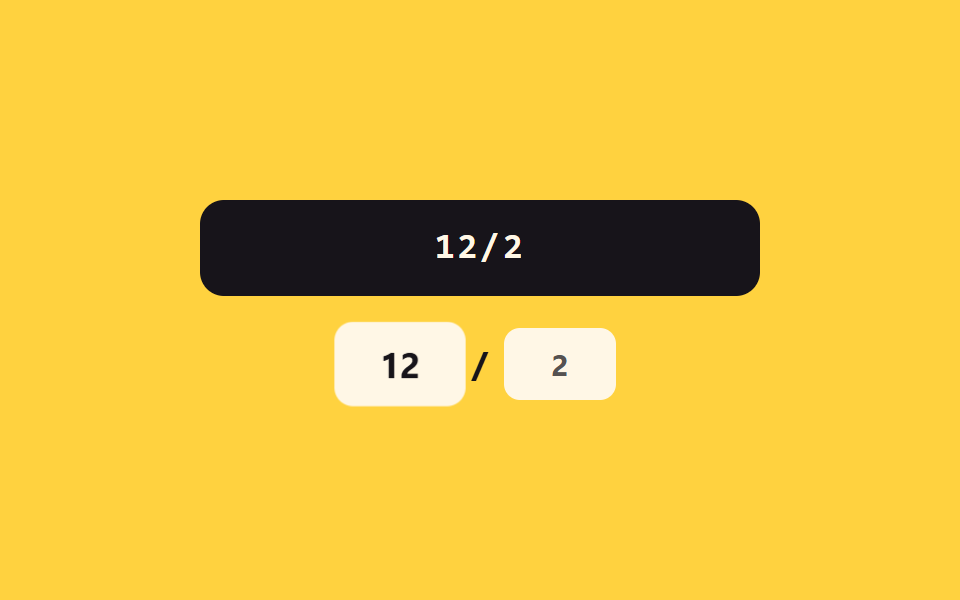 02 card-input-expiry-auto-slash
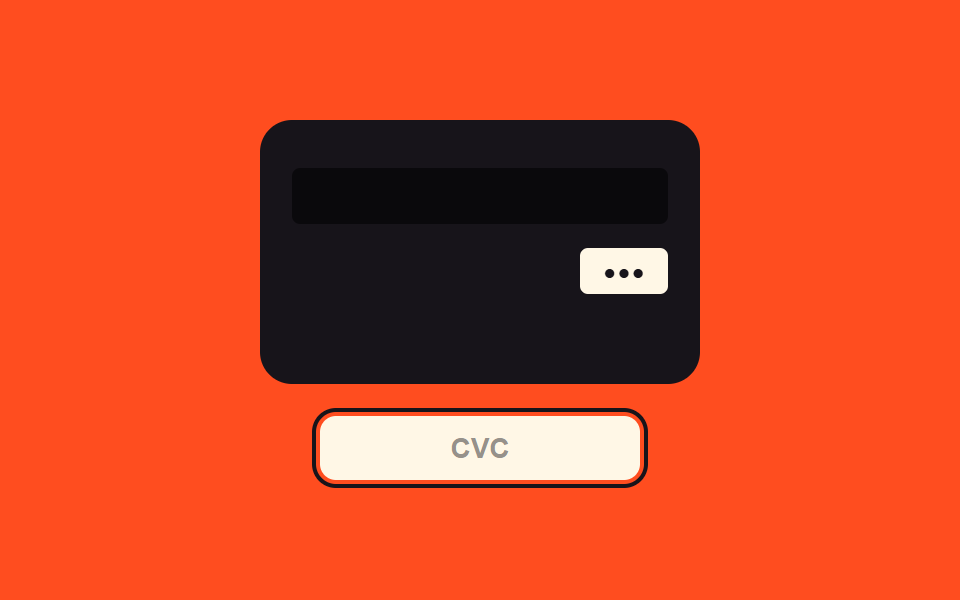 03 card-input-cvc-flip-reveal
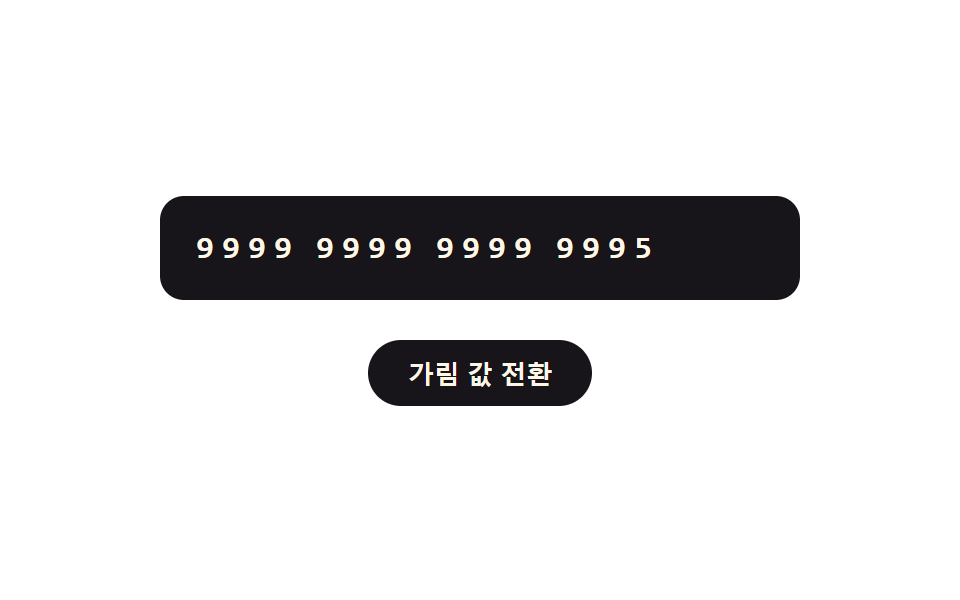 04 card-input-mask-toggle-reveal
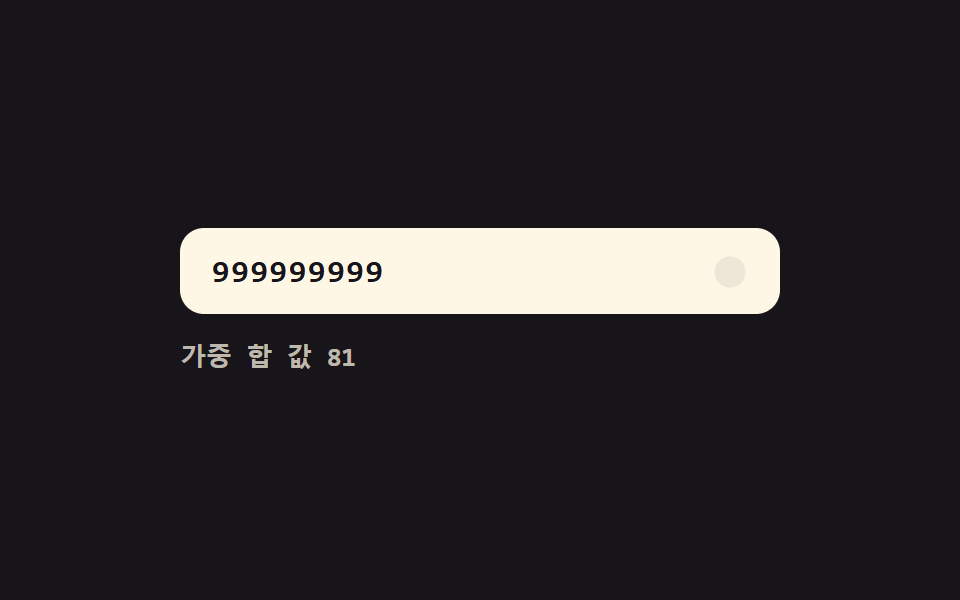 05 card-input-luhn-live-checkmark
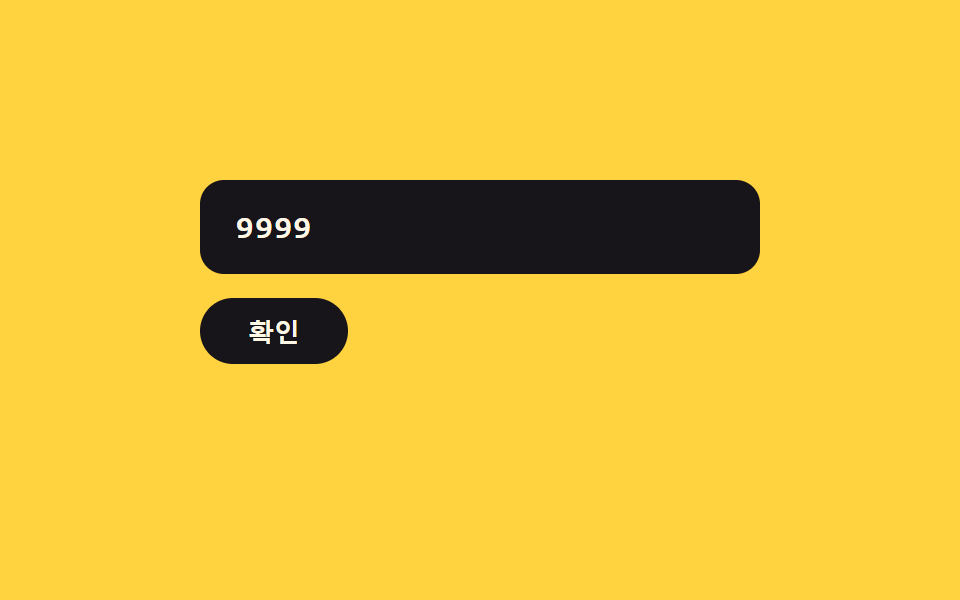 06 card-input-error-shake-clear
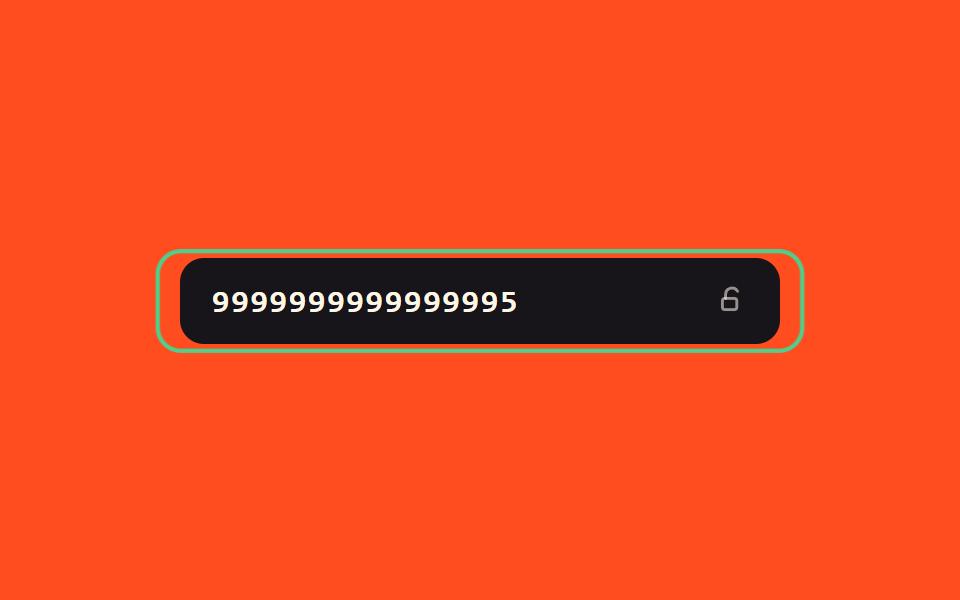 07 card-input-success-glow-lock
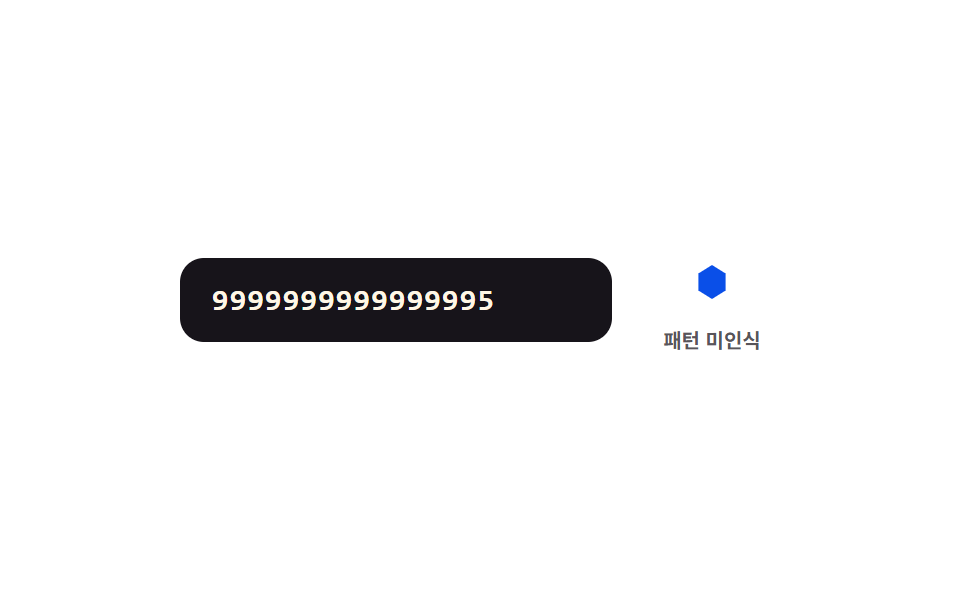 08 card-input-network-icon-morph
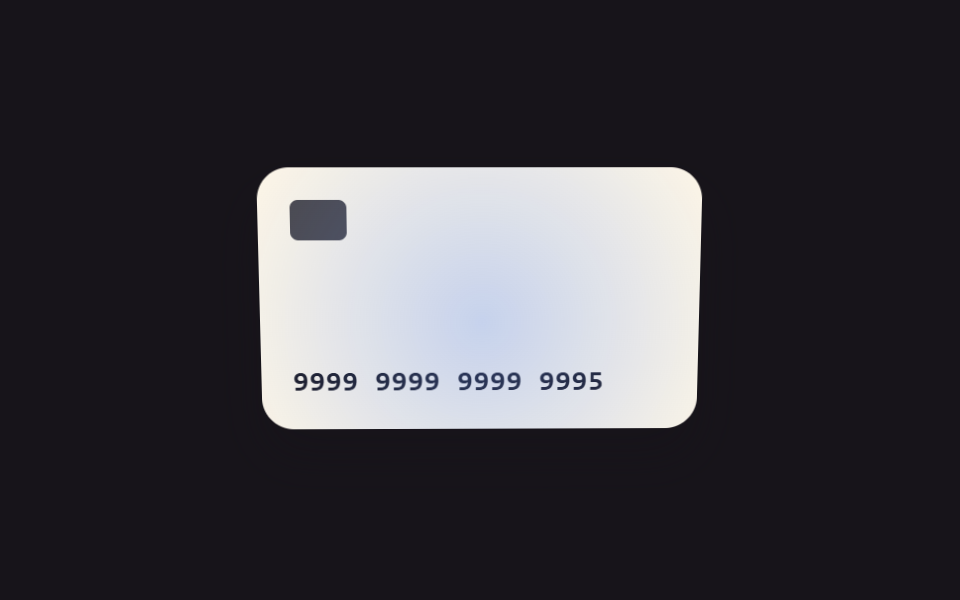 09 card-input-focus-tilt-3d
자동 재생 · 눌러서 해당 항목으로 · 전부 한 zip
- 01 자릿수 값 그룹 전환 — 입력된 숫자 값이 네 자리마다 그 사이 간격 값이 자동으로 생기는 방식
- 02 만료 값 구분자 전환 — 만료 월과 연도의 자릿수 값이 채워지면 그 사이 구분자 값이 자동으로 나타나는 방식
- 03 보안 코드 초점 값 전환 — 보안 코드 칸의 초점 값이 켜지면 카드 뒷면을 보여주는 값으로 화면이 바뀌는 방식
- 04 가림 값 전환 — 가림 값이 켜지면 앞의 몇 자리만 남기고 나머지 자릿수 값이 기호 값으로 바뀌는 방식
- 05 유효성 값 실시간 전환 — 자릿수 값이 채워질 때마다 번호 전체의 유효성 값이 계산되어 표시 값이 바뀌는 방식
- 06 오류 값 흔들림 전환 — 번호의 오류 값이 켜지면 칸의 흔들림 값이 커졌다 잦아들며 입력 값이 지워지는 방식
- 07 완료 값 빛남 전환 — 번호의 완료 값이 켜지면 테두리의 빛남 값이 서서히 올라가며 칸이 잠금 값으로 바뀌는 방식
- 08 패턴 인식 값 전환 — 앞자리 숫자 값이 정해진 패턴 값과 맞으면 옆의 도형 값이 다른 모양으로 바뀌는 방식
- 09 초점 값과 기울기 값 연동 — 칸의 초점 위치 값이 움직이면 카드 그림의 기울기 값이 함께 따라 움직이는 방식
아홉 개의 해부 — 어떤 값이 언제 바뀌는가
카드 정보 입력 ui 화면 아홉 개는 각각 다른 실사용자 입력(01·02·05·07·08은 입력 칸 타이핑, 03은 포커스·블러, 04는 버튼 클릭, 06은 타이핑과 클릭을 함께, 09는 포인터 이동·이탈)으로 값을 다시 계산하고, 계산 방식이 같은 것끼리 아래 다섯 무리로 나뉩니다.
| 번호 | 이름 | 리스너 | 누적면적% | 강도 | 움직인 프레임/23 |
|---|---|---|---|---|---|
| 01 | 자릿수 값 그룹 전환 | input(카드 번호 칸) | 0.91 | 163.0 | 15 |
| 02 | 만료 값 구분자 전환 | input(유효기간 칸) | 1.64 | 105.5 | 21 |
| 03 | 보안 코드 초점 값 전환 | focus/blur(CVC 칸) | 17.10 | 149.4 | 6 |
| 04 | 가림 값 전환 | click(가림 값 전환 버튼) | 0.73 | 107.3 | 7 |
| 05 | 유효성 값 실시간 전환 | input(카드 번호 칸) | 0.77 | 144.7 | 14 |
| 06 | 오류 값 흔들림 전환 | input+click(입력+확인 버튼) | 2.29 | 127.1 | 11 |
| 07 | 완료 값 빛남 전환 | input(카드 번호 칸) | 3.31 | 118.4 | 20 |
| 08 | 패턴 인식 값 전환 | input(카드 번호 칸) | 1.34 | 120.4 | 6 |
| 09 | 초점 값과 기울기 값 연동 | pointermove/leave(카드 패드) | 3.65 | 55.0 | 23 |
09는 스크롤 인터랙션처럼 23프레임 내내 살아 움직이지만 누적면적 자체는 다른 여덟 항목과 비슷한 수준입니다 — 화면 전체를 채우는 장면이 아니라 입력 칸 하나·카드 한 장 크기의 컴포넌트라, 09를 살아 있게 만드는 건 면적이 아니라 관성 보간이 만드는 정교함입니다.
자릿수 값을 세어 표시 요소를 다시 조립하는 값 — 01·02·04
01은 정규식 /.{1,4}/g로 잘라낸 자릿수 값을 4개씩 재조립해 간격 값을 넣고, 02는 앞 2자리 값이 채워지는 순간 슬래시 구분자 값을 켜며, 04는 KEEP(4)보다 뒤에 있는 자릿수 값마다 STAGGER_MS(45ms)만큼 늦게 가림 값을 전환합니다. 셋 다 값을 세는 대상은 자릿수지만 01은 간격을, 02는 구분자를, 04는 가림 여부를 각각 다르게 재구성합니다.
룬 체크섬을 자릿수 값이 바뀔 때마다 다시 계산하는 값 — 05·07
05의 luhnSum()과 07의 luhnSum()은 오른쪽부터 한 자리씩 건너 2배로 만드는 같은 가중 합 로직이지만, 05는 digits.length >= 13이면 유효성 판정에 들어가고 07은 digits.length === 16이어야만 잠금 절차로 넘어갑니다. 같은 계산을 쓰면서도 코드에 박힌 통과 자릿수 기준 값이 서로 다릅니다.
초점 값 하나로 화면 전체를 뒤집는 값 — 03
03은 CVC 입력 칸의 초점 값이 켜지고 꺼지는 것만으로 카드 그림 전체가 180도 넘게 회전했다가 정착하고, input 리스너는 뒷면 숫자 표시만 갱신할 뿐 회전 자체는 건드리지 않습니다.
정해진 지연 뒤 스스로 되돌리는 값 — 06
06은 확인 버튼을 눌러야 verify()가 돌고, 16자리에 못 미치면 흔들림 값을 켠 뒤 AUTO_CLEAR_MS(700ms) 후 입력 값 자체를 비웁니다 — 값을 켜는 것과 되돌리는 것이 한 함수 안에서 타이머로 묶여 있습니다.
목표값까지 매 프레임 비율만큼 다가가는 rAF 루프 값 — 08·09
08은 requestAnimationFrame으로 도형의 점 좌표 값을 MORPH_MS(420ms) 동안 이징 곡선을 타고 목표 도형까지 보간하고, 09는 매 프레임 curX·curY 값을 목표 기울기 값까지 LERP(0.14) 비율만큼만 좁혀 관성 있게 따라갑니다. 두 항목만 CSS transition이 아니라 자바스크립트 루프 자체가 값을 그리고, 나머지 일곱 항목은 클래스만 토글하고 실제 전환은 CSS transition·animation이 맡습니다.
패턴별 코드
아홉 항목의 계산 겹만 추려 코드로 봅니다 — 카드 번호 입력 ui 아홉 가지를 실제로 붙여넣어 돌려 보면 각 함수가 어떤 값을 언제 다시 계산하는지 눈으로 확인할 수 있습니다.
01자릿수 값 그룹 전환 — 입력된 숫자 값이 네 자리마다 그 사이 간격 값이 자동으로 생기는 방식
groupsOf()가 자릿수 값을 4개씩 잘라 배열로 만들고, paintTrack()이 각 그룹의 채움 비율만큼 세그먼트 바의 scaleX 값을 키우면서 4자리 경계를 넘을 때마다 간격 표시 값을 켭니다. 결제 폼의 카드 번호 입력 칸, 회원 카드 등록 화면에 맞는 계산입니다.
  function groupsOf(rawDigits) {
    var g = rawDigits.match(/.{1,4}/g) || [];
    while (g.length < 4) g.push('');
    return g;
  }

  function paintTrack(rawDigits) {
    var g = groupsOf(rawDigits);
    for (var i = 0; i < 4; i++) {
      segFills[i].style.transform = 'scaleX(' + (g[i].length / 4) + ')';
    }
    for (var j = 0; j < 3; j++) {
      var on = rawDigits.length > (j + 1) * 4;
      gaps[j].classList.toggle('ci__gap--on', on);
    }
  }
<main class="stage">
<div class="ci is-demo" id="ci">
  <label class="ci__field">
    <input class="ci__input" id="ciInput" type="text" inputmode="numeric" autocomplete="off" spellcheck="false" maxlength="19" value="">
  </label>
  <div class="ci__track" id="ciTrack" aria-hidden="true">
    <span class="ci__seg" data-g="0"><span class="ci__segFill"></span></span>
    <span class="ci__gap" data-gap="0"></span>
    <span class="ci__seg" data-g="1"><span class="ci__segFill"></span></span>
    <span class="ci__gap" data-gap="1"></span>
    <span class="ci__seg" data-g="2"><span class="ci__segFill"></span></span>
    <span class="ci__gap" data-gap="2"></span>
    <span class="ci__seg" data-g="3"><span class="ci__segFill"></span></span>
  </div>
</div>
</main>
@use "../../../../site/static/demo-tokens" as *;
// 계산 겹: 커서 위치 값을 digit count 로 환산해 간격 값 삽입 개수만큼 보정한다(index.html).
@include stage($stage-ink);
.ci {
width: 100%;
max-width: 320px;
display: grid;
gap: $sp-4;
}
.ci__field { display: block; }
.ci__input {
width: 100%;
box-sizing: border-box;
padding: $sp-3 $sp-4;
border-radius: $r-control;
border: 0;
background: $subject-cream;
color: $subject-ink;
font-weight: 600;
font-size: 18px;
line-height: 1.3;
font-family: "SFMono-Regular", Consolas, monospace;
letter-spacing: .06em;
&:focus { outline: 2px solid $subject-blue-light; outline-offset: 2px; }
}
.ci__track {
display: flex;
align-items: center;
gap: $sp-1;
}
.ci__seg {
flex: 1;
height: $sp-1;
border-radius: $r-xs;
background: rgba($subject-cream, .16);
overflow: hidden;
}
.ci__segFill {
display: block;
width: 100%;
height: 100%;
border-radius: $r-xs;
background: $subject-blue-light;
transform: scaleX(0);
transform-origin: left center;
transition: transform $dur-quick $ease-out;
}
.ci__gap {
width: $sp-1;
height: $sp-1;
border-radius: 50%;
background: rgba($subject-cream, .16);
transform: scale(.4);
opacity: 0;
transition: transform $dur-quick $ease-elastic, opacity $dur-quick $ease-out, background-color $dur-quick $ease-out;
}
.ci__gap--on {
opacity: 1;
transform: scale(1);
background: $subject-blue-light;
}
@media (max-width: 340px) {
.ci__input { padding: $sp-2 $sp-3; font-size: 16px; }
}
@media (prefers-reduced-motion: reduce) {
.ci__segFill, .ci__gap { transition: none; }
}html, body {
margin: 0;
overflow: hidden;
}
.stage {
box-sizing: border-box;
min-height: 100vh;
display: grid;
place-items: center;
margin: 0;
background: #17141a;
font-family: -apple-system, "Segoe UI", "Noto Sans KR", sans-serif;
padding: clamp(8px, 4vw, 24px);
}
.ci {
width: 100%;
max-width: 320px;
display: grid;
gap: 16px;
}
.ci__field {
display: block;
}
.ci__input {
width: 100%;
box-sizing: border-box;
padding: 12px 16px;
border-radius: 12px;
border: 0;
background: #fff7e6;
color: #17141a;
font-weight: 600;
font-size: 18px;
line-height: 1.3;
font-family: "SFMono-Regular", Consolas, monospace;
letter-spacing: 0.06em;
}
.ci__input:focus {
outline: 2px solid #5b8cf8;
outline-offset: 2px;
}
.ci__track {
display: flex;
align-items: center;
gap: 4px;
}
.ci__seg {
flex: 1;
height: 4px;
border-radius: 4px;
background: rgba(255, 247, 230, 0.16);
overflow: hidden;
}
.ci__segFill {
display: block;
width: 100%;
height: 100%;
border-radius: 4px;
background: #5b8cf8;
transform: scaleX(0);
transform-origin: left center;
transition: transform 220ms ease-out;
}
.ci__gap {
width: 4px;
height: 4px;
border-radius: 50%;
background: rgba(255, 247, 230, 0.16);
transform: scale(0.4);
opacity: 0;
transition: transform 220ms cubic-bezier(0.34, 1.56, 0.64, 1), opacity 220ms ease-out, background-color 220ms ease-out;
}
.ci__gap--on {
opacity: 1;
transform: scale(1);
background: #5b8cf8;
}
@media (max-width: 340px) {
.ci__input {
padding: 8px 12px;
font-size: 16px;
}
}
@media (prefers-reduced-motion: reduce) {
.ci__segFill, .ci__gap {
transition: none;
}
}(function () {
var root = document.getElementById('ci');
var input = document.getElementById('ciInput');
var track = document.getElementById('ciTrack');
var segFills = track.querySelectorAll('.ci__segFill');
var gaps = track.querySelectorAll('.ci__gap');
// 계산 겹: 자릿수 값을 4개씩 묶어 다시 조립하고, 커서 위치 값을 digit count 로
// 환산해 삽입된 간격 값 개수만큼 보정한다 — 그냥 재대입하면 커서가 맨 끝으로 튄다.
function digitsBefore(str, upto) { return str.slice(0, upto).replace(/\D/g, '').length; }
function groupsOf(rawDigits) {
var g = rawDigits.match(/.{1,4}/g) || [];
while (g.length < 4) g.push('');
return g;
}
function paintTrack(rawDigits) {
var g = groupsOf(rawDigits);
for (var i = 0; i < 4; i++) {
segFills[i].style.transform = 'scaleX(' + (g[i].length / 4) + ')';
}
for (var j = 0; j < 3; j++) {
var on = rawDigits.length > (j + 1) * 4;
gaps[j].classList.toggle('ci__gap--on', on);
}
}
function reformat(prevCaret) {
var prevDigits = digitsBefore(input.value, prevCaret);
var rawDigits = input.value.replace(/\D/g, '').slice(0, 16);
var groups = rawDigits.match(/.{1,4}/g) || [];
input.value = groups.join(' ');
// 커서 위치 보정: 앞선 자릿수 값 개수 + 그 앞에 이미 생긴 간격 값 개수(4자리마다 1개)
var spacesBefore = Math.floor(Math.max(prevDigits - 1, 0) / 4);
var newCaret = Math.min(prevDigits + spacesBefore, input.value.length);
input.setSelectionRange(newCaret, newCaret);
paintTrack(rawDigits);
}
input.addEventListener('input', function () {
root.classList.remove('is-demo');
stopAutoplay();
reformat(input.selectionStart);
});
// 자동 루프: 시드 고정 자릿수 값을 한 자리씩 늘렸다 줄인다.
var FULL = '9999999999999995';
var SEQ = [];
for (var i = 0; i <= FULL.length; i++) SEQ.push(FULL.slice(0, i));
for (var k = FULL.length - 1; k >= 0; k--) SEQ.push(FULL.slice(0, k));
var si = 0;
var autoTimer = null;
function autoTick() {
var rawDigits = SEQ[si];
var groups = rawDigits.match(/.{1,4}/g) || [];
input.value = groups.join(' ');
paintTrack(rawDigits);
si = (si + 1) % SEQ.length;
}
function stopAutoplay() { if (autoTimer) { clearInterval(autoTimer); autoTimer = null; } }
var reduce = window.matchMedia('(prefers-reduced-motion: reduce)').matches;
if (!reduce) { autoTimer = setInterval(autoTick, 160); autoTick(); }
else { autoTick(); }
})();import { useEffect, useRef } from "react";
import styles from "./AutoSpaceGroups.module.scss";
type Box<T> = { current: T };
export default function AutoSpaceGroups() {
const rootRef = useRef(null) as unknown as Box<HTMLDivElement | null>;
useEffect(() => {
const root = rootRef.current;
if (!root) return;
const input = root.querySelector(`.${styles.input}`) as HTMLInputElement | null;
const segFills = root.querySelectorAll(`.${styles.segFill}`);
const gaps = root.querySelectorAll(`.${styles.gap}`);
if (!input || segFills.length === 0) return;
// 계산 겹: 자릿수 값을 4개씩 묶어 다시 조립하고, 커서 위치 값을 digit count 로
// 환산해 삽입된 간격 값 개수만큼 보정한다 — 그냥 재대입하면 커서가 맨 끝으로 튄다.
function digitsBefore(str: string, upto: number) {
return str.slice(0, upto).replace(/\D/g, "").length;
}
function groupsOf(rawDigits: string) {
const g: string[] = rawDigits.match(/.{1,4}/g) || [];
while (g.length < 4) g.push("");
return g;
}
function paintTrack(rawDigits: string) {
const g = groupsOf(rawDigits);
for (let i = 0; i < 4; i++) {
(segFills[i] as HTMLElement).style.transform = "scaleX(" + g[i].length / 4 + ")";
}
for (let j = 0; j < 3; j++) {
const on = rawDigits.length > (j + 1) * 4;
gaps[j].classList.toggle(styles["gap--on"], on);
}
}
function reformat(prevCaret: number) {
const prevDigits = digitsBefore(input!.value, prevCaret);
const rawDigits = input!.value.replace(/\D/g, "").slice(0, 16);
const groups = rawDigits.match(/.{1,4}/g) || [];
input!.value = groups.join(" ");
// 커서 위치 보정: 앞선 자릿수 값 개수 + 그 앞에 이미 생긴 간격 값 개수(4자리마다 1개)
const spacesBefore = Math.floor(Math.max(prevDigits - 1, 0) / 4);
const newCaret = Math.min(prevDigits + spacesBefore, input!.value.length);
input!.setSelectionRange(newCaret, newCaret);
paintTrack(rawDigits);
}
function onInput() {
root!.classList.remove(styles["is-demo"]);
stopAutoplay();
reformat(input!.selectionStart || 0);
}
input.addEventListener("input", onInput);
// 자동 루프: 시드 고정 자릿수 값을 한 자리씩 늘렸다 줄인다.
const FULL = "9999999999999995";
const SEQ: string[] = [];
for (let i = 0; i <= FULL.length; i++) SEQ.push(FULL.slice(0, i));
for (let k = FULL.length - 1; k >= 0; k--) SEQ.push(FULL.slice(0, k));
let si = 0;
let autoTimer: number | null = null;
function autoTick() {
const rawDigits = SEQ[si];
const groups = rawDigits.match(/.{1,4}/g) || [];
input!.value = groups.join(" ");
paintTrack(rawDigits);
si = (si + 1) % SEQ.length;
}
function stopAutoplay() {
if (autoTimer !== null) { window.clearInterval(autoTimer); autoTimer = null; }
}
const reduce = window.matchMedia("(prefers-reduced-motion: reduce)").matches;
if (!reduce) { autoTimer = window.setInterval(autoTick, 160); autoTick(); }
else { autoTick(); }
return () => {
stopAutoplay();
input.removeEventListener("input", onInput);
};
}, []);
return (
<div ref={rootRef} className={`${styles.stage} ${styles.ci} ${styles["is-demo"]}`}>
<label className={styles.field}>
<input className={styles.input} type="text" inputMode="numeric" autoComplete="off" spellCheck={false} maxLength={19} defaultValue="" />
</label>
<div className={styles.track} aria-hidden="true">
<span className={styles.seg}><span className={styles.segFill} /></span>
<span className={styles.gap} />
<span className={styles.seg}><span className={styles.segFill} /></span>
<span className={styles.gap} />
<span className={styles.seg}><span className={styles.segFill} /></span>
<span className={styles.gap} />
<span className={styles.seg}><span className={styles.segFill} /></span>
</div>
</div>
);
}01 · 자릿수 값 그룹 전환 — 입력된 숫자 값이 네 자리마다 그 사이 간격 값이 자동으로 생기는 방식 — 측정 누적면적 0.912% · 움직인 프레임 15/23GODRICH 원작 · zip 에 SCSS·React 포함 · 비밀번호 보기
02만료 값 구분자 전환 — 만료 월과 연도의 자릿수 값이 채워지면 그 사이 구분자 값이 자동으로 나타나는 방식
build()가 월 값을 01~12 범위로 clamp 하고, 월 자릿수 값이 두 자리를 채우는 순간 slashOn 값을 켜 구분자를 나타냅니다. 결제 폼의 카드 유효기간 입력, 정기결제 등록 화면에 쓰는 계산입니다.
  function build(rawDigits) {
    var mm = rawDigits.slice(0, 2);
    var yy = rawDigits.slice(2, 4);
    var clamped = false;
    if (mm.length === 2) {
      var n = parseInt(mm, 10);
      if (n === 0) { mm = '01'; clamped = true; }
      else if (n > 12) { mm = '12'; clamped = true; }
    }
    var slashOn = mm.length === 2;
    return { display: mm + (slashOn ? '/' : '') + yy, mm: mm, yy: yy, slashOn: slashOn, clamped: clamped };
  }
<main class="stage">
<div class="ce is-demo" id="ce">
  <label class="ce__field">
    <input class="ce__input" id="ceInput" type="text" inputmode="numeric" autocomplete="off" spellcheck="false" maxlength="5" value="" placeholder="MM/YY">
  </label>
  <div class="ce__chips" id="ceChips" aria-hidden="true">
    <span class="ce__chip" id="ceMm">MM</span>
    <span class="ce__slash" id="ceSlash">/</span>
    <span class="ce__chip" id="ceYy">YY</span>
  </div>
</div>
</main>
@use "../../../../site/static/demo-tokens" as *;
// 계산 겹: 월 값을 01~12 로 clamp 하고, 완료 시 구분자 값을 자동 삽입한다(index.html).
@include stage($stage-yellow);
.ce {
width: 100%;
max-width: 280px;
display: grid;
gap: $sp-4;
justify-items: center;
}
.ce__field { display: block; width: 100%; }
.ce__input {
width: 100%;
box-sizing: border-box;
padding: $sp-3 $sp-4;
border-radius: $r-control;
border: 0;
background: $subject-ink;
color: $subject-cream;
font-weight: 600;
font-size: 18px;
line-height: 1.3;
font-family: "SFMono-Regular", Consolas, monospace;
letter-spacing: .08em;
text-align: center;
&::placeholder { color: rgba($subject-cream, .5); }
&:focus { outline: 2px solid $subject-blue-deep; outline-offset: 2px; }
}
.ce__chips {
display: flex;
align-items: center;
gap: $sp-2;
}
.ce__chip {
min-width: 56px;
box-sizing: border-box;
padding: $sp-2 $sp-3;
border-radius: $r-sm;
background: $subject-cream;
color: rgba($subject-ink, .4);
font-weight: 700;
font-size: 15px;
text-align: center;
transition: color $dur-quick $ease-out;
}
.ce__chip--on { color: $subject-ink; }
.ce__chip--pulse { animation: cePulse $dur-enter $ease-elastic; }
.ce__slash {
font-weight: 700;
font-size: 18px;
color: rgba($subject-ink, .35);
transform: scale(.4);
opacity: 0;
transition: transform $dur-quick $ease-elastic, opacity $dur-quick $ease-out;
}
.ce__slash--on {
transform: scale(1);
opacity: 1;
color: $subject-ink;
}
@keyframes cePulse {
0% { transform: scale(1); }
30% { transform: scale(1.16); }
60% { transform: scale(.96); }
100% { transform: scale(1); }
}
@media (max-width: 340px) {
.ce { max-width: 240px; }
.ce__input { padding: $sp-2 $sp-3; font-size: 16px; }
.ce__chip { min-width: 48px; font-size: 13px; }
}
@media (prefers-reduced-motion: reduce) {
.ce__slash { transition: none; }
.ce__chip--pulse { animation: none; }
.ce__chip { transition: none; }
}html, body {
margin: 0;
overflow: hidden;
}
.stage {
box-sizing: border-box;
min-height: 100vh;
display: grid;
place-items: center;
margin: 0;
background: #ffd23f;
font-family: -apple-system, "Segoe UI", "Noto Sans KR", sans-serif;
padding: clamp(8px, 4vw, 24px);
}
.ce {
width: 100%;
max-width: 280px;
display: grid;
gap: 16px;
justify-items: center;
}
.ce__field {
display: block;
width: 100%;
}
.ce__input {
width: 100%;
box-sizing: border-box;
padding: 12px 16px;
border-radius: 12px;
border: 0;
background: #17141a;
color: #fff7e6;
font-weight: 600;
font-size: 18px;
line-height: 1.3;
font-family: "SFMono-Regular", Consolas, monospace;
letter-spacing: 0.08em;
text-align: center;
}
.ce__input::placeholder {
color: rgba(255, 247, 230, 0.5);
}
.ce__input:focus {
outline: 2px solid #0a4fe8;
outline-offset: 2px;
}
.ce__chips {
display: flex;
align-items: center;
gap: 8px;
}
.ce__chip {
min-width: 56px;
box-sizing: border-box;
padding: 8px 12px;
border-radius: 8px;
background: #fff7e6;
color: rgba(23, 20, 26, 0.4);
font-weight: 700;
font-size: 15px;
text-align: center;
transition: color 220ms ease-out;
}
.ce__chip--on {
color: #17141a;
}
.ce__chip--pulse {
animation: cePulse 600ms cubic-bezier(0.34, 1.56, 0.64, 1);
}
.ce__slash {
font-weight: 700;
font-size: 18px;
color: rgba(23, 20, 26, 0.35);
transform: scale(0.4);
opacity: 0;
transition: transform 220ms cubic-bezier(0.34, 1.56, 0.64, 1), opacity 220ms ease-out;
}
.ce__slash--on {
transform: scale(1);
opacity: 1;
color: #17141a;
}
@keyframes cePulse {
0% {
transform: scale(1);
}
30% {
transform: scale(1.16);
}
60% {
transform: scale(0.96);
}
100% {
transform: scale(1);
}
}
@media (max-width: 340px) {
.ce {
max-width: 240px;
}
.ce__input {
padding: 8px 12px;
font-size: 16px;
}
.ce__chip {
min-width: 48px;
font-size: 13px;
}
}
@media (prefers-reduced-motion: reduce) {
.ce__slash {
transition: none;
}
.ce__chip--pulse {
animation: none;
}
.ce__chip {
transition: none;
}
}(function () {
var root = document.getElementById('ce');
var input = document.getElementById('ceInput');
var mmChip = document.getElementById('ceMm');
var yyChip = document.getElementById('ceYy');
var slash = document.getElementById('ceSlash');
// 계산 겹: 월 값의 범위를 01~12 로 clamp 하고, 월 자릿수 값이 2자리를 채우면
// 구분자(슬래시) 값을 자동으로 끼운다.
function digitsOnly(str) { return str.replace(/\D/g, '').slice(0, 4); }
function build(rawDigits) {
var mm = rawDigits.slice(0, 2);
var yy = rawDigits.slice(2, 4);
var clamped = false;
if (mm.length === 2) {
var n = parseInt(mm, 10);
if (n === 0) { mm = '01'; clamped = true; }
else if (n > 12) { mm = '12'; clamped = true; }
}
var slashOn = mm.length === 2;
return { display: mm + (slashOn ? '/' : '') + yy, mm: mm, yy: yy, slashOn: slashOn, clamped: clamped };
}
function pulse(el) {
el.classList.remove('ce__chip--pulse');
void el.offsetWidth;
el.classList.add('ce__chip--pulse');
}
function paint(r) {
mmChip.textContent = r.mm || 'MM';
mmChip.classList.toggle('ce__chip--on', r.mm.length > 0);
yyChip.textContent = r.yy || 'YY';
yyChip.classList.toggle('ce__chip--on', r.yy.length > 0);
slash.classList.toggle('ce__slash--on', r.slashOn);
if (r.clamped) pulse(mmChip);
}
function digitsBefore(str, upto) { return str.slice(0, upto).replace(/\D/g, '').length; }
input.addEventListener('input', function () {
root.classList.remove('is-demo');
stopAutoplay();
var prevDigits = digitsBefore(input.value, input.selectionStart);
var rawDigits = digitsOnly(input.value);
var r = build(rawDigits);
input.value = r.display;
var newCaret = Math.min(prevDigits + (r.slashOn && prevDigits >= 2 ? 1 : 0), input.value.length);
input.setSelectionRange(newCaret, newCaret);
paint(r);
});
// 자동 루프: 시드 고정 자릿수 값 — "13" 을 쳐서 월 범위 clamp("12")가 걸리는 장면 포함.
var SEQ = ['', '1', '13', '132', '1329', '132', '13', '1', ''];
var si = 0;
var autoTimer = null;
function autoTick() {
var rawDigits = SEQ[si];
var r = build(rawDigits);
input.value = r.display;
paint(r);
si = (si + 1) % SEQ.length;
}
function stopAutoplay() { if (autoTimer) { clearInterval(autoTimer); autoTimer = null; } }
var reduce = window.matchMedia('(prefers-reduced-motion: reduce)').matches;
if (!reduce) { autoTimer = setInterval(autoTick, 340); autoTick(); }
else { autoTick(); }
})();import { useEffect, useRef } from "react";
import styles from "./ExpiryAutoSlash.module.scss";
type Box<T> = { current: T };
type Built = { display: string; mm: string; yy: string; slashOn: boolean; clamped: boolean };
export default function ExpiryAutoSlash() {
const rootRef = useRef(null) as unknown as Box<HTMLDivElement | null>;
useEffect(() => {
const root = rootRef.current;
if (!root) return;
const input = root.querySelector(`.${styles.input}`) as HTMLInputElement | null;
const mmChip = root.querySelector(`.${styles.mm}`) as HTMLElement | null;
const yyChip = root.querySelector(`.${styles.yy}`) as HTMLElement | null;
const slash = root.querySelector(`.${styles.slash}`) as HTMLElement | null;
if (!input || !mmChip || !yyChip || !slash) return;
// 계산 겹: 월 값의 범위를 01~12 로 clamp 하고, 월 자릿수 값이 2자리를 채우면
// 구분자(슬래시) 값을 자동으로 끼운다.
function digitsOnly(str: string) { return str.replace(/\D/g, "").slice(0, 4); }
function build(rawDigits: string): Built {
let mm = rawDigits.slice(0, 2);
const yy = rawDigits.slice(2, 4);
let clamped = false;
if (mm.length === 2) {
const n = parseInt(mm, 10);
if (n === 0) { mm = "01"; clamped = true; }
else if (n > 12) { mm = "12"; clamped = true; }
}
const slashOn = mm.length === 2;
return { display: mm + (slashOn ? "/" : "") + yy, mm, yy, slashOn, clamped };
}
function pulse(el: HTMLElement) {
el.classList.remove(styles["chip--pulse"]);
void el.offsetWidth;
el.classList.add(styles["chip--pulse"]);
}
function paint(r: Built) {
mmChip!.textContent = r.mm || "MM";
mmChip!.classList.toggle(styles["chip--on"], r.mm.length > 0);
yyChip!.textContent = r.yy || "YY";
yyChip!.classList.toggle(styles["chip--on"], r.yy.length > 0);
slash!.classList.toggle(styles["slash--on"], r.slashOn);
if (r.clamped) pulse(mmChip!);
}
function digitsBefore(str: string, upto: number) {
return str.slice(0, upto).replace(/\D/g, "").length;
}
function onInput() {
root!.classList.remove(styles["is-demo"]);
stopAutoplay();
const prevDigits = digitsBefore(input!.value, input!.selectionStart || 0);
const rawDigits = digitsOnly(input!.value);
const r = build(rawDigits);
input!.value = r.display;
const newCaret = Math.min(prevDigits + (r.slashOn && prevDigits >= 2 ? 1 : 0), input!.value.length);
input!.setSelectionRange(newCaret, newCaret);
paint(r);
}
input.addEventListener("input", onInput);
// 자동 루프: 시드 고정 자릿수 값 — "13" 을 쳐서 월 범위 clamp("12")가 걸리는 장면 포함.
const SEQ = ["", "1", "13", "132", "1329", "132", "13", "1", ""];
let si = 0;
let autoTimer: number | null = null;
function autoTick() {
const rawDigits = SEQ[si];
const r = build(rawDigits);
input!.value = r.display;
paint(r);
si = (si + 1) % SEQ.length;
}
function stopAutoplay() {
if (autoTimer !== null) { window.clearInterval(autoTimer); autoTimer = null; }
}
const reduce = window.matchMedia("(prefers-reduced-motion: reduce)").matches;
if (!reduce) { autoTimer = window.setInterval(autoTick, 340); autoTick(); }
else { autoTick(); }
return () => {
stopAutoplay();
input.removeEventListener("input", onInput);
};
}, []);
return (
<div ref={rootRef} className={`${styles.stage} ${styles.ce} ${styles["is-demo"]}`}>
<label className={styles.field}>
<input className={styles.input} type="text" inputMode="numeric" autoComplete="off" spellCheck={false} maxLength={5} defaultValue="" placeholder="MM/YY" />
</label>
<div className={styles.chips} aria-hidden="true">
<span className={`${styles.chip} ${styles.mm}`}>MM</span>
<span className={styles.slash}>/</span>
<span className={`${styles.chip} ${styles.yy}`}>YY</span>
</div>
</div>
);
}02 · 만료 값 구분자 전환 — 만료 월과 연도의 자릿수 값이 채워지면 그 사이 구분자 값이 자동으로 나타나는 방식 — 측정 누적면적 1.644% · 움직인 프레임 21/23GODRICH 원작 · zip 에 SCSS·React 포함 · 비밀번호 보기
03보안 코드 초점 값 전환 — 보안 코드 칸의 초점 값이 켜지면 카드 뒷면을 보여주는 값으로 화면이 바뀌는 방식
setFlipped()는 초점 값 on/off만으로 카드의 회전 클래스를 토글하고, 실제 180도 회전과 정착은 CSS 전환 이징 토큰($ease-lerp-settle)이 맡습니다. 결제 폼의 CVC 입력 칸, 카드 등록 화면의 보안 코드 안내에 쓰는 계산입니다.
  // 계산 겹: 초점 값 on/off 에 따라 카드의 3D 회전 각 값이 스프링 곡선($ease-lerp-settle)을
  // 타고 180deg 를 넘겼다가 되돌아와 정착한다 — 등속 회전이 아니라 관성 있는 회전.
  function setFlipped(on) { card.classList.toggle('cv__card--flipped', on); }

  input.addEventListener('focus', function () { root.classList.remove('is-demo'); stopAutoplay(); setFlipped(true); });
  input.addEventListener('blur', function () { setFlipped(false); });
  input.addEventListener('input', function () {
    box.textContent = (input.value.replace(/\D/g, '').slice(0, 3) || '').padEnd(3, '•');
  });
<main class="stage">
<div class="cv is-demo" id="cv">
  <div class="cv__scene">
    <div class="cv__card" id="cvCard">
      <div class="cv__face cv__face--front">
        <span class="cv__chipIcon"></span>
        <span class="cv__num">9999 99•• •••• 9995</span>
        <span class="cv__exp">12/29</span>
      </div>
      <div class="cv__face cv__face--back">
        <span class="cv__strip"></span>
        <span class="cv__cvcRow"><span class="cv__cvcBox" id="cvBox">•••</span></span>
      </div>
    </div>
  </div>
  <label class="cv__field">
    <input class="cv__input" id="cvInput" type="text" inputmode="numeric" autocomplete="off" spellcheck="false" maxlength="3" placeholder="CVC">
  </label>
</div>
</main>
@use "../../../../site/static/demo-tokens" as *;
// 계산 겹: 초점 값 on/off → 3D 회전 각 값이 스프링 곡선을 타고 넘겼다가 정착한다(index.html).
@include stage($stage-orange);
.cv {
width: 100%;
max-width: 300px;
display: grid;
gap: $sp-4;
justify-items: center;
}
.cv__scene {
width: 220px;
height: 132px;
perspective: 800px;
}
.cv__card {
position: relative;
width: 100%;
height: 100%;
transform-style: preserve-3d;
transform: rotateY(0deg);
transition: transform $dur-enter $ease-lerp-settle;
}
.cv__card--flipped { transform: rotateY(180deg); }
.cv__face {
position: absolute;
inset: 0;
box-sizing: border-box;
border-radius: $r-card;
backface-visibility: hidden;
padding: $sp-4;
display: grid;
color: $subject-cream;
}
.cv__face--front {
background: $subject-ink;
align-content: space-between;
}
.cv__face--back {
background: $subject-ink;
transform: rotateY(180deg);
align-content: start;
gap: $sp-3;
}
.cv__chipIcon {
width: 28px;
height: 20px;
border-radius: $r-xs;
background: rgba($subject-cream, .7);
}
.cv__num {
font-family: "SFMono-Regular", Consolas, monospace;
font-weight: 600;
font-size: 15px;
letter-spacing: .05em;
}
.cv__exp {
font-family: "SFMono-Regular", Consolas, monospace;
font-weight: 600;
font-size: 12px;
color: rgba($subject-cream, .7);
}
.cv__strip {
display: block;
width: 100%;
height: 28px;
margin-top: $sp-2;
background: rgba(0, 0, 0, .55);
border-radius: $r-xs;
}
.cv__cvcRow { display: flex; justify-content: flex-end; }
.cv__cvcBox {
min-width: 44px;
box-sizing: border-box;
padding: $sp-1 $sp-2;
border-radius: $r-xs;
background: $subject-cream;
color: $subject-ink;
font-family: "SFMono-Regular", Consolas, monospace;
font-weight: 700;
font-size: 13px;
text-align: center;
}
.cv__field { width: 100%; max-width: 160px; }
.cv__input {
width: 100%;
box-sizing: border-box;
padding: $sp-2 $sp-3;
border-radius: $r-sm;
border: 0;
background: $subject-cream;
color: $subject-ink;
font-weight: 600;
font-size: 14px;
text-align: center;
&::placeholder { color: rgba($subject-ink, .45); }
&:focus, &.cv__input--focus { outline: 2px solid $subject-ink; outline-offset: 2px; }
}
@media (max-width: 340px) {
.cv__scene { width: 190px; height: 114px; }
}
@media (prefers-reduced-motion: reduce) {
.cv__card { transition: none; }
}html, body {
margin: 0;
overflow: hidden;
}
.stage {
box-sizing: border-box;
min-height: 100vh;
display: grid;
place-items: center;
margin: 0;
background: #ff4d1f;
font-family: -apple-system, "Segoe UI", "Noto Sans KR", sans-serif;
padding: clamp(8px, 4vw, 24px);
}
.cv {
width: 100%;
max-width: 300px;
display: grid;
gap: 16px;
justify-items: center;
}
.cv__scene {
width: 220px;
height: 132px;
perspective: 800px;
}
.cv__card {
position: relative;
width: 100%;
height: 100%;
transform-style: preserve-3d;
transform: rotateY(0deg);
transition: transform 600ms linear(0, 0.051, 0.176, 0.341, 0.518, 0.685, 0.831, 0.947, 1.032, 1.087, 1.117, 1.126, 1.121, 1.105, 1.085, 1.062, 1.041, 1.022, 1.008, 0.997, 1);
}
.cv__card--flipped {
transform: rotateY(180deg);
}
.cv__face {
position: absolute;
inset: 0;
box-sizing: border-box;
border-radius: 16px;
backface-visibility: hidden;
padding: 16px;
display: grid;
color: #fff7e6;
}
.cv__face--front {
background: #17141a;
align-content: space-between;
}
.cv__face--back {
background: #17141a;
transform: rotateY(180deg);
align-content: start;
gap: 12px;
}
.cv__chipIcon {
width: 28px;
height: 20px;
border-radius: 4px;
background: rgba(255, 247, 230, 0.7);
}
.cv__num {
font-family: "SFMono-Regular", Consolas, monospace;
font-weight: 600;
font-size: 15px;
letter-spacing: 0.05em;
}
.cv__exp {
font-family: "SFMono-Regular", Consolas, monospace;
font-weight: 600;
font-size: 12px;
color: rgba(255, 247, 230, 0.7);
}
.cv__strip {
display: block;
width: 100%;
height: 28px;
margin-top: 8px;
background: rgba(0, 0, 0, 0.55);
border-radius: 4px;
}
.cv__cvcRow {
display: flex;
justify-content: flex-end;
}
.cv__cvcBox {
min-width: 44px;
box-sizing: border-box;
padding: 4px 8px;
border-radius: 4px;
background: #fff7e6;
color: #17141a;
font-family: "SFMono-Regular", Consolas, monospace;
font-weight: 700;
font-size: 13px;
text-align: center;
}
.cv__field {
width: 100%;
max-width: 160px;
}
.cv__input {
width: 100%;
box-sizing: border-box;
padding: 8px 12px;
border-radius: 8px;
border: 0;
background: #fff7e6;
color: #17141a;
font-weight: 600;
font-size: 14px;
text-align: center;
}
.cv__input::placeholder {
color: rgba(23, 20, 26, 0.45);
}
.cv__input:focus, .cv__input.cv__input--focus {
outline: 2px solid #17141a;
outline-offset: 2px;
}
@media (max-width: 340px) {
.cv__scene {
width: 190px;
height: 114px;
}
}
@media (prefers-reduced-motion: reduce) {
.cv__card {
transition: none;
}
}(function () {
var root = document.getElementById('cv');
var input = document.getElementById('cvInput');
var card = document.getElementById('cvCard');
var box = document.getElementById('cvBox');
// 계산 겹: 초점 값 on/off 에 따라 카드의 3D 회전 각 값이 스프링 곡선($ease-lerp-settle)을
// 타고 180deg 를 넘겼다가 되돌아와 정착한다 — 등속 회전이 아니라 관성 있는 회전.
function setFlipped(on) { card.classList.toggle('cv__card--flipped', on); }
input.addEventListener('focus', function () { root.classList.remove('is-demo'); stopAutoplay(); setFlipped(true); });
input.addEventListener('blur', function () { setFlipped(false); });
input.addEventListener('input', function () {
box.textContent = (input.value.replace(/\D/g, '').slice(0, 3) || '').padEnd(3, '•');
});
// 자동 루프: 초점 on/off 를 시드 간격으로 오간다.
var SEQ = [true, true, false, false];
var si = 0;
var autoTimer = null;
function autoTick() {
var on = SEQ[si];
setFlipped(on);
input.classList.toggle('cv__input--focus', on);
si = (si + 1) % SEQ.length;
}
function stopAutoplay() { if (autoTimer) { clearInterval(autoTimer); autoTimer = null; } }
var reduce = window.matchMedia('(prefers-reduced-motion: reduce)').matches;
if (!reduce) { autoTimer = setInterval(autoTick, 900); autoTick(); }
})();import { useEffect, useRef } from "react";
import styles from "./CvcFlipReveal.module.scss";
type Box<T> = { current: T };
export default function CvcFlipReveal() {
const rootRef = useRef(null) as unknown as Box<HTMLDivElement | null>;
useEffect(() => {
const root = rootRef.current;
if (!root) return;
const input = root.querySelector(`.${styles.input}`) as HTMLInputElement | null;
const card = root.querySelector(`.${styles.card}`) as HTMLElement | null;
const box = root.querySelector(`.${styles.cvcBox}`) as HTMLElement | null;
if (!input || !card || !box) return;
// 계산 겹: 초점 값 on/off 에 따라 카드의 3D 회전 각 값이 스프링 곡선($ease-lerp-settle)을
// 타고 180deg 를 넘겼다가 되돌아와 정착한다 — 등속 회전이 아니라 관성 있는 회전.
function setFlipped(on: boolean) { card!.classList.toggle(styles["card--flipped"], on); }
function onFocus() { root!.classList.remove(styles["is-demo"]); stopAutoplay(); setFlipped(true); }
function onBlur() { setFlipped(false); }
function onInput() {
box!.textContent = (input!.value.replace(/\D/g, "").slice(0, 3) || "").padEnd(3, "•");
}
input.addEventListener("focus", onFocus);
input.addEventListener("blur", onBlur);
input.addEventListener("input", onInput);
// 자동 루프: 초점 on/off 를 시드 간격으로 오간다.
const SEQ = [true, true, false, false];
let si = 0;
let autoTimer: number | null = null;
function autoTick() {
const on = SEQ[si];
setFlipped(on);
input!.classList.toggle(styles["input--focus"], on);
si = (si + 1) % SEQ.length;
}
function stopAutoplay() {
if (autoTimer !== null) { window.clearInterval(autoTimer); autoTimer = null; }
}
const reduce = window.matchMedia("(prefers-reduced-motion: reduce)").matches;
if (!reduce) { autoTimer = window.setInterval(autoTick, 900); autoTick(); }
return () => {
stopAutoplay();
input.removeEventListener("focus", onFocus);
input.removeEventListener("blur", onBlur);
input.removeEventListener("input", onInput);
};
}, []);
return (
<div ref={rootRef} className={`${styles.stage} ${styles.cv} ${styles["is-demo"]}`}>
<div className={styles.scene}>
<div className={styles.card}>
<div className={`${styles.face} ${styles["face--front"]}`}>
<span className={styles.chipIcon} />
<span className={styles.num}>9999 99•• •••• 9995</span>
<span className={styles.exp}>12/29</span>
</div>
<div className={`${styles.face} ${styles["face--back"]}`}>
<span className={styles.strip} />
<span className={styles.cvcRow}><span className={styles.cvcBox}>•••</span></span>
</div>
</div>
</div>
<label className={styles.field}>
<input className={styles.input} type="text" inputMode="numeric" autoComplete="off" spellCheck={false} maxLength={3} placeholder="CVC" />
</label>
</div>
);
}03 · 보안 코드 초점 값 전환 — 보안 코드 칸의 초점 값이 켜지면 카드 뒷면을 보여주는 값으로 화면이 바뀌는 방식 — 측정 누적면적 17.101% · 움직인 프레임 6/23GODRICH 원작 · zip 에 SCSS·React 포함 · 비밀번호 보기
04가림 값 전환 — 가림 값이 켜지면 앞의 몇 자리만 남기고 나머지 자릿수 값이 기호 값으로 바뀌는 방식
KEEP(4)보다 뒤에 있는 자릿수마다 CSS 변수 --i에 순서 값을 심어 STAGGER_MS(45ms)씩 늦게 전환되도록 만들고, 토글 버튼이 masked 값을 뒤집으면 그 순서대로 기호 값이 번져 나갑니다. 저장된 카드 목록의 번호 표시, 결제 내역의 카드 번호 안내에 쓰는 계산입니다.
  var DIGITS = '9999999999999995';
  var KEEP = 4; // 앞의 몇 자리 값은 항상 그대로
  var STAGGER_MS = 45; // 계산 겹: 자릿수 값마다 이만큼씩 늦게 전환된다

  var cells = [];
  DIGITS.split('').forEach(function (ch, i) {
    var group = document.createElement('span');
    group.className = 'cm__group';
    if (i > 0 && i % 4 === 0) group.classList.add('cm__group--gap');
    if (i < KEEP) {
      group.innerHTML = '<span class="cm__digit cm__digit--fixed">' + ch + '</span>';
    } else {
      var idx = i - KEEP;
      group.style.setProperty('--i', idx);
      group.innerHTML =
        '<span class="cm__digit">' + ch + '</span>' +
        '<span class="cm__mask">•</span>';
      cells.push(group);
    }
    row.appendChild(group);
  });
<main class="stage">
<div class="cm is-demo" id="cm">
  <div class="cm__row" id="cmRow"></div>
  <button type="button" class="cm__toggle" id="cmToggle" aria-pressed="false">가림 값 전환</button>
</div>
</main>
@use "../../../../site/static/demo-tokens" as *;
// 계산 겹: 가림 값 전환이 자릿수 값 순서대로 STAGGER_MS 씩 늦게 퍼진다(index.html --i, transition-delay).
@include stage($stage-paper);
.cm {
width: 100%;
max-width: 320px;
display: grid;
gap: $sp-5;
justify-items: center;
}
.cm__row {
display: flex;
align-items: center;
background: $subject-ink;
border-radius: $r-control;
padding: $sp-4;
box-sizing: border-box;
width: 100%;
}
.cm__group {
position: relative;
width: 13px;
height: 20px;
margin-right: 0;
&--gap { margin-left: $sp-2; }
}
.cm__digit,
.cm__mask {
position: absolute;
inset: 0;
display: grid;
place-items: center;
font-family: "SFMono-Regular", Consolas, monospace;
font-weight: 600;
font-size: 16px;
color: $subject-cream;
transition: transform $dur-quick $ease-spring, opacity $dur-quick $ease-out;
transition-delay: calc(var(--i, 0) * 45ms);
}
.cm__digit--fixed { position: static; transition: none; }
.cm__mask {
opacity: 0;
transform: scale(.4);
}
.cm--masked {
.cm__digit:not(.cm__digit--fixed) { opacity: 0; transform: scale(.4); }
.cm__mask { opacity: 1; transform: scale(1); }
}
.cm__toggle {
border: 0;
border-radius: $r-pill;
padding: $sp-2 $sp-5;
background: $subject-ink;
color: $subject-cream;
font-weight: 700;
font-size: 13px;
cursor: pointer;
transition: transform $dur-instant $ease-out;
&:active { transform: scale(.95); }
&:focus-visible { outline: 2px solid $subject-blue-deep; outline-offset: 2px; }
}
@media (max-width: 340px) {
.cm__row { padding: $sp-3; }
.cm__group { width: 11px; }
.cm__digit, .cm__mask { font-size: 14px; }
}
@media (prefers-reduced-motion: reduce) {
.cm__digit, .cm__mask { transition: none; transition-delay: 0ms; }
.cm__toggle { transition: none; }
}html, body {
margin: 0;
overflow: hidden;
}
.stage {
box-sizing: border-box;
min-height: 100vh;
display: grid;
place-items: center;
margin: 0;
background: #ffffff;
font-family: -apple-system, "Segoe UI", "Noto Sans KR", sans-serif;
padding: clamp(8px, 4vw, 24px);
}
.cm {
width: 100%;
max-width: 320px;
display: grid;
gap: 20px;
justify-items: center;
}
.cm__row {
display: flex;
align-items: center;
background: #17141a;
border-radius: 12px;
padding: 16px;
box-sizing: border-box;
width: 100%;
}
.cm__group {
position: relative;
width: 13px;
height: 20px;
margin-right: 0;
}
.cm__group--gap {
margin-left: 8px;
}
.cm__digit,
.cm__mask {
position: absolute;
inset: 0;
display: grid;
place-items: center;
font-family: "SFMono-Regular", Consolas, monospace;
font-weight: 600;
font-size: 16px;
color: #fff7e6;
transition: transform 220ms cubic-bezier(0.2, 0.8, 0.2, 1), opacity 220ms ease-out;
transition-delay: calc(var(--i, 0) * 45ms);
}
.cm__digit--fixed {
position: static;
transition: none;
}
.cm__mask {
opacity: 0;
transform: scale(0.4);
}
.cm--masked .cm__digit:not(.cm__digit--fixed) {
opacity: 0;
transform: scale(0.4);
}
.cm--masked .cm__mask {
opacity: 1;
transform: scale(1);
}
.cm__toggle {
border: 0;
border-radius: 999px;
padding: 8px 20px;
background: #17141a;
color: #fff7e6;
font-weight: 700;
font-size: 13px;
cursor: pointer;
transition: transform 140ms ease-out;
}
.cm__toggle:active {
transform: scale(0.95);
}
.cm__toggle:focus-visible {
outline: 2px solid #0a4fe8;
outline-offset: 2px;
}
@media (max-width: 340px) {
.cm__row {
padding: 12px;
}
.cm__group {
width: 11px;
}
.cm__digit, .cm__mask {
font-size: 14px;
}
}
@media (prefers-reduced-motion: reduce) {
.cm__digit, .cm__mask {
transition: none;
transition-delay: 0ms;
}
.cm__toggle {
transition: none;
}
}(function () {
var root = document.getElementById('cm');
var row = document.getElementById('cmRow');
var btn = document.getElementById('cmToggle');
var DIGITS = '9999999999999995';
var KEEP = 4; // 앞의 몇 자리 값은 항상 그대로
var STAGGER_MS = 45; // 계산 겹: 자릿수 값마다 이만큼씩 늦게 전환된다
var cells = [];
DIGITS.split('').forEach(function (ch, i) {
var group = document.createElement('span');
group.className = 'cm__group';
if (i > 0 && i % 4 === 0) group.classList.add('cm__group--gap');
if (i < KEEP) {
group.innerHTML = '<span class="cm__digit cm__digit--fixed">' + ch + '</span>';
} else {
var idx = i - KEEP;
group.style.setProperty('--i', idx);
group.innerHTML =
'<span class="cm__digit">' + ch + '</span>' +
'<span class="cm__mask">•</span>';
cells.push(group);
}
row.appendChild(group);
});
var masked = false;
function paint() {
root.classList.toggle('cm--masked', masked);
btn.setAttribute('aria-pressed', String(masked));
}
function toggle() {
masked = !masked;
paint();
}
btn.addEventListener('click', function () {
root.classList.remove('is-demo');
stopAutoplay();
toggle();
});
var autoTimer = null;
function stopAutoplay() { if (autoTimer) { clearInterval(autoTimer); autoTimer = null; } }
var reduce = window.matchMedia('(prefers-reduced-motion: reduce)').matches;
if (!reduce) { autoTimer = setInterval(toggle, 1500); }
else { masked = true; paint(); }
})();import { useEffect, useRef } from "react";
import type { CSSProperties } from "react";
import styles from "./MaskToggleReveal.module.scss";
type Box<T> = { current: T };
const DIGITS = "9999999999999995";
const KEEP = 4; // 앞의 몇 자리 값은 항상 그대로
const STAGGER_MS = 45; // 계산 겹: 자릿수 값마다 이만큼씩 늦게 전환된다
export default function MaskToggleReveal() {
const rootRef = useRef(null) as unknown as Box<HTMLDivElement | null>;
useEffect(() => {
const root = rootRef.current;
if (!root) return;
const btn = root.querySelector(`.${styles.toggle}`) as HTMLButtonElement | null;
if (!btn) return;
let masked = false;
function paint() {
root!.classList.toggle(styles["root--masked"], masked);
btn!.setAttribute("aria-pressed", String(masked));
}
function toggle() { masked = !masked; paint(); }
function onClick() {
root!.classList.remove(styles["is-demo"]);
stopAutoplay();
toggle();
}
btn.addEventListener("click", onClick);
let autoTimer: number | null = null;
function stopAutoplay() {
if (autoTimer !== null) { window.clearInterval(autoTimer); autoTimer = null; }
}
const reduce = window.matchMedia("(prefers-reduced-motion: reduce)").matches;
if (!reduce) { autoTimer = window.setInterval(toggle, 1500); }
else { masked = true; paint(); }
return () => {
stopAutoplay();
btn.removeEventListener("click", onClick);
};
}, []);
const cells = DIGITS.split("").map((ch, i) => ({
ch,
gapBefore: i > 0 && i % 4 === 0,
fixed: i < KEEP,
idx: i - KEEP,
}));
return (
<div ref={rootRef} className={`${styles.stage} ${styles.cm} ${styles["is-demo"]}`}>
<div className={styles.row}>
{cells.map((c, i) => (
<span key={i} className={`${styles.group} ${c.gapBefore ? styles["group--gap"] : ""}`}>
{c.fixed ? (
<span className={`${styles.digit} ${styles["digit--fixed"]}`}>{c.ch}</span>
) : (
<>
<span className={styles.digit} style={{ transitionDelay: `${c.idx * STAGGER_MS}ms` } as CSSProperties}>{c.ch}</span>
<span className={styles.mask} style={{ transitionDelay: `${c.idx * STAGGER_MS}ms` } as CSSProperties}>•</span>
</>
)}
</span>
))}
</div>
<button type="button" className={styles.toggle} aria-pressed="false">가림 값 전환</button>
</div>
);
}04 · 가림 값 전환 — 가림 값이 켜지면 앞의 몇 자리만 남기고 나머지 자릿수 값이 기호 값으로 바뀌는 방식 — 측정 누적면적 0.732% · 움직인 프레임 7/23GODRICH 원작 · zip 에 SCSS·React 포함 · 비밀번호 보기
05유효성 값 실시간 전환 — 자릿수 값이 채워질 때마다 번호 전체의 유효성 값이 계산되어 표시 값이 바뀌는 방식
luhnSum()이 오른쪽부터 한 자리씩 건너 2배로 만든 가중 합 값을 매 입력마다 다시 구하고, 그 합이 10의 배수이면서 자릿수 값이 13자리 이상이면 배지의 확인 표시 값이 켜집니다. 결제 폼의 카드 번호 실시간 검증, 회원가입의 카드 등록 확인에 쓰는 계산입니다.
  function luhnSum(digits) {
    var sum = 0, dbl = false;
    for (var i = digits.length - 1; i >= 0; i--) {
      var d = digits.charCodeAt(i) - 48;
      if (dbl) { d *= 2; if (d > 9) d -= 9; }
      sum += d;
      dbl = !dbl;
    }
    return sum;
  }

  function paint(digits) {
    var sum = digits.length ? luhnSum(digits) : 0;
    var valid = digits.length >= 13 && sum % 10 === 0;
    sumLabel.textContent = '가중 합 값 ' + sum;
    badge.classList.toggle('cl__badge--on', valid);
  }
<main class="stage">
<div class="cl is-demo" id="cl">
  <label class="cl__field">
    <input class="cl__input" id="clInput" type="text" inputmode="numeric" autocomplete="off" spellcheck="false" maxlength="16" value="">
    <span class="cl__badge" id="clBadge">
      <svg viewBox="0 0 20 20" width="14" height="14" aria-hidden="true">
        <path id="clCheck" d="M4 10.5l3.5 3.5L16 5.5" fill="none" stroke="currentColor" stroke-width="2.6" stroke-linecap="round" stroke-linejoin="round" pathLength="1" stroke-dasharray="1" stroke-dashoffset="1"/>
      </svg>
    </span>
  </label>
  <div class="cl__sum" id="clSum">가중 합 값 0</div>
</div>
</main>
@use "../../../../site/static/demo-tokens" as *;
// 계산 겹: 자리별 가중 합(룬 체크섬)을 매 입력마다 다시 계산해 유효성 값을 판정한다(index.html).
@include stage($stage-ink);
.cl {
width: 100%;
max-width: 300px;
display: grid;
gap: $sp-3;
}
.cl__field {
position: relative;
display: block;
}
.cl__input {
width: 100%;
box-sizing: border-box;
padding: $sp-3 $sp-10 $sp-3 $sp-4;
border-radius: $r-control;
border: 0;
background: $subject-cream;
color: $subject-ink;
font-family: "SFMono-Regular", Consolas, monospace;
font-weight: 600;
font-size: 16px;
letter-spacing: .05em;
&:focus { outline: 2px solid $subject-blue-light; outline-offset: 2px; }
}
.cl__badge {
position: absolute;
right: $sp-3;
top: 50%;
transform: translateY(-50%) scale(.6);
width: 26px;
height: 26px;
border-radius: 50%;
background: rgba($subject-ink, .14);
color: transparent;
display: grid;
place-items: center;
opacity: .5;
transition: transform $dur-quick $ease-spring, background-color $dur-quick $ease-out, color $dur-quick $ease-out, opacity $dur-quick $ease-out;
#clCheck { transition: stroke-dashoffset $dur-enter $ease-out; }
}
.cl__badge--on {
background: $tick-up;
color: $subject-ink;
opacity: 1;
transform: translateY(-50%) scale(1);
#clCheck { stroke-dashoffset: 0; }
}
.cl__sum {
color: rgba($subject-cream, .72);
font-weight: 600;
font-size: 13px;
font-family: "SFMono-Regular", Consolas, monospace;
}
@media (max-width: 340px) {
.cl__input { padding: $sp-2 $sp-8 $sp-2 $sp-3; font-size: 14px; }
}
@media (prefers-reduced-motion: reduce) {
.cl__badge, .cl__badge #clCheck { transition: none; }
}html, body {
margin: 0;
overflow: hidden;
}
.stage {
box-sizing: border-box;
min-height: 100vh;
display: grid;
place-items: center;
margin: 0;
background: #17141a;
font-family: -apple-system, "Segoe UI", "Noto Sans KR", sans-serif;
padding: clamp(8px, 4vw, 24px);
}
.cl {
width: 100%;
max-width: 300px;
display: grid;
gap: 12px;
}
.cl__field {
position: relative;
display: block;
}
.cl__input {
width: 100%;
box-sizing: border-box;
padding: 12px 40px 12px 16px;
border-radius: 12px;
border: 0;
background: #fff7e6;
color: #17141a;
font-family: "SFMono-Regular", Consolas, monospace;
font-weight: 600;
font-size: 16px;
letter-spacing: 0.05em;
}
.cl__input:focus {
outline: 2px solid #5b8cf8;
outline-offset: 2px;
}
.cl__badge {
position: absolute;
right: 12px;
top: 50%;
transform: translateY(-50%) scale(0.6);
width: 26px;
height: 26px;
border-radius: 50%;
background: rgba(23, 20, 26, 0.14);
color: transparent;
display: grid;
place-items: center;
opacity: 0.5;
transition: transform 220ms cubic-bezier(0.2, 0.8, 0.2, 1), background-color 220ms ease-out, color 220ms ease-out, opacity 220ms ease-out;
}
.cl__badge #clCheck {
transition: stroke-dashoffset 600ms ease-out;
}
.cl__badge--on {
background: #3ddc97;
color: #17141a;
opacity: 1;
transform: translateY(-50%) scale(1);
}
.cl__badge--on #clCheck {
stroke-dashoffset: 0;
}
.cl__sum {
color: rgba(255, 247, 230, 0.72);
font-weight: 600;
font-size: 13px;
font-family: "SFMono-Regular", Consolas, monospace;
}
@media (max-width: 340px) {
.cl__input {
padding: 8px 32px 8px 12px;
font-size: 14px;
}
}
@media (prefers-reduced-motion: reduce) {
.cl__badge, .cl__badge #clCheck {
transition: none;
}
}(function () {
var root = document.getElementById('cl');
var input = document.getElementById('clInput');
var badge = document.getElementById('clBadge');
var sumLabel = document.getElementById('clSum');
// 계산 겹: 자리별 가중 합(오른쪽부터 한 자리씩 건너 2배) — 룬 체크섬을 매 입력마다 다시 계산한다.
function luhnSum(digits) {
var sum = 0, dbl = false;
for (var i = digits.length - 1; i >= 0; i--) {
var d = digits.charCodeAt(i) - 48;
if (dbl) { d *= 2; if (d > 9) d -= 9; }
sum += d;
dbl = !dbl;
}
return sum;
}
function paint(digits) {
var sum = digits.length ? luhnSum(digits) : 0;
var valid = digits.length >= 13 && sum % 10 === 0;
sumLabel.textContent = '가중 합 값 ' + sum;
badge.classList.toggle('cl__badge--on', valid);
}
input.addEventListener('input', function () {
root.classList.remove('is-demo');
stopAutoplay();
var digits = input.value.replace(/\D/g, '').slice(0, 16);
input.value = digits;
paint(digits);
});
// 자동 루프: 유효 번호를 한 자리씩 채웠다가, 마지막 자리를 잘못된 값으로 바꿔 무효 상태도 보여준다.
var VALID = '9999999999999995';
var INVALID = '9999999999999990';
var SEQ = [];
for (var i = 0; i <= VALID.length; i++) SEQ.push(VALID.slice(0, i));
SEQ.push(INVALID);
SEQ.push(VALID);
for (var k = VALID.length - 1; k >= 0; k--) SEQ.push(VALID.slice(0, k));
var si = 0;
var autoTimer = null;
function autoTick() {
var digits = SEQ[si];
input.value = digits;
paint(digits);
si = (si + 1) % SEQ.length;
}
function stopAutoplay() { if (autoTimer) { clearInterval(autoTimer); autoTimer = null; } }
var reduce = window.matchMedia('(prefers-reduced-motion: reduce)').matches;
if (!reduce) { autoTimer = setInterval(autoTick, 180); autoTick(); }
else { autoTick(); }
})();import { useEffect, useRef } from "react";
import styles from "./LuhnLiveCheckmark.module.scss";
type Box<T> = { current: T };
const CHECK_PATH = "M4 10.5l3.5 3.5L16 5.5";
export default function LuhnLiveCheckmark() {
const rootRef = useRef(null) as unknown as Box<HTMLDivElement | null>;
useEffect(() => {
const root = rootRef.current;
if (!root) return;
const input = root.querySelector(`.${styles.input}`) as HTMLInputElement | null;
const badge = root.querySelector(`.${styles.badge}`) as HTMLElement | null;
const sumLabel = root.querySelector(`.${styles.sum}`) as HTMLElement | null;
if (!input || !badge || !sumLabel) return;
// 계산 겹: 자리별 가중 합(오른쪽부터 한 자리씩 건너 2배) — 룬 체크섬을 매 입력마다 다시 계산한다.
function luhnSum(digits: string) {
let sum = 0, dbl = false;
for (let i = digits.length - 1; i >= 0; i--) {
let d = digits.charCodeAt(i) - 48;
if (dbl) { d *= 2; if (d > 9) d -= 9; }
sum += d;
dbl = !dbl;
}
return sum;
}
function paint(digits: string) {
const sum = digits.length ? luhnSum(digits) : 0;
const valid = digits.length >= 13 && sum % 10 === 0;
sumLabel!.textContent = "가중 합 값 " + sum;
badge!.classList.toggle(styles["badge--on"], valid);
}
function onInput() {
root!.classList.remove(styles["is-demo"]);
stopAutoplay();
const digits = input!.value.replace(/\D/g, "").slice(0, 16);
input!.value = digits;
paint(digits);
}
input.addEventListener("input", onInput);
// 자동 루프: 유효 번호를 한 자리씩 채웠다가, 마지막 자리를 잘못된 값으로 바꿔 무효 상태도 보여준다.
const VALID = "9999999999999995";
const INVALID = "9999999999999990";
const SEQ: string[] = [];
for (let i = 0; i <= VALID.length; i++) SEQ.push(VALID.slice(0, i));
SEQ.push(INVALID);
SEQ.push(VALID);
for (let k = VALID.length - 1; k >= 0; k--) SEQ.push(VALID.slice(0, k));
let si = 0;
let autoTimer: number | null = null;
function autoTick() {
const digits = SEQ[si];
input!.value = digits;
paint(digits);
si = (si + 1) % SEQ.length;
}
function stopAutoplay() {
if (autoTimer !== null) { window.clearInterval(autoTimer); autoTimer = null; }
}
const reduce = window.matchMedia("(prefers-reduced-motion: reduce)").matches;
if (!reduce) { autoTimer = window.setInterval(autoTick, 180); autoTick(); }
else { autoTick(); }
return () => {
stopAutoplay();
input.removeEventListener("input", onInput);
};
}, []);
return (
<div ref={rootRef} className={`${styles.stage} ${styles.cl} ${styles["is-demo"]}`}>
<label className={styles.field}>
<input className={styles.input} type="text" inputMode="numeric" autoComplete="off" spellCheck={false} maxLength={16} defaultValue="" />
<span className={styles.badge}>
<svg viewBox="0 0 20 20" width="14" height="14" aria-hidden="true">
<path className={styles.check} d={CHECK_PATH} fill="none" stroke="currentColor" strokeWidth={2.6} strokeLinecap="round" strokeLinejoin="round" pathLength={1} strokeDasharray={1} strokeDashoffset={1} />
</svg>
</span>
</label>
<div className={styles.sum}>가중 합 값 0</div>
</div>
);
}05 · 유효성 값 실시간 전환 — 자릿수 값이 채워질 때마다 번호 전체의 유효성 값이 계산되어 표시 값이 바뀌는 방식 — 측정 누적면적 0.766% · 움직인 프레임 14/23GODRICH 원작 · zip 에 SCSS·React 포함 · 비밀번호 보기
06오류 값 흔들림 전환 — 번호의 오류 값이 켜지면 칸의 흔들림 값이 커졌다 잦아들며 입력 값이 지워지는 방식
verify()는 확인 버튼을 눌렀을 때만 돌아 16자리가 아니면 shake()로 흔들림 값을 한 번 켜고, AUTO_CLEAR_MS(700ms) 뒤 입력 값 자체를 비웁니다. 결제 실패 안내가 필요한 카드 입력 폼, 형식이 틀린 번호를 되돌리는 화면에 쓰는 계산입니다.
  function shake() {
    field.classList.remove('ck__field--error');
    void field.offsetWidth;
    field.classList.add('ck__field--error');
  }

  function verify() {
    var digits = input.value.replace(/\D/g, '');
    if (digits.length === 16) {
      msg.textContent = '';
      return true;
    }
    msg.textContent = '16자리 값이 아닙니다';
    shake();
    setTimeout(function () {
      input.value = '';
      msg.textContent = '';
    }, AUTO_CLEAR_MS);
    return false;
  }
<main class="stage">
<div class="ck is-demo" id="ck">
  <label class="ck__field">
    <input class="ck__input" id="ckInput" type="text" inputmode="numeric" autocomplete="off" spellcheck="false" maxlength="16" value="">
  </label>
  <button type="button" class="ck__btn" id="ckBtn">확인</button>
  <p class="ck__msg" id="ckMsg" aria-live="polite"></p>
</div>
</main>
@use "../../../../site/static/demo-tokens" as *;
// 계산 겹: 감쇠 사인파(A0=9px · k=3.0 · w=2π×2.2, 10% 간격 표본)로 흔들림 폭이 줄어든다.
@include stage($stage-yellow);
.ck {
width: 100%;
max-width: 280px;
display: grid;
gap: $sp-3;
justify-items: start;
}
.ck__field { display: block; width: 100%; }
.ck__input {
width: 100%;
box-sizing: border-box;
padding: $sp-3 $sp-4;
border-radius: $r-control;
border: 2px solid transparent;
background: $subject-ink;
color: $subject-cream;
font-family: "SFMono-Regular", Consolas, monospace;
font-weight: 600;
font-size: 16px;
letter-spacing: .05em;
transition: border-color $dur-quick $ease-out;
&:focus { outline: 2px solid $subject-ink; outline-offset: 2px; }
}
.ck__field--error {
animation: ckShake $dur-enter $ease-out;
.ck__input { border-color: $error; }
}
@keyframes ckShake {
0% { transform: translateX(0); }
10% { transform: translateX(6.5px); }
20% { transform: translateX(1.8px); }
30% { transform: translateX(-3.1px); }
40% { transform: translateX(-1.9px); }
50% { transform: translateX(1.2px); }
60% { transform: translateX(1.4px); }
70% { transform: translateX(-0.3px); }
80% { transform: translateX(-0.8px); }
90% { transform: translateX(-0.1px); }
100% { transform: translateX(0); }
}
.ck__btn {
border: 0;
border-radius: $r-pill;
padding: $sp-2 $sp-6;
background: $subject-ink;
color: $subject-cream;
font-weight: 700;
font-size: 13px;
cursor: pointer;
transition: transform $dur-instant $ease-out;
&:active { transform: scale(.95); }
}
.ck__msg {
margin: 0;
min-height: 16px;
color: $subject-ink;
font-weight: 700;
font-size: 12px;
}
@media (max-width: 340px) {
.ck__input { padding: $sp-2 $sp-3; font-size: 14px; }
}
@media (prefers-reduced-motion: reduce) {
.ck__field--error { animation: none; }
.ck__input { transition: none; }
}html, body {
margin: 0;
overflow: hidden;
}
.stage {
box-sizing: border-box;
min-height: 100vh;
display: grid;
place-items: center;
margin: 0;
background: #ffd23f;
font-family: -apple-system, "Segoe UI", "Noto Sans KR", sans-serif;
padding: clamp(8px, 4vw, 24px);
}
.ck {
width: 100%;
max-width: 280px;
display: grid;
gap: 12px;
justify-items: start;
}
.ck__field {
display: block;
width: 100%;
}
.ck__input {
width: 100%;
box-sizing: border-box;
padding: 12px 16px;
border-radius: 12px;
border: 2px solid transparent;
background: #17141a;
color: #fff7e6;
font-family: "SFMono-Regular", Consolas, monospace;
font-weight: 600;
font-size: 16px;
letter-spacing: 0.05em;
transition: border-color 220ms ease-out;
}
.ck__input:focus {
outline: 2px solid #17141a;
outline-offset: 2px;
}
.ck__field--error {
animation: ckShake 600ms ease-out;
}
.ck__field--error .ck__input {
border-color: #c2361a;
}
@keyframes ckShake {
0% {
transform: translateX(0);
}
10% {
transform: translateX(6.5px);
}
20% {
transform: translateX(1.8px);
}
30% {
transform: translateX(-3.1px);
}
40% {
transform: translateX(-1.9px);
}
50% {
transform: translateX(1.2px);
}
60% {
transform: translateX(1.4px);
}
70% {
transform: translateX(-0.3px);
}
80% {
transform: translateX(-0.8px);
}
90% {
transform: translateX(-0.1px);
}
100% {
transform: translateX(0);
}
}
.ck__btn {
border: 0;
border-radius: 999px;
padding: 8px 24px;
background: #17141a;
color: #fff7e6;
font-weight: 700;
font-size: 13px;
cursor: pointer;
transition: transform 140ms ease-out;
}
.ck__btn:active {
transform: scale(0.95);
}
.ck__msg {
margin: 0;
min-height: 16px;
color: #17141a;
font-weight: 700;
font-size: 12px;
}
@media (max-width: 340px) {
.ck__input {
padding: 8px 12px;
font-size: 14px;
}
}
@media (prefers-reduced-motion: reduce) {
.ck__field--error {
animation: none;
}
.ck__input {
transition: none;
}
}(function () {
var root = document.getElementById('ck');
var input = document.getElementById('ckInput');
var field = input.parentElement;
var btn = document.getElementById('ckBtn');
var msg = document.getElementById('ckMsg');
var AUTO_CLEAR_MS = 700; // 계산 겹: 흔들림 애니메이션이 잦아든 뒤 입력 값을 비우는 지연
function shake() {
field.classList.remove('ck__field--error');
void field.offsetWidth;
field.classList.add('ck__field--error');
}
function verify() {
var digits = input.value.replace(/\D/g, '');
if (digits.length === 16) {
msg.textContent = '';
return true;
}
msg.textContent = '16자리 값이 아닙니다';
shake();
setTimeout(function () {
input.value = '';
msg.textContent = '';
}, AUTO_CLEAR_MS);
return false;
}
input.addEventListener('input', function () {
root.classList.remove('is-demo');
stopAutoplay();
input.value = input.value.replace(/\D/g, '').slice(0, 16);
});
btn.addEventListener('click', function () {
root.classList.remove('is-demo');
stopAutoplay();
verify();
});
// 자동 루프: 16자리에 못 미치는 값을 타이핑해 확인 버튼을 누르면 흔들림 뒤 자동으로 지워진다.
var TYPED = '9999';
var stopped = false;
var autoHandle = null;
function stopAutoplay() { stopped = true; if (autoHandle) { clearTimeout(autoHandle); autoHandle = null; } }
function typeStep(i) {
if (stopped) return;
input.value = TYPED.slice(0, i);
if (i < TYPED.length) { autoHandle = setTimeout(function () { typeStep(i + 1); }, 220); }
else { autoHandle = setTimeout(doVerify, 500); }
}
function doVerify() {
if (stopped) return;
verify();
autoHandle = setTimeout(function () { typeStep(0); }, AUTO_CLEAR_MS + 700);
}
var reduce = window.matchMedia('(prefers-reduced-motion: reduce)').matches;
if (!reduce) { typeStep(0); }
else { input.value = TYPED; }
})();import { useEffect, useRef } from "react";
import styles from "./ErrorShakeClear.module.scss";
type Box<T> = { current: T };
const AUTO_CLEAR_MS = 700; // 계산 겹: 흔들림 애니메이션이 잦아든 뒤 입력 값을 비우는 지연
export default function ErrorShakeClear() {
const rootRef = useRef(null) as unknown as Box<HTMLDivElement | null>;
useEffect(() => {
const root = rootRef.current;
if (!root) return;
const input = root.querySelector(`.${styles.input}`) as HTMLInputElement | null;
const field = root.querySelector(`.${styles.field}`) as HTMLElement | null;
const btn = root.querySelector(`.${styles.btn}`) as HTMLButtonElement | null;
const msg = root.querySelector(`.${styles.msg}`) as HTMLElement | null;
if (!input || !field || !btn || !msg) return;
function shake() {
field!.classList.remove(styles["field--error"]);
void field!.offsetWidth;
field!.classList.add(styles["field--error"]);
}
let clearHandle: number | null = null;
function verify() {
const digits = input!.value.replace(/\D/g, "");
if (digits.length === 16) {
msg!.textContent = "";
return true;
}
msg!.textContent = "16자리 값이 아닙니다";
shake();
clearHandle = window.setTimeout(function () {
input!.value = "";
msg!.textContent = "";
}, AUTO_CLEAR_MS);
return false;
}
function onInput() {
root!.classList.remove(styles["is-demo"]);
stopAutoplay();
input!.value = input!.value.replace(/\D/g, "").slice(0, 16);
}
function onClick() {
root!.classList.remove(styles["is-demo"]);
stopAutoplay();
verify();
}
input.addEventListener("input", onInput);
btn.addEventListener("click", onClick);
// 자동 루프: 16자리에 못 미치는 값을 타이핑해 확인 버튼을 누르면 흔들림 뒤 자동으로 지워진다.
const TYPED = "9999";
let stopped = false;
let autoHandle: number | null = null;
function stopAutoplay() {
stopped = true;
if (autoHandle !== null) { window.clearTimeout(autoHandle); autoHandle = null; }
if (clearHandle !== null) { window.clearTimeout(clearHandle); clearHandle = null; }
}
function typeStep(i: number) {
if (stopped) return;
input!.value = TYPED.slice(0, i);
if (i < TYPED.length) { autoHandle = window.setTimeout(function () { typeStep(i + 1); }, 220); }
else { autoHandle = window.setTimeout(doVerify, 500); }
}
function doVerify() {
if (stopped) return;
verify();
autoHandle = window.setTimeout(function () { typeStep(0); }, AUTO_CLEAR_MS + 700);
}
const reduce = window.matchMedia("(prefers-reduced-motion: reduce)").matches;
if (!reduce) { typeStep(0); } else { input.value = TYPED; }
return () => {
stopAutoplay();
input.removeEventListener("input", onInput);
btn.removeEventListener("click", onClick);
};
}, []);
return (
<div ref={rootRef} className={`${styles.stage} ${styles.ck} ${styles["is-demo"]}`}>
<label className={styles.field}>
<input className={styles.input} type="text" inputMode="numeric" autoComplete="off" spellCheck={false} maxLength={16} defaultValue="" />
</label>
<button type="button" className={styles.btn}>확인</button>
<p className={styles.msg} aria-live="polite"></p>
</div>
);
}06 · 오류 값 흔들림 전환 — 번호의 오류 값이 켜지면 칸의 흔들림 값이 커졌다 잦아들며 입력 값이 지워지는 방식 — 측정 누적면적 2.292% · 움직인 프레임 11/23GODRICH 원작 · zip 에 SCSS·React 포함 · 비밀번호 보기
07완료 값 빛남 전환 — 번호의 완료 값이 켜지면 테두리의 빛남 값이 서서히 올라가며 칸이 잠금 값으로 바뀌는 방식
tryLock()은 16자리 값이 룬 체크섬까지 통과할 때만 빛남 클래스를 다시 걸어 애니메이션을 재생시키고, GLOW_MS(900ms) 뒤에야 칸을 잠금 값으로 바꿔 더 이상 눌리지 않게 합니다. 카드 등록이 끝났음을 보여주는 화면, 결제 폼의 완료 상태 안내에 쓰는 계산입니다.
  function tryLock() {
    var digits = input.value.replace(/\D/g, '');
    if (digits.length === 16 && luhnSum(digits) % 10 === 0) {
      glow.classList.remove('cg__glow--on');
      void glow.offsetWidth;
      glow.classList.add('cg__glow--on');
      setTimeout(function () {
        field.classList.add('cg__field--locked');
        input.setAttribute('readonly', 'readonly');
      }, GLOW_MS);
    }
  }

  input.addEventListener('input', function () {
    root.classList.remove('is-demo');
    stopAutoplay();
    input.value = input.value.replace(/\D/g, '').slice(0, 16);
    tryLock();
  });
<main class="stage">
<div class="cg is-demo" id="cg">
  <div class="cg__field">
    <span class="cg__glow" id="cgGlow" aria-hidden="true"></span>
    <input class="cg__input" id="cgInput" type="text" inputmode="numeric" autocomplete="off" spellcheck="false" maxlength="16" value="">
    <span class="cg__icon" id="cgIcon">
      <svg class="cg__open" viewBox="0 0 20 20" width="16" height="16" aria-hidden="true">
        <path d="M6 9V6.5a4 4 0 0 1 7.5-1.9" fill="none" stroke="currentColor" stroke-width="1.8" stroke-linecap="round"/>
        <rect x="4" y="9" width="9" height="7" rx="1.6" fill="none" stroke="currentColor" stroke-width="1.8"/>
      </svg>
      <svg class="cg__closed" viewBox="0 0 20 20" width="16" height="16" aria-hidden="true">
        <path d="M6.5 9V6.5a3.5 3.5 0 0 1 7 0V9" fill="none" stroke="currentColor" stroke-width="1.8" stroke-linecap="round"/>
        <rect x="4.5" y="9" width="11" height="7.5" rx="1.6" fill="none" stroke="currentColor" stroke-width="1.8"/>
      </svg>
    </span>
  </div>
</div>
</main>
@use "../../../../site/static/demo-tokens" as *;
// 계산 겹: 빛남 값이 감쇠 포락선(A(t)=e^(-1.1n), n=펄스 순번)으로 3번 펄스치며 잦아든다.
@include stage($stage-orange);
.cg {
width: 100%;
max-width: 300px;
}
.cg__field {
position: relative;
border-radius: $r-control;
}
.cg__glow {
position: absolute;
inset: -3px;
border-radius: $r-control;
border: 2px solid $tick-up;
opacity: 0;
transform: scale(1);
pointer-events: none;
}
.cg__glow--on { animation: cgGlow $dur-loop $ease-out; }
@keyframes cgGlow {
0% { opacity: 0; transform: scale(1); }
15% { opacity: .9; transform: scale(1.06); }
30% { opacity: .1; transform: scale(1.01); }
45% { opacity: .3; transform: scale(1.035); }
60% { opacity: .05; transform: scale(1.005); }
75% { opacity: .1; transform: scale(1.015); }
100% { opacity: 0; transform: scale(1); }
}
.cg__input {
width: 100%;
box-sizing: border-box;
padding: $sp-3 $sp-10 $sp-3 $sp-4;
border-radius: $r-control;
border: 0;
background: $subject-ink;
color: $subject-cream;
font-family: "SFMono-Regular", Consolas, monospace;
font-weight: 600;
font-size: 16px;
letter-spacing: .05em;
position: relative;
&:focus { outline: 2px solid $subject-ink; outline-offset: 2px; }
&[readonly] { color: $tick-up; }
}
.cg__icon {
position: absolute;
right: $sp-4;
top: 50%;
transform: translateY(-50%);
color: rgba($subject-cream, .55);
display: grid;
place-items: center;
svg { grid-area: 1 / 1; transition: opacity $dur-quick $ease-out, transform $dur-quick $ease-spring; }
.cg__closed { opacity: 0; transform: scale(.5); }
}
.cg__field--locked .cg__icon {
color: $tick-up;
.cg__open { opacity: 0; transform: scale(.5); }
.cg__closed { opacity: 1; transform: scale(1); }
}
@media (max-width: 340px) {
.cg__input { padding: $sp-2 $sp-8 $sp-2 $sp-3; font-size: 14px; }
}
@media (prefers-reduced-motion: reduce) {
.cg__glow--on { animation: none; }
.cg__icon svg { transition: none; }
}html, body {
margin: 0;
overflow: hidden;
}
.stage {
box-sizing: border-box;
min-height: 100vh;
display: grid;
place-items: center;
margin: 0;
background: #ff4d1f;
font-family: -apple-system, "Segoe UI", "Noto Sans KR", sans-serif;
padding: clamp(8px, 4vw, 24px);
}
.cg {
width: 100%;
max-width: 300px;
}
.cg__field {
position: relative;
border-radius: 12px;
}
.cg__glow {
position: absolute;
inset: -3px;
border-radius: 12px;
border: 2px solid #3ddc97;
opacity: 0;
transform: scale(1);
pointer-events: none;
}
.cg__glow--on {
animation: cgGlow 2s ease-out;
}
@keyframes cgGlow {
0% {
opacity: 0;
transform: scale(1);
}
15% {
opacity: 0.9;
transform: scale(1.06);
}
30% {
opacity: 0.1;
transform: scale(1.01);
}
45% {
opacity: 0.3;
transform: scale(1.035);
}
60% {
opacity: 0.05;
transform: scale(1.005);
}
75% {
opacity: 0.1;
transform: scale(1.015);
}
100% {
opacity: 0;
transform: scale(1);
}
}
.cg__input {
width: 100%;
box-sizing: border-box;
padding: 12px 40px 12px 16px;
border-radius: 12px;
border: 0;
background: #17141a;
color: #fff7e6;
font-family: "SFMono-Regular", Consolas, monospace;
font-weight: 600;
font-size: 16px;
letter-spacing: 0.05em;
position: relative;
}
.cg__input:focus {
outline: 2px solid #17141a;
outline-offset: 2px;
}
.cg__input[readonly] {
color: #3ddc97;
}
.cg__icon {
position: absolute;
right: 16px;
top: 50%;
transform: translateY(-50%);
color: rgba(255, 247, 230, 0.55);
display: grid;
place-items: center;
}
.cg__icon svg {
grid-area: 1/1;
transition: opacity 220ms ease-out, transform 220ms cubic-bezier(0.2, 0.8, 0.2, 1);
}
.cg__icon .cg__closed {
opacity: 0;
transform: scale(0.5);
}
.cg__field--locked .cg__icon {
color: #3ddc97;
}
.cg__field--locked .cg__icon .cg__open {
opacity: 0;
transform: scale(0.5);
}
.cg__field--locked .cg__icon .cg__closed {
opacity: 1;
transform: scale(1);
}
@media (max-width: 340px) {
.cg__input {
padding: 8px 32px 8px 12px;
font-size: 14px;
}
}
@media (prefers-reduced-motion: reduce) {
.cg__glow--on {
animation: none;
}
.cg__icon svg {
transition: none;
}
}(function () {
var root = document.getElementById('cg');
var field = root.querySelector('.cg__field');
var input = document.getElementById('cgInput');
var glow = document.getElementById('cgGlow');
var GLOW_MS = 900; // 계산 겹: 빛남 값이 3번 펄스로 잦아드는 데 걸리는 시간(감쇠 포락선)
function luhnSum(digits) {
var sum = 0, dbl = false;
for (var i = digits.length - 1; i >= 0; i--) {
var d = digits.charCodeAt(i) - 48;
if (dbl) { d *= 2; if (d > 9) d -= 9; }
sum += d;
dbl = !dbl;
}
return sum;
}
function tryLock() {
var digits = input.value.replace(/\D/g, '');
if (digits.length === 16 && luhnSum(digits) % 10 === 0) {
glow.classList.remove('cg__glow--on');
void glow.offsetWidth;
glow.classList.add('cg__glow--on');
setTimeout(function () {
field.classList.add('cg__field--locked');
input.setAttribute('readonly', 'readonly');
}, GLOW_MS);
}
}
input.addEventListener('input', function () {
root.classList.remove('is-demo');
stopAutoplay();
input.value = input.value.replace(/\D/g, '').slice(0, 16);
tryLock();
});
// 자동 루프: 유효 번호를 채워 빛남 → 잠금까지 보여준 뒤 리셋한다.
var VALID = '9999999999999995';
var stopped = false;
var handle = null;
function stopAutoplay() { stopped = true; if (handle) { clearTimeout(handle); handle = null; } }
function typeStep(i) {
if (stopped) return;
input.value = VALID.slice(0, i);
if (i < VALID.length) { handle = setTimeout(function () { typeStep(i + 1); }, 90); }
else { tryLock(); handle = setTimeout(reset, GLOW_MS + 1400); }
}
function reset() {
if (stopped) return;
field.classList.remove('cg__field--locked');
input.removeAttribute('readonly');
input.value = '';
handle = setTimeout(function () { typeStep(0); }, 260);
}
var reduce = window.matchMedia('(prefers-reduced-motion: reduce)').matches;
if (!reduce) { typeStep(0); }
else { input.value = VALID; field.classList.add('cg__field--locked'); input.setAttribute('readonly', 'readonly'); }
})();import { useEffect, useRef } from "react";
import styles from "./SuccessGlowLock.module.scss";
type Box<T> = { current: T };
const GLOW_MS = 900; // 계산 겹: 빛남 값이 3번 펄스로 잦아드는 데 걸리는 시간(감쇠 포락선)
export default function SuccessGlowLock() {
const rootRef = useRef(null) as unknown as Box<HTMLDivElement | null>;
useEffect(() => {
const root = rootRef.current;
if (!root) return;
const field = root.querySelector(`.${styles.field}`) as HTMLElement | null;
const input = root.querySelector(`.${styles.input}`) as HTMLInputElement | null;
const glow = root.querySelector(`.${styles.glow}`) as HTMLElement | null;
if (!field || !input || !glow) return;
function luhnSum(digits: string) {
let sum = 0, dbl = false;
for (let i = digits.length - 1; i >= 0; i--) {
let d = digits.charCodeAt(i) - 48;
if (dbl) { d *= 2; if (d > 9) d -= 9; }
sum += d;
dbl = !dbl;
}
return sum;
}
let lockHandle: number | null = null;
function tryLock() {
const digits = input!.value.replace(/\D/g, "");
if (digits.length === 16 && luhnSum(digits) % 10 === 0) {
glow!.classList.remove(styles["glow--on"]);
void glow!.offsetWidth;
glow!.classList.add(styles["glow--on"]);
lockHandle = window.setTimeout(function () {
field!.classList.add(styles["field--locked"]);
input!.setAttribute("readonly", "readonly");
}, GLOW_MS);
}
}
function onInput() {
root!.classList.remove(styles["is-demo"]);
stopAutoplay();
input!.value = input!.value.replace(/\D/g, "").slice(0, 16);
tryLock();
}
input.addEventListener("input", onInput);
// 자동 루프: 유효 번호를 채워 빛남 → 잠금까지 보여준 뒤 리셋한다.
const VALID = "9999999999999995";
let stopped = false;
let handle: number | null = null;
function stopAutoplay() {
stopped = true;
if (handle !== null) { window.clearTimeout(handle); handle = null; }
if (lockHandle !== null) { window.clearTimeout(lockHandle); lockHandle = null; }
}
function typeStep(i: number) {
if (stopped) return;
input!.value = VALID.slice(0, i);
if (i < VALID.length) { handle = window.setTimeout(function () { typeStep(i + 1); }, 90); }
else { tryLock(); handle = window.setTimeout(reset, GLOW_MS + 1400); }
}
function reset() {
if (stopped) return;
field!.classList.remove(styles["field--locked"]);
input!.removeAttribute("readonly");
input!.value = "";
handle = window.setTimeout(function () { typeStep(0); }, 260);
}
const reduce = window.matchMedia("(prefers-reduced-motion: reduce)").matches;
if (!reduce) { typeStep(0); }
else {
input.value = VALID;
field.classList.add(styles["field--locked"]);
input.setAttribute("readonly", "readonly");
}
return () => {
stopAutoplay();
input.removeEventListener("input", onInput);
};
}, []);
return (
<div ref={rootRef} className={`${styles.stage} ${styles.cg} ${styles["is-demo"]}`}>
<div className={styles.field}>
<span className={styles.glow} aria-hidden="true" />
<input className={styles.input} type="text" inputMode="numeric" autoComplete="off" spellCheck={false} maxLength={16} defaultValue="" />
<span className={styles.icon}>
<svg className={styles.open} viewBox="0 0 20 20" width="16" height="16" aria-hidden="true">
<path d="M6 9V6.5a4 4 0 0 1 7.5-1.9" fill="none" stroke="currentColor" strokeWidth={1.8} strokeLinecap="round" />
<rect x={4} y={9} width={9} height={7} rx={1.6} fill="none" stroke="currentColor" strokeWidth={1.8} />
</svg>
<svg className={styles.closed} viewBox="0 0 20 20" width="16" height="16" aria-hidden="true">
<path d="M6.5 9V6.5a3.5 3.5 0 0 1 7 0V9" fill="none" stroke="currentColor" strokeWidth={1.8} strokeLinecap="round" />
<rect x={4.5} y={9} width={11} height={7.5} rx={1.6} fill="none" stroke="currentColor" strokeWidth={1.8} />
</svg>
</span>
</div>
</div>
);
}07 · 완료 값 빛남 전환 — 번호의 완료 값이 켜지면 테두리의 빛남 값이 서서히 올라가며 칸이 잠금 값으로 바뀌는 방식 — 측정 누적면적 3.308% · 움직인 프레임 20/23GODRICH 원작 · zip 에 SCSS·React 포함 · 비밀번호 보기
08패턴 인식 값 전환 — 앞자리 숫자 값이 정해진 패턴 값과 맞으면 옆의 도형 값이 다른 모양으로 바뀌는 방식
PREFIX_MAP이 앞자리 숫자 하나를 가상 도형 A/B/C 중 하나로 연결하고, morphTo()가 requestAnimationFrame으로 도형 점 좌표 값을 MORPH_MS(420ms) 동안 이징 곡선을 타고 목표 도형까지 보간합니다. 카드 번호로 카드 종류를 구분해 보여주는 폼, 결제 폼의 실시간 판별 표시에 쓰는 계산입니다.
  var MORPH_MS = 420; // 계산 겹: 앞자리 패턴 값이 바뀔 때 도형 점을 이만큼 동안 보간한다

  // 가상 도형 3종(A/B/C) — 실제 카드사 로고·BIN 범위와 무관한 중립 라벨.
  var SHAPES = {
    A: [[20, 4], [33.9, 12], [33.9, 28], [20, 36], [6.1, 28], [6.1, 12]],
    B: [[29, 4.4], [33, 20], [29, 35.6], [13.5, 31.3], [2, 20], [13.5, 8.7]],
    C: [[20, 1], [26.9, 16], [36.5, 29.5], [20, 28], [3.5, 29.5], [13.1, 16]],
    N: [[20, 10], [28, 15], [28, 25], [20, 30], [12, 25], [12, 15]]
  };
  var PREFIX_MAP = { '3': 'C', '4': 'A', '5': 'B' };

  var current = SHAPES.N.map(function (p) { return p.slice(); });
  var raf = null;

  function easeOut(t) { return 1 - Math.pow(1 - t, 3); }

  function morphTo(key) {
    var target = SHAPES[key];
    var start = current.map(function (p) { return p.slice(); });
    var t0 = performance.now();
    if (raf) cancelAnimationFrame(raf);
<main class="stage">
<div class="cn is-demo" id="cn">
  <label class="cn__field">
    <input class="cn__input" id="cnInput" type="text" inputmode="numeric" autocomplete="off" spellcheck="false" maxlength="16" value="">
  </label>
  <div class="cn__shapeBox">
    <svg viewBox="0 0 40 40" width="34" height="34" aria-hidden="true">
      <polygon class="cn__poly" id="cnPoly" points="20,10 28,15 28,25 20,30 12,25 12,15"/>
    </svg>
    <span class="cn__tag" id="cnTag">패턴 미인식</span>
  </div>
</div>
</main>
@use "../../../../site/static/demo-tokens" as *;
// 계산 겹: 앞자리 패턴 값 → 가상 도형 A/B/C 점 배열을 rAF 로 보간한다(index.html, 6점 폴리곤).
@include stage($stage-paper);
.cn {
width: 100%;
max-width: 300px;
display: flex;
align-items: center;
gap: $sp-4;
}
.cn__field { flex: 1; display: block; }
.cn__input {
width: 100%;
box-sizing: border-box;
padding: $sp-3 $sp-4;
border-radius: $r-control;
border: 0;
background: $subject-ink;
color: $subject-cream;
font-family: "SFMono-Regular", Consolas, monospace;
font-weight: 600;
font-size: 15px;
letter-spacing: .04em;
&:focus { outline: 2px solid $subject-ink; outline-offset: 2px; }
}
.cn__shapeBox {
display: grid;
justify-items: center;
gap: $sp-1;
width: 68px;
}
.cn__poly { fill: $subject-blue-deep; }
.cn__tag {
font-weight: 700;
font-size: 10px;
color: rgba($subject-ink, .72);
white-space: nowrap;
}
@media (max-width: 340px) {
.cn { gap: $sp-2; }
.cn__input { padding: $sp-2 $sp-3; font-size: 13px; }
.cn__shapeBox { width: 56px; }
}
@media (prefers-reduced-motion: reduce) {
// 도형 보간은 JS rAF 로 계산되므로 reduce 시 매 프레임 목표값으로 즉시 스냅한다(index.html MORPH_MS 분기 없음 — 코멘트 유지용)
.cn__poly { transition: none; }
}html, body {
margin: 0;
overflow: hidden;
}
.stage {
box-sizing: border-box;
min-height: 100vh;
display: grid;
place-items: center;
margin: 0;
background: #ffffff;
font-family: -apple-system, "Segoe UI", "Noto Sans KR", sans-serif;
padding: clamp(8px, 4vw, 24px);
}
.cn {
width: 100%;
max-width: 300px;
display: flex;
align-items: center;
gap: 16px;
}
.cn__field {
flex: 1;
display: block;
}
.cn__input {
width: 100%;
box-sizing: border-box;
padding: 12px 16px;
border-radius: 12px;
border: 0;
background: #17141a;
color: #fff7e6;
font-family: "SFMono-Regular", Consolas, monospace;
font-weight: 600;
font-size: 15px;
letter-spacing: 0.04em;
}
.cn__input:focus {
outline: 2px solid #17141a;
outline-offset: 2px;
}
.cn__shapeBox {
display: grid;
justify-items: center;
gap: 4px;
width: 68px;
}
.cn__poly {
fill: #0a4fe8;
}
.cn__tag {
font-weight: 700;
font-size: 10px;
color: rgba(23, 20, 26, 0.72);
white-space: nowrap;
}
@media (max-width: 340px) {
.cn {
gap: 8px;
}
.cn__input {
padding: 8px 12px;
font-size: 13px;
}
.cn__shapeBox {
width: 56px;
}
}
@media (prefers-reduced-motion: reduce) {
.cn__poly {
transition: none;
}
}(function () {
var root = document.getElementById('cn');
var input = document.getElementById('cnInput');
var poly = document.getElementById('cnPoly');
var tag = document.getElementById('cnTag');
var MORPH_MS = 420; // 계산 겹: 앞자리 패턴 값이 바뀔 때 도형 점을 이만큼 동안 보간한다
// 가상 도형 3종(A/B/C) — 실제 카드사 로고·BIN 범위와 무관한 중립 라벨.
var SHAPES = {
A: [[20, 4], [33.9, 12], [33.9, 28], [20, 36], [6.1, 28], [6.1, 12]],
B: [[29, 4.4], [33, 20], [29, 35.6], [13.5, 31.3], [2, 20], [13.5, 8.7]],
C: [[20, 1], [26.9, 16], [36.5, 29.5], [20, 28], [3.5, 29.5], [13.1, 16]],
N: [[20, 10], [28, 15], [28, 25], [20, 30], [12, 25], [12, 15]]
};
var PREFIX_MAP = { '3': 'C', '4': 'A', '5': 'B' };
var current = SHAPES.N.map(function (p) { return p.slice(); });
var raf = null;
function easeOut(t) { return 1 - Math.pow(1 - t, 3); }
function morphTo(key) {
var target = SHAPES[key];
var start = current.map(function (p) { return p.slice(); });
var t0 = performance.now();
if (raf) cancelAnimationFrame(raf);
function step(now) {
var t = Math.min((now - t0) / MORPH_MS, 1);
var e = easeOut(t);
var pts = start.map(function (p, i) {
var x = p[0] + (target[i][0] - p[0]) * e;
var y = p[1] + (target[i][1] - p[1]) * e;
return x.toFixed(1) + ',' + y.toFixed(1);
});
poly.setAttribute('points', pts.join(' '));
if (t < 1) { raf = requestAnimationFrame(step); }
else { current = target.map(function (p) { return p.slice(); }); }
}
raf = requestAnimationFrame(step);
}
var lastKey = 'N';
function paint(value) {
var lead = value.charAt(0);
var key = PREFIX_MAP[lead] || 'N';
if (key !== lastKey) {
morphTo(key);
lastKey = key;
}
tag.textContent = key === 'N' ? '패턴 미인식' : ('패턴 ' + key);
}
input.addEventListener('input', function () {
root.classList.remove('is-demo');
stopAutoplay();
input.value = input.value.replace(/\D/g, '').slice(0, 16);
paint(input.value);
});
// 자동 루프: 앞자리 값을 바꿔가며 세 패턴을 순서대로 보여준다.
var SEQ = ['', '9999999999999995', '5399148803436467', '3739148803436', '', '9999999999999995'];
var si = 0;
var autoTimer = null;
function autoTick() {
input.value = SEQ[si];
paint(SEQ[si]);
si = (si + 1) % SEQ.length;
}
function stopAutoplay() { if (autoTimer) { clearInterval(autoTimer); autoTimer = null; } if (raf) { cancelAnimationFrame(raf); raf = null; } }
var reduce = window.matchMedia('(prefers-reduced-motion: reduce)').matches;
if (!reduce) { autoTimer = setInterval(autoTick, 1100); autoTick(); }
else { input.value = SEQ[1]; paint(SEQ[1]); }
})();import { useEffect, useRef } from "react";
import styles from "./NetworkIconMorph.module.scss";
type Box<T> = { current: T };
const MORPH_MS = 420; // 계산 겹: 앞자리 패턴 값이 바뀔 때 도형 점을 이만큼 동안 보간한다
// 가상 도형 3종(A/B/C) — 실제 카드사 로고·BIN 범위와 무관한 중립 라벨.
const SHAPES: Record<string, number[][]> = {
A: [[20, 4], [33.9, 12], [33.9, 28], [20, 36], [6.1, 28], [6.1, 12]],
B: [[29, 4.4], [33, 20], [29, 35.6], [13.5, 31.3], [2, 20], [13.5, 8.7]],
C: [[20, 1], [26.9, 16], [36.5, 29.5], [20, 28], [3.5, 29.5], [13.1, 16]],
N: [[20, 10], [28, 15], [28, 25], [20, 30], [12, 25], [12, 15]],
};
const PREFIX_MAP: Record<string, string> = { "3": "C", "4": "A", "5": "B" };
export default function NetworkIconMorph() {
const rootRef = useRef(null) as unknown as Box<HTMLDivElement | null>;
useEffect(() => {
const root = rootRef.current;
if (!root) return;
const input = root.querySelector(`.${styles.input}`) as HTMLInputElement | null;
const poly = root.querySelector(`.${styles.poly}`) as SVGPolygonElement | null;
const tag = root.querySelector(`.${styles.tag}`) as HTMLElement | null;
if (!input || !poly || !tag) return;
let current = SHAPES.N.map((p) => p.slice());
let raf: number | null = null;
function easeOut(t: number) { return 1 - Math.pow(1 - t, 3); }
function morphTo(key: string) {
const target = SHAPES[key];
const start = current.map((p) => p.slice());
const t0 = performance.now();
if (raf !== null) cancelAnimationFrame(raf);
function step(now: number) {
const t = Math.min((now - t0) / MORPH_MS, 1);
const e = easeOut(t);
const pts = start.map((p, i) => {
const x = p[0] + (target[i][0] - p[0]) * e;
const y = p[1] + (target[i][1] - p[1]) * e;
return x.toFixed(1) + "," + y.toFixed(1);
});
poly!.setAttribute("points", pts.join(" "));
if (t < 1) { raf = requestAnimationFrame(step); }
else { current = target.map((p) => p.slice()); }
}
raf = requestAnimationFrame(step);
}
let lastKey = "N";
function paint(value: string) {
const lead = value.charAt(0);
const key = PREFIX_MAP[lead] || "N";
if (key !== lastKey) {
morphTo(key);
lastKey = key;
}
tag!.textContent = key === "N" ? "패턴 미인식" : "패턴 " + key;
}
function onInput() {
root!.classList.remove(styles["is-demo"]);
stopAutoplay();
input!.value = input!.value.replace(/\D/g, "").slice(0, 16);
paint(input!.value);
}
input.addEventListener("input", onInput);
// 자동 루프: 앞자리 값을 바꿔가며 세 패턴을 순서대로 보여준다.
const SEQ = ["", "9999999999999995", "5399148803436467", "3739148803436", "", "9999999999999995"];
let si = 0;
let autoTimer: number | null = null;
function autoTick() {
input!.value = SEQ[si];
paint(SEQ[si]);
si = (si + 1) % SEQ.length;
}
function stopAutoplay() {
if (autoTimer !== null) { window.clearInterval(autoTimer); autoTimer = null; }
if (raf !== null) { cancelAnimationFrame(raf); raf = null; }
}
const reduce = window.matchMedia("(prefers-reduced-motion: reduce)").matches;
if (!reduce) { autoTimer = window.setInterval(autoTick, 1100); autoTick(); }
else { input.value = SEQ[1]; paint(SEQ[1]); }
return () => {
stopAutoplay();
input.removeEventListener("input", onInput);
};
}, []);
return (
<div ref={rootRef} className={`${styles.stage} ${styles.cn} ${styles["is-demo"]}`}>
<label className={styles.field}>
<input className={styles.input} type="text" inputMode="numeric" autoComplete="off" spellCheck={false} maxLength={16} defaultValue="" />
</label>
<div className={styles.shapeBox}>
<svg viewBox="0 0 40 40" width="34" height="34" aria-hidden="true">
<polygon className={styles.poly} points="20,10 28,15 28,25 20,30 12,25 12,15" />
</svg>
<span className={styles.tag}>패턴 미인식</span>
</div>
</div>
);
}08 · 패턴 인식 값 전환 — 앞자리 숫자 값이 정해진 패턴 값과 맞으면 옆의 도형 값이 다른 모양으로 바뀌는 방식 — 측정 누적면적 1.34% · 움직인 프레임 6/23GODRICH 원작 · zip 에 SCSS·React 포함 · 비밀번호 보기
09초점 값과 기울기 값 연동 — 칸의 초점 위치 값이 움직이면 카드 그림의 기울기 값이 함께 따라 움직이는 방식
setTargetFromPoint()가 포인터 좌표 값을 패드 크기에 대한 비율로 환산해 MAX_DEG(14)를 상한으로 하는 목표 기울기 값을 정하고, apply()가 매 프레임 그 목표까지 LERP(0.14) 비율만큼만 좁혀 관성 있게 회전시킵니다. 카드 등록 화면의 입체감 있는 카드 그림, 결제 폼의 인터랙션 장식에 쓰는 계산입니다.
  var MAX_DEG = 14;
  var LERP = 0.14; // 계산 겹: 목표 기울기 값으로 매 프레임 이 비율만큼만 다가가는 관성 보간

  var targetX = 0, targetY = 0, curX = 0, curY = 0;
  var raf = null;

  function apply() {
    curX += (targetX - curX) * LERP;
    curY += (targetY - curY) * LERP;
    card.style.transform = 'perspective(600px) rotateX(' + curX.toFixed(2) + 'deg) rotateY(' + curY.toFixed(2) + 'deg)';
    sheen.style.transform = 'translate(' + (curY * 1.4).toFixed(1) + 'px,' + (curX * -1.4).toFixed(1) + 'px)';
    raf = requestAnimationFrame(apply);
  }
  raf = requestAnimationFrame(apply);

  function setTargetFromPoint(px, py) {
    var r = pad.getBoundingClientRect();
    var nx = (px - r.left) / r.width - 0.5;
    var ny = (py - r.top) / r.height - 0.5;
    targetY = nx * MAX_DEG * 2;
    targetX = -ny * MAX_DEG * 2;
  }
<main class="stage">
<div class="ct is-demo" id="ct">
  <div class="ct__pad" id="ctPad">
    <div class="ct__card" id="ctCard">
      <span class="ct__chip"></span>
      <span class="ct__num">9999 9999 9999 9995</span>
      <span class="ct__sheen" id="ctSheen"></span>
    </div>
  </div>
</div>
</main>
@use "../../../../site/static/demo-tokens" as *;
// 계산 겹: 포인터 좌표 값 → 목표 기울기 값을 매 프레임 LERP 비율만큼만 따라가는 관성 보간(index.html).
@include stage($stage-ink);
.ct {
width: 100%;
max-width: 300px;
}
.ct__pad {
width: 100%;
height: 168px;
display: grid;
place-items: center;
touch-action: none;
}
.ct__card {
position: relative;
width: 220px;
height: 132px;
border-radius: $r-card;
background: $subject-cream;
box-shadow: $shadow-raised;
display: grid;
align-content: space-between;
padding: $sp-4;
box-sizing: border-box;
overflow: hidden;
will-change: transform;
}
.ct__chip {
width: 28px;
height: 20px;
border-radius: $r-xs;
background: rgba($subject-ink, .78);
}
.ct__num {
font-family: "SFMono-Regular", Consolas, monospace;
font-weight: 600;
font-size: 14px;
letter-spacing: .04em;
color: $subject-ink;
}
.ct__sheen {
position: absolute;
inset: -40%;
background: radial-gradient(circle, rgba($subject-blue-light, .35), transparent 60%);
pointer-events: none;
}
@media (max-width: 340px) {
.ct__card { width: 190px; height: 114px; }
.ct__pad { height: 148px; }
}
@media (prefers-reduced-motion: reduce) {
.ct__card, .ct__sheen { transition: none; }
}html, body {
margin: 0;
overflow: hidden;
}
.stage {
box-sizing: border-box;
min-height: 100vh;
display: grid;
place-items: center;
margin: 0;
background: #17141a;
font-family: -apple-system, "Segoe UI", "Noto Sans KR", sans-serif;
padding: clamp(8px, 4vw, 24px);
}
.ct {
width: 100%;
max-width: 300px;
}
.ct__pad {
width: 100%;
height: 168px;
display: grid;
place-items: center;
touch-action: none;
}
.ct__card {
position: relative;
width: 220px;
height: 132px;
border-radius: 16px;
background: #fff7e6;
box-shadow: 0 14px 24px rgba(23, 20, 26, 0.32);
display: grid;
align-content: space-between;
padding: 16px;
box-sizing: border-box;
overflow: hidden;
will-change: transform;
}
.ct__chip {
width: 28px;
height: 20px;
border-radius: 4px;
background: rgba(23, 20, 26, 0.78);
}
.ct__num {
font-family: "SFMono-Regular", Consolas, monospace;
font-weight: 600;
font-size: 14px;
letter-spacing: 0.04em;
color: #17141a;
}
.ct__sheen {
position: absolute;
inset: -40%;
background: radial-gradient(circle, rgba(91, 140, 248, 0.35), transparent 60%);
pointer-events: none;
}
@media (max-width: 340px) {
.ct__card {
width: 190px;
height: 114px;
}
.ct__pad {
height: 148px;
}
}
@media (prefers-reduced-motion: reduce) {
.ct__card, .ct__sheen {
transition: none;
}
}(function () {
var root = document.getElementById('ct');
var pad = document.getElementById('ctPad');
var card = document.getElementById('ctCard');
var sheen = document.getElementById('ctSheen');
var MAX_DEG = 14;
var LERP = 0.14; // 계산 겹: 목표 기울기 값으로 매 프레임 이 비율만큼만 다가가는 관성 보간
var targetX = 0, targetY = 0, curX = 0, curY = 0;
var raf = null;
function apply() {
curX += (targetX - curX) * LERP;
curY += (targetY - curY) * LERP;
card.style.transform = 'perspective(600px) rotateX(' + curX.toFixed(2) + 'deg) rotateY(' + curY.toFixed(2) + 'deg)';
sheen.style.transform = 'translate(' + (curY * 1.4).toFixed(1) + 'px,' + (curX * -1.4).toFixed(1) + 'px)';
raf = requestAnimationFrame(apply);
}
raf = requestAnimationFrame(apply);
function setTargetFromPoint(px, py) {
var r = pad.getBoundingClientRect();
var nx = (px - r.left) / r.width - 0.5;
var ny = (py - r.top) / r.height - 0.5;
targetY = nx * MAX_DEG * 2;
targetX = -ny * MAX_DEG * 2;
}
pad.addEventListener('pointermove', function (e) {
root.classList.remove('is-demo');
stopAutoplay();
setTargetFromPoint(e.clientX, e.clientY);
});
pad.addEventListener('pointerleave', function () {
if (autoTimer === null) { targetX = 0; targetY = 0; }
});
// 자동 루프: 포인터 좌표 값이 원을 그리며 도는 것을 흉내낸다.
var t = 0;
var autoTimer = null;
function autoTick() {
var r = pad.getBoundingClientRect();
t += 0.12;
var cx = r.left + r.width / 2 + Math.cos(t) * r.width * 0.32;
var cy = r.top + r.height / 2 + Math.sin(t * 1.3) * r.height * 0.32;
setTargetFromPoint(cx, cy);
}
function stopAutoplay() { if (autoTimer) { clearInterval(autoTimer); autoTimer = null; } }
var reduce = window.matchMedia('(prefers-reduced-motion: reduce)').matches;
if (!reduce) { autoTimer = setInterval(autoTick, 60); }
})();import { useEffect, useRef } from "react";
import styles from "./FocusTilt3d.module.scss";
type Box<T> = { current: T };
const MAX_DEG = 14;
const LERP = 0.14; // 계산 겹: 목표 기울기 값으로 매 프레임 이 비율만큼만 다가가는 관성 보간
export default function FocusTilt3d() {
const rootRef = useRef(null) as unknown as Box<HTMLDivElement | null>;
useEffect(() => {
const root = rootRef.current;
if (!root) return;
const pad = root.querySelector(`.${styles.pad}`) as HTMLElement | null;
const card = root.querySelector(`.${styles.card}`) as HTMLElement | null;
const sheen = root.querySelector(`.${styles.sheen}`) as HTMLElement | null;
if (!pad || !card || !sheen) return;
let targetX = 0, targetY = 0, curX = 0, curY = 0;
let raf: number | null = null;
function apply() {
curX += (targetX - curX) * LERP;
curY += (targetY - curY) * LERP;
card!.style.transform = "perspective(600px) rotateX(" + curX.toFixed(2) + "deg) rotateY(" + curY.toFixed(2) + "deg)";
sheen!.style.transform = "translate(" + (curY * 1.4).toFixed(1) + "px," + (curX * -1.4).toFixed(1) + "px)";
raf = requestAnimationFrame(apply);
}
raf = requestAnimationFrame(apply);
function setTargetFromPoint(px: number, py: number) {
const r = pad!.getBoundingClientRect();
const nx = (px - r.left) / r.width - 0.5;
const ny = (py - r.top) / r.height - 0.5;
targetY = nx * MAX_DEG * 2;
targetX = -ny * MAX_DEG * 2;
}
function onPointerMove(e: PointerEvent) {
root!.classList.remove(styles["is-demo"]);
stopAutoplay();
setTargetFromPoint(e.clientX, e.clientY);
}
function onPointerLeave() {
if (autoTimer === null) { targetX = 0; targetY = 0; }
}
pad.addEventListener("pointermove", onPointerMove);
pad.addEventListener("pointerleave", onPointerLeave);
// 자동 루프: 포인터 좌표 값이 원을 그리며 도는 것을 흉내낸다.
let t = 0;
let autoTimer: number | null = null;
function autoTick() {
const r = pad!.getBoundingClientRect();
t += 0.12;
const cx = r.left + r.width / 2 + Math.cos(t) * r.width * 0.32;
const cy = r.top + r.height / 2 + Math.sin(t * 1.3) * r.height * 0.32;
setTargetFromPoint(cx, cy);
}
function stopAutoplay() {
if (autoTimer !== null) { window.clearInterval(autoTimer); autoTimer = null; }
}
const reduce = window.matchMedia("(prefers-reduced-motion: reduce)").matches;
if (!reduce) { autoTimer = window.setInterval(autoTick, 60); }
return () => {
stopAutoplay();
if (raf !== null) cancelAnimationFrame(raf);
pad.removeEventListener("pointermove", onPointerMove);
pad.removeEventListener("pointerleave", onPointerLeave);
};
}, []);
return (
<div ref={rootRef} className={`${styles.stage} ${styles.ct} ${styles["is-demo"]}`}>
<div className={styles.pad}>
<div className={styles.card}>
<span className={styles.chip} />
<span className={styles.num}>9999 9999 9999 9995</span>
<span className={styles.sheen} />
</div>
</div>
</div>
);
}09 · 초점 값과 기울기 값 연동 — 칸의 초점 위치 값이 움직이면 카드 그림의 기울기 값이 함께 따라 움직이는 방식 — 측정 누적면적 3.647% · 움직인 프레임 23/23GODRICH 원작 · zip 에 SCSS·React 포함 · 비밀번호 보기
카드번호 입력 방법이 아홉 갈래로 갈리는 기준 — 간격 기준·유효성 계산·기울기 감도
간격 기준은 01과 04가 서로 다르게 잡습니다. 01은 정규식 /.{1,4}/g에 4라는 숫자가 그대로 박혀 있어 간격이 항상 4자리마다 생기고, 04는 KEEP(4)로 그대로 둘 자리 수를 정하고 STAGGER_MS(45ms)로 나머지 자릿수 값이 얼마나 늦게 번지는지를 정합니다 — 같은 "4"라는 값도 01에서는 자르는 단위, 04에서는 고정으로 남기는 개수로 쓰입니다.
유효성 계산의 기준은 05와 07이 갈립니다. 둘 다 luhnSum()으로 같은 가중 합을 구하지만 05는 digits.length >= 13이면 통과로 보고, 07은 digits.length === 16이어야만 통과로 봅니다 — 같은 룬 계산 함수를 코드 안 어디에 얼마나 엄격한 자릿수 조건과 묶느냐에 따라 통과 시점이 달라집니다.
기울기 감도의 기준은 09의 MAX_DEG(14)와 LERP(0.14) 두 값이 정합니다. MAX_DEG는 포인터가 패드 가장자리까지 움직였을 때 기울기 값이 도달하는 상한이고, LERP는 그 목표까지 매 프레임 얼마나 빨리 다가가는지를 정해 값이 클수록 뻣뻣하고 작을수록 더디게 따라옵니다.
어디서 깨지는가 — 붙여넣기 순간·좁은 화면·모션 감소
붙여넣기 순간을 다루는 방식이 항목마다 다릅니다. 06의 input 리스너는 자릿수 값만 걸러 슬라이스할 뿐 verify()를 부르지 않아, 클립보드에서 잘못된 자릿수 값을 붙여넣어도 흔들림 값이나 오류 문구가 즉시 뜨지 않고 확인 버튼을 눌러야만 검증이 돌아갑니다. 붙여넣는 즉시 검증을 원한다면 06의 input 리스너 안에 verify() 호출을 더해 코드로 직접 맞춰볼 수 있습니다.
좁은 화면(340px 이하)에서는 값을 그리는 요소 크기와 그 값을 계산하는 상수 사이 관계가 항목마다 다릅니다. 09는 .ct__card가 220×132에서 190×114로 줄어도 setTargetFromPoint()가 매번 pad.getBoundingClientRect()로 실측한 크기를 쓰기 때문에 기울기 범위 자체는 어긋나지 않지만, 반짝임 효과(sheen)의 이동 값은 curY * 1.4처럼 카드 크기와 무관한 고정 배율이라 카드가 작아질수록 반짝임이 카드 폭에 비해 상대적으로 더 크게 훑고 지나갑니다. 04는 반대로 .cm__group 너비가 13px에서 11px로, 글자 크기가 16px에서 14px로 CSS 쪽에서만 함께 줄어들고 자바스크립트 쪽은 애초에 픽셀 값을 참조하지 않아 어긋날 자리가 없습니다. 아홉 항목의 html·scss·js 원본은 비번 krbccgxc 으로 열리는 압축 파일 안에 그대로 들어 있어 이런 지점을 직접 고쳐 비교해 볼 수 있습니다.
모션 감소는 아홉 항목 모두 window.matchMedia('(prefers-reduced-motion: reduce)')로 자바스크립트에서 감지하고 style.scss의 prefers-reduced-motion 규칙으로 CSS transition·animation도 끄는 이중 처리를 하지만, 실제로 멈추는 대상은 갈립니다. 01·02·03·04·05·06·07·08은 reduce가 켜지면 자동 시연 루프(setInterval·setTimeout 체인)를 아예 시작하지 않고 값을 마지막 상태로 한 번만 그리는 반면, 09는 원을 그리며 도는 자동 루프만 멈출 뿐 apply()의 requestAnimationFrame 자체는 reduce와 무관하게 계속 돌아 실제 포인터 이동에는 그대로 반응합니다.
변형 세 가지와 접근성
| 이름 | 값 | 느낌 |
|---|---|---|
| 간격 전파 속도 | 04 STAGGER_MS 45 → 90 | 자릿수 값이 가림에서 풀릴 때 뒤로 갈수록 두 배 느리게 번져 그룹 전환이 또렷하게 보입니다 |
| 기울기 관성 비율 | 09 LERP 0.14 → 0.28 | 카드 그림이 포인터의 위치 값을 더 빨리 따라잡아 뻣뻣하게 움직입니다 |
| 빛남 지속 시간 | 07 GLOW_MS 900 → 1800 | 완료 값의 빛남이 두 배 오래 잦아들어 잠금 전환이 더 여유롭게 느껴집니다 |
접근성은 입력 칸을 가진 일곱 항목(01·02·03·05·06·07·08) 모두 type="text"에 inputmode="numeric"과 autocomplete="off"를 함께 걸어 모바일에서 숫자 자판을 띄우면서도 브라우저 자동완성이 값을 대신 채우지 않게 했습니다 — 04는 아예 <input> 없이 버튼 클릭으로 span 의 글자 값을 숫자↔기호로 치환하고, 09도 입력 칸 없이 포인터 패드의 pointermove·pointerleave만 씁니다. 장식용 요소(01의 트랙, 02의 칩, 05·07의 아이콘 svg)에는 aria-hidden="true"를 달아 스크린리더가 읽지 않게 뺐고, 04의 가림 토글 버튼은 aria-pressed 값을 상태에 맞춰 갱신하며, 06의 오류 문구는 aria-live="polite"로 걸려 있어 화면을 보지 않아도 오류 문구가 나오는 순간을 읽어 줍니다. 09의 포인터 패드에는 touch-action: none이 걸려 있어 손가락으로 기울기를 조작할 때 화면 스크롤과 충돌하지 않습니다.
FAQ
05와 07은 둘 다 룬 체크섬을 쓰는데 왜 통과 기준이 다른가요?
두 항목 모두 luhnSum()으로 같은 가중 합 계산을 하지만, 05는 실시간 확인 배지를 위한 항목이라 digits.length >= 13이면 판정에 들어가고 07은 완료·잠금까지 보여주는 항목이라 digits.length === 16으로 더 좁게 잡아 놓았습니다. 계산 로직이 같아도 그 계산을 어떤 조건과 묶어 언제 통과로 볼지는 항목의 쓰임에 따라 값이 다르게 정해져 있습니다.
09의 카드 기울기 인터랙션은 실제 결제가 진행되는 화면인가요?
아닙니다. pointermove 값을 받아 curX·curY 기울기 값을 화면 안에서만 계산해 transform에 반영할 뿐, 서버로 값을 보내는 fetch도 결제·PG 연동 코드도 소스 어디에도 없습니다. 카드 등록 화면에 장식으로 얹는 입체감 있는 카드 그림이지, 그 자체로 결제를 진행하는 로직은 아닙니다.
카드 번호 입력 ui 아홉 가지를 실제 결제 폼에 그대로 옮겨 써도 되나요?
값을 그리는 화면 로직(간격·가림·흔들림·기울기 등)은 그대로 옮길 수 있지만, 룬 체크섬은 입력 형식이 맞는지만 걸러줄 뿐 카드가 실제로 유효한지는 결제 대행사 쪽 검증을 거쳐야 확정됩니다. 이 아홉 항목은 화면 반응을 보여주는 프런트엔드 계산이라, 실제 결제 흐름에 붙이려면 서버 쪽 검증·PG 연동을 따로 갖춰야 합니다.
더 읽을거리
입력창 디자인 9가지는 입력 칸 하나하나의 테두리·라벨·포커스 표현처럼 폭넓은 폼 위젯 값을 다루는 데 비해, 이 편은 카드 번호라는 한 가지 문자열 값에서 파생되는 포맷·검증·표시 계산 아홉 가지만 깊게 판다는 점에서 계산 축이 다릅니다. 폼 유효성 검사 UI 9종은 입력 값이 규칙에 맞는지 보여주는 오류 안내 표시 값을 다루는 반면, 이 편의 05·06·07은 그 판정 값이 카드 번호라는 특정 문자열의 룬 체크섬·자릿수 조건에서만 나온다는 점에서 계산 축이 다릅니다. 장바구니 UI 9종은 수량·쿠폰·합계처럼 결제 화면 전체의 구성 값을 계산하는데, 이 편은 그 결제 화면 안 카드 번호 입력 칸 하나가 값을 어떻게 스스로 재구성하는지에만 집중한다는 점에서 계산 축이 다릅니다.
이런 글이랑 어울려요
 입력 UI장바구니 UI 9종 — 복붙하면 되는 수량·쿠폰·결제 코드
 입력 UIinput 자동완성 검색창 — 하이라이트·디바운스·편집거리 계산을 얹은 9종
 입력 UI범위 슬라이더 9종 — 핸들 두 개가 서로 못 넘어가는 계산까지
 입력 UI계산기 디자인 9종 — 인풋 박스 디자인이 값을 그리는 방식
 입력 UI입력창 디자인 9가지 — 복붙하면 되는 폼 위젯
 입력 UI폼 유효성 검사 UI 9종 — 입력하는 순간 판정하는 오류 안내
 입력 UI회원가입 단계 ui 9가지 — 갈라지고 이어서 쓰는 폼
 입력 UI숫자 스텝퍼 UI 패턴 9종 — 길게 누를수록 빨라지는 것부터 눈금에 붙는 것까지
 입력 UI비밀번호 강도 UI 9종 — 강도 값이 계산되는 아홉 가지 방식
 입력 UI커스텀 체크박스 9종 — 체크 값으로 바뀌는 아홉 가지 방식