input 자동완성 검색창 — 하이라이트·디바운스·편집거리 계산을 얹은 9종
입력한 글자가 제안 항목 안에서 실제로 어디에 있는지 찾아 그 부분만 굵게 칠하고, 300ms 디바운스로 요청을 모아 키보드로도 목록이 순환합니다. 최근 검색·오타 제안·인기 순위 막대까지 — input 자동완성 검색창 9종, 코드는 비밀번호 zip으로 드립니다.
 01 search-autocomplete-highlight-match
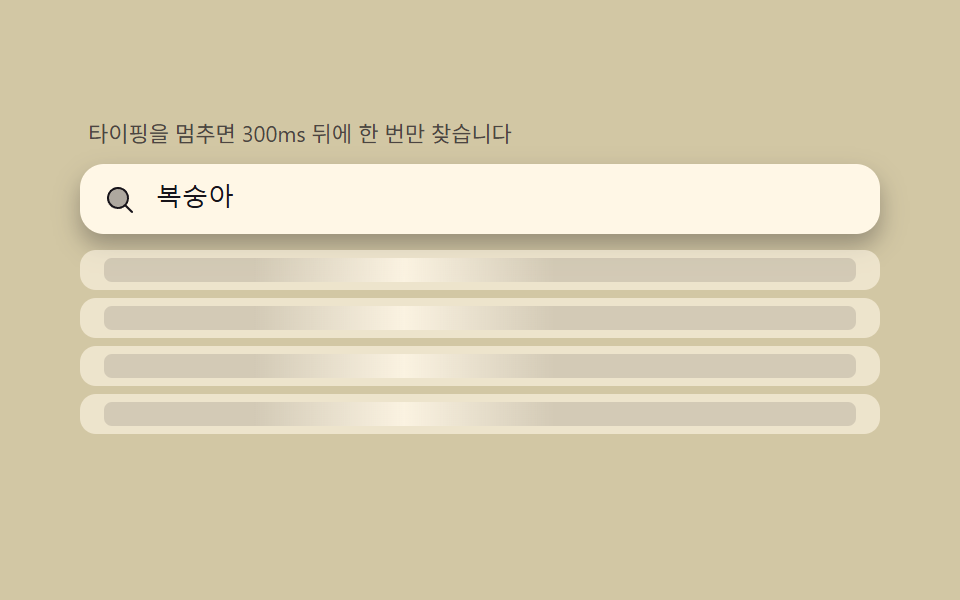 02 search-autocomplete-debounce-shimmer
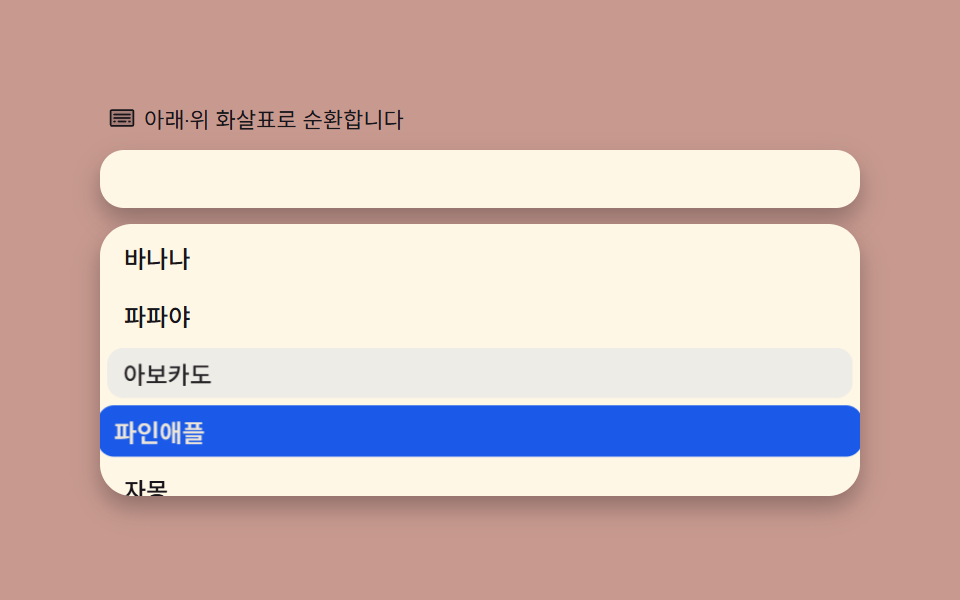 03 search-autocomplete-keyboard-nav-wrap
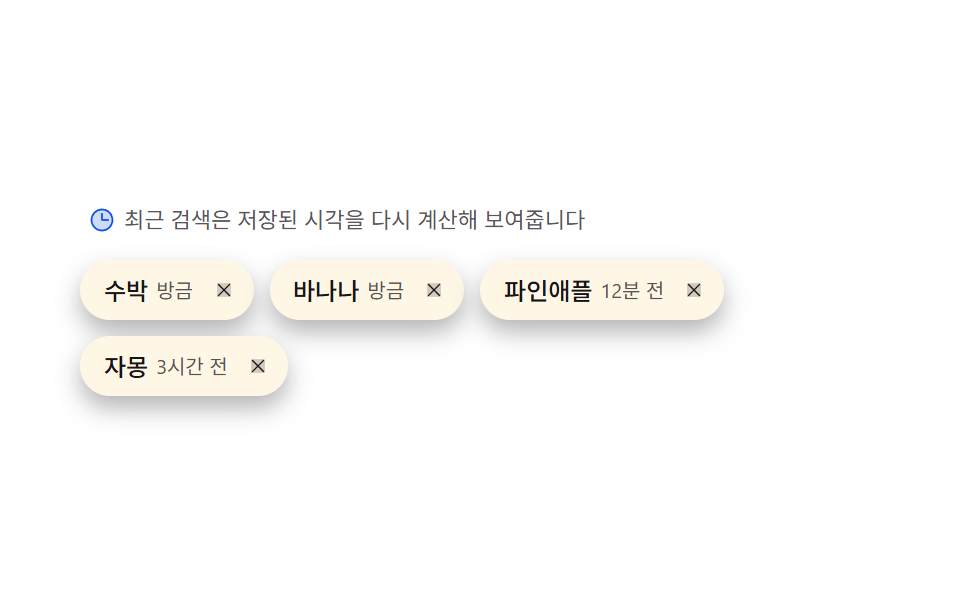 04 search-autocomplete-recent-chip-recency
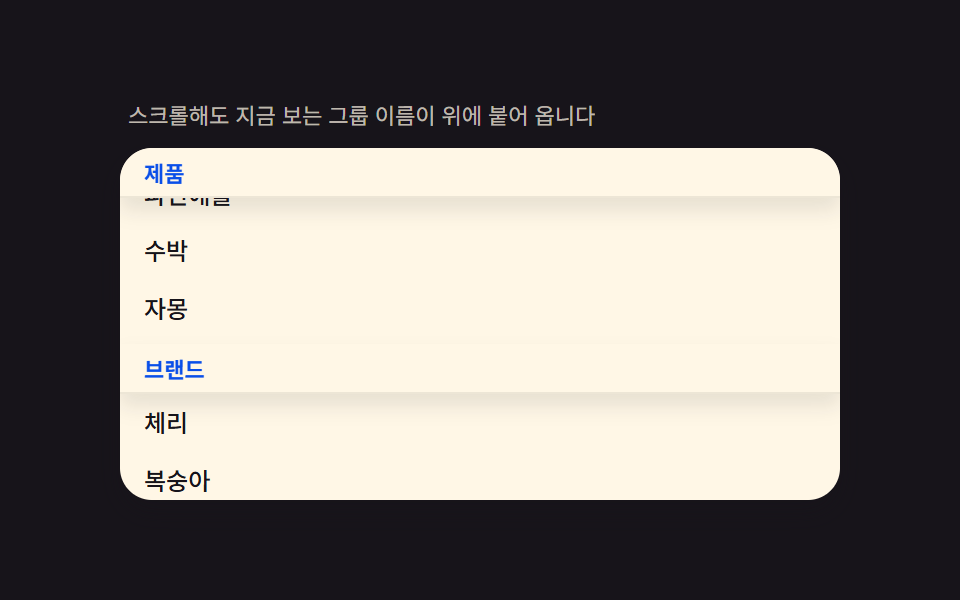 05 search-autocomplete-grouped-sticky-header
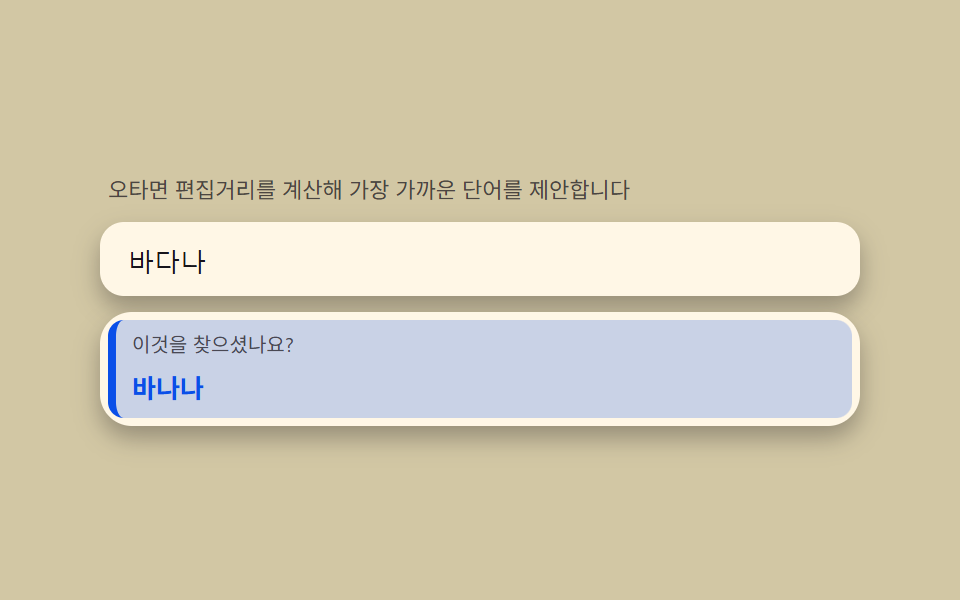 06 search-autocomplete-typo-suggest-distance
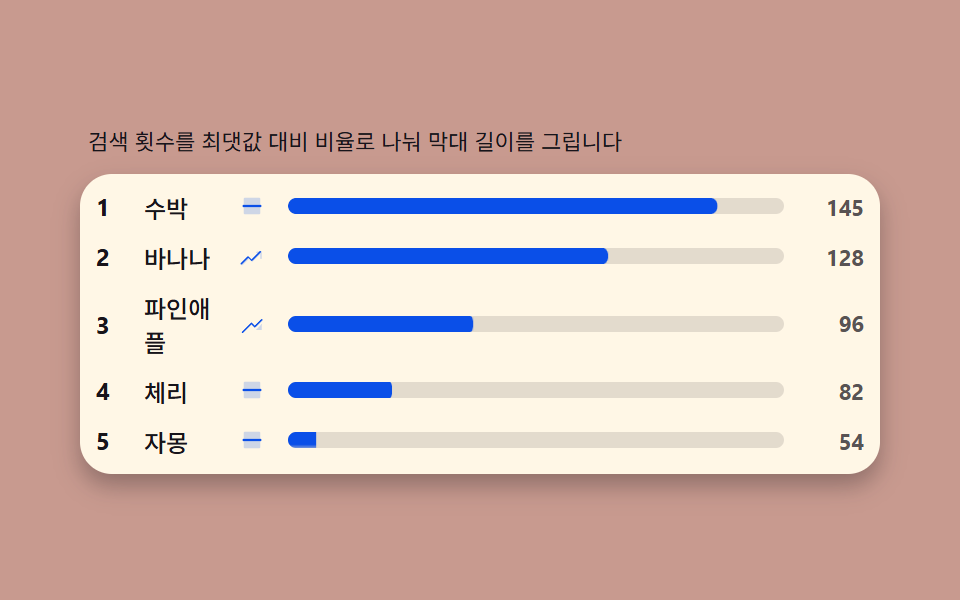 07 search-autocomplete-trending-count-bar
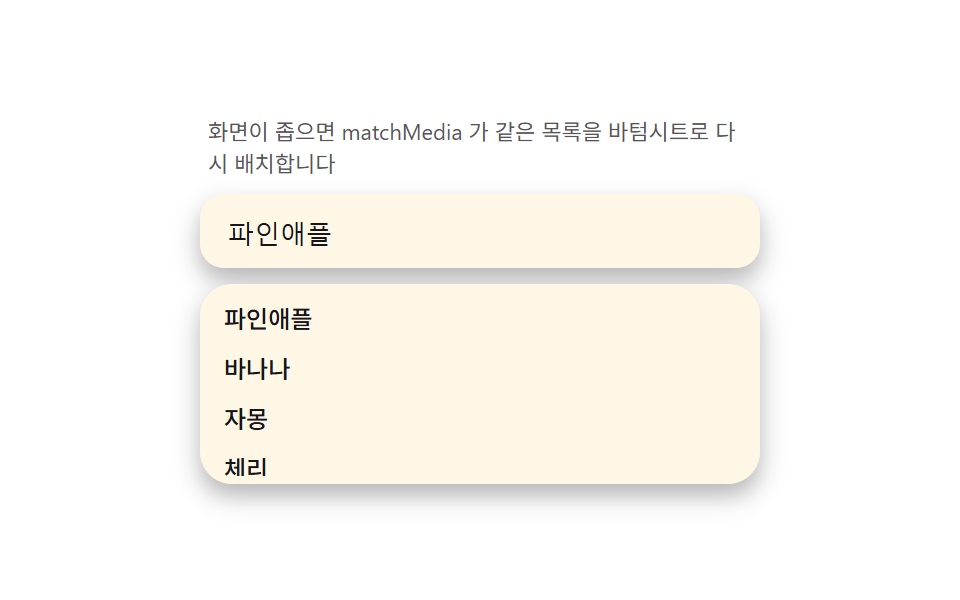 08 search-autocomplete-mobile-sheet-morph
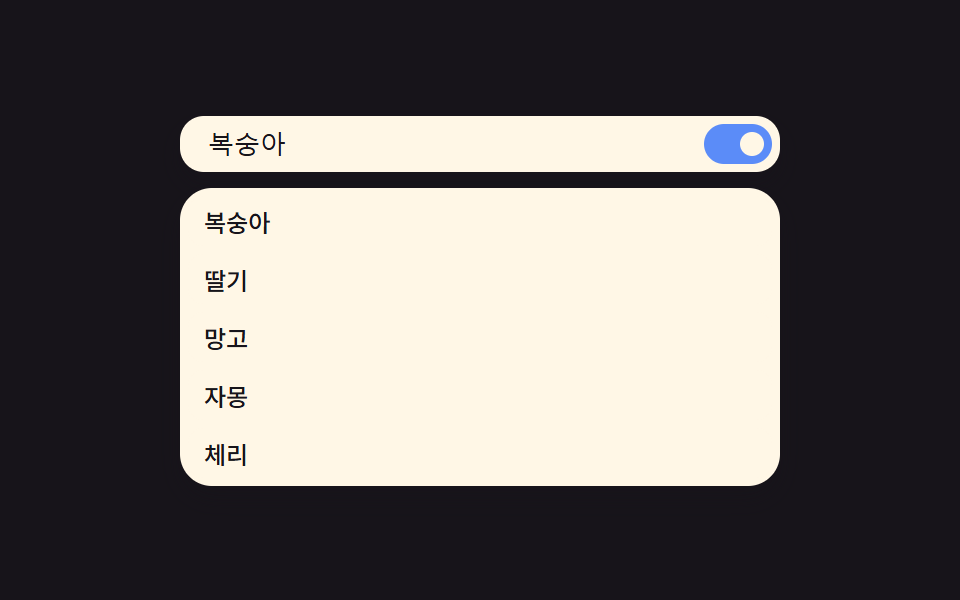 09 search-autocomplete-reduced-motion-static
자동 재생 · 눌러서 해당 항목으로 · 전부 한 zip
- 01 일치 하이라이트 — 입력 글자가 제안 안 어디에 있는지 찾아 굵게 칠하는 계산
- 02 디바운스 쉬머 — 300ms 동안 입력을 모으고 기다리는 동안 목록이 반짝이는 상태
- 03 키보드 순환 — ↑↓ 로 항목을 고르고 끝에서 반대편으로 돌아오는 mod 계산
- 04 최근 검색 칩 — 저장 시각을 재계산해 '3분 전·2일 전' 라벨을 다시 쓰는 칩
- 05 그룹 고정 헤더 — 목록을 그룹으로 나누고 스크롤에 헤더가 붙어 내려오는 구조
- 06 오타 제안 — 편집거리를 계산해 '이것을 찾으셨나요?'를 띄우는 계산
- 07 인기 급상승 막대 — 검색 횟수를 최댓값 대비 비율로 스케일해 그리는 순위 막대
- 08 모바일 시트 변신 — 화면 좁으면 드롭다운이 바텀시트로 바뀌는 미디어쿼리 전환
- 09 리듀스 모션 — 쉬머·스태거를 끄고 목록이 즉시 뜨는 정적 대체
데모
아홉 검색창 모두 같은 role="searchbox" 입력 하나에서 시작해 그 위에 뜨는 제안 목록만 다르게 계산합니다. input 자동완성 만들기를 검색하면 나오는 예제 대부분이 목록을 정적으로 나열하는 것과 달리, 이 아홉 개는 입력이 바뀔 때마다 일치 위치·타이머·편집거리·비율 같은 값을 다시 구해 화면에 반영합니다. 사람이 손대지 않을 때는 정해진 단어를 한 글자씩 자동으로 쳐서 같은 장면이 반복 재생되며, 01·04·06 세 항목은 그 타이핑 사이에 짧은 대기가 있어 다른 항목보다 프레임이 적게 잡히는 게 정상입니다.
실측 한눈에
| 항목 | 초점 | 누적면적(%) | 강도평균 | 움직인프레임(23 기준) |
|---|---|---|---|---|
| 01 일치 하이라이트 | indexOf 로 찾은 구간을 mark | 15.73 | 177.2 | 6 |
| 02 디바운스 쉬머 | clearTimeout 리셋 + pendingId | 22.25 | 33.3 | 22 |
| 03 키보드 순환 | (i+d+len) % len | 35.73 | 94.6 | 23 |
| 04 최근 검색 칩 | 저장 시각을 다시 계산 | 7.15 | 59.8 | 7 |
| 05 그룹 고정 헤더 | 헤더 간격을 그림자 비율로 | 34.70 | 59.6 | 23 |
| 06 오타 제안 | 레벤슈타인 DP 표 | 45.98 | 89.8 | 7 |
| 07 인기 급상승 막대 | count/max 를 scaleX | 4.80 | 184.9 | 12 |
| 08 모바일 시트 변신 | visualViewport 로 lerp | 29.61 | 66.5 | 13 |
| 09 리듀스 모션 | 스태거만 0으로 | 30.96 | 47.1 | 20 |
정지 구간이 있는 게 결함이 아니다
01·04·06 은 자동 재생 사이 타이핑을 멈추는 순간이 들어 있어 23프레임 중 6~7프레임만 값이 바뀝니다. 03·05 처럼 스크롤·포인터로 계속 움직이는 항목과 같은 잣대로 비교하면 안 되는 이유가 여기 있습니다 — 06 오타 제안은 누적면적이 45.98% 로 아홉 개 중 가장 넓은데도 움직인프레임은 7 뿐이라, "얼마나 넓게 바뀌는가"와 "얼마나 자주 바뀌는가"는 서로 다른 수치입니다. 강도평균은 07 인기 급상승 막대가 184.9 로 가장 세고 02 디바운스 쉬머가 33.3 으로 가장 차분한데, 둘 다 BD3 게이트 하한 15 를 넉넉히 넘습니다.
input 자동완성의 해부 — input·목록·선택의 3층과 aria-combobox 구조
입력창은 role="combobox" 를 가진 wrapper 안에 있다
실제로 글자를 받는 <input role="searchbox" aria-autocomplete="list"> 는 혼자 있지 않고, role="combobox" aria-expanded aria-haspopup="listbox" 를 가진 감싸는 요소 안에 들어 있습니다. 목록이 열리면 이 wrapper 의 aria-expanded 가 true 로 바뀌고, aria-controls 와 aria-owns 가 그 목록의 id 를 가리켜 스크린리더가 "지금 이 입력창이 저 목록을 열었다"를 알 수 있습니다.
목록은 role="listbox", 항목은 role="option" 이다
제안 목록은 <ul role="listbox">, 그 아래 각 줄은 <li role="option"> 로 표시됩니다. 이 두 role 이 없으면 시각적으로는 똑같은 드롭다운이어도 스크린리더는 그냥 나열된 텍스트로만 읽어, 몇 번째 항목인지·몇 개 중 몇 번째인지를 안내하지 못합니다.
선택 위치는 focus 이동이 아니라 aria-activedescendant 로 알린다
키보드로 항목을 옮길 때 실제 DOM 포커스는 여전히 input 에 있고, "지금 몇 번째가 활성인가"는 input 의 aria-activedescendant 속성이 그 항목의 id 를 가리켜서 전달합니다. 포커스를 목록 항목으로 옮기면 입력이 끊기므로, 이 3층(입력·목록·선택 표시)이 나뉘어 있는 구조 자체가 자동완성이 동작하는 방식입니다.
아홉 검색창 단계별 코드
01일치 하이라이트 — 입력 글자가 제안 안 어디에 있는지 찾아 굵게 칠하는 계산
제안 문자열을 소문자로 바꾼 사본에서 입력어의 위치를 indexOf 로 찾고, 찾은 구간만 <mark> 로 잘라 감싼 뒤 다음 위치부터 다시 찾는 반복으로 다중 일치를 전부 강조합니다. 대소문자는 비교할 때만 통일하고 실제로 화면에 그리는 문자열은 원래 대소문자를 그대로 씁니다.
<main class="stage">
<div class="hl" id="hl">
  <p class="hl__hint">입력한 글자가 후보 어디에 있는지 찾아 굵게 칠합니다</p>
  <div class="hl__field" role="combobox" aria-expanded="false" aria-owns="hlList" aria-haspopup="listbox" id="hlField">
    <svg class="hl__ic" viewBox="0 0 256 256" aria-hidden="true"><g fill="currentColor"><path d="M192 112a80 80 0 1 1-80-80a80 80 0 0 1 80 80" opacity=".35"/><path d="m229.66 218.34l-50.06-50.06a88.21 88.21 0 1 0-11.32 11.31l50.06 50.07a8 8 0 0 0 11.32-11.32M40 112a72 72 0 1 1 72 72a72.08 72.08 0 0 1-72-72"/></g></svg>
    <input class="hl__input" id="hlInput" type="text" role="searchbox" aria-autocomplete="list" aria-controls="hlList" aria-label="과일 검색" autocomplete="off">
  </div>
  <ul class="hl__list" id="hlList" role="listbox" aria-label="후보 목록"></ul>
  <p class="hl__meta"><b class="hl__tag" id="hlCount">8</b><span class="hl__unit" id="hlUnitText">개 중 일치</span></p>
</div>
</main>
@use "../../../../site/static/demo-tokens" as *;
$duration: $dur-quick;
$easing: $ease-out;
$color: $subject-blue-deep;
// 파스텔 강조(도구/파스텔.py to_pastel 결과: 채도 .34 · 명도 +.11, $subject-blue 기준)
$p-blue: #93a4ca;
@include stage($stage-ink);
.hl {
width: 100%;
max-width: 400px;
display: flex;
flex-direction: column;
gap: $sp-2;
}
.hl__hint {
margin: 0;
padding: 0 $sp-1;
font-weight: 400;
font-size: 11px;
line-height: 1.4;
color: rgba($subject-cream, .72);
}
.hl__field {
display: flex;
align-items: center;
gap: $sp-2;
background: $subject-cream;
border-radius: $r-control;
padding: $sp-2 $sp-3;
box-shadow: $shadow-press;
}
.hl__ic {
width: 16px;
height: 16px;
flex: 0 0 auto;
color: $subject-ink;
}
.hl__input {
flex: 1 1 auto;
min-width: 0;
border: 0;
outline: 0;
background: transparent;
font-weight: 500;
font-size: 13px;
line-height: 1.3;
color: $subject-ink;
caret-color: $color;
}
.hl__list {
margin: 0;
padding: $sp-1;
list-style: none;
display: flex;
flex-direction: column;
gap: $sp-1;
max-height: 132px;
overflow-y: auto;
background: $subject-cream;
border-radius: $r-card;
box-shadow: $shadow-press;
}
.hl__item {
padding: $sp-1 $sp-2;
border-radius: $r-sm;
background: transparent;
color: rgba($subject-ink, .72);
font-weight: 500;
font-size: 12px;
line-height: 1.5;
transform: scale(1);
transform-origin: center;
transition: transform $duration $easing, background-color $duration $easing, color $duration $easing;
}
.hl__item.is-hit {
background: $color;
color: $subject-cream;
transform: scale(1.02);
}
.hl__mark {
background: $p-blue;
color: $subject-ink;
border-radius: $r-xs;
padding: 0 $sp-1;
}
.hl__meta {
margin: 0;
padding: 0 $sp-1;
display: flex;
align-items: baseline;
gap: $sp-1;
}
.hl__tag {
font-weight: 700;
font-size: 14px;
color: $subject-cream;
}
.hl__unit {
font-weight: 400;
font-size: 11px;
color: rgba($subject-cream, .72);
}
@media (max-width: 340px) {
.hl { max-width: 280px; }
.hl__item { font-size: 11px; }
.hl__list { max-height: 70px; }
}
@media (prefers-reduced-motion: reduce) {
.hl__item {
transition: none;
}
}html, body {
margin: 0;
overflow: hidden;
}
.stage {
box-sizing: border-box;
min-height: 100vh;
display: grid;
place-items: center;
margin: 0;
background: #17141a;
font-family: -apple-system, "Segoe UI", "Noto Sans KR", sans-serif;
padding: clamp(8px, 4vw, 24px);
}
.hl {
width: 100%;
max-width: 400px;
display: flex;
flex-direction: column;
gap: 8px;
}
.hl__hint {
margin: 0;
padding: 0 4px;
font-weight: 400;
font-size: 11px;
line-height: 1.4;
color: rgba(255, 247, 230, 0.72);
}
.hl__field {
display: flex;
align-items: center;
gap: 8px;
background: #fff7e6;
border-radius: 12px;
padding: 8px 12px;
box-shadow: 0 6px 12px rgba(23, 20, 26, 0.32);
}
.hl__ic {
width: 16px;
height: 16px;
flex: 0 0 auto;
color: #17141a;
}
.hl__input {
flex: 1 1 auto;
min-width: 0;
border: 0;
outline: 0;
background: transparent;
font-weight: 500;
font-size: 13px;
line-height: 1.3;
color: #17141a;
caret-color: #0a4fe8;
}
.hl__list {
margin: 0;
padding: 4px;
list-style: none;
display: flex;
flex-direction: column;
gap: 4px;
max-height: 132px;
overflow-y: auto;
background: #fff7e6;
border-radius: 16px;
box-shadow: 0 6px 12px rgba(23, 20, 26, 0.32);
}
.hl__item {
padding: 4px 8px;
border-radius: 8px;
background: transparent;
color: rgba(23, 20, 26, 0.72);
font-weight: 500;
font-size: 12px;
line-height: 1.5;
transform: scale(1);
transform-origin: center;
transition: transform 220ms ease-out, background-color 220ms ease-out, color 220ms ease-out;
}
.hl__item.is-hit {
background: #0a4fe8;
color: #fff7e6;
transform: scale(1.02);
}
.hl__mark {
background: #93a4ca;
color: #17141a;
border-radius: 4px;
padding: 0 4px;
}
.hl__meta {
margin: 0;
padding: 0 4px;
display: flex;
align-items: baseline;
gap: 4px;
}
.hl__tag {
font-weight: 700;
font-size: 14px;
color: #fff7e6;
}
.hl__unit {
font-weight: 400;
font-size: 11px;
color: rgba(255, 247, 230, 0.72);
}
@media (max-width: 340px) {
.hl {
max-width: 280px;
}
.hl__item {
font-size: 11px;
}
.hl__list {
max-height: 70px;
}
}
@media (prefers-reduced-motion: reduce) {
.hl__item {
transition: none;
}
}// 일치 하이라이트(01) — 제안 문자열에서 입력어의 첫 일치 위치를 indexOf 로 찾아
// <mark> 로 감싸고, 그 뒤부터 다시 찾아 모든 일치를 강조한다(다중 일치). 비교는
// toLowerCase 로 통일해 대소문자를 무시한다. 자동 시연은 performance.now() 시계로
// 타이핑 시퀀스를 재생한다(CSS @keyframes 없음).
(function () {
var field = document.getElementById('hlField');
var input = document.getElementById('hlInput');
var list = document.getElementById('hlList');
var countEl = document.getElementById('hlCount');
var unitEl = document.getElementById('hlUnitText');
if (!field || !input || !list || !countEl) return;
var WORDS = ['바나나', '파파야', '아보카도', '파인애플', '자몽', '체리', '복숭아', '수박'];
function escapeHtml(s) {
return s.replace(/[&<>]/g, function (c) { return c === '&' ? '&' : c === '<' ? '<' : '>'; });
}
function highlightAll(text, query) {
  if (!query) return escapeHtml(text);
  var lowerText = text.toLowerCase();
  var lowerQuery = query.toLowerCase();
  var out = '', i = 0;
  while (i < text.length) {
    var idx = lowerText.indexOf(lowerQuery, i);
    if (idx === -1) { out += escapeHtml(text.slice(i)); break; }
    out += escapeHtml(text.slice(i, idx));
    out += '<mark class="hl__mark">' + escapeHtml(text.slice(idx, idx + query.length)) + '</mark>';
    i = idx + query.length;
  }
  return out;
}
function render(query) {
var matched = 0;
var rows = WORDS.map(function (w) {
var hit = query && w.toLowerCase().indexOf(query.toLowerCase()) !== -1;
if (hit) matched++;
return '<li class="hl__item' + (hit ? ' is-hit' : ' is-dim') + '" role="option">' + highlightAll(w, query) + '</li>';
});
list.innerHTML = rows.join('');
countEl.textContent = String(query ? matched : WORDS.length);
unitEl.textContent = query ? '개 일치' : '개 후보';
field.setAttribute('aria-expanded', query ? 'true' : 'false');
}
render('');
var reduce = window.matchMedia('(prefers-reduced-motion: reduce)').matches;
var playing = true;
function stop() { playing = false; }
function onUserInput() { stop(); render(input.value); }
input.addEventListener('input', onUserInput);
input.addEventListener('keydown', stop);
input.addEventListener('pointerdown', stop);
var STEPS = [
{ q: '', ms: 220 },
{ q: '파', ms: 360 },
{ q: '파야', ms: 520 },
{ q: '파야', ms: 260 },
{ q: '', ms: 220 },
{ q: '수', ms: 360 },
{ q: '수박', ms: 520 }
];
if (reduce) {
input.value = STEPS[2].q;
render(STEPS[2].q);
} else {
var seg = 0, segStart = performance.now();
(function step(now) {
if (playing) {
var elapsed = now - segStart;
if (elapsed >= STEPS[seg].ms) {
seg = (seg + 1) % STEPS.length;
segStart = now;
}
var q = STEPS[seg].q;
if (input.value !== q) { input.value = q; render(q); }
}
requestAnimationFrame(step);
})(segStart);
}
})();// SearchAutocompleteHighlightMatch — vanilla 판(run/335/demo/01-search-autocomplete-highlight-match/index.html)
// 의 React 포트. indexOf 로 입력어의 첫 일치 위치를 찾아 <mark> 로 감싸고, 그 뒤부터 다시
// 찾아 모든 일치를 강조한다(다중 일치). 비교는 toLowerCase 로 통일해 대소문자를 무시한다.
// CSS @keyframes 는 없다 — 자동 시연은 performance.now() 시계로 타이핑 시퀀스를 재생한다.
import { useEffect, useRef } from "react";
import styles from "./SearchAutocompleteHighlightMatch.module.scss";
export type SearchAutocompleteHighlightMatchProps = {
duration?: string;
easing?: string;
color?: string;
};
type Box<T> = { current: T };
const HINT = "입력한 글자가 후보 어디에 있는지 찾아 굵게 칠합니다";
const ARIA_LABEL = "과일 검색";
const ARIA_LIST_LABEL = "후보 목록";
const WORDS = ["바나나", "파파야", "아보카도", "파인애플", "자몽", "체리", "복숭아", "수박"];
type Step = { q: string; ms: number };
const STEPS: Step[] = [
{ q: "", ms: 220 },
{ q: "파", ms: 360 },
{ q: "파야", ms: 520 },
{ q: "파야", ms: 260 },
{ q: "", ms: 220 },
{ q: "수", ms: 360 },
{ q: "수박", ms: 520 }
];
function escapeHtml(s: string): string {
return s.replace(/[&<>]/g, (c) => (c === "&" ? "&" : c === "<" ? "<" : ">"));
}
function highlightAll(text: string, query: string): string {
if (!query) return escapeHtml(text);
const lowerText = text.toLowerCase();
const lowerQuery = query.toLowerCase();
let out = "";
let i = 0;
while (i < text.length) {
const idx = lowerText.indexOf(lowerQuery, i);
if (idx === -1) {
out += escapeHtml(text.slice(i));
break;
}
out += escapeHtml(text.slice(i, idx));
out += '<mark class="' + styles.mark + '">' + escapeHtml(text.slice(idx, idx + query.length)) + "</mark>";
i = idx + query.length;
}
return out;
}
export default function SearchAutocompleteHighlightMatch({
duration = "220ms",
easing = "ease-out",
color = "#0a4fe8"
}: SearchAutocompleteHighlightMatchProps) {
const fieldRef = useRef<HTMLDivElement | null>(null);
const inputRef = useRef<HTMLInputElement | null>(null);
const listRef = useRef<HTMLUListElement | null>(null);
const rafRef = useRef(0) as Box<number>;
useEffect(() => {
const field = fieldRef.current;
const input = inputRef.current;
const list = listRef.current;
if (!field || !input || !list) return;
function render(query: string): void {
const rows = WORDS.map((w) => {
const hit = query !== "" && w.toLowerCase().indexOf(query.toLowerCase()) !== -1;
return '<li class="' + styles.item + (hit ? " " + styles.isHit : "") + '" role="option">' + highlightAll(w, query) + "</li>";
});
list!.innerHTML = rows.join("");
field!.setAttribute("aria-expanded", query ? "true" : "false");
}
render("");
const reduce = window.matchMedia("(prefers-reduced-motion: reduce)").matches;
let playing = true;
function stop(): void {
playing = false;
}
function onUserInput(): void {
stop();
render(input!.value);
}
input.addEventListener("input", onUserInput);
input.addEventListener("keydown", stop);
input.addEventListener("pointerdown", stop);
if (reduce) {
input.value = STEPS[2].q;
render(STEPS[2].q);
} else {
let seg = 0;
let segStart = performance.now();
const step = (now: number): void => {
if (playing) {
const elapsed = now - segStart;
if (elapsed >= STEPS[seg].ms) {
seg = (seg + 1) % STEPS.length;
segStart = now;
}
const q = STEPS[seg].q;
if (input!.value !== q) {
input!.value = q;
render(q);
}
}
rafRef.current = requestAnimationFrame(step);
};
rafRef.current = requestAnimationFrame(step);
}
return () => {
cancelAnimationFrame(rafRef.current);
input.removeEventListener("input", onUserInput);
input.removeEventListener("keydown", stop);
input.removeEventListener("pointerdown", stop);
};
// eslint-disable-next-line react-hooks/exhaustive-deps
}, []);
return (
<main className={styles.stage}>
<div className={styles.hl}>
<p className={styles.hint}>{HINT}</p>
<div
className={styles.field}
ref={fieldRef}
role="combobox"
aria-expanded="false"
aria-owns="hlListReact"
aria-haspopup="listbox"
>
<svg className={styles.ic} viewBox="0 0 256 256" aria-hidden="true">
<g fill="currentColor">
<path d="M192 112a80 80 0 1 1-80-80a80 80 0 0 1 80 80" opacity=".2" />
<path d="m229.66 218.34l-50.06-50.06a88.21 88.21 0 1 0-11.32 11.31l50.06 50.07a8 8 0 0 0 11.32-11.32M40 112a72 72 0 1 1 72 72a72.08 72.08 0 0 1-72-72" />
</g>
</svg>
<input
className={styles.input}
ref={inputRef}
type="text"
role="searchbox"
aria-autocomplete="list"
aria-controls="hlListReact"
aria-label={ARIA_LABEL}
autoComplete="off"
style={{ caretColor: color, transitionDuration: duration, transitionTimingFunction: easing }}
/>
</div>
<ul className={styles.list} id="hlListReact" ref={listRef} role="listbox" aria-label={ARIA_LIST_LABEL} />
</div>
</main>
);
}01 · 일치 하이라이트 — 입력 글자가 제안 안 어디에 있는지 찾아 굵게 칠하는 계산 — 측정 누적면적 15.731% · 움직인 프레임 6/23GODRICH 원작 · zip 에 SCSS·React 포함 · 비밀번호 보기
indexOf 가 -1 을 돌려주는 순간 반복이 끝난다
function highlightAll(text, query) {
if (!query) return escapeHtml(text);
var lowerText = text.toLowerCase();
var lowerQuery = query.toLowerCase();
var out = '', i = 0;
while (i < text.length) {
var idx = lowerText.indexOf(lowerQuery, i);
if (idx === -1) { out += escapeHtml(text.slice(i)); break; }
out += escapeHtml(text.slice(i, idx));
out += '<mark class="hl__mark">' + escapeHtml(text.slice(idx, idx + query.length)) + '</mark>';
i = idx + query.length;
}
return out;
}
02디바운스 쉬머 — 300ms 동안 입력을 모으고 기다리는 동안 목록이 반짝이는 상태
매 입력마다 clearTimeout 으로 이전 타이머를 지우고 새 타이머를 걸어, 300ms 동안 다음 글자가 오지 않을 때만 실제로 목록을 갱신합니다. 대기하는 동안은 스켈레톤 행이 쉬머로 흐르고, pendingId 값으로 늦게 도착한 이전 요청의 결과를 버려 화면이 엉키지 않게 합니다.
<main class="stage">
<div class="db" id="db">
  <p class="db__hint">타이핑을 멈추면 300ms 뒤에 한 번만 찾습니다</p>
  <div class="db__field" role="combobox" aria-expanded="false" aria-owns="dbList" aria-haspopup="listbox" id="dbField">
    <svg class="db__ic" viewBox="0 0 256 256" aria-hidden="true"><g fill="currentColor"><path d="M192 112a80 80 0 1 1-80-80a80 80 0 0 1 80 80" opacity=".35"/><path d="m229.66 218.34l-50.06-50.06a88.21 88.21 0 1 0-11.32 11.31l50.06 50.07a8 8 0 0 0 11.32-11.32M40 112a72 72 0 1 1 72 72a72.08 72.08 0 0 1-72-72"/></g></svg>
    <input class="db__input" id="dbInput" type="text" role="searchbox" aria-autocomplete="list" aria-controls="dbList" aria-label="과일 검색" autocomplete="off">
  </div>
  <ul class="db__list" id="dbList" role="listbox" aria-label="후보 목록"></ul>
</div>
</main>
@use "../../../../site/static/demo-tokens" as *;
$duration: $dur-base;
$easing: $ease-out;
$color: $subject-ink;
// 파스텔 무대(도구/파스텔.py to_pastel 결과: 채도 .34 · 명도 +.11, $stage-yellow 기준)
$p-yellow: #d2c7a4;
@include stage($p-yellow);
.db {
width: 100%;
max-width: 400px;
display: flex;
flex-direction: column;
gap: $sp-2;
}
.db__hint {
margin: 0;
padding: 0 $sp-1;
font-weight: 400;
font-size: 11px;
line-height: 1.4;
color: rgba($subject-ink, .72);
}
.db__field {
display: flex;
align-items: center;
gap: $sp-2;
background: $subject-cream;
border-radius: $r-control;
padding: $sp-2 $sp-3;
box-shadow: $shadow-press;
}
.db__ic {
width: 16px;
height: 16px;
flex: 0 0 auto;
color: $subject-ink;
}
.db__input {
flex: 1 1 auto;
min-width: 0;
border: 0;
outline: 0;
background: transparent;
font-weight: 500;
font-size: 13px;
line-height: 1.3;
color: $subject-ink;
caret-color: $color;
}
.db__list {
margin: 0;
padding: 0;
list-style: none;
display: flex;
flex-direction: column;
gap: $sp-1;
min-height: 116px;
}
.db__item {
padding: $sp-1 $sp-3;
border-radius: $r-sm;
background: $subject-cream;
font-weight: 500;
font-size: 12px;
line-height: 1.6;
color: $subject-ink;
}
.db__item--empty {
color: rgba($subject-ink, .72);
font-weight: 400;
}
.db__item--skel {
background: rgba($subject-cream, .6);
overflow: hidden;
position: relative;
}
.db__bar {
display: block;
height: 12px;
border-radius: $r-xs;
background: rgba($subject-ink, .12);
overflow: hidden;
position: relative;
}
.db__sweep {
position: absolute;
top: 0;
left: 0;
width: 40%;
height: 100%;
background: linear-gradient(90deg, rgba($subject-cream, 0), rgba($subject-cream, .9), rgba($subject-cream, 0));
transform: translateX(-120%);
will-change: transform;
}
@media (max-width: 340px) {
.db { max-width: 280px; }
.db__item { font-size: 11px; }
.db__list { min-height: 80px; }
}
@media (prefers-reduced-motion: reduce) {
.db__sweep {
display: none;
}
.db__bar {
background: rgba($subject-ink, .2);
}
}html, body {
margin: 0;
overflow: hidden;
}
.stage {
box-sizing: border-box;
min-height: 100vh;
display: grid;
place-items: center;
margin: 0;
background: #d2c7a4;
font-family: -apple-system, "Segoe UI", "Noto Sans KR", sans-serif;
padding: clamp(8px, 4vw, 24px);
}
.db {
width: 100%;
max-width: 400px;
display: flex;
flex-direction: column;
gap: 8px;
}
.db__hint {
margin: 0;
padding: 0 4px;
font-weight: 400;
font-size: 11px;
line-height: 1.4;
color: rgba(23, 20, 26, 0.72);
}
.db__field {
display: flex;
align-items: center;
gap: 8px;
background: #fff7e6;
border-radius: 12px;
padding: 8px 12px;
box-shadow: 0 6px 12px rgba(23, 20, 26, 0.32);
}
.db__ic {
width: 16px;
height: 16px;
flex: 0 0 auto;
color: #17141a;
}
.db__input {
flex: 1 1 auto;
min-width: 0;
border: 0;
outline: 0;
background: transparent;
font-weight: 500;
font-size: 13px;
line-height: 1.3;
color: #17141a;
caret-color: #17141a;
}
.db__list {
margin: 0;
padding: 0;
list-style: none;
display: flex;
flex-direction: column;
gap: 4px;
min-height: 116px;
}
.db__item {
padding: 4px 12px;
border-radius: 8px;
background: #fff7e6;
font-weight: 500;
font-size: 12px;
line-height: 1.6;
color: #17141a;
}
.db__item--empty {
color: rgba(23, 20, 26, 0.72);
font-weight: 400;
}
.db__item--skel {
background: rgba(255, 247, 230, 0.6);
overflow: hidden;
position: relative;
}
.db__bar {
display: block;
height: 12px;
border-radius: 4px;
background: rgba(23, 20, 26, 0.12);
overflow: hidden;
position: relative;
}
.db__sweep {
position: absolute;
top: 0;
left: 0;
width: 40%;
height: 100%;
background: linear-gradient(90deg, rgba(255, 247, 230, 0), rgba(255, 247, 230, 0.9), rgba(255, 247, 230, 0));
transform: translateX(-120%);
will-change: transform;
}
@media (max-width: 340px) {
.db {
max-width: 280px;
}
.db__item {
font-size: 11px;
}
.db__list {
min-height: 80px;
}
}
@media (prefers-reduced-motion: reduce) {
.db__sweep {
display: none;
}
.db__bar {
background: rgba(23, 20, 26, 0.2);
}
}// 디바운스 스켈레톤(02) — 키 입력마다 타이머를 지운 뒤 새로 건다(디바운스). 대기 중엔
// 스켈레톤 행을 보이고, 타이머가 실제로 만료된 뒤에만 가짜 지연(FAKE_LATENCY_MS) 후 결과를
// 반영한다. 요청마다 번호를 매겨(pendingId) 응답이 도착했을 때 그 번호가 최신이 아니면
// 버린다(진행 중 요청 폐기 패턴) — 사용자가 다시 타이핑해 새 요청을 보냈는데 이전 응답이
// 늦게 와도 화면을 덮어쓰지 않는다.
(function () {
var field = document.getElementById('dbField');
var input = document.getElementById('dbInput');
var list = document.getElementById('dbList');
if (!field || !input || !list) return;
var WORDS = ['바나나', '파파야', '아보카도', '파인애플', '자몽', '체리', '복숭아', '수박'];
var DEBOUNCE_MS = 300;
var FAKE_LATENCY_MS = 220;
var SKELETON_ROWS = 4;
var reduce = window.matchMedia('(prefers-reduced-motion: reduce)').matches;
var pendingId = 0;
var debounceTimer = null;
var state = 'idle';
var results = [];
function renderSkeleton() {
var rows = [];
for (var i = 0; i < SKELETON_ROWS; i++) {
rows.push('<li class="db__item db__item--skel" aria-hidden="true"><span class="db__bar"><span class="db__sweep"></span></span></li>');
}
list.innerHTML = rows.join('');
field.setAttribute('aria-expanded', 'true');
}
function renderResults(query) {
if (!results.length) {
list.innerHTML = '<li class="db__item db__item--empty">일치하는 과일이 없습니다</li>';
field.setAttribute('aria-expanded', 'true');
return;
}
list.innerHTML = results.map(function (w) {
return '<li class="db__item" role="option">' + w + '</li>';
}).join('');
field.setAttribute('aria-expanded', 'true');
}
function renderIdle() {
list.innerHTML = '';
field.setAttribute('aria-expanded', 'false');
}
function onChange(value) {
  clearTimeout(debounceTimer);
  pendingId++;
  var myId = pendingId;
  if (!value) {
    state = 'idle';
    renderIdle();
    return;
  }
  state = 'loading';
  renderSkeleton();
  debounceTimer = setTimeout(function () {
    setTimeout(function () {
      if (myId !== pendingId) return;
      var q = value.toLowerCase();
      results = WORDS.filter(function (w) { return w.toLowerCase().indexOf(q) !== -1; });
      state = 'done';
      renderResults(value);
    }, FAKE_LATENCY_MS);
  }, DEBOUNCE_MS);
}
renderIdle();
var playing = true;
function stop() { playing = false; }
input.addEventListener('input', function () { stop(); onChange(input.value); });
input.addEventListener('keydown', stop);
input.addEventListener('pointerdown', stop);
var KEY_INTERVAL_MS = 120;
var READ_HOLD_MS = 500;
var CLEAR_MS = 150;
var WORD_SEQUENCE = ['복숭아', '자몽'];
function typeWord(word, cb) {
var i = 0;
(function nextChar() {
if (!playing) return;
i++;
input.value = word.slice(0, i);
onChange(input.value);
if (i < word.length) setTimeout(nextChar, KEY_INTERVAL_MS);
else setTimeout(cb, READ_HOLD_MS);
})();
}
function clearInput(cb) {
if (!playing) return;
input.value = '';
onChange('');
setTimeout(cb, CLEAR_MS);
}
function loopPlay(qi) {
if (!playing) return;
var word = WORD_SEQUENCE[qi % WORD_SEQUENCE.length];
typeWord(word, function () { clearInput(function () { loopPlay(qi + 1); }); });
}
if (reduce) {
input.value = WORD_SEQUENCE[0];
onChange(WORD_SEQUENCE[0]);
} else {
loopPlay(0);
(function sweep() {
var bars = list.querySelectorAll('.db__sweep');
var t = (performance.now() % 900) / 900;
var x = -120 + t * 240;
for (var i = 0; i < bars.length; i++) bars[i].style.transform = 'translateX(' + x + '%)';
requestAnimationFrame(sweep);
})();
}
})();// SearchAutocompleteDebounceShimmer — vanilla 판(run/335/demo/02-search-autocomplete-debounce-shimmer/index.html)
// 의 React 포트. 키 입력마다 타이머를 지운 뒤 새로 건다(디바운스). 대기 중엔 스켈레톤 행을
// 보이고, 타이머가 실제로 만료된 뒤에만 가짜 지연(FAKE_LATENCY_MS) 후 결과를 반영한다.
// 요청마다 번호를 매겨(pendingId) 응답이 도착했을 때 그 번호가 최신이 아니면 버린다.
import { useEffect, useRef } from "react";
import styles from "./SearchAutocompleteDebounceShimmer.module.scss";
export type SearchAutocompleteDebounceShimmerProps = {
duration?: string;
easing?: string;
color?: string;
};
type Box<T> = { current: T };
const HINT = "타이핑을 멈추면 300ms 뒤에 한 번만 찾습니다";
const ARIA_LABEL = "과일 검색";
const ARIA_LIST_LABEL = "후보 목록";
const EMPTY_TEXT = "일치하는 과일이 없습니다";
const WORDS = ["바나나", "파파야", "아보카도", "파인애플", "자몽", "체리", "복숭아", "수박"];
const DEBOUNCE_MS = 300;
const FAKE_LATENCY_MS = 220;
const SKELETON_ROWS = 4;
const KEY_INTERVAL_MS = 120;
const READ_HOLD_MS = 500;
const CLEAR_MS = 150;
const WORD_SEQUENCE = ["복숭아", "자몽"];
export default function SearchAutocompleteDebounceShimmer({
duration = "300ms",
easing = "ease-out",
color = "#17141a"
}: SearchAutocompleteDebounceShimmerProps) {
const fieldRef = useRef<HTMLDivElement | null>(null);
const inputRef = useRef<HTMLInputElement | null>(null);
const listRef = useRef<HTMLUListElement | null>(null);
const rafRef = useRef(0) as Box<number>;
useEffect(() => {
const field = fieldRef.current;
const input = inputRef.current;
const list = listRef.current;
if (!field || !input || !list) return;
let pendingId = 0;
let debounceTimer: ReturnType<typeof setTimeout> | null = null;
let results: string[] = [];
function renderSkeleton(): void {
const rows: string[] = [];
for (let i = 0; i < SKELETON_ROWS; i++) {
rows.push(
'<li class="' + styles.item + " " + styles.itemSkel + '" aria-hidden="true"><span class="' + styles.bar + '"><span class="' + styles.sweep + '"></span></span></li>'
);
}
list!.innerHTML = rows.join("");
field!.setAttribute("aria-expanded", "true");
}
function renderResults(): void {
if (!results.length) {
list!.innerHTML = '<li class="' + styles.item + " " + styles.itemEmpty + '">' + EMPTY_TEXT + "</li>";
field!.setAttribute("aria-expanded", "true");
return;
}
list!.innerHTML = results.map((w) => '<li class="' + styles.item + '" role="option">' + w + "</li>").join("");
field!.setAttribute("aria-expanded", "true");
}
function renderIdle(): void {
list!.innerHTML = "";
field!.setAttribute("aria-expanded", "false");
}
function onChange(value: string): void {
if (debounceTimer) clearTimeout(debounceTimer);
pendingId++;
const myId = pendingId;
if (!value) {
renderIdle();
return;
}
renderSkeleton();
debounceTimer = setTimeout(() => {
setTimeout(() => {
if (myId !== pendingId) return;
const q = value.toLowerCase();
results = WORDS.filter((w) => w.toLowerCase().indexOf(q) !== -1);
renderResults();
}, FAKE_LATENCY_MS);
}, DEBOUNCE_MS);
}
renderIdle();
let playing = true;
function stop(): void {
playing = false;
}
function onUserInput(): void {
stop();
onChange(input!.value);
}
input.addEventListener("input", onUserInput);
input.addEventListener("keydown", stop);
input.addEventListener("pointerdown", stop);
function typeWord(word: string, cb: () => void): void {
let i = 0;
const nextChar = (): void => {
if (!playing) return;
i++;
input!.value = word.slice(0, i);
onChange(input!.value);
if (i < word.length) setTimeout(nextChar, KEY_INTERVAL_MS);
else setTimeout(cb, READ_HOLD_MS);
};
nextChar();
}
function clearInput(cb: () => void): void {
if (!playing) return;
input!.value = "";
onChange("");
setTimeout(cb, CLEAR_MS);
}
function loopPlay(qi: number): void {
if (!playing) return;
const word = WORD_SEQUENCE[qi % WORD_SEQUENCE.length];
typeWord(word, () => {
clearInput(() => loopPlay(qi + 1));
});
}
const reduce = window.matchMedia("(prefers-reduced-motion: reduce)").matches;
if (reduce) {
input.value = WORD_SEQUENCE[0];
onChange(WORD_SEQUENCE[0]);
} else {
loopPlay(0);
const sweep = (): void => {
const bars = list!.querySelectorAll<HTMLElement>("." + styles.sweep);
const t = (performance.now() % 900) / 900;
const x = -120 + t * 240;
bars.forEach((b) => {
b.style.transform = "translateX(" + x + "%)";
});
rafRef.current = requestAnimationFrame(sweep);
};
rafRef.current = requestAnimationFrame(sweep);
}
return () => {
cancelAnimationFrame(rafRef.current);
if (debounceTimer) clearTimeout(debounceTimer);
input.removeEventListener("input", onUserInput);
input.removeEventListener("keydown", stop);
input.removeEventListener("pointerdown", stop);
};
// eslint-disable-next-line react-hooks/exhaustive-deps
}, []);
return (
<main className={styles.stage}>
<div className={styles.db}>
<p className={styles.hint}>{HINT}</p>
<div
className={styles.field}
ref={fieldRef}
role="combobox"
aria-expanded="false"
aria-owns="dbListReact"
aria-haspopup="listbox"
>
<svg className={styles.ic} viewBox="0 0 256 256" aria-hidden="true">
<g fill="currentColor">
<path d="M192 112a80 80 0 1 1-80-80a80 80 0 0 1 80 80" opacity=".2" />
<path d="m229.66 218.34l-50.06-50.06a88.21 88.21 0 1 0-11.32 11.31l50.06 50.07a8 8 0 0 0 11.32-11.32M40 112a72 72 0 1 1 72 72a72.08 72.08 0 0 1-72-72" />
</g>
</svg>
<input
className={styles.input}
ref={inputRef}
type="text"
role="searchbox"
aria-autocomplete="list"
aria-controls="dbListReact"
aria-label={ARIA_LABEL}
autoComplete="off"
style={{ caretColor: color, transitionDuration: duration, transitionTimingFunction: easing }}
/>
</div>
<ul className={styles.list} id="dbListReact" ref={listRef} role="listbox" aria-label={ARIA_LIST_LABEL} />
</div>
</main>
);
}02 · 디바운스 쉬머 — 300ms 동안 입력을 모으고 기다리는 동안 목록이 반짝이는 상태 — 측정 누적면적 22.247% · 움직인 프레임 22/23GODRICH 원작 · zip 에 SCSS·React 포함 · 비밀번호 보기
pendingId 가 안 맞으면 이미 낡은 응답이다
function onChange(value) {
clearTimeout(debounceTimer);
pendingId++;
var myId = pendingId;
if (!value) {
state = 'idle';
renderIdle();
return;
}
state = 'loading';
renderSkeleton();
debounceTimer = setTimeout(function () {
setTimeout(function () {
if (myId !== pendingId) return;
var q = value.toLowerCase();
results = WORDS.filter(function (w) { return w.toLowerCase().indexOf(q) !== -1; });
state = 'done';
renderResults(value);
}, FAKE_LATENCY_MS);
}, DEBOUNCE_MS);
}
03키보드 순환 — ↑↓ 로 항목을 고르고 끝에서 반대편으로 돌아오는 mod 계산
활성 인덱스를 (activeIndex + delta + length) % length 로 계산하면 마지막 항목에서 ↓ 를 눌러도 인덱스가 음수나 범위 밖으로 새지 않고 자연스럽게 첫 항목으로 돌아옵니다. 활성 항목이 바뀔 때마다 aria-activedescendant 를 갱신하고 scrollIntoView({block:'nearest'}) 로 목록 밖에 가려지지 않게 끌어옵니다.
<main class="stage">
<div class="kb" id="kb">
  <p class="kb__hint">
    <svg class="kb__ic" viewBox="0 0 256 256" aria-hidden="true"><g fill="currentColor"><path d="M232 64v128a8 8 0 0 1-8 8H32a8 8 0 0 1-8-8V64a8 8 0 0 1 8-8h192a8 8 0 0 1 8 8" opacity=".2"/><path d="M224 48H32a16 16 0 0 0-16 16v128a16 16 0 0 0 16 16h192a16 16 0 0 0 16-16V64a16 16 0 0 0-16-16m0 144H32V64h192zm-16-64a8 8 0 0 1-8 8H56a8 8 0 0 1 0-16h144a8 8 0 0 1 8 8m0-32a8 8 0 0 1-8 8H56a8 8 0 0 1 0-16h144a8 8 0 0 1 8 8M72 160a8 8 0 0 1-8 8h-8a8 8 0 0 1 0-16h8a8 8 0 0 1 8 8m96 0a8 8 0 0 1-8 8H96a8 8 0 0 1 0-16h64a8 8 0 0 1 8 8m40 0a8 8 0 0 1-8 8h-8a8 8 0 0 1 0-16h8a8 8 0 0 1 8 8"/></g></svg>
    아래·위 화살표로 순환합니다
  </p>
  <div class="kb__field" role="combobox" aria-expanded="true" aria-owns="kbList" aria-haspopup="listbox" id="kbField">
    <input class="kb__input" id="kbInput" type="text" role="searchbox" aria-autocomplete="list" aria-controls="kbList" aria-label="과일 목록 탐색" aria-activedescendant="kb-opt-0" autocomplete="off" readonly>
  </div>
  <ul class="kb__list" id="kbList" role="listbox" aria-label="과일 목록"></ul>
</div>
</main>
@use "../../../../site/static/demo-tokens" as *;
$duration: $dur-quick;
$easing: $ease-spring;
$color: $subject-blue-deep;
// 파스텔 무대(도구/파스텔.py to_pastel 결과: 채도 .34 · 명도 +.11, $stage-orange 기준)
$p-orange: #c89a8f;
@include stage($p-orange);
.kb {
width: 100%;
max-width: 380px;
display: flex;
flex-direction: column;
gap: $sp-2;
}
.kb__hint {
margin: 0;
padding: 0 $sp-1;
display: flex;
align-items: center;
gap: $sp-1;
font-weight: 400;
font-size: 11px;
line-height: 1.4;
color: $subject-ink;
}
.kb__ic {
width: 14px;
height: 14px;
flex: 0 0 auto;
}
.kb__field {
background: $subject-cream;
border-radius: $r-control;
padding: $sp-1 $sp-3;
box-shadow: $shadow-press;
}
.kb__input {
width: 100%;
border: 0;
outline: 0;
background: transparent;
font-weight: 500;
font-size: 12px;
color: $subject-ink;
caret-color: $color;
}
.kb__list {
margin: 0;
padding: $sp-1;
list-style: none;
display: flex;
flex-direction: column;
gap: $sp-1;
height: 128px;
overflow-y: auto;
background: $subject-cream;
border-radius: $r-card;
box-shadow: $shadow-press;
}
.kb__item {
padding: $sp-1 $sp-2;
border-radius: $r-sm;
font-weight: 500;
font-size: 12px;
color: $subject-ink;
background: transparent;
transform: scale(1);
transform-origin: center;
transition: transform $duration $easing, background-color $duration $easing, color $duration $easing;
}
.kb__item.is-active {
background: $color;
color: $subject-cream;
transform: scale(1.03);
}
@media (max-width: 340px) {
.kb { max-width: 260px; }
.kb__list { height: 96px; }
}
@media (prefers-reduced-motion: reduce) {
.kb__item {
transition: none;
}
}html, body {
margin: 0;
overflow: hidden;
}
.stage {
box-sizing: border-box;
min-height: 100vh;
display: grid;
place-items: center;
margin: 0;
background: #c89a8f;
font-family: -apple-system, "Segoe UI", "Noto Sans KR", sans-serif;
padding: clamp(8px, 4vw, 24px);
}
.kb {
width: 100%;
max-width: 380px;
display: flex;
flex-direction: column;
gap: 8px;
}
.kb__hint {
margin: 0;
padding: 0 4px;
display: flex;
align-items: center;
gap: 4px;
font-weight: 400;
font-size: 11px;
line-height: 1.4;
color: #17141a;
}
.kb__ic {
width: 14px;
height: 14px;
flex: 0 0 auto;
}
.kb__field {
background: #fff7e6;
border-radius: 12px;
padding: 4px 12px;
box-shadow: 0 6px 12px rgba(23, 20, 26, 0.32);
}
.kb__input {
width: 100%;
border: 0;
outline: 0;
background: transparent;
font-weight: 500;
font-size: 12px;
color: #17141a;
caret-color: #0a4fe8;
}
.kb__list {
margin: 0;
padding: 4px;
list-style: none;
display: flex;
flex-direction: column;
gap: 4px;
height: 128px;
overflow-y: auto;
background: #fff7e6;
border-radius: 16px;
box-shadow: 0 6px 12px rgba(23, 20, 26, 0.32);
}
.kb__item {
padding: 4px 8px;
border-radius: 8px;
font-weight: 500;
font-size: 12px;
color: #17141a;
background: transparent;
transform: scale(1);
transform-origin: center;
transition: transform 220ms cubic-bezier(0.2, 0.8, 0.2, 1), background-color 220ms cubic-bezier(0.2, 0.8, 0.2, 1), color 220ms cubic-bezier(0.2, 0.8, 0.2, 1);
}
.kb__item.is-active {
background: #0a4fe8;
color: #fff7e6;
transform: scale(1.03);
}
@media (max-width: 340px) {
.kb {
max-width: 260px;
}
.kb__list {
height: 96px;
}
}
@media (prefers-reduced-motion: reduce) {
.kb__item {
transition: none;
}
}// 키보드 순환 탐색(03) — 활성 인덱스는 항상 (i + delta + 길이) % 길이 로 계산해
// 배열 양 끝에서 반대쪽으로 순환한다(음수 나머지를 피하려 길이를 한 번 더 더한다).
// aria-activedescendant 로 지금 활성 항목을 스크린리더에 알리고, scrollIntoView 의
// block:'nearest' 로 필요한 최소 거리만 스크롤한다(항상 맨 위로 당기지 않는다).
(function () {
var field = document.getElementById('kbField');
var input = document.getElementById('kbInput');
var list = document.getElementById('kbList');
if (!field || !input || !list) return;
var WORDS = ['바나나', '파파야', '아보카도', '파인애플', '자몽', '체리', '복숭아', '수박', '딸기', '망고'];
var activeIndex = 0;
list.innerHTML = WORDS.map(function (w, i) {
return '<li class="kb__item" role="option" id="kb-opt-' + i + '">' + w + '</li>';
}).join('');
var items = list.querySelectorAll('.kb__item');
function updateActive() {
  for (var i = 0; i < items.length; i++) items[i].classList.remove('is-active');
  var el = items[activeIndex];
  if (!el) return;
  el.classList.add('is-active');
  input.setAttribute('aria-activedescendant', el.id);
  el.scrollIntoView({ block: 'nearest' });
}

function moveActive(delta) {
  activeIndex = (activeIndex + delta + WORDS.length) % WORDS.length;
  updateActive();
}
updateActive();
var playing = true;
function stop() { playing = false; }
function onKeydown(e) {
stop();
if (e.key === 'ArrowDown') { e.preventDefault(); moveActive(1); }
else if (e.key === 'ArrowUp') { e.preventDefault(); moveActive(-1); }
}
input.addEventListener('keydown', onKeydown);
input.addEventListener('pointerdown', stop);
var reduce = window.matchMedia('(prefers-reduced-motion: reduce)').matches;
var STEP_MS = reduce ? 0 : 230;
if (STEP_MS > 0) {
var last = performance.now();
(function tick(now) {
if (playing) {
if (now - last >= STEP_MS) {
moveActive(1);
last = now;
}
}
requestAnimationFrame(tick);
})(last);
}
})();// SearchAutocompleteKeyboardNavWrap — vanilla 판(run/335/demo/03-search-autocomplete-keyboard-nav-wrap/index.html)
// 의 React 포트. 활성 인덱스는 항상 (i + delta + 길이) % 길이 로 계산해 배열 양 끝에서
// 반대쪽으로 순환한다. aria-activedescendant 로 활성 항목을 알리고 scrollIntoView 의
// block:'nearest' 로 필요한 최소 거리만 스크롤한다.
import { useEffect, useRef } from "react";
import styles from "./SearchAutocompleteKeyboardNavWrap.module.scss";
export type SearchAutocompleteKeyboardNavWrapProps = {
duration?: string;
easing?: string;
color?: string;
};
type Box<T> = { current: T };
const HINT = "아래 · 위 화살표로 순환합니다";
const ARIA_LABEL = "과일 목록 탐색";
const ARIA_LIST_LABEL = "과일 목록";
const WORDS = ["바나나", "파파야", "아보카도", "파인애플", "자몽", "체리", "복숭아", "수박", "딸기", "망고"];
const STEP_MS = 230;
export default function SearchAutocompleteKeyboardNavWrap({
duration = "220ms",
easing = "cubic-bezier(.2,.8,.2,1)",
color = "#0a4fe8"
}: SearchAutocompleteKeyboardNavWrapProps) {
const inputRef = useRef<HTMLInputElement | null>(null);
const listRef = useRef<HTMLUListElement | null>(null);
const rafRef = useRef(0) as Box<number>;
useEffect(() => {
const input = inputRef.current;
const list = listRef.current;
if (!input || !list) return;
list.innerHTML = WORDS.map((w, i) => '<li class="' + styles.item + '" role="option" id="kb-opt-react-' + i + '">' + w + "</li>").join("");
const items = list.querySelectorAll<HTMLElement>("." + styles.item);
let activeIndex = 0;
function updateActive(): void {
items.forEach((el) => el.classList.remove(styles.isActive));
const el = items[activeIndex];
if (!el) return;
el.classList.add(styles.isActive);
input!.setAttribute("aria-activedescendant", el.id);
el.scrollIntoView({ block: "nearest" });
}
function moveActive(delta: number): void {
activeIndex = (activeIndex + delta + WORDS.length) % WORDS.length;
updateActive();
}
updateActive();
let playing = true;
function stop(): void {
playing = false;
}
function onKeydown(e: KeyboardEvent): void {
stop();
if (e.key === "ArrowDown") {
e.preventDefault();
moveActive(1);
} else if (e.key === "ArrowUp") {
e.preventDefault();
moveActive(-1);
}
}
input.addEventListener("keydown", onKeydown);
input.addEventListener("pointerdown", stop);
const reduce = window.matchMedia("(prefers-reduced-motion: reduce)").matches;
if (!reduce) {
let last = performance.now();
const tick = (now: number): void => {
if (playing) {
if (now - last >= STEP_MS) {
moveActive(1);
last = now;
}
}
rafRef.current = requestAnimationFrame(tick);
};
rafRef.current = requestAnimationFrame(tick);
}
return () => {
cancelAnimationFrame(rafRef.current);
input.removeEventListener("keydown", onKeydown);
input.removeEventListener("pointerdown", stop);
};
// eslint-disable-next-line react-hooks/exhaustive-deps
}, []);
return (
<main className={styles.stage}>
<div className={styles.kb}>
<p className={styles.hint}>
<svg className={styles.ic} viewBox="0 0 256 256" aria-hidden="true">
<g fill="currentColor">
<path d="M232 64v128a8 8 0 0 1-8 8H32a8 8 0 0 1-8-8V64a8 8 0 0 1 8-8h192a8 8 0 0 1 8 8" opacity=".2" />
<path d="M224 48H32a16 16 0 0 0-16 16v128a16 16 0 0 0 16 16h192a16 16 0 0 0 16-16V64a16 16 0 0 0-16-16m0 144H32V64h192zm-16-64a8 8 0 0 1-8 8H56a8 8 0 0 1 0-16h144a8 8 0 0 1 8 8m0-32a8 8 0 0 1-8 8H56a8 8 0 0 1 0-16h144a8 8 0 0 1 8 8M72 160a8 8 0 0 1-8 8h-8a8 8 0 0 1 0-16h8a8 8 0 0 1 8 8m96 0a8 8 0 0 1-8 8H96a8 8 0 0 1 0-16h64a8 8 0 0 1 8 8m40 0a8 8 0 0 1-8 8h-8a8 8 0 0 1 0-16h8a8 8 0 0 1 8 8" />
</g>
</svg>
{HINT}
</p>
<div className={styles.field}>
<input
className={styles.input}
ref={inputRef}
type="text"
role="searchbox"
aria-autocomplete="list"
aria-controls="kbListReact"
aria-label={ARIA_LABEL}
aria-activedescendant="kb-opt-react-0"
autoComplete="off"
readOnly
style={{ caretColor: color, transitionDuration: duration, transitionTimingFunction: easing }}
/>
</div>
<ul className={styles.list} id="kbListReact" ref={listRef} role="listbox" aria-label={ARIA_LIST_LABEL} />
</div>
</main>
);
}03 · 키보드 순환 — ↑↓ 로 항목을 고르고 끝에서 반대편으로 돌아오는 mod 계산 — 측정 누적면적 35.733% · 움직인 프레임 23/23GODRICH 원작 · zip 에 SCSS·React 포함 · 비밀번호 보기
length 를 더해 음수 나머지를 피한다
function updateActive() {
for (var i = 0; i < items.length; i++) items[i].classList.remove('is-active');
var el = items[activeIndex];
if (!el) return;
el.classList.add('is-active');
input.setAttribute('aria-activedescendant', el.id);
el.scrollIntoView({ block: 'nearest' });
}
function moveActive(delta) {
activeIndex = (activeIndex + delta + WORDS.length) % WORDS.length;
updateActive();
}
04최근 검색 칩 — 저장 시각을 재계산해 '3분 전·2일 전' 라벨을 다시 쓰는 칩
검색어와 저장 시각을 localStorage 에 쌓아 두고, 칩을 열 때마다 지금 시각과의 차를 분·시간·일 단위로 다시 계산해 라벨을 새로 씁니다. 값 자체를 문자열로 저장하지 않고 숫자 타임스탬프로 저장하기 때문에, 페이지를 다시 열어도 "3분 전"이 시간이 지난 만큼 정확하게 "1시간 전"으로 바뀝니다.
<main class="stage">
<div class="rc" id="rc">
  <p class="rc__hint">
    <svg class="rc__ic" viewBox="0 0 256 256" aria-hidden="true"><g fill="currentColor"><path d="M224 128a96 96 0 1 1-96-96a96 96 0 0 1 96 96" opacity=".2"/><path d="M128 24a104 104 0 1 0 104 104A104.11 104.11 0 0 0 128 24m0 192a88 88 0 1 1 88-88a88.1 88.1 0 0 1-88 88m64-88a8 8 0 0 1-8 8h-56a8 8 0 0 1-8-8V72a8 8 0 0 1 16 0v48h48a8 8 0 0 1 8 8"/></g></svg>
    최근 검색은 저장된 시각을 다시 계산해 보여줍니다
  </p>
  <ul class="rc__list" id="rcList" aria-label="최근 검색"></ul>
</div>
</main>
@use "../../../../site/static/demo-tokens" as *;
$duration: $dur-enter;
$easing: $ease-out;
$color: $subject-blue-deep;
@include stage($stage-paper);
.rc {
width: 100%;
max-width: 400px;
display: flex;
flex-direction: column;
gap: $sp-3;
}
.rc__hint {
margin: 0;
padding: 0 $sp-1;
display: flex;
align-items: center;
gap: $sp-1;
font-weight: 400;
font-size: 11px;
line-height: 1.4;
color: rgba($subject-ink, .72);
}
.rc__ic {
width: 14px;
height: 14px;
flex: 0 0 auto;
color: $color;
}
.rc__list {
margin: 0;
padding: 0;
list-style: none;
display: flex;
flex-wrap: wrap;
gap: $sp-2;
}
.rc__chip {
--chip-i: 0;
display: flex;
align-items: center;
gap: $sp-1;
padding: $sp-1 $sp-1 $sp-1 $sp-3;
border-radius: $r-pill;
background: $subject-cream;
box-shadow: $shadow-press;
transition: transform $duration $easing, opacity $duration $easing, background-color $duration $easing;
}
.rc__chip--flash {
background: $color;
.rc__q,
.rc__time {
color: $subject-cream;
}
}
.rc__q {
font-weight: 500;
font-size: 12px;
color: $subject-ink;
}
.rc__time {
font-weight: 400;
font-size: 10px;
color: rgba($subject-ink, .72);
}
.rc__del {
display: inline-flex;
align-items: center;
justify-content: center;
width: 22px;
height: 22px;
border: 0;
border-radius: 50%;
background: transparent;
color: $subject-ink;
cursor: pointer;
transition: background-color $duration $easing;
}
.rc__del:hover,
.rc__del:focus-visible {
background: rgba($subject-ink, .12);
}
.rc__delic {
width: 12px;
height: 12px;
}
@media (max-width: 340px) {
.rc { max-width: 260px; }
.rc__q { font-size: 11px; }
}
@media (prefers-reduced-motion: reduce) {
.rc__chip {
transition: none;
}
}html, body {
margin: 0;
overflow: hidden;
}
.stage {
box-sizing: border-box;
min-height: 100vh;
display: grid;
place-items: center;
margin: 0;
background: #ffffff;
font-family: -apple-system, "Segoe UI", "Noto Sans KR", sans-serif;
padding: clamp(8px, 4vw, 24px);
}
.rc {
width: 100%;
max-width: 400px;
display: flex;
flex-direction: column;
gap: 12px;
}
.rc__hint {
margin: 0;
padding: 0 4px;
display: flex;
align-items: center;
gap: 4px;
font-weight: 400;
font-size: 11px;
line-height: 1.4;
color: rgba(23, 20, 26, 0.72);
}
.rc__ic {
width: 14px;
height: 14px;
flex: 0 0 auto;
color: #0a4fe8;
}
.rc__list {
margin: 0;
padding: 0;
list-style: none;
display: flex;
flex-wrap: wrap;
gap: 8px;
}
.rc__chip {
--chip-i: 0;
display: flex;
align-items: center;
gap: 4px;
padding: 4px 4px 4px 12px;
border-radius: 999px;
background: #fff7e6;
box-shadow: 0 6px 12px rgba(23, 20, 26, 0.32);
transition: transform 600ms ease-out, opacity 600ms ease-out, background-color 600ms ease-out;
}
.rc__chip--flash {
background: #0a4fe8;
}
.rc__chip--flash .rc__q,
.rc__chip--flash .rc__time {
color: #fff7e6;
}
.rc__q {
font-weight: 500;
font-size: 12px;
color: #17141a;
}
.rc__time {
font-weight: 400;
font-size: 10px;
color: rgba(23, 20, 26, 0.72);
}
.rc__del {
display: inline-flex;
align-items: center;
justify-content: center;
width: 22px;
height: 22px;
border: 0;
border-radius: 50%;
background: transparent;
color: #17141a;
cursor: pointer;
transition: background-color 600ms ease-out;
}
.rc__del:hover,
.rc__del:focus-visible {
background: rgba(23, 20, 26, 0.12);
}
.rc__delic {
width: 12px;
height: 12px;
}
@media (max-width: 340px) {
.rc {
max-width: 260px;
}
.rc__q {
font-size: 11px;
}
}
@media (prefers-reduced-motion: reduce) {
.rc__chip {
transition: none;
}
}// 최근 검색 칩(04) — 검색어마다 {q, ts} 를 저장해 두고, 열 때마다 now-ts 를 분·시간·일
// 버킷으로 다시 계산해 상대 시각 라벨을 만든다. 중복 검색어는 ts 만 now 로 갱신해 맨
// 앞으로 옮기고(FLIP), 칩을 지우면 남은 칩들이 옛 위치→새 위치 델타만큼 스케일·이동
// 트윈으로 좁혀진다(getBoundingClientRect 두 번 재서 델타 계산).
(function () {
var list = document.getElementById('rcList');
if (!list) return;
var MIN = 60000, HOUR = 3600000, DAY = 86400000;
var STORE_KEY = 'rc-recent-demo';
var now = Date.now();
var seed = [
{ q: '바나나', ts: now - 45 * 1000 },
{ q: '수박', ts: now - 40 * MIN },
{ q: '파인애플', ts: now - 12 * MIN },
{ q: '자몽', ts: now - 3 * HOUR },
{ q: '체리', ts: now - 2 * DAY }
];
function loadItems() {
try {
var raw = window.localStorage.getItem(STORE_KEY);
if (!raw) return seed.slice();
var parsed = JSON.parse(raw);
if (Array.isArray(parsed) && parsed.length) return parsed;
} catch (e) { /* 저장소 접근 불가 시 시드로 대체 */ }
return seed.slice();
}
function saveItems() {
try { window.localStorage.setItem(STORE_KEY, JSON.stringify(items)); } catch (e) { /* 무시 */ }
}
var items = loadItems();
function label(delta) {
  if (delta < MIN) return '방금';
  if (delta < HOUR) return Math.floor(delta / MIN) + '분 전';
  if (delta < DAY) return Math.floor(delta / HOUR) + '시간 전';
  return Math.floor(delta / DAY) + '일 전';
}
function render() {
var nowTick = Date.now();
var rows = items.map(function (it, i) {
return '<li class="rc__chip" data-i="' + i + '"><span class="rc__q">' + it.q +
'</span><span class="rc__time">' + label(nowTick - it.ts) + '</span>' +
'<button class="rc__del" type="button" data-i="' + i + '" aria-label="삭제">' +
'<svg class="rc__delic" viewBox="0 0 256 256" aria-hidden="true"><g fill="currentColor"><path d="M216 56v144a16 16 0 0 1-16 16H56a16 16 0 0 1-16-16V56a16 16 0 0 1 16-16h144a16 16 0 0 1 16 16" opacity=".2"/><path d="M205.66 194.34a8 8 0 0 1-11.32 11.32L128 139.31l-66.34 66.35a8 8 0 0 1-11.32-11.32L116.69 128L50.34 61.66a8 8 0 0 1 11.32-11.32L128 116.69l66.34-66.35a8 8 0 0 1 11.32 11.32L139.31 128Z"/></g></svg>' +
'</button></li>';
});
list.innerHTML = rows.join('');
}
render();
function measure() {
var m = {};
var chips = list.querySelectorAll('.rc__chip');
chips.forEach(function (el) { m[el.getAttribute('data-i')] = el.getBoundingClientRect(); });
return m;
}
function flip(before) {
var chips = list.querySelectorAll('.rc__chip');
chips.forEach(function (el) {
var i = el.getAttribute('data-i');
var b = before[i];
if (!b) { el.style.transform = 'scale(.6)'; el.style.opacity = '0'; }
else {
var a = el.getBoundingClientRect();
var dx = b.left - a.left, dy = b.top - a.top;
if (dx || dy) {
el.style.transition = 'none';
el.style.transform = 'translate(' + dx + 'px,' + dy + 'px)';
el.getBoundingClientRect();
}
}
requestAnimationFrame(function () {
el.style.transition = '';
el.style.transform = '';
el.style.opacity = '';
});
});
}
function bump(q) {
var before = measure();
var idx = items.findIndex(function (it) { return it.q === q; });
if (idx === -1) return;
items[idx].ts = Date.now();
var moved = items.splice(idx, 1)[0];
items.unshift(moved);
saveItems();
render();
flip(before);
var frontEl = list.querySelector('.rc__chip[data-i="0"]');
if (frontEl) {
frontEl.classList.add('rc__chip--flash');
setTimeout(function () { frontEl.classList.remove('rc__chip--flash'); }, 480);
}
}
function removeAt(q) {
var before = measure();
items = items.filter(function (it) { return it.q !== q; });
saveItems();
render();
flip(before);
}
var playing = true;
function stop() { playing = false; }
list.addEventListener('click', function (e) {
var btn = e.target.closest ? e.target.closest('.rc__del') : null;
if (!btn) return;
stop();
var i = Number(btn.getAttribute('data-i'));
var it = items[i];
if (it) removeAt(it.q);
});
list.addEventListener('pointerdown', function (e) {
if (!e.target.closest || !e.target.closest('.rc__del')) stop();
});
var reduce = window.matchMedia('(prefers-reduced-motion: reduce)').matches;
if (!reduce && playing) {
var STEPS = [
{ at: 300, fn: function () { bump('수박'); } },
{ at: 1000, fn: function () { removeAt('체리'); } }
];
STEPS.forEach(function (s) {
setTimeout(function () { if (playing) s.fn(); }, s.at);
});
setTimeout(function () {
if (!playing) return;
items = [
{ q: '바나나', ts: Date.now() - 45 * 1000 },
{ q: '수박', ts: Date.now() - 40 * MIN },
{ q: '파인애플', ts: Date.now() - 12 * MIN },
{ q: '자몽', ts: Date.now() - 3 * HOUR },
{ q: '체리', ts: Date.now() - 2 * DAY }
];
saveItems();
render();
}, 1750);
}
})();// SearchAutocompleteRecentChipRecency — vanilla 판(run/335/demo/04-search-autocomplete-recent-chip-recency/index.html)
// 의 React 포트. {q, ts} 를 저장해 두고 열 때마다 now-ts 를 분·시간·일 버킷으로 다시
// 계산해 상대 시각 라벨을 만든다. 중복 검색어는 ts 만 now 로 갱신해 맨 앞으로 옮기고
// (FLIP), 칩을 지우면 남은 칩들이 옛 위치→새 위치 델타만큼 트윈으로 좁혀진다.
import { useEffect, useRef } from "react";
import styles from "./SearchAutocompleteRecentChipRecency.module.scss";
export type SearchAutocompleteRecentChipRecencyProps = {
duration?: string;
easing?: string;
color?: string;
};
type Item = { q: string; ts: number };
const HINT = "최근 검색은 저장된 시각을 다시 계산해 보여줍니다";
const ARIA_LABEL = "최근 검색";
const DELETE_LABEL = "삭제";
const STORE_KEY = "rc-recent-demo-react";
const MIN = 60000;
const HOUR = 3600000;
const DAY = 86400000;
const ICON_CLOCK =
'<svg viewBox="0 0 256 256" aria-hidden="true"><g fill="currentColor"><path d="M224 128a96 96 0 1 1-96-96a96 96 0 0 1 96 96" opacity=".2"/><path d="M128 24a104 104 0 1 0 104 104A104.11 104.11 0 0 0 128 24m0 192a88 88 0 1 1 88-88a88.1 88.1 0 0 1-88 88m64-88a8 8 0 0 1-8 8h-56a8 8 0 0 1-8-8V72a8 8 0 0 1 16 0v48h48a8 8 0 0 1 8 8"/></g></svg>';
const ICON_X =
'<svg viewBox="0 0 256 256" aria-hidden="true"><g fill="currentColor"><path d="M216 56v144a16 16 0 0 1-16 16H56a16 16 0 0 1-16-16V56a16 16 0 0 1 16-16h144a16 16 0 0 1 16 16" opacity=".2"/><path d="M205.66 194.34a8 8 0 0 1-11.32 11.32L128 139.31l-66.34 66.35a8 8 0 0 1-11.32-11.32L116.69 128L50.34 61.66a8 8 0 0 1 11.32-11.32L128 116.69l66.34-66.35a8 8 0 0 1 11.32 11.32L139.31 128Z"/></g></svg>';
function label(delta: number): string {
if (delta < MIN) return "방금";
if (delta < HOUR) return Math.floor(delta / MIN) + "분 전";
if (delta < DAY) return Math.floor(delta / HOUR) + "시간 전";
return Math.floor(delta / DAY) + "일 전";
}
function seedItems(): Item[] {
const now = Date.now();
return [
{ q: "바나나", ts: now - 45 * 1000 },
{ q: "수박", ts: now - 40 * MIN },
{ q: "파인애플", ts: now - 12 * MIN },
{ q: "자몽", ts: now - 3 * HOUR },
{ q: "체리", ts: now - 2 * DAY }
];
}
function loadItems(): Item[] {
try {
const raw = window.localStorage.getItem(STORE_KEY);
if (!raw) return seedItems();
const parsed = JSON.parse(raw) as Item[];
if (Array.isArray(parsed) && parsed.length) return parsed;
} catch (e) {
/* 저장소 접근 불가 시 시드로 대체 */
}
return seedItems();
}
export default function SearchAutocompleteRecentChipRecency({
duration = "600ms",
easing = "ease-out",
color = "#0a4fe8"
}: SearchAutocompleteRecentChipRecencyProps) {
const listRef = useRef<HTMLUListElement | null>(null);
useEffect(() => {
const list = listRef.current;
if (!list) return;
let items = loadItems();
function saveItems(): void {
try {
window.localStorage.setItem(STORE_KEY, JSON.stringify(items));
} catch (e) {
/* 무시 */
}
}
function render(): void {
const nowTick = Date.now();
list!.innerHTML = items
.map(
(it, i) =>
'<li class="' + styles.chip + '" data-i="' + i + '"><span class="' + styles.q + '">' + it.q +
'</span><span class="' + styles.time + '">' + label(nowTick - it.ts) + '</span>' +
'<button class="' + styles.del + '" type="button" data-i="' + i + '" aria-label="' + DELETE_LABEL + '">' +
'<span class="' + styles.delic + '">' + ICON_X + "</span></button></li>"
)
.join("");
}
render();
function measure(): Record<string, DOMRect> {
const m: Record<string, DOMRect> = {};
list!.querySelectorAll<HTMLElement>("." + styles.chip).forEach((el) => {
const i = el.getAttribute("data-i");
if (i) m[i] = el.getBoundingClientRect();
});
return m;
}
function flip(before: Record<string, DOMRect>): void {
const chips = list!.querySelectorAll<HTMLElement>("." + styles.chip);
chips.forEach((el) => {
const i = el.getAttribute("data-i") || "";
const b = before[i];
if (!b) {
el.style.transform = "scale(.6)";
el.style.opacity = "0";
} else {
const a = el.getBoundingClientRect();
const dx = b.left - a.left;
const dy = b.top - a.top;
if (dx || dy) {
el.style.transition = "none";
el.style.transform = "translate(" + dx + "px," + dy + "px)";
el.getBoundingClientRect();
}
}
requestAnimationFrame(() => {
el.style.transition = "";
el.style.transform = "";
el.style.opacity = "";
});
});
}
function bump(q: string): void {
const before = measure();
const idx = items.findIndex((it) => it.q === q);
if (idx === -1) return;
items[idx].ts = Date.now();
const moved = items.splice(idx, 1)[0];
items.unshift(moved);
saveItems();
render();
flip(before);
const frontEl = list!.querySelector<HTMLElement>('.' + styles.chip + '[data-i="0"]');
if (frontEl) {
frontEl.classList.add(styles.chipFlash);
setTimeout(() => frontEl.classList.remove(styles.chipFlash), 480);
}
}
function removeAt(q: string): void {
const before = measure();
items = items.filter((it) => it.q !== q);
saveItems();
render();
flip(before);
}
let playing = true;
function stop(): void {
playing = false;
}
function onClick(e: MouseEvent): void {
const target = e.target as HTMLElement;
const btn = target.closest ? (target.closest("." + styles.del) as HTMLElement | null) : null;
if (!btn) return;
stop();
const i = Number(btn.getAttribute("data-i"));
const it = items[i];
if (it) removeAt(it.q);
}
function onPointerDown(e: PointerEvent): void {
const target = e.target as HTMLElement;
if (!target.closest || !target.closest("." + styles.del)) stop();
}
list.addEventListener("click", onClick);
list.addEventListener("pointerdown", onPointerDown);
const reduce = window.matchMedia("(prefers-reduced-motion: reduce)").matches;
const timers: number[] = [];
if (!reduce) {
timers.push(window.setTimeout(() => { if (playing) bump("수박"); }, 300));
timers.push(window.setTimeout(() => { if (playing) removeAt("체리"); }, 1000));
timers.push(
window.setTimeout(() => {
if (!playing) return;
items = seedItems();
saveItems();
render();
}, 1750)
);
}
return () => {
timers.forEach((t) => window.clearTimeout(t));
list.removeEventListener("click", onClick);
list.removeEventListener("pointerdown", onPointerDown);
};
// eslint-disable-next-line react-hooks/exhaustive-deps
}, []);
return (
<main className={styles.stage}>
<div className={styles.rc}>
<p className={styles.hint}>
<span className={styles.ic} dangerouslySetInnerHTML={{ __html: ICON_CLOCK }} />
{HINT}
</p>
<ul
className={styles.list}
ref={listRef}
aria-label={ARIA_LABEL}
style={{ transitionDuration: duration, transitionTimingFunction: easing, caretColor: color }}
/>
</div>
</main>
);
}04 · 최근 검색 칩 — 저장 시각을 재계산해 '3분 전·2일 전' 라벨을 다시 쓰는 칩 — 측정 누적면적 7.149% · 움직인 프레임 7/23GODRICH 원작 · zip 에 SCSS·React 포함 · 비밀번호 보기
세 단위 중 가장 작은 것부터 순서대로 확인한다
function label(delta) {
if (delta < MIN) return '방금';
if (delta < HOUR) return Math.floor(delta / MIN) + '분 전';
if (delta < DAY) return Math.floor(delta / HOUR) + '시간 전';
return Math.floor(delta / DAY) + '일 전';
}
05그룹 고정 헤더 — 목록을 그룹으로 나누고 스크롤에 헤더가 붙어 내려오는 구조
제안을 카테고리별로 그룹화하고 각 그룹 헤더를 position: sticky 로 두면, 목록을 스크롤해도 지금 보는 그룹의 이름이 상단에 붙어 따라옵니다. 다음 그룹 헤더가 지금 헤더 밑까지 올라온 거리를 매 스크롤마다 계산해 0~1 비율로 바꾸고, 그 비율만큼 그림자와 밑선을 짙게 만들어 헤더가 겹치는 순간을 눈으로 읽히게 합니다.
<main class="stage">
<div class="gh" id="gh">
  <p class="gh__hint">스크롤해도 지금 보는 그룹 이름이 위에 붙어 옵니다</p>
  <div class="gh__list" id="ghList" role="listbox" aria-label="그룹 목록" tabindex="0">
    <div class="gh__group" role="group" aria-label="제품">
      <div class="gh__head" id="ghHead0">제품</div>
      <ul class="gh__rows">
        <li class="gh__item" role="option">바나나</li>
        <li class="gh__item" role="option">파인애플</li>
        <li class="gh__item" role="option">수박</li>
        <li class="gh__item" role="option">자몽</li>
      </ul>
    </div>
    <div class="gh__group" role="group" aria-label="브랜드">
      <div class="gh__head" id="ghHead1">브랜드</div>
      <ul class="gh__rows">
        <li class="gh__item" role="option">체리</li>
        <li class="gh__item" role="option">복숭아</li>
        <li class="gh__item" role="option">딸기</li>
      </ul>
    </div>
    <div class="gh__group" role="group" aria-label="카테고리">
      <div class="gh__head" id="ghHead2">카테고리</div>
      <ul class="gh__rows">
        <li class="gh__item" role="option">아보카도</li>
        <li class="gh__item" role="option">망고</li>
        <li class="gh__item" role="option">파파야</li>
      </ul>
    </div>
  </div>
</div>
</main>@use "../../../../site/static/demo-tokens" as *;
$duration: $dur-base;
$easing: $ease-out;
$color: $subject-blue-deep;
@include stage($stage-ink);
.gh {
width: 100%;
max-width: 360px;
display: flex;
flex-direction: column;
gap: $sp-2;
}
.gh__hint {
margin: 0;
padding: 0 $sp-1;
font-weight: 400;
font-size: 11px;
line-height: 1.4;
color: rgba($subject-cream, .72);
}
.gh__list {
height: 176px;
overflow-y: auto;
background: $subject-cream;
border-radius: $r-card;
box-shadow: $shadow-press;
position: relative;
}
.gh__group {
&:first-child .gh__head {
border-top-left-radius: $r-card;
border-top-right-radius: $r-card;
}
}
.gh__head {
position: sticky;
top: 0;
z-index: 1;
padding: $sp-1 $sp-3;
background: $subject-cream;
border-bottom: 1px solid rgba($subject-ink, .08);
font-weight: 600;
font-size: 11px;
color: $color;
transition: box-shadow $duration $easing, border-color $duration $easing;
}
.gh__rows {
margin: 0;
padding: 0 $sp-1 $sp-1;
list-style: none;
}
.gh__item {
padding: $sp-1 $sp-2;
border-radius: $r-sm;
font-weight: 500;
font-size: 12px;
line-height: 1.7;
color: $subject-ink;
}
@media (max-width: 340px) {
.gh { max-width: 240px; }
.gh__list { height: 124px; }
}
@media (prefers-reduced-motion: reduce) {
.gh__head {
transition: none;
}
}html, body {
margin: 0;
overflow: hidden;
}
.stage {
box-sizing: border-box;
min-height: 100vh;
display: grid;
place-items: center;
margin: 0;
background: #17141a;
font-family: -apple-system, "Segoe UI", "Noto Sans KR", sans-serif;
padding: clamp(8px, 4vw, 24px);
}
.gh {
width: 100%;
max-width: 360px;
display: flex;
flex-direction: column;
gap: 8px;
}
.gh__hint {
margin: 0;
padding: 0 4px;
font-weight: 400;
font-size: 11px;
line-height: 1.4;
color: rgba(255, 247, 230, 0.72);
}
.gh__list {
height: 176px;
overflow-y: auto;
background: #fff7e6;
border-radius: 16px;
box-shadow: 0 6px 12px rgba(23, 20, 26, 0.32);
position: relative;
}
.gh__group:first-child .gh__head {
border-top-left-radius: 16px;
border-top-right-radius: 16px;
}
.gh__head {
position: sticky;
top: 0;
z-index: 1;
padding: 4px 12px;
background: #fff7e6;
border-bottom: 1px solid rgba(23, 20, 26, 0.08);
font-weight: 600;
font-size: 11px;
color: #0a4fe8;
transition: box-shadow 300ms ease-out, border-color 300ms ease-out;
}
.gh__rows {
margin: 0;
padding: 0 4px 4px;
list-style: none;
}
.gh__item {
padding: 4px 8px;
border-radius: 8px;
font-weight: 500;
font-size: 12px;
line-height: 1.7;
color: #17141a;
}
@media (max-width: 340px) {
.gh {
max-width: 240px;
}
.gh__list {
height: 124px;
}
}
@media (prefers-reduced-motion: reduce) {
.gh__head {
transition: none;
}
}// 그룹 고정 헤더(05) — 각 그룹 헤더는 CSS position: sticky 로 스크롤 컨테이너 상단에
// 붙는다. 계산 층은 그 위에 얹는다: 다음 헤더가 현재 헤더를 밀어내기 직전 구간을
// getBoundingClientRect 로 매 프레임 재서 overlapRatio(0~1) 를 구하고, 그 값을 그림자
// 진하기(box-shadow alpha)로 환산해 "곧 교체된다"를 시각적으로 앞당겨 보여준다.
(function () {
var list = document.getElementById('ghList');
if (!list) return;
var heads = Array.prototype.slice.call(list.querySelectorAll('.gh__head'));
function applyShadow(i, ratio) {
  var head = heads[i];
  if (!head) return;
  var alpha = 0.10 + 0.28 * ratio;
  head.style.boxShadow = '0 6px 10px rgba(23,20,26,' + alpha.toFixed(3) + ')';
  head.style.borderBottomColor = 'rgba(23,20,26,' + (0.08 + 0.4 * ratio).toFixed(3) + ')';
}

function measureStuck() {
  var listTop = list.getBoundingClientRect().top;
  for (var i = 0; i < heads.length; i++) {
    var next = heads[i + 1];
    if (!next) { applyShadow(i, 0); continue; }
    var headH = heads[i].offsetHeight;
    var nextTop = next.getBoundingClientRect().top - listTop;
    var ratio = 1 - Math.min(1, Math.max(0, (nextTop - headH) / headH));
    ratio = Math.min(1, Math.max(0, ratio));
    applyShadow(i, ratio);
  }
}
measureStuck();
var playing = true;
function stop() { playing = false; }
list.addEventListener('wheel', stop, { passive: true });
list.addEventListener('pointerdown', stop);
list.addEventListener('scroll', measureStuck, { passive: true });
var reduce = window.matchMedia('(prefers-reduced-motion: reduce)').matches;
if (!reduce) {
var period = 2000;
var start = performance.now();
(function tick(now) {
if (playing) {
var t = (now - start) % period;
var half = period / 2;
var p = t < half ? (t / half) : ((period - t) / half);
var max = list.scrollHeight - list.clientHeight;
list.scrollTop = p * max;
measureStuck();
}
requestAnimationFrame(tick);
})(start);
}
})();// SearchAutocompleteGroupedStickyHeader — vanilla 판(run/335/demo/05-search-autocomplete-grouped-sticky-header/index.html)
// 의 React 포트. 각 그룹 헤더는 CSS position: sticky 로 붙는다. 계산 층은 다음 헤더가
// 현재 헤더를 밀어내기 직전 구간을 getBoundingClientRect 로 매 프레임 재서
// overlapRatio(0~1) 를 구하고, 그 값을 그림자 진하기로 환산해 시각적으로 앞당겨 보여준다.
import { useEffect, useRef } from "react";
import styles from "./SearchAutocompleteGroupedStickyHeader.module.scss";
export type SearchAutocompleteGroupedStickyHeaderProps = {
duration?: string;
easing?: string;
color?: string;
};
const HINT = "스크롤해도 지금 보는 그룹 이름이 위에 붙어 옵니다";
const LIST_LABEL = "그룹 목록";
const GROUPS: { label: string; items: string[] }[] = [
{ label: "제품", items: ["바나나", "파인애플", "수박", "자몽"] },
{ label: "브랜드", items: ["체리", "복숭아", "딸기"] },
{ label: "카테고리", items: ["아보카도", "망고", "파파야"] }
];
export default function SearchAutocompleteGroupedStickyHeader({
duration = "300ms",
easing = "ease-out",
color = "#0a4fe8"
}: SearchAutocompleteGroupedStickyHeaderProps) {
const listRef = useRef<HTMLDivElement | null>(null);
useEffect(() => {
const list = listRef.current;
if (!list) return;
const heads = Array.prototype.slice.call(list.querySelectorAll<HTMLElement>("." + styles.head)) as HTMLElement[];
function applyShadow(i: number, ratio: number): void {
const head = heads[i];
if (!head) return;
const alpha = 0.1 + 0.28 * ratio;
head.style.boxShadow = "0 6px 10px rgba(23,20,26," + alpha.toFixed(3) + ")";
head.style.borderBottomColor = "rgba(23,20,26," + (0.08 + 0.4 * ratio).toFixed(3) + ")";
}
function measureStuck(): void {
const listTop = list!.getBoundingClientRect().top;
for (let i = 0; i < heads.length; i++) {
const next = heads[i + 1];
if (!next) {
applyShadow(i, 0);
continue;
}
const headH = heads[i].offsetHeight;
const nextTop = next.getBoundingClientRect().top - listTop;
let ratio = 1 - Math.min(1, Math.max(0, (nextTop - headH) / headH));
ratio = Math.min(1, Math.max(0, ratio));
applyShadow(i, ratio);
}
}
measureStuck();
let playing = true;
function stop(): void {
playing = false;
}
list.addEventListener("wheel", stop, { passive: true });
list.addEventListener("pointerdown", stop);
list.addEventListener("scroll", measureStuck, { passive: true });
const reduce = window.matchMedia("(prefers-reduced-motion: reduce)").matches;
let raf = 0;
if (!reduce) {
const period = 2000;
const start = performance.now();
const tick = (now: number): void => {
if (playing) {
const t = (now - start) % period;
const half = period / 2;
const p = t < half ? t / half : (period - t) / half;
const max = list!.scrollHeight - list!.clientHeight;
list!.scrollTop = p * max;
measureStuck();
}
raf = requestAnimationFrame(tick);
};
raf = requestAnimationFrame(tick);
}
return () => {
cancelAnimationFrame(raf);
list.removeEventListener("wheel", stop);
list.removeEventListener("pointerdown", stop);
list.removeEventListener("scroll", measureStuck);
};
// eslint-disable-next-line react-hooks/exhaustive-deps
}, []);
return (
<main className={styles.stage}>
<div className={styles.gh}>
<p className={styles.hint}>{HINT}</p>
<div
className={styles.list}
ref={listRef}
role="listbox"
aria-label={LIST_LABEL}
tabIndex={0}
style={{ transitionDuration: duration, transitionTimingFunction: easing, caretColor: color }}
>
{GROUPS.map((g, gi) => (
<div className={styles.group} role="group" aria-label={g.label} key={g.label}>
<div className={styles.head} id={"gh-head-react-" + gi}>
{g.label}
</div>
<ul className={styles.rows}>
{g.items.map((it) => (
<li className={styles.item} role="option" key={it}>
{it}
</li>
))}
</ul>
</div>
))}
</div>
</div>
</main>
);
}05 · 그룹 고정 헤더 — 목록을 그룹으로 나누고 스크롤에 헤더가 붙어 내려오는 구조 — 측정 누적면적 34.696% · 움직인 프레임 23/23GODRICH 원작 · zip 에 SCSS·React 포함 · 비밀번호 보기
다음 헤더가 가까워질수록 그림자가 짙어진다
function applyShadow(i, ratio) {
var head = heads[i];
if (!head) return;
var alpha = 0.10 + 0.28 * ratio;
head.style.boxShadow = '0 6px 10px rgba(23,20,26,' + alpha.toFixed(3) + ')';
head.style.borderBottomColor = 'rgba(23,20,26,' + (0.08 + 0.4 * ratio).toFixed(3) + ')';
}
function measureStuck() {
var listTop = list.getBoundingClientRect().top;
for (var i = 0; i < heads.length; i++) {
var next = heads[i + 1];
if (!next) { applyShadow(i, 0); continue; }
var headH = heads[i].offsetHeight;
var nextTop = next.getBoundingClientRect().top - listTop;
var ratio = 1 - Math.min(1, Math.max(0, (nextTop - headH) / headH));
ratio = Math.min(1, Math.max(0, ratio));
applyShadow(i, ratio);
}
}
06오타 제안 — 편집거리를 계산해 '이것을 찾으셨나요?'를 띄우는 계산
입력어와 후보 사이의 레벤슈타인 편집거리를 2차원 DP 표로 계산해, 거리가 1~2 이하면 오타로 판정하고 원래 단어를 "이것을 찾으셨나요?" 줄에 제안합니다. 표의 각 칸은 두 글자가 같으면 왼쪽 위 칸을, 다르면 위·왼쪽·왼쪽 위 세 칸 중 가장 작은 값에 1을 더한 값을 가집니다.
<main class="stage">
<div class="ty" id="ty">
  <p class="ty__hint">오타면 편집거리를 계산해 가장 가까운 단어를 제안합니다</p>
  <div class="ty__field" role="combobox" aria-expanded="false" aria-owns="tyList" aria-haspopup="listbox" id="tyField">
    <input class="ty__input" id="tyInput" type="text" role="searchbox" aria-autocomplete="list" aria-controls="tyList" aria-label="과일 검색" autocomplete="off" readonly>
  </div>
  <ul class="ty__list" id="tyList" role="listbox" aria-label="후보 목록"></ul>
</div>
</main>
@use "../../../../site/static/demo-tokens" as *;
$duration: $dur-quick;
$easing: $ease-out;
$color: $subject-blue-deep;
// 파스텔 무대(도구/파스텔.py to_pastel 결과: 채도 .34 · 명도 +.11, $stage-yellow 기준)
$p-yellow: #d2c7a4;
@include stage($p-yellow);
.ty {
width: 100%;
max-width: 380px;
display: flex;
flex-direction: column;
gap: $sp-2;
}
.ty__hint {
margin: 0;
padding: 0 $sp-1;
font-weight: 400;
font-size: 11px;
line-height: 1.4;
color: rgba($subject-ink, .72);
}
.ty__field {
background: $subject-cream;
border-radius: $r-control;
padding: $sp-2 $sp-3;
box-shadow: $shadow-press;
}
.ty__input {
width: 100%;
border: 0;
outline: 0;
background: transparent;
font-weight: 500;
font-size: 13px;
color: $subject-ink;
caret-color: $color;
}
.ty__list {
margin: 0;
padding: $sp-1;
list-style: none;
display: flex;
flex-direction: column;
gap: $sp-1;
max-height: 132px;
overflow-y: auto;
background: $subject-cream;
border-radius: $r-card;
box-shadow: $shadow-press;
}
.ty__item {
padding: $sp-1 $sp-2;
border-radius: $r-sm;
font-weight: 500;
font-size: 12px;
line-height: 1.6;
color: $subject-ink;
}
.ty__item.is-exact {
background: $color;
color: $subject-cream;
}
.ty__item--empty {
color: rgba($subject-ink, .72);
font-weight: 400;
}
.ty__item--typo {
--emph: 1;
display: flex;
flex-direction: column;
gap: $sp-1;
border-left: calc(2px + 2px * var(--emph)) solid $color;
padding-left: $sp-2;
border-radius: $r-sm;
transition: background-color $duration $easing, border-left-width $duration $easing;
}
.ty__typoLabel {
font-weight: 400;
font-size: 10px;
color: rgba($subject-ink, .72);
}
.ty__typoWord {
font-weight: 700;
font-size: 13px;
color: $color;
}
@media (max-width: 340px) {
.ty { max-width: 260px; }
.ty__list { max-height: 100px; }
}
@media (prefers-reduced-motion: reduce) {
.ty__item--typo {
transition: none;
}
}html, body {
margin: 0;
overflow: hidden;
}
.stage {
box-sizing: border-box;
min-height: 100vh;
display: grid;
place-items: center;
margin: 0;
background: #d2c7a4;
font-family: -apple-system, "Segoe UI", "Noto Sans KR", sans-serif;
padding: clamp(8px, 4vw, 24px);
}
.ty {
width: 100%;
max-width: 380px;
display: flex;
flex-direction: column;
gap: 8px;
}
.ty__hint {
margin: 0;
padding: 0 4px;
font-weight: 400;
font-size: 11px;
line-height: 1.4;
color: rgba(23, 20, 26, 0.72);
}
.ty__field {
background: #fff7e6;
border-radius: 12px;
padding: 8px 12px;
box-shadow: 0 6px 12px rgba(23, 20, 26, 0.32);
}
.ty__input {
width: 100%;
border: 0;
outline: 0;
background: transparent;
font-weight: 500;
font-size: 13px;
color: #17141a;
caret-color: #0a4fe8;
}
.ty__list {
margin: 0;
padding: 4px;
list-style: none;
display: flex;
flex-direction: column;
gap: 4px;
max-height: 132px;
overflow-y: auto;
background: #fff7e6;
border-radius: 16px;
box-shadow: 0 6px 12px rgba(23, 20, 26, 0.32);
}
.ty__item {
padding: 4px 8px;
border-radius: 8px;
font-weight: 500;
font-size: 12px;
line-height: 1.6;
color: #17141a;
}
.ty__item.is-exact {
background: #0a4fe8;
color: #fff7e6;
}
.ty__item--empty {
color: rgba(23, 20, 26, 0.72);
font-weight: 400;
}
.ty__item--typo {
--emph: 1;
display: flex;
flex-direction: column;
gap: 4px;
border-left: calc(2px + 2px * var(--emph)) solid #0a4fe8;
padding-left: 8px;
border-radius: 8px;
transition: background-color 220ms ease-out, border-left-width 220ms ease-out;
}
.ty__typoLabel {
font-weight: 400;
font-size: 10px;
color: rgba(23, 20, 26, 0.72);
}
.ty__typoWord {
font-weight: 700;
font-size: 13px;
color: #0a4fe8;
}
@media (max-width: 340px) {
.ty {
max-width: 260px;
}
.ty__list {
max-height: 100px;
}
}
@media (prefers-reduced-motion: reduce) {
.ty__item--typo {
transition: none;
}
}// 오타 제안(06) — 입력어와 후보 각각 사이의 레벤슈타인 편집거리를 2차원 DP 표로 계산해
// 최소 거리 후보를 찾는다. 거리 0 이면 정확히 일치, 1~THRESHOLD 이면 "이것을 찾으셨나요?"
// 줄에 원래 단어를 제안, 그보다 크면 무시한다. 비교 전 toLowerCase + trim 으로
// 대소문자·공백을 정규화한 뒤 다시 거리를 잰다.
(function () {
var field = document.getElementById('tyField');
var input = document.getElementById('tyInput');
var list = document.getElementById('tyList');
if (!field || !input || !list) return;
var WORDS = ['바나나', '파파야', '아보카도', '파인애플', '자몽', '체리', '복숭아', '수박', '딸기', '망고'];
var THRESHOLD = 2;
function normalize(s) {
  return s.toLowerCase().trim();
}

function editDistance(a, b) {
  var m = a.length, n = b.length;
  var dp = [];
  for (var i = 0; i <= m; i++) { dp.push([i]); }
  for (var j = 0; j <= n; j++) { dp[0][j] = j; }
  for (i = 1; i <= m; i++) {
    for (j = 1; j <= n; j++) {
      if (a[i - 1] === b[j - 1]) dp[i][j] = dp[i - 1][j - 1];
      else {
        dp[i][j] = 1 + Math.min(dp[i - 1][j], dp[i][j - 1], dp[i - 1][j - 1]);
      }
    }
  }
  return dp[m][n];
}
function nearest(query) {
var q = normalize(query);
var best = null, bestDist = Infinity;
WORDS.forEach(function (w) {
var d = editDistance(q, normalize(w));
if (d < bestDist) { bestDist = d; best = w; }
});
return { word: best, dist: bestDist };
}
function render(query) {
if (!query) {
list.innerHTML = WORDS.map(function (w) {
return '<li class="ty__item" role="option">' + w + '</li>';
}).join('');
field.setAttribute('aria-expanded', 'false');
return;
}
var q = normalize(query);
var exact = WORDS.filter(function (w) { return normalize(w).indexOf(q) !== -1; });
var rows = '';
if (exact.length) {
rows = exact.map(function (w) {
return '<li class="ty__item is-exact" role="option">' + w + '</li>';
}).join('');
} else {
var n = nearest(query);
if (n.dist >= 1 && n.dist <= THRESHOLD) {
var emph = (THRESHOLD - n.dist + 1) / THRESHOLD;
var alpha = (0.08 + 0.14 * emph).toFixed(3);
rows = '<li class="ty__item ty__item--typo" role="option" aria-live="polite" style="--emph:' + emph.toFixed(2) + ';background:rgba(10,79,232,' + alpha + ')">' +
'<span class="ty__typoLabel">이것을 찾으셨나요?</span>' +
'<span class="ty__typoWord">' + n.word + '</span></li>';
} else {
rows = '<li class="ty__item ty__item--empty">일치하는 과일이 없습니다</li>';
}
}
list.innerHTML = rows;
field.setAttribute('aria-expanded', 'true');
}
render('');
var reduce = window.matchMedia('(prefers-reduced-motion: reduce)').matches;
var playing = true;
function stop() { playing = false; }
input.addEventListener('beforeinput', stop);
input.addEventListener('input', function () { render(input.value); });
input.addEventListener('pointerdown', stop);
var STEPS = [
{ q: '', ms: 260 },
{ q: '바나나', ms: 420 },
{ q: '바다나', ms: 560 },
{ q: '', ms: 220 },
{ q: '수박', ms: 420 },
{ q: '슈박', ms: 560 }
];
if (reduce) {
input.value = STEPS[2].q;
render(STEPS[2].q);
} else {
var seg = 0, segStart = performance.now();
(function step(now) {
if (playing) {
var elapsed = now - segStart;
if (elapsed >= STEPS[seg].ms) {
seg = (seg + 1) % STEPS.length;
segStart = now;
}
var q = STEPS[seg].q;
if (input.value !== q) { input.value = q; render(q); }
}
requestAnimationFrame(step);
})(segStart);
}
})();// SearchAutocompleteTypoSuggestDistance — vanilla 판(run/335/demo/06-search-autocomplete-typo-suggest-distance/index.html)
// 의 React 포트. 입력어와 후보 사이의 레벤슈타인 편집거리를 2차원 DP 표로 계산해
// 최소 거리 후보를 찾는다. 거리 0 이면 정확히 일치, 1~THRESHOLD 이면 "이것을
// 찾으셨나요?" 줄에 원래 단어를 제안한다.
import { useEffect, useRef } from "react";
import styles from "./SearchAutocompleteTypoSuggestDistance.module.scss";
export type SearchAutocompleteTypoSuggestDistanceProps = {
duration?: string;
easing?: string;
color?: string;
};
const HINT = "오타면 편집거리를 계산해 가장 가까운 단어를 제안합니다";
const ARIA_LABEL = "과일 검색";
const LIST_LABEL = "후보 목록";
const DID_YOU_MEAN = "이것을 찾으셨나요?";
const NO_MATCH = "일치하는 과일이 없습니다";
const WORDS = ["바나나", "파파야", "아보카도", "파인애플", "자몽", "체리", "복숭아", "수박", "딸기", "망고"];
const THRESHOLD = 2;
function normalize(s: string): string {
return s.toLowerCase().trim();
}
function editDistance(a: string, b: string): number {
const m = a.length;
const n = b.length;
const dp: number[][] = [];
for (let i = 0; i <= m; i++) {
dp.push([i]);
}
for (let j = 0; j <= n; j++) {
dp[0][j] = j;
}
for (let i = 1; i <= m; i++) {
for (let j = 1; j <= n; j++) {
if (a[i - 1] === b[j - 1]) dp[i][j] = dp[i - 1][j - 1];
else dp[i][j] = 1 + Math.min(dp[i - 1][j], dp[i][j - 1], dp[i - 1][j - 1]);
}
}
return dp[m][n];
}
function nearest(query: string): { word: string; dist: number } {
const q = normalize(query);
let best = "";
let bestDist = Infinity;
WORDS.forEach((w) => {
const d = editDistance(q, normalize(w));
if (d < bestDist) {
bestDist = d;
best = w;
}
});
return { word: best, dist: bestDist };
}
const STEPS: { q: string; ms: number }[] = [
{ q: "", ms: 260 },
{ q: "바나나", ms: 420 },
{ q: "바다나", ms: 560 },
{ q: "", ms: 220 },
{ q: "수박", ms: 420 },
{ q: "슈박", ms: 560 }
];
export default function SearchAutocompleteTypoSuggestDistance({
duration = "220ms",
easing = "ease-out",
color = "#0a4fe8"
}: SearchAutocompleteTypoSuggestDistanceProps) {
const fieldRef = useRef<HTMLDivElement | null>(null);
const inputRef = useRef<HTMLInputElement | null>(null);
const listRef = useRef<HTMLUListElement | null>(null);
useEffect(() => {
const field = fieldRef.current;
const input = inputRef.current;
const list = listRef.current;
if (!field || !input || !list) return;
function render(query: string): void {
if (!query) {
list!.innerHTML = WORDS.map((w) => '<li class="' + styles.item + '" role="option">' + w + "</li>").join("");
field!.setAttribute("aria-expanded", "false");
return;
}
const q = normalize(query);
const exact = WORDS.filter((w) => normalize(w).indexOf(q) !== -1);
let rows = "";
if (exact.length) {
rows = exact.map((w) => '<li class="' + styles.item + " " + styles.isExact + '" role="option">' + w + "</li>").join("");
} else {
const n = nearest(query);
if (n.dist >= 1 && n.dist <= THRESHOLD) {
const emph = (THRESHOLD - n.dist + 1) / THRESHOLD;
const alpha = (0.08 + 0.14 * emph).toFixed(3);
rows =
'<li class="' + styles.item + " " + styles.itemTypo + '" role="option" aria-live="polite" style="--emph:' +
emph.toFixed(2) + ";background:rgba(10,79,232," + alpha + ')">' +
'<span class="' + styles.typoLabel + '">' + DID_YOU_MEAN + "</span>" +
'<span class="' + styles.typoWord + '">' + n.word + "</span></li>";
} else {
rows = '<li class="' + styles.item + " " + styles.itemEmpty + '">' + NO_MATCH + "</li>";
}
}
list!.innerHTML = rows;
field!.setAttribute("aria-expanded", "true");
}
render("");
const reduce = window.matchMedia("(prefers-reduced-motion: reduce)").matches;
let playing = true;
function stop(): void {
playing = false;
}
function onInput(): void {
render(input!.value);
}
input.addEventListener("beforeinput", stop);
input.addEventListener("input", onInput);
input.addEventListener("pointerdown", stop);
let raf = 0;
if (reduce) {
input.value = STEPS[2].q;
render(STEPS[2].q);
} else {
let seg = 0;
let segStart = performance.now();
const step = (now: number): void => {
if (playing) {
const elapsed = now - segStart;
if (elapsed >= STEPS[seg].ms) {
seg = (seg + 1) % STEPS.length;
segStart = now;
}
const q = STEPS[seg].q;
if (input!.value !== q) {
input!.value = q;
render(q);
}
}
raf = requestAnimationFrame(step);
};
raf = requestAnimationFrame(step);
}
return () => {
cancelAnimationFrame(raf);
input.removeEventListener("beforeinput", stop);
input.removeEventListener("input", onInput);
input.removeEventListener("pointerdown", stop);
};
// eslint-disable-next-line react-hooks/exhaustive-deps
}, []);
return (
<main className={styles.stage}>
<div className={styles.ty}>
<p className={styles.hint}>{HINT}</p>
<div className={styles.field} ref={fieldRef} role="combobox" aria-expanded="false" aria-owns="tyListReact" aria-haspopup="listbox">
<input
className={styles.input}
ref={inputRef}
type="text"
role="searchbox"
aria-autocomplete="list"
aria-controls="tyListReact"
aria-label={ARIA_LABEL}
autoComplete="off"
readOnly
style={{ caretColor: color, transitionDuration: duration, transitionTimingFunction: easing }}
/>
</div>
<ul className={styles.list} id="tyListReact" ref={listRef} role="listbox" aria-label={LIST_LABEL} />
</div>
</main>
);
}06 · 오타 제안 — 편집거리를 계산해 '이것을 찾으셨나요?'를 띄우는 계산 — 측정 누적면적 45.977% · 움직인 프레임 7/23GODRICH 원작 · zip 에 SCSS·React 포함 · 비밀번호 보기
글자가 같으면 대각선 칸을 그대로 물려받는다
function normalize(s) {
return s.toLowerCase().trim();
}
function editDistance(a, b) {
var m = a.length, n = b.length;
var dp = [];
for (var i = 0; i <= m; i++) { dp.push([i]); }
for (var j = 0; j <= n; j++) { dp[0][j] = j; }
for (i = 1; i <= m; i++) {
for (j = 1; j <= n; j++) {
if (a[i - 1] === b[j - 1]) dp[i][j] = dp[i - 1][j - 1];
else {
dp[i][j] = 1 + Math.min(dp[i - 1][j], dp[i][j - 1], dp[i - 1][j - 1]);
}
}
}
return dp[m][n];
}
07인기 급상승 막대 — 검색 횟수를 최댓값 대비 비율로 스케일해 그리는 순위 막대
각 제안의 검색 횟수를 목록 안 최댓값으로 나눠 0~1 비율을 구하고, 그 값을 transform: scaleX(var(--ratio)) 로 막대 길이에 그대로 매핑합니다. 순위가 오르내리면 이전 순위와 지금 순위를 비교해 위·아래·변화 없음 세 아이콘 중 하나를 고릅니다.
<main class="stage">
<div class="tr" id="tr">
  <p class="tr__hint">검색 횟수를 최댓값 대비 비율로 나눠 막대 길이를 그립니다</p>
  <ul class="tr__list" id="trList" role="listbox" aria-label="인기 검색어"></ul>
</div>
</main>
@use "../../../../site/static/demo-tokens" as *;
$duration: $dur-enter;
$easing: $ease-out;
$color: $subject-blue-deep;
// 파스텔 무대(도구/파스텔.py to_pastel 결과: 채도 .34 · 명도 +.11, $stage-orange 기준)
$p-orange: #c89a8f;
@include stage($p-orange);
.tr {
width: 100%;
max-width: 400px;
display: flex;
flex-direction: column;
gap: $sp-2;
}
.tr__hint {
margin: 0;
padding: 0 $sp-1;
font-weight: 400;
font-size: 11px;
line-height: 1.4;
color: $subject-ink;
}
.tr__list {
margin: 0;
padding: $sp-2;
list-style: none;
display: flex;
flex-direction: column;
gap: $sp-2;
background: $subject-cream;
border-radius: $r-card;
box-shadow: $shadow-press;
}
.tr__row {
display: grid;
grid-template-columns: 16px 40px 16px 1fr 32px;
align-items: center;
gap: $sp-2;
}
.tr__rank {
font-weight: 700;
font-size: 12px;
color: $subject-ink;
}
.tr__q {
font-weight: 500;
font-size: 12px;
color: $subject-ink;
}
.tr__delta {
display: inline-flex;
}
.tr__delta_ic {
width: 12px;
height: 12px;
color: $color;
}
.tr__track {
position: relative;
height: 8px;
border-radius: $r-xs;
background: rgba($subject-ink, .12);
overflow: hidden;
}
.tr__bar {
position: absolute;
inset: 0;
border-radius: $r-xs;
background: $color;
// 채움 막대는 시작 변(왼쪽)에서 자라야 하므로 origin 을 중심이 아니라 좌변에 둔다
transform-origin: left center;
transform: scaleX(0);
transition-property: transform;
transition-duration: $duration;
transition-timing-function: $easing;
transition-delay: calc(var(--i) * 90ms);
}
.is-demo .tr__bar {
transform: scaleX(var(--ratio));
}
.tr__count {
text-align: right;
font-weight: 700;
font-size: 11px;
color: rgba($subject-ink, .72);
}
@media (max-width: 340px) {
.tr { max-width: 260px; }
.tr__row { grid-template-columns: 14px 34px 14px 1fr 28px; }
.tr__list { max-height: 108px; overflow-y: auto; }
}
@media (prefers-reduced-motion: reduce) {
.tr__bar {
transition: none;
transform: scaleX(var(--ratio));
}
}html, body {
margin: 0;
overflow: hidden;
}
.stage {
box-sizing: border-box;
min-height: 100vh;
display: grid;
place-items: center;
margin: 0;
background: #c89a8f;
font-family: -apple-system, "Segoe UI", "Noto Sans KR", sans-serif;
padding: clamp(8px, 4vw, 24px);
}
.tr {
width: 100%;
max-width: 400px;
display: flex;
flex-direction: column;
gap: 8px;
}
.tr__hint {
margin: 0;
padding: 0 4px;
font-weight: 400;
font-size: 11px;
line-height: 1.4;
color: #17141a;
}
.tr__list {
margin: 0;
padding: 8px;
list-style: none;
display: flex;
flex-direction: column;
gap: 8px;
background: #fff7e6;
border-radius: 16px;
box-shadow: 0 6px 12px rgba(23, 20, 26, 0.32);
}
.tr__row {
display: grid;
grid-template-columns: 16px 40px 16px 1fr 32px;
align-items: center;
gap: 8px;
}
.tr__rank {
font-weight: 700;
font-size: 12px;
color: #17141a;
}
.tr__q {
font-weight: 500;
font-size: 12px;
color: #17141a;
}
.tr__delta {
display: inline-flex;
}
.tr__delta_ic {
width: 12px;
height: 12px;
color: #0a4fe8;
}
.tr__track {
position: relative;
height: 8px;
border-radius: 4px;
background: rgba(23, 20, 26, 0.12);
overflow: hidden;
}
.tr__bar {
position: absolute;
inset: 0;
border-radius: 4px;
background: #0a4fe8;
transform-origin: left center;
transform: scaleX(0);
transition-property: transform;
transition-duration: 600ms;
transition-timing-function: ease-out;
transition-delay: calc(var(--i) * 90ms);
}
.is-demo .tr__bar {
transform: scaleX(var(--ratio));
}
.tr__count {
text-align: right;
font-weight: 700;
font-size: 11px;
color: rgba(23, 20, 26, 0.72);
}
@media (max-width: 340px) {
.tr {
max-width: 260px;
}
.tr__row {
grid-template-columns: 14px 34px 14px 1fr 28px;
}
.tr__list {
max-height: 108px;
overflow-y: auto;
}
}
@media (prefers-reduced-motion: reduce) {
.tr__bar {
transition: none;
transform: scaleX(var(--ratio));
}
}// 인기 급상승 막대(07) — 각 검색어의 count 를 목록 안 최댓값으로 나눠 0~1 비율을
// 만들고, 그 값을 transform: scaleX(ratio) 로 막대 길이에 그대로 맵핑한다(계산 층).
// 순위 변동은 이전 순위-현재 순위의 부호로 오름/내림/변동없음 화살표를 고른다.
// 등장 시 순서대로 차오르는 스태거는 animation-delay 를 index 마다 다르게 준다.
(function () {
var list = document.getElementById('trList');
if (!list) return;
var DATA = [
{ q: '수박', count: 145, prevRank: 1 },
{ q: '바나나', count: 128, prevRank: 3 },
{ q: '파인애플', count: 96, prevRank: 2 },
{ q: '체리', count: 82, prevRank: 4 },
{ q: '자몽', count: 54, prevRank: 5 }
];
var max = DATA.reduce(function (m, d) { return Math.max(m, d.count); }, 0);
var ranked = DATA.slice().sort(function (a, b) { return b.count - a.count; });
var ICON_UP = '<svg class="tr__delta_ic" viewBox="0 0 256 256" aria-hidden="true"><g fill="currentColor"><path d="M232 88v64a8 8 0 0 1-16 0v-44.7l-79.4 79.4a8 8 0 0 1-11.3 0L96 157.3l-68.7 68.7a8 8 0 0 1-11.3-11.3l74-74a8 8 0 0 1 11.3 0L131 170.3l73.7-73.7H180a8 8 0 0 1 0-16h44a8 8 0 0 1 8 7.4Z" opacity=".2"/><path d="m226.83 82.83l-96 96a8 8 0 0 1-11.32 0L88 147.31l-68.83 68.84a8 8 0 0 1-11.32-11.32l72-72a8 8 0 0 1 11.32 0L122 164.69l89.66-89.69a8 8 0 0 1 11.31 0a8 8 0 0 1 0 11.31Z"/></g></svg>';
var ICON_DOWN = '<svg class="tr__delta_ic" viewBox="0 0 256 256" aria-hidden="true"><g fill="currentColor"><path d="M232 128v64h-64Z" opacity=".2"/><path d="M235.06 120.61a8 8 0 0 1-1.19 9.19l-96 96a8 8 0 0 1-11.32 0L88 187.31l-68.83 68.84a8 8 0 0 1-11.32-11.32l72-72a8 8 0 0 1 11.32 0L133 214.69l89.66-89.69a8 8 0 0 1 12.4-4.39ZM128 32a8 8 0 0 0-8 8v128a8 8 0 0 0 16 0V40a8 8 0 0 0-8-8" opacity="0"/><path d="m235.66 90.34l-72 72a8 8 0 0 1-11.32 0L122 132.69l-89.66 89.65a8 8 0 0 1-11.32-11.32l96-96a8 8 0 0 1 11.32 0L158 145.31l68.34-68.35a8 8 0 0 1 11.32 11.38Z"/></g></svg>';
var ICON_FLAT = '<svg class="tr__delta_ic" viewBox="0 0 256 256" aria-hidden="true"><g fill="currentColor"><path d="M216 56v144a16 16 0 0 1-16 16H56a16 16 0 0 1-16-16V56a16 16 0 0 1 16-16h144a16 16 0 0 1 16 16" opacity=".2"/><path d="M228 128a12 12 0 0 1-12 12H40a12 12 0 0 1 0-24h176a12 12 0 0 1 12 12"/></g></svg>';
function deltaIcon(prevRank, currRank) {
if (prevRank > currRank) return ICON_UP;
if (prevRank < currRank) return ICON_DOWN;
return ICON_FLAT;
}
function render() {
  var rows = ranked.map(function (d, i) {
    var currRank = i + 1;
    var ratio = d.count / max;
    return '<li class="tr__row" role="option" style="--i:' + i + '">' +
      '<span class="tr__rank">' + currRank + '</span>' +
      '<span class="tr__q">' + d.q + '</span>' +
      '<span class="tr__delta">' + deltaIcon(d.prevRank, currRank) + '</span>' +
      '<span class="tr__track"><span class="tr__bar" style="--ratio:' + ratio.toFixed(3) + '"></span></span>' +
      '<span class="tr__count">' + d.count + '</span>' +
      '</li>';
  });
  list.innerHTML = rows.join('');
}
render();
var playing = true;
function stop() {
playing = false;
list.classList.remove('is-demo');
}
list.addEventListener('pointerdown', stop);
var reduce = window.matchMedia('(prefers-reduced-motion: reduce)').matches;
if (!reduce) {
var period = 2000;
function loopOn() {
if (!playing) return;
list.classList.remove('is-demo');
requestAnimationFrame(function () {
requestAnimationFrame(function () {
if (playing) list.classList.add('is-demo');
});
});
}
loopOn();
setInterval(loopOn, period);
} else {
list.classList.add('is-demo');
}
})();// SearchAutocompleteTrendingCountBar — vanilla 판(run/335/demo/07-search-autocomplete-trending-count-bar/index.html)
// 의 React 포트. count 를 목록 안 최댓값으로 나눈 ratio 를 transform: scaleX(ratio) 로
// 막대 길이에 맵핑한다. 순위 변동은 prevRank-currRank 부호로 오름/내림/변동없음
// 화살표를 고른다. 스태거는 transition-delay 를 index 마다 다르게 주고, .is-demo 를
// 매 루프 뗐다 다시 붙여 트랜지션을 재발동한다.
import { useEffect, useRef } from "react";
import styles from "./SearchAutocompleteTrendingCountBar.module.scss";
export type SearchAutocompleteTrendingCountBarProps = {
duration?: string;
easing?: string;
color?: string;
};
const HINT = "검색 횟수를 최댓값 대비 비율로 나눠 막대 길이를 그립니다";
const LIST_LABEL = "인기 검색어";
type Row = { q: string; count: number; prevRank: number };
const DATA: Row[] = [
{ q: "수박", count: 145, prevRank: 1 },
{ q: "바나나", count: 128, prevRank: 3 },
{ q: "파인애플", count: 96, prevRank: 2 },
{ q: "체리", count: 82, prevRank: 4 },
{ q: "자몽", count: 54, prevRank: 5 }
];
const ICON_UP =
'<svg class="' + "trDeltaIc" + '" viewBox="0 0 256 256" aria-hidden="true"><g fill="currentColor"><path d="M232 88v64a8 8 0 0 1-16 0v-44.7l-79.4 79.4a8 8 0 0 1-11.3 0L96 157.3l-68.7 68.7a8 8 0 0 1-11.3-11.3l74-74a8 8 0 0 1 11.3 0L131 170.3l73.7-73.7H180a8 8 0 0 1 0-16h44a8 8 0 0 1 8 7.4Z" opacity=".2"/><path d="m226.83 82.83l-96 96a8 8 0 0 1-11.32 0L88 147.31l-68.83 68.84a8 8 0 0 1-11.32-11.32l72-72a8 8 0 0 1 11.32 0L122 164.69l89.66-89.69a8 8 0 0 1 11.31 0a8 8 0 0 1 0 11.31Z"/></g></svg>';
const ICON_DOWN =
'<svg class="' + "trDeltaIc" + '" viewBox="0 0 256 256" aria-hidden="true"><g fill="currentColor"><path d="M232 128v64h-64Z" opacity=".2"/><path d="M235.06 120.61a8 8 0 0 1-1.19 9.19l-96 96a8 8 0 0 1-11.32 0L88 187.31l-68.83 68.84a8 8 0 0 1-11.32-11.32l72-72a8 8 0 0 1 11.32 0L133 214.69l89.66-89.69a8 8 0 0 1 12.4-4.39ZM128 32a8 8 0 0 0-8 8v128a8 8 0 0 0 16 0V40a8 8 0 0 0-8-8" opacity="0"/><path d="m235.66 90.34l-72 72a8 8 0 0 1-11.32 0L122 132.69l-89.66 89.65a8 8 0 0 1-11.32-11.32l96-96a8 8 0 0 1 11.32 0L158 145.31l68.34-68.35a8 8 0 0 1 11.32 11.38Z"/></g></svg>';
const ICON_FLAT =
'<svg class="' + "trDeltaIc" + '" viewBox="0 0 256 256" aria-hidden="true"><g fill="currentColor"><path d="M216 56v144a16 16 0 0 1-16 16H56a16 16 0 0 1-16-16V56a16 16 0 0 1 16-16h144a16 16 0 0 1 16 16" opacity=".2"/><path d="M228 128a12 12 0 0 1-12 12H40a12 12 0 0 1 0-24h176a12 12 0 0 1 12 12"/></g></svg>';
function deltaIcon(prevRank: number, currRank: number): string {
if (prevRank > currRank) return ICON_UP;
if (prevRank < currRank) return ICON_DOWN;
return ICON_FLAT;
}
const max = DATA.reduce((m, d) => Math.max(m, d.count), 0);
const ranked = DATA.slice().sort((a, b) => b.count - a.count);
export default function SearchAutocompleteTrendingCountBar({
duration = "600ms",
easing = "ease-out",
color = "#0a4fe8"
}: SearchAutocompleteTrendingCountBarProps) {
const listRef = useRef<HTMLUListElement | null>(null);
useEffect(() => {
const list = listRef.current;
if (!list) return;
function render(): void {
const rows = ranked.map((d, i) => {
const currRank = i + 1;
const ratio = d.count / max;
return (
'<li class="' + styles.row + '" role="option" style="--i:' + i + '">' +
'<span class="' + styles.rank + '">' + currRank + "</span>" +
'<span class="' + styles.q + '">' + d.q + "</span>" +
'<span class="' + styles.delta + '">' + deltaIcon(d.prevRank, currRank).replace('class="trDeltaIc"', 'class="' + styles.deltaIc + '"') + "</span>" +
'<span class="' + styles.track + '"><span class="' + styles.bar + '" style="--ratio:' + ratio.toFixed(3) + '"></span></span>' +
'<span class="' + styles.count + '">' + d.count + "</span></li>"
);
});
list!.innerHTML = rows.join("");
}
render();
let playing = true;
function stop(): void {
playing = false;
list!.classList.remove(styles.isDemo);
}
list.addEventListener("pointerdown", stop);
const reduce = window.matchMedia("(prefers-reduced-motion: reduce)").matches;
let interval = 0;
let raf1 = 0;
let raf2 = 0;
if (!reduce) {
const period = 2000;
const loopOn = (): void => {
if (!playing) return;
list!.classList.remove(styles.isDemo);
raf1 = requestAnimationFrame(() => {
raf2 = requestAnimationFrame(() => {
if (playing) list!.classList.add(styles.isDemo);
});
});
};
loopOn();
interval = window.setInterval(loopOn, period);
} else {
list.classList.add(styles.isDemo);
}
return () => {
window.clearInterval(interval);
cancelAnimationFrame(raf1);
cancelAnimationFrame(raf2);
list.removeEventListener("pointerdown", stop);
};
// eslint-disable-next-line react-hooks/exhaustive-deps
}, []);
return (
<main className={styles.stage}>
<div className={styles.tr}>
<p className={styles.hint}>{HINT}</p>
<ul
className={styles.list}
ref={listRef}
role="listbox"
aria-label={LIST_LABEL}
style={{ transitionDuration: duration, transitionTimingFunction: easing, caretColor: color }}
/>
</div>
</main>
);
}07 · 인기 급상승 막대 — 검색 횟수를 최댓값 대비 비율로 스케일해 그리는 순위 막대 — 측정 누적면적 4.804% · 움직인 프레임 12/23GODRICH 원작 · zip 에 SCSS·React 포함 · 비밀번호 보기
막대 길이는 count 를 max 로 나눈 값 그 자체다
function render() {
var rows = ranked.map(function (d, i) {
var currRank = i + 1;
var ratio = d.count / max;
return '<li class="tr__row" role="option" style="--i:' + i + '">' +
'<span class="tr__rank">' + currRank + '</span>' +
'<span class="tr__q">' + d.q + '</span>' +
'<span class="tr__delta">' + deltaIcon(d.prevRank, currRank) + '</span>' +
'<span class="tr__track"><span class="tr__bar" style="--ratio:' + ratio.toFixed(3) + '"></span></span>' +
'<span class="tr__count">' + d.count + '</span>' +
'</li>';
});
list.innerHTML = rows.join('');
}
08모바일 시트 변신 — 화면 좁으면 드롭다운이 바텀시트로 바뀌는 미디어쿼리 전환
window.matchMedia('(max-width: 340px)') 로 뷰포트 폭을 감지해 좁은 화면에서는 같은 목록 DOM 을 하단에 고정된 시트로 다시 배치합니다. 실제 기기에서는 visualViewport 로 가상 키보드가 밀어 올린 높이를 읽어 시트가 그만큼 줄어들고, 정적 캡처에서는 그 값을 목표값 사이를 오가는 lerp 로 대신 흉내 냅니다.
<main class="stage">
<div class="ms" id="ms">
  <p class="ms__hint">화면이 좁으면 matchMedia 가 같은 목록을 바텀시트로 다시 배치합니다</p>
  <div class="ms__field">
    <input class="ms__input" type="text" value="파인애플" readonly aria-label="과일 검색">
  </div>
  <div class="ms__sheet" id="msSheet">
    <span class="ms__handle" aria-hidden="true"></span>
    <ul class="ms__list" id="msList" role="listbox" aria-label="제안 목록"></ul>
  </div>
</div>
</main>
@use "../../../../site/static/demo-tokens" as *;
$duration: $dur-base;
$easing: $ease-out;
$color: $subject-blue-deep;
@include stage($stage-paper);
.ms {
width: 100%;
max-width: 280px;
margin: 0 auto;
display: flex;
flex-direction: column;
gap: $sp-2;
}
.ms__hint {
margin: 0;
padding: 0 $sp-1;
font-weight: 400;
font-size: 11px;
line-height: 1.4;
color: rgba($subject-ink, .72);
}
.ms__field {
background: $subject-cream;
border-radius: $r-control;
padding: $sp-2 $sp-3;
box-shadow: $shadow-press;
}
.ms__input {
width: 100%;
border: 0;
outline: 0;
background: transparent;
font-weight: 500;
font-size: 13px;
color: $subject-ink;
}
.ms__sheet {
background: $subject-cream;
border-radius: $r-card;
box-shadow: $shadow-press;
padding: $sp-1;
}
.ms__handle {
display: none;
width: 32px;
height: 4px;
margin: 0 auto $sp-1;
border-radius: $r-xs;
background: rgba($subject-ink, .24);
}
.ms__list {
margin: 0;
padding: 0;
list-style: none;
overflow-y: hidden;
max-height: calc(28px + 64px * var(--kb, 0));
}
.ms__item {
padding: $sp-1 $sp-2;
border-radius: $r-sm;
font-weight: 500;
font-size: 12px;
color: $subject-ink;
}
.is-sheet .ms {
position: relative;
height: 130px;
}
.is-sheet .ms__hint {
display: none;
}
.is-sheet .ms__sheet {
position: absolute;
left: 0;
right: 0;
bottom: 0;
border-bottom-left-radius: 0;
border-bottom-right-radius: 0;
box-shadow: $shadow-raised;
}
.is-sheet .ms__handle {
display: block;
}
@media (max-width: 340px) {
.ms { max-width: 220px; }
.ms__input { font-size: 12px; }
}
@media (prefers-reduced-motion: reduce) {
.ms__list {
transition: none;
}
}html, body {
margin: 0;
overflow: hidden;
}
.stage {
box-sizing: border-box;
min-height: 100vh;
display: grid;
place-items: center;
margin: 0;
background: #ffffff;
font-family: -apple-system, "Segoe UI", "Noto Sans KR", sans-serif;
padding: clamp(8px, 4vw, 24px);
}
.ms {
width: 100%;
max-width: 280px;
margin: 0 auto;
display: flex;
flex-direction: column;
gap: 8px;
}
.ms__hint {
margin: 0;
padding: 0 4px;
font-weight: 400;
font-size: 11px;
line-height: 1.4;
color: rgba(23, 20, 26, 0.72);
}
.ms__field {
background: #fff7e6;
border-radius: 12px;
padding: 8px 12px;
box-shadow: 0 6px 12px rgba(23, 20, 26, 0.32);
}
.ms__input {
width: 100%;
border: 0;
outline: 0;
background: transparent;
font-weight: 500;
font-size: 13px;
color: #17141a;
}
.ms__sheet {
background: #fff7e6;
border-radius: 16px;
box-shadow: 0 6px 12px rgba(23, 20, 26, 0.32);
padding: 4px;
}
.ms__handle {
display: none;
width: 32px;
height: 4px;
margin: 0 auto 4px;
border-radius: 4px;
background: rgba(23, 20, 26, 0.24);
}
.ms__list {
margin: 0;
padding: 0;
list-style: none;
overflow-y: hidden;
max-height: calc(28px + 64px * var(--kb, 0));
}
.ms__item {
padding: 4px 8px;
border-radius: 8px;
font-weight: 500;
font-size: 12px;
color: #17141a;
}
.is-sheet .ms {
position: relative;
height: 130px;
}
.is-sheet .ms__hint {
display: none;
}
.is-sheet .ms__sheet {
position: absolute;
left: 0;
right: 0;
bottom: 0;
border-bottom-left-radius: 0;
border-bottom-right-radius: 0;
box-shadow: 0 14px 24px rgba(23, 20, 26, 0.32);
}
.is-sheet .ms__handle {
display: block;
}
@media (max-width: 340px) {
.ms {
max-width: 220px;
}
.ms__input {
font-size: 12px;
}
}
@media (prefers-reduced-motion: reduce) {
.ms__list {
transition: none;
}
}// 모바일 시트 변신(08) — matchMedia(340px) 로 좁은 화면을 감지해 같은 목록 DOM 을
// 인라인 드롭다운/바텀시트로 재배치한다(root 클래스 토글, 진짜 API). 가상 키보드는
// 정적 캡처에서 실제로 열리지 않으니, window.visualViewport 로 실측한 높이(있으면
// innerHeight 와의 차)를 기본값으로 삼고 그 위에 스크립트로 만든 0→1 목표값을
// lerp(관성 보간)로 뒤쫓게 해 "키보드가 밀어 올리는" 느낌을 재현한다 — 목록의
// max-height 를 --kb 변수로 calc() 에 물린다.
(function () {
var root = document.getElementById('ms');
var sheet = document.getElementById('msSheet');
var list = document.getElementById('msList');
if (!root || !sheet || !list) return;
var WORDS = ['파인애플', '바나나', '자몽', '체리', '수박', '망고'];
list.innerHTML = WORDS.map(function (w) {
return '<li class="ms__item" role="option">' + w + '</li>';
}).join('');
var mq = window.matchMedia('(max-width: 340px)');
function applyLayout(m) { root.classList.toggle('is-sheet', m.matches); }
applyLayout(mq);
if (mq.addEventListener) mq.addEventListener('change', applyLayout);
else if (mq.addListener) mq.addListener(applyLayout);
var vv = window.visualViewport;
function realKbPx() {
  if (!vv) return 0;
  return Math.max(0, window.innerHeight - vv.height);
}
// 정적 캡처에서는 realKbPx() 가 대부분 0 이라 화면에 보이는 열림·닫힘은
// 아래 목표값 lerp 가 만든다 — 실제 기기에서는 이 값이 목표값을 대신한다.
var current = 0, target = 0;
var lastFlip = 0;

function tick(now) {
  if (now - lastFlip > 900) {
    target = target === 0 ? 1 : 0;
    lastFlip = now;
  }
  current += (target - current) * 0.12;
  sheet.style.setProperty('--kb', current.toFixed(4));
  if (playing) requestAnimationFrame(tick);
}
var playing = true;
function stop() {
playing = false;
sheet.style.setProperty('--kb', '0');
}
root.addEventListener('pointerdown', stop);
var reduce = window.matchMedia('(prefers-reduced-motion: reduce)').matches;
if (reduce) {
sheet.style.setProperty('--kb', String(realKbPx() > 0 ? 1 : 0.4));
} else {
requestAnimationFrame(function (t) { lastFlip = t; tick(t); });
}
})();// SearchAutocompleteMobileSheetMorph — vanilla 판(run/335/demo/08-search-autocomplete-mobile-sheet-morph/index.html)
// 의 React 포트. matchMedia(340px) 로 좁은 화면을 감지해 같은 목록 DOM 을 인라인
// 드롭다운/바텀시트로 재배치한다(root 클래스 토글, 진짜 API). visualViewport 로
// 실측한 키보드 높이를 기본값으로 삼고, 그 위에 스크립트가 만든 0→1 목표값을
// lerp(관성 보간)로 뒤쫓게 해 "키보드가 밀어 올리는" 느낌을 재현한다 — 목록의
// max-height 를 --kb 변수로 calc() 에 물린다.
import { useEffect, useRef } from "react";
import styles from "./SearchAutocompleteMobileSheetMorph.module.scss";
export type SearchAutocompleteMobileSheetMorphProps = {
duration?: string;
easing?: string;
color?: string;
};
const HINT = "화면이 좁으면 matchMedia 가 같은 목록을 바텀시트로 다시 배치합니다";
const ARIA_LABEL = "과일 검색";
const LIST_LABEL = "제안 목록";
const WORDS = ["파인애플", "바나나", "자몽", "체리", "수박", "망고"];
export default function SearchAutocompleteMobileSheetMorph({
duration = "300ms",
easing = "ease-out",
color = "#0a4fe8"
}: SearchAutocompleteMobileSheetMorphProps) {
const rootRef = useRef<HTMLDivElement | null>(null);
const sheetRef = useRef<HTMLDivElement | null>(null);
const listRef = useRef<HTMLUListElement | null>(null);
useEffect(() => {
const root = rootRef.current;
const sheet = sheetRef.current;
const list = listRef.current;
if (!root || !sheet || !list) return;
list.innerHTML = WORDS.map((w) => '<li class="' + styles.item + '" role="option">' + w + "</li>").join("");
const mq = window.matchMedia("(max-width: 340px)");
function applyLayout(m: MediaQueryList | MediaQueryListEvent): void {
root!.classList.toggle(styles.isSheet, m.matches);
}
applyLayout(mq);
const mqAny = mq as MediaQueryList & { addListener?: (cb: (m: MediaQueryListEvent) => void) => void; removeListener?: (cb: (m: MediaQueryListEvent) => void) => void };
if (mq.addEventListener) mq.addEventListener("change", applyLayout);
else if (mqAny.addListener) mqAny.addListener(applyLayout);
const vv = window.visualViewport;
function realKbPx(): number {
if (!vv) return 0;
return Math.max(0, window.innerHeight - vv.height);
}
// 정적 캡처에서는 realKbPx() 가 대부분 0 이라 화면에 보이는 열림·닫힘은
// 아래 목표값 lerp 가 만든다 — 실제 기기에서는 이 값이 목표값을 대신한다.
let current = 0;
let target = 0;
let lastFlip = 0;
let playing = true;
let raf = 0;
function tick(now: number): void {
if (now - lastFlip > 900) {
target = target === 0 ? 1 : 0;
lastFlip = now;
}
current += (target - current) * 0.12;
sheet!.style.setProperty("--kb", current.toFixed(4));
if (playing) raf = requestAnimationFrame(tick);
}
function stop(): void {
playing = false;
sheet!.style.setProperty("--kb", "0");
}
root.addEventListener("pointerdown", stop);
const reduce = window.matchMedia("(prefers-reduced-motion: reduce)").matches;
if (reduce) {
sheet.style.setProperty("--kb", String(realKbPx() > 0 ? 1 : 0.4));
} else {
raf = requestAnimationFrame((t) => {
lastFlip = t;
tick(t);
});
}
return () => {
playing = false;
cancelAnimationFrame(raf);
root.removeEventListener("pointerdown", stop);
if (mq.removeEventListener) mq.removeEventListener("change", applyLayout);
else if (mqAny.removeListener) mqAny.removeListener(applyLayout);
};
// eslint-disable-next-line react-hooks/exhaustive-deps
}, []);
return (
<main className={styles.stage}>
<div className={styles.ms} ref={rootRef}>
<p className={styles.hint}>{HINT}</p>
<div className={styles.field}>
<input
className={styles.input}
type="text"
defaultValue="파인애플"
readOnly
aria-label={ARIA_LABEL}
style={{ caretColor: color, transitionDuration: duration, transitionTimingFunction: easing }}
/>
</div>
<div className={styles.sheet} ref={sheetRef}>
<span className={styles.handle} aria-hidden="true" />
<ul className={styles.list} ref={listRef} role="listbox" aria-label={LIST_LABEL} />
</div>
</div>
</main>
);
}08 · 모바일 시트 변신 — 화면 좁으면 드롭다운이 바텀시트로 바뀌는 미디어쿼리 전환 — 측정 누적면적 29.61% · 움직인 프레임 13/23GODRICH 원작 · zip 에 SCSS·React 포함 · 비밀번호 보기
current 가 target 을 매 프레임 12% 씩 따라간다
var vv = window.visualViewport;
function realKbPx() {
if (!vv) return 0;
return Math.max(0, window.innerHeight - vv.height);
}
// 정적 캡처에서는 realKbPx() 가 대부분 0 이라 화면에 보이는 열림·닫힘은
// 아래 목표값 lerp 가 만든다 — 실제 기기에서는 이 값이 목표값을 대신한다.
var current = 0, target = 0;
var lastFlip = 0;
function tick(now) {
if (now - lastFlip > 900) {
target = target === 0 ? 1 : 0;
lastFlip = now;
}
current += (target - current) * 0.12;
sheet.style.setProperty('--kb', current.toFixed(4));
if (playing) requestAnimationFrame(tick);
}
09리듀스 모션 — 쉬머·스태거를 끄고 목록이 즉시 뜨는 정적 대체
prefers-reduced-motion 을 matchMedia 로 감지하면 각 항목이 순서대로 나타나는 스태거 지연 값을 0으로 바꿔, 목록이 한 번에 뜨게 합니다. 디바운스가 기다리는 300ms 자체는 그대로 두는데, 그 대기는 요청 절약을 위한 것이라 모션과는 아무 관계가 없기 때문입니다.
<main class="stage">
<div class="rm" id="rm">
  <div class="rm__row">
    <input class="rm__input" type="text" value="복숭아" readonly aria-label="과일 검색" aria-expanded="false" id="rmInput" role="combobox" aria-owns="rmList" aria-haspopup="listbox">
    <button class="rm__switch" type="button" role="switch" aria-checked="false" id="rmSwitch" aria-label="모션 줄이기">
      <span class="rm__knob"></span>
    </button>
  </div>
  <ul class="rm__list" id="rmList" role="listbox" aria-label="제안 목록"></ul>
</div>
</main>
@use "../../../../site/static/demo-tokens" as *;
$duration: $dur-base;
$easing: $ease-out;
$color: $subject-blue-light;
@include stage($stage-ink);
.rm {
width: 100%;
max-width: 300px;
display: flex;
flex-direction: column;
gap: $sp-2;
}
.rm__row {
display: flex;
align-items: center;
gap: $sp-2;
background: $subject-cream;
border-radius: $r-control;
padding: $sp-1 $sp-1 $sp-1 $sp-3;
box-shadow: $shadow-press;
}
.rm__input {
flex: 1 1 auto;
min-width: 0;
border: 0;
outline: 0;
background: transparent;
font-weight: 500;
font-size: 13px;
color: $subject-ink;
}
.rm__switch {
flex: 0 0 auto;
width: 34px;
height: 20px;
border: 0;
border-radius: $r-pill;
background: rgba($subject-ink, .24);
padding: $sp-1;
cursor: pointer;
transition: background-color $duration $easing;
}
.rm__knob {
display: block;
width: 12px;
height: 12px;
border-radius: 50%;
background: $subject-cream;
transform: translateX(0);
transition: transform $duration $easing;
}
.is-reduced .rm__switch {
background: $color;
}
.is-reduced .rm__knob {
transform: translateX(14px);
}
.rm__list {
margin: 0;
padding: $sp-1;
list-style: none;
display: flex;
flex-direction: column;
gap: $sp-1;
background: $subject-cream;
border-radius: $r-card;
box-shadow: $shadow-press;
min-height: 40px;
}
.rm__item {
padding: $sp-1 $sp-2;
border-radius: $r-sm;
font-weight: 500;
font-size: 12px;
color: $subject-ink;
background: $color;
opacity: 0;
transform: translateY(16px);
transition-property: opacity, transform, background-color;
transition-duration: $duration;
transition-timing-function: $easing;
transition-delay: var(--delay, 0ms);
}
.is-open .rm__item {
opacity: 1;
transform: translateY(0);
background: $subject-cream;
}
.is-reduced .rm__item {
transition-duration: $dur-instant;
}
@media (max-width: 340px) {
.rm { max-width: 240px; }
.rm__input { font-size: 12px; }
.rm__list { max-height: 116px; overflow-y: auto; }
}
@media (prefers-reduced-motion: reduce) {
.rm__item {
transition: none !important;
}
}html, body {
margin: 0;
overflow: hidden;
}
.stage {
box-sizing: border-box;
min-height: 100vh;
display: grid;
place-items: center;
margin: 0;
background: #17141a;
font-family: -apple-system, "Segoe UI", "Noto Sans KR", sans-serif;
padding: clamp(8px, 4vw, 24px);
}
.rm {
width: 100%;
max-width: 300px;
display: flex;
flex-direction: column;
gap: 8px;
}
.rm__row {
display: flex;
align-items: center;
gap: 8px;
background: #fff7e6;
border-radius: 12px;
padding: 4px 4px 4px 12px;
box-shadow: 0 6px 12px rgba(23, 20, 26, 0.32);
}
.rm__input {
flex: 1 1 auto;
min-width: 0;
border: 0;
outline: 0;
background: transparent;
font-weight: 500;
font-size: 13px;
color: #17141a;
}
.rm__switch {
flex: 0 0 auto;
width: 34px;
height: 20px;
border: 0;
border-radius: 999px;
background: rgba(23, 20, 26, 0.24);
padding: 4px;
cursor: pointer;
transition: background-color 300ms ease-out;
}
.rm__knob {
display: block;
width: 12px;
height: 12px;
border-radius: 50%;
background: #fff7e6;
transform: translateX(0);
transition: transform 300ms ease-out;
}
.is-reduced .rm__switch {
background: #5b8cf8;
}
.is-reduced .rm__knob {
transform: translateX(14px);
}
.rm__list {
margin: 0;
padding: 4px;
list-style: none;
display: flex;
flex-direction: column;
gap: 4px;
background: #fff7e6;
border-radius: 16px;
box-shadow: 0 6px 12px rgba(23, 20, 26, 0.32);
min-height: 40px;
}
.rm__item {
padding: 4px 8px;
border-radius: 8px;
font-weight: 500;
font-size: 12px;
color: #17141a;
background: #5b8cf8;
opacity: 0;
transform: translateY(16px);
transition-property: opacity, transform, background-color;
transition-duration: 300ms;
transition-timing-function: ease-out;
transition-delay: var(--delay, 0ms);
}
.is-open .rm__item {
opacity: 1;
transform: translateY(0);
background: #fff7e6;
}
.is-reduced .rm__item {
transition-duration: 140ms;
}
@media (max-width: 340px) {
.rm {
max-width: 240px;
}
.rm__input {
font-size: 12px;
}
.rm__list {
max-height: 116px;
overflow-y: auto;
}
}
@media (prefers-reduced-motion: reduce) {
.rm__item {
transition: none !important;
}
}// 리듀스 모션(09) — 항목마다 등장 지연을 index * step 으로 계산해 순서대로 뜨는
// 스태거를 만들고, prefers-reduced-motion(matchMedia 실제 감지) 이거나 스위치가
// 켜지면 step 을 0 으로 눌러 같은 목록이 지연 없이 한 번에 뜬다 — 기능은 그대로,
// 모션만 사라진다. 디바운스 대기 시간(요청 절약) 은 모션과 무관하므로 건드리지 않는다.
(function () {
var root = document.getElementById('rm');
var input = document.getElementById('rmInput');
var list = document.getElementById('rmList');
var switchBtn = document.getElementById('rmSwitch');
if (!root || !input || !list || !switchBtn) return;
var WORDS = ['복숭아', '딸기', '망고', '자몽', '체리'];
var STEP_MS = 50;
var systemReduced = window.matchMedia('(prefers-reduced-motion: reduce)').matches;
var reduced = systemReduced;
function setSwitch(on) {
reduced = on;
switchBtn.setAttribute('aria-checked', on ? 'true' : 'false');
root.classList.toggle('is-reduced', on);
}
setSwitch(reduced);
function close() {
input.setAttribute('aria-expanded', 'false');
list.innerHTML = '';
}
function open() {
  var step = reduced ? 0 : STEP_MS;
  list.innerHTML = WORDS.map(function (w, i) {
    return '<li class="rm__item" role="option" style="--delay:' + (i * step) + 'ms">' + w + '</li>';
  }).join('');
  input.setAttribute('aria-expanded', 'true');
  requestAnimationFrame(function () {
    requestAnimationFrame(function () {
      list.classList.add('is-open');
    });
  });
}
function reopen() {
list.classList.remove('is-open');
close();
requestAnimationFrame(function () { open(); });
}
open();
list.classList.add('is-open');
var playing = true;
function stop() { playing = false; }
switchBtn.addEventListener('click', function () {
stop();
setSwitch(!reduced);
reopen();
});
root.addEventListener('pointerdown', function (e) {
if (e.target !== switchBtn && !switchBtn.contains(e.target)) stop();
});
if (!systemReduced && playing) {
setInterval(function () {
if (!playing) return;
setSwitch(!reduced);
reopen();
}, 500);
}
})();// SearchAutocompleteReducedMotionStatic — vanilla 판(run/335/demo/09-search-autocomplete-reduced-motion-static/index.html)
// 의 React 포트. 항목마다 등장 지연을 index * step 으로 계산해 순서대로 뜨는 스태거를
// 만들고, prefers-reduced-motion(matchMedia 실제 감지) 이거나 스위치가 켜지면 step 을
// 0 으로 눌러 같은 목록이 지연 없이 한 번에 뜬다 — 기능은 그대로, 모션만 사라진다.
import { useEffect, useRef } from "react";
import styles from "./SearchAutocompleteReducedMotionStatic.module.scss";
export type SearchAutocompleteReducedMotionStaticProps = {
duration?: string;
easing?: string;
color?: string;
};
const ARIA_LABEL = "과일 검색";
const SWITCH_LABEL = "모션 줄이기";
const LIST_LABEL = "제안 목록";
const WORDS = ["복숭아", "딸기", "망고", "자몽", "체리"];
const STEP_MS = 50;
export default function SearchAutocompleteReducedMotionStatic({
duration = "300ms",
easing = "ease-out",
color = "#5b8cf8"
}: SearchAutocompleteReducedMotionStaticProps) {
const rootRef = useRef<HTMLDivElement | null>(null);
const inputRef = useRef<HTMLInputElement | null>(null);
const listRef = useRef<HTMLUListElement | null>(null);
const switchRef = useRef<HTMLButtonElement | null>(null);
useEffect(() => {
const root = rootRef.current;
const input = inputRef.current;
const list = listRef.current;
const switchBtn = switchRef.current;
if (!root || !input || !list || !switchBtn) return;
const systemReduced = window.matchMedia("(prefers-reduced-motion: reduce)").matches;
let reduced = systemReduced;
function setSwitch(on: boolean): void {
reduced = on;
switchBtn!.setAttribute("aria-checked", on ? "true" : "false");
root!.classList.toggle(styles.isReduced, on);
}
setSwitch(reduced);
function close(): void {
input!.setAttribute("aria-expanded", "false");
list!.innerHTML = "";
}
function open(): void {
const step = reduced ? 0 : STEP_MS;
list!.innerHTML = WORDS.map(
(w, i) => '<li class="' + styles.item + '" role="option" style="--delay:' + i * step + 'ms">' + w + "</li>"
).join("");
input!.setAttribute("aria-expanded", "true");
requestAnimationFrame(() => {
requestAnimationFrame(() => {
list!.classList.add(styles.isOpen);
});
});
}
function reopen(): void {
list!.classList.remove(styles.isOpen);
close();
requestAnimationFrame(() => {
open();
});
}
open();
list.classList.add(styles.isOpen);
let playing = true;
function stop(): void {
playing = false;
}
function onSwitchClick(): void {
stop();
setSwitch(!reduced);
reopen();
}
function onPointerDown(e: PointerEvent): void {
const target = e.target as Node;
if (target !== switchBtn && !switchBtn!.contains(target)) stop();
}
switchBtn.addEventListener("click", onSwitchClick);
root.addEventListener("pointerdown", onPointerDown);
let interval = 0;
if (!systemReduced) {
interval = window.setInterval(() => {
if (!playing) return;
setSwitch(!reduced);
reopen();
}, 500);
}
return () => {
playing = false;
window.clearInterval(interval);
switchBtn.removeEventListener("click", onSwitchClick);
root.removeEventListener("pointerdown", onPointerDown);
};
// eslint-disable-next-line react-hooks/exhaustive-deps
}, []);
return (
<main className={styles.stage}>
<div className={styles.rm} ref={rootRef}>
<div className={styles.row}>
<input
className={styles.input}
ref={inputRef}
type="text"
defaultValue="복숭아"
readOnly
aria-label={ARIA_LABEL}
aria-expanded="false"
role="combobox"
aria-owns="rm09ListReact"
aria-haspopup="listbox"
style={{ caretColor: color, transitionDuration: duration, transitionTimingFunction: easing }}
/>
<button className={styles.switch} ref={switchRef} type="button" role="switch" aria-checked="false" aria-label={SWITCH_LABEL}>
<span className={styles.knob} />
</button>
</div>
<ul className={styles.list} id="rm09ListReact" ref={listRef} role="listbox" aria-label={LIST_LABEL} />
</div>
</main>
);
}09 · 리듀스 모션 — 쉬머·스태거를 끄고 목록이 즉시 뜨는 정적 대체 — 측정 누적면적 30.961% · 움직인 프레임 20/23GODRICH 원작 · zip 에 SCSS·React 포함 · 비밀번호 보기
step 이 0 이면 --delay 도 전부 0ms 다
function open() {
var step = reduced ? 0 : STEP_MS;
list.innerHTML = WORDS.map(function (w, i) {
return '<li class="rm__item" role="option" style="--delay:' + (i * step) + 'ms">' + w + '</li>';
}).join('');
input.setAttribute('aria-expanded', 'true');
requestAnimationFrame(function () {
requestAnimationFrame(function () {
list.classList.add('is-open');
});
});
}
검색창 아홉 종, 실제로 어디에 앉히나
사이트 상단의 통합 검색창, 쇼핑몰의 상품 검색, 헬프센터의 문서 검색 — 이 세 자리가 자동완성 목록을 가장 자주 요구합니다. 01 일치 하이라이트는 상품명처럼 사용자가 입력한 글자가 어디에 걸렸는지 바로 보여줘야 하는 검색에 맞고, 04 최근 검색 칩은 같은 단어를 반복해서 찾는 헬프센터 검색에 맞습니다.
인기 검색어가 자주 바뀌는 검색창에서는 07 인기 급상승 막대가 지금 몰리는 단어를 순위로 보여줍니다. 세 화면 모두 입력 한 글자마다 목록이 다시 계산돼야 한다는 점이 같아서, 디바운스와 순위 계산을 한 데 묶은 이 구조가 그대로 들어맞습니다.
목록은 계산이다 — 부분 일치 검색·편집거리·순위 점수 공식
부분 일치는 정렬 없이 필터만 한다
01·02 가 쓰는 indexOf(query) !== -1 은 "포함하는가"만 답하는 가장 단순한 검색이라, 결과 순서는 원래 배열 순서를 그대로 따라갑니다. 순위를 매기고 싶다면 07 처럼 값(검색 횟수)을 따로 두고 그 값으로 다시 정렬해야 하며, 문자열 일치 자체에는 순서 정보가 없습니다.
편집거리는 삽입·삭제·교체 세 연산의 최소 합이다
06 의 DP 표에서 대각선으로 물려받는 값은 "고칠 필요 없음"이고, 위·왼쪽·대각선 중 최솟값에 1을 더하는 것은 각각 삽입·삭제·교체 한 번을 의미합니다. 표의 마지막 칸(dp[m][n])이 두 문자열을 완전히 같게 만드는 데 필요한 최소 횟수이고, 이 값이 임계값(보통 1~2) 이하일 때만 오타로 판정합니다.
순위 막대는 나눗셈 하나로 완성된다
07 의 막대 길이는 별도의 스케일 함수 없이 count / max 한 줄로 끝나는데, 이 나눗셈이 0~1 사이 값을 만들어 그대로 --ratio CSS 변수에 들어가기 때문입니다. 최댓값이 목록 안에서 바뀌면(예: 1위가 내려가면) 모든 막대의 비율이 같은 기준으로 다시 계산되어, 순위표 전체가 한 번에 재조정됩니다.
어디서 깨지는가 — 모바일 키보드·IME·스크롤 함정
모바일 키보드가 목록을 밀어 올린다
08 처럼 visualViewport 를 안 읽고 window.innerHeight 만 기준으로 목록 높이를 잡으면, 가상 키보드가 올라온 만큼 목록 아래쪽이 키보드 밑에 가려집니다. 바텀시트로 바꾸는 미디어쿼리 자체는 화면 폭만 보므로, 키보드가 차지한 실제 여유 공간은 visualViewport.height 를 따로 확인해야 합니다.
한글 입력 중에는 아직 완성되지 않은 글자가 온다
한글·일본어 같은 조합형 입력(IME)에서는 input 이벤트가 자음·모음이 합쳐지는 중간 글자마다 먼저 발생해, 02 의 디바운스가 끝나는 순간에도 사용자가 아직 "타이핑 중"일 수 있습니다. 이런 입력에서는 compositionstart·compositionend 이벤트로 조합이 끝났는지 확인한 뒤에 검색을 걸어야, 의미 없는 중간 글자로 목록이 계속 바뀌는 것을 막을 수 있습니다.
스크롤이 activedescendant 위치를 놓칠 수 있다
05 의 그룹 목록에서 3 처럼 mod 순환으로 활성 항목을 옮기면, 그 항목이 고정 헤더 바로 아래 가려질 수 있어 scrollIntoView({block:'nearest'}) 만으로는 헤더 높이만큼 위치가 어긋날 수 있습니다. 고정 헤더가 있는 목록에서는 스크롤 컨테이너의 padding-top 을 헤더 높이만큼 미리 잡아 두는 편이 안전합니다.
반짝임 시간과 순환 속도를 늦추면 접근성도 함께 정리된다
값 하나만 바꾼 세 변형
02 의 디바운스 대기 시간을 300ms 에서 500ms 로 늘리면 요청 수는 절반 아래로 줄지만 목록이 "가라앉은 뒤"에만 바뀌는 침착한 느낌이 됩니다. 06 의 오타 판정 거리를 2 에서 1 로 좁히면 aple 에 apple·maple 둘 다 붙던 것이 가장 확실한 정정 하나만 남아 제안이 조심스러워지고, 01 의 목록 최대 노출 수를 8개에서 12개로 늘리면 스크롤이 생기면서 05·07 의 그룹·순위 계산이 본격적으로 눈에 들어옵니다. 세 변형은 값 하나만 바꿔 느낌이 실제로 달라짐을 보여주는 확인용이고, 아홉 항목 전체와 함께 결과 zip 에 들어 있습니다 — zip 을 여는 암호는 8gshpuef 입니다.
09 는 계산을 지우지 않고 화면 표시만 지운다
리듀스 모션이 꺼도 되는 건 쉬머·스태거 같은 "보여주기 위한" 지연뿐이고, 하이라이트 위치 계산·편집거리·순위 정렬 같은 "결과를 만들기 위한" 계산은 모션 여부와 무관하게 그대로 실행됩니다. input 자동완성 css 로 애니메이션만 걷어내도 기능이 그대로 남는 이유가 여기 있습니다.
검색창에 자주 붙는 질문 세 가지
input 자동완성 만들기에 서버 API 가 꼭 있어야 하나요?
아닙니다. 이 아홉 항목은 전부 고정 배열 안에서 indexOf·편집거리·비율 계산만으로 목록을 만들고, 외부 API 호출은 없습니다. 실제 서비스에서 검색 API 를 붙일 때도 02 의 디바운스·pendingId 폐기 구조는 그대로 얹을 수 있습니다.
input 자동완성 끄기 css 로 브라우저 자체 자동완성만 없애고 싶다면요?
브라우저가 과거 입력을 기억해 보여주는 팝업은 이 아홉 개 목록과 다른 기능이라, input 태그에 autocomplete="off" 를 주면 됩니다. 이번 데모의 입력창도 우리가 그리는 목록과 브라우저 팝업이 겹치지 않도록 전부 autocomplete="off" 를 붙여 뒀습니다.
09 항목만 켜면 나머지 여덟 개도 같이 리듀스 모션이 되나요?
아닙니다. 각 항목은 독립된 데모라 09 안의 스위치는 그 항목의 스태거만 끄고, 실제 서비스에 적용할 때는 matchMedia('(prefers-reduced-motion: reduce)') 를 아홉 항목 각각의 애니메이션 값에 따로 걸어야 합니다.
더 읽을거리
- role 하나로 열림 상태를 알리는 aria-expanded — MDN
- 입력창과 목록을 하나로 묶는 combobox 역할 — MDN
- 포커스를 옮기지 않고 선택 위치만 알리는 aria-activedescendant — MDN
- 조합 중인 글자를 건너뛰게 해주는 beforeinput 이벤트 — MDN
- 디바운스 루프의 기반이 되는 requestAnimationFrame — MDN
- 애니메이션을 줄여야 하는 사용자를 가리는 prefers-reduced-motion — MDN
- 손끝으로 값을 끌어당기는 이웃 계산 — css input range 슬라이더 9종
- 평면 좌표를 겹쳐 공간감을 만드는 이웃 계산 — 등각 다이오라마 씬 9종
이런 글이랑 어울려요
 입력 UI카드 번호 입력 UI 9종 — 자릿수 값마다 반응이 달라지는 아홉 가지 방식
 입력 UI계산기 디자인 9종 — 인풋 박스 디자인이 값을 그리는 방식
 입력 UI폼 유효성 검사 UI 9종 — 입력하는 순간 판정하는 오류 안내
 입력 UI회원가입 단계 ui 9가지 — 갈라지고 이어서 쓰는 폼
 입력 UI장바구니 UI 9종 — 복붙하면 되는 수량·쿠폰·결제 코드
 입력 UI숫자 스텝퍼 UI 패턴 9종 — 길게 누를수록 빨라지는 것부터 눈금에 붙는 것까지
 입력 UI비밀번호 강도 UI 9종 — 강도 값이 계산되는 아홉 가지 방식
 입력 UI커스텀 체크박스 9종 — 체크 값으로 바뀌는 아홉 가지 방식
 입력 UI범위 슬라이더 9종 — 핸들 두 개가 서로 못 넘어가는 계산까지
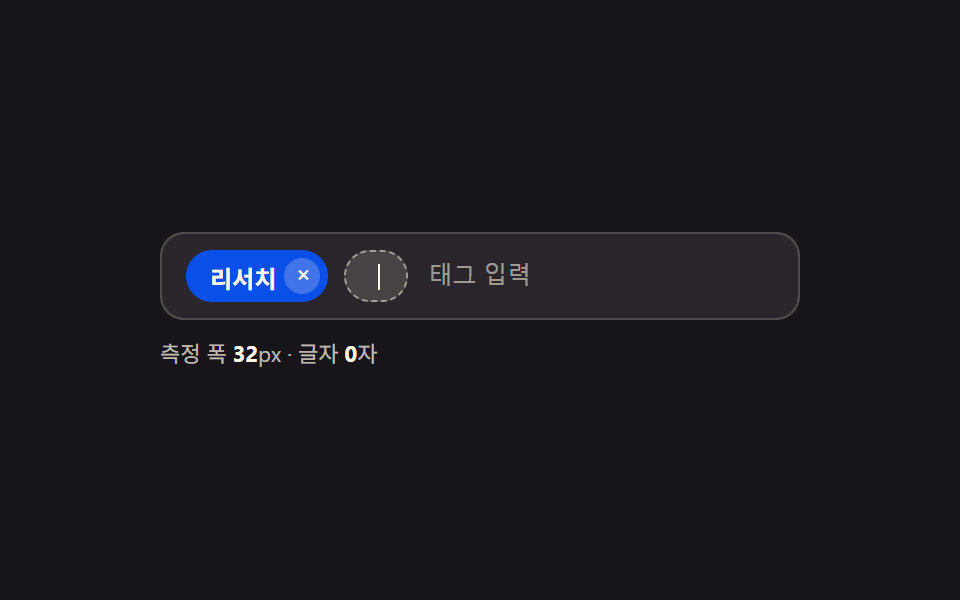 입력 UI태그 입력 ui 9가지 — 칩 UI 코드로 만들기