드래그 앤 드롭 UI 리스트 — 목표 인덱스 계산을 얹은 9종
포인터가 놓인 위치에서 목표 인덱스를 계산해 리스트·칸반·그리드가 자리를 바꾸고, 롱프레스·Alt 화살표·가장자리 자동 스크롤까지 — 드래그로 순서 바꾸는 리스트 9종, 코드는 비밀번호 zip으로 드립니다.
 01 drag-reorder-list
 02 drag-reorder-kanban
 03 drag-reorder-grid
 04 drag-handle-only
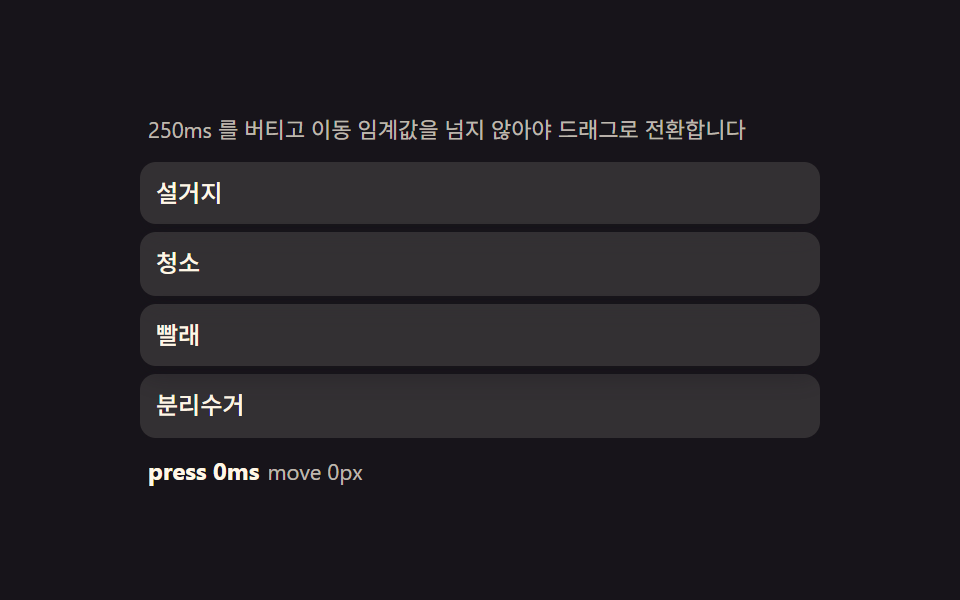 05 drag-touch-long-press
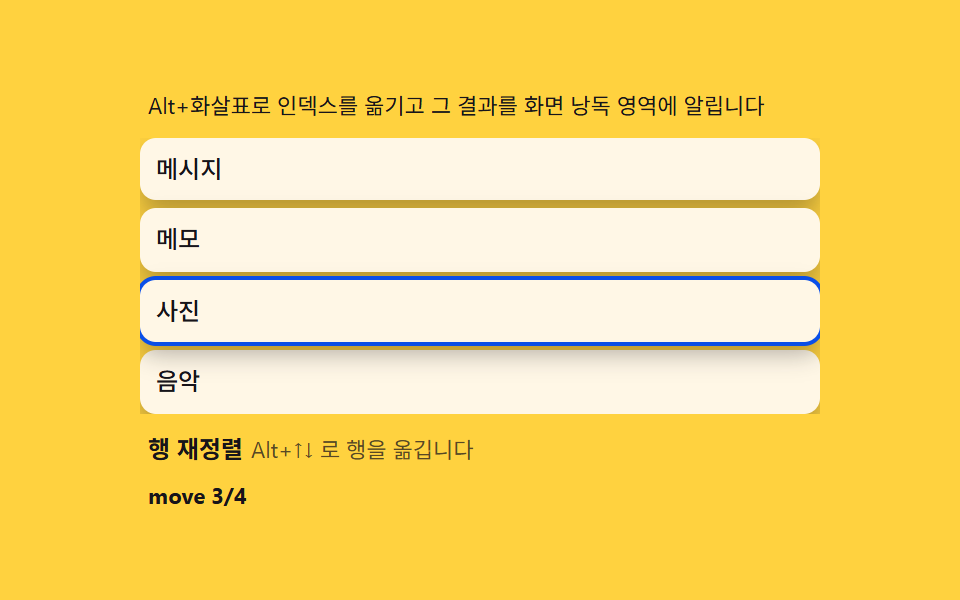 06 drag-keyboard-alt
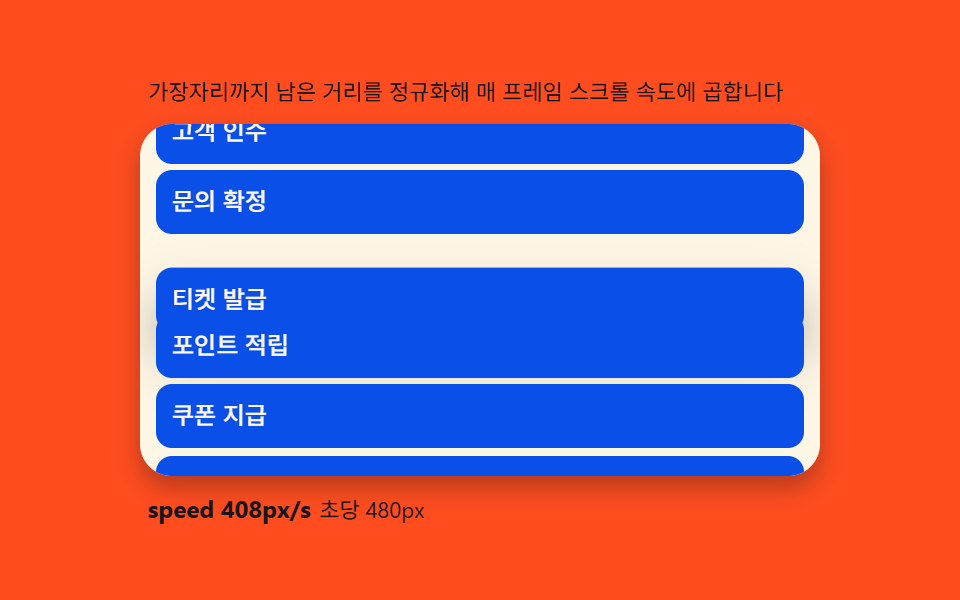 07 drag-autoscroll
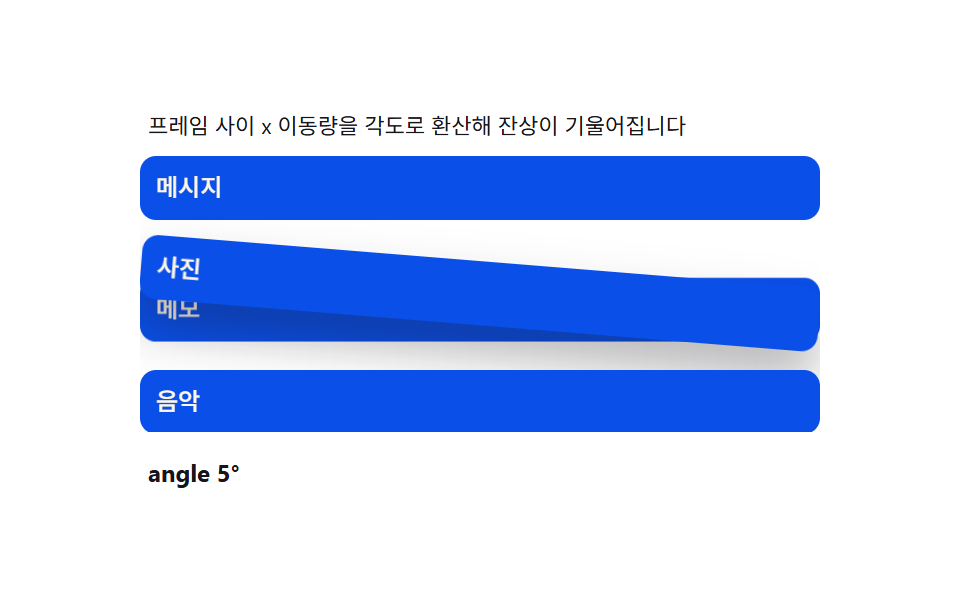 08 drag-ghost-preview
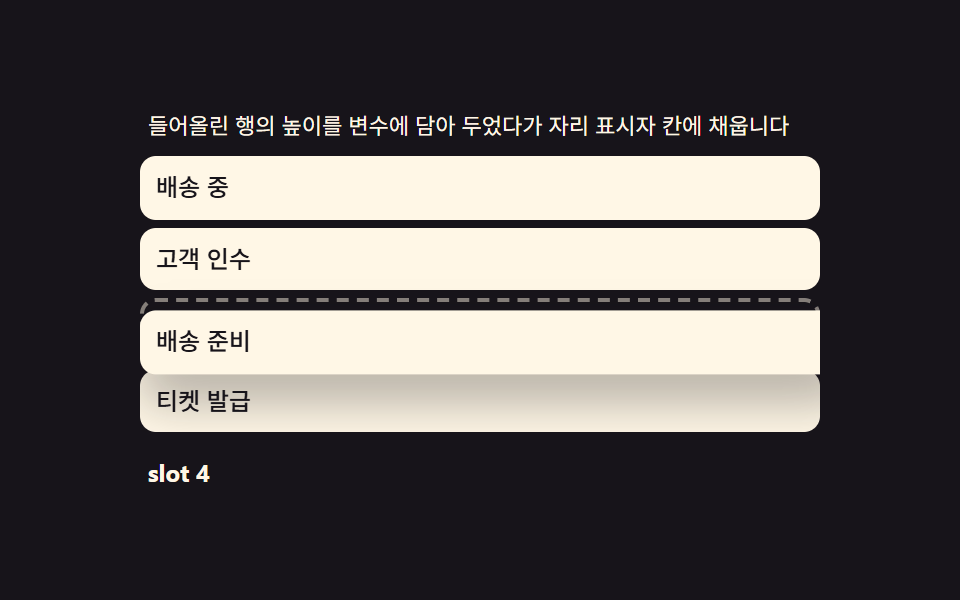 09 drag-drop-placeholder
자동 재생 · 눌러서 해당 항목으로 · 전부 한 zip
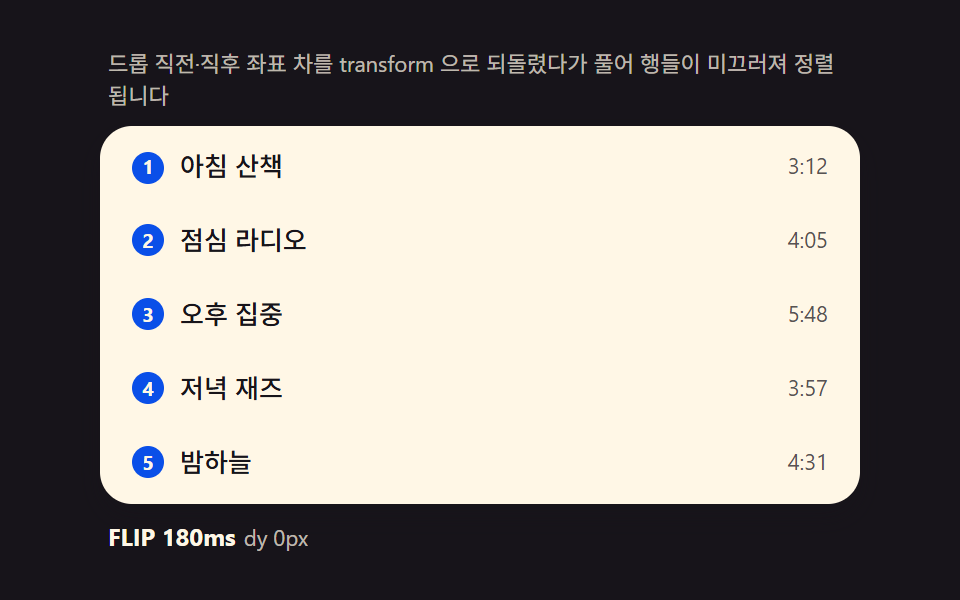
- 01 FLIP 리스트 — 이동 전·후 좌표 차이를 계산해 되돌린 뒤 풀어주는 재정렬
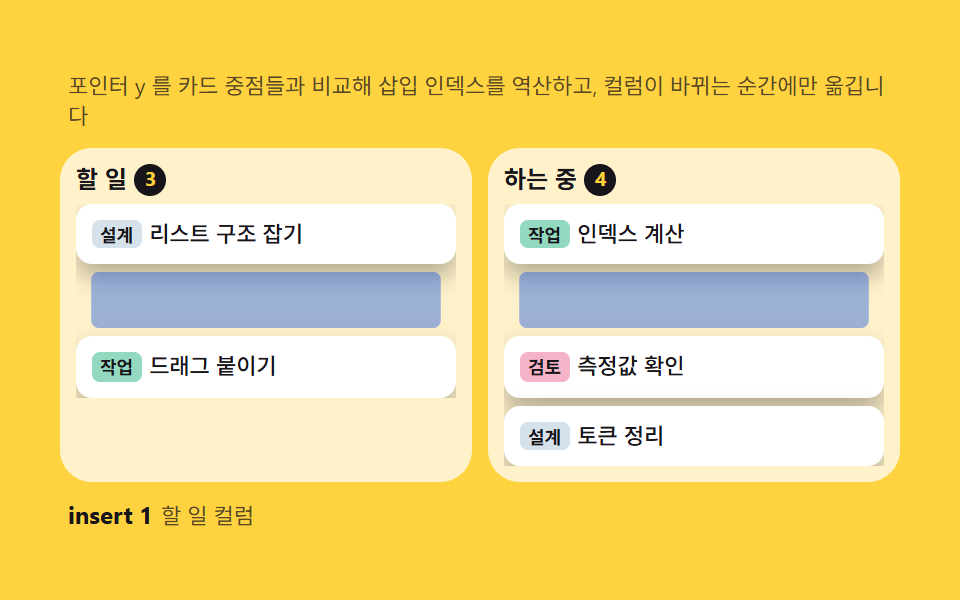
- 02 칸반 카드 — 포인터 y 비율로 목표 컬럼·삽입 인덱스를 역산하는 계산
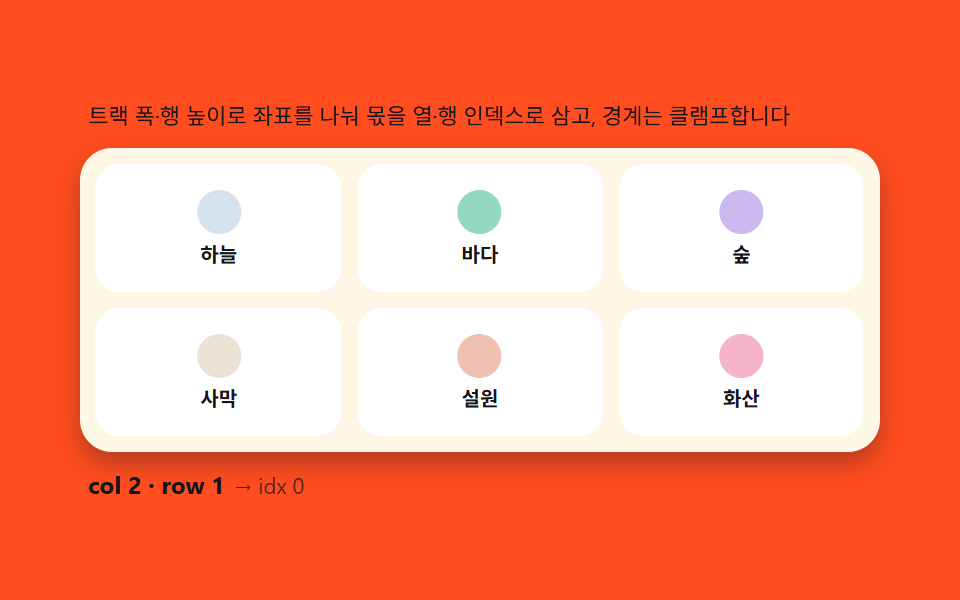
- 03 그리드 재배치 — 포인터 좌표에서 행·열 인덱스를 역산하는 2차원 계산
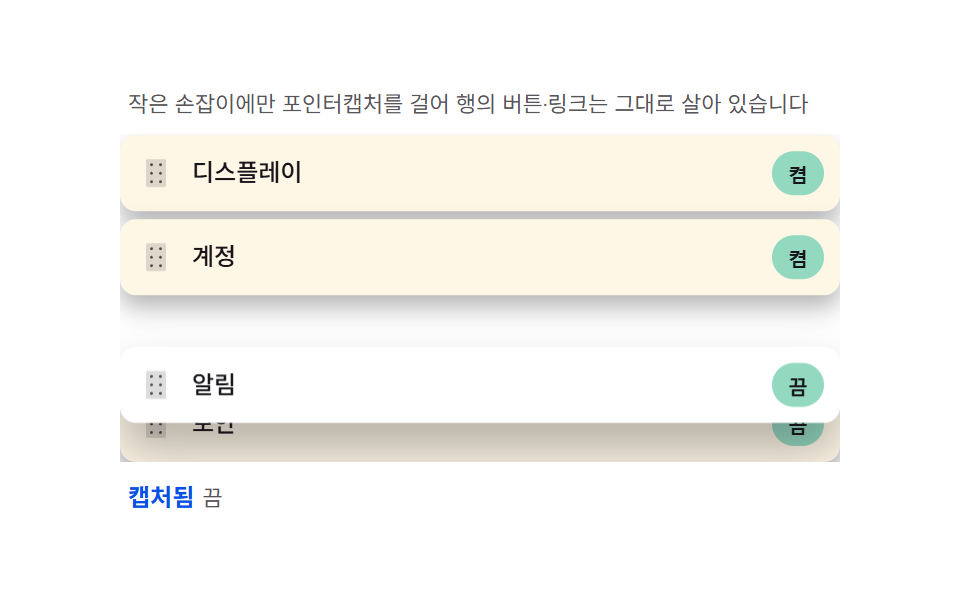
- 04 손잡이 전용 — 작은 핸들에만 포인터캡처를 걸어 행 나머지를 살리는 분리
- 05 롱프레스 판정 — 대기 시간과 이동 임계값으로 스크롤과 드래그를 가르는 계산
- 06 키보드 재정렬 — Alt+화살표로 배열 인덱스를 옮기고 aria-live 로 알리는 계산
- 07 가장자리 자동 스크롤 — 거리를 속도로 매핑하는 rAF 루프
- 08 고스트 프리뷰 — 이동 속도를 기울기로 바꾸는 잔상 복제본
- 09 자리 표시자 — 들어올린 행의 높이를 옮겨 담아 부풀리는 계산
데모
여섯 항목(02·04·05·07·08·09)은 같은 pointerdown → pointermove → pointerup 세 단계에서 시작해 그 사이 포인터 좌표를 어떤 값으로 바꾸는지만 다르게 계산하고, 01·03·06 은 클릭 한 번이나 Alt+화살표 로 같은 계산을 단번에 실행합니다. 사람이 손대지 않을 때는 정해진 시나리오(어느 행을 들어 어디로 옮길지)가 자동으로 반복 재생되고, 02 칸반과 04 손잡이 전용은 한 시나리오가 끝난 뒤 다음 시나리오가 시작되기 전까지 잠깐 멈춰 있는 구간이 있어서, 다른 항목보다 측정값이 낮게 나오는 게 자연스럽습니다.
실측 한눈에
| 항목 | 초점 | 누적면적(%) | 강도평균 | 움직인프레임(23 기준) |
|---|---|---|---|---|
| 01 FLIP 리스트 | 좌표차를 역산해 되돌렸다가 풂 | 6.12 | 104.5 | 12 |
| 02 칸반 카드 | y 중점 비교로 삽입 인덱스 역산 | 25.11 | 67.7 | 7 |
| 03 그리드 재배치 | 좌표를 트랙 폭·행 높이로 나눈 몫 | 21.30 | 65.0 | 12 |
| 04 손잡이 전용 | 목표 위치에 매 프레임 22%씩 수렴 | 34.74 | 42.0 | 7 |
| 05 롱프레스 판정 | 대기 시간+이동 임계값 판정 | 21.08 | 97.0 | 16 |
| 06 키보드 재정렬 | Alt+화살표로 인덱스 swap | 15.12 | 85.5 | 8 |
| 07 가장자리 자동 스크롤 | 남은 거리를 속도로 정규화 | 41.66 | 182.5 | 12 |
| 08 고스트 프리뷰 | 프레임 간 dx 를 각도로 변환 | 25.04 | 140.0 | 17 |
| 09 자리 표시자 | 행 높이를 --h 변수로 이전 | 25.85 | 114.3 | 13 |
정지 구간이 있는 두 항목은 결함이 아니다
02 와 04 는 움직인프레임이 각 7 로 아홉 개 중 가장 적은데, 이는 한 번의 드래그 시나리오(카드 하나를 다른 컬럼으로, 행 하나를 다른 자리로)가 끝나고 다음 반복까지 기다리는 구간이 있기 때문입니다. 03 처럼 460ms 마다 계속 자리를 바꾸는 항목과 같은 잣대로 "덜 움직인다"고 읽으면 안 되는 이유가 여기 있습니다 — 강도평균은 07 가장자리 자동 스크롤이 182.5 로 가장 세고 04 손잡이 전용이 42.0 으로 가장 낮지만, 두 값 모두 화면이 정지해 보이지 않는다는 기준선은 함께 통과합니다.
드래그 재정렬의 해부 — pointerdown·move·up 세 단계와 setPointerCapture
아홉 항목이 공유하는 계산의 뼈대는 동일합니다 — 무엇을 들지 정하고, 목표 인덱스를 계속 다시 구하고, 그 인덱스를 배열에 확정하는 세 단계입니다. 02·04·05·07·08·09 는 이 세 단계를 포인터가 내려가는·움직이는·떼는 순간에 그대로 걸고, 01·03·06 은 클릭 한 번이나 Alt+화살표 로 같은 세 단계를 압축해 실행합니다.
pointerdown 이 잡는 것은 행 전체가 아니라 시작 좌표다
pointerdown 핸들러는 클릭된 요소가 어느 행(또는 카드)인지 찾고, 그 순간의 포인터 좌표와 행의 getBoundingClientRect().top(또는 left) 차이를 오프셋으로 저장합니다. 04·05·07·08·09 는 이 오프셋을 계속 들고 있다가 이후 포인터가 움직일 때마다 "포인터 위치 − 오프셋"으로 행의 목표 위치를 구합니다.
pointermove 는 매 프레임 목표 인덱스를 다시 계산한다
포인터가 움직일 때마다 지금 든 요소를 뺀 나머지 요소들의 좌표를 다시 재서, 포인터가 어느 요소의 중점을 지났는지로 삽입 위치를 다시 정합니다. 01·03·06 처럼 클릭 한 번으로 끝나는 항목도 내부적으로는 같은 비교(중점 앞·뒤)를 한 번만 실행할 뿐, 계산 자체는 같습니다.
pointerup 이 최종 자리를 배열에 확정한다
손을 떼는 순간 그동안 미리보기로만 옮겨 뒀던 요소를 실제 DOM 순서(또는 순서 배열)에 반영하고, 임시로 걸어 둔 transform·클래스를 정리합니다. 02 칸반처럼 같은 컬럼 안에서는 미리보기만 옮기고 컬럼이 실제로 바뀌는 순간에만 배열을 스플라이스하는 구조도 이 확정 시점을 늦춰 불필요한 재계산을 줄입니다.
setPointerCapture 가 없으면 손끝이 원소를 벗어나는 순간 이벤트가 끊긴다
마우스는 버튼을 누른 채 창 밖으로 나가도 pointermove 가 계속 오지만, 터치는 손끝이 처음 닿은 요소의 경계를 벗어나면 그 요소가 더 이상 이벤트를 받지 못할 수 있습니다. setPointerCapture(e.pointerId) 를 pointerdown 시점에 걸어 두면 이후 모든 포인터 이벤트가 그 요소로 강제 전달되어, 손끝이 리스트 밖으로 잠깐 나가도 드래그가 끊기지 않습니다.
아홉 리스트 단계별 코드
01FLIP 리스트 — 이동 전·후 좌표 차이를 계산해 되돌린 뒤 풀어주는 재정렬
행을 클릭하면 순서 배열이 바뀌고, 바뀌기 전 모든 행의 getBoundingClientRect().top 을 재 뒀다가 DOM 을 새 순서로 다시 붙인 뒤 좌표 차이를 구해 그만큼 transform 으로 즉시 되돌립니다. 다음 프레임에 그 값을 0 으로 풀면 행들이 실제로 미끄러져 온 것처럼 보입니다.
getBoundingClientRect 두 번으로 이동 전후 차이를 구한다
function applyOrder(order) {
    var rs = rows();
    var first = rs.map(function (r) { return r.getBoundingClientRect().top; });
    for (var i = 0; i < order.length; i++) list.appendChild(rs[order[i]]);
    rs = rows();
    var maxAbs = 0;
    for (var j = 0; j < rs.length; j++) {
      var dy = first[order[j]] - rs[j].getBoundingClientRect().top; // invert
      if (Math.abs(dy) > Math.abs(maxAbs)) maxAbs = dy;
      if (dy !== 0) {
        rs[j].style.transition = 'none';
        rs[j].style.transform = 'translateY(' + dy + 'px)';
      }
    }
    deltaEl.textContent = 'dy ' + Math.round(maxAbs) + 'px';
    requestAnimationFrame(function () {
      rs.forEach(function (r) {
        r.style.transition = 'transform ' + DUR + 'ms cubic-bezier(.2,.8,.2,1)';
        r.style.transform = 'translateY(0)';
      });
      setTimeout(function () { rs.forEach(function (r) { r.style.transition = ''; }); }, DUR + 40);
    });
    return rs;
  }
<main class="stage">
<div class="fl">
  <p class="fl__hint">드롭 직전·직후 좌표 차를 transform 으로 되돌렸다가 풀어 행들이 미끄러져 정렬됩니다</p>
  <ul class="fl__list" id="flList" role="listbox" aria-label="재생목록" aria-describedby="flHint">
    <li class="fl__row" role="option" aria-selected="false" tabindex="0"><span class="fl__rank" aria-hidden="true">1</span><span class="fl__name">아침 산책</span><span class="fl__len">3:12</span></li>
    <li class="fl__row" role="option" aria-selected="false" tabindex="0"><span class="fl__rank" aria-hidden="true">2</span><span class="fl__name">점심 라디오</span><span class="fl__len">4:05</span></li>
    <li class="fl__row" role="option" aria-selected="false" tabindex="0"><span class="fl__rank" aria-hidden="true">3</span><span class="fl__name">오후 집중</span><span class="fl__len">5:48</span></li>
    <li class="fl__row" role="option" aria-selected="false" tabindex="0"><span class="fl__rank" aria-hidden="true">4</span><span class="fl__name">저녁 재즈</span><span class="fl__len">3:57</span></li>
    <li class="fl__row" role="option" aria-selected="false" tabindex="0"><span class="fl__rank" aria-hidden="true">5</span><span class="fl__name">밤하늘</span><span class="fl__len">4:31</span></li>
  </ul>
  <p class="fl__meta"><b class="fl__tag" id="flState">FLIP 180ms</b><span class="fl__unit" id="flDelta">dy 0px</span></p>
</div>
</main>
@use "../../../../site/static/demo-tokens" as *;
$duration: 180ms;
$easing: cubic-bezier(.2,.8,.2,1);
$color: $subject-blue-deep;
// 파스텔 강조(도구/파스텔.py to_pastel 결과: 채도 .34 · 명도 +.11)
$p-mint: #93d9c0;
@include stage($stage-ink);
.fl {
width: 100%;
max-width: 380px;
display: flex;
flex-direction: column;
gap: $sp-2;
}
.fl__hint {
margin: 0;
padding: 0 $sp-1;
font-weight: 400;
font-size: 11px;
line-height: 1.4;
color: rgba($subject-cream, .72);
}
.fl__list {
margin: 0;
padding: $sp-1;
list-style: none;
display: flex;
flex-direction: column;
gap: $sp-1;
background: $subject-cream;
border-radius: $r-card;
box-shadow: $shadow-press;
overflow-y: auto;
}
.fl__row {
display: flex;
align-items: center;
gap: $sp-2;
padding: $sp-2 $sp-3;
border-radius: $r-sm;
background: transparent;
color: $subject-ink;
font-weight: 500;
font-size: 13px;
line-height: 1.3;
cursor: grab;
// will-change 없이도 transform 만 움직인다 — top/left 재계산 금지(기본규칙)
transform: translateY(0);
}
.fl__row:hover {
background: $p-mint;
}
.fl__rank {
flex: 0 0 auto;
width: 16px;
height: 16px;
display: grid;
place-items: center;
border-radius: $r-pill;
background: $color;
color: $subject-cream;
font-weight: 700;
font-size: 10px;
}
.fl__name {
flex: 1 1 auto;
min-width: 0;
overflow: hidden;
white-space: nowrap;
text-overflow: ellipsis;
}
.fl__len {
flex: 0 0 auto;
font-weight: 400;
font-size: 11px;
color: rgba($subject-ink, .72);
}
.fl__meta {
margin: 0;
padding: 0 $sp-1;
display: flex;
align-items: baseline;
gap: $sp-1;
}
.fl__tag {
font-weight: 700;
font-size: 12px;
color: $subject-cream;
}
.fl__unit {
font-weight: 400;
font-size: 11px;
color: rgba($subject-cream, .72);
}
@media (max-width: 340px) {
.fl { max-width: 280px; gap: $sp-1; }
.fl__hint { font-size: 10px; }
.fl__row { font-size: 12px; padding: $sp-1 $sp-2; }
.fl__list { max-height: 92px; gap: 0; }
}
@media (prefers-reduced-motion: reduce) {
.fl__row {
transition: none !important;
transform: none !important;
}
}html, body {
margin: 0;
overflow: hidden;
}
.stage {
box-sizing: border-box;
min-height: 100vh;
display: grid;
place-items: center;
margin: 0;
background: #17141a;
font-family: -apple-system, "Segoe UI", "Noto Sans KR", sans-serif;
padding: clamp(8px, 4vw, 24px);
}
.fl {
width: 100%;
max-width: 380px;
display: flex;
flex-direction: column;
gap: 8px;
}
.fl__hint {
margin: 0;
padding: 0 4px;
font-weight: 400;
font-size: 11px;
line-height: 1.4;
color: rgba(255, 247, 230, 0.72);
}
.fl__list {
margin: 0;
padding: 4px;
list-style: none;
display: flex;
flex-direction: column;
gap: 4px;
background: #fff7e6;
border-radius: 16px;
box-shadow: 0 6px 12px rgba(23, 20, 26, 0.32);
overflow-y: auto;
}
.fl__row {
display: flex;
align-items: center;
gap: 8px;
padding: 8px 12px;
border-radius: 8px;
background: transparent;
color: #17141a;
font-weight: 500;
font-size: 13px;
line-height: 1.3;
cursor: grab;
transform: translateY(0);
}
.fl__row:hover {
background: #93d9c0;
}
.fl__rank {
flex: 0 0 auto;
width: 16px;
height: 16px;
display: grid;
place-items: center;
border-radius: 999px;
background: #0a4fe8;
color: #fff7e6;
font-weight: 700;
font-size: 10px;
}
.fl__name {
flex: 1 1 auto;
min-width: 0;
overflow: hidden;
white-space: nowrap;
text-overflow: ellipsis;
}
.fl__len {
flex: 0 0 auto;
font-weight: 400;
font-size: 11px;
color: rgba(23, 20, 26, 0.72);
}
.fl__meta {
margin: 0;
padding: 0 4px;
display: flex;
align-items: baseline;
gap: 4px;
}
.fl__tag {
font-weight: 700;
font-size: 12px;
color: #fff7e6;
}
.fl__unit {
font-weight: 400;
font-size: 11px;
color: rgba(255, 247, 230, 0.72);
}
@media (max-width: 340px) {
.fl {
max-width: 280px;
gap: 4px;
}
.fl__hint {
font-size: 10px;
}
.fl__row {
font-size: 12px;
padding: 4px 8px;
}
.fl__list {
max-height: 92px;
gap: 0;
}
}
@media (prefers-reduced-motion: reduce) {
.fl__row {
transition: none !important;
transform: none !important;
}
}// FLIP 리스트(01) — 드롭으로 배열이 바뀌는 순간, 바뀌기 전 각 행의 getBoundingClientRect().top(first)을
// 재 두었다가 바뀐 뒤 좌표(last)와의 차(invert)를 transform translateY 로 즉시 되돌리고, 다음 프레임에
// transform 을 0 으로 풀어(play) 행들이 자연스럽게 미끄러지게 한다. 문구 사전과 실제 이동 픽셀은
// rAF 시계가 매 프레임 갱신한다. 포인터 조작도 같은 함수를 탄다(라이브러리 0, Pointer Events 기반).
(function () {
var list = document.getElementById('flList');
var stateEl = document.getElementById('flState');
var deltaEl = document.getElementById('flDelta');
if (!list || !stateEl || !deltaEl) return;
var DUR = 180; // FLIP 정리 시간(ms) — 변형 칩이 이 값만 바꾼다
var ROWS = ['아침 산책', '점심 라디오', '오후 집중', '저녁 재즈', '밤하늘'];
var LENS = ['3:12', '4:05', '5:48', '3:57', '4:31'];
var reduce = window.matchMedia('(prefers-reduced-motion: reduce)').matches;
function rows() { return Array.prototype.slice.call(list.children); }
// FLIP — 순서 배열 order 를 적용하고 이동한 행을 되돌렸다가 푼다
function applyOrder(order) {
var rs = rows();
var first = rs.map(function (r) { return r.getBoundingClientRect().top; });
// 배열 순서대로 다시 붙인다
for (var i = 0; i < order.length; i++) list.appendChild(rs[order[i]]);
rs = rows();
var maxAbs = 0;
for (var j = 0; j < rs.length; j++) {
var dy = first[order[j]] - rs[j].getBoundingClientRect().top; // invert
if (Math.abs(dy) > Math.abs(maxAbs)) maxAbs = dy;
if (dy !== 0) {
rs[j].style.transition = 'none';
rs[j].style.transform = 'translateY(' + dy + 'px)';
}
}
deltaEl.textContent = 'dy ' + Math.round(maxAbs) + 'px';
// play — 다음 프레임에 되돌림을 푼다
requestAnimationFrame(function () {
rs.forEach(function (r) {
r.style.transition = 'transform ' + DUR + 'ms cubic-bezier(.2,.8,.2,1)';
r.style.transform = 'translateY(0)';
});
setTimeout(function () { rs.forEach(function (r) { r.style.transition = ''; }); }, DUR + 40);
});
// rank 갱신
rs.forEach(function (r, i) { r.querySelector('.fl__rank').textContent = String(i + 1); });
return rs;
}
// 사람 조작 — 행을 클릭해 아래로, Shift+클릭으로 위로 (같은 FLIP 경로)
list.addEventListener('click', function (e) {
stop();
var li = e.target.closest('.fl__row');
if (!li) return;
var idx = rows().indexOf(li);
var order = [0, 1, 2, 3, 4];
if (e.shiftKey) {
if (idx === 0) return;
order.splice(idx - 1, 0, order.splice(idx, 1)[0]);
} else {
if (idx === 4) return;
order.splice(idx + 1, 0, order.splice(idx, 1)[0]);
}
applyOrder(order);
});
// 자동 시연 — 시드 고정 시나리오: 3→1, 1→4, 원복. 한 사이클 2초.
var playing = true;
function stop() { playing = false; }
var CYCLE = [
{ pick: 2, to: 0, hold: 700 }, // 오후 집중 3번째 → 1번째
{ pick: 0, to: 3, hold: 700 }, // 아침 산책 1번째 → 4번째
{ pick: 0, to: 1, hold: 600 } // 1번째와 2번째 교환(원복 성분)
];
function permute(pick, to) {
var order = [0, 1, 2, 3, 4];
order.splice(to, 0, order.splice(pick, 1)[0]);
applyOrder(order);
}
if (reduce) {
permute(2, 0);
} else {
var seg = 0, segStart = performance.now();
(function step(now) {
if (playing) {
var s = CYCLE[seg];
if (now - segStart >= s.hold) {
seg = (seg + 1) % CYCLE.length;
segStart = now;
permute(CYCLE[seg].pick, CYCLE[seg].to);
}
}
requestAnimationFrame(step);
})(segStart);
}
})();// DragReorderList — vanilla 판(run/336/demo/01-drag-reorder-list/index.html)
// 의 React 포트. 배열 순서(order)를 실제 DOM 자식에 적용하기 전 각 행의 getBoundingClientRect().top
// (first)을 재 두었다가, 적용 후 좌표(last)와의 차(invert)를 transform translateY 로 즉시 되돌리고
// 다음 프레임에 transform 을 0 으로 풀어(play) 행이 미끄러지듯 정렬된다(FLIP). 사람 조작(클릭·Shift+클릭)
// 도 같은 applyOrder 를 타고, 자동 시연은 시드 고정 시나리오(CYCLE)로 같은 함수를 호출한다.
import { useEffect, useRef } from "react";
import styles from "./DragReorderList.module.scss";
export type DragReorderListProps = {
duration?: string;
easing?: string;
color?: string;
};
type Box<T> = { current: T };
const HINT = "드롭 직전·직후 좌표 차를 transform 으로 되돌렸다가 풀어 행들이 미끄러져 정렬됩니다";
const ARIA_LABEL = "재생목록";
const ROW_NAMES = ["아침 산책", "점심 라디오", "오후 집중", "저녁 재즈", "밤하늘"];
const LENS = ["3:12", "4:05", "5:48", "3:57", "4:31"];
type CycleStep = { pick: number; to: number; hold: number };
const CYCLE: CycleStep[] = [
{ pick: 2, to: 0, hold: 700 },
{ pick: 0, to: 3, hold: 700 },
{ pick: 0, to: 1, hold: 600 }
];
export default function DragReorderList({
duration = "180ms",
easing = "cubic-bezier(.2,.8,.2,1)",
color = "#0a4fe8"
}: DragReorderListProps) {
const listRef = useRef<HTMLUListElement | null>(null);
const stateRef = useRef<HTMLElement | null>(null);
const deltaRef = useRef<HTMLSpanElement | null>(null);
const rafRef = useRef(0) as Box<number>;
useEffect(() => {
const list = listRef.current;
const stateEl = stateRef.current;
const deltaEl = deltaRef.current;
if (!list || !stateEl || !deltaEl) return;
const DUR = parseFloat(duration) || 180;
function rows(): HTMLElement[] {
return Array.prototype.slice.call(list!.children);
}
function applyOrder(order: number[]): HTMLElement[] {
let rs = rows();
const first = rs.map((r) => r.getBoundingClientRect().top);
for (let i = 0; i < order.length; i++) list!.appendChild(rs[order[i]]);
rs = rows();
let maxAbs = 0;
for (let j = 0; j < rs.length; j++) {
const dy = first[order[j]] - rs[j].getBoundingClientRect().top;
if (Math.abs(dy) > Math.abs(maxAbs)) maxAbs = dy;
if (dy !== 0) {
rs[j].style.transition = "none";
rs[j].style.transform = "translateY(" + dy + "px)";
}
}
deltaEl!.textContent = "dy " + Math.round(maxAbs) + "px";
requestAnimationFrame(() => {
rs.forEach((r) => {
r.style.transition = "transform " + DUR + "ms " + easing;
r.style.transform = "translateY(0)";
});
setTimeout(() => {
rs.forEach((r) => { r.style.transition = ""; });
}, DUR + 40);
});
rs.forEach((r, i) => {
const rank = r.querySelector("." + styles.rank);
if (rank) rank.textContent = String(i + 1);
});
return rs;
}
function stop(): void {
playing = false;
}
function onClick(e: MouseEvent): void {
stop();
const target = e.target as HTMLElement;
const li = target.closest("." + styles.row) as HTMLElement | null;
if (!li) return;
const idx = rows().indexOf(li);
const order = [0, 1, 2, 3, 4];
if (e.shiftKey) {
if (idx === 0) return;
order.splice(idx - 1, 0, order.splice(idx, 1)[0]);
} else {
if (idx === 4) return;
order.splice(idx + 1, 0, order.splice(idx, 1)[0]);
}
applyOrder(order);
}
list.addEventListener("click", onClick as EventListener);
const reduce = window.matchMedia("(prefers-reduced-motion: reduce)").matches;
let playing = true;
function permute(pick: number, to: number): void {
const order = [0, 1, 2, 3, 4];
order.splice(to, 0, order.splice(pick, 1)[0]);
applyOrder(order);
}
if (reduce) {
permute(2, 0);
} else {
let seg = 0;
let segStart = performance.now();
const step = (now: number): void => {
if (playing) {
const s = CYCLE[seg];
if (now - segStart >= s.hold) {
seg = (seg + 1) % CYCLE.length;
segStart = now;
permute(CYCLE[seg].pick, CYCLE[seg].to);
}
}
rafRef.current = requestAnimationFrame(step);
};
rafRef.current = requestAnimationFrame(step);
}
return () => {
cancelAnimationFrame(rafRef.current);
list.removeEventListener("click", onClick as EventListener);
};
// eslint-disable-next-line react-hooks/exhaustive-deps
}, []);
return (
<main className={styles.stage}>
<div className={styles.fl}>
<p className={styles.hint} id="flHintReact">{HINT}</p>
<ul className={styles.list} ref={listRef} role="listbox" aria-label={ARIA_LABEL} aria-describedby="flHintReact">
{ROW_NAMES.map((name, i) => (
<li key={i} className={styles.row} role="option" aria-selected="false" tabIndex={0}>
<span className={styles.rank} aria-hidden="true" style={{ background: color }}>{i + 1}</span>
<span className={styles.name}>{name}</span>
<span className={styles.len}>{LENS[i]}</span>
</li>
))}
</ul>
<p className={styles.meta}>
<b className={styles.tag} ref={stateRef}>FLIP {duration}</b>
<span className={styles.unit} ref={deltaRef}>dy 0px</span>
</p>
</div>
</main>
);
}01 · FLIP 리스트 — 이동 전·후 좌표 차이를 계산해 되돌린 뒤 풀어주는 재정렬 — 측정 누적면적 6.12% · 움직인 프레임 12/23GODRICH 원작 · zip 에 SCSS·React 포함 · 비밀번호 보기
02칸반 카드 — 포인터 y 비율로 목표 컬럼·삽입 인덱스를 역산하는 계산
카드를 컬럼 사이로 옮기면, 화면에 있는 모든 카드의 좌표를 이동 전에 한 번 재고 DOM 을 옮긴 뒤 다시 재서 그 차이를 translate 로 되돌렸다가 풉니다. 이런 식으로 만든 것이 흔히 말하는 드래그 앤 드롭 구현입니다 — 라이브러리 없이 포인터 이벤트만으로 끝납니다.
포인터 y 가 카드 중점을 넘는 순간 인덱스가 바뀐다
function moveCard(card, fromList, toList, index) {
    var all = Array.prototype.slice.call(document.querySelectorAll('.kb__card'));
    var first = all.map(function (c) { return c.getBoundingClientRect(); });
    var target = toList.children[index] || null;
    toList.insertBefore(card, target);
    refreshCounts();
    all.forEach(function (c, i) {
      var r = c.getBoundingClientRect();
      var dx = first[i].left - r.left, dy = first[i].top - r.top;
      if (dx !== 0 || dy !== 0) {
        c.style.transition = 'none';
        c.style.transform = 'translate(' + dx + 'px,' + dy + 'px)';
        requestAnimationFrame(function () {
          c.style.transition = 'transform 260ms cubic-bezier(.2,.8,.2,1)';
          c.style.transform = 'translate(0,0)';
        });
      }
    });
  }
<main class="stage">
<div class="kb">
  <p class="kb__hint">포인터 y 를 카드 중점들과 비교해 삽입 인덱스를 역산하고, 컬럼이 바뀌는 순간에만 옮깁니다</p>
  <div class="kb__board" id="kbBoard">
    <section class="kb__col" id="kbColA" aria-label="할 일">
      <h2 class="kb__title">할 일 <b class="kb__count" id="kbCountA">3</b></h2>
      <ul class="kb__cards" id="kbListA">
        <li class="kb__card"><span class="kb__tag kb__tag--b">설계</span><span class="kb__txt">리스트 구조 잡기</span></li>
        <li class="kb__card"><span class="kb__tag kb__tag--b">설계</span><span class="kb__txt">토큰 정리</span></li>
        <li class="kb__card"><span class="kb__tag kb__tag--m">작업</span><span class="kb__txt">드래그 붙이기</span></li>
      </ul>
    </section>
    <section class="kb__col" id="kbColB" aria-label="하는 중">
      <h2 class="kb__title">하는 중 <b class="kb__count" id="kbCountB">2</b></h2>
      <ul class="kb__cards" id="kbListB">
        <li class="kb__card"><span class="kb__tag kb__tag--m">작업</span><span class="kb__txt">인덱스 계산</span></li>
        <li class="kb__card"><span class="kb__tag kb__tag--o">검토</span><span class="kb__txt">측정값 확인</span></li>
      </ul>
    </section>
  </div>
  <p class="kb__meta"><b class="kb__state" id="kbState">insert 2</b><span class="kb__unit" id="kbCol">할 일 컬럼</span></p>
</div>
</main>
@use "../../../../site/static/demo-tokens" as *;
$duration: 220ms;
$easing: $ease-spring;
$color: $subject-blue-deep;
// 파스텔 강조(도구/파스텔.py to_pastel 결과: 채도 .34 · 명도 +.11)
$p-pink: #f4b3c6;
$p-mint: #93d9c0;
$p-sky: #d6e2eb;
@include stage($stage-yellow);
.kb {
width: 100%;
max-width: 420px;
display: flex;
flex-direction: column;
gap: $sp-2;
}
.kb__hint {
margin: 0;
padding: 0 $sp-1;
font-weight: 400;
font-size: 11px;
line-height: 1.4;
color: rgba($subject-ink, .72);
}
.kb__board {
display: grid;
grid-template-columns: repeat(2, 1fr);
gap: $sp-2;
}
.kb__col {
display: flex;
flex-direction: column;
gap: $sp-1;
background: rgba(255, 255, 255, .72);
border-radius: $r-card;
padding: $sp-2;
}
.kb__title {
margin: 0;
display: flex;
align-items: center;
gap: $sp-1;
font-weight: 700;
font-size: 12px;
line-height: 1.3;
color: $subject-ink;
}
.kb__count {
display: grid;
place-items: center;
width: 16px;
height: 16px;
border-radius: $r-pill;
background: $subject-ink;
color: $stage-yellow;
font-weight: 700;
font-size: 10px;
}
.kb__cards {
margin: 0;
padding: 0;
list-style: none;
display: flex;
flex-direction: column;
gap: $sp-1;
min-height: 96px;
overflow-y: auto;
}
.kb__card {
display: flex;
align-items: center;
gap: $sp-1;
padding: $sp-2;
border-radius: $r-sm;
background: $stage-paper;
box-shadow: $shadow-press;
color: $subject-ink;
font-weight: 500;
font-size: 11px;
line-height: 1.3;
cursor: grab;
touch-action: none;
transition: transform $duration $easing;
}
.kb__card:hover {
transform: translateY(-2px) scale(1.02);
transform-origin: center;
}
.kb__card--drag {
cursor: grabbing;
box-shadow: $shadow-raised;
}
.kb__tag {
flex: 0 0 auto;
padding: 0 $sp-1;
border-radius: $r-xs;
font-weight: 700;
font-size: 9px;
line-height: 1.6;
}
.kb__tag--b { background: $p-sky; color: $subject-ink; }
.kb__tag--m { background: $p-mint; color: $subject-ink; }
.kb__tag--o { background: $p-pink; color: $subject-ink; }
.kb__txt {
flex: 1 1 auto;
min-width: 0;
overflow: hidden;
white-space: nowrap;
text-overflow: ellipsis;
}
.kb__line {
height: 28px;
border-radius: $r-xs;
background: rgba($color, .4);
list-style: none;
transform: scaleX(.92);
transform-origin: center;
transition: transform $duration $easing;
}
.kb__meta {
margin: 0;
padding: 0 $sp-1;
display: flex;
align-items: baseline;
gap: $sp-1;
}
.kb__state {
font-weight: 700;
font-size: 12px;
color: $subject-ink;
}
.kb__unit {
font-weight: 400;
font-size: 11px;
color: rgba($subject-ink, .72);
}
@media (max-width: 340px) {
.kb { max-width: 280px; gap: $sp-1; }
.kb__hint { font-size: 10px; }
.kb__card { font-size: 10px; padding: $sp-1; }
.kb__cards { max-height: 66px; min-height: 0; }
}
@media (prefers-reduced-motion: reduce) {
.kb__card,
.kb__line {
transition: none !important;
transform: none !important;
}
}html, body {
margin: 0;
overflow: hidden;
}
.stage {
box-sizing: border-box;
min-height: 100vh;
display: grid;
place-items: center;
margin: 0;
background: #ffd23f;
font-family: -apple-system, "Segoe UI", "Noto Sans KR", sans-serif;
padding: clamp(8px, 4vw, 24px);
}
.kb {
width: 100%;
max-width: 420px;
display: flex;
flex-direction: column;
gap: 8px;
}
.kb__hint {
margin: 0;
padding: 0 4px;
font-weight: 400;
font-size: 11px;
line-height: 1.4;
color: rgba(23, 20, 26, 0.72);
}
.kb__board {
display: grid;
grid-template-columns: repeat(2, 1fr);
gap: 8px;
}
.kb__col {
display: flex;
flex-direction: column;
gap: 4px;
background: rgba(255, 255, 255, 0.72);
border-radius: 16px;
padding: 8px;
}
.kb__title {
margin: 0;
display: flex;
align-items: center;
gap: 4px;
font-weight: 700;
font-size: 12px;
line-height: 1.3;
color: #17141a;
}
.kb__count {
display: grid;
place-items: center;
width: 16px;
height: 16px;
border-radius: 999px;
background: #17141a;
color: #ffd23f;
font-weight: 700;
font-size: 10px;
}
.kb__cards {
margin: 0;
padding: 0;
list-style: none;
display: flex;
flex-direction: column;
gap: 4px;
min-height: 96px;
overflow-y: auto;
}
.kb__card {
display: flex;
align-items: center;
gap: 4px;
padding: 8px;
border-radius: 8px;
background: #ffffff;
box-shadow: 0 6px 12px rgba(23, 20, 26, 0.32);
color: #17141a;
font-weight: 500;
font-size: 11px;
line-height: 1.3;
cursor: grab;
touch-action: none;
transition: transform 220ms cubic-bezier(0.2, 0.8, 0.2, 1);
}
.kb__card:hover {
transform: translateY(-2px) scale(1.02);
transform-origin: center;
}
.kb__card--drag {
cursor: grabbing;
box-shadow: 0 14px 24px rgba(23, 20, 26, 0.32);
}
.kb__tag {
flex: 0 0 auto;
padding: 0 4px;
border-radius: 4px;
font-weight: 700;
font-size: 9px;
line-height: 1.6;
}
.kb__tag--b {
background: #d6e2eb;
color: #17141a;
}
.kb__tag--m {
background: #93d9c0;
color: #17141a;
}
.kb__tag--o {
background: #f4b3c6;
color: #17141a;
}
.kb__txt {
flex: 1 1 auto;
min-width: 0;
overflow: hidden;
white-space: nowrap;
text-overflow: ellipsis;
}
.kb__line {
height: 28px;
border-radius: 4px;
background: rgba(10, 79, 232, 0.4);
list-style: none;
transform: scaleX(0.92);
transform-origin: center;
transition: transform 220ms cubic-bezier(0.2, 0.8, 0.2, 1);
}
.kb__meta {
margin: 0;
padding: 0 4px;
display: flex;
align-items: baseline;
gap: 4px;
}
.kb__state {
font-weight: 700;
font-size: 12px;
color: #17141a;
}
.kb__unit {
font-weight: 400;
font-size: 11px;
color: rgba(23, 20, 26, 0.72);
}
@media (max-width: 340px) {
.kb {
max-width: 280px;
gap: 4px;
}
.kb__hint {
font-size: 10px;
}
.kb__card {
font-size: 10px;
padding: 4px;
}
.kb__cards {
max-height: 66px;
min-height: 0;
}
}
@media (prefers-reduced-motion: reduce) {
.kb__card,
.kb__line {
transition: none !important;
transform: none !important;
}
}// 칸반 카드(02) — 포인터가 어느 컬럼의 getBoundingClientRect 안에 있는지로 대상 컬럼을 찾고(findColumn),
// 그 컬럼 안 카드들의 y 중점과 포인터 y 를 비교해 삽입 인덱스를 역산한다(insertIndex). 컬럼이 실제로
// 바뀌는 순간에만 appendChild 로 카드를 옮기고, 같은 컬럼 안에서는 미리보기 삽입선만 움직인다.
// 자동 시연은 고정 시나리오: 카드를 뽑아 다른 컬럼의 계산된 위치에 놓기를 2초 주기로 반복한다.
(function () {
var colA = document.getElementById('kbColA');
var colB = document.getElementById('kbColB');
var listA = document.getElementById('kbListA');
var listB = document.getElementById('kbListB');
var countA = document.getElementById('kbCountA');
var countB = document.getElementById('kbCountB');
var stateEl = document.getElementById('kbState');
var colEl = document.getElementById('kbCol');
if (!colA || !colB || !listA || !listB || !countA || !countB || !stateEl || !colEl) return;
var COLS = [colA, colB];
var NAMES = ['할 일', '하는 중'];
// 컬럼 rects 캐시 — 시연 시나리오마다 재측정
function findColumn(x) {
for (var i = 0; i < COLS.length; i++) {
var r = COLS[i].getBoundingClientRect();
if (x >= r.left && x <= r.right) return i;
}
return -1;
}
// 삽입 인덱스 역산 — 카드 y 중점과 포인터 y 비교
function insertIndex(colList, y) {
var cards = colList.children;
for (var i = 0; i < cards.length; i++) {
var r = cards[i].getBoundingClientRect();
if (y < r.top + r.height / 2) return i;
}
return cards.length;
}
function refreshCounts() {
countA.textContent = String(listA.children.length);
countB.textContent = String(listB.children.length);
}
// 실제 이동 — 컬럼이 바뀔 때만 호출. FLIP: 이동 전 모든 카드 좌표를 재고 이동 후 차를 되돌렸다가 푼다
function moveCard(card, fromList, toList, index) {
var all = Array.prototype.slice.call(document.querySelectorAll('.kb__card'));
var first = all.map(function (c) { return c.getBoundingClientRect(); });
var target = toList.children[index] || null;
toList.insertBefore(card, target);
refreshCounts();
all.forEach(function (c, i) {
var r = c.getBoundingClientRect();
var dx = first[i].left - r.left, dy = first[i].top - r.top;
if (dx !== 0 || dy !== 0) {
c.style.transition = 'none';
c.style.transform = 'translate(' + dx + 'px,' + dy + 'px)';
requestAnimationFrame(function () {
c.style.transition = 'transform 260ms cubic-bezier(.2,.8,.2,1)';
c.style.transform = 'translate(0,0)';
});
}
});
}
// 미리보기 삽입선 — 같은 컬럼 안에서 포인터 y 가 가리키는 칸
function previewLine(card, y) {
var list = card.parentElement;
if (!list) return;
var idx = insertIndex(list, y);
stateEl.textContent = 'insert ' + idx;
colEl.textContent = (list === listA ? NAMES[0] : NAMES[1]) + ' 컬럼';
var old = list.querySelector('.kb__line');
if (old) old.parentElement.removeChild(old);
var line = document.createElement('li');
line.className = 'kb__line';
var target = list.children[idx] || null;
list.insertBefore(line, target);
}
// 사람 조작 — 실제 포인터 드래그: pointerdown 으로 캡처, pointermove 로 삽입선을 따라가고,
// pointerup 에서 findColumn+insertIndex 로 역산한 자리에 moveCard 를 부른다(같은 계산 경로).
var dragCard = null;
function onPointerDown(e) {
var card = e.target.closest('.kb__card');
if (!card) return;
stop();
dragCard = card;
card.setPointerCapture(e.pointerId);
card.classList.add('kb__card--drag');
}
function onPointerMove(e) {
if (!dragCard) return;
var ci = findColumn(e.clientX);
var list = ci === 1 ? listB : listA;
previewLine(dragCard, e.clientY);
if (list !== dragCard.parentElement) {
var idx = insertIndex(list, e.clientY);
var target = list.children[idx] || null;
list.insertBefore(dragCard, target);
refreshCounts();
}
}
function onPointerUp(e) {
if (!dragCard) return;
var card = dragCard;
dragCard = null;
card.classList.remove('kb__card--drag');
var list = card.parentElement;
var idx = insertIndex(list, e.clientY);
moveCard(card, list, list, Math.min(idx, list.children.length - 1));
clearLines();
}
colA.addEventListener('pointerdown', onPointerDown);
colB.addEventListener('pointerdown', onPointerDown);
colA.addEventListener('pointermove', onPointerMove);
colB.addEventListener('pointermove', onPointerMove);
colA.addEventListener('pointerup', onPointerUp);
colB.addEventListener('pointerup', onPointerUp);
colA.addEventListener('pointercancel', onPointerUp);
colB.addEventListener('pointercancel', onPointerUp);
// 클릭(탭)도 반대 컬럼의 중점 위치로 옮기는 대체 경로로 남긴다(포인터 없는 환경 대비)
function onCardClick(e) {
if (dragCard) return;
stop();
var card = e.target.closest('.kb__card');
if (!card) return;
var r = card.getBoundingClientRect();
var toOther = card.parentElement === listA ? listB : listA;
var idx = insertIndex(toOther, r.top + r.height / 2);
moveCard(card, card.parentElement, toOther, idx);
}
colA.addEventListener('click', onCardClick);
colB.addEventListener('click', onCardClick);
// 자동 시연 — 시나리오: A2 를 뽑아 B 의 계산 인덱스에, B1 을 A 로, 되돌리기. 2초 루프.
var playing = true;
function stop() { playing = false; }
var reduce = window.matchMedia('(prefers-reduced-motion: reduce)').matches;
function step1() {
var card = listA.children[1];
if (!card) return;
// 컬럼 rect 를 다시 재서 목표 y 는 B 컬럼 세로 중간
var rb = colB.getBoundingClientRect();
var y = rb.top + rb.height / 2;
previewLine(card, y);
var idx = insertIndex(listB, y);
moveCard(card, listA, listB, idx);
}
function step2() {
var card = listB.children[0];
if (!card) return;
var ra = colA.getBoundingClientRect();
var y = ra.top + ra.height / 2;
previewLine(card, y);
var idx = insertIndex(listA, y);
moveCard(card, listB, listA, idx);
}
function clearLines() {
document.querySelectorAll('.kb__line').forEach(function (l) {
l.parentElement.removeChild(l);
});
}
if (reduce) {
step1();
clearLines();
} else {
var seq = [
{ at: 0, fn: step1 },
{ at: 660, fn: clearLines },
{ at: 1000, fn: step2 },
{ at: 1660, fn: clearLines }
];
var loopStart = performance.now();
(function tick(now) {
var t = (now - loopStart) % 2000;
seq.forEach(function (s) {
if (t >= s.at && t < s.at + 90 && !s.done) { s.fn(); s.done = true; }
if (t < s.at) s.done = false;
});
requestAnimationFrame(tick);
})(loopStart);
}
})();// DragReorderKanban — vanilla 판(run/336/demo/02-drag-reorder-kanban/index.html)
// 의 React 포트. 포인터가 어느 컬럼의 getBoundingClientRect 안에 있는지로 대상 컬럼을 찾고
// (findColumn), 그 컬럼 안 카드들의 y 중점과 포인터 y 를 비교해 삽입 인덱스를 역산한다
// (insertIndex). 컬럼이 실제로 바뀌는 순간에만 moveCard 가 전체 카드를 FLIP 으로 되돌린다.
import { useEffect, useRef } from "react";
import styles from "./DragReorderKanban.module.scss";
export type DragReorderKanbanProps = {
duration?: string;
easing?: string;
color?: string;
};
const HINT = "포인터 y 를 카드 중점들과 비교해 삽입 인덱스를 역산하고, 컬럼이 바뀌는 순간에만 옮깁니다";
const NAMES = ["할 일", "하는 중"];
type CardDef = { tag: string; tagClass: string; txt: string };
const CARDS_A: CardDef[] = [
{ tag: "설계", tagClass: "b", txt: "리스트 구조 잡기" },
{ tag: "설계", tagClass: "b", txt: "토큰 정리" },
{ tag: "작업", tagClass: "m", txt: "드래그 붙이기" }
];
const CARDS_B: CardDef[] = [
{ tag: "작업", tagClass: "m", txt: "인덱스 계산" },
{ tag: "검토", tagClass: "o", txt: "측정값 확인" }
];
export default function DragReorderKanban({
duration = "260ms",
easing = "cubic-bezier(.2,.8,.2,1)",
color = "#0a4fe8"
}: DragReorderKanbanProps) {
const colARef = useRef<HTMLElement | null>(null);
const colBRef = useRef<HTMLElement | null>(null);
const listARef = useRef<HTMLUListElement | null>(null);
const listBRef = useRef<HTMLUListElement | null>(null);
const countARef = useRef<HTMLElement | null>(null);
const countBRef = useRef<HTMLElement | null>(null);
const stateRef = useRef<HTMLElement | null>(null);
const colTxtRef = useRef<HTMLSpanElement | null>(null);
useEffect(() => {
const colA = colARef.current;
const colB = colBRef.current;
const listA = listARef.current;
const listB = listBRef.current;
const countA = countARef.current;
const countB = countBRef.current;
const stateEl = stateRef.current;
const colEl = colTxtRef.current;
if (!colA || !colB || !listA || !listB || !countA || !countB || !stateEl || !colEl) return;
const COLS = [colA, colB];
const lineClass = styles.line;
const cardClass = styles.card;
const dragClass = styles.cardDrag;
function findColumn(x: number): number {
for (let i = 0; i < COLS.length; i++) {
const r = COLS[i]!.getBoundingClientRect();
if (x >= r.left && x <= r.right) return i;
}
return -1;
}
function insertIndex(colList: HTMLElement, y: number): number {
const cards = colList.children;
for (let i = 0; i < cards.length; i++) {
const r = (cards[i] as HTMLElement).getBoundingClientRect();
if (y < r.top + r.height / 2) return i;
}
return cards.length;
}
function refreshCounts(): void {
countA!.textContent = String(listA!.children.length);
countB!.textContent = String(listB!.children.length);
}
function allCards(): HTMLElement[] {
return Array.prototype.slice.call(document.querySelectorAll("." + cardClass));
}
function moveCard(card: HTMLElement, toList: HTMLElement, index: number): void {
const all = allCards();
const first = all.map((c) => c.getBoundingClientRect());
const target = (toList.children[index] as HTMLElement) || null;
toList.insertBefore(card, target);
refreshCounts();
all.forEach((c, i) => {
const r = c.getBoundingClientRect();
const dx = first[i].left - r.left;
const dy = first[i].top - r.top;
if (dx !== 0 || dy !== 0) {
c.style.transition = "none";
c.style.transform = "translate(" + dx + "px," + dy + "px)";
requestAnimationFrame(() => {
c.style.transition = "transform " + duration + " " + easing;
c.style.transform = "translate(0,0)";
});
}
});
}
function previewLine(card: HTMLElement, y: number): void {
const list = card.parentElement;
if (!list) return;
const idx = insertIndex(list as HTMLElement, y);
stateEl!.textContent = "insert " + idx;
colEl!.textContent = (list === listA ? NAMES[0] : NAMES[1]) + " 컬럼";
const old = list.querySelector("." + lineClass);
if (old && old.parentElement) old.parentElement.removeChild(old);
const line = document.createElement("li");
line.className = lineClass;
const target = (list.children[idx] as HTMLElement) || null;
list.insertBefore(line, target);
}
function clearLines(): void {
document.querySelectorAll("." + lineClass).forEach((l) => {
if (l.parentElement) l.parentElement.removeChild(l);
});
}
let dragCard: HTMLElement | null = null;
function onPointerDown(e: PointerEvent): void {
const card = (e.target as HTMLElement).closest("." + cardClass) as HTMLElement | null;
if (!card) return;
stop();
dragCard = card;
card.setPointerCapture(e.pointerId);
card.classList.add(dragClass);
}
function onPointerMove(e: PointerEvent): void {
if (!dragCard) return;
const ci = findColumn(e.clientX);
const list = ci === 1 ? listB! : listA!;
previewLine(dragCard, e.clientY);
if (list !== dragCard.parentElement) {
const idx = insertIndex(list, e.clientY);
const target = (list.children[idx] as HTMLElement) || null;
list.insertBefore(dragCard, target);
refreshCounts();
}
}
function onPointerUp(e: PointerEvent): void {
if (!dragCard) return;
const card = dragCard;
dragCard = null;
card.classList.remove(dragClass);
const list = card.parentElement as HTMLElement;
const idx = insertIndex(list, e.clientY);
moveCard(card, list, Math.min(idx, list.children.length - 1));
clearLines();
}
function onCardClick(e: MouseEvent): void {
if (dragCard) return;
stop();
const card = (e.target as HTMLElement).closest("." + cardClass) as HTMLElement | null;
if (!card) return;
const r = card.getBoundingClientRect();
const toOther = card.parentElement === listA ? listB! : listA!;
const idx = insertIndex(toOther, r.top + r.height / 2);
moveCard(card, toOther, idx);
}
colA.addEventListener("pointerdown", onPointerDown as EventListener);
colB.addEventListener("pointerdown", onPointerDown as EventListener);
colA.addEventListener("pointermove", onPointerMove as EventListener);
colB.addEventListener("pointermove", onPointerMove as EventListener);
colA.addEventListener("pointerup", onPointerUp as EventListener);
colB.addEventListener("pointerup", onPointerUp as EventListener);
colA.addEventListener("pointercancel", onPointerUp as EventListener);
colB.addEventListener("pointercancel", onPointerUp as EventListener);
colA.addEventListener("click", onCardClick as EventListener);
colB.addEventListener("click", onCardClick as EventListener);
let playing = true;
function stop(): void {
playing = false;
}
const reduce = window.matchMedia("(prefers-reduced-motion: reduce)").matches;
function step1(): void {
const card = listA!.children[1] as HTMLElement;
if (!card) return;
const rb = colB!.getBoundingClientRect();
const y = rb.top + rb.height / 2;
previewLine(card, y);
const idx = insertIndex(listB!, y);
moveCard(card, listB!, idx);
}
function step2(): void {
const card = listB!.children[0] as HTMLElement;
if (!card) return;
const ra = colA!.getBoundingClientRect();
const y = ra.top + ra.height / 2;
previewLine(card, y);
const idx = insertIndex(listA!, y);
moveCard(card, listA!, idx);
}
let rafId = 0;
if (reduce) {
step1();
clearLines();
} else {
const seq = [
{ at: 0, fn: step1, done: false },
{ at: 660, fn: clearLines, done: false },
{ at: 1000, fn: step2, done: false },
{ at: 1660, fn: clearLines, done: false }
];
const loopStart = performance.now();
const tick = (now: number): void => {
const t = (now - loopStart) % 2000;
seq.forEach((s) => {
if (playing && t >= s.at && t < s.at + 90 && !s.done) {
s.fn();
s.done = true;
}
if (t < s.at) s.done = false;
});
rafId = requestAnimationFrame(tick);
};
rafId = requestAnimationFrame(tick);
}
return () => {
cancelAnimationFrame(rafId);
colA.removeEventListener("pointerdown", onPointerDown as EventListener);
colB.removeEventListener("pointerdown", onPointerDown as EventListener);
colA.removeEventListener("pointermove", onPointerMove as EventListener);
colB.removeEventListener("pointermove", onPointerMove as EventListener);
colA.removeEventListener("pointerup", onPointerUp as EventListener);
colB.removeEventListener("pointerup", onPointerUp as EventListener);
colA.removeEventListener("pointercancel", onPointerUp as EventListener);
colB.removeEventListener("pointercancel", onPointerUp as EventListener);
colA.removeEventListener("click", onCardClick as EventListener);
colB.removeEventListener("click", onCardClick as EventListener);
};
// eslint-disable-next-line react-hooks/exhaustive-deps
}, []);
return (
<main className={styles.stage}>
<div className={styles.kb}>
<p className={styles.hint}>{HINT}</p>
<div className={styles.board}>
<section className={styles.col} ref={colARef} aria-label={NAMES[0]}>
<h2 className={styles.title}>{NAMES[0]} <b className={styles.count} ref={countARef}>{CARDS_A.length}</b></h2>
<ul className={styles.cards} ref={listARef}>
{CARDS_A.map((c, i) => (
<li key={i} className={styles.card}>
<span className={styles.tag + " " + (styles as Record<string, string>)["tag" + c.tagClass.toUpperCase()]}>{c.tag}</span>
<span className={styles.txt}>{c.txt}</span>
</li>
))}
</ul>
</section>
<section className={styles.col} ref={colBRef} aria-label={NAMES[1]}>
<h2 className={styles.title}>{NAMES[1]} <b className={styles.count} ref={countBRef}>{CARDS_B.length}</b></h2>
<ul className={styles.cards} ref={listBRef}>
{CARDS_B.map((c, i) => (
<li key={i} className={styles.card}>
<span className={styles.tag + " " + (styles as Record<string, string>)["tag" + c.tagClass.toUpperCase()]}>{c.tag}</span>
<span className={styles.txt}>{c.txt}</span>
</li>
))}
</ul>
</section>
</div>
<p className={styles.meta}>
<b className={styles.state} ref={stateRef} style={{ color }}>insert 2</b>
<span className={styles.unit} ref={colTxtRef}>{NAMES[0]} 컬럼</span>
</p>
</div>
</main>
);
}02 · 칸반 카드 — 포인터 y 비율로 목표 컬럼·삽입 인덱스를 역산하는 계산 — 측정 누적면적 25.115% · 움직인 프레임 7/23GODRICH 원작 · zip 에 SCSS·React 포함 · 비밀번호 보기
03그리드 재배치 — 포인터 좌표에서 행·열 인덱스를 역산하는 2차원 계산
3열 그리드에서는 포인터 x·y 를 각각 열 폭·행 높이로 나눈 몫이 곧 열·행 인덱스가 되고, 이 두 값을 row*열수+col 로 펴서 1차원 순서 배열을 스플라이스합니다. 클릭한 칸과 목표 칸이 같으면(from === to) 아무 것도 하지 않고 조용히 끝냅니다.
좌표를 트랙 폭으로 나눈 몫이 열과 행이 된다
function applyMove(from, to) {
    if (from === to || to < 0 || to >= order.length) return;
    var first = CELLS.map(function (c) {
      var r = c.getBoundingClientRect();
      return { x: r.left, y: r.top };
    });
    order.splice(to, 0, order.splice(from, 1)[0]);
    order.forEach(function (ci) { board.appendChild(CELLS[ci]); });
    CELLS.forEach(function (c) {
      var r = c.getBoundingClientRect();
      var me = first[CELLS.indexOf(c)];
      var dx = me.x - r.left, dy = me.y - r.top;
      if (dx !== 0 || dy !== 0) {
        c.style.transition = 'none';
        c.style.transform = 'translate(' + dx + 'px,' + dy + 'px)';
        requestAnimationFrame(function () {
          c.style.transition = 'transform 240ms cubic-bezier(.2,.8,.2,1)';
          c.style.transform = 'translate(0,0)';
        });
      }
    });
  }
<main class="stage">
<div class="gr">
  <p class="gr__hint">트랙 폭·행 높이로 좌표를 나눠 몫을 열·행 인덱스로 삼고, 경계는 클램프합니다</p>
  <div class="gr__board" id="grBoard">
    <div class="gr__cell"><span class="gr__dot gr__dot--a"></span><span class="gr__lbl">하늘</span></div>
    <div class="gr__cell"><span class="gr__dot gr__dot--b"></span><span class="gr__lbl">바다</span></div>
    <div class="gr__cell"><span class="gr__dot gr__dot--c"></span><span class="gr__lbl">숲</span></div>
    <div class="gr__cell"><span class="gr__dot gr__dot--d"></span><span class="gr__lbl">사막</span></div>
    <div class="gr__cell"><span class="gr__dot gr__dot--e"></span><span class="gr__lbl">설원</span></div>
    <div class="gr__cell"><span class="gr__dot gr__dot--f"></span><span class="gr__lbl">화산</span></div>
  </div>
  <p class="gr__meta"><b class="gr__state" id="grState">col 0 · row 0</b><span class="gr__unit">→ idx 0</span></p>
</div>
</main>
@use "../../../../site/static/demo-tokens" as *;
$duration: 240ms;
$easing: cubic-bezier(.2,.8,.2,1);
$color: $subject-ink;
// 파스텔 강조(도구/파스텔.py to_pastel 결과: 채도 .34 · 명도 +.11)
$p-pink: #f4b3c6;
$p-mint: #93d9c0;
$p-sky: #d6e2eb;
$p-lilac: #cbb9f0;
$p-sand: #ebe3d6;
$p-rose: #f0c0b3;
@include stage($stage-orange);
.gr {
width: 100%;
max-width: 400px;
display: flex;
flex-direction: column;
gap: $sp-2;
}
.gr__hint {
margin: 0;
padding: 0 $sp-1;
font-weight: 400;
font-size: 11px;
line-height: 1.4;
color: $subject-ink;
}
.gr__board {
display: grid;
grid-template-columns: repeat(3, 1fr);
gap: $sp-2;
padding: $sp-2;
background: $subject-cream;
border-radius: $r-card;
box-shadow: $shadow-press;
}
.gr__cell {
position: relative;
display: flex;
flex-direction: column;
align-items: center;
justify-content: center;
gap: $sp-1;
height: 64px;
border-radius: $r-control;
background: $stage-paper;
cursor: grab;
transition: transform $duration $easing;
}
.gr__cell:hover {
transform: scale(1.05);
transform-origin: center;
}
.gr__dot {
width: 22px;
height: 22px;
border-radius: $r-pill;
}
.gr__dot--a { background: $p-sky; }
.gr__dot--b { background: $p-mint; }
.gr__dot--c { background: $p-lilac; }
.gr__dot--d { background: $p-sand; }
.gr__dot--e { background: $p-rose; }
.gr__dot--f { background: $p-pink; }
.gr__lbl {
font-weight: 700;
font-size: 10px;
line-height: 1.2;
color: $subject-ink;
}
.gr__meta {
margin: 0;
padding: 0 $sp-1;
display: flex;
align-items: baseline;
gap: $sp-1;
}
.gr__state {
font-weight: 700;
font-size: 12px;
color: $subject-ink;
}
.gr__unit {
font-weight: 400;
font-size: 11px;
color: rgba($subject-ink, .72);
}
@media (max-width: 340px) {
.gr { max-width: 280px; gap: $sp-1; }
.gr__hint { font-size: 10px; }
.gr__board { padding: $sp-1; gap: $sp-1; }
.gr__cell { height: 40px; }
.gr__dot { width: 16px; height: 16px; }
}
@media (prefers-reduced-motion: reduce) {
.gr__cell {
transition: none !important;
transform: none !important;
}
}html, body {
margin: 0;
overflow: hidden;
}
.stage {
box-sizing: border-box;
min-height: 100vh;
display: grid;
place-items: center;
margin: 0;
background: #ff4d1f;
font-family: -apple-system, "Segoe UI", "Noto Sans KR", sans-serif;
padding: clamp(8px, 4vw, 24px);
}
.gr {
width: 100%;
max-width: 400px;
display: flex;
flex-direction: column;
gap: 8px;
}
.gr__hint {
margin: 0;
padding: 0 4px;
font-weight: 400;
font-size: 11px;
line-height: 1.4;
color: #17141a;
}
.gr__board {
display: grid;
grid-template-columns: repeat(3, 1fr);
gap: 8px;
padding: 8px;
background: #fff7e6;
border-radius: 16px;
box-shadow: 0 6px 12px rgba(23, 20, 26, 0.32);
}
.gr__cell {
position: relative;
display: flex;
flex-direction: column;
align-items: center;
justify-content: center;
gap: 4px;
height: 64px;
border-radius: 12px;
background: #ffffff;
cursor: grab;
transition: transform 240ms cubic-bezier(0.2, 0.8, 0.2, 1);
}
.gr__cell:hover {
transform: scale(1.05);
transform-origin: center;
}
.gr__dot {
width: 22px;
height: 22px;
border-radius: 999px;
}
.gr__dot--a {
background: #d6e2eb;
}
.gr__dot--b {
background: #93d9c0;
}
.gr__dot--c {
background: #cbb9f0;
}
.gr__dot--d {
background: #ebe3d6;
}
.gr__dot--e {
background: #f0c0b3;
}
.gr__dot--f {
background: #f4b3c6;
}
.gr__lbl {
font-weight: 700;
font-size: 10px;
line-height: 1.2;
color: #17141a;
}
.gr__meta {
margin: 0;
padding: 0 4px;
display: flex;
align-items: baseline;
gap: 4px;
}
.gr__state {
font-weight: 700;
font-size: 12px;
color: #17141a;
}
.gr__unit {
font-weight: 400;
font-size: 11px;
color: rgba(23, 20, 26, 0.72);
}
@media (max-width: 340px) {
.gr {
max-width: 280px;
gap: 4px;
}
.gr__hint {
font-size: 10px;
}
.gr__board {
padding: 4px;
gap: 4px;
}
.gr__cell {
height: 40px;
}
.gr__dot {
width: 16px;
height: 16px;
}
}
@media (prefers-reduced-motion: reduce) {
.gr__cell {
transition: none !important;
transform: none !important;
}
}// 그리드 재배치(03) — 그리드 rect 와 열 수(3)로 포인터 x·y 를 트랙 폭·행 높이로 나눈 몫을
// 열·행 인덱스로 삼고(cellAt), 0..cols-1 · 0..rows-1 로 클램프한 뒤 row*cols+col 로
// 1차원 인덱스를 펴서 순서 배열을 스플라이스한다(applyMove). 이동한 칸들은 FLIP 과 같은
// 전후 좌표차 역산으로 transform 을 되돌렸다가 푼다. 자동 시연은 고정 시나리오 3회전.
(function () {
var board = document.getElementById('grBoard');
var stateEl = document.getElementById('grState');
if (!board || !stateEl) return;
var COLS = 3;
var order = [0, 1, 2, 3, 4, 5]; // 1차원 순서 배열 — 스플라이스 대상
var CELLS = Array.prototype.slice.call(board.children);
// 좌표 → 클램프된 col·row 몫
function cellAt(x, y) {
var r = board.getBoundingClientRect();
var col = Math.floor((x - r.left) / (r.width / COLS));
var row = Math.floor((y - r.top) / (r.height / Math.ceil(CELLS.length / COLS)));
col = Math.max(0, Math.min(COLS - 1, col));
row = Math.max(0, Math.min(Math.ceil(CELLS.length / COLS) - 1, row));
return { col: col, row: row, idx: row * COLS + col };
}
// 1차원 인덱스 두 개로 스플라이스 + FLIP 되돌림
function applyMove(from, to) {
if (from === to || to < 0 || to >= order.length) return;
var first = CELLS.map(function (c) {
var r = c.getBoundingClientRect();
return { x: r.left, y: r.top };
});
order.splice(to, 0, order.splice(from, 1)[0]);
order.forEach(function (ci) { board.appendChild(CELLS[ci]); });
CELLS.forEach(function (c) {
var r = c.getBoundingClientRect();
var me = first[CELLS.indexOf(c)];
var dx = me.x - r.left, dy = me.y - r.top;
if (dx !== 0 || dy !== 0) {
c.style.transition = 'none';
c.style.transform = 'translate(' + dx + 'px,' + dy + 'px)';
requestAnimationFrame(function () {
c.style.transition = 'transform 240ms cubic-bezier(.2,.8,.2,1)';
c.style.transform = 'translate(0,0)';
});
}
});
}
// 포인터 상태 라벨 — 몫 계산을 그대로 보여준다
function labelAt(x, y) {
var c = cellAt(x, y);
stateEl.textContent = 'col ' + c.col + ' · row ' + c.row;
}
// 사람 조작 — 칸 클릭: 첫 칸과 자리 교환(같은 역산 경로)
board.addEventListener('click', function (e) {
stop();
var cell = e.target.closest('.gr__cell');
if (!cell) return;
var r = board.getBoundingClientRect();
var cr = cell.getBoundingClientRect();
labelAt(cr.left + cr.width / 2 - r.left + r.left, cr.top + cr.height / 2);
var target = cellAt(cr.left + cr.width / 2, cr.top + cr.height / 2);
var cur = CELLS.indexOf(cell);
applyMove(cur, target.idx);
});
// 자동 시연 — 보드 좌표를 실측해 몫 계산으로 이동하는 시나리오
var playing = true;
function stop() { playing = false; }
var reduce = window.matchMedia('(prefers-reduced-motion: reduce)').matches;
// 우하단·좌상단을 번갈아 가리켜 매 회 실제로 자리가 바뀌게 한다(같은 칸 반복 시 from===to 무동작 방지)
var swapToggle = 0;
function scenario() {
var r = board.getBoundingClientRect();
var x2, y2;
if (swapToggle === 0) {
x2 = r.left + r.width * 0.9; y2 = r.top + r.height * 0.8; // 우하단
} else {
x2 = r.left + r.width * 0.1; y2 = r.top + r.height * 0.2; // 좌상단
}
swapToggle = 1 - swapToggle;
var t2 = cellAt(x2, y2);
labelAt(x2, y2);
var moving = order[0];
applyMove(order.indexOf(moving), t2.idx);
}
if (reduce) {
scenario();
} else {
var last = 0;
var DELAY = 460;
(function tick(now) {
if (playing && now - last >= DELAY) { last = now; scenario(); }
requestAnimationFrame(tick);
})(performance.now());
}
})();// DragReorderGrid — vanilla 판(run/336/demo/03-drag-reorder-grid/index.html)
// 의 React 포트. 그리드 rect 와 열 수(COLS)로 포인터 x·y 를 트랙 폭·행 높이로 나눈 몫을
// 열·행 인덱스로 삼고(cellAt) 0..cols-1 · 0..rows-1 로 클램프한 뒤 row*cols+col 로 1차원
// 인덱스를 펴서 순서 배열을 스플라이스한다(applyMove). 이동한 칸은 FLIP 좌표차 역산으로
// transform 을 되돌렸다가 푼다.
import { useEffect, useRef } from "react";
import styles from "./DragReorderGrid.module.scss";
export type DragReorderGridProps = {
duration?: string;
easing?: string;
color?: string;
};
const HINT = "트랙 폭·행 높이로 좌표를 나눠 몫을 열·행 인덱스로 삼고, 경계는 클램프합니다";
const COLS = 3;
type CellDef = { dot: string; label: string };
const CELL_DEFS: CellDef[] = [
{ dot: "a", label: "하늘" },
{ dot: "b", label: "바다" },
{ dot: "c", label: "숲" },
{ dot: "d", label: "사막" },
{ dot: "e", label: "설원" },
{ dot: "f", label: "화산" }
];
export default function DragReorderGrid({
duration = "240ms",
easing = "cubic-bezier(.2,.8,.2,1)",
color = "#17141a"
}: DragReorderGridProps) {
const boardRef = useRef<HTMLDivElement | null>(null);
const stateRef = useRef<HTMLElement | null>(null);
useEffect(() => {
const board = boardRef.current;
const stateEl = stateRef.current;
if (!board || !stateEl) return;
const order = [0, 1, 2, 3, 4, 5];
const CELLS: HTMLElement[] = Array.prototype.slice.call(board.children);
function cellAt(x: number, y: number): { col: number; row: number; idx: number } {
const r = board!.getBoundingClientRect();
const rows = Math.ceil(CELLS.length / COLS);
let col = Math.floor((x - r.left) / (r.width / COLS));
let row = Math.floor((y - r.top) / (r.height / rows));
col = Math.max(0, Math.min(COLS - 1, col));
row = Math.max(0, Math.min(rows - 1, row));
return { col, row, idx: row * COLS + col };
}
function applyMove(from: number, to: number): void {
if (from === to || to < 0 || to >= order.length) return;
const first = CELLS.map((c) => {
const r = c.getBoundingClientRect();
return { x: r.left, y: r.top };
});
order.splice(to, 0, order.splice(from, 1)[0]);
order.forEach((ci) => board!.appendChild(CELLS[ci]));
CELLS.forEach((c) => {
const r = c.getBoundingClientRect();
const me = first[CELLS.indexOf(c)];
const dx = me.x - r.left;
const dy = me.y - r.top;
if (dx !== 0 || dy !== 0) {
c.style.transition = "none";
c.style.transform = "translate(" + dx + "px," + dy + "px)";
requestAnimationFrame(() => {
c.style.transition = "transform " + duration + " " + easing;
c.style.transform = "translate(0,0)";
});
}
});
}
function labelAt(x: number, y: number): void {
const c = cellAt(x, y);
stateEl!.textContent = "col " + c.col + " · row " + c.row;
}
function onClick(e: MouseEvent): void {
stop();
const cell = (e.target as HTMLElement).closest("." + styles.cell) as HTMLElement | null;
if (!cell) return;
const cr = cell.getBoundingClientRect();
labelAt(cr.left + cr.width / 2, cr.top + cr.height / 2);
const target = cellAt(cr.left + cr.width / 2, cr.top + cr.height / 2);
const cur = CELLS.indexOf(cell);
applyMove(cur, target.idx);
}
board.addEventListener("click", onClick as EventListener);
let playing = true;
function stop(): void {
playing = false;
}
const reduce = window.matchMedia("(prefers-reduced-motion: reduce)").matches;
let swapToggle = 0;
function scenario(): void {
const r = board!.getBoundingClientRect();
let x2: number, y2: number;
if (swapToggle === 0) {
x2 = r.left + r.width * 0.9;
y2 = r.top + r.height * 0.8;
} else {
x2 = r.left + r.width * 0.1;
y2 = r.top + r.height * 0.2;
}
swapToggle = 1 - swapToggle;
const t2 = cellAt(x2, y2);
labelAt(x2, y2);
const moving = order[0];
applyMove(order.indexOf(moving), t2.idx);
}
let rafId = 0;
if (reduce) {
scenario();
} else {
let last = 0;
const DELAY = 460;
const tick = (now: number): void => {
if (playing && now - last >= DELAY) {
last = now;
scenario();
}
rafId = requestAnimationFrame(tick);
};
rafId = requestAnimationFrame(tick);
}
return () => {
cancelAnimationFrame(rafId);
board.removeEventListener("click", onClick as EventListener);
};
// eslint-disable-next-line react-hooks/exhaustive-deps
}, []);
return (
<main className={styles.stage}>
<div className={styles.gr}>
<p className={styles.hint}>{HINT}</p>
<div className={styles.board} ref={boardRef}>
{CELL_DEFS.map((c, i) => (
<div key={i} className={styles.cell}>
<span className={styles.dot + " " + (styles as Record<string, string>)["dot" + c.dot.toUpperCase()]} />
<span className={styles.lbl}>{c.label}</span>
</div>
))}
</div>
<p className={styles.meta}>
<b className={styles.state} ref={stateRef} style={{ color }}>col 0 · row 0</b>
<span className={styles.unit}>→ idx 0</span>
</p>
</div>
</main>
);
}03 · 그리드 재배치 — 포인터 좌표에서 행·열 인덱스를 역산하는 2차원 계산 — 측정 누적면적 21.295% · 움직인 프레임 12/23GODRICH 원작 · zip 에 SCSS·React 포함 · 비밀번호 보기
04손잡이 전용 — 작은 핸들에만 포인터캡처를 걸어 행 나머지를 살리는 분리
pointerdown 을 행 전체가 아니라 손잡이 아이콘에만 걸어 두면, 같은 행 안 버튼·텍스트는 그대로 클릭·선택할 수 있습니다. 든 행은 포인터 위치로 곧장 튀지 않고, 매 프레임 목표 위치의 22%씩 다가가는 값을 --ty 로 그려 관성처럼 보입니다.
매 프레임 22% 씩 목표에 다가가는 값이 관성이다
function beginDrag(row, clientY) {
    var r = row.getBoundingClientRect();
    row.classList.add('ho__row--drag');
    drag = { row: row, offsetInRow: clientY - r.top, pos: 0, target: 0 };
    tick();
  }

  function moveDrag(clientY) {
    if (!drag) return;
    var listRect = list.getBoundingClientRect();
    drag.target = clientY - drag.offsetInRow - listRect.top - drag.row.offsetTop;
    reflow(drag.row, clientY);
  }

  function tick() {
    if (!drag) return;
    drag.pos += (drag.target - drag.pos) * LERP;
    drag.row.style.setProperty('--ty', drag.pos.toFixed(2) + 'px');
    drag._raf = requestAnimationFrame(tick);
  }
<main class="stage">
<div class="ho">
  <p class="ho__hint">작은 손잡이에만 포인터캡처를 걸어 행의 버튼·링크는 그대로 살아 있습니다</p>
  <ul class="ho__list" id="hoList">
    <li class="ho__row" data-id="0">
      <span class="ho__grip" tabindex="-1" aria-hidden="true">
        <svg xmlns="http://www.w3.org/2000/svg" width="16" height="16" viewBox="0 0 256 256"><g fill="currentColor"><path d="M208 32v192a16 16 0 0 1-16 16H64a16 16 0 0 1-16-16V32a16 16 0 0 1 16-16h128a16 16 0 0 1 16 16" opacity=".2"/><path d="M104 60a12 12 0 1 1-12-12a12 12 0 0 1 12 12m60 12a12 12 0 1 0-12-12a12 12 0 0 0 12 12m-72 44a12 12 0 1 0 12 12a12 12 0 0 0-12-12m72 0a12 12 0 1 0 12 12a12 12 0 0 0-12-12m-72 68a12 12 0 1 0 12 12a12 12 0 0 0-12-12m72 0a12 12 0 1 0 12 12a12 12 0 0 0-12-12"/></g></svg>
      </span>
      <span class="ho__txt">알림</span>
      <button type="button" class="ho__act">끔</button>
    </li>
    <li class="ho__row" data-id="1">
      <span class="ho__grip" tabindex="-1" aria-hidden="true">
        <svg xmlns="http://www.w3.org/2000/svg" width="16" height="16" viewBox="0 0 256 256"><g fill="currentColor"><path d="M208 32v192a16 16 0 0 1-16 16H64a16 16 0 0 1-16-16V32a16 16 0 0 1 16-16h128a16 16 0 0 1 16 16" opacity=".2"/><path d="M104 60a12 12 0 1 1-12-12a12 12 0 0 1 12 12m60 12a12 12 0 1 0-12-12a12 12 0 0 0 12 12m-72 44a12 12 0 1 0 12 12a12 12 0 0 0-12-12m72 0a12 12 0 1 0 12 12a12 12 0 0 0-12-12m-72 68a12 12 0 1 0 12 12a12 12 0 0 0-12-12m72 0a12 12 0 1 0 12 12a12 12 0 0 0-12-12"/></g></svg>
      </span>
      <span class="ho__txt">디스플레이</span>
      <button type="button" class="ho__act">켬</button>
    </li>
    <li class="ho__row" data-id="2">
      <span class="ho__grip" tabindex="-1" aria-hidden="true">
        <svg xmlns="http://www.w3.org/2000/svg" width="16" height="16" viewBox="0 0 256 256"><g fill="currentColor"><path d="M208 32v192a16 16 0 0 1-16 16H64a16 16 0 0 1-16-16V32a16 16 0 0 1 16-16h128a16 16 0 0 1 16 16" opacity=".2"/><path d="M104 60a12 12 0 1 1-12-12a12 12 0 0 1 12 12m60 12a12 12 0 1 0-12-12a12 12 0 0 0 12 12m-72 44a12 12 0 1 0 12 12a12 12 0 0 0-12-12m72 0a12 12 0 1 0 12 12a12 12 0 0 0-12-12m-72 68a12 12 0 1 0 12 12a12 12 0 0 0-12-12m72 0a12 12 0 1 0 12 12a12 12 0 0 0-12-12"/></g></svg>
      </span>
      <span class="ho__txt">계정</span>
      <button type="button" class="ho__act">켬</button>
    </li>
    <li class="ho__row" data-id="3">
      <span class="ho__grip" tabindex="-1" aria-hidden="true">
        <svg xmlns="http://www.w3.org/2000/svg" width="16" height="16" viewBox="0 0 256 256"><g fill="currentColor"><path d="M208 32v192a16 16 0 0 1-16 16H64a16 16 0 0 1-16-16V32a16 16 0 0 1 16-16h128a16 16 0 0 1 16 16" opacity=".2"/><path d="M104 60a12 12 0 1 1-12-12a12 12 0 0 1 12 12m60 12a12 12 0 1 0-12-12a12 12 0 0 0 12 12m-72 44a12 12 0 1 0 12 12a12 12 0 0 0-12-12m72 0a12 12 0 1 0 12 12a12 12 0 0 0-12-12m-72 68a12 12 0 1 0 12 12a12 12 0 0 0-12-12m72 0a12 12 0 1 0 12 12a12 12 0 0 0-12-12"/></g></svg>
      </span>
      <span class="ho__txt">보안</span>
      <button type="button" class="ho__act">끔</button>
    </li>
  </ul>
  <p class="ho__meta"><b class="ho__state" id="hoState">캡처됨</b><span class="ho__unit">끔</span></p>
</div>
</main>@use "../../../../site/static/demo-tokens" as *;
$duration: 240ms;
$easing: cubic-bezier(.2,.8,.2,1);
$color: $subject-blue-deep;
// 파스텔 강조(도구/파스텔.py to_pastel 결과: 채도 .34 · 명도 +.11)
$p-mint: #93d9c0;
@include stage($stage-paper);
.ho {
width: 100%;
max-width: 360px;
display: flex;
flex-direction: column;
gap: $sp-2;
}
.ho__hint {
margin: 0;
padding: 0 $sp-1;
font-weight: 400;
font-size: 11px;
line-height: 1.4;
color: rgba($subject-ink, .72);
}
.ho__list {
margin: 0;
padding: 0;
list-style: none;
display: flex;
flex-direction: column;
gap: $sp-1;
overflow-y: auto;
}
.ho__row {
--ty: 0px;
display: flex;
align-items: center;
gap: $sp-2;
padding: $sp-2;
border-radius: $r-sm;
background: $subject-cream;
box-shadow: $shadow-press;
transform: translateY(var(--ty));
will-change: transform;
}
.ho__row--drag {
background: $stage-paper;
box-shadow: $shadow-raised;
z-index: 2;
position: relative;
}
.ho__grip {
display: grid;
place-items: center;
width: 20px;
height: 20px;
color: rgba($subject-ink, .72);
cursor: grab;
touch-action: none;
}
.ho__grip svg {
display: block;
}
.ho__txt {
flex: 1 1 auto;
min-width: 0;
font-weight: 500;
font-size: 12px;
line-height: 1.3;
color: $subject-ink;
overflow: hidden;
white-space: nowrap;
text-overflow: ellipsis;
}
.ho__act {
flex: 0 0 auto;
padding: 0 $sp-2;
height: 22px;
border: 0;
border-radius: $r-pill;
background: $p-mint;
color: $subject-ink;
font-weight: 700;
font-size: 10px;
cursor: pointer;
}
.ho__meta {
margin: 0;
padding: 0 $sp-1;
display: flex;
align-items: baseline;
gap: $sp-1;
}
.ho__state {
font-weight: 700;
font-size: 12px;
color: $color;
}
.ho__unit {
font-weight: 400;
font-size: 11px;
color: rgba($subject-ink, .72);
}
@media (max-width: 340px) {
.ho { max-width: 260px; gap: $sp-1; }
.ho__hint { font-size: 10px; }
.ho__txt { font-size: 11px; }
.ho__row { padding: $sp-1; }
.ho__list { max-height: 88px; }
}
@media (prefers-reduced-motion: reduce) {
.ho__row {
transition: none !important;
transform: none !important;
}
}html, body {
margin: 0;
overflow: hidden;
}
.stage {
box-sizing: border-box;
min-height: 100vh;
display: grid;
place-items: center;
margin: 0;
background: #ffffff;
font-family: -apple-system, "Segoe UI", "Noto Sans KR", sans-serif;
padding: clamp(8px, 4vw, 24px);
}
.ho {
width: 100%;
max-width: 360px;
display: flex;
flex-direction: column;
gap: 8px;
}
.ho__hint {
margin: 0;
padding: 0 4px;
font-weight: 400;
font-size: 11px;
line-height: 1.4;
color: rgba(23, 20, 26, 0.72);
}
.ho__list {
margin: 0;
padding: 0;
list-style: none;
display: flex;
flex-direction: column;
gap: 4px;
overflow-y: auto;
}
.ho__row {
--ty: 0px;
display: flex;
align-items: center;
gap: 8px;
padding: 8px;
border-radius: 8px;
background: #fff7e6;
box-shadow: 0 6px 12px rgba(23, 20, 26, 0.32);
transform: translateY(var(--ty));
will-change: transform;
}
.ho__row--drag {
background: #ffffff;
box-shadow: 0 14px 24px rgba(23, 20, 26, 0.32);
z-index: 2;
position: relative;
}
.ho__grip {
display: grid;
place-items: center;
width: 20px;
height: 20px;
color: rgba(23, 20, 26, 0.72);
cursor: grab;
touch-action: none;
}
.ho__grip svg {
display: block;
}
.ho__txt {
flex: 1 1 auto;
min-width: 0;
font-weight: 500;
font-size: 12px;
line-height: 1.3;
color: #17141a;
overflow: hidden;
white-space: nowrap;
text-overflow: ellipsis;
}
.ho__act {
flex: 0 0 auto;
padding: 0 8px;
height: 22px;
border: 0;
border-radius: 999px;
background: #93d9c0;
color: #17141a;
font-weight: 700;
font-size: 10px;
cursor: pointer;
}
.ho__meta {
margin: 0;
padding: 0 4px;
display: flex;
align-items: baseline;
gap: 4px;
}
.ho__state {
font-weight: 700;
font-size: 12px;
color: #0a4fe8;
}
.ho__unit {
font-weight: 400;
font-size: 11px;
color: rgba(23, 20, 26, 0.72);
}
@media (max-width: 340px) {
.ho {
max-width: 260px;
gap: 4px;
}
.ho__hint {
font-size: 10px;
}
.ho__txt {
font-size: 11px;
}
.ho__row {
padding: 4px;
}
.ho__list {
max-height: 88px;
}
}
@media (prefers-reduced-motion: reduce) {
.ho__row {
transition: none !important;
transform: none !important;
}
}// 손잡이 전용(04) — pointerdown 이 .ho__grip 위에서만 setPointerCapture 를 걸어 행을 든다.
// 든 행은 목표 y(포인터-시작오프셋)를 그대로 따라가지 않고, rAF 마다 현재 위치를 목표로
// lerp(관성)시켜 --ty 커스텀 프로퍼티에 담아 transform: translateY(var(--ty)) 로 그린다.
// 이웃 행은 든 행의 중점이 자기 중점을 넘는 순간 인덱스를 바꾸고 FLIP 되돌림으로 자리를 잡는다.
(function () {
var list = document.getElementById('hoList');
var stateEl = document.getElementById('hoState');
if (!list || !stateEl) return;
var ROWS = Array.prototype.slice.call(list.children);
var LERP = 0.22;
var drag = null; // { row, startY, offsetInRow, pos, target, raf }
function rowsExcept(row) {
return Array.prototype.slice.call(list.children).filter(function (r) { return r !== row; });
}
// 삽입 대상 역산 — 든 행을 뺀 나머지 중 포인터 y 가 중점보다 위인 첫 행 앞에 놓는다
function reflow(row, pointerY) {
var siblings = rowsExcept(row);
var target = null;
for (var i = 0; i < siblings.length; i++) {
var r = siblings[i].getBoundingClientRect();
if (pointerY < r.top + r.height / 2) { target = siblings[i]; break; }
}
if (target === row.nextElementSibling) return;
if (target === null && row === list.lastElementChild) return;
flipInsert(row, target);
}
// FLIP: row 를 target 바로 앞(target=null 이면 끝)으로 옮기고, 옮겨간 이웃들만 되돌림 애니메이션
function flipInsert(row, target) {
var siblings = rowsExcept(row);
var first = siblings.map(function (s) { return s.getBoundingClientRect(); });
list.insertBefore(row, target);
siblings.forEach(function (s, i) {
var r = s.getBoundingClientRect();
var dy = first[i].top - r.top;
if (dy !== 0) {
s.style.transition = 'none';
s.style.transform = 'translateY(' + dy + 'px)';
requestAnimationFrame(function () {
s.style.transition = 'transform 240ms cubic-bezier(.2,.8,.2,1)';
s.style.transform = 'translateY(0)';
});
}
});
}
function beginDrag(row, clientY) {
var r = row.getBoundingClientRect();
row.classList.add('ho__row--drag');
drag = { row: row, offsetInRow: clientY - r.top, pos: 0, target: 0 };
tick();
}
function moveDrag(clientY) {
if (!drag) return;
var listRect = list.getBoundingClientRect();
drag.target = clientY - drag.offsetInRow - listRect.top - drag.row.offsetTop;
reflow(drag.row, clientY);
}
function tick() {
if (!drag) return;
drag.pos += (drag.target - drag.pos) * LERP;
drag.row.style.setProperty('--ty', drag.pos.toFixed(2) + 'px');
drag._raf = requestAnimationFrame(tick);
}
function endDrag() {
if (!drag) return;
var row = drag.row;
if (drag._raf) cancelAnimationFrame(drag._raf);
row.classList.remove('ho__row--drag');
row.style.transition = 'transform 220ms cubic-bezier(.2,.8,.2,1)';
row.style.setProperty('--ty', '0px');
setTimeout(function () { row.style.transition = ''; }, 240);
drag = null;
}
function onGripDown(e) {
var grip = e.target.closest('.ho__grip');
if (!grip) return;
stop();
var row = grip.closest('.ho__row');
if (!row) return;
grip.setPointerCapture(e.pointerId);
beginDrag(row, e.clientY);
}
function onGripMove(e) { moveDrag(e.clientY); }
function onGripUp() { endDrag(); }
list.addEventListener('pointerdown', onGripDown);
list.addEventListener('pointermove', onGripMove);
list.addEventListener('pointerup', onGripUp);
list.addEventListener('pointercancel', onGripUp);
// 진짜 버튼은 그대로 클릭된다 — 손잡이가 아니므로 드래그를 시작하지 않는다
list.addEventListener('click', function (e) {
var btn = e.target.closest('.ho__act');
if (!btn) return;
stop();
btn.textContent = btn.textContent === '켬' ? '끔' : '켬';
});
// 자동 시연 — 실제 pointerdown/move/up 과 같은 함수를 합성 좌표로 호출한다
var playing = true;
function stop() { playing = false; }
var reduce = window.matchMedia('(prefers-reduced-motion: reduce)').matches;
// 홀드 중 목표 위치를 여러 번 바꿔 관성 lerp 가 창 전체에서 계속 수렴하게 한다(수렴 뒤 정지 방지)
function scenario() {
var row0 = ROWS[0];
var r0 = row0.getBoundingClientRect();
beginDrag(row0, r0.top + r0.height / 2);
stateEl.textContent = '캡처됨';
var r2 = ROWS[2].getBoundingClientRect();
moveDrag(r2.top + r2.height / 2 + 6);
setTimeout(function () {
if (!drag) return;
var r1 = ROWS[1].getBoundingClientRect();
moveDrag(r1.top + r1.height / 2 - 4);
}, 260);
setTimeout(function () {
if (!drag) return;
var r3 = ROWS[3] ? ROWS[3].getBoundingClientRect() : r0;
moveDrag(r3.top + r3.height / 2 + 4);
}, 560);
}
function release() {
endDrag();
stateEl.textContent = '캡처됨';
}
if (reduce) {
scenario();
release();
} else {
function loopOnce() {
scenario();
setTimeout(release, 820);
}
loopOnce();
setInterval(function () { if (playing) loopOnce(); }, 1700);
}
})();// DragHandleOnly — vanilla 판(run/336/demo/04-drag-handle-only/index.html)
// 의 React 포트. pointerdown 이 손잡이(.grip) 위에서만 setPointerCapture 를 걸어 행을 든다.
// 든 행은 목표 y 를 그대로 따라가지 않고, rAF 마다 현재 위치를 목표로 lerp(관성)시켜
// --ty 커스텀 프로퍼티에 담아 transform: translateY(var(--ty)) 로 그린다. 이웃 행은 든 행의
// 중점이 자기 중점을 넘는 순간 인덱스를 바꾸고 FLIP 되돌림으로 자리를 잡는다.
import { useEffect, useRef } from "react";
import styles from "./DragHandleOnly.module.scss";
export type DragHandleOnlyProps = {
duration?: string;
easing?: string;
color?: string;
};
const HINT = "작은 손잡이에만 포인터캡처를 걸어 행의 버튼·링크는 그대로 살아 있습니다";
type RowDef = { id: number; label: string; act: string };
const ROW_DEFS: RowDef[] = [
{ id: 0, label: "알림", act: "끔" },
{ id: 1, label: "디스플레이", act: "켬" },
{ id: 2, label: "계정", act: "켬" },
{ id: 3, label: "보안", act: "끔" }
];
const GRIP_PATH_BG =
"M208 32v192a16 16 0 0 1-16 16H64a16 16 0 0 1-16-16V32a16 16 0 0 1 16-16h128a16 16 0 0 1 16 16";
const GRIP_PATH_DOTS =
"M104 60a12 12 0 1 1-12-12a12 12 0 0 1 12 12m60 12a12 12 0 1 0-12-12a12 12 0 0 0 12 12m-72 44a12 12 0 1 0 12 12a12 12 0 0 0-12-12m72 0a12 12 0 1 0 12 12a12 12 0 0 0-12-12m-72 68a12 12 0 1 0 12 12a12 12 0 0 0-12-12m72 0a12 12 0 1 0 12 12a12 12 0 0 0-12-12";
type Box<T> = { current: T };
type DragState = { row: HTMLElement; offsetInRow: number; pos: number; target: number; raf: number };
export default function DragHandleOnly({
duration = "240ms",
easing = "cubic-bezier(.2,.8,.2,1)",
color = "#0a4fe8"
}: DragHandleOnlyProps) {
const listRef = useRef<HTMLUListElement | null>(null);
const stateRef = useRef<HTMLElement | null>(null);
const rafRef = useRef(0) as Box<number>;
useEffect(() => {
const list = listRef.current;
const stateEl = stateRef.current;
if (!list || !stateEl) return;
const LERP = 0.22;
const ROWS: HTMLElement[] = Array.prototype.slice.call(list.children);
let drag: DragState | null = null;
function rowsExcept(row: HTMLElement): HTMLElement[] {
return Array.prototype.slice.call(list!.children).filter((r: HTMLElement) => r !== row);
}
function reflow(row: HTMLElement, pointerY: number): void {
const siblings = rowsExcept(row);
let target: HTMLElement | null = null;
for (let i = 0; i < siblings.length; i++) {
const r = siblings[i].getBoundingClientRect();
if (pointerY < r.top + r.height / 2) {
target = siblings[i];
break;
}
}
if (target === row.nextElementSibling) return;
if (target === null && row === list!.lastElementChild) return;
flipInsert(row, target);
}
function flipInsert(row: HTMLElement, target: HTMLElement | null): void {
const siblings = rowsExcept(row);
const first = siblings.map((s) => s.getBoundingClientRect());
list!.insertBefore(row, target);
siblings.forEach((s, i) => {
const r = s.getBoundingClientRect();
const dy = first[i].top - r.top;
if (dy !== 0) {
s.style.transition = "none";
s.style.transform = "translateY(" + dy + "px)";
requestAnimationFrame(() => {
s.style.transition = "transform " + duration + " " + easing;
s.style.transform = "translateY(0)";
});
}
});
}
function beginDrag(row: HTMLElement, clientY: number): void {
const r = row.getBoundingClientRect();
row.classList.add(styles.rowDrag);
drag = { row, offsetInRow: clientY - r.top, pos: 0, target: 0, raf: 0 };
tick();
}
function moveDrag(clientY: number): void {
if (!drag) return;
const listRect = list!.getBoundingClientRect();
drag.target = clientY - drag.offsetInRow - listRect.top - drag.row.offsetTop;
reflow(drag.row, clientY);
}
function tick(): void {
if (!drag) return;
drag.pos += (drag.target - drag.pos) * LERP;
drag.row.style.setProperty("--ty", drag.pos.toFixed(2) + "px");
drag.raf = requestAnimationFrame(tick);
rafRef.current = drag.raf;
}
function endDrag(): void {
if (!drag) return;
const row = drag.row;
if (drag.raf) cancelAnimationFrame(drag.raf);
row.classList.remove(styles.rowDrag);
row.style.transition = "transform 220ms cubic-bezier(.2,.8,.2,1)";
row.style.setProperty("--ty", "0px");
setTimeout(() => {
row.style.transition = "";
}, 240);
drag = null;
}
function onGripDown(e: PointerEvent): void {
const grip = (e.target as HTMLElement).closest("." + styles.grip) as HTMLElement | null;
if (!grip) return;
stop();
const row = grip.closest("." + styles.row) as HTMLElement | null;
if (!row) return;
grip.setPointerCapture(e.pointerId);
beginDrag(row, e.clientY);
}
function onGripMove(e: PointerEvent): void {
moveDrag(e.clientY);
}
function onGripUp(): void {
endDrag();
}
list.addEventListener("pointerdown", onGripDown as EventListener);
list.addEventListener("pointermove", onGripMove as EventListener);
list.addEventListener("pointerup", onGripUp as EventListener);
list.addEventListener("pointercancel", onGripUp as EventListener);
function onClick(e: MouseEvent): void {
const btn = (e.target as HTMLElement).closest("." + styles.act) as HTMLButtonElement | null;
if (!btn) return;
stop();
btn.textContent = btn.textContent === "켬" ? "끔" : "켬";
}
list.addEventListener("click", onClick as EventListener);
let playing = true;
function stop(): void {
playing = false;
}
const reduce = window.matchMedia("(prefers-reduced-motion: reduce)").matches;
function scenario(): void {
const row0 = ROWS[0];
const r0 = row0.getBoundingClientRect();
beginDrag(row0, r0.top + r0.height / 2);
stateEl!.textContent = "캡처됨";
const r2 = ROWS[2].getBoundingClientRect();
moveDrag(r2.top + r2.height / 2 + 6);
setTimeout(() => {
if (!drag) return;
const r1 = ROWS[1].getBoundingClientRect();
moveDrag(r1.top + r1.height / 2 - 4);
}, 260);
setTimeout(() => {
if (!drag) return;
const r3 = ROWS[3] ? ROWS[3].getBoundingClientRect() : r0;
moveDrag(r3.top + r3.height / 2 + 4);
}, 560);
}
function release(): void {
endDrag();
stateEl!.textContent = "캡처됨";
}
const timeouts: number[] = [];
let intervalId = 0;
if (reduce) {
scenario();
release();
} else {
function loopOnce(): void {
scenario();
timeouts.push(window.setTimeout(release, 820));
}
loopOnce();
intervalId = window.setInterval(() => {
if (playing) loopOnce();
}, 1700);
}
return () => {
cancelAnimationFrame(rafRef.current);
timeouts.forEach((t) => clearTimeout(t));
if (intervalId) clearInterval(intervalId);
list.removeEventListener("pointerdown", onGripDown as EventListener);
list.removeEventListener("pointermove", onGripMove as EventListener);
list.removeEventListener("pointerup", onGripUp as EventListener);
list.removeEventListener("pointercancel", onGripUp as EventListener);
list.removeEventListener("click", onClick as EventListener);
};
// eslint-disable-next-line react-hooks/exhaustive-deps
}, []);
return (
<main className={styles.stage}>
<div className={styles.ho}>
<p className={styles.hint}>{HINT}</p>
<ul className={styles.list} ref={listRef}>
{ROW_DEFS.map((row) => (
<li key={row.id} className={styles.row}>
<span className={styles.grip} tabIndex={-1} aria-hidden="true">
<svg xmlns="http://www.w3.org/2000/svg" width="16" height="16" viewBox="0 0 256 256">
<g fill="currentColor">
<path d={GRIP_PATH_BG} opacity=".2" />
<path d={GRIP_PATH_DOTS} />
</g>
</svg>
</span>
<span className={styles.txt}>{row.label}</span>
<button type="button" className={styles.act}>{row.act}</button>
</li>
))}
</ul>
<p className={styles.meta}>
<b className={styles.state} ref={stateRef} style={{ color }}>캡처됨</b>
<span className={styles.unit}>끔</span>
</p>
</div>
</main>
);
}04 · 손잡이 전용 — 작은 핸들에만 포인터캡처를 걸어 행 나머지를 살리는 분리 — 측정 누적면적 34.737% · 움직인 프레임 7/23GODRICH 원작 · zip 에 SCSS·React 포함 · 비밀번호 보기
05롱프레스 판정 — 대기 시간과 이동 임계값으로 스크롤과 드래그를 가르는 계산
pointerdown 에서 250ms 타이머를 걸어 두고, 그 안에 포인터가 8px 넘게 움직이면 스크롤 의도로 보고 타이머를 취소합니다. 타이머가 끝까지 살아남아야만 그 행이 드래그로 바뀝니다.
250ms 안에 8px 넘게 움직이면 타이머가 취소된다
function pressTick() {
    if (!press) return;
    var el = press.pressStart === null ? 0 : performance.now() - press.pressStart;
    stateEl.textContent = 'press ' + Math.min(HOLD_MS, Math.round(el)) + 'ms';
    press.raf = requestAnimationFrame(pressTick);
  }

  function startPress(row, x, y) {
    cancelPress();
    press = { row: row, startX: x, startY: y, pressStart: performance.now(), raf: null, timer: null };
    press.timer = setTimeout(function () { activate(row, y); }, HOLD_MS);
    pressTick();
  }

  function cancelPress() {
    if (!press) return;
    if (press.timer) clearTimeout(press.timer);
    if (press.raf) cancelAnimationFrame(press.raf);
    press = null;
  }
<main class="stage">
<div class="lp">
  <p class="lp__hint">250ms 를 버티고 이동 임계값을 넘지 않아야 드래그로 전환합니다</p>
  <ul class="lp__list" id="lpList">
    <li class="lp__row" data-id="0"><span class="lp__txt">빨래</span></li>
    <li class="lp__row" data-id="1"><span class="lp__txt">설거지</span></li>
    <li class="lp__row" data-id="2"><span class="lp__txt">청소</span></li>
    <li class="lp__row" data-id="3"><span class="lp__txt">분리수거</span></li>
  </ul>
  <p class="lp__meta"><b class="lp__state" id="lpState">press 0ms</b><span class="lp__unit" id="lpUnit">move 0px</span></p>
</div>
</main>
@use "../../../../site/static/demo-tokens" as *;
$duration: 220ms;
$easing: cubic-bezier(.2,.8,.2,1);
$color: $subject-cream;
@include stage($stage-ink);
.lp {
width: 100%;
max-width: 340px;
display: flex;
flex-direction: column;
gap: $sp-2;
}
.lp__hint {
margin: 0;
padding: 0 $sp-1;
font-weight: 400;
font-size: 11px;
line-height: 1.4;
color: rgba($subject-cream, .72);
}
.lp__list {
margin: 0;
padding: 0;
list-style: none;
display: flex;
flex-direction: column;
gap: $sp-1;
overflow-y: auto;
}
.lp__row {
padding: $sp-2;
border-radius: $r-sm;
background: rgba($subject-cream, .12);
box-shadow: $shadow-press;
color: $color;
font-weight: 500;
font-size: 12px;
line-height: 1.3;
touch-action: none;
cursor: pointer;
}
.lp__row--drag {
background: $subject-blue-deep;
box-shadow: $shadow-raised;
position: relative;
z-index: 2;
}
.lp__txt {
pointer-events: none;
}
.lp__meta {
margin: 0;
padding: 0 $sp-1;
display: flex;
align-items: baseline;
gap: $sp-1;
}
.lp__state {
font-weight: 700;
font-size: 12px;
color: $color;
}
.lp__unit {
font-weight: 400;
font-size: 11px;
color: rgba($subject-cream, .72);
}
@media (max-width: 340px) {
.lp { max-width: 260px; gap: $sp-1; }
.lp__hint { font-size: 10px; }
.lp__row { font-size: 11px; padding: $sp-1; }
.lp__list { max-height: 88px; }
}
@media (prefers-reduced-motion: reduce) {
.lp__row {
transition: none !important;
transform: none !important;
}
}html, body {
margin: 0;
overflow: hidden;
}
.stage {
box-sizing: border-box;
min-height: 100vh;
display: grid;
place-items: center;
margin: 0;
background: #17141a;
font-family: -apple-system, "Segoe UI", "Noto Sans KR", sans-serif;
padding: clamp(8px, 4vw, 24px);
}
.lp {
width: 100%;
max-width: 340px;
display: flex;
flex-direction: column;
gap: 8px;
}
.lp__hint {
margin: 0;
padding: 0 4px;
font-weight: 400;
font-size: 11px;
line-height: 1.4;
color: rgba(255, 247, 230, 0.72);
}
.lp__list {
margin: 0;
padding: 0;
list-style: none;
display: flex;
flex-direction: column;
gap: 4px;
overflow-y: auto;
}
.lp__row {
padding: 8px;
border-radius: 8px;
background: rgba(255, 247, 230, 0.12);
box-shadow: 0 6px 12px rgba(23, 20, 26, 0.32);
color: #fff7e6;
font-weight: 500;
font-size: 12px;
line-height: 1.3;
touch-action: none;
cursor: pointer;
}
.lp__row--drag {
background: #0a4fe8;
box-shadow: 0 14px 24px rgba(23, 20, 26, 0.32);
position: relative;
z-index: 2;
}
.lp__txt {
pointer-events: none;
}
.lp__meta {
margin: 0;
padding: 0 4px;
display: flex;
align-items: baseline;
gap: 4px;
}
.lp__state {
font-weight: 700;
font-size: 12px;
color: #fff7e6;
}
.lp__unit {
font-weight: 400;
font-size: 11px;
color: rgba(255, 247, 230, 0.72);
}
@media (max-width: 340px) {
.lp {
max-width: 260px;
gap: 4px;
}
.lp__hint {
font-size: 10px;
}
.lp__row {
font-size: 11px;
padding: 4px;
}
.lp__list {
max-height: 88px;
}
}
@media (prefers-reduced-motion: reduce) {
.lp__row {
transition: none !important;
transform: none !important;
}
}// 롱프레스 판정(05) — pointerdown 에서 setTimeout(HOLD_MS) 타이머를 걸고, 타이머가 살아있는 동안
// pointermove 의 이동량이 임계값(MOVE_PX)을 넘으면 clearTimeout 으로 취소해 스크롤/탭으로 넘긴다.
// 타이머가 끝까지 살아남아 activate() 가 불리면 그 행이 포인터를 따라가는 드래그로 바뀐다.
// 표시되는 250ms 는 HOLD_MS 상수와 같은 값이다.
(function () {
var list = document.getElementById('lpList');
var stateEl = document.getElementById('lpState');
var unitEl = document.getElementById('lpUnit');
if (!list || !stateEl || !unitEl) return;
var HOLD_MS = 250;
var MOVE_PX = 8;
var press = null; // { row, startX, startY, timer, pressStart, raf }
var active = null; // { row, offsetInRow }
function rowsExcept(row) {
return Array.prototype.slice.call(list.children).filter(function (r) { return r !== row; });
}
function flipInsert(row, target) {
var siblings = rowsExcept(row);
var first = siblings.map(function (s) { return s.getBoundingClientRect(); });
list.insertBefore(row, target);
siblings.forEach(function (s, i) {
var r = s.getBoundingClientRect();
var dy = first[i].top - r.top;
if (dy !== 0) {
s.style.transition = 'none';
s.style.transform = 'translateY(' + dy + 'px)';
requestAnimationFrame(function () {
s.style.transition = 'transform 220ms cubic-bezier(.2,.8,.2,1)';
s.style.transform = 'translateY(0)';
});
}
});
}
function reflow(row, pointerY) {
var siblings = rowsExcept(row);
var target = null;
for (var i = 0; i < siblings.length; i++) {
var r = siblings[i].getBoundingClientRect();
if (pointerY < r.top + r.height / 2) { target = siblings[i]; break; }
}
if (target === row.nextElementSibling) return;
if (target === null && row === list.lastElementChild) return;
flipInsert(row, target);
}
function pressTick() {
if (!press) return;
var el = press.pressStart === null ? 0 : performance.now() - press.pressStart;
stateEl.textContent = 'press ' + Math.min(HOLD_MS, Math.round(el)) + 'ms';
press.raf = requestAnimationFrame(pressTick);
}
function startPress(row, x, y) {
cancelPress();
press = { row: row, startX: x, startY: y, pressStart: performance.now(), raf: null, timer: null };
press.timer = setTimeout(function () { activate(row, y); }, HOLD_MS);
pressTick();
}
function cancelPress() {
if (!press) return;
if (press.timer) clearTimeout(press.timer);
if (press.raf) cancelAnimationFrame(press.raf);
press = null;
}
function activate(row, y) {
if (press && press.row === row) cancelPress();
var r = row.getBoundingClientRect();
row.classList.add('lp__row--drag');
stateEl.textContent = '드래그';
active = { row: row, offsetInRow: y - r.top };
}
function moveActive(clientY) {
if (!active) return;
var listRect = list.getBoundingClientRect();
var ty = clientY - active.offsetInRow - listRect.top - active.row.offsetTop;
active.row.style.transform = 'translateY(' + ty.toFixed(1) + 'px)';
reflow(active.row, clientY);
}
function endActive() {
if (!active) return;
var row = active.row;
active = null;
row.classList.remove('lp__row--drag');
row.style.transition = 'transform 220ms cubic-bezier(.2,.8,.2,1)';
row.style.transform = 'translateY(0)';
setTimeout(function () { row.style.transition = ''; }, 240);
stateEl.textContent = 'press 0ms';
unitEl.textContent = 'move 0px';
}
function onDown(e) {
var row = e.target.closest('.lp__row');
if (!row) return;
stop();
row.setPointerCapture(e.pointerId);
startPress(row, e.clientX, e.clientY);
}
function onMove(e) {
if (active) { moveActive(e.clientY); return; }
if (!press) return;
var dx = e.clientX - press.startX, dy = e.clientY - press.startY;
var d = Math.sqrt(dx * dx + dy * dy);
unitEl.textContent = 'move ' + Math.round(d) + 'px';
if (d > MOVE_PX) cancelPress();
}
function onUp() {
if (active) { endActive(); return; }
cancelPress();
stateEl.textContent = 'press 0ms';
unitEl.textContent = 'move 0px';
}
list.addEventListener('pointerdown', onDown);
list.addEventListener('pointermove', onMove);
list.addEventListener('pointerup', onUp);
list.addEventListener('pointercancel', onUp);
// 자동 시연 — 같은 함수를 실제 타이밍으로 호출한다(setTimeout 은 실제 시간을 쓴다)
var playing = true;
function stop() { playing = false; }
var reduce = window.matchMedia('(prefers-reduced-motion: reduce)').matches;
function loopOnce() {
var row = list.children[0];
var r = row.getBoundingClientRect();
startPress(row, r.left + r.width / 2, r.top + r.height / 2);
setTimeout(function () {
if (!active) return;
var r3 = list.children[2] ? list.children[2].getBoundingClientRect() : r;
moveActive(r3.top + r3.height / 2 + 4);
}, HOLD_MS + 120);
setTimeout(function () { onUp(); }, HOLD_MS + 420);
}
if (reduce) {
activate(list.children[0], list.children[0].getBoundingClientRect().top);
endActive();
} else {
loopOnce();
setInterval(function () { if (playing) loopOnce(); }, 1700);
}
})();// DragTouchLongPress — vanilla 판(run/336/demo/05-drag-touch-long-press/index.html)
// 의 React 포트. pointerdown 에서 setTimeout(HOLD_MS) 타이머를 걸고, 타이머가 살아있는 동안
// pointermove 의 이동량이 임계값(MOVE_PX)을 넘으면 clearTimeout 으로 취소해 스크롤·탭으로
// 넘긴다. 타이머가 끝까지 살아남아 activate() 가 불리면 그 행이 포인터를 따라가는 드래그로
// 바뀐다. 표시되는 250ms 는 HOLD_MS 상수와 같은 값이다.
import { useEffect, useRef } from "react";
import styles from "./DragTouchLongPress.module.scss";
export type DragTouchLongPressProps = {
duration?: string;
easing?: string;
color?: string;
};
const HINT = "250ms 를 버티고 이동 임계값을 넘지 않아야 드래그로 전환합니다";
const ROW_TXT = ["빨래", "설거지", "청소", "분리수거"];
type Box<T> = { current: T };
type PressState = { row: HTMLElement; startX: number; startY: number; pressStart: number; raf: number; timer: number };
type ActiveState = { row: HTMLElement; offsetInRow: number };
export default function DragTouchLongPress({
duration = "220ms",
easing = "cubic-bezier(.2,.8,.2,1)",
color = "#fff7e6"
}: DragTouchLongPressProps) {
const listRef = useRef<HTMLUListElement | null>(null);
const stateRef = useRef<HTMLElement | null>(null);
const unitRef = useRef<HTMLSpanElement | null>(null);
const rafRef = useRef(0) as Box<number>;
useEffect(() => {
const list = listRef.current;
const stateEl = stateRef.current;
const unitEl = unitRef.current;
if (!list || !stateEl || !unitEl) return;
const HOLD_MS = 250;
const MOVE_PX = 8;
let press: PressState | null = null;
let active: ActiveState | null = null;
function rowsExcept(row: HTMLElement): HTMLElement[] {
return Array.prototype.slice.call(list!.children).filter((r: HTMLElement) => r !== row);
}
function flipInsert(row: HTMLElement, target: HTMLElement | null): void {
const siblings = rowsExcept(row);
const first = siblings.map((s) => s.getBoundingClientRect());
list!.insertBefore(row, target);
siblings.forEach((s, i) => {
const r = s.getBoundingClientRect();
const dy = first[i].top - r.top;
if (dy !== 0) {
s.style.transition = "none";
s.style.transform = "translateY(" + dy + "px)";
requestAnimationFrame(() => {
s.style.transition = "transform 220ms cubic-bezier(.2,.8,.2,1)";
s.style.transform = "translateY(0)";
});
}
});
}
function reflow(row: HTMLElement, pointerY: number): void {
const siblings = rowsExcept(row);
let target: HTMLElement | null = null;
for (let i = 0; i < siblings.length; i++) {
const r = siblings[i].getBoundingClientRect();
if (pointerY < r.top + r.height / 2) {
target = siblings[i];
break;
}
}
if (target === row.nextElementSibling) return;
if (target === null && row === list!.lastElementChild) return;
flipInsert(row, target);
}
function pressTick(): void {
if (!press) return;
const el = press.pressStart === null ? 0 : performance.now() - press.pressStart;
stateEl!.textContent = "press " + Math.min(HOLD_MS, Math.round(el)) + "ms";
press.raf = requestAnimationFrame(pressTick);
rafRef.current = press.raf;
}
function startPress(row: HTMLElement, x: number, y: number): void {
cancelPress();
press = { row, startX: x, startY: y, pressStart: performance.now(), raf: 0, timer: 0 };
press.timer = window.setTimeout(() => activate(row, y), HOLD_MS);
pressTick();
}
function cancelPress(): void {
if (!press) return;
if (press.timer) clearTimeout(press.timer);
if (press.raf) cancelAnimationFrame(press.raf);
press = null;
}
function activate(row: HTMLElement, y: number): void {
if (press && press.row === row) cancelPress();
const r = row.getBoundingClientRect();
row.classList.add(styles.rowDrag);
stateEl!.textContent = "드래그";
active = { row, offsetInRow: y - r.top };
}
function moveActive(clientY: number): void {
if (!active) return;
const listRect = list!.getBoundingClientRect();
const ty = clientY - active.offsetInRow - listRect.top - active.row.offsetTop;
active.row.style.transform = "translateY(" + ty.toFixed(1) + "px)";
reflow(active.row, clientY);
}
function endActive(): void {
if (!active) return;
const row = active.row;
active = null;
row.classList.remove(styles.rowDrag);
row.style.transition = "transform 220ms cubic-bezier(.2,.8,.2,1)";
row.style.transform = "translateY(0)";
setTimeout(() => {
row.style.transition = "";
}, 240);
stateEl!.textContent = "press 0ms";
unitEl!.textContent = "move 0px";
}
function onDown(e: PointerEvent): void {
const row = (e.target as HTMLElement).closest("." + styles.row) as HTMLElement | null;
if (!row) return;
stop();
row.setPointerCapture(e.pointerId);
startPress(row, e.clientX, e.clientY);
}
function onMove(e: PointerEvent): void {
if (active) {
moveActive(e.clientY);
return;
}
if (!press) return;
const dx = e.clientX - press.startX;
const dy = e.clientY - press.startY;
const d = Math.sqrt(dx * dx + dy * dy);
unitEl!.textContent = "move " + Math.round(d) + "px";
if (d > MOVE_PX) cancelPress();
}
function onUp(): void {
if (active) {
endActive();
return;
}
cancelPress();
stateEl!.textContent = "press 0ms";
unitEl!.textContent = "move 0px";
}
list.addEventListener("pointerdown", onDown as EventListener);
list.addEventListener("pointermove", onMove as EventListener);
list.addEventListener("pointerup", onUp as EventListener);
list.addEventListener("pointercancel", onUp as EventListener);
let playing = true;
function stop(): void {
playing = false;
}
const reduce = window.matchMedia("(prefers-reduced-motion: reduce)").matches;
const timeouts: number[] = [];
let intervalId = 0;
function loopOnce(): void {
const row = list!.children[0] as HTMLElement;
const r = row.getBoundingClientRect();
startPress(row, r.left + r.width / 2, r.top + r.height / 2);
timeouts.push(
window.setTimeout(() => {
if (!active) return;
const r3Row = list!.children[2] as HTMLElement | undefined;
const r3 = r3Row ? r3Row.getBoundingClientRect() : r;
moveActive(r3.top + r3.height / 2 + 4);
}, HOLD_MS + 120)
);
timeouts.push(window.setTimeout(onUp, HOLD_MS + 420));
}
if (reduce) {
const first = list.children[0] as HTMLElement;
activate(first, first.getBoundingClientRect().top);
endActive();
} else {
loopOnce();
intervalId = window.setInterval(() => {
if (playing) loopOnce();
}, 1700);
}
return () => {
cancelAnimationFrame(rafRef.current);
timeouts.forEach((t) => clearTimeout(t));
if (intervalId) clearInterval(intervalId);
list.removeEventListener("pointerdown", onDown as EventListener);
list.removeEventListener("pointermove", onMove as EventListener);
list.removeEventListener("pointerup", onUp as EventListener);
list.removeEventListener("pointercancel", onUp as EventListener);
};
// eslint-disable-next-line react-hooks/exhaustive-deps
}, []);
return (
<main className={styles.stage}>
<div className={styles.lp}>
<p className={styles.hint}>{HINT}</p>
<ul className={styles.list} ref={listRef}>
{ROW_TXT.map((txt, i) => (
<li key={i} className={styles.row}>
<span className={styles.txt}>{txt}</span>
</li>
))}
</ul>
<p className={styles.meta}>
<b className={styles.state} ref={stateRef} style={{ color }}>press 0ms</b>
<span className={styles.unit} ref={unitRef}>move 0px</span>
</p>
</div>
</main>
);
}05 · 롱프레스 판정 — 대기 시간과 이동 임계값으로 스크롤과 드래그를 가르는 계산 — 측정 누적면적 21.082% · 움직인 프레임 16/23GODRICH 원작 · zip 에 SCSS·React 포함 · 비밀번호 보기
06키보드 재정렬 — Alt+화살표로 배열 인덱스를 옮기고 aria-live 로 알리는 계산
포커스된 행에서 Alt+↑·Alt+↓ 를 누르면 배열의 현재 인덱스와 이웃 인덱스가 자리를 바꾸고, 그 결과가 aria-live 영역에 몇 번째로 옮겨졌는지로 읽힙니다. 마우스 없이도 01~05 와 같은 재배치를 전부 할 수 있어야 한다는 원칙을 채우는 항목입니다.
Alt 화살표가 배열의 이웃 인덱스와 자리를 바꾼다
function flipSwap(row, dir) {
    var arr = rows();
    var i = arr.indexOf(row);
    var j = i + dir;
    if (j < 0 || j >= arr.length) return i;
    var first = arr.map(function (r) { return r.getBoundingClientRect(); });
    if (dir > 0) list.insertBefore(arr[j], row);
    else list.insertBefore(row, arr[j]);
    arr.forEach(function (r, k) {
      var rr = r.getBoundingClientRect();
      var dy = first[k].top - rr.top;
      if (dy !== 0) {
        r.style.transition = 'none';
        r.style.transform = 'translateY(' + dy + 'px)';
        requestAnimationFrame(function () {
          r.style.transition = 'transform 220ms cubic-bezier(.2,.8,.2,1)';
          r.style.transform = 'translateY(0)';
        });
      }
    });
    return j;
  }
<main class="stage">
<div class="ka">
  <p class="ka__hint">Alt+화살표로 인덱스를 옮기고 그 결과를 화면 낭독 영역에 알립니다</p>
  <ul class="ka__list" id="kaList" role="listbox" aria-orientation="vertical" aria-describedby="kaHelp">
    <li class="ka__row" data-id="0" role="option" tabindex="0" aria-selected="false"><span class="ka__txt">메시지</span></li>
    <li class="ka__row" data-id="1" role="option" tabindex="0" aria-selected="false"><span class="ka__txt">사진</span></li>
    <li class="ka__row" data-id="2" role="option" tabindex="0" aria-selected="false"><span class="ka__txt">메모</span></li>
    <li class="ka__row" data-id="3" role="option" tabindex="0" aria-selected="false"><span class="ka__txt">음악</span></li>
  </ul>
  <span id="kaHelp" class="ka__sr">Alt+↑↓ 로 행을 옮깁니다</span>
  <p class="ka__meta"><b class="ka__state" id="kaState">행 재정렬</b><span class="ka__unit" id="kaUnit">Alt+↑↓ 로 행을 옮깁니다</span></p>
  <p class="ka__live" id="kaLive" aria-live="polite"></p>
</div>
</main>
@use "../../../../site/static/demo-tokens" as *;
$duration: 220ms;
$easing: cubic-bezier(.2,.8,.2,1);
$color: $subject-ink;
@include stage($stage-yellow);
.ka {
width: 100%;
max-width: 340px;
display: flex;
flex-direction: column;
gap: $sp-2;
}
.ka__hint {
margin: 0;
padding: 0 $sp-1;
font-weight: 400;
font-size: 11px;
line-height: 1.4;
color: $subject-ink;
}
.ka__list {
margin: 0;
padding: 0;
list-style: none;
display: flex;
flex-direction: column;
gap: $sp-1;
overflow-y: auto;
}
.ka__row {
padding: $sp-2;
border-radius: $r-sm;
background: $subject-cream;
color: $subject-ink;
font-weight: 500;
font-size: 12px;
line-height: 1.3;
box-shadow: $shadow-press;
outline: none;
}
.ka__row:focus-visible {
box-shadow: 0 0 0 2px $subject-blue-deep, $shadow-press;
}
.ka__sr {
position: absolute;
width: 1px;
height: 1px;
overflow: hidden;
clip: rect(0 0 0 0);
}
.ka__meta {
margin: 0;
padding: 0 $sp-1;
display: flex;
align-items: baseline;
gap: $sp-1;
}
.ka__state {
font-weight: 700;
font-size: 12px;
color: $subject-ink;
}
.ka__unit {
font-weight: 400;
font-size: 11px;
color: rgba($subject-ink, .72);
}
.ka__live {
margin: 0;
padding: 0 $sp-1;
font-weight: 700;
font-size: 11px;
color: $color;
min-height: 14px;
}
@media (max-width: 340px) {
.ka { max-width: 260px; gap: $sp-1; }
.ka__hint { font-size: 10px; }
.ka__row { font-size: 11px; padding: $sp-1; }
.ka__list { max-height: 84px; }
.ka__live { min-height: 12px; font-size: 10px; }
}
@media (prefers-reduced-motion: reduce) {
.ka__row {
transition: none !important;
transform: none !important;
}
}html, body {
margin: 0;
overflow: hidden;
}
.stage {
box-sizing: border-box;
min-height: 100vh;
display: grid;
place-items: center;
margin: 0;
background: #ffd23f;
font-family: -apple-system, "Segoe UI", "Noto Sans KR", sans-serif;
padding: clamp(8px, 4vw, 24px);
}
.ka {
width: 100%;
max-width: 340px;
display: flex;
flex-direction: column;
gap: 8px;
}
.ka__hint {
margin: 0;
padding: 0 4px;
font-weight: 400;
font-size: 11px;
line-height: 1.4;
color: #17141a;
}
.ka__list {
margin: 0;
padding: 0;
list-style: none;
display: flex;
flex-direction: column;
gap: 4px;
overflow-y: auto;
}
.ka__row {
padding: 8px;
border-radius: 8px;
background: #fff7e6;
color: #17141a;
font-weight: 500;
font-size: 12px;
line-height: 1.3;
box-shadow: 0 6px 12px rgba(23, 20, 26, 0.32);
outline: none;
}
.ka__row:focus-visible {
box-shadow: 0 0 0 2px #0a4fe8, 0 6px 12px rgba(23, 20, 26, 0.32);
}
.ka__sr {
position: absolute;
width: 1px;
height: 1px;
overflow: hidden;
clip: rect(0 0 0 0);
}
.ka__meta {
margin: 0;
padding: 0 4px;
display: flex;
align-items: baseline;
gap: 4px;
}
.ka__state {
font-weight: 700;
font-size: 12px;
color: #17141a;
}
.ka__unit {
font-weight: 400;
font-size: 11px;
color: rgba(23, 20, 26, 0.72);
}
.ka__live {
margin: 0;
padding: 0 4px;
font-weight: 700;
font-size: 11px;
color: #17141a;
min-height: 14px;
}
@media (max-width: 340px) {
.ka {
max-width: 260px;
gap: 4px;
}
.ka__hint {
font-size: 10px;
}
.ka__row {
font-size: 11px;
padding: 4px;
}
.ka__list {
max-height: 84px;
}
.ka__live {
min-height: 12px;
font-size: 10px;
}
}
@media (prefers-reduced-motion: reduce) {
.ka__row {
transition: none !important;
transform: none !important;
}
}// 키보드 재정렬(06) — 포커스된 행에서 keydown 의 altKey && (ArrowUp|ArrowDown) 을 잡아 배열의
// 이웃 인덱스와 자리를 바꾼다. DOM 재배치는 FLIP 되돌림으로, 결과는 aria-live 영역에 알린다.
// 마우스 없는 사용자도 같은 handler 로 조작하므로 자동 시연도 이 함수를 그대로 부른다.
(function () {
var list = document.getElementById('kaList');
var liveEl = document.getElementById('kaLive');
var stateEl = document.getElementById('kaState');
if (!list || !liveEl || !stateEl) return;
function rows() { return Array.prototype.slice.call(list.children); }
function flipSwap(row, dir) {
var arr = rows();
var i = arr.indexOf(row);
var j = i + dir;
if (j < 0 || j >= arr.length) return i;
var first = arr.map(function (r) { return r.getBoundingClientRect(); });
if (dir > 0) list.insertBefore(arr[j], row);
else list.insertBefore(row, arr[j]);
arr.forEach(function (r, k) {
var rr = r.getBoundingClientRect();
var dy = first[k].top - rr.top;
if (dy !== 0) {
r.style.transition = 'none';
r.style.transform = 'translateY(' + dy + 'px)';
requestAnimationFrame(function () {
r.style.transition = 'transform 220ms cubic-bezier(.2,.8,.2,1)';
r.style.transform = 'translateY(0)';
});
}
});
return j;
}
function move(row, dir) {
var j = flipSwap(row, dir);
row.focus({ preventScroll: true });
stateEl.textContent = '행 재정렬';
liveEl.textContent = 'move ' + (j + 1) + '/' + rows().length;
}
function onKeydown(e) {
if (!e.altKey) return;
var row = e.target.closest('.ka__row');
if (!row) return;
if (e.key === 'ArrowUp') { stop(); e.preventDefault(); move(row, -1); }
else if (e.key === 'ArrowDown') { stop(); e.preventDefault(); move(row, 1); }
}
list.addEventListener('keydown', onKeydown);
// 자동 시연 — 실제 focus + move() 를 그대로 호출한다(포커스 이동도 실제로 일어난다)
var playing = true;
function stop() { playing = false; }
var reduce = window.matchMedia('(prefers-reduced-motion: reduce)').matches;
function loopOnce() {
var row = list.children[1];
if (!row) return;
row.focus({ preventScroll: true });
move(row, 1);
setTimeout(function () {
var r2 = list.children[2];
if (r2) { r2.focus({ preventScroll: true }); move(r2, -1); }
}, 480);
setTimeout(function () {
var r3 = list.children[1];
if (r3) { r3.focus({ preventScroll: true }); move(r3, 1); }
}, 980);
setTimeout(function () {
var r4 = list.children[2];
if (r4) { r4.focus({ preventScroll: true }); move(r4, -1); }
}, 1480);
}
if (reduce) {
var r0 = list.children[1];
if (r0) move(r0, 1);
} else {
loopOnce();
setInterval(function () { if (playing) loopOnce(); }, 1500);
}
})();// DragKeyboardAlt — vanilla 판(run/336/demo/06-drag-keyboard-alt/index.html)
// 의 React 포트. 포커스된 행에서 keydown 의 altKey && (ArrowUp|ArrowDown) 을 잡아 배열의
// 이웃 인덱스와 자리를 바꾼다. DOM 재배치는 FLIP 되돌림으로, 결과는 aria-live 영역에 알린다.
// 마우스 없는 사용자도 같은 handler 로 조작하므로 자동 시연도 이 함수를 그대로 부른다.
import { useEffect, useRef } from "react";
import styles from "./DragKeyboardAlt.module.scss";
export type DragKeyboardAltProps = {
duration?: string;
easing?: string;
color?: string;
};
const HINT = "Alt+화살표로 인덱스를 옮기고 그 결과를 화면 낭독 영역에 알립니다";
const HELP_TEXT = "Alt+↑↓ 로 행을 옮깁니다";
const ROW_TXT = ["메시지", "사진", "메모", "음악"];
export default function DragKeyboardAlt({
duration = "220ms",
easing = "cubic-bezier(.2,.8,.2,1)",
color = "#17141a"
}: DragKeyboardAltProps) {
const listRef = useRef<HTMLUListElement | null>(null);
const liveRef = useRef<HTMLElement | null>(null);
const stateRef = useRef<HTMLElement | null>(null);
useEffect(() => {
const list = listRef.current;
const liveEl = liveRef.current;
const stateEl = stateRef.current;
if (!list || !liveEl || !stateEl) return;
function rows(): HTMLElement[] {
return Array.prototype.slice.call(list!.children);
}
function flipSwap(row: HTMLElement, dir: number): number {
const arr = rows();
const i = arr.indexOf(row);
const j = i + dir;
if (j < 0 || j >= arr.length) return i;
const first = arr.map((r) => r.getBoundingClientRect());
if (dir > 0) list!.insertBefore(arr[j], row);
else list!.insertBefore(row, arr[j]);
arr.forEach((r, k) => {
const rr = r.getBoundingClientRect();
const dy = first[k].top - rr.top;
if (dy !== 0) {
r.style.transition = "none";
r.style.transform = "translateY(" + dy + "px)";
requestAnimationFrame(() => {
r.style.transition = "transform " + duration + " " + easing;
r.style.transform = "translateY(0)";
});
}
});
return j;
}
function move(row: HTMLElement, dir: number): void {
const j = flipSwap(row, dir);
row.focus({ preventScroll: true });
stateEl!.textContent = "행 재정렬";
liveEl!.textContent = "move " + (j + 1) + "/" + rows().length;
}
function onKeydown(e: KeyboardEvent): void {
if (!e.altKey) return;
const row = (e.target as HTMLElement).closest("." + styles.row) as HTMLElement | null;
if (!row) return;
if (e.key === "ArrowUp") {
stop();
e.preventDefault();
move(row, -1);
} else if (e.key === "ArrowDown") {
stop();
e.preventDefault();
move(row, 1);
}
}
list.addEventListener("keydown", onKeydown as EventListener);
let playing = true;
function stop(): void {
playing = false;
}
const reduce = window.matchMedia("(prefers-reduced-motion: reduce)").matches;
const timeouts: number[] = [];
let intervalId = 0;
function loopOnce(): void {
const row = list!.children[1] as HTMLElement | undefined;
if (!row) return;
row.focus({ preventScroll: true });
move(row, 1);
timeouts.push(
window.setTimeout(() => {
const r2 = list!.children[2] as HTMLElement | undefined;
if (r2) {
r2.focus({ preventScroll: true });
move(r2, -1);
}
}, 480)
);
timeouts.push(
window.setTimeout(() => {
const r3 = list!.children[1] as HTMLElement | undefined;
if (r3) {
r3.focus({ preventScroll: true });
move(r3, 1);
}
}, 980)
);
timeouts.push(
window.setTimeout(() => {
const r4 = list!.children[2] as HTMLElement | undefined;
if (r4) {
r4.focus({ preventScroll: true });
move(r4, -1);
}
}, 1480)
);
}
if (reduce) {
const r0 = list.children[1] as HTMLElement | undefined;
if (r0) move(r0, 1);
} else {
loopOnce();
intervalId = window.setInterval(() => {
if (playing) loopOnce();
}, 1500);
}
return () => {
timeouts.forEach((t) => clearTimeout(t));
if (intervalId) clearInterval(intervalId);
list.removeEventListener("keydown", onKeydown as EventListener);
};
// eslint-disable-next-line react-hooks/exhaustive-deps
}, []);
return (
<main className={styles.stage}>
<div className={styles.ka}>
<p className={styles.hint}>{HINT}</p>
<ul className={styles.list} ref={listRef} role="listbox" aria-orientation="vertical" aria-describedby="kaHelpReact">
{ROW_TXT.map((txt, i) => (
<li key={i} className={styles.row} role="option" tabIndex={0} aria-selected="false">
<span>{txt}</span>
</li>
))}
</ul>
<span id="kaHelpReact" className={styles.sr}>{HELP_TEXT}</span>
<p className={styles.meta}>
<b className={styles.state} ref={stateRef} style={{ color }}>행 재정렬</b>
<span className={styles.unit}>{HELP_TEXT}</span>
</p>
<p className={styles.live} ref={liveRef} aria-live="polite"></p>
</div>
</main>
);
}06 · 키보드 재정렬 — Alt+화살표로 배열 인덱스를 옮기고 aria-live 로 알리는 계산 — 측정 누적면적 15.117% · 움직인 프레임 8/23GODRICH 원작 · zip 에 SCSS·React 포함 · 비밀번호 보기
07가장자리 자동 스크롤 — 거리를 속도로 매핑하는 rAF 루프
컨테이너 위·아래 40px 밴드 안에 포인터가 들어오면, 가장자리까지 남은 거리를 0~1 로 정규화해 초당 480px 최대 속도에 곱한 값을 매 프레임 scrollBy 로 넘깁니다. 밴드를 벗어나면 그 즉시 속도가 0 이 됩니다.
가장자리까지 남은 거리가 0에 가까울수록 속도가 붙는다
function edgeFactor(pointerY, viewRect) {
    var topDist = pointerY - viewRect.top;
    var botDist = viewRect.bottom - pointerY;
    if (topDist >= 0 && topDist < EDGE_PX) return -(1 - topDist / EDGE_PX);
    if (botDist >= 0 && botDist < EDGE_PX) return (1 - botDist / EDGE_PX);
    return 0;
  }

  function tick(now) {
    if (!drag) { raf = null; stateEl.textContent = 'speed 0px/s'; return; }
    var dt = lastT ? (now - lastT) / 1000 : 0;
    lastT = now;
    var viewRect = view.getBoundingClientRect();
    var f = edgeFactor(drag.pointerY, viewRect);
    var speed = f * MAX_SPEED;
    if (speed !== 0 && dt > 0) view.scrollBy(0, speed * dt);
    stateEl.textContent = 'speed ' + Math.round(Math.abs(speed)) + 'px/s';
    raf = requestAnimationFrame(tick);
  }
<main class="stage">
<div class="as">
  <p class="as__hint">가장자리까지 남은 거리를 정규화해 매 프레임 스크롤 속도에 곱합니다</p>
  <div class="as__view" id="asView">
    <ul class="as__list" id="asList">
      <li class="as__row"><span class="as__txt">배송 준비</span></li>
      <li class="as__row"><span class="as__txt">배송 중</span></li>
      <li class="as__row"><span class="as__txt">고객 인수</span></li>
      <li class="as__row"><span class="as__txt">티켓 발급</span></li>
      <li class="as__row"><span class="as__txt">문의 확정</span></li>
      <li class="as__row"><span class="as__txt">포인트 적립</span></li>
      <li class="as__row"><span class="as__txt">쿠폰 지급</span></li>
      <li class="as__row"><span class="as__txt">리뷰 요청</span></li>
      <li class="as__row"><span class="as__txt">환불 처리</span></li>
    </ul>
  </div>
  <p class="as__meta"><b class="as__state" id="asState">speed 0px/s</b><span class="as__unit">초당 480px</span></p>
</div>
</main>
@use "../../../../site/static/demo-tokens" as *;
$duration: 220ms;
$easing: cubic-bezier(.2,.8,.2,1);
$color: $subject-ink;
@include stage($stage-orange);
.as {
width: 100%;
max-width: 340px;
display: flex;
flex-direction: column;
gap: $sp-2;
}
.as__hint {
margin: 0;
padding: 0 $sp-1;
font-weight: 400;
font-size: 11px;
line-height: 1.4;
color: $subject-ink;
}
.as__view {
height: 160px;
overflow-y: auto;
padding: $sp-2;
border-radius: $r-card;
background: $subject-cream;
box-shadow: $shadow-press;
}
.as__list {
margin: 0;
padding: 0;
list-style: none;
display: flex;
flex-direction: column;
gap: $sp-1;
}
.as__row {
padding: $sp-2;
border-radius: $r-sm;
background: $subject-blue-deep;
color: $subject-cream;
font-weight: 500;
font-size: 12px;
line-height: 1.3;
touch-action: none;
cursor: grab;
will-change: transform;
}
.as__row--drag {
cursor: grabbing;
box-shadow: $shadow-raised;
}
.as__meta {
margin: 0;
padding: 0 $sp-1;
display: flex;
align-items: baseline;
gap: $sp-1;
}
.as__state {
font-weight: 700;
font-size: 12px;
color: $subject-ink;
}
.as__unit {
font-weight: 400;
font-size: 11px;
color: $subject-ink;
}
@media (max-width: 340px) {
.as { max-width: 260px; gap: $sp-1; }
.as__hint { font-size: 10px; }
.as__view { height: 76px; padding: $sp-1; }
.as__row { font-size: 11px; padding: $sp-1; }
}
@media (prefers-reduced-motion: reduce) {
.as__row {
transition: none !important;
transform: none !important;
}
}html, body {
margin: 0;
overflow: hidden;
}
.stage {
box-sizing: border-box;
min-height: 100vh;
display: grid;
place-items: center;
margin: 0;
background: #ff4d1f;
font-family: -apple-system, "Segoe UI", "Noto Sans KR", sans-serif;
padding: clamp(8px, 4vw, 24px);
}
.as {
width: 100%;
max-width: 340px;
display: flex;
flex-direction: column;
gap: 8px;
}
.as__hint {
margin: 0;
padding: 0 4px;
font-weight: 400;
font-size: 11px;
line-height: 1.4;
color: #17141a;
}
.as__view {
height: 160px;
overflow-y: auto;
padding: 8px;
border-radius: 16px;
background: #fff7e6;
box-shadow: 0 6px 12px rgba(23, 20, 26, 0.32);
}
.as__list {
margin: 0;
padding: 0;
list-style: none;
display: flex;
flex-direction: column;
gap: 4px;
}
.as__row {
padding: 8px;
border-radius: 8px;
background: #0a4fe8;
color: #fff7e6;
font-weight: 500;
font-size: 12px;
line-height: 1.3;
touch-action: none;
cursor: grab;
will-change: transform;
}
.as__row--drag {
cursor: grabbing;
box-shadow: 0 14px 24px rgba(23, 20, 26, 0.32);
}
.as__meta {
margin: 0;
padding: 0 4px;
display: flex;
align-items: baseline;
gap: 4px;
}
.as__state {
font-weight: 700;
font-size: 12px;
color: #17141a;
}
.as__unit {
font-weight: 400;
font-size: 11px;
color: #17141a;
}
@media (max-width: 340px) {
.as {
max-width: 260px;
gap: 4px;
}
.as__hint {
font-size: 10px;
}
.as__view {
height: 76px;
padding: 4px;
}
.as__row {
font-size: 11px;
padding: 4px;
}
}
@media (prefers-reduced-motion: reduce) {
.as__row {
transition: none !important;
transform: none !important;
}
}// 가장자리 자동 스크롤(07) — 든 행을 옮기는 동안 포인터 y 를 스크롤 상자(view) rect 와 비교해
// 위/아래 40px 밴드 안이면 가장자리까지 남은 거리를 0..1 로 정규화하고, 그 값에 최대 속도(초당 480px)
// 를 곱해 매 rAF 프레임 scrollBy 로 스크롤한다. 밴드 밖이면 속도 0 — 정지.
(function () {
var view = document.getElementById('asView');
var list = document.getElementById('asList');
var stateEl = document.getElementById('asState');
if (!view || !list || !stateEl) return;
var EDGE_PX = 40;
var MAX_SPEED = 480; // px per second — 문구 "초당 480px" 과 같은 값
var drag = null; // { row, offsetInRow }
var lastT = 0;
var raf = null;
function rowsExcept(row) {
return Array.prototype.slice.call(list.children).filter(function (r) { return r !== row; });
}
function flipInsert(row, target) {
var siblings = rowsExcept(row);
var first = siblings.map(function (s) { return s.getBoundingClientRect(); });
list.insertBefore(row, target);
siblings.forEach(function (s, i) {
var r = s.getBoundingClientRect();
var dy = first[i].top - r.top;
if (dy !== 0) {
s.style.transition = 'none';
s.style.transform = 'translateY(' + dy + 'px)';
requestAnimationFrame(function () {
s.style.transition = 'transform 220ms cubic-bezier(.2,.8,.2,1)';
s.style.transform = 'translateY(0)';
});
}
});
}
function reflow(row, pointerY) {
var siblings = rowsExcept(row);
var target = null;
for (var i = 0; i < siblings.length; i++) {
var r = siblings[i].getBoundingClientRect();
if (pointerY < r.top + r.height / 2) { target = siblings[i]; break; }
}
if (target === row.nextElementSibling) return;
if (target === null && row === list.lastElementChild) return;
flipInsert(row, target);
}
// 가장자리 거리 → 0..1 정규화 → 프레임당 스크롤량
function edgeFactor(pointerY, viewRect) {
var topDist = pointerY - viewRect.top;
var botDist = viewRect.bottom - pointerY;
if (topDist >= 0 && topDist < EDGE_PX) return -(1 - topDist / EDGE_PX);
if (botDist >= 0 && botDist < EDGE_PX) return (1 - botDist / EDGE_PX);
return 0;
}
function tick(now) {
if (!drag) { raf = null; stateEl.textContent = 'speed 0px/s'; return; }
var dt = lastT ? (now - lastT) / 1000 : 0;
lastT = now;
var viewRect = view.getBoundingClientRect();
var f = edgeFactor(drag.pointerY, viewRect);
var speed = f * MAX_SPEED;
if (speed !== 0 && dt > 0) view.scrollBy(0, speed * dt);
stateEl.textContent = 'speed ' + Math.round(Math.abs(speed)) + 'px/s';
raf = requestAnimationFrame(tick);
}
function moveDrag(clientY) {
if (!drag) return;
drag.pointerY = clientY;
var listRect = list.getBoundingClientRect();
var ty = clientY - drag.offsetInRow - listRect.top - drag.row.offsetTop;
drag.row.style.transform = 'translateY(' + ty.toFixed(1) + 'px)';
reflow(drag.row, clientY);
}
function beginDrag(row, clientY) {
var r = row.getBoundingClientRect();
row.classList.add('as__row--drag');
drag = { row: row, offsetInRow: clientY - r.top, pointerY: clientY };
lastT = 0;
if (!raf) raf = requestAnimationFrame(tick);
}
function endDrag() {
if (!drag) return;
var row = drag.row;
drag = null;
row.classList.remove('as__row--drag');
row.style.transition = 'transform 220ms cubic-bezier(.2,.8,.2,1)';
row.style.transform = 'translateY(0)';
setTimeout(function () { row.style.transition = ''; }, 240);
}
function onDown(e) {
var row = e.target.closest('.as__row');
if (!row) return;
stop();
row.setPointerCapture(e.pointerId);
beginDrag(row, e.clientY);
}
function onMove(e) { moveDrag(e.clientY); }
function onUp() { endDrag(); }
list.addEventListener('pointerdown', onDown);
list.addEventListener('pointermove', onMove);
list.addEventListener('pointerup', onUp);
list.addEventListener('pointercancel', onUp);
// 자동 시연 — 같은 함수를 합성 좌표로 호출해 위/아래 가장자리를 번갈아 지나가게 한다
var playing = true;
function stop() { playing = false; }
var reduce = window.matchMedia('(prefers-reduced-motion: reduce)').matches;
function loopOnce() {
var vr = view.getBoundingClientRect();
var row = list.children[3];
beginDrag(row, vr.top + vr.height / 2);
moveDrag(vr.bottom - 6);
setTimeout(function () { if (drag) moveDrag(vr.top + 6); }, 520);
setTimeout(function () { endDrag(); }, 980);
}
if (reduce) {
view.scrollTop = 40;
} else {
loopOnce();
setInterval(function () { if (playing) loopOnce(); }, 1700);
}
})();// DragAutoscroll — vanilla 판(run/336/demo/07-drag-autoscroll/index.html)
// 의 React 포트. 든 행을 옮기는 동안 포인터 y 를 스크롤 상자(view) rect 와 비교해
// 위/아래 40px 밴드 안이면 가장자리까지 남은 거리를 0..1 로 정규화하고, 그 값에 최대
// 속도(초당 480px)를 곱해 매 rAF 프레임 scrollBy 로 스크롤한다. 밴드 밖이면 속도 0 — 정지.
import { useEffect, useRef } from "react";
import styles from "./DragAutoscroll.module.scss";
export type DragAutoscrollProps = {
duration?: string;
easing?: string;
color?: string;
};
const HINT = "가장자리까지 남은 거리를 정규화해 매 프레임 스크롤 속도에 곱합니다";
const ROW_TXT = ["배송 준비", "배송 중", "고객 인수", "티켓 발급", "문의 확정", "포인트 적립", "쿠폰 지급", "리뷰 요청", "환불 처리"];
type Box<T> = { current: T };
type DragState = { row: HTMLElement; offsetInRow: number; pointerY: number };
export default function DragAutoscroll({
duration = "220ms",
easing = "cubic-bezier(.2,.8,.2,1)",
color = "#17141a"
}: DragAutoscrollProps) {
const viewRef = useRef<HTMLDivElement | null>(null);
const listRef = useRef<HTMLUListElement | null>(null);
const stateRef = useRef<HTMLElement | null>(null);
const rafRef = useRef(0) as Box<number>;
useEffect(() => {
const view = viewRef.current;
const list = listRef.current;
const stateEl = stateRef.current;
if (!view || !list || !stateEl) return;
const EDGE_PX = 40;
const MAX_SPEED = 480; // px per second — 문구 "초당 480px" 과 같은 값
let drag: DragState | null = null;
let lastT = 0;
let raf = 0;
function rowsExcept(row: HTMLElement): HTMLElement[] {
return Array.prototype.slice.call(list!.children).filter((r: HTMLElement) => r !== row);
}
function flipInsert(row: HTMLElement, target: HTMLElement | null): void {
const siblings = rowsExcept(row);
const first = siblings.map((s) => s.getBoundingClientRect());
list!.insertBefore(row, target);
siblings.forEach((s, i) => {
const r = s.getBoundingClientRect();
const dy = first[i].top - r.top;
if (dy !== 0) {
s.style.transition = "none";
s.style.transform = "translateY(" + dy + "px)";
requestAnimationFrame(() => {
s.style.transition = "transform " + duration + " " + easing;
s.style.transform = "translateY(0)";
});
}
});
}
function reflow(row: HTMLElement, pointerY: number): void {
const siblings = rowsExcept(row);
let target: HTMLElement | null = null;
for (let i = 0; i < siblings.length; i++) {
const r = siblings[i].getBoundingClientRect();
if (pointerY < r.top + r.height / 2) {
target = siblings[i];
break;
}
}
if (target === row.nextElementSibling) return;
if (target === null && row === list!.lastElementChild) return;
flipInsert(row, target);
}
function edgeFactor(pointerY: number, viewRect: DOMRect): number {
const topDist = pointerY - viewRect.top;
const botDist = viewRect.bottom - pointerY;
if (topDist >= 0 && topDist < EDGE_PX) return -(1 - topDist / EDGE_PX);
if (botDist >= 0 && botDist < EDGE_PX) return 1 - botDist / EDGE_PX;
return 0;
}
function tick(now: number): void {
if (!drag) {
raf = 0;
stateEl!.textContent = "speed 0px/s";
return;
}
const dt = lastT ? (now - lastT) / 1000 : 0;
lastT = now;
const viewRect = view!.getBoundingClientRect();
const f = edgeFactor(drag.pointerY, viewRect);
const speed = f * MAX_SPEED;
if (speed !== 0 && dt > 0) view!.scrollBy(0, speed * dt);
stateEl!.textContent = "speed " + Math.round(Math.abs(speed)) + "px/s";
raf = requestAnimationFrame(tick);
rafRef.current = raf;
}
function moveDrag(clientY: number): void {
if (!drag) return;
drag.pointerY = clientY;
const listRect = list!.getBoundingClientRect();
const ty = clientY - drag.offsetInRow - listRect.top - drag.row.offsetTop;
drag.row.style.transform = "translateY(" + ty.toFixed(1) + "px)";
reflow(drag.row, clientY);
}
function beginDrag(row: HTMLElement, clientY: number): void {
const r = row.getBoundingClientRect();
row.classList.add(styles.rowDrag);
drag = { row, offsetInRow: clientY - r.top, pointerY: clientY };
lastT = 0;
if (!raf) {
raf = requestAnimationFrame(tick);
rafRef.current = raf;
}
}
function endDrag(): void {
if (!drag) return;
const row = drag.row;
drag = null;
row.classList.remove(styles.rowDrag);
row.style.transition = "transform 220ms cubic-bezier(.2,.8,.2,1)";
row.style.transform = "translateY(0)";
setTimeout(() => {
row.style.transition = "";
}, 240);
}
function onDown(e: PointerEvent): void {
const row = (e.target as HTMLElement).closest("." + styles.row) as HTMLElement | null;
if (!row) return;
stop();
row.setPointerCapture(e.pointerId);
beginDrag(row, e.clientY);
}
function onMove(e: PointerEvent): void {
moveDrag(e.clientY);
}
function onUp(): void {
endDrag();
}
list.addEventListener("pointerdown", onDown as EventListener);
list.addEventListener("pointermove", onMove as EventListener);
list.addEventListener("pointerup", onUp as EventListener);
list.addEventListener("pointercancel", onUp as EventListener);
let playing = true;
function stop(): void {
playing = false;
}
const reduce = window.matchMedia("(prefers-reduced-motion: reduce)").matches;
const timeouts: number[] = [];
let intervalId = 0;
function loopOnce(): void {
const vr = view!.getBoundingClientRect();
const row = list!.children[3] as HTMLElement;
beginDrag(row, vr.top + vr.height / 2);
moveDrag(vr.bottom - 6);
timeouts.push(
window.setTimeout(() => {
if (drag) moveDrag(vr.top + 6);
}, 520)
);
timeouts.push(window.setTimeout(endDrag, 980));
}
if (reduce) {
view.scrollTop = 40;
} else {
loopOnce();
intervalId = window.setInterval(() => {
if (playing) loopOnce();
}, 1700);
}
return () => {
cancelAnimationFrame(rafRef.current);
timeouts.forEach((t) => clearTimeout(t));
if (intervalId) clearInterval(intervalId);
list.removeEventListener("pointerdown", onDown as EventListener);
list.removeEventListener("pointermove", onMove as EventListener);
list.removeEventListener("pointerup", onUp as EventListener);
list.removeEventListener("pointercancel", onUp as EventListener);
};
// eslint-disable-next-line react-hooks/exhaustive-deps
}, []);
return (
<main className={styles.stage}>
<div className={styles.as}>
<p className={styles.hint}>{HINT}</p>
<div className={styles.view} ref={viewRef}>
<ul className={styles.list} ref={listRef}>
{ROW_TXT.map((txt, i) => (
<li key={i} className={styles.row}>
<span>{txt}</span>
</li>
))}
</ul>
</div>
<p className={styles.meta}>
<b className={styles.state} ref={stateRef} style={{ color }}>speed 0px/s</b>
<span className={styles.unit}>초당 480px</span>
</p>
</div>
</main>
);
}07 · 가장자리 자동 스크롤 — 거리를 속도로 매핑하는 rAF 루프 — 측정 누적면적 41.662% · 움직인 프레임 12/23GODRICH 원작 · zip 에 SCSS·React 포함 · 비밀번호 보기
08고스트 프리뷰 — 이동 속도를 기울기로 바꾸는 잔상 복제본
든 행이 포인터를 따라가는 동안, 이번 프레임과 이전 프레임의 x 좌표 차이를 각도로 바꿔 --rot 에 담아 살짝 기울입니다. 손이 멈추면 목표 각도가 매 프레임 0.82 배씩 줄어 자연히 수평으로 가라앉습니다.
프레임 간 x 이동량이 회전 각도로 바뀐다
function tick() {
    if (!drag) return;
    drag.angle += (drag.target - drag.angle) * LERP;
    drag.row.style.setProperty('--rot', drag.angle.toFixed(2) + 'deg');
    stateEl.textContent = 'angle ' + Math.round(drag.angle) + '°';
    drag.target *= 0.82; // 매 프레임 목표를 줄여 이동이 멈추면 0으로 가라앉는다
    drag.raf = requestAnimationFrame(tick);
  }
  function moveDrag(clientX, clientY) {
    if (!drag) return;
    var listRect = list.getBoundingClientRect();
    var ty = clientY - drag.offsetInRow - listRect.top - drag.row.offsetTop;
    drag.row.style.setProperty('--ty', ty.toFixed(1) + 'px');
    var dx = clientX - drag.lastX;
    drag.lastX = clientX;
    var t = dx * K;
    if (t > MAX_ANGLE) t = MAX_ANGLE;
    if (t < -MAX_ANGLE) t = -MAX_ANGLE;
    drag.target = t;
    reflow(drag.row, clientY);
  }
<main class="stage">
<div class="gp">
  <p class="gp__hint">프레임 사이 x 이동량을 각도로 환산해 잔상이 기울어집니다</p>
  <ul class="gp__list" id="gpList">
    <li class="gp__row" data-id="0"><span class="gp__txt">메시지</span></li>
    <li class="gp__row" data-id="1"><span class="gp__txt">사진</span></li>
    <li class="gp__row" data-id="2"><span class="gp__txt">메모</span></li>
    <li class="gp__row" data-id="3"><span class="gp__txt">음악</span></li>
  </ul>
  <p class="gp__meta"><b class="gp__state" id="gpState">angle 0°</b></p>
</div>
</main>
@use "../../../../site/static/demo-tokens" as *;
$duration: 220ms;
$easing: cubic-bezier(.2,.8,.2,1);
$color: $subject-blue-deep;
@include stage($stage-paper);
.gp {
width: 100%;
max-width: 340px;
display: flex;
flex-direction: column;
gap: $sp-2;
}
.gp__hint {
margin: 0;
padding: 0 $sp-1;
font-weight: 400;
font-size: 11px;
line-height: 1.4;
color: $subject-ink;
}
.gp__list {
margin: 0;
padding: 0;
list-style: none;
display: flex;
flex-direction: column;
gap: $sp-1;
overflow-y: auto;
}
.gp__row {
--ty: 0px;
--rot: 0deg;
transform: translateY(var(--ty)) rotate(var(--rot));
transform-origin: center;
padding: $sp-2;
border-radius: $r-sm;
background: $subject-blue-deep;
color: $subject-cream;
font-weight: 500;
font-size: 12px;
line-height: 1.3;
touch-action: none;
cursor: grab;
will-change: transform;
}
.gp__row--drag {
cursor: grabbing;
box-shadow: $shadow-raised;
}
.gp__meta {
margin: 0;
padding: 0 $sp-1;
}
.gp__state {
font-weight: 700;
font-size: 12px;
color: $subject-ink;
}
@media (max-width: 340px) {
.gp { max-width: 260px; gap: $sp-1; }
.gp__hint { font-size: 10px; }
.gp__row { font-size: 11px; padding: $sp-1; }
.gp__list { max-height: 88px; }
}
@media (prefers-reduced-motion: reduce) {
.gp__row {
transition: none !important;
transform: translateY(var(--ty)) rotate(0deg) !important;
}
}html, body {
margin: 0;
overflow: hidden;
}
.stage {
box-sizing: border-box;
min-height: 100vh;
display: grid;
place-items: center;
margin: 0;
background: #ffffff;
font-family: -apple-system, "Segoe UI", "Noto Sans KR", sans-serif;
padding: clamp(8px, 4vw, 24px);
}
.gp {
width: 100%;
max-width: 340px;
display: flex;
flex-direction: column;
gap: 8px;
}
.gp__hint {
margin: 0;
padding: 0 4px;
font-weight: 400;
font-size: 11px;
line-height: 1.4;
color: #17141a;
}
.gp__list {
margin: 0;
padding: 0;
list-style: none;
display: flex;
flex-direction: column;
gap: 4px;
overflow-y: auto;
}
.gp__row {
--ty: 0px;
--rot: 0deg;
transform: translateY(var(--ty)) rotate(var(--rot));
transform-origin: center;
padding: 8px;
border-radius: 8px;
background: #0a4fe8;
color: #fff7e6;
font-weight: 500;
font-size: 12px;
line-height: 1.3;
touch-action: none;
cursor: grab;
will-change: transform;
}
.gp__row--drag {
cursor: grabbing;
box-shadow: 0 14px 24px rgba(23, 20, 26, 0.32);
}
.gp__meta {
margin: 0;
padding: 0 4px;
}
.gp__state {
font-weight: 700;
font-size: 12px;
color: #17141a;
}
@media (max-width: 340px) {
.gp {
max-width: 260px;
gap: 4px;
}
.gp__hint {
font-size: 10px;
}
.gp__row {
font-size: 11px;
padding: 4px;
}
.gp__list {
max-height: 88px;
}
}
@media (prefers-reduced-motion: reduce) {
.gp__row {
transition: none !important;
transform: translateY(var(--ty)) rotate(0deg) !important;
}
}// 고스트 프리뷰(08) — pointermove 의 프레임 간 x 이동량(dx)을 기울기 목표값으로 바꾸고,
// 매 rAF 마다 현재 각도를 목표로 lerp 시켜 든 카드에 transform: rotate 로 남긴다.
// 이동을 멈추거나 놓으면 목표가 0으로 떨어져 흔들림이 자연히 가라앉는다.
(function () {
var list = document.getElementById('gpList');
var stateEl = document.getElementById('gpState');
if (!list || !stateEl) return;
var LERP = 0.25;
var K = 2.4; // dx(px/frame) → 각도(deg) 배율
var MAX_ANGLE = 18;
var drag = null; // { row, offsetInRow, lastX, angle, target, raf }
function rowsExcept(row) {
return Array.prototype.slice.call(list.children).filter(function (r) { return r !== row; });
}
function flipInsert(row, target) {
var siblings = rowsExcept(row);
var first = siblings.map(function (s) { return s.getBoundingClientRect(); });
list.insertBefore(row, target);
siblings.forEach(function (s, i) {
var r = s.getBoundingClientRect();
var dy = first[i].top - r.top;
if (dy !== 0) {
s.style.transition = 'none';
s.style.transform = 'translateY(' + dy + 'px)';
requestAnimationFrame(function () {
s.style.transition = 'transform 220ms cubic-bezier(.2,.8,.2,1)';
s.style.transform = 'translateY(0)';
});
}
});
}
function reflow(row, pointerY) {
var siblings = rowsExcept(row);
var target = null;
for (var i = 0; i < siblings.length; i++) {
var r = siblings[i].getBoundingClientRect();
if (pointerY < r.top + r.height / 2) { target = siblings[i]; break; }
}
if (target === row.nextElementSibling) return;
if (target === null && row === list.lastElementChild) return;
flipInsert(row, target);
}
function tick() {
if (!drag) return;
drag.angle += (drag.target - drag.angle) * LERP;
drag.row.style.setProperty('--rot', drag.angle.toFixed(2) + 'deg');
stateEl.textContent = 'angle ' + Math.round(drag.angle) + '°';
drag.target *= 0.82; // 매 프레임 목표를 줄여 이동이 멈추면 0으로 가라앉는다
drag.raf = requestAnimationFrame(tick);
}
function beginDrag(row, clientX, clientY) {
var r = row.getBoundingClientRect();
row.classList.add('gp__row--drag');
drag = { row: row, offsetInRow: clientY - r.top, lastX: clientX, angle: 0, target: 0, raf: null };
drag.raf = requestAnimationFrame(tick);
}
function moveDrag(clientX, clientY) {
if (!drag) return;
var listRect = list.getBoundingClientRect();
var ty = clientY - drag.offsetInRow - listRect.top - drag.row.offsetTop;
drag.row.style.setProperty('--ty', ty.toFixed(1) + 'px');
var dx = clientX - drag.lastX;
drag.lastX = clientX;
var t = dx * K;
if (t > MAX_ANGLE) t = MAX_ANGLE;
if (t < -MAX_ANGLE) t = -MAX_ANGLE;
drag.target = t;
reflow(drag.row, clientY);
}
function endDrag() {
if (!drag) return;
var row = drag.row;
if (drag.raf) cancelAnimationFrame(drag.raf);
drag = null;
row.classList.remove('gp__row--drag');
row.style.transition = 'transform 220ms cubic-bezier(.2,.8,.2,1)';
row.style.setProperty('--ty', '0px');
row.style.setProperty('--rot', '0deg');
setTimeout(function () { row.style.transition = ''; }, 240);
stateEl.textContent = 'angle 0°';
}
function onDown(e) {
var row = e.target.closest('.gp__row');
if (!row) return;
stop();
row.setPointerCapture(e.pointerId);
beginDrag(row, e.clientX, e.clientY);
}
function onMove(e) { moveDrag(e.clientX, e.clientY); }
function onUp() { endDrag(); }
list.addEventListener('pointerdown', onDown);
list.addEventListener('pointermove', onMove);
list.addEventListener('pointerup', onUp);
list.addEventListener('pointercancel', onUp);
// 자동 시연 — 같은 함수를 합성 좌표로 호출해 좌우로 흔들며 기울기가 오간다
var playing = true;
function stop() { playing = false; }
var reduce = window.matchMedia('(prefers-reduced-motion: reduce)').matches;
function loopOnce() {
var row = list.children[1];
var r = row.getBoundingClientRect();
var cx = r.left + r.width / 2, cy = r.top + r.height / 2;
beginDrag(row, cx, cy);
moveDrag(cx + 46, cy + 4);
setTimeout(function () { if (drag) moveDrag(cx - 40, cy + 34); }, 180);
setTimeout(function () { if (drag) moveDrag(cx + 30, cy + 60); }, 360);
setTimeout(function () { if (drag) moveDrag(cx, cy + 84); }, 540);
setTimeout(function () { endDrag(); }, 860);
}
if (reduce) {
// 정지 상태 그대로 — 연출 없음
} else {
loopOnce();
setInterval(function () { if (playing) loopOnce(); }, 1700);
}
})();// DragGhostPreview — vanilla 판(run/336/demo/08-drag-ghost-preview/index.html)
// 의 React 포트. pointermove 의 프레임 간 x 이동량(dx)을 기울기 목표값으로 바꾸고,
// 매 rAF 마다 현재 각도를 목표로 lerp 시켜 든 카드에 transform: rotate 로 남긴다.
// 이동을 멈추거나 놓으면 목표가 0으로 떨어져 흔들림이 자연히 가라앉는다.
import { useEffect, useRef } from "react";
import styles from "./DragGhostPreview.module.scss";
export type DragGhostPreviewProps = {
duration?: string;
easing?: string;
color?: string;
};
const HINT = "프레임 사이 x 이동량을 각도로 환산해 잔상이 기울어집니다";
const ROW_TXT = ["메시지", "사진", "메모", "음악"];
type Box<T> = { current: T };
type DragState = { row: HTMLElement; offsetInRow: number; lastX: number; angle: number; target: number; raf: number };
export default function DragGhostPreview({
duration = "220ms",
easing = "cubic-bezier(.2,.8,.2,1)",
color = "#0a4fe8"
}: DragGhostPreviewProps) {
const listRef = useRef<HTMLUListElement | null>(null);
const stateRef = useRef<HTMLElement | null>(null);
const rafRef = useRef(0) as Box<number>;
useEffect(() => {
const list = listRef.current;
const stateEl = stateRef.current;
if (!list || !stateEl) return;
const LERP = 0.25;
const K = 2.4; // dx(px/frame) → 각도(deg) 배율
const MAX_ANGLE = 18;
let drag: DragState | null = null;
function rowsExcept(row: HTMLElement): HTMLElement[] {
return Array.prototype.slice.call(list!.children).filter((r: HTMLElement) => r !== row);
}
function flipInsert(row: HTMLElement, target: HTMLElement | null): void {
const siblings = rowsExcept(row);
const first = siblings.map((s) => s.getBoundingClientRect());
list!.insertBefore(row, target);
siblings.forEach((s, i) => {
const r = s.getBoundingClientRect();
const dy = first[i].top - r.top;
if (dy !== 0) {
s.style.transition = "none";
s.style.transform = "translateY(" + dy + "px)";
requestAnimationFrame(() => {
s.style.transition = "transform " + duration + " " + easing;
s.style.transform = "translateY(0)";
});
}
});
}
function reflow(row: HTMLElement, pointerY: number): void {
const siblings = rowsExcept(row);
let target: HTMLElement | null = null;
for (let i = 0; i < siblings.length; i++) {
const r = siblings[i].getBoundingClientRect();
if (pointerY < r.top + r.height / 2) {
target = siblings[i];
break;
}
}
if (target === row.nextElementSibling) return;
if (target === null && row === list!.lastElementChild) return;
flipInsert(row, target);
}
function tick(): void {
if (!drag) return;
drag.angle += (drag.target - drag.angle) * LERP;
drag.row.style.setProperty("--rot", drag.angle.toFixed(2) + "deg");
stateEl!.textContent = "angle " + Math.round(drag.angle) + "°";
drag.target *= 0.82; // 매 프레임 목표를 줄여 이동이 멈추면 0으로 가라앉는다
drag.raf = requestAnimationFrame(tick);
rafRef.current = drag.raf;
}
function beginDrag(row: HTMLElement, clientX: number, clientY: number): void {
const r = row.getBoundingClientRect();
row.classList.add(styles.rowDrag);
drag = { row, offsetInRow: clientY - r.top, lastX: clientX, angle: 0, target: 0, raf: 0 };
drag.raf = requestAnimationFrame(tick);
rafRef.current = drag.raf;
}
function moveDrag(clientX: number, clientY: number): void {
if (!drag) return;
const listRect = list!.getBoundingClientRect();
const ty = clientY - drag.offsetInRow - listRect.top - drag.row.offsetTop;
drag.row.style.setProperty("--ty", ty.toFixed(1) + "px");
const dx = clientX - drag.lastX;
drag.lastX = clientX;
let t = dx * K;
if (t > MAX_ANGLE) t = MAX_ANGLE;
if (t < -MAX_ANGLE) t = -MAX_ANGLE;
drag.target = t;
reflow(drag.row, clientY);
}
function endDrag(): void {
if (!drag) return;
const row = drag.row;
if (drag.raf) cancelAnimationFrame(drag.raf);
drag = null;
row.classList.remove(styles.rowDrag);
row.style.transition = "transform 220ms cubic-bezier(.2,.8,.2,1)";
row.style.setProperty("--ty", "0px");
row.style.setProperty("--rot", "0deg");
setTimeout(() => {
row.style.transition = "";
}, 240);
stateEl!.textContent = "angle 0°";
}
function onDown(e: PointerEvent): void {
const row = (e.target as HTMLElement).closest("." + styles.row) as HTMLElement | null;
if (!row) return;
stop();
row.setPointerCapture(e.pointerId);
beginDrag(row, e.clientX, e.clientY);
}
function onMove(e: PointerEvent): void {
moveDrag(e.clientX, e.clientY);
}
function onUp(): void {
endDrag();
}
list.addEventListener("pointerdown", onDown as EventListener);
list.addEventListener("pointermove", onMove as EventListener);
list.addEventListener("pointerup", onUp as EventListener);
list.addEventListener("pointercancel", onUp as EventListener);
let playing = true;
function stop(): void {
playing = false;
}
const reduce = window.matchMedia("(prefers-reduced-motion: reduce)").matches;
const timeouts: number[] = [];
let intervalId = 0;
function loopOnce(): void {
const row = list!.children[1] as HTMLElement;
const r = row.getBoundingClientRect();
const cx = r.left + r.width / 2;
const cy = r.top + r.height / 2;
beginDrag(row, cx, cy);
moveDrag(cx + 46, cy + 4);
timeouts.push(
window.setTimeout(() => {
if (drag) moveDrag(cx - 40, cy + 34);
}, 180)
);
timeouts.push(
window.setTimeout(() => {
if (drag) moveDrag(cx + 30, cy + 60);
}, 360)
);
timeouts.push(
window.setTimeout(() => {
if (drag) moveDrag(cx, cy + 84);
}, 540)
);
timeouts.push(window.setTimeout(endDrag, 860));
}
if (reduce) {
// 정지 상태 그대로 — 연출 없음
} else {
loopOnce();
intervalId = window.setInterval(() => {
if (playing) loopOnce();
}, 1700);
}
return () => {
cancelAnimationFrame(rafRef.current);
timeouts.forEach((t) => clearTimeout(t));
if (intervalId) clearInterval(intervalId);
list.removeEventListener("pointerdown", onDown as EventListener);
list.removeEventListener("pointermove", onMove as EventListener);
list.removeEventListener("pointerup", onUp as EventListener);
list.removeEventListener("pointercancel", onUp as EventListener);
};
// eslint-disable-next-line react-hooks/exhaustive-deps
}, []);
return (
<main className={styles.stage}>
<div className={styles.gp}>
<p className={styles.hint}>{HINT}</p>
<ul className={styles.list} ref={listRef}>
{ROW_TXT.map((txt, i) => (
<li key={i} className={styles.row}>
<span>{txt}</span>
</li>
))}
</ul>
<p className={styles.meta}>
<b className={styles.state} ref={stateRef} style={{ color }}>angle 0°</b>
</p>
</div>
</main>
);
}08 · 고스트 프리뷰 — 이동 속도를 기울기로 바꾸는 잔상 복제본 — 측정 누적면적 25.037% · 움직인 프레임 17/23GODRICH 원작 · zip 에 SCSS·React 포함 · 비밀번호 보기
09자리 표시자 — 들어올린 행의 높이를 옮겨 담아 부풀리는 계산
행을 들어올리면 그 행의 getBoundingClientRect().height 를 읽어 자리 표시자의 --h 커스텀 프로퍼티에 담아 두고, 표시자가 정확히 같은 크기의 빈 자리를 대신 차지합니다. 이렇게 완성한 아홉 개를 붙이면, 따로 드래그앤드롭 라이브러리를 새로 받아 올 필요가 없습니다.
든 행의 높이를 --h 변수에 담아 자리를 비워둔다
function beginDrag(row, clientY) {
    var r = row.getBoundingClientRect();
    var listRect = list.getBoundingClientRect();
    placeholder.style.setProperty('--h', r.height + 'px');
    list.insertBefore(placeholder, row);
    row.classList.add('dd__row--drag');
    row.style.setProperty('--rowTop', (r.top - listRect.top) + 'px');
    row.style.setProperty('--rowW', r.width + 'px');
    row.style.setProperty('--ty', '0px');
    drag = { row: row, offsetInRow: clientY - r.top, listRect: listRect };
    var idx = Array.prototype.indexOf.call(list.children, placeholder);
    stateEl.textContent = 'slot ' + (idx + 1);
  }
<main class="stage">
<div class="dd">
  <p class="dd__hint">들어올린 행의 높이를 변수에 담아 두었다가 자리 표시자 칸에 채웁니다</p>
  <ul class="dd__list" id="ddList">
    <li class="dd__row" data-id="0"><span class="dd__txt">배송 준비</span></li>
    <li class="dd__row" data-id="1"><span class="dd__txt">배송 중</span></li>
    <li class="dd__row" data-id="2"><span class="dd__txt">고객 인수</span></li>
    <li class="dd__row" data-id="3"><span class="dd__txt">티켓 발급</span></li>
  </ul>
  <p class="dd__meta"><b class="dd__state" id="ddState">slot 1</b></p>
</div>
</main>
@use "../../../../site/static/demo-tokens" as *;
$duration: 200ms;
$easing: cubic-bezier(.2,.8,.2,1);
$color: $subject-cream;
@include stage($stage-ink);
.dd {
width: 100%;
max-width: 340px;
display: flex;
flex-direction: column;
gap: $sp-2;
}
.dd__hint {
margin: 0;
padding: 0 $sp-1;
font-weight: 400;
font-size: 11px;
line-height: 1.4;
color: $subject-cream;
}
.dd__list {
position: relative;
margin: 0;
padding: 0;
list-style: none;
display: flex;
flex-direction: column;
gap: $sp-1;
overflow-y: auto;
}
.dd__row {
padding: $sp-2;
border-radius: $r-sm;
background: $subject-cream;
color: $subject-ink;
font-weight: 500;
font-size: 12px;
line-height: 1.3;
touch-action: none;
cursor: grab;
}
.dd__row--drag {
position: absolute;
left: 0;
top: var(--rowTop, 0px);
width: var(--rowW, auto);
transform: translateY(var(--ty, 0px));
cursor: grabbing;
box-shadow: $shadow-raised;
z-index: 5;
}
.dd__placeholder {
height: var(--h, 0px);
border-radius: $r-sm;
border: 2px dashed rgba($subject-cream, .48);
box-sizing: border-box;
}
.dd__meta {
margin: 0;
padding: 0 $sp-1;
}
.dd__state {
font-weight: 700;
font-size: 12px;
color: $subject-cream;
}
@media (max-width: 340px) {
.dd { max-width: 260px; gap: $sp-1; }
.dd__hint { font-size: 10px; }
.dd__row { font-size: 11px; padding: $sp-1; }
.dd__list { max-height: 88px; }
}
@media (prefers-reduced-motion: reduce) {
.dd__row {
transition: none !important;
}
}html, body {
margin: 0;
overflow: hidden;
}
.stage {
box-sizing: border-box;
min-height: 100vh;
display: grid;
place-items: center;
margin: 0;
background: #17141a;
font-family: -apple-system, "Segoe UI", "Noto Sans KR", sans-serif;
padding: clamp(8px, 4vw, 24px);
}
.dd {
width: 100%;
max-width: 340px;
display: flex;
flex-direction: column;
gap: 8px;
}
.dd__hint {
margin: 0;
padding: 0 4px;
font-weight: 400;
font-size: 11px;
line-height: 1.4;
color: #fff7e6;
}
.dd__list {
position: relative;
margin: 0;
padding: 0;
list-style: none;
display: flex;
flex-direction: column;
gap: 4px;
overflow-y: auto;
}
.dd__row {
padding: 8px;
border-radius: 8px;
background: #fff7e6;
color: #17141a;
font-weight: 500;
font-size: 12px;
line-height: 1.3;
touch-action: none;
cursor: grab;
}
.dd__row--drag {
position: absolute;
left: 0;
top: var(--rowTop, 0px);
width: var(--rowW, auto);
transform: translateY(var(--ty, 0px));
cursor: grabbing;
box-shadow: 0 14px 24px rgba(23, 20, 26, 0.32);
z-index: 5;
}
.dd__placeholder {
height: var(--h, 0px);
border-radius: 8px;
border: 2px dashed rgba(255, 247, 230, 0.48);
box-sizing: border-box;
}
.dd__meta {
margin: 0;
padding: 0 4px;
}
.dd__state {
font-weight: 700;
font-size: 12px;
color: #fff7e6;
}
@media (max-width: 340px) {
.dd {
max-width: 260px;
gap: 4px;
}
.dd__hint {
font-size: 10px;
}
.dd__row {
font-size: 11px;
padding: 4px;
}
.dd__list {
max-height: 88px;
}
}
@media (prefers-reduced-motion: reduce) {
.dd__row {
transition: none !important;
}
}// 자리 표시자(09) — 든 행을 getBoundingClientRect 로 실측해 그 높이를 자리표시자의
// --h 커스텀 프로퍼티에 담는다. 든 행은 목록에서 빼내 position:absolute 로 포인터를
// 그대로 따라가고(transition 없음), 자리표시자만 목록의 정상 흐름 안에서 transform 이
// transition 으로 부드럽게 옮겨간다.
(function () {
var list = document.getElementById('ddList');
var stateEl = document.getElementById('ddState');
if (!list || !stateEl) return;
var placeholder = document.createElement('li');
placeholder.className = 'dd__placeholder';
var drag = null; // { row, offsetInRow, listRect }
function staticRows() {
return Array.prototype.slice.call(list.children).filter(function (r) {
return r !== placeholder && r !== (drag && drag.row);
});
}
function flipMovePlaceholder(target) {
var siblings = staticRows();
var first = siblings.map(function (s) { return s.getBoundingClientRect(); });
list.insertBefore(placeholder, target);
siblings.forEach(function (s, i) {
var r = s.getBoundingClientRect();
var dy = first[i].top - r.top;
if (dy !== 0) {
s.style.transition = 'none';
s.style.transform = 'translateY(' + dy + 'px)';
requestAnimationFrame(function () {
s.style.transition = 'transform 220ms cubic-bezier(.2,.8,.2,1)';
s.style.transform = 'translateY(0)';
});
}
});
}
function reflow(pointerY) {
var siblings = staticRows();
var target = null;
for (var i = 0; i < siblings.length; i++) {
var r = siblings[i].getBoundingClientRect();
if (pointerY < r.top + r.height / 2) { target = siblings[i]; break; }
}
if (target === placeholder.nextElementSibling) return;
if (target === null && placeholder === list.lastElementChild) return;
flipMovePlaceholder(target);
var idx = Array.prototype.indexOf.call(list.children, placeholder);
stateEl.textContent = 'slot ' + (idx + 1);
}
function beginDrag(row, clientY) {
var r = row.getBoundingClientRect();
var listRect = list.getBoundingClientRect();
placeholder.style.setProperty('--h', r.height + 'px');
list.insertBefore(placeholder, row);
row.classList.add('dd__row--drag');
row.style.setProperty('--rowTop', (r.top - listRect.top) + 'px');
row.style.setProperty('--rowW', r.width + 'px');
row.style.setProperty('--ty', '0px');
drag = { row: row, offsetInRow: clientY - r.top, listRect: listRect };
var idx = Array.prototype.indexOf.call(list.children, placeholder);
stateEl.textContent = 'slot ' + (idx + 1);
}
function moveDrag(clientY) {
if (!drag) return;
var ty = clientY - drag.offsetInRow - drag.listRect.top - parseFloat(drag.row.style.getPropertyValue('--rowTop'));
drag.row.style.setProperty('--ty', ty.toFixed(1) + 'px');
reflow(clientY);
}
function endDrag() {
if (!drag) return;
var row = drag.row;
drag = null;
list.insertBefore(row, placeholder);
placeholder.remove();
row.classList.remove('dd__row--drag');
row.style.transition = 'transform 200ms cubic-bezier(.2,.8,.2,1)';
row.style.setProperty('--ty', '0px');
setTimeout(function () {
row.style.transition = '';
row.style.removeProperty('--rowTop');
row.style.removeProperty('--rowW');
}, 210);
}
function onDown(e) {
var row = e.target.closest('.dd__row');
if (!row) return;
stop();
row.setPointerCapture(e.pointerId);
beginDrag(row, e.clientY);
}
function onMove(e) { moveDrag(e.clientY); }
function onUp() { endDrag(); }
list.addEventListener('pointerdown', onDown);
list.addEventListener('pointermove', onMove);
list.addEventListener('pointerup', onUp);
list.addEventListener('pointercancel', onUp);
// 자동 시연 — 같은 함수를 합성 좌표로 호출해 자리표시자가 두 칸을 오간다
var playing = true;
function stop() { playing = false; }
var reduce = window.matchMedia('(prefers-reduced-motion: reduce)').matches;
function loopOnce() {
var row = list.children[0];
var r = row.getBoundingClientRect();
beginDrag(row, r.top + r.height / 2);
var r3 = list.children[3] ? list.children[3].getBoundingClientRect() : r;
setTimeout(function () { if (drag) moveDrag(r3.top + r3.height / 2 + 6); }, 220);
var r1 = list.children[1] ? list.children[1].getBoundingClientRect() : r;
setTimeout(function () { if (drag) moveDrag(r1.top + r1.height / 2 - 4); }, 520);
setTimeout(function () { endDrag(); }, 860);
}
if (reduce) {
// 정지 상태 그대로 — 연출 없음
} else {
loopOnce();
setInterval(function () { if (playing) loopOnce(); }, 1700);
}
})();// DragDropPlaceholder — vanilla 판(run/336/demo/09-drag-drop-placeholder/index.html)
// 의 React 포트. 든 행은 목록에서 빠져나와 절대 위치로 뜨고, 그 자리엔 빈 칸(placeholder)
// 이 FLIP 으로 자리를 옮겨 다닌다. 놓으면 행이 placeholder 자리로 되돌아가고 placeholder 는 사라진다.
import { useEffect, useRef } from "react";
import styles from "./DragDropPlaceholder.module.scss";
export type DragDropPlaceholderProps = {
duration?: string;
easing?: string;
color?: string;
};
const HINT = "든 행이 빠진 자리를 빈 칸이 대신 옮겨 다니다가 놓으면 그 자리로 들어갑니다";
const ROW_TXT = ["배송 준비", "배송 중", "고객 인수", "티켓 발급"];
type Box<T> = { current: T };
type DragState = { row: HTMLElement; offsetInRow: number; listRect: DOMRect };
export default function DragDropPlaceholder({
duration = "200ms",
easing = "cubic-bezier(.2,.8,.2,1)",
color = "#fff7e6"
}: DragDropPlaceholderProps) {
const listRef = useRef<HTMLUListElement | null>(null);
const stateRef = useRef<HTMLElement | null>(null);
const rafRef = useRef(0) as Box<number>;
useEffect(() => {
const list = listRef.current;
const stateEl = stateRef.current;
if (!list || !stateEl) return;
const placeholder = document.createElement("li");
placeholder.className = styles.placeholder;
let drag: DragState | null = null;
function staticRows(): HTMLElement[] {
return Array.prototype.slice
.call(list!.children)
.filter((r: HTMLElement) => r !== placeholder && r !== (drag && drag.row));
}
function flipMovePlaceholder(target: HTMLElement | null): void {
const rows = staticRows();
const first = rows.map((s) => s.getBoundingClientRect());
list!.insertBefore(placeholder, target);
rows.forEach((s, i) => {
const r = s.getBoundingClientRect();
const dy = first[i].top - r.top;
if (dy !== 0) {
s.style.transition = "none";
s.style.transform = "translateY(" + dy + "px)";
requestAnimationFrame(() => {
s.style.transition = "transform " + duration + " " + easing;
s.style.transform = "translateY(0)";
});
}
});
}
function reflow(pointerY: number): void {
const rows = staticRows();
let target: HTMLElement | null = null;
for (let i = 0; i < rows.length; i++) {
const r = rows[i].getBoundingClientRect();
if (pointerY < r.top + r.height / 2) {
target = rows[i];
break;
}
}
flipMovePlaceholder(target);
const idx = Array.prototype.indexOf.call(list!.children, placeholder);
stateEl!.textContent = "slot " + (idx + 1);
}
function beginDrag(row: HTMLElement, clientY: number): void {
const r = row.getBoundingClientRect();
const listRect = list!.getBoundingClientRect();
placeholder.style.setProperty("--h", r.height + "px");
list!.insertBefore(placeholder, row);
row.classList.add(styles.rowDrag);
row.style.setProperty("--rowTop", (r.top - listRect.top) + "px");
row.style.setProperty("--rowW", r.width + "px");
row.style.setProperty("--ty", "0px");
drag = { row, offsetInRow: clientY - r.top, listRect };
const idx = Array.prototype.indexOf.call(list!.children, placeholder);
stateEl!.textContent = "slot " + (idx + 1);
}
function moveDrag(clientY: number): void {
if (!drag) return;
const rowTop = parseFloat(drag.row.style.getPropertyValue("--rowTop"));
const ty = clientY - drag.offsetInRow - drag.listRect.top - rowTop;
drag.row.style.setProperty("--ty", ty.toFixed(1) + "px");
reflow(clientY);
}
function endDrag(): void {
if (!drag) return;
const row = drag.row;
drag = null;
list!.insertBefore(row, placeholder);
placeholder.remove();
row.classList.remove(styles.rowDrag);
row.style.transition = "transform " + duration + " " + easing;
row.style.setProperty("--ty", "0px");
setTimeout(() => {
row.style.transition = "";
row.style.removeProperty("--rowTop");
row.style.removeProperty("--rowW");
}, 210);
}
function onDown(e: PointerEvent): void {
const row = (e.target as HTMLElement).closest("." + styles.row) as HTMLElement | null;
if (!row) return;
stop();
row.setPointerCapture(e.pointerId);
beginDrag(row, e.clientY);
}
function onMove(e: PointerEvent): void {
moveDrag(e.clientY);
}
function onUp(): void {
endDrag();
}
list.addEventListener("pointerdown", onDown as EventListener);
list.addEventListener("pointermove", onMove as EventListener);
list.addEventListener("pointerup", onUp as EventListener);
list.addEventListener("pointercancel", onUp as EventListener);
let playing = true;
function stop(): void {
playing = false;
}
const reduce = window.matchMedia("(prefers-reduced-motion: reduce)").matches;
const timeouts: number[] = [];
let intervalId = 0;
function loopOnce(): void {
const row = list!.children[0] as HTMLElement;
const r = row.getBoundingClientRect();
beginDrag(row, r.top + r.height / 2);
timeouts.push(
window.setTimeout(() => {
if (drag) {
const t = list!.children[3] as HTMLElement;
const tr = t.getBoundingClientRect();
moveDrag(tr.top + tr.height / 2 + 6);
}
}, 220)
);
timeouts.push(
window.setTimeout(() => {
if (drag) {
const t = list!.children[1] as HTMLElement;
const tr = t.getBoundingClientRect();
moveDrag(tr.top + tr.height / 2 - 4);
}
}, 520)
);
timeouts.push(window.setTimeout(endDrag, 860));
}
if (reduce) {
// 정지 상태 그대로 — 연출 없음
} else {
loopOnce();
intervalId = window.setInterval(() => {
if (playing) loopOnce();
}, 1700);
}
return () => {
cancelAnimationFrame(rafRef.current);
timeouts.forEach((t) => clearTimeout(t));
if (intervalId) clearInterval(intervalId);
list.removeEventListener("pointerdown", onDown as EventListener);
list.removeEventListener("pointermove", onMove as EventListener);
list.removeEventListener("pointerup", onUp as EventListener);
list.removeEventListener("pointercancel", onUp as EventListener);
if (placeholder.parentNode) placeholder.remove();
};
// eslint-disable-next-line react-hooks/exhaustive-deps
}, []);
return (
<main className={styles.stage}>
<div className={styles.dd}>
<p className={styles.hint}>{HINT}</p>
<ul className={styles.list} ref={listRef}>
{ROW_TXT.map((txt, i) => (
<li key={i} className={styles.row}>
<span>{txt}</span>
</li>
))}
</ul>
<p className={styles.meta}>
<b className={styles.state} ref={stateRef} style={{ color }}>slot 1</b>
</p>
</div>
</main>
);
}09 · 자리 표시자 — 들어올린 행의 높이를 옮겨 담아 부풀리는 계산 — 측정 누적면적 25.853% · 움직인 프레임 13/23GODRICH 원작 · zip 에 SCSS·React 포함 · 비밀번호 보기
자리는 계산이다 — FLIP 좌표 역산·자동 스크롤 속도·롱프레스 임계값 공식
FLIP 좌표 역산은 이동 전 좌표에서 이동 후 좌표를 빼는 것뿐이다
01·02·03·04·06·07·08·09 가 전부 쓰는 계산은 하나입니다 — DOM 을 옮기기 전 좌표를 재고, 옮긴 후 같은 요소의 좌표를 다시 재서 그 차이(invert)를 transform 으로 즉시 되돌린 다음, 다음 프레임에 transition 을 걸고 0 으로 풉니다(play). 되돌리는 시점에 transition: none 을 강제하지 않으면 브라우저가 이미 걸린 전환과 되돌림을 동시에 그려 순간적으로 튀는 장면이 생깁니다.
자동 스크롤 속도는 가장자리까지 남은 거리의 함수다
07 의 edgeFactor 는 포인터가 40px 밴드 안에 있을 때만 0 이 아닌 값을 돌려주고, 그 값에 최대 속도를 곱해 프레임 간 경과시간(dt)만큼 scrollBy 로 이동시킵니다. dt 를 곱하지 않고 고정 픽셀만 더하면 프레임이 늦게 오는 저사양 환경에서는 스크롤이 느려지고 프레임이 빨리 오는 환경에서는 반대로 빨라져 기기마다 속도가 달라지므로, 시간 기반 적분이 빠지면 안 됩니다.
롱프레스 임계값은 시간과 거리 두 조건의 AND 다
05 는 pointerdown 순간 시작한 250ms 타이머와, 그 사이 누적된 이동거리(√(dx²+dy²))가 8px 를 넘는지를 동시에 봅니다. 타이머가 먼저 끝나면 드래그로, 거리가 먼저 넘으면 스크롤로 갈리기 때문에 둘 중 하나만 검사하면 손이 느린 사람의 탭이 스크롤로 오인되거나, 손이 빠른 사람의 스크롤이 드래그로 오인됩니다.
어디서 깨지는가 — 터치 스크롤 충돌·키보드 접근성·긴 리스트 성능
터치 스크롤과 드래그가 같은 손가락을 다툰다
05 의 롱프레스 임계값 없이 리스트 전체에 pointerdown 만 걸면, 스크롤하려고 살짝 스친 손가락도 바로 드래그로 잡혀 목록을 내려보기가 불가능해집니다. 반대로 04 처럼 손잡이만 잡는 항목은 이 문제 자체가 없지만, 손잡이가 너무 작으면 터치 대상으로 누르기 어려워져 최소 40px 안팎의 타깃 크기가 필요합니다.
키보드만으로 모든 재정렬이 가능해야 한다
06 의 Alt+화살표 가 없다면 마우스·터치로만 조작하는 01~05·07~09 는 포인팅 장치가 없는 사용자에게 아예 닫힌 기능이 됩니다. aria-live 로 "3번째로 이동" 을 읽어주지 않으면 화면을 볼 수 없는 사용자는 순서가 바뀌었는지조차 알 방법이 없습니다.
긴 리스트에서 getBoundingClientRect 를 매 프레임 부르면 강제 동기 레이아웃이 쌓인다
FLIP 계산은 이동한 요소 수만큼 getBoundingClientRect 를 두 번씩(전·후) 부르는데, 행이 수백 개로 늘면 이 호출 하나하나가 강제 리플로우를 일으켜 손끝이 움직이는 동안 프레임이 밀릴 수 있습니다. 화면에 보이는 행만 다시 재는 식으로 범위를 좁히면, 긴 목록에서도 같은 계산을 그대로 쓸 수 있습니다.
순서를 바꾸는 아홉 종, 어느 화면에 놓나
할 일 목록의 우선순위 재배열, 칸반 보드의 카드 이동, 설정 메뉴의 항목 순서 편집 — 이 세 화면이 드래그 재정렬을 가장 자주 요청합니다. 01 FLIP 리스트는 할 일 목록처럼 순서 하나만 바뀌어도 전체가 자연스럽게 움직여야 하는 화면에 맞고, 02 칸반 카드는 컬럼을 넘나드는 이동까지 받아야 하는 보드에 맞습니다.
마우스를 쓰지 않는 사용자가 설정 메뉴 순서를 바꿔야 하는 화면에서는 06 키보드 재정렬이 Alt+화살표만으로 같은 결과를 냅니다. 세 화면 모두 포인터 조작과 키보드 조작이 같은 배열을 가리켜야 한다는 점이 같아서, 둘을 같은 상태로 묶는 이 구조가 그대로 들어맞습니다.
판정 시간과 속도를 조절하면 접근성까지 같이 좋아진다
값 하나만 바꾼 세 변형
05 의 롱프레스 대기 시간을 250ms 에서 400ms 로 늘리면 스크롤을 드래그로 오인하는 일이 줄지만 그만큼 드래그가 시작되는 순간이 한 박 늦어지고, 07 의 자동 스크롤 최대 속도를 초당 480px 에서 240px 로 낮추면 목표 행을 지나치기 쉬운 대신 통제감이 커집니다. 01 의 FLIP 정리 시간을 180ms 에서 320ms 로 늘리면 여러 행이 동시에 밀리는 움직임을 눈으로 따라가기 쉬워지는데, 세 변형은 값 하나만 바꿔 느낌이 달라짐을 보여주는 확인용 코드고, 아홉 항목 전체 코드와 나란히 묶어 둔 zip 을 열려면 암호 hyvft5vm 을 입력하면 됩니다.
| 이름 | 바꾼 값 | 느낌 |
|---|---|---|
| 롱프레스 대기 시간 | 05 250ms → 400ms | 스크롤 오인식이 줄지만 드래그 시작이 한 박 느려진다 |
| 자동 스크롤 최대 속도 | 07 초당 480px → 240px | 통제감은 커지지만 아주 긴 목록에서는 느리게 느껴진다 |
| FLIP 정리 시간 | 01 180ms → 320ms | 여러 행이 동시에 밀리는 움직임이 눈으로 따라가기 쉬워진다 |
reduced-motion 은 결과를 지우지 않고 과정만 지운다
01~06 은 prefers-reduced-motion: reduce 를 감지하면 자동 시연이 좌표 계산만 한 번 실행하고 transition 없이 바로 최종 자리에 놓습니다. 목표 인덱스를 구하는 계산·배열 스플라이스·aria-live 안내는 모션 여부와 무관하게 그대로 실행되고, 화면에서 사라지는 것은 중간에 미끄러지는 장면뿐입니다. 07 은 계산 없이 스크롤 위치만 한 번 옮겨 두고, 08·09 는 자동 시연 자체를 건너뛰어 화면이 처음 배치 그대로 멈춰 있습니다.
재정렬을 붙이고 자주 물어보는 것들
리스트 순서 변경 UI 를 만들 때 HTML5 draggable 속성을 써야 하나요?
아닙니다. 이 아홉 항목은 전부 draggable 속성이나 dragstart·dragover 같은 HTML5 Drag and Drop API 를 쓰지 않습니다. 02·04·05·07·08·09 는 pointerdown·pointermove·pointerup 세 이벤트와 setPointerCapture 로 직접 구현했고, 01·03·06 은 클릭이나 Alt+화살표 만으로 같은 재배치 계산을 실행합니다. 포인터 이벤트를 쓰면 마우스·터치·펜을 같은 코드로 다루면서도 컨테이너 밖 스크롤 같은 브라우저 기본 동작을 세밀하게 켜고 끌 수 있습니다.
컬럼이나 그리드처럼 2차원으로 놓인 항목도 같은 계산으로 되나요?
네. 02 칸반은 어느 컬럼의 getBoundingClientRect 안에 포인터가 있는지부터 찾고 그 컬럼 안에서만 y 중점 비교를 하고, 03 그리드는 x·y 를 각각 트랙 폭·행 높이로 나눈 몫으로 열·행을 구합니다. 두 방식 모두 "포인터 좌표를 인덱스로 바꾼다"는 같은 아이디어를 차원에 맞게 나눠 적용한 것입니다.
롱프레스 250ms·자동 스크롤 40px 같은 숫자를 실제 서비스에 그대로 써도 되나요?
숫자 자체는 이 데모의 측정값이라 화면 크기·리스트 길이·사용자층에 따라 다시 재는 편이 안전합니다. 다만 05 의 "시간+거리 AND 판정", 07 의 "거리를 0~1 로 정규화해 속도에 곱하는" 구조는 숫자를 바꿔도 그대로 재사용할 수 있습니다.
더 읽을거리
- 포인터 캡처로 손끝을 원소에 붙잡아 두는 setPointerCapture — MDN
- 이동 전후 좌표차를 재는 데 쓴 getBoundingClientRect — MDN
- 매 프레임 되돌림을 풀어주는 requestAnimationFrame — MDN
- 재정렬 결과를 소리로 전하는 aria-live — MDN
- 움직임을 줄여야 하는 사용자를 가리는 prefers-reduced-motion — MDN
- 매 프레임 속도만큼 이동하는 scrollBy — MDN
- 제안 문자열 안 일치 구간을 찾아 칠하는 이웃 계산 — input 자동완성 검색창 9종
- 값을 트랙 폭 대비 비율로 계산해 썸을 옮기는 이웃 편 — css 레인지 슬라이더 9종
- 스와이프 이동 거리로 다음 칸을 계산하는 이웃 편 — 리스트 스와이프 페이지네이션 9종
이런 글이랑 어울려요
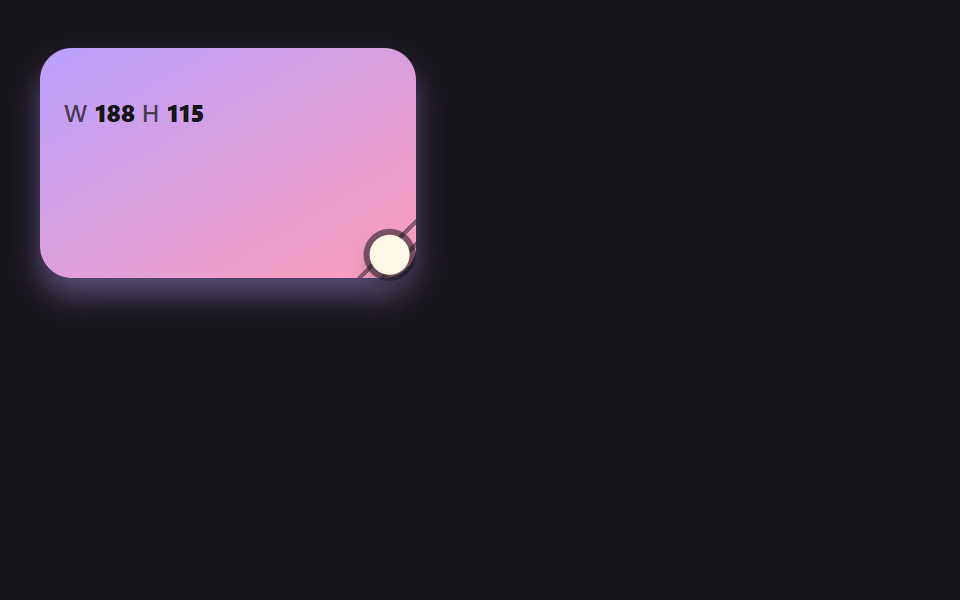 dragcss resize handle 9가지 — 모서리를 끌면 상자가 손에 붙어 따라온다
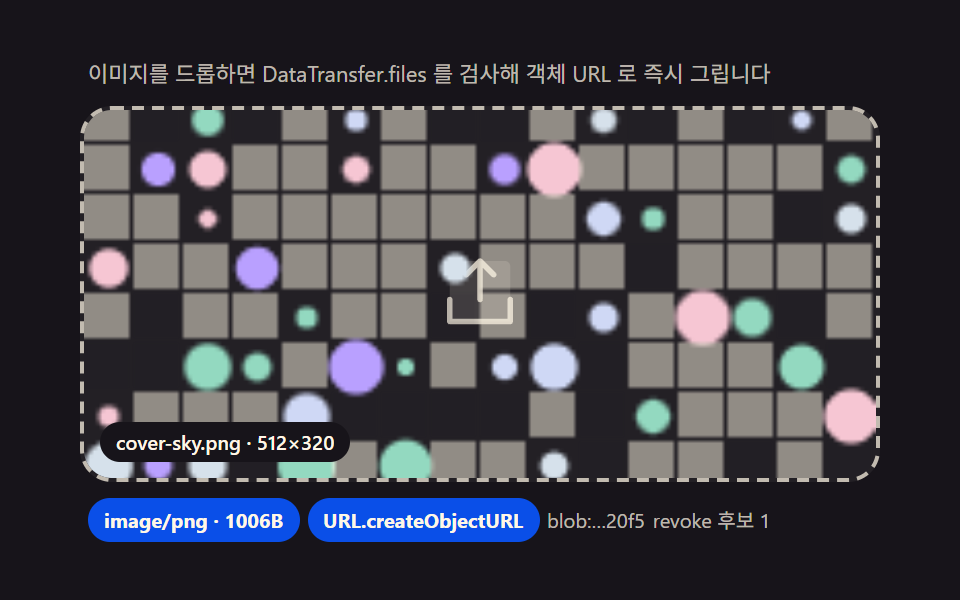 drag드래그 앤 드롭 파일 업로드 UI — 드롭존 9종, 파일 데이터 계산을 얹다
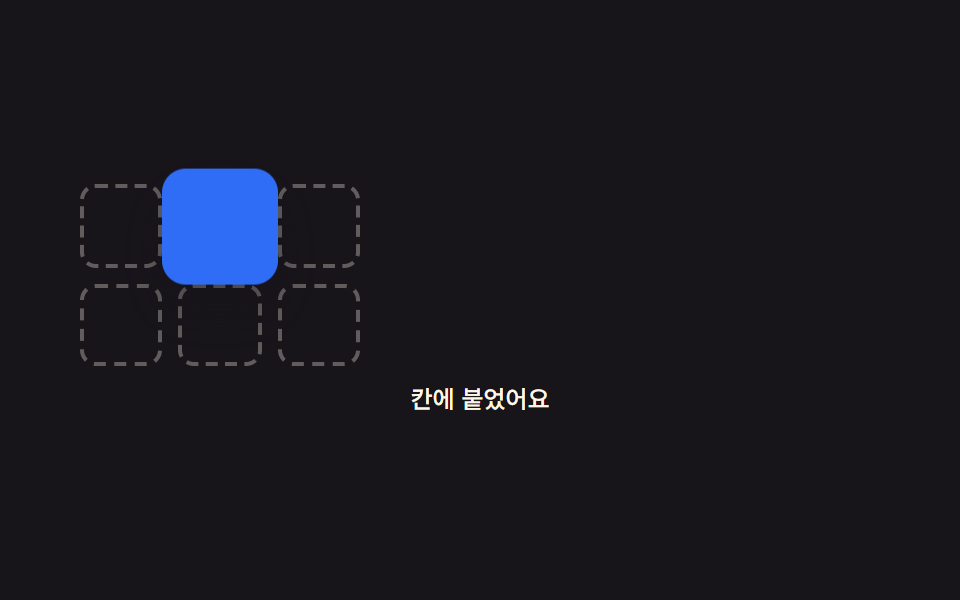 drag드래그 앤 드롭 구현 9가지 — 손 뗀 뒤 속도까지 잇는 계산
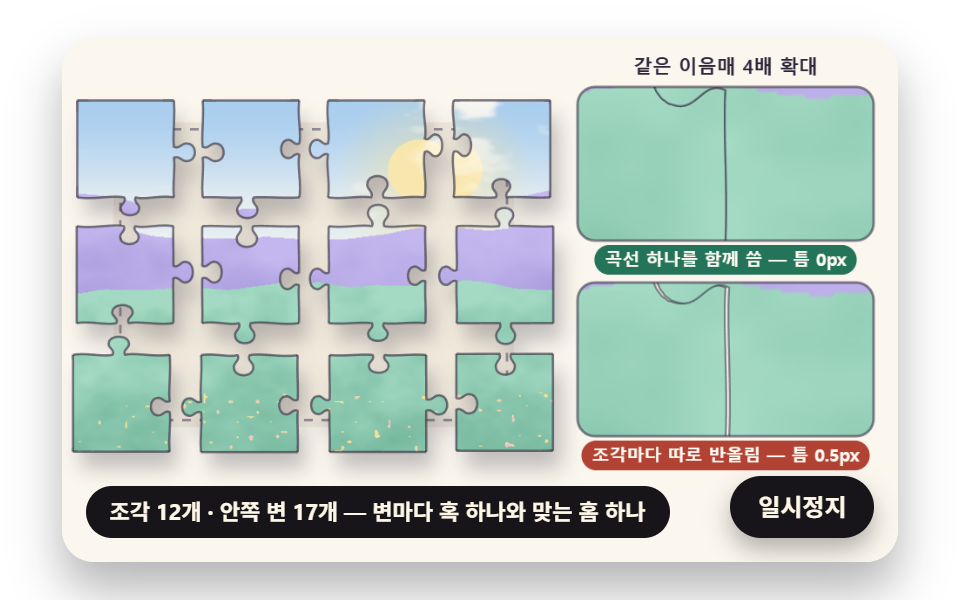 drag온라인 직소 퍼즐 만들기 9종 — 곡선 조각과 자석 맞물림을 계산으로
 목록·표 UI스와이프 삭제 리스트 UI 9가지 — 페이지네이션까지
 목록·표 UI아코디언 리스트 UI 9가지 — 체크리스트까지
 목록·표 UI데이터 테이블 UI 9종 — 열을 끌어 넓히고 셀을 골라 복사하는 표
 선택 UI시간 선택 ui 9종 — 시각 하나가 아니라 구간까지
 로그인·인증 UI계정 보안 설정 UI 9종 — 로그인한 뒤의 화면
 로그인·인증 UI아바타 UI 9종 — 사진 파일 없이 만드는 사용자 표시