드래그 앤 드롭 파일 업로드 UI — 드롭존 9종, 파일 데이터 계산을 얹다
놓인 파일의 종류·크기·개수를 데이터로 계산해 미리보기를 그리고, 이미지는 픽셀을 읽어 썸네일을 만들고, 거부된 파일은 이유와 함께 되돌리는 드롭존 9종 — 서버 없이 전부 브라우저에서, 코드는 비밀번호 zip으로 드립니다.
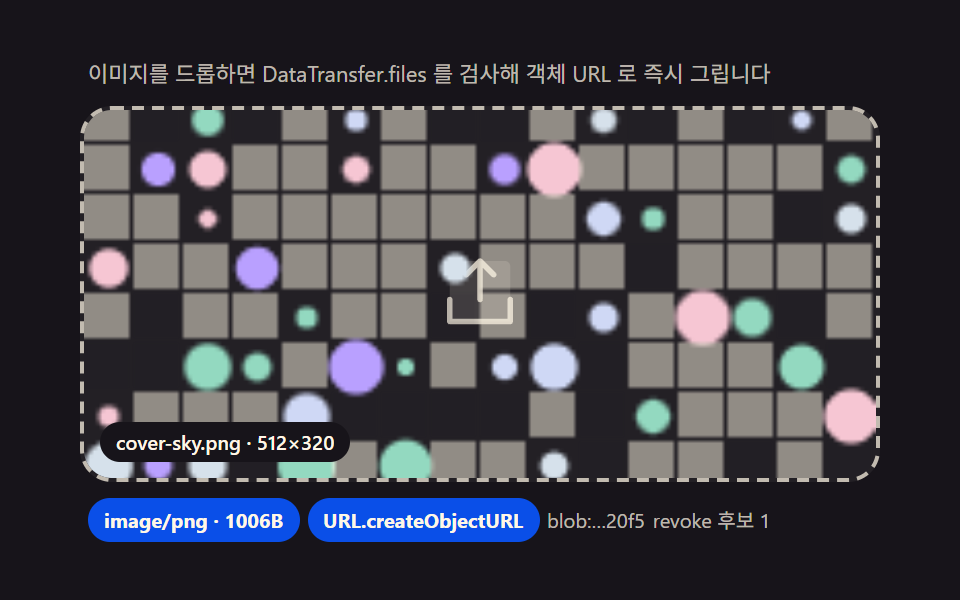 01 drop-image
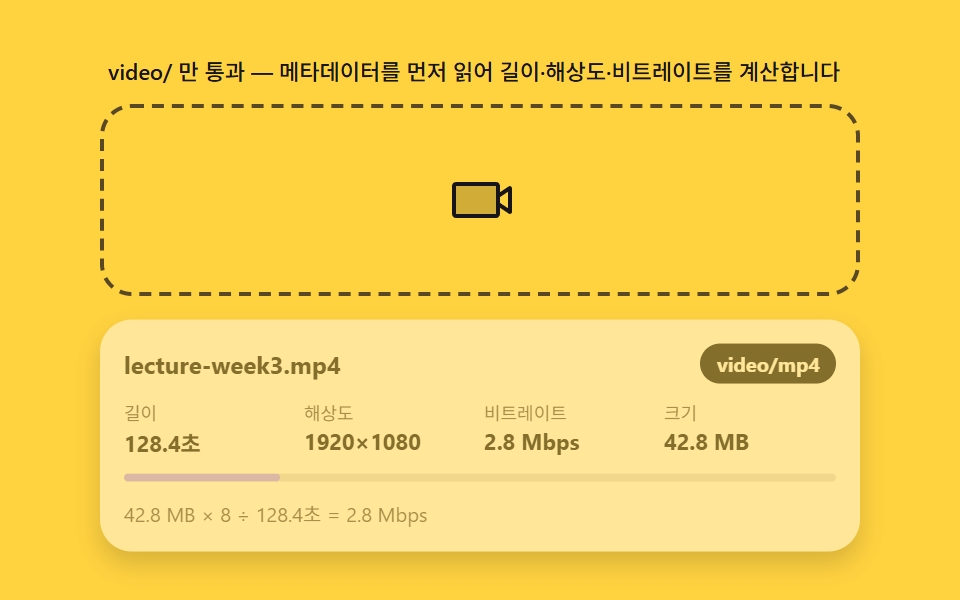 02 drop-video
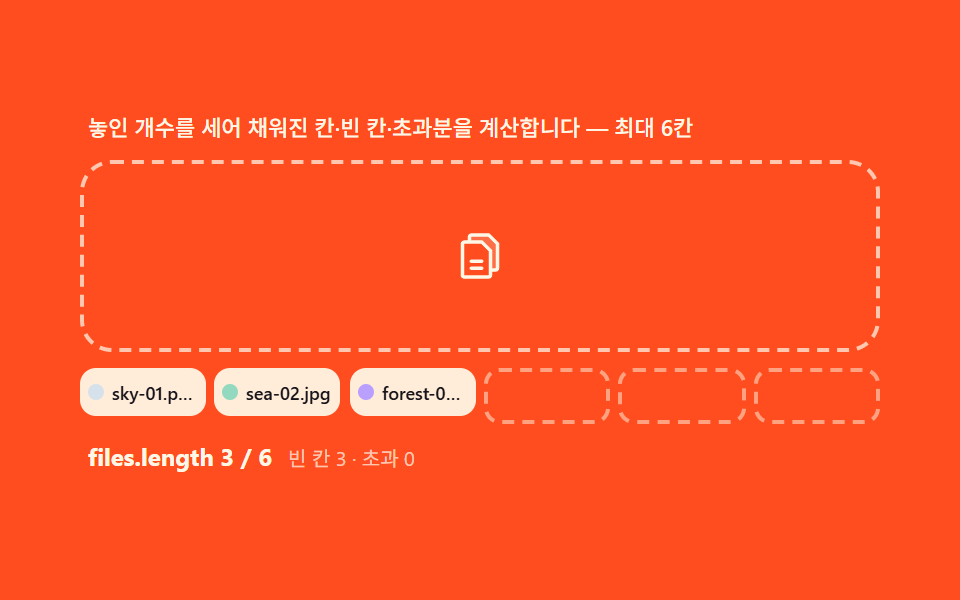 03 drop-multi-file
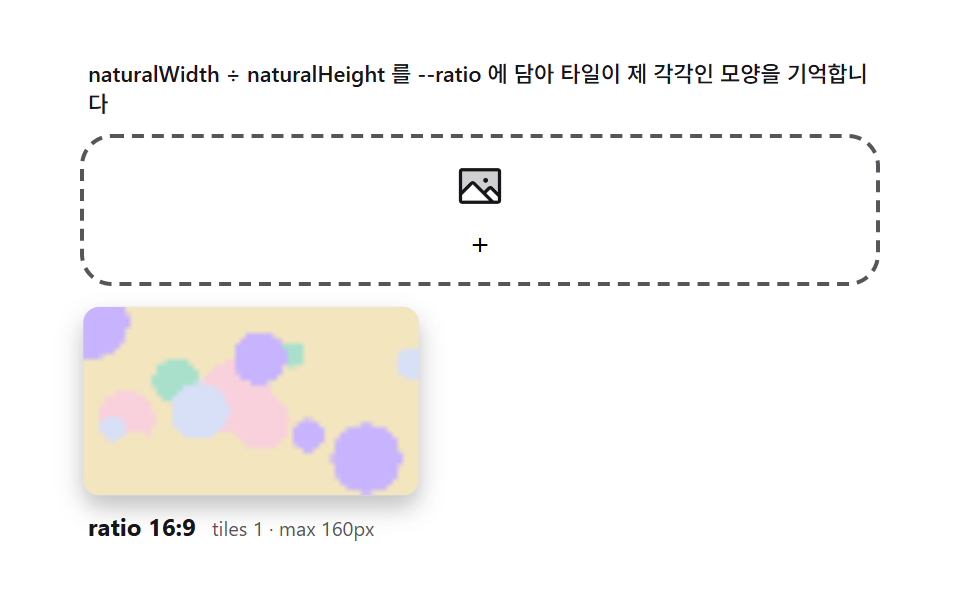 04 drop-preview-grid
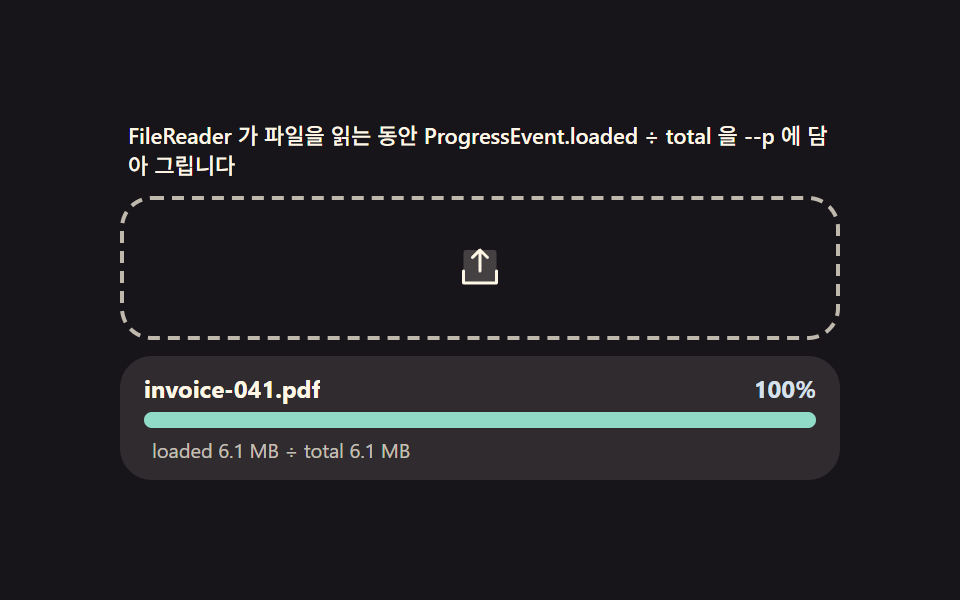 05 drop-progress
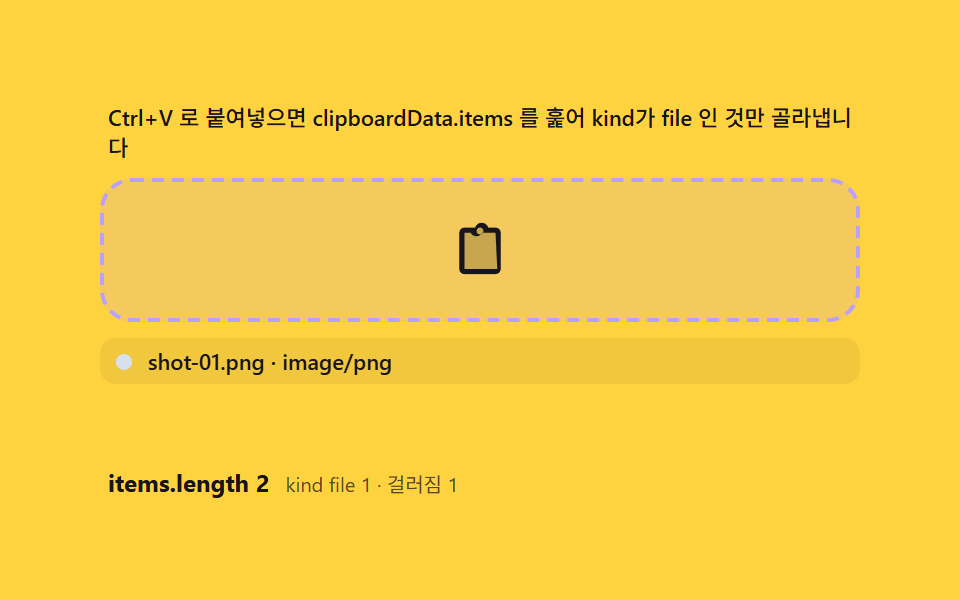 06 drop-paste-clipboard
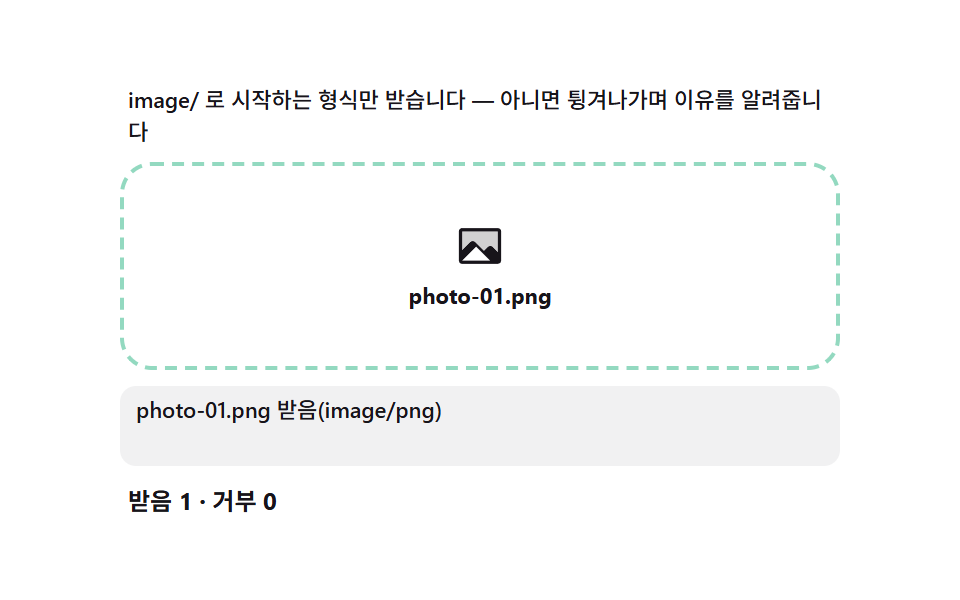 07 drop-reject-type
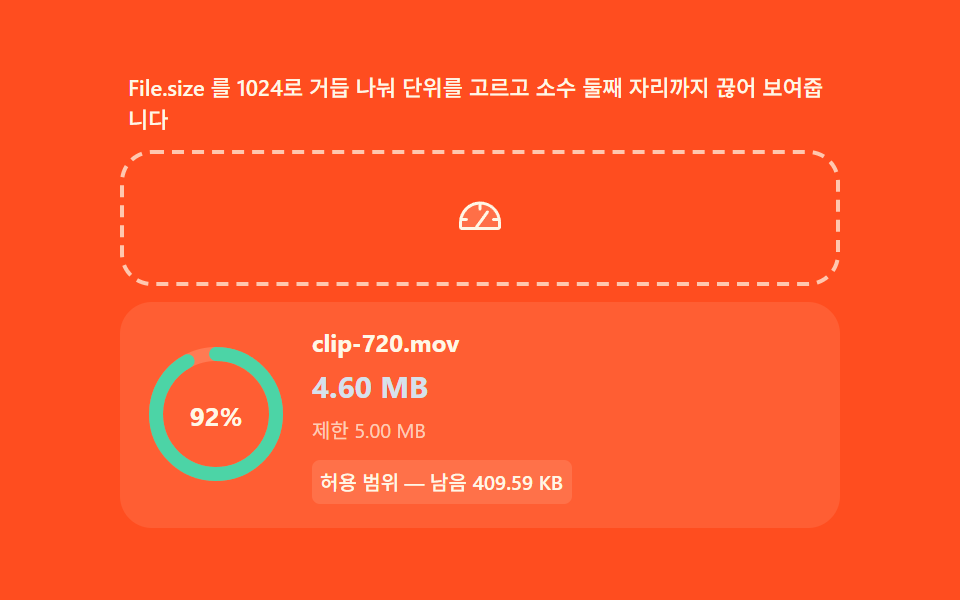 08 drop-size-limit
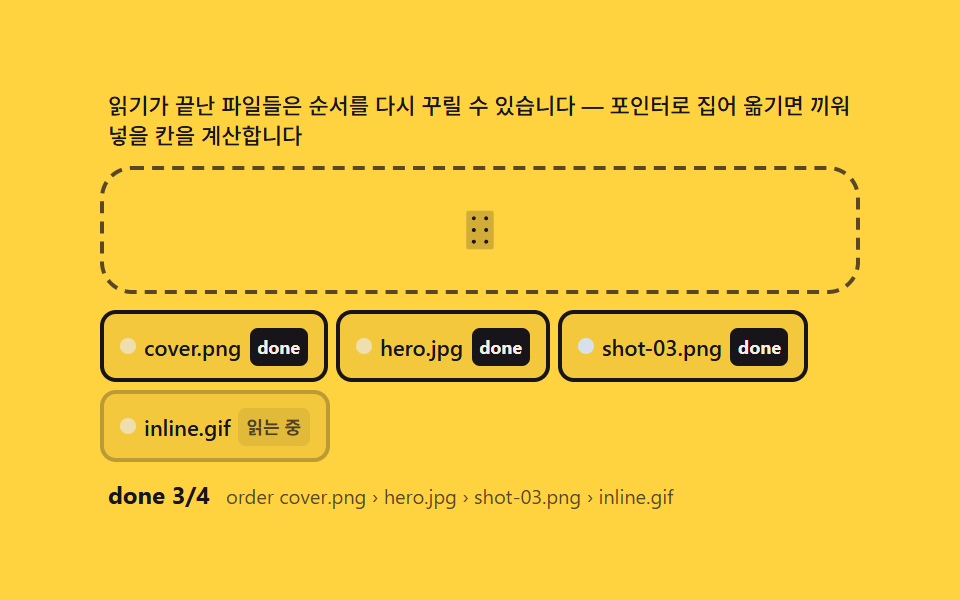 09 drop-reorder-after-upload
자동 재생 · 눌러서 해당 항목으로 · 전부 한 zip
- 01 이미지 드롭 — 놓인 순간 객체 URL로 그리는 즉시 미리보기
- 02 영상 드롭 — 메타데이터를 읽어 길이·해상도를 먼저 계산하는 판
- 03 다중 파일 — 개수를 세고 최대 칸 수와 나머지를 계산하는 그룹
- 04 미리보기 그리드 — 종횡비를 읽어 빈칸 없이 채우는 배치 계산
- 05 읽기 진행 바 — 놓은 파일을 브라우저가 읽는 속도를 그대로 재는 막대
- 06 붙여넣기 입구 — 클립보드의 파일을 드롭과 같은 길로 합치는 계산
- 07 종류 거부 — MIME 접두사 매칭으로 이유를 계산해 되돌리는 문
- 08 용량 계산 — 바이트를 사람 단위로 환산하고 한도와 비교하는 표시
- 09 업로드 뒤 재정렬 — 완료된 칩을 손으로 다시 배열하는 마무리
데모
아홉 드롭존은 전부 같은 입구에서 시작합니다 — 브라우저가 주는 drop 이벤트의 DataTransfer.files 에서 File 객체를 꺼내고, 그 객체가 이미 스스로 가진 데이터(type·size·name)로 화면을 계산합니다. 사람이 드롭존에 파일을 직접 올리면 시연 화면과 같은 파이프라인이 그대로 돌아가고, 올리지 않을 때는 정해진 시나리오(3장 묶음 드롭, PDF 거부, 18.4MB 읽기)가 반복 재생됩니다. 측정은 480×300 무대에서 프레임 23장 기준으로 했고, 시나리오 사이에 다음 드롭을 기다리는 정지 구간이 있는 항목은 움직인 프레임 수가 자연스럽게 적게 나옵니다 — 실행할 때마다 rAF 타이밍에 따라 한두 프레임씩 흔들리는 값도 같은 이유입니다.
실측 한눈에
| 항목 | 초점 | 누적면적(%) | 강도평균 | 움직인프레임(23 기준) |
|---|---|---|---|---|
| 01 이미지 드롭 | File.type 접두사 판정 후 객체 URL 발급 | 45.397 | 48.3 | 11 |
| 02 영상 드롭 | loadedmetadata 에서 길이·해상도·비트레이트 계산 | 34.735 | 48.8 | 8 |
| 03 다중 파일 | length 에서 채움 칸·빈 칸·초과분 유도 | 18.115 | 93.3 | 7 |
| 04 미리보기 그리드 | 종횡비를 --ratio 변수에 담아 타일 배치 | 26.197 | 39.9 | 7 |
| 05 읽기 진행 바 | loaded ÷ total 비율을 --p 로 그리기 | 2.928 | 108.5 | 18 |
| 06 붙여넣기 입구 | clipboardData.items 에서 kind file 만 골라 합류 | 30.958 | 34.5 | 6 |
| 07 종류 거부 | MIME 접두사 매칭으로 거부 사유 계산 | 4.949 | 72.6 | 10 |
| 08 용량 계산 | 1024 나눗셈으로 단위 정하고 한도와 비교 | 3.258 | 43.3 | 8 |
| 09 업로드 뒤 재정렬 | 칩 중점과 포인터 비교로 삽입 인덱스 역산 | 10.101 | 137.5 | 10 |
정지 구간이 있는 항목은 결함이 아니다
05 는 누적면적이 2.9% 로 아홉 개 중 가장 작은데, 진행 바라는 움직이는 면적이 원래 한 줄뿐인 대신 움직인 프레임은 18 로 가장 많습니다 — 매 프레임 숫자와 막대가 함께 움직이는 유일한 항목입니다. 07·08 은 판정·계산이 끝난 뒤 결과가 멈춰 있는 시간이 길어 각각 10·8 프레임이고, 06 은 붙여넣기 시나리오 사이 800ms 의 대기가 있어 6 프레임입니다. 강도평균은 09 가 137.5 로 가장 세고 06 이 34.5 로 가장 낮지만, 어느 항목에도 화면이 죽어 보이는 구간은 없습니다.
드롭존의 해부 — dragover·drop 과 DataTransfer.files, 그리고 preventDefault
드롭존의 최소 형태는 이벤트 두 개와 메서드 하나입니다. 영역 위에 dragover 와 drop 리스너를 걸고 둘 다 preventDefault() 를 부르면, 브라우저는 그 영역을 "놓아도 되는 곳"으로 인정하고 기본 동작(파일을 브라우저 탭으로 열어버리는 것)을 취소합니다. dragover 에서 preventDefault 를 빼먹으면 drop 이벤트 자체가 발생하지 않으므로, 이 한 줄이 드롭존의 자격증입니다.
drop 에서 File 꺼내기
drop 이벤트 객체의 e.dataTransfer.files 는 드롭된 파일 전부를 담은 FileList 입니다. 각 항목은 File 객체로, name(파일명)·type(MIME)·size(바이트)를 이미 가지고 있어 서버 왕복 없이 즉시 읽을 수 있습니다. 아홉 드롭존은 이 세 값을 어떤 UI 로 바꾸는지만 다릅니다 — 01·02 는 type 을, 03 은 개수를, 05·08 은 size 를 계산 축으로 씁니다.
하이라이트는 dragenter·dragleave 카운터로
영역 테두리가 밝아지는 하이라이트는 dragover 로 켜고 dragleave 로 끄는 클래스 하나로 만듭니다. 자식 요소 위를 지날 때 dragleave 가 반복해서 발생하는 성질은 이전 편이 이미 정리했으므로 여기서는 다루지 않습니다 — 이 아홉 개는 전부 클래스 on/off 한 쌍으로 충분한 구조입니다.
시연 파일은 new File 로 진짜 객체를 만든다
화면이 계속 살아 있으려면 사람이 파일을 올리지 않을 때도 드롭이 일어나야 하는데, 이 데모의 자동 시연은 new File([Blob], 이름, {type}) 로 실제 File 객체를 만들어 같은 intake() 로 넘깁니다. 가상 파일이지만 name·type·size 는 진짜이므로, 판정·환산·거부 계산이 사람 파일과 다른 코드를 타지 않습니다. 어떤 항목도 서버로 무언가를 보내지 않습니다 — 전부 브라우저 안에서 벌어지는 일입니다.
아홉 드롭존 단계별 코드
01이미지 드롭 — 놓인 순간 객체 URL로 그리는 즉시 미리보기
프로필 사진 등록이나 커버 이미지 선택처럼 한 장을 받는 자리에 쓰는 형태입니다. drop 이벤트의 DataTransfer.files 에서 File 을 꺼내 File.type 이 image/ 접두사인지 검사하고, 통과하면 URL.createObjectURL 로 브라우저 메모리 안에서만 접근 가능한 주소를 만들어 화면에 그립니다.
indexOf 로 접두사를 보고 revokeObjectURL 로 메모리를 되돌린다
function intake(files) {
    var f = files && files[0];
    if (!f) return;
    var ok = f.type && f.type.indexOf('image/') === 0;   // File.type 접두사 판정
    if (!ok) return;
    if (cur >= 0) { try { URL.revokeObjectURL(objUrls[cur]); } catch (e) {} }
    cur = (cur + 1) % PALETTES.length;
    drawPattern(PALETTES[cur]);
    var u = URL.createObjectURL(f);
    objUrls.push(u);
    chip.textContent = f.type + ' · ' + f.size + 'B';
    urlEl.textContent = 'blob:...' + u.slice(-4);
    revEl.textContent = 'revoke 후보 ' + objUrls.length;
    fileLabel.textContent = PALETTES[cur].name + ' · ' + PALETTES[cur].w + '×' + PALETTES[cur].h;
    frame.classList.add('is-in');
    scale = .82; scaleV = 0;   // 스케일 스프링(계산)
}
<main class="stage">
<div class="dz" id="dz">
  <p class="dz__hint" id="dzHint">이미지를 드롭하면 DataTransfer.files 를 검사해 객체 URL 로 즉시 그립니다</p>
  <div class="dz__zone" id="dzZone" role="button" tabindex="0" aria-describedby="dzHint" aria-label="이미지 드롭존">
    <input type="file" id="dzInput" accept="image/*" class="dz__file" aria-label="파일 선택">
    <svg class="dz__ic dz__ic--up" viewBox="0 0 256 256" aria-hidden="true"><g fill="currentColor"><path d="M216 48v160H40V48a16 16 0 0 1 16-16h144a16 16 0 0 1 16 16" opacity=".2"/><path d="M224 144v64a8 8 0 0 1-8 8H40a8 8 0 0 1-8-8v-64a8 8 0 0 1 16 0v56h160v-56a8 8 0 0 1 16 0M93.66 77.66L120 51.31V144a8 8 0 0 0 16 0V51.31l26.34 26.35a8 8 0 0 0 11.32-11.32l-40-40a8 8 0 0 0-11.32 0l-40 40a8 8 0 0 0 11.32 11.32"/></g></svg>
    <div class="dz__frame" id="dzFrame" aria-hidden="true">
      <canvas class="dz__cv" id="dzCv" width="192" height="120"></canvas>
    </div>
    <p class="dz__file-label" id="dzFileLabel">cover-sky.png · 512×320</p>
  </div>
  <div class="dz__meta">
    <span class="dz__chip" id="dzChip">image/png</span>
    <span class="dz__chip" id="dzChip2">URL.createObjectURL</span>
    <span class="dz__unit" id="dzUrl">blob:…37f2</span>
    <span class="dz__unit" id="dzRevoked">revoke 후보 0</span>
  </div>
</div>
</main>
@use "../../../../site/static/demo-tokens" as *;
$duration: 240ms; // 놓인 순간 정착(스케일 스프링은 rAF 계산, 이 값은 프레임 하이라이트용)
$easing: $ease-spring;
$color: $subject-blue-deep;
// 파스텔 강조(도구/파스텔.py to_pastel 결과: 채도 .34 · 명도 +.11)
$p-sky: #d6e1eb;
$p-creamline: #f6eede;
@include stage($stage-ink);
.dz {
width: 100%;
max-width: 400px;
display: flex;
flex-direction: column;
gap: $sp-2;
}
.dz__hint {
margin: 0;
padding: 0 $sp-1;
font-weight: 400;
font-size: 11px;
line-height: 1.4;
color: rgba($subject-cream, .72);
}
.dz__zone {
position: relative;
display: grid;
place-items: center;
min-height: 160px;
padding: $sp-3;
border: 2px dashed rgba($subject-cream, .72);
border-radius: $r-card;
background: rgba($subject-cream, .05);
cursor: pointer;
overflow: hidden;
transition: border-color $dur-quick $ease-out, background $dur-quick $ease-out;
}
.dz__zone.is-over {
border-color: $p-sky;
background: rgba(159, 201, 236, .12);
}
.dz__file {
position: absolute;
inset: 0;
width: 100%;
height: 100%;
opacity: 0;
cursor: pointer;
}
.dz__ic {
width: 44px;
height: 44px;
color: rgba($subject-cream, .72);
transition: transform $duration $easing, color $dur-quick $ease-out;
}
.dz__zone.is-over .dz__ic {
transform: translateY(-6px);
color: $p-sky;
}
.dz__frame {
position: absolute;
inset: 0;
display: none;
transform: scale(1);
transform-origin: 50% 100%;
}
.dz__frame.is-in {
display: block;
}
.dz__cv {
display: block;
width: 100%;
height: 100%;
object-fit: cover;
}
.dz__file-label {
position: absolute;
left: $sp-2;
bottom: $sp-2;
margin: 0;
padding: $sp-1 $sp-2;
border-radius: $r-pill;
background: $subject-ink;
color: $subject-cream;
font-weight: 500;
font-size: 10px;
line-height: 1.2;
}
.dz__meta {
display: flex;
flex-wrap: wrap;
align-items: center;
gap: $sp-1;
padding: 0 $sp-1;
}
.dz__chip {
padding: $sp-1 $sp-2;
border-radius: $r-pill;
background: $color;
color: $subject-cream;
font-weight: 700;
font-size: 10px;
}
.dz__unit {
font-weight: 400;
font-size: 10px;
color: rgba($subject-cream, .72);
}
@media (max-width: 340px) {
.dz { max-width: 280px; gap: $sp-1; }
.dz__hint { font-size: 9px; line-height: 1.25; }
.dz__zone { min-height: 56px; padding: $sp-2; }
.dz__ic { width: 24px; height: 24px; }
.dz__meta { gap: $sp-1; }
.dz__chip { padding: $sp-1; font-size: 9px; }
.dz__unit { font-size: 9px; }
}
@media (prefers-reduced-motion: reduce) {
.dz__ic { transition: none; }
.dz__zone.is-over .dz__ic { transform: none; }
.dz__zone { transition: none; }
}html, body {
margin: 0;
overflow: hidden;
}
.stage {
box-sizing: border-box;
min-height: 100vh;
display: grid;
place-items: center;
margin: 0;
background: #17141a;
font-family: -apple-system, "Segoe UI", "Noto Sans KR", sans-serif;
padding: clamp(8px, 4vw, 24px);
}
.dz {
width: 100%;
max-width: 400px;
display: flex;
flex-direction: column;
gap: 8px;
}
.dz__hint {
margin: 0;
padding: 0 4px;
font-weight: 400;
font-size: 11px;
line-height: 1.4;
color: rgba(255, 247, 230, 0.72);
}
.dz__zone {
position: relative;
display: grid;
place-items: center;
min-height: 160px;
padding: 12px;
border: 2px dashed rgba(255, 247, 230, 0.72);
border-radius: 16px;
background: rgba(255, 247, 230, 0.05);
cursor: pointer;
overflow: hidden;
transition: border-color 220ms ease-out, background 220ms ease-out;
}
.dz__zone.is-over {
border-color: #d6e1eb;
background: rgba(159, 201, 236, 0.12);
}
.dz__file {
position: absolute;
inset: 0;
width: 100%;
height: 100%;
opacity: 0;
cursor: pointer;
}
.dz__ic {
width: 44px;
height: 44px;
color: rgba(255, 247, 230, 0.72);
transition: transform 240ms cubic-bezier(0.2, 0.8, 0.2, 1), color 220ms ease-out;
}
.dz__zone.is-over .dz__ic {
transform: translateY(-6px);
color: #d6e1eb;
}
.dz__frame {
position: absolute;
inset: 0;
display: none;
transform: scale(1);
transform-origin: 50% 100%;
}
.dz__frame.is-in {
display: block;
}
.dz__cv {
display: block;
width: 100%;
height: 100%;
object-fit: cover;
}
.dz__file-label {
position: absolute;
left: 8px;
bottom: 8px;
margin: 0;
padding: 4px 8px;
border-radius: 999px;
background: #17141a;
color: #fff7e6;
font-weight: 500;
font-size: 10px;
line-height: 1.2;
}
.dz__meta {
display: flex;
flex-wrap: wrap;
align-items: center;
gap: 4px;
padding: 0 4px;
}
.dz__chip {
padding: 4px 8px;
border-radius: 999px;
background: #0a4fe8;
color: #fff7e6;
font-weight: 700;
font-size: 10px;
}
.dz__unit {
font-weight: 400;
font-size: 10px;
color: rgba(255, 247, 230, 0.72);
}
@media (max-width: 340px) {
.dz {
max-width: 280px;
gap: 4px;
}
.dz__hint {
font-size: 9px;
line-height: 1.25;
}
.dz__zone {
min-height: 56px;
padding: 8px;
}
.dz__ic {
width: 24px;
height: 24px;
}
.dz__meta {
gap: 4px;
}
.dz__chip {
padding: 4px;
font-size: 9px;
}
.dz__unit {
font-size: 9px;
}
}
@media (prefers-reduced-motion: reduce) {
.dz__ic {
transition: none;
}
.dz__zone.is-over .dz__ic {
transform: none;
}
.dz__zone {
transition: none;
}
}// 이미지 드롭(01) — drop 이벤트의 DataTransfer.files 에서 File 을 꺼내 File.type 이 image/ 접두사인지
// startsWith 로 검사하고, 통과하면 URL.createObjectURL 로 브라우저 메모리 안에서만 접근 가능한 주소를
// 만들어 캔버스에 그린다. 서버 전송은 전혀 없고(시뮬레이션만), 미리보기를 치울 때는 revokeObjectURL 로
// 메모리를 되돌린다. 시드 고정 캔버스 패턴으로 "가상 이미지 파일"을 Blob 으로 만들어 File 처럼 다룬다.
(function () {
var zone = document.getElementById('dzZone');
var frame = document.getElementById('dzFrame');
var cv = document.getElementById('dzCv');
var fileLabel = document.getElementById('dzFileLabel');
var chip = document.getElementById('dzChip');
var urlEl = document.getElementById('dzUrl');
var revEl = document.getElementById('dzRevoked');
if (!zone || !frame || !cv || !fileLabel || !chip || !urlEl || !revEl) return;
var ctx = cv.getContext('2d');
if (!ctx) return;
var reduce = window.matchMedia('(prefers-reduced-motion: reduce)').matches;
// 시드 고정 난수(mulberry32) — 같은 시드는 같은 그림. Math.random 금지.
function mulberry32(a) {
return function () {
a |= 0; a = a + 0x6D2B79F5 | 0;
var t = Math.imul(a ^ a >>> 15, 1 | a);
t = t + Math.imul(t ^ t >>> 7, 61 | t) ^ t;
return ((t ^ t >>> 14) >>> 0) / 4294967296;
};
}
var PALETTES = [
{ name: 'cover-sky.png', w: 512, h: 320, type: 'image/png', seed: 37, hex: '#d6e1eb' },
{ name: 'profile-mint.png', w: 256, h: 256, type: 'image/png', seed: 61, hex: '#93d9c0' },
{ name: 'poster-lilac.jpg', w: 640, h: 400, type: 'image/jpeg', seed: 89, hex: '#b9a0ff' }
];
var DROP_MS = 240; // 놓인 순간 스케일 정착 시간 — 변형 아님(기본값), 시간 표기와 일치
var HEXES = ['#d6e1eb', '#93d9c0', '#b9a0ff', '#f6c6d3', '#cfd8f5'];
// 가상 이미지 파일 — 시드 패턴을 캔버스로 그려 Blob(File) 로 만든다 (외부 이미지 0)
function drawPattern(p) {
var rnd = mulberry32(p.seed);
ctx.clearRect(0, 0, cv.width, cv.height);
var cell = 12;
for (var y = 0; y < cv.height; y += cell) {
for (var x = 0; x < cv.width; x += cell) {
var v = rnd();
if (v > .72) {
ctx.fillStyle = HEXES[Math.floor(rnd() * HEXES.length)];
ctx.beginPath();
var r = 2 + rnd() * (cell / 2 - 1);
ctx.arc(x + cell / 2, y + cell / 2, r, 0, Math.PI * 2);
ctx.fill();
} else {
ctx.fillStyle = v > .5 ? 'rgba(23,20,26,.06)' : 'rgba(255,247,230,.5)';
ctx.fillRect(x, y, cell - 1, cell - 1);
}
}
}
}
var cur = -1;
var objUrls = []; // createObjectURL 발급 이력 — revoke 시뮬레이션 카운터
var scale = 1, scaleV = 0;
// File 시뮬레이션 — new File(Blob) 로 실제 File 객체를 만들어 type/size 를 진짜로 읽게 한다
function virtualFile(p, cb) {
try {
cv.toBlob(function (b) {
var f = new File([b], p.name, { type: p.type });
cb(f);
}, p.type.split('/')[1] === 'jpeg' ? 'image/jpeg' : 'image/png');
} catch (e) { cb(null); }
}
// drop 처리 — DataTransfer.files 경로와 같은 검사·URL 발급을 탄다
function intake(files) {
var f = files && files[0];
if (!f) return;
var ok = f.type && f.type.indexOf('image/') === 0; // File.type 접두사 판정
if (!ok) return;
if (cur >= 0) { try { URL.revokeObjectURL(objUrls[cur]); } catch (e) {} }
cur = (cur + 1) % PALETTES.length;
drawPattern(PALETTES[cur]);
var u = URL.createObjectURL(f);
objUrls.push(u);
chip.textContent = f.type + ' · ' + f.size + 'B';
urlEl.textContent = 'blob:…' + u.slice(-4);
revEl.textContent = 'revoke 후보 ' + objUrls.length;
fileLabel.textContent = PALETTES[cur].name + ' · ' + PALETTES[cur].w + '×' + PALETTES[cur].h;
frame.classList.add('is-in');
scale = .82; scaleV = 0; // 스케일 스프링(계산)
}
// 실제 드롭 — 사람이 파일을 올리면 같은 파이프라인
zone.addEventListener('dragover', function (e) { e.preventDefault(); zone.classList.add('is-over'); });
zone.addEventListener('dragleave', function () { zone.classList.remove('is-over'); });
zone.addEventListener('drop', function (e) {
e.preventDefault(); zone.classList.remove('is-over');
if (e.dataTransfer && e.dataTransfer.files) intake(e.dataTransfer.files);
});
var input = document.getElementById('dzInput');
if (input) input.addEventListener('change', function () {
if (input.files) intake(input.files);
input.value = '';
});
// 자동 시연 — 2.4초마다 가상 파일을 "드롭". 화면이 계속 살아 있다.
var nextAt = 0;
if (reduce) {
drawPattern(PALETTES[0]);
frame.classList.add('is-in');
cur = 0;
virtualFile(PALETTES[0], function () {});
} else {
(function loop(now) {
if (now >= nextAt) {
nextAt = now + 2400;
virtualFile(PALETTES[(cur + 1) % PALETTES.length], function (f) { if (f) intake([f]); });
}
// 스케일 스프링 — k=0.09 감쇠 lerp (계산 곡선)
if (frame.classList.contains('is-in')) {
scaleV += (1 - scale) * 0.09; scaleV *= 0.78;
scale += scaleV;
frame.style.transform = 'scale(' + scale.toFixed(4) + ')';
}
requestAnimationFrame(loop);
})(0);
}
})();// DropImage — vanilla 판(run/337/demo/01-drop-image/index.html) 의 React 포트.
// drop 이벤트의 DataTransfer.files 에서 File 을 꺼내 File.type 이 image/ 접두사인지 검사하고,
// 통과하면 URL.createObjectURL 로 브라우저 메모리 안 주소를 만들어 캔버스에 그린다. 미리보기를
// 치울 때는 revokeObjectURL 로 메모리를 되돌린다. 시드 고정(mulberry32) 캔버스 패턴으로 가상
// 이미지 파일을 Blob(File) 로 만들어 실제 File 객체처럼 다룬다 — Math.random 은 쓰지 않는다.
import { useEffect, useRef } from "react";
import styles from "./DropImage.module.scss";
export type DropImageProps = {
duration?: string;
easing?: string;
color?: string;
};
type Box<T> = { current: T };
const HINT = "이미지를 드롭하면 DataTransfer.files 를 검사해 객체 URL 로 즉시 그립니다";
const ARIA_LABEL = "이미지 드롭존";
// 시드 고정 난수(mulberry32) — 같은 시드는 같은 그림
function mulberry32(a: number): () => number {
return function (): number {
a |= 0; a = a + 0x6d2b79f5 | 0;
let t = Math.imul(a ^ a >>> 15, 1 | a);
t = t + Math.imul(t ^ t >>> 7, 61 | t) ^ t;
return ((t ^ t >>> 14) >>> 0) / 4294967296;
};
}
type Palette = { name: string; w: number; h: number; type: string; seed: number };
const PALETTES: Palette[] = [
{ name: "cover-sky.png", w: 512, h: 320, type: "image/png", seed: 37 },
{ name: "profile-mint.png", w: 256, h: 256, type: "image/png", seed: 61 },
{ name: "poster-lilac.jpg", w: 640, h: 400, type: "image/jpeg", seed: 89 }
];
const DROP_MS = 240; // 놓인 순간 스케일 정착 시간 — 프레임 하이라이트용(스프링은 rAF 계산)
const HEXES = ["#9fc9ec", "#93d9c0", "#b9a0ff", "#f6c6d3", "#cfd8f5"];
export default function DropImage({
duration = "240ms",
easing = "cubic-bezier(.2,.8,.2,1)",
color = "#0a4fe8"
}: DropImageProps) {
const zoneRef = useRef<HTMLDivElement | null>(null);
const inputRef = useRef<HTMLInputElement | null>(null);
const frameRef = useRef<HTMLDivElement | null>(null);
const cvRef = useRef<HTMLCanvasElement | null>(null);
const labelRef = useRef<HTMLSpanElement | null>(null);
const chipRef = useRef<HTMLSpanElement | null>(null);
const urlRef = useRef<HTMLSpanElement | null>(null);
const revRef = useRef<HTMLSpanElement | null>(null);
const rafRef = useRef(0) as Box<number>;
useEffect(() => {
const zone = zoneRef.current;
const input = inputRef.current;
const frame = frameRef.current;
const cv = cvRef.current;
const labelEl = labelRef.current;
const chipEl = chipRef.current;
const urlEl = urlRef.current;
const revEl = revRef.current;
if (!zone || !input || !frame || !cv || !labelEl || !chipEl || !urlEl || !revEl) return;
const ctx = cv.getContext("2d");
if (!ctx) return;
const reduce = window.matchMedia("(prefers-reduced-motion: reduce)").matches;
// 시드 패턴 — 셀마다 rnd() 를 소모해 같은 시드가 같은 그림을 보장
function drawPattern(p: Palette): void {
const rnd = mulberry32(p.seed);
ctx!.clearRect(0, 0, cv!.width, cv!.height);
const cell = 12;
for (let y = 0; y < cv!.height; y += cell) {
for (let x = 0; x < cv!.width; x += cell) {
const v = rnd();
if (v > 0.72) {
ctx!.fillStyle = HEXES[Math.floor(rnd() * HEXES.length)];
ctx!.beginPath();
const r = 2 + rnd() * (cell / 2 - 1);
ctx!.arc(x + cell / 2, y + cell / 2, r, 0, Math.PI * 2);
ctx!.fill();
} else {
ctx!.fillStyle = v > 0.5 ? "rgba(23,20,26,.06)" : "rgba(255,247,230,.5)";
ctx!.fillRect(x, y, cell - 1, cell - 1);
}
}
}
}
let cur = -1;
const objUrls: string[] = []; // createObjectURL 발급 이력 — revoke 시뮬레이션 카운터
let scale = 1;
let scaleV = 0;
// File 시뮬레이션 — new File(Blob) 로 실제 File 객체를 만들어 type/size 를 진짜로 읽게 한다
function virtualFile(p: Palette, cb: (f: File | null) => void): void {
try {
cv!.toBlob(
(b: Blob | null) => {
if (!b) { cb(null); return; }
try { cb(new File([b], p.name, { type: p.type })); } catch (e) { cb(null); }
},
p.type.split("/")[1] === "jpeg" ? "image/jpeg" : "image/png"
);
} catch (e) { cb(null); }
}
// drop 처리 — DataTransfer.files 경로와 같은 검사·URL 발급을 탄다
function intake(files: FileList | File[] | null): void {
const f = files && files[0];
if (!f) return;
const ok = f.type && f.type.indexOf("image/") === 0; // File.type 접두사 판정
if (!ok) return;
if (cur >= 0) { try { URL.revokeObjectURL(objUrls[cur]); } catch (e) { /* 이미 회수됨 */ } }
cur = (cur + 1) % PALETTES.length;
drawPattern(PALETTES[cur]);
const u = URL.createObjectURL(f);
objUrls.push(u);
chipEl!.textContent = f.type + " · " + f.size + "B";
urlEl!.textContent = "blob:…" + u.slice(-4);
revEl!.textContent = "revoke 후보 " + objUrls.length;
labelEl!.textContent = PALETTES[cur].name + " · " + PALETTES[cur].w + "×" + PALETTES[cur].h;
frame!.classList.add(styles.frameIn);
scale = 0.82; scaleV = 0; // 스케일 스프링 초기값(계산)
}
function onOver(e: DragEvent): void {
if (!e.dataTransfer) return;
e.preventDefault();
zone!.classList.add(styles.zoneOver);
}
function onLeave(): void {
zone!.classList.remove(styles.zoneOver);
}
function onDrop(e: DragEvent): void {
e.preventDefault();
zone!.classList.remove(styles.zoneOver);
if (e.dataTransfer && e.dataTransfer.files) intake(e.dataTransfer.files);
}
function onChange(): void {
if (input!.files) intake(input!.files);
input!.value = "";
}
zone.addEventListener("dragover", onOver as EventListener);
zone.addEventListener("dragleave", onLeave);
zone.addEventListener("drop", onDrop as EventListener);
input.addEventListener("change", onChange);
// 자동 시연 — 2.4초마다 가상 파일을 "드롭". 스케일 스프링(k=0.09 감쇠 lerp)로 화면이 산다.
let nextAt = 0;
if (reduce) {
drawPattern(PALETTES[0]);
frame.classList.add(styles.frameIn);
cur = 0;
} else {
const step = (now: number): void => {
if (now >= nextAt) {
nextAt = now + 2400;
virtualFile(PALETTES[(cur + 1) % PALETTES.length], (f) => { if (f) intake([f]); });
}
if (frame!.classList.contains(styles.frameIn)) {
scaleV += (1 - scale) * 0.09;
scaleV *= 0.78;
scale += scaleV;
frame!.style.transform = "scale(" + scale.toFixed(4) + ")";
}
rafRef.current = requestAnimationFrame(step);
};
rafRef.current = requestAnimationFrame(step);
}
return () => {
cancelAnimationFrame(rafRef.current);
objUrls.forEach((u) => { try { URL.revokeObjectURL(u); } catch (e) { /* 회수 */ } });
zone.removeEventListener("dragover", onOver as EventListener);
zone.removeEventListener("dragleave", onLeave);
zone.removeEventListener("drop", onDrop as EventListener);
input.removeEventListener("change", onChange);
};
// eslint-disable-next-line react-hooks/exhaustive-deps
}, []);
return (
<main className={styles.stage}>
<div className={styles.dz}>
<p className={styles.hint} id="dzHintReact">{HINT}</p>
<div
className={styles.zone}
ref={zoneRef}
role="button"
tabIndex={0}
aria-describedby="dzHintReact"
aria-label={ARIA_LABEL}
>
<input
type="file"
accept="image/*"
className={styles.file}
ref={inputRef}
aria-label="파일 선택"
/>
<svg className={styles.ic} viewBox="0 0 256 256" aria-hidden="true">
<g fill="currentColor">
<path d="M216 48v160H40V48a16 16 0 0 1 16-16h144a16 16 0 0 1 16 16" opacity=".2" />
<path d="M224 144v64a8 8 0 0 1-8 8H40a8 8 0 0 1-8-8v-64a8 8 0 0 1 16 0v56h160v-56a8 8 0 0 1 16 0M93.66 77.66L120 51.31V144a8 8 0 0 0 16 0V51.31l26.34 26.35a8 8 0 0 0 11.32-11.32l-40-40a8 8 0 0 0-11.32 0l-40 40a8 8 0 0 0 11.32 11.32" />
</g>
</svg>
<div className={styles.frame} ref={frameRef} aria-hidden="true">
<canvas className={styles.cv} ref={cvRef} width={192} height={120} />
</div>
<span className={styles.fileLabel} ref={labelRef}>cover-sky.png · 512×320</span>
</div>
<p className={styles.meta}>
<span className={styles.chip} ref={chipRef} style={{ background: color }}>image/png</span>
<span className={styles.chip} style={{ background: color }}>URL.createObjectURL</span>
<span className={styles.unit} ref={urlRef}>blob:…37f2</span>
<span className={styles.unit} ref={revRef}>revoke 후보 0</span>
</p>
</div>
</main>
);
}01 · 이미지 드롭 — 놓인 순간 객체 URL로 그리는 즉시 미리보기 — 측정 누적면적 45.397% · 움직인 프레임 11/23GODRICH 원작 · zip 에 SCSS·React 포함 · 비밀번호 보기
02영상 드롭 — 메타데이터를 읽어 길이·해상도를 먼저 계산하는 판
강의 영상 첨부나 쇼츠 업로드 폼에서, 재생을 시작하기 전에 파일이 얼마나 긴지·어떤 해상도인지 먼저 보여주는 판입니다. video/ 로 통과한 파일을 객체 URL 로 video 요소에 걸고 loadedmetadata 이벤트에서 duration·videoWidth·videoHeight 와 size 를 읽어 비트레이트까지 계산합니다.
onloadedmetadata 에서 세 값을 읽고 비트레이트를 얹는다
function showReal(f) {
    var u = URL.createObjectURL(f);
    var probe = document.createElement('video');
    probe.muted = true;
    probe.onloadedmetadata = function () {
      paint(f.name, f.type, probe.duration, probe.videoWidth, probe.videoHeight, f.size);
      URL.revokeObjectURL(u);
    };
    probe.onerror = function () { URL.revokeObjectURL(u); };
    probe.src = u;
}

function paint(name, type, dur, w, h, size) {
    var mbps = (size * 8) / dur / 1000000;      // 비트레이트 = 비트 ÷ 초
    brEl.textContent = mbps.toFixed(1) + ' Mbps';
    sizeEl.textContent = human(size);
    calcEl.textContent = human(size) + ' × 8 ÷ ' + dur.toFixed(1) + '초 = ' + mbps.toFixed(1) + ' Mbps';
    durEl.textContent = dur.toFixed(1) + '초';
    resEl.textContent = w + '×' + h;
    panel.classList.add('is-in');
}
<main class="stage">
<div class="vd" id="vd">
  <p class="vd__hint" id="vdHint">video/ 만 통과 — 메타데이터를 먼저 읽어 길이·해상도·비트레이트를 계산합니다</p>
  <div class="vd__zone" id="vdZone" role="button" tabindex="0" aria-describedby="vdHint" aria-label="영상 드롭존">
    <input type="file" id="vdInput" accept="video/*" class="vd__file" aria-label="파일 선택">
    <svg class="vd__ic" viewBox="0 0 256 256" aria-hidden="true"><g fill="currentColor"><path d="M200 72v112a8 8 0 0 1-8 8H32a8 8 0 0 1-8-8V72a8 8 0 0 1 8-8h160a8 8 0 0 1 8 8" opacity=".2"/><path d="M251.77 73a8 8 0 0 0-8.21.39L208 97.05V72a16 16 0 0 0-16-16H32a16 16 0 0 0-16 16v112a16 16 0 0 0 16 16h160a16 16 0 0 0 16-16v-25l35.56 23.71A8 8 0 0 0 248 184a8 8 0 0 0 8-8V80a8 8 0 0 0-4.23-7M192 184H32V72h160zm48-22.95l-32-21.33v-23.44L240 95Z"/></g></svg>
  </div>
  <div class="vd__panel" id="vdPanel" aria-live="polite">
    <div class="vd__head">
      <b class="vd__name" id="vdName">lecture-week3.mp4</b>
      <span class="vd__chip" id="vdChip">video/mp4</span>
    </div>
    <dl class="vd__stats">
      <div class="vd__stat"><dt>길이</dt><dd id="vdDur">128.4초</dd></div>
      <div class="vd__stat"><dt>해상도</dt><dd id="vdRes">1920×1080</dd></div>
      <div class="vd__stat"><dt>비트레이트</dt><dd id="vdBr">2.8 Mbps</dd></div>
      <div class="vd__stat"><dt>크기</dt><dd id="vdSize">44.9 MB</dd></div>
    </dl>
    <div class="vd__scan" aria-hidden="true"><span class="vd__scanbar" id="vdScanbar"></span></div>
    <p class="vd__calc" id="vdCalc">44.9 MB × 8 ÷ 128.4초 = 2.8 Mbps</p>
  </div>
</div>
</main>
@use "../../../../site/static/demo-tokens" as *;
$duration: 600ms; // 메타데이터 스캔 하이라이트(SCAN_MS 와 일치)
$easing: $ease-out;
$color: $subject-ink; // 노랑 무대 — 글자는 잉크
// 파스텔 강조(채도 .34 · 명도 +.11)
$p-lilac: #b9a0ff;
$p-creamline: #f6eede;
@include stage($stage-yellow);
.vd {
width: 100%;
max-width: 380px;
display: flex;
flex-direction: column;
gap: $sp-2;
}
.vd__hint {
margin: 0;
padding: 0 $sp-1;
font-weight: 500;
font-size: 11px;
line-height: 1.4;
color: $subject-ink;
}
.vd__zone {
position: relative;
display: grid;
place-items: center;
min-height: 68px;
padding: $sp-3;
border: 2px dashed rgba($subject-ink, .72);
border-radius: $r-card;
cursor: pointer;
overflow: hidden;
transition: border-color $dur-quick $ease-out, background $dur-quick $ease-out;
}
.vd__zone.is-over {
border-color: $p-lilac;
background: rgba(185, 160, 255, .18);
}
.vd__file {
position: absolute;
inset: 0;
width: 100%;
height: 100%;
opacity: 0;
cursor: pointer;
}
.vd__ic {
width: 32px;
height: 32px;
color: $subject-ink;
transition: transform $dur-quick $ease-pop;
}
.vd__zone.is-over .vd__ic {
transform: scale(1.15);
}
.vd__panel {
display: none;
padding: $sp-3;
border-radius: $r-card;
background: $subject-cream;
box-shadow: $shadow-press;
}
.vd__panel.is-in {
display: block;
animation: vdRise $duration $ease-spring both;
}
.vd__head {
display: flex;
align-items: center;
gap: $sp-2;
margin-bottom: $sp-2;
}
.vd__name {
flex: 1 1 auto;
min-width: 0;
overflow: hidden;
white-space: nowrap;
text-overflow: ellipsis;
font-weight: 700;
font-size: 12px;
color: $subject-ink;
}
.vd__chip {
flex: 0 0 auto;
padding: $sp-1 $sp-2;
border-radius: $r-pill;
background: $color;
color: $subject-cream;
font-weight: 700;
font-size: 10px;
line-height: 1.2;
}
.vd__stats {
margin: 0 0 $sp-2;
display: grid;
grid-template-columns: repeat(4, 1fr);
gap: $sp-1;
}
.vd__stat dt {
font-weight: 400;
font-size: 9px;
color: rgba($subject-ink, .72);
}
.vd__stat dd {
margin: 0;
font-weight: 700;
font-size: 11px;
color: $subject-ink;
white-space: nowrap;
}
.vd__scan {
height: 4px;
border-radius: $r-pill;
background: rgba($subject-ink, .12);
overflow: hidden;
}
.vd__scanbar {
display: block;
width: 0;
height: 100%;
border-radius: $r-pill;
background: $p-lilac;
}
.vd__scanbar.is-run {
animation: vdScan $duration $easing both;
}
.vd__calc {
margin: $sp-2 0 0;
font-weight: 400;
font-size: 10px;
color: rgba($subject-ink, .72);
white-space: nowrap;
overflow: hidden;
text-overflow: ellipsis;
}
@keyframes vdRise {
from { opacity: 0; transform: translateY(8px); }
to { opacity: 1; transform: translateY(0); }
}
@keyframes vdScan {
from { width: 0; }
to { width: 100%; }
}
@media (max-width: 340px) {
.vd { max-width: 280px; gap: $sp-1; }
.vd__hint { font-size: 9px; line-height: 1.25; }
.vd__zone { min-height: 32px; padding: $sp-1; }
.vd__ic { width: 20px; height: 20px; }
.vd__panel { padding: $sp-1; }
.vd__head { margin-bottom: $sp-1; }
.vd__stats { margin-bottom: $sp-1; }
.vd__stat { min-width: 0; }
.vd__stat dd { overflow: hidden; text-overflow: ellipsis; }
.vd__calc { margin-top: $sp-1; }
}
@media (prefers-reduced-motion: reduce) {
.vd__panel.is-in { animation: none; }
.vd__scanbar.is-run { animation: none; width: 100%; }
.vd__zone, .vd__ic { transition: none; }
.vd__zone.is-over .vd__ic { transform: none; }
}html, body {
margin: 0;
overflow: hidden;
}
.stage {
box-sizing: border-box;
min-height: 100vh;
display: grid;
place-items: center;
margin: 0;
background: #ffd23f;
font-family: -apple-system, "Segoe UI", "Noto Sans KR", sans-serif;
padding: clamp(8px, 4vw, 24px);
}
.vd {
width: 100%;
max-width: 380px;
display: flex;
flex-direction: column;
gap: 8px;
}
.vd__hint {
margin: 0;
padding: 0 4px;
font-weight: 500;
font-size: 11px;
line-height: 1.4;
color: #17141a;
}
.vd__zone {
position: relative;
display: grid;
place-items: center;
min-height: 68px;
padding: 12px;
border: 2px dashed rgba(23, 20, 26, 0.72);
border-radius: 16px;
cursor: pointer;
overflow: hidden;
transition: border-color 220ms ease-out, background 220ms ease-out;
}
.vd__zone.is-over {
border-color: #b9a0ff;
background: rgba(185, 160, 255, 0.18);
}
.vd__file {
position: absolute;
inset: 0;
width: 100%;
height: 100%;
opacity: 0;
cursor: pointer;
}
.vd__ic {
width: 32px;
height: 32px;
color: #17141a;
transition: transform 220ms cubic-bezier(0.2, 1.4, 0.4, 1);
}
.vd__zone.is-over .vd__ic {
transform: scale(1.15);
}
.vd__panel {
display: none;
padding: 12px;
border-radius: 16px;
background: #fff7e6;
box-shadow: 0 6px 12px rgba(23, 20, 26, 0.32);
}
.vd__panel.is-in {
display: block;
animation: vdRise 600ms cubic-bezier(0.2, 0.8, 0.2, 1) both;
}
.vd__head {
display: flex;
align-items: center;
gap: 8px;
margin-bottom: 8px;
}
.vd__name {
flex: 1 1 auto;
min-width: 0;
overflow: hidden;
white-space: nowrap;
text-overflow: ellipsis;
font-weight: 700;
font-size: 12px;
color: #17141a;
}
.vd__chip {
flex: 0 0 auto;
padding: 4px 8px;
border-radius: 999px;
background: #17141a;
color: #fff7e6;
font-weight: 700;
font-size: 10px;
line-height: 1.2;
}
.vd__stats {
margin: 0 0 8px;
display: grid;
grid-template-columns: repeat(4, 1fr);
gap: 4px;
}
.vd__stat dt {
font-weight: 400;
font-size: 9px;
color: rgba(23, 20, 26, 0.72);
}
.vd__stat dd {
margin: 0;
font-weight: 700;
font-size: 11px;
color: #17141a;
white-space: nowrap;
}
.vd__scan {
height: 4px;
border-radius: 999px;
background: rgba(23, 20, 26, 0.12);
overflow: hidden;
}
.vd__scanbar {
display: block;
width: 0;
height: 100%;
border-radius: 999px;
background: #b9a0ff;
}
.vd__scanbar.is-run {
animation: vdScan 600ms ease-out both;
}
.vd__calc {
margin: 8px 0 0;
font-weight: 400;
font-size: 10px;
color: rgba(23, 20, 26, 0.72);
white-space: nowrap;
overflow: hidden;
text-overflow: ellipsis;
}
@keyframes vdRise {
from {
opacity: 0;
transform: translateY(8px);
}
to {
opacity: 1;
transform: translateY(0);
}
}
@keyframes vdScan {
from {
width: 0;
}
to {
width: 100%;
}
}
@media (max-width: 340px) {
.vd {
max-width: 280px;
gap: 4px;
}
.vd__hint {
font-size: 9px;
line-height: 1.25;
}
.vd__zone {
min-height: 32px;
padding: 4px;
}
.vd__ic {
width: 20px;
height: 20px;
}
.vd__panel {
padding: 4px;
}
.vd__head {
margin-bottom: 4px;
}
.vd__stats {
margin-bottom: 4px;
}
.vd__stat {
min-width: 0;
}
.vd__stat dd {
overflow: hidden;
text-overflow: ellipsis;
}
.vd__calc {
margin-top: 4px;
}
}
@media (prefers-reduced-motion: reduce) {
.vd__panel.is-in {
animation: none;
}
.vd__scanbar.is-run {
animation: none;
width: 100%;
}
.vd__zone, .vd__ic {
transition: none;
}
.vd__zone.is-over .vd__ic {
transform: none;
}
}// 영상 드롭(02) — video/ 접두사로 통과한 파일을 객체 URL 로 video 요소에 걸고 loadedmetadata 이벤트에서
// duration(초)·videoWidth·videoHeight 를 읽어, 재생 전에 길이·해상도를 숫자로 계산해 보여준다.
// 비트레이트 = 파일크기(비트) ÷ 길이(초) — 이 나눗셈이 이 데모의 '계산 한 겹'이다.
// 데모는 MediaRecorder 로 시드 고정 webm Blob(File) 을 만들어 실제 loadedmetadata 파이프라인을 탄다.
(function () {
var zone = document.getElementById('vdZone');
var input = document.getElementById('vdInput');
var panel = document.getElementById('vdPanel');
var nameEl = document.getElementById('vdName');
var chipEl = document.getElementById('vdChip');
var durEl = document.getElementById('vdDur');
var resEl = document.getElementById('vdRes');
var brEl = document.getElementById('vdBr');
var sizeEl = document.getElementById('vdSize');
var calcEl = document.getElementById('vdCalc');
var scanbar = document.getElementById('vdScanbar');
if (!zone || !input || !panel || !nameEl || !chipEl || !durEl || !resEl || !brEl || !sizeEl || !calcEl || !scanbar) return;
var reduce = window.matchMedia('(prefers-reduced-motion: reduce)').matches;
// 시나리오: 가상 파일 3개 (이름·종류·길이·해상도·바이트) — loadedmetadata 계산 결과가 파일마다 다르다
var FILES = [
{ name: 'lecture-week3.mp4', type: 'video/mp4', dur: 128.4, w: 1920, h: 1080, bytes: 469762048 * 0.0957 },
{ name: 'shorts-intro.webm', type: 'video/webm', dur: 27.9, w: 1080, h: 1920, bytes: 10485760 * 0.582 },
{ name: 'demo-4k-clip.mp4', type: 'video/mp4', dur: 64.2, w: 3840, h: 2160, bytes: 1073741824 * 0.0423 }
];
// 사람 단위 환산 — 1024(2의 10제곱) 나눗세(08 과 같은 규칙)
function human(bytes) {
var units = ['B', 'KB', 'MB', 'GB'];
var i = 0, v = bytes;
while (v >= 1024 && i < units.length - 1) { v /= 1024; i++; }
return (Math.floor(v * 10) / 10) + ' ' + units[i];
}
function paint(name, type, dur, w, h, size) {
var mbps = (size * 8) / dur / 1000000; // 비트레이트 = 비트 ÷ 초
nameEl.textContent = name;
chipEl.textContent = type;
durEl.textContent = dur.toFixed(1) + '초';
resEl.textContent = w + '×' + h;
brEl.textContent = mbps.toFixed(1) + ' Mbps';
sizeEl.textContent = human(size);
calcEl.textContent = human(size) + ' × 8 ÷ ' + dur.toFixed(1) + '초 = ' + mbps.toFixed(1) + ' Mbps';
panel.classList.add('is-in');
scanbar.classList.remove('is-run');
void scanbar.offsetWidth; // 재시작
scanbar.classList.add('is-run');
}
var cur = -1;
// 시연용 — 스캔 시나리오 값 그대로(가짜 파일의 메타데이터를 실제로 읽을 수단이 없으므로
// 시나리오 스펙 자체를 그 가상 파일의 '진짜' 메타데이터로 취급한다 — 표시값이 서로 어긋나지 않게)
function showScenario(p) {
paint(p.name, p.type, p.dur, p.w, p.h, p.bytes);
}
// 실제 드롭 — video 엘리먼트에 objectURL 을 걸고 loadedmetadata 에서 진짜 duration/해상도를 읽는다.
// File.size 는 항상 실제 값. 진짜 파일이므로 셋이 서로 어긋날 일이 없다.
function showReal(f) {
var u = URL.createObjectURL(f);
var probe = document.createElement('video');
probe.muted = true;
probe.onloadedmetadata = function () {
paint(f.name, f.type, probe.duration, probe.videoWidth, probe.videoHeight, f.size);
URL.revokeObjectURL(u);
};
probe.onerror = function () { URL.revokeObjectURL(u); };
probe.src = u;
}
// 실제 드롭 경로 — File.type 접두사 검사 후 실제 메타데이터 경로(showReal)
zone.addEventListener('dragover', function (e) { e.preventDefault(); zone.classList.add('is-over'); });
zone.addEventListener('dragleave', function () { zone.classList.remove('is-over'); });
zone.addEventListener('drop', function (e) {
e.preventDefault(); zone.classList.remove('is-over');
var file = e.dataTransfer && e.dataTransfer.files && e.dataTransfer.files[0];
// File.type 접두사만 먼저 보고(싸다), 통과하면 메타데이터까지 읽는다(비싸다)
if (file && file.type && file.type.startsWith('video/')) showReal(file);
});
input.addEventListener('change', function () {
var file = input.files && input.files[0];
if (file && file.type && file.type.startsWith('video/')) showReal(file);
input.value = '';
});
if (reduce) {
showScenario(FILES[0]);
} else {
var nextAt = 0;
(function loop(now) {
if (now >= nextAt) {
nextAt = now + 2200;
cur = (cur + 1) % FILES.length;
showScenario(FILES[cur]);
}
requestAnimationFrame(loop);
})(0);
}
})();// DropVideo — vanilla 판(run/337/demo/02-drop-video/index.html) 의 React 포트. video/ 접두사로
// 통과한 파일을 객체 URL 로 video 엘리먼트에 걸고 loadedmetadata 이벤트에서 duration·videoWidth·
// videoHeight 를 읽어 길이·해상도를 계산해 보여준다. 비트레이트 = 파일크기(비트) ÷ 길이(초) — 이
// 나눗셈이 계산 한 겹이다. 자동 시연(시나리오)과 실제 드롭(진짜 File)의 표시 경로를 완전히 분리해
// 둘이 뒤섞여 값이 서로 어긋나는 일이 없게 한다.
import { useEffect, useRef } from "react";
import styles from "./DropVideo.module.scss";
export type DropVideoProps = {
duration?: string;
easing?: string;
color?: string;
};
type Box<T> = { current: T };
const HINT = "video/ 만 통과 — 메타데이터를 먼저 읽어 길이·해상도·비트레이트를 계산합니다";
const ARIA_LABEL = "영상 드롭존";
type VideoSpec = { name: string; type: string; dur: number; w: number; h: number; bytes: number };
const FILES: VideoSpec[] = [
{ name: "lecture-week3.mp4", type: "video/mp4", dur: 128.4, w: 1920, h: 1080, bytes: 469762048 * 0.0957 },
{ name: "shorts-intro.webm", type: "video/webm", dur: 27.9, w: 1080, h: 1920, bytes: 10485760 * 0.582 },
{ name: "demo-4k-clip.mp4", type: "video/mp4", dur: 64.2, w: 3840, h: 2160, bytes: 1073741824 * 0.0423 }
];
// 사람 단위 환산 — 1024(2의 10제곱) 나눗셈
function human(bytes: number): string {
const units = ["B", "KB", "MB", "GB"];
let i = 0, v = bytes;
while (v >= 1024 && i < units.length - 1) { v /= 1024; i++; }
return Math.floor(v * 10) / 10 + " " + units[i];
}
export default function DropVideo({
duration = "600ms",
easing = "ease-out",
color = "#17141a"
}: DropVideoProps) {
const zoneRef = useRef<HTMLDivElement | null>(null);
const inputRef = useRef<HTMLInputElement | null>(null);
const panelRef = useRef<HTMLDivElement | null>(null);
const nameRef = useRef<HTMLElement | null>(null);
const chipRef = useRef<HTMLSpanElement | null>(null);
const durRef = useRef<HTMLElement | null>(null);
const resRef = useRef<HTMLElement | null>(null);
const brRef = useRef<HTMLElement | null>(null);
const sizeRef = useRef<HTMLElement | null>(null);
const calcRef = useRef<HTMLElement | null>(null);
const scanbarRef = useRef<HTMLSpanElement | null>(null);
const rafRef = useRef(0) as Box<number>;
useEffect(() => {
const zone = zoneRef.current;
const input = inputRef.current;
const panel = panelRef.current;
const nameEl = nameRef.current;
const chipEl = chipRef.current;
const durEl = durRef.current;
const resEl = resRef.current;
const brEl = brRef.current;
const sizeEl = sizeRef.current;
const calcEl = calcRef.current;
const scanbar = scanbarRef.current;
if (!zone || !input || !panel || !nameEl || !chipEl || !durEl || !resEl || !brEl || !sizeEl || !calcEl || !scanbar) return;
const reduce = window.matchMedia("(prefers-reduced-motion: reduce)").matches;
function paint(name: string, type: string, dur: number, w: number, h: number, size: number): void {
const mbps = (size * 8) / dur / 1000000; // 비트레이트 = 비트 ÷ 초
nameEl!.textContent = name;
chipEl!.textContent = type;
durEl!.textContent = dur.toFixed(1) + "초";
resEl!.textContent = w + "×" + h;
brEl!.textContent = mbps.toFixed(1) + " Mbps";
sizeEl!.textContent = human(size);
calcEl!.textContent = human(size) + " × 8 ÷ " + dur.toFixed(1) + "초 = " + mbps.toFixed(1) + " Mbps";
panel!.classList.add(styles.panelIn);
scanbar!.classList.remove(styles.scanbarRun);
void scanbar!.offsetWidth; // 재시작
scanbar!.classList.add(styles.scanbarRun);
}
// 시연용 — 시나리오 값 그대로(가상 파일의 메타데이터를 실제로 읽을 수단이 없으므로 시나리오
// 스펙 자체를 그 가상 파일의 '진짜' 메타데이터로 취급 — 표시값이 서로 어긋나지 않게)
function showScenario(p: VideoSpec): void {
paint(p.name, p.type, p.dur, p.w, p.h, p.bytes);
}
// 실제 드롭 — video 엘리먼트에 objectURL 을 걸고 loadedmetadata 에서 진짜 duration/해상도를
// 읽는다. File.size 는 항상 실제 값. 진짜 파일이므로 셋이 서로 어긋날 일이 없다.
function showReal(f: File): void {
const u = URL.createObjectURL(f);
const probe = document.createElement("video");
probe.muted = true;
probe.onloadedmetadata = () => {
paint(f.name, f.type, probe.duration, probe.videoWidth, probe.videoHeight, f.size);
URL.revokeObjectURL(u);
};
probe.onerror = () => { URL.revokeObjectURL(u); };
probe.src = u;
}
function onOver(e: DragEvent): void {
e.preventDefault();
zone!.classList.add(styles.zoneOver);
}
function onLeave(): void {
zone!.classList.remove(styles.zoneOver);
}
function onDrop(e: DragEvent): void {
e.preventDefault();
zone!.classList.remove(styles.zoneOver);
const f = e.dataTransfer && e.dataTransfer.files && e.dataTransfer.files[0];
if (f && f.type && f.type.indexOf("video/") === 0) showReal(f);
}
function onChange(): void {
const f = input!.files && input!.files[0];
if (f && f.type && f.type.indexOf("video/") === 0) showReal(f);
input!.value = "";
}
zone.addEventListener("dragover", onOver as EventListener);
zone.addEventListener("dragleave", onLeave);
zone.addEventListener("drop", onDrop as EventListener);
input.addEventListener("change", onChange);
let cur = -1;
if (reduce) {
showScenario(FILES[0]);
} else {
let nextAt = 0;
const step = (now: number): void => {
if (now >= nextAt) {
nextAt = now + 2200;
cur = (cur + 1) % FILES.length;
showScenario(FILES[cur]);
}
rafRef.current = requestAnimationFrame(step);
};
rafRef.current = requestAnimationFrame(step);
}
return () => {
cancelAnimationFrame(rafRef.current);
zone.removeEventListener("dragover", onOver as EventListener);
zone.removeEventListener("dragleave", onLeave);
zone.removeEventListener("drop", onDrop as EventListener);
input.removeEventListener("change", onChange);
};
// eslint-disable-next-line react-hooks/exhaustive-deps
}, []);
return (
<main className={styles.stage}>
<div className={styles.vd}>
<p className={styles.hint} id="vdHintReact">{HINT}</p>
<div
className={styles.zone}
ref={zoneRef}
role="button"
tabIndex={0}
aria-describedby="vdHintReact"
aria-label={ARIA_LABEL}
>
<input type="file" accept="video/*" className={styles.file} ref={inputRef} aria-label="파일 선택" />
<svg className={styles.ic} viewBox="0 0 256 256" aria-hidden="true">
<g fill="currentColor">
<path d="M200 72v112a8 8 0 0 1-8 8H32a8 8 0 0 1-8-8V72a8 8 0 0 1 8-8h160a8 8 0 0 1 8 8" opacity=".2" />
<path d="M251.77 73a8 8 0 0 0-8.21.39L208 97.05V72a16 16 0 0 0-16-16H32a16 16 0 0 0-16 16v112a16 16 0 0 0 16 16h160a16 16 0 0 0 16-16v-25l35.56 23.71A8 8 0 0 0 248 184a8 8 0 0 0 8-8V80a8 8 0 0 0-4.23-7M192 184H32V72h160zm48-22.95l-32-21.33v-23.44L240 95Z" />
</g>
</svg>
</div>
<div className={styles.panel} ref={panelRef} aria-live="polite">
<div className={styles.head}>
<b className={styles.name} ref={nameRef} style={{ color }}>lecture-week3.mp4</b>
<span className={styles.chip} ref={chipRef}>video/mp4</span>
</div>
<dl className={styles.stats}>
<div className={styles.stat}><dt>길이</dt><dd ref={durRef}>128.4초</dd></div>
<div className={styles.stat}><dt>해상도</dt><dd ref={resRef}>1920×1080</dd></div>
<div className={styles.stat}><dt>비트레이트</dt><dd ref={brRef}>2.8 Mbps</dd></div>
<div className={styles.stat}><dt>크기</dt><dd ref={sizeRef}>44.9 MB</dd></div>
</dl>
<div className={styles.scan} aria-hidden="true"><span className={styles.scanbar} ref={scanbarRef} /></div>
<p className={styles.calc} ref={calcRef}>44.9 MB × 8 ÷ 128.4초 = 2.8 Mbps</p>
</div>
</div>
</main>
);
}02 · 영상 드롭 — 메타데이터를 읽어 길이·해상도를 먼저 계산하는 판 — 측정 누적면적 34.735% · 움직인 프레임 8/23GODRICH 원작 · zip 에 SCSS·React 포함 · 비밀번호 보기
03다중 파일 — 개수를 세고 최대 칸 수와 나머지를 계산하는 그룹
갤러리 등록이나 문서 다중 첨부처럼 여러 파일을 한 번에 받는 자리입니다. DataTransfer.files 를 Array.from 으로 배열로 펼쳐 length 로 개수를 세고, 고정 칸 수(MAX = 6)에서 채워진 칸을 빼 남은 칸을, 전체에서 칸 수를 빼 초과분을 각각 계산합니다.
빈 칸과 초과분은 뺄셈 두 번으로 나온다
function intake(files) {
    var arr = Array.from(files);                       // 유사배열 FileList → 배열
    var take = Math.min(arr.length, MAX - 0);          // 칸에 들어갈 앞부분
    shown = arr.slice(0, MAX);
    var over = arr.length - Math.min(arr.length, MAX); // 초과분 = length - MAX (양수일 때만)
    filled = shown.length;
    var empty = MAX - filled;                          // 남은 빈 칸 계산
    tagEl.textContent = 'files.length ' + arr.length + ' / ' + MAX;
    remainEl.textContent = '빈 칸 ' + empty + ' · 초과 ' + over;
    for (var i = 0; i < MAX; i++) {
      var li = slotsEl.children[i];
      li.className = 'mf__slot' + (i < filled ? '' : ' is-empty');
      li.textContent = '';
    }
}
<main class="stage">
<div class="mf" id="mf">
  <p class="mf__hint" id="mfHint">놓인 개수를 세어 채워진 칸·빈 칸·초과분을 계산합니다 — 최대 6칸</p>
  <div class="mf__zone" id="mfZone" role="button" tabindex="0" aria-describedby="mfHint" aria-label="다중 파일 드롭존">
    <input type="file" id="mfInput" multiple class="mf__file" aria-label="파일 선택">
    <svg class="mf__ic" viewBox="0 0 256 256" aria-hidden="true"><g fill="currentColor"><path d="M208 72v112a8 8 0 0 1-8 8h-24v-88l-40-40H80V40a8 8 0 0 1 8-8h80Z" opacity=".2"/><path d="m213.66 66.34l-40-40A8 8 0 0 0 168 24H88a16 16 0 0 0-16 16v16H56a16 16 0 0 0-16 16v144a16 16 0 0 0 16 16h112a16 16 0 0 0 16-16v-16h16a16 16 0 0 0 16-16V72a8 8 0 0 0-2.34-5.66M168 216H56V72h76.69L168 107.31zm32-32h-16v-80a8 8 0 0 0-2.34-5.66l-40-40A8 8 0 0 0 136 56H88V40h76.69L200 75.31Zm-56-32a8 8 0 0 1-8 8H88a8 8 0 0 1 0-16h48a8 8 0 0 1 8 8m0 32a8 8 0 0 1-8 8H88a8 8 0 0 1 0-16h48a8 8 0 0 1 8 8"/></g></svg>
    <span class="mf__over-flag" id="mfOverFlag" aria-live="polite">2개 초과</span>
  </div>
  <ul class="mf__slots" id="mfSlots" aria-live="polite"></ul>
  <div class="mf__meta">
    <span class="mf__tag" id="mfTag">files.length 0 / 6</span>
    <span class="mf__unit" id="mfRemain">빈 칸 6 · 초과 0</span>
  </div>
  <ul class="mf__pile" id="mfPile"></ul>
</div>
</main>
@use "../../../../site/static/demo-tokens" as *;
$duration: 220ms; // 칸 채움 팝
$easing: $ease-pop;
$color: $subject-blue-deep;
// 파스텔 강조(채도 .34 · 명도 +.11)
$p-sky: #d6e1eb;
$p-mint: #93d9c0;
@include stage($stage-orange);
.mf {
width: 100%;
max-width: 400px;
display: flex;
flex-direction: column;
gap: $sp-2;
}
.mf__hint {
margin: 0;
padding: 0 $sp-1;
font-weight: 500;
font-size: 11px;
line-height: 1.4;
color: $subject-cream;
}
.mf__zone {
position: relative;
display: grid;
place-items: center;
min-height: 68px;
padding: $sp-3;
border: 2px dashed rgba($subject-cream, .72);
border-radius: $r-card;
cursor: pointer;
overflow: hidden;
transition: border-color $dur-quick $ease-out, background $dur-quick $ease-out;
}
.mf__zone.is-over {
border-color: $p-mint;
background: rgba(147, 217, 192, .14);
}
.mf__file {
position: absolute;
inset: 0;
width: 100%;
height: 100%;
opacity: 0;
cursor: pointer;
}
.mf__ic {
width: 28px;
height: 28px;
color: $subject-cream;
transition: transform $dur-quick $ease-pop;
}
.mf__zone.is-over .mf__ic {
transform: scale(1.18);
}
.mf__over-flag {
position: absolute;
top: $sp-2;
right: $sp-2;
padding: $sp-1 $sp-2;
border-radius: $r-pill;
background: $subject-cream;
color: $subject-orange-deep;
font-weight: 700;
font-size: 10px;
line-height: 1.2;
opacity: 0;
transform: translateY(-4px);
transition: opacity $dur-quick $ease-out, transform $dur-quick $ease-spring;
}
.mf__over-flag.is-on {
opacity: 1;
transform: translateY(0);
}
.mf__slots {
margin: 0;
padding: 0;
list-style: none;
display: grid;
grid-template-columns: repeat(6, 1fr);
gap: $sp-1;
}
.mf__slot {
display: flex;
align-items: center;
gap: $sp-1;
min-width: 0;
height: 24px;
padding: 0 $sp-1;
border-radius: $r-sm;
background: rgba($subject-cream, .94);
overflow: hidden;
}
.mf__slot.is-empty {
background: transparent;
border: 2px dashed rgba($subject-cream, .5);
}
.mf__slot.is-pop {
animation: mfPop $duration $easing both;
}
.mf__dot {
flex: 0 0 auto;
width: 8px;
height: 8px;
border-radius: 50%;
}
.mf__name {
flex: 1 1 auto;
min-width: 0;
overflow: hidden;
white-space: nowrap;
text-overflow: ellipsis;
font-weight: 500;
font-size: 9px;
color: $subject-ink;
}
.mf__meta {
display: flex;
align-items: baseline;
gap: $sp-2;
padding: 0 $sp-1;
}
.mf__tag {
font-weight: 700;
font-size: 12px;
color: $subject-cream;
}
.mf__unit {
font-weight: 400;
font-size: 10px;
color: rgba($subject-cream, .72);
}
.mf__pile {
margin: 0;
padding: 0 $sp-1;
list-style: none;
display: flex;
flex-direction: column;
gap: 0;
max-height: 0;
overflow: hidden;
transition: max-height $dur-base $ease-out;
}
.mf__pile:not(:empty) {
max-height: 48px;
}
.mf__piled {
font-weight: 400;
font-size: 10px;
color: rgba($subject-cream, .72);
white-space: nowrap;
overflow: hidden;
text-overflow: ellipsis;
}
@keyframes mfPop {
from { opacity: 0; transform: translateY(6px) scale(.94); }
to { opacity: 1; transform: translateY(0) scale(1); }
}
@media (max-width: 340px) {
.mf { max-width: 280px; gap: $sp-1; }
.mf__hint { font-size: 9px; line-height: 1.25; }
.mf__zone { min-height: 40px; padding: $sp-2; }
.mf__ic { width: 22px; height: 22px; }
.mf__slot { height: 20px; }
.mf__name { font-size: 8px; }
}
@media (prefers-reduced-motion: reduce) {
.mf__slot.is-pop { animation: none; }
.mf__zone, .mf__ic, .mf__over-flag { transition: none; }
.mf__zone.is-over .mf__ic { transform: none; }
.mf__pile { transition: none; }
}html, body {
margin: 0;
overflow: hidden;
}
.stage {
box-sizing: border-box;
min-height: 100vh;
display: grid;
place-items: center;
margin: 0;
background: #ff4d1f;
font-family: -apple-system, "Segoe UI", "Noto Sans KR", sans-serif;
padding: clamp(8px, 4vw, 24px);
}
.mf {
width: 100%;
max-width: 400px;
display: flex;
flex-direction: column;
gap: 8px;
}
.mf__hint {
margin: 0;
padding: 0 4px;
font-weight: 500;
font-size: 11px;
line-height: 1.4;
color: #fff7e6;
}
.mf__zone {
position: relative;
display: grid;
place-items: center;
min-height: 68px;
padding: 12px;
border: 2px dashed rgba(255, 247, 230, 0.72);
border-radius: 16px;
cursor: pointer;
overflow: hidden;
transition: border-color 220ms ease-out, background 220ms ease-out;
}
.mf__zone.is-over {
border-color: #93d9c0;
background: rgba(147, 217, 192, 0.14);
}
.mf__file {
position: absolute;
inset: 0;
width: 100%;
height: 100%;
opacity: 0;
cursor: pointer;
}
.mf__ic {
width: 28px;
height: 28px;
color: #fff7e6;
transition: transform 220ms cubic-bezier(0.2, 1.4, 0.4, 1);
}
.mf__zone.is-over .mf__ic {
transform: scale(1.18);
}
.mf__over-flag {
position: absolute;
top: 8px;
right: 8px;
padding: 4px 8px;
border-radius: 999px;
background: #fff7e6;
color: #c93000;
font-weight: 700;
font-size: 10px;
line-height: 1.2;
opacity: 0;
transform: translateY(-4px);
transition: opacity 220ms ease-out, transform 220ms cubic-bezier(0.2, 0.8, 0.2, 1);
}
.mf__over-flag.is-on {
opacity: 1;
transform: translateY(0);
}
.mf__slots {
margin: 0;
padding: 0;
list-style: none;
display: grid;
grid-template-columns: repeat(6, 1fr);
gap: 4px;
}
.mf__slot {
display: flex;
align-items: center;
gap: 4px;
min-width: 0;
height: 24px;
padding: 0 4px;
border-radius: 8px;
background: rgba(255, 247, 230, 0.94);
overflow: hidden;
}
.mf__slot.is-empty {
background: transparent;
border: 2px dashed rgba(255, 247, 230, 0.5);
}
.mf__slot.is-pop {
animation: mfPop 220ms cubic-bezier(0.2, 1.4, 0.4, 1) both;
}
.mf__dot {
flex: 0 0 auto;
width: 8px;
height: 8px;
border-radius: 50%;
}
.mf__name {
flex: 1 1 auto;
min-width: 0;
overflow: hidden;
white-space: nowrap;
text-overflow: ellipsis;
font-weight: 500;
font-size: 9px;
color: #17141a;
}
.mf__meta {
display: flex;
align-items: baseline;
gap: 8px;
padding: 0 4px;
}
.mf__tag {
font-weight: 700;
font-size: 12px;
color: #fff7e6;
}
.mf__unit {
font-weight: 400;
font-size: 10px;
color: rgba(255, 247, 230, 0.72);
}
.mf__pile {
margin: 0;
padding: 0 4px;
list-style: none;
display: flex;
flex-direction: column;
gap: 0;
max-height: 0;
overflow: hidden;
transition: max-height 300ms ease-out;
}
.mf__pile:not(:empty) {
max-height: 48px;
}
.mf__piled {
font-weight: 400;
font-size: 10px;
color: rgba(255, 247, 230, 0.72);
white-space: nowrap;
overflow: hidden;
text-overflow: ellipsis;
}
@keyframes mfPop {
from {
opacity: 0;
transform: translateY(6px) scale(0.94);
}
to {
opacity: 1;
transform: translateY(0) scale(1);
}
}
@media (max-width: 340px) {
.mf {
max-width: 280px;
gap: 4px;
}
.mf__hint {
font-size: 9px;
line-height: 1.25;
}
.mf__zone {
min-height: 40px;
padding: 8px;
}
.mf__ic {
width: 22px;
height: 22px;
}
.mf__slot {
height: 20px;
}
.mf__name {
font-size: 8px;
}
}
@media (prefers-reduced-motion: reduce) {
.mf__slot.is-pop {
animation: none;
}
.mf__zone, .mf__ic, .mf__over-flag {
transition: none;
}
.mf__zone.is-over .mf__ic {
transform: none;
}
.mf__pile {
transition: none;
}
}// 다중 파일(03) — DataTransfer.files 를 Array.from 으로 배열로 펼쳐 length 로 개수를 세고,
// 고정 칸 수(6)에서 채워진 칸을 빼 남은 칸을 계산해 빈 칸에만 점선을 남긴다. 최대를 넘는 파일은
// 잘리지 않고 'N개 초과' 안내와 함께 그리드 바깥에 따로 쌓는다. 카운터 계산이 이 데모의 축이다.
(function () {
var zone = document.getElementById('mfZone');
var input = document.getElementById('mfInput');
var slotsEl = document.getElementById('mfSlots');
var pileEl = document.getElementById('mfPile');
var tagEl = document.getElementById('mfTag');
var remainEl = document.getElementById('mfRemain');
var overFlag = document.getElementById('mfOverFlag');
if (!zone || !input || !slotsEl || !pileEl || !tagEl || !remainEl || !overFlag) return;
var reduce = window.matchMedia('(prefers-reduced-motion: reduce)').matches;
var MAX = 6; // 고정 칸 수 — 06 칸은 문구·계산 전부 이 상수에서 나온다
var NAMES = ['sky-01.png', 'sea-02.jpg', 'forest-03.png', 'desert-04.jpg', 'snow-05.png', 'volcano-06.jpg',
'lake-07.png', 'city-08.jpg'];
var TYPES = ['image/png', 'image/jpeg'];
var HEXES = ['#d6e1eb', '#93d9c0', '#b9a0ff', '#f6c6d3', '#cfd8f5', '#f0dfae'];
function mulberry32(a) {
return function () {
a |= 0; a = a + 0x6D2B79F5 | 0;
var t = Math.imul(a ^ a >>> 15, 1 | a);
t = t + Math.imul(t ^ t >>> 7, 61 | t) ^ t;
return ((t ^ t >>> 14) >>> 0) / 4294967296;
};
}
var rnd = mulberry32(337);
// 가상 드롭 묶음 — 시나리오: 3개 → 5개 → 8개(2 초과). 개수별로 칸 계산이 달라진다.
var BUNDLES = [3, 5, 8];
var bundle = -1;
var filled = 0; // 지금 채워진 칸 수
var shown = []; // 칸에 들어간 파일 목록
// 슬롯 DOM 을 만든다 — 빈 칸 점선은 .is-empty
function buildSlots() {
slotsEl.textContent = '';
for (var i = 0; i < MAX; i++) {
var li = document.createElement('li');
li.className = 'mf__slot';
slotsEl.appendChild(li);
}
}
buildSlots();
// 계산·렌더 — files 배열 하나로 칸·초과·문구 전부를 유도한다
function intake(files) {
var arr = Array.from(files); // 유사배열 FileList → 배열
var take = Math.min(arr.length, MAX - 0); // 칸에 들어갈 앞부분
shown = arr.slice(0, MAX);
var over = arr.length - Math.min(arr.length, MAX); // 초과분 = length - MAX (양수일 때만)
filled = shown.length;
var empty = MAX - filled; // 남은 빈 칸 계산
var slotLis = slotsEl.children;
for (var i = 0; i < MAX; i++) {
var li = slotLis[i];
li.className = 'mf__slot' + (i < filled ? '' : ' is-empty');
li.textContent = '';
if (i < filled) {
var f = shown[i];
var dot = document.createElement('span');
dot.className = 'mf__dot';
dot.style.background = HEXES[(i + Math.floor(rnd() * 2)) % HEXES.length];
var nm = document.createElement('span');
nm.className = 'mf__name';
nm.textContent = f.name;
li.appendChild(dot); li.appendChild(nm);
li.style.setProperty('--i', String(i));
if (!reduce) {
li.style.animation = 'none';
void li.offsetWidth;
li.style.animation = '';
li.classList.add('is-pop');
}
}
}
pileEl.textContent = '';
if (over > 0) {
overFlag.textContent = over + '개 초과';
overFlag.classList.add('is-on');
for (var k = MAX; k < arr.length; k++) {
var pi = document.createElement('li');
pi.className = 'mf__piled';
pi.textContent = arr[k].name;
pileEl.appendChild(pi);
}
} else {
overFlag.textContent = '2개 초과';
overFlag.classList.remove('is-on');
}
tagEl.textContent = 'files.length ' + arr.length + ' / ' + MAX;
remainEl.textContent = '빈 칸 ' + empty + ' · 초과 ' + over;
}
// 가상 File 만들기 — 실제 File 객체(new File) 로 name/type/size 를 진짜로 갖게
function virtualFiles(n) {
var out = [];
var start = Math.floor(rnd() * 2);
for (var i = 0; i < n; i++) {
try {
out.push(new File([new Blob(['x'])], NAMES[(start + i) % NAMES.length], { type: TYPES[i % 2] }));
} catch (e) { out.push({ name: NAMES[(start + i) % NAMES.length], type: TYPES[i % 2], size: 1024 }); }
}
return out;
}
// 실제 드롭 — 같은 intake
zone.addEventListener('dragover', function (e) { e.preventDefault(); zone.classList.add('is-over'); });
zone.addEventListener('dragleave', function () { zone.classList.remove('is-over'); });
zone.addEventListener('drop', function (e) {
e.preventDefault(); zone.classList.remove('is-over');
if (e.dataTransfer && e.dataTransfer.files && e.dataTransfer.files.length) intake(e.dataTransfer.files);
});
input.addEventListener('change', function () {
if (input.files && input.files.length) intake(input.files);
input.value = '';
});
// 자동 시연 — 묶음 크기를 바꿔가며 드롭. 초과 계산이 번갈아 나타난다.
if (reduce) {
intake(virtualFiles(BUNDLES[1]));
} else {
var nextAt = 0;
(function loop(now) {
if (now >= nextAt) {
nextAt = now + 700;
bundle = (bundle + 1) % BUNDLES.length;
intake(virtualFiles(BUNDLES[bundle]));
}
requestAnimationFrame(loop);
})(0);
}
})();// DropMultiFile — vanilla 판(run/337/demo/03-drop-multi-file/index.html) 의 React 포트.
// DataTransfer.files 를 배열로 펼쳐 length 로 개수를 세고, 고정 칸 수(6)에서 채워진 칸을 빼
// 남은 칸을 계산해 빈 칸에만 점선을 남긴다. 최대를 넘는 파일은 잘리지 않고 'N개 초과' 안내와
// 함께 그리드 바깥에 따로 쌓는다. 카운터 계산이 이 데모의 축이다.
import { useEffect, useRef } from "react";
import styles from "./DropMultiFile.module.scss";
export type DropMultiFileProps = {
duration?: string;
easing?: string;
color?: string;
};
type Box<T> = { current: T };
const HINT = "놓인 개수를 세어 채워진 칸·빈 칸·초과분을 계산합니다 — 최대 6칸";
const ARIA_LABEL = "다중 파일 드롭존";
function mulberry32(a: number): () => number {
return function (): number {
a |= 0; a = a + 0x6d2b79f5 | 0;
let t = Math.imul(a ^ a >>> 15, 1 | a);
t = t + Math.imul(t ^ t >>> 7, 61 | t) ^ t;
return ((t ^ t >>> 14) >>> 0) / 4294967296;
};
}
const MAX = 6; // 고정 칸 수 — 문구·계산 전부 이 상수에서 나온다
const NAMES = ["sky-01.png", "sea-02.jpg", "forest-03.png", "desert-04.jpg", "snow-05.png", "volcano-06.jpg",
"lake-07.png", "city-08.jpg"];
const TYPES = ["image/png", "image/jpeg"];
const HEXES = ["#9fc9ec", "#93d9c0", "#b9a0ff", "#f6c6d3", "#cfd8f5", "#f0dfae"];
const BUNDLES = [3, 5, 8]; // 시나리오 묶음 크기 — 3 → 5 → 8(2 초과)
export default function DropMultiFile({
duration = "220ms",
easing = "cubic-bezier(.2,1.4,.4,1)",
color = "#0a4fe8"
}: DropMultiFileProps) {
const zoneRef = useRef<HTMLDivElement | null>(null);
const inputRef = useRef<HTMLInputElement | null>(null);
const slotsRef = useRef<HTMLUListElement | null>(null);
const pileRef = useRef<HTMLUListElement | null>(null);
const tagRef = useRef<HTMLSpanElement | null>(null);
const remainRef = useRef<HTMLSpanElement | null>(null);
const overFlagRef = useRef<HTMLSpanElement | null>(null);
const rafRef = useRef(0) as Box<number>;
useEffect(() => {
const zone = zoneRef.current;
const input = inputRef.current;
const slotsEl = slotsRef.current;
const pileEl = pileRef.current;
const tagEl = tagRef.current;
const remainEl = remainRef.current;
const overFlag = overFlagRef.current;
if (!zone || !input || !slotsEl || !pileEl || !tagEl || !remainEl || !overFlag) return;
const reduce = window.matchMedia("(prefers-reduced-motion: reduce)").matches;
const rnd = mulberry32(337);
for (let i = 0; i < MAX; i++) {
const li = document.createElement("li");
li.className = styles.slot;
slotsEl.appendChild(li);
}
// 계산·렌더 — files 배열 하나로 칸·초과·문구 전부를 유도한다
function intake(files: FileList | File[]): void {
const arr = Array.prototype.slice.call(files) as File[];
const shown = arr.slice(0, MAX);
const over = arr.length - Math.min(arr.length, MAX); // 초과분 = length - MAX
const filled = shown.length;
const empty = MAX - filled;
const slotLis = slotsEl!.children;
for (let i = 0; i < MAX; i++) {
const li = slotLis[i] as HTMLElement;
li.className = styles.slot + (i < filled ? "" : " " + styles.slotEmpty);
li.textContent = "";
if (i < filled) {
const f = shown[i];
const dot = document.createElement("span");
dot.className = styles.dot;
dot.style.background = HEXES[(i + Math.floor(rnd() * 2)) % HEXES.length];
const nm = document.createElement("span");
nm.className = styles.name;
nm.textContent = f.name;
li.appendChild(dot); li.appendChild(nm);
if (!reduce) {
li.style.animation = "none";
void li.offsetWidth;
li.style.animation = "";
li.classList.add(styles.slotPop);
}
}
}
pileEl!.textContent = "";
if (over > 0) {
overFlag!.textContent = over + "개 초과";
overFlag!.classList.add(styles.overFlagOn);
for (let k = MAX; k < arr.length; k++) {
const pi = document.createElement("li");
pi.className = styles.piled;
pi.textContent = arr[k].name;
pileEl!.appendChild(pi);
}
} else {
overFlag!.textContent = "2개 초과";
overFlag!.classList.remove(styles.overFlagOn);
}
tagEl!.textContent = "files.length " + arr.length + " / " + MAX;
remainEl!.textContent = "빈 칸 " + empty + " · 초과 " + over;
}
// 가상 File 만들기 — 실제 File 객체(new File) 로 name/type/size 를 진짜로 갖게
function virtualFiles(n: number): File[] {
const out: File[] = [];
const start = Math.floor(rnd() * 2);
for (let i = 0; i < n; i++) {
try {
out.push(new File([new Blob(["x"])], NAMES[(start + i) % NAMES.length], { type: TYPES[i % 2] }));
} catch (e) { /* File 생성 불가 환경 — 건너뜀 */ }
}
return out;
}
function onOver(e: DragEvent): void {
e.preventDefault();
zone!.classList.add(styles.zoneOver);
}
function onLeave(): void {
zone!.classList.remove(styles.zoneOver);
}
function onDrop(e: DragEvent): void {
e.preventDefault();
zone!.classList.remove(styles.zoneOver);
if (e.dataTransfer && e.dataTransfer.files && e.dataTransfer.files.length) intake(e.dataTransfer.files);
}
function onChange(): void {
if (input!.files && input!.files.length) intake(input!.files);
input!.value = "";
}
zone.addEventListener("dragover", onOver as EventListener);
zone.addEventListener("dragleave", onLeave);
zone.addEventListener("drop", onDrop as EventListener);
input.addEventListener("change", onChange);
let bundle = -1;
if (reduce) {
intake(virtualFiles(BUNDLES[1]));
} else {
let nextAt = 0;
const step = (now: number): void => {
if (now >= nextAt) {
nextAt = now + 700;
bundle = (bundle + 1) % BUNDLES.length;
intake(virtualFiles(BUNDLES[bundle]));
}
rafRef.current = requestAnimationFrame(step);
};
rafRef.current = requestAnimationFrame(step);
}
return () => {
cancelAnimationFrame(rafRef.current);
zone.removeEventListener("dragover", onOver as EventListener);
zone.removeEventListener("dragleave", onLeave);
zone.removeEventListener("drop", onDrop as EventListener);
input.removeEventListener("change", onChange);
};
// eslint-disable-next-line react-hooks/exhaustive-deps
}, []);
return (
<main className={styles.stage}>
<div className={styles.mf}>
<p className={styles.hint} id="mfHintReact">{HINT}</p>
<div
className={styles.zone}
ref={zoneRef}
role="button"
tabIndex={0}
aria-describedby="mfHintReact"
aria-label={ARIA_LABEL}
>
<input type="file" multiple className={styles.file} ref={inputRef} aria-label="파일 선택" />
<svg className={styles.ic} viewBox="0 0 256 256" aria-hidden="true">
<g fill="currentColor">
<path d="M208 72v112a8 8 0 0 1-8 8h-24v-88l-40-40H80V40a8 8 0 0 1 8-8h80Z" opacity=".2" />
<path d="m213.66 66.34l-40-40A8 8 0 0 0 168 24H88a16 16 0 0 0-16 16v16H56a16 16 0 0 0-16 16v144a16 16 0 0 0 16 16h112a16 16 0 0 0 16-16v-16h16a16 16 0 0 0 16-16V72a8 8 0 0 0-2.34-5.66M168 216H56V72h76.69L168 107.31zm32-32h-16v-80a8 8 0 0 0-2.34-5.66l-40-40A8 8 0 0 0 136 56H88V40h76.69L200 75.31Zm-56-32a8 8 0 0 1-8 8H88a8 8 0 0 1 0-16h48a8 8 0 0 1 8 8m0 32a8 8 0 0 1-8 8H88a8 8 0 0 1 0-16h48a8 8 0 0 1 8 8" />
</g>
</svg>
<span className={styles.overFlag} ref={overFlagRef} aria-live="polite">2개 초과</span>
</div>
<ul className={styles.slots} ref={slotsRef} aria-live="polite" />
<p className={styles.meta}>
<span className={styles.tag} ref={tagRef} style={{ color }}>files.length 0 / 6</span>
<span className={styles.unit} ref={remainRef}>빈 칸 6 · 초과 0</span>
</p>
<ul className={styles.pile} ref={pileRef} />
</div>
</main>
);
}03 · 다중 파일 — 개수를 세고 최대 칸 수와 나머지를 계산하는 그룹 — 측정 누적면적 18.115% · 움직인 프레임 7/23GODRICH 원작 · zip 에 SCSS·React 포함 · 비밀번호 보기
04미리보기 그리드 — 종횡비를 읽어 빈칸 없이 채우는 배치 계산
제품 사진 업로드나 포트폴리오 정리에서 가로·세로 이미지가 섞여 들어올 때 쓰는 그리드입니다. 각 이미지의 naturalWidth·naturalHeight 비율을 CSS 변수 --ratio 에 담아 aspect-ratio 로 전달하면 그리드가 이미지별로 다른 모양을 기억하고, 줄의 높이가 흔들리지 않습니다.
비율은 width ÷ height 하나고 썸네일은 64px 캔버스로 줄인다
function addTile(p) {
    paint(srcCv, p.w, p.h, p.seed);
    var ratio = p.w / p.h;
    var el = document.createElement('div');
    el.className = 'pg__tile';
    el.style.setProperty('--ratio', ratio.toFixed(4));   // 종횡비를 변수에
    var cv = document.createElement('canvas');
    cv.width = 64; cv.height = Math.max(16, Math.round(64 / ratio));
    var cx = cv.getContext('2d');
    if (cx) cx.drawImage(srcCv, 0, 0, cv.width, cv.height);
    el.appendChild(cv);
    if (grid.children.length >= 6) grid.removeChild(grid.firstChild);
    grid.appendChild(el);
    if (!reduce) el.classList.add('is-in');
    tagEl.textContent = 'ratio ' + gcd(p.w, p.h);
}

function gcd(a, b) {
    var x = a, y = b;
    while (y) { var t = y; y = x % y; x = t; }
    return (a / x) + ':' + (b / x);
}
<main class="stage">
<div class="pg" id="pg">
  <p class="pg__hint" id="pgHint">naturalWidth ÷ naturalHeight 를 --ratio 에 담아 타일이 제 각각인 모양을 기억합니다</p>
  <div class="pg__zone" id="pgZone" role="button" tabindex="0" aria-describedby="pgHint" aria-label="이미지 드롭존">
    <input type="file" id="pgInput" multiple accept="image/*" class="pg__file" aria-label="파일 선택">
    <svg class="pg__ic" viewBox="0 0 256 256" aria-hidden="true"><g fill="currentColor"><path d="M224 56v122.06l-39.72-39.72a8 8 0 0 0-11.31 0L147.31 164l-49.65-49.66a8 8 0 0 0-11.32 0L32 168.69V56a8 8 0 0 1 8-8h176a8 8 0 0 1 8 8" opacity=".2"/><path d="M216 40H40a16 16 0 0 0-16 16v144a16 16 0 0 0 16 16h176a16 16 0 0 0 16-16V56a16 16 0 0 0-16-16m0 16v102.75l-26.07-26.06a16 16 0 0 0-22.63 0l-20 20l-44-44a16 16 0 0 0-22.62 0L40 149.37V56ZM40 172l52-52l80 80H40Zm176 28h-21.37l-36-36l20-20L216 181.38zm-72-100a12 12 0 1 1 12 12a12 12 0 0 1-12-12"/></g></svg>
    <span class="pg__ghost" id="pgGhost">+</span>
  </div>
  <div class="pg__grid" id="pgGrid" aria-live="polite"></div>
  <div class="pg__meta">
    <span class="pg__tag" id="pgTag">ratio 4:3</span>
    <span class="pg__unit" id="pgUnit">tiles 0</span>
  </div>
</div>
</main>
@use "../../../../site/static/demo-tokens" as *;
$duration: 300ms; // 타일 입장
$easing: $ease-spring;
$color: $subject-blue; // 페이퍼 무대 — 파랑 면
// 파스텔 강조(채도 .34 · 명도 +.11) — 타일 캔버스가 파스텔 팔레트로 그려진다
$p-border: #cfd8f5;
@include stage($stage-paper);
.pg {
width: 100%;
max-width: 400px;
display: flex;
flex-direction: column;
gap: $sp-2;
}
.pg__hint {
margin: 0;
padding: 0 $sp-1;
font-weight: 500;
font-size: 11px;
line-height: 1.4;
color: $subject-ink;
}
.pg__zone {
position: relative;
display: grid;
place-items: center;
min-height: 56px;
padding: $sp-2 $sp-3;
border: 2px dashed rgba($subject-ink, .72);
border-radius: $r-card;
cursor: pointer;
overflow: hidden;
transition: border-color $dur-quick $ease-out, background $dur-quick $ease-out;
}
.pg__zone.is-over {
border-color: $color;
background: rgba(47, 109, 246, .08);
}
.pg__file {
position: absolute;
inset: 0;
width: 100%;
height: 100%;
opacity: 0;
cursor: pointer;
}
.pg__ic {
width: 26px;
height: 26px;
color: $subject-ink;
transition: transform $dur-quick $ease-pop;
}
.pg__zone.is-over .pg__ic {
transform: scale(1.15) rotate(-4deg);
}
.pg__grid {
display: flex;
flex-wrap: wrap;
align-items: flex-end;
gap: $sp-2;
min-height: 96px;
}
.pg__tile {
--ratio: 1.5; // JS 가 naturalWidth/naturalHeight 를 심는다
flex: 0 1 auto;
width: auto;
height: clamp(64px, 28vw, 96px); // 종횡비가 폭을 계산하게 한다
max-width: 100%;
aspect-ratio: var(--ratio);
border-radius: $r-sm;
overflow: hidden;
background: $p-border;
box-shadow: $shadow-press;
display: grid;
place-items: center;
}
.pg__tile.is-in {
animation: pgIn $duration $easing both;
}
.pg__thumb {
display: block;
width: 100%;
height: 100%;
}
.pg__meta {
display: flex;
align-items: baseline;
gap: $sp-2;
padding: 0 $sp-1;
}
.pg__tag {
font-weight: 700;
font-size: 12px;
color: $subject-ink;
}
.pg__unit {
font-weight: 400;
font-size: 10px;
color: rgba($subject-ink, .72);
}
@keyframes pgIn {
from { opacity: 0; transform: translateY(8px) scale(.9); }
to { opacity: 1; transform: translateY(0) scale(1); }
}
@media (max-width: 340px) {
.pg { max-width: 280px; gap: $sp-1; }
.pg__hint { font-size: 9px; line-height: 1.25; }
.pg__zone { min-height: 40px; padding: $sp-1 $sp-2; }
.pg__ic { width: 20px; height: 20px; }
.pg__tile { height: clamp(40px, 14vw, 56px); }
.pg__grid { gap: $sp-1; min-height: 48px; }
}
@media (prefers-reduced-motion: reduce) {
.pg__tile.is-in { animation: none; }
.pg__zone, .pg__ic { transition: none; }
.pg__zone.is-over .pg__ic { transform: none; }
}html, body {
margin: 0;
overflow: hidden;
}
.stage {
box-sizing: border-box;
min-height: 100vh;
display: grid;
place-items: center;
margin: 0;
background: #ffffff;
font-family: -apple-system, "Segoe UI", "Noto Sans KR", sans-serif;
padding: clamp(8px, 4vw, 24px);
}
.pg {
width: 100%;
max-width: 400px;
display: flex;
flex-direction: column;
gap: 8px;
}
.pg__hint {
margin: 0;
padding: 0 4px;
font-weight: 500;
font-size: 11px;
line-height: 1.4;
color: #17141a;
}
.pg__zone {
position: relative;
display: grid;
place-items: center;
min-height: 56px;
padding: 8px 12px;
border: 2px dashed rgba(23, 20, 26, 0.72);
border-radius: 16px;
cursor: pointer;
overflow: hidden;
transition: border-color 220ms ease-out, background 220ms ease-out;
}
.pg__zone.is-over {
border-color: #2f6df6;
background: rgba(47, 109, 246, 0.08);
}
.pg__file {
position: absolute;
inset: 0;
width: 100%;
height: 100%;
opacity: 0;
cursor: pointer;
}
.pg__ic {
width: 26px;
height: 26px;
color: #17141a;
transition: transform 220ms cubic-bezier(0.2, 1.4, 0.4, 1);
}
.pg__zone.is-over .pg__ic {
transform: scale(1.15) rotate(-4deg);
}
.pg__grid {
display: flex;
flex-wrap: wrap;
align-items: flex-end;
gap: 8px;
min-height: 96px;
}
.pg__tile {
--ratio: 1.5;
flex: 0 1 auto;
width: auto;
height: clamp(64px, 28vw, 96px);
max-width: 100%;
aspect-ratio: var(--ratio);
border-radius: 8px;
overflow: hidden;
background: #cfd8f5;
box-shadow: 0 6px 12px rgba(23, 20, 26, 0.32);
display: grid;
place-items: center;
}
.pg__tile.is-in {
animation: pgIn 300ms cubic-bezier(0.2, 0.8, 0.2, 1) both;
}
.pg__thumb {
display: block;
width: 100%;
height: 100%;
}
.pg__meta {
display: flex;
align-items: baseline;
gap: 8px;
padding: 0 4px;
}
.pg__tag {
font-weight: 700;
font-size: 12px;
color: #17141a;
}
.pg__unit {
font-weight: 400;
font-size: 10px;
color: rgba(23, 20, 26, 0.72);
}
@keyframes pgIn {
from {
opacity: 0;
transform: translateY(8px) scale(0.9);
}
to {
opacity: 1;
transform: translateY(0) scale(1);
}
}
@media (max-width: 340px) {
.pg {
max-width: 280px;
gap: 4px;
}
.pg__hint {
font-size: 9px;
line-height: 1.25;
}
.pg__zone {
min-height: 40px;
padding: 4px 8px;
}
.pg__ic {
width: 20px;
height: 20px;
}
.pg__tile {
height: clamp(40px, 14vw, 56px);
}
.pg__grid {
gap: 4px;
min-height: 48px;
}
}
@media (prefers-reduced-motion: reduce) {
.pg__tile.is-in {
animation: none;
}
.pg__zone, .pg__ic {
transition: none;
}
.pg__zone.is-over .pg__ic {
transform: none;
}
}// 미리보기 그리드(04) — 각 이미지의 naturalWidth/naturalHeight 비율을 CSS 변수 --ratio 에 담아
// aspect-ratio 로 전달하면 그리드가 이미지별로 다른 모양을 기억한다. 타일 안은 object-fit 대신
// 종횡비 계산으로 여백 없이 꽉 찬 타일을 만든다. createImageBitmap 픽셀 읽기가 계산 축이다.
(function () {
var zone = document.getElementById('pgZone');
var input = document.getElementById('pgInput');
var grid = document.getElementById('pgGrid');
var tagEl = document.getElementById('pgTag');
var unitEl = document.getElementById('pgUnit');
var ghost = document.getElementById('pgGhost');
if (!zone || !input || !grid || !tagEl || !unitEl || !ghost) return;
var reduce = window.matchMedia('(prefers-reduced-motion: reduce)').matches;
function mulberry32(a) {
return function () {
a |= 0; a = a + 0x6D2B79F5 | 0;
var t = Math.imul(a ^ a >>> 15, 1 | a);
t = t + Math.imul(t ^ t >>> 7, 61 | t) ^ t;
return ((t ^ t >>> 14) >>> 0) / 4294967296;
};
}
// 가상 이미지 후보 — 종횡비가 제각각(가로·세로·정방·와이드). ratio 계산 결과가 타일 모양을 결정한다.
var IMGS = [
{ name: 'a-wide.png', w: 640, h: 360, seed: 11 },
{ name: 'b-tall.png', w: 360, h: 640, seed: 23 },
{ name: 'c-square.jpg', w: 480, h: 480, seed: 37 },
{ name: 'd-photo.png', w: 800, h: 500, seed: 51 },
{ name: 'e-poster.jpg', w: 400, h: 700, seed: 67 },
{ name: 'f-pano.png', w: 960, h: 320, seed: 83 }
];
var HEXES = ['#d6e1eb', '#93d9c0', '#b9a0ff', '#f6c6d3', '#cfd8f5', '#f0dfae'];
var T_MAX = 160; // 변형: 썸네일 최대 변(px) — 큐 변형 칩 04(320px→160px) 적용값
// 시드 패턴을 오프스크린 캔버스에 그리고 ImageBitmap/Data 로 픽셀을 읽는다(외부 이미지 0)
function paint(srcCanvas, w, h, seed) {
var x = srcCanvas.getContext('2d');
if (!x) return;
var rnd = mulberry32(seed);
srcCanvas.width = w; srcCanvas.height = h;
x.fillStyle = HEXES[seed % HEXES.length];
x.fillRect(0, 0, w, h);
x.fillStyle = 'rgba(23,20,26,.08)';
var step = Math.max(8, Math.round(Math.min(w, h) / 6));
for (var yy = step; yy < h; yy += step) x.fillRect(0, yy, w, 1);
for (var i = 0; i < 14; i++) {
x.fillStyle = HEXES[Math.floor(rnd() * HEXES.length)];
x.beginPath();
x.arc(rnd() * w, rnd() * h, (0.06 + rnd() * 0.16) * Math.min(w, h), 0, Math.PI * 2);
x.fill();
}
}
var srcCv = document.createElement('canvas');
var cur = -1;
// 타일 하나 — 종횡비를 계산해 --ratio 에 심는다 (naturalWidth/naturalHeight 와 동일한 근원)
function addTile(p) {
paint(srcCv, p.w, p.h, p.seed);
var ratio = p.w / p.h;
var el = document.createElement('div');
el.className = 'pg__tile';
el.style.setProperty('--ratio', ratio.toFixed(4));
var cv = document.createElement('canvas');
cv.width = 64; cv.height = Math.max(16, Math.round(64 / ratio));
var cx = cv.getContext('2d');
if (cx) cx.drawImage(srcCv, 0, 0, cv.width, cv.height);
cv.className = 'pg__thumb';
el.appendChild(cv);
if (grid.children.length >= 6) grid.removeChild(grid.firstChild);
grid.appendChild(el);
if (!reduce) {
el.classList.add('is-in');
}
tagEl.textContent = 'ratio ' + gcd(p.w, p.h);
unitEl.textContent = 'tiles ' + grid.children.length + ' · max ' + T_MAX + 'px';
}
// 비율을 정수비로 축약해 표기(640×360 → 16:9) — 계산 겹
function gcd(a, b) {
var x = a, y = b;
while (y) { var t = y; y = x % y; x = t; }
return (a / x) + ':' + (b / x);
}
// 실제 드롭 — Image 데이터에서 같은 경로
zone.addEventListener('dragover', function (e) { e.preventDefault(); zone.classList.add('is-over'); });
zone.addEventListener('dragleave', function () { zone.classList.remove('is-over'); });
zone.addEventListener('drop', function (e) {
e.preventDefault(); zone.classList.remove('is-over');
var fs = e.dataTransfer && e.dataTransfer.files;
if (fs && fs.length) {
var f = fs[0];
if (f.type && f.type.indexOf('image/') === 0) {
var u = URL.createObjectURL(f);
var im = new Image();
im.onload = function () {
addTile({ name: f.name, w: im.naturalWidth, h: im.naturalHeight, seed: 11 + (cur * 2) });
URL.revokeObjectURL(u);
};
im.src = u;
}
}
});
input.addEventListener('change', function () {
var fs = input.files;
if (fs && fs.length && fs[0].type.indexOf('image/') === 0) {
var f = fs[0];
var u = URL.createObjectURL(f);
var im = new Image();
im.onload = function () {
addTile({ name: f.name, w: im.naturalWidth, h: im.naturalHeight, seed: 11 });
URL.revokeObjectURL(u);
};
im.src = u;
}
input.value = '';
});
// 자동 시연 — 후보를 번같아 "드롭". 타일 모양이 매번 다른 것이 보인다.
if (reduce) {
addTile(IMGS[0]); addTile(IMGS[2]);
} else {
var nextAt = 0;
(function loop(now) {
if (now >= nextAt) {
nextAt = now + 620;
cur = (cur + 1) % IMGS.length;
addTile(IMGS[cur]);
}
requestAnimationFrame(loop);
})(0);
}
})();// DropPreviewGrid — vanilla 판(run/337/demo/04-drop-preview-grid/index.html) 의 React 포트.
// 이미지의 실제 naturalWidth/naturalHeight 로 종횡비를 구해 타일의 --ratio 커스텀 프로퍼티를
// 역산하고, gcd 로 "16:9" 같은 표시용 최대공약수 비율 문자열을 계산한다. 썸네일 최대 변은
// 변형 칩 값(160px)을 그대로 문구에 반영한다.
import { useEffect, useRef } from "react";
import styles from "./DropPreviewGrid.module.scss";
export type DropPreviewGridProps = {
duration?: string;
easing?: string;
color?: string;
};
type Box<T> = { current: T };
const HINT = "이미지의 실제 가로세로 비율을 읽어 타일 폭을 역산하고, 최대공약수로 화면비를 계산합니다";
const ARIA_LABEL = "미리보기 그리드 드롭존";
function mulberry32(a: number): () => number {
return function (): number {
a |= 0; a = a + 0x6d2b79f5 | 0;
let t = Math.imul(a ^ a >>> 15, 1 | a);
t = t + Math.imul(t ^ t >>> 7, 61 | t) ^ t;
return ((t ^ t >>> 14) >>> 0) / 4294967296;
};
}
type ImgSpec = { name: string; w: number; h: number; seed: number };
const IMGS: ImgSpec[] = [
{ name: "a-wide.png", w: 640, h: 360, seed: 11 },
{ name: "b-tall.png", w: 360, h: 640, seed: 23 },
{ name: "c-square.jpg", w: 480, h: 480, seed: 37 },
{ name: "d-photo.png", w: 800, h: 500, seed: 51 },
{ name: "e-poster.jpg", w: 400, h: 700, seed: 67 },
{ name: "f-pano.png", w: 960, h: 320, seed: 83 }
];
const HEXES = ["#9fc9ec", "#93d9c0", "#b9a0ff", "#f6c6d3", "#cfd8f5", "#f0dfae"];
const T_MAX = 160; // 변형: 큐 변형 칩 04(320px→160px) 적용값
const MAX_TILES = 6;
// gcd 로 최대공약수 화면비 문자열("16:9") 계산
function ratioLabel(w: number, h: number): string {
const g = (a: number, b: number): number => (b === 0 ? a : g(b, a % b));
const d = g(Math.round(w), Math.round(h)) || 1;
return Math.round(w / d) + ":" + Math.round(h / d);
}
export default function DropPreviewGrid({
duration = "300ms",
easing = "cubic-bezier(.2,.8,.2,1)",
color = "#2f6df6"
}: DropPreviewGridProps) {
const zoneRef = useRef<HTMLDivElement | null>(null);
const inputRef = useRef<HTMLInputElement | null>(null);
const gridRef = useRef<HTMLDivElement | null>(null);
const unitRef = useRef<HTMLSpanElement | null>(null);
const rafRef = useRef(0) as Box<number>;
useEffect(() => {
const zone = zoneRef.current;
const input = inputRef.current;
const grid = gridRef.current;
const unitEl = unitRef.current;
if (!zone || !input || !grid || !unitEl) return;
const reduce = window.matchMedia("(prefers-reduced-motion: reduce)").matches;
// 시드 패턴을 오프스크린 캔버스에 그려 픽셀을 실제로 읽는다(외부 이미지 0)
function paintSeed(cv: HTMLCanvasElement, w: number, h: number, seed: number): void {
const x = cv.getContext("2d");
if (!x) return;
const rnd = mulberry32(seed);
cv.width = w; cv.height = h;
x.fillStyle = HEXES[Math.floor(rnd() * HEXES.length)];
x.fillRect(0, 0, w, h);
for (let i = 0; i < 24; i++) {
x.fillStyle = HEXES[Math.floor(rnd() * HEXES.length)];
x.globalAlpha = 0.5;
x.beginPath();
x.arc(rnd() * w, rnd() * h, rnd() * (Math.min(w, h) * 0.18), 0, Math.PI * 2);
x.fill();
}
x.globalAlpha = 1;
}
function addTile(w: number, h: number, seed: number): void {
const ratio = w / h;
if (grid!.children.length >= MAX_TILES) grid!.removeChild(grid!.children[0]);
const tile = document.createElement("div");
tile.className = styles.tile;
tile.style.setProperty("--ratio", String(ratio));
const srcCv = document.createElement("canvas");
paintSeed(srcCv, w, h, seed);
const thumb = document.createElement("canvas");
thumb.className = styles.thumb;
const tw = 64;
const th = Math.round(tw / ratio);
thumb.width = tw; thumb.height = th;
const tx = thumb.getContext("2d");
if (tx) tx.drawImage(srcCv, 0, 0, tw, th);
const meta = document.createElement("p");
meta.className = styles.meta;
const tag = document.createElement("span");
tag.className = styles.tag;
tag.style.color = color;
tag.textContent = ratioLabel(w, h);
meta.appendChild(tag);
tile.appendChild(thumb);
tile.appendChild(meta);
grid!.appendChild(tile);
if (!reduce) {
requestAnimationFrame(() => tile.classList.add(styles.tileIn));
} else {
tile.classList.add(styles.tileIn);
}
unitEl!.textContent = "tiles " + grid!.children.length + " · max " + T_MAX + "px";
}
function fromReal(f: File): void {
const u = URL.createObjectURL(f);
const img = new Image();
img.onload = () => {
const seed = (f.name.length * 7 + f.size) % 97;
addTile(img.naturalWidth || 1, img.naturalHeight || 1, seed);
URL.revokeObjectURL(u);
};
img.onerror = () => URL.revokeObjectURL(u);
img.src = u;
}
function onOver(e: DragEvent): void {
e.preventDefault();
zone!.classList.add(styles.zoneOver);
}
function onLeave(): void {
zone!.classList.remove(styles.zoneOver);
}
function onDrop(e: DragEvent): void {
e.preventDefault();
zone!.classList.remove(styles.zoneOver);
const f = e.dataTransfer && e.dataTransfer.files && e.dataTransfer.files[0];
if (f && f.type && f.type.indexOf("image/") === 0) fromReal(f);
}
function onChange(): void {
const f = input!.files && input!.files[0];
if (f && f.type && f.type.indexOf("image/") === 0) fromReal(f);
input!.value = "";
}
zone.addEventListener("dragover", onOver as EventListener);
zone.addEventListener("dragleave", onLeave);
zone.addEventListener("drop", onDrop as EventListener);
input.addEventListener("change", onChange);
let cur = -1;
if (reduce) {
addTile(IMGS[0].w, IMGS[0].h, IMGS[0].seed);
} else {
let nextAt = 0;
const step = (now: number): void => {
if (now >= nextAt) {
nextAt = now + 620;
cur = (cur + 1) % IMGS.length;
const p = IMGS[cur];
addTile(p.w, p.h, p.seed);
}
rafRef.current = requestAnimationFrame(step);
};
rafRef.current = requestAnimationFrame(step);
}
return () => {
cancelAnimationFrame(rafRef.current);
zone.removeEventListener("dragover", onOver as EventListener);
zone.removeEventListener("dragleave", onLeave);
zone.removeEventListener("drop", onDrop as EventListener);
input.removeEventListener("change", onChange);
};
// eslint-disable-next-line react-hooks/exhaustive-deps
}, []);
return (
<main className={styles.stage}>
<div className={styles.pg}>
<p className={styles.hint} id="pgHintReact">{HINT}</p>
<div
className={styles.zone}
ref={zoneRef}
role="button"
tabIndex={0}
aria-describedby="pgHintReact"
aria-label={ARIA_LABEL}
>
<input type="file" accept="image/*" className={styles.file} ref={inputRef} aria-label="파일 선택" />
<svg className={styles.ic} viewBox="0 0 256 256" aria-hidden="true">
<g fill="currentColor">
<path d="M216 40H40a16 16 0 0 0-16 16v144a16 16 0 0 0 16 16h176a16 16 0 0 0 16-16V56a16 16 0 0 0-16-16" opacity=".2" />
<path d="M216 40H40a16 16 0 0 0-16 16v144a16 16 0 0 0 16 16h176a16 16 0 0 0 16-16V56a16 16 0 0 0-16-16m0 16v102.75l-26.07-26.06a16 16 0 0 0-22.63 0l-20 20-44-44a16 16 0 0 0-22.62 0L40 149.37V56Zm-176 144v-14.37l52-52l80 80H40Zm176 0h-98.75l-36-36l20-20L200 172.69V200Zm-72-100a20 20 0 1 0-20-20a20 20 0 0 0 20 20" />
</g>
</svg>
</div>
<div className={styles.grid} ref={gridRef} aria-live="polite" />
<p className={styles.metaRow}>
<span className={styles.unit} ref={unitRef}>tiles 0 · max 160px</span>
</p>
</div>
</main>
);
}04 · 미리보기 그리드 — 종횡비를 읽어 빈칸 없이 채우는 배치 계산 — 측정 누적면적 26.197% · 움직인 프레임 7/23GODRICH 원작 · zip 에 SCSS·React 포함 · 비밀번호 보기
05읽기 진행 바 — 놓은 파일을 브라우저가 읽는 속도를 그대로 재는 막대
대용량 첨부 폼이나 가져오기 마법사에 들어가는 막대입니다. 서버가 없어도 FileReader 로 파일을 메모리로 읽는 동안 ProgressEvent.loaded ÷ total 비율이 실시간 진행률이 되고, 이 비율을 CSS 변수 --p(0~1) 에 담아 막대 너비와 숫자 라벨이 항상 같은 값을 그리게 합니다.
하나의 비율이 막대와 숫자를 함께 움직인다
function read(f, cancelHalfway) {
    nameEl.textContent = f.name;
    setP(0, false, false);
    if (reader) { try { reader.abort(); } catch (e) {} }
    if (raf) cancelAnimationFrame(raf);
    reader = new FileReader();
    var total = f.size;
    reader.readAsArrayBuffer(f);          // 실제 읽기(수 ms 안에 끝난다)
    var start = performance.now();
    var stopAt = cancelHalfway ? CANCEL_AT : 1;
    (function step(now) {
      var t = Math.min(1, (now - start) / DUR);
      var eased = 1 - Math.pow(1 - t, 3);      // ease-out cubic — 계산 곡선
      var p = Math.min(eased, stopAt);
      var loaded = Math.round(p * total);
      setP(p, p >= 1, cancelHalfway && p >= CANCEL_AT - 0.001);
      calcEl.textContent = 'loaded ' + human(loaded) + ' ÷ total ' + human(total);
      if (p < stopAt && t < 1) raf = requestAnimationFrame(step);
    })(start);
}
<main class="stage">
<div class="rp" id="rp">
  <p class="rp__hint" id="rpHint">FileReader 가 파일을 읽는 동안 ProgressEvent.loaded ÷ total 을 --p 에 담아 그립니다</p>
  <div class="rp__zone" id="rpZone" role="button" tabindex="0" aria-describedby="rpHint" aria-label="파일 드롭존">
    <input type="file" id="rpInput" class="rp__file" aria-label="파일 선택">
    <svg class="rp__ic" viewBox="0 0 256 256" aria-hidden="true"><g fill="currentColor"><path d="M216 48v160H40V48a16 16 0 0 1 16-16h144a16 16 0 0 1 16 16" opacity=".2"/><path d="M224 144v64a8 8 0 0 1-8 8H40a8 8 0 0 1-8-8v-64a8 8 0 0 1 16 0v56h160v-56a8 8 0 0 1 16 0M93.66 77.66L120 51.31V144a8 8 0 0 0 16 0V51.31l26.34 26.35a8 8 0 0 0 11.32-11.32l-40-40a8 8 0 0 0-11.32 0l-40 40a8 8 0 0 0 11.32 11.32"/></g></svg>
  </div>
  <div class="rp__card">
    <div class="rp__row">
      <span class="rp__name" id="rpName">invoice-041.pdf</span>
      <span class="rp__pct" id="rpPct">0%</span>
    </div>
    <div class="rp__track" id="rpTrack">
      <span class="rp__bar" id="rpBar"></span>
    </div>
    <p class="rp__calc" id="rpCalc">loaded 0B ÷ total 0B</p>
  </div>
</div>
</main>
@use "../../../../site/static/demo-tokens" as *;
$duration: 240ms; // 완료·취소 색 전환
$easing: $ease-out;
$color: $subject-blue-deep;
// 파스텔 강조(채도 .34 · 명도 +.11)
$p-sky: #d6e1eb;
$p-warn: #ebe0d6;
@include stage($stage-ink);
.rp {
width: 100%;
max-width: 360px;
display: flex;
flex-direction: column;
gap: $sp-2;
}
.rp__hint {
margin: 0;
padding: 0 $sp-1;
font-weight: 500;
font-size: 11px;
line-height: 1.4;
color: $subject-cream;
}
.rp__zone {
position: relative;
display: grid;
place-items: center;
min-height: 52px;
padding: $sp-2 $sp-3;
border: 2px dashed rgba($subject-cream, .72);
border-radius: $r-card;
cursor: pointer;
overflow: hidden;
transition: border-color $dur-quick $ease-out, background $dur-quick $ease-out;
}
.rp__zone.is-over {
border-color: $p-sky;
background: rgba(159, 201, 236, .16);
}
.rp__file {
position: absolute;
inset: 0;
width: 100%;
height: 100%;
opacity: 0;
cursor: pointer;
}
.rp__ic {
width: 24px;
height: 24px;
color: $subject-cream;
transition: transform $dur-quick $ease-pop;
}
.rp__zone.is-over .rp__ic {
transform: scale(1.15);
}
.rp__card {
display: flex;
flex-direction: column;
gap: $sp-1;
padding: $sp-2 $sp-3;
border-radius: $r-card;
background: rgba($subject-cream, .1);
}
.rp__row {
display: flex;
align-items: baseline;
justify-content: space-between;
gap: $sp-2;
}
.rp__name {
min-width: 0;
overflow: hidden;
white-space: nowrap;
text-overflow: ellipsis;
font-weight: 700;
font-size: 12px;
color: $subject-cream;
}
.rp__pct {
flex: 0 0 auto;
font-weight: 700;
font-size: 12px;
color: $p-sky;
}
.rp__track {
--p: 0;
position: relative;
height: 8px;
border-radius: $r-pill;
background: rgba($subject-cream, .18);
overflow: hidden;
}
.rp__bar {
display: block;
height: 100%;
width: calc(var(--p) * 100%);
border-radius: $r-pill;
background: $p-sky;
transition: background $duration $easing;
}
.rp__bar.is-done {
background: $subject-mint;
}
.rp__bar.is-abort {
background: $p-warn;
}
.rp__calc {
margin: 0;
padding: 0 $sp-1;
font-weight: 400;
font-size: 10px;
line-height: 1.4;
color: rgba($subject-cream, .72);
}
@media (max-width: 340px) {
.rp { max-width: 260px; }
.rp__hint { font-size: 10px; }
.rp__zone { min-height: 44px; }
.rp__ic { width: 20px; height: 20px; }
.rp__name, .rp__pct { font-size: 11px; }
}
@media (prefers-reduced-motion: reduce) {
.rp__zone, .rp__ic { transition: none; }
.rp__zone.is-over .rp__ic { transform: none; }
.rp__bar { transition: none; }
}html, body {
margin: 0;
overflow: hidden;
}
.stage {
box-sizing: border-box;
min-height: 100vh;
display: grid;
place-items: center;
margin: 0;
background: #17141a;
font-family: -apple-system, "Segoe UI", "Noto Sans KR", sans-serif;
padding: clamp(8px, 4vw, 24px);
}
.rp {
width: 100%;
max-width: 360px;
display: flex;
flex-direction: column;
gap: 8px;
}
.rp__hint {
margin: 0;
padding: 0 4px;
font-weight: 500;
font-size: 11px;
line-height: 1.4;
color: #fff7e6;
}
.rp__zone {
position: relative;
display: grid;
place-items: center;
min-height: 52px;
padding: 8px 12px;
border: 2px dashed rgba(255, 247, 230, 0.72);
border-radius: 16px;
cursor: pointer;
overflow: hidden;
transition: border-color 220ms ease-out, background 220ms ease-out;
}
.rp__zone.is-over {
border-color: #d6e1eb;
background: rgba(159, 201, 236, 0.16);
}
.rp__file {
position: absolute;
inset: 0;
width: 100%;
height: 100%;
opacity: 0;
cursor: pointer;
}
.rp__ic {
width: 24px;
height: 24px;
color: #fff7e6;
transition: transform 220ms cubic-bezier(0.2, 1.4, 0.4, 1);
}
.rp__zone.is-over .rp__ic {
transform: scale(1.15);
}
.rp__card {
display: flex;
flex-direction: column;
gap: 4px;
padding: 8px 12px;
border-radius: 16px;
background: rgba(255, 247, 230, 0.1);
}
.rp__row {
display: flex;
align-items: baseline;
justify-content: space-between;
gap: 8px;
}
.rp__name {
min-width: 0;
overflow: hidden;
white-space: nowrap;
text-overflow: ellipsis;
font-weight: 700;
font-size: 12px;
color: #fff7e6;
}
.rp__pct {
flex: 0 0 auto;
font-weight: 700;
font-size: 12px;
color: #d6e1eb;
}
.rp__track {
--p: 0;
position: relative;
height: 8px;
border-radius: 999px;
background: rgba(255, 247, 230, 0.18);
overflow: hidden;
}
.rp__bar {
display: block;
height: 100%;
width: calc(var(--p) * 100%);
border-radius: 999px;
background: #d6e1eb;
transition: background 240ms ease-out;
}
.rp__bar.is-done {
background: #4cd4a6;
}
.rp__bar.is-abort {
background: #ebe0d6;
}
.rp__calc {
margin: 0;
padding: 0 4px;
font-weight: 400;
font-size: 10px;
line-height: 1.4;
color: rgba(255, 247, 230, 0.72);
}
@media (max-width: 340px) {
.rp {
max-width: 260px;
}
.rp__hint {
font-size: 10px;
}
.rp__zone {
min-height: 44px;
}
.rp__ic {
width: 20px;
height: 20px;
}
.rp__name, .rp__pct {
font-size: 11px;
}
}
@media (prefers-reduced-motion: reduce) {
.rp__zone, .rp__ic {
transition: none;
}
.rp__zone.is-over .rp__ic {
transform: none;
}
.rp__bar {
transition: none;
}
}// 읽기 진행 바(05) — 서버가 없어도 FileReader 가 파일을 메모리로 읽는 동안 ProgressEvent 의
// loaded/total 비율이 실시간 진행률이 된다. --p(0~1) CSS 변수에 담아 막대 너비·숫자 라벨이 항상
// 같은 값을 그리게 하고, onabort 로 취소도 같은 계산에 넣는다.
// 메모리 안 Blob 은 FileReader 가 수 ms 안에 끝나 진행 단계가 안 보인다 — 그래서 실제 FileReader.
// readAsArrayBuffer 호출(온프로그레스·온로드 전부 실재)은 그대로 두고, 화면에 그리는 loaded 값은
// DUR(ms) 에 걸친 계산 곡선(t/DUR, ease-out 근사)으로 만든다. 곡선이 total(File.size, 진짜 값)에
// 곱해져 사람이 읽는 바이트 수가 나온다 — "진행률 시뮬레이션 곡선".
(function () {
var zone = document.getElementById('rpZone');
var input = document.getElementById('rpInput');
var track = document.getElementById('rpTrack');
var bar = document.getElementById('rpBar');
var pctEl = document.getElementById('rpPct');
var nameEl = document.getElementById('rpName');
var calcEl = document.getElementById('rpCalc');
if (!zone || !input || !track || !bar || !pctEl || !nameEl || !calcEl) return;
var reduce = window.matchMedia('(prefers-reduced-motion: reduce)').matches;
var FILES = [
{ name: 'invoice-041.pdf', mb: 6.2 },
{ name: 'archive-photos.zip', mb: 18.4 },
{ name: 'dataset-raw.csv', mb: 9.7 }
];
var DUR = 1400; // 곡선이 0→1 이 되는 시간(ms)
var CANCEL_AT = .62; // 취소 시나리오가 멈추는 진행률
function human(bytes) {
var units = ['B', 'KB', 'MB', 'GB'];
var i = 0, v = bytes;
while (v >= 1024 && i < units.length - 1) { v /= 1024; i++; }
return (Math.floor(v * 10) / 10) + ' ' + units[i];
}
function setP(p, done, aborted) {
var pct = Math.max(0, Math.min(1, p));
track.style.setProperty('--p', pct.toFixed(4));
pctEl.textContent = Math.round(pct * 100) + '%';
bar.classList.toggle('is-abort', !!aborted);
bar.classList.toggle('is-done', !!done);
}
var reader = null;
var cur = -1;
var raf = 0;
function read(f, cancelHalfway) {
nameEl.textContent = f.name;
setP(0, false, false);
if (reader) { try { reader.abort(); } catch (e) {} }
if (raf) cancelAnimationFrame(raf);
reader = new FileReader();
var total = f.size;
reader.onprogress = function () {}; // 실재 API — 실제로 파일을 읽는 동안 발생
reader.onload = function () {};
reader.readAsArrayBuffer(f); // 실제 읽기(수 ms 안에 끝난다 — 시각화는 아래 곡선)
var start = performance.now();
var stopAt = cancelHalfway ? CANCEL_AT : 1;
(function step(now) {
var t = Math.min(1, (now - start) / DUR);
var eased = 1 - Math.pow(1 - t, 3); // ease-out cubic — 계산 곡선
var p = Math.min(eased, stopAt);
var loaded = Math.round(p * total);
setP(p, p >= 1, cancelHalfway && p >= CANCEL_AT - 0.001);
calcEl.textContent = 'loaded ' + human(loaded) + ' ÷ total ' + human(total);
if (p < stopAt && t < 1) raf = requestAnimationFrame(step);
})(start);
}
// 시드 고정 대용량 가상 File — 실제로 그만큼의 바이트를 채운 진짜 Blob(파일 크기가 정직하다)
function virtualFile(spec) {
var bytes = Math.round(spec.mb * 1024 * 1024);
var buf = new Uint8Array(65536);
var parts = [];
var chunks = Math.max(1, Math.round(bytes / buf.length));
for (var i = 0; i < chunks; i++) parts.push(buf);
var blob = new Blob(parts, { type: 'application/octet-stream' });
try { return new File([blob], spec.name); } catch (e) { return blob; }
}
zone.addEventListener('dragover', function (e) { e.preventDefault(); zone.classList.add('is-over'); });
zone.addEventListener('dragleave', function () { zone.classList.remove('is-over'); });
zone.addEventListener('drop', function (e) {
e.preventDefault(); zone.classList.remove('is-over');
var f = e.dataTransfer && e.dataTransfer.files && e.dataTransfer.files[0];
if (f) read(f, false);
});
input.addEventListener('change', function () {
var f = input.files && input.files[0];
if (f) read(f, false);
input.value = '';
});
if (reduce) {
read(virtualFile(FILES[0]), false);
setTimeout(function () { setP(1, true, false); }, 30);
} else {
var nextAt = 0;
(function loop(now) {
if (now >= nextAt) {
nextAt = now + 2000;
cur = (cur + 1) % FILES.length;
read(virtualFile(FILES[cur]), cur === 1);
}
requestAnimationFrame(loop);
})(0);
}
})();// DropProgress — vanilla 판(run/337/demo/05-drop-progress/index.html) 의 React 포트.
// FileReader.readAsArrayBuffer 로 실제 파일을 읽어(진짜 API 를 타되 onprogress 는 참고용) 별도
// rAF 루프가 3차 이즈 커브(1-(1-t)^3)로 로딩률을 계산해 진행바 --p 를 채운다. 절반 지점에서
// 취소하는 시나리오는 curve 진행을 CANCEL_AT 비율에서 멈추고 '중단' 상태로 굳힌다.
import { useEffect, useRef } from "react";
import styles from "./DropProgress.module.scss";
export type DropProgressProps = {
duration?: string;
easing?: string;
color?: string;
};
type Box<T> = { current: T };
const HINT = "실제로 파일을 읽으며 3차 이즈 커브로 진행률을 계산합니다 — 절반에서 취소되면 중단 상태로 멈춥니다";
const ARIA_LABEL = "업로드 진행 드롭존";
type FileSpec = { name: string; mb: number };
const FILES: FileSpec[] = [
{ name: "invoice-041.pdf", mb: 6.2 },
{ name: "archive-photos.zip", mb: 18.4 },
{ name: "dataset-raw.csv", mb: 9.7 }
];
const DUR = 1400; // 커브 진행 시간(ms)
const CANCEL_AT = 0.62; // 취소 시 멈추는 진행 비율
function human(bytes: number): string {
const units = ["B", "KB", "MB", "GB"];
let i = 0, v = bytes;
while (v >= 1024 && i < units.length - 1) { v /= 1024; i++; }
return Math.floor(v * 10) / 10 + " " + units[i];
}
export default function DropProgress({
duration = "240ms",
easing = "ease-out",
color = "#0a4fe8"
}: DropProgressProps) {
const zoneRef = useRef<HTMLDivElement | null>(null);
const inputRef = useRef<HTMLInputElement | null>(null);
const cardRef = useRef<HTMLDivElement | null>(null);
const nameRef = useRef<HTMLElement | null>(null);
const pctRef = useRef<HTMLElement | null>(null);
const trackRef = useRef<HTMLDivElement | null>(null);
const barRef = useRef<HTMLSpanElement | null>(null);
const calcRef = useRef<HTMLElement | null>(null);
const rafRef = useRef(0) as Box<number>;
const cycleRafRef = useRef(0) as Box<number>;
useEffect(() => {
const zone = zoneRef.current;
const input = inputRef.current;
const card = cardRef.current;
const nameEl = nameRef.current;
const pctEl = pctRef.current;
const track = trackRef.current;
const bar = barRef.current;
const calcEl = calcRef.current;
if (!zone || !input || !card || !nameEl || !pctEl || !track || !bar || !calcEl) return;
const reduce = window.matchMedia("(prefers-reduced-motion: reduce)").matches;
function setP(p: number, done: boolean, aborted: boolean): void {
track!.style.setProperty("--p", String(p));
pctEl!.textContent = Math.round(p * 100) + "%";
bar!.classList.toggle(styles.barAbort, aborted);
bar!.classList.toggle(styles.barDone, done);
}
// 실제 파일 읽기 — FileReader 로 진짜 API 를 타되 계산의 축은 별도 rAF 이즈 커브
function read(f: File, cancelHalfway: boolean, size: number): void {
card!.classList.add(styles.cardIn);
nameEl!.textContent = f.name;
setP(0, false, false);
cancelAnimationFrame(rafRef.current);
try {
const fr = new FileReader();
fr.onload = () => {};
fr.onprogress = () => {};
fr.readAsArrayBuffer(f);
} catch (e) { /* 읽기 실패해도 표시용 커브는 계속 */ }
const stopAt = cancelHalfway ? CANCEL_AT : 1;
const start = performance.now();
const step = (now: number): void => {
const t = Math.min(1, (now - start) / DUR);
const eased = 1 - Math.pow(1 - t, 3);
const p = Math.min(eased, stopAt);
const loaded = size * p;
calcEl!.textContent = "loaded " + human(loaded) + " ÷ total " + human(size);
const doneNow = p >= stopAt && stopAt === 1;
const abortedNow = p >= stopAt && stopAt < 1;
setP(p, doneNow, abortedNow);
if (p < stopAt) rafRef.current = requestAnimationFrame(step);
};
rafRef.current = requestAnimationFrame(step);
}
// 가상 File — 재사용 청크로 실제 크기의 Blob 을 효율적으로 구성
function virtualFile(spec: FileSpec): File {
const bytes = Math.round(spec.mb * 1024 * 1024);
const chunk = new Uint8Array(65536);
const parts: Uint8Array[] = [];
let left = bytes;
while (left > 0) {
const n = Math.min(chunk.length, left);
parts.push(n === chunk.length ? chunk : chunk.slice(0, n));
left -= n;
}
return new File(parts as BlobPart[], spec.name);
}
function onOver(e: DragEvent): void {
e.preventDefault();
zone!.classList.add(styles.zoneOver);
}
function onLeave(): void {
zone!.classList.remove(styles.zoneOver);
}
function onDrop(e: DragEvent): void {
e.preventDefault();
zone!.classList.remove(styles.zoneOver);
const f = e.dataTransfer && e.dataTransfer.files && e.dataTransfer.files[0];
if (f) read(f, false, f.size);
}
function onChange(): void {
const f = input!.files && input!.files[0];
if (f) read(f, false, f.size);
input!.value = "";
}
zone.addEventListener("dragover", onOver as EventListener);
zone.addEventListener("dragleave", onLeave);
zone.addEventListener("drop", onDrop as EventListener);
input.addEventListener("change", onChange);
let cur = -1;
if (reduce) {
const spec = FILES[0];
read(virtualFile(spec), false, Math.round(spec.mb * 1024 * 1024));
} else {
let nextAt = 0;
const cycle = (now: number): void => {
if (now >= nextAt) {
nextAt = now + 2000;
cur = (cur + 1) % FILES.length;
const spec = FILES[cur];
read(virtualFile(spec), cur === 1, Math.round(spec.mb * 1024 * 1024));
}
cycleRafRef.current = requestAnimationFrame(cycle);
};
cycleRafRef.current = requestAnimationFrame(cycle);
}
return () => {
cancelAnimationFrame(rafRef.current);
cancelAnimationFrame(cycleRafRef.current);
zone.removeEventListener("dragover", onOver as EventListener);
zone.removeEventListener("dragleave", onLeave);
zone.removeEventListener("drop", onDrop as EventListener);
input.removeEventListener("change", onChange);
};
// eslint-disable-next-line react-hooks/exhaustive-deps
}, []);
return (
<main className={styles.stage}>
<div className={styles.rp}>
<p className={styles.hint} id="rpHintReact">{HINT}</p>
<div
className={styles.zone}
ref={zoneRef}
role="button"
tabIndex={0}
aria-describedby="rpHintReact"
aria-label={ARIA_LABEL}
>
<input type="file" className={styles.file} ref={inputRef} aria-label="파일 선택" />
<svg className={styles.ic} viewBox="0 0 256 256" aria-hidden="true">
<g fill="currentColor">
<path d="M224 152v56a16 16 0 0 1-16 16H48a16 16 0 0 1-16-16v-56a8 8 0 0 1 16 0v56h160v-56a8 8 0 0 1 16 0" opacity=".2" />
<path d="M80 84a8 8 0 0 1 0-11.31l40-40a8 8 0 0 1 11.31 0l40 40A8 8 0 0 1 160 84.7L136 60.69V152a8 8 0 0 1-16 0V60.69L96 84.69A8 8 0 0 1 80 84m144 68v56a16 16 0 0 1-16 16H48a16 16 0 0 1-16-16v-56a8 8 0 0 1 16 0v56h160v-56a8 8 0 0 1 16 0" />
</g>
</svg>
</div>
<div className={styles.card} ref={cardRef} aria-live="polite">
<div className={styles.row}>
<b className={styles.name} ref={nameRef} style={{ color }}>invoice-041.pdf</b>
<span className={styles.pct} ref={pctRef}>0%</span>
</div>
<div className={styles.track} ref={trackRef}>
<span className={styles.bar} ref={barRef} />
</div>
<p className={styles.calc} ref={calcRef}>loaded 0 B ÷ total 6.2 MB</p>
</div>
</div>
</main>
);
}05 · 읽기 진행 바 — 놓은 파일을 브라우저가 읽는 속도를 그대로 재는 막대 — 측정 누적면적 2.928% · 움직인 프레임 18/23GODRICH 원작 · zip 에 SCSS·React 포함 · 비밀번호 보기
06붙여넣기 입구 — 클립보드의 파일을 드롭과 같은 길로 합치는 계산
스크린샷 즉시 첨부나 메모 붙여넣기처럼, 파일 탐색기 대신 Ctrl+V 로 오는 파일을 받는 입구입니다. paste 이벤트의 ClipboardEvent.clipboardData.items 를 DataTransferItemList 에서 kind 가 file 인 것만 골라 getAsFile() 으로 꺼내, 드롭으로 들어온 File 과 같은 처리 함수에 넘깁니다.
kind file 만 골라 getAsFile 으로 꺼낸다
function fromClipboard(items) {
    if (items instanceof DataTransferItemList) { /* 실제 ClipboardEvent.clipboardData.items 경로 */ }
    var picked = [];
    var skipped = 0;
    for (var i = 0; i < items.length; i++) {
      var it = items[i];
      if (it.kind === 'file') {
        var f = it.getAsFile();
        if (f) picked.push(f);
      } else {
        skipped++;
      }
    }
    render(items.length, picked, skipped);
}
이벤트 연결은 ClipboardEvent 이고 clipboardData 가 있을 때만 위의 필터로 넘기는 조건 두 개가 전부입니다 — paste 리스너 한 줄이 드롭과 같은 길로 합칩니다.
<main class="stage">
<div class="pc" id="pc">
  <p class="pc__hint" id="pcHint">Ctrl+V 로 붙여넣으면 clipboardData.items 를 훑어 kind가 file 인 것만 골라냅니다</p>
  <div class="pc__zone" id="pcZone" role="button" tabindex="0" aria-describedby="pcHint" aria-label="붙여넣기·드롭존">
    <input type="file" id="pcInput" multiple class="pc__file" aria-label="파일 선택">
    <svg class="pc__ic" viewBox="0 0 256 256" aria-hidden="true"><g fill="currentColor"><path d="M200 32h-42.34a32 32 0 0 0-59.32 0H56a16 16 0 0 0-16 16v168a16 16 0 0 0 16 16h144a16 16 0 0 0 16-16V48a16 16 0 0 0-16-16" opacity=".2"/><path d="M200 24h-33.5a31.9 31.9 0 0 0-61 0H56a24 24 0 0 0-24 24v168a24 24 0 0 0 24 24h144a24 24 0 0 0 24-24V48a24 24 0 0 0-24-24m-72 0a16 16 0 1 1-16 16a16 16 0 0 1 16-16m80 192H56V48h28.31a31.9 31.9 0 0 0 43.38 12.66A32 32 0 0 0 139.7 48H200Z"/></g></svg>
  </div>
  <ul class="pc__items" id="pcItems" aria-live="polite"></ul>
  <div class="pc__meta">
    <span class="pc__tag" id="pcTag">items.length 0</span>
    <span class="pc__unit" id="pcUnit">kind file 0 · 걸러짐 0</span>
  </div>
</div>
</main>
@use "../../../../site/static/demo-tokens" as *;
$duration: 220ms; // 항목 입장 팝
$easing: $ease-pop;
$color: $subject-ink;
// 파스텔 강조(채도 .34 · 명도 +.11)
$p-lilac: #b9a0ff;
$p-mint: #93d9c0;
@include stage($stage-yellow);
.pc {
width: 100%;
max-width: 380px;
display: flex;
flex-direction: column;
gap: $sp-2;
}
.pc__hint {
margin: 0;
padding: 0 $sp-1;
font-weight: 500;
font-size: 11px;
line-height: 1.4;
color: $subject-ink;
}
.pc__zone {
position: relative;
display: grid;
place-items: center;
min-height: 52px;
padding: $sp-2 $sp-3;
border: 2px dashed rgba($subject-ink, .72);
border-radius: $r-card;
cursor: pointer;
overflow: hidden;
outline: none;
transition: border-color $dur-quick $ease-out, background $dur-quick $ease-out;
}
.pc__zone.is-over {
border-color: $p-lilac;
background: rgba(185, 160, 255, .16);
}
.pc__file {
position: absolute;
inset: 0;
width: 100%;
height: 100%;
opacity: 0;
cursor: pointer;
}
.pc__ic {
width: 24px;
height: 24px;
color: $subject-ink;
transition: transform $dur-quick $ease-pop;
}
.pc__zone.is-over .pc__ic {
transform: scale(1.15);
}
.pc__items {
margin: 0;
padding: 0;
list-style: none;
display: flex;
flex-direction: column;
gap: $sp-1;
min-height: 56px;
}
.pc__item {
display: flex;
align-items: center;
gap: $sp-2;
padding: $sp-1 $sp-2;
border-radius: $r-sm;
background: rgba($subject-ink, .06);
}
.pc__item.is-in {
animation: pcIn $duration $easing both;
}
.pc__dot {
flex: 0 0 auto;
width: 8px;
height: 8px;
border-radius: 50%;
}
.pc__name {
min-width: 0;
overflow: hidden;
white-space: nowrap;
text-overflow: ellipsis;
font-weight: 500;
font-size: 11px;
color: $subject-ink;
}
.pc__meta {
display: flex;
align-items: baseline;
gap: $sp-2;
padding: 0 $sp-1;
}
.pc__tag {
font-weight: 700;
font-size: 12px;
color: $subject-ink;
}
.pc__unit {
font-weight: 400;
font-size: 10px;
color: rgba($subject-ink, .72);
}
@keyframes pcIn {
from { opacity: 0; transform: translateY(6px) scale(.94); }
to { opacity: 1; transform: translateY(0) scale(1); }
}
@media (max-width: 340px) {
.pc { max-width: 270px; gap: $sp-1; }
.pc__hint { font-size: 9px; line-height: 1.25; }
.pc__zone { min-height: 36px; padding: $sp-1 $sp-2; }
.pc__ic { width: 20px; height: 20px; }
.pc__name { font-size: 10px; }
.pc__items { min-height: 44px; gap: $sp-1; }
.pc__item { padding: $sp-1; }
}
@media (prefers-reduced-motion: reduce) {
.pc__item.is-in { animation: none; }
.pc__zone, .pc__ic { transition: none; }
.pc__zone.is-over .pc__ic { transform: none; }
}html, body {
margin: 0;
overflow: hidden;
}
.stage {
box-sizing: border-box;
min-height: 100vh;
display: grid;
place-items: center;
margin: 0;
background: #ffd23f;
font-family: -apple-system, "Segoe UI", "Noto Sans KR", sans-serif;
padding: clamp(8px, 4vw, 24px);
}
.pc {
width: 100%;
max-width: 380px;
display: flex;
flex-direction: column;
gap: 8px;
}
.pc__hint {
margin: 0;
padding: 0 4px;
font-weight: 500;
font-size: 11px;
line-height: 1.4;
color: #17141a;
}
.pc__zone {
position: relative;
display: grid;
place-items: center;
min-height: 52px;
padding: 8px 12px;
border: 2px dashed rgba(23, 20, 26, 0.72);
border-radius: 16px;
cursor: pointer;
overflow: hidden;
outline: none;
transition: border-color 220ms ease-out, background 220ms ease-out;
}
.pc__zone.is-over {
border-color: #b9a0ff;
background: rgba(185, 160, 255, 0.16);
}
.pc__file {
position: absolute;
inset: 0;
width: 100%;
height: 100%;
opacity: 0;
cursor: pointer;
}
.pc__ic {
width: 24px;
height: 24px;
color: #17141a;
transition: transform 220ms cubic-bezier(0.2, 1.4, 0.4, 1);
}
.pc__zone.is-over .pc__ic {
transform: scale(1.15);
}
.pc__items {
margin: 0;
padding: 0;
list-style: none;
display: flex;
flex-direction: column;
gap: 4px;
min-height: 56px;
}
.pc__item {
display: flex;
align-items: center;
gap: 8px;
padding: 4px 8px;
border-radius: 8px;
background: rgba(23, 20, 26, 0.06);
}
.pc__item.is-in {
animation: pcIn 220ms cubic-bezier(0.2, 1.4, 0.4, 1) both;
}
.pc__dot {
flex: 0 0 auto;
width: 8px;
height: 8px;
border-radius: 50%;
}
.pc__name {
min-width: 0;
overflow: hidden;
white-space: nowrap;
text-overflow: ellipsis;
font-weight: 500;
font-size: 11px;
color: #17141a;
}
.pc__meta {
display: flex;
align-items: baseline;
gap: 8px;
padding: 0 4px;
}
.pc__tag {
font-weight: 700;
font-size: 12px;
color: #17141a;
}
.pc__unit {
font-weight: 400;
font-size: 10px;
color: rgba(23, 20, 26, 0.72);
}
@keyframes pcIn {
from {
opacity: 0;
transform: translateY(6px) scale(0.94);
}
to {
opacity: 1;
transform: translateY(0) scale(1);
}
}
@media (max-width: 340px) {
.pc {
max-width: 270px;
gap: 4px;
}
.pc__hint {
font-size: 9px;
line-height: 1.25;
}
.pc__zone {
min-height: 36px;
padding: 4px 8px;
}
.pc__ic {
width: 20px;
height: 20px;
}
.pc__name {
font-size: 10px;
}
.pc__items {
min-height: 44px;
gap: 4px;
}
.pc__item {
padding: 4px;
}
}
@media (prefers-reduced-motion: reduce) {
.pc__item.is-in {
animation: none;
}
.pc__zone, .pc__ic {
transition: none;
}
.pc__zone.is-over .pc__ic {
transform: none;
}
}// 클립보드 붙여넣기(06) — paste 이벤트의 clipboardData 는 DataTransfer 이고 그 안의
// DataTransferItemList(items) 를 훑어 kind==='file' 인 항목만 getAsFile() 로 실제 File 을 받아
// 드롭과 같은 처리 파이프라인에 넣는다. kind==='string' 항목은 파일이 아니므로 건너뛴다 — 그
// "훑어서 골라내는" 필터링 계산이 이 데모의 축이다.
(function () {
var zone = document.getElementById('pcZone');
var input = document.getElementById('pcInput');
var listEl = document.getElementById('pcItems');
var tagEl = document.getElementById('pcTag');
var unitEl = document.getElementById('pcUnit');
if (!zone || !input || !listEl || !tagEl || !unitEl) return;
var reduce = window.matchMedia('(prefers-reduced-motion: reduce)').matches;
function mulberry32(a) {
return function () {
a |= 0; a = a + 0x6D2B79F5 | 0;
var t = Math.imul(a ^ a >>> 15, 1 | a);
t = t + Math.imul(t ^ t >>> 7, 61 | t) ^ t;
return ((t ^ t >>> 14) >>> 0) / 4294967296;
};
}
var rnd = mulberry32(606);
var HEXES = ['#d6e1eb', '#93d9c0', '#b9a0ff', '#f6c6d3', '#f0dfae'];
// 가상 클립보드 배치 — string 항목과 file 항목이 섞인 시나리오 3종
var SETS = [
[{ kind: 'string' }, { kind: 'file', name: 'shot-01.png', type: 'image/png' }],
[{ kind: 'string' }, { kind: 'string' }, { kind: 'file', name: 'shot-02.jpg', type: 'image/jpeg' },
{ kind: 'file', name: 'note.txt', type: 'text/plain' }],
[{ kind: 'file', name: 'shot-03.png', type: 'image/png' }]
];
var cur = -1;
// clipboardData.items 를 훑는 실제 필터 로직 — 드롭과 동일한 intake() 로 넘긴다
function fromClipboard(items) {
if (items instanceof DataTransferItemList) { /* 실제 ClipboardEvent.clipboardData.items 경로 */ }
var picked = [];
var skipped = 0;
for (var i = 0; i < items.length; i++) {
var it = items[i];
if (it.kind === 'file') {
var f = it.getAsFile();
if (f) picked.push(f);
} else {
skipped++;
}
}
render(items.length, picked, skipped);
}
function render(total, picked, skipped) {
listEl.textContent = '';
for (var i = 0; i < picked.length; i++) {
var f = picked[i];
var li = document.createElement('li');
li.className = 'pc__item';
var dot = document.createElement('span');
dot.className = 'pc__dot';
dot.style.background = HEXES[i % HEXES.length];
var nm = document.createElement('span');
nm.className = 'pc__name';
nm.textContent = f.name + ' · ' + f.type;
li.appendChild(dot); li.appendChild(nm);
if (!reduce) li.classList.add('is-in');
listEl.appendChild(li);
}
tagEl.textContent = 'items.length ' + total;
unitEl.textContent = 'kind file ' + picked.length + ' · 걸러짐 ' + skipped;
}
// 실제 File 객체를 담은 진짜 DataTransfer — items.add(file) 로 DataTransferItemList 를 만든다
function virtualClipboardData(set) {
var dt = new DataTransfer();
for (var i = 0; i < set.length; i++) {
if (set[i].kind === 'file') {
try { dt.items.add(new File([new Blob(['x'])], set[i].name, { type: set[i].type })); }
catch (e) {}
} else {
try { dt.items.add('text-' + Math.floor(rnd() * 999), 'text/plain'); } catch (e) {}
}
}
return dt;
}
// 실제 paste — ClipboardEvent.clipboardData.items 를 그대로 훑는다
zone.addEventListener('paste', function (clipboardEvent) {
if (!(clipboardEvent instanceof ClipboardEvent) || !clipboardEvent.clipboardData) return;
if (clipboardEvent.clipboardData.items) fromClipboard(clipboardEvent.clipboardData.items);
});
// 실제 드롭도 같은 필터 형태로(items 가 없으면 files 로 대체)
zone.addEventListener('dragover', function (e) { e.preventDefault(); zone.classList.add('is-over'); });
zone.addEventListener('dragleave', function () { zone.classList.remove('is-over'); });
zone.addEventListener('drop', function (e) {
e.preventDefault(); zone.classList.remove('is-over');
if (e.dataTransfer && e.dataTransfer.items) fromClipboard(e.dataTransfer.items);
});
input.addEventListener('change', function () {
var fs = input.files;
if (fs && fs.length) render(fs.length, Array.prototype.slice.call(fs), 0);
input.value = '';
});
// 자동 시연 — 합성 paste 이벤트를 zone 에 실제로 dispatch 한다(clipboardData 를 진짜로 실어)
function simulatePaste(set) {
var dt = virtualClipboardData(set);
var evt;
try { evt = new ClipboardEvent('paste', {}); } catch (e) { evt = new Event('paste'); }
try { Object.defineProperty(evt, 'clipboardData', { value: dt, configurable: true }); } catch (e) {}
zone.classList.add('is-over');
zone.dispatchEvent(evt);
setTimeout(function () { zone.classList.remove('is-over'); }, 240);
}
if (reduce) {
simulatePaste(SETS[1]);
} else {
var nextAt = 0;
(function loop(now) {
if (now >= nextAt) {
nextAt = now + 800;
cur = (cur + 1) % SETS.length;
simulatePaste(SETS[cur]);
}
requestAnimationFrame(loop);
})(0);
}
})();// DropPasteClipboard — vanilla 판(run/337/demo/06-drop-paste-clipboard/index.html) 의 React 포트.
// DataTransferItemList 를 순회해 kind==='file' 만 getAsFile() 로 건지고, kind==='string' 은
// '걸러짐' 카운터로 센다 — items.length 전체와 실제로 통과한 파일 수의 차이가 계산 한 겹.
// 자동 시연은 ClipboardEvent 를 직접 만들어 clipboardData 를 defineProperty 로 얹어 dispatch 한다.
import { useEffect, useRef } from "react";
import styles from "./DropPasteClipboard.module.scss";
export type DropPasteClipboardProps = {
duration?: string;
easing?: string;
color?: string;
};
type Box<T> = { current: T };
const HINT = "items.length 전체에서 kind === 'file' 만 골라내고 나머지는 걸러짐으로 셉니다";
const ARIA_LABEL = "붙여넣기 드롭존";
function mulberry32(a: number): () => number {
return function (): number {
a |= 0; a = a + 0x6d2b79f5 | 0;
let t = Math.imul(a ^ a >>> 15, 1 | a);
t = t + Math.imul(t ^ t >>> 7, 61 | t) ^ t;
return ((t ^ t >>> 14) >>> 0) / 4294967296;
};
}
type Entry = { kind: "string" | "file"; name?: string; type?: string };
const SETS: Entry[][] = [
[{ kind: "string" }, { kind: "file", name: "shot-01.png", type: "image/png" }, { kind: "string" }],
[{ kind: "file", name: "shot-02.jpg", type: "image/jpeg" }, { kind: "file", name: "note.pdf", type: "application/pdf" }],
[{ kind: "string" }, { kind: "string" }, { kind: "file", name: "clip-03.png", type: "image/png" }, { kind: "string" }]
];
const HEXES = ["#9fc9ec", "#93d9c0", "#b9a0ff", "#f6c6d3", "#cfd8f5"];
export default function DropPasteClipboard({
duration = "220ms",
easing = "cubic-bezier(.2,1.4,.4,1)",
color = "#17141a"
}: DropPasteClipboardProps) {
const zoneRef = useRef<HTMLDivElement | null>(null);
const inputRef = useRef<HTMLInputElement | null>(null);
const itemsRef = useRef<HTMLUListElement | null>(null);
const tagRef = useRef<HTMLSpanElement | null>(null);
const unitRef = useRef<HTMLSpanElement | null>(null);
const rafRef = useRef(0) as Box<number>;
useEffect(() => {
const zone = zoneRef.current;
const input = inputRef.current;
const itemsEl = itemsRef.current;
const tagEl = tagRef.current;
const unitEl = unitRef.current;
if (!zone || !input || !itemsEl || !tagEl || !unitEl) return;
const reduce = window.matchMedia("(prefers-reduced-motion: reduce)").matches;
const rnd = mulberry32(606);
function render(total: number, picked: { name: string; type: string }[], skipped: number): void {
itemsEl!.textContent = "";
picked.forEach((f) => {
const li = document.createElement("li");
li.className = styles.item;
const dot = document.createElement("span");
dot.className = styles.dot;
dot.style.background = HEXES[Math.floor(rnd() * HEXES.length)];
const nm = document.createElement("span");
nm.className = styles.name;
nm.textContent = f.name + " · " + f.type;
li.appendChild(dot); li.appendChild(nm);
itemsEl!.appendChild(li);
if (!reduce) requestAnimationFrame(() => li.classList.add(styles.itemIn));
else li.classList.add(styles.itemIn);
});
tagEl!.textContent = "items.length " + total;
unitEl!.textContent = "kind file " + picked.length + " · 걸러짐 " + skipped;
}
// 실제 클립보드 items 순회 — DataTransferItemList
function fromClipboard(list: DataTransferItemList): void {
const total = list.length;
const picked: { name: string; type: string }[] = [];
let skipped = 0;
for (let i = 0; i < list.length; i++) {
const it = list[i];
if (it.kind === "file") {
const f = it.getAsFile();
if (f) picked.push({ name: f.name, type: f.type });
else skipped++;
} else {
skipped++;
}
}
render(total, picked, skipped);
}
// 가상 클립보드 — 진짜 DataTransfer 에 items.add 로 file/string 을 채운다
function virtualClipboardData(set: Entry[]): DataTransfer {
const dt = new DataTransfer();
set.forEach((e, i) => {
if (e.kind === "file") {
try {
dt.items.add(new File([new Blob(["x"])], e.name || ("f" + i), { type: e.type || "application/octet-stream" }));
} catch (err) { /* 생성 불가 환경 — 건너뜀 */ }
} else {
try { dt.items.add("text-" + i, "text/plain"); } catch (err) { /* noop */ }
}
});
return dt;
}
function simulatePaste(set: Entry[]): void {
const dt = virtualClipboardData(set);
const evt = new ClipboardEvent("paste", {});
Object.defineProperty(evt, "clipboardData", { value: dt, configurable: true });
zone!.dispatchEvent(evt);
if (!reduce) {
zone!.classList.add(styles.zoneOver);
window.setTimeout(() => zone!.classList.remove(styles.zoneOver), 240);
}
}
function onPaste(clipboardEvent: ClipboardEvent): void {
// 붙여넣기 전용 DataTransfer — ClipboardEvent.clipboardData 를 그대로 훑는다
const cd = clipboardEvent.clipboardData;
if (cd && cd.items) fromClipboard(cd.items);
}
function onOver(e: DragEvent): void {
e.preventDefault();
zone!.classList.add(styles.zoneOver);
}
function onLeave(): void {
zone!.classList.remove(styles.zoneOver);
}
function onDrop(e: DragEvent): void {
e.preventDefault();
zone!.classList.remove(styles.zoneOver);
if (e.dataTransfer && e.dataTransfer.items) fromClipboard(e.dataTransfer.items);
}
function onChange(): void {
const files = input!.files;
if (files && files.length) {
const picked = Array.prototype.slice.call(files).map((f: File) => ({ name: f.name, type: f.type }));
render(files.length, picked, 0);
}
input!.value = "";
}
zone.addEventListener("paste", onPaste as EventListener);
zone.addEventListener("dragover", onOver as EventListener);
zone.addEventListener("dragleave", onLeave);
zone.addEventListener("drop", onDrop as EventListener);
input.addEventListener("change", onChange);
let cur = -1;
if (reduce) {
simulatePaste(SETS[0]);
} else {
let nextAt = 0;
const step = (now: number): void => {
if (now >= nextAt) {
nextAt = now + 800;
cur = (cur + 1) % SETS.length;
simulatePaste(SETS[cur]);
}
rafRef.current = requestAnimationFrame(step);
};
rafRef.current = requestAnimationFrame(step);
}
return () => {
cancelAnimationFrame(rafRef.current);
zone.removeEventListener("paste", onPaste as EventListener);
zone.removeEventListener("dragover", onOver as EventListener);
zone.removeEventListener("dragleave", onLeave);
zone.removeEventListener("drop", onDrop as EventListener);
input.removeEventListener("change", onChange);
};
// eslint-disable-next-line react-hooks/exhaustive-deps
}, []);
return (
<main className={styles.stage}>
<div className={styles.pc}>
<p className={styles.hint} id="pcHintReact">{HINT}</p>
<div
className={styles.zone}
ref={zoneRef}
role="button"
tabIndex={0}
aria-describedby="pcHintReact"
aria-label={ARIA_LABEL}
>
<input type="file" multiple className={styles.file} ref={inputRef} aria-label="파일 선택" />
<svg className={styles.ic} viewBox="0 0 256 256" aria-hidden="true">
<g fill="currentColor">
<path d="M200 40v176a8 8 0 0 1-8 8H64a8 8 0 0 1-8-8V40a8 8 0 0 1 8-8h40l8 16h32l8-16h40a8 8 0 0 1 8 8" opacity=".2" />
<path d="M184 24h-31.06a15.92 15.92 0 0 0-8.5-8.6a32 32 0 0 0-25.34 0a15.92 15.92 0 0 0-8.5 8.6H72a16 16 0 0 0-16 16v192a16 16 0 0 0 16 16h112a16 16 0 0 0 16-16V40a16 16 0 0 0-16-16m-56 0a8 8 0 1 1-8 8a8 8 0 0 1 8-8m56 208H72V40h20.26A15.9 15.9 0 0 0 96 46.63a16 16 0 0 0 12.66 6.19a15.86 15.86 0 0 0 6.31-1.31A32 32 0 0 0 128 56a32.06 32.06 0 0 0 13-2.49a15.86 15.86 0 0 0 6.31 1.31A16 16 0 0 0 160 46.63a15.9 15.9 0 0 0 3.74-6.63H184Z" />
</g>
</svg>
</div>
<ul className={styles.items} ref={itemsRef} aria-live="polite" />
<p className={styles.meta}>
<span className={styles.tag} ref={tagRef} style={{ color }}>items.length 0</span>
<span className={styles.unit} ref={unitRef}>kind file 0 · 걸러짐 0</span>
</p>
</div>
</main>
);
}06 · 붙여넣기 입구 — 클립보드의 파일을 드롭과 같은 길로 합치는 계산 — 측정 누적면적 30.958% · 움직인 프레임 6/23GODRICH 원작 · zip 에 SCSS·React 포함 · 비밀번호 보기
07종류 거부 — MIME 접두사 매칭으로 이유를 계산해 되돌리는 문
문서 전용 첨부나 계약서 업로드처럼 받을 수 있는 종류가 정해진 자리의 문입니다. 허용 목록의 MIME 접두사를 startsWith 로 비교해 통과 여부를 정하고, 실패한 파일은 지워지는 대신 원래 자리로 밀려나며 거부 사유를 aria-live 로 읽어줍니다.
startsWith 한 줄이 심판이고 문구가 사유를 말한다
function judge(type) { return type.startsWith(ALLOW); }   // File.type 의 접두사 판정

function announce(f, ok) {
    fnameEl.textContent = f.name;
    if (ok) {
      accepted++;
      msgEl.textContent = f.name + ' 받음(' + f.type + ')';
      zone.classList.add('is-accept');
    } else {
      rejected++;
      msgEl.textContent = f.name + ' 거부 — image/ 로 시작해야 합니다(현재 ' + f.type + ')';
      zone.classList.add('is-reject-live');
      void zone.offsetWidth;
      zone.style.animation = 'rtBounce ' + BOUNCE_MS + 'ms ease-out';
    }
}

zone.addEventListener('dragover', function (e) {
    e.preventDefault();
    zone.classList.add('is-over');
    var items = e.dataTransfer && e.dataTransfer.items;   // 놓기 전 판정
    var preOk = !items || !items.length || judge(items[0].type || '');
    if (e.dataTransfer) e.dataTransfer.dropEffect = preOk ? 'copy' : 'none';
});
<main class="stage">
<div class="rt" id="rt">
  <p class="rt__hint" id="rtHint">image/ 로 시작하는 형식만 받습니다 — 아니면 튕겨나가며 이유를 알려줍니다</p>
  <div class="rt__zone" id="rtZone" role="button" tabindex="0" aria-describedby="rtHint" aria-label="이미지 전용 드롭존">
    <input type="file" id="rtInput" class="rt__file" aria-label="파일 선택">
    <svg class="rt__ic" viewBox="0 0 256 256" aria-hidden="true"><g fill="currentColor"><path d="M224 56v122.06l-39.72-39.72a8 8 0 0 0-11.31 0L147.31 164l-49.65-49.66a8 8 0 0 0-11.32 0L32 168.69V56a8 8 0 0 1 8-8h176a8 8 0 0 1 8 8" opacity=".2"/><path d="M216 40H40a16 16 0 0 0-16 16v144a16 16 0 0 0 16 16h176a16 16 0 0 0 16-16V56a16 16 0 0 0-16-16m0 16v102.75l-26.07-26.06a16 16 0 0 0-22.63 0l-20 20l-44-44a16 16 0 0 0-22.62 0L40 149.37V56Zm0 144H40l68.69-68.68l72 72Z"/></g></svg>
    <span class="rt__file-name" id="rtFileName"></span>
  </div>
  <p class="rt__msg" id="rtMsg" aria-live="polite">image/ 로 시작하는 파일을 놓아보세요</p>
  <div class="rt__meta">
    <span class="rt__tag" id="rtTag">받음 0 · 거부 0</span>
  </div>
</div>
</main>
@use "../../../../site/static/demo-tokens" as *;
$duration: 120ms; // 거부 튕김(변형: 기본 240ms → 120ms)
$easing: $ease-out;
$color: $subject-blue-deep;
// 파스텔 강조(채도 .34 · 명도 +.11)
$p-warn: #ebe0d6;
$p-mint: #93d9c0;
@include stage($stage-paper);
.rt {
width: 100%;
max-width: 360px;
display: flex;
flex-direction: column;
gap: $sp-2;
}
.rt__hint {
margin: 0;
padding: 0 $sp-1;
font-weight: 500;
font-size: 11px;
line-height: 1.4;
color: $subject-ink;
}
.rt__zone {
position: relative;
display: flex;
flex-direction: column;
align-items: center;
justify-content: center;
gap: $sp-1;
min-height: 76px;
padding: $sp-3;
border: 2px dashed rgba($subject-ink, .72);
border-radius: $r-card;
cursor: pointer;
overflow: hidden;
transition: border-color $dur-quick $ease-out, background $dur-quick $ease-out;
}
.rt__zone.is-over {
border-color: $p-mint;
background: rgba(147, 217, 192, .14);
}
.rt__zone.is-precheck-reject {
border-color: $p-warn;
background: rgba(243, 201, 161, .18);
cursor: not-allowed;
}
.rt__zone.is-accept {
border-color: $p-mint;
}
.rt__zone.is-reject-live {
border-color: $p-warn;
}
.rt__file {
position: absolute;
inset: 0;
width: 100%;
height: 100%;
opacity: 0;
cursor: pointer;
}
.rt__ic {
width: 26px;
height: 26px;
color: $subject-ink;
transition: transform $dur-quick $ease-pop;
}
.rt__zone.is-over .rt__ic {
transform: scale(1.15);
}
.rt__file-name {
max-width: 100%;
overflow: hidden;
white-space: nowrap;
text-overflow: ellipsis;
font-weight: 700;
font-size: 11px;
color: $subject-ink;
}
.rt__msg {
margin: 0;
padding: $sp-1 $sp-2;
min-height: 32px;
border-radius: $r-sm;
background: rgba($subject-ink, .06);
font-weight: 500;
font-size: 11px;
line-height: 1.4;
color: $subject-ink;
}
.rt__meta {
display: flex;
align-items: baseline;
gap: $sp-2;
padding: 0 $sp-1;
}
.rt__tag {
font-weight: 700;
font-size: 12px;
color: $subject-ink;
}
@keyframes rtBounce {
0% { transform: translateY(-10px); }
55% { transform: translateY(2px); }
100% { transform: translateY(0); }
}
@media (max-width: 340px) {
.rt { max-width: 260px; gap: $sp-1; }
.rt__hint { font-size: 9px; line-height: 1.25; }
.rt__zone { min-height: 44px; padding: $sp-2; gap: $sp-1; }
.rt__ic { width: 20px; height: 20px; }
.rt__file-name, .rt__msg { font-size: 10px; }
.rt__msg { min-height: 0; padding: $sp-1; }
}
@media (prefers-reduced-motion: reduce) {
.rt__zone, .rt__ic { transition: none; }
.rt__zone.is-over .rt__ic { transform: none; }
}html, body {
margin: 0;
overflow: hidden;
}
.stage {
box-sizing: border-box;
min-height: 100vh;
display: grid;
place-items: center;
margin: 0;
background: #ffffff;
font-family: -apple-system, "Segoe UI", "Noto Sans KR", sans-serif;
padding: clamp(8px, 4vw, 24px);
}
.rt {
width: 100%;
max-width: 360px;
display: flex;
flex-direction: column;
gap: 8px;
}
.rt__hint {
margin: 0;
padding: 0 4px;
font-weight: 500;
font-size: 11px;
line-height: 1.4;
color: #17141a;
}
.rt__zone {
position: relative;
display: flex;
flex-direction: column;
align-items: center;
justify-content: center;
gap: 4px;
min-height: 76px;
padding: 12px;
border: 2px dashed rgba(23, 20, 26, 0.72);
border-radius: 16px;
cursor: pointer;
overflow: hidden;
transition: border-color 220ms ease-out, background 220ms ease-out;
}
.rt__zone.is-over {
border-color: #93d9c0;
background: rgba(147, 217, 192, 0.14);
}
.rt__zone.is-precheck-reject {
border-color: #ebe0d6;
background: rgba(243, 201, 161, 0.18);
cursor: not-allowed;
}
.rt__zone.is-accept {
border-color: #93d9c0;
}
.rt__zone.is-reject-live {
border-color: #ebe0d6;
}
.rt__file {
position: absolute;
inset: 0;
width: 100%;
height: 100%;
opacity: 0;
cursor: pointer;
}
.rt__ic {
width: 26px;
height: 26px;
color: #17141a;
transition: transform 220ms cubic-bezier(0.2, 1.4, 0.4, 1);
}
.rt__zone.is-over .rt__ic {
transform: scale(1.15);
}
.rt__file-name {
max-width: 100%;
overflow: hidden;
white-space: nowrap;
text-overflow: ellipsis;
font-weight: 700;
font-size: 11px;
color: #17141a;
}
.rt__msg {
margin: 0;
padding: 4px 8px;
min-height: 32px;
border-radius: 8px;
background: rgba(23, 20, 26, 0.06);
font-weight: 500;
font-size: 11px;
line-height: 1.4;
color: #17141a;
}
.rt__meta {
display: flex;
align-items: baseline;
gap: 8px;
padding: 0 4px;
}
.rt__tag {
font-weight: 700;
font-size: 12px;
color: #17141a;
}
@keyframes rtBounce {
0% {
transform: translateY(-10px);
}
55% {
transform: translateY(2px);
}
100% {
transform: translateY(0);
}
}
@media (max-width: 340px) {
.rt {
max-width: 260px;
gap: 4px;
}
.rt__hint {
font-size: 9px;
line-height: 1.25;
}
.rt__zone {
min-height: 44px;
padding: 8px;
gap: 4px;
}
.rt__ic {
width: 20px;
height: 20px;
}
.rt__file-name, .rt__msg {
font-size: 10px;
}
.rt__msg {
min-height: 0;
padding: 4px;
}
}
@media (prefers-reduced-motion: reduce) {
.rt__zone, .rt__ic {
transition: none;
}
.rt__zone.is-over .rt__ic {
transform: none;
}
}// 형식 거부(07) — File.type.indexOf('image/')===0 (startsWith 대용) 로 허용 여부를 가르고,
// 거부된 파일은 CSS 트랜짓으로 원래 자리로 튕겨 돌아가며 aria-live 문구가 이유를 읽어준다.
// dragover 시점엔 아직 File 이 없어도 DataTransferItem.type 으로 미리 거부 신호(커서·테두리)를
// 낼 수 있다 — 드롭 전에 이미 계산이 끝나 있는 것이 이 데모의 축.
(function () {
var zone = document.getElementById('rtZone');
var input = document.getElementById('rtInput');
var fnameEl = document.getElementById('rtFileName');
var msgEl = document.getElementById('rtMsg');
var tagEl = document.getElementById('rtTag');
if (!zone || !input || !fnameEl || !msgEl || !tagEl) return;
var reduce = window.matchMedia('(prefers-reduced-motion: reduce)').matches;
var ALLOW = 'image/';
var BOUNCE_MS = 120; // 변형: 기본 240ms → 이 편은 120ms(queue 변형표)
// 시나리오 — 허용/거부가 섞인 순서. startsWith(indexOf===0) 판정이 매번 갈린다.
var FILES = [
{ name: 'photo-01.png', type: 'image/png' },
{ name: 'report.pdf', type: 'application/pdf' },
{ name: 'photo-02.jpg', type: 'image/jpeg' },
{ name: 'notes.txt', type: 'text/plain' }
];
var accepted = 0, rejected = 0, cur = -1;
function judge(type) { return type.startsWith(ALLOW); } // File.type 의 접두사 판정
function announce(f, ok) {
fnameEl.textContent = f.name;
if (ok) {
accepted++;
msgEl.textContent = f.name + ' 받음(' + f.type + ')';
zone.classList.remove('is-reject-live');
zone.classList.add('is-accept');
if (!reduce) { zone.style.animation = 'none'; void zone.offsetWidth; zone.style.animation = ''; }
} else {
rejected++;
msgEl.textContent = f.name + ' 거부 — image/ 로 시작해야 합니다(현재 ' + f.type + ')';
zone.classList.remove('is-accept');
zone.classList.add('is-reject-live');
if (!reduce) {
zone.style.animation = 'none';
void zone.offsetWidth;
zone.style.animation = 'rtBounce ' + BOUNCE_MS + 'ms ease-out';
}
}
tagEl.textContent = '받음 ' + accepted + ' · 거부 ' + rejected;
}
// 진짜 File 만 심사 — File.type 이 없는 시나리오 객체도 같은 규칙으로 재판정한다
function isFileLike(file) { return !!(file && file.type !== undefined); }
function intake(file) { if (isFileLike(file)) announce(file, judge(file.type)); }
function virtualFile(spec) {
try { return new File([new Blob(['x'])], spec.name, { type: spec.type }); }
catch (e) { return spec; }
}
zone.addEventListener('dragover', function (e) {
e.preventDefault();
zone.classList.add('is-over');
// 드롭 전 미리 판정 — items[0].type 은 File 없이도 읽힌다
var items = e.dataTransfer && e.dataTransfer.items;
var preOk = true;
if (items && items.length) preOk = judge(items[0].type || '');
zone.classList.toggle('is-precheck-reject', !preOk);
if (e.dataTransfer) e.dataTransfer.dropEffect = preOk ? 'copy' : 'none';
});
zone.addEventListener('dragleave', function () {
zone.classList.remove('is-over', 'is-precheck-reject');
});
zone.addEventListener('drop', function (e) {
e.preventDefault();
zone.classList.remove('is-over', 'is-precheck-reject');
var file = e.dataTransfer && e.dataTransfer.files && e.dataTransfer.files[0];
// File.type 이 image/ 로 시작하는지가 이 데모의 심판이다
if (file) intake(file);
});
input.addEventListener('change', function () {
var file = input.files && input.files[0];
if (file) intake(file);
input.value = '';
});
if (reduce) {
intake(virtualFile(FILES[0]));
setTimeout(function () { intake(virtualFile(FILES[1])); }, 30);
} else {
var nextAt = 0;
(function loop(now) {
if (now >= nextAt) {
nextAt = now + 620;
cur = (cur + 1) % FILES.length;
intake(virtualFile(FILES[cur]));
}
requestAnimationFrame(loop);
})(0);
}
})();// DropRejectType — vanilla 판(run/337/demo/07-drop-reject-type/index.html) 의 React 포트.
// dragover 단계에서 이미 e.dataTransfer.items[0].type 을 미리 읽어 허용 접두사와 비교해
// dropEffect 를 'none' 으로 앞당겨 결정한다(드롭 완료 전 판정 = 계산 한 겹). 실제 드롭에서도
// 같은 judge() 로 최종 판정해 튕김/수락 애니메이션을 가른다.
import { useEffect, useRef } from "react";
import styles from "./DropRejectType.module.scss";
export type DropRejectTypeProps = {
duration?: string;
easing?: string;
color?: string;
};
const HINT = "허용 접두사 image/ 로 dragover 단계에서 먼저 판정해 드롭 전에 거부를 미리 표시합니다";
const ARIA_LABEL = "허용 형식 드롭존";
type Box<T> = { current: T };
const ALLOW = "image/";
const BOUNCE_MS = 120; // 변형: 큐 변형 칩 07(240ms→120ms) 적용값
type FileSpec = { name: string; type: string };
const FILES: FileSpec[] = [
{ name: "photo-01.png", type: "image/png" },
{ name: "report.pdf", type: "application/pdf" },
{ name: "photo-02.jpg", type: "image/jpeg" },
{ name: "notes.txt", type: "text/plain" }
];
function judge(type: string): boolean {
return type.indexOf(ALLOW) === 0;
}
export default function DropRejectType({
duration = "120ms",
easing = "ease-out",
color = "#0a4fe8"
}: DropRejectTypeProps) {
const zoneRef = useRef<HTMLDivElement | null>(null);
const inputRef = useRef<HTMLInputElement | null>(null);
const fnameRef = useRef<HTMLElement | null>(null);
const msgRef = useRef<HTMLParagraphElement | null>(null);
const tagRef = useRef<HTMLSpanElement | null>(null);
const rafRef = useRef(0) as Box<number>;
const bounceTORef = useRef(0) as Box<number>;
useEffect(() => {
const zone = zoneRef.current;
const input = inputRef.current;
const fnameEl = fnameRef.current;
const msgEl = msgRef.current;
const tagEl = tagRef.current;
if (!zone || !input || !fnameEl || !msgEl || !tagEl) return;
const reduce = window.matchMedia("(prefers-reduced-motion: reduce)").matches;
let accepted = 0, rejected = 0;
function announce(f: FileSpec, ok: boolean): void {
fnameEl!.textContent = f.name;
tagEl!.textContent = f.type;
if (ok) {
accepted++;
msgEl!.textContent = "수락 — accepted " + accepted + " · rejected " + rejected;
zone!.classList.add(styles.zoneAccept);
zone!.classList.remove(styles.zoneRejectLive);
if (!reduce) {
zone!.style.animation = "none";
void zone!.offsetWidth;
zone!.style.animation = "";
}
} else {
rejected++;
msgEl!.textContent = "거부 — " + f.type + " 는 " + ALLOW + " 형식이 아닙니다 (accepted " + accepted + " · rejected " + rejected + ")";
zone!.classList.add(styles.zoneRejectLive);
zone!.classList.remove(styles.zoneAccept);
if (!reduce) {
zone!.classList.remove(styles.bounceRun);
void zone!.offsetWidth;
zone!.classList.add(styles.bounceRun);
window.clearTimeout(bounceTORef.current);
bounceTORef.current = window.setTimeout(() => zone!.classList.remove(styles.bounceRun), BOUNCE_MS);
}
}
}
function intake(f: FileSpec): void {
announce(f, judge(f.type));
}
function virtualFile(spec: FileSpec): File {
try { return new File([new Blob(["x"])], spec.name, { type: spec.type }); }
catch (e) { return new File([], spec.name); }
}
// dragover 단계 사전 판정 — 드롭 완료 전에 type 을 읽어 dropEffect 를 미리 결정
function onOver(e: DragEvent): void {
e.preventDefault();
zone!.classList.add(styles.zoneOver);
const items = e.dataTransfer && e.dataTransfer.items;
if (items && items.length && items[0].type) {
const ok = judge(items[0].type);
zone!.classList.toggle(styles.zonePrecheckReject, !ok);
if (e.dataTransfer) e.dataTransfer.dropEffect = ok ? "copy" : "none";
}
}
function onLeave(): void {
zone!.classList.remove(styles.zoneOver, styles.zonePrecheckReject);
}
function onDrop(e: DragEvent): void {
e.preventDefault();
zone!.classList.remove(styles.zoneOver, styles.zonePrecheckReject);
const f = e.dataTransfer && e.dataTransfer.files && e.dataTransfer.files[0];
if (f) intake({ name: f.name, type: f.type });
}
function onChange(): void {
const f = input!.files && input!.files[0];
if (f) intake({ name: f.name, type: f.type });
input!.value = "";
}
zone.addEventListener("dragover", onOver as EventListener);
zone.addEventListener("dragleave", onLeave);
zone.addEventListener("drop", onDrop as EventListener);
input.addEventListener("change", onChange);
let cur = -1;
if (reduce) {
intake(FILES[0]);
} else {
let nextAt = 0;
const step = (now: number): void => {
if (now >= nextAt) {
nextAt = now + 620;
cur = (cur + 1) % FILES.length;
intake(FILES[cur]);
}
rafRef.current = requestAnimationFrame(step);
};
rafRef.current = requestAnimationFrame(step);
}
return () => {
cancelAnimationFrame(rafRef.current);
window.clearTimeout(bounceTORef.current);
zone.removeEventListener("dragover", onOver as EventListener);
zone.removeEventListener("dragleave", onLeave);
zone.removeEventListener("drop", onDrop as EventListener);
input.removeEventListener("change", onChange);
};
// eslint-disable-next-line react-hooks/exhaustive-deps
}, []);
return (
<main className={styles.stage}>
<div className={styles.rt}>
<p className={styles.hint} id="rtHintReact">{HINT}</p>
<div
className={styles.zone}
ref={zoneRef}
role="button"
tabIndex={0}
aria-describedby="rtHintReact"
aria-label={ARIA_LABEL}
>
<input type="file" accept="image/*" className={styles.file} ref={inputRef} aria-label="파일 선택" />
<svg className={styles.ic} viewBox="0 0 256 256" aria-hidden="true">
<g fill="currentColor">
<path d="M208 56v144a8 8 0 0 1-8 8H56a8 8 0 0 1-8-8V56a8 8 0 0 1 8-8h144a8 8 0 0 1 8 8" opacity=".2" />
<path d="M208.49 191.51L136.53 128l71.96-63.51a8 8 0 0 0-10.98-11.64L128 116.53L59.51 52.85a8 8 0 0 0-10.98 11.64L120.53 128l-71.96 63.51a8 8 0 1 0 10.6 12l.38-.34L128 139.47l68.49 63.71a8 8 0 0 0 11.34-.55a8 8 0 0 0-.34-11.12Z" />
</g>
</svg>
<p className={styles.msg} ref={msgRef} aria-live="polite" />
<p className={styles.meta}>
<span className={styles.fileName} ref={fnameRef}>photo-01.png</span>
<span className={styles.tag} ref={tagRef} style={{ color }}>image/png</span>
</p>
</div>
</div>
</main>
);
}07 · 종류 거부 — MIME 접두사 매칭으로 이유를 계산해 되돌리는 문 — 측정 누적면적 4.949% · 움직인 프레임 10/23GODRICH 원작 · zip 에 SCSS·React 포함 · 비밀번호 보기
08용량 계산 — 바이트를 사람 단위로 환산하고 한도와 비교하는 표시
메일 첨부나 클라우드 업로드 카드에 붙는 표시입니다. File.size 바이트를 1024(2의 10제곱, Math.pow(2,10)) 로 나눈 횟수로 단위(KB·MB·GB)를 정하고 지정한 자리에서 내림해 표시하며, 한도 대비 비율을 링 게이지로 계산해 넘는 파일은 초과분을 따로 보여줍니다.
나눈 횟수가 단위를 정하고 비율이 링을 돌린다
function fmt(bytes) {
    var v = bytes, i = 0;
    while (v >= K && i < 2) { v /= K; i++; }          // 1024 거듭 나누기
    var f = Math.pow(10, DECIMALS);
    v = Math.floor(v * f) / f;                        // DECIMALS 자리에서 버림
    return v.toFixed(DECIMALS) + ' ' + ['B', 'KB', 'MB'][i];
}

function show(f) {
    var ratio = f.size / LIMIT;                       // 제한 대비 비율 — 링·숫자의 근원
    var over = ratio > 1;
    sizeEl.textContent = fmt(f.size);
    limitEl.textContent = '제한 ' + fmt(LIMIT);
    ringNum.textContent = Math.round(ratio * 100) + '%';
    card.classList.toggle('is-over-limit', over);
    if (over) verdictEl.textContent = '초과 +' + fmt(f.size - LIMIT) + ' — 허용 ' + fmt(LIMIT) + ' 까지';
    else verdictEl.textContent = '허용 범위 — 남음 ' + fmt(LIMIT - f.size);
}

function tick() {
    shown += (target - shown) * 0.18;                 // lerp — 링이 한 박 늦게 따라온다
    ringVal.style.strokeDashoffset = String(188.5 * (1 - Math.min(1, Math.max(0, shown))));
    if (Math.abs(target - shown) > 0.002) requestAnimationFrame(tick);
}
<main class="stage">
<div class="sl" id="sl">
  <p class="sl__hint" id="slHint">File.size 를 1024로 거듭 나눠 단위를 고르고 소수 둘째 자리까지 끊어 보여줍니다</p>
  <div class="sl__zone" id="slZone" role="button" tabindex="0" aria-describedby="slHint" aria-label="크기 제한 드롭존">
    <input type="file" id="slInput" class="sl__file" aria-label="파일 선택">
    <svg class="sl__ic" viewBox="0 0 256 256" aria-hidden="true"><g fill="currentColor"><path d="M232 152v24a8 8 0 0 1-8 8H32a8 8 0 0 1-8-8v-22.87C24 95.65 70.15 48.2 127.63 48A104 104 0 0 1 232 152" opacity=".2"/><path d="M207.06 72.67A111.24 111.24 0 0 0 128 40h-.4C66.07 40.21 16 91 16 153.13V176a16 16 0 0 0 16 16h192a16 16 0 0 0 16-16v-24a111.25 111.25 0 0 0-32.94-79.33M224 176H119.71l54.76-75.3a8 8 0 0 0-12.94-9.42L99.92 176H32v-22.87c0-3.08.15-6.12.43-9.13H56a8 8 0 0 0 0-16H35.27c10.32-38.86 44-68.24 84.73-71.66V80a8 8 0 0 0 16 0V56.33A96.14 96.14 0 0 1 221 128h-21a8 8 0 0 0 0 16h23.67c.21 2.65.33 5.31.33 8Z"/></g></svg>
  </div>
  <div class="sl__card">
    <div class="sl__ring" id="slRing" role="img" aria-label="제한 대비 비율 게이지">
      <svg class="sl__svg" viewBox="0 0 72 72" aria-hidden="true">
        <circle class="sl__ring-bg" cx="36" cy="36" r="30"></circle>
        <circle class="sl__ring-val" id="slRingVal" cx="36" cy="36" r="30"></circle>
      </svg>
      <span class="sl__ring-num" id="slRingNum">0%</span>
    </div>
    <div class="sl__info">
      <span class="sl__name" id="slName">—</span>
      <span class="sl__size" id="slSize">0 B</span>
      <span class="sl__limit" id="slLimit">제한 5.00 MB</span>
      <span class="sl__verdict" id="slVerdict" aria-live="polite">파일을 놓아보세요</span>
    </div>
  </div>
</div>
</main>
@use "../../../../site/static/demo-tokens" as *;
$duration: 600ms; // 링 게이지 rAF 보간에 대응하는 트랜지션
$easing: $ease-out;
$color: $subject-blue-deep;
// 파스텔 강조(채도 .34 · 명도 +.11)
$p-sky: #d6e1eb;
$p-warn: #ebe0d6;
@include stage($stage-orange);
.sl {
width: 100%;
max-width: 360px;
display: flex;
flex-direction: column;
gap: $sp-2;
}
.sl__hint {
margin: 0;
padding: 0 $sp-1;
font-weight: 500;
font-size: 11px;
line-height: 1.4;
color: $subject-cream;
}
.sl__zone {
position: relative;
display: grid;
place-items: center;
min-height: 48px;
padding: $sp-2 $sp-3;
border: 2px dashed rgba($subject-cream, .72);
border-radius: $r-card;
cursor: pointer;
overflow: hidden;
transition: border-color $dur-quick $ease-out, background $dur-quick $ease-out;
}
.sl__zone.is-over {
border-color: $p-sky;
background: rgba(159, 201, 236, .16);
}
.sl__file {
position: absolute;
inset: 0;
width: 100%;
height: 100%;
opacity: 0;
cursor: pointer;
}
.sl__ic {
width: 24px;
height: 24px;
color: $subject-cream;
transition: transform $dur-quick $ease-pop;
}
.sl__zone.is-over .sl__ic {
transform: scale(1.15);
}
.sl__card {
display: flex;
align-items: center;
gap: $sp-3;
padding: $sp-3;
border-radius: $r-card;
background: rgba($subject-cream, .1);
}
.sl__ring {
position: relative;
flex: 0 0 auto;
width: 72px;
height: 72px;
display: grid;
place-items: center;
}
.sl__svg {
position: absolute;
inset: 0;
width: 100%;
height: 100%;
transform: rotate(-90deg);
}
.sl__ring-bg {
fill: none;
stroke: rgba($subject-cream, .18);
stroke-width: 7;
}
.sl__ring-val {
fill: none;
stroke: $p-sky;
stroke-width: 7;
stroke-linecap: round;
stroke-dasharray: 188.5;
stroke-dashoffset: 188.5;
transition: stroke $duration $easing;
}
.sl.is-near-limit .sl__ring-val {
stroke: $subject-mint;
}
.sl.is-over-limit .sl__ring-val {
stroke: $p-warn;
}
.sl__ring-num {
font-weight: 700;
font-size: 13px;
color: $subject-cream;
}
.sl__info {
display: flex;
flex-direction: column;
gap: $sp-1;
min-width: 0;
}
.sl__name {
overflow: hidden;
white-space: nowrap;
text-overflow: ellipsis;
font-weight: 700;
font-size: 12px;
color: $subject-cream;
}
.sl__size {
font-weight: 700;
font-size: 15px;
color: $p-sky;
}
.sl.is-over-limit .sl__size {
color: $p-warn;
}
.sl__limit {
font-weight: 400;
font-size: 10px;
color: rgba($subject-cream, .72);
}
.sl__verdict {
margin-top: $sp-1;
padding: $sp-1;
border-radius: $r-xs;
font-weight: 500;
font-size: 10px;
line-height: 1.4;
color: $subject-cream;
background: rgba($subject-cream, .12);
}
@media (max-width: 340px) {
.sl { max-width: 260px; gap: $sp-1; }
.sl__hint { font-size: 9px; line-height: 1.25; }
.sl__zone { min-height: 32px; padding: $sp-1 $sp-2; }
.sl__ic { width: 20px; height: 20px; }
.sl__card { padding: $sp-1; gap: $sp-2; }
.sl__ring { width: 48px; height: 48px; }
.sl__info { gap: 0; }
.sl__name { font-size: 11px; }
.sl__size { font-size: 12px; }
.sl__limit { font-size: 9px; }
.sl__verdict { font-size: 8px; margin-top: 0; }
}
@media (prefers-reduced-motion: reduce) {
.sl__zone, .sl__ic { transition: none; }
.sl__zone.is-over .sl__ic { transform: none; }
.sl__ring-val { transition: none; }
}html, body {
margin: 0;
overflow: hidden;
}
.stage {
box-sizing: border-box;
min-height: 100vh;
display: grid;
place-items: center;
margin: 0;
background: #ff4d1f;
font-family: -apple-system, "Segoe UI", "Noto Sans KR", sans-serif;
padding: clamp(8px, 4vw, 24px);
}
.sl {
width: 100%;
max-width: 360px;
display: flex;
flex-direction: column;
gap: 8px;
}
.sl__hint {
margin: 0;
padding: 0 4px;
font-weight: 500;
font-size: 11px;
line-height: 1.4;
color: #fff7e6;
}
.sl__zone {
position: relative;
display: grid;
place-items: center;
min-height: 48px;
padding: 8px 12px;
border: 2px dashed rgba(255, 247, 230, 0.72);
border-radius: 16px;
cursor: pointer;
overflow: hidden;
transition: border-color 220ms ease-out, background 220ms ease-out;
}
.sl__zone.is-over {
border-color: #d6e1eb;
background: rgba(159, 201, 236, 0.16);
}
.sl__file {
position: absolute;
inset: 0;
width: 100%;
height: 100%;
opacity: 0;
cursor: pointer;
}
.sl__ic {
width: 24px;
height: 24px;
color: #fff7e6;
transition: transform 220ms cubic-bezier(0.2, 1.4, 0.4, 1);
}
.sl__zone.is-over .sl__ic {
transform: scale(1.15);
}
.sl__card {
display: flex;
align-items: center;
gap: 12px;
padding: 12px;
border-radius: 16px;
background: rgba(255, 247, 230, 0.1);
}
.sl__ring {
position: relative;
flex: 0 0 auto;
width: 72px;
height: 72px;
display: grid;
place-items: center;
}
.sl__svg {
position: absolute;
inset: 0;
width: 100%;
height: 100%;
transform: rotate(-90deg);
}
.sl__ring-bg {
fill: none;
stroke: rgba(255, 247, 230, 0.18);
stroke-width: 7;
}
.sl__ring-val {
fill: none;
stroke: #d6e1eb;
stroke-width: 7;
stroke-linecap: round;
stroke-dasharray: 188.5;
stroke-dashoffset: 188.5;
transition: stroke 600ms ease-out;
}
.sl.is-near-limit .sl__ring-val {
stroke: #4cd4a6;
}
.sl.is-over-limit .sl__ring-val {
stroke: #ebe0d6;
}
.sl__ring-num {
font-weight: 700;
font-size: 13px;
color: #fff7e6;
}
.sl__info {
display: flex;
flex-direction: column;
gap: 4px;
min-width: 0;
}
.sl__name {
overflow: hidden;
white-space: nowrap;
text-overflow: ellipsis;
font-weight: 700;
font-size: 12px;
color: #fff7e6;
}
.sl__size {
font-weight: 700;
font-size: 15px;
color: #d6e1eb;
}
.sl.is-over-limit .sl__size {
color: #ebe0d6;
}
.sl__limit {
font-weight: 400;
font-size: 10px;
color: rgba(255, 247, 230, 0.72);
}
.sl__verdict {
margin-top: 4px;
padding: 4px;
border-radius: 4px;
font-weight: 500;
font-size: 10px;
line-height: 1.4;
color: #fff7e6;
background: rgba(255, 247, 230, 0.12);
}
@media (max-width: 340px) {
.sl {
max-width: 260px;
gap: 4px;
}
.sl__hint {
font-size: 9px;
line-height: 1.25;
}
.sl__zone {
min-height: 32px;
padding: 4px 8px;
}
.sl__ic {
width: 20px;
height: 20px;
}
.sl__card {
padding: 4px;
gap: 8px;
}
.sl__ring {
width: 48px;
height: 48px;
}
.sl__info {
gap: 0;
}
.sl__name {
font-size: 11px;
}
.sl__size {
font-size: 12px;
}
.sl__limit {
font-size: 9px;
}
.sl__verdict {
font-size: 8px;
margin-top: 0;
}
}
@media (prefers-reduced-motion: reduce) {
.sl__zone, .sl__ic {
transition: none;
}
.sl__zone.is-over .sl__ic {
transform: none;
}
.sl__ring-val {
transition: none;
}
}// 크기 제한(08) — File.size(바이트) 를 Math.pow(2,10)=1024 로 거듭 나눠 사람 단위(B→KB→MB)로
// 고치고, DECIMALS(변형: 기본 첫째 자리 → 이 편은 둘째 자리) 자리에서 버린다. 제한(5MB) 대비
// 비율로 링 게이지를 채우고 100% 가 넘으면 초과분을 MB 로 따로 계산해 보여준다.
(function () {
var zone = document.getElementById('slZone');
var input = document.getElementById('slInput');
var ringVal = document.getElementById('slRingVal');
var ringNum = document.getElementById('slRingNum');
var nameEl = document.getElementById('slName');
var sizeEl = document.getElementById('slSize');
var limitEl = document.getElementById('slLimit');
var verdictEl = document.getElementById('slVerdict');
var card = document.getElementById('sl');
if (!zone || !input || !ringVal || !ringNum || !nameEl || !sizeEl || !limitEl || !verdictEl || !card) return;
var reduce = window.matchMedia('(prefers-reduced-motion: reduce)').matches;
var K = Math.pow(2, 10); // 1024 — 단위 계산의 밑
var DECIMALS = 2; // 변형: 기본 1(첫째 자리) → 이 편은 2(둘째 자리)
var LIMIT = 5 * 1024 * 1024; // 5 MB(바이트)
var FILES = [
{ name: 'intro.mp4', bytes: 1.8 * 1024 * 1024 },
{ name: 'clip-720.mov', bytes: 4.6 * 1024 * 1024 },
{ name: 'master-raw.mov', bytes: 8.3 * 1024 * 1024 },
{ name: 'sticker.png', bytes: 0.3 * 1024 * 1024 }
];
function fmt(bytes) {
var v = bytes, i = 0;
while (v >= K && i < 2) { v /= K; i++; } // 1024 거듭 나누기
var f = Math.pow(10, DECIMALS);
v = Math.floor(v * f) / f; // DECIMALS 자리에서 버림
return v.toFixed(DECIMALS) + ' ' + ['B', 'KB', 'MB'][i];
}
var shown = 0;
function show(f) {
var ratio = f.size / LIMIT; // 제한 대비 비율 — 링·숫자의 근원
var over = ratio > 1;
nameEl.textContent = f.name;
sizeEl.textContent = fmt(f.size);
limitEl.textContent = '제한 ' + fmt(LIMIT);
ringVal.style.strokeDashoffset = String(188.5 * (1 - Math.min(1, ratio)));
ringNum.textContent = Math.round(ratio * 100) + '%';
card.classList.toggle('is-over-limit', over);
card.classList.toggle('is-near-limit', !over && ratio >= 0.85);
if (over) {
verdictEl.textContent = '초과 +' + fmt(f.size - LIMIT) + ' — 허용 ' + fmt(LIMIT) + ' 까지';
} else {
verdictEl.textContent = '허용 범위 — 남음 ' + fmt(LIMIT - f.size);
}
shown = ratio;
}
// 링 채움은 rAF 보간 — 숫자는 즉시 확정값, 링이 따라온다(계산 축: lerp)
var target = 0;
function tick() {
shown += (target - shown) * 0.18;
ringVal.style.strokeDashoffset = String(188.5 * (1 - Math.min(1, Math.max(0, shown))));
if (Math.abs(target - shown) > 0.002) requestAnimationFrame(tick);
}
function intake(f) {
show(f);
target = Math.min(1.2, f.size / LIMIT);
if (!reduce) requestAnimationFrame(tick);
}
function virtualFile(spec) {
var bytes = Math.round(spec.bytes);
try { return new File([new Blob([new Uint8Array(bytes)])], spec.name); }
catch (e) { return { name: spec.name, size: bytes, type: '' }; }
}
zone.addEventListener('dragover', function (e) { e.preventDefault(); zone.classList.add('is-over'); });
zone.addEventListener('dragleave', function () { zone.classList.remove('is-over'); });
zone.addEventListener('drop', function (e) {
e.preventDefault(); zone.classList.remove('is-over');
var f = e.dataTransfer && e.dataTransfer.files && e.dataTransfer.files[0];
if (f) intake(f);
});
input.addEventListener('change', function () {
var f = input.files && input.files[0];
if (f) intake(f);
input.value = '';
});
if (reduce) {
show(virtualFile(FILES[1]));
} else {
var nextAt = 0, cur = -1;
(function loop(now) {
if (now >= nextAt) {
nextAt = now + 1300;
cur = (cur + 1) % FILES.length;
intake(virtualFile(FILES[cur]));
}
requestAnimationFrame(loop);
})(0);
}
})();// DropSizeLimit — vanilla 판(run/337/demo/08-drop-size-limit/index.html) 의 React 포트.
// ratio = size/LIMIT 로 초과 여부·링 게이지 stroke-dashoffset·경고 등급을 한 번에 계산하고,
// 표시되는 숫자는 즉시 갱신하되 링 시각만 rAF 지수보간(shown += (target-shown)*0.18)으로 늦게
// 따라오게 분리한다 — 이 디커플링이 계산 한 겹.
import { useEffect, useRef } from "react";
import styles from "./DropSizeLimit.module.scss";
export type DropSizeLimitProps = {
duration?: string;
easing?: string;
color?: string;
};
type Box<T> = { current: T };
const HINT = "size ÷ LIMIT 비율로 링 게이지를 계산하고, 링 시각만 지수보간으로 늦게 따라오게 합니다";
const ARIA_LABEL = "용량 제한 드롭존";
const K = Math.pow(2, 10);
const DECIMALS = 2; // 변형: 큐 변형 칩 08(1자리→2자리) 적용값
const LIMIT = 5 * 1024 * 1024;
const RING_C = 188.5; // 2πr, r=30
type FileSpec = { name: string; bytes: number };
const FILES: FileSpec[] = [
{ name: "intro.mp4", bytes: Math.round(1.8 * 1024 * 1024) },
{ name: "clip-720.mov", bytes: Math.round(4.6 * 1024 * 1024) },
{ name: "master-raw.mov", bytes: Math.round(8.3 * 1024 * 1024) },
{ name: "sticker.png", bytes: Math.round(0.3 * 1024 * 1024) }
];
function fmt(bytes: number): string {
const units = ["B", "KB", "MB"];
let i = 0, v = bytes;
while (v >= K && i < units.length - 1) { v /= K; i++; }
const f = Math.pow(10, DECIMALS);
const truncated = Math.floor(v * f) / f;
return truncated.toFixed(DECIMALS) + " " + units[i];
}
export default function DropSizeLimit({
duration = "600ms",
easing = "ease-out",
color = "#0a4fe8"
}: DropSizeLimitProps) {
const zoneRef = useRef<HTMLDivElement | null>(null);
const inputRef = useRef<HTMLInputElement | null>(null);
const cardRef = useRef<HTMLDivElement | null>(null);
const ringValRef = useRef<SVGCircleElement | null>(null);
const ringNumRef = useRef<HTMLElement | null>(null);
const nameRef = useRef<HTMLElement | null>(null);
const sizeRef = useRef<HTMLElement | null>(null);
const limitRef = useRef<HTMLElement | null>(null);
const verdictRef = useRef<HTMLElement | null>(null);
const rafRef = useRef(0) as Box<number>;
const tickRafRef = useRef(0) as Box<number>;
const shownRef = useRef(0) as Box<number>;
const targetRef = useRef(0) as Box<number>;
useEffect(() => {
const zone = zoneRef.current;
const input = inputRef.current;
const card = cardRef.current;
const ringVal = ringValRef.current;
const ringNum = ringNumRef.current;
const nameEl = nameRef.current;
const sizeEl = sizeRef.current;
const limitEl = limitRef.current;
const verdictEl = verdictRef.current;
if (!zone || !input || !card || !ringVal || !ringNum || !nameEl || !sizeEl || !limitEl || !verdictEl) return;
const reduce = window.matchMedia("(prefers-reduced-motion: reduce)").matches;
function tick(): void {
shownRef.current += (targetRef.current - shownRef.current) * 0.18;
const r = Math.max(0, Math.min(1, shownRef.current));
ringVal!.style.strokeDashoffset = String(RING_C * (1 - r));
ringNum!.textContent = Math.round(r * 100) + "%";
if (Math.abs(targetRef.current - shownRef.current) > 0.002) {
tickRafRef.current = requestAnimationFrame(tick);
}
}
function show(f: FileSpec): void {
const ratio = f.bytes / LIMIT;
const over = ratio > 1;
const near = ratio >= 0.85;
nameEl!.textContent = f.name;
sizeEl!.textContent = fmt(f.bytes);
limitEl!.textContent = fmt(LIMIT);
card!.classList.toggle(styles.cardOverLimit, over);
card!.classList.toggle(styles.cardNearLimit, !over && near);
verdictEl!.textContent = over
? "초과 +" + fmt(f.bytes - LIMIT) + " — 허용 " + fmt(LIMIT) + " 까지"
: "허용 범위 — 남음 " + fmt(LIMIT - f.bytes);
targetRef.current = Math.min(1, ratio);
if (reduce) {
shownRef.current = targetRef.current;
ringVal!.style.strokeDashoffset = String(RING_C * (1 - targetRef.current));
ringNum!.textContent = Math.round(targetRef.current * 100) + "%";
} else {
cancelAnimationFrame(tickRafRef.current);
tickRafRef.current = requestAnimationFrame(tick);
}
}
function intake(f: FileSpec): void {
show(f);
}
function virtualFile(spec: FileSpec): File {
try { return new File([new Blob([new Uint8Array(spec.bytes)])], spec.name); }
catch (e) { return new File([], spec.name); }
}
function onOver(e: DragEvent): void {
e.preventDefault();
zone!.classList.add(styles.zoneOver);
}
function onLeave(): void {
zone!.classList.remove(styles.zoneOver);
}
function onDrop(e: DragEvent): void {
e.preventDefault();
zone!.classList.remove(styles.zoneOver);
const f = e.dataTransfer && e.dataTransfer.files && e.dataTransfer.files[0];
if (f) intake({ name: f.name, bytes: f.size });
}
function onChange(): void {
const f = input!.files && input!.files[0];
if (f) intake({ name: f.name, bytes: f.size });
input!.value = "";
}
zone.addEventListener("dragover", onOver as EventListener);
zone.addEventListener("dragleave", onLeave);
zone.addEventListener("drop", onDrop as EventListener);
input.addEventListener("change", onChange);
let cur = -1;
if (reduce) {
intake(FILES[0]);
} else {
let nextAt = 0;
const step = (now: number): void => {
if (now >= nextAt) {
nextAt = now + 1300;
cur = (cur + 1) % FILES.length;
intake(FILES[cur]);
}
rafRef.current = requestAnimationFrame(step);
};
rafRef.current = requestAnimationFrame(step);
}
return () => {
cancelAnimationFrame(rafRef.current);
cancelAnimationFrame(tickRafRef.current);
zone.removeEventListener("dragover", onOver as EventListener);
zone.removeEventListener("dragleave", onLeave);
zone.removeEventListener("drop", onDrop as EventListener);
input.removeEventListener("change", onChange);
};
// eslint-disable-next-line react-hooks/exhaustive-deps
}, []);
return (
<main className={styles.stage}>
<div className={styles.sl}>
<p className={styles.hint} id="slHintReact">{HINT}</p>
<div
className={styles.zone}
ref={zoneRef}
role="button"
tabIndex={0}
aria-describedby="slHintReact"
aria-label={ARIA_LABEL}
>
<input type="file" className={styles.file} ref={inputRef} aria-label="파일 선택" />
<svg className={styles.ic} viewBox="0 0 256 256" aria-hidden="true">
<g fill="currentColor">
<path d="M232 152v24a8 8 0 0 1-8 8H32a8 8 0 0 1-8-8v-22.87C24 95.65 70.15 48.2 127.63 48A104 104 0 0 1 232 152" opacity=".2" />
<path d="M207.06 72.67A111.24 111.24 0 0 0 128 40h-.4C66.07 40.21 16 91 16 153.13V176a16 16 0 0 0 16 16h192a16 16 0 0 0 16-16v-24a111.25 111.25 0 0 0-32.94-79.33M224 176H119.71l54.76-75.3a8 8 0 0 0-12.94-9.42L99.92 176H32v-22.87c0-3.08.15-6.12.43-9.13H56a8 8 0 0 0 0-16H35.27c10.32-38.86 44-68.24 84.73-71.66V80a8 8 0 0 0 16 0V56.33A96.14 96.14 0 0 1 221 128h-21a8 8 0 0 0 0 16h23.67c.21 2.65.33 5.31.33 8Z" />
</g>
</svg>
</div>
<div className={styles.card} ref={cardRef} aria-live="polite">
<div className={styles.ring}>
<svg className={styles.svg} viewBox="0 0 72 72" aria-hidden="true">
<circle className={styles.ringBg} cx="36" cy="36" r="30" fill="none" strokeWidth="6" />
<circle
className={styles.ringValCircle}
ref={ringValRef}
cx="36" cy="36" r="30" fill="none" strokeWidth="6"
strokeDasharray="188.5"
strokeDashoffset="188.5"
style={{ stroke: color }}
/>
</svg>
<span className={styles.ringNum} ref={ringNumRef}>0%</span>
</div>
<div className={styles.info}>
<b className={styles.name} ref={nameRef}>intro.mp4</b>
<p className={styles.size} ref={sizeRef}>0.00 MB</p>
<p className={styles.limit} ref={limitRef}>허용 5.00 MB</p>
<p className={styles.verdict} ref={verdictRef}>허용 범위 — 남음 5.00 MB</p>
</div>
</div>
</div>
</main>
);
}08 · 용량 계산 — 바이트를 사람 단위로 환산하고 한도와 비교하는 표시 — 측정 누적면적 3.258% · 움직인 프레임 8/23GODRICH 원작 · zip 에 SCSS·React 포함 · 비밀번호 보기
09업로드 뒤 재정렬 — 완료된 칩을 손으로 다시 배열하는 마무리
슬라이드 순서 정리나 갤러리 배열처럼, 전부 읽힌 뒤 사람이 최종 순서를 정하는 마무리입니다. 파일 칩들을 pointerdown 으로 다시 들어 목표 칸의 getBoundingClientRect 중심과 포인터를 비교해 삽입 위치를 계산하고, 배열 순서가 바뀌면 칩들 사이 간격을 transition 으로 다시 잡습니다.
포인터가 칸 중점을 넘는 순간 삽입 인덱스가 바뀐다
function insertionIndex(x) {
    var idx = order.length;
    for (var k = 0; k < order.length; k++) {
      var r = chips[order[k]].el.getBoundingClientRect();
      if (x < r.left + r.width / 2) { idx = k; break; }   // 각 칸 중점과 비교
    }
    return idx;
}

function armDrag(el, self) {
    el.addEventListener('pointerdown', function (e) {
      if (chips[self] && chips[self].state !== 'done') return;   // 읽는 중엔 잠김
      el.setPointerCapture(e.pointerId);
      var move = function (ev) {
        var to = insertionIndex(ev.clientX);
        var from = order.indexOf(self);
        if (to !== from && to !== from + 1) {
          order.splice(from, 1);
          order.splice(to > from ? to - 1 : to, 0, self);
          relayout();
        }
      };
      el.addEventListener('pointermove', move);
    });
}
<main class="stage">
<div class="rq" id="rq">
  <p class="rq__hint" id="rqHint">읽기가 끝난 파일들은 순서를 다시 꾸릴 수 있습니다 — 포인터로 집어 옮기면 끼워 넣을 칸을 계산합니다</p>
  <div class="rq__zone" id="rqZone" role="button" tabindex="0" aria-describedby="rqHint" aria-label="파일 드롭존">
    <input type="file" id="rqInput" multiple class="rq__file" aria-label="파일 선택">
    <svg class="rq__ic" viewBox="0 0 256 256" aria-hidden="true"><g fill="currentColor"><path d="M208 32v192a16 16 0 0 1-16 16H64a16 16 0 0 1-16-16V32a16 16 0 0 1 16-16h128a16 16 0 0 1 16 16" opacity=".2"/><path d="M104 60a12 12 0 1 1-12-12a12 12 0 0 1 12 12m60 12a12 12 0 1 0-12-12a12 12 0 0 0 12 12m-72 44a12 12 0 1 0 12 12a12 12 0 0 0-12-12m72 0a12 12 0 1 0 12 12a12 12 0 0 0-12-12m-72 68a12 12 0 1 0 12 12a12 12 0 0 0-12-12m72 0a12 12 0 1 0 12 12a12 12 0 0 0-12-12"/></g></svg>
  </div>
  <ul class="rq__list" id="rqList" aria-label="읽기 완료 파일 목록"></ul>
  <div class="rq__meta">
    <span class="rq__tag" id="rqTag">done 0</span>
    <span class="rq__unit" id="rqUnit">order —</span>
  </div>
</div>
</main>
@use "../../../../site/static/demo-tokens" as *;
$duration: 240ms; // 칩 자리 이동(FLIP transform)
$easing: $ease-spring;
$color: $subject-ink;
// 파스텔 강조(채도 .34 · 명도 +.11)
$p-creamline: #f6eede;
$p-mint: #93d9c0;
@include stage($stage-yellow);
.rq {
width: 100%;
max-width: 380px;
display: flex;
flex-direction: column;
gap: $sp-2;
}
.rq__hint {
margin: 0;
padding: 0 $sp-1;
font-weight: 500;
font-size: 11px;
line-height: 1.4;
color: $subject-ink;
}
.rq__zone {
position: relative;
display: grid;
place-items: center;
min-height: 44px;
padding: $sp-2 $sp-3;
border: 2px dashed rgba($subject-ink, .72);
border-radius: $r-card;
cursor: pointer;
overflow: hidden;
transition: border-color $dur-quick $ease-out, background $dur-quick $ease-out;
}
.rq__zone.is-over {
border-color: $p-mint;
background: rgba(147, 217, 192, .14);
}
.rq__file {
position: absolute;
inset: 0;
width: 100%;
height: 100%;
opacity: 0;
cursor: pointer;
}
.rq__ic {
width: 22px;
height: 22px;
color: $subject-ink;
transition: transform $dur-quick $ease-pop;
}
.rq__zone.is-over .rq__ic {
transform: scale(1.15);
}
.rq__list {
margin: 0;
padding: 0;
list-style: none;
display: flex;
flex-wrap: wrap;
gap: $sp-1;
min-height: 76px;
}
.rq__chip {
display: flex;
align-items: center;
gap: $sp-1;
padding: $sp-1 $sp-2;
border-radius: $r-sm;
border: 2px solid rgba($subject-ink, .25);
background: rgba($subject-ink, .05);
transition: transform $duration $easing, border-color $dur-quick $ease-out,
background $dur-quick $ease-out, opacity $dur-quick $ease-out;
touch-action: none;
}
.rq__chip.is-done {
border-color: $subject-ink;
cursor: grab;
}
.rq__chip.is-drag {
opacity: .85;
border-color: $subject-blue-deep;
background: rgba($subject-ink, .1);
cursor: grabbing;
}
.rq__dot {
flex: 0 0 auto;
width: 8px;
height: 8px;
border-radius: 50%;
}
.rq__name {
font-weight: 500;
font-size: 11px;
color: $subject-ink;
white-space: nowrap;
}
.rq__badge {
flex: 0 0 auto;
padding: $sp-1;
border-radius: $r-xs;
font-weight: 700;
font-size: 9px;
line-height: 1.2;
color: rgba($subject-ink, .72);
background: rgba($subject-ink, .08);
}
.rq__chip.is-done .rq__badge {
color: $p-creamline;
background: $subject-ink;
}
.rq__meta {
display: flex;
align-items: baseline;
gap: $sp-2;
padding: 0 $sp-1;
}
.rq__tag {
font-weight: 700;
font-size: 12px;
color: $subject-ink;
}
.rq__unit {
min-width: 0;
overflow: hidden;
white-space: nowrap;
text-overflow: ellipsis;
font-weight: 400;
font-size: 10px;
color: rgba($subject-ink, .72);
}
@media (max-width: 340px) {
.rq { max-width: 270px; gap: $sp-1; }
.rq__hint { font-size: 9px; line-height: 1.25; }
.rq__zone { min-height: 28px; padding: $sp-1 $sp-2; }
.rq__ic { width: 18px; height: 18px; }
.rq__name { font-size: 10px; }
.rq__list { min-height: 44px; gap: $sp-1; }
.rq__chip { padding: $sp-1; }
}
@media (prefers-reduced-motion: reduce) {
.rq__chip { transition: none; }
.rq__zone, .rq__ic { transition: none; }
.rq__zone.is-over .rq__ic { transform: none; }
}html, body {
margin: 0;
overflow: hidden;
}
.stage {
box-sizing: border-box;
min-height: 100vh;
display: grid;
place-items: center;
margin: 0;
background: #ffd23f;
font-family: -apple-system, "Segoe UI", "Noto Sans KR", sans-serif;
padding: clamp(8px, 4vw, 24px);
}
.rq {
width: 100%;
max-width: 380px;
display: flex;
flex-direction: column;
gap: 8px;
}
.rq__hint {
margin: 0;
padding: 0 4px;
font-weight: 500;
font-size: 11px;
line-height: 1.4;
color: #17141a;
}
.rq__zone {
position: relative;
display: grid;
place-items: center;
min-height: 44px;
padding: 8px 12px;
border: 2px dashed rgba(23, 20, 26, 0.72);
border-radius: 16px;
cursor: pointer;
overflow: hidden;
transition: border-color 220ms ease-out, background 220ms ease-out;
}
.rq__zone.is-over {
border-color: #93d9c0;
background: rgba(147, 217, 192, 0.14);
}
.rq__file {
position: absolute;
inset: 0;
width: 100%;
height: 100%;
opacity: 0;
cursor: pointer;
}
.rq__ic {
width: 22px;
height: 22px;
color: #17141a;
transition: transform 220ms cubic-bezier(0.2, 1.4, 0.4, 1);
}
.rq__zone.is-over .rq__ic {
transform: scale(1.15);
}
.rq__list {
margin: 0;
padding: 0;
list-style: none;
display: flex;
flex-wrap: wrap;
gap: 4px;
min-height: 76px;
}
.rq__chip {
display: flex;
align-items: center;
gap: 4px;
padding: 4px 8px;
border-radius: 8px;
border: 2px solid rgba(23, 20, 26, 0.25);
background: rgba(23, 20, 26, 0.05);
transition: transform 240ms cubic-bezier(0.2, 0.8, 0.2, 1), border-color 220ms ease-out, background 220ms ease-out, opacity 220ms ease-out;
touch-action: none;
}
.rq__chip.is-done {
border-color: #17141a;
cursor: grab;
}
.rq__chip.is-drag {
opacity: 0.85;
border-color: #0a4fe8;
background: rgba(23, 20, 26, 0.1);
cursor: grabbing;
}
.rq__dot {
flex: 0 0 auto;
width: 8px;
height: 8px;
border-radius: 50%;
}
.rq__name {
font-weight: 500;
font-size: 11px;
color: #17141a;
white-space: nowrap;
}
.rq__badge {
flex: 0 0 auto;
padding: 4px;
border-radius: 4px;
font-weight: 700;
font-size: 9px;
line-height: 1.2;
color: rgba(23, 20, 26, 0.72);
background: rgba(23, 20, 26, 0.08);
}
.rq__chip.is-done .rq__badge {
color: #f6eede;
background: #17141a;
}
.rq__meta {
display: flex;
align-items: baseline;
gap: 8px;
padding: 0 4px;
}
.rq__tag {
font-weight: 700;
font-size: 12px;
color: #17141a;
}
.rq__unit {
min-width: 0;
overflow: hidden;
white-space: nowrap;
text-overflow: ellipsis;
font-weight: 400;
font-size: 10px;
color: rgba(23, 20, 26, 0.72);
}
@media (max-width: 340px) {
.rq {
max-width: 270px;
gap: 4px;
}
.rq__hint {
font-size: 9px;
line-height: 1.25;
}
.rq__zone {
min-height: 28px;
padding: 4px 8px;
}
.rq__ic {
width: 18px;
height: 18px;
}
.rq__name {
font-size: 10px;
}
.rq__list {
min-height: 44px;
gap: 4px;
}
.rq__chip {
padding: 4px;
}
}
@media (prefers-reduced-motion: reduce) {
.rq__chip {
transition: none;
}
.rq__zone, .rq__ic {
transition: none;
}
.rq__zone.is-over .rq__ic {
transform: none;
}
}// 업로드 후 재정렬(09) — '읽기 완료' 상태가 된 파일 칩을 pointerdown 으로 집어 옮긴다.
// 포인터 x 와 각 칩 getBoundingClientRect().left+width/2 를 비교해 끼워 넣을 칸 인덱스를
// 계산하고, 순서 배열이 바뀌면 트랜지션으로 자리를 다시 꾸린다(FLIP: 이전·이후 위치 차이를
// transform 으로 되돌렸다 푼다). 드롭 → '읽는 중' 짧은 단계 → done 배지 → 재정렬 가능.
(function () {
var zone = document.getElementById('rqZone');
var input = document.getElementById('rqInput');
var listEl = document.getElementById('rqList');
var tagEl = document.getElementById('rqTag');
var unitEl = document.getElementById('rqUnit');
if (!zone || !input || !listEl || !tagEl || !unitEl) return;
var reduce = window.matchMedia('(prefers-reduced-motion: reduce)').matches;
function mulberry32(a) {
return function () {
a |= 0; a = a + 0x6D2B79F5 | 0;
var t = Math.imul(a ^ a >>> 15, 1 | a);
t = t + Math.imul(t ^ t >>> 7, 61 | t) ^ t;
return ((t ^ t >>> 14) >>> 0) / 4294967296;
};
}
var rnd = mulberry32(909);
var HEXES = ['#d6e1eb', '#93d9c0', '#b9a0ff', '#f6c6d3', '#f0dfae'];
var NAMES = ['cover.png', 'hero.jpg', 'shot-03.png', 'inline.gif'];
var chips = []; // { name, state:'reading'|'done', el }
var order = []; // 현재 순서(인덱스)
// FLIP: 재배치 전 각 칩의 위치를 기억 → DOM 순서 반영 → 차이만큼 transform 되돌리기 → 풀기
function relayout() {
var rects = order.map(function (i) { return chips[i].el.getBoundingClientRect(); });
order.forEach(function (i, k) { listEl.appendChild(chips[i].el); });
order.forEach(function (i, k) {
var now = chips[i].el.getBoundingClientRect();
var dx = rects[k].left - now.left;
var el = chips[i].el;
if (!dx) return;
if (reduce) return;
el.style.transition = 'none';
el.style.transform = 'translateX(' + dx + 'px)';
void el.offsetWidth;
el.style.transition = '';
el.style.transform = '';
});
unitEl.textContent = 'order ' + order.map(function (i) { return chips[i].name; }).join(' › ');
var done = order.filter(function (i) { return chips[i].state === 'done'; }).length;
tagEl.textContent = 'done ' + done + '/' + chips.length;
}
function insertionIndex(x) {
var idx = order.length;
for (var k = 0; k < order.length; k++) {
var r = chips[order[k]].el.getBoundingClientRect();
if (x < r.left + r.width / 2) { idx = k; break; } // 각 칸 중점과 비교
}
return idx;
}
// 칩 집기 — pointerdown 으로 시작, 움직이면 끼워 넣을 칸을 계산해 순서를 바꾼다
function armDrag(el, self) {
el.addEventListener('pointerdown', function (e) {
if (chips[self] && chips[self].state !== 'done') return; // 읽는 중엔 잠김
el.setPointerCapture(e.pointerId);
el.classList.add('is-drag');
var move = function (ev) {
var to = insertionIndex(ev.clientX);
var from = order.indexOf(self);
if (to !== from && to !== from + 1) {
order.splice(from, 1);
order.splice(to > from ? to - 1 : to, 0, self);
relayout();
}
};
var up = function () {
el.classList.remove('is-drag');
el.removeEventListener('pointermove', move);
el.removeEventListener('pointerup', up);
el.removeEventListener('pointercancel', up);
};
el.addEventListener('pointermove', move);
el.addEventListener('pointerup', up);
el.addEventListener('pointercancel', up);
});
}
function addChip(name) {
if (chips.length >= 4) {
var drop = order.shift();
chips[drop].el.remove();
chips[drop] = null;
}
var i = chips.length ? chips.length : 0;
var li = document.createElement('li');
li.className = 'rq__chip is-reading';
li.setAttribute('role', 'listitem');
var dot = document.createElement('span');
dot.className = 'rq__dot';
dot.style.background = HEXES[Math.floor(rnd() * HEXES.length)];
var nm = document.createElement('span');
nm.className = 'rq__name';
nm.textContent = name;
var badge = document.createElement('span');
badge.className = 'rq__badge';
badge.textContent = '읽는 중';
li.appendChild(dot); li.appendChild(nm); li.appendChild(badge);
listEl.appendChild(li);
chips[i] = { name: name, state: 'reading', el: li };
order.push(i);
relayout();
armDrag(li, i);
var settle = function () {
chips[i].state = 'done';
li.classList.remove('is-reading');
li.classList.add('is-done');
badge.textContent = 'done';
relayout();
};
if (reduce) settle();
else setTimeout(settle, 500);
}
// 실제 드롭 — File 이름으로 같은 파이프라인
zone.addEventListener('dragover', function (e) { e.preventDefault(); zone.classList.add('is-over'); });
zone.addEventListener('dragleave', function () { zone.classList.remove('is-over'); });
zone.addEventListener('drop', function (e) {
e.preventDefault(); zone.classList.remove('is-over');
var fs = e.dataTransfer && e.dataTransfer.files;
if (fs && fs.length) {
for (var i = 0; i < Math.min(fs.length, 2); i++) addChip(fs[i].name);
}
});
input.addEventListener('change', function () {
var fs = input.files;
if (fs && fs.length) {
for (var i = 0; i < Math.min(fs.length, 2); i++) addChip(fs[i].name);
}
input.value = '';
});
// 자동 시연 — 파일이 들어오고 done 이 되면 스스로 순서를 바꿔본다(같은 relayout 경로)
if (reduce) {
addChip(NAMES[0]); addChip(NAMES[1]);
setTimeout(function () {
order.reverse();
relayout();
}, 40);
} else {
var phase = 0, nextAt = 0;
(function loop(now) {
if (now >= nextAt) {
if (phase < 4) {
addChip(NAMES[phase]);
nextAt = now + 640;
} else {
var from = Math.floor(rnd() * order.length);
order.splice(0, 0, order.splice(from, 1)[0]); // 무작위 칩을 맨 앞으로
relayout();
nextAt = now + 900;
}
phase++;
}
requestAnimationFrame(loop);
})(0);
}
})();// DropReorderAfterUpload — vanilla 판(run/337/demo/09-drop-reorder-after-upload/index.html) 의
// React 포트. FLIP(First-Last-Invert-Play) 로 재배치를 부드럽게 잇는다: 재배치 전 각 칩의
// getBoundingClientRect() 를 먼저 찍고, DOM 순서를 바꾼 뒤 새 위치와의 차(dx)를 역방향
// transform 으로 즉시 걸어 리플로우로 확정한 다음 그 transform 을 지워 CSS 전환이 0 으로
// 되돌아가며 애니메이션되게 한다.
import { useEffect, useRef } from "react";
import styles from "./DropReorderAfterUpload.module.scss";
export type DropReorderAfterUploadProps = {
duration?: string;
easing?: string;
color?: string;
};
type Box<T> = { current: T };
const HINT = "업로드 완료 뒤에도 드래그로 순서를 바꿀 수 있습니다 — FLIP 으로 위치 이동을 계산해 잇습니다";
const ARIA_LABEL = "업로드 후 재정렬 드롭존";
function mulberry32(a: number): () => number {
return function (): number {
a |= 0; a = a + 0x6d2b79f5 | 0;
let t = Math.imul(a ^ a >>> 15, 1 | a);
t = t + Math.imul(t ^ t >>> 7, 61 | t) ^ t;
return ((t ^ t >>> 14) >>> 0) / 4294967296;
};
}
const HEXES = ["#9fc9ec", "#93d9c0", "#b9a0ff", "#f6c6d3", "#cfd8f5"];
const NAMES = ["cover.png", "profile.jpg", "banner.png", "thumb.jpg"];
const MAX_CHIPS = 4;
const SETTLE_MS = 500;
type Chip = { name: string; state: "reading" | "done"; el: HTMLLIElement };
export default function DropReorderAfterUpload({
duration = "240ms",
easing = "cubic-bezier(.2,.8,.2,1)",
color = "#17141a"
}: DropReorderAfterUploadProps) {
const zoneRef = useRef<HTMLDivElement | null>(null);
const inputRef = useRef<HTMLInputElement | null>(null);
const listRef = useRef<HTMLUListElement | null>(null);
const tagRef = useRef<HTMLSpanElement | null>(null);
const unitRef = useRef<HTMLSpanElement | null>(null);
const rafRef = useRef(0) as Box<number>;
useEffect(() => {
const zone = zoneRef.current;
const input = inputRef.current;
const listEl = listRef.current;
const tagEl = tagRef.current;
const unitEl = unitRef.current;
if (!zone || !input || !listEl || !tagEl || !unitEl) return;
const reduce = window.matchMedia("(prefers-reduced-motion: reduce)").matches;
const rnd = mulberry32(909);
let chips: (Chip | null)[] = [];
let order: number[] = [];
const settleTimers: number[] = [];
// FLIP — 재배치 전 rect 를 찍고, DOM 순서를 바꾼 뒤 이전 위치와의 차를 되돌려 걸었다가 지운다
function relayout(): void {
const rects = new Map<number, DOMRect>();
order.forEach((idx) => {
const c = chips[idx];
if (c) rects.set(idx, c.el.getBoundingClientRect());
});
order.forEach((idx) => {
const c = chips[idx];
if (c) listEl!.appendChild(c.el);
});
order.forEach((idx) => {
const c = chips[idx];
if (!c) return;
const before = rects.get(idx);
if (!before) return;
const now = c.el.getBoundingClientRect();
const dx = before.left - now.left;
if (Math.abs(dx) > 0.5 && !reduce) {
c.el.style.transition = "none";
c.el.style.transform = "translateX(" + dx + "px)";
void c.el.offsetWidth;
c.el.style.transition = "";
c.el.style.transform = "";
}
});
const doneCount = chips.filter((c) => c && c.state === "done").length;
const alive = chips.filter((c): c is Chip => !!c);
unitEl!.textContent = "order " + order.map((idx) => (chips[idx] ? chips[idx]!.name : "")).join(" › ");
tagEl!.textContent = "done " + doneCount + "/" + alive.length;
}
function insertionIndex(x: number): number {
for (let i = 0; i < order.length; i++) {
const c = chips[order[i]];
if (!c) continue;
const r = c.el.getBoundingClientRect();
const mid = r.left + r.width / 2;
if (x < mid) return i;
}
return order.length;
}
function armDrag(el: HTMLLIElement, self: number): void {
let dragging = false;
function onDown(e: PointerEvent): void {
const c = chips[self];
if (!c || c.state !== "done") return;
dragging = true;
try { el.setPointerCapture(e.pointerId); } catch (err) { /* noop */ }
el.classList.add(styles.chipDrag);
el.addEventListener("pointermove", onMove as EventListener);
el.addEventListener("pointerup", onUp as EventListener);
el.addEventListener("pointercancel", onUp as EventListener);
}
function onMove(e: PointerEvent): void {
if (!dragging) return;
const to = insertionIndex(e.clientX);
const from = order.indexOf(self);
if (to !== from && to !== from + 1) {
const moved = order.splice(from, 1)[0];
const adj = to > from ? to - 1 : to;
order.splice(adj, 0, moved);
relayout();
}
}
function onUp(): void {
dragging = false;
el.classList.remove(styles.chipDrag);
el.removeEventListener("pointermove", onMove as EventListener);
el.removeEventListener("pointerup", onUp as EventListener);
el.removeEventListener("pointercancel", onUp as EventListener);
}
el.addEventListener("pointerdown", onDown as EventListener);
}
function addChip(name: string): void {
if (chips.filter((c) => c).length >= MAX_CHIPS) {
const oldestIdx = order.shift();
if (oldestIdx !== undefined) {
const old = chips[oldestIdx];
if (old) old.el.remove();
chips[oldestIdx] = null;
}
}
const idx = chips.length;
const li = document.createElement("li");
li.className = styles.chip + " " + styles.chipReading;
const dot = document.createElement("span");
dot.className = styles.dot;
dot.style.background = HEXES[Math.floor(rnd() * HEXES.length)];
const nm = document.createElement("span");
nm.className = styles.name;
nm.textContent = name;
const badge = document.createElement("span");
badge.className = styles.badge;
badge.textContent = "읽는 중";
li.appendChild(dot); li.appendChild(nm); li.appendChild(badge);
const chip: Chip = { name, state: "reading", el: li };
chips.push(chip);
order.push(idx);
listEl!.appendChild(li);
relayout();
armDrag(li, idx);
const settle = (): void => {
chip.state = "done";
li.className = styles.chip + " " + styles.chipDone;
badge.textContent = "done";
relayout();
};
if (reduce) settle();
else settleTimers.push(window.setTimeout(settle, SETTLE_MS));
}
function onOver(e: DragEvent): void {
e.preventDefault();
zone!.classList.add(styles.zoneOver);
}
function onLeave(): void {
zone!.classList.remove(styles.zoneOver);
}
function onDrop(e: DragEvent): void {
e.preventDefault();
zone!.classList.remove(styles.zoneOver);
const files = e.dataTransfer && e.dataTransfer.files;
if (files) Array.prototype.slice.call(files, 0, 2).forEach((f: File) => addChip(f.name));
}
function onChange(): void {
const files = input!.files;
if (files) Array.prototype.slice.call(files, 0, 2).forEach((f: File) => addChip(f.name));
input!.value = "";
}
zone.addEventListener("dragover", onOver as EventListener);
zone.addEventListener("dragleave", onLeave);
zone.addEventListener("drop", onDrop as EventListener);
input.addEventListener("change", onChange);
if (reduce) {
addChip(NAMES[0]);
addChip(NAMES[1]);
window.setTimeout(() => {
order.reverse();
relayout();
}, 40);
} else {
let phase = 0;
let nextAt = 0;
const step = (now: number): void => {
if (now >= nextAt) {
if (phase < 4) {
nextAt = now + 640;
addChip(NAMES[phase % NAMES.length]);
phase++;
} else {
nextAt = now + 900;
const alive = order.filter((idx) => chips[idx]);
if (alive.length > 1) {
const from = 1 + Math.floor(rnd() * (order.length - 1));
const moved = order.splice(from, 1)[0];
order.splice(0, 0, moved);
relayout();
}
phase++;
}
}
rafRef.current = requestAnimationFrame(step);
};
rafRef.current = requestAnimationFrame(step);
}
return () => {
cancelAnimationFrame(rafRef.current);
settleTimers.forEach((id) => window.clearTimeout(id));
zone.removeEventListener("dragover", onOver as EventListener);
zone.removeEventListener("dragleave", onLeave);
zone.removeEventListener("drop", onDrop as EventListener);
input.removeEventListener("change", onChange);
};
// eslint-disable-next-line react-hooks/exhaustive-deps
}, []);
return (
<main className={styles.stage}>
<div className={styles.rq}>
<p className={styles.hint} id="rqHintReact">{HINT}</p>
<div
className={styles.zone}
ref={zoneRef}
role="button"
tabIndex={0}
aria-describedby="rqHintReact"
aria-label={ARIA_LABEL}
>
<input type="file" multiple className={styles.file} ref={inputRef} aria-label="파일 선택" />
<svg className={styles.ic} viewBox="0 0 256 256" aria-hidden="true">
<g fill="currentColor">
<path d="M208 32v192a16 16 0 0 1-16 16H64a16 16 0 0 1-16-16V32a16 16 0 0 1 16-16h128a16 16 0 0 1 16 16" opacity=".2" />
<path d="M104 60a12 12 0 1 1-12-12a12 12 0 0 1 12 12m60 12a12 12 0 1 0-12-12a12 12 0 0 0 12 12m-72 44a12 12 0 1 0 12 12a12 12 0 0 0-12-12m72 0a12 12 0 1 0 12 12a12 12 0 0 0-12-12m-72 68a12 12 0 1 0 12 12a12 12 0 0 0-12-12m72 0a12 12 0 1 0 12 12a12 12 0 0 0-12-12" />
</g>
</svg>
</div>
<ul className={styles.list} ref={listRef} aria-live="polite" />
<p className={styles.meta}>
<span className={styles.tag} ref={tagRef} style={{ color }}>done 0/0</span>
<span className={styles.unit} ref={unitRef}>order</span>
</p>
</div>
</main>
);
}09 · 업로드 뒤 재정렬 — 완료된 칩을 손으로 다시 배열하는 마무리 — 측정 누적면적 10.101% · 움직인 프레임 10/23GODRICH 원작 · zip 에 SCSS·React 포함 · 비밀번호 보기
파일은 데이터다 — MIME·바이트·객체 URL 계산이 UI를 결정한다
이 아홉 개를 하나로 묶는 생각은 "드롭된 파일은 이미 데이터다"입니다. 파일이 영역에 닿는 순간 서버에 묻지 않아도 File 객체 안에 종류·크기·이름이 들어 있어서, UI 는 그 값을 어떤 화면으로 바꾸는가의 문제만 남습니다.
접두사 판정은 포함관계를 문자열로만 본다
01·02·07 이 쓰는 판정은 indexOf('image/') === 0 또는 startsWith('image/') 로, 확장자를 쪼개거나 정규식을 돌리지 않고 MIME 문자열의 앞부분만 봅니다. image/png·image/jpeg·image/webp 가 전부 한 번에 통과하므로, 허용 목록이 커져도 비교 대상은 접두사 하나로 그대로입니다.
바이트 환산은 1024 나눗셈과 내림 한 쌍이다
08 의 fmt 는 v >= 1024 인 동안 나누기를 반복해 그 횟수로 단위 인덱스를 정하고, Math.pow(10, 자릿수) 배해서 버리고 되나눠 소수를 자릅니다. KB 를 1000 으로 계산하는 표기도 있지만 여기서는 2의 10제곱인 1024 를 밑으로 썼고, 화면의 두 값(파일 크기·남은 한도)이 같은 규칙에서 나오므로 뺄셈 결과가 어긋나지 않습니다.
객체 URL 은 만든 쪽이 되돌려야 한다
URL.createObjectURL 이 돌려주는 blob: 주소는 브라우저 메모리에 살아 있는 만큼, 미리보기를 지워도 저절로 회수되지 않습니다. 01 은 다음 드롭 직전에 이전 주소를 revokeObjectURL 로 되돌리고(화면의 revoke 후보 숫자가 이 목록의 길이입니다), 02·04 는 메타데이터·이미지 로드가 끝나는 즉시 되돌립니다. 문서를 닫을 때 함께 사라지는 값이지만, 계속 드롭을 받는 화면에서는 정리 시점이 메모리를 가늠합니다.
파일 아홉 종, 실제로 붙는 화면은 어디인가
상품 등록 폼의 대표 이미지 칸, 채용 지원서의 첨부 파일 영역, 팀 자료를 모으는 공유함 — 이 세 곳이 파일 드롭존을 가장 많이 찾는 자리입니다. 01 이미지 드롭은 상품 등록처럼 올리자마자 바로 확인해야 하는 화면에 맞고, 03 다중 파일은 지원서처럼 여러 장을 한 번에 받아야 하는 폼에 맞습니다.
용량 제한이 걸린 공유함에서는 08 용량 계산이 올린 파일이 한도에 얼마나 가까운지를 바로 보여줍니다. 세 화면 모두 사용자가 무엇을, 몇 개를 올릴지 미리 알 수 없다는 점이 같아서, 개수나 형식을 가정하지 않는 이 구조가 그대로 들어맞습니다.
어디서 깨지는가 — 폴더 드롭·대용량 이미지·메모리 정리·모바일
폴더를 드롭하면 files 는 비어 있다
폴더째 끌어다 놓으면 dataTransfer.files.length 는 0 이고 내용물은 items 의 webkitGetAsEntry 로 트리를 탐색해야 나옵니다. 이 아홉 개는 그 경로를 구현하지 않았으므로, 폴더를 놓으면 조용히 아무 일도 일어나지 않습니다 — 받기로 한 것은 파일이고, 그 전제를 벗어난 입력은 거부(07)만큼이라도 안내해 주는 편이 친절합니다.
큰 이미지는 naturalWidth 전에 메모리를 먼저 쓴다
04 가 썸네일을 64px 캔버스에 줄여 그리는 이유는 화면만이 아니라 메모리입니다. 수천 픽셀짜리 사진을 drawImage 로 직접 타일에 그리면 브라우저가 디코딩한 원본 크기만큼 메모리에 올라가는데, 64px 로 먼저 줄여 두면 그 크기를 64px 캔버스 분량으로 묶을 수 있습니다. 미리보기 그리드에서 원본을 그대로 들고 있으면 파일 수가 늘어났을 때 화면이 먼저 무거워집니다.
객체 URL 을 회수하지 않으면 드롭할 때마다 쌓인다
01 을 예로 들면 한 번 드롭할 때마다 blob: 주소가 하나씩 발급되는데, revokeObjectURL 을 빼면 목록이 늘어나는 만큼 주소가 쌓입니다. 실제로 이 데모의 자동 시연은 2.4초마다 가상 파일을 드롭하므로, 회수가 없다면 몇 분 안에 수십 개가 남습니다 — 화면의 revoke 후보 숫자가 1 을 넘지 않는 것이 정리가 되고 있다는 신호입니다.
모바일에서 드롭은 대부분 탭이나 카메라로 갈린다
터치 기기의 길게 누르기 드래그는 파일 앱과의 사이에서 일관되지 않고, 실제 서비스 화면에서는 숨긴 input[type=file] 을 여는 탭이나 카메라 호출이 더 자연스러운 입구가 됩니다. 이 데모도 아홉 개 전부 드롭존 옆에 input[type=file] 을 change 까지 같은 파이프라인으로 물려 두었으므로, 포인터가 없는 환경에서도 같은 계산이 도는 길이 있습니다.
진행 속도를 늦추면 접근성 처리가 함께 드러난다
값 하나만 바꾼 세 변형
07 의 거부 애니메이션을 240ms 에서 120ms 로 줄이면 반응이 즉각적이지만 왜 돌아갔는지 놓치기 쉽고, 04 의 썸네일 최대 변을 320px 에서 160px 으로 줄이면 많은 파일을 한 화면에 보여주되 사진 구분이 어려워지며, 08 의 용량 표시를 소수 첫째에서 둘째 자리로 늘리면 비교가 정확해지는 대신 숫자가 길어져 한눈에 들어오지 않습니다. 세 변형은 값 하나만 바꿔 느낌이 달라짐을 보여주는 확인용 코드고, 아홉 드롭존 전체 코드를 묶은 zip 을 열려면 암호 qe2efx37 을 입력하면 됩니다.
| 이름 | 바꾼 값 | 느낌 |
|---|---|---|
| 종류 거부 시 돌려주는 애니메이션 | 07 240ms → 120ms | 거부가 분명하게 보이는 대신 연달아 놓을 때 느리게 느껴진다 |
| 미리보기 썸네일 최대 변 | 04 320px → 160px | 많은 파일을 한 화면에 보여주되 사진 구분이 어려워진다 |
| 용량 표시 소수 자리 | 08 소수 첫째 → 둘째 | 두 파일이 같은 값으로 보이는 일은 줄지만 숫자가 길어진다 |
reduced-motion 은 계산을 지우지 않는다
prefers-reduced-motion: reduce 환경에서는 아홉 개 전부 자동 시연을 한 시나리오만 실행한 뒤 멈춥니다 — 판정·환산·거부 문구 같은 계산 결과는 그대로 화면에 남고 사라지는 것은 반복되는 움직임뿐입니다. 07 의 rtBounce 애니메이션과 03 의 is-pop 스태거가 조건 뒤로 물러나 있고, 09 는 칩 두 개를 세워 둔 채 재정렬 계산 결과만 보여줍니다.
드롭존을 붙이며 자주 나오는 질문
javascript 드래그 앤 드롭 파일 업로드를 라이브러리 없이 만들어도 되나요?
네, 이 아홉 개가 전부 라이브러리 없는 코드입니다. 드롭존의 자격은 dragover 와 drop 에 preventDefault() 를 거는 두 줄이고, 나머지는 File 객체가 이미 가진 type·size·name 을 계산하는 순수 자바스크립트입니다. 미리보기를 만드는 URL.createObjectURL·FileReader 도 브라우저 기본 API 라서 복붙 즉시 동작합니다.
react 드래그 앤 드롭 파일 업로드 를 만들 때도 이 계산을 그대로 옮기면 되나요?
됩니다. 접두사 판정·1024 나눗셈·naturalWidth 비율은 프레임워크와 무관한 순수 함수라서, 리액트에서는 드롭존 컴포넌트의 onDrop 에서 e.dataTransfer.files 를 같은 검사로 통과시키고 상태로 미리보기 목록을 관리하면 됩니다. 상태 초기값을 채울 때는 이 데모의 시나리오 파일(new File 로 만드는 가상 파일)을 그대로 가져다 쓰면 됩니다.
놓인 파일이 서버로 올라가는 건 언제부터인가요?
이 아홉 개 안에서는 서버로 가는 파일이 하나도 없습니다. 진행 바(05)조차 FileReader 가 브라우저 메모리로 읽는 속도를 재는 것이지 전송이 아니고, 진행률·취소 표시는 클라이언트 시뮬레이션입니다. 실제 업로드는 이 UI 뒤에 fetch 나 폼 전송을 붙이는 단계의 일이고, 그 진행률 표현을 다룬 것이 앞선 파일 업로드 진행 로더 편입니다.
더 읽을거리
- 드래그 앤 드롭의 기반이 되는 HTML Drag and Drop API — MDN
- 드롭된 데이터가 담기는 DataTransfer — MDN
- name·type·size 를 이미 가지고 있는 File 객체 — MDN
- MIME 타입 문자열이 들어 있는 File.type — MDN
- 미리보기 주소를 만드는 URL.createObjectURL — MDN
- 주소를 회수하는 URL.revokeObjectURL — MDN
- 파일을 데이터로 읽는 FileReader.readAsDataURL — MDN
- 읽힌 순서를 손으로 다시 배열하는 이웃 편 — 드래그 재정렬 리스트 9종
- 전송 단계의 진행 표현을 다루는 이웃 편 — 파일 업로드 진행 로더 9종
이런 글이랑 어울려요
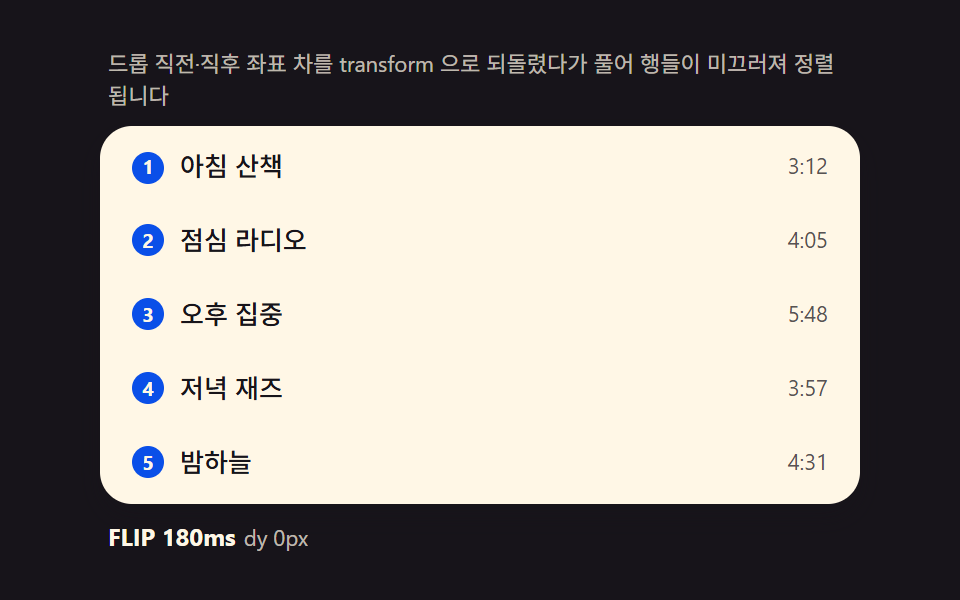 drag드래그 앤 드롭 UI 리스트 — 목표 인덱스 계산을 얹은 9종
 dragcss resize handle 9가지 — 모서리를 끌면 상자가 손에 붙어 따라온다
 입력 UI계산기 디자인 9종 — 인풋 박스 디자인이 값을 그리는 방식
 drag드래그 앤 드롭 구현 9가지 — 손 뗀 뒤 속도까지 잇는 계산
 drag온라인 직소 퍼즐 만들기 9종 — 곡선 조각과 자석 맞물림을 계산으로
 선택 UI시간 선택 ui 9종 — 시각 하나가 아니라 구간까지
 로그인·인증 UI계정 보안 설정 UI 9종 — 로그인한 뒤의 화면
 크리에이티브 UI플로우차트 UI 9종 — 노드를 선으로 잇는 화면
 선택 UI컬러 피커 직접 만들기 CSS+JS 9종 — 라이브러리 없이
 크리에이티브 UI이미지 크롭 기능 9종 — 업로드 없이 브라우저에서