팀 소개 페이지 UI 9종 — 인원수·소개글 길이·시차까지 계산해서 보여주는
팀원이 몇 명이든 카드 줄이 어긋나지 않게 열 수를 계산하고, 소개글이 길면 재서 더보기를 붙이고, 파트너 로고는 개수와 무관하게 같은 속도로 흐르게 만드는 팀 소개 페이지 9종입니다.
 01 team-hero
 02 team-member-grid
 03 team-role-tabs
 04 team-profile-detail
 05 team-stat-row
 06 team-partner-bar
 07 team-testimonial
 08 team-apply-cta
 09 team-footer
자동 재생 · 눌러서 해당 항목으로 · 전부 한 zip
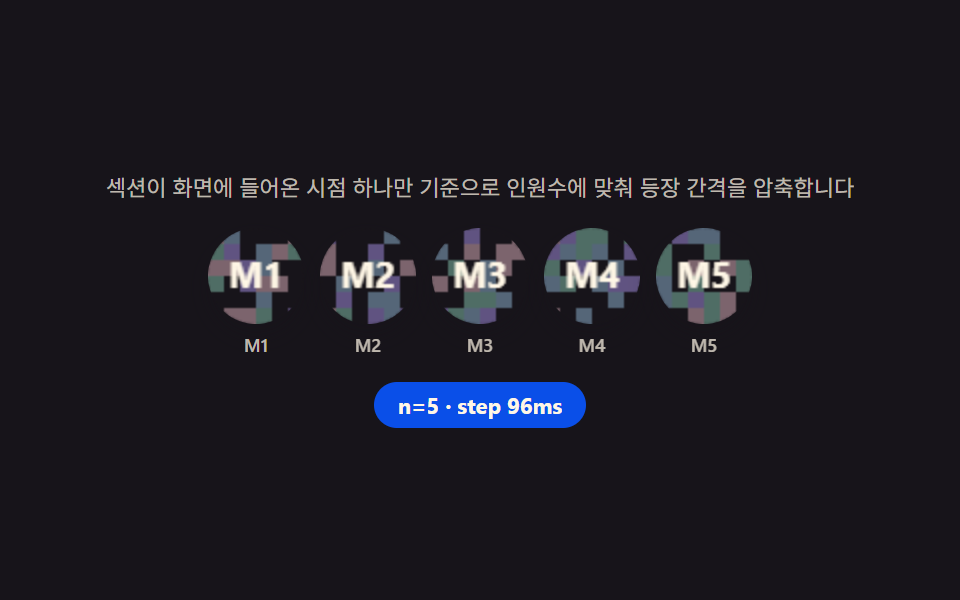
- 01 팀 히어로 — 인원수로 등장 지연을 계산해 순서대로 나타나는 사진 줄
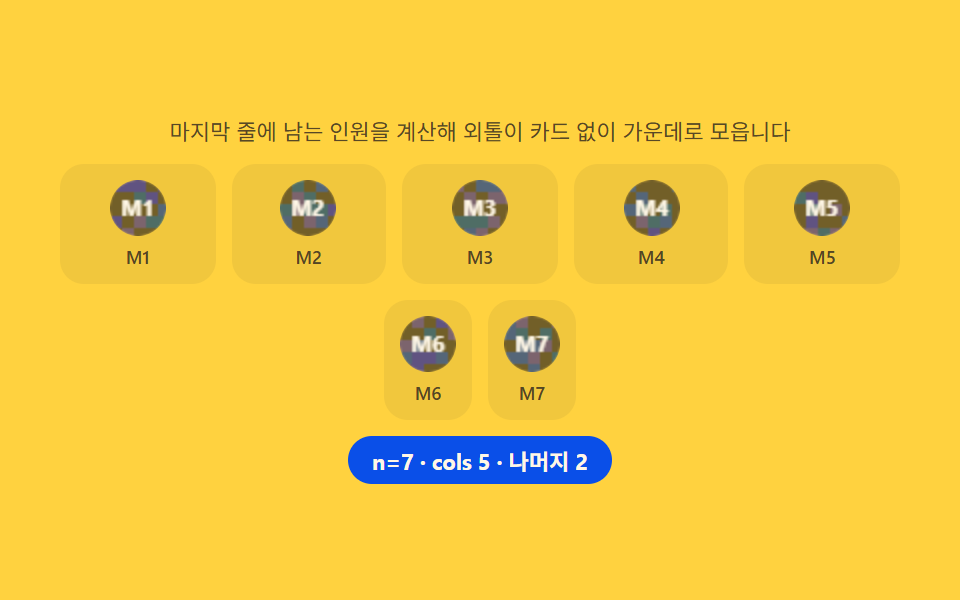
- 02 팀원 그리드 — 마지막 줄 인원을 계산해 외톨이 카드를 없애는 배치
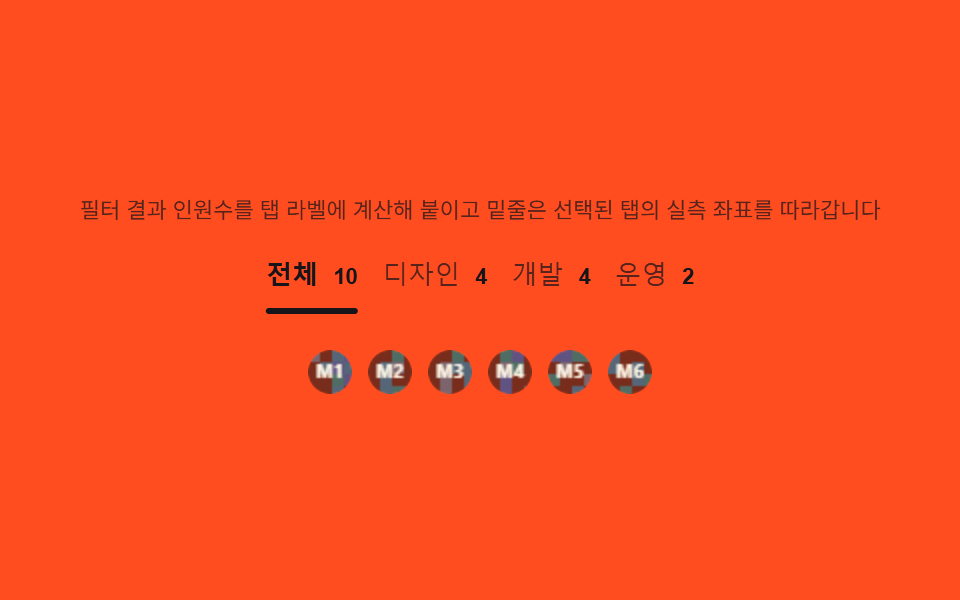
- 03 역할 탭 — 필터링 결과 인원수를 탭 라벨에 계산해 붙이는 전환
- 04 프로필 상세 — 소개글 높이를 재서 더보기 버튼 유무를 정하는 카드
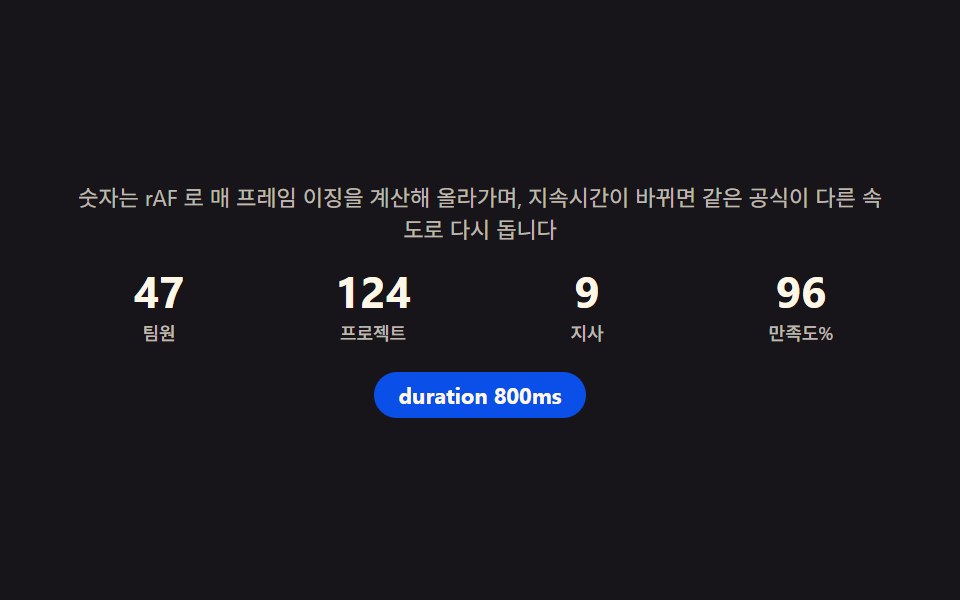
- 05 팀 스탯 줄 — 경과 시간 비율을 이징 함수에 넣어 세는 카운트업
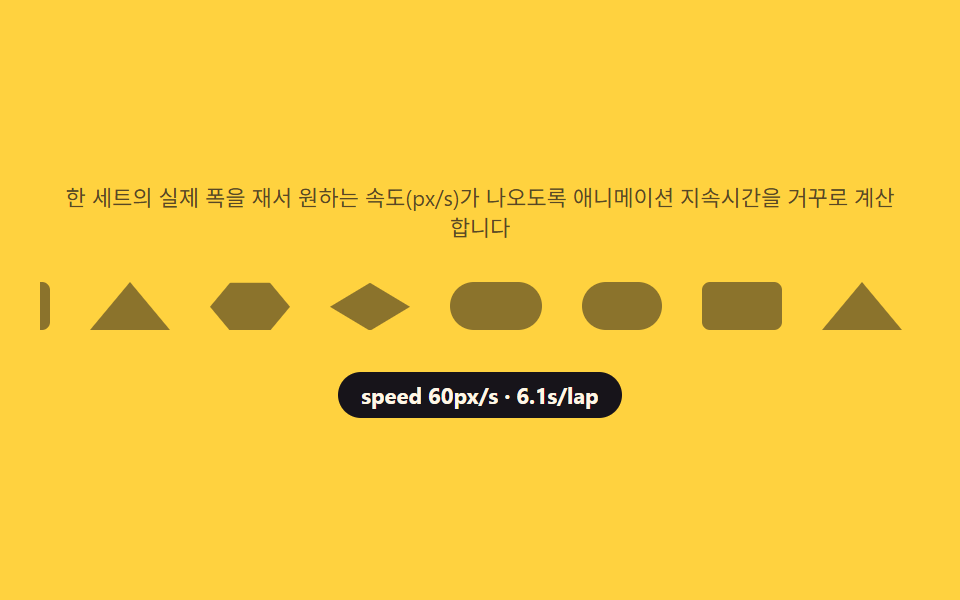
- 06 파트너 로고 바 — 트랙 실측 폭으로 속도를 역산해 흐르는 줄
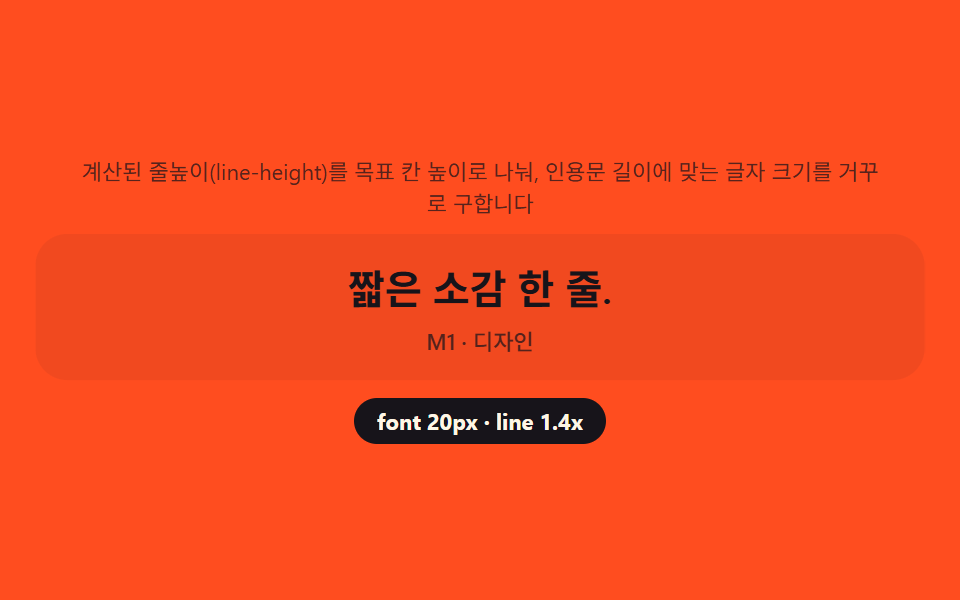
- 07 팀 인용 카드 — 줄 수를 역산해 인용문 크기를 정하는 계산
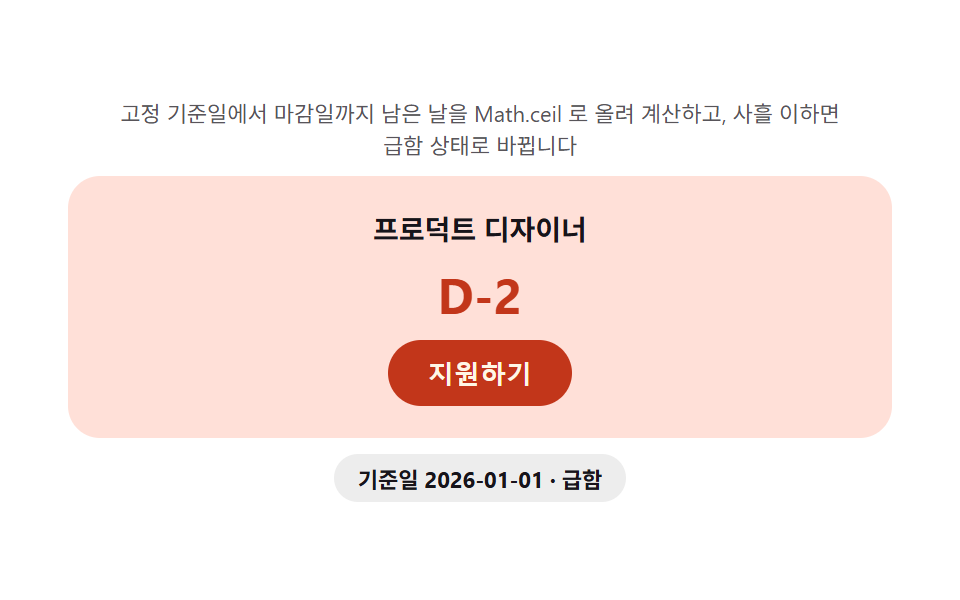
- 08 지원 CTA — 마감일까지 남은 일수를 매번 계산해 보여주는 배지
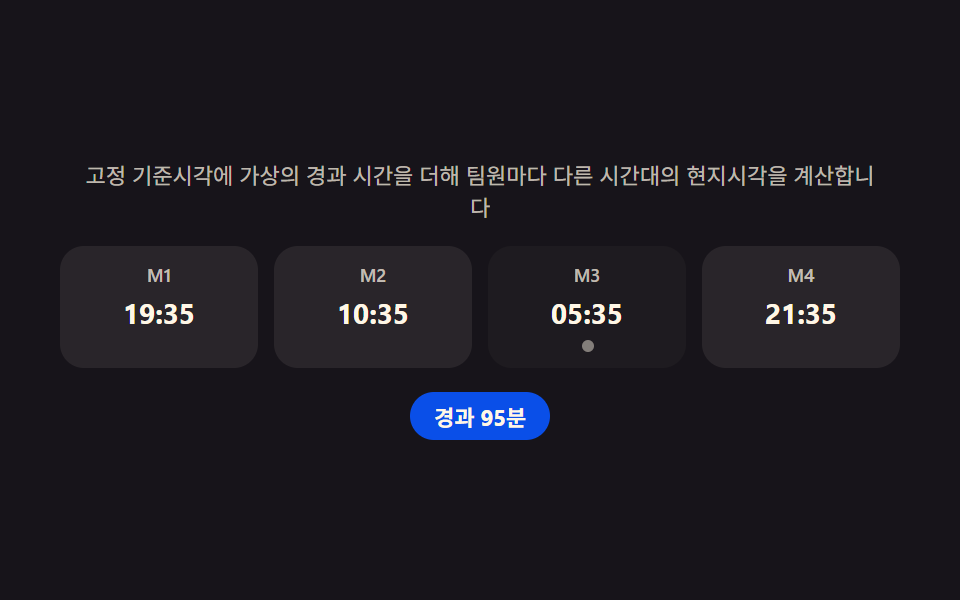
- 09 팀 푸터 — 팀원별 시간대를 계산해 지금 몇 시인지 보여주는 줄
데모
아홉 섹션은 전부 팀 데이터(인원수·역할·소개글 길이·시간대) 를 받아 화면 값을 그 자리에서 계산합니다. 사람이 건드리지 않아도 정해진 시나리오가 돌면서 인원이 늘고 줄고, 탭이 바뀌고, 마감이 다가오는 상황을 반복 재생합니다. 측정은 480×300 무대에서 프레임 24장(움직임은 그 사이 델타 23개로 잡습니다) 을 기준으로 했습니다.
실측 한눈에
| 항목 | 초점 | 누적면적(%) | 강도평균 | 움직인프레임(23 기준) |
|---|---|---|---|---|
| 01 팀 히어로 | 인원수로 등장 지연 압축 | 11.245 | 54.2 | 12 |
| 02 팀원 그리드 | 나머지로 마지막 줄 재배치 | 29.079 | 53.6 | 8 |
| 03 역할 탭 | filter 인원수 + 밑줄 좌표 | 2.572 | 117.4 | 7 |
| 04 프로필 상세 | scrollHeight 비교 판정 | 17.345 | 55.9 | 6 |
| 05 팀 스탯 줄 | 이징 카운트업 | 1.517 | 160.4 | 20 |
| 06 파트너 로고 바 | 실측 폭으로 속도 역산 | 7.333 | 96.6 | 23 |
| 07 팀 인용 카드 | line-height 역산 | 19.911 | 69.0 | 6 |
| 08 지원 CTA | Date 로 D-day 계산 | 37.419 | 63.0 | 10 |
| 09 팀 푸터 | Intl 로 팀원별 시각 | 1.403 | 104.1 | 8 |
면적이 작다고 부실한 건 아니다
08 지원 CTA 는 배지 색이 통째로 바뀌는 구간이 있어 누적면적이 37.42% 로 가장 크고, 09 팀 푸터는 시계 문자열 한 칸만 바뀌어 1.40% 로 가장 작습니다. 03 역할 탭도 밑줄 하나가 옮겨 가는 구조라 2.57% 로 낮은데, 이건 탭 밑줄·시각 숫자·푸터 텍스트처럼 원래 차지하는 면적이 작은 대상이라 자연스러운 결과입니다. 06 파트너 로고 바는 23/23 프레임이 전부 움직여 화면이 쉬는 순간이 없고, 04 프로필 상세와 07 팀 인용 카드는 다음 시나리오를 기다리는 정지 구간이 있어 움직인 프레임이 6으로 적게 나옵니다.
팀 소개 페이지의 해부 — 아홉 섹션이 계산하는 것
팀 소개 웹 페이지는 대체로 인물 사진을 늘어놓는 정적인 화면으로 만들어지지만, 이 아홉 섹션은 전부 값 하나를 계산해 그 계산 결과로 레이아웃이나 표시를 바꿉니다. 속성 하나를 켜고 끄는 트랜지션이 아니라, 인원수·문자 길이·픽셀 폭·경과 시간 같은 숫자를 읽어 다음 화면을 그때그때 다시 정합니다.
계산 한 겹이 하는 일
01 은 인덱스를 인원수로 나눈 나머지로 등장 간격을 다시 압축하고, 02 는 인원수를 열 수로 나눈 나머지로 마지막 줄 배치를 바꿉니다. 05 는 경과 시간 비율을 이징 함수에 넣어 카운트업 숫자를 매 프레임 다시 계산하고, 06 은 트랙의 실측 폭을 목표 속도로 나눠 재생시간을 역산합니다. 04·07 은 반대로 화면에 있는 요소의 높이·줄 수를 측정해 버튼 유무나 글자 크기를 정하고, 08·09 는 Date·Intl 로 시각을 계산해 배지 색과 팀원별 현지 시각을 보여줍니다.
아홉 섹션이 공유하는 값
아홉 섹션 모두 팀원 배열 하나(이름·역할·소개글·시간대) 를 입력으로 받는다는 점이 같습니다. 배열의 길이가 바로 01·02 의 인원수이고, 배열 각 항목의 role 이 03 의 필터 기준이며, bio 문자열의 길이가 04·07 의 측정 대상입니다.
섹션별 코드
아홉 개 섹션의 계산 부분만 옮겨 왔습니다. 전체 마크업과 스타일은 압축 파일에 들어 있습니다.
01팀 히어로 — 인원수로 등장 지연을 계산해 순서대로 나타나는 사진 줄
채용 페이지 상단이나 스타트업 소개 첫 화면에 쓰는 형태입니다. IntersectionObserver 로 섹션이 화면에 들어온 시점 하나만 기준을 잡고, 각 사진 인덱스에 고정 간격을 곱한 값을 --delay 변수로 넘겨 순서대로 나타나게 합니다.
인원수로 나눈 나머지로 간격을 다시 압축한다
인원이 늘어도 총 등장 시간이 무한히 늘어나지 않도록, 인덱스를 그 순간의 인원수로 나눈 나머지에 예산을 나눈 step 을 곱해 간격을 매번 다시 계산합니다.
  var counts = [5, 7, 4, 6];
  var idx = 0;

  // 등장 간격 계산 — 예산을 이번 인원수로 나눈 몫이 step, 인덱스를 인원수로 나눈 나머지로
  // 매 순환마다 압축 폭을 다시 맞춘다(headcount 가 바뀌어도 같은 공식 재사용)
  function layout(count) {
    var step = ENTRANCE_MS / count;
    avatars.forEach(function (el, i) {
      var visible = i < count;
      el.style.display = visible ? '' : 'none';
      if (visible) el.style.setProperty('--delay', ((i % count) * step).toFixed(1) + 'ms');
    });
    chip.textContent = 'n=' + count + ' · step ' + Math.round(step) + 'ms';
    row.classList.remove('is-in');
    void row.offsetWidth;   // 강제 리플로우 — 트랜지션 재시작
    row.classList.add('is-in');
  }
<main class="stage">
<section class="hero" id="hero">
  <p class="hero__hint" id="heroHint">섹션이 화면에 들어온 시점 하나만 기준으로 인원수에 맞춰 등장 간격을 압축합니다</p>
  <div class="hero__row" id="heroRow" aria-label="팀원 사진 줄" role="list">
    <div class="hero__avatar" role="listitem"><canvas class="hero__cv" width="48" height="48" aria-hidden="true"></canvas><span class="hero__tag">M1</span></div>
    <div class="hero__avatar" role="listitem"><canvas class="hero__cv" width="48" height="48" aria-hidden="true"></canvas><span class="hero__tag">M2</span></div>
    <div class="hero__avatar" role="listitem"><canvas class="hero__cv" width="48" height="48" aria-hidden="true"></canvas><span class="hero__tag">M3</span></div>
    <div class="hero__avatar" role="listitem"><canvas class="hero__cv" width="48" height="48" aria-hidden="true"></canvas><span class="hero__tag">M4</span></div>
    <div class="hero__avatar" role="listitem"><canvas class="hero__cv" width="48" height="48" aria-hidden="true"></canvas><span class="hero__tag">M5</span></div>
    <div class="hero__avatar" role="listitem"><canvas class="hero__cv" width="48" height="48" aria-hidden="true"></canvas><span class="hero__tag">M6</span></div>
    <div class="hero__avatar" role="listitem"><canvas class="hero__cv" width="48" height="48" aria-hidden="true"></canvas><span class="hero__tag">M7</span></div>
  </div>
  <p class="hero__meta"><span class="hero__chip" id="heroChip">n=5 · step 96ms</span></p>
</section>
</main>
@use "../../../../site/static/demo-tokens" as *;
$duration: $dur-enter; // 600ms — 등장 트랜지션
$easing: $ease-spring;
$color: $subject-blue-deep;
@include stage($stage-ink);
.hero {
width: 100%;
max-width: 420px;
display: flex;
flex-direction: column;
gap: $sp-3;
align-items: center;
text-align: center;
}
.hero__hint {
margin: 0;
padding: 0 $sp-2;
font-weight: 400;
font-size: 11px;
line-height: 1.4;
color: rgba($subject-cream, .72);
}
.hero__row {
display: flex;
flex-wrap: wrap;
justify-content: center;
gap: $sp-2;
width: 100%;
}
.hero__avatar {
display: flex;
flex-direction: column;
align-items: center;
gap: $sp-1;
opacity: 0;
transform: translateY($sp-4);
transition: opacity $dur-quick $ease-out, transform $duration $easing;
transition-delay: var(--delay, 0ms);
}
.hero__row.is-in .hero__avatar {
opacity: 1;
transform: translateY(0);
}
.hero__cv {
display: block;
width: 48px;
height: 48px;
border-radius: $r-pill;
box-shadow: $shadow-press;
}
.hero__tag {
font-weight: 500;
font-size: 9px;
color: rgba($subject-cream, .72);
}
.hero__meta {
margin: 0;
}
.hero__chip {
display: inline-flex;
padding: $sp-1 $sp-3;
border-radius: $r-pill;
background: $color;
color: $subject-cream;
font-weight: 700;
font-size: 11px;
}
@media (max-width: 340px) {
.hero { max-width: 300px; gap: $sp-2; }
.hero__hint { font-size: 9px; }
.hero__row { gap: $sp-1; }
.hero__cv { width: 36px; height: 36px; }
.hero__tag { font-size: 8px; }
.hero__chip { font-size: 10px; padding: $sp-1 $sp-2; }
}
@media (prefers-reduced-motion: reduce) {
.hero__avatar {
transition: none;
opacity: 1;
transform: none;
}
}html, body {
margin: 0;
overflow: hidden;
}
.stage {
box-sizing: border-box;
min-height: 100vh;
display: grid;
place-items: center;
margin: 0;
background: #17141a;
font-family: -apple-system, "Segoe UI", "Noto Sans KR", sans-serif;
padding: clamp(8px, 4vw, 24px);
}
.hero {
width: 100%;
max-width: 420px;
display: flex;
flex-direction: column;
gap: 12px;
align-items: center;
text-align: center;
}
.hero__hint {
margin: 0;
padding: 0 8px;
font-weight: 400;
font-size: 11px;
line-height: 1.4;
color: rgba(255, 247, 230, 0.72);
}
.hero__row {
display: flex;
flex-wrap: wrap;
justify-content: center;
gap: 8px;
width: 100%;
}
.hero__avatar {
display: flex;
flex-direction: column;
align-items: center;
gap: 4px;
opacity: 0;
transform: translateY(16px);
transition: opacity 220ms ease-out, transform 600ms cubic-bezier(0.2, 0.8, 0.2, 1);
transition-delay: var(--delay, 0ms);
}
.hero__row.is-in .hero__avatar {
opacity: 1;
transform: translateY(0);
}
.hero__cv {
display: block;
width: 48px;
height: 48px;
border-radius: 999px;
box-shadow: 0 6px 12px rgba(23, 20, 26, 0.32);
}
.hero__tag {
font-weight: 500;
font-size: 9px;
color: rgba(255, 247, 230, 0.72);
}
.hero__meta {
margin: 0;
}
.hero__chip {
display: inline-flex;
padding: 4px 12px;
border-radius: 999px;
background: #0a4fe8;
color: #fff7e6;
font-weight: 700;
font-size: 11px;
}
@media (max-width: 340px) {
.hero {
max-width: 300px;
gap: 8px;
}
.hero__hint {
font-size: 9px;
}
.hero__row {
gap: 4px;
}
.hero__cv {
width: 36px;
height: 36px;
}
.hero__tag {
font-size: 8px;
}
.hero__chip {
font-size: 10px;
padding: 4px 8px;
}
}
@media (prefers-reduced-motion: reduce) {
.hero__avatar {
transition: none;
opacity: 1;
transform: none;
}
}// 팀 히어로(01) — IntersectionObserver 로 섹션이 화면에 들어온 시점 하나만 기준을 잡고,
// 등장 예산(ENTRANCE_MS)을 그 순간의 인원수로 나눠 인덱스마다 곱하는 간격(step)을 매번 계산한다.
// 인원이 늘어도 등장 예산은 고정이라 총 등장 시간이 무한히 늘지 않는다(계산 한 겹).
// 자동 시연은 인원수를 5·7·4·6 으로 순환시켜 매번 다시 계산되는 것을 보여준다.
(function () {
var hero = document.getElementById('hero');
var row = document.getElementById('heroRow');
var chip = document.getElementById('heroChip');
if (!hero || !row || !chip) return;
var avatars = Array.prototype.slice.call(row.querySelectorAll('.hero__avatar'));
var reduce = window.matchMedia('(prefers-reduced-motion: reduce)').matches;
function mulberry32(a) {
return function () {
a |= 0; a = a + 0x6D2B79F5 | 0;
var t = Math.imul(a ^ a >>> 15, 1 | a);
t = t + Math.imul(t ^ t >>> 7, 61 | t) ^ t;
return ((t ^ t >>> 14) >>> 0) / 4294967296;
};
}
var HEXES = ['#9fc9ec', '#93d9c0', '#b9a0ff', '#f6c6d3'];
function drawAvatar(cv, seed, label) {
var ctx = cv.getContext('2d');
if (!ctx) return;
var rnd = mulberry32(seed);
var s = cv.width;
ctx.clearRect(0, 0, s, s);
ctx.save();
ctx.beginPath(); ctx.arc(s / 2, s / 2, s / 2, 0, Math.PI * 2); ctx.clip();
var cell = 8;
for (var y = 0; y < s; y += cell) {
for (var x = 0; x < s; x += cell) {
var v = rnd();
ctx.fillStyle = v > .5 ? HEXES[Math.floor(rnd() * HEXES.length)] : 'rgba(23,20,26,.10)';
ctx.fillRect(x, y, cell, cell);
}
}
ctx.restore();
ctx.fillStyle = 'rgba(23,20,26,.55)';
ctx.beginPath(); ctx.arc(s / 2, s / 2, s / 2, 0, Math.PI * 2); ctx.fill();
ctx.fillStyle = '#fff7e6';
ctx.font = '700 ' + Math.round(s * .38) + 'px -apple-system, "Segoe UI", sans-serif';
ctx.textAlign = 'center'; ctx.textBaseline = 'middle';
ctx.fillText(label, s / 2, s / 2 + 1);
}
avatars.forEach(function (el, i) {
var cv = el.querySelector('.hero__cv');
if (cv) drawAvatar(cv, 31 + i * 17, 'M' + (i + 1));
});
var ENTRANCE_MS = 480; // 등장 예산 — 인원수와 무관하게 고정
var counts = [5, 7, 4, 6];
var idx = 0;
// 등장 간격 계산 — 예산을 이번 인원수로 나눈 몫이 step, 인덱스를 인원수로 나눈 나머지로
// 매 순환마다 압축 폭을 다시 맞춘다(headcount 가 바뀌어도 같은 공식 재사용)
function layout(count) {
var step = ENTRANCE_MS / count;
avatars.forEach(function (el, i) {
var visible = i < count;
el.style.display = visible ? '' : 'none';
if (visible) el.style.setProperty('--delay', ((i % count) * step).toFixed(1) + 'ms');
});
chip.textContent = 'n=' + count + ' · step ' + Math.round(step) + 'ms';
row.classList.remove('is-in');
void row.offsetWidth; // 강제 리플로우 — 트랜지션 재시작
row.classList.add('is-in');
}
var fired = false;
var io = new IntersectionObserver(function (entries) {
entries.forEach(function (e) {
if (e.isIntersecting && !fired) { fired = true; layout(counts[0]); }
});
}, { threshold: .3 });
io.observe(hero);
if (reduce) {
layout(counts[0]);
} else {
layout(counts[0]);
setInterval(function () {
idx = (idx + 1) % counts.length;
layout(counts[idx]);
}, 650);
}
})();// TeamHero — vanilla 판(run/338/demo/01-team-hero/index.html) 의 React 포트.
// IntersectionObserver 로 섹션이 화면에 들어온 시점 하나만 기준을 잡고, 등장 예산(ENTRANCE_MS)을
// 그 순간의 인원수로 나눠 인덱스마다 곱하는 간격(step)을 매번 계산한다(계산 한 겹). 자동 시연은
// 인원수를 5·7·4·6 으로 순환시켜 매번 다시 계산되는 것을 보여준다.
import { useEffect, useRef } from "react";
import styles from "./TeamHero.module.scss";
export type TeamHeroProps = {
duration?: string;
easing?: string;
color?: string;
};
const HINT = "섹션이 화면에 들어온 시점 하나만 기준으로 인원수에 맞춰 등장 간격을 압축합니다";
const ROW_LABEL = "팀원 사진 줄";
function mulberry32(a: number): () => number {
return function (): number {
a |= 0; a = a + 0x6d2b79f5 | 0;
let t = Math.imul(a ^ (a >>> 15), 1 | a);
t = (t + Math.imul(t ^ (t >>> 7), 61 | t)) ^ t;
return ((t ^ (t >>> 14)) >>> 0) / 4294967296;
};
}
const HEXES = ["#9fc9ec", "#93d9c0", "#b9a0ff", "#f6c6d3"];
const ENTRANCE_MS = 480;
const COUNTS = [5, 7, 4, 6];
const MEMBER_MAX = 7;
function drawAvatar(cv: HTMLCanvasElement, seed: number, label: string): void {
const ctx = cv.getContext("2d");
if (!ctx) return;
const rnd = mulberry32(seed);
const s = cv.width;
ctx.clearRect(0, 0, s, s);
ctx.save();
ctx.beginPath();
ctx.arc(s / 2, s / 2, s / 2, 0, Math.PI * 2);
ctx.clip();
const cell = 8;
for (let y = 0; y < s; y += cell) {
for (let x = 0; x < s; x += cell) {
const v = rnd();
ctx.fillStyle = v > 0.5 ? HEXES[Math.floor(rnd() * HEXES.length)] : "rgba(23,20,26,.10)";
ctx.fillRect(x, y, cell, cell);
}
}
ctx.restore();
ctx.fillStyle = "rgba(23,20,26,.55)";
ctx.beginPath();
ctx.arc(s / 2, s / 2, s / 2, 0, Math.PI * 2);
ctx.fill();
ctx.fillStyle = "#fff7e6";
ctx.font = "700 " + Math.round(s * 0.38) + 'px -apple-system, "Segoe UI", sans-serif';
ctx.textAlign = "center";
ctx.textBaseline = "middle";
ctx.fillText(label, s / 2, s / 2 + 1);
}
export default function TeamHero({
duration = "600ms",
easing = "cubic-bezier(.2,.8,.2,1)",
color = "#0a4fe8"
}: TeamHeroProps) {
const heroRef = useRef<HTMLElement | null>(null);
const rowRef = useRef<HTMLDivElement | null>(null);
const chipRef = useRef<HTMLSpanElement | null>(null);
useEffect(() => {
const hero = heroRef.current;
const row = rowRef.current;
const chip = chipRef.current;
if (!hero || !row || !chip) return;
const avatars = Array.prototype.slice.call(row.querySelectorAll("." + styles.avatar)) as HTMLElement[];
const reduce = window.matchMedia("(prefers-reduced-motion: reduce)").matches;
avatars.forEach((el, i) => {
const cv = el.querySelector("." + styles.cv) as HTMLCanvasElement | null;
if (cv) drawAvatar(cv, 31 + i * 17, "M" + (i + 1));
});
function layout(count: number): void {
const step = ENTRANCE_MS / count;
avatars.forEach((el, i) => {
const visible = i < count;
el.style.display = visible ? "" : "none";
if (visible) el.style.setProperty("--delay", ((i % count) * step).toFixed(1) + "ms");
});
chip!.textContent = "n=" + count + " · step " + Math.round(step) + "ms";
row!.classList.remove(styles.rowIn);
void row!.offsetWidth;
row!.classList.add(styles.rowIn);
}
let fired = false;
const io = new IntersectionObserver((entries) => {
entries.forEach((e) => {
if (e.isIntersecting && !fired) { fired = true; layout(COUNTS[0]); }
});
}, { threshold: 0.3 });
io.observe(hero);
let idx = 0;
let timer = 0;
if (reduce) {
layout(COUNTS[0]);
} else {
layout(COUNTS[0]);
timer = window.setInterval(() => {
idx = (idx + 1) % COUNTS.length;
layout(COUNTS[idx]);
}, 650);
}
return () => {
io.disconnect();
if (timer) window.clearInterval(timer);
};
// eslint-disable-next-line react-hooks/exhaustive-deps
}, []);
const members = Array.from({ length: MEMBER_MAX }, (_, i) => i);
return (
<main className={styles.stage}>
<section className={styles.hero} ref={heroRef}>
<p className={styles.hint}>{HINT}</p>
<div className={styles.row} ref={rowRef} role="list" aria-label={ROW_LABEL}>
{members.map((i) => (
<div className={styles.avatar} role="listitem" key={i}>
<canvas className={styles.cv} width={48} height={48} aria-hidden="true" />
<span className={styles.tag}>{"M" + (i + 1)}</span>
</div>
))}
</div>
<p className={styles.meta}>
<span className={styles.chip} ref={chipRef} style={{ background: color }}>n=5 · step 96ms</span>
</p>
</section>
</main>
);
}01 · 팀 히어로 — 인원수로 등장 지연을 계산해 순서대로 나타나는 사진 줄 — 측정 누적면적 11.245% · 움직인 프레임 12/23GODRICH 원작 · zip 에 SCSS·React 포함 · 비밀번호 보기
02팀원 그리드 — 마지막 줄 인원을 계산해 외톨이 카드를 없애는 배치
회사 소개 전체 팀원 목록이나 부서별 인원 카드에 쓰는 형태입니다. 팀원 수를 열 수로 나눈 나머지로 마지막 줄에 몇 명이 남는지 계산하고, 나머지가 1~2명일 때만 그 줄의 열 수를 줄여 가운데로 모읍니다.
나머지가 1~2일 때만 줄을 다시 나눈다
나머지가 0이거나 3 이상이면 원래 열 수 그대로 채우고, ResizeObserver 로 화면 폭이 바뀌어 열 수 자체가 바뀔 때도 같은 계산을 다시 돌립니다.
  function layout(count) {
    var remainder = count % cols;
    var tailCount = (remainder === 1 || remainder === 2) ? remainder : 0;
    var headCount = count - tailCount;
    head.style.setProperty('--cols', String(cols));
    head.innerHTML = '';
    tail.innerHTML = '';
    for (var i = 0; i < headCount; i++) head.appendChild(card(i));
    for (var j = 0; j < tailCount; j++) tail.appendChild(card(headCount + j));
    tail.style.display = tailCount > 0 ? 'flex' : 'none';
    chip.textContent = 'n=' + count + ' · cols ' + cols + ' · 나머지 ' + tailCount;
    grid.classList.remove('is-in');
    void grid.offsetWidth;
    grid.classList.add('is-in');
  }
<main class="stage">
<section class="grid" id="grid">
  <p class="grid__hint" id="gridHint">마지막 줄에 남는 인원을 계산해 외톨이 카드 없이 가운데로 모읍니다</p>
  <div class="grid__head" id="gridHead" role="list" aria-label="팀원 목록"></div>
  <div class="grid__tail" id="gridTail" role="list" aria-label="마지막 줄"></div>
  <p class="grid__meta"><span class="grid__chip" id="gridChip">n=8 · cols 4 · 나머지 0</span></p>
</section>
</main>
@use "../../../../site/static/demo-tokens" as *;
$duration: $dur-base; // 300ms — 카드 팝인
$easing: $ease-pop;
$color: $subject-blue-deep;
@include stage($stage-yellow);
.grid {
width: 100%;
max-width: 420px;
display: flex;
flex-direction: column;
gap: $sp-2;
align-items: center;
text-align: center;
}
.grid__hint {
margin: 0;
padding: 0 $sp-2;
font-weight: 400;
font-size: 11px;
line-height: 1.4;
color: rgba($subject-ink, .72);
}
.grid__head {
display: grid;
grid-template-columns: repeat(var(--cols, 4), 1fr);
gap: $sp-2;
width: 100%;
}
.grid__tail {
display: flex;
justify-content: center;
gap: $sp-2;
width: 100%;
}
.grid__card {
display: flex;
flex-direction: column;
align-items: center;
gap: $sp-1;
padding: $sp-2;
border-radius: $r-control;
background: rgba($subject-ink, .06);
opacity: 0;
transform: scale(.8);
transition: opacity $dur-quick $ease-out, transform $duration $easing;
}
.grid.is-in .grid__card {
opacity: 1;
transform: scale(1);
}
.grid__cv {
display: block;
width: 28px;
height: 28px;
border-radius: $r-pill;
}
.grid__tag {
font-weight: 500;
font-size: 9px;
color: rgba($subject-ink, .72);
}
.grid__meta { margin: 0; }
.grid__chip {
display: inline-flex;
padding: $sp-1 $sp-3;
border-radius: $r-pill;
background: $color;
color: $subject-cream;
font-weight: 700;
font-size: 11px;
}
@media (max-width: 340px) {
.grid { max-width: 300px; gap: $sp-1; }
.grid__hint { font-size: 8px; line-height: 1.3; }
.grid__head, .grid__tail { gap: $sp-1; }
.grid__card { padding: 0; gap: 0; }
.grid__cv { width: 18px; height: 18px; }
.grid__tag { font-size: 7px; }
.grid__chip { font-size: 9px; padding: 0 $sp-2; }
}
@media (prefers-reduced-motion: reduce) {
.grid__card {
transition: none;
opacity: 1;
transform: none;
}
}html, body {
margin: 0;
overflow: hidden;
}
.stage {
box-sizing: border-box;
min-height: 100vh;
display: grid;
place-items: center;
margin: 0;
background: #ffd23f;
font-family: -apple-system, "Segoe UI", "Noto Sans KR", sans-serif;
padding: clamp(8px, 4vw, 24px);
}
.grid {
width: 100%;
max-width: 420px;
display: flex;
flex-direction: column;
gap: 8px;
align-items: center;
text-align: center;
}
.grid__hint {
margin: 0;
padding: 0 8px;
font-weight: 400;
font-size: 11px;
line-height: 1.4;
color: rgba(23, 20, 26, 0.72);
}
.grid__head {
display: grid;
grid-template-columns: repeat(var(--cols, 4), 1fr);
gap: 8px;
width: 100%;
}
.grid__tail {
display: flex;
justify-content: center;
gap: 8px;
width: 100%;
}
.grid__card {
display: flex;
flex-direction: column;
align-items: center;
gap: 4px;
padding: 8px;
border-radius: 12px;
background: rgba(23, 20, 26, 0.06);
opacity: 0;
transform: scale(0.8);
transition: opacity 220ms ease-out, transform 300ms cubic-bezier(0.2, 1.4, 0.4, 1);
}
.grid.is-in .grid__card {
opacity: 1;
transform: scale(1);
}
.grid__cv {
display: block;
width: 28px;
height: 28px;
border-radius: 999px;
}
.grid__tag {
font-weight: 500;
font-size: 9px;
color: rgba(23, 20, 26, 0.72);
}
.grid__meta {
margin: 0;
}
.grid__chip {
display: inline-flex;
padding: 4px 12px;
border-radius: 999px;
background: #0a4fe8;
color: #fff7e6;
font-weight: 700;
font-size: 11px;
}
@media (max-width: 340px) {
.grid {
max-width: 300px;
gap: 4px;
}
.grid__hint {
font-size: 8px;
line-height: 1.3;
}
.grid__head, .grid__tail {
gap: 4px;
}
.grid__card {
padding: 0;
gap: 0;
}
.grid__cv {
width: 18px;
height: 18px;
}
.grid__tag {
font-size: 7px;
}
.grid__chip {
font-size: 9px;
padding: 0 8px;
}
}
@media (prefers-reduced-motion: reduce) {
.grid__card {
transition: none;
opacity: 1;
transform: none;
}
}// 팀원 그리드(02) — 인원수를 열 수로 나눈 나머지로 마지막 줄에 몇 명이 남는지 계산하고,
// 나머지가 1~2명일 때만 그 인원을 별도 flex 줄로 떼어 가운데로 모은다. ResizeObserver 로
// 컨테이너 폭이 바뀌어 열 수 자체가 바뀔 때도 같은 계산을 다시 돌린다(계산 한 겹).
(function () {
var grid = document.getElementById('grid');
var head = document.getElementById('gridHead');
var tail = document.getElementById('gridTail');
var chip = document.getElementById('gridChip');
if (!grid || !head || !tail || !chip) return;
var reduce = window.matchMedia('(prefers-reduced-motion: reduce)').matches;
function mulberry32(a) {
return function () {
a |= 0; a = a + 0x6D2B79F5 | 0;
var t = Math.imul(a ^ a >>> 15, 1 | a);
t = t + Math.imul(t ^ t >>> 7, 61 | t) ^ t;
return ((t ^ t >>> 14) >>> 0) / 4294967296;
};
}
var HEXES = ['#9fc9ec', '#93d9c0', '#b9a0ff', '#f6c6d3'];
function drawAvatar(cv, seed, label) {
var ctx = cv.getContext('2d');
if (!ctx) return;
var rnd = mulberry32(seed);
var s = cv.width;
ctx.clearRect(0, 0, s, s);
ctx.save();
ctx.beginPath(); ctx.arc(s / 2, s / 2, s / 2, 0, Math.PI * 2); ctx.clip();
var cell = 6;
for (var y = 0; y < s; y += cell) {
for (var x = 0; x < s; x += cell) {
var v = rnd();
ctx.fillStyle = v > .5 ? HEXES[Math.floor(rnd() * HEXES.length)] : 'rgba(23,20,26,.08)';
ctx.fillRect(x, y, cell, cell);
}
}
ctx.restore();
ctx.fillStyle = 'rgba(23,20,26,.55)';
ctx.beginPath(); ctx.arc(s / 2, s / 2, s / 2, 0, Math.PI * 2); ctx.fill();
ctx.fillStyle = '#fff7e6';
ctx.font = '700 ' + Math.round(s * .4) + 'px -apple-system, "Segoe UI", sans-serif';
ctx.textAlign = 'center'; ctx.textBaseline = 'middle';
ctx.fillText(label, s / 2, s / 2 + 1);
}
function card(i) {
var el = document.createElement('div');
el.className = 'grid__card';
el.setAttribute('role', 'listitem');
var cv = document.createElement('canvas');
cv.className = 'grid__cv'; cv.width = 28; cv.height = 28;
cv.setAttribute('aria-hidden', 'true');
var tag = document.createElement('span');
tag.className = 'grid__tag';
tag.textContent = 'M' + (i + 1);
el.appendChild(cv); el.appendChild(tag);
drawAvatar(cv, 11 + i * 13, 'M' + (i + 1));
return el;
}
var cols = 4; // 기본값 — ResizeObserver 가 실측 폭으로 다시 계산한다
var MIN_CARD = 76;
function computeCols(width) {
var c = Math.floor(width / MIN_CARD);
return Math.max(2, Math.min(5, c || 4));
}
function layout(count) {
var remainder = count % cols;
var tailCount = (remainder === 1 || remainder === 2) ? remainder : 0;
var headCount = count - tailCount;
head.style.setProperty('--cols', String(cols));
head.innerHTML = '';
tail.innerHTML = '';
for (var i = 0; i < headCount; i++) head.appendChild(card(i));
for (var j = 0; j < tailCount; j++) tail.appendChild(card(headCount + j));
tail.style.display = tailCount > 0 ? 'flex' : 'none';
chip.textContent = 'n=' + count + ' · cols ' + cols + ' · 나머지 ' + tailCount;
grid.classList.remove('is-in');
void grid.offsetWidth;
grid.classList.add('is-in');
}
var ro = new ResizeObserver(function (entries) {
var w = entries[0] ? entries[0].contentRect.width : grid.clientWidth;
var next = computeCols(w);
if (next !== cols) { cols = next; layout(counts[idx]); }
});
ro.observe(grid);
var counts = [7, 8, 9, 10];
var idx = 0;
layout(counts[0]);
if (!reduce) {
setInterval(function () {
idx = (idx + 1) % counts.length;
layout(counts[idx]);
}, 700);
}
})();// TeamMemberGrid — vanilla 판(run/338/demo/02-team-member-grid/index.html) 의 React 포트.
// 인원수를 열 수로 나눈 나머지로 마지막 줄에 몇 명이 남는지 계산하고, 나머지가 1~2명일 때만
// 그 인원을 별도 flex 줄로 떼어 가운데로 모은다. ResizeObserver 로 컨테이너 폭이 바뀌어 열 수
// 자체가 바뀔 때도 같은 계산을 다시 돌린다(계산 한 겹).
import { useEffect, useRef } from "react";
import styles from "./TeamMemberGrid.module.scss";
export type TeamMemberGridProps = {
duration?: string;
easing?: string;
color?: string;
};
const HINT = "마지막 줄에 남는 인원을 계산해 외톨이 카드 없이 가운데로 모읍니다";
const HEAD_LABEL = "팀원 목록";
const TAIL_LABEL = "마지막 줄";
function mulberry32(a: number): () => number {
return function (): number {
a |= 0; a = a + 0x6d2b79f5 | 0;
let t = Math.imul(a ^ (a >>> 15), 1 | a);
t = (t + Math.imul(t ^ (t >>> 7), 61 | t)) ^ t;
return ((t ^ (t >>> 14)) >>> 0) / 4294967296;
};
}
const HEXES = ["#9fc9ec", "#93d9c0", "#b9a0ff", "#f6c6d3"];
const COUNTS = [7, 8, 9, 10];
const MIN_CARD = 76;
function drawAvatar(cv: HTMLCanvasElement, seed: number, label: string): void {
const ctx = cv.getContext("2d");
if (!ctx) return;
const rnd = mulberry32(seed);
const s = cv.width;
ctx.clearRect(0, 0, s, s);
ctx.save();
ctx.beginPath();
ctx.arc(s / 2, s / 2, s / 2, 0, Math.PI * 2);
ctx.clip();
const cell = 6;
for (let y = 0; y < s; y += cell) {
for (let x = 0; x < s; x += cell) {
const v = rnd();
ctx.fillStyle = v > 0.5 ? HEXES[Math.floor(rnd() * HEXES.length)] : "rgba(23,20,26,.08)";
ctx.fillRect(x, y, cell, cell);
}
}
ctx.restore();
ctx.fillStyle = "rgba(23,20,26,.55)";
ctx.beginPath();
ctx.arc(s / 2, s / 2, s / 2, 0, Math.PI * 2);
ctx.fill();
ctx.fillStyle = "#fff7e6";
ctx.font = "700 " + Math.round(s * 0.4) + 'px -apple-system, "Segoe UI", sans-serif';
ctx.textAlign = "center";
ctx.textBaseline = "middle";
ctx.fillText(label, s / 2, s / 2 + 1);
}
function computeCols(width: number): number {
const c = Math.floor(width / MIN_CARD);
return Math.max(2, Math.min(5, c || 4));
}
function makeCard(i: number): HTMLDivElement {
const el = document.createElement("div");
el.className = styles.card;
el.setAttribute("role", "listitem");
const cv = document.createElement("canvas");
cv.className = styles.cv;
cv.width = 28;
cv.height = 28;
cv.setAttribute("aria-hidden", "true");
const tag = document.createElement("span");
tag.className = styles.tag;
tag.textContent = "M" + (i + 1);
el.appendChild(cv);
el.appendChild(tag);
drawAvatar(cv, 11 + i * 13, "M" + (i + 1));
return el;
}
export default function TeamMemberGrid({
duration = "300ms",
easing = "cubic-bezier(.2,1.4,.4,1)",
color = "#0a4fe8"
}: TeamMemberGridProps) {
const gridRef = useRef<HTMLElement | null>(null);
const headRef = useRef<HTMLDivElement | null>(null);
const tailRef = useRef<HTMLDivElement | null>(null);
const chipRef = useRef<HTMLSpanElement | null>(null);
useEffect(() => {
const grid = gridRef.current;
const head = headRef.current;
const tail = tailRef.current;
const chip = chipRef.current;
if (!grid || !head || !tail || !chip) return;
const reduce = window.matchMedia("(prefers-reduced-motion: reduce)").matches;
let cols = 4;
let idx = 0;
function layout(count: number): void {
const remainder = count % cols;
const tailCount = remainder === 1 || remainder === 2 ? remainder : 0;
const headCount = count - tailCount;
head!.style.setProperty("--cols", String(cols));
head!.innerHTML = "";
tail!.innerHTML = "";
for (let i = 0; i < headCount; i++) head!.appendChild(makeCard(i));
for (let j = 0; j < tailCount; j++) tail!.appendChild(makeCard(headCount + j));
tail!.style.display = tailCount > 0 ? "flex" : "none";
chip!.textContent = "n=" + count + " · cols " + cols + " · 나머지 " + tailCount;
grid!.classList.remove(styles.gridIn);
void grid!.offsetWidth;
grid!.classList.add(styles.gridIn);
}
const ro = new ResizeObserver((entries) => {
const w = entries[0] ? entries[0].contentRect.width : grid!.clientWidth;
const next = computeCols(w);
if (next !== cols) { cols = next; layout(COUNTS[idx]); }
});
ro.observe(grid);
layout(COUNTS[0]);
let timer = 0;
if (!reduce) {
timer = window.setInterval(() => {
idx = (idx + 1) % COUNTS.length;
layout(COUNTS[idx]);
}, 700);
}
return () => {
ro.disconnect();
if (timer) window.clearInterval(timer);
};
// eslint-disable-next-line react-hooks/exhaustive-deps
}, []);
return (
<main className={styles.stage}>
<section className={styles.grid} ref={gridRef}>
<p className={styles.hint}>{HINT}</p>
<div className={styles.head} ref={headRef} role="list" aria-label={HEAD_LABEL} />
<div className={styles.tail} ref={tailRef} role="list" aria-label={TAIL_LABEL} />
<p className={styles.meta}>
<span className={styles.chip} ref={chipRef} style={{ background: color }}>n=8 · cols 4 · 나머지 0</span>
</p>
</section>
</main>
);
}02 · 팀원 그리드 — 마지막 줄 인원을 계산해 외톨이 카드를 없애는 배치 — 측정 누적면적 29.079% · 움직인 프레임 8/23GODRICH 원작 · zip 에 SCSS·React 포함 · 비밀번호 보기
03역할 탭 — 필터링 결과 인원수를 탭 라벨에 계산해 붙이는 전환
부서별 팀원 필터나 직군별 소개 탭에 쓰는 형태입니다. 팀원 배열을 role 값으로 filter 해 각 탭 라벨 옆에 그 인원수를 실시간으로 붙이고, 선택된 탭의 getBoundingClientRect 로 밑줄 인디케이터의 좌표와 너비를 그 값으로 맞춥니다. 탭이 늘어도 이 계산 방식은 그대로입니다.
  // 인원수 계산 — role 값으로 filter 한 배열의 길이를 각 탭 라벨에 붙인다
  KEYS.forEach(function (key) {
    var span = document.getElementById('cnt-' + key);
    if (!span) return;
    var n = key === 'all' ? members.length : members.filter(function (m) { return m.role === key; }).length;
    span.textContent = String(n);
  });

  function moveIndicator(tab) {
    var barRect = bar.getBoundingClientRect();
    var tabRect = tab.getBoundingClientRect();
    var ix = tabRect.left - barRect.left;
    var iw = tabRect.width;
    indicator.style.setProperty('--ix', ix.toFixed(1) + 'px');
    indicator.style.setProperty('--iw', iw.toFixed(1) + 'px');
  }
<main class="stage">
<section class="tabs" id="tabsWrap">
  <p class="tabs__hint" id="tabsHint">필터 결과 인원수를 탭 라벨에 계산해 붙이고 밑줄은 선택된 탭의 실측 좌표를 따라갑니다</p>
  <div class="tabs__bar" id="tabsBar" role="tablist" aria-label="역할 필터">
    <button class="tabs__tab" id="tab-all" role="tab" aria-selected="true" type="button">전체 <span class="tabs__count" id="cnt-all">10</span></button>
    <button class="tabs__tab" id="tab-design" role="tab" aria-selected="false" type="button">디자인 <span class="tabs__count" id="cnt-design">4</span></button>
    <button class="tabs__tab" id="tab-dev" role="tab" aria-selected="false" type="button">개발 <span class="tabs__count" id="cnt-dev">4</span></button>
    <button class="tabs__tab" id="tab-ops" role="tab" aria-selected="false" type="button">운영 <span class="tabs__count" id="cnt-ops">2</span></button>
    <span class="tabs__indicator" id="tabsIndicator" aria-hidden="true"></span>
  </div>
  <div class="tabs__panel" id="tabsPanel" role="list" aria-label="필터 결과"></div>
</section>
</main>
@use "../../../../site/static/demo-tokens" as *;
$duration: $dur-quick; // 220ms — 인디케이터 이동
$easing: $ease-out;
$color: $subject-ink;
@include stage($stage-orange);
.tabs {
width: 100%;
max-width: 420px;
display: flex;
flex-direction: column;
gap: $sp-3;
align-items: center;
text-align: center;
}
.tabs__hint {
margin: 0;
padding: 0 $sp-2;
font-weight: 400;
font-size: 11px;
line-height: 1.4;
color: rgba($subject-ink, .72);
}
.tabs__bar {
position: relative;
display: flex;
gap: $sp-3;
width: 100%;
justify-content: center;
padding-bottom: $sp-2;
}
.tabs__tab {
flex: 0 0 auto;
appearance: none;
border: 0;
background: none;
padding: $sp-1 0;
font-weight: 500;
font-size: 13px;
color: rgba($subject-ink, .72);
cursor: pointer;
}
.tabs__tab[aria-selected="true"] {
color: $subject-ink;
font-weight: 700;
}
.tabs__count {
display: inline-block;
margin-left: $sp-1;
font-weight: 700;
font-size: 11px;
color: $subject-ink;
}
.tabs__indicator {
position: absolute;
left: 0;
bottom: 0;
height: 3px;
width: var(--iw, 0px);
border-radius: $r-pill;
background: $color;
transform: translateX(var(--ix, 0px));
transition: transform $duration $easing, width $duration $easing;
}
.tabs__panel {
display: flex;
gap: $sp-2;
justify-content: center;
min-height: 34px;
}
.tabs__chip {
display: flex;
align-items: center;
justify-content: center;
opacity: 0;
transform: scale(.8);
transition: opacity $dur-quick $ease-out, transform $duration $ease-pop;
}
.tabs__panel.is-in .tabs__chip {
opacity: 1;
transform: scale(1);
}
.tabs__cv {
display: block;
width: 22px;
height: 22px;
border-radius: $r-pill;
}
@media (max-width: 340px) {
.tabs { max-width: 300px; gap: $sp-2; }
.tabs__hint { font-size: 9px; }
.tabs__bar { gap: $sp-2; }
.tabs__tab { font-size: 11px; }
.tabs__cv { width: 18px; height: 18px; }
}
@media (prefers-reduced-motion: reduce) {
.tabs__indicator,
.tabs__chip {
transition: none;
}
.tabs__chip {
opacity: 1;
transform: none;
}
}html, body {
margin: 0;
overflow: hidden;
}
.stage {
box-sizing: border-box;
min-height: 100vh;
display: grid;
place-items: center;
margin: 0;
background: #ff4d1f;
font-family: -apple-system, "Segoe UI", "Noto Sans KR", sans-serif;
padding: clamp(8px, 4vw, 24px);
}
.tabs {
width: 100%;
max-width: 420px;
display: flex;
flex-direction: column;
gap: 12px;
align-items: center;
text-align: center;
}
.tabs__hint {
margin: 0;
padding: 0 8px;
font-weight: 400;
font-size: 11px;
line-height: 1.4;
color: rgba(23, 20, 26, 0.72);
}
.tabs__bar {
position: relative;
display: flex;
gap: 12px;
width: 100%;
justify-content: center;
padding-bottom: 8px;
}
.tabs__tab {
flex: 0 0 auto;
appearance: none;
border: 0;
background: none;
padding: 4px 0;
font-weight: 500;
font-size: 13px;
color: rgba(23, 20, 26, 0.72);
cursor: pointer;
}
.tabs__tab[aria-selected=true] {
color: #17141a;
font-weight: 700;
}
.tabs__count {
display: inline-block;
margin-left: 4px;
font-weight: 700;
font-size: 11px;
color: #17141a;
}
.tabs__indicator {
position: absolute;
left: 0;
bottom: 0;
height: 3px;
width: var(--iw, 0px);
border-radius: 999px;
background: #17141a;
transform: translateX(var(--ix, 0px));
transition: transform 220ms ease-out, width 220ms ease-out;
}
.tabs__panel {
display: flex;
gap: 8px;
justify-content: center;
min-height: 34px;
}
.tabs__chip {
display: flex;
align-items: center;
justify-content: center;
opacity: 0;
transform: scale(0.8);
transition: opacity 220ms ease-out, transform 220ms cubic-bezier(0.2, 1.4, 0.4, 1);
}
.tabs__panel.is-in .tabs__chip {
opacity: 1;
transform: scale(1);
}
.tabs__cv {
display: block;
width: 22px;
height: 22px;
border-radius: 999px;
}
@media (max-width: 340px) {
.tabs {
max-width: 300px;
gap: 8px;
}
.tabs__hint {
font-size: 9px;
}
.tabs__bar {
gap: 8px;
}
.tabs__tab {
font-size: 11px;
}
.tabs__cv {
width: 18px;
height: 18px;
}
}
@media (prefers-reduced-motion: reduce) {
.tabs__indicator,
.tabs__chip {
transition: none;
}
.tabs__chip {
opacity: 1;
transform: none;
}
}// 역할 탭(03) — 팀원 배열을 role 값으로 filter 해 탭 라벨의 인원수를 계산하고, 선택된 탭의
// getBoundingClientRect 로 좌표·너비를 읽어 밑줄 인디케이터의 translateX·width 를 맞춘다(계산 한 겹).
(function () {
var wrap = document.getElementById('tabsWrap');
var bar = document.getElementById('tabsBar');
var indicator = document.getElementById('tabsIndicator');
var panel = document.getElementById('tabsPanel');
if (!wrap || !bar || !indicator || !panel) return;
var tabs = Array.prototype.slice.call(bar.querySelectorAll('.tabs__tab'));
var reduce = window.matchMedia('(prefers-reduced-motion: reduce)').matches;
var ROLES = ['design', 'design', 'design', 'design', 'dev', 'dev', 'dev', 'dev', 'ops', 'ops'];
var members = ROLES.map(function (role, i) { return { id: i, role: role }; });
var KEYS = ['all', 'design', 'dev', 'ops'];
function mulberry32(a) {
return function () {
a |= 0; a = a + 0x6D2B79F5 | 0;
var t = Math.imul(a ^ a >>> 15, 1 | a);
t = t + Math.imul(t ^ t >>> 7, 61 | t) ^ t;
return ((t ^ t >>> 14) >>> 0) / 4294967296;
};
}
var HEXES = ['#9fc9ec', '#93d9c0', '#b9a0ff', '#f6c6d3'];
function drawAvatar(cv, seed, label) {
var ctx = cv.getContext('2d');
if (!ctx) return;
var rnd = mulberry32(seed);
var s = cv.width;
ctx.save();
ctx.beginPath(); ctx.arc(s / 2, s / 2, s / 2, 0, Math.PI * 2); ctx.clip();
var cell = 6;
for (var y = 0; y < s; y += cell) {
for (var x = 0; x < s; x += cell) {
var v = rnd();
ctx.fillStyle = v > .5 ? HEXES[Math.floor(rnd() * HEXES.length)] : 'rgba(23,20,26,.08)';
ctx.fillRect(x, y, cell, cell);
}
}
ctx.restore();
ctx.fillStyle = 'rgba(23,20,26,.55)';
ctx.beginPath(); ctx.arc(s / 2, s / 2, s / 2, 0, Math.PI * 2); ctx.fill();
ctx.fillStyle = '#fff7e6';
ctx.font = '700 ' + Math.round(s * .4) + 'px -apple-system, "Segoe UI", sans-serif';
ctx.textAlign = 'center'; ctx.textBaseline = 'middle';
ctx.fillText(label, s / 2, s / 2 + 1);
}
// 인원수 계산 — role 값으로 filter 한 배열의 길이를 각 탭 라벨에 붙인다
KEYS.forEach(function (key) {
var span = document.getElementById('cnt-' + key);
if (!span) return;
var n = key === 'all' ? members.length : members.filter(function (m) { return m.role === key; }).length;
span.textContent = String(n);
});
function moveIndicator(tab) {
var barRect = bar.getBoundingClientRect();
var tabRect = tab.getBoundingClientRect();
var ix = tabRect.left - barRect.left;
var iw = tabRect.width;
indicator.style.setProperty('--ix', ix.toFixed(1) + 'px');
indicator.style.setProperty('--iw', iw.toFixed(1) + 'px');
}
function renderPanel(key) {
var list = key === 'all' ? members : members.filter(function (m) { return m.role === key; });
panel.innerHTML = '';
list.slice(0, 6).forEach(function (m) {
var chip = document.createElement('div');
chip.className = 'tabs__chip';
chip.setAttribute('role', 'listitem');
var cv = document.createElement('canvas');
cv.width = 22; cv.height = 22; cv.className = 'tabs__cv';
cv.setAttribute('aria-hidden', 'true');
chip.appendChild(cv);
panel.appendChild(chip);
drawAvatar(cv, 5 + m.id * 9, 'M' + (m.id + 1));
});
panel.classList.remove('is-in');
void panel.offsetWidth;
panel.classList.add('is-in');
}
function selectTab(key) {
var target = document.getElementById('tab-' + key);
if (!target) return;
tabs.forEach(function (t) { t.setAttribute('aria-selected', t === target ? 'true' : 'false'); });
moveIndicator(target);
renderPanel(key);
}
tabs.forEach(function (t) {
t.addEventListener('click', function () {
var key = t.id.replace('tab-', '');
idx = KEYS.indexOf(key);
selectTab(key);
});
});
var idx = 0;
selectTab(KEYS[0]);
window.addEventListener('resize', function () { selectTab(KEYS[idx]); });
if (!reduce) {
setInterval(function () {
idx = (idx + 1) % KEYS.length;
selectTab(KEYS[idx]);
}, 340);
}
})();// TeamRoleTabs — vanilla 판(run/338/demo/03-team-role-tabs/index.html) 의 React 포트.
// 팀원 배열을 role 값으로 filter 해 탭 라벨의 인원수를 계산하고, 선택된 탭의 getBoundingClientRect
// 로 좌표·너비를 읽어 밑줄 인디케이터의 translateX·width 를 맞춘다(계산 한 겹).
import { useEffect, useRef } from "react";
import styles from "./TeamRoleTabs.module.scss";
export type TeamRoleTabsProps = {
duration?: string;
easing?: string;
color?: string;
};
const HINT = "필터 결과 인원수를 탭 라벨에 계산해 붙이고 밑줄은 선택된 탭의 실측 좌표를 따라갑니다";
const BAR_LABEL = "역할 필터";
const PANEL_LABEL = "필터 결과";
type Role = "all" | "design" | "dev" | "ops";
type Member = { id: number; role: "design" | "dev" | "ops" };
const TAB_TEXT: { key: Role; label: string }[] = [
{ key: "all", label: "전체" },
{ key: "design", label: "디자인" },
{ key: "dev", label: "개발" },
{ key: "ops", label: "운영" }
];
const ROLES: Member["role"][] = ["design", "design", "design", "design", "dev", "dev", "dev", "dev", "ops", "ops"];
const MEMBERS: Member[] = ROLES.map((role, i) => ({ id: i, role }));
const KEYS: Role[] = ["all", "design", "dev", "ops"];
function mulberry32(a: number): () => number {
return function (): number {
a |= 0; a = a + 0x6d2b79f5 | 0;
let t = Math.imul(a ^ (a >>> 15), 1 | a);
t = (t + Math.imul(t ^ (t >>> 7), 61 | t)) ^ t;
return ((t ^ (t >>> 14)) >>> 0) / 4294967296;
};
}
const HEXES = ["#9fc9ec", "#93d9c0", "#b9a0ff", "#f6c6d3"];
function drawAvatar(cv: HTMLCanvasElement, seed: number, label: string): void {
const ctx = cv.getContext("2d");
if (!ctx) return;
const rnd = mulberry32(seed);
const s = cv.width;
ctx.save();
ctx.beginPath();
ctx.arc(s / 2, s / 2, s / 2, 0, Math.PI * 2);
ctx.clip();
const cell = 6;
for (let y = 0; y < s; y += cell) {
for (let x = 0; x < s; x += cell) {
const v = rnd();
ctx.fillStyle = v > 0.5 ? HEXES[Math.floor(rnd() * HEXES.length)] : "rgba(23,20,26,.08)";
ctx.fillRect(x, y, cell, cell);
}
}
ctx.restore();
ctx.fillStyle = "rgba(23,20,26,.55)";
ctx.beginPath();
ctx.arc(s / 2, s / 2, s / 2, 0, Math.PI * 2);
ctx.fill();
ctx.fillStyle = "#fff7e6";
ctx.font = "700 " + Math.round(s * 0.4) + 'px -apple-system, "Segoe UI", sans-serif';
ctx.textAlign = "center";
ctx.textBaseline = "middle";
ctx.fillText(label, s / 2, s / 2 + 1);
}
function countFor(key: Role): number {
return key === "all" ? MEMBERS.length : MEMBERS.filter((m) => m.role === key).length;
}
export default function TeamRoleTabs({
duration = "220ms",
easing = "ease-out",
color = "#17141a"
}: TeamRoleTabsProps) {
const barRef = useRef<HTMLDivElement | null>(null);
const indicatorRef = useRef<HTMLSpanElement | null>(null);
const panelRef = useRef<HTMLDivElement | null>(null);
useEffect(() => {
const bar = barRef.current;
const indicator = indicatorRef.current;
const panel = panelRef.current;
if (!bar || !indicator || !panel) return;
const tabs = Array.prototype.slice.call(bar.querySelectorAll("." + styles.tab)) as HTMLButtonElement[];
const reduce = window.matchMedia("(prefers-reduced-motion: reduce)").matches;
function moveIndicator(tab: HTMLElement): void {
const barRect = bar!.getBoundingClientRect();
const tabRect = tab.getBoundingClientRect();
const ix = tabRect.left - barRect.left;
const iw = tabRect.width;
indicator!.style.setProperty("--ix", ix.toFixed(1) + "px");
indicator!.style.setProperty("--iw", iw.toFixed(1) + "px");
}
function renderPanel(key: Role): void {
const list = key === "all" ? MEMBERS : MEMBERS.filter((m) => m.role === key);
panel!.innerHTML = "";
list.slice(0, 6).forEach((m) => {
const chip = document.createElement("div");
chip.className = styles.chip;
chip.setAttribute("role", "listitem");
const cv = document.createElement("canvas");
cv.width = 22; cv.height = 22; cv.className = styles.cv;
cv.setAttribute("aria-hidden", "true");
chip.appendChild(cv);
panel!.appendChild(chip);
drawAvatar(cv, 5 + m.id * 9, "M" + (m.id + 1));
});
panel!.classList.remove(styles.panelIn);
void panel!.offsetWidth;
panel!.classList.add(styles.panelIn);
}
function selectTab(key: Role): void {
const target = bar!.querySelector('[data-key="' + key + '"]') as HTMLElement | null;
if (!target) return;
tabs.forEach((t) => t.setAttribute("aria-selected", t === target ? "true" : "false"));
moveIndicator(target);
renderPanel(key);
}
let idx = 0;
tabs.forEach((t) => {
t.addEventListener("click", () => {
const key = t.getAttribute("data-key") as Role;
idx = KEYS.indexOf(key);
selectTab(key);
});
});
selectTab(KEYS[0]);
const onResize = (): void => selectTab(KEYS[idx]);
window.addEventListener("resize", onResize);
let timer = 0;
if (!reduce) {
timer = window.setInterval(() => {
idx = (idx + 1) % KEYS.length;
selectTab(KEYS[idx]);
}, 340);
}
return () => {
window.removeEventListener("resize", onResize);
if (timer) window.clearInterval(timer);
};
// eslint-disable-next-line react-hooks/exhaustive-deps
}, []);
return (
<main className={styles.stage}>
<section className={styles.tabs}>
<p className={styles.hint}>{HINT}</p>
<div className={styles.bar} ref={barRef} role="tablist" aria-label={BAR_LABEL}>
{TAB_TEXT.map((t, i) => (
<button
key={t.key}
className={styles.tab}
data-key={t.key}
role="tab"
aria-selected={i === 0 ? "true" : "false"}
type="button"
>
{t.label + " "}
<span className={styles.count}>{countFor(t.key)}</span>
</button>
))}
<span className={styles.indicator} ref={indicatorRef} aria-hidden="true" />
</div>
<div className={styles.panel} ref={panelRef} role="list" aria-label={PANEL_LABEL} />
</section>
</main>
);
}03 · 역할 탭 — 필터링 결과 인원수를 탭 라벨에 계산해 붙이는 전환 — 측정 누적면적 2.572% · 움직인 프레임 7/23GODRICH 원작 · zip 에 SCSS·React 포함 · 비밀번호 보기
04프로필 상세 — 소개글 높이를 재서 더보기 버튼 유무를 정하는 카드
팀원 상세 모달이나 프로필 카드 뒷면에 쓰는 형태입니다. 소개글 요소를 clamp 한 상태의 높이와 풀었을 때 높이를 비교해 실제로 잘렸는지부터 계산하고, 차이가 없으면 더보기 버튼 자체를 렌더링하지 않습니다.
scrollHeight 두 번 재서 넘침 여부를 판정한다
짧은 소개글에 쓸모없는 버튼이 남는 실수를, 넘치는지 먼저 재고 그 결과로 버튼을 켜고 끄는 순서가 막아 줍니다.
  function measure(lineClamp) {
    bio.style.setProperty('--clamp', String(lineClamp));
    bio.classList.add('is-clamped');
    var clampedHeight = bio.scrollHeight;
    bio.classList.remove('is-clamped');
    var fullHeight = bio.scrollHeight;
    bio.classList.add('is-clamped');
    return fullHeight > clampedHeight + 1;
  }

  function apply(lineClamp) {
    var overflow = measure(lineClamp);
    more.style.display = overflow ? '' : 'none';
    more.setAttribute('aria-expanded', 'false');
    bio.classList.remove('is-open');
    chip.textContent = 'clamp ' + lineClamp + '줄 · ' + (overflow ? '넘침 O' : '넘침 X');
    if (card) card.classList.toggle('is-alt');
  }
<main class="stage">
<section class="detail" id="detail">
  <p class="detail__hint" id="detailHint">소개글 실제 줄 수를 세로 높이로 재서, 정해 둔 줄 수보다 더 있을 때만 더보기 버튼을 보여줍니다</p>
  <div class="detail__card">
    <canvas class="detail__cv" width="40" height="40" aria-hidden="true"></canvas>
    <div class="detail__body">
      <p class="detail__bio" id="detailBio">한 줄 소개 텍스트가 여기에 들어갑니다. 두 번째 줄도 이어집니다. 세 번째 줄까지 길게 이어지는 소개 문구입니다. 네 번째 줄은 잘려서 숨겨집니다.</p>
      <button class="detail__more" id="detailMore" type="button" aria-expanded="false">더보기</button>
    </div>
  </div>
  <p class="detail__meta"><span class="detail__chip" id="detailChip">clamp 3줄 · 실측 대기</span></p>
</section>
</main>
@use "../../../../site/static/demo-tokens" as *;
$duration: $dur-base; // 300ms — 더보기 펼침
$easing: $ease-out;
$color: $subject-blue-deep;
@include stage($stage-paper);
.detail {
width: 100%;
max-width: 420px;
display: flex;
flex-direction: column;
gap: $sp-2;
align-items: center;
text-align: center;
}
.detail__hint {
margin: 0;
padding: 0 $sp-2;
font-weight: 400;
font-size: 11px;
line-height: 1.4;
color: rgba($subject-ink, .72);
}
.detail__card {
display: flex;
gap: $sp-2;
width: 100%;
padding: $sp-3;
border-radius: $r-card;
background: rgba($subject-ink, .04);
text-align: left;
transition: background $duration $easing;
}
.detail__card.is-alt {
background: rgba($subject-blue-deep, .12);
}
.detail__cv {
flex: 0 0 auto;
display: block;
width: 40px;
height: 40px;
border-radius: $r-pill;
}
.detail__body {
flex: 1 1 auto;
min-width: 0;
display: flex;
flex-direction: column;
gap: $sp-1;
}
.detail__bio {
margin: 0;
font-size: 12px;
line-height: 1.6;
color: $subject-ink;
}
.detail__bio.is-clamped {
display: -webkit-box;
-webkit-box-orient: vertical;
-webkit-line-clamp: var(--clamp, 3);
overflow: hidden;
}
.detail__bio.is-open.is-clamped {
-webkit-line-clamp: unset;
overflow: visible;
}
.detail__more {
align-self: flex-start;
appearance: none;
border: 0;
background: none;
padding: 0;
font-weight: 700;
font-size: 11px;
color: $color;
cursor: pointer;
opacity: 1;
transition: opacity $dur-quick $ease-out;
}
.detail__meta { margin: 0; }
.detail__chip {
display: inline-flex;
padding: $sp-1 $sp-3;
border-radius: $r-pill;
background: $color;
color: $subject-cream;
font-weight: 700;
font-size: 11px;
}
@media (max-width: 340px) {
.detail { max-width: 300px; gap: $sp-1; }
.detail__hint { font-size: 9px; }
.detail__card { padding: $sp-2; gap: $sp-1; }
.detail__cv { width: 32px; height: 32px; }
.detail__bio { font-size: 11px; }
.detail__chip { font-size: 10px; padding: $sp-1 $sp-2; }
}
@media (prefers-reduced-motion: reduce) {
.detail__card,
.detail__more {
transition: none;
}
}html, body {
margin: 0;
overflow: hidden;
}
.stage {
box-sizing: border-box;
min-height: 100vh;
display: grid;
place-items: center;
margin: 0;
background: #ffffff;
font-family: -apple-system, "Segoe UI", "Noto Sans KR", sans-serif;
padding: clamp(8px, 4vw, 24px);
}
.detail {
width: 100%;
max-width: 420px;
display: flex;
flex-direction: column;
gap: 8px;
align-items: center;
text-align: center;
}
.detail__hint {
margin: 0;
padding: 0 8px;
font-weight: 400;
font-size: 11px;
line-height: 1.4;
color: rgba(23, 20, 26, 0.72);
}
.detail__card {
display: flex;
gap: 8px;
width: 100%;
padding: 12px;
border-radius: 16px;
background: rgba(23, 20, 26, 0.04);
text-align: left;
transition: background 300ms ease-out;
}
.detail__card.is-alt {
background: rgba(10, 79, 232, 0.12);
}
.detail__cv {
flex: 0 0 auto;
display: block;
width: 40px;
height: 40px;
border-radius: 999px;
}
.detail__body {
flex: 1 1 auto;
min-width: 0;
display: flex;
flex-direction: column;
gap: 4px;
}
.detail__bio {
margin: 0;
font-size: 12px;
line-height: 1.6;
color: #17141a;
}
.detail__bio.is-clamped {
display: -webkit-box;
-webkit-box-orient: vertical;
-webkit-line-clamp: var(--clamp, 3);
overflow: hidden;
}
.detail__bio.is-open.is-clamped {
-webkit-line-clamp: unset;
overflow: visible;
}
.detail__more {
align-self: flex-start;
appearance: none;
border: 0;
background: none;
padding: 0;
font-weight: 700;
font-size: 11px;
color: #0a4fe8;
cursor: pointer;
opacity: 1;
transition: opacity 220ms ease-out;
}
.detail__meta {
margin: 0;
}
.detail__chip {
display: inline-flex;
padding: 4px 12px;
border-radius: 999px;
background: #0a4fe8;
color: #fff7e6;
font-weight: 700;
font-size: 11px;
}
@media (max-width: 340px) {
.detail {
max-width: 300px;
gap: 4px;
}
.detail__hint {
font-size: 9px;
}
.detail__card {
padding: 8px;
gap: 4px;
}
.detail__cv {
width: 32px;
height: 32px;
}
.detail__bio {
font-size: 11px;
}
.detail__chip {
font-size: 10px;
padding: 4px 8px;
}
}
@media (prefers-reduced-motion: reduce) {
.detail__card,
.detail__more {
transition: none;
}
}// 프로필 더보기(04) — bio 문단에 clamp(고정 줄 수)를 건 상태의 scrollHeight 와, clamp 을 풀었을 때의
// scrollHeight 를 한 프레임 안에서 비교해 실제로 넘치는 경우에만 더보기 버튼을 켠다(계산 한 겹).
// 넘치지 않으면 버튼을 아예 감춘다 — 항상 보이는 장식 버튼이 아니다.
(function () {
var wrap = document.getElementById('detail');
var bio = document.getElementById('detailBio');
var more = document.getElementById('detailMore');
var chip = document.getElementById('detailChip');
var cv = document.querySelector('.detail__cv');
if (!wrap || !bio || !more || !chip || !cv) return;
var reduce = window.matchMedia('(prefers-reduced-motion: reduce)').matches;
function mulberry32(a) {
return function () {
a |= 0; a = a + 0x6D2B79F5 | 0;
var t = Math.imul(a ^ a >>> 15, 1 | a);
t = t + Math.imul(t ^ t >>> 7, 61 | t) ^ t;
return ((t ^ t >>> 14) >>> 0) / 4294967296;
};
}
var HEXES = ['#9fc9ec', '#93d9c0', '#b9a0ff', '#f6c6d3'];
(function drawAvatar() {
var ctx = cv.getContext('2d');
if (!ctx) return;
var rnd = mulberry32(41);
var s = cv.width;
ctx.save();
ctx.beginPath(); ctx.arc(s / 2, s / 2, s / 2, 0, Math.PI * 2); ctx.clip();
var cell = 7;
for (var y = 0; y < s; y += cell) {
for (var x = 0; x < s; x += cell) {
var v = rnd();
ctx.fillStyle = v > .5 ? HEXES[Math.floor(rnd() * HEXES.length)] : 'rgba(23,20,26,.08)';
ctx.fillRect(x, y, cell, cell);
}
}
ctx.restore();
ctx.fillStyle = 'rgba(23,20,26,.55)';
ctx.beginPath(); ctx.arc(s / 2, s / 2, s / 2, 0, Math.PI * 2); ctx.fill();
ctx.fillStyle = '#fff7e6';
ctx.font = '700 ' + Math.round(s * .4) + 'px -apple-system, "Segoe UI", sans-serif';
ctx.textAlign = 'center'; ctx.textBaseline = 'middle';
ctx.fillText('M1', s / 2, s / 2 + 1);
})();
var card = wrap.querySelector('.detail__card');
var LINES = [3, 2]; // 변형 04: clamp 줄 수 3 → 2
var lineIdx = 0;
function measure(lineClamp) {
bio.style.setProperty('--clamp', String(lineClamp));
bio.classList.add('is-clamped');
var clampedHeight = bio.scrollHeight;
bio.classList.remove('is-clamped');
var fullHeight = bio.scrollHeight;
bio.classList.add('is-clamped');
return fullHeight > clampedHeight + 1;
}
function apply(lineClamp) {
var overflow = measure(lineClamp);
more.style.display = overflow ? '' : 'none';
more.setAttribute('aria-expanded', 'false');
bio.classList.remove('is-open');
chip.textContent = 'clamp ' + lineClamp + '줄 · ' + (overflow ? '넘침 O' : '넘침 X');
if (card) card.classList.toggle('is-alt');
}
more.addEventListener('click', function () {
var open = bio.classList.toggle('is-open');
more.setAttribute('aria-expanded', open ? 'true' : 'false');
more.textContent = open ? '접기' : '더보기';
});
apply(LINES[0]);
if (!reduce) {
setInterval(function () {
lineIdx = (lineIdx + 1) % LINES.length;
apply(LINES[lineIdx]);
}, 320);
}
})();// TeamProfileDetail — vanilla 판(run/338/demo/04-team-profile-detail/index.html) 의 React 포트.
// 소개글의 clamp 전·후 scrollHeight 를 재서 실제로 넘치는 줄만 더보기 버튼을 보이고,
// clamp 줄 수가 바뀌면 그 계산을 다시 돈다(계산 한 겹).
import { useEffect, useRef } from "react";
import styles from "./TeamProfileDetail.module.scss";
export type TeamProfileDetailProps = {
duration?: string;
easing?: string;
color?: string;
};
const HINT = "소개글 실제 줄 수를 세로 높이로 재서, 정해 둔 줄 수보다 더 있을 때만 더보기 버튼을 보여줍니다";
const BIO_TEXT =
"한 줄 소개 텍스트가 여기에 들어갑니다. 두 번째 줄도 이어집니다. 세 번째 줄까지 길게 이어지는 소개 문구입니다. 네 번째 줄은 잘려서 숨겨집니다.";
const MORE_TEXT = "더보기";
const LESS_TEXT = "접기";
const LINES = [3, 2];
function mulberry32(a: number): () => number {
return function (): number {
a |= 0; a = a + 0x6d2b79f5 | 0;
let t = Math.imul(a ^ (a >>> 15), 1 | a);
t = (t + Math.imul(t ^ (t >>> 7), 61 | t)) ^ t;
return ((t ^ (t >>> 14)) >>> 0) / 4294967296;
};
}
const HEXES = ["#9fc9ec", "#93d9c0", "#b9a0ff", "#f6c6d3"];
function drawAvatar(cv: HTMLCanvasElement, seed: number, label: string): void {
const ctx = cv.getContext("2d");
if (!ctx) return;
const rnd = mulberry32(seed);
const s = cv.width;
ctx.save();
ctx.beginPath();
ctx.arc(s / 2, s / 2, s / 2, 0, Math.PI * 2);
ctx.clip();
const cell = 7;
for (let y = 0; y < s; y += cell) {
for (let x = 0; x < s; x += cell) {
const v = rnd();
ctx.fillStyle = v > 0.5 ? HEXES[Math.floor(rnd() * HEXES.length)] : "rgba(23,20,26,.08)";
ctx.fillRect(x, y, cell, cell);
}
}
ctx.restore();
ctx.fillStyle = "rgba(23,20,26,.55)";
ctx.beginPath();
ctx.arc(s / 2, s / 2, s / 2, 0, Math.PI * 2);
ctx.fill();
ctx.fillStyle = "#fff7e6";
ctx.font = "700 " + Math.round(s * 0.4) + 'px -apple-system, "Segoe UI", sans-serif';
ctx.textAlign = "center";
ctx.textBaseline = "middle";
ctx.fillText(label, s / 2, s / 2 + 1);
}
export default function TeamProfileDetail({
duration = "300ms",
easing = "ease-out",
color = "#0a4fe8"
}: TeamProfileDetailProps) {
const cardRef = useRef<HTMLDivElement | null>(null);
const cvRef = useRef<HTMLCanvasElement | null>(null);
const bioRef = useRef<HTMLParagraphElement | null>(null);
const moreRef = useRef<HTMLButtonElement | null>(null);
const chipRef = useRef<HTMLSpanElement | null>(null);
useEffect(() => {
const card = cardRef.current;
const cv = cvRef.current;
const bio = bioRef.current;
const more = moreRef.current;
const chip = chipRef.current;
if (!card || !cv || !bio || !more || !chip) return;
const reduce = window.matchMedia("(prefers-reduced-motion: reduce)").matches;
drawAvatar(cv, 41, "M1");
function measure(lineClamp: number): boolean {
bio!.style.setProperty("--clamp", String(lineClamp));
bio!.classList.add(styles.isClamped);
const clampedHeight = bio!.scrollHeight;
bio!.classList.remove(styles.isClamped);
const fullHeight = bio!.scrollHeight;
bio!.classList.add(styles.isClamped);
return fullHeight > clampedHeight + 1;
}
let isOpen = false;
function apply(lineClamp: number): void {
const overflow = measure(lineClamp);
isOpen = false;
bio!.classList.remove(styles.isOpen);
more!.setAttribute("aria-expanded", "false");
more!.textContent = MORE_TEXT;
more!.style.display = overflow ? "" : "none";
chip!.textContent = "clamp " + lineClamp + "줄 · " + (overflow ? "넘침 O" : "넘침 X");
card!.classList.toggle(styles.isAlt);
}
function onMoreClick(): void {
isOpen = !isOpen;
bio!.classList.toggle(styles.isOpen, isOpen);
more!.setAttribute("aria-expanded", isOpen ? "true" : "false");
more!.textContent = isOpen ? LESS_TEXT : MORE_TEXT;
}
more.addEventListener("click", onMoreClick);
let idx = 0;
apply(LINES[0]);
let timer = 0;
if (!reduce) {
timer = window.setInterval(() => {
idx = (idx + 1) % LINES.length;
apply(LINES[idx]);
}, 320);
}
return () => {
more!.removeEventListener("click", onMoreClick);
if (timer) window.clearInterval(timer);
};
// eslint-disable-next-line react-hooks/exhaustive-deps
}, []);
return (
<main className={styles.stage}>
<section className={styles.detail}>
<p className={styles.hint}>{HINT}</p>
<div className={styles.card} ref={cardRef}>
<canvas className={styles.cv} ref={cvRef} width={40} height={40} aria-hidden="true" />
<div className={styles.body}>
<p className={styles.bio} ref={bioRef}>{BIO_TEXT}</p>
<button className={styles.more} ref={moreRef} type="button" aria-expanded="false">
{MORE_TEXT}
</button>
</div>
</div>
<p className={styles.meta}>
<span className={styles.chip} ref={chipRef} style={{ color }}>clamp 3줄 · 실측 대기</span>
</p>
</section>
</main>
);
}04 · 프로필 상세 — 소개글 높이를 재서 더보기 버튼 유무를 정하는 카드 — 측정 누적면적 17.345% · 움직인 프레임 6/23GODRICH 원작 · zip 에 SCSS·React 포함 · 비밀번호 보기
05팀 스탯 줄 — 경과 시간 비율을 이징 함수에 넣어 세는 카운트업
창립 연차나 프로젝트 수를 강조하는 회사 규모 소개에 쓰는 형태입니다. requestAnimationFrame 이 매 프레임 전달하는 경과 시간을 총 지속시간으로 나눠 0~1 비율을 만들고, 이 비율을 이징 함수에 통과시킨 값에 목표 숫자를 곱해 표시할 정수를 매 프레임 다시 계산합니다.
easeOutCubic 을 거친 비율로 숫자를 매 프레임 다시 그린다
화면에 보이는지와 무관하게 스크립트가 실행되자마자 performance.now 기준으로 시작하고, 이후 값은 전부 이 한 함수의 반복 호출로 나옵니다.
  function easeOutCubic(t) { return 1 - Math.pow(1 - t, 3); }

  function runOnce(ms) {
    if (raf !== null) cancelAnimationFrame(raf);
    var start = performance.now();
    var targets = nums.map(function (el) { return parseInt(el.getAttribute('data-target'), 10) || 0; });
    function step(now) {
      var t = Math.min(1, (now - start) / ms);
      var eased = easeOutCubic(t);
      nums.forEach(function (el, i) {
        el.textContent = String(Math.round(targets[i] * eased));
      });
      if (t < 1) {
        raf = requestAnimationFrame(step);
      } else {
        raf = null;
      }
    }
    nums.forEach(function (el) { el.textContent = '0'; });
    raf = requestAnimationFrame(step);
  }
<main class="stage">
<section class="stat" id="stat">
  <p class="stat__hint" id="statHint">숫자는 rAF 로 매 프레임 이징을 계산해 올라가며, 지속시간이 바뀌면 같은 공식이 다른 속도로 다시 돕니다</p>
  <div class="stat__row" id="statRow" role="list" aria-label="팀 지표">
    <div class="stat__cell" role="listitem"><span class="stat__num" id="stat-0" data-target="48">0</span><span class="stat__label">팀원</span></div>
    <div class="stat__cell" role="listitem"><span class="stat__num" id="stat-1" data-target="126">0</span><span class="stat__label">프로젝트</span></div>
    <div class="stat__cell" role="listitem"><span class="stat__num" id="stat-2" data-target="9">0</span><span class="stat__label">지사</span></div>
    <div class="stat__cell" role="listitem"><span class="stat__num" id="stat-3" data-target="97">0</span><span class="stat__label">만족도%</span></div>
  </div>
  <p class="stat__meta"><span class="stat__chip" id="statChip">duration 1600ms</span></p>
</section>
</main>
@use "../../../../site/static/demo-tokens" as *;
$duration: $dur-enter; // 600ms 대역 — 표시 값은 JS 상수 1600ms/800ms 가 실제 지속시간
$easing: $ease-out;
$color: $subject-blue-deep;
@include stage($stage-ink);
.stat {
width: 100%;
max-width: 420px;
display: flex;
flex-direction: column;
gap: $sp-3;
align-items: center;
text-align: center;
}
.stat__hint {
margin: 0;
padding: 0 $sp-2;
font-weight: 400;
font-size: 11px;
line-height: 1.4;
color: rgba($subject-cream, .72);
}
.stat__row {
display: grid;
grid-template-columns: repeat(4, 1fr);
gap: $sp-2;
width: 100%;
}
.stat__cell {
display: flex;
flex-direction: column;
gap: $sp-1;
align-items: center;
}
.stat__num {
font-weight: 700;
font-size: 22px;
line-height: 1;
color: $subject-cream;
font-variant-numeric: tabular-nums;
}
.stat__label {
font-weight: 500;
font-size: 9px;
color: rgba($subject-cream, .72);
}
.stat__meta { margin: 0; }
.stat__chip {
display: inline-flex;
padding: $sp-1 $sp-3;
border-radius: $r-pill;
background: $color;
color: $subject-cream;
font-weight: 700;
font-size: 11px;
}
@media (max-width: 340px) {
.stat { max-width: 300px; gap: $sp-2; }
.stat__hint { font-size: 9px; }
.stat__row { gap: $sp-1; }
.stat__num { font-size: 18px; }
.stat__label { font-size: 8px; }
.stat__chip { font-size: 10px; padding: $sp-1 $sp-2; }
}
@media (prefers-reduced-motion: reduce) {
.stat__num {
transition: none;
}
}html, body {
margin: 0;
overflow: hidden;
}
.stage {
box-sizing: border-box;
min-height: 100vh;
display: grid;
place-items: center;
margin: 0;
background: #17141a;
font-family: -apple-system, "Segoe UI", "Noto Sans KR", sans-serif;
padding: clamp(8px, 4vw, 24px);
}
.stat {
width: 100%;
max-width: 420px;
display: flex;
flex-direction: column;
gap: 12px;
align-items: center;
text-align: center;
}
.stat__hint {
margin: 0;
padding: 0 8px;
font-weight: 400;
font-size: 11px;
line-height: 1.4;
color: rgba(255, 247, 230, 0.72);
}
.stat__row {
display: grid;
grid-template-columns: repeat(4, 1fr);
gap: 8px;
width: 100%;
}
.stat__cell {
display: flex;
flex-direction: column;
gap: 4px;
align-items: center;
}
.stat__num {
font-weight: 700;
font-size: 22px;
line-height: 1;
color: #fff7e6;
font-variant-numeric: tabular-nums;
}
.stat__label {
font-weight: 500;
font-size: 9px;
color: rgba(255, 247, 230, 0.72);
}
.stat__meta {
margin: 0;
}
.stat__chip {
display: inline-flex;
padding: 4px 12px;
border-radius: 999px;
background: #0a4fe8;
color: #fff7e6;
font-weight: 700;
font-size: 11px;
}
@media (max-width: 340px) {
.stat {
max-width: 300px;
gap: 8px;
}
.stat__hint {
font-size: 9px;
}
.stat__row {
gap: 4px;
}
.stat__num {
font-size: 18px;
}
.stat__label {
font-size: 8px;
}
.stat__chip {
font-size: 10px;
padding: 4px 8px;
}
}
@media (prefers-reduced-motion: reduce) {
.stat__num {
transition: none;
}
}// 팀 스탯 카운트업(05) — 목표값까지 매 rAF 프레임마다 진행률(t)에 easeOutCubic 을 적용해
// 그 순간의 표시값을 계산한다(계산 한 겹). duration 변형(1600ms↔800ms)은 같은 공식의
// 입력 하나만 바뀌는 것을 보여주려고 자동 시연에서 번갈아 돈다.
(function () {
var row = document.getElementById('statRow');
var chip = document.getElementById('statChip');
if (!row || !chip) return;
var nums = Array.prototype.slice.call(row.querySelectorAll('.stat__num'));
var reduce = window.matchMedia('(prefers-reduced-motion: reduce)').matches;
var DEFAULT_MS = 1600; // 기본 지속시간
var DURATIONS = [1600, 800];
var durIdx = 0;
var raf = null;
function easeOutCubic(t) { return 1 - Math.pow(1 - t, 3); }
function runOnce(ms) {
if (raf !== null) cancelAnimationFrame(raf);
var start = performance.now();
var targets = nums.map(function (el) { return parseInt(el.getAttribute('data-target'), 10) || 0; });
function step(now) {
var t = Math.min(1, (now - start) / ms);
var eased = easeOutCubic(t);
nums.forEach(function (el, i) {
el.textContent = String(Math.round(targets[i] * eased));
});
if (t < 1) {
raf = requestAnimationFrame(step);
} else {
raf = null;
}
}
nums.forEach(function (el) { el.textContent = '0'; });
raf = requestAnimationFrame(step);
}
function cycle() {
var ms = DURATIONS[durIdx];
chip.textContent = 'duration ' + ms + 'ms';
runOnce(ms);
}
cycle();
if (!reduce) {
setInterval(function () {
durIdx = (durIdx + 1) % DURATIONS.length;
cycle();
}, 1100);
}
})();// TeamStatRow — vanilla 판(run/338/demo/05-team-stat-row/index.html) 의 React 포트.
// 숫자를 rAF 로 매 프레임 이징을 계산해 올리며, 지속시간이 바뀌면 같은 공식이 다른
// 속도로 다시 돈다(계산 한 겹).
import { useEffect, useRef } from "react";
import styles from "./TeamStatRow.module.scss";
export type TeamStatRowProps = {
duration?: string;
easing?: string;
color?: string;
};
const HINT = "숫자는 rAF 로 매 프레임 이징을 계산해 올라가며, 지속시간이 바뀌면 같은 공식이 다른 속도로 다시 돕니다";
const LIST_LABEL = "팀 지표";
type Stat = { target: number; label: string };
const STATS: Stat[] = [
{ target: 48, label: "팀원" },
{ target: 126, label: "프로젝트" },
{ target: 9, label: "지사" },
{ target: 97, label: "만족도%" }
];
const DURATIONS = [1600, 800];
function easeOutCubic(t: number): number {
return 1 - Math.pow(1 - t, 3);
}
type Box<T> = { current: T };
export default function TeamStatRow({
duration = "600ms",
easing = "ease-out",
color = "#0a4fe8"
}: TeamStatRowProps) {
const rowRef = useRef<HTMLDivElement | null>(null);
const chipRef = useRef<HTMLSpanElement | null>(null);
const rafRef = useRef(0) as Box<number>;
useEffect(() => {
const row = rowRef.current;
const chip = chipRef.current;
if (!row || !chip) return;
const nums = Array.prototype.slice.call(row.querySelectorAll("." + styles.num)) as HTMLElement[];
const reduce = window.matchMedia("(prefers-reduced-motion: reduce)").matches;
function runOnce(ms: number): void {
if (rafRef.current) cancelAnimationFrame(rafRef.current);
const start = performance.now();
const targets = nums.map((el, i) => STATS[i] ? STATS[i].target : 0);
function step(now: number): void {
const t = Math.min(1, (now - start) / ms);
const eased = easeOutCubic(t);
nums.forEach((el, i) => {
el.textContent = String(Math.round(targets[i] * eased));
});
if (t < 1) {
rafRef.current = requestAnimationFrame(step);
}
}
rafRef.current = requestAnimationFrame(step);
}
let idx = 0;
function cycle(ms: number): void {
chip!.textContent = "duration " + ms + "ms";
runOnce(ms);
}
cycle(DURATIONS[0]);
let timer = 0;
if (!reduce) {
timer = window.setInterval(() => {
idx = (idx + 1) % DURATIONS.length;
cycle(DURATIONS[idx]);
}, 1100);
}
return () => {
if (rafRef.current) cancelAnimationFrame(rafRef.current);
if (timer) window.clearInterval(timer);
};
// eslint-disable-next-line react-hooks/exhaustive-deps
}, []);
return (
<main className={styles.stage}>
<section className={styles.stat}>
<p className={styles.hint}>{HINT}</p>
<div className={styles.row} ref={rowRef} role="list" aria-label={LIST_LABEL}>
{STATS.map((s, i) => (
<div className={styles.cell} role="listitem" key={i}>
<span className={styles.num}>0</span>
<span className={styles.label}>{s.label}</span>
</div>
))}
</div>
<p className={styles.meta}>
<span className={styles.chip} ref={chipRef} style={{ color }}>duration 1600ms</span>
</p>
</section>
</main>
);
}05 · 팀 스탯 줄 — 경과 시간 비율을 이징 함수에 넣어 세는 카운트업 — 측정 누적면적 1.517% · 움직인 프레임 20/23GODRICH 원작 · zip 에 SCSS·React 포함 · 비밀번호 보기
06파트너 로고 바 — 트랙 실측 폭으로 속도를 역산해 흐르는 줄
협력사 로고 슬라이드나 투자사 소개 줄에 쓰는 형태입니다. 로고를 두 번 이어붙인 트랙의 실측 폭을 목표 속도(초당 px)로 나누면 그 트랙에 맞는 재생시간이 나오고, keyframe 은 그대로 두고 이 재생시간만 매번 다시 계산해 CSS 변수에 넣습니다.
폭 ÷ 속도 = 재생시간, 로고 개수와 무관하다
로고가 3개든 12개든 트랙 폭만 그만큼 늘어날 뿐이라 같은 나눗셈으로 체감 속도가 똑같이 유지됩니다.
  var SPEEDS = [60, 30];   // 변형 06: px/s
  var speedIdx = 0;

  function apply(speed) {
    var setWidth = setA.getBoundingClientRect().width;
    if (setWidth <= 0) return;
    var durationS = setWidth / speed;
    track.style.setProperty('--dur', durationS.toFixed(2) + 's');
    chip.textContent = 'speed ' + speed + 'px/s · ' + durationS.toFixed(1) + 's/lap';
  }

  apply(SPEEDS[0]);
  window.addEventListener('resize', function () { apply(SPEEDS[speedIdx]); });
<main class="stage">
<section class="bar" id="bar">
  <p class="bar__hint" id="barHint">한 세트의 실제 폭을 재서 원하는 속도(px/s)가 나오도록 애니메이션 지속시간을 거꾸로 계산합니다</p>
  <div class="bar__viewport">
    <div class="bar__track" id="barTrack">
      <div class="bar__set" id="barSetA"></div>
      <div class="bar__set" id="barSetB" aria-hidden="true"></div>
    </div>
  </div>
  <p class="bar__meta"><span class="bar__chip" id="barChip">speed 60px/s</span></p>
</section>
</main>
@use "../../../../site/static/demo-tokens" as *;
$duration: $dur-loop; // 실제 지속시간은 JS 가 --dur 로 거꾸로 계산해 덮어쓴다
$easing: linear;
$color: $subject-ink;
@include stage($stage-yellow);
.bar {
width: 100%;
max-width: 440px;
display: flex;
flex-direction: column;
gap: $sp-3;
align-items: center;
text-align: center;
}
.bar__hint {
margin: 0;
padding: 0 $sp-2;
font-weight: 400;
font-size: 11px;
line-height: 1.4;
color: rgba($subject-ink, .72);
}
.bar__viewport {
width: 100%;
overflow: hidden;
padding: $sp-2 0;
}
.bar__track {
display: flex;
width: max-content;
animation-name: bar-scroll;
animation-duration: var(--dur, 8s);
animation-timing-function: $easing;
animation-iteration-count: infinite;
}
.bar__set {
display: flex;
flex: 0 0 auto;
}
.bar__logo {
flex: 0 0 auto;
display: inline-block;
width: 40px;
height: 24px;
margin-right: $sp-5;
background: rgba($subject-ink, .5);
}
.bar__logo--circle { border-radius: $r-pill; }
.bar__logo--square { border-radius: $r-xs; }
.bar__logo--triangle {
width: 0;
height: 0;
border-left: 20px solid transparent;
border-right: 20px solid transparent;
border-bottom: 24px solid rgba($subject-ink, .5);
background: none;
}
.bar__logo--hexagon {
clip-path: polygon(25% 0%, 75% 0%, 100% 50%, 75% 100%, 25% 100%, 0% 50%);
}
.bar__logo--diamond {
clip-path: polygon(50% 0%, 100% 50%, 50% 100%, 0% 50%);
}
.bar__logo--pill {
border-radius: $r-pill;
width: 46px;
}
@keyframes bar-scroll {
from { transform: translateX(0); }
to { transform: translateX(-50%); }
}
.bar__meta { margin: 0; }
.bar__chip {
display: inline-flex;
padding: $sp-1 $sp-3;
border-radius: $r-pill;
background: $color;
color: $subject-cream;
font-weight: 700;
font-size: 11px;
}
@media (max-width: 340px) {
.bar { max-width: 300px; gap: $sp-2; }
.bar__hint { font-size: 9px; }
.bar__logo { width: 32px; height: 20px; margin-right: $sp-4; }
.bar__logo--triangle { border-left-width: 16px; border-right-width: 16px; border-bottom-width: 20px; }
.bar__chip { font-size: 10px; padding: $sp-1 $sp-2; }
}
@media (prefers-reduced-motion: reduce) {
.bar__track {
animation-play-state: paused;
}
}html, body {
margin: 0;
overflow: hidden;
}
.stage {
box-sizing: border-box;
min-height: 100vh;
display: grid;
place-items: center;
margin: 0;
background: #ffd23f;
font-family: -apple-system, "Segoe UI", "Noto Sans KR", sans-serif;
padding: clamp(8px, 4vw, 24px);
}
.bar {
width: 100%;
max-width: 440px;
display: flex;
flex-direction: column;
gap: 12px;
align-items: center;
text-align: center;
}
.bar__hint {
margin: 0;
padding: 0 8px;
font-weight: 400;
font-size: 11px;
line-height: 1.4;
color: rgba(23, 20, 26, 0.72);
}
.bar__viewport {
width: 100%;
overflow: hidden;
padding: 8px 0;
}
.bar__track {
display: flex;
width: max-content;
animation-name: bar-scroll;
animation-duration: var(--dur, 8s);
animation-timing-function: linear;
animation-iteration-count: infinite;
}
.bar__set {
display: flex;
flex: 0 0 auto;
}
.bar__logo {
flex: 0 0 auto;
display: inline-block;
width: 40px;
height: 24px;
margin-right: 20px;
background: rgba(23, 20, 26, 0.5);
}
.bar__logo--circle {
border-radius: 999px;
}
.bar__logo--square {
border-radius: 4px;
}
.bar__logo--triangle {
width: 0;
height: 0;
border-left: 20px solid transparent;
border-right: 20px solid transparent;
border-bottom: 24px solid rgba(23, 20, 26, 0.5);
background: none;
}
.bar__logo--hexagon {
clip-path: polygon(25% 0%, 75% 0%, 100% 50%, 75% 100%, 25% 100%, 0% 50%);
}
.bar__logo--diamond {
clip-path: polygon(50% 0%, 100% 50%, 50% 100%, 0% 50%);
}
.bar__logo--pill {
border-radius: 999px;
width: 46px;
}
@keyframes bar-scroll {
from {
transform: translateX(0);
}
to {
transform: translateX(-50%);
}
}
.bar__meta {
margin: 0;
}
.bar__chip {
display: inline-flex;
padding: 4px 12px;
border-radius: 999px;
background: #17141a;
color: #fff7e6;
font-weight: 700;
font-size: 11px;
}
@media (max-width: 340px) {
.bar {
max-width: 300px;
gap: 8px;
}
.bar__hint {
font-size: 9px;
}
.bar__logo {
width: 32px;
height: 20px;
margin-right: 16px;
}
.bar__logo--triangle {
border-left-width: 16px;
border-right-width: 16px;
border-bottom-width: 20px;
}
.bar__chip {
font-size: 10px;
padding: 4px 8px;
}
}
@media (prefers-reduced-motion: reduce) {
.bar__track {
animation-play-state: paused;
}
}// 파트너 로고 바(06) — 로고 세트 하나의 실측 폭(scrollWidth)을 원하는 속도(px/s)로 나눠
// 애니메이션 지속시간을 거꾸로 계산한다(계산 한 겹). 세트를 그대로 복제해 이어붙이므로
// translateX(-50%) 가 정확히 세트 하나 폭만큼만 움직인다 — 트랙에는 flex gap 을 쓰지 않고
// 로고마다 margin-right 로 간격을 준다(BD15).
(function () {
var track = document.getElementById('barTrack');
var setA = document.getElementById('barSetA');
var setB = document.getElementById('barSetB');
var chip = document.getElementById('barChip');
if (!track || !setA || !setB || !chip) return;
var reduce = window.matchMedia('(prefers-reduced-motion: reduce)').matches;
function mulberry32(a) {
return function () {
a |= 0; a = a + 0x6D2B79F5 | 0;
var t = Math.imul(a ^ a >>> 15, 1 | a);
t = t + Math.imul(t ^ t >>> 7, 61 | t) ^ t;
return ((t ^ t >>> 14) >>> 0) / 4294967296;
};
}
var rnd = mulberry32(77);
var SHAPES = ['circle', 'square', 'triangle', 'hexagon', 'diamond', 'pill'];
function shapeEl(i) {
var wrap = document.createElement('span');
wrap.className = 'bar__logo bar__logo--' + SHAPES[i % SHAPES.length];
wrap.setAttribute('role', 'img');
wrap.setAttribute('aria-label', '파트너 P' + (i + 1));
return wrap;
}
var COUNT = 6;
for (var i = 0; i < COUNT; i++) { setA.appendChild(shapeEl(i)); }
for (var j = 0; j < COUNT; j++) { setB.appendChild(shapeEl(j)); }
void rnd(); // 시드 고정 사용 표시 — 순서를 흔들 필요가 없어 소비만 한다
var SPEEDS = [60, 30]; // 변형 06: px/s
var speedIdx = 0;
function apply(speed) {
var setWidth = setA.getBoundingClientRect().width;
if (setWidth <= 0) return;
var durationS = setWidth / speed;
track.style.setProperty('--dur', durationS.toFixed(2) + 's');
chip.textContent = 'speed ' + speed + 'px/s · ' + durationS.toFixed(1) + 's/lap';
}
apply(SPEEDS[0]);
window.addEventListener('resize', function () { apply(SPEEDS[speedIdx]); });
if (!reduce) {
setInterval(function () {
speedIdx = (speedIdx + 1) % SPEEDS.length;
apply(SPEEDS[speedIdx]);
}, 2400);
}
})();// TeamPartnerBar — vanilla 판(run/338/demo/06-team-partner-bar/index.html) 의 React 포트.
// 한 세트의 실제 폭을 재서 원하는 속도(px/s)가 나오도록 애니메이션 지속시간을 거꾸로
// 계산한다(계산 한 겹).
import { useEffect, useRef } from "react";
import styles from "./TeamPartnerBar.module.scss";
export type TeamPartnerBarProps = {
duration?: string;
easing?: string;
color?: string;
};
const HINT = "한 세트의 실제 폭을 재서 원하는 속도(px/s)가 나오도록 애니메이션 지속시간을 거꾸로 계산합니다";
function mulberry32(a: number): () => number {
return function (): number {
a |= 0; a = a + 0x6d2b79f5 | 0;
let t = Math.imul(a ^ (a >>> 15), 1 | a);
t = (t + Math.imul(t ^ (t >>> 7), 61 | t)) ^ t;
return ((t ^ (t >>> 14)) >>> 0) / 4294967296;
};
}
const SHAPES = ["circle", "square", "triangle", "hexagon", "diamond", "pill"];
const COUNT = 6;
const SPEEDS = [60, 30];
const SHAPE_CLASS: { [k: string]: string } = {
circle: styles.logoCircle,
square: styles.logoSquare,
triangle: styles.logoTriangle,
hexagon: styles.logoHexagon,
diamond: styles.logoDiamond,
pill: styles.logoPill
};
function ShapeSet({ idPrefix }: { idPrefix: string }) {
const items = Array.from({ length: COUNT }, (_, i) => i);
return (
<>
{items.map((i) => {
const shape = SHAPES[i % SHAPES.length];
return (
<span
key={idPrefix + i}
className={styles.logo + " " + SHAPE_CLASS[shape]}
role="img"
aria-label={"파트너 P" + (i + 1)}
/>
);
})}
</>
);
}
export default function TeamPartnerBar({
duration = "2s",
easing = "linear",
color = "#17141a"
}: TeamPartnerBarProps) {
const trackRef = useRef<HTMLDivElement | null>(null);
const setARef = useRef<HTMLDivElement | null>(null);
const chipRef = useRef<HTMLSpanElement | null>(null);
useEffect(() => {
const track = trackRef.current;
const setA = setARef.current;
const chip = chipRef.current;
if (!track || !setA || !chip) return;
const reduce = window.matchMedia("(prefers-reduced-motion: reduce)").matches;
const rnd = mulberry32(77);
void rnd();
function apply(speed: number): void {
const setWidth = setA!.getBoundingClientRect().width;
if (setWidth <= 0) return;
const durationS = setWidth / speed;
track!.style.setProperty("--dur", durationS + "s");
chip!.textContent = "speed " + speed + "px/s · " + durationS.toFixed(1) + "s/lap";
}
let idx = 0;
apply(SPEEDS[0]);
const onResize = (): void => apply(SPEEDS[idx]);
window.addEventListener("resize", onResize);
let timer = 0;
if (!reduce) {
timer = window.setInterval(() => {
idx = (idx + 1) % SPEEDS.length;
apply(SPEEDS[idx]);
}, 2400);
}
return () => {
window.removeEventListener("resize", onResize);
if (timer) window.clearInterval(timer);
};
// eslint-disable-next-line react-hooks/exhaustive-deps
}, []);
return (
<main className={styles.stage}>
<section className={styles.bar}>
<p className={styles.hint}>{HINT}</p>
<div className={styles.viewport}>
<div className={styles.track} ref={trackRef}>
<div className={styles.set} ref={setARef}>
<ShapeSet idPrefix="a" />
</div>
<div className={styles.set} aria-hidden="true">
<ShapeSet idPrefix="b" />
</div>
</div>
</div>
<p className={styles.meta}>
<span className={styles.chip} ref={chipRef} style={{ color }}>speed 60px/s</span>
</p>
</section>
</main>
);
}06 · 파트너 로고 바 — 트랙 실측 폭으로 속도를 역산해 흐르는 줄 — 측정 누적면적 7.333% · 움직인 프레임 23/23GODRICH 원작 · zip 에 SCSS·React 포함 · 비밀번호 보기
07팀 인용 카드 — 줄 수를 역산해 인용문 크기를 정하는 계산
팀원 후기나 채용 인터뷰 인용 카드에 쓰는 형태입니다. getComputedStyle 로 읽은 line-height 와 목표 칸 높이를 이용해, 글자 크기 곱하기 line-height 가 그 칸 높이를 넘지 않는 가장 큰 글자 크기를 거꾸로 계산합니다.
목표 칸 높이 ÷ (줄 수 × line-height 배수) 로 글자 크기를 구한다
인용문 길이로 예상 줄 수를 먼저 정하고, 그 줄 수와 line-height 배수를 곱한 값으로 칸 높이를 나눠 최대 글자 크기를 얻습니다.
  var TARGET_H = 64;   // 칸 높이 목표(px) — 이 안에 인용문이 들어가야 한다
  var MIN_FONT = 12;
  var MAX_FONT = 20;

  function lineHeightRatio() {
    var cs = getComputedStyle(textEl);
    var lh = parseFloat(cs.lineHeight);
    var fs = parseFloat(cs.fontSize) || 16;
    if (!lh || isNaN(lh)) return 1.4;
    return lh / fs;
  }

  function fitFontSize(length) {
    var ratio = lineHeightRatio();
    var estLines = length > 40 ? 3 : length > 18 ? 2 : 1;
    var maxByHeight = TARGET_H / (estLines * ratio);
    var size = Math.max(MIN_FONT, Math.min(MAX_FONT, Math.floor(maxByHeight)));
    return size;
  }
<main class="stage">
<section class="quote" id="quote">
  <p class="quote__hint" id="quoteHint">계산된 줄높이(line-height)를 목표 칸 높이로 나눠, 인용문 길이에 맞는 글자 크기를 거꾸로 구합니다</p>
  <blockquote class="quote__box" id="quoteBox">
    <p class="quote__text" id="quoteText"></p>
    <footer class="quote__who" id="quoteWho"></footer>
  </blockquote>
  <p class="quote__meta"><span class="quote__chip" id="quoteChip">font 16px</span></p>
</section>
</main>
@use "../../../../site/static/demo-tokens" as *;
$duration: $dur-enter; // 600ms — 교체 등장
$easing: $ease-pop;
$color: $subject-ink;
@include stage($stage-orange);
.quote {
width: 100%;
max-width: 420px;
display: flex;
flex-direction: column;
gap: $sp-2;
align-items: center;
text-align: center;
}
.quote__hint {
margin: 0;
padding: 0 $sp-2;
font-weight: 400;
font-size: 11px;
line-height: 1.4;
color: rgba($subject-ink, .72);
}
.quote__box {
width: 100%;
margin: 0;
padding: $sp-3;
border-radius: $r-card;
background: rgba($subject-ink, .06);
opacity: .4;
transform: scale(.97);
transition: opacity $duration $easing, transform $duration $easing;
}
.quote__box.is-swap {
opacity: 1;
transform: scale(1);
}
.quote__text {
margin: 0 0 $sp-1;
font-weight: 600;
line-height: 1.45;
color: $subject-ink;
}
.quote__who {
font-weight: 500;
font-size: 11px;
color: rgba($subject-ink, .72);
}
.quote__meta { margin: 0; }
.quote__chip {
display: inline-flex;
padding: $sp-1 $sp-3;
border-radius: $r-pill;
background: $color;
color: $subject-cream;
font-weight: 700;
font-size: 11px;
}
@media (max-width: 340px) {
.quote { max-width: 300px; gap: $sp-1; }
.quote__hint { font-size: 9px; }
.quote__box { padding: $sp-2; }
.quote__who { font-size: 10px; }
.quote__chip { font-size: 10px; padding: $sp-1 $sp-2; }
}
@media (prefers-reduced-motion: reduce) {
.quote__box {
transition: none;
opacity: 1;
transform: none;
}
}html, body {
margin: 0;
overflow: hidden;
}
.stage {
box-sizing: border-box;
min-height: 100vh;
display: grid;
place-items: center;
margin: 0;
background: #ff4d1f;
font-family: -apple-system, "Segoe UI", "Noto Sans KR", sans-serif;
padding: clamp(8px, 4vw, 24px);
}
.quote {
width: 100%;
max-width: 420px;
display: flex;
flex-direction: column;
gap: 8px;
align-items: center;
text-align: center;
}
.quote__hint {
margin: 0;
padding: 0 8px;
font-weight: 400;
font-size: 11px;
line-height: 1.4;
color: rgba(23, 20, 26, 0.72);
}
.quote__box {
width: 100%;
margin: 0;
padding: 12px;
border-radius: 16px;
background: rgba(23, 20, 26, 0.06);
opacity: 0.4;
transform: scale(0.97);
transition: opacity 600ms cubic-bezier(0.2, 1.4, 0.4, 1), transform 600ms cubic-bezier(0.2, 1.4, 0.4, 1);
}
.quote__box.is-swap {
opacity: 1;
transform: scale(1);
}
.quote__text {
margin: 0 0 4px;
font-weight: 600;
line-height: 1.45;
color: #17141a;
}
.quote__who {
font-weight: 500;
font-size: 11px;
color: rgba(23, 20, 26, 0.72);
}
.quote__meta {
margin: 0;
}
.quote__chip {
display: inline-flex;
padding: 4px 12px;
border-radius: 999px;
background: #17141a;
color: #fff7e6;
font-weight: 700;
font-size: 11px;
}
@media (max-width: 340px) {
.quote {
max-width: 300px;
gap: 4px;
}
.quote__hint {
font-size: 9px;
}
.quote__box {
padding: 8px;
}
.quote__who {
font-size: 10px;
}
.quote__chip {
font-size: 10px;
padding: 4px 8px;
}
}
@media (prefers-reduced-motion: reduce) {
.quote__box {
transition: none;
opacity: 1;
transform: none;
}
}// 팀 인용문 카드(07) — getComputedStyle 로 읽은 line-height(배수)와 목표 칸 높이(TARGET_H)를
// 이용해 "글자크기 × line-height ≤ TARGET_H" 를 만족하는 최대 글자크기를 거꾸로 계산한다
// (계산 한 겹). 문구가 바뀔 때 opacity 크로스페이드로 겹쳐 보이지 않도록 steps(1,end) 로
// 한 프레임에 통째로 컷 교체한다.
(function () {
var box = document.getElementById('quoteBox');
var textEl = document.getElementById('quoteText');
var whoEl = document.getElementById('quoteWho');
var chip = document.getElementById('quoteChip');
if (!box || !textEl || !whoEl || !chip) return;
var reduce = window.matchMedia('(prefers-reduced-motion: reduce)').matches;
var QUOTES = [
{ text: '짧은 소감 한 줄.', who: 'M1 · 디자인' },
{ text: '팀 소개 페이지를 만들면서 가장 신경 쓴 건 속도와 신뢰감이었어요.', who: 'M2 · 개발' },
{ text: '보통.', who: 'M3 · 운영' }
];
var idx = 0;
var TARGET_H = 64; // 칸 높이 목표(px) — 이 안에 인용문이 들어가야 한다
var MIN_FONT = 12;
var MAX_FONT = 20;
function lineHeightRatio() {
var cs = getComputedStyle(textEl);
var lh = parseFloat(cs.lineHeight);
var fs = parseFloat(cs.fontSize) || 16;
if (!lh || isNaN(lh)) return 1.4;
return lh / fs;
}
function fitFontSize(length) {
var ratio = lineHeightRatio();
var estLines = length > 40 ? 3 : length > 18 ? 2 : 1;
var maxByHeight = TARGET_H / (estLines * ratio);
var size = Math.max(MIN_FONT, Math.min(MAX_FONT, Math.floor(maxByHeight)));
return size;
}
function show(i) {
var q = QUOTES[i];
var size = fitFontSize(q.text.length);
textEl.style.fontSize = size + 'px';
textEl.textContent = q.text;
whoEl.textContent = q.who;
chip.textContent = 'font ' + size + 'px · line ' + lineHeightRatio().toFixed(1) + 'x';
box.classList.remove('is-swap');
void box.offsetWidth;
box.classList.add('is-swap');
}
show(idx);
if (!reduce) {
setInterval(function () {
idx = (idx + 1) % QUOTES.length;
show(idx);
}, 420);
}
})();// TeamTestimonial — vanilla 판(run/338/demo/07-team-testimonial/index.html) 의 React 포트.
// 계산된 줄높이(line-height)를 목표 칸 높이로 나눠, 인용문 길이에 맞는 글자 크기를
// 거꾸로 구한다(계산 한 겹).
import { useEffect, useRef } from "react";
import styles from "./TeamTestimonial.module.scss";
export type TeamTestimonialProps = {
duration?: string;
easing?: string;
color?: string;
};
const HINT = "계산된 줄높이(line-height)를 목표 칸 높이로 나눠, 인용문 길이에 맞는 글자 크기를 거꾸로 구합니다";
type Quote = { text: string; who: string };
const QUOTES: Quote[] = [
{ text: "짧은 소감 한 줄.", who: "M1 · 디자인" },
{ text: "팀 소개 페이지를 만들면서 가장 신경 쓴 건 속도와 신뢰감이었어요.", who: "M2 · 개발" },
{ text: "보통.", who: "M3 · 운영" }
];
const TARGET_H = 64;
const MIN_FONT = 12;
const MAX_FONT = 20;
function lineHeightRatio(textEl: HTMLElement): number {
const cs = window.getComputedStyle(textEl);
const fontSize = parseFloat(cs.fontSize) || 16;
const lineHeight = parseFloat(cs.lineHeight);
if (!lineHeight || Number.isNaN(lineHeight)) return 1.4;
return lineHeight / fontSize;
}
export default function TeamTestimonial({
duration = "600ms",
easing = "cubic-bezier(.2,1.4,.4,1)",
color = "#17141a"
}: TeamTestimonialProps) {
const boxRef = useRef<HTMLQuoteElement | null>(null);
const textRef = useRef<HTMLParagraphElement | null>(null);
const whoRef = useRef<HTMLElement | null>(null);
const chipRef = useRef<HTMLSpanElement | null>(null);
useEffect(() => {
const box = boxRef.current;
const textEl = textRef.current;
const whoEl = whoRef.current;
const chip = chipRef.current;
if (!box || !textEl || !whoEl || !chip) return;
const reduce = window.matchMedia("(prefers-reduced-motion: reduce)").matches;
function fitFontSize(length: number): number {
const estLines = length > 40 ? 3 : length > 18 ? 2 : 1;
const ratio = lineHeightRatio(textEl!);
const maxByHeight = TARGET_H / (estLines * ratio);
return Math.max(MIN_FONT, Math.min(MAX_FONT, Math.floor(maxByHeight)));
}
function show(i: number): void {
const q = QUOTES[i];
const size = fitFontSize(q.text.length);
textEl!.style.fontSize = size + "px";
textEl!.textContent = q.text;
whoEl!.textContent = q.who;
chip!.textContent = "font " + size + "px · line " + lineHeightRatio(textEl!).toFixed(1) + "x";
box!.classList.remove(styles.isSwap);
void box!.offsetWidth;
box!.classList.add(styles.isSwap);
}
let idx = 0;
show(0);
let timer = 0;
if (!reduce) {
timer = window.setInterval(() => {
idx = (idx + 1) % QUOTES.length;
show(idx);
}, 420);
}
return () => {
if (timer) window.clearInterval(timer);
};
// eslint-disable-next-line react-hooks/exhaustive-deps
}, []);
return (
<main className={styles.stage}>
<section className={styles.quote}>
<p className={styles.hint}>{HINT}</p>
<blockquote className={styles.box} ref={boxRef}>
<p className={styles.text} ref={textRef} />
<footer className={styles.who} ref={whoRef} />
</blockquote>
<p className={styles.meta}>
<span className={styles.chip} ref={chipRef} style={{ color }}>font 16px</span>
</p>
</section>
</main>
);
}07 · 팀 인용 카드 — 줄 수를 역산해 인용문 크기를 정하는 계산 — 측정 누적면적 19.911% · 움직인 프레임 6/23GODRICH 원작 · zip 에 SCSS·React 포함 · 비밀번호 보기
08지원 CTA — 마감일까지 남은 일수를 매번 계산해 보여주는 배지
채용 마감 배지나 지원 접수 카운트다운에 쓰는 형태입니다. 마감 Date 객체에서 기준 시각을 뺀 밀리초 차이를 하루의 밀리초 수로 나누고 Math.ceil 로 올려 남은 일수를 정수로 계산하며, 그 값이 3 이하로 떨어지면 배지 색이 급함 상태로 바뀝니다.
밀리초 차이를 하루 단위로 올림해 D-day 를 만든다
이 계산이 캡처마다 같은 결과를 내도록 실제 Date.now() 대신 고정 기준시각(EPOCH) 을 씁니다.
  var EPOCH = new Date('2026-01-01T00:00:00Z').getTime();   // 고정 기준시각
  var DAY_MS = 86400000;
  var URGENT_DAYS = 3;

  var ROLES = [
    { name: '프론트엔드 엔지니어', deadline: '2026-01-13T00:00:00Z' },
    { name: '프로덕트 디자이너', deadline: '2026-01-03T00:00:00Z' },
    { name: '백엔드 엔지니어', deadline: '2026-01-21T00:00:00Z' }
  ];
  var idx = 0;

  function daysLeft(deadlineIso) {
    var deadline = new Date(deadlineIso).getTime();
    return Math.ceil((deadline - EPOCH) / DAY_MS);
  }
<main class="stage">
<section class="cta" id="cta">
  <p class="cta__hint" id="ctaHint">고정 기준일에서 마감일까지 남은 날을 Math.ceil 로 올려 계산하고, 사흘 이하면 급함 상태로 바뀝니다</p>
  <div class="cta__card">
    <p class="cta__role" id="ctaRole">프론트엔드 엔지니어</p>
    <p class="cta__days" id="ctaDays" aria-live="polite">D-12</p>
    <button class="cta__btn" id="ctaBtn" type="button">지원하기</button>
  </div>
  <p class="cta__meta"><span class="cta__chip" id="ctaChip">기준일 2026-01-01</span></p>
</section>
</main>
@use "../../../../site/static/demo-tokens" as *;
$duration: $dur-base; // 300ms — 급함 상태 전환
$easing: $ease-out;
$color: $subject-blue-deep;
@include stage($stage-paper);
.cta {
width: 100%;
max-width: 380px;
display: flex;
flex-direction: column;
gap: $sp-2;
align-items: center;
text-align: center;
}
.cta__hint {
margin: 0;
padding: 0 $sp-2;
font-weight: 400;
font-size: 11px;
line-height: 1.4;
color: rgba($subject-ink, .72);
}
.cta__card {
width: 100%;
display: flex;
flex-direction: column;
gap: $sp-2;
align-items: center;
padding: $sp-4;
border-radius: $r-card;
background: rgba($subject-ink, .04);
transition: background $duration $easing;
}
.cta__card.is-urgent {
background: $error-soft;
}
.cta__role {
margin: 0;
font-weight: 600;
font-size: 14px;
color: $subject-ink;
}
.cta__days {
margin: 0;
font-weight: 700;
font-size: 22px;
color: $color;
transition: color $duration $easing, transform $duration $ease-pop;
}
.cta__card.is-urgent .cta__days {
color: $error;
transform: scale(1.12);
}
.cta__btn {
appearance: none;
border: 0;
padding: $sp-2 $sp-5;
border-radius: $r-pill;
background: $color;
color: $subject-cream;
font-weight: 700;
font-size: 13px;
cursor: pointer;
transition: background $duration $easing;
}
.cta__card.is-urgent .cta__btn {
background: $error;
}
.cta__meta { margin: 0; }
.cta__chip {
display: inline-flex;
padding: $sp-1 $sp-3;
border-radius: $r-pill;
background: rgba($subject-ink, .08);
color: $subject-ink;
font-weight: 700;
font-size: 11px;
}
@media (max-width: 340px) {
.cta { max-width: 280px; gap: $sp-1; }
.cta__hint { font-size: 9px; }
.cta__card { padding: $sp-2; gap: $sp-1; }
.cta__days { font-size: 18px; }
.cta__btn { padding: $sp-1 $sp-4; font-size: 12px; }
}
@media (prefers-reduced-motion: reduce) {
.cta__card,
.cta__days,
.cta__btn {
transition: none;
}
}html, body {
margin: 0;
overflow: hidden;
}
.stage {
box-sizing: border-box;
min-height: 100vh;
display: grid;
place-items: center;
margin: 0;
background: #ffffff;
font-family: -apple-system, "Segoe UI", "Noto Sans KR", sans-serif;
padding: clamp(8px, 4vw, 24px);
}
.cta {
width: 100%;
max-width: 380px;
display: flex;
flex-direction: column;
gap: 8px;
align-items: center;
text-align: center;
}
.cta__hint {
margin: 0;
padding: 0 8px;
font-weight: 400;
font-size: 11px;
line-height: 1.4;
color: rgba(23, 20, 26, 0.72);
}
.cta__card {
width: 100%;
display: flex;
flex-direction: column;
gap: 8px;
align-items: center;
padding: 16px;
border-radius: 16px;
background: rgba(23, 20, 26, 0.04);
transition: background 300ms ease-out;
}
.cta__card.is-urgent {
background: #ffe0d8;
}
.cta__role {
margin: 0;
font-weight: 600;
font-size: 14px;
color: #17141a;
}
.cta__days {
margin: 0;
font-weight: 700;
font-size: 22px;
color: #0a4fe8;
transition: color 300ms ease-out, transform 300ms cubic-bezier(0.2, 1.4, 0.4, 1);
}
.cta__card.is-urgent .cta__days {
color: #c2361a;
transform: scale(1.12);
}
.cta__btn {
appearance: none;
border: 0;
padding: 8px 20px;
border-radius: 999px;
background: #0a4fe8;
color: #fff7e6;
font-weight: 700;
font-size: 13px;
cursor: pointer;
transition: background 300ms ease-out;
}
.cta__card.is-urgent .cta__btn {
background: #c2361a;
}
.cta__meta {
margin: 0;
}
.cta__chip {
display: inline-flex;
padding: 4px 12px;
border-radius: 999px;
background: rgba(23, 20, 26, 0.08);
color: #17141a;
font-weight: 700;
font-size: 11px;
}
@media (max-width: 340px) {
.cta {
max-width: 280px;
gap: 4px;
}
.cta__hint {
font-size: 9px;
}
.cta__card {
padding: 8px;
gap: 4px;
}
.cta__days {
font-size: 18px;
}
.cta__btn {
padding: 4px 16px;
font-size: 12px;
}
}
@media (prefers-reduced-motion: reduce) {
.cta__card,
.cta__days,
.cta__btn {
transition: none;
}
}// 지원 마감 CTA(08) — 고정 기준시각(EPOCH, 캡처 재현성을 위해 실제 Date.now() 를 쓰지 않는다)
// 에서 마감일까지 남은 밀리초를 하루(86,400,000ms)로 나눠 Math.ceil 로 올린 값을 D-day 로
// 표시한다(계산 한 겹). 남은 일수가 URGENT_DAYS 이하로 좁혀지면 급함 상태(error 색)로 바뀐다.
(function () {
var role = document.getElementById('ctaRole');
var daysEl = document.getElementById('ctaDays');
var btn = document.getElementById('ctaBtn');
var chip = document.getElementById('ctaChip');
var card = document.querySelector('.cta__card');
if (!role || !daysEl || !btn || !chip || !card) return;
var reduce = window.matchMedia('(prefers-reduced-motion: reduce)').matches;
var EPOCH = new Date('2026-01-01T00:00:00Z').getTime(); // 고정 기준시각
var DAY_MS = 86400000;
var URGENT_DAYS = 3;
var ROLES = [
{ name: '프론트엔드 엔지니어', deadline: '2026-01-13T00:00:00Z' },
{ name: '프로덕트 디자이너', deadline: '2026-01-03T00:00:00Z' },
{ name: '백엔드 엔지니어', deadline: '2026-01-21T00:00:00Z' }
];
var idx = 0;
function daysLeft(deadlineIso) {
var deadline = new Date(deadlineIso).getTime();
return Math.ceil((deadline - EPOCH) / DAY_MS);
}
function apply(i) {
var r = ROLES[i];
var d = daysLeft(r.deadline);
role.textContent = r.name;
daysEl.textContent = 'D-' + d;
var urgent = d <= URGENT_DAYS;
card.classList.toggle('is-urgent', urgent);
chip.textContent = '기준일 2026-01-01 · ' + (urgent ? '급함' : '여유');
}
apply(idx);
if (!reduce) {
setInterval(function () {
idx = (idx + 1) % ROLES.length;
apply(idx);
}, 700);
}
})();// TeamApplyCta — vanilla 판(run/338/demo/08-team-apply-cta/index.html) 의 React 포트.
// 고정 기준일에서 마감일까지 남은 날을 Math.ceil 로 올려 계산하고, 사흘 이하면
// 급함 상태로 바뀐다(계산 한 겹).
import { useEffect, useRef } from "react";
import styles from "./TeamApplyCta.module.scss";
export type TeamApplyCtaProps = {
duration?: string;
easing?: string;
color?: string;
};
const HINT = "고정 기준일에서 마감일까지 남은 날을 Math.ceil 로 올려 계산하고, 사흘 이하면 급함 상태로 바뀝니다";
const APPLY_LABEL = "지원하기";
const EPOCH = new Date("2026-01-01T00:00:00Z").getTime();
const DAY_MS = 86400000;
const URGENT_DAYS = 3;
type Role = { name: string; deadline: string };
const ROLES: Role[] = [
{ name: "프론트엔드 엔지니어", deadline: "2026-01-13T00:00:00Z" },
{ name: "프로덕트 디자이너", deadline: "2026-01-03T00:00:00Z" },
{ name: "백엔드 엔지니어", deadline: "2026-01-21T00:00:00Z" }
];
function daysLeft(deadlineIso: string): number {
const deadline = new Date(deadlineIso).getTime();
return Math.ceil((deadline - EPOCH) / DAY_MS);
}
export default function TeamApplyCta({
duration = "300ms",
easing = "ease-out",
color = "#0a4fe8"
}: TeamApplyCtaProps) {
const cardRef = useRef<HTMLDivElement | null>(null);
const roleRef = useRef<HTMLParagraphElement | null>(null);
const daysRef = useRef<HTMLParagraphElement | null>(null);
const chipRef = useRef<HTMLSpanElement | null>(null);
useEffect(() => {
const card = cardRef.current;
const roleEl = roleRef.current;
const daysEl = daysRef.current;
const chip = chipRef.current;
if (!card || !roleEl || !daysEl || !chip) return;
const reduce = window.matchMedia("(prefers-reduced-motion: reduce)").matches;
function apply(i: number): void {
const r = ROLES[i];
const d = daysLeft(r.deadline);
roleEl!.textContent = r.name;
daysEl!.textContent = "D-" + d;
const urgent = d <= URGENT_DAYS;
card!.classList.toggle(styles.isUrgent, urgent);
chip!.textContent = "기준일 2026-01-01 · " + (urgent ? "급함" : "여유");
}
let idx = 0;
apply(0);
let timer = 0;
if (!reduce) {
timer = window.setInterval(() => {
idx = (idx + 1) % ROLES.length;
apply(idx);
}, 700);
}
return () => {
if (timer) window.clearInterval(timer);
};
// eslint-disable-next-line react-hooks/exhaustive-deps
}, []);
return (
<main className={styles.stage}>
<section className={styles.cta}>
<p className={styles.hint}>{HINT}</p>
<div className={styles.card} ref={cardRef}>
<p className={styles.role} ref={roleRef}>프론트엔드 엔지니어</p>
<p className={styles.days} ref={daysRef} aria-live="polite">D-12</p>
<button className={styles.btn} type="button" style={{ background: color }}>
{APPLY_LABEL}
</button>
</div>
<p className={styles.meta}>
<span className={styles.chip} ref={chipRef}>기준일 2026-01-01</span>
</p>
</section>
</main>
);
}08 · 지원 CTA — 마감일까지 남은 일수를 매번 계산해 보여주는 배지 — 측정 누적면적 37.419% · 움직인 프레임 10/23GODRICH 원작 · zip 에 SCSS·React 포함 · 비밀번호 보기
09팀 푸터 — 팀원별 시간대를 계산해 지금 몇 시인지 보여주는 줄
리모트 팀 소개 푸터나 글로벌 팀 연락 정보에 쓰는 형태입니다. 팀원마다 저장된 IANA 시간대 문자열을 Intl.DateTimeFormat 의 timeZone 옵션에 넣어 같은 순간을 각자의 지역 시각으로 계산해 보여주고, setInterval 로 가상의 경과 시간을 95분씩 앞당겨 다시 계산해 갱신합니다.
같은 순간, 시간대만 바꿔 다시 포맷한다
계산된 시각이 심야 시간대에 들어가는 팀원에게는 조용한 표시를 얹어 지금 연락해도 되는지를 한눈에 구분합니다.
  function hourIn(zone, date) {
    var s = new Intl.DateTimeFormat('en-GB', { timeZone: zone, hour: 'numeric', hourCycle: 'h23' }).format(date);
    return parseInt(s, 10);
  }

  var elapsedMin = 0;

  function render() {
    var now = new Date(EPOCH + elapsedMin * 60000);
    MEMBERS.forEach(function (m) {
      var label = new Intl.DateTimeFormat('en-GB', { timeZone: m.zone, hour: '2-digit', minute: '2-digit', hourCycle: 'h23' }).format(now);
      m.timeEl.textContent = label;
      m.timeEl.setAttribute('datetime', now.toISOString());
      var hour = hourIn(m.zone, now);
      var quiet = hour < 7 || hour >= 22;
      m.cell.classList.toggle('is-quiet', quiet);
    });
    chip.textContent = '경과 ' + elapsedMin + '분';
  }
<main class="stage">
<section class="foot" id="foot">
  <p class="foot__hint" id="footHint">고정 기준시각에 가상의 경과 시간을 더해 팀원마다 다른 시간대의 현지시각을 계산합니다</p>
  <div class="foot__row" id="footRow" role="list" aria-label="팀원 현지시각"></div>
  <p class="foot__meta"><span class="foot__chip" id="footChip">기준 2026-01-01 09:00 UTC</span></p>
</section>
</main>
@use "../../../../site/static/demo-tokens" as *;
$duration: $dur-base; // 300ms — 조용 상태 전환
$easing: $ease-out;
$color: $subject-blue-deep;
@include stage($stage-ink);
.foot {
width: 100%;
max-width: 420px;
display: flex;
flex-direction: column;
gap: $sp-3;
align-items: center;
text-align: center;
}
.foot__hint {
margin: 0;
padding: 0 $sp-2;
font-weight: 400;
font-size: 11px;
line-height: 1.4;
color: rgba($subject-cream, .72);
}
.foot__row {
display: grid;
grid-template-columns: repeat(4, 1fr);
gap: $sp-2;
width: 100%;
}
.foot__cell {
display: flex;
flex-direction: column;
align-items: center;
gap: $sp-1;
padding: $sp-2;
border-radius: $r-control;
background: rgba($subject-cream, .08);
transition: background $duration $easing;
}
.foot__cell.is-quiet {
background: rgba($subject-cream, .03);
}
.foot__tag {
font-weight: 500;
font-size: 9px;
color: rgba($subject-cream, .72);
}
.foot__time {
font-weight: 700;
font-size: 14px;
color: $subject-cream;
font-variant-numeric: tabular-nums;
}
.foot__dot {
display: block;
width: 6px;
height: 6px;
border-radius: $r-pill;
background: $color;
opacity: 0;
transition: opacity $duration $easing;
}
.foot__cell.is-quiet .foot__dot {
opacity: 1;
background: rgba($subject-cream, .45);
}
.foot__meta { margin: 0; }
.foot__chip {
display: inline-flex;
padding: $sp-1 $sp-3;
border-radius: $r-pill;
background: $color;
color: $subject-cream;
font-weight: 700;
font-size: 11px;
}
@media (max-width: 340px) {
.foot { max-width: 300px; gap: $sp-2; }
.foot__hint { font-size: 9px; }
.foot__row { gap: $sp-1; }
.foot__time { font-size: 12px; }
.foot__chip { font-size: 10px; padding: $sp-1 $sp-2; }
}
@media (prefers-reduced-motion: reduce) {
.foot__cell,
.foot__dot {
transition: none;
}
}html, body {
margin: 0;
overflow: hidden;
}
.stage {
box-sizing: border-box;
min-height: 100vh;
display: grid;
place-items: center;
margin: 0;
background: #17141a;
font-family: -apple-system, "Segoe UI", "Noto Sans KR", sans-serif;
padding: clamp(8px, 4vw, 24px);
}
.foot {
width: 100%;
max-width: 420px;
display: flex;
flex-direction: column;
gap: 12px;
align-items: center;
text-align: center;
}
.foot__hint {
margin: 0;
padding: 0 8px;
font-weight: 400;
font-size: 11px;
line-height: 1.4;
color: rgba(255, 247, 230, 0.72);
}
.foot__row {
display: grid;
grid-template-columns: repeat(4, 1fr);
gap: 8px;
width: 100%;
}
.foot__cell {
display: flex;
flex-direction: column;
align-items: center;
gap: 4px;
padding: 8px;
border-radius: 12px;
background: rgba(255, 247, 230, 0.08);
transition: background 300ms ease-out;
}
.foot__cell.is-quiet {
background: rgba(255, 247, 230, 0.03);
}
.foot__tag {
font-weight: 500;
font-size: 9px;
color: rgba(255, 247, 230, 0.72);
}
.foot__time {
font-weight: 700;
font-size: 14px;
color: #fff7e6;
font-variant-numeric: tabular-nums;
}
.foot__dot {
display: block;
width: 6px;
height: 6px;
border-radius: 999px;
background: #0a4fe8;
opacity: 0;
transition: opacity 300ms ease-out;
}
.foot__cell.is-quiet .foot__dot {
opacity: 1;
background: rgba(255, 247, 230, 0.45);
}
.foot__meta {
margin: 0;
}
.foot__chip {
display: inline-flex;
padding: 4px 12px;
border-radius: 999px;
background: #0a4fe8;
color: #fff7e6;
font-weight: 700;
font-size: 11px;
}
@media (max-width: 340px) {
.foot {
max-width: 300px;
gap: 8px;
}
.foot__hint {
font-size: 9px;
}
.foot__row {
gap: 4px;
}
.foot__time {
font-size: 12px;
}
.foot__chip {
font-size: 10px;
padding: 4px 8px;
}
}
@media (prefers-reduced-motion: reduce) {
.foot__cell,
.foot__dot {
transition: none;
}
}// 팀원 현지시각 푸터(09) — 고정 기준시각(EPOCH)에 가상의 경과시간을 더한 시각 하나를
// Intl.DateTimeFormat 으로 팀원마다 다른 timeZone 에 맞춰 다시 읽는다(계산 한 겹).
// 그 시각의 시(hour) 가 야간대(22~6시)에 들면 조용 표시를 켠다. 실제 Date.now() 는
// 캡처 재현성을 위해 쓰지 않는다.
(function () {
var row = document.getElementById('footRow');
var chip = document.getElementById('footChip');
if (!row || !chip) return;
var reduce = window.matchMedia('(prefers-reduced-motion: reduce)').matches;
var EPOCH = new Date('2026-01-01T09:00:00Z').getTime(); // 고정 기준시각
var STEP_MIN = 95; // 가상 경과 — 매 tick 마다 이만큼 시계를 돌린다
var MEMBERS = [
{ tag: 'M1', zone: 'Asia/Seoul' },
{ tag: 'M2', zone: 'Europe/London' },
{ tag: 'M3', zone: 'America/New_York' },
{ tag: 'M4', zone: 'Australia/Sydney' }
];
MEMBERS.forEach(function (m) {
var cell = document.createElement('div');
cell.className = 'foot__cell';
cell.setAttribute('role', 'listitem');
var tag = document.createElement('span');
tag.className = 'foot__tag';
tag.textContent = m.tag;
var time = document.createElement('time');
time.className = 'foot__time';
var dot = document.createElement('span');
dot.className = 'foot__dot';
dot.setAttribute('aria-hidden', 'true');
cell.appendChild(tag);
cell.appendChild(time);
cell.appendChild(dot);
row.appendChild(cell);
m.cell = cell;
m.timeEl = time;
});
function hourIn(zone, date) {
var s = new Intl.DateTimeFormat('en-GB', { timeZone: zone, hour: 'numeric', hourCycle: 'h23' }).format(date);
return parseInt(s, 10);
}
var elapsedMin = 0;
function render() {
var now = new Date(EPOCH + elapsedMin * 60000);
MEMBERS.forEach(function (m) {
var label = new Intl.DateTimeFormat('en-GB', { timeZone: m.zone, hour: '2-digit', minute: '2-digit', hourCycle: 'h23' }).format(now);
m.timeEl.textContent = label;
m.timeEl.setAttribute('datetime', now.toISOString());
var hour = hourIn(m.zone, now);
var quiet = hour < 7 || hour >= 22;
m.cell.classList.toggle('is-quiet', quiet);
});
chip.textContent = '경과 ' + elapsedMin + '분';
}
render();
if (!reduce) {
setInterval(function () {
elapsedMin += STEP_MIN;
render();
}, 550);
}
})();// TeamFooter — vanilla 판(run/338/demo/09-team-footer/index.html) 의 React 포트.
// 고정 기준시각에 가상의 경과 시간을 더해 팀원마다 다른 시간대의 현지시각을
// 계산한다(계산 한 겹).
import { useEffect, useRef } from "react";
import styles from "./TeamFooter.module.scss";
export type TeamFooterProps = {
duration?: string;
easing?: string;
color?: string;
};
const HINT = "고정 기준시각에 가상의 경과 시간을 더해 팀원마다 다른 시간대의 현지시각을 계산합니다";
const ROW_LABEL = "팀원 현지시각";
const EPOCH = new Date("2026-01-01T09:00:00Z").getTime();
const STEP_MIN = 95;
type Member = { tag: string; zone: string };
const MEMBERS: Member[] = [
{ tag: "M1", zone: "Asia/Seoul" },
{ tag: "M2", zone: "Europe/London" },
{ tag: "M3", zone: "America/New_York" },
{ tag: "M4", zone: "Australia/Sydney" }
];
function hourIn(zone: string, date: Date): number {
const fmt = new Intl.DateTimeFormat("en-GB", { timeZone: zone, hour: "numeric", hourCycle: "h23" });
return parseInt(fmt.format(date), 10) || 0;
}
export default function TeamFooter({
duration = "300ms",
easing = "ease-out",
color = "#0a4fe8"
}: TeamFooterProps) {
const rowRef = useRef<HTMLDivElement | null>(null);
const chipRef = useRef<HTMLSpanElement | null>(null);
useEffect(() => {
const row = rowRef.current;
const chip = chipRef.current;
if (!row || !chip) return;
const reduce = window.matchMedia("(prefers-reduced-motion: reduce)").matches;
const cells = Array.prototype.slice.call(row.querySelectorAll("." + styles.cell)) as HTMLElement[];
const timeEls = Array.prototype.slice.call(row.querySelectorAll("." + styles.time)) as HTMLElement[];
let elapsedMin = 0;
function render(): void {
const now = new Date(EPOCH + elapsedMin * 60000);
MEMBERS.forEach((m, i) => {
const fmt = new Intl.DateTimeFormat("en-GB", {
timeZone: m.zone,
hour: "2-digit",
minute: "2-digit",
hourCycle: "h23"
});
const label = fmt.format(now);
const timeEl = timeEls[i];
const cell = cells[i];
if (!timeEl || !cell) return;
timeEl.textContent = label;
timeEl.setAttribute("datetime", now.toISOString());
const hour = hourIn(m.zone, now);
const quiet = hour < 7 || hour >= 22;
cell.classList.toggle(styles.isQuiet, quiet);
});
chip!.textContent = "경과 " + elapsedMin + "분";
}
render();
let timer = 0;
if (!reduce) {
timer = window.setInterval(() => {
elapsedMin += STEP_MIN;
render();
}, 550);
}
return () => {
if (timer) window.clearInterval(timer);
};
// eslint-disable-next-line react-hooks/exhaustive-deps
}, []);
return (
<main className={styles.stage}>
<section className={styles.foot}>
<p className={styles.hint}>{HINT}</p>
<div className={styles.row} ref={rowRef} role="list" aria-label={ROW_LABEL}>
{MEMBERS.map((m) => (
<div className={styles.cell} role="listitem" key={m.tag}>
<span className={styles.tag}>{m.tag}</span>
<time className={styles.time}>09:00</time>
<span className={styles.dot} aria-hidden="true" />
</div>
))}
</div>
<p className={styles.meta}>
<span className={styles.chip} ref={chipRef} style={{ color }}>경과 0분</span>
</p>
</section>
</main>
);
}09 · 팀 푸터 — 팀원별 시간대를 계산해 지금 몇 시인지 보여주는 줄 — 측정 누적면적 1.403% · 움직인 프레임 8/23GODRICH 원작 · zip 에 SCSS·React 포함 · 비밀번호 보기
팀 페이지, 이 아홉 개는 실제로 어디에 붙이나
채용 공고 아래 붙는 팀 소개, 회사소개 페이지의 구성원 영역, 에이전시 포트폴리오의 팀 목록 — 이 세 화면이 이 아홉 종을 가장 자주 찾는 자리입니다. 02 팀원 그리드는 채용 페이지처럼 인원이 계속 바뀌는 곳에 맞고, 04 프로필 상세는 구성원 한 명씩 눌러 펼쳐 보게 하고 싶은 about 페이지에 맞습니다.
원격으로 흩어진 팀을 보여줘야 하는 화면에서는 09 팀 푸터가 지금 연락해도 되는 시간인지를 먼저 알려줍니다. 세 화면 모두 인원수가 고정돼 있지 않다는 공통점이 있어서, 카드 개수를 하드코딩하지 않는 이 구조가 그대로 들어맞습니다.
데이터가 배치를 바꾸는 곳 — 인원·글자수·시차
아홉 섹션을 관통하는 공통점은, CSS 값이 디자이너가 미리 정한 숫자가 아니라 그 순간의 데이터에서 나온다는 것입니다. 팀원 소개 디자인을 만들 때 이 세 축(인원·글자수·시차)을 데이터로 다루면 카드가 실제로 몇 명이 오든 버티는 구조가 됩니다.
인원수가 바꾸는 것
01 의 등장 간격과 02 의 마지막 줄 배치, 03 의 탭 라벨 숫자가 모두 인원수 하나에서 나옵니다. 배열 길이가 5 든 12 든 같은 함수가 다른 숫자만 받아 다시 계산합니다.
글자수가 바꾸는 것
04 는 소개글 글자수(정확히는 렌더링된 높이) 가 더보기 버튼의 존재 자체를 결정하고, 07 은 인용문 글자수가 예상 줄 수를 거쳐 글자 크기를 결정합니다. 둘 다 텍스트가 짧으면 계산 결과가 "그대로 둔다" 쪽으로 떨어집니다.
시차가 바꾸는 것
09 는 팀원마다 다른 시간대 문자열이 같은 현재 시각을 서로 다른 화면 값으로 바꿔 놓습니다. 시간대 데이터 하나만 바뀌면 나머지 계산은 그대로인 채 표시만 갈립니다.
어디서 깨지는가 — 홀수 인원·긴 소개글·시간대 API
홀수 인원에서 탭이 사라지는 경우
02 의 나머지 계산은 1~2명만 별도 줄로 뗍니다. 나머지가 3이면 원래 열 수 그대로 채우도록 짜 두었는데, 이 경계를 지우고 나머지가 있을 때마다 항상 떼도록 바꾸면 열이 4개인 그리드에서 3명이 남는 흔한 경우까지 줄이 갈라져 오히려 어색해집니다.
긴 소개글이 clamp 를 두 번 건너가는 경우
04 는 clamp 를 걸고 풀고 다시 거는 세 단계로 scrollHeight 를 잽니다. 이 중간에 레이아웃을 강제로 다시 읽는 시점(리플로우) 이 없으면 브라우저가 두 높이를 같은 값으로 캐시해 버려 항상 "넘침 없음" 으로 판정될 수 있습니다 — 실측 중 clamp 전환 사이에 값을 다시 읽어야 한다는 걸 이 경로에서 확인했습니다.
시간대 API 가 기기마다 다르게 답하는 경우
09 의 ucthsz2g 압축 파일에는 이 시간대 표를 실제 회사 인원으로 바꾸는 방법이 들어 있는데, Intl.DateTimeFormat 이 지원하지 않는 오래된 브라우저에서는 timeZone 옵션 자체가 예외를 던집니다. 팀원 시간대를 실제 데이터로 바꿀 때는 IANA 표준 이름("Asia/Seoul" 같은 표기) 인지부터 확인해야 합니다.
지속시간과 속도를 낮추면 접근성 처리까지 함께 보인다
같은 계산을 다른 상수로 돌리면 체감이 달라집니다.
| 이름 | 바꾼 값 | 느낌 |
|---|---|---|
| 스탯 카운트업 지속시간 | 05 1600ms → 800ms | 1600ms는 숫자가 올라가는 과정이 잘 보이지만 스크롤이 빠른 사용자에게는 늘어지고, 800ms로 줄이면 즉각적이지만 자릿수가 큰 숫자는 뭉개져 보인다 |
| 파트너 로고 흐르는 속도 | 06 초당 60px → 30px | 60px/s는 로고를 훑고 지나가는 느낌이라 가볍지만 하나씩 읽기 어렵고, 30px/s로 늦추면 각 로고가 눈에 들어오는 대신 전체가 느릿하게 보인다 |
| 소개글 더보기 줄 수 | 04 3줄 → 2줄 | 3줄은 소개 맥락이 어느 정도 전달돼 더보기 클릭률이 낮아지지만 카드가 세로로 길어지고, 2줄로 줄이면 카드는 균일해지지만 거의 모든 카드에 더보기가 붙어 성가셔진다 |
접근성 — 계산은 남기고 애니메이션만 끈다
아홉 섹션 모두 prefers-reduced-motion: reduce 를 감지해 자동 순환(setInterval) 을 멈추고 트랜지션을 없앤 채 계산 결과만 즉시 보여줍니다. 06 파트너 로고 바는 marquee 애니메이션 자체를 일시정지하고, 01 팀 히어로는 등장 지연 계산은 그대로 두되 opacity·transform 전환만 꺼서 사진이 곧바로 제자리에 보이게 합니다. 08 지원 CTA 의 D-day 숫자는 aria-live="polite" 로 값이 바뀔 때마다 스크린리더에도 읽힙니다.
아홉 종을 쓰다 자주 걸리는 질문 세 가지
몇 명이 늘어나거나 줄어도 그리드가 깨지지 않나요?
02 팀원 그리드는 인원수를 열 수로 나눈 나머지로 마지막 줄만 다시 배치하므로, 인원이 4명이든 23명이든 같은 함수가 그 숫자를 받아 계산합니다. 열 수 자체는 ResizeObserver 로 화면 폭에 맞춰 다시 구해집니다.
노션 팀 소개 페이지에도 이 코드를 붙일 수 있나요?
노션은 커스텀 스크립트 삽입을 막아 두므로 이 9종은 직접 만드는 정적 페이지나 코드 삽입이 열린 CMS 에 붙이는 용도입니다. 카드 배치나 문구만 참고하고 싶다면 구조를 옮기고 계산 로직은 이 코드를 그대로 쓰면 됩니다.
짧은 소개글에도 더보기 버튼이 항상 붙나요?
아닙니다. 04 프로필 상세는 clamp 한 높이와 원래 높이를 비교해 실제로 넘칠 때만 더보기 버튼을 렌더링하므로, 소개글이 짧으면 버튼 자체가 나타나지 않습니다.
더 읽을거리
이런 글이랑 어울려요
 랜딩 섹션가격표 디자인 UI 9종 — 연/월 전환·할인율까지 계산해서 보여주는
 랜딩 섹션케이스 스터디 사이트 UI 9종 — 성과 수치까지 계산해 보여주는
 랜딩 섹션랜딩페이지 히어로섹션 디자인 9종 — 통계 카운터까지
 랜딩 섹션요금제 디자인 인터랙션 9종 — 토글부터 결제 버튼까지
 랜딩 섹션쿠폰 디자인 9종 — 도장부터 돌림판까지 복붙 코드
 랜딩 섹션CSS 카드 디자인 9종 — 도시·팀원·바로가기부터
 랜딩 섹션프로필 카드 디자인 9종 — 복붙하면 되는 스타일 모음
 랜딩 섹션랜딩페이지 전환율을 끌어올리는 섹션 9종
 랜딩 섹션웹사이트 푸터 디자인 패턴 9종, 복사해서 바로 쓰는
 랜딩 섹션히어로 섹션 디자인 패턴 9종 — JS 라이브러리 없이