가격표 디자인 UI 9종 — 연/월 전환·할인율까지 계산해서 보여주는
연/월 전환이 바뀔 때마다 플랜마다 가격을 다시 계산해 보여주고, 할인 배지는 원가와 할인가 차이를 직접 구하고, 기업 문의 섹션은 사용량 값으로 예상 비용을 즉석에서 계산하는 가격표 페이지 9종입니다.
 01 pricing-plan-cards
 02 pricing-comparison-table
 03 pricing-billing-toggle
 04 pricing-discount-badge
 05 pricing-faq
 06 pricing-testimonial
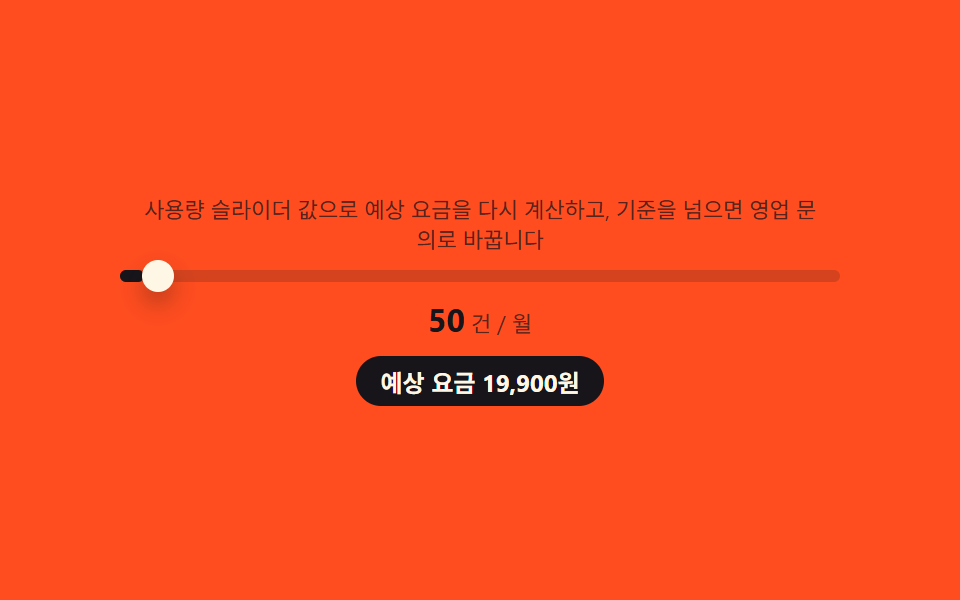 07 pricing-enterprise-cta
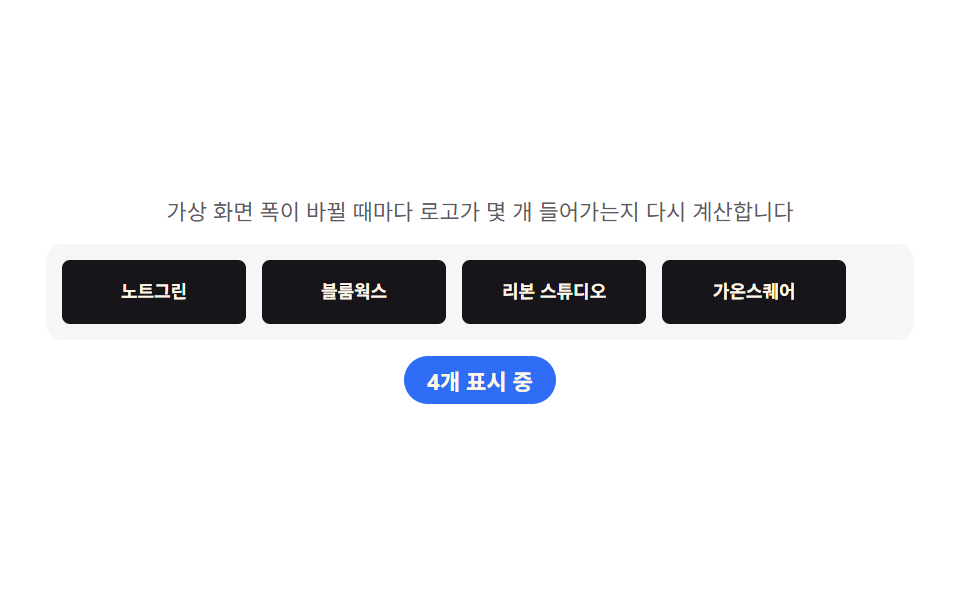 08 pricing-partner-bar
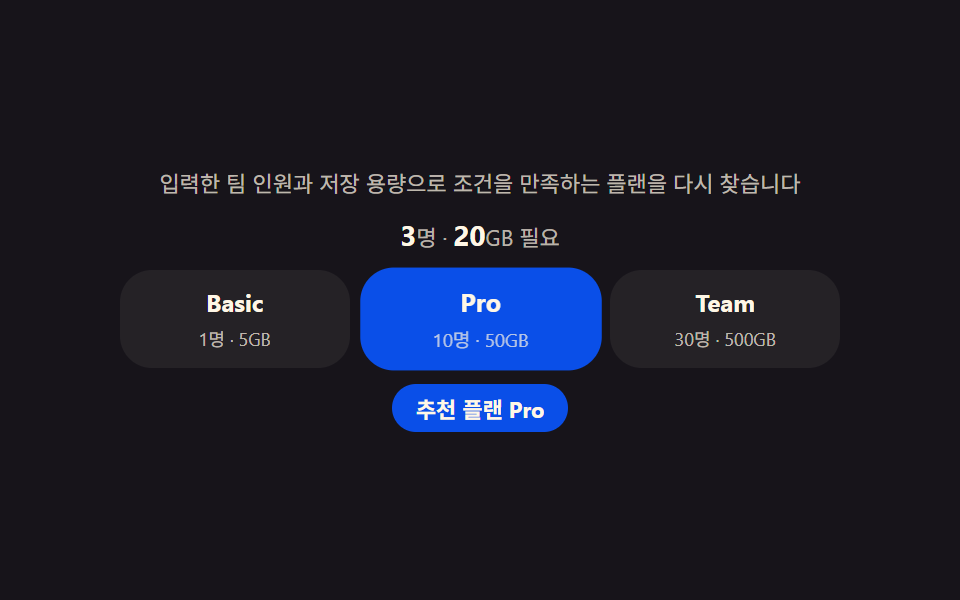 09 pricing-footer
자동 재생 · 눌러서 해당 항목으로 · 전부 한 zip
- 01 플랜 카드 — 연/월 전환에 맞춰 가격을 다시 구해 보여주는 카드 줄
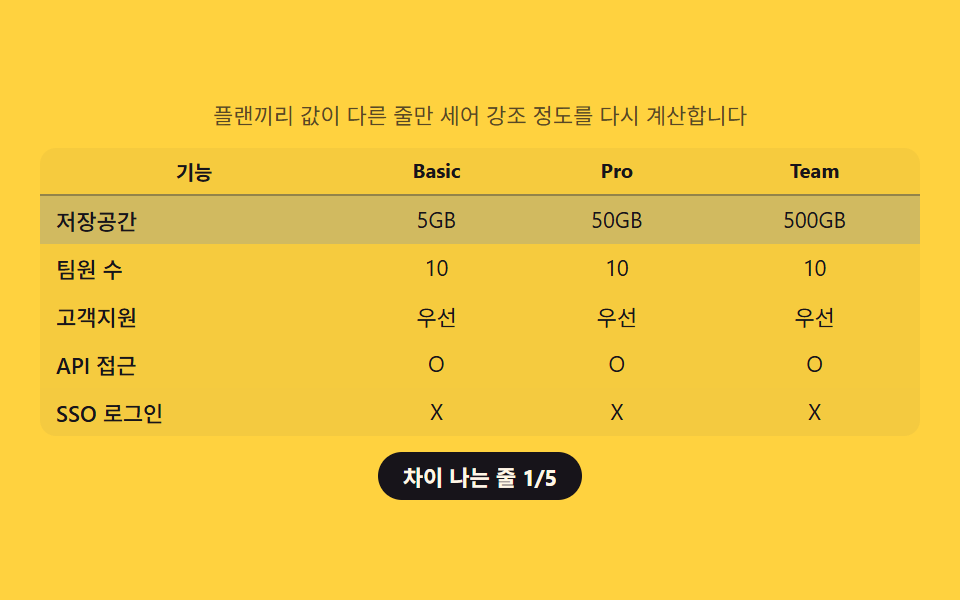
- 02 비교표 — 플랜끼리 값이 다른 줄만 세어 강조하는 표
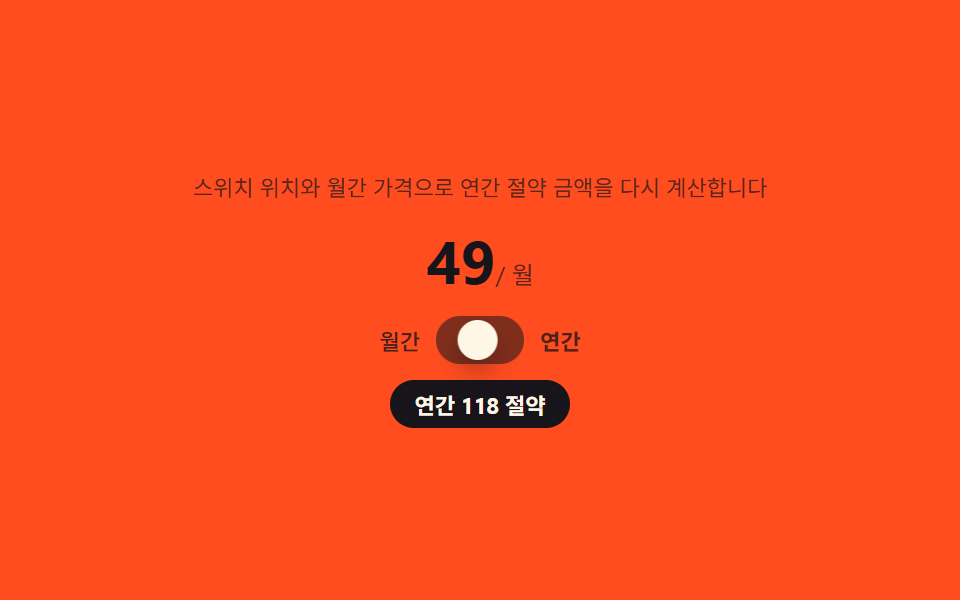
- 03 빌링 토글 — 스위치 위치로 절약 금액을 구해 배지에 얹는 전환
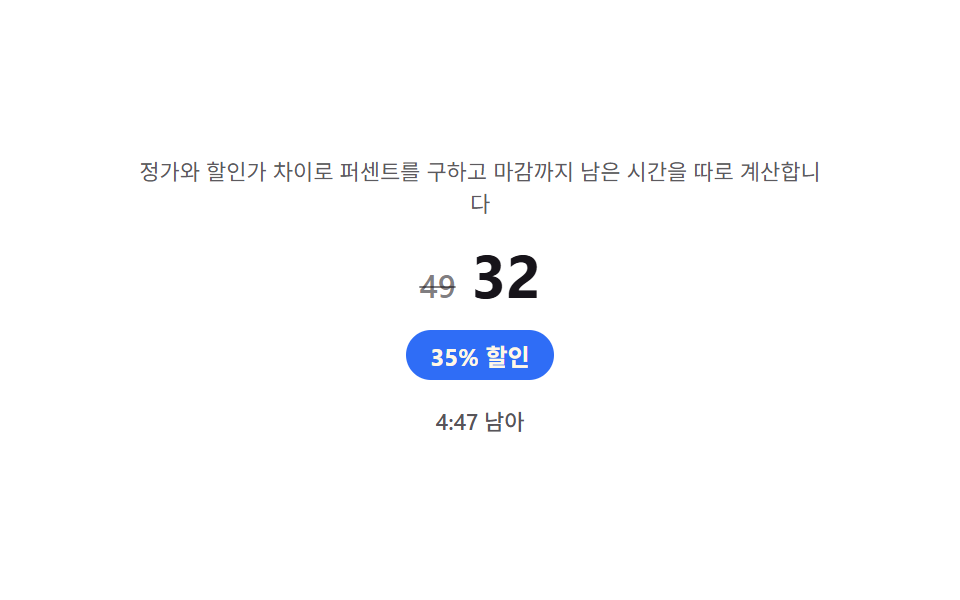
- 04 할인 배지 — 정가와 할인가 차이로 퍼센트를 직접 구하는 배지
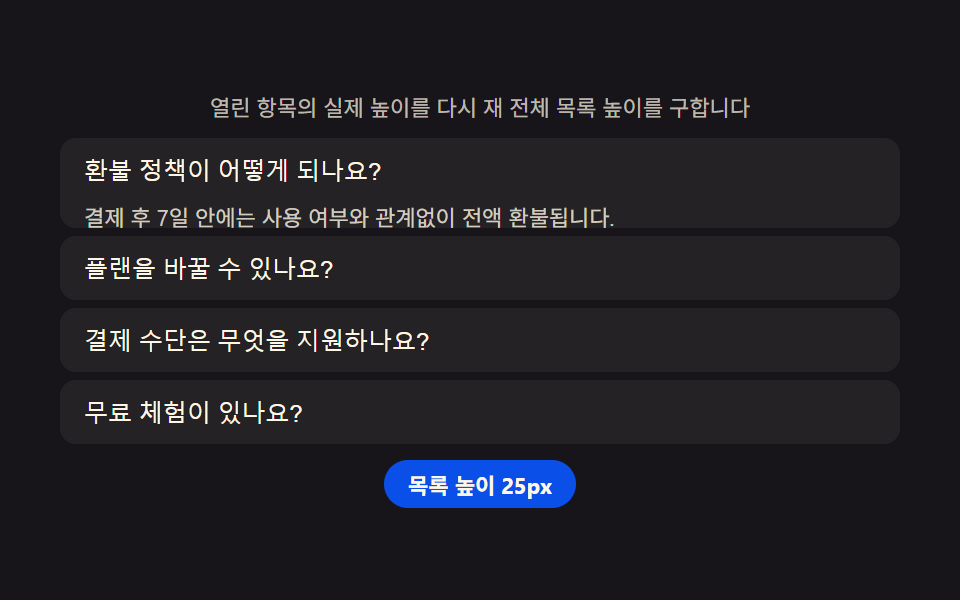
- 05 요금 FAQ — 열린 항목 수에 맞춰 목록 높이를 다시 재는 아코디언
- 06 요금 후기 — 평점 평균을 직접 구해 보여주는 후기 묶음
- 07 기업 문의 CTA — 입력한 사용량으로 예상 비용을 즉석에서 구하는 섹션
- 08 파트너 로고 바 — 화면 폭에 맞춰 보일 개수를 다시 구하는 줄
- 09 요금 푸터 — 입력한 조건으로 맞는 플랜을 직접 구해 강조하는 추천
데모
아홉 섹션은 전부 가격·할인율·사용량 같은 숫자 데이터를 받아 화면 값을 그 자리에서 계산합니다. 사람이 건드리지 않아도 정해진 시나리오가 돌면서 연/월 스위치가 넘어가고, 표의 값이 바뀌고, 슬라이더가 움직이는 상황을 반복 재생합니다. 측정은 480×300 무대에서 프레임 24장(움직임은 그 사이 델타 23개로 잡습니다)을 기준으로 했습니다.
실측 한눈에
| 항목 | 초점 | 누적면적(%) | 강도평균 | 움직인프레임(23 기준) |
|---|---|---|---|---|
| 01 플랜 카드 | 할인율로 월 환산가 재계산 | 16.259 | 103.0 | 18 |
| 02 비교표 | 값이 다른 줄만 세어 강조 | 29.956 | 39.6 | 7 |
| 03 빌링 토글 | 스위치 위치로 절약액 계산 | 5.264 | 99.6 | 10 |
| 04 할인 배지 | 정가·할인가 차이로 퍼센트 계산 | 1.447 | 97.3 | 23 |
| 05 요금 FAQ | 열린 항목 높이 재측정 | 34.936 | 81.3 | 9 |
| 06 요금 후기 | 평점 평균 직접 계산 | 19.763 | 106.7 | 7 |
| 07 기업 문의 CTA | 입력 사용량으로 비용 계산 | 2.287 | 121.6 | 8 |
| 08 파트너 로고 바 | 화면 폭으로 표시 개수 계산 | 8.320 | 194.6 | 9 |
| 09 요금 푸터 | 조건으로 맞는 플랜 계산 | 14.082 | 89.1 | 7 |
면적이 작다고 부실한 건 아니다
05 요금 FAQ 는 패널이 열리면서 목록 전체가 밀리는 구조라 누적면적이 34.94%로 가장 크고, 04 할인 배지는 숫자 몇 글자만 바뀌는 구조라 1.45%로 가장 작습니다. 07 기업 문의 CTA 도 슬라이더 손잡이 하나가 움직이는 정도라 2.29%로 낮은데, 두 항목 다 배지·손잡이처럼 원래 차지하는 면적이 작은 요소라 자연스러운 결과입니다. 04 는 오히려 23/23 프레임 전부에서 카운트다운 숫자가 바뀌어 화면이 쉬는 순간이 없고, 02·06·09 는 시나리오 사이에 값을 유지하고 기다리는 정지 구간이 있어 움직인 프레임이 7로 적게 나옵니다.
가격표 페이지의 해부 — 아홉 섹션이 계산하는 것
가격표 페이지는 흔히 정가를 박아 놓은 정적인 카드 세 장으로 만들어지지만, 이 아홉 섹션은 전부 값 하나를 계산해 그 결과로 표시나 강조를 바꿉니다. 속성 하나를 켜고 끄는 트랜지션이 아니라, 할인율·사용량·평점·화면 폭 같은 숫자를 읽어 다음 화면을 그때그때 다시 정합니다.
계산 한 겹이 하는 일
01 은 플랜별로 다른 할인율을 월 환산가에 곱해 값을 다시 구하고, 03 은 고정 할인율 하나를 12개월치 금액에 곱해 절약액을 만듭니다. 04 는 반대로 정가·할인가 두 숫자에서 할인율을 거꾸로 구하고, 02 는 플랜끼리 값을 대조해 실제로 차이 나는 줄의 개수를 셉니다. 06 은 배열에 담긴 평점을 모아 평균을 내고, 07·09 는 사용자가 입력한 사용량·인원·용량을 단가나 한도와 대조해 결과를 그 자리에서 구합니다. 05·08 은 반대로 화면에 있는 요소의 높이·폭을 측정해 목록 위치와 표시 개수를 정합니다.
아홉 섹션이 공유하는 값
아홉 섹션 모두 플랜이나 조건을 나타내는 숫자 하나(할인율·가격·한도·평점) 를 입력으로 받는다는 점이 같습니다. 01·03 은 이 숫자가 discount 필드이고, 02 는 플랜 사이의 값 배열이며, 07·09 는 사용자가 슬라이더나 입력창으로 직접 채워 넣는 값입니다.
섹션별 코드
아홉 개 섹션에서 계산을 맡는 함수만 추려 놓았습니다. 마크업·스타일 전체는 압축 파일 안에 있습니다.
01플랜 카드 — 연/월 전환에 맞춰 가격을 다시 구해 보여주는 카드 줄
SaaS 요금제 첫 화면에 세 장짜리 카드 줄로 자주 쓰는 형태입니다. 스위치를 연간 쪽으로 넘기면 각 카드의 월 환산가를 플랜별 할인율(15%·20%·25%)을 적용한 값으로 다시 구하고, 숫자가 이전 값에서 새 값까지 600ms 동안 자연스럽게 굴러가듯 바뀝니다.
할인율을 곱한 결과를 이전 숫자에서 새 숫자로 이징한다
세 플랜이 같은 두 함수를 쓰되 monthly·discount 값만 다르게 받아, 12·29·59 카드가 서로 다른 폭으로 숫자가 움직입니다.
  function yearlyMonthlyEq(plan) {
    return Math.round(plan.monthly * (1 - plan.discount));
  }

  function animateValue(el, from, to, duration) {
    if (!el) return;
    if (reduce || from === to) { el.textContent = String(to); return; }
    var start = null;
    function step(ts) {
      if (start === null) start = ts;
      var p = Math.min((ts - start) / duration, 1);
      var eased = 1 - Math.pow(1 - p, 3);
      el.textContent = String(Math.round(from + (to - from) * eased));
      if (p < 1) requestAnimationFrame(step);
    }
    requestAnimationFrame(step);
  }
<main class="stage">
<section class="panel" id="panel">
  <p class="hint" id="hint">연·월 전환마다 할인율을 적용해 표시 가격을 다시 계산합니다</p>
  <div class="switchRow">
    <span class="switchLabel" id="switchLabel">연간 결제</span>
    <button class="switchCtl" id="billingSwitch" type="button" role="switch" aria-checked="false" aria-label="연간 결제로 전환">
      <span class="knob" aria-hidden="true"></span>
    </button>
  </div>
  <div class="cards" id="cardsRow">
    <article class="card">
      <h3 class="planName">Basic</h3>
      <p class="price"><span class="priceNum" id="price0">12</span><span class="priceUnit" id="unit0"> / 월</span></p>
      <p class="badge" id="badge0" hidden></p>
    </article>
    <article class="card card--mid">
      <h3 class="planName">Pro</h3>
      <p class="price"><span class="priceNum" id="price1">29</span><span class="priceUnit" id="unit1"> / 월</span></p>
      <p class="badge" id="badge1" hidden></p>
    </article>
    <article class="card">
      <h3 class="planName">Team</h3>
      <p class="price"><span class="priceNum" id="price2">59</span><span class="priceUnit" id="unit2"> / 월</span></p>
      <p class="badge" id="badge2" hidden></p>
    </article>
  </div>
</section>
</main>@use "../../../../site/static/demo-tokens" as *;
$duration: $dur-enter;
$easing: $ease-spring;
$color: $subject-blue-deep;
@include stage($stage-ink);
.panel {
width: 100%;
max-width: 440px;
display: flex;
flex-direction: column;
align-items: center;
gap: $sp-3;
}
.hint {
margin: 0;
padding: 0 $sp-2;
text-align: center;
font-weight: 400;
font-size: 11px;
line-height: 1.4;
color: rgba($subject-cream, .72);
}
.switchRow {
display: flex;
align-items: center;
gap: $sp-2;
}
.switchLabel {
font-weight: 500;
font-size: 12px;
color: $subject-cream;
}
.switchCtl {
position: relative;
width: 40px;
height: 22px;
border: 0;
border-radius: $r-pill;
background: rgba($subject-cream, .24);
padding: 0;
cursor: pointer;
transition: background $duration $easing;
}
.switchCtl[aria-checked="true"] {
background: $color;
}
.knob {
position: absolute;
top: 2px;
left: 2px;
width: 18px;
height: 18px;
border-radius: $r-pill;
background: $subject-cream;
box-shadow: $shadow-press;
transform: translateX(0);
transition: transform $duration $easing;
}
.switchCtl[aria-checked="true"] .knob {
transform: translateX(18px);
}
.cards {
display: flex;
gap: $sp-3;
width: 100%;
}
.card {
flex: 1 1 0;
display: flex;
flex-direction: column;
align-items: center;
gap: $sp-1;
padding: $sp-4 $sp-2;
border-radius: $r-card;
background: rgba($subject-cream, .08);
text-align: center;
}
.card--mid {
background: rgba($color, .30);
}
.planName {
margin: 0;
font-weight: 700;
font-size: 13px;
color: $subject-cream;
}
.price {
margin: 0;
display: flex;
align-items: baseline;
}
.priceNum {
font-weight: 700;
font-size: 26px;
color: $subject-cream;
}
.priceUnit {
font-weight: 400;
font-size: 11px;
color: rgba($subject-cream, .72);
}
.badge {
margin: 0;
padding: $sp-1 $sp-2;
border-radius: $r-xs;
background: $subject-orange-deep;
color: $subject-cream;
font-weight: 700;
font-size: 9px;
opacity: 0;
transform: scale(.6);
transform-origin: center;
transition: opacity $dur-quick $ease-out, transform $dur-quick $ease-pop;
}
.badge:not([hidden]) {
opacity: 1;
transform: scale(1);
}
@media (max-width: 340px) {
.panel { max-width: 300px; gap: $sp-2; }
.hint { font-size: 9px; }
.cards { gap: $sp-1; }
.card { padding: $sp-1 $sp-1; }
.planName { font-size: 11px; }
.priceNum { font-size: 17px; }
.priceUnit { font-size: 9px; }
}
@media (prefers-reduced-motion: reduce) {
.switchCtl,
.knob,
.badge {
transition: none;
}
}html, body {
margin: 0;
overflow: hidden;
}
.stage {
box-sizing: border-box;
min-height: 100vh;
display: grid;
place-items: center;
margin: 0;
background: #17141a;
font-family: -apple-system, "Segoe UI", "Noto Sans KR", sans-serif;
padding: clamp(8px, 4vw, 24px);
}
.panel {
width: 100%;
max-width: 440px;
display: flex;
flex-direction: column;
align-items: center;
gap: 12px;
}
.hint {
margin: 0;
padding: 0 8px;
text-align: center;
font-weight: 400;
font-size: 11px;
line-height: 1.4;
color: rgba(255, 247, 230, 0.72);
}
.switchRow {
display: flex;
align-items: center;
gap: 8px;
}
.switchLabel {
font-weight: 500;
font-size: 12px;
color: #fff7e6;
}
.switchCtl {
position: relative;
width: 40px;
height: 22px;
border: 0;
border-radius: 999px;
background: rgba(255, 247, 230, 0.24);
padding: 0;
cursor: pointer;
transition: background 600ms cubic-bezier(0.2, 0.8, 0.2, 1);
}
.switchCtl[aria-checked=true] {
background: #0a4fe8;
}
.knob {
position: absolute;
top: 2px;
left: 2px;
width: 18px;
height: 18px;
border-radius: 999px;
background: #fff7e6;
box-shadow: 0 6px 12px rgba(23, 20, 26, 0.32);
transform: translateX(0);
transition: transform 600ms cubic-bezier(0.2, 0.8, 0.2, 1);
}
.switchCtl[aria-checked=true] .knob {
transform: translateX(18px);
}
.cards {
display: flex;
gap: 12px;
width: 100%;
}
.card {
flex: 1 1 0;
display: flex;
flex-direction: column;
align-items: center;
gap: 4px;
padding: 16px 8px;
border-radius: 16px;
background: rgba(255, 247, 230, 0.08);
text-align: center;
}
.card--mid {
background: rgba(10, 79, 232, 0.3);
}
.planName {
margin: 0;
font-weight: 700;
font-size: 13px;
color: #fff7e6;
}
.price {
margin: 0;
display: flex;
align-items: baseline;
}
.priceNum {
font-weight: 700;
font-size: 26px;
color: #fff7e6;
}
.priceUnit {
font-weight: 400;
font-size: 11px;
color: rgba(255, 247, 230, 0.72);
}
.badge {
margin: 0;
padding: 4px 8px;
border-radius: 4px;
background: #c93000;
color: #fff7e6;
font-weight: 700;
font-size: 9px;
opacity: 0;
transform: scale(0.6);
transform-origin: center;
transition: opacity 220ms ease-out, transform 220ms cubic-bezier(0.2, 1.4, 0.4, 1);
}
.badge:not([hidden]) {
opacity: 1;
transform: scale(1);
}
@media (max-width: 340px) {
.panel {
max-width: 300px;
gap: 8px;
}
.hint {
font-size: 9px;
}
.cards {
gap: 4px;
}
.card {
padding: 4px 4px;
}
.planName {
font-size: 11px;
}
.priceNum {
font-size: 17px;
}
.priceUnit {
font-size: 9px;
}
}
@media (prefers-reduced-motion: reduce) {
.switchCtl,
.knob,
.badge {
transition: none;
}
}// 플랜 카드(01) — 연/월 스위치가 눌릴 때마다 플랜별 할인율(discount)을 monthly 가격에 적용해
// 월 환산가를 다시 구하고, 그 값을 rAF 로 이전 숫자에서 새 숫자까지 이징 계산하며 굴린다(계산 한 겹).
// 자동 시연은 스위치를 700ms 마다 반전시켜 세 카드가 매번 다시 계산되는 것을 보여준다.
(function () {
var switchCtl = document.getElementById('billingSwitch');
var cardsRow = document.getElementById('cardsRow');
if (!switchCtl || !cardsRow) return;
var reduce = window.matchMedia('(prefers-reduced-motion: reduce)').matches;
var PLANS = [
{ monthly: 12, discount: .15 },
{ monthly: 29, discount: .20 },
{ monthly: 59, discount: .25 }
];
var ROLL_MS = 600;
function yearlyMonthlyEq(plan) {
return Math.round(plan.monthly * (1 - plan.discount));
}
function animateValue(el, from, to, duration) {
if (!el) return;
if (reduce || from === to) { el.textContent = String(to); return; }
var start = null;
function step(ts) {
if (start === null) start = ts;
var p = Math.min((ts - start) / duration, 1);
var eased = 1 - Math.pow(1 - p, 3);
el.textContent = String(Math.round(from + (to - from) * eased));
if (p < 1) requestAnimationFrame(step);
}
requestAnimationFrame(step);
}
var current = PLANS.map(function (p) { return p.monthly; });
function render(yearly) {
switchCtl.setAttribute('aria-checked', yearly ? 'true' : 'false');
PLANS.forEach(function (plan, i) {
var next = yearly ? yearlyMonthlyEq(plan) : plan.monthly;
var numEl = document.getElementById('price' + i);
var badgeEl = document.getElementById('badge' + i);
animateValue(numEl, current[i], next, ROLL_MS);
current[i] = next;
if (badgeEl) {
if (yearly) {
badgeEl.hidden = false;
badgeEl.textContent = Math.round(plan.discount * 100) + '% 할인 중';
} else {
badgeEl.hidden = true;
}
}
});
}
render(false);
if (!reduce) {
var yearly = false;
setInterval(function () {
yearly = !yearly;
render(yearly);
}, 700);
}
})();// PricingPlanCards — vanilla 판(run/339/demo/01-pricing-plan-cards/index.html) 의 React 포트.
// 연/월 스위치가 눌릴 때마다 플랜별 할인율을 monthly 가격에 적용해 월 환산가를 다시 구하고,
// 그 값을 rAF 로 이전 숫자에서 새 숫자까지 이징 계산하며 굴린다(계산 한 겹).
import { useEffect, useRef } from "react";
import styles from "./PricingPlanCards.module.scss";
export type PricingPlanCardsProps = {
duration?: string;
easing?: string;
color?: string;
};
const HINT = "연·월 전환마다 할인율을 적용해 표시 가격을 다시 계산합니다";
const SWITCH_LABEL = "연간 결제";
const SWITCH_ARIA = "연간 결제로 전환";
type Plan = { name: string; monthly: number; discount: number };
const PLANS: Plan[] = [
{ name: "Basic", monthly: 12, discount: 0.15 },
{ name: "Pro", monthly: 29, discount: 0.2 },
{ name: "Team", monthly: 59, discount: 0.25 }
];
const ROLL_MS = 600;
function yearlyMonthlyEq(plan: Plan): number {
return Math.round(plan.monthly * (1 - plan.discount));
}
export default function PricingPlanCards({
duration = "600ms",
easing = "cubic-bezier(.2,.8,.2,1)",
color = "#0a4fe8"
}: PricingPlanCardsProps) {
const switchRef = useRef<HTMLButtonElement | null>(null);
const priceRefs = useRef<(HTMLSpanElement | null)[]>([]);
const badgeRefs = useRef<(HTMLParagraphElement | null)[]>([]);
useEffect(() => {
const switchCtl = switchRef.current;
if (!switchCtl) return;
const reduce = window.matchMedia("(prefers-reduced-motion: reduce)").matches;
const current = PLANS.map((p) => p.monthly);
function animateValue(el: HTMLElement | null, from: number, to: number, dur: number): void {
if (!el) return;
if (reduce || from === to) {
el.textContent = String(to);
return;
}
let start: number | null = null;
function step(ts: number): void {
if (start === null) start = ts;
const p = Math.min((ts - start) / dur, 1);
const eased = 1 - Math.pow(1 - p, 3);
el!.textContent = String(Math.round(from + (to - from) * eased));
if (p < 1) requestAnimationFrame(step);
}
requestAnimationFrame(step);
}
function render(yearly: boolean): void {
switchCtl!.setAttribute("aria-checked", yearly ? "true" : "false");
PLANS.forEach((plan, i) => {
const next = yearly ? yearlyMonthlyEq(plan) : plan.monthly;
const numEl = priceRefs.current![i];
const badgeEl = badgeRefs.current![i];
animateValue(numEl, current[i], next, ROLL_MS);
current[i] = next;
if (badgeEl) {
if (yearly) {
badgeEl.hidden = false;
badgeEl.textContent = Math.round(plan.discount * 100) + "% 할인 중";
} else {
badgeEl.hidden = true;
}
}
});
}
render(false);
let timer = 0;
if (!reduce) {
let yearly = false;
timer = window.setInterval(() => {
yearly = !yearly;
render(yearly);
}, 700);
}
return () => {
if (timer) window.clearInterval(timer);
};
// eslint-disable-next-line react-hooks/exhaustive-deps
}, []);
return (
<main className={styles.stage}>
<section className={styles.panel}>
<p className={styles.hint}>{HINT}</p>
<div className={styles.switchRow}>
<span className={styles.switchLabel}>{SWITCH_LABEL}</span>
<button
className={styles.switchCtl}
ref={switchRef}
type="button"
role="switch"
aria-checked="false"
aria-label={SWITCH_ARIA}
>
<span className={styles.knob} aria-hidden="true" />
</button>
</div>
<div className={styles.cards}>
{PLANS.map((plan, i) => (
<article key={plan.name} className={i === 1 ? styles.card + " " + styles.cardMid : styles.card}>
<h3 className={styles.planName}>{plan.name}</h3>
<p className={styles.price}>
<span
className={styles.priceNum}
ref={(el: HTMLSpanElement | null) => {
priceRefs.current![i] = el;
}}
>
{plan.monthly}
</span>
<span className={styles.priceUnit}> / 월</span>
</p>
<p
className={styles.badge}
hidden
ref={(el: HTMLParagraphElement | null) => {
badgeRefs.current![i] = el;
}}
/>
</article>
))}
</div>
</section>
</main>
);
}01 · 플랜 카드 — 연/월 전환에 맞춰 가격을 다시 구해 보여주는 카드 줄 — 측정 누적면적 16.259% · 움직인 프레임 18/23GODRICH 원작 · zip 에 SCSS·React 포함 · 비밀번호 보기
02비교표 — 플랜끼리 값이 다른 줄만 세어 강조하는 표
기능 비교표에서 플랜마다 값이 같은 줄은 놔두고 실제로 다른 줄만 도드라지게 만드는, 상품 가격표 디자인에서 항목이 많을수록 요긴한 형태입니다. 저장공간·좌석수·지원·API·SSO 다섯 줄을 시나리오마다 대조해 실제로 다른 줄의 개수를 세고, 그 개수에 비례해 강조 배경의 진하기를 올립니다.
차이 난 줄 수를 전체 줄 수로 나눠 강조 진하기를 정한다
다섯 줄이 전부 같은 시나리오에서는 어떤 줄도 강조되지 않고, SSO 한 줄만 갈리면 은은하게, 다섯 줄 전부 갈리면 강조가 가장 진해집니다.
  function apply(scenario) {
    var diffCount = 0;
    ROW_KEYS.forEach(function (key) {
      var values = scenario[key];
      var tr = rowsEl.querySelector('tr[data-row="' + key + '"]');
      if (!tr) return;
      var cells = tr.querySelectorAll('.v');
      cells.forEach(function (cell, i) { cell.textContent = values[i]; });
      var differs = !allEqual(values);
      if (differs) diffCount += 1;
      tr.classList.toggle('is-diff', differs);
      tr.style.setProperty('--diff-alpha', differs ? String(.12 + (diffCount / ROW_KEYS.length) * .35) : '0');
    });
    chip.textContent = '차이 나는 줄 ' + diffCount + '/' + ROW_KEYS.length;
  }
<main class="stage">
<section class="panel">
  <p class="hint">플랜끼리 값이 다른 줄만 세어 강조 정도를 다시 계산합니다</p>
  <table class="cmp">
    <caption class="cmpCaption">플랜 비교</caption>
    <thead>
      <tr>
        <th scope="col">기능</th>
        <th scope="col">Basic</th>
        <th scope="col">Pro</th>
        <th scope="col">Team</th>
      </tr>
    </thead>
    <tbody id="rows">
      <tr data-row="storage"><th scope="row">저장공간</th><td class="v v0"></td><td class="v v1"></td><td class="v v2"></td></tr>
      <tr data-row="seats"><th scope="row">팀원 수</th><td class="v v0"></td><td class="v v1"></td><td class="v v2"></td></tr>
      <tr data-row="support"><th scope="row">고객지원</th><td class="v v0"></td><td class="v v1"></td><td class="v v2"></td></tr>
      <tr data-row="api"><th scope="row">API 접근</th><td class="v v0"></td><td class="v v1"></td><td class="v v2"></td></tr>
      <tr data-row="sso"><th scope="row">SSO 로그인</th><td class="v v0"></td><td class="v v1"></td><td class="v v2"></td></tr>
    </tbody>
  </table>
  <p class="chip" id="diffChip">차이 나는 줄 0/5</p>
</section>
</main>
@use "../../../../site/static/demo-tokens" as *;
$duration: $dur-base;
$easing: $ease-out;
$color: $subject-ink;
@include stage($stage-yellow);
.panel {
width: 100%;
max-width: 440px;
display: flex;
flex-direction: column;
align-items: center;
gap: $sp-2;
}
.hint {
margin: 0;
padding: 0 $sp-2;
text-align: center;
font-weight: 400;
font-size: 11px;
line-height: 1.4;
color: rgba($subject-ink, .72);
}
.cmp {
width: 100%;
border-collapse: collapse;
background: rgba($subject-ink, .04);
border-radius: $r-sm;
overflow: hidden;
}
.cmpCaption {
display: none;
}
.cmp th,
.cmp td {
padding: $sp-1 $sp-2;
text-align: center;
font-weight: 400;
font-size: 11px;
color: $subject-ink;
}
.cmp thead th {
font-weight: 700;
font-size: 10px;
border-bottom: 1px solid rgba($subject-ink, .18);
}
.cmp tbody th {
text-align: left;
font-weight: 500;
}
.cmp tbody tr {
background: rgba($subject-blue, var(--diff-alpha, 0));
transition: background $duration $easing;
}
.chip {
margin: 0;
padding: $sp-1 $sp-3;
border-radius: $r-pill;
background: $color;
color: $subject-cream;
font-weight: 700;
font-size: 11px;
}
@media (max-width: 340px) {
.panel { max-width: 300px; gap: $sp-1; }
.hint { font-size: 9px; }
.cmp th, .cmp td { padding: $sp-1; font-size: 9px; }
}
@media (prefers-reduced-motion: reduce) {
.cmp tbody tr {
transition: none;
}
}html, body {
margin: 0;
overflow: hidden;
}
.stage {
box-sizing: border-box;
min-height: 100vh;
display: grid;
place-items: center;
margin: 0;
background: #ffd23f;
font-family: -apple-system, "Segoe UI", "Noto Sans KR", sans-serif;
padding: clamp(8px, 4vw, 24px);
}
.panel {
width: 100%;
max-width: 440px;
display: flex;
flex-direction: column;
align-items: center;
gap: 8px;
}
.hint {
margin: 0;
padding: 0 8px;
text-align: center;
font-weight: 400;
font-size: 11px;
line-height: 1.4;
color: rgba(23, 20, 26, 0.72);
}
.cmp {
width: 100%;
border-collapse: collapse;
background: rgba(23, 20, 26, 0.04);
border-radius: 8px;
overflow: hidden;
}
.cmpCaption {
display: none;
}
.cmp th,
.cmp td {
padding: 4px 8px;
text-align: center;
font-weight: 400;
font-size: 11px;
color: #17141a;
}
.cmp thead th {
font-weight: 700;
font-size: 10px;
border-bottom: 1px solid rgba(23, 20, 26, 0.18);
}
.cmp tbody th {
text-align: left;
font-weight: 500;
}
.cmp tbody tr {
background: rgba(47, 109, 246, var(--diff-alpha, 0));
transition: background 300ms ease-out;
}
.chip {
margin: 0;
padding: 4px 12px;
border-radius: 999px;
background: #17141a;
color: #fff7e6;
font-weight: 700;
font-size: 11px;
}
@media (max-width: 340px) {
.panel {
max-width: 300px;
gap: 4px;
}
.hint {
font-size: 9px;
}
.cmp th, .cmp td {
padding: 4px;
font-size: 9px;
}
}
@media (prefers-reduced-motion: reduce) {
.cmp tbody tr {
transition: none;
}
}// 비교표(02) — 플랜 세 줄의 값을 서로 대조해 실제로 다른 줄의 개수(diffCount)를 세고,
// 그 개수를 전체 줄 수로 나눈 비율로 강조 배경의 알파를 다시 계산한다(계산 한 겹).
// 자동 시연은 3가지 시나리오를 900ms 마다 돌려 diffCount 가 매번 달라지는 것을 보여준다.
(function () {
var rowsEl = document.getElementById('rows');
var chip = document.getElementById('diffChip');
if (!rowsEl || !chip) return;
var reduce = window.matchMedia('(prefers-reduced-motion: reduce)').matches;
var SCENARIOS = [
{ storage: ['5GB', '50GB', '500GB'], seats: ['1', '10', '∞'], support: ['이메일', '우선', '전담'], api: ['X', 'O', 'O'], sso: ['X', 'X', 'O'] },
{ storage: ['5GB', '50GB', '500GB'], seats: ['10', '10', '10'], support: ['우선', '우선', '우선'], api: ['X', 'O', 'O'], sso: ['X', 'X', 'O'] },
{ storage: ['5GB', '50GB', '500GB'], seats: ['10', '10', '10'], support: ['우선', '우선', '우선'], api: ['O', 'O', 'O'], sso: ['X', 'X', 'X'] }
];
var ROW_KEYS = ['storage', 'seats', 'support', 'api', 'sso'];
function allEqual(arr) {
return arr.every(function (v) { return v === arr[0]; });
}
function apply(scenario) {
var diffCount = 0;
ROW_KEYS.forEach(function (key) {
var values = scenario[key];
var tr = rowsEl.querySelector('tr[data-row="' + key + '"]');
if (!tr) return;
var cells = tr.querySelectorAll('.v');
cells.forEach(function (cell, i) { cell.textContent = values[i]; });
var differs = !allEqual(values);
if (differs) diffCount += 1;
tr.classList.toggle('is-diff', differs);
tr.style.setProperty('--diff-alpha', differs ? String(.12 + (diffCount / ROW_KEYS.length) * .35) : '0');
});
chip.textContent = '차이 나는 줄 ' + diffCount + '/' + ROW_KEYS.length;
}
apply(SCENARIOS[0]);
if (!reduce) {
var idx = 0;
setInterval(function () {
idx = (idx + 1) % SCENARIOS.length;
apply(SCENARIOS[idx]);
}, 900);
}
})();// PricingComparisonTable — vanilla 판(run/339/demo/02-pricing-comparison-table/index.html) 의 React 포트.
// 플랜 세 줄의 값을 서로 대조해 실제로 다른 줄의 개수(diffCount)를 세고, 그 개수를 전체 줄 수로
// 나눈 비율로 강조 배경의 알파를 다시 계산한다(계산 한 겹).
import { useEffect, useRef } from "react";
import styles from "./PricingComparisonTable.module.scss";
export type PricingComparisonTableProps = {
duration?: string;
easing?: string;
color?: string;
};
const HINT = "플랜끼리 값이 다른 줄만 세어 강조 정도를 다시 계산합니다";
const CAPTION = "플랜 비교";
type RowKey = "storage" | "seats" | "support" | "api" | "sso";
const ROW_LABELS: { key: RowKey; label: string }[] = [
{ key: "storage", label: "저장공간" },
{ key: "seats", label: "팀원 수" },
{ key: "support", label: "고객지원" },
{ key: "api", label: "API 접근" },
{ key: "sso", label: "SSO 로그인" }
];
type Scenario = Record<RowKey, string[]>;
const SCENARIOS: Scenario[] = [
{ storage: ["5GB", "50GB", "500GB"], seats: ["1", "10", "∞"], support: ["이메일", "우선", "전담"], api: ["X", "O", "O"], sso: ["X", "X", "O"] },
{ storage: ["5GB", "50GB", "500GB"], seats: ["10", "10", "10"], support: ["우선", "우선", "우선"], api: ["X", "O", "O"], sso: ["X", "X", "O"] },
{ storage: ["5GB", "50GB", "500GB"], seats: ["10", "10", "10"], support: ["우선", "우선", "우선"], api: ["O", "O", "O"], sso: ["X", "X", "X"] }
];
const ROW_KEYS: RowKey[] = ["storage", "seats", "support", "api", "sso"];
function allEqual(arr: string[]): boolean {
return arr.every((v) => v === arr[0]);
}
export default function PricingComparisonTable({
duration = "300ms",
easing = "ease-out",
color = "#17141a"
}: PricingComparisonTableProps) {
const rowRefs = useRef<Record<string, HTMLTableRowElement | null>>({});
const chipRef = useRef<HTMLParagraphElement | null>(null);
useEffect(() => {
const chip = chipRef.current;
if (!chip) return;
const reduce = window.matchMedia("(prefers-reduced-motion: reduce)").matches;
function apply(scenario: Scenario): void {
let diffCount = 0;
ROW_KEYS.forEach((key) => {
const values = scenario[key];
const tr = rowRefs.current![key];
if (!tr) return;
const cells = tr.querySelectorAll("." + styles.v);
cells.forEach((cell, i) => {
cell.textContent = values[i];
});
const differs = !allEqual(values);
if (differs) diffCount += 1;
tr.classList.toggle(styles.isDiff, differs);
tr.style.setProperty("--diff-alpha", differs ? String(0.12 + (diffCount / ROW_KEYS.length) * 0.35) : "0");
});
chip!.textContent = "차이 나는 줄 " + diffCount + "/" + ROW_KEYS.length;
}
apply(SCENARIOS[0]);
let timer = 0;
if (!reduce) {
let idx = 0;
timer = window.setInterval(() => {
idx = (idx + 1) % SCENARIOS.length;
apply(SCENARIOS[idx]);
}, 900);
}
return () => {
if (timer) window.clearInterval(timer);
};
// eslint-disable-next-line react-hooks/exhaustive-deps
}, []);
return (
<main className={styles.stage}>
<section className={styles.panel}>
<p className={styles.hint}>{HINT}</p>
<table className={styles.cmp}>
<caption className={styles.cmpCaption}>{CAPTION}</caption>
<thead>
<tr>
<th scope="col">기능</th>
<th scope="col">Basic</th>
<th scope="col">Pro</th>
<th scope="col">Team</th>
</tr>
</thead>
<tbody>
{ROW_LABELS.map((row) => (
<tr
key={row.key}
ref={(el: HTMLTableRowElement | null) => {
rowRefs.current![row.key] = el;
}}
>
<th scope="row">{row.label}</th>
<td className={styles.v} />
<td className={styles.v} />
<td className={styles.v} />
</tr>
))}
</tbody>
</table>
<p className={styles.chip} ref={chipRef}>
차이 나는 줄 0/5
</p>
</section>
</main>
);
}02 · 비교표 — 플랜끼리 값이 다른 줄만 세어 강조하는 표 — 측정 누적면적 29.956% · 움직인 프레임 7/23GODRICH 원작 · zip 에 SCSS·React 포함 · 비밀번호 보기
03빌링 토글 — 스위치 위치로 절약 금액을 구해 배지에 얹는 전환
요금제 페이지 상단에서 연간·월간을 고르는 스위치입니다. role="switch" 버튼이 연간 쪽으로 넘어가면 월간 가격에 12개월과 할인율 20%를 곱해 한 해 동안 아낀 금액을 그 자리에서 구해 배지 문구에 채우고, 다시 월간으로 돌아가면 배지를 감춥니다.
월간 가격 × 12 × 할인율로 절약액을 구한다
월 29 플랜이 연간으로 넘어가면 29×12×0.2 를 반올림한 "연간 70 절약"이 뜨고, 49 플랜은 같은 계산으로 118 절약이 뜹니다.
  function apply(step) {
    priceNum.textContent = String(step.monthly);
    toggle.setAttribute('aria-checked', step.yearly ? 'true' : 'false');
    modeMonthly.classList.toggle('is-active', !step.yearly);
    modeYearly.classList.toggle('is-active', step.yearly);
    if (step.yearly) {
      var savings = Math.round(step.monthly * 12 * DISCOUNT);
      badge.hidden = false;
      badge.textContent = '연간 ' + savings + ' 절약';
    } else {
      badge.hidden = true;
    }
  }
<main class="stage">
<section class="panel">
  <p class="hint">스위치 위치와 월간 가격으로 연간 절약 금액을 다시 계산합니다</p>
  <p class="priceLine"><span class="priceNum" id="priceNum">29</span><span class="priceUnit"> / 월</span></p>
  <div class="switchWrap">
    <span class="modeLabel" id="modeMonthly">월간</span>
    <button class="switchCtl" id="toggle" type="button" role="switch" aria-checked="false" aria-label="연간 결제로 전환">
      <span class="knob" aria-hidden="true"></span>
    </button>
    <span class="modeLabel" id="modeYearly">연간</span>
  </div>
  <p class="badge" id="savingsBadge" hidden></p>
</section>
</main>
@use "../../../../site/static/demo-tokens" as *;
$duration: $dur-base;
$easing: $ease-spring;
$color: $subject-cream;
@include stage($stage-orange);
.panel {
width: 100%;
max-width: 360px;
display: flex;
flex-direction: column;
align-items: center;
gap: $sp-2;
}
.hint {
margin: 0;
padding: 0 $sp-2;
text-align: center;
font-weight: 400;
font-size: 11px;
line-height: 1.4;
color: rgba($subject-ink, .70);
}
.priceLine {
margin: 0;
display: flex;
align-items: baseline;
}
.priceNum {
font-weight: 700;
font-size: 30px;
color: $subject-ink;
}
.priceUnit {
font-weight: 400;
font-size: 12px;
color: rgba($subject-ink, .70);
}
.switchWrap {
display: flex;
align-items: center;
gap: $sp-2;
}
.modeLabel {
font-weight: 500;
font-size: 11px;
color: rgba($subject-ink, .55);
transition: color $duration $easing;
}
.modeLabel.is-active {
color: $subject-ink;
font-weight: 700;
}
.switchCtl {
position: relative;
width: 44px;
height: 24px;
border: 0;
border-radius: $r-pill;
background: rgba($subject-ink, .18);
padding: 0;
cursor: pointer;
transition: background $duration $easing;
}
.switchCtl[aria-checked="true"] {
background: $subject-ink;
}
.knob {
position: absolute;
top: 2px;
left: 2px;
width: 20px;
height: 20px;
border-radius: $r-pill;
background: $color;
box-shadow: $shadow-press;
transform: translateX(0);
transition: transform $duration $easing;
}
.switchCtl[aria-checked="true"] .knob {
transform: translateX(20px);
}
.badge {
margin: 0;
padding: $sp-1 $sp-3;
border-radius: $r-pill;
background: $subject-ink;
color: $subject-cream;
font-weight: 700;
font-size: 11px;
opacity: 0;
transform: scale(.6);
transform-origin: center;
transition: opacity $dur-quick $ease-out, transform $dur-quick $ease-pop;
}
.badge:not([hidden]) {
opacity: 1;
transform: scale(1);
}
@media (max-width: 340px) {
.panel { max-width: 280px; gap: $sp-1; }
.hint { font-size: 9px; }
.priceNum { font-size: 24px; }
}
@media (prefers-reduced-motion: reduce) {
.modeLabel,
.switchCtl,
.knob,
.badge {
transition: none;
}
}html, body {
margin: 0;
overflow: hidden;
}
.stage {
box-sizing: border-box;
min-height: 100vh;
display: grid;
place-items: center;
margin: 0;
background: #ff4d1f;
font-family: -apple-system, "Segoe UI", "Noto Sans KR", sans-serif;
padding: clamp(8px, 4vw, 24px);
}
.panel {
width: 100%;
max-width: 360px;
display: flex;
flex-direction: column;
align-items: center;
gap: 8px;
}
.hint {
margin: 0;
padding: 0 8px;
text-align: center;
font-weight: 400;
font-size: 11px;
line-height: 1.4;
color: rgba(23, 20, 26, 0.7);
}
.priceLine {
margin: 0;
display: flex;
align-items: baseline;
}
.priceNum {
font-weight: 700;
font-size: 30px;
color: #17141a;
}
.priceUnit {
font-weight: 400;
font-size: 12px;
color: rgba(23, 20, 26, 0.7);
}
.switchWrap {
display: flex;
align-items: center;
gap: 8px;
}
.modeLabel {
font-weight: 500;
font-size: 11px;
color: rgba(23, 20, 26, 0.55);
transition: color 300ms cubic-bezier(0.2, 0.8, 0.2, 1);
}
.modeLabel.is-active {
color: #17141a;
font-weight: 700;
}
.switchCtl {
position: relative;
width: 44px;
height: 24px;
border: 0;
border-radius: 999px;
background: rgba(23, 20, 26, 0.18);
padding: 0;
cursor: pointer;
transition: background 300ms cubic-bezier(0.2, 0.8, 0.2, 1);
}
.switchCtl[aria-checked=true] {
background: #17141a;
}
.knob {
position: absolute;
top: 2px;
left: 2px;
width: 20px;
height: 20px;
border-radius: 999px;
background: #fff7e6;
box-shadow: 0 6px 12px rgba(23, 20, 26, 0.32);
transform: translateX(0);
transition: transform 300ms cubic-bezier(0.2, 0.8, 0.2, 1);
}
.switchCtl[aria-checked=true] .knob {
transform: translateX(20px);
}
.badge {
margin: 0;
padding: 4px 12px;
border-radius: 999px;
background: #17141a;
color: #fff7e6;
font-weight: 700;
font-size: 11px;
opacity: 0;
transform: scale(0.6);
transform-origin: center;
transition: opacity 220ms ease-out, transform 220ms cubic-bezier(0.2, 1.4, 0.4, 1);
}
.badge:not([hidden]) {
opacity: 1;
transform: scale(1);
}
@media (max-width: 340px) {
.panel {
max-width: 280px;
gap: 4px;
}
.hint {
font-size: 9px;
}
.priceNum {
font-size: 24px;
}
}
@media (prefers-reduced-motion: reduce) {
.modeLabel,
.switchCtl,
.knob,
.badge {
transition: none;
}
}// 빌링 토글(03) — 스위치가 연간으로 넘어갈 때마다 지금 표시된 월간 가격(monthly)에
// 12 와 연간 할인율(DISCOUNT)을 곱해 한 해 절약 금액을 그 자리에서 구해 배지에 채운다(계산 한 겹).
// 자동 시연은 월간 가격을 29→49 로 바꿔가며 토글해 같은 공식이 다른 결과를 내는 것을 보여준다.
(function () {
var toggle = document.getElementById('toggle');
var priceNum = document.getElementById('priceNum');
var badge = document.getElementById('savingsBadge');
var modeMonthly = document.getElementById('modeMonthly');
var modeYearly = document.getElementById('modeYearly');
if (!toggle || !priceNum || !badge || !modeMonthly || !modeYearly) return;
var reduce = window.matchMedia('(prefers-reduced-motion: reduce)').matches;
var DISCOUNT = .20;
var STEPS = [
{ monthly: 29, yearly: false },
{ monthly: 29, yearly: true },
{ monthly: 49, yearly: false },
{ monthly: 49, yearly: true }
];
function apply(step) {
priceNum.textContent = String(step.monthly);
toggle.setAttribute('aria-checked', step.yearly ? 'true' : 'false');
modeMonthly.classList.toggle('is-active', !step.yearly);
modeYearly.classList.toggle('is-active', step.yearly);
if (step.yearly) {
var savings = Math.round(step.monthly * 12 * DISCOUNT);
badge.hidden = false;
badge.textContent = '연간 ' + savings + ' 절약';
} else {
badge.hidden = true;
}
}
apply(STEPS[0]);
if (!reduce) {
var idx = 0;
setInterval(function () {
idx = (idx + 1) % STEPS.length;
apply(STEPS[idx]);
}, 700);
}
})();// PricingBillingToggle — vanilla 판(run/339/demo/03-pricing-billing-toggle/index.html) 의 React 포트.
// 스위치가 연간으로 넘어갈 때마다 지금 표시된 월간 가격에 12 와 연간 할인율을 곱해 한 해 절약 금액을
// 그 자리에서 구해 배지에 채운다(계산 한 겹).
import { useEffect, useRef } from "react";
import styles from "./PricingBillingToggle.module.scss";
export type PricingBillingToggleProps = {
duration?: string;
easing?: string;
color?: string;
};
const HINT = "스위치 위치와 월간 가격으로 연간 절약 금액을 다시 계산합니다";
const TOGGLE_ARIA = "연간 결제로 전환";
type Step = { monthly: number; yearly: boolean };
const DISCOUNT = 0.2;
const STEPS: Step[] = [
{ monthly: 29, yearly: false },
{ monthly: 29, yearly: true },
{ monthly: 49, yearly: false },
{ monthly: 49, yearly: true }
];
export default function PricingBillingToggle({
duration = "300ms",
easing = "cubic-bezier(.2,.8,.2,1)",
color = "#fff7e6"
}: PricingBillingToggleProps) {
const toggleRef = useRef<HTMLButtonElement | null>(null);
const priceNumRef = useRef<HTMLSpanElement | null>(null);
const badgeRef = useRef<HTMLParagraphElement | null>(null);
const modeMonthlyRef = useRef<HTMLSpanElement | null>(null);
const modeYearlyRef = useRef<HTMLSpanElement | null>(null);
useEffect(() => {
const toggle = toggleRef.current;
const priceNum = priceNumRef.current;
const badge = badgeRef.current;
const modeMonthly = modeMonthlyRef.current;
const modeYearly = modeYearlyRef.current;
if (!toggle || !priceNum || !badge || !modeMonthly || !modeYearly) return;
const reduce = window.matchMedia("(prefers-reduced-motion: reduce)").matches;
function apply(step: Step): void {
priceNum!.textContent = String(step.monthly);
toggle!.setAttribute("aria-checked", step.yearly ? "true" : "false");
modeMonthly!.classList.toggle(styles.isActive, !step.yearly);
modeYearly!.classList.toggle(styles.isActive, step.yearly);
if (step.yearly) {
const savings = Math.round(step.monthly * 12 * DISCOUNT);
badge!.hidden = false;
badge!.textContent = "연간 " + savings + " 절약";
} else {
badge!.hidden = true;
}
}
apply(STEPS[0]);
let timer = 0;
if (!reduce) {
let idx = 0;
timer = window.setInterval(() => {
idx = (idx + 1) % STEPS.length;
apply(STEPS[idx]);
}, 700);
}
return () => {
if (timer) window.clearInterval(timer);
};
// eslint-disable-next-line react-hooks/exhaustive-deps
}, []);
return (
<main className={styles.stage}>
<section className={styles.panel}>
<p className={styles.hint}>{HINT}</p>
<p className={styles.priceLine}>
<span className={styles.priceNum} ref={priceNumRef}>
29
</span>
<span className={styles.priceUnit}> / 월</span>
</p>
<div className={styles.switchWrap}>
<span className={styles.modeLabel} ref={modeMonthlyRef}>
월간
</span>
<button
className={styles.switchCtl}
ref={toggleRef}
type="button"
role="switch"
aria-checked="false"
aria-label={TOGGLE_ARIA}
>
<span className={styles.knob} aria-hidden="true" />
</button>
<span className={styles.modeLabel} ref={modeYearlyRef}>
연간
</span>
</div>
<p className={styles.badge} hidden ref={badgeRef} />
</section>
</main>
);
}03 · 빌링 토글 — 스위치 위치로 절약 금액을 구해 배지에 얹는 전환 — 측정 누적면적 5.264% · 움직인 프레임 10/23GODRICH 원작 · zip 에 SCSS·React 포함 · 비밀번호 보기
04할인 배지 — 정가와 할인가 차이로 퍼센트를 직접 구하는 배지
런칭 할인이나 기간 한정 프로모션 가격표에 붙이는 배지입니다. 정가 49와 할인가 32의 차이를 정가로 나눠 할인율(35%)을 직접 구해 배지 문구를 만들고, 12분짜리 마감 시간을 2초 주기로 압축해 돌리면서 남은 시간 비율이 25% 밑으로 떨어지면 배지와 카운트다운 색이 같이 급함 상태로 바뀝니다.
정가·할인가 차이를 정가로 나눠 반올림한다
이 배지는 항목 9종 중 누적면적이 가장 작지만, 앞서 본 대로 23/23 프레임 전부에서 카운트다운 숫자가 바뀌어 계속 살아 있는 화면을 만듭니다.
  var LIST = 49;
  var SALE = 32;
  var pct = Math.round((LIST - SALE) / LIST * 100);
  pctBadge.textContent = pct + '% 할인';

  var LOOP_MS = 2000;
  var TOTAL_SEC = 12 * 60;
  var URGENT_RATIO = .25;

  function format(sec) {
    var m = Math.floor(sec / 60);
    var s = Math.floor(sec % 60);
    return m + ':' + (s < 10 ? '0' + s : String(s));
  }

  function frame(elapsed) {
    var progress = Math.min(elapsed / LOOP_MS, 1);
    var remainSec = TOTAL_SEC * (1 - progress);
    countdown.textContent = format(remainSec) + ' 남아';
    var urgent = (remainSec / TOTAL_SEC) < URGENT_RATIO;
    pctBadge.classList.toggle('is-urgent', urgent);
    countdown.classList.toggle('is-urgent', urgent);
    if (progress >= 1) return LOOP_MS;
    return null;
  }
<main class="stage">
<section class="panel">
  <p class="hint">정가와 할인가 차이로 퍼센트를 구하고 마감까지 남은 시간을 따로 계산합니다</p>
  <div class="priceRow">
    <span class="priceOld" id="priceOld">49</span>
    <span class="priceNew" id="priceNew">32</span>
  </div>
  <p class="badge" id="pctBadge">0% 할인</p>
  <p class="countdown" id="countdown" aria-live="polite">0:00 남음</p>
</section>
</main>
@use "../../../../site/static/demo-tokens" as *;
$duration: $dur-quick;
$easing: $ease-out;
$color: $subject-blue;
@include stage($stage-paper);
.panel {
width: 100%;
max-width: 360px;
display: flex;
flex-direction: column;
align-items: center;
gap: $sp-2;
}
.hint {
margin: 0;
padding: 0 $sp-2;
text-align: center;
font-weight: 400;
font-size: 11px;
line-height: 1.4;
color: rgba($subject-ink, .70);
}
.priceRow {
display: flex;
align-items: baseline;
gap: $sp-2;
}
.priceOld {
font-weight: 500;
font-size: 16px;
color: rgba($subject-ink, .55);
text-decoration: line-through;
}
.priceNew {
font-weight: 700;
font-size: 30px;
color: $subject-ink;
}
.badge {
margin: 0;
padding: $sp-1 $sp-3;
border-radius: $r-pill;
background: $color;
color: $subject-cream;
font-weight: 700;
font-size: 12px;
transition: background $duration $easing;
}
.badge.is-urgent {
background: $error;
}
.countdown {
margin: 0;
padding: $sp-1 $sp-2;
border-radius: $r-xs;
font-weight: 500;
font-size: 11px;
color: rgba($subject-ink, .72);
transition: color $duration $easing;
}
.countdown.is-urgent {
color: $error;
font-weight: 700;
}
@media (max-width: 340px) {
.panel { max-width: 280px; gap: $sp-1; }
.hint { font-size: 9px; }
.priceNew { font-size: 24px; }
}
@media (prefers-reduced-motion: reduce) {
.badge,
.countdown {
transition: none;
}
}html, body {
margin: 0;
overflow: hidden;
}
.stage {
box-sizing: border-box;
min-height: 100vh;
display: grid;
place-items: center;
margin: 0;
background: #ffffff;
font-family: -apple-system, "Segoe UI", "Noto Sans KR", sans-serif;
padding: clamp(8px, 4vw, 24px);
}
.panel {
width: 100%;
max-width: 360px;
display: flex;
flex-direction: column;
align-items: center;
gap: 8px;
}
.hint {
margin: 0;
padding: 0 8px;
text-align: center;
font-weight: 400;
font-size: 11px;
line-height: 1.4;
color: rgba(23, 20, 26, 0.7);
}
.priceRow {
display: flex;
align-items: baseline;
gap: 8px;
}
.priceOld {
font-weight: 500;
font-size: 16px;
color: rgba(23, 20, 26, 0.55);
text-decoration: line-through;
}
.priceNew {
font-weight: 700;
font-size: 30px;
color: #17141a;
}
.badge {
margin: 0;
padding: 4px 12px;
border-radius: 999px;
background: #2f6df6;
color: #fff7e6;
font-weight: 700;
font-size: 12px;
transition: background 220ms ease-out;
}
.badge.is-urgent {
background: #c2361a;
}
.countdown {
margin: 0;
padding: 4px 8px;
border-radius: 4px;
font-weight: 500;
font-size: 11px;
color: rgba(23, 20, 26, 0.72);
transition: color 220ms ease-out;
}
.countdown.is-urgent {
color: #c2361a;
font-weight: 700;
}
@media (max-width: 340px) {
.panel {
max-width: 280px;
gap: 4px;
}
.hint {
font-size: 9px;
}
.priceNew {
font-size: 24px;
}
}
@media (prefers-reduced-motion: reduce) {
.badge,
.countdown {
transition: none;
}
}// 할인 배지(04) — 정가(LIST)와 할인가(SALE)의 차이를 정가로 나눠 퍼센트를 한 번 구해 배지에 채우고,
// 가상 마감까지 남은 시간은 rAF 로 매 프레임 다시 계산해 표시하며, 남은 비율이 낮아지면 배지 색을 바꾼다(계산 한 겹).
(function () {
var pctBadge = document.getElementById('pctBadge');
var countdown = document.getElementById('countdown');
if (!pctBadge || !countdown) return;
var reduce = window.matchMedia('(prefers-reduced-motion: reduce)').matches;
var LIST = 49;
var SALE = 32;
var pct = Math.round((LIST - SALE) / LIST * 100);
pctBadge.textContent = pct + '% 할인';
var LOOP_MS = 2000;
var TOTAL_SEC = 12 * 60;
var URGENT_RATIO = .25;
function format(sec) {
var m = Math.floor(sec / 60);
var s = Math.floor(sec % 60);
return m + ':' + (s < 10 ? '0' + s : String(s));
}
function frame(elapsed) {
var progress = Math.min(elapsed / LOOP_MS, 1);
var remainSec = TOTAL_SEC * (1 - progress);
countdown.textContent = format(remainSec) + ' 남아';
var urgent = (remainSec / TOTAL_SEC) < URGENT_RATIO;
pctBadge.classList.toggle('is-urgent', urgent);
countdown.classList.toggle('is-urgent', urgent);
if (progress >= 1) return LOOP_MS;
return null;
}
if (reduce) {
frame(0);
} else {
var start = null;
function tick(ts) {
if (start === null) start = ts;
var elapsed = (ts - start) % LOOP_MS;
frame(elapsed);
requestAnimationFrame(tick);
}
requestAnimationFrame(tick);
}
})();// PricingDiscountBadge — vanilla 판(run/339/demo/04-pricing-discount-badge/index.html) 의 React 포트.
// 정가와 할인가의 차이를 정가로 나눠 퍼센트를 한 번 구해 배지에 채우고, 가상 마감까지 남은 시간은
// rAF 로 매 프레임 다시 계산해 표시하며, 남은 비율이 낮아지면 배지 색을 바꾼다(계산 한 겹).
import { useEffect, useRef } from "react";
import styles from "./PricingDiscountBadge.module.scss";
export type PricingDiscountBadgeProps = {
duration?: string;
easing?: string;
color?: string;
};
const HINT = "정가와 할인가 차이로 퍼센트를 구하고 마감까지 남은 시간을 따로 계산합니다";
const LIST = 49;
const SALE = 32;
const LOOP_MS = 2000;
const TOTAL_SEC = 12 * 60;
const URGENT_RATIO = 0.25;
function format(sec: number): string {
const m = Math.floor(sec / 60);
const s = Math.floor(sec % 60);
return m + ":" + (s < 10 ? "0" + s : String(s));
}
export default function PricingDiscountBadge({
duration = "220ms",
easing = "ease-out",
color = "#2f6df6"
}: PricingDiscountBadgeProps) {
const pctBadgeRef = useRef<HTMLParagraphElement | null>(null);
const countdownRef = useRef<HTMLParagraphElement | null>(null);
useEffect(() => {
const pctBadge = pctBadgeRef.current;
const countdown = countdownRef.current;
if (!pctBadge || !countdown) return;
const reduce = window.matchMedia("(prefers-reduced-motion: reduce)").matches;
const pct = Math.round(((LIST - SALE) / LIST) * 100);
pctBadge.textContent = pct + "% 할인";
function frame(elapsed: number): void {
const progress = Math.min(elapsed / LOOP_MS, 1);
const remainSec = TOTAL_SEC * (1 - progress);
countdown!.textContent = format(remainSec) + " 남아";
const urgent = remainSec / TOTAL_SEC < URGENT_RATIO;
pctBadge!.classList.toggle(styles.isUrgent, urgent);
countdown!.classList.toggle(styles.isUrgent, urgent);
}
let raf = 0;
if (reduce) {
frame(0);
} else {
let start: number | null = null;
const tick = (ts: number): void => {
if (start === null) start = ts;
const elapsed = (ts - start) % LOOP_MS;
frame(elapsed);
raf = requestAnimationFrame(tick);
};
raf = requestAnimationFrame(tick);
}
return () => {
if (raf) cancelAnimationFrame(raf);
};
// eslint-disable-next-line react-hooks/exhaustive-deps
}, []);
return (
<main className={styles.stage}>
<section className={styles.panel}>
<p className={styles.hint}>{HINT}</p>
<div className={styles.priceRow}>
<span className={styles.priceOld}>49</span>
<span className={styles.priceNew}>32</span>
</div>
<p className={styles.badge} ref={pctBadgeRef}>
0% 할인
</p>
<p className={styles.countdown} aria-live="polite" ref={countdownRef}>
0:00 남음
</p>
</section>
</main>
);
}04 · 할인 배지 — 정가와 할인가 차이로 퍼센트를 직접 구하는 배지 — 측정 누적면적 1.447% · 움직인 프레임 23/23GODRICH 원작 · zip 에 SCSS·React 포함 · 비밀번호 보기
05요금 FAQ — 열린 항목 수에 맞춰 목록 높이를 다시 재는 아코디언
요금제 페이지 FAQ 섹션이나 결제 안내 자주 묻는 질문에 쓰는 형태입니다. 항목을 열고 닫을 때마다 열린 항목들의 실제 높이를 다시 합산해 목록 전체 높이를 구하고, 그 값만큼 아래 항목들의 자리가 부드럽게 옮겨집니다.
grid-template-rows 를 잠깐 풀어 실제 높이를 먼저 재 둔다
패널이 접힌 채로는 scrollHeight 가 0 근처로 잡히므로, 시작할 때 한 번씩 각 패널을 강제로 펼쳐 실제 콘텐츠 높이를 캐시해 두고 이후에는 이 캐시 값만 더합니다.
  var NATURAL_HEIGHTS = items.map(function (item) {
    var panel = item.querySelector('.a');
    if (!panel) return 0;
    // grid-template-rows 를 잠깐 auto 로 풀어 전환·클래스와 무관하게 콘텐츠의 실제 높이를 잰다.
    var prevTransition = panel.style.transition;
    panel.style.transition = 'none';
    panel.style.gridTemplateRows = 'auto';
    var h = panel.scrollHeight;
    panel.style.gridTemplateRows = '0px';
    void panel.offsetHeight; // 0px 을 실제로 반영(플러시)해야 다음 전환이 이 값에서 시작한다
    panel.style.transition = prevTransition;
    return h;
  });

  function measureAndReport() {
    var total = 0;
    items.forEach(function (item, i) {
      if (item.classList.contains('is-open')) total += NATURAL_HEIGHTS[i];
    });
    chip.textContent = '목록 높이 ' + total + 'px';
  }
<main class="stage">
<section class="panel">
  <p class="hint">열린 항목의 실제 높이를 다시 재 전체 목록 높이를 구합니다</p>
  <div class="acc" id="acc">
    <div class="item">
      <button class="q" id="q0" aria-expanded="false" aria-controls="a0">환불 정책이 어떻게 되나요?</button>
      <div class="a" id="a0" role="region" aria-labelledby="q0">
        <p class="aText">결제 후 7일 안에는 사용 여부와 관계없이 전액 환불됩니다.</p>
      </div>
    </div>
    <div class="item">
      <button class="q" id="q1" aria-expanded="false" aria-controls="a1">플랜을 바꿀 수 있나요?</button>
      <div class="a" id="a1" role="region" aria-labelledby="q1">
        <p class="aText">언제든 상위·하위 플랜으로 바꿀 수 있고 남은 기간 요금은 다음 결제에서 조정됩니다.</p>
      </div>
    </div>
    <div class="item">
      <button class="q" id="q2" aria-expanded="false" aria-controls="a2">결제 수단은 무엇을 지원하나요?</button>
      <div class="a" id="a2" role="region" aria-labelledby="q2">
        <p class="aText">신용카드와 계좌 자동이체를 지원하며, 팀 플랜은 세금계산서 발행도 가능합니다.</p>
      </div>
    </div>
    <div class="item">
      <button class="q" id="q3" aria-expanded="false" aria-controls="a3">무료 체험이 있나요?</button>
      <div class="a" id="a3" role="region" aria-labelledby="q3">
        <p class="aText">모든 플랜은 카드 등록 없이 14일 동안 전체 기능을 무료로 써볼 수 있습니다.</p>
      </div>
    </div>
  </div>
  <p class="chip" id="heightChip">목록 높이 0px</p>
</section>
</main>@use "../../../../site/static/demo-tokens" as *;
$duration: $dur-enter;
$easing: $ease-spring;
$color: $subject-blue-deep;
@include stage($stage-ink);
.panel {
width: 100%;
max-width: 420px;
display: flex;
flex-direction: column;
align-items: center;
gap: $sp-2;
}
.hint {
margin: 0;
padding: 0 $sp-2;
text-align: center;
font-weight: 400;
font-size: 11px;
line-height: 1.4;
color: rgba($subject-cream, .72);
}
.acc {
width: 100%;
display: flex;
flex-direction: column;
gap: $sp-1;
}
.item {
border-radius: $r-sm;
background: rgba($subject-cream, .06);
overflow: hidden;
}
.q {
width: 100%;
text-align: left;
border: 0;
background: transparent;
padding: $sp-2 $sp-3;
font-weight: 500;
font-size: 12px;
color: $subject-cream;
cursor: pointer;
}
.a {
display: grid;
grid-template-rows: 0px;
overflow: hidden;
transition: grid-template-rows $duration $easing;
}
.aText {
min-height: 0;
margin: 0;
padding: 0 $sp-3 $sp-2;
font-weight: 400;
font-size: 11px;
line-height: 1.5;
color: rgba($subject-cream, .80);
overflow: hidden;
}
.chip {
margin: 0;
padding: $sp-1 $sp-3;
border-radius: $r-pill;
background: $color;
color: $subject-cream;
font-weight: 700;
font-size: 11px;
}
@media (max-width: 340px) {
.panel { max-width: 300px; gap: $sp-1; }
.hint { font-size: 9px; }
.q { font-size: 11px; padding: $sp-1 $sp-2; }
.aText { font-size: 10px; padding: 0 $sp-2 $sp-1; }
}
@media (prefers-reduced-motion: reduce) {
.a {
transition: none;
}
}html, body {
margin: 0;
overflow: hidden;
}
.stage {
box-sizing: border-box;
min-height: 100vh;
display: grid;
place-items: center;
margin: 0;
background: #17141a;
font-family: -apple-system, "Segoe UI", "Noto Sans KR", sans-serif;
padding: clamp(8px, 4vw, 24px);
}
.panel {
width: 100%;
max-width: 420px;
display: flex;
flex-direction: column;
align-items: center;
gap: 8px;
}
.hint {
margin: 0;
padding: 0 8px;
text-align: center;
font-weight: 400;
font-size: 11px;
line-height: 1.4;
color: rgba(255, 247, 230, 0.72);
}
.acc {
width: 100%;
display: flex;
flex-direction: column;
gap: 4px;
}
.item {
border-radius: 8px;
background: rgba(255, 247, 230, 0.06);
overflow: hidden;
}
.q {
width: 100%;
text-align: left;
border: 0;
background: transparent;
padding: 8px 12px;
font-weight: 500;
font-size: 12px;
color: #fff7e6;
cursor: pointer;
}
.a {
display: grid;
grid-template-rows: 0px;
overflow: hidden;
transition: grid-template-rows 600ms cubic-bezier(0.2, 0.8, 0.2, 1);
}
.aText {
min-height: 0;
margin: 0;
padding: 0 12px 8px;
font-weight: 400;
font-size: 11px;
line-height: 1.5;
color: rgba(255, 247, 230, 0.8);
overflow: hidden;
}
.chip {
margin: 0;
padding: 4px 12px;
border-radius: 999px;
background: #0a4fe8;
color: #fff7e6;
font-weight: 700;
font-size: 11px;
}
@media (max-width: 340px) {
.panel {
max-width: 300px;
gap: 4px;
}
.hint {
font-size: 9px;
}
.q {
font-size: 11px;
padding: 4px 8px;
}
.aText {
font-size: 10px;
padding: 0 8px 4px;
}
}
@media (prefers-reduced-motion: reduce) {
.a {
transition: none;
}
}// 요금 FAQ(05) — 항목을 열 때마다 열린 패널들의 실제 scrollHeight 를 다시 재 합산하고,
// 그 총합을 칩에 표시한다(계산 한 겹). 패널 자체는 grid-template-rows 로 접혀 아래 항목이
// 그 값만큼 자연스럽게 자리를 옮긴다. 자동 시연은 항목을 순서대로 하나씩 연다.
(function () {
var acc = document.getElementById('acc');
var chip = document.getElementById('heightChip');
if (!acc || !chip) return;
var reduce = window.matchMedia('(prefers-reduced-motion: reduce)').matches;
var items = Array.prototype.slice.call(acc.querySelectorAll('.item'));
// 패널은 grid-template-rows 로 접혀 있어 열리는 도중에 scrollHeight 를 읽으면 전환 시작 전
// 값(0 근처)이 잡힌다 — 그래서 실제 콘텐츠 높이는 시작할 때 한 번, 열림 상태를 순간 강제해
// 재고 원래대로 되돌리는 방식으로 미리 재 캐시해 둔다(자연 높이 캐시).
var NATURAL_HEIGHTS = items.map(function (item) {
var panel = item.querySelector('.a');
if (!panel) return 0;
// grid-template-rows 를 잠깐 auto 로 풀어 전환·클래스와 무관하게 콘텐츠의 실제 높이를 잰다.
var prevTransition = panel.style.transition;
panel.style.transition = 'none';
panel.style.gridTemplateRows = 'auto';
var h = panel.scrollHeight;
panel.style.gridTemplateRows = '0px';
void panel.offsetHeight; // 0px 을 실제로 반영(플러시)해야 다음 전환이 이 값에서 시작한다
panel.style.transition = prevTransition;
return h;
});
function measureAndReport() {
var total = 0;
items.forEach(function (item, i) {
if (item.classList.contains('is-open')) total += NATURAL_HEIGHTS[i];
});
chip.textContent = '목록 높이 ' + total + 'px';
}
function setOpen(openIndex) {
items.forEach(function (item, i) {
var q = item.querySelector('.q');
var panel = item.querySelector('.a');
var open = i === openIndex;
item.classList.toggle('is-open', open);
if (panel) panel.style.gridTemplateRows = open ? NATURAL_HEIGHTS[i] + 'px' : '0px';
if (q) q.setAttribute('aria-expanded', open ? 'true' : 'false');
});
measureAndReport();
}
items.forEach(function (item, i) {
var q = item.querySelector('.q');
if (!q) return;
q.addEventListener('click', function () {
var willOpen = !item.classList.contains('is-open');
setOpen(willOpen ? i : -1);
});
});
setOpen(0);
if (!reduce) {
var idx = 0;
setInterval(function () {
idx = (idx + 1) % items.length;
setOpen(idx);
}, 550);
}
})();// PricingFaq — vanilla 판(run/339/demo/05-pricing-faq/index.html) 의 React 포트.
// 항목을 열 때마다 열린 패널들의 실제 콘텐츠 높이를 다시 재 합산하고, 그 총합을 칩에 표시한다(계산 한 겹).
// 패널은 고정 px 값을 인라인으로 대입해 grid-template-rows 를 전환한다 — fr 단위 재축소 오차를 피하려
// auto 로 잠깐 풀어 잰 뒤 0px 로 되돌릴 때 강제 리플로우(offsetHeight 읽기)를 끼워 그 값이 실제로
// 반영되게 한다(그렇지 않으면 다음 전환이 직전 auto 상태에서 시작해 첫 프레임이 어긋난다).
import { useEffect, useRef } from "react";
import styles from "./PricingFaq.module.scss";
export type PricingFaqProps = {
duration?: string;
easing?: string;
color?: string;
};
const HINT = "열린 항목의 실제 높이를 다시 재 전체 목록 높이를 구합니다";
type Item = { q: string; a: string };
const ITEMS: Item[] = [
{ q: "환불 정책이 어떻게 되나요?", a: "결제 후 7일 안에는 사용 여부와 관계없이 전액 환불됩니다." },
{ q: "플랜을 바꿀 수 있나요?", a: "언제든 상위·하위 플랜으로 바꿀 수 있고 남은 기간 요금은 다음 결제에서 조정됩니다." },
{ q: "결제 수단은 무엇을 지원하나요?", a: "신용카드와 계좌 자동이체를 지원하며, 팀 플랜은 세금계산서 발행도 가능합니다." },
{ q: "무료 체험이 있나요?", a: "모든 플랜은 카드 등록 없이 14일 동안 전체 기능을 무료로 써볼 수 있습니다." }
];
export default function PricingFaq({
duration = "600ms",
easing = "cubic-bezier(.2,.8,.2,1)",
color = "#0a4fe8"
}: PricingFaqProps) {
const qRefs = useRef<(HTMLButtonElement | null)[]>([]);
const panelRefs = useRef<(HTMLDivElement | null)[]>([]);
const itemRefs = useRef<(HTMLDivElement | null)[]>([]);
const chipRef = useRef<HTMLParagraphElement | null>(null);
useEffect(() => {
const chip = chipRef.current;
if (!chip) return;
const reduce = window.matchMedia("(prefers-reduced-motion: reduce)").matches;
// grid-template-rows 를 잠깐 auto 로 풀어 전환·상태와 무관하게 콘텐츠의 실제 높이를 잰다.
const naturalHeights = panelRefs.current!.map((panel) => {
if (!panel) return 0;
const prevTransition = panel.style.transition;
panel.style.transition = "none";
panel.style.gridTemplateRows = "auto";
const h = panel.scrollHeight;
panel.style.gridTemplateRows = "0px";
void panel.offsetHeight; // 0px 을 실제로 반영(플러시)해야 다음 전환이 이 값에서 시작한다
panel.style.transition = prevTransition;
return h;
});
function measureAndReport(openIndex: number): void {
let total = 0;
itemRefs.current!.forEach((item, i) => {
if (item && i === openIndex) total += naturalHeights[i];
});
chip!.textContent = "목록 높이 " + total + "px";
}
function setOpen(openIndex: number): void {
itemRefs.current!.forEach((item, i) => {
const q = qRefs.current![i];
const panel = panelRefs.current![i];
const open = i === openIndex;
if (item) item.classList.toggle(styles.isOpen, open);
if (panel) panel.style.gridTemplateRows = open ? naturalHeights[i] + "px" : "0px";
if (q) q.setAttribute("aria-expanded", open ? "true" : "false");
});
measureAndReport(openIndex);
}
const cleanups: (() => void)[] = [];
qRefs.current!.forEach((q, i) => {
if (!q) return;
const handler = (): void => {
const item = itemRefs.current![i];
const willOpen = !(item && item.classList.contains(styles.isOpen));
setOpen(willOpen ? i : -1);
};
q.addEventListener("click", handler);
cleanups.push(() => q.removeEventListener("click", handler));
});
setOpen(0);
let timer = 0;
if (!reduce) {
let idx = 0;
timer = window.setInterval(() => {
idx = (idx + 1) % ITEMS.length;
setOpen(idx);
}, 550);
}
return () => {
if (timer) window.clearInterval(timer);
cleanups.forEach((fn) => fn());
};
// eslint-disable-next-line react-hooks/exhaustive-deps
}, []);
return (
<main className={styles.stage}>
<section className={styles.panel}>
<p className={styles.hint}>{HINT}</p>
<div className={styles.acc}>
{ITEMS.map((item, i) => (
<div
key={item.q}
className={styles.item}
ref={(el: HTMLDivElement | null) => {
itemRefs.current![i] = el;
}}
>
<button
className={styles.q}
id={"q" + i}
aria-expanded="false"
aria-controls={"a" + i}
ref={(el: HTMLButtonElement | null) => {
qRefs.current![i] = el;
}}
>
{item.q}
</button>
<div
className={styles.a}
id={"a" + i}
role="region"
aria-labelledby={"q" + i}
ref={(el: HTMLDivElement | null) => {
panelRefs.current![i] = el;
}}
>
<p className={styles.aText}>{item.a}</p>
</div>
</div>
))}
</div>
<p className={styles.chip} ref={chipRef}>
목록 높이 0px
</p>
</section>
</main>
);
}05 · 요금 FAQ — 열린 항목 수에 맞춰 목록 높이를 다시 재는 아코디언 — 측정 누적면적 34.936% · 움직인 프레임 9/23GODRICH 원작 · zip 에 SCSS·React 포함 · 비밀번호 보기
06요금 후기 — 평점 평균을 직접 구해 보여주는 후기 묶음
요금제 페이지 신뢰 섹션이나 고객 후기 묶음 카드에 쓰는 형태입니다. 후기마다 매긴 평점을 모아 평균을 직접 구해 큰 숫자로 보여주고, 후기 글은 -webkit-line-clamp 로 3줄(좁은 화면에서는 2줄)까지만 보이게 자른 뒤 각 카드의 실제 렌더링 높이를 재서 세 카드가 전부 가장 큰 카드 높이에 맞춰집니다.
평점 합을 개수로 나눠 큰 숫자로, 세 카드 중 최대 높이로 맞춘다
세 묶음을 돌리면 평균은 각각 4.7·4.3·4.7 로 바뀌고, requestAnimationFrame 한 번으로 세 카드의 scrollHeight 중 가장 큰 값을 재 전부 같은 minHeight 로 맞춥니다.
  function average(reviews) {
    var sum = reviews.reduce(function (acc, r) { return acc + r.rating; }, 0);
    return sum / reviews.length;
  }

  function apply(set) {
    avgNum.textContent = average(set.reviews).toFixed(1);
    avgCount.textContent = String(set.count);
    set.reviews.forEach(function (r, i) {
      quotes[i].textContent = '“' + r.text + '”';
      whos[i].textContent = r.who + ' · ' + r.rating + '★';
    });
    requestAnimationFrame(function () {
      var maxH = 0;
      cards.forEach(function (card) { maxH = Math.max(maxH, card.scrollHeight); });
      cards.forEach(function (card) { card.style.minHeight = maxH + 'px'; });
      chip.textContent = '카드 높이 ' + maxH + 'px';
    });
  }
<main class="stage">
<section class="panel">
  <p class="hint">별점 평균과 카드 높이를 후기 내용에 맞춰 다시 계산합니다</p>
  <p class="avgLine"><span class="avgNum" id="avgNum">0.0</span><span class="avgUnit"> / 5 · <span id="avgCount">0</span>명</span></p>
  <div class="cards" id="cards">
    <article class="card" id="card0">
      <p class="quote" id="quote0"></p>
      <p class="who" id="who0"></p>
    </article>
    <article class="card" id="card1">
      <p class="quote" id="quote1"></p>
      <p class="who" id="who1"></p>
    </article>
    <article class="card" id="card2">
      <p class="quote" id="quote2"></p>
      <p class="who" id="who2"></p>
    </article>
  </div>
  <p class="chip" id="heightChip">카드 높이 0px</p>
</section>
</main>
@use "../../../../site/static/demo-tokens" as *;
$duration: $dur-quick;
$easing: $ease-out;
$color: $subject-blue-deep;
@include stage($stage-yellow);
.panel {
width: 100%;
max-width: 440px;
display: flex;
flex-direction: column;
align-items: center;
gap: $sp-2;
}
.hint {
margin: 0;
padding: 0 $sp-2;
text-align: center;
font-weight: 400;
font-size: 11px;
line-height: 1.4;
color: rgba($subject-ink, .72);
}
.avgLine {
margin: 0;
display: flex;
align-items: baseline;
gap: $sp-1;
}
.avgNum {
font-weight: 700;
font-size: 26px;
color: $subject-ink;
}
.avgUnit {
font-weight: 400;
font-size: 11px;
color: rgba($subject-ink, .70);
}
.cards {
width: 100%;
display: grid;
grid-template-columns: repeat(3, 1fr);
gap: $sp-2;
}
.card {
border-radius: $r-card;
background: rgba($subject-ink, .05);
padding: $sp-2;
display: flex;
flex-direction: column;
gap: $sp-1;
transition: min-height $duration $easing;
}
.quote {
margin: 0;
font-weight: 500;
font-size: 10px;
line-height: 1.4;
color: $subject-ink;
display: -webkit-box;
-webkit-box-orient: vertical;
-webkit-line-clamp: 3;
overflow: hidden;
}
.who {
margin: 0;
font-weight: 400;
font-size: 9px;
color: rgba($subject-ink, .60);
}
.chip {
margin: 0;
padding: $sp-1 $sp-3;
border-radius: $r-pill;
background: $color;
color: $subject-cream;
font-weight: 700;
font-size: 11px;
}
@media (max-width: 340px) {
.panel { max-width: 300px; gap: $sp-1; }
.hint { font-size: 9px; }
.cards { gap: $sp-1; }
.card { padding: $sp-1; }
.quote { font-size: 8px; -webkit-line-clamp: 2; }
.who { font-size: 8px; }
}
@media (prefers-reduced-motion: reduce) {
.card {
transition: none;
}
}html, body {
margin: 0;
overflow: hidden;
}
.stage {
box-sizing: border-box;
min-height: 100vh;
display: grid;
place-items: center;
margin: 0;
background: #ffd23f;
font-family: -apple-system, "Segoe UI", "Noto Sans KR", sans-serif;
padding: clamp(8px, 4vw, 24px);
}
.panel {
width: 100%;
max-width: 440px;
display: flex;
flex-direction: column;
align-items: center;
gap: 8px;
}
.hint {
margin: 0;
padding: 0 8px;
text-align: center;
font-weight: 400;
font-size: 11px;
line-height: 1.4;
color: rgba(23, 20, 26, 0.72);
}
.avgLine {
margin: 0;
display: flex;
align-items: baseline;
gap: 4px;
}
.avgNum {
font-weight: 700;
font-size: 26px;
color: #17141a;
}
.avgUnit {
font-weight: 400;
font-size: 11px;
color: rgba(23, 20, 26, 0.7);
}
.cards {
width: 100%;
display: grid;
grid-template-columns: repeat(3, 1fr);
gap: 8px;
}
.card {
border-radius: 16px;
background: rgba(23, 20, 26, 0.05);
padding: 8px;
display: flex;
flex-direction: column;
gap: 4px;
transition: min-height 220ms ease-out;
}
.quote {
margin: 0;
font-weight: 500;
font-size: 10px;
line-height: 1.4;
color: #17141a;
display: -webkit-box;
-webkit-box-orient: vertical;
-webkit-line-clamp: 3;
overflow: hidden;
}
.who {
margin: 0;
font-weight: 400;
font-size: 9px;
color: rgba(23, 20, 26, 0.6);
}
.chip {
margin: 0;
padding: 4px 12px;
border-radius: 999px;
background: #0a4fe8;
color: #fff7e6;
font-weight: 700;
font-size: 11px;
}
@media (max-width: 340px) {
.panel {
max-width: 300px;
gap: 4px;
}
.hint {
font-size: 9px;
}
.cards {
gap: 4px;
}
.card {
padding: 4px;
}
.quote {
font-size: 8px;
-webkit-line-clamp: 2;
}
.who {
font-size: 8px;
}
}
@media (prefers-reduced-motion: reduce) {
.card {
transition: none;
}
}// 고객 리뷰(06) — 후기 3개의 별점 평균을 매번 새로 구하고, 각 카드의 실제 콘텐츠 높이(scrollHeight)를
// 다시 재 가장 큰 값으로 세 카드의 높이를 맞춘다(계산 한 겹). 자동 시연은 후기 길이가 다른 세트를 돌린다.
(function () {
var avgNum = document.getElementById('avgNum');
var avgCount = document.getElementById('avgCount');
var cards = [document.getElementById('card0'), document.getElementById('card1'), document.getElementById('card2')];
var quotes = [document.getElementById('quote0'), document.getElementById('quote1'), document.getElementById('quote2')];
var whos = [document.getElementById('who0'), document.getElementById('who1'), document.getElementById('who2')];
var chip = document.getElementById('heightChip');
if (!avgNum || !avgCount || !chip || cards.indexOf(null) !== -1 || quotes.indexOf(null) !== -1 || whos.indexOf(null) !== -1) return;
var reduce = window.matchMedia('(prefers-reduced-motion: reduce)').matches;
var SETS = [
{
count: 128,
reviews: [
{ text: '요금이 명확해서 좋아요.', who: '리본 스튜디오 · 지수', rating: 5 },
{ text: '전환이 쉬웠고 안내가 친절했습니다.', who: '블룸웍스 · 민호', rating: 4 },
{ text: '팀 플랜으로 옮긴 뒤 관리가 편해졌어요.', who: '노트그린 · 다은', rating: 5 }
]
},
{
count: 96,
reviews: [
{ text: '가격 대비 기능이 많아 만족합니다. 특히 연간 결제 혜택이 커요.', who: '파랑상점 · 세훈', rating: 4 },
{ text: '지원팀 응답이 빨랐어요.', who: '한들컴퍼니 · 유나', rating: 5 },
{ text: '무료 체험 기간 동안 충분히 써보고 결정할 수 있어서 좋았습니다.', who: '다솔웍스 · 재현', rating: 4 }
]
},
{
count: 210,
reviews: [
{ text: '비교표가 있어서 플랜 고르기가 쉬웠어요.', who: '연두하우스 · 하은', rating: 5 },
{ text: '결제 수단이 다양해서 편했습니다.', who: '가온스퀘어 · 도윤', rating: 5 },
{ text: '연간 절약액이 커서 바로 전환했어요. 만족스럽습니다.', who: '별빛랩 · 서아', rating: 4 }
]
}
];
function average(reviews) {
var sum = reviews.reduce(function (acc, r) { return acc + r.rating; }, 0);
return sum / reviews.length;
}
function apply(set) {
avgNum.textContent = average(set.reviews).toFixed(1);
avgCount.textContent = String(set.count);
set.reviews.forEach(function (r, i) {
quotes[i].textContent = '“' + r.text + '”';
whos[i].textContent = r.who + ' · ' + r.rating + '★';
});
requestAnimationFrame(function () {
var maxH = 0;
cards.forEach(function (card) { maxH = Math.max(maxH, card.scrollHeight); });
cards.forEach(function (card) { card.style.minHeight = maxH + 'px'; });
chip.textContent = '카드 높이 ' + maxH + 'px';
});
}
apply(SETS[0]);
if (!reduce) {
var idx = 0;
setInterval(function () {
idx = (idx + 1) % SETS.length;
apply(SETS[idx]);
}, 900);
}
})();// PricingTestimonial — vanilla 판(run/339/demo/06-pricing-testimonial/index.html) 의 React 포트.
// 후기 3개의 별점 평균을 매번 새로 구하고, 각 카드의 실제 콘텐츠 높이(scrollHeight)를 다시 재
// 가장 큰 값으로 세 카드의 높이를 맞춘다(계산 한 겹).
import { useEffect, useRef } from "react";
import styles from "./PricingTestimonial.module.scss";
export type PricingTestimonialProps = {
duration?: string;
easing?: string;
color?: string;
};
const HINT = "별점 평균과 카드 높이를 후기 내용에 맞춰 다시 계산합니다";
type Review = { text: string; who: string; rating: number };
type ReviewSet = { count: number; reviews: Review[] };
const SETS: ReviewSet[] = [
{
count: 128,
reviews: [
{ text: "요금이 명확해서 좋아요.", who: "리본 스튜디오 · 지수", rating: 5 },
{ text: "전환이 쉬웠고 안내가 친절했습니다.", who: "블룸웍스 · 민호", rating: 4 },
{ text: "팀 플랜으로 옮긴 뒤 관리가 편해졌어요.", who: "노트그린 · 다은", rating: 5 }
]
},
{
count: 96,
reviews: [
{ text: "가격 대비 기능이 많아 만족합니다. 특히 연간 결제 혜택이 커요.", who: "파랑상점 · 세훈", rating: 4 },
{ text: "지원팀 응답이 빨랐어요.", who: "한들컴퍼니 · 유나", rating: 5 },
{ text: "무료 체험 기간 동안 충분히 써보고 결정할 수 있어서 좋았습니다.", who: "다솔웍스 · 재현", rating: 4 }
]
},
{
count: 210,
reviews: [
{ text: "비교표가 있어서 플랜 고르기가 쉬웠어요.", who: "연두하우스 · 하은", rating: 5 },
{ text: "결제 수단이 다양해서 편했습니다.", who: "가온스퀘어 · 도윤", rating: 5 },
{ text: "연간 절약액이 커서 바로 전환했어요. 만족스럽습니다.", who: "별빛랩 · 서아", rating: 4 }
]
}
];
function average(reviews: Review[]): number {
const sum = reviews.reduce((acc, r) => acc + r.rating, 0);
return sum / reviews.length;
}
export default function PricingTestimonial({
duration = "220ms",
easing = "ease-out",
color = "#0a4fe8"
}: PricingTestimonialProps) {
const avgNumRef = useRef<HTMLSpanElement | null>(null);
const avgCountRef = useRef<HTMLSpanElement | null>(null);
const cardRefs = useRef<(HTMLElement | null)[]>([]);
const quoteRefs = useRef<(HTMLParagraphElement | null)[]>([]);
const whoRefs = useRef<(HTMLParagraphElement | null)[]>([]);
const chipRef = useRef<HTMLParagraphElement | null>(null);
useEffect(() => {
const avgNum = avgNumRef.current;
const avgCount = avgCountRef.current;
const chip = chipRef.current;
if (!avgNum || !avgCount || !chip) return;
const reduce = window.matchMedia("(prefers-reduced-motion: reduce)").matches;
function apply(set: ReviewSet): void {
avgNum!.textContent = average(set.reviews).toFixed(1);
avgCount!.textContent = String(set.count);
set.reviews.forEach((r, i) => {
const quote = quoteRefs.current![i];
const who = whoRefs.current![i];
if (quote) quote.textContent = "“" + r.text + "”";
if (who) who.textContent = r.who + " · " + r.rating + "★";
});
requestAnimationFrame(() => {
let maxH = 0;
cardRefs.current!.forEach((card) => {
if (card) maxH = Math.max(maxH, card.scrollHeight);
});
cardRefs.current!.forEach((card) => {
if (card) card.style.minHeight = maxH + "px";
});
chip!.textContent = "카드 높이 " + maxH + "px";
});
}
apply(SETS[0]);
let timer = 0;
if (!reduce) {
let idx = 0;
timer = window.setInterval(() => {
idx = (idx + 1) % SETS.length;
apply(SETS[idx]);
}, 900);
}
return () => {
if (timer) window.clearInterval(timer);
};
// eslint-disable-next-line react-hooks/exhaustive-deps
}, []);
return (
<main className={styles.stage}>
<section className={styles.panel}>
<p className={styles.hint}>{HINT}</p>
<p className={styles.avgLine}>
<span className={styles.avgNum} ref={avgNumRef}>
0.0
</span>
<span className={styles.avgUnit}>
{" "}
/ 5 · <span ref={avgCountRef}>0</span>명
</span>
</p>
<div className={styles.cards}>
{[0, 1, 2].map((i) => (
<article
key={i}
className={styles.card}
ref={(el: HTMLElement | null) => {
cardRefs.current![i] = el;
}}
>
<p
className={styles.quote}
ref={(el: HTMLParagraphElement | null) => {
quoteRefs.current![i] = el;
}}
/>
<p
className={styles.who}
ref={(el: HTMLParagraphElement | null) => {
whoRefs.current![i] = el;
}}
/>
</article>
))}
</div>
<p className={styles.chip} ref={chipRef}>
카드 높이 0px
</p>
</section>
</main>
);
}06 · 요금 후기 — 평점 평균을 직접 구해 보여주는 후기 묶음 — 측정 누적면적 19.763% · 움직인 프레임 7/23GODRICH 원작 · zip 에 SCSS·React 포함 · 비밀번호 보기
07기업 문의 CTA — 입력한 사용량으로 예상 비용을 즉석에서 구하는 섹션
기업용 요금제 상담 섹션이나 대량 사용 견적 CTA에 쓰는 형태입니다. role="slider" 손잡이로 예상 사용량을 입력하면 그 값을 단가에 곱해 예상 월 비용을 즉석에서 구해 보여주고, 값이 기준을 넘으면 문구 자체가 상담 안내로 바뀝니다.
단가를 곱한 값이 기준을 넘으면 문구 자체를 바꾼다
슬라이더가 800이면 기본요금 19,000원에 800×18원을 더한 33,400원이 뜨고, 1,200처럼 기준(1,000)을 넘는 값에서는 계산 대신 "영업팀에 문의해 주세요"로 문구가 바뀝니다.
  function apply(usage) {
    var pct = usage / MAX_USAGE;
    var trackWidth = track.clientWidth;
    var knobWidth = knob.offsetWidth || 16;
    var knobLeft = pct * (trackWidth - knobWidth);
    knob.style.left = knobLeft + 'px';
    fill.style.width = (pct * 100) + '%';
    knob.setAttribute('aria-valuenow', String(usage));
    usageNum.textContent = String(usage);

    if (usage > THRESHOLD) {
      estimate.textContent = '영업팀에 문의해 주세요';
      estimate.classList.add('is-contact');
    } else {
      var won = BASE + usage * RATE;
      estimate.textContent = '예상 요금 ' + won.toLocaleString('ko-KR') + '원';
      estimate.classList.remove('is-contact');
    }
  }
<main class="stage">
<section class="panel">
  <p class="hint">사용량 슬라이더 값으로 예상 요금을 다시 계산하고, 기준을 넘으면 영업 문의로 바꿉니다</p>
  <div class="track" id="track">
    <div class="fill" id="fill"></div>
    <div class="knob" id="knob" role="slider" aria-label="월간 사용량" aria-valuemin="0" aria-valuemax="1500" aria-valuenow="50"></div>
  </div>
  <p class="usageLine"><span id="usageNum">50</span><span class="usageUnit"> 건 / 월</span></p>
  <p class="estimate" id="estimate">예상 요금 23,000원</p>
</section>
</main>
@use "../../../../site/static/demo-tokens" as *;
$duration: $dur-enter;
$easing: $ease-spring;
$color: $subject-cream;
@include stage($stage-orange);
.panel {
width: 100%;
max-width: 360px;
display: flex;
flex-direction: column;
align-items: center;
gap: $sp-2;
}
.hint {
margin: 0;
padding: 0 $sp-2;
text-align: center;
font-weight: 400;
font-size: 11px;
line-height: 1.4;
color: rgba($subject-ink, .72);
}
.track {
position: relative;
width: 100%;
height: 6px;
border-radius: $r-pill;
background: rgba($subject-ink, .18);
}
.fill {
position: absolute;
top: 0;
left: 0;
height: 100%;
border-radius: $r-pill;
background: $subject-ink;
width: 0%;
transition: width $duration $easing;
}
.knob {
position: absolute;
top: 50%;
left: 0;
width: 16px;
height: 16px;
margin-top: -8px;
border-radius: $r-pill;
background: $color;
box-shadow: $shadow-press;
transition: left $duration $easing;
}
.usageLine {
margin: 0;
font-weight: 700;
font-size: 16px;
color: $subject-ink;
}
.usageUnit {
font-weight: 400;
font-size: 11px;
color: rgba($subject-ink, .70);
}
.estimate {
margin: 0;
padding: $sp-1 $sp-3;
border-radius: $r-pill;
background: $subject-ink;
color: $subject-cream;
font-weight: 700;
font-size: 12px;
transition: background $duration $easing;
}
.estimate.is-contact {
background: $subject-orange-deep;
}
@media (max-width: 340px) {
.panel { max-width: 280px; gap: $sp-1; }
.hint { font-size: 9px; }
.usageLine { font-size: 13px; }
.estimate { font-size: 11px; }
}
@media (prefers-reduced-motion: reduce) {
.fill,
.knob,
.estimate {
transition: none;
}
}html, body {
margin: 0;
overflow: hidden;
}
.stage {
box-sizing: border-box;
min-height: 100vh;
display: grid;
place-items: center;
margin: 0;
background: #ff4d1f;
font-family: -apple-system, "Segoe UI", "Noto Sans KR", sans-serif;
padding: clamp(8px, 4vw, 24px);
}
.panel {
width: 100%;
max-width: 360px;
display: flex;
flex-direction: column;
align-items: center;
gap: 8px;
}
.hint {
margin: 0;
padding: 0 8px;
text-align: center;
font-weight: 400;
font-size: 11px;
line-height: 1.4;
color: rgba(23, 20, 26, 0.72);
}
.track {
position: relative;
width: 100%;
height: 6px;
border-radius: 999px;
background: rgba(23, 20, 26, 0.18);
}
.fill {
position: absolute;
top: 0;
left: 0;
height: 100%;
border-radius: 999px;
background: #17141a;
width: 0%;
transition: width 600ms cubic-bezier(0.2, 0.8, 0.2, 1);
}
.knob {
position: absolute;
top: 50%;
left: 0;
width: 16px;
height: 16px;
margin-top: -8px;
border-radius: 999px;
background: #fff7e6;
box-shadow: 0 6px 12px rgba(23, 20, 26, 0.32);
transition: left 600ms cubic-bezier(0.2, 0.8, 0.2, 1);
}
.usageLine {
margin: 0;
font-weight: 700;
font-size: 16px;
color: #17141a;
}
.usageUnit {
font-weight: 400;
font-size: 11px;
color: rgba(23, 20, 26, 0.7);
}
.estimate {
margin: 0;
padding: 4px 12px;
border-radius: 999px;
background: #17141a;
color: #fff7e6;
font-weight: 700;
font-size: 12px;
transition: background 600ms cubic-bezier(0.2, 0.8, 0.2, 1);
}
.estimate.is-contact {
background: #c93000;
}
@media (max-width: 340px) {
.panel {
max-width: 280px;
gap: 4px;
}
.hint {
font-size: 9px;
}
.usageLine {
font-size: 13px;
}
.estimate {
font-size: 11px;
}
}
@media (prefers-reduced-motion: reduce) {
.fill,
.knob,
.estimate {
transition: none;
}
}// 엔터프라이즈 CTA(07) — 사용량 슬라이더 값(usage)에 건당 단가(RATE)를 곱해 기본요금(BASE)에 더한
// 예상 요금을 매번 새로 구한다. 사용량이 THRESHOLD 를 넘으면 요금 대신 영업 문의 문구로 바꾼다(계산 한 겹).
// 슬라이더 손잡이 위치는 트랙 실제 폭을 재 px 로 계산해 left 에 대입한다(translateX(-50%) 미사용).
(function () {
var track = document.getElementById('track');
var fill = document.getElementById('fill');
var knob = document.getElementById('knob');
var usageNum = document.getElementById('usageNum');
var estimate = document.getElementById('estimate');
if (!track || !fill || !knob || !usageNum || !estimate) return;
var reduce = window.matchMedia('(prefers-reduced-motion: reduce)').matches;
var MAX_USAGE = 1500;
var BASE = 19000;
var RATE = 18;
var THRESHOLD = 1000;
var STEPS = [50, 300, 800, 1200];
function apply(usage) {
var pct = usage / MAX_USAGE;
var trackWidth = track.clientWidth;
var knobWidth = knob.offsetWidth || 16;
var knobLeft = pct * (trackWidth - knobWidth);
knob.style.left = knobLeft + 'px';
fill.style.width = (pct * 100) + '%';
knob.setAttribute('aria-valuenow', String(usage));
usageNum.textContent = String(usage);
if (usage > THRESHOLD) {
estimate.textContent = '영업팀에 문의해 주세요';
estimate.classList.add('is-contact');
} else {
var won = BASE + usage * RATE;
estimate.textContent = '예상 요금 ' + won.toLocaleString('ko-KR') + '원';
estimate.classList.remove('is-contact');
}
}
apply(STEPS[0]);
if (!reduce) {
var idx = 0;
setInterval(function () {
idx = (idx + 1) % STEPS.length;
apply(STEPS[idx]);
}, 600);
}
window.addEventListener('resize', function () {
apply(Number(knob.getAttribute('aria-valuenow')) || STEPS[0]);
});
})();// PricingEnterpriseCta — vanilla 판(run/339/demo/07-pricing-enterprise-cta/index.html) 의 React 포트.
// 사용량 슬라이더 값(usage)에 건당 단가(RATE)를 곱해 기본요금(BASE)에 더한 예상 요금을 매번 새로
// 구한다. 사용량이 THRESHOLD 를 넘으면 요금 대신 영업 문의 문구로 바꾼다(계산 한 겹). 슬라이더
// 손잡이 위치는 트랙 실제 폭을 재 px 로 계산해 left 에 대입한다(translateX(-50%) 미사용).
import { useEffect, useRef } from "react";
import styles from "./PricingEnterpriseCta.module.scss";
export type PricingEnterpriseCtaProps = {
duration?: string;
easing?: string;
color?: string;
};
const HINT = "사용량 슬라이더 값으로 예상 요금을 다시 계산하고, 기준을 넘으면 영업 문의로 바꿉니다";
const SLIDER_ARIA = "월간 사용량";
const MAX_USAGE = 1500;
const BASE = 19000;
const RATE = 18;
const THRESHOLD = 1000;
const STEPS = [50, 300, 800, 1200];
export default function PricingEnterpriseCta({
duration = "600ms",
easing = "cubic-bezier(.2,.8,.2,1)",
color = "#fff7e6"
}: PricingEnterpriseCtaProps) {
const trackRef = useRef<HTMLDivElement | null>(null);
const fillRef = useRef<HTMLDivElement | null>(null);
const knobRef = useRef<HTMLDivElement | null>(null);
const usageNumRef = useRef<HTMLSpanElement | null>(null);
const estimateRef = useRef<HTMLParagraphElement | null>(null);
useEffect(() => {
const track = trackRef.current;
const fill = fillRef.current;
const knob = knobRef.current;
const usageNum = usageNumRef.current;
const estimate = estimateRef.current;
if (!track || !fill || !knob || !usageNum || !estimate) return;
const reduce = window.matchMedia("(prefers-reduced-motion: reduce)").matches;
function apply(usage: number): void {
const pct = usage / MAX_USAGE;
const trackWidth = track!.clientWidth;
const knobWidth = knob!.offsetWidth || 16;
const knobLeft = pct * (trackWidth - knobWidth);
knob!.style.left = knobLeft + "px";
fill!.style.width = pct * 100 + "%";
knob!.setAttribute("aria-valuenow", String(usage));
usageNum!.textContent = String(usage);
if (usage > THRESHOLD) {
estimate!.textContent = "영업팀에 문의해 주세요";
estimate!.classList.add(styles.isContact);
} else {
const won = BASE + usage * RATE;
estimate!.textContent = "예상 요금 " + won.toLocaleString("ko-KR") + "원";
estimate!.classList.remove(styles.isContact);
}
}
apply(STEPS[0]);
let timer = 0;
if (!reduce) {
let idx = 0;
timer = window.setInterval(() => {
idx = (idx + 1) % STEPS.length;
apply(STEPS[idx]);
}, 600);
}
const onResize = (): void => {
apply(Number(knob!.getAttribute("aria-valuenow")) || STEPS[0]);
};
window.addEventListener("resize", onResize);
return () => {
if (timer) window.clearInterval(timer);
window.removeEventListener("resize", onResize);
};
// eslint-disable-next-line react-hooks/exhaustive-deps
}, []);
return (
<main className={styles.stage}>
<section className={styles.panel}>
<p className={styles.hint}>{HINT}</p>
<div className={styles.track} ref={trackRef}>
<div className={styles.fill} ref={fillRef} />
<div
className={styles.knob}
ref={knobRef}
role="slider"
aria-label={SLIDER_ARIA}
aria-valuemin={0}
aria-valuemax={MAX_USAGE}
aria-valuenow={50}
/>
</div>
<p className={styles.usageLine}>
<span ref={usageNumRef}>50</span>
<span className={styles.usageUnit}> 건 / 월</span>
</p>
<p className={styles.estimate} ref={estimateRef}>
예상 요금 23,000원
</p>
</section>
</main>
);
}07 · 기업 문의 CTA — 입력한 사용량으로 예상 비용을 즉석에서 구하는 섹션 — 측정 누적면적 2.287% · 움직인 프레임 8/23GODRICH 원작 · zip 에 SCSS·React 포함 · 비밀번호 보기
08파트너 로고 바 — 화면 폭에 맞춰 보일 개수를 다시 구하는 줄
협력사·결제사 로고 줄이나 신뢰 배지 나열에 쓰는 형태입니다. 화면 폭을 로고 폭과 여백으로 나눠 한 줄에 몇 개까지 들어가는지 구하고, 넘치는 로고는 자동으로 숨긴 뒤 폭이 바뀌면 이 개수를 다시 구해 배치를 고칩니다.
폭을 로고 폭과 여백으로 나눠 표시 개수를 구한다
로고 사이 여백은 8px($sp-2)로 고정해 두고, 뷰포트 폭이 220·320·420px 로 바뀔 때마다 이 여백을 포함한 나눗셈으로 몇 개까지 보일지 다시 구합니다.
  function apply(width) {
    viewport.style.width = width + 'px';
    var itemWidth = items[0].offsetWidth || 80;
    var fitCount = Math.max(1, Math.floor((width + GAP) / (itemWidth + GAP)));
    fitCount = Math.min(fitCount, items.length);
    items.forEach(function (item, i) {
      item.style.display = i < fitCount ? '' : 'none';
    });
    chip.textContent = fitCount + '개 표시 중';
  }
<main class="stage">
<section class="panel">
  <p class="hint">가상 화면 폭이 바뀔 때마다 로고가 몇 개 들어가는지 다시 계산합니다</p>
  <div class="viewport" id="viewport">
    <ul class="row" id="row">
      <li class="logo" id="logo0">노트그린</li>
      <li class="logo" id="logo1">블룸웍스</li>
      <li class="logo" id="logo2">리본 스튜디오</li>
      <li class="logo" id="logo3">가온스퀘어</li>
      <li class="logo" id="logo4">다솔웍스</li>
      <li class="logo" id="logo5">별빛랩</li>
    </ul>
  </div>
  <p class="chip" id="fitChip">0개 표시 중</p>
</section>
</main>
@use "../../../../site/static/demo-tokens" as *;
$duration: $dur-base;
$easing: $ease-out;
$color: $subject-blue;
@include stage($stage-paper);
.panel {
width: 100%;
max-width: 440px;
display: flex;
flex-direction: column;
align-items: center;
gap: $sp-2;
}
.hint {
margin: 0;
padding: 0 $sp-2;
text-align: center;
font-weight: 400;
font-size: 11px;
line-height: 1.4;
color: rgba($subject-ink, .70);
}
.viewport {
width: 220px;
overflow: hidden;
border-radius: $r-sm;
background: rgba($subject-ink, .04);
padding: $sp-2;
transition: width $duration $easing;
}
.row {
margin: 0;
padding: 0;
list-style: none;
display: flex;
gap: $sp-2;
flex-wrap: nowrap;
}
.logo {
flex: 0 0 auto;
width: 84px;
height: 32px;
display: flex;
align-items: center;
justify-content: center;
border-radius: $r-xs;
background: $subject-ink;
color: $subject-cream;
font-weight: 700;
font-size: 9px;
text-align: center;
padding: 0 $sp-1;
white-space: nowrap;
overflow: hidden;
text-overflow: ellipsis;
}
.chip {
margin: 0;
padding: $sp-1 $sp-3;
border-radius: $r-pill;
background: $color;
color: $subject-cream;
font-weight: 700;
font-size: 11px;
}
@media (max-width: 340px) {
.panel { max-width: 300px; gap: $sp-1; }
.hint { font-size: 9px; }
.viewport { width: 180px; }
}
@media (prefers-reduced-motion: reduce) {
.viewport {
transition: none;
}
}html, body {
margin: 0;
overflow: hidden;
}
.stage {
box-sizing: border-box;
min-height: 100vh;
display: grid;
place-items: center;
margin: 0;
background: #ffffff;
font-family: -apple-system, "Segoe UI", "Noto Sans KR", sans-serif;
padding: clamp(8px, 4vw, 24px);
}
.panel {
width: 100%;
max-width: 440px;
display: flex;
flex-direction: column;
align-items: center;
gap: 8px;
}
.hint {
margin: 0;
padding: 0 8px;
text-align: center;
font-weight: 400;
font-size: 11px;
line-height: 1.4;
color: rgba(23, 20, 26, 0.7);
}
.viewport {
width: 220px;
overflow: hidden;
border-radius: 8px;
background: rgba(23, 20, 26, 0.04);
padding: 8px;
transition: width 300ms ease-out;
}
.row {
margin: 0;
padding: 0;
list-style: none;
display: flex;
gap: 8px;
flex-wrap: nowrap;
}
.logo {
flex: 0 0 auto;
width: 84px;
height: 32px;
display: flex;
align-items: center;
justify-content: center;
border-radius: 4px;
background: #17141a;
color: #fff7e6;
font-weight: 700;
font-size: 9px;
text-align: center;
padding: 0 4px;
white-space: nowrap;
overflow: hidden;
text-overflow: ellipsis;
}
.chip {
margin: 0;
padding: 4px 12px;
border-radius: 999px;
background: #2f6df6;
color: #fff7e6;
font-weight: 700;
font-size: 11px;
}
@media (max-width: 340px) {
.panel {
max-width: 300px;
gap: 4px;
}
.hint {
font-size: 9px;
}
.viewport {
width: 180px;
}
}
@media (prefers-reduced-motion: reduce) {
.viewport {
transition: none;
}
}// 파트너 바(08) — 가상 화면 폭(viewport)이 바뀔 때마다 로고 한 칸의 실제 폭(itemWidth)과 간격(gap)을
// 재 몇 개가 들어가는지(fitCount) 다시 계산하고, 그만큼만 보이게 한다(계산 한 겹). 마퀴가 아니라
// 정적 배치라 무한 루프 트랙 복제는 쓰지 않는다.
(function () {
var viewport = document.getElementById('viewport');
var row = document.getElementById('row');
var chip = document.getElementById('fitChip');
if (!viewport || !row || !chip) return;
var reduce = window.matchMedia('(prefers-reduced-motion: reduce)').matches;
var items = Array.prototype.slice.call(row.querySelectorAll('.logo'));
if (!items.length) return;
var GAP = 8;
var WIDTHS = [220, 320, 420];
function apply(width) {
viewport.style.width = width + 'px';
var itemWidth = items[0].offsetWidth || 80;
var fitCount = Math.max(1, Math.floor((width + GAP) / (itemWidth + GAP)));
fitCount = Math.min(fitCount, items.length);
items.forEach(function (item, i) {
item.style.display = i < fitCount ? '' : 'none';
});
chip.textContent = fitCount + '개 표시 중';
}
apply(WIDTHS[0]);
if (!reduce) {
var idx = 0;
setInterval(function () {
idx = (idx + 1) % WIDTHS.length;
apply(WIDTHS[idx]);
}, 900);
}
})();// PricingPartnerBar — vanilla 판(run/339/demo/08-pricing-partner-bar/index.html) 의 React 포트.
// 가상 화면 폭(viewport)이 바뀔 때마다 로고 한 칸의 실제 폭(itemWidth)과 간격(gap)을 재 몇 개가
// 들어가는지(fitCount) 다시 계산하고, 그만큼만 보이게 한다(계산 한 겹). 마퀴가 아니라 정적 배치라
// 무한 루프 트랙 복제는 쓰지 않는다.
import { useEffect, useRef } from "react";
import styles from "./PricingPartnerBar.module.scss";
export type PricingPartnerBarProps = {
duration?: string;
easing?: string;
color?: string;
};
const HINT = "가상 화면 폭이 바뀔 때마다 로고가 몇 개 들어가는지 다시 계산합니다";
const LOGOS = ["노트그린", "블룸웍스", "리본 스튜디오", "가온스퀘어", "다솔웍스", "별빛랩"];
const GAP = 8;
const WIDTHS = [220, 320, 420];
export default function PricingPartnerBar({
duration = "300ms",
easing = "ease-out",
color = "#2f6df6"
}: PricingPartnerBarProps) {
const viewportRef = useRef<HTMLDivElement | null>(null);
const itemRefs = useRef<(HTMLLIElement | null)[]>([]);
const chipRef = useRef<HTMLParagraphElement | null>(null);
useEffect(() => {
const viewport = viewportRef.current;
const chip = chipRef.current;
const items = itemRefs.current!;
if (!viewport || !chip || items.some((el) => !el)) return;
const reduce = window.matchMedia("(prefers-reduced-motion: reduce)").matches;
function apply(width: number): void {
viewport!.style.width = width + "px";
const itemWidth = items[0]!.offsetWidth || 80;
let fitCount = Math.max(1, Math.floor((width + GAP) / (itemWidth + GAP)));
fitCount = Math.min(fitCount, items.length);
items.forEach((item, i) => {
if (item) item.style.display = i < fitCount ? "" : "none";
});
chip!.textContent = fitCount + "개 표시 중";
}
apply(WIDTHS[0]);
let timer = 0;
if (!reduce) {
let idx = 0;
timer = window.setInterval(() => {
idx = (idx + 1) % WIDTHS.length;
apply(WIDTHS[idx]);
}, 900);
}
return () => {
if (timer) window.clearInterval(timer);
};
// eslint-disable-next-line react-hooks/exhaustive-deps
}, []);
return (
<main className={styles.stage}>
<section className={styles.panel}>
<p className={styles.hint}>{HINT}</p>
<div className={styles.viewport} ref={viewportRef}>
<ul className={styles.row}>
{LOGOS.map((name, i) => (
<li
key={name}
className={styles.logo}
ref={(el: HTMLLIElement | null) => {
itemRefs.current![i] = el;
}}
>
{name}
</li>
))}
</ul>
</div>
<p className={styles.chip} ref={chipRef}>
0개 표시 중
</p>
</section>
</main>
);
}08 · 파트너 로고 바 — 화면 폭에 맞춰 보일 개수를 다시 구하는 줄 — 측정 누적면적 8.32% · 움직인 프레임 9/23GODRICH 원작 · zip 에 SCSS·React 포함 · 비밀번호 보기
09요금 푸터 — 입력한 조건으로 맞는 플랜을 직접 구해 강조하는 추천
요금제 페이지 하단 추천 섹션이나 플랜 자동 추천 위젯에 쓰는 형태입니다. 인원수나 용량 같은 조건을 입력하면 그 값이 각 플랜의 한도를 넘는지 순서대로 대조해 맞는 플랜을 직접 구하고, 그 칸만 테두리와 배지로 강조합니다.
조건을 플랜 한도와 순서대로 대조해 첫 일치를 고른다
인원 3명·용량 20GB 조건이면 좌석 한도 1명인 Basic 은 걸러지고 좌석 10명·용량 50GB인 Pro 가 골라지며, 인원 15명·용량 80GB 조건은 Pro 의 좌석 한도(10명)를 넘어 Team 으로 넘어갑니다.
  function findMatch(need) {
    for (var i = 0; i < LIMITS.length; i++) {
      if (LIMITS[i].seats >= need.headcount && LIMITS[i].storageGb >= need.storage) return LIMITS[i].name;
    }
    return LIMITS[LIMITS.length - 1].name;
  }

  function apply(need) {
    headcountEl.textContent = String(need.headcount);
    storageEl.textContent = String(need.storage);
    var match = findMatch(need);
    planEls.forEach(function (el) {
      el.classList.toggle('is-match', el.getAttribute('data-name') === match);
    });
    chip.textContent = '추천 플랜 ' + match;
  }
<main class="stage">
<section class="panel">
  <p class="hint">입력한 팀 인원과 저장 용량으로 조건을 만족하는 플랜을 다시 찾습니다</p>
  <p class="inputLine"><span id="headcount">3</span><span class="inputUnit">명 · </span><span id="storage">20</span><span class="inputUnit">GB 필요</span></p>
  <ul class="plans" id="plans">
    <li class="plan" id="plan0" data-name="Basic"><span class="planName">Basic</span><span class="planLimit">1명 · 5GB</span></li>
    <li class="plan" id="plan1" data-name="Pro"><span class="planName">Pro</span><span class="planLimit">10명 · 50GB</span></li>
    <li class="plan" id="plan2" data-name="Team"><span class="planName">Team</span><span class="planLimit">30명 · 500GB</span></li>
  </ul>
  <p class="chip" id="matchChip">추천 플랜 Basic</p>
</section>
</main>
@use "../../../../site/static/demo-tokens" as *;
$duration: $dur-quick;
$easing: $ease-pop;
$color: $subject-blue-deep;
@include stage($stage-ink);
.panel {
width: 100%;
max-width: 360px;
display: flex;
flex-direction: column;
align-items: center;
gap: $sp-2;
}
.hint {
margin: 0;
padding: 0 $sp-2;
text-align: center;
font-weight: 400;
font-size: 11px;
line-height: 1.4;
color: rgba($subject-cream, .72);
}
.inputLine {
margin: 0;
font-weight: 700;
font-size: 14px;
color: $subject-cream;
}
.inputUnit {
font-weight: 400;
font-size: 11px;
color: rgba($subject-cream, .70);
}
.plans {
margin: 0;
padding: 0;
list-style: none;
width: 100%;
display: grid;
grid-template-columns: repeat(3, 1fr);
gap: $sp-2;
}
.plan {
display: flex;
flex-direction: column;
align-items: center;
gap: $sp-1;
padding: $sp-2;
border-radius: $r-card;
background: rgba($subject-cream, .06);
transform: scale(1);
transition: background $duration $easing, transform $duration $easing;
}
.plan.is-match {
background: $color;
transform: scale(1.05);
}
.planName {
font-weight: 700;
font-size: 12px;
color: $subject-cream;
}
.planLimit {
font-weight: 400;
font-size: 9px;
color: rgba($subject-cream, .70);
}
.chip {
margin: 0;
padding: $sp-1 $sp-3;
border-radius: $r-pill;
background: $color;
color: $subject-cream;
font-weight: 700;
font-size: 11px;
}
@media (max-width: 340px) {
.panel { max-width: 280px; gap: $sp-1; }
.hint { font-size: 9px; }
.planName { font-size: 11px; }
}
@media (prefers-reduced-motion: reduce) {
.plan {
transition: none;
}
}html, body {
margin: 0;
overflow: hidden;
}
.stage {
box-sizing: border-box;
min-height: 100vh;
display: grid;
place-items: center;
margin: 0;
background: #17141a;
font-family: -apple-system, "Segoe UI", "Noto Sans KR", sans-serif;
padding: clamp(8px, 4vw, 24px);
}
.panel {
width: 100%;
max-width: 360px;
display: flex;
flex-direction: column;
align-items: center;
gap: 8px;
}
.hint {
margin: 0;
padding: 0 8px;
text-align: center;
font-weight: 400;
font-size: 11px;
line-height: 1.4;
color: rgba(255, 247, 230, 0.72);
}
.inputLine {
margin: 0;
font-weight: 700;
font-size: 14px;
color: #fff7e6;
}
.inputUnit {
font-weight: 400;
font-size: 11px;
color: rgba(255, 247, 230, 0.7);
}
.plans {
margin: 0;
padding: 0;
list-style: none;
width: 100%;
display: grid;
grid-template-columns: repeat(3, 1fr);
gap: 8px;
}
.plan {
display: flex;
flex-direction: column;
align-items: center;
gap: 4px;
padding: 8px;
border-radius: 16px;
background: rgba(255, 247, 230, 0.06);
transform: scale(1);
transition: background 220ms cubic-bezier(0.2, 1.4, 0.4, 1), transform 220ms cubic-bezier(0.2, 1.4, 0.4, 1);
}
.plan.is-match {
background: #0a4fe8;
transform: scale(1.05);
}
.planName {
font-weight: 700;
font-size: 12px;
color: #fff7e6;
}
.planLimit {
font-weight: 400;
font-size: 9px;
color: rgba(255, 247, 230, 0.7);
}
.chip {
margin: 0;
padding: 4px 12px;
border-radius: 999px;
background: #0a4fe8;
color: #fff7e6;
font-weight: 700;
font-size: 11px;
}
@media (max-width: 340px) {
.panel {
max-width: 280px;
gap: 4px;
}
.hint {
font-size: 9px;
}
.planName {
font-size: 11px;
}
}
@media (prefers-reduced-motion: reduce) {
.plan {
transition: none;
}
}// 플랜 추천 푸터(09) — 입력된 팀 인원(headcount)과 필요 용량(storage)을 각 플랜의 한도(LIMITS)와
// 비교해 두 조건을 모두 만족하는 가장 작은 플랜을 다시 찾아 강조한다(계산 한 겹).
(function () {
var headcountEl = document.getElementById('headcount');
var storageEl = document.getElementById('storage');
var plansEl = document.getElementById('plans');
var chip = document.getElementById('matchChip');
if (!headcountEl || !storageEl || !plansEl || !chip) return;
var reduce = window.matchMedia('(prefers-reduced-motion: reduce)').matches;
var planEls = Array.prototype.slice.call(plansEl.querySelectorAll('.plan'));
var LIMITS = [
{ name: 'Basic', seats: 1, storageGb: 5 },
{ name: 'Pro', seats: 10, storageGb: 50 },
{ name: 'Team', seats: 30, storageGb: 500 }
];
var NEEDS = [
{ headcount: 3, storage: 20 },
{ headcount: 1, storage: 3 },
{ headcount: 15, storage: 80 },
{ headcount: 30, storage: 400 }
];
function findMatch(need) {
for (var i = 0; i < LIMITS.length; i++) {
if (LIMITS[i].seats >= need.headcount && LIMITS[i].storageGb >= need.storage) return LIMITS[i].name;
}
return LIMITS[LIMITS.length - 1].name;
}
function apply(need) {
headcountEl.textContent = String(need.headcount);
storageEl.textContent = String(need.storage);
var match = findMatch(need);
planEls.forEach(function (el) {
el.classList.toggle('is-match', el.getAttribute('data-name') === match);
});
chip.textContent = '추천 플랜 ' + match;
}
apply(NEEDS[0]);
if (!reduce) {
var idx = 0;
setInterval(function () {
idx = (idx + 1) % NEEDS.length;
apply(NEEDS[idx]);
}, 900);
}
})();// PricingFooter — vanilla 판(run/339/demo/09-pricing-footer/index.html) 의 React 포트.
// 입력된 팀 인원(headcount)과 필요 용량(storage)을 각 플랜의 한도(LIMITS)와 비교해 두 조건을
// 모두 만족하는 가장 작은 플랜을 다시 찾아 강조한다(계산 한 겹).
import { useEffect, useRef } from "react";
import styles from "./PricingFooter.module.scss";
export type PricingFooterProps = {
duration?: string;
easing?: string;
color?: string;
};
const HINT = "입력한 팀 인원과 저장 용량으로 조건을 만족하는 플랜을 다시 찾습니다";
type Limit = { name: string; seats: number; storageGb: number };
type Need = { headcount: number; storage: number };
const LIMITS: Limit[] = [
{ name: "Basic", seats: 1, storageGb: 5 },
{ name: "Pro", seats: 10, storageGb: 50 },
{ name: "Team", seats: 30, storageGb: 500 }
];
const NEEDS: Need[] = [
{ headcount: 3, storage: 20 },
{ headcount: 1, storage: 3 },
{ headcount: 15, storage: 80 },
{ headcount: 30, storage: 400 }
];
function findMatch(need: Need): string {
for (let i = 0; i < LIMITS.length; i++) {
if (LIMITS[i].seats >= need.headcount && LIMITS[i].storageGb >= need.storage) return LIMITS[i].name;
}
return LIMITS[LIMITS.length - 1].name;
}
export default function PricingFooter({
duration = "220ms",
easing = "cubic-bezier(.2,1.4,.4,1)",
color = "#0a4fe8"
}: PricingFooterProps) {
const headcountRef = useRef<HTMLSpanElement | null>(null);
const storageRef = useRef<HTMLSpanElement | null>(null);
const planRefs = useRef<(HTMLLIElement | null)[]>([]);
const chipRef = useRef<HTMLParagraphElement | null>(null);
useEffect(() => {
const headcountEl = headcountRef.current;
const storageEl = storageRef.current;
const chip = chipRef.current;
if (!headcountEl || !storageEl || !chip) return;
const reduce = window.matchMedia("(prefers-reduced-motion: reduce)").matches;
function apply(need: Need): void {
headcountEl!.textContent = String(need.headcount);
storageEl!.textContent = String(need.storage);
const match = findMatch(need);
planRefs.current!.forEach((el, i) => {
if (el) el.classList.toggle(styles.isMatch, LIMITS[i].name === match);
});
chip!.textContent = "추천 플랜 " + match;
}
apply(NEEDS[0]);
let timer = 0;
if (!reduce) {
let idx = 0;
timer = window.setInterval(() => {
idx = (idx + 1) % NEEDS.length;
apply(NEEDS[idx]);
}, 900);
}
return () => {
if (timer) window.clearInterval(timer);
};
// eslint-disable-next-line react-hooks/exhaustive-deps
}, []);
return (
<main className={styles.stage}>
<section className={styles.panel}>
<p className={styles.hint}>{HINT}</p>
<p className={styles.inputLine}>
<span ref={headcountRef}>3</span>
<span className={styles.inputUnit}>명 · </span>
<span ref={storageRef}>20</span>
<span className={styles.inputUnit}>GB 필요</span>
</p>
<ul className={styles.plans}>
{LIMITS.map((plan, i) => (
<li
key={plan.name}
className={styles.plan}
ref={(el: HTMLLIElement | null) => {
planRefs.current![i] = el;
}}
>
<span className={styles.planName}>{plan.name}</span>
<span className={styles.planLimit}>
{plan.seats}명 · {plan.storageGb}GB
</span>
</li>
))}
</ul>
<p className={styles.chip} ref={chipRef}>
추천 플랜 Basic
</p>
</section>
</main>
);
}09 · 요금 푸터 — 입력한 조건으로 맞는 플랜을 직접 구해 강조하는 추천 — 측정 누적면적 14.082% · 움직인 프레임 7/23GODRICH 원작 · zip 에 SCSS·React 포함 · 비밀번호 보기
가격표 페이지를 새로 짜는 팀이 이 아홉 개를 찾는 이유
구독 서비스의 가격표 페이지를 새로 만들거나 손보는 팀이 가장 먼저 막히는 지점은 01 처럼 연/월 전환 버튼을 눌렀을 때 숫자가 순간적으로 바뀌는 계산입니다. 월 요금과 연 요금을 각각 하드코딩해 두면 요금제가 하나만 추가돼도 두 배의 값을 손으로 맞춰야 합니다.
할인 이벤트를 진행하는 마케팅팀은 04 의 할인 배지처럼 정가와 할인가 차이를 자동으로 계산해 퍼센트로 보여주는 장치를 특히 자주 찾습니다. 할인율을 담당자가 직접 계산해 텍스트로 박아 넣으면, 프로모션이 바뀔 때마다 숫자가 틀릴 위험이 남기 때문입니다.
사용량 기반 요금제를 파는 B2B 팀에서는 07 기업 문의 CTA 처럼 입력한 사용량으로 예상 비용을 즉석에서 보여주는 섹션이 상담 전환율에 바로 영향을 줍니다. 영업팀이 매번 견적을 따로 계산해 보내는 대신, 방문자가 스스로 대략의 비용을 가늠하게 하는 것이 이 섹션의 역할입니다.
할인율이 음수로 뒤집히면 배지 계산이 어떻게 깨지는가
세 지점 모두 값의 범위를 미리 정해 두지 않으면 계산 자체는 돌아가되 화면에 어색한 결과를 그대로 보여줍니다.
할인율이 음수가 되는 경우
04 의 계산은 정가에서 할인가를 뺀 값을 정가로 나누기만 하므로, 할인가를 정가보다 높게 잘못 입력하면 퍼센트가 음수로 나와 배지에 "-12% 할인"처럼 어색한 문구가 뜰 수 있습니다. 정가·할인가 두 값의 대소관계를 먼저 확인하는 절차가 계산 앞에 있어야 합니다.
사용량 자릿수가 폭증하는 경우
07 은 usage에 RATE 를 곱해 그대로 더하기 때문에, 슬라이더 상한을 지우고 훨씬 큰 값을 넘기면 toLocaleString 이 콤마만 늘려 큰 자릿수를 그대로 보여주다 카드 폭을 밀어낼 수 있습니다. gdcg4wsb 안 코드에는 이 상한을 조정하는 자리가 그대로 남아 있어, 실제 요금 체계에 맞게 THRESHOLD와 MAX_USAGE 값만 바꾸면 됩니다.
후기가 하나도 없는 경우
06 의 average 함수는 reviews.length 로 나누는데, 배열이 빈 상태로 넘어가면 0으로 나눠 평균이 NaN 이 됩니다. 후기 묶음을 실제 데이터에 연결할 때는 배열이 비었을 때 평균 대신 "후기 준비 중" 같은 문구로 갈아끼우는 예외 처리를 계산 앞에 추가해야 합니다.
reduced-motion 을 반영하면 달라지는 세 가지 변형
계산에 들어가는 상수 하나만 바꿔도 화면이 주는 느낌이 크게 갈립니다.
| 이름 | 바꾼 값 | 느낌 |
|---|---|---|
| 할인 배지 급함 기준 | 04 URGENT_RATIO .25 → .5 | .25는 남은 시간이 전체의 4분의 1 밑으로 떨어져야 배지·카운트다운이 급함 상태로 바뀌어 대부분 차분하게 흘러가지만, .5로 올리면 절반이 남은 시점부터 급함 상태가 시작돼 화면이 더 오래 붉게 보이는 대신 정말 급한 순간의 긴장감은 옅어진다 |
| 기업 문의 상담 전환 기준 | 07 THRESHOLD 1000 → 500 | 1000은 어지간한 사용량까지 견적을 그대로 보여줘 이탈이 적지만 저사용량 잠재 고객까지 견적에 머무르게 하고, 500으로 낮추면 상담 전환이 더 이른 시점에 걸려 영업팀 접점이 늘지만 계산 결과를 보고 싶은 사용자를 일찍 끊는다 |
| 비교표 강조 진하기 계수 | 02 --diff-alpha .12+.35 → .06+.20 | .12+.35는 한 줄만 달라도 바로 눈에 띄게 물들고 다섯 줄이 전부 다르면 진하게 물들어 차이를 강하게 드러내지만, .06+.20으로 낮추면 전체가 옅어져 표가 차분해지는 대신 한 줄만 다른 경우는 거의 안 보일 수 있다 |
접근성 — 계산은 남기고 애니메이션만 끈다
아홉 섹션은 prefers-reduced-motion: reduce 값을 읽으면 예시 시나리오를 자동으로 돌리는 setInterval 호출 자체를 걸지 않고, 첫 상태 하나만 계산해 고정합니다. 04 의 카운트다운은 애니메이션이 꺼져도 남은 시간 문구는 그대로 보여주고 rAF 루프만 멈추며, 03 빌링 토글의 절약 배지 계산도 애니메이션이 꺼지면 첫 상태(월간, 배지 숨김)만 고정해 보여줄 뿐 절약액을 구하는 계산 자체가 사라지지는 않습니다. aria-checked·aria-live·aria-expanded 속성은 애니메이션 여부와 무관하게 항상 실제 상태를 반영합니다.
숫자가 배치를 바꾸는 곳 — 할인율·사용량·후기 평점
가격표 디자인 양식을 만들 때 이 세 축(할인율·사용량·후기 평점)을 데이터로 다루면, 플랜 구성이 바뀌어도 표시 로직을 다시 짤 필요가 없어집니다.
할인율이 바꾸는 것
01·03·04 는 전부 할인율 하나에서 표시가 갈립니다. 01 은 플랜마다 다른 할인율(15~25%)을 월 환산가에 곱하고, 03 은 같은 20%를 월×12 에 곱해 절약액 문구를 만들며, 04 는 반대로 정가·할인가 두 숫자에서 할인율(35%)을 거꾸로 구합니다.
사용량이 바꾸는 것
07 은 슬라이더로 입력한 사용량이 예상 비용과 문구 자체를 바꾸고, 09 는 입력한 인원수·용량이 맞는 플랜 칸을 바꿉니다. 두 섹션 다 값이 기준(threshold·좌석·용량 한도)을 넘는 순간 결과가 계단식으로 바뀝니다.
후기 평점이 바꾸는 것
06 은 후기 배열의 평점만 바뀌면 큰 숫자(평균)와 카드 높이가 같이 다시 계산됩니다. 평점은 화면에 매겨진 값을 그대로 모을 뿐이라 후기가 추가되거나 빠지면 평균도 자동으로 따라 움직입니다.
가격 페이지에 붙이기 전 자주 확인하는 질문
가격표 디자인 양식만 그대로 복사해서 붙여도 동작하나요?
네, 항목마다 나온 코드는 압축 파일 안 전체 마크업·스타일과 함께 있어 그대로 붙이면 데모와 같은 계산이 돌아갑니다. 다만 플랜 이름·가격·한도 같은 숫자는 예시 값이므로 실제 요금 체계에 맞게 상수 부분만 바꿔야 합니다.
이 아홉 섹션을 전부 한 페이지에 써야 하나요?
아닙니다. 01·02·03 만으로도 플랜 비교와 결제 주기 전환은 끝나고, 07·09 는 기업용 요금제가 없는 서비스라면 빼도 됩니다. 09 종은 각자 독립된 계산이라 필요한 섹션만 골라 붙일 수 있습니다.
실제 결제 시스템과 연결하려면 무엇을 더해야 하나요?
이 데모는 화면 표시 계산만 담당하므로, 실제 결제로 이어지려면 버튼 클릭 시 결제 페이지나 결제 API를 호출하는 코드를 따로 붙여야 합니다. 여기 있는 할인율·절약액·예상 비용 계산은 그 결제 흐름 앞단에서 사용자에게 숫자를 미리 보여주는 역할까지만 합니다.
더 읽을거리
이런 글이랑 어울려요
 랜딩 섹션팀 소개 페이지 UI 9종 — 인원수·소개글 길이·시차까지 계산해서 보여주는
 랜딩 섹션요금제 디자인 인터랙션 9종 — 토글부터 결제 버튼까지
 랜딩 섹션쿠폰 디자인 9종 — 도장부터 돌림판까지 복붙 코드
 랜딩 섹션CSS 카드 디자인 9종 — 도시·팀원·바로가기부터
 랜딩 섹션케이스 스터디 사이트 UI 9종 — 성과 수치까지 계산해 보여주는
 랜딩 섹션랜딩페이지 히어로섹션 디자인 9종 — 통계 카운터까지
 랜딩 섹션프로필 카드 디자인 9종 — 복붙하면 되는 스타일 모음
 랜딩 섹션랜딩페이지 전환율을 끌어올리는 섹션 9종
 랜딩 섹션웹사이트 푸터 디자인 패턴 9종, 복사해서 바로 쓰는
 랜딩 섹션히어로 섹션 디자인 패턴 9종 — JS 라이브러리 없이