요금제 디자인 인터랙션 9종 — 토글부터 결제 버튼까지
요금제 디자인에서 실제로 일하는 건 카드 모양이 아니라 그 위에서 벌어지는 인터랙션입니다. 아홉 개 전부 라이브러리 없이 바닐라 JS와 SCSS로만 돌아가고, 첫 번째는 결제 주기를 바꿀 때 숫자가 진짜 바뀌는 그 한 동작만 담았습니다.
 01 pricing-interaction-billing-toggle-roll
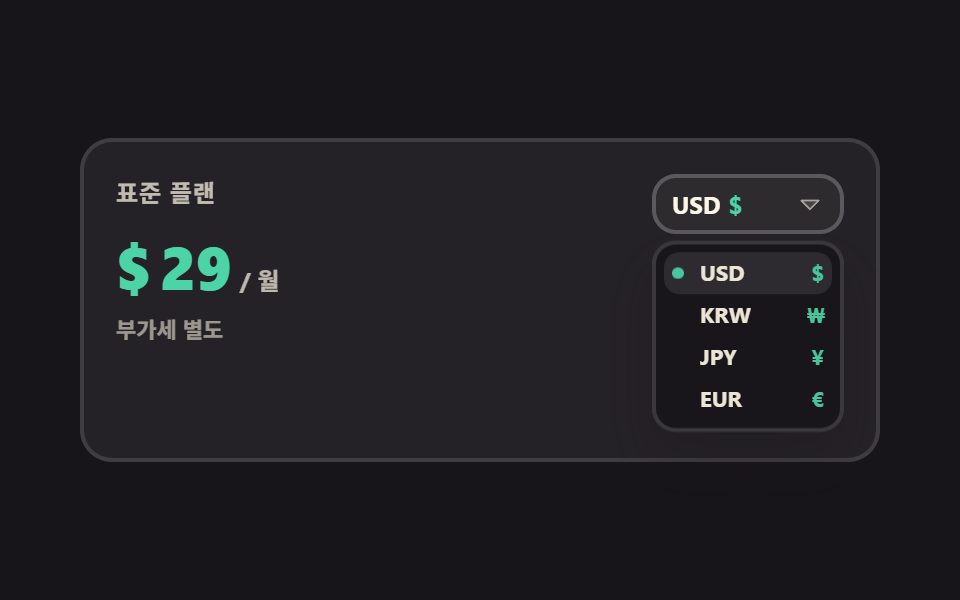 02 pricing-interaction-currency-switch
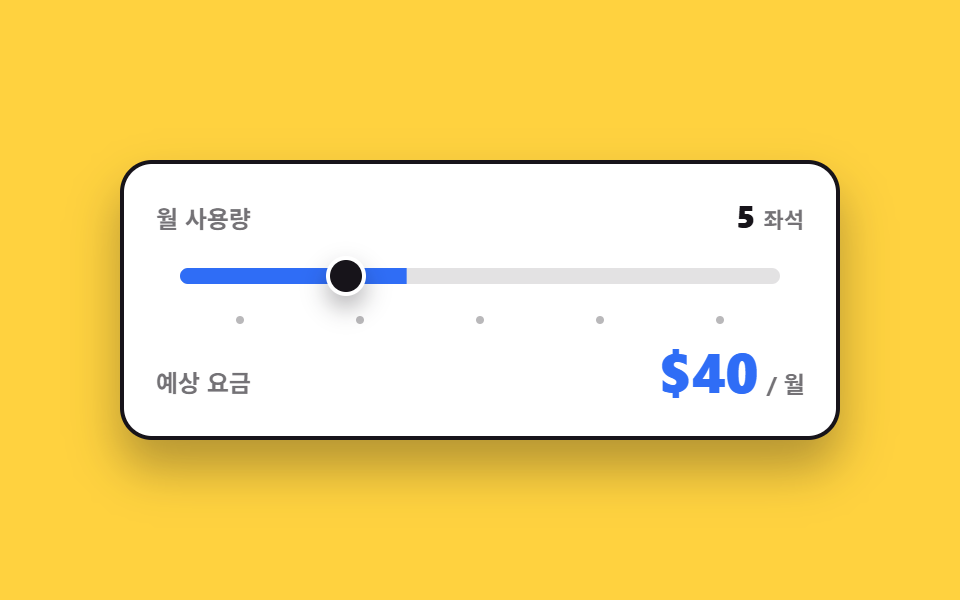 03 pricing-interaction-usage-slider
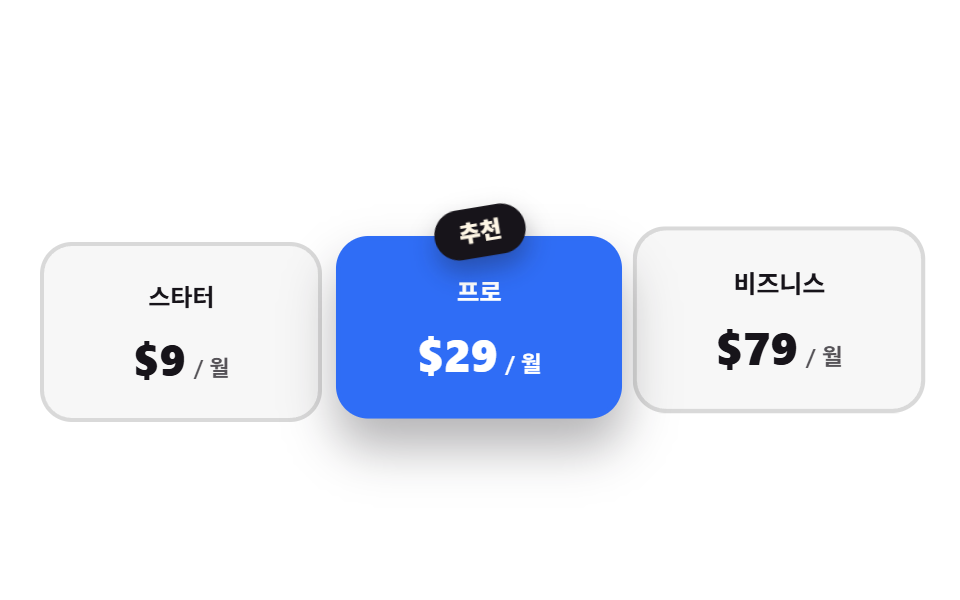 04 pricing-interaction-recommended-ribbon
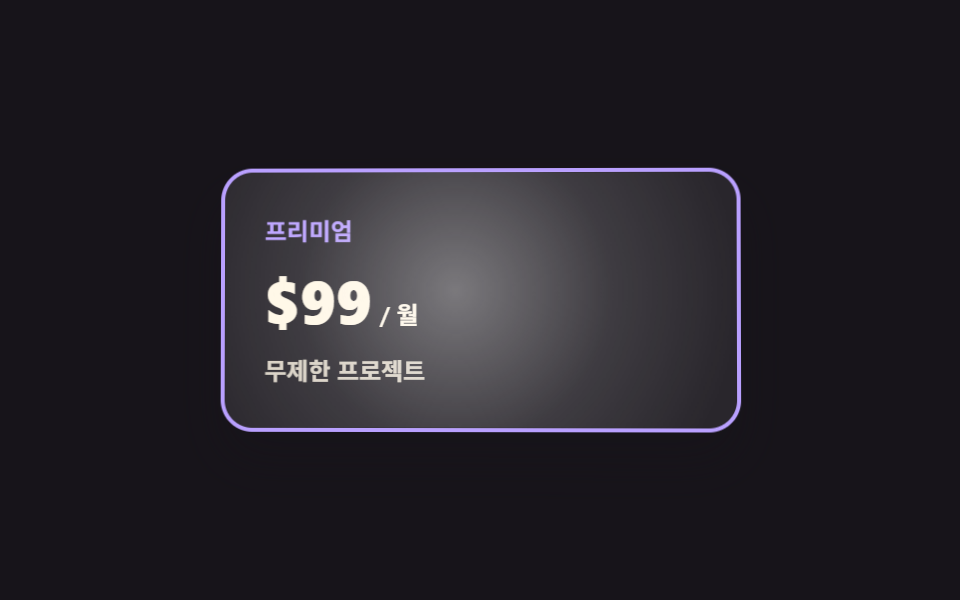 05 pricing-interaction-card-tilt
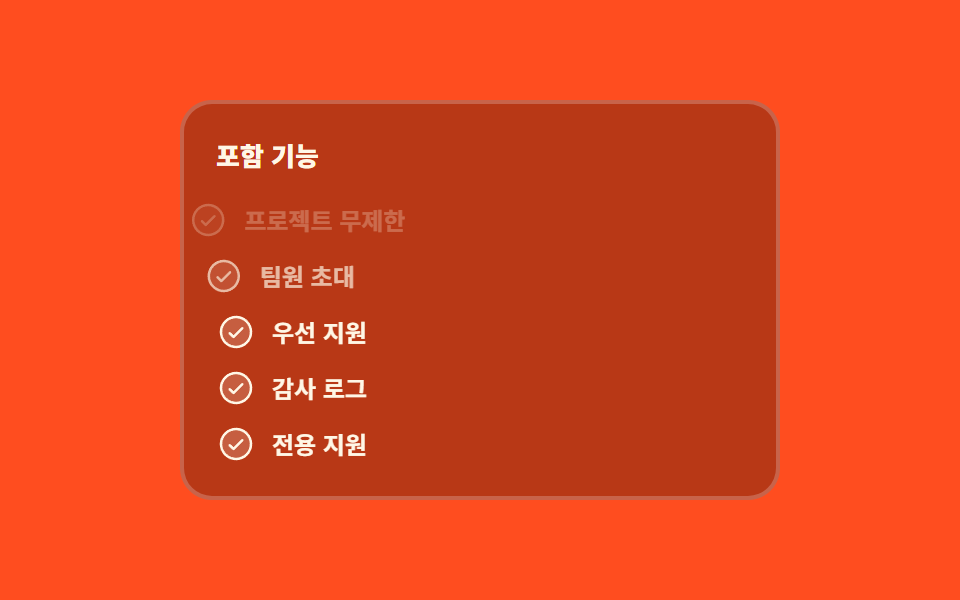 06 pricing-interaction-feature-check-stagger
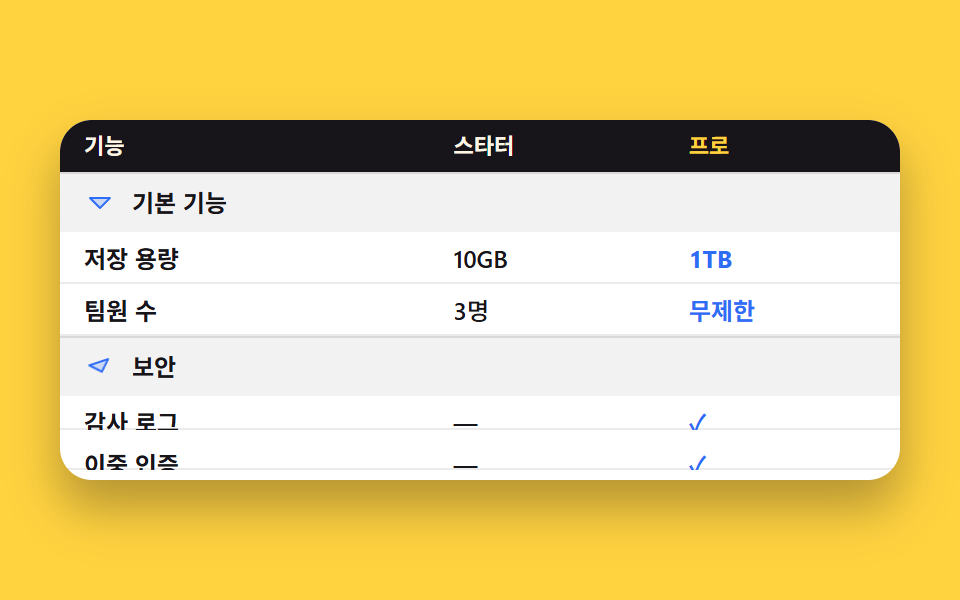 07 pricing-interaction-comparison-accordion
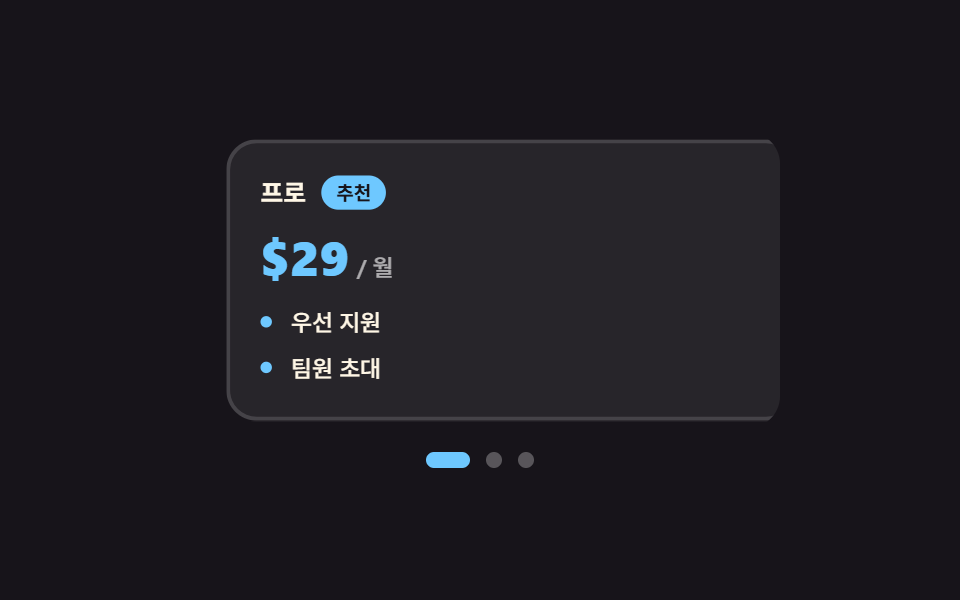 08 pricing-interaction-swipe-cards
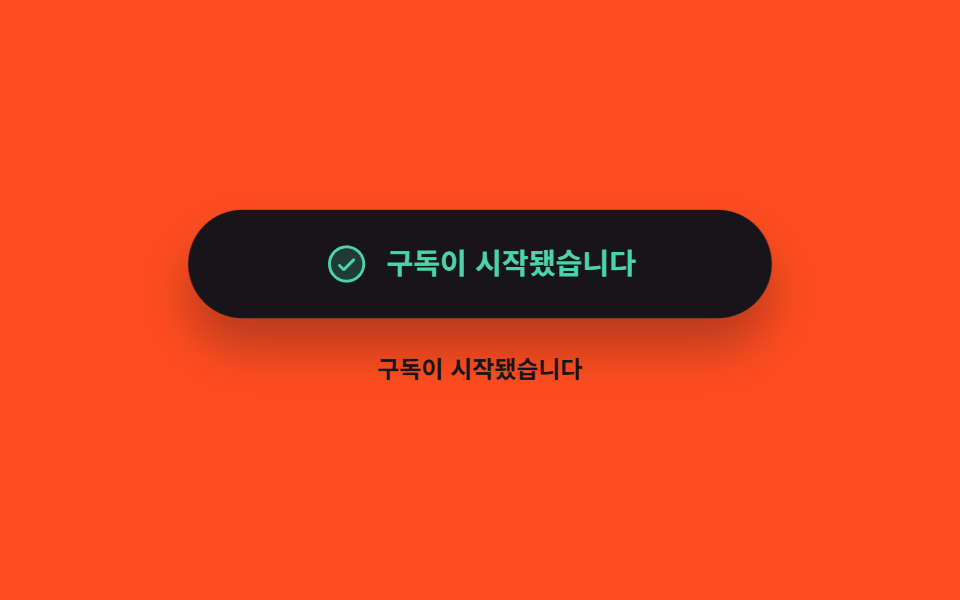 09 pricing-interaction-cta-states
자동 재생 · 눌러서 해당 항목으로 · 전부 한 zip
- 01 월·연 전환에 숫자가 굴러간다
- 02 통화를 바꾸면 기호와 금액이 같이 바뀐다
- 03 쓰는 만큼 가격이 다시 계산된다
- 04 추천 플랜만 커지고 이웃은 물러난다
- 05 커서를 따라 기울어지는 플랜 카드
- 06 포함 기능이 한 줄씩 켜진다
- 07 비교표가 묶음째 접히고 펼쳐진다
- 08 손가락으로 넘기는 플랜 카드
- 09 결제 버튼이 기다렸다가 결과를 보여준다
순서는 인기순이 아니라 사람이 요금표에서 값을 정해 가는 순서입니다. 먼저 결제 주기를 고르고(01), 자기 나라 통화로 바꿔 보고(02), 쓸 만큼을 넣어 요금을 계산합니다(03). 값이 정해지면 고르는 단계입니다. 추천 플랜이 앞으로 나오고(04), 고른 카드가 손을 따라 기울고(05), 무엇이 들어 있는지 한 줄씩 확인합니다(06). 마지막 셋은 확신이 서기 직전입니다. 표를 펼쳐 항목끼리 대조하고(07), 좁은 화면에서는 카드를 옆으로 넘기고(08), 결제 버튼을 눌러 답을 기다립니다(09). 아홉 개가 공유하는 규칙은 하나입니다. 상태를 담는 곳은 언제나 aria-checked·aria-selected·data-* 같은 속성이고, CSS는 그 속성만 읽습니다. 자바스크립트가 클래스와 스타일을 직접 손대기 시작하면 화면과 보조기술이 읽는 상태가 곧 갈라지기 때문입니다. 엑셀 가격표 만들기처럼 숫자를 한 번 박아 두는 표와 달리, 웹의 요금표는 고르는 동안에도 값이 계속 움직이기 때문에 그 값이 어디에 적혀 있는지가 나머지 전부를 정합니다. 요금표가 사람 카드로 시작하는 경우는 프로필 카드 디자인이 앞칸이고, 값을 정한 뒤의 설득은 랜딩페이지 전환율을 끌어올리는 섹션이 맡습니다.
01월·연 전환에 숫자가 굴러간다
무엇이 보이나
스위치를 누르면 월 29달러가 연간 결제 기준 23달러로 바뀌는데, 값이 툭 갈아 끼워지지 않고 한 자리씩 굴러 내려갑니다. 등록하지 않은 커스텀 속성은 애니메이션이 보간하지 못하므로, @property로 --n을 정수로 등록하고 그 값을 카운터로 그립니다.
<main class="stage">
  <div class="bt is-demo" data-period="month">
    <p class="bt__plan">프로 플랜</p>
    <div class="bt__price" aria-live="polite">
      <span class="bt__cur">$</span>
      <span class="bt__num"></span>
      <span class="bt__unit">/ 월</span>
    </div>
    <div class="bt__badgerow">
      <span class="bt__badge">20% 절약</span>
    </div>
    <div class="bt__switch" role="group" aria-label="결제 주기">
      <span class="bt__lab" data-side="m">월간</span>
      <button class="bt__pill" type="button" role="switch" aria-checked="false" aria-label="결제 주기" id="bt-sw">
        <span class="bt__knob" aria-hidden="true"></span>
      </button>
      <span class="bt__lab" data-side="y">연간</span>
    </div>
  </div>
</main>
@use "../../../../site/static/demo-tokens" as *;
// 가격 숫자를 굴리는 핵심 — 등록하지 않은 커스텀 속성은 보간되지 않는다.
// <integer> 로 등록해야 29 → 23 사이가 한 자리씩 채워진다
@property --n {
syntax: "<integer>";
initial-value: 29;
inherits: false;
}
$duration: $dur-quick;
$easing: $ease-spring;
$color: $subject-blue;
$roll: 520ms; // 숫자가 굴러가는 시간 — 자리가 넘어가는 게 눈에 보이는 길이
@include stage($stage-paper);
.bt {
--travel: 24px; // 손잡이가 미끄러지는 거리 — 알약 안폭(48) - 손잡이(20) - 양옆 2
box-sizing: border-box;
width: min(300px, 86vw);
display: flex;
flex-direction: column;
align-items: center;
gap: $sp-2;
padding: $sp-4;
border: 2px solid $subject-ink;
border-radius: $r-card;
background: $stage-paper;
box-shadow: $shadow-raised;
font-family: -apple-system, "Segoe UI", "Noto Sans KR", sans-serif;
color: $subject-ink;
}
.bt__plan {
margin: 0;
font-size: 13px;
line-height: 18px;
font-weight: 700;
letter-spacing: .04em;
}
.bt__price {
display: flex;
align-items: baseline;
gap: $sp-1;
color: $color;
}
.bt__cur {
font-size: 20px;
line-height: 28px;
font-weight: 800;
}
// 숫자는 텍스트 노드가 아니라 카운터로 그린다 — --n 이 보간되는 동안 그 정수가 그대로 글자가 된다
.bt__num {
--n: 29;
counter-reset: n var(--n);
font-size: 40px;
line-height: 46px;
font-weight: 800;
font-variant-numeric: tabular-nums;
}
.bt__num::after { content: counter(n); }
.bt__unit {
font-size: 13px;
line-height: 18px;
font-weight: 700;
color: $subject-ink;
}
.bt__badgerow {
display: flex;
align-items: center;
justify-content: center;
height: 22px;
}
.bt__badge {
padding: $sp-1 $sp-2;
border-radius: $r-pill;
background: $color;
color: $stage-paper;
font-size: 11px;
line-height: 14px;
font-weight: 800;
opacity: 0;
transform: scale(.7) translateY(6px);
}
.bt__switch {
display: flex;
align-items: center;
gap: $sp-2;
}
.bt__lab {
font-size: 12px;
line-height: 16px;
font-weight: 700;
opacity: .45;
}
.bt__pill {
position: relative;
box-sizing: border-box;
margin: 0;
padding: 0;
flex: 0 0 auto;
width: 52px;
height: 28px;
border: 2px solid $subject-ink;
border-radius: $r-pill;
background: $stage-paper;
cursor: pointer;
}
.bt__pill:focus-visible { outline: 2px solid $color; outline-offset: 2px; }
.bt__knob {
position: absolute;
left: 2px;
top: 2px;
width: 20px;
height: 20px;
border-radius: 50%;
background: $subject-ink;
}
// ── 사람이 만진 뒤(정적 경로) — 상태는 aria-checked 와 data-period 에만 들어 있다 ──
.bt__pill[aria-checked="true"] {
background: $color;
border-color: $color;
}
.bt__pill[aria-checked="true"] .bt__knob {
transform: translateX(var(--travel));
background: $stage-paper;
}
.bt[data-period="month"] .bt__lab[data-side="m"],
.bt[data-period="year"] .bt__lab[data-side="y"] { opacity: 1; }
.bt[data-period="year"] .bt__num { --n: 23; }
.bt[data-period="year"] .bt__badge {
opacity: 1;
transform: scale(1) translateY(0);
}
.bt:not(.is-demo) .bt__num {
transition-property: --n;
transition-duration: $roll;
transition-timing-function: $easing;
}
.bt:not(.is-demo) .bt__knob {
transition-property: transform, background-color;
transition-duration: $duration;
transition-timing-function: $easing;
}
.bt:not(.is-demo) .bt__badge {
transition-property: transform, opacity;
transition-duration: $duration;
transition-timing-function: $ease-pop;
}
// ── 자동 루프(2초) — 월간 29 → 연간 23 → 다시 월간. 복귀는 88% 에 끝난다 ──
.bt.is-demo .bt__num {
animation-name: bt-roll;
animation-duration: $dur-loop;
animation-timing-function: $easing;
animation-iteration-count: infinite;
}
@keyframes bt-roll {
0% { --n: 29; }
12% { --n: 29; }
36% { --n: 23; }
64% { --n: 23; }
88% { --n: 29; }
100% { --n: 29; }
}
// 손잡이는 미끄러지고(부드럽게), 손잡이 색은 컷으로 바뀐다
.bt.is-demo .bt__knob {
animation-name: bt-knob, bt-knobc;
animation-duration: $dur-loop, $dur-loop;
animation-timing-function: $easing, steps(1, end);
animation-iteration-count: infinite, infinite;
}
@keyframes bt-knob {
0%, 12% { transform: translateX(0); }
36%, 64% { transform: translateX(var(--travel)); }
88%, 100% { transform: translateX(0); }
}
@keyframes bt-knobc {
0% { background-color: $subject-ink; }
24% { background-color: $stage-paper; }
76% { background-color: $stage-paper; }
88% { background-color: $subject-ink; }
100% { background-color: $subject-ink; }
}
.bt.is-demo .bt__pill {
animation-name: bt-pill;
animation-duration: $dur-loop;
animation-timing-function: steps(1, end);
animation-iteration-count: infinite;
}
@keyframes bt-pill {
0% { background-color: $stage-paper; border-color: $subject-ink; }
24% { background-color: $color; border-color: $color; }
76% { background-color: $color; border-color: $color; }
88% { background-color: $stage-paper; border-color: $subject-ink; }
100% { background-color: $stage-paper; border-color: $subject-ink; }
}
// 라벨 강조도 같은 시계로 — 손잡이만 움직이면 어느 쪽이 켜졌는지 어긋나 보인다
.bt.is-demo .bt__lab {
animation-duration: $dur-loop;
animation-timing-function: steps(1, end);
animation-iteration-count: infinite;
}
.bt.is-demo .bt__lab[data-side="m"] { animation-name: bt-lab-m; }
.bt.is-demo .bt__lab[data-side="y"] { animation-name: bt-lab-y; }
@keyframes bt-lab-m {
0% { opacity: 1; }
24% { opacity: .45; }
82% { opacity: 1; }
100% { opacity: 1; }
}
@keyframes bt-lab-y {
0% { opacity: .45; }
24% { opacity: 1; }
82% { opacity: .45; }
100% { opacity: .45; }
}
// 배지는 나타남만 컷, 튀어오름은 $ease-pop 으로 — 두 축을 따로 돌린다
.bt.is-demo .bt__badge {
animation-name: bt-badge-face, bt-badge-pop;
animation-duration: $dur-loop, $dur-loop;
animation-timing-function: steps(1, end), $ease-pop;
animation-iteration-count: infinite, infinite;
}
@keyframes bt-badge-face {
0% { opacity: 0; }
30% { opacity: 1; }
82% { opacity: 0; }
100% { opacity: 0; }
}
@keyframes bt-badge-pop {
0%, 30% { transform: scale(.7) translateY(6px); }
44% { transform: scale(1.06) translateY(0); }
54%, 100% { transform: scale(1) translateY(0); }
}
// 숫자가 굴러가는 동안 가격 덩어리가 한 번 눌렸다 편다 — 컷 옆에 움직인 프레임을 채운다
.bt.is-demo .bt__price {
animation-name: bt-pop;
animation-duration: $dur-loop;
animation-timing-function: $ease-pop;
animation-iteration-count: infinite;
}
@keyframes bt-pop {
0%, 10% { transform: scale(1); }
22% { transform: scale(1.06); }
34%, 74% { transform: scale(1); }
84% { transform: scale(1.05); }
94%, 100% { transform: scale(1); }
}
@media (max-width: 340px) {
.bt {
width: min(260px, 90vw);
gap: $sp-1;
padding: $sp-3;
}
.bt__plan { font-size: 12px; line-height: 16px; }
.bt__cur { font-size: 16px; line-height: 22px; }
.bt__num { font-size: 30px; line-height: 34px; }
.bt__badgerow { height: 20px; }
.bt { --travel: 22px; } // 좁은 화면에서는 알약도 손잡이도 작아진다 (46 - 4 - 16 - 4)
.bt__pill { width: 46px; height: 24px; }
.bt__knob { width: 16px; height: 16px; }
}
@media (prefers-reduced-motion: reduce) {
.bt.is-demo .bt__num,
.bt.is-demo .bt__knob,
.bt.is-demo .bt__pill,
.bt.is-demo .bt__lab,
.bt.is-demo .bt__badge,
.bt.is-demo .bt__price { animation: none !important; }
.bt:not(.is-demo) .bt__num,
.bt:not(.is-demo) .bt__knob,
.bt:not(.is-demo) .bt__badge { transition: none !important; }
.bt.is-demo .bt__lab[data-side="m"] { opacity: 1; }
}@property --n {
syntax: "<integer>";
initial-value: 29;
inherits: false;
}
html, body {
margin: 0;
overflow: hidden;
}
.stage {
box-sizing: border-box;
min-height: 100vh;
display: grid;
place-items: center;
margin: 0;
background: #ffffff;
font-family: -apple-system, "Segoe UI", "Noto Sans KR", sans-serif;
padding: clamp(8px, 4vw, 24px);
}
.bt {
--travel: 24px;
box-sizing: border-box;
width: min(300px, 86vw);
display: flex;
flex-direction: column;
align-items: center;
gap: 8px;
padding: 16px;
border: 2px solid #17141a;
border-radius: 16px;
background: #ffffff;
box-shadow: 0 14px 24px rgba(23, 20, 26, 0.32);
font-family: -apple-system, "Segoe UI", "Noto Sans KR", sans-serif;
color: #17141a;
}
.bt__plan {
margin: 0;
font-size: 13px;
line-height: 18px;
font-weight: 700;
letter-spacing: 0.04em;
}
.bt__price {
display: flex;
align-items: baseline;
gap: 4px;
color: #2f6df6;
}
.bt__cur {
font-size: 20px;
line-height: 28px;
font-weight: 800;
}
.bt__num {
--n: 29;
counter-reset: n var(--n);
font-size: 40px;
line-height: 46px;
font-weight: 800;
font-variant-numeric: tabular-nums;
}
.bt__num::after {
content: counter(n);
}
.bt__unit {
font-size: 13px;
line-height: 18px;
font-weight: 700;
color: #17141a;
}
.bt__badgerow {
display: flex;
align-items: center;
justify-content: center;
height: 22px;
}
.bt__badge {
padding: 4px 8px;
border-radius: 999px;
background: #2f6df6;
color: #ffffff;
font-size: 11px;
line-height: 14px;
font-weight: 800;
opacity: 0;
transform: scale(0.7) translateY(6px);
}
.bt__switch {
display: flex;
align-items: center;
gap: 8px;
}
.bt__lab {
font-size: 12px;
line-height: 16px;
font-weight: 700;
opacity: 0.45;
}
.bt__pill {
position: relative;
box-sizing: border-box;
margin: 0;
padding: 0;
flex: 0 0 auto;
width: 52px;
height: 28px;
border: 2px solid #17141a;
border-radius: 999px;
background: #ffffff;
cursor: pointer;
}
.bt__pill:focus-visible {
outline: 2px solid #2f6df6;
outline-offset: 2px;
}
.bt__knob {
position: absolute;
left: 2px;
top: 2px;
width: 20px;
height: 20px;
border-radius: 50%;
background: #17141a;
}
.bt__pill[aria-checked=true] {
background: #2f6df6;
border-color: #2f6df6;
}
.bt__pill[aria-checked=true] .bt__knob {
transform: translateX(var(--travel));
background: #ffffff;
}
.bt[data-period=month] .bt__lab[data-side=m],
.bt[data-period=year] .bt__lab[data-side=y] {
opacity: 1;
}
.bt[data-period=year] .bt__num {
--n: 23;
}
.bt[data-period=year] .bt__badge {
opacity: 1;
transform: scale(1) translateY(0);
}
.bt:not(.is-demo) .bt__num {
transition-property: --n;
transition-duration: 520ms;
transition-timing-function: cubic-bezier(0.2, 0.8, 0.2, 1);
}
.bt:not(.is-demo) .bt__knob {
transition-property: transform, background-color;
transition-duration: 220ms;
transition-timing-function: cubic-bezier(0.2, 0.8, 0.2, 1);
}
.bt:not(.is-demo) .bt__badge {
transition-property: transform, opacity;
transition-duration: 220ms;
transition-timing-function: cubic-bezier(0.2, 1.4, 0.4, 1);
}
.bt.is-demo .bt__num {
animation-name: bt-roll;
animation-duration: 2s;
animation-timing-function: cubic-bezier(0.2, 0.8, 0.2, 1);
animation-iteration-count: infinite;
}
@keyframes bt-roll {
0% {
--n: 29;
}
12% {
--n: 29;
}
36% {
--n: 23;
}
64% {
--n: 23;
}
88% {
--n: 29;
}
100% {
--n: 29;
}
}
.bt.is-demo .bt__knob {
animation-name: bt-knob, bt-knobc;
animation-duration: 2s, 2s;
animation-timing-function: cubic-bezier(0.2, 0.8, 0.2, 1), steps(1, end);
animation-iteration-count: infinite, infinite;
}
@keyframes bt-knob {
0%, 12% {
transform: translateX(0);
}
36%, 64% {
transform: translateX(var(--travel));
}
88%, 100% {
transform: translateX(0);
}
}
@keyframes bt-knobc {
0% {
background-color: #17141a;
}
24% {
background-color: #ffffff;
}
76% {
background-color: #ffffff;
}
88% {
background-color: #17141a;
}
100% {
background-color: #17141a;
}
}
.bt.is-demo .bt__pill {
animation-name: bt-pill;
animation-duration: 2s;
animation-timing-function: steps(1, end);
animation-iteration-count: infinite;
}
@keyframes bt-pill {
0% {
background-color: #ffffff;
border-color: #17141a;
}
24% {
background-color: #2f6df6;
border-color: #2f6df6;
}
76% {
background-color: #2f6df6;
border-color: #2f6df6;
}
88% {
background-color: #ffffff;
border-color: #17141a;
}
100% {
background-color: #ffffff;
border-color: #17141a;
}
}
.bt.is-demo .bt__lab {
animation-duration: 2s;
animation-timing-function: steps(1, end);
animation-iteration-count: infinite;
}
.bt.is-demo .bt__lab[data-side=m] {
animation-name: bt-lab-m;
}
.bt.is-demo .bt__lab[data-side=y] {
animation-name: bt-lab-y;
}
@keyframes bt-lab-m {
0% {
opacity: 1;
}
24% {
opacity: 0.45;
}
82% {
opacity: 1;
}
100% {
opacity: 1;
}
}
@keyframes bt-lab-y {
0% {
opacity: 0.45;
}
24% {
opacity: 1;
}
82% {
opacity: 0.45;
}
100% {
opacity: 0.45;
}
}
.bt.is-demo .bt__badge {
animation-name: bt-badge-face, bt-badge-pop;
animation-duration: 2s, 2s;
animation-timing-function: steps(1, end), cubic-bezier(0.2, 1.4, 0.4, 1);
animation-iteration-count: infinite, infinite;
}
@keyframes bt-badge-face {
0% {
opacity: 0;
}
30% {
opacity: 1;
}
82% {
opacity: 0;
}
100% {
opacity: 0;
}
}
@keyframes bt-badge-pop {
0%, 30% {
transform: scale(0.7) translateY(6px);
}
44% {
transform: scale(1.06) translateY(0);
}
54%, 100% {
transform: scale(1) translateY(0);
}
}
.bt.is-demo .bt__price {
animation-name: bt-pop;
animation-duration: 2s;
animation-timing-function: cubic-bezier(0.2, 1.4, 0.4, 1);
animation-iteration-count: infinite;
}
@keyframes bt-pop {
0%, 10% {
transform: scale(1);
}
22% {
transform: scale(1.06);
}
34%, 74% {
transform: scale(1);
}
84% {
transform: scale(1.05);
}
94%, 100% {
transform: scale(1);
}
}
@media (max-width: 340px) {
.bt {
width: min(260px, 90vw);
gap: 4px;
padding: 12px;
}
.bt__plan {
font-size: 12px;
line-height: 16px;
}
.bt__cur {
font-size: 16px;
line-height: 22px;
}
.bt__num {
font-size: 30px;
line-height: 34px;
}
.bt__badgerow {
height: 20px;
}
.bt {
--travel: 22px;
}
.bt__pill {
width: 46px;
height: 24px;
}
.bt__knob {
width: 16px;
height: 16px;
}
}
@media (prefers-reduced-motion: reduce) {
.bt.is-demo .bt__num,
.bt.is-demo .bt__knob,
.bt.is-demo .bt__pill,
.bt.is-demo .bt__lab,
.bt.is-demo .bt__badge,
.bt.is-demo .bt__price {
animation: none !important;
}
.bt:not(.is-demo) .bt__num,
.bt:not(.is-demo) .bt__knob,
.bt:not(.is-demo) .bt__badge {
transition: none !important;
}
.bt.is-demo .bt__lab[data-side=m] {
opacity: 1;
}
}// 실제 동작: 스위치를 누르면 aria-checked 가 뒤집히고 뿌리의 data-period 가 바뀐다.
// 가격 숫자는 CSS 가 굴린다 — @property 로 등록한 --n 을 transition 이 정수로 보간하고
// counter-reset: n var(--n) + content: counter(n) 이 그 값을 글자로 그린다.
var root = document.querySelector('.bt');
var sw = document.getElementById('bt-sw');
sw.addEventListener('click', function () {
root.classList.remove('is-demo');
var on = sw.getAttribute('aria-checked') === 'true';
sw.setAttribute('aria-checked', String(!on));
root.setAttribute('data-period', on ? 'month' : 'year');
});import { useState } from "react";
import type { CSSProperties } from "react";
import styles from "./BillingToggleRoll.module.scss";
export type BillingToggleRollProps = {
planName?: string;
monthLabel?: string;
yearLabel?: string;
groupLabel?: string;
saveLabel?: string;
unit?: string;
currency?: string;
monthly?: number;
yearly?: number;
duration?: number;
easing?: string;
color?: string;
};
type Vars = CSSProperties & {
"--duration"?: string;
"--easing"?: string;
"--color"?: string;
};
type NumVars = CSSProperties & { "--n"?: string };
export default function BillingToggleRoll({
planName = "Pro plan",
monthLabel = "Monthly",
yearLabel = "Yearly",
groupLabel = "Billing period",
saveLabel = "Save 20%",
unit = "/ mo",
currency = "$",
monthly = 29,
yearly = 23,
duration = 220,
easing = "cubic-bezier(.2,.8,.2,1)",
color = "#2f6df6",
}: BillingToggleRollProps) {
const [demo, setDemo] = useState(true);
const [year, setYear] = useState(false);
const vars: Vars = { "--duration": `${duration}ms`, "--easing": easing, "--color": color };
// --n 은 @property 로 등록된 정수라 값을 바꾸면 transition 이 한 자리씩 굴린다.
// 자동 루프가 도는 동안에는 keyframes 가 이 인라인 값보다 우선한다(애니메이션이 캐스케이드에서 위)
const numVars: NumVars = { "--n": String(year ? yearly : monthly) };
function toggle() {
setDemo(false);
setYear((v) => !v);
}
return (
<div
className={`${styles.bt} ${demo ? styles.isDemo : ""}`}
data-period={year ? "year" : "month"}
style={vars}
>
<p className={styles.plan}>{planName}</p>
<div className={styles.price} aria-live="polite">
<span className={styles.cur}>{currency}</span>
<span className={styles.num} style={numVars} />
<span className={styles.unit}>{unit}</span>
</div>
<div className={styles.badgerow}>
<span className={styles.badge}>{saveLabel}</span>
</div>
<div className={styles.switch} role="group" aria-label={groupLabel}>
<span className={styles.lab} data-side="m">{monthLabel}</span>
<button
className={styles.pill}
type="button"
role="switch"
aria-checked={year}
aria-label={groupLabel}
onClick={toggle}
>
<span className={styles.knob} aria-hidden="true" />
</button>
<span className={styles.lab} data-side="y">{yearLabel}</span>
</div>
</div>
);
}01 · 월·연 전환에 숫자가 굴러간다 — 측정 누적면적 3.012% · 움직인 프레임 19/23GODRICH 원작 · zip 에 SCSS·React 포함 · 비밀번호 보기
코드에서 볼 곳
24프레임 렌더에서 움직인 프레임은 19장, 강도는 110.4입니다.
@property --n {
  syntax: "<integer>";
  initial-value: 29;
  inherits: false;
}

.bt__num {
  --n: 29;
  counter-reset: n var(--n);
  font-size: 40px;
  line-height: 46px;
  font-weight: 800;
  font-variant-numeric: tabular-nums;
}
.bt__num::after { content: counter(n); }
02통화를 바꾸면 기호와 금액이 같이 바뀐다
가격표 만들기에서 통화는 화면에서 어떻게 바뀌나
목록에서 통화를 고르면 트리거의 코드와 기호, 왼쪽 금액이 한 번에 갈립니다. 금액 네 장은 같은 자리에 겹쳐 두고 뿌리의 data-cur 하나가 어느 장을 보일지 정합니다.
<main class="stage">
  <div class="cs is-demo" data-cur="usd">
    <div class="cs__left">
      <p class="cs__plan">표준 플랜</p>
      <div class="cs__priceline" aria-live="polite">
        <span class="cs__face" data-cur="usd"><span class="cs__sym">$</span><span class="cs__amt">29</span><span class="cs__unit">/ 월</span></span>
        <span class="cs__face" data-cur="krw"><span class="cs__sym">₩</span><span class="cs__amt">39,000</span><span class="cs__unit">/ 월</span></span>
        <span class="cs__face" data-cur="jpy"><span class="cs__sym">¥</span><span class="cs__amt">4,400</span><span class="cs__unit">/ 월</span></span>
        <span class="cs__face" data-cur="eur"><span class="cs__sym">€</span><span class="cs__amt">27</span><span class="cs__unit">/ 월</span></span>
      </div>
      <p class="cs__note">부가세 별도</p>
    </div>
    <div class="cs__pick">
      <button class="cs__trig" type="button" id="cs-trig" aria-expanded="false" aria-haspopup="listbox" aria-label="통화 고르기">
        <span class="cs__code" id="cs-code">USD</span>
        <span class="cs__tsym" id="cs-tsym">$</span>
        <span class="cs__caret" aria-hidden="true"><svg viewBox="0 0 256 256" width="14" height="14"><g fill="currentColor"><path d="m208 96l-80 80l-80-80Z" opacity=".2"/><path d="M215.39 92.94A8 8 0 0 0 208 88H48a8 8 0 0 0-5.66 13.66l80 80a8 8 0 0 0 11.32 0l80-80a8 8 0 0 0 1.73-8.72M128 164.69L67.31 104h121.38Z"/></g></svg></span>
      </button>
      <div class="cs__pop">
        <span class="cs__hl" aria-hidden="true"></span>
        <ul class="cs__list" role="listbox" aria-label="통화 고르기">
          <li class="cs__opt" role="option" aria-selected="true" tabindex="0" data-cur="usd" data-code="USD" data-sym="$"><span class="cs__dot" aria-hidden="true"></span><span class="cs__oc">USD</span><span class="cs__os">$</span></li>
          <li class="cs__opt" role="option" aria-selected="false" tabindex="0" data-cur="krw" data-code="KRW" data-sym="₩"><span class="cs__dot" aria-hidden="true"></span><span class="cs__oc">KRW</span><span class="cs__os">₩</span></li>
          <li class="cs__opt" role="option" aria-selected="false" tabindex="0" data-cur="jpy" data-code="JPY" data-sym="¥"><span class="cs__dot" aria-hidden="true"></span><span class="cs__oc">JPY</span><span class="cs__os">¥</span></li>
          <li class="cs__opt" role="option" aria-selected="false" tabindex="0" data-cur="eur" data-code="EUR" data-sym="€"><span class="cs__dot" aria-hidden="true"></span><span class="cs__oc">EUR</span><span class="cs__os">€</span></li>
        </ul>
      </div>
    </div>
  </div>
</main>@use "../../../../site/static/demo-tokens" as *;
$duration: $dur-quick;
$easing: $ease-spring;
$color: $subject-mint;
@include stage($stage-ink);
.cs {
--row: 22px; // 목록 한 줄 높이 — 표시 띠가 한 칸씩 미끄러지는 거리이기도 하다
box-sizing: border-box;
width: min(400px, 88vw);
display: flex;
align-items: flex-start;
gap: $sp-3;
padding: $sp-4;
// 절대배치 목록이 아래로 내려오는 만큼 자리를 미리 비워 둔다 —
// 절대배치는 부모 높이에서 빠지는데 scrollHeight 는 실제 크기로 잡혀 320px 렌더가 넘친다
padding-bottom: $sp-12 + $sp-2;
border: 2px solid rgba(255, 255, 255, .12);
border-radius: $r-card;
background: rgba(255, 255, 255, .06);
font-family: -apple-system, "Segoe UI", "Noto Sans KR", sans-serif;
color: $subject-cream;
}
.cs__left {
flex: 1 1 auto;
min-width: 0;
}
.cs__plan {
margin: 0;
font-size: 12px;
line-height: 18px;
font-weight: 700;
letter-spacing: .04em;
opacity: .72;
}
// 금액 얼굴 넷을 같은 자리에 겹쳐 둔다 — 자리를 옮기지 않아야 컷이 깔끔하다
.cs__priceline {
position: relative;
height: 40px;
margin-top: $sp-2;
transform-origin: left center; // 규칙8: 왼쪽 정렬 금액 — 정렬 변을 고정해야 팝이 자리를 안 흔든다
}
.cs__face {
position: absolute;
left: 0;
top: 0;
display: flex;
align-items: baseline;
gap: $sp-1;
white-space: nowrap;
opacity: 0;
}
.cs__sym,
.cs__amt {
color: $color;
font-size: 30px;
line-height: 40px;
font-weight: 800;
}
.cs__unit {
font-size: 12px;
line-height: 18px;
font-weight: 700;
opacity: .7;
}
.cs__note {
margin: $sp-1 0 0;
font-size: 11px;
line-height: 16px;
font-weight: 600;
opacity: .55;
}
.cs__pick {
position: relative;
flex: 0 0 auto;
width: 96px;
}
.cs__trig {
box-sizing: border-box;
display: flex;
align-items: center;
gap: $sp-1;
width: 100%;
margin: 0;
padding: $sp-1 $sp-2;
border: 2px solid rgba(255, 255, 255, .22);
border-radius: $r-control;
background: rgba(255, 255, 255, .04);
color: $subject-cream;
font-family: inherit;
font-size: 12px;
line-height: 18px;
font-weight: 700;
cursor: pointer;
}
.cs__trig:focus-visible { outline: 2px solid $color; outline-offset: 2px; }
.cs__tsym { color: $color; }
.cs__caret {
margin-left: auto;
display: inline-flex;
opacity: .6;
}
.cs__caret svg { display: block; }
// 목록은 띄워 두되(레이아웃을 밀지 않는다) 뿌리의 padding-bottom 이 그 높이를 미리 잡아 둔다
.cs__pop {
position: absolute;
left: 0;
right: 0;
top: calc(100% + 4px);
box-sizing: border-box;
padding: $sp-1 0;
border: 2px solid rgba(255, 255, 255, .16);
border-radius: $r-control;
background: $subject-ink;
box-shadow: $shadow-raised;
transform-origin: top center; // 규칙8: 트리거 아래 변에서 펼침
transform: scaleY(.5) translateY(-8px);
opacity: 0;
visibility: hidden;
}
.cs__hl {
position: absolute;
left: 4px;
right: 4px;
top: 4px;
height: var(--row);
border-radius: $r-sm;
background: rgba(255, 255, 255, .1);
}
.cs__list {
position: relative;
margin: 0;
padding: 0;
list-style: none;
}
.cs__opt {
display: flex;
align-items: center;
gap: $sp-2;
height: var(--row);
padding: 0 $sp-2;
font-size: 11px;
line-height: 16px;
font-weight: 700;
cursor: pointer;
}
.cs__opt:focus-visible { outline: 2px solid $color; outline-offset: -2px; }
.cs__dot {
flex: 0 0 auto;
width: 6px;
height: 6px;
border-radius: 50%;
background: $color;
opacity: 0;
}
.cs__os { margin-left: auto; color: $color; }
// ── 사람이 만진 뒤(정적 경로) — 상태는 aria-expanded · aria-selected · data-cur 에만 있다 ──
.cs__trig[aria-expanded="true"] ~ .cs__pop {
transform: none;
opacity: 1;
visibility: visible;
}
.cs__opt[aria-selected="true"] .cs__dot { opacity: 1; }
.cs:not(.is-demo)[data-cur="usd"] .cs__face[data-cur="usd"],
.cs:not(.is-demo)[data-cur="krw"] .cs__face[data-cur="krw"],
.cs:not(.is-demo)[data-cur="jpy"] .cs__face[data-cur="jpy"],
.cs:not(.is-demo)[data-cur="eur"] .cs__face[data-cur="eur"] { opacity: 1; }
.cs:not(.is-demo)[data-cur="krw"] .cs__hl { transform: translateY(var(--row)); }
.cs:not(.is-demo)[data-cur="jpy"] .cs__hl { transform: translateY(calc(var(--row) * 2)); }
.cs:not(.is-demo)[data-cur="eur"] .cs__hl { transform: translateY(calc(var(--row) * 3)); }
.cs:not(.is-demo) .cs__pop {
transition-property: transform, opacity, visibility;
transition-duration: $duration;
transition-timing-function: $easing;
}
.cs:not(.is-demo) .cs__hl {
transition-property: transform;
transition-duration: $duration;
transition-timing-function: $easing;
}
// ── 자동 루프(2초) — 목록은 열린 채로 머물고 선택만 20% 마다 컷으로 넘어간다. 닫힘은 재현하지 않는다 ──
.cs.is-demo .cs__pop {
visibility: visible;
animation-name: cs-open;
animation-duration: $dur-loop;
animation-timing-function: $easing;
animation-iteration-count: infinite;
}
@keyframes cs-open {
0% { transform: scaleY(.5) translateY(-8px); opacity: 0; }
10% { transform: none; opacity: 1; }
100% { transform: none; opacity: 1; }
}
// 표시 띠만 부드럽게 미끄러진다 — 컷 옆에 움직인 프레임을 채우는 몫
.cs.is-demo .cs__hl {
animation-name: cs-hl;
animation-duration: $dur-loop;
animation-timing-function: $easing;
animation-iteration-count: infinite;
}
@keyframes cs-hl {
0%, 10% { transform: translateY(0); }
20%, 30% { transform: translateY(var(--row)); }
40%, 50% { transform: translateY(calc(var(--row) * 2)); }
60%, 70% { transform: translateY(calc(var(--row) * 3)); }
80%, 100% { transform: translateY(0); }
}
// 금액 얼굴과 표시 점은 같은 시계로 한 프레임에 끊는다 — 크로스페이드는 반투명 유령을 남긴다
.cs.is-demo .cs__face,
.cs.is-demo .cs__dot {
animation-duration: $dur-loop;
animation-timing-function: steps(1, end);
animation-iteration-count: infinite;
}
.cs.is-demo .cs__face[data-cur="usd"],
.cs.is-demo .cs__opt[data-cur="usd"] .cs__dot { animation-name: cs-usd; }
.cs.is-demo .cs__face[data-cur="krw"],
.cs.is-demo .cs__opt[data-cur="krw"] .cs__dot { animation-name: cs-krw; }
.cs.is-demo .cs__face[data-cur="jpy"],
.cs.is-demo .cs__opt[data-cur="jpy"] .cs__dot { animation-name: cs-jpy; }
.cs.is-demo .cs__face[data-cur="eur"],
.cs.is-demo .cs__opt[data-cur="eur"] .cs__dot { animation-name: cs-eur; }
@keyframes cs-usd {
0% { opacity: 1; }
20% { opacity: 0; }
80% { opacity: 1; }
100% { opacity: 1; }
}
@keyframes cs-krw {
0% { opacity: 0; }
20% { opacity: 1; }
40% { opacity: 0; }
100% { opacity: 0; }
}
@keyframes cs-jpy {
0% { opacity: 0; }
40% { opacity: 1; }
60% { opacity: 0; }
100% { opacity: 0; }
}
@keyframes cs-eur {
0% { opacity: 0; }
60% { opacity: 1; }
80% { opacity: 0; }
100% { opacity: 0; }
}
// 금액이 갈릴 때마다 가격 줄이 한 번 눌렸다 편다
.cs.is-demo .cs__priceline {
animation-name: cs-pop;
animation-duration: $dur-loop;
animation-timing-function: $ease-pop;
animation-iteration-count: infinite;
}
@keyframes cs-pop {
0%, 16% { transform: scale(1); }
22% { transform: scale(1.06); }
28%, 36% { transform: scale(1); }
42% { transform: scale(1.06); }
48%, 56% { transform: scale(1); }
62% { transform: scale(1.06); }
68%, 76% { transform: scale(1); }
82% { transform: scale(1.06); }
88%, 100% { transform: scale(1); }
}
@media (max-width: 340px) {
.cs {
--row: 20px;
gap: $sp-2;
padding: $sp-3;
padding-bottom: $sp-12 + $sp-2;
}
.cs__plan { font-size: 11px; line-height: 16px; }
.cs__priceline { height: 30px; margin-top: $sp-1; }
.cs__sym,
.cs__amt { font-size: 21px; line-height: 30px; }
.cs__pick { width: 88px; }
.cs__trig { padding: $sp-1; font-size: 11px; line-height: 16px; }
}
@media (prefers-reduced-motion: reduce) {
.cs.is-demo .cs__pop,
.cs.is-demo .cs__hl,
.cs.is-demo .cs__face,
.cs.is-demo .cs__dot,
.cs.is-demo .cs__priceline { animation: none !important; }
.cs:not(.is-demo) .cs__pop,
.cs:not(.is-demo) .cs__hl { transition: none !important; }
.cs.is-demo .cs__pop { transform: none; opacity: 1; }
.cs.is-demo .cs__face[data-cur="usd"] { opacity: 1; }
.cs.is-demo .cs__opt[data-cur="usd"] .cs__dot { opacity: 1; }
}html, body {
margin: 0;
overflow: hidden;
}
.stage {
box-sizing: border-box;
min-height: 100vh;
display: grid;
place-items: center;
margin: 0;
background: #17141a;
font-family: -apple-system, "Segoe UI", "Noto Sans KR", sans-serif;
padding: clamp(8px, 4vw, 24px);
}
.cs {
--row: 22px;
box-sizing: border-box;
width: min(400px, 88vw);
display: flex;
align-items: flex-start;
gap: 12px;
padding: 16px;
padding-bottom: 56px;
border: 2px solid rgba(255, 255, 255, 0.12);
border-radius: 16px;
background: rgba(255, 255, 255, 0.06);
font-family: -apple-system, "Segoe UI", "Noto Sans KR", sans-serif;
color: #fff7e6;
}
.cs__left {
flex: 1 1 auto;
min-width: 0;
}
.cs__plan {
margin: 0;
font-size: 12px;
line-height: 18px;
font-weight: 700;
letter-spacing: 0.04em;
opacity: 0.72;
}
.cs__priceline {
position: relative;
height: 40px;
margin-top: 8px;
transform-origin: left center;
}
.cs__face {
position: absolute;
left: 0;
top: 0;
display: flex;
align-items: baseline;
gap: 4px;
white-space: nowrap;
opacity: 0;
}
.cs__sym,
.cs__amt {
color: #4cd4a6;
font-size: 30px;
line-height: 40px;
font-weight: 800;
}
.cs__unit {
font-size: 12px;
line-height: 18px;
font-weight: 700;
opacity: 0.7;
}
.cs__note {
margin: 4px 0 0;
font-size: 11px;
line-height: 16px;
font-weight: 600;
opacity: 0.55;
}
.cs__pick {
position: relative;
flex: 0 0 auto;
width: 96px;
}
.cs__trig {
box-sizing: border-box;
display: flex;
align-items: center;
gap: 4px;
width: 100%;
margin: 0;
padding: 4px 8px;
border: 2px solid rgba(255, 255, 255, 0.22);
border-radius: 12px;
background: rgba(255, 255, 255, 0.04);
color: #fff7e6;
font-family: inherit;
font-size: 12px;
line-height: 18px;
font-weight: 700;
cursor: pointer;
}
.cs__trig:focus-visible {
outline: 2px solid #4cd4a6;
outline-offset: 2px;
}
.cs__tsym {
color: #4cd4a6;
}
.cs__caret {
margin-left: auto;
display: inline-flex;
opacity: 0.6;
}
.cs__caret svg {
display: block;
}
.cs__pop {
position: absolute;
left: 0;
right: 0;
top: calc(100% + 4px);
box-sizing: border-box;
padding: 4px 0;
border: 2px solid rgba(255, 255, 255, 0.16);
border-radius: 12px;
background: #17141a;
box-shadow: 0 14px 24px rgba(23, 20, 26, 0.32);
transform-origin: top center;
transform: scaleY(0.5) translateY(-8px);
opacity: 0;
visibility: hidden;
}
.cs__hl {
position: absolute;
left: 4px;
right: 4px;
top: 4px;
height: var(--row);
border-radius: 8px;
background: rgba(255, 255, 255, 0.1);
}
.cs__list {
position: relative;
margin: 0;
padding: 0;
list-style: none;
}
.cs__opt {
display: flex;
align-items: center;
gap: 8px;
height: var(--row);
padding: 0 8px;
font-size: 11px;
line-height: 16px;
font-weight: 700;
cursor: pointer;
}
.cs__opt:focus-visible {
outline: 2px solid #4cd4a6;
outline-offset: -2px;
}
.cs__dot {
flex: 0 0 auto;
width: 6px;
height: 6px;
border-radius: 50%;
background: #4cd4a6;
opacity: 0;
}
.cs__os {
margin-left: auto;
color: #4cd4a6;
}
.cs__trig[aria-expanded=true] ~ .cs__pop {
transform: none;
opacity: 1;
visibility: visible;
}
.cs__opt[aria-selected=true] .cs__dot {
opacity: 1;
}
.cs:not(.is-demo)[data-cur=usd] .cs__face[data-cur=usd],
.cs:not(.is-demo)[data-cur=krw] .cs__face[data-cur=krw],
.cs:not(.is-demo)[data-cur=jpy] .cs__face[data-cur=jpy],
.cs:not(.is-demo)[data-cur=eur] .cs__face[data-cur=eur] {
opacity: 1;
}
.cs:not(.is-demo)[data-cur=krw] .cs__hl {
transform: translateY(var(--row));
}
.cs:not(.is-demo)[data-cur=jpy] .cs__hl {
transform: translateY(calc(var(--row) * 2));
}
.cs:not(.is-demo)[data-cur=eur] .cs__hl {
transform: translateY(calc(var(--row) * 3));
}
.cs:not(.is-demo) .cs__pop {
transition-property: transform, opacity, visibility;
transition-duration: 220ms;
transition-timing-function: cubic-bezier(0.2, 0.8, 0.2, 1);
}
.cs:not(.is-demo) .cs__hl {
transition-property: transform;
transition-duration: 220ms;
transition-timing-function: cubic-bezier(0.2, 0.8, 0.2, 1);
}
.cs.is-demo .cs__pop {
visibility: visible;
animation-name: cs-open;
animation-duration: 2s;
animation-timing-function: cubic-bezier(0.2, 0.8, 0.2, 1);
animation-iteration-count: infinite;
}
@keyframes cs-open {
0% {
transform: scaleY(0.5) translateY(-8px);
opacity: 0;
}
10% {
transform: none;
opacity: 1;
}
100% {
transform: none;
opacity: 1;
}
}
.cs.is-demo .cs__hl {
animation-name: cs-hl;
animation-duration: 2s;
animation-timing-function: cubic-bezier(0.2, 0.8, 0.2, 1);
animation-iteration-count: infinite;
}
@keyframes cs-hl {
0%, 10% {
transform: translateY(0);
}
20%, 30% {
transform: translateY(var(--row));
}
40%, 50% {
transform: translateY(calc(var(--row) * 2));
}
60%, 70% {
transform: translateY(calc(var(--row) * 3));
}
80%, 100% {
transform: translateY(0);
}
}
.cs.is-demo .cs__face,
.cs.is-demo .cs__dot {
animation-duration: 2s;
animation-timing-function: steps(1, end);
animation-iteration-count: infinite;
}
.cs.is-demo .cs__face[data-cur=usd],
.cs.is-demo .cs__opt[data-cur=usd] .cs__dot {
animation-name: cs-usd;
}
.cs.is-demo .cs__face[data-cur=krw],
.cs.is-demo .cs__opt[data-cur=krw] .cs__dot {
animation-name: cs-krw;
}
.cs.is-demo .cs__face[data-cur=jpy],
.cs.is-demo .cs__opt[data-cur=jpy] .cs__dot {
animation-name: cs-jpy;
}
.cs.is-demo .cs__face[data-cur=eur],
.cs.is-demo .cs__opt[data-cur=eur] .cs__dot {
animation-name: cs-eur;
}
@keyframes cs-usd {
0% {
opacity: 1;
}
20% {
opacity: 0;
}
80% {
opacity: 1;
}
100% {
opacity: 1;
}
}
@keyframes cs-krw {
0% {
opacity: 0;
}
20% {
opacity: 1;
}
40% {
opacity: 0;
}
100% {
opacity: 0;
}
}
@keyframes cs-jpy {
0% {
opacity: 0;
}
40% {
opacity: 1;
}
60% {
opacity: 0;
}
100% {
opacity: 0;
}
}
@keyframes cs-eur {
0% {
opacity: 0;
}
60% {
opacity: 1;
}
80% {
opacity: 0;
}
100% {
opacity: 0;
}
}
.cs.is-demo .cs__priceline {
animation-name: cs-pop;
animation-duration: 2s;
animation-timing-function: cubic-bezier(0.2, 1.4, 0.4, 1);
animation-iteration-count: infinite;
}
@keyframes cs-pop {
0%, 16% {
transform: scale(1);
}
22% {
transform: scale(1.06);
}
28%, 36% {
transform: scale(1);
}
42% {
transform: scale(1.06);
}
48%, 56% {
transform: scale(1);
}
62% {
transform: scale(1.06);
}
68%, 76% {
transform: scale(1);
}
82% {
transform: scale(1.06);
}
88%, 100% {
transform: scale(1);
}
}
@media (max-width: 340px) {
.cs {
--row: 20px;
gap: 8px;
padding: 12px;
padding-bottom: 56px;
}
.cs__plan {
font-size: 11px;
line-height: 16px;
}
.cs__priceline {
height: 30px;
margin-top: 4px;
}
.cs__sym,
.cs__amt {
font-size: 21px;
line-height: 30px;
}
.cs__pick {
width: 88px;
}
.cs__trig {
padding: 4px;
font-size: 11px;
line-height: 16px;
}
}
@media (prefers-reduced-motion: reduce) {
.cs.is-demo .cs__pop,
.cs.is-demo .cs__hl,
.cs.is-demo .cs__face,
.cs.is-demo .cs__dot,
.cs.is-demo .cs__priceline {
animation: none !important;
}
.cs:not(.is-demo) .cs__pop,
.cs:not(.is-demo) .cs__hl {
transition: none !important;
}
.cs.is-demo .cs__pop {
transform: none;
opacity: 1;
}
.cs.is-demo .cs__face[data-cur=usd] {
opacity: 1;
}
.cs.is-demo .cs__opt[data-cur=usd] .cs__dot {
opacity: 1;
}
}// 실제 동작: 트리거의 aria-expanded 로 목록을 열고 닫는다. 고르면 뿌리의 data-cur 가 바뀌고
// 그 값에 걸린 CSS 가 금액 얼굴과 표시 점을 한꺼번에 갈아 끼운다.
// JS 가 넣는 문자열은 라틴 코드와 통화 기호뿐 — 한국어를 만들지 않는다
var root = document.querySelector('.cs');
var trig = document.getElementById('cs-trig');
var code = document.getElementById('cs-code');
var tsym = document.getElementById('cs-tsym');
var opts = [].slice.call(document.querySelectorAll('.cs__opt'));
function open(on) { trig.setAttribute('aria-expanded', String(on)); }
function pick(li) {
  root.classList.remove('is-demo');
  root.setAttribute('data-cur', li.getAttribute('data-cur'));
  opts.forEach(function (o) { o.setAttribute('aria-selected', String(o === li)); });
  code.textContent = li.getAttribute('data-code');
  tsym.textContent = li.getAttribute('data-sym');
  open(false);
  trig.focus({ preventScroll: true });
}
trig.addEventListener('click', function () {
root.classList.remove('is-demo');
open(trig.getAttribute('aria-expanded') !== 'true');
});
opts.forEach(function (li) {
li.addEventListener('click', function () { pick(li); });
li.addEventListener('keydown', function (e) {
if (e.key === 'Enter' || e.key === ' ') { e.preventDefault(); pick(li); }
});
});
document.addEventListener('keydown', function (e) {
if (e.key === 'Escape' && trig.getAttribute('aria-expanded') === 'true') {
open(false);
trig.focus({ preventScroll: true });
}
});import { useRef, useState } from "react";
import type { CSSProperties } from "react";
import styles from "./CurrencySwitch.module.scss";
export type Currency = { id: string; code: string; sym: string; amt: string };
export type CurrencySwitchProps = {
planName?: string;
note?: string;
pickLabel?: string;
unit?: string;
items?: Currency[];
duration?: number;
easing?: string;
color?: string;
};
// React 이벤트 타입은 import 하지 않는다 — 필요한 모양만 여기서 적는다
type KeyEvt = { key: string; preventDefault(): void };
type Vars = CSSProperties & {
"--duration"?: string;
"--easing"?: string;
"--color"?: string;
};
const DEFAULT_ITEMS: Currency[] = [
{ id: "usd", code: "USD", sym: "$", amt: "29" },
{ id: "krw", code: "KRW", sym: "₩", amt: "39,000" },
{ id: "jpy", code: "JPY", sym: "¥", amt: "4,400" },
{ id: "eur", code: "EUR", sym: "€", amt: "27" },
];
export default function CurrencySwitch({
planName = "Standard plan",
note = "Tax not included",
pickLabel = "Pick a currency",
unit = "/ mo",
items = DEFAULT_ITEMS,
duration = 220,
easing = "cubic-bezier(.2,.8,.2,1)",
color = "#4cd4a6",
}: CurrencySwitchProps) {
const [demo, setDemo] = useState(true);
const [open, setOpen] = useState(false);
const [cur, setCur] = useState(items[0].id);
const trigRef = useRef<HTMLButtonElement>(null);
const vars: Vars = { "--duration": `${duration}ms`, "--easing": easing, "--color": color };
const now = items.find((c) => c.id === cur) || items[0];
const at = Math.max(0, items.findIndex((c) => c.id === cur));
function toggle() {
setDemo(false);
setOpen((v) => !v);
}
function pick(c: Currency) {
setDemo(false);
setCur(c.id);
setOpen(false);
trigRef.current?.focus({ preventScroll: true });
}
function onKey(e: KeyEvt) {
if (e.key === "Escape" && open) {
e.preventDefault();
setOpen(false);
trigRef.current?.focus({ preventScroll: true });
}
}
return (
<div
className={`${styles.cs} ${demo ? styles.isDemo : ""}`}
data-cur={cur}
style={vars}
onKeyDown={onKey}
>
<div className={styles.left}>
<p className={styles.plan}>{planName}</p>
<div className={styles.priceline} aria-live="polite">
{items.map((c) => (
<span key={c.id} className={styles.face} data-cur={c.id} data-on={!demo && c.id === cur ? "1" : "0"}>
<span className={styles.sym}>{c.sym}</span>
<span className={styles.amt}>{c.amt}</span>
<span className={styles.unit}>{unit}</span>
</span>
))}
</div>
<p className={styles.note}>{note}</p>
</div>
<div className={styles.pick}>
<button
ref={trigRef}
className={styles.trig}
type="button"
aria-expanded={open}
aria-haspopup="listbox"
aria-label={pickLabel}
onClick={toggle}
>
<span className={styles.code}>{now.code}</span>
<span className={styles.tsym}>{now.sym}</span>
<span className={styles.caret} aria-hidden="true">
<svg viewBox="0 0 256 256" width="14" height="14">
<g fill="currentColor">
<path d="m208 96l-80 80l-80-80Z" opacity=".2" />
<path d="M215.39 92.94A8 8 0 0 0 208 88H48a8 8 0 0 0-5.66 13.66l80 80a8 8 0 0 0 11.32 0l80-80a8 8 0 0 0 1.73-8.72M128 164.69L67.31 104h121.38Z" />
</g>
</svg>
</span>
</button>
<div className={styles.pop} data-open={open ? "1" : "0"}>
{/* 표시 띠만 부드럽게 미끄러진다 — 컷 옆에서 움직인 프레임을 채우는 몫 */}
<span className={styles.hl} style={{ transform: `translateY(calc(var(--row) * ${at}))` }} aria-hidden="true" />
<ul className={styles.list} role="listbox" aria-label={pickLabel}>
{items.map((c) => (
<li
key={c.id}
className={styles.opt}
role="option"
aria-selected={!demo && c.id === cur}
tabIndex={0}
data-cur={c.id}
onClick={() => pick(c)}
onKeyDown={(e: KeyEvt) => {
if (e.key === "Enter" || e.key === " ") {
e.preventDefault();
pick(c);
}
}}
>
<span className={styles.dot} data-on={!demo && c.id === cur ? "1" : "0"} aria-hidden="true" />
<span className={styles.oc}>{c.code}</span>
<span className={styles.os}>{c.sym}</span>
</li>
))}
</ul>
</div>
</div>
</div>
);
}02 · 통화를 바꾸면 기호와 금액이 같이 바뀐다 — 측정 누적면적 8.975% · 움직인 프레임 21/23GODRICH 원작 · zip 에 SCSS·React 포함 · 비밀번호 보기
코드 읽는 법
고른 뒤 초점을 트리거로 되돌릴 때는 preventScroll을 반드시 붙입니다.
function pick(li) {
root.classList.remove('is-demo');
root.setAttribute('data-cur', li.getAttribute('data-cur'));
opts.forEach(function (o) { o.setAttribute('aria-selected', String(o === li)); });
code.textContent = li.getAttribute('data-code');
tsym.textContent = li.getAttribute('data-sym');
open(false);
trig.focus({ preventScroll: true });
}
03쓰는 만큼 가격이 다시 계산된다
어떤 움직임인가
손잡이를 끌면 좌석 수가 3·5·10·20·50으로 바뀌고 요금이 좌석당 8달러로 다시 계산됩니다. 눈에 보이는 건 숫자지만 스크린리더에 전달되는 건 aria-valuetext의 문장이라, 읽히는 값이 "3"이 아니라 "3 좌석"이 됩니다.
<main class="stage">
  <div class="us is-demo">
    <div class="us__row">
      <span class="us__lab">월 사용량</span>
      <span class="us__slot">
        <span class="us__live"><span class="us__n" id="us-seatn">3</span><span class="us__u">좌석</span></span>
        <span class="us__f" data-step="1"><span class="us__n">3</span><span class="us__u">좌석</span></span>
        <span class="us__f" data-step="2"><span class="us__n">5</span><span class="us__u">좌석</span></span>
        <span class="us__f" data-step="3"><span class="us__n">10</span><span class="us__u">좌석</span></span>
        <span class="us__f" data-step="4"><span class="us__n">20</span><span class="us__u">좌석</span></span>
        <span class="us__f" data-step="5"><span class="us__n">50</span><span class="us__u">좌석</span></span>
      </span>
    </div>
    <div class="us__track">
      <span class="us__rail" aria-hidden="true"><span class="us__fill"></span></span>
      <input class="us__range" type="range" min="1" max="5" step="1" value="1" id="us-range" aria-label="월 사용량" aria-valuetext="3 좌석">
      <span class="us__knobrail" aria-hidden="true"><span class="us__knob"></span></span>
    </div>
    <div class="us__ticks" aria-hidden="true">
      <i class="us__tick"></i><i class="us__tick"></i><i class="us__tick"></i><i class="us__tick"></i><i class="us__tick"></i>
    </div>
    <div class="us__row">
      <span class="us__lab">예상 요금</span>
      <span class="us__slot us__slot--fee" aria-live="polite">
        <span class="us__live"><span class="us__n" id="us-fee">$24</span><span class="us__u">/ 월</span></span>
        <span class="us__f" data-step="1"><span class="us__n">$24</span><span class="us__u">/ 월</span></span>
        <span class="us__f" data-step="2"><span class="us__n">$40</span><span class="us__u">/ 월</span></span>
        <span class="us__f" data-step="3"><span class="us__n">$80</span><span class="us__u">/ 월</span></span>
        <span class="us__f" data-step="4"><span class="us__n">$160</span><span class="us__u">/ 월</span></span>
        <span class="us__f" data-step="5"><span class="us__n">$400</span><span class="us__u">/ 월</span></span>
      </span>
    </div>
  </div>
</main>@use "../../../../site/static/demo-tokens" as *;
// 단계(1~5)를 담는 자리 — 등록해 두면 루프에서 단계 사이가 부드럽게 채워진다.
// 요금 숫자 자체는 이 값으로 만들지 않는다 (그건 JS 가 글자로 갈아 끼운다)
@property --p {
syntax: "<number>";
initial-value: 1;
inherits: true;
}
$duration: $dur-quick;
$easing: $ease-spring;
$color: $subject-blue;
@include stage($stage-yellow);
.us {
--p: 1;
box-sizing: border-box;
width: min(360px, 88vw);
display: flex;
flex-direction: column;
gap: $sp-2;
padding: $sp-4;
border: 2px solid $subject-ink;
border-radius: $r-card;
background: $stage-paper;
box-shadow: $shadow-raised;
font-family: -apple-system, "Segoe UI", "Noto Sans KR", sans-serif;
color: $subject-ink;
}
.us__row {
display: flex;
align-items: baseline;
justify-content: space-between;
gap: $sp-2;
}
.us__lab {
font-size: 12px;
line-height: 18px;
font-weight: 700;
opacity: .6;
}
// 값 자리 — 사람이 만진 뒤엔 JS 가 쓰는 .us__live 한 장, 루프에서는 겹쳐 둔 얼굴 다섯 장
.us__slot {
position: relative;
display: flex;
justify-content: flex-end;
transform-origin: right center; // 규칙8: 오른쪽 정렬 금액 — 정렬 변을 고정해야 팝이 자리를 안 흔든다
}
.us__live,
.us__f {
display: flex;
align-items: baseline;
gap: $sp-1;
white-space: nowrap;
}
.us__f {
position: absolute;
right: 0;
top: 0;
opacity: 0;
}
.us__n {
font-size: 16px;
line-height: 20px;
font-weight: 800;
}
.us__u {
font-size: 11px;
line-height: 16px;
font-weight: 700;
opacity: .6;
}
.us__slot--fee .us__n {
color: $color;
font-size: 26px;
line-height: 32px;
}
.us__track {
position: relative;
height: 24px;
}
// 채움은 네이티브 range 위가 아니라 따로 그린 트랙에 그린다 — scaleX 는 폭 계산 없이 0~1 로 끝난다
.us__rail {
position: absolute;
left: 12px;
right: 12px;
top: 8px;
height: 8px;
overflow: hidden;
border-radius: $r-pill;
background: rgba($subject-ink, .12);
}
.us__fill {
position: absolute;
left: 0;
top: 0;
bottom: 0;
width: 100%;
transform-origin: left center; // 규칙8: 슬라이더 채움 좌측 기준
transform: scaleX(calc(var(--p) * .2)); // 단계 1~5 → 0.2~1.0
background: $color;
}
// 진짜 입력은 트랙 위에 투명하게 겹쳐 둔다 — 끌기·클릭·키보드가 전부 살아 있다
.us__range {
position: absolute;
left: 0;
right: 0;
top: 0;
bottom: 0;
width: 100%;
margin: 0;
opacity: 0;
cursor: pointer;
accent-color: $color;
}
.us__knobrail {
position: absolute;
left: 12px;
right: 12px;
top: 0;
bottom: 0;
}
.us__knob {
position: absolute;
top: 50%;
left: calc(100% * (var(--p) - .5) * .2); // 칸 한가운데 — 채움이 덮은 칸의 중심에 선다
width: 20px;
height: 20px;
box-sizing: border-box;
border: 2px solid $stage-paper;
border-radius: 50%;
background: $subject-ink;
box-shadow: $shadow-press;
transform: translate(-50%, -50%);
}
.us__range:focus-visible ~ .us__knobrail .us__knob {
outline: 2px solid $color;
outline-offset: 2px;
}
// 눈금 다섯 칸은 균등 그리드로 — 칸마다 고정 px 로 밀면 실제 폭과 어긋난다
.us__ticks {
display: grid;
grid-template-columns: repeat(5, 1fr);
padding: 0 $sp-3;
}
.us__tick {
justify-self: center;
width: 4px;
height: 4px;
border-radius: 50%;
background: rgba($subject-ink, .3);
}
// ── 사람이 만진 뒤(정적 경로) — 단계는 --p 하나에만 들어 있다 ──
.us:not(.is-demo) .us__fill,
.us:not(.is-demo) .us__knob {
transition-property: transform, left;
transition-duration: $duration;
transition-timing-function: $easing;
}
// ── 자동 루프(2초) — 손잡이와 채움은 1→5 로 부드럽게, 값 얼굴은 컷. 복귀는 86% 에 끝난다 ──
.us.is-demo {
animation-name: us-p;
animation-duration: $dur-loop;
animation-timing-function: $easing;
animation-iteration-count: infinite;
}
@keyframes us-p {
0%, 6% { --p: 1; }
22% { --p: 2; }
38% { --p: 3; }
54% { --p: 4; }
70% { --p: 5; }
74% { --p: 5; animation-timing-function: linear; }
86%, 100% { --p: 1; }
}
.us.is-demo .us__live { opacity: 0; }
.us.is-demo .us__f {
animation-duration: $dur-loop;
animation-timing-function: steps(1, end);
animation-iteration-count: infinite;
}
.us.is-demo .us__f[data-step="1"] { animation-name: us-f1; }
.us.is-demo .us__f[data-step="2"] { animation-name: us-f2; }
.us.is-demo .us__f[data-step="3"] { animation-name: us-f3; }
.us.is-demo .us__f[data-step="4"] { animation-name: us-f4; }
.us.is-demo .us__f[data-step="5"] { animation-name: us-f5; }
// 되돌아가는 구간(74~86%)에서도 얼굴이 손잡이를 따라간다 — --p 가 선형으로 5→1 로 내려가며
// 4·3·2 를 지나는 시각(77·80·83%)에 맞춰 컷한다. 이 컷을 안 두면 손잡이는 왼쪽으로 미끄러지는데
// 숫자만 「50 좌석 · $400」에 멈춰 있는 어긋난 장면이 대표 이미지로 뽑힌다 (242-06 계열)
// 컷은 손잡이가 **눈금과 눈금의 한가운데**를 지나는 순간에 둔다 — step 슬라이더가 실제로 값을 바꾸는
// 지점이 그 중간이기 때문이다. 도착 시각(22·38·54·70%)에 맞추면 미끄러지는 네 프레임 내내 숫자만
// 뒤처져 「손잡이는 5번 눈금, 숫자는 20 좌석」인 어긋난 장면이 대표 이미지로 뽑힌다 (242-06 계열)
@keyframes us-f1 {
0% { opacity: 1; }
14% { opacity: 0; }
84.5% { opacity: 1; }
100% { opacity: 1; }
}
@keyframes us-f2 {
0% { opacity: 0; }
14% { opacity: 1; }
30% { opacity: 0; }
81.5% { opacity: 1; }
84.5% { opacity: 0; }
100% { opacity: 0; }
}
@keyframes us-f3 {
0% { opacity: 0; }
30% { opacity: 1; }
46% { opacity: 0; }
78.5% { opacity: 1; }
81.5% { opacity: 0; }
100% { opacity: 0; }
}
@keyframes us-f4 {
0% { opacity: 0; }
46% { opacity: 1; }
62% { opacity: 0; }
75.5% { opacity: 1; }
78.5% { opacity: 0; }
100% { opacity: 0; }
}
@keyframes us-f5 {
0% { opacity: 0; }
62% { opacity: 1; }
75.5% { opacity: 0; }
100% { opacity: 0; }
}
// 요금이 갈릴 때마다 그 자리가 한 번 튄다 — 컷 옆에 움직인 프레임을 채운다
.us.is-demo .us__slot--fee {
animation-name: us-pop;
animation-duration: $dur-loop;
animation-timing-function: $ease-pop;
animation-iteration-count: infinite;
}
@keyframes us-pop {
0%, 10% { transform: scale(1); }
16% { transform: scale(1.07); }
22%, 26% { transform: scale(1); }
32% { transform: scale(1.07); }
38%, 42% { transform: scale(1); }
48% { transform: scale(1.07); }
54%, 58% { transform: scale(1); }
64% { transform: scale(1.07); }
70%, 82% { transform: scale(1); }
86% { transform: scale(1.05); }
92%, 100% { transform: scale(1); }
}
@media (max-width: 340px) {
.us {
width: min(280px, 90vw);
gap: $sp-1;
padding: $sp-3;
}
.us__lab { font-size: 11px; line-height: 16px; }
.us__n { font-size: 14px; line-height: 18px; }
.us__slot--fee .us__n { font-size: 21px; line-height: 26px; }
.us__track { height: 20px; }
.us__rail { top: 6px; }
.us__knob { width: 16px; height: 16px; }
}
@media (prefers-reduced-motion: reduce) {
.us.is-demo,
.us.is-demo .us__f,
.us.is-demo .us__slot--fee { animation: none !important; }
.us:not(.is-demo) .us__fill,
.us:not(.is-demo) .us__knob { transition: none !important; }
.us.is-demo .us__f[data-step="1"] { opacity: 1; }
}@property --p {
syntax: "<number>";
initial-value: 1;
inherits: true;
}
html, body {
margin: 0;
overflow: hidden;
}
.stage {
box-sizing: border-box;
min-height: 100vh;
display: grid;
place-items: center;
margin: 0;
background: #ffd23f;
font-family: -apple-system, "Segoe UI", "Noto Sans KR", sans-serif;
padding: clamp(8px, 4vw, 24px);
}
.us {
--p: 1;
box-sizing: border-box;
width: min(360px, 88vw);
display: flex;
flex-direction: column;
gap: 8px;
padding: 16px;
border: 2px solid #17141a;
border-radius: 16px;
background: #ffffff;
box-shadow: 0 14px 24px rgba(23, 20, 26, 0.32);
font-family: -apple-system, "Segoe UI", "Noto Sans KR", sans-serif;
color: #17141a;
}
.us__row {
display: flex;
align-items: baseline;
justify-content: space-between;
gap: 8px;
}
.us__lab {
font-size: 12px;
line-height: 18px;
font-weight: 700;
opacity: 0.6;
}
.us__slot {
position: relative;
display: flex;
justify-content: flex-end;
transform-origin: right center;
}
.us__live,
.us__f {
display: flex;
align-items: baseline;
gap: 4px;
white-space: nowrap;
}
.us__f {
position: absolute;
right: 0;
top: 0;
opacity: 0;
}
.us__n {
font-size: 16px;
line-height: 20px;
font-weight: 800;
}
.us__u {
font-size: 11px;
line-height: 16px;
font-weight: 700;
opacity: 0.6;
}
.us__slot--fee .us__n {
color: #2f6df6;
font-size: 26px;
line-height: 32px;
}
.us__track {
position: relative;
height: 24px;
}
.us__rail {
position: absolute;
left: 12px;
right: 12px;
top: 8px;
height: 8px;
overflow: hidden;
border-radius: 999px;
background: rgba(23, 20, 26, 0.12);
}
.us__fill {
position: absolute;
left: 0;
top: 0;
bottom: 0;
width: 100%;
transform-origin: left center;
transform: scaleX(calc(var(--p) * 0.2));
background: #2f6df6;
}
.us__range {
position: absolute;
left: 0;
right: 0;
top: 0;
bottom: 0;
width: 100%;
margin: 0;
opacity: 0;
cursor: pointer;
accent-color: #2f6df6;
}
.us__knobrail {
position: absolute;
left: 12px;
right: 12px;
top: 0;
bottom: 0;
}
.us__knob {
position: absolute;
top: 50%;
left: calc(100% * (var(--p) - 0.5) * 0.2);
width: 20px;
height: 20px;
box-sizing: border-box;
border: 2px solid #ffffff;
border-radius: 50%;
background: #17141a;
box-shadow: 0 6px 12px rgba(23, 20, 26, 0.32);
transform: translate(-50%, -50%);
}
.us__range:focus-visible ~ .us__knobrail .us__knob {
outline: 2px solid #2f6df6;
outline-offset: 2px;
}
.us__ticks {
display: grid;
grid-template-columns: repeat(5, 1fr);
padding: 0 12px;
}
.us__tick {
justify-self: center;
width: 4px;
height: 4px;
border-radius: 50%;
background: rgba(23, 20, 26, 0.3);
}
.us:not(.is-demo) .us__fill,
.us:not(.is-demo) .us__knob {
transition-property: transform, left;
transition-duration: 220ms;
transition-timing-function: cubic-bezier(0.2, 0.8, 0.2, 1);
}
.us.is-demo {
animation-name: us-p;
animation-duration: 2s;
animation-timing-function: cubic-bezier(0.2, 0.8, 0.2, 1);
animation-iteration-count: infinite;
}
@keyframes us-p {
0%, 6% {
--p: 1;
}
22% {
--p: 2;
}
38% {
--p: 3;
}
54% {
--p: 4;
}
70% {
--p: 5;
}
74% {
--p: 5;
animation-timing-function: linear;
}
86%, 100% {
--p: 1;
}
}
.us.is-demo .us__live {
opacity: 0;
}
.us.is-demo .us__f {
animation-duration: 2s;
animation-timing-function: steps(1, end);
animation-iteration-count: infinite;
}
.us.is-demo .us__f[data-step="1"] {
animation-name: us-f1;
}
.us.is-demo .us__f[data-step="2"] {
animation-name: us-f2;
}
.us.is-demo .us__f[data-step="3"] {
animation-name: us-f3;
}
.us.is-demo .us__f[data-step="4"] {
animation-name: us-f4;
}
.us.is-demo .us__f[data-step="5"] {
animation-name: us-f5;
}
@keyframes us-f1 {
0% {
opacity: 1;
}
14% {
opacity: 0;
}
84.5% {
opacity: 1;
}
100% {
opacity: 1;
}
}
@keyframes us-f2 {
0% {
opacity: 0;
}
14% {
opacity: 1;
}
30% {
opacity: 0;
}
81.5% {
opacity: 1;
}
84.5% {
opacity: 0;
}
100% {
opacity: 0;
}
}
@keyframes us-f3 {
0% {
opacity: 0;
}
30% {
opacity: 1;
}
46% {
opacity: 0;
}
78.5% {
opacity: 1;
}
81.5% {
opacity: 0;
}
100% {
opacity: 0;
}
}
@keyframes us-f4 {
0% {
opacity: 0;
}
46% {
opacity: 1;
}
62% {
opacity: 0;
}
75.5% {
opacity: 1;
}
78.5% {
opacity: 0;
}
100% {
opacity: 0;
}
}
@keyframes us-f5 {
0% {
opacity: 0;
}
62% {
opacity: 1;
}
75.5% {
opacity: 0;
}
100% {
opacity: 0;
}
}
.us.is-demo .us__slot--fee {
animation-name: us-pop;
animation-duration: 2s;
animation-timing-function: cubic-bezier(0.2, 1.4, 0.4, 1);
animation-iteration-count: infinite;
}
@keyframes us-pop {
0%, 10% {
transform: scale(1);
}
16% {
transform: scale(1.07);
}
22%, 26% {
transform: scale(1);
}
32% {
transform: scale(1.07);
}
38%, 42% {
transform: scale(1);
}
48% {
transform: scale(1.07);
}
54%, 58% {
transform: scale(1);
}
64% {
transform: scale(1.07);
}
70%, 82% {
transform: scale(1);
}
86% {
transform: scale(1.05);
}
92%, 100% {
transform: scale(1);
}
}
@media (max-width: 340px) {
.us {
width: min(280px, 90vw);
gap: 4px;
padding: 12px;
}
.us__lab {
font-size: 11px;
line-height: 16px;
}
.us__n {
font-size: 14px;
line-height: 18px;
}
.us__slot--fee .us__n {
font-size: 21px;
line-height: 26px;
}
.us__track {
height: 20px;
}
.us__rail {
top: 6px;
}
.us__knob {
width: 16px;
height: 16px;
}
}
@media (prefers-reduced-motion: reduce) {
.us.is-demo,
.us.is-demo .us__f,
.us.is-demo .us__slot--fee {
animation: none !important;
}
.us:not(.is-demo) .us__fill,
.us:not(.is-demo) .us__knob {
transition: none !important;
}
.us.is-demo .us__f[data-step="1"] {
opacity: 1;
}
}// 실제 동작: 진짜 range 입력이다. input 마다 단계(1~5)를 --p 로 넘겨 채움·손잡이 자리를 정하고,
// 좌석 수와 요금 글자는 JS 가 갈아 끼운다(01 처럼 CSS 로 보간하지 않는다).
// 화면을 못 보는 사람에게는 눈금 숫자 대신 aria-valuetext 로 읽을 문장을 준다
var root = document.querySelector('.us');
var range = document.getElementById('us-range');
var seatn = document.getElementById('us-seatn');
var fee = document.getElementById('us-fee');
var SEATS = [3, 5, 10, 20, 50];
function apply(v) {
  var seats = SEATS[v - 1];
  root.style.setProperty('--p', String(v));
  seatn.textContent = String(seats);
  fee.textContent = '$' + (seats * 8);
  range.setAttribute('aria-valuetext', seats + ' ' + '좌석');
}
range.addEventListener('input', function () {
  root.classList.remove('is-demo');
  apply(parseInt(range.value, 10));
});import { useState } from "react";
import type { CSSProperties } from "react";
import styles from "./UsageSlider.module.scss";
export type UsageSliderProps = {
usageLabel?: string;
feeLabel?: string;
seatUnit?: string;
unit?: string;
currency?: string;
seats?: number[];
perSeat?: number;
duration?: number;
easing?: string;
color?: string;
};
// React 이벤트 타입은 import 하지 않는다 — 필요한 모양만 여기서 적는다
type RangeEvt = { currentTarget: { value: string } };
type Vars = CSSProperties & {
"--p"?: string;
"--duration"?: string;
"--easing"?: string;
"--color"?: string;
};
export default function UsageSlider({
usageLabel = "Monthly usage",
feeLabel = "Estimated fee",
seatUnit = "seats",
unit = "/ mo",
currency = "$",
seats = [3, 5, 10, 20, 50],
perSeat = 8,
duration = 220,
easing = "cubic-bezier(.2,.8,.2,1)",
color = "#2f6df6",
}: UsageSliderProps) {
const [demo, setDemo] = useState(true);
const [step, setStep] = useState(1);
const now = seats[step - 1];
const vars: Vars = {
"--p": String(step),
"--duration": `${duration}ms`,
"--easing": easing,
"--color": color,
};
// 요금 숫자는 CSS 보간이 아니라 여기서 글자로 만든다
function fee(n: number) {
return `${currency}${n * perSeat}`;
}
function onInput(e: RangeEvt) {
setDemo(false);
setStep(parseInt(e.currentTarget.value, 10));
}
return (
<div className={`${styles.us} ${demo ? styles.isDemo : ""}`} style={vars}>
<div className={styles.row}>
<span className={styles.lab}>{usageLabel}</span>
<span className={styles.slot}>
<span className={styles.live}>
<span className={styles.n}>{now}</span>
<span className={styles.u}>{seatUnit}</span>
</span>
{seats.map((s, i) => (
<span key={s} className={styles.f} data-step={i + 1}>
<span className={styles.n}>{s}</span>
<span className={styles.u}>{seatUnit}</span>
</span>
))}
</span>
</div>
<div className={styles.track}>
<span className={styles.rail} aria-hidden="true">
<span className={styles.fill} />
</span>
<input
className={styles.range}
type="range"
min={1}
max={seats.length}
step={1}
value={step}
aria-label={usageLabel}
aria-valuetext={`${now} ${seatUnit}`}
onChange={onInput}
/>
<span className={styles.knobrail} aria-hidden="true">
<span className={styles.knob} />
</span>
</div>
<div className={styles.ticks} aria-hidden="true">
{seats.map((s) => (
<i key={s} className={styles.tick} />
))}
</div>
<div className={styles.row}>
<span className={styles.lab}>{feeLabel}</span>
<span className={`${styles.slot} ${styles.slotFee}`} aria-live="polite">
<span className={styles.live}>
<span className={styles.n}>{fee(now)}</span>
<span className={styles.u}>{unit}</span>
</span>
{seats.map((s, i) => (
<span key={s} className={styles.f} data-step={i + 1}>
<span className={styles.n}>{fee(s)}</span>
<span className={styles.u}>{unit}</span>
</span>
))}
</span>
</div>
</div>
);
}03 · 쓰는 만큼 가격이 다시 계산된다 — 측정 누적면적 5.301% · 움직인 프레임 21/23GODRICH 원작 · zip 에 SCSS·React 포함 · 비밀번호 보기
어디를 바꾸면 되나
누적면적 5.301%에 움직인 프레임 21장으로, 채움 막대와 손잡이가 쉬지 않고 미끄러지는 덕에 빈 프레임이 거의 없습니다.
var SEATS = [3, 5, 10, 20, 50];
function apply(v) {
var seats = SEATS[v - 1];
root.style.setProperty('--p', String(v));
seatn.textContent = String(seats);
fee.textContent = '$' + (seats * 8);
range.setAttribute('aria-valuetext', seats + ' ' + '좌석');
}
range.addEventListener('input', function () {
root.classList.remove('is-demo');
apply(parseInt(range.value, 10));
});
04추천 플랜만 커지고 이웃은 물러난다
무엇이 보이나
어느 카드든 마우스를 올리면 그 카드가 1.06배로 나오고 나머지 둘은 0.94배로 물러납니다. 물러나는 규칙이 :has() 덕에 특이도가 더 높아서, 앞으로 나오는 규칙에도 같은 :has()를 붙여야 이깁니다.
<main class="stage">
  <div class="pr is-demo">
    <div class="pr__row">
      <button class="pr__card" type="button" data-plan="starter">
        <span class="pr__name">스타터</span>
        <span class="pr__price">
          <span class="pr__amount">$9</span>
          <span class="pr__unit">/ 월</span>
        </span>
      </button>
      <button class="pr__card pr__card--pick" type="button" data-plan="pro">
        <span class="pr__ribbon">추천</span>
        <span class="pr__name">프로</span>
        <span class="pr__price">
          <span class="pr__amount">$29</span>
          <span class="pr__unit">/ 월</span>
        </span>
      </button>
      <button class="pr__card" type="button" data-plan="business">
        <span class="pr__name">비즈니스</span>
        <span class="pr__price">
          <span class="pr__amount">$79</span>
          <span class="pr__unit">/ 월</span>
        </span>
      </button>
    </div>
  </div>
</main>@use "../../../../site/static/demo-tokens" as *;
$duration: $dur-quick;
$easing: $ease-spring;
$color: $subject-blue;
@include stage($stage-paper);
.pr {
box-sizing: border-box;
width: min(440px, 92vw);
// 리본은 카드 위로 삐져나온다. 절대배치는 부모 높이 계산에서 빠지지만 scrollHeight 에는 잡히니
// 뿌리에서 그만큼(리본 16px + 카드가 뜨는 6px + scale 여유)을 미리 비워 둔다
padding-top: $sp-8;
font-family: -apple-system, "Segoe UI", "Noto Sans KR", sans-serif;
color: $subject-ink;
}
// 균등 칸은 grid 1fr 로 — flex: 1 1 0 위에 고정 px 를 올리지 않는다
.pr__row {
display: grid;
grid-template-columns: repeat(3, 1fr);
gap: $sp-2;
align-items: stretch;
}
.pr__card {
position: relative;
box-sizing: border-box;
margin: 0;
padding: $sp-4 $sp-2;
display: flex;
flex-direction: column;
align-items: center;
justify-content: center;
gap: $sp-2;
border: 2px solid rgba(0, 0, 0, .12);
border-radius: $r-card;
background-color: rgba(0, 0, 0, .03);
color: $subject-ink;
font-family: inherit;
cursor: pointer;
transform: scale(1);
transform-origin: 50% 100%; // 규칙8: 카드 석 장이 한 바닥선을 딛고 커진다 — 여백은 리본 쪽(위)만 비워 뒀다
transition: transform $duration $easing;
}
// 가운데 추천 카드만 색을 채운다 — 리본과 한 덩어리로 읽힌다
.pr__card--pick {
border-color: $color;
background-color: $color;
color: $stage-paper; // 크림은 이 파랑 위에서 4.25:1 로 모자란다 — 순백이어야 4.53:1 로 기준을 넘는다
box-shadow: $shadow-raised;
}
.pr__card--pick .pr__unit { opacity: 1; } // 72% 로 옅게 두면 3.10:1 로 떨어진다
.pr__card:focus-visible { outline: 2px solid $color; outline-offset: 2px; }
.pr__name {
font-size: 12px;
line-height: 18px;
font-weight: 700;
}
.pr__price {
display: flex;
align-items: baseline;
gap: $sp-1;
}
.pr__amount {
font-size: 22px;
line-height: 28px;
font-weight: 800;
}
.pr__unit {
font-size: 11px;
line-height: 16px;
font-weight: 600;
opacity: .72;
}
// 비스듬한 리본 — left/right 0 + auto 여백으로 가운데를 잡아 두면 transform 은 회전만 맡는다
.pr__ribbon {
position: absolute;
top: -16px;
left: 0;
right: 0;
width: fit-content;
margin-left: auto;
margin-right: auto;
padding: $sp-1 $sp-3;
border-radius: $r-pill;
background-color: $subject-ink;
color: $subject-cream;
font-size: 11px;
line-height: 16px;
font-weight: 800;
white-space: nowrap;
box-shadow: $shadow-press;
transform: rotate(-8deg);
transform-origin: 50% 50%;
}
// ── 이웃이 물러난다 — :has() 로 줄 전체를 줄이고, 그 위에 호버한 카드만 앞으로 ──
// 물러나는 규칙이 :has() 때문에 더 구체적이라, 앞으로 나오는 규칙에도 같은 :has() 를 붙여야 이긴다
.pr__row:has(.pr__card:hover) .pr__card,
.pr__row:has(.pr__card:focus-within) .pr__card { transform: scale(.94); }
.pr__row:has(.pr__card:hover) .pr__card:hover,
.pr__row:has(.pr__card:focus-within) .pr__card:focus-within { transform: scale(1.06); }
// ── 자동 루프: 세 카드가 왼쪽부터 차례로 올라왔다 내려간다 ──
// 시차는 animation-delay 로, 늦게 시작하는 카드가 0프레임에 완성 상태로 번쩍이지 않게 fill-mode: backwards
.pr.is-demo .pr__card {
animation-name: pr-lift;
animation-duration: $dur-loop;
animation-timing-function: $easing;
animation-iteration-count: infinite;
animation-fill-mode: backwards;
}
.pr.is-demo .pr__card[data-plan="starter"] { animation-delay: 0ms; }
.pr.is-demo .pr__card[data-plan="pro"] { animation-delay: 300ms; }
.pr.is-demo .pr__card[data-plan="business"] { animation-delay: 600ms; }
@keyframes pr-lift {
0% { transform: translateY(0) scale(1); }
14% { transform: translateY(-6px) scale(1.05); }
34% { transform: translateY(0) scale(1); }
100% { transform: translateY(0) scale(1); }
}
// 리본은 추천 카드와 같은 시계로 한 번 더 기울었다 돌아온다
.pr.is-demo .pr__ribbon {
animation-name: pr-ribbon;
animation-duration: $dur-loop;
animation-timing-function: $easing;
animation-iteration-count: infinite;
animation-delay: 300ms;
animation-fill-mode: backwards;
}
@keyframes pr-ribbon {
0% { transform: rotate(-8deg) scale(1); }
14% { transform: rotate(-13deg) scale(1.1); }
34% { transform: rotate(-8deg) scale(1); }
100% { transform: rotate(-8deg) scale(1); }
}
@media (max-width: 340px) {
// padding-top 은 줄이지 않는다 — 리본이 나가는 높이는 화면이 좁아져도 그대로다
.pr__row { gap: $sp-1; }
.pr__card { padding: $sp-3 $sp-1; gap: $sp-1; }
.pr__name { font-size: 11px; line-height: 16px; }
.pr__amount { font-size: 18px; line-height: 24px; }
.pr__unit { font-size: 10px; line-height: 14px; }
.pr__ribbon { top: -12px; padding: 0 $sp-2; font-size: 10px; line-height: 16px; }
}
@media (prefers-reduced-motion: reduce) {
.pr__card { transition: none; }
.pr.is-demo .pr__card,
.pr.is-demo .pr__ribbon { animation: none !important; }
.pr.is-demo .pr__ribbon { transform: rotate(-8deg); }
}html, body {
margin: 0;
overflow: hidden;
}
.stage {
box-sizing: border-box;
min-height: 100vh;
display: grid;
place-items: center;
margin: 0;
background: #ffffff;
font-family: -apple-system, "Segoe UI", "Noto Sans KR", sans-serif;
padding: clamp(8px, 4vw, 24px);
}
.pr {
box-sizing: border-box;
width: min(440px, 92vw);
padding-top: 32px;
font-family: -apple-system, "Segoe UI", "Noto Sans KR", sans-serif;
color: #17141a;
}
.pr__row {
display: grid;
grid-template-columns: repeat(3, 1fr);
gap: 8px;
align-items: stretch;
}
.pr__card {
position: relative;
box-sizing: border-box;
margin: 0;
padding: 16px 8px;
display: flex;
flex-direction: column;
align-items: center;
justify-content: center;
gap: 8px;
border: 2px solid rgba(0, 0, 0, 0.12);
border-radius: 16px;
background-color: rgba(0, 0, 0, 0.03);
color: #17141a;
font-family: inherit;
cursor: pointer;
transform: scale(1);
transform-origin: 50% 100%;
transition: transform 220ms cubic-bezier(0.2, 0.8, 0.2, 1);
}
.pr__card--pick {
border-color: #2f6df6;
background-color: #2f6df6;
color: #ffffff;
box-shadow: 0 14px 24px rgba(23, 20, 26, 0.32);
}
.pr__card--pick .pr__unit {
opacity: 1;
}
.pr__card:focus-visible {
outline: 2px solid #2f6df6;
outline-offset: 2px;
}
.pr__name {
font-size: 12px;
line-height: 18px;
font-weight: 700;
}
.pr__price {
display: flex;
align-items: baseline;
gap: 4px;
}
.pr__amount {
font-size: 22px;
line-height: 28px;
font-weight: 800;
}
.pr__unit {
font-size: 11px;
line-height: 16px;
font-weight: 600;
opacity: 0.72;
}
.pr__ribbon {
position: absolute;
top: -16px;
left: 0;
right: 0;
width: fit-content;
margin-left: auto;
margin-right: auto;
padding: 4px 12px;
border-radius: 999px;
background-color: #17141a;
color: #fff7e6;
font-size: 11px;
line-height: 16px;
font-weight: 800;
white-space: nowrap;
box-shadow: 0 6px 12px rgba(23, 20, 26, 0.32);
transform: rotate(-8deg);
transform-origin: 50% 50%;
}
.pr__row:has(.pr__card:hover) .pr__card,
.pr__row:has(.pr__card:focus-within) .pr__card {
transform: scale(0.94);
}
.pr__row:has(.pr__card:hover) .pr__card:hover,
.pr__row:has(.pr__card:focus-within) .pr__card:focus-within {
transform: scale(1.06);
}
.pr.is-demo .pr__card {
animation-name: pr-lift;
animation-duration: 2s;
animation-timing-function: cubic-bezier(0.2, 0.8, 0.2, 1);
animation-iteration-count: infinite;
animation-fill-mode: backwards;
}
.pr.is-demo .pr__card[data-plan=starter] {
animation-delay: 0ms;
}
.pr.is-demo .pr__card[data-plan=pro] {
animation-delay: 300ms;
}
.pr.is-demo .pr__card[data-plan=business] {
animation-delay: 600ms;
}
@keyframes pr-lift {
0% {
transform: translateY(0) scale(1);
}
14% {
transform: translateY(-6px) scale(1.05);
}
34% {
transform: translateY(0) scale(1);
}
100% {
transform: translateY(0) scale(1);
}
}
.pr.is-demo .pr__ribbon {
animation-name: pr-ribbon;
animation-duration: 2s;
animation-timing-function: cubic-bezier(0.2, 0.8, 0.2, 1);
animation-iteration-count: infinite;
animation-delay: 300ms;
animation-fill-mode: backwards;
}
@keyframes pr-ribbon {
0% {
transform: rotate(-8deg) scale(1);
}
14% {
transform: rotate(-13deg) scale(1.1);
}
34% {
transform: rotate(-8deg) scale(1);
}
100% {
transform: rotate(-8deg) scale(1);
}
}
@media (max-width: 340px) {
.pr__row {
gap: 4px;
}
.pr__card {
padding: 12px 4px;
gap: 4px;
}
.pr__name {
font-size: 11px;
line-height: 16px;
}
.pr__amount {
font-size: 18px;
line-height: 24px;
}
.pr__unit {
font-size: 10px;
line-height: 14px;
}
.pr__ribbon {
top: -12px;
padding: 0 8px;
font-size: 10px;
line-height: 16px;
}
}
@media (prefers-reduced-motion: reduce) {
.pr__card {
transition: none;
}
.pr.is-demo .pr__card,
.pr.is-demo .pr__ribbon {
animation: none !important;
}
.pr.is-demo .pr__ribbon {
transform: rotate(-8deg);
}
}// 실제 동작은 전부 CSS 가 한다 — .row:has(.card:hover) 가 줄 전체를 물러나게 하고 호버한 카드만 앞으로 나온다.
// JS 가 맡는 일은 하나뿐: 사람이 건드린 순간 자동 루프(is-demo)를 끈다.
var root = document.querySelector('.pr');
var row = document.querySelector('.pr__row');
function stop() { root.classList.remove('is-demo'); }
row.addEventListener('pointerenter', stop);
row.addEventListener('focusin', stop);
row.addEventListener('click', stop);import { useState } from "react";
import type { CSSProperties } from "react";
import styles from "./RecommendedRibbon.module.scss";
export type RibbonPlan = { id: string; name: string; amount: string; picked?: boolean };
export type RecommendedRibbonProps = {
plans?: RibbonPlan[];
unit?: string;
ribbon?: string;
duration?: number;
easing?: string;
color?: string;
/** 한 카드가 올라오고 다음 카드가 올라오기까지의 시차 */
stagger?: number;
};
type Vars = CSSProperties & { "--duration"?: string; "--easing"?: string; "--color"?: string };
type CardVars = CSSProperties & { "--d"?: string };
const PLANS: RibbonPlan[] = [
{ id: "starter", name: "Starter", amount: "$9" },
{ id: "pro", name: "Pro", amount: "$29", picked: true },
{ id: "business", name: "Business", amount: "$79" },
];
export default function RecommendedRibbon({
plans = PLANS,
unit = "/ mo",
ribbon = "Popular",
duration = 220,
easing = "cubic-bezier(.2, .8, .2, 1)",
color = "#2f6df6",
stagger = 300,
}: RecommendedRibbonProps) {
const [demo, setDemo] = useState(true);
const vars: Vars = { "--duration": `${duration}ms`, "--easing": easing, "--color": color };
// 사람이 건드리면 자동 루프를 끈다 — 호버로 물러나고 앞으로 나오는 일은 CSS :has() 가 맡는다
const stop = () => setDemo(false);
return (
<div className={`${styles.pr} ${demo ? styles.isDemo : ""}`} style={vars}>
<div className={styles.row} onPointerEnter={stop} onFocus={stop} onClick={stop}>
{plans.map((p, i) => (
<button
key={p.id}
type="button"
className={`${styles.card} ${p.picked ? styles.picked : ""}`}
style={{ "--d": `${i * stagger}ms` } as CardVars}
>
{p.picked ? <span className={styles.ribbon}>{ribbon}</span> : null}
<span className={styles.name}>{p.name}</span>
<span className={styles.price}>
<span className={styles.amount}>{p.amount}</span>
<span className={styles.unit}>{unit}</span>
</span>
</button>
))}
</div>
</div>
);
}04 · 추천 플랜만 커지고 이웃은 물러난다 — 측정 누적면적 11.803% · 움직인 프레임 14/23GODRICH 원작 · zip 에 SCSS·React 포함 · 비밀번호 보기
코드에서 볼 곳
리본은 카드 위로 16px 삐져나오는 절대배치라 뿌리에서 그보다 넉넉히 자리를 미리 비워 두었습니다.
.pr__row:has(.pr__card:hover) .pr__card,
.pr__row:has(.pr__card:focus-within) .pr__card { transform: scale(.94); }
.pr__row:has(.pr__card:hover) .pr__card:hover,
.pr__row:has(.pr__card:focus-within) .pr__card:focus-within { transform: scale(1.06); }

.pr.is-demo .pr__card {
  animation-name: pr-lift;
  animation-duration: $dur-loop;
  animation-timing-function: $easing;
  animation-iteration-count: infinite;
  animation-fill-mode: backwards;
}
.pr.is-demo .pr__card[data-plan="starter"]  { animation-delay: 0ms; }
.pr.is-demo .pr__card[data-plan="pro"]      { animation-delay: 300ms; }
.pr.is-demo .pr__card[data-plan="business"] { animation-delay: 600ms; }
05커서를 따라 기울어지는 플랜 카드
화면에서 일어나는 일
커서의 카드 안 상대 좌표를 0에서 1 사이로 읽어 두 축의 각도로 바꾸고, 같은 좌표를 글레어의 중심으로도 씁니다. 기울기를 9도로 묶어 둔 이유는 각도가 커질수록 카드가 모서리에서 본 그림에 가까워지기 때문입니다.
<main class="stage">
  <div class="ct is-demo">
    <div class="ct__scene" id="ct-scene">
      <div class="ct__card" id="ct-card">
        <span class="ct__name">프리미엄</span>
        <span class="ct__price">
          <span class="ct__amount">$99</span>
          <span class="ct__unit">/ 월</span>
        </span>
        <span class="ct__feat">무제한 프로젝트</span>
      </div>
    </div>
  </div>
</main>
@use "../../../../site/static/demo-tokens" as *;
$duration: $dur-base;
$easing: $ease-out;
$color: $subject-lilac;
@include stage($stage-ink);
.ct {
box-sizing: border-box;
font-family: -apple-system, "Segoe UI", "Noto Sans KR", sans-serif;
color: $subject-cream;
}
// 3D 는 감싸는 요소가 만든다 — perspective 가 여기 없으면 rotateX/Y 가 납작한 찌그러짐으로 보인다
.ct__scene {
perspective: 700px;
padding: $sp-2;
}
.ct__card {
box-sizing: border-box;
position: relative;
overflow: hidden;
width: min(260px, 76vw);
padding: $sp-5;
display: flex;
flex-direction: column;
align-items: flex-start;
gap: $sp-2;
border: 2px solid $color;
border-radius: $r-card;
background-color: rgba(255, 255, 255, .08);
box-shadow: $shadow-raised;
transform: rotateX(var(--rx, 0deg)) rotateY(var(--ry, 0deg));
}
// 커서를 따라가는 동안은 transition 없이(한 프레임 늦게 따라오면 고무처럼 늘어져 보인다),
// 떠날 때만 .is-idle 이 붙어 스르르 눕는다
.ct__card.is-idle { transition: transform $duration $easing; }
// 글레어 — 커서와 같은 좌표(--mx·--my)를 중심으로 밝은 띠가 얹힌다. 색은 투명 흰색만
.ct__card::after {
content: "";
position: absolute;
inset: -30%;
pointer-events: none;
background-image: radial-gradient(circle at var(--mx, 50%) var(--my, 50%),
rgba(255, 255, 255, .38), rgba(255, 255, 255, .10) 34%, rgba(255, 255, 255, 0) 62%);
}
.ct__name {
font-size: 12px;
line-height: 18px;
font-weight: 700;
color: $color;
}
.ct__price {
display: flex;
align-items: baseline;
gap: $sp-1;
}
.ct__amount {
font-size: 30px;
line-height: 36px;
font-weight: 800;
}
.ct__unit {
font-size: 12px;
line-height: 18px;
font-weight: 600;
opacity: 1;
}
.ct__feat {
font-size: 12px;
line-height: 18px;
font-weight: 600;
opacity: .82;
}
// ── 자동 루프: 8자(리사주 1:2)로 천천히 돈다. 90도 근처로 가지 않으니 컷(steps) 없이 linear 로 이어 붙인다 ──
.ct.is-demo .ct__card {
animation-name: ct-tilt;
animation-duration: $dur-loop;
animation-timing-function: linear;
animation-iteration-count: infinite;
}
@keyframes ct-tilt {
0% { transform: rotateX(0deg) rotateY(0deg); }
11% { transform: rotateX(5deg) rotateY(6.4deg); }
22% { transform: rotateX(0deg) rotateY(9deg); }
33% { transform: rotateX(-5deg) rotateY(6.4deg); }
44% { transform: rotateX(0deg) rotateY(0deg); }
55% { transform: rotateX(5deg) rotateY(-6.4deg); }
66% { transform: rotateX(0deg) rotateY(-9deg); }
77% { transform: rotateX(-5deg) rotateY(-6.4deg); }
88% { transform: rotateX(0deg) rotateY(0deg); }
100% { transform: rotateX(0deg) rotateY(0deg); }
}
// 글레어는 같은 시계로 같은 궤적을 돈다 — 기울기와 빛이 어긋나면 3D 로 안 읽힌다
.ct.is-demo .ct__card::after {
animation-name: ct-glare;
animation-duration: $dur-loop;
animation-timing-function: linear;
animation-iteration-count: infinite;
}
@keyframes ct-glare {
0% { transform: translate(0%, 0%); }
11% { transform: translate(18%, -14%); }
22% { transform: translate(26%, 0%); }
33% { transform: translate(18%, 14%); }
44% { transform: translate(0%, 0%); }
55% { transform: translate(-18%, -14%); }
66% { transform: translate(-26%, 0%); }
77% { transform: translate(-18%, 14%); }
88% { transform: translate(0%, 0%); }
100% { transform: translate(0%, 0%); }
}
@media (max-width: 340px) {
.ct__scene { padding: $sp-1; }
.ct__card { padding: $sp-4; gap: $sp-1; }
.ct__amount { font-size: 24px; line-height: 28px; }
.ct__name { font-size: 11px; line-height: 16px; }
.ct__unit { font-size: 11px; line-height: 16px; }
.ct__feat { font-size: 11px; line-height: 16px; }
}
@media (prefers-reduced-motion: reduce) {
.ct__card.is-idle { transition: none; }
.ct.is-demo .ct__card,
.ct.is-demo .ct__card::after { animation: none !important; }
.ct.is-demo .ct__card { transform: rotateX(0deg) rotateY(0deg); }
}html, body {
margin: 0;
overflow: hidden;
}
.stage {
box-sizing: border-box;
min-height: 100vh;
display: grid;
place-items: center;
margin: 0;
background: #17141a;
font-family: -apple-system, "Segoe UI", "Noto Sans KR", sans-serif;
padding: clamp(8px, 4vw, 24px);
}
.ct {
box-sizing: border-box;
font-family: -apple-system, "Segoe UI", "Noto Sans KR", sans-serif;
color: #fff7e6;
}
.ct__scene {
perspective: 700px;
padding: 8px;
}
.ct__card {
box-sizing: border-box;
position: relative;
overflow: hidden;
width: min(260px, 76vw);
padding: 20px;
display: flex;
flex-direction: column;
align-items: flex-start;
gap: 8px;
border: 2px solid #b9a0ff;
border-radius: 16px;
background-color: rgba(255, 255, 255, 0.08);
box-shadow: 0 14px 24px rgba(23, 20, 26, 0.32);
transform: rotateX(var(--rx, 0deg)) rotateY(var(--ry, 0deg));
}
.ct__card.is-idle {
transition: transform 300ms ease-out;
}
.ct__card::after {
content: "";
position: absolute;
inset: -30%;
pointer-events: none;
background-image: radial-gradient(circle at var(--mx, 50%) var(--my, 50%), rgba(255, 255, 255, 0.38), rgba(255, 255, 255, 0.1) 34%, rgba(255, 255, 255, 0) 62%);
}
.ct__name {
font-size: 12px;
line-height: 18px;
font-weight: 700;
color: #b9a0ff;
}
.ct__price {
display: flex;
align-items: baseline;
gap: 4px;
}
.ct__amount {
font-size: 30px;
line-height: 36px;
font-weight: 800;
}
.ct__unit {
font-size: 12px;
line-height: 18px;
font-weight: 600;
opacity: 1;
}
.ct__feat {
font-size: 12px;
line-height: 18px;
font-weight: 600;
opacity: 0.82;
}
.ct.is-demo .ct__card {
animation-name: ct-tilt;
animation-duration: 2s;
animation-timing-function: linear;
animation-iteration-count: infinite;
}
@keyframes ct-tilt {
0% {
transform: rotateX(0deg) rotateY(0deg);
}
11% {
transform: rotateX(5deg) rotateY(6.4deg);
}
22% {
transform: rotateX(0deg) rotateY(9deg);
}
33% {
transform: rotateX(-5deg) rotateY(6.4deg);
}
44% {
transform: rotateX(0deg) rotateY(0deg);
}
55% {
transform: rotateX(5deg) rotateY(-6.4deg);
}
66% {
transform: rotateX(0deg) rotateY(-9deg);
}
77% {
transform: rotateX(-5deg) rotateY(-6.4deg);
}
88% {
transform: rotateX(0deg) rotateY(0deg);
}
100% {
transform: rotateX(0deg) rotateY(0deg);
}
}
.ct.is-demo .ct__card::after {
animation-name: ct-glare;
animation-duration: 2s;
animation-timing-function: linear;
animation-iteration-count: infinite;
}
@keyframes ct-glare {
0% {
transform: translate(0%, 0%);
}
11% {
transform: translate(18%, -14%);
}
22% {
transform: translate(26%, 0%);
}
33% {
transform: translate(18%, 14%);
}
44% {
transform: translate(0%, 0%);
}
55% {
transform: translate(-18%, -14%);
}
66% {
transform: translate(-26%, 0%);
}
77% {
transform: translate(-18%, 14%);
}
88% {
transform: translate(0%, 0%);
}
100% {
transform: translate(0%, 0%);
}
}
@media (max-width: 340px) {
.ct__scene {
padding: 4px;
}
.ct__card {
padding: 16px;
gap: 4px;
}
.ct__amount {
font-size: 24px;
line-height: 28px;
}
.ct__name {
font-size: 11px;
line-height: 16px;
}
.ct__unit {
font-size: 11px;
line-height: 16px;
}
.ct__feat {
font-size: 11px;
line-height: 16px;
}
}
@media (prefers-reduced-motion: reduce) {
.ct__card.is-idle {
transition: none;
}
.ct.is-demo .ct__card,
.ct.is-demo .ct__card::after {
animation: none !important;
}
.ct.is-demo .ct__card {
transform: rotateX(0deg) rotateY(0deg);
}
}// 실제 동작: pointermove 로 커서의 카드 안 상대 좌표(0~1)를 읽어 --rx·--ry(기울기)와 --mx·--my(글레어 위치)로 넣는다.
// CSS 는 그 변수만 본다 — 각도 계산은 여기, 그리기는 저쪽.
var root = document.querySelector('.ct');
var scene = document.getElementById('ct-scene');
var card = document.getElementById('ct-card');
var LIMIT = 9; // deg — 이보다 크게 기울이면 카드가 모서리에서 본 그림이 된다
function tilt(e) {
root.classList.remove('is-demo');
card.classList.remove('is-idle'); // 따라다니는 동안은 transition 없이 바로 붙는다
var r = card.getBoundingClientRect();
var x = (e.clientX - r.left) / r.width;
var y = (e.clientY - r.top) / r.height;
card.style.setProperty('--ry', ((x - 0.5) * 2 * LIMIT).toFixed(2) + 'deg');
card.style.setProperty('--rx', ((0.5 - y) * 2 * LIMIT).toFixed(2) + 'deg');
card.style.setProperty('--mx', (x * 100).toFixed(1) + '%');
card.style.setProperty('--my', (y * 100).toFixed(1) + '%');
}
function rest() {
card.classList.add('is-idle'); // 떠날 때만 transition 이 걸려 스르르 눕는다
card.style.setProperty('--rx', '0deg');
card.style.setProperty('--ry', '0deg');
card.style.setProperty('--mx', '50%');
card.style.setProperty('--my', '50%');
}
scene.addEventListener('pointermove', tilt);
scene.addEventListener('pointerleave', rest);import { useState } from "react";
import type { CSSProperties } from "react";
import styles from "./CardTilt.module.scss";
// React 이벤트 타입은 'react' 앰비언트에 없다 — 쓰는 모양만 여기서 직접 적는다
type PtrEvt = {
clientX: number;
clientY: number;
currentTarget: { getBoundingClientRect(): { left: number; top: number; width: number; height: number } };
};
export type CardTiltProps = {
planName?: string;
amount?: string;
unit?: string;
feature?: string;
/** 기울기 한계(deg). 이보다 크면 모서리에서 본 그림이 된다 */
limit?: number;
duration?: number;
easing?: string;
color?: string;
};
type Vars = CSSProperties & {
"--duration"?: string;
"--easing"?: string;
"--color"?: string;
"--rx"?: string;
"--ry"?: string;
"--mx"?: string;
"--my"?: string;
};
const REST = { rx: 0, ry: 0, mx: 50, my: 50 };
export default function CardTilt({
planName = "Premium",
amount = "$99",
unit = "/ mo",
feature = "Unlimited projects",
limit = 9,
duration = 300,
easing = "ease-out",
color = "#b9a0ff",
}: CardTiltProps) {
const [demo, setDemo] = useState(true);
const [idle, setIdle] = useState(false);
const [t, setT] = useState(REST);
// 커서의 카드 안 상대 좌표(0~1)를 각도와 글레어 위치로 옮긴다
function move(e: PtrEvt) {
const r = e.currentTarget.getBoundingClientRect();
const x = (e.clientX - r.left) / r.width;
const y = (e.clientY - r.top) / r.height;
setDemo(false);
setIdle(false); // 따라다니는 동안은 transition 없이 바로 붙는다
setT({ rx: (0.5 - y) * 2 * limit, ry: (x - 0.5) * 2 * limit, mx: x * 100, my: y * 100 });
}
function leave() {
setIdle(true); // 떠날 때만 transition 이 걸려 스르르 눕는다
setT(REST);
}
const vars: Vars = {
"--duration": `${duration}ms`,
"--easing": easing,
"--color": color,
"--rx": `${t.rx.toFixed(2)}deg`,
"--ry": `${t.ry.toFixed(2)}deg`,
"--mx": `${t.mx.toFixed(1)}%`,
"--my": `${t.my.toFixed(1)}%`,
};
return (
<div className={`${styles.ct} ${demo ? styles.isDemo : ""}`} style={vars}>
<div className={styles.scene}>
<div
className={`${styles.card} ${idle ? styles.isIdle : ""}`}
onPointerMove={move}
onPointerLeave={leave}
>
<span className={styles.name}>{planName}</span>
<span className={styles.price}>
<span className={styles.amount}>{amount}</span>
<span className={styles.unit}>{unit}</span>
</span>
<span className={styles.feat}>{feature}</span>
</div>
</div>
</div>
);
}05 · 커서를 따라 기울어지는 플랜 카드 — 측정 누적면적 24.617% · 움직인 프레임 22/23GODRICH 원작 · zip 에 SCSS·React 포함 · 비밀번호 보기
코드 읽는 법
커서를 따라가는 동안에는 transition이 없고 떠날 때만 붙어, 손을 뗀 뒤에야 스르르 눕습니다.
var LIMIT = 9; // deg — 이보다 크게 기울이면 카드가 모서리에서 본 그림이 된다
function tilt(e) {
  root.classList.remove('is-demo');
  card.classList.remove('is-idle');
  var r = card.getBoundingClientRect();
  var x = (e.clientX - r.left) / r.width;
  var y = (e.clientY - r.top) / r.height;
  card.style.setProperty('--ry', ((x - 0.5) * 2 * LIMIT).toFixed(2) + 'deg');
  card.style.setProperty('--rx', ((0.5 - y) * 2 * LIMIT).toFixed(2) + 'deg');
  card.style.setProperty('--mx', (x * 100).toFixed(1) + '%');
  card.style.setProperty('--my', (y * 100).toFixed(1) + '%');
}
scene.addEventListener('pointermove', tilt);
06포함 기능이 한 줄씩 켜진다
어떤 움직임인가
다섯 줄이 맨 위부터 160밀리초씩 늦게 켜집니다. 여기서 animation: 단축을 쓰면 그 한 줄이 animation-delay를 0으로 되돌려 다섯 줄이 동시에 움직이므로 낱개 속성으로만 씁니다.
<main class="stage">
  <div class="fc is-demo">
    <div class="fc__card" id="fc-card" tabindex="0">
      <span class="fc__title">포함 기능</span>
      <ul class="fc__list">
        <li class="fc__row" style="--i: 0">
          <span class="fc__ic" aria-hidden="true"><svg viewBox="0 0 256 256" width="20" height="20"><g fill="currentColor"><path d="M224 128a96 96 0 1 1-96-96a96 96 0 0 1 96 96" opacity=".2"/><path d="M173.66 98.34a8 8 0 0 1 0 11.32l-56 56a8 8 0 0 1-11.32 0l-24-24a8 8 0 0 1 11.32-11.32L112 148.69l50.34-50.35a8 8 0 0 1 11.32 0M232 128A104 104 0 1 1 128 24a104.11 104.11 0 0 1 104 104m-16 0a88 88 0 1 0-88 88a88.1 88.1 0 0 0 88-88"/></g></svg></span>
          <span class="fc__label">프로젝트 무제한</span>
        </li>
        <li class="fc__row" style="--i: 1">
          <span class="fc__ic" aria-hidden="true"><svg viewBox="0 0 256 256" width="20" height="20"><g fill="currentColor"><path d="M224 128a96 96 0 1 1-96-96a96 96 0 0 1 96 96" opacity=".2"/><path d="M173.66 98.34a8 8 0 0 1 0 11.32l-56 56a8 8 0 0 1-11.32 0l-24-24a8 8 0 0 1 11.32-11.32L112 148.69l50.34-50.35a8 8 0 0 1 11.32 0M232 128A104 104 0 1 1 128 24a104.11 104.11 0 0 1 104 104m-16 0a88 88 0 1 0-88 88a88.1 88.1 0 0 0 88-88"/></g></svg></span>
          <span class="fc__label">팀원 초대</span>
        </li>
        <li class="fc__row" style="--i: 2">
          <span class="fc__ic" aria-hidden="true"><svg viewBox="0 0 256 256" width="20" height="20"><g fill="currentColor"><path d="M224 128a96 96 0 1 1-96-96a96 96 0 0 1 96 96" opacity=".2"/><path d="M173.66 98.34a8 8 0 0 1 0 11.32l-56 56a8 8 0 0 1-11.32 0l-24-24a8 8 0 0 1 11.32-11.32L112 148.69l50.34-50.35a8 8 0 0 1 11.32 0M232 128A104 104 0 1 1 128 24a104.11 104.11 0 0 1 104 104m-16 0a88 88 0 1 0-88 88a88.1 88.1 0 0 0 88-88"/></g></svg></span>
          <span class="fc__label">우선 지원</span>
        </li>
        <li class="fc__row" style="--i: 3">
          <span class="fc__ic" aria-hidden="true"><svg viewBox="0 0 256 256" width="20" height="20"><g fill="currentColor"><path d="M224 128a96 96 0 1 1-96-96a96 96 0 0 1 96 96" opacity=".2"/><path d="M173.66 98.34a8 8 0 0 1 0 11.32l-56 56a8 8 0 0 1-11.32 0l-24-24a8 8 0 0 1 11.32-11.32L112 148.69l50.34-50.35a8 8 0 0 1 11.32 0M232 128A104 104 0 1 1 128 24a104.11 104.11 0 0 1 104 104m-16 0a88 88 0 1 0-88 88a88.1 88.1 0 0 0 88-88"/></g></svg></span>
          <span class="fc__label">감사 로그</span>
        </li>
        <li class="fc__row" style="--i: 4">
          <span class="fc__ic" aria-hidden="true"><svg viewBox="0 0 256 256" width="20" height="20"><g fill="currentColor"><path d="M224 128a96 96 0 1 1-96-96a96 96 0 0 1 96 96" opacity=".2"/><path d="M173.66 98.34a8 8 0 0 1 0 11.32l-56 56a8 8 0 0 1-11.32 0l-24-24a8 8 0 0 1 11.32-11.32L112 148.69l50.34-50.35a8 8 0 0 1 11.32 0M232 128A104 104 0 1 1 128 24a104.11 104.11 0 0 1 104 104m-16 0a88 88 0 1 0-88 88a88.1 88.1 0 0 0 88-88"/></g></svg></span>
          <span class="fc__label">전용 지원</span>
        </li>
      </ul>
    </div>
  </div>
</main>@use "../../../../site/static/demo-tokens" as *;
$duration: $dur-base;
$easing: $ease-spring;
$color: $subject-cream;
$stagger: 160ms;
@include stage($stage-orange);
.fc {
box-sizing: border-box;
font-family: -apple-system, "Segoe UI", "Noto Sans KR", sans-serif;
color: $color;
}
.fc__card {
box-sizing: border-box;
width: min(300px, 88vw);
padding: $sp-4;
display: flex;
flex-direction: column;
gap: $sp-3;
border: 2px solid rgba(255, 255, 255, .22);
border-radius: $r-card;
background-color: rgba(0, 0, 0, .28); // 크림 글자가 4.5:1 을 넘게 무대 주황을 눌러 둔다 (실측 5.4:1)
}
.fc__card:focus-visible { outline: 2px solid $color; outline-offset: 2px; }
.fc__title {
font-size: 13px;
line-height: 20px;
font-weight: 800;
opacity: 1;
}
.fc__list {
margin: 0;
padding: 0;
list-style: none;
display: flex;
flex-direction: column;
gap: $sp-2;
}
// 정적 상태 — 루프 밖에서는 다섯 줄이 전부 보인다. 연출은 이 위에 덧씌운다
.fc__row {
display: flex;
align-items: center;
gap: $sp-2;
opacity: 1;
transform: translateX(0);
}
.fc__ic {
display: inline-flex;
flex: 0 0 auto;
color: $color;
}
.fc__ic svg { display: block; }
.fc__label {
flex: 1 1 auto;
min-width: 0;
font-size: 12px;
line-height: 18px;
font-weight: 700;
white-space: nowrap;
overflow: hidden;
text-overflow: ellipsis;
}
// ── 자동 루프 ──
// 줄마다 --i 로 시차를 준다. animation: 단축을 쓰면 delay 가 0 으로 리셋되므로 낱개 속성으로만 쓰고,
// 늦게 시작하는 줄이 0프레임에 완성 상태로 번쩍이지 않게 fill-mode: backwards 를 반드시 함께 둔다
.fc.is-demo .fc__row {
animation-name: fc-line;
animation-duration: $dur-loop;
animation-timing-function: $easing;
animation-iteration-count: infinite;
animation-delay: calc(var(--i) * #{$stagger});
animation-fill-mode: backwards;
}
// 꺼진 줄도 옅게 남는다. 다섯 줄을 한꺼번에 투명하게 지우면 그 한 프레임이 가장 크게 변한 장이 되어
// 대표 이미지가 거의 빈 화면으로 뽑힌다 (255-03 계열 함정). 끄는 일도 줄마다 제 시차로 맡긴다
@keyframes fc-line {
0% { opacity: .26; transform: translateX(-14px); }
12% { opacity: 1; transform: translateX(0); }
74% { opacity: 1; transform: translateX(0); }
86% { opacity: .26; transform: translateX(-14px); }
100% { opacity: .26; transform: translateX(-14px); }
}
// 사람이 올리거나 초점을 주면 같은 순서로 한 번 돈다
.fc:not(.is-demo) .fc__card:hover .fc__row,
.fc:not(.is-demo) .fc__card:focus-within .fc__row {
animation-name: fc-in;
animation-duration: $duration;
animation-timing-function: $easing;
animation-iteration-count: 1;
animation-delay: calc(var(--i) * #{$stagger});
animation-fill-mode: backwards;
}
@keyframes fc-in {
from { opacity: 0; transform: translateX(-14px); }
to { opacity: 1; transform: translateX(0); }
}
@media (max-width: 340px) {
.fc__card { padding: $sp-3; gap: $sp-2; }
.fc__list { gap: $sp-1; }
.fc__title { font-size: 12px; line-height: 16px; }
.fc__label { font-size: 11px; line-height: 16px; }
.fc__ic svg { width: 16px; height: 16px; }
}
@media (prefers-reduced-motion: reduce) {
.fc.is-demo .fc__row,
.fc:not(.is-demo) .fc__card:hover .fc__row,
.fc:not(.is-demo) .fc__card:focus-within .fc__row { animation: none !important; }
.fc.is-demo .fc__row { opacity: 1; transform: translateX(0); }
}html, body {
margin: 0;
overflow: hidden;
}
.stage {
box-sizing: border-box;
min-height: 100vh;
display: grid;
place-items: center;
margin: 0;
background: #ff4d1f;
font-family: -apple-system, "Segoe UI", "Noto Sans KR", sans-serif;
padding: clamp(8px, 4vw, 24px);
}
.fc {
box-sizing: border-box;
font-family: -apple-system, "Segoe UI", "Noto Sans KR", sans-serif;
color: #fff7e6;
}
.fc__card {
box-sizing: border-box;
width: min(300px, 88vw);
padding: 16px;
display: flex;
flex-direction: column;
gap: 12px;
border: 2px solid rgba(255, 255, 255, 0.22);
border-radius: 16px;
background-color: rgba(0, 0, 0, 0.28);
}
.fc__card:focus-visible {
outline: 2px solid #fff7e6;
outline-offset: 2px;
}
.fc__title {
font-size: 13px;
line-height: 20px;
font-weight: 800;
opacity: 1;
}
.fc__list {
margin: 0;
padding: 0;
list-style: none;
display: flex;
flex-direction: column;
gap: 8px;
}
.fc__row {
display: flex;
align-items: center;
gap: 8px;
opacity: 1;
transform: translateX(0);
}
.fc__ic {
display: inline-flex;
flex: 0 0 auto;
color: #fff7e6;
}
.fc__ic svg {
display: block;
}
.fc__label {
flex: 1 1 auto;
min-width: 0;
font-size: 12px;
line-height: 18px;
font-weight: 700;
white-space: nowrap;
overflow: hidden;
text-overflow: ellipsis;
}
.fc.is-demo .fc__row {
animation-name: fc-line;
animation-duration: 2s;
animation-timing-function: cubic-bezier(0.2, 0.8, 0.2, 1);
animation-iteration-count: infinite;
animation-delay: calc(var(--i) * 160ms);
animation-fill-mode: backwards;
}
@keyframes fc-line {
0% {
opacity: 0.26;
transform: translateX(-14px);
}
12% {
opacity: 1;
transform: translateX(0);
}
74% {
opacity: 1;
transform: translateX(0);
}
86% {
opacity: 0.26;
transform: translateX(-14px);
}
100% {
opacity: 0.26;
transform: translateX(-14px);
}
}
.fc:not(.is-demo) .fc__card:hover .fc__row,
.fc:not(.is-demo) .fc__card:focus-within .fc__row {
animation-name: fc-in;
animation-duration: 300ms;
animation-timing-function: cubic-bezier(0.2, 0.8, 0.2, 1);
animation-iteration-count: 1;
animation-delay: calc(var(--i) * 160ms);
animation-fill-mode: backwards;
}
@keyframes fc-in {
from {
opacity: 0;
transform: translateX(-14px);
}
to {
opacity: 1;
transform: translateX(0);
}
}
@media (max-width: 340px) {
.fc__card {
padding: 12px;
gap: 8px;
}
.fc__list {
gap: 4px;
}
.fc__title {
font-size: 12px;
line-height: 16px;
}
.fc__label {
font-size: 11px;
line-height: 16px;
}
.fc__ic svg {
width: 16px;
height: 16px;
}
}
@media (prefers-reduced-motion: reduce) {
.fc.is-demo .fc__row,
.fc:not(.is-demo) .fc__card:hover .fc__row,
.fc:not(.is-demo) .fc__card:focus-within .fc__row {
animation: none !important;
}
.fc.is-demo .fc__row {
opacity: 1;
transform: translateX(0);
}
}// 시차는 전부 CSS 몫이다 — 줄마다 --i 가 있고 animation-delay: calc(var(--i) * 160ms) 가 순서를 만든다.
// JS 는 사람이 카드에 닿는 순간 자동 루프를 끄기만 한다. 그 뒤로는 호버·초점이 같은 순서로 한 번 돌린다.
var root = document.querySelector('.fc');
var card = document.getElementById('fc-card');
function stop() { root.classList.remove('is-demo'); }
card.addEventListener('pointerenter', stop);
card.addEventListener('focusin', stop);
card.addEventListener('click', stop);import { useState } from "react";
import type { CSSProperties } from "react";
import styles from "./FeatureCheckStagger.module.scss";
export type FeatureCheckStaggerProps = {
title?: string;
features?: string[];
/** 한 줄과 다음 줄 사이의 시차(ms) */
stagger?: number;
duration?: number;
easing?: string;
color?: string;
};
type Vars = CSSProperties & {
"--duration"?: string;
"--easing"?: string;
"--color"?: string;
"--stagger"?: string;
};
type RowVars = CSSProperties & { "--i"?: number };
const FEATURES = [
"Unlimited projects included",
"Invite teammates",
"Priority support",
"Audit log",
"Dedicated support",
];
// Phosphor Duotone check-circle — 손으로 그리지 않고 내려받은 path 를 그대로 쓴다
function CheckIcon() {
return (
<svg viewBox="0 0 256 256" width="20" height="20">
<g fill="currentColor">
<path d="M224 128a96 96 0 1 1-96-96a96 96 0 0 1 96 96" opacity=".2" />
<path d="M173.66 98.34a8 8 0 0 1 0 11.32l-56 56a8 8 0 0 1-11.32 0l-24-24a8 8 0 0 1 11.32-11.32L112 148.69l50.34-50.35a8 8 0 0 1 11.32 0M232 128A104 104 0 1 1 128 24a104.11 104.11 0 0 1 104 104m-16 0a88 88 0 1 0-88 88a88.1 88.1 0 0 0 88-88" />
</g>
</svg>
);
}
export default function FeatureCheckStagger({
title = "What is included",
features = FEATURES,
stagger = 160,
duration = 300,
easing = "cubic-bezier(.2, .8, .2, 1)",
color = "#fff7e6",
}: FeatureCheckStaggerProps) {
const [demo, setDemo] = useState(true);
const vars: Vars = {
"--duration": `${duration}ms`,
"--easing": easing,
"--color": color,
"--stagger": `${stagger}ms`,
};
// 사람이 카드에 닿으면 자동 루프를 끈다 — 그 뒤로는 호버·초점이 같은 순서로 한 번 돌린다
const stop = () => setDemo(false);
return (
<div className={`${styles.fc} ${demo ? styles.isDemo : ""}`} style={vars}>
<div className={styles.card} tabIndex={0} onPointerEnter={stop} onFocus={stop} onClick={stop}>
<span className={styles.title}>{title}</span>
<ul className={styles.list}>
{features.map((f, i) => (
<li key={f} className={styles.row} style={{ "--i": i } as RowVars}>
<span className={styles.ic} aria-hidden="true">
<CheckIcon />
</span>
<span className={styles.label}>{f}</span>
</li>
))}
</ul>
</div>
</div>
);
}06 · 포함 기능이 한 줄씩 켜진다 — 측정 누적면적 3.764% · 움직인 프레임 17/23GODRICH 원작 · zip 에 SCSS·React 포함 · 비밀번호 보기
어디를 바꾸면 되나
지연 구간에는 애니메이션이 적용되지 않아 첫 프레임에 완성된 줄이 번쩍이는데, animation-fill-mode: backwards가 그 구간을 0% 키프레임으로 덮어 막습니다.
.fc.is-demo .fc__row {
  animation-name: fc-line;
  animation-duration: $dur-loop;
  animation-timing-function: $easing;
  animation-iteration-count: infinite;
  animation-delay: calc(var(--i) * #{$stagger});
  animation-fill-mode: backwards;
}
@keyframes fc-line {
  0%   { opacity: .26; transform: translateX(-14px); }
  12%  { opacity: 1; transform: translateX(0); }
  74%  { opacity: 1; transform: translateX(0); }
  86%  { opacity: .26; transform: translateX(-14px); }
  100% { opacity: .26; transform: translateX(-14px); }
}
07비교표가 묶음째 접히고 펼쳐진다
무엇이 보이나
묶음 제목을 누르면 그 아래 행들이 접히는데, 높이를 재는 코드가 한 줄도 없습니다. 칸 안쪽 상자가 한 줄짜리 그리드이고 그 트랙이 1fr에서 0fr로 보간될 뿐입니다.
<main class="stage">
<div class="ca is-demo">
<table class="ca__table">
<thead>
<tr class="ca__headrow">
<th scope="col"><span class="ca__cap">기능</span></th>
<th scope="col"><span class="ca__cap">스타터</span></th>
<th scope="col"><span class="ca__cap ca__cap--hi">프로</span></th>
</tr>
</thead>
<tbody class="ca__group" id="ca-g1" data-g="a" data-open="1">
<tr class="ca__grow">
<th colspan="3" scope="colgroup" class="ca__gth">
<button class="ca__btn" type="button" aria-expanded="true" aria-controls="ca-g1">
<span class="ca__caret" aria-hidden="true"><svg viewBox="0 0 256 256" width="16" height="16"><g fill="currentColor"><path d="m208 96l-80 80l-80-80Z" opacity=".2"/><path d="M215.39 92.94A8 8 0 0 0 208 88H48a8 8 0 0 0-5.66 13.66l80 80a8 8 0 0 0 11.32 0l80-80a8 8 0 0 0 1.73-8.72M128 164.69L67.31 104h121.38Z"/></g></svg></span>
<span class="ca__gname">기본 기능</span>
</button>
</th>
</tr>
<tr class="ca__row">
<th scope="row"><span class="ca__box"><span class="cell">저장 용량</span></span></th>
<td><span class="ca__box"><span class="cell">10GB</span></span></td>
<td><span class="ca__box"><span class="cell cell--hi">1TB</span></span></td>
</tr>
<tr class="ca__row">
<th scope="row"><span class="ca__box"><span class="cell">팀원 수</span></span></th>
<td><span class="ca__box"><span class="cell">3명</span></span></td>
<td><span class="ca__box"><span class="cell cell--hi">무제한</span></span></td>
</tr>
</tbody>
<tbody class="ca__group" id="ca-g2" data-g="b" data-open="1">
<tr class="ca__grow">
<th colspan="3" scope="colgroup" class="ca__gth">
<button class="ca__btn" type="button" aria-expanded="true" aria-controls="ca-g2">
<span class="ca__caret" aria-hidden="true"><svg viewBox="0 0 256 256" width="16" height="16"><g fill="currentColor"><path d="m208 96l-80 80l-80-80Z" opacity=".2"/><path d="M215.39 92.94A8 8 0 0 0 208 88H48a8 8 0 0 0-5.66 13.66l80 80a8 8 0 0 0 11.32 0l80-80a8 8 0 0 0 1.73-8.72M128 164.69L67.31 104h121.38Z"/></g></svg></span>
<span class="ca__gname">보안</span>
</button>
</th>
</tr>
<tr class="ca__row">
<th scope="row"><span class="ca__box"><span class="cell">감사 로그</span></span></th>
<td><span class="ca__box"><span class="cell">—</span></span></td>
<td><span class="ca__box"><span class="cell cell--hi">✓</span></span></td>
</tr>
<tr class="ca__row">
<th scope="row"><span class="ca__box"><span class="cell">이중 인증</span></span></th>
<td><span class="ca__box"><span class="cell">—</span></span></td>
<td><span class="ca__box"><span class="cell cell--hi">✓</span></span></td>
</tr>
</tbody>
</table>
</div>
</main>@use "../../../../site/static/demo-tokens" as *;
$duration: $dur-base;
$easing: $ease-out;
$color: $subject-blue;
@include stage($stage-yellow);
.ca {
box-sizing: border-box;
width: min(420px, 88vw);
border-radius: $r-card;
overflow: hidden;
background: $stage-paper;
box-shadow: $shadow-raised;
font-family: -apple-system, "Segoe UI", "Noto Sans KR", sans-serif;
color: $subject-ink;
}
.ca__table {
width: 100%;
border-collapse: collapse;
table-layout: fixed;
}
// 칸의 패딩은 0 이어야 한다 — 접힌 칸에 패딩이 남으면 행이 완전히 닫히지 않는다
.ca__table th,
.ca__table td {
padding: 0;
text-align: left;
vertical-align: middle;
}
// ── 머리글 줄 ──
.ca__headrow th { background: $subject-ink; }
.ca__headrow th:nth-child(1) { width: 44%; }
.ca__headrow th:nth-child(2) { width: 28%; }
.ca__headrow th:nth-child(3) { width: 28%; }
.ca__cap {
display: block;
line-height: 26px;
padding-left: $sp-3;
padding-right: $sp-3;
font-size: 11px;
font-weight: 700;
color: $subject-cream;
white-space: nowrap;
overflow: hidden;
text-overflow: ellipsis;
}
.ca__cap--hi { color: $stage-yellow; }
// ── 묶음 제목 줄 (접히지 않는다) ──
.ca__gth { box-shadow: inset 0 1px 0 rgba(0, 0, 0, .1); }
.ca__btn {
box-sizing: border-box;
display: flex;
align-items: center;
gap: $sp-2;
width: 100%;
margin: 0;
padding-top: $sp-1;
padding-bottom: $sp-1;
padding-left: $sp-3;
padding-right: $sp-3;
border: 0;
border-radius: 0;
background-color: rgba(0, 0, 0, .05);
color: $subject-ink;
font-family: inherit;
font-size: 12px;
line-height: 22px;
font-weight: 700;
text-align: left;
cursor: pointer;
}
.ca__btn:focus-visible { outline: 2px solid $color; outline-offset: -2px; }
.ca__caret {
display: inline-flex;
flex: 0 0 auto;
color: $color;
transition: transform $duration $easing;
}
.ca__caret svg { display: block; }
.ca__gname {
flex: 1 1 auto;
min-width: 0;
white-space: nowrap;
overflow: hidden;
text-overflow: ellipsis;
}
// ── 접히는 칸 ──
// 높이를 재지 않는 접기: 칸 안쪽 상자가 grid 이고, 그 한 줄짜리 트랙이 1fr → 0fr 로 보간된다.
// .cell 은 min-height:0 이라 트랙이 0 이 되면 기여 높이도 0 이다 — 세로 패딩을 주면 그만큼 남으니 line-height 로만 높이를 만든다.
.ca__box {
  display: grid;
  grid-template-rows: 1fr;
  overflow: hidden;
  transition: grid-template-rows $duration $easing;
}
.ca__group[data-open="0"] .ca__box { grid-template-rows: 0fr; }
.ca__group[data-open="0"] .ca__caret { transform: rotate(-90deg); }
.cell {
display: block;
min-height: 0;
line-height: 26px;
padding-left: $sp-3;
padding-right: $sp-3;
font-size: 12px;
font-weight: 500;
color: $subject-ink;
white-space: nowrap;
overflow: hidden;
text-overflow: ellipsis;
box-shadow: inset 0 -1px 0 rgba(0, 0, 0, .08);
}
.ca__row th .cell { font-weight: 700; }
.cell--hi {
color: $color;
font-weight: 700;
}
// ── 자동 루프: 두 묶음이 번갈아 닫혔다 열린다. 88% 에 둘 다 열린 원상태로 돌아온다 ──
.ca.is-demo .ca__box {
animation-duration: $dur-loop;
animation-timing-function: $easing;
animation-iteration-count: infinite;
}
.ca.is-demo .ca__caret {
animation-duration: $dur-loop;
animation-timing-function: $easing;
animation-iteration-count: infinite;
}
.ca.is-demo .ca__group[data-g="a"] .ca__box { animation-name: ca-shut-a; }
.ca.is-demo .ca__group[data-g="b"] .ca__box { animation-name: ca-shut-b; }
.ca.is-demo .ca__group[data-g="a"] .ca__caret { animation-name: ca-caret-a; }
.ca.is-demo .ca__group[data-g="b"] .ca__caret { animation-name: ca-caret-b; }
@keyframes ca-shut-a {
0% { grid-template-rows: 1fr; }
20% { grid-template-rows: 0fr; }
34% { grid-template-rows: 0fr; }
48% { grid-template-rows: 1fr; }
100% { grid-template-rows: 1fr; }
}
@keyframes ca-shut-b {
0% { grid-template-rows: 1fr; }
48% { grid-template-rows: 1fr; }
66% { grid-template-rows: 0fr; }
76% { grid-template-rows: 0fr; }
88% { grid-template-rows: 1fr; }
100% { grid-template-rows: 1fr; }
}
@keyframes ca-caret-a {
0% { transform: rotate(0deg); }
20% { transform: rotate(-90deg); }
34% { transform: rotate(-90deg); }
48% { transform: rotate(0deg); }
100% { transform: rotate(0deg); }
}
@keyframes ca-caret-b {
0% { transform: rotate(0deg); }
48% { transform: rotate(0deg); }
66% { transform: rotate(-90deg); }
76% { transform: rotate(-90deg); }
88% { transform: rotate(0deg); }
100% { transform: rotate(0deg); }
}
@media (max-width: 340px) {
.ca__cap {
line-height: 20px;
padding-left: $sp-2;
padding-right: $sp-2;
font-size: 10px;
}
.ca__btn {
padding-top: 0;
padding-bottom: 0;
padding-left: $sp-2;
padding-right: $sp-2;
font-size: 11px;
line-height: 18px;
}
.cell {
line-height: 20px;
padding-left: $sp-2;
padding-right: $sp-2;
font-size: 10px;
}
}
@media (prefers-reduced-motion: reduce) {
.ca.is-demo .ca__box,
.ca.is-demo .ca__caret { animation: none !important; }
.ca__box,
.ca__caret { transition: none; }
.ca.is-demo .ca__box { grid-template-rows: 1fr; }
}html, body {
margin: 0;
overflow: hidden;
}
.stage {
box-sizing: border-box;
min-height: 100vh;
display: grid;
place-items: center;
margin: 0;
background: #ffd23f;
font-family: -apple-system, "Segoe UI", "Noto Sans KR", sans-serif;
padding: clamp(8px, 4vw, 24px);
}
.ca {
box-sizing: border-box;
width: min(420px, 88vw);
border-radius: 16px;
overflow: hidden;
background: #ffffff;
box-shadow: 0 14px 24px rgba(23, 20, 26, 0.32);
font-family: -apple-system, "Segoe UI", "Noto Sans KR", sans-serif;
color: #17141a;
}
.ca__table {
width: 100%;
border-collapse: collapse;
table-layout: fixed;
}
.ca__table th,
.ca__table td {
padding: 0;
text-align: left;
vertical-align: middle;
}
.ca__headrow th {
background: #17141a;
}
.ca__headrow th:nth-child(1) {
width: 44%;
}
.ca__headrow th:nth-child(2) {
width: 28%;
}
.ca__headrow th:nth-child(3) {
width: 28%;
}
.ca__cap {
display: block;
line-height: 26px;
padding-left: 12px;
padding-right: 12px;
font-size: 11px;
font-weight: 700;
color: #fff7e6;
white-space: nowrap;
overflow: hidden;
text-overflow: ellipsis;
}
.ca__cap--hi {
color: #ffd23f;
}
.ca__gth {
box-shadow: inset 0 1px 0 rgba(0, 0, 0, 0.1);
}
.ca__btn {
box-sizing: border-box;
display: flex;
align-items: center;
gap: 8px;
width: 100%;
margin: 0;
padding-top: 4px;
padding-bottom: 4px;
padding-left: 12px;
padding-right: 12px;
border: 0;
border-radius: 0;
background-color: rgba(0, 0, 0, 0.05);
color: #17141a;
font-family: inherit;
font-size: 12px;
line-height: 22px;
font-weight: 700;
text-align: left;
cursor: pointer;
}
.ca__btn:focus-visible {
outline: 2px solid #2f6df6;
outline-offset: -2px;
}
.ca__caret {
display: inline-flex;
flex: 0 0 auto;
color: #2f6df6;
transition: transform 300ms ease-out;
}
.ca__caret svg {
display: block;
}
.ca__gname {
flex: 1 1 auto;
min-width: 0;
white-space: nowrap;
overflow: hidden;
text-overflow: ellipsis;
}
.ca__box {
display: grid;
grid-template-rows: 1fr;
overflow: hidden;
transition: grid-template-rows 300ms ease-out;
}
.ca__group[data-open="0"] .ca__box {
grid-template-rows: 0fr;
}
.ca__group[data-open="0"] .ca__caret {
transform: rotate(-90deg);
}
.cell {
display: block;
min-height: 0;
line-height: 26px;
padding-left: 12px;
padding-right: 12px;
font-size: 12px;
font-weight: 500;
color: #17141a;
white-space: nowrap;
overflow: hidden;
text-overflow: ellipsis;
box-shadow: inset 0 -1px 0 rgba(0, 0, 0, 0.08);
}
.ca__row th .cell {
font-weight: 700;
}
.cell--hi {
color: #2f6df6;
font-weight: 700;
}
.ca.is-demo .ca__box {
animation-duration: 2s;
animation-timing-function: ease-out;
animation-iteration-count: infinite;
}
.ca.is-demo .ca__caret {
animation-duration: 2s;
animation-timing-function: ease-out;
animation-iteration-count: infinite;
}
.ca.is-demo .ca__group[data-g=a] .ca__box {
animation-name: ca-shut-a;
}
.ca.is-demo .ca__group[data-g=b] .ca__box {
animation-name: ca-shut-b;
}
.ca.is-demo .ca__group[data-g=a] .ca__caret {
animation-name: ca-caret-a;
}
.ca.is-demo .ca__group[data-g=b] .ca__caret {
animation-name: ca-caret-b;
}
@keyframes ca-shut-a {
0% {
grid-template-rows: 1fr;
}
20% {
grid-template-rows: 0fr;
}
34% {
grid-template-rows: 0fr;
}
48% {
grid-template-rows: 1fr;
}
100% {
grid-template-rows: 1fr;
}
}
@keyframes ca-shut-b {
0% {
grid-template-rows: 1fr;
}
48% {
grid-template-rows: 1fr;
}
66% {
grid-template-rows: 0fr;
}
76% {
grid-template-rows: 0fr;
}
88% {
grid-template-rows: 1fr;
}
100% {
grid-template-rows: 1fr;
}
}
@keyframes ca-caret-a {
0% {
transform: rotate(0deg);
}
20% {
transform: rotate(-90deg);
}
34% {
transform: rotate(-90deg);
}
48% {
transform: rotate(0deg);
}
100% {
transform: rotate(0deg);
}
}
@keyframes ca-caret-b {
0% {
transform: rotate(0deg);
}
48% {
transform: rotate(0deg);
}
66% {
transform: rotate(-90deg);
}
76% {
transform: rotate(-90deg);
}
88% {
transform: rotate(0deg);
}
100% {
transform: rotate(0deg);
}
}
@media (max-width: 340px) {
.ca__cap {
line-height: 20px;
padding-left: 8px;
padding-right: 8px;
font-size: 10px;
}
.ca__btn {
padding-top: 0;
padding-bottom: 0;
padding-left: 8px;
padding-right: 8px;
font-size: 11px;
line-height: 18px;
}
.cell {
line-height: 20px;
padding-left: 8px;
padding-right: 8px;
font-size: 10px;
}
}
@media (prefers-reduced-motion: reduce) {
.ca.is-demo .ca__box,
.ca.is-demo .ca__caret {
animation: none !important;
}
.ca__box,
.ca__caret {
transition: none;
}
.ca.is-demo .ca__box {
grid-template-rows: 1fr;
}
}// 실제 동작: 묶음 제목 버튼이 aria-expanded 와 tbody 의 data-open 을 뒤집는다.
// 높이는 아무도 재지 않는다 — 칸 안쪽 상자의 grid-template-rows 가 1fr↔0fr 로 보간될 뿐이다.
var root = document.querySelector('.ca');
var btns = [].slice.call(document.querySelectorAll('.ca__btn'));
function toggle(btn) {
root.classList.remove('is-demo');
var open = btn.getAttribute('aria-expanded') === 'true';
var group = document.getElementById(btn.getAttribute('aria-controls'));
btn.setAttribute('aria-expanded', String(!open));
group.setAttribute('data-open', open ? '0' : '1');
}
btns.forEach(function (b) {
b.addEventListener('click', function () { toggle(b); });
});import { useState } from "react";
import type { CSSProperties } from "react";
import styles from "./ComparisonAccordion.module.scss";
export type PlanRow = { name: string; starter: string; pro: string };
export type PlanGroup = { id: string; title: string; rows: PlanRow[] };
export type ComparisonAccordionProps = {
columns?: [string, string, string];
groups?: PlanGroup[];
duration?: number;
easing?: string;
color?: string;
};
type Vars = CSSProperties & { "--duration"?: string; "--easing"?: string; "--color"?: string };
const CARET = (
<g fill="currentColor">
<path d="m208 96l-80 80l-80-80Z" opacity=".2" />
<path d="M215.39 92.94A8 8 0 0 0 208 88H48a8 8 0 0 0-5.66 13.66l80 80a8 8 0 0 0 11.32 0l80-80a8 8 0 0 0 1.73-8.72M128 164.69L67.31 104h121.38Z" />
</g>
);
const DEFAULT_GROUPS: PlanGroup[] = [
{
id: "ca-essentials",
title: "Essentials",
rows: [
{ name: "Storage", starter: "10GB", pro: "1TB" },
{ name: "Team size", starter: "3 people", pro: "Unlimited" },
],
},
{
id: "ca-security",
title: "Security",
rows: [
{ name: "Audit log", starter: "—", pro: "✓" },
{ name: "Two-factor login", starter: "—", pro: "✓" },
],
},
];
export default function ComparisonAccordion({
columns = ["Feature", "Starter", "Pro"],
groups = DEFAULT_GROUPS,
duration = 300,
easing = "ease-out",
color = "#2f6df6",
}: ComparisonAccordionProps) {
const [demo, setDemo] = useState(true);
const [shut, setShut] = useState<Record<string, boolean>>({});
const vars: Vars = { "--duration": `${duration}ms`, "--easing": easing, "--color": color };
// 높이는 아무도 재지 않는다 — 칸 안쪽 상자의 grid-template-rows 가 1fr↔0fr 로 보간될 뿐이다
function toggle(id: string) {
setDemo(false);
setShut((v) => ({ ...v, [id]: !v[id] }));
}
return (
<div className={`${styles.ca} ${demo ? styles.isDemo : ""}`} style={vars}>
<table className={styles.table}>
<thead>
<tr className={styles.headrow}>
<th scope="col"><span className={styles.cap}>{columns[0]}</span></th>
<th scope="col"><span className={styles.cap}>{columns[1]}</span></th>
<th scope="col"><span className={`${styles.cap} ${styles.capHi}`}>{columns[2]}</span></th>
</tr>
</thead>
{groups.map((g, gi) => (
<tbody
key={g.id}
id={g.id}
className={styles.group}
data-g={gi === 0 ? "a" : "b"}
data-open={shut[g.id] ? "0" : "1"}
>
<tr>
<th colSpan={3} scope="colgroup" className={styles.gth}>
<button
className={styles.btn}
type="button"
aria-expanded={!shut[g.id]}
aria-controls={g.id}
onClick={() => toggle(g.id)}
>
<span className={styles.caret} aria-hidden="true">
<svg viewBox="0 0 256 256" width="16" height="16">{CARET}</svg>
</span>
<span className={styles.gname}>{g.title}</span>
</button>
</th>
</tr>
{g.rows.map((r) => (
<tr key={r.name} className={styles.row}>
<th scope="row"><span className={styles.box}><span className={styles.cell}>{r.name}</span></span></th>
<td><span className={styles.box}><span className={styles.cell}>{r.starter}</span></span></td>
<td><span className={styles.box}><span className={`${styles.cell} ${styles.cellHi}`}>{r.pro}</span></span></td>
</tr>
))}
</tbody>
))}
</table>
</div>
);
}07 · 비교표가 묶음째 접히고 펼쳐진다 — 측정 누적면적 62.638% · 움직인 프레임 16/23GODRICH 원작 · zip 에 SCSS·React 포함 · 비밀번호 보기
코드에서 볼 곳
표는 <th scope="col">과 <th scope="row">를 가진 진짜 표로 남아, 접혀 있어도 행과 열의 머리글 관계가 그대로입니다.
.ca__box {
display: grid;
grid-template-rows: 1fr;
overflow: hidden;
transition: grid-template-rows $duration $easing;
}
.ca__group[data-open="0"] .ca__box { grid-template-rows: 0fr; }
.ca__group[data-open="0"] .ca__caret { transform: rotate(-90deg); }
08손가락으로 넘기는 플랜 카드
화면에서 일어나는 일
카드는 세 장뿐이고 복제본도 되감기도 없습니다. 끌고 있는 동안에는 트랙의 transition을 떼고 --dx만 갱신하다가, 손을 떼면 이동 거리를 카드 한 칸 간격(카드 폭에 12px을 더한 값)으로 나눠 반올림해 가장 가까운 카드로 붙입니다.
<main class="stage">
  <div class="sw is-demo" role="group" aria-label="플랜 넘기기">
    <div class="sw__view" id="sw-view">
      <div class="sw__track" id="sw-track">
        <article class="sw__card">
          <div class="sw__inner">
            <p class="sw__name"><span class="sw__nametext">스타터</span></p>
            <p class="sw__price"><span class="sw__amt">$9</span><span class="sw__per">/ 월</span></p>
            <ul class="sw__list">
              <li>프로젝트 무제한</li>
              <li>팀원 초대</li>
            </ul>
          </div>
        </article>
        <article class="sw__card">
          <div class="sw__inner">
            <p class="sw__name"><span class="sw__nametext">프로</span><span class="sw__tag">추천</span></p>
            <p class="sw__price"><span class="sw__amt">$29</span><span class="sw__per">/ 월</span></p>
            <ul class="sw__list">
              <li>우선 지원</li>
              <li>팀원 초대</li>
            </ul>
          </div>
        </article>
        <article class="sw__card">
          <div class="sw__inner">
            <p class="sw__name"><span class="sw__nametext">비즈니스</span></p>
            <p class="sw__price"><span class="sw__amt">$79</span><span class="sw__per">/ 월</span></p>
            <ul class="sw__list">
              <li>감사 로그</li>
              <li>전용 지원</li>
            </ul>
          </div>
        </article>
      </div>
    </div>
    <div class="sw__dots">
      <button class="sw__dot" type="button" data-go="0" aria-current="true"><span class="sw__vh">스타터</span></button>
      <button class="sw__dot" type="button" data-go="1"><span class="sw__vh">프로</span></button>
      <button class="sw__dot" type="button" data-go="2"><span class="sw__vh">비즈니스</span></button>
    </div>
  </div>
</main>@use "../../../../site/static/demo-tokens" as *;
$duration: $dur-base;
$easing: $ease-spring;
$color: $subject-sky;
$gapx: $sp-3; // 카드 사이 간격 — 무한 루프 트랙이 아니어도 flex gap 대신 margin-right 로 준다 (BD15)
@include stage($stage-ink);
.sw {
box-sizing: border-box;
width: min(300px, 82vw);
display: flex;
flex-direction: column;
gap: $sp-3;
font-family: -apple-system, "Segoe UI", "Noto Sans KR", sans-serif;
color: $subject-cream;
}
// 뷰포트 상자와 트랙은 반드시 다른 요소다. transform 은 트랙에만 건다 —
// 뷰포트는 overflow: hidden 으로 잘라 내는 창이다. 창째 밀면 내용이 창과 함께 움직여 스크롤이 아예 일어나지 않는다
.sw__view {
  overflow: hidden;
  width: 100%;
  border-radius: $r-card;
  touch-action: pan-y;
  cursor: grab;
}

.sw__track {
  --i: 0;
  --dx: 0px;
  --base: calc(-1 * var(--i) * (100% + #{$gapx}));
  display: flex;
  transform: translateX(calc(var(--base) + var(--dx)));
  transition: transform $duration $easing;
}
.sw__track.is-drag { transition: none; }
.sw__card {
box-sizing: border-box;
flex: 0 0 auto;
width: 100%;
margin-right: $gapx;
}
.sw__card:last-child { margin-right: 0; }
.sw__inner {
box-sizing: border-box;
height: 100%;
padding: $sp-4;
border: 2px solid rgba(255, 255, 255, .14);
border-radius: $r-card;
background-color: rgba(255, 255, 255, .07);
}
.sw__name {
display: flex;
align-items: center;
gap: $sp-2;
margin: 0;
font-size: 13px;
line-height: 20px;
font-weight: 700;
color: $subject-cream;
}
.sw__nametext {
min-width: 0;
white-space: nowrap;
overflow: hidden;
text-overflow: ellipsis;
}
.sw__tag {
flex: 0 0 auto;
padding-left: $sp-2;
padding-right: $sp-2;
border-radius: $r-pill;
background-color: $color;
color: $subject-ink;
font-size: 10px;
line-height: 18px;
font-weight: 700;
}
.sw__price {
display: flex;
align-items: baseline;
gap: $sp-1;
margin-top: $sp-2;
margin-bottom: $sp-2;
margin-left: 0;
margin-right: 0;
}
.sw__amt {
font-size: 26px;
line-height: 32px;
font-weight: 800;
color: $color;
}
.sw__per {
font-size: 12px;
line-height: 18px;
font-weight: 500;
color: rgba(255, 255, 255, .62);
}
.sw__list {
margin: 0;
padding: 0;
list-style: none;
}
.sw__list li {
position: relative;
padding-left: $sp-4;
font-size: 12px;
line-height: 20px;
font-weight: 500;
color: $subject-cream;
white-space: nowrap;
overflow: hidden;
text-overflow: ellipsis;
}
.sw__list li + li { margin-top: $sp-1; }
.sw__list li::before {
content: "";
position: absolute;
left: 0;
top: 7px;
width: 6px;
height: 6px;
border-radius: 50%;
background-color: $color;
}
// ── 점 ──
.sw__dots {
display: flex;
justify-content: center;
gap: $sp-2;
}
.sw__dot {
position: relative;
box-sizing: border-box;
width: 8px;
height: 8px;
margin: 0;
padding: 0;
border: 0;
border-radius: $r-pill;
background-color: rgba(255, 255, 255, .28);
cursor: pointer;
transition: width $duration $easing, background-color $duration $easing;
}
.sw__dot[aria-current="true"] {
width: 22px;
background-color: $color;
}
.sw__dot:focus-visible { outline: 2px solid $color; outline-offset: 2px; }
.sw__vh {
position: absolute;
width: 1px;
height: 1px;
overflow: hidden;
white-space: nowrap;
clip-path: inset(50%);
}
// ── 자동 루프: 1→2→3 으로 밀고, 3→1 은 카드를 복제하지 않고 그대로 미끄러져 돌아온다 ──
.sw.is-demo .sw__track {
animation-name: sw-slide;
animation-duration: $dur-loop;
animation-timing-function: $easing;
animation-iteration-count: infinite;
}
@keyframes sw-slide {
0% { transform: translateX(0); }
22% { transform: translateX(0); }
36% { transform: translateX(calc(-1 * (100% + #{$gapx}))); }
50% { transform: translateX(calc(-1 * (100% + #{$gapx}))); }
64% { transform: translateX(calc(-2 * (100% + #{$gapx}))); }
74% { transform: translateX(calc(-2 * (100% + #{$gapx}))); }
88% { transform: translateX(0); }
100% { transform: translateX(0); }
}
// 카드가 넘어갈 때마다 살짝 눌렸다 펴진다 — 컷만으로는 채워지지 않는 프레임을 메운다
.sw.is-demo .sw__inner {
animation-name: sw-lift;
animation-duration: $dur-loop;
animation-timing-function: $easing;
animation-iteration-count: infinite;
}
@keyframes sw-lift {
0% { transform: scale(1); }
22% { transform: scale(1); }
30% { transform: scale(.95); }
43% { transform: scale(1); }
50% { transform: scale(1); }
58% { transform: scale(.95); }
70% { transform: scale(1); }
74% { transform: scale(1); }
81% { transform: scale(.95); }
90% { transform: scale(1); }
100% { transform: scale(1); }
}
// 점의 활성 표시는 컷 — 반투명하게 섞이면 유령 프레임이 남는다
.sw.is-demo .sw__dot {
animation-duration: $dur-loop;
animation-timing-function: steps(1, end);
animation-iteration-count: infinite;
}
.sw.is-demo .sw__dot[data-go="0"] { animation-name: sw-dot-a; }
.sw.is-demo .sw__dot[data-go="1"] { animation-name: sw-dot-b; }
.sw.is-demo .sw__dot[data-go="2"] { animation-name: sw-dot-c; }
@keyframes sw-dot-a {
0% { width: 22px; background-color: $subject-sky; }
36% { width: 8px; background-color: rgba(255, 255, 255, .28); }
88% { width: 22px; background-color: $subject-sky; }
100% { width: 22px; background-color: $subject-sky; }
}
@keyframes sw-dot-b {
0% { width: 8px; background-color: rgba(255, 255, 255, .28); }
36% { width: 22px; background-color: $subject-sky; }
64% { width: 8px; background-color: rgba(255, 255, 255, .28); }
100% { width: 8px; background-color: rgba(255, 255, 255, .28); }
}
@keyframes sw-dot-c {
0% { width: 8px; background-color: rgba(255, 255, 255, .28); }
64% { width: 22px; background-color: $subject-sky; }
88% { width: 8px; background-color: rgba(255, 255, 255, .28); }
100% { width: 8px; background-color: rgba(255, 255, 255, .28); }
}
@media (max-width: 340px) {
.sw { gap: $sp-2; }
.sw__inner { padding: $sp-2; }
.sw__name { gap: $sp-1; font-size: 12px; line-height: 18px; }
.sw__tag { font-size: 9px; line-height: 16px; }
.sw__price { margin-top: $sp-1; margin-bottom: $sp-1; }
.sw__amt { font-size: 22px; line-height: 26px; }
.sw__per { font-size: 11px; line-height: 16px; }
.sw__list li { padding-left: $sp-3; font-size: 11px; line-height: 16px; }
.sw__list li::before { top: 5px; }
}
@media (prefers-reduced-motion: reduce) {
.sw.is-demo .sw__track,
.sw.is-demo .sw__inner,
.sw.is-demo .sw__dot { animation: none !important; }
.sw__track,
.sw__dot { transition: none; }
}html, body {
margin: 0;
overflow: hidden;
}
.stage {
box-sizing: border-box;
min-height: 100vh;
display: grid;
place-items: center;
margin: 0;
background: #17141a;
font-family: -apple-system, "Segoe UI", "Noto Sans KR", sans-serif;
padding: clamp(8px, 4vw, 24px);
}
.sw {
box-sizing: border-box;
width: min(300px, 82vw);
display: flex;
flex-direction: column;
gap: 12px;
font-family: -apple-system, "Segoe UI", "Noto Sans KR", sans-serif;
color: #fff7e6;
}
.sw__view {
overflow: hidden;
width: 100%;
border-radius: 16px;
touch-action: pan-y;
cursor: grab;
}
.sw__track {
--i: 0;
--dx: 0px;
--base: calc(-1 * var(--i) * (100% + 12px));
display: flex;
transform: translateX(calc(var(--base) + var(--dx)));
transition: transform 300ms cubic-bezier(0.2, 0.8, 0.2, 1);
}
.sw__track.is-drag {
transition: none;
}
.sw__card {
box-sizing: border-box;
flex: 0 0 auto;
width: 100%;
margin-right: 12px;
}
.sw__card:last-child {
margin-right: 0;
}
.sw__inner {
box-sizing: border-box;
height: 100%;
padding: 16px;
border: 2px solid rgba(255, 255, 255, 0.14);
border-radius: 16px;
background-color: rgba(255, 255, 255, 0.07);
}
.sw__name {
display: flex;
align-items: center;
gap: 8px;
margin: 0;
font-size: 13px;
line-height: 20px;
font-weight: 700;
color: #fff7e6;
}
.sw__nametext {
min-width: 0;
white-space: nowrap;
overflow: hidden;
text-overflow: ellipsis;
}
.sw__tag {
flex: 0 0 auto;
padding-left: 8px;
padding-right: 8px;
border-radius: 999px;
background-color: #6ec8ff;
color: #17141a;
font-size: 10px;
line-height: 18px;
font-weight: 700;
}
.sw__price {
display: flex;
align-items: baseline;
gap: 4px;
margin-top: 8px;
margin-bottom: 8px;
margin-left: 0;
margin-right: 0;
}
.sw__amt {
font-size: 26px;
line-height: 32px;
font-weight: 800;
color: #6ec8ff;
}
.sw__per {
font-size: 12px;
line-height: 18px;
font-weight: 500;
color: rgba(255, 255, 255, 0.62);
}
.sw__list {
margin: 0;
padding: 0;
list-style: none;
}
.sw__list li {
position: relative;
padding-left: 16px;
font-size: 12px;
line-height: 20px;
font-weight: 500;
color: #fff7e6;
white-space: nowrap;
overflow: hidden;
text-overflow: ellipsis;
}
.sw__list li + li {
margin-top: 4px;
}
.sw__list li::before {
content: "";
position: absolute;
left: 0;
top: 7px;
width: 6px;
height: 6px;
border-radius: 50%;
background-color: #6ec8ff;
}
.sw__dots {
display: flex;
justify-content: center;
gap: 8px;
}
.sw__dot {
position: relative;
box-sizing: border-box;
width: 8px;
height: 8px;
margin: 0;
padding: 0;
border: 0;
border-radius: 999px;
background-color: rgba(255, 255, 255, 0.28);
cursor: pointer;
transition: width 300ms cubic-bezier(0.2, 0.8, 0.2, 1), background-color 300ms cubic-bezier(0.2, 0.8, 0.2, 1);
}
.sw__dot[aria-current=true] {
width: 22px;
background-color: #6ec8ff;
}
.sw__dot:focus-visible {
outline: 2px solid #6ec8ff;
outline-offset: 2px;
}
.sw__vh {
position: absolute;
width: 1px;
height: 1px;
overflow: hidden;
white-space: nowrap;
clip-path: inset(50%);
}
.sw.is-demo .sw__track {
animation-name: sw-slide;
animation-duration: 2s;
animation-timing-function: cubic-bezier(0.2, 0.8, 0.2, 1);
animation-iteration-count: infinite;
}
@keyframes sw-slide {
0% {
transform: translateX(0);
}
22% {
transform: translateX(0);
}
36% {
transform: translateX(calc(-1 * (100% + 12px)));
}
50% {
transform: translateX(calc(-1 * (100% + 12px)));
}
64% {
transform: translateX(calc(-2 * (100% + 12px)));
}
74% {
transform: translateX(calc(-2 * (100% + 12px)));
}
88% {
transform: translateX(0);
}
100% {
transform: translateX(0);
}
}
.sw.is-demo .sw__inner {
animation-name: sw-lift;
animation-duration: 2s;
animation-timing-function: cubic-bezier(0.2, 0.8, 0.2, 1);
animation-iteration-count: infinite;
}
@keyframes sw-lift {
0% {
transform: scale(1);
}
22% {
transform: scale(1);
}
30% {
transform: scale(0.95);
}
43% {
transform: scale(1);
}
50% {
transform: scale(1);
}
58% {
transform: scale(0.95);
}
70% {
transform: scale(1);
}
74% {
transform: scale(1);
}
81% {
transform: scale(0.95);
}
90% {
transform: scale(1);
}
100% {
transform: scale(1);
}
}
.sw.is-demo .sw__dot {
animation-duration: 2s;
animation-timing-function: steps(1, end);
animation-iteration-count: infinite;
}
.sw.is-demo .sw__dot[data-go="0"] {
animation-name: sw-dot-a;
}
.sw.is-demo .sw__dot[data-go="1"] {
animation-name: sw-dot-b;
}
.sw.is-demo .sw__dot[data-go="2"] {
animation-name: sw-dot-c;
}
@keyframes sw-dot-a {
0% {
width: 22px;
background-color: #6ec8ff;
}
36% {
width: 8px;
background-color: rgba(255, 255, 255, 0.28);
}
88% {
width: 22px;
background-color: #6ec8ff;
}
100% {
width: 22px;
background-color: #6ec8ff;
}
}
@keyframes sw-dot-b {
0% {
width: 8px;
background-color: rgba(255, 255, 255, 0.28);
}
36% {
width: 22px;
background-color: #6ec8ff;
}
64% {
width: 8px;
background-color: rgba(255, 255, 255, 0.28);
}
100% {
width: 8px;
background-color: rgba(255, 255, 255, 0.28);
}
}
@keyframes sw-dot-c {
0% {
width: 8px;
background-color: rgba(255, 255, 255, 0.28);
}
64% {
width: 22px;
background-color: #6ec8ff;
}
88% {
width: 8px;
background-color: rgba(255, 255, 255, 0.28);
}
100% {
width: 8px;
background-color: rgba(255, 255, 255, 0.28);
}
}
@media (max-width: 340px) {
.sw {
gap: 8px;
}
.sw__inner {
padding: 8px;
}
.sw__name {
gap: 4px;
font-size: 12px;
line-height: 18px;
}
.sw__tag {
font-size: 9px;
line-height: 16px;
}
.sw__price {
margin-top: 4px;
margin-bottom: 4px;
}
.sw__amt {
font-size: 22px;
line-height: 26px;
}
.sw__per {
font-size: 11px;
line-height: 16px;
}
.sw__list li {
padding-left: 12px;
font-size: 11px;
line-height: 16px;
}
.sw__list li::before {
top: 5px;
}
}
@media (prefers-reduced-motion: reduce) {
.sw.is-demo .sw__track,
.sw.is-demo .sw__inner,
.sw.is-demo .sw__dot {
animation: none !important;
}
.sw__track,
.sw__dot {
transition: none;
}
}// 실제 동작: 카드는 3장뿐이다. 복제도 텔레포트도 없고 양 끝에서 그냥 멈춘다.
// transform 은 언제나 트랙에만 건다 — 잘라 내는 창인 뷰포트를 밀면 내용이 창과 함께 움직여 스크롤이 안 된다.
var root = document.querySelector('.sw');
var view = document.getElementById('sw-view');
var track = document.getElementById('sw-track');
var dots = [].slice.call(document.querySelectorAll('.sw__dot'));
var last = dots.length - 1;
var index = 0, startX = 0, dragging = false;
function step() { return view.getBoundingClientRect().width + 12; }
function go(k) {
index = Math.max(0, Math.min(last, k)); // 끝을 넘지 않게 clamp
track.style.setProperty('--i', String(index));
track.style.setProperty('--dx', '0px');
dots.forEach(function (d, j) {
if (j === index) { d.setAttribute('aria-current', 'true'); } else { d.removeAttribute('aria-current'); }
});
}
view.addEventListener('pointerdown', function (e) {
root.classList.remove('is-demo');
// 손가락이 상자 밖으로 나가도 move·up 이 계속 이 요소로 온다
e.currentTarget.setPointerCapture(e.pointerId);
dragging = true;
startX = e.clientX;
track.classList.add('is-drag');
});
view.addEventListener('pointermove', function (e) {
if (!dragging) { return; }
track.style.setProperty('--dx', (e.clientX - startX) + 'px');
});
function release(e) {
if (!dragging) { return; }
dragging = false;
track.classList.remove('is-drag');
go(index - Math.round((e.clientX - startX) / step())); // 가장 가까운 카드로 스냅
}
view.addEventListener('pointerup', release);
view.addEventListener('pointercancel', release);
dots.forEach(function (d, j) {
d.addEventListener('click', function () { root.classList.remove('is-demo'); go(j); });
});
go(0);import { useState } from "react";
import type { CSSProperties } from "react";
import styles from "./SwipePlanCards.module.scss";
export type SwipePlan = { name: string; price: string; tag?: string; features: [string, string] };
export type SwipePlanCardsProps = {
plans?: SwipePlan[];
per?: string;
label?: string;
duration?: number;
easing?: string;
color?: string;
};
// React 이벤트 타입은 'react' 앰비언트에 없다 — 쓰는 모양만 여기서 직접 적는다
type PtrEvt = {
clientX: number;
pointerId: number;
currentTarget: { setPointerCapture(id: number): void; getBoundingClientRect(): { width: number } };
};
type Vars = CSSProperties & { "--duration"?: string; "--easing"?: string; "--color"?: string };
type TrackVars = CSSProperties & { "--i"?: string; "--dx"?: string };
const GAP = 12; // 카드 사이 간격 — scss 의 margin-right 와 같은 값
const DEFAULT_PLANS: SwipePlan[] = [
{ name: "Starter", price: "$9", features: ["Unlimited projects included", "Invite teammates"] },
{ name: "Pro", price: "$29", tag: "Popular", features: ["Priority support", "Invite teammates"] },
{ name: "Business", price: "$79", features: ["Audit log", "Dedicated support"] },
];
export default function SwipePlanCards({
plans = DEFAULT_PLANS,
per = "/ mo",
label = "Swipe between plans",
duration = 300,
easing = "cubic-bezier(.2, .8, .2, 1)",
color = "#6ec8ff",
}: SwipePlanCardsProps) {
const [demo, setDemo] = useState(true);
const [index, setIndex] = useState(0);
const [dx, setDx] = useState(0);
const [drag, setDrag] = useState(false);
const [grab, setGrab] = useState({ x: 0, w: 0 }); // 잡은 지점과 그때의 뷰포트 너비
const last = plans.length - 1;
const vars: Vars = { "--duration": `${duration}ms`, "--easing": easing, "--color": color };
const trackVars: TrackVars = { "--i": String(index), "--dx": `${dx}px` };
// 카드는 plans.length 장뿐이다. 복제도 텔레포트도 없고 양 끝에서 clamp 으로 멈춘다
function go(k: number) {
setIndex(Math.max(0, Math.min(last, k)));
setDx(0);
}
function down(e: PtrEvt) {
setDemo(false);
// 손가락이 상자 밖으로 나가도 move·up 이 계속 이 요소로 온다
e.currentTarget.setPointerCapture(e.pointerId);
setGrab({ x: e.clientX, w: e.currentTarget.getBoundingClientRect().width });
setDrag(true);
}
function move(e: PtrEvt) {
if (!drag) return;
setDx(e.clientX - grab.x);
}
function release(e: PtrEvt) {
if (!drag) return;
setDrag(false);
go(index - Math.round((e.clientX - grab.x) / (grab.w + GAP))); // 가장 가까운 카드로 스냅
}
return (
<div className={`${styles.sw} ${demo ? styles.isDemo : ""}`} style={vars} role="group" aria-label={label}>
{/* 뷰포트 상자와 트랙은 다른 요소다. transform 은 트랙에만 — 잘라 내는 창인 뷰포트를 밀면 내용이 창과 함께 움직인다 */}
<div
className={styles.view}
onPointerDown={down}
onPointerMove={move}
onPointerUp={release}
onPointerCancel={release}
>
<div className={`${styles.track} ${drag ? styles.isDrag : ""}`} style={trackVars}>
{plans.map((p) => (
<article key={p.name} className={styles.card}>
<div className={styles.inner}>
<p className={styles.name}>
<span className={styles.nametext}>{p.name}</span>
{p.tag ? <span className={styles.tag}>{p.tag}</span> : null}
</p>
<p className={styles.price}>
<span className={styles.amt}>{p.price}</span>
<span className={styles.per}>{per}</span>
</p>
<ul className={styles.list}>
<li>{p.features[0]}</li>
<li>{p.features[1]}</li>
</ul>
</div>
</article>
))}
</div>
</div>
<div className={styles.dots}>
{plans.map((p, i) => (
<button
key={p.name}
className={styles.dot}
type="button"
data-go={String(i)}
aria-current={i === index ? "true" : undefined}
onClick={() => { setDemo(false); go(i); }}
>
<span className={styles.vh}>{p.name}</span>
</button>
))}
</div>
</div>
);
}08 · 손가락으로 넘기는 플랜 카드 — 측정 누적면적 20.361% · 움직인 프레임 16/23GODRICH 원작 · zip 에 SCSS·React 포함 · 비밀번호 보기
코드 읽는 법
스크롤 상자와 트랙을 반드시 다른 요소로 두는데, overflow: hidden으로 잘라 내는 창이 바로 그 상자라서, 상자째 밀면 창이 내용과 함께 통째로 움직여 스크롤이 아예 일어나지 않기 때문입니다.
.sw__view {
overflow: hidden;
width: 100%;
border-radius: $r-card;
touch-action: pan-y;
cursor: grab;
}
.sw__track {
--i: 0;
--dx: 0px;
--base: calc(-1 * var(--i) * (100% + #{$gapx}));
display: flex;
transform: translateX(calc(var(--base) + var(--dx)));
transition: transform $duration $easing;
}
.sw__track.is-drag { transition: none; }
09결제 버튼이 기다렸다가 결과를 보여준다
어떤 움직임인가
세 얼굴이 같은 자리에 겹쳐 있고 data-state 하나가 어느 얼굴을 보일지 정합니다. 기다리는 동안 버튼은 aria-busy="true"이면서 disabled라 두 번 눌리지 않고, 안 보이는 얼굴은 aria-hidden이라 라이브 영역이 새 문장 하나만 읽습니다.
<main class="stage">
  <div class="cs is-demo" data-state="idle">
    <button class="cs__btn" id="cs-btn" type="button" aria-busy="false">
      <span class="cs__face" data-face="idle">
        <span class="cs__label">구독 시작하기</span>
      </span>
      <span class="cs__face" data-face="busy" aria-hidden="true">
        <span class="cs__ring" aria-hidden="true"></span>
        <span class="cs__label">처리 중</span>
      </span>
      <span class="cs__face" data-face="done" aria-hidden="true">
        <span class="cs__ic" aria-hidden="true"><svg viewBox="0 0 256 256" width="22" height="22"><g fill="currentColor"><path d="M224 128a96 96 0 1 1-96-96a96 96 0 0 1 96 96" opacity=".2"/><path d="M173.66 98.34a8 8 0 0 1 0 11.32l-56 56a8 8 0 0 1-11.32 0l-24-24a8 8 0 0 1 11.32-11.32L112 148.69l50.34-50.35a8 8 0 0 1 11.32 0M232 128A104 104 0 1 1 128 24a104.11 104.11 0 0 1 104 104m-16 0a88 88 0 1 0-88 88a88.1 88.1 0 0 0 88-88"/></g></svg></span>
        <span class="cs__label">구독이 시작됐습니다</span>
      </span>
    </button>
    <p class="cs__live" aria-live="polite">
      <span class="cs__msg" data-face="idle">구독 시작하기</span>
      <span class="cs__msg" data-face="busy" aria-hidden="true">처리 중</span>
      <span class="cs__msg" data-face="done" aria-hidden="true">구독이 시작됐습니다</span>
    </p>
  </div>
</main>
@use "../../../../site/static/demo-tokens" as *;
$duration: $dur-quick;
$easing: $ease-pop;
$color: $subject-cream;
$ok: $subject-mint;
@include stage($stage-orange);
.cs {
box-sizing: border-box;
width: min(280px, 86vw);
display: flex;
flex-direction: column;
align-items: center;
gap: $sp-4;
font-family: -apple-system, "Segoe UI", "Noto Sans KR", sans-serif;
}
.cs__btn {
position: relative;
box-sizing: border-box;
width: 100%;
height: 52px;
margin: 0;
padding: 0;
border: 0;
border-radius: $r-pill;
background: $subject-ink;
box-shadow: $shadow-raised;
color: $color;
font-family: inherit;
cursor: pointer;
}
.cs__btn:disabled { cursor: default; }
.cs__btn:focus-visible { outline: 3px solid $subject-ink; outline-offset: 3px; }
// 세 얼굴은 같은 자리에 겹쳐 둔다. 버튼 높이가 고정이라 절대배치가 부모 높이를 흔들지 않는다
.cs__face {
position: absolute;
left: 0;
right: 0;
top: 0;
bottom: 0;
display: flex;
align-items: center;
justify-content: center;
gap: $sp-2;
padding-left: $sp-5;
padding-right: $sp-5;
opacity: 0;
}
.cs__face[data-face="done"] { color: $ok; }
.cs__label {
min-width: 0;
font-size: 14px;
line-height: 20px;
font-weight: 700;
white-space: nowrap;
overflow: hidden;
text-overflow: ellipsis;
}
.cs__ic { display: inline-flex; flex: 0 0 auto; }
.cs__ic svg { display: block; }
// 로딩 고리 — 컷 사이를 메우는 진짜 회전
.cs__ring {
box-sizing: border-box;
flex: 0 0 auto;
width: 18px;
height: 18px;
border: 3px solid rgba(255, 255, 255, .28);
border-top-color: $color;
border-radius: 50%;
animation-name: cs-spin;
animation-duration: $dur-enter;
animation-timing-function: linear;
animation-iteration-count: infinite;
}
@keyframes cs-spin {
0% { transform: rotate(0deg); }
100% { transform: rotate(360deg); }
}
// ── 아래 알림 영역: 보이지 않는 문장은 aria-hidden 이라 한 문장만 읽힌다 ──
.cs__live {
position: relative;
width: 100%;
height: 20px;
margin: 0;
}
.cs__msg {
position: absolute;
left: 0;
right: 0;
top: 0;
font-size: 12px;
line-height: 20px;
font-weight: 700;
color: $subject-ink;
text-align: center;
white-space: nowrap;
overflow: hidden;
text-overflow: ellipsis;
opacity: 0;
}
// ── 정적 경로: 사람이 누른 뒤에는 data-state 하나가 얼굴을 정한다 ──
.cs:not(.is-demo)[data-state="idle"] .cs__face[data-face="idle"],
.cs:not(.is-demo)[data-state="busy"] .cs__face[data-face="busy"],
.cs:not(.is-demo)[data-state="done"] .cs__face[data-face="done"],
.cs:not(.is-demo)[data-state="idle"] .cs__msg[data-face="idle"],
.cs:not(.is-demo)[data-state="busy"] .cs__msg[data-face="busy"],
.cs:not(.is-demo)[data-state="done"] .cs__msg[data-face="done"] { opacity: 1; }
// ── 자동 루프: 기본 → 로딩 → 성공 → 기본. 교체는 전부 한 프레임 컷 ──
.cs.is-demo .cs__face,
.cs.is-demo .cs__msg {
animation-duration: $dur-loop;
animation-timing-function: steps(1, end);
animation-iteration-count: infinite;
}
.cs.is-demo .cs__face[data-face="idle"],
.cs.is-demo .cs__msg[data-face="idle"] { animation-name: cs-idle; }
.cs.is-demo .cs__face[data-face="busy"],
.cs.is-demo .cs__msg[data-face="busy"] { animation-name: cs-busy; }
.cs.is-demo .cs__face[data-face="done"],
.cs.is-demo .cs__msg[data-face="done"] { animation-name: cs-done; }
@keyframes cs-idle {
0% { opacity: 1; }
20% { opacity: 0; }
86% { opacity: 1; }
100% { opacity: 1; }
}
@keyframes cs-busy {
0% { opacity: 0; }
20% { opacity: 1; }
62% { opacity: 0; }
100% { opacity: 0; }
}
@keyframes cs-done {
0% { opacity: 0; }
62% { opacity: 1; }
86% { opacity: 0; }
100% { opacity: 0; }
}
// 컷만 있으면 움직인 프레임이 모자란다 — 상태가 바뀔 때마다 버튼이 작게 팝 한다
.cs.is-demo .cs__btn {
animation-name: cs-pop;
animation-duration: $dur-loop;
animation-timing-function: $easing;
animation-iteration-count: infinite;
}
@keyframes cs-pop {
0% { transform: scale(1); }
16% { transform: scale(1); }
24% { transform: scale(.95); }
34% { transform: scale(1); }
58% { transform: scale(1); }
67% { transform: scale(1.04); }
78% { transform: scale(1); }
80% { transform: scale(1); }
86% { transform: scale(.97); }
90% { transform: scale(1); }
100% { transform: scale(1); }
}
@media (max-width: 340px) {
.cs { gap: $sp-3; }
.cs__btn { height: 44px; }
.cs__face { gap: $sp-1; padding-left: $sp-4; padding-right: $sp-4; }
.cs__label { font-size: 12px; line-height: 18px; }
.cs__ring { width: 16px; height: 16px; }
.cs__live { height: 18px; }
.cs__msg { font-size: 11px; line-height: 18px; }
}
@media (prefers-reduced-motion: reduce) {
.cs.is-demo .cs__face,
.cs.is-demo .cs__msg,
.cs.is-demo .cs__btn,
.cs__ring { animation: none !important; }
.cs.is-demo .cs__face[data-face="idle"],
.cs.is-demo .cs__msg[data-face="idle"] { opacity: 1; }
}html, body {
margin: 0;
overflow: hidden;
}
.stage {
box-sizing: border-box;
min-height: 100vh;
display: grid;
place-items: center;
margin: 0;
background: #ff4d1f;
font-family: -apple-system, "Segoe UI", "Noto Sans KR", sans-serif;
padding: clamp(8px, 4vw, 24px);
}
.cs {
box-sizing: border-box;
width: min(280px, 86vw);
display: flex;
flex-direction: column;
align-items: center;
gap: 16px;
font-family: -apple-system, "Segoe UI", "Noto Sans KR", sans-serif;
}
.cs__btn {
position: relative;
box-sizing: border-box;
width: 100%;
height: 52px;
margin: 0;
padding: 0;
border: 0;
border-radius: 999px;
background: #17141a;
box-shadow: 0 14px 24px rgba(23, 20, 26, 0.32);
color: #fff7e6;
font-family: inherit;
cursor: pointer;
}
.cs__btn:disabled {
cursor: default;
}
.cs__btn:focus-visible {
outline: 3px solid #17141a;
outline-offset: 3px;
}
.cs__face {
position: absolute;
left: 0;
right: 0;
top: 0;
bottom: 0;
display: flex;
align-items: center;
justify-content: center;
gap: 8px;
padding-left: 20px;
padding-right: 20px;
opacity: 0;
}
.cs__face[data-face=done] {
color: #4cd4a6;
}
.cs__label {
min-width: 0;
font-size: 14px;
line-height: 20px;
font-weight: 700;
white-space: nowrap;
overflow: hidden;
text-overflow: ellipsis;
}
.cs__ic {
display: inline-flex;
flex: 0 0 auto;
}
.cs__ic svg {
display: block;
}
.cs__ring {
box-sizing: border-box;
flex: 0 0 auto;
width: 18px;
height: 18px;
border: 3px solid rgba(255, 255, 255, 0.28);
border-top-color: #fff7e6;
border-radius: 50%;
animation-name: cs-spin;
animation-duration: 600ms;
animation-timing-function: linear;
animation-iteration-count: infinite;
}
@keyframes cs-spin {
0% {
transform: rotate(0deg);
}
100% {
transform: rotate(360deg);
}
}
.cs__live {
position: relative;
width: 100%;
height: 20px;
margin: 0;
}
.cs__msg {
position: absolute;
left: 0;
right: 0;
top: 0;
font-size: 12px;
line-height: 20px;
font-weight: 700;
color: #17141a;
text-align: center;
white-space: nowrap;
overflow: hidden;
text-overflow: ellipsis;
opacity: 0;
}
.cs:not(.is-demo)[data-state=idle] .cs__face[data-face=idle],
.cs:not(.is-demo)[data-state=busy] .cs__face[data-face=busy],
.cs:not(.is-demo)[data-state=done] .cs__face[data-face=done],
.cs:not(.is-demo)[data-state=idle] .cs__msg[data-face=idle],
.cs:not(.is-demo)[data-state=busy] .cs__msg[data-face=busy],
.cs:not(.is-demo)[data-state=done] .cs__msg[data-face=done] {
opacity: 1;
}
.cs.is-demo .cs__face,
.cs.is-demo .cs__msg {
animation-duration: 2s;
animation-timing-function: steps(1, end);
animation-iteration-count: infinite;
}
.cs.is-demo .cs__face[data-face=idle],
.cs.is-demo .cs__msg[data-face=idle] {
animation-name: cs-idle;
}
.cs.is-demo .cs__face[data-face=busy],
.cs.is-demo .cs__msg[data-face=busy] {
animation-name: cs-busy;
}
.cs.is-demo .cs__face[data-face=done],
.cs.is-demo .cs__msg[data-face=done] {
animation-name: cs-done;
}
@keyframes cs-idle {
0% {
opacity: 1;
}
20% {
opacity: 0;
}
86% {
opacity: 1;
}
100% {
opacity: 1;
}
}
@keyframes cs-busy {
0% {
opacity: 0;
}
20% {
opacity: 1;
}
62% {
opacity: 0;
}
100% {
opacity: 0;
}
}
@keyframes cs-done {
0% {
opacity: 0;
}
62% {
opacity: 1;
}
86% {
opacity: 0;
}
100% {
opacity: 0;
}
}
.cs.is-demo .cs__btn {
animation-name: cs-pop;
animation-duration: 2s;
animation-timing-function: cubic-bezier(0.2, 1.4, 0.4, 1);
animation-iteration-count: infinite;
}
@keyframes cs-pop {
0% {
transform: scale(1);
}
16% {
transform: scale(1);
}
24% {
transform: scale(0.95);
}
34% {
transform: scale(1);
}
58% {
transform: scale(1);
}
67% {
transform: scale(1.04);
}
78% {
transform: scale(1);
}
80% {
transform: scale(1);
}
86% {
transform: scale(0.97);
}
90% {
transform: scale(1);
}
100% {
transform: scale(1);
}
}
@media (max-width: 340px) {
.cs {
gap: 12px;
}
.cs__btn {
height: 44px;
}
.cs__face {
gap: 4px;
padding-left: 16px;
padding-right: 16px;
}
.cs__label {
font-size: 12px;
line-height: 18px;
}
.cs__ring {
width: 16px;
height: 16px;
}
.cs__live {
height: 18px;
}
.cs__msg {
font-size: 11px;
line-height: 18px;
}
}
@media (prefers-reduced-motion: reduce) {
.cs.is-demo .cs__face,
.cs.is-demo .cs__msg,
.cs.is-demo .cs__btn,
.cs__ring {
animation: none !important;
}
.cs.is-demo .cs__face[data-face=idle],
.cs.is-demo .cs__msg[data-face=idle] {
opacity: 1;
}
}// 실제 동작: 세 얼굴은 같은 자리에 겹쳐 있고 data-state 하나가 어느 얼굴을 보일지 정한다.
// 안 보이는 얼굴은 aria-hidden 이라, 상태가 바뀌면 aria-live 영역이 새 문장 하나만 읽어 준다.
var root = document.querySelector('.cs');
var btn = document.getElementById('cs-btn');
var hidden = [].slice.call(document.querySelectorAll('.cs__face, .cs__msg'));
var timers = [];
function state(name) {
  root.classList.remove('is-demo');
  root.setAttribute('data-state', name);
  btn.setAttribute('aria-busy', String(name === 'busy'));
  btn.disabled = name !== 'idle';
  hidden.forEach(function (el) {
    if (el.getAttribute('data-face') === name) { el.removeAttribute('aria-hidden'); } else { el.setAttribute('aria-hidden', 'true'); }
  });
}
btn.addEventListener('click', function () {
  timers.forEach(clearTimeout);
  timers = [];
  state('busy');
  timers.push(setTimeout(function () { state('done'); }, 1200));
  timers.push(setTimeout(function () { state('idle'); }, 2400));
});import { useEffect, useRef, useState } from "react";
import type { CSSProperties } from "react";
import styles from "./CtaStates.module.scss";
export type CtaState = "idle" | "busy" | "done";
export type CtaStatesProps = {
labels?: Record<CtaState, string>;
busyMs?: number;
doneMs?: number;
duration?: number;
easing?: string;
color?: string;
};
type Vars = CSSProperties & { "--duration"?: string; "--easing"?: string; "--color"?: string };
const FACES: CtaState[] = ["idle", "busy", "done"];
const CHECK = (
<g fill="currentColor">
<path d="M224 128a96 96 0 1 1-96-96a96 96 0 0 1 96 96" opacity=".2" />
<path d="M173.66 98.34a8 8 0 0 1 0 11.32l-56 56a8 8 0 0 1-11.32 0l-24-24a8 8 0 0 1 11.32-11.32L112 148.69l50.34-50.35a8 8 0 0 1 11.32 0M232 128A104 104 0 1 1 128 24a104.11 104.11 0 0 1 104 104m-16 0a88 88 0 1 0-88 88a88.1 88.1 0 0 0 88-88" />
</g>
);
export default function CtaStates({
labels = { idle: "Start subscription", busy: "Working", done: "Your subscription started" },
busyMs = 1200,
doneMs = 1200,
duration = 220,
easing = "cubic-bezier(.2, 1.4, .4, 1)",
color = "#fff7e6",
}: CtaStatesProps) {
const [demo, setDemo] = useState(true);
const [state, setState] = useState<CtaState>("idle");
const timers = useRef<number[]>([]);
const vars: Vars = { "--duration": `${duration}ms`, "--easing": easing, "--color": color };
useEffect(() => () => { (timers.current || []).forEach((t) => window.clearTimeout(t)); }, []);
// 퇴장이 아니라 교체다 — 버튼은 어느 순간에도 사라지지 않고 얼굴만 갈아 낀다
function start() {
(timers.current || []).forEach((t) => window.clearTimeout(t));
setDemo(false);
setState("busy");
timers.current = [
window.setTimeout(() => setState("done"), busyMs),
window.setTimeout(() => setState("idle"), busyMs + doneMs),
];
}
return (
<div className={`${styles.cs} ${demo ? styles.isDemo : ""}`} style={vars} data-state={state}>
<button
className={styles.btn}
type="button"
aria-busy={state === "busy"}
disabled={!demo && state !== "idle"}
onClick={start}
>
{FACES.map((f) => (
<span key={f} className={styles.face} data-face={f} aria-hidden={demo ? f !== "idle" : f !== state}>
{f === "busy" ? <span className={styles.ring} aria-hidden="true" /> : null}
{f === "done" ? (
<span className={styles.ic} aria-hidden="true">
<svg viewBox="0 0 256 256" width="22" height="22">{CHECK}</svg>
</span>
) : null}
<span className={styles.label}>{labels[f]}</span>
</span>
))}
</button>
{/* 보이지 않는 문장은 aria-hidden 이라, 상태가 바뀌면 한 문장만 읽힌다 */}
<p className={styles.live} aria-live="polite">
{FACES.map((f) => (
<span key={f} className={styles.msg} data-face={f} aria-hidden={demo ? f !== "idle" : f !== state}>
{labels[f]}
</span>
))}
</p>
</div>
);
}09 · 결제 버튼이 기다렸다가 결과를 보여준다 — 측정 누적면적 4.831% · 움직인 프레임 18/23GODRICH 원작 · zip 에 SCSS·React 포함 · 비밀번호 보기
어디를 바꾸면 되나
로딩 1.2초, 성공 표시 1.2초 뒤 기본 상태로 돌아옵니다.
function state(name) {
root.classList.remove('is-demo');
root.setAttribute('data-state', name);
btn.setAttribute('aria-busy', String(name === 'busy'));
btn.disabled = name !== 'idle';
hidden.forEach(function (el) {
if (el.getAttribute('data-face') === name) { el.removeAttribute('aria-hidden'); } else { el.setAttribute('aria-hidden', 'true'); }
});
}
btn.addEventListener('click', function () {
timers.forEach(clearTimeout);
timers = [];
state('busy');
timers.push(setTimeout(function () { state('done'); }, 1200));
timers.push(setTimeout(function () { state('idle'); }, 2400));
});
어디서 깨지는가 — 미끄러지는 값과 끊어지는 글자가 어긋난다
이 편에서 제일 오래 붙잡은 건 코드가 아니라 대표 이미지였습니다. 이 블로그의 대표 이미지는 2초를 24장으로 나눈 프레임 가운데 앞 장과 가장 크게 달라진 한 장으로 뽑히는데, 03번의 첫 판이 그 규칙에 정확히 걸렸습니다. 손잡이는 --p를 따라 눈금과 눈금 사이를 부드럽게 미끄러지는데 좌석 수와 요금은 steps(1, end)로 끊어 바뀌니, 값이 도착하는 시각에 컷을 두면 미끄러지는 네 프레임 내내 숫자만 뒤처집니다. 실제로 뽑힌 첫 장은 손잡이가 다섯 번째 눈금 코앞인데 글자는 20 좌석·160달러인 장면이었습니다. 고친 방법은 컷을 도착 시각이 아니라 눈금과 눈금의 한가운데로 옮긴 것입니다. step 슬라이더가 실제로 값을 바꾸는 지점이 그 중간이기 때문이고, 그렇게 하니 어긋나는 폭이 절반으로 줄어 대표 이미지가 두 번째 눈금 위에 5 좌석·40달러로 맞아떨어졌습니다. 같은 병이 08번의 점 표시에도 있었습니다. 카드가 도착하기 6% 전에 점이 먼저 바뀌어서, 카드는 아직 1번인데 점은 2번을 가리키는 장면이 대표 이미지였습니다. 점의 컷을 카드 도착 시각과 같은 36%·64%로 맞추는 한 줄이 답이었습니다. 06번은 반대쪽 함정이었습니다. 다섯 줄을 부모에서 한꺼번에 투명하게 지워 다음 바퀴를 시작했더니 그 한 프레임이 압도적으로 크게 변한 장이 되어, 대표 이미지가 거의 빈 카드로 뽑혔습니다. 꺼진 줄도 26% 밝기로 남기고 끄는 일까지 줄마다 제 시차에 맡기자 지금 값은 누적면적 3.764%에 움직인 프레임 17장이고, 어느 한 프레임도 혼자 화면을 차지하지 않습니다. 마지막 하나는 07번이었는데, 접히는 칸에 세로 패딩을 주면 트랙이 0fr이 되어도 그 패딩만큼 12px이 남아 완전히 닫히지 않습니다. 칸 높이는 line-height로만 만들고 상자 안의 줄에 min-height: 0을 두어야 바닥까지 닫힙니다. 네 가지 모두 코드를 읽어서는 안 보이고 프레임을 한 장씩 열어 봐야 보이는 종류라, 아홉 개의 대표 이미지를 전부 눈으로 열어 확인한 뒤에야 넘어갔습니다. 숫자가 굴러가는 걸 막대로 보여 주고 싶으면 대시보드 차트 디자인 인터랙션의 축 계산이 짝입니다. 이 아홉 개를 담은 zip의 압축 비밀번호는 whhp3vgx 이고, 안에는 바닐라 아홉 벌과 React 포트 아홉 벌이 같은 이름으로 들어 있습니다.
접근성 — reduced-motion 에서 무엇이 남는가
아홉 개 모두 prefers-reduced-motion: reduce에서 자동 루프와 장식 애니메이션을 끄고 상태 값은 남깁니다. 01번은 스위치가 미끄러지는 대신 바로 자리를 잡고 aria-checked는 그대로 뒤집히며, 07번은 grid-template-rows 보간 없이 즉시 접히고 펼쳐집니다. 04번과 05번은 transition을 떼어 크기와 각도가 중간 단계 없이 곧바로 바뀝니다. 값을 읽어 주는 쪽은 움직임과 무관하게 살아 있습니다. 01번과 03번의 가격 칸은 aria-live="polite", 03번의 슬라이더는 aria-valuetext, 09번의 버튼은 aria-busy와 안내문의 aria-live가 상태를 말합니다. 07번의 표는 열 머리글에 scope="col", 행 머리글에 scope="row"를 두어 접힌 상태에서도 관계가 남습니다.
글자 대비는 WCAG 상대휘도 공식으로 직접 계산했습니다. 반투명 카드 배경은 무대 색과 합성한 실효색으로 쟀습니다.
| 쓰이는 곳 | 글자 | 바탕 | 대비 |
|---|---|---|---|
| 01 가격 숫자 · 파랑 / 흰 카드 | #2f6df6 |
#ffffff |
4.53:1 |
| 01·03·04·07 본문 잉크 / 흰 카드 | #17141a |
#ffffff |
18.24:1 |
| 02 금액 · 민트 / 먹 카드 | #4cd4a6 |
#252228 |
8.43:1 |
| 04 추천 카드 글자 · 순백 / 파랑 | #ffffff |
#2f6df6 |
4.53:1 |
| 05 플랜 이름 · 라일락 / 먹 카드 | #b9a0ff |
#2a272c |
6.69:1 |
| 06 기능 줄 · 크림 / 눌러 둔 주황 카드 | #fff7e6 |
#b83716 |
5.48:1 |
| 08 가격 · 하늘색 / 먹 카드 | #6ec8ff |
#27242a |
8.29:1 |
| 09 성공 글자 · 민트 / 먹 버튼 | #4cd4a6 |
#17141a |
9.79:1 |
두 곳은 처음 고른 값이 기준을 못 넘어 바꿨습니다. 04번 추천 카드의 크림 글자는 파랑 위에서 4.25:1이라 순백으로 올려 4.53:1을 만들었고, 같은 카드의 단위 글자는 72% 투명도에서 3.10:1로 떨어져 투명도를 걷어냈습니다. 06번은 주황 무대 위 카드를 검정 16%로만 눌렀더니 4.25:1이어서 28%까지 눌러 5.48:1을 확보했습니다. 요금표는 사람이 돈을 쓰는 화면이라, 여기서 대비를 양보하면 잃는 것이 분명합니다. 이웃한 가격표 CSS 애니메이션 모음은 같은 소재를 CSS만으로 다루고, 가격표 분류에는 이 기둥의 다른 편들이 모여 있습니다. @property 등록 규격은 MDN @property 문서를 따랐습니다.
자주 묻는 질문
가격표 만들기에서 @property 없이 가격 숫자를 굴릴 수 있나요
커스텀 속성은 등록하지 않으면 브라우저가 그냥 글자로 봐서 29와 23 사이에 중간값이 없습니다. @property로 syntax: "<integer>"를 선언해야 그 사이가 채워집니다. 등록을 쓸 수 없는 환경이라면 자바스크립트로 requestAnimationFrame 안에서 숫자를 직접 써 넣는 방법밖에 없는데, 그러면 프레임마다 텍스트 노드를 갈아 끼우게 됩니다. 전환 자체에만 초점을 맞춘 애니메이션 판은 CSS 가격표 디자인 애니메이션에 있습니다.
월·연 토글에 체크박스 대신 role="switch"를 쓴 이유가 뭔가요
결제 주기는 켜고 끄는 값이 아니라 둘 중 하나를 고르는 값이라 라디오도 후보입니다. 다만 선택지가 정확히 둘이고 화면에 알약 하나만 두는 형태라면 스위치가 읽히는 문장이 짧습니다. 셋 이상이 되면 그때는 라디오 그룹으로 바꾸는 편이 낫습니다.
무한 캐러셀처럼 끝에서 처음으로 되감고 싶으면 어떻게 하나요
08번은 일부러 되감지 않습니다. 되감으려면 첫 카드의 복제본을 끝에 붙여 두었다가 몰래 자리를 바꾸는 방식이 흔한데, 그 순간 스크린리더에는 같은 카드가 두 번 읽히고 키보드 초점도 복제본에 갇힙니다. 플랜이 셋뿐인 요금표에서는 양 끝에서 멈추는 편이 잃는 게 적습니다.
이런 글이랑 어울려요
 랜딩 섹션쿠폰 디자인 9종 — 도장부터 돌림판까지 복붙 코드
 랜딩 섹션팀 소개 페이지 UI 9종 — 인원수·소개글 길이·시차까지 계산해서 보여주는
 랜딩 섹션가격표 디자인 UI 9종 — 연/월 전환·할인율까지 계산해서 보여주는
 랜딩 섹션고객 후기 디자인 패턴 9종, 신뢰를 보여 주는
 랜딩 섹션CSS 카드 디자인 9종 — 도시·팀원·바로가기부터
 랜딩 섹션케이스 스터디 사이트 UI 9종 — 성과 수치까지 계산해 보여주는
 랜딩 섹션랜딩페이지 히어로섹션 디자인 9종 — 통계 카운터까지
 랜딩 섹션프로필 카드 디자인 9종 — 복붙하면 되는 스타일 모음
 랜딩 섹션랜딩페이지 전환율을 끌어올리는 섹션 9종
 랜딩 섹션웹사이트 푸터 디자인 패턴 9종, 복사해서 바로 쓰는