원형 프로그레스바 css 스탯 링 위젯 9종 — 숫자가 진짜 올라가는
원형 프로그레스바 css 는 막대 대신 원을 따라 값을 채우는 진행 표시이고, SVG 원 하나에 stroke-dasharray 와 stroke-dashoffset 두 속성만 주면 만들 수 있습니다.
 01 stat-ring-triple-activity
 02 stat-ring-goal-countup
 03 stat-ring-segmented-steps
 04 stat-ring-gradient-stroke
 05 stat-ring-half-gauge-needle
 06 stat-ring-inner-sparkline
 07 stat-ring-badge-check-morph
 08 stat-ring-compare-pair
 09 stat-ring-progress-card-list
자동 재생 · 눌러서 해당 항목으로 · 전부 한 zip
- 01 3중 활동 링
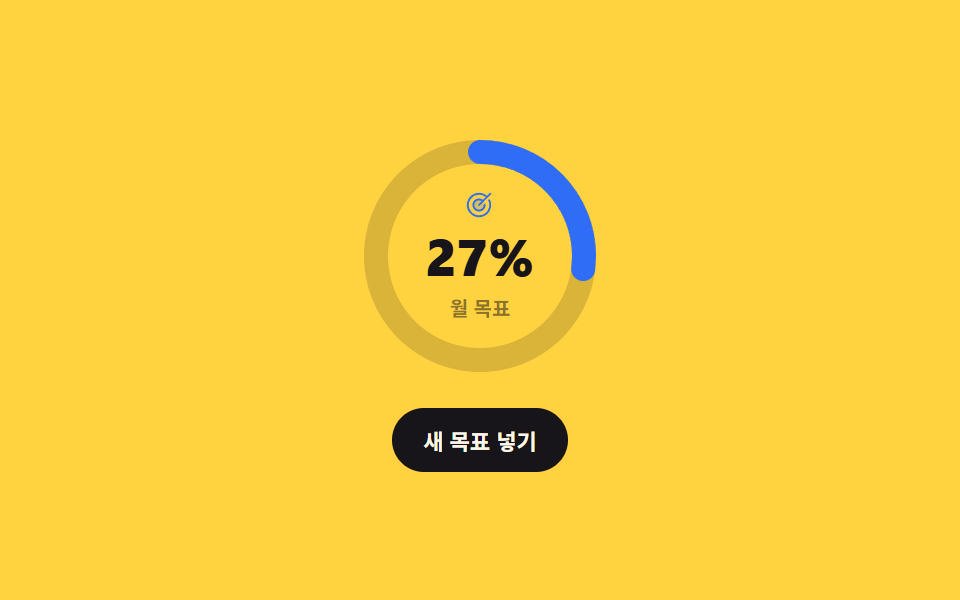
- 02 목표 달성 링 + 숫자 카운트업
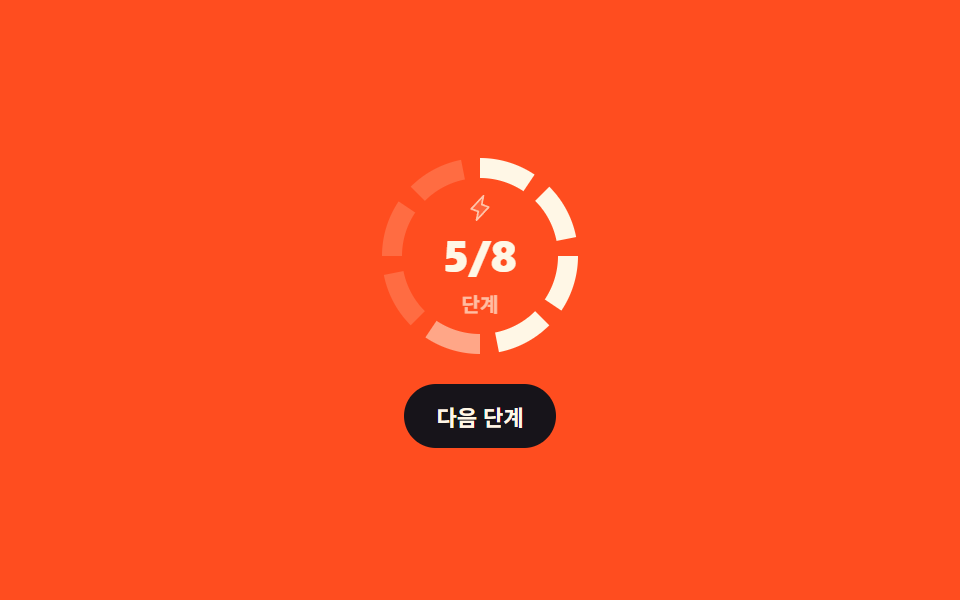
- 03 세그먼트 링 (단계별)
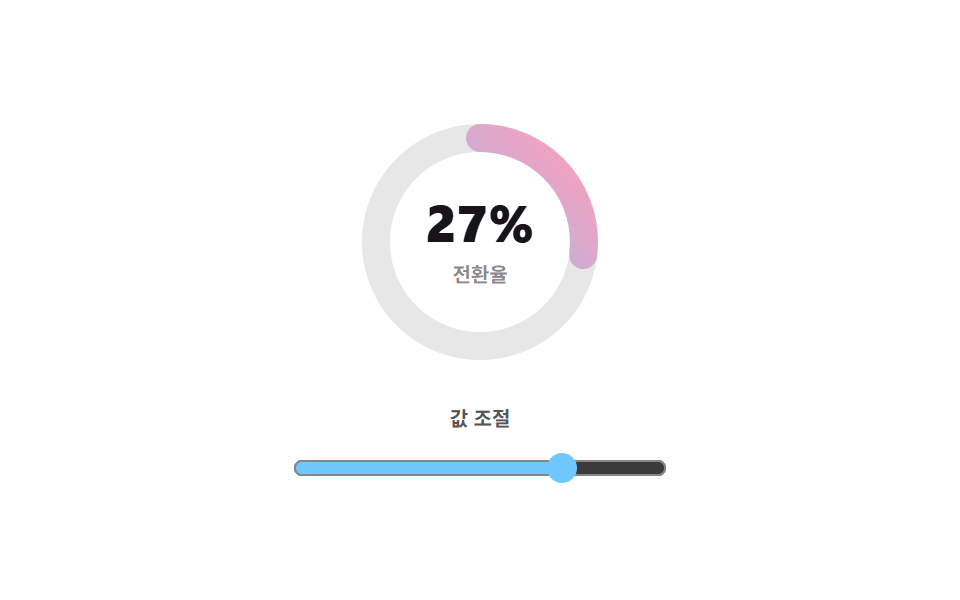
- 04 그라디언트 스트로크 링
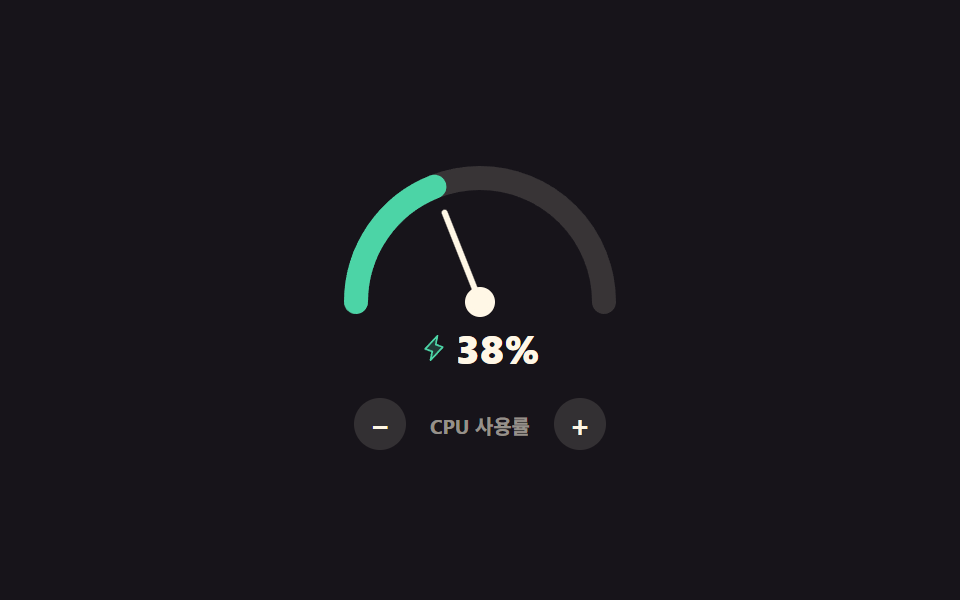
- 05 반원 게이지 + 바늘
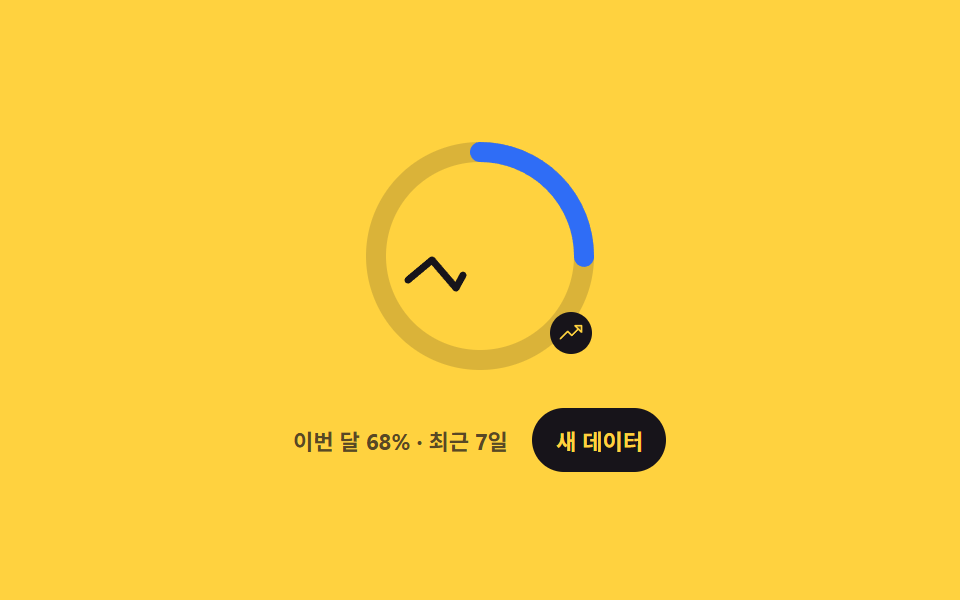
- 06 링 안 미니 스파크라인
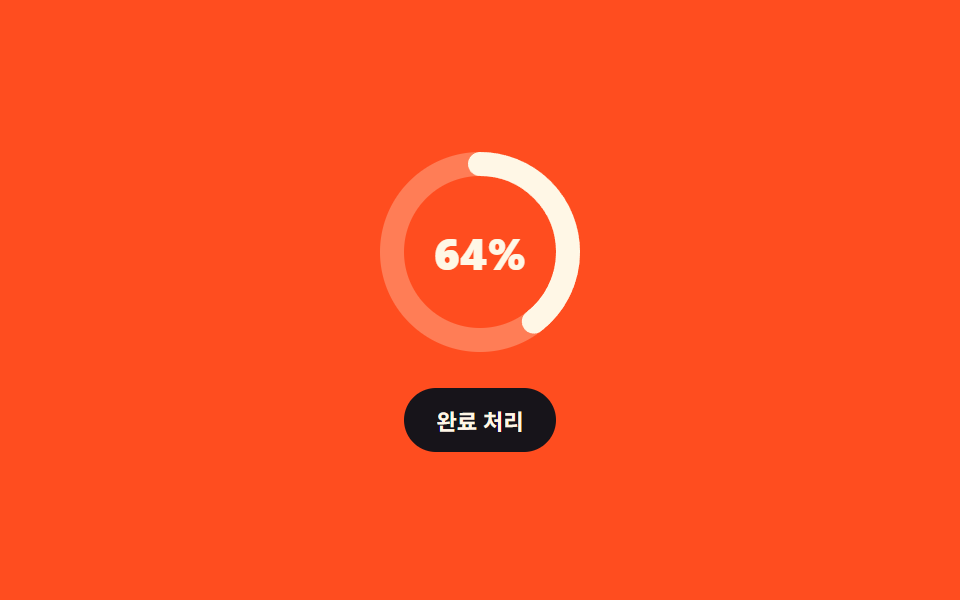
- 07 링 배지 (달성 시 체크 모프)
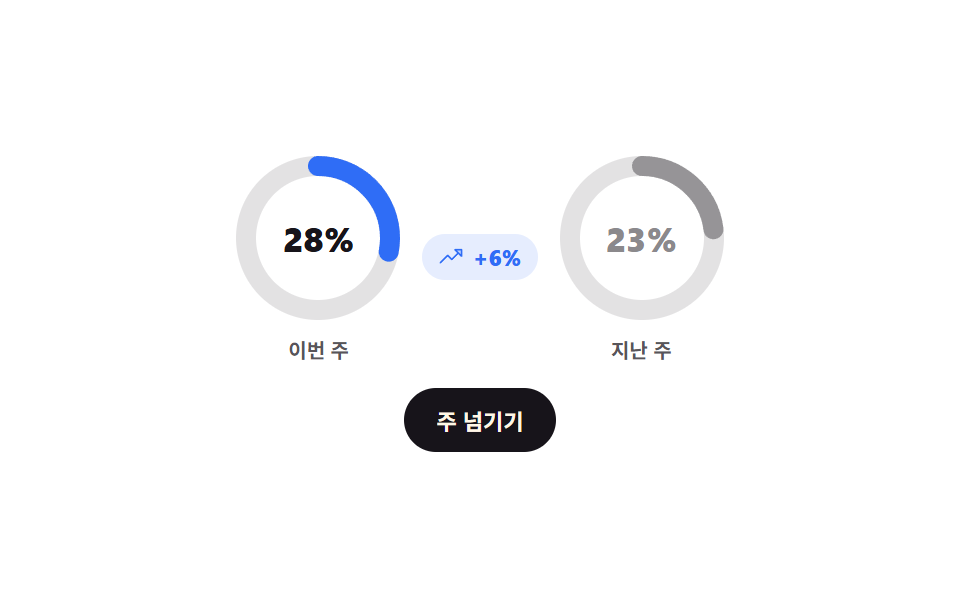
- 08 비교 링 쌍 (이번 주/지난 주)
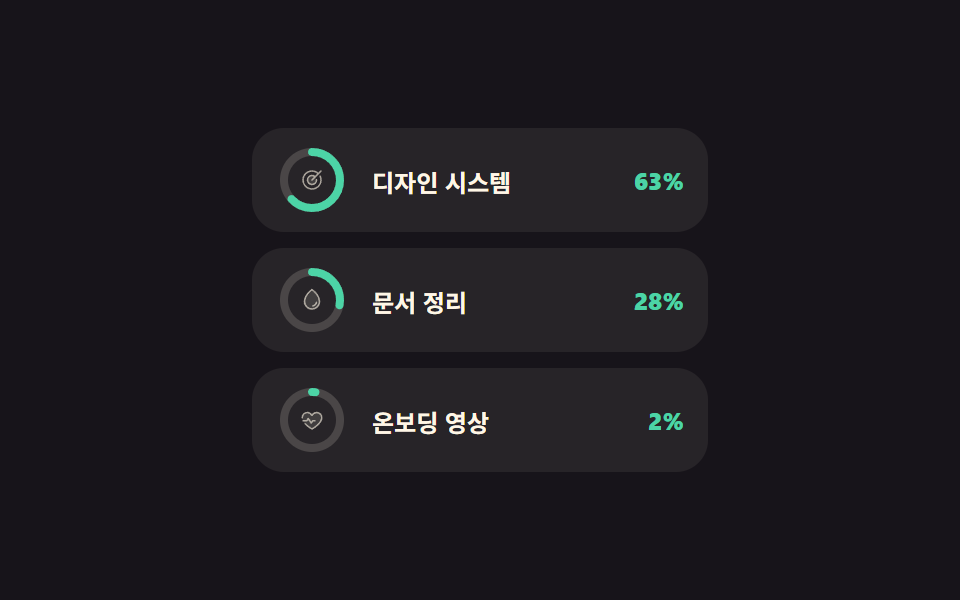
- 09 링 진행률 카드 리스트
순서는 링을 몇 개 쓰느냐와 링 안에 무엇을 더 넣느냐를 따라갑니다. 동심원 셋으로 시작해 도넛 차트 css처럼 링 하나에 숫자를 붙이고, 원을 칸으로 끊고, 선 자체에 색을 입히고, 반원으로 잘라 바늘을 답니다. 그다음이 링 안에 꺾은선을 넣는 것, 다 채운 순간을 체크로 바꾸는 것, 두 링을 나란히 두는 것, 마지막이 작은 링을 목록 줄마다 붙이는 것입니다. 아홉 개가 쓰는 계산은 같고 반지름만 다릅니다.
| 반지름 r | 둘레 C = 2πr | 쓴 항목 |
|---|---|---|
| 14 | 87.965 | 09 목록 줄 안의 작은 링 |
| 28 | 175.929 | 01 안쪽 링 |
| 36 | 226.195 | 08 비교 링 두 개 |
| 40 | 251.327 | 01 가운데 링 |
| 44 | 276.460 | 03 세그먼트 · 07 배지 |
| 52 | 326.726 | 01 바깥 링 · 02 · 04 · 06 |
| 62 (반원) | 194.779 | 05 반원 게이지 |
013중 활동 링
css 원형 그래프에서 무엇이 보이나
동심원 세 개가 각자 다른 값까지 감기고, '다시 채우기'를 누르면 세 값이 새로 뽑혀 링과 옆의 퍼센트가 같이 바뀝니다.
<main class="stage">
  <div class="ar is-demo">
    <svg class="ar__svg" viewBox="0 0 120 120" width="120" height="120" role="img" aria-label="활동 링 세 개">
      <g class="ar__track">
        <circle cx="60" cy="60" r="52"/>
        <circle cx="60" cy="60" r="40"/>
        <circle cx="60" cy="60" r="28"/>
      </g>
      <g class="ar__vals">
        <circle class="ar__ring ar__ring--move" cx="60" cy="60" r="52"/>
        <circle class="ar__ring ar__ring--burn" cx="60" cy="60" r="40"/>
        <circle class="ar__ring ar__ring--rest" cx="60" cy="60" r="28"/>
      </g>
    </svg>
    <div class="ar__side">
      <ul class="ar__legend">
        <li class="ar__item ar__item--move">
          <span class="ar__ic" aria-hidden="true"><svg viewBox="0 0 256 256" width="14" height="14"><g fill="currentColor"><path d="M152 192h56v12a28 28 0 0 1-56 0ZM48 180a28 28 0 0 0 56 0v-12H48ZM76 24c-24.52 0-51.46 80-25.26 112h50.52c26.2-32-.74-112-25.26-112m129.26 136c26.2-32-.74-112-25.26-112s-51.46 80-25.26 112Z" opacity=".2"/><path d="M208.06 184H152a8 8 0 0 0-8 8v12a36 36 0 0 0 72.05 0v-12a8 8 0 0 0-7.99-8m-8 20a20 20 0 0 1-40 0v-4h40ZM104 160H48a8 8 0 0 0-8 8v12a36 36 0 0 0 72 0v-12a8 8 0 0 0-8-8m-8 20a20 20 0 0 1-40 0v-4h40ZM76 16c-11.64 0-22.93 10.31-31.8 29c-13.93 29.38-18.56 73 .29 96a8 8 0 0 0 6.2 2.93h50.55a8 8 0 0 0 6.2-2.93c18.85-23 14.22-66.65.29-96C98.85 26.31 87.57 16 76 16m21.15 112H54.78c-11.4-18.1-7.21-52.7 3.89-76.11C65.14 38.22 72.17 32 76 32s10.82 6.22 17.3 19.89c11.06 23.41 15.25 58.01 3.85 76.11m57.61 40h50.55a8 8 0 0 0 6.2-2.93c18.85-23 14.22-66.65.29-96C202.93 50.31 191.64 40 180 40s-22.89 10.31-31.77 29c-13.93 29.38-18.56 73 .29 96a8 8 0 0 0 6.24 3m8-92.11C169.22 62.22 176.25 56 180 56s10.81 6.22 17.29 19.89c11.1 23.41 15.29 58 3.89 76.11h-42.33c-11.4-18.1-7.21-52.7 3.89-76.11Z"/></g></svg></span>
          <span class="ar__name">걸음</span>
          <b class="ar__pct ar__pct--move"></b>
        </li>
        <li class="ar__item ar__item--burn">
          <span class="ar__ic" aria-hidden="true"><svg viewBox="0 0 256 256" width="14" height="14"><g fill="currentColor"><path d="M208 144a80 80 0 0 1-77.94 80A40 40 0 0 0 168 184c0-40-40-64-40-64s-40 24-40 64a40 40 0 0 0 37.94 40A80 80 0 0 1 48 144c0-72 80-120 80-120s80 48 80 120" opacity=".2"/><path d="M173.79 51.48a221.3 221.3 0 0 0-41.67-34.34a8 8 0 0 0-8.24 0a221.3 221.3 0 0 0-41.67 34.34C54.59 80.48 40 112.47 40 144a88 88 0 0 0 176 0c0-31.53-14.59-63.52-42.21-92.52M96 184c0-27.67 22.53-47.28 32-54.3c9.48 7 32 26.63 32 54.3a32 32 0 0 1-64 0m77.27 15.93A47.8 47.8 0 0 0 176 184c0-44-42.09-69.79-43.88-70.86a8 8 0 0 0-8.24 0C122.09 114.21 80 140 80 184a47.8 47.8 0 0 0 2.73 15.93A71.88 71.88 0 0 1 56 144c0-34.41 20.4-63.15 37.52-81.19A216.2 216.2 0 0 1 128 33.54a215.8 215.8 0 0 1 34.48 29.27C193.49 95.5 200 125 200 144a71.88 71.88 0 0 1-26.73 55.93"/></g></svg></span>
          <span class="ar__name">운동</span>
          <b class="ar__pct ar__pct--burn"></b>
        </li>
        <li class="ar__item ar__item--rest">
          <span class="ar__ic" aria-hidden="true"><svg viewBox="0 0 256 256" width="14" height="14"><g fill="currentColor"><path d="M210.69 158.18A88 88 0 1 1 97.82 45.31A96.08 96.08 0 0 0 192 160a97 97 0 0 0 18.69-1.82" opacity=".2"/><path d="M240 96a8 8 0 0 1-8 8h-16v16a8 8 0 0 1-16 0v-16h-16a8 8 0 0 1 0-16h16V72a8 8 0 0 1 16 0v16h16a8 8 0 0 1 8 8m-96-40h8v8a8 8 0 0 0 16 0v-8h8a8 8 0 0 0 0-16h-8v-8a8 8 0 0 0-16 0v8h-8a8 8 0 0 0 0 16m72.77 97a8 8 0 0 1 1.43 8A96 96 0 1 1 95.07 37.8a8 8 0 0 1 10.6 9.06a88.07 88.07 0 0 0 103.47 103.47a8 8 0 0 1 7.63 2.67m-19.39 14.88c-1.79.09-3.59.14-5.38.14A104.11 104.11 0 0 1 88 64c0-1.79 0-3.59.14-5.38a80 80 0 1 0 109.24 109.24Z"/></g></svg></span>
          <span class="ar__name">수면</span>
          <b class="ar__pct ar__pct--rest"></b>
        </li>
      </ul>
      <button class="ar__btn" type="button">다시 채우기</button>
    </div>
  </div>
</main>@use "../../../../site/static/demo-tokens" as *;
$duration: $dur-loop;
$easing: $ease-spring;
$color: $subject-pink;
@include stage($stage-ink);
// 등록하지 않은 커스텀 속성은 keyframes 안에서 보간되지 않는다 — 45% 에서 툭 끊긴다
@property --p1 { syntax: "<integer>"; inherits: true; initial-value: 0; }
@property --p2 { syntax: "<integer>"; inherits: true; initial-value: 0; }
@property --p3 { syntax: "<integer>"; inherits: true; initial-value: 0; }
.ar {
--p1: 82;
--p2: 64;
--p3: 45;
box-sizing: border-box;
display: flex;
align-items: center;
gap: $sp-4;
color: $subject-cream;
font-family: -apple-system, "Segoe UI", "Noto Sans KR", sans-serif;
transition: --p1 $dur-enter $easing, --p2 $dur-enter $easing, --p3 $dur-enter $easing;
}
.ar__svg {
width: clamp(104px, 30vw, 120px);
height: clamp(104px, 30vw, 120px);
flex: 0 0 auto;
transform: rotate(-90deg);
}
.ar__track circle {
fill: none;
stroke: rgba(255, 247, 230, .14);
stroke-width: 10;
}
.ar__ring {
fill: none;
stroke-width: 10;
stroke-linecap: round;
}
// 둘레 C = 2πr 를 통째로 점선 한 칸으로 쓰고, 안 채운 만큼을 offset 으로 민다
.ar__ring--move { stroke: $color; stroke-dasharray: 326.726; stroke-dashoffset: calc(326.726 * (1 - var(--p1) / 100)); }
.ar__ring--burn { stroke: $subject-mint; stroke-dasharray: 251.327; stroke-dashoffset: calc(251.327 * (1 - var(--p2) / 100)); }
.ar__ring--rest { stroke: $subject-sky; stroke-dasharray: 175.929; stroke-dashoffset: calc(175.929 * (1 - var(--p3) / 100)); }
.ar__side { display: grid; gap: $sp-3; }
.ar__legend { list-style: none; margin: 0; padding: 0; display: grid; gap: $sp-2; }
.ar__item {
display: flex;
align-items: center;
gap: $sp-2;
font-size: 12px;
font-weight: 600;
color: rgba(255, 247, 230, .72);
}
.ar__ic { display: inline-flex; }
.ar__item--move .ar__ic { color: $color; }
.ar__item--burn .ar__ic { color: $subject-mint; }
.ar__item--rest .ar__ic { color: $subject-sky; }
.ar__name { min-width: 32px; }
.ar__pct { font-variant-numeric: tabular-nums; color: $subject-cream; font-size: 13px; }
.ar__pct--move::after { counter-reset: p var(--p1); content: counter(p) "%"; }
.ar__pct--burn::after { counter-reset: p var(--p2); content: counter(p) "%"; }
.ar__pct--rest::after { counter-reset: p var(--p3); content: counter(p) "%"; }
.ar__btn {
border: 0;
border-radius: $r-pill;
background: rgba(255, 247, 230, .12);
color: $subject-cream;
font-family: inherit;
font-size: 11px;
font-weight: 700;
padding: $sp-2 $sp-3;
cursor: pointer;
transition: background $dur-quick $ease-out;
}
.ar__btn:hover, .ar__btn:focus-visible { background: rgba(255, 247, 230, .24); }
// ── 자동 루프: 감았다 푼다. 끝에서 처음으로 튀지 않게 다시 0 으로 돌아온다 ──
.ar.is-demo { animation: ar-wind $duration $easing infinite; }
@keyframes ar-wind {
0% { --p1: 0; --p2: 0; --p3: 0; }
45%, 55% { --p1: 82; --p2: 64; --p3: 45; }
100% { --p1: 0; --p2: 0; --p3: 0; }
}
@media (max-width: 340px) {
.ar { gap: $sp-3; }
.ar__item { font-size: 11px; }
.ar__name { min-width: 28px; }
}
@media (prefers-reduced-motion: reduce) {
.ar.is-demo { animation: none !important; }
.ar, .ar__btn { transition: none; }
}html, body {
margin: 0;
overflow: hidden;
}
.stage {
box-sizing: border-box;
min-height: 100vh;
display: grid;
place-items: center;
margin: 0;
background: #17141a;
font-family: -apple-system, "Segoe UI", "Noto Sans KR", sans-serif;
padding: clamp(8px, 4vw, 24px);
}
@property --p1 {
syntax: "<integer>";
inherits: true;
initial-value: 0;
}
@property --p2 {
syntax: "<integer>";
inherits: true;
initial-value: 0;
}
@property --p3 {
syntax: "<integer>";
inherits: true;
initial-value: 0;
}
.ar {
--p1: 82;
--p2: 64;
--p3: 45;
box-sizing: border-box;
display: flex;
align-items: center;
gap: 16px;
color: #fff7e6;
font-family: -apple-system, "Segoe UI", "Noto Sans KR", sans-serif;
transition: --p1 600ms cubic-bezier(0.2, 0.8, 0.2, 1), --p2 600ms cubic-bezier(0.2, 0.8, 0.2, 1), --p3 600ms cubic-bezier(0.2, 0.8, 0.2, 1);
}
.ar__svg {
width: clamp(104px, 30vw, 120px);
height: clamp(104px, 30vw, 120px);
flex: 0 0 auto;
transform: rotate(-90deg);
}
.ar__track circle {
fill: none;
stroke: rgba(255, 247, 230, 0.14);
stroke-width: 10;
}
.ar__ring {
fill: none;
stroke-width: 10;
stroke-linecap: round;
}
.ar__ring--move {
stroke: #ff9ebb;
stroke-dasharray: 326.726;
stroke-dashoffset: calc(326.726 * (1 - var(--p1) / 100));
}
.ar__ring--burn {
stroke: #4cd4a6;
stroke-dasharray: 251.327;
stroke-dashoffset: calc(251.327 * (1 - var(--p2) / 100));
}
.ar__ring--rest {
stroke: #6ec8ff;
stroke-dasharray: 175.929;
stroke-dashoffset: calc(175.929 * (1 - var(--p3) / 100));
}
.ar__side {
display: grid;
gap: 12px;
}
.ar__legend {
list-style: none;
margin: 0;
padding: 0;
display: grid;
gap: 8px;
}
.ar__item {
display: flex;
align-items: center;
gap: 8px;
font-size: 12px;
font-weight: 600;
color: rgba(255, 247, 230, 0.72);
}
.ar__ic {
display: inline-flex;
}
.ar__item--move .ar__ic {
color: #ff9ebb;
}
.ar__item--burn .ar__ic {
color: #4cd4a6;
}
.ar__item--rest .ar__ic {
color: #6ec8ff;
}
.ar__name {
min-width: 32px;
}
.ar__pct {
font-variant-numeric: tabular-nums;
color: #fff7e6;
font-size: 13px;
}
.ar__pct--move::after {
counter-reset: p var(--p1);
content: counter(p) "%";
}
.ar__pct--burn::after {
counter-reset: p var(--p2);
content: counter(p) "%";
}
.ar__pct--rest::after {
counter-reset: p var(--p3);
content: counter(p) "%";
}
.ar__btn {
border: 0;
border-radius: 999px;
background: rgba(255, 247, 230, 0.12);
color: #fff7e6;
font-family: inherit;
font-size: 11px;
font-weight: 700;
padding: 8px 12px;
cursor: pointer;
transition: background 220ms ease-out;
}
.ar__btn:hover, .ar__btn:focus-visible {
background: rgba(255, 247, 230, 0.24);
}
.ar.is-demo {
animation: ar-wind 2s cubic-bezier(0.2, 0.8, 0.2, 1) infinite;
}
@keyframes ar-wind {
0% {
--p1: 0;
--p2: 0;
--p3: 0;
}
45%, 55% {
--p1: 82;
--p2: 64;
--p3: 45;
}
100% {
--p1: 0;
--p2: 0;
--p3: 0;
}
}
@media (max-width: 340px) {
.ar {
gap: 12px;
}
.ar__item {
font-size: 11px;
}
.ar__name {
min-width: 28px;
}
}
@media (prefers-reduced-motion: reduce) {
.ar.is-demo {
animation: none !important;
}
.ar, .ar__btn {
transition: none;
}
}// 실제 동작: 세 값을 새로 뽑아 --p1 --p2 --p3 을 바꾼다. 링과 숫자가 같은 변수를 읽으므로 둘이 어긋나지 않는다.
var ar = document.querySelector('.ar');
ar.querySelector('.ar__btn').addEventListener('click', function () {
ar.classList.remove('is-demo');
for (var i = 1; i <= 3; i++) {
ar.style.setProperty('--p' + i, String(25 + Math.floor(Math.random() * 74)));
}
});import { useState } from "react";
import type { CSSProperties } from "react";
import styles from "./TripleActivityRings.module.scss";
export type TripleActivityRingsProps = {
duration?: number;
easing?: string;
color?: string;
};
type Vars = CSSProperties & {
"--duration"?: string;
"--easing"?: string;
"--color"?: string;
"--p1"?: number;
"--p2"?: number;
"--p3"?: number;
};
function roll(): number {
return 25 + Math.floor(Math.random() * 74);
}
export default function TripleActivityRings({
duration = 600,
easing = "cubic-bezier(.2,.8,.2,1)",
color = "#ff9ebb",
}: TripleActivityRingsProps) {
const [p, setP] = useState<[number, number, number]>([82, 64, 45]);
const vars: Vars = {
"--duration": `${duration}ms`,
"--easing": easing,
"--color": color,
"--p1": p[0],
"--p2": p[1],
"--p3": p[2],
};
return (
<div className={styles.ar} style={vars}>
<svg
className={styles.svg}
viewBox="0 0 120 120"
width="120"
height="120"
role="img"
aria-label="Three activity rings"
>
<g className={styles.track}>
<circle cx="60" cy="60" r="52" />
<circle cx="60" cy="60" r="40" />
<circle cx="60" cy="60" r="28" />
</g>
<g>
<circle className={`${styles.ring} ${styles.ringMove}`} cx="60" cy="60" r="52" />
<circle className={`${styles.ring} ${styles.ringBurn}`} cx="60" cy="60" r="40" />
<circle className={`${styles.ring} ${styles.ringRest}`} cx="60" cy="60" r="28" />
</g>
</svg>
<div className={styles.side}>
<ul className={styles.legend}>
<li className={styles.item}>
<span className={`${styles.ic} ${styles.icMove}`} aria-hidden="true">
<svg viewBox="0 0 256 256" width="14" height="14">
<g fill="currentColor">
<path
d="M152 192h56v12a28 28 0 0 1-56 0ZM48 180a28 28 0 0 0 56 0v-12H48ZM76 24c-24.52 0-51.46 80-25.26 112h50.52c26.2-32-.74-112-25.26-112m129.26 136c26.2-32-.74-112-25.26-112s-51.46 80-25.26 112Z"
opacity=".2"
/>
<path d="M208.06 184H152a8 8 0 0 0-8 8v12a36 36 0 0 0 72.05 0v-12a8 8 0 0 0-7.99-8m-8 20a20 20 0 0 1-40 0v-4h40ZM104 160H48a8 8 0 0 0-8 8v12a36 36 0 0 0 72 0v-12a8 8 0 0 0-8-8m-8 20a20 20 0 0 1-40 0v-4h40ZM76 16c-11.64 0-22.93 10.31-31.8 29c-13.93 29.38-18.56 73 .29 96a8 8 0 0 0 6.2 2.93h50.55a8 8 0 0 0 6.2-2.93c18.85-23 14.22-66.65.29-96C98.85 26.31 87.57 16 76 16m21.15 112H54.78c-11.4-18.1-7.21-52.7 3.89-76.11C65.14 38.22 72.17 32 76 32s10.82 6.22 17.3 19.89c11.06 23.41 15.25 58.01 3.85 76.11m57.61 40h50.55a8 8 0 0 0 6.2-2.93c18.85-23 14.22-66.65.29-96C202.93 50.31 191.64 40 180 40s-22.89 10.31-31.77 29c-13.93 29.38-18.56 73 .29 96a8 8 0 0 0 6.24 3m8-92.11C169.22 62.22 176.25 56 180 56s10.81 6.22 17.29 19.89c11.1 23.41 15.29 58 3.89 76.11h-42.33c-11.4-18.1-7.21-52.7 3.89-76.11Z" />
</g>
</svg>
</span>
<span className={styles.name}>Steps</span>
<b className={`${styles.pct} ${styles.pctMove}`} />
</li>
<li className={styles.item}>
<span className={`${styles.ic} ${styles.icBurn}`} aria-hidden="true">
<svg viewBox="0 0 256 256" width="14" height="14">
<g fill="currentColor">
<path
d="M208 144a80 80 0 0 1-77.94 80A40 40 0 0 0 168 184c0-40-40-64-40-64s-40 24-40 64a40 40 0 0 0 37.94 40A80 80 0 0 1 48 144c0-72 80-120 80-120s80 48 80 120"
opacity=".2"
/>
<path d="M173.79 51.48a221.3 221.3 0 0 0-41.67-34.34a8 8 0 0 0-8.24 0a221.3 221.3 0 0 0-41.67 34.34C54.59 80.48 40 112.47 40 144a88 88 0 0 0 176 0c0-31.53-14.59-63.52-42.21-92.52M96 184c0-27.67 22.53-47.28 32-54.3c9.48 7 32 26.63 32 54.3a32 32 0 0 1-64 0m77.27 15.93A47.8 47.8 0 0 0 176 184c0-44-42.09-69.79-43.88-70.86a8 8 0 0 0-8.24 0C122.09 114.21 80 140 80 184a47.8 47.8 0 0 0 2.73 15.93A71.88 71.88 0 0 1 56 144c0-34.41 20.4-63.15 37.52-81.19A216.2 216.2 0 0 1 128 33.54a215.8 215.8 0 0 1 34.48 29.27C193.49 95.5 200 125 200 144a71.88 71.88 0 0 1-26.73 55.93" />
</g>
</svg>
</span>
<span className={styles.name}>Move</span>
<b className={`${styles.pct} ${styles.pctBurn}`} />
</li>
<li className={styles.item}>
<span className={`${styles.ic} ${styles.icRest}`} aria-hidden="true">
<svg viewBox="0 0 256 256" width="14" height="14">
<g fill="currentColor">
<path
d="M210.69 158.18A88 88 0 1 1 97.82 45.31A96.08 96.08 0 0 0 192 160a97 97 0 0 0 18.69-1.82"
opacity=".2"
/>
<path d="M240 96a8 8 0 0 1-8 8h-16v16a8 8 0 0 1-16 0v-16h-16a8 8 0 0 1 0-16h16V72a8 8 0 0 1 16 0v16h16a8 8 0 0 1 8 8m-96-40h8v8a8 8 0 0 0 16 0v-8h8a8 8 0 0 0 0-16h-8v-8a8 8 0 0 0-16 0v8h-8a8 8 0 0 0 0 16m72.77 97a8 8 0 0 1 1.43 8A96 96 0 1 1 95.07 37.8a8 8 0 0 1 10.6 9.06a88.07 88.07 0 0 0 103.47 103.47a8 8 0 0 1 7.63 2.67m-19.39 14.88c-1.79.09-3.59.14-5.38.14A104.11 104.11 0 0 1 88 64c0-1.79 0-3.59.14-5.38a80 80 0 1 0 109.24 109.24Z" />
</g>
</svg>
</span>
<span className={styles.name}>Sleep</span>
<b className={`${styles.pct} ${styles.pctRest}`} />
</li>
</ul>
<button
type="button"
className={styles.btn}
onClick={() => setP([roll(), roll(), roll()])}
>
Refill
</button>
</div>
</div>
);
}01 · 3중 활동 링 — 측정 누적면적 7.207% · 움직인 프레임 18/23GODRICH 원작 · zip 에 SCSS·React 포함 · 비밀번호 보기
코드에서 볼 곳
걸음·운동·수면처럼 지표 셋을 카드 하나에 겹쳐 보여줄 때 씁니다.
.ar__ring--move { stroke-dasharray: 326.726; stroke-dashoffset: calc(326.726 * (1 - var(--p1) / 100)); }
.ar__ring--burn { stroke-dasharray: 251.327; stroke-dashoffset: calc(251.327 * (1 - var(--p2) / 100)); }
.ar__ring--rest { stroke-dasharray: 175.929; stroke-dashoffset: calc(175.929 * (1 - var(--p3) / 100)); }

@keyframes ar-wind {
  0%       { --p1: 0;  --p2: 0;  --p3: 0; }
  45%, 55% { --p1: 82; --p2: 64; --p3: 45; }
  100%     { --p1: 0;  --p2: 0;  --p3: 0; }
}
02목표 달성 링 + 숫자 카운트업
화면에서 일어나는 일
링이 감기는 동안 가운데 숫자가 0부터 한 칸씩 올라갑니다.
<main class="stage">
  <div class="gr is-demo">
    <div class="gr__dial">
      <svg class="gr__svg" viewBox="0 0 128 128" width="128" height="128" aria-hidden="true">
        <circle class="gr__track" cx="64" cy="64" r="52"/>
        <circle class="gr__ring" cx="64" cy="64" r="52"/>
      </svg>
      <div class="gr__center">
        <span class="gr__ic" aria-hidden="true"><svg viewBox="0 0 256 256" width="15" height="15"><g fill="currentColor"><path d="M176 128a48 48 0 1 1-48-48a48 48 0 0 1 48 48" opacity=".2"/><path d="M221.87 83.16A104.1 104.1 0 1 1 195.67 49l22.67-22.68a8 8 0 0 1 11.32 11.32l-96 96a8 8 0 0 1-11.32-11.32l27.72-27.72a40 40 0 1 0 17.87 31.09a8 8 0 1 1 16-.9a56 56 0 1 1-22.38-41.65l22.75-22.75a87.88 87.88 0 1 0 23.13 29.67a8 8 0 0 1 14.44-6.9"/></g></svg></span>
        <span class="gr__num" role="status" aria-label="목표 달성률"></span>
        <span class="gr__cap">월 목표</span>
      </div>
    </div>
    <button class="gr__btn" type="button">새 목표 넣기</button>
  </div>
</main>
@use "../../../../site/static/demo-tokens" as *;
$duration: $dur-loop;
$easing: $ease-spring;
$color: $subject-blue;
@include stage($stage-yellow);
// 숫자를 애니메이션할 수 있게 만드는 한 줄. 없으면 --num 은 그냥 문자열이라 0 에서 72 로 튄다
@property --num {
syntax: "<integer>";
inherits: true;
initial-value: 0;
}
.gr {
--num: 72;
box-sizing: border-box;
display: grid;
justify-items: center;
gap: $sp-3;
color: $stage-ink;
font-family: -apple-system, "Segoe UI", "Noto Sans KR", sans-serif;
transition: --num $dur-enter $easing;
}
.gr__dial { position: relative; display: grid; place-items: center; }
.gr__svg {
width: clamp(112px, 33vw, 128px);
height: clamp(112px, 33vw, 128px);
transform: rotate(-90deg);
}
.gr__track {
fill: none;
stroke: rgba(23, 20, 26, .16);
stroke-width: 12;
}
.gr__ring {
fill: none;
stroke: $color;
stroke-width: 12;
stroke-linecap: round;
// r=52 → C = 2π × 52 = 326.726. 퍼센트를 그대로 offset 으로 환산한다
stroke-dasharray: 326.726;
stroke-dashoffset: calc(326.726 * (1 - var(--num) / 100));
}
.gr__center {
position: absolute;
display: grid;
justify-items: center;
gap: $sp-1;
pointer-events: none;
}
.gr__ic { display: inline-flex; color: $color; }
.gr__num {
font-size: clamp(22px, 7vw, 26px);
font-weight: 800;
font-variant-numeric: tabular-nums;
line-height: 1.1;
}
// counter() 는 정수만 받는다 — 그래서 --num 의 syntax 가 <integer> 여야 한다
.gr__num::after {
counter-reset: n var(--num);
content: counter(n) "%";
}
.gr__cap { font-size: 10px; font-weight: 700; color: rgba(23, 20, 26, .5); }
.gr__btn {
border: 0;
border-radius: $r-pill;
background: $stage-ink;
color: $subject-cream;
font-family: inherit;
font-size: 11px;
font-weight: 700;
padding: $sp-2 $sp-4;
cursor: pointer;
transition: transform $dur-quick $ease-pop;
}
.gr__btn:hover, .gr__btn:focus-visible { transform: translateY(-2px); }
// ── 자동 루프: 0 → 72 → 0. 숫자 하나만 애니메이션하면 링이 따라온다 ──
.gr.is-demo { animation: gr-count $duration $easing infinite; }
@keyframes gr-count {
0% { --num: 0; }
45%, 55% { --num: 72; }
100% { --num: 0; }
}
@media (max-width: 340px) {
.gr__cap { font-size: 9px; }
}
@media (prefers-reduced-motion: reduce) {
.gr.is-demo { animation: none !important; --num: 72; }
.gr, .gr__btn { transition: none; }
}html, body {
margin: 0;
overflow: hidden;
}
.stage {
box-sizing: border-box;
min-height: 100vh;
display: grid;
place-items: center;
margin: 0;
background: #ffd23f;
font-family: -apple-system, "Segoe UI", "Noto Sans KR", sans-serif;
padding: clamp(8px, 4vw, 24px);
}
@property --num {
syntax: "<integer>";
inherits: true;
initial-value: 0;
}
.gr {
--num: 72;
box-sizing: border-box;
display: grid;
justify-items: center;
gap: 12px;
color: #17141a;
font-family: -apple-system, "Segoe UI", "Noto Sans KR", sans-serif;
transition: --num 600ms cubic-bezier(0.2, 0.8, 0.2, 1);
}
.gr__dial {
position: relative;
display: grid;
place-items: center;
}
.gr__svg {
width: clamp(112px, 33vw, 128px);
height: clamp(112px, 33vw, 128px);
transform: rotate(-90deg);
}
.gr__track {
fill: none;
stroke: rgba(23, 20, 26, 0.16);
stroke-width: 12;
}
.gr__ring {
fill: none;
stroke: #2f6df6;
stroke-width: 12;
stroke-linecap: round;
stroke-dasharray: 326.726;
stroke-dashoffset: calc(326.726 * (1 - var(--num) / 100));
}
.gr__center {
position: absolute;
display: grid;
justify-items: center;
gap: 4px;
pointer-events: none;
}
.gr__ic {
display: inline-flex;
color: #2f6df6;
}
.gr__num {
font-size: clamp(22px, 7vw, 26px);
font-weight: 800;
font-variant-numeric: tabular-nums;
line-height: 1.1;
}
.gr__num::after {
counter-reset: n var(--num);
content: counter(n) "%";
}
.gr__cap {
font-size: 10px;
font-weight: 700;
color: rgba(23, 20, 26, 0.5);
}
.gr__btn {
border: 0;
border-radius: 999px;
background: #17141a;
color: #fff7e6;
font-family: inherit;
font-size: 11px;
font-weight: 700;
padding: 8px 16px;
cursor: pointer;
transition: transform 220ms cubic-bezier(0.2, 1.4, 0.4, 1);
}
.gr__btn:hover, .gr__btn:focus-visible {
transform: translateY(-2px);
}
.gr.is-demo {
animation: gr-count 2s cubic-bezier(0.2, 0.8, 0.2, 1) infinite;
}
@keyframes gr-count {
0% {
--num: 0;
}
45%, 55% {
--num: 72;
}
100% {
--num: 0;
}
}
@media (max-width: 340px) {
.gr__cap {
font-size: 9px;
}
}
@media (prefers-reduced-motion: reduce) {
.gr.is-demo {
animation: none !important;
--num: 72;
}
.gr, .gr__btn {
transition: none;
}
}// 실제 동작: --num 하나만 바꾸면 숫자와 링이 같이 움직인다. 링의 dashoffset 이 --num 을 읽어 쓴다.
var gr = document.querySelector('.gr');
gr.querySelector('.gr__btn').addEventListener('click', function () {
gr.classList.remove('is-demo');
var v = 20 + Math.floor(Math.random() * 80);
gr.style.setProperty('--num', String(v));
});import { useState } from "react";
import type { CSSProperties } from "react";
import styles from "./GoalCountUpRing.module.scss";
export type GoalCountUpRingProps = {
duration?: number;
easing?: string;
color?: string;
};
type Vars = CSSProperties & {
"--duration"?: string;
"--easing"?: string;
"--color"?: string;
"--num"?: number;
};
export default function GoalCountUpRing({
duration = 600,
easing = "cubic-bezier(.2,.8,.2,1)",
color = "#2f6df6",
}: GoalCountUpRingProps) {
const [num, setNum] = useState(72);
const vars: Vars = {
"--duration": `${duration}ms`,
"--easing": easing,
"--color": color,
"--num": num,
};
return (
<div className={styles.gr} style={vars}>
<div className={styles.dial}>
<svg className={styles.svg} viewBox="0 0 128 128" width="128" height="128" aria-hidden="true">
<circle className={styles.track} cx="64" cy="64" r="52" />
<circle className={styles.ring} cx="64" cy="64" r="52" />
</svg>
<div className={styles.center}>
<span className={styles.ic} aria-hidden="true">
<svg viewBox="0 0 256 256" width="15" height="15">
<g fill="currentColor">
<path d="M176 128a48 48 0 1 1-48-48a48 48 0 0 1 48 48" opacity=".2" />
<path d="M221.87 83.16A104.1 104.1 0 1 1 195.67 49l22.67-22.68a8 8 0 0 1 11.32 11.32l-96 96a8 8 0 0 1-11.32-11.32l27.72-27.72a40 40 0 1 0 17.87 31.09a8 8 0 1 1 16-.9a56 56 0 1 1-22.38-41.65l22.75-22.75a87.88 87.88 0 1 0 23.13 29.67a8 8 0 0 1 14.44-6.9" />
</g>
</svg>
</span>
<span className={styles.num} role="status" aria-label="Goal completion" />
<span className={styles.cap}>Monthly goal</span>
</div>
</div>
<button
type="button"
className={styles.btn}
onClick={() => setNum(20 + Math.floor(Math.random() * 80))}
>
Set new goal
</button>
</div>
);
}02 · 목표 달성 링 + 숫자 카운트업 — 측정 누적면적 2.951% · 움직인 프레임 17/23GODRICH 원작 · zip 에 SCSS·React 포함 · 비밀번호 보기
코드 읽는 법
움직이는 값은 --num 하나뿐이고 링의 오프셋과 숫자가 같은 값을 읽으므로, 숫자는 72 인데 링은 60 에 서 있는 어긋남이 생기지 않습니다.
@property --num {
  syntax: "<integer>";
  inherits: true;
  initial-value: 0;
}
.gr__ring {
  stroke-dasharray: 326.726;
  stroke-dashoffset: calc(326.726 * (1 - var(--num) / 100));
}
.gr__num::after {
  counter-reset: n var(--num);
  content: counter(n) "%";
}
03세그먼트 링 (단계별)
어떤 움직임인가
원 하나를 여덟 칸으로 끊어 놓고 '다음 단계'를 누를 때마다 한 칸씩 켭니다.
<main class="stage">
  <div class="sg is-demo">
    <div class="sg__dial">
      <svg class="sg__svg" viewBox="0 0 104 104" width="104" height="104" aria-hidden="true">
        <g class="sg__segs">
          <circle class="sg__seg" style="--i:0" cx="52" cy="52" r="44"/>
          <circle class="sg__seg" style="--i:1" cx="52" cy="52" r="44"/>
          <circle class="sg__seg" style="--i:2" cx="52" cy="52" r="44"/>
          <circle class="sg__seg" style="--i:3" cx="52" cy="52" r="44"/>
          <circle class="sg__seg" style="--i:4" cx="52" cy="52" r="44"/>
          <circle class="sg__seg" style="--i:5" cx="52" cy="52" r="44"/>
          <circle class="sg__seg" style="--i:6" cx="52" cy="52" r="44"/>
          <circle class="sg__seg" style="--i:7" cx="52" cy="52" r="44"/>
        </g>
      </svg>
      <div class="sg__center">
        <span class="sg__ic" aria-hidden="true"><svg viewBox="0 0 256 256" width="14" height="14"><g fill="currentColor"><path d="m96 240l16-80l-64-24L160 16l-16 80l64 24Z" opacity=".2"/><path d="M215.79 118.17a8 8 0 0 0-5-5.66L153.18 90.9l14.66-73.33a8 8 0 0 0-13.69-7l-112 120a8 8 0 0 0 3 13l57.63 21.61l-14.62 73.25a8 8 0 0 0 13.69 7l112-120a8 8 0 0 0 1.94-7.26M109.37 214l10.47-52.38a8 8 0 0 0-5-9.06L62 132.71l84.62-90.66l-10.46 52.38a8 8 0 0 0 5 9.06l52.8 19.8Z"/></g></svg></span>
        <span class="sg__frac" role="status" aria-label="완료한 단계"></span>
        <span class="sg__cap">단계</span>
      </div>
    </div>
    <button class="sg__btn" type="button">다음 단계</button>
  </div>
</main>
@use "../../../../site/static/demo-tokens" as *;
$duration: $dur-loop;
$easing: $ease-out;
$color: $subject-cream;
@include stage($stage-orange);
@property --n {
syntax: "<integer>";
inherits: true;
initial-value: 0;
}
// 한 칸의 몫: C = 2π × 44 = 276.460 → 8칸이면 34.5575. 그중 26 을 칠하고 8.5575 를 비운다
$C: 276.460;
$slot: 34.5575;
$dash: 26;
.sg {
--n: 0;
box-sizing: border-box;
display: grid;
justify-items: center;
gap: $sp-3;
color: $color;
font-family: -apple-system, "Segoe UI", "Noto Sans KR", sans-serif;
}
.sg__dial { position: relative; display: grid; place-items: center; }
.sg__svg {
width: clamp(92px, 28vw, 104px);
height: clamp(92px, 28vw, 104px);
transform: rotate(-90deg);
}
.sg__seg {
fill: none;
stroke: $color;
stroke-width: 10;
stroke-linecap: butt;
stroke-dasharray: $dash ($C - $dash);
stroke-dashoffset: calc(var(--i) * -#{$slot});
opacity: .18;
transition: opacity $dur-quick $easing;
}
.sg__seg.is-on { opacity: 1; }
.sg__center { position: absolute; display: grid; justify-items: center; gap: $sp-1; pointer-events: none; }
.sg__ic { display: inline-flex; opacity: .7; }
.sg__frac {
font-size: clamp(18px, 6vw, 22px);
font-weight: 800;
font-variant-numeric: tabular-nums;
line-height: 1.1;
}
.sg__frac::after {
counter-reset: n var(--n);
content: counter(n) "/8";
}
.sg__cap { font-size: 10px; font-weight: 700; opacity: .66; }
.sg__btn {
border: 0;
border-radius: $r-pill;
background: $stage-ink;
color: $color;
font-family: inherit;
font-size: 11px;
font-weight: 700;
padding: $sp-2 $sp-4;
cursor: pointer;
transition: transform $dur-quick $ease-pop;
}
.sg__btn:hover, .sg__btn:focus-visible { transform: translateY(-2px); }
// ── 자동 루프: 한 칸씩 켜졌다가 켜진 역순으로 꺼진다. 8칸이 한꺼번에 꺼지지 않는다 ──
.sg.is-demo .sg__seg { animation: $duration linear infinite; }
@for $i from 0 through 7 {
$on: $i * 5;
$off: 50 + (7 - $i) * 5;
.sg.is-demo .sg__seg:nth-child(#{$i + 1}) { animation-name: sg-seg-#{$i}; }
@keyframes sg-seg-#{$i} {
0% { opacity: .18; }
@if $on > 0 {
#{$on}% { opacity: .18; }
}
#{$on + 2}% { opacity: 1; }
#{$off}% { opacity: 1; }
#{$off + 2}% { opacity: .18; }
100% { opacity: .18; }
}
}
.sg.is-demo { animation: sg-count $duration linear infinite; }
// 분수는 칸이 켜지고 꺼지는 일정(마지막 칸 37% 점등 · 첫 칸 87% 소등)에 맞춘다.
// 45/55 로 두면 되감기 구간에서 켜진 칸 수와 가운데 숫자가 어긋난다
@keyframes sg-count {
0% { --n: 0; }
37%, 50% { --n: 8; }
87%, 100% { --n: 0; }
}
@media (max-width: 340px) {
.sg__cap { font-size: 9px; }
}
@media (prefers-reduced-motion: reduce) {
.sg.is-demo, .sg.is-demo .sg__seg { animation: none !important; }
.sg.is-demo { --n: 5; }
.sg.is-demo .sg__seg:nth-child(-n + 5) { opacity: 1; }
.sg__seg, .sg__btn { transition: none; }
}html, body {
margin: 0;
overflow: hidden;
}
.stage {
box-sizing: border-box;
min-height: 100vh;
display: grid;
place-items: center;
margin: 0;
background: #ff4d1f;
font-family: -apple-system, "Segoe UI", "Noto Sans KR", sans-serif;
padding: clamp(8px, 4vw, 24px);
}
@property --n {
syntax: "<integer>";
inherits: true;
initial-value: 0;
}
.sg {
--n: 0;
box-sizing: border-box;
display: grid;
justify-items: center;
gap: 12px;
color: #fff7e6;
font-family: -apple-system, "Segoe UI", "Noto Sans KR", sans-serif;
}
.sg__dial {
position: relative;
display: grid;
place-items: center;
}
.sg__svg {
width: clamp(92px, 28vw, 104px);
height: clamp(92px, 28vw, 104px);
transform: rotate(-90deg);
}
.sg__seg {
fill: none;
stroke: #fff7e6;
stroke-width: 10;
stroke-linecap: butt;
stroke-dasharray: 26 250.46;
stroke-dashoffset: calc(var(--i) * -34.5575);
opacity: 0.18;
transition: opacity 220ms ease-out;
}
.sg__seg.is-on {
opacity: 1;
}
.sg__center {
position: absolute;
display: grid;
justify-items: center;
gap: 4px;
pointer-events: none;
}
.sg__ic {
display: inline-flex;
opacity: 0.7;
}
.sg__frac {
font-size: clamp(18px, 6vw, 22px);
font-weight: 800;
font-variant-numeric: tabular-nums;
line-height: 1.1;
}
.sg__frac::after {
counter-reset: n var(--n);
content: counter(n) "/8";
}
.sg__cap {
font-size: 10px;
font-weight: 700;
opacity: 0.66;
}
.sg__btn {
border: 0;
border-radius: 999px;
background: #17141a;
color: #fff7e6;
font-family: inherit;
font-size: 11px;
font-weight: 700;
padding: 8px 16px;
cursor: pointer;
transition: transform 220ms cubic-bezier(0.2, 1.4, 0.4, 1);
}
.sg__btn:hover, .sg__btn:focus-visible {
transform: translateY(-2px);
}
.sg.is-demo .sg__seg {
animation: 2s linear infinite;
}
.sg.is-demo .sg__seg:nth-child(1) {
animation-name: sg-seg-0;
}
@keyframes sg-seg-0 {
0% {
opacity: 0.18;
}
2% {
opacity: 1;
}
85% {
opacity: 1;
}
87% {
opacity: 0.18;
}
100% {
opacity: 0.18;
}
}
.sg.is-demo .sg__seg:nth-child(2) {
animation-name: sg-seg-1;
}
@keyframes sg-seg-1 {
0% {
opacity: 0.18;
}
5% {
opacity: 0.18;
}
7% {
opacity: 1;
}
80% {
opacity: 1;
}
82% {
opacity: 0.18;
}
100% {
opacity: 0.18;
}
}
.sg.is-demo .sg__seg:nth-child(3) {
animation-name: sg-seg-2;
}
@keyframes sg-seg-2 {
0% {
opacity: 0.18;
}
10% {
opacity: 0.18;
}
12% {
opacity: 1;
}
75% {
opacity: 1;
}
77% {
opacity: 0.18;
}
100% {
opacity: 0.18;
}
}
.sg.is-demo .sg__seg:nth-child(4) {
animation-name: sg-seg-3;
}
@keyframes sg-seg-3 {
0% {
opacity: 0.18;
}
15% {
opacity: 0.18;
}
17% {
opacity: 1;
}
70% {
opacity: 1;
}
72% {
opacity: 0.18;
}
100% {
opacity: 0.18;
}
}
.sg.is-demo .sg__seg:nth-child(5) {
animation-name: sg-seg-4;
}
@keyframes sg-seg-4 {
0% {
opacity: 0.18;
}
20% {
opacity: 0.18;
}
22% {
opacity: 1;
}
65% {
opacity: 1;
}
67% {
opacity: 0.18;
}
100% {
opacity: 0.18;
}
}
.sg.is-demo .sg__seg:nth-child(6) {
animation-name: sg-seg-5;
}
@keyframes sg-seg-5 {
0% {
opacity: 0.18;
}
25% {
opacity: 0.18;
}
27% {
opacity: 1;
}
60% {
opacity: 1;
}
62% {
opacity: 0.18;
}
100% {
opacity: 0.18;
}
}
.sg.is-demo .sg__seg:nth-child(7) {
animation-name: sg-seg-6;
}
@keyframes sg-seg-6 {
0% {
opacity: 0.18;
}
30% {
opacity: 0.18;
}
32% {
opacity: 1;
}
55% {
opacity: 1;
}
57% {
opacity: 0.18;
}
100% {
opacity: 0.18;
}
}
.sg.is-demo .sg__seg:nth-child(8) {
animation-name: sg-seg-7;
}
@keyframes sg-seg-7 {
0% {
opacity: 0.18;
}
35% {
opacity: 0.18;
}
37% {
opacity: 1;
}
50% {
opacity: 1;
}
52% {
opacity: 0.18;
}
100% {
opacity: 0.18;
}
}
.sg.is-demo {
animation: sg-count 2s linear infinite;
}
@keyframes sg-count {
0% {
--n: 0;
}
37%, 50% {
--n: 8;
}
87%, 100% {
--n: 0;
}
}
@media (max-width: 340px) {
.sg__cap {
font-size: 9px;
}
}
@media (prefers-reduced-motion: reduce) {
.sg.is-demo, .sg.is-demo .sg__seg {
animation: none !important;
}
.sg.is-demo {
--n: 5;
}
.sg.is-demo .sg__seg:nth-child(-n+5) {
opacity: 1;
}
.sg__seg, .sg__btn {
transition: none;
}
}// 실제 동작: 누를 때마다 칸 하나를 더 켜고 가운데 분수를 바꾼다. 8칸을 다 채우면 처음으로 되돌린다.
var sg = document.querySelector('.sg');
var segs = sg.querySelectorAll('.sg__seg');
var n = 0;
sg.querySelector('.sg__btn').addEventListener('click', function () {
sg.classList.remove('is-demo');
n = n >= segs.length ? 0 : n + 1;
for (var i = 0; i < segs.length; i++) segs[i].classList.toggle('is-on', i < n);
sg.style.setProperty('--n', String(n));
});import { useState } from "react";
import type { CSSProperties } from "react";
import styles from "./SegmentedStepRing.module.scss";
export type SegmentedStepRingProps = {
duration?: number;
easing?: string;
color?: string;
};
type Vars = CSSProperties & {
"--duration"?: string;
"--easing"?: string;
"--color"?: string;
"--n"?: number;
};
type SegVars = CSSProperties & { "--i"?: number };
const TOTAL = 8;
const SEGS = [0, 1, 2, 3, 4, 5, 6, 7];
export default function SegmentedStepRing({
duration = 220,
easing = "ease-out",
color = "#fff7e6",
}: SegmentedStepRingProps) {
const [n, setN] = useState(0);
const vars: Vars = {
"--duration": `${duration}ms`,
"--easing": easing,
"--color": color,
"--n": n,
};
return (
<div className={styles.sg} style={vars}>
<div className={styles.dial}>
<svg className={styles.svg} viewBox="0 0 104 104" width="104" height="104" aria-hidden="true">
<g>
{SEGS.map((i) => {
const seg: SegVars = { "--i": i };
return (
<circle
key={i}
className={`${styles.seg} ${i < n ? styles.on : ""}`}
style={seg}
cx="52"
cy="52"
r="44"
/>
);
})}
</g>
</svg>
<div className={styles.center}>
<span className={styles.ic} aria-hidden="true">
<svg viewBox="0 0 256 256" width="14" height="14">
<g fill="currentColor">
<path d="m96 240l16-80l-64-24L160 16l-16 80l64 24Z" opacity=".2" />
<path d="M215.79 118.17a8 8 0 0 0-5-5.66L153.18 90.9l14.66-73.33a8 8 0 0 0-13.69-7l-112 120a8 8 0 0 0 3 13l57.63 21.61l-14.62 73.25a8 8 0 0 0 13.69 7l112-120a8 8 0 0 0 1.94-7.26M109.37 214l10.47-52.38a8 8 0 0 0-5-9.06L62 132.71l84.62-90.66l-10.46 52.38a8 8 0 0 0 5 9.06l52.8 19.8Z" />
</g>
</svg>
</span>
<span className={styles.frac} role="status" aria-label="Completed steps" />
<span className={styles.cap}>Steps</span>
</div>
</div>
<button
type="button"
className={styles.btn}
onClick={() => setN((v) => (v >= TOTAL ? 0 : v + 1))}
>
Next step
</button>
</div>
);
}03 · 세그먼트 링 (단계별) — 측정 누적면적 1.895% · 움직인 프레임 18/23GODRICH 원작 · zip 에 SCSS·React 포함 · 비밀번호 보기
어디를 바꾸면 되나
칸은 따로 그린 호 여덟 개가 아니라 같은 원을 여덟 번 겹쳐 놓은 것이고, 각각 점선 한 칸만 칠한 뒤 오프셋으로 제자리에 밀어 둔 것입니다.
$C: 276.460;     // 2π × 44
$slot: 34.5575;  // C ÷ 8 = 한 칸의 몫
$dash: 26;       // 그중 칠하는 길이. 나머지 8.5575 가 칸 사이 틈이 된다

.sg__seg {
  stroke-dasharray: $dash ($C - $dash);
  stroke-dashoffset: calc(var(--i) * -#{$slot});
  opacity: .18;
}
.sg__seg.is-on { opacity: 1; }
04그라디언트 스트로크 링
무엇이 보이나
링의 선 자체가 하늘색에서 분홍으로 물드는 그라디언트이고, 슬라이더를 끌면 그 값까지 실제로 채워집니다.
<main class="stage">
  <div class="gd is-demo">
    <div class="gd__dial">
      <svg class="gd__svg" viewBox="0 0 128 128" width="128" height="128" aria-hidden="true">
        <defs>
          <linearGradient id="gdStroke" gradientUnits="userSpaceOnUse" x1="12" y1="12" x2="116" y2="116">
            <stop class="gd__stop-a" offset="0"/>
            <stop class="gd__stop-b" offset="1"/>
          </linearGradient>
        </defs>
        <circle class="gd__track" cx="64" cy="64" r="52"/>
        <circle class="gd__ring" cx="64" cy="64" r="52"/>
      </svg>
      <div class="gd__center">
        <span class="gd__num" role="status" aria-label="현재 값"></span>
        <span class="gd__cap">전환율</span>
      </div>
    </div>
    <label class="gd__slider">
      <span class="gd__slider-label">값 조절</span>
      <input class="gd__range" type="range" min="0" max="100" value="74">
    </label>
  </div>
</main>
@use "../../../../site/static/demo-tokens" as *;
$duration: $dur-loop;
$easing: $ease-spring;
$color: $subject-sky;
@include stage($stage-paper);
@property --num {
syntax: "<integer>";
inherits: true;
initial-value: 0;
}
.gd {
--num: 74;
box-sizing: border-box;
display: grid;
justify-items: center;
gap: $sp-4;
color: $stage-ink;
font-family: -apple-system, "Segoe UI", "Noto Sans KR", sans-serif;
}
.gd__dial { position: relative; display: grid; place-items: center; }
.gd__svg {
width: clamp(108px, 32vw, 128px);
height: clamp(108px, 32vw, 128px);
transform: rotate(-90deg);
}
// 그라디언트 두 끝은 CSS 에서 준다 — 토큰 밖의 색을 SVG 안에 다시 쓰지 않으려고
.gd__stop-a { stop-color: $color; }
.gd__stop-b { stop-color: $subject-pink; }
.gd__track {
fill: none;
stroke: rgba(23, 20, 26, .1);
stroke-width: 14;
}
.gd__ring {
fill: none;
stroke: url(#gdStroke);
stroke-width: 14;
// 둥근 끝은 반지름만큼 삐져나온다 — 0% 에서도 점이 남는 이유
stroke-linecap: round;
stroke-dasharray: 326.726;
stroke-dashoffset: calc(326.726 * (1 - var(--num) / 100));
}
.gd__center { position: absolute; display: grid; justify-items: center; gap: $sp-1; pointer-events: none; }
.gd__num {
font-size: clamp(22px, 7vw, 26px);
font-weight: 800;
font-variant-numeric: tabular-nums;
line-height: 1.1;
}
.gd__num::after {
counter-reset: n var(--num);
content: counter(n) "%";
}
.gd__cap { font-size: 10px; font-weight: 700; color: rgba(23, 20, 26, .5); }
.gd__slider { display: grid; justify-items: center; gap: $sp-2; }
.gd__slider-label { font-size: 10px; font-weight: 700; color: rgba(23, 20, 26, .72); }
.gd__range {
width: clamp(152px, 56vw, 188px);
accent-color: $color;
cursor: pointer;
}
// ── 자동 루프: 0 → 74 → 0. 감고 푸는 한 바퀴라 끝에서 처음으로 튀지 않는다 ──
.gd.is-demo { animation: gd-fill $duration $easing infinite; }
@keyframes gd-fill {
0% { --num: 0; }
45%, 55% { --num: 74; }
100% { --num: 0; }
}
@media (max-width: 340px) {
.gd { gap: $sp-3; }
}
@media (prefers-reduced-motion: reduce) {
.gd.is-demo { animation: none !important; --num: 74; }
}html, body {
margin: 0;
overflow: hidden;
}
.stage {
box-sizing: border-box;
min-height: 100vh;
display: grid;
place-items: center;
margin: 0;
background: #ffffff;
font-family: -apple-system, "Segoe UI", "Noto Sans KR", sans-serif;
padding: clamp(8px, 4vw, 24px);
}
@property --num {
syntax: "<integer>";
inherits: true;
initial-value: 0;
}
.gd {
--num: 74;
box-sizing: border-box;
display: grid;
justify-items: center;
gap: 16px;
color: #17141a;
font-family: -apple-system, "Segoe UI", "Noto Sans KR", sans-serif;
}
.gd__dial {
position: relative;
display: grid;
place-items: center;
}
.gd__svg {
width: clamp(108px, 32vw, 128px);
height: clamp(108px, 32vw, 128px);
transform: rotate(-90deg);
}
.gd__stop-a {
stop-color: #6ec8ff;
}
.gd__stop-b {
stop-color: #ff9ebb;
}
.gd__track {
fill: none;
stroke: rgba(23, 20, 26, 0.1);
stroke-width: 14;
}
.gd__ring {
fill: none;
stroke: url(#gdStroke);
stroke-width: 14;
stroke-linecap: round;
stroke-dasharray: 326.726;
stroke-dashoffset: calc(326.726 * (1 - var(--num) / 100));
}
.gd__center {
position: absolute;
display: grid;
justify-items: center;
gap: 4px;
pointer-events: none;
}
.gd__num {
font-size: clamp(22px, 7vw, 26px);
font-weight: 800;
font-variant-numeric: tabular-nums;
line-height: 1.1;
}
.gd__num::after {
counter-reset: n var(--num);
content: counter(n) "%";
}
.gd__cap {
font-size: 10px;
font-weight: 700;
color: rgba(23, 20, 26, 0.5);
}
.gd__slider {
display: grid;
justify-items: center;
gap: 8px;
}
.gd__slider-label {
font-size: 10px;
font-weight: 700;
color: rgba(23, 20, 26, 0.72);
}
.gd__range {
width: clamp(152px, 56vw, 188px);
accent-color: #6ec8ff;
cursor: pointer;
}
.gd.is-demo {
animation: gd-fill 2s cubic-bezier(0.2, 0.8, 0.2, 1) infinite;
}
@keyframes gd-fill {
0% {
--num: 0;
}
45%, 55% {
--num: 74;
}
100% {
--num: 0;
}
}
@media (max-width: 340px) {
.gd {
gap: 12px;
}
}
@media (prefers-reduced-motion: reduce) {
.gd.is-demo {
animation: none !important;
--num: 74;
}
}// 실제 동작: 슬라이더가 --num 하나를 바꾸고, 링의 dashoffset 과 가운데 숫자가 둘 다 그 값을 읽는다.
var gd = document.querySelector('.gd');
var range = gd.querySelector('.gd__range');
range.addEventListener('input', function () {
gd.classList.remove('is-demo');
gd.style.setProperty('--num', range.value);
});import { useState } from "react";
import type { CSSProperties } from "react";
import styles from "./GradientStrokeRing.module.scss";
let gradSeq = 0;
export type GradientStrokeRingProps = {
duration?: number;
easing?: string;
color?: string;
};
type Vars = CSSProperties & {
"--duration"?: string;
"--easing"?: string;
"--color"?: string;
"--num"?: string;
};
export default function GradientStrokeRing({
duration = 220,
easing = "cubic-bezier(.2, .8, .2, 1)",
color = "#6ec8ff",
}: GradientStrokeRingProps) {
const [num, setNum] = useState(74);
// 한 페이지에 여러 개를 놔도 gradient id 가 부딪히지 않게 한다 (콜론은 url() 에서 못 쓴다)
// 한 페이지에 여러 개를 놔도 그라디언트 id 가 안 부딪히게 인스턴스마다 새 번호를 받는다
const [gradientId] = useState(() => `gdStroke-${++gradSeq}`);
const vars: Vars = {
"--duration": `${duration}ms`,
"--easing": easing,
"--color": color,
"--num": String(num),
};
return (
<div className={styles.gd} style={vars}>
<div className={styles.dial}>
<svg className={styles.svg} viewBox="0 0 128 128" width="128" height="128" aria-hidden="true">
<defs>
<linearGradient id={gradientId} gradientUnits="userSpaceOnUse" x1="12" y1="12" x2="116" y2="116">
<stop className={styles.stopA} offset="0" />
<stop className={styles.stopB} offset="1" />
</linearGradient>
</defs>
<circle className={styles.track} cx="64" cy="64" r="52" />
<circle className={styles.ring} cx="64" cy="64" r="52" style={{ stroke: `url(#${gradientId})` }} />
</svg>
<div className={styles.center}>
<span className={styles.num} role="status" aria-label="Current value" />
<span className={styles.cap}>Conversion</span>
</div>
</div>
<label className={styles.slider}>
<span className={styles.sliderLabel}>Adjust value</span>
<input
className={styles.range}
type="range"
min={0}
max={100}
value={num}
onChange={(e: any) => setNum(Number(e.currentTarget.value))}
/>
</label>
</div>
);
}04 · 그라디언트 스트로크 링 — 측정 누적면적 3.247% · 움직인 프레임 18/23GODRICH 원작 · zip 에 SCSS·React 포함 · 비밀번호 보기
코드에서 볼 곳
색을 선에 넣으려면 채우기가 아니라 stroke 에 url(#id) 로 그라디언트를 걸어야 합니다.
// <linearGradient id="gdStroke" gradientUnits="userSpaceOnUse" x1="12" y1="12" x2="116" y2="116">
.gd__stop-a { stop-color: $color; }        // 하늘색
.gd__stop-b { stop-color: $subject-pink; } // 분홍
.gd__ring {
  stroke: url(#gdStroke);
  stroke-width: 14;
  stroke-linecap: round;
  stroke-dasharray: 326.726;
  stroke-dashoffset: calc(326.726 * (1 - var(--num) / 100));
}
05반원 게이지 + 바늘
화면에서 일어나는 일
호가 값만큼 차오르는 동시에 바늘도 같은 각도만큼 돕니다.
<main class="stage">
  <div class="hg is-demo">
    <div class="hg__dial">
      <svg class="hg__svg" viewBox="0 0 152 112" width="152" height="112" aria-hidden="true">
        <path class="hg__track" d="M14 76A62 62 0 0 1 138 76"/>
        <path class="hg__arc" d="M14 76A62 62 0 0 1 138 76"/>
        <g class="hg__needle">
          <line x1="76" y1="76" x2="76" y2="28"/>
          <circle cx="76" cy="76" r="6"/>
        </g>
      </svg>
      <div class="hg__read">
        <span class="hg__ic" aria-hidden="true"><svg viewBox="0 0 256 256" width="14" height="14"><g fill="currentColor"><path d="m96 240l16-80l-64-24L160 16l-16 80l64 24Z" opacity=".2"/><path d="M215.79 118.17a8 8 0 0 0-5-5.66L153.18 90.9l14.66-73.33a8 8 0 0 0-13.69-7l-112 120a8 8 0 0 0 3 13l57.63 21.61l-14.62 73.25a8 8 0 0 0 13.69 7l112-120a8 8 0 0 0 1.94-7.26M109.37 214l10.47-52.38a8 8 0 0 0-5-9.06L62 132.71l84.62-90.66l-10.46 52.38a8 8 0 0 0 5 9.06l52.8 19.8Z"/></g></svg></span>
        <span class="hg__num" role="status" aria-label="CPU 사용률"></span>
      </div>
    </div>
    <div class="hg__ctrl">
      <button class="hg__btn" type="button" data-step="-10" aria-label="10 줄이기">−</button>
      <span class="hg__cap">CPU 사용률</span>
      <button class="hg__btn" type="button" data-step="10" aria-label="10 늘리기">+</button>
    </div>
  </div>
</main>
@use "../../../../site/static/demo-tokens" as *;
$duration: $dur-loop;
$easing: $ease-spring;
$color: $subject-mint;
@include stage($stage-ink);
@property --num {
syntax: "<integer>";
inherits: true;
initial-value: 0;
}
.hg {
--num: 62;
box-sizing: border-box;
display: grid;
justify-items: center;
gap: $sp-3;
color: $subject-cream;
font-family: -apple-system, "Segoe UI", "Noto Sans KR", sans-serif;
}
.hg__dial { position: relative; display: grid; place-items: center; }
.hg__svg { width: clamp(132px, 42vw, 152px); height: auto; }
.hg__track {
fill: none;
stroke: rgba(255, 247, 230, .14);
stroke-width: 12;
stroke-linecap: round;
}
.hg__arc {
fill: none;
stroke: $color;
stroke-width: 12;
stroke-linecap: round;
// 반원의 길이 = πr = π × 62 = 194.779. 원 둘레의 딱 절반이다
stroke-dasharray: 194.779;
stroke-dashoffset: calc(194.779 * (1 - var(--num) / 100));
}
.hg__needle {
stroke: $subject-cream;
stroke-width: 3;
stroke-linecap: round;
fill: $subject-cream;
// 0% 는 왼쪽 끝(−90°), 100% 는 오른쪽 끝(+90°) — 180° 를 100 으로 나눠 쓴다
transform: rotate(calc(-90deg + var(--num) * 1.8deg));
transform-origin: 76px 76px; // 규칙8: 다이얼 중심 px 피벗
}
.hg__read {
position: absolute;
bottom: 0;
display: flex;
align-items: center;
gap: $sp-1;
pointer-events: none;
}
.hg__ic { display: inline-flex; color: $color; }
.hg__num {
font-size: clamp(17px, 5.5vw, 20px);
font-weight: 800;
font-variant-numeric: tabular-nums;
}
.hg__num::after {
counter-reset: n var(--num);
content: counter(n) "%";
}
.hg__ctrl { display: flex; align-items: center; gap: $sp-3; }
.hg__cap { font-size: 10px; font-weight: 700; color: rgba(255, 247, 230, .55); }
.hg__btn {
width: 26px;
height: 26px;
display: grid;
place-items: center;
border: 0;
border-radius: $r-pill;
background: rgba(255, 247, 230, .12);
color: $subject-cream;
font-family: inherit;
font-size: 15px;
font-weight: 700;
line-height: 1;
cursor: pointer;
transition: background $dur-quick $ease-out;
}
.hg__btn:hover, .hg__btn:focus-visible { background: rgba(255, 247, 230, .26); }
// ── 자동 루프: 낮은 값에서 높은 값으로 올라갔다 그대로 내려온다 ──
.hg.is-demo { animation: hg-sweep $duration $easing infinite; }
@keyframes hg-sweep {
0% { --num: 8; }
45%, 55% { --num: 88; }
100% { --num: 8; }
}
@media (max-width: 340px) {
.hg__ctrl { gap: $sp-2; }
}
@media (prefers-reduced-motion: reduce) {
.hg.is-demo { animation: none !important; --num: 62; }
.hg__btn { transition: none; }
}html, body {
margin: 0;
overflow: hidden;
}
.stage {
box-sizing: border-box;
min-height: 100vh;
display: grid;
place-items: center;
margin: 0;
background: #17141a;
font-family: -apple-system, "Segoe UI", "Noto Sans KR", sans-serif;
padding: clamp(8px, 4vw, 24px);
}
@property --num {
syntax: "<integer>";
inherits: true;
initial-value: 0;
}
.hg {
--num: 62;
box-sizing: border-box;
display: grid;
justify-items: center;
gap: 12px;
color: #fff7e6;
font-family: -apple-system, "Segoe UI", "Noto Sans KR", sans-serif;
}
.hg__dial {
position: relative;
display: grid;
place-items: center;
}
.hg__svg {
width: clamp(132px, 42vw, 152px);
height: auto;
}
.hg__track {
fill: none;
stroke: rgba(255, 247, 230, 0.14);
stroke-width: 12;
stroke-linecap: round;
}
.hg__arc {
fill: none;
stroke: #4cd4a6;
stroke-width: 12;
stroke-linecap: round;
stroke-dasharray: 194.779;
stroke-dashoffset: calc(194.779 * (1 - var(--num) / 100));
}
.hg__needle {
stroke: #fff7e6;
stroke-width: 3;
stroke-linecap: round;
fill: #fff7e6;
transform: rotate(calc(-90deg + var(--num) * 1.8deg));
transform-origin: 76px 76px;
}
.hg__read {
position: absolute;
bottom: 0;
display: flex;
align-items: center;
gap: 4px;
pointer-events: none;
}
.hg__ic {
display: inline-flex;
color: #4cd4a6;
}
.hg__num {
font-size: clamp(17px, 5.5vw, 20px);
font-weight: 800;
font-variant-numeric: tabular-nums;
}
.hg__num::after {
counter-reset: n var(--num);
content: counter(n) "%";
}
.hg__ctrl {
display: flex;
align-items: center;
gap: 12px;
}
.hg__cap {
font-size: 10px;
font-weight: 700;
color: rgba(255, 247, 230, 0.55);
}
.hg__btn {
width: 26px;
height: 26px;
display: grid;
place-items: center;
border: 0;
border-radius: 999px;
background: rgba(255, 247, 230, 0.12);
color: #fff7e6;
font-family: inherit;
font-size: 15px;
font-weight: 700;
line-height: 1;
cursor: pointer;
transition: background 220ms ease-out;
}
.hg__btn:hover, .hg__btn:focus-visible {
background: rgba(255, 247, 230, 0.26);
}
.hg.is-demo {
animation: hg-sweep 2s cubic-bezier(0.2, 0.8, 0.2, 1) infinite;
}
@keyframes hg-sweep {
0% {
--num: 8;
}
45%, 55% {
--num: 88;
}
100% {
--num: 8;
}
}
@media (max-width: 340px) {
.hg__ctrl {
gap: 8px;
}
}
@media (prefers-reduced-motion: reduce) {
.hg.is-demo {
animation: none !important;
--num: 62;
}
.hg__btn {
transition: none;
}
}// 실제 동작: --num 하나로 호의 dashoffset 과 바늘의 rotate 를 같이 몬다. 0~100 밖으로는 안 나간다.
var hg = document.querySelector('.hg');
var num = 62;
hg.querySelectorAll('.hg__btn').forEach(function (b) {
b.addEventListener('click', function () {
hg.classList.remove('is-demo');
num = Math.min(100, Math.max(0, num + Number(b.dataset.step)));
hg.style.setProperty('--num', String(num));
});
});import { useState } from "react";
import type { CSSProperties } from "react";
import styles from "./HalfGaugeNeedle.module.scss";
export type HalfGaugeNeedleProps = {
duration?: number;
easing?: string;
color?: string;
};
type Vars = CSSProperties & {
"--duration"?: string;
"--easing"?: string;
"--color"?: string;
"--num"?: string;
};
export default function HalfGaugeNeedle({
duration = 600,
easing = "cubic-bezier(.2, .8, .2, 1)",
color = "#4cd4a6",
}: HalfGaugeNeedleProps) {
const [num, setNum] = useState(62);
const vars: Vars = {
"--duration": `${duration}ms`,
"--easing": easing,
"--color": color,
"--num": String(num),
};
// --num 하나로 호의 dashoffset 과 바늘의 rotate 를 같이 몬다. 0~100 밖으로는 안 나간다
const step = (d: number) => setNum((n) => Math.min(100, Math.max(0, n + d)));
return (
<div className={styles.hg} style={vars}>
<div className={styles.dial}>
<svg className={styles.svg} viewBox="0 0 152 112" width="152" height="112" aria-hidden="true">
<path className={styles.track} d="M14 76A62 62 0 0 1 138 76" />
<path className={styles.arc} d="M14 76A62 62 0 0 1 138 76" />
<g className={styles.needle}>
<line x1="76" y1="76" x2="76" y2="28" />
<circle cx="76" cy="76" r="6" />
</g>
</svg>
<div className={styles.read}>
<span className={styles.ic} aria-hidden="true">
<svg viewBox="0 0 256 256" width="14" height="14">
<g fill="currentColor">
<path d="m96 240l16-80l-64-24L160 16l-16 80l64 24Z" opacity=".2" />
<path d="M215.79 118.17a8 8 0 0 0-5-5.66L153.18 90.9l14.66-73.33a8 8 0 0 0-13.69-7l-112 120a8 8 0 0 0 3 13l57.63 21.61l-14.62 73.25a8 8 0 0 0 13.69 7l112-120a8 8 0 0 0 1.94-7.26M109.37 214l10.47-52.38a8 8 0 0 0-5-9.06L62 132.71l84.62-90.66l-10.46 52.38a8 8 0 0 0 5 9.06l52.8 19.8Z" />
</g>
</svg>
</span>
<span className={styles.num} role="status" aria-label="CPU usage" />
</div>
</div>
<div className={styles.ctrl}>
<button className={styles.btn} type="button" aria-label="Decrease by 10" onClick={() => step(-10)}>
−
</button>
<span className={styles.cap}>CPU usage</span>
<button className={styles.btn} type="button" aria-label="Increase by 10" onClick={() => step(10)}>
+
</button>
</div>
</div>
);
}05 · 반원 게이지 + 바늘 — 측정 누적면적 3.285% · 움직인 프레임 18/23GODRICH 원작 · zip 에 SCSS·React 포함 · 비밀번호 보기
코드 읽는 법
반원의 길이는 원 둘레의 절반인 πr 이라 반지름 62 면 194.779 이고, 바늘은 0 에서 왼쪽 끝, 100 에서 오른쪽 끝이므로 값 1 당 1.8도씩 돌면 됩니다.
.hg__arc {
  stroke-dasharray: 194.779;   // π × 62 = 반원의 길이
  stroke-dashoffset: calc(194.779 * (1 - var(--num) / 100));
}
.hg__needle {
  // 180도를 100 으로 나누면 값 1 당 1.8도
  transform: rotate(calc(-90deg + var(--num) * 1.8deg));
  transform-origin: 76px 76px;
}
06링 안 미니 스파크라인
어떤 움직임인가
바깥 링이 이번 달 진행률을 감는 동안 안쪽에서 7일치 꺾은선이 왼쪽부터 그려집니다.
<main class="stage">
  <div class="sp is-demo">
    <div class="sp__dial">
      <svg class="sp__svg" viewBox="0 0 128 128" width="128" height="128" role="img" aria-label="이번 달 진행률 링과 7일 꺾은선">
        <g class="sp__rings">
          <circle class="sp__track" cx="64" cy="64" r="52"/>
          <circle class="sp__ring" cx="64" cy="64" r="52"/>
        </g>
        <!-- pathLength="100" 을 주면 실제 좌표가 어떻든 길이를 100 으로 셀 수 있다 -->
        <polyline class="sp__line" pathLength="100" points="28,76 40,66 52,80 64,58 76,68 88,50 100,60"/>
      </svg>
      <span class="sp__badge" aria-hidden="true"><svg viewBox="0 0 256 256" width="13" height="13"><g fill="currentColor"><path d="M232 56v64l-64-64Z" opacity=".2"/><path d="M232 48h-64a8 8 0 0 0-5.66 13.66L188.69 88L136 140.69l-34.34-34.35a8 8 0 0 0-11.32 0l-72 72a8 8 0 0 0 11.32 11.32L96 123.31l34.34 34.35a8 8 0 0 0 11.32 0L200 99.31l26.34 26.35A8 8 0 0 0 240 120V56a8 8 0 0 0-8-8m-8 52.69L187.31 64H224Z"/></g></svg></span>
    </div>
    <div class="sp__row">
      <span class="sp__cap">이번 달 68% · 최근 7일</span>
      <button class="sp__btn" type="button">새 데이터</button>
    </div>
  </div>
</main>
@use "../../../../site/static/demo-tokens" as *;
$duration: $dur-loop;
$easing: $ease-spring;
$color: $stage-ink;
@include stage($stage-yellow);
.sp {
box-sizing: border-box;
display: grid;
justify-items: center;
gap: $sp-3;
color: $color;
font-family: -apple-system, "Segoe UI", "Noto Sans KR", sans-serif;
}
.sp__dial { position: relative; display: grid; place-items: center; }
.sp__svg { width: clamp(108px, 33vw, 128px); height: clamp(108px, 33vw, 128px); }
// 링만 12시에서 시작하게 돌린다 — 안쪽 꺾은선까지 같이 돌면 안 되니까 그룹을 나눴다
.sp__rings { transform: rotate(-90deg); transform-origin: 64px 64px; }
.sp__track { fill: none; stroke: rgba(23, 20, 26, .16); stroke-width: 10; }
.sp__ring {
fill: none;
stroke: $subject-blue;
stroke-width: 10;
stroke-linecap: round;
stroke-dasharray: 326.726;
stroke-dashoffset: 104.552; // 326.726 × (1 − 0.68)
}
.sp__line {
fill: none;
stroke: $color;
stroke-width: 3.5;
stroke-linecap: round;
stroke-linejoin: round;
// pathLength 를 100 으로 정규화했으니 dasharray 도 100 이면 된다
stroke-dasharray: 100;
stroke-dashoffset: 0;
}
.sp__badge {
position: absolute;
right: 6%;
bottom: 12%;
display: inline-flex;
padding: $sp-1;
border-radius: $r-pill;
background: $color;
color: $stage-yellow;
}
.sp__row { display: flex; align-items: center; gap: $sp-3; }
.sp__cap { font-size: 11px; font-weight: 700; color: rgba(23, 20, 26, .72); }
.sp__btn {
border: 0;
border-radius: $r-pill;
background: $color;
color: $stage-yellow;
font-family: inherit;
font-size: 11px;
font-weight: 700;
padding: $sp-2 $sp-3;
cursor: pointer;
transition: transform $dur-quick $ease-pop;
}
.sp__btn:hover, .sp__btn:focus-visible { transform: translateY(-2px); }
// ── 자동 루프: 링이 감기면서 선이 왼쪽부터 그려지고, 같은 길로 되감긴다 ──
.sp.is-demo .sp__ring { animation: sp-wind $duration $easing infinite; }
@keyframes sp-wind {
0% { stroke-dashoffset: 326.726; }
45%, 55% { stroke-dashoffset: 104.552; }
100% { stroke-dashoffset: 326.726; }
}
.sp.is-demo .sp__line { animation: sp-draw $duration $easing infinite; }
@keyframes sp-draw {
0% { stroke-dashoffset: 100; }
45%, 55% { stroke-dashoffset: 0; }
100% { stroke-dashoffset: 100; }
}
@media (max-width: 340px) {
.sp__cap { font-size: 10px; }
.sp__row { gap: $sp-2; }
}
@media (prefers-reduced-motion: reduce) {
.sp.is-demo .sp__ring, .sp.is-demo .sp__line { animation: none !important; }
.sp__btn { transition: none; }
}html, body {
margin: 0;
overflow: hidden;
}
.stage {
box-sizing: border-box;
min-height: 100vh;
display: grid;
place-items: center;
margin: 0;
background: #ffd23f;
font-family: -apple-system, "Segoe UI", "Noto Sans KR", sans-serif;
padding: clamp(8px, 4vw, 24px);
}
.sp {
box-sizing: border-box;
display: grid;
justify-items: center;
gap: 12px;
color: #17141a;
font-family: -apple-system, "Segoe UI", "Noto Sans KR", sans-serif;
}
.sp__dial {
position: relative;
display: grid;
place-items: center;
}
.sp__svg {
width: clamp(108px, 33vw, 128px);
height: clamp(108px, 33vw, 128px);
}
.sp__rings {
transform: rotate(-90deg);
transform-origin: 64px 64px;
}
.sp__track {
fill: none;
stroke: rgba(23, 20, 26, 0.16);
stroke-width: 10;
}
.sp__ring {
fill: none;
stroke: #2f6df6;
stroke-width: 10;
stroke-linecap: round;
stroke-dasharray: 326.726;
stroke-dashoffset: 104.552;
}
.sp__line {
fill: none;
stroke: #17141a;
stroke-width: 3.5;
stroke-linecap: round;
stroke-linejoin: round;
stroke-dasharray: 100;
stroke-dashoffset: 0;
}
.sp__badge {
position: absolute;
right: 6%;
bottom: 12%;
display: inline-flex;
padding: 4px;
border-radius: 999px;
background: #17141a;
color: #ffd23f;
}
.sp__row {
display: flex;
align-items: center;
gap: 12px;
}
.sp__cap {
font-size: 11px;
font-weight: 700;
color: rgba(23, 20, 26, 0.72);
}
.sp__btn {
border: 0;
border-radius: 999px;
background: #17141a;
color: #ffd23f;
font-family: inherit;
font-size: 11px;
font-weight: 700;
padding: 8px 12px;
cursor: pointer;
transition: transform 220ms cubic-bezier(0.2, 1.4, 0.4, 1);
}
.sp__btn:hover, .sp__btn:focus-visible {
transform: translateY(-2px);
}
.sp.is-demo .sp__ring {
animation: sp-wind 2s cubic-bezier(0.2, 0.8, 0.2, 1) infinite;
}
@keyframes sp-wind {
0% {
stroke-dashoffset: 326.726;
}
45%, 55% {
stroke-dashoffset: 104.552;
}
100% {
stroke-dashoffset: 326.726;
}
}
.sp.is-demo .sp__line {
animation: sp-draw 2s cubic-bezier(0.2, 0.8, 0.2, 1) infinite;
}
@keyframes sp-draw {
0% {
stroke-dashoffset: 100;
}
45%, 55% {
stroke-dashoffset: 0;
}
100% {
stroke-dashoffset: 100;
}
}
@media (max-width: 340px) {
.sp__cap {
font-size: 10px;
}
.sp__row {
gap: 8px;
}
}
@media (prefers-reduced-motion: reduce) {
.sp.is-demo .sp__ring, .sp.is-demo .sp__line {
animation: none !important;
}
.sp__btn {
transition: none;
}
}// 실제 동작: 7일치 y 값을 새로 뽑아 polyline 의 points 를 다시 쓴다. 선이 실제로 다른 모양이 된다.
var sp = document.querySelector('.sp');
var line = sp.querySelector('.sp__line');
sp.querySelector('.sp__btn').addEventListener('click', function () {
sp.classList.remove('is-demo');
var pts = [];
for (var i = 0; i < 7; i++) {
pts.push((28 + i * 12).toFixed(1) + ',' + (50 + Math.random() * 30).toFixed(1));
}
line.setAttribute('points', pts.join(' '));
});import { useState } from "react";
import type { CSSProperties } from "react";
import styles from "./RingSparkline.module.scss";
export type RingSparklineProps = {
duration?: number;
easing?: string;
color?: string;
};
type Vars = CSSProperties & {
"--duration"?: string;
"--easing"?: string;
"--color"?: string;
};
const INITIAL_POINTS = "28,76 40,66 52,80 64,58 76,68 88,50 100,60";
// 7일치 y 값을 새로 뽑아 polyline 의 points 를 다시 쓴다. 선이 실제로 다른 모양이 된다
function nextPoints(): string {
const pts: string[] = [];
for (let i = 0; i < 7; i += 1) {
pts.push(`${(28 + i * 12).toFixed(1)},${(50 + Math.random() * 30).toFixed(1)}`);
}
return pts.join(" ");
}
export default function RingSparkline({
duration = 220,
easing = "cubic-bezier(.2, 1.4, .4, 1)",
color = "#2f6df6",
}: RingSparklineProps) {
const [points, setPoints] = useState<string>(INITIAL_POINTS);
const vars: Vars = { "--duration": `${duration}ms`, "--easing": easing, "--color": color };
return (
<div className={styles.sp} style={vars}>
<div className={styles.dial}>
<svg className={styles.svg} viewBox="0 0 128 128" width="128" height="128" role="img" aria-label="This month's progress ring with a 7-day line">
<g className={styles.rings}>
<circle className={styles.track} cx="64" cy="64" r="52" />
<circle className={styles.ring} cx="64" cy="64" r="52" />
</g>
{/* pathLength="100" 을 주면 실제 좌표가 어떻든 길이를 100 으로 셀 수 있다 */}
<polyline className={styles.line} pathLength="100" points={points} />
</svg>
<span className={styles.badge} aria-hidden="true">
<svg viewBox="0 0 256 256" width="13" height="13">
<g fill="currentColor">
<path d="M232 56v64l-64-64Z" opacity=".2" />
<path d="M232 48h-64a8 8 0 0 0-5.66 13.66L188.69 88L136 140.69l-34.34-34.35a8 8 0 0 0-11.32 0l-72 72a8 8 0 0 0 11.32 11.32L96 123.31l34.34 34.35a8 8 0 0 0 11.32 0L200 99.31l26.34 26.35A8 8 0 0 0 240 120V56a8 8 0 0 0-8-8m-8 52.69L187.31 64H224Z" />
</g>
</svg>
</span>
</div>
<div className={styles.row}>
<span className={styles.cap}>68% this month · last 7 days</span>
<button className={styles.btn} type="button" onClick={() => setPoints(nextPoints())}>
New data
</button>
</div>
</div>
);
}06 · 링 안 미니 스파크라인 — 측정 누적면적 2.05% · 움직인 프레임 21/23GODRICH 원작 · zip 에 SCSS·React 포함 · 비밀번호 보기
어디를 바꾸면 되나
꺾은선은 좌표가 바뀌면 실제 길이도 달라지는데, pathLength="100" 을 주면 길이를 늘 100 으로 세기 때문에 좌표가 어떻게 흔들려도 같은 값으로 제어할 수 있습니다.
/* <polyline class="sp__line" pathLength="100" points="28,76 40,66 52,80 64,58 76,68 88,50 100,60"/> */
.sp__line { stroke-dasharray: 100; stroke-dashoffset: 0; }
@keyframes sp-draw {
  0%       { stroke-dashoffset: 100; }
  45%, 55% { stroke-dashoffset: 0; }
  100%     { stroke-dashoffset: 100; }
}
// 링만 12시에서 출발하게 돌린다. 안쪽 꺾은선까지 같이 돌면 눕는다
.sp__rings { transform: rotate(-90deg); transform-origin: 64px 64px; }
07링 배지 (달성 시 체크 모프)
무엇이 보이나
'완료 처리'를 누르면 링이 끝까지 감기고, 가운데 퍼센트가 빠진 자리에 체크가 선을 따라 그려집니다.
<main class="stage">
  <div class="bg is-demo">
    <div class="bg__dial">
      <svg class="bg__svg" viewBox="0 0 104 104" width="104" height="104" aria-hidden="true">
        <g class="bg__rings">
          <circle class="bg__track" cx="52" cy="52" r="44"/>
          <circle class="bg__ring" cx="52" cy="52" r="44"/>
        </g>
        <!-- 체크는 아이콘 폰트가 아니라 선 하나짜리 polyline — 그래야 dashoffset 으로 그려진다 -->
        <polyline class="bg__check" pathLength="100" points="36,53 47,64 69,40"/>
      </svg>
      <span class="bg__num" role="status" aria-label="진행률"></span>
    </div>
    <button class="bg__btn" type="button">완료 처리</button>
  </div>
</main>
@use "../../../../site/static/demo-tokens" as *;
$duration: $dur-loop;
$easing: $ease-spring;
$color: $subject-cream;
@include stage($stage-orange);
@property --num {
syntax: "<integer>";
inherits: true;
initial-value: 0;
}
.bg {
--num: 64;
box-sizing: border-box;
display: grid;
justify-items: center;
gap: $sp-4;
color: $color;
font-family: -apple-system, "Segoe UI", "Noto Sans KR", sans-serif;
}
.bg__dial { position: relative; display: grid; place-items: center; }
.bg__svg { width: clamp(92px, 28vw, 104px); height: clamp(92px, 28vw, 104px); }
.bg__rings { transform: rotate(-90deg); transform-origin: 52px 52px; } // 규칙8: 링 중심 px 회전
.bg__track { fill: none; stroke: rgba(255, 247, 230, .28); stroke-width: 12; }
.bg__ring {
fill: none;
stroke: $color;
stroke-width: 12;
stroke-linecap: round;
// r=44 → C = 2π × 44 = 276.460
stroke-dasharray: 276.460;
stroke-dashoffset: calc(276.460 * (1 - var(--num) / 100));
transition: stroke-dashoffset $dur-enter $easing;
}
.bg__check {
fill: none;
stroke: $color;
stroke-width: 9;
stroke-linecap: round;
stroke-linejoin: round;
stroke-dasharray: 100;
stroke-dashoffset: 100;
transition: stroke-dashoffset $dur-enter $easing;
}
.bg__num {
position: absolute;
font-size: clamp(19px, 6vw, 22px);
font-weight: 800;
font-variant-numeric: tabular-nums;
transition: opacity $dur-quick $ease-out;
}
.bg__num::after {
counter-reset: n var(--num);
content: counter(n) "%";
}
// 완료 상태: 퍼센트가 빠지고 체크가 그려진다
.bg.is-done .bg__num { opacity: 0; }
.bg.is-done .bg__check { stroke-dashoffset: 0; }
.bg__btn {
border: 0;
border-radius: $r-pill;
background: $stage-ink;
color: $color;
font-family: inherit;
font-size: 11px;
font-weight: 700;
padding: $sp-2 $sp-4;
cursor: pointer;
transition: transform $dur-quick $ease-pop;
}
.bg__btn:hover, .bg__btn:focus-visible { transform: translateY(-2px); }
// ── 자동 루프: 감김 → 체크 그리기 → 체크 지우기 → 풀림. 한 바퀴가 제자리로 돌아온다 ──
.bg.is-demo .bg__ring { animation: bg-wind $duration $easing infinite; }
@keyframes bg-wind {
0% { stroke-dashoffset: 276.460; }
35%, 70% { stroke-dashoffset: 0; }
100% { stroke-dashoffset: 276.460; }
}
.bg.is-demo .bg__check { animation: bg-draw $duration $ease-out infinite; }
@keyframes bg-draw {
0%, 35% { stroke-dashoffset: 100; }
50%, 62% { stroke-dashoffset: 0; }
72%, 100% { stroke-dashoffset: 100; }
}
.bg.is-demo .bg__num { animation: bg-fade $duration $ease-out infinite; }
@keyframes bg-fade {
0%, 33% { opacity: 1; }
42%, 64% { opacity: 0; }
74%, 100% { opacity: 1; }
}
@media (prefers-reduced-motion: reduce) {
.bg.is-demo .bg__ring, .bg.is-demo .bg__check, .bg.is-demo .bg__num { animation: none !important; }
.bg__ring, .bg__check, .bg__num, .bg__btn { transition: none; }
}html, body {
margin: 0;
overflow: hidden;
}
.stage {
box-sizing: border-box;
min-height: 100vh;
display: grid;
place-items: center;
margin: 0;
background: #ff4d1f;
font-family: -apple-system, "Segoe UI", "Noto Sans KR", sans-serif;
padding: clamp(8px, 4vw, 24px);
}
@property --num {
syntax: "<integer>";
inherits: true;
initial-value: 0;
}
.bg {
--num: 64;
box-sizing: border-box;
display: grid;
justify-items: center;
gap: 16px;
color: #fff7e6;
font-family: -apple-system, "Segoe UI", "Noto Sans KR", sans-serif;
}
.bg__dial {
position: relative;
display: grid;
place-items: center;
}
.bg__svg {
width: clamp(92px, 28vw, 104px);
height: clamp(92px, 28vw, 104px);
}
.bg__rings {
transform: rotate(-90deg);
transform-origin: 52px 52px;
}
.bg__track {
fill: none;
stroke: rgba(255, 247, 230, 0.28);
stroke-width: 12;
}
.bg__ring {
fill: none;
stroke: #fff7e6;
stroke-width: 12;
stroke-linecap: round;
stroke-dasharray: 276.46;
stroke-dashoffset: calc(276.46 * (1 - var(--num) / 100));
transition: stroke-dashoffset 600ms cubic-bezier(0.2, 0.8, 0.2, 1);
}
.bg__check {
fill: none;
stroke: #fff7e6;
stroke-width: 9;
stroke-linecap: round;
stroke-linejoin: round;
stroke-dasharray: 100;
stroke-dashoffset: 100;
transition: stroke-dashoffset 600ms cubic-bezier(0.2, 0.8, 0.2, 1);
}
.bg__num {
position: absolute;
font-size: clamp(19px, 6vw, 22px);
font-weight: 800;
font-variant-numeric: tabular-nums;
transition: opacity 220ms ease-out;
}
.bg__num::after {
counter-reset: n var(--num);
content: counter(n) "%";
}
.bg.is-done .bg__num {
opacity: 0;
}
.bg.is-done .bg__check {
stroke-dashoffset: 0;
}
.bg__btn {
border: 0;
border-radius: 999px;
background: #17141a;
color: #fff7e6;
font-family: inherit;
font-size: 11px;
font-weight: 700;
padding: 8px 16px;
cursor: pointer;
transition: transform 220ms cubic-bezier(0.2, 1.4, 0.4, 1);
}
.bg__btn:hover, .bg__btn:focus-visible {
transform: translateY(-2px);
}
.bg.is-demo .bg__ring {
animation: bg-wind 2s cubic-bezier(0.2, 0.8, 0.2, 1) infinite;
}
@keyframes bg-wind {
0% {
stroke-dashoffset: 276.46;
}
35%, 70% {
stroke-dashoffset: 0;
}
100% {
stroke-dashoffset: 276.46;
}
}
.bg.is-demo .bg__check {
animation: bg-draw 2s ease-out infinite;
}
@keyframes bg-draw {
0%, 35% {
stroke-dashoffset: 100;
}
50%, 62% {
stroke-dashoffset: 0;
}
72%, 100% {
stroke-dashoffset: 100;
}
}
.bg.is-demo .bg__num {
animation: bg-fade 2s ease-out infinite;
}
@keyframes bg-fade {
0%, 33% {
opacity: 1;
}
42%, 64% {
opacity: 0;
}
74%, 100% {
opacity: 1;
}
}
@media (prefers-reduced-motion: reduce) {
.bg.is-demo .bg__ring, .bg.is-demo .bg__check, .bg.is-demo .bg__num {
animation: none !important;
}
.bg__ring, .bg__check, .bg__num, .bg__btn {
transition: none;
}
}// 실제 동작: 누르면 is-done 이 붙어 링이 끝까지 감기고 퍼센트가 빠진 자리에 체크가 그려진다. 다시 누르면 되돌아온다.
var bg = document.querySelector('.bg');
bg.querySelector('.bg__btn').addEventListener('click', function () {
bg.classList.remove('is-demo');
var done = bg.classList.toggle('is-done');
bg.style.setProperty('--num', done ? '100' : '64');
});import { useState } from "react";
import type { CSSProperties } from "react";
import styles from "./RingCheckBadge.module.scss";
export type RingCheckBadgeProps = {
duration?: number;
easing?: string;
color?: string;
};
type Vars = CSSProperties & {
"--duration"?: string;
"--easing"?: string;
"--color"?: string;
"--num"?: string;
};
export default function RingCheckBadge({
duration = 600,
easing = "cubic-bezier(.2,.8,.2,1)",
color = "#fff7e6",
}: RingCheckBadgeProps) {
const [done, setDone] = useState(false);
const vars: Vars = {
"--duration": `${duration}ms`,
"--easing": easing,
"--color": color,
"--num": done ? "100" : "64",
};
return (
<div className={`${styles.bg} ${done ? styles.isDone : ""}`} style={vars}>
<div className={styles.dial}>
<svg className={styles.svg} viewBox="0 0 104 104" width="104" height="104" aria-hidden="true">
<g className={styles.rings}>
<circle className={styles.track} cx="52" cy="52" r="44" />
<circle className={styles.ring} cx="52" cy="52" r="44" />
</g>
{/* the check is one polyline, not an icon font — that is what lets dashoffset draw it */}
<polyline className={styles.check} pathLength="100" points="36,53 47,64 69,40" />
</svg>
<span className={styles.num} role="status" aria-label="Progress" />
</div>
<button className={styles.btn} type="button" onClick={() => setDone((d) => !d)}>
Mark done
</button>
</div>
);
}07 · 링 배지 (달성 시 체크 모프) — 측정 누적면적 3.041% · 움직인 프레임 21/23GODRICH 원작 · zip 에 SCSS·React 포함 · 비밀번호 보기
코드에서 볼 곳
체크는 아이콘 글리프가 아니라 꼭짓점 세 개짜리 polyline 이라 링과 똑같이 오프셋으로 그릴 수 있습니다.
.bg__check {
  stroke-dasharray: 100;
  stroke-dashoffset: 100;
  transition: stroke-dashoffset $dur-enter $easing;
}
.bg.is-done .bg__check { stroke-dashoffset: 0; }
.bg.is-done .bg__num { opacity: 0; }

@keyframes bg-draw {
  0%, 35%   { stroke-dashoffset: 100; }
  50%, 62%  { stroke-dashoffset: 0; }
  72%, 100% { stroke-dashoffset: 100; }
}
08비교 링 쌍 (이번 주/지난 주)
화면에서 일어나는 일
같은 반지름 링 두 개를 나란히 두면 각도 차이가 곧 값 차이라서 숫자를 읽기 전에 눈이 먼저 압니다.
<main class="stage">
  <div class="bp is-demo">
    <div class="bp__pair">
      <figure class="bp__cell bp__cell--now">
        <div class="bp__dial">
          <svg class="bp__svg" viewBox="0 0 88 88" width="88" height="88" aria-hidden="true">
            <circle class="bp__track" cx="44" cy="44" r="36"/>
            <circle class="bp__ring" cx="44" cy="44" r="36"/>
          </svg>
          <span class="bp__num" role="status" aria-label="이번 주 달성률"></span>
        </div>
        <figcaption class="bp__cap">이번 주</figcaption>
      </figure>
      <span class="bp__delta">
        <span class="bp__ic" aria-hidden="true"><svg viewBox="0 0 256 256" width="13" height="13"><g fill="currentColor"><path d="M232 56v64l-64-64Z" opacity=".2"/><path d="M232 48h-64a8 8 0 0 0-5.66 13.66L188.69 88L136 140.69l-34.34-34.35a8 8 0 0 0-11.32 0l-72 72a8 8 0 0 0 11.32 11.32L96 123.31l34.34 34.35a8 8 0 0 0 11.32 0L200 99.31l26.34 26.35A8 8 0 0 0 240 120V56a8 8 0 0 0-8-8m-8 52.69L187.31 64H224Z"/></g></svg></span>
      </span>
      <figure class="bp__cell bp__cell--prev">
        <div class="bp__dial">
          <svg class="bp__svg" viewBox="0 0 88 88" width="88" height="88" aria-hidden="true">
            <circle class="bp__track" cx="44" cy="44" r="36"/>
            <circle class="bp__ring" cx="44" cy="44" r="36"/>
          </svg>
          <span class="bp__num" aria-hidden="true"></span>
        </div>
        <figcaption class="bp__cap">지난 주</figcaption>
      </figure>
    </div>
    <button class="bp__btn" type="button">주 넘기기</button>
  </div>
</main>@use "../../../../site/static/demo-tokens" as *;
$duration: $dur-loop;
$easing: $ease-spring;
$color: $subject-blue;
@include stage($stage-paper);
@property --a { syntax: "<integer>"; inherits: true; initial-value: 0; }
@property --b { syntax: "<integer>"; inherits: true; initial-value: 0; }
@property --d { syntax: "<integer>"; inherits: true; initial-value: 0; }
.bp {
--a: 72;
--b: 58;
--d: 14;
box-sizing: border-box;
display: grid;
justify-items: center;
gap: $sp-3;
color: $stage-ink;
font-family: -apple-system, "Segoe UI", "Noto Sans KR", sans-serif;
transition: --a $dur-enter $easing, --b $dur-enter $easing, --d $dur-enter $easing;
}
.bp__pair { display: flex; align-items: center; gap: $sp-2; }
.bp__cell { margin: 0; display: grid; justify-items: center; gap: $sp-1; }
.bp__dial { position: relative; display: grid; place-items: center; }
.bp__svg { width: clamp(72px, 23vw, 88px); height: clamp(72px, 23vw, 88px); transform: rotate(-90deg); }
.bp__track { fill: none; stroke: rgba(23, 20, 26, .12); stroke-width: 10; }
.bp__ring {
fill: none;
stroke-width: 10;
stroke-linecap: round;
// r=36 → C = 2π × 36 = 226.195. 두 링이 같은 반지름이라 차이가 각도로 바로 보인다
stroke-dasharray: 226.195;
}
.bp__cell--now .bp__ring { stroke: $color; stroke-dashoffset: calc(226.195 * (1 - var(--a) / 100)); }
.bp__cell--prev .bp__ring { stroke: rgba(23, 20, 26, .38); stroke-dashoffset: calc(226.195 * (1 - var(--b) / 100)); }
.bp__num {
position: absolute;
font-size: clamp(15px, 4.6vw, 17px);
font-weight: 800;
font-variant-numeric: tabular-nums;
}
.bp__cell--now .bp__num::after { counter-reset: n var(--a); content: counter(n) "%"; }
.bp__cell--prev .bp__num::after { counter-reset: n var(--b); content: counter(n) "%"; }
.bp__cell--prev .bp__num { color: rgba(23, 20, 26, .5); }
.bp__cap { font-size: 10px; font-weight: 700; color: rgba(23, 20, 26, .72); }
.bp__delta {
display: inline-flex;
align-items: center;
gap: $sp-1;
padding: $sp-1 $sp-2;
border-radius: $r-pill;
background: rgba(47, 109, 246, .12);
color: $color;
font-size: 11px;
font-weight: 800;
font-variant-numeric: tabular-nums;
}
.bp__ic { display: inline-flex; }
.bp__delta::after { counter-reset: d var(--d); content: "+" counter(d) "%"; }
.bp.is-down .bp__delta { background: $error-soft; color: $error; }
.bp.is-down .bp__ic { transform: scaleY(-1); }
.bp.is-down .bp__delta::after { content: "−" counter(d) "%"; }
.bp__btn {
border: 0;
border-radius: $r-pill;
background: $stage-ink;
color: $subject-cream;
font-family: inherit;
font-size: 11px;
font-weight: 700;
padding: $sp-2 $sp-4;
cursor: pointer;
transition: transform $dur-quick $ease-pop;
}
.bp__btn:hover, .bp__btn:focus-visible { transform: translateY(-2px); }
// ── 자동 루프: 두 링이 각자 목표까지 감겼다 같이 풀린다. 차이 숫자도 함께 자란다 ──
.bp.is-demo { animation: bp-fill $duration $easing infinite; }
@keyframes bp-fill {
0% { --a: 0; --b: 0; --d: 0; }
45%, 55% { --a: 72; --b: 58; --d: 14; }
100% { --a: 0; --b: 0; --d: 0; }
}
@media (max-width: 340px) {
.bp__delta { font-size: 10px; padding: $sp-1; }
.bp__pair { gap: $sp-1; }
}
@media (prefers-reduced-motion: reduce) {
.bp.is-demo { animation: none !important; }
.bp { transition: none; }
.bp__btn { transition: none; }
}@charset "UTF-8";
html, body {
margin: 0;
overflow: hidden;
}
.stage {
box-sizing: border-box;
min-height: 100vh;
display: grid;
place-items: center;
margin: 0;
background: #ffffff;
font-family: -apple-system, "Segoe UI", "Noto Sans KR", sans-serif;
padding: clamp(8px, 4vw, 24px);
}
@property --a {
syntax: "<integer>";
inherits: true;
initial-value: 0;
}
@property --b {
syntax: "<integer>";
inherits: true;
initial-value: 0;
}
@property --d {
syntax: "<integer>";
inherits: true;
initial-value: 0;
}
.bp {
--a: 72;
--b: 58;
--d: 14;
box-sizing: border-box;
display: grid;
justify-items: center;
gap: 12px;
color: #17141a;
font-family: -apple-system, "Segoe UI", "Noto Sans KR", sans-serif;
transition: --a 600ms cubic-bezier(0.2, 0.8, 0.2, 1), --b 600ms cubic-bezier(0.2, 0.8, 0.2, 1), --d 600ms cubic-bezier(0.2, 0.8, 0.2, 1);
}
.bp__pair {
display: flex;
align-items: center;
gap: 8px;
}
.bp__cell {
margin: 0;
display: grid;
justify-items: center;
gap: 4px;
}
.bp__dial {
position: relative;
display: grid;
place-items: center;
}
.bp__svg {
width: clamp(72px, 23vw, 88px);
height: clamp(72px, 23vw, 88px);
transform: rotate(-90deg);
}
.bp__track {
fill: none;
stroke: rgba(23, 20, 26, 0.12);
stroke-width: 10;
}
.bp__ring {
fill: none;
stroke-width: 10;
stroke-linecap: round;
stroke-dasharray: 226.195;
}
.bp__cell--now .bp__ring {
stroke: #2f6df6;
stroke-dashoffset: calc(226.195 * (1 - var(--a) / 100));
}
.bp__cell--prev .bp__ring {
stroke: rgba(23, 20, 26, 0.38);
stroke-dashoffset: calc(226.195 * (1 - var(--b) / 100));
}
.bp__num {
position: absolute;
font-size: clamp(15px, 4.6vw, 17px);
font-weight: 800;
font-variant-numeric: tabular-nums;
}
.bp__cell--now .bp__num::after {
counter-reset: n var(--a);
content: counter(n) "%";
}
.bp__cell--prev .bp__num::after {
counter-reset: n var(--b);
content: counter(n) "%";
}
.bp__cell--prev .bp__num {
color: rgba(23, 20, 26, 0.5);
}
.bp__cap {
font-size: 10px;
font-weight: 700;
color: rgba(23, 20, 26, 0.72);
}
.bp__delta {
display: inline-flex;
align-items: center;
gap: 4px;
padding: 4px 8px;
border-radius: 999px;
background: rgba(47, 109, 246, 0.12);
color: #2f6df6;
font-size: 11px;
font-weight: 800;
font-variant-numeric: tabular-nums;
}
.bp__ic {
display: inline-flex;
}
.bp__delta::after {
counter-reset: d var(--d);
content: "+" counter(d) "%";
}
.bp.is-down .bp__delta {
background: #ffe0d8;
color: #c2361a;
}
.bp.is-down .bp__ic {
transform: scaleY(-1);
}
.bp.is-down .bp__delta::after {
content: "−" counter(d) "%";
}
.bp__btn {
border: 0;
border-radius: 999px;
background: #17141a;
color: #fff7e6;
font-family: inherit;
font-size: 11px;
font-weight: 700;
padding: 8px 16px;
cursor: pointer;
transition: transform 220ms cubic-bezier(0.2, 1.4, 0.4, 1);
}
.bp__btn:hover, .bp__btn:focus-visible {
transform: translateY(-2px);
}
.bp.is-demo {
animation: bp-fill 2s cubic-bezier(0.2, 0.8, 0.2, 1) infinite;
}
@keyframes bp-fill {
0% {
--a: 0;
--b: 0;
--d: 0;
}
45%, 55% {
--a: 72;
--b: 58;
--d: 14;
}
100% {
--a: 0;
--b: 0;
--d: 0;
}
}
@media (max-width: 340px) {
.bp__delta {
font-size: 10px;
padding: 4px;
}
.bp__pair {
gap: 4px;
}
}
@media (prefers-reduced-motion: reduce) {
.bp.is-demo {
animation: none !important;
}
.bp {
transition: none;
}
.bp__btn {
transition: none;
}
}// 실제 동작: 이번 주 값이 지난 주 자리로 밀려가고 새 값이 들어온다. 차이의 부호는 is-down 이 맡는다.
var bp = document.querySelector('.bp');
var now = 72, prev = 58;
bp.querySelector('.bp__btn').addEventListener('click', function () {
bp.classList.remove('is-demo');
prev = now;
now = 20 + Math.floor(Math.random() * 80);
bp.style.setProperty('--a', String(now));
bp.style.setProperty('--b', String(prev));
bp.style.setProperty('--d', String(Math.abs(now - prev)));
bp.classList.toggle('is-down', now < prev);
});import { useState } from "react";
import type { CSSProperties } from "react";
import styles from "./CompareRingPair.module.scss";
export type CompareRingPairProps = {
duration?: number;
easing?: string;
color?: string;
};
type Vars = CSSProperties & {
"--duration"?: string;
"--easing"?: string;
"--color"?: string;
"--a"?: string;
"--b"?: string;
"--d"?: string;
};
export default function CompareRingPair({
duration = 600,
easing = "cubic-bezier(.2,.8,.2,1)",
color = "#2f6df6",
}: CompareRingPairProps) {
const [pair, setPair] = useState<{ now: number; prev: number }>({ now: 72, prev: 58 });
// this week's value slides into last week's slot and a new one comes in
const nextWeek = () => {
setPair((p) => ({ prev: p.now, now: 20 + Math.floor(Math.random() * 80) }));
};
const down = pair.now < pair.prev;
const vars: Vars = {
"--duration": `${duration}ms`,
"--easing": easing,
"--color": color,
"--a": String(pair.now),
"--b": String(pair.prev),
"--d": String(Math.abs(pair.now - pair.prev)),
};
return (
<div className={`${styles.bp} ${down ? styles.isDown : ""}`} style={vars}>
<div className={styles.pair}>
<figure className={`${styles.cell} ${styles.cellNow}`}>
<div className={styles.dial}>
<svg className={styles.svg} viewBox="0 0 88 88" width="88" height="88" aria-hidden="true">
<circle className={styles.track} cx="44" cy="44" r="36" />
<circle className={styles.ring} cx="44" cy="44" r="36" />
</svg>
<span className={styles.num} role="status" aria-label="This week's rate" />
</div>
<figcaption className={styles.cap}>This week</figcaption>
</figure>
<span className={styles.delta}>
<span className={styles.ic} aria-hidden="true">
<svg viewBox="0 0 256 256" width="13" height="13">
<g fill="currentColor">
<path d="M232 56v64l-64-64Z" opacity=".2" />
<path d="M232 48h-64a8 8 0 0 0-5.66 13.66L188.69 88L136 140.69l-34.34-34.35a8 8 0 0 0-11.32 0l-72 72a8 8 0 0 0 11.32 11.32L96 123.31l34.34 34.35a8 8 0 0 0 11.32 0L200 99.31l26.34 26.35A8 8 0 0 0 240 120V56a8 8 0 0 0-8-8m-8 52.69L187.31 64H224Z" />
</g>
</svg>
</span>
</span>
<figure className={`${styles.cell} ${styles.cellPrev}`}>
<div className={styles.dial}>
<svg className={styles.svg} viewBox="0 0 88 88" width="88" height="88" aria-hidden="true">
<circle className={styles.track} cx="44" cy="44" r="36" />
<circle className={styles.ring} cx="44" cy="44" r="36" />
</svg>
<span className={styles.num} aria-hidden="true" />
</div>
<figcaption className={styles.cap}>Last week</figcaption>
</figure>
</div>
<button className={styles.btn} type="button" onClick={nextWeek}>
Next week
</button>
</div>
);
}08 · 비교 링 쌍 (이번 주/지난 주) — 측정 누적면적 4.356% · 움직인 프레임 17/23GODRICH 원작 · zip 에 SCSS·React 포함 · 비밀번호 보기
코드 읽는 법
'주 넘기기'를 누르면 이번 주 값이 지난주 자리로 밀려가고, 그 사이의 차이 숫자가 부호와 색까지 함께 바뀝니다.
.bp__cell--now .bp__ring  { stroke-dashoffset: calc(226.195 * (1 - var(--a) / 100)); }
.bp__cell--prev .bp__ring { stroke-dashoffset: calc(226.195 * (1 - var(--b) / 100)); }
.bp__delta::after { counter-reset: d var(--d); content: "+" counter(d) "%"; }
.bp.is-down .bp__delta::after { content: "−" counter(d) "%"; }
.bp.is-down .bp__delta { background: $error-soft; color: $error; }
.bp.is-down .bp__ic { transform: scaleY(-1); }
09링 진행률 카드 리스트
어떤 움직임인가
작은 링 세 개가 목록 줄마다 붙어 조금씩 시차를 두고 차오르고, 줄을 누르면 그 줄만 10 씩 올라갑니다.
<main class="stage">
  <ul class="pl is-demo">
    <li class="pl__row" style="--v:78">
      <button class="pl__hit" type="button">
        <span class="pl__dial">
          <svg class="pl__svg" viewBox="0 0 36 36" width="36" height="36" aria-hidden="true">
            <circle class="pl__track" cx="18" cy="18" r="14"/>
            <circle class="pl__ring" cx="18" cy="18" r="14"/>
          </svg>
          <span class="pl__ic" aria-hidden="true"><svg viewBox="0 0 256 256" width="12" height="12"><g fill="currentColor"><path d="M176 128a48 48 0 1 1-48-48a48 48 0 0 1 48 48" opacity=".2"/><path d="M221.87 83.16A104.1 104.1 0 1 1 195.67 49l22.67-22.68a8 8 0 0 1 11.32 11.32l-96 96a8 8 0 0 1-11.32-11.32l27.72-27.72a40 40 0 1 0 17.87 31.09a8 8 0 1 1 16-.9a56 56 0 1 1-22.38-41.65l22.75-22.75a87.88 87.88 0 1 0 23.13 29.67a8 8 0 0 1 14.44-6.9"/></g></svg></span>
        </span>
        <span class="pl__name">디자인 시스템</span>
        <span class="pl__pct" role="status"></span>
      </button>
    </li>
    <li class="pl__row" style="--v:52">
      <button class="pl__hit" type="button">
        <span class="pl__dial">
          <svg class="pl__svg" viewBox="0 0 36 36" width="36" height="36" aria-hidden="true">
            <circle class="pl__track" cx="18" cy="18" r="14"/>
            <circle class="pl__ring" cx="18" cy="18" r="14"/>
          </svg>
          <span class="pl__ic" aria-hidden="true"><svg viewBox="0 0 256 256" width="12" height="12"><g fill="currentColor"><path d="M208 144a80 80 0 0 1-160 0c0-72 80-128 80-128s80 56 80 128" opacity=".2"/><path d="M174 47.75a254.2 254.2 0 0 0-41.45-38.3a8 8 0 0 0-9.18 0A254.2 254.2 0 0 0 82 47.75C54.51 79.32 40 112.6 40 144a88 88 0 0 0 176 0c0-31.4-14.51-64.68-42-96.25M128 216a72.08 72.08 0 0 1-72-72c0-57.23 55.47-105 72-118c16.53 13 72 60.75 72 118a72.08 72.08 0 0 1-72 72m55.89-62.66a57.6 57.6 0 0 1-46.56 46.55a9 9 0 0 1-1.33.11a8 8 0 0 1-1.32-15.89c16.57-2.79 30.63-16.85 33.44-33.45a8 8 0 0 1 15.78 2.68Z"/></g></svg></span>
        </span>
        <span class="pl__name">문서 정리</span>
        <span class="pl__pct" role="status"></span>
      </button>
    </li>
    <li class="pl__row" style="--v:34">
      <button class="pl__hit" type="button">
        <span class="pl__dial">
          <svg class="pl__svg" viewBox="0 0 36 36" width="36" height="36" aria-hidden="true">
            <circle class="pl__track" cx="18" cy="18" r="14"/>
            <circle class="pl__ring" cx="18" cy="18" r="14"/>
          </svg>
          <span class="pl__ic" aria-hidden="true"><svg viewBox="0 0 256 256" width="12" height="12"><g fill="currentColor"><path d="M232 102c0 66-104 122-104 122S24 168 24 102a54 54 0 0 1 54-54c22.59 0 41.94 12.31 50 32c8.06-19.69 27.41-32 50-32a54 54 0 0 1 54 54" opacity=".2"/><path d="M72 144H32a8 8 0 0 1 0-16h35.72l13.62-20.44a8 8 0 0 1 13.32 0l25.34 38l9.34-14A8 8 0 0 1 136 128h24a8 8 0 0 1 0 16h-19.72l-13.62 20.44a8 8 0 0 1-13.32 0L88 126.42l-9.34 14A8 8 0 0 1 72 144M178 40c-20.65 0-38.73 8.88-50 23.89C116.73 48.88 98.65 40 78 40a62.07 62.07 0 0 0-62 62v2.25a8 8 0 1 0 16-.5V102a46.06 46.06 0 0 1 46-46c19.45 0 35.78 10.36 42.6 27a8 8 0 0 0 14.8 0c6.82-16.67 23.15-27 42.6-27a46.06 46.06 0 0 1 46 46c0 53.61-77.76 102.15-96 112.8c-10.83-6.31-42.63-26-66.68-52.21a8 8 0 1 0-11.8 10.82c31.17 34 72.93 56.68 74.69 57.63a8 8 0 0 0 7.58 0C136.21 228.66 240 172 240 102a62.07 62.07 0 0 0-62-62"/></g></svg></span>
        </span>
        <span class="pl__name">온보딩 영상</span>
        <span class="pl__pct" role="status"></span>
      </button>
    </li>
  </ul>
</main>@use "../../../../site/static/demo-tokens" as *;
$duration: $dur-loop;
$easing: $ease-spring;
$color: $subject-mint;
@include stage($stage-ink);
@property --v { syntax: "<integer>"; inherits: true; initial-value: 0; }
.pl {
box-sizing: border-box;
list-style: none;
margin: 0;
padding: 0;
width: min(228px, 86vw);
display: grid;
gap: $sp-2;
color: $subject-cream;
font-family: -apple-system, "Segoe UI", "Noto Sans KR", sans-serif;
}
.pl__row {
border-radius: $r-card;
background: rgba(255, 247, 230, .07);
transition: --v $dur-enter $easing, background $dur-quick $ease-out;
}
.pl__row:hover { background: rgba(255, 247, 230, .14); }
.pl__hit {
width: 100%;
box-sizing: border-box;
display: flex;
align-items: center;
gap: $sp-3;
border: 0;
background: transparent;
color: inherit;
font-family: inherit;
padding: $sp-2 $sp-3;
cursor: pointer;
border-radius: inherit;
text-align: left;
}
.pl__dial { position: relative; display: grid; place-items: center; flex: 0 0 auto; }
.pl__svg { width: 36px; height: 36px; transform: rotate(-90deg); }
.pl__track { fill: none; stroke: rgba(255, 247, 230, .16); stroke-width: 4; }
.pl__ring {
fill: none;
stroke: $color;
stroke-width: 4;
stroke-linecap: round;
// r=14 → C = 2π × 14 = 87.965. 작은 링일수록 stroke-width 를 같이 줄여야 안이 안 막힌다
stroke-dasharray: 87.965;
stroke-dashoffset: calc(87.965 * (1 - var(--v) / 100));
}
.pl__ic { position: absolute; display: inline-flex; color: rgba(255, 247, 230, .6); }
.pl__name { flex: 1 1 auto; font-size: 12px; font-weight: 700; }
.pl__pct {
font-size: 12px;
font-weight: 800;
font-variant-numeric: tabular-nums;
color: $color;
}
.pl__pct::after { counter-reset: v var(--v); content: counter(v) "%"; }
// ── 자동 루프: 줄마다 목표가 달라서 keyframes 도 줄마다 따로. 0 에서 시작해 0 으로 돌아온다 ──
$goals: 78, 52, 34;
@each $g in $goals {
$i: index($goals, $g);
.pl.is-demo .pl__row:nth-child(#{$i}) {
animation: pl-fill-#{$i} $duration $easing infinite;
animation-delay: #{($i - 1) * 0.12}s;
}
@keyframes pl-fill-#{$i} {
0% { --v: 0; }
45%, 55% { --v: #{$g}; }
100% { --v: 0; }
}
}
@media (max-width: 340px) {
.pl__hit { gap: $sp-2; }
.pl__name { font-size: 11px; }
}
@media (prefers-reduced-motion: reduce) {
.pl.is-demo .pl__row { animation: none !important; }
.pl__row { transition: none; }
}html, body {
margin: 0;
overflow: hidden;
}
.stage {
box-sizing: border-box;
min-height: 100vh;
display: grid;
place-items: center;
margin: 0;
background: #17141a;
font-family: -apple-system, "Segoe UI", "Noto Sans KR", sans-serif;
padding: clamp(8px, 4vw, 24px);
}
@property --v {
syntax: "<integer>";
inherits: true;
initial-value: 0;
}
.pl {
box-sizing: border-box;
list-style: none;
margin: 0;
padding: 0;
width: min(228px, 86vw);
display: grid;
gap: 8px;
color: #fff7e6;
font-family: -apple-system, "Segoe UI", "Noto Sans KR", sans-serif;
}
.pl__row {
border-radius: 16px;
background: rgba(255, 247, 230, 0.07);
transition: --v 600ms cubic-bezier(0.2, 0.8, 0.2, 1), background 220ms ease-out;
}
.pl__row:hover {
background: rgba(255, 247, 230, 0.14);
}
.pl__hit {
width: 100%;
box-sizing: border-box;
display: flex;
align-items: center;
gap: 12px;
border: 0;
background: transparent;
color: inherit;
font-family: inherit;
padding: 8px 12px;
cursor: pointer;
border-radius: inherit;
text-align: left;
}
.pl__dial {
position: relative;
display: grid;
place-items: center;
flex: 0 0 auto;
}
.pl__svg {
width: 36px;
height: 36px;
transform: rotate(-90deg);
}
.pl__track {
fill: none;
stroke: rgba(255, 247, 230, 0.16);
stroke-width: 4;
}
.pl__ring {
fill: none;
stroke: #4cd4a6;
stroke-width: 4;
stroke-linecap: round;
stroke-dasharray: 87.965;
stroke-dashoffset: calc(87.965 * (1 - var(--v) / 100));
}
.pl__ic {
position: absolute;
display: inline-flex;
color: rgba(255, 247, 230, 0.6);
}
.pl__name {
flex: 1 1 auto;
font-size: 12px;
font-weight: 700;
}
.pl__pct {
font-size: 12px;
font-weight: 800;
font-variant-numeric: tabular-nums;
color: #4cd4a6;
}
.pl__pct::after {
counter-reset: v var(--v);
content: counter(v) "%";
}
.pl.is-demo .pl__row:nth-child(1) {
animation: pl-fill-1 2s cubic-bezier(0.2, 0.8, 0.2, 1) infinite;
animation-delay: 0s;
}
@keyframes pl-fill-1 {
0% {
--v: 0;
}
45%, 55% {
--v: 78;
}
100% {
--v: 0;
}
}
.pl.is-demo .pl__row:nth-child(2) {
animation: pl-fill-2 2s cubic-bezier(0.2, 0.8, 0.2, 1) infinite;
animation-delay: 0.12s;
}
@keyframes pl-fill-2 {
0% {
--v: 0;
}
45%, 55% {
--v: 52;
}
100% {
--v: 0;
}
}
.pl.is-demo .pl__row:nth-child(3) {
animation: pl-fill-3 2s cubic-bezier(0.2, 0.8, 0.2, 1) infinite;
animation-delay: 0.24s;
}
@keyframes pl-fill-3 {
0% {
--v: 0;
}
45%, 55% {
--v: 34;
}
100% {
--v: 0;
}
}
@media (max-width: 340px) {
.pl__hit {
gap: 8px;
}
.pl__name {
font-size: 11px;
}
}
@media (prefers-reduced-motion: reduce) {
.pl.is-demo .pl__row {
animation: none !important;
}
.pl__row {
transition: none;
}
}// 실제 동작: 줄을 누르면 그 줄의 --v 만 10 올라간다. 링과 퍼센트가 같은 값을 읽으므로 둘이 어긋나지 않는다.
var pl = document.querySelector('.pl');
pl.querySelectorAll('.pl__row').forEach(function (row) {
row.querySelector('.pl__hit').addEventListener('click', function () {
pl.classList.remove('is-demo');
var v = Number(getComputedStyle(row).getPropertyValue('--v')) || 0;
row.style.setProperty('--v', String(v >= 100 ? 0 : Math.min(100, v + 10)));
});
});import { useState } from "react";
import type { CSSProperties, ReactNode } from "react";
import styles from "./RingProgressList.module.scss";
export type RingProgressListProps = {
duration?: number;
easing?: string;
color?: string;
};
type Vars = CSSProperties & { "--duration"?: string; "--easing"?: string; "--color"?: string };
type RowVars = CSSProperties & { "--v"?: string };
const ROWS: { name: string; icon: ReactNode }[] = [
{
name: "Design system",
icon: (
<svg viewBox="0 0 256 256" width="12" height="12">
<g fill="currentColor">
<path d="M176 128a48 48 0 1 1-48-48a48 48 0 0 1 48 48" opacity=".2" />
<path d="M221.87 83.16A104.1 104.1 0 1 1 195.67 49l22.67-22.68a8 8 0 0 1 11.32 11.32l-96 96a8 8 0 0 1-11.32-11.32l27.72-27.72a40 40 0 1 0 17.87 31.09a8 8 0 1 1 16-.9a56 56 0 1 1-22.38-41.65l22.75-22.75a87.88 87.88 0 1 0 23.13 29.67a8 8 0 0 1 14.44-6.9" />
</g>
</svg>
),
},
{
name: "Docs cleanup",
icon: (
<svg viewBox="0 0 256 256" width="12" height="12">
<g fill="currentColor">
<path d="M208 144a80 80 0 0 1-160 0c0-72 80-128 80-128s80 56 80 128" opacity=".2" />
<path d="M174 47.75a254.2 254.2 0 0 0-41.45-38.3a8 8 0 0 0-9.18 0A254.2 254.2 0 0 0 82 47.75C54.51 79.32 40 112.6 40 144a88 88 0 0 0 176 0c0-31.4-14.51-64.68-42-96.25M128 216a72.08 72.08 0 0 1-72-72c0-57.23 55.47-105 72-118c16.53 13 72 60.75 72 118a72.08 72.08 0 0 1-72 72m55.89-62.66a57.6 57.6 0 0 1-46.56 46.55a9 9 0 0 1-1.33.11a8 8 0 0 1-1.32-15.89c16.57-2.79 30.63-16.85 33.44-33.45a8 8 0 0 1 15.78 2.68Z" />
</g>
</svg>
),
},
{
name: "Onboarding video",
icon: (
<svg viewBox="0 0 256 256" width="12" height="12">
<g fill="currentColor">
<path d="M232 102c0 66-104 122-104 122S24 168 24 102a54 54 0 0 1 54-54c22.59 0 41.94 12.31 50 32c8.06-19.69 27.41-32 50-32a54 54 0 0 1 54 54" opacity=".2" />
<path d="M72 144H32a8 8 0 0 1 0-16h35.72l13.62-20.44a8 8 0 0 1 13.32 0l25.34 38l9.34-14A8 8 0 0 1 136 128h24a8 8 0 0 1 0 16h-19.72l-13.62 20.44a8 8 0 0 1-13.32 0L88 126.42l-9.34 14A8 8 0 0 1 72 144M178 40c-20.65 0-38.73 8.88-50 23.89C116.73 48.88 98.65 40 78 40a62.07 62.07 0 0 0-62 62v2.25a8 8 0 1 0 16-.5V102a46.06 46.06 0 0 1 46-46c19.45 0 35.78 10.36 42.6 27a8 8 0 0 0 14.8 0c6.82-16.67 23.15-27 42.6-27a46.06 46.06 0 0 1 46 46c0 53.61-77.76 102.15-96 112.8c-10.83-6.31-42.63-26-66.68-52.21a8 8 0 1 0-11.8 10.82c31.17 34 72.93 56.68 74.69 57.63a8 8 0 0 0 7.58 0C136.21 228.66 240 172 240 102a62.07 62.07 0 0 0-62-62" />
</g>
</svg>
),
},
];
export default function RingProgressList({
duration = 600,
easing = "cubic-bezier(.2,.8,.2,1)",
color = "#4cd4a6",
}: RingProgressListProps) {
const [values, setValues] = useState<number[]>([78, 52, 34]);
// one click bumps only that row by 10 — ring and percentage read the same --v, so they cannot drift apart
const bump = (idx: number) => {
setValues((vs) => vs.map((v, i) => (i === idx ? (v >= 100 ? 0 : Math.min(100, v + 10)) : v)));
};
const vars: Vars = { "--duration": `${duration}ms`, "--easing": easing, "--color": color };
return (
<ul className={styles.pl} style={vars}>
{ROWS.map((row, i) => {
const rowVars: RowVars = { "--v": String(values[i]) };
return (
<li key={row.name} className={styles.row} style={rowVars}>
<button className={styles.hit} type="button" onClick={() => bump(i)}>
<span className={styles.dial}>
<svg className={styles.svg} viewBox="0 0 36 36" width="36" height="36" aria-hidden="true">
<circle className={styles.track} cx="18" cy="18" r="14" />
<circle className={styles.ring} cx="18" cy="18" r="14" />
</svg>
<span className={styles.ic} aria-hidden="true">{row.icon}</span>
</span>
<span className={styles.name}>{row.name}</span>
<span className={styles.pct} role="status" />
</button>
</li>
);
})}
</ul>
);
}09 · 링 진행률 카드 리스트 — 측정 누적면적 0.797% · 움직인 프레임 21/23GODRICH 원작 · zip 에 SCSS·React 포함 · 비밀번호 보기
어디를 바꾸면 되나
줄마다 목표가 달라서 키프레임도 줄마다 따로 찍어야 하는데, SCSS 반복문 하나면 세 벌이 한 번에 나옵니다.
$goals: 78, 52, 34;

@each $g in $goals {
  $i: index($goals, $g);
  .pl.is-demo .pl__row:nth-child(#{$i}) {
    animation: pl-fill-#{$i} $dur-loop $easing infinite;
    animation-delay: #{($i - 1) * 0.12}s;
  }
  @keyframes pl-fill-#{$i} {
    0%       { --v: 0; }
    45%, 55% { --v: #{$g}; }
    100%     { --v: 0; }
  }
}
어디서 깨지는가 — 함정
이 아홉 개를 만들면서 가장 크게 물린 곳은 커스텀 속성을 등록하지 않은 것이었습니다. 01 번의 첫 판은 --p 를 그냥 인라인 스타일로만 두고 키프레임 안에서 calc(var(--c) * (1 - var(--p))) 를 썼는데, 렌더 측정에서 24장 중 움직인 프레임이 2장으로 나왔습니다. 등록하지 않은 커스텀 속성은 타입이 없어서 브라우저가 두 값 사이를 이어 주지 못하고, 중간이 없으니 45% 지점에서 한 번 툭 바뀌고 끝난 것입니다. @property 로 <integer> 라고 선언해 주자 같은 데모가 18장으로 올라갔습니다. 반쯤 감기다 마는 링을 보고 있다면 값 타입부터 의심하는 편이 빠릅니다. 두 번째로 자주 어긋나는 것은 stroke-linecap: round 입니다. 둥근 끝은 선 두께의 절반만큼 양쪽으로 삐져나오기 때문에, 값이 0 이어도 점 하나가 남고 100 에서는 시작점과 끝점이 겹쳐 살짝 두꺼워 보입니다. 세 번째는 루프 주기입니다. 2초 창으로 프레임을 뽑는데 애니메이션을 3초로 잡아 두면 마지막 프레임과 첫 프레임이 안 맞아 한 바퀴마다 튀어 보이므로, 감는 구간과 푸는 구간을 한 주기 안에 넣어 제자리로 돌아오게 했습니다. 이 세 가지를 다 반영한 아홉 벌이 zip 비밀번호 zg9hdbsu 로 열리고, 리액트 판에도 같은 등록 선언이 그대로 들어 있습니다.
접근성
아홉 개 전부 prefers-reduced-motion: reduce 에서 움직임만 끄고 값은 남깁니다. 01·02·04·05·08 은 자동 루프를 멈추고 목표 값에 선 채로 있고, 03 은 여덟 칸 중 다섯 칸이 켜진 상태로 고정됩니다. 06·07·09 는 되감기와 체크 그리기 애니메이션을 끄되 클릭했을 때의 상태 변화는 그대로 둡니다. 숫자를 크게 보여 주는 02·03·04·05·07·08·09 는 그 숫자 요소에 role="status" 를, 01·06 은 링 그림 통째에 role="img" 와 aria-label 을 달아 두어, 링을 못 보는 사람도 값이 바뀌면 읽을 수 있습니다. 화면에 보이는 퍼센트는 전부 counter() 로 찍은 실제 값이라 그림과 낭독이 어긋나지 않습니다.
FAQ
css 프로그레스바 애니메이션을 conic-gradient 말고 SVG 로 만든 이유가 뭐인가요?
conic-gradient 는 원판을 부채꼴로 칠하는 방식이라 도넛으로 만들려면 가운데를 다시 덮어야 하고, 끝을 둥글게 다듬기 어렵습니다. SVG 원과 stroke-dashoffset 은 선 하나를 잘라 쓰는 방식이라 두께·둥근 끝·여러 겹이 전부 자연스럽고, 값도 길이 계산 하나로 끝납니다.
둘레를 직접 계산하지 않고 자바스크립트로 구해도 되나요?
됩니다. circle.getTotalLength() 가 같은 값을 돌려주므로 반지름을 바꿔도 코드를 고칠 필요가 없습니다. 다만 이 아홉 개는 반지름이 고정이라 계산 결과를 그대로 적어 넣어, 자동 루프만큼은 자바스크립트 없이 돌게 두었습니다. 자세한 것은 MDN stroke-dasharray 문서에 있습니다.
링이 3시 방향에서 시작하는데 12시로 옮기려면요?
SVG 원의 0도는 오른쪽입니다. 링이 들어 있는 그룹에 transform: rotate(-90deg) 를 주고 원의 중심을 transform-origin 으로 잡으면 12시에서 출발합니다. 06 번처럼 링 안에 다른 그림이 있으면 그 그림까지 같이 돌아가므로, 링만 따로 그룹으로 묶어야 합니다.
더 큰 화면을 짜는 중이라면 대시보드 컴포넌트 9종에서 헤더·칸반·팔레트 같은 조각을, 대시보드 사이드바·위젯 UI 9종에서 사이드바·표·빈 상태를 가져다 붙일 수 있습니다. 커스텀 속성 등록은 MDN @property 문서의 설명이 가장 짧고 정확합니다.
이런 글이랑 어울려요
 대시보드 UI습관 트래커 UI 9종 — 잔디 격자부터 공유 카드까지
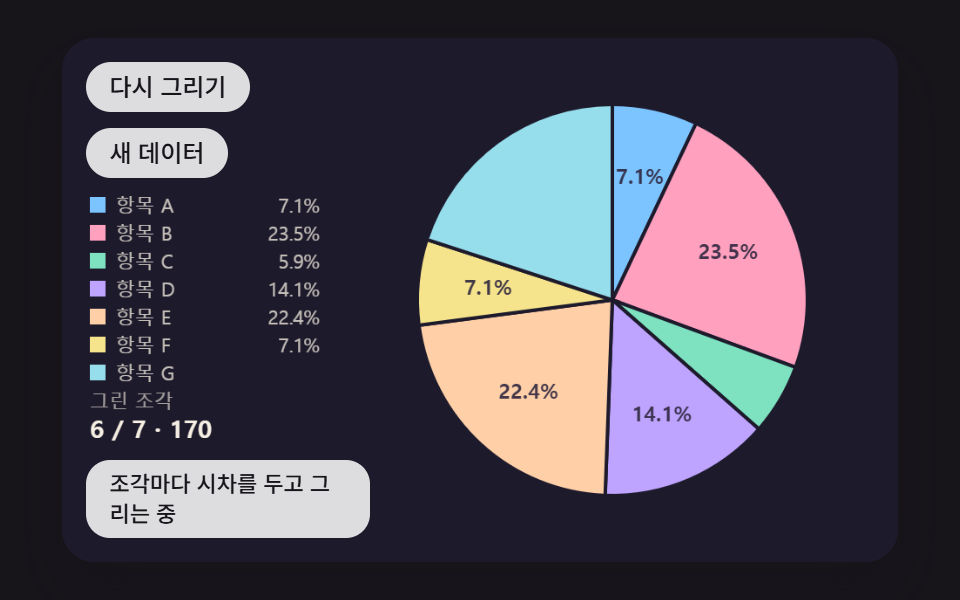 대시보드 UI원형 그래프 만들기 9종 — 조각이 튀어나오고 3D로 기우는 계산
 대시보드 UI대시보드 컴포넌트 9종 — 화면 통째로 말고 이 부품만
 대시보드 UIcss 검색창 디자인 9종 — Cmd+K로 열리는 팔레트
 대시보드 UI대시보드 차트 디자인 인터랙션 9종 — 호버부터 드릴다운까지
 대시보드 UIcss 그래프 만들기 SVG로 9종 — 라이브러리 없이
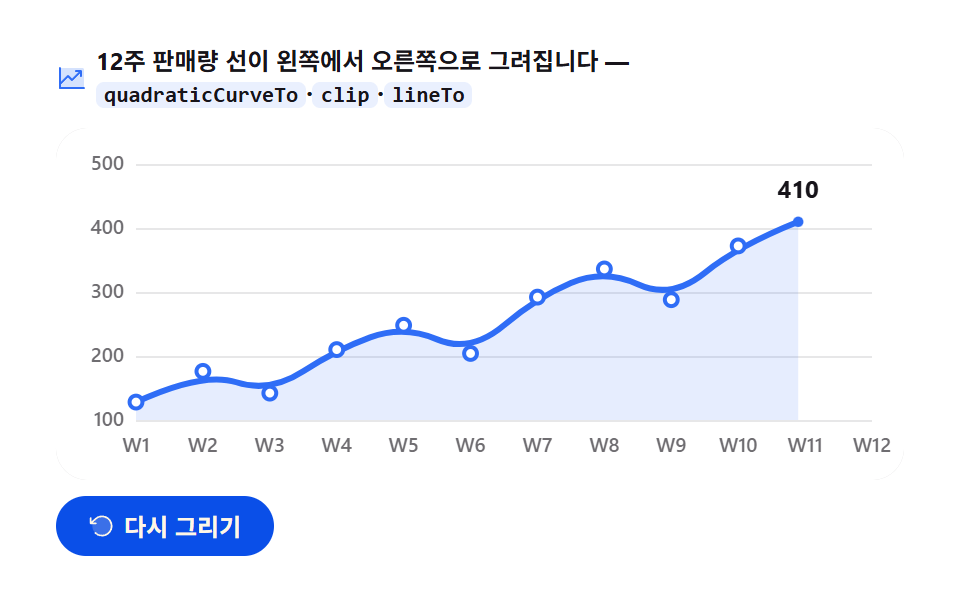 대시보드 UIcanvas 그래프 그리기 — 라이브러리 없이 그리는 애니메이션 차트 9종
 대시보드 UIcss kanban board 9가지 — 카드가 따라붙고 놓을 자리가 열리는 보드
 대시보드 UI막대 그래프 만들기 9종 — 누적 막대 그래프 만들기까지 움직이는 판
 대시보드 UI워드 클라우드 만들기 9종 — 나선 배치·모양 채우기·3D 구·실시간 투표