워드 클라우드 만들기 9종 — 나선 배치·모양 채우기·3D 구·실시간 투표
워드 클라우드 만들기는 글에서 낱말을 세어 자주 나온 말은 크게, 드문 말은 작게 그려 서로 겹치지 않게 한 판에 앉히는 일이다. 투표가 하나 들어올 때마다 단어 자리가 통째로 뒤바뀌면 아무도 못 읽는다.
설문 답변 요약부터 실시간 투표판까지 — 단어가 제자리를 찾는 아홉 화면
 01 wc-text-count-area-scale
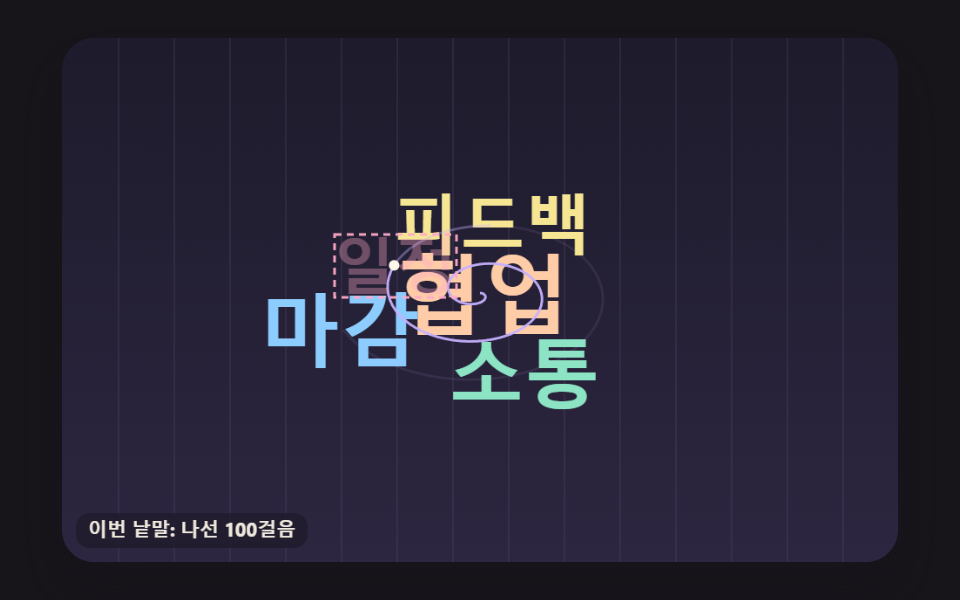 02 wc-spiral-bitgrid-place
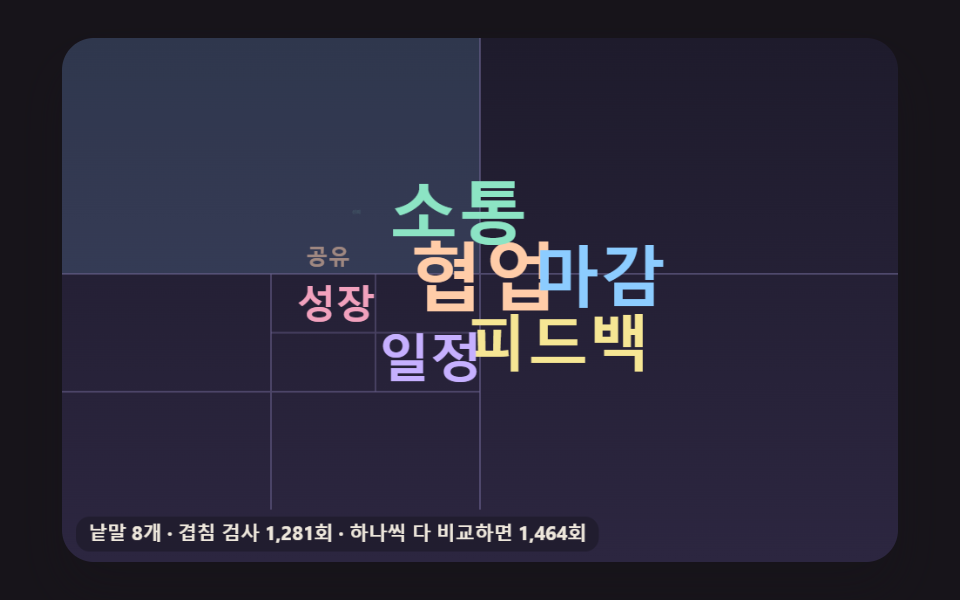 03 wc-quad-split-collision-cells
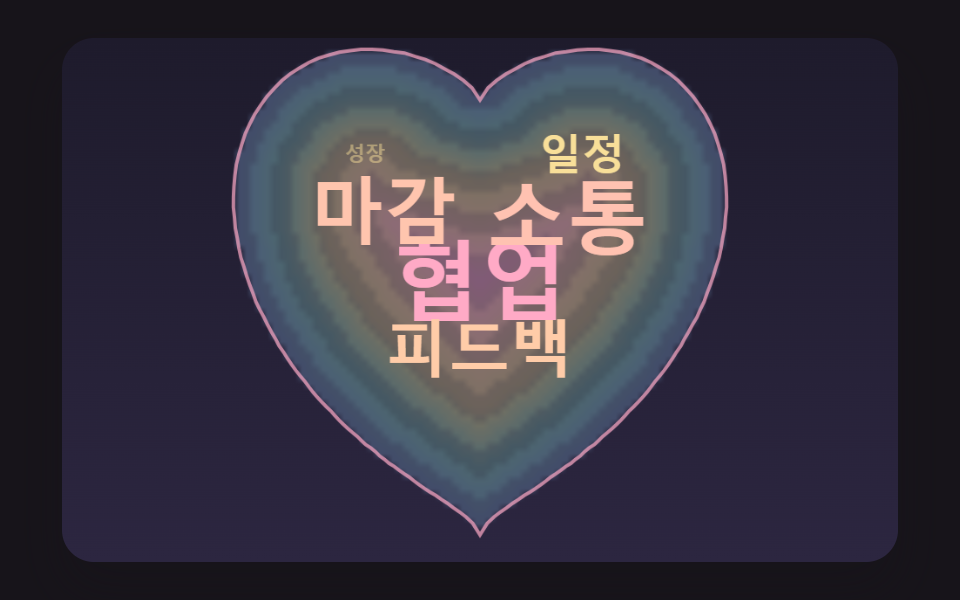 04 wc-heart-mask-depth-fill
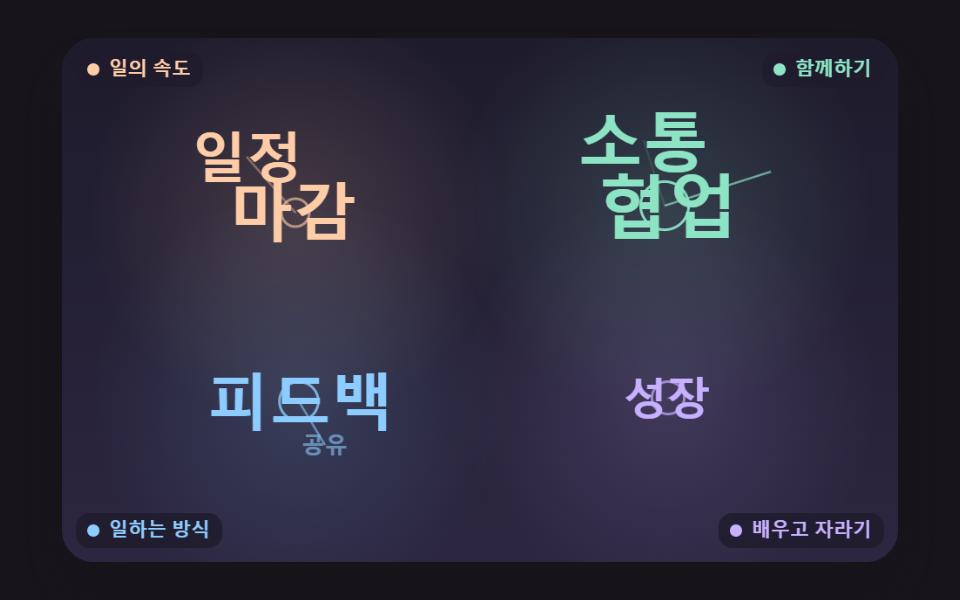 05 wc-theme-cluster-anchor
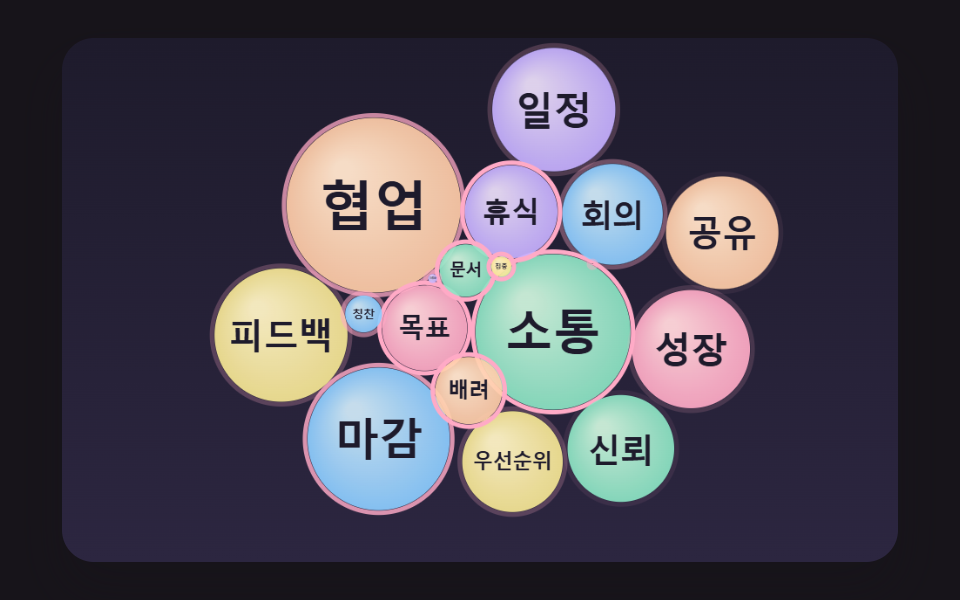 06 wc-bubble-force-relax-pack
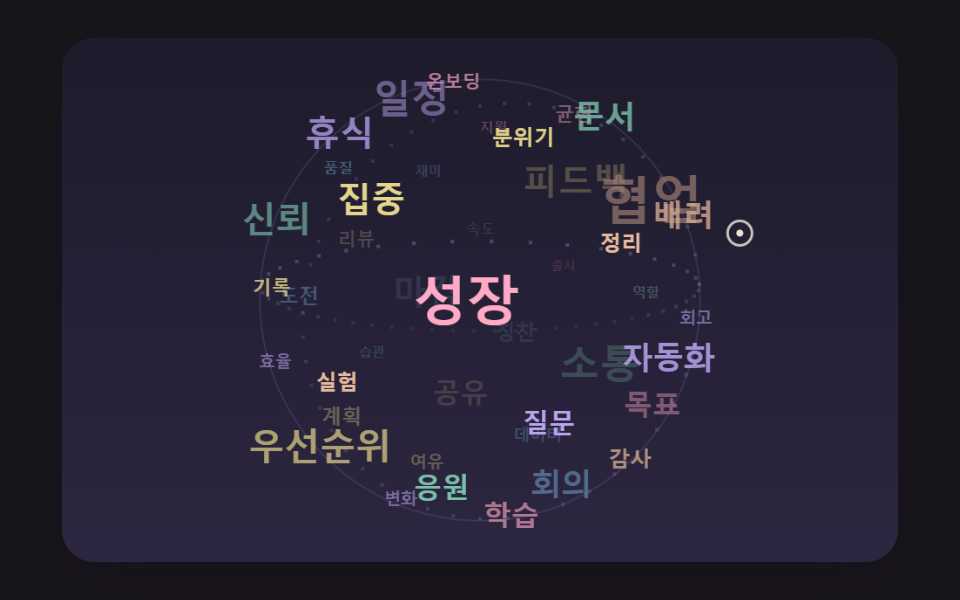 07 wc-golden-angle-sphere-orbit
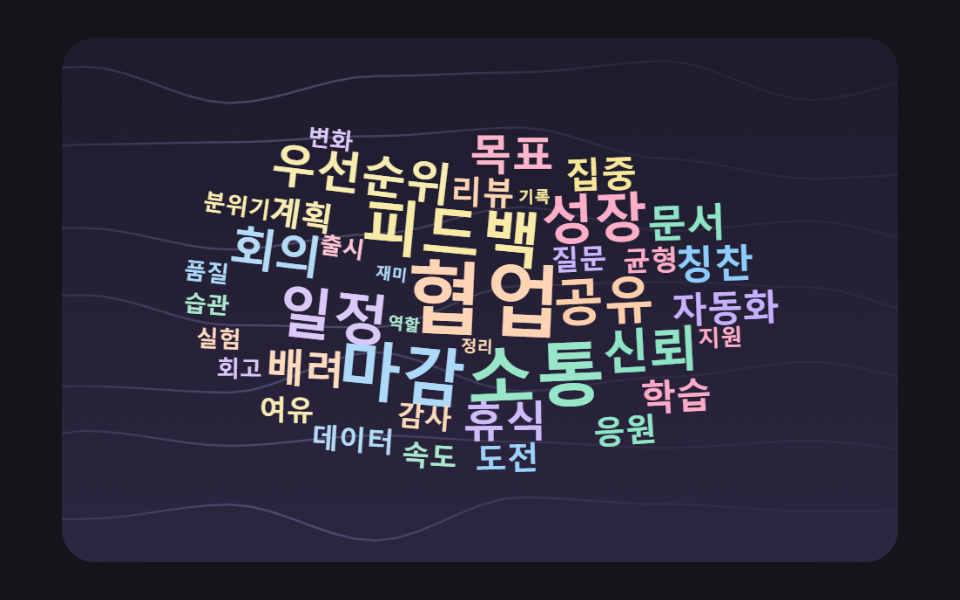 08 wc-noise-wind-sway
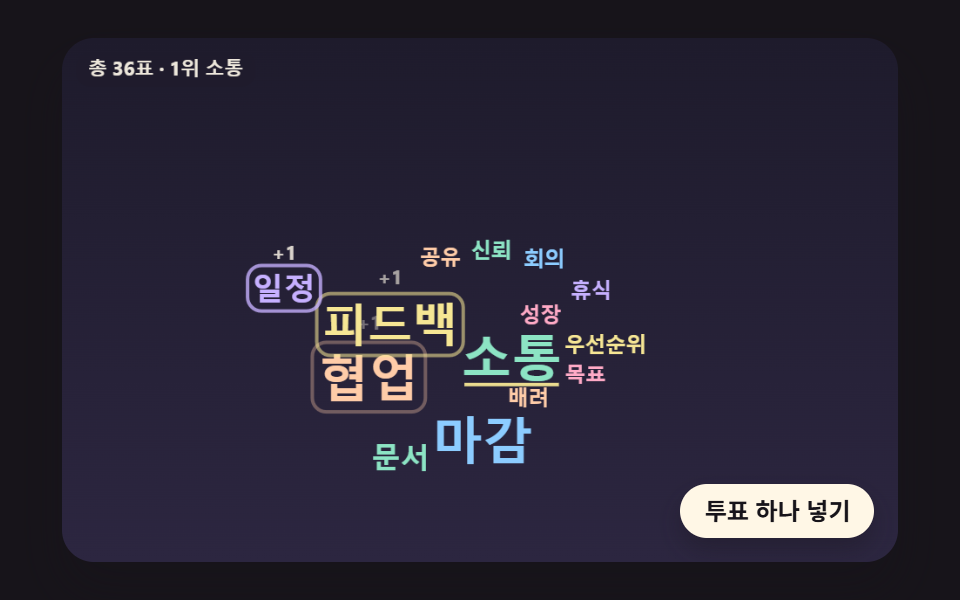 09 wc-live-poll-reflow-spring
자동 재생 · 눌러서 해당 항목으로 · 전부 한 zip
- 01 글을 세어 넓이로 크기를 정하는 단어판
- 02 나선을 따라 빈칸을 찾는 배치
- 03 칸을 넷씩 쪼개 빨리 찾는 충돌 검사
- 04 하트 모양 안을 깊이 순으로 채우기
- 05 주제별로 무리 짓는 색 구름
- 06 단어 거품이 서로 밀어 자리 잡기
- 07 공 모양으로 도는 3D 단어 구
- 08 바람에 살랑이는 단어 배경
- 09 투표가 들어올 때마다 자라는 실시간 단어판
손대지 않으면 아홉 판이 저마다 정해진 시드로 혼자 돈다. 01~05 는 낱말이 하나씩 내려앉는 과정을 보여 준 뒤 처음부터 되풀이하고, 06 은 첫 바퀴에만 거품이 하나씩 부푼 뒤 6초마다 바깥으로 한 번 튕겼다 다시 모이며, 07 은 스스로 도는 구가 크림색 고리로 표시된 가상 포인터 쪽으로 기운다. 08 은 쉬지 않고 바람에 흔들리며, 09 는 미리 뽑아 둔 56표를 125ms 마다 하나씩 넣는다. 캔버스 위에 포인터를 처음 올리는 순간 시연 표시가 떨어지고, 01~05·08 은 포인터 아래 낱말에 고리와 말풍선을, 06·09 는 말풍선만, 07 은 앞쪽 낱말에만 말풍선을 띄운다(05 는 「낱말 · 주제」, 09 는 「낱말 · N표」, 나머지는 「낱말 · N회」).
배지 목록에 크기만 달리 준 기술 스택 태그 클라우드 와 다른 점은 자리다. 거기서는 배지가 줄을 따라 차례로 흐르지만, 여기 아홉 판은 낱말 하나하나가 이미 놓인 글자와 겹치지 않을 자리를 계산으로 찾는다.
설문 주관식 답변을 한 장으로 줄이는 판
설문 주관식 답변을 받아 두고 무엇이 많이 나왔는지 한눈에 보여 줘야 한다면 01 이 출발점이다. 답변 문장을 그대로 넣으면 낱말로 쪼개 세고 크기를 매기는 데까지 한 번에 하니, 지금 예시 답변 30개가 있는 자리에 실제 답변을 넣으면 된다. 회고 회의에서 나온 의견을 갈래별로 묶어 보여 줄 때는 주제마다 색과 기준점이 다른 05 가 낫다.
강연장 화면에 띄우는 투표판
강연이나 수업 중에 청중 표를 받아 띄우는 실시간 워드 클라우드 만들기에는 09 가 맞다. 버튼은 일정표에 미리 뽑아 둔 다음 표를 castVote 로 넣는데, 이 함수가 표 수를 올리고 가야 할 크기를 다시 매긴 뒤 1위가 바뀌었는지 확인하므로, 실제 응답이 들어올 때 선택지 번호로 이 함수를 부르는 쪽만 바꾸면 될 것으로 보인다. 다만 선택지 낱말 14개는 처음부터 정해져 있다(시작 표 3·3·2·2·2 에 1표짜리 아홉 개). 자유 입력을 받아 새 낱말이 생기는 판이라면 01 처럼 세는 단계를 앞에 붙여야 한다.
워드클라우드 생성은 왜 큰 단어부터 자리를 정하는가?
01~05·08 은 많이 나온 낱말부터 차례로 자리를 잡는다. 07 은 구 위 자리 번호를 시드로 섞어 크기와 무관하게 흩고, 06 은 거품을 하나씩 부풀린 뒤 힘으로 밀어 정리하며, 09 는 선택지 자리를 지키는 쪽이라 이 순서를 따르지 않는다.
빈 판에서는 첫 걸음에 자리가 난다
처음 놓는 낱말은 판이 비어 있어 나선 첫 걸음에서 바로 자리를 얻는다. 02 실측(이 글의 배치 수치는 ko 낱말 세트 기준)에서 첫 낱말은 1걸음, 그다음 네 낱말은 139·154·112·162걸음이 들었다. 큰 낱말을 뒤로 미루면 이미 흩어진 작은 글자들 사이에 50px 짜리 글자가 들어갈 틈이 남지 않아, 나선을 더 오래 돌거나 0.85배씩 줄어들어야 할 것으로 보인다. 크기로 횟수를 보여 주는 그림에서 1위 낱말이 줄어들면 그 그림은 순위를 틀리게 말하게 된다.
작은 낱말은 남은 틈을 메운다
03 은 이 순서를 끝까지 밀고 간다. 앞 낱말 48개를 놓은 다음 같은 낱말을 11·10·9·8px 로 다시 써서 큰 글자 사이 틈을 채우고, 판이 차서 153개에서 멈춘다. 04 도 깊은 칸부터 앉혀 첫 낱말이 가장 깊은 106.7px 자리에 앉고, 하트 가장자리로 갈수록 작은 낱말이 남는다.
크기는 넓이로, 자리는 나선으로 — 횟수를 제곱근으로 줄이고 비트 칸 겹침으로 빈자리를 찾는 계산
횟수가 두 배면 글자 넓이도 두 배
01~05·07·08 의 글자 크기는 sizeFor 한 줄이 정한다. 크기 = 50 × (횟수 ÷ 1위 횟수)^0.5 이고, 10px 아래로는 내려가지 않는다. 글자가 차지하는 넓이는 크기의 제곱에 비례하므로 지수가 0.5 면 넓이가 횟수에 비례한다. 01 의 16개 낱말은 12회 50px·6회 35.4px·3회 25px·1회 14.4px 로 크기가 제각각이지만, 크기² ÷ 횟수는 16개 모두 208.3 으로 같았다. 지수를 1 로 두면 글자 높이가 횟수에 비례하고 넓이는 횟수의 제곱으로 커지니, 1위가 실제 표 차이보다 훨씬 앞서 보이는 셈이다.
32화소를 정수 하나에 담는 비트 칸
겹침은 글자 상자가 아니라 글자 모양으로 잰다. makeSprite 가 작은 캔버스에 낱말을 그리고 getImageData 로 알파가 40 을 넘는 화소를 1 로 적되, 둘레 3×3 까지 칠해 글자 사이에 1px 틈을 남긴다. 한 줄의 화소 32개가 32비트 정수 하나에 들어가니 480px 판은 한 줄에 정수 17개(480 ÷ 32 = 15 에 여유 2), 300줄이다. 낱말을 x 자리에 대 볼 때는 정수를 ox & 31(32 로 나눈 나머지)만큼 오른쪽으로 밀고 앞 정수에서 넘친 비트를 이어 붙여 판 정수와 AND 한다. 결과가 0 이 아니면 어딘가 한 화소라도 겹친 것이다.
        bitTests += 1;
        const s = ox & 31;
        const base = ox >> 5;
        const inv = 32 - s;
        for (let r = 0; r < sp.h; r += 1) {
            const row = (oy + r) * BOARD_INTS + base;
            const sr = r * sp.mw;
            let carry = 0;
            for (let k = 0; k < sp.mw; k += 1) {
                const v = sp.bits[sr + k];
                const part = s === 0 ? v : ((v >>> s) | carry);
                if ((board[row + k] & part) !== 0) {
                    return true;
                }
                carry = s === 0 ? 0 : (v << inv);
            }
            if (carry !== 0 && (board[row + sp.mw] & carry) !== 0) {
                return true;
            }
        }
정수 하나를 AND 하면 화소 32개를 한 번에 보므로, 글자 상자 안 화소를 하나씩 비교할 때보다 비교 횟수가 32분의 1 로 줄어드는 셈이다(계산으로 낸 값이고, 줄마다 넘친 비트를 잇는 AND 가 한 번 더 붙을 수 있다). 02 에서 나선 9,007걸음이 모두 이 검사를 한 번씩 거쳤다.
나선 한 바퀴에 반지름 21.99px
자리 후보는 가운데서 바깥으로 도는 나선 위의 점들이다. 걸음 i 의 각은 i × 0.1 라디안, 반지름은 i × 0.35px 이고 가로를 1.6배 늘려 넓은 판에 맞춘다. 한 바퀴가 62.8걸음이니 반지름은 바퀴마다 21.99px 씩 넓어지고, 판 대각선의 절반까지 닿는 809걸음을 다 돌아도 빈자리가 없으면 그 크기로는 놓을 곳이 없다는 뜻이다.
워드 클라우드 만들기 9종 — 빈도 크기·나선 배치·칸 쪼개기 충돌·하트 채우기·주제 무리·단어 거품·3D 구·바람 흔들림·실시간 투표
아홉 판은 캔버스 2D 와 자바스크립트로만 그린다. 라이브러리·WebGL·CDN·이미지 파일이 없고, 난수가 필요한 06·07·08·09 는 시드를 받는 makeRng 에서 값을 꺼내 몇 번을 열어도 같은 장면이 나온다. 프레임 콜백(requestAnimationFrame)이 올 때마다 지난 시간을 모아 16ms 단위로 장면을 진행시키고, 탭을 오래 비웠다 돌아와도 한 프레임에 6단위 넘게 몰아서 계산하지 않는다. CSS 키프레임이나 타이머는 하나도 쓰지 않는다.
2초 동안 스물세 번 견준 움직임
판마다 2초를 24장으로 찍어 이웃한 두 장의 차이를 스물세 번 구했다. 누적면적은 그 사이 한 번이라도 바뀐 화소가 판에서 차지한 비율이다.
| 판 | 누적면적 | 움직인 프레임 | 강도 평균 |
|---|---|---|---|
| 01 글을 세는 단어판 | 15.3% | 18/23 | 84.3 |
| 02 나선 배치 | 18.5% | 23/23 | 73.2 |
| 03 칸 쪼개기 충돌 | 63.0% | 23/23 | 46.2 |
| 04 하트 채우기 | 20.3% | 22/23 | 61.1 |
| 05 주제 무리 | 18.2% | 23/23 | 71.3 |
| 06 단어 거품 | 44.1% | 23/23 | 92.2 |
| 07 3D 단어 구 | 31.1% | 23/23 | 69.5 |
| 08 바람 흔들림 | 29.7% | 23/23 | 33.4 |
| 09 실시간 투표 | 10.1% | 22/23 | 76.7 |
03 이 63.0% 로 가장 넓은 것은 낱말 수가 바뀔 때마다 칸 경계를 다시 그리고 막 놓인 낱말이 걸친 칸을 하늘색으로 칠하기 때문으로 보이고, 09 가 10.1% 로 가장 좁은 것은 표를 받은 낱말과 비켜서는 이웃만 움직이기 때문으로 보인다. 01 의 18/23 과 04·09 의 22/23 은 낱말이 다 놓인 뒤나 표와 표 사이에 화면이 잠깐 멈춘 순간이 잡힌 것으로 보인다.
01글을 세어 넓이로 크기를 정하는 단어판
예시 답변 30개를 빈칸·쉼표·마침표·물음표 같은 구분 문자로 잘라 낱말 75개를 세면 16종이 남고, 많이 나온 말부터 105ms 간격으로 튀어나오며 머리 위에 「N회」 꼬리표를 띄운다. 설문 주관식 답변 요약처럼 원문 문장을 그대로 받아야 할 때 쓰는 판으로, 대문자는 소문자로 맞춰 같은 말로 센다. 아래는 countWords 의 몸통이고, 횟수가 같으면 먼저 나온 낱말이 앞에 선다.
<main class="stage">
<div class="wc is-demo" id="wc">
  <canvas class="wc__canvas" data-role="canvas" width="480" height="300" role="img" aria-label="설문 답변을 낱말로 세어, 많이 나온 말일수록 크게 놓은 워드 클라우드."></canvas>
  <ol class="wc__list" data-role="list" aria-label="빈도 순 낱말 목록"></ol>
</div>
</main>
@use "../../../../site/static/demo-tokens" as *;
@include stage($stage-ink);
.wc {
position: relative;
width: min(92vw, calc(160vh - 12.8vw));
aspect-ratio: 480 / 300;
margin: 0 auto;
border-radius: $r-card;
overflow: hidden;
box-shadow: $shadow-raised;
background: $subject-ink;
}
.wc__canvas {
position: absolute;
inset: 0;
display: block;
width: 100%;
height: 100%;
}
// 화면에서는 숨기고 화면 낭독기는 읽는 빈도 순 목록·알림 줄 — display: none 이 아니라 1px 상자로 줄여 접근성 트리에 남긴다
.wc__list,
.wc__live {
position: absolute;
width: 1px;
height: 1px;
padding: 0;
overflow: hidden;
clip-path: inset(50%);
white-space: nowrap;
border: 0;
}
.wc__vote {
position: absolute;
right: $sp-3;
bottom: $sp-3;
padding: $sp-1 $sp-3;
border: 0;
border-radius: $r-pill;
background: $subject-cream;
color: $subject-ink;
font-family: inherit;
font-weight: 700;
font-size: 12px;
line-height: 1.6;
cursor: pointer;
box-shadow: $shadow-press;
transition: transform $dur-quick $ease-spring;
}
.wc__vote:hover {
transform: translateY(-2px);
}
.wc__vote:active {
transform: translateY(1px);
}
.wc__vote:focus-visible {
outline: 2px solid $subject-cream;
outline-offset: 2px;
}
@media (max-width: 340px) {
.wc__vote { font-size: 11px; padding: $sp-1 $sp-2; }
}
// 동작 줄이기 — 장면은 스크립트가 마지막 배치 한 장면으로 멈춘다. 버튼도 떠오르지 않게
@media (prefers-reduced-motion: reduce) {
.wc__vote { transition: none !important; }
.wc__vote:hover,
.wc__vote:active { transform: none !important; }
}html, body {
margin: 0;
overflow: hidden;
}
.stage {
box-sizing: border-box;
min-height: 100vh;
display: grid;
place-items: center;
margin: 0;
background: #17141a;
font-family: -apple-system, "Segoe UI", "Noto Sans KR", sans-serif;
padding: clamp(8px, 4vw, 24px);
}
.wc {
position: relative;
width: min(92vw, 160vh - 12.8vw);
aspect-ratio: 480/300;
margin: 0 auto;
border-radius: 16px;
overflow: hidden;
box-shadow: 0 14px 24px rgba(23, 20, 26, 0.32);
background: #17141a;
}
.wc__canvas {
position: absolute;
inset: 0;
display: block;
width: 100%;
height: 100%;
}
.wc__list,
.wc__live {
position: absolute;
width: 1px;
height: 1px;
padding: 0;
overflow: hidden;
clip-path: inset(50%);
white-space: nowrap;
border: 0;
}
.wc__vote {
position: absolute;
right: 12px;
bottom: 12px;
padding: 4px 12px;
border: 0;
border-radius: 999px;
background: #fff7e6;
color: #17141a;
font-family: inherit;
font-weight: 700;
font-size: 12px;
line-height: 1.6;
cursor: pointer;
box-shadow: 0 6px 12px rgba(23, 20, 26, 0.32);
transition: transform 220ms cubic-bezier(0.2, 0.8, 0.2, 1);
}
.wc__vote:hover {
transform: translateY(-2px);
}
.wc__vote:active {
transform: translateY(1px);
}
.wc__vote:focus-visible {
outline: 2px solid #fff7e6;
outline-offset: 2px;
}
@media (max-width: 340px) {
.wc__vote {
font-size: 11px;
padding: 4px 8px;
}
}
@media (prefers-reduced-motion: reduce) {
.wc__vote {
transition: none !important;
}
.wc__vote:hover,
.wc__vote:active {
transform: none !important;
}
}(function () {
const root = document.getElementById("wc");
if (!root) return;
const W = 480;
const H = 300;
const FIXED_DT = 16;
const TAU = Math.PI * 2;
// 파스텔 팔레트 — 어두운 판 위에 밝은 파스텔 글자를 얹어 명도 차로 글자가 읽힌다
const BG = [30, 27, 44];
const BG_LOW = [44, 38, 64];
const GUIDE = [104, 96, 140];
const CREAM = [255, 248, 234];
const PEACH = [255, 204, 168];
const MINT = [140, 228, 196];
const SKY = [140, 204, 255];
const LEMON = [246, 230, 148];
const LILAC = [198, 176, 255];
const PINK = [255, 170, 198];
const WORD_COLORS = [PEACH, MINT, SKY, LEMON, LILAC, PINK];
// 글꼴 — 기기에 이미 있는 시스템 글꼴 목록만. 바깥에서 글꼴 파일을 불러오지 않는다
const FONT_FAMILY = '"Segoe UI", "Malgun Gothic", "Hiragino Sans", "Noto Sans KR", sans-serif';
const FONT_WEIGHT = 700;
// 크기 = SIZE_MAX × (횟수 / 1위 횟수)^SIZE_EXPONENT. 0.5(제곱근)면 글자 넓이(크기의 제곱)가 횟수에 비례한다
const SIZE_EXPONENT = 0.5;
const SIZE_MAX = 50;
const SIZE_MIN = 10;
function sizeFor(count, top) {
return Math.max(SIZE_MIN, SIZE_MAX * Math.pow(count / top, SIZE_EXPONENT));
}
// 회의·설문에서 흔히 나오는 낱말과 횟수 — 많이 나온 순. theme 은 0 일의 속도 · 1 함께하기 · 2 일하는 방식 · 3 배우고 자라기
const VOCAB = [
{ text: '협업', count: 24, theme: 1 },
{ text: '소통', count: 19, theme: 1 },
{ text: '마감', count: 16, theme: 0 },
{ text: '피드백', count: 14, theme: 2 },
{ text: '일정', count: 12, theme: 0 },
{ text: '성장', count: 11, theme: 3 },
{ text: '공유', count: 10, theme: 2 },
{ text: '신뢰', count: 9, theme: 1 },
{ text: '회의', count: 8, theme: 0 },
{ text: '우선순위', count: 8, theme: 0 },
{ text: '휴식', count: 7, theme: 3 },
{ text: '목표', count: 7, theme: 0 },
{ text: '배려', count: 6, theme: 1 },
{ text: '문서', count: 6, theme: 2 },
{ text: '칭찬', count: 6, theme: 1 },
{ text: '집중', count: 5, theme: 0 },
{ text: '자동화', count: 5, theme: 2 },
{ text: '학습', count: 5, theme: 3 },
{ text: '리뷰', count: 4, theme: 2 },
{ text: '응원', count: 4, theme: 1 },
{ text: '도전', count: 4, theme: 3 },
{ text: '계획', count: 4, theme: 0 },
{ text: '질문', count: 3, theme: 2 },
{ text: '균형', count: 3, theme: 3 },
{ text: '감사', count: 3, theme: 1 },
{ text: '속도', count: 3, theme: 0 },
{ text: '데이터', count: 3, theme: 2 },
{ text: '여유', count: 3, theme: 3 },
{ text: '회고', count: 2, theme: 0 },
{ text: '지원', count: 2, theme: 1 },
{ text: '실험', count: 2, theme: 2 },
{ text: '습관', count: 2, theme: 3 },
{ text: '품질', count: 2, theme: 2 },
{ text: '분위기', count: 2, theme: 1 },
{ text: '변화', count: 2, theme: 3 },
{ text: '출시', count: 2, theme: 0 },
{ text: '정리', count: 1, theme: 2 },
{ text: '역할', count: 1, theme: 1 },
{ text: '재미', count: 1, theme: 1 },
{ text: '기록', count: 1, theme: 0 },
{ text: '효율', count: 1, theme: 0 },
{ text: '온보딩', count: 1, theme: 2 },
{ text: '연결', count: 1, theme: 1 },
{ text: '아이디어', count: 1, theme: 3 },
{ text: '안정', count: 1, theme: 3 },
{ text: '투명성', count: 1, theme: 2 },
{ text: '고객', count: 1, theme: 2 },
{ text: '연습', count: 1, theme: 3 }
];
// 횟수 문구 — 1 은 따로 둔다(영어판의 단수형 자리)
const COUNT_LABEL = '{n}회';
const COUNT_ONE = '1회';
const TOP_LABEL = '가장 많이 나온 말:';
// 캔버스 요약에서 1~3위 앞에 붙는 말 — 09 투표판은 자기 말로 바꾼다
let rankHeading = TOP_LABEL;
function countText(n) { return n === 1 ? COUNT_ONE : COUNT_LABEL.replace('{n}', String(n)); }
function clamp(v, lo, hi) { return v < lo ? lo : (v > hi ? hi : v); }
function lerp(a, b, k) { return a + (b - a) * k; }
function smooth(x) { const c = clamp(x, 0, 1); return c * c * (3 - 2 * c); }
function rgba(c, a) {
return 'rgba(' + Math.round(clamp(c[0], 0, 255)) + ',' + Math.round(clamp(c[1], 0, 255)) + ',' + Math.round(clamp(c[2], 0, 255)) + ',' + clamp(a, 0, 1).toFixed(3) + ')';
}
function mixRGB(a, b, k) { return [lerp(a[0], b[0], k), lerp(a[1], b[1], k), lerp(a[2], b[2], k)]; }
// 시드 고정 난수 — 같은 시드면 같은 배치·일정표가 다시 나온다 (32비트 정수 섞기)
function makeRng(seed) {
let s = seed >>> 0;
return function () {
s = (s + 0x6d2b79f5) >>> 0;
let t = s;
t = Math.imul(t ^ (t >>> 15), t | 1);
t ^= t + Math.imul(t ^ (t >>> 7), t | 61);
return ((t ^ (t >>> 14)) >>> 0) / 4294967296;
};
}
// 튀어나오기 — 감쇠 진동 1 − e^(−POP_DAMP·t)·cos(POP_FREQ·t), t 는 초. 목표 크기를 한 번 넘겼다가 자리 잡는다
const POP_DAMP = 7;
const POP_FREQ = 11;
function popScale(t) {
if (t <= 0) {
return 0;
}
return 1 - Math.exp(-POP_DAMP * t) * Math.cos(POP_FREQ * t);
}
const canvasEl = root.querySelector('[data-role="canvas"]');
const listEl = root.querySelector('[data-role="list"]');
const ctxRaw = canvasEl ? canvasEl.getContext('2d') : null;
if (!canvasEl || !ctxRaw || !listEl) {
return;
}
const cv = canvasEl;
const ctx = ctxRaw;
const list = listEl;
// 캔버스 요약 — HTML 에 적힌 장면 설명 뒤에 지금 1~3위를 덧붙인다
const baseAria = cv.getAttribute('aria-label') || '';
const reduceQuery = window.matchMedia('(prefers-reduced-motion: reduce)');
// 페이지를 연 채 동작 줄이기 설정을 바꿔도 change 리스너가 이 값을 다시 읽는다
let still = reduceQuery.matches;
// 자동 시연 중인가 — 사람이 처음 손대면 시연 표시를 뗀다
let demo = root.classList.contains('is-demo');
// 리스너는 한 묶음으로 달고 정리할 때 한 번에 뗀다
const off = new AbortController();
// 포인터 자리(판 좌표) — 판 밖이면 -1
let hoverX = -1;
let hoverY = -1;
function fitCanvas() {
// 배율은 2 에서 자른다 — 배율 3 기기에서 화소가 2.25배로 늘어 프레임마다 일이 그만큼 커지지 않게
const dpr = Math.min(window.devicePixelRatio || 1, 2);
cv.width = Math.round(W * dpr);
cv.height = Math.round(H * dpr);
ctx.setTransform(dpr, 0, 0, dpr, 0, 0);
}
function clearStage() {
const g = ctx.createLinearGradient(0, 0, 0, H);
g.addColorStop(0, rgba(BG, 1));
g.addColorStop(1, rgba(BG_LOW, 1));
ctx.fillStyle = g;
ctx.fillRect(0, 0, W, H);
}
function fontOf(size) { return FONT_WEIGHT + ' ' + size.toFixed(1) + 'px ' + FONT_FAMILY; }
function roundRectPath(x, y, w, h, r) {
ctx.beginPath();
ctx.moveTo(x + r, y);
ctx.arcTo(x + w, y, x + w, y + h, r);
ctx.arcTo(x + w, y + h, x, y + h, r);
ctx.arcTo(x, y + h, x, y, r);
ctx.arcTo(x, y, x + w, y, r);
ctx.closePath();
}
// 놓인 낱말 그리기 — 상자 가운데를 중심으로 scale 배·angle 라디안 돌리고 lift 만큼 띄운다. 비트 칸을 만든 자리와 같은 기준선에 찍는다
function drawPlaced(p, alpha, scale, angle, lift, color) {
if (alpha <= 0.002 || scale <= 0.001) {
return;
}
const cx = p.x + p.w / 2;
const cy = p.y + p.h / 2;
ctx.save();
ctx.translate(cx, cy - lift);
if (angle !== 0) {
ctx.rotate(angle);
}
if (scale !== 1) {
ctx.scale(scale, scale);
}
ctx.font = fontOf(p.size);
ctx.textAlign = 'left';
ctx.textBaseline = 'alphabetic';
ctx.fillStyle = rgba(color, alpha);
ctx.fillText(p.text, p.x + p.dx - cx, p.y + p.dy - cy);
ctx.restore();
}
function hitPlaced(p) {
return hoverX >= p.x && hoverX <= p.x + p.w && hoverY >= p.y && hoverY <= p.y + p.h;
}
// 포인터 아래 낱말 — 뒤에 그린 것이 위에 있으니 뒤에서부터 찾는다. shown(i) 가 거짓인 낱말은 건너뛴다
function pickPlaced(ps, shown) {
if (hoverX < 0) {
return -1;
}
for (let i = ps.length - 1; i >= 0; i -= 1) {
if (shown(i) && hitPlaced(ps[i])) {
return i;
}
}
return -1;
}
function drawHalo(x, y, w, h) {
ctx.lineWidth = 1.5;
ctx.strokeStyle = rgba(CREAM, 0.9);
roundRectPath(x - 3, y - 2, w + 6, h + 4, 6);
ctx.stroke();
}
// 말풍선 — 낱말과 횟수를 크림 바탕에 진한 글자로
function drawTip(label, ax, ay) {
ctx.font = fontOf(11);
const bw = ctx.measureText(label).width + 16;
const bh = 22;
const bx = clamp(ax - bw / 2, 4, W - bw - 4);
const by = ay - bh - 8 < 4 ? ay + 10 : ay - bh - 8;
ctx.fillStyle = rgba(CREAM, 0.96);
roundRectPath(bx, by, bw, bh, 8);
ctx.fill();
ctx.fillStyle = rgba(BG, 1);
ctx.textAlign = 'center';
ctx.textBaseline = 'middle';
ctx.fillText(label, bx + bw / 2, by + bh / 2 + 0.5);
}
// 판 위 설명 글 — 어두운 알약 바탕에 작은 크림 글자. 돌려주는 값은 차지한 상자 [x, y, w, h]
function drawCaption(text, x, y, alignRight) {
ctx.font = fontOf(11);
const bw = ctx.measureText(text).width + 14;
const bh = 20;
const bx = alignRight ? x - bw : x;
ctx.fillStyle = rgba(BG, 0.82);
roundRectPath(bx, y, bw, bh, 8);
ctx.fill();
ctx.fillStyle = rgba(CREAM, 0.92);
ctx.textAlign = 'left';
ctx.textBaseline = 'middle';
ctx.fillText(text, bx + 7, y + bh / 2 + 0.5);
return [bx, y, bw, bh];
}
const SPRITE_PAD = 2;
const INK_ALPHA = 40;
// 판 비트 칸 — 한 줄에 BOARD_INTS 개 정수(480px = 정수 15개 + 밀려난 끝을 받을 여유 2개)
const BOARD_INTS = (W >> 5) + 2;
const scratch = document.createElement('canvas');
const scratchRaw = scratch.getContext('2d', { willReadFrequently: true });
if (!scratchRaw) {
return;
}
const sctx = scratchRaw;
// 비트 AND 로 겹침을 잰 횟수 — 판 밖이라 바로 거른 자리는 세지 않는다
let bitTests = 0;
function makeSprite(text, size) {
sctx.font = fontOf(size);
const m = sctx.measureText(text);
const left = Math.ceil(m.actualBoundingBoxLeft);
const right = Math.ceil(m.actualBoundingBoxRight);
const asc = Math.ceil(m.actualBoundingBoxAscent);
const desc = Math.ceil(m.actualBoundingBoxDescent);
const w = Math.max(1, left + right) + SPRITE_PAD * 2;
const h = Math.max(1, asc + desc) + SPRITE_PAD * 2;
// 크기를 바꾸면 그리기 설정이 초기화되므로 글꼴은 그 뒤에 다시 준다
if (scratch.width < w) {
scratch.width = w;
}
if (scratch.height < h) {
scratch.height = h;
}
sctx.clearRect(0, 0, w, h);
sctx.font = fontOf(size);
sctx.textAlign = 'left';
sctx.textBaseline = 'alphabetic';
sctx.fillStyle = '#000';
const dx = SPRITE_PAD + left;
const dy = SPRITE_PAD + asc;
sctx.fillText(text, dx, dy);
const px = sctx.getImageData(0, 0, w, h).data;
const mw = (w >> 5) + 1;
const bits = new Uint32Array(mw * h);
for (let y = 0; y < h; y += 1) {
for (let x = 0; x < w; x += 1) {
if (px[(y * w + x) * 4 + 3] <= INK_ALPHA) {
continue;
}
// 한 픽셀 둘레(3×3)까지 칠해 두 글자 사이에 1px 틈이 남게 한다
for (let yy = Math.max(0, y - 1); yy <= Math.min(h - 1, y + 1); yy += 1) {
for (let xx = Math.max(0, x - 1); xx <= Math.min(w - 1, x + 1); xx += 1) {
bits[yy * mw + (xx >> 5)] |= (0x80000000 >>> (xx & 31));
}
}
}
}
return { w: w, h: h, mw: mw, bits: bits, dx: dx, dy: dy };
}
function makeBoard() { return new Uint32Array(BOARD_INTS * H); }
// 겹침 검사 — 글자 줄마다 정수를 판의 x 자리만큼 밀어(>>> s) 판 정수와 AND. 0 이 아니면 이미 칠해진 픽셀과 겹친다
function collides(board, sp, ox, oy) {
// 판 밖으로 한 픽셀이라도 나가면 겹친 것으로 친다 — 판 끝 긴 단어가 잘린 채 놓이지 않게
if (ox < 0 || oy < 0 || ox + sp.w > W || oy + sp.h > H) {
return true;
}
bitTests += 1;
const s = ox & 31;
const base = ox >> 5;
const inv = 32 - s;
for (let r = 0; r < sp.h; r += 1) {
const row = (oy + r) * BOARD_INTS + base;
const sr = r * sp.mw;
let carry = 0;
for (let k = 0; k < sp.mw; k += 1) {
const v = sp.bits[sr + k];
const part = s === 0 ? v : ((v >>> s) | carry);
if ((board[row + k] & part) !== 0) {
return true;
}
carry = s === 0 ? 0 : (v << inv);
}
if (carry !== 0 && (board[row + sp.mw] & carry) !== 0) {
return true;
}
}
return false;
}
// 찍기 — 겹침 검사와 같은 밀기로 글자 비트를 판에 OR 한다
function stamp(board, sp, ox, oy) {
const s = ox & 31;
const base = ox >> 5;
const inv = 32 - s;
for (let r = 0; r < sp.h; r += 1) {
const row = (oy + r) * BOARD_INTS + base;
const sr = r * sp.mw;
let carry = 0;
for (let k = 0; k < sp.mw; k += 1) {
const v = sp.bits[sr + k];
board[row + k] |= s === 0 ? v : ((v >>> s) | carry);
carry = s === 0 ? 0 : (v << inv);
}
if (carry !== 0) {
board[row + sp.mw] |= carry;
}
}
}
// 픽셀 하나 칠하기 — 설명 글 자리·모양 바깥처럼 낱말이 들어가면 안 되는 곳을 미리 막는다
function blockPixel(board, x, y) {
board[y * BOARD_INTS + (x >> 5)] |= (0x80000000 >>> (x & 31));
}
function blockRect(board, x, y, w, h) {
const x0 = Math.max(0, Math.floor(x));
const y0 = Math.max(0, Math.floor(y));
const x1 = Math.min(W, Math.ceil(x + w));
const y1 = Math.min(H, Math.ceil(y + h));
for (let yy = y0; yy < y1; yy += 1) {
for (let xx = x0; xx < x1; xx += 1) {
blockPixel(board, xx, yy);
}
}
}
// 칠해진 픽셀 수 — 판이 얼마나 찼는지(변형 비교용)
function inkCount(board) {
let n = 0;
for (let i = 0; i < board.length; i += 1) {
let v = board[i];
while (v !== 0) {
v &= v - 1;
n += 1;
}
}
return n;
}
// 반지름이 일정하게 늘어나는 나선 — 걸음 i 에서 각 = i × SPIRAL_TURN(라디안), 반지름 = i × SPIRAL_STEP(px).
// 한 바퀴(2π / SPIRAL_TURN 걸음)마다 반지름이 같은 폭만큼 커진다. 가로는 SPIRAL_ASPECT 배로 늘려 넓은 판을 고르게 훑는다
const SPIRAL_STEP = 0.35;
const SPIRAL_TURN = 0.1;
const SPIRAL_ASPECT = 1.6;
// 나선을 끝낼 걸음 — 반지름이 판 대각선 절반에 닿으면 그만 찾는다
const SPIRAL_LIMIT = Math.ceil(Math.hypot(W, H) / 2 / SPIRAL_STEP);
// 지금까지 나선에서 내디딘 걸음 수 — 자리 하나 찾는 데 든 일
let spiralSteps = 0;
function spiralAt(i) {
const a = i * SPIRAL_TURN;
const r = i * SPIRAL_STEP;
return [Math.cos(a) * r * SPIRAL_ASPECT, Math.sin(a) * r];
}
// 나선 탐색 — 기준점 (cx, cy) 에서 나선을 한 걸음씩 옮기며, 글자 상자 가운데를 그 점에 두고 비트 칸이 안 겹치는 첫 자리를 돌려준다.
// trail 을 주면 지나온 나선 점을 모두 적는다(02 가 그 자취를 그린다)
function searchSpiral(board, sp, cx, cy, trail) {
for (let i = 0; i < SPIRAL_LIMIT; i += 1) {
spiralSteps += 1;
const p = spiralAt(i);
const ox = Math.round(cx + p[0] - sp.w / 2);
const oy = Math.round(cy + p[1] - sp.h / 2);
if (trail) {
trail.push([cx + p[0], cy + p[1]]);
}
if (!collides(board, sp, ox, oy)) {
return [ox, oy];
}
}
return null;
}
// 판 끝 긴 단어 — 나선을 끝까지 돌아도 자리가 없으면 SHRINK_RATIO 배로 한 단계 작게 다시 놓는다. SIZE_FLOOR 보다 작아지면 버린다
const SHRINK_RATIO = 0.85;
const SIZE_FLOOR = 8;
let shrinkCount = 0;
let dropCount = 0;
function placeEntry(board, e, size, cx, cy, color, trail) {
let s = size;
let shrinks = 0;
while (s >= SIZE_FLOOR) {
const sp = makeSprite(e.text, s);
if (trail) {
trail.length = 0;
}
const at = searchSpiral(board, sp, cx, cy, trail);
if (at) {
stamp(board, sp, at[0], at[1]);
return { text: e.text, count: e.count, theme: e.theme, size: s, x: at[0], y: at[1], w: sp.w, h: sp.h, dx: sp.dx, dy: sp.dy, color: color, shrinks: shrinks };
}
s *= SHRINK_RATIO;
shrinks += 1;
shrinkCount += 1;
}
dropCount += 1;
return null;
}
// 예시 답변 — 설문 「이번 분기를 낱말 몇 개로 말하면?」 에 들어온 답. 낱말 사이는 띄어쓰기·쉼표·「、」
const ANSWERS = [
'협업 피드백 우선순위',
'협업 피드백 우선순위',
'협업 피드백 우선순위',
'협업 피드백 휴식',
'협업 피드백 휴식',
'협업 피드백 휴식',
'협업 일정 목표',
'협업 일정 목표',
'협업 일정 목표',
'협업 일정 배려',
'협업 일정 배려',
'협업 일정 문서',
'소통 성장 문서',
'소통 성장 칭찬',
'소통 성장 집중',
'소통 성장',
'소통 성장',
'소통 공유',
'소통 공유',
'소통 공유',
'소통 공유',
'마감 공유',
'마감 신뢰',
'마감 신뢰',
'마감 신뢰',
'마감 신뢰',
'마감 회의',
'마감 회의',
'마감 회의',
'피드백 회의'
];
// 낱말 가르기 — 띄어쓰기·쉼표·마침표·물음표·느낌표와 「、」「。」「・」 에서 자른다
const SPLIT_PATTERN = /[\s,.!?、。・,]+/;
// 낱말 세기 — 소문자로 맞춘 낱말마다 Map 에 횟수를 더하고, 많이 나온 순(같으면 먼저 나온 순)으로 줄 세운다.
// theme 자리에는 처음 나온 순번을 적어 같은 횟수끼리의 순서를 정한다
function countWords(lines) {
        const counts = new Map();
        const order = [];
        let tokens = 0;
        for (let i = 0; i < lines.length; i += 1) {
            const parts = lines[i].split(SPLIT_PATTERN);
            for (let k = 0; k < parts.length; k += 1) {
                const w = parts[k].trim().toLowerCase();
                if (!w) {
                    continue;
                }
                tokens += 1;
                const c = counts.get(w);
                if (c === undefined) {
                    order.push(w);
                    counts.set(w, 1);
                }
                else {
                    counts.set(w, c + 1);
                }
            }
        }
        const entries = order.map(function (w, i) { return { text: w, count: counts.get(w) || 0, theme: i }; });
        entries.sort(function (a, b) { return b.count - a.count || a.theme - b.theme; });
        return { entries: entries, tokens: tokens };
}
// 시연 — APPEAR_START_MS 부터 APPEAR_GAP_MS 마다 한 낱말씩(많이 나온 순) 튀어나오고, HOLD_END_MS 까지 머문 뒤 FADE_MS 동안 사라진다
const APPEAR_START_MS = 200;
const APPEAR_GAP_MS = 105;
const BADGE_MS = 700;
// 다 센 순간 — COUNT_DONE_MS 부터 COUNT_SHOW_MS 동안 모든 낱말이 밝아지고 횟수가 한꺼번에 떠, 넓이와 횟수를 한눈에 견준다
const COUNT_DONE_MS = 2300;
const COUNT_SHOW_MS = 900;
const HOLD_END_MS = 3900;
const FADE_MS = 400;
const LOOP_MS = 4500;
const CENTER_Y = 146;
const SUMMARY_LABEL = '답변 {a}개 · 낱말 {t}개 → {k}종';
const FORMULA_LABEL = '크기 = 횟수^{e}';
let tally = { entries: [], tokens: 0 };
let placed = [];
let t = 0;
function summaryText() {
return SUMMARY_LABEL.replace('{a}', String(ANSWERS.length)).replace('{t}', String(tally.tokens)).replace('{k}', String(tally.entries.length));
}
function formulaText() { return FORMULA_LABEL.replace('{e}', String(SIZE_EXPONENT)); }
function build() {
tally = countWords(ANSWERS);
const top = tally.entries.length > 0 ? tally.entries[0].count : 1;
const board = makeBoard();
// 설명 글 두 줄 자리를 먼저 막는다 — 낱말이 그 밑으로 숨지 않게
ctx.font = fontOf(11);
const sw = ctx.measureText(summaryText()).width + 14;
const fw = ctx.measureText(formulaText()).width + 14;
blockRect(board, 6, 6, sw + 4, 24);
blockRect(board, W - 10 - fw, H - 30, fw + 4, 24);
placed = [];
for (let i = 0; i < tally.entries.length; i += 1) {
const e = tally.entries[i];
const p = placeEntry(board, e, sizeFor(e.count, top), W / 2, CENTER_Y, WORD_COLORS[i % WORD_COLORS.length], null);
if (p) {
placed.push(p);
}
}
}
function loopLength() { return LOOP_MS; }
function step(ms) { t = ms; }
// 동작 줄이기 — 모든 낱말이 자리를 잡고 머무는 시각의 한 장면
function finalScene() { t = HOLD_END_MS - 1; }
function onWake() { }
function appearAt(i) { return APPEAR_START_MS + i * APPEAR_GAP_MS; }
function draw() {
clearStage();
const fade = 1 - smooth((t - HOLD_END_MS) / FADE_MS);
drawCaption(summaryText(), 8, 8, false);
drawCaption(formulaText(), W - 8, H - 28, true);
const done = t >= COUNT_DONE_MS && t < COUNT_DONE_MS + COUNT_SHOW_MS;
for (let i = 0; i < placed.length; i += 1) {
const p = placed[i];
const age = (t - appearAt(i)) / 1000;
if (age <= 0) {
continue;
}
drawPlaced(p, clamp(age * 8, 0, 1) * fade, popScale(age), 0, 0, done ? mixRGB(p.color, CREAM, 0.45) : p.color);
// 횟수 꼬리표 — 막 나타난 낱말 위로 잠깐 떠올랐다 사라지고, 다 센 순간에는 모든 낱말 위에 한꺼번에 뜬다
if (age * 1000 < BADGE_MS || done) {
const k = done ? 0 : age * 1000 / BADGE_MS;
ctx.font = fontOf(10);
ctx.textAlign = 'center';
ctx.textBaseline = 'bottom';
ctx.fillStyle = rgba(CREAM, (1 - k) * 0.9 * fade);
ctx.fillText(countText(p.count), p.x + p.w / 2, p.y + 2 - k * 10);
}
}
const hi = pickPlaced(placed, function (i) { return t >= appearAt(i); });
if (hi >= 0 && fade > 0.5) {
const p = placed[hi];
drawHalo(p.x, p.y, p.w, p.h);
drawTip(p.text + ' · ' + countText(p.count), p.x + p.w / 2, p.y);
}
}
function ranking() {
return tally.entries.map(function (e) { return [e.text, e.count, countText(e.count)]; });
}
// 글꼴 준비가 끝나 배치를 계산했는가
let ready = false;
// 정리 뒤(리액트 언마운트)에 늦게 온 글꼴 준비 알림이 일을 시작하지 않게
let alive = true;
// 시연 시계(ms) — 16ms 고정 스텝으로만 늘어난다
let clock = 0;
function wake() {
if (!demo) {
return;
}
demo = false;
root.classList.remove('is-demo');
onWake();
}
// 포인터 자리를 판 좌표(480×300)로 — 화면에 보이는 캔버스 크기와 상관없이
function toBoard(ev) {
const r = cv.getBoundingClientRect();
return [(ev.clientX - r.left) * W / Math.max(1, r.width), (ev.clientY - r.top) * H / Math.max(1, r.height)];
}
cv.addEventListener('pointermove', function (ev) {
const p = toBoard(ev);
hoverX = p[0];
hoverY = p[1];
wake();
if (still && ready) {
render();
}
}, { signal: off.signal });
cv.addEventListener('pointerleave', function () {
hoverX = -1;
hoverY = -1;
if (still && ready) {
render();
}
}, { signal: off.signal });
// 숨긴 목록 — 순위나 횟수가 바뀐 때만 다시 쓴다. 캔버스 요약에는 1~3위를 붙인다
let listKey = '';
function syncList() {
const rows = ranking();
const key = rows.map(function (r) { return r[0] + ':' + r[1]; }).join('|');
if (key === listKey) {
return;
}
listKey = key;
while (list.firstChild) {
list.removeChild(list.firstChild);
}
for (let i = 0; i < rows.length; i += 1) {
const li = document.createElement('li');
li.textContent = rows[i][0] + ' — ' + rows[i][2];
list.appendChild(li);
}
const top = rows.slice(0, 3).map(function (r) { return r[0] + ' ' + r[2]; }).join(', ');
cv.setAttribute('aria-label', baseAria + ' ' + rankHeading + ' ' + top);
}
function render() {
draw();
syncList();
}
let rafId = 0;
let lastTs = -1;
let acc = 0;
function frame(ts) {
if (still) {
rafId = 0;
return;
}
if (lastTs < 0) {
lastTs = ts;
}
// 탭이 숨었다 돌아와도 한 번에 100ms 까지만 따라잡는다
acc += Math.min(ts - lastTs, 100);
lastTs = ts;
let n = 0;
while (acc >= FIXED_DT && n < 6) {
clock += FIXED_DT;
step(clock % loopLength());
acc -= FIXED_DT;
n += 1;
}
render();
rafId = window.requestAnimationFrame(frame);
}
function startLoop() {
if (rafId) {
return;
}
lastTs = -1;
acc = 0;
rafId = window.requestAnimationFrame(frame);
}
function stopLoop() {
if (rafId) {
window.cancelAnimationFrame(rafId);
rafId = 0;
}
}
// 동작 줄이기 — 루프를 돌리지 않고 배치를 끝까지 계산한 마지막 한 장면만 그린다
function showStill() {
stopLoop();
finalScene();
render();
}
function play() {
clock = 0;
step(0);
render();
startLoop();
}
// 설정이 페이지를 연 채 바뀌면 — 켜지면 마지막 장면에서 멈추고, 꺼지면 시연을 처음부터
function onMotionPref() {
still = reduceQuery.matches;
if (!ready) {
return;
}
if (still) {
showStill();
}
else {
play();
}
}
reduceQuery.addEventListener('change', onMotionPref, { signal: off.signal });
window.addEventListener('resize', function () {
fitCanvas();
if (ready) {
render();
}
}, { signal: off.signal });
function begin() {
if (!alive) {
return;
}
fitCanvas();
build();
ready = true;
if (still) {
showStill();
}
else {
play();
}
}
// 글꼴 — 준비(document.fonts.ready)가 끝난 뒤에 글자 폭을 잰다. 준비 전에 재면 나중에 바뀐 글꼴과 비트 칸이 어긋난다
const fontSet = document.fonts;
// 늦게 도착한 글꼴 — 배치를 마친 뒤 글꼴이 새로 들어오면 글자 폭을 다시 재 배치를 다시 계산한다
fontSet.addEventListener('loadingdone', function () {
if (!ready || !alive) {
return;
}
build();
if (still) {
finalScene();
}
render();
}, { signal: off.signal });
fontSet.ready.then(begin);
return function () {
alive = false;
stopLoop();
off.abort();
};
})();// TextCountAreaScale - vanilla 판(01-wc-text-count-area-scale) 의 React 포트. 같은 계산을 useEffect 안에서 돌린다.
import { useEffect, useRef } from "react";
import styles from "./TextCountAreaScale.module.scss";
const cx = (s: string): string => s.split(" ").map((n) => styles[n] ?? n).join(" ");
export default function TextCountAreaScale() {
const rootRef = useRef<HTMLDivElement | null>(null);
useEffect(() => {
const rootEl = rootRef.current;
if (!rootEl) return;
const root: HTMLElement = rootEl;
type RGB = [number, number, number];
type Pt = [number, number];
// 낱말 하나 — 글자, 나온 횟수, 주제 번호(05 무리 색)
type Entry = { text: string; count: number; theme: number };
// 판에 놓인 낱말 — (x, y) 는 글자 상자 왼쪽 위, w·h 는 상자 크기, (dx, dy) 는 상자 왼쪽 위에서 글자 기준선 시작점까지
type Placed = { text: string; count: number; theme: number; size: number; x: number; y: number; w: number; h: number; dx: number; dy: number; color: RGB; shrinks: number };
// 숨긴 목록 한 줄 — 낱말, 횟수, 읽어 줄 횟수 문구
type Row = [string, number, string];
const W = 480;
const H = 300;
const FIXED_DT = 16;
const TAU = Math.PI * 2;
// 파스텔 팔레트 — 어두운 판 위에 밝은 파스텔 글자를 얹어 명도 차로 글자가 읽힌다
const BG: RGB = [30, 27, 44];
const BG_LOW: RGB = [44, 38, 64];
const GUIDE: RGB = [104, 96, 140];
const CREAM: RGB = [255, 248, 234];
const PEACH: RGB = [255, 204, 168];
const MINT: RGB = [140, 228, 196];
const SKY: RGB = [140, 204, 255];
const LEMON: RGB = [246, 230, 148];
const LILAC: RGB = [198, 176, 255];
const PINK: RGB = [255, 170, 198];
const WORD_COLORS: RGB[] = [PEACH, MINT, SKY, LEMON, LILAC, PINK];
// 글꼴 — 기기에 이미 있는 시스템 글꼴 목록만. 바깥에서 글꼴 파일을 불러오지 않는다
const FONT_FAMILY = '"Segoe UI", "Malgun Gothic", "Hiragino Sans", "Noto Sans KR", sans-serif';
const FONT_WEIGHT = 700;
// 크기 = SIZE_MAX × (횟수 / 1위 횟수)^SIZE_EXPONENT. 0.5(제곱근)면 글자 넓이(크기의 제곱)가 횟수에 비례한다
const SIZE_EXPONENT = 0.5;
const SIZE_MAX = 50;
const SIZE_MIN = 10;
function sizeFor(count: number, top: number): number {
return Math.max(SIZE_MIN, SIZE_MAX * Math.pow(count / top, SIZE_EXPONENT));
}
// 회의·설문에서 흔히 나오는 낱말과 횟수 — 많이 나온 순. theme 은 0 일의 속도 · 1 함께하기 · 2 일하는 방식 · 3 배우고 자라기
const VOCAB: Entry[] = [
{ text: '협업', count: 24, theme: 1 },
{ text: '소통', count: 19, theme: 1 },
{ text: '마감', count: 16, theme: 0 },
{ text: '피드백', count: 14, theme: 2 },
{ text: '일정', count: 12, theme: 0 },
{ text: '성장', count: 11, theme: 3 },
{ text: '공유', count: 10, theme: 2 },
{ text: '신뢰', count: 9, theme: 1 },
{ text: '회의', count: 8, theme: 0 },
{ text: '우선순위', count: 8, theme: 0 },
{ text: '휴식', count: 7, theme: 3 },
{ text: '목표', count: 7, theme: 0 },
{ text: '배려', count: 6, theme: 1 },
{ text: '문서', count: 6, theme: 2 },
{ text: '칭찬', count: 6, theme: 1 },
{ text: '집중', count: 5, theme: 0 },
{ text: '자동화', count: 5, theme: 2 },
{ text: '학습', count: 5, theme: 3 },
{ text: '리뷰', count: 4, theme: 2 },
{ text: '응원', count: 4, theme: 1 },
{ text: '도전', count: 4, theme: 3 },
{ text: '계획', count: 4, theme: 0 },
{ text: '질문', count: 3, theme: 2 },
{ text: '균형', count: 3, theme: 3 },
{ text: '감사', count: 3, theme: 1 },
{ text: '속도', count: 3, theme: 0 },
{ text: '데이터', count: 3, theme: 2 },
{ text: '여유', count: 3, theme: 3 },
{ text: '회고', count: 2, theme: 0 },
{ text: '지원', count: 2, theme: 1 },
{ text: '실험', count: 2, theme: 2 },
{ text: '습관', count: 2, theme: 3 },
{ text: '품질', count: 2, theme: 2 },
{ text: '분위기', count: 2, theme: 1 },
{ text: '변화', count: 2, theme: 3 },
{ text: '출시', count: 2, theme: 0 },
{ text: '정리', count: 1, theme: 2 },
{ text: '역할', count: 1, theme: 1 },
{ text: '재미', count: 1, theme: 1 },
{ text: '기록', count: 1, theme: 0 },
{ text: '효율', count: 1, theme: 0 },
{ text: '온보딩', count: 1, theme: 2 },
{ text: '연결', count: 1, theme: 1 },
{ text: '아이디어', count: 1, theme: 3 },
{ text: '안정', count: 1, theme: 3 },
{ text: '투명성', count: 1, theme: 2 },
{ text: '고객', count: 1, theme: 2 },
{ text: '연습', count: 1, theme: 3 }
];
// 횟수 문구 — 1 은 따로 둔다(영어판의 단수형 자리)
const COUNT_LABEL = '{n}회';
const COUNT_ONE = '1회';
const TOP_LABEL = '가장 많이 나온 말:';
// 캔버스 요약에서 1~3위 앞에 붙는 말 — 09 투표판은 자기 말로 바꾼다
let rankHeading = TOP_LABEL;
function countText(n: number): string { return n === 1 ? COUNT_ONE : COUNT_LABEL.replace('{n}', String(n)); }
function clamp(v: number, lo: number, hi: number): number { return v < lo ? lo : (v > hi ? hi : v); }
function lerp(a: number, b: number, k: number): number { return a + (b - a) * k; }
function smooth(x: number): number { const c = clamp(x, 0, 1); return c * c * (3 - 2 * c); }
function rgba(c: RGB, a: number): string {
return 'rgba(' + Math.round(clamp(c[0], 0, 255)) + ',' + Math.round(clamp(c[1], 0, 255)) + ',' + Math.round(clamp(c[2], 0, 255)) + ',' + clamp(a, 0, 1).toFixed(3) + ')';
}
function mixRGB(a: RGB, b: RGB, k: number): RGB { return [lerp(a[0], b[0], k), lerp(a[1], b[1], k), lerp(a[2], b[2], k)]; }
// 시드 고정 난수 — 같은 시드면 같은 배치·일정표가 다시 나온다 (32비트 정수 섞기)
function makeRng(seed: number): () => number {
let s = seed >>> 0;
return function (): number {
s = (s + 0x6d2b79f5) >>> 0;
let t = s;
t = Math.imul(t ^ (t >>> 15), t | 1);
t ^= t + Math.imul(t ^ (t >>> 7), t | 61);
return ((t ^ (t >>> 14)) >>> 0) / 4294967296;
};
}
// 튀어나오기 — 감쇠 진동 1 − e^(−POP_DAMP·t)·cos(POP_FREQ·t), t 는 초. 목표 크기를 한 번 넘겼다가 자리 잡는다
const POP_DAMP = 7;
const POP_FREQ = 11;
function popScale(t: number): number {
if (t <= 0) { return 0; }
return 1 - Math.exp(-POP_DAMP * t) * Math.cos(POP_FREQ * t);
}
const canvasEl = root.querySelector('[data-role="canvas"]') as HTMLCanvasElement | null;
const listEl = root.querySelector('[data-role="list"]') as HTMLElement | null;
const ctxRaw = canvasEl ? canvasEl.getContext('2d') : null;
if (!canvasEl || !ctxRaw || !listEl) { return; }
const cv: HTMLCanvasElement = canvasEl;
const ctx: CanvasRenderingContext2D = ctxRaw;
const list: HTMLElement = listEl;
// 캔버스 요약 — HTML 에 적힌 장면 설명 뒤에 지금 1~3위를 덧붙인다
const baseAria = cv.getAttribute('aria-label') || '';
const reduceQuery = window.matchMedia('(prefers-reduced-motion: reduce)');
// 페이지를 연 채 동작 줄이기 설정을 바꿔도 change 리스너가 이 값을 다시 읽는다
let still = reduceQuery.matches;
// 자동 시연 중인가 — 사람이 처음 손대면 시연 표시를 뗀다
let demo = root.classList.contains('is-demo');
// 리스너는 한 묶음으로 달고 정리할 때 한 번에 뗀다
const off = new AbortController();
// 포인터 자리(판 좌표) — 판 밖이면 -1
let hoverX = -1;
let hoverY = -1;
function fitCanvas(): void {
// 배율은 2 에서 자른다 — 배율 3 기기에서 화소가 2.25배로 늘어 프레임마다 일이 그만큼 커지지 않게
const dpr = Math.min(window.devicePixelRatio || 1, 2);
cv.width = Math.round(W * dpr);
cv.height = Math.round(H * dpr);
ctx.setTransform(dpr, 0, 0, dpr, 0, 0);
}
function clearStage(): void {
const g = ctx.createLinearGradient(0, 0, 0, H);
g.addColorStop(0, rgba(BG, 1));
g.addColorStop(1, rgba(BG_LOW, 1));
ctx.fillStyle = g;
ctx.fillRect(0, 0, W, H);
}
function fontOf(size: number): string { return FONT_WEIGHT + ' ' + size.toFixed(1) + 'px ' + FONT_FAMILY; }
function roundRectPath(x: number, y: number, w: number, h: number, r: number): void {
ctx.beginPath();
ctx.moveTo(x + r, y);
ctx.arcTo(x + w, y, x + w, y + h, r);
ctx.arcTo(x + w, y + h, x, y + h, r);
ctx.arcTo(x, y + h, x, y, r);
ctx.arcTo(x, y, x + w, y, r);
ctx.closePath();
}
// 놓인 낱말 그리기 — 상자 가운데를 중심으로 scale 배·angle 라디안 돌리고 lift 만큼 띄운다. 비트 칸을 만든 자리와 같은 기준선에 찍는다
function drawPlaced(p: Placed, alpha: number, scale: number, angle: number, lift: number, color: RGB): void {
if (alpha <= 0.002 || scale <= 0.001) { return; }
const cx = p.x + p.w / 2;
const cy = p.y + p.h / 2;
ctx.save();
ctx.translate(cx, cy - lift);
if (angle !== 0) { ctx.rotate(angle); }
if (scale !== 1) { ctx.scale(scale, scale); }
ctx.font = fontOf(p.size);
ctx.textAlign = 'left';
ctx.textBaseline = 'alphabetic';
ctx.fillStyle = rgba(color, alpha);
ctx.fillText(p.text, p.x + p.dx - cx, p.y + p.dy - cy);
ctx.restore();
}
function hitPlaced(p: Placed): boolean {
return hoverX >= p.x && hoverX <= p.x + p.w && hoverY >= p.y && hoverY <= p.y + p.h;
}
// 포인터 아래 낱말 — 뒤에 그린 것이 위에 있으니 뒤에서부터 찾는다. shown(i) 가 거짓인 낱말은 건너뛴다
function pickPlaced(ps: Placed[], shown: (i: number) => boolean): number {
if (hoverX < 0) { return -1; }
for (let i = ps.length - 1; i >= 0; i -= 1) {
if (shown(i) && hitPlaced(ps[i])) { return i; }
}
return -1;
}
function drawHalo(x: number, y: number, w: number, h: number): void {
ctx.lineWidth = 1.5;
ctx.strokeStyle = rgba(CREAM, 0.9);
roundRectPath(x - 3, y - 2, w + 6, h + 4, 6);
ctx.stroke();
}
// 말풍선 — 낱말과 횟수를 크림 바탕에 진한 글자로
function drawTip(label: string, ax: number, ay: number): void {
ctx.font = fontOf(11);
const bw = ctx.measureText(label).width + 16;
const bh = 22;
const bx = clamp(ax - bw / 2, 4, W - bw - 4);
const by = ay - bh - 8 < 4 ? ay + 10 : ay - bh - 8;
ctx.fillStyle = rgba(CREAM, 0.96);
roundRectPath(bx, by, bw, bh, 8);
ctx.fill();
ctx.fillStyle = rgba(BG, 1);
ctx.textAlign = 'center';
ctx.textBaseline = 'middle';
ctx.fillText(label, bx + bw / 2, by + bh / 2 + 0.5);
}
// 판 위 설명 글 — 어두운 알약 바탕에 작은 크림 글자. 돌려주는 값은 차지한 상자 [x, y, w, h]
function drawCaption(text: string, x: number, y: number, alignRight: boolean): [number, number, number, number] {
ctx.font = fontOf(11);
const bw = ctx.measureText(text).width + 14;
const bh = 20;
const bx = alignRight ? x - bw : x;
ctx.fillStyle = rgba(BG, 0.82);
roundRectPath(bx, y, bw, bh, 8);
ctx.fill();
ctx.fillStyle = rgba(CREAM, 0.92);
ctx.textAlign = 'left';
ctx.textBaseline = 'middle';
ctx.fillText(text, bx + 7, y + bh / 2 + 0.5);
return [bx, y, bw, bh];
}
// 글자 모양 비트 칸 — 글자를 작은 캔버스에 그려 알파가 INK_ALPHA 를 넘는 픽셀을 비트 1 로 두고, 한 줄을 32비트 정수 mw 개로 묶는다
// (dx, dy) 는 상자 왼쪽 위에서 글자 기준선 시작점까지 — 판에 찍을 때 같은 자리에 그린다
type Sprite = { w: number; h: number; mw: number; bits: Uint32Array; dx: number; dy: number };
const SPRITE_PAD = 2;
const INK_ALPHA = 40;
// 판 비트 칸 — 한 줄에 BOARD_INTS 개 정수(480px = 정수 15개 + 밀려난 끝을 받을 여유 2개)
const BOARD_INTS = (W >> 5) + 2;
const scratch = document.createElement('canvas');
const scratchRaw = scratch.getContext('2d', { willReadFrequently: true });
if (!scratchRaw) { return; }
const sctx: CanvasRenderingContext2D = scratchRaw;
// 비트 AND 로 겹침을 잰 횟수 — 판 밖이라 바로 거른 자리는 세지 않는다
let bitTests = 0;
function makeSprite(text: string, size: number): Sprite {
sctx.font = fontOf(size);
const m = sctx.measureText(text);
const left = Math.ceil(m.actualBoundingBoxLeft);
const right = Math.ceil(m.actualBoundingBoxRight);
const asc = Math.ceil(m.actualBoundingBoxAscent);
const desc = Math.ceil(m.actualBoundingBoxDescent);
const w = Math.max(1, left + right) + SPRITE_PAD * 2;
const h = Math.max(1, asc + desc) + SPRITE_PAD * 2;
// 크기를 바꾸면 그리기 설정이 초기화되므로 글꼴은 그 뒤에 다시 준다
if (scratch.width < w) { scratch.width = w; }
if (scratch.height < h) { scratch.height = h; }
sctx.clearRect(0, 0, w, h);
sctx.font = fontOf(size);
sctx.textAlign = 'left';
sctx.textBaseline = 'alphabetic';
sctx.fillStyle = '#000';
const dx = SPRITE_PAD + left;
const dy = SPRITE_PAD + asc;
sctx.fillText(text, dx, dy);
const px = sctx.getImageData(0, 0, w, h).data;
const mw = (w >> 5) + 1;
const bits = new Uint32Array(mw * h);
for (let y = 0; y < h; y += 1) {
for (let x = 0; x < w; x += 1) {
if (px[(y * w + x) * 4 + 3] <= INK_ALPHA) { continue; }
// 한 픽셀 둘레(3×3)까지 칠해 두 글자 사이에 1px 틈이 남게 한다
for (let yy = Math.max(0, y - 1); yy <= Math.min(h - 1, y + 1); yy += 1) {
for (let xx = Math.max(0, x - 1); xx <= Math.min(w - 1, x + 1); xx += 1) {
bits[yy * mw + (xx >> 5)] |= (0x80000000 >>> (xx & 31));
}
}
}
}
return { w: w, h: h, mw: mw, bits: bits, dx: dx, dy: dy };
}
function makeBoard(): Uint32Array { return new Uint32Array(BOARD_INTS * H); }
// 겹침 검사 — 글자 줄마다 정수를 판의 x 자리만큼 밀어(>>> s) 판 정수와 AND. 0 이 아니면 이미 칠해진 픽셀과 겹친다
function collides(board: Uint32Array, sp: Sprite, ox: number, oy: number): boolean {
// 판 밖으로 한 픽셀이라도 나가면 겹친 것으로 친다 — 판 끝 긴 단어가 잘린 채 놓이지 않게
if (ox < 0 || oy < 0 || ox + sp.w > W || oy + sp.h > H) { return true; }
bitTests += 1;
const s = ox & 31;
const base = ox >> 5;
const inv = 32 - s;
for (let r = 0; r < sp.h; r += 1) {
const row = (oy + r) * BOARD_INTS + base;
const sr = r * sp.mw;
let carry = 0;
for (let k = 0; k < sp.mw; k += 1) {
const v = sp.bits[sr + k];
const part = s === 0 ? v : ((v >>> s) | carry);
if ((board[row + k] & part) !== 0) { return true; }
carry = s === 0 ? 0 : (v << inv);
}
if (carry !== 0 && (board[row + sp.mw] & carry) !== 0) { return true; }
}
return false;
}
// 찍기 — 겹침 검사와 같은 밀기로 글자 비트를 판에 OR 한다
function stamp(board: Uint32Array, sp: Sprite, ox: number, oy: number): void {
const s = ox & 31;
const base = ox >> 5;
const inv = 32 - s;
for (let r = 0; r < sp.h; r += 1) {
const row = (oy + r) * BOARD_INTS + base;
const sr = r * sp.mw;
let carry = 0;
for (let k = 0; k < sp.mw; k += 1) {
const v = sp.bits[sr + k];
board[row + k] |= s === 0 ? v : ((v >>> s) | carry);
carry = s === 0 ? 0 : (v << inv);
}
if (carry !== 0) { board[row + sp.mw] |= carry; }
}
}
// 픽셀 하나 칠하기 — 설명 글 자리·모양 바깥처럼 낱말이 들어가면 안 되는 곳을 미리 막는다
function blockPixel(board: Uint32Array, x: number, y: number): void {
board[y * BOARD_INTS + (x >> 5)] |= (0x80000000 >>> (x & 31));
}
function blockRect(board: Uint32Array, x: number, y: number, w: number, h: number): void {
const x0 = Math.max(0, Math.floor(x));
const y0 = Math.max(0, Math.floor(y));
const x1 = Math.min(W, Math.ceil(x + w));
const y1 = Math.min(H, Math.ceil(y + h));
for (let yy = y0; yy < y1; yy += 1) {
for (let xx = x0; xx < x1; xx += 1) { blockPixel(board, xx, yy); }
}
}
// 칠해진 픽셀 수 — 판이 얼마나 찼는지(변형 비교용)
function inkCount(board: Uint32Array): number {
let n = 0;
for (let i = 0; i < board.length; i += 1) {
let v = board[i];
while (v !== 0) { v &= v - 1; n += 1; }
}
return n;
}
// 반지름이 일정하게 늘어나는 나선 — 걸음 i 에서 각 = i × SPIRAL_TURN(라디안), 반지름 = i × SPIRAL_STEP(px).
// 한 바퀴(2π / SPIRAL_TURN 걸음)마다 반지름이 같은 폭만큼 커진다. 가로는 SPIRAL_ASPECT 배로 늘려 넓은 판을 고르게 훑는다
const SPIRAL_STEP = 0.35;
const SPIRAL_TURN = 0.1;
const SPIRAL_ASPECT = 1.6;
// 나선을 끝낼 걸음 — 반지름이 판 대각선 절반에 닿으면 그만 찾는다
const SPIRAL_LIMIT = Math.ceil(Math.hypot(W, H) / 2 / SPIRAL_STEP);
// 지금까지 나선에서 내디딘 걸음 수 — 자리 하나 찾는 데 든 일
let spiralSteps = 0;
function spiralAt(i: number): Pt {
const a = i * SPIRAL_TURN;
const r = i * SPIRAL_STEP;
return [Math.cos(a) * r * SPIRAL_ASPECT, Math.sin(a) * r];
}
// 나선 탐색 — 기준점 (cx, cy) 에서 나선을 한 걸음씩 옮기며, 글자 상자 가운데를 그 점에 두고 비트 칸이 안 겹치는 첫 자리를 돌려준다.
// trail 을 주면 지나온 나선 점을 모두 적는다(02 가 그 자취를 그린다)
function searchSpiral(board: Uint32Array, sp: Sprite, cx: number, cy: number, trail: Pt[] | null): Pt | null {
for (let i = 0; i < SPIRAL_LIMIT; i += 1) {
spiralSteps += 1;
const p = spiralAt(i);
const ox = Math.round(cx + p[0] - sp.w / 2);
const oy = Math.round(cy + p[1] - sp.h / 2);
if (trail) { trail.push([cx + p[0], cy + p[1]]); }
if (!collides(board, sp, ox, oy)) { return [ox, oy]; }
}
return null;
}
// 판 끝 긴 단어 — 나선을 끝까지 돌아도 자리가 없으면 SHRINK_RATIO 배로 한 단계 작게 다시 놓는다. SIZE_FLOOR 보다 작아지면 버린다
const SHRINK_RATIO = 0.85;
const SIZE_FLOOR = 8;
let shrinkCount = 0;
let dropCount = 0;
function placeEntry(board: Uint32Array, e: Entry, size: number, cx: number, cy: number, color: RGB, trail: Pt[] | null): Placed | null {
let s = size;
let shrinks = 0;
while (s >= SIZE_FLOOR) {
const sp = makeSprite(e.text, s);
if (trail) { trail.length = 0; }
const at = searchSpiral(board, sp, cx, cy, trail);
if (at) {
stamp(board, sp, at[0], at[1]);
return { text: e.text, count: e.count, theme: e.theme, size: s, x: at[0], y: at[1], w: sp.w, h: sp.h, dx: sp.dx, dy: sp.dy, color: color, shrinks: shrinks };
}
s *= SHRINK_RATIO;
shrinks += 1;
shrinkCount += 1;
}
dropCount += 1;
return null;
}
// 예시 답변 — 설문 「이번 분기를 낱말 몇 개로 말하면?」 에 들어온 답. 낱말 사이는 띄어쓰기·쉼표·「、」
const ANSWERS: string[] = [
'협업 피드백 우선순위',
'협업 피드백 우선순위',
'협업 피드백 우선순위',
'협업 피드백 휴식',
'협업 피드백 휴식',
'협업 피드백 휴식',
'협업 일정 목표',
'협업 일정 목표',
'협업 일정 목표',
'협업 일정 배려',
'협업 일정 배려',
'협업 일정 문서',
'소통 성장 문서',
'소통 성장 칭찬',
'소통 성장 집중',
'소통 성장',
'소통 성장',
'소통 공유',
'소통 공유',
'소통 공유',
'소통 공유',
'마감 공유',
'마감 신뢰',
'마감 신뢰',
'마감 신뢰',
'마감 신뢰',
'마감 회의',
'마감 회의',
'마감 회의',
'피드백 회의'
];
// 낱말 가르기 — 띄어쓰기·쉼표·마침표·물음표·느낌표와 「、」「。」「・」 에서 자른다
const SPLIT_PATTERN = /[\s,.!?、。・,]+/;
type Tally = { entries: Entry[]; tokens: number };
// 낱말 세기 — 소문자로 맞춘 낱말마다 Map 에 횟수를 더하고, 많이 나온 순(같으면 먼저 나온 순)으로 줄 세운다.
// theme 자리에는 처음 나온 순번을 적어 같은 횟수끼리의 순서를 정한다
function countWords(lines: string[]): Tally {
const counts = new Map<string, number>();
const order: string[] = [];
let tokens = 0;
for (let i = 0; i < lines.length; i += 1) {
const parts = lines[i].split(SPLIT_PATTERN);
for (let k = 0; k < parts.length; k += 1) {
const w = parts[k].trim().toLowerCase();
if (!w) { continue; }
tokens += 1;
const c = counts.get(w);
if (c === undefined) { order.push(w); counts.set(w, 1); } else { counts.set(w, c + 1); }
}
}
const entries = order.map(function (w: string, i: number): Entry { return { text: w, count: counts.get(w) || 0, theme: i }; });
entries.sort(function (a: Entry, b: Entry): number { return b.count - a.count || a.theme - b.theme; });
return { entries: entries, tokens: tokens };
}
// 시연 — APPEAR_START_MS 부터 APPEAR_GAP_MS 마다 한 낱말씩(많이 나온 순) 튀어나오고, HOLD_END_MS 까지 머문 뒤 FADE_MS 동안 사라진다
const APPEAR_START_MS = 200;
const APPEAR_GAP_MS = 105;
const BADGE_MS = 700;
// 다 센 순간 — COUNT_DONE_MS 부터 COUNT_SHOW_MS 동안 모든 낱말이 밝아지고 횟수가 한꺼번에 떠, 넓이와 횟수를 한눈에 견준다
const COUNT_DONE_MS = 2300;
const COUNT_SHOW_MS = 900;
const HOLD_END_MS = 3900;
const FADE_MS = 400;
const LOOP_MS = 4500;
const CENTER_Y = 146;
const SUMMARY_LABEL = '답변 {a}개 · 낱말 {t}개 → {k}종';
const FORMULA_LABEL = '크기 = 횟수^{e}';
let tally: Tally = { entries: [], tokens: 0 };
let placed: Placed[] = [];
let t = 0;
function summaryText(): string {
return SUMMARY_LABEL.replace('{a}', String(ANSWERS.length)).replace('{t}', String(tally.tokens)).replace('{k}', String(tally.entries.length));
}
function formulaText(): string { return FORMULA_LABEL.replace('{e}', String(SIZE_EXPONENT)); }
function build(): void {
tally = countWords(ANSWERS);
const top = tally.entries.length > 0 ? tally.entries[0].count : 1;
const board = makeBoard();
// 설명 글 두 줄 자리를 먼저 막는다 — 낱말이 그 밑으로 숨지 않게
ctx.font = fontOf(11);
const sw = ctx.measureText(summaryText()).width + 14;
const fw = ctx.measureText(formulaText()).width + 14;
blockRect(board, 6, 6, sw + 4, 24);
blockRect(board, W - 10 - fw, H - 30, fw + 4, 24);
placed = [];
for (let i = 0; i < tally.entries.length; i += 1) {
const e = tally.entries[i];
const p = placeEntry(board, e, sizeFor(e.count, top), W / 2, CENTER_Y, WORD_COLORS[i % WORD_COLORS.length], null);
if (p) { placed.push(p); }
}
}
function loopLength(): number { return LOOP_MS; }
function step(ms: number): void { t = ms; }
// 동작 줄이기 — 모든 낱말이 자리를 잡고 머무는 시각의 한 장면
function finalScene(): void { t = HOLD_END_MS - 1; }
function onWake(): void { }
function appearAt(i: number): number { return APPEAR_START_MS + i * APPEAR_GAP_MS; }
function draw(): void {
clearStage();
const fade = 1 - smooth((t - HOLD_END_MS) / FADE_MS);
drawCaption(summaryText(), 8, 8, false);
drawCaption(formulaText(), W - 8, H - 28, true);
const done = t >= COUNT_DONE_MS && t < COUNT_DONE_MS + COUNT_SHOW_MS;
for (let i = 0; i < placed.length; i += 1) {
const p = placed[i];
const age = (t - appearAt(i)) / 1000;
if (age <= 0) { continue; }
drawPlaced(p, clamp(age * 8, 0, 1) * fade, popScale(age), 0, 0, done ? mixRGB(p.color, CREAM, 0.45) : p.color);
// 횟수 꼬리표 — 막 나타난 낱말 위로 잠깐 떠올랐다 사라지고, 다 센 순간에는 모든 낱말 위에 한꺼번에 뜬다
if (age * 1000 < BADGE_MS || done) {
const k = done ? 0 : age * 1000 / BADGE_MS;
ctx.font = fontOf(10);
ctx.textAlign = 'center';
ctx.textBaseline = 'bottom';
ctx.fillStyle = rgba(CREAM, (1 - k) * 0.9 * fade);
ctx.fillText(countText(p.count), p.x + p.w / 2, p.y + 2 - k * 10);
}
}
const hi = pickPlaced(placed, function (i: number): boolean { return t >= appearAt(i); });
if (hi >= 0 && fade > 0.5) {
const p = placed[hi];
drawHalo(p.x, p.y, p.w, p.h);
drawTip(p.text + ' · ' + countText(p.count), p.x + p.w / 2, p.y);
}
}
function ranking(): Row[] {
return tally.entries.map(function (e: Entry): Row { return [e.text, e.count, countText(e.count)]; });
}
// 글꼴 준비가 끝나 배치를 계산했는가
let ready = false;
// 정리 뒤(리액트 언마운트)에 늦게 온 글꼴 준비 알림이 일을 시작하지 않게
let alive = true;
// 시연 시계(ms) — 16ms 고정 스텝으로만 늘어난다
let clock = 0;
function wake(): void {
if (!demo) { return; }
demo = false;
root.classList.remove('is-demo');
onWake();
}
// 포인터 자리를 판 좌표(480×300)로 — 화면에 보이는 캔버스 크기와 상관없이
function toBoard(ev: PointerEvent): Pt {
const r = cv.getBoundingClientRect();
return [(ev.clientX - r.left) * W / Math.max(1, r.width), (ev.clientY - r.top) * H / Math.max(1, r.height)];
}
cv.addEventListener('pointermove', function (ev: PointerEvent): void {
const p = toBoard(ev);
hoverX = p[0];
hoverY = p[1];
wake();
if (still && ready) { render(); }
}, { signal: off.signal });
cv.addEventListener('pointerleave', function (): void {
hoverX = -1;
hoverY = -1;
if (still && ready) { render(); }
}, { signal: off.signal });
// 숨긴 목록 — 순위나 횟수가 바뀐 때만 다시 쓴다. 캔버스 요약에는 1~3위를 붙인다
let listKey = '';
function syncList(): void {
const rows = ranking();
const key = rows.map(function (r: Row): string { return r[0] + ':' + r[1]; }).join('|');
if (key === listKey) { return; }
listKey = key;
while (list.firstChild) { list.removeChild(list.firstChild); }
for (let i = 0; i < rows.length; i += 1) {
const li = document.createElement('li');
li.textContent = rows[i][0] + ' — ' + rows[i][2];
list.appendChild(li);
}
const top = rows.slice(0, 3).map(function (r: Row): string { return r[0] + ' ' + r[2]; }).join(', ');
cv.setAttribute('aria-label', baseAria + ' ' + rankHeading + ' ' + top);
}
function render(): void {
draw();
syncList();
}
let rafId = 0;
let lastTs = -1;
let acc = 0;
function frame(ts: number): void {
if (still) { rafId = 0; return; }
if (lastTs < 0) { lastTs = ts; }
// 탭이 숨었다 돌아와도 한 번에 100ms 까지만 따라잡는다
acc += Math.min(ts - lastTs, 100);
lastTs = ts;
let n = 0;
while (acc >= FIXED_DT && n < 6) {
clock += FIXED_DT;
step(clock % loopLength());
acc -= FIXED_DT;
n += 1;
}
render();
rafId = window.requestAnimationFrame(frame);
}
function startLoop(): void {
if (rafId) { return; }
lastTs = -1;
acc = 0;
rafId = window.requestAnimationFrame(frame);
}
function stopLoop(): void {
if (rafId) { window.cancelAnimationFrame(rafId); rafId = 0; }
}
// 동작 줄이기 — 루프를 돌리지 않고 배치를 끝까지 계산한 마지막 한 장면만 그린다
function showStill(): void {
stopLoop();
finalScene();
render();
}
function play(): void {
clock = 0;
step(0);
render();
startLoop();
}
// 설정이 페이지를 연 채 바뀌면 — 켜지면 마지막 장면에서 멈추고, 꺼지면 시연을 처음부터
function onMotionPref(): void {
still = reduceQuery.matches;
if (!ready) { return; }
if (still) { showStill(); } else { play(); }
}
reduceQuery.addEventListener('change', onMotionPref, { signal: off.signal });
window.addEventListener('resize', function (): void {
fitCanvas();
if (ready) { render(); }
}, { signal: off.signal });
function begin(): void {
if (!alive) { return; }
fitCanvas();
build();
ready = true;
if (still) { showStill(); } else { play(); }
}
// 글꼴 — 준비(document.fonts.ready)가 끝난 뒤에 글자 폭을 잰다. 준비 전에 재면 나중에 바뀐 글꼴과 비트 칸이 어긋난다
const fontSet = document.fonts;
// 늦게 도착한 글꼴 — 배치를 마친 뒤 글꼴이 새로 들어오면 글자 폭을 다시 재 배치를 다시 계산한다
fontSet.addEventListener('loadingdone', function (): void {
if (!ready || !alive) { return; }
build();
if (still) { finalScene(); }
render();
}, { signal: off.signal });
fontSet.ready.then(begin);
return function (): void {
alive = false;
stopLoop();
off.abort();
};
}, []);
return (
<div className={cx("wc") + " is-demo"} ref={rootRef}>
<canvas className={cx("wc__canvas")} data-role="canvas" width={480} height={300} role="img" aria-label="설문 답변을 낱말로 세어, 많이 나온 말일수록 크게 놓은 워드 클라우드."></canvas>
<ol className={cx("wc__list")} data-role="list" aria-label="빈도 순 낱말 목록"></ol>
</div>
);
}01 · 글을 세어 넓이로 크기를 정하는 단어판 — 측정 누적면적 15.29% · 움직인 프레임 18/23GODRICH 원작 · zip 에 SCSS·React 포함 · 비밀번호 보기
const counts = new Map();
const order = [];
let tokens = 0;
for (let i = 0; i < lines.length; i += 1) {
const parts = lines[i].split(SPLIT_PATTERN);
for (let k = 0; k < parts.length; k += 1) {
const w = parts[k].trim().toLowerCase();
if (!w) {
continue;
}
tokens += 1;
const c = counts.get(w);
if (c === undefined) {
order.push(w);
counts.set(w, 1);
}
else {
counts.set(w, c + 1);
}
}
}
const entries = order.map(function (w, i) { return { text: w, count: counts.get(w) || 0, theme: i }; });
entries.sort(function (a, b) { return b.count - a.count || a.theme - b.theme; });
return { entries: entries, tokens: tokens };
02나선을 따라 빈칸을 찾는 배치
앞 낱말 36개가 가운데(240, 146)에서 나선을 한 걸음씩 밟아 가며, 걸음마다 글자 비트 칸을 판에 대 보고 처음 비는 자리에 내려앉는다. 지나온 자취를 옅게 남기고 지금 재는 글자 상자를 분홍 점선으로 보여 주니, 블로그 태그 모음 화면에서 배치가 어떻게 정해지는지 설명할 때 그대로 쓸 수 있다. 36개에 나선 9,007걸음(낱말당 평균 250.2, 가장 긴 것 325 — en 낱말이면 10,308걸음, ja 낱말이면 8,890걸음)이 들었고 비트 검사도 9,007번이라 판 밖으로 걸러진 걸음은 없었다.
<main class="stage">
<div class="wc is-demo" id="wc">
  <canvas class="wc__canvas" data-role="canvas" width="480" height="300" role="img" aria-label="가운데서 나선을 따라 빈자리를 찾아 단어를 하나씩 놓는 워드 클라우드."></canvas>
  <ol class="wc__list" data-role="list" aria-label="빈도 순 낱말 목록"></ol>
</div>
</main>
@use "../../../../site/static/demo-tokens" as *;
@include stage($stage-ink);
.wc {
position: relative;
width: min(92vw, calc(160vh - 12.8vw));
aspect-ratio: 480 / 300;
margin: 0 auto;
border-radius: $r-card;
overflow: hidden;
box-shadow: $shadow-raised;
background: $subject-ink;
}
.wc__canvas {
position: absolute;
inset: 0;
display: block;
width: 100%;
height: 100%;
}
// 화면에서는 숨기고 화면 낭독기는 읽는 빈도 순 목록·알림 줄 — display: none 이 아니라 1px 상자로 줄여 접근성 트리에 남긴다
.wc__list,
.wc__live {
position: absolute;
width: 1px;
height: 1px;
padding: 0;
overflow: hidden;
clip-path: inset(50%);
white-space: nowrap;
border: 0;
}
.wc__vote {
position: absolute;
right: $sp-3;
bottom: $sp-3;
padding: $sp-1 $sp-3;
border: 0;
border-radius: $r-pill;
background: $subject-cream;
color: $subject-ink;
font-family: inherit;
font-weight: 700;
font-size: 12px;
line-height: 1.6;
cursor: pointer;
box-shadow: $shadow-press;
transition: transform $dur-quick $ease-spring;
}
.wc__vote:hover {
transform: translateY(-2px);
}
.wc__vote:active {
transform: translateY(1px);
}
.wc__vote:focus-visible {
outline: 2px solid $subject-cream;
outline-offset: 2px;
}
@media (max-width: 340px) {
.wc__vote { font-size: 11px; padding: $sp-1 $sp-2; }
}
// 동작 줄이기 — 장면은 스크립트가 마지막 배치 한 장면으로 멈춘다. 버튼도 떠오르지 않게
@media (prefers-reduced-motion: reduce) {
.wc__vote { transition: none !important; }
.wc__vote:hover,
.wc__vote:active { transform: none !important; }
}html, body {
margin: 0;
overflow: hidden;
}
.stage {
box-sizing: border-box;
min-height: 100vh;
display: grid;
place-items: center;
margin: 0;
background: #17141a;
font-family: -apple-system, "Segoe UI", "Noto Sans KR", sans-serif;
padding: clamp(8px, 4vw, 24px);
}
.wc {
position: relative;
width: min(92vw, 160vh - 12.8vw);
aspect-ratio: 480/300;
margin: 0 auto;
border-radius: 16px;
overflow: hidden;
box-shadow: 0 14px 24px rgba(23, 20, 26, 0.32);
background: #17141a;
}
.wc__canvas {
position: absolute;
inset: 0;
display: block;
width: 100%;
height: 100%;
}
.wc__list,
.wc__live {
position: absolute;
width: 1px;
height: 1px;
padding: 0;
overflow: hidden;
clip-path: inset(50%);
white-space: nowrap;
border: 0;
}
.wc__vote {
position: absolute;
right: 12px;
bottom: 12px;
padding: 4px 12px;
border: 0;
border-radius: 999px;
background: #fff7e6;
color: #17141a;
font-family: inherit;
font-weight: 700;
font-size: 12px;
line-height: 1.6;
cursor: pointer;
box-shadow: 0 6px 12px rgba(23, 20, 26, 0.32);
transition: transform 220ms cubic-bezier(0.2, 0.8, 0.2, 1);
}
.wc__vote:hover {
transform: translateY(-2px);
}
.wc__vote:active {
transform: translateY(1px);
}
.wc__vote:focus-visible {
outline: 2px solid #fff7e6;
outline-offset: 2px;
}
@media (max-width: 340px) {
.wc__vote {
font-size: 11px;
padding: 4px 8px;
}
}
@media (prefers-reduced-motion: reduce) {
.wc__vote {
transition: none !important;
}
.wc__vote:hover,
.wc__vote:active {
transform: none !important;
}
}(function () {
const root = document.getElementById("wc");
if (!root) return;
const W = 480;
const H = 300;
const FIXED_DT = 16;
const TAU = Math.PI * 2;
// 파스텔 팔레트 — 어두운 판 위에 밝은 파스텔 글자를 얹어 명도 차로 글자가 읽힌다
const BG = [30, 27, 44];
const BG_LOW = [44, 38, 64];
const GUIDE = [104, 96, 140];
const CREAM = [255, 248, 234];
const PEACH = [255, 204, 168];
const MINT = [140, 228, 196];
const SKY = [140, 204, 255];
const LEMON = [246, 230, 148];
const LILAC = [198, 176, 255];
const PINK = [255, 170, 198];
const WORD_COLORS = [PEACH, MINT, SKY, LEMON, LILAC, PINK];
// 글꼴 — 기기에 이미 있는 시스템 글꼴 목록만. 바깥에서 글꼴 파일을 불러오지 않는다
const FONT_FAMILY = '"Segoe UI", "Malgun Gothic", "Hiragino Sans", "Noto Sans KR", sans-serif';
const FONT_WEIGHT = 700;
// 크기 = SIZE_MAX × (횟수 / 1위 횟수)^SIZE_EXPONENT. 0.5(제곱근)면 글자 넓이(크기의 제곱)가 횟수에 비례한다
const SIZE_EXPONENT = 0.5;
const SIZE_MAX = 50;
const SIZE_MIN = 10;
function sizeFor(count, top) {
return Math.max(SIZE_MIN, SIZE_MAX * Math.pow(count / top, SIZE_EXPONENT));
}
// 회의·설문에서 흔히 나오는 낱말과 횟수 — 많이 나온 순. theme 은 0 일의 속도 · 1 함께하기 · 2 일하는 방식 · 3 배우고 자라기
const VOCAB = [
{ text: '협업', count: 24, theme: 1 },
{ text: '소통', count: 19, theme: 1 },
{ text: '마감', count: 16, theme: 0 },
{ text: '피드백', count: 14, theme: 2 },
{ text: '일정', count: 12, theme: 0 },
{ text: '성장', count: 11, theme: 3 },
{ text: '공유', count: 10, theme: 2 },
{ text: '신뢰', count: 9, theme: 1 },
{ text: '회의', count: 8, theme: 0 },
{ text: '우선순위', count: 8, theme: 0 },
{ text: '휴식', count: 7, theme: 3 },
{ text: '목표', count: 7, theme: 0 },
{ text: '배려', count: 6, theme: 1 },
{ text: '문서', count: 6, theme: 2 },
{ text: '칭찬', count: 6, theme: 1 },
{ text: '집중', count: 5, theme: 0 },
{ text: '자동화', count: 5, theme: 2 },
{ text: '학습', count: 5, theme: 3 },
{ text: '리뷰', count: 4, theme: 2 },
{ text: '응원', count: 4, theme: 1 },
{ text: '도전', count: 4, theme: 3 },
{ text: '계획', count: 4, theme: 0 },
{ text: '질문', count: 3, theme: 2 },
{ text: '균형', count: 3, theme: 3 },
{ text: '감사', count: 3, theme: 1 },
{ text: '속도', count: 3, theme: 0 },
{ text: '데이터', count: 3, theme: 2 },
{ text: '여유', count: 3, theme: 3 },
{ text: '회고', count: 2, theme: 0 },
{ text: '지원', count: 2, theme: 1 },
{ text: '실험', count: 2, theme: 2 },
{ text: '습관', count: 2, theme: 3 },
{ text: '품질', count: 2, theme: 2 },
{ text: '분위기', count: 2, theme: 1 },
{ text: '변화', count: 2, theme: 3 },
{ text: '출시', count: 2, theme: 0 },
{ text: '정리', count: 1, theme: 2 },
{ text: '역할', count: 1, theme: 1 },
{ text: '재미', count: 1, theme: 1 },
{ text: '기록', count: 1, theme: 0 },
{ text: '효율', count: 1, theme: 0 },
{ text: '온보딩', count: 1, theme: 2 },
{ text: '연결', count: 1, theme: 1 },
{ text: '아이디어', count: 1, theme: 3 },
{ text: '안정', count: 1, theme: 3 },
{ text: '투명성', count: 1, theme: 2 },
{ text: '고객', count: 1, theme: 2 },
{ text: '연습', count: 1, theme: 3 }
];
// 횟수 문구 — 1 은 따로 둔다(영어판의 단수형 자리)
const COUNT_LABEL = '{n}회';
const COUNT_ONE = '1회';
const TOP_LABEL = '가장 많이 나온 말:';
// 캔버스 요약에서 1~3위 앞에 붙는 말 — 09 투표판은 자기 말로 바꾼다
let rankHeading = TOP_LABEL;
function countText(n) { return n === 1 ? COUNT_ONE : COUNT_LABEL.replace('{n}', String(n)); }
function clamp(v, lo, hi) { return v < lo ? lo : (v > hi ? hi : v); }
function lerp(a, b, k) { return a + (b - a) * k; }
function smooth(x) { const c = clamp(x, 0, 1); return c * c * (3 - 2 * c); }
function rgba(c, a) {
return 'rgba(' + Math.round(clamp(c[0], 0, 255)) + ',' + Math.round(clamp(c[1], 0, 255)) + ',' + Math.round(clamp(c[2], 0, 255)) + ',' + clamp(a, 0, 1).toFixed(3) + ')';
}
function mixRGB(a, b, k) { return [lerp(a[0], b[0], k), lerp(a[1], b[1], k), lerp(a[2], b[2], k)]; }
// 시드 고정 난수 — 같은 시드면 같은 배치·일정표가 다시 나온다 (32비트 정수 섞기)
function makeRng(seed) {
let s = seed >>> 0;
return function () {
s = (s + 0x6d2b79f5) >>> 0;
let t = s;
t = Math.imul(t ^ (t >>> 15), t | 1);
t ^= t + Math.imul(t ^ (t >>> 7), t | 61);
return ((t ^ (t >>> 14)) >>> 0) / 4294967296;
};
}
// 튀어나오기 — 감쇠 진동 1 − e^(−POP_DAMP·t)·cos(POP_FREQ·t), t 는 초. 목표 크기를 한 번 넘겼다가 자리 잡는다
const POP_DAMP = 7;
const POP_FREQ = 11;
function popScale(t) {
if (t <= 0) {
return 0;
}
return 1 - Math.exp(-POP_DAMP * t) * Math.cos(POP_FREQ * t);
}
const canvasEl = root.querySelector('[data-role="canvas"]');
const listEl = root.querySelector('[data-role="list"]');
const ctxRaw = canvasEl ? canvasEl.getContext('2d') : null;
if (!canvasEl || !ctxRaw || !listEl) {
return;
}
const cv = canvasEl;
const ctx = ctxRaw;
const list = listEl;
// 캔버스 요약 — HTML 에 적힌 장면 설명 뒤에 지금 1~3위를 덧붙인다
const baseAria = cv.getAttribute('aria-label') || '';
const reduceQuery = window.matchMedia('(prefers-reduced-motion: reduce)');
// 페이지를 연 채 동작 줄이기 설정을 바꿔도 change 리스너가 이 값을 다시 읽는다
let still = reduceQuery.matches;
// 자동 시연 중인가 — 사람이 처음 손대면 시연 표시를 뗀다
let demo = root.classList.contains('is-demo');
// 리스너는 한 묶음으로 달고 정리할 때 한 번에 뗀다
const off = new AbortController();
// 포인터 자리(판 좌표) — 판 밖이면 -1
let hoverX = -1;
let hoverY = -1;
function fitCanvas() {
// 배율은 2 에서 자른다 — 배율 3 기기에서 화소가 2.25배로 늘어 프레임마다 일이 그만큼 커지지 않게
const dpr = Math.min(window.devicePixelRatio || 1, 2);
cv.width = Math.round(W * dpr);
cv.height = Math.round(H * dpr);
ctx.setTransform(dpr, 0, 0, dpr, 0, 0);
}
function clearStage() {
const g = ctx.createLinearGradient(0, 0, 0, H);
g.addColorStop(0, rgba(BG, 1));
g.addColorStop(1, rgba(BG_LOW, 1));
ctx.fillStyle = g;
ctx.fillRect(0, 0, W, H);
}
function fontOf(size) { return FONT_WEIGHT + ' ' + size.toFixed(1) + 'px ' + FONT_FAMILY; }
function roundRectPath(x, y, w, h, r) {
ctx.beginPath();
ctx.moveTo(x + r, y);
ctx.arcTo(x + w, y, x + w, y + h, r);
ctx.arcTo(x + w, y + h, x, y + h, r);
ctx.arcTo(x, y + h, x, y, r);
ctx.arcTo(x, y, x + w, y, r);
ctx.closePath();
}
// 놓인 낱말 그리기 — 상자 가운데를 중심으로 scale 배·angle 라디안 돌리고 lift 만큼 띄운다. 비트 칸을 만든 자리와 같은 기준선에 찍는다
function drawPlaced(p, alpha, scale, angle, lift, color) {
if (alpha <= 0.002 || scale <= 0.001) {
return;
}
const cx = p.x + p.w / 2;
const cy = p.y + p.h / 2;
ctx.save();
ctx.translate(cx, cy - lift);
if (angle !== 0) {
ctx.rotate(angle);
}
if (scale !== 1) {
ctx.scale(scale, scale);
}
ctx.font = fontOf(p.size);
ctx.textAlign = 'left';
ctx.textBaseline = 'alphabetic';
ctx.fillStyle = rgba(color, alpha);
ctx.fillText(p.text, p.x + p.dx - cx, p.y + p.dy - cy);
ctx.restore();
}
function hitPlaced(p) {
return hoverX >= p.x && hoverX <= p.x + p.w && hoverY >= p.y && hoverY <= p.y + p.h;
}
// 포인터 아래 낱말 — 뒤에 그린 것이 위에 있으니 뒤에서부터 찾는다. shown(i) 가 거짓인 낱말은 건너뛴다
function pickPlaced(ps, shown) {
if (hoverX < 0) {
return -1;
}
for (let i = ps.length - 1; i >= 0; i -= 1) {
if (shown(i) && hitPlaced(ps[i])) {
return i;
}
}
return -1;
}
function drawHalo(x, y, w, h) {
ctx.lineWidth = 1.5;
ctx.strokeStyle = rgba(CREAM, 0.9);
roundRectPath(x - 3, y - 2, w + 6, h + 4, 6);
ctx.stroke();
}
// 말풍선 — 낱말과 횟수를 크림 바탕에 진한 글자로
function drawTip(label, ax, ay) {
ctx.font = fontOf(11);
const bw = ctx.measureText(label).width + 16;
const bh = 22;
const bx = clamp(ax - bw / 2, 4, W - bw - 4);
const by = ay - bh - 8 < 4 ? ay + 10 : ay - bh - 8;
ctx.fillStyle = rgba(CREAM, 0.96);
roundRectPath(bx, by, bw, bh, 8);
ctx.fill();
ctx.fillStyle = rgba(BG, 1);
ctx.textAlign = 'center';
ctx.textBaseline = 'middle';
ctx.fillText(label, bx + bw / 2, by + bh / 2 + 0.5);
}
// 판 위 설명 글 — 어두운 알약 바탕에 작은 크림 글자. 돌려주는 값은 차지한 상자 [x, y, w, h]
function drawCaption(text, x, y, alignRight) {
ctx.font = fontOf(11);
const bw = ctx.measureText(text).width + 14;
const bh = 20;
const bx = alignRight ? x - bw : x;
ctx.fillStyle = rgba(BG, 0.82);
roundRectPath(bx, y, bw, bh, 8);
ctx.fill();
ctx.fillStyle = rgba(CREAM, 0.92);
ctx.textAlign = 'left';
ctx.textBaseline = 'middle';
ctx.fillText(text, bx + 7, y + bh / 2 + 0.5);
return [bx, y, bw, bh];
}
const SPRITE_PAD = 2;
const INK_ALPHA = 40;
// 판 비트 칸 — 한 줄에 BOARD_INTS 개 정수(480px = 정수 15개 + 밀려난 끝을 받을 여유 2개)
const BOARD_INTS = (W >> 5) + 2;
const scratch = document.createElement('canvas');
const scratchRaw = scratch.getContext('2d', { willReadFrequently: true });
if (!scratchRaw) {
return;
}
const sctx = scratchRaw;
// 비트 AND 로 겹침을 잰 횟수 — 판 밖이라 바로 거른 자리는 세지 않는다
let bitTests = 0;
function makeSprite(text, size) {
sctx.font = fontOf(size);
const m = sctx.measureText(text);
const left = Math.ceil(m.actualBoundingBoxLeft);
const right = Math.ceil(m.actualBoundingBoxRight);
const asc = Math.ceil(m.actualBoundingBoxAscent);
const desc = Math.ceil(m.actualBoundingBoxDescent);
const w = Math.max(1, left + right) + SPRITE_PAD * 2;
const h = Math.max(1, asc + desc) + SPRITE_PAD * 2;
// 크기를 바꾸면 그리기 설정이 초기화되므로 글꼴은 그 뒤에 다시 준다
if (scratch.width < w) {
scratch.width = w;
}
if (scratch.height < h) {
scratch.height = h;
}
sctx.clearRect(0, 0, w, h);
sctx.font = fontOf(size);
sctx.textAlign = 'left';
sctx.textBaseline = 'alphabetic';
sctx.fillStyle = '#000';
const dx = SPRITE_PAD + left;
const dy = SPRITE_PAD + asc;
sctx.fillText(text, dx, dy);
const px = sctx.getImageData(0, 0, w, h).data;
const mw = (w >> 5) + 1;
const bits = new Uint32Array(mw * h);
for (let y = 0; y < h; y += 1) {
for (let x = 0; x < w; x += 1) {
if (px[(y * w + x) * 4 + 3] <= INK_ALPHA) {
continue;
}
// 한 픽셀 둘레(3×3)까지 칠해 두 글자 사이에 1px 틈이 남게 한다
for (let yy = Math.max(0, y - 1); yy <= Math.min(h - 1, y + 1); yy += 1) {
for (let xx = Math.max(0, x - 1); xx <= Math.min(w - 1, x + 1); xx += 1) {
bits[yy * mw + (xx >> 5)] |= (0x80000000 >>> (xx & 31));
}
}
}
}
return { w: w, h: h, mw: mw, bits: bits, dx: dx, dy: dy };
}
function makeBoard() { return new Uint32Array(BOARD_INTS * H); }
// 겹침 검사 — 글자 줄마다 정수를 판의 x 자리만큼 밀어(>>> s) 판 정수와 AND. 0 이 아니면 이미 칠해진 픽셀과 겹친다
function collides(board, sp, ox, oy) {
// 판 밖으로 한 픽셀이라도 나가면 겹친 것으로 친다 — 판 끝 긴 단어가 잘린 채 놓이지 않게
if (ox < 0 || oy < 0 || ox + sp.w > W || oy + sp.h > H) {
return true;
}
bitTests += 1;
const s = ox & 31;
const base = ox >> 5;
const inv = 32 - s;
for (let r = 0; r < sp.h; r += 1) {
const row = (oy + r) * BOARD_INTS + base;
const sr = r * sp.mw;
let carry = 0;
for (let k = 0; k < sp.mw; k += 1) {
const v = sp.bits[sr + k];
const part = s === 0 ? v : ((v >>> s) | carry);
if ((board[row + k] & part) !== 0) {
return true;
}
carry = s === 0 ? 0 : (v << inv);
}
if (carry !== 0 && (board[row + sp.mw] & carry) !== 0) {
return true;
}
}
return false;
}
// 찍기 — 겹침 검사와 같은 밀기로 글자 비트를 판에 OR 한다
function stamp(board, sp, ox, oy) {
const s = ox & 31;
const base = ox >> 5;
const inv = 32 - s;
for (let r = 0; r < sp.h; r += 1) {
const row = (oy + r) * BOARD_INTS + base;
const sr = r * sp.mw;
let carry = 0;
for (let k = 0; k < sp.mw; k += 1) {
const v = sp.bits[sr + k];
board[row + k] |= s === 0 ? v : ((v >>> s) | carry);
carry = s === 0 ? 0 : (v << inv);
}
if (carry !== 0) {
board[row + sp.mw] |= carry;
}
}
}
// 픽셀 하나 칠하기 — 설명 글 자리·모양 바깥처럼 낱말이 들어가면 안 되는 곳을 미리 막는다
function blockPixel(board, x, y) {
board[y * BOARD_INTS + (x >> 5)] |= (0x80000000 >>> (x & 31));
}
function blockRect(board, x, y, w, h) {
const x0 = Math.max(0, Math.floor(x));
const y0 = Math.max(0, Math.floor(y));
const x1 = Math.min(W, Math.ceil(x + w));
const y1 = Math.min(H, Math.ceil(y + h));
for (let yy = y0; yy < y1; yy += 1) {
for (let xx = x0; xx < x1; xx += 1) {
blockPixel(board, xx, yy);
}
}
}
// 칠해진 픽셀 수 — 판이 얼마나 찼는지(변형 비교용)
function inkCount(board) {
let n = 0;
for (let i = 0; i < board.length; i += 1) {
let v = board[i];
while (v !== 0) {
v &= v - 1;
n += 1;
}
}
return n;
}
// 반지름이 일정하게 늘어나는 나선 — 걸음 i 에서 각 = i × SPIRAL_TURN(라디안), 반지름 = i × SPIRAL_STEP(px).
// 한 바퀴(2π / SPIRAL_TURN 걸음)마다 반지름이 같은 폭만큼 커진다. 가로는 SPIRAL_ASPECT 배로 늘려 넓은 판을 고르게 훑는다
const SPIRAL_STEP = 0.35;
const SPIRAL_TURN = 0.1;
const SPIRAL_ASPECT = 1.6;
// 나선을 끝낼 걸음 — 반지름이 판 대각선 절반에 닿으면 그만 찾는다
const SPIRAL_LIMIT = Math.ceil(Math.hypot(W, H) / 2 / SPIRAL_STEP);
// 지금까지 나선에서 내디딘 걸음 수 — 자리 하나 찾는 데 든 일
let spiralSteps = 0;
    function spiralAt(i) {
        const a = i * SPIRAL_TURN;
        const r = i * SPIRAL_STEP;
        return [Math.cos(a) * r * SPIRAL_ASPECT, Math.sin(a) * r];
    }
    // 나선 탐색 — 기준점 (cx, cy) 에서 나선을 한 걸음씩 옮기며, 글자 상자 가운데를 그 점에 두고 비트 칸이 안 겹치는 첫 자리를 돌려준다.
    // trail 을 주면 지나온 나선 점을 모두 적는다(02 가 그 자취를 그린다)
    function searchSpiral(board, sp, cx, cy, trail) {
        for (let i = 0; i < SPIRAL_LIMIT; i += 1) {
            spiralSteps += 1;
            const p = spiralAt(i);
            const ox = Math.round(cx + p[0] - sp.w / 2);
            const oy = Math.round(cy + p[1] - sp.h / 2);
            if (trail) {
                trail.push([cx + p[0], cy + p[1]]);
            }
            if (!collides(board, sp, ox, oy)) {
                return [ox, oy];
            }
        }
        return null;
    }
// 판 끝 긴 단어 — 나선을 끝까지 돌아도 자리가 없으면 SHRINK_RATIO 배로 한 단계 작게 다시 놓는다. SIZE_FLOOR 보다 작아지면 버린다
const SHRINK_RATIO = 0.85;
const SIZE_FLOOR = 8;
let shrinkCount = 0;
let dropCount = 0;
function placeEntry(board, e, size, cx, cy, color, trail) {
let s = size;
let shrinks = 0;
while (s >= SIZE_FLOOR) {
const sp = makeSprite(e.text, s);
if (trail) {
trail.length = 0;
}
const at = searchSpiral(board, sp, cx, cy, trail);
if (at) {
stamp(board, sp, at[0], at[1]);
return { text: e.text, count: e.count, theme: e.theme, size: s, x: at[0], y: at[1], w: sp.w, h: sp.h, dx: sp.dx, dy: sp.dy, color: color, shrinks: shrinks };
}
s *= SHRINK_RATIO;
shrinks += 1;
shrinkCount += 1;
}
dropCount += 1;
return null;
}
// 나선에 올릴 낱말 수 — 많이 나온 순으로 앞에서부터
const WORD_COUNT = 36;
const CENTER_Y = 146;
// 자취 재생 — 한 낱말의 나선 자취를 걸음 수 × TRAIL_MS_PER_STEP(TRAIL_MIN_MS~TRAIL_MAX_MS) 동안 따라간 뒤, 자리를 찾으면 낱말이 튀어나온다
const START_MS = 200;
const TRAIL_MS_PER_STEP = 0.9;
const TRAIL_MIN_MS = 90;
const TRAIL_MAX_MS = 420;
const LAND_GAP_MS = 50;
const TRAIL_FADE_MS = 350;
const HOLD_MS = 1200;
const FADE_MS = 400;
const STEPS_LABEL = '이번 낱말: 나선 {s}걸음';
let walks = [];
let loopMs = 6000;
let t = 0;
function build() {
const top = VOCAB[0].count;
const board = makeBoard();
// 아래 왼쪽 걸음 수 글 자리를 막는다
blockRect(board, 4, H - 32, 200, 28);
walks = [];
spiralSteps = 0;
bitTests = 0;
let at = START_MS;
for (let i = 0; i < Math.min(WORD_COUNT, VOCAB.length); i += 1) {
const e = VOCAB[i];
const trail = [];
const p = placeEntry(board, e, sizeFor(e.count, top), W / 2, CENTER_Y, WORD_COLORS[i % WORD_COLORS.length], trail);
if (!p) {
continue;
}
const dur = clamp(trail.length * TRAIL_MS_PER_STEP, TRAIL_MIN_MS, TRAIL_MAX_MS);
walks.push({ p: p, trail: trail.slice(), start: at, dur: dur });
at += dur + LAND_GAP_MS;
}
loopMs = at + HOLD_MS + FADE_MS + 200;
}
function loopLength() { return loopMs; }
function step(ms) { t = ms; }
function holdEnd() { return loopMs - FADE_MS - 200; }
// 동작 줄이기 — 모든 낱말이 내려앉은 뒤의 한 장면(자취는 없다)
function finalScene() { t = holdEnd() - 1; }
function onWake() { }
function strokeTrail(tr, n, alpha) {
if (n < 2 || alpha <= 0) {
return;
}
ctx.lineWidth = 1.4;
ctx.strokeStyle = rgba(LILAC, alpha);
ctx.beginPath();
ctx.moveTo(tr[0][0], tr[0][1]);
for (let i = 1; i < n; i += 1) {
ctx.lineTo(tr[i][0], tr[i][1]);
}
ctx.stroke();
}
function draw() {
clearStage();
const fade = 1 - smooth((t - holdEnd()) / FADE_MS);
// 32px 마다 세로 안내선 — 비트 칸 한 줄에서 32비트 정수 하나가 맡는 폭
ctx.strokeStyle = rgba(GUIDE, 0.18);
ctx.lineWidth = 1;
ctx.beginPath();
for (let x = 32; x < W; x += 32) {
ctx.moveTo(x + 0.5, 0);
ctx.lineTo(x + 0.5, H);
}
ctx.stroke();
let current = -1;
for (let i = 0; i < walks.length; i += 1) {
const wk = walks[i];
if (t < wk.start) {
break;
}
const landAt = wk.start + wk.dur;
if (t < landAt) {
current = i;
continue;
}
const age = (t - landAt) / 1000;
drawPlaced(wk.p, clamp(age * 10, 0, 1) * fade, popScale(age), 0, 0, wk.p.color);
// 막 내려앉은 낱말의 자취는 TRAIL_FADE_MS 동안 옅어진다
if (age * 1000 < TRAIL_FADE_MS) {
strokeTrail(wk.trail, wk.trail.length, (1 - age * 1000 / TRAIL_FADE_MS) * 0.55 * fade);
}
}
if (current >= 0) {
const wk = walks[current];
const k = clamp((t - wk.start) / wk.dur, 0, 1);
const n = Math.max(1, Math.ceil(k * wk.trail.length));
strokeTrail(wk.trail, n, 0.9);
const head = wk.trail[n - 1];
const bx = Math.round(head[0] - wk.p.w / 2);
const by = Math.round(head[1] - wk.p.h / 2);
// 지금 재는 글자 — 나선 위 점에 상자 가운데를 두고 흐리게 겹쳐 본다
drawPlaced({ text: wk.p.text, count: wk.p.count, theme: wk.p.theme, size: wk.p.size, x: bx, y: by, w: wk.p.w, h: wk.p.h, dx: wk.p.dx, dy: wk.p.dy, color: wk.p.color, shrinks: wk.p.shrinks }, 0.35, 1, 0, 0, PINK);
ctx.setLineDash([4, 3]);
ctx.lineWidth = 1.5;
ctx.strokeStyle = rgba(PINK, 0.95);
ctx.strokeRect(bx + 0.5, by + 0.5, wk.p.w, wk.p.h);
ctx.setLineDash([]);
ctx.fillStyle = rgba(CREAM, 1);
ctx.beginPath();
ctx.arc(head[0], head[1], 3, 0, TAU);
ctx.fill();
drawCaption(STEPS_LABEL.replace('{s}', String(n)), 8, H - 28, false);
}
const hi = pickPlaced(walks.map(function (wk) { return wk.p; }), function (i) { return t >= walks[i].start + walks[i].dur; });
if (hi >= 0 && fade > 0.5) {
const p = walks[hi].p;
drawHalo(p.x, p.y, p.w, p.h);
drawTip(p.text + ' · ' + countText(p.count), p.x + p.w / 2, p.y);
}
}
function ranking() {
return walks.map(function (wk) { return [wk.p.text, wk.p.count, countText(wk.p.count)]; });
}
// 글꼴 준비가 끝나 배치를 계산했는가
let ready = false;
// 정리 뒤(리액트 언마운트)에 늦게 온 글꼴 준비 알림이 일을 시작하지 않게
let alive = true;
// 시연 시계(ms) — 16ms 고정 스텝으로만 늘어난다
let clock = 0;
function wake() {
if (!demo) {
return;
}
demo = false;
root.classList.remove('is-demo');
onWake();
}
// 포인터 자리를 판 좌표(480×300)로 — 화면에 보이는 캔버스 크기와 상관없이
function toBoard(ev) {
const r = cv.getBoundingClientRect();
return [(ev.clientX - r.left) * W / Math.max(1, r.width), (ev.clientY - r.top) * H / Math.max(1, r.height)];
}
cv.addEventListener('pointermove', function (ev) {
const p = toBoard(ev);
hoverX = p[0];
hoverY = p[1];
wake();
if (still && ready) {
render();
}
}, { signal: off.signal });
cv.addEventListener('pointerleave', function () {
hoverX = -1;
hoverY = -1;
if (still && ready) {
render();
}
}, { signal: off.signal });
// 숨긴 목록 — 순위나 횟수가 바뀐 때만 다시 쓴다. 캔버스 요약에는 1~3위를 붙인다
let listKey = '';
function syncList() {
const rows = ranking();
const key = rows.map(function (r) { return r[0] + ':' + r[1]; }).join('|');
if (key === listKey) {
return;
}
listKey = key;
while (list.firstChild) {
list.removeChild(list.firstChild);
}
for (let i = 0; i < rows.length; i += 1) {
const li = document.createElement('li');
li.textContent = rows[i][0] + ' — ' + rows[i][2];
list.appendChild(li);
}
const top = rows.slice(0, 3).map(function (r) { return r[0] + ' ' + r[2]; }).join(', ');
cv.setAttribute('aria-label', baseAria + ' ' + rankHeading + ' ' + top);
}
function render() {
draw();
syncList();
}
let rafId = 0;
let lastTs = -1;
let acc = 0;
function frame(ts) {
if (still) {
rafId = 0;
return;
}
if (lastTs < 0) {
lastTs = ts;
}
// 탭이 숨었다 돌아와도 한 번에 100ms 까지만 따라잡는다
acc += Math.min(ts - lastTs, 100);
lastTs = ts;
let n = 0;
while (acc >= FIXED_DT && n < 6) {
clock += FIXED_DT;
step(clock % loopLength());
acc -= FIXED_DT;
n += 1;
}
render();
rafId = window.requestAnimationFrame(frame);
}
function startLoop() {
if (rafId) {
return;
}
lastTs = -1;
acc = 0;
rafId = window.requestAnimationFrame(frame);
}
function stopLoop() {
if (rafId) {
window.cancelAnimationFrame(rafId);
rafId = 0;
}
}
// 동작 줄이기 — 루프를 돌리지 않고 배치를 끝까지 계산한 마지막 한 장면만 그린다
function showStill() {
stopLoop();
finalScene();
render();
}
function play() {
clock = 0;
step(0);
render();
startLoop();
}
// 설정이 페이지를 연 채 바뀌면 — 켜지면 마지막 장면에서 멈추고, 꺼지면 시연을 처음부터
function onMotionPref() {
still = reduceQuery.matches;
if (!ready) {
return;
}
if (still) {
showStill();
}
else {
play();
}
}
reduceQuery.addEventListener('change', onMotionPref, { signal: off.signal });
window.addEventListener('resize', function () {
fitCanvas();
if (ready) {
render();
}
}, { signal: off.signal });
function begin() {
if (!alive) {
return;
}
fitCanvas();
build();
ready = true;
if (still) {
showStill();
}
else {
play();
}
}
// 글꼴 — 준비(document.fonts.ready)가 끝난 뒤에 글자 폭을 잰다. 준비 전에 재면 나중에 바뀐 글꼴과 비트 칸이 어긋난다
const fontSet = document.fonts;
// 늦게 도착한 글꼴 — 배치를 마친 뒤 글꼴이 새로 들어오면 글자 폭을 다시 재 배치를 다시 계산한다
fontSet.addEventListener('loadingdone', function () {
if (!ready || !alive) {
return;
}
build();
if (still) {
finalScene();
}
render();
}, { signal: off.signal });
fontSet.ready.then(begin);
return function () {
alive = false;
stopLoop();
off.abort();
};
})();// SpiralBitGridPlace - vanilla 판(02-wc-spiral-bitgrid-place) 의 React 포트. 같은 계산을 useEffect 안에서 돌린다.
import { useEffect, useRef } from "react";
import styles from "./SpiralBitGridPlace.module.scss";
const cx = (s: string): string => s.split(" ").map((n) => styles[n] ?? n).join(" ");
export default function SpiralBitGridPlace() {
const rootRef = useRef<HTMLDivElement | null>(null);
useEffect(() => {
const rootEl = rootRef.current;
if (!rootEl) return;
const root: HTMLElement = rootEl;
type RGB = [number, number, number];
type Pt = [number, number];
// 낱말 하나 — 글자, 나온 횟수, 주제 번호(05 무리 색)
type Entry = { text: string; count: number; theme: number };
// 판에 놓인 낱말 — (x, y) 는 글자 상자 왼쪽 위, w·h 는 상자 크기, (dx, dy) 는 상자 왼쪽 위에서 글자 기준선 시작점까지
type Placed = { text: string; count: number; theme: number; size: number; x: number; y: number; w: number; h: number; dx: number; dy: number; color: RGB; shrinks: number };
// 숨긴 목록 한 줄 — 낱말, 횟수, 읽어 줄 횟수 문구
type Row = [string, number, string];
const W = 480;
const H = 300;
const FIXED_DT = 16;
const TAU = Math.PI * 2;
// 파스텔 팔레트 — 어두운 판 위에 밝은 파스텔 글자를 얹어 명도 차로 글자가 읽힌다
const BG: RGB = [30, 27, 44];
const BG_LOW: RGB = [44, 38, 64];
const GUIDE: RGB = [104, 96, 140];
const CREAM: RGB = [255, 248, 234];
const PEACH: RGB = [255, 204, 168];
const MINT: RGB = [140, 228, 196];
const SKY: RGB = [140, 204, 255];
const LEMON: RGB = [246, 230, 148];
const LILAC: RGB = [198, 176, 255];
const PINK: RGB = [255, 170, 198];
const WORD_COLORS: RGB[] = [PEACH, MINT, SKY, LEMON, LILAC, PINK];
// 글꼴 — 기기에 이미 있는 시스템 글꼴 목록만. 바깥에서 글꼴 파일을 불러오지 않는다
const FONT_FAMILY = '"Segoe UI", "Malgun Gothic", "Hiragino Sans", "Noto Sans KR", sans-serif';
const FONT_WEIGHT = 700;
// 크기 = SIZE_MAX × (횟수 / 1위 횟수)^SIZE_EXPONENT. 0.5(제곱근)면 글자 넓이(크기의 제곱)가 횟수에 비례한다
const SIZE_EXPONENT = 0.5;
const SIZE_MAX = 50;
const SIZE_MIN = 10;
function sizeFor(count: number, top: number): number {
return Math.max(SIZE_MIN, SIZE_MAX * Math.pow(count / top, SIZE_EXPONENT));
}
// 회의·설문에서 흔히 나오는 낱말과 횟수 — 많이 나온 순. theme 은 0 일의 속도 · 1 함께하기 · 2 일하는 방식 · 3 배우고 자라기
const VOCAB: Entry[] = [
{ text: '협업', count: 24, theme: 1 },
{ text: '소통', count: 19, theme: 1 },
{ text: '마감', count: 16, theme: 0 },
{ text: '피드백', count: 14, theme: 2 },
{ text: '일정', count: 12, theme: 0 },
{ text: '성장', count: 11, theme: 3 },
{ text: '공유', count: 10, theme: 2 },
{ text: '신뢰', count: 9, theme: 1 },
{ text: '회의', count: 8, theme: 0 },
{ text: '우선순위', count: 8, theme: 0 },
{ text: '휴식', count: 7, theme: 3 },
{ text: '목표', count: 7, theme: 0 },
{ text: '배려', count: 6, theme: 1 },
{ text: '문서', count: 6, theme: 2 },
{ text: '칭찬', count: 6, theme: 1 },
{ text: '집중', count: 5, theme: 0 },
{ text: '자동화', count: 5, theme: 2 },
{ text: '학습', count: 5, theme: 3 },
{ text: '리뷰', count: 4, theme: 2 },
{ text: '응원', count: 4, theme: 1 },
{ text: '도전', count: 4, theme: 3 },
{ text: '계획', count: 4, theme: 0 },
{ text: '질문', count: 3, theme: 2 },
{ text: '균형', count: 3, theme: 3 },
{ text: '감사', count: 3, theme: 1 },
{ text: '속도', count: 3, theme: 0 },
{ text: '데이터', count: 3, theme: 2 },
{ text: '여유', count: 3, theme: 3 },
{ text: '회고', count: 2, theme: 0 },
{ text: '지원', count: 2, theme: 1 },
{ text: '실험', count: 2, theme: 2 },
{ text: '습관', count: 2, theme: 3 },
{ text: '품질', count: 2, theme: 2 },
{ text: '분위기', count: 2, theme: 1 },
{ text: '변화', count: 2, theme: 3 },
{ text: '출시', count: 2, theme: 0 },
{ text: '정리', count: 1, theme: 2 },
{ text: '역할', count: 1, theme: 1 },
{ text: '재미', count: 1, theme: 1 },
{ text: '기록', count: 1, theme: 0 },
{ text: '효율', count: 1, theme: 0 },
{ text: '온보딩', count: 1, theme: 2 },
{ text: '연결', count: 1, theme: 1 },
{ text: '아이디어', count: 1, theme: 3 },
{ text: '안정', count: 1, theme: 3 },
{ text: '투명성', count: 1, theme: 2 },
{ text: '고객', count: 1, theme: 2 },
{ text: '연습', count: 1, theme: 3 }
];
// 횟수 문구 — 1 은 따로 둔다(영어판의 단수형 자리)
const COUNT_LABEL = '{n}회';
const COUNT_ONE = '1회';
const TOP_LABEL = '가장 많이 나온 말:';
// 캔버스 요약에서 1~3위 앞에 붙는 말 — 09 투표판은 자기 말로 바꾼다
let rankHeading = TOP_LABEL;
function countText(n: number): string { return n === 1 ? COUNT_ONE : COUNT_LABEL.replace('{n}', String(n)); }
function clamp(v: number, lo: number, hi: number): number { return v < lo ? lo : (v > hi ? hi : v); }
function lerp(a: number, b: number, k: number): number { return a + (b - a) * k; }
function smooth(x: number): number { const c = clamp(x, 0, 1); return c * c * (3 - 2 * c); }
function rgba(c: RGB, a: number): string {
return 'rgba(' + Math.round(clamp(c[0], 0, 255)) + ',' + Math.round(clamp(c[1], 0, 255)) + ',' + Math.round(clamp(c[2], 0, 255)) + ',' + clamp(a, 0, 1).toFixed(3) + ')';
}
function mixRGB(a: RGB, b: RGB, k: number): RGB { return [lerp(a[0], b[0], k), lerp(a[1], b[1], k), lerp(a[2], b[2], k)]; }
// 시드 고정 난수 — 같은 시드면 같은 배치·일정표가 다시 나온다 (32비트 정수 섞기)
function makeRng(seed: number): () => number {
let s = seed >>> 0;
return function (): number {
s = (s + 0x6d2b79f5) >>> 0;
let t = s;
t = Math.imul(t ^ (t >>> 15), t | 1);
t ^= t + Math.imul(t ^ (t >>> 7), t | 61);
return ((t ^ (t >>> 14)) >>> 0) / 4294967296;
};
}
// 튀어나오기 — 감쇠 진동 1 − e^(−POP_DAMP·t)·cos(POP_FREQ·t), t 는 초. 목표 크기를 한 번 넘겼다가 자리 잡는다
const POP_DAMP = 7;
const POP_FREQ = 11;
function popScale(t: number): number {
if (t <= 0) { return 0; }
return 1 - Math.exp(-POP_DAMP * t) * Math.cos(POP_FREQ * t);
}
const canvasEl = root.querySelector('[data-role="canvas"]') as HTMLCanvasElement | null;
const listEl = root.querySelector('[data-role="list"]') as HTMLElement | null;
const ctxRaw = canvasEl ? canvasEl.getContext('2d') : null;
if (!canvasEl || !ctxRaw || !listEl) { return; }
const cv: HTMLCanvasElement = canvasEl;
const ctx: CanvasRenderingContext2D = ctxRaw;
const list: HTMLElement = listEl;
// 캔버스 요약 — HTML 에 적힌 장면 설명 뒤에 지금 1~3위를 덧붙인다
const baseAria = cv.getAttribute('aria-label') || '';
const reduceQuery = window.matchMedia('(prefers-reduced-motion: reduce)');
// 페이지를 연 채 동작 줄이기 설정을 바꿔도 change 리스너가 이 값을 다시 읽는다
let still = reduceQuery.matches;
// 자동 시연 중인가 — 사람이 처음 손대면 시연 표시를 뗀다
let demo = root.classList.contains('is-demo');
// 리스너는 한 묶음으로 달고 정리할 때 한 번에 뗀다
const off = new AbortController();
// 포인터 자리(판 좌표) — 판 밖이면 -1
let hoverX = -1;
let hoverY = -1;
function fitCanvas(): void {
// 배율은 2 에서 자른다 — 배율 3 기기에서 화소가 2.25배로 늘어 프레임마다 일이 그만큼 커지지 않게
const dpr = Math.min(window.devicePixelRatio || 1, 2);
cv.width = Math.round(W * dpr);
cv.height = Math.round(H * dpr);
ctx.setTransform(dpr, 0, 0, dpr, 0, 0);
}
function clearStage(): void {
const g = ctx.createLinearGradient(0, 0, 0, H);
g.addColorStop(0, rgba(BG, 1));
g.addColorStop(1, rgba(BG_LOW, 1));
ctx.fillStyle = g;
ctx.fillRect(0, 0, W, H);
}
function fontOf(size: number): string { return FONT_WEIGHT + ' ' + size.toFixed(1) + 'px ' + FONT_FAMILY; }
function roundRectPath(x: number, y: number, w: number, h: number, r: number): void {
ctx.beginPath();
ctx.moveTo(x + r, y);
ctx.arcTo(x + w, y, x + w, y + h, r);
ctx.arcTo(x + w, y + h, x, y + h, r);
ctx.arcTo(x, y + h, x, y, r);
ctx.arcTo(x, y, x + w, y, r);
ctx.closePath();
}
// 놓인 낱말 그리기 — 상자 가운데를 중심으로 scale 배·angle 라디안 돌리고 lift 만큼 띄운다. 비트 칸을 만든 자리와 같은 기준선에 찍는다
function drawPlaced(p: Placed, alpha: number, scale: number, angle: number, lift: number, color: RGB): void {
if (alpha <= 0.002 || scale <= 0.001) { return; }
const cx = p.x + p.w / 2;
const cy = p.y + p.h / 2;
ctx.save();
ctx.translate(cx, cy - lift);
if (angle !== 0) { ctx.rotate(angle); }
if (scale !== 1) { ctx.scale(scale, scale); }
ctx.font = fontOf(p.size);
ctx.textAlign = 'left';
ctx.textBaseline = 'alphabetic';
ctx.fillStyle = rgba(color, alpha);
ctx.fillText(p.text, p.x + p.dx - cx, p.y + p.dy - cy);
ctx.restore();
}
function hitPlaced(p: Placed): boolean {
return hoverX >= p.x && hoverX <= p.x + p.w && hoverY >= p.y && hoverY <= p.y + p.h;
}
// 포인터 아래 낱말 — 뒤에 그린 것이 위에 있으니 뒤에서부터 찾는다. shown(i) 가 거짓인 낱말은 건너뛴다
function pickPlaced(ps: Placed[], shown: (i: number) => boolean): number {
if (hoverX < 0) { return -1; }
for (let i = ps.length - 1; i >= 0; i -= 1) {
if (shown(i) && hitPlaced(ps[i])) { return i; }
}
return -1;
}
function drawHalo(x: number, y: number, w: number, h: number): void {
ctx.lineWidth = 1.5;
ctx.strokeStyle = rgba(CREAM, 0.9);
roundRectPath(x - 3, y - 2, w + 6, h + 4, 6);
ctx.stroke();
}
// 말풍선 — 낱말과 횟수를 크림 바탕에 진한 글자로
function drawTip(label: string, ax: number, ay: number): void {
ctx.font = fontOf(11);
const bw = ctx.measureText(label).width + 16;
const bh = 22;
const bx = clamp(ax - bw / 2, 4, W - bw - 4);
const by = ay - bh - 8 < 4 ? ay + 10 : ay - bh - 8;
ctx.fillStyle = rgba(CREAM, 0.96);
roundRectPath(bx, by, bw, bh, 8);
ctx.fill();
ctx.fillStyle = rgba(BG, 1);
ctx.textAlign = 'center';
ctx.textBaseline = 'middle';
ctx.fillText(label, bx + bw / 2, by + bh / 2 + 0.5);
}
// 판 위 설명 글 — 어두운 알약 바탕에 작은 크림 글자. 돌려주는 값은 차지한 상자 [x, y, w, h]
function drawCaption(text: string, x: number, y: number, alignRight: boolean): [number, number, number, number] {
ctx.font = fontOf(11);
const bw = ctx.measureText(text).width + 14;
const bh = 20;
const bx = alignRight ? x - bw : x;
ctx.fillStyle = rgba(BG, 0.82);
roundRectPath(bx, y, bw, bh, 8);
ctx.fill();
ctx.fillStyle = rgba(CREAM, 0.92);
ctx.textAlign = 'left';
ctx.textBaseline = 'middle';
ctx.fillText(text, bx + 7, y + bh / 2 + 0.5);
return [bx, y, bw, bh];
}
// 글자 모양 비트 칸 — 글자를 작은 캔버스에 그려 알파가 INK_ALPHA 를 넘는 픽셀을 비트 1 로 두고, 한 줄을 32비트 정수 mw 개로 묶는다
// (dx, dy) 는 상자 왼쪽 위에서 글자 기준선 시작점까지 — 판에 찍을 때 같은 자리에 그린다
type Sprite = { w: number; h: number; mw: number; bits: Uint32Array; dx: number; dy: number };
const SPRITE_PAD = 2;
const INK_ALPHA = 40;
// 판 비트 칸 — 한 줄에 BOARD_INTS 개 정수(480px = 정수 15개 + 밀려난 끝을 받을 여유 2개)
const BOARD_INTS = (W >> 5) + 2;
const scratch = document.createElement('canvas');
const scratchRaw = scratch.getContext('2d', { willReadFrequently: true });
if (!scratchRaw) { return; }
const sctx: CanvasRenderingContext2D = scratchRaw;
// 비트 AND 로 겹침을 잰 횟수 — 판 밖이라 바로 거른 자리는 세지 않는다
let bitTests = 0;
function makeSprite(text: string, size: number): Sprite {
sctx.font = fontOf(size);
const m = sctx.measureText(text);
const left = Math.ceil(m.actualBoundingBoxLeft);
const right = Math.ceil(m.actualBoundingBoxRight);
const asc = Math.ceil(m.actualBoundingBoxAscent);
const desc = Math.ceil(m.actualBoundingBoxDescent);
const w = Math.max(1, left + right) + SPRITE_PAD * 2;
const h = Math.max(1, asc + desc) + SPRITE_PAD * 2;
// 크기를 바꾸면 그리기 설정이 초기화되므로 글꼴은 그 뒤에 다시 준다
if (scratch.width < w) { scratch.width = w; }
if (scratch.height < h) { scratch.height = h; }
sctx.clearRect(0, 0, w, h);
sctx.font = fontOf(size);
sctx.textAlign = 'left';
sctx.textBaseline = 'alphabetic';
sctx.fillStyle = '#000';
const dx = SPRITE_PAD + left;
const dy = SPRITE_PAD + asc;
sctx.fillText(text, dx, dy);
const px = sctx.getImageData(0, 0, w, h).data;
const mw = (w >> 5) + 1;
const bits = new Uint32Array(mw * h);
for (let y = 0; y < h; y += 1) {
for (let x = 0; x < w; x += 1) {
if (px[(y * w + x) * 4 + 3] <= INK_ALPHA) { continue; }
// 한 픽셀 둘레(3×3)까지 칠해 두 글자 사이에 1px 틈이 남게 한다
for (let yy = Math.max(0, y - 1); yy <= Math.min(h - 1, y + 1); yy += 1) {
for (let xx = Math.max(0, x - 1); xx <= Math.min(w - 1, x + 1); xx += 1) {
bits[yy * mw + (xx >> 5)] |= (0x80000000 >>> (xx & 31));
}
}
}
}
return { w: w, h: h, mw: mw, bits: bits, dx: dx, dy: dy };
}
function makeBoard(): Uint32Array { return new Uint32Array(BOARD_INTS * H); }
// 겹침 검사 — 글자 줄마다 정수를 판의 x 자리만큼 밀어(>>> s) 판 정수와 AND. 0 이 아니면 이미 칠해진 픽셀과 겹친다
function collides(board: Uint32Array, sp: Sprite, ox: number, oy: number): boolean {
// 판 밖으로 한 픽셀이라도 나가면 겹친 것으로 친다 — 판 끝 긴 단어가 잘린 채 놓이지 않게
if (ox < 0 || oy < 0 || ox + sp.w > W || oy + sp.h > H) { return true; }
bitTests += 1;
const s = ox & 31;
const base = ox >> 5;
const inv = 32 - s;
for (let r = 0; r < sp.h; r += 1) {
const row = (oy + r) * BOARD_INTS + base;
const sr = r * sp.mw;
let carry = 0;
for (let k = 0; k < sp.mw; k += 1) {
const v = sp.bits[sr + k];
const part = s === 0 ? v : ((v >>> s) | carry);
if ((board[row + k] & part) !== 0) { return true; }
carry = s === 0 ? 0 : (v << inv);
}
if (carry !== 0 && (board[row + sp.mw] & carry) !== 0) { return true; }
}
return false;
}
// 찍기 — 겹침 검사와 같은 밀기로 글자 비트를 판에 OR 한다
function stamp(board: Uint32Array, sp: Sprite, ox: number, oy: number): void {
const s = ox & 31;
const base = ox >> 5;
const inv = 32 - s;
for (let r = 0; r < sp.h; r += 1) {
const row = (oy + r) * BOARD_INTS + base;
const sr = r * sp.mw;
let carry = 0;
for (let k = 0; k < sp.mw; k += 1) {
const v = sp.bits[sr + k];
board[row + k] |= s === 0 ? v : ((v >>> s) | carry);
carry = s === 0 ? 0 : (v << inv);
}
if (carry !== 0) { board[row + sp.mw] |= carry; }
}
}
// 픽셀 하나 칠하기 — 설명 글 자리·모양 바깥처럼 낱말이 들어가면 안 되는 곳을 미리 막는다
function blockPixel(board: Uint32Array, x: number, y: number): void {
board[y * BOARD_INTS + (x >> 5)] |= (0x80000000 >>> (x & 31));
}
function blockRect(board: Uint32Array, x: number, y: number, w: number, h: number): void {
const x0 = Math.max(0, Math.floor(x));
const y0 = Math.max(0, Math.floor(y));
const x1 = Math.min(W, Math.ceil(x + w));
const y1 = Math.min(H, Math.ceil(y + h));
for (let yy = y0; yy < y1; yy += 1) {
for (let xx = x0; xx < x1; xx += 1) { blockPixel(board, xx, yy); }
}
}
// 칠해진 픽셀 수 — 판이 얼마나 찼는지(변형 비교용)
function inkCount(board: Uint32Array): number {
let n = 0;
for (let i = 0; i < board.length; i += 1) {
let v = board[i];
while (v !== 0) { v &= v - 1; n += 1; }
}
return n;
}
// 반지름이 일정하게 늘어나는 나선 — 걸음 i 에서 각 = i × SPIRAL_TURN(라디안), 반지름 = i × SPIRAL_STEP(px).
// 한 바퀴(2π / SPIRAL_TURN 걸음)마다 반지름이 같은 폭만큼 커진다. 가로는 SPIRAL_ASPECT 배로 늘려 넓은 판을 고르게 훑는다
const SPIRAL_STEP = 0.35;
const SPIRAL_TURN = 0.1;
const SPIRAL_ASPECT = 1.6;
// 나선을 끝낼 걸음 — 반지름이 판 대각선 절반에 닿으면 그만 찾는다
const SPIRAL_LIMIT = Math.ceil(Math.hypot(W, H) / 2 / SPIRAL_STEP);
// 지금까지 나선에서 내디딘 걸음 수 — 자리 하나 찾는 데 든 일
let spiralSteps = 0;
function spiralAt(i: number): Pt {
const a = i * SPIRAL_TURN;
const r = i * SPIRAL_STEP;
return [Math.cos(a) * r * SPIRAL_ASPECT, Math.sin(a) * r];
}
// 나선 탐색 — 기준점 (cx, cy) 에서 나선을 한 걸음씩 옮기며, 글자 상자 가운데를 그 점에 두고 비트 칸이 안 겹치는 첫 자리를 돌려준다.
// trail 을 주면 지나온 나선 점을 모두 적는다(02 가 그 자취를 그린다)
function searchSpiral(board: Uint32Array, sp: Sprite, cx: number, cy: number, trail: Pt[] | null): Pt | null {
for (let i = 0; i < SPIRAL_LIMIT; i += 1) {
spiralSteps += 1;
const p = spiralAt(i);
const ox = Math.round(cx + p[0] - sp.w / 2);
const oy = Math.round(cy + p[1] - sp.h / 2);
if (trail) { trail.push([cx + p[0], cy + p[1]]); }
if (!collides(board, sp, ox, oy)) { return [ox, oy]; }
}
return null;
}
// 판 끝 긴 단어 — 나선을 끝까지 돌아도 자리가 없으면 SHRINK_RATIO 배로 한 단계 작게 다시 놓는다. SIZE_FLOOR 보다 작아지면 버린다
const SHRINK_RATIO = 0.85;
const SIZE_FLOOR = 8;
let shrinkCount = 0;
let dropCount = 0;
function placeEntry(board: Uint32Array, e: Entry, size: number, cx: number, cy: number, color: RGB, trail: Pt[] | null): Placed | null {
let s = size;
let shrinks = 0;
while (s >= SIZE_FLOOR) {
const sp = makeSprite(e.text, s);
if (trail) { trail.length = 0; }
const at = searchSpiral(board, sp, cx, cy, trail);
if (at) {
stamp(board, sp, at[0], at[1]);
return { text: e.text, count: e.count, theme: e.theme, size: s, x: at[0], y: at[1], w: sp.w, h: sp.h, dx: sp.dx, dy: sp.dy, color: color, shrinks: shrinks };
}
s *= SHRINK_RATIO;
shrinks += 1;
shrinkCount += 1;
}
dropCount += 1;
return null;
}
// 나선에 올릴 낱말 수 — 많이 나온 순으로 앞에서부터
const WORD_COUNT = 36;
const CENTER_Y = 146;
// 자취 재생 — 한 낱말의 나선 자취를 걸음 수 × TRAIL_MS_PER_STEP(TRAIL_MIN_MS~TRAIL_MAX_MS) 동안 따라간 뒤, 자리를 찾으면 낱말이 튀어나온다
const START_MS = 200;
const TRAIL_MS_PER_STEP = 0.9;
const TRAIL_MIN_MS = 90;
const TRAIL_MAX_MS = 420;
const LAND_GAP_MS = 50;
const TRAIL_FADE_MS = 350;
const HOLD_MS = 1200;
const FADE_MS = 400;
const STEPS_LABEL = '이번 낱말: 나선 {s}걸음';
type Walk = { p: Placed; trail: Pt[]; start: number; dur: number };
let walks: Walk[] = [];
let loopMs = 6000;
let t = 0;
function build(): void {
const top = VOCAB[0].count;
const board = makeBoard();
// 아래 왼쪽 걸음 수 글 자리를 막는다
blockRect(board, 4, H - 32, 200, 28);
walks = [];
spiralSteps = 0;
bitTests = 0;
let at = START_MS;
for (let i = 0; i < Math.min(WORD_COUNT, VOCAB.length); i += 1) {
const e = VOCAB[i];
const trail: Pt[] = [];
const p = placeEntry(board, e, sizeFor(e.count, top), W / 2, CENTER_Y, WORD_COLORS[i % WORD_COLORS.length], trail);
if (!p) { continue; }
const dur = clamp(trail.length * TRAIL_MS_PER_STEP, TRAIL_MIN_MS, TRAIL_MAX_MS);
walks.push({ p: p, trail: trail.slice(), start: at, dur: dur });
at += dur + LAND_GAP_MS;
}
loopMs = at + HOLD_MS + FADE_MS + 200;
}
function loopLength(): number { return loopMs; }
function step(ms: number): void { t = ms; }
function holdEnd(): number { return loopMs - FADE_MS - 200; }
// 동작 줄이기 — 모든 낱말이 내려앉은 뒤의 한 장면(자취는 없다)
function finalScene(): void { t = holdEnd() - 1; }
function onWake(): void { }
function strokeTrail(tr: Pt[], n: number, alpha: number): void {
if (n < 2 || alpha <= 0) { return; }
ctx.lineWidth = 1.4;
ctx.strokeStyle = rgba(LILAC, alpha);
ctx.beginPath();
ctx.moveTo(tr[0][0], tr[0][1]);
for (let i = 1; i < n; i += 1) { ctx.lineTo(tr[i][0], tr[i][1]); }
ctx.stroke();
}
function draw(): void {
clearStage();
const fade = 1 - smooth((t - holdEnd()) / FADE_MS);
// 32px 마다 세로 안내선 — 비트 칸 한 줄에서 32비트 정수 하나가 맡는 폭
ctx.strokeStyle = rgba(GUIDE, 0.18);
ctx.lineWidth = 1;
ctx.beginPath();
for (let x = 32; x < W; x += 32) { ctx.moveTo(x + 0.5, 0); ctx.lineTo(x + 0.5, H); }
ctx.stroke();
let current = -1;
for (let i = 0; i < walks.length; i += 1) {
const wk = walks[i];
if (t < wk.start) { break; }
const landAt = wk.start + wk.dur;
if (t < landAt) { current = i; continue; }
const age = (t - landAt) / 1000;
drawPlaced(wk.p, clamp(age * 10, 0, 1) * fade, popScale(age), 0, 0, wk.p.color);
// 막 내려앉은 낱말의 자취는 TRAIL_FADE_MS 동안 옅어진다
if (age * 1000 < TRAIL_FADE_MS) { strokeTrail(wk.trail, wk.trail.length, (1 - age * 1000 / TRAIL_FADE_MS) * 0.55 * fade); }
}
if (current >= 0) {
const wk = walks[current];
const k = clamp((t - wk.start) / wk.dur, 0, 1);
const n = Math.max(1, Math.ceil(k * wk.trail.length));
strokeTrail(wk.trail, n, 0.9);
const head = wk.trail[n - 1];
const bx = Math.round(head[0] - wk.p.w / 2);
const by = Math.round(head[1] - wk.p.h / 2);
// 지금 재는 글자 — 나선 위 점에 상자 가운데를 두고 흐리게 겹쳐 본다
drawPlaced({ text: wk.p.text, count: wk.p.count, theme: wk.p.theme, size: wk.p.size, x: bx, y: by, w: wk.p.w, h: wk.p.h, dx: wk.p.dx, dy: wk.p.dy, color: wk.p.color, shrinks: wk.p.shrinks }, 0.35, 1, 0, 0, PINK);
ctx.setLineDash([4, 3]);
ctx.lineWidth = 1.5;
ctx.strokeStyle = rgba(PINK, 0.95);
ctx.strokeRect(bx + 0.5, by + 0.5, wk.p.w, wk.p.h);
ctx.setLineDash([]);
ctx.fillStyle = rgba(CREAM, 1);
ctx.beginPath();
ctx.arc(head[0], head[1], 3, 0, TAU);
ctx.fill();
drawCaption(STEPS_LABEL.replace('{s}', String(n)), 8, H - 28, false);
}
const hi = pickPlaced(walks.map(function (wk: Walk): Placed { return wk.p; }), function (i: number): boolean { return t >= walks[i].start + walks[i].dur; });
if (hi >= 0 && fade > 0.5) {
const p = walks[hi].p;
drawHalo(p.x, p.y, p.w, p.h);
drawTip(p.text + ' · ' + countText(p.count), p.x + p.w / 2, p.y);
}
}
function ranking(): Row[] {
return walks.map(function (wk: Walk): Row { return [wk.p.text, wk.p.count, countText(wk.p.count)]; });
}
// 글꼴 준비가 끝나 배치를 계산했는가
let ready = false;
// 정리 뒤(리액트 언마운트)에 늦게 온 글꼴 준비 알림이 일을 시작하지 않게
let alive = true;
// 시연 시계(ms) — 16ms 고정 스텝으로만 늘어난다
let clock = 0;
function wake(): void {
if (!demo) { return; }
demo = false;
root.classList.remove('is-demo');
onWake();
}
// 포인터 자리를 판 좌표(480×300)로 — 화면에 보이는 캔버스 크기와 상관없이
function toBoard(ev: PointerEvent): Pt {
const r = cv.getBoundingClientRect();
return [(ev.clientX - r.left) * W / Math.max(1, r.width), (ev.clientY - r.top) * H / Math.max(1, r.height)];
}
cv.addEventListener('pointermove', function (ev: PointerEvent): void {
const p = toBoard(ev);
hoverX = p[0];
hoverY = p[1];
wake();
if (still && ready) { render(); }
}, { signal: off.signal });
cv.addEventListener('pointerleave', function (): void {
hoverX = -1;
hoverY = -1;
if (still && ready) { render(); }
}, { signal: off.signal });
// 숨긴 목록 — 순위나 횟수가 바뀐 때만 다시 쓴다. 캔버스 요약에는 1~3위를 붙인다
let listKey = '';
function syncList(): void {
const rows = ranking();
const key = rows.map(function (r: Row): string { return r[0] + ':' + r[1]; }).join('|');
if (key === listKey) { return; }
listKey = key;
while (list.firstChild) { list.removeChild(list.firstChild); }
for (let i = 0; i < rows.length; i += 1) {
const li = document.createElement('li');
li.textContent = rows[i][0] + ' — ' + rows[i][2];
list.appendChild(li);
}
const top = rows.slice(0, 3).map(function (r: Row): string { return r[0] + ' ' + r[2]; }).join(', ');
cv.setAttribute('aria-label', baseAria + ' ' + rankHeading + ' ' + top);
}
function render(): void {
draw();
syncList();
}
let rafId = 0;
let lastTs = -1;
let acc = 0;
function frame(ts: number): void {
if (still) { rafId = 0; return; }
if (lastTs < 0) { lastTs = ts; }
// 탭이 숨었다 돌아와도 한 번에 100ms 까지만 따라잡는다
acc += Math.min(ts - lastTs, 100);
lastTs = ts;
let n = 0;
while (acc >= FIXED_DT && n < 6) {
clock += FIXED_DT;
step(clock % loopLength());
acc -= FIXED_DT;
n += 1;
}
render();
rafId = window.requestAnimationFrame(frame);
}
function startLoop(): void {
if (rafId) { return; }
lastTs = -1;
acc = 0;
rafId = window.requestAnimationFrame(frame);
}
function stopLoop(): void {
if (rafId) { window.cancelAnimationFrame(rafId); rafId = 0; }
}
// 동작 줄이기 — 루프를 돌리지 않고 배치를 끝까지 계산한 마지막 한 장면만 그린다
function showStill(): void {
stopLoop();
finalScene();
render();
}
function play(): void {
clock = 0;
step(0);
render();
startLoop();
}
// 설정이 페이지를 연 채 바뀌면 — 켜지면 마지막 장면에서 멈추고, 꺼지면 시연을 처음부터
function onMotionPref(): void {
still = reduceQuery.matches;
if (!ready) { return; }
if (still) { showStill(); } else { play(); }
}
reduceQuery.addEventListener('change', onMotionPref, { signal: off.signal });
window.addEventListener('resize', function (): void {
fitCanvas();
if (ready) { render(); }
}, { signal: off.signal });
function begin(): void {
if (!alive) { return; }
fitCanvas();
build();
ready = true;
if (still) { showStill(); } else { play(); }
}
// 글꼴 — 준비(document.fonts.ready)가 끝난 뒤에 글자 폭을 잰다. 준비 전에 재면 나중에 바뀐 글꼴과 비트 칸이 어긋난다
const fontSet = document.fonts;
// 늦게 도착한 글꼴 — 배치를 마친 뒤 글꼴이 새로 들어오면 글자 폭을 다시 재 배치를 다시 계산한다
fontSet.addEventListener('loadingdone', function (): void {
if (!ready || !alive) { return; }
build();
if (still) { finalScene(); }
render();
}, { signal: off.signal });
fontSet.ready.then(begin);
return function (): void {
alive = false;
stopLoop();
off.abort();
};
}, []);
return (
<div className={cx("wc") + " is-demo"} ref={rootRef}>
<canvas className={cx("wc__canvas")} data-role="canvas" width={480} height={300} role="img" aria-label="가운데서 나선을 따라 빈자리를 찾아 단어를 하나씩 놓는 워드 클라우드."></canvas>
<ol className={cx("wc__list")} data-role="list" aria-label="빈도 순 낱말 목록"></ol>
</div>
);
}02 · 나선을 따라 빈칸을 찾는 배치 — 측정 누적면적 18.528% · 움직인 프레임 23/23GODRICH 원작 · zip 에 SCSS·React 포함 · 비밀번호 보기
function spiralAt(i) {
const a = i * SPIRAL_TURN;
const r = i * SPIRAL_STEP;
return [Math.cos(a) * r * SPIRAL_ASPECT, Math.sin(a) * r];
}
// 나선 탐색 — 기준점 (cx, cy) 에서 나선을 한 걸음씩 옮기며, 글자 상자 가운데를 그 점에 두고 비트 칸이 안 겹치는 첫 자리를 돌려준다.
// trail 을 주면 지나온 나선 점을 모두 적는다(02 가 그 자취를 그린다)
function searchSpiral(board, sp, cx, cy, trail) {
for (let i = 0; i < SPIRAL_LIMIT; i += 1) {
spiralSteps += 1;
const p = spiralAt(i);
const ox = Math.round(cx + p[0] - sp.w / 2);
const oy = Math.round(cy + p[1] - sp.h / 2);
if (trail) {
trail.push([cx + p[0], cy + p[1]]);
}
if (!collides(board, sp, ox, oy)) {
return [ox, oy];
}
}
return null;
}
03칸을 넷씩 쪼개 빨리 찾는 충돌 검사
판을 네 칸으로 나누고 칸 안 낱말이 넷을 넘으면 그 칸을 다시 넷으로(깊이 6 미만일 때) 쪼개 두어, 새 낱말 상자는 자기가 걸친 칸 안의 상자하고만 견준다. 댓글 키워드 대시보드처럼 작은 낱말이 수백 개로 불어나는 판을 위한 방식이고, 아래 띠가 칸 쪽 검사 횟수와 하나씩 다 견줄 때의 횟수를 나란히 센다. 153개를 놓는 동안 검사는 140,332번, 하나씩 다 견줬다면 2,301,880번으로 16.4배 차이였고 잎 칸은 187개, 가장 깊은 칸은 5단이었다.
<main class="stage">
<div class="wc is-demo" id="wc">
  <canvas class="wc__canvas" data-role="canvas" width="480" height="300" role="img" aria-label="판을 네 칸씩 쪼갠 격자 위에 작은 단어까지 빽빽하게 채워 넣는 워드 클라우드."></canvas>
  <ol class="wc__list" data-role="list" aria-label="빈도 순 낱말 목록"></ol>
</div>
</main>
@use "../../../../site/static/demo-tokens" as *;
@include stage($stage-ink);
.wc {
position: relative;
width: min(92vw, calc(160vh - 12.8vw));
aspect-ratio: 480 / 300;
margin: 0 auto;
border-radius: $r-card;
overflow: hidden;
box-shadow: $shadow-raised;
background: $subject-ink;
}
.wc__canvas {
position: absolute;
inset: 0;
display: block;
width: 100%;
height: 100%;
}
// 화면에서는 숨기고 화면 낭독기는 읽는 빈도 순 목록·알림 줄 — display: none 이 아니라 1px 상자로 줄여 접근성 트리에 남긴다
.wc__list,
.wc__live {
position: absolute;
width: 1px;
height: 1px;
padding: 0;
overflow: hidden;
clip-path: inset(50%);
white-space: nowrap;
border: 0;
}
.wc__vote {
position: absolute;
right: $sp-3;
bottom: $sp-3;
padding: $sp-1 $sp-3;
border: 0;
border-radius: $r-pill;
background: $subject-cream;
color: $subject-ink;
font-family: inherit;
font-weight: 700;
font-size: 12px;
line-height: 1.6;
cursor: pointer;
box-shadow: $shadow-press;
transition: transform $dur-quick $ease-spring;
}
.wc__vote:hover {
transform: translateY(-2px);
}
.wc__vote:active {
transform: translateY(1px);
}
.wc__vote:focus-visible {
outline: 2px solid $subject-cream;
outline-offset: 2px;
}
@media (max-width: 340px) {
.wc__vote { font-size: 11px; padding: $sp-1 $sp-2; }
}
// 동작 줄이기 — 장면은 스크립트가 마지막 배치 한 장면으로 멈춘다. 버튼도 떠오르지 않게
@media (prefers-reduced-motion: reduce) {
.wc__vote { transition: none !important; }
.wc__vote:hover,
.wc__vote:active { transform: none !important; }
}html, body {
margin: 0;
overflow: hidden;
}
.stage {
box-sizing: border-box;
min-height: 100vh;
display: grid;
place-items: center;
margin: 0;
background: #17141a;
font-family: -apple-system, "Segoe UI", "Noto Sans KR", sans-serif;
padding: clamp(8px, 4vw, 24px);
}
.wc {
position: relative;
width: min(92vw, 160vh - 12.8vw);
aspect-ratio: 480/300;
margin: 0 auto;
border-radius: 16px;
overflow: hidden;
box-shadow: 0 14px 24px rgba(23, 20, 26, 0.32);
background: #17141a;
}
.wc__canvas {
position: absolute;
inset: 0;
display: block;
width: 100%;
height: 100%;
}
.wc__list,
.wc__live {
position: absolute;
width: 1px;
height: 1px;
padding: 0;
overflow: hidden;
clip-path: inset(50%);
white-space: nowrap;
border: 0;
}
.wc__vote {
position: absolute;
right: 12px;
bottom: 12px;
padding: 4px 12px;
border: 0;
border-radius: 999px;
background: #fff7e6;
color: #17141a;
font-family: inherit;
font-weight: 700;
font-size: 12px;
line-height: 1.6;
cursor: pointer;
box-shadow: 0 6px 12px rgba(23, 20, 26, 0.32);
transition: transform 220ms cubic-bezier(0.2, 0.8, 0.2, 1);
}
.wc__vote:hover {
transform: translateY(-2px);
}
.wc__vote:active {
transform: translateY(1px);
}
.wc__vote:focus-visible {
outline: 2px solid #fff7e6;
outline-offset: 2px;
}
@media (max-width: 340px) {
.wc__vote {
font-size: 11px;
padding: 4px 8px;
}
}
@media (prefers-reduced-motion: reduce) {
.wc__vote {
transition: none !important;
}
.wc__vote:hover,
.wc__vote:active {
transform: none !important;
}
}(function () {
const root = document.getElementById("wc");
if (!root) return;
const W = 480;
const H = 300;
const FIXED_DT = 16;
const TAU = Math.PI * 2;
// 파스텔 팔레트 — 어두운 판 위에 밝은 파스텔 글자를 얹어 명도 차로 글자가 읽힌다
const BG = [30, 27, 44];
const BG_LOW = [44, 38, 64];
const GUIDE = [104, 96, 140];
const CREAM = [255, 248, 234];
const PEACH = [255, 204, 168];
const MINT = [140, 228, 196];
const SKY = [140, 204, 255];
const LEMON = [246, 230, 148];
const LILAC = [198, 176, 255];
const PINK = [255, 170, 198];
const WORD_COLORS = [PEACH, MINT, SKY, LEMON, LILAC, PINK];
// 글꼴 — 기기에 이미 있는 시스템 글꼴 목록만. 바깥에서 글꼴 파일을 불러오지 않는다
const FONT_FAMILY = '"Segoe UI", "Malgun Gothic", "Hiragino Sans", "Noto Sans KR", sans-serif';
const FONT_WEIGHT = 700;
// 크기 = SIZE_MAX × (횟수 / 1위 횟수)^SIZE_EXPONENT. 0.5(제곱근)면 글자 넓이(크기의 제곱)가 횟수에 비례한다
const SIZE_EXPONENT = 0.5;
const SIZE_MAX = 50;
const SIZE_MIN = 10;
function sizeFor(count, top) {
return Math.max(SIZE_MIN, SIZE_MAX * Math.pow(count / top, SIZE_EXPONENT));
}
// 회의·설문에서 흔히 나오는 낱말과 횟수 — 많이 나온 순. theme 은 0 일의 속도 · 1 함께하기 · 2 일하는 방식 · 3 배우고 자라기
const VOCAB = [
{ text: '협업', count: 24, theme: 1 },
{ text: '소통', count: 19, theme: 1 },
{ text: '마감', count: 16, theme: 0 },
{ text: '피드백', count: 14, theme: 2 },
{ text: '일정', count: 12, theme: 0 },
{ text: '성장', count: 11, theme: 3 },
{ text: '공유', count: 10, theme: 2 },
{ text: '신뢰', count: 9, theme: 1 },
{ text: '회의', count: 8, theme: 0 },
{ text: '우선순위', count: 8, theme: 0 },
{ text: '휴식', count: 7, theme: 3 },
{ text: '목표', count: 7, theme: 0 },
{ text: '배려', count: 6, theme: 1 },
{ text: '문서', count: 6, theme: 2 },
{ text: '칭찬', count: 6, theme: 1 },
{ text: '집중', count: 5, theme: 0 },
{ text: '자동화', count: 5, theme: 2 },
{ text: '학습', count: 5, theme: 3 },
{ text: '리뷰', count: 4, theme: 2 },
{ text: '응원', count: 4, theme: 1 },
{ text: '도전', count: 4, theme: 3 },
{ text: '계획', count: 4, theme: 0 },
{ text: '질문', count: 3, theme: 2 },
{ text: '균형', count: 3, theme: 3 },
{ text: '감사', count: 3, theme: 1 },
{ text: '속도', count: 3, theme: 0 },
{ text: '데이터', count: 3, theme: 2 },
{ text: '여유', count: 3, theme: 3 },
{ text: '회고', count: 2, theme: 0 },
{ text: '지원', count: 2, theme: 1 },
{ text: '실험', count: 2, theme: 2 },
{ text: '습관', count: 2, theme: 3 },
{ text: '품질', count: 2, theme: 2 },
{ text: '분위기', count: 2, theme: 1 },
{ text: '변화', count: 2, theme: 3 },
{ text: '출시', count: 2, theme: 0 },
{ text: '정리', count: 1, theme: 2 },
{ text: '역할', count: 1, theme: 1 },
{ text: '재미', count: 1, theme: 1 },
{ text: '기록', count: 1, theme: 0 },
{ text: '효율', count: 1, theme: 0 },
{ text: '온보딩', count: 1, theme: 2 },
{ text: '연결', count: 1, theme: 1 },
{ text: '아이디어', count: 1, theme: 3 },
{ text: '안정', count: 1, theme: 3 },
{ text: '투명성', count: 1, theme: 2 },
{ text: '고객', count: 1, theme: 2 },
{ text: '연습', count: 1, theme: 3 }
];
// 횟수 문구 — 1 은 따로 둔다(영어판의 단수형 자리)
const COUNT_LABEL = '{n}회';
const COUNT_ONE = '1회';
const TOP_LABEL = '가장 많이 나온 말:';
// 캔버스 요약에서 1~3위 앞에 붙는 말 — 09 투표판은 자기 말로 바꾼다
let rankHeading = TOP_LABEL;
function countText(n) { return n === 1 ? COUNT_ONE : COUNT_LABEL.replace('{n}', String(n)); }
function clamp(v, lo, hi) { return v < lo ? lo : (v > hi ? hi : v); }
function lerp(a, b, k) { return a + (b - a) * k; }
function smooth(x) { const c = clamp(x, 0, 1); return c * c * (3 - 2 * c); }
function rgba(c, a) {
return 'rgba(' + Math.round(clamp(c[0], 0, 255)) + ',' + Math.round(clamp(c[1], 0, 255)) + ',' + Math.round(clamp(c[2], 0, 255)) + ',' + clamp(a, 0, 1).toFixed(3) + ')';
}
function mixRGB(a, b, k) { return [lerp(a[0], b[0], k), lerp(a[1], b[1], k), lerp(a[2], b[2], k)]; }
// 시드 고정 난수 — 같은 시드면 같은 배치·일정표가 다시 나온다 (32비트 정수 섞기)
function makeRng(seed) {
let s = seed >>> 0;
return function () {
s = (s + 0x6d2b79f5) >>> 0;
let t = s;
t = Math.imul(t ^ (t >>> 15), t | 1);
t ^= t + Math.imul(t ^ (t >>> 7), t | 61);
return ((t ^ (t >>> 14)) >>> 0) / 4294967296;
};
}
// 튀어나오기 — 감쇠 진동 1 − e^(−POP_DAMP·t)·cos(POP_FREQ·t), t 는 초. 목표 크기를 한 번 넘겼다가 자리 잡는다
const POP_DAMP = 7;
const POP_FREQ = 11;
function popScale(t) {
if (t <= 0) {
return 0;
}
return 1 - Math.exp(-POP_DAMP * t) * Math.cos(POP_FREQ * t);
}
const canvasEl = root.querySelector('[data-role="canvas"]');
const listEl = root.querySelector('[data-role="list"]');
const ctxRaw = canvasEl ? canvasEl.getContext('2d') : null;
if (!canvasEl || !ctxRaw || !listEl) {
return;
}
const cv = canvasEl;
const ctx = ctxRaw;
const list = listEl;
// 캔버스 요약 — HTML 에 적힌 장면 설명 뒤에 지금 1~3위를 덧붙인다
const baseAria = cv.getAttribute('aria-label') || '';
const reduceQuery = window.matchMedia('(prefers-reduced-motion: reduce)');
// 페이지를 연 채 동작 줄이기 설정을 바꿔도 change 리스너가 이 값을 다시 읽는다
let still = reduceQuery.matches;
// 자동 시연 중인가 — 사람이 처음 손대면 시연 표시를 뗀다
let demo = root.classList.contains('is-demo');
// 리스너는 한 묶음으로 달고 정리할 때 한 번에 뗀다
const off = new AbortController();
// 포인터 자리(판 좌표) — 판 밖이면 -1
let hoverX = -1;
let hoverY = -1;
function fitCanvas() {
// 배율은 2 에서 자른다 — 배율 3 기기에서 화소가 2.25배로 늘어 프레임마다 일이 그만큼 커지지 않게
const dpr = Math.min(window.devicePixelRatio || 1, 2);
cv.width = Math.round(W * dpr);
cv.height = Math.round(H * dpr);
ctx.setTransform(dpr, 0, 0, dpr, 0, 0);
}
function clearStage() {
const g = ctx.createLinearGradient(0, 0, 0, H);
g.addColorStop(0, rgba(BG, 1));
g.addColorStop(1, rgba(BG_LOW, 1));
ctx.fillStyle = g;
ctx.fillRect(0, 0, W, H);
}
function fontOf(size) { return FONT_WEIGHT + ' ' + size.toFixed(1) + 'px ' + FONT_FAMILY; }
function roundRectPath(x, y, w, h, r) {
ctx.beginPath();
ctx.moveTo(x + r, y);
ctx.arcTo(x + w, y, x + w, y + h, r);
ctx.arcTo(x + w, y + h, x, y + h, r);
ctx.arcTo(x, y + h, x, y, r);
ctx.arcTo(x, y, x + w, y, r);
ctx.closePath();
}
// 놓인 낱말 그리기 — 상자 가운데를 중심으로 scale 배·angle 라디안 돌리고 lift 만큼 띄운다. 비트 칸을 만든 자리와 같은 기준선에 찍는다
function drawPlaced(p, alpha, scale, angle, lift, color) {
if (alpha <= 0.002 || scale <= 0.001) {
return;
}
const cx = p.x + p.w / 2;
const cy = p.y + p.h / 2;
ctx.save();
ctx.translate(cx, cy - lift);
if (angle !== 0) {
ctx.rotate(angle);
}
if (scale !== 1) {
ctx.scale(scale, scale);
}
ctx.font = fontOf(p.size);
ctx.textAlign = 'left';
ctx.textBaseline = 'alphabetic';
ctx.fillStyle = rgba(color, alpha);
ctx.fillText(p.text, p.x + p.dx - cx, p.y + p.dy - cy);
ctx.restore();
}
function hitPlaced(p) {
return hoverX >= p.x && hoverX <= p.x + p.w && hoverY >= p.y && hoverY <= p.y + p.h;
}
// 포인터 아래 낱말 — 뒤에 그린 것이 위에 있으니 뒤에서부터 찾는다. shown(i) 가 거짓인 낱말은 건너뛴다
function pickPlaced(ps, shown) {
if (hoverX < 0) {
return -1;
}
for (let i = ps.length - 1; i >= 0; i -= 1) {
if (shown(i) && hitPlaced(ps[i])) {
return i;
}
}
return -1;
}
function drawHalo(x, y, w, h) {
ctx.lineWidth = 1.5;
ctx.strokeStyle = rgba(CREAM, 0.9);
roundRectPath(x - 3, y - 2, w + 6, h + 4, 6);
ctx.stroke();
}
// 말풍선 — 낱말과 횟수를 크림 바탕에 진한 글자로
function drawTip(label, ax, ay) {
ctx.font = fontOf(11);
const bw = ctx.measureText(label).width + 16;
const bh = 22;
const bx = clamp(ax - bw / 2, 4, W - bw - 4);
const by = ay - bh - 8 < 4 ? ay + 10 : ay - bh - 8;
ctx.fillStyle = rgba(CREAM, 0.96);
roundRectPath(bx, by, bw, bh, 8);
ctx.fill();
ctx.fillStyle = rgba(BG, 1);
ctx.textAlign = 'center';
ctx.textBaseline = 'middle';
ctx.fillText(label, bx + bw / 2, by + bh / 2 + 0.5);
}
// 판 위 설명 글 — 어두운 알약 바탕에 작은 크림 글자. 돌려주는 값은 차지한 상자 [x, y, w, h]
function drawCaption(text, x, y, alignRight) {
ctx.font = fontOf(11);
const bw = ctx.measureText(text).width + 14;
const bh = 20;
const bx = alignRight ? x - bw : x;
ctx.fillStyle = rgba(BG, 0.82);
roundRectPath(bx, y, bw, bh, 8);
ctx.fill();
ctx.fillStyle = rgba(CREAM, 0.92);
ctx.textAlign = 'left';
ctx.textBaseline = 'middle';
ctx.fillText(text, bx + 7, y + bh / 2 + 0.5);
return [bx, y, bw, bh];
}
// 반지름이 일정하게 늘어나는 나선 — 걸음 i 에서 각 = i × SPIRAL_TURN(라디안), 반지름 = i × SPIRAL_STEP(px).
// 한 바퀴(2π / SPIRAL_TURN 걸음)마다 반지름이 같은 폭만큼 커진다. 가로는 SPIRAL_ASPECT 배로 늘려 넓은 판을 고르게 훑는다
const SPIRAL_STEP = 0.35;
const SPIRAL_TURN = 0.1;
const SPIRAL_ASPECT = 1.6;
// 나선을 끝낼 걸음 — 반지름이 판 대각선 절반에 닿으면 그만 찾는다
const SPIRAL_LIMIT = Math.ceil(Math.hypot(W, H) / 2 / SPIRAL_STEP);
// 지금까지 나선에서 내디딘 걸음 수 — 자리 하나 찾는 데 든 일
let spiralSteps = 0;
function spiralAt(i) {
const a = i * SPIRAL_TURN;
const r = i * SPIRAL_STEP;
return [Math.cos(a) * r * SPIRAL_ASPECT, Math.sin(a) * r];
}
const QUAD_CAPACITY = 4;
const QUAD_MAX_DEPTH = 6;
// 놓을 낱말 수 — 앞 낱말 전부를 놓은 뒤 남는 칸은 같은 낱말을 FILL_SIZES 크기로 다시 써서 채운다
const WORD_TARGET = 160;
const FILL_SIZES = [11, 10, 9, 8];
const SIZE_SCALE = 0.8;
const BOX_PAD = 1;
const CENTER_Y = 136;
// 아래 설명 띠 위까지만 낱말을 놓는다
const FLOOR_Y = H - 30;
// 겹침 검사 횟수 — treeChecks 는 칸 나누기로 걸러낸 뒤 실제로 견준 상자 수, pairChecks 는 놓인 상자를 하나씩 다 견줬다면 든 수
let treeChecks = 0;
let pairChecks = 0;
let words = [];
let boxes = [];
let marks = new Int32Array(0);
let markStamp = 0;
let mainCount = 0;
let loopMs = 6000;
let t = 0;
const CHECK_LABEL = '낱말 {n}개 · 겹침 검사 {t}회 · 하나씩 다 비교하면 {p}회';
function makeNode(x, y, w, h, depth) {
return { x: x, y: y, w: w, h: h, depth: depth, ids: [], kids: null };
}
function boxesTouch(a, b) {
return a.x < b.x + b.w && b.x < a.x + a.w && a.y < b.y + b.h && b.y < a.y + a.h;
}
// 넣기 — 상자가 걸친 칸마다 번호를 적는다. 칸이 넘치면 넷으로 쪼개 그 칸의 번호를 아래 칸으로 다시 나눠 넣는다
function quadInsert(n, id, all) {
if (!boxesTouch(n, all[id])) {
return;
}
if (n.kids) {
for (let k = 0; k < 4; k += 1) {
quadInsert(n.kids[k], id, all);
}
return;
}
n.ids.push(id);
if (n.ids.length > QUAD_CAPACITY && n.depth < QUAD_MAX_DEPTH) {
const hw = n.w / 2;
const hh = n.h / 2;
n.kids = [makeNode(n.x, n.y, hw, hh, n.depth + 1), makeNode(n.x + hw, n.y, hw, hh, n.depth + 1),
makeNode(n.x, n.y + hh, hw, hh, n.depth + 1), makeNode(n.x + hw, n.y + hh, hw, hh, n.depth + 1)];
const old = n.ids;
n.ids = [];
for (let i = 0; i < old.length; i += 1) {
for (let k = 0; k < 4; k += 1) {
quadInsert(n.kids[k], old[i], all);
}
}
}
}
// 칸 나누기로 겹침 찾기 — b 가 걸친 칸에 든 상자만 견준다. 여러 칸에 걸친 상자는 marks 로 한 번만 센다
    function quadHits(n, b, all) {
        if (!boxesTouch(n, b)) {
            return false;
        }
        if (n.kids) {
            for (let k = 0; k < 4; k += 1) {
                if (quadHits(n.kids[k], b, all)) {
                    return true;
                }
            }
            return false;
        }
        for (let i = 0; i < n.ids.length; i += 1) {
            const id = n.ids[i];
            if (marks[id] === markStamp) {
                continue;
            }
            marks[id] = markStamp;
            treeChecks += 1;
            if (boxesTouch(all[id], b)) {
                return true;
            }
        }
        return false;
    }
// 하나씩 다 견주기 — 칸 나누기가 없을 때 드는 일(첫 겹침에서 멈춘다)
function pairHits(b, all) {
for (let i = 0; i < all.length; i += 1) {
pairChecks += 1;
if (boxesTouch(all[i], b)) {
return true;
}
}
return false;
}
let tree = makeNode(0, 0, W, FLOOR_Y, 0);
function measureBox(text, size) {
ctx.font = fontOf(size);
const m = ctx.measureText(text);
const left = Math.ceil(m.actualBoundingBoxLeft);
const asc = Math.ceil(m.actualBoundingBoxAscent);
const w = left + Math.ceil(m.actualBoundingBoxRight) + BOX_PAD * 2;
const h = asc + Math.ceil(m.actualBoundingBoxDescent) + BOX_PAD * 2;
return [w, h, BOX_PAD + left, BOX_PAD + asc];
}
// 나선을 따라가며 첫 빈자리 — 두 방식으로 같은 답을 내며 각자의 검사 횟수를 센다
function placeBox(e, size, color) {
const m = measureBox(e.text, size);
const tree0 = treeChecks;
const pairs0 = pairChecks;
for (let i = 0; i < SPIRAL_LIMIT; i += 1) {
spiralSteps += 1;
const p = spiralAt(i);
const b = { x: Math.round(W / 2 + p[0] - m[0] / 2), y: Math.round(CENTER_Y + p[1] - m[1] / 2), w: m[0], h: m[1] };
if (b.x < 2 || b.y < 2 || b.x + b.w > W - 2 || b.y + b.h > FLOOR_Y) {
continue;
}
markStamp += 1;
const hit = quadHits(tree, b, boxes);
// 비교용 — 같은 자리를 하나씩 다 견주는 방식으로도 재서 횟수만 센다(답은 칸 나누기 쪽을 쓴다)
pairHits(b, boxes);
if (!hit) {
const id = boxes.length;
boxes.push(b);
quadInsert(tree, id, boxes);
const pl = { text: e.text, count: e.count, theme: e.theme, size: size, x: b.x, y: b.y, w: b.w, h: b.h, dx: m[2], dy: m[3], color: color, shrinks: 0 };
return { p: pl, box: b, tree: treeChecks - tree0, pairs: pairChecks - pairs0 };
}
}
return null;
}
function build() {
const top = VOCAB[0].count;
words = [];
boxes = [];
tree = makeNode(0, 0, W, FLOOR_Y, 0);
treeChecks = 0;
pairChecks = 0;
marks = new Int32Array(WORD_TARGET + 1);
markStamp = 0;
const plan = [];
for (let i = 0; i < VOCAB.length; i += 1) {
plan.push([VOCAB[i], sizeFor(VOCAB[i].count, top) * SIZE_SCALE, WORD_COLORS[i % WORD_COLORS.length]]);
}
for (let f = 0; f < FILL_SIZES.length; f += 1) {
for (let i = 0; i < VOCAB.length; i += 1) {
plan.push([VOCAB[(i * 7 + f * 5) % VOCAB.length], FILL_SIZES[f], mixRGB(WORD_COLORS[(i + f) % WORD_COLORS.length], BG, 0.3)]);
}
}
for (let i = 0; i < plan.length && words.length < WORD_TARGET; i += 1) {
const wd = placeBox(plan[i][0], plan[i][1], plan[i][2]);
if (wd) {
words.push(wd);
}
if (i === VOCAB.length - 1) {
mainCount = words.length;
}
}
loopMs = appearAt(words.length) + 300 + 1500 + 400 + 200;
}
// 나타나는 시각 — 앞 낱말은 34ms, 채우는 작은 낱말은 12ms 간격
function appearAt(i) {
return 200 + (i < mainCount ? i * 34 : mainCount * 34 + (i - mainCount) * 12);
}
function loopLength() { return loopMs; }
function step(ms) { t = ms; }
function holdEnd() { return loopMs - 600; }
function finalScene() { t = holdEnd() - 1; }
function onWake() { }
// 그릴 칸 — 지금까지 나타난 낱말 수가 바뀔 때만 그 낱말들로 칸 나누기를 다시 만든다
let shownTree = makeNode(0, 0, W, FLOOR_Y, 0);
let shownCount = -1;
function treeFor(k) {
if (k === shownCount) {
return shownTree;
}
shownCount = k;
shownTree = makeNode(0, 0, W, FLOOR_Y, 0);
const part = boxes.slice(0, k);
for (let i = 0; i < k; i += 1) {
quadInsert(shownTree, i, part);
}
return shownTree;
}
function strokeCells(n, alpha) {
if (!n.kids) {
return;
}
ctx.strokeStyle = rgba(GUIDE, alpha * (0.85 - n.depth * 0.1));
ctx.beginPath();
ctx.moveTo(n.x + n.w / 2, n.y);
ctx.lineTo(n.x + n.w / 2, n.y + n.h);
ctx.moveTo(n.x, n.y + n.h / 2);
ctx.lineTo(n.x + n.w, n.y + n.h / 2);
ctx.stroke();
for (let k = 0; k < 4; k += 1) {
strokeCells(n.kids[k], alpha);
}
}
function fillLeaves(n, b, alpha) {
if (!boxesTouch(n, b)) {
return;
}
if (n.kids) {
for (let k = 0; k < 4; k += 1) {
fillLeaves(n.kids[k], b, alpha);
}
return;
}
// 아직 한 번도 안 쪼갠 판(깊이 0)은 칠하지 않는다 — 판 전체가 한 칸이라 걸러낸 것이 없다
if (n.depth === 0) {
return;
}
ctx.fillStyle = rgba(SKY, alpha);
ctx.fillRect(n.x, n.y, n.w, n.h);
}
function group(n) { return String(n).replace(/\B(?=(\d{3})+(?!\d))/g, ','); }
function draw() {
clearStage();
const fade = 1 - smooth((t - holdEnd()) / 400);
let k = 0;
while (k < words.length && t >= appearAt(k)) {
k += 1;
}
const shown = treeFor(k);
// 막 놓인 낱말이 걸친 칸 — 이 칸에 든 상자만 견줬다
if (k > 0) {
const age = (t - appearAt(k - 1)) / 1000;
fillLeaves(shown, words[k - 1].box, clamp(0.16 - age * 0.4, 0, 0.16) * fade);
}
ctx.lineWidth = 1;
strokeCells(shown, 0.75 * fade);
let tc = 0;
let pc = 0;
for (let i = 0; i < k; i += 1) {
const wd = words[i];
tc += wd.tree;
pc += wd.pairs;
const age = (t - appearAt(i)) / 1000;
drawPlaced(wd.p, clamp(age * 12, 0, 1) * fade, i < mainCount ? popScale(age * 1.4) : 1, 0, 0, wd.p.color);
}
drawCaption(CHECK_LABEL.replace('{n}', String(k)).replace('{t}', group(tc)).replace('{p}', group(pc)), 8, H - 26, false);
const hi = pickPlaced(words.map(function (wd) { return wd.p; }), function (i) { return i < k; });
if (hi >= 0 && fade > 0.5) {
const p = words[hi].p;
drawHalo(p.x, p.y, p.w, p.h);
drawTip(p.text + ' · ' + countText(p.count), p.x + p.w / 2, p.y);
}
}
function ranking() {
return VOCAB.map(function (e) { return [e.text, e.count, countText(e.count)]; });
}
// 글꼴 준비가 끝나 배치를 계산했는가
let ready = false;
// 정리 뒤(리액트 언마운트)에 늦게 온 글꼴 준비 알림이 일을 시작하지 않게
let alive = true;
// 시연 시계(ms) — 16ms 고정 스텝으로만 늘어난다
let clock = 0;
function wake() {
if (!demo) {
return;
}
demo = false;
root.classList.remove('is-demo');
onWake();
}
// 포인터 자리를 판 좌표(480×300)로 — 화면에 보이는 캔버스 크기와 상관없이
function toBoard(ev) {
const r = cv.getBoundingClientRect();
return [(ev.clientX - r.left) * W / Math.max(1, r.width), (ev.clientY - r.top) * H / Math.max(1, r.height)];
}
cv.addEventListener('pointermove', function (ev) {
const p = toBoard(ev);
hoverX = p[0];
hoverY = p[1];
wake();
if (still && ready) {
render();
}
}, { signal: off.signal });
cv.addEventListener('pointerleave', function () {
hoverX = -1;
hoverY = -1;
if (still && ready) {
render();
}
}, { signal: off.signal });
// 숨긴 목록 — 순위나 횟수가 바뀐 때만 다시 쓴다. 캔버스 요약에는 1~3위를 붙인다
let listKey = '';
function syncList() {
const rows = ranking();
const key = rows.map(function (r) { return r[0] + ':' + r[1]; }).join('|');
if (key === listKey) {
return;
}
listKey = key;
while (list.firstChild) {
list.removeChild(list.firstChild);
}
for (let i = 0; i < rows.length; i += 1) {
const li = document.createElement('li');
li.textContent = rows[i][0] + ' — ' + rows[i][2];
list.appendChild(li);
}
const top = rows.slice(0, 3).map(function (r) { return r[0] + ' ' + r[2]; }).join(', ');
cv.setAttribute('aria-label', baseAria + ' ' + rankHeading + ' ' + top);
}
function render() {
draw();
syncList();
}
let rafId = 0;
let lastTs = -1;
let acc = 0;
function frame(ts) {
if (still) {
rafId = 0;
return;
}
if (lastTs < 0) {
lastTs = ts;
}
// 탭이 숨었다 돌아와도 한 번에 100ms 까지만 따라잡는다
acc += Math.min(ts - lastTs, 100);
lastTs = ts;
let n = 0;
while (acc >= FIXED_DT && n < 6) {
clock += FIXED_DT;
step(clock % loopLength());
acc -= FIXED_DT;
n += 1;
}
render();
rafId = window.requestAnimationFrame(frame);
}
function startLoop() {
if (rafId) {
return;
}
lastTs = -1;
acc = 0;
rafId = window.requestAnimationFrame(frame);
}
function stopLoop() {
if (rafId) {
window.cancelAnimationFrame(rafId);
rafId = 0;
}
}
// 동작 줄이기 — 루프를 돌리지 않고 배치를 끝까지 계산한 마지막 한 장면만 그린다
function showStill() {
stopLoop();
finalScene();
render();
}
function play() {
clock = 0;
step(0);
render();
startLoop();
}
// 설정이 페이지를 연 채 바뀌면 — 켜지면 마지막 장면에서 멈추고, 꺼지면 시연을 처음부터
function onMotionPref() {
still = reduceQuery.matches;
if (!ready) {
return;
}
if (still) {
showStill();
}
else {
play();
}
}
reduceQuery.addEventListener('change', onMotionPref, { signal: off.signal });
window.addEventListener('resize', function () {
fitCanvas();
if (ready) {
render();
}
}, { signal: off.signal });
function begin() {
if (!alive) {
return;
}
fitCanvas();
build();
ready = true;
if (still) {
showStill();
}
else {
play();
}
}
// 글꼴 — 준비(document.fonts.ready)가 끝난 뒤에 글자 폭을 잰다. 준비 전에 재면 나중에 바뀐 글꼴과 비트 칸이 어긋난다
const fontSet = document.fonts;
// 늦게 도착한 글꼴 — 배치를 마친 뒤 글꼴이 새로 들어오면 글자 폭을 다시 재 배치를 다시 계산한다
fontSet.addEventListener('loadingdone', function () {
if (!ready || !alive) {
return;
}
build();
if (still) {
finalScene();
}
render();
}, { signal: off.signal });
fontSet.ready.then(begin);
return function () {
alive = false;
stopLoop();
off.abort();
};
})();// QuadSplitCollisionCells - vanilla 판(03-wc-quad-split-collision-cells) 의 React 포트. 같은 계산을 useEffect 안에서 돌린다.
import { useEffect, useRef } from "react";
import styles from "./QuadSplitCollisionCells.module.scss";
const cx = (s: string): string => s.split(" ").map((n) => styles[n] ?? n).join(" ");
export default function QuadSplitCollisionCells() {
const rootRef = useRef<HTMLDivElement | null>(null);
useEffect(() => {
const rootEl = rootRef.current;
if (!rootEl) return;
const root: HTMLElement = rootEl;
type RGB = [number, number, number];
type Pt = [number, number];
// 낱말 하나 — 글자, 나온 횟수, 주제 번호(05 무리 색)
type Entry = { text: string; count: number; theme: number };
// 판에 놓인 낱말 — (x, y) 는 글자 상자 왼쪽 위, w·h 는 상자 크기, (dx, dy) 는 상자 왼쪽 위에서 글자 기준선 시작점까지
type Placed = { text: string; count: number; theme: number; size: number; x: number; y: number; w: number; h: number; dx: number; dy: number; color: RGB; shrinks: number };
// 숨긴 목록 한 줄 — 낱말, 횟수, 읽어 줄 횟수 문구
type Row = [string, number, string];
const W = 480;
const H = 300;
const FIXED_DT = 16;
const TAU = Math.PI * 2;
// 파스텔 팔레트 — 어두운 판 위에 밝은 파스텔 글자를 얹어 명도 차로 글자가 읽힌다
const BG: RGB = [30, 27, 44];
const BG_LOW: RGB = [44, 38, 64];
const GUIDE: RGB = [104, 96, 140];
const CREAM: RGB = [255, 248, 234];
const PEACH: RGB = [255, 204, 168];
const MINT: RGB = [140, 228, 196];
const SKY: RGB = [140, 204, 255];
const LEMON: RGB = [246, 230, 148];
const LILAC: RGB = [198, 176, 255];
const PINK: RGB = [255, 170, 198];
const WORD_COLORS: RGB[] = [PEACH, MINT, SKY, LEMON, LILAC, PINK];
// 글꼴 — 기기에 이미 있는 시스템 글꼴 목록만. 바깥에서 글꼴 파일을 불러오지 않는다
const FONT_FAMILY = '"Segoe UI", "Malgun Gothic", "Hiragino Sans", "Noto Sans KR", sans-serif';
const FONT_WEIGHT = 700;
// 크기 = SIZE_MAX × (횟수 / 1위 횟수)^SIZE_EXPONENT. 0.5(제곱근)면 글자 넓이(크기의 제곱)가 횟수에 비례한다
const SIZE_EXPONENT = 0.5;
const SIZE_MAX = 50;
const SIZE_MIN = 10;
function sizeFor(count: number, top: number): number {
return Math.max(SIZE_MIN, SIZE_MAX * Math.pow(count / top, SIZE_EXPONENT));
}
// 회의·설문에서 흔히 나오는 낱말과 횟수 — 많이 나온 순. theme 은 0 일의 속도 · 1 함께하기 · 2 일하는 방식 · 3 배우고 자라기
const VOCAB: Entry[] = [
{ text: '협업', count: 24, theme: 1 },
{ text: '소통', count: 19, theme: 1 },
{ text: '마감', count: 16, theme: 0 },
{ text: '피드백', count: 14, theme: 2 },
{ text: '일정', count: 12, theme: 0 },
{ text: '성장', count: 11, theme: 3 },
{ text: '공유', count: 10, theme: 2 },
{ text: '신뢰', count: 9, theme: 1 },
{ text: '회의', count: 8, theme: 0 },
{ text: '우선순위', count: 8, theme: 0 },
{ text: '휴식', count: 7, theme: 3 },
{ text: '목표', count: 7, theme: 0 },
{ text: '배려', count: 6, theme: 1 },
{ text: '문서', count: 6, theme: 2 },
{ text: '칭찬', count: 6, theme: 1 },
{ text: '집중', count: 5, theme: 0 },
{ text: '자동화', count: 5, theme: 2 },
{ text: '학습', count: 5, theme: 3 },
{ text: '리뷰', count: 4, theme: 2 },
{ text: '응원', count: 4, theme: 1 },
{ text: '도전', count: 4, theme: 3 },
{ text: '계획', count: 4, theme: 0 },
{ text: '질문', count: 3, theme: 2 },
{ text: '균형', count: 3, theme: 3 },
{ text: '감사', count: 3, theme: 1 },
{ text: '속도', count: 3, theme: 0 },
{ text: '데이터', count: 3, theme: 2 },
{ text: '여유', count: 3, theme: 3 },
{ text: '회고', count: 2, theme: 0 },
{ text: '지원', count: 2, theme: 1 },
{ text: '실험', count: 2, theme: 2 },
{ text: '습관', count: 2, theme: 3 },
{ text: '품질', count: 2, theme: 2 },
{ text: '분위기', count: 2, theme: 1 },
{ text: '변화', count: 2, theme: 3 },
{ text: '출시', count: 2, theme: 0 },
{ text: '정리', count: 1, theme: 2 },
{ text: '역할', count: 1, theme: 1 },
{ text: '재미', count: 1, theme: 1 },
{ text: '기록', count: 1, theme: 0 },
{ text: '효율', count: 1, theme: 0 },
{ text: '온보딩', count: 1, theme: 2 },
{ text: '연결', count: 1, theme: 1 },
{ text: '아이디어', count: 1, theme: 3 },
{ text: '안정', count: 1, theme: 3 },
{ text: '투명성', count: 1, theme: 2 },
{ text: '고객', count: 1, theme: 2 },
{ text: '연습', count: 1, theme: 3 }
];
// 횟수 문구 — 1 은 따로 둔다(영어판의 단수형 자리)
const COUNT_LABEL = '{n}회';
const COUNT_ONE = '1회';
const TOP_LABEL = '가장 많이 나온 말:';
// 캔버스 요약에서 1~3위 앞에 붙는 말 — 09 투표판은 자기 말로 바꾼다
let rankHeading = TOP_LABEL;
function countText(n: number): string { return n === 1 ? COUNT_ONE : COUNT_LABEL.replace('{n}', String(n)); }
function clamp(v: number, lo: number, hi: number): number { return v < lo ? lo : (v > hi ? hi : v); }
function lerp(a: number, b: number, k: number): number { return a + (b - a) * k; }
function smooth(x: number): number { const c = clamp(x, 0, 1); return c * c * (3 - 2 * c); }
function rgba(c: RGB, a: number): string {
return 'rgba(' + Math.round(clamp(c[0], 0, 255)) + ',' + Math.round(clamp(c[1], 0, 255)) + ',' + Math.round(clamp(c[2], 0, 255)) + ',' + clamp(a, 0, 1).toFixed(3) + ')';
}
function mixRGB(a: RGB, b: RGB, k: number): RGB { return [lerp(a[0], b[0], k), lerp(a[1], b[1], k), lerp(a[2], b[2], k)]; }
// 시드 고정 난수 — 같은 시드면 같은 배치·일정표가 다시 나온다 (32비트 정수 섞기)
function makeRng(seed: number): () => number {
let s = seed >>> 0;
return function (): number {
s = (s + 0x6d2b79f5) >>> 0;
let t = s;
t = Math.imul(t ^ (t >>> 15), t | 1);
t ^= t + Math.imul(t ^ (t >>> 7), t | 61);
return ((t ^ (t >>> 14)) >>> 0) / 4294967296;
};
}
// 튀어나오기 — 감쇠 진동 1 − e^(−POP_DAMP·t)·cos(POP_FREQ·t), t 는 초. 목표 크기를 한 번 넘겼다가 자리 잡는다
const POP_DAMP = 7;
const POP_FREQ = 11;
function popScale(t: number): number {
if (t <= 0) { return 0; }
return 1 - Math.exp(-POP_DAMP * t) * Math.cos(POP_FREQ * t);
}
const canvasEl = root.querySelector('[data-role="canvas"]') as HTMLCanvasElement | null;
const listEl = root.querySelector('[data-role="list"]') as HTMLElement | null;
const ctxRaw = canvasEl ? canvasEl.getContext('2d') : null;
if (!canvasEl || !ctxRaw || !listEl) { return; }
const cv: HTMLCanvasElement = canvasEl;
const ctx: CanvasRenderingContext2D = ctxRaw;
const list: HTMLElement = listEl;
// 캔버스 요약 — HTML 에 적힌 장면 설명 뒤에 지금 1~3위를 덧붙인다
const baseAria = cv.getAttribute('aria-label') || '';
const reduceQuery = window.matchMedia('(prefers-reduced-motion: reduce)');
// 페이지를 연 채 동작 줄이기 설정을 바꿔도 change 리스너가 이 값을 다시 읽는다
let still = reduceQuery.matches;
// 자동 시연 중인가 — 사람이 처음 손대면 시연 표시를 뗀다
let demo = root.classList.contains('is-demo');
// 리스너는 한 묶음으로 달고 정리할 때 한 번에 뗀다
const off = new AbortController();
// 포인터 자리(판 좌표) — 판 밖이면 -1
let hoverX = -1;
let hoverY = -1;
function fitCanvas(): void {
// 배율은 2 에서 자른다 — 배율 3 기기에서 화소가 2.25배로 늘어 프레임마다 일이 그만큼 커지지 않게
const dpr = Math.min(window.devicePixelRatio || 1, 2);
cv.width = Math.round(W * dpr);
cv.height = Math.round(H * dpr);
ctx.setTransform(dpr, 0, 0, dpr, 0, 0);
}
function clearStage(): void {
const g = ctx.createLinearGradient(0, 0, 0, H);
g.addColorStop(0, rgba(BG, 1));
g.addColorStop(1, rgba(BG_LOW, 1));
ctx.fillStyle = g;
ctx.fillRect(0, 0, W, H);
}
function fontOf(size: number): string { return FONT_WEIGHT + ' ' + size.toFixed(1) + 'px ' + FONT_FAMILY; }
function roundRectPath(x: number, y: number, w: number, h: number, r: number): void {
ctx.beginPath();
ctx.moveTo(x + r, y);
ctx.arcTo(x + w, y, x + w, y + h, r);
ctx.arcTo(x + w, y + h, x, y + h, r);
ctx.arcTo(x, y + h, x, y, r);
ctx.arcTo(x, y, x + w, y, r);
ctx.closePath();
}
// 놓인 낱말 그리기 — 상자 가운데를 중심으로 scale 배·angle 라디안 돌리고 lift 만큼 띄운다. 비트 칸을 만든 자리와 같은 기준선에 찍는다
function drawPlaced(p: Placed, alpha: number, scale: number, angle: number, lift: number, color: RGB): void {
if (alpha <= 0.002 || scale <= 0.001) { return; }
const cx = p.x + p.w / 2;
const cy = p.y + p.h / 2;
ctx.save();
ctx.translate(cx, cy - lift);
if (angle !== 0) { ctx.rotate(angle); }
if (scale !== 1) { ctx.scale(scale, scale); }
ctx.font = fontOf(p.size);
ctx.textAlign = 'left';
ctx.textBaseline = 'alphabetic';
ctx.fillStyle = rgba(color, alpha);
ctx.fillText(p.text, p.x + p.dx - cx, p.y + p.dy - cy);
ctx.restore();
}
function hitPlaced(p: Placed): boolean {
return hoverX >= p.x && hoverX <= p.x + p.w && hoverY >= p.y && hoverY <= p.y + p.h;
}
// 포인터 아래 낱말 — 뒤에 그린 것이 위에 있으니 뒤에서부터 찾는다. shown(i) 가 거짓인 낱말은 건너뛴다
function pickPlaced(ps: Placed[], shown: (i: number) => boolean): number {
if (hoverX < 0) { return -1; }
for (let i = ps.length - 1; i >= 0; i -= 1) {
if (shown(i) && hitPlaced(ps[i])) { return i; }
}
return -1;
}
function drawHalo(x: number, y: number, w: number, h: number): void {
ctx.lineWidth = 1.5;
ctx.strokeStyle = rgba(CREAM, 0.9);
roundRectPath(x - 3, y - 2, w + 6, h + 4, 6);
ctx.stroke();
}
// 말풍선 — 낱말과 횟수를 크림 바탕에 진한 글자로
function drawTip(label: string, ax: number, ay: number): void {
ctx.font = fontOf(11);
const bw = ctx.measureText(label).width + 16;
const bh = 22;
const bx = clamp(ax - bw / 2, 4, W - bw - 4);
const by = ay - bh - 8 < 4 ? ay + 10 : ay - bh - 8;
ctx.fillStyle = rgba(CREAM, 0.96);
roundRectPath(bx, by, bw, bh, 8);
ctx.fill();
ctx.fillStyle = rgba(BG, 1);
ctx.textAlign = 'center';
ctx.textBaseline = 'middle';
ctx.fillText(label, bx + bw / 2, by + bh / 2 + 0.5);
}
// 판 위 설명 글 — 어두운 알약 바탕에 작은 크림 글자. 돌려주는 값은 차지한 상자 [x, y, w, h]
function drawCaption(text: string, x: number, y: number, alignRight: boolean): [number, number, number, number] {
ctx.font = fontOf(11);
const bw = ctx.measureText(text).width + 14;
const bh = 20;
const bx = alignRight ? x - bw : x;
ctx.fillStyle = rgba(BG, 0.82);
roundRectPath(bx, y, bw, bh, 8);
ctx.fill();
ctx.fillStyle = rgba(CREAM, 0.92);
ctx.textAlign = 'left';
ctx.textBaseline = 'middle';
ctx.fillText(text, bx + 7, y + bh / 2 + 0.5);
return [bx, y, bw, bh];
}
// 반지름이 일정하게 늘어나는 나선 — 걸음 i 에서 각 = i × SPIRAL_TURN(라디안), 반지름 = i × SPIRAL_STEP(px).
// 한 바퀴(2π / SPIRAL_TURN 걸음)마다 반지름이 같은 폭만큼 커진다. 가로는 SPIRAL_ASPECT 배로 늘려 넓은 판을 고르게 훑는다
const SPIRAL_STEP = 0.35;
const SPIRAL_TURN = 0.1;
const SPIRAL_ASPECT = 1.6;
// 나선을 끝낼 걸음 — 반지름이 판 대각선 절반에 닿으면 그만 찾는다
const SPIRAL_LIMIT = Math.ceil(Math.hypot(W, H) / 2 / SPIRAL_STEP);
// 지금까지 나선에서 내디딘 걸음 수 — 자리 하나 찾는 데 든 일
let spiralSteps = 0;
function spiralAt(i: number): Pt {
const a = i * SPIRAL_TURN;
const r = i * SPIRAL_STEP;
return [Math.cos(a) * r * SPIRAL_ASPECT, Math.sin(a) * r];
}
// 상자 하나 — 글자 상자(왼쪽 위·폭·높이)
type Box = { x: number; y: number; w: number; h: number };
// 판을 넷씩 쪼개는 칸 — 칸에 든 상자가 QUAD_CAPACITY 개를 넘으면 네 칸으로 나누고 상자를 아래 칸으로 내린다(깊이 QUAD_MAX_DEPTH 까지)
type QNode = { x: number; y: number; w: number; h: number; depth: number; ids: number[]; kids: QNode[] | null };
const QUAD_CAPACITY = 4;
const QUAD_MAX_DEPTH = 6;
// 놓을 낱말 수 — 앞 낱말 전부를 놓은 뒤 남는 칸은 같은 낱말을 FILL_SIZES 크기로 다시 써서 채운다
const WORD_TARGET = 160;
const FILL_SIZES = [11, 10, 9, 8];
const SIZE_SCALE = 0.8;
const BOX_PAD = 1;
const CENTER_Y = 136;
// 아래 설명 띠 위까지만 낱말을 놓는다
const FLOOR_Y = H - 30;
// 겹침 검사 횟수 — treeChecks 는 칸 나누기로 걸러낸 뒤 실제로 견준 상자 수, pairChecks 는 놓인 상자를 하나씩 다 견줬다면 든 수
let treeChecks = 0;
let pairChecks = 0;
type Word = { p: Placed; box: Box; tree: number; pairs: number };
let words: Word[] = [];
let boxes: Box[] = [];
let marks: Int32Array = new Int32Array(0);
let markStamp = 0;
let mainCount = 0;
let loopMs = 6000;
let t = 0;
const CHECK_LABEL = '낱말 {n}개 · 겹침 검사 {t}회 · 하나씩 다 비교하면 {p}회';
function makeNode(x: number, y: number, w: number, h: number, depth: number): QNode {
return { x: x, y: y, w: w, h: h, depth: depth, ids: [], kids: null };
}
function boxesTouch(a: Box, b: Box): boolean {
return a.x < b.x + b.w && b.x < a.x + a.w && a.y < b.y + b.h && b.y < a.y + a.h;
}
// 넣기 — 상자가 걸친 칸마다 번호를 적는다. 칸이 넘치면 넷으로 쪼개 그 칸의 번호를 아래 칸으로 다시 나눠 넣는다
function quadInsert(n: QNode, id: number, all: Box[]): void {
if (!boxesTouch(n, all[id])) { return; }
if (n.kids) {
for (let k = 0; k < 4; k += 1) { quadInsert(n.kids[k], id, all); }
return;
}
n.ids.push(id);
if (n.ids.length > QUAD_CAPACITY && n.depth < QUAD_MAX_DEPTH) {
const hw = n.w / 2;
const hh = n.h / 2;
n.kids = [makeNode(n.x, n.y, hw, hh, n.depth + 1), makeNode(n.x + hw, n.y, hw, hh, n.depth + 1),
makeNode(n.x, n.y + hh, hw, hh, n.depth + 1), makeNode(n.x + hw, n.y + hh, hw, hh, n.depth + 1)];
const old = n.ids;
n.ids = [];
for (let i = 0; i < old.length; i += 1) {
for (let k = 0; k < 4; k += 1) { quadInsert(n.kids[k], old[i], all); }
}
}
}
// 칸 나누기로 겹침 찾기 — b 가 걸친 칸에 든 상자만 견준다. 여러 칸에 걸친 상자는 marks 로 한 번만 센다
function quadHits(n: QNode, b: Box, all: Box[]): boolean {
if (!boxesTouch(n, b)) { return false; }
if (n.kids) {
for (let k = 0; k < 4; k += 1) {
if (quadHits(n.kids[k], b, all)) { return true; }
}
return false;
}
for (let i = 0; i < n.ids.length; i += 1) {
const id = n.ids[i];
if (marks[id] === markStamp) { continue; }
marks[id] = markStamp;
treeChecks += 1;
if (boxesTouch(all[id], b)) { return true; }
}
return false;
}
// 하나씩 다 견주기 — 칸 나누기가 없을 때 드는 일(첫 겹침에서 멈춘다)
function pairHits(b: Box, all: Box[]): boolean {
for (let i = 0; i < all.length; i += 1) {
pairChecks += 1;
if (boxesTouch(all[i], b)) { return true; }
}
return false;
}
let tree: QNode = makeNode(0, 0, W, FLOOR_Y, 0);
function measureBox(text: string, size: number): [number, number, number, number] {
ctx.font = fontOf(size);
const m = ctx.measureText(text);
const left = Math.ceil(m.actualBoundingBoxLeft);
const asc = Math.ceil(m.actualBoundingBoxAscent);
const w = left + Math.ceil(m.actualBoundingBoxRight) + BOX_PAD * 2;
const h = asc + Math.ceil(m.actualBoundingBoxDescent) + BOX_PAD * 2;
return [w, h, BOX_PAD + left, BOX_PAD + asc];
}
// 나선을 따라가며 첫 빈자리 — 두 방식으로 같은 답을 내며 각자의 검사 횟수를 센다
function placeBox(e: Entry, size: number, color: RGB): Word | null {
const m = measureBox(e.text, size);
const tree0 = treeChecks;
const pairs0 = pairChecks;
for (let i = 0; i < SPIRAL_LIMIT; i += 1) {
spiralSteps += 1;
const p = spiralAt(i);
const b: Box = { x: Math.round(W / 2 + p[0] - m[0] / 2), y: Math.round(CENTER_Y + p[1] - m[1] / 2), w: m[0], h: m[1] };
if (b.x < 2 || b.y < 2 || b.x + b.w > W - 2 || b.y + b.h > FLOOR_Y) { continue; }
markStamp += 1;
const hit = quadHits(tree, b, boxes);
// 비교용 — 같은 자리를 하나씩 다 견주는 방식으로도 재서 횟수만 센다(답은 칸 나누기 쪽을 쓴다)
pairHits(b, boxes);
if (!hit) {
const id = boxes.length;
boxes.push(b);
quadInsert(tree, id, boxes);
const pl: Placed = { text: e.text, count: e.count, theme: e.theme, size: size, x: b.x, y: b.y, w: b.w, h: b.h, dx: m[2], dy: m[3], color: color, shrinks: 0 };
return { p: pl, box: b, tree: treeChecks - tree0, pairs: pairChecks - pairs0 };
}
}
return null;
}
function build(): void {
const top = VOCAB[0].count;
words = [];
boxes = [];
tree = makeNode(0, 0, W, FLOOR_Y, 0);
treeChecks = 0;
pairChecks = 0;
marks = new Int32Array(WORD_TARGET + 1);
markStamp = 0;
const plan: [Entry, number, RGB][] = [];
for (let i = 0; i < VOCAB.length; i += 1) {
plan.push([VOCAB[i], sizeFor(VOCAB[i].count, top) * SIZE_SCALE, WORD_COLORS[i % WORD_COLORS.length]]);
}
for (let f = 0; f < FILL_SIZES.length; f += 1) {
for (let i = 0; i < VOCAB.length; i += 1) {
plan.push([VOCAB[(i * 7 + f * 5) % VOCAB.length], FILL_SIZES[f], mixRGB(WORD_COLORS[(i + f) % WORD_COLORS.length], BG, 0.3)]);
}
}
for (let i = 0; i < plan.length && words.length < WORD_TARGET; i += 1) {
const wd = placeBox(plan[i][0], plan[i][1], plan[i][2]);
if (wd) { words.push(wd); }
if (i === VOCAB.length - 1) { mainCount = words.length; }
}
loopMs = appearAt(words.length) + 300 + 1500 + 400 + 200;
}
// 나타나는 시각 — 앞 낱말은 34ms, 채우는 작은 낱말은 12ms 간격
function appearAt(i: number): number {
return 200 + (i < mainCount ? i * 34 : mainCount * 34 + (i - mainCount) * 12);
}
function loopLength(): number { return loopMs; }
function step(ms: number): void { t = ms; }
function holdEnd(): number { return loopMs - 600; }
function finalScene(): void { t = holdEnd() - 1; }
function onWake(): void { }
// 그릴 칸 — 지금까지 나타난 낱말 수가 바뀔 때만 그 낱말들로 칸 나누기를 다시 만든다
let shownTree: QNode = makeNode(0, 0, W, FLOOR_Y, 0);
let shownCount = -1;
function treeFor(k: number): QNode {
if (k === shownCount) { return shownTree; }
shownCount = k;
shownTree = makeNode(0, 0, W, FLOOR_Y, 0);
const part = boxes.slice(0, k);
for (let i = 0; i < k; i += 1) { quadInsert(shownTree, i, part); }
return shownTree;
}
function strokeCells(n: QNode, alpha: number): void {
if (!n.kids) { return; }
ctx.strokeStyle = rgba(GUIDE, alpha * (0.85 - n.depth * 0.1));
ctx.beginPath();
ctx.moveTo(n.x + n.w / 2, n.y);
ctx.lineTo(n.x + n.w / 2, n.y + n.h);
ctx.moveTo(n.x, n.y + n.h / 2);
ctx.lineTo(n.x + n.w, n.y + n.h / 2);
ctx.stroke();
for (let k = 0; k < 4; k += 1) { strokeCells(n.kids[k], alpha); }
}
function fillLeaves(n: QNode, b: Box, alpha: number): void {
if (!boxesTouch(n, b)) { return; }
if (n.kids) {
for (let k = 0; k < 4; k += 1) { fillLeaves(n.kids[k], b, alpha); }
return;
}
// 아직 한 번도 안 쪼갠 판(깊이 0)은 칠하지 않는다 — 판 전체가 한 칸이라 걸러낸 것이 없다
if (n.depth === 0) { return; }
ctx.fillStyle = rgba(SKY, alpha);
ctx.fillRect(n.x, n.y, n.w, n.h);
}
function group(n: number): string { return String(n).replace(/\B(?=(\d{3})+(?!\d))/g, ','); }
function draw(): void {
clearStage();
const fade = 1 - smooth((t - holdEnd()) / 400);
let k = 0;
while (k < words.length && t >= appearAt(k)) { k += 1; }
const shown = treeFor(k);
// 막 놓인 낱말이 걸친 칸 — 이 칸에 든 상자만 견줬다
if (k > 0) {
const age = (t - appearAt(k - 1)) / 1000;
fillLeaves(shown, words[k - 1].box, clamp(0.16 - age * 0.4, 0, 0.16) * fade);
}
ctx.lineWidth = 1;
strokeCells(shown, 0.75 * fade);
let tc = 0;
let pc = 0;
for (let i = 0; i < k; i += 1) {
const wd = words[i];
tc += wd.tree;
pc += wd.pairs;
const age = (t - appearAt(i)) / 1000;
drawPlaced(wd.p, clamp(age * 12, 0, 1) * fade, i < mainCount ? popScale(age * 1.4) : 1, 0, 0, wd.p.color);
}
drawCaption(CHECK_LABEL.replace('{n}', String(k)).replace('{t}', group(tc)).replace('{p}', group(pc)), 8, H - 26, false);
const hi = pickPlaced(words.map(function (wd: Word): Placed { return wd.p; }), function (i: number): boolean { return i < k; });
if (hi >= 0 && fade > 0.5) {
const p = words[hi].p;
drawHalo(p.x, p.y, p.w, p.h);
drawTip(p.text + ' · ' + countText(p.count), p.x + p.w / 2, p.y);
}
}
function ranking(): Row[] {
return VOCAB.map(function (e: Entry): Row { return [e.text, e.count, countText(e.count)]; });
}
// 글꼴 준비가 끝나 배치를 계산했는가
let ready = false;
// 정리 뒤(리액트 언마운트)에 늦게 온 글꼴 준비 알림이 일을 시작하지 않게
let alive = true;
// 시연 시계(ms) — 16ms 고정 스텝으로만 늘어난다
let clock = 0;
function wake(): void {
if (!demo) { return; }
demo = false;
root.classList.remove('is-demo');
onWake();
}
// 포인터 자리를 판 좌표(480×300)로 — 화면에 보이는 캔버스 크기와 상관없이
function toBoard(ev: PointerEvent): Pt {
const r = cv.getBoundingClientRect();
return [(ev.clientX - r.left) * W / Math.max(1, r.width), (ev.clientY - r.top) * H / Math.max(1, r.height)];
}
cv.addEventListener('pointermove', function (ev: PointerEvent): void {
const p = toBoard(ev);
hoverX = p[0];
hoverY = p[1];
wake();
if (still && ready) { render(); }
}, { signal: off.signal });
cv.addEventListener('pointerleave', function (): void {
hoverX = -1;
hoverY = -1;
if (still && ready) { render(); }
}, { signal: off.signal });
// 숨긴 목록 — 순위나 횟수가 바뀐 때만 다시 쓴다. 캔버스 요약에는 1~3위를 붙인다
let listKey = '';
function syncList(): void {
const rows = ranking();
const key = rows.map(function (r: Row): string { return r[0] + ':' + r[1]; }).join('|');
if (key === listKey) { return; }
listKey = key;
while (list.firstChild) { list.removeChild(list.firstChild); }
for (let i = 0; i < rows.length; i += 1) {
const li = document.createElement('li');
li.textContent = rows[i][0] + ' — ' + rows[i][2];
list.appendChild(li);
}
const top = rows.slice(0, 3).map(function (r: Row): string { return r[0] + ' ' + r[2]; }).join(', ');
cv.setAttribute('aria-label', baseAria + ' ' + rankHeading + ' ' + top);
}
function render(): void {
draw();
syncList();
}
let rafId = 0;
let lastTs = -1;
let acc = 0;
function frame(ts: number): void {
if (still) { rafId = 0; return; }
if (lastTs < 0) { lastTs = ts; }
// 탭이 숨었다 돌아와도 한 번에 100ms 까지만 따라잡는다
acc += Math.min(ts - lastTs, 100);
lastTs = ts;
let n = 0;
while (acc >= FIXED_DT && n < 6) {
clock += FIXED_DT;
step(clock % loopLength());
acc -= FIXED_DT;
n += 1;
}
render();
rafId = window.requestAnimationFrame(frame);
}
function startLoop(): void {
if (rafId) { return; }
lastTs = -1;
acc = 0;
rafId = window.requestAnimationFrame(frame);
}
function stopLoop(): void {
if (rafId) { window.cancelAnimationFrame(rafId); rafId = 0; }
}
// 동작 줄이기 — 루프를 돌리지 않고 배치를 끝까지 계산한 마지막 한 장면만 그린다
function showStill(): void {
stopLoop();
finalScene();
render();
}
function play(): void {
clock = 0;
step(0);
render();
startLoop();
}
// 설정이 페이지를 연 채 바뀌면 — 켜지면 마지막 장면에서 멈추고, 꺼지면 시연을 처음부터
function onMotionPref(): void {
still = reduceQuery.matches;
if (!ready) { return; }
if (still) { showStill(); } else { play(); }
}
reduceQuery.addEventListener('change', onMotionPref, { signal: off.signal });
window.addEventListener('resize', function (): void {
fitCanvas();
if (ready) { render(); }
}, { signal: off.signal });
function begin(): void {
if (!alive) { return; }
fitCanvas();
build();
ready = true;
if (still) { showStill(); } else { play(); }
}
// 글꼴 — 준비(document.fonts.ready)가 끝난 뒤에 글자 폭을 잰다. 준비 전에 재면 나중에 바뀐 글꼴과 비트 칸이 어긋난다
const fontSet = document.fonts;
// 늦게 도착한 글꼴 — 배치를 마친 뒤 글꼴이 새로 들어오면 글자 폭을 다시 재 배치를 다시 계산한다
fontSet.addEventListener('loadingdone', function (): void {
if (!ready || !alive) { return; }
build();
if (still) { finalScene(); }
render();
}, { signal: off.signal });
fontSet.ready.then(begin);
return function (): void {
alive = false;
stopLoop();
off.abort();
};
}, []);
return (
<div className={cx("wc") + " is-demo"} ref={rootRef}>
<canvas className={cx("wc__canvas")} data-role="canvas" width={480} height={300} role="img" aria-label="판을 네 칸씩 쪼갠 격자 위에 작은 단어까지 빽빽하게 채워 넣는 워드 클라우드."></canvas>
<ol className={cx("wc__list")} data-role="list" aria-label="빈도 순 낱말 목록"></ol>
</div>
);
}03 · 칸을 넷씩 쪼개 빨리 찾는 충돌 검사 — 측정 누적면적 63.024% · 움직인 프레임 23/23GODRICH 원작 · zip 에 SCSS·React 포함 · 비밀번호 보기
function quadHits(n, b, all) {
if (!boxesTouch(n, b)) {
return false;
}
if (n.kids) {
for (let k = 0; k < 4; k += 1) {
if (quadHits(n.kids[k], b, all)) {
return true;
}
}
return false;
}
for (let i = 0; i < n.ids.length; i += 1) {
const id = n.ids[i];
if (marks[id] === markStamp) {
continue;
}
marks[id] = markStamp;
treeChecks += 1;
if (boxesTouch(all[id], b)) {
return true;
}
}
return false;
}
04하트 모양 안을 깊이 순으로 채우기
4px 칸 9,000개 가운데 하트 안쪽 3,516칸마다 가장자리까지의 거리를 두 번 훑어 미리 재 두고(이웃 +3·대각 +4 를 견준 뒤 4/3 을 곱해 px 로), 깊은 칸부터 큰 낱말을 앉힌다. 하트 바깥 화소를 판에 먼저 칠해 두니 겹침 검사 하나로 모양 안에만 놓이고, 기념일·감사 메시지 포스터처럼 워드 클라우드 모양 만들기가 필요한 자리라면 insideHeart 식만 다른 모양으로 바꾸면 될 것으로 보인다. 가장 깊은 곳은 106.7px 이고 앞 낱말 48개에 채우기 18개를 더한 66개에서 모양이 찼으며, 깊이가 모자란 뒤쪽 큰 낱말은 9.2px 까지 줄어들었다.
<main class="stage">
<div class="wc is-demo" id="wc">
  <canvas class="wc__canvas" data-role="canvas" width="480" height="300" role="img" aria-label="하트 모양 안쪽 깊은 곳부터 큰 단어로 채운 워드 클라우드."></canvas>
  <ol class="wc__list" data-role="list" aria-label="빈도 순 낱말 목록"></ol>
</div>
</main>
@use "../../../../site/static/demo-tokens" as *;
@include stage($stage-ink);
.wc {
position: relative;
width: min(92vw, calc(160vh - 12.8vw));
aspect-ratio: 480 / 300;
margin: 0 auto;
border-radius: $r-card;
overflow: hidden;
box-shadow: $shadow-raised;
background: $subject-ink;
}
.wc__canvas {
position: absolute;
inset: 0;
display: block;
width: 100%;
height: 100%;
}
// 화면에서는 숨기고 화면 낭독기는 읽는 빈도 순 목록·알림 줄 — display: none 이 아니라 1px 상자로 줄여 접근성 트리에 남긴다
.wc__list,
.wc__live {
position: absolute;
width: 1px;
height: 1px;
padding: 0;
overflow: hidden;
clip-path: inset(50%);
white-space: nowrap;
border: 0;
}
.wc__vote {
position: absolute;
right: $sp-3;
bottom: $sp-3;
padding: $sp-1 $sp-3;
border: 0;
border-radius: $r-pill;
background: $subject-cream;
color: $subject-ink;
font-family: inherit;
font-weight: 700;
font-size: 12px;
line-height: 1.6;
cursor: pointer;
box-shadow: $shadow-press;
transition: transform $dur-quick $ease-spring;
}
.wc__vote:hover {
transform: translateY(-2px);
}
.wc__vote:active {
transform: translateY(1px);
}
.wc__vote:focus-visible {
outline: 2px solid $subject-cream;
outline-offset: 2px;
}
@media (max-width: 340px) {
.wc__vote { font-size: 11px; padding: $sp-1 $sp-2; }
}
// 동작 줄이기 — 장면은 스크립트가 마지막 배치 한 장면으로 멈춘다. 버튼도 떠오르지 않게
@media (prefers-reduced-motion: reduce) {
.wc__vote { transition: none !important; }
.wc__vote:hover,
.wc__vote:active { transform: none !important; }
}html, body {
margin: 0;
overflow: hidden;
}
.stage {
box-sizing: border-box;
min-height: 100vh;
display: grid;
place-items: center;
margin: 0;
background: #17141a;
font-family: -apple-system, "Segoe UI", "Noto Sans KR", sans-serif;
padding: clamp(8px, 4vw, 24px);
}
.wc {
position: relative;
width: min(92vw, 160vh - 12.8vw);
aspect-ratio: 480/300;
margin: 0 auto;
border-radius: 16px;
overflow: hidden;
box-shadow: 0 14px 24px rgba(23, 20, 26, 0.32);
background: #17141a;
}
.wc__canvas {
position: absolute;
inset: 0;
display: block;
width: 100%;
height: 100%;
}
.wc__list,
.wc__live {
position: absolute;
width: 1px;
height: 1px;
padding: 0;
overflow: hidden;
clip-path: inset(50%);
white-space: nowrap;
border: 0;
}
.wc__vote {
position: absolute;
right: 12px;
bottom: 12px;
padding: 4px 12px;
border: 0;
border-radius: 999px;
background: #fff7e6;
color: #17141a;
font-family: inherit;
font-weight: 700;
font-size: 12px;
line-height: 1.6;
cursor: pointer;
box-shadow: 0 6px 12px rgba(23, 20, 26, 0.32);
transition: transform 220ms cubic-bezier(0.2, 0.8, 0.2, 1);
}
.wc__vote:hover {
transform: translateY(-2px);
}
.wc__vote:active {
transform: translateY(1px);
}
.wc__vote:focus-visible {
outline: 2px solid #fff7e6;
outline-offset: 2px;
}
@media (max-width: 340px) {
.wc__vote {
font-size: 11px;
padding: 4px 8px;
}
}
@media (prefers-reduced-motion: reduce) {
.wc__vote {
transition: none !important;
}
.wc__vote:hover,
.wc__vote:active {
transform: none !important;
}
}(function () {
const root = document.getElementById("wc");
if (!root) return;
const W = 480;
const H = 300;
const FIXED_DT = 16;
const TAU = Math.PI * 2;
// 파스텔 팔레트 — 어두운 판 위에 밝은 파스텔 글자를 얹어 명도 차로 글자가 읽힌다
const BG = [30, 27, 44];
const BG_LOW = [44, 38, 64];
const GUIDE = [104, 96, 140];
const CREAM = [255, 248, 234];
const PEACH = [255, 204, 168];
const MINT = [140, 228, 196];
const SKY = [140, 204, 255];
const LEMON = [246, 230, 148];
const LILAC = [198, 176, 255];
const PINK = [255, 170, 198];
const WORD_COLORS = [PEACH, MINT, SKY, LEMON, LILAC, PINK];
// 글꼴 — 기기에 이미 있는 시스템 글꼴 목록만. 바깥에서 글꼴 파일을 불러오지 않는다
const FONT_FAMILY = '"Segoe UI", "Malgun Gothic", "Hiragino Sans", "Noto Sans KR", sans-serif';
const FONT_WEIGHT = 700;
// 크기 = SIZE_MAX × (횟수 / 1위 횟수)^SIZE_EXPONENT. 0.5(제곱근)면 글자 넓이(크기의 제곱)가 횟수에 비례한다
const SIZE_EXPONENT = 0.5;
const SIZE_MAX = 50;
const SIZE_MIN = 10;
function sizeFor(count, top) {
return Math.max(SIZE_MIN, SIZE_MAX * Math.pow(count / top, SIZE_EXPONENT));
}
// 회의·설문에서 흔히 나오는 낱말과 횟수 — 많이 나온 순. theme 은 0 일의 속도 · 1 함께하기 · 2 일하는 방식 · 3 배우고 자라기
const VOCAB = [
{ text: '협업', count: 24, theme: 1 },
{ text: '소통', count: 19, theme: 1 },
{ text: '마감', count: 16, theme: 0 },
{ text: '피드백', count: 14, theme: 2 },
{ text: '일정', count: 12, theme: 0 },
{ text: '성장', count: 11, theme: 3 },
{ text: '공유', count: 10, theme: 2 },
{ text: '신뢰', count: 9, theme: 1 },
{ text: '회의', count: 8, theme: 0 },
{ text: '우선순위', count: 8, theme: 0 },
{ text: '휴식', count: 7, theme: 3 },
{ text: '목표', count: 7, theme: 0 },
{ text: '배려', count: 6, theme: 1 },
{ text: '문서', count: 6, theme: 2 },
{ text: '칭찬', count: 6, theme: 1 },
{ text: '집중', count: 5, theme: 0 },
{ text: '자동화', count: 5, theme: 2 },
{ text: '학습', count: 5, theme: 3 },
{ text: '리뷰', count: 4, theme: 2 },
{ text: '응원', count: 4, theme: 1 },
{ text: '도전', count: 4, theme: 3 },
{ text: '계획', count: 4, theme: 0 },
{ text: '질문', count: 3, theme: 2 },
{ text: '균형', count: 3, theme: 3 },
{ text: '감사', count: 3, theme: 1 },
{ text: '속도', count: 3, theme: 0 },
{ text: '데이터', count: 3, theme: 2 },
{ text: '여유', count: 3, theme: 3 },
{ text: '회고', count: 2, theme: 0 },
{ text: '지원', count: 2, theme: 1 },
{ text: '실험', count: 2, theme: 2 },
{ text: '습관', count: 2, theme: 3 },
{ text: '품질', count: 2, theme: 2 },
{ text: '분위기', count: 2, theme: 1 },
{ text: '변화', count: 2, theme: 3 },
{ text: '출시', count: 2, theme: 0 },
{ text: '정리', count: 1, theme: 2 },
{ text: '역할', count: 1, theme: 1 },
{ text: '재미', count: 1, theme: 1 },
{ text: '기록', count: 1, theme: 0 },
{ text: '효율', count: 1, theme: 0 },
{ text: '온보딩', count: 1, theme: 2 },
{ text: '연결', count: 1, theme: 1 },
{ text: '아이디어', count: 1, theme: 3 },
{ text: '안정', count: 1, theme: 3 },
{ text: '투명성', count: 1, theme: 2 },
{ text: '고객', count: 1, theme: 2 },
{ text: '연습', count: 1, theme: 3 }
];
// 횟수 문구 — 1 은 따로 둔다(영어판의 단수형 자리)
const COUNT_LABEL = '{n}회';
const COUNT_ONE = '1회';
const TOP_LABEL = '가장 많이 나온 말:';
// 캔버스 요약에서 1~3위 앞에 붙는 말 — 09 투표판은 자기 말로 바꾼다
let rankHeading = TOP_LABEL;
function countText(n) { return n === 1 ? COUNT_ONE : COUNT_LABEL.replace('{n}', String(n)); }
function clamp(v, lo, hi) { return v < lo ? lo : (v > hi ? hi : v); }
function lerp(a, b, k) { return a + (b - a) * k; }
function smooth(x) { const c = clamp(x, 0, 1); return c * c * (3 - 2 * c); }
function rgba(c, a) {
return 'rgba(' + Math.round(clamp(c[0], 0, 255)) + ',' + Math.round(clamp(c[1], 0, 255)) + ',' + Math.round(clamp(c[2], 0, 255)) + ',' + clamp(a, 0, 1).toFixed(3) + ')';
}
function mixRGB(a, b, k) { return [lerp(a[0], b[0], k), lerp(a[1], b[1], k), lerp(a[2], b[2], k)]; }
// 시드 고정 난수 — 같은 시드면 같은 배치·일정표가 다시 나온다 (32비트 정수 섞기)
function makeRng(seed) {
let s = seed >>> 0;
return function () {
s = (s + 0x6d2b79f5) >>> 0;
let t = s;
t = Math.imul(t ^ (t >>> 15), t | 1);
t ^= t + Math.imul(t ^ (t >>> 7), t | 61);
return ((t ^ (t >>> 14)) >>> 0) / 4294967296;
};
}
// 튀어나오기 — 감쇠 진동 1 − e^(−POP_DAMP·t)·cos(POP_FREQ·t), t 는 초. 목표 크기를 한 번 넘겼다가 자리 잡는다
const POP_DAMP = 7;
const POP_FREQ = 11;
function popScale(t) {
if (t <= 0) {
return 0;
}
return 1 - Math.exp(-POP_DAMP * t) * Math.cos(POP_FREQ * t);
}
const canvasEl = root.querySelector('[data-role="canvas"]');
const listEl = root.querySelector('[data-role="list"]');
const ctxRaw = canvasEl ? canvasEl.getContext('2d') : null;
if (!canvasEl || !ctxRaw || !listEl) {
return;
}
const cv = canvasEl;
const ctx = ctxRaw;
const list = listEl;
// 캔버스 요약 — HTML 에 적힌 장면 설명 뒤에 지금 1~3위를 덧붙인다
const baseAria = cv.getAttribute('aria-label') || '';
const reduceQuery = window.matchMedia('(prefers-reduced-motion: reduce)');
// 페이지를 연 채 동작 줄이기 설정을 바꿔도 change 리스너가 이 값을 다시 읽는다
let still = reduceQuery.matches;
// 자동 시연 중인가 — 사람이 처음 손대면 시연 표시를 뗀다
let demo = root.classList.contains('is-demo');
// 리스너는 한 묶음으로 달고 정리할 때 한 번에 뗀다
const off = new AbortController();
// 포인터 자리(판 좌표) — 판 밖이면 -1
let hoverX = -1;
let hoverY = -1;
function fitCanvas() {
// 배율은 2 에서 자른다 — 배율 3 기기에서 화소가 2.25배로 늘어 프레임마다 일이 그만큼 커지지 않게
const dpr = Math.min(window.devicePixelRatio || 1, 2);
cv.width = Math.round(W * dpr);
cv.height = Math.round(H * dpr);
ctx.setTransform(dpr, 0, 0, dpr, 0, 0);
}
function clearStage() {
const g = ctx.createLinearGradient(0, 0, 0, H);
g.addColorStop(0, rgba(BG, 1));
g.addColorStop(1, rgba(BG_LOW, 1));
ctx.fillStyle = g;
ctx.fillRect(0, 0, W, H);
}
function fontOf(size) { return FONT_WEIGHT + ' ' + size.toFixed(1) + 'px ' + FONT_FAMILY; }
function roundRectPath(x, y, w, h, r) {
ctx.beginPath();
ctx.moveTo(x + r, y);
ctx.arcTo(x + w, y, x + w, y + h, r);
ctx.arcTo(x + w, y + h, x, y + h, r);
ctx.arcTo(x, y + h, x, y, r);
ctx.arcTo(x, y, x + w, y, r);
ctx.closePath();
}
// 놓인 낱말 그리기 — 상자 가운데를 중심으로 scale 배·angle 라디안 돌리고 lift 만큼 띄운다. 비트 칸을 만든 자리와 같은 기준선에 찍는다
function drawPlaced(p, alpha, scale, angle, lift, color) {
if (alpha <= 0.002 || scale <= 0.001) {
return;
}
const cx = p.x + p.w / 2;
const cy = p.y + p.h / 2;
ctx.save();
ctx.translate(cx, cy - lift);
if (angle !== 0) {
ctx.rotate(angle);
}
if (scale !== 1) {
ctx.scale(scale, scale);
}
ctx.font = fontOf(p.size);
ctx.textAlign = 'left';
ctx.textBaseline = 'alphabetic';
ctx.fillStyle = rgba(color, alpha);
ctx.fillText(p.text, p.x + p.dx - cx, p.y + p.dy - cy);
ctx.restore();
}
function hitPlaced(p) {
return hoverX >= p.x && hoverX <= p.x + p.w && hoverY >= p.y && hoverY <= p.y + p.h;
}
// 포인터 아래 낱말 — 뒤에 그린 것이 위에 있으니 뒤에서부터 찾는다. shown(i) 가 거짓인 낱말은 건너뛴다
function pickPlaced(ps, shown) {
if (hoverX < 0) {
return -1;
}
for (let i = ps.length - 1; i >= 0; i -= 1) {
if (shown(i) && hitPlaced(ps[i])) {
return i;
}
}
return -1;
}
function drawHalo(x, y, w, h) {
ctx.lineWidth = 1.5;
ctx.strokeStyle = rgba(CREAM, 0.9);
roundRectPath(x - 3, y - 2, w + 6, h + 4, 6);
ctx.stroke();
}
// 말풍선 — 낱말과 횟수를 크림 바탕에 진한 글자로
function drawTip(label, ax, ay) {
ctx.font = fontOf(11);
const bw = ctx.measureText(label).width + 16;
const bh = 22;
const bx = clamp(ax - bw / 2, 4, W - bw - 4);
const by = ay - bh - 8 < 4 ? ay + 10 : ay - bh - 8;
ctx.fillStyle = rgba(CREAM, 0.96);
roundRectPath(bx, by, bw, bh, 8);
ctx.fill();
ctx.fillStyle = rgba(BG, 1);
ctx.textAlign = 'center';
ctx.textBaseline = 'middle';
ctx.fillText(label, bx + bw / 2, by + bh / 2 + 0.5);
}
// 판 위 설명 글 — 어두운 알약 바탕에 작은 크림 글자. 돌려주는 값은 차지한 상자 [x, y, w, h]
function drawCaption(text, x, y, alignRight) {
ctx.font = fontOf(11);
const bw = ctx.measureText(text).width + 14;
const bh = 20;
const bx = alignRight ? x - bw : x;
ctx.fillStyle = rgba(BG, 0.82);
roundRectPath(bx, y, bw, bh, 8);
ctx.fill();
ctx.fillStyle = rgba(CREAM, 0.92);
ctx.textAlign = 'left';
ctx.textBaseline = 'middle';
ctx.fillText(text, bx + 7, y + bh / 2 + 0.5);
return [bx, y, bw, bh];
}
const SPRITE_PAD = 2;
const INK_ALPHA = 40;
// 판 비트 칸 — 한 줄에 BOARD_INTS 개 정수(480px = 정수 15개 + 밀려난 끝을 받을 여유 2개)
const BOARD_INTS = (W >> 5) + 2;
const scratch = document.createElement('canvas');
const scratchRaw = scratch.getContext('2d', { willReadFrequently: true });
if (!scratchRaw) {
return;
}
const sctx = scratchRaw;
// 비트 AND 로 겹침을 잰 횟수 — 판 밖이라 바로 거른 자리는 세지 않는다
let bitTests = 0;
function makeSprite(text, size) {
sctx.font = fontOf(size);
const m = sctx.measureText(text);
const left = Math.ceil(m.actualBoundingBoxLeft);
const right = Math.ceil(m.actualBoundingBoxRight);
const asc = Math.ceil(m.actualBoundingBoxAscent);
const desc = Math.ceil(m.actualBoundingBoxDescent);
const w = Math.max(1, left + right) + SPRITE_PAD * 2;
const h = Math.max(1, asc + desc) + SPRITE_PAD * 2;
// 크기를 바꾸면 그리기 설정이 초기화되므로 글꼴은 그 뒤에 다시 준다
if (scratch.width < w) {
scratch.width = w;
}
if (scratch.height < h) {
scratch.height = h;
}
sctx.clearRect(0, 0, w, h);
sctx.font = fontOf(size);
sctx.textAlign = 'left';
sctx.textBaseline = 'alphabetic';
sctx.fillStyle = '#000';
const dx = SPRITE_PAD + left;
const dy = SPRITE_PAD + asc;
sctx.fillText(text, dx, dy);
const px = sctx.getImageData(0, 0, w, h).data;
const mw = (w >> 5) + 1;
const bits = new Uint32Array(mw * h);
for (let y = 0; y < h; y += 1) {
for (let x = 0; x < w; x += 1) {
if (px[(y * w + x) * 4 + 3] <= INK_ALPHA) {
continue;
}
// 한 픽셀 둘레(3×3)까지 칠해 두 글자 사이에 1px 틈이 남게 한다
for (let yy = Math.max(0, y - 1); yy <= Math.min(h - 1, y + 1); yy += 1) {
for (let xx = Math.max(0, x - 1); xx <= Math.min(w - 1, x + 1); xx += 1) {
bits[yy * mw + (xx >> 5)] |= (0x80000000 >>> (xx & 31));
}
}
}
}
return { w: w, h: h, mw: mw, bits: bits, dx: dx, dy: dy };
}
function makeBoard() { return new Uint32Array(BOARD_INTS * H); }
// 겹침 검사 — 글자 줄마다 정수를 판의 x 자리만큼 밀어(>>> s) 판 정수와 AND. 0 이 아니면 이미 칠해진 픽셀과 겹친다
function collides(board, sp, ox, oy) {
// 판 밖으로 한 픽셀이라도 나가면 겹친 것으로 친다 — 판 끝 긴 단어가 잘린 채 놓이지 않게
if (ox < 0 || oy < 0 || ox + sp.w > W || oy + sp.h > H) {
return true;
}
bitTests += 1;
const s = ox & 31;
const base = ox >> 5;
const inv = 32 - s;
for (let r = 0; r < sp.h; r += 1) {
const row = (oy + r) * BOARD_INTS + base;
const sr = r * sp.mw;
let carry = 0;
for (let k = 0; k < sp.mw; k += 1) {
const v = sp.bits[sr + k];
const part = s === 0 ? v : ((v >>> s) | carry);
if ((board[row + k] & part) !== 0) {
return true;
}
carry = s === 0 ? 0 : (v << inv);
}
if (carry !== 0 && (board[row + sp.mw] & carry) !== 0) {
return true;
}
}
return false;
}
// 찍기 — 겹침 검사와 같은 밀기로 글자 비트를 판에 OR 한다
function stamp(board, sp, ox, oy) {
const s = ox & 31;
const base = ox >> 5;
const inv = 32 - s;
for (let r = 0; r < sp.h; r += 1) {
const row = (oy + r) * BOARD_INTS + base;
const sr = r * sp.mw;
let carry = 0;
for (let k = 0; k < sp.mw; k += 1) {
const v = sp.bits[sr + k];
board[row + k] |= s === 0 ? v : ((v >>> s) | carry);
carry = s === 0 ? 0 : (v << inv);
}
if (carry !== 0) {
board[row + sp.mw] |= carry;
}
}
}
// 픽셀 하나 칠하기 — 설명 글 자리·모양 바깥처럼 낱말이 들어가면 안 되는 곳을 미리 막는다
function blockPixel(board, x, y) {
board[y * BOARD_INTS + (x >> 5)] |= (0x80000000 >>> (x & 31));
}
function blockRect(board, x, y, w, h) {
const x0 = Math.max(0, Math.floor(x));
const y0 = Math.max(0, Math.floor(y));
const x1 = Math.min(W, Math.ceil(x + w));
const y1 = Math.min(H, Math.ceil(y + h));
for (let yy = y0; yy < y1; yy += 1) {
for (let xx = x0; xx < x1; xx += 1) {
blockPixel(board, xx, yy);
}
}
}
// 칠해진 픽셀 수 — 판이 얼마나 찼는지(변형 비교용)
function inkCount(board) {
let n = 0;
for (let i = 0; i < board.length; i += 1) {
let v = board[i];
while (v !== 0) {
v &= v - 1;
n += 1;
}
}
return n;
}
// 하트 — (u² + v² − 1)³ − u²·v³ ≤ 0 이면 안쪽. u·v 는 (HEART_CX, HEART_CY) 에서 잰 거리를 HEART_SCALE 로 나눈 값, v 는 위쪽이 +
const HEART_SCALE = 124;
const HEART_CX = 240;
const HEART_CY = 160;
// 거리장 칸 — DEPTH_CELL px 마다 한 칸(120 × 75)
const DEPTH_CELL = 4;
const GW = W / DEPTH_CELL;
const GH = H / DEPTH_CELL;
// 채울 낱말 — 앞 낱말 전부를 크기 순으로, 그다음 같은 낱말을 FILL_SIZES 크기로 다시 써서 가장자리를 메운다(많아야 WORD_TARGET 개 — 모양이 차면 그 전에 멈춘다)
const WORD_TARGET = 170;
const FILL_SIZES = [13, 11, 10, 9, 8];
const SIZE_SCALE = 0.9;
const SHRINK_RATIO = 0.85;
const SIZE_FLOOR = 8;
// 시연 — 거리장과 윤곽은 처음부터 보이고, START_MS 부터 깊은 곳 낱말이 차례로 앉는다
const START_MS = 300;
const MAIN_GAP_MS = 52;
const FILL_GAP_MS = 12;
const HOLD_MS = 1500;
const FADE_MS = 400;
function insideHeart(px, py) {
const u = (px - HEART_CX) / HEART_SCALE;
const v = -(py - HEART_CY) / HEART_SCALE;
const a = u * u + v * v - 1;
return a * a * a - u * u * v * v * v <= 0;
}
// 거리장 — 칸마다 가장자리(바깥 칸)까지의 거리. 두 번 훑기(왼쪽 위 → 오른쪽 아래, 그 반대)로 이웃 칸 +3(곧은 칸)·+4(대각선 칸)을 견줘 줄인 뒤 px 로 바꾼다
function depthField() {
const BIG = 1e9;
const d = new Float32Array(GW * GH);
for (let j = 0; j < GH; j += 1) {
for (let i = 0; i < GW; i += 1) {
d[j * GW + i] = insideHeart((i + 0.5) * DEPTH_CELL, (j + 0.5) * DEPTH_CELL) ? BIG : 0;
}
}
        // 판 밖은 바깥(0)으로 친다
        const at = function (i, j) { return i < 0 || j < 0 || i >= GW || j >= GH ? 0 : d[j * GW + i]; };
        for (let j = 0; j < GH; j += 1) {
            for (let i = 0; i < GW; i += 1) {
                const c = j * GW + i;
                if (d[c] === 0) {
                    continue;
                }
                d[c] = Math.min(d[c], at(i - 1, j) + 3, at(i, j - 1) + 3, at(i - 1, j - 1) + 4, at(i + 1, j - 1) + 4);
            }
        }
        for (let j = GH - 1; j >= 0; j -= 1) {
            for (let i = GW - 1; i >= 0; i -= 1) {
                const c = j * GW + i;
                if (d[c] === 0) {
                    continue;
                }
                d[c] = Math.min(d[c], at(i + 1, j) + 3, at(i, j + 1) + 3, at(i + 1, j + 1) + 4, at(i - 1, j + 1) + 4);
            }
        }
        for (let c = 0; c < d.length; c += 1) {
            d[c] = d[c] * DEPTH_CELL / 3;
        }
return d;
}
let seats = [];
let mainCount = 0;
let maxDepth = 1;
let outline = [];
let loopMs = 7000;
let t = 0;
const fieldCanvas = document.createElement('canvas');
fieldCanvas.width = GW;
fieldCanvas.height = GH;
// 깊이 → 색 — 깊은 곳은 분홍·복숭아, 가장자리로 갈수록 레몬·민트·하늘
const DEPTH_COLORS = [SKY, MINT, LEMON, PEACH, PINK];
function depthColor(k) {
const x = clamp(k, 0, 1) * (DEPTH_COLORS.length - 1);
const i = Math.min(Math.floor(x), DEPTH_COLORS.length - 2);
return mixRGB(DEPTH_COLORS[i], DEPTH_COLORS[i + 1], x - i);
}
// 깊이 순 자리 찾기 — 깊은 칸부터 글자 상자 가운데를 칸 가운데에 두고 비트 칸 겹침을 잰다.
// 상자가 들어가려면 가운데가 가장자리에서 짧은 변의 절반은 떨어져 있어야 하므로, 그보다 얕은 칸에 닿으면 한 단계 작게 다시
function seatWord(board, depth, order, e, size) {
let s = size;
while (s >= SIZE_FLOOR) {
const sp = makeSprite(e.text, s);
const need = Math.min(sp.w, sp.h) / 2 - SPRITE_PAD - DEPTH_CELL;
for (let n = 0; n < order.length; n += 1) {
const c = order[n];
if (depth[c] < need) {
break;
}
const cx = (c % GW + 0.5) * DEPTH_CELL;
const cy = (Math.floor(c / GW) + 0.5) * DEPTH_CELL;
const ox = Math.round(cx - sp.w / 2);
const oy = Math.round(cy - sp.h / 2);
if (!collides(board, sp, ox, oy)) {
stamp(board, sp, ox, oy);
const k = depth[c] / maxDepth;
return { p: { text: e.text, count: e.count, theme: e.theme, size: s, x: ox, y: oy, w: sp.w, h: sp.h, dx: sp.dx, dy: sp.dy, color: depthColor(k), shrinks: 0 }, depth: depth[c] };
}
}
s *= SHRINK_RATIO;
}
return null;
}
function paintField(depth) {
const g = fieldCanvas.getContext('2d');
if (!g) {
return;
}
const img = g.createImageData(GW, GH);
for (let c = 0; c < depth.length; c += 1) {
if (depth[c] <= 0) {
continue;
}
const k = depth[c] / maxDepth;
// 12px 마다 줄무늬 — 등고선처럼 깊이가 같은 띠가 보인다
const band = Math.floor(depth[c] / 12) % 2 === 0 ? 0.0 : 0.08;
const col = mixRGB(BG_LOW, depthColor(k), 0.22 + band + k * 0.18);
img.data[c * 4] = col[0];
img.data[c * 4 + 1] = col[1];
img.data[c * 4 + 2] = col[2];
img.data[c * 4 + 3] = 255;
}
g.putImageData(img, 0, 0);
}
function build() {
const depth = depthField();
maxDepth = 1;
for (let c = 0; c < depth.length; c += 1) {
if (depth[c] > maxDepth) {
maxDepth = depth[c];
}
}
paintField(depth);
// 모양 바깥 픽셀을 판에 미리 칠한다 — 겹침 검사 하나로 모양 안에만 놓인다
const board = makeBoard();
for (let y = 0; y < H; y += 1) {
for (let x = 0; x < W; x += 1) {
if (!insideHeart(x + 0.5, y + 0.5)) {
blockPixel(board, x, y);
}
}
}
const order = [];
for (let c = 0; c < depth.length; c += 1) {
if (depth[c] > 0) {
order.push(c);
}
}
order.sort(function (a, b) { return depth[b] - depth[a] || a - b; });
const top = VOCAB[0].count;
seats = [];
for (let i = 0; i < VOCAB.length; i += 1) {
const st = seatWord(board, depth, order, VOCAB[i], sizeFor(VOCAB[i].count, top) * SIZE_SCALE);
if (st) {
seats.push(st);
}
}
mainCount = seats.length;
for (let f = 0; f < FILL_SIZES.length && seats.length < WORD_TARGET; f += 1) {
for (let i = 0; i < VOCAB.length && seats.length < WORD_TARGET; i += 1) {
const st = seatWord(board, depth, order, VOCAB[(i * 5 + f * 3) % VOCAB.length], FILL_SIZES[f]);
if (st) {
seats.push(st);
}
}
}
// 윤곽 — 하트 가운데에서 2° 마다 바깥으로 0.5px 씩 나가 처음 바깥이 되는 점
outline = [];
for (let a = 0; a < 360; a += 2) {
const r0 = a * Math.PI / 180;
let r = 0;
while (r < 300 && insideHeart(HEART_CX + Math.cos(r0) * r, HEART_CY + Math.sin(r0) * r)) {
r += 0.5;
}
outline.push([HEART_CX + Math.cos(r0) * r, HEART_CY + Math.sin(r0) * r]);
}
loopMs = appearAt(seats.length) + 300 + HOLD_MS + FADE_MS + 200;
}
function appearAt(i) {
return START_MS + (i < mainCount ? i * MAIN_GAP_MS : mainCount * MAIN_GAP_MS + (i - mainCount) * FILL_GAP_MS);
}
function loopLength() { return loopMs; }
function step(ms) { t = ms; }
function holdEnd() { return loopMs - FADE_MS - 200; }
function finalScene() { t = holdEnd() - 1; }
function onWake() { }
function draw() {
clearStage();
const fade = 1 - smooth((t - holdEnd()) / FADE_MS);
ctx.save();
ctx.globalAlpha = fade;
ctx.imageSmoothingEnabled = true;
ctx.drawImage(fieldCanvas, 0, 0, W, H);
ctx.restore();
ctx.lineWidth = 2;
ctx.strokeStyle = rgba(PINK, 0.7 * fade);
ctx.beginPath();
for (let i = 0; i < outline.length; i += 1) {
if (i === 0) {
ctx.moveTo(outline[i][0], outline[i][1]);
}
else {
ctx.lineTo(outline[i][0], outline[i][1]);
}
}
ctx.closePath();
ctx.stroke();
for (let i = 0; i < seats.length; i += 1) {
const age = (t - appearAt(i)) / 1000;
if (age <= 0) {
break;
}
const s = seats[i];
drawPlaced(s.p, clamp(age * 10, 0, 1) * fade, i < mainCount ? popScale(age) : 1, 0, 0, s.p.color);
}
const hi = pickPlaced(seats.map(function (s) { return s.p; }), function (i) { return t >= appearAt(i); });
if (hi >= 0 && fade > 0.5) {
const p = seats[hi].p;
drawHalo(p.x, p.y, p.w, p.h);
drawTip(p.text + ' · ' + countText(p.count), p.x + p.w / 2, p.y);
}
}
function ranking() {
return VOCAB.map(function (e) { return [e.text, e.count, countText(e.count)]; });
}
// 글꼴 준비가 끝나 배치를 계산했는가
let ready = false;
// 정리 뒤(리액트 언마운트)에 늦게 온 글꼴 준비 알림이 일을 시작하지 않게
let alive = true;
// 시연 시계(ms) — 16ms 고정 스텝으로만 늘어난다
let clock = 0;
function wake() {
if (!demo) {
return;
}
demo = false;
root.classList.remove('is-demo');
onWake();
}
// 포인터 자리를 판 좌표(480×300)로 — 화면에 보이는 캔버스 크기와 상관없이
function toBoard(ev) {
const r = cv.getBoundingClientRect();
return [(ev.clientX - r.left) * W / Math.max(1, r.width), (ev.clientY - r.top) * H / Math.max(1, r.height)];
}
cv.addEventListener('pointermove', function (ev) {
const p = toBoard(ev);
hoverX = p[0];
hoverY = p[1];
wake();
if (still && ready) {
render();
}
}, { signal: off.signal });
cv.addEventListener('pointerleave', function () {
hoverX = -1;
hoverY = -1;
if (still && ready) {
render();
}
}, { signal: off.signal });
// 숨긴 목록 — 순위나 횟수가 바뀐 때만 다시 쓴다. 캔버스 요약에는 1~3위를 붙인다
let listKey = '';
function syncList() {
const rows = ranking();
const key = rows.map(function (r) { return r[0] + ':' + r[1]; }).join('|');
if (key === listKey) {
return;
}
listKey = key;
while (list.firstChild) {
list.removeChild(list.firstChild);
}
for (let i = 0; i < rows.length; i += 1) {
const li = document.createElement('li');
li.textContent = rows[i][0] + ' — ' + rows[i][2];
list.appendChild(li);
}
const top = rows.slice(0, 3).map(function (r) { return r[0] + ' ' + r[2]; }).join(', ');
cv.setAttribute('aria-label', baseAria + ' ' + rankHeading + ' ' + top);
}
function render() {
draw();
syncList();
}
let rafId = 0;
let lastTs = -1;
let acc = 0;
function frame(ts) {
if (still) {
rafId = 0;
return;
}
if (lastTs < 0) {
lastTs = ts;
}
// 탭이 숨었다 돌아와도 한 번에 100ms 까지만 따라잡는다
acc += Math.min(ts - lastTs, 100);
lastTs = ts;
let n = 0;
while (acc >= FIXED_DT && n < 6) {
clock += FIXED_DT;
step(clock % loopLength());
acc -= FIXED_DT;
n += 1;
}
render();
rafId = window.requestAnimationFrame(frame);
}
function startLoop() {
if (rafId) {
return;
}
lastTs = -1;
acc = 0;
rafId = window.requestAnimationFrame(frame);
}
function stopLoop() {
if (rafId) {
window.cancelAnimationFrame(rafId);
rafId = 0;
}
}
// 동작 줄이기 — 루프를 돌리지 않고 배치를 끝까지 계산한 마지막 한 장면만 그린다
function showStill() {
stopLoop();
finalScene();
render();
}
function play() {
clock = 0;
step(0);
render();
startLoop();
}
// 설정이 페이지를 연 채 바뀌면 — 켜지면 마지막 장면에서 멈추고, 꺼지면 시연을 처음부터
function onMotionPref() {
still = reduceQuery.matches;
if (!ready) {
return;
}
if (still) {
showStill();
}
else {
play();
}
}
reduceQuery.addEventListener('change', onMotionPref, { signal: off.signal });
window.addEventListener('resize', function () {
fitCanvas();
if (ready) {
render();
}
}, { signal: off.signal });
function begin() {
if (!alive) {
return;
}
fitCanvas();
build();
ready = true;
if (still) {
showStill();
}
else {
play();
}
}
// 글꼴 — 준비(document.fonts.ready)가 끝난 뒤에 글자 폭을 잰다. 준비 전에 재면 나중에 바뀐 글꼴과 비트 칸이 어긋난다
const fontSet = document.fonts;
// 늦게 도착한 글꼴 — 배치를 마친 뒤 글꼴이 새로 들어오면 글자 폭을 다시 재 배치를 다시 계산한다
fontSet.addEventListener('loadingdone', function () {
if (!ready || !alive) {
return;
}
build();
if (still) {
finalScene();
}
render();
}, { signal: off.signal });
fontSet.ready.then(begin);
return function () {
alive = false;
stopLoop();
off.abort();
};
})();// HeartMaskDepthFill - vanilla 판(04-wc-heart-mask-depth-fill) 의 React 포트. 같은 계산을 useEffect 안에서 돌린다.
import { useEffect, useRef } from "react";
import styles from "./HeartMaskDepthFill.module.scss";
const cx = (s: string): string => s.split(" ").map((n) => styles[n] ?? n).join(" ");
export default function HeartMaskDepthFill() {
const rootRef = useRef<HTMLDivElement | null>(null);
useEffect(() => {
const rootEl = rootRef.current;
if (!rootEl) return;
const root: HTMLElement = rootEl;
type RGB = [number, number, number];
type Pt = [number, number];
// 낱말 하나 — 글자, 나온 횟수, 주제 번호(05 무리 색)
type Entry = { text: string; count: number; theme: number };
// 판에 놓인 낱말 — (x, y) 는 글자 상자 왼쪽 위, w·h 는 상자 크기, (dx, dy) 는 상자 왼쪽 위에서 글자 기준선 시작점까지
type Placed = { text: string; count: number; theme: number; size: number; x: number; y: number; w: number; h: number; dx: number; dy: number; color: RGB; shrinks: number };
// 숨긴 목록 한 줄 — 낱말, 횟수, 읽어 줄 횟수 문구
type Row = [string, number, string];
const W = 480;
const H = 300;
const FIXED_DT = 16;
const TAU = Math.PI * 2;
// 파스텔 팔레트 — 어두운 판 위에 밝은 파스텔 글자를 얹어 명도 차로 글자가 읽힌다
const BG: RGB = [30, 27, 44];
const BG_LOW: RGB = [44, 38, 64];
const GUIDE: RGB = [104, 96, 140];
const CREAM: RGB = [255, 248, 234];
const PEACH: RGB = [255, 204, 168];
const MINT: RGB = [140, 228, 196];
const SKY: RGB = [140, 204, 255];
const LEMON: RGB = [246, 230, 148];
const LILAC: RGB = [198, 176, 255];
const PINK: RGB = [255, 170, 198];
const WORD_COLORS: RGB[] = [PEACH, MINT, SKY, LEMON, LILAC, PINK];
// 글꼴 — 기기에 이미 있는 시스템 글꼴 목록만. 바깥에서 글꼴 파일을 불러오지 않는다
const FONT_FAMILY = '"Segoe UI", "Malgun Gothic", "Hiragino Sans", "Noto Sans KR", sans-serif';
const FONT_WEIGHT = 700;
// 크기 = SIZE_MAX × (횟수 / 1위 횟수)^SIZE_EXPONENT. 0.5(제곱근)면 글자 넓이(크기의 제곱)가 횟수에 비례한다
const SIZE_EXPONENT = 0.5;
const SIZE_MAX = 50;
const SIZE_MIN = 10;
function sizeFor(count: number, top: number): number {
return Math.max(SIZE_MIN, SIZE_MAX * Math.pow(count / top, SIZE_EXPONENT));
}
// 회의·설문에서 흔히 나오는 낱말과 횟수 — 많이 나온 순. theme 은 0 일의 속도 · 1 함께하기 · 2 일하는 방식 · 3 배우고 자라기
const VOCAB: Entry[] = [
{ text: '협업', count: 24, theme: 1 },
{ text: '소통', count: 19, theme: 1 },
{ text: '마감', count: 16, theme: 0 },
{ text: '피드백', count: 14, theme: 2 },
{ text: '일정', count: 12, theme: 0 },
{ text: '성장', count: 11, theme: 3 },
{ text: '공유', count: 10, theme: 2 },
{ text: '신뢰', count: 9, theme: 1 },
{ text: '회의', count: 8, theme: 0 },
{ text: '우선순위', count: 8, theme: 0 },
{ text: '휴식', count: 7, theme: 3 },
{ text: '목표', count: 7, theme: 0 },
{ text: '배려', count: 6, theme: 1 },
{ text: '문서', count: 6, theme: 2 },
{ text: '칭찬', count: 6, theme: 1 },
{ text: '집중', count: 5, theme: 0 },
{ text: '자동화', count: 5, theme: 2 },
{ text: '학습', count: 5, theme: 3 },
{ text: '리뷰', count: 4, theme: 2 },
{ text: '응원', count: 4, theme: 1 },
{ text: '도전', count: 4, theme: 3 },
{ text: '계획', count: 4, theme: 0 },
{ text: '질문', count: 3, theme: 2 },
{ text: '균형', count: 3, theme: 3 },
{ text: '감사', count: 3, theme: 1 },
{ text: '속도', count: 3, theme: 0 },
{ text: '데이터', count: 3, theme: 2 },
{ text: '여유', count: 3, theme: 3 },
{ text: '회고', count: 2, theme: 0 },
{ text: '지원', count: 2, theme: 1 },
{ text: '실험', count: 2, theme: 2 },
{ text: '습관', count: 2, theme: 3 },
{ text: '품질', count: 2, theme: 2 },
{ text: '분위기', count: 2, theme: 1 },
{ text: '변화', count: 2, theme: 3 },
{ text: '출시', count: 2, theme: 0 },
{ text: '정리', count: 1, theme: 2 },
{ text: '역할', count: 1, theme: 1 },
{ text: '재미', count: 1, theme: 1 },
{ text: '기록', count: 1, theme: 0 },
{ text: '효율', count: 1, theme: 0 },
{ text: '온보딩', count: 1, theme: 2 },
{ text: '연결', count: 1, theme: 1 },
{ text: '아이디어', count: 1, theme: 3 },
{ text: '안정', count: 1, theme: 3 },
{ text: '투명성', count: 1, theme: 2 },
{ text: '고객', count: 1, theme: 2 },
{ text: '연습', count: 1, theme: 3 }
];
// 횟수 문구 — 1 은 따로 둔다(영어판의 단수형 자리)
const COUNT_LABEL = '{n}회';
const COUNT_ONE = '1회';
const TOP_LABEL = '가장 많이 나온 말:';
// 캔버스 요약에서 1~3위 앞에 붙는 말 — 09 투표판은 자기 말로 바꾼다
let rankHeading = TOP_LABEL;
function countText(n: number): string { return n === 1 ? COUNT_ONE : COUNT_LABEL.replace('{n}', String(n)); }
function clamp(v: number, lo: number, hi: number): number { return v < lo ? lo : (v > hi ? hi : v); }
function lerp(a: number, b: number, k: number): number { return a + (b - a) * k; }
function smooth(x: number): number { const c = clamp(x, 0, 1); return c * c * (3 - 2 * c); }
function rgba(c: RGB, a: number): string {
return 'rgba(' + Math.round(clamp(c[0], 0, 255)) + ',' + Math.round(clamp(c[1], 0, 255)) + ',' + Math.round(clamp(c[2], 0, 255)) + ',' + clamp(a, 0, 1).toFixed(3) + ')';
}
function mixRGB(a: RGB, b: RGB, k: number): RGB { return [lerp(a[0], b[0], k), lerp(a[1], b[1], k), lerp(a[2], b[2], k)]; }
// 시드 고정 난수 — 같은 시드면 같은 배치·일정표가 다시 나온다 (32비트 정수 섞기)
function makeRng(seed: number): () => number {
let s = seed >>> 0;
return function (): number {
s = (s + 0x6d2b79f5) >>> 0;
let t = s;
t = Math.imul(t ^ (t >>> 15), t | 1);
t ^= t + Math.imul(t ^ (t >>> 7), t | 61);
return ((t ^ (t >>> 14)) >>> 0) / 4294967296;
};
}
// 튀어나오기 — 감쇠 진동 1 − e^(−POP_DAMP·t)·cos(POP_FREQ·t), t 는 초. 목표 크기를 한 번 넘겼다가 자리 잡는다
const POP_DAMP = 7;
const POP_FREQ = 11;
function popScale(t: number): number {
if (t <= 0) { return 0; }
return 1 - Math.exp(-POP_DAMP * t) * Math.cos(POP_FREQ * t);
}
const canvasEl = root.querySelector('[data-role="canvas"]') as HTMLCanvasElement | null;
const listEl = root.querySelector('[data-role="list"]') as HTMLElement | null;
const ctxRaw = canvasEl ? canvasEl.getContext('2d') : null;
if (!canvasEl || !ctxRaw || !listEl) { return; }
const cv: HTMLCanvasElement = canvasEl;
const ctx: CanvasRenderingContext2D = ctxRaw;
const list: HTMLElement = listEl;
// 캔버스 요약 — HTML 에 적힌 장면 설명 뒤에 지금 1~3위를 덧붙인다
const baseAria = cv.getAttribute('aria-label') || '';
const reduceQuery = window.matchMedia('(prefers-reduced-motion: reduce)');
// 페이지를 연 채 동작 줄이기 설정을 바꿔도 change 리스너가 이 값을 다시 읽는다
let still = reduceQuery.matches;
// 자동 시연 중인가 — 사람이 처음 손대면 시연 표시를 뗀다
let demo = root.classList.contains('is-demo');
// 리스너는 한 묶음으로 달고 정리할 때 한 번에 뗀다
const off = new AbortController();
// 포인터 자리(판 좌표) — 판 밖이면 -1
let hoverX = -1;
let hoverY = -1;
function fitCanvas(): void {
// 배율은 2 에서 자른다 — 배율 3 기기에서 화소가 2.25배로 늘어 프레임마다 일이 그만큼 커지지 않게
const dpr = Math.min(window.devicePixelRatio || 1, 2);
cv.width = Math.round(W * dpr);
cv.height = Math.round(H * dpr);
ctx.setTransform(dpr, 0, 0, dpr, 0, 0);
}
function clearStage(): void {
const g = ctx.createLinearGradient(0, 0, 0, H);
g.addColorStop(0, rgba(BG, 1));
g.addColorStop(1, rgba(BG_LOW, 1));
ctx.fillStyle = g;
ctx.fillRect(0, 0, W, H);
}
function fontOf(size: number): string { return FONT_WEIGHT + ' ' + size.toFixed(1) + 'px ' + FONT_FAMILY; }
function roundRectPath(x: number, y: number, w: number, h: number, r: number): void {
ctx.beginPath();
ctx.moveTo(x + r, y);
ctx.arcTo(x + w, y, x + w, y + h, r);
ctx.arcTo(x + w, y + h, x, y + h, r);
ctx.arcTo(x, y + h, x, y, r);
ctx.arcTo(x, y, x + w, y, r);
ctx.closePath();
}
// 놓인 낱말 그리기 — 상자 가운데를 중심으로 scale 배·angle 라디안 돌리고 lift 만큼 띄운다. 비트 칸을 만든 자리와 같은 기준선에 찍는다
function drawPlaced(p: Placed, alpha: number, scale: number, angle: number, lift: number, color: RGB): void {
if (alpha <= 0.002 || scale <= 0.001) { return; }
const cx = p.x + p.w / 2;
const cy = p.y + p.h / 2;
ctx.save();
ctx.translate(cx, cy - lift);
if (angle !== 0) { ctx.rotate(angle); }
if (scale !== 1) { ctx.scale(scale, scale); }
ctx.font = fontOf(p.size);
ctx.textAlign = 'left';
ctx.textBaseline = 'alphabetic';
ctx.fillStyle = rgba(color, alpha);
ctx.fillText(p.text, p.x + p.dx - cx, p.y + p.dy - cy);
ctx.restore();
}
function hitPlaced(p: Placed): boolean {
return hoverX >= p.x && hoverX <= p.x + p.w && hoverY >= p.y && hoverY <= p.y + p.h;
}
// 포인터 아래 낱말 — 뒤에 그린 것이 위에 있으니 뒤에서부터 찾는다. shown(i) 가 거짓인 낱말은 건너뛴다
function pickPlaced(ps: Placed[], shown: (i: number) => boolean): number {
if (hoverX < 0) { return -1; }
for (let i = ps.length - 1; i >= 0; i -= 1) {
if (shown(i) && hitPlaced(ps[i])) { return i; }
}
return -1;
}
function drawHalo(x: number, y: number, w: number, h: number): void {
ctx.lineWidth = 1.5;
ctx.strokeStyle = rgba(CREAM, 0.9);
roundRectPath(x - 3, y - 2, w + 6, h + 4, 6);
ctx.stroke();
}
// 말풍선 — 낱말과 횟수를 크림 바탕에 진한 글자로
function drawTip(label: string, ax: number, ay: number): void {
ctx.font = fontOf(11);
const bw = ctx.measureText(label).width + 16;
const bh = 22;
const bx = clamp(ax - bw / 2, 4, W - bw - 4);
const by = ay - bh - 8 < 4 ? ay + 10 : ay - bh - 8;
ctx.fillStyle = rgba(CREAM, 0.96);
roundRectPath(bx, by, bw, bh, 8);
ctx.fill();
ctx.fillStyle = rgba(BG, 1);
ctx.textAlign = 'center';
ctx.textBaseline = 'middle';
ctx.fillText(label, bx + bw / 2, by + bh / 2 + 0.5);
}
// 판 위 설명 글 — 어두운 알약 바탕에 작은 크림 글자. 돌려주는 값은 차지한 상자 [x, y, w, h]
function drawCaption(text: string, x: number, y: number, alignRight: boolean): [number, number, number, number] {
ctx.font = fontOf(11);
const bw = ctx.measureText(text).width + 14;
const bh = 20;
const bx = alignRight ? x - bw : x;
ctx.fillStyle = rgba(BG, 0.82);
roundRectPath(bx, y, bw, bh, 8);
ctx.fill();
ctx.fillStyle = rgba(CREAM, 0.92);
ctx.textAlign = 'left';
ctx.textBaseline = 'middle';
ctx.fillText(text, bx + 7, y + bh / 2 + 0.5);
return [bx, y, bw, bh];
}
// 글자 모양 비트 칸 — 글자를 작은 캔버스에 그려 알파가 INK_ALPHA 를 넘는 픽셀을 비트 1 로 두고, 한 줄을 32비트 정수 mw 개로 묶는다
// (dx, dy) 는 상자 왼쪽 위에서 글자 기준선 시작점까지 — 판에 찍을 때 같은 자리에 그린다
type Sprite = { w: number; h: number; mw: number; bits: Uint32Array; dx: number; dy: number };
const SPRITE_PAD = 2;
const INK_ALPHA = 40;
// 판 비트 칸 — 한 줄에 BOARD_INTS 개 정수(480px = 정수 15개 + 밀려난 끝을 받을 여유 2개)
const BOARD_INTS = (W >> 5) + 2;
const scratch = document.createElement('canvas');
const scratchRaw = scratch.getContext('2d', { willReadFrequently: true });
if (!scratchRaw) { return; }
const sctx: CanvasRenderingContext2D = scratchRaw;
// 비트 AND 로 겹침을 잰 횟수 — 판 밖이라 바로 거른 자리는 세지 않는다
let bitTests = 0;
function makeSprite(text: string, size: number): Sprite {
sctx.font = fontOf(size);
const m = sctx.measureText(text);
const left = Math.ceil(m.actualBoundingBoxLeft);
const right = Math.ceil(m.actualBoundingBoxRight);
const asc = Math.ceil(m.actualBoundingBoxAscent);
const desc = Math.ceil(m.actualBoundingBoxDescent);
const w = Math.max(1, left + right) + SPRITE_PAD * 2;
const h = Math.max(1, asc + desc) + SPRITE_PAD * 2;
// 크기를 바꾸면 그리기 설정이 초기화되므로 글꼴은 그 뒤에 다시 준다
if (scratch.width < w) { scratch.width = w; }
if (scratch.height < h) { scratch.height = h; }
sctx.clearRect(0, 0, w, h);
sctx.font = fontOf(size);
sctx.textAlign = 'left';
sctx.textBaseline = 'alphabetic';
sctx.fillStyle = '#000';
const dx = SPRITE_PAD + left;
const dy = SPRITE_PAD + asc;
sctx.fillText(text, dx, dy);
const px = sctx.getImageData(0, 0, w, h).data;
const mw = (w >> 5) + 1;
const bits = new Uint32Array(mw * h);
for (let y = 0; y < h; y += 1) {
for (let x = 0; x < w; x += 1) {
if (px[(y * w + x) * 4 + 3] <= INK_ALPHA) { continue; }
// 한 픽셀 둘레(3×3)까지 칠해 두 글자 사이에 1px 틈이 남게 한다
for (let yy = Math.max(0, y - 1); yy <= Math.min(h - 1, y + 1); yy += 1) {
for (let xx = Math.max(0, x - 1); xx <= Math.min(w - 1, x + 1); xx += 1) {
bits[yy * mw + (xx >> 5)] |= (0x80000000 >>> (xx & 31));
}
}
}
}
return { w: w, h: h, mw: mw, bits: bits, dx: dx, dy: dy };
}
function makeBoard(): Uint32Array { return new Uint32Array(BOARD_INTS * H); }
// 겹침 검사 — 글자 줄마다 정수를 판의 x 자리만큼 밀어(>>> s) 판 정수와 AND. 0 이 아니면 이미 칠해진 픽셀과 겹친다
function collides(board: Uint32Array, sp: Sprite, ox: number, oy: number): boolean {
// 판 밖으로 한 픽셀이라도 나가면 겹친 것으로 친다 — 판 끝 긴 단어가 잘린 채 놓이지 않게
if (ox < 0 || oy < 0 || ox + sp.w > W || oy + sp.h > H) { return true; }
bitTests += 1;
const s = ox & 31;
const base = ox >> 5;
const inv = 32 - s;
for (let r = 0; r < sp.h; r += 1) {
const row = (oy + r) * BOARD_INTS + base;
const sr = r * sp.mw;
let carry = 0;
for (let k = 0; k < sp.mw; k += 1) {
const v = sp.bits[sr + k];
const part = s === 0 ? v : ((v >>> s) | carry);
if ((board[row + k] & part) !== 0) { return true; }
carry = s === 0 ? 0 : (v << inv);
}
if (carry !== 0 && (board[row + sp.mw] & carry) !== 0) { return true; }
}
return false;
}
// 찍기 — 겹침 검사와 같은 밀기로 글자 비트를 판에 OR 한다
function stamp(board: Uint32Array, sp: Sprite, ox: number, oy: number): void {
const s = ox & 31;
const base = ox >> 5;
const inv = 32 - s;
for (let r = 0; r < sp.h; r += 1) {
const row = (oy + r) * BOARD_INTS + base;
const sr = r * sp.mw;
let carry = 0;
for (let k = 0; k < sp.mw; k += 1) {
const v = sp.bits[sr + k];
board[row + k] |= s === 0 ? v : ((v >>> s) | carry);
carry = s === 0 ? 0 : (v << inv);
}
if (carry !== 0) { board[row + sp.mw] |= carry; }
}
}
// 픽셀 하나 칠하기 — 설명 글 자리·모양 바깥처럼 낱말이 들어가면 안 되는 곳을 미리 막는다
function blockPixel(board: Uint32Array, x: number, y: number): void {
board[y * BOARD_INTS + (x >> 5)] |= (0x80000000 >>> (x & 31));
}
function blockRect(board: Uint32Array, x: number, y: number, w: number, h: number): void {
const x0 = Math.max(0, Math.floor(x));
const y0 = Math.max(0, Math.floor(y));
const x1 = Math.min(W, Math.ceil(x + w));
const y1 = Math.min(H, Math.ceil(y + h));
for (let yy = y0; yy < y1; yy += 1) {
for (let xx = x0; xx < x1; xx += 1) { blockPixel(board, xx, yy); }
}
}
// 칠해진 픽셀 수 — 판이 얼마나 찼는지(변형 비교용)
function inkCount(board: Uint32Array): number {
let n = 0;
for (let i = 0; i < board.length; i += 1) {
let v = board[i];
while (v !== 0) { v &= v - 1; n += 1; }
}
return n;
}
// 하트 — (u² + v² − 1)³ − u²·v³ ≤ 0 이면 안쪽. u·v 는 (HEART_CX, HEART_CY) 에서 잰 거리를 HEART_SCALE 로 나눈 값, v 는 위쪽이 +
const HEART_SCALE = 124;
const HEART_CX = 240;
const HEART_CY = 160;
// 거리장 칸 — DEPTH_CELL px 마다 한 칸(120 × 75)
const DEPTH_CELL = 4;
const GW = W / DEPTH_CELL;
const GH = H / DEPTH_CELL;
// 채울 낱말 — 앞 낱말 전부를 크기 순으로, 그다음 같은 낱말을 FILL_SIZES 크기로 다시 써서 가장자리를 메운다(많아야 WORD_TARGET 개 — 모양이 차면 그 전에 멈춘다)
const WORD_TARGET = 170;
const FILL_SIZES = [13, 11, 10, 9, 8];
const SIZE_SCALE = 0.9;
const SHRINK_RATIO = 0.85;
const SIZE_FLOOR = 8;
// 시연 — 거리장과 윤곽은 처음부터 보이고, START_MS 부터 깊은 곳 낱말이 차례로 앉는다
const START_MS = 300;
const MAIN_GAP_MS = 52;
const FILL_GAP_MS = 12;
const HOLD_MS = 1500;
const FADE_MS = 400;
function insideHeart(px: number, py: number): boolean {
const u = (px - HEART_CX) / HEART_SCALE;
const v = -(py - HEART_CY) / HEART_SCALE;
const a = u * u + v * v - 1;
return a * a * a - u * u * v * v * v <= 0;
}
// 거리장 — 칸마다 가장자리(바깥 칸)까지의 거리. 두 번 훑기(왼쪽 위 → 오른쪽 아래, 그 반대)로 이웃 칸 +3(곧은 칸)·+4(대각선 칸)을 견줘 줄인 뒤 px 로 바꾼다
function depthField(): Float32Array {
const BIG = 1e9;
const d = new Float32Array(GW * GH);
for (let j = 0; j < GH; j += 1) {
for (let i = 0; i < GW; i += 1) {
d[j * GW + i] = insideHeart((i + 0.5) * DEPTH_CELL, (j + 0.5) * DEPTH_CELL) ? BIG : 0;
}
}
// 판 밖은 바깥(0)으로 친다
const at = function (i: number, j: number): number { return i < 0 || j < 0 || i >= GW || j >= GH ? 0 : d[j * GW + i]; };
for (let j = 0; j < GH; j += 1) {
for (let i = 0; i < GW; i += 1) {
const c = j * GW + i;
if (d[c] === 0) { continue; }
d[c] = Math.min(d[c], at(i - 1, j) + 3, at(i, j - 1) + 3, at(i - 1, j - 1) + 4, at(i + 1, j - 1) + 4);
}
}
for (let j = GH - 1; j >= 0; j -= 1) {
for (let i = GW - 1; i >= 0; i -= 1) {
const c = j * GW + i;
if (d[c] === 0) { continue; }
d[c] = Math.min(d[c], at(i + 1, j) + 3, at(i, j + 1) + 3, at(i + 1, j + 1) + 4, at(i - 1, j + 1) + 4);
}
}
for (let c = 0; c < d.length; c += 1) { d[c] = d[c] * DEPTH_CELL / 3; }
return d;
}
type Seat = { p: Placed; depth: number };
let seats: Seat[] = [];
let mainCount = 0;
let maxDepth = 1;
let outline: Pt[] = [];
let loopMs = 7000;
let t = 0;
const fieldCanvas = document.createElement('canvas');
fieldCanvas.width = GW;
fieldCanvas.height = GH;
// 깊이 → 색 — 깊은 곳은 분홍·복숭아, 가장자리로 갈수록 레몬·민트·하늘
const DEPTH_COLORS: RGB[] = [SKY, MINT, LEMON, PEACH, PINK];
function depthColor(k: number): RGB {
const x = clamp(k, 0, 1) * (DEPTH_COLORS.length - 1);
const i = Math.min(Math.floor(x), DEPTH_COLORS.length - 2);
return mixRGB(DEPTH_COLORS[i], DEPTH_COLORS[i + 1], x - i);
}
// 깊이 순 자리 찾기 — 깊은 칸부터 글자 상자 가운데를 칸 가운데에 두고 비트 칸 겹침을 잰다.
// 상자가 들어가려면 가운데가 가장자리에서 짧은 변의 절반은 떨어져 있어야 하므로, 그보다 얕은 칸에 닿으면 한 단계 작게 다시
function seatWord(board: Uint32Array, depth: Float32Array, order: number[], e: Entry, size: number): Seat | null {
let s = size;
while (s >= SIZE_FLOOR) {
const sp = makeSprite(e.text, s);
const need = Math.min(sp.w, sp.h) / 2 - SPRITE_PAD - DEPTH_CELL;
for (let n = 0; n < order.length; n += 1) {
const c = order[n];
if (depth[c] < need) { break; }
const cx = (c % GW + 0.5) * DEPTH_CELL;
const cy = (Math.floor(c / GW) + 0.5) * DEPTH_CELL;
const ox = Math.round(cx - sp.w / 2);
const oy = Math.round(cy - sp.h / 2);
if (!collides(board, sp, ox, oy)) {
stamp(board, sp, ox, oy);
const k = depth[c] / maxDepth;
return { p: { text: e.text, count: e.count, theme: e.theme, size: s, x: ox, y: oy, w: sp.w, h: sp.h, dx: sp.dx, dy: sp.dy, color: depthColor(k), shrinks: 0 }, depth: depth[c] };
}
}
s *= SHRINK_RATIO;
}
return null;
}
function paintField(depth: Float32Array): void {
const g = fieldCanvas.getContext('2d');
if (!g) { return; }
const img = g.createImageData(GW, GH);
for (let c = 0; c < depth.length; c += 1) {
if (depth[c] <= 0) { continue; }
const k = depth[c] / maxDepth;
// 12px 마다 줄무늬 — 등고선처럼 깊이가 같은 띠가 보인다
const band = Math.floor(depth[c] / 12) % 2 === 0 ? 0.0 : 0.08;
const col = mixRGB(BG_LOW, depthColor(k), 0.22 + band + k * 0.18);
img.data[c * 4] = col[0];
img.data[c * 4 + 1] = col[1];
img.data[c * 4 + 2] = col[2];
img.data[c * 4 + 3] = 255;
}
g.putImageData(img, 0, 0);
}
function build(): void {
const depth = depthField();
maxDepth = 1;
for (let c = 0; c < depth.length; c += 1) { if (depth[c] > maxDepth) { maxDepth = depth[c]; } }
paintField(depth);
// 모양 바깥 픽셀을 판에 미리 칠한다 — 겹침 검사 하나로 모양 안에만 놓인다
const board = makeBoard();
for (let y = 0; y < H; y += 1) {
for (let x = 0; x < W; x += 1) {
if (!insideHeart(x + 0.5, y + 0.5)) { blockPixel(board, x, y); }
}
}
const order: number[] = [];
for (let c = 0; c < depth.length; c += 1) { if (depth[c] > 0) { order.push(c); } }
order.sort(function (a: number, b: number): number { return depth[b] - depth[a] || a - b; });
const top = VOCAB[0].count;
seats = [];
for (let i = 0; i < VOCAB.length; i += 1) {
const st = seatWord(board, depth, order, VOCAB[i], sizeFor(VOCAB[i].count, top) * SIZE_SCALE);
if (st) { seats.push(st); }
}
mainCount = seats.length;
for (let f = 0; f < FILL_SIZES.length && seats.length < WORD_TARGET; f += 1) {
for (let i = 0; i < VOCAB.length && seats.length < WORD_TARGET; i += 1) {
const st = seatWord(board, depth, order, VOCAB[(i * 5 + f * 3) % VOCAB.length], FILL_SIZES[f]);
if (st) { seats.push(st); }
}
}
// 윤곽 — 하트 가운데에서 2° 마다 바깥으로 0.5px 씩 나가 처음 바깥이 되는 점
outline = [];
for (let a = 0; a < 360; a += 2) {
const r0 = a * Math.PI / 180;
let r = 0;
while (r < 300 && insideHeart(HEART_CX + Math.cos(r0) * r, HEART_CY + Math.sin(r0) * r)) { r += 0.5; }
outline.push([HEART_CX + Math.cos(r0) * r, HEART_CY + Math.sin(r0) * r]);
}
loopMs = appearAt(seats.length) + 300 + HOLD_MS + FADE_MS + 200;
}
function appearAt(i: number): number {
return START_MS + (i < mainCount ? i * MAIN_GAP_MS : mainCount * MAIN_GAP_MS + (i - mainCount) * FILL_GAP_MS);
}
function loopLength(): number { return loopMs; }
function step(ms: number): void { t = ms; }
function holdEnd(): number { return loopMs - FADE_MS - 200; }
function finalScene(): void { t = holdEnd() - 1; }
function onWake(): void { }
function draw(): void {
clearStage();
const fade = 1 - smooth((t - holdEnd()) / FADE_MS);
ctx.save();
ctx.globalAlpha = fade;
ctx.imageSmoothingEnabled = true;
ctx.drawImage(fieldCanvas, 0, 0, W, H);
ctx.restore();
ctx.lineWidth = 2;
ctx.strokeStyle = rgba(PINK, 0.7 * fade);
ctx.beginPath();
for (let i = 0; i < outline.length; i += 1) {
if (i === 0) { ctx.moveTo(outline[i][0], outline[i][1]); } else { ctx.lineTo(outline[i][0], outline[i][1]); }
}
ctx.closePath();
ctx.stroke();
for (let i = 0; i < seats.length; i += 1) {
const age = (t - appearAt(i)) / 1000;
if (age <= 0) { break; }
const s = seats[i];
drawPlaced(s.p, clamp(age * 10, 0, 1) * fade, i < mainCount ? popScale(age) : 1, 0, 0, s.p.color);
}
const hi = pickPlaced(seats.map(function (s: Seat): Placed { return s.p; }), function (i: number): boolean { return t >= appearAt(i); });
if (hi >= 0 && fade > 0.5) {
const p = seats[hi].p;
drawHalo(p.x, p.y, p.w, p.h);
drawTip(p.text + ' · ' + countText(p.count), p.x + p.w / 2, p.y);
}
}
function ranking(): Row[] {
return VOCAB.map(function (e: Entry): Row { return [e.text, e.count, countText(e.count)]; });
}
// 글꼴 준비가 끝나 배치를 계산했는가
let ready = false;
// 정리 뒤(리액트 언마운트)에 늦게 온 글꼴 준비 알림이 일을 시작하지 않게
let alive = true;
// 시연 시계(ms) — 16ms 고정 스텝으로만 늘어난다
let clock = 0;
function wake(): void {
if (!demo) { return; }
demo = false;
root.classList.remove('is-demo');
onWake();
}
// 포인터 자리를 판 좌표(480×300)로 — 화면에 보이는 캔버스 크기와 상관없이
function toBoard(ev: PointerEvent): Pt {
const r = cv.getBoundingClientRect();
return [(ev.clientX - r.left) * W / Math.max(1, r.width), (ev.clientY - r.top) * H / Math.max(1, r.height)];
}
cv.addEventListener('pointermove', function (ev: PointerEvent): void {
const p = toBoard(ev);
hoverX = p[0];
hoverY = p[1];
wake();
if (still && ready) { render(); }
}, { signal: off.signal });
cv.addEventListener('pointerleave', function (): void {
hoverX = -1;
hoverY = -1;
if (still && ready) { render(); }
}, { signal: off.signal });
// 숨긴 목록 — 순위나 횟수가 바뀐 때만 다시 쓴다. 캔버스 요약에는 1~3위를 붙인다
let listKey = '';
function syncList(): void {
const rows = ranking();
const key = rows.map(function (r: Row): string { return r[0] + ':' + r[1]; }).join('|');
if (key === listKey) { return; }
listKey = key;
while (list.firstChild) { list.removeChild(list.firstChild); }
for (let i = 0; i < rows.length; i += 1) {
const li = document.createElement('li');
li.textContent = rows[i][0] + ' — ' + rows[i][2];
list.appendChild(li);
}
const top = rows.slice(0, 3).map(function (r: Row): string { return r[0] + ' ' + r[2]; }).join(', ');
cv.setAttribute('aria-label', baseAria + ' ' + rankHeading + ' ' + top);
}
function render(): void {
draw();
syncList();
}
let rafId = 0;
let lastTs = -1;
let acc = 0;
function frame(ts: number): void {
if (still) { rafId = 0; return; }
if (lastTs < 0) { lastTs = ts; }
// 탭이 숨었다 돌아와도 한 번에 100ms 까지만 따라잡는다
acc += Math.min(ts - lastTs, 100);
lastTs = ts;
let n = 0;
while (acc >= FIXED_DT && n < 6) {
clock += FIXED_DT;
step(clock % loopLength());
acc -= FIXED_DT;
n += 1;
}
render();
rafId = window.requestAnimationFrame(frame);
}
function startLoop(): void {
if (rafId) { return; }
lastTs = -1;
acc = 0;
rafId = window.requestAnimationFrame(frame);
}
function stopLoop(): void {
if (rafId) { window.cancelAnimationFrame(rafId); rafId = 0; }
}
// 동작 줄이기 — 루프를 돌리지 않고 배치를 끝까지 계산한 마지막 한 장면만 그린다
function showStill(): void {
stopLoop();
finalScene();
render();
}
function play(): void {
clock = 0;
step(0);
render();
startLoop();
}
// 설정이 페이지를 연 채 바뀌면 — 켜지면 마지막 장면에서 멈추고, 꺼지면 시연을 처음부터
function onMotionPref(): void {
still = reduceQuery.matches;
if (!ready) { return; }
if (still) { showStill(); } else { play(); }
}
reduceQuery.addEventListener('change', onMotionPref, { signal: off.signal });
window.addEventListener('resize', function (): void {
fitCanvas();
if (ready) { render(); }
}, { signal: off.signal });
function begin(): void {
if (!alive) { return; }
fitCanvas();
build();
ready = true;
if (still) { showStill(); } else { play(); }
}
// 글꼴 — 준비(document.fonts.ready)가 끝난 뒤에 글자 폭을 잰다. 준비 전에 재면 나중에 바뀐 글꼴과 비트 칸이 어긋난다
const fontSet = document.fonts;
// 늦게 도착한 글꼴 — 배치를 마친 뒤 글꼴이 새로 들어오면 글자 폭을 다시 재 배치를 다시 계산한다
fontSet.addEventListener('loadingdone', function (): void {
if (!ready || !alive) { return; }
build();
if (still) { finalScene(); }
render();
}, { signal: off.signal });
fontSet.ready.then(begin);
return function (): void {
alive = false;
stopLoop();
off.abort();
};
}, []);
return (
<div className={cx("wc") + " is-demo"} ref={rootRef}>
<canvas className={cx("wc__canvas")} data-role="canvas" width={480} height={300} role="img" aria-label="하트 모양 안쪽 깊은 곳부터 큰 단어로 채운 워드 클라우드."></canvas>
<ol className={cx("wc__list")} data-role="list" aria-label="빈도 순 낱말 목록"></ol>
</div>
);
}04 · 하트 모양 안을 깊이 순으로 채우기 — 측정 누적면적 20.323% · 움직인 프레임 22/23GODRICH 원작 · zip 에 SCSS·React 포함 · 비밀번호 보기
// 판 밖은 바깥(0)으로 친다
const at = function (i, j) { return i < 0 || j < 0 || i >= GW || j >= GH ? 0 : d[j * GW + i]; };
for (let j = 0; j < GH; j += 1) {
for (let i = 0; i < GW; i += 1) {
const c = j * GW + i;
if (d[c] === 0) {
continue;
}
d[c] = Math.min(d[c], at(i - 1, j) + 3, at(i, j - 1) + 3, at(i - 1, j - 1) + 4, at(i + 1, j - 1) + 4);
}
}
for (let j = GH - 1; j >= 0; j -= 1) {
for (let i = GW - 1; i >= 0; i -= 1) {
const c = j * GW + i;
if (d[c] === 0) {
continue;
}
d[c] = Math.min(d[c], at(i + 1, j) + 3, at(i, j + 1) + 3, at(i + 1, j + 1) + 4, at(i - 1, j + 1) + 4);
}
}
for (let c = 0; c < d.length; c += 1) {
d[c] = d[c] * DEPTH_CELL / 3;
}
05주제별로 무리 짓는 색 구름
낱말마다 붙은 주제 넷(일의 속도·함께하기·일하는 방식·배우고 자라기)에 기준점을 하나씩 정해 두고, 판 하나를 같이 쓰면서 각 낱말이 자기 주제 기준점에서 나선을 시작한다. 회의 회고 의견 분류처럼 무엇이 많았는지와 어느 갈래였는지를 함께 보여 줄 때 쓰며, 귀퉁이 넷의 이름표 자리를 먼저 막아 두고 막 놓인 낱말에서 기준점까지 실을 450ms 보여 준다. 48개가 주제별 12·12·13·11개로 줄이기 없이 모두 놓였고, 주제마다 첫 낱말은 기준점에서 0~1px 안에 앉았다.
<main class="stage">
<div class="wc is-demo" id="wc">
  <canvas class="wc__canvas" data-role="canvas" width="480" height="300" role="img" aria-label="주제마다 다른 색으로 네 무리를 이룬 워드 클라우드."></canvas>
  <ol class="wc__list" data-role="list" aria-label="빈도 순 낱말 목록"></ol>
</div>
</main>
@use "../../../../site/static/demo-tokens" as *;
@include stage($stage-ink);
.wc {
position: relative;
width: min(92vw, calc(160vh - 12.8vw));
aspect-ratio: 480 / 300;
margin: 0 auto;
border-radius: $r-card;
overflow: hidden;
box-shadow: $shadow-raised;
background: $subject-ink;
}
.wc__canvas {
position: absolute;
inset: 0;
display: block;
width: 100%;
height: 100%;
}
// 화면에서는 숨기고 화면 낭독기는 읽는 빈도 순 목록·알림 줄 — display: none 이 아니라 1px 상자로 줄여 접근성 트리에 남긴다
.wc__list,
.wc__live {
position: absolute;
width: 1px;
height: 1px;
padding: 0;
overflow: hidden;
clip-path: inset(50%);
white-space: nowrap;
border: 0;
}
.wc__vote {
position: absolute;
right: $sp-3;
bottom: $sp-3;
padding: $sp-1 $sp-3;
border: 0;
border-radius: $r-pill;
background: $subject-cream;
color: $subject-ink;
font-family: inherit;
font-weight: 700;
font-size: 12px;
line-height: 1.6;
cursor: pointer;
box-shadow: $shadow-press;
transition: transform $dur-quick $ease-spring;
}
.wc__vote:hover {
transform: translateY(-2px);
}
.wc__vote:active {
transform: translateY(1px);
}
.wc__vote:focus-visible {
outline: 2px solid $subject-cream;
outline-offset: 2px;
}
@media (max-width: 340px) {
.wc__vote { font-size: 11px; padding: $sp-1 $sp-2; }
}
// 동작 줄이기 — 장면은 스크립트가 마지막 배치 한 장면으로 멈춘다. 버튼도 떠오르지 않게
@media (prefers-reduced-motion: reduce) {
.wc__vote { transition: none !important; }
.wc__vote:hover,
.wc__vote:active { transform: none !important; }
}html, body {
margin: 0;
overflow: hidden;
}
.stage {
box-sizing: border-box;
min-height: 100vh;
display: grid;
place-items: center;
margin: 0;
background: #17141a;
font-family: -apple-system, "Segoe UI", "Noto Sans KR", sans-serif;
padding: clamp(8px, 4vw, 24px);
}
.wc {
position: relative;
width: min(92vw, 160vh - 12.8vw);
aspect-ratio: 480/300;
margin: 0 auto;
border-radius: 16px;
overflow: hidden;
box-shadow: 0 14px 24px rgba(23, 20, 26, 0.32);
background: #17141a;
}
.wc__canvas {
position: absolute;
inset: 0;
display: block;
width: 100%;
height: 100%;
}
.wc__list,
.wc__live {
position: absolute;
width: 1px;
height: 1px;
padding: 0;
overflow: hidden;
clip-path: inset(50%);
white-space: nowrap;
border: 0;
}
.wc__vote {
position: absolute;
right: 12px;
bottom: 12px;
padding: 4px 12px;
border: 0;
border-radius: 999px;
background: #fff7e6;
color: #17141a;
font-family: inherit;
font-weight: 700;
font-size: 12px;
line-height: 1.6;
cursor: pointer;
box-shadow: 0 6px 12px rgba(23, 20, 26, 0.32);
transition: transform 220ms cubic-bezier(0.2, 0.8, 0.2, 1);
}
.wc__vote:hover {
transform: translateY(-2px);
}
.wc__vote:active {
transform: translateY(1px);
}
.wc__vote:focus-visible {
outline: 2px solid #fff7e6;
outline-offset: 2px;
}
@media (max-width: 340px) {
.wc__vote {
font-size: 11px;
padding: 4px 8px;
}
}
@media (prefers-reduced-motion: reduce) {
.wc__vote {
transition: none !important;
}
.wc__vote:hover,
.wc__vote:active {
transform: none !important;
}
}(function () {
const root = document.getElementById("wc");
if (!root) return;
const W = 480;
const H = 300;
const FIXED_DT = 16;
const TAU = Math.PI * 2;
// 파스텔 팔레트 — 어두운 판 위에 밝은 파스텔 글자를 얹어 명도 차로 글자가 읽힌다
const BG = [30, 27, 44];
const BG_LOW = [44, 38, 64];
const GUIDE = [104, 96, 140];
const CREAM = [255, 248, 234];
const PEACH = [255, 204, 168];
const MINT = [140, 228, 196];
const SKY = [140, 204, 255];
const LEMON = [246, 230, 148];
const LILAC = [198, 176, 255];
const PINK = [255, 170, 198];
const WORD_COLORS = [PEACH, MINT, SKY, LEMON, LILAC, PINK];
// 글꼴 — 기기에 이미 있는 시스템 글꼴 목록만. 바깥에서 글꼴 파일을 불러오지 않는다
const FONT_FAMILY = '"Segoe UI", "Malgun Gothic", "Hiragino Sans", "Noto Sans KR", sans-serif';
const FONT_WEIGHT = 700;
// 크기 = SIZE_MAX × (횟수 / 1위 횟수)^SIZE_EXPONENT. 0.5(제곱근)면 글자 넓이(크기의 제곱)가 횟수에 비례한다
const SIZE_EXPONENT = 0.5;
const SIZE_MAX = 50;
const SIZE_MIN = 10;
function sizeFor(count, top) {
return Math.max(SIZE_MIN, SIZE_MAX * Math.pow(count / top, SIZE_EXPONENT));
}
// 회의·설문에서 흔히 나오는 낱말과 횟수 — 많이 나온 순. theme 은 0 일의 속도 · 1 함께하기 · 2 일하는 방식 · 3 배우고 자라기
const VOCAB = [
{ text: '협업', count: 24, theme: 1 },
{ text: '소통', count: 19, theme: 1 },
{ text: '마감', count: 16, theme: 0 },
{ text: '피드백', count: 14, theme: 2 },
{ text: '일정', count: 12, theme: 0 },
{ text: '성장', count: 11, theme: 3 },
{ text: '공유', count: 10, theme: 2 },
{ text: '신뢰', count: 9, theme: 1 },
{ text: '회의', count: 8, theme: 0 },
{ text: '우선순위', count: 8, theme: 0 },
{ text: '휴식', count: 7, theme: 3 },
{ text: '목표', count: 7, theme: 0 },
{ text: '배려', count: 6, theme: 1 },
{ text: '문서', count: 6, theme: 2 },
{ text: '칭찬', count: 6, theme: 1 },
{ text: '집중', count: 5, theme: 0 },
{ text: '자동화', count: 5, theme: 2 },
{ text: '학습', count: 5, theme: 3 },
{ text: '리뷰', count: 4, theme: 2 },
{ text: '응원', count: 4, theme: 1 },
{ text: '도전', count: 4, theme: 3 },
{ text: '계획', count: 4, theme: 0 },
{ text: '질문', count: 3, theme: 2 },
{ text: '균형', count: 3, theme: 3 },
{ text: '감사', count: 3, theme: 1 },
{ text: '속도', count: 3, theme: 0 },
{ text: '데이터', count: 3, theme: 2 },
{ text: '여유', count: 3, theme: 3 },
{ text: '회고', count: 2, theme: 0 },
{ text: '지원', count: 2, theme: 1 },
{ text: '실험', count: 2, theme: 2 },
{ text: '습관', count: 2, theme: 3 },
{ text: '품질', count: 2, theme: 2 },
{ text: '분위기', count: 2, theme: 1 },
{ text: '변화', count: 2, theme: 3 },
{ text: '출시', count: 2, theme: 0 },
{ text: '정리', count: 1, theme: 2 },
{ text: '역할', count: 1, theme: 1 },
{ text: '재미', count: 1, theme: 1 },
{ text: '기록', count: 1, theme: 0 },
{ text: '효율', count: 1, theme: 0 },
{ text: '온보딩', count: 1, theme: 2 },
{ text: '연결', count: 1, theme: 1 },
{ text: '아이디어', count: 1, theme: 3 },
{ text: '안정', count: 1, theme: 3 },
{ text: '투명성', count: 1, theme: 2 },
{ text: '고객', count: 1, theme: 2 },
{ text: '연습', count: 1, theme: 3 }
];
// 횟수 문구 — 1 은 따로 둔다(영어판의 단수형 자리)
const COUNT_LABEL = '{n}회';
const COUNT_ONE = '1회';
const TOP_LABEL = '가장 많이 나온 말:';
// 캔버스 요약에서 1~3위 앞에 붙는 말 — 09 투표판은 자기 말로 바꾼다
let rankHeading = TOP_LABEL;
function countText(n) { return n === 1 ? COUNT_ONE : COUNT_LABEL.replace('{n}', String(n)); }
function clamp(v, lo, hi) { return v < lo ? lo : (v > hi ? hi : v); }
function lerp(a, b, k) { return a + (b - a) * k; }
function smooth(x) { const c = clamp(x, 0, 1); return c * c * (3 - 2 * c); }
function rgba(c, a) {
return 'rgba(' + Math.round(clamp(c[0], 0, 255)) + ',' + Math.round(clamp(c[1], 0, 255)) + ',' + Math.round(clamp(c[2], 0, 255)) + ',' + clamp(a, 0, 1).toFixed(3) + ')';
}
function mixRGB(a, b, k) { return [lerp(a[0], b[0], k), lerp(a[1], b[1], k), lerp(a[2], b[2], k)]; }
// 시드 고정 난수 — 같은 시드면 같은 배치·일정표가 다시 나온다 (32비트 정수 섞기)
function makeRng(seed) {
let s = seed >>> 0;
return function () {
s = (s + 0x6d2b79f5) >>> 0;
let t = s;
t = Math.imul(t ^ (t >>> 15), t | 1);
t ^= t + Math.imul(t ^ (t >>> 7), t | 61);
return ((t ^ (t >>> 14)) >>> 0) / 4294967296;
};
}
// 튀어나오기 — 감쇠 진동 1 − e^(−POP_DAMP·t)·cos(POP_FREQ·t), t 는 초. 목표 크기를 한 번 넘겼다가 자리 잡는다
const POP_DAMP = 7;
const POP_FREQ = 11;
function popScale(t) {
if (t <= 0) {
return 0;
}
return 1 - Math.exp(-POP_DAMP * t) * Math.cos(POP_FREQ * t);
}
const canvasEl = root.querySelector('[data-role="canvas"]');
const listEl = root.querySelector('[data-role="list"]');
const ctxRaw = canvasEl ? canvasEl.getContext('2d') : null;
if (!canvasEl || !ctxRaw || !listEl) {
return;
}
const cv = canvasEl;
const ctx = ctxRaw;
const list = listEl;
// 캔버스 요약 — HTML 에 적힌 장면 설명 뒤에 지금 1~3위를 덧붙인다
const baseAria = cv.getAttribute('aria-label') || '';
const reduceQuery = window.matchMedia('(prefers-reduced-motion: reduce)');
// 페이지를 연 채 동작 줄이기 설정을 바꿔도 change 리스너가 이 값을 다시 읽는다
let still = reduceQuery.matches;
// 자동 시연 중인가 — 사람이 처음 손대면 시연 표시를 뗀다
let demo = root.classList.contains('is-demo');
// 리스너는 한 묶음으로 달고 정리할 때 한 번에 뗀다
const off = new AbortController();
// 포인터 자리(판 좌표) — 판 밖이면 -1
let hoverX = -1;
let hoverY = -1;
function fitCanvas() {
// 배율은 2 에서 자른다 — 배율 3 기기에서 화소가 2.25배로 늘어 프레임마다 일이 그만큼 커지지 않게
const dpr = Math.min(window.devicePixelRatio || 1, 2);
cv.width = Math.round(W * dpr);
cv.height = Math.round(H * dpr);
ctx.setTransform(dpr, 0, 0, dpr, 0, 0);
}
function clearStage() {
const g = ctx.createLinearGradient(0, 0, 0, H);
g.addColorStop(0, rgba(BG, 1));
g.addColorStop(1, rgba(BG_LOW, 1));
ctx.fillStyle = g;
ctx.fillRect(0, 0, W, H);
}
function fontOf(size) { return FONT_WEIGHT + ' ' + size.toFixed(1) + 'px ' + FONT_FAMILY; }
function roundRectPath(x, y, w, h, r) {
ctx.beginPath();
ctx.moveTo(x + r, y);
ctx.arcTo(x + w, y, x + w, y + h, r);
ctx.arcTo(x + w, y + h, x, y + h, r);
ctx.arcTo(x, y + h, x, y, r);
ctx.arcTo(x, y, x + w, y, r);
ctx.closePath();
}
// 놓인 낱말 그리기 — 상자 가운데를 중심으로 scale 배·angle 라디안 돌리고 lift 만큼 띄운다. 비트 칸을 만든 자리와 같은 기준선에 찍는다
function drawPlaced(p, alpha, scale, angle, lift, color) {
if (alpha <= 0.002 || scale <= 0.001) {
return;
}
const cx = p.x + p.w / 2;
const cy = p.y + p.h / 2;
ctx.save();
ctx.translate(cx, cy - lift);
if (angle !== 0) {
ctx.rotate(angle);
}
if (scale !== 1) {
ctx.scale(scale, scale);
}
ctx.font = fontOf(p.size);
ctx.textAlign = 'left';
ctx.textBaseline = 'alphabetic';
ctx.fillStyle = rgba(color, alpha);
ctx.fillText(p.text, p.x + p.dx - cx, p.y + p.dy - cy);
ctx.restore();
}
function hitPlaced(p) {
return hoverX >= p.x && hoverX <= p.x + p.w && hoverY >= p.y && hoverY <= p.y + p.h;
}
// 포인터 아래 낱말 — 뒤에 그린 것이 위에 있으니 뒤에서부터 찾는다. shown(i) 가 거짓인 낱말은 건너뛴다
function pickPlaced(ps, shown) {
if (hoverX < 0) {
return -1;
}
for (let i = ps.length - 1; i >= 0; i -= 1) {
if (shown(i) && hitPlaced(ps[i])) {
return i;
}
}
return -1;
}
function drawHalo(x, y, w, h) {
ctx.lineWidth = 1.5;
ctx.strokeStyle = rgba(CREAM, 0.9);
roundRectPath(x - 3, y - 2, w + 6, h + 4, 6);
ctx.stroke();
}
// 말풍선 — 낱말과 횟수를 크림 바탕에 진한 글자로
function drawTip(label, ax, ay) {
ctx.font = fontOf(11);
const bw = ctx.measureText(label).width + 16;
const bh = 22;
const bx = clamp(ax - bw / 2, 4, W - bw - 4);
const by = ay - bh - 8 < 4 ? ay + 10 : ay - bh - 8;
ctx.fillStyle = rgba(CREAM, 0.96);
roundRectPath(bx, by, bw, bh, 8);
ctx.fill();
ctx.fillStyle = rgba(BG, 1);
ctx.textAlign = 'center';
ctx.textBaseline = 'middle';
ctx.fillText(label, bx + bw / 2, by + bh / 2 + 0.5);
}
// 판 위 설명 글 — 어두운 알약 바탕에 작은 크림 글자. 돌려주는 값은 차지한 상자 [x, y, w, h]
function drawCaption(text, x, y, alignRight) {
ctx.font = fontOf(11);
const bw = ctx.measureText(text).width + 14;
const bh = 20;
const bx = alignRight ? x - bw : x;
ctx.fillStyle = rgba(BG, 0.82);
roundRectPath(bx, y, bw, bh, 8);
ctx.fill();
ctx.fillStyle = rgba(CREAM, 0.92);
ctx.textAlign = 'left';
ctx.textBaseline = 'middle';
ctx.fillText(text, bx + 7, y + bh / 2 + 0.5);
return [bx, y, bw, bh];
}
const SPRITE_PAD = 2;
const INK_ALPHA = 40;
// 판 비트 칸 — 한 줄에 BOARD_INTS 개 정수(480px = 정수 15개 + 밀려난 끝을 받을 여유 2개)
const BOARD_INTS = (W >> 5) + 2;
const scratch = document.createElement('canvas');
const scratchRaw = scratch.getContext('2d', { willReadFrequently: true });
if (!scratchRaw) {
return;
}
const sctx = scratchRaw;
// 비트 AND 로 겹침을 잰 횟수 — 판 밖이라 바로 거른 자리는 세지 않는다
let bitTests = 0;
function makeSprite(text, size) {
sctx.font = fontOf(size);
const m = sctx.measureText(text);
const left = Math.ceil(m.actualBoundingBoxLeft);
const right = Math.ceil(m.actualBoundingBoxRight);
const asc = Math.ceil(m.actualBoundingBoxAscent);
const desc = Math.ceil(m.actualBoundingBoxDescent);
const w = Math.max(1, left + right) + SPRITE_PAD * 2;
const h = Math.max(1, asc + desc) + SPRITE_PAD * 2;
// 크기를 바꾸면 그리기 설정이 초기화되므로 글꼴은 그 뒤에 다시 준다
if (scratch.width < w) {
scratch.width = w;
}
if (scratch.height < h) {
scratch.height = h;
}
sctx.clearRect(0, 0, w, h);
sctx.font = fontOf(size);
sctx.textAlign = 'left';
sctx.textBaseline = 'alphabetic';
sctx.fillStyle = '#000';
const dx = SPRITE_PAD + left;
const dy = SPRITE_PAD + asc;
sctx.fillText(text, dx, dy);
const px = sctx.getImageData(0, 0, w, h).data;
const mw = (w >> 5) + 1;
const bits = new Uint32Array(mw * h);
for (let y = 0; y < h; y += 1) {
for (let x = 0; x < w; x += 1) {
if (px[(y * w + x) * 4 + 3] <= INK_ALPHA) {
continue;
}
// 한 픽셀 둘레(3×3)까지 칠해 두 글자 사이에 1px 틈이 남게 한다
for (let yy = Math.max(0, y - 1); yy <= Math.min(h - 1, y + 1); yy += 1) {
for (let xx = Math.max(0, x - 1); xx <= Math.min(w - 1, x + 1); xx += 1) {
bits[yy * mw + (xx >> 5)] |= (0x80000000 >>> (xx & 31));
}
}
}
}
return { w: w, h: h, mw: mw, bits: bits, dx: dx, dy: dy };
}
function makeBoard() { return new Uint32Array(BOARD_INTS * H); }
// 겹침 검사 — 글자 줄마다 정수를 판의 x 자리만큼 밀어(>>> s) 판 정수와 AND. 0 이 아니면 이미 칠해진 픽셀과 겹친다
function collides(board, sp, ox, oy) {
// 판 밖으로 한 픽셀이라도 나가면 겹친 것으로 친다 — 판 끝 긴 단어가 잘린 채 놓이지 않게
if (ox < 0 || oy < 0 || ox + sp.w > W || oy + sp.h > H) {
return true;
}
bitTests += 1;
const s = ox & 31;
const base = ox >> 5;
const inv = 32 - s;
for (let r = 0; r < sp.h; r += 1) {
const row = (oy + r) * BOARD_INTS + base;
const sr = r * sp.mw;
let carry = 0;
for (let k = 0; k < sp.mw; k += 1) {
const v = sp.bits[sr + k];
const part = s === 0 ? v : ((v >>> s) | carry);
if ((board[row + k] & part) !== 0) {
return true;
}
carry = s === 0 ? 0 : (v << inv);
}
if (carry !== 0 && (board[row + sp.mw] & carry) !== 0) {
return true;
}
}
return false;
}
// 찍기 — 겹침 검사와 같은 밀기로 글자 비트를 판에 OR 한다
function stamp(board, sp, ox, oy) {
const s = ox & 31;
const base = ox >> 5;
const inv = 32 - s;
for (let r = 0; r < sp.h; r += 1) {
const row = (oy + r) * BOARD_INTS + base;
const sr = r * sp.mw;
let carry = 0;
for (let k = 0; k < sp.mw; k += 1) {
const v = sp.bits[sr + k];
board[row + k] |= s === 0 ? v : ((v >>> s) | carry);
carry = s === 0 ? 0 : (v << inv);
}
if (carry !== 0) {
board[row + sp.mw] |= carry;
}
}
}
// 픽셀 하나 칠하기 — 설명 글 자리·모양 바깥처럼 낱말이 들어가면 안 되는 곳을 미리 막는다
function blockPixel(board, x, y) {
board[y * BOARD_INTS + (x >> 5)] |= (0x80000000 >>> (x & 31));
}
function blockRect(board, x, y, w, h) {
const x0 = Math.max(0, Math.floor(x));
const y0 = Math.max(0, Math.floor(y));
const x1 = Math.min(W, Math.ceil(x + w));
const y1 = Math.min(H, Math.ceil(y + h));
for (let yy = y0; yy < y1; yy += 1) {
for (let xx = x0; xx < x1; xx += 1) {
blockPixel(board, xx, yy);
}
}
}
// 칠해진 픽셀 수 — 판이 얼마나 찼는지(변형 비교용)
function inkCount(board) {
let n = 0;
for (let i = 0; i < board.length; i += 1) {
let v = board[i];
while (v !== 0) {
v &= v - 1;
n += 1;
}
}
return n;
}
// 반지름이 일정하게 늘어나는 나선 — 걸음 i 에서 각 = i × SPIRAL_TURN(라디안), 반지름 = i × SPIRAL_STEP(px).
// 한 바퀴(2π / SPIRAL_TURN 걸음)마다 반지름이 같은 폭만큼 커진다. 가로는 SPIRAL_ASPECT 배로 늘려 넓은 판을 고르게 훑는다
const SPIRAL_STEP = 0.35;
const SPIRAL_TURN = 0.1;
const SPIRAL_ASPECT = 1.6;
// 나선을 끝낼 걸음 — 반지름이 판 대각선 절반에 닿으면 그만 찾는다
const SPIRAL_LIMIT = Math.ceil(Math.hypot(W, H) / 2 / SPIRAL_STEP);
// 지금까지 나선에서 내디딘 걸음 수 — 자리 하나 찾는 데 든 일
let spiralSteps = 0;
function spiralAt(i) {
const a = i * SPIRAL_TURN;
const r = i * SPIRAL_STEP;
return [Math.cos(a) * r * SPIRAL_ASPECT, Math.sin(a) * r];
}
// 나선 탐색 — 기준점 (cx, cy) 에서 나선을 한 걸음씩 옮기며, 글자 상자 가운데를 그 점에 두고 비트 칸이 안 겹치는 첫 자리를 돌려준다.
// trail 을 주면 지나온 나선 점을 모두 적는다(02 가 그 자취를 그린다)
function searchSpiral(board, sp, cx, cy, trail) {
for (let i = 0; i < SPIRAL_LIMIT; i += 1) {
spiralSteps += 1;
const p = spiralAt(i);
const ox = Math.round(cx + p[0] - sp.w / 2);
const oy = Math.round(cy + p[1] - sp.h / 2);
if (trail) {
trail.push([cx + p[0], cy + p[1]]);
}
if (!collides(board, sp, ox, oy)) {
return [ox, oy];
}
}
return null;
}
// 판 끝 긴 단어 — 나선을 끝까지 돌아도 자리가 없으면 SHRINK_RATIO 배로 한 단계 작게 다시 놓는다. SIZE_FLOOR 보다 작아지면 버린다
const SHRINK_RATIO = 0.85;
const SIZE_FLOOR = 8;
let shrinkCount = 0;
let dropCount = 0;
function placeEntry(board, e, size, cx, cy, color, trail) {
let s = size;
let shrinks = 0;
while (s >= SIZE_FLOOR) {
const sp = makeSprite(e.text, s);
if (trail) {
trail.length = 0;
}
const at = searchSpiral(board, sp, cx, cy, trail);
if (at) {
stamp(board, sp, at[0], at[1]);
return { text: e.text, count: e.count, theme: e.theme, size: s, x: at[0], y: at[1], w: sp.w, h: sp.h, dx: sp.dx, dy: sp.dy, color: color, shrinks: shrinks };
}
s *= SHRINK_RATIO;
shrinks += 1;
shrinkCount += 1;
}
dropCount += 1;
return null;
}
// 주제 — 0 일의 속도 · 1 함께하기 · 2 일하는 방식 · 3 배우고 자라기. 같은 주제는 같은 파스텔 색
const THEME_LABELS = ['일의 속도', '함께하기', '일하는 방식', '배우고 자라기'];
const THEME_COLORS = [PEACH, MINT, SKY, LILAC];
// 주제마다 기준점 — 그 주제 낱말의 나선은 여기서 시작한다. 판 하나를 같이 쓰므로 먼저 놓인 무리를 피해 섬처럼 뭉친다
const THEME_ANCHORS = [[134, 100], [346, 96], [136, 208], [348, 206]];
const SIZE_SCALE = 0.8;
// 시연 — START_MS 부터 GAP_MS 마다 한 낱말(많이 나온 순). 막 놓인 낱말에서 기준점까지 LINK_MS 동안 실이 보인다
const START_MS = 200;
const GAP_MS = 60;
const LINK_MS = 450;
const HOLD_MS = 1400;
const FADE_MS = 400;
let placed = [];
let labels = [];
let loopMs = 5000;
let t = 0;
// 이름표 자리 — 판 네 귀퉁이(왼쪽 위·오른쪽 위·왼쪽 아래·오른쪽 아래)
function labelBox(i) {
ctx.font = fontOf(11);
const w = ctx.measureText(THEME_LABELS[i]).width + 26;
const x = i % 2 === 0 ? 8 : W - 8 - w;
const y = i < 2 ? 8 : H - 28;
return [x, y, w, 20];
}
function build() {
const top = VOCAB[0].count;
const board = makeBoard();
labels = [];
        for (let i = 0; i < THEME_LABELS.length; i += 1) {
            const b = labelBox(i);
            labels.push(b);
            blockRect(board, b[0] - 2, b[1] - 2, b[2] + 4, b[3] + 4);
        }
        placed = [];
        for (let i = 0; i < VOCAB.length; i += 1) {
            const e = VOCAB[i];
            const a = THEME_ANCHORS[e.theme];
            const p = placeEntry(board, e, sizeFor(e.count, top) * SIZE_SCALE, a[0], a[1], THEME_COLORS[e.theme], null);
            if (p) {
                placed.push(p);
            }
        }
loopMs = START_MS + placed.length * GAP_MS + 300 + HOLD_MS + FADE_MS + 200;
}
function appearAt(i) { return START_MS + i * GAP_MS; }
function loopLength() { return loopMs; }
function step(ms) { t = ms; }
function holdEnd() { return loopMs - FADE_MS - 200; }
function finalScene() { t = holdEnd() - 1; }
function onWake() { }
function draw() {
clearStage();
const fade = 1 - smooth((t - holdEnd()) / FADE_MS);
const glowIn = smooth(t / 300) * fade;
// 무리 자리 — 기준점마다 그 주제 색으로 옅게 번지는 원
for (let i = 0; i < THEME_ANCHORS.length; i += 1) {
const a = THEME_ANCHORS[i];
const g = ctx.createRadialGradient(a[0], a[1], 0, a[0], a[1], 120);
g.addColorStop(0, rgba(THEME_COLORS[i], 0.16 * glowIn));
g.addColorStop(1, rgba(THEME_COLORS[i], 0));
ctx.fillStyle = g;
ctx.fillRect(a[0] - 120, a[1] - 120, 240, 240);
}
// 기준점 맥박 — 그 주제에 낱말이 막 놓이면 고리가 커졌다 줄어든다
const pulse = [0, 0, 0, 0];
for (let i = 0; i < placed.length; i += 1) {
const age = (t - appearAt(i)) / 1000;
if (age < 0) {
break;
}
const p = placed[i];
pulse[p.theme] = Math.max(pulse[p.theme], Math.exp(-age * 6));
drawPlaced(p, clamp(age * 9, 0, 1) * fade, popScale(age), 0, 0, p.color);
if (age * 1000 < LINK_MS) {
const a = THEME_ANCHORS[p.theme];
ctx.lineWidth = 1.2;
ctx.strokeStyle = rgba(p.color, (1 - age * 1000 / LINK_MS) * 0.7 * fade);
ctx.beginPath();
ctx.moveTo(a[0], a[1]);
ctx.lineTo(p.x + p.w / 2, p.y + p.h / 2);
ctx.stroke();
}
}
for (let i = 0; i < THEME_ANCHORS.length; i += 1) {
const a = THEME_ANCHORS[i];
ctx.lineWidth = 1.5;
ctx.strokeStyle = rgba(THEME_COLORS[i], (0.45 + pulse[i] * 0.5) * glowIn);
ctx.beginPath();
ctx.arc(a[0], a[1], 5 + pulse[i] * 9, 0, TAU);
ctx.stroke();
// 이름표 — 어두운 알약 위에 주제 색 점과 글자
const b = labels[i];
ctx.fillStyle = rgba(BG, 0.82 * glowIn);
roundRectPath(b[0], b[1], b[2], b[3], 8);
ctx.fill();
ctx.fillStyle = rgba(THEME_COLORS[i], glowIn);
ctx.beginPath();
ctx.arc(b[0] + 10, b[1] + b[3] / 2, 3.5, 0, TAU);
ctx.fill();
ctx.font = fontOf(11);
ctx.textAlign = 'left';
ctx.textBaseline = 'middle';
ctx.fillText(THEME_LABELS[i], b[0] + 19, b[1] + b[3] / 2 + 0.5);
}
const hi = pickPlaced(placed, function (i) { return t >= appearAt(i); });
if (hi >= 0 && fade > 0.5) {
const p = placed[hi];
drawHalo(p.x, p.y, p.w, p.h);
drawTip(p.text + ' · ' + THEME_LABELS[p.theme], p.x + p.w / 2, p.y);
}
}
function ranking() {
return placed.map(function (p) { return [p.text, p.count, countText(p.count) + ' · ' + THEME_LABELS[p.theme]]; });
}
// 글꼴 준비가 끝나 배치를 계산했는가
let ready = false;
// 정리 뒤(리액트 언마운트)에 늦게 온 글꼴 준비 알림이 일을 시작하지 않게
let alive = true;
// 시연 시계(ms) — 16ms 고정 스텝으로만 늘어난다
let clock = 0;
function wake() {
if (!demo) {
return;
}
demo = false;
root.classList.remove('is-demo');
onWake();
}
// 포인터 자리를 판 좌표(480×300)로 — 화면에 보이는 캔버스 크기와 상관없이
function toBoard(ev) {
const r = cv.getBoundingClientRect();
return [(ev.clientX - r.left) * W / Math.max(1, r.width), (ev.clientY - r.top) * H / Math.max(1, r.height)];
}
cv.addEventListener('pointermove', function (ev) {
const p = toBoard(ev);
hoverX = p[0];
hoverY = p[1];
wake();
if (still && ready) {
render();
}
}, { signal: off.signal });
cv.addEventListener('pointerleave', function () {
hoverX = -1;
hoverY = -1;
if (still && ready) {
render();
}
}, { signal: off.signal });
// 숨긴 목록 — 순위나 횟수가 바뀐 때만 다시 쓴다. 캔버스 요약에는 1~3위를 붙인다
let listKey = '';
function syncList() {
const rows = ranking();
const key = rows.map(function (r) { return r[0] + ':' + r[1]; }).join('|');
if (key === listKey) {
return;
}
listKey = key;
while (list.firstChild) {
list.removeChild(list.firstChild);
}
for (let i = 0; i < rows.length; i += 1) {
const li = document.createElement('li');
li.textContent = rows[i][0] + ' — ' + rows[i][2];
list.appendChild(li);
}
const top = rows.slice(0, 3).map(function (r) { return r[0] + ' ' + r[2]; }).join(', ');
cv.setAttribute('aria-label', baseAria + ' ' + rankHeading + ' ' + top);
}
function render() {
draw();
syncList();
}
let rafId = 0;
let lastTs = -1;
let acc = 0;
function frame(ts) {
if (still) {
rafId = 0;
return;
}
if (lastTs < 0) {
lastTs = ts;
}
// 탭이 숨었다 돌아와도 한 번에 100ms 까지만 따라잡는다
acc += Math.min(ts - lastTs, 100);
lastTs = ts;
let n = 0;
while (acc >= FIXED_DT && n < 6) {
clock += FIXED_DT;
step(clock % loopLength());
acc -= FIXED_DT;
n += 1;
}
render();
rafId = window.requestAnimationFrame(frame);
}
function startLoop() {
if (rafId) {
return;
}
lastTs = -1;
acc = 0;
rafId = window.requestAnimationFrame(frame);
}
function stopLoop() {
if (rafId) {
window.cancelAnimationFrame(rafId);
rafId = 0;
}
}
// 동작 줄이기 — 루프를 돌리지 않고 배치를 끝까지 계산한 마지막 한 장면만 그린다
function showStill() {
stopLoop();
finalScene();
render();
}
function play() {
clock = 0;
step(0);
render();
startLoop();
}
// 설정이 페이지를 연 채 바뀌면 — 켜지면 마지막 장면에서 멈추고, 꺼지면 시연을 처음부터
function onMotionPref() {
still = reduceQuery.matches;
if (!ready) {
return;
}
if (still) {
showStill();
}
else {
play();
}
}
reduceQuery.addEventListener('change', onMotionPref, { signal: off.signal });
window.addEventListener('resize', function () {
fitCanvas();
if (ready) {
render();
}
}, { signal: off.signal });
function begin() {
if (!alive) {
return;
}
fitCanvas();
build();
ready = true;
if (still) {
showStill();
}
else {
play();
}
}
// 글꼴 — 준비(document.fonts.ready)가 끝난 뒤에 글자 폭을 잰다. 준비 전에 재면 나중에 바뀐 글꼴과 비트 칸이 어긋난다
const fontSet = document.fonts;
// 늦게 도착한 글꼴 — 배치를 마친 뒤 글꼴이 새로 들어오면 글자 폭을 다시 재 배치를 다시 계산한다
fontSet.addEventListener('loadingdone', function () {
if (!ready || !alive) {
return;
}
build();
if (still) {
finalScene();
}
render();
}, { signal: off.signal });
fontSet.ready.then(begin);
return function () {
alive = false;
stopLoop();
off.abort();
};
})();// ThemeClusterAnchor - vanilla 판(05-wc-theme-cluster-anchor) 의 React 포트. 같은 계산을 useEffect 안에서 돌린다.
import { useEffect, useRef } from "react";
import styles from "./ThemeClusterAnchor.module.scss";
const cx = (s: string): string => s.split(" ").map((n) => styles[n] ?? n).join(" ");
export default function ThemeClusterAnchor() {
const rootRef = useRef<HTMLDivElement | null>(null);
useEffect(() => {
const rootEl = rootRef.current;
if (!rootEl) return;
const root: HTMLElement = rootEl;
type RGB = [number, number, number];
type Pt = [number, number];
// 낱말 하나 — 글자, 나온 횟수, 주제 번호(05 무리 색)
type Entry = { text: string; count: number; theme: number };
// 판에 놓인 낱말 — (x, y) 는 글자 상자 왼쪽 위, w·h 는 상자 크기, (dx, dy) 는 상자 왼쪽 위에서 글자 기준선 시작점까지
type Placed = { text: string; count: number; theme: number; size: number; x: number; y: number; w: number; h: number; dx: number; dy: number; color: RGB; shrinks: number };
// 숨긴 목록 한 줄 — 낱말, 횟수, 읽어 줄 횟수 문구
type Row = [string, number, string];
const W = 480;
const H = 300;
const FIXED_DT = 16;
const TAU = Math.PI * 2;
// 파스텔 팔레트 — 어두운 판 위에 밝은 파스텔 글자를 얹어 명도 차로 글자가 읽힌다
const BG: RGB = [30, 27, 44];
const BG_LOW: RGB = [44, 38, 64];
const GUIDE: RGB = [104, 96, 140];
const CREAM: RGB = [255, 248, 234];
const PEACH: RGB = [255, 204, 168];
const MINT: RGB = [140, 228, 196];
const SKY: RGB = [140, 204, 255];
const LEMON: RGB = [246, 230, 148];
const LILAC: RGB = [198, 176, 255];
const PINK: RGB = [255, 170, 198];
const WORD_COLORS: RGB[] = [PEACH, MINT, SKY, LEMON, LILAC, PINK];
// 글꼴 — 기기에 이미 있는 시스템 글꼴 목록만. 바깥에서 글꼴 파일을 불러오지 않는다
const FONT_FAMILY = '"Segoe UI", "Malgun Gothic", "Hiragino Sans", "Noto Sans KR", sans-serif';
const FONT_WEIGHT = 700;
// 크기 = SIZE_MAX × (횟수 / 1위 횟수)^SIZE_EXPONENT. 0.5(제곱근)면 글자 넓이(크기의 제곱)가 횟수에 비례한다
const SIZE_EXPONENT = 0.5;
const SIZE_MAX = 50;
const SIZE_MIN = 10;
function sizeFor(count: number, top: number): number {
return Math.max(SIZE_MIN, SIZE_MAX * Math.pow(count / top, SIZE_EXPONENT));
}
// 회의·설문에서 흔히 나오는 낱말과 횟수 — 많이 나온 순. theme 은 0 일의 속도 · 1 함께하기 · 2 일하는 방식 · 3 배우고 자라기
const VOCAB: Entry[] = [
{ text: '협업', count: 24, theme: 1 },
{ text: '소통', count: 19, theme: 1 },
{ text: '마감', count: 16, theme: 0 },
{ text: '피드백', count: 14, theme: 2 },
{ text: '일정', count: 12, theme: 0 },
{ text: '성장', count: 11, theme: 3 },
{ text: '공유', count: 10, theme: 2 },
{ text: '신뢰', count: 9, theme: 1 },
{ text: '회의', count: 8, theme: 0 },
{ text: '우선순위', count: 8, theme: 0 },
{ text: '휴식', count: 7, theme: 3 },
{ text: '목표', count: 7, theme: 0 },
{ text: '배려', count: 6, theme: 1 },
{ text: '문서', count: 6, theme: 2 },
{ text: '칭찬', count: 6, theme: 1 },
{ text: '집중', count: 5, theme: 0 },
{ text: '자동화', count: 5, theme: 2 },
{ text: '학습', count: 5, theme: 3 },
{ text: '리뷰', count: 4, theme: 2 },
{ text: '응원', count: 4, theme: 1 },
{ text: '도전', count: 4, theme: 3 },
{ text: '계획', count: 4, theme: 0 },
{ text: '질문', count: 3, theme: 2 },
{ text: '균형', count: 3, theme: 3 },
{ text: '감사', count: 3, theme: 1 },
{ text: '속도', count: 3, theme: 0 },
{ text: '데이터', count: 3, theme: 2 },
{ text: '여유', count: 3, theme: 3 },
{ text: '회고', count: 2, theme: 0 },
{ text: '지원', count: 2, theme: 1 },
{ text: '실험', count: 2, theme: 2 },
{ text: '습관', count: 2, theme: 3 },
{ text: '품질', count: 2, theme: 2 },
{ text: '분위기', count: 2, theme: 1 },
{ text: '변화', count: 2, theme: 3 },
{ text: '출시', count: 2, theme: 0 },
{ text: '정리', count: 1, theme: 2 },
{ text: '역할', count: 1, theme: 1 },
{ text: '재미', count: 1, theme: 1 },
{ text: '기록', count: 1, theme: 0 },
{ text: '효율', count: 1, theme: 0 },
{ text: '온보딩', count: 1, theme: 2 },
{ text: '연결', count: 1, theme: 1 },
{ text: '아이디어', count: 1, theme: 3 },
{ text: '안정', count: 1, theme: 3 },
{ text: '투명성', count: 1, theme: 2 },
{ text: '고객', count: 1, theme: 2 },
{ text: '연습', count: 1, theme: 3 }
];
// 횟수 문구 — 1 은 따로 둔다(영어판의 단수형 자리)
const COUNT_LABEL = '{n}회';
const COUNT_ONE = '1회';
const TOP_LABEL = '가장 많이 나온 말:';
// 캔버스 요약에서 1~3위 앞에 붙는 말 — 09 투표판은 자기 말로 바꾼다
let rankHeading = TOP_LABEL;
function countText(n: number): string { return n === 1 ? COUNT_ONE : COUNT_LABEL.replace('{n}', String(n)); }
function clamp(v: number, lo: number, hi: number): number { return v < lo ? lo : (v > hi ? hi : v); }
function lerp(a: number, b: number, k: number): number { return a + (b - a) * k; }
function smooth(x: number): number { const c = clamp(x, 0, 1); return c * c * (3 - 2 * c); }
function rgba(c: RGB, a: number): string {
return 'rgba(' + Math.round(clamp(c[0], 0, 255)) + ',' + Math.round(clamp(c[1], 0, 255)) + ',' + Math.round(clamp(c[2], 0, 255)) + ',' + clamp(a, 0, 1).toFixed(3) + ')';
}
function mixRGB(a: RGB, b: RGB, k: number): RGB { return [lerp(a[0], b[0], k), lerp(a[1], b[1], k), lerp(a[2], b[2], k)]; }
// 시드 고정 난수 — 같은 시드면 같은 배치·일정표가 다시 나온다 (32비트 정수 섞기)
function makeRng(seed: number): () => number {
let s = seed >>> 0;
return function (): number {
s = (s + 0x6d2b79f5) >>> 0;
let t = s;
t = Math.imul(t ^ (t >>> 15), t | 1);
t ^= t + Math.imul(t ^ (t >>> 7), t | 61);
return ((t ^ (t >>> 14)) >>> 0) / 4294967296;
};
}
// 튀어나오기 — 감쇠 진동 1 − e^(−POP_DAMP·t)·cos(POP_FREQ·t), t 는 초. 목표 크기를 한 번 넘겼다가 자리 잡는다
const POP_DAMP = 7;
const POP_FREQ = 11;
function popScale(t: number): number {
if (t <= 0) { return 0; }
return 1 - Math.exp(-POP_DAMP * t) * Math.cos(POP_FREQ * t);
}
const canvasEl = root.querySelector('[data-role="canvas"]') as HTMLCanvasElement | null;
const listEl = root.querySelector('[data-role="list"]') as HTMLElement | null;
const ctxRaw = canvasEl ? canvasEl.getContext('2d') : null;
if (!canvasEl || !ctxRaw || !listEl) { return; }
const cv: HTMLCanvasElement = canvasEl;
const ctx: CanvasRenderingContext2D = ctxRaw;
const list: HTMLElement = listEl;
// 캔버스 요약 — HTML 에 적힌 장면 설명 뒤에 지금 1~3위를 덧붙인다
const baseAria = cv.getAttribute('aria-label') || '';
const reduceQuery = window.matchMedia('(prefers-reduced-motion: reduce)');
// 페이지를 연 채 동작 줄이기 설정을 바꿔도 change 리스너가 이 값을 다시 읽는다
let still = reduceQuery.matches;
// 자동 시연 중인가 — 사람이 처음 손대면 시연 표시를 뗀다
let demo = root.classList.contains('is-demo');
// 리스너는 한 묶음으로 달고 정리할 때 한 번에 뗀다
const off = new AbortController();
// 포인터 자리(판 좌표) — 판 밖이면 -1
let hoverX = -1;
let hoverY = -1;
function fitCanvas(): void {
// 배율은 2 에서 자른다 — 배율 3 기기에서 화소가 2.25배로 늘어 프레임마다 일이 그만큼 커지지 않게
const dpr = Math.min(window.devicePixelRatio || 1, 2);
cv.width = Math.round(W * dpr);
cv.height = Math.round(H * dpr);
ctx.setTransform(dpr, 0, 0, dpr, 0, 0);
}
function clearStage(): void {
const g = ctx.createLinearGradient(0, 0, 0, H);
g.addColorStop(0, rgba(BG, 1));
g.addColorStop(1, rgba(BG_LOW, 1));
ctx.fillStyle = g;
ctx.fillRect(0, 0, W, H);
}
function fontOf(size: number): string { return FONT_WEIGHT + ' ' + size.toFixed(1) + 'px ' + FONT_FAMILY; }
function roundRectPath(x: number, y: number, w: number, h: number, r: number): void {
ctx.beginPath();
ctx.moveTo(x + r, y);
ctx.arcTo(x + w, y, x + w, y + h, r);
ctx.arcTo(x + w, y + h, x, y + h, r);
ctx.arcTo(x, y + h, x, y, r);
ctx.arcTo(x, y, x + w, y, r);
ctx.closePath();
}
// 놓인 낱말 그리기 — 상자 가운데를 중심으로 scale 배·angle 라디안 돌리고 lift 만큼 띄운다. 비트 칸을 만든 자리와 같은 기준선에 찍는다
function drawPlaced(p: Placed, alpha: number, scale: number, angle: number, lift: number, color: RGB): void {
if (alpha <= 0.002 || scale <= 0.001) { return; }
const cx = p.x + p.w / 2;
const cy = p.y + p.h / 2;
ctx.save();
ctx.translate(cx, cy - lift);
if (angle !== 0) { ctx.rotate(angle); }
if (scale !== 1) { ctx.scale(scale, scale); }
ctx.font = fontOf(p.size);
ctx.textAlign = 'left';
ctx.textBaseline = 'alphabetic';
ctx.fillStyle = rgba(color, alpha);
ctx.fillText(p.text, p.x + p.dx - cx, p.y + p.dy - cy);
ctx.restore();
}
function hitPlaced(p: Placed): boolean {
return hoverX >= p.x && hoverX <= p.x + p.w && hoverY >= p.y && hoverY <= p.y + p.h;
}
// 포인터 아래 낱말 — 뒤에 그린 것이 위에 있으니 뒤에서부터 찾는다. shown(i) 가 거짓인 낱말은 건너뛴다
function pickPlaced(ps: Placed[], shown: (i: number) => boolean): number {
if (hoverX < 0) { return -1; }
for (let i = ps.length - 1; i >= 0; i -= 1) {
if (shown(i) && hitPlaced(ps[i])) { return i; }
}
return -1;
}
function drawHalo(x: number, y: number, w: number, h: number): void {
ctx.lineWidth = 1.5;
ctx.strokeStyle = rgba(CREAM, 0.9);
roundRectPath(x - 3, y - 2, w + 6, h + 4, 6);
ctx.stroke();
}
// 말풍선 — 낱말과 횟수를 크림 바탕에 진한 글자로
function drawTip(label: string, ax: number, ay: number): void {
ctx.font = fontOf(11);
const bw = ctx.measureText(label).width + 16;
const bh = 22;
const bx = clamp(ax - bw / 2, 4, W - bw - 4);
const by = ay - bh - 8 < 4 ? ay + 10 : ay - bh - 8;
ctx.fillStyle = rgba(CREAM, 0.96);
roundRectPath(bx, by, bw, bh, 8);
ctx.fill();
ctx.fillStyle = rgba(BG, 1);
ctx.textAlign = 'center';
ctx.textBaseline = 'middle';
ctx.fillText(label, bx + bw / 2, by + bh / 2 + 0.5);
}
// 판 위 설명 글 — 어두운 알약 바탕에 작은 크림 글자. 돌려주는 값은 차지한 상자 [x, y, w, h]
function drawCaption(text: string, x: number, y: number, alignRight: boolean): [number, number, number, number] {
ctx.font = fontOf(11);
const bw = ctx.measureText(text).width + 14;
const bh = 20;
const bx = alignRight ? x - bw : x;
ctx.fillStyle = rgba(BG, 0.82);
roundRectPath(bx, y, bw, bh, 8);
ctx.fill();
ctx.fillStyle = rgba(CREAM, 0.92);
ctx.textAlign = 'left';
ctx.textBaseline = 'middle';
ctx.fillText(text, bx + 7, y + bh / 2 + 0.5);
return [bx, y, bw, bh];
}
// 글자 모양 비트 칸 — 글자를 작은 캔버스에 그려 알파가 INK_ALPHA 를 넘는 픽셀을 비트 1 로 두고, 한 줄을 32비트 정수 mw 개로 묶는다
// (dx, dy) 는 상자 왼쪽 위에서 글자 기준선 시작점까지 — 판에 찍을 때 같은 자리에 그린다
type Sprite = { w: number; h: number; mw: number; bits: Uint32Array; dx: number; dy: number };
const SPRITE_PAD = 2;
const INK_ALPHA = 40;
// 판 비트 칸 — 한 줄에 BOARD_INTS 개 정수(480px = 정수 15개 + 밀려난 끝을 받을 여유 2개)
const BOARD_INTS = (W >> 5) + 2;
const scratch = document.createElement('canvas');
const scratchRaw = scratch.getContext('2d', { willReadFrequently: true });
if (!scratchRaw) { return; }
const sctx: CanvasRenderingContext2D = scratchRaw;
// 비트 AND 로 겹침을 잰 횟수 — 판 밖이라 바로 거른 자리는 세지 않는다
let bitTests = 0;
function makeSprite(text: string, size: number): Sprite {
sctx.font = fontOf(size);
const m = sctx.measureText(text);
const left = Math.ceil(m.actualBoundingBoxLeft);
const right = Math.ceil(m.actualBoundingBoxRight);
const asc = Math.ceil(m.actualBoundingBoxAscent);
const desc = Math.ceil(m.actualBoundingBoxDescent);
const w = Math.max(1, left + right) + SPRITE_PAD * 2;
const h = Math.max(1, asc + desc) + SPRITE_PAD * 2;
// 크기를 바꾸면 그리기 설정이 초기화되므로 글꼴은 그 뒤에 다시 준다
if (scratch.width < w) { scratch.width = w; }
if (scratch.height < h) { scratch.height = h; }
sctx.clearRect(0, 0, w, h);
sctx.font = fontOf(size);
sctx.textAlign = 'left';
sctx.textBaseline = 'alphabetic';
sctx.fillStyle = '#000';
const dx = SPRITE_PAD + left;
const dy = SPRITE_PAD + asc;
sctx.fillText(text, dx, dy);
const px = sctx.getImageData(0, 0, w, h).data;
const mw = (w >> 5) + 1;
const bits = new Uint32Array(mw * h);
for (let y = 0; y < h; y += 1) {
for (let x = 0; x < w; x += 1) {
if (px[(y * w + x) * 4 + 3] <= INK_ALPHA) { continue; }
// 한 픽셀 둘레(3×3)까지 칠해 두 글자 사이에 1px 틈이 남게 한다
for (let yy = Math.max(0, y - 1); yy <= Math.min(h - 1, y + 1); yy += 1) {
for (let xx = Math.max(0, x - 1); xx <= Math.min(w - 1, x + 1); xx += 1) {
bits[yy * mw + (xx >> 5)] |= (0x80000000 >>> (xx & 31));
}
}
}
}
return { w: w, h: h, mw: mw, bits: bits, dx: dx, dy: dy };
}
function makeBoard(): Uint32Array { return new Uint32Array(BOARD_INTS * H); }
// 겹침 검사 — 글자 줄마다 정수를 판의 x 자리만큼 밀어(>>> s) 판 정수와 AND. 0 이 아니면 이미 칠해진 픽셀과 겹친다
function collides(board: Uint32Array, sp: Sprite, ox: number, oy: number): boolean {
// 판 밖으로 한 픽셀이라도 나가면 겹친 것으로 친다 — 판 끝 긴 단어가 잘린 채 놓이지 않게
if (ox < 0 || oy < 0 || ox + sp.w > W || oy + sp.h > H) { return true; }
bitTests += 1;
const s = ox & 31;
const base = ox >> 5;
const inv = 32 - s;
for (let r = 0; r < sp.h; r += 1) {
const row = (oy + r) * BOARD_INTS + base;
const sr = r * sp.mw;
let carry = 0;
for (let k = 0; k < sp.mw; k += 1) {
const v = sp.bits[sr + k];
const part = s === 0 ? v : ((v >>> s) | carry);
if ((board[row + k] & part) !== 0) { return true; }
carry = s === 0 ? 0 : (v << inv);
}
if (carry !== 0 && (board[row + sp.mw] & carry) !== 0) { return true; }
}
return false;
}
// 찍기 — 겹침 검사와 같은 밀기로 글자 비트를 판에 OR 한다
function stamp(board: Uint32Array, sp: Sprite, ox: number, oy: number): void {
const s = ox & 31;
const base = ox >> 5;
const inv = 32 - s;
for (let r = 0; r < sp.h; r += 1) {
const row = (oy + r) * BOARD_INTS + base;
const sr = r * sp.mw;
let carry = 0;
for (let k = 0; k < sp.mw; k += 1) {
const v = sp.bits[sr + k];
board[row + k] |= s === 0 ? v : ((v >>> s) | carry);
carry = s === 0 ? 0 : (v << inv);
}
if (carry !== 0) { board[row + sp.mw] |= carry; }
}
}
// 픽셀 하나 칠하기 — 설명 글 자리·모양 바깥처럼 낱말이 들어가면 안 되는 곳을 미리 막는다
function blockPixel(board: Uint32Array, x: number, y: number): void {
board[y * BOARD_INTS + (x >> 5)] |= (0x80000000 >>> (x & 31));
}
function blockRect(board: Uint32Array, x: number, y: number, w: number, h: number): void {
const x0 = Math.max(0, Math.floor(x));
const y0 = Math.max(0, Math.floor(y));
const x1 = Math.min(W, Math.ceil(x + w));
const y1 = Math.min(H, Math.ceil(y + h));
for (let yy = y0; yy < y1; yy += 1) {
for (let xx = x0; xx < x1; xx += 1) { blockPixel(board, xx, yy); }
}
}
// 칠해진 픽셀 수 — 판이 얼마나 찼는지(변형 비교용)
function inkCount(board: Uint32Array): number {
let n = 0;
for (let i = 0; i < board.length; i += 1) {
let v = board[i];
while (v !== 0) { v &= v - 1; n += 1; }
}
return n;
}
// 반지름이 일정하게 늘어나는 나선 — 걸음 i 에서 각 = i × SPIRAL_TURN(라디안), 반지름 = i × SPIRAL_STEP(px).
// 한 바퀴(2π / SPIRAL_TURN 걸음)마다 반지름이 같은 폭만큼 커진다. 가로는 SPIRAL_ASPECT 배로 늘려 넓은 판을 고르게 훑는다
const SPIRAL_STEP = 0.35;
const SPIRAL_TURN = 0.1;
const SPIRAL_ASPECT = 1.6;
// 나선을 끝낼 걸음 — 반지름이 판 대각선 절반에 닿으면 그만 찾는다
const SPIRAL_LIMIT = Math.ceil(Math.hypot(W, H) / 2 / SPIRAL_STEP);
// 지금까지 나선에서 내디딘 걸음 수 — 자리 하나 찾는 데 든 일
let spiralSteps = 0;
function spiralAt(i: number): Pt {
const a = i * SPIRAL_TURN;
const r = i * SPIRAL_STEP;
return [Math.cos(a) * r * SPIRAL_ASPECT, Math.sin(a) * r];
}
// 나선 탐색 — 기준점 (cx, cy) 에서 나선을 한 걸음씩 옮기며, 글자 상자 가운데를 그 점에 두고 비트 칸이 안 겹치는 첫 자리를 돌려준다.
// trail 을 주면 지나온 나선 점을 모두 적는다(02 가 그 자취를 그린다)
function searchSpiral(board: Uint32Array, sp: Sprite, cx: number, cy: number, trail: Pt[] | null): Pt | null {
for (let i = 0; i < SPIRAL_LIMIT; i += 1) {
spiralSteps += 1;
const p = spiralAt(i);
const ox = Math.round(cx + p[0] - sp.w / 2);
const oy = Math.round(cy + p[1] - sp.h / 2);
if (trail) { trail.push([cx + p[0], cy + p[1]]); }
if (!collides(board, sp, ox, oy)) { return [ox, oy]; }
}
return null;
}
// 판 끝 긴 단어 — 나선을 끝까지 돌아도 자리가 없으면 SHRINK_RATIO 배로 한 단계 작게 다시 놓는다. SIZE_FLOOR 보다 작아지면 버린다
const SHRINK_RATIO = 0.85;
const SIZE_FLOOR = 8;
let shrinkCount = 0;
let dropCount = 0;
function placeEntry(board: Uint32Array, e: Entry, size: number, cx: number, cy: number, color: RGB, trail: Pt[] | null): Placed | null {
let s = size;
let shrinks = 0;
while (s >= SIZE_FLOOR) {
const sp = makeSprite(e.text, s);
if (trail) { trail.length = 0; }
const at = searchSpiral(board, sp, cx, cy, trail);
if (at) {
stamp(board, sp, at[0], at[1]);
return { text: e.text, count: e.count, theme: e.theme, size: s, x: at[0], y: at[1], w: sp.w, h: sp.h, dx: sp.dx, dy: sp.dy, color: color, shrinks: shrinks };
}
s *= SHRINK_RATIO;
shrinks += 1;
shrinkCount += 1;
}
dropCount += 1;
return null;
}
// 주제 — 0 일의 속도 · 1 함께하기 · 2 일하는 방식 · 3 배우고 자라기. 같은 주제는 같은 파스텔 색
const THEME_LABELS: string[] = ['일의 속도', '함께하기', '일하는 방식', '배우고 자라기'];
const THEME_COLORS: RGB[] = [PEACH, MINT, SKY, LILAC];
// 주제마다 기준점 — 그 주제 낱말의 나선은 여기서 시작한다. 판 하나를 같이 쓰므로 먼저 놓인 무리를 피해 섬처럼 뭉친다
const THEME_ANCHORS: Pt[] = [[134, 100], [346, 96], [136, 208], [348, 206]];
const SIZE_SCALE = 0.8;
// 시연 — START_MS 부터 GAP_MS 마다 한 낱말(많이 나온 순). 막 놓인 낱말에서 기준점까지 LINK_MS 동안 실이 보인다
const START_MS = 200;
const GAP_MS = 60;
const LINK_MS = 450;
const HOLD_MS = 1400;
const FADE_MS = 400;
let placed: Placed[] = [];
let labels: [number, number, number, number][] = [];
let loopMs = 5000;
let t = 0;
// 이름표 자리 — 판 네 귀퉁이(왼쪽 위·오른쪽 위·왼쪽 아래·오른쪽 아래)
function labelBox(i: number): [number, number, number, number] {
ctx.font = fontOf(11);
const w = ctx.measureText(THEME_LABELS[i]).width + 26;
const x = i % 2 === 0 ? 8 : W - 8 - w;
const y = i < 2 ? 8 : H - 28;
return [x, y, w, 20];
}
function build(): void {
const top = VOCAB[0].count;
const board = makeBoard();
labels = [];
for (let i = 0; i < THEME_LABELS.length; i += 1) {
const b = labelBox(i);
labels.push(b);
blockRect(board, b[0] - 2, b[1] - 2, b[2] + 4, b[3] + 4);
}
placed = [];
for (let i = 0; i < VOCAB.length; i += 1) {
const e = VOCAB[i];
const a = THEME_ANCHORS[e.theme];
const p = placeEntry(board, e, sizeFor(e.count, top) * SIZE_SCALE, a[0], a[1], THEME_COLORS[e.theme], null);
if (p) { placed.push(p); }
}
loopMs = START_MS + placed.length * GAP_MS + 300 + HOLD_MS + FADE_MS + 200;
}
function appearAt(i: number): number { return START_MS + i * GAP_MS; }
function loopLength(): number { return loopMs; }
function step(ms: number): void { t = ms; }
function holdEnd(): number { return loopMs - FADE_MS - 200; }
function finalScene(): void { t = holdEnd() - 1; }
function onWake(): void { }
function draw(): void {
clearStage();
const fade = 1 - smooth((t - holdEnd()) / FADE_MS);
const glowIn = smooth(t / 300) * fade;
// 무리 자리 — 기준점마다 그 주제 색으로 옅게 번지는 원
for (let i = 0; i < THEME_ANCHORS.length; i += 1) {
const a = THEME_ANCHORS[i];
const g = ctx.createRadialGradient(a[0], a[1], 0, a[0], a[1], 120);
g.addColorStop(0, rgba(THEME_COLORS[i], 0.16 * glowIn));
g.addColorStop(1, rgba(THEME_COLORS[i], 0));
ctx.fillStyle = g;
ctx.fillRect(a[0] - 120, a[1] - 120, 240, 240);
}
// 기준점 맥박 — 그 주제에 낱말이 막 놓이면 고리가 커졌다 줄어든다
const pulse = [0, 0, 0, 0];
for (let i = 0; i < placed.length; i += 1) {
const age = (t - appearAt(i)) / 1000;
if (age < 0) { break; }
const p = placed[i];
pulse[p.theme] = Math.max(pulse[p.theme], Math.exp(-age * 6));
drawPlaced(p, clamp(age * 9, 0, 1) * fade, popScale(age), 0, 0, p.color);
if (age * 1000 < LINK_MS) {
const a = THEME_ANCHORS[p.theme];
ctx.lineWidth = 1.2;
ctx.strokeStyle = rgba(p.color, (1 - age * 1000 / LINK_MS) * 0.7 * fade);
ctx.beginPath();
ctx.moveTo(a[0], a[1]);
ctx.lineTo(p.x + p.w / 2, p.y + p.h / 2);
ctx.stroke();
}
}
for (let i = 0; i < THEME_ANCHORS.length; i += 1) {
const a = THEME_ANCHORS[i];
ctx.lineWidth = 1.5;
ctx.strokeStyle = rgba(THEME_COLORS[i], (0.45 + pulse[i] * 0.5) * glowIn);
ctx.beginPath();
ctx.arc(a[0], a[1], 5 + pulse[i] * 9, 0, TAU);
ctx.stroke();
// 이름표 — 어두운 알약 위에 주제 색 점과 글자
const b = labels[i];
ctx.fillStyle = rgba(BG, 0.82 * glowIn);
roundRectPath(b[0], b[1], b[2], b[3], 8);
ctx.fill();
ctx.fillStyle = rgba(THEME_COLORS[i], glowIn);
ctx.beginPath();
ctx.arc(b[0] + 10, b[1] + b[3] / 2, 3.5, 0, TAU);
ctx.fill();
ctx.font = fontOf(11);
ctx.textAlign = 'left';
ctx.textBaseline = 'middle';
ctx.fillText(THEME_LABELS[i], b[0] + 19, b[1] + b[3] / 2 + 0.5);
}
const hi = pickPlaced(placed, function (i: number): boolean { return t >= appearAt(i); });
if (hi >= 0 && fade > 0.5) {
const p = placed[hi];
drawHalo(p.x, p.y, p.w, p.h);
drawTip(p.text + ' · ' + THEME_LABELS[p.theme], p.x + p.w / 2, p.y);
}
}
function ranking(): Row[] {
return placed.map(function (p: Placed): Row { return [p.text, p.count, countText(p.count) + ' · ' + THEME_LABELS[p.theme]]; });
}
// 글꼴 준비가 끝나 배치를 계산했는가
let ready = false;
// 정리 뒤(리액트 언마운트)에 늦게 온 글꼴 준비 알림이 일을 시작하지 않게
let alive = true;
// 시연 시계(ms) — 16ms 고정 스텝으로만 늘어난다
let clock = 0;
function wake(): void {
if (!demo) { return; }
demo = false;
root.classList.remove('is-demo');
onWake();
}
// 포인터 자리를 판 좌표(480×300)로 — 화면에 보이는 캔버스 크기와 상관없이
function toBoard(ev: PointerEvent): Pt {
const r = cv.getBoundingClientRect();
return [(ev.clientX - r.left) * W / Math.max(1, r.width), (ev.clientY - r.top) * H / Math.max(1, r.height)];
}
cv.addEventListener('pointermove', function (ev: PointerEvent): void {
const p = toBoard(ev);
hoverX = p[0];
hoverY = p[1];
wake();
if (still && ready) { render(); }
}, { signal: off.signal });
cv.addEventListener('pointerleave', function (): void {
hoverX = -1;
hoverY = -1;
if (still && ready) { render(); }
}, { signal: off.signal });
// 숨긴 목록 — 순위나 횟수가 바뀐 때만 다시 쓴다. 캔버스 요약에는 1~3위를 붙인다
let listKey = '';
function syncList(): void {
const rows = ranking();
const key = rows.map(function (r: Row): string { return r[0] + ':' + r[1]; }).join('|');
if (key === listKey) { return; }
listKey = key;
while (list.firstChild) { list.removeChild(list.firstChild); }
for (let i = 0; i < rows.length; i += 1) {
const li = document.createElement('li');
li.textContent = rows[i][0] + ' — ' + rows[i][2];
list.appendChild(li);
}
const top = rows.slice(0, 3).map(function (r: Row): string { return r[0] + ' ' + r[2]; }).join(', ');
cv.setAttribute('aria-label', baseAria + ' ' + rankHeading + ' ' + top);
}
function render(): void {
draw();
syncList();
}
let rafId = 0;
let lastTs = -1;
let acc = 0;
function frame(ts: number): void {
if (still) { rafId = 0; return; }
if (lastTs < 0) { lastTs = ts; }
// 탭이 숨었다 돌아와도 한 번에 100ms 까지만 따라잡는다
acc += Math.min(ts - lastTs, 100);
lastTs = ts;
let n = 0;
while (acc >= FIXED_DT && n < 6) {
clock += FIXED_DT;
step(clock % loopLength());
acc -= FIXED_DT;
n += 1;
}
render();
rafId = window.requestAnimationFrame(frame);
}
function startLoop(): void {
if (rafId) { return; }
lastTs = -1;
acc = 0;
rafId = window.requestAnimationFrame(frame);
}
function stopLoop(): void {
if (rafId) { window.cancelAnimationFrame(rafId); rafId = 0; }
}
// 동작 줄이기 — 루프를 돌리지 않고 배치를 끝까지 계산한 마지막 한 장면만 그린다
function showStill(): void {
stopLoop();
finalScene();
render();
}
function play(): void {
clock = 0;
step(0);
render();
startLoop();
}
// 설정이 페이지를 연 채 바뀌면 — 켜지면 마지막 장면에서 멈추고, 꺼지면 시연을 처음부터
function onMotionPref(): void {
still = reduceQuery.matches;
if (!ready) { return; }
if (still) { showStill(); } else { play(); }
}
reduceQuery.addEventListener('change', onMotionPref, { signal: off.signal });
window.addEventListener('resize', function (): void {
fitCanvas();
if (ready) { render(); }
}, { signal: off.signal });
function begin(): void {
if (!alive) { return; }
fitCanvas();
build();
ready = true;
if (still) { showStill(); } else { play(); }
}
// 글꼴 — 준비(document.fonts.ready)가 끝난 뒤에 글자 폭을 잰다. 준비 전에 재면 나중에 바뀐 글꼴과 비트 칸이 어긋난다
const fontSet = document.fonts;
// 늦게 도착한 글꼴 — 배치를 마친 뒤 글꼴이 새로 들어오면 글자 폭을 다시 재 배치를 다시 계산한다
fontSet.addEventListener('loadingdone', function (): void {
if (!ready || !alive) { return; }
build();
if (still) { finalScene(); }
render();
}, { signal: off.signal });
fontSet.ready.then(begin);
return function (): void {
alive = false;
stopLoop();
off.abort();
};
}, []);
return (
<div className={cx("wc") + " is-demo"} ref={rootRef}>
<canvas className={cx("wc__canvas")} data-role="canvas" width={480} height={300} role="img" aria-label="주제마다 다른 색으로 네 무리를 이룬 워드 클라우드."></canvas>
<ol className={cx("wc__list")} data-role="list" aria-label="빈도 순 낱말 목록"></ol>
</div>
);
}05 · 주제별로 무리 짓는 색 구름 — 측정 누적면적 18.234% · 움직인 프레임 23/23GODRICH 원작 · zip 에 SCSS·React 포함 · 비밀번호 보기
for (let i = 0; i < THEME_LABELS.length; i += 1) {
const b = labelBox(i);
labels.push(b);
blockRect(board, b[0] - 2, b[1] - 2, b[2] + 4, b[3] + 4);
}
placed = [];
for (let i = 0; i < VOCAB.length; i += 1) {
const e = VOCAB[i];
const a = THEME_ANCHORS[e.theme];
const p = placeEntry(board, e, sizeFor(e.count, top) * SIZE_SCALE, a[0], a[1], THEME_COLORS[e.theme], null);
if (p) {
placed.push(p);
}
}
06단어 거품이 서로 밀어 자리 잡기
거품 22개의 반지름을 횟수의 제곱근에 비례하게(50px 에서 가장 작은 20.4px 까지) 정하고, 틱마다 가운데로 끌어당긴 뒤 반지름 합에 3px 을 더한 거리보다 가까운 두 거품을 모자란 거리의 0.45배만큼 세 번 밀어 떼어 놓는다. 상대 넓이 비율로 나눠 밀어 작은 거품이 더 많이 비켜서니, 트렌드 키워드 순위 보드라면 순위가 높은 큰 거품이 덜 밀려 가운데 남는 것으로 보인다. 겹친 거리 합은 첫 바퀴에 하나씩 부푸는 동안 1,504ms 에 143.6px 로 가장 컸고, 다 부푼 뒤에는 약 25px 로 가라앉았다.
<main class="stage">
<div class="wc is-demo" id="wc">
  <canvas class="wc__canvas" data-role="canvas" width="480" height="300" role="img" aria-label="단어를 담은 둥근 거품들이 서로 밀어내며 가운데로 모이는 장면."></canvas>
  <ol class="wc__list" data-role="list" aria-label="빈도 순 낱말 목록"></ol>
</div>
</main>
@use "../../../../site/static/demo-tokens" as *;
@include stage($stage-ink);
.wc {
position: relative;
width: min(92vw, calc(160vh - 12.8vw));
aspect-ratio: 480 / 300;
margin: 0 auto;
border-radius: $r-card;
overflow: hidden;
box-shadow: $shadow-raised;
background: $subject-ink;
}
.wc__canvas {
position: absolute;
inset: 0;
display: block;
width: 100%;
height: 100%;
}
// 화면에서는 숨기고 화면 낭독기는 읽는 빈도 순 목록·알림 줄 — display: none 이 아니라 1px 상자로 줄여 접근성 트리에 남긴다
.wc__list,
.wc__live {
position: absolute;
width: 1px;
height: 1px;
padding: 0;
overflow: hidden;
clip-path: inset(50%);
white-space: nowrap;
border: 0;
}
.wc__vote {
position: absolute;
right: $sp-3;
bottom: $sp-3;
padding: $sp-1 $sp-3;
border: 0;
border-radius: $r-pill;
background: $subject-cream;
color: $subject-ink;
font-family: inherit;
font-weight: 700;
font-size: 12px;
line-height: 1.6;
cursor: pointer;
box-shadow: $shadow-press;
transition: transform $dur-quick $ease-spring;
}
.wc__vote:hover {
transform: translateY(-2px);
}
.wc__vote:active {
transform: translateY(1px);
}
.wc__vote:focus-visible {
outline: 2px solid $subject-cream;
outline-offset: 2px;
}
@media (max-width: 340px) {
.wc__vote { font-size: 11px; padding: $sp-1 $sp-2; }
}
// 동작 줄이기 — 장면은 스크립트가 마지막 배치 한 장면으로 멈춘다. 버튼도 떠오르지 않게
@media (prefers-reduced-motion: reduce) {
.wc__vote { transition: none !important; }
.wc__vote:hover,
.wc__vote:active { transform: none !important; }
}html, body {
margin: 0;
overflow: hidden;
}
.stage {
box-sizing: border-box;
min-height: 100vh;
display: grid;
place-items: center;
margin: 0;
background: #17141a;
font-family: -apple-system, "Segoe UI", "Noto Sans KR", sans-serif;
padding: clamp(8px, 4vw, 24px);
}
.wc {
position: relative;
width: min(92vw, 160vh - 12.8vw);
aspect-ratio: 480/300;
margin: 0 auto;
border-radius: 16px;
overflow: hidden;
box-shadow: 0 14px 24px rgba(23, 20, 26, 0.32);
background: #17141a;
}
.wc__canvas {
position: absolute;
inset: 0;
display: block;
width: 100%;
height: 100%;
}
.wc__list,
.wc__live {
position: absolute;
width: 1px;
height: 1px;
padding: 0;
overflow: hidden;
clip-path: inset(50%);
white-space: nowrap;
border: 0;
}
.wc__vote {
position: absolute;
right: 12px;
bottom: 12px;
padding: 4px 12px;
border: 0;
border-radius: 999px;
background: #fff7e6;
color: #17141a;
font-family: inherit;
font-weight: 700;
font-size: 12px;
line-height: 1.6;
cursor: pointer;
box-shadow: 0 6px 12px rgba(23, 20, 26, 0.32);
transition: transform 220ms cubic-bezier(0.2, 0.8, 0.2, 1);
}
.wc__vote:hover {
transform: translateY(-2px);
}
.wc__vote:active {
transform: translateY(1px);
}
.wc__vote:focus-visible {
outline: 2px solid #fff7e6;
outline-offset: 2px;
}
@media (max-width: 340px) {
.wc__vote {
font-size: 11px;
padding: 4px 8px;
}
}
@media (prefers-reduced-motion: reduce) {
.wc__vote {
transition: none !important;
}
.wc__vote:hover,
.wc__vote:active {
transform: none !important;
}
}(function () {
const root = document.getElementById("wc");
if (!root) return;
const W = 480;
const H = 300;
const FIXED_DT = 16;
const TAU = Math.PI * 2;
// 파스텔 팔레트 — 어두운 판 위에 밝은 파스텔 글자를 얹어 명도 차로 글자가 읽힌다
const BG = [30, 27, 44];
const BG_LOW = [44, 38, 64];
const GUIDE = [104, 96, 140];
const CREAM = [255, 248, 234];
const PEACH = [255, 204, 168];
const MINT = [140, 228, 196];
const SKY = [140, 204, 255];
const LEMON = [246, 230, 148];
const LILAC = [198, 176, 255];
const PINK = [255, 170, 198];
const WORD_COLORS = [PEACH, MINT, SKY, LEMON, LILAC, PINK];
// 글꼴 — 기기에 이미 있는 시스템 글꼴 목록만. 바깥에서 글꼴 파일을 불러오지 않는다
const FONT_FAMILY = '"Segoe UI", "Malgun Gothic", "Hiragino Sans", "Noto Sans KR", sans-serif';
const FONT_WEIGHT = 700;
// 크기 = SIZE_MAX × (횟수 / 1위 횟수)^SIZE_EXPONENT. 0.5(제곱근)면 글자 넓이(크기의 제곱)가 횟수에 비례한다
const SIZE_EXPONENT = 0.5;
const SIZE_MAX = 50;
const SIZE_MIN = 10;
function sizeFor(count, top) {
return Math.max(SIZE_MIN, SIZE_MAX * Math.pow(count / top, SIZE_EXPONENT));
}
// 회의·설문에서 흔히 나오는 낱말과 횟수 — 많이 나온 순. theme 은 0 일의 속도 · 1 함께하기 · 2 일하는 방식 · 3 배우고 자라기
const VOCAB = [
{ text: '협업', count: 24, theme: 1 },
{ text: '소통', count: 19, theme: 1 },
{ text: '마감', count: 16, theme: 0 },
{ text: '피드백', count: 14, theme: 2 },
{ text: '일정', count: 12, theme: 0 },
{ text: '성장', count: 11, theme: 3 },
{ text: '공유', count: 10, theme: 2 },
{ text: '신뢰', count: 9, theme: 1 },
{ text: '회의', count: 8, theme: 0 },
{ text: '우선순위', count: 8, theme: 0 },
{ text: '휴식', count: 7, theme: 3 },
{ text: '목표', count: 7, theme: 0 },
{ text: '배려', count: 6, theme: 1 },
{ text: '문서', count: 6, theme: 2 },
{ text: '칭찬', count: 6, theme: 1 },
{ text: '집중', count: 5, theme: 0 },
{ text: '자동화', count: 5, theme: 2 },
{ text: '학습', count: 5, theme: 3 },
{ text: '리뷰', count: 4, theme: 2 },
{ text: '응원', count: 4, theme: 1 },
{ text: '도전', count: 4, theme: 3 },
{ text: '계획', count: 4, theme: 0 },
{ text: '질문', count: 3, theme: 2 },
{ text: '균형', count: 3, theme: 3 },
{ text: '감사', count: 3, theme: 1 },
{ text: '속도', count: 3, theme: 0 },
{ text: '데이터', count: 3, theme: 2 },
{ text: '여유', count: 3, theme: 3 },
{ text: '회고', count: 2, theme: 0 },
{ text: '지원', count: 2, theme: 1 },
{ text: '실험', count: 2, theme: 2 },
{ text: '습관', count: 2, theme: 3 },
{ text: '품질', count: 2, theme: 2 },
{ text: '분위기', count: 2, theme: 1 },
{ text: '변화', count: 2, theme: 3 },
{ text: '출시', count: 2, theme: 0 },
{ text: '정리', count: 1, theme: 2 },
{ text: '역할', count: 1, theme: 1 },
{ text: '재미', count: 1, theme: 1 },
{ text: '기록', count: 1, theme: 0 },
{ text: '효율', count: 1, theme: 0 },
{ text: '온보딩', count: 1, theme: 2 },
{ text: '연결', count: 1, theme: 1 },
{ text: '아이디어', count: 1, theme: 3 },
{ text: '안정', count: 1, theme: 3 },
{ text: '투명성', count: 1, theme: 2 },
{ text: '고객', count: 1, theme: 2 },
{ text: '연습', count: 1, theme: 3 }
];
// 횟수 문구 — 1 은 따로 둔다(영어판의 단수형 자리)
const COUNT_LABEL = '{n}회';
const COUNT_ONE = '1회';
const TOP_LABEL = '가장 많이 나온 말:';
// 캔버스 요약에서 1~3위 앞에 붙는 말 — 09 투표판은 자기 말로 바꾼다
let rankHeading = TOP_LABEL;
function countText(n) { return n === 1 ? COUNT_ONE : COUNT_LABEL.replace('{n}', String(n)); }
function clamp(v, lo, hi) { return v < lo ? lo : (v > hi ? hi : v); }
function lerp(a, b, k) { return a + (b - a) * k; }
function smooth(x) { const c = clamp(x, 0, 1); return c * c * (3 - 2 * c); }
function rgba(c, a) {
return 'rgba(' + Math.round(clamp(c[0], 0, 255)) + ',' + Math.round(clamp(c[1], 0, 255)) + ',' + Math.round(clamp(c[2], 0, 255)) + ',' + clamp(a, 0, 1).toFixed(3) + ')';
}
function mixRGB(a, b, k) { return [lerp(a[0], b[0], k), lerp(a[1], b[1], k), lerp(a[2], b[2], k)]; }
// 시드 고정 난수 — 같은 시드면 같은 배치·일정표가 다시 나온다 (32비트 정수 섞기)
function makeRng(seed) {
let s = seed >>> 0;
return function () {
s = (s + 0x6d2b79f5) >>> 0;
let t = s;
t = Math.imul(t ^ (t >>> 15), t | 1);
t ^= t + Math.imul(t ^ (t >>> 7), t | 61);
return ((t ^ (t >>> 14)) >>> 0) / 4294967296;
};
}
// 튀어나오기 — 감쇠 진동 1 − e^(−POP_DAMP·t)·cos(POP_FREQ·t), t 는 초. 목표 크기를 한 번 넘겼다가 자리 잡는다
const POP_DAMP = 7;
const POP_FREQ = 11;
function popScale(t) {
if (t <= 0) {
return 0;
}
return 1 - Math.exp(-POP_DAMP * t) * Math.cos(POP_FREQ * t);
}
const canvasEl = root.querySelector('[data-role="canvas"]');
const listEl = root.querySelector('[data-role="list"]');
const ctxRaw = canvasEl ? canvasEl.getContext('2d') : null;
if (!canvasEl || !ctxRaw || !listEl) {
return;
}
const cv = canvasEl;
const ctx = ctxRaw;
const list = listEl;
// 캔버스 요약 — HTML 에 적힌 장면 설명 뒤에 지금 1~3위를 덧붙인다
const baseAria = cv.getAttribute('aria-label') || '';
const reduceQuery = window.matchMedia('(prefers-reduced-motion: reduce)');
// 페이지를 연 채 동작 줄이기 설정을 바꿔도 change 리스너가 이 값을 다시 읽는다
let still = reduceQuery.matches;
// 자동 시연 중인가 — 사람이 처음 손대면 시연 표시를 뗀다
let demo = root.classList.contains('is-demo');
// 리스너는 한 묶음으로 달고 정리할 때 한 번에 뗀다
const off = new AbortController();
// 포인터 자리(판 좌표) — 판 밖이면 -1
let hoverX = -1;
let hoverY = -1;
function fitCanvas() {
// 배율은 2 에서 자른다 — 배율 3 기기에서 화소가 2.25배로 늘어 프레임마다 일이 그만큼 커지지 않게
const dpr = Math.min(window.devicePixelRatio || 1, 2);
cv.width = Math.round(W * dpr);
cv.height = Math.round(H * dpr);
ctx.setTransform(dpr, 0, 0, dpr, 0, 0);
}
function clearStage() {
const g = ctx.createLinearGradient(0, 0, 0, H);
g.addColorStop(0, rgba(BG, 1));
g.addColorStop(1, rgba(BG_LOW, 1));
ctx.fillStyle = g;
ctx.fillRect(0, 0, W, H);
}
function fontOf(size) { return FONT_WEIGHT + ' ' + size.toFixed(1) + 'px ' + FONT_FAMILY; }
function roundRectPath(x, y, w, h, r) {
ctx.beginPath();
ctx.moveTo(x + r, y);
ctx.arcTo(x + w, y, x + w, y + h, r);
ctx.arcTo(x + w, y + h, x, y + h, r);
ctx.arcTo(x, y + h, x, y, r);
ctx.arcTo(x, y, x + w, y, r);
ctx.closePath();
}
// 놓인 낱말 그리기 — 상자 가운데를 중심으로 scale 배·angle 라디안 돌리고 lift 만큼 띄운다. 비트 칸을 만든 자리와 같은 기준선에 찍는다
function drawPlaced(p, alpha, scale, angle, lift, color) {
if (alpha <= 0.002 || scale <= 0.001) {
return;
}
const cx = p.x + p.w / 2;
const cy = p.y + p.h / 2;
ctx.save();
ctx.translate(cx, cy - lift);
if (angle !== 0) {
ctx.rotate(angle);
}
if (scale !== 1) {
ctx.scale(scale, scale);
}
ctx.font = fontOf(p.size);
ctx.textAlign = 'left';
ctx.textBaseline = 'alphabetic';
ctx.fillStyle = rgba(color, alpha);
ctx.fillText(p.text, p.x + p.dx - cx, p.y + p.dy - cy);
ctx.restore();
}
function hitPlaced(p) {
return hoverX >= p.x && hoverX <= p.x + p.w && hoverY >= p.y && hoverY <= p.y + p.h;
}
// 포인터 아래 낱말 — 뒤에 그린 것이 위에 있으니 뒤에서부터 찾는다. shown(i) 가 거짓인 낱말은 건너뛴다
function pickPlaced(ps, shown) {
if (hoverX < 0) {
return -1;
}
for (let i = ps.length - 1; i >= 0; i -= 1) {
if (shown(i) && hitPlaced(ps[i])) {
return i;
}
}
return -1;
}
function drawHalo(x, y, w, h) {
ctx.lineWidth = 1.5;
ctx.strokeStyle = rgba(CREAM, 0.9);
roundRectPath(x - 3, y - 2, w + 6, h + 4, 6);
ctx.stroke();
}
// 말풍선 — 낱말과 횟수를 크림 바탕에 진한 글자로
function drawTip(label, ax, ay) {
ctx.font = fontOf(11);
const bw = ctx.measureText(label).width + 16;
const bh = 22;
const bx = clamp(ax - bw / 2, 4, W - bw - 4);
const by = ay - bh - 8 < 4 ? ay + 10 : ay - bh - 8;
ctx.fillStyle = rgba(CREAM, 0.96);
roundRectPath(bx, by, bw, bh, 8);
ctx.fill();
ctx.fillStyle = rgba(BG, 1);
ctx.textAlign = 'center';
ctx.textBaseline = 'middle';
ctx.fillText(label, bx + bw / 2, by + bh / 2 + 0.5);
}
// 판 위 설명 글 — 어두운 알약 바탕에 작은 크림 글자. 돌려주는 값은 차지한 상자 [x, y, w, h]
function drawCaption(text, x, y, alignRight) {
ctx.font = fontOf(11);
const bw = ctx.measureText(text).width + 14;
const bh = 20;
const bx = alignRight ? x - bw : x;
ctx.fillStyle = rgba(BG, 0.82);
roundRectPath(bx, y, bw, bh, 8);
ctx.fill();
ctx.fillStyle = rgba(CREAM, 0.92);
ctx.textAlign = 'left';
ctx.textBaseline = 'middle';
ctx.fillText(text, bx + 7, y + bh / 2 + 0.5);
return [bx, y, bw, bh];
}
const BUBBLE_COUNT = 22;
const BUBBLE_MAX_R = 50;
const BUBBLE_MIN_R = 14;
// 가운데 끌기 — 틱마다 가운데까지 거리의 PULL 배를 속도에 더한다(세로는 PULL_Y 배 더 세게 — 판이 가로로 넓어서)
const PULL = 0.0011;
const PULL_Y = 1.8;
// 겹친 만큼 밀어내기 — 두 거품이 BUBBLE_GAP 보다 가까우면 모자란 거리의 PUSH 배를 둘이 나눠 비킨다(작은 쪽이 더 많이). RELAX_PASSES 번 되풀이
const PUSH = 0.45;
const RELAX_PASSES = 3;
const BUBBLE_GAP = 3;
const DAMPING = 0.9;
// 맞닿음 감쇠 — 겹친 거리 합(px) 1 마다 속도를 1 / (1 + CONTACT_DAMP) 배로
const CONTACT_DAMP = 0.5;
// 시작 — 가운데 둘레 START_SPREAD px 안에 시드 고정으로 모아 두고, START_MS 부터 GROW_GAP_MS 간격으로 하나씩 GROW_MS 동안 부풀린다.
// 부푼 거품이 이웃을 밀어내며 자리를 찾고, KICK_MS 에 바깥으로 한 번 튕겨 다시 모인다
const SCATTER_SEED = 4776;
const START_SPREAD = 70;
const START_MS = 200;
const GROW_GAP_MS = 60;
const GROW_MS = 500;
const KICK_MS = 3000;
const KICK = 6;
const LOOP_MS = 6000;
const SETTLE_TICKS = 600;
let bubbles = [];
let fresh = true;
let lastT = -1;
// 지금 겹친 거리의 합(px) — 첫 되풀이에서 잰다. 0 에 가까울수록 다 비켜선 것
let overlapSum = 0;
function build() {
const top = VOCAB[0].count;
bubbles = [];
for (let i = 0; i < Math.min(BUBBLE_COUNT, VOCAB.length); i += 1) {
const e = VOCAB[i];
const r = Math.max(BUBBLE_MIN_R, BUBBLE_MAX_R * Math.sqrt(e.count / top));
// 글자 크기 — 20px 로 잰 폭을 거품 지름의 78% 에 맞추고, 반지름의 0.62 배를 넘지 않게
ctx.font = fontOf(20);
const m = ctx.measureText(e.text);
const size = Math.min(r * 0.62, (2 * r * 0.78) / Math.max(1, m.width) * 20);
ctx.font = fontOf(size);
const mm = ctx.measureText(e.text);
bubbles.push({ e: e, r: r, size: size, base: (mm.actualBoundingBoxAscent - mm.actualBoundingBoxDescent) / 2, x: 0, y: 0, vx: 0, vy: 0, color: WORD_COLORS[i % WORD_COLORS.length], press: 0, grow: 0 });
}
fresh = true;
}
function scatter() {
const rng = makeRng(SCATTER_SEED);
for (let i = 0; i < bubbles.length; i += 1) {
const b = bubbles[i];
const a = rng() * TAU;
const d = rng() * START_SPREAD;
b.x = W / 2 + Math.cos(a) * d * 1.6;
b.y = H / 2 + Math.sin(a) * d;
b.vx = 0;
b.vy = 0;
b.grow = 0;
}
}
function kick() {
for (let i = 0; i < bubbles.length; i += 1) {
const b = bubbles[i];
const dx = b.x - W / 2;
const dy = b.y - H / 2;
const d = Math.hypot(dx, dy) || 1;
b.vx += dx / d * KICK;
b.vy += dy / d * KICK;
}
}
function physicsTick() {
        for (let i = 0; i < bubbles.length; i += 1) {
            const b = bubbles[i];
            b.vx = (b.vx + (W / 2 - b.x) * PULL) * DAMPING;
            b.vy = (b.vy + (H / 2 - b.y) * PULL * PULL_Y) * DAMPING;
            b.x += b.vx;
            b.y += b.vy;
            b.press = 0;
        }
overlapSum = 0;
for (let pass = 0; pass < RELAX_PASSES; pass += 1) {
for (let i = 0; i < bubbles.length; i += 1) {
for (let j = i + 1; j < bubbles.length; j += 1) {
const a = bubbles[i];
const b = bubbles[j];
const ra = a.r * a.grow;
const rb = b.r * b.grow;
if (ra <= 0 || rb <= 0) {
continue;
}
                    const dx = b.x - a.x;
                    const dy = b.y - a.y;
                    const d = Math.hypot(dx, dy) || 0.01;
                    const gap = ra + rb + BUBBLE_GAP - d;
                    if (gap <= 0) {
                        continue;
                    }
                    if (pass === 0) {
                        overlapSum += gap;
                        a.press += gap;
                        b.press += gap;
                    }
                    const nx = dx / d;
                    const ny = dy / d;
                    // 작은 거품이 더 많이 비킨다 — 내 몫 = 상대 넓이 / 둘의 넓이 합
                    const share = (rb * rb) / (ra * ra + rb * rb);
                    a.x -= nx * gap * PUSH * share;
                    a.y -= ny * gap * PUSH * share;
                    b.x += nx * gap * PUSH * (1 - share);
                    b.y += ny * gap * PUSH * (1 - share);
}
}
}
// 판 벽 — 넘으면 벽에 붙이고 그 방향 속도를 없앤다. 눌린 거품은 눌린 만큼 속도를 잃는다(맞닿은 면이 힘을 받아 준다)
for (let i = 0; i < bubbles.length; i += 1) {
const b = bubbles[i];
const r = b.r * b.grow;
const hold = 1 / (1 + b.press * CONTACT_DAMP);
b.vx *= hold;
b.vy *= hold;
if (b.x < r) {
b.x = r;
b.vx = 0;
}
if (b.x > W - r) {
b.x = W - r;
b.vx = 0;
}
if (b.y < r) {
b.y = r;
b.vy = 0;
}
if (b.y > H - r) {
b.y = H - r;
b.vy = 0;
}
}
}
function loopLength() { return LOOP_MS; }
function step(ms) {
if (fresh) {
scatter();
fresh = false;
lastT = -1;
}
if (lastT >= 0 && lastT < KICK_MS && ms >= KICK_MS) {
kick();
}
lastT = ms;
for (let i = 0; i < bubbles.length; i += 1) {
bubbles[i].grow = Math.max(bubbles[i].grow, smooth((ms - START_MS - i * GROW_GAP_MS) / GROW_MS));
}
if (ms >= START_MS) {
physicsTick();
}
}
// 동작 줄이기 — 다 부푼 거품으로 SETTLE_TICKS 번 이완을 그리지 않고 한 번에 돌린 뒤 가라앉은 덩어리 한 장면
function finalScene() {
scatter();
for (let i = 0; i < bubbles.length; i += 1) {
bubbles[i].grow = 1;
}
for (let k = 0; k < SETTLE_TICKS; k += 1) {
physicsTick();
}
fresh = false;
}
function onWake() { }
function hitBubble(b) { return hoverX >= 0 && Math.hypot(hoverX - b.x, hoverY - b.y) <= b.r * b.grow; }
function draw() {
clearStage();
let hi = -1;
for (let i = bubbles.length - 1; i >= 0; i -= 1) {
if (hitBubble(bubbles[i])) {
hi = i;
break;
}
}
for (let i = 0; i < bubbles.length; i += 1) {
const b = bubbles[i];
if (b.grow <= 0.01) {
continue;
}
const k = (i === hi ? 1.06 : 1) * b.grow;
const r = b.r * k;
// 거품 — 왼쪽 위가 밝은 원형 그라디언트(빛이 위에서 온다)
const g = ctx.createRadialGradient(b.x - r * 0.35, b.y - r * 0.4, r * 0.1, b.x, b.y, r);
g.addColorStop(0, rgba(mixRGB(b.color, CREAM, 0.55), 0.96));
g.addColorStop(1, rgba(b.color, 0.92));
ctx.fillStyle = g;
ctx.beginPath();
ctx.arc(b.x, b.y, r, 0, TAU);
ctx.fill();
// 눌린 만큼 테두리 — 겹친 거리가 클수록 진한 분홍 고리
if (b.press > 0.3) {
ctx.lineWidth = 2.5;
ctx.strokeStyle = rgba(PINK, clamp(b.press / 14, 0, 1));
ctx.beginPath();
ctx.arc(b.x, b.y, r + 1.5, 0, TAU);
ctx.stroke();
}
ctx.font = fontOf(b.size * k);
ctx.textAlign = 'center';
ctx.textBaseline = 'alphabetic';
ctx.fillStyle = rgba(BG, 1);
ctx.fillText(b.e.text, b.x, b.y + b.base * k);
}
if (hi >= 0) {
const b = bubbles[hi];
drawTip(b.e.text + ' · ' + countText(b.e.count), b.x, b.y - b.r * b.grow);
}
}
function ranking() {
return bubbles.map(function (b) { return [b.e.text, b.e.count, countText(b.e.count)]; });
}
// 글꼴 준비가 끝나 배치를 계산했는가
let ready = false;
// 정리 뒤(리액트 언마운트)에 늦게 온 글꼴 준비 알림이 일을 시작하지 않게
let alive = true;
// 시연 시계(ms) — 16ms 고정 스텝으로만 늘어난다
let clock = 0;
function wake() {
if (!demo) {
return;
}
demo = false;
root.classList.remove('is-demo');
onWake();
}
// 포인터 자리를 판 좌표(480×300)로 — 화면에 보이는 캔버스 크기와 상관없이
function toBoard(ev) {
const r = cv.getBoundingClientRect();
return [(ev.clientX - r.left) * W / Math.max(1, r.width), (ev.clientY - r.top) * H / Math.max(1, r.height)];
}
cv.addEventListener('pointermove', function (ev) {
const p = toBoard(ev);
hoverX = p[0];
hoverY = p[1];
wake();
if (still && ready) {
render();
}
}, { signal: off.signal });
cv.addEventListener('pointerleave', function () {
hoverX = -1;
hoverY = -1;
if (still && ready) {
render();
}
}, { signal: off.signal });
// 숨긴 목록 — 순위나 횟수가 바뀐 때만 다시 쓴다. 캔버스 요약에는 1~3위를 붙인다
let listKey = '';
function syncList() {
const rows = ranking();
const key = rows.map(function (r) { return r[0] + ':' + r[1]; }).join('|');
if (key === listKey) {
return;
}
listKey = key;
while (list.firstChild) {
list.removeChild(list.firstChild);
}
for (let i = 0; i < rows.length; i += 1) {
const li = document.createElement('li');
li.textContent = rows[i][0] + ' — ' + rows[i][2];
list.appendChild(li);
}
const top = rows.slice(0, 3).map(function (r) { return r[0] + ' ' + r[2]; }).join(', ');
cv.setAttribute('aria-label', baseAria + ' ' + rankHeading + ' ' + top);
}
function render() {
draw();
syncList();
}
let rafId = 0;
let lastTs = -1;
let acc = 0;
function frame(ts) {
if (still) {
rafId = 0;
return;
}
if (lastTs < 0) {
lastTs = ts;
}
// 탭이 숨었다 돌아와도 한 번에 100ms 까지만 따라잡는다
acc += Math.min(ts - lastTs, 100);
lastTs = ts;
let n = 0;
while (acc >= FIXED_DT && n < 6) {
clock += FIXED_DT;
step(clock % loopLength());
acc -= FIXED_DT;
n += 1;
}
render();
rafId = window.requestAnimationFrame(frame);
}
function startLoop() {
if (rafId) {
return;
}
lastTs = -1;
acc = 0;
rafId = window.requestAnimationFrame(frame);
}
function stopLoop() {
if (rafId) {
window.cancelAnimationFrame(rafId);
rafId = 0;
}
}
// 동작 줄이기 — 루프를 돌리지 않고 배치를 끝까지 계산한 마지막 한 장면만 그린다
function showStill() {
stopLoop();
finalScene();
render();
}
function play() {
clock = 0;
step(0);
render();
startLoop();
}
// 설정이 페이지를 연 채 바뀌면 — 켜지면 마지막 장면에서 멈추고, 꺼지면 시연을 처음부터
function onMotionPref() {
still = reduceQuery.matches;
if (!ready) {
return;
}
if (still) {
showStill();
}
else {
play();
}
}
reduceQuery.addEventListener('change', onMotionPref, { signal: off.signal });
window.addEventListener('resize', function () {
fitCanvas();
if (ready) {
render();
}
}, { signal: off.signal });
function begin() {
if (!alive) {
return;
}
fitCanvas();
build();
ready = true;
if (still) {
showStill();
}
else {
play();
}
}
// 글꼴 — 준비(document.fonts.ready)가 끝난 뒤에 글자 폭을 잰다. 준비 전에 재면 나중에 바뀐 글꼴과 비트 칸이 어긋난다
const fontSet = document.fonts;
// 늦게 도착한 글꼴 — 배치를 마친 뒤 글꼴이 새로 들어오면 글자 폭을 다시 재 배치를 다시 계산한다
fontSet.addEventListener('loadingdone', function () {
if (!ready || !alive) {
return;
}
build();
if (still) {
finalScene();
}
render();
}, { signal: off.signal });
fontSet.ready.then(begin);
return function () {
alive = false;
stopLoop();
off.abort();
};
})();// BubbleForceRelaxPack - vanilla 판(06-wc-bubble-force-relax-pack) 의 React 포트. 같은 계산을 useEffect 안에서 돌린다.
import { useEffect, useRef } from "react";
import styles from "./BubbleForceRelaxPack.module.scss";
const cx = (s: string): string => s.split(" ").map((n) => styles[n] ?? n).join(" ");
export default function BubbleForceRelaxPack() {
const rootRef = useRef<HTMLDivElement | null>(null);
useEffect(() => {
const rootEl = rootRef.current;
if (!rootEl) return;
const root: HTMLElement = rootEl;
type RGB = [number, number, number];
type Pt = [number, number];
// 낱말 하나 — 글자, 나온 횟수, 주제 번호(05 무리 색)
type Entry = { text: string; count: number; theme: number };
// 판에 놓인 낱말 — (x, y) 는 글자 상자 왼쪽 위, w·h 는 상자 크기, (dx, dy) 는 상자 왼쪽 위에서 글자 기준선 시작점까지
type Placed = { text: string; count: number; theme: number; size: number; x: number; y: number; w: number; h: number; dx: number; dy: number; color: RGB; shrinks: number };
// 숨긴 목록 한 줄 — 낱말, 횟수, 읽어 줄 횟수 문구
type Row = [string, number, string];
const W = 480;
const H = 300;
const FIXED_DT = 16;
const TAU = Math.PI * 2;
// 파스텔 팔레트 — 어두운 판 위에 밝은 파스텔 글자를 얹어 명도 차로 글자가 읽힌다
const BG: RGB = [30, 27, 44];
const BG_LOW: RGB = [44, 38, 64];
const GUIDE: RGB = [104, 96, 140];
const CREAM: RGB = [255, 248, 234];
const PEACH: RGB = [255, 204, 168];
const MINT: RGB = [140, 228, 196];
const SKY: RGB = [140, 204, 255];
const LEMON: RGB = [246, 230, 148];
const LILAC: RGB = [198, 176, 255];
const PINK: RGB = [255, 170, 198];
const WORD_COLORS: RGB[] = [PEACH, MINT, SKY, LEMON, LILAC, PINK];
// 글꼴 — 기기에 이미 있는 시스템 글꼴 목록만. 바깥에서 글꼴 파일을 불러오지 않는다
const FONT_FAMILY = '"Segoe UI", "Malgun Gothic", "Hiragino Sans", "Noto Sans KR", sans-serif';
const FONT_WEIGHT = 700;
// 크기 = SIZE_MAX × (횟수 / 1위 횟수)^SIZE_EXPONENT. 0.5(제곱근)면 글자 넓이(크기의 제곱)가 횟수에 비례한다
const SIZE_EXPONENT = 0.5;
const SIZE_MAX = 50;
const SIZE_MIN = 10;
function sizeFor(count: number, top: number): number {
return Math.max(SIZE_MIN, SIZE_MAX * Math.pow(count / top, SIZE_EXPONENT));
}
// 회의·설문에서 흔히 나오는 낱말과 횟수 — 많이 나온 순. theme 은 0 일의 속도 · 1 함께하기 · 2 일하는 방식 · 3 배우고 자라기
const VOCAB: Entry[] = [
{ text: '협업', count: 24, theme: 1 },
{ text: '소통', count: 19, theme: 1 },
{ text: '마감', count: 16, theme: 0 },
{ text: '피드백', count: 14, theme: 2 },
{ text: '일정', count: 12, theme: 0 },
{ text: '성장', count: 11, theme: 3 },
{ text: '공유', count: 10, theme: 2 },
{ text: '신뢰', count: 9, theme: 1 },
{ text: '회의', count: 8, theme: 0 },
{ text: '우선순위', count: 8, theme: 0 },
{ text: '휴식', count: 7, theme: 3 },
{ text: '목표', count: 7, theme: 0 },
{ text: '배려', count: 6, theme: 1 },
{ text: '문서', count: 6, theme: 2 },
{ text: '칭찬', count: 6, theme: 1 },
{ text: '집중', count: 5, theme: 0 },
{ text: '자동화', count: 5, theme: 2 },
{ text: '학습', count: 5, theme: 3 },
{ text: '리뷰', count: 4, theme: 2 },
{ text: '응원', count: 4, theme: 1 },
{ text: '도전', count: 4, theme: 3 },
{ text: '계획', count: 4, theme: 0 },
{ text: '질문', count: 3, theme: 2 },
{ text: '균형', count: 3, theme: 3 },
{ text: '감사', count: 3, theme: 1 },
{ text: '속도', count: 3, theme: 0 },
{ text: '데이터', count: 3, theme: 2 },
{ text: '여유', count: 3, theme: 3 },
{ text: '회고', count: 2, theme: 0 },
{ text: '지원', count: 2, theme: 1 },
{ text: '실험', count: 2, theme: 2 },
{ text: '습관', count: 2, theme: 3 },
{ text: '품질', count: 2, theme: 2 },
{ text: '분위기', count: 2, theme: 1 },
{ text: '변화', count: 2, theme: 3 },
{ text: '출시', count: 2, theme: 0 },
{ text: '정리', count: 1, theme: 2 },
{ text: '역할', count: 1, theme: 1 },
{ text: '재미', count: 1, theme: 1 },
{ text: '기록', count: 1, theme: 0 },
{ text: '효율', count: 1, theme: 0 },
{ text: '온보딩', count: 1, theme: 2 },
{ text: '연결', count: 1, theme: 1 },
{ text: '아이디어', count: 1, theme: 3 },
{ text: '안정', count: 1, theme: 3 },
{ text: '투명성', count: 1, theme: 2 },
{ text: '고객', count: 1, theme: 2 },
{ text: '연습', count: 1, theme: 3 }
];
// 횟수 문구 — 1 은 따로 둔다(영어판의 단수형 자리)
const COUNT_LABEL = '{n}회';
const COUNT_ONE = '1회';
const TOP_LABEL = '가장 많이 나온 말:';
// 캔버스 요약에서 1~3위 앞에 붙는 말 — 09 투표판은 자기 말로 바꾼다
let rankHeading = TOP_LABEL;
function countText(n: number): string { return n === 1 ? COUNT_ONE : COUNT_LABEL.replace('{n}', String(n)); }
function clamp(v: number, lo: number, hi: number): number { return v < lo ? lo : (v > hi ? hi : v); }
function lerp(a: number, b: number, k: number): number { return a + (b - a) * k; }
function smooth(x: number): number { const c = clamp(x, 0, 1); return c * c * (3 - 2 * c); }
function rgba(c: RGB, a: number): string {
return 'rgba(' + Math.round(clamp(c[0], 0, 255)) + ',' + Math.round(clamp(c[1], 0, 255)) + ',' + Math.round(clamp(c[2], 0, 255)) + ',' + clamp(a, 0, 1).toFixed(3) + ')';
}
function mixRGB(a: RGB, b: RGB, k: number): RGB { return [lerp(a[0], b[0], k), lerp(a[1], b[1], k), lerp(a[2], b[2], k)]; }
// 시드 고정 난수 — 같은 시드면 같은 배치·일정표가 다시 나온다 (32비트 정수 섞기)
function makeRng(seed: number): () => number {
let s = seed >>> 0;
return function (): number {
s = (s + 0x6d2b79f5) >>> 0;
let t = s;
t = Math.imul(t ^ (t >>> 15), t | 1);
t ^= t + Math.imul(t ^ (t >>> 7), t | 61);
return ((t ^ (t >>> 14)) >>> 0) / 4294967296;
};
}
// 튀어나오기 — 감쇠 진동 1 − e^(−POP_DAMP·t)·cos(POP_FREQ·t), t 는 초. 목표 크기를 한 번 넘겼다가 자리 잡는다
const POP_DAMP = 7;
const POP_FREQ = 11;
function popScale(t: number): number {
if (t <= 0) { return 0; }
return 1 - Math.exp(-POP_DAMP * t) * Math.cos(POP_FREQ * t);
}
const canvasEl = root.querySelector('[data-role="canvas"]') as HTMLCanvasElement | null;
const listEl = root.querySelector('[data-role="list"]') as HTMLElement | null;
const ctxRaw = canvasEl ? canvasEl.getContext('2d') : null;
if (!canvasEl || !ctxRaw || !listEl) { return; }
const cv: HTMLCanvasElement = canvasEl;
const ctx: CanvasRenderingContext2D = ctxRaw;
const list: HTMLElement = listEl;
// 캔버스 요약 — HTML 에 적힌 장면 설명 뒤에 지금 1~3위를 덧붙인다
const baseAria = cv.getAttribute('aria-label') || '';
const reduceQuery = window.matchMedia('(prefers-reduced-motion: reduce)');
// 페이지를 연 채 동작 줄이기 설정을 바꿔도 change 리스너가 이 값을 다시 읽는다
let still = reduceQuery.matches;
// 자동 시연 중인가 — 사람이 처음 손대면 시연 표시를 뗀다
let demo = root.classList.contains('is-demo');
// 리스너는 한 묶음으로 달고 정리할 때 한 번에 뗀다
const off = new AbortController();
// 포인터 자리(판 좌표) — 판 밖이면 -1
let hoverX = -1;
let hoverY = -1;
function fitCanvas(): void {
// 배율은 2 에서 자른다 — 배율 3 기기에서 화소가 2.25배로 늘어 프레임마다 일이 그만큼 커지지 않게
const dpr = Math.min(window.devicePixelRatio || 1, 2);
cv.width = Math.round(W * dpr);
cv.height = Math.round(H * dpr);
ctx.setTransform(dpr, 0, 0, dpr, 0, 0);
}
function clearStage(): void {
const g = ctx.createLinearGradient(0, 0, 0, H);
g.addColorStop(0, rgba(BG, 1));
g.addColorStop(1, rgba(BG_LOW, 1));
ctx.fillStyle = g;
ctx.fillRect(0, 0, W, H);
}
function fontOf(size: number): string { return FONT_WEIGHT + ' ' + size.toFixed(1) + 'px ' + FONT_FAMILY; }
function roundRectPath(x: number, y: number, w: number, h: number, r: number): void {
ctx.beginPath();
ctx.moveTo(x + r, y);
ctx.arcTo(x + w, y, x + w, y + h, r);
ctx.arcTo(x + w, y + h, x, y + h, r);
ctx.arcTo(x, y + h, x, y, r);
ctx.arcTo(x, y, x + w, y, r);
ctx.closePath();
}
// 놓인 낱말 그리기 — 상자 가운데를 중심으로 scale 배·angle 라디안 돌리고 lift 만큼 띄운다. 비트 칸을 만든 자리와 같은 기준선에 찍는다
function drawPlaced(p: Placed, alpha: number, scale: number, angle: number, lift: number, color: RGB): void {
if (alpha <= 0.002 || scale <= 0.001) { return; }
const cx = p.x + p.w / 2;
const cy = p.y + p.h / 2;
ctx.save();
ctx.translate(cx, cy - lift);
if (angle !== 0) { ctx.rotate(angle); }
if (scale !== 1) { ctx.scale(scale, scale); }
ctx.font = fontOf(p.size);
ctx.textAlign = 'left';
ctx.textBaseline = 'alphabetic';
ctx.fillStyle = rgba(color, alpha);
ctx.fillText(p.text, p.x + p.dx - cx, p.y + p.dy - cy);
ctx.restore();
}
function hitPlaced(p: Placed): boolean {
return hoverX >= p.x && hoverX <= p.x + p.w && hoverY >= p.y && hoverY <= p.y + p.h;
}
// 포인터 아래 낱말 — 뒤에 그린 것이 위에 있으니 뒤에서부터 찾는다. shown(i) 가 거짓인 낱말은 건너뛴다
function pickPlaced(ps: Placed[], shown: (i: number) => boolean): number {
if (hoverX < 0) { return -1; }
for (let i = ps.length - 1; i >= 0; i -= 1) {
if (shown(i) && hitPlaced(ps[i])) { return i; }
}
return -1;
}
function drawHalo(x: number, y: number, w: number, h: number): void {
ctx.lineWidth = 1.5;
ctx.strokeStyle = rgba(CREAM, 0.9);
roundRectPath(x - 3, y - 2, w + 6, h + 4, 6);
ctx.stroke();
}
// 말풍선 — 낱말과 횟수를 크림 바탕에 진한 글자로
function drawTip(label: string, ax: number, ay: number): void {
ctx.font = fontOf(11);
const bw = ctx.measureText(label).width + 16;
const bh = 22;
const bx = clamp(ax - bw / 2, 4, W - bw - 4);
const by = ay - bh - 8 < 4 ? ay + 10 : ay - bh - 8;
ctx.fillStyle = rgba(CREAM, 0.96);
roundRectPath(bx, by, bw, bh, 8);
ctx.fill();
ctx.fillStyle = rgba(BG, 1);
ctx.textAlign = 'center';
ctx.textBaseline = 'middle';
ctx.fillText(label, bx + bw / 2, by + bh / 2 + 0.5);
}
// 판 위 설명 글 — 어두운 알약 바탕에 작은 크림 글자. 돌려주는 값은 차지한 상자 [x, y, w, h]
function drawCaption(text: string, x: number, y: number, alignRight: boolean): [number, number, number, number] {
ctx.font = fontOf(11);
const bw = ctx.measureText(text).width + 14;
const bh = 20;
const bx = alignRight ? x - bw : x;
ctx.fillStyle = rgba(BG, 0.82);
roundRectPath(bx, y, bw, bh, 8);
ctx.fill();
ctx.fillStyle = rgba(CREAM, 0.92);
ctx.textAlign = 'left';
ctx.textBaseline = 'middle';
ctx.fillText(text, bx + 7, y + bh / 2 + 0.5);
return [bx, y, bw, bh];
}
// 거품 하나 — 반지름은 넓이가 횟수에 비례하게(√횟수), 글자는 거품 안에 들어가는 크기. grow 는 0~1 로 부풀어 오른 정도
type Bubble = { e: Entry; r: number; size: number; base: number; x: number; y: number; vx: number; vy: number; color: RGB; press: number; grow: number };
const BUBBLE_COUNT = 22;
const BUBBLE_MAX_R = 50;
const BUBBLE_MIN_R = 14;
// 가운데 끌기 — 틱마다 가운데까지 거리의 PULL 배를 속도에 더한다(세로는 PULL_Y 배 더 세게 — 판이 가로로 넓어서)
const PULL = 0.0011;
const PULL_Y = 1.8;
// 겹친 만큼 밀어내기 — 두 거품이 BUBBLE_GAP 보다 가까우면 모자란 거리의 PUSH 배를 둘이 나눠 비킨다(작은 쪽이 더 많이). RELAX_PASSES 번 되풀이
const PUSH = 0.45;
const RELAX_PASSES = 3;
const BUBBLE_GAP = 3;
const DAMPING = 0.9;
// 맞닿음 감쇠 — 겹친 거리 합(px) 1 마다 속도를 1 / (1 + CONTACT_DAMP) 배로
const CONTACT_DAMP = 0.5;
// 시작 — 가운데 둘레 START_SPREAD px 안에 시드 고정으로 모아 두고, START_MS 부터 GROW_GAP_MS 간격으로 하나씩 GROW_MS 동안 부풀린다.
// 부푼 거품이 이웃을 밀어내며 자리를 찾고, KICK_MS 에 바깥으로 한 번 튕겨 다시 모인다
const SCATTER_SEED = 4776;
const START_SPREAD = 70;
const START_MS = 200;
const GROW_GAP_MS = 60;
const GROW_MS = 500;
const KICK_MS = 3000;
const KICK = 6;
const LOOP_MS = 6000;
const SETTLE_TICKS = 600;
let bubbles: Bubble[] = [];
let fresh = true;
let lastT = -1;
// 지금 겹친 거리의 합(px) — 첫 되풀이에서 잰다. 0 에 가까울수록 다 비켜선 것
let overlapSum = 0;
function build(): void {
const top = VOCAB[0].count;
bubbles = [];
for (let i = 0; i < Math.min(BUBBLE_COUNT, VOCAB.length); i += 1) {
const e = VOCAB[i];
const r = Math.max(BUBBLE_MIN_R, BUBBLE_MAX_R * Math.sqrt(e.count / top));
// 글자 크기 — 20px 로 잰 폭을 거품 지름의 78% 에 맞추고, 반지름의 0.62 배를 넘지 않게
ctx.font = fontOf(20);
const m = ctx.measureText(e.text);
const size = Math.min(r * 0.62, (2 * r * 0.78) / Math.max(1, m.width) * 20);
ctx.font = fontOf(size);
const mm = ctx.measureText(e.text);
bubbles.push({ e: e, r: r, size: size, base: (mm.actualBoundingBoxAscent - mm.actualBoundingBoxDescent) / 2, x: 0, y: 0, vx: 0, vy: 0, color: WORD_COLORS[i % WORD_COLORS.length], press: 0, grow: 0 });
}
fresh = true;
}
function scatter(): void {
const rng = makeRng(SCATTER_SEED);
for (let i = 0; i < bubbles.length; i += 1) {
const b = bubbles[i];
const a = rng() * TAU;
const d = rng() * START_SPREAD;
b.x = W / 2 + Math.cos(a) * d * 1.6;
b.y = H / 2 + Math.sin(a) * d;
b.vx = 0;
b.vy = 0;
b.grow = 0;
}
}
function kick(): void {
for (let i = 0; i < bubbles.length; i += 1) {
const b = bubbles[i];
const dx = b.x - W / 2;
const dy = b.y - H / 2;
const d = Math.hypot(dx, dy) || 1;
b.vx += dx / d * KICK;
b.vy += dy / d * KICK;
}
}
function physicsTick(): void {
for (let i = 0; i < bubbles.length; i += 1) {
const b = bubbles[i];
b.vx = (b.vx + (W / 2 - b.x) * PULL) * DAMPING;
b.vy = (b.vy + (H / 2 - b.y) * PULL * PULL_Y) * DAMPING;
b.x += b.vx;
b.y += b.vy;
b.press = 0;
}
overlapSum = 0;
for (let pass = 0; pass < RELAX_PASSES; pass += 1) {
for (let i = 0; i < bubbles.length; i += 1) {
for (let j = i + 1; j < bubbles.length; j += 1) {
const a = bubbles[i];
const b = bubbles[j];
const ra = a.r * a.grow;
const rb = b.r * b.grow;
if (ra <= 0 || rb <= 0) { continue; }
const dx = b.x - a.x;
const dy = b.y - a.y;
const d = Math.hypot(dx, dy) || 0.01;
const gap = ra + rb + BUBBLE_GAP - d;
if (gap <= 0) { continue; }
if (pass === 0) { overlapSum += gap; a.press += gap; b.press += gap; }
const nx = dx / d;
const ny = dy / d;
// 작은 거품이 더 많이 비킨다 — 내 몫 = 상대 넓이 / 둘의 넓이 합
const share = (rb * rb) / (ra * ra + rb * rb);
a.x -= nx * gap * PUSH * share;
a.y -= ny * gap * PUSH * share;
b.x += nx * gap * PUSH * (1 - share);
b.y += ny * gap * PUSH * (1 - share);
}
}
}
// 판 벽 — 넘으면 벽에 붙이고 그 방향 속도를 없앤다. 눌린 거품은 눌린 만큼 속도를 잃는다(맞닿은 면이 힘을 받아 준다)
for (let i = 0; i < bubbles.length; i += 1) {
const b = bubbles[i];
const r = b.r * b.grow;
const hold = 1 / (1 + b.press * CONTACT_DAMP);
b.vx *= hold;
b.vy *= hold;
if (b.x < r) { b.x = r; b.vx = 0; }
if (b.x > W - r) { b.x = W - r; b.vx = 0; }
if (b.y < r) { b.y = r; b.vy = 0; }
if (b.y > H - r) { b.y = H - r; b.vy = 0; }
}
}
function loopLength(): number { return LOOP_MS; }
function step(ms: number): void {
if (fresh) { scatter(); fresh = false; lastT = -1; }
if (lastT >= 0 && lastT < KICK_MS && ms >= KICK_MS) { kick(); }
lastT = ms;
for (let i = 0; i < bubbles.length; i += 1) {
bubbles[i].grow = Math.max(bubbles[i].grow, smooth((ms - START_MS - i * GROW_GAP_MS) / GROW_MS));
}
if (ms >= START_MS) { physicsTick(); }
}
// 동작 줄이기 — 다 부푼 거품으로 SETTLE_TICKS 번 이완을 그리지 않고 한 번에 돌린 뒤 가라앉은 덩어리 한 장면
function finalScene(): void {
scatter();
for (let i = 0; i < bubbles.length; i += 1) { bubbles[i].grow = 1; }
for (let k = 0; k < SETTLE_TICKS; k += 1) { physicsTick(); }
fresh = false;
}
function onWake(): void { }
function hitBubble(b: Bubble): boolean { return hoverX >= 0 && Math.hypot(hoverX - b.x, hoverY - b.y) <= b.r * b.grow; }
function draw(): void {
clearStage();
let hi = -1;
for (let i = bubbles.length - 1; i >= 0; i -= 1) { if (hitBubble(bubbles[i])) { hi = i; break; } }
for (let i = 0; i < bubbles.length; i += 1) {
const b = bubbles[i];
if (b.grow <= 0.01) { continue; }
const k = (i === hi ? 1.06 : 1) * b.grow;
const r = b.r * k;
// 거품 — 왼쪽 위가 밝은 원형 그라디언트(빛이 위에서 온다)
const g = ctx.createRadialGradient(b.x - r * 0.35, b.y - r * 0.4, r * 0.1, b.x, b.y, r);
g.addColorStop(0, rgba(mixRGB(b.color, CREAM, 0.55), 0.96));
g.addColorStop(1, rgba(b.color, 0.92));
ctx.fillStyle = g;
ctx.beginPath();
ctx.arc(b.x, b.y, r, 0, TAU);
ctx.fill();
// 눌린 만큼 테두리 — 겹친 거리가 클수록 진한 분홍 고리
if (b.press > 0.3) {
ctx.lineWidth = 2.5;
ctx.strokeStyle = rgba(PINK, clamp(b.press / 14, 0, 1));
ctx.beginPath();
ctx.arc(b.x, b.y, r + 1.5, 0, TAU);
ctx.stroke();
}
ctx.font = fontOf(b.size * k);
ctx.textAlign = 'center';
ctx.textBaseline = 'alphabetic';
ctx.fillStyle = rgba(BG, 1);
ctx.fillText(b.e.text, b.x, b.y + b.base * k);
}
if (hi >= 0) {
const b = bubbles[hi];
drawTip(b.e.text + ' · ' + countText(b.e.count), b.x, b.y - b.r * b.grow);
}
}
function ranking(): Row[] {
return bubbles.map(function (b: Bubble): Row { return [b.e.text, b.e.count, countText(b.e.count)]; });
}
// 글꼴 준비가 끝나 배치를 계산했는가
let ready = false;
// 정리 뒤(리액트 언마운트)에 늦게 온 글꼴 준비 알림이 일을 시작하지 않게
let alive = true;
// 시연 시계(ms) — 16ms 고정 스텝으로만 늘어난다
let clock = 0;
function wake(): void {
if (!demo) { return; }
demo = false;
root.classList.remove('is-demo');
onWake();
}
// 포인터 자리를 판 좌표(480×300)로 — 화면에 보이는 캔버스 크기와 상관없이
function toBoard(ev: PointerEvent): Pt {
const r = cv.getBoundingClientRect();
return [(ev.clientX - r.left) * W / Math.max(1, r.width), (ev.clientY - r.top) * H / Math.max(1, r.height)];
}
cv.addEventListener('pointermove', function (ev: PointerEvent): void {
const p = toBoard(ev);
hoverX = p[0];
hoverY = p[1];
wake();
if (still && ready) { render(); }
}, { signal: off.signal });
cv.addEventListener('pointerleave', function (): void {
hoverX = -1;
hoverY = -1;
if (still && ready) { render(); }
}, { signal: off.signal });
// 숨긴 목록 — 순위나 횟수가 바뀐 때만 다시 쓴다. 캔버스 요약에는 1~3위를 붙인다
let listKey = '';
function syncList(): void {
const rows = ranking();
const key = rows.map(function (r: Row): string { return r[0] + ':' + r[1]; }).join('|');
if (key === listKey) { return; }
listKey = key;
while (list.firstChild) { list.removeChild(list.firstChild); }
for (let i = 0; i < rows.length; i += 1) {
const li = document.createElement('li');
li.textContent = rows[i][0] + ' — ' + rows[i][2];
list.appendChild(li);
}
const top = rows.slice(0, 3).map(function (r: Row): string { return r[0] + ' ' + r[2]; }).join(', ');
cv.setAttribute('aria-label', baseAria + ' ' + rankHeading + ' ' + top);
}
function render(): void {
draw();
syncList();
}
let rafId = 0;
let lastTs = -1;
let acc = 0;
function frame(ts: number): void {
if (still) { rafId = 0; return; }
if (lastTs < 0) { lastTs = ts; }
// 탭이 숨었다 돌아와도 한 번에 100ms 까지만 따라잡는다
acc += Math.min(ts - lastTs, 100);
lastTs = ts;
let n = 0;
while (acc >= FIXED_DT && n < 6) {
clock += FIXED_DT;
step(clock % loopLength());
acc -= FIXED_DT;
n += 1;
}
render();
rafId = window.requestAnimationFrame(frame);
}
function startLoop(): void {
if (rafId) { return; }
lastTs = -1;
acc = 0;
rafId = window.requestAnimationFrame(frame);
}
function stopLoop(): void {
if (rafId) { window.cancelAnimationFrame(rafId); rafId = 0; }
}
// 동작 줄이기 — 루프를 돌리지 않고 배치를 끝까지 계산한 마지막 한 장면만 그린다
function showStill(): void {
stopLoop();
finalScene();
render();
}
function play(): void {
clock = 0;
step(0);
render();
startLoop();
}
// 설정이 페이지를 연 채 바뀌면 — 켜지면 마지막 장면에서 멈추고, 꺼지면 시연을 처음부터
function onMotionPref(): void {
still = reduceQuery.matches;
if (!ready) { return; }
if (still) { showStill(); } else { play(); }
}
reduceQuery.addEventListener('change', onMotionPref, { signal: off.signal });
window.addEventListener('resize', function (): void {
fitCanvas();
if (ready) { render(); }
}, { signal: off.signal });
function begin(): void {
if (!alive) { return; }
fitCanvas();
build();
ready = true;
if (still) { showStill(); } else { play(); }
}
// 글꼴 — 준비(document.fonts.ready)가 끝난 뒤에 글자 폭을 잰다. 준비 전에 재면 나중에 바뀐 글꼴과 비트 칸이 어긋난다
const fontSet = document.fonts;
// 늦게 도착한 글꼴 — 배치를 마친 뒤 글꼴이 새로 들어오면 글자 폭을 다시 재 배치를 다시 계산한다
fontSet.addEventListener('loadingdone', function (): void {
if (!ready || !alive) { return; }
build();
if (still) { finalScene(); }
render();
}, { signal: off.signal });
fontSet.ready.then(begin);
return function (): void {
alive = false;
stopLoop();
off.abort();
};
}, []);
return (
<div className={cx("wc") + " is-demo"} ref={rootRef}>
<canvas className={cx("wc__canvas")} data-role="canvas" width={480} height={300} role="img" aria-label="단어를 담은 둥근 거품들이 서로 밀어내며 가운데로 모이는 장면."></canvas>
<ol className={cx("wc__list")} data-role="list" aria-label="빈도 순 낱말 목록"></ol>
</div>
);
}06 · 단어 거품이 서로 밀어 자리 잡기 — 측정 누적면적 44.077% · 움직인 프레임 23/23GODRICH 원작 · zip 에 SCSS·React 포함 · 비밀번호 보기
for (let i = 0; i < bubbles.length; i += 1) {
const b = bubbles[i];
b.vx = (b.vx + (W / 2 - b.x) * PULL) * DAMPING;
b.vy = (b.vy + (H / 2 - b.y) * PULL * PULL_Y) * DAMPING;
b.x += b.vx;
b.y += b.vy;
b.press = 0;
}
const dx = b.x - a.x;
const dy = b.y - a.y;
const d = Math.hypot(dx, dy) || 0.01;
const gap = ra + rb + BUBBLE_GAP - d;
if (gap <= 0) {
continue;
}
if (pass === 0) {
overlapSum += gap;
a.press += gap;
b.press += gap;
}
const nx = dx / d;
const ny = dy / d;
// 작은 거품이 더 많이 비킨다 — 내 몫 = 상대 넓이 / 둘의 넓이 합
const share = (rb * rb) / (ra * ra + rb * rb);
a.x -= nx * gap * PUSH * share;
a.y -= ny * gap * PUSH * share;
b.x += nx * gap * PUSH * (1 - share);
b.y += ny * gap * PUSH * (1 - share);
07공 모양으로 도는 3D 단어 구
낱말 42개를 높이는 고르게 나누고 경도는 한 번에 황금각 137.51°씩 돌려 구 위에 흩으면, 가장 가까운 이웃 거리가 반지름 1 기준 0.477~0.525 로 고르게 퍼진다. 초당 31.5° 로 돌리면서 배율 3.2 ÷ (3.2 + z) 로 앞쪽 글자는 1.455배, 뒤쪽은 0.762배로 그리고, 먼 것부터 칠해 앞 글자가 뒤 글자를 덮게 한다. 포트폴리오 기술 스택 소개처럼 낱말이 수십 개로 정해진 자리에 맞고, 포인터를 올리면 가상 포인터 대신 실제 포인터 쪽으로 최대 34.4° 까지 기운다.
<main class="stage">
<div class="wc is-demo" id="wc">
  <canvas class="wc__canvas" data-role="canvas" width="480" height="300" role="img" aria-label="단어들이 공 모양으로 늘어서 천천히 도는 3D 단어 구."></canvas>
  <ol class="wc__list" data-role="list" aria-label="빈도 순 낱말 목록"></ol>
</div>
</main>
@use "../../../../site/static/demo-tokens" as *;
@include stage($stage-ink);
.wc {
position: relative;
width: min(92vw, calc(160vh - 12.8vw));
aspect-ratio: 480 / 300;
margin: 0 auto;
border-radius: $r-card;
overflow: hidden;
box-shadow: $shadow-raised;
background: $subject-ink;
}
.wc__canvas {
position: absolute;
inset: 0;
display: block;
width: 100%;
height: 100%;
}
// 화면에서는 숨기고 화면 낭독기는 읽는 빈도 순 목록·알림 줄 — display: none 이 아니라 1px 상자로 줄여 접근성 트리에 남긴다
.wc__list,
.wc__live {
position: absolute;
width: 1px;
height: 1px;
padding: 0;
overflow: hidden;
clip-path: inset(50%);
white-space: nowrap;
border: 0;
}
.wc__vote {
position: absolute;
right: $sp-3;
bottom: $sp-3;
padding: $sp-1 $sp-3;
border: 0;
border-radius: $r-pill;
background: $subject-cream;
color: $subject-ink;
font-family: inherit;
font-weight: 700;
font-size: 12px;
line-height: 1.6;
cursor: pointer;
box-shadow: $shadow-press;
transition: transform $dur-quick $ease-spring;
}
.wc__vote:hover {
transform: translateY(-2px);
}
.wc__vote:active {
transform: translateY(1px);
}
.wc__vote:focus-visible {
outline: 2px solid $subject-cream;
outline-offset: 2px;
}
@media (max-width: 340px) {
.wc__vote { font-size: 11px; padding: $sp-1 $sp-2; }
}
// 동작 줄이기 — 장면은 스크립트가 마지막 배치 한 장면으로 멈춘다. 버튼도 떠오르지 않게
@media (prefers-reduced-motion: reduce) {
.wc__vote { transition: none !important; }
.wc__vote:hover,
.wc__vote:active { transform: none !important; }
}html, body {
margin: 0;
overflow: hidden;
}
.stage {
box-sizing: border-box;
min-height: 100vh;
display: grid;
place-items: center;
margin: 0;
background: #17141a;
font-family: -apple-system, "Segoe UI", "Noto Sans KR", sans-serif;
padding: clamp(8px, 4vw, 24px);
}
.wc {
position: relative;
width: min(92vw, 160vh - 12.8vw);
aspect-ratio: 480/300;
margin: 0 auto;
border-radius: 16px;
overflow: hidden;
box-shadow: 0 14px 24px rgba(23, 20, 26, 0.32);
background: #17141a;
}
.wc__canvas {
position: absolute;
inset: 0;
display: block;
width: 100%;
height: 100%;
}
.wc__list,
.wc__live {
position: absolute;
width: 1px;
height: 1px;
padding: 0;
overflow: hidden;
clip-path: inset(50%);
white-space: nowrap;
border: 0;
}
.wc__vote {
position: absolute;
right: 12px;
bottom: 12px;
padding: 4px 12px;
border: 0;
border-radius: 999px;
background: #fff7e6;
color: #17141a;
font-family: inherit;
font-weight: 700;
font-size: 12px;
line-height: 1.6;
cursor: pointer;
box-shadow: 0 6px 12px rgba(23, 20, 26, 0.32);
transition: transform 220ms cubic-bezier(0.2, 0.8, 0.2, 1);
}
.wc__vote:hover {
transform: translateY(-2px);
}
.wc__vote:active {
transform: translateY(1px);
}
.wc__vote:focus-visible {
outline: 2px solid #fff7e6;
outline-offset: 2px;
}
@media (max-width: 340px) {
.wc__vote {
font-size: 11px;
padding: 4px 8px;
}
}
@media (prefers-reduced-motion: reduce) {
.wc__vote {
transition: none !important;
}
.wc__vote:hover,
.wc__vote:active {
transform: none !important;
}
}(function () {
const root = document.getElementById("wc");
if (!root) return;
const W = 480;
const H = 300;
const FIXED_DT = 16;
const TAU = Math.PI * 2;
// 파스텔 팔레트 — 어두운 판 위에 밝은 파스텔 글자를 얹어 명도 차로 글자가 읽힌다
const BG = [30, 27, 44];
const BG_LOW = [44, 38, 64];
const GUIDE = [104, 96, 140];
const CREAM = [255, 248, 234];
const PEACH = [255, 204, 168];
const MINT = [140, 228, 196];
const SKY = [140, 204, 255];
const LEMON = [246, 230, 148];
const LILAC = [198, 176, 255];
const PINK = [255, 170, 198];
const WORD_COLORS = [PEACH, MINT, SKY, LEMON, LILAC, PINK];
// 글꼴 — 기기에 이미 있는 시스템 글꼴 목록만. 바깥에서 글꼴 파일을 불러오지 않는다
const FONT_FAMILY = '"Segoe UI", "Malgun Gothic", "Hiragino Sans", "Noto Sans KR", sans-serif';
const FONT_WEIGHT = 700;
// 크기 = SIZE_MAX × (횟수 / 1위 횟수)^SIZE_EXPONENT. 0.5(제곱근)면 글자 넓이(크기의 제곱)가 횟수에 비례한다
const SIZE_EXPONENT = 0.5;
const SIZE_MAX = 50;
const SIZE_MIN = 10;
function sizeFor(count, top) {
return Math.max(SIZE_MIN, SIZE_MAX * Math.pow(count / top, SIZE_EXPONENT));
}
// 회의·설문에서 흔히 나오는 낱말과 횟수 — 많이 나온 순. theme 은 0 일의 속도 · 1 함께하기 · 2 일하는 방식 · 3 배우고 자라기
const VOCAB = [
{ text: '협업', count: 24, theme: 1 },
{ text: '소통', count: 19, theme: 1 },
{ text: '마감', count: 16, theme: 0 },
{ text: '피드백', count: 14, theme: 2 },
{ text: '일정', count: 12, theme: 0 },
{ text: '성장', count: 11, theme: 3 },
{ text: '공유', count: 10, theme: 2 },
{ text: '신뢰', count: 9, theme: 1 },
{ text: '회의', count: 8, theme: 0 },
{ text: '우선순위', count: 8, theme: 0 },
{ text: '휴식', count: 7, theme: 3 },
{ text: '목표', count: 7, theme: 0 },
{ text: '배려', count: 6, theme: 1 },
{ text: '문서', count: 6, theme: 2 },
{ text: '칭찬', count: 6, theme: 1 },
{ text: '집중', count: 5, theme: 0 },
{ text: '자동화', count: 5, theme: 2 },
{ text: '학습', count: 5, theme: 3 },
{ text: '리뷰', count: 4, theme: 2 },
{ text: '응원', count: 4, theme: 1 },
{ text: '도전', count: 4, theme: 3 },
{ text: '계획', count: 4, theme: 0 },
{ text: '질문', count: 3, theme: 2 },
{ text: '균형', count: 3, theme: 3 },
{ text: '감사', count: 3, theme: 1 },
{ text: '속도', count: 3, theme: 0 },
{ text: '데이터', count: 3, theme: 2 },
{ text: '여유', count: 3, theme: 3 },
{ text: '회고', count: 2, theme: 0 },
{ text: '지원', count: 2, theme: 1 },
{ text: '실험', count: 2, theme: 2 },
{ text: '습관', count: 2, theme: 3 },
{ text: '품질', count: 2, theme: 2 },
{ text: '분위기', count: 2, theme: 1 },
{ text: '변화', count: 2, theme: 3 },
{ text: '출시', count: 2, theme: 0 },
{ text: '정리', count: 1, theme: 2 },
{ text: '역할', count: 1, theme: 1 },
{ text: '재미', count: 1, theme: 1 },
{ text: '기록', count: 1, theme: 0 },
{ text: '효율', count: 1, theme: 0 },
{ text: '온보딩', count: 1, theme: 2 },
{ text: '연결', count: 1, theme: 1 },
{ text: '아이디어', count: 1, theme: 3 },
{ text: '안정', count: 1, theme: 3 },
{ text: '투명성', count: 1, theme: 2 },
{ text: '고객', count: 1, theme: 2 },
{ text: '연습', count: 1, theme: 3 }
];
// 횟수 문구 — 1 은 따로 둔다(영어판의 단수형 자리)
const COUNT_LABEL = '{n}회';
const COUNT_ONE = '1회';
const TOP_LABEL = '가장 많이 나온 말:';
// 캔버스 요약에서 1~3위 앞에 붙는 말 — 09 투표판은 자기 말로 바꾼다
let rankHeading = TOP_LABEL;
function countText(n) { return n === 1 ? COUNT_ONE : COUNT_LABEL.replace('{n}', String(n)); }
function clamp(v, lo, hi) { return v < lo ? lo : (v > hi ? hi : v); }
function lerp(a, b, k) { return a + (b - a) * k; }
function smooth(x) { const c = clamp(x, 0, 1); return c * c * (3 - 2 * c); }
function rgba(c, a) {
return 'rgba(' + Math.round(clamp(c[0], 0, 255)) + ',' + Math.round(clamp(c[1], 0, 255)) + ',' + Math.round(clamp(c[2], 0, 255)) + ',' + clamp(a, 0, 1).toFixed(3) + ')';
}
function mixRGB(a, b, k) { return [lerp(a[0], b[0], k), lerp(a[1], b[1], k), lerp(a[2], b[2], k)]; }
// 시드 고정 난수 — 같은 시드면 같은 배치·일정표가 다시 나온다 (32비트 정수 섞기)
function makeRng(seed) {
let s = seed >>> 0;
return function () {
s = (s + 0x6d2b79f5) >>> 0;
let t = s;
t = Math.imul(t ^ (t >>> 15), t | 1);
t ^= t + Math.imul(t ^ (t >>> 7), t | 61);
return ((t ^ (t >>> 14)) >>> 0) / 4294967296;
};
}
// 튀어나오기 — 감쇠 진동 1 − e^(−POP_DAMP·t)·cos(POP_FREQ·t), t 는 초. 목표 크기를 한 번 넘겼다가 자리 잡는다
const POP_DAMP = 7;
const POP_FREQ = 11;
function popScale(t) {
if (t <= 0) {
return 0;
}
return 1 - Math.exp(-POP_DAMP * t) * Math.cos(POP_FREQ * t);
}
const canvasEl = root.querySelector('[data-role="canvas"]');
const listEl = root.querySelector('[data-role="list"]');
const ctxRaw = canvasEl ? canvasEl.getContext('2d') : null;
if (!canvasEl || !ctxRaw || !listEl) {
return;
}
const cv = canvasEl;
const ctx = ctxRaw;
const list = listEl;
// 캔버스 요약 — HTML 에 적힌 장면 설명 뒤에 지금 1~3위를 덧붙인다
const baseAria = cv.getAttribute('aria-label') || '';
const reduceQuery = window.matchMedia('(prefers-reduced-motion: reduce)');
// 페이지를 연 채 동작 줄이기 설정을 바꿔도 change 리스너가 이 값을 다시 읽는다
let still = reduceQuery.matches;
// 자동 시연 중인가 — 사람이 처음 손대면 시연 표시를 뗀다
let demo = root.classList.contains('is-demo');
// 리스너는 한 묶음으로 달고 정리할 때 한 번에 뗀다
const off = new AbortController();
// 포인터 자리(판 좌표) — 판 밖이면 -1
let hoverX = -1;
let hoverY = -1;
function fitCanvas() {
// 배율은 2 에서 자른다 — 배율 3 기기에서 화소가 2.25배로 늘어 프레임마다 일이 그만큼 커지지 않게
const dpr = Math.min(window.devicePixelRatio || 1, 2);
cv.width = Math.round(W * dpr);
cv.height = Math.round(H * dpr);
ctx.setTransform(dpr, 0, 0, dpr, 0, 0);
}
function clearStage() {
const g = ctx.createLinearGradient(0, 0, 0, H);
g.addColorStop(0, rgba(BG, 1));
g.addColorStop(1, rgba(BG_LOW, 1));
ctx.fillStyle = g;
ctx.fillRect(0, 0, W, H);
}
function fontOf(size) { return FONT_WEIGHT + ' ' + size.toFixed(1) + 'px ' + FONT_FAMILY; }
function roundRectPath(x, y, w, h, r) {
ctx.beginPath();
ctx.moveTo(x + r, y);
ctx.arcTo(x + w, y, x + w, y + h, r);
ctx.arcTo(x + w, y + h, x, y + h, r);
ctx.arcTo(x, y + h, x, y, r);
ctx.arcTo(x, y, x + w, y, r);
ctx.closePath();
}
// 놓인 낱말 그리기 — 상자 가운데를 중심으로 scale 배·angle 라디안 돌리고 lift 만큼 띄운다. 비트 칸을 만든 자리와 같은 기준선에 찍는다
function drawPlaced(p, alpha, scale, angle, lift, color) {
if (alpha <= 0.002 || scale <= 0.001) {
return;
}
const cx = p.x + p.w / 2;
const cy = p.y + p.h / 2;
ctx.save();
ctx.translate(cx, cy - lift);
if (angle !== 0) {
ctx.rotate(angle);
}
if (scale !== 1) {
ctx.scale(scale, scale);
}
ctx.font = fontOf(p.size);
ctx.textAlign = 'left';
ctx.textBaseline = 'alphabetic';
ctx.fillStyle = rgba(color, alpha);
ctx.fillText(p.text, p.x + p.dx - cx, p.y + p.dy - cy);
ctx.restore();
}
function hitPlaced(p) {
return hoverX >= p.x && hoverX <= p.x + p.w && hoverY >= p.y && hoverY <= p.y + p.h;
}
// 포인터 아래 낱말 — 뒤에 그린 것이 위에 있으니 뒤에서부터 찾는다. shown(i) 가 거짓인 낱말은 건너뛴다
function pickPlaced(ps, shown) {
if (hoverX < 0) {
return -1;
}
for (let i = ps.length - 1; i >= 0; i -= 1) {
if (shown(i) && hitPlaced(ps[i])) {
return i;
}
}
return -1;
}
function drawHalo(x, y, w, h) {
ctx.lineWidth = 1.5;
ctx.strokeStyle = rgba(CREAM, 0.9);
roundRectPath(x - 3, y - 2, w + 6, h + 4, 6);
ctx.stroke();
}
// 말풍선 — 낱말과 횟수를 크림 바탕에 진한 글자로
function drawTip(label, ax, ay) {
ctx.font = fontOf(11);
const bw = ctx.measureText(label).width + 16;
const bh = 22;
const bx = clamp(ax - bw / 2, 4, W - bw - 4);
const by = ay - bh - 8 < 4 ? ay + 10 : ay - bh - 8;
ctx.fillStyle = rgba(CREAM, 0.96);
roundRectPath(bx, by, bw, bh, 8);
ctx.fill();
ctx.fillStyle = rgba(BG, 1);
ctx.textAlign = 'center';
ctx.textBaseline = 'middle';
ctx.fillText(label, bx + bw / 2, by + bh / 2 + 0.5);
}
// 판 위 설명 글 — 어두운 알약 바탕에 작은 크림 글자. 돌려주는 값은 차지한 상자 [x, y, w, h]
function drawCaption(text, x, y, alignRight) {
ctx.font = fontOf(11);
const bw = ctx.measureText(text).width + 14;
const bh = 20;
const bx = alignRight ? x - bw : x;
ctx.fillStyle = rgba(BG, 0.82);
roundRectPath(bx, y, bw, bh, 8);
ctx.fill();
ctx.fillStyle = rgba(CREAM, 0.92);
ctx.textAlign = 'left';
ctx.textBaseline = 'middle';
ctx.fillText(text, bx + 7, y + bh / 2 + 0.5);
return [bx, y, bw, bh];
}
// 구에 올릴 낱말 수와 구 반지름(px)
const SPHERE_COUNT = 42;
const SPHERE_R = 120;
// 황금각 — 한 점마다 경도를 π(3 − √5) 라디안(약 137.5°)씩 돌리고 위도는 고르게 내려, 구 위에 점이 고르게 흩어진다
const GOLDEN_ANGLE = Math.PI * (3 - Math.sqrt(5));
// 원근 — 눈은 구 가운데에서 CAMERA_DIST(구 반지름 단위) 앞. 크기 배율 = CAMERA_DIST / (CAMERA_DIST + z)
const CAMERA_DIST = 3.2;
// 저절로 도는 빠르기(라디안/초)와 포인터 쪽 기울기 — 최대 TILT_MAX 라디안, 틱마다 남은 차의 TILT_FOLLOW 만큼 따라간다
const AUTO_SPIN = 0.55;
const TILT_MAX = 0.6;
const TILT_FOLLOW = 0.08;
const SIZE_SCALE = 0.62;
// 구 위 글자의 가장 작은 크기(px, 원근 배율 전) — 뒤쪽으로 돌아가도 읽힐 만큼
const STAR_MIN_SIZE = 9;
const SHUFFLE_SEED = 4777;
// 동작 줄이기에서 멈춰 보일 각
const STILL_YAW = 0.7;
// 가상 포인터 일정표 — [시각 ms, x, y]. 손대지 않으면 이 길을 따라 포인터가 움직이는 것처럼 기운다
const POINTER_SCHEDULE = [[0, 240, 150], [300, 240, 150], [1300, 392, 92], [2300, 372, 232], [3300, 104, 214], [4300, 118, 82], [5300, 240, 150], [6000, 240, 150]];
const LOOP_MS = 6000;
let stars = [];
let yaw = 0;
let tiltX = 0;
let tiltY = 0;
let t = 0;
let lastT = -1;
// 고르게 흩은 점 — i 번째 점의 높이는 1 − (i + 0.5) × 2 / n, 경도는 i × GOLDEN_ANGLE
    function spherePoint(i, n) {
        const y = 1 - (i + 0.5) * 2 / n;
        const r = Math.sqrt(Math.max(0, 1 - y * y));
        const phi = i * GOLDEN_ANGLE;
        return [Math.cos(phi) * r, y, Math.sin(phi) * r];
    }
function build() {
const n = Math.min(SPHERE_COUNT, VOCAB.length);
// 큰 낱말이 한쪽 극에 몰리지 않게 자리 번호를 시드로 섞는다
const slots = [];
for (let i = 0; i < n; i += 1) {
slots.push(i);
}
const rng = makeRng(SHUFFLE_SEED);
for (let i = n - 1; i > 0; i -= 1) {
const j = Math.floor(rng() * (i + 1));
const tmp = slots[i];
slots[i] = slots[j];
slots[j] = tmp;
}
const top = VOCAB[0].count;
stars = [];
for (let i = 0; i < n; i += 1) {
const p = spherePoint(slots[i], n);
stars.push({ e: VOCAB[i], ux: p[0], uy: p[1], uz: p[2], size: Math.max(STAR_MIN_SIZE, sizeFor(VOCAB[i].count, top) * SIZE_SCALE), color: WORD_COLORS[i % WORD_COLORS.length] });
}
}
function pointerAt(ms) {
const s = POINTER_SCHEDULE;
for (let i = 0; i < s.length - 1; i += 1) {
if (ms <= s[i + 1][0]) {
const k = smooth((ms - s[i][0]) / Math.max(1, s[i + 1][0] - s[i][0]));
return [lerp(s[i][1], s[i + 1][1], k), lerp(s[i][2], s[i + 1][2], k)];
}
}
return [W / 2, H / 2];
}
// 회전 + 원근 투영 — 세로축으로 (yaw + tiltY), 가로축으로 tiltX 돌린 뒤 z 가 클수록(멀수록) 작게
    function project(ux, uy, uz) {
        const a = yaw + tiltY;
        const x1 = ux * Math.cos(a) - uz * Math.sin(a);
        const z1 = ux * Math.sin(a) + uz * Math.cos(a);
        const y2 = uy * Math.cos(tiltX) - z1 * Math.sin(tiltX);
        const z2 = uy * Math.sin(tiltX) + z1 * Math.cos(tiltX);
        const k = CAMERA_DIST / (CAMERA_DIST + z2);
        return [W / 2 + x1 * SPHERE_R * k, H / 2 - y2 * SPHERE_R * k, z2, k];
    }
function loopLength() { return LOOP_MS; }
function step(ms) {
if (lastT < 0) {
yaw = 0;
tiltX = 0;
tiltY = 0;
}
lastT = ms;
t = ms;
yaw += AUTO_SPIN * FIXED_DT / 1000;
const ptr = hoverX >= 0 ? [hoverX, hoverY] : (demo ? pointerAt(ms) : [W / 2, H / 2]);
const goalY = (ptr[0] - W / 2) / (W / 2) * TILT_MAX;
const goalX = -(ptr[1] - H / 2) / (H / 2) * TILT_MAX;
tiltY += (goalY - tiltY) * TILT_FOLLOW;
tiltX += (goalX - tiltX) * TILT_FOLLOW;
}
function finalScene() {
yaw = STILL_YAW;
tiltX = 0;
tiltY = 0;
lastT = -1;
}
function onWake() { }
function ring(pts, n) {
for (let i = 0; i < n; i += 1) {
const u = pts(i);
const p = project(u[0], u[1], u[2]);
ctx.fillStyle = rgba(GUIDE, 0.18 + (1 - p[2]) * 0.22);
ctx.fillRect(p[0] - 1, p[1] - 1, 2, 2);
}
}
function draw() {
clearStage();
// 구 가장자리와 적도·자오선 — 점선 고리로 회전이 읽히게
ctx.lineWidth = 1;
ctx.strokeStyle = rgba(GUIDE, 0.28);
ctx.beginPath();
ctx.arc(W / 2, H / 2, SPHERE_R * CAMERA_DIST / Math.sqrt(CAMERA_DIST * CAMERA_DIST - 1), 0, TAU);
ctx.stroke();
ring(function (i) { return [Math.cos(i / 48 * TAU), 0, Math.sin(i / 48 * TAU)]; }, 48);
ring(function (i) { return [0, Math.cos(i / 48 * TAU), Math.sin(i / 48 * TAU)]; }, 48);
const shown = stars.map(function (s, i) {
const p = project(s.ux, s.uy, s.uz);
return { i: i, x: p[0], y: p[1], z: p[2], k: p[3] };
});
// 깊이 정렬 — 먼 것부터 그려 가까운 낱말이 위에 온다
shown.sort(function (a, b) { return b.z - a.z; });
let hi = -1;
for (let n = 0; n < shown.length; n += 1) {
const sh = shown[n];
const s = stars[sh.i];
const near = (1 - sh.z) / 2;
ctx.font = fontOf(s.size * sh.k);
ctx.textAlign = 'center';
ctx.textBaseline = 'middle';
ctx.fillStyle = rgba(mixRGB(s.color, BG, (1 - near) * 0.55), lerp(0.25, 1, near));
ctx.fillText(s.e.text, sh.x, sh.y);
if (hoverX >= 0 && sh.z < 0) {
const hw = ctx.measureText(s.e.text).width / 2;
const hh = s.size * sh.k / 2;
if (Math.abs(hoverX - sh.x) <= hw && Math.abs(hoverY - sh.y) <= hh) {
hi = n;
}
}
}
// 가상 포인터 — 시연 중 기울기가 따라가는 자리
if (demo && hoverX < 0) {
const p = pointerAt(t);
ctx.lineWidth = 1.5;
ctx.strokeStyle = rgba(CREAM, 0.75);
ctx.beginPath();
ctx.arc(p[0], p[1], 7, 0, TAU);
ctx.stroke();
ctx.fillStyle = rgba(CREAM, 0.9);
ctx.beginPath();
ctx.arc(p[0], p[1], 2, 0, TAU);
ctx.fill();
}
if (hi >= 0) {
const sh = shown[hi];
const s = stars[sh.i];
drawTip(s.e.text + ' · ' + countText(s.e.count), sh.x, sh.y - s.size * sh.k / 2);
}
}
function ranking() {
return stars.map(function (s) { return [s.e.text, s.e.count, countText(s.e.count)]; });
}
// 글꼴 준비가 끝나 배치를 계산했는가
let ready = false;
// 정리 뒤(리액트 언마운트)에 늦게 온 글꼴 준비 알림이 일을 시작하지 않게
let alive = true;
// 시연 시계(ms) — 16ms 고정 스텝으로만 늘어난다
let clock = 0;
function wake() {
if (!demo) {
return;
}
demo = false;
root.classList.remove('is-demo');
onWake();
}
// 포인터 자리를 판 좌표(480×300)로 — 화면에 보이는 캔버스 크기와 상관없이
function toBoard(ev) {
const r = cv.getBoundingClientRect();
return [(ev.clientX - r.left) * W / Math.max(1, r.width), (ev.clientY - r.top) * H / Math.max(1, r.height)];
}
cv.addEventListener('pointermove', function (ev) {
const p = toBoard(ev);
hoverX = p[0];
hoverY = p[1];
wake();
if (still && ready) {
render();
}
}, { signal: off.signal });
cv.addEventListener('pointerleave', function () {
hoverX = -1;
hoverY = -1;
if (still && ready) {
render();
}
}, { signal: off.signal });
// 숨긴 목록 — 순위나 횟수가 바뀐 때만 다시 쓴다. 캔버스 요약에는 1~3위를 붙인다
let listKey = '';
function syncList() {
const rows = ranking();
const key = rows.map(function (r) { return r[0] + ':' + r[1]; }).join('|');
if (key === listKey) {
return;
}
listKey = key;
while (list.firstChild) {
list.removeChild(list.firstChild);
}
for (let i = 0; i < rows.length; i += 1) {
const li = document.createElement('li');
li.textContent = rows[i][0] + ' — ' + rows[i][2];
list.appendChild(li);
}
const top = rows.slice(0, 3).map(function (r) { return r[0] + ' ' + r[2]; }).join(', ');
cv.setAttribute('aria-label', baseAria + ' ' + rankHeading + ' ' + top);
}
function render() {
draw();
syncList();
}
let rafId = 0;
let lastTs = -1;
let acc = 0;
function frame(ts) {
if (still) {
rafId = 0;
return;
}
if (lastTs < 0) {
lastTs = ts;
}
// 탭이 숨었다 돌아와도 한 번에 100ms 까지만 따라잡는다
acc += Math.min(ts - lastTs, 100);
lastTs = ts;
let n = 0;
while (acc >= FIXED_DT && n < 6) {
clock += FIXED_DT;
step(clock % loopLength());
acc -= FIXED_DT;
n += 1;
}
render();
rafId = window.requestAnimationFrame(frame);
}
function startLoop() {
if (rafId) {
return;
}
lastTs = -1;
acc = 0;
rafId = window.requestAnimationFrame(frame);
}
function stopLoop() {
if (rafId) {
window.cancelAnimationFrame(rafId);
rafId = 0;
}
}
// 동작 줄이기 — 루프를 돌리지 않고 배치를 끝까지 계산한 마지막 한 장면만 그린다
function showStill() {
stopLoop();
finalScene();
render();
}
function play() {
clock = 0;
step(0);
render();
startLoop();
}
// 설정이 페이지를 연 채 바뀌면 — 켜지면 마지막 장면에서 멈추고, 꺼지면 시연을 처음부터
function onMotionPref() {
still = reduceQuery.matches;
if (!ready) {
return;
}
if (still) {
showStill();
}
else {
play();
}
}
reduceQuery.addEventListener('change', onMotionPref, { signal: off.signal });
window.addEventListener('resize', function () {
fitCanvas();
if (ready) {
render();
}
}, { signal: off.signal });
function begin() {
if (!alive) {
return;
}
fitCanvas();
build();
ready = true;
if (still) {
showStill();
}
else {
play();
}
}
// 글꼴 — 준비(document.fonts.ready)가 끝난 뒤에 글자 폭을 잰다. 준비 전에 재면 나중에 바뀐 글꼴과 비트 칸이 어긋난다
const fontSet = document.fonts;
// 늦게 도착한 글꼴 — 배치를 마친 뒤 글꼴이 새로 들어오면 글자 폭을 다시 재 배치를 다시 계산한다
fontSet.addEventListener('loadingdone', function () {
if (!ready || !alive) {
return;
}
build();
if (still) {
finalScene();
}
render();
}, { signal: off.signal });
fontSet.ready.then(begin);
return function () {
alive = false;
stopLoop();
off.abort();
};
})();// GoldenAngleSphereOrbit - vanilla 판(07-wc-golden-angle-sphere-orbit) 의 React 포트. 같은 계산을 useEffect 안에서 돌린다.
import { useEffect, useRef } from "react";
import styles from "./GoldenAngleSphereOrbit.module.scss";
const cx = (s: string): string => s.split(" ").map((n) => styles[n] ?? n).join(" ");
export default function GoldenAngleSphereOrbit() {
const rootRef = useRef<HTMLDivElement | null>(null);
useEffect(() => {
const rootEl = rootRef.current;
if (!rootEl) return;
const root: HTMLElement = rootEl;
type RGB = [number, number, number];
type Pt = [number, number];
// 낱말 하나 — 글자, 나온 횟수, 주제 번호(05 무리 색)
type Entry = { text: string; count: number; theme: number };
// 판에 놓인 낱말 — (x, y) 는 글자 상자 왼쪽 위, w·h 는 상자 크기, (dx, dy) 는 상자 왼쪽 위에서 글자 기준선 시작점까지
type Placed = { text: string; count: number; theme: number; size: number; x: number; y: number; w: number; h: number; dx: number; dy: number; color: RGB; shrinks: number };
// 숨긴 목록 한 줄 — 낱말, 횟수, 읽어 줄 횟수 문구
type Row = [string, number, string];
const W = 480;
const H = 300;
const FIXED_DT = 16;
const TAU = Math.PI * 2;
// 파스텔 팔레트 — 어두운 판 위에 밝은 파스텔 글자를 얹어 명도 차로 글자가 읽힌다
const BG: RGB = [30, 27, 44];
const BG_LOW: RGB = [44, 38, 64];
const GUIDE: RGB = [104, 96, 140];
const CREAM: RGB = [255, 248, 234];
const PEACH: RGB = [255, 204, 168];
const MINT: RGB = [140, 228, 196];
const SKY: RGB = [140, 204, 255];
const LEMON: RGB = [246, 230, 148];
const LILAC: RGB = [198, 176, 255];
const PINK: RGB = [255, 170, 198];
const WORD_COLORS: RGB[] = [PEACH, MINT, SKY, LEMON, LILAC, PINK];
// 글꼴 — 기기에 이미 있는 시스템 글꼴 목록만. 바깥에서 글꼴 파일을 불러오지 않는다
const FONT_FAMILY = '"Segoe UI", "Malgun Gothic", "Hiragino Sans", "Noto Sans KR", sans-serif';
const FONT_WEIGHT = 700;
// 크기 = SIZE_MAX × (횟수 / 1위 횟수)^SIZE_EXPONENT. 0.5(제곱근)면 글자 넓이(크기의 제곱)가 횟수에 비례한다
const SIZE_EXPONENT = 0.5;
const SIZE_MAX = 50;
const SIZE_MIN = 10;
function sizeFor(count: number, top: number): number {
return Math.max(SIZE_MIN, SIZE_MAX * Math.pow(count / top, SIZE_EXPONENT));
}
// 회의·설문에서 흔히 나오는 낱말과 횟수 — 많이 나온 순. theme 은 0 일의 속도 · 1 함께하기 · 2 일하는 방식 · 3 배우고 자라기
const VOCAB: Entry[] = [
{ text: '협업', count: 24, theme: 1 },
{ text: '소통', count: 19, theme: 1 },
{ text: '마감', count: 16, theme: 0 },
{ text: '피드백', count: 14, theme: 2 },
{ text: '일정', count: 12, theme: 0 },
{ text: '성장', count: 11, theme: 3 },
{ text: '공유', count: 10, theme: 2 },
{ text: '신뢰', count: 9, theme: 1 },
{ text: '회의', count: 8, theme: 0 },
{ text: '우선순위', count: 8, theme: 0 },
{ text: '휴식', count: 7, theme: 3 },
{ text: '목표', count: 7, theme: 0 },
{ text: '배려', count: 6, theme: 1 },
{ text: '문서', count: 6, theme: 2 },
{ text: '칭찬', count: 6, theme: 1 },
{ text: '집중', count: 5, theme: 0 },
{ text: '자동화', count: 5, theme: 2 },
{ text: '학습', count: 5, theme: 3 },
{ text: '리뷰', count: 4, theme: 2 },
{ text: '응원', count: 4, theme: 1 },
{ text: '도전', count: 4, theme: 3 },
{ text: '계획', count: 4, theme: 0 },
{ text: '질문', count: 3, theme: 2 },
{ text: '균형', count: 3, theme: 3 },
{ text: '감사', count: 3, theme: 1 },
{ text: '속도', count: 3, theme: 0 },
{ text: '데이터', count: 3, theme: 2 },
{ text: '여유', count: 3, theme: 3 },
{ text: '회고', count: 2, theme: 0 },
{ text: '지원', count: 2, theme: 1 },
{ text: '실험', count: 2, theme: 2 },
{ text: '습관', count: 2, theme: 3 },
{ text: '품질', count: 2, theme: 2 },
{ text: '분위기', count: 2, theme: 1 },
{ text: '변화', count: 2, theme: 3 },
{ text: '출시', count: 2, theme: 0 },
{ text: '정리', count: 1, theme: 2 },
{ text: '역할', count: 1, theme: 1 },
{ text: '재미', count: 1, theme: 1 },
{ text: '기록', count: 1, theme: 0 },
{ text: '효율', count: 1, theme: 0 },
{ text: '온보딩', count: 1, theme: 2 },
{ text: '연결', count: 1, theme: 1 },
{ text: '아이디어', count: 1, theme: 3 },
{ text: '안정', count: 1, theme: 3 },
{ text: '투명성', count: 1, theme: 2 },
{ text: '고객', count: 1, theme: 2 },
{ text: '연습', count: 1, theme: 3 }
];
// 횟수 문구 — 1 은 따로 둔다(영어판의 단수형 자리)
const COUNT_LABEL = '{n}회';
const COUNT_ONE = '1회';
const TOP_LABEL = '가장 많이 나온 말:';
// 캔버스 요약에서 1~3위 앞에 붙는 말 — 09 투표판은 자기 말로 바꾼다
let rankHeading = TOP_LABEL;
function countText(n: number): string { return n === 1 ? COUNT_ONE : COUNT_LABEL.replace('{n}', String(n)); }
function clamp(v: number, lo: number, hi: number): number { return v < lo ? lo : (v > hi ? hi : v); }
function lerp(a: number, b: number, k: number): number { return a + (b - a) * k; }
function smooth(x: number): number { const c = clamp(x, 0, 1); return c * c * (3 - 2 * c); }
function rgba(c: RGB, a: number): string {
return 'rgba(' + Math.round(clamp(c[0], 0, 255)) + ',' + Math.round(clamp(c[1], 0, 255)) + ',' + Math.round(clamp(c[2], 0, 255)) + ',' + clamp(a, 0, 1).toFixed(3) + ')';
}
function mixRGB(a: RGB, b: RGB, k: number): RGB { return [lerp(a[0], b[0], k), lerp(a[1], b[1], k), lerp(a[2], b[2], k)]; }
// 시드 고정 난수 — 같은 시드면 같은 배치·일정표가 다시 나온다 (32비트 정수 섞기)
function makeRng(seed: number): () => number {
let s = seed >>> 0;
return function (): number {
s = (s + 0x6d2b79f5) >>> 0;
let t = s;
t = Math.imul(t ^ (t >>> 15), t | 1);
t ^= t + Math.imul(t ^ (t >>> 7), t | 61);
return ((t ^ (t >>> 14)) >>> 0) / 4294967296;
};
}
// 튀어나오기 — 감쇠 진동 1 − e^(−POP_DAMP·t)·cos(POP_FREQ·t), t 는 초. 목표 크기를 한 번 넘겼다가 자리 잡는다
const POP_DAMP = 7;
const POP_FREQ = 11;
function popScale(t: number): number {
if (t <= 0) { return 0; }
return 1 - Math.exp(-POP_DAMP * t) * Math.cos(POP_FREQ * t);
}
const canvasEl = root.querySelector('[data-role="canvas"]') as HTMLCanvasElement | null;
const listEl = root.querySelector('[data-role="list"]') as HTMLElement | null;
const ctxRaw = canvasEl ? canvasEl.getContext('2d') : null;
if (!canvasEl || !ctxRaw || !listEl) { return; }
const cv: HTMLCanvasElement = canvasEl;
const ctx: CanvasRenderingContext2D = ctxRaw;
const list: HTMLElement = listEl;
// 캔버스 요약 — HTML 에 적힌 장면 설명 뒤에 지금 1~3위를 덧붙인다
const baseAria = cv.getAttribute('aria-label') || '';
const reduceQuery = window.matchMedia('(prefers-reduced-motion: reduce)');
// 페이지를 연 채 동작 줄이기 설정을 바꿔도 change 리스너가 이 값을 다시 읽는다
let still = reduceQuery.matches;
// 자동 시연 중인가 — 사람이 처음 손대면 시연 표시를 뗀다
let demo = root.classList.contains('is-demo');
// 리스너는 한 묶음으로 달고 정리할 때 한 번에 뗀다
const off = new AbortController();
// 포인터 자리(판 좌표) — 판 밖이면 -1
let hoverX = -1;
let hoverY = -1;
function fitCanvas(): void {
// 배율은 2 에서 자른다 — 배율 3 기기에서 화소가 2.25배로 늘어 프레임마다 일이 그만큼 커지지 않게
const dpr = Math.min(window.devicePixelRatio || 1, 2);
cv.width = Math.round(W * dpr);
cv.height = Math.round(H * dpr);
ctx.setTransform(dpr, 0, 0, dpr, 0, 0);
}
function clearStage(): void {
const g = ctx.createLinearGradient(0, 0, 0, H);
g.addColorStop(0, rgba(BG, 1));
g.addColorStop(1, rgba(BG_LOW, 1));
ctx.fillStyle = g;
ctx.fillRect(0, 0, W, H);
}
function fontOf(size: number): string { return FONT_WEIGHT + ' ' + size.toFixed(1) + 'px ' + FONT_FAMILY; }
function roundRectPath(x: number, y: number, w: number, h: number, r: number): void {
ctx.beginPath();
ctx.moveTo(x + r, y);
ctx.arcTo(x + w, y, x + w, y + h, r);
ctx.arcTo(x + w, y + h, x, y + h, r);
ctx.arcTo(x, y + h, x, y, r);
ctx.arcTo(x, y, x + w, y, r);
ctx.closePath();
}
// 놓인 낱말 그리기 — 상자 가운데를 중심으로 scale 배·angle 라디안 돌리고 lift 만큼 띄운다. 비트 칸을 만든 자리와 같은 기준선에 찍는다
function drawPlaced(p: Placed, alpha: number, scale: number, angle: number, lift: number, color: RGB): void {
if (alpha <= 0.002 || scale <= 0.001) { return; }
const cx = p.x + p.w / 2;
const cy = p.y + p.h / 2;
ctx.save();
ctx.translate(cx, cy - lift);
if (angle !== 0) { ctx.rotate(angle); }
if (scale !== 1) { ctx.scale(scale, scale); }
ctx.font = fontOf(p.size);
ctx.textAlign = 'left';
ctx.textBaseline = 'alphabetic';
ctx.fillStyle = rgba(color, alpha);
ctx.fillText(p.text, p.x + p.dx - cx, p.y + p.dy - cy);
ctx.restore();
}
function hitPlaced(p: Placed): boolean {
return hoverX >= p.x && hoverX <= p.x + p.w && hoverY >= p.y && hoverY <= p.y + p.h;
}
// 포인터 아래 낱말 — 뒤에 그린 것이 위에 있으니 뒤에서부터 찾는다. shown(i) 가 거짓인 낱말은 건너뛴다
function pickPlaced(ps: Placed[], shown: (i: number) => boolean): number {
if (hoverX < 0) { return -1; }
for (let i = ps.length - 1; i >= 0; i -= 1) {
if (shown(i) && hitPlaced(ps[i])) { return i; }
}
return -1;
}
function drawHalo(x: number, y: number, w: number, h: number): void {
ctx.lineWidth = 1.5;
ctx.strokeStyle = rgba(CREAM, 0.9);
roundRectPath(x - 3, y - 2, w + 6, h + 4, 6);
ctx.stroke();
}
// 말풍선 — 낱말과 횟수를 크림 바탕에 진한 글자로
function drawTip(label: string, ax: number, ay: number): void {
ctx.font = fontOf(11);
const bw = ctx.measureText(label).width + 16;
const bh = 22;
const bx = clamp(ax - bw / 2, 4, W - bw - 4);
const by = ay - bh - 8 < 4 ? ay + 10 : ay - bh - 8;
ctx.fillStyle = rgba(CREAM, 0.96);
roundRectPath(bx, by, bw, bh, 8);
ctx.fill();
ctx.fillStyle = rgba(BG, 1);
ctx.textAlign = 'center';
ctx.textBaseline = 'middle';
ctx.fillText(label, bx + bw / 2, by + bh / 2 + 0.5);
}
// 판 위 설명 글 — 어두운 알약 바탕에 작은 크림 글자. 돌려주는 값은 차지한 상자 [x, y, w, h]
function drawCaption(text: string, x: number, y: number, alignRight: boolean): [number, number, number, number] {
ctx.font = fontOf(11);
const bw = ctx.measureText(text).width + 14;
const bh = 20;
const bx = alignRight ? x - bw : x;
ctx.fillStyle = rgba(BG, 0.82);
roundRectPath(bx, y, bw, bh, 8);
ctx.fill();
ctx.fillStyle = rgba(CREAM, 0.92);
ctx.textAlign = 'left';
ctx.textBaseline = 'middle';
ctx.fillText(text, bx + 7, y + bh / 2 + 0.5);
return [bx, y, bw, bh];
}
// 구에 올릴 낱말 수와 구 반지름(px)
const SPHERE_COUNT = 42;
const SPHERE_R = 120;
// 황금각 — 한 점마다 경도를 π(3 − √5) 라디안(약 137.5°)씩 돌리고 위도는 고르게 내려, 구 위에 점이 고르게 흩어진다
const GOLDEN_ANGLE = Math.PI * (3 - Math.sqrt(5));
// 원근 — 눈은 구 가운데에서 CAMERA_DIST(구 반지름 단위) 앞. 크기 배율 = CAMERA_DIST / (CAMERA_DIST + z)
const CAMERA_DIST = 3.2;
// 저절로 도는 빠르기(라디안/초)와 포인터 쪽 기울기 — 최대 TILT_MAX 라디안, 틱마다 남은 차의 TILT_FOLLOW 만큼 따라간다
const AUTO_SPIN = 0.55;
const TILT_MAX = 0.6;
const TILT_FOLLOW = 0.08;
const SIZE_SCALE = 0.62;
// 구 위 글자의 가장 작은 크기(px, 원근 배율 전) — 뒤쪽으로 돌아가도 읽힐 만큼
const STAR_MIN_SIZE = 9;
const SHUFFLE_SEED = 4777;
// 동작 줄이기에서 멈춰 보일 각
const STILL_YAW = 0.7;
// 가상 포인터 일정표 — [시각 ms, x, y]. 손대지 않으면 이 길을 따라 포인터가 움직이는 것처럼 기운다
const POINTER_SCHEDULE: [number, number, number][] = [[0, 240, 150], [300, 240, 150], [1300, 392, 92], [2300, 372, 232], [3300, 104, 214], [4300, 118, 82], [5300, 240, 150], [6000, 240, 150]];
const LOOP_MS = 6000;
type Star = { e: Entry; ux: number; uy: number; uz: number; size: number; color: RGB };
type Shown = { i: number; x: number; y: number; z: number; k: number };
let stars: Star[] = [];
let yaw = 0;
let tiltX = 0;
let tiltY = 0;
let t = 0;
let lastT = -1;
// 고르게 흩은 점 — i 번째 점의 높이는 1 − (i + 0.5) × 2 / n, 경도는 i × GOLDEN_ANGLE
function spherePoint(i: number, n: number): [number, number, number] {
const y = 1 - (i + 0.5) * 2 / n;
const r = Math.sqrt(Math.max(0, 1 - y * y));
const phi = i * GOLDEN_ANGLE;
return [Math.cos(phi) * r, y, Math.sin(phi) * r];
}
function build(): void {
const n = Math.min(SPHERE_COUNT, VOCAB.length);
// 큰 낱말이 한쪽 극에 몰리지 않게 자리 번호를 시드로 섞는다
const slots: number[] = [];
for (let i = 0; i < n; i += 1) { slots.push(i); }
const rng = makeRng(SHUFFLE_SEED);
for (let i = n - 1; i > 0; i -= 1) {
const j = Math.floor(rng() * (i + 1));
const tmp = slots[i];
slots[i] = slots[j];
slots[j] = tmp;
}
const top = VOCAB[0].count;
stars = [];
for (let i = 0; i < n; i += 1) {
const p = spherePoint(slots[i], n);
stars.push({ e: VOCAB[i], ux: p[0], uy: p[1], uz: p[2], size: Math.max(STAR_MIN_SIZE, sizeFor(VOCAB[i].count, top) * SIZE_SCALE), color: WORD_COLORS[i % WORD_COLORS.length] });
}
}
function pointerAt(ms: number): Pt {
const s = POINTER_SCHEDULE;
for (let i = 0; i < s.length - 1; i += 1) {
if (ms <= s[i + 1][0]) {
const k = smooth((ms - s[i][0]) / Math.max(1, s[i + 1][0] - s[i][0]));
return [lerp(s[i][1], s[i + 1][1], k), lerp(s[i][2], s[i + 1][2], k)];
}
}
return [W / 2, H / 2];
}
// 회전 + 원근 투영 — 세로축으로 (yaw + tiltY), 가로축으로 tiltX 돌린 뒤 z 가 클수록(멀수록) 작게
function project(ux: number, uy: number, uz: number): [number, number, number, number] {
const a = yaw + tiltY;
const x1 = ux * Math.cos(a) - uz * Math.sin(a);
const z1 = ux * Math.sin(a) + uz * Math.cos(a);
const y2 = uy * Math.cos(tiltX) - z1 * Math.sin(tiltX);
const z2 = uy * Math.sin(tiltX) + z1 * Math.cos(tiltX);
const k = CAMERA_DIST / (CAMERA_DIST + z2);
return [W / 2 + x1 * SPHERE_R * k, H / 2 - y2 * SPHERE_R * k, z2, k];
}
function loopLength(): number { return LOOP_MS; }
function step(ms: number): void {
if (lastT < 0) { yaw = 0; tiltX = 0; tiltY = 0; }
lastT = ms;
t = ms;
yaw += AUTO_SPIN * FIXED_DT / 1000;
const ptr = hoverX >= 0 ? [hoverX, hoverY] : (demo ? pointerAt(ms) : [W / 2, H / 2]);
const goalY = (ptr[0] - W / 2) / (W / 2) * TILT_MAX;
const goalX = -(ptr[1] - H / 2) / (H / 2) * TILT_MAX;
tiltY += (goalY - tiltY) * TILT_FOLLOW;
tiltX += (goalX - tiltX) * TILT_FOLLOW;
}
function finalScene(): void {
yaw = STILL_YAW;
tiltX = 0;
tiltY = 0;
lastT = -1;
}
function onWake(): void { }
function ring(pts: (i: number) => [number, number, number], n: number): void {
for (let i = 0; i < n; i += 1) {
const u = pts(i);
const p = project(u[0], u[1], u[2]);
ctx.fillStyle = rgba(GUIDE, 0.18 + (1 - p[2]) * 0.22);
ctx.fillRect(p[0] - 1, p[1] - 1, 2, 2);
}
}
function draw(): void {
clearStage();
// 구 가장자리와 적도·자오선 — 점선 고리로 회전이 읽히게
ctx.lineWidth = 1;
ctx.strokeStyle = rgba(GUIDE, 0.28);
ctx.beginPath();
ctx.arc(W / 2, H / 2, SPHERE_R * CAMERA_DIST / Math.sqrt(CAMERA_DIST * CAMERA_DIST - 1), 0, TAU);
ctx.stroke();
ring(function (i: number): [number, number, number] { return [Math.cos(i / 48 * TAU), 0, Math.sin(i / 48 * TAU)]; }, 48);
ring(function (i: number): [number, number, number] { return [0, Math.cos(i / 48 * TAU), Math.sin(i / 48 * TAU)]; }, 48);
const shown: Shown[] = stars.map(function (s: Star, i: number): Shown {
const p = project(s.ux, s.uy, s.uz);
return { i: i, x: p[0], y: p[1], z: p[2], k: p[3] };
});
// 깊이 정렬 — 먼 것부터 그려 가까운 낱말이 위에 온다
shown.sort(function (a: Shown, b: Shown): number { return b.z - a.z; });
let hi = -1;
for (let n = 0; n < shown.length; n += 1) {
const sh = shown[n];
const s = stars[sh.i];
const near = (1 - sh.z) / 2;
ctx.font = fontOf(s.size * sh.k);
ctx.textAlign = 'center';
ctx.textBaseline = 'middle';
ctx.fillStyle = rgba(mixRGB(s.color, BG, (1 - near) * 0.55), lerp(0.25, 1, near));
ctx.fillText(s.e.text, sh.x, sh.y);
if (hoverX >= 0 && sh.z < 0) {
const hw = ctx.measureText(s.e.text).width / 2;
const hh = s.size * sh.k / 2;
if (Math.abs(hoverX - sh.x) <= hw && Math.abs(hoverY - sh.y) <= hh) { hi = n; }
}
}
// 가상 포인터 — 시연 중 기울기가 따라가는 자리
if (demo && hoverX < 0) {
const p = pointerAt(t);
ctx.lineWidth = 1.5;
ctx.strokeStyle = rgba(CREAM, 0.75);
ctx.beginPath();
ctx.arc(p[0], p[1], 7, 0, TAU);
ctx.stroke();
ctx.fillStyle = rgba(CREAM, 0.9);
ctx.beginPath();
ctx.arc(p[0], p[1], 2, 0, TAU);
ctx.fill();
}
if (hi >= 0) {
const sh = shown[hi];
const s = stars[sh.i];
drawTip(s.e.text + ' · ' + countText(s.e.count), sh.x, sh.y - s.size * sh.k / 2);
}
}
function ranking(): Row[] {
return stars.map(function (s: Star): Row { return [s.e.text, s.e.count, countText(s.e.count)]; });
}
// 글꼴 준비가 끝나 배치를 계산했는가
let ready = false;
// 정리 뒤(리액트 언마운트)에 늦게 온 글꼴 준비 알림이 일을 시작하지 않게
let alive = true;
// 시연 시계(ms) — 16ms 고정 스텝으로만 늘어난다
let clock = 0;
function wake(): void {
if (!demo) { return; }
demo = false;
root.classList.remove('is-demo');
onWake();
}
// 포인터 자리를 판 좌표(480×300)로 — 화면에 보이는 캔버스 크기와 상관없이
function toBoard(ev: PointerEvent): Pt {
const r = cv.getBoundingClientRect();
return [(ev.clientX - r.left) * W / Math.max(1, r.width), (ev.clientY - r.top) * H / Math.max(1, r.height)];
}
cv.addEventListener('pointermove', function (ev: PointerEvent): void {
const p = toBoard(ev);
hoverX = p[0];
hoverY = p[1];
wake();
if (still && ready) { render(); }
}, { signal: off.signal });
cv.addEventListener('pointerleave', function (): void {
hoverX = -1;
hoverY = -1;
if (still && ready) { render(); }
}, { signal: off.signal });
// 숨긴 목록 — 순위나 횟수가 바뀐 때만 다시 쓴다. 캔버스 요약에는 1~3위를 붙인다
let listKey = '';
function syncList(): void {
const rows = ranking();
const key = rows.map(function (r: Row): string { return r[0] + ':' + r[1]; }).join('|');
if (key === listKey) { return; }
listKey = key;
while (list.firstChild) { list.removeChild(list.firstChild); }
for (let i = 0; i < rows.length; i += 1) {
const li = document.createElement('li');
li.textContent = rows[i][0] + ' — ' + rows[i][2];
list.appendChild(li);
}
const top = rows.slice(0, 3).map(function (r: Row): string { return r[0] + ' ' + r[2]; }).join(', ');
cv.setAttribute('aria-label', baseAria + ' ' + rankHeading + ' ' + top);
}
function render(): void {
draw();
syncList();
}
let rafId = 0;
let lastTs = -1;
let acc = 0;
function frame(ts: number): void {
if (still) { rafId = 0; return; }
if (lastTs < 0) { lastTs = ts; }
// 탭이 숨었다 돌아와도 한 번에 100ms 까지만 따라잡는다
acc += Math.min(ts - lastTs, 100);
lastTs = ts;
let n = 0;
while (acc >= FIXED_DT && n < 6) {
clock += FIXED_DT;
step(clock % loopLength());
acc -= FIXED_DT;
n += 1;
}
render();
rafId = window.requestAnimationFrame(frame);
}
function startLoop(): void {
if (rafId) { return; }
lastTs = -1;
acc = 0;
rafId = window.requestAnimationFrame(frame);
}
function stopLoop(): void {
if (rafId) { window.cancelAnimationFrame(rafId); rafId = 0; }
}
// 동작 줄이기 — 루프를 돌리지 않고 배치를 끝까지 계산한 마지막 한 장면만 그린다
function showStill(): void {
stopLoop();
finalScene();
render();
}
function play(): void {
clock = 0;
step(0);
render();
startLoop();
}
// 설정이 페이지를 연 채 바뀌면 — 켜지면 마지막 장면에서 멈추고, 꺼지면 시연을 처음부터
function onMotionPref(): void {
still = reduceQuery.matches;
if (!ready) { return; }
if (still) { showStill(); } else { play(); }
}
reduceQuery.addEventListener('change', onMotionPref, { signal: off.signal });
window.addEventListener('resize', function (): void {
fitCanvas();
if (ready) { render(); }
}, { signal: off.signal });
function begin(): void {
if (!alive) { return; }
fitCanvas();
build();
ready = true;
if (still) { showStill(); } else { play(); }
}
// 글꼴 — 준비(document.fonts.ready)가 끝난 뒤에 글자 폭을 잰다. 준비 전에 재면 나중에 바뀐 글꼴과 비트 칸이 어긋난다
const fontSet = document.fonts;
// 늦게 도착한 글꼴 — 배치를 마친 뒤 글꼴이 새로 들어오면 글자 폭을 다시 재 배치를 다시 계산한다
fontSet.addEventListener('loadingdone', function (): void {
if (!ready || !alive) { return; }
build();
if (still) { finalScene(); }
render();
}, { signal: off.signal });
fontSet.ready.then(begin);
return function (): void {
alive = false;
stopLoop();
off.abort();
};
}, []);
return (
<div className={cx("wc") + " is-demo"} ref={rootRef}>
<canvas className={cx("wc__canvas")} data-role="canvas" width={480} height={300} role="img" aria-label="단어들이 공 모양으로 늘어서 천천히 도는 3D 단어 구."></canvas>
<ol className={cx("wc__list")} data-role="list" aria-label="빈도 순 낱말 목록"></ol>
</div>
);
}07 · 공 모양으로 도는 3D 단어 구 — 측정 누적면적 31.059% · 움직인 프레임 23/23GODRICH 원작 · zip 에 SCSS·React 포함 · 비밀번호 보기
function spherePoint(i, n) {
const y = 1 - (i + 0.5) * 2 / n;
const r = Math.sqrt(Math.max(0, 1 - y * y));
const phi = i * GOLDEN_ANGLE;
return [Math.cos(phi) * r, y, Math.sin(phi) * r];
}
function project(ux, uy, uz) {
const a = yaw + tiltY;
const x1 = ux * Math.cos(a) - uz * Math.sin(a);
const z1 = ux * Math.sin(a) + uz * Math.cos(a);
const y2 = uy * Math.cos(tiltX) - z1 * Math.sin(tiltX);
const z2 = uy * Math.sin(tiltX) + z1 * Math.cos(tiltX);
const k = CAMERA_DIST / (CAMERA_DIST + z2);
return [W / 2 + x1 * SPHERE_R * k, H / 2 - y2 * SPHERE_R * k, z2, k];
}
08바람에 살랑이는 단어 배경
나선으로 놓은 낱말 40개가 자리는 그대로 둔 채, 낱말 가운데 좌표에서 2D 값 노이즈를 읽어 기울기와 떠오름을 정하고 노이즈 판을 시간에 따라 옆으로 밀어 바람결처럼 이어지게 하고, 이 바람 시각은 24,000ms 마다 0 으로 돌아가 노이즈 판이 처음 자리부터 다시 흐른다. 돌풍 띠가 초속 190px 로 왼쪽에서 오른쪽으로 한 번 지나는 데 3,789ms 가 걸리고, 띠가 지나는 낱말은 더 크게 흔들리며 크림 쪽으로 밝아진다. 랜딩 페이지 히어로 배경에 깔기 좋은 판으로, 4초 동안 40개를 잰 최대 기울기는 8.6°, 최대 떠오름은 5.7px 였다.
<main class="stage">
<div class="wc is-demo" id="wc">
  <canvas class="wc__canvas" data-role="canvas" width="480" height="300" role="img" aria-label="바람결에 단어들이 살랑살랑 기울고 떠오르는 워드 클라우드."></canvas>
  <ol class="wc__list" data-role="list" aria-label="빈도 순 낱말 목록"></ol>
</div>
</main>
@use "../../../../site/static/demo-tokens" as *;
@include stage($stage-ink);
.wc {
position: relative;
width: min(92vw, calc(160vh - 12.8vw));
aspect-ratio: 480 / 300;
margin: 0 auto;
border-radius: $r-card;
overflow: hidden;
box-shadow: $shadow-raised;
background: $subject-ink;
}
.wc__canvas {
position: absolute;
inset: 0;
display: block;
width: 100%;
height: 100%;
}
// 화면에서는 숨기고 화면 낭독기는 읽는 빈도 순 목록·알림 줄 — display: none 이 아니라 1px 상자로 줄여 접근성 트리에 남긴다
.wc__list,
.wc__live {
position: absolute;
width: 1px;
height: 1px;
padding: 0;
overflow: hidden;
clip-path: inset(50%);
white-space: nowrap;
border: 0;
}
.wc__vote {
position: absolute;
right: $sp-3;
bottom: $sp-3;
padding: $sp-1 $sp-3;
border: 0;
border-radius: $r-pill;
background: $subject-cream;
color: $subject-ink;
font-family: inherit;
font-weight: 700;
font-size: 12px;
line-height: 1.6;
cursor: pointer;
box-shadow: $shadow-press;
transition: transform $dur-quick $ease-spring;
}
.wc__vote:hover {
transform: translateY(-2px);
}
.wc__vote:active {
transform: translateY(1px);
}
.wc__vote:focus-visible {
outline: 2px solid $subject-cream;
outline-offset: 2px;
}
@media (max-width: 340px) {
.wc__vote { font-size: 11px; padding: $sp-1 $sp-2; }
}
// 동작 줄이기 — 장면은 스크립트가 마지막 배치 한 장면으로 멈춘다. 버튼도 떠오르지 않게
@media (prefers-reduced-motion: reduce) {
.wc__vote { transition: none !important; }
.wc__vote:hover,
.wc__vote:active { transform: none !important; }
}html, body {
margin: 0;
overflow: hidden;
}
.stage {
box-sizing: border-box;
min-height: 100vh;
display: grid;
place-items: center;
margin: 0;
background: #17141a;
font-family: -apple-system, "Segoe UI", "Noto Sans KR", sans-serif;
padding: clamp(8px, 4vw, 24px);
}
.wc {
position: relative;
width: min(92vw, 160vh - 12.8vw);
aspect-ratio: 480/300;
margin: 0 auto;
border-radius: 16px;
overflow: hidden;
box-shadow: 0 14px 24px rgba(23, 20, 26, 0.32);
background: #17141a;
}
.wc__canvas {
position: absolute;
inset: 0;
display: block;
width: 100%;
height: 100%;
}
.wc__list,
.wc__live {
position: absolute;
width: 1px;
height: 1px;
padding: 0;
overflow: hidden;
clip-path: inset(50%);
white-space: nowrap;
border: 0;
}
.wc__vote {
position: absolute;
right: 12px;
bottom: 12px;
padding: 4px 12px;
border: 0;
border-radius: 999px;
background: #fff7e6;
color: #17141a;
font-family: inherit;
font-weight: 700;
font-size: 12px;
line-height: 1.6;
cursor: pointer;
box-shadow: 0 6px 12px rgba(23, 20, 26, 0.32);
transition: transform 220ms cubic-bezier(0.2, 0.8, 0.2, 1);
}
.wc__vote:hover {
transform: translateY(-2px);
}
.wc__vote:active {
transform: translateY(1px);
}
.wc__vote:focus-visible {
outline: 2px solid #fff7e6;
outline-offset: 2px;
}
@media (max-width: 340px) {
.wc__vote {
font-size: 11px;
padding: 4px 8px;
}
}
@media (prefers-reduced-motion: reduce) {
.wc__vote {
transition: none !important;
}
.wc__vote:hover,
.wc__vote:active {
transform: none !important;
}
}(function () {
const root = document.getElementById("wc");
if (!root) return;
const W = 480;
const H = 300;
const FIXED_DT = 16;
const TAU = Math.PI * 2;
// 파스텔 팔레트 — 어두운 판 위에 밝은 파스텔 글자를 얹어 명도 차로 글자가 읽힌다
const BG = [30, 27, 44];
const BG_LOW = [44, 38, 64];
const GUIDE = [104, 96, 140];
const CREAM = [255, 248, 234];
const PEACH = [255, 204, 168];
const MINT = [140, 228, 196];
const SKY = [140, 204, 255];
const LEMON = [246, 230, 148];
const LILAC = [198, 176, 255];
const PINK = [255, 170, 198];
const WORD_COLORS = [PEACH, MINT, SKY, LEMON, LILAC, PINK];
// 글꼴 — 기기에 이미 있는 시스템 글꼴 목록만. 바깥에서 글꼴 파일을 불러오지 않는다
const FONT_FAMILY = '"Segoe UI", "Malgun Gothic", "Hiragino Sans", "Noto Sans KR", sans-serif';
const FONT_WEIGHT = 700;
// 크기 = SIZE_MAX × (횟수 / 1위 횟수)^SIZE_EXPONENT. 0.5(제곱근)면 글자 넓이(크기의 제곱)가 횟수에 비례한다
const SIZE_EXPONENT = 0.5;
const SIZE_MAX = 50;
const SIZE_MIN = 10;
function sizeFor(count, top) {
return Math.max(SIZE_MIN, SIZE_MAX * Math.pow(count / top, SIZE_EXPONENT));
}
// 회의·설문에서 흔히 나오는 낱말과 횟수 — 많이 나온 순. theme 은 0 일의 속도 · 1 함께하기 · 2 일하는 방식 · 3 배우고 자라기
const VOCAB = [
{ text: '협업', count: 24, theme: 1 },
{ text: '소통', count: 19, theme: 1 },
{ text: '마감', count: 16, theme: 0 },
{ text: '피드백', count: 14, theme: 2 },
{ text: '일정', count: 12, theme: 0 },
{ text: '성장', count: 11, theme: 3 },
{ text: '공유', count: 10, theme: 2 },
{ text: '신뢰', count: 9, theme: 1 },
{ text: '회의', count: 8, theme: 0 },
{ text: '우선순위', count: 8, theme: 0 },
{ text: '휴식', count: 7, theme: 3 },
{ text: '목표', count: 7, theme: 0 },
{ text: '배려', count: 6, theme: 1 },
{ text: '문서', count: 6, theme: 2 },
{ text: '칭찬', count: 6, theme: 1 },
{ text: '집중', count: 5, theme: 0 },
{ text: '자동화', count: 5, theme: 2 },
{ text: '학습', count: 5, theme: 3 },
{ text: '리뷰', count: 4, theme: 2 },
{ text: '응원', count: 4, theme: 1 },
{ text: '도전', count: 4, theme: 3 },
{ text: '계획', count: 4, theme: 0 },
{ text: '질문', count: 3, theme: 2 },
{ text: '균형', count: 3, theme: 3 },
{ text: '감사', count: 3, theme: 1 },
{ text: '속도', count: 3, theme: 0 },
{ text: '데이터', count: 3, theme: 2 },
{ text: '여유', count: 3, theme: 3 },
{ text: '회고', count: 2, theme: 0 },
{ text: '지원', count: 2, theme: 1 },
{ text: '실험', count: 2, theme: 2 },
{ text: '습관', count: 2, theme: 3 },
{ text: '품질', count: 2, theme: 2 },
{ text: '분위기', count: 2, theme: 1 },
{ text: '변화', count: 2, theme: 3 },
{ text: '출시', count: 2, theme: 0 },
{ text: '정리', count: 1, theme: 2 },
{ text: '역할', count: 1, theme: 1 },
{ text: '재미', count: 1, theme: 1 },
{ text: '기록', count: 1, theme: 0 },
{ text: '효율', count: 1, theme: 0 },
{ text: '온보딩', count: 1, theme: 2 },
{ text: '연결', count: 1, theme: 1 },
{ text: '아이디어', count: 1, theme: 3 },
{ text: '안정', count: 1, theme: 3 },
{ text: '투명성', count: 1, theme: 2 },
{ text: '고객', count: 1, theme: 2 },
{ text: '연습', count: 1, theme: 3 }
];
// 횟수 문구 — 1 은 따로 둔다(영어판의 단수형 자리)
const COUNT_LABEL = '{n}회';
const COUNT_ONE = '1회';
const TOP_LABEL = '가장 많이 나온 말:';
// 캔버스 요약에서 1~3위 앞에 붙는 말 — 09 투표판은 자기 말로 바꾼다
let rankHeading = TOP_LABEL;
function countText(n) { return n === 1 ? COUNT_ONE : COUNT_LABEL.replace('{n}', String(n)); }
function clamp(v, lo, hi) { return v < lo ? lo : (v > hi ? hi : v); }
function lerp(a, b, k) { return a + (b - a) * k; }
function smooth(x) { const c = clamp(x, 0, 1); return c * c * (3 - 2 * c); }
function rgba(c, a) {
return 'rgba(' + Math.round(clamp(c[0], 0, 255)) + ',' + Math.round(clamp(c[1], 0, 255)) + ',' + Math.round(clamp(c[2], 0, 255)) + ',' + clamp(a, 0, 1).toFixed(3) + ')';
}
function mixRGB(a, b, k) { return [lerp(a[0], b[0], k), lerp(a[1], b[1], k), lerp(a[2], b[2], k)]; }
// 시드 고정 난수 — 같은 시드면 같은 배치·일정표가 다시 나온다 (32비트 정수 섞기)
function makeRng(seed) {
let s = seed >>> 0;
return function () {
s = (s + 0x6d2b79f5) >>> 0;
let t = s;
t = Math.imul(t ^ (t >>> 15), t | 1);
t ^= t + Math.imul(t ^ (t >>> 7), t | 61);
return ((t ^ (t >>> 14)) >>> 0) / 4294967296;
};
}
// 튀어나오기 — 감쇠 진동 1 − e^(−POP_DAMP·t)·cos(POP_FREQ·t), t 는 초. 목표 크기를 한 번 넘겼다가 자리 잡는다
const POP_DAMP = 7;
const POP_FREQ = 11;
function popScale(t) {
if (t <= 0) {
return 0;
}
return 1 - Math.exp(-POP_DAMP * t) * Math.cos(POP_FREQ * t);
}
const canvasEl = root.querySelector('[data-role="canvas"]');
const listEl = root.querySelector('[data-role="list"]');
const ctxRaw = canvasEl ? canvasEl.getContext('2d') : null;
if (!canvasEl || !ctxRaw || !listEl) {
return;
}
const cv = canvasEl;
const ctx = ctxRaw;
const list = listEl;
// 캔버스 요약 — HTML 에 적힌 장면 설명 뒤에 지금 1~3위를 덧붙인다
const baseAria = cv.getAttribute('aria-label') || '';
const reduceQuery = window.matchMedia('(prefers-reduced-motion: reduce)');
// 페이지를 연 채 동작 줄이기 설정을 바꿔도 change 리스너가 이 값을 다시 읽는다
let still = reduceQuery.matches;
// 자동 시연 중인가 — 사람이 처음 손대면 시연 표시를 뗀다
let demo = root.classList.contains('is-demo');
// 리스너는 한 묶음으로 달고 정리할 때 한 번에 뗀다
const off = new AbortController();
// 포인터 자리(판 좌표) — 판 밖이면 -1
let hoverX = -1;
let hoverY = -1;
function fitCanvas() {
// 배율은 2 에서 자른다 — 배율 3 기기에서 화소가 2.25배로 늘어 프레임마다 일이 그만큼 커지지 않게
const dpr = Math.min(window.devicePixelRatio || 1, 2);
cv.width = Math.round(W * dpr);
cv.height = Math.round(H * dpr);
ctx.setTransform(dpr, 0, 0, dpr, 0, 0);
}
function clearStage() {
const g = ctx.createLinearGradient(0, 0, 0, H);
g.addColorStop(0, rgba(BG, 1));
g.addColorStop(1, rgba(BG_LOW, 1));
ctx.fillStyle = g;
ctx.fillRect(0, 0, W, H);
}
function fontOf(size) { return FONT_WEIGHT + ' ' + size.toFixed(1) + 'px ' + FONT_FAMILY; }
function roundRectPath(x, y, w, h, r) {
ctx.beginPath();
ctx.moveTo(x + r, y);
ctx.arcTo(x + w, y, x + w, y + h, r);
ctx.arcTo(x + w, y + h, x, y + h, r);
ctx.arcTo(x, y + h, x, y, r);
ctx.arcTo(x, y, x + w, y, r);
ctx.closePath();
}
// 놓인 낱말 그리기 — 상자 가운데를 중심으로 scale 배·angle 라디안 돌리고 lift 만큼 띄운다. 비트 칸을 만든 자리와 같은 기준선에 찍는다
function drawPlaced(p, alpha, scale, angle, lift, color) {
if (alpha <= 0.002 || scale <= 0.001) {
return;
}
const cx = p.x + p.w / 2;
const cy = p.y + p.h / 2;
ctx.save();
ctx.translate(cx, cy - lift);
if (angle !== 0) {
ctx.rotate(angle);
}
if (scale !== 1) {
ctx.scale(scale, scale);
}
ctx.font = fontOf(p.size);
ctx.textAlign = 'left';
ctx.textBaseline = 'alphabetic';
ctx.fillStyle = rgba(color, alpha);
ctx.fillText(p.text, p.x + p.dx - cx, p.y + p.dy - cy);
ctx.restore();
}
function hitPlaced(p) {
return hoverX >= p.x && hoverX <= p.x + p.w && hoverY >= p.y && hoverY <= p.y + p.h;
}
// 포인터 아래 낱말 — 뒤에 그린 것이 위에 있으니 뒤에서부터 찾는다. shown(i) 가 거짓인 낱말은 건너뛴다
function pickPlaced(ps, shown) {
if (hoverX < 0) {
return -1;
}
for (let i = ps.length - 1; i >= 0; i -= 1) {
if (shown(i) && hitPlaced(ps[i])) {
return i;
}
}
return -1;
}
function drawHalo(x, y, w, h) {
ctx.lineWidth = 1.5;
ctx.strokeStyle = rgba(CREAM, 0.9);
roundRectPath(x - 3, y - 2, w + 6, h + 4, 6);
ctx.stroke();
}
// 말풍선 — 낱말과 횟수를 크림 바탕에 진한 글자로
function drawTip(label, ax, ay) {
ctx.font = fontOf(11);
const bw = ctx.measureText(label).width + 16;
const bh = 22;
const bx = clamp(ax - bw / 2, 4, W - bw - 4);
const by = ay - bh - 8 < 4 ? ay + 10 : ay - bh - 8;
ctx.fillStyle = rgba(CREAM, 0.96);
roundRectPath(bx, by, bw, bh, 8);
ctx.fill();
ctx.fillStyle = rgba(BG, 1);
ctx.textAlign = 'center';
ctx.textBaseline = 'middle';
ctx.fillText(label, bx + bw / 2, by + bh / 2 + 0.5);
}
// 판 위 설명 글 — 어두운 알약 바탕에 작은 크림 글자. 돌려주는 값은 차지한 상자 [x, y, w, h]
function drawCaption(text, x, y, alignRight) {
ctx.font = fontOf(11);
const bw = ctx.measureText(text).width + 14;
const bh = 20;
const bx = alignRight ? x - bw : x;
ctx.fillStyle = rgba(BG, 0.82);
roundRectPath(bx, y, bw, bh, 8);
ctx.fill();
ctx.fillStyle = rgba(CREAM, 0.92);
ctx.textAlign = 'left';
ctx.textBaseline = 'middle';
ctx.fillText(text, bx + 7, y + bh / 2 + 0.5);
return [bx, y, bw, bh];
}
const SPRITE_PAD = 2;
const INK_ALPHA = 40;
// 판 비트 칸 — 한 줄에 BOARD_INTS 개 정수(480px = 정수 15개 + 밀려난 끝을 받을 여유 2개)
const BOARD_INTS = (W >> 5) + 2;
const scratch = document.createElement('canvas');
const scratchRaw = scratch.getContext('2d', { willReadFrequently: true });
if (!scratchRaw) {
return;
}
const sctx = scratchRaw;
// 비트 AND 로 겹침을 잰 횟수 — 판 밖이라 바로 거른 자리는 세지 않는다
let bitTests = 0;
function makeSprite(text, size) {
sctx.font = fontOf(size);
const m = sctx.measureText(text);
const left = Math.ceil(m.actualBoundingBoxLeft);
const right = Math.ceil(m.actualBoundingBoxRight);
const asc = Math.ceil(m.actualBoundingBoxAscent);
const desc = Math.ceil(m.actualBoundingBoxDescent);
const w = Math.max(1, left + right) + SPRITE_PAD * 2;
const h = Math.max(1, asc + desc) + SPRITE_PAD * 2;
// 크기를 바꾸면 그리기 설정이 초기화되므로 글꼴은 그 뒤에 다시 준다
if (scratch.width < w) {
scratch.width = w;
}
if (scratch.height < h) {
scratch.height = h;
}
sctx.clearRect(0, 0, w, h);
sctx.font = fontOf(size);
sctx.textAlign = 'left';
sctx.textBaseline = 'alphabetic';
sctx.fillStyle = '#000';
const dx = SPRITE_PAD + left;
const dy = SPRITE_PAD + asc;
sctx.fillText(text, dx, dy);
const px = sctx.getImageData(0, 0, w, h).data;
const mw = (w >> 5) + 1;
const bits = new Uint32Array(mw * h);
for (let y = 0; y < h; y += 1) {
for (let x = 0; x < w; x += 1) {
if (px[(y * w + x) * 4 + 3] <= INK_ALPHA) {
continue;
}
// 한 픽셀 둘레(3×3)까지 칠해 두 글자 사이에 1px 틈이 남게 한다
for (let yy = Math.max(0, y - 1); yy <= Math.min(h - 1, y + 1); yy += 1) {
for (let xx = Math.max(0, x - 1); xx <= Math.min(w - 1, x + 1); xx += 1) {
bits[yy * mw + (xx >> 5)] |= (0x80000000 >>> (xx & 31));
}
}
}
}
return { w: w, h: h, mw: mw, bits: bits, dx: dx, dy: dy };
}
function makeBoard() { return new Uint32Array(BOARD_INTS * H); }
// 겹침 검사 — 글자 줄마다 정수를 판의 x 자리만큼 밀어(>>> s) 판 정수와 AND. 0 이 아니면 이미 칠해진 픽셀과 겹친다
function collides(board, sp, ox, oy) {
// 판 밖으로 한 픽셀이라도 나가면 겹친 것으로 친다 — 판 끝 긴 단어가 잘린 채 놓이지 않게
if (ox < 0 || oy < 0 || ox + sp.w > W || oy + sp.h > H) {
return true;
}
bitTests += 1;
const s = ox & 31;
const base = ox >> 5;
const inv = 32 - s;
for (let r = 0; r < sp.h; r += 1) {
const row = (oy + r) * BOARD_INTS + base;
const sr = r * sp.mw;
let carry = 0;
for (let k = 0; k < sp.mw; k += 1) {
const v = sp.bits[sr + k];
const part = s === 0 ? v : ((v >>> s) | carry);
if ((board[row + k] & part) !== 0) {
return true;
}
carry = s === 0 ? 0 : (v << inv);
}
if (carry !== 0 && (board[row + sp.mw] & carry) !== 0) {
return true;
}
}
return false;
}
// 찍기 — 겹침 검사와 같은 밀기로 글자 비트를 판에 OR 한다
function stamp(board, sp, ox, oy) {
const s = ox & 31;
const base = ox >> 5;
const inv = 32 - s;
for (let r = 0; r < sp.h; r += 1) {
const row = (oy + r) * BOARD_INTS + base;
const sr = r * sp.mw;
let carry = 0;
for (let k = 0; k < sp.mw; k += 1) {
const v = sp.bits[sr + k];
board[row + k] |= s === 0 ? v : ((v >>> s) | carry);
carry = s === 0 ? 0 : (v << inv);
}
if (carry !== 0) {
board[row + sp.mw] |= carry;
}
}
}
// 픽셀 하나 칠하기 — 설명 글 자리·모양 바깥처럼 낱말이 들어가면 안 되는 곳을 미리 막는다
function blockPixel(board, x, y) {
board[y * BOARD_INTS + (x >> 5)] |= (0x80000000 >>> (x & 31));
}
function blockRect(board, x, y, w, h) {
const x0 = Math.max(0, Math.floor(x));
const y0 = Math.max(0, Math.floor(y));
const x1 = Math.min(W, Math.ceil(x + w));
const y1 = Math.min(H, Math.ceil(y + h));
for (let yy = y0; yy < y1; yy += 1) {
for (let xx = x0; xx < x1; xx += 1) {
blockPixel(board, xx, yy);
}
}
}
// 칠해진 픽셀 수 — 판이 얼마나 찼는지(변형 비교용)
function inkCount(board) {
let n = 0;
for (let i = 0; i < board.length; i += 1) {
let v = board[i];
while (v !== 0) {
v &= v - 1;
n += 1;
}
}
return n;
}
// 반지름이 일정하게 늘어나는 나선 — 걸음 i 에서 각 = i × SPIRAL_TURN(라디안), 반지름 = i × SPIRAL_STEP(px).
// 한 바퀴(2π / SPIRAL_TURN 걸음)마다 반지름이 같은 폭만큼 커진다. 가로는 SPIRAL_ASPECT 배로 늘려 넓은 판을 고르게 훑는다
const SPIRAL_STEP = 0.35;
const SPIRAL_TURN = 0.1;
const SPIRAL_ASPECT = 1.6;
// 나선을 끝낼 걸음 — 반지름이 판 대각선 절반에 닿으면 그만 찾는다
const SPIRAL_LIMIT = Math.ceil(Math.hypot(W, H) / 2 / SPIRAL_STEP);
// 지금까지 나선에서 내디딘 걸음 수 — 자리 하나 찾는 데 든 일
let spiralSteps = 0;
function spiralAt(i) {
const a = i * SPIRAL_TURN;
const r = i * SPIRAL_STEP;
return [Math.cos(a) * r * SPIRAL_ASPECT, Math.sin(a) * r];
}
// 나선 탐색 — 기준점 (cx, cy) 에서 나선을 한 걸음씩 옮기며, 글자 상자 가운데를 그 점에 두고 비트 칸이 안 겹치는 첫 자리를 돌려준다.
// trail 을 주면 지나온 나선 점을 모두 적는다(02 가 그 자취를 그린다)
function searchSpiral(board, sp, cx, cy, trail) {
for (let i = 0; i < SPIRAL_LIMIT; i += 1) {
spiralSteps += 1;
const p = spiralAt(i);
const ox = Math.round(cx + p[0] - sp.w / 2);
const oy = Math.round(cy + p[1] - sp.h / 2);
if (trail) {
trail.push([cx + p[0], cy + p[1]]);
}
if (!collides(board, sp, ox, oy)) {
return [ox, oy];
}
}
return null;
}
// 판 끝 긴 단어 — 나선을 끝까지 돌아도 자리가 없으면 SHRINK_RATIO 배로 한 단계 작게 다시 놓는다. SIZE_FLOOR 보다 작아지면 버린다
const SHRINK_RATIO = 0.85;
const SIZE_FLOOR = 8;
let shrinkCount = 0;
let dropCount = 0;
function placeEntry(board, e, size, cx, cy, color, trail) {
let s = size;
let shrinks = 0;
while (s >= SIZE_FLOOR) {
const sp = makeSprite(e.text, s);
if (trail) {
trail.length = 0;
}
const at = searchSpiral(board, sp, cx, cy, trail);
if (at) {
stamp(board, sp, at[0], at[1]);
return { text: e.text, count: e.count, theme: e.theme, size: s, x: at[0], y: at[1], w: sp.w, h: sp.h, dx: sp.dx, dy: sp.dy, color: color, shrinks: shrinks };
}
s *= SHRINK_RATIO;
shrinks += 1;
shrinkCount += 1;
}
dropCount += 1;
return null;
}
const WORD_COUNT = 40;
const SIZE_SCALE = 0.9;
// 2D 값 노이즈 — 정수 격자점마다 시드로 섞은 값(-1~1)을 두고, 칸 안은 3차 부드러운 보간으로 잇는다
const NOISE_SEED = 4778;
const PERM = new Uint8Array(256);
const noiseRng = makeRng(NOISE_SEED);
for (let i = 0; i < 256; i += 1) {
PERM[i] = i;
}
for (let i = 255; i > 0; i -= 1) {
const j = Math.floor(noiseRng() * (i + 1));
const tmp = PERM[i];
PERM[i] = PERM[j];
PERM[j] = tmp;
}
function lattice(ix, iy) { return PERM[(PERM[ix & 255] + iy) & 255] / 127.5 - 1; }
    function noise2(x, y) {
        const ix = Math.floor(x);
        const iy = Math.floor(y);
        const fx = x - ix;
        const fy = y - iy;
        const u = fx * fx * (3 - 2 * fx);
        const v = fy * fy * (3 - 2 * fy);
        return lerp(lerp(lattice(ix, iy), lattice(ix + 1, iy), u), lerp(lattice(ix, iy + 1), lattice(ix + 1, iy + 1), u), v);
    }
// 바람 — 낱말 자리(px)에 NOISE_SCALE 을 곱한 좌표를 시간 × WIND_SPEED 만큼 밀며 노이즈를 읽는다.
// 기울기 = 노이즈 × SWAY_MAX(라디안), 떠오름 = 노이즈(0~1) × LIFT_MAX(px). 둘 다 지나가는 돌풍 세기를 곱한다
const NOISE_SCALE = 0.009;
const WIND_SPEED = 0.6;
const SWAY_MAX = 0.26;
const LIFT_MAX = 8;
// 돌풍 — 폭 GUST_WIDTH 의 띠가 GUST_SPEED(px/초)로 판을 왼쪽에서 오른쪽으로 훑는다. 띠 밖도 GUST_BASE 만큼은 흔들린다
const GUST_SPEED = 190;
const GUST_WIDTH = 120;
const GUST_BASE = 0.3;
const WISP_COUNT = 7;
const LOOP_MS = 24000;
let placed = [];
let windTime = 0;
// 1 이면 바람이 분다, 0 이면 잔잔(동작 줄이기)
let calm = 1;
function gustAt(x, ts) {
const gx = (ts * GUST_SPEED) % (W + 2 * GUST_WIDTH) - GUST_WIDTH;
const q = (x - gx) / GUST_WIDTH;
return GUST_BASE + (1 - GUST_BASE) * Math.exp(-q * q);
}
function build() {
const top = VOCAB[0].count;
const board = makeBoard();
placed = [];
for (let i = 0; i < Math.min(WORD_COUNT, VOCAB.length); i += 1) {
const e = VOCAB[i];
const p = placeEntry(board, e, sizeFor(e.count, top) * SIZE_SCALE, W / 2, H / 2, WORD_COLORS[i % WORD_COLORS.length], null);
if (p) {
placed.push(p);
}
}
}
function loopLength() { return LOOP_MS; }
function step(ms) {
calm = 1;
windTime = ms / 1000;
}
// 동작 줄이기 — 바람 없이 제자리에 선 배치 한 장면
function finalScene() {
calm = 0;
windTime = 0;
}
function onWake() { }
function draw() {
clearStage();
const ts = windTime;
// 바람결 — 판을 가로지르는 가는 선. 높이는 노이즈로 굽고, 돌풍 띠를 지나는 토막이 밝다
ctx.lineWidth = 1.2;
for (let k = 0; k < WISP_COUNT; k += 1) {
const baseY = 24 + k * 42;
let px = -12;
let py = baseY + noise2(px * 0.012 - ts * WIND_SPEED * 1.4, k * 2.7) * 16 * calm;
for (let x = 0; x <= W + 12; x += 12) {
const y = baseY + noise2(x * 0.012 - ts * WIND_SPEED * 1.4, k * 2.7) * 16 * calm;
ctx.strokeStyle = rgba(GUIDE, 0.12 + (gustAt(x, ts) - GUST_BASE) * 0.7 * calm);
ctx.beginPath();
ctx.moveTo(px, py);
ctx.lineTo(x, y);
ctx.stroke();
px = x;
py = y;
}
}
for (let i = 0; i < placed.length; i += 1) {
const p = placed[i];
const cx = p.x + p.w / 2;
const cy = p.y + p.h / 2;
            const gust = gustAt(cx, ts);
            const g = gust * calm;
            const n1 = noise2(cx * NOISE_SCALE - ts * WIND_SPEED, cy * NOISE_SCALE);
            const n2 = noise2(cx * NOISE_SCALE + 17.3, cy * NOISE_SCALE - ts * WIND_SPEED * 0.8);
            // 돌풍이 지나는 낱말은 크림 쪽으로 살짝 밝아진다
            const glow = calm * (gust - GUST_BASE) / (1 - GUST_BASE);
            drawPlaced(p, 1, 1, n1 * SWAY_MAX * g, (n2 * 0.5 + 0.5) * LIFT_MAX * g, mixRGB(p.color, CREAM, 0.35 * clamp(glow, 0, 1)));
}
const hi = pickPlaced(placed, function () { return true; });
if (hi >= 0) {
const p = placed[hi];
drawHalo(p.x, p.y, p.w, p.h);
drawTip(p.text + ' · ' + countText(p.count), p.x + p.w / 2, p.y);
}
}
function ranking() {
return placed.map(function (p) { return [p.text, p.count, countText(p.count)]; });
}
// 글꼴 준비가 끝나 배치를 계산했는가
let ready = false;
// 정리 뒤(리액트 언마운트)에 늦게 온 글꼴 준비 알림이 일을 시작하지 않게
let alive = true;
// 시연 시계(ms) — 16ms 고정 스텝으로만 늘어난다
let clock = 0;
function wake() {
if (!demo) {
return;
}
demo = false;
root.classList.remove('is-demo');
onWake();
}
// 포인터 자리를 판 좌표(480×300)로 — 화면에 보이는 캔버스 크기와 상관없이
function toBoard(ev) {
const r = cv.getBoundingClientRect();
return [(ev.clientX - r.left) * W / Math.max(1, r.width), (ev.clientY - r.top) * H / Math.max(1, r.height)];
}
cv.addEventListener('pointermove', function (ev) {
const p = toBoard(ev);
hoverX = p[0];
hoverY = p[1];
wake();
if (still && ready) {
render();
}
}, { signal: off.signal });
cv.addEventListener('pointerleave', function () {
hoverX = -1;
hoverY = -1;
if (still && ready) {
render();
}
}, { signal: off.signal });
// 숨긴 목록 — 순위나 횟수가 바뀐 때만 다시 쓴다. 캔버스 요약에는 1~3위를 붙인다
let listKey = '';
function syncList() {
const rows = ranking();
const key = rows.map(function (r) { return r[0] + ':' + r[1]; }).join('|');
if (key === listKey) {
return;
}
listKey = key;
while (list.firstChild) {
list.removeChild(list.firstChild);
}
for (let i = 0; i < rows.length; i += 1) {
const li = document.createElement('li');
li.textContent = rows[i][0] + ' — ' + rows[i][2];
list.appendChild(li);
}
const top = rows.slice(0, 3).map(function (r) { return r[0] + ' ' + r[2]; }).join(', ');
cv.setAttribute('aria-label', baseAria + ' ' + rankHeading + ' ' + top);
}
function render() {
draw();
syncList();
}
let rafId = 0;
let lastTs = -1;
let acc = 0;
function frame(ts) {
if (still) {
rafId = 0;
return;
}
if (lastTs < 0) {
lastTs = ts;
}
// 탭이 숨었다 돌아와도 한 번에 100ms 까지만 따라잡는다
acc += Math.min(ts - lastTs, 100);
lastTs = ts;
let n = 0;
while (acc >= FIXED_DT && n < 6) {
clock += FIXED_DT;
step(clock % loopLength());
acc -= FIXED_DT;
n += 1;
}
render();
rafId = window.requestAnimationFrame(frame);
}
function startLoop() {
if (rafId) {
return;
}
lastTs = -1;
acc = 0;
rafId = window.requestAnimationFrame(frame);
}
function stopLoop() {
if (rafId) {
window.cancelAnimationFrame(rafId);
rafId = 0;
}
}
// 동작 줄이기 — 루프를 돌리지 않고 배치를 끝까지 계산한 마지막 한 장면만 그린다
function showStill() {
stopLoop();
finalScene();
render();
}
function play() {
clock = 0;
step(0);
render();
startLoop();
}
// 설정이 페이지를 연 채 바뀌면 — 켜지면 마지막 장면에서 멈추고, 꺼지면 시연을 처음부터
function onMotionPref() {
still = reduceQuery.matches;
if (!ready) {
return;
}
if (still) {
showStill();
}
else {
play();
}
}
reduceQuery.addEventListener('change', onMotionPref, { signal: off.signal });
window.addEventListener('resize', function () {
fitCanvas();
if (ready) {
render();
}
}, { signal: off.signal });
function begin() {
if (!alive) {
return;
}
fitCanvas();
build();
ready = true;
if (still) {
showStill();
}
else {
play();
}
}
// 글꼴 — 준비(document.fonts.ready)가 끝난 뒤에 글자 폭을 잰다. 준비 전에 재면 나중에 바뀐 글꼴과 비트 칸이 어긋난다
const fontSet = document.fonts;
// 늦게 도착한 글꼴 — 배치를 마친 뒤 글꼴이 새로 들어오면 글자 폭을 다시 재 배치를 다시 계산한다
fontSet.addEventListener('loadingdone', function () {
if (!ready || !alive) {
return;
}
build();
if (still) {
finalScene();
}
render();
}, { signal: off.signal });
fontSet.ready.then(begin);
return function () {
alive = false;
stopLoop();
off.abort();
};
})();// NoiseWindSway - vanilla 판(08-wc-noise-wind-sway) 의 React 포트. 같은 계산을 useEffect 안에서 돌린다.
import { useEffect, useRef } from "react";
import styles from "./NoiseWindSway.module.scss";
const cx = (s: string): string => s.split(" ").map((n) => styles[n] ?? n).join(" ");
export default function NoiseWindSway() {
const rootRef = useRef<HTMLDivElement | null>(null);
useEffect(() => {
const rootEl = rootRef.current;
if (!rootEl) return;
const root: HTMLElement = rootEl;
type RGB = [number, number, number];
type Pt = [number, number];
// 낱말 하나 — 글자, 나온 횟수, 주제 번호(05 무리 색)
type Entry = { text: string; count: number; theme: number };
// 판에 놓인 낱말 — (x, y) 는 글자 상자 왼쪽 위, w·h 는 상자 크기, (dx, dy) 는 상자 왼쪽 위에서 글자 기준선 시작점까지
type Placed = { text: string; count: number; theme: number; size: number; x: number; y: number; w: number; h: number; dx: number; dy: number; color: RGB; shrinks: number };
// 숨긴 목록 한 줄 — 낱말, 횟수, 읽어 줄 횟수 문구
type Row = [string, number, string];
const W = 480;
const H = 300;
const FIXED_DT = 16;
const TAU = Math.PI * 2;
// 파스텔 팔레트 — 어두운 판 위에 밝은 파스텔 글자를 얹어 명도 차로 글자가 읽힌다
const BG: RGB = [30, 27, 44];
const BG_LOW: RGB = [44, 38, 64];
const GUIDE: RGB = [104, 96, 140];
const CREAM: RGB = [255, 248, 234];
const PEACH: RGB = [255, 204, 168];
const MINT: RGB = [140, 228, 196];
const SKY: RGB = [140, 204, 255];
const LEMON: RGB = [246, 230, 148];
const LILAC: RGB = [198, 176, 255];
const PINK: RGB = [255, 170, 198];
const WORD_COLORS: RGB[] = [PEACH, MINT, SKY, LEMON, LILAC, PINK];
// 글꼴 — 기기에 이미 있는 시스템 글꼴 목록만. 바깥에서 글꼴 파일을 불러오지 않는다
const FONT_FAMILY = '"Segoe UI", "Malgun Gothic", "Hiragino Sans", "Noto Sans KR", sans-serif';
const FONT_WEIGHT = 700;
// 크기 = SIZE_MAX × (횟수 / 1위 횟수)^SIZE_EXPONENT. 0.5(제곱근)면 글자 넓이(크기의 제곱)가 횟수에 비례한다
const SIZE_EXPONENT = 0.5;
const SIZE_MAX = 50;
const SIZE_MIN = 10;
function sizeFor(count: number, top: number): number {
return Math.max(SIZE_MIN, SIZE_MAX * Math.pow(count / top, SIZE_EXPONENT));
}
// 회의·설문에서 흔히 나오는 낱말과 횟수 — 많이 나온 순. theme 은 0 일의 속도 · 1 함께하기 · 2 일하는 방식 · 3 배우고 자라기
const VOCAB: Entry[] = [
{ text: '협업', count: 24, theme: 1 },
{ text: '소통', count: 19, theme: 1 },
{ text: '마감', count: 16, theme: 0 },
{ text: '피드백', count: 14, theme: 2 },
{ text: '일정', count: 12, theme: 0 },
{ text: '성장', count: 11, theme: 3 },
{ text: '공유', count: 10, theme: 2 },
{ text: '신뢰', count: 9, theme: 1 },
{ text: '회의', count: 8, theme: 0 },
{ text: '우선순위', count: 8, theme: 0 },
{ text: '휴식', count: 7, theme: 3 },
{ text: '목표', count: 7, theme: 0 },
{ text: '배려', count: 6, theme: 1 },
{ text: '문서', count: 6, theme: 2 },
{ text: '칭찬', count: 6, theme: 1 },
{ text: '집중', count: 5, theme: 0 },
{ text: '자동화', count: 5, theme: 2 },
{ text: '학습', count: 5, theme: 3 },
{ text: '리뷰', count: 4, theme: 2 },
{ text: '응원', count: 4, theme: 1 },
{ text: '도전', count: 4, theme: 3 },
{ text: '계획', count: 4, theme: 0 },
{ text: '질문', count: 3, theme: 2 },
{ text: '균형', count: 3, theme: 3 },
{ text: '감사', count: 3, theme: 1 },
{ text: '속도', count: 3, theme: 0 },
{ text: '데이터', count: 3, theme: 2 },
{ text: '여유', count: 3, theme: 3 },
{ text: '회고', count: 2, theme: 0 },
{ text: '지원', count: 2, theme: 1 },
{ text: '실험', count: 2, theme: 2 },
{ text: '습관', count: 2, theme: 3 },
{ text: '품질', count: 2, theme: 2 },
{ text: '분위기', count: 2, theme: 1 },
{ text: '변화', count: 2, theme: 3 },
{ text: '출시', count: 2, theme: 0 },
{ text: '정리', count: 1, theme: 2 },
{ text: '역할', count: 1, theme: 1 },
{ text: '재미', count: 1, theme: 1 },
{ text: '기록', count: 1, theme: 0 },
{ text: '효율', count: 1, theme: 0 },
{ text: '온보딩', count: 1, theme: 2 },
{ text: '연결', count: 1, theme: 1 },
{ text: '아이디어', count: 1, theme: 3 },
{ text: '안정', count: 1, theme: 3 },
{ text: '투명성', count: 1, theme: 2 },
{ text: '고객', count: 1, theme: 2 },
{ text: '연습', count: 1, theme: 3 }
];
// 횟수 문구 — 1 은 따로 둔다(영어판의 단수형 자리)
const COUNT_LABEL = '{n}회';
const COUNT_ONE = '1회';
const TOP_LABEL = '가장 많이 나온 말:';
// 캔버스 요약에서 1~3위 앞에 붙는 말 — 09 투표판은 자기 말로 바꾼다
let rankHeading = TOP_LABEL;
function countText(n: number): string { return n === 1 ? COUNT_ONE : COUNT_LABEL.replace('{n}', String(n)); }
function clamp(v: number, lo: number, hi: number): number { return v < lo ? lo : (v > hi ? hi : v); }
function lerp(a: number, b: number, k: number): number { return a + (b - a) * k; }
function smooth(x: number): number { const c = clamp(x, 0, 1); return c * c * (3 - 2 * c); }
function rgba(c: RGB, a: number): string {
return 'rgba(' + Math.round(clamp(c[0], 0, 255)) + ',' + Math.round(clamp(c[1], 0, 255)) + ',' + Math.round(clamp(c[2], 0, 255)) + ',' + clamp(a, 0, 1).toFixed(3) + ')';
}
function mixRGB(a: RGB, b: RGB, k: number): RGB { return [lerp(a[0], b[0], k), lerp(a[1], b[1], k), lerp(a[2], b[2], k)]; }
// 시드 고정 난수 — 같은 시드면 같은 배치·일정표가 다시 나온다 (32비트 정수 섞기)
function makeRng(seed: number): () => number {
let s = seed >>> 0;
return function (): number {
s = (s + 0x6d2b79f5) >>> 0;
let t = s;
t = Math.imul(t ^ (t >>> 15), t | 1);
t ^= t + Math.imul(t ^ (t >>> 7), t | 61);
return ((t ^ (t >>> 14)) >>> 0) / 4294967296;
};
}
// 튀어나오기 — 감쇠 진동 1 − e^(−POP_DAMP·t)·cos(POP_FREQ·t), t 는 초. 목표 크기를 한 번 넘겼다가 자리 잡는다
const POP_DAMP = 7;
const POP_FREQ = 11;
function popScale(t: number): number {
if (t <= 0) { return 0; }
return 1 - Math.exp(-POP_DAMP * t) * Math.cos(POP_FREQ * t);
}
const canvasEl = root.querySelector('[data-role="canvas"]') as HTMLCanvasElement | null;
const listEl = root.querySelector('[data-role="list"]') as HTMLElement | null;
const ctxRaw = canvasEl ? canvasEl.getContext('2d') : null;
if (!canvasEl || !ctxRaw || !listEl) { return; }
const cv: HTMLCanvasElement = canvasEl;
const ctx: CanvasRenderingContext2D = ctxRaw;
const list: HTMLElement = listEl;
// 캔버스 요약 — HTML 에 적힌 장면 설명 뒤에 지금 1~3위를 덧붙인다
const baseAria = cv.getAttribute('aria-label') || '';
const reduceQuery = window.matchMedia('(prefers-reduced-motion: reduce)');
// 페이지를 연 채 동작 줄이기 설정을 바꿔도 change 리스너가 이 값을 다시 읽는다
let still = reduceQuery.matches;
// 자동 시연 중인가 — 사람이 처음 손대면 시연 표시를 뗀다
let demo = root.classList.contains('is-demo');
// 리스너는 한 묶음으로 달고 정리할 때 한 번에 뗀다
const off = new AbortController();
// 포인터 자리(판 좌표) — 판 밖이면 -1
let hoverX = -1;
let hoverY = -1;
function fitCanvas(): void {
// 배율은 2 에서 자른다 — 배율 3 기기에서 화소가 2.25배로 늘어 프레임마다 일이 그만큼 커지지 않게
const dpr = Math.min(window.devicePixelRatio || 1, 2);
cv.width = Math.round(W * dpr);
cv.height = Math.round(H * dpr);
ctx.setTransform(dpr, 0, 0, dpr, 0, 0);
}
function clearStage(): void {
const g = ctx.createLinearGradient(0, 0, 0, H);
g.addColorStop(0, rgba(BG, 1));
g.addColorStop(1, rgba(BG_LOW, 1));
ctx.fillStyle = g;
ctx.fillRect(0, 0, W, H);
}
function fontOf(size: number): string { return FONT_WEIGHT + ' ' + size.toFixed(1) + 'px ' + FONT_FAMILY; }
function roundRectPath(x: number, y: number, w: number, h: number, r: number): void {
ctx.beginPath();
ctx.moveTo(x + r, y);
ctx.arcTo(x + w, y, x + w, y + h, r);
ctx.arcTo(x + w, y + h, x, y + h, r);
ctx.arcTo(x, y + h, x, y, r);
ctx.arcTo(x, y, x + w, y, r);
ctx.closePath();
}
// 놓인 낱말 그리기 — 상자 가운데를 중심으로 scale 배·angle 라디안 돌리고 lift 만큼 띄운다. 비트 칸을 만든 자리와 같은 기준선에 찍는다
function drawPlaced(p: Placed, alpha: number, scale: number, angle: number, lift: number, color: RGB): void {
if (alpha <= 0.002 || scale <= 0.001) { return; }
const cx = p.x + p.w / 2;
const cy = p.y + p.h / 2;
ctx.save();
ctx.translate(cx, cy - lift);
if (angle !== 0) { ctx.rotate(angle); }
if (scale !== 1) { ctx.scale(scale, scale); }
ctx.font = fontOf(p.size);
ctx.textAlign = 'left';
ctx.textBaseline = 'alphabetic';
ctx.fillStyle = rgba(color, alpha);
ctx.fillText(p.text, p.x + p.dx - cx, p.y + p.dy - cy);
ctx.restore();
}
function hitPlaced(p: Placed): boolean {
return hoverX >= p.x && hoverX <= p.x + p.w && hoverY >= p.y && hoverY <= p.y + p.h;
}
// 포인터 아래 낱말 — 뒤에 그린 것이 위에 있으니 뒤에서부터 찾는다. shown(i) 가 거짓인 낱말은 건너뛴다
function pickPlaced(ps: Placed[], shown: (i: number) => boolean): number {
if (hoverX < 0) { return -1; }
for (let i = ps.length - 1; i >= 0; i -= 1) {
if (shown(i) && hitPlaced(ps[i])) { return i; }
}
return -1;
}
function drawHalo(x: number, y: number, w: number, h: number): void {
ctx.lineWidth = 1.5;
ctx.strokeStyle = rgba(CREAM, 0.9);
roundRectPath(x - 3, y - 2, w + 6, h + 4, 6);
ctx.stroke();
}
// 말풍선 — 낱말과 횟수를 크림 바탕에 진한 글자로
function drawTip(label: string, ax: number, ay: number): void {
ctx.font = fontOf(11);
const bw = ctx.measureText(label).width + 16;
const bh = 22;
const bx = clamp(ax - bw / 2, 4, W - bw - 4);
const by = ay - bh - 8 < 4 ? ay + 10 : ay - bh - 8;
ctx.fillStyle = rgba(CREAM, 0.96);
roundRectPath(bx, by, bw, bh, 8);
ctx.fill();
ctx.fillStyle = rgba(BG, 1);
ctx.textAlign = 'center';
ctx.textBaseline = 'middle';
ctx.fillText(label, bx + bw / 2, by + bh / 2 + 0.5);
}
// 판 위 설명 글 — 어두운 알약 바탕에 작은 크림 글자. 돌려주는 값은 차지한 상자 [x, y, w, h]
function drawCaption(text: string, x: number, y: number, alignRight: boolean): [number, number, number, number] {
ctx.font = fontOf(11);
const bw = ctx.measureText(text).width + 14;
const bh = 20;
const bx = alignRight ? x - bw : x;
ctx.fillStyle = rgba(BG, 0.82);
roundRectPath(bx, y, bw, bh, 8);
ctx.fill();
ctx.fillStyle = rgba(CREAM, 0.92);
ctx.textAlign = 'left';
ctx.textBaseline = 'middle';
ctx.fillText(text, bx + 7, y + bh / 2 + 0.5);
return [bx, y, bw, bh];
}
// 글자 모양 비트 칸 — 글자를 작은 캔버스에 그려 알파가 INK_ALPHA 를 넘는 픽셀을 비트 1 로 두고, 한 줄을 32비트 정수 mw 개로 묶는다
// (dx, dy) 는 상자 왼쪽 위에서 글자 기준선 시작점까지 — 판에 찍을 때 같은 자리에 그린다
type Sprite = { w: number; h: number; mw: number; bits: Uint32Array; dx: number; dy: number };
const SPRITE_PAD = 2;
const INK_ALPHA = 40;
// 판 비트 칸 — 한 줄에 BOARD_INTS 개 정수(480px = 정수 15개 + 밀려난 끝을 받을 여유 2개)
const BOARD_INTS = (W >> 5) + 2;
const scratch = document.createElement('canvas');
const scratchRaw = scratch.getContext('2d', { willReadFrequently: true });
if (!scratchRaw) { return; }
const sctx: CanvasRenderingContext2D = scratchRaw;
// 비트 AND 로 겹침을 잰 횟수 — 판 밖이라 바로 거른 자리는 세지 않는다
let bitTests = 0;
function makeSprite(text: string, size: number): Sprite {
sctx.font = fontOf(size);
const m = sctx.measureText(text);
const left = Math.ceil(m.actualBoundingBoxLeft);
const right = Math.ceil(m.actualBoundingBoxRight);
const asc = Math.ceil(m.actualBoundingBoxAscent);
const desc = Math.ceil(m.actualBoundingBoxDescent);
const w = Math.max(1, left + right) + SPRITE_PAD * 2;
const h = Math.max(1, asc + desc) + SPRITE_PAD * 2;
// 크기를 바꾸면 그리기 설정이 초기화되므로 글꼴은 그 뒤에 다시 준다
if (scratch.width < w) { scratch.width = w; }
if (scratch.height < h) { scratch.height = h; }
sctx.clearRect(0, 0, w, h);
sctx.font = fontOf(size);
sctx.textAlign = 'left';
sctx.textBaseline = 'alphabetic';
sctx.fillStyle = '#000';
const dx = SPRITE_PAD + left;
const dy = SPRITE_PAD + asc;
sctx.fillText(text, dx, dy);
const px = sctx.getImageData(0, 0, w, h).data;
const mw = (w >> 5) + 1;
const bits = new Uint32Array(mw * h);
for (let y = 0; y < h; y += 1) {
for (let x = 0; x < w; x += 1) {
if (px[(y * w + x) * 4 + 3] <= INK_ALPHA) { continue; }
// 한 픽셀 둘레(3×3)까지 칠해 두 글자 사이에 1px 틈이 남게 한다
for (let yy = Math.max(0, y - 1); yy <= Math.min(h - 1, y + 1); yy += 1) {
for (let xx = Math.max(0, x - 1); xx <= Math.min(w - 1, x + 1); xx += 1) {
bits[yy * mw + (xx >> 5)] |= (0x80000000 >>> (xx & 31));
}
}
}
}
return { w: w, h: h, mw: mw, bits: bits, dx: dx, dy: dy };
}
function makeBoard(): Uint32Array { return new Uint32Array(BOARD_INTS * H); }
// 겹침 검사 — 글자 줄마다 정수를 판의 x 자리만큼 밀어(>>> s) 판 정수와 AND. 0 이 아니면 이미 칠해진 픽셀과 겹친다
function collides(board: Uint32Array, sp: Sprite, ox: number, oy: number): boolean {
// 판 밖으로 한 픽셀이라도 나가면 겹친 것으로 친다 — 판 끝 긴 단어가 잘린 채 놓이지 않게
if (ox < 0 || oy < 0 || ox + sp.w > W || oy + sp.h > H) { return true; }
bitTests += 1;
const s = ox & 31;
const base = ox >> 5;
const inv = 32 - s;
for (let r = 0; r < sp.h; r += 1) {
const row = (oy + r) * BOARD_INTS + base;
const sr = r * sp.mw;
let carry = 0;
for (let k = 0; k < sp.mw; k += 1) {
const v = sp.bits[sr + k];
const part = s === 0 ? v : ((v >>> s) | carry);
if ((board[row + k] & part) !== 0) { return true; }
carry = s === 0 ? 0 : (v << inv);
}
if (carry !== 0 && (board[row + sp.mw] & carry) !== 0) { return true; }
}
return false;
}
// 찍기 — 겹침 검사와 같은 밀기로 글자 비트를 판에 OR 한다
function stamp(board: Uint32Array, sp: Sprite, ox: number, oy: number): void {
const s = ox & 31;
const base = ox >> 5;
const inv = 32 - s;
for (let r = 0; r < sp.h; r += 1) {
const row = (oy + r) * BOARD_INTS + base;
const sr = r * sp.mw;
let carry = 0;
for (let k = 0; k < sp.mw; k += 1) {
const v = sp.bits[sr + k];
board[row + k] |= s === 0 ? v : ((v >>> s) | carry);
carry = s === 0 ? 0 : (v << inv);
}
if (carry !== 0) { board[row + sp.mw] |= carry; }
}
}
// 픽셀 하나 칠하기 — 설명 글 자리·모양 바깥처럼 낱말이 들어가면 안 되는 곳을 미리 막는다
function blockPixel(board: Uint32Array, x: number, y: number): void {
board[y * BOARD_INTS + (x >> 5)] |= (0x80000000 >>> (x & 31));
}
function blockRect(board: Uint32Array, x: number, y: number, w: number, h: number): void {
const x0 = Math.max(0, Math.floor(x));
const y0 = Math.max(0, Math.floor(y));
const x1 = Math.min(W, Math.ceil(x + w));
const y1 = Math.min(H, Math.ceil(y + h));
for (let yy = y0; yy < y1; yy += 1) {
for (let xx = x0; xx < x1; xx += 1) { blockPixel(board, xx, yy); }
}
}
// 칠해진 픽셀 수 — 판이 얼마나 찼는지(변형 비교용)
function inkCount(board: Uint32Array): number {
let n = 0;
for (let i = 0; i < board.length; i += 1) {
let v = board[i];
while (v !== 0) { v &= v - 1; n += 1; }
}
return n;
}
// 반지름이 일정하게 늘어나는 나선 — 걸음 i 에서 각 = i × SPIRAL_TURN(라디안), 반지름 = i × SPIRAL_STEP(px).
// 한 바퀴(2π / SPIRAL_TURN 걸음)마다 반지름이 같은 폭만큼 커진다. 가로는 SPIRAL_ASPECT 배로 늘려 넓은 판을 고르게 훑는다
const SPIRAL_STEP = 0.35;
const SPIRAL_TURN = 0.1;
const SPIRAL_ASPECT = 1.6;
// 나선을 끝낼 걸음 — 반지름이 판 대각선 절반에 닿으면 그만 찾는다
const SPIRAL_LIMIT = Math.ceil(Math.hypot(W, H) / 2 / SPIRAL_STEP);
// 지금까지 나선에서 내디딘 걸음 수 — 자리 하나 찾는 데 든 일
let spiralSteps = 0;
function spiralAt(i: number): Pt {
const a = i * SPIRAL_TURN;
const r = i * SPIRAL_STEP;
return [Math.cos(a) * r * SPIRAL_ASPECT, Math.sin(a) * r];
}
// 나선 탐색 — 기준점 (cx, cy) 에서 나선을 한 걸음씩 옮기며, 글자 상자 가운데를 그 점에 두고 비트 칸이 안 겹치는 첫 자리를 돌려준다.
// trail 을 주면 지나온 나선 점을 모두 적는다(02 가 그 자취를 그린다)
function searchSpiral(board: Uint32Array, sp: Sprite, cx: number, cy: number, trail: Pt[] | null): Pt | null {
for (let i = 0; i < SPIRAL_LIMIT; i += 1) {
spiralSteps += 1;
const p = spiralAt(i);
const ox = Math.round(cx + p[0] - sp.w / 2);
const oy = Math.round(cy + p[1] - sp.h / 2);
if (trail) { trail.push([cx + p[0], cy + p[1]]); }
if (!collides(board, sp, ox, oy)) { return [ox, oy]; }
}
return null;
}
// 판 끝 긴 단어 — 나선을 끝까지 돌아도 자리가 없으면 SHRINK_RATIO 배로 한 단계 작게 다시 놓는다. SIZE_FLOOR 보다 작아지면 버린다
const SHRINK_RATIO = 0.85;
const SIZE_FLOOR = 8;
let shrinkCount = 0;
let dropCount = 0;
function placeEntry(board: Uint32Array, e: Entry, size: number, cx: number, cy: number, color: RGB, trail: Pt[] | null): Placed | null {
let s = size;
let shrinks = 0;
while (s >= SIZE_FLOOR) {
const sp = makeSprite(e.text, s);
if (trail) { trail.length = 0; }
const at = searchSpiral(board, sp, cx, cy, trail);
if (at) {
stamp(board, sp, at[0], at[1]);
return { text: e.text, count: e.count, theme: e.theme, size: s, x: at[0], y: at[1], w: sp.w, h: sp.h, dx: sp.dx, dy: sp.dy, color: color, shrinks: shrinks };
}
s *= SHRINK_RATIO;
shrinks += 1;
shrinkCount += 1;
}
dropCount += 1;
return null;
}
const WORD_COUNT = 40;
const SIZE_SCALE = 0.9;
// 2D 값 노이즈 — 정수 격자점마다 시드로 섞은 값(-1~1)을 두고, 칸 안은 3차 부드러운 보간으로 잇는다
const NOISE_SEED = 4778;
const PERM = new Uint8Array(256);
const noiseRng = makeRng(NOISE_SEED);
for (let i = 0; i < 256; i += 1) { PERM[i] = i; }
for (let i = 255; i > 0; i -= 1) {
const j = Math.floor(noiseRng() * (i + 1));
const tmp = PERM[i];
PERM[i] = PERM[j];
PERM[j] = tmp;
}
function lattice(ix: number, iy: number): number { return PERM[(PERM[ix & 255] + iy) & 255] / 127.5 - 1; }
function noise2(x: number, y: number): number {
const ix = Math.floor(x);
const iy = Math.floor(y);
const fx = x - ix;
const fy = y - iy;
const u = fx * fx * (3 - 2 * fx);
const v = fy * fy * (3 - 2 * fy);
return lerp(lerp(lattice(ix, iy), lattice(ix + 1, iy), u), lerp(lattice(ix, iy + 1), lattice(ix + 1, iy + 1), u), v);
}
// 바람 — 낱말 자리(px)에 NOISE_SCALE 을 곱한 좌표를 시간 × WIND_SPEED 만큼 밀며 노이즈를 읽는다.
// 기울기 = 노이즈 × SWAY_MAX(라디안), 떠오름 = 노이즈(0~1) × LIFT_MAX(px). 둘 다 지나가는 돌풍 세기를 곱한다
const NOISE_SCALE = 0.009;
const WIND_SPEED = 0.6;
const SWAY_MAX = 0.26;
const LIFT_MAX = 8;
// 돌풍 — 폭 GUST_WIDTH 의 띠가 GUST_SPEED(px/초)로 판을 왼쪽에서 오른쪽으로 훑는다. 띠 밖도 GUST_BASE 만큼은 흔들린다
const GUST_SPEED = 190;
const GUST_WIDTH = 120;
const GUST_BASE = 0.3;
const WISP_COUNT = 7;
const LOOP_MS = 24000;
let placed: Placed[] = [];
let windTime = 0;
// 1 이면 바람이 분다, 0 이면 잔잔(동작 줄이기)
let calm = 1;
function gustAt(x: number, ts: number): number {
const gx = (ts * GUST_SPEED) % (W + 2 * GUST_WIDTH) - GUST_WIDTH;
const q = (x - gx) / GUST_WIDTH;
return GUST_BASE + (1 - GUST_BASE) * Math.exp(-q * q);
}
function build(): void {
const top = VOCAB[0].count;
const board = makeBoard();
placed = [];
for (let i = 0; i < Math.min(WORD_COUNT, VOCAB.length); i += 1) {
const e = VOCAB[i];
const p = placeEntry(board, e, sizeFor(e.count, top) * SIZE_SCALE, W / 2, H / 2, WORD_COLORS[i % WORD_COLORS.length], null);
if (p) { placed.push(p); }
}
}
function loopLength(): number { return LOOP_MS; }
function step(ms: number): void {
calm = 1;
windTime = ms / 1000;
}
// 동작 줄이기 — 바람 없이 제자리에 선 배치 한 장면
function finalScene(): void {
calm = 0;
windTime = 0;
}
function onWake(): void { }
function draw(): void {
clearStage();
const ts = windTime;
// 바람결 — 판을 가로지르는 가는 선. 높이는 노이즈로 굽고, 돌풍 띠를 지나는 토막이 밝다
ctx.lineWidth = 1.2;
for (let k = 0; k < WISP_COUNT; k += 1) {
const baseY = 24 + k * 42;
let px = -12;
let py = baseY + noise2(px * 0.012 - ts * WIND_SPEED * 1.4, k * 2.7) * 16 * calm;
for (let x = 0; x <= W + 12; x += 12) {
const y = baseY + noise2(x * 0.012 - ts * WIND_SPEED * 1.4, k * 2.7) * 16 * calm;
ctx.strokeStyle = rgba(GUIDE, 0.12 + (gustAt(x, ts) - GUST_BASE) * 0.7 * calm);
ctx.beginPath();
ctx.moveTo(px, py);
ctx.lineTo(x, y);
ctx.stroke();
px = x;
py = y;
}
}
for (let i = 0; i < placed.length; i += 1) {
const p = placed[i];
const cx = p.x + p.w / 2;
const cy = p.y + p.h / 2;
const gust = gustAt(cx, ts);
const g = gust * calm;
const n1 = noise2(cx * NOISE_SCALE - ts * WIND_SPEED, cy * NOISE_SCALE);
const n2 = noise2(cx * NOISE_SCALE + 17.3, cy * NOISE_SCALE - ts * WIND_SPEED * 0.8);
// 돌풍이 지나는 낱말은 크림 쪽으로 살짝 밝아진다
const glow = calm * (gust - GUST_BASE) / (1 - GUST_BASE);
drawPlaced(p, 1, 1, n1 * SWAY_MAX * g, (n2 * 0.5 + 0.5) * LIFT_MAX * g, mixRGB(p.color, CREAM, 0.35 * clamp(glow, 0, 1)));
}
const hi = pickPlaced(placed, function (): boolean { return true; });
if (hi >= 0) {
const p = placed[hi];
drawHalo(p.x, p.y, p.w, p.h);
drawTip(p.text + ' · ' + countText(p.count), p.x + p.w / 2, p.y);
}
}
function ranking(): Row[] {
return placed.map(function (p: Placed): Row { return [p.text, p.count, countText(p.count)]; });
}
// 글꼴 준비가 끝나 배치를 계산했는가
let ready = false;
// 정리 뒤(리액트 언마운트)에 늦게 온 글꼴 준비 알림이 일을 시작하지 않게
let alive = true;
// 시연 시계(ms) — 16ms 고정 스텝으로만 늘어난다
let clock = 0;
function wake(): void {
if (!demo) { return; }
demo = false;
root.classList.remove('is-demo');
onWake();
}
// 포인터 자리를 판 좌표(480×300)로 — 화면에 보이는 캔버스 크기와 상관없이
function toBoard(ev: PointerEvent): Pt {
const r = cv.getBoundingClientRect();
return [(ev.clientX - r.left) * W / Math.max(1, r.width), (ev.clientY - r.top) * H / Math.max(1, r.height)];
}
cv.addEventListener('pointermove', function (ev: PointerEvent): void {
const p = toBoard(ev);
hoverX = p[0];
hoverY = p[1];
wake();
if (still && ready) { render(); }
}, { signal: off.signal });
cv.addEventListener('pointerleave', function (): void {
hoverX = -1;
hoverY = -1;
if (still && ready) { render(); }
}, { signal: off.signal });
// 숨긴 목록 — 순위나 횟수가 바뀐 때만 다시 쓴다. 캔버스 요약에는 1~3위를 붙인다
let listKey = '';
function syncList(): void {
const rows = ranking();
const key = rows.map(function (r: Row): string { return r[0] + ':' + r[1]; }).join('|');
if (key === listKey) { return; }
listKey = key;
while (list.firstChild) { list.removeChild(list.firstChild); }
for (let i = 0; i < rows.length; i += 1) {
const li = document.createElement('li');
li.textContent = rows[i][0] + ' — ' + rows[i][2];
list.appendChild(li);
}
const top = rows.slice(0, 3).map(function (r: Row): string { return r[0] + ' ' + r[2]; }).join(', ');
cv.setAttribute('aria-label', baseAria + ' ' + rankHeading + ' ' + top);
}
function render(): void {
draw();
syncList();
}
let rafId = 0;
let lastTs = -1;
let acc = 0;
function frame(ts: number): void {
if (still) { rafId = 0; return; }
if (lastTs < 0) { lastTs = ts; }
// 탭이 숨었다 돌아와도 한 번에 100ms 까지만 따라잡는다
acc += Math.min(ts - lastTs, 100);
lastTs = ts;
let n = 0;
while (acc >= FIXED_DT && n < 6) {
clock += FIXED_DT;
step(clock % loopLength());
acc -= FIXED_DT;
n += 1;
}
render();
rafId = window.requestAnimationFrame(frame);
}
function startLoop(): void {
if (rafId) { return; }
lastTs = -1;
acc = 0;
rafId = window.requestAnimationFrame(frame);
}
function stopLoop(): void {
if (rafId) { window.cancelAnimationFrame(rafId); rafId = 0; }
}
// 동작 줄이기 — 루프를 돌리지 않고 배치를 끝까지 계산한 마지막 한 장면만 그린다
function showStill(): void {
stopLoop();
finalScene();
render();
}
function play(): void {
clock = 0;
step(0);
render();
startLoop();
}
// 설정이 페이지를 연 채 바뀌면 — 켜지면 마지막 장면에서 멈추고, 꺼지면 시연을 처음부터
function onMotionPref(): void {
still = reduceQuery.matches;
if (!ready) { return; }
if (still) { showStill(); } else { play(); }
}
reduceQuery.addEventListener('change', onMotionPref, { signal: off.signal });
window.addEventListener('resize', function (): void {
fitCanvas();
if (ready) { render(); }
}, { signal: off.signal });
function begin(): void {
if (!alive) { return; }
fitCanvas();
build();
ready = true;
if (still) { showStill(); } else { play(); }
}
// 글꼴 — 준비(document.fonts.ready)가 끝난 뒤에 글자 폭을 잰다. 준비 전에 재면 나중에 바뀐 글꼴과 비트 칸이 어긋난다
const fontSet = document.fonts;
// 늦게 도착한 글꼴 — 배치를 마친 뒤 글꼴이 새로 들어오면 글자 폭을 다시 재 배치를 다시 계산한다
fontSet.addEventListener('loadingdone', function (): void {
if (!ready || !alive) { return; }
build();
if (still) { finalScene(); }
render();
}, { signal: off.signal });
fontSet.ready.then(begin);
return function (): void {
alive = false;
stopLoop();
off.abort();
};
}, []);
return (
<div className={cx("wc") + " is-demo"} ref={rootRef}>
<canvas className={cx("wc__canvas")} data-role="canvas" width={480} height={300} role="img" aria-label="바람결에 단어들이 살랑살랑 기울고 떠오르는 워드 클라우드."></canvas>
<ol className={cx("wc__list")} data-role="list" aria-label="빈도 순 낱말 목록"></ol>
</div>
);
}08 · 바람에 살랑이는 단어 배경 — 측정 누적면적 29.658% · 움직인 프레임 23/23GODRICH 원작 · zip 에 SCSS·React 포함 · 비밀번호 보기
function noise2(x, y) {
const ix = Math.floor(x);
const iy = Math.floor(y);
const fx = x - ix;
const fy = y - iy;
const u = fx * fx * (3 - 2 * fx);
const v = fy * fy * (3 - 2 * fy);
return lerp(lerp(lattice(ix, iy), lattice(ix + 1, iy), u), lerp(lattice(ix, iy + 1), lattice(ix + 1, iy + 1), u), v);
}
const gust = gustAt(cx, ts);
const g = gust * calm;
const n1 = noise2(cx * NOISE_SCALE - ts * WIND_SPEED, cy * NOISE_SCALE);
const n2 = noise2(cx * NOISE_SCALE + 17.3, cy * NOISE_SCALE - ts * WIND_SPEED * 0.8);
// 돌풍이 지나는 낱말은 크림 쪽으로 살짝 밝아진다
const glow = calm * (gust - GUST_BASE) / (1 - GUST_BASE);
drawPlaced(p, 1, 1, n1 * SWAY_MAX * g, (n2 * 0.5 + 0.5) * LIFT_MAX * g, mixRGB(p.color, CREAM, 0.35 * clamp(glow, 0, 1)));
09투표가 들어올 때마다 자라는 실시간 단어판
선택지 낱말 14개가 표를 받을 때마다 가야 할 크기를 다시 매기고, 지금 크기는 틱마다 남은 차의 12% 씩 다가가며 커진다. 커진 상자가 이웃과 겹치면 표가 적은 쪽(같으면 뒤 번호)만 나선 700걸음 안에서 처음 만나는 빈자리로 목표를 옮기고 스프링으로 따라가게 해, 강연·수업 실시간 투표 화면에서 나머지 낱말은 제자리를 지킨다. 일정표 한 바퀴 동안 1위가 304ms 소통·2,304ms 마감·2,560ms 협업·3,312ms 마감으로 네 번 바뀌는 사이 비켜선 일은 54번이었고, 판 전체를 다시 배치한 적은 없다.
<main class="stage">
<div class="wc is-demo" id="wc">
  <canvas class="wc__canvas" data-role="canvas" width="480" height="300" role="img" aria-label="투표가 들어올 때마다 단어가 커지고 겹친 이웃 단어만 비켜서는 실시간 투표판."></canvas>
  <ol class="wc__list" data-role="list" aria-label="빈도 순 낱말 목록"></ol>
  <button class="wc__vote" data-role="vote" type="button">투표 하나 넣기</button>
  <p class="wc__live" data-role="live" aria-live="off"></p>
</div>
</main>
@use "../../../../site/static/demo-tokens" as *;
@include stage($stage-ink);
.wc {
position: relative;
width: min(92vw, calc(160vh - 12.8vw));
aspect-ratio: 480 / 300;
margin: 0 auto;
border-radius: $r-card;
overflow: hidden;
box-shadow: $shadow-raised;
background: $subject-ink;
}
.wc__canvas {
position: absolute;
inset: 0;
display: block;
width: 100%;
height: 100%;
}
// 화면에서는 숨기고 화면 낭독기는 읽는 빈도 순 목록·알림 줄 — display: none 이 아니라 1px 상자로 줄여 접근성 트리에 남긴다
.wc__list,
.wc__live {
position: absolute;
width: 1px;
height: 1px;
padding: 0;
overflow: hidden;
clip-path: inset(50%);
white-space: nowrap;
border: 0;
}
.wc__vote {
position: absolute;
right: $sp-3;
bottom: $sp-3;
padding: $sp-1 $sp-3;
border: 0;
border-radius: $r-pill;
background: $subject-cream;
color: $subject-ink;
font-family: inherit;
font-weight: 700;
font-size: 12px;
line-height: 1.6;
cursor: pointer;
box-shadow: $shadow-press;
transition: transform $dur-quick $ease-spring;
}
.wc__vote:hover {
transform: translateY(-2px);
}
.wc__vote:active {
transform: translateY(1px);
}
.wc__vote:focus-visible {
outline: 2px solid $subject-cream;
outline-offset: 2px;
}
@media (max-width: 340px) {
.wc__vote { font-size: 11px; padding: $sp-1 $sp-2; }
}
// 동작 줄이기 — 장면은 스크립트가 마지막 배치 한 장면으로 멈춘다. 버튼도 떠오르지 않게
@media (prefers-reduced-motion: reduce) {
.wc__vote { transition: none !important; }
.wc__vote:hover,
.wc__vote:active { transform: none !important; }
}html, body {
margin: 0;
overflow: hidden;
}
.stage {
box-sizing: border-box;
min-height: 100vh;
display: grid;
place-items: center;
margin: 0;
background: #17141a;
font-family: -apple-system, "Segoe UI", "Noto Sans KR", sans-serif;
padding: clamp(8px, 4vw, 24px);
}
.wc {
position: relative;
width: min(92vw, 160vh - 12.8vw);
aspect-ratio: 480/300;
margin: 0 auto;
border-radius: 16px;
overflow: hidden;
box-shadow: 0 14px 24px rgba(23, 20, 26, 0.32);
background: #17141a;
}
.wc__canvas {
position: absolute;
inset: 0;
display: block;
width: 100%;
height: 100%;
}
.wc__list,
.wc__live {
position: absolute;
width: 1px;
height: 1px;
padding: 0;
overflow: hidden;
clip-path: inset(50%);
white-space: nowrap;
border: 0;
}
.wc__vote {
position: absolute;
right: 12px;
bottom: 12px;
padding: 4px 12px;
border: 0;
border-radius: 999px;
background: #fff7e6;
color: #17141a;
font-family: inherit;
font-weight: 700;
font-size: 12px;
line-height: 1.6;
cursor: pointer;
box-shadow: 0 6px 12px rgba(23, 20, 26, 0.32);
transition: transform 220ms cubic-bezier(0.2, 0.8, 0.2, 1);
}
.wc__vote:hover {
transform: translateY(-2px);
}
.wc__vote:active {
transform: translateY(1px);
}
.wc__vote:focus-visible {
outline: 2px solid #fff7e6;
outline-offset: 2px;
}
@media (max-width: 340px) {
.wc__vote {
font-size: 11px;
padding: 4px 8px;
}
}
@media (prefers-reduced-motion: reduce) {
.wc__vote {
transition: none !important;
}
.wc__vote:hover,
.wc__vote:active {
transform: none !important;
}
}(function () {
const root = document.getElementById("wc");
if (!root) return;
const W = 480;
const H = 300;
const FIXED_DT = 16;
const TAU = Math.PI * 2;
// 파스텔 팔레트 — 어두운 판 위에 밝은 파스텔 글자를 얹어 명도 차로 글자가 읽힌다
const BG = [30, 27, 44];
const BG_LOW = [44, 38, 64];
const GUIDE = [104, 96, 140];
const CREAM = [255, 248, 234];
const PEACH = [255, 204, 168];
const MINT = [140, 228, 196];
const SKY = [140, 204, 255];
const LEMON = [246, 230, 148];
const LILAC = [198, 176, 255];
const PINK = [255, 170, 198];
const WORD_COLORS = [PEACH, MINT, SKY, LEMON, LILAC, PINK];
// 글꼴 — 기기에 이미 있는 시스템 글꼴 목록만. 바깥에서 글꼴 파일을 불러오지 않는다
const FONT_FAMILY = '"Segoe UI", "Malgun Gothic", "Hiragino Sans", "Noto Sans KR", sans-serif';
const FONT_WEIGHT = 700;
// 크기 = SIZE_MAX × (횟수 / 1위 횟수)^SIZE_EXPONENT. 0.5(제곱근)면 글자 넓이(크기의 제곱)가 횟수에 비례한다
const SIZE_EXPONENT = 0.5;
const SIZE_MAX = 50;
const SIZE_MIN = 10;
function sizeFor(count, top) {
return Math.max(SIZE_MIN, SIZE_MAX * Math.pow(count / top, SIZE_EXPONENT));
}
// 회의·설문에서 흔히 나오는 낱말과 횟수 — 많이 나온 순. theme 은 0 일의 속도 · 1 함께하기 · 2 일하는 방식 · 3 배우고 자라기
const VOCAB = [
{ text: '협업', count: 24, theme: 1 },
{ text: '소통', count: 19, theme: 1 },
{ text: '마감', count: 16, theme: 0 },
{ text: '피드백', count: 14, theme: 2 },
{ text: '일정', count: 12, theme: 0 },
{ text: '성장', count: 11, theme: 3 },
{ text: '공유', count: 10, theme: 2 },
{ text: '신뢰', count: 9, theme: 1 },
{ text: '회의', count: 8, theme: 0 },
{ text: '우선순위', count: 8, theme: 0 },
{ text: '휴식', count: 7, theme: 3 },
{ text: '목표', count: 7, theme: 0 },
{ text: '배려', count: 6, theme: 1 },
{ text: '문서', count: 6, theme: 2 },
{ text: '칭찬', count: 6, theme: 1 },
{ text: '집중', count: 5, theme: 0 },
{ text: '자동화', count: 5, theme: 2 },
{ text: '학습', count: 5, theme: 3 },
{ text: '리뷰', count: 4, theme: 2 },
{ text: '응원', count: 4, theme: 1 },
{ text: '도전', count: 4, theme: 3 },
{ text: '계획', count: 4, theme: 0 },
{ text: '질문', count: 3, theme: 2 },
{ text: '균형', count: 3, theme: 3 },
{ text: '감사', count: 3, theme: 1 },
{ text: '속도', count: 3, theme: 0 },
{ text: '데이터', count: 3, theme: 2 },
{ text: '여유', count: 3, theme: 3 },
{ text: '회고', count: 2, theme: 0 },
{ text: '지원', count: 2, theme: 1 },
{ text: '실험', count: 2, theme: 2 },
{ text: '습관', count: 2, theme: 3 },
{ text: '품질', count: 2, theme: 2 },
{ text: '분위기', count: 2, theme: 1 },
{ text: '변화', count: 2, theme: 3 },
{ text: '출시', count: 2, theme: 0 },
{ text: '정리', count: 1, theme: 2 },
{ text: '역할', count: 1, theme: 1 },
{ text: '재미', count: 1, theme: 1 },
{ text: '기록', count: 1, theme: 0 },
{ text: '효율', count: 1, theme: 0 },
{ text: '온보딩', count: 1, theme: 2 },
{ text: '연결', count: 1, theme: 1 },
{ text: '아이디어', count: 1, theme: 3 },
{ text: '안정', count: 1, theme: 3 },
{ text: '투명성', count: 1, theme: 2 },
{ text: '고객', count: 1, theme: 2 },
{ text: '연습', count: 1, theme: 3 }
];
// 횟수 문구 — 1 은 따로 둔다(영어판의 단수형 자리)
const COUNT_LABEL = '{n}회';
const COUNT_ONE = '1회';
const TOP_LABEL = '가장 많이 나온 말:';
// 캔버스 요약에서 1~3위 앞에 붙는 말 — 09 투표판은 자기 말로 바꾼다
let rankHeading = TOP_LABEL;
function countText(n) { return n === 1 ? COUNT_ONE : COUNT_LABEL.replace('{n}', String(n)); }
function clamp(v, lo, hi) { return v < lo ? lo : (v > hi ? hi : v); }
function lerp(a, b, k) { return a + (b - a) * k; }
function smooth(x) { const c = clamp(x, 0, 1); return c * c * (3 - 2 * c); }
function rgba(c, a) {
return 'rgba(' + Math.round(clamp(c[0], 0, 255)) + ',' + Math.round(clamp(c[1], 0, 255)) + ',' + Math.round(clamp(c[2], 0, 255)) + ',' + clamp(a, 0, 1).toFixed(3) + ')';
}
function mixRGB(a, b, k) { return [lerp(a[0], b[0], k), lerp(a[1], b[1], k), lerp(a[2], b[2], k)]; }
// 시드 고정 난수 — 같은 시드면 같은 배치·일정표가 다시 나온다 (32비트 정수 섞기)
function makeRng(seed) {
let s = seed >>> 0;
return function () {
s = (s + 0x6d2b79f5) >>> 0;
let t = s;
t = Math.imul(t ^ (t >>> 15), t | 1);
t ^= t + Math.imul(t ^ (t >>> 7), t | 61);
return ((t ^ (t >>> 14)) >>> 0) / 4294967296;
};
}
// 튀어나오기 — 감쇠 진동 1 − e^(−POP_DAMP·t)·cos(POP_FREQ·t), t 는 초. 목표 크기를 한 번 넘겼다가 자리 잡는다
const POP_DAMP = 7;
const POP_FREQ = 11;
function popScale(t) {
if (t <= 0) {
return 0;
}
return 1 - Math.exp(-POP_DAMP * t) * Math.cos(POP_FREQ * t);
}
const canvasEl = root.querySelector('[data-role="canvas"]');
const listEl = root.querySelector('[data-role="list"]');
const ctxRaw = canvasEl ? canvasEl.getContext('2d') : null;
if (!canvasEl || !ctxRaw || !listEl) {
return;
}
const cv = canvasEl;
const ctx = ctxRaw;
const list = listEl;
// 캔버스 요약 — HTML 에 적힌 장면 설명 뒤에 지금 1~3위를 덧붙인다
const baseAria = cv.getAttribute('aria-label') || '';
const reduceQuery = window.matchMedia('(prefers-reduced-motion: reduce)');
// 페이지를 연 채 동작 줄이기 설정을 바꿔도 change 리스너가 이 값을 다시 읽는다
let still = reduceQuery.matches;
// 자동 시연 중인가 — 사람이 처음 손대면 시연 표시를 뗀다
let demo = root.classList.contains('is-demo');
// 리스너는 한 묶음으로 달고 정리할 때 한 번에 뗀다
const off = new AbortController();
// 포인터 자리(판 좌표) — 판 밖이면 -1
let hoverX = -1;
let hoverY = -1;
function fitCanvas() {
// 배율은 2 에서 자른다 — 배율 3 기기에서 화소가 2.25배로 늘어 프레임마다 일이 그만큼 커지지 않게
const dpr = Math.min(window.devicePixelRatio || 1, 2);
cv.width = Math.round(W * dpr);
cv.height = Math.round(H * dpr);
ctx.setTransform(dpr, 0, 0, dpr, 0, 0);
}
function clearStage() {
const g = ctx.createLinearGradient(0, 0, 0, H);
g.addColorStop(0, rgba(BG, 1));
g.addColorStop(1, rgba(BG_LOW, 1));
ctx.fillStyle = g;
ctx.fillRect(0, 0, W, H);
}
function fontOf(size) { return FONT_WEIGHT + ' ' + size.toFixed(1) + 'px ' + FONT_FAMILY; }
function roundRectPath(x, y, w, h, r) {
ctx.beginPath();
ctx.moveTo(x + r, y);
ctx.arcTo(x + w, y, x + w, y + h, r);
ctx.arcTo(x + w, y + h, x, y + h, r);
ctx.arcTo(x, y + h, x, y, r);
ctx.arcTo(x, y, x + w, y, r);
ctx.closePath();
}
// 놓인 낱말 그리기 — 상자 가운데를 중심으로 scale 배·angle 라디안 돌리고 lift 만큼 띄운다. 비트 칸을 만든 자리와 같은 기준선에 찍는다
function drawPlaced(p, alpha, scale, angle, lift, color) {
if (alpha <= 0.002 || scale <= 0.001) {
return;
}
const cx = p.x + p.w / 2;
const cy = p.y + p.h / 2;
ctx.save();
ctx.translate(cx, cy - lift);
if (angle !== 0) {
ctx.rotate(angle);
}
if (scale !== 1) {
ctx.scale(scale, scale);
}
ctx.font = fontOf(p.size);
ctx.textAlign = 'left';
ctx.textBaseline = 'alphabetic';
ctx.fillStyle = rgba(color, alpha);
ctx.fillText(p.text, p.x + p.dx - cx, p.y + p.dy - cy);
ctx.restore();
}
function hitPlaced(p) {
return hoverX >= p.x && hoverX <= p.x + p.w && hoverY >= p.y && hoverY <= p.y + p.h;
}
// 포인터 아래 낱말 — 뒤에 그린 것이 위에 있으니 뒤에서부터 찾는다. shown(i) 가 거짓인 낱말은 건너뛴다
function pickPlaced(ps, shown) {
if (hoverX < 0) {
return -1;
}
for (let i = ps.length - 1; i >= 0; i -= 1) {
if (shown(i) && hitPlaced(ps[i])) {
return i;
}
}
return -1;
}
function drawHalo(x, y, w, h) {
ctx.lineWidth = 1.5;
ctx.strokeStyle = rgba(CREAM, 0.9);
roundRectPath(x - 3, y - 2, w + 6, h + 4, 6);
ctx.stroke();
}
// 말풍선 — 낱말과 횟수를 크림 바탕에 진한 글자로
function drawTip(label, ax, ay) {
ctx.font = fontOf(11);
const bw = ctx.measureText(label).width + 16;
const bh = 22;
const bx = clamp(ax - bw / 2, 4, W - bw - 4);
const by = ay - bh - 8 < 4 ? ay + 10 : ay - bh - 8;
ctx.fillStyle = rgba(CREAM, 0.96);
roundRectPath(bx, by, bw, bh, 8);
ctx.fill();
ctx.fillStyle = rgba(BG, 1);
ctx.textAlign = 'center';
ctx.textBaseline = 'middle';
ctx.fillText(label, bx + bw / 2, by + bh / 2 + 0.5);
}
// 판 위 설명 글 — 어두운 알약 바탕에 작은 크림 글자. 돌려주는 값은 차지한 상자 [x, y, w, h]
function drawCaption(text, x, y, alignRight) {
ctx.font = fontOf(11);
const bw = ctx.measureText(text).width + 14;
const bh = 20;
const bx = alignRight ? x - bw : x;
ctx.fillStyle = rgba(BG, 0.82);
roundRectPath(bx, y, bw, bh, 8);
ctx.fill();
ctx.fillStyle = rgba(CREAM, 0.92);
ctx.textAlign = 'left';
ctx.textBaseline = 'middle';
ctx.fillText(text, bx + 7, y + bh / 2 + 0.5);
return [bx, y, bw, bh];
}
// 반지름이 일정하게 늘어나는 나선 — 걸음 i 에서 각 = i × SPIRAL_TURN(라디안), 반지름 = i × SPIRAL_STEP(px).
// 한 바퀴(2π / SPIRAL_TURN 걸음)마다 반지름이 같은 폭만큼 커진다. 가로는 SPIRAL_ASPECT 배로 늘려 넓은 판을 고르게 훑는다
const SPIRAL_STEP = 0.35;
const SPIRAL_TURN = 0.1;
const SPIRAL_ASPECT = 1.6;
// 나선을 끝낼 걸음 — 반지름이 판 대각선 절반에 닿으면 그만 찾는다
const SPIRAL_LIMIT = Math.ceil(Math.hypot(W, H) / 2 / SPIRAL_STEP);
// 지금까지 나선에서 내디딘 걸음 수 — 자리 하나 찾는 데 든 일
let spiralSteps = 0;
function spiralAt(i) {
const a = i * SPIRAL_TURN;
const r = i * SPIRAL_STEP;
return [Math.cos(a) * r * SPIRAL_ASPECT, Math.sin(a) * r];
}
const POLL_WORDS = 14;
const START_VOTES = [3, 3, 2, 2, 2, 1, 1, 1, 1, 1, 1, 1, 1, 1];
// 투표 일정표 — 시드 고정. 표는 VOTE_START_MS 부터 VOTE_GAP_MS 마다 하나, 선택지는 VOTE_WEIGHTS 비율로 뽑는다(앞 셋이 1위를 다툰다)
const VOTE_WEIGHTS = [5, 6, 4.5, 3, 2, 2, 1.5, 1.5, 1, 1, 1, 1, 1, 1];
const POLL_SEED = 4779;
const VOTE_TOTAL = 56;
const VOTE_START_MS = 300;
const VOTE_GAP_MS = 125;
const LOOP_MS = VOTE_START_MS + VOTE_TOTAL * VOTE_GAP_MS + 2200;
// 크기 — POLL_SIZE_REF 표에서 SIZE_MAX. 지금 크기는 틱마다 남은 차의 SIZE_LERP 만큼 가야 할 크기로 다가간다
const POLL_SIZE_REF = 18;
const SIZE_LERP = 0.12;
// 비켜서기 스프링 — 틱마다 남은 거리의 REFLOW_STIFFNESS 배를 속도에 더하고 REFLOW_DAMPING 배로 줄인다
const REFLOW_STIFFNESS = 0.18;
const REFLOW_DAMPING = 0.72;
const BOX_GAP = 4;
// 빈자리 찾기 — 밀려난 낱말의 지금 목표에서 나선을 SEARCH_LIMIT 걸음까지 돌며 처음 비는 자리
const SEARCH_LIMIT = 700;
const FLASH_MS = 520;
const SETTLE_TICKS = 600;
// 낱말이 들어가지 않는 자리 — 왼쪽 위 집계 글, 오른쪽 아래 버튼
const KEEP_OUT = [{ x: 0, y: 0, w: 210, h: 32 }, { x: W - 150, y: H - 46, w: 150, h: 46 }];
const VOTE_LABEL = '{n}표';
const VOTE_ONE = '1표';
const LEADER_LABEL = '1위가 바뀌었어요: {w}';
const TALLY_LABEL = '총 {n}표 · 1위 {w}';
const POLL_TOP_LABEL = '지금 표가 많은 순:';
rankHeading = POLL_TOP_LABEL;
const voteBtnEl = root.querySelector('[data-role="vote"]');
const liveEl = root.querySelector('[data-role="live"]');
if (!voteBtnEl || !liveEl) {
return;
}
const voteBtn = voteBtnEl;
const live = liveEl;
let options = [];
let schedule = [];
let nextVote = 0;
let leader = 0;
let totalVotes = 0;
// 지금까지 비켜선 횟수(빈자리를 새로 찾은 횟수)와 1위가 바뀐 횟수
let moves = 0;
let leaderChanges = 0;
let lastT = -1;
let fresh = true;
function votesText(n) { return n === 1 ? VOTE_ONE : VOTE_LABEL.replace('{n}', String(n)); }
function pollSize(v) { return Math.min(SIZE_MAX, Math.max(SIZE_MIN, SIZE_MAX * Math.pow(v / POLL_SIZE_REF, SIZE_EXPONENT))); }
function rectOf(o, cx, cy, size) {
const w = o.wpp * size + BOX_GAP;
const h = (o.asc + o.desc) * size + BOX_GAP;
return { x: cx - w / 2, y: cy - h / 2, w: w, h: h };
}
function touch(a, b) { return a.x < b.x + b.w && b.x < a.x + a.w && a.y < b.y + b.h && b.y < a.y + a.h; }
// 들어갈 수 있는가 — 판 안, 막은 자리 밖, 다른 낱말의 목표 상자(가야 할 크기)와 안 겹침
function fits(i, r) {
if (r.x < 4 || r.y < 4 || r.x + r.w > W - 4 || r.y + r.h > H - 4) {
return false;
}
for (let k = 0; k < KEEP_OUT.length; k += 1) {
if (touch(r, KEEP_OUT[k])) {
return false;
}
}
for (let j = 0; j < options.length; j += 1) {
if (j === i) {
continue;
}
const o = options[j];
if (touch(r, rectOf(o, o.tx, o.ty, o.goal))) {
return false;
}
}
return true;
}
// 가까운 빈자리 — 지금 목표에서 나선을 돌며 처음 들어맞는 자리로 목표만 옮긴다(낱말은 스프링으로 따라간다)
    function relocate(i) {
        const o = options[i];
        for (let s = 1; s < SEARCH_LIMIT; s += 1) {
            const p = spiralAt(s);
            const r = rectOf(o, o.tx + p[0], o.ty + p[1], o.goal);
            if (fits(i, r)) {
                o.tx += p[0];
                o.ty += p[1];
                moves += 1;
                return true;
            }
        }
        return false;
    }
function build() {
options = [];
for (let i = 0; i < Math.min(POLL_WORDS, VOCAB.length); i += 1) {
const e = VOCAB[i];
ctx.font = fontOf(100);
const m = ctx.measureText(e.text);
options.push({ e: e, votes: 0, size: SIZE_MIN, goal: SIZE_MIN, x: 0, y: 0, vx: 0, vy: 0, tx: 0, ty: 0,
wpp: (m.actualBoundingBoxLeft + m.actualBoundingBoxRight) / 100, asc: m.actualBoundingBoxAscent / 100, desc: m.actualBoundingBoxDescent / 100, flash: 0, color: WORD_COLORS[i % WORD_COLORS.length] });
}
// 일정표 — 무게 비율로 뽑은 선택지 번호를 VOTE_TOTAL 개 미리 적어 둔다
const rng = makeRng(POLL_SEED);
let sum = 0;
for (let i = 0; i < options.length; i += 1) {
sum += VOTE_WEIGHTS[i];
}
schedule = [];
for (let n = 0; n < VOTE_TOTAL; n += 1) {
let r = rng() * sum;
let pick = 0;
while (pick < options.length - 1 && r >= VOTE_WEIGHTS[pick]) {
r -= VOTE_WEIGHTS[pick];
pick += 1;
}
schedule.push(pick);
}
fresh = true;
}
// 처음 판 — 시작 표로 크기를 정하고 가운데서 나선을 따라 겹치지 않는 자리에 하나씩
function resetPoll() {
totalVotes = 0;
for (let i = 0; i < options.length; i += 1) {
const o = options[i];
o.votes = START_VOTES[i];
totalVotes += o.votes;
o.goal = pollSize(o.votes);
o.size = o.goal;
o.tx = -999;
o.ty = -999;
o.vx = 0;
o.vy = 0;
o.flash = 0;
}
for (let i = 0; i < options.length; i += 1) {
const o = options[i];
for (let s = 0; s < SPIRAL_LIMIT * 2; s += 1) {
const p = spiralAt(s);
if (fits(i, rectOf(o, W / 2 + p[0], H / 2 + 10 + p[1], o.goal))) {
o.tx = W / 2 + p[0];
o.ty = H / 2 + 10 + p[1];
break;
}
}
o.x = o.tx;
o.y = o.ty;
}
nextVote = 0;
leader = 0;
moves = 0;
leaderChanges = 0;
live.textContent = '';
}
// 1위 — 표가 가장 많은 선택지. 같으면 지금 1위가 그대로
function checkLeader() {
let best = leader;
for (let i = 0; i < options.length; i += 1) {
if (options[i].votes > options[best].votes) {
best = i;
}
}
if (best !== leader) {
leader = best;
leaderChanges += 1;
// 1위가 바뀐 때만 알림 줄을 고친다 — 시연 중에는 aria-live 가 off 라 읽지 않고, 사람이 손댄 뒤에는 polite 로 읽는다
live.textContent = LEADER_LABEL.replace('{w}', options[leader].e.text);
}
}
function castVote(i) {
const o = options[i];
o.votes += 1;
totalVotes += 1;
o.goal = pollSize(o.votes);
o.flash = FLASH_MS;
checkLeader();
}
// 한 틱 — 크기를 가야 할 크기로 다가가게 하고, 목표 상자가 겹친 쌍에서 표가 적은 쪽(같으면 뒤 번호)만 빈자리로 비킨 뒤 스프링으로 따라간다
function physicsTick() {
for (let i = 0; i < options.length; i += 1) {
const o = options[i];
o.size += (o.goal - o.size) * SIZE_LERP;
o.flash = Math.max(0, o.flash - FIXED_DT);
}
        for (let i = 0; i < options.length; i += 1) {
            for (let j = i + 1; j < options.length; j += 1) {
                const a = options[i];
                const b = options[j];
                if (!touch(rectOf(a, a.tx, a.ty, a.goal), rectOf(b, b.tx, b.ty, b.goal))) {
                    continue;
                }
                relocate(b.votes > a.votes ? i : j);
            }
        }
        for (let i = 0; i < options.length; i += 1) {
            const o = options[i];
            o.vx = (o.vx + (o.tx - o.x) * REFLOW_STIFFNESS) * REFLOW_DAMPING;
            o.vy = (o.vy + (o.ty - o.y) * REFLOW_STIFFNESS) * REFLOW_DAMPING;
            o.x += o.vx;
            o.y += o.vy;
        }
}
function loopLength() { return LOOP_MS; }
function step(ms) {
if (fresh || (demo && ms < lastT)) {
resetPoll();
fresh = false;
}
lastT = ms;
if (demo) {
while (nextVote < schedule.length && ms >= VOTE_START_MS + nextVote * VOTE_GAP_MS) {
castVote(schedule[nextVote]);
nextVote += 1;
}
}
physicsTick();
}
// 그리지 않고 끝까지 — 스프링이 가라앉을 만큼 틱을 돌린 뒤 크기·자리를 목표에 맞춘다
function settlePoll() {
for (let k = 0; k < SETTLE_TICKS; k += 1) {
physicsTick();
}
for (let i = 0; i < options.length; i += 1) {
const o = options[i];
o.size = o.goal;
o.x = o.tx;
o.y = o.ty;
o.vx = 0;
o.vy = 0;
o.flash = 0;
}
}
// 동작 줄이기 — 일정표의 표를 모두 넣고 자리를 끝까지 계산한 최종 집계 한 장면
function finalScene() {
resetPoll();
fresh = false;
while (nextVote < schedule.length) {
castVote(schedule[nextVote]);
nextVote += 1;
}
settlePoll();
}
// 사람이 손대면 — 시연 표는 멈추고, 1위가 바뀔 때 알림 줄을 화면 낭독기가 읽는다
function onWake() { live.setAttribute('aria-live', 'polite'); }
// 버튼 — 일정표의 다음 표 하나를 넣는다(끝까지 가면 처음부터 다시 돈다)
voteBtn.addEventListener('click', function () {
wake();
if (fresh) {
resetPoll();
fresh = false;
}
castVote(schedule[nextVote % schedule.length]);
nextVote += 1;
if (still) {
settlePoll();
render();
}
}, { signal: off.signal });
function draw() {
clearStage();
let hi = -1;
for (let i = 0; i < options.length; i += 1) {
const o = options[i];
const r = rectOf(o, o.x, o.y, o.size);
if (hoverX >= r.x && hoverX <= r.x + r.w && hoverY >= r.y && hoverY <= r.y + r.h) {
hi = i;
}
// 스프링으로 옮겨 가는 중 — 지금 자리에서 목표까지 옅은 실
const far = Math.hypot(o.tx - o.x, o.ty - o.y);
if (far > 2) {
ctx.lineWidth = 1.2;
ctx.setLineDash([3, 4]);
ctx.strokeStyle = rgba(o.color, clamp(far / 30, 0, 0.6));
ctx.beginPath();
ctx.moveTo(o.x, o.y);
ctx.lineTo(o.tx, o.ty);
ctx.stroke();
ctx.setLineDash([]);
}
// 막 표를 받은 낱말 — 상자 둘레가 밝아지고 「+1」 이 떠오른다
if (o.flash > 0) {
const k = 1 - o.flash / FLASH_MS;
ctx.lineWidth = 2;
ctx.strokeStyle = rgba(o.color, (1 - k) * 0.9);
roundRectPath(r.x - 2 - k * 4, r.y - 2 - k * 4, r.w + 4 + k * 8, r.h + 4 + k * 8, 8);
ctx.stroke();
ctx.font = fontOf(11);
ctx.textAlign = 'center';
ctx.textBaseline = 'bottom';
ctx.fillStyle = rgba(CREAM, (1 - k) * 0.95);
ctx.fillText('+1', o.x, r.y - 2 - k * 12);
}
ctx.font = fontOf(o.size);
ctx.textAlign = 'center';
ctx.textBaseline = 'alphabetic';
ctx.fillStyle = rgba(o.color, 1);
ctx.fillText(o.e.text, o.x, o.y + (o.asc - o.desc) * o.size / 2);
if (i === leader) {
ctx.fillStyle = rgba(LEMON, 0.95);
ctx.fillRect(o.x - o.wpp * o.size / 2, r.y + r.h - 1, o.wpp * o.size, 2);
}
}
if (options.length > 0) {
drawCaption(TALLY_LABEL.replace('{n}', String(totalVotes)).replace('{w}', options[leader].e.text), 8, 8, false);
}
if (hi >= 0) {
const o = options[hi];
drawTip(o.e.text + ' · ' + votesText(o.votes), o.x, o.y - (o.asc + o.desc) * o.size / 2);
}
}
function ranking() {
const rows = options.map(function (o) { return [o.e.text, o.votes, votesText(o.votes)]; });
rows.sort(function (a, b) { return b[1] - a[1]; });
return rows;
}
// 글꼴 준비가 끝나 배치를 계산했는가
let ready = false;
// 정리 뒤(리액트 언마운트)에 늦게 온 글꼴 준비 알림이 일을 시작하지 않게
let alive = true;
// 시연 시계(ms) — 16ms 고정 스텝으로만 늘어난다
let clock = 0;
function wake() {
if (!demo) {
return;
}
demo = false;
root.classList.remove('is-demo');
onWake();
}
// 포인터 자리를 판 좌표(480×300)로 — 화면에 보이는 캔버스 크기와 상관없이
function toBoard(ev) {
const r = cv.getBoundingClientRect();
return [(ev.clientX - r.left) * W / Math.max(1, r.width), (ev.clientY - r.top) * H / Math.max(1, r.height)];
}
cv.addEventListener('pointermove', function (ev) {
const p = toBoard(ev);
hoverX = p[0];
hoverY = p[1];
wake();
if (still && ready) {
render();
}
}, { signal: off.signal });
cv.addEventListener('pointerleave', function () {
hoverX = -1;
hoverY = -1;
if (still && ready) {
render();
}
}, { signal: off.signal });
// 숨긴 목록 — 순위나 횟수가 바뀐 때만 다시 쓴다. 캔버스 요약에는 1~3위를 붙인다
let listKey = '';
function syncList() {
const rows = ranking();
const key = rows.map(function (r) { return r[0] + ':' + r[1]; }).join('|');
if (key === listKey) {
return;
}
listKey = key;
while (list.firstChild) {
list.removeChild(list.firstChild);
}
for (let i = 0; i < rows.length; i += 1) {
const li = document.createElement('li');
li.textContent = rows[i][0] + ' — ' + rows[i][2];
list.appendChild(li);
}
const top = rows.slice(0, 3).map(function (r) { return r[0] + ' ' + r[2]; }).join(', ');
cv.setAttribute('aria-label', baseAria + ' ' + rankHeading + ' ' + top);
}
function render() {
draw();
syncList();
}
let rafId = 0;
let lastTs = -1;
let acc = 0;
function frame(ts) {
if (still) {
rafId = 0;
return;
}
if (lastTs < 0) {
lastTs = ts;
}
// 탭이 숨었다 돌아와도 한 번에 100ms 까지만 따라잡는다
acc += Math.min(ts - lastTs, 100);
lastTs = ts;
let n = 0;
while (acc >= FIXED_DT && n < 6) {
clock += FIXED_DT;
step(clock % loopLength());
acc -= FIXED_DT;
n += 1;
}
render();
rafId = window.requestAnimationFrame(frame);
}
function startLoop() {
if (rafId) {
return;
}
lastTs = -1;
acc = 0;
rafId = window.requestAnimationFrame(frame);
}
function stopLoop() {
if (rafId) {
window.cancelAnimationFrame(rafId);
rafId = 0;
}
}
// 동작 줄이기 — 루프를 돌리지 않고 배치를 끝까지 계산한 마지막 한 장면만 그린다
function showStill() {
stopLoop();
finalScene();
render();
}
function play() {
clock = 0;
step(0);
render();
startLoop();
}
// 설정이 페이지를 연 채 바뀌면 — 켜지면 마지막 장면에서 멈추고, 꺼지면 시연을 처음부터
function onMotionPref() {
still = reduceQuery.matches;
if (!ready) {
return;
}
if (still) {
showStill();
}
else {
play();
}
}
reduceQuery.addEventListener('change', onMotionPref, { signal: off.signal });
window.addEventListener('resize', function () {
fitCanvas();
if (ready) {
render();
}
}, { signal: off.signal });
function begin() {
if (!alive) {
return;
}
fitCanvas();
build();
ready = true;
if (still) {
showStill();
}
else {
play();
}
}
// 글꼴 — 준비(document.fonts.ready)가 끝난 뒤에 글자 폭을 잰다. 준비 전에 재면 나중에 바뀐 글꼴과 비트 칸이 어긋난다
const fontSet = document.fonts;
// 늦게 도착한 글꼴 — 배치를 마친 뒤 글꼴이 새로 들어오면 글자 폭을 다시 재 배치를 다시 계산한다
fontSet.addEventListener('loadingdone', function () {
if (!ready || !alive) {
return;
}
build();
if (still) {
finalScene();
}
render();
}, { signal: off.signal });
fontSet.ready.then(begin);
return function () {
alive = false;
stopLoop();
off.abort();
};
})();// LivePollReflowSpring - vanilla 판(09-wc-live-poll-reflow-spring) 의 React 포트. 같은 계산을 useEffect 안에서 돌린다.
import { useEffect, useRef } from "react";
import styles from "./LivePollReflowSpring.module.scss";
const cx = (s: string): string => s.split(" ").map((n) => styles[n] ?? n).join(" ");
export default function LivePollReflowSpring() {
const rootRef = useRef<HTMLDivElement | null>(null);
useEffect(() => {
const rootEl = rootRef.current;
if (!rootEl) return;
const root: HTMLElement = rootEl;
type RGB = [number, number, number];
type Pt = [number, number];
// 낱말 하나 — 글자, 나온 횟수, 주제 번호(05 무리 색)
type Entry = { text: string; count: number; theme: number };
// 판에 놓인 낱말 — (x, y) 는 글자 상자 왼쪽 위, w·h 는 상자 크기, (dx, dy) 는 상자 왼쪽 위에서 글자 기준선 시작점까지
type Placed = { text: string; count: number; theme: number; size: number; x: number; y: number; w: number; h: number; dx: number; dy: number; color: RGB; shrinks: number };
// 숨긴 목록 한 줄 — 낱말, 횟수, 읽어 줄 횟수 문구
type Row = [string, number, string];
const W = 480;
const H = 300;
const FIXED_DT = 16;
const TAU = Math.PI * 2;
// 파스텔 팔레트 — 어두운 판 위에 밝은 파스텔 글자를 얹어 명도 차로 글자가 읽힌다
const BG: RGB = [30, 27, 44];
const BG_LOW: RGB = [44, 38, 64];
const GUIDE: RGB = [104, 96, 140];
const CREAM: RGB = [255, 248, 234];
const PEACH: RGB = [255, 204, 168];
const MINT: RGB = [140, 228, 196];
const SKY: RGB = [140, 204, 255];
const LEMON: RGB = [246, 230, 148];
const LILAC: RGB = [198, 176, 255];
const PINK: RGB = [255, 170, 198];
const WORD_COLORS: RGB[] = [PEACH, MINT, SKY, LEMON, LILAC, PINK];
// 글꼴 — 기기에 이미 있는 시스템 글꼴 목록만. 바깥에서 글꼴 파일을 불러오지 않는다
const FONT_FAMILY = '"Segoe UI", "Malgun Gothic", "Hiragino Sans", "Noto Sans KR", sans-serif';
const FONT_WEIGHT = 700;
// 크기 = SIZE_MAX × (횟수 / 1위 횟수)^SIZE_EXPONENT. 0.5(제곱근)면 글자 넓이(크기의 제곱)가 횟수에 비례한다
const SIZE_EXPONENT = 0.5;
const SIZE_MAX = 50;
const SIZE_MIN = 10;
function sizeFor(count: number, top: number): number {
return Math.max(SIZE_MIN, SIZE_MAX * Math.pow(count / top, SIZE_EXPONENT));
}
// 회의·설문에서 흔히 나오는 낱말과 횟수 — 많이 나온 순. theme 은 0 일의 속도 · 1 함께하기 · 2 일하는 방식 · 3 배우고 자라기
const VOCAB: Entry[] = [
{ text: '협업', count: 24, theme: 1 },
{ text: '소통', count: 19, theme: 1 },
{ text: '마감', count: 16, theme: 0 },
{ text: '피드백', count: 14, theme: 2 },
{ text: '일정', count: 12, theme: 0 },
{ text: '성장', count: 11, theme: 3 },
{ text: '공유', count: 10, theme: 2 },
{ text: '신뢰', count: 9, theme: 1 },
{ text: '회의', count: 8, theme: 0 },
{ text: '우선순위', count: 8, theme: 0 },
{ text: '휴식', count: 7, theme: 3 },
{ text: '목표', count: 7, theme: 0 },
{ text: '배려', count: 6, theme: 1 },
{ text: '문서', count: 6, theme: 2 },
{ text: '칭찬', count: 6, theme: 1 },
{ text: '집중', count: 5, theme: 0 },
{ text: '자동화', count: 5, theme: 2 },
{ text: '학습', count: 5, theme: 3 },
{ text: '리뷰', count: 4, theme: 2 },
{ text: '응원', count: 4, theme: 1 },
{ text: '도전', count: 4, theme: 3 },
{ text: '계획', count: 4, theme: 0 },
{ text: '질문', count: 3, theme: 2 },
{ text: '균형', count: 3, theme: 3 },
{ text: '감사', count: 3, theme: 1 },
{ text: '속도', count: 3, theme: 0 },
{ text: '데이터', count: 3, theme: 2 },
{ text: '여유', count: 3, theme: 3 },
{ text: '회고', count: 2, theme: 0 },
{ text: '지원', count: 2, theme: 1 },
{ text: '실험', count: 2, theme: 2 },
{ text: '습관', count: 2, theme: 3 },
{ text: '품질', count: 2, theme: 2 },
{ text: '분위기', count: 2, theme: 1 },
{ text: '변화', count: 2, theme: 3 },
{ text: '출시', count: 2, theme: 0 },
{ text: '정리', count: 1, theme: 2 },
{ text: '역할', count: 1, theme: 1 },
{ text: '재미', count: 1, theme: 1 },
{ text: '기록', count: 1, theme: 0 },
{ text: '효율', count: 1, theme: 0 },
{ text: '온보딩', count: 1, theme: 2 },
{ text: '연결', count: 1, theme: 1 },
{ text: '아이디어', count: 1, theme: 3 },
{ text: '안정', count: 1, theme: 3 },
{ text: '투명성', count: 1, theme: 2 },
{ text: '고객', count: 1, theme: 2 },
{ text: '연습', count: 1, theme: 3 }
];
// 횟수 문구 — 1 은 따로 둔다(영어판의 단수형 자리)
const COUNT_LABEL = '{n}회';
const COUNT_ONE = '1회';
const TOP_LABEL = '가장 많이 나온 말:';
// 캔버스 요약에서 1~3위 앞에 붙는 말 — 09 투표판은 자기 말로 바꾼다
let rankHeading = TOP_LABEL;
function countText(n: number): string { return n === 1 ? COUNT_ONE : COUNT_LABEL.replace('{n}', String(n)); }
function clamp(v: number, lo: number, hi: number): number { return v < lo ? lo : (v > hi ? hi : v); }
function lerp(a: number, b: number, k: number): number { return a + (b - a) * k; }
function smooth(x: number): number { const c = clamp(x, 0, 1); return c * c * (3 - 2 * c); }
function rgba(c: RGB, a: number): string {
return 'rgba(' + Math.round(clamp(c[0], 0, 255)) + ',' + Math.round(clamp(c[1], 0, 255)) + ',' + Math.round(clamp(c[2], 0, 255)) + ',' + clamp(a, 0, 1).toFixed(3) + ')';
}
function mixRGB(a: RGB, b: RGB, k: number): RGB { return [lerp(a[0], b[0], k), lerp(a[1], b[1], k), lerp(a[2], b[2], k)]; }
// 시드 고정 난수 — 같은 시드면 같은 배치·일정표가 다시 나온다 (32비트 정수 섞기)
function makeRng(seed: number): () => number {
let s = seed >>> 0;
return function (): number {
s = (s + 0x6d2b79f5) >>> 0;
let t = s;
t = Math.imul(t ^ (t >>> 15), t | 1);
t ^= t + Math.imul(t ^ (t >>> 7), t | 61);
return ((t ^ (t >>> 14)) >>> 0) / 4294967296;
};
}
// 튀어나오기 — 감쇠 진동 1 − e^(−POP_DAMP·t)·cos(POP_FREQ·t), t 는 초. 목표 크기를 한 번 넘겼다가 자리 잡는다
const POP_DAMP = 7;
const POP_FREQ = 11;
function popScale(t: number): number {
if (t <= 0) { return 0; }
return 1 - Math.exp(-POP_DAMP * t) * Math.cos(POP_FREQ * t);
}
const canvasEl = root.querySelector('[data-role="canvas"]') as HTMLCanvasElement | null;
const listEl = root.querySelector('[data-role="list"]') as HTMLElement | null;
const ctxRaw = canvasEl ? canvasEl.getContext('2d') : null;
if (!canvasEl || !ctxRaw || !listEl) { return; }
const cv: HTMLCanvasElement = canvasEl;
const ctx: CanvasRenderingContext2D = ctxRaw;
const list: HTMLElement = listEl;
// 캔버스 요약 — HTML 에 적힌 장면 설명 뒤에 지금 1~3위를 덧붙인다
const baseAria = cv.getAttribute('aria-label') || '';
const reduceQuery = window.matchMedia('(prefers-reduced-motion: reduce)');
// 페이지를 연 채 동작 줄이기 설정을 바꿔도 change 리스너가 이 값을 다시 읽는다
let still = reduceQuery.matches;
// 자동 시연 중인가 — 사람이 처음 손대면 시연 표시를 뗀다
let demo = root.classList.contains('is-demo');
// 리스너는 한 묶음으로 달고 정리할 때 한 번에 뗀다
const off = new AbortController();
// 포인터 자리(판 좌표) — 판 밖이면 -1
let hoverX = -1;
let hoverY = -1;
function fitCanvas(): void {
// 배율은 2 에서 자른다 — 배율 3 기기에서 화소가 2.25배로 늘어 프레임마다 일이 그만큼 커지지 않게
const dpr = Math.min(window.devicePixelRatio || 1, 2);
cv.width = Math.round(W * dpr);
cv.height = Math.round(H * dpr);
ctx.setTransform(dpr, 0, 0, dpr, 0, 0);
}
function clearStage(): void {
const g = ctx.createLinearGradient(0, 0, 0, H);
g.addColorStop(0, rgba(BG, 1));
g.addColorStop(1, rgba(BG_LOW, 1));
ctx.fillStyle = g;
ctx.fillRect(0, 0, W, H);
}
function fontOf(size: number): string { return FONT_WEIGHT + ' ' + size.toFixed(1) + 'px ' + FONT_FAMILY; }
function roundRectPath(x: number, y: number, w: number, h: number, r: number): void {
ctx.beginPath();
ctx.moveTo(x + r, y);
ctx.arcTo(x + w, y, x + w, y + h, r);
ctx.arcTo(x + w, y + h, x, y + h, r);
ctx.arcTo(x, y + h, x, y, r);
ctx.arcTo(x, y, x + w, y, r);
ctx.closePath();
}
// 놓인 낱말 그리기 — 상자 가운데를 중심으로 scale 배·angle 라디안 돌리고 lift 만큼 띄운다. 비트 칸을 만든 자리와 같은 기준선에 찍는다
function drawPlaced(p: Placed, alpha: number, scale: number, angle: number, lift: number, color: RGB): void {
if (alpha <= 0.002 || scale <= 0.001) { return; }
const cx = p.x + p.w / 2;
const cy = p.y + p.h / 2;
ctx.save();
ctx.translate(cx, cy - lift);
if (angle !== 0) { ctx.rotate(angle); }
if (scale !== 1) { ctx.scale(scale, scale); }
ctx.font = fontOf(p.size);
ctx.textAlign = 'left';
ctx.textBaseline = 'alphabetic';
ctx.fillStyle = rgba(color, alpha);
ctx.fillText(p.text, p.x + p.dx - cx, p.y + p.dy - cy);
ctx.restore();
}
function hitPlaced(p: Placed): boolean {
return hoverX >= p.x && hoverX <= p.x + p.w && hoverY >= p.y && hoverY <= p.y + p.h;
}
// 포인터 아래 낱말 — 뒤에 그린 것이 위에 있으니 뒤에서부터 찾는다. shown(i) 가 거짓인 낱말은 건너뛴다
function pickPlaced(ps: Placed[], shown: (i: number) => boolean): number {
if (hoverX < 0) { return -1; }
for (let i = ps.length - 1; i >= 0; i -= 1) {
if (shown(i) && hitPlaced(ps[i])) { return i; }
}
return -1;
}
function drawHalo(x: number, y: number, w: number, h: number): void {
ctx.lineWidth = 1.5;
ctx.strokeStyle = rgba(CREAM, 0.9);
roundRectPath(x - 3, y - 2, w + 6, h + 4, 6);
ctx.stroke();
}
// 말풍선 — 낱말과 횟수를 크림 바탕에 진한 글자로
function drawTip(label: string, ax: number, ay: number): void {
ctx.font = fontOf(11);
const bw = ctx.measureText(label).width + 16;
const bh = 22;
const bx = clamp(ax - bw / 2, 4, W - bw - 4);
const by = ay - bh - 8 < 4 ? ay + 10 : ay - bh - 8;
ctx.fillStyle = rgba(CREAM, 0.96);
roundRectPath(bx, by, bw, bh, 8);
ctx.fill();
ctx.fillStyle = rgba(BG, 1);
ctx.textAlign = 'center';
ctx.textBaseline = 'middle';
ctx.fillText(label, bx + bw / 2, by + bh / 2 + 0.5);
}
// 판 위 설명 글 — 어두운 알약 바탕에 작은 크림 글자. 돌려주는 값은 차지한 상자 [x, y, w, h]
function drawCaption(text: string, x: number, y: number, alignRight: boolean): [number, number, number, number] {
ctx.font = fontOf(11);
const bw = ctx.measureText(text).width + 14;
const bh = 20;
const bx = alignRight ? x - bw : x;
ctx.fillStyle = rgba(BG, 0.82);
roundRectPath(bx, y, bw, bh, 8);
ctx.fill();
ctx.fillStyle = rgba(CREAM, 0.92);
ctx.textAlign = 'left';
ctx.textBaseline = 'middle';
ctx.fillText(text, bx + 7, y + bh / 2 + 0.5);
return [bx, y, bw, bh];
}
// 반지름이 일정하게 늘어나는 나선 — 걸음 i 에서 각 = i × SPIRAL_TURN(라디안), 반지름 = i × SPIRAL_STEP(px).
// 한 바퀴(2π / SPIRAL_TURN 걸음)마다 반지름이 같은 폭만큼 커진다. 가로는 SPIRAL_ASPECT 배로 늘려 넓은 판을 고르게 훑는다
const SPIRAL_STEP = 0.35;
const SPIRAL_TURN = 0.1;
const SPIRAL_ASPECT = 1.6;
// 나선을 끝낼 걸음 — 반지름이 판 대각선 절반에 닿으면 그만 찾는다
const SPIRAL_LIMIT = Math.ceil(Math.hypot(W, H) / 2 / SPIRAL_STEP);
// 지금까지 나선에서 내디딘 걸음 수 — 자리 하나 찾는 데 든 일
let spiralSteps = 0;
function spiralAt(i: number): Pt {
const a = i * SPIRAL_TURN;
const r = i * SPIRAL_STEP;
return [Math.cos(a) * r * SPIRAL_ASPECT, Math.sin(a) * r];
}
// 투표 선택지 — 표 수(votes), 지금 크기(size)와 가야 할 크기(goal), 지금 자리(x, y 는 글자 상자 가운데)와 가야 할 자리(tx, ty), 스프링 속도
type Option = { e: Entry; votes: number; size: number; goal: number; x: number; y: number; vx: number; vy: number; tx: number; ty: number; wpp: number; asc: number; desc: number; flash: number; color: RGB };
type Rect = { x: number; y: number; w: number; h: number };
const POLL_WORDS = 14;
const START_VOTES = [3, 3, 2, 2, 2, 1, 1, 1, 1, 1, 1, 1, 1, 1];
// 투표 일정표 — 시드 고정. 표는 VOTE_START_MS 부터 VOTE_GAP_MS 마다 하나, 선택지는 VOTE_WEIGHTS 비율로 뽑는다(앞 셋이 1위를 다툰다)
const VOTE_WEIGHTS = [5, 6, 4.5, 3, 2, 2, 1.5, 1.5, 1, 1, 1, 1, 1, 1];
const POLL_SEED = 4779;
const VOTE_TOTAL = 56;
const VOTE_START_MS = 300;
const VOTE_GAP_MS = 125;
const LOOP_MS = VOTE_START_MS + VOTE_TOTAL * VOTE_GAP_MS + 2200;
// 크기 — POLL_SIZE_REF 표에서 SIZE_MAX. 지금 크기는 틱마다 남은 차의 SIZE_LERP 만큼 가야 할 크기로 다가간다
const POLL_SIZE_REF = 18;
const SIZE_LERP = 0.12;
// 비켜서기 스프링 — 틱마다 남은 거리의 REFLOW_STIFFNESS 배를 속도에 더하고 REFLOW_DAMPING 배로 줄인다
const REFLOW_STIFFNESS = 0.18;
const REFLOW_DAMPING = 0.72;
const BOX_GAP = 4;
// 빈자리 찾기 — 밀려난 낱말의 지금 목표에서 나선을 SEARCH_LIMIT 걸음까지 돌며 처음 비는 자리
const SEARCH_LIMIT = 700;
const FLASH_MS = 520;
const SETTLE_TICKS = 600;
// 낱말이 들어가지 않는 자리 — 왼쪽 위 집계 글, 오른쪽 아래 버튼
const KEEP_OUT: Rect[] = [{ x: 0, y: 0, w: 210, h: 32 }, { x: W - 150, y: H - 46, w: 150, h: 46 }];
const VOTE_LABEL = '{n}표';
const VOTE_ONE = '1표';
const LEADER_LABEL = '1위가 바뀌었어요: {w}';
const TALLY_LABEL = '총 {n}표 · 1위 {w}';
const POLL_TOP_LABEL = '지금 표가 많은 순:';
rankHeading = POLL_TOP_LABEL;
const voteBtnEl = root.querySelector('[data-role="vote"]') as HTMLButtonElement | null;
const liveEl = root.querySelector('[data-role="live"]') as HTMLElement | null;
if (!voteBtnEl || !liveEl) { return; }
const voteBtn: HTMLButtonElement = voteBtnEl;
const live: HTMLElement = liveEl;
let options: Option[] = [];
let schedule: number[] = [];
let nextVote = 0;
let leader = 0;
let totalVotes = 0;
// 지금까지 비켜선 횟수(빈자리를 새로 찾은 횟수)와 1위가 바뀐 횟수
let moves = 0;
let leaderChanges = 0;
let lastT = -1;
let fresh = true;
function votesText(n: number): string { return n === 1 ? VOTE_ONE : VOTE_LABEL.replace('{n}', String(n)); }
function pollSize(v: number): number { return Math.min(SIZE_MAX, Math.max(SIZE_MIN, SIZE_MAX * Math.pow(v / POLL_SIZE_REF, SIZE_EXPONENT))); }
function rectOf(o: Option, cx: number, cy: number, size: number): Rect {
const w = o.wpp * size + BOX_GAP;
const h = (o.asc + o.desc) * size + BOX_GAP;
return { x: cx - w / 2, y: cy - h / 2, w: w, h: h };
}
function touch(a: Rect, b: Rect): boolean { return a.x < b.x + b.w && b.x < a.x + a.w && a.y < b.y + b.h && b.y < a.y + a.h; }
// 들어갈 수 있는가 — 판 안, 막은 자리 밖, 다른 낱말의 목표 상자(가야 할 크기)와 안 겹침
function fits(i: number, r: Rect): boolean {
if (r.x < 4 || r.y < 4 || r.x + r.w > W - 4 || r.y + r.h > H - 4) { return false; }
for (let k = 0; k < KEEP_OUT.length; k += 1) { if (touch(r, KEEP_OUT[k])) { return false; } }
for (let j = 0; j < options.length; j += 1) {
if (j === i) { continue; }
const o = options[j];
if (touch(r, rectOf(o, o.tx, o.ty, o.goal))) { return false; }
}
return true;
}
// 가까운 빈자리 — 지금 목표에서 나선을 돌며 처음 들어맞는 자리로 목표만 옮긴다(낱말은 스프링으로 따라간다)
function relocate(i: number): boolean {
const o = options[i];
for (let s = 1; s < SEARCH_LIMIT; s += 1) {
const p = spiralAt(s);
const r = rectOf(o, o.tx + p[0], o.ty + p[1], o.goal);
if (fits(i, r)) {
o.tx += p[0];
o.ty += p[1];
moves += 1;
return true;
}
}
return false;
}
function build(): void {
options = [];
for (let i = 0; i < Math.min(POLL_WORDS, VOCAB.length); i += 1) {
const e = VOCAB[i];
ctx.font = fontOf(100);
const m = ctx.measureText(e.text);
options.push({ e: e, votes: 0, size: SIZE_MIN, goal: SIZE_MIN, x: 0, y: 0, vx: 0, vy: 0, tx: 0, ty: 0,
wpp: (m.actualBoundingBoxLeft + m.actualBoundingBoxRight) / 100, asc: m.actualBoundingBoxAscent / 100, desc: m.actualBoundingBoxDescent / 100, flash: 0, color: WORD_COLORS[i % WORD_COLORS.length] });
}
// 일정표 — 무게 비율로 뽑은 선택지 번호를 VOTE_TOTAL 개 미리 적어 둔다
const rng = makeRng(POLL_SEED);
let sum = 0;
for (let i = 0; i < options.length; i += 1) { sum += VOTE_WEIGHTS[i]; }
schedule = [];
for (let n = 0; n < VOTE_TOTAL; n += 1) {
let r = rng() * sum;
let pick = 0;
while (pick < options.length - 1 && r >= VOTE_WEIGHTS[pick]) { r -= VOTE_WEIGHTS[pick]; pick += 1; }
schedule.push(pick);
}
fresh = true;
}
// 처음 판 — 시작 표로 크기를 정하고 가운데서 나선을 따라 겹치지 않는 자리에 하나씩
function resetPoll(): void {
totalVotes = 0;
for (let i = 0; i < options.length; i += 1) {
const o = options[i];
o.votes = START_VOTES[i];
totalVotes += o.votes;
o.goal = pollSize(o.votes);
o.size = o.goal;
o.tx = -999;
o.ty = -999;
o.vx = 0;
o.vy = 0;
o.flash = 0;
}
for (let i = 0; i < options.length; i += 1) {
const o = options[i];
for (let s = 0; s < SPIRAL_LIMIT * 2; s += 1) {
const p = spiralAt(s);
if (fits(i, rectOf(o, W / 2 + p[0], H / 2 + 10 + p[1], o.goal))) { o.tx = W / 2 + p[0]; o.ty = H / 2 + 10 + p[1]; break; }
}
o.x = o.tx;
o.y = o.ty;
}
nextVote = 0;
leader = 0;
moves = 0;
leaderChanges = 0;
live.textContent = '';
}
// 1위 — 표가 가장 많은 선택지. 같으면 지금 1위가 그대로
function checkLeader(): void {
let best = leader;
for (let i = 0; i < options.length; i += 1) { if (options[i].votes > options[best].votes) { best = i; } }
if (best !== leader) {
leader = best;
leaderChanges += 1;
// 1위가 바뀐 때만 알림 줄을 고친다 — 시연 중에는 aria-live 가 off 라 읽지 않고, 사람이 손댄 뒤에는 polite 로 읽는다
live.textContent = LEADER_LABEL.replace('{w}', options[leader].e.text);
}
}
function castVote(i: number): void {
const o = options[i];
o.votes += 1;
totalVotes += 1;
o.goal = pollSize(o.votes);
o.flash = FLASH_MS;
checkLeader();
}
// 한 틱 — 크기를 가야 할 크기로 다가가게 하고, 목표 상자가 겹친 쌍에서 표가 적은 쪽(같으면 뒤 번호)만 빈자리로 비킨 뒤 스프링으로 따라간다
function physicsTick(): void {
for (let i = 0; i < options.length; i += 1) {
const o = options[i];
o.size += (o.goal - o.size) * SIZE_LERP;
o.flash = Math.max(0, o.flash - FIXED_DT);
}
for (let i = 0; i < options.length; i += 1) {
for (let j = i + 1; j < options.length; j += 1) {
const a = options[i];
const b = options[j];
if (!touch(rectOf(a, a.tx, a.ty, a.goal), rectOf(b, b.tx, b.ty, b.goal))) { continue; }
relocate(b.votes > a.votes ? i : j);
}
}
for (let i = 0; i < options.length; i += 1) {
const o = options[i];
o.vx = (o.vx + (o.tx - o.x) * REFLOW_STIFFNESS) * REFLOW_DAMPING;
o.vy = (o.vy + (o.ty - o.y) * REFLOW_STIFFNESS) * REFLOW_DAMPING;
o.x += o.vx;
o.y += o.vy;
}
}
function loopLength(): number { return LOOP_MS; }
function step(ms: number): void {
if (fresh || (demo && ms < lastT)) { resetPoll(); fresh = false; }
lastT = ms;
if (demo) {
while (nextVote < schedule.length && ms >= VOTE_START_MS + nextVote * VOTE_GAP_MS) {
castVote(schedule[nextVote]);
nextVote += 1;
}
}
physicsTick();
}
// 그리지 않고 끝까지 — 스프링이 가라앉을 만큼 틱을 돌린 뒤 크기·자리를 목표에 맞춘다
function settlePoll(): void {
for (let k = 0; k < SETTLE_TICKS; k += 1) { physicsTick(); }
for (let i = 0; i < options.length; i += 1) {
const o = options[i];
o.size = o.goal;
o.x = o.tx;
o.y = o.ty;
o.vx = 0;
o.vy = 0;
o.flash = 0;
}
}
// 동작 줄이기 — 일정표의 표를 모두 넣고 자리를 끝까지 계산한 최종 집계 한 장면
function finalScene(): void {
resetPoll();
fresh = false;
while (nextVote < schedule.length) { castVote(schedule[nextVote]); nextVote += 1; }
settlePoll();
}
// 사람이 손대면 — 시연 표는 멈추고, 1위가 바뀔 때 알림 줄을 화면 낭독기가 읽는다
function onWake(): void { live.setAttribute('aria-live', 'polite'); }
// 버튼 — 일정표의 다음 표 하나를 넣는다(끝까지 가면 처음부터 다시 돈다)
voteBtn.addEventListener('click', function (): void {
wake();
if (fresh) { resetPoll(); fresh = false; }
castVote(schedule[nextVote % schedule.length]);
nextVote += 1;
if (still) { settlePoll(); render(); }
}, { signal: off.signal });
function draw(): void {
clearStage();
let hi = -1;
for (let i = 0; i < options.length; i += 1) {
const o = options[i];
const r = rectOf(o, o.x, o.y, o.size);
if (hoverX >= r.x && hoverX <= r.x + r.w && hoverY >= r.y && hoverY <= r.y + r.h) { hi = i; }
// 스프링으로 옮겨 가는 중 — 지금 자리에서 목표까지 옅은 실
const far = Math.hypot(o.tx - o.x, o.ty - o.y);
if (far > 2) {
ctx.lineWidth = 1.2;
ctx.setLineDash([3, 4]);
ctx.strokeStyle = rgba(o.color, clamp(far / 30, 0, 0.6));
ctx.beginPath();
ctx.moveTo(o.x, o.y);
ctx.lineTo(o.tx, o.ty);
ctx.stroke();
ctx.setLineDash([]);
}
// 막 표를 받은 낱말 — 상자 둘레가 밝아지고 「+1」 이 떠오른다
if (o.flash > 0) {
const k = 1 - o.flash / FLASH_MS;
ctx.lineWidth = 2;
ctx.strokeStyle = rgba(o.color, (1 - k) * 0.9);
roundRectPath(r.x - 2 - k * 4, r.y - 2 - k * 4, r.w + 4 + k * 8, r.h + 4 + k * 8, 8);
ctx.stroke();
ctx.font = fontOf(11);
ctx.textAlign = 'center';
ctx.textBaseline = 'bottom';
ctx.fillStyle = rgba(CREAM, (1 - k) * 0.95);
ctx.fillText('+1', o.x, r.y - 2 - k * 12);
}
ctx.font = fontOf(o.size);
ctx.textAlign = 'center';
ctx.textBaseline = 'alphabetic';
ctx.fillStyle = rgba(o.color, 1);
ctx.fillText(o.e.text, o.x, o.y + (o.asc - o.desc) * o.size / 2);
if (i === leader) {
ctx.fillStyle = rgba(LEMON, 0.95);
ctx.fillRect(o.x - o.wpp * o.size / 2, r.y + r.h - 1, o.wpp * o.size, 2);
}
}
if (options.length > 0) {
drawCaption(TALLY_LABEL.replace('{n}', String(totalVotes)).replace('{w}', options[leader].e.text), 8, 8, false);
}
if (hi >= 0) {
const o = options[hi];
drawTip(o.e.text + ' · ' + votesText(o.votes), o.x, o.y - (o.asc + o.desc) * o.size / 2);
}
}
function ranking(): Row[] {
const rows = options.map(function (o: Option): Row { return [o.e.text, o.votes, votesText(o.votes)]; });
rows.sort(function (a: Row, b: Row): number { return b[1] - a[1]; });
return rows;
}
// 글꼴 준비가 끝나 배치를 계산했는가
let ready = false;
// 정리 뒤(리액트 언마운트)에 늦게 온 글꼴 준비 알림이 일을 시작하지 않게
let alive = true;
// 시연 시계(ms) — 16ms 고정 스텝으로만 늘어난다
let clock = 0;
function wake(): void {
if (!demo) { return; }
demo = false;
root.classList.remove('is-demo');
onWake();
}
// 포인터 자리를 판 좌표(480×300)로 — 화면에 보이는 캔버스 크기와 상관없이
function toBoard(ev: PointerEvent): Pt {
const r = cv.getBoundingClientRect();
return [(ev.clientX - r.left) * W / Math.max(1, r.width), (ev.clientY - r.top) * H / Math.max(1, r.height)];
}
cv.addEventListener('pointermove', function (ev: PointerEvent): void {
const p = toBoard(ev);
hoverX = p[0];
hoverY = p[1];
wake();
if (still && ready) { render(); }
}, { signal: off.signal });
cv.addEventListener('pointerleave', function (): void {
hoverX = -1;
hoverY = -1;
if (still && ready) { render(); }
}, { signal: off.signal });
// 숨긴 목록 — 순위나 횟수가 바뀐 때만 다시 쓴다. 캔버스 요약에는 1~3위를 붙인다
let listKey = '';
function syncList(): void {
const rows = ranking();
const key = rows.map(function (r: Row): string { return r[0] + ':' + r[1]; }).join('|');
if (key === listKey) { return; }
listKey = key;
while (list.firstChild) { list.removeChild(list.firstChild); }
for (let i = 0; i < rows.length; i += 1) {
const li = document.createElement('li');
li.textContent = rows[i][0] + ' — ' + rows[i][2];
list.appendChild(li);
}
const top = rows.slice(0, 3).map(function (r: Row): string { return r[0] + ' ' + r[2]; }).join(', ');
cv.setAttribute('aria-label', baseAria + ' ' + rankHeading + ' ' + top);
}
function render(): void {
draw();
syncList();
}
let rafId = 0;
let lastTs = -1;
let acc = 0;
function frame(ts: number): void {
if (still) { rafId = 0; return; }
if (lastTs < 0) { lastTs = ts; }
// 탭이 숨었다 돌아와도 한 번에 100ms 까지만 따라잡는다
acc += Math.min(ts - lastTs, 100);
lastTs = ts;
let n = 0;
while (acc >= FIXED_DT && n < 6) {
clock += FIXED_DT;
step(clock % loopLength());
acc -= FIXED_DT;
n += 1;
}
render();
rafId = window.requestAnimationFrame(frame);
}
function startLoop(): void {
if (rafId) { return; }
lastTs = -1;
acc = 0;
rafId = window.requestAnimationFrame(frame);
}
function stopLoop(): void {
if (rafId) { window.cancelAnimationFrame(rafId); rafId = 0; }
}
// 동작 줄이기 — 루프를 돌리지 않고 배치를 끝까지 계산한 마지막 한 장면만 그린다
function showStill(): void {
stopLoop();
finalScene();
render();
}
function play(): void {
clock = 0;
step(0);
render();
startLoop();
}
// 설정이 페이지를 연 채 바뀌면 — 켜지면 마지막 장면에서 멈추고, 꺼지면 시연을 처음부터
function onMotionPref(): void {
still = reduceQuery.matches;
if (!ready) { return; }
if (still) { showStill(); } else { play(); }
}
reduceQuery.addEventListener('change', onMotionPref, { signal: off.signal });
window.addEventListener('resize', function (): void {
fitCanvas();
if (ready) { render(); }
}, { signal: off.signal });
function begin(): void {
if (!alive) { return; }
fitCanvas();
build();
ready = true;
if (still) { showStill(); } else { play(); }
}
// 글꼴 — 준비(document.fonts.ready)가 끝난 뒤에 글자 폭을 잰다. 준비 전에 재면 나중에 바뀐 글꼴과 비트 칸이 어긋난다
const fontSet = document.fonts;
// 늦게 도착한 글꼴 — 배치를 마친 뒤 글꼴이 새로 들어오면 글자 폭을 다시 재 배치를 다시 계산한다
fontSet.addEventListener('loadingdone', function (): void {
if (!ready || !alive) { return; }
build();
if (still) { finalScene(); }
render();
}, { signal: off.signal });
fontSet.ready.then(begin);
return function (): void {
alive = false;
stopLoop();
off.abort();
};
}, []);
return (
<div className={cx("wc") + " is-demo"} ref={rootRef}>
<canvas className={cx("wc__canvas")} data-role="canvas" width={480} height={300} role="img" aria-label="투표가 들어올 때마다 단어가 커지고 겹친 이웃 단어만 비켜서는 실시간 투표판."></canvas>
<ol className={cx("wc__list")} data-role="list" aria-label="빈도 순 낱말 목록"></ol>
<button className={cx("wc__vote")} data-role="vote" type="button">{'투표 하나 넣기'}</button>
<p className={cx("wc__live")} data-role="live" aria-live="off"></p>
</div>
);
}09 · 투표가 들어올 때마다 자라는 실시간 단어판 — 측정 누적면적 10.128% · 움직인 프레임 22/23GODRICH 원작 · zip 에 SCSS·React 포함 · 비밀번호 보기
function relocate(i) {
const o = options[i];
for (let s = 1; s < SEARCH_LIMIT; s += 1) {
const p = spiralAt(s);
const r = rectOf(o, o.tx + p[0], o.ty + p[1], o.goal);
if (fits(i, r)) {
o.tx += p[0];
o.ty += p[1];
moves += 1;
return true;
}
}
return false;
}
for (let i = 0; i < options.length; i += 1) {
for (let j = i + 1; j < options.length; j += 1) {
const a = options[i];
const b = options[j];
if (!touch(rectOf(a, a.tx, a.ty, a.goal), rectOf(b, b.tx, b.ty, b.goal))) {
continue;
}
relocate(b.votes > a.votes ? i : j);
}
}
for (let i = 0; i < options.length; i += 1) {
const o = options[i];
o.vx = (o.vx + (o.tx - o.x) * REFLOW_STIFFNESS) * REFLOW_DAMPING;
o.vy = (o.vy + (o.ty - o.y) * REFLOW_STIFFNESS) * REFLOW_DAMPING;
o.x += o.vx;
o.y += o.vy;
}
워드 클라우드 배치가 깨지는 세 장면 — 판 끝에 걸린 긴 단어·늦게 불러온 글꼴·수백 개로 늘어난 단어
판 끝에 걸린 긴 단어
나선은 가로로 늘어난 채 판 대각선 절반까지 돌기 때문에 후보 자리 상당수가 판 가장자리에 걸치거나 밖으로 나간다. collides 가 상자가 판 밖으로 한 화소라도 나가면 겹친 것으로 치는 이유가 여기 있다. 그 검사가 없으면 긴 낱말이 판 끝에서 잘린 채 놓인다. 자리를 끝내 못 찾았을 때는 placeEntry 가 0.85배로 줄여 처음부터 다시 찾고, 8px 아래로 내려가면 버린다.
    function placeEntry(board, e, size, cx, cy, color, trail) {
        let s = size;
        let shrinks = 0;
        while (s >= SIZE_FLOOR) {
            const sp = makeSprite(e.text, s);
            if (trail) {
                trail.length = 0;
            }
            const at = searchSpiral(board, sp, cx, cy, trail);
            if (at) {
                stamp(board, sp, at[0], at[1]);
                return { text: e.text, count: e.count, theme: e.theme, size: s, x: at[0], y: at[1], w: sp.w, h: sp.h, dx: sp.dx, dy: sp.dy, color: color, shrinks: shrinks };
            }
            s *= SHRINK_RATIO;
            shrinks += 1;
            shrinkCount += 1;
        }
        dropCount += 1;
        return null;
    }
빈 판 가운데에서 「커뮤니케이션 피드백 회의」를 90px 로 놓아 보면 다섯 번 줄어 39.9px·폭 461px 로 겨우 들어가고, 「collaboration」은 한 번 줄어 76.5px·폭 478px 에 놓였다. 50px 로 놓은 「collaboration」은 줄지 않고 폭 314px 그대로였다. 데모의 기본 배치에서는 01·02·05·08 이 한 번도 줄이지 않았고, 04 만 하트 깊이가 모자라 뒤쪽 큰 낱말이 9.2px 까지 줄었다.
늦게 불러온 글꼴
비트 칸은 낱말을 한 번 그려 만든 그림이라, 칸을 만든 뒤 글꼴이 바뀌면 화면 글자와 칸이 어긋난다. 같은 낱말을 50px 로 데모 글꼴과 대체 serif 글꼴로 재 보면 「협업」은 95px 대 94px, 「피드백」은 147px 대 148px 로 1px 차이지만, 「collaboration」은 314px 대 324px, 「フィードバック」은 332px 대 343px 로 10~11px 이 벌어졌다. 그래서 아홉 판 모두 document.fonts.ready 가 끝난 뒤에 배치를 시작하고, 그 뒤에 새 글꼴이 들어와 loadingdone 이 오면 글자 폭을 다시 재서 배치를 새로 만든다. 데모 글꼴은 기기에 깔린 글꼴 목록이라 내려받는 글꼴이 없지만, 웹 글꼴을 붙여 쓴다면 이 순서가 더 중요해질 것으로 보인다.
수백 개로 늘어난 단어
하나씩 다 견주는 방식은 놓인 낱말이 늘수록 새 낱말 하나에 드는 비교도 같이 는다. 03 의 153개에서 16.4배였던 격차는 크기를 줄여 238개까지 채우자 473,909번 대 17,821,535번으로 37.6배가 됐다. 낱말이 1.6배 늘 때 격차는 두 배 넘게 벌어진 셈이라, 수백 개를 다루는 판이면 03 의 칸 나누기나 02 의 비트 칸처럼 견줄 대상을 줄이는 장치가 먼저다.
이 세 함정을 막는 검사가 들어간 아홉 판의 소스와 같은 소스로 만든 리액트 판은 한 압축 파일에 묶었고, 파일을 열 때 p49vy6me 을 넣으면 된다.
나선을 촘촘히, 크기 차를 크게, 스프링을 부드럽게 — 값 하나씩 바꾼 세 판
| 이름 | 바꾼 값 | 느낌 |
|---|---|---|
| 나선을 더 촘촘히 | 02 SPIRAL_STEP 0.35 → 0.15 |
한 바퀴에 넓어지는 반지름이 21.99px 에서 9.42px 로 줄어 걸음이 9,007 에서 19,547 로 늘고, 같은 글자가 383×221px 대신 360×211px 안에 모여 테두리 안 글자 비율이 38.9% 에서 43.3% 로 오른다 |
| 크기 차를 더 크게 | 01 SIZE_EXPONENT 0.5 → 0.8 |
1위 상자 몫이 13.5% 에서 19.0% 로 커지고 1회 낱말은 14.4px 에서 바닥값 10px 로 내려가며, 칠해진 화소는 20,224 에서 14,534 로 준다. 16개가 다 들어가는 것은 같다 |
| 스프링을 더 부드럽게 | 09 REFLOW_STIFFNESS 0.18 → 0.08 |
목표를 40px 옮겼을 때 ±0.5px 안에 처음 드는 시각이 224ms 에서 384ms 로 늦어지는 대신, 지나침이 9.52px 에서 3.15px 로 줄고 한 번 든 뒤 다시 나가지 않아 끝까지 머무는 시각은 432ms 에서 384ms 로 앞당겨진다 |
세 판이 잃는 것은 저마다 다르다. 02 는 촘촘해진 만큼 시연 한 바퀴가 12.0초에서 17.8초로 길어지고, 01 의 0.8 은 넓이 비례가 깨져 크기² ÷ 횟수가 1위 208.3 에서 끝 71.1 로 벌어지니 1위가 실제 횟수 차이보다 커 보인다. 09 는 처음 반응이 늦는 대신 덜 출렁이므로, 표가 몰려 들어오는 투표판이라면 0.08 쪽이 읽기 편할 것으로 보인다.
접근성 — 화면 낭독기가 따라가는 빈도 순 목록과 움직임 줄이기에서 멈춘 배치
캔버스 옆에 숨긴 빈도 순 목록
캔버스에 그린 글자는 화면 낭독기가 읽지 못하므로, 아홉 판 모두 옆에 눈에 보이지 않는 <ol> 목록을 두고 「낱말 — 12회」 꼴로 순위대로 적는다. 1px 상자에 clip-path: inset(50%) 를 건 숨김이라 display: none 과 달리 낭독기에는 남고, 순위나 횟수가 바뀐 때만 <li> 를 다시 쓴다. 목록 길이는 01 16개·02 36개·03~05 48개·06 22개·07 42개·08 40개·09 14개다. 캔버스 자체는 role="img" 에 장면 설명과 「가장 많이 나온 말」 1~3위를 붙인 aria-label 을 달고 순위가 바뀌면 함께 고친다(09 는 「지금 표가 많은 순」).
움직임 줄이기에서 그리는 마지막 한 장면
움직임 줄이기 설정(prefers-reduced-motion)이 켜져 있으면 아홉 판 모두 프레임 루프를 시작하지 않고, 배치를 끝까지 계산한 마지막 한 장면만 그린다. 01~05 는 모든 낱말이 자리 잡은 화면, 06 은 화면에 그리지 않고 600틱을 돌려 가라앉힌 거품 덩어리, 07 은 0.7라디안에서 기울지 않은 구, 08 은 바람이 멎은 판, 09 는 56표를 다 넣은 최종 집계(마감 16·협업 12·소통 12·피드백 8표)다. 페이지를 연 채 설정을 바꿔도 change 리스너가 바로 반영하고, 포인터 말풍선과 09 의 버튼은 이 상태에서도 그대로 쓸 수 있다.
1위가 바뀔 때만 말하는 09 의 알림 줄
09 의 알림 줄은 자동 시연 동안 aria-live="off" 로 두어 125ms 마다 들어오는 표를 읽어 대지 않게 하고, 사람이 처음 포인터를 올리거나 버튼을 누르면 polite 로 바꾼다. 그 뒤에도 표마다가 아니라 1위가 바뀐 때만 「1위가 바뀌었어요: 마감」 꼴로 문장을 고친다. 버튼은 진짜 <button> 이라 Tab 으로 닿아 Enter 로 한 표씩 넣을 수 있고, 포커스 윤곽은 2px 다.
회의 투표판이나 보고서에 워드 클라우드를 올릴 때 자주 묻는 질문
워드클라우드 이미지로 저장해 보고서에 붙일 수 있나?
데모에는 저장 버튼이 없다. 움직임 줄이기 때처럼 finalScene() 으로 배치가 끝난 장면을 그린 다음 캔버스를 이미지로 내보내면 한 장을 얻을 수 있고, 캔버스의 실제 화소는 표시 크기에 기기 배율(최대 2)을 곱한 만큼이다. 수치가 중요한 보고서라면 숨긴 빈도 순 목록을 표로 옮겨 그림 옆에 같이 두는 편이 읽는 사람에게 정확하다.
횟수가 같은데 어떤 낱말이 더 커 보이는 이유는?
크기가 정하는 것은 글자 크기라서, 글자 수가 많은 말은 같은 크기여도 상자가 더 넓다. 50px 에서 「협업」은 폭 95px, 「피드백」은 147px 이고, 01 의 같은 답변을 영어 낱말로 바꾸면 횟수는 그대로인데 칠해진 화소가 20,224 에서 35,109 로 늘었다. 넓이를 횟수에 정확히 맞추려면 글자 상자 넓이에서 크기를 거꾸로 구해야 하는데, 이 데모는 글자 크기를 기준으로 삼는다.
단어가 몇 개까지면 나선과 비트 칸만으로 충분한가?
02 처럼 낱말 수십 개를 놓는 판은 36개에 나선 9,007걸음이면 끝난다. 03 실측처럼 낱말이 153개에서 238개로 늘면 하나씩 견주는 비용이 230만 번에서 1,782만 번으로 뛰니, 백 개를 넘기는 판은 칸 나누기를 붙이는 쪽이 낫다. 점과 선으로 이어진 그래프를 끌어당기고 밀어내 자리 잡게 하는 쪽은 네트워크 그래프 9종 에서, 같은 대시보드 줄기의 막대 그래프는 막대 그래프 만들기 9종 에서 이어 볼 수 있다.
이런 글이랑 어울려요
 대시보드 UIcss 그래프 만들기 SVG로 9종 — 라이브러리 없이
 대시보드 UI원형 그래프 만들기 9종 — 조각이 튀어나오고 3D로 기우는 계산
 대시보드 UI간트 차트 만들기 9종 — 의존 화살표·가장 긴 경로·연쇄 밀기를 계산으로
 대시보드 UI원형 프로그레스바 css 스탯 링 위젯 9종 — 숫자가 진짜 올라가는
 대시보드 UI대시보드 차트 디자인 인터랙션 9종 — 호버부터 드릴다운까지
 대시보드 UI주식 앱 ui 실시간 시세판 9종 — API 키 없이
 대시보드 UI습관 트래커 UI 9종 — 잔디 격자부터 공유 카드까지
 대시보드 UIcanvas 그래프 그리기 — 라이브러리 없이 그리는 애니메이션 차트 9종
 대시보드 UIcss countdown timer 9가지 — 링·모래·도화선으로 줄어드는 남은 시간
 대시보드 UI막대 그래프 만들기 9종 — 누적 막대 그래프 만들기까지 움직이는 판