습관 트래커 UI 9종 — 잔디 격자부터 공유 카드까지
습관 트래커는 오늘 한 일을 눌러 기록하고, 그 기록이 쌓인 모양을 한 화면에서 보여 주는 UI입니다. 여기 실은 아홉 개는 라이브러리 없이 바닐라 JS 와 SCSS 로만 짰고, 누르면 그 자리에서 값이 바뀌어 localStorage 에 남습니다.
 01 habit-contribution-grid
 02 habit-streak-counter
 03 habit-checklist-week
 04 habit-calendar-stamp
 05 habit-goal-rings
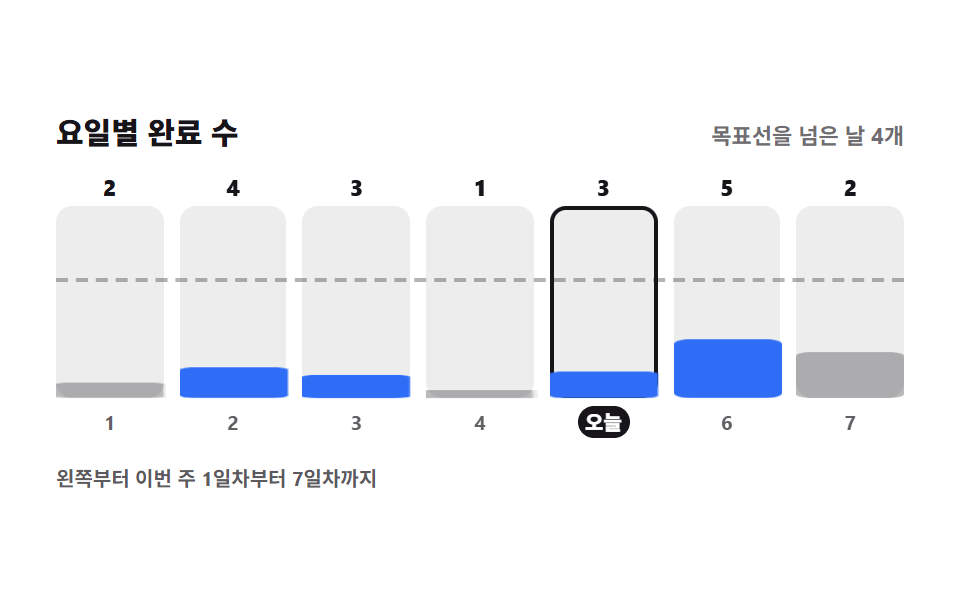 06 habit-weekly-bars
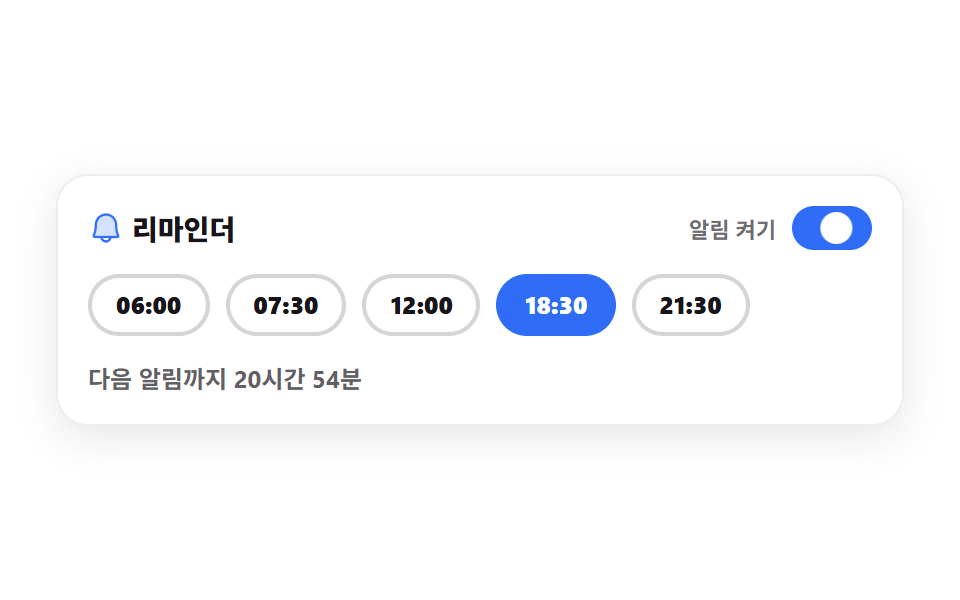 07 habit-reminder-picker
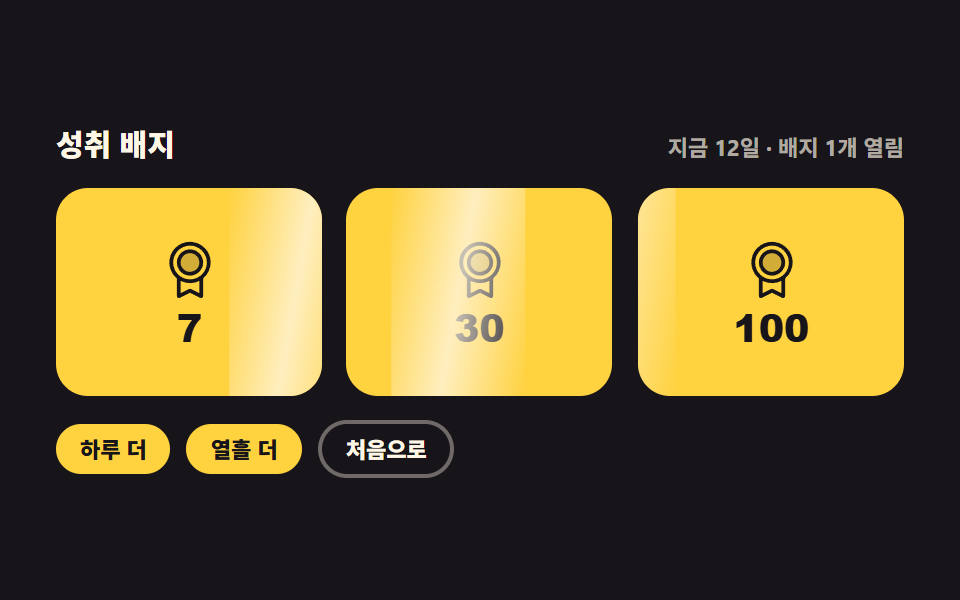 08 habit-badge-unlock
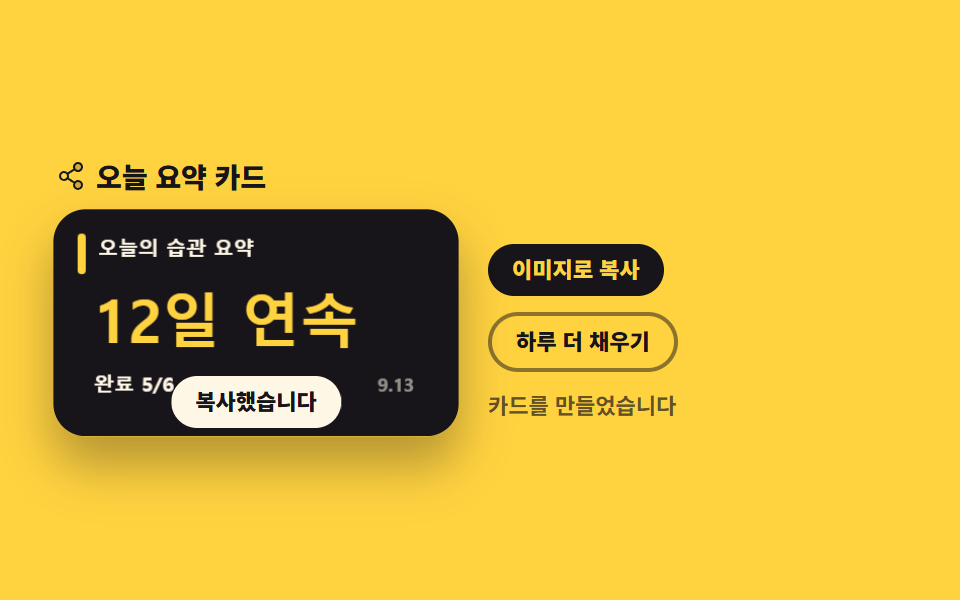 09 habit-share-card
자동 재생 · 눌러서 해당 항목으로 · 전부 한 zip
- 01 1년 잔디 격자
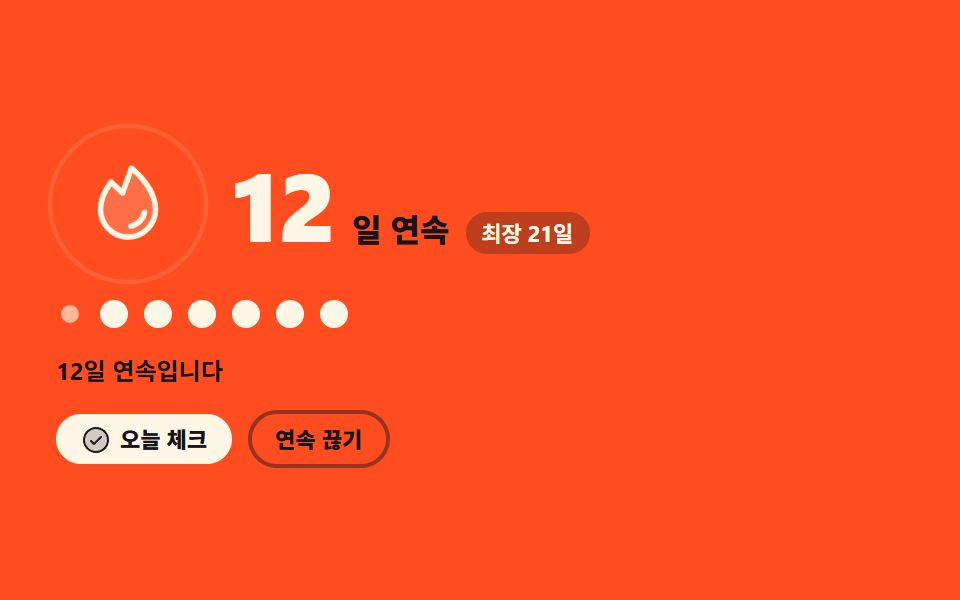
- 02 연속 일수 불꽃
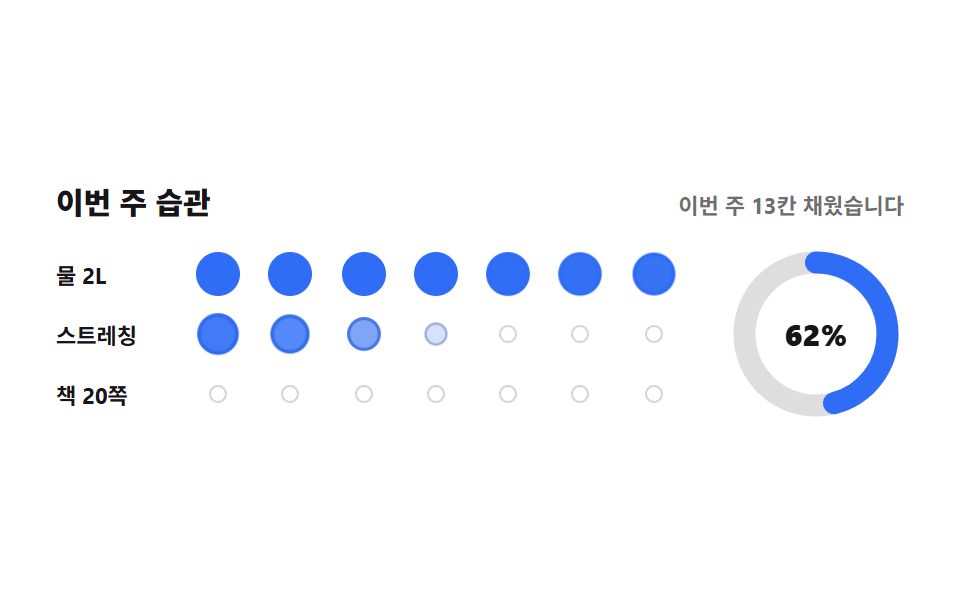
- 03 습관 7일 점 카드
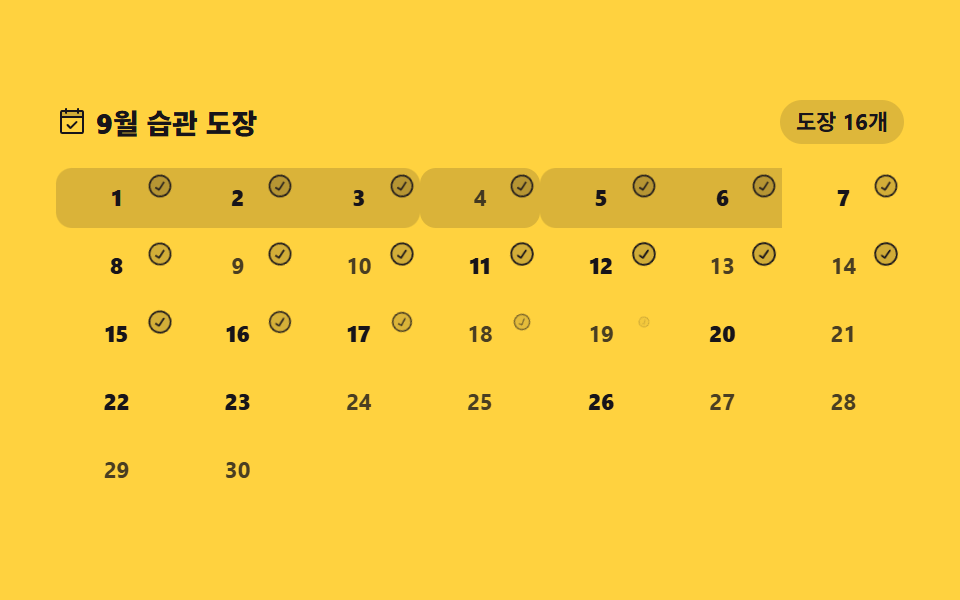
- 04 달력 도장 찍기
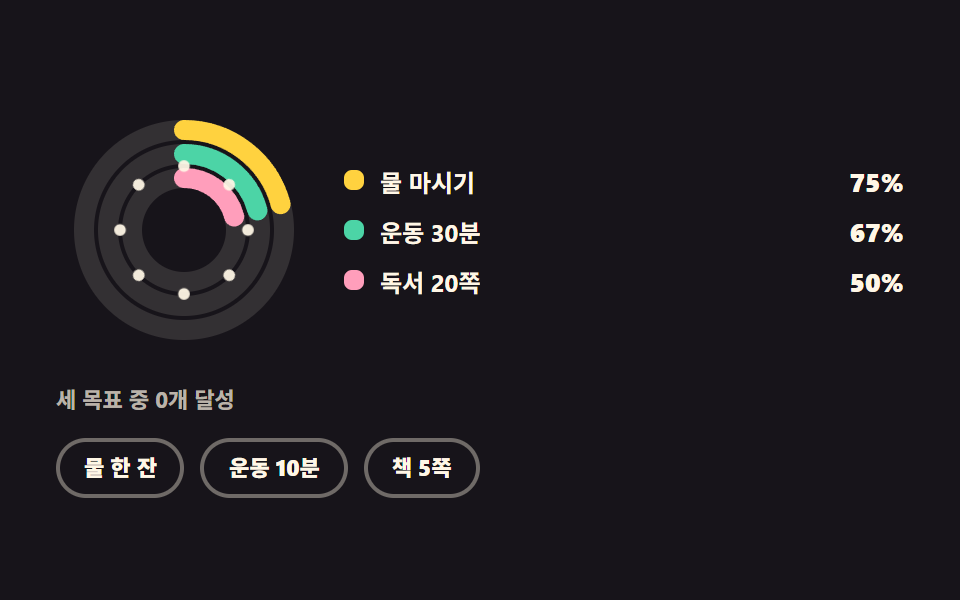
- 05 삼중 목표 링
- 06 요일별 막대 요약
- 07 리마인더 시간 고르기
- 08 배지 잠금 해제
- 09 오늘 요약 공유 카드
아홉 개를 이 순서로 늘어놓은 기준은 기록이 사람에게 도착하는 거리입니다. 앞의 넷은 누른 흔적을 그대로 보여 주는 판 — 1년 치를 점 371개로 펼친 격자(01), 연속 일수를 아이콘 크기로 번역한 불꽃(02), 습관 세 줄을 7일 점으로 접은 카드(03), 날짜 칸에 도장을 찍는 달력(04)입니다. 가운데 셋은 흔적을 숫자로 요약하는 판으로, 목표 대비 비율을 세 겹 링으로 겹치고(05) 요일별 개수를 막대로 세우고(06) 다음 알림까지 남은 시간을 분으로 셉니다(07). 마지막 둘은 기록을 밖으로 내보내는 판 — 조건을 넘으면 뒤집히는 배지(08)와 오늘 요약을 그림 파일로 만드는 카드(09)입니다. 습관 트래커 앱을 새로 짤 때 화면에 먼저 놓이는 순서이기도 합니다. 무대 색은 페이퍼 셋·잉크 셋·옐로 둘·오렌지 하나로 돌렸습니다. 같은 데이터를 선과 면으로 그리는 쪽은 SVG 그래프 그리기 9종에, 날짜 칸 자체를 짜는 법은 CSS 달력 만들기 9종에 있습니다. 같은 dashboard 기둥에서 갱신 주기가 초 단위로 짧아지면 주식 앱 ui 실시간 시세판이 되고, 09 처럼 만든 카드를 남의 사이트에 얹는 쪽은 블로그 위젯 디자인이 맡습니다.
011년 잔디 격자
점 371개가 차오르는 순서
53주 × 7일 점 371개가 왼쪽 주부터 차례로 차오르고, 점 위에 손을 올리면 그 날짜와 횟수가 말풍선에 뜹니다. 강도는 시드를 20260912 로 고정한 mulberry32 난수가 만들기 때문에 새로 고쳐도 같은 잔디가 나오고, 오늘 칸만 localStorage 값으로 덮어쓰기 때문에 버튼을 누르면 0에서 4까지 한 단계씩 오릅니다.
<svg width="0" height="0" style="position:absolute" aria-hidden="true">
  <defs>
    <symbol id="ico-calendar-check" viewBox="0 0 256 256" fill="currentColor"><g><path d="M216 48v40H40V48a8 8 0 0 1 8-8h160a8 8 0 0 1 8 8" opacity=".2"/><path d="M208 32h-24v-8a8 8 0 0 0-16 0v8H88v-8a8 8 0 0 0-16 0v8H48a16 16 0 0 0-16 16v160a16 16 0 0 0 16 16h160a16 16 0 0 0 16-16V48a16 16 0 0 0-16-16M72 48v8a8 8 0 0 0 16 0v-8h80v8a8 8 0 0 0 16 0v-8h24v32H48V48Zm136 160H48V96h160zm-38.34-85.66a8 8 0 0 1 0 11.32l-48 48a8 8 0 0 1-11.32 0l-24-24a8 8 0 0 1 11.32-11.32L116 164.69l42.34-42.35a8 8 0 0 1 11.32 0"/></g></symbol>
    <symbol id="ico-plus-circle" viewBox="0 0 256 256" fill="currentColor"><g><path d="M224 128a96 96 0 1 1-96-96a96 96 0 0 1 96 96" opacity=".2"/><path d="M176 128a8 8 0 0 1-8 8h-32v32a8 8 0 0 1-16 0v-32H88a8 8 0 0 1 0-16h32V88a8 8 0 0 1 16 0v32h32a8 8 0 0 1 8 8m56 0A104 104 0 1 1 128 24a104.11 104.11 0 0 1 104 104m-16 0a88 88 0 1 0-88 88a88.1 88.1 0 0 0 88-88"/></g></symbol>
  </defs>
</svg>
<main class="stage">
<div class="cg is-demo" id="cg">
  <p class="cg__hint">
    <svg class="cg__ico" aria-hidden="true"><use href="#ico-calendar-check"/></svg>
    <span>칸에 손을 올리면 날짜와 횟수가 보입니다</span>
  </p>
  <div class="cg__wrap">
    <span class="cg__tip" id="tip" role="status" aria-live="polite"></span>
    <div class="cg__grid" id="grid" role="grid" aria-label="최근 1년 습관 기록 격자"></div>
  </div>
  <div class="cg__bar">
    <p class="cg__legend">
      <span class="cg__legendLabel">하루 완료 수</span>
      <span class="cg__keyItem"><i class="cg__key cg__key--l0"></i><b class="cg__keyNum">0</b></span>
      <span class="cg__keyItem"><i class="cg__key cg__key--l1"></i><b class="cg__keyNum">1</b></span>
      <span class="cg__keyItem"><i class="cg__key cg__key--l2"></i><b class="cg__keyNum">2</b></span>
      <span class="cg__keyItem"><i class="cg__key cg__key--l3"></i><b class="cg__keyNum">3</b></span>
      <span class="cg__keyItem"><i class="cg__key cg__key--l4"></i><b class="cg__keyNum">4</b></span>
    </p>
    <button class="cg__add" id="add" type="button">
      <svg class="cg__ico" aria-hidden="true"><use href="#ico-plus-circle"/></svg><span>오늘 칸 올리기</span>
    </button>
  </div>
</div>
</main>@use "../../../../site/static/demo-tokens" as *;
// 1년 잔디 격자 — 53주 × 7일. 칸은 JS 가 만들고 강도(0~4)는 시드 고정 난수,
// 오늘 칸만 localStorage 값으로 덮는다. 색 강도는 보조 신호일 뿐이라 범례에 숫자를 같이 적고
// 칸마다 aria-label 에 날짜와 횟수를 넣는다 (WCAG 1.4.1 — 색만으로 정보를 주지 않는다).
// 격자 미리보기(.is-demo)는 주 단위 animation-delay 로 왼쪽부터 차오르는 물결을 CSS 로 재생한다.
// 사람이 격자에 손을 대거나 버튼을 누르면 JS 가 .is-demo 를 떼고 정적 표시로 넘어간다.
$duration: $dur-loop;
$easing: $ease-spring;
$color: $stage-yellow;
@include stage($stage-ink);
.cg { display: flex; flex-direction: column; gap: $sp-3; width: 100%; max-width: 424px; }
.cg__hint {
display: flex; align-items: center; gap: $sp-1; margin: 0;
font-weight: 700; font-size: clamp(10px, 2.8vw, 12px); color: $subject-cream;
}
.cg__ico { width: 16px; height: 16px; flex: 0 0 auto; color: $color; }
// 말풍선은 절대배치라 부모 높이에 안 잡힌다 — padding-top 으로 자리를 미리 비워 둔다 (BD9)
.cg__wrap { position: relative; padding-top: $sp-5; }
.cg__tip {
position: absolute; left: 0; top: 0; height: $sp-4;
display: inline-flex; align-items: center; border-radius: $r-xs;
padding: 0 $sp-2; background: rgba($subject-cream, .12); color: $subject-cream;
font-weight: 700; font-size: clamp(9px, 2.4vw, 11px); white-space: nowrap;
}
.cg__grid { display: flex; flex-direction: column; }
.cg__row { display: flex; }
// 칸 사이 1px 씩은 gap 이 아니라 **투명 테두리**로 벌린다. 53주 × 7일을 424px 안에 넣으려면
// 칸 간격이 4px 격자에 못 맞는데(BD17), 테두리는 간격이 아니라 칸 자신의 일부라 그 규칙 밖이다.
// background-clip: padding-box 가 있어야 배경이 테두리 밑으로 새지 않는다.
.cg__cell {
box-sizing: border-box; width: 7px; height: 7px; flex: 0 0 auto;
border: 1px solid transparent; border-radius: 50%;
background: rgba($subject-cream, .10); background-clip: padding-box;
}
.cg__cell--l1 { background: rgba($color, .30); }
.cg__cell--l2 { background: rgba($color, .52); }
.cg__cell--l3 { background: rgba($color, .76); }
// 가장 높은 단계만 안쪽 테두리를 더해 색 말고 무늬로도 갈린다
.cg__cell--l4 { background: $color; box-shadow: inset 0 0 0 1px rgba($stage-ink, .55); }
.cg__cell.is-today { box-shadow: 0 0 0 2px rgba($subject-cream, .9); }
.cg__bar { display: flex; align-items: center; justify-content: space-between; gap: $sp-2; flex-wrap: wrap; }
.cg__legend { display: flex; align-items: center; gap: $sp-1; margin: 0; }
.cg__legendLabel {
margin-right: $sp-1; font-weight: 700; font-size: clamp(9px, 2.4vw, 11px);
color: rgba($subject-cream, .72);
}
// 숫자를 색 칩 **안**에 넣으면 2단계(노랑 52%) 위에서 어느 글자색도 AA 를 못 넘는다 (실측 4.06·4.21:1).
// 칩은 칸과 같은 모양의 점으로만 두고 숫자는 무대 배경(잉크) 위에 따로 적는다 — 17.11:1.
.cg__keyItem { display: inline-flex; align-items: center; gap: $sp-1; }
.cg__key { width: 10px; height: 10px; border-radius: 50%; }
.cg__keyNum { font-weight: 800; font-size: 9px; line-height: 1; color: $subject-cream; }
.cg__key--l0 { background: rgba($subject-cream, .10); }
.cg__key--l1 { background: rgba($color, .30); }
.cg__key--l2 { background: rgba($color, .52); }
.cg__key--l3 { background: rgba($color, .76); }
.cg__key--l4 { background: $color; box-shadow: inset 0 0 0 1px rgba($stage-ink, .55); }
.cg__add {
display: inline-flex; align-items: center; gap: $sp-1; border: 0; border-radius: $r-pill;
padding: $sp-1 $sp-3; background: $color; color: $subject-ink; cursor: pointer;
font-family: inherit; font-weight: 800; font-size: clamp(10px, 2.6vw, 11px); line-height: 1.6;
}
.cg__add .cg__ico { color: $subject-ink; }
.cg__add:focus-visible { outline: 2px solid $subject-cream; outline-offset: 2px; }
// ── 격자 미리보기 물결 ──────────────────────────────────────────
// 주(열)마다 12ms 씩 늦게 시작해 왼쪽부터 차오른다. 0% 와 100% 를 같은 값으로 둬서
// 루프 경계에 점프가 없고, 지연이 걸린 루프에는 fill-mode: backwards 가 반드시 붙는다
// (없으면 지연 구간에 작성 상태가 그대로 한 번 번쩍인다 — 252-08 실측).
.cg.is-demo .cg__cell {
animation-name: cgWave; animation-duration: $duration; animation-timing-function: $easing;
animation-iteration-count: infinite; animation-fill-mode: backwards;
animation-delay: calc(var(--c) * 12ms);
}
@keyframes cgWave {
0% { transform: scale(.15); opacity: .3; }
14% { transform: scale(1); opacity: 1; }
86% { transform: scale(1); opacity: 1; }
100% { transform: scale(.15); opacity: .3; }
}
@media (max-width: 340px) {
.cg { gap: $sp-2; }
.cg__wrap { padding-top: $sp-4; }
.cg__cell { width: 5px; height: 5px; }
.cg__key { width: 8px; height: 8px; }
}
// reduce 에서는 물결을 끄고 잔디가 다 자란 한 장으로 세운다
@media (prefers-reduced-motion: reduce) {
.cg.is-demo .cg__cell { animation: none !important; transform: none !important; opacity: 1 !important; }
}html, body {
margin: 0;
overflow: hidden;
}
.stage {
box-sizing: border-box;
min-height: 100vh;
display: grid;
place-items: center;
margin: 0;
background: #17141a;
font-family: -apple-system, "Segoe UI", "Noto Sans KR", sans-serif;
padding: clamp(8px, 4vw, 24px);
}
.cg {
display: flex;
flex-direction: column;
gap: 12px;
width: 100%;
max-width: 424px;
}
.cg__hint {
display: flex;
align-items: center;
gap: 4px;
margin: 0;
font-weight: 700;
font-size: clamp(10px, 2.8vw, 12px);
color: #fff7e6;
}
.cg__ico {
width: 16px;
height: 16px;
flex: 0 0 auto;
color: #ffd23f;
}
.cg__wrap {
position: relative;
padding-top: 20px;
}
.cg__tip {
position: absolute;
left: 0;
top: 0;
height: 16px;
display: inline-flex;
align-items: center;
border-radius: 4px;
padding: 0 8px;
background: rgba(255, 247, 230, 0.12);
color: #fff7e6;
font-weight: 700;
font-size: clamp(9px, 2.4vw, 11px);
white-space: nowrap;
}
.cg__grid {
display: flex;
flex-direction: column;
}
.cg__row {
display: flex;
}
.cg__cell {
box-sizing: border-box;
width: 7px;
height: 7px;
flex: 0 0 auto;
border: 1px solid transparent;
border-radius: 50%;
background: rgba(255, 247, 230, 0.1);
background-clip: padding-box;
}
.cg__cell--l1 {
background: rgba(255, 210, 63, 0.3);
}
.cg__cell--l2 {
background: rgba(255, 210, 63, 0.52);
}
.cg__cell--l3 {
background: rgba(255, 210, 63, 0.76);
}
.cg__cell--l4 {
background: #ffd23f;
box-shadow: inset 0 0 0 1px rgba(23, 20, 26, 0.55);
}
.cg__cell.is-today {
box-shadow: 0 0 0 2px rgba(255, 247, 230, 0.9);
}
.cg__bar {
display: flex;
align-items: center;
justify-content: space-between;
gap: 8px;
flex-wrap: wrap;
}
.cg__legend {
display: flex;
align-items: center;
gap: 4px;
margin: 0;
}
.cg__legendLabel {
margin-right: 4px;
font-weight: 700;
font-size: clamp(9px, 2.4vw, 11px);
color: rgba(255, 247, 230, 0.72);
}
.cg__keyItem {
display: inline-flex;
align-items: center;
gap: 4px;
}
.cg__key {
width: 10px;
height: 10px;
border-radius: 50%;
}
.cg__keyNum {
font-weight: 800;
font-size: 9px;
line-height: 1;
color: #fff7e6;
}
.cg__key--l0 {
background: rgba(255, 247, 230, 0.1);
}
.cg__key--l1 {
background: rgba(255, 210, 63, 0.3);
}
.cg__key--l2 {
background: rgba(255, 210, 63, 0.52);
}
.cg__key--l3 {
background: rgba(255, 210, 63, 0.76);
}
.cg__key--l4 {
background: #ffd23f;
box-shadow: inset 0 0 0 1px rgba(23, 20, 26, 0.55);
}
.cg__add {
display: inline-flex;
align-items: center;
gap: 4px;
border: 0;
border-radius: 999px;
padding: 4px 12px;
background: #ffd23f;
color: #17141a;
cursor: pointer;
font-family: inherit;
font-weight: 800;
font-size: clamp(10px, 2.6vw, 11px);
line-height: 1.6;
}
.cg__add .cg__ico {
color: #17141a;
}
.cg__add:focus-visible {
outline: 2px solid #fff7e6;
outline-offset: 2px;
}
.cg.is-demo .cg__cell {
animation-name: cgWave;
animation-duration: 2s;
animation-timing-function: cubic-bezier(0.2, 0.8, 0.2, 1);
animation-iteration-count: infinite;
animation-fill-mode: backwards;
animation-delay: calc(var(--c) * 12ms);
}
@keyframes cgWave {
0% {
transform: scale(0.15);
opacity: 0.3;
}
14% {
transform: scale(1);
opacity: 1;
}
86% {
transform: scale(1);
opacity: 1;
}
100% {
transform: scale(0.15);
opacity: 0.3;
}
}
@media (max-width: 340px) {
.cg {
gap: 8px;
}
.cg__wrap {
padding-top: 16px;
}
.cg__cell {
width: 5px;
height: 5px;
}
.cg__key {
width: 8px;
height: 8px;
}
}
@media (prefers-reduced-motion: reduce) {
.cg.is-demo .cg__cell {
animation: none !important;
transform: none !important;
opacity: 1 !important;
}
}var WEEKS = 53, DAYS = 7, TOTAL = WEEKS * DAYS, STORE = 'godrich-habit-grid';
var root = document.getElementById('cg');
var grid = document.getElementById('grid');
var tip = document.getElementById('tip');
var TIP_TEXT = '{m}월 {d}일 · {n}회';
var TODAY_TEXT = '오늘 {n}회';
var CELL_LABEL = '{m}월 {d}일 · {n}회';
var cells = [];
var levels = [];
// 가짜 기록은 시드 고정 난수 — 새로 고쳐도 같은 잔디가 나온다 (mulberry32)
function seeded(seed) {
return function () {
seed = seed + 0x6d2b79f5 | 0;
var t = Math.imul(seed ^ seed >>> 15, 1 | seed);
t = t + Math.imul(t ^ t >>> 7, 61 | t) ^ t;
return ((t ^ t >>> 14) >>> 0) / 4294967296;
};
}
function load() {
try { return Number(window.localStorage.getItem(STORE)) || 0; } catch (e) { return 0; }
}
function save(n) {
try { window.localStorage.setItem(STORE, String(n)); } catch (e) { /* 시크릿 창에서는 저장만 건너뛴다 */ }
}
function dateOf(index) {
var d = new Date();
d.setHours(12, 0, 0, 0);
d.setDate(d.getDate() - (TOTAL - 1 - index));
return d;
}
function label(index, level) {
var d = dateOf(index);
return CELL_LABEL.replace('{m}', String(d.getMonth() + 1)).replace('{d}', String(d.getDate())).replace('{n}', String(level));
}
function build() {
var rnd = seeded(20260912);
for (var i = 0; i < TOTAL; i++) {
var v = rnd();
levels.push(v > 0.82 ? 4 : v > 0.68 ? 3 : v > 0.48 ? 2 : v > 0.3 ? 1 : 0);
}
levels[TOTAL - 1] = load();
for (var r = 0; r < DAYS; r++) {
var row = document.createElement('div');
row.className = 'cg__row';
row.setAttribute('role', 'row');
for (var c = 0; c < WEEKS; c++) {
var index = c * DAYS + r;
var cell = document.createElement('span');
cell.className = 'cg__cell cg__cell--l' + levels[index];
cell.setAttribute('role', 'gridcell');
cell.setAttribute('aria-label', label(index, levels[index]));
cell.style.setProperty('--c', String(c));
if (index === TOTAL - 1) { cell.classList.add('is-today'); }
cells[index] = cell;
row.appendChild(cell);
}
grid.appendChild(row);
}
}
function paintToday() {
var index = TOTAL - 1, cell = cells[index];
cell.className = 'cg__cell cg__cell--l' + levels[index] + ' is-today';
cell.setAttribute('aria-label', label(index, levels[index]));
tip.textContent = TODAY_TEXT.replace('{n}', String(levels[index]));
}
function show(cell) {
var index = cells.indexOf(cell);
if (index < 0) { return; }
var d = dateOf(index);
tip.textContent = TIP_TEXT.replace('{m}', String(d.getMonth() + 1)).replace('{d}', String(d.getDate())).replace('{n}', String(levels[index]));
}
build();
paintToday();
grid.addEventListener('pointermove', function (e) {
root.classList.remove('is-demo');
if (e.target !== grid) { show(e.target); }
});
grid.addEventListener('pointerdown', function (e) {
root.classList.remove('is-demo');
if (e.target !== grid) { show(e.target); }
});
document.getElementById('add').addEventListener('click', function () {
root.classList.remove('is-demo');
var index = TOTAL - 1;
levels[index] = levels[index] >= 4 ? 0 : levels[index] + 1;
save(levels[index]);
paintToday();
});// ContributionGrid — vanilla 판(run/297/demo/01-habit-contribution-grid/index.html) 의 React 포트.
// 53주 × 7일 칸을 시드 고정 난수로 채우고 오늘 칸만 localStorage 값으로 덮는다. 값·수치는 vanilla 와 같다.
// 사람이 격자에 손을 대거나 버튼을 누르면 미리보기 루프를 떼고 정적 표시로 넘어간다.
import { useEffect, useMemo, useState } from "react";
import type { CSSProperties, PointerEvent as ReactPointerEvent } from "react";
import styles from "./ContributionGrid.module.scss";
export type ContributionGridProps = {
duration?: number;
easing?: string;
color?: string;
};
type Vars = CSSProperties & { "--duration"?: string; "--easing"?: string; "--color"?: string };
type CellVars = CSSProperties & { "--c"?: string };
const WEEKS = 53;
const DAYS = 7;
const TOTAL = WEEKS * DAYS;
const STORE = "godrich-habit-grid";
const HINT = "칸에 손을 올리면 날짜와 횟수가 보입니다";
const GRID_LABEL = "최근 1년 습관 기록 격자";
const LEGEND_LABEL = "하루 완료 수";
const ADD_TEXT = "오늘 칸 올리기";
const CELL_LABEL = "{m}월 {d}일 · {n}회";
const TODAY_TEXT = "오늘 {n}회";
// 가짜 기록은 시드 고정 난수 — 새로 고쳐도 같은 잔디가 나온다 (mulberry32)
function seeded(seed: number): () => number {
let s = seed;
return () => {
s = (s + 0x6d2b79f5) | 0;
let t = Math.imul(s ^ (s >>> 15), 1 | s);
t = (t + Math.imul(t ^ (t >>> 7), 61 | t)) ^ t;
return ((t ^ (t >>> 14)) >>> 0) / 4294967296;
};
}
function baseLevels(): number[] {
const rnd = seeded(20260912);
const out: number[] = [];
for (let i = 0; i < TOTAL; i++) {
const v = rnd();
out.push(v > 0.82 ? 4 : v > 0.68 ? 3 : v > 0.48 ? 2 : v > 0.3 ? 1 : 0);
}
return out;
}
function dateOf(index: number): Date {
const d = new Date();
d.setHours(12, 0, 0, 0);
d.setDate(d.getDate() - (TOTAL - 1 - index));
return d;
}
function label(index: number, level: number): string {
const d = dateOf(index);
return CELL_LABEL.replace("{m}", String(d.getMonth() + 1))
.replace("{d}", String(d.getDate()))
.replace("{n}", String(level));
}
export default function ContributionGrid({
duration = 2000,
easing = "cubic-bezier(.2, .8, .2, 1)",
color = "#ffd23f",
}: ContributionGridProps) {
const base = useMemo(baseLevels, []);
const [today, setToday] = useState(0);
const [tip, setTip] = useState("");
const [demo, setDemo] = useState(true);
const vars: Vars = { "--duration": `${duration}ms`, "--easing": easing, "--color": color };
useEffect(() => {
try {
const raw = window.localStorage.getItem(STORE);
if (raw) { setToday(Number(raw) || 0); }
} catch (e) { /* 시크릿 창에서는 기본값 그대로 간다 */ }
}, []);
function levelAt(index: number): number {
return index === TOTAL - 1 ? today : base[index];
}
function save(n: number) {
try { window.localStorage.setItem(STORE, String(n)); } catch (e) { /* 저장만 건너뛴다 */ }
}
function raise() {
setDemo(false);
const next = today >= 4 ? 0 : today + 1;
setToday(next);
save(next);
setTip(TODAY_TEXT.replace("{n}", String(next)));
}
function onPointerMove(event: ReactPointerEvent<HTMLDivElement>) {
setDemo(false);
const el = event.target as HTMLElement;
const raw = el.getAttribute("data-index");
if (raw === null) { return; }
const index = Number(raw);
setTip(label(index, levelAt(index)));
}
const levelClass = [styles.cell, styles.l1, styles.l2, styles.l3, styles.l4];
const keyClass = [styles.key0, styles.key1, styles.key2, styles.key3, styles.key4];
const rows: number[] = [0, 1, 2, 3, 4, 5, 6];
const weeks: number[] = [];
for (let c = 0; c < WEEKS; c++) { weeks.push(c); }
const cls = [styles.root, demo ? styles.isDemo : ""].filter(Boolean).join(" ");
const cellVars = (c: number): CellVars => ({ "--c": String(c) });
return (
<main className={styles.stage}>
<svg width="0" height="0" style={{ position: "absolute" }} aria-hidden="true">
<defs>
<symbol id="ico-calendar-check" viewBox="0 0 256 256" fill="currentColor"><g><path d="M216 48v40H40V48a8 8 0 0 1 8-8h160a8 8 0 0 1 8 8" opacity=".2"/><path d="M208 32h-24v-8a8 8 0 0 0-16 0v8H88v-8a8 8 0 0 0-16 0v8H48a16 16 0 0 0-16 16v160a16 16 0 0 0 16 16h160a16 16 0 0 0 16-16V48a16 16 0 0 0-16-16M72 48v8a8 8 0 0 0 16 0v-8h80v8a8 8 0 0 0 16 0v-8h24v32H48V48Zm136 160H48V96h160zm-38.34-85.66a8 8 0 0 1 0 11.32l-48 48a8 8 0 0 1-11.32 0l-24-24a8 8 0 0 1 11.32-11.32L116 164.69l42.34-42.35a8 8 0 0 1 11.32 0"/></g></symbol>
<symbol id="ico-plus-circle" viewBox="0 0 256 256" fill="currentColor"><g><path d="M224 128a96 96 0 1 1-96-96a96 96 0 0 1 96 96" opacity=".2"/><path d="M176 128a8 8 0 0 1-8 8h-32v32a8 8 0 0 1-16 0v-32H88a8 8 0 0 1 0-16h32V88a8 8 0 0 1 16 0v32h32a8 8 0 0 1 8 8m56 0A104 104 0 1 1 128 24a104.11 104.11 0 0 1 104 104m-16 0a88 88 0 1 0-88 88a88.1 88.1 0 0 0 88-88"/></g></symbol>
</defs>
</svg>
<div className={cls} style={vars}>
<p className={styles.hint}>
<svg className={styles.ico} aria-hidden="true"><use href="#ico-calendar-check" /></svg>
<span>{HINT}</span>
</p>
<div className={styles.wrap}>
<span className={styles.tip} role="status" aria-live="polite">{tip}</span>
<div className={styles.grid} role="grid" aria-label={GRID_LABEL} onPointerMove={onPointerMove}>
{rows.map((r) => (
<div className={styles.row} role="row" key={r}>
{weeks.map((c) => {
const index = c * DAYS + r;
const level = levelAt(index);
const isToday = index === TOTAL - 1;
const cn = [levelClass[0], level > 0 ? levelClass[level] : "", isToday ? styles.today : ""]
.filter(Boolean).join(" ");
return (
<span
className={cn}
key={c}
role="gridcell"
data-index={index}
aria-label={label(index, level)}
style={cellVars(c)}
/>
);
})}
</div>
))}
</div>
</div>
<div className={styles.bar}>
<p className={styles.legend}>
<span className={styles.legendLabel}>{LEGEND_LABEL}</span>
{[0, 1, 2, 3, 4].map((n) => (
<span className={styles.keyItem} key={n}>
<i className={`${styles.key} ${keyClass[n]}`} />
<b className={styles.keyNum}>{n}</b>
</span>
))}
</p>
<button className={styles.add} type="button" onClick={raise}>
<svg className={styles.ico} aria-hidden="true"><use href="#ico-plus-circle" /></svg>
<span>{ADD_TEXT}</span>
</button>
</div>
</div>
</main>
);
}01 · 1년 잔디 격자 — 측정 누적면적 9.524% · 움직인 프레임 14/23GODRICH 원작 · zip 에 SCSS·React 포함 · 비밀번호 보기
.cg__cell {
  box-sizing: border-box; width: 7px; height: 7px; flex: 0 0 auto;
  border: 1px solid transparent; border-radius: 50%;
  background: rgba($subject-cream, .10); background-clip: padding-box;
}
.cg.is-demo .cg__cell {
  animation-name: cgWave; animation-duration: $duration; animation-timing-function: $easing;
  animation-iteration-count: infinite; animation-fill-mode: backwards;
  animation-delay: calc(var(--c) * 12ms);
}
@keyframes cgWave {
  0%   { transform: scale(.15); opacity: .3; }
  14%  { transform: scale(1); opacity: 1; }
  86%  { transform: scale(1); opacity: 1; }
  100% { transform: scale(.15); opacity: .3; }
}
점 사이 1px 을 테두리로 두는 이유
점 사이를 벌리는 1px 은 gap 이 아니라 투명 border 인데, 53칸을 424px 안에 넣으려면 칸 간격이 4px 눈금에 맞지 않고, 테두리는 간격이 아니라 칸 자신의 일부여서 box-sizing: border-box 와 함께 쓰면 눈금이 깨지지 않기 때문입니다.
02연속 일수 불꽃
연속 일수를 네 단계로만 키운다
「오늘 체크」를 누르면 연속 일수가 하루 늘면서 최장 기록도 함께 갱신되고, 「연속 끊기」는 숫자만 0으로 되돌릴 뿐 최장 기록은 남깁니다. 불꽃은 일수를 그대로 scale 에 넣지 않고 30·14·3·1일을 경계로 네 단계로만 커지기 때문에 100일이 되어도 화면을 덮지 않습니다.
<svg width="0" height="0" style="position:absolute" aria-hidden="true">
  <defs>
    <symbol id="ico-fire" viewBox="0 0 256 256" fill="currentColor"><g><path d="M208 144a80 80 0 0 1-160 0c0-30.57 14.42-58.26 31-80l33 32l26.27-72C159.86 41.92 208 88.15 208 144" opacity=".2"/><path d="M183.89 153.34a57.6 57.6 0 0 1-46.56 46.55a9 9 0 0 1-1.33.11a8 8 0 0 1-1.32-15.89c16.57-2.79 30.63-16.85 33.44-33.45a8 8 0 0 1 15.78 2.68ZM216 144a88 88 0 0 1-176 0c0-27.92 11-56.47 32.66-84.85a8 8 0 0 1 11.93-.89l24.12 23.41l22-60.41a8 8 0 0 1 12.63-3.41C165.21 36 216 84.55 216 144m-16 0c0-46.09-35.79-85.92-58.21-106.33l-22.27 61.07a8 8 0 0 1-13.09 3L80.06 76.16C64.09 99.21 56 122 56 144a72 72 0 0 0 144 0"/></g></symbol>
    <symbol id="ico-check-circle" viewBox="0 0 256 256" fill="currentColor"><g><path d="M224 128a96 96 0 1 1-96-96a96 96 0 0 1 96 96" opacity=".2"/><path d="M173.66 98.34a8 8 0 0 1 0 11.32l-56 56a8 8 0 0 1-11.32 0l-24-24a8 8 0 0 1 11.32-11.32L112 148.69l50.34-50.35a8 8 0 0 1 11.32 0M232 128A104 104 0 1 1 128 24a104.11 104.11 0 0 1 104 104m-16 0a88 88 0 1 0-88 88a88.1 88.1 0 0 0 88-88"/></g></symbol>
  </defs>
</svg>
<main class="stage">
<div class="sc is-demo" id="sc">
  <div class="sc__top">
    <span class="sc__flameBox">
      <span class="sc__halo" aria-hidden="true"></span>
      <svg class="sc__flame" id="flame" aria-hidden="true"><use href="#ico-fire"/></svg>
    </span>
    <p class="sc__read">
      <b class="sc__num" id="num">12</b>
      <span class="sc__unit">일 연속</span>
      <span class="sc__best" id="best">최장 21일</span>
    </p>
  </div>
  <p class="sc__week" aria-hidden="true">
    <i class="sc__dot" style="--i:0"></i><i class="sc__dot" style="--i:1"></i><i class="sc__dot" style="--i:2"></i>
    <i class="sc__dot" style="--i:3"></i><i class="sc__dot" style="--i:4"></i><i class="sc__dot" style="--i:5"></i>
    <i class="sc__dot" style="--i:6"></i>
  </p>
  <p class="sc__say" id="say" role="status" aria-live="polite">12일 연속입니다</p>
  <div class="sc__bar">
    <button class="sc__go" id="go" type="button">
      <svg class="sc__ico" aria-hidden="true"><use href="#ico-check-circle"/></svg><span>오늘 체크</span>
    </button>
    <button class="sc__cut" id="cut" type="button">연속 끊기</button>
  </div>
</div>
</main>@use "../../../../site/static/demo-tokens" as *;
// 연속 일수 불꽃 — 불꽃은 연속 일수를 그대로 키우지 않고 네 단계(--s1~--s4)로만 커진다.
// 커지는 주체가 스스로 완결한 아이콘이므로 transform-origin 은 자기 중심에 둔다 (blog-demo 규칙 8).
// 미리보기(.is-demo)는 세 갈래를 겹친다 — 주간 점이 차례로 차고, 불꽃이 steps(1, end) 로 한 단계씩 뛰고,
// 후광이 한 번 퍼진다. 78% 에서 연속이 끊기는 장면을 컷으로 넣고 88% 안에 처음 상태로 돌아온다.
// 사람이 버튼을 누르면 JS 가 .is-demo 를 떼고 숫자·최장 기록·aria-live 문장을 실제 상태로 바꾼다.
$duration: $dur-loop;
$easing: $ease-pop;
$color: $subject-cream;
@include stage($stage-orange);
.sc { display: flex; flex-direction: column; gap: $sp-3; width: 100%; max-width: 424px; }
.sc__top { display: flex; align-items: center; gap: $sp-4; }
.sc__flameBox {
position: relative; display: inline-grid; place-items: center;
width: 72px; height: 72px; flex: 0 0 auto;
}
.sc__halo {
position: absolute; width: 72px; height: 72px; border-radius: 50%;
border: 2px solid rgba($color, .75); opacity: 0;
}
// 불꽃은 스스로 완결한 아이콘이라 커질 때 제 중심에서 커진다 (모서리 origin 이면 옆으로 밀리며 늘어난다)
.sc__flame { width: 48px; height: 48px; color: $color; transform-origin: 50% 50%; }
.sc__flame--s1 { width: 30px; height: 30px; }
.sc__flame--s2 { width: 38px; height: 38px; }
.sc__flame--s3 { width: 48px; height: 48px; }
.sc__flame--s4 { width: 56px; height: 56px; }
.sc__flame--s0 { color: rgba($color, .38); }
.sc__read { display: flex; align-items: baseline; flex-wrap: wrap; gap: $sp-2; margin: 0; }
.sc__num { font-weight: 800; font-size: clamp(34px, 11vw, 48px); line-height: 1; color: $color; }
.sc__unit { font-weight: 800; font-size: clamp(13px, 3.6vw, 16px); color: $stage-ink; }
.sc__best {
border-radius: $r-pill; padding: $sp-1 $sp-2; background: rgba($stage-ink, .28);
font-weight: 700; font-size: clamp(10px, 2.6vw, 11px); line-height: 1.2; color: $color;
}
.sc__week { display: flex; gap: $sp-2; margin: 0; }
.sc__dot { width: 14px; height: 14px; border-radius: 50%; background: $color; }
.sc__say {
margin: 0; font-weight: 700; font-size: clamp(10px, 2.8vw, 12px); color: $stage-ink;
}
.sc__bar { display: flex; align-items: center; gap: $sp-2; flex-wrap: wrap; }
.sc__ico { width: 16px; height: 16px; flex: 0 0 auto; }
.sc__go, .sc__cut {
display: inline-flex; align-items: center; gap: $sp-1; border-radius: $r-pill;
padding: $sp-1 $sp-3; cursor: pointer;
font-family: inherit; font-weight: 800; font-size: clamp(10px, 2.6vw, 11px); line-height: 1.6;
}
.sc__go { border: 0; background: $color; color: $stage-ink; }
.sc__cut { border: 2px solid rgba($stage-ink, .45); background: transparent; color: $stage-ink; }
.sc__go:focus-visible, .sc__cut:focus-visible { outline: 2px solid $stage-ink; outline-offset: 2px; }
// ── 격자 미리보기 ───────────────────────────────────────────────
.sc.is-demo .sc__dot {
animation-name: scDot; animation-duration: $duration; animation-timing-function: $easing;
animation-iteration-count: infinite; animation-fill-mode: backwards;
animation-delay: calc(var(--i) * 70ms);
}
@keyframes scDot {
0% { transform: scale(.35); opacity: .35; }
9% { transform: scale(1); opacity: 1; }
70% { transform: scale(1); opacity: 1; }
78% { transform: scale(.35); opacity: .35; }
100% { transform: scale(.35); opacity: .35; }
}
// 불꽃은 단계가 있는 값이라 중간값 없이 컷으로 뛴다 — 반투명 겹침이 생기지 않는다
.sc.is-demo .sc__flame {
animation-name: scFlame; animation-duration: $duration; animation-timing-function: steps(1, end);
animation-iteration-count: infinite;
}
@keyframes scFlame {
0% { transform: scale(.62); opacity: 1; }
26% { transform: scale(.8); opacity: 1; }
50% { transform: scale(1); opacity: 1; }
70% { transform: scale(1.16); opacity: 1; }
78% { transform: scale(.62); opacity: .4; }
88% { transform: scale(.62); opacity: 1; }
100% { transform: scale(.62); opacity: 1; }
}
.sc.is-demo .sc__halo {
animation-name: scHalo; animation-duration: $duration; animation-timing-function: $ease-out;
animation-iteration-count: infinite;
}
@keyframes scHalo {
0% { transform: scale(.5); opacity: 0; }
30% { transform: scale(.78); opacity: .7; }
70% { transform: scale(1.1); opacity: .18; }
88% { transform: scale(.5); opacity: 0; }
100% { transform: scale(.5); opacity: 0; }
}
@media (max-width: 340px) {
.sc { gap: $sp-2; }
.sc__flameBox { width: 52px; height: 52px; }
.sc__halo { width: 52px; height: 52px; }
.sc__flame, .sc__flame--s3 { width: 32px; height: 32px; }
.sc__dot { width: 10px; height: 10px; }
.sc__week { gap: $sp-1; }
.sc__top { gap: $sp-2; }
}
// reduce 에서는 불꽃·후광·점을 멈추고 지금 상태 한 장만 남긴다
@media (prefers-reduced-motion: reduce) {
.sc.is-demo .sc__dot,
.sc.is-demo .sc__flame,
.sc.is-demo .sc__halo { animation: none !important; }
.sc.is-demo .sc__dot { transform: none !important; opacity: 1 !important; }
.sc.is-demo .sc__flame { transform: none !important; opacity: 1 !important; }
.sc.is-demo .sc__halo { opacity: 0 !important; }
}html, body {
margin: 0;
overflow: hidden;
}
.stage {
box-sizing: border-box;
min-height: 100vh;
display: grid;
place-items: center;
margin: 0;
background: #ff4d1f;
font-family: -apple-system, "Segoe UI", "Noto Sans KR", sans-serif;
padding: clamp(8px, 4vw, 24px);
}
.sc {
display: flex;
flex-direction: column;
gap: 12px;
width: 100%;
max-width: 424px;
}
.sc__top {
display: flex;
align-items: center;
gap: 16px;
}
.sc__flameBox {
position: relative;
display: inline-grid;
place-items: center;
width: 72px;
height: 72px;
flex: 0 0 auto;
}
.sc__halo {
position: absolute;
width: 72px;
height: 72px;
border-radius: 50%;
border: 2px solid rgba(255, 247, 230, 0.75);
opacity: 0;
}
.sc__flame {
width: 48px;
height: 48px;
color: #fff7e6;
transform-origin: 50% 50%;
}
.sc__flame--s1 {
width: 30px;
height: 30px;
}
.sc__flame--s2 {
width: 38px;
height: 38px;
}
.sc__flame--s3 {
width: 48px;
height: 48px;
}
.sc__flame--s4 {
width: 56px;
height: 56px;
}
.sc__flame--s0 {
color: rgba(255, 247, 230, 0.38);
}
.sc__read {
display: flex;
align-items: baseline;
flex-wrap: wrap;
gap: 8px;
margin: 0;
}
.sc__num {
font-weight: 800;
font-size: clamp(34px, 11vw, 48px);
line-height: 1;
color: #fff7e6;
}
.sc__unit {
font-weight: 800;
font-size: clamp(13px, 3.6vw, 16px);
color: #17141a;
}
.sc__best {
border-radius: 999px;
padding: 4px 8px;
background: rgba(23, 20, 26, 0.28);
font-weight: 700;
font-size: clamp(10px, 2.6vw, 11px);
line-height: 1.2;
color: #fff7e6;
}
.sc__week {
display: flex;
gap: 8px;
margin: 0;
}
.sc__dot {
width: 14px;
height: 14px;
border-radius: 50%;
background: #fff7e6;
}
.sc__say {
margin: 0;
font-weight: 700;
font-size: clamp(10px, 2.8vw, 12px);
color: #17141a;
}
.sc__bar {
display: flex;
align-items: center;
gap: 8px;
flex-wrap: wrap;
}
.sc__ico {
width: 16px;
height: 16px;
flex: 0 0 auto;
}
.sc__go, .sc__cut {
display: inline-flex;
align-items: center;
gap: 4px;
border-radius: 999px;
padding: 4px 12px;
cursor: pointer;
font-family: inherit;
font-weight: 800;
font-size: clamp(10px, 2.6vw, 11px);
line-height: 1.6;
}
.sc__go {
border: 0;
background: #fff7e6;
color: #17141a;
}
.sc__cut {
border: 2px solid rgba(23, 20, 26, 0.45);
background: transparent;
color: #17141a;
}
.sc__go:focus-visible, .sc__cut:focus-visible {
outline: 2px solid #17141a;
outline-offset: 2px;
}
.sc.is-demo .sc__dot {
animation-name: scDot;
animation-duration: 2s;
animation-timing-function: cubic-bezier(0.2, 1.4, 0.4, 1);
animation-iteration-count: infinite;
animation-fill-mode: backwards;
animation-delay: calc(var(--i) * 70ms);
}
@keyframes scDot {
0% {
transform: scale(0.35);
opacity: 0.35;
}
9% {
transform: scale(1);
opacity: 1;
}
70% {
transform: scale(1);
opacity: 1;
}
78% {
transform: scale(0.35);
opacity: 0.35;
}
100% {
transform: scale(0.35);
opacity: 0.35;
}
}
.sc.is-demo .sc__flame {
animation-name: scFlame;
animation-duration: 2s;
animation-timing-function: steps(1, end);
animation-iteration-count: infinite;
}
@keyframes scFlame {
0% {
transform: scale(0.62);
opacity: 1;
}
26% {
transform: scale(0.8);
opacity: 1;
}
50% {
transform: scale(1);
opacity: 1;
}
70% {
transform: scale(1.16);
opacity: 1;
}
78% {
transform: scale(0.62);
opacity: 0.4;
}
88% {
transform: scale(0.62);
opacity: 1;
}
100% {
transform: scale(0.62);
opacity: 1;
}
}
.sc.is-demo .sc__halo {
animation-name: scHalo;
animation-duration: 2s;
animation-timing-function: ease-out;
animation-iteration-count: infinite;
}
@keyframes scHalo {
0% {
transform: scale(0.5);
opacity: 0;
}
30% {
transform: scale(0.78);
opacity: 0.7;
}
70% {
transform: scale(1.1);
opacity: 0.18;
}
88% {
transform: scale(0.5);
opacity: 0;
}
100% {
transform: scale(0.5);
opacity: 0;
}
}
@media (max-width: 340px) {
.sc {
gap: 8px;
}
.sc__flameBox {
width: 52px;
height: 52px;
}
.sc__halo {
width: 52px;
height: 52px;
}
.sc__flame, .sc__flame--s3 {
width: 32px;
height: 32px;
}
.sc__dot {
width: 10px;
height: 10px;
}
.sc__week {
gap: 4px;
}
.sc__top {
gap: 8px;
}
}
@media (prefers-reduced-motion: reduce) {
.sc.is-demo .sc__dot,
.sc.is-demo .sc__flame,
.sc.is-demo .sc__halo {
animation: none !important;
}
.sc.is-demo .sc__dot {
transform: none !important;
opacity: 1 !important;
}
.sc.is-demo .sc__flame {
transform: none !important;
opacity: 1 !important;
}
.sc.is-demo .sc__halo {
opacity: 0 !important;
}
}var STORE = 'godrich-habit-streak';
var root = document.getElementById('sc');
var flame = document.getElementById('flame');
var numEl = document.getElementById('num');
var bestEl = document.getElementById('best');
var sayEl = document.getElementById('say');
var SAY_ON = '{n}일 연속입니다';
var SAY_OFF = '연속이 끊겼습니다. 최장 기록은 {b}일';
var BEST_TEXT = '최장 {b}일';
var state = { streak: 12, best: 21 };
function load() {
try {
var raw = window.localStorage.getItem(STORE);
if (raw) { state = JSON.parse(raw); }
} catch (e) { /* 저장소가 막힌 창에서는 기본값 그대로 간다 */ }
}
function save() {
try { window.localStorage.setItem(STORE, JSON.stringify(state)); } catch (e) { /* 저장만 건너뛴다 */ }
}
// 불꽃 크기는 네 단계뿐이다 — 연속 일수를 그대로 scale 에 넣으면 100일에 화면을 덮는다
function stepOf(n) {
return n >= 30 ? 4 : n >= 14 ? 3 : n >= 3 ? 2 : n >= 1 ? 1 : 0;
}
function paint(broken) {
numEl.textContent = String(state.streak);
bestEl.textContent = BEST_TEXT.replace('{b}', String(state.best));
// SVG 요소의 className 은 문자열이 아니라 SVGAnimatedString 이다 — 대입해도 클래스가 안 바뀐다.
// 조작 실측에서 불꽃 단계가 영원히 그대로였던 원인이 이것이었다. setAttribute 로 넣는다.
flame.setAttribute('class', 'sc__flame sc__flame--s' + stepOf(state.streak));
sayEl.textContent = broken
? SAY_OFF.replace('{b}', String(state.best))
: SAY_ON.replace('{n}', String(state.streak));
}
load();
paint(false);
document.getElementById('go').addEventListener('click', function () {
root.classList.remove('is-demo');
state.streak = state.streak + 1;
if (state.streak > state.best) { state.best = state.streak; }
save();
paint(false);
});
document.getElementById('cut').addEventListener('click', function () {
root.classList.remove('is-demo');
state.streak = 0;
save();
paint(true);
});// StreakFlame — vanilla 판(run/297/demo/02-habit-streak-counter/index.html) 의 React 포트.
// 불꽃 크기는 연속 일수를 그대로 쓰지 않고 네 단계로만 커진다. 값·수치는 vanilla 와 같다.
import { useEffect, useState } from "react";
import type { CSSProperties } from "react";
import styles from "./StreakFlame.module.scss";
export type StreakFlameProps = {
duration?: number;
easing?: string;
color?: string;
};
type Vars = CSSProperties & { "--duration"?: string; "--easing"?: string; "--color"?: string };
type DotVars = CSSProperties & { "--i"?: string };
type State = { streak: number; best: number };
const STORE = "godrich-habit-streak";
const UNIT_TEXT = "일 연속";
const BEST_TEXT = "최장 {b}일";
const SAY_ON = "{n}일 연속입니다";
const SAY_OFF = "연속이 끊겼습니다. 최장 기록은 {b}일";
const GO_TEXT = "오늘 체크";
const CUT_TEXT = "연속 끊기";
// 불꽃 크기는 네 단계뿐이다 — 연속 일수를 그대로 scale 에 넣으면 100일에 화면을 덮는다
function stepOf(n: number): number {
return n >= 30 ? 4 : n >= 14 ? 3 : n >= 3 ? 2 : n >= 1 ? 1 : 0;
}
export default function StreakFlame({
duration = 2000,
easing = "cubic-bezier(.2, 1.4, .4, 1)",
color = "#fff7e6",
}: StreakFlameProps) {
const [state, setState] = useState<State>({ streak: 12, best: 21 });
const [broken, setBroken] = useState(false);
const [demo, setDemo] = useState(true);
const vars: Vars = { "--duration": `${duration}ms`, "--easing": easing, "--color": color };
useEffect(() => {
try {
const raw = window.localStorage.getItem(STORE);
if (raw) { setState(JSON.parse(raw) as State); }
} catch (e) { /* 저장소가 막힌 창에서는 기본값 그대로 간다 */ }
}, []);
function save(next: State) {
try { window.localStorage.setItem(STORE, JSON.stringify(next)); } catch (e) { /* 저장만 건너뛴다 */ }
}
function check() {
setDemo(false);
const streak = state.streak + 1;
const next: State = { streak: streak, best: Math.max(streak, state.best) };
setState(next);
setBroken(false);
save(next);
}
function cut() {
setDemo(false);
const next: State = { streak: 0, best: state.best };
setState(next);
setBroken(true);
save(next);
}
const sizeClass = [styles.s0, styles.s1, styles.s2, styles.s3, styles.s4];
const say = broken
? SAY_OFF.replace("{b}", String(state.best))
: SAY_ON.replace("{n}", String(state.streak));
const cls = [styles.root, demo ? styles.isDemo : ""].filter(Boolean).join(" ");
const dotVars = (i: number): DotVars => ({ "--i": String(i) });
return (
<main className={styles.stage}>
<svg width="0" height="0" style={{ position: "absolute" }} aria-hidden="true">
<defs>
<symbol id="ico-fire" viewBox="0 0 256 256" fill="currentColor"><g><path d="M208 144a80 80 0 0 1-160 0c0-30.57 14.42-58.26 31-80l33 32l26.27-72C159.86 41.92 208 88.15 208 144" opacity=".2"/><path d="M183.89 153.34a57.6 57.6 0 0 1-46.56 46.55a9 9 0 0 1-1.33.11a8 8 0 0 1-1.32-15.89c16.57-2.79 30.63-16.85 33.44-33.45a8 8 0 0 1 15.78 2.68ZM216 144a88 88 0 0 1-176 0c0-27.92 11-56.47 32.66-84.85a8 8 0 0 1 11.93-.89l24.12 23.41l22-60.41a8 8 0 0 1 12.63-3.41C165.21 36 216 84.55 216 144m-16 0c0-46.09-35.79-85.92-58.21-106.33l-22.27 61.07a8 8 0 0 1-13.09 3L80.06 76.16C64.09 99.21 56 122 56 144a72 72 0 0 0 144 0"/></g></symbol>
<symbol id="ico-check-circle" viewBox="0 0 256 256" fill="currentColor"><g><path d="M224 128a96 96 0 1 1-96-96a96 96 0 0 1 96 96" opacity=".2"/><path d="M173.66 98.34a8 8 0 0 1 0 11.32l-56 56a8 8 0 0 1-11.32 0l-24-24a8 8 0 0 1 11.32-11.32L112 148.69l50.34-50.35a8 8 0 0 1 11.32 0M232 128A104 104 0 1 1 128 24a104.11 104.11 0 0 1 104 104m-16 0a88 88 0 1 0-88 88a88.1 88.1 0 0 0 88-88"/></g></symbol>
</defs>
</svg>
<div className={cls} style={vars}>
<div className={styles.top}>
<span className={styles.flameBox}>
<span className={styles.halo} aria-hidden="true" />
<svg className={`${styles.flame} ${sizeClass[stepOf(state.streak)]}`} aria-hidden="true">
<use href="#ico-fire" />
</svg>
</span>
<p className={styles.read}>
<b className={styles.num}>{state.streak}</b>
<span className={styles.unit}>{UNIT_TEXT}</span>
<span className={styles.best}>{BEST_TEXT.replace("{b}", String(state.best))}</span>
</p>
</div>
<p className={styles.week} aria-hidden="true">
{[0, 1, 2, 3, 4, 5, 6].map((i) => (
<i className={styles.dot} key={i} style={dotVars(i)} />
))}
</p>
<p className={styles.say} role="status" aria-live="polite">{say}</p>
<div className={styles.bar}>
<button className={styles.go} type="button" onClick={check}>
<svg className={styles.ico} aria-hidden="true"><use href="#ico-check-circle" /></svg>
<span>{GO_TEXT}</span>
</button>
<button className={styles.cut} type="button" onClick={cut}>{CUT_TEXT}</button>
</div>
</div>
</main>
);
}02 · 연속 일수 불꽃 — 측정 누적면적 4.381% · 움직인 프레임 23/23GODRICH 원작 · zip 에 SCSS·React 포함 · 비밀번호 보기
function stepOf(n) {
  return n >= 30 ? 4 : n >= 14 ? 3 : n >= 3 ? 2 : n >= 1 ? 1 : 0;
}
function paint(broken) {
  numEl.textContent = String(state.streak);
  bestEl.textContent = BEST_TEXT.replace('{b}', String(state.best));
  flame.setAttribute('class', 'sc__flame sc__flame--s' + stepOf(state.streak));
  sayEl.textContent = broken
    ? SAY_OFF.replace('{b}', String(state.best))
    : SAY_ON.replace('{n}', String(state.streak));
}
컷으로 끊어 얻은 촘촘한 프레임
불꽃 단계를 steps(1, end) 로 뛰게 해 크기가 어중간한 중간 프레임을 만들지 않게 하고 그 사이 프레임은 주간 점 일곱 개와 후광이 채우는데, 덕분에 이 판은 움직인 프레임 23/23 으로 아홉 개 중 가장 촘촘한 축입니다.
03습관 7일 점 카드
습관 세 줄과 7일 점
습관 세 줄에 각각 7일 치 점이 붙어 있고, 점을 누르면 그 점이 채워지면서 오른쪽 링이 그만큼 감깁니다. 점은 진짜 <button> 이라 aria-pressed 로 상태가 그대로 읽히고, 링 둘레는 JS 가 2 * Math.PI * 26 으로 계산해 stroke-dasharray 에 넣습니다.
<main class="stage">
<div class="cw is-demo" id="cw">
  <div class="cw__head">
    <p class="cw__title">이번 주 습관</p>
    <p class="cw__say" id="say" role="status" aria-live="polite">이번 주 13칸 채웠습니다</p>
  </div>
  <div class="cw__main">
    <div class="cw__rows">
      <div class="cw__row">
        <span class="cw__name">물 2L</span>
        <div class="cw__days" id="row0"></div>
      </div>
      <div class="cw__row">
        <span class="cw__name">스트레칭</span>
        <div class="cw__days" id="row1"></div>
      </div>
      <div class="cw__row">
        <span class="cw__name">책 20쪽</span>
        <div class="cw__days" id="row2"></div>
      </div>
    </div>
    <div class="cw__ringBox">
      <svg class="cw__ring" viewBox="0 0 64 64" aria-hidden="true">
        <circle class="cw__track" cx="32" cy="32" r="26"/>
        <circle class="cw__fill" id="ring" cx="32" cy="32" r="26"/>
      </svg>
      <b class="cw__pct" id="pct">62%</b>
    </div>
  </div>
</div>
</main>@use "../../../../site/static/demo-tokens" as *;
// 습관 7일 점 카드 — 세 줄 × 7일 점. 점은 진짜 <button> 이라 aria-pressed 로 눌린 상태가 그대로 읽히고,
// 오른쪽 링은 채운 칸 수 ÷ 전체 칸 수를 stroke-dashoffset 으로 감는다 (둘레는 JS 가 2πr 로 계산해 넣는다).
// 미리보기(.is-demo)는 21개 점을 차례로 채우고 링을 0 에서 목표까지 감는다.
// 애니메이션 선언은 인라인 style 보다 위 단계라, JS 가 넣은 offset 값을 미리보기가 덮는다.
$duration: $dur-loop;
$easing: $ease-spring;
$color: $subject-blue;
@include stage($stage-paper);
.cw { display: flex; flex-direction: column; gap: $sp-3; width: 100%; max-width: 424px; }
.cw__head { display: flex; align-items: baseline; justify-content: space-between; gap: $sp-2; flex-wrap: wrap; }
.cw__title { margin: 0; font-weight: 800; font-size: clamp(13px, 3.4vw, 15px); color: $subject-ink; }
.cw__say { margin: 0; font-weight: 700; font-size: clamp(9px, 2.4vw, 11px); color: rgba($subject-ink, .62); }
.cw__main { display: flex; align-items: center; gap: $sp-4; }
.cw__rows { flex: 1 1 auto; display: flex; flex-direction: column; gap: $sp-2; min-width: 0; }
.cw__row { display: grid; grid-template-columns: 62px 1fr; align-items: center; gap: $sp-2; }
.cw__name {
font-weight: 700; font-size: clamp(9px, 2.4vw, 11px); color: $subject-ink;
overflow: hidden; text-overflow: clip; white-space: nowrap;
}
.cw__days { display: grid; grid-template-columns: repeat(7, 1fr); gap: $sp-1; }
.cw__dot {
width: 100%; max-width: 22px; aspect-ratio: 1; border-radius: 50%; padding: 0; cursor: pointer;
border: 2px solid rgba($subject-ink, .22); background: transparent;
}
.cw__dot[aria-pressed="true"] { border-color: $color; background: $color; }
.cw__dot:focus-visible { outline: 2px solid $subject-ink; outline-offset: 2px; }
.cw__ringBox { position: relative; display: grid; place-items: center; width: 88px; height: 88px; flex: 0 0 auto; }
.cw__ring { width: 88px; height: 88px; transform: rotate(-90deg); }
.cw__track { fill: none; stroke: rgba($subject-ink, .14); stroke-width: 8; }
.cw__fill {
fill: none; stroke: $color; stroke-width: 8; stroke-linecap: round;
stroke-dasharray: 163.36; stroke-dashoffset: 54;
}
.cw__pct {
position: absolute; font-weight: 800; font-size: clamp(13px, 3.4vw, 15px); color: $subject-ink;
}
// ── 격자 미리보기 ───────────────────────────────────────────────
.cw.is-demo .cw__dot {
animation-name: cwDot; animation-duration: $duration; animation-timing-function: $easing;
animation-iteration-count: infinite; animation-fill-mode: backwards;
animation-delay: calc(var(--i) * 24ms);
}
@keyframes cwDot {
0% { transform: scale(.4); border-color: rgba($subject-ink, .22); background-color: transparent; }
10% { transform: scale(1); border-color: $color; background-color: $color; }
74% { transform: scale(1); border-color: $color; background-color: $color; }
84% { transform: scale(.4); border-color: rgba($subject-ink, .22); background-color: transparent; }
100% { transform: scale(.4); border-color: rgba($subject-ink, .22); background-color: transparent; }
}
.cw.is-demo .cw__fill {
animation-name: cwRing; animation-duration: $duration; animation-timing-function: $easing;
animation-iteration-count: infinite;
}
@keyframes cwRing {
0% { stroke-dashoffset: 163.36; }
62% { stroke-dashoffset: 54; }
84% { stroke-dashoffset: 163.36; }
100% { stroke-dashoffset: 163.36; }
}
@media (max-width: 340px) {
.cw { gap: $sp-2; }
.cw__main { gap: $sp-2; }
.cw__row { grid-template-columns: 48px 1fr; gap: $sp-1; }
.cw__dot { max-width: 14px; border-width: 2px; }
.cw__ringBox { width: 56px; height: 56px; }
.cw__ring { width: 56px; height: 56px; }
}
// reduce 에서는 점과 링을 멈추고 지금 기록 한 장만 보여 준다
@media (prefers-reduced-motion: reduce) {
.cw.is-demo .cw__dot { animation: none !important; transform: none !important; }
.cw.is-demo .cw__fill { animation: none !important; }
}html, body {
margin: 0;
overflow: hidden;
}
.stage {
box-sizing: border-box;
min-height: 100vh;
display: grid;
place-items: center;
margin: 0;
background: #ffffff;
font-family: -apple-system, "Segoe UI", "Noto Sans KR", sans-serif;
padding: clamp(8px, 4vw, 24px);
}
.cw {
display: flex;
flex-direction: column;
gap: 12px;
width: 100%;
max-width: 424px;
}
.cw__head {
display: flex;
align-items: baseline;
justify-content: space-between;
gap: 8px;
flex-wrap: wrap;
}
.cw__title {
margin: 0;
font-weight: 800;
font-size: clamp(13px, 3.4vw, 15px);
color: #17141a;
}
.cw__say {
margin: 0;
font-weight: 700;
font-size: clamp(9px, 2.4vw, 11px);
color: rgba(23, 20, 26, 0.62);
}
.cw__main {
display: flex;
align-items: center;
gap: 16px;
}
.cw__rows {
flex: 1 1 auto;
display: flex;
flex-direction: column;
gap: 8px;
min-width: 0;
}
.cw__row {
display: grid;
grid-template-columns: 62px 1fr;
align-items: center;
gap: 8px;
}
.cw__name {
font-weight: 700;
font-size: clamp(9px, 2.4vw, 11px);
color: #17141a;
overflow: hidden;
text-overflow: clip;
white-space: nowrap;
}
.cw__days {
display: grid;
grid-template-columns: repeat(7, 1fr);
gap: 4px;
}
.cw__dot {
width: 100%;
max-width: 22px;
aspect-ratio: 1;
border-radius: 50%;
padding: 0;
cursor: pointer;
border: 2px solid rgba(23, 20, 26, 0.22);
background: transparent;
}
.cw__dot[aria-pressed=true] {
border-color: #2f6df6;
background: #2f6df6;
}
.cw__dot:focus-visible {
outline: 2px solid #17141a;
outline-offset: 2px;
}
.cw__ringBox {
position: relative;
display: grid;
place-items: center;
width: 88px;
height: 88px;
flex: 0 0 auto;
}
.cw__ring {
width: 88px;
height: 88px;
transform: rotate(-90deg);
}
.cw__track {
fill: none;
stroke: rgba(23, 20, 26, 0.14);
stroke-width: 8;
}
.cw__fill {
fill: none;
stroke: #2f6df6;
stroke-width: 8;
stroke-linecap: round;
stroke-dasharray: 163.36;
stroke-dashoffset: 54;
}
.cw__pct {
position: absolute;
font-weight: 800;
font-size: clamp(13px, 3.4vw, 15px);
color: #17141a;
}
.cw.is-demo .cw__dot {
animation-name: cwDot;
animation-duration: 2s;
animation-timing-function: cubic-bezier(0.2, 0.8, 0.2, 1);
animation-iteration-count: infinite;
animation-fill-mode: backwards;
animation-delay: calc(var(--i) * 24ms);
}
@keyframes cwDot {
0% {
transform: scale(0.4);
border-color: rgba(23, 20, 26, 0.22);
background-color: transparent;
}
10% {
transform: scale(1);
border-color: #2f6df6;
background-color: #2f6df6;
}
74% {
transform: scale(1);
border-color: #2f6df6;
background-color: #2f6df6;
}
84% {
transform: scale(0.4);
border-color: rgba(23, 20, 26, 0.22);
background-color: transparent;
}
100% {
transform: scale(0.4);
border-color: rgba(23, 20, 26, 0.22);
background-color: transparent;
}
}
.cw.is-demo .cw__fill {
animation-name: cwRing;
animation-duration: 2s;
animation-timing-function: cubic-bezier(0.2, 0.8, 0.2, 1);
animation-iteration-count: infinite;
}
@keyframes cwRing {
0% {
stroke-dashoffset: 163.36;
}
62% {
stroke-dashoffset: 54;
}
84% {
stroke-dashoffset: 163.36;
}
100% {
stroke-dashoffset: 163.36;
}
}
@media (max-width: 340px) {
.cw {
gap: 8px;
}
.cw__main {
gap: 8px;
}
.cw__row {
grid-template-columns: 48px 1fr;
gap: 4px;
}
.cw__dot {
max-width: 14px;
border-width: 2px;
}
.cw__ringBox {
width: 56px;
height: 56px;
}
.cw__ring {
width: 56px;
height: 56px;
}
}
@media (prefers-reduced-motion: reduce) {
.cw.is-demo .cw__dot {
animation: none !important;
transform: none !important;
}
.cw.is-demo .cw__fill {
animation: none !important;
}
}var STORE = 'godrich-habit-week';
var DAYS = 7;
var DOT_LABEL = '{h} {d}일째';
var SAY_TEXT = '이번 주 {n}칸 채웠습니다';
var CIRC = 2 * Math.PI * 26; // r=26 원의 둘레. stroke-dasharray 와 offset 이 이 값을 나눠 쓴다
var root = document.getElementById('cw');
var ring = document.getElementById('ring');
var pctEl = document.getElementById('pct');
var sayEl = document.getElementById('say');
// 습관 이름은 화면에 이미 있으므로 DOM 에서 읽는다 — 같은 글자를 JS 에 한 번 더 적지 않는다
var names = Array.prototype.map.call(document.querySelectorAll('.cw__name'), function (el) { return el.textContent; });
var marks = [
[1, 1, 1, 0, 1, 1, 0],
[1, 1, 0, 1, 1, 0, 0],
[1, 0, 1, 1, 0, 1, 0]
];
function load() {
try {
var raw = window.localStorage.getItem(STORE);
if (raw) { marks = JSON.parse(raw); }
} catch (e) { /* 저장소가 막힌 창에서는 기본 기록 그대로 */ }
}
function save() {
try { window.localStorage.setItem(STORE, JSON.stringify(marks)); } catch (e) { /* 저장만 건너뛴다 */ }
}
function total() {
var n = 0;
for (var r = 0; r < marks.length; r++) {
for (var d = 0; d < DAYS; d++) { n += marks[r][d]; }
}
return n;
}
function paint() {
var n = total(), all = marks.length * DAYS;
var p = n / all;
ring.style.strokeDasharray = String(CIRC);
ring.style.strokeDashoffset = String(CIRC * (1 - p));
pctEl.textContent = Math.round(p * 100) + '%';
sayEl.textContent = SAY_TEXT.replace('{n}', String(n));
}
function build() {
for (var r = 0; r < marks.length; r++) {
var box = document.getElementById('row' + r);
for (var d = 0; d < DAYS; d++) {
var b = document.createElement('button');
b.type = 'button';
b.className = 'cw__dot';
b.style.setProperty('--i', String(r * DAYS + d));
b.setAttribute('aria-pressed', marks[r][d] ? 'true' : 'false');
b.setAttribute('aria-label', DOT_LABEL.replace('{h}', names[r]).replace('{d}', String(d + 1)));
b.setAttribute('data-r', String(r));
b.setAttribute('data-d', String(d));
box.appendChild(b);
}
}
}
load();
build();
paint();
document.addEventListener('click', function (e) {
var b = e.target.closest ? e.target.closest('.cw__dot') : null;
if (!b) { return; }
root.classList.remove('is-demo');
var r = Number(b.getAttribute('data-r')), d = Number(b.getAttribute('data-d'));
marks[r][d] = marks[r][d] ? 0 : 1;
b.setAttribute('aria-pressed', marks[r][d] ? 'true' : 'false');
save();
paint();
});// WeekDotCard — vanilla 판(run/297/demo/03-habit-checklist-week/index.html) 의 React 포트.
// 점은 진짜 <button> 이라 aria-pressed 로 눌린 상태가 그대로 읽히고, 링은 채운 칸 비율만큼 감긴다.
import { useEffect, useState } from "react";
import type { CSSProperties } from "react";
import styles from "./WeekDotCard.module.scss";
export type WeekDotCardProps = {
duration?: number;
easing?: string;
color?: string;
};
type Vars = CSSProperties & { "--duration"?: string; "--easing"?: string; "--color"?: string };
type DotVars = CSSProperties & { "--i"?: string };
const STORE = "godrich-habit-week";
const DAYS = 7;
const TITLE = "이번 주 습관";
const NAMES = ["물 2L", "스트레칭", "책 20쪽"];
const DOT_LABEL = "{h} {d}일째";
const SAY_TEXT = "이번 주 {n}칸 채웠습니다";
const CIRC = 2 * Math.PI * 26; // r=26 원의 둘레. stroke-dasharray 와 offset 이 이 값을 나눠 쓴다
const START: number[][] = [
[1, 1, 1, 0, 1, 1, 0],
[1, 1, 0, 1, 1, 0, 0],
[1, 0, 1, 1, 0, 1, 0],
];
export default function WeekDotCard({
duration = 2000,
easing = "cubic-bezier(.2, .8, .2, 1)",
color = "#2f6df6",
}: WeekDotCardProps) {
const [marks, setMarks] = useState<number[][]>(START);
const [demo, setDemo] = useState(true);
const vars: Vars = { "--duration": `${duration}ms`, "--easing": easing, "--color": color };
useEffect(() => {
try {
const raw = window.localStorage.getItem(STORE);
if (raw) { setMarks(JSON.parse(raw) as number[][]); }
} catch (e) { /* 저장소가 막힌 창에서는 기본 기록 그대로 */ }
}, []);
function save(next: number[][]) {
try { window.localStorage.setItem(STORE, JSON.stringify(next)); } catch (e) { /* 저장만 건너뛴다 */ }
}
function toggle(r: number, d: number) {
setDemo(false);
const next = marks.map((row, ri) => row.map((v, di) => (ri === r && di === d ? (v ? 0 : 1) : v)));
setMarks(next);
save(next);
}
let filled = 0;
for (let r = 0; r < marks.length; r++) {
for (let d = 0; d < DAYS; d++) { filled += marks[r][d]; }
}
const ratio = filled / (marks.length * DAYS);
const cls = [styles.root, demo ? styles.isDemo : ""].filter(Boolean).join(" ");
const dotVars = (i: number): DotVars => ({ "--i": String(i) });
return (
<main className={styles.stage}>
<div className={cls} style={vars}>
<div className={styles.head}>
<p className={styles.title}>{TITLE}</p>
<p className={styles.say} role="status" aria-live="polite">
{SAY_TEXT.replace("{n}", String(filled))}
</p>
</div>
<div className={styles.main}>
<div className={styles.rows}>
{marks.map((row, r) => (
<div className={styles.row} key={r}>
<span className={styles.name}>{NAMES[r]}</span>
<div className={styles.days}>
{row.map((v, d) => (
<button
className={styles.dot}
key={d}
type="button"
aria-pressed={v ? "true" : "false"}
aria-label={DOT_LABEL.replace("{h}", NAMES[r]).replace("{d}", String(d + 1))}
style={dotVars(r * DAYS + d)}
onClick={() => toggle(r, d)}
/>
))}
</div>
</div>
))}
</div>
<div className={styles.ringBox}>
<svg className={styles.ring} viewBox="0 0 64 64" aria-hidden="true">
<circle className={styles.track} cx="32" cy="32" r="26" />
<circle
className={styles.fill}
cx="32"
cy="32"
r="26"
style={{ strokeDasharray: String(CIRC), strokeDashoffset: String(CIRC * (1 - ratio)) }}
/>
</svg>
<b className={styles.pct}>{Math.round(ratio * 100)}%</b>
</div>
</div>
</div>
</main>
);
}03 · 습관 7일 점 카드 — 측정 누적면적 7.344% · 움직인 프레임 23/23GODRICH 원작 · zip 에 SCSS·React 포함 · 비밀번호 보기
var CIRC = 2 * Math.PI * 26;
function paint() {
  var n = total(), all = marks.length * DAYS;
  var p = n / all;
  ring.style.strokeDasharray = String(CIRC);
  ring.style.strokeDashoffset = String(CIRC * (1 - p));
  pctEl.textContent = Math.round(p * 100) + '%';
  sayEl.textContent = SAY_TEXT.replace('{n}', String(n));
}
인라인 스타일과 키프레임의 우선순위
JS 는 인라인 style 로 오프셋을 쓰고 미리보기는 @keyframes 로 쓰는데, 애니메이션 선언이 인라인 스타일보다 우선순위가 높아 둘이 부딪치지 않고, 네 번째 점을 눌러 보면 62%에서 67%로, 오프셋이 62.2335 에서 54.4543 으로 바뀝니다.
04달력 도장 찍기
달력 칸에 비스듬히 내려앉는 도장
달력 칸을 누르면 도장이 rotate(-42deg) scale(.3) 에서 rotate(-12deg) scale(1) 로 비스듬히 내려앉습니다. 이어진 날짜는 칸 배경의 모서리 반경을 한쪽씩 0으로 만들어 한 줄 띠로 묶이고, 줄이 바뀌면 이음을 끊습니다.
<svg width="0" height="0" style="position:absolute" aria-hidden="true">
  <defs>
    <symbol id="ico-check-circle" viewBox="0 0 256 256" fill="currentColor"><g><path d="M224 128a96 96 0 1 1-96-96a96 96 0 0 1 96 96" opacity=".2"/><path d="M173.66 98.34a8 8 0 0 1 0 11.32l-56 56a8 8 0 0 1-11.32 0l-24-24a8 8 0 0 1 11.32-11.32L112 148.69l50.34-50.35a8 8 0 0 1 11.32 0M232 128A104 104 0 1 1 128 24a104.11 104.11 0 0 1 104 104m-16 0a88 88 0 1 0-88 88a88.1 88.1 0 0 0 88-88"/></g></symbol>
    <symbol id="ico-calendar-check" viewBox="0 0 256 256" fill="currentColor"><g><path d="M216 48v40H40V48a8 8 0 0 1 8-8h160a8 8 0 0 1 8 8" opacity=".2"/><path d="M208 32h-24v-8a8 8 0 0 0-16 0v8H88v-8a8 8 0 0 0-16 0v8H48a16 16 0 0 0-16 16v160a16 16 0 0 0 16 16h160a16 16 0 0 0 16-16V48a16 16 0 0 0-16-16M72 48v8a8 8 0 0 0 16 0v-8h80v8a8 8 0 0 0 16 0v-8h24v32H48V48Zm136 160H48V96h160zm-38.34-85.66a8 8 0 0 1 0 11.32l-48 48a8 8 0 0 1-11.32 0l-24-24a8 8 0 0 1 11.32-11.32L116 164.69l42.34-42.35a8 8 0 0 1 11.32 0"/></g></symbol>
  </defs>
</svg>
<main class="stage">
<div class="cs is-demo" id="cs">
  <div class="cs__head">
    <p class="cs__title">
      <svg class="cs__ico" aria-hidden="true"><use href="#ico-calendar-check"/></svg>
      <span>9월 습관 도장</span>
    </p>
    <p class="cs__say" id="say" role="status" aria-live="polite">도장 16개</p>
  </div>
  <div class="cs__days" id="days" role="grid" aria-label="9월 습관 도장 달력"></div>
</div>
</main>
@use "../../../../site/static/demo-tokens" as *;
// 달력 도장 찍기 — 한 달 칸을 role="grid" · role="row" · role="gridcell" 로 짜고 칸마다 aria-pressed 를 둔다.
// 도장은 rotate 와 scale 로 비스듬히 내려앉고, 이어진 날은 칸 배경의 모서리 반경을 없애 한 줄 띠가 된다
// (줄이 바뀌면 이음을 끊는다 — 달력은 줄 단위로 읽히기 때문).
// 미리보기(.is-demo)는 날짜 순으로 도장이 찍히는 장면을 재생하고 사람이 칸을 누르면 진짜 토글로 넘어간다.
$duration: $dur-loop;
$easing: $ease-pop;
$color: $subject-ink;
@include stage($stage-yellow);
.cs { display: flex; flex-direction: column; gap: $sp-3; width: 100%; max-width: 424px; }
.cs__head { display: flex; align-items: center; justify-content: space-between; gap: $sp-2; flex-wrap: wrap; }
.cs__title {
display: flex; align-items: center; gap: $sp-1; margin: 0;
font-weight: 800; font-size: clamp(12px, 3.2vw, 14px); color: $color;
}
.cs__ico { width: 16px; height: 16px; flex: 0 0 auto; color: $color; }
.cs__say {
margin: 0; border-radius: $r-pill; padding: $sp-1 $sp-2; background: rgba($color, .14);
font-weight: 700; font-size: clamp(9px, 2.4vw, 11px); line-height: 1.2; color: $color;
}
.cs__days { display: flex; flex-direction: column; gap: $sp-1; }
// 칸 사이 가로 간격을 0 으로 둬야 이어진 날의 띠가 끊기지 않는다
.cs__row { display: grid; grid-template-columns: repeat(7, 1fr); }
.cs__cell {
position: relative; width: 100%; height: 30px; display: grid; place-items: center;
border: 0; border-radius: $r-sm; padding: 0; background: transparent; cursor: pointer;
font-family: inherit; color: rgba($color, .78);
}
.cs__n { font-weight: 700; font-size: clamp(9px, 2.4vw, 11px); line-height: 1; }
.cs__cell.is-on { background: rgba($color, .16); color: $color; }
.cs__cell.is-on .cs__n { font-weight: 800; }
.cs__cell.is-left { border-top-left-radius: 0; border-bottom-left-radius: 0; }
.cs__cell.is-right { border-top-right-radius: 0; border-bottom-right-radius: 0; }
.cs__cell:focus-visible { outline: 2px solid $color; outline-offset: -2px; }
// 도장은 날짜 글자를 가리지 않게 칸 오른쪽 위에 앉는다 — 날짜는 늘 읽혀야 한다
.cs__stamp {
position: absolute; right: 2px; top: 2px; width: 14px; height: 14px; color: $color;
opacity: 0; transform: rotate(-12deg) scale(.5);
}
.cs__cell.is-on .cs__stamp { opacity: .95; transform: rotate(-12deg) scale(1); }
// ── 격자 미리보기 ───────────────────────────────────────────────
// 날짜 순으로 도장이 내려앉는다. 지연이 걸린 루프라 fill-mode: backwards 가 필수다.
.cs.is-demo .cs__cell .cs__stamp {
animation-name: csStamp; animation-duration: $duration; animation-timing-function: $easing;
animation-iteration-count: infinite; animation-fill-mode: backwards;
animation-delay: calc(var(--i) * 18ms);
}
@keyframes csStamp {
0% { opacity: 0; transform: rotate(-42deg) scale(.3); }
12% { opacity: .95; transform: rotate(-12deg) scale(1); }
76% { opacity: .95; transform: rotate(-12deg) scale(1); }
86% { opacity: 0; transform: rotate(-42deg) scale(.3); }
100% { opacity: 0; transform: rotate(-42deg) scale(.3); }
}
// 칸 배경 띠도 도장과 같은 박자로 들어온다 — 도장만 뜨고 띠가 없으면 연속이 안 읽힌다
.cs.is-demo .cs__cell {
animation-name: csBand; animation-duration: $duration; animation-timing-function: steps(1, end);
animation-iteration-count: infinite; animation-fill-mode: backwards;
animation-delay: calc(var(--i) * 18ms);
}
@keyframes csBand {
0% { background-color: transparent; }
12% { background-color: rgba($color, .16); }
86% { background-color: transparent; }
100% { background-color: transparent; }
}
@media (max-width: 340px) {
.cs { gap: $sp-2; }
.cs__cell { height: 22px; }
.cs__stamp { width: 16px; height: 16px; }
}
// reduce 에서는 도장이 찍히는 장면을 멈추고 지금 달력 한 장만 남긴다
@media (prefers-reduced-motion: reduce) {
.cs.is-demo .cs__cell .cs__stamp,
.cs.is-demo .cs__cell { animation: none !important; }
}html, body {
margin: 0;
overflow: hidden;
}
.stage {
box-sizing: border-box;
min-height: 100vh;
display: grid;
place-items: center;
margin: 0;
background: #ffd23f;
font-family: -apple-system, "Segoe UI", "Noto Sans KR", sans-serif;
padding: clamp(8px, 4vw, 24px);
}
.cs {
display: flex;
flex-direction: column;
gap: 12px;
width: 100%;
max-width: 424px;
}
.cs__head {
display: flex;
align-items: center;
justify-content: space-between;
gap: 8px;
flex-wrap: wrap;
}
.cs__title {
display: flex;
align-items: center;
gap: 4px;
margin: 0;
font-weight: 800;
font-size: clamp(12px, 3.2vw, 14px);
color: #17141a;
}
.cs__ico {
width: 16px;
height: 16px;
flex: 0 0 auto;
color: #17141a;
}
.cs__say {
margin: 0;
border-radius: 999px;
padding: 4px 8px;
background: rgba(23, 20, 26, 0.14);
font-weight: 700;
font-size: clamp(9px, 2.4vw, 11px);
line-height: 1.2;
color: #17141a;
}
.cs__days {
display: flex;
flex-direction: column;
gap: 4px;
}
.cs__row {
display: grid;
grid-template-columns: repeat(7, 1fr);
}
.cs__cell {
position: relative;
width: 100%;
height: 30px;
display: grid;
place-items: center;
border: 0;
border-radius: 8px;
padding: 0;
background: transparent;
cursor: pointer;
font-family: inherit;
color: rgba(23, 20, 26, 0.78);
}
.cs__n {
font-weight: 700;
font-size: clamp(9px, 2.4vw, 11px);
line-height: 1;
}
.cs__cell.is-on {
background: rgba(23, 20, 26, 0.16);
color: #17141a;
}
.cs__cell.is-on .cs__n {
font-weight: 800;
}
.cs__cell.is-left {
border-top-left-radius: 0;
border-bottom-left-radius: 0;
}
.cs__cell.is-right {
border-top-right-radius: 0;
border-bottom-right-radius: 0;
}
.cs__cell:focus-visible {
outline: 2px solid #17141a;
outline-offset: -2px;
}
.cs__stamp {
position: absolute;
right: 2px;
top: 2px;
width: 14px;
height: 14px;
color: #17141a;
opacity: 0;
transform: rotate(-12deg) scale(0.5);
}
.cs__cell.is-on .cs__stamp {
opacity: 0.95;
transform: rotate(-12deg) scale(1);
}
.cs.is-demo .cs__cell .cs__stamp {
animation-name: csStamp;
animation-duration: 2s;
animation-timing-function: cubic-bezier(0.2, 1.4, 0.4, 1);
animation-iteration-count: infinite;
animation-fill-mode: backwards;
animation-delay: calc(var(--i) * 18ms);
}
@keyframes csStamp {
0% {
opacity: 0;
transform: rotate(-42deg) scale(0.3);
}
12% {
opacity: 0.95;
transform: rotate(-12deg) scale(1);
}
76% {
opacity: 0.95;
transform: rotate(-12deg) scale(1);
}
86% {
opacity: 0;
transform: rotate(-42deg) scale(0.3);
}
100% {
opacity: 0;
transform: rotate(-42deg) scale(0.3);
}
}
.cs.is-demo .cs__cell {
animation-name: csBand;
animation-duration: 2s;
animation-timing-function: steps(1, end);
animation-iteration-count: infinite;
animation-fill-mode: backwards;
animation-delay: calc(var(--i) * 18ms);
}
@keyframes csBand {
0% {
background-color: transparent;
}
12% {
background-color: rgba(23, 20, 26, 0.16);
}
86% {
background-color: transparent;
}
100% {
background-color: transparent;
}
}
@media (max-width: 340px) {
.cs {
gap: 8px;
}
.cs__cell {
height: 22px;
}
.cs__stamp {
width: 16px;
height: 16px;
}
}
@media (prefers-reduced-motion: reduce) {
.cs.is-demo .cs__cell .cs__stamp,
.cs.is-demo .cs__cell {
animation: none !important;
}
}var STORE = 'godrich-habit-stamp';
var LAST_DAY = 30, COLS = 7;
var DAY_LABEL = '{d}일 도장';
var SAY_TEXT = '도장 {n}개';
var root = document.getElementById('cs');
var box = document.getElementById('days');
var sayEl = document.getElementById('say');
var stamped = [1, 2, 3, 5, 6, 7, 8, 11, 12, 15, 16, 17, 20, 22, 23, 26];
var cells = {};
function load() {
try {
var raw = window.localStorage.getItem(STORE);
if (raw) { stamped = JSON.parse(raw); }
} catch (e) { /* 저장소가 막힌 창에서는 기본 기록 그대로 */ }
}
function save() {
try { window.localStorage.setItem(STORE, JSON.stringify(stamped)); } catch (e) { /* 저장만 건너뛴다 */ }
}
function has(day) { return stamped.indexOf(day) >= 0; }
// 띠는 같은 줄에서만 이어진다 — 줄이 바뀌면 왼쪽·오른쪽 이음을 끊어 달력이 한 줄씩 읽힌다
function paintCell(day) {
  var b = cells[day];
  var on = has(day);
  var col = (day - 1) % COLS;
  var left = on && col > 0 && has(day - 1);
  var right = on && col < COLS - 1 && has(day + 1);
  b.className = 'cs__cell' + (on ? ' is-on' : '') + (left ? ' is-left' : '') + (right ? ' is-right' : '');
  b.setAttribute('aria-pressed', on ? 'true' : 'false');
}
function paintAll() {
for (var d = 1; d <= LAST_DAY; d++) { paintCell(d); }
sayEl.textContent = SAY_TEXT.replace('{n}', String(stamped.length));
}
function build() {
var row = null;
for (var d = 1; d <= LAST_DAY; d++) {
if ((d - 1) % COLS === 0) {
row = document.createElement('div');
row.className = 'cs__row';
row.setAttribute('role', 'row');
box.appendChild(row);
}
var b = document.createElement('button');
b.type = 'button';
b.className = 'cs__cell';
b.setAttribute('role', 'gridcell');
b.style.setProperty('--i', String(d - 1));
b.setAttribute('aria-label', DAY_LABEL.replace('{d}', String(d)));
b.innerHTML = '<span class="cs__n">' + d + '</span>'
+ '<svg class="cs__stamp" aria-hidden="true"><use href="#ico-check-circle"/></svg>';
b.setAttribute('data-d', String(d));
cells[d] = b;
row.appendChild(b);
}
}
load();
build();
paintAll();
box.addEventListener('click', function (e) {
var b = e.target.closest ? e.target.closest('.cs__cell') : null;
if (!b) { return; }
root.classList.remove('is-demo');
var d = Number(b.getAttribute('data-d'));
if (has(d)) { stamped.splice(stamped.indexOf(d), 1); } else { stamped.push(d); }
save();
paintAll();
});// CalendarStamp — vanilla 판(run/297/demo/04-habit-calendar-stamp/index.html) 의 React 포트.
// 한 달 칸을 role="grid" · role="row" · role="gridcell" 로 짜고 칸마다 aria-pressed 를 둔다.
import { useEffect, useState } from "react";
import type { CSSProperties } from "react";
import styles from "./CalendarStamp.module.scss";
export type CalendarStampProps = {
duration?: number;
easing?: string;
color?: string;
};
type Vars = CSSProperties & { "--duration"?: string; "--easing"?: string; "--color"?: string };
type CellVars = CSSProperties & { "--i"?: string };
const STORE = "godrich-habit-stamp";
const LAST_DAY = 30;
const COLS = 7;
const TITLE = "9월 습관 도장";
const GRID_LABEL = "9월 습관 도장 달력";
const DAY_LABEL = "{d}일 도장";
const SAY_TEXT = "도장 {n}개";
const START = [1, 2, 3, 5, 6, 7, 8, 11, 12, 15, 16, 17, 20, 22, 23, 26];
export default function CalendarStamp({
duration = 2000,
easing = "cubic-bezier(.2, 1.4, .4, 1)",
color = "#17141a",
}: CalendarStampProps) {
const [stamped, setStamped] = useState<number[]>(START);
const [demo, setDemo] = useState(true);
const vars: Vars = { "--duration": `${duration}ms`, "--easing": easing, "--color": color };
useEffect(() => {
try {
const raw = window.localStorage.getItem(STORE);
if (raw) { setStamped(JSON.parse(raw) as number[]); }
} catch (e) { /* 저장소가 막힌 창에서는 기본 기록 그대로 */ }
}, []);
function save(next: number[]) {
try { window.localStorage.setItem(STORE, JSON.stringify(next)); } catch (e) { /* 저장만 건너뛴다 */ }
}
function has(day: number): boolean { return stamped.indexOf(day) >= 0; }
function toggle(day: number) {
setDemo(false);
const next = has(day) ? stamped.filter((d) => d !== day) : stamped.concat([day]);
setStamped(next);
save(next);
}
const rows: number[][] = [];
for (let d = 1; d <= LAST_DAY; d++) {
if ((d - 1) % COLS === 0) { rows.push([]); }
rows[rows.length - 1].push(d);
}
const cls = [styles.root, demo ? styles.isDemo : ""].filter(Boolean).join(" ");
const cellVars = (i: number): CellVars => ({ "--i": String(i) });
return (
<main className={styles.stage}>
<svg width="0" height="0" style={{ position: "absolute" }} aria-hidden="true">
<defs>
<symbol id="ico-check-circle" viewBox="0 0 256 256" fill="currentColor"><g><path d="M224 128a96 96 0 1 1-96-96a96 96 0 0 1 96 96" opacity=".2"/><path d="M173.66 98.34a8 8 0 0 1 0 11.32l-56 56a8 8 0 0 1-11.32 0l-24-24a8 8 0 0 1 11.32-11.32L112 148.69l50.34-50.35a8 8 0 0 1 11.32 0M232 128A104 104 0 1 1 128 24a104.11 104.11 0 0 1 104 104m-16 0a88 88 0 1 0-88 88a88.1 88.1 0 0 0 88-88"/></g></symbol>
<symbol id="ico-calendar-check" viewBox="0 0 256 256" fill="currentColor"><g><path d="M216 48v40H40V48a8 8 0 0 1 8-8h160a8 8 0 0 1 8 8" opacity=".2"/><path d="M208 32h-24v-8a8 8 0 0 0-16 0v8H88v-8a8 8 0 0 0-16 0v8H48a16 16 0 0 0-16 16v160a16 16 0 0 0 16 16h160a16 16 0 0 0 16-16V48a16 16 0 0 0-16-16M72 48v8a8 8 0 0 0 16 0v-8h80v8a8 8 0 0 0 16 0v-8h24v32H48V48Zm136 160H48V96h160zm-38.34-85.66a8 8 0 0 1 0 11.32l-48 48a8 8 0 0 1-11.32 0l-24-24a8 8 0 0 1 11.32-11.32L116 164.69l42.34-42.35a8 8 0 0 1 11.32 0"/></g></symbol>
</defs>
</svg>
<div className={cls} style={vars}>
<div className={styles.head}>
<p className={styles.title}>
<svg className={styles.ico} aria-hidden="true"><use href="#ico-calendar-check" /></svg>
<span>{TITLE}</span>
</p>
<p className={styles.say} role="status" aria-live="polite">
{SAY_TEXT.replace("{n}", String(stamped.length))}
</p>
</div>
<div className={styles.days} role="grid" aria-label={GRID_LABEL}>
{rows.map((row, ri) => (
<div className={styles.row} role="row" key={ri}>
{row.map((d) => {
const col = (d - 1) % COLS;
const on = has(d);
const cn = [
styles.cell,
on ? styles.on : "",
on && col > 0 && has(d - 1) ? styles.left : "",
on && col < COLS - 1 && has(d + 1) ? styles.right : "",
].filter(Boolean).join(" ");
return (
<button
className={cn}
key={d}
type="button"
role="gridcell"
aria-pressed={on ? "true" : "false"}
aria-label={DAY_LABEL.replace("{d}", String(d))}
style={cellVars(d - 1)}
onClick={() => toggle(d)}
>
<span className={styles.n}>{d}</span>
<svg className={styles.stamp} aria-hidden="true"><use href="#ico-check-circle" /></svg>
</button>
);
})}
</div>
))}
</div>
</div>
</main>
);
}04 · 달력 도장 찍기 — 측정 누적면적 36.483% · 움직인 프레임 15/23GODRICH 원작 · zip 에 SCSS·React 포함 · 비밀번호 보기
function paintCell(day) {
var b = cells[day];
var on = has(day);
var col = (day - 1) % COLS;
var left = on && col > 0 && has(day - 1);
var right = on && col < COLS - 1 && has(day + 1);
b.className = 'cs__cell' + (on ? ' is-on' : '') + (left ? ' is-left' : '') + (right ? ' is-right' : '');
b.setAttribute('aria-pressed', on ? 'true' : 'false');
}
칸 사이 간격을 0으로 두는 이유
칸 사이 가로 간격은 0인데 몇 px 이라도 주면 띠가 그 틈에서 끊겨 이어져 있다는 사실 자체가 보이지 않고, 10일을 눌러 보면 11일 칸이 cs__cell is-on is-left is-right 가 되어 양쪽이 모두 이어집니다.
05삼중 목표 링
반지름이 다른 세 링
반지름 50·38·26 인 세 링이 각자의 둘레로 감기고, 셋이 다 닫히면 조각 여덟 개가 한 번 터집니다. 링마다 둘레가 다르므로 2 * Math.PI * RADII[i] 를 링별로 따로 계산해야 하고, 하나로 쓰면 안쪽 링이 두 바퀴를 돌아 버립니다.
<main class="stage">
<div class="gr is-demo" id="gr">
  <div class="gr__main">
    <div class="gr__ringBox">
      <svg class="gr__svg" viewBox="0 0 128 128" aria-hidden="true">
        <circle class="gr__track" cx="64" cy="64" r="50"/>
        <circle class="gr__track" cx="64" cy="64" r="38"/>
        <circle class="gr__track" cx="64" cy="64" r="26"/>
        <circle class="gr__fill gr__fill--a" id="ring0" cx="64" cy="64" r="50"/>
        <circle class="gr__fill gr__fill--b" id="ring1" cx="64" cy="64" r="38"/>
        <circle class="gr__fill gr__fill--c" id="ring2" cx="64" cy="64" r="26"/>
      </svg>
      <span class="gr__burst" aria-hidden="true">
        <i class="gr__shard" style="--a:0"></i><i class="gr__shard" style="--a:1"></i>
        <i class="gr__shard" style="--a:2"></i><i class="gr__shard" style="--a:3"></i>
        <i class="gr__shard" style="--a:4"></i><i class="gr__shard" style="--a:5"></i>
        <i class="gr__shard" style="--a:6"></i><i class="gr__shard" style="--a:7"></i>
      </span>
    </div>
    <ul class="gr__legend">
      <li class="gr__item">
        <i class="gr__swatch gr__swatch--a" aria-hidden="true"></i>
        <span class="gr__name">물 마시기</span>
        <b class="gr__pct" id="pct0">75%</b>
      </li>
      <li class="gr__item">
        <i class="gr__swatch gr__swatch--b" aria-hidden="true"></i>
        <span class="gr__name">운동 30분</span>
        <b class="gr__pct" id="pct1">67%</b>
      </li>
      <li class="gr__item">
        <i class="gr__swatch gr__swatch--c" aria-hidden="true"></i>
        <span class="gr__name">독서 20쪽</span>
        <b class="gr__pct" id="pct2">50%</b>
      </li>
    </ul>
  </div>
  <p class="gr__say" id="say" role="status" aria-live="polite">세 목표 중 0개 달성</p>
  <div class="gr__bar" id="bar">
    <button class="gr__go" type="button" data-k="0">물 한 잔</button>
    <button class="gr__go" type="button" data-k="1">운동 10분</button>
    <button class="gr__go" type="button" data-k="2">책 5쪽</button>
  </div>
</div>
</main>@use "../../../../site/static/demo-tokens" as *;
// 삼중 목표 링 — 반지름이 다른 세 원이 각자 stroke-dasharray(둘레) 와 stroke-dashoffset(남은 길이)으로 감긴다.
// 링 끝을 stroke-linecap: round 로 둥글려 0% 에서도 점 하나가 남아 "빈 링" 과 "끊긴 링" 이 구분된다.
// 색만으로 읽히지 않게 링마다 이름과 퍼센트 숫자를 옆에 붙였다 (WCAG 1.4.1).
// 셋이 다 닫히면 조각 8개가 한 번 터진다 — 미리보기는 이 장면을 2초 안에 압축해 재생하고,
// 사람이 버튼을 누르면 JS 가 .is-demo 를 떼고 .is-done 을 잠깐 붙여 같은 폭발을 한 번만 돌린다.
$duration: $dur-loop;
$easing: $ease-spring;
$color: $stage-yellow;
@include stage($stage-ink);
.gr { display: flex; flex-direction: column; gap: $sp-3; width: 100%; max-width: 424px; }
.gr__main { display: flex; align-items: center; gap: $sp-4; }
.gr__ringBox { position: relative; display: grid; place-items: center; width: 128px; height: 128px; flex: 0 0 auto; }
.gr__svg { width: 128px; height: 128px; transform: rotate(-90deg); }
.gr__track { fill: none; stroke: rgba($subject-cream, .12); stroke-width: 10; }
.gr__fill { fill: none; stroke-width: 10; stroke-linecap: round; stroke-dasharray: 314.16; stroke-dashoffset: 78; }
.gr__fill--a { stroke: $color; }
.gr__fill--b { stroke: $subject-mint; stroke-dasharray: 238.76; stroke-dashoffset: 79; }
.gr__fill--c { stroke: $subject-pink; stroke-dasharray: 163.36; stroke-dashoffset: 82; }
.gr__burst { position: absolute; width: 0; height: 0; }
.gr__shard {
position: absolute; left: -3px; top: -3px; width: 6px; height: 6px; border-radius: $r-xs;
background: $subject-cream; opacity: 0;
}
.gr__legend { display: flex; flex-direction: column; gap: $sp-2; margin: 0; padding: 0; list-style: none; flex: 1 1 auto; min-width: 0; }
.gr__item { display: flex; align-items: center; gap: $sp-2; }
.gr__swatch { width: 10px; height: 10px; border-radius: $r-xs; flex: 0 0 auto; }
.gr__swatch--a { background: $color; }
.gr__swatch--b { background: $subject-mint; }
.gr__swatch--c { background: $subject-pink; }
.gr__name {
flex: 1 1 auto; font-weight: 700; font-size: clamp(10px, 2.6vw, 12px); color: $subject-cream;
overflow: hidden; white-space: nowrap;
}
.gr__pct { font-weight: 800; font-size: clamp(11px, 2.8vw, 13px); color: $subject-cream; }
.gr__say { margin: 0; font-weight: 700; font-size: clamp(9px, 2.4vw, 11px); color: rgba($subject-cream, .7); }
.gr__bar { display: flex; align-items: center; gap: $sp-2; flex-wrap: wrap; }
.gr__go {
border: 2px solid rgba($subject-cream, .38); border-radius: $r-pill; padding: $sp-1 $sp-3;
background: transparent; color: $subject-cream; cursor: pointer;
font-family: inherit; font-weight: 800; font-size: clamp(10px, 2.6vw, 11px); line-height: 1.6;
}
.gr__go:focus-visible { outline: 2px solid $color; outline-offset: 2px; }
// ── 격자 미리보기 ───────────────────────────────────────────────
// 세 링이 서로 다른 속도로 감겨 66% 에 함께 닫히고, 그 순간 조각이 터진 뒤 88% 안에 처음으로 돌아온다.
.gr.is-demo .gr__fill--a {
animation-name: grRingA; animation-duration: $duration; animation-timing-function: $easing;
animation-iteration-count: infinite;
}
.gr.is-demo .gr__fill--b {
animation-name: grRingB; animation-duration: $duration; animation-timing-function: $easing;
animation-iteration-count: infinite;
}
.gr.is-demo .gr__fill--c {
animation-name: grRingC; animation-duration: $duration; animation-timing-function: $easing;
animation-iteration-count: infinite;
}
@keyframes grRingA {
0% { stroke-dashoffset: 314.16; }
66% { stroke-dashoffset: 0; }
84% { stroke-dashoffset: 314.16; }
100% { stroke-dashoffset: 314.16; }
}
@keyframes grRingB {
0% { stroke-dashoffset: 238.76; }
66% { stroke-dashoffset: 0; }
84% { stroke-dashoffset: 238.76; }
100% { stroke-dashoffset: 238.76; }
}
@keyframes grRingC {
0% { stroke-dashoffset: 163.36; }
66% { stroke-dashoffset: 0; }
84% { stroke-dashoffset: 163.36; }
100% { stroke-dashoffset: 163.36; }
}
.gr.is-demo .gr__shard,
.gr.is-done .gr__shard {
animation-name: grBurst; animation-duration: $duration; animation-timing-function: $ease-out;
animation-iteration-count: infinite;
}
.gr.is-done .gr__shard { animation-duration: $dur-enter; animation-iteration-count: 1; }
@keyframes grBurst {
0%, 66% { transform: rotate(calc(var(--a) * 45deg)) translateY(0) scale(.4); opacity: 0; }
72% { transform: rotate(calc(var(--a) * 45deg)) translateY(-34px) scale(1); opacity: 1; }
84% { transform: rotate(calc(var(--a) * 45deg)) translateY(-62px) scale(.4); opacity: 0; }
100% { transform: rotate(calc(var(--a) * 45deg)) translateY(0) scale(.4); opacity: 0; }
}
@media (max-width: 340px) {
.gr { gap: $sp-2; }
.gr__main { gap: $sp-2; }
.gr__ringBox { width: 96px; height: 96px; }
.gr__svg { width: 96px; height: 96px; }
.gr__legend { gap: $sp-1; }
}
// reduce 에서는 폭발을 아예 끄고 링도 지금 값에서 멈춘다 — 터지는 조각은 반짝임이라 먼저 버린다
@media (prefers-reduced-motion: reduce) {
.gr.is-demo .gr__fill--a,
.gr.is-demo .gr__fill--b,
.gr.is-demo .gr__fill--c { animation: none !important; }
.gr.is-demo .gr__shard,
.gr.is-done .gr__shard { animation: none !important; opacity: 0 !important; }
}html, body {
margin: 0;
overflow: hidden;
}
.stage {
box-sizing: border-box;
min-height: 100vh;
display: grid;
place-items: center;
margin: 0;
background: #17141a;
font-family: -apple-system, "Segoe UI", "Noto Sans KR", sans-serif;
padding: clamp(8px, 4vw, 24px);
}
.gr {
display: flex;
flex-direction: column;
gap: 12px;
width: 100%;
max-width: 424px;
}
.gr__main {
display: flex;
align-items: center;
gap: 16px;
}
.gr__ringBox {
position: relative;
display: grid;
place-items: center;
width: 128px;
height: 128px;
flex: 0 0 auto;
}
.gr__svg {
width: 128px;
height: 128px;
transform: rotate(-90deg);
}
.gr__track {
fill: none;
stroke: rgba(255, 247, 230, 0.12);
stroke-width: 10;
}
.gr__fill {
fill: none;
stroke-width: 10;
stroke-linecap: round;
stroke-dasharray: 314.16;
stroke-dashoffset: 78;
}
.gr__fill--a {
stroke: #ffd23f;
}
.gr__fill--b {
stroke: #4cd4a6;
stroke-dasharray: 238.76;
stroke-dashoffset: 79;
}
.gr__fill--c {
stroke: #ff9ebb;
stroke-dasharray: 163.36;
stroke-dashoffset: 82;
}
.gr__burst {
position: absolute;
width: 0;
height: 0;
}
.gr__shard {
position: absolute;
left: -3px;
top: -3px;
width: 6px;
height: 6px;
border-radius: 4px;
background: #fff7e6;
opacity: 0;
}
.gr__legend {
display: flex;
flex-direction: column;
gap: 8px;
margin: 0;
padding: 0;
list-style: none;
flex: 1 1 auto;
min-width: 0;
}
.gr__item {
display: flex;
align-items: center;
gap: 8px;
}
.gr__swatch {
width: 10px;
height: 10px;
border-radius: 4px;
flex: 0 0 auto;
}
.gr__swatch--a {
background: #ffd23f;
}
.gr__swatch--b {
background: #4cd4a6;
}
.gr__swatch--c {
background: #ff9ebb;
}
.gr__name {
flex: 1 1 auto;
font-weight: 700;
font-size: clamp(10px, 2.6vw, 12px);
color: #fff7e6;
overflow: hidden;
white-space: nowrap;
}
.gr__pct {
font-weight: 800;
font-size: clamp(11px, 2.8vw, 13px);
color: #fff7e6;
}
.gr__say {
margin: 0;
font-weight: 700;
font-size: clamp(9px, 2.4vw, 11px);
color: rgba(255, 247, 230, 0.7);
}
.gr__bar {
display: flex;
align-items: center;
gap: 8px;
flex-wrap: wrap;
}
.gr__go {
border: 2px solid rgba(255, 247, 230, 0.38);
border-radius: 999px;
padding: 4px 12px;
background: transparent;
color: #fff7e6;
cursor: pointer;
font-family: inherit;
font-weight: 800;
font-size: clamp(10px, 2.6vw, 11px);
line-height: 1.6;
}
.gr__go:focus-visible {
outline: 2px solid #ffd23f;
outline-offset: 2px;
}
.gr.is-demo .gr__fill--a {
animation-name: grRingA;
animation-duration: 2s;
animation-timing-function: cubic-bezier(0.2, 0.8, 0.2, 1);
animation-iteration-count: infinite;
}
.gr.is-demo .gr__fill--b {
animation-name: grRingB;
animation-duration: 2s;
animation-timing-function: cubic-bezier(0.2, 0.8, 0.2, 1);
animation-iteration-count: infinite;
}
.gr.is-demo .gr__fill--c {
animation-name: grRingC;
animation-duration: 2s;
animation-timing-function: cubic-bezier(0.2, 0.8, 0.2, 1);
animation-iteration-count: infinite;
}
@keyframes grRingA {
0% {
stroke-dashoffset: 314.16;
}
66% {
stroke-dashoffset: 0;
}
84% {
stroke-dashoffset: 314.16;
}
100% {
stroke-dashoffset: 314.16;
}
}
@keyframes grRingB {
0% {
stroke-dashoffset: 238.76;
}
66% {
stroke-dashoffset: 0;
}
84% {
stroke-dashoffset: 238.76;
}
100% {
stroke-dashoffset: 238.76;
}
}
@keyframes grRingC {
0% {
stroke-dashoffset: 163.36;
}
66% {
stroke-dashoffset: 0;
}
84% {
stroke-dashoffset: 163.36;
}
100% {
stroke-dashoffset: 163.36;
}
}
.gr.is-demo .gr__shard,
.gr.is-done .gr__shard {
animation-name: grBurst;
animation-duration: 2s;
animation-timing-function: ease-out;
animation-iteration-count: infinite;
}
.gr.is-done .gr__shard {
animation-duration: 600ms;
animation-iteration-count: 1;
}
@keyframes grBurst {
0%, 66% {
transform: rotate(calc(var(--a) * 45deg)) translateY(0) scale(0.4);
opacity: 0;
}
72% {
transform: rotate(calc(var(--a) * 45deg)) translateY(-34px) scale(1);
opacity: 1;
}
84% {
transform: rotate(calc(var(--a) * 45deg)) translateY(-62px) scale(0.4);
opacity: 0;
}
100% {
transform: rotate(calc(var(--a) * 45deg)) translateY(0) scale(0.4);
opacity: 0;
}
}
@media (max-width: 340px) {
.gr {
gap: 8px;
}
.gr__main {
gap: 8px;
}
.gr__ringBox {
width: 96px;
height: 96px;
}
.gr__svg {
width: 96px;
height: 96px;
}
.gr__legend {
gap: 4px;
}
}
@media (prefers-reduced-motion: reduce) {
.gr.is-demo .gr__fill--a,
.gr.is-demo .gr__fill--b,
.gr.is-demo .gr__fill--c {
animation: none !important;
}
.gr.is-demo .gr__shard,
.gr.is-done .gr__shard {
animation: none !important;
opacity: 0 !important;
}
}var STORE = 'godrich-habit-rings';
var GOALS = [4, 3, 2];
var RADII = [50, 38, 26];
var SAY_TEXT = '세 목표 중 {n}개 달성';
var root = document.getElementById('gr');
var rings = [document.getElementById('ring0'), document.getElementById('ring1'), document.getElementById('ring2')];
var pcts = [document.getElementById('pct0'), document.getElementById('pct1'), document.getElementById('pct2')];
var sayEl = document.getElementById('say');
var done = [3, 2, 1];
var burstTimer = 0;
function load() {
try {
var raw = window.localStorage.getItem(STORE);
if (raw) { done = JSON.parse(raw); }
} catch (e) { /* 저장소가 막힌 창에서는 기본 기록 그대로 */ }
}
function save() {
try { window.localStorage.setItem(STORE, JSON.stringify(done)); } catch (e) { /* 저장만 건너뛴다 */ }
}
function paint() {
var closed = 0;
for (var i = 0; i < rings.length; i++) {
var p = Math.min(done[i] / GOALS[i], 1);
var circ = 2 * Math.PI * RADII[i]; // 링마다 반지름이 다르니 둘레도 따로 잰다
rings[i].style.strokeDasharray = String(circ);
rings[i].style.strokeDashoffset = String(circ * (1 - p));
pcts[i].textContent = Math.round(p * 100) + '%';
if (p >= 1) { closed++; }
}
sayEl.textContent = SAY_TEXT.replace('{n}', String(closed));
return closed === rings.length;
}
function burst() {
root.classList.remove('is-done');
// 클래스를 뗀 직후 다시 붙이면 같은 애니메이션이 처음부터 다시 돈다
void root.offsetWidth;
root.classList.add('is-done');
window.clearTimeout(burstTimer);
burstTimer = window.setTimeout(function () { root.classList.remove('is-done'); }, 900);
}
load();
paint();
document.getElementById('bar').addEventListener('click', function (e) {
var b = e.target.closest ? e.target.closest('.gr__go') : null;
if (!b) { return; }
root.classList.remove('is-demo');
var k = Number(b.getAttribute('data-k'));
done[k] = done[k] >= GOALS[k] ? 0 : done[k] + 1;
save();
if (paint()) { burst(); }
});// GoalRings — vanilla 판(run/297/demo/05-habit-goal-rings/index.html) 의 React 포트.
// 반지름이 다른 세 링을 각자의 둘레(2πr)로 감고, 셋이 다 닫히면 조각을 한 번만 터뜨린다.
import { useEffect, useRef, useState } from "react";
import type { CSSProperties } from "react";
import styles from "./GoalRings.module.scss";
export type GoalRingsProps = {
duration?: number;
easing?: string;
color?: string;
};
type Vars = CSSProperties & { "--duration"?: string; "--easing"?: string; "--color"?: string };
type ShardVars = CSSProperties & { "--a"?: string };
// useRef 는 T | null 을 돌려준다. 처음부터 값이 있고 절대 비지 않는 상자는 이렇게 좁혀 쓴다
type Box<T> = { current: T };
const STORE = "godrich-habit-rings";
const GOALS = [4, 3, 2];
const RADII = [50, 38, 26];
const NAMES = ["물 마시기", "운동 30분", "독서 20쪽"];
const BUTTONS = ["물 한 잔", "운동 10분", "책 5쪽"];
const SAY_TEXT = "세 목표 중 {n}개 달성";
const SHARDS = [0, 1, 2, 3, 4, 5, 6, 7];
export default function GoalRings({
duration = 2000,
easing = "cubic-bezier(.2, .8, .2, 1)",
color = "#ffd23f",
}: GoalRingsProps) {
const [done, setDone] = useState<number[]>([3, 2, 1]);
const [demo, setDemo] = useState(true);
const [burst, setBurst] = useState(false);
const timerRef = useRef<number>(0) as Box<number>;
const vars: Vars = { "--duration": `${duration}ms`, "--easing": easing, "--color": color };
useEffect(() => {
try {
const raw = window.localStorage.getItem(STORE);
if (raw) { setDone(JSON.parse(raw) as number[]); }
} catch (e) { /* 저장소가 막힌 창에서는 기본 기록 그대로 */ }
return () => { window.clearTimeout(timerRef.current); };
}, []);
function save(next: number[]) {
try { window.localStorage.setItem(STORE, JSON.stringify(next)); } catch (e) { /* 저장만 건너뛴다 */ }
}
function bump(k: number) {
setDemo(false);
const next = done.map((v, i) => (i === k ? (v >= GOALS[i] ? 0 : v + 1) : v));
setDone(next);
save(next);
const closed = next.filter((v, i) => v >= GOALS[i]).length;
if (closed === GOALS.length) {
setBurst(false);
window.clearTimeout(timerRef.current);
// 다음 프레임에 다시 붙여야 같은 애니메이션이 처음부터 돈다
timerRef.current = window.setTimeout(() => {
setBurst(true);
timerRef.current = window.setTimeout(() => setBurst(false), 900);
}, 16);
}
}
const ratios = done.map((v, i) => Math.min(v / GOALS[i], 1));
const closed = ratios.filter((p) => p >= 1).length;
const fillClass = [styles.fillA, styles.fillB, styles.fillC];
const swatchClass = [styles.swatchA, styles.swatchB, styles.swatchC];
const cls = [styles.root, demo ? styles.isDemo : "", burst ? styles.isDone : ""].filter(Boolean).join(" ");
const shardVars = (a: number): ShardVars => ({ "--a": String(a) });
return (
<main className={styles.stage}>
<div className={cls} style={vars}>
<div className={styles.main}>
<div className={styles.ringBox}>
<svg className={styles.svg} viewBox="0 0 128 128" aria-hidden="true">
{RADII.map((r, i) => (
<circle className={styles.track} cx="64" cy="64" r={r} key={`t${i}`} />
))}
{RADII.map((r, i) => {
const circ = 2 * Math.PI * r; // 링마다 반지름이 다르니 둘레도 따로 잰다
return (
<circle
className={`${styles.fill} ${fillClass[i]}`}
cx="64"
cy="64"
r={r}
key={`f${i}`}
style={{ strokeDasharray: String(circ), strokeDashoffset: String(circ * (1 - ratios[i])) }}
/>
);
})}
</svg>
<span className={styles.burst} aria-hidden="true">
{SHARDS.map((a) => <i className={styles.shard} key={a} style={shardVars(a)} />)}
</span>
</div>
<ul className={styles.legend}>
{NAMES.map((n, i) => (
<li className={styles.item} key={i}>
<i className={`${styles.swatch} ${swatchClass[i]}`} aria-hidden="true" />
<span className={styles.name}>{n}</span>
<b className={styles.pct}>{Math.round(ratios[i] * 100)}%</b>
</li>
))}
</ul>
</div>
<p className={styles.say} role="status" aria-live="polite">
{SAY_TEXT.replace("{n}", String(closed))}
</p>
<div className={styles.bar}>
{BUTTONS.map((label, i) => (
<button className={styles.go} type="button" key={i} onClick={() => bump(i)}>{label}</button>
))}
</div>
</div>
</main>
);
}05 · 삼중 목표 링 — 측정 누적면적 5.603% · 움직인 프레임 20/23GODRICH 원작 · zip 에 SCSS·React 포함 · 비밀번호 보기
function paint() {
  var closed = 0;
  for (var i = 0; i < rings.length; i++) {
    var p = Math.min(done[i] / GOALS[i], 1);
    var circ = 2 * Math.PI * RADII[i];
    rings[i].style.strokeDasharray = String(circ);
    rings[i].style.strokeDashoffset = String(circ * (1 - p));
    pcts[i].textContent = Math.round(p * 100) + '%';
    if (p >= 1) { closed++; }
  }
  sayEl.textContent = SAY_TEXT.replace('{n}', String(closed));
  return closed === rings.length;
}
폭발을 다시 돌리는 법
폭발을 다시 돌리려면 클래스를 떼고 void root.offsetWidth 로 리플로를 강제한 뒤 다시 붙여야 하는데, 떼자마자 붙이면 브라우저가 두 변경을 한 번에 합쳐 애니메이션이 다시 시작되지 않습니다.
06요일별 막대 요약
요일별 완료 수를 세우는 막대
막대 일곱 개가 바닥에서 자라 요일별 완료 수를 세우고, 3회 목표선을 넘은 막대만 색이 달라집니다. 칸은 repeat(7, 1fr) 로 균등 분할하고 막대는 transform-origin: bottom 과 scaleY(var(--v)) 로만 키워 높이를 건드리지 않습니다.
<main class="stage">
<div class="wb is-demo" id="wb">
  <div class="wb__head">
    <p class="wb__title">요일별 완료 수</p>
    <p class="wb__say" id="say" role="status" aria-live="polite">목표선을 넘은 날 4개</p>
  </div>
  <div class="wb__chart">
    <span class="wb__goal" aria-hidden="true"></span>
    <div class="wb__cols" id="cols"></div>
  </div>
  <p class="wb__cap">왼쪽부터 이번 주 1일차부터 7일차까지</p>
</div>
</main>
@use "../../../../site/static/demo-tokens" as *;
// 요일별 막대 요약 — 칸은 grid-template-columns: repeat(7, 1fr) 로 정확히 균등 분할한다
// (flex: 1 1 0 위에 scaleX 로 채우면 BD19 가 탭 인디케이터로 오해한다 — 254-05 계열).
// 막대는 아래 변에 붙어 자라는 것이라 transform-origin 을 bottom 에 두고 scaleY 로만 키운다.
// 목표선을 넘은 막대는 색이 갈리지만 그 위에 숫자를 늘 적어 두므로 색 없이도 읽힌다.
// 미리보기(.is-demo)는 왼쪽 막대부터 차례로 자라고, 사람이 칸을 누르면 그 요일 수가 올라간다.
$duration: $dur-loop;
$easing: $ease-spring;
$color: $subject-blue;
@include stage($stage-paper);
.wb { display: flex; flex-direction: column; gap: $sp-3; width: 100%; max-width: 424px; }
.wb__head { display: flex; align-items: baseline; justify-content: space-between; gap: $sp-2; flex-wrap: wrap; }
.wb__title { margin: 0; font-weight: 800; font-size: clamp(13px, 3.4vw, 15px); color: $subject-ink; }
.wb__say { margin: 0; font-weight: 700; font-size: clamp(9px, 2.4vw, 11px); color: rgba($subject-ink, .62); }
.wb__chart { position: relative; }
// 목표선은 최대 5회 중 3회 자리 — 막대 칸(96px) 의 60%(57.6px) 위, 눈금 줄 높이 20px 을 더해 78px
.wb__goal {
position: absolute; left: 0; right: 0; bottom: 78px; height: 0;
border-top: 2px dashed rgba($subject-ink, .32);
}
.wb__cols { display: grid; grid-template-columns: repeat(7, 1fr); gap: $sp-2; }
.wb__col {
position: relative; width: 100%; display: flex; flex-direction: column; align-items: center; gap: $sp-1;
border: 0; border-radius: $r-sm; padding: 0; background: transparent; cursor: pointer;
font-family: inherit; color: $subject-ink;
}
.wb__num { font-weight: 800; font-size: clamp(9px, 2.4vw, 11px); line-height: 1; }
.wb__slot { display: block; width: 100%; height: 96px; border-radius: $r-sm; background: rgba($subject-ink, .08); }
.wb__bar {
display: block; width: 100%; height: 100%; border-radius: $r-sm;
background: rgba($subject-ink, .3);
transform-origin: bottom; transform: scaleY(var(--v, 0));
}
.wb__bar.is-over { background: $color; }
.wb__tick { font-weight: 700; font-size: clamp(8px, 2.2vw, 10px); line-height: 1.6; color: rgba($subject-ink, .68); }
// 오늘 칸은 눈금 자리에 날짜 대신 「오늘」을 적는다 — 칸 밖에 알약을 띄우면 눈금 글자를 덮는다
.wb__tick.is-today {
border-radius: $r-pill; padding: 0 $sp-1; background: $subject-ink; color: $stage-paper;
font-weight: 800;
}
.wb__col.is-today .wb__slot { box-shadow: inset 0 0 0 2px $subject-ink; }
.wb__col:focus-visible { outline: 2px solid $subject-ink; outline-offset: 2px; }
.wb__cap { margin: 0; font-weight: 700; font-size: clamp(8px, 2.2vw, 10px); color: rgba($subject-ink, .7); }
// ── 격자 미리보기 ───────────────────────────────────────────────
.wb.is-demo .wb__bar {
animation-name: wbGrow; animation-duration: $duration; animation-timing-function: $easing;
animation-iteration-count: infinite; animation-fill-mode: backwards;
animation-delay: calc(var(--i) * 60ms);
}
// 바닥까지 완전히 내리지 않고 20% 만 남긴다 — 어느 프레임을 뽑아도 일곱 막대가 다 보이게
@keyframes wbGrow {
0% { transform: scaleY(calc(var(--v, 0) * .2)); }
24% { transform: scaleY(var(--v, 0)); }
76% { transform: scaleY(var(--v, 0)); }
90% { transform: scaleY(calc(var(--v, 0) * .2)); }
100% { transform: scaleY(calc(var(--v, 0) * .2)); }
}
@media (max-width: 340px) {
.wb { gap: $sp-2; }
.wb__cols { gap: $sp-1; }
.wb__slot { height: 60px; }
.wb__goal { bottom: 53px; }
}
// reduce 에서는 막대가 자라는 장면을 끄고 지금 값 그대로 세워 둔다
@media (prefers-reduced-motion: reduce) {
.wb.is-demo .wb__bar { animation: none !important; transform: scaleY(var(--v, 0)) !important; }
}html, body {
margin: 0;
overflow: hidden;
}
.stage {
box-sizing: border-box;
min-height: 100vh;
display: grid;
place-items: center;
margin: 0;
background: #ffffff;
font-family: -apple-system, "Segoe UI", "Noto Sans KR", sans-serif;
padding: clamp(8px, 4vw, 24px);
}
.wb {
display: flex;
flex-direction: column;
gap: 12px;
width: 100%;
max-width: 424px;
}
.wb__head {
display: flex;
align-items: baseline;
justify-content: space-between;
gap: 8px;
flex-wrap: wrap;
}
.wb__title {
margin: 0;
font-weight: 800;
font-size: clamp(13px, 3.4vw, 15px);
color: #17141a;
}
.wb__say {
margin: 0;
font-weight: 700;
font-size: clamp(9px, 2.4vw, 11px);
color: rgba(23, 20, 26, 0.62);
}
.wb__chart {
position: relative;
}
.wb__goal {
position: absolute;
left: 0;
right: 0;
bottom: 78px;
height: 0;
border-top: 2px dashed rgba(23, 20, 26, 0.32);
}
.wb__cols {
display: grid;
grid-template-columns: repeat(7, 1fr);
gap: 8px;
}
.wb__col {
position: relative;
width: 100%;
display: flex;
flex-direction: column;
align-items: center;
gap: 4px;
border: 0;
border-radius: 8px;
padding: 0;
background: transparent;
cursor: pointer;
font-family: inherit;
color: #17141a;
}
.wb__num {
font-weight: 800;
font-size: clamp(9px, 2.4vw, 11px);
line-height: 1;
}
.wb__slot {
display: block;
width: 100%;
height: 96px;
border-radius: 8px;
background: rgba(23, 20, 26, 0.08);
}
.wb__bar {
display: block;
width: 100%;
height: 100%;
border-radius: 8px;
background: rgba(23, 20, 26, 0.3);
transform-origin: bottom;
transform: scaleY(var(--v, 0));
}
.wb__bar.is-over {
background: #2f6df6;
}
.wb__tick {
font-weight: 700;
font-size: clamp(8px, 2.2vw, 10px);
line-height: 1.6;
color: rgba(23, 20, 26, 0.68);
}
.wb__tick.is-today {
border-radius: 999px;
padding: 0 4px;
background: #17141a;
color: #ffffff;
font-weight: 800;
}
.wb__col.is-today .wb__slot {
box-shadow: inset 0 0 0 2px #17141a;
}
.wb__col:focus-visible {
outline: 2px solid #17141a;
outline-offset: 2px;
}
.wb__cap {
margin: 0;
font-weight: 700;
font-size: clamp(8px, 2.2vw, 10px);
color: rgba(23, 20, 26, 0.7);
}
.wb.is-demo .wb__bar {
animation-name: wbGrow;
animation-duration: 2s;
animation-timing-function: cubic-bezier(0.2, 0.8, 0.2, 1);
animation-iteration-count: infinite;
animation-fill-mode: backwards;
animation-delay: calc(var(--i) * 60ms);
}
@keyframes wbGrow {
0% {
transform: scaleY(calc(var(--v, 0) * 0.2));
}
24% {
transform: scaleY(var(--v, 0));
}
76% {
transform: scaleY(var(--v, 0));
}
90% {
transform: scaleY(calc(var(--v, 0) * 0.2));
}
100% {
transform: scaleY(calc(var(--v, 0) * 0.2));
}
}
@media (max-width: 340px) {
.wb {
gap: 8px;
}
.wb__cols {
gap: 4px;
}
.wb__slot {
height: 60px;
}
.wb__goal {
bottom: 53px;
}
}
@media (prefers-reduced-motion: reduce) {
.wb.is-demo .wb__bar {
animation: none !important;
transform: scaleY(var(--v, 0)) !important;
}
}var STORE = 'godrich-habit-bars';
var MAX = 5, GOAL = 3, TODAY = 4; // 목표 3회, 오늘은 5일차(0부터 세어 4)
var COL_LABEL = '{d}일차 {n}회';
var SAY_TEXT = '목표선을 넘은 날 {n}개';
var TODAY_TAG = '오늘';
var root = document.getElementById('wb');
var cols = document.getElementById('cols');
var sayEl = document.getElementById('say');
var counts = [2, 4, 3, 1, 3, 5, 2];
var bars = [], nums = [], buttons = [];
function load() {
try {
var raw = window.localStorage.getItem(STORE);
if (raw) { counts = JSON.parse(raw); }
} catch (e) { /* 저장소가 막힌 창에서는 기본 기록 그대로 */ }
}
function save() {
try { window.localStorage.setItem(STORE, JSON.stringify(counts)); } catch (e) { /* 저장만 건너뛴다 */ }
}
function paint() {
var over = 0;
for (var i = 0; i < counts.length; i++) {
var v = Math.min(counts[i] / MAX, 1);
bars[i].style.setProperty('--v', String(v));
bars[i].className = 'wb__bar' + (counts[i] >= GOAL ? ' is-over' : '');
nums[i].textContent = String(counts[i]);
buttons[i].setAttribute('aria-label', COL_LABEL.replace('{d}', String(i + 1)).replace('{n}', String(counts[i])));
if (counts[i] >= GOAL) { over++; }
}
sayEl.textContent = SAY_TEXT.replace('{n}', String(over));
}
function build() {
for (var i = 0; i < counts.length; i++) {
var b = document.createElement('button');
b.type = 'button';
b.className = 'wb__col' + (i === TODAY ? ' is-today' : '');
b.style.setProperty('--i', String(i));
b.setAttribute('data-i', String(i));
b.innerHTML = '<span class="wb__num"></span>'
+ '<span class="wb__slot"><span class="wb__bar"></span></span>'
+ '<span class="wb__tick' + (i === TODAY ? ' is-today' : '') + '">'
+ (i === TODAY ? TODAY_TAG : String(i + 1)) + '</span>';
bars.push(b.querySelector('.wb__bar'));
nums.push(b.querySelector('.wb__num'));
buttons.push(b);
cols.appendChild(b);
}
}
load();
build();
paint();
cols.addEventListener('click', function (e) {
var b = e.target.closest ? e.target.closest('.wb__col') : null;
if (!b) { return; }
root.classList.remove('is-demo');
var i = Number(b.getAttribute('data-i'));
counts[i] = counts[i] >= MAX ? 0 : counts[i] + 1;
save();
paint();
});// WeekdayBars — vanilla 판(run/297/demo/06-habit-weekly-bars/index.html) 의 React 포트.
// 칸은 repeat(7, 1fr) 로 균등 분할하고 막대는 아래 변에서 scaleY 로만 자란다.
import { useEffect, useState } from "react";
import type { CSSProperties } from "react";
import styles from "./WeekdayBars.module.scss";
export type WeekdayBarsProps = {
duration?: number;
easing?: string;
color?: string;
};
type Vars = CSSProperties & { "--duration"?: string; "--easing"?: string; "--color"?: string };
type ColVars = CSSProperties & { "--i"?: string; "--v"?: string };
const STORE = "godrich-habit-bars";
const MAX = 5;
const GOAL = 3;
const TODAY = 4; // 목표 3회, 오늘은 5일차(0부터 세어 4)
const TITLE = "요일별 완료 수";
const COL_LABEL = "{d}일차 {n}회";
const SAY_TEXT = "목표선을 넘은 날 {n}개";
const TODAY_TAG = "오늘";
const CAP_TEXT = "왼쪽부터 이번 주 1일차부터 7일차까지";
const START = [2, 4, 3, 1, 3, 5, 2];
export default function WeekdayBars({
duration = 2000,
easing = "cubic-bezier(.2, .8, .2, 1)",
color = "#2f6df6",
}: WeekdayBarsProps) {
const [counts, setCounts] = useState<number[]>(START);
const [demo, setDemo] = useState(true);
const vars: Vars = { "--duration": `${duration}ms`, "--easing": easing, "--color": color };
useEffect(() => {
try {
const raw = window.localStorage.getItem(STORE);
if (raw) { setCounts(JSON.parse(raw) as number[]); }
} catch (e) { /* 저장소가 막힌 창에서는 기본 기록 그대로 */ }
}, []);
function save(next: number[]) {
try { window.localStorage.setItem(STORE, JSON.stringify(next)); } catch (e) { /* 저장만 건너뛴다 */ }
}
function bump(i: number) {
setDemo(false);
const next = counts.map((v, k) => (k === i ? (v >= MAX ? 0 : v + 1) : v));
setCounts(next);
save(next);
}
const over = counts.filter((n) => n >= GOAL).length;
const cls = [styles.root, demo ? styles.isDemo : ""].filter(Boolean).join(" ");
const colVars = (i: number, n: number): ColVars => ({ "--i": String(i), "--v": String(Math.min(n / MAX, 1)) });
return (
<main className={styles.stage}>
<div className={cls} style={vars}>
<div className={styles.head}>
<p className={styles.title}>{TITLE}</p>
<p className={styles.say} role="status" aria-live="polite">
{SAY_TEXT.replace("{n}", String(over))}
</p>
</div>
<div className={styles.chart}>
<span className={styles.goal} aria-hidden="true" />
<div className={styles.cols}>
{counts.map((n, i) => (
<button
className={[styles.col, i === TODAY ? styles.colToday : ""].filter(Boolean).join(" ")}
key={i}
type="button"
style={colVars(i, n)}
aria-label={COL_LABEL.replace("{d}", String(i + 1)).replace("{n}", String(n))}
onClick={() => bump(i)}
>
<span className={styles.num}>{n}</span>
<span className={styles.slot}>
<span className={[styles.bar, n >= GOAL ? styles.over : ""].filter(Boolean).join(" ")} />
</span>
<span className={[styles.tick, i === TODAY ? styles.tickToday : ""].filter(Boolean).join(" ")}>
{i === TODAY ? TODAY_TAG : String(i + 1)}
</span>
</button>
))}
</div>
</div>
<p className={styles.cap}>{CAP_TEXT}</p>
</div>
</main>
);
}06 · 요일별 막대 요약 — 측정 누적면적 12.28% · 움직인 프레임 15/23GODRICH 원작 · zip 에 SCSS·React 포함 · 비밀번호 보기
.wb__cols { display: grid; grid-template-columns: repeat(7, 1fr); gap: $sp-2; }
.wb__slot { display: block; width: 100%; height: 96px; border-radius: $r-sm; background: rgba($subject-ink, .08); }
.wb__bar {
  display: block; width: 100%; height: 100%; border-radius: $r-sm;
  background: rgba($subject-ink, .3);
  transform-origin: bottom; transform: scaleY(var(--v, 0));
}
@keyframes wbGrow {
  0%   { transform: scaleY(calc(var(--v, 0) * .2)); }
  24%  { transform: scaleY(var(--v, 0)); }
  76%  { transform: scaleY(var(--v, 0)); }
  90%  { transform: scaleY(calc(var(--v, 0) * .2)); }
  100% { transform: scaleY(calc(var(--v, 0) * .2)); }
}
바닥까지 내리지 않고 20%를 남긴 이유
미리보기에서 막대를 바닥까지 내리지 않고 20%를 남긴 것은 24장 중 어느 장이 대표 이미지로 뽑혀도 일곱 막대가 다 보여야 차트로 읽히기 때문입니다.
07리마인더 시간 고르기
다음 알림까지 남은 시간 세기
시각 칩을 고르고 스위치를 켜면 다음 알림까지 남은 시간을 분 단위로 셉니다. 차이가 0 이하가 되는 시각, 곧 오늘 이미 지난 시각은 하루를 더해 내일로 넘기기 때문에 밤 열 시에 06:00 을 고르면 음수가 아니라 이튿날 아침까지의 8시간으로 나옵니다.
<svg width="0" height="0" style="position:absolute" aria-hidden="true">
  <defs>
    <symbol id="ico-bell" viewBox="0 0 256 256" fill="currentColor"><g><path d="M208 192H48a8 8 0 0 1-6.88-12C47.71 168.6 56 139.81 56 104a72 72 0 0 1 144 0c0 35.82 8.3 64.6 14.9 76a8 8 0 0 1-6.9 12" opacity=".2"/><path d="M221.8 175.94c-5.55-9.56-13.8-36.61-13.8-71.94a80 80 0 1 0-160 0c0 35.34-8.26 62.38-13.81 71.94A16 16 0 0 0 48 200h40.81a40 40 0 0 0 78.38 0H208a16 16 0 0 0 13.8-24.06M128 216a24 24 0 0 1-22.62-16h45.24A24 24 0 0 1 128 216M48 184c7.7-13.24 16-43.92 16-80a64 64 0 1 1 128 0c0 36.05 8.28 66.73 16 80Z"/></g></symbol>
  </defs>
</svg>
<main class="stage">
<div class="rp is-demo" id="rp">
  <div class="rp__card">
    <div class="rp__head">
      <p class="rp__title">
        <svg class="rp__bell" id="bell" aria-hidden="true"><use href="#ico-bell"/></svg>
        <span>리마인더</span>
      </p>
      <span class="rp__swWrap">
        <span class="rp__swText">알림 켜기</span>
        <button class="rp__switch" id="sw" type="button" role="switch" aria-checked="true" aria-label="알림 켜기">
          <span class="rp__knob" aria-hidden="true"></span>
        </button>
      </span>
    </div>
    <div class="rp__chips" id="chips"></div>
    <p class="rp__say" id="say" role="status" aria-live="polite">다음 알림까지 3시간 12분</p>
  </div>
</div>
</main>@use "../../../../site/static/demo-tokens" as *;
// 리마인더 시간 고르기 — 시각 칩은 aria-pressed 로 고른 상태를, 스위치는 role="switch" 와 aria-checked 로
// 켜짐을 그대로 알린다. 남은 시간은 고른 시각이 오늘 지났으면 내일로 넘겨 계산한다.
// 미리보기(.is-demo)는 선택이 칩을 하나씩 건너뛰는 장면을 steps(1, end) 컷으로 재생한다 —
// 여기서는 fill-mode 를 붙이지 않는다. 지연 구간에 보여야 할 그림이 칩의 작성 상태(안 고른 칩) 그대로라,
// backwards 를 붙이면 오히려 아직 차례가 안 온 칩이 전부 켜진 채로 시작한다.
$duration: $dur-loop;
$easing: $ease-spring;
$color: $subject-blue;
@include stage($stage-paper);
.rp { display: flex; width: 100%; max-width: 424px; }
.rp__card {
flex: 1 1 auto; display: flex; flex-direction: column; gap: $sp-3;
border-radius: $r-card; padding: $sp-4; background: $stage-paper;
box-shadow: 0 6px 20px rgba($subject-ink, .1), inset 0 0 0 1px rgba($subject-ink, .08);
}
.rp__head { display: flex; align-items: center; justify-content: space-between; gap: $sp-2; flex-wrap: wrap; }
.rp__title {
display: flex; align-items: center; gap: $sp-1; margin: 0;
font-weight: 800; font-size: clamp(12px, 3.2vw, 14px); color: $subject-ink;
}
// 종은 천장에 매달린 것이라 회전축을 위쪽 중앙에 둔다 (스스로 완결한 아이콘의 scale 과는 다른 경우)
.rp__bell { width: 18px; height: 18px; flex: 0 0 auto; color: $color; transform-origin: 50% 15%; }
.rp__swWrap { display: inline-flex; align-items: center; gap: $sp-2; }
.rp__swText { font-weight: 700; font-size: clamp(9px, 2.4vw, 11px); color: rgba($subject-ink, .62); }
.rp__switch {
position: relative; width: 40px; height: 22px; flex: 0 0 auto; border: 0; border-radius: $r-pill;
padding: 0; background: rgba($subject-ink, .2); cursor: pointer;
}
.rp__switch[aria-checked="true"] { background: $color; }
.rp__knob {
position: absolute; left: 3px; top: 3px; width: 16px; height: 16px; border-radius: 50%;
background: $stage-paper;
}
.rp__switch[aria-checked="true"] .rp__knob { transform: translateX(18px); }
.rp__switch:focus-visible { outline: 2px solid $subject-ink; outline-offset: 2px; }
.rp__chips { display: flex; flex-wrap: wrap; gap: $sp-2; }
.rp__chip {
border: 2px solid rgba($subject-ink, .18); border-radius: $r-pill; padding: $sp-1 $sp-3;
background: transparent; color: $subject-ink; cursor: pointer;
font-family: inherit; font-weight: 800; font-size: clamp(10px, 2.6vw, 12px); line-height: 1.6;
}
.rp__chip[aria-pressed="true"] { border-color: $color; background: $color; color: $stage-paper; }
.rp__chip:focus-visible { outline: 2px solid $subject-ink; outline-offset: 2px; }
.rp__say { margin: 0; font-weight: 700; font-size: clamp(10px, 2.6vw, 12px); color: rgba($subject-ink, .68); }
// ── 격자 미리보기 ───────────────────────────────────────────────
// 칩 하나가 400ms 씩 차례로 켜진다. 값이 단계라 중간값 없이 컷으로 넘긴다.
.rp.is-demo .rp__chip {
animation-name: rpHop; animation-duration: $duration; animation-timing-function: steps(1, end);
animation-iteration-count: infinite;
animation-delay: calc(var(--i) * 400ms);
}
@keyframes rpHop {
0% { border-color: $color; background-color: $color; color: $stage-paper; }
20% { border-color: rgba($subject-ink, .18); background-color: transparent; color: $subject-ink; }
100% { border-color: rgba($subject-ink, .18); background-color: transparent; color: $subject-ink; }
}
.rp.is-demo .rp__bell {
animation-name: rpRing; animation-duration: $duration; animation-timing-function: $easing;
animation-iteration-count: infinite;
}
@keyframes rpRing {
0% { transform: rotate(0deg); }
10% { transform: rotate(-14deg); }
24% { transform: rotate(12deg); }
38% { transform: rotate(-8deg); }
52% { transform: rotate(6deg); }
70% { transform: rotate(0deg); }
100% { transform: rotate(0deg); }
}
.rp.is-demo .rp__knob {
animation-name: rpKnob; animation-duration: $duration; animation-timing-function: $easing;
animation-iteration-count: infinite;
}
@keyframes rpKnob {
0% { transform: translateX(18px); }
46% { transform: translateX(18px); }
58% { transform: translateX(0); }
84% { transform: translateX(18px); }
100% { transform: translateX(18px); }
}
@media (max-width: 340px) {
.rp__card { padding: $sp-3; gap: $sp-2; }
.rp__chips { gap: $sp-1; }
.rp__chip { padding: $sp-1 $sp-2; }
.rp__switch { width: 32px; height: 18px; }
.rp__knob { width: 12px; height: 12px; }
.rp__switch[aria-checked="true"] .rp__knob { transform: translateX(14px); }
}
// reduce 에서는 종·스위치·칩 순회를 모두 멈추고 고른 시각 한 장만 남긴다
@media (prefers-reduced-motion: reduce) {
.rp.is-demo .rp__chip,
.rp.is-demo .rp__bell,
.rp.is-demo .rp__knob { animation: none !important; }
.rp.is-demo .rp__bell { transform: none !important; }
}html, body {
margin: 0;
overflow: hidden;
}
.stage {
box-sizing: border-box;
min-height: 100vh;
display: grid;
place-items: center;
margin: 0;
background: #ffffff;
font-family: -apple-system, "Segoe UI", "Noto Sans KR", sans-serif;
padding: clamp(8px, 4vw, 24px);
}
.rp {
display: flex;
width: 100%;
max-width: 424px;
}
.rp__card {
flex: 1 1 auto;
display: flex;
flex-direction: column;
gap: 12px;
border-radius: 16px;
padding: 16px;
background: #ffffff;
box-shadow: 0 6px 20px rgba(23, 20, 26, 0.1), inset 0 0 0 1px rgba(23, 20, 26, 0.08);
}
.rp__head {
display: flex;
align-items: center;
justify-content: space-between;
gap: 8px;
flex-wrap: wrap;
}
.rp__title {
display: flex;
align-items: center;
gap: 4px;
margin: 0;
font-weight: 800;
font-size: clamp(12px, 3.2vw, 14px);
color: #17141a;
}
.rp__bell {
width: 18px;
height: 18px;
flex: 0 0 auto;
color: #2f6df6;
transform-origin: 50% 15%;
}
.rp__swWrap {
display: inline-flex;
align-items: center;
gap: 8px;
}
.rp__swText {
font-weight: 700;
font-size: clamp(9px, 2.4vw, 11px);
color: rgba(23, 20, 26, 0.62);
}
.rp__switch {
position: relative;
width: 40px;
height: 22px;
flex: 0 0 auto;
border: 0;
border-radius: 999px;
padding: 0;
background: rgba(23, 20, 26, 0.2);
cursor: pointer;
}
.rp__switch[aria-checked=true] {
background: #2f6df6;
}
.rp__knob {
position: absolute;
left: 3px;
top: 3px;
width: 16px;
height: 16px;
border-radius: 50%;
background: #ffffff;
}
.rp__switch[aria-checked=true] .rp__knob {
transform: translateX(18px);
}
.rp__switch:focus-visible {
outline: 2px solid #17141a;
outline-offset: 2px;
}
.rp__chips {
display: flex;
flex-wrap: wrap;
gap: 8px;
}
.rp__chip {
border: 2px solid rgba(23, 20, 26, 0.18);
border-radius: 999px;
padding: 4px 12px;
background: transparent;
color: #17141a;
cursor: pointer;
font-family: inherit;
font-weight: 800;
font-size: clamp(10px, 2.6vw, 12px);
line-height: 1.6;
}
.rp__chip[aria-pressed=true] {
border-color: #2f6df6;
background: #2f6df6;
color: #ffffff;
}
.rp__chip:focus-visible {
outline: 2px solid #17141a;
outline-offset: 2px;
}
.rp__say {
margin: 0;
font-weight: 700;
font-size: clamp(10px, 2.6vw, 12px);
color: rgba(23, 20, 26, 0.68);
}
.rp.is-demo .rp__chip {
animation-name: rpHop;
animation-duration: 2s;
animation-timing-function: steps(1, end);
animation-iteration-count: infinite;
animation-delay: calc(var(--i) * 400ms);
}
@keyframes rpHop {
0% {
border-color: #2f6df6;
background-color: #2f6df6;
color: #ffffff;
}
20% {
border-color: rgba(23, 20, 26, 0.18);
background-color: transparent;
color: #17141a;
}
100% {
border-color: rgba(23, 20, 26, 0.18);
background-color: transparent;
color: #17141a;
}
}
.rp.is-demo .rp__bell {
animation-name: rpRing;
animation-duration: 2s;
animation-timing-function: cubic-bezier(0.2, 0.8, 0.2, 1);
animation-iteration-count: infinite;
}
@keyframes rpRing {
0% {
transform: rotate(0deg);
}
10% {
transform: rotate(-14deg);
}
24% {
transform: rotate(12deg);
}
38% {
transform: rotate(-8deg);
}
52% {
transform: rotate(6deg);
}
70% {
transform: rotate(0deg);
}
100% {
transform: rotate(0deg);
}
}
.rp.is-demo .rp__knob {
animation-name: rpKnob;
animation-duration: 2s;
animation-timing-function: cubic-bezier(0.2, 0.8, 0.2, 1);
animation-iteration-count: infinite;
}
@keyframes rpKnob {
0% {
transform: translateX(18px);
}
46% {
transform: translateX(18px);
}
58% {
transform: translateX(0);
}
84% {
transform: translateX(18px);
}
100% {
transform: translateX(18px);
}
}
@media (max-width: 340px) {
.rp__card {
padding: 12px;
gap: 8px;
}
.rp__chips {
gap: 4px;
}
.rp__chip {
padding: 4px 8px;
}
.rp__switch {
width: 32px;
height: 18px;
}
.rp__knob {
width: 12px;
height: 12px;
}
.rp__switch[aria-checked=true] .rp__knob {
transform: translateX(14px);
}
}
@media (prefers-reduced-motion: reduce) {
.rp.is-demo .rp__chip,
.rp.is-demo .rp__bell,
.rp.is-demo .rp__knob {
animation: none !important;
}
.rp.is-demo .rp__bell {
transform: none !important;
}
}var STORE = 'godrich-habit-reminder';
var TIMES = ['06:00', '07:30', '12:00', '18:30', '21:30'];
var CHIP_LABEL = '{t} 알림';
var LEFT_TEXT = '다음 알림까지 {h}시간 {m}분';
var OFF_TEXT = '알림이 꺼져 있습니다';
var root = document.getElementById('rp');
var chipBox = document.getElementById('chips');
var sw = document.getElementById('sw');
var sayEl = document.getElementById('say');
var state = { pick: 1, on: true };
var chips = [];
var tick = 0;
function load() {
try {
var raw = window.localStorage.getItem(STORE);
if (raw) { state = JSON.parse(raw); }
} catch (e) { /* 저장소가 막힌 창에서는 기본값 그대로 */ }
}
function save() {
try { window.localStorage.setItem(STORE, JSON.stringify(state)); } catch (e) { /* 저장만 건너뛴다 */ }
}
// 고른 시각이 오늘 이미 지났으면 내일 같은 시각까지를 센다
function minutesLeft(hhmm) {
  var parts = hhmm.split(':');
  var now = new Date();
  var at = new Date(now.getFullYear(), now.getMonth(), now.getDate(), Number(parts[0]), Number(parts[1]), 0, 0);
  var diff = Math.round((at.getTime() - now.getTime()) / 60000);
  return diff <= 0 ? diff + 24 * 60 : diff;
}
function paint() {
for (var i = 0; i < chips.length; i++) {
chips[i].setAttribute('aria-pressed', i === state.pick ? 'true' : 'false');
}
sw.setAttribute('aria-checked', state.on ? 'true' : 'false');
if (!state.on) { sayEl.textContent = OFF_TEXT; return; }
var left = minutesLeft(TIMES[state.pick]);
sayEl.textContent = LEFT_TEXT.replace('{h}', String(Math.floor(left / 60))).replace('{m}', String(left % 60));
}
function build() {
for (var i = 0; i < TIMES.length; i++) {
var b = document.createElement('button');
b.type = 'button';
b.className = 'rp__chip';
b.style.setProperty('--i', String(i));
b.textContent = TIMES[i];
b.setAttribute('aria-pressed', 'false');
b.setAttribute('aria-label', CHIP_LABEL.replace('{t}', TIMES[i]));
b.setAttribute('data-i', String(i));
chips.push(b);
chipBox.appendChild(b);
}
}
load();
build();
paint();
chipBox.addEventListener('click', function (e) {
var b = e.target.closest ? e.target.closest('.rp__chip') : null;
if (!b) { return; }
root.classList.remove('is-demo');
state.pick = Number(b.getAttribute('data-i'));
save();
paint();
});
sw.addEventListener('click', function () {
root.classList.remove('is-demo');
state.on = !state.on;
save();
paint();
});
tick = window.setInterval(paint, 30000);// ReminderPicker — vanilla 판(run/297/demo/07-habit-reminder-picker/index.html) 의 React 포트.
// 고른 시각이 오늘 이미 지났으면 내일 같은 시각까지를 센다. 값·수치는 vanilla 와 같다.
import { useEffect, useRef, useState } from "react";
import type { CSSProperties } from "react";
import styles from "./ReminderPicker.module.scss";
export type ReminderPickerProps = {
duration?: number;
easing?: string;
color?: string;
};
type Vars = CSSProperties & { "--duration"?: string; "--easing"?: string; "--color"?: string };
type ChipVars = CSSProperties & { "--i"?: string };
// useRef 는 T | null 을 돌려준다. 처음부터 값이 있고 절대 비지 않는 상자는 이렇게 좁혀 쓴다
type Box<T> = { current: T };
const STORE = "godrich-habit-reminder";
const TIMES = ["06:00", "07:30", "12:00", "18:30", "21:30"];
const TITLE = "리마인더";
const SWITCH_TEXT = "알림 켜기";
const CHIP_LABEL = "{t} 알림";
const LEFT_TEXT = "다음 알림까지 {h}시간 {m}분";
const OFF_TEXT = "알림이 꺼져 있습니다";
// 고른 시각이 오늘 이미 지났으면 내일 같은 시각까지를 센다
function minutesLeft(hhmm: string): number {
const parts = hhmm.split(":");
const now = new Date();
const at = new Date(now.getFullYear(), now.getMonth(), now.getDate(), Number(parts[0]), Number(parts[1]), 0, 0);
const diff = Math.round((at.getTime() - now.getTime()) / 60000);
return diff <= 0 ? diff + 24 * 60 : diff;
}
export default function ReminderPicker({
duration = 2000,
easing = "cubic-bezier(.2, .8, .2, 1)",
color = "#2f6df6",
}: ReminderPickerProps) {
const [pick, setPick] = useState(1);
const [on, setOn] = useState(true);
const [now, setNow] = useState(0);
const [demo, setDemo] = useState(true);
const timerRef = useRef<number>(0) as Box<number>;
const vars: Vars = { "--duration": `${duration}ms`, "--easing": easing, "--color": color };
useEffect(() => {
try {
const raw = window.localStorage.getItem(STORE);
if (raw) {
const saved = JSON.parse(raw) as { pick: number; on: boolean };
setPick(saved.pick);
setOn(saved.on);
}
} catch (e) { /* 저장소가 막힌 창에서는 기본값 그대로 */ }
timerRef.current = window.setInterval(() => setNow((n) => n + 1), 30000);
return () => { window.clearInterval(timerRef.current); };
}, []);
function save(nextPick: number, nextOn: boolean) {
try {
window.localStorage.setItem(STORE, JSON.stringify({ pick: nextPick, on: nextOn }));
} catch (e) { /* 저장만 건너뛴다 */ }
}
function choose(i: number) {
setDemo(false);
setPick(i);
save(i, on);
}
function flip() {
setDemo(false);
setOn(!on);
save(pick, !on);
}
const left = minutesLeft(TIMES[pick]);
const say = on
? LEFT_TEXT.replace("{h}", String(Math.floor(left / 60))).replace("{m}", String(left % 60))
: OFF_TEXT;
const cls = [styles.root, demo ? styles.isDemo : ""].filter(Boolean).join(" ");
const chipVars = (i: number): ChipVars => ({ "--i": String(i) });
void now; // 30초마다 다시 그리게 하는 값 — 표시는 minutesLeft 가 그때 다시 계산한다
return (
<main className={styles.stage}>
<svg width="0" height="0" style={{ position: "absolute" }} aria-hidden="true">
<defs>
<symbol id="ico-bell" viewBox="0 0 256 256" fill="currentColor"><g><path d="M208 192H48a8 8 0 0 1-6.88-12C47.71 168.6 56 139.81 56 104a72 72 0 0 1 144 0c0 35.82 8.3 64.6 14.9 76a8 8 0 0 1-6.9 12" opacity=".2"/><path d="M221.8 175.94c-5.55-9.56-13.8-36.61-13.8-71.94a80 80 0 1 0-160 0c0 35.34-8.26 62.38-13.81 71.94A16 16 0 0 0 48 200h40.81a40 40 0 0 0 78.38 0H208a16 16 0 0 0 13.8-24.06M128 216a24 24 0 0 1-22.62-16h45.24A24 24 0 0 1 128 216M48 184c7.7-13.24 16-43.92 16-80a64 64 0 1 1 128 0c0 36.05 8.28 66.73 16 80Z"/></g></symbol>
</defs>
</svg>
<div className={cls} style={vars}>
<div className={styles.card}>
<div className={styles.head}>
<p className={styles.title}>
<svg className={styles.bell} aria-hidden="true"><use href="#ico-bell" /></svg>
<span>{TITLE}</span>
</p>
<span className={styles.swWrap}>
<span className={styles.swText}>{SWITCH_TEXT}</span>
<button
className={styles.switch}
type="button"
role="switch"
aria-checked={on ? "true" : "false"}
aria-label={SWITCH_TEXT}
onClick={flip}
>
<span className={styles.knob} aria-hidden="true" />
</button>
</span>
</div>
<div className={styles.chips}>
{TIMES.map((t, i) => (
<button
className={styles.chip}
key={t}
type="button"
aria-pressed={i === pick ? "true" : "false"}
aria-label={CHIP_LABEL.replace("{t}", t)}
style={chipVars(i)}
onClick={() => choose(i)}
>
{t}
</button>
))}
</div>
<p className={styles.say} role="status" aria-live="polite">{say}</p>
</div>
</div>
</main>
);
}07 · 리마인더 시간 고르기 — 측정 누적면적 6.332% · 움직인 프레임 19/23GODRICH 원작 · zip 에 SCSS·React 포함 · 비밀번호 보기
function minutesLeft(hhmm) {
var parts = hhmm.split(':');
var now = new Date();
var at = new Date(now.getFullYear(), now.getMonth(), now.getDate(), Number(parts[0]), Number(parts[1]), 0, 0);
var diff = Math.round((at.getTime() - now.getTime()) / 60000);
return diff <= 0 ? diff + 24 * 60 : diff;
}
fill-mode 를 일부러 안 붙인 자리
칩이 하나씩 켜지는 미리보기에는 animation-fill-mode 를 일부러 안 붙였는데, 지연 구간에 보여야 할 그림이 칩의 기본 상태 그대로라 backwards 를 주면 차례가 안 온 칩이 전부 켜진 채로 시작하기 때문입니다.
08배지 잠금 해제
선을 넘으면 뒤집히는 배지
7일·30일·100일 배지가 회색으로 잠겨 있다가 일수가 그 선을 넘으면 앞뒤로 뒤집히며 색을 되찾습니다. 앞뒤 두 면은 transform-style: preserve-3d 로 겹치고 각각 backface-visibility: hidden 이며, 잠김 면은 filter: grayscale(1) 위에 「잠김」 글자를 함께 적어 색 없이도 읽힙니다.
<svg width="0" height="0" style="position:absolute" aria-hidden="true">
  <defs>
    <symbol id="ico-medal" viewBox="0 0 256 256" fill="currentColor"><g><path d="M176 96a48 48 0 1 1-48-48a48 48 0 0 1 48 48" opacity=".2"/><path d="M216 96a88 88 0 1 0-144 67.83V240a8 8 0 0 0 11.58 7.16L128 225l44.43 22.21a8.1 8.1 0 0 0 3.57.79a8 8 0 0 0 8-8v-76.17A87.85 87.85 0 0 0 216 96M56 96a72 72 0 1 1 72 72a72.08 72.08 0 0 1-72-72m112 131.06l-36.43-18.21a8 8 0 0 0-7.16 0L88 227.06v-52.69a87.89 87.89 0 0 0 80 0ZM128 152a56 56 0 1 0-56-56a56.06 56.06 0 0 0 56 56m0-96a40 40 0 1 1-40 40a40 40 0 0 1 40-40"/></g></symbol>
  </defs>
</svg>
<main class="stage">
<div class="bu is-demo" id="bu">
  <div class="bu__head">
    <p class="bu__title">성취 배지</p>
    <p class="bu__say" id="say" role="status" aria-live="polite">지금 12일 · 배지 1개 열림</p>
  </div>
  <div class="bu__row" id="row"></div>
  <div class="bu__bar">
    <button class="bu__go" id="plus1" type="button">하루 더</button>
    <button class="bu__go" id="plus10" type="button">열흘 더</button>
    <button class="bu__reset" id="reset" type="button">처음으로</button>
  </div>
</div>
</main>
@use "../../../../site/static/demo-tokens" as *;
// 배지 잠금 해제 — 앞면(잠김)·뒷면(해제)을 한 상자에 겹치고 transform-style: preserve-3d 로 세운다.
// 각 면은 backface-visibility: hidden 이라 돌아간 면이 비쳐 보이지 않고, 잠김 면은 grayscale(1) 로 색을 뺀다.
// 색만으로 잠김을 알리지 않으려고 앞면에 「잠김」 글자를 함께 적는다.
// 실제 클릭 경로는 transition 으로 부드럽게 돌지만, 격자 미리보기의 뒤집기는 steps(1, end) 컷이다 —
// rotateY 로 돌아가는 면의 폭은 |cos θ| 라 프레임당 변화가 90° 부근에서 늘 최대가 되어
// poster 가 매번 모서리뷰(선 한 줄)로 뽑히기 때문이다 (252-07 계열).
$duration: $dur-loop;
$easing: $ease-spring;
$color: $stage-yellow;
@include stage($stage-ink);
.bu { display: flex; flex-direction: column; gap: $sp-3; width: 100%; max-width: 424px; }
.bu__head { display: flex; align-items: baseline; justify-content: space-between; gap: $sp-2; flex-wrap: wrap; }
.bu__title { margin: 0; font-weight: 800; font-size: clamp(13px, 3.4vw, 15px); color: $subject-cream; }
.bu__say { margin: 0; font-weight: 700; font-size: clamp(9px, 2.4vw, 11px); color: rgba($subject-cream, .66); }
.bu__row { display: grid; grid-template-columns: repeat(3, 1fr); gap: $sp-3; }
.bu__badge {
width: 100%; height: 104px; border: 0; border-radius: $r-card; padding: 0;
background: transparent; cursor: pointer; perspective: 600px;
}
.bu__badge:focus-visible { outline: 2px solid $color; outline-offset: 2px; }
.bu__inner {
position: relative; display: block; width: 100%; height: 100%;
transform-style: preserve-3d; transition: transform $dur-base $easing;
}
.bu__badge.is-open .bu__inner { transform: rotateY(180deg); }
.bu__face {
position: absolute; left: 0; top: 0; width: 100%; height: 100%;
display: flex; flex-direction: column; align-items: center; justify-content: center; gap: $sp-1;
border-radius: $r-card; backface-visibility: hidden; overflow: hidden;
}
.bu__face--lock {
background: rgba($subject-cream, .08); color: rgba($subject-cream, .5);
filter: grayscale(1);
}
.bu__face--win {
background: $color; color: $stage-ink; transform: rotateY(180deg);
}
.bu__ico { width: 30px; height: 30px; }
.bu__mark { font-weight: 800; font-size: clamp(15px, 4vw, 19px); line-height: 1; }
.bu__lock { font-weight: 700; font-size: clamp(9px, 2.4vw, 11px); line-height: 1; }
// 반짝임은 배지 위를 가로지르는 밝은 띠 하나다 — 해제된 면에만 얹는다
.bu__shine {
position: absolute; left: -60%; top: 0; width: 50%; height: 100%;
background: linear-gradient(100deg, rgba($subject-cream, 0), rgba($subject-cream, .85), rgba($subject-cream, 0));
opacity: 0;
}
.bu__bar { display: flex; align-items: center; gap: $sp-2; flex-wrap: wrap; }
.bu__go, .bu__reset {
border-radius: $r-pill; padding: $sp-1 $sp-3; cursor: pointer;
font-family: inherit; font-weight: 800; font-size: clamp(10px, 2.6vw, 11px); line-height: 1.6;
}
.bu__go { border: 0; background: $color; color: $stage-ink; }
.bu__reset { border: 2px solid rgba($subject-cream, .38); background: transparent; color: $subject-cream; }
.bu__go:focus-visible, .bu__reset:focus-visible { outline: 2px solid $subject-cream; outline-offset: 2px; }
// ── 격자 미리보기 ───────────────────────────────────────────────
// 배지가 하나씩 열리고 열린 배지 위로 반짝임이 지나간다. 뒤집기는 컷, 반짝임은 이징이라
// 프레임마다 움직이는 그림이 계속 남는다 (컷만 쓰면 움직인 프레임이 두세 장으로 떨어진다).
.bu.is-demo .bu__inner {
animation-name: buFlip; animation-duration: $duration; animation-timing-function: steps(1, end);
animation-iteration-count: infinite; animation-fill-mode: backwards;
animation-delay: calc(var(--i) * 220ms);
}
@keyframes buFlip {
0% { transform: rotateY(0deg); }
16% { transform: rotateY(180deg); }
78% { transform: rotateY(180deg); }
88% { transform: rotateY(0deg); }
100% { transform: rotateY(0deg); }
}
.bu.is-demo .bu__shine {
animation-name: buShine; animation-duration: $duration; animation-timing-function: $ease-out;
animation-iteration-count: infinite; animation-fill-mode: backwards;
animation-delay: calc(var(--i) * 220ms);
}
@keyframes buShine {
0%, 16% { transform: translateX(0); opacity: 0; }
22% { transform: translateX(40px); opacity: .9; }
60% { transform: translateX(220px); opacity: .9; }
70% { transform: translateX(260px); opacity: 0; }
100% { transform: translateX(0); opacity: 0; }
}
@media (max-width: 340px) {
.bu { gap: $sp-2; }
.bu__row { gap: $sp-2; }
.bu__badge { height: 72px; }
.bu__ico { width: 20px; height: 20px; }
}
// reduce 에서는 뒤집기와 반짝임을 모두 끄고 지금 열림 상태 한 장만 남긴다
@media (prefers-reduced-motion: reduce) {
.bu.is-demo .bu__inner { animation: none !important; }
.bu.is-demo .bu__shine { animation: none !important; opacity: 0 !important; }
.bu__inner { transition: none !important; }
}html, body {
margin: 0;
overflow: hidden;
}
.stage {
box-sizing: border-box;
min-height: 100vh;
display: grid;
place-items: center;
margin: 0;
background: #17141a;
font-family: -apple-system, "Segoe UI", "Noto Sans KR", sans-serif;
padding: clamp(8px, 4vw, 24px);
}
.bu {
display: flex;
flex-direction: column;
gap: 12px;
width: 100%;
max-width: 424px;
}
.bu__head {
display: flex;
align-items: baseline;
justify-content: space-between;
gap: 8px;
flex-wrap: wrap;
}
.bu__title {
margin: 0;
font-weight: 800;
font-size: clamp(13px, 3.4vw, 15px);
color: #fff7e6;
}
.bu__say {
margin: 0;
font-weight: 700;
font-size: clamp(9px, 2.4vw, 11px);
color: rgba(255, 247, 230, 0.66);
}
.bu__row {
display: grid;
grid-template-columns: repeat(3, 1fr);
gap: 12px;
}
.bu__badge {
width: 100%;
height: 104px;
border: 0;
border-radius: 16px;
padding: 0;
background: transparent;
cursor: pointer;
perspective: 600px;
}
.bu__badge:focus-visible {
outline: 2px solid #ffd23f;
outline-offset: 2px;
}
.bu__inner {
position: relative;
display: block;
width: 100%;
height: 100%;
transform-style: preserve-3d;
transition: transform 300ms cubic-bezier(0.2, 0.8, 0.2, 1);
}
.bu__badge.is-open .bu__inner {
transform: rotateY(180deg);
}
.bu__face {
position: absolute;
left: 0;
top: 0;
width: 100%;
height: 100%;
display: flex;
flex-direction: column;
align-items: center;
justify-content: center;
gap: 4px;
border-radius: 16px;
backface-visibility: hidden;
overflow: hidden;
}
.bu__face--lock {
background: rgba(255, 247, 230, 0.08);
color: rgba(255, 247, 230, 0.5);
filter: grayscale(1);
}
.bu__face--win {
background: #ffd23f;
color: #17141a;
transform: rotateY(180deg);
}
.bu__ico {
width: 30px;
height: 30px;
}
.bu__mark {
font-weight: 800;
font-size: clamp(15px, 4vw, 19px);
line-height: 1;
}
.bu__lock {
font-weight: 700;
font-size: clamp(9px, 2.4vw, 11px);
line-height: 1;
}
.bu__shine {
position: absolute;
left: -60%;
top: 0;
width: 50%;
height: 100%;
background: linear-gradient(100deg, rgba(255, 247, 230, 0), rgba(255, 247, 230, 0.85), rgba(255, 247, 230, 0));
opacity: 0;
}
.bu__bar {
display: flex;
align-items: center;
gap: 8px;
flex-wrap: wrap;
}
.bu__go, .bu__reset {
border-radius: 999px;
padding: 4px 12px;
cursor: pointer;
font-family: inherit;
font-weight: 800;
font-size: clamp(10px, 2.6vw, 11px);
line-height: 1.6;
}
.bu__go {
border: 0;
background: #ffd23f;
color: #17141a;
}
.bu__reset {
border: 2px solid rgba(255, 247, 230, 0.38);
background: transparent;
color: #fff7e6;
}
.bu__go:focus-visible, .bu__reset:focus-visible {
outline: 2px solid #fff7e6;
outline-offset: 2px;
}
.bu.is-demo .bu__inner {
animation-name: buFlip;
animation-duration: 2s;
animation-timing-function: steps(1, end);
animation-iteration-count: infinite;
animation-fill-mode: backwards;
animation-delay: calc(var(--i) * 220ms);
}
@keyframes buFlip {
0% {
transform: rotateY(0deg);
}
16% {
transform: rotateY(180deg);
}
78% {
transform: rotateY(180deg);
}
88% {
transform: rotateY(0deg);
}
100% {
transform: rotateY(0deg);
}
}
.bu.is-demo .bu__shine {
animation-name: buShine;
animation-duration: 2s;
animation-timing-function: ease-out;
animation-iteration-count: infinite;
animation-fill-mode: backwards;
animation-delay: calc(var(--i) * 220ms);
}
@keyframes buShine {
0%, 16% {
transform: translateX(0);
opacity: 0;
}
22% {
transform: translateX(40px);
opacity: 0.9;
}
60% {
transform: translateX(220px);
opacity: 0.9;
}
70% {
transform: translateX(260px);
opacity: 0;
}
100% {
transform: translateX(0);
opacity: 0;
}
}
@media (max-width: 340px) {
.bu {
gap: 8px;
}
.bu__row {
gap: 8px;
}
.bu__badge {
height: 72px;
}
.bu__ico {
width: 20px;
height: 20px;
}
}
@media (prefers-reduced-motion: reduce) {
.bu.is-demo .bu__inner {
animation: none !important;
}
.bu.is-demo .bu__shine {
animation: none !important;
opacity: 0 !important;
}
.bu__inner {
transition: none !important;
}
}var STORE = 'godrich-habit-badge';
var MARKS = [7, 30, 100];
var BADGE_LABEL = '{n}일 배지';
var LOCK_TEXT = '잠김';
var SAY_TEXT = '지금 {d}일 · 배지 {n}개 열림';
var root = document.getElementById('bu');
var row = document.getElementById('row');
var sayEl = document.getElementById('say');
var days = 12;
var badges = [];
function load() {
try { days = Number(window.localStorage.getItem(STORE)) || days; } catch (e) { /* 기본값 그대로 */ }
}
function save() {
try { window.localStorage.setItem(STORE, String(days)); } catch (e) { /* 저장만 건너뛴다 */ }
}
function paint() {
var open = 0;
for (var i = 0; i < badges.length; i++) {
var on = days >= MARKS[i];
badges[i].className = 'bu__badge' + (on ? ' is-open' : '');
badges[i].setAttribute('aria-pressed', on ? 'true' : 'false');
if (on) { open++; }
}
sayEl.textContent = SAY_TEXT.replace('{d}', String(days)).replace('{n}', String(open));
}
function build() {
for (var i = 0; i < MARKS.length; i++) {
var b = document.createElement('button');
b.type = 'button';
b.className = 'bu__badge';
b.style.setProperty('--i', String(i));
b.setAttribute('aria-pressed', 'false');
b.setAttribute('aria-label', BADGE_LABEL.replace('{n}', String(MARKS[i])));
b.innerHTML = '<span class="bu__inner">'
+ '<span class="bu__face bu__face--lock"><b class="bu__mark">' + MARKS[i] + '</b><span class="bu__lock">' + LOCK_TEXT + '</span></span>'
+ '<span class="bu__face bu__face--win"><svg class="bu__ico" aria-hidden="true"><use href="#ico-medal"/></svg>'
+ '<b class="bu__mark">' + MARKS[i] + '</b><span class="bu__shine" aria-hidden="true"></span></span>'
+ '</span>';
badges.push(b);
row.appendChild(b);
}
}
load();
build();
paint();
function bump(n) {
root.classList.remove('is-demo');
days = Math.max(0, days + n);
save();
paint();
}
document.getElementById('plus1').addEventListener('click', function () { bump(1); });
document.getElementById('plus10').addEventListener('click', function () { bump(10); });
document.getElementById('reset').addEventListener('click', function () { bump(-days); });// BadgeUnlock — vanilla 판(run/297/demo/08-habit-badge-unlock/index.html) 의 React 포트.
// 앞면(잠김)·뒷면(해제)을 preserve-3d 로 겹치고 각 면은 backface-visibility: hidden 이다.
import { useEffect, useState } from "react";
import type { CSSProperties } from "react";
import styles from "./BadgeUnlock.module.scss";
export type BadgeUnlockProps = {
duration?: number;
easing?: string;
color?: string;
};
type Vars = CSSProperties & { "--duration"?: string; "--easing"?: string; "--color"?: string };
type BadgeVars = CSSProperties & { "--i"?: string };
const STORE = "godrich-habit-badge";
const MARKS = [7, 30, 100];
const TITLE = "성취 배지";
const BADGE_LABEL = "{n}일 배지";
const LOCK_TEXT = "잠김";
const SAY_TEXT = "지금 {d}일 · 배지 {n}개 열림";
const PLUS1_TEXT = "하루 더";
const PLUS10_TEXT = "열흘 더";
const RESET_TEXT = "처음으로";
export default function BadgeUnlock({
duration = 2000,
easing = "cubic-bezier(.2, .8, .2, 1)",
color = "#ffd23f",
}: BadgeUnlockProps) {
const [days, setDays] = useState(12);
const [demo, setDemo] = useState(true);
const vars: Vars = { "--duration": `${duration}ms`, "--easing": easing, "--color": color };
useEffect(() => {
try {
const raw = window.localStorage.getItem(STORE);
if (raw) { setDays(Number(raw) || 0); }
} catch (e) { /* 기본값 그대로 */ }
}, []);
function bump(n: number) {
setDemo(false);
const next = Math.max(0, n < 0 ? 0 : days + n);
setDays(next);
try { window.localStorage.setItem(STORE, String(next)); } catch (e) { /* 저장만 건너뛴다 */ }
}
const open = MARKS.filter((m) => days >= m).length;
const cls = [styles.root, demo ? styles.isDemo : ""].filter(Boolean).join(" ");
const badgeVars = (i: number): BadgeVars => ({ "--i": String(i) });
return (
<main className={styles.stage}>
<svg width="0" height="0" style={{ position: "absolute" }} aria-hidden="true">
<defs>
<symbol id="ico-medal" viewBox="0 0 256 256" fill="currentColor"><g><path d="M176 96a48 48 0 1 1-48-48a48 48 0 0 1 48 48" opacity=".2"/><path d="M216 96a88 88 0 1 0-144 67.83V240a8 8 0 0 0 11.58 7.16L128 225l44.43 22.21a8.1 8.1 0 0 0 3.57.79a8 8 0 0 0 8-8v-76.17A87.85 87.85 0 0 0 216 96M56 96a72 72 0 1 1 72 72a72.08 72.08 0 0 1-72-72m112 131.06l-36.43-18.21a8 8 0 0 0-7.16 0L88 227.06v-52.69a87.89 87.89 0 0 0 80 0ZM128 152a56 56 0 1 0-56-56a56.06 56.06 0 0 0 56 56m0-96a40 40 0 1 1-40 40a40 40 0 0 1 40-40"/></g></symbol>
</defs>
</svg>
<div className={cls} style={vars}>
<div className={styles.head}>
<p className={styles.title}>{TITLE}</p>
<p className={styles.say} role="status" aria-live="polite">
{SAY_TEXT.replace("{d}", String(days)).replace("{n}", String(open))}
</p>
</div>
<div className={styles.row}>
{MARKS.map((m, i) => {
const on = days >= m;
return (
<button
className={[styles.badge, on ? styles.open : ""].filter(Boolean).join(" ")}
key={m}
type="button"
aria-pressed={on ? "true" : "false"}
aria-label={BADGE_LABEL.replace("{n}", String(m))}
style={badgeVars(i)}
>
<span className={styles.inner}>
<span className={`${styles.face} ${styles.faceLock}`}>
<b className={styles.mark}>{m}</b>
<span className={styles.lock}>{LOCK_TEXT}</span>
</span>
<span className={`${styles.face} ${styles.faceWin}`}>
<svg className={styles.ico} aria-hidden="true"><use href="#ico-medal" /></svg>
<b className={styles.mark}>{m}</b>
<span className={styles.shine} aria-hidden="true" />
</span>
</span>
</button>
);
})}
</div>
<div className={styles.bar}>
<button className={styles.go} type="button" onClick={() => bump(1)}>{PLUS1_TEXT}</button>
<button className={styles.go} type="button" onClick={() => bump(10)}>{PLUS10_TEXT}</button>
<button className={styles.reset} type="button" onClick={() => bump(-1)}>{RESET_TEXT}</button>
</div>
</div>
</main>
);
}08 · 배지 잠금 해제 — 측정 누적면적 28.45% · 움직인 프레임 17/23GODRICH 원작 · zip 에 SCSS·React 포함 · 비밀번호 보기
.bu__inner {
  position: relative; display: block; width: 100%; height: 100%;
  transform-style: preserve-3d; transition: transform $dur-base $easing;
}
.bu__badge.is-open .bu__inner { transform: rotateY(180deg); }
.bu__face {
  position: absolute; left: 0; top: 0; width: 100%; height: 100%;
  display: flex; flex-direction: column; align-items: center; justify-content: center; gap: $sp-1;
  border-radius: $r-card; backface-visibility: hidden; overflow: hidden;
}
@keyframes buFlip {
  0%   { transform: rotateY(0deg); }
  16%  { transform: rotateY(180deg); }
  78%  { transform: rotateY(180deg); }
  88%  { transform: rotateY(0deg); }
  100% { transform: rotateY(0deg); }
}
미리보기의 뒤집기만 컷으로 끊은 이유
실제 클릭은 300ms transition 으로 부드럽게 돌지만 미리보기의 뒤집기는 컷으로 끊었는데, rotateY 로 돌아가는 면의 폭은 코사인이라 프레임당 변화가 90도 부근에서 늘 최대가 되어 그대로 두면 대표 이미지가 매번 선 한 줄짜리 모서리 뷰로 뽑힙니다.
09오늘 요약 공유 카드
오늘 기록을 카드 한 장으로
오늘 기록을 canvas 에 그려 카드 한 장으로 만들고, 버튼 한 번에 그 그림을 클립보드로 보냅니다. 카드는 페이지가 열릴 때 한 번 그려 두기 때문에 버튼을 누르기 전에도 무엇을 공유하는지 보이고, 400 × 224 로 그려 200 × 112 에 얹으므로 고해상도 화면에서도 글자가 뭉개지지 않습니다.
<svg width="0" height="0" style="position:absolute" aria-hidden="true">
  <defs>
    <symbol id="ico-share-network" viewBox="0 0 256 256" fill="currentColor"><g><path d="M208 200a32 32 0 1 1-32-32a32 32 0 0 1 32 32M176 88a32 32 0 1 0-32-32a32 32 0 0 0 32 32" opacity=".2"/><path d="M176 160a39.9 39.9 0 0 0-28.62 12.09l-46.1-29.63a39.8 39.8 0 0 0 0-28.92l46.1-29.63a40 40 0 1 0-8.66-13.45l-46.1 29.63a40 40 0 1 0 0 55.82l46.1 29.63A40 40 0 1 0 176 160m0-128a24 24 0 1 1-24 24a24 24 0 0 1 24-24M64 152a24 24 0 1 1 24-24a24 24 0 0 1-24 24m112 72a24 24 0 1 1 24-24a24 24 0 0 1-24 24"/></g></symbol>
  </defs>
</svg>
<main class="stage">
<div class="sh is-demo" id="sh">
  <p class="sh__title">
    <svg class="sh__ico" aria-hidden="true"><use href="#ico-share-network"/></svg>
    <span>오늘 요약 카드</span>
  </p>
  <div class="sh__main">
    <span class="sh__cardBox">
      <canvas class="sh__canvas" id="card" width="400" height="224" role="img" aria-label="오늘 요약 카드 이미지"></canvas>
      <span class="sh__toast" id="toast" aria-hidden="true">복사했습니다</span>
    </span>
    <div class="sh__side">
      <button class="sh__go" id="copy" type="button">이미지로 복사</button>
      <button class="sh__more" id="more" type="button">하루 더 채우기</button>
      <p class="sh__say" id="say" role="status" aria-live="polite">카드를 만들었습니다</p>
    </div>
  </div>
</div>
</main>
@use "../../../../site/static/demo-tokens" as *;
// 오늘 요약 공유 카드 — 카드는 DOM 이 아니라 canvas 에 그린다. 페이지가 열릴 때 한 번 그려 두므로
// 버튼을 누르기 전에도, 격자 미리보기에서도 무엇을 공유하는지 그대로 보인다.
// 복사는 canvas.toBlob → navigator.clipboard.write 이고, 막힌 환경에서는 toDataURL 링크로 내려받는다.
// 미리보기(.is-demo)는 카드가 한 번 떠올랐다 앉는 움직임과 알림 띠 컷을 겹친다 —
// 캔버스 그리기 자체는 렌더러의 애니메이션 시계로 움직이지 않으므로 움직임은 CSS 가 맡는다.
$duration: $dur-loop;
$easing: $ease-spring;
$color: $subject-ink;
@include stage($stage-yellow);
.sh { display: flex; flex-direction: column; gap: $sp-3; width: 100%; max-width: 424px; }
.sh__title {
display: flex; align-items: center; gap: $sp-1; margin: 0;
font-weight: 800; font-size: clamp(12px, 3.2vw, 14px); color: $color;
}
.sh__ico { width: 16px; height: 16px; flex: 0 0 auto; color: $color; }
.sh__main { display: flex; align-items: center; gap: $sp-4; }
.sh__cardBox { position: relative; display: block; flex: 0 0 auto; }
.sh__canvas {
display: block; width: 200px; height: 112px; border-radius: $r-card;
box-shadow: $shadow-raised;
}
.sh__toast {
position: absolute; left: 50%; bottom: $sp-2; transform: translate(-50%, 0);
border-radius: $r-pill; padding: $sp-1 $sp-3; background: $subject-cream; color: $color;
font-weight: 800; font-size: clamp(9px, 2.4vw, 11px); line-height: 1.6; white-space: nowrap;
opacity: 0;
}
.sh__toast.is-on { opacity: 1; }
.sh__side { display: flex; flex-direction: column; align-items: flex-start; gap: $sp-2; flex: 1 1 auto; min-width: 0; }
.sh__go, .sh__more {
border-radius: $r-pill; padding: $sp-1 $sp-3; cursor: pointer;
font-family: inherit; font-weight: 800; font-size: clamp(10px, 2.6vw, 11px); line-height: 1.6;
}
.sh__go { border: 0; background: $color; color: $stage-yellow; }
.sh__more { border: 2px solid rgba($color, .5); background: transparent; color: $color; }
.sh__go:focus-visible, .sh__more:focus-visible { outline: 2px solid $color; outline-offset: 2px; }
.sh__say { margin: 0; font-weight: 700; font-size: clamp(9px, 2.4vw, 11px); color: rgba($color, .68); }
// ── 격자 미리보기 ───────────────────────────────────────────────
.sh.is-demo .sh__canvas {
animation-name: shLift; animation-duration: $duration; animation-timing-function: $easing;
animation-iteration-count: infinite;
}
@keyframes shLift {
0% { transform: translateY(0) scale(1); }
26% { transform: translateY(-14px) scale(1.04); }
62% { transform: translateY(-14px) scale(1.04); }
86% { transform: translateY(0) scale(1); }
100% { transform: translateY(0) scale(1); }
}
// 알림 띠는 반투명 겹침이 안 생기게 한 프레임에 컷으로 들어오고 나간다
.sh.is-demo .sh__toast {
animation-name: shToast; animation-duration: $duration; animation-timing-function: steps(1, end);
animation-iteration-count: infinite;
}
@keyframes shToast {
0%, 30% { opacity: 0; transform: translate(-50%, 8px); }
34% { opacity: 1; transform: translate(-50%, 0); }
72% { opacity: 1; transform: translate(-50%, 0); }
80% { opacity: 0; transform: translate(-50%, 8px); }
100% { opacity: 0; transform: translate(-50%, 8px); }
}
@media (max-width: 340px) {
.sh { gap: $sp-2; }
.sh__main { gap: $sp-2; }
.sh__canvas { width: 148px; height: 83px; }
.sh__side { gap: $sp-1; }
}
// reduce 에서는 떠오름과 알림 띠를 멈추고 카드 한 장만 보여 준다
@media (prefers-reduced-motion: reduce) {
.sh.is-demo .sh__canvas { animation: none !important; transform: none !important; }
.sh.is-demo .sh__toast { animation: none !important; opacity: 0 !important; }
}html, body {
margin: 0;
overflow: hidden;
}
.stage {
box-sizing: border-box;
min-height: 100vh;
display: grid;
place-items: center;
margin: 0;
background: #ffd23f;
font-family: -apple-system, "Segoe UI", "Noto Sans KR", sans-serif;
padding: clamp(8px, 4vw, 24px);
}
.sh {
display: flex;
flex-direction: column;
gap: 12px;
width: 100%;
max-width: 424px;
}
.sh__title {
display: flex;
align-items: center;
gap: 4px;
margin: 0;
font-weight: 800;
font-size: clamp(12px, 3.2vw, 14px);
color: #17141a;
}
.sh__ico {
width: 16px;
height: 16px;
flex: 0 0 auto;
color: #17141a;
}
.sh__main {
display: flex;
align-items: center;
gap: 16px;
}
.sh__cardBox {
position: relative;
display: block;
flex: 0 0 auto;
}
.sh__canvas {
display: block;
width: 200px;
height: 112px;
border-radius: 16px;
box-shadow: 0 14px 24px rgba(23, 20, 26, 0.32);
}
.sh__toast {
position: absolute;
left: 50%;
bottom: 8px;
transform: translate(-50%, 0);
border-radius: 999px;
padding: 4px 12px;
background: #fff7e6;
color: #17141a;
font-weight: 800;
font-size: clamp(9px, 2.4vw, 11px);
line-height: 1.6;
white-space: nowrap;
opacity: 0;
}
.sh__toast.is-on {
opacity: 1;
}
.sh__side {
display: flex;
flex-direction: column;
align-items: flex-start;
gap: 8px;
flex: 1 1 auto;
min-width: 0;
}
.sh__go, .sh__more {
border-radius: 999px;
padding: 4px 12px;
cursor: pointer;
font-family: inherit;
font-weight: 800;
font-size: clamp(10px, 2.6vw, 11px);
line-height: 1.6;
}
.sh__go {
border: 0;
background: #17141a;
color: #ffd23f;
}
.sh__more {
border: 2px solid rgba(23, 20, 26, 0.5);
background: transparent;
color: #17141a;
}
.sh__go:focus-visible, .sh__more:focus-visible {
outline: 2px solid #17141a;
outline-offset: 2px;
}
.sh__say {
margin: 0;
font-weight: 700;
font-size: clamp(9px, 2.4vw, 11px);
color: rgba(23, 20, 26, 0.68);
}
.sh.is-demo .sh__canvas {
animation-name: shLift;
animation-duration: 2s;
animation-timing-function: cubic-bezier(0.2, 0.8, 0.2, 1);
animation-iteration-count: infinite;
}
@keyframes shLift {
0% {
transform: translateY(0) scale(1);
}
26% {
transform: translateY(-14px) scale(1.04);
}
62% {
transform: translateY(-14px) scale(1.04);
}
86% {
transform: translateY(0) scale(1);
}
100% {
transform: translateY(0) scale(1);
}
}
.sh.is-demo .sh__toast {
animation-name: shToast;
animation-duration: 2s;
animation-timing-function: steps(1, end);
animation-iteration-count: infinite;
}
@keyframes shToast {
0%, 30% {
opacity: 0;
transform: translate(-50%, 8px);
}
34% {
opacity: 1;
transform: translate(-50%, 0);
}
72% {
opacity: 1;
transform: translate(-50%, 0);
}
80% {
opacity: 0;
transform: translate(-50%, 8px);
}
100% {
opacity: 0;
transform: translate(-50%, 8px);
}
}
@media (max-width: 340px) {
.sh {
gap: 8px;
}
.sh__main {
gap: 8px;
}
.sh__canvas {
width: 148px;
height: 83px;
}
.sh__side {
gap: 4px;
}
}
@media (prefers-reduced-motion: reduce) {
.sh.is-demo .sh__canvas {
animation: none !important;
transform: none !important;
}
.sh.is-demo .sh__toast {
animation: none !important;
opacity: 0 !important;
}
}var STORE = 'godrich-habit-card';
var HEAD_TEXT = '오늘의 습관 요약';
var STREAK_TEXT = '{n}일 연속';
var DONE_TEXT = '완료 {c}/{t}';
var COPIED_TEXT = '복사했습니다';
var SAVED_TEXT = '이미지로 내려받았습니다';
var MADE_TEXT = '카드를 만들었습니다';
var root = document.getElementById('sh');
var canvas = document.getElementById('card');
var ctx = canvas.getContext('2d');
var toast = document.getElementById('toast');
var sayEl = document.getElementById('say');
var state = { streak: 12, done: 5, total: 6 };
var toastTimer = 0;
function load() {
try {
var raw = window.localStorage.getItem(STORE);
if (raw) { state = JSON.parse(raw); }
} catch (e) { /* 저장소가 막힌 창에서는 기본값 그대로 */ }
}
function save() {
try { window.localStorage.setItem(STORE, JSON.stringify(state)); } catch (e) { /* 저장만 건너뛴다 */ }
}
function roundRect(x, y, w, h, r) {
ctx.beginPath();
ctx.moveTo(x + r, y);
ctx.arcTo(x + w, y, x + w, y + h, r);
ctx.arcTo(x + w, y + h, x, y + h, r);
ctx.arcTo(x, y + h, x, y, r);
ctx.arcTo(x, y, x + w, y, r);
ctx.closePath();
}
// 카드는 페이지가 열릴 때 한 번 그려 둔다 — 버튼을 누르기 전에도 무엇을 공유하는지 보여야 한다
function draw() {
var d = new Date();
ctx.clearRect(0, 0, 400, 224);
ctx.fillStyle = '#17141a';
roundRect(0, 0, 400, 224, 24);
ctx.fill();
ctx.fillStyle = '#ffd23f';
roundRect(24, 24, 8, 40, 4);
ctx.fill();
ctx.fillStyle = '#fff7e6';
ctx.textBaseline = 'top';
ctx.font = '700 20px sans-serif';
ctx.fillText(HEAD_TEXT, 44, 30);
ctx.fillStyle = '#ffd23f';
ctx.font = '800 58px sans-serif';
ctx.fillText(STREAK_TEXT.replace('{n}', String(state.streak)), 40, 86);
ctx.fillStyle = '#fff7e6';
ctx.font = '700 20px sans-serif';
ctx.fillText(DONE_TEXT.replace('{c}', String(state.done)).replace('{t}', String(state.total)), 40, 164);
ctx.fillStyle = 'rgba(255, 247, 230, 0.55)';
ctx.font = '700 18px sans-serif';
ctx.fillText((d.getMonth() + 1) + '.' + d.getDate(), 320, 166);
}
function flash(text) {
sayEl.textContent = text;
toast.textContent = text;
toast.classList.add('is-on');
window.clearTimeout(toastTimer);
toastTimer = window.setTimeout(function () { toast.classList.remove('is-on'); }, 1400);
}
// 클립보드 이미지 쓰기가 막힌 환경(사파리 구버전·권한 거부)에서는 toDataURL 링크로 내려받는다
function copyCard() {
  if (window.ClipboardItem && navigator.clipboard && navigator.clipboard.write && canvas.toBlob) {
    canvas.toBlob(function (blob) {
      var item = new window.ClipboardItem({ 'image/png': blob });
      navigator.clipboard.write([item]).then(function () { flash(COPIED_TEXT); }, download);
    }, 'image/png');
    return;
  }
  download();
}
function download() {
  var a = document.createElement('a');
  a.href = canvas.toDataURL('image/png');
  a.download = 'habit-card.png';
  a.click();
  flash(SAVED_TEXT);
}
load();
draw();
sayEl.textContent = MADE_TEXT;
document.getElementById('copy').addEventListener('click', function () {
root.classList.remove('is-demo');
copyCard();
});
document.getElementById('more').addEventListener('click', function () {
root.classList.remove('is-demo');
state.streak = state.streak + 1;
state.done = state.done >= state.total ? 1 : state.done + 1;
save();
draw();
flash(MADE_TEXT);
});// ShareCard — vanilla 판(run/297/demo/09-habit-share-card/index.html) 의 React 포트.
// 카드는 DOM 이 아니라 canvas 에 그린다. 값·수치·그리는 좌표는 vanilla 와 같다.
import { useEffect, useRef, useState } from "react";
import type { CSSProperties } from "react";
import styles from "./ShareCard.module.scss";
export type ShareCardProps = {
duration?: number;
easing?: string;
color?: string;
};
type Vars = CSSProperties & { "--duration"?: string; "--easing"?: string; "--color"?: string };
type State = { streak: number; done: number; total: number };
// useRef 는 T | null 을 돌려준다. 처음부터 값이 있고 절대 비지 않는 상자는 이렇게 좁혀 쓴다
type Box<T> = { current: T };
const STORE = "godrich-habit-card";
const TITLE = "오늘 요약 카드";
const CANVAS_LABEL = "오늘 요약 카드 이미지";
const HEAD_TEXT = "오늘의 습관 요약";
const STREAK_TEXT = "{n}일 연속";
const DONE_TEXT = "완료 {c}/{t}";
const COPY_TEXT = "이미지로 복사";
const MORE_TEXT = "하루 더 채우기";
const COPIED_TEXT = "복사했습니다";
const SAVED_TEXT = "이미지로 내려받았습니다";
const MADE_TEXT = "카드를 만들었습니다";
function roundRect(ctx: CanvasRenderingContext2D, x: number, y: number, w: number, h: number, r: number) {
ctx.beginPath();
ctx.moveTo(x + r, y);
ctx.arcTo(x + w, y, x + w, y + h, r);
ctx.arcTo(x + w, y + h, x, y + h, r);
ctx.arcTo(x, y + h, x, y, r);
ctx.arcTo(x, y, x + w, y, r);
ctx.closePath();
}
export default function ShareCard({
duration = 2000,
easing = "cubic-bezier(.2, .8, .2, 1)",
color = "#17141a",
}: ShareCardProps) {
const canvasRef = useRef<HTMLCanvasElement | null>(null);
const timerRef = useRef<number>(0) as Box<number>;
const [state, setState] = useState<State>({ streak: 12, done: 5, total: 6 });
const [say, setSay] = useState(MADE_TEXT);
const [toast, setToast] = useState("");
const [demo, setDemo] = useState(true);
const vars: Vars = { "--duration": `${duration}ms`, "--easing": easing, "--color": color };
useEffect(() => {
try {
const raw = window.localStorage.getItem(STORE);
if (raw) { setState(JSON.parse(raw) as State); }
} catch (e) { /* 저장소가 막힌 창에서는 기본값 그대로 */ }
return () => { window.clearTimeout(timerRef.current); };
}, []);
// 카드는 상태가 바뀔 때마다 다시 그린다 — 버튼을 누르기 전에도 무엇을 공유하는지 보여야 한다
useEffect(() => {
const canvas = canvasRef.current;
if (!canvas) { return; }
const ctx = canvas.getContext("2d");
if (!ctx) { return; }
const d = new Date();
ctx.clearRect(0, 0, 400, 224);
ctx.fillStyle = "#17141a";
roundRect(ctx, 0, 0, 400, 224, 24);
ctx.fill();
ctx.fillStyle = "#ffd23f";
roundRect(ctx, 24, 24, 8, 40, 4);
ctx.fill();
ctx.fillStyle = "#fff7e6";
ctx.textBaseline = "top";
ctx.font = "700 20px sans-serif";
ctx.fillText(HEAD_TEXT, 44, 30);
ctx.fillStyle = "#ffd23f";
ctx.font = "800 58px sans-serif";
ctx.fillText(STREAK_TEXT.replace("{n}", String(state.streak)), 40, 86);
ctx.fillStyle = "#fff7e6";
ctx.font = "700 20px sans-serif";
ctx.fillText(DONE_TEXT.replace("{c}", String(state.done)).replace("{t}", String(state.total)), 40, 164);
ctx.fillStyle = "rgba(255, 247, 230, 0.55)";
ctx.font = "700 18px sans-serif";
ctx.fillText(`${d.getMonth() + 1}.${d.getDate()}`, 320, 166);
}, [state]);
function flash(text: string) {
setSay(text);
setToast(text);
window.clearTimeout(timerRef.current);
timerRef.current = window.setTimeout(() => setToast(""), 1400);
}
// 클립보드 이미지 쓰기가 막힌 환경에서는 toDataURL 링크로 내려받는다
function download() {
const canvas = canvasRef.current;
if (!canvas) { return; }
const a = document.createElement("a");
a.href = canvas.toDataURL("image/png");
a.download = "habit-card.png";
a.click();
flash(SAVED_TEXT);
}
function copyCard() {
setDemo(false);
const canvas = canvasRef.current;
if (!canvas) { return; }
const holder = window as unknown as { ClipboardItem?: new (v: { [k: string]: Blob }) => ClipboardItem };
if (holder.ClipboardItem && navigator.clipboard && navigator.clipboard.write && canvas.toBlob) {
canvas.toBlob((blob) => {
if (!blob || !holder.ClipboardItem) { download(); return; }
const item = new holder.ClipboardItem({ "image/png": blob });
navigator.clipboard.write([item]).then(() => flash(COPIED_TEXT), download);
}, "image/png");
return;
}
download();
}
function addDay() {
setDemo(false);
setState({
streak: state.streak + 1,
done: state.done >= state.total ? 1 : state.done + 1,
total: state.total,
});
flash(MADE_TEXT);
}
const cls = [styles.root, demo ? styles.isDemo : ""].filter(Boolean).join(" ");
const toastCls = [styles.toast, toast ? styles.toastOn : ""].filter(Boolean).join(" ");
return (
<main className={styles.stage}>
<svg width="0" height="0" style={{ position: "absolute" }} aria-hidden="true">
<defs>
<symbol id="ico-share-network" viewBox="0 0 256 256" fill="currentColor"><g><path d="M208 200a32 32 0 1 1-32-32a32 32 0 0 1 32 32M176 88a32 32 0 1 0-32-32a32 32 0 0 0 32 32" opacity=".2"/><path d="M176 160a39.9 39.9 0 0 0-28.62 12.09l-46.1-29.63a39.8 39.8 0 0 0 0-28.92l46.1-29.63a40 40 0 1 0-8.66-13.45l-46.1 29.63a40 40 0 1 0 0 55.82l46.1 29.63A40 40 0 1 0 176 160m0-128a24 24 0 1 1-24 24a24 24 0 0 1 24-24M64 152a24 24 0 1 1 24-24a24 24 0 0 1-24 24m112 72a24 24 0 1 1 24-24a24 24 0 0 1-24 24"/></g></symbol>
</defs>
</svg>
<div className={cls} style={vars}>
<p className={styles.title}>
<svg className={styles.ico} aria-hidden="true"><use href="#ico-share-network" /></svg>
<span>{TITLE}</span>
</p>
<div className={styles.main}>
<span className={styles.cardBox}>
<canvas
className={styles.canvas}
ref={canvasRef}
width={400}
height={224}
role="img"
aria-label={CANVAS_LABEL}
/>
<span className={toastCls} aria-hidden="true">{toast}</span>
</span>
<div className={styles.side}>
<button className={styles.go} type="button" onClick={copyCard}>{COPY_TEXT}</button>
<button className={styles.more} type="button" onClick={addDay}>{MORE_TEXT}</button>
<p className={styles.say} role="status" aria-live="polite">{say}</p>
</div>
</div>
</div>
</main>
);
}09 · 오늘 요약 공유 카드 — 측정 누적면적 12.913% · 움직인 프레임 13/23GODRICH 원작 · zip 에 SCSS·React 포함 · 비밀번호 보기
function copyCard() {
if (window.ClipboardItem && navigator.clipboard && navigator.clipboard.write && canvas.toBlob) {
canvas.toBlob(function (blob) {
var item = new window.ClipboardItem({ 'image/png': blob });
navigator.clipboard.write([item]).then(function () { flash(COPIED_TEXT); }, download);
}, 'image/png');
return;
}
download();
}
function download() {
var a = document.createElement('a');
a.href = canvas.toDataURL('image/png');
a.download = 'habit-card.png';
a.click();
flash(SAVED_TEXT);
}
클립보드가 막혔을 때의 두 번째 길
클립보드 이미지 쓰기는 권한이 거부되거나 ClipboardItem 이 없는 환경에서 그대로 실패하므로 toDataURL 로 만든 링크를 눌러 내려받는 길을 같이 두고 어느 길로 갔는지를 상태 문장에 다르게 적었습니다.
어디서 깨지는가 — 미리보기는 통과하는데 손에서 안 움직인다
미리보기와 손이 서로 다른 코드를 탄다
이 아홉 개의 움직임은 두 벌입니다. 격자에 박히는 미리보기는 .is-demo 안의 CSS 키프레임이고, 사람이 누르는 경로는 JS 가 상태를 바꾸는 코드입니다. 게이트가 재는 것은 앞의 것뿐이라 뒤의 것이 죽어 있어도 측정값은 멀쩡합니다. 실제로 02의 불꽃이 그랬습니다. 단계 클래스를 flame.className 에 대입했는데 SVG 요소의 그 속성은 문자열이 아니라 SVGAnimatedString 이라 대입이 조용히 무시됐고, 그 사이에도 누적면적 4.67%·강도 68.7·움직인 프레임 23/23 이 그대로 나왔습니다(고치기 전 값은 run/297/_수리전실측.json). setAttribute 로 바꾸고 나서야 클릭 뒤 클래스가 sc__flame sc__flame--s2 로, 연속을 끊으면 sc__flame sc__flame--s0 으로 바뀌는 것이 잡혔습니다. 목록에 새 줄이 꽂히는 알림 목록 ui도 미리보기만 보면 같은 함정을 그대로 통과합니다.
색은 합성한 뒤에 재야 한다
그래서 아홉 개 전부를 .is-demo 를 뗀 상태로 열어 실제로 눌러 보는 스크립트를 따로 돌렸습니다(run/297/_probe/interact.py). 색도 같은 방법으로 쟀습니다. 컴퓨티드 색을 부모까지 합성해 대비를 계산했더니 여덟 군데가 WCAG AA 에 못 미쳤고, 그중 가장 손쓰기 어려웠던 곳은 잔디 범례였습니다. 2단계 색 위에서는 크림 4.06:1, 잉크 4.21:1 로 어느 글자색도 9px 기준을 못 넘어 숫자를 칩 밖으로 빼야 했습니다. 아홉 개 파일이 든 압축 파일의 비밀번호는 e2eay99r 이고, 같은 잣대로 다시 잰 스물여섯 자리는 지금 전부 AA 를 넘습니다.
| 잰 곳 | 글자 | 배경 | 대비 | 판정 |
|---|---|---|---|---|
| 01 범례 숫자 | #fff7e6 | #17141a | 17.11:1 | AA |
| 02 상태 문장 | #17141a | #ff4d1f | 5.5:1 | AA |
| 04 안 찍힌 날짜 | #4a3e22 | #ffd23f | 7.27:1 | AA |
| 06 차트 설명 | #5d5b5f | #ffffff | 6.76:1 | AA |
| 08 잠김 글자 | #948f88 | #2a262a | 4.63:1 | AA |
변형 세 가지와 접근성
변수 세 개로 아홉 개를 함께 바꾸기
SCSS 맨 위 변수 세 개만 바꾸면 아홉 개가 함께 따라옵니다.
| 이름 | 바꾸는 값 | 느낌 |
|---|---|---|
| duration | $duration 2s → 1s |
채워지는 리듬이 두 배로 빨라집니다 |
| easing | $easing $ease-spring → $ease-pop |
도장과 배지가 한 번 더 튑니다 |
| color | $color $stage-yellow → $subject-mint |
잔디 격자가 상큼한 쪽으로 갑니다 |
움직임을 줄였을 때 남는 한 장
prefers-reduced-motion: reduce 에서는 아홉 개가 각각 다른 것을 남깁니다. 01은 물결을 끄고 잔디가 다 자란 한 장을, 02는 불꽃·후광·점을 세운 지금 상태를, 03은 채워진 점과 감긴 링을, 04는 도장이 찍힌 달력을, 05는 폭발을 빼고 링만, 06은 지금 값 그대로 선 막대를, 07은 고른 시각 한 장을, 08은 지금 열림 상태를, 09는 카드 한 장을 남깁니다. 그 블록 안 선언에는 하나씩 !important 를 달아 두었는데, .is-demo 가 붙은 선택자가 특이도에서 먼저 이기기 때문입니다.
색 없이도 읽히게 하는 장치
색으로만 정보를 주지 않는다는 규칙도 아홉 개 전부에 적용했습니다. 01은 범례에 0부터 4까지 숫자를 함께 찍고 칸마다 aria-label 에 날짜와 횟수를 넣었고, 05는 링 옆에 이름과 퍼센트를 적었고, 06은 막대 위에 개수를 적었고, 08은 회색조 위에 「잠김」 글자를 얹었습니다. 숫자가 바뀌는 자리는 전부 role="status" 와 aria-live="polite" 영역에 문장으로 다시 씁니다. 근거는 MDN 의 ARIA 라이브 영역 문서와 WCAG 2.2 의 색 사용 이해 문서입니다.
FAQ
기록을 서버 없이 저장해도 괜찮나요
아홉 개 전부 localStorage 하나만 씁니다. 읽기와 쓰기를 try/catch 로 감싸 두었기 때문에 시크릿 창이나 저장소를 막아 둔 브라우저에서도 화면이 죽지 않고 기본값으로 그대로 돌아갑니다. 다만 브라우저를 바꾸면 기록이 따라오지 않으니, 여러 기기에서 쓸 서비스라면 이 코드를 그대로 두고 같은 값을 서버에도 한 벌 보내면 됩니다.
잔디 격자에 진짜 1년치 데이터를 넣으려면 어디를 고치나요
시드 난수로 채우는 부분만 걷어내고 날짜별 개수를 담은 배열을 그 자리에 넣으면 됩니다. 칸의 인덱스는 주 번호 × 7 + 요일이고 마지막 칸이 오늘이므로, 서버에서 받은 배열도 오늘이 끝에 오도록 정렬해 주면 나머지 계산은 그대로 씁니다. 이 격자를 관리 화면의 다른 부품들과 나란히 놓을 때 쓸 카드·표·통계 타일은 대시보드 컴포넌트 9종에 모여 있습니다.
링과 막대 중 어느 쪽을 대시보드에 쓰는 게 낫나요
한눈에 다 채웠는지만 보이면 되는 자리는 링(05)이 낫고, 요일 사이의 차이를 비교해야 하면 막대(06)가 낫습니다. 링은 각도라 10%와 15%의 차이를 사람이 잘 못 읽고, 막대는 같은 축에 나란히 서 있어 길이 차이가 그대로 비교되기 때문입니다. 03만 떼어 체크리스트 ui 로 쓰는 길도 있는데, 습관 이름과 줄 수만 바꾸면 그대로 들어갑니다. 원형 게이지를 더 다루고 싶다면 원형 프로그레스바 위젯 9종이 그 축만 따로 파고듭니다.
이런 글이랑 어울려요
 대시보드 UI원형 프로그레스바 css 스탯 링 위젯 9종 — 숫자가 진짜 올라가는
 대시보드 UIcss 그래프 만들기 SVG로 9종 — 라이브러리 없이
 대시보드 UIcanvas 그래프 그리기 — 라이브러리 없이 그리는 애니메이션 차트 9종
 대시보드 UI원형 그래프 만들기 9종 — 조각이 튀어나오고 3D로 기우는 계산
 대시보드 UI대시보드 컴포넌트 9종 — 화면 통째로 말고 이 부품만
 대시보드 UIcss 검색창 디자인 9종 — Cmd+K로 열리는 팔레트
 대시보드 UI대시보드 차트 디자인 인터랙션 9종 — 호버부터 드릴다운까지
 대시보드 UI주식 앱 ui 실시간 시세판 9종 — API 키 없이
 대시보드 UIcss kanban board 9가지 — 카드가 따라붙고 놓을 자리가 열리는 보드
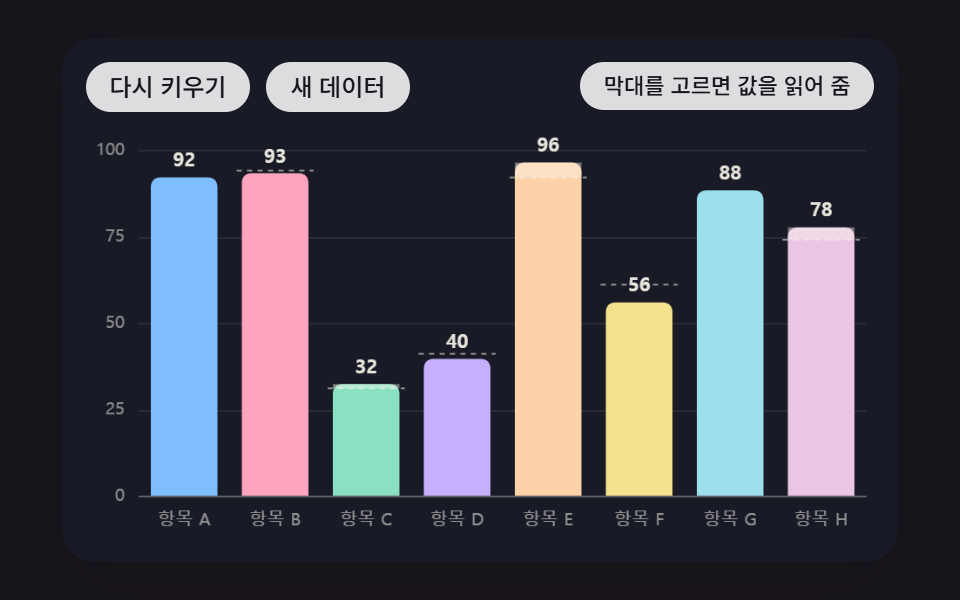 대시보드 UI막대 그래프 만들기 9종 — 누적 막대 그래프 만들기까지 움직이는 판