스크롤 트리거 애니메이션 9종 — GSAP 없이 바닐라 JS 엔진으로
스크롤 트리거 애니메이션이란 화면을 내리다가 요소가 뷰포트에 들어오는 순간 움직임을 시작하게 하는 장치입니다. GSAP 없이 IntersectionObserver 하나로 아홉 개의 엔진을 직접 만들었고, 아래 격자에서 지금 돌아갑니다.
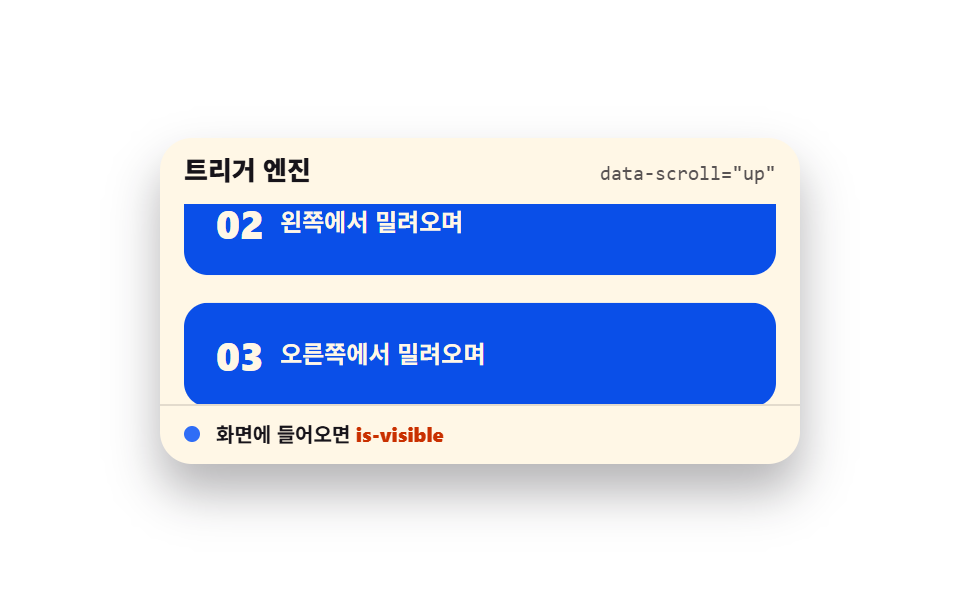 01 scroll-trigger-engine-data-attrs
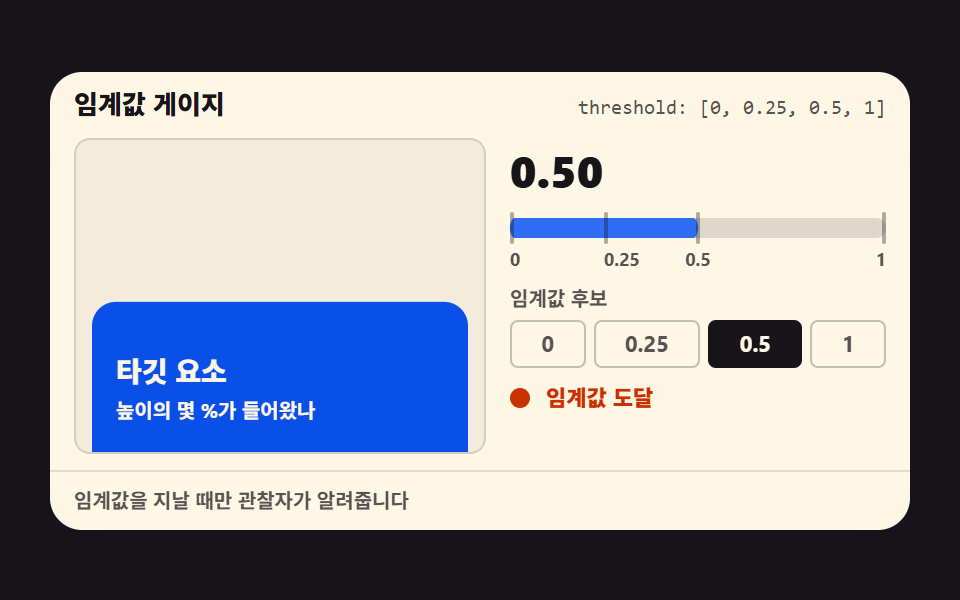 02 scroll-trigger-threshold-gauge
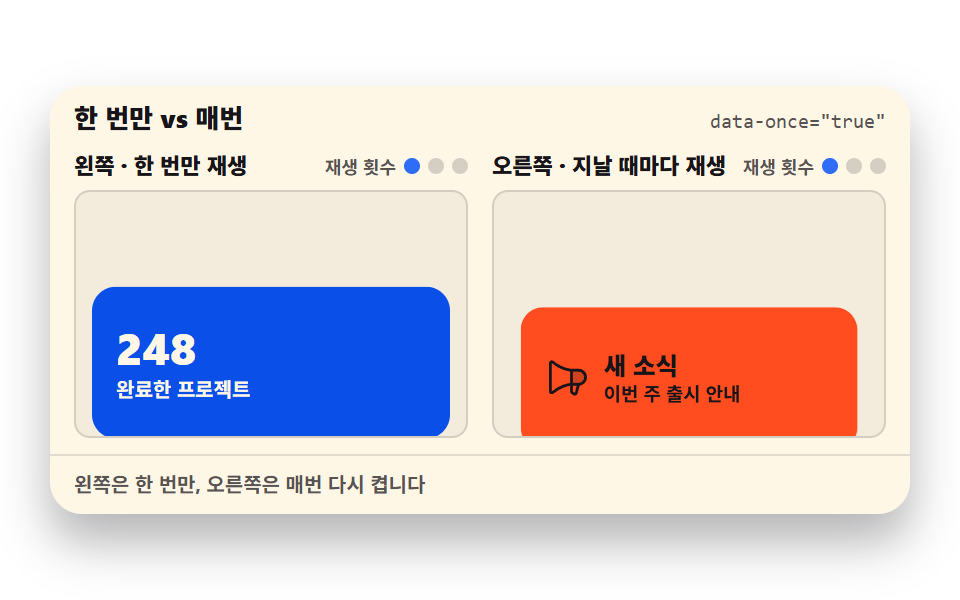 03 scroll-trigger-once-repeat
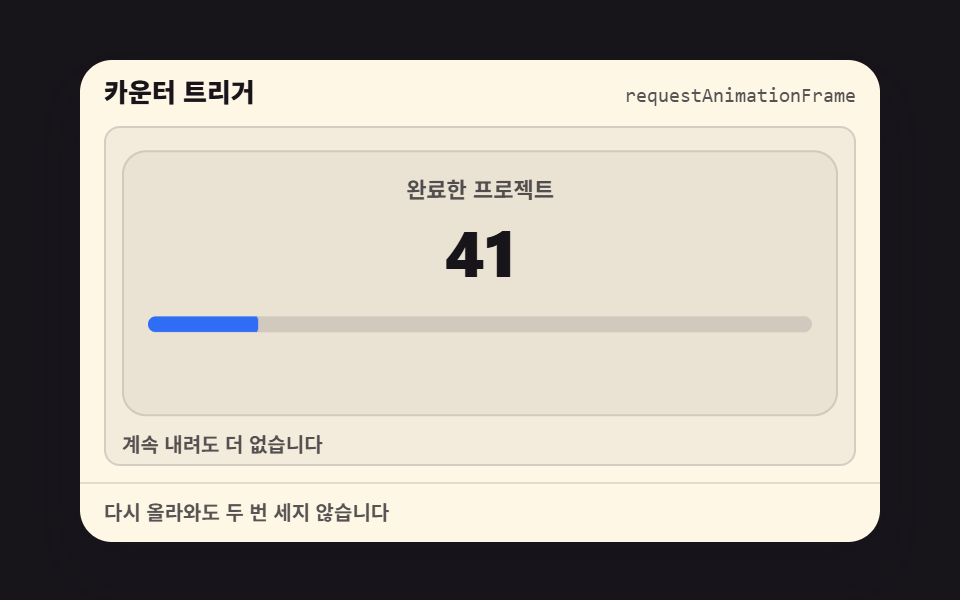 04 scroll-trigger-count-up-once
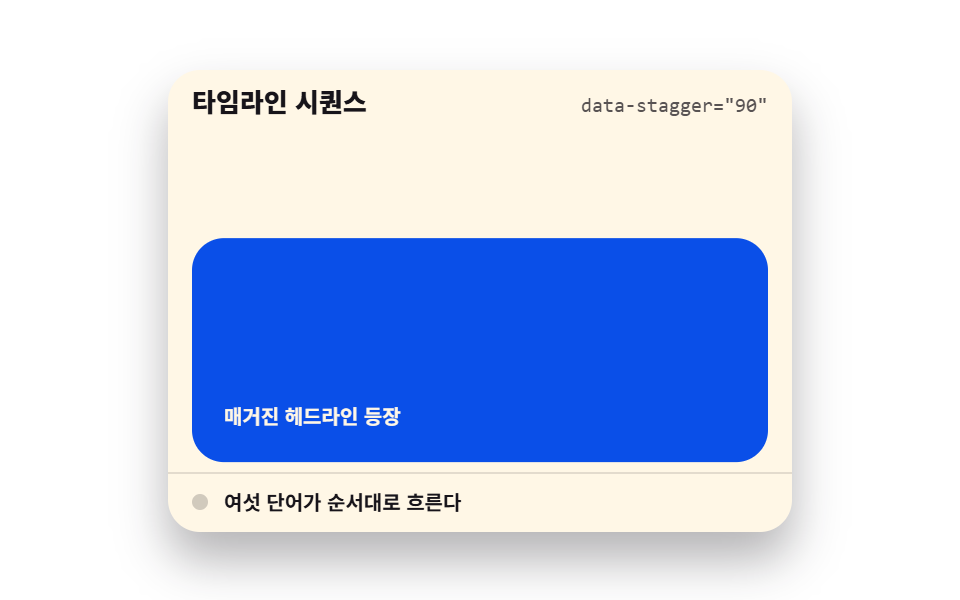 05 scroll-trigger-stagger-word-reveal
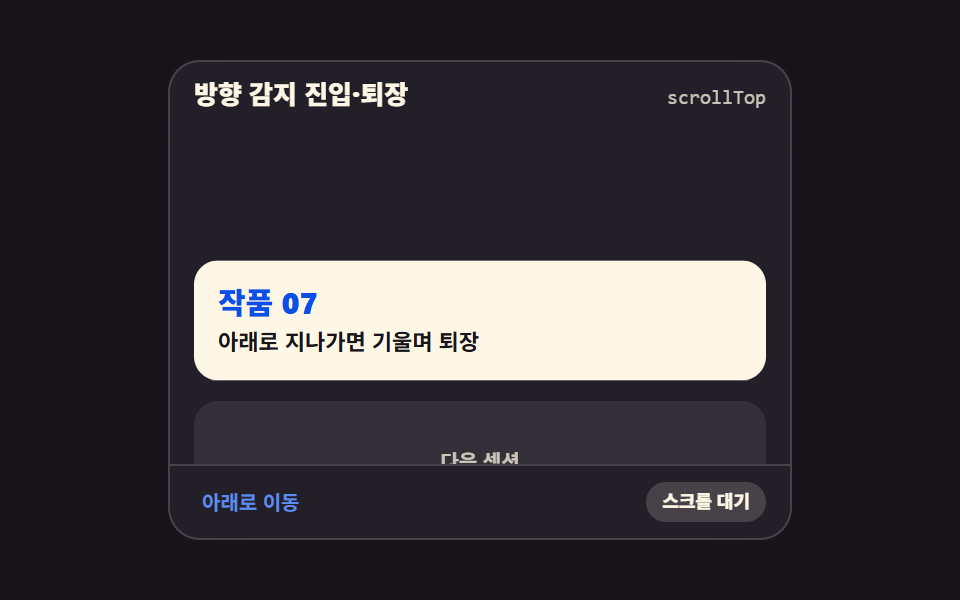 06 scroll-trigger-direction-enter-exit
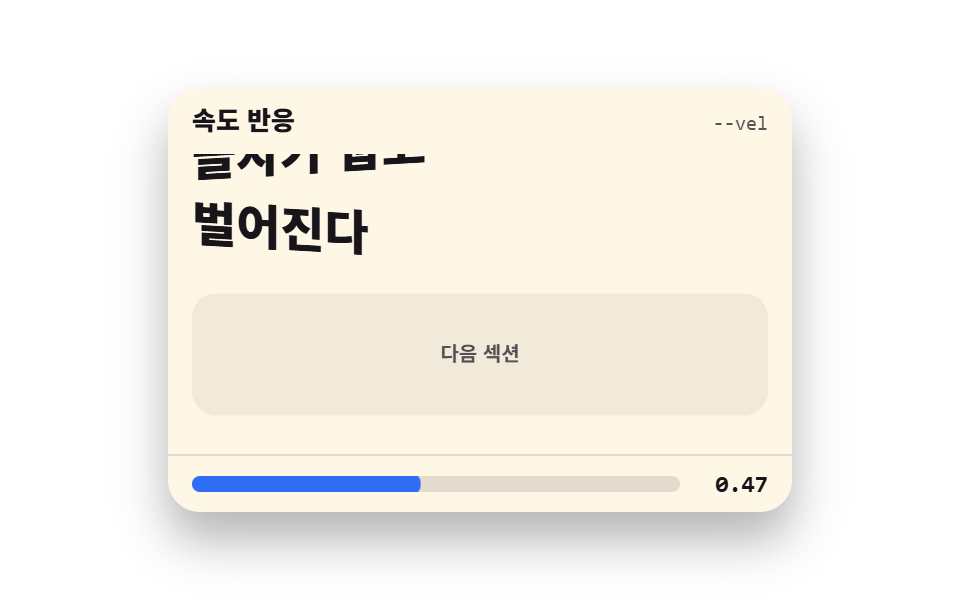 07 scroll-trigger-velocity-response
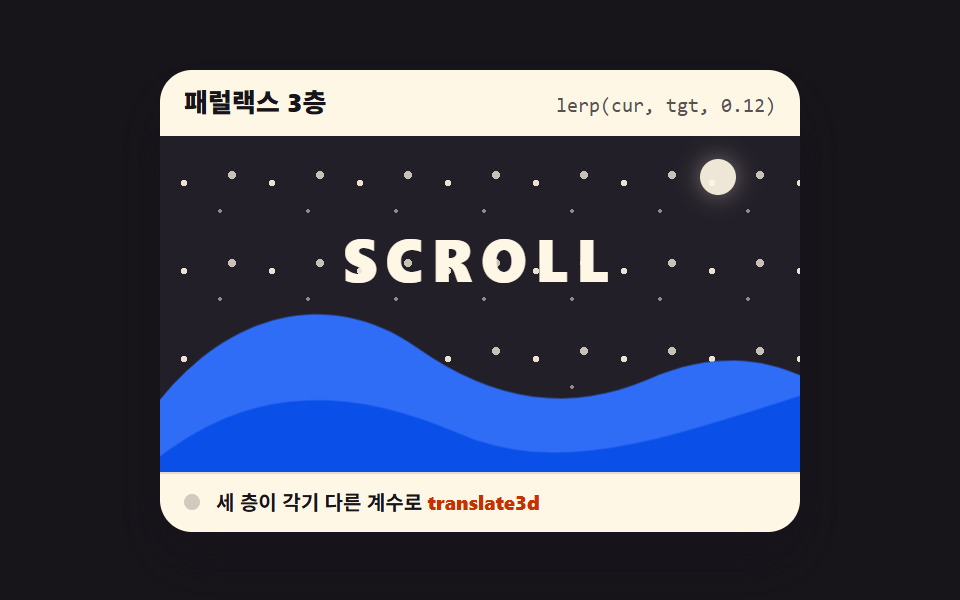 08 scroll-trigger-parallax-ratio-layers
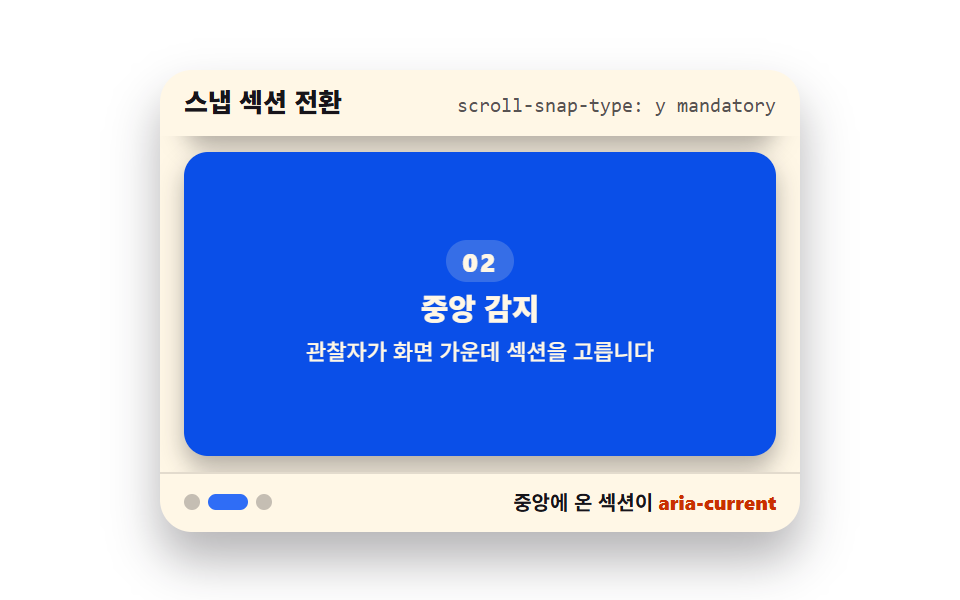 09 scroll-snap-section-active-detect
자동 재생 · 눌러서 해당 항목으로 · 전부 한 zip
아홉 개를 뽑은 축은 엔진이 갖춰지는 차례입니다. 관찰자 본체가 먼저 서고(01), 임계값을 재는 눈금이 달리고(02), 한 번만 켤지 매번 켤지(03)와 카운터(04)라는 첫 소비자가 붙습니다. 그다음부터는 시각이 화면을 씁니다 — 단어가 순서대로 흐르고(05), 방향(06)과 속도(07)를 알아차리고, 층이 갈라져 깊이가 생기고(08), 마지막에 섹션이 화면에 붙습니다(09). 관찰자라는 부품은 CSS 스크롤 애니메이션 9종과 CSS 패럴랙스 스크롤 9종이 JS 0줄로 밀던 자리를 정반대에서 채우는 축입니다 — 그 두 편은 브라우저에게 맡기고, 이 편은 직접 엔진을 돌립니다. 읽는 위치를 표시하는 쪽은 스크롤 인디케이터 9종이, 장면을 핀으로 고정하는 쪽은 스크롤 스토리텔링 섹션 9종이 따로 다룹니다.
01트리거 엔진 코어
화면에 들어왔는지 지켜보다가 is-visible 클래스를 붙이는 엔진 본체로, 진입 방향 네 가지와 임계값·한 번만·미리 감지 여백을 전부 data-scroll 데이터 속성으로 HTML 에 적습니다.
<main class="stage">
  <section class="te is-demo" id="te" aria-label="스크롤 트리거 엔진">
    <header class="te__head">
      <p class="te__title">트리거 엔진</p>
      <p class="te__attr"><code>data-scroll="up"</code></p>
    </header>
    <div class="te__view" id="te-view" tabindex="0" role="region" aria-label="섹션 목록 — 스크롤하면 순서대로 등장합니다">
      <div class="te__track">
        <article class="te__card" data-scroll="up" data-threshold="0.4" data-once="true"><b>01</b><span>아래에서 올라오며</span></article>
        <article class="te__card" data-scroll="left" data-threshold="0.4" data-once="true"><b>02</b><span>왼쪽에서 밀려오며</span></article>
        <article class="te__card" data-scroll="right" data-threshold="0.4" data-once="true"><b>03</b><span>오른쪽에서 밀려오며</span></article>
        <article class="te__card" data-scroll="zoom" data-threshold="0.4" data-once="true"><b>04</b><span>작게 있다 커지며</span></article>
      </div>
    </div>
    <footer class="te__foot">
      <span class="te__dot" aria-hidden="true"></span>
      <span class="te__state">화면에 들어오면 <b>is-visible</b></span>
    </footer>
  </section>
</main>
@use "../../../../site/static/demo-tokens" as *;
// 트리거 엔진 코어 — 네 방향 진입을 하나의 관찰자 설정으로 재생한다
// 미리보기(.is-demo)는 CSS 키프레임이 스크롤을 대신하고, 손이 닿으면 JS 가 IntersectionObserver 를 붙인다
$duration: $dur-loop;
$easing: $ease-spring;
$color: $subject-blue;
@include stage($stage-paper);
.te {
position: relative;
box-sizing: border-box;
width: min(320px, 92vw);
border-radius: $r-card;
background: $subject-cream;
color: $subject-ink;
font-family: -apple-system, "Segoe UI", "Noto Sans KR", sans-serif;
overflow: hidden;
box-shadow: $shadow-raised;
}
.te__head {
display: flex;
align-items: baseline;
justify-content: space-between;
gap: $sp-2;
padding: $sp-2 $sp-3;
}
.te__title {
margin: 0;
font-size: 13px;
font-weight: 800;
line-height: 1.3;
}
.te__attr {
margin: 0;
font-size: 10px;
line-height: 1.3;
color: rgba($subject-ink, .72);
code { font-family: "Consolas", "Menlo", monospace; }
}
.te__view {
height: 100px;
overflow-y: auto;
padding: 0 $sp-3;
outline: none;
}
.te__track {
display: grid;
gap: $sp-2;
padding-bottom: 140px;
}
.te__card {
display: flex;
align-items: center;
gap: $sp-2;
box-sizing: border-box;
padding: $sp-4;
border-radius: $r-control;
background: $subject-blue-deep;
color: $subject-cream;
opacity: 0;
transition: opacity $dur-enter $easing, transform $dur-enter $easing;
b { font-size: 20px; font-weight: 800; line-height: 1; }
span { font-size: 12px; font-weight: 700; line-height: 1.3; }
}
.te__card[data-scroll="up"] { transform: translateY(18px); }
.te__card[data-scroll="left"] { transform: translateX(-24px); }
.te__card[data-scroll="right"] { transform: translateX(24px); }
// 카드는 스스로 완결한 요소라 중심에서 커진다 (기본 origin 유지)
.te__card[data-scroll="zoom"] { transform: scale(.82); }
.te__card.is-visible {
opacity: 1;
transform: none;
}
.te__foot {
display: flex;
align-items: center;
gap: $sp-2;
padding: $sp-2 $sp-3;
border-top: 1px solid rgba($subject-ink, .12);
font-size: 10px;
font-weight: 700;
line-height: 1.3;
b { color: $subject-orange-deep; }
}
.te__dot {
width: 8px;
height: 8px;
border-radius: $r-pill;
background: $color;
}
// 미리보기 — 스크롤 대신 트랙을 밀어 올리고 카드가 순서대로 들어오는 것처럼 보인다
.te.is-demo {
.te__track {
animation-name: te-flow;
animation-duration: $duration;
animation-timing-function: $easing;
animation-iteration-count: infinite;
animation-fill-mode: backwards;
}
// 나타남은 한 프레임 컷(te-show), 이동은 이징(te-rise) — 페이드 중간 프레임이 유령으로 찍히지 않는다
.te__card {
animation-name: te-show, te-rise;
animation-duration: $duration, $duration;
animation-timing-function: steps(1, end), $easing;
animation-iteration-count: infinite, infinite;
animation-fill-mode: backwards, backwards;
}
.te__card:nth-child(1) { animation-delay: 0s, 0s; }
.te__card:nth-child(2) { animation-delay: $duration * .12, $duration * .12; }
.te__card:nth-child(3) { animation-delay: $duration * .24, $duration * .24; }
.te__card:nth-child(4) { animation-delay: $duration * .36, $duration * .36; }
.te__dot {
animation-name: te-blink;
animation-duration: $duration;
animation-timing-function: steps(1, end);
animation-iteration-count: infinite;
}
}
@keyframes te-flow {
0%, 8% { transform: translateY(0); }
46%, 54% { transform: translateY(-80px); }
88%, 100% { transform: translateY(-160px); }
}
@keyframes te-show {
0% { opacity: 0; }
4%, 92% { opacity: 1; }
96% { opacity: 0; }
}
@keyframes te-rise {
0% { transform: translateY(18px); }
28%, 92% { transform: none; }
100% { transform: translateY(18px); }
}
@keyframes te-blink {
0% { background: rgba($subject-ink, .2); }
24% { background: $color; }
90% { background: rgba($subject-ink, .2); }
}
// 320×200 무대는 세로 여유가 거의 없다 — 목록 칸을 줄여 머리·바닥과 함께 화면 안에 넣는다
@media (max-width: 340px) {
.te { width: 100%; }
.te__view { height: 72px; }
.te__card { padding: $sp-2; }
.te__card b { font-size: 16px; }
.te__card span { font-size: 11px; }
}
@media (prefers-reduced-motion: reduce) {
.te__card { transition: none !important; }
.te.is-demo .te__track,
.te.is-demo .te__card,
.te.is-demo .te__dot { animation: none !important; }
// 정지 상태 — 카드가 전부 보인다
.te.is-demo .te__card { opacity: 1 !important; transform: none !important; }
.te.is-demo .te__dot { background: $color !important; }
}html, body {
margin: 0;
overflow: hidden;
}
.stage {
box-sizing: border-box;
min-height: 100vh;
display: grid;
place-items: center;
margin: 0;
background: #ffffff;
font-family: -apple-system, "Segoe UI", "Noto Sans KR", sans-serif;
padding: clamp(8px, 4vw, 24px);
}
.te {
position: relative;
box-sizing: border-box;
width: min(320px, 92vw);
border-radius: 16px;
background: #fff7e6;
color: #17141a;
font-family: -apple-system, "Segoe UI", "Noto Sans KR", sans-serif;
overflow: hidden;
box-shadow: 0 14px 24px rgba(23, 20, 26, 0.32);
}
.te__head {
display: flex;
align-items: baseline;
justify-content: space-between;
gap: 8px;
padding: 8px 12px;
}
.te__title {
margin: 0;
font-size: 13px;
font-weight: 800;
line-height: 1.3;
}
.te__attr {
margin: 0;
font-size: 10px;
line-height: 1.3;
color: rgba(23, 20, 26, 0.72);
}
.te__attr code {
font-family: "Consolas", "Menlo", monospace;
}
.te__view {
height: 100px;
overflow-y: auto;
padding: 0 12px;
outline: none;
}
.te__track {
display: grid;
gap: 8px;
padding-bottom: 140px;
}
.te__card {
display: flex;
align-items: center;
gap: 8px;
box-sizing: border-box;
padding: 16px;
border-radius: 12px;
background: #0a4fe8;
color: #fff7e6;
opacity: 0;
transition: opacity 600ms cubic-bezier(0.2, 0.8, 0.2, 1), transform 600ms cubic-bezier(0.2, 0.8, 0.2, 1);
}
.te__card b {
font-size: 20px;
font-weight: 800;
line-height: 1;
}
.te__card span {
font-size: 12px;
font-weight: 700;
line-height: 1.3;
}
.te__card[data-scroll=up] {
transform: translateY(18px);
}
.te__card[data-scroll=left] {
transform: translateX(-24px);
}
.te__card[data-scroll=right] {
transform: translateX(24px);
}
.te__card[data-scroll=zoom] {
transform: scale(0.82);
}
.te__card.is-visible {
opacity: 1;
transform: none;
}
.te__foot {
display: flex;
align-items: center;
gap: 8px;
padding: 8px 12px;
border-top: 1px solid rgba(23, 20, 26, 0.12);
font-size: 10px;
font-weight: 700;
line-height: 1.3;
}
.te__foot b {
color: #c93000;
}
.te__dot {
width: 8px;
height: 8px;
border-radius: 999px;
background: #2f6df6;
}
.te.is-demo .te__track {
animation-name: te-flow;
animation-duration: 2s;
animation-timing-function: cubic-bezier(0.2, 0.8, 0.2, 1);
animation-iteration-count: infinite;
animation-fill-mode: backwards;
}
.te.is-demo .te__card {
animation-name: te-show, te-rise;
animation-duration: 2s, 2s;
animation-timing-function: steps(1, end), cubic-bezier(0.2, 0.8, 0.2, 1);
animation-iteration-count: infinite, infinite;
animation-fill-mode: backwards, backwards;
}
.te.is-demo .te__card:nth-child(1) {
animation-delay: 0s, 0s;
}
.te.is-demo .te__card:nth-child(2) {
animation-delay: 0.24s, 0.24s;
}
.te.is-demo .te__card:nth-child(3) {
animation-delay: 0.48s, 0.48s;
}
.te.is-demo .te__card:nth-child(4) {
animation-delay: 0.72s, 0.72s;
}
.te.is-demo .te__dot {
animation-name: te-blink;
animation-duration: 2s;
animation-timing-function: steps(1, end);
animation-iteration-count: infinite;
}
@keyframes te-flow {
0%, 8% {
transform: translateY(0);
}
46%, 54% {
transform: translateY(-80px);
}
88%, 100% {
transform: translateY(-160px);
}
}
@keyframes te-show {
0% {
opacity: 0;
}
4%, 92% {
opacity: 1;
}
96% {
opacity: 0;
}
}
@keyframes te-rise {
0% {
transform: translateY(18px);
}
28%, 92% {
transform: none;
}
100% {
transform: translateY(18px);
}
}
@keyframes te-blink {
0% {
background: rgba(23, 20, 26, 0.2);
}
24% {
background: #2f6df6;
}
90% {
background: rgba(23, 20, 26, 0.2);
}
}
@media (max-width: 340px) {
.te {
width: 100%;
}
.te__view {
height: 72px;
}
.te__card {
padding: 8px;
}
.te__card b {
font-size: 16px;
}
.te__card span {
font-size: 11px;
}
}
@media (prefers-reduced-motion: reduce) {
.te__card {
transition: none !important;
}
.te.is-demo .te__track,
.te.is-demo .te__card,
.te.is-demo .te__dot {
animation: none !important;
}
.te.is-demo .te__card {
opacity: 1 !important;
transform: none !important;
}
.te.is-demo .te__dot {
background: #2f6df6 !important;
}
}// 트리거 엔진 코어 — data-scroll 속성으로 방향·임계값·한 번만 여부를 HTML 에서 정한다
var root = document.getElementById('te');
var view = document.getElementById('te-view');
var cards = Array.prototype.slice.call(document.querySelectorAll('.te__card'));
var observers = [];
function attach(card) {
  var threshold = parseFloat(card.getAttribute('data-threshold')) || 0;
  var once = card.getAttribute('data-once') === 'true';
  var io = new IntersectionObserver(function (entries) {
    entries.forEach(function (entry) {
      if (entry.isIntersecting) {
        entry.target.classList.add('is-visible');
        if (once) io.unobserve(entry.target);
      } else if (!once) {
        entry.target.classList.remove('is-visible');
      }
    });
  }, { root: view, rootMargin: '0px 0px -8px 0px', threshold: threshold });
  io.observe(card);
  observers.push(io);
}
function start() {
root.classList.remove('is-demo');
if (observers.length === 0) cards.forEach(attach);
}
view.addEventListener('scroll', start, { passive: true });
view.addEventListener('pointerdown', start);
view.addEventListener('keydown', function (e) {
if (e.key === 'ArrowDown' || e.key === 'ArrowUp') start();
});import { useEffect, useRef, useState } from "react";
import type { CSSProperties } from "react";
import styles from "./TriggerEngineCore.module.scss";
export type TriggerEngineCoreProps = {
title?: string;
attr?: string;
state?: string;
cards?: { dir: "up" | "left" | "right" | "zoom"; label: string }[];
groupLabel?: string;
listLabel?: string;
/** 격자 미리보기용 2초 자동 루프. 사람이 손대면 꺼진다 */
demo?: boolean;
duration?: number;
easing?: string;
color?: string;
};
type Vars = CSSProperties & { "--duration"?: string; "--easing"?: string; "--color"?: string };
// ambient 가 얇아 DOM 요소 타입을 못 쓴다 — 필요한 꼴만 로컬 타입으로 선언
type Box<T> = { current: T };
type KeyEvt = { key: string };
const DEFAULT_CARDS: { dir: "up" | "left" | "right" | "zoom"; label: string }[] = [
{ dir: "up", label: "아래에서 올라오며" },
{ dir: "left", label: "왼쪽에서 밀려오며" },
{ dir: "right", label: "오른쪽에서 밀려오며" },
{ dir: "zoom", label: "작게 있다 커지며" },
];
export default function TriggerEngineCore({
title = "트리거 엔진",
attr = 'data-scroll="up"',
state = "화면에 들어오면",
cards = DEFAULT_CARDS,
groupLabel = "스크롤 트리거 엔진",
listLabel = "섹션 목록 — 스크롤하면 순서대로 등장합니다",
demo = true,
duration = 2000,
easing = "cubic-bezier(.2, .8, .2, 1)",
color = "#2f6df6",
}: TriggerEngineCoreProps) {
const [live, setLive] = useState(demo);
const [seen, setSeen] = useState<number[]>([]);
const viewRef = useRef<HTMLDivElement>(null) as unknown as Box<HTMLDivElement | null>;
const cardRefs = useRef<(HTMLElement | null)[]>([]) as unknown as Box<(HTMLElement | null)[]>;
useEffect(() => {
if (live) return;
const root = viewRef.current;
if (!root) return;
// 카드마다 관찰자를 하나씩 — 임계값이 항목마다 다를 수 있으므로 공유하지 않는다
const observers = cardRefs.current.map((el, i) => {
if (!el) return null;
const io = new IntersectionObserver(
(entries) => {
entries.forEach((entry) => {
if (entry.isIntersecting) {
setSeen((prev) => (prev.indexOf(i) === -1 ? prev.concat(i) : prev));
io.unobserve(entry.target);
}
});
},
{ root, rootMargin: "0px 0px -8px 0px", threshold: 0.4 }
);
io.observe(el);
return io;
});
return () => {
observers.forEach((io) => io && io.disconnect());
};
}, [live]);
const vars: Vars = {
"--duration": `${duration}ms`,
"--easing": easing,
"--color": color,
};
return (
<section
className={`${styles.te} ${live ? styles.isDemo : ""}`}
style={vars}
aria-label={groupLabel}
>
<header className={styles.head}>
<p className={styles.title}>{title}</p>
<p className={styles.attr}><code>{attr}</code></p>
</header>
<div
className={styles.view}
ref={viewRef as unknown as Box<HTMLDivElement>}
onScroll={() => setLive(false)}
onPointerDown={() => setLive(false)}
onKeyDown={(e: KeyEvt) => {
if (e.key === "ArrowDown" || e.key === "ArrowUp") setLive(false);
}}
tabIndex={0}
role="region"
aria-label={listLabel}
>
<div className={styles.track}>
{cards.map((card, i) => (
<article
key={card.dir}
ref={(el: HTMLElement | null) => {
cardRefs.current[i] = el;
}}
className={`${styles.card} ${styles[card.dir]} ${
seen.indexOf(i) !== -1 ? styles.isVisible : ""
}`}
>
<b>{String(i + 1).padStart(2, "0")}</b>
<span>{card.label}</span>
</article>
))}
</div>
</div>
<footer className={styles.foot}>
<span className={styles.dot} aria-hidden="true" />
<span className={styles.state}>
{state} <b>is-visible</b>
</span>
</footer>
</section>
);
}01 · 트리거 엔진 코어 — 측정 누적면적 20.597% · 움직인 프레임 22/23GODRICH 원작 · zip 에 SCSS·React 포함 · 비밀번호 보기
관찰자 한 벌이 무엇을 읽는가
function attach(card) {
var threshold = parseFloat(card.getAttribute('data-threshold')) || 0;
var once = card.getAttribute('data-once') === 'true';
var io = new IntersectionObserver(function (entries) {
entries.forEach(function (entry) {
if (entry.isIntersecting) {
entry.target.classList.add('is-visible');
if (once) io.unobserve(entry.target);
} else if (!once) {
entry.target.classList.remove('is-visible');
}
});
}, { root: view, rootMargin: '0px 0px -8px 0px', threshold: threshold });
io.observe(card);
observers.push(io);
}
root 를 페이지가 아니라 스크롤 상자로 지정한 것이 첫 줄의 차이이고, 아래쪽 -8px 는 요소가 뷰포트 맨 아래에 걸렸을 때 8px 더 들어와야 켜지게 미는 값이라 실제 페이지에서는 -10% 처럼 퍼센트로 쓰는 편입니다.
CSS 는 클래스 하나만 알면 된다
.te__card {
  opacity: 0;
  transition: opacity $dur-enter $easing, transform $dur-enter $easing;
}
.te__card[data-scroll="up"] { transform: translateY(18px); }
.te__card[data-scroll="left"] { transform: translateX(-24px); }
.te__card.is-visible {
  opacity: 1;
  transform: none;
}
data-scroll 값마다 처음 위치가 다르지만 끝은 transform: none 하나로 같고, 시점은 관찰자·모양은 transition 이라는 이중 구조가 트리거 계열의 css 스크롤 내리면 나타나는 애니메이션 전부를 돌립니다.
02임계값 게이지
요소가 화면에 얼마나 들어왔는지를 intersectionRatio 0 에서 1 로 게이지와 숫자로 실측해 보여주고, 임계값 후보를 바꾸면 불이 켜지는 시점이 달라집니다.
<main class="stage">
  <section class="tg is-demo" id="tg" aria-label="임계값 게이지">
    <header class="tg__head">
      <p class="tg__title">임계값 게이지</p>
      <p class="tg__attr"><code>threshold: [0, 0.25, 0.5, 1]</code></p>
    </header>
    <div class="tg__body">
      <div class="tg__view" id="tg-view" tabindex="0" role="region" aria-label="타깃 뷰포트 — 스크롤해 보세요">
        <div class="tg__track" id="tg-track">
          <p class="tg__lead">타깃이 아래에서 올라옵니다</p>
          <div class="tg__target" id="tg-target">
            <b>타깃 요소</b>
            <span>높이의 몇 %가 들어왔나</span>
          </div>
        </div>
      </div>
      <div class="tg__panel">
        <p class="tg__read" aria-live="polite">
          <b class="tg__numcur" id="tg-num">0.00</b>
          <span class="tg__nums" aria-hidden="true"><b>0.00</b><b>0.25</b><b>0.50</b><b>1.00</b></span>
        </p>
        <div class="tg__gauge" aria-hidden="true">
          <i class="tg__fill" id="tg-fill"></i>
          <i class="tg__tick tg__tick--0"></i>
          <i class="tg__tick tg__tick--25"></i>
          <i class="tg__tick tg__tick--50"></i>
          <i class="tg__tick tg__tick--100"></i>
        </div>
        <p class="tg__scale" aria-hidden="true"><span class="tg__s0">0</span><span class="tg__s25">0.25</span><span class="tg__s50">0.5</span><span class="tg__s100">1</span></p>
        <p class="tg__candt">임계값 후보</p>
        <div class="tg__cands" id="tg-cands">
          <button type="button" class="tg__cand" data-th="0" aria-pressed="false">0</button>
          <button type="button" class="tg__cand is-on" data-th="0.25" aria-pressed="true">0.25</button>
          <button type="button" class="tg__cand" data-th="0.5" aria-pressed="false">0.5</button>
          <button type="button" class="tg__cand" data-th="1" aria-pressed="false">1</button>
        </div>
        <p class="tg__lightline">
          <span class="tg__led" id="tg-led" aria-hidden="true"></span>
          <span class="tg__state">
            <b class="tg__stcur" id="tg-state">대기</b>
            <span class="tg__sts" aria-hidden="true"><b>대기</b><b>임계값 도달</b></span>
          </span>
        </p>
      </div>
    </div>
    <footer class="tg__foot">임계값을 지날 때만 관찰자가 알려줍니다</footer>
  </section>
</main>@use "../../../../site/static/demo-tokens" as *;
// 임계값 게이지 — intersectionRatio 를 게이지 막대(scaleX) 와 숫자로 실측해 보여준다
// 관찰자는 threshold 후보를 지날 때만 보고하므로 숫자·게이지·불은 계단(steps 컷)으로 갱신하고
// 타깃 카드의 진입 움직임만 이징(transform) 으로 분리한다 — 유령 프레임 방지
$duration: $dur-loop;
$easing: $ease-spring;
$color: $subject-blue;
@include stage($stage-ink);
.tg {
box-sizing: border-box;
width: min(430px, 100%);
border-radius: $r-card;
background: $subject-cream;
color: $subject-ink;
font-family: -apple-system, "Segoe UI", "Noto Sans KR", sans-serif;
overflow: hidden;
box-shadow: $shadow-raised;
}
.tg__head {
display: flex;
align-items: baseline;
justify-content: space-between;
gap: $sp-2;
padding: $sp-2 $sp-3;
}
.tg__title {
margin: 0;
font-size: 13px;
font-weight: 800;
line-height: 1.3;
}
.tg__attr {
margin: 0;
font-size: 10px;
line-height: 1.3;
color: rgba($subject-ink, .72);
code { font-family: "Consolas", "Menlo", monospace; }
}
.tg__body {
display: grid;
grid-template-columns: 1fr 188px;
gap: $sp-3;
padding: 0 $sp-3 $sp-2;
}
.tg__view {
box-sizing: border-box;
height: 158px;
overflow-y: auto;
padding: 0 $sp-2;
outline: none;
background: rgba($subject-ink, .05);
border: 1px solid rgba($subject-ink, .14);
border-radius: $r-sm;
}
.tg__track {
position: relative; // 안내 문구를 절대 위치로 띄워 줄이 바뀌어도 타깃 위치가 흔들리지 않게 한다
padding-top: $sp-2;
padding-bottom: $sp-6; // 스크롤 여유
}
.tg__lead {
position: absolute;
top: $sp-2;
left: $sp-2;
right: $sp-2;
margin: 0;
font-size: 11px;
font-weight: 700;
line-height: 14px;
color: rgba($subject-ink, .72);
}
.tg__target {
margin-top: 150px; // 타깃 top 이 뷰포트 바닥(158px = 8 + 150) 에 딱 닿게 — 진입 전 intersectionRatio 0
box-sizing: border-box;
height: 88px; // 0.25 배수(22·44·88) 로 잡아 임계값 통과 거리가 정수가 되게 한다
display: flex;
flex-direction: column;
justify-content: center;
gap: $sp-1;
padding: $sp-2 $sp-3;
border-radius: $r-control;
background: $subject-blue-deep;
color: $subject-cream;
b { font-size: 14px; font-weight: 800; line-height: 1.3; }
span { font-size: 10px; font-weight: 700; line-height: 1.3; }
}
.tg__panel { display: flex; flex-direction: column; }
.tg__read {
position: relative;
height: 32px;
margin: 0;
}
.tg__numcur,
.tg__nums b {
position: absolute;
inset: 0;
display: flex;
align-items: center;
font-size: 22px;
font-weight: 800;
line-height: 1;
font-variant-numeric: tabular-nums;
}
.tg__nums { display: none; }
.tg__nums b { opacity: 0; }
.tg.is-demo .tg__nums { display: block; }
.tg.is-demo .tg__numcur { visibility: hidden; } // 미리보기 동안엔 계단 레이어가 값을 보여준다
.tg__gauge {
position: relative;
height: 10px;
margin-top: $sp-2;
border-radius: $r-pill;
background: rgba($subject-ink, .14);
}
.tg__fill {
position: absolute;
inset: 0;
border-radius: $r-pill;
background: $color;
transform: scaleX(0);
transform-origin: left center; // 채움 막대 — 시작 변에서 자란다 (붙는 지점이 있는 요소 예외)
}
.tg__tick {
position: absolute;
top: -3px;
width: 2px;
height: 16px;
border-radius: $r-pill;
background: rgba($subject-ink, .35);
}
.tg__tick--0 { left: 0; }
.tg__tick--25 { left: 25%; }
.tg__tick--50 { left: 50%; transform: translateX(-1px); }
.tg__tick--100 { left: 100%; transform: translateX(-2px); }
.tg__scale {
position: relative;
height: 12px;
margin: $sp-1 0 0;
font-size: 9px;
font-weight: 700;
line-height: 12px;
color: rgba($subject-ink, .72);
}
.tg__scale span { position: absolute; }
.tg__s0 { left: 0; }
.tg__s25 { left: 25%; }
.tg__s50 { left: 50%; transform: translateX(-50%); }
.tg__s100 { left: 100%; transform: translateX(-100%); }
.tg__candt {
margin: $sp-2 0 0;
font-size: 10px;
font-weight: 700;
line-height: 1.3;
color: rgba($subject-ink, .72);
}
.tg__cands {
display: flex;
gap: $sp-1;
margin-top: $sp-1;
}
.tg__cand {
flex: 1 1 auto;
padding: $sp-1 0;
border: 1px solid rgba($subject-ink, .25);
border-radius: $r-xs;
background: none;
color: rgba($subject-ink, .72);
font-family: inherit;
font-size: 11px;
font-weight: 700;
line-height: 1.3;
cursor: pointer;
}
.tg__cand.is-on {
border-color: $subject-ink;
background: $subject-ink;
color: $subject-cream;
}
// 후보 칩의 두 얼굴 — 미리보기 키프레임도 같은 값을 쓰도록 믹스인으로 한 곳에 둔다
@mixin cand-off {
border-color: rgba($subject-ink, .25);
background-color: transparent;
color: rgba($subject-ink, .72);
}
@mixin cand-on {
border-color: $subject-ink;
background-color: $subject-ink;
color: $subject-cream;
}
.tg__lightline {
display: flex;
align-items: center;
gap: $sp-2;
margin: $sp-2 0 0;
}
.tg__led {
width: 10px;
height: 10px;
border-radius: 50%;
background: rgba($subject-ink, .18);
}
.tg__led.is-on { background: $subject-orange-deep; }
.tg__state {
position: relative;
flex: 1 1 auto; // 라벨 칸이 남은 폭을 다 가져간다 — 절대 배치된 컷 레이어가 설 자리
min-width: 0;
white-space: nowrap; // 「임계값 도달」이 여러 줄로 쪼개지지 않게
font-size: 11px;
font-weight: 700;
line-height: 1.3;
}
.tg__stcur { font-weight: 700; }
.tg__stcur.is-on { color: $subject-orange-deep; }
.tg__sts { display: none; }
.tg__sts b {
position: absolute;
left: 0;
top: 0;
opacity: 0;
}
.tg__sts b:last-child { color: $subject-orange-deep; }
.tg.is-demo .tg__sts { display: block; position: absolute; inset: 0; }
.tg.is-demo .tg__stcur { visibility: hidden; } // 미리보기 동안엔 컷 레이어가 상태 글자를 보여준다
.tg__foot {
padding: $sp-2 $sp-3;
border-top: 1px solid rgba($subject-ink, .12);
font-size: 10px;
font-weight: 700;
line-height: 1.3;
color: rgba($subject-ink, .72);
}
// 미리보기 — 스크롤 대신 트랙을 올리고, 숫자·게이지·불은 임계값 통과 순간(30·42·58%) 에 계단으로 갱신한다
.tg.is-demo {
.tg__track {
animation-name: tg-flow;
animation-duration: $duration;
animation-timing-function: $easing;
animation-iteration-count: infinite;
}
.tg__nums b {
animation-duration: $duration;
animation-timing-function: steps(1, end);
animation-iteration-count: infinite;
}
.tg__nums b:nth-child(1) { animation-name: tg-n1; }
.tg__nums b:nth-child(2) { animation-name: tg-n2; }
.tg__nums b:nth-child(3) { animation-name: tg-n3; }
.tg__nums b:nth-child(4) { animation-name: tg-n4; }
.tg__fill {
animation-name: tg-fill;
animation-duration: $duration;
animation-timing-function: steps(1, end);
animation-iteration-count: infinite;
}
.tg__led {
animation-name: tg-led;
animation-duration: $duration;
animation-timing-function: steps(1, end);
animation-iteration-count: infinite;
}
.tg__sts b {
animation-duration: $duration;
animation-timing-function: steps(1, end);
animation-iteration-count: infinite;
}
.tg__sts b:nth-child(1) { animation-name: tg-st1; }
.tg__sts b:nth-child(2) { animation-name: tg-st2; }
// 미리보기 동안엔 활성 후보도 같이 걷는다 — 어느 프레임을 잘라도 강조된 후보와 표시된 비율이 같은 값이다
.tg__cand.is-on { @include cand-off; } // 정적 선택(0.25) 은 잠시 내려놓는다
.tg__cand {
animation-duration: $duration;
animation-timing-function: steps(1, end);
animation-iteration-count: infinite;
}
.tg__cand:nth-child(1) { animation-name: tg-c1; }
.tg__cand:nth-child(2) { animation-name: tg-c2; }
.tg__cand:nth-child(3) { animation-name: tg-c3; }
.tg__cand:nth-child(4) { animation-name: tg-c4; }
}
@keyframes tg-flow {
0%, 12% { transform: translateY(0); }
30% { transform: translateY(-22px); } // 타깃 22px 진입 — 0.25 통과
42% { transform: translateY(-44px); } // 0.50 통과
58% { transform: translateY(-88px); } // 1.00 통과 (완전 진입)
66%, 100% { transform: translateY(-110px); } // 도달 상태로 끝까지 — 재시작은 0% 점프
}
@keyframes tg-n1 { 0% { opacity: 1; } 30%, 100% { opacity: 0; } }
@keyframes tg-n2 { 0% { opacity: 0; } 30% { opacity: 1; } 42%, 100% { opacity: 0; } }
@keyframes tg-n3 { 0% { opacity: 0; } 42% { opacity: 1; } 58%, 100% { opacity: 0; } }
@keyframes tg-n4 { 0% { opacity: 0; } 58%, 100% { opacity: 1; } }
@keyframes tg-fill {
0%, 12% { transform: scaleX(0); }
30% { transform: scaleX(.25); }
42% { transform: scaleX(.5); }
58%, 100% { transform: scaleX(1); }
}
@keyframes tg-led {
0% { background: rgba($subject-ink, .18); }
30%, 100% { background: $subject-orange-deep; } // 첫 후보를 지난 순간 점등, 이후로는 계속 도달 상태
}
// 후보 강조 — 숫자·게이지와 같은 시각(30·42·58%) 에 다음 후보로 넘어간다
@keyframes tg-c1 { 0% { @include cand-on; } 30%, 100% { @include cand-off; } }
@keyframes tg-c2 { 0% { @include cand-off; } 30% { @include cand-on; } 42%, 100% { @include cand-off; } }
@keyframes tg-c3 { 0% { @include cand-off; } 42% { @include cand-on; } 58%, 100% { @include cand-off; } }
@keyframes tg-c4 { 0% { @include cand-off; } 58%, 100% { @include cand-on; } }
@keyframes tg-st1 {
0% { opacity: 1; }
30%, 100% { opacity: 0; }
}
@keyframes tg-st2 {
0% { opacity: 0; }
30%, 100% { opacity: 1; }
}
@media (max-width: 340px) {
.tg__head { padding: $sp-1 $sp-2; }
.tg__body { grid-template-columns: 1fr 148px; gap: $sp-2; padding: 0 $sp-2 $sp-1; }
.tg__view { height: 112px; }
.tg__target { margin-top: 104px; }
.tg__read { height: 26px; }
.tg__numcur, .tg__nums b { font-size: 18px; }
.tg__gauge { margin-top: $sp-1; }
.tg__candt { margin-top: $sp-1; }
.tg__lightline { margin-top: $sp-1; }
.tg__foot { padding: $sp-1 $sp-2; }
}
@media (prefers-reduced-motion: reduce) {
.tg.is-demo .tg__track,
.tg.is-demo .tg__nums b,
.tg.is-demo .tg__fill,
.tg.is-demo .tg__led,
.tg.is-demo .tg__sts b,
.tg.is-demo .tg__cand { animation: none !important; }
.tg.is-demo .tg__cand.is-on { @include cand-on; } // 정지 상태에선 정적 선택(0.25) 이 그대로 보인다
.tg.is-demo .tg__nums,
.tg.is-demo .tg__sts { display: none !important; }
.tg.is-demo .tg__numcur,
.tg.is-demo .tg__stcur { visibility: visible !important; } // 정지 상태에서도 숫자·상태가 보인다
}html, body {
margin: 0;
overflow: hidden;
}
.stage {
box-sizing: border-box;
min-height: 100vh;
display: grid;
place-items: center;
margin: 0;
background: #17141a;
font-family: -apple-system, "Segoe UI", "Noto Sans KR", sans-serif;
padding: clamp(8px, 4vw, 24px);
}
.tg {
box-sizing: border-box;
width: min(430px, 100%);
border-radius: 16px;
background: #fff7e6;
color: #17141a;
font-family: -apple-system, "Segoe UI", "Noto Sans KR", sans-serif;
overflow: hidden;
box-shadow: 0 14px 24px rgba(23, 20, 26, 0.32);
}
.tg__head {
display: flex;
align-items: baseline;
justify-content: space-between;
gap: 8px;
padding: 8px 12px;
}
.tg__title {
margin: 0;
font-size: 13px;
font-weight: 800;
line-height: 1.3;
}
.tg__attr {
margin: 0;
font-size: 10px;
line-height: 1.3;
color: rgba(23, 20, 26, 0.72);
}
.tg__attr code {
font-family: "Consolas", "Menlo", monospace;
}
.tg__body {
display: grid;
grid-template-columns: 1fr 188px;
gap: 12px;
padding: 0 12px 8px;
}
.tg__view {
box-sizing: border-box;
height: 158px;
overflow-y: auto;
padding: 0 8px;
outline: none;
background: rgba(23, 20, 26, 0.05);
border: 1px solid rgba(23, 20, 26, 0.14);
border-radius: 8px;
}
.tg__track {
position: relative;
padding-top: 8px;
padding-bottom: 24px;
}
.tg__lead {
position: absolute;
top: 8px;
left: 8px;
right: 8px;
margin: 0;
font-size: 11px;
font-weight: 700;
line-height: 14px;
color: rgba(23, 20, 26, 0.72);
}
.tg__target {
margin-top: 150px;
box-sizing: border-box;
height: 88px;
display: flex;
flex-direction: column;
justify-content: center;
gap: 4px;
padding: 8px 12px;
border-radius: 12px;
background: #0a4fe8;
color: #fff7e6;
}
.tg__target b {
font-size: 14px;
font-weight: 800;
line-height: 1.3;
}
.tg__target span {
font-size: 10px;
font-weight: 700;
line-height: 1.3;
}
.tg__panel {
display: flex;
flex-direction: column;
}
.tg__read {
position: relative;
height: 32px;
margin: 0;
}
.tg__numcur,
.tg__nums b {
position: absolute;
inset: 0;
display: flex;
align-items: center;
font-size: 22px;
font-weight: 800;
line-height: 1;
font-variant-numeric: tabular-nums;
}
.tg__nums {
display: none;
}
.tg__nums b {
opacity: 0;
}
.tg.is-demo .tg__nums {
display: block;
}
.tg.is-demo .tg__numcur {
visibility: hidden;
}
.tg__gauge {
position: relative;
height: 10px;
margin-top: 8px;
border-radius: 999px;
background: rgba(23, 20, 26, 0.14);
}
.tg__fill {
position: absolute;
inset: 0;
border-radius: 999px;
background: #2f6df6;
transform: scaleX(0);
transform-origin: left center;
}
.tg__tick {
position: absolute;
top: -3px;
width: 2px;
height: 16px;
border-radius: 999px;
background: rgba(23, 20, 26, 0.35);
}
.tg__tick--0 {
left: 0;
}
.tg__tick--25 {
left: 25%;
}
.tg__tick--50 {
left: 50%;
transform: translateX(-1px);
}
.tg__tick--100 {
left: 100%;
transform: translateX(-2px);
}
.tg__scale {
position: relative;
height: 12px;
margin: 4px 0 0;
font-size: 9px;
font-weight: 700;
line-height: 12px;
color: rgba(23, 20, 26, 0.72);
}
.tg__scale span {
position: absolute;
}
.tg__s0 {
left: 0;
}
.tg__s25 {
left: 25%;
}
.tg__s50 {
left: 50%;
transform: translateX(-50%);
}
.tg__s100 {
left: 100%;
transform: translateX(-100%);
}
.tg__candt {
margin: 8px 0 0;
font-size: 10px;
font-weight: 700;
line-height: 1.3;
color: rgba(23, 20, 26, 0.72);
}
.tg__cands {
display: flex;
gap: 4px;
margin-top: 4px;
}
.tg__cand {
flex: 1 1 auto;
padding: 4px 0;
border: 1px solid rgba(23, 20, 26, 0.25);
border-radius: 4px;
background: none;
color: rgba(23, 20, 26, 0.72);
font-family: inherit;
font-size: 11px;
font-weight: 700;
line-height: 1.3;
cursor: pointer;
}
.tg__cand.is-on {
border-color: #17141a;
background: #17141a;
color: #fff7e6;
}
.tg__lightline {
display: flex;
align-items: center;
gap: 8px;
margin: 8px 0 0;
}
.tg__led {
width: 10px;
height: 10px;
border-radius: 50%;
background: rgba(23, 20, 26, 0.18);
}
.tg__led.is-on {
background: #c93000;
}
.tg__state {
position: relative;
flex: 1 1 auto;
min-width: 0;
white-space: nowrap;
font-size: 11px;
font-weight: 700;
line-height: 1.3;
}
.tg__stcur {
font-weight: 700;
}
.tg__stcur.is-on {
color: #c93000;
}
.tg__sts {
display: none;
}
.tg__sts b {
position: absolute;
left: 0;
top: 0;
opacity: 0;
}
.tg__sts b:last-child {
color: #c93000;
}
.tg.is-demo .tg__sts {
display: block;
position: absolute;
inset: 0;
}
.tg.is-demo .tg__stcur {
visibility: hidden;
}
.tg__foot {
padding: 8px 12px;
border-top: 1px solid rgba(23, 20, 26, 0.12);
font-size: 10px;
font-weight: 700;
line-height: 1.3;
color: rgba(23, 20, 26, 0.72);
}
.tg.is-demo .tg__track {
animation-name: tg-flow;
animation-duration: 2s;
animation-timing-function: cubic-bezier(0.2, 0.8, 0.2, 1);
animation-iteration-count: infinite;
}
.tg.is-demo .tg__nums b {
animation-duration: 2s;
animation-timing-function: steps(1, end);
animation-iteration-count: infinite;
}
.tg.is-demo .tg__nums b:nth-child(1) {
animation-name: tg-n1;
}
.tg.is-demo .tg__nums b:nth-child(2) {
animation-name: tg-n2;
}
.tg.is-demo .tg__nums b:nth-child(3) {
animation-name: tg-n3;
}
.tg.is-demo .tg__nums b:nth-child(4) {
animation-name: tg-n4;
}
.tg.is-demo .tg__fill {
animation-name: tg-fill;
animation-duration: 2s;
animation-timing-function: steps(1, end);
animation-iteration-count: infinite;
}
.tg.is-demo .tg__led {
animation-name: tg-led;
animation-duration: 2s;
animation-timing-function: steps(1, end);
animation-iteration-count: infinite;
}
.tg.is-demo .tg__sts b {
animation-duration: 2s;
animation-timing-function: steps(1, end);
animation-iteration-count: infinite;
}
.tg.is-demo .tg__sts b:nth-child(1) {
animation-name: tg-st1;
}
.tg.is-demo .tg__sts b:nth-child(2) {
animation-name: tg-st2;
}
.tg.is-demo .tg__cand.is-on {
border-color: rgba(23, 20, 26, 0.25);
background-color: transparent;
color: rgba(23, 20, 26, 0.72);
}
.tg.is-demo .tg__cand {
animation-duration: 2s;
animation-timing-function: steps(1, end);
animation-iteration-count: infinite;
}
.tg.is-demo .tg__cand:nth-child(1) {
animation-name: tg-c1;
}
.tg.is-demo .tg__cand:nth-child(2) {
animation-name: tg-c2;
}
.tg.is-demo .tg__cand:nth-child(3) {
animation-name: tg-c3;
}
.tg.is-demo .tg__cand:nth-child(4) {
animation-name: tg-c4;
}
@keyframes tg-flow {
0%, 12% {
transform: translateY(0);
}
30% {
transform: translateY(-22px);
}
42% {
transform: translateY(-44px);
}
58% {
transform: translateY(-88px);
}
66%, 100% {
transform: translateY(-110px);
}
}
@keyframes tg-n1 {
0% {
opacity: 1;
}
30%, 100% {
opacity: 0;
}
}
@keyframes tg-n2 {
0% {
opacity: 0;
}
30% {
opacity: 1;
}
42%, 100% {
opacity: 0;
}
}
@keyframes tg-n3 {
0% {
opacity: 0;
}
42% {
opacity: 1;
}
58%, 100% {
opacity: 0;
}
}
@keyframes tg-n4 {
0% {
opacity: 0;
}
58%, 100% {
opacity: 1;
}
}
@keyframes tg-fill {
0%, 12% {
transform: scaleX(0);
}
30% {
transform: scaleX(0.25);
}
42% {
transform: scaleX(0.5);
}
58%, 100% {
transform: scaleX(1);
}
}
@keyframes tg-led {
0% {
background: rgba(23, 20, 26, 0.18);
}
30%, 100% {
background: #c93000;
}
}
@keyframes tg-c1 {
0% {
border-color: #17141a;
background-color: #17141a;
color: #fff7e6;
}
30%, 100% {
border-color: rgba(23, 20, 26, 0.25);
background-color: transparent;
color: rgba(23, 20, 26, 0.72);
}
}
@keyframes tg-c2 {
0% {
border-color: rgba(23, 20, 26, 0.25);
background-color: transparent;
color: rgba(23, 20, 26, 0.72);
}
30% {
border-color: #17141a;
background-color: #17141a;
color: #fff7e6;
}
42%, 100% {
border-color: rgba(23, 20, 26, 0.25);
background-color: transparent;
color: rgba(23, 20, 26, 0.72);
}
}
@keyframes tg-c3 {
0% {
border-color: rgba(23, 20, 26, 0.25);
background-color: transparent;
color: rgba(23, 20, 26, 0.72);
}
42% {
border-color: #17141a;
background-color: #17141a;
color: #fff7e6;
}
58%, 100% {
border-color: rgba(23, 20, 26, 0.25);
background-color: transparent;
color: rgba(23, 20, 26, 0.72);
}
}
@keyframes tg-c4 {
0% {
border-color: rgba(23, 20, 26, 0.25);
background-color: transparent;
color: rgba(23, 20, 26, 0.72);
}
58%, 100% {
border-color: #17141a;
background-color: #17141a;
color: #fff7e6;
}
}
@keyframes tg-st1 {
0% {
opacity: 1;
}
30%, 100% {
opacity: 0;
}
}
@keyframes tg-st2 {
0% {
opacity: 0;
}
30%, 100% {
opacity: 1;
}
}
@media (max-width: 340px) {
.tg__head {
padding: 4px 8px;
}
.tg__body {
grid-template-columns: 1fr 148px;
gap: 8px;
padding: 0 8px 4px;
}
.tg__view {
height: 112px;
}
.tg__target {
margin-top: 104px;
}
.tg__read {
height: 26px;
}
.tg__numcur, .tg__nums b {
font-size: 18px;
}
.tg__gauge {
margin-top: 4px;
}
.tg__candt {
margin-top: 4px;
}
.tg__lightline {
margin-top: 4px;
}
.tg__foot {
padding: 4px 8px;
}
}
@media (prefers-reduced-motion: reduce) {
.tg.is-demo .tg__track,
.tg.is-demo .tg__nums b,
.tg.is-demo .tg__fill,
.tg.is-demo .tg__led,
.tg.is-demo .tg__sts b,
.tg.is-demo .tg__cand {
animation: none !important;
}
.tg.is-demo .tg__cand.is-on {
border-color: #17141a;
background-color: #17141a;
color: #fff7e6;
}
.tg.is-demo .tg__nums,
.tg.is-demo .tg__sts {
display: none !important;
}
.tg.is-demo .tg__numcur,
.tg.is-demo .tg__stcur {
visibility: visible !important;
}
}// 임계값 게이지 — 관찰자는 임계값 후보를 지날 때만 값을 보고한다
// 그래서 숫자와 게이지는 연속이 아니라 계단으로 갱신된다 (이것이 이 데모의 주제다)
var root = document.getElementById('tg');
var view = document.getElementById('tg-view');
var target = document.getElementById('tg-target');
var numEl = document.getElementById('tg-num');
var fill = document.getElementById('tg-fill');
var led = document.getElementById('tg-led');
var stateEl = document.getElementById('tg-state');
var cands = document.getElementById('tg-cands');
var selected = 0.25;
var lastRatio = 0;
var lastIn = false;
var started = false;
function paint(ratio, isIn) {
numEl.textContent = ratio.toFixed(2);
fill.style.transform = 'scaleX(' + ratio + ')';
var on = isIn && ratio >= selected - 0.01;
led.classList.toggle('is-on', on);
stateEl.textContent = on ? '임계값 도달' : '대기';
stateEl.classList.toggle('is-on', on);
}
function start() {
if (started) return;
started = true;
root.classList.remove('is-demo');
var io = new IntersectionObserver(function (entries) {
entries.forEach(function (entry) {
lastRatio = entry.intersectionRatio;
lastIn = entry.isIntersecting;
paint(lastRatio, lastIn);
});
}, { root: view, threshold: [0, 0.25, 0.5, 1] });
io.observe(target);
}
view.addEventListener('scroll', start, { passive: true });
view.addEventListener('pointerdown', start);
view.addEventListener('keydown', function (e) {
if (e.key === 'ArrowDown' || e.key === 'ArrowUp' || e.key === ' ') start();
});
cands.addEventListener('click', function (e) {
var btn = e.target.closest('.tg__cand');
if (!btn) return;
start();
selected = parseFloat(btn.getAttribute('data-th'));
var all = cands.querySelectorAll('.tg__cand');
for (var i = 0; i < all.length; i++) {
var on = all[i] === btn;
all[i].classList.toggle('is-on', on);
all[i].setAttribute('aria-pressed', on ? 'true' : 'false');
}
paint(lastRatio, lastIn);
});import { useEffect, useRef, useState } from "react";
import type { CSSProperties } from "react";
import styles from "./ThresholdGauge.module.scss";
export type ThresholdGaugeProps = {
title?: string;
attr?: string;
lead?: string;
targetTitle?: string;
targetSub?: string;
viewLabel?: string;
groupLabel?: string;
candidatesLabel?: string;
waiting?: string;
reached?: string;
foot?: string;
/** 격자 미리보기용 2초 자동 루프. 사람이 손대면 꺼진다 */
demo?: boolean;
duration?: number;
easing?: string;
color?: string;
};
type Vars = CSSProperties & { "--duration"?: string; "--easing"?: string; "--color"?: string };
// ambient 가 얇아 DOM 요소 타입을 못 쓴다 — 필요한 꼴만 로컬 타입으로 선언
type Box<T> = { current: T };
type KeyEvt = { key: string };
type ClickEvt = { target: { closest: (s: string) => HTMLElement | null } };
const CANDIDATES = [0, 0.25, 0.5, 1];
const NUM_LAYERS = ["0.00", "0.25", "0.50", "1.00"];
export default function ThresholdGauge({
title = "임계값 게이지",
attr = "threshold: [0, 0.25, 0.5, 1]",
lead = "타깃이 아래에서 올라옵니다",
targetTitle = "타깃 요소",
targetSub = "높이의 몇 %가 들어왔나",
viewLabel = "타깃 뷰포트 — 스크롤해 보세요",
groupLabel = "임계값 게이지",
candidatesLabel = "임계값 후보",
waiting = "대기",
reached = "임계값 도달",
foot = "임계값을 지날 때만 관찰자가 알려줍니다",
demo = true,
duration = 2000,
easing = "cubic-bezier(.2, .8, .2, 1)",
color = "#2f6df6",
}: ThresholdGaugeProps) {
const [live, setLive] = useState(demo);
const [ratio, setRatio] = useState(0);
const [on, setOn] = useState(false);
const [selected, setSelected] = useState(0.25);
const viewRef = useRef<HTMLDivElement>(null) as unknown as Box<HTMLDivElement | null>;
const targetRef = useRef<HTMLDivElement>(null) as unknown as Box<HTMLDivElement | null>;
const selRef = useRef(0.25) as unknown as Box<number>;
const inRef = useRef(false) as unknown as Box<boolean>;
const ratioRef = useRef(0) as unknown as Box<number>;
useEffect(() => {
if (live) return;
const view = viewRef.current;
const target = targetRef.current;
if (!view || !target) return;
// 관찰자는 임계값 후보를 지날 때만 보고한다 — 숫자·게이지는 계단으로 갱신된다
const io = new IntersectionObserver(
(entries) => {
entries.forEach((entry) => {
const r = entry.intersectionRatio;
ratioRef.current = r;
inRef.current = entry.isIntersecting;
setRatio(r);
setOn(entry.isIntersecting && r >= selRef.current - 0.01);
});
},
{ root: view, threshold: [0, 0.25, 0.5, 1] }
);
io.observe(target);
return () => io.disconnect();
}, [live]);
const pick = (e: ClickEvt) => {
const btn = e.target.closest("button");
if (!btn) return;
setLive(false);
const v = parseFloat(btn.getAttribute("data-th") || "0");
selRef.current = v;
setSelected(v);
setOn(inRef.current && ratioRef.current >= v - 0.01);
};
const vars: Vars = {
"--duration": `${duration}ms`,
"--easing": easing,
"--color": color,
};
return (
<section
className={`${styles.tg} ${live ? styles.isDemo : ""}`}
style={vars}
aria-label={groupLabel}
>
<header className={styles.head}>
<p className={styles.title}>{title}</p>
<p className={styles.attr}><code>{attr}</code></p>
</header>
<div className={styles.body}>
<div
className={styles.view}
ref={viewRef as unknown as Box<HTMLDivElement>}
onScroll={() => setLive(false)}
onPointerDown={() => setLive(false)}
onKeyDown={(e: KeyEvt) => {
if (e.key === "ArrowDown" || e.key === "ArrowUp" || e.key === " ") setLive(false);
}}
tabIndex={0}
role="region"
aria-label={viewLabel}
>
<div className={styles.track}>
<p className={styles.lead}>{lead}</p>
<div className={styles.target} ref={targetRef as unknown as Box<HTMLDivElement>}>
<b>{targetTitle}</b>
<span>{targetSub}</span>
</div>
</div>
</div>
<div className={styles.panel}>
<p className={styles.read} aria-live="polite">
{live ? null : (
<b className={styles.numcur}>{ratio.toFixed(2)}</b>
)}
{live ? (
<span className={styles.nums} aria-hidden="true">
{NUM_LAYERS.map((n) => (<b key={n}>{n}</b>))}
</span>
) : null}
</p>
<div className={styles.gauge} aria-hidden="true">
<i
className={styles.fill}
style={live ? undefined : { transform: `scaleX(${ratio})` }}
/>
<i className={`${styles.tick} ${styles.tick0}`}></i>
<i className={`${styles.tick} ${styles.tick25}`}></i>
<i className={`${styles.tick} ${styles.tick50}`}></i>
<i className={`${styles.tick} ${styles.tick100}`}></i>
</div>
<p className={styles.scale} aria-hidden="true">
<span className={styles.s0}>0</span>
<span className={styles.s25}>0.25</span>
<span className={styles.s50}>0.5</span>
<span className={styles.s100}>1</span>
</p>
<p className={styles.candt}>{candidatesLabel}</p>
<div className={styles.cands} onClick={pick}>
{CANDIDATES.map((v) => (
<button
type="button"
key={v}
className={`${styles.cand} ${selected === v ? styles.isOn : ""}`}
data-th={v}
aria-pressed={selected === v ? "true" : "false"}
>
{v}
</button>
))}
</div>
<p className={styles.lightline}>
<span className={styles.led} aria-hidden="true" />
<span className={styles.state}>
{live ? (
<span className={styles.sts} aria-hidden="true">
<b>{waiting}</b>
<b className={styles.stOn}>{reached}</b>
</span>
) : (
<b className={`${styles.stcur} ${on ? styles.stcurOn : ""}`}>
{on ? reached : waiting}
</b>
)}
</span>
</p>
</div>
</div>
<footer className={styles.foot}>{foot}</footer>
</section>
);
}02 · 임계값 게이지 — 측정 누적면적 20.001% · 움직인 프레임 14/23GODRICH 원작 · zip 에 SCSS·React 포함 · 비밀번호 보기
값은 계단으로만 온다
function paint(ratio, isIn) {
  numEl.textContent = ratio.toFixed(2);
  fill.style.transform = 'scaleX(' + ratio + ')';
  var on = isIn && ratio >= selected - 0.01;
  led.classList.toggle('is-on', on);
  stateEl.textContent = on ? '임계값 도달' : '대기';
}
var io = new IntersectionObserver(function (entries) {
  entries.forEach(function (entry) {
    paint(entry.intersectionRatio, entry.isIntersecting);
  });
}, { root: view, threshold: [0, 0.25, 0.5, 1] });
io.observe(target);
관찰자는 임계값을 지날 때마다 콜백을 부르므로 값은 연속이 아니라 계단으로 갱신되는데, 실측에서도 스크롤을 내리면 숫자가 0.00 → 0.07 → 0.25(점등) → 0.61 → 1.00 다섯 칸으로 끊겨 갱신됐고 게이지의 scaleX 는 항상 숫자와 같은 값을 그렸습니다.
threshold 배열이 곧 콜백 지도
threshold: [0, 0.25, 0.5, 1] 은 비율이 이 네 값을 가로지를 때마다 알려달라는 주문이라, 후보를 0.25 에서 1 로 바꾸면 같은 동작에서 scrollTop 92 까지 와서야 불이 켜졌습니다 — 콜백이 오는 시점 자체가 배열이 정하고, 카드가 뷰포트보다 크면 비율이 1 에 도달하지 못하니 긴 섹션에는 임계값 1 을 쓰면 안 됩니다.
03한 번만 vs 매번
같은 진입 애니메이션을 한쪽은 unobserve 로 딱 한 번 재생하고, 다른 쪽은 지날 때마다 다시 켭니다.
<main class="stage">
  <section class="or is-demo" id="or" aria-label="한 번만과 매번 재생 비교">
    <header class="or__head">
      <p class="or__title">한 번만 vs 매번</p>
      <p class="or__attr"><code>data-once="true"</code></p>
    </header>
    <div class="or__cols">
      <div class="or__col" data-once="true">
        <p class="or__label">왼쪽 · 한 번만 재생</p>
        <p class="or__plays"><span>재생 횟수</span><span class="or__dots" aria-hidden="true"><i></i><i></i><i></i></span></p>
        <div class="or__view" tabindex="0" role="region" aria-label="왼쪽 뷰포트 — 스크롤해 보세요">
          <div class="or__track">
            <p class="or__lead">실적 카드가 아래에 있습니다</p>
            <article class="or__card or__card--stat">
              <b>248</b>
              <span>완료한 프로젝트</span>
            </article>
            <p class="or__more">계속 내려도 더 없습니다</p>
          </div>
        </div>
      </div>
      <div class="or__col" data-once="false">
        <p class="or__label">오른쪽 · 지날 때마다 재생</p>
        <p class="or__plays"><span>재생 횟수</span><span class="or__dots" aria-hidden="true"><i></i><i></i><i></i></span></p>
        <div class="or__view" tabindex="0" role="region" aria-label="오른쪽 뷰포트 — 스크롤해 보세요">
          <div class="or__track">
            <p class="or__lead">안내 배너가 아래에 있습니다</p>
            <article class="or__card or__card--note">
              <svg viewBox="0 0 256 256" aria-hidden="true" focusable="false"><g fill="currentColor"><path d="M240 120a40 40 0 0 1-40 40h-40V80h40a40 40 0 0 1 40 40" opacity=".2"/><path d="M248 120a48.05 48.05 0 0 0-48-48h-39.8c-2.91-.17-53.62-3.74-101.91-44.24A16 16 0 0 0 32 40v160a16 16 0 0 0 26.29 12.25c37.77-31.68 77-40.76 93.71-43.3v31.72a16 16 0 0 0 7.12 13.33l11 7.33A16 16 0 0 0 194.5 212l11.77-44.36A48.07 48.07 0 0 0 248 120M48 199.93V40c42.81 35.91 86.63 45 104 47.24v65.48c-17.35 2.28-61.16 11.35-104 47.21m131 8v.11l-11-7.33V168h21.6ZM200 152h-32V88h32a32 32 0 1 1 0 64"/></g></svg>
              <div class="or__notetext">
                <b>새 소식</b>
                <span>이번 주 출시 안내</span>
              </div>
            </article>
            <p class="or__more">계속 내려도 더 없습니다</p>
          </div>
        </div>
      </div>
    </div>
    <footer class="or__foot">왼쪽은 한 번만, 오른쪽은 매번 다시 켭니다</footer>
  </section>
</main>@use "../../../../site/static/demo-tokens" as *;
// 한 번만 vs 매번 — data-once 로 unobserve 여부를 정하고, 끝난 등장 애니메이션은 리플로 트릭으로 되살린다
// 미리보기(.is-demo) 는 트랙을 세 번 오르내리며: 왼쪽 카드는 첫 패스에만 등장하고 오른쪽 카드는 매번 다시 등장한다
$duration: $dur-loop;
$easing: $ease-spring;
$color: $subject-blue;
@include stage($stage-paper);
.or {
box-sizing: border-box;
width: min(430px, 100%);
border-radius: $r-card;
background: $subject-cream;
color: $subject-ink;
font-family: -apple-system, "Segoe UI", "Noto Sans KR", sans-serif;
overflow: hidden;
box-shadow: $shadow-raised;
}
.or__head {
display: flex;
align-items: baseline;
justify-content: space-between;
gap: $sp-2;
padding: $sp-2 $sp-3;
}
.or__title {
margin: 0;
font-size: 13px;
font-weight: 800;
line-height: 1.3;
}
.or__attr {
margin: 0;
font-size: 10px;
line-height: 1.3;
color: rgba($subject-ink, .72);
code { font-family: "Consolas", "Menlo", monospace; }
}
.or__cols {
display: grid;
grid-template-columns: 1fr 1fr;
gap: $sp-3;
padding: 0 $sp-3 $sp-2;
}
.or__col {
display: grid;
grid-template-columns: 1fr auto;
grid-template-areas: "label plays" "view view";
gap: $sp-1 $sp-2;
}
.or__label {
grid-area: label;
margin: 0;
font-size: 11px;
font-weight: 800;
line-height: 1.3;
}
.or__plays {
grid-area: plays;
display: flex;
align-items: center;
gap: $sp-1;
margin: 0;
font-size: 9px;
font-weight: 700;
line-height: 1.3;
color: rgba($subject-ink, .72);
}
.or__dots {
display: inline-flex;
gap: $sp-1;
}
.or__dots i {
width: 8px;
height: 8px;
border-radius: 50%;
background: rgba($subject-ink, .18);
}
.or__dots i.is-lit { background: $color; }
.or__view {
grid-area: view;
box-sizing: border-box;
height: 124px;
overflow-y: auto;
padding: 0 $sp-2;
outline: none;
background: rgba($subject-ink, .05);
border: 1px solid rgba($subject-ink, .14);
border-radius: $r-sm;
}
.or__track {
position: relative; // 안내 문구를 절대 위치로 띄워 줄이 바뀌어도 카드 위치가 흔들리지 않게 한다
padding-top: $sp-2;
padding-bottom: $sp-6; // 스크롤 여유 — 카드를 완전히 담은 채로 멈출 수 있게
}
.or__lead {
position: absolute;
top: $sp-2;
left: $sp-2;
right: $sp-2;
margin: 0;
font-size: 11px;
font-weight: 700;
line-height: 14px;
color: rgba($subject-ink, .72);
}
.or__card {
margin-top: 116px; // 카드 top 이 뷰포트 바닥(124px = 8 + 116) 에 딱 닿게 — 진입 전 보이지 않는다
box-sizing: border-box;
height: 76px;
display: flex;
align-items: center;
gap: $sp-2;
padding: $sp-2 $sp-3;
border-radius: $r-control;
transform: translateY(8px) scale(.94); // 등장 오프셋 8px — 두 칸이 어긋난 순간에도 카드가 뷰포트 안에 온전히 담긴다
transition: transform $dur-enter $easing;
}
.or__card.is-in { transform: none; }
.or__card--stat {
flex-direction: column;
align-items: flex-start;
justify-content: center;
gap: $sp-1;
background: $subject-blue-deep;
color: $subject-cream;
b { font-size: 22px; font-weight: 800; line-height: 1; }
span { font-size: 10px; font-weight: 700; line-height: 1.3; }
}
.or__card--note {
background: $stage-orange;
color: $subject-ink;
svg { width: 24px; height: 24px; flex: 0 0 auto; }
b { display: block; font-size: 13px; font-weight: 800; line-height: 1.3; }
span { display: block; font-size: 10px; font-weight: 700; line-height: 1.3; }
}
.or__more {
margin: $sp-2 0 0;
font-size: 10px;
font-weight: 700;
line-height: 1.3;
color: rgba($subject-ink, .72);
}
.or__foot {
padding: $sp-2 $sp-3;
border-top: 1px solid rgba($subject-ink, .12);
font-size: 10px;
font-weight: 700;
line-height: 1.3;
color: rgba($subject-ink, .72);
}
// 미리보기 — 세 번의 패스(6~16 · 34~44 · 62~72%) 동안 두 칸이 같이 오르내린다
// 카드 상태 교체는 steps(1, end) 컷, 등장 상승은 이징 — 키프레임 안에서 구간마다 정한다
.or.is-demo {
.or__track {
animation-name: or-flow;
animation-duration: $duration;
animation-timing-function: $easing;
animation-iteration-count: infinite;
}
.or__col[data-once="true"] .or__card {
animation-name: or-in1;
animation-duration: $duration;
animation-iteration-count: infinite;
}
.or__col[data-once="false"] .or__card {
animation-name: or-in2;
animation-duration: $duration;
animation-iteration-count: infinite;
}
.or__col[data-once="true"] .or__dots i:nth-child(1) {
animation-name: or-d1;
animation-duration: $duration;
animation-timing-function: steps(1, end);
animation-iteration-count: infinite;
}
.or__col[data-once="false"] .or__dots i:nth-child(1) {
animation-name: or-d1;
animation-duration: $duration;
animation-timing-function: steps(1, end);
animation-iteration-count: infinite;
}
.or__col[data-once="false"] .or__dots i:nth-child(2) {
animation-name: or-d2;
animation-duration: $duration;
animation-timing-function: steps(1, end);
animation-iteration-count: infinite;
}
.or__col[data-once="false"] .or__dots i:nth-child(3) {
animation-name: or-d3;
animation-duration: $duration;
animation-timing-function: steps(1, end);
animation-iteration-count: infinite;
}
}
@keyframes or-flow {
0%, 6% { transform: translateY(0); }
16%, 20% { transform: translateY(-88px); } // 패스 1 — 88px 이면 등장 오프셋(8px) 이 남아 있는 칸도 안 잘린다
30%, 34% { transform: translateY(0); }
44%, 48% { transform: translateY(-88px); } // 패스 2
58%, 62% { transform: translateY(0); }
72%, 100% { transform: translateY(-88px); } // 패스 3 — 도달 상태로 끝까지, 재시작은 0% 점프
}
// 왼쪽(한 번만) — 첫 패스에 등장한 뒤 루프 끝까지 유지 (unobserve 의 미리보기판)
@keyframes or-in1 {
0%, 10% { transform: translateY(8px) scale(.94); animation-timing-function: $easing; }
18%, 100% { transform: none; }
}
// 오른쪽(매번) — 패스마다 등장하고, 완전히 빠져나간 순간(30 · 58%) 컷으로 초기화
@keyframes or-in2 {
0%, 10% { transform: translateY(8px) scale(.94); animation-timing-function: $easing; }
18% { transform: none; animation-timing-function: steps(1, end); }
30%, 38% { transform: translateY(8px) scale(.94); animation-timing-function: $easing; }
46% { transform: none; animation-timing-function: steps(1, end); }
58%, 66% { transform: translateY(8px) scale(.94); animation-timing-function: $easing; }
74%, 100% { transform: none; }
}
@keyframes or-d1 {
0% { background: rgba($subject-ink, .18); }
10%, 100% { background: $color; }
}
@keyframes or-d2 {
0% { background: rgba($subject-ink, .18); }
38%, 100% { background: $color; }
}
@keyframes or-d3 {
0% { background: rgba($subject-ink, .18); }
66%, 100% { background: $color; }
}
@media (max-width: 340px) {
.or__head { padding: $sp-1 $sp-2; }
.or__cols { gap: $sp-2; padding: 0 $sp-2 $sp-1; }
.or__col { grid-template-columns: 1fr; grid-template-areas: "label" "plays" "view"; }
.or__view { height: 84px; }
.or__card { margin-top: 84px; height: 68px; padding: $sp-2; } // 84 = 뷰포트 높이(84) — 88px 올렸을 때 4px 여유로 카드가 딱 담긴다
.or__card--stat b { font-size: 18px; }
.or__card--note svg { width: 20px; height: 20px; }
.or__foot { padding: $sp-1 $sp-2; }
}
@media (prefers-reduced-motion: reduce) {
.or__card { transition: none !important; transform: none !important; } // 정지 상태 — 카드가 그대로 보인다
.or.is-demo .or__track,
.or.is-demo .or__card,
.or.is-demo .or__dots i { animation: none !important; }
}html, body {
margin: 0;
overflow: hidden;
}
.stage {
box-sizing: border-box;
min-height: 100vh;
display: grid;
place-items: center;
margin: 0;
background: #ffffff;
font-family: -apple-system, "Segoe UI", "Noto Sans KR", sans-serif;
padding: clamp(8px, 4vw, 24px);
}
.or {
box-sizing: border-box;
width: min(430px, 100%);
border-radius: 16px;
background: #fff7e6;
color: #17141a;
font-family: -apple-system, "Segoe UI", "Noto Sans KR", sans-serif;
overflow: hidden;
box-shadow: 0 14px 24px rgba(23, 20, 26, 0.32);
}
.or__head {
display: flex;
align-items: baseline;
justify-content: space-between;
gap: 8px;
padding: 8px 12px;
}
.or__title {
margin: 0;
font-size: 13px;
font-weight: 800;
line-height: 1.3;
}
.or__attr {
margin: 0;
font-size: 10px;
line-height: 1.3;
color: rgba(23, 20, 26, 0.72);
}
.or__attr code {
font-family: "Consolas", "Menlo", monospace;
}
.or__cols {
display: grid;
grid-template-columns: 1fr 1fr;
gap: 12px;
padding: 0 12px 8px;
}
.or__col {
display: grid;
grid-template-columns: 1fr auto;
grid-template-areas: "label plays" "view view";
gap: 4px 8px;
}
.or__label {
grid-area: label;
margin: 0;
font-size: 11px;
font-weight: 800;
line-height: 1.3;
}
.or__plays {
grid-area: plays;
display: flex;
align-items: center;
gap: 4px;
margin: 0;
font-size: 9px;
font-weight: 700;
line-height: 1.3;
color: rgba(23, 20, 26, 0.72);
}
.or__dots {
display: inline-flex;
gap: 4px;
}
.or__dots i {
width: 8px;
height: 8px;
border-radius: 50%;
background: rgba(23, 20, 26, 0.18);
}
.or__dots i.is-lit {
background: #2f6df6;
}
.or__view {
grid-area: view;
box-sizing: border-box;
height: 124px;
overflow-y: auto;
padding: 0 8px;
outline: none;
background: rgba(23, 20, 26, 0.05);
border: 1px solid rgba(23, 20, 26, 0.14);
border-radius: 8px;
}
.or__track {
position: relative;
padding-top: 8px;
padding-bottom: 24px;
}
.or__lead {
position: absolute;
top: 8px;
left: 8px;
right: 8px;
margin: 0;
font-size: 11px;
font-weight: 700;
line-height: 14px;
color: rgba(23, 20, 26, 0.72);
}
.or__card {
margin-top: 116px;
box-sizing: border-box;
height: 76px;
display: flex;
align-items: center;
gap: 8px;
padding: 8px 12px;
border-radius: 12px;
transform: translateY(8px) scale(0.94);
transition: transform 600ms cubic-bezier(0.2, 0.8, 0.2, 1);
}
.or__card.is-in {
transform: none;
}
.or__card--stat {
flex-direction: column;
align-items: flex-start;
justify-content: center;
gap: 4px;
background: #0a4fe8;
color: #fff7e6;
}
.or__card--stat b {
font-size: 22px;
font-weight: 800;
line-height: 1;
}
.or__card--stat span {
font-size: 10px;
font-weight: 700;
line-height: 1.3;
}
.or__card--note {
background: #ff4d1f;
color: #17141a;
}
.or__card--note svg {
width: 24px;
height: 24px;
flex: 0 0 auto;
}
.or__card--note b {
display: block;
font-size: 13px;
font-weight: 800;
line-height: 1.3;
}
.or__card--note span {
display: block;
font-size: 10px;
font-weight: 700;
line-height: 1.3;
}
.or__more {
margin: 8px 0 0;
font-size: 10px;
font-weight: 700;
line-height: 1.3;
color: rgba(23, 20, 26, 0.72);
}
.or__foot {
padding: 8px 12px;
border-top: 1px solid rgba(23, 20, 26, 0.12);
font-size: 10px;
font-weight: 700;
line-height: 1.3;
color: rgba(23, 20, 26, 0.72);
}
.or.is-demo .or__track {
animation-name: or-flow;
animation-duration: 2s;
animation-timing-function: cubic-bezier(0.2, 0.8, 0.2, 1);
animation-iteration-count: infinite;
}
.or.is-demo .or__col[data-once=true] .or__card {
animation-name: or-in1;
animation-duration: 2s;
animation-iteration-count: infinite;
}
.or.is-demo .or__col[data-once=false] .or__card {
animation-name: or-in2;
animation-duration: 2s;
animation-iteration-count: infinite;
}
.or.is-demo .or__col[data-once=true] .or__dots i:nth-child(1) {
animation-name: or-d1;
animation-duration: 2s;
animation-timing-function: steps(1, end);
animation-iteration-count: infinite;
}
.or.is-demo .or__col[data-once=false] .or__dots i:nth-child(1) {
animation-name: or-d1;
animation-duration: 2s;
animation-timing-function: steps(1, end);
animation-iteration-count: infinite;
}
.or.is-demo .or__col[data-once=false] .or__dots i:nth-child(2) {
animation-name: or-d2;
animation-duration: 2s;
animation-timing-function: steps(1, end);
animation-iteration-count: infinite;
}
.or.is-demo .or__col[data-once=false] .or__dots i:nth-child(3) {
animation-name: or-d3;
animation-duration: 2s;
animation-timing-function: steps(1, end);
animation-iteration-count: infinite;
}
@keyframes or-flow {
0%, 6% {
transform: translateY(0);
}
16%, 20% {
transform: translateY(-88px);
}
30%, 34% {
transform: translateY(0);
}
44%, 48% {
transform: translateY(-88px);
}
58%, 62% {
transform: translateY(0);
}
72%, 100% {
transform: translateY(-88px);
}
}
@keyframes or-in1 {
0%, 10% {
transform: translateY(8px) scale(0.94);
animation-timing-function: cubic-bezier(0.2, 0.8, 0.2, 1);
}
18%, 100% {
transform: none;
}
}
@keyframes or-in2 {
0%, 10% {
transform: translateY(8px) scale(0.94);
animation-timing-function: cubic-bezier(0.2, 0.8, 0.2, 1);
}
18% {
transform: none;
animation-timing-function: steps(1, end);
}
30%, 38% {
transform: translateY(8px) scale(0.94);
animation-timing-function: cubic-bezier(0.2, 0.8, 0.2, 1);
}
46% {
transform: none;
animation-timing-function: steps(1, end);
}
58%, 66% {
transform: translateY(8px) scale(0.94);
animation-timing-function: cubic-bezier(0.2, 0.8, 0.2, 1);
}
74%, 100% {
transform: none;
}
}
@keyframes or-d1 {
0% {
background: rgba(23, 20, 26, 0.18);
}
10%, 100% {
background: #2f6df6;
}
}
@keyframes or-d2 {
0% {
background: rgba(23, 20, 26, 0.18);
}
38%, 100% {
background: #2f6df6;
}
}
@keyframes or-d3 {
0% {
background: rgba(23, 20, 26, 0.18);
}
66%, 100% {
background: #2f6df6;
}
}
@media (max-width: 340px) {
.or__head {
padding: 4px 8px;
}
.or__cols {
gap: 8px;
padding: 0 8px 4px;
}
.or__col {
grid-template-columns: 1fr;
grid-template-areas: "label" "plays" "view";
}
.or__view {
height: 84px;
}
.or__card {
margin-top: 84px;
height: 68px;
padding: 8px;
}
.or__card--stat b {
font-size: 18px;
}
.or__card--note svg {
width: 20px;
height: 20px;
}
.or__foot {
padding: 4px 8px;
}
}
@media (prefers-reduced-motion: reduce) {
.or__card {
transition: none !important;
transform: none !important;
}
.or.is-demo .or__track,
.or.is-demo .or__card,
.or.is-demo .or__dots i {
animation: none !important;
}
}// 한 번만 vs 매번 — data-once 속성이 unobserve 여부를 결정한다
// 오른쪽처럼 반복하려면 끝난 등장 애니메이션을 리플로 트릭으로 되살려야 한다
var root = document.getElementById('or');
var cols = Array.prototype.slice.call(document.querySelectorAll('.or__col'));
var started = false;
function start() {
if (started) return;
started = true;
root.classList.remove('is-demo');
cols.forEach(setup);
}
function setup(col) {
var once = col.getAttribute('data-once') === 'true';
var view = col.querySelector('.or__view');
var card = col.querySelector('.or__card');
var dots = Array.prototype.slice.call(col.querySelectorAll('.or__dots i'));
var plays = 0;
var io = new IntersectionObserver(function (entries) {
    entries.forEach(function (entry) {
      if (entry.isIntersecting) {
        card.classList.remove('is-in');
        void card.offsetWidth; // 리플로 트릭 — 여기서 강제 재계산이 일어나야 클래스를 다시 붙일 때 애니메이션이 처음부터 돈다
        card.classList.add('is-in');
        plays += 1;
        dots.forEach(function (d, i) { d.classList.toggle('is-lit', i < Math.min(plays, 3)); });
        if (once) io.unobserve(card); // 왼쪽 — 딱 한 번 재생하고 관찰을 멈춘다
      } else if (!once) {
        card.classList.remove('is-in'); // 오른쪽 — 벗어나면 초기화, 다음 진입 때 다시 재생된다
      }
    });
  }, { root: view, threshold: 0.5 });
io.observe(card);
}
cols.forEach(function (col) {
var view = col.querySelector('.or__view');
view.addEventListener('scroll', start, { passive: true });
view.addEventListener('pointerdown', start);
view.addEventListener('keydown', function (e) {
if (e.key === 'ArrowDown' || e.key === 'ArrowUp') start();
});
});import { useEffect, useRef, useState } from "react";
import type { CSSProperties } from "react";
import styles from "./OnceRepeat.module.scss";
export type OnceRepeatProps = {
title?: string;
attr?: string;
foot?: string;
groupLabel?: string;
playsLabel?: string;
cols?: {
once: boolean;
label: string;
viewLabel: string;
lead: string;
more: string;
}[];
statValue?: string;
statLabel?: string;
newsTitle?: string;
newsSub?: string;
/** 격자 미리보기용 2초 자동 루프. 사람이 손대면 꺼진다 */
demo?: boolean;
duration?: number;
easing?: string;
color?: string;
};
type Vars = CSSProperties & { "--duration"?: string; "--easing"?: string; "--color"?: string };
// ambient 가 얇아 DOM 요소 타입을 못 쓴다 — 필요한 꼴만 로컬 타입으로 선언
type Box<T> = { current: T };
type KeyEvt = { key: string };
const DEFAULT_COLS = [
{
once: true,
label: "왼쪽 · 한 번만 재생",
viewLabel: "왼쪽 뷰포트 — 스크롤해 보세요",
lead: "실적 카드가 아래에 있습니다",
more: "계속 내려도 더 없습니다",
},
{
once: false,
label: "오른쪽 · 지날 때마다 재생",
viewLabel: "오른쪽 뷰포트 — 스크롤해 보세요",
lead: "안내 배너가 아래에 있습니다",
more: "계속 내려도 더 없습니다",
},
];
export default function OnceRepeat({
title = "한 번만 vs 매번",
attr = 'data-once="true"',
foot = "왼쪽은 한 번만, 오른쪽은 매번 다시 켭니다",
groupLabel = "한 번만과 매번 재생 비교",
playsLabel = "재생 횟수",
cols = DEFAULT_COLS,
statValue = "248",
statLabel = "완료한 프로젝트",
newsTitle = "새 소식",
newsSub = "이번 주 출시 안내",
demo = true,
duration = 2000,
easing = "cubic-bezier(.2, .8, .2, 1)",
color = "#2f6df6",
}: OnceRepeatProps) {
const [live, setLive] = useState(demo);
const [plays, setPlays] = useState<number[]>(cols.map(() => 0));
const viewRefs = useRef<(HTMLDivElement | null)[]>([]) as unknown as Box<(HTMLDivElement | null)[]>;
const cardRefs = useRef<(HTMLElement | null)[]>([]) as unknown as Box<(HTMLElement | null)[]>;
useEffect(() => {
if (live) return;
const ios = cols.map((c, i) => {
const view = viewRefs.current[i];
const card = cardRefs.current[i];
if (!view || !card) return null;
const io = new IntersectionObserver(
(entries) => {
entries.forEach((entry) => {
if (entry.isIntersecting) {
card.classList.remove(styles.isIn);
void card.offsetWidth; // 리플로 트릭 — 여기서 강제 재계산이 일어나야 클래스를 다시 붙일 때 등장이 처음부터 돈다
card.classList.add(styles.isIn);
setPlays((prev) => {
const next = prev.slice();
next[i] = next[i] + 1;
return next;
});
if (c.once) io.unobserve(card); // 왼쪽 — 딱 한 번 재생하고 관찰을 멈춘다
} else if (!c.once) {
card.classList.remove(styles.isIn); // 오른쪽 — 벗어나면 초기화, 다음 진입 때 다시 재생된다
}
});
},
{ root: view, threshold: 0.5 }
);
io.observe(card);
return io;
});
return () => {
ios.forEach((io) => io && io.disconnect());
};
// cols 는 모듈 상수(또는 첫 렌더 이후 그대로인 props) — live 전환 때만 다시 붙는다
}, [live]);
const vars: Vars = {
"--duration": `${duration}ms`,
"--easing": easing,
"--color": color,
};
return (
<section
className={`${styles.or} ${live ? styles.isDemo : ""}`}
style={vars}
aria-label={groupLabel}
>
<header className={styles.head}>
<p className={styles.title}>{title}</p>
<p className={styles.attr}><code>{attr}</code></p>
</header>
<div className={styles.cols}>
{cols.map((c, i) => (
<div className={styles.col} key={c.once ? "once" : "repeat"} data-once={c.once ? "true" : "false"}>
<p className={styles.label}>{c.label}</p>
<p className={styles.plays}>
<span>{playsLabel}</span>
<span className={styles.dots} aria-hidden="true">
{[0, 1, 2].map((d) => (
<i key={d} className={d < Math.min(plays[i], 3) ? styles.isLit : undefined} />
))}
</span>
</p>
<div
className={styles.view}
ref={(el: HTMLDivElement | null) => {
viewRefs.current[i] = el;
}}
onScroll={() => setLive(false)}
onPointerDown={() => setLive(false)}
onKeyDown={(e: KeyEvt) => {
if (e.key === "ArrowDown" || e.key === "ArrowUp") setLive(false);
}}
tabIndex={0}
role="region"
aria-label={c.viewLabel}
>
<div className={styles.track}>
<p className={styles.lead}>{c.lead}</p>
{c.once ? (
<article
ref={(el: HTMLElement | null) => {
cardRefs.current[i] = el;
}}
className={`${styles.card} ${styles.cardStat}`}
>
<b>{statValue}</b>
<span>{statLabel}</span>
</article>
) : (
<article
ref={(el: HTMLElement | null) => {
cardRefs.current[i] = el;
}}
className={`${styles.card} ${styles.cardNote}`}
>
<svg viewBox="0 0 256 256" aria-hidden="true" focusable="false"><g fill="currentColor"><path d="M240 120a40 40 0 0 1-40 40h-40V80h40a40 40 0 0 1 40 40" opacity=".2"/><path d="M248 120a48.05 48.05 0 0 0-48-48h-39.8c-2.91-.17-53.62-3.74-101.91-44.24A16 16 0 0 0 32 40v160a16 16 0 0 0 26.29 12.25c37.77-31.68 77-40.76 93.71-43.3v31.72a16 16 0 0 0 7.12 13.33l11 7.33A16 16 0 0 0 194.5 212l11.77-44.36A48.07 48.07 0 0 0 248 120M48 199.93V40c42.81 35.91 86.63 45 104 47.24v65.48c-17.35 2.28-61.16 11.35-104 47.21m131 8v.11l-11-7.33V168h21.6ZM200 152h-32V88h32a32 32 0 1 1 0 64"/></g></svg>
<div className={styles.noteText}>
<b>{newsTitle}</b>
<span>{newsSub}</span>
</div>
</article>
)}
<p className={styles.more}>{c.more}</p>
</div>
</div>
</div>
))}
</div>
<footer className={styles.foot}>{foot}</footer>
</section>
);
}03 · 한 번만 vs 매번 — 측정 누적면적 23.665% · 움직인 프레임 16/23GODRICH 원작 · zip 에 SCSS·React 포함 · 비밀번호 보기
리플로 트릭으로 애니메이션을 되살린다
var io = new IntersectionObserver(function (entries) {
entries.forEach(function (entry) {
if (entry.isIntersecting) {
card.classList.remove('is-in');
void card.offsetWidth; // 리플로 트릭 — 여기서 강제 재계산이 일어나야 클래스를 다시 붙일 때 애니메이션이 처음부터 돈다
card.classList.add('is-in');
plays += 1;
dots.forEach(function (d, i) { d.classList.toggle('is-lit', i < Math.min(plays, 3)); });
if (once) io.unobserve(card); // 왼쪽 — 딱 한 번 재생하고 관찰을 멈춘다
} else if (!once) {
card.classList.remove('is-in'); // 오른쪽 — 벗어나면 초기화, 다음 진입 때 다시 재생된다
}
});
}, { root: view, threshold: 0.5 });
한 번 붙었던 클래스를 지웠다 다시 붙여도 브라우저는 같은 스타일 변경으로 보고 transition 을 다시 돌리지 않으므로, 그 사이에 void card.offsetWidth 로 강제 재계산을 한 번 일으켜 다음 부착이 새 transition 이 되게 합니다.
세 번 왕복을 재면
실측에서 세 번 왕복 후 왼쪽 칸의 재생은 1회, 오른쪽은 3회였고 transitionstart 이벤트로 세면 1 대 6 — 오른쪽은 진입과 퇴장이 매 왕복마다 두 번씩 transition 을 시작하기 때문입니다.
04카운터 트리거
뷰포트에 들어온 순간 requestAnimationFrame 으로 숫자를 0 부터 목표까지 올리고, 끝나면 관찰을 멈춥니다.
<main class="stage">
  <section class="cu is-demo" id="cu" aria-label="카운터 트리거">
    <header class="cu__head">
      <p class="cu__title">카운터 트리거</p>
      <p class="cu__attr"><code>requestAnimationFrame</code></p>
    </header>
    <div class="cu__view" id="cu-view" tabindex="0" role="region" aria-label="실적 블록 — 스크롤해 보세요">
      <div class="cu__track">
        <p class="cu__lead">아래로 스크롤하면 숫자가 셉니다</p>
        <article class="cu__card" id="cu-card">
          <p class="cu__cap">완료한 프로젝트</p>
          <p class="cu__num">
            <b class="cu__numcur" id="cu-num">0</b><span class="cu__tape" aria-hidden="true"><i>0</i><i>1</i><i>2</i><i>3</i><i>4</i><i>5</i><i>6</i><i>7</i><i>8</i><i>9</i><i>10</i><i>11</i><i>12</i><i>13</i><i>14</i><i>15</i><i>16</i><i>17</i><i>18</i><i>19</i><i>20</i><i>21</i><i>22</i><i>23</i><i>24</i><i>25</i><i>26</i><i>27</i><i>28</i><i>29</i><i>30</i><i>31</i><i>32</i><i>33</i><i>34</i><i>35</i><i>36</i><i>37</i><i>38</i><i>39</i><i>40</i><i>41</i><i>42</i><i>43</i><i>44</i><i>45</i><i>46</i><i>47</i><i>48</i><i>49</i><i>50</i><i>51</i><i>52</i><i>53</i><i>54</i><i>55</i><i>56</i><i>57</i><i>58</i><i>59</i><i>60</i><i>61</i><i>62</i><i>63</i><i>64</i><i>65</i><i>66</i><i>67</i><i>68</i><i>69</i><i>70</i><i>71</i><i>72</i><i>73</i><i>74</i><i>75</i><i>76</i><i>77</i><i>78</i><i>79</i><i>80</i><i>81</i><i>82</i><i>83</i><i>84</i><i>85</i><i>86</i><i>87</i><i>88</i><i>89</i><i>90</i><i>91</i><i>92</i><i>93</i><i>94</i><i>95</i><i>96</i><i>97</i><i>98</i><i>99</i><i>100</i><i>101</i><i>102</i><i>103</i><i>104</i><i>105</i><i>106</i><i>107</i><i>108</i><i>109</i><i>110</i><i>111</i><i>112</i><i>113</i><i>114</i><i>115</i><i>116</i><i>117</i><i>118</i><i>119</i><i>120</i><i>121</i><i>122</i><i>123</i><i>124</i><i>125</i><i>126</i><i>127</i><i>128</i><i>129</i><i>130</i><i>131</i><i>132</i><i>133</i><i>134</i><i>135</i><i>136</i><i>137</i><i>138</i><i>139</i><i>140</i><i>141</i><i>142</i><i>143</i><i>144</i><i>145</i><i>146</i><i>147</i><i>148</i><i>149</i><i>150</i><i>151</i><i>152</i><i>153</i><i>154</i><i>155</i><i>156</i><i>157</i><i>158</i><i>159</i><i>160</i><i>161</i><i>162</i><i>163</i><i>164</i><i>165</i><i>166</i><i>167</i><i>168</i><i>169</i><i>170</i><i>171</i><i>172</i><i>173</i><i>174</i><i>175</i><i>176</i><i>177</i><i>178</i><i>179</i><i>180</i><i>181</i><i>182</i><i>183</i><i>184</i><i>185</i><i>186</i><i>187</i><i>188</i><i>189</i><i>190</i><i>191</i><i>192</i><i>193</i><i>194</i><i>195</i><i>196</i><i>197</i><i>198</i><i>199</i><i>200</i><i>201</i><i>202</i><i>203</i><i>204</i><i>205</i><i>206</i><i>207</i><i>208</i><i>209</i><i>210</i><i>211</i><i>212</i><i>213</i><i>214</i><i>215</i><i>216</i><i>217</i><i>218</i><i>219</i><i>220</i><i>221</i><i>222</i><i>223</i><i>224</i><i>225</i><i>226</i><i>227</i><i>228</i><i>229</i><i>230</i><i>231</i><i>232</i><i>233</i><i>234</i><i>235</i><i>236</i><i>237</i><i>238</i><i>239</i><i>240</i><i>241</i><i>242</i><i>243</i><i>244</i><i>245</i><i>246</i><i>247</i><i>248</i></span>
          </p>
          <span class="cu__bar" aria-hidden="true"><i class="cu__barfill" id="cu-bar"></i></span>
          <p class="cu__done" id="cu-done">카운트 완료 — 관찰 종료</p>
        </article>
        <p class="cu__more">계속 내려도 더 없습니다</p>
      </div>
    </div>
    <footer class="cu__foot">다시 올라와도 두 번 세지 않습니다</footer>
  </section>
</main>
@use "../../../../site/static/demo-tokens" as *;
// 카운터 트리거 — 뷰포트 진입 순간 requestAnimationFrame 으로 0 부터 목표까지 올린다
// $easing 은 easeOutCubic 의 CSS 베지어 근사(주제 그 자체라 토큰 대신 이 곡선을 쓴다)
$duration: $dur-loop;
$easing: cubic-bezier(.215, .61, .355, 1);
$color: $subject-blue;
$tape-row: 40px; // 카운터 테이프 한 칸 높이 — 창 높이와 같아야 숫자가 정확히 정렬된다
@include stage($stage-ink);
.cu {
// 미리보기가 트랙을 밀어 올리는 거리. 카드와 그 아래 한 줄이 모두 뷰포트 안에 들어가는 값이라
// 어느 프레임을 poster 로 잘라도 경계에 반쯤 걸친 글자가 남지 않는다 (좁은폭에서는 아래 미디어쿼리가 다시 잡는다)
--cu-flow: -160px;
box-sizing: border-box;
width: min(400px, 100%);
border-radius: $r-card;
background: $subject-cream;
color: $subject-ink;
font-family: -apple-system, "Segoe UI", "Noto Sans KR", sans-serif;
overflow: hidden;
box-shadow: $shadow-raised;
}
.cu__head {
display: flex;
align-items: baseline;
justify-content: space-between;
gap: $sp-2;
padding: $sp-2 $sp-3;
}
.cu__title {
margin: 0;
font-size: 13px;
font-weight: 800;
line-height: 1.3;
}
.cu__attr {
margin: 0;
font-size: 10px;
line-height: 1.3;
color: rgba($subject-ink, .72);
code { font-family: "Consolas", "Menlo", monospace; }
}
.cu__view {
box-sizing: border-box;
height: 170px;
overflow-y: auto;
margin: 0 $sp-3;
padding: 0 $sp-2;
outline: none;
background: rgba($subject-ink, .05);
border: 1px solid rgba($subject-ink, .14);
border-radius: $r-sm;
}
.cu__track {
padding-top: $sp-2;
padding-bottom: $sp-6; // 스크롤 여유
}
.cu__lead {
margin: 0 0 148px; // 카드 top 이 뷰포트 바닥(170px) 에 딱 닿게 — 진입 전 관찰되지 않는다
font-size: 11px;
font-weight: 700;
line-height: 14px;
color: rgba($subject-ink, .72);
}
.cu__card {
box-sizing: border-box;
display: grid;
gap: $sp-2;
padding: $sp-3;
border-radius: $r-control;
background: rgba($subject-ink, .04);
border: 1px solid rgba($subject-ink, .12);
text-align: center;
}
.cu__cap {
margin: 0;
font-size: 11px;
font-weight: 700;
line-height: 1.3;
color: rgba($subject-ink, .72);
}
.cu__num {
position: relative;
height: $tape-row;
margin: 0;
overflow: hidden;
}
.cu__numcur,
.cu__tape i {
display: flex;
align-items: center;
justify-content: center;
font-size: 32px;
font-weight: 800;
line-height: $tape-row;
font-variant-numeric: tabular-nums;
}
.cu__numcur { position: absolute; inset: 0; }
.cu__tape {
display: none;
margin: 0;
padding: 0;
list-style: none;
}
.cu__tape i {
display: flex;
height: $tape-row;
font-style: normal;
}
.cu.is-demo .cu__tape { display: block; }
.cu.is-demo .cu__numcur { visibility: hidden; } // 미리보기 동안엔 테이프가 숫자를 보여준다
.cu__bar {
position: relative;
display: block;
height: 8px;
border-radius: $r-pill;
background: rgba($subject-ink, .12);
overflow: hidden;
}
.cu__barfill {
position: absolute;
inset: 0;
border-radius: $r-pill;
background: $color;
transform: scaleX(0);
transform-origin: left center; // 채움 막대 — 시작 변에서 자란다 (붙는 지점이 있는 요소 예외)
}
.cu__done {
justify-self: center;
margin: 0;
padding: $sp-1 $sp-3;
border-radius: $r-pill;
background: $stage-orange;
color: $subject-ink;
font-size: 10px;
font-weight: 800;
line-height: 1.3;
opacity: 0;
transform: translateY(4px);
transition: opacity $dur-quick $ease-out, transform $dur-quick $ease-pop;
}
.cu__done.is-shown {
opacity: 1;
transform: none;
}
.cu__more {
margin: $sp-2 0 0;
font-size: 10px;
font-weight: 700;
line-height: 1.3;
color: rgba($subject-ink, .72);
}
.cu__foot {
margin-top: $sp-2;
padding: $sp-2 $sp-3;
border-top: 1px solid rgba($subject-ink, .12);
font-size: 10px;
font-weight: 700;
line-height: 1.3;
color: rgba($subject-ink, .72);
}
// 미리보기 — 트랙이 카드를 밀어 올리고, 테이프가 0 부터 248 까지 easeOutCubic 곡선으로 흘러간다
// 테이프·막대는 이징 이동(유령 없음), 완료 배지는 컷 등장
.cu.is-demo {
.cu__track {
animation-name: cu-flow;
animation-duration: $duration;
animation-timing-function: $ease-spring;
animation-iteration-count: infinite;
}
.cu__tape {
animation-name: cu-tape;
animation-duration: $duration;
animation-iteration-count: infinite;
}
.cu__barfill {
animation-name: cu-bar;
animation-duration: $duration;
animation-iteration-count: infinite;
}
.cu__done {
animation-name: cu-done-show, cu-done-pop;
animation-duration: $duration, $duration;
animation-timing-function: steps(1, end), $ease-pop;
animation-iteration-count: infinite, infinite;
}
}
@keyframes cu-flow {
0%, 10% { transform: translateY(0); }
24%, 100% { transform: translateY(var(--cu-flow, -160px)); } // 카드 완전 진입 — 도달 상태로 끝까지, 재시작은 0% 점프
}
@keyframes cu-tape {
0%, 18% { transform: translateY(0); animation-timing-function: $easing; }
66%, 100% { transform: translateY($tape-row * -248); }
}
@keyframes cu-bar {
0%, 18% { transform: scaleX(0); animation-timing-function: $easing; }
66%, 100% { transform: scaleX(1); }
}
@keyframes cu-done-show {
0%, 66% { opacity: 0; }
67%, 100% { opacity: 1; }
}
@keyframes cu-done-pop {
0%, 66% { transform: translateY(4px); }
74%, 100% { transform: none; }
}
@media (max-width: 340px) {
.cu { --cu-flow: -116px; } // 좁은 뷰포트(118px) 에는 카드까지만 담긴다 — 아래 한 줄은 화면 밖에 둔다
.cu__head { padding: $sp-1 $sp-2; }
.cu__view { height: 118px; margin: 0 $sp-2; }
.cu__lead { margin-bottom: 96px; }
.cu__card { gap: $sp-1; padding: $sp-2 $sp-3; }
.cu__numcur, .cu__tape i { font-size: 26px; }
.cu__foot { margin-top: $sp-1; padding: $sp-1 $sp-2; }
}
@media (prefers-reduced-motion: reduce) {
.cu__done { transition: none !important; }
.cu.is-demo .cu__track,
.cu.is-demo .cu__tape,
.cu.is-demo .cu__barfill,
.cu.is-demo .cu__done { animation: none !important; }
.cu.is-demo .cu__tape { display: none !important; }
.cu.is-demo .cu__numcur { visibility: visible !important; } // 정지 상태에서도 숫자가 보인다
}html, body {
margin: 0;
overflow: hidden;
}
.stage {
box-sizing: border-box;
min-height: 100vh;
display: grid;
place-items: center;
margin: 0;
background: #17141a;
font-family: -apple-system, "Segoe UI", "Noto Sans KR", sans-serif;
padding: clamp(8px, 4vw, 24px);
}
.cu {
--cu-flow: -160px;
box-sizing: border-box;
width: min(400px, 100%);
border-radius: 16px;
background: #fff7e6;
color: #17141a;
font-family: -apple-system, "Segoe UI", "Noto Sans KR", sans-serif;
overflow: hidden;
box-shadow: 0 14px 24px rgba(23, 20, 26, 0.32);
}
.cu__head {
display: flex;
align-items: baseline;
justify-content: space-between;
gap: 8px;
padding: 8px 12px;
}
.cu__title {
margin: 0;
font-size: 13px;
font-weight: 800;
line-height: 1.3;
}
.cu__attr {
margin: 0;
font-size: 10px;
line-height: 1.3;
color: rgba(23, 20, 26, 0.72);
}
.cu__attr code {
font-family: "Consolas", "Menlo", monospace;
}
.cu__view {
box-sizing: border-box;
height: 170px;
overflow-y: auto;
margin: 0 12px;
padding: 0 8px;
outline: none;
background: rgba(23, 20, 26, 0.05);
border: 1px solid rgba(23, 20, 26, 0.14);
border-radius: 8px;
}
.cu__track {
padding-top: 8px;
padding-bottom: 24px;
}
.cu__lead {
margin: 0 0 148px;
font-size: 11px;
font-weight: 700;
line-height: 14px;
color: rgba(23, 20, 26, 0.72);
}
.cu__card {
box-sizing: border-box;
display: grid;
gap: 8px;
padding: 12px;
border-radius: 12px;
background: rgba(23, 20, 26, 0.04);
border: 1px solid rgba(23, 20, 26, 0.12);
text-align: center;
}
.cu__cap {
margin: 0;
font-size: 11px;
font-weight: 700;
line-height: 1.3;
color: rgba(23, 20, 26, 0.72);
}
.cu__num {
position: relative;
height: 40px;
margin: 0;
overflow: hidden;
}
.cu__numcur,
.cu__tape i {
display: flex;
align-items: center;
justify-content: center;
font-size: 32px;
font-weight: 800;
line-height: 40px;
font-variant-numeric: tabular-nums;
}
.cu__numcur {
position: absolute;
inset: 0;
}
.cu__tape {
display: none;
margin: 0;
padding: 0;
list-style: none;
}
.cu__tape i {
display: flex;
height: 40px;
font-style: normal;
}
.cu.is-demo .cu__tape {
display: block;
}
.cu.is-demo .cu__numcur {
visibility: hidden;
}
.cu__bar {
position: relative;
display: block;
height: 8px;
border-radius: 999px;
background: rgba(23, 20, 26, 0.12);
overflow: hidden;
}
.cu__barfill {
position: absolute;
inset: 0;
border-radius: 999px;
background: #2f6df6;
transform: scaleX(0);
transform-origin: left center;
}
.cu__done {
justify-self: center;
margin: 0;
padding: 4px 12px;
border-radius: 999px;
background: #ff4d1f;
color: #17141a;
font-size: 10px;
font-weight: 800;
line-height: 1.3;
opacity: 0;
transform: translateY(4px);
transition: opacity 220ms ease-out, transform 220ms cubic-bezier(0.2, 1.4, 0.4, 1);
}
.cu__done.is-shown {
opacity: 1;
transform: none;
}
.cu__more {
margin: 8px 0 0;
font-size: 10px;
font-weight: 700;
line-height: 1.3;
color: rgba(23, 20, 26, 0.72);
}
.cu__foot {
margin-top: 8px;
padding: 8px 12px;
border-top: 1px solid rgba(23, 20, 26, 0.12);
font-size: 10px;
font-weight: 700;
line-height: 1.3;
color: rgba(23, 20, 26, 0.72);
}
.cu.is-demo .cu__track {
animation-name: cu-flow;
animation-duration: 2s;
animation-timing-function: cubic-bezier(0.2, 0.8, 0.2, 1);
animation-iteration-count: infinite;
}
.cu.is-demo .cu__tape {
animation-name: cu-tape;
animation-duration: 2s;
animation-iteration-count: infinite;
}
.cu.is-demo .cu__barfill {
animation-name: cu-bar;
animation-duration: 2s;
animation-iteration-count: infinite;
}
.cu.is-demo .cu__done {
animation-name: cu-done-show, cu-done-pop;
animation-duration: 2s, 2s;
animation-timing-function: steps(1, end), cubic-bezier(0.2, 1.4, 0.4, 1);
animation-iteration-count: infinite, infinite;
}
@keyframes cu-flow {
0%, 10% {
transform: translateY(0);
}
24%, 100% {
transform: translateY(var(--cu-flow, -160px));
}
}
@keyframes cu-tape {
0%, 18% {
transform: translateY(0);
animation-timing-function: cubic-bezier(0.215, 0.61, 0.355, 1);
}
66%, 100% {
transform: translateY(-9920px);
}
}
@keyframes cu-bar {
0%, 18% {
transform: scaleX(0);
animation-timing-function: cubic-bezier(0.215, 0.61, 0.355, 1);
}
66%, 100% {
transform: scaleX(1);
}
}
@keyframes cu-done-show {
0%, 66% {
opacity: 0;
}
67%, 100% {
opacity: 1;
}
}
@keyframes cu-done-pop {
0%, 66% {
transform: translateY(4px);
}
74%, 100% {
transform: none;
}
}
@media (max-width: 340px) {
.cu {
--cu-flow: -116px;
}
.cu__head {
padding: 4px 8px;
}
.cu__view {
height: 118px;
margin: 0 8px;
}
.cu__lead {
margin-bottom: 96px;
}
.cu__card {
gap: 4px;
padding: 8px 12px;
}
.cu__numcur, .cu__tape i {
font-size: 26px;
}
.cu__foot {
margin-top: 4px;
padding: 4px 8px;
}
}
@media (prefers-reduced-motion: reduce) {
.cu__done {
transition: none !important;
}
.cu.is-demo .cu__track,
.cu.is-demo .cu__tape,
.cu.is-demo .cu__barfill,
.cu.is-demo .cu__done {
animation: none !important;
}
.cu.is-demo .cu__tape {
display: none !important;
}
.cu.is-demo .cu__numcur {
visibility: visible !important;
}
}// 카운터 트리거 — 뷰포트 진입 순간 requestAnimationFrame 으로 0 부터 목표까지 올린다
// easing 은 easeOutCubic, 끝나면 unobserve 로 관찰을 멈춘다
var root = document.getElementById('cu');
var view = document.getElementById('cu-view');
var card = document.getElementById('cu-card');
var numEl = document.getElementById('cu-num');
var bar = document.getElementById('cu-bar');
var done = document.getElementById('cu-done');
var TARGET = 248;
var MS = 1400;
var started = false;
var REDUCE = matchMedia('(prefers-reduced-motion: reduce)').matches;
function easeOutCubic(t) { return 1 - Math.pow(1 - t, 3); }
function start() {
if (started) return;
started = true;
root.classList.remove('is-demo');
var io = new IntersectionObserver(function (entries) {
entries.forEach(function (entry) {
if (!entry.isIntersecting) return;
io.unobserve(entry.target); // 여기서 관찰을 멈춘다 — 다시 올라와도 두 번 세지 않는다
if (REDUCE) { // reduce 에서는 세지 않고 목표값을 바로 찍는다 — 숫자가 올라가는 것도 움직임이다
numEl.textContent = String(TARGET);
bar.style.transform = 'scaleX(1)';
done.classList.add('is-shown');
return;
}
var t0 = null;
function tick(ts) {
if (t0 === null) t0 = ts;
var p = Math.min((ts - t0) / MS, 1);
var eased = easeOutCubic(p);
numEl.textContent = String(Math.round(TARGET * eased));
bar.style.transform = 'scaleX(' + eased + ')';
if (p < 1) requestAnimationFrame(tick);
else done.classList.add('is-shown');
}
requestAnimationFrame(tick);
});
}, { root: view, threshold: 0.6 });
io.observe(card);
}
view.addEventListener('scroll', start, { passive: true });
view.addEventListener('pointerdown', start);
view.addEventListener('keydown', function (e) {
if (e.key === 'ArrowDown' || e.key === 'ArrowUp') start();
});import { useEffect, useRef, useState } from "react";
import type { CSSProperties } from "react";
import styles from "./CountUpOnce.module.scss";
export type CountUpOnceProps = {
title?: string;
attr?: string;
lead?: string;
cap?: string;
more?: string;
doneLabel?: string;
foot?: string;
groupLabel?: string;
viewLabel?: string;
target?: number;
ms?: number;
/** 격자 미리보기용 2초 자동 루프. 사람이 손대면 꺼진다 */
demo?: boolean;
duration?: number;
easing?: string;
color?: string;
};
type Vars = CSSProperties & {
"--duration"?: string;
"--easing"?: string;
"--color"?: string;
"--tape-shift"?: string;
};
// ambient 가 얇아 DOM 요소 타입을 못 쓴다 — 필요한 꼴만 로컬 타입으로 선언
type Box<T> = { current: T };
type KeyEvt = { key: string };
function easeOutCubic(t: number): number {
return 1 - Math.pow(1 - t, 3);
}
export default function CountUpOnce({
title = "카운터 트리거",
attr = "requestAnimationFrame",
lead = "아래로 스크롤하면 숫자가 셉니다",
cap = "완료한 프로젝트",
more = "계속 내려도 더 없습니다",
doneLabel = "카운트 완료 — 관찰 종료",
foot = "다시 올라와도 두 번 세지 않습니다",
groupLabel = "카운터 트리거",
viewLabel = "실적 블록 — 스크롤해 보세요",
target = 248,
ms = 1400,
demo = true,
duration = 2000,
easing = "cubic-bezier(.215, .61, .355, 1)",
color = "#2f6df6",
}: CountUpOnceProps) {
const [live, setLive] = useState(demo);
const [done, setDone] = useState(false);
const viewRef = useRef<HTMLDivElement>(null) as unknown as Box<HTMLDivElement | null>;
const cardRef = useRef<HTMLElement>(null) as unknown as Box<HTMLElement | null>;
const numRef = useRef<HTMLElement>(null) as unknown as Box<HTMLElement | null>;
const barRef = useRef<HTMLElement>(null) as unknown as Box<HTMLElement | null>;
useEffect(() => {
if (live) return;
const view = viewRef.current;
const card = cardRef.current;
if (!view || !card) return;
let raf = 0;
// reduce 에서는 세지 않고 목표값을 바로 찍는다 — 숫자가 올라가는 것도 움직임이다
const reduce = matchMedia("(prefers-reduced-motion: reduce)").matches;
// 진입 순간 requestAnimationFrame 으로 0 부터 목표까지 — 끝나면 unobserve 로 두 번 세지 않는다
const io = new IntersectionObserver(
(entries) => {
entries.forEach((entry) => {
if (!entry.isIntersecting) return;
io.unobserve(entry.target); // 여기서 관찰을 멈춘다
if (reduce) {
if (numRef.current) numRef.current.textContent = String(target);
if (barRef.current) barRef.current.style.transform = "scaleX(1)";
setDone(true);
return;
}
let t0: number | null = null;
const tick = (ts: number) => {
if (t0 === null) t0 = ts;
const p = Math.min((ts - t0) / ms, 1);
const eased = easeOutCubic(p);
if (numRef.current) numRef.current.textContent = String(Math.round(target * eased));
if (barRef.current) barRef.current.style.transform = "scaleX(" + eased + ")";
if (p < 1) raf = requestAnimationFrame(tick);
else setDone(true);
};
raf = requestAnimationFrame(tick);
});
},
{ root: view, threshold: 0.6 }
);
io.observe(card);
return () => {
io.disconnect();
cancelAnimationFrame(raf);
};
}, [live, target, ms]);
const vars: Vars = {
"--duration": `${duration}ms`,
"--easing": easing,
"--color": color,
"--tape-shift": `${-target * 40}px`, // 테이프 마지막 칸(목표 숫자) 까지의 이동거리 — 칸 높이 40px
};
const rows =
live && target >= 0 && target < 1000
? Array.from({ length: target + 1 }, (_, i) => i)
: [];
return (
<section
className={`${styles.cu} ${live ? styles.isDemo : ""}`}
style={vars}
aria-label={groupLabel}
>
<header className={styles.head}>
<p className={styles.title}>{title}</p>
<p className={styles.attr}><code>{attr}</code></p>
</header>
<div
className={styles.view}
ref={viewRef as unknown as Box<HTMLDivElement>}
onScroll={() => setLive(false)}
onPointerDown={() => setLive(false)}
onKeyDown={(e: KeyEvt) => {
if (e.key === "ArrowDown" || e.key === "ArrowUp") setLive(false);
}}
tabIndex={0}
role="region"
aria-label={viewLabel}
>
<div className={styles.track}>
<p className={styles.lead}>{lead}</p>
<article
className={styles.card}
ref={cardRef as unknown as Box<HTMLElement>}
>
<p className={styles.cap}>{cap}</p>
<p className={styles.num}>
{live ? (
<span className={styles.tape} aria-hidden="true">
{rows.map((i) => (<i key={i}>{i}</i>))}
</span>
) : (
<b
className={styles.numcur}
ref={numRef as unknown as Box<HTMLElement>}
>
0
</b>
)}
</p>
<span className={styles.bar} aria-hidden="true">
<i
className={styles.barfill}
ref={barRef as unknown as Box<HTMLElement>}
/>
</span>
<p className={`${styles.done} ${done ? styles.isShown : ""}`}>{doneLabel}</p>
</article>
<p className={styles.more}>{more}</p>
</div>
</div>
<footer className={styles.foot}>{foot}</footer>
</section>
);
}04 · 카운터 트리거 — 측정 누적면적 13.421% · 움직인 프레임 16/23GODRICH 원작 · zip 에 SCSS·React 포함 · 비밀번호 보기
requestAnimationFrame 이 초를 잰다
function easeOutCubic(t) { return 1 - Math.pow(1 - t, 3); }
// 관찰 콜백 안에서:
      io.unobserve(entry.target); // 여기서 관찰을 멈춘다 — 다시 올라와도 두 번 세지 않는다
      var t0 = null;
      function tick(ts) {
        if (t0 === null) t0 = ts;
        var p = Math.min((ts - t0) / MS, 1);
        var eased = easeOutCubic(p);
        numEl.textContent = String(Math.round(TARGET * eased));
        bar.style.transform = 'scaleX(' + eased + ')';
        if (p < 1) requestAnimationFrame(tick);
        else done.classList.add('is-shown');
      }
      requestAnimationFrame(tick);
시간은 setInterval 이 아니라 프레임 타임스탬프 ts 의 차이로 재는 것이 핵심이라 탭이 백그라운드에서 쉬면 프레임도 시간도 함께 쉬어서 숫자가 건너뛰지 않습니다.
감속 곡선을 얹는 이유
실측에서 카운터는 0 → 42 → 92 → 138 → 248 로 단조 증가하며 easeOutCubic 의 감속 곡선을 그렸고, 위로 되돌렸다 다시 내려와도 248 그대로라 두 번 세지 않았습니다 — 곡선이 없으면 끝이 갑자기 멈춰 보입니다.
05타임라인 시퀀스
문장을 단어로 쪼개 각 조각이 transition-delay 를 순번 곱으로 받게 하면, 진입 한 번에 타임라인처럼 흘러갑니다.
<main class="stage">
  <section class="sw is-demo" id="sw" aria-label="타임라인 시퀀스 데모">
    <header class="sw__head">
      <p class="sw__title">타임라인 시퀀스</p>
      <p class="sw__attr"><code>data-stagger="90"</code></p>
    </header>
    <div class="sw__view" id="sw-view" tabindex="0" role="region" aria-label="헤드라인 미리보기 — 스크롤하면 단어가 순서대로 나타납니다">
      <div class="sw__track">
        <p class="sw__hint">아래로 스크롤</p>
        <article class="sw__card" id="sw-card" data-stagger="90">
          <h2 class="sw__line">스크롤 한 번에 문장이 시간선이 된다</h2>
          <p class="sw__meta">매거진 헤드라인 등장</p>
        </article>
        <p class="sw__filler" aria-hidden="true">다음 섹션</p>
      </div>
    </div>
    <footer class="sw__foot">
      <span class="sw__dot" aria-hidden="true"></span>
      <span class="sw__state">여섯 단어가 순서대로 흐른다</span>
    </footer>
  </section>
</main>
@use "../../../../site/static/demo-tokens" as *;
// 타임라인 시퀀스 — transition-delay: calc(var(--i) * var(--stagger)) 로 단어가 순번 지연을 받는다
// 진입 시점은 관찰자가 is-visible 로 연다. 미리보기(.is-demo)는 낱개 animation 속성으로 같은 시차를 재생한다
$duration: $dur-loop;
$easing: $ease-spring;
$color: $subject-blue;
@include stage($stage-paper);
.sw {
position: relative;
box-sizing: border-box;
width: min(312px, 92vw);
border-radius: $r-card;
background: $subject-cream;
color: $subject-ink;
font-family: -apple-system, "Segoe UI", "Noto Sans KR", sans-serif;
overflow: hidden;
box-shadow: $shadow-raised;
}
.sw__head {
display: flex;
align-items: baseline;
justify-content: space-between;
gap: $sp-2;
padding: $sp-2 $sp-3;
}
.sw__title {
margin: 0;
font-size: 13px;
font-weight: 800;
line-height: 1.3;
}
.sw__attr {
margin: 0;
font-size: 10px;
font-weight: 400;
line-height: 1.3;
color: rgba($subject-ink, .72);
code { font-family: "Consolas", "Menlo", monospace; }
}
.sw__view {
height: 168px;
overflow-y: auto;
padding: 0 $sp-3;
outline: none;
}
.sw__track {
display: grid;
gap: $sp-3;
padding-top: $sp-2;
padding-bottom: 96px;
}
.sw__hint {
margin: 0;
box-sizing: border-box;
font-size: 10px;
font-weight: 700;
line-height: 1.3;
color: rgba($subject-ink, .72);
border: 1px dashed rgba($subject-ink, .28);
border-radius: $r-control;
padding: $sp-3 0;
text-align: center;
}
// 카드는 접힌 아래에 있다가 관찰자가 부른다 — margin 으로 첫 화면 밖까지 민다
.sw__card {
box-sizing: border-box;
margin-top: 120px;
padding: $sp-4;
border-radius: $r-card;
background: $subject-blue-deep;
color: $subject-cream;
}
.sw__line {
margin: 0;
font-size: 22px;
font-weight: 800;
line-height: 1.35;
}
// 단어 조각 — 순번 지연의 주인공. delay 는 calc(var(--i) * var(--stagger)) 하나로 순번을 만든다
.sw__word {
display: inline-block;
opacity: 0;
transform: translateY(14px);
transition-property: opacity, transform;
transition-duration: $dur-quick, 420ms;
transition-timing-function: ease-out, $easing;
transition-delay: calc(var(--i) * var(--stagger, 90ms)), calc(var(--i) * var(--stagger, 90ms));
}
.sw__card.is-visible .sw__word {
opacity: 1;
transform: none;
}
.sw__meta {
margin: $sp-2 0 0;
font-size: 10px;
font-weight: 700;
line-height: 1.3;
color: $subject-cream;
}
.sw__filler {
margin: 0;
font-size: 10px;
font-weight: 700;
line-height: 1.3;
color: rgba($subject-ink, .72);
border-radius: $r-control;
background: rgba($subject-ink, .06);
padding: $sp-6 0;
text-align: center;
}
.sw__foot {
display: flex;
align-items: center;
gap: $sp-2;
padding: $sp-2 $sp-3;
border-top: 1px solid rgba($subject-ink, .12);
font-size: 10px;
font-weight: 700;
line-height: 1.3;
}
.sw__dot {
width: 8px;
height: 8px;
border-radius: $r-pill;
background: $color;
}
// 미리보기 — 트랙을 밀어 올리고 단어가 순번대로 들어온다
// animation: 단축을 쓰면 delay 가 0 으로 리셋되므로 낱개 속성으로만 쓴다 (240 함정)
.sw.is-demo {
.sw__track {
animation-name: sw-flow;
animation-duration: $duration;
animation-timing-function: $easing;
animation-iteration-count: infinite;
animation-fill-mode: backwards;
}
// 진 순간의 일괄 감춤은 라인 통째로 한 프레임 컷 — 페이드 중간 프레임이 유령으로 찍히지 않는다
.sw__line {
animation-name: sw-cut;
animation-duration: $duration;
animation-timing-function: steps(1, end);
animation-iteration-count: infinite;
}
// 나타남은 컷(sw-show), 떠오름은 이징(sw-rise)
.sw__word {
animation-name: sw-show, sw-rise;
animation-duration: $duration, $duration;
animation-timing-function: steps(1, end), $easing;
animation-iteration-count: infinite, infinite;
animation-fill-mode: backwards, backwards;
animation-delay: calc(#{$duration * .2} + var(--i) * var(--stagger, 90ms)), calc(#{$duration * .2} + var(--i) * var(--stagger, 90ms));
}
.sw__dot {
animation-name: sw-blink;
animation-duration: $duration;
animation-timing-function: steps(1, end);
animation-iteration-count: infinite;
}
}
@keyframes sw-flow {
0%, 8% { transform: translateY(0); }
20%, 84% { transform: translateY(-144px); }
86%, 100% { transform: translateY(0); }
}
@keyframes sw-cut {
0%, 84% { opacity: 1; }
86%, 96% { opacity: 0; }
100% { opacity: 1; }
}
@keyframes sw-show {
0% { opacity: 0; }
2%, 100% { opacity: 1; }
}
@keyframes sw-rise {
0% { transform: translateY(14px); }
20%, 100% { transform: none; }
}
@keyframes sw-blink {
0% { background: rgba($subject-ink, .2); }
24% { background: $color; }
88% { background: rgba($subject-ink, .2); }
}
@media (max-width: 340px) {
.sw { width: 100%; }
.sw__view { height: 112px; }
.sw__line { font-size: 18px; }
.sw__card { margin-top: 96px; }
.sw__filler { padding: $sp-4 0; }
}
@media (prefers-reduced-motion: reduce) {
.sw__word { transition: none !important; }
.sw.is-demo .sw__track,
.sw.is-demo .sw__line,
.sw.is-demo .sw__word,
.sw.is-demo .sw__dot { animation: none !important; }
// 정지 상태 — 단어가 전부 보인다
.sw.is-demo .sw__word { opacity: 1 !important; transform: none !important; }
.sw.is-demo .sw__dot { background: $color !important; }
}html, body {
margin: 0;
overflow: hidden;
}
.stage {
box-sizing: border-box;
min-height: 100vh;
display: grid;
place-items: center;
margin: 0;
background: #ffffff;
font-family: -apple-system, "Segoe UI", "Noto Sans KR", sans-serif;
padding: clamp(8px, 4vw, 24px);
}
.sw {
position: relative;
box-sizing: border-box;
width: min(312px, 92vw);
border-radius: 16px;
background: #fff7e6;
color: #17141a;
font-family: -apple-system, "Segoe UI", "Noto Sans KR", sans-serif;
overflow: hidden;
box-shadow: 0 14px 24px rgba(23, 20, 26, 0.32);
}
.sw__head {
display: flex;
align-items: baseline;
justify-content: space-between;
gap: 8px;
padding: 8px 12px;
}
.sw__title {
margin: 0;
font-size: 13px;
font-weight: 800;
line-height: 1.3;
}
.sw__attr {
margin: 0;
font-size: 10px;
font-weight: 400;
line-height: 1.3;
color: rgba(23, 20, 26, 0.72);
}
.sw__attr code {
font-family: "Consolas", "Menlo", monospace;
}
.sw__view {
height: 168px;
overflow-y: auto;
padding: 0 12px;
outline: none;
}
.sw__track {
display: grid;
gap: 12px;
padding-top: 8px;
padding-bottom: 96px;
}
.sw__hint {
margin: 0;
box-sizing: border-box;
font-size: 10px;
font-weight: 700;
line-height: 1.3;
color: rgba(23, 20, 26, 0.72);
border: 1px dashed rgba(23, 20, 26, 0.28);
border-radius: 12px;
padding: 12px 0;
text-align: center;
}
.sw__card {
box-sizing: border-box;
margin-top: 120px;
padding: 16px;
border-radius: 16px;
background: #0a4fe8;
color: #fff7e6;
}
.sw__line {
margin: 0;
font-size: 22px;
font-weight: 800;
line-height: 1.35;
}
.sw__word {
display: inline-block;
opacity: 0;
transform: translateY(14px);
transition-property: opacity, transform;
transition-duration: 220ms, 420ms;
transition-timing-function: ease-out, cubic-bezier(0.2, 0.8, 0.2, 1);
transition-delay: calc(var(--i) * var(--stagger, 90ms)), calc(var(--i) * var(--stagger, 90ms));
}
.sw__card.is-visible .sw__word {
opacity: 1;
transform: none;
}
.sw__meta {
margin: 8px 0 0;
font-size: 10px;
font-weight: 700;
line-height: 1.3;
color: #fff7e6;
}
.sw__filler {
margin: 0;
font-size: 10px;
font-weight: 700;
line-height: 1.3;
color: rgba(23, 20, 26, 0.72);
border-radius: 12px;
background: rgba(23, 20, 26, 0.06);
padding: 24px 0;
text-align: center;
}
.sw__foot {
display: flex;
align-items: center;
gap: 8px;
padding: 8px 12px;
border-top: 1px solid rgba(23, 20, 26, 0.12);
font-size: 10px;
font-weight: 700;
line-height: 1.3;
}
.sw__dot {
width: 8px;
height: 8px;
border-radius: 999px;
background: #2f6df6;
}
.sw.is-demo .sw__track {
animation-name: sw-flow;
animation-duration: 2s;
animation-timing-function: cubic-bezier(0.2, 0.8, 0.2, 1);
animation-iteration-count: infinite;
animation-fill-mode: backwards;
}
.sw.is-demo .sw__line {
animation-name: sw-cut;
animation-duration: 2s;
animation-timing-function: steps(1, end);
animation-iteration-count: infinite;
}
.sw.is-demo .sw__word {
animation-name: sw-show, sw-rise;
animation-duration: 2s, 2s;
animation-timing-function: steps(1, end), cubic-bezier(0.2, 0.8, 0.2, 1);
animation-iteration-count: infinite, infinite;
animation-fill-mode: backwards, backwards;
animation-delay: calc(0.4s + var(--i) * var(--stagger, 90ms)), calc(0.4s + var(--i) * var(--stagger, 90ms));
}
.sw.is-demo .sw__dot {
animation-name: sw-blink;
animation-duration: 2s;
animation-timing-function: steps(1, end);
animation-iteration-count: infinite;
}
@keyframes sw-flow {
0%, 8% {
transform: translateY(0);
}
20%, 84% {
transform: translateY(-144px);
}
86%, 100% {
transform: translateY(0);
}
}
@keyframes sw-cut {
0%, 84% {
opacity: 1;
}
86%, 96% {
opacity: 0;
}
100% {
opacity: 1;
}
}
@keyframes sw-show {
0% {
opacity: 0;
}
2%, 100% {
opacity: 1;
}
}
@keyframes sw-rise {
0% {
transform: translateY(14px);
}
20%, 100% {
transform: none;
}
}
@keyframes sw-blink {
0% {
background: rgba(23, 20, 26, 0.2);
}
24% {
background: #2f6df6;
}
88% {
background: rgba(23, 20, 26, 0.2);
}
}
@media (max-width: 340px) {
.sw {
width: 100%;
}
.sw__view {
height: 112px;
}
.sw__line {
font-size: 18px;
}
.sw__card {
margin-top: 96px;
}
.sw__filler {
padding: 16px 0;
}
}
@media (prefers-reduced-motion: reduce) {
.sw__word {
transition: none !important;
}
.sw.is-demo .sw__track,
.sw.is-demo .sw__line,
.sw.is-demo .sw__word,
.sw.is-demo .sw__dot {
animation: none !important;
}
.sw.is-demo .sw__word {
opacity: 1 !important;
transform: none !important;
}
.sw.is-demo .sw__dot {
background: #2f6df6 !important;
}
}// 타임라인 시퀀스 — 문장을 단어로 쪼개 각 조각에 순번(--i) 을 물려준다
// 딜레이는 CSS 의 transition-delay calc(var(--i) * var(--stagger)) 가 계산하고 시점은 관찰자가 is-visible 로 연다
var root = document.getElementById('sw');
var view = document.getElementById('sw-view');
var card = document.getElementById('sw-card');
var line = card.querySelector('.sw__line');
var stag = parseInt(card.getAttribute('data-stagger'), 10) || 90;
card.style.setProperty('--stagger', stag + 'ms');
var words = line.textContent.trim().split(/\s+/);
line.textContent = '';
words.forEach(function (word, i) {
  var span = document.createElement('span');
  span.className = 'sw__word';
  span.textContent = word;
  span.style.setProperty('--i', i);
  line.appendChild(span);
  if (i < words.length - 1) line.appendChild(document.createTextNode(' '));
});
var started = false;
function start() {
root.classList.remove('is-demo');
if (started) return;
started = true;
var io = new IntersectionObserver(function (entries) {
entries.forEach(function (entry) {
if (entry.isIntersecting) entry.target.classList.add('is-visible');
else entry.target.classList.remove('is-visible');
});
}, { root: view, threshold: 0.35 });
io.observe(card);
}
view.addEventListener('scroll', start, { passive: true });
view.addEventListener('pointerdown', start);
view.addEventListener('keydown', function (e) {
if (e.key === 'ArrowDown' || e.key === 'ArrowUp') start();
});import { useEffect, useRef, useState } from "react";
import type { CSSProperties } from "react";
import styles from "./StaggerWordReveal.module.scss";
export type StaggerWordRevealProps = {
title?: string;
attr?: string;
hint?: string;
headline?: string;
meta?: string;
state?: string;
groupLabel?: string;
listLabel?: string;
filler?: string;
stagger?: number;
/** 격자 미리보기용 2초 자동 루프. 사람이 손대면 꺼진다 */
demo?: boolean;
duration?: number;
easing?: string;
color?: string;
};
type Vars = CSSProperties & { "--duration"?: string; "--easing"?: string; "--color"?: string; "--stagger"?: string };
// ambient 가 얇아 DOM 요소 타입을 못 쓴다 — 필요한 꼴만 로컬 타입으로 선언
type Box<T> = { current: T };
type KeyEvt = { key: string };
export default function StaggerWordReveal({
title = "타임라인 시퀀스",
attr = 'data-stagger="90"',
hint = "아래로 스크롤",
headline = "스크롤 한 번에 문장이 시간선이 된다",
meta = "매거진 헤드라인 등장",
state = "여섯 단어가 순서대로 흐른다",
groupLabel = "타임라인 시퀀스 데모",
listLabel = "헤드라인 미리보기 — 스크롤하면 단어가 순서대로 나타납니다",
filler = "다음 섹션",
stagger = 90,
demo = true,
duration = 2000,
easing = "cubic-bezier(.2, .8, .2, 1)",
color = "#2f6df6",
}: StaggerWordRevealProps) {
const [live, setLive] = useState(demo);
const [visible, setVisible] = useState(false);
const viewRef = useRef<HTMLDivElement>(null) as unknown as Box<HTMLDivElement | null>;
const cardRef = useRef<HTMLElement | null>(null) as unknown as Box<HTMLElement | null>;
useEffect(() => {
if (live) return;
const root = viewRef.current;
const card = cardRef.current;
if (!root || !card) return;
// 진입마다 재생 — 카드가 화면을 벗어나면 단어를 되돌려 다시 흐르게 한다
const io = new IntersectionObserver(
(entries) => {
entries.forEach((entry) => setVisible(entry.isIntersecting));
},
{ root, threshold: 0.35 }
);
io.observe(card);
return () => io.disconnect();
}, [live]);
// 문장을 단어로 쪼개 각 조각에 순번(--i) 을 물려준다 — 딜레이는 CSS 가 계산한다
const words = headline.trim().split(/\s+/);
const vars: Vars = {
"--duration": `${duration}ms`,
"--easing": easing,
"--color": color,
"--stagger": `${stagger}ms`,
};
return (
<section
className={`${styles.sw} ${live ? styles.isDemo : ""}`}
style={vars}
aria-label={groupLabel}
>
<header className={styles.head}>
<p className={styles.title}>{title}</p>
<p className={styles.attr}><code>{attr}</code></p>
</header>
<div
className={styles.view}
ref={viewRef as unknown as Box<HTMLDivElement>}
onScroll={() => setLive(false)}
onPointerDown={() => setLive(false)}
onKeyDown={(e: KeyEvt) => {
if (e.key === "ArrowDown" || e.key === "ArrowUp") setLive(false);
}}
tabIndex={0}
role="region"
aria-label={listLabel}
>
<div className={styles.track}>
<p className={styles.hint}>{hint}</p>
<article
ref={(el: HTMLElement | null) => {
cardRef.current = el;
}}
className={`${styles.card} ${visible ? styles.isVisible : ""}`}
>
<h2 className={styles.line}>
{words.map((word, i) => (
<span key={word + String(i)} className={styles.word} style={{ "--i": String(i) } as CSSProperties}>
{word}
{i < words.length - 1 ? " " : ""}
</span>
))}
</h2>
<p className={styles.meta}>{meta}</p>
</article>
<p className={styles.filler} aria-hidden="true">{filler}</p>
</div>
</div>
<footer className={styles.foot}>
<span className={styles.dot} aria-hidden="true" />
<span className={styles.state}>{state}</span>
</footer>
</section>
);
}05 · 타임라인 시퀀스 — 측정 누적면적 27.501% · 움직인 프레임 14/23GODRICH 원작 · zip 에 SCSS·React 포함 · 비밀번호 보기
단어 쪼개기는 여섯 줄
var words = line.textContent.trim().split(/\s+/);
line.textContent = '';
words.forEach(function (word, i) {
var span = document.createElement('span');
span.className = 'sw__word';
span.textContent = word;
span.style.setProperty('--i', i);
line.appendChild(span);
if (i < words.length - 1) line.appendChild(document.createTextNode(' '));
});
JS 는 각 조각에 순번 --i 만 적고, 시차를 주는 다른 방법들이 궁금하면 CSS 순차적 애니메이션 9종이 같은 기둥의 이웃입니다.
지연은 CSS 계산식 하나로
.sw__word {
  display: inline-block;
  opacity: 0;
  transform: translateY(14px);
  transition-property: opacity, transform;
  transition-duration: $dur-quick, 420ms;
  transition-timing-function: ease-out, $easing;
  transition-delay: calc(var(--i) * var(--stagger, 90ms)), calc(var(--i) * var(--stagger, 90ms));
}
.sw__card.is-visible .sw__word {
  opacity: 1;
  transform: none;
}
단어가 여섯 개면 실측에서 지연이 0 / 0.09 / 0.18 / 0.27 / 0.36 / 0.45 초의 계단으로 잡혔고, 지연은 CSS 가·시점은 엔진이 맡는다는 분업이 그대로 수치로 나타났습니다.
06방향 감지 진입·퇴장
직전 스크롤 위치와 비교해 위로 가는지 아래로 가는지를 알아내고, 들어올 때와 나갈 때 다른 모습을 씁니다.
<main class="stage">
  <section class="dt is-demo" id="dt" aria-label="방향 감지 진입·퇴장 데모">
    <header class="dt__head">
      <p class="dt__title">방향 감지 진입·퇴장</p>
      <p class="dt__attr"><code>scrollTop</code></p>
    </header>
    <div class="dt__view" id="dt-view" tabindex="0" role="region" aria-label="카드 목록 — 스크롤 방향에 따라 모습이 달라집니다">
      <div class="dt__track">
        <p class="dt__hint">아래로 스크롤</p>
        <article class="dt__card" id="dt-card">
          <b>작품 07</b>
          <span>아래로 지나가면 기울며 퇴장</span>
        </article>
        <p class="dt__filler" aria-hidden="true">다음 섹션</p>
      </div>
    </div>
    <footer class="dt__foot">
      <span class="dt__dirBox" aria-hidden="true">
        <span class="dt__dir dt__dir--down">
          <svg class="dt__ico" xmlns="http://www.w3.org/2000/svg" viewBox="0 0 256 256" aria-hidden="true"><g fill="currentColor"><path d="m200 144l-72 72l-72-72Z" opacity=".2"/><path d="M207.39 140.94A8 8 0 0 0 200 136h-64V40a8 8 0 0 0-16 0v96H56a8 8 0 0 0-5.66 13.66l72 72a8 8 0 0 0 11.32 0l72-72a8 8 0 0 0 1.73-8.72M128 204.69L75.31 152h105.38Z"/></g></svg>
          <span>아래로 이동</span>
        </span>
        <span class="dt__dir dt__dir--up">
          <svg class="dt__ico" xmlns="http://www.w3.org/2000/svg" viewBox="0 0 256 256" aria-hidden="true"><g fill="currentColor"><path d="M200 112H56l72-72Z" opacity=".2"/><path d="m205.66 106.34l-72-72a8 8 0 0 0-11.32 0l-72 72A8 8 0 0 0 56 120h64v96a8 8 0 0 0 16 0v-96h64a8 8 0 0 0 5.66-13.66M75.31 104L128 51.31L180.69 104Z"/></g></svg>
          <span>위로 이동</span>
        </span>
      </span>
      <span class="dt__phase">
        <span class="dt__phaseWait">스크롤 대기</span>
        <span class="dt__phaseIn">진입 중</span>
        <span class="dt__phaseOut">퇴장 감지</span>
      </span>
    </footer>
  </section>
</main>@use "../../../../site/static/demo-tokens" as *;
// 방향 감지 진입·퇴장 — 진입(is-visible) 은 아래에서 떠오르고 퇴장(is-exit) 은 기울며 스치고 나간다
// 방향 값은 isIntersecting 이 바뀌는 순간마다 갱신된다(data-dir). 미리보기(.is-demo)는 아래 방향 한 주기를 재생한다
$duration: $dur-loop;
$easing: $ease-spring;
$color: $subject-blue-light;
@include stage($stage-ink);
.dt {
position: relative;
box-sizing: border-box;
width: min(312px, 92vw);
border-radius: $r-card;
background: $tick-panel;
border: 1px solid rgba($subject-cream, .16);
color: $subject-cream;
font-family: -apple-system, "Segoe UI", "Noto Sans KR", sans-serif;
overflow: hidden;
box-shadow: $shadow-raised;
}
.dt__head {
display: flex;
align-items: baseline;
justify-content: space-between;
gap: $sp-2;
padding: $sp-2 $sp-3;
}
.dt__title {
margin: 0;
font-size: 13px;
font-weight: 800;
line-height: 1.3;
}
.dt__attr {
margin: 0;
font-size: 10px;
font-weight: 400;
line-height: 1.3;
color: rgba($subject-cream, .75);
code { font-family: "Consolas", "Menlo", monospace; }
}
.dt__view {
height: 168px;
overflow-y: auto;
padding: 0 $sp-3;
outline: none;
}
.dt__track {
display: grid;
gap: $sp-3;
padding-top: $sp-2;
padding-bottom: 120px;
}
.dt__hint {
margin: 0;
box-sizing: border-box;
font-size: 10px;
font-weight: 700;
line-height: 1.3;
color: rgba($subject-cream, .75);
border: 1px dashed rgba($subject-cream, .32);
border-radius: $r-control;
padding: $sp-3 0;
text-align: center;
}
// 카드는 첫 화면 밖에 있다가 방향값을 달고 들어온다 — margin 으로 접힌 아래까지 민다
.dt__card {
box-sizing: border-box;
margin-top: 116px;
display: grid;
gap: $sp-1;
padding: $sp-3;
border-radius: $r-control;
background: $subject-cream;
color: $subject-ink;
opacity: 0;
transform: translateY(28px);
transition-property: opacity, transform;
transition-duration: $dur-quick, $dur-enter;
transition-timing-function: ease-out, $easing;
b { font-size: 15px; font-weight: 800; line-height: 1.2; color: $subject-blue-deep; }
span { font-size: 11px; font-weight: 700; line-height: 1.3; }
}
// 위로 스크롤해 들어오면 반대편(위)에서 내려온다 — 진입 방향이 모습을 바꾼다
.dt__card[data-dir="up"] { transform: translateY(-28px); }
.dt__card.is-visible {
opacity: 1;
transform: none;
}
// 퇴장 — 나가는 쪽으로 기울며 스친다. 아래로 스크롤 중 벗어나면 위 변으로, 위로 스크롤 중 벗어나면 아래 변으로
.dt__card.is-exit[data-dir="down"] {
opacity: 0;
transform: translateY(-30px) rotate(-5deg) scale(.94);
}
.dt__card.is-exit[data-dir="up"] {
opacity: 0;
transform: translateY(34px) rotate(5deg) scale(.94);
}
.dt__filler {
margin: 0;
font-size: 10px;
font-weight: 700;
line-height: 1.3;
color: rgba($subject-cream, .75);
border-radius: $r-control;
background: rgba($subject-cream, .08);
padding: $sp-6 0;
text-align: center;
}
.dt__foot {
display: flex;
align-items: center;
gap: $sp-2;
padding: $sp-2 $sp-3;
border-top: 1px solid rgba($subject-cream, .16);
font-size: 10px;
font-weight: 700;
line-height: 1.3;
}
// 방향·단계 표시는 같은 자리에 겹쳐 두고 하나만 보인다 — 세 개를 나란히 두면 폭이 넘쳐 줄이 접힌다
.dt__dirBox {
position: relative;
height: 20px;
flex: 0 0 auto;
}
.dt__dir {
position: absolute;
inset: 0;
display: inline-flex;
align-items: center;
gap: $sp-1;
white-space: nowrap;
opacity: 0;
font-size: 10px;
font-weight: 700;
line-height: 1.3;
color: $subject-blue-light;
}
[data-dir="down"] .dt__dir--down { opacity: 1; }
[data-dir="up"] .dt__dir--up { opacity: 1; }
.dt__ico {
width: 12px;
height: 12px;
}
.dt__phase {
position: relative;
height: 20px;
margin-left: auto;
}
.dt__phaseWait,
.dt__phaseIn,
.dt__phaseOut {
position: absolute;
right: 0;
top: 0;
display: inline-block;
padding: $sp-1 $sp-2;
border-radius: $r-pill;
font-size: 9px;
font-weight: 800;
line-height: 1.3;
white-space: nowrap;
opacity: 0;
}
.dt__phaseWait {
background: rgba($subject-cream, .16);
color: $subject-cream;
opacity: 1;
}
.dt__phaseIn {
background: $subject-blue-light;
color: $subject-ink;
}
.dt__phaseOut {
background: $subject-cream;
color: $subject-ink;
}
.dt.is-enter .dt__phaseWait { opacity: 0; }
.dt.is-enter .dt__phaseIn { opacity: 1; }
.dt.is-leave .dt__phaseWait { opacity: 0; }
.dt.is-leave .dt__phaseOut { opacity: 1; }
// 미리보기 — 아래로 스크롤하는 한 주기: 떠오르는 진입, 머무름, 기울며 퇴장
// 나타남·사라짐은 steps 컷(dt-cut), 이동·기울임은 이징(dt-move) — 페이드 중간 프레임이 유령으로 찍히지 않는다
// 안내 문구는 카드가 들어오는 컷과 같은 순간에 사라진다 — 등록 순간의 변화가 퇴장보다 커야 poster 가 주인공 있는 장면이 된다
.dt.is-demo {
.dt__track {
animation-name: dt-flow;
animation-duration: $duration;
animation-timing-function: $easing;
animation-iteration-count: infinite;
animation-fill-mode: backwards;
}
.dt__card {
animation-name: dt-cut, dt-move;
animation-duration: $duration, $duration;
animation-timing-function: steps(1, end), $easing;
animation-iteration-count: infinite, infinite;
animation-fill-mode: backwards, backwards;
}
.dt__hint {
animation-name: dt-hint;
animation-duration: $duration;
animation-timing-function: steps(1, end);
animation-iteration-count: infinite;
}
.dt__phaseWait {
animation-name: dt-p-wait;
animation-duration: $duration;
animation-timing-function: steps(1, end);
animation-iteration-count: infinite;
}
.dt__phaseIn {
animation-name: dt-p-in;
animation-duration: $duration;
animation-timing-function: steps(1, end);
animation-iteration-count: infinite;
}
.dt__phaseOut {
animation-name: dt-p-out;
animation-duration: $duration;
animation-timing-function: steps(1, end);
animation-iteration-count: infinite;
}
}
@keyframes dt-flow {
0%, 8% { transform: translateY(0); }
// 퇴장 구간(56% 부터)은 linear 로 길게 — 이징이 한 프레임에 몰리면 그 장이 poster 로 뽑힌다
26%, 56% { transform: translateY(-144px); animation-timing-function: linear; }
80%, 100% { transform: translateY(-264px); }
}
@keyframes dt-cut {
0% { opacity: 0; }
// 카드는 80% 이전에 화면 밖으로 나갔으므로 이 컷은 빈 화면을 바꾼다 (변화 0)
10%, 78% { opacity: 1; }
80%, 100% { opacity: 0; }
}
@keyframes dt-move {
0% { transform: translateY(28px); }
26%, 56% { transform: none; animation-timing-function: linear; }
80%, 100% { transform: translateY(-30px) rotate(-5deg) scale(.94); }
}
@keyframes dt-hint {
0%, 10% { opacity: 1; }
12%, 100% { opacity: 0; }
}
@keyframes dt-p-wait {
0%, 12% { opacity: 1; }
14%, 100% { opacity: 0; }
}
@keyframes dt-p-in {
0%, 12% { opacity: 0; }
14%, 58% { opacity: 1; }
60%, 100% { opacity: 0; }
}
@keyframes dt-p-out {
0%, 60% { opacity: 0; }
62%, 100% { opacity: 1; }
}
@media (max-width: 340px) {
.dt { width: 100%; }
.dt__head { padding: $sp-1 $sp-2; }
.dt__view { height: 108px; }
.dt__hint { padding: $sp-2 0; }
.dt__card { margin-top: 96px; }
.dt__filler { padding: $sp-4 0; }
.dt__foot { padding: $sp-1 $sp-2; }
}
@media (prefers-reduced-motion: reduce) {
.dt__card { transition: none !important; }
.dt.is-demo .dt__track,
.dt.is-demo .dt__card,
.dt.is-demo .dt__hint,
.dt.is-demo .dt__phaseWait,
.dt.is-demo .dt__phaseIn,
.dt.is-demo .dt__phaseOut { animation: none !important; }
// 정지 상태 — 카드가 화면 안에 그대로 보인다
.dt.is-demo .dt__card { opacity: 1 !important; transform: none !important; }
.dt.is-demo .dt__track { transform: translateY(-144px) !important; }
.dt.is-demo .dt__hint { opacity: 0 !important; }
.dt.is-demo .dt__phaseIn { opacity: 1 !important; }
.dt.is-demo .dt__phaseWait,
.dt.is-demo .dt__phaseOut { opacity: 0 !important; }
}html, body {
margin: 0;
overflow: hidden;
}
.stage {
box-sizing: border-box;
min-height: 100vh;
display: grid;
place-items: center;
margin: 0;
background: #17141a;
font-family: -apple-system, "Segoe UI", "Noto Sans KR", sans-serif;
padding: clamp(8px, 4vw, 24px);
}
.dt {
position: relative;
box-sizing: border-box;
width: min(312px, 92vw);
border-radius: 16px;
background: #231f28;
border: 1px solid rgba(255, 247, 230, 0.16);
color: #fff7e6;
font-family: -apple-system, "Segoe UI", "Noto Sans KR", sans-serif;
overflow: hidden;
box-shadow: 0 14px 24px rgba(23, 20, 26, 0.32);
}
.dt__head {
display: flex;
align-items: baseline;
justify-content: space-between;
gap: 8px;
padding: 8px 12px;
}
.dt__title {
margin: 0;
font-size: 13px;
font-weight: 800;
line-height: 1.3;
}
.dt__attr {
margin: 0;
font-size: 10px;
font-weight: 400;
line-height: 1.3;
color: rgba(255, 247, 230, 0.75);
}
.dt__attr code {
font-family: "Consolas", "Menlo", monospace;
}
.dt__view {
height: 168px;
overflow-y: auto;
padding: 0 12px;
outline: none;
}
.dt__track {
display: grid;
gap: 12px;
padding-top: 8px;
padding-bottom: 120px;
}
.dt__hint {
margin: 0;
box-sizing: border-box;
font-size: 10px;
font-weight: 700;
line-height: 1.3;
color: rgba(255, 247, 230, 0.75);
border: 1px dashed rgba(255, 247, 230, 0.32);
border-radius: 12px;
padding: 12px 0;
text-align: center;
}
.dt__card {
box-sizing: border-box;
margin-top: 116px;
display: grid;
gap: 4px;
padding: 12px;
border-radius: 12px;
background: #fff7e6;
color: #17141a;
opacity: 0;
transform: translateY(28px);
transition-property: opacity, transform;
transition-duration: 220ms, 600ms;
transition-timing-function: ease-out, cubic-bezier(0.2, 0.8, 0.2, 1);
}
.dt__card b {
font-size: 15px;
font-weight: 800;
line-height: 1.2;
color: #0a4fe8;
}
.dt__card span {
font-size: 11px;
font-weight: 700;
line-height: 1.3;
}
.dt__card[data-dir=up] {
transform: translateY(-28px);
}
.dt__card.is-visible {
opacity: 1;
transform: none;
}
.dt__card.is-exit[data-dir=down] {
opacity: 0;
transform: translateY(-30px) rotate(-5deg) scale(0.94);
}
.dt__card.is-exit[data-dir=up] {
opacity: 0;
transform: translateY(34px) rotate(5deg) scale(0.94);
}
.dt__filler {
margin: 0;
font-size: 10px;
font-weight: 700;
line-height: 1.3;
color: rgba(255, 247, 230, 0.75);
border-radius: 12px;
background: rgba(255, 247, 230, 0.08);
padding: 24px 0;
text-align: center;
}
.dt__foot {
display: flex;
align-items: center;
gap: 8px;
padding: 8px 12px;
border-top: 1px solid rgba(255, 247, 230, 0.16);
font-size: 10px;
font-weight: 700;
line-height: 1.3;
}
.dt__dirBox {
position: relative;
height: 20px;
flex: 0 0 auto;
}
.dt__dir {
position: absolute;
inset: 0;
display: inline-flex;
align-items: center;
gap: 4px;
white-space: nowrap;
opacity: 0;
font-size: 10px;
font-weight: 700;
line-height: 1.3;
color: #5b8cf8;
}
[data-dir=down] .dt__dir--down {
opacity: 1;
}
[data-dir=up] .dt__dir--up {
opacity: 1;
}
.dt__ico {
width: 12px;
height: 12px;
}
.dt__phase {
position: relative;
height: 20px;
margin-left: auto;
}
.dt__phaseWait,
.dt__phaseIn,
.dt__phaseOut {
position: absolute;
right: 0;
top: 0;
display: inline-block;
padding: 4px 8px;
border-radius: 999px;
font-size: 9px;
font-weight: 800;
line-height: 1.3;
white-space: nowrap;
opacity: 0;
}
.dt__phaseWait {
background: rgba(255, 247, 230, 0.16);
color: #fff7e6;
opacity: 1;
}
.dt__phaseIn {
background: #5b8cf8;
color: #17141a;
}
.dt__phaseOut {
background: #fff7e6;
color: #17141a;
}
.dt.is-enter .dt__phaseWait {
opacity: 0;
}
.dt.is-enter .dt__phaseIn {
opacity: 1;
}
.dt.is-leave .dt__phaseWait {
opacity: 0;
}
.dt.is-leave .dt__phaseOut {
opacity: 1;
}
.dt.is-demo .dt__track {
animation-name: dt-flow;
animation-duration: 2s;
animation-timing-function: cubic-bezier(0.2, 0.8, 0.2, 1);
animation-iteration-count: infinite;
animation-fill-mode: backwards;
}
.dt.is-demo .dt__card {
animation-name: dt-cut, dt-move;
animation-duration: 2s, 2s;
animation-timing-function: steps(1, end), cubic-bezier(0.2, 0.8, 0.2, 1);
animation-iteration-count: infinite, infinite;
animation-fill-mode: backwards, backwards;
}
.dt.is-demo .dt__hint {
animation-name: dt-hint;
animation-duration: 2s;
animation-timing-function: steps(1, end);
animation-iteration-count: infinite;
}
.dt.is-demo .dt__phaseWait {
animation-name: dt-p-wait;
animation-duration: 2s;
animation-timing-function: steps(1, end);
animation-iteration-count: infinite;
}
.dt.is-demo .dt__phaseIn {
animation-name: dt-p-in;
animation-duration: 2s;
animation-timing-function: steps(1, end);
animation-iteration-count: infinite;
}
.dt.is-demo .dt__phaseOut {
animation-name: dt-p-out;
animation-duration: 2s;
animation-timing-function: steps(1, end);
animation-iteration-count: infinite;
}
@keyframes dt-flow {
0%, 8% {
transform: translateY(0);
}
26%, 56% {
transform: translateY(-144px);
animation-timing-function: linear;
}
80%, 100% {
transform: translateY(-264px);
}
}
@keyframes dt-cut {
0% {
opacity: 0;
}
10%, 78% {
opacity: 1;
}
80%, 100% {
opacity: 0;
}
}
@keyframes dt-move {
0% {
transform: translateY(28px);
}
26%, 56% {
transform: none;
animation-timing-function: linear;
}
80%, 100% {
transform: translateY(-30px) rotate(-5deg) scale(0.94);
}
}
@keyframes dt-hint {
0%, 10% {
opacity: 1;
}
12%, 100% {
opacity: 0;
}
}
@keyframes dt-p-wait {
0%, 12% {
opacity: 1;
}
14%, 100% {
opacity: 0;
}
}
@keyframes dt-p-in {
0%, 12% {
opacity: 0;
}
14%, 58% {
opacity: 1;
}
60%, 100% {
opacity: 0;
}
}
@keyframes dt-p-out {
0%, 60% {
opacity: 0;
}
62%, 100% {
opacity: 1;
}
}
@media (max-width: 340px) {
.dt {
width: 100%;
}
.dt__head {
padding: 4px 8px;
}
.dt__view {
height: 108px;
}
.dt__hint {
padding: 8px 0;
}
.dt__card {
margin-top: 96px;
}
.dt__filler {
padding: 16px 0;
}
.dt__foot {
padding: 4px 8px;
}
}
@media (prefers-reduced-motion: reduce) {
.dt__card {
transition: none !important;
}
.dt.is-demo .dt__track,
.dt.is-demo .dt__card,
.dt.is-demo .dt__hint,
.dt.is-demo .dt__phaseWait,
.dt.is-demo .dt__phaseIn,
.dt.is-demo .dt__phaseOut {
animation: none !important;
}
.dt.is-demo .dt__card {
opacity: 1 !important;
transform: none !important;
}
.dt.is-demo .dt__track {
transform: translateY(-144px) !important;
}
.dt.is-demo .dt__hint {
opacity: 0 !important;
}
.dt.is-demo .dt__phaseIn {
opacity: 1 !important;
}
.dt.is-demo .dt__phaseWait,
.dt.is-demo .dt__phaseOut {
opacity: 0 !important;
}
}// 방향 감지 — 직전 scrollTop 과 비교해 위로 가는지 아래로 가는지를 정하고
// 들어올 때(is-visible) 와 벗어날 때(is-exit) 모습을 다르게 쓴다
var root = document.getElementById('dt');
var view = document.getElementById('dt-view');
var card = document.getElementById('dt-card');
var lastY = view.scrollTop;
var curDir = 'down';
function readDir() {
  // 직전 스크롤 위치와 비교해 진행 방향을 정한다 — 아래로 가면 down, 위로 가면 up
  var y = view.scrollTop;
  if (y > lastY) curDir = 'down';
  else if (y < lastY) curDir = 'up';
  root.setAttribute('data-dir', curDir);
  lastY = y;
}
var met = false;
var io = new IntersectionObserver(function (entries) {
entries.forEach(function (entry) {
// isIntersecting 이 바뀌는 순간마다 방향 값을 갱신한다 — 직전 비교값(curDir) 을 카드에 찍는다
root.setAttribute('data-dir', curDir);
card.setAttribute('data-dir', curDir);
if (entry.isIntersecting) {
met = true;
card.classList.add('is-visible');
card.classList.remove('is-exit');
root.classList.add('is-enter');
root.classList.remove('is-leave');
} else if (met) {
// 한 번이라도 들어온 뒤에만 퇴장으로 친다 — 첫 적재의 화면 밖 상태는 대기다
card.classList.remove('is-visible');
card.classList.add('is-exit');
root.classList.add('is-leave');
root.classList.remove('is-enter');
}
});
}, { root: view, threshold: 0.2 });
io.observe(card);
view.addEventListener('scroll', function () {
root.classList.remove('is-demo');
readDir();
}, { passive: true });
view.addEventListener('pointerdown', function () { root.classList.remove('is-demo'); });
view.addEventListener('keydown', function (e) {
if (e.key === 'ArrowDown' || e.key === 'ArrowUp') root.classList.remove('is-demo');
});import { useEffect, useRef, useState } from "react";
import type { CSSProperties } from "react";
import styles from "./DirectionEnterExit.module.scss";
export type DirectionEnterExitProps = {
title?: string;
attr?: string;
hint?: string;
cardNo?: string;
cardText?: string;
filler?: string;
dirDown?: string;
dirUp?: string;
phaseWait?: string;
phaseIn?: string;
phaseOut?: string;
groupLabel?: string;
listLabel?: string;
/** 격자 미리보기용 2초 자동 루프. 사람이 손대면 꺼진다 */
demo?: boolean;
duration?: number;
easing?: string;
color?: string;
};
type Vars = CSSProperties & { "--duration"?: string; "--easing"?: string; "--color"?: string };
// ambient 가 얇아 DOM 요소 타입을 못 쓴다 — 필요한 꼴만 로컬 타입으로 선언
type Box<T> = { current: T };
type KeyEvt = { key: string };
const ICON_DOWN =
'M207.39 140.94A8 8 0 0 0 200 136h-64V40a8 8 0 0 0-16 0v96H56a8 8 0 0 0-5.66 13.66l72 72a8 8 0 0 0 11.32 0l72-72a8 8 0 0 0 1.73-8.72M128 204.69L75.31 152h105.38Z';
const ICON_DOWN_SOFT = 'm200 144l-72 72l-72-72Z';
const ICON_UP =
'm205.66 106.34l-72-72a8 8 0 0 0-11.32 0l-72 72A8 8 0 0 0 56 120h64v96a8 8 0 0 0 16 0v-96h64a8 8 0 0 0 5.66-13.66M75.31 104L128 51.31L180.69 104Z';
const ICON_UP_SOFT = 'M200 112H56l72-72Z';
export default function DirectionEnterExit({
title = "방향 감지 진입·퇴장",
attr = "scrollTop",
hint = "아래로 스크롤",
cardNo = "작품 07",
cardText = "아래로 지나가면 기울며 퇴장",
filler = "다음 섹션",
dirDown = "아래로 이동",
dirUp = "위로 이동",
phaseWait = "스크롤 대기",
phaseIn = "진입 중",
phaseOut = "퇴장 감지",
groupLabel = "방향 감지 진입·퇴장 데모",
listLabel = "카드 목록 — 스크롤 방향에 따라 모습이 달라집니다",
demo = true,
duration = 2000,
easing = "cubic-bezier(.2, .8, .2, 1)",
color = "#5b8cf8",
}: DirectionEnterExitProps) {
const [live, setLive] = useState(demo);
const [dir, setDir] = useState<"down" | "up">("down");
const [phase, setPhase] = useState<"wait" | "enter" | "leave">("wait");
const viewRef = useRef<HTMLDivElement>(null) as unknown as Box<HTMLDivElement | null>;
const cardRef = useRef<HTMLElement | null>(null) as unknown as Box<HTMLElement | null>;
const lastY = useRef(0) as unknown as Box<number>;
const met = useRef(false) as unknown as Box<boolean>;
const curDir = useRef<"down" | "up">("down") as unknown as Box<"down" | "up">;
// 직전 스크롤 위치와 비교해 진행 방향을 정한다 — 아래로 가면 down, 위로 가면 up
const readDir = () => {
const el = viewRef.current;
if (!el) return;
const y = el.scrollTop;
if (y > lastY.current) curDir.current = "down";
else if (y < lastY.current) curDir.current = "up";
setDir(curDir.current);
lastY.current = y;
};
useEffect(() => {
if (live) return;
const root = viewRef.current;
const card = cardRef.current;
if (!root || !card) return;
// isIntersecting 이 바뀌는 순간마다 방향 값을 갱신한다 — 직전 비교값(curDir) 을 화면에 반영한다
const io = new IntersectionObserver(
(entries) => {
entries.forEach((entry) => {
setDir(curDir.current);
if (entry.isIntersecting) {
met.current = true;
setPhase("enter");
} else if (met.current) {
// 한 번이라도 들어온 뒤에만 퇴장으로 친다 — 첫 적재의 화면 밖 상태는 대기다
setPhase("leave");
}
});
},
{ root, threshold: 0.2 }
);
io.observe(card);
return () => io.disconnect();
}, [live]);
const vars: Vars = {
"--duration": `${duration}ms`,
"--easing": easing,
"--color": color,
};
return (
<section
className={`${styles.dt} ${live ? styles.isDemo : ""}`}
style={vars}
aria-label={groupLabel}
>
<header className={styles.head}>
<p className={styles.title}>{title}</p>
<p className={styles.attr}><code>{attr}</code></p>
</header>
<div
className={styles.view}
ref={viewRef as unknown as Box<HTMLDivElement>}
onScroll={() => {
setLive(false);
readDir();
}}
onPointerDown={() => setLive(false)}
onKeyDown={(e: KeyEvt) => {
if (e.key === "ArrowDown" || e.key === "ArrowUp") setLive(false);
}}
tabIndex={0}
role="region"
aria-label={listLabel}
>
<div className={styles.track}>
<p className={styles.hint}>{hint}</p>
<article
ref={(el: HTMLElement | null) => {
cardRef.current = el;
}}
className={`${styles.card} ${styles["dir" + (dir === "down" ? "Down" : "Up")]} ${
phase === "enter" ? styles.isVisible : ""
} ${phase === "leave" ? styles.isExit : ""}`}
>
<b>{cardNo}</b>
<span>{cardText}</span>
</article>
<p className={styles.filler} aria-hidden="true">{filler}</p>
</div>
</div>
<footer className={styles.foot}>
<span className={styles.dirBox} aria-hidden="true">
<span className={`${styles.dir} ${dir === "down" ? styles.on : ""}`}>
<svg className={styles.ico} xmlns="http://www.w3.org/2000/svg" viewBox="0 0 256 256" aria-hidden="true">
<g fill="currentColor"><path d={ICON_DOWN_SOFT} opacity=".2" /><path d={ICON_DOWN} /></g>
</svg>
<span>{dirDown}</span>
</span>
<span className={`${styles.dir} ${dir === "up" ? styles.on : ""}`}>
<svg className={styles.ico} xmlns="http://www.w3.org/2000/svg" viewBox="0 0 256 256" aria-hidden="true">
<g fill="currentColor"><path d={ICON_UP_SOFT} opacity=".2" /><path d={ICON_UP} /></g>
</svg>
<span>{dirUp}</span>
</span>
</span>
<span className={styles.phase}>
<span className={`${styles.phaseChip} ${styles.phaseWait} ${phase === "wait" ? styles.on : ""}`}>{phaseWait}</span>
<span className={`${styles.phaseChip} ${styles.phaseIn} ${phase === "enter" ? styles.on : ""}`}>{phaseIn}</span>
<span className={`${styles.phaseChip} ${styles.phaseOut} ${phase === "leave" ? styles.on : ""}`}>{phaseOut}</span>
</span>
</footer>
</section>
);
}06 · 방향 감지 진입·퇴장 — 측정 누적면적 34.152% · 움직인 프레임 12/23GODRICH 원작 · zip 에 SCSS·React 포함 · 비밀번호 보기
방향은 단 두 줄의 비교
function readDir() {
// 직전 스크롤 위치와 비교해 진행 방향을 정한다 — 아래로 가면 down, 위로 가면 up
var y = view.scrollTop;
if (y > lastY) curDir = 'down';
else if (y < lastY) curDir = 'up';
root.setAttribute('data-dir', curDir);
lastY = y;
}
관찰 콜백은 isIntersecting 이 바뀔 때마다 이때의 curDir 을 카드에 찍는데, 실측에서 아래로 스크롤하면 카드가 is-visible 을 받으며 뿌리에 is-enter 가, 화면을 벗어나면 is-exit 와 is-leave 가 붙었고 다시 위로 올리면 방향 up 이 찍혀 내려올 때와 다른 등장이 됐습니다.
퇴장은 한 번 들어온 뒤에만
처음 페이지를 열 때 화면 밖에 있던 요소가 퇴장으로 기록되는 일을 막으려고, 퇴장 분기는 '한 번이라도 들어온 뒤'에만 동작하게 met 깃발을 둡니다.
07속도 반응
프레임 사이 이동량으로 스크롤 속도를 재고, 빠를수록 글자가 눕고 벌어지게 --vel 에 넘깁니다.
<main class="stage">
  <section class="vl is-demo" id="vl" aria-label="속도 반응 데모">
    <header class="vl__head">
      <p class="vl__title">속도 반응</p>
      <p class="vl__attr"><code>--vel</code></p>
    </header>
    <div class="vl__view" id="vl-view" tabindex="0" role="region" aria-label="타이틀 미리보기 — 빠르게 스크롤해 보세요">
      <div class="vl__track">
        <div class="vl__rule" aria-hidden="true"><span></span><span></span></div>
        <h2 class="vl__line">빠르게 내리면</h2>
        <h2 class="vl__line">글자가 눕고</h2>
        <h2 class="vl__line">벌어진다</h2>
        <p class="vl__filler" aria-hidden="true">다음 섹션</p>
      </div>
    </div>
    <footer class="vl__meter" aria-label="스크롤 속도">
      <span class="vl__bar"><span class="vl__fill" id="vl-fill"></span></span>
      <b class="vl__num" id="vl-num">0.00</b>
    </footer>
  </section>
</main>
@use "../../../../site/static/demo-tokens" as *;
// 속도 반응 — 스크롤 속도를 --vel 로 넘겨 글자가 skewY 로 눕고 줄이 벌어진다
// 각도는 clamp() 로 ±6deg 안에 묶인다. 속도 0 이면 제자리. @property 등록이 있어야 값이 보간된다
$duration: $dur-loop;
$easing: $ease-spring;
$color: $subject-blue;
@property --vel {
syntax: "<number>";
inherits: true;
initial-value: 0;
}
@include stage($stage-paper);
.vl {
position: relative;
box-sizing: border-box;
width: min(312px, 92vw);
border-radius: $r-card;
background: $subject-cream;
color: $subject-ink;
font-family: -apple-system, "Segoe UI", "Noto Sans KR", sans-serif;
overflow: hidden;
box-shadow: $shadow-raised;
}
.vl__head {
display: flex;
align-items: baseline;
justify-content: space-between;
gap: $sp-2;
padding: $sp-2 $sp-3;
}
.vl__title {
margin: 0;
font-size: 13px;
font-weight: 800;
line-height: 1.3;
}
.vl__attr {
margin: 0;
font-size: 10px;
font-weight: 400;
line-height: 1.3;
color: rgba($subject-ink, .72);
code { font-family: "Consolas", "Menlo", monospace; }
}
.vl__view {
height: 150px;
overflow-y: auto;
padding: 0 $sp-3;
outline: none;
}
.vl__track {
display: grid;
gap: $sp-3;
padding-top: $sp-2;
padding-bottom: 140px;
}
// 윗세기 — 타이틀 위의 쉬어가는 자리 (텍스트 없는 장식 규칙 두 줄)
.vl__rule {
display: grid;
gap: $sp-1;
span {
height: 8px;
border-radius: $r-pill;
background: rgba($subject-ink, .12);
&:last-child { width: 64%; }
}
}
.vl__line {
margin: 0;
font-size: 24px;
font-weight: 800;
line-height: 1.4;
// 홀수 줄은 왼쪽으로 눕고 위로 벌어진다, 짝수 줄은 반대 — 각도·벌어짐 모두 clamp() 범위 안
&:nth-child(odd) {
transform: skewY(clamp(-6deg, calc(var(--vel, 0) * -7deg), 6deg)) translateY(calc(var(--vel, 0) * -4px));
}
&:nth-child(even) {
transform: skewY(clamp(-6deg, calc(var(--vel, 0) * 7deg), 6deg)) translateY(calc(var(--vel, 0) * 4px));
}
}
.vl__filler {
margin: 0;
font-size: 10px;
font-weight: 700;
line-height: 1.3;
color: rgba($subject-ink, .72);
border-radius: $r-control;
background: rgba($subject-ink, .06);
padding: $sp-6 0;
text-align: center;
}
.vl__meter {
display: flex;
align-items: center;
gap: $sp-2;
padding: $sp-2 $sp-3;
border-top: 1px solid rgba($subject-ink, .12);
}
.vl__bar {
flex: 1;
height: 8px;
border-radius: $r-pill;
background: rgba($subject-ink, .12);
overflow: hidden;
}
.vl__fill {
display: block;
height: 100%;
border-radius: $r-pill;
background: $color;
transform-origin: left center;
transform: scaleX(clamp(0, var(--vel, 0), 1));
}
.vl__num {
font-family: "Consolas", "Menlo", monospace;
font-size: 12px;
font-weight: 700;
line-height: 1;
min-width: 36px;
text-align: right;
}
// 미리보기 — --vel 을 등록된 애니메이션으로 물결치게 하고 트랙이 두 번 흘러간다
// 애니메이션 값은 인라인 --vel 보다 우선하므로 미리보기 중 숫자·기울기가 함께 움직인다
.vl.is-demo {
animation-name: vl-vel;
animation-duration: $duration;
animation-timing-function: linear;
animation-iteration-count: infinite;
.vl__track {
animation-name: vl-flow;
animation-duration: $duration;
animation-timing-function: $easing;
animation-iteration-count: infinite;
animation-fill-mode: backwards;
}
}
@keyframes vl-vel {
0%, 5% { --vel: 0; }
18% { --vel: 1; }
30%, 38% { --vel: 0.1; }
55% { --vel: 0.9; }
68%, 100% { --vel: 0; }
}
@keyframes vl-flow {
0%, 5% { transform: translateY(0); }
18%, 40% { transform: translateY(-60px); }
62%, 100% { transform: translateY(-120px); }
}
@media (max-width: 340px) {
.vl { width: 100%; }
.vl__view { height: 104px; }
.vl__line { font-size: 20px; }
.vl__filler { padding: $sp-4 0; }
}
@media (prefers-reduced-motion: reduce) {
.vl.is-demo { animation: none !important; }
.vl.is-demo .vl__track { animation: none !important; }
// 정지 상태 — 기울기 없이 글자가 바르게 보인다
.vl.is-demo .vl__line { transform: none !important; }
.vl.is-demo .vl__fill { transform: none !important; }
}@property --vel {
syntax: "<number>";
inherits: true;
initial-value: 0;
}
html, body {
margin: 0;
overflow: hidden;
}
.stage {
box-sizing: border-box;
min-height: 100vh;
display: grid;
place-items: center;
margin: 0;
background: #ffffff;
font-family: -apple-system, "Segoe UI", "Noto Sans KR", sans-serif;
padding: clamp(8px, 4vw, 24px);
}
.vl {
position: relative;
box-sizing: border-box;
width: min(312px, 92vw);
border-radius: 16px;
background: #fff7e6;
color: #17141a;
font-family: -apple-system, "Segoe UI", "Noto Sans KR", sans-serif;
overflow: hidden;
box-shadow: 0 14px 24px rgba(23, 20, 26, 0.32);
}
.vl__head {
display: flex;
align-items: baseline;
justify-content: space-between;
gap: 8px;
padding: 8px 12px;
}
.vl__title {
margin: 0;
font-size: 13px;
font-weight: 800;
line-height: 1.3;
}
.vl__attr {
margin: 0;
font-size: 10px;
font-weight: 400;
line-height: 1.3;
color: rgba(23, 20, 26, 0.72);
}
.vl__attr code {
font-family: "Consolas", "Menlo", monospace;
}
.vl__view {
height: 150px;
overflow-y: auto;
padding: 0 12px;
outline: none;
}
.vl__track {
display: grid;
gap: 12px;
padding-top: 8px;
padding-bottom: 140px;
}
.vl__rule {
display: grid;
gap: 4px;
}
.vl__rule span {
height: 8px;
border-radius: 999px;
background: rgba(23, 20, 26, 0.12);
}
.vl__rule span:last-child {
width: 64%;
}
.vl__line {
margin: 0;
font-size: 24px;
font-weight: 800;
line-height: 1.4;
}
.vl__line:nth-child(odd) {
transform: skewY(clamp(-6deg, var(--vel, 0) * -7deg, 6deg)) translateY(calc(var(--vel, 0) * -4px));
}
.vl__line:nth-child(even) {
transform: skewY(clamp(-6deg, var(--vel, 0) * 7deg, 6deg)) translateY(calc(var(--vel, 0) * 4px));
}
.vl__filler {
margin: 0;
font-size: 10px;
font-weight: 700;
line-height: 1.3;
color: rgba(23, 20, 26, 0.72);
border-radius: 12px;
background: rgba(23, 20, 26, 0.06);
padding: 24px 0;
text-align: center;
}
.vl__meter {
display: flex;
align-items: center;
gap: 8px;
padding: 8px 12px;
border-top: 1px solid rgba(23, 20, 26, 0.12);
}
.vl__bar {
flex: 1;
height: 8px;
border-radius: 999px;
background: rgba(23, 20, 26, 0.12);
overflow: hidden;
}
.vl__fill {
display: block;
height: 100%;
border-radius: 999px;
background: #2f6df6;
transform-origin: left center;
transform: scaleX(clamp(0, var(--vel, 0), 1));
}
.vl__num {
font-family: "Consolas", "Menlo", monospace;
font-size: 12px;
font-weight: 700;
line-height: 1;
min-width: 36px;
text-align: right;
}
.vl.is-demo {
animation-name: vl-vel;
animation-duration: 2s;
animation-timing-function: linear;
animation-iteration-count: infinite;
}
.vl.is-demo .vl__track {
animation-name: vl-flow;
animation-duration: 2s;
animation-timing-function: cubic-bezier(0.2, 0.8, 0.2, 1);
animation-iteration-count: infinite;
animation-fill-mode: backwards;
}
@keyframes vl-vel {
0%, 5% {
--vel: 0;
}
18% {
--vel: 1;
}
30%, 38% {
--vel: 0.1;
}
55% {
--vel: 0.9;
}
68%, 100% {
--vel: 0;
}
}
@keyframes vl-flow {
0%, 5% {
transform: translateY(0);
}
18%, 40% {
transform: translateY(-60px);
}
62%, 100% {
transform: translateY(-120px);
}
}
@media (max-width: 340px) {
.vl {
width: 100%;
}
.vl__view {
height: 104px;
}
.vl__line {
font-size: 20px;
}
.vl__filler {
padding: 16px 0;
}
}
@media (prefers-reduced-motion: reduce) {
.vl.is-demo {
animation: none !important;
}
.vl.is-demo .vl__track {
animation: none !important;
}
.vl.is-demo .vl__line {
transform: none !important;
}
.vl.is-demo .vl__fill {
transform: none !important;
}
}// 속도 반응 — 프레임 사이 이동량으로 스크롤 속도를 재고 --vel 커스텀 속성로 넘긴다
// CSS 는 그 값을 skewY 각도로 쓰고 각도는 clamp() 로 ±6deg 안에 묶인다. 속도가 0 이 되면 제자리로 돌아온다
var root = document.getElementById('vl');
var view = document.getElementById('vl-view');
var num = document.getElementById('vl-num');
var lastY = view.scrollTop;
var vel = 0;
function tick() {
var y = view.scrollTop;
var dy = Math.abs(y - lastY);
lastY = y;
// 이동량을 0~1 로 정규화해 여유있게 따라간다 — 급변하지 않고 멈추면 감쇠해 0 으로 돌아온다
var target = Math.min(dy / 26, 1);
vel += (target - vel) * 0.16;
if (vel < 0.004) vel = 0;
root.style.setProperty('--vel', vel.toFixed(4));
// 읽는 순간의 --vel — 미리보기(.is-demo) 중에는 애니메이션 값이 인라인 값보다 우선한다
var shown = parseFloat(getComputedStyle(root).getPropertyValue('--vel')) || 0;
num.textContent = shown.toFixed(2);
requestAnimationFrame(tick);
}
// reduce 에서는 속도 효과만 끈다 — 엔진을 돌리지 않아 --vel 은 0 그대로다 (기울기 0deg)
if (!matchMedia('(prefers-reduced-motion: reduce)').matches) requestAnimationFrame(tick);
function start() { root.classList.remove('is-demo'); }
view.addEventListener('scroll', start, { passive: true });
view.addEventListener('pointerdown', start);
view.addEventListener('keydown', function (e) {
if (e.key === 'ArrowDown' || e.key === 'ArrowUp') start();
});import { useEffect, useRef, useState } from "react";
import type { CSSProperties } from "react";
import styles from "./VelocityResponse.module.scss";
export type VelocityResponseProps = {
title?: string;
attr?: string;
lines?: string[];
filler?: string;
meterLabel?: string;
groupLabel?: string;
listLabel?: string;
/** 격자 미리보기용 2초 자동 루프. 사람이 손대면 꺼진다 */
demo?: boolean;
duration?: number;
easing?: string;
color?: string;
};
type Vars = CSSProperties & { "--duration"?: string; "--easing"?: string; "--color"?: string };
// ambient 가 얇아 DOM 요소 타입을 못 쓴다 — 필요한 꼴만 로컬 타입으로 선언
type Box<T> = { current: T };
type KeyEvt = { key: string };
const DEFAULT_LINES: string[] = ["빠르게 내리면", "글자가 눕고", "벌어진다"];
export default function VelocityResponse({
title = "속도 반응",
attr = "--vel",
lines = DEFAULT_LINES,
filler = "다음 섹션",
meterLabel = "스크롤 속도",
groupLabel = "속도 반응 데모",
listLabel = "타이틀 미리보기 — 빠르게 스크롤해 보세요",
demo = true,
duration = 2000,
easing = "cubic-bezier(.2, .8, .2, 1)",
color = "#2f6df6",
}: VelocityResponseProps) {
const [live, setLive] = useState(demo);
const [num, setNum] = useState("0.00");
const rootRef = useRef<HTMLElement>(null) as unknown as Box<HTMLElement | null>;
const viewRef = useRef<HTMLDivElement>(null) as unknown as Box<HTMLDivElement | null>;
useEffect(() => {
const root = rootRef.current;
const view = viewRef.current;
if (!root || !view) return;
let lastY = view.scrollTop;
let vel = 0;
let raf = 0;
// 프레임 사이 이동량으로 스크롤 속도를 재고 --vel 로 넘긴다 — 멈추면 감쇠해 0 으로 돌아온다
const tick = () => {
const y = view.scrollTop;
const dy = Math.abs(y - lastY);
lastY = y;
const target = Math.min(dy / 26, 1);
vel += (target - vel) * 0.16;
if (vel < 0.004) vel = 0;
root.style.setProperty("--vel", vel.toFixed(4));
// 읽는 순간의 --vel — 미리보기 중에는 애니메이션 값이 인라인 값보다 우선한다
const shown = parseFloat(getComputedStyle(root).getPropertyValue("--vel")) || 0;
setNum(shown.toFixed(2));
raf = requestAnimationFrame(tick);
};
// reduce 에서는 속도 효과만 끈다 — 엔진을 돌리지 않아 --vel 은 0 그대로다 (기울기 0deg)
const reduce = matchMedia("(prefers-reduced-motion: reduce)").matches;
if (!reduce) raf = requestAnimationFrame(tick);
return () => cancelAnimationFrame(raf);
}, []);
const vars: Vars = {
"--duration": `${duration}ms`,
"--easing": easing,
"--color": color,
};
return (
<section
ref={rootRef as unknown as Box<HTMLElement>}
className={`${styles.vl} ${live ? styles.isDemo : ""}`}
style={vars}
aria-label={groupLabel}
>
<header className={styles.head}>
<p className={styles.title}>{title}</p>
<p className={styles.attr}><code>{attr}</code></p>
</header>
<div
className={styles.view}
ref={viewRef as unknown as Box<HTMLDivElement>}
onScroll={() => setLive(false)}
onPointerDown={() => setLive(false)}
onKeyDown={(e: KeyEvt) => {
if (e.key === "ArrowDown" || e.key === "ArrowUp") setLive(false);
}}
tabIndex={0}
role="region"
aria-label={listLabel}
>
<div className={styles.track}>
<div className={styles.rule} aria-hidden="true"><span /><span /></div>
{lines.map((text, i) => (
<h2 key={text} className={`${styles.line} ${i % 2 === 0 ? styles.lineOdd : styles.lineEven}`}>
{text}
</h2>
))}
<p className={styles.filler} aria-hidden="true">{filler}</p>
</div>
</div>
<footer className={styles.meter} aria-label={meterLabel}>
<span className={styles.bar}><span className={styles.fill} /></span>
<b className={styles.num}>{num}</b>
</footer>
</section>
);
}07 · 속도 반응 — 측정 누적면적 25.483% · 움직인 프레임 23/23GODRICH 원작 · zip 에 SCSS·React 포함 · 비밀번호 보기
속도는 정규화해서 넘긴다
function tick() {
  var y = view.scrollTop;
  var dy = Math.abs(y - lastY);
  lastY = y;
  // 이동량을 0~1 로 정규화해 여유있게 따라간다 — 급변하지 않고 멈추면 감쇠해 0 으로 돌아온다
  var target = Math.min(dy / 26, 1);
  vel += (target - vel) * 0.16;
  if (vel < 0.004) vel = 0;
  root.style.setProperty('--vel', vel.toFixed(4));
  requestAnimationFrame(tick);
}
실측에서 빠른 스크롤은 --vel 0.98 에 기울기 성분 0.105, 느린 스크롤은 0.099 에 0.012 였고 손을 멈추면 0 으로 감쇠해 글자가 제자리로 돌아왔습니다.
CSS 는 그 값을 각도로 쓴다
@property --vel {
  syntax: "<number>";
  inherits: true;
  initial-value: 0;
}
.vl__line:nth-child(odd) {
  transform: skewY(clamp(-6deg, calc(var(--vel, 0) * -7deg), 6deg)) translateY(calc(var(--vel, 0) * -4px));
}
@property 로 --vel 을 숫자로 등록해야 CSS 함수 안에서 값이 계산되고, 홀수 줄과 짝수 줄의 부호가 반대라 빠르게 내릴수록 줄들이 엇갈리며 눕습니다.
08패럴랙스 3층
먼 별·중간 언덕·앞 글자가 각기 다른 계수로 translate3d 로 움직이고, 매 프레임 lerp 로 목표를 부드럽게 따라가므로 빠른 스크롤에도 끊기지 않습니다.
<main class="stage">
  <section class="px is-demo" id="px" aria-label="패럴랙스 3층 데모">
    <header class="px__head">
      <p class="px__title">패럴랙스 3층</p>
      <p class="px__attr"><code>lerp(cur, tgt, 0.12)</code></p>
    </header>
    <div class="px__view" id="px-view" tabindex="0" role="region" aria-label="별과 언덕과 글자 씬 — 스크롤하면 층마다 다른 거리로 움직입니다">
      <div class="px__scene">
        <div class="px__layer px__layer--stars" data-rate="0.12" aria-hidden="true"></div>
        <div class="px__layer px__layer--hills" data-rate="0.3" aria-hidden="true">
          <svg class="px__hills" viewBox="0 0 320 130" preserveAspectRatio="none">
            <path class="px__hill px__hill--back" d="M0 130 L0 72 C 34 30, 84 16, 128 46 C 168 74, 206 78, 244 62 C 276 48, 302 52, 320 60 L320 130 Z"></path>
            <path class="px__hill px__hill--front" d="M0 130 L0 100 C 50 62, 100 68, 148 88 C 198 110, 250 92, 320 70 L320 130 Z"></path>
          </svg>
        </div>
        <div class="px__layer px__layer--type" data-rate="0.55">
          <p class="px__word">SCROLL</p>
        </div>
      </div>
      <div class="px__spacer" aria-hidden="true"></div>
    </div>
    <footer class="px__foot">
      <span class="px__dot" aria-hidden="true"></span>
      <span class="px__state">세 층이 각기 다른 계수로 <b>translate3d</b></span>
    </footer>
  </section>
</main>@use "../../../../site/static/demo-tokens" as *;
// 패럴랙스 3층 — 먼 별·중간 언덕·앞 글자가 각기 다른 계수로 translate3d 로 움직인다
// 미리보기(.is-demo)는 CSS 키프레임이 스크롤을 대신하고, 손이 닿으면 JS 의 rAF 루프가 lerp 로 이어받는다
$duration: $dur-loop;
$easing: $ease-spring;
$color: $subject-blue;
@include stage($stage-ink);
.px {
position: relative;
box-sizing: border-box;
width: min(320px, 92vw);
border-radius: $r-card;
background: $subject-cream;
color: $subject-ink;
font-family: -apple-system, "Segoe UI", "Noto Sans KR", sans-serif;
overflow: hidden;
box-shadow: $shadow-raised;
}
.px__head {
display: flex;
align-items: baseline;
justify-content: space-between;
gap: $sp-2;
padding: $sp-2 $sp-3;
}
.px__title {
margin: 0;
font-size: 13px;
font-weight: 800;
line-height: 1.3;
}
.px__attr {
margin: 0;
font-size: 10px;
line-height: 1.3;
color: rgba($subject-ink, .72);
code { font-family: "Consolas", "Menlo", monospace; }
}
// 스크롤 상자(view)와 씬(scene)은 분리 — transform 은 언제나 씬 안 층에만 건다 (051 함정)
.px__view {
position: relative;
height: 168px;
overflow-y: auto;
background: $tick-panel;
outline: none;
}
.px__scene {
position: sticky;
top: 0;
height: 100%;
}
// 스크롤 여유 — 이 세로 폭이 곧 스크롤 범위(120px)다
.px__spacer { height: 120px; }
.px__layer {
position: absolute;
will-change: transform;
}
// 먼 별 — 44px 타일로 뿌린 점과 달. 가장 느린 계수를 받는다 (이동 14.4px + 여유)
.px__layer--stars {
inset: -24px 0;
background-image:
radial-gradient(circle 1.5px at 12px 12px, rgba($subject-cream, .9) 99%, transparent 100%),
radial-gradient(circle 1px at 30px 26px, rgba($subject-cream, .5) 99%, transparent 100%),
radial-gradient(circle 2px at 36px 8px, rgba($subject-cream, .75) 99%, transparent 100%);
background-size: 44px 44px;
&::after {
content: "";
position: absolute;
top: 44px;
right: 32px;
width: 18px;
height: 18px;
border-radius: 50%;
background: rgba($subject-cream, .92);
box-shadow: 0 0 12px rgba($subject-cream, .4);
}
}
// 중간 언덕 — 두 겹의 언덕이 밑에서 올라온다 (이동 36px + 여유)
.px__layer--hills {
inset: -44px 0;
.px__hills {
position: absolute;
bottom: 0;
left: 0;
display: block;
width: 100%;
height: 132px;
}
.px__hill--back { fill: $subject-blue; }
.px__hill--front { fill: $subject-blue-deep; }
}
// 앞 글자 — 가장 빠른 계수. 씬 중심보다 낮게 시작해 위로 지나간다 (이동 66px + 여유)
.px__layer--type {
inset: -72px 0;
display: grid;
place-items: center;
}
.px__word {
margin: $sp-8 0 0;
font-size: 30px;
font-weight: 800;
line-height: 1.1;
letter-spacing: .14em;
color: $subject-cream;
}
.px__foot {
display: flex;
align-items: center;
gap: $sp-2;
padding: $sp-2 $sp-3;
border-top: 1px solid rgba($subject-ink, .12);
font-size: 10px;
font-weight: 700;
line-height: 1.3;
b { color: $subject-orange-deep; }
}
.px__dot {
width: 8px;
height: 8px;
border-radius: $r-pill;
background: $color;
}
.px__view:focus-visible {
outline: 2px solid $color;
outline-offset: -2px;
}
// 미리보기 — 스크롤을 대신해 세 층이 계수 비율 그대로 미끄러진다 (계수 곱하기 범위 120: 14.4 대 36 대 66)
.px.is-demo {
.px__layer--stars { animation-name: px-far; animation-duration: $duration; animation-timing-function: $easing; animation-iteration-count: infinite; }
.px__layer--hills { animation-name: px-mid; animation-duration: $duration; animation-timing-function: $easing; animation-iteration-count: infinite; }
.px__layer--type { animation-name: px-near; animation-duration: $duration; animation-timing-function: $easing; animation-iteration-count: infinite; }
.px__dot {
animation-name: px-blink;
animation-duration: $duration;
animation-timing-function: steps(1, end);
animation-iteration-count: infinite;
}
}
@keyframes px-far { 0%, 8% { transform: translate3d(0, 0, 0); } 36%, 56% { transform: translate3d(0, -14.4px, 0); } 82%, 100% { transform: translate3d(0, 0, 0); } }
@keyframes px-mid { 0%, 8% { transform: translate3d(0, 0, 0); } 36%, 56% { transform: translate3d(0, -36px, 0); } 82%, 100% { transform: translate3d(0, 0, 0); } }
@keyframes px-near { 0%, 8% { transform: translate3d(0, 0, 0); } 36%, 56% { transform: translate3d(0, -66px, 0); } 82%, 100% { transform: translate3d(0, 0, 0); } }
@keyframes px-blink {
0% { background: rgba($subject-ink, .2); }
36% { background: $color; }
86% { background: rgba($subject-ink, .2); }
}
@media (max-width: 340px) {
.px { width: 100%; }
.px__head,
.px__foot { padding: $sp-1 $sp-2; }
.px__view { height: 112px; }
.px__word { margin-top: 28px; font-size: 24px; }
.px__layer--hills .px__hills { height: 100px; }
}
@media (prefers-reduced-motion: reduce) {
.px__layer { transition: none !important; }
.px.is-demo .px__layer,
.px.is-demo .px__dot { animation: none !important; }
// 정지 상태 — 세 층이 제자리에서 온전히 보인다
.px.is-demo .px__layer { transform: none !important; }
.px.is-demo .px__dot { background: $color !important; }
}html, body {
margin: 0;
overflow: hidden;
}
.stage {
box-sizing: border-box;
min-height: 100vh;
display: grid;
place-items: center;
margin: 0;
background: #17141a;
font-family: -apple-system, "Segoe UI", "Noto Sans KR", sans-serif;
padding: clamp(8px, 4vw, 24px);
}
.px {
position: relative;
box-sizing: border-box;
width: min(320px, 92vw);
border-radius: 16px;
background: #fff7e6;
color: #17141a;
font-family: -apple-system, "Segoe UI", "Noto Sans KR", sans-serif;
overflow: hidden;
box-shadow: 0 14px 24px rgba(23, 20, 26, 0.32);
}
.px__head {
display: flex;
align-items: baseline;
justify-content: space-between;
gap: 8px;
padding: 8px 12px;
}
.px__title {
margin: 0;
font-size: 13px;
font-weight: 800;
line-height: 1.3;
}
.px__attr {
margin: 0;
font-size: 10px;
line-height: 1.3;
color: rgba(23, 20, 26, 0.72);
}
.px__attr code {
font-family: "Consolas", "Menlo", monospace;
}
.px__view {
position: relative;
height: 168px;
overflow-y: auto;
background: #231f28;
outline: none;
}
.px__scene {
position: sticky;
top: 0;
height: 100%;
}
.px__spacer {
height: 120px;
}
.px__layer {
position: absolute;
will-change: transform;
}
.px__layer--stars {
inset: -24px 0;
background-image: radial-gradient(circle 1.5px at 12px 12px, rgba(255, 247, 230, 0.9) 99%, transparent 100%), radial-gradient(circle 1px at 30px 26px, rgba(255, 247, 230, 0.5) 99%, transparent 100%), radial-gradient(circle 2px at 36px 8px, rgba(255, 247, 230, 0.75) 99%, transparent 100%);
background-size: 44px 44px;
}
.px__layer--stars::after {
content: "";
position: absolute;
top: 44px;
right: 32px;
width: 18px;
height: 18px;
border-radius: 50%;
background: rgba(255, 247, 230, 0.92);
box-shadow: 0 0 12px rgba(255, 247, 230, 0.4);
}
.px__layer--hills {
inset: -44px 0;
}
.px__layer--hills .px__hills {
position: absolute;
bottom: 0;
left: 0;
display: block;
width: 100%;
height: 132px;
}
.px__layer--hills .px__hill--back {
fill: #2f6df6;
}
.px__layer--hills .px__hill--front {
fill: #0a4fe8;
}
.px__layer--type {
inset: -72px 0;
display: grid;
place-items: center;
}
.px__word {
margin: 32px 0 0;
font-size: 30px;
font-weight: 800;
line-height: 1.1;
letter-spacing: 0.14em;
color: #fff7e6;
}
.px__foot {
display: flex;
align-items: center;
gap: 8px;
padding: 8px 12px;
border-top: 1px solid rgba(23, 20, 26, 0.12);
font-size: 10px;
font-weight: 700;
line-height: 1.3;
}
.px__foot b {
color: #c93000;
}
.px__dot {
width: 8px;
height: 8px;
border-radius: 999px;
background: #2f6df6;
}
.px__view:focus-visible {
outline: 2px solid #2f6df6;
outline-offset: -2px;
}
.px.is-demo .px__layer--stars {
animation-name: px-far;
animation-duration: 2s;
animation-timing-function: cubic-bezier(0.2, 0.8, 0.2, 1);
animation-iteration-count: infinite;
}
.px.is-demo .px__layer--hills {
animation-name: px-mid;
animation-duration: 2s;
animation-timing-function: cubic-bezier(0.2, 0.8, 0.2, 1);
animation-iteration-count: infinite;
}
.px.is-demo .px__layer--type {
animation-name: px-near;
animation-duration: 2s;
animation-timing-function: cubic-bezier(0.2, 0.8, 0.2, 1);
animation-iteration-count: infinite;
}
.px.is-demo .px__dot {
animation-name: px-blink;
animation-duration: 2s;
animation-timing-function: steps(1, end);
animation-iteration-count: infinite;
}
@keyframes px-far {
0%, 8% {
transform: translate3d(0, 0, 0);
}
36%, 56% {
transform: translate3d(0, -14.4px, 0);
}
82%, 100% {
transform: translate3d(0, 0, 0);
}
}
@keyframes px-mid {
0%, 8% {
transform: translate3d(0, 0, 0);
}
36%, 56% {
transform: translate3d(0, -36px, 0);
}
82%, 100% {
transform: translate3d(0, 0, 0);
}
}
@keyframes px-near {
0%, 8% {
transform: translate3d(0, 0, 0);
}
36%, 56% {
transform: translate3d(0, -66px, 0);
}
82%, 100% {
transform: translate3d(0, 0, 0);
}
}
@keyframes px-blink {
0% {
background: rgba(23, 20, 26, 0.2);
}
36% {
background: #2f6df6;
}
86% {
background: rgba(23, 20, 26, 0.2);
}
}
@media (max-width: 340px) {
.px {
width: 100%;
}
.px__head,
.px__foot {
padding: 4px 8px;
}
.px__view {
height: 112px;
}
.px__word {
margin-top: 28px;
font-size: 24px;
}
.px__layer--hills .px__hills {
height: 100px;
}
}
@media (prefers-reduced-motion: reduce) {
.px__layer {
transition: none !important;
}
.px.is-demo .px__layer,
.px.is-demo .px__dot {
animation: none !important;
}
.px.is-demo .px__layer {
transform: none !important;
}
.px.is-demo .px__dot {
background: #2f6df6 !important;
}
}// 패럴랙스 3층 — 스크롤 위치를 매 프레임 lerp 로 좇아 층마다 다른 계수로 translate3d 를 건다
var root = document.getElementById('px');
var view = document.getElementById('px-view');
var layers = Array.prototype.slice.call(document.querySelectorAll('.px__layer'));
var current = 0;
var started = false;
function lerp(a, b, t) {
return a + (b - a) * t;
}
function frame() {
var target = view.scrollTop;
// 매 프레임 목표의 12 퍼센트씩 다가가므로 빠른 스크롤에도 끊기지 않고, 0.1px 안으로 좁혀지면 딱 맞춘다
current = Math.abs(target - current) < 0.1 ? target : lerp(current, target, 0.12);
for (var i = 0; i < layers.length; i++) {
var rate = parseFloat(layers[i].getAttribute('data-rate')) || 0;
layers[i].style.transform = 'translate3d(0, ' + (-current * rate).toFixed(2) + 'px, 0)';
}
requestAnimationFrame(frame);
}
function start() {
root.classList.remove('is-demo');
if (started) return;
started = true;
requestAnimationFrame(frame);
}
view.addEventListener('scroll', start, { passive: true });
view.addEventListener('pointerdown', start);
view.addEventListener('keydown', function (e) {
if (e.key === 'ArrowDown' || e.key === 'ArrowUp' || e.key === 'PageDown' || e.key === 'PageUp' || e.key === ' ') start();
});import { useEffect, useRef, useState } from "react";
import type { CSSProperties } from "react";
import styles from "./ParallaxRatioLayers.module.scss";
export type ParallaxRatioLayersProps = {
title?: string;
attr?: string;
state?: string;
stateBold?: string;
word?: string;
groupLabel?: string;
sceneLabel?: string;
rates?: number[];
/** 격자 미리보기용 2초 자동 루프. 사람이 손대면 꺼진다 */
demo?: boolean;
duration?: number;
easing?: string;
color?: string;
};
type Vars = CSSProperties & { "--duration"?: string; "--easing"?: string; "--color"?: string };
// ambient 가 얇아 DOM 요소 타입을 못 쓴다 — 필요한 꼴만 로컬 타입으로 선언
type Box<T> = { current: T };
type KeyEvt = { key: string };
function lerp(a: number, b: number, t: number) {
return a + (b - a) * t;
}
export default function ParallaxRatioLayers({
title = "패럴랙스 3층",
attr = "lerp(cur, tgt, 0.12)",
state = "세 층이 각기 다른 계수로",
stateBold = "translate3d",
word = "SCROLL",
groupLabel = "패럴랙스 3층 데모",
sceneLabel = "별과 언덕과 글자 씬 — 스크롤하면 층마다 다른 거리로 움직입니다",
rates = [0.12, 0.3, 0.55],
demo = true,
duration = 2000,
easing = "cubic-bezier(.2, .8, .2, 1)",
color = "#2f6df6",
}: ParallaxRatioLayersProps) {
const [live, setLive] = useState(demo);
const viewRef = useRef<HTMLDivElement>(null) as unknown as Box<HTMLDivElement | null>;
const layerRefs = useRef<(HTMLElement | null)[]>([]) as unknown as Box<(HTMLElement | null)[]>;
useEffect(() => {
if (live) return;
const view = viewRef.current;
if (!view) return;
let raf = 0;
let current = 0;
// 매 프레임 목표의 12 퍼센트씩 다가가 0.1px 안으로 좁혀지면 딱 맞춘다
const tick = () => {
const target = view.scrollTop;
current = Math.abs(target - current) < 0.1 ? target : lerp(current, target, 0.12);
layerRefs.current.forEach((el) => {
if (!el) return;
const rate = parseFloat(el.getAttribute("data-rate") || "0") || 0;
el.style.transform = `translate3d(0, ${(-current * rate).toFixed(2)}px, 0)`;
});
raf = requestAnimationFrame(tick);
};
raf = requestAnimationFrame(tick);
return () => cancelAnimationFrame(raf);
}, [live]);
const vars: Vars = {
"--duration": `${duration}ms`,
"--easing": easing,
"--color": color,
};
const layerClass = [styles.layerStars, styles.layerHills, styles.layerType];
return (
<section
className={`${styles.px} ${live ? styles.isDemo : ""}`}
style={vars}
aria-label={groupLabel}
>
<header className={styles.head}>
<p className={styles.title}>{title}</p>
<p className={styles.attr}><code>{attr}</code></p>
</header>
<div
className={styles.view}
ref={viewRef as unknown as Box<HTMLDivElement>}
onScroll={() => setLive(false)}
onPointerDown={() => setLive(false)}
onKeyDown={(e: KeyEvt) => {
if (e.key === "ArrowDown" || e.key === "ArrowUp" || e.key === "PageDown" || e.key === "PageUp" || e.key === " ") setLive(false);
}}
tabIndex={0}
role="region"
aria-label={sceneLabel}
>
<div className={styles.scene}>
<div className={`${styles.layer} ${layerClass[0]}`} data-rate={rates[0]} aria-hidden="true" />
<div className={`${styles.layer} ${layerClass[1]}`} data-rate={rates[1]} aria-hidden="true">
<svg className={styles.hills} viewBox="0 0 320 130" preserveAspectRatio="none">
<path className={styles.hillBack} d="M0 130 L0 72 C 34 30, 84 16, 128 46 C 168 74, 206 78, 244 62 C 276 48, 302 52, 320 60 L320 130 Z" />
<path className={styles.hillFront} d="M0 130 L0 100 C 50 62, 100 68, 148 88 C 198 110, 250 92, 320 70 L320 130 Z" />
</svg>
</div>
<div className={`${styles.layer} ${layerClass[2]}`} data-rate={rates[2]}>
<p className={styles.word}>{word}</p>
</div>
</div>
<div className={styles.spacer} aria-hidden="true" />
</div>
<footer className={styles.foot}>
<span className={styles.dot} aria-hidden="true" />
<span className={styles.state}>
{state} <b>{stateBold}</b>
</span>
</footer>
</section>
);
}08 · 패럴랙스 3층 — 측정 누적면적 20.681% · 움직인 프레임 16/23GODRICH 원작 · zip 에 SCSS·React 포함 · 비밀번호 보기
층마다 계수는 HTML 이 갖는다
<div class="px__layer px__layer--stars" data-rate="0.12" aria-hidden="true"></div>
<div class="px__layer px__layer--hills" data-rate="0.3" aria-hidden="true">
<!-- 그 아래 글자 층은 data-rate="0.55" -->
실측에서 scrollTop 120 에 세 층이 수렴한 위치는 -14.4 / -36 / -66px 로 계수 0.12·0.3·0.55 의 정확한 곱이었고, 60 에서는 절반인 -7.2 / -18 / -33px 로 비율이 그대로 유지됐습니다.
lerp 로 매 프레임 좇는다
function lerp(a, b, t) {
  return a + (b - a) * t;
}
function frame() {
  var target = view.scrollTop;
  // 매 프레임 목표의 12 퍼센트씩 다가가므로 빠른 스크롤에도 끊기지 않고, 0.1px 안으로 좁혀지면 딱 맞춘다
  current = Math.abs(target - current) < 0.1 ? target : lerp(current, target, 0.12);
  for (var i = 0; i < layers.length; i++) {
    var rate = parseFloat(layers[i].getAttribute('data-rate')) || 0;
    layers[i].style.transform = 'translate3d(0, ' + (-current * rate).toFixed(2) + 'px, 0)';
  }
  requestAnimationFrame(frame);
}
translate3d 는 합성기에 맡기는 변환이라 스크롤처럼 매 프레임 도는 곳에 어울리며, 시차를 JS 없이 만드는 축은 CSS 패럴랙스 스크롤 9종이 따로 다룹니다.
09스냅 섹션 전환
scroll-snap-type 으로 섹션이 화면에 딱 붙게 하고, 관찰자가 중앙에 온 섹션을 골라 aria-current 로 표시합니다.
<main class="stage">
  <section class="ss is-demo" id="ss" aria-label="스냅 섹션 전환 데모">
    <header class="ss__head">
      <p class="ss__title">스냅 섹션 전환</p>
      <p class="ss__attr"><code>scroll-snap-type: y mandatory</code></p>
    </header>
    <div class="ss__view" id="ss-view" tabindex="0" role="region" aria-label="특징 섹션 세 장 — 스크롤하면 한 장씩 화면에 붙습니다">
      <div class="ss__track" id="ss-track">
        <article class="ss__panel" aria-current="true">
          <b>01</b>
          <h3>한 화면에 하나</h3>
          <p>섹션이 스크롤 끝에 딱 붙어 멈춥니다</p>
        </article>
        <article class="ss__panel">
          <b>02</b>
          <h3>중앙 감지</h3>
          <p>관찰자가 화면 가운데 섹션을 고릅니다</p>
        </article>
        <article class="ss__panel">
          <b>03</b>
          <h3>상태 전달</h3>
          <p>고른 섹션에 aria-current 를 붙입니다</p>
        </article>
      </div>
    </div>
    <footer class="ss__foot">
      <nav class="ss__dots" aria-label="섹션 바로가기">
        <button class="ss__dot" type="button" aria-current="true" aria-label="첫 번째 섹션으로"></button>
        <button class="ss__dot" type="button" aria-label="두 번째 섹션으로"></button>
        <button class="ss__dot" type="button" aria-label="세 번째 섹션으로"></button>
      </nav>
      <span class="ss__state">중앙에 온 섹션이 <b>aria-current</b></span>
    </footer>
  </section>
</main>@use "../../../../site/static/demo-tokens" as *;
// 스냅 섹션 전환 — CSS 가 붙이고(scroll-snap) JS 가 알린다(aria-current)
// 262-02 함정 대비: .is-demo 동안만 scroll-snap-type 을 none 으로 둔다 — 스냅이 트랙 transform 을 재붙잡아
// 움직임을 통째로 먹는 일을 막는다. 손을 대면 is-demo 가 떨어지며 스냅이 돌아온다
$duration: $dur-loop;
$easing: $ease-spring;
$color: $subject-blue;
@include stage($stage-paper);
.ss {
--ss-travel: -160px;
position: relative;
box-sizing: border-box;
width: min(320px, 92vw);
border-radius: $r-card;
background: $subject-cream;
color: $subject-ink;
font-family: -apple-system, "Segoe UI", "Noto Sans KR", sans-serif;
overflow: hidden;
box-shadow: $shadow-raised;
}
.ss__head {
display: flex;
align-items: baseline;
justify-content: space-between;
gap: $sp-2;
padding: $sp-2 $sp-3;
}
.ss__title {
margin: 0;
font-size: 13px;
font-weight: 800;
line-height: 1.3;
}
.ss__attr {
margin: 0;
font-size: 10px;
line-height: 1.3;
color: rgba($subject-ink, .72);
code { font-family: "Consolas", "Menlo", monospace; }
}
// 스크롤 상자(view)와 콘텐츠 트랙(track) 분리 — transform 은 트랙에만 건다 (051 함정)
.ss__view {
position: relative;
height: 168px;
overflow-y: auto;
scroll-snap-type: y mandatory;
padding: 0 $sp-3;
outline: none;
}
.ss__track {
display: grid;
gap: $sp-2;
padding: $sp-2 0;
}
.ss__panel {
scroll-snap-align: center;
display: grid;
align-content: center;
justify-items: center;
gap: $sp-1;
box-sizing: border-box;
height: 152px;
padding: $sp-2;
border-radius: $r-control;
background: $stage-paper;
color: $subject-ink;
box-shadow: $shadow-press;
transition: background $dur-quick $ease-out, color $dur-quick $ease-out;
b {
font-size: 13px;
font-weight: 800;
line-height: 1;
letter-spacing: .08em;
padding: $sp-1 $sp-2;
border-radius: $r-pill;
background: rgba($subject-cream, .18);
}
h3 { margin: 0; font-size: 15px; font-weight: 800; line-height: 1.3; }
p { margin: 0; font-size: 11px; font-weight: 500; line-height: 1.4; text-align: center; }
}
// 중앙에 온 섹션 — 파란 면은 크림 글자를 얹는 규칙대로 진한 파랑이다
.ss__panel[aria-current="true"] {
background: $subject-blue-deep;
color: $subject-cream;
}
.ss__foot {
display: flex;
align-items: center;
justify-content: space-between;
gap: $sp-2;
padding: $sp-2 $sp-3;
border-top: 1px solid rgba($subject-ink, .12);
font-size: 10px;
font-weight: 700;
line-height: 1.3;
b { color: $subject-orange-deep; font-weight: 800; }
}
.ss__dots {
display: flex;
align-items: center;
gap: $sp-1;
}
.ss__dot {
width: 8px;
height: 8px;
padding: 0;
border: 0;
border-radius: $r-pill;
background: rgba($subject-ink, .25);
cursor: pointer;
transition: width $dur-quick $ease-out, background $dur-quick $ease-out;
}
.ss__dot[aria-current="true"] {
width: 20px;
background: $color;
}
.ss__dot:focus-visible {
outline: 2px solid $color;
outline-offset: 2px;
}
.ss__view:focus-visible {
outline: 2px solid $color;
outline-offset: -2px;
}
// 미리보기 — 트랙을 한 패널 폭만큼 밀었다 되돌린다. 상태 교체는 도착(36%) 뒤 44% 에, 복귀(82%) 뒤 90% 에
// 한 프레임 컷(steps) 으로 끊는다 — 반투명 중간 프레임이 poster 에 남지 않는다
.ss.is-demo {
.ss__view { scroll-snap-type: none; }
.ss__track {
animation-name: ss-slide;
animation-duration: $duration;
animation-timing-function: $easing;
animation-iteration-count: infinite;
}
.ss__panel:nth-child(1) {
animation-name: ss-state-1;
animation-duration: $duration;
animation-timing-function: steps(1, end);
animation-iteration-count: infinite;
}
.ss__panel:nth-child(2) {
animation-name: ss-state-2;
animation-duration: $duration;
animation-timing-function: steps(1, end);
animation-iteration-count: infinite;
}
.ss__dot:nth-child(1) {
animation-name: ss-dot-1;
animation-duration: $duration;
animation-timing-function: steps(1, end);
animation-iteration-count: infinite;
}
.ss__dot:nth-child(2) {
animation-name: ss-dot-2;
animation-duration: $duration;
animation-timing-function: steps(1, end);
animation-iteration-count: infinite;
}
}
@keyframes ss-slide {
0%, 8% { transform: translate3d(0, 0, 0); }
36%, 56% { transform: translate3d(0, var(--ss-travel), 0); }
82%, 100% { transform: translate3d(0, 0, 0); }
}
@keyframes ss-state-1 {
0%, 40% { background: $subject-blue-deep; color: $subject-cream; }
44%, 86% { background: $stage-paper; color: $subject-ink; }
90%, 100% { background: $subject-blue-deep; color: $subject-cream; }
}
@keyframes ss-state-2 {
0%, 40% { background: $stage-paper; color: $subject-ink; }
44%, 86% { background: $subject-blue-deep; color: $subject-cream; }
90%, 100% { background: $stage-paper; color: $subject-ink; }
}
@keyframes ss-dot-1 {
0%, 40% { width: 20px; background: $color; }
44%, 86% { width: 8px; background: rgba($subject-ink, .25); }
90%, 100% { width: 20px; background: $color; }
}
@keyframes ss-dot-2 {
0%, 40% { width: 8px; background: rgba($subject-ink, .25); }
44%, 86% { width: 20px; background: $color; }
90%, 100% { width: 8px; background: rgba($subject-ink, .25); }
}
@media (max-width: 340px) {
.ss { width: 100%; --ss-travel: -104px; }
.ss__head,
.ss__foot { padding: $sp-1 $sp-2; }
.ss__view { height: 112px; }
.ss__panel { height: 96px; }
.ss__panel h3 { font-size: 13px; }
.ss__panel p { font-size: 10px; }
}
@media (prefers-reduced-motion: reduce) {
.ss__panel { transition: none !important; }
.ss__dot { transition: none !important; }
.ss.is-demo .ss__track,
.ss.is-demo .ss__panel,
.ss.is-demo .ss__dot { animation: none !important; }
// 정지 상태 — 첫 섹션이 중앙에 붙은 모습 그대로 보인다
}html, body {
margin: 0;
overflow: hidden;
}
.stage {
box-sizing: border-box;
min-height: 100vh;
display: grid;
place-items: center;
margin: 0;
background: #ffffff;
font-family: -apple-system, "Segoe UI", "Noto Sans KR", sans-serif;
padding: clamp(8px, 4vw, 24px);
}
.ss {
--ss-travel: -160px;
position: relative;
box-sizing: border-box;
width: min(320px, 92vw);
border-radius: 16px;
background: #fff7e6;
color: #17141a;
font-family: -apple-system, "Segoe UI", "Noto Sans KR", sans-serif;
overflow: hidden;
box-shadow: 0 14px 24px rgba(23, 20, 26, 0.32);
}
.ss__head {
display: flex;
align-items: baseline;
justify-content: space-between;
gap: 8px;
padding: 8px 12px;
}
.ss__title {
margin: 0;
font-size: 13px;
font-weight: 800;
line-height: 1.3;
}
.ss__attr {
margin: 0;
font-size: 10px;
line-height: 1.3;
color: rgba(23, 20, 26, 0.72);
}
.ss__attr code {
font-family: "Consolas", "Menlo", monospace;
}
.ss__view {
position: relative;
height: 168px;
overflow-y: auto;
scroll-snap-type: y mandatory;
padding: 0 12px;
outline: none;
}
.ss__track {
display: grid;
gap: 8px;
padding: 8px 0;
}
.ss__panel {
scroll-snap-align: center;
display: grid;
align-content: center;
justify-items: center;
gap: 4px;
box-sizing: border-box;
height: 152px;
padding: 8px;
border-radius: 12px;
background: #ffffff;
color: #17141a;
box-shadow: 0 6px 12px rgba(23, 20, 26, 0.32);
transition: background 220ms ease-out, color 220ms ease-out;
}
.ss__panel b {
font-size: 13px;
font-weight: 800;
line-height: 1;
letter-spacing: 0.08em;
padding: 4px 8px;
border-radius: 999px;
background: rgba(255, 247, 230, 0.18);
}
.ss__panel h3 {
margin: 0;
font-size: 15px;
font-weight: 800;
line-height: 1.3;
}
.ss__panel p {
margin: 0;
font-size: 11px;
font-weight: 500;
line-height: 1.4;
text-align: center;
}
.ss__panel[aria-current=true] {
background: #0a4fe8;
color: #fff7e6;
}
.ss__foot {
display: flex;
align-items: center;
justify-content: space-between;
gap: 8px;
padding: 8px 12px;
border-top: 1px solid rgba(23, 20, 26, 0.12);
font-size: 10px;
font-weight: 700;
line-height: 1.3;
}
.ss__foot b {
color: #c93000;
font-weight: 800;
}
.ss__dots {
display: flex;
align-items: center;
gap: 4px;
}
.ss__dot {
width: 8px;
height: 8px;
padding: 0;
border: 0;
border-radius: 999px;
background: rgba(23, 20, 26, 0.25);
cursor: pointer;
transition: width 220ms ease-out, background 220ms ease-out;
}
.ss__dot[aria-current=true] {
width: 20px;
background: #2f6df6;
}
.ss__dot:focus-visible {
outline: 2px solid #2f6df6;
outline-offset: 2px;
}
.ss__view:focus-visible {
outline: 2px solid #2f6df6;
outline-offset: -2px;
}
.ss.is-demo .ss__view {
scroll-snap-type: none;
}
.ss.is-demo .ss__track {
animation-name: ss-slide;
animation-duration: 2s;
animation-timing-function: cubic-bezier(0.2, 0.8, 0.2, 1);
animation-iteration-count: infinite;
}
.ss.is-demo .ss__panel:nth-child(1) {
animation-name: ss-state-1;
animation-duration: 2s;
animation-timing-function: steps(1, end);
animation-iteration-count: infinite;
}
.ss.is-demo .ss__panel:nth-child(2) {
animation-name: ss-state-2;
animation-duration: 2s;
animation-timing-function: steps(1, end);
animation-iteration-count: infinite;
}
.ss.is-demo .ss__dot:nth-child(1) {
animation-name: ss-dot-1;
animation-duration: 2s;
animation-timing-function: steps(1, end);
animation-iteration-count: infinite;
}
.ss.is-demo .ss__dot:nth-child(2) {
animation-name: ss-dot-2;
animation-duration: 2s;
animation-timing-function: steps(1, end);
animation-iteration-count: infinite;
}
@keyframes ss-slide {
0%, 8% {
transform: translate3d(0, 0, 0);
}
36%, 56% {
transform: translate3d(0, var(--ss-travel), 0);
}
82%, 100% {
transform: translate3d(0, 0, 0);
}
}
@keyframes ss-state-1 {
0%, 40% {
background: #0a4fe8;
color: #fff7e6;
}
44%, 86% {
background: #ffffff;
color: #17141a;
}
90%, 100% {
background: #0a4fe8;
color: #fff7e6;
}
}
@keyframes ss-state-2 {
0%, 40% {
background: #ffffff;
color: #17141a;
}
44%, 86% {
background: #0a4fe8;
color: #fff7e6;
}
90%, 100% {
background: #ffffff;
color: #17141a;
}
}
@keyframes ss-dot-1 {
0%, 40% {
width: 20px;
background: #2f6df6;
}
44%, 86% {
width: 8px;
background: rgba(23, 20, 26, 0.25);
}
90%, 100% {
width: 20px;
background: #2f6df6;
}
}
@keyframes ss-dot-2 {
0%, 40% {
width: 8px;
background: rgba(23, 20, 26, 0.25);
}
44%, 86% {
width: 20px;
background: #2f6df6;
}
90%, 100% {
width: 8px;
background: rgba(23, 20, 26, 0.25);
}
}
@media (max-width: 340px) {
.ss {
width: 100%;
--ss-travel: -104px;
}
.ss__head,
.ss__foot {
padding: 4px 8px;
}
.ss__view {
height: 112px;
}
.ss__panel {
height: 96px;
}
.ss__panel h3 {
font-size: 13px;
}
.ss__panel p {
font-size: 10px;
}
}
@media (prefers-reduced-motion: reduce) {
.ss__panel {
transition: none !important;
}
.ss__dot {
transition: none !important;
}
.ss.is-demo .ss__track,
.ss.is-demo .ss__panel,
.ss.is-demo .ss__dot {
animation: none !important;
}
}// 스냅 섹션 전환 — CSS 의 scroll-snap-type 이 붙이고, 관찰자가 중앙에 온 섹션을 골라 aria-current 로 알린다
var root = document.getElementById('ss');
var view = document.getElementById('ss-view');
var panels = Array.prototype.slice.call(document.querySelectorAll('.ss__panel'));
var dots = Array.prototype.slice.call(document.querySelectorAll('.ss__dot'));
var started = false;
function pick(entries) {
entries.forEach(function (entry) {
if (!entry.isIntersecting) return;
var i = panels.indexOf(entry.target);
if (i < 0) return;
panels.forEach(function (panel, j) {
if (j === i) { panel.setAttribute('aria-current', 'true'); }
else { panel.removeAttribute('aria-current'); }
});
dots.forEach(function (dot, j) {
if (j === i) { dot.setAttribute('aria-current', 'true'); }
else { dot.removeAttribute('aria-current'); }
});
});
}
function goTo(i) {
var target = panels[i];
if (!target) return;
// scroll-snap-align: center 기준 붙는 위치 = 패널 중심을 상자 중심에 맞춘 값
var top = target.offsetTop - (view.clientHeight - target.offsetHeight) / 2;
view.scrollTo({ top: top, behavior: 'smooth' });
}
function start() {
root.classList.remove('is-demo');
if (started) return;
started = true;
// 화면 가운데 10퍼센트 띠에 걸친 패널이 중앙 패널이다
var io = new IntersectionObserver(pick, { root: view, rootMargin: '-45% 0px -45% 0px', threshold: 0 });
panels.forEach(function (panel) { io.observe(panel); });
}
view.addEventListener('scroll', start, { passive: true });
view.addEventListener('pointerdown', start);
view.addEventListener('keydown', function (e) {
if (e.key === 'ArrowDown' || e.key === 'ArrowUp' || e.key === 'PageDown' || e.key === 'PageUp' || e.key === ' ') start();
});
dots.forEach(function (dot, i) {
dot.addEventListener('click', function () { start(); goTo(i); });
});import { useEffect, useRef, useState } from "react";
import type { CSSProperties } from "react";
import styles from "./SnapSectionActive.module.scss";
export type SnapSectionActiveProps = {
title?: string;
attr?: string;
state?: string;
stateBold?: string;
groupLabel?: string;
listLabel?: string;
navLabel?: string;
panels?: { title: string; sub: string }[];
dotLabels?: string[];
/** 격자 미리보기용 2초 자동 루프. 사람이 손대면 꺼진다 */
demo?: boolean;
duration?: number;
easing?: string;
color?: string;
};
type Vars = CSSProperties & {
"--duration"?: string;
"--easing"?: string;
"--color"?: string;
"--ss-travel"?: string;
};
// ambient 가 얇아 DOM 요소 타입을 못 쓴다 — 필요한 꼴만 로컬 타입으로 선언
type Box<T> = { current: T };
type KeyEvt = { key: string };
const DEFAULT_PANELS: { title: string; sub: string }[] = [
{ title: "한 화면에 하나", sub: "섹션이 스크롤 끝에 딱 붙어 멈춥니다" },
{ title: "중앙 감지", sub: "관찰자가 화면 가운데 섹션을 고릅니다" },
{ title: "상태 전달", sub: "고른 섹션에 aria-current 를 붙입니다" },
];
const DEFAULT_DOTS = ["첫 번째 섹션으로", "두 번째 섹션으로", "세 번째 섹션으로"];
export default function SnapSectionActive({
title = "스냅 섹션 전환",
attr = "scroll-snap-type: y mandatory",
state = "중앙에 온 섹션이",
stateBold = "aria-current",
groupLabel = "스냅 섹션 전환 데모",
listLabel = "특징 섹션 세 장 — 스크롤하면 한 장씩 화면에 붙습니다",
navLabel = "섹션 바로가기",
panels = DEFAULT_PANELS,
dotLabels = DEFAULT_DOTS,
demo = true,
duration = 2000,
easing = "cubic-bezier(.2, .8, .2, 1)",
color = "#2f6df6",
}: SnapSectionActiveProps) {
const [live, setLive] = useState(demo);
const [active, setActive] = useState(0);
const viewRef = useRef<HTMLDivElement>(null) as unknown as Box<HTMLDivElement | null>;
const panelRefs = useRef<(HTMLElement | null)[]>([]) as unknown as Box<(HTMLElement | null)[]>;
useEffect(() => {
if (live) return;
const root = viewRef.current;
if (!root) return;
const items = panelRefs.current.filter((el): el is HTMLElement => el != null);
// 화면 가운데 10퍼센트 띠에 걸친 패널이 중앙 패널이다
const io = new IntersectionObserver(
(entries) => {
entries.forEach((entry) => {
if (!entry.isIntersecting) return;
const i = items.indexOf(entry.target as HTMLElement);
if (i !== -1) setActive(i);
});
},
{ root, rootMargin: "-45% 0px -45% 0px", threshold: 0 }
);
items.forEach((el) => io.observe(el));
return () => io.disconnect();
}, [live]);
const goTo = (i: number) => {
setLive(false);
const view = viewRef.current;
const target = panelRefs.current[i];
if (!view || !target) return;
// scroll-snap-align: center 기준 붙는 위치 = 패널 중심을 상자 중심에 맞춘 값
const top = target.offsetTop - (view.clientHeight - target.offsetHeight) / 2;
view.scrollTo({ top, behavior: "smooth" });
};
const vars: Vars = {
"--duration": `${duration}ms`,
"--easing": easing,
"--color": color,
"--ss-travel": "-160px",
};
return (
<section
className={`${styles.ss} ${live ? styles.isDemo : ""}`}
style={vars}
aria-label={groupLabel}
>
<header className={styles.head}>
<p className={styles.title}>{title}</p>
<p className={styles.attr}><code>{attr}</code></p>
</header>
<div
className={styles.view}
ref={viewRef as unknown as Box<HTMLDivElement>}
onScroll={() => setLive(false)}
onPointerDown={() => setLive(false)}
onKeyDown={(e: KeyEvt) => {
if (e.key === "ArrowDown" || e.key === "ArrowUp" || e.key === "PageDown" || e.key === "PageUp" || e.key === " ") setLive(false);
}}
tabIndex={0}
role="region"
aria-label={listLabel}
>
<div className={styles.track}>
{panels.map((panel, i) => (
<article
key={panel.title}
ref={(el: HTMLElement | null) => {
panelRefs.current[i] = el;
}}
className={styles.panel}
aria-current={active === i ? "true" : undefined}
>
<b>{String(i + 1).padStart(2, "0")}</b>
<h3>{panel.title}</h3>
<p>{panel.sub}</p>
</article>
))}
</div>
</div>
<footer className={styles.foot}>
<nav className={styles.dots} aria-label={navLabel}>
{panels.map((panel, i) => (
<button
key={panel.title}
type="button"
className={styles.dot}
aria-current={active === i ? "true" : undefined}
aria-label={dotLabels[i]}
onClick={() => goTo(i)}
/>
))}
</nav>
<span className={styles.state}>
{state} <b>{stateBold}</b>
</span>
</footer>
</section>
);
}09 · 스냅 섹션 전환 — 측정 누적면적 35.251% · 움직인 프레임 17/23GODRICH 원작 · zip 에 SCSS·React 포함 · 비밀번호 보기
중앙 감지는 rootMargin 이 한다
function pick(entries) {
  entries.forEach(function (entry) {
    if (!entry.isIntersecting) return;
    var i = panels.indexOf(entry.target);
    if (i < 0) return;
    panels.forEach(function (panel, j) {
      if (j === i) { panel.setAttribute('aria-current', 'true'); }
      else { panel.removeAttribute('aria-current'); }
    });
  });
}
// 화면 가운데 10퍼센트 띠에 걸친 패널이 중앙 패널이다
var io = new IntersectionObserver(pick, { root: view, rootMargin: '-45% 0px -45% 0px', threshold: 0 });
위아래로 45% 씩 마진을 잘라내면 화면 한가운데 10% 띠만 남는데, 실측에서 스냅점은 0 / 160 / 320 — scrollTop 을 80 에 놓으면 0 으로, 240 에 놓으면 160 으로 붙었고 aria-current 가 매번 중앙 패널로 옮겨 붙었습니다.
스냅 CSS 는 세 줄
.ss__view {
  scroll-snap-type: y mandatory;
}
.ss__panel {
  scroll-snap-align: center;
}
미리보기 동안만 scroll-snap-type: none 으로 풀고 손이 닿으면 되돌리는 처리도 들어 있습니다 — 스냅이 트랙의 움직임을 다시 잡아당겨 미리보기가 통째로 상쇄되는 일을 막습니다.
스크롤 이벤트 감지는 리스너와 관찰자 중 어디에 두나?
답부터 쓰면 들어옴·나감을 감지할 때는 관찰자, 연속값이 필요할 때는 리스너입니다. 스크롤 이벤트 감지를 scroll 리스너로 하면 콜백이 프레임마다 불려서 그 안에서 getBoundingClientRect() 를 부르는 순간 레이아웃을 다시 계산합니다. IntersectionObserver 는 브라우저가 자기 레이아웃 시점에 여유 있게 값을 계산해 넘겨주므로, 01~06 처럼 '언제 켜고 끄는가'의 문제에는 관찰자가 정답입니다. 뒤집어 07·08 처럼 매 순간의 위치·속도라는 연속값이 필요하면 관찰자는 답이 없습니다 — 콜백은 임계값을 지날 때만 오기 때문입니다. 이때는 리스너 대신 requestAnimationFrame 루프에서 scrollTop 을 읽고, 읽는 일은 모아서 한 번만 합니다. 스크롤 트리거 사용법의 갈림길은 결국 이 하나이고, 스크롤 애니메이션 효과의 대부분이 여기서 시작합니다.
어디서 깨지는가 — 미리보기는 도는데 손에서는 안 도는 코드
격자의 움직임은 CSS 키프레임이고 사람이 스크롤하는 순간은 관찰자 코드입니다. 둘이 별개 경로라 한쪽이 죽어 있어도 렌더 측정은 통과합니다.
네 카드가 한꺼번에 켜졌다
01 의 첫 실측은 미리보기에서 카드가 순서대로 등장하는 것처럼 보였지만, 조작 프로브로 스크롤을 30 까지 내렸을 때 네 카드가 1111 로 한꺼번에 발화했습니다. 뷰 높이 156px 가 카드 네 장을 한 화면에 다 담아버려 임계값을 동시에 넘긴 것입니다. 뷰를 100px 로 낮추고 카드를 키운 뒤에야 20·60·120 단계에서 1100→1110→1111 로 순서대로 걸렸습니다. 미리보기의 animation-delay 계단은 이 순서를 흉내 냈을 뿐, 실제 순서를 만든 것은 뷰포트와 임계값의 기하였습니다.
페이드가 대표 이미지에 유령으로 남았다
01 첫 판은 카드 나타남을 opacity 페이드 하나로 묶었습니다. 24프레임은 2초를 4.2% 간격으로 샘플링하므로 페이드의 중간 장이 그대로 프레임이 되었고, 대표 이미지에 반쯤 보이는 카드가 겹쳐 찍혔습니다 — 수리 전 측정은 누적면적 29.19%·강도 114.4. 나타남을 steps(1, end) 컷으로, 이동을 transform 이징으로 나눠 보니 같은 장면에서 강도가 171.4 로 올라가고 유령이 사라졌습니다. 아홉 개 압축 파일의 비밀번호는 82xy9zm9 이고, 02 의 세 줄로 쪼개진 상태 라벨·04 의 하단 문구 잘림도 같은 회차의 육안 검수에서 걸러냈습니다.
포스터는 한 장만 뽑힌다
02 는 게이지 숫자가 1.00 인데 활성 임계값 후보는 0.25 로 강조된 장면이 대표 이미지가 되기도 했습니다 — 각각 따로 놀던 두 요소의 루프 위상을 맞춰 해결했습니다. 격자 미리보기에서 눈으로 확인하는 일이 측정값을 대신할 수 없는 이유입니다. 스크롤 인디케이터 9종을 만들 때도 같은 교훈이 반복됐습니다 — 정확한 기준은 MDN 의 IntersectionObserver 문서와 scroll 이벤트 문서입니다.
변형 세 가지와 접근성
duration·easing·강조색 세 변수만 바꿔도 아홉 엔진의 인상이 한꺼번에 바뀝니다.
| 이름 | 바꾼 값 | 느낌 |
|---|---|---|
| duration | $dur-enter .6s → .3s |
섹션 등장이 두 배로 빨라져 스치듯 지나간다 |
| easing | $ease-spring → $ease-pop |
등장이 한 번 더 튀어오른다 |
| color | $subject-blue → $stage-orange |
강조색이 차가운 파랑에서 따뜻한 오렌지로 바뀐다 |
접근성은 두 갈래로 나뉩니다. 등장 계열(01·03·05·09)은 prefers-reduced-motion: reduce 에서 transition 과 애니메이션을 끄고 요소가 처음부터 보이는 상태로 둡니다 — 내용이 사라지면 안 되기 때문입니다. 연속 계열(07·08)은 속도 효과만 끄고 위치 계산은 그대로 둡니다. 카운터(04)는 reduce 에서 0 부터 세지 않고 목표값을 바로 찍습니다. aria-current (09)는 움직임이 아니라 상태 표시이므로 어느 쪽에서도 유지됩니다.
FAQ
스크롤 트리거 예제를 그대로 복사해도 바로 돌아가나요?
네. 압축 파일의 vanilla/ 폴더는 index.html 과 style.css·style.scss 세 파일이 전부라 폴더째 브라우저에서 열면 됩니다. 관찰자가 붙는 대상은 data-scroll 속성을 가진 요소들이므로, HTML 에 클래스와 속성만 옮기면 다른 페이지에도 붙습니다.
GSAP ScrollTrigger 를 쓰는 게 낫지 않나요?
규모가 커지면 Scrub(스크롤 진행률을 애니메이션 시간에 묶기)이나 타임라인 정렬 같은 기능이 편리합니다. 하지만 이 편의 아홉 개처럼 진입 감지·카운터·스냅 수준이면 관찰자 수십 줄로 충분하고, 라이브러리 로딩과 학습 비용이 사라집니다. 절충안은 이 편의 엔진으로 시작해 Scrub 이 필요해진 순간에만 확장하는 것입니다.
아이폰 사파리에서도 IntersectionObserver 가 되나요?
됩니다. 관찰자는 2019 년부터 사파리를 포함한 모든 주요 브라우저에 들어 있습니다. scroll-snap-type (09)도 마찬가지입니다. 조심할 것은 지원이 아니라 성능입니다 — 스크롤 리스너 안에서 DOM 을 읽으면 모바일에서 먼저 느려지므로, 07·08 처럼 읽기를 모아 requestAnimationFrame 으로 돌리는 패턴을 그대로 쓰는 편이 안전합니다.
이런 글이랑 어울려요
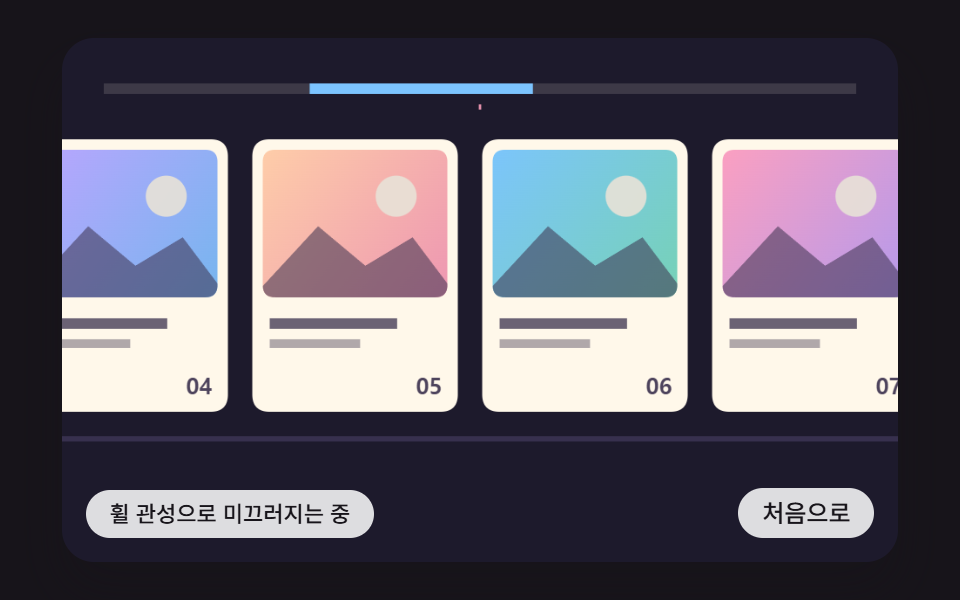 스크롤가로 스크롤 css 9가지 — 휠 관성·원통 갤러리·어안 렌즈 가장자리
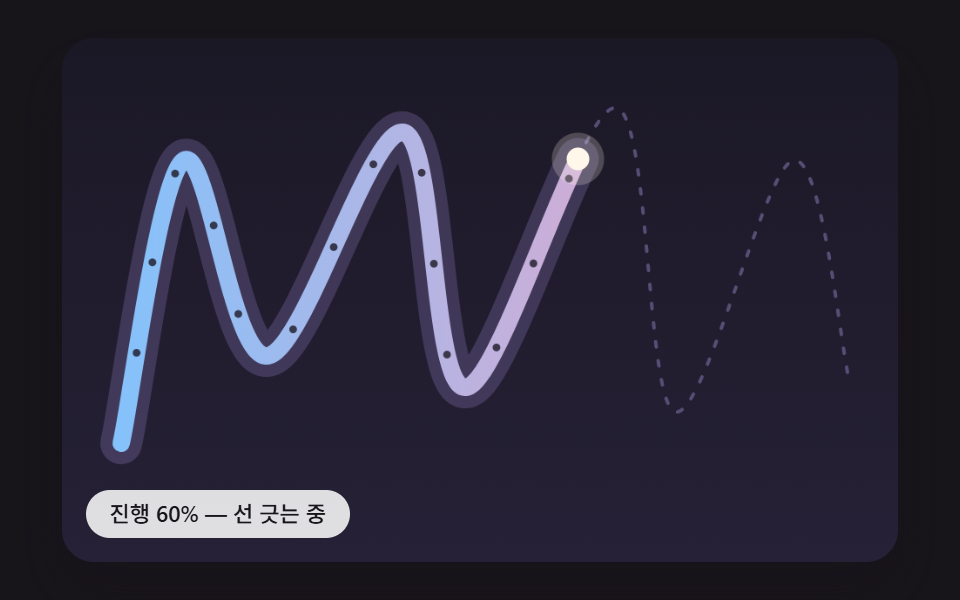 스크롤스크롤 인터랙션 9종 — 선 긋기·길 따라가기·꼬리·나선
 스크롤CSS 스크롤 애니메이션 9종 — AOS·GSAP 없이 JS 0줄로
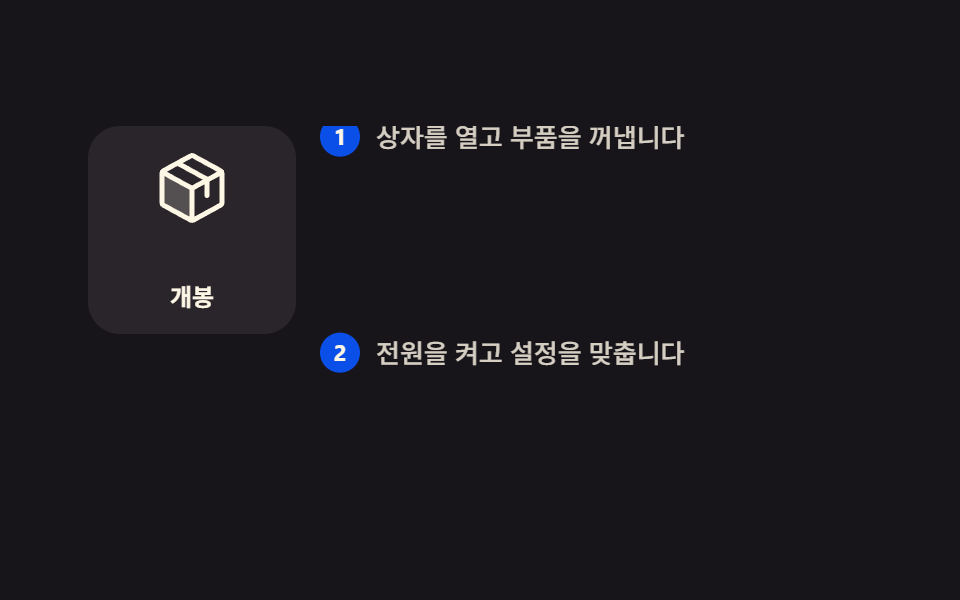 스크롤스크롤 스토리텔링 섹션 9종 — 복붙하는 CSS 장면 구성
 스크롤CSS 무한 롤링 배너 9종 — AOS·GSAP 없이, JS 0줄
 스크롤CSS 프로그레스바 애니메이션 9종 — 스크롤 읽기 진행 표시
 스크롤이미지 슬라이드 만들기 9종 — CSS 캐러셀 그대로 복사
 스크롤타임라인 CSS 애니메이션 9종 — 스테퍼까지 복붙
 스크롤CSS 슬라이더로 만드는 캐러셀 9가지 — 복붙 코드
 스크롤홈페이지 스크롤 효과 9가지 — 애플 페이지처럼 되는 CSS