가로 스크롤 css 9가지 — 휠 관성·원통 갤러리·어안 렌즈 가장자리
가로 스크롤 css 는 세로로 들어온 휠 값을 옆으로 돌려 놓는 데서 끝나지 않는다 — 01번은 그 값을 관성으로 미끄러뜨리고, 06번은 카드를 원통 위에 투영하고, 08번은 가장자리 픽셀을 어안 렌즈로 휜다.
아홉 가지 가로 스크롤 장면을 이 화면에서 바로 굴려 본다
아래 격자의 카드를 누르면 그 항목 절로 내려가고, 각 데모 안에서 휠을 굴리면 옆으로 흐르는 모습을 바로 확인할 수 있다. 순서는 입력이 화면을 바꾸는 층수를 따랐다 — 01 부터 03 까지는 입력 처리의 세 단계(관성·구간 매핑·플링 스냅), 04 부터 07 까지는 옆 이동을 입체로 보이게 하는 네 방식(조명·시차·원통·줄), 08 과 09 는 픽셀과 글자가 휘는 두 가지 마무리다.
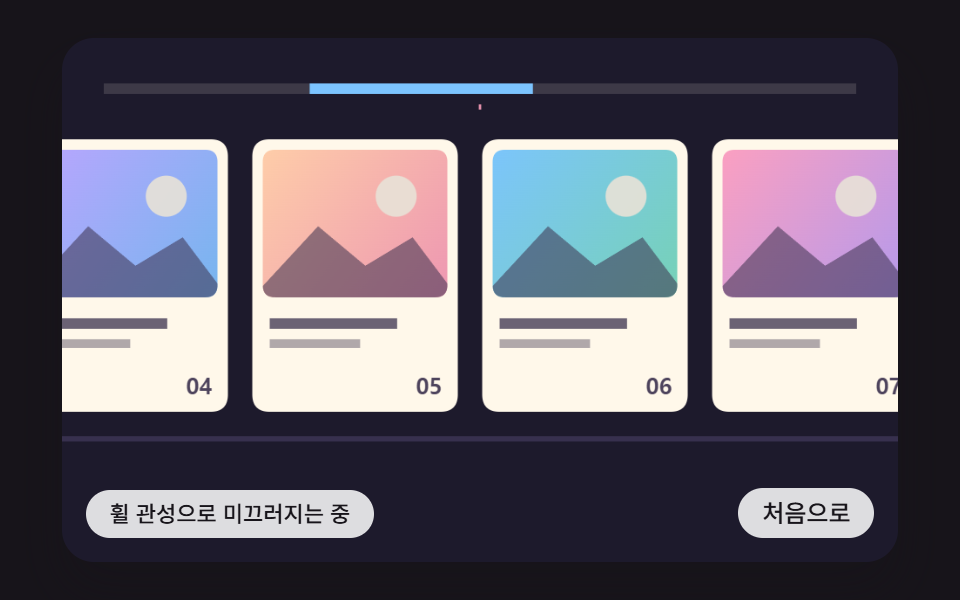 01 hsc-wheel-delta-inertia-glide-track
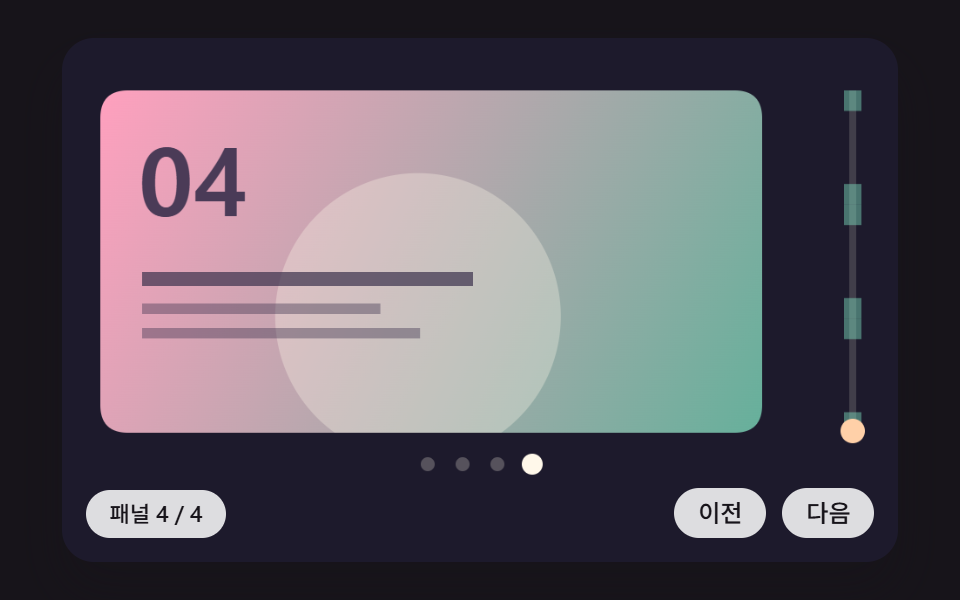 02 hsc-pinned-panel-progress-piecewise-map
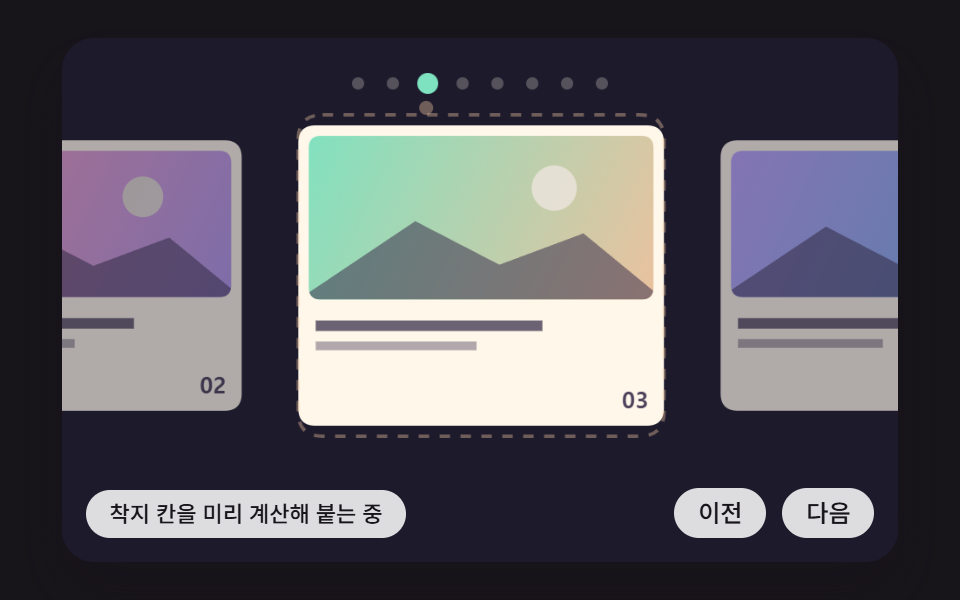 03 hsc-drag-fling-projected-snap-spring
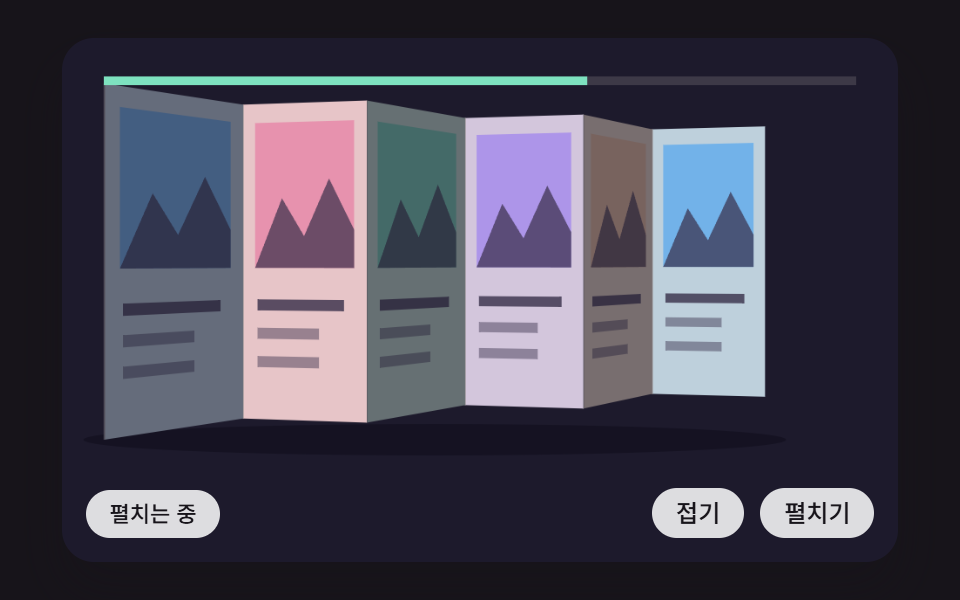 04 hsc-folding-screen-panels-normal-lighting
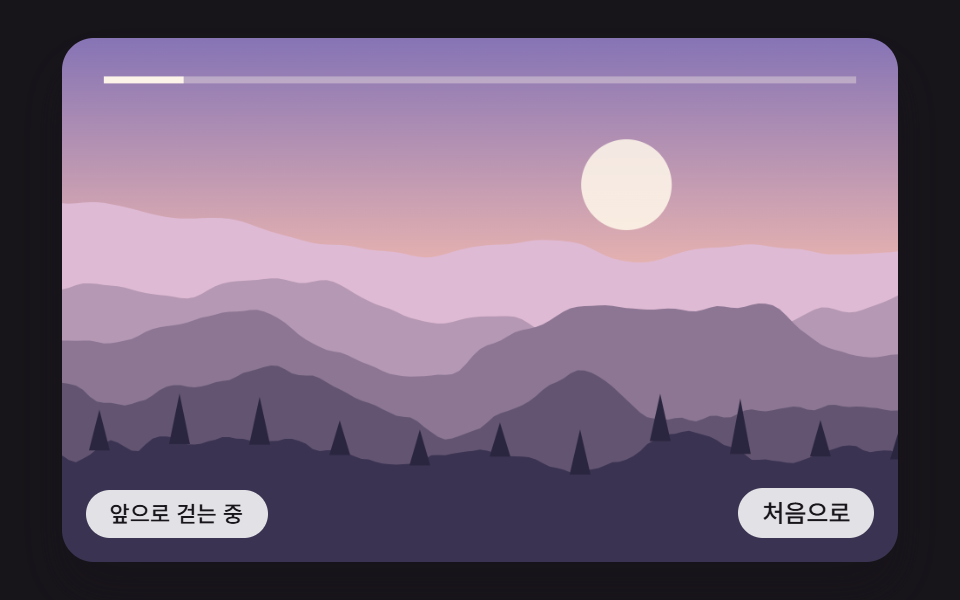 05 hsc-depth-parallax-ridge-noise-layers
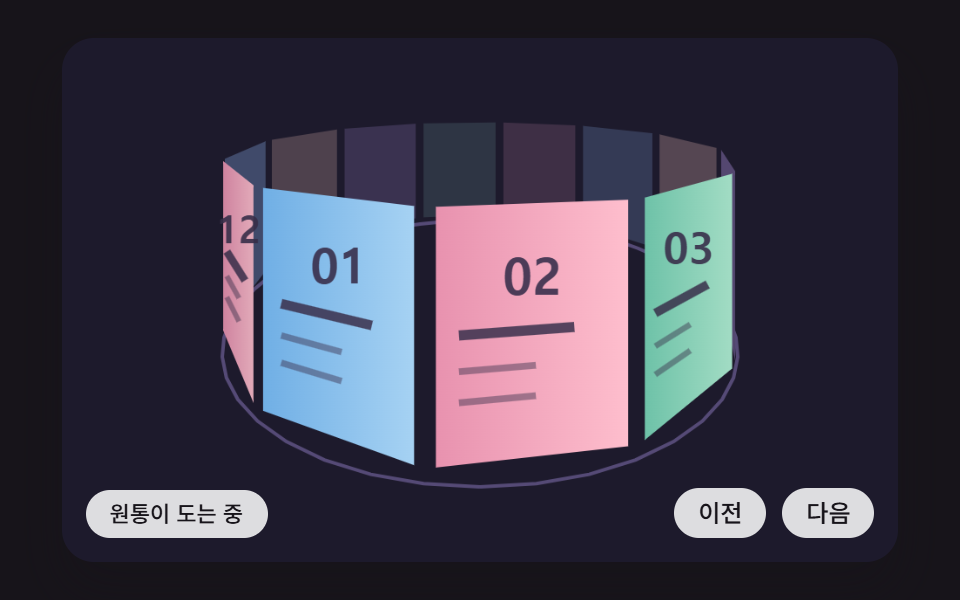 06 hsc-cylinder-gallery-perspective-depth-sort
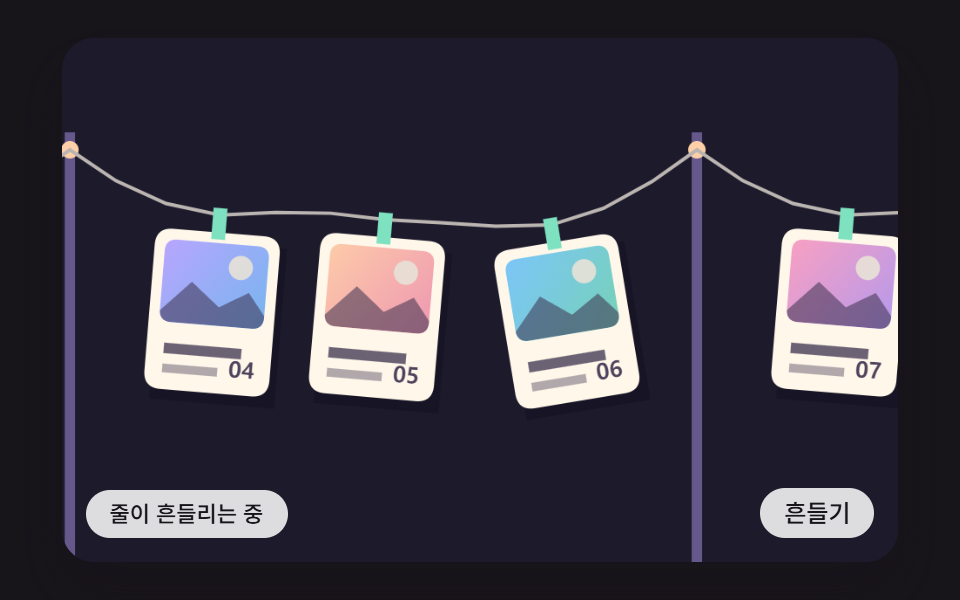 07 hsc-verlet-cord-hanging-cards
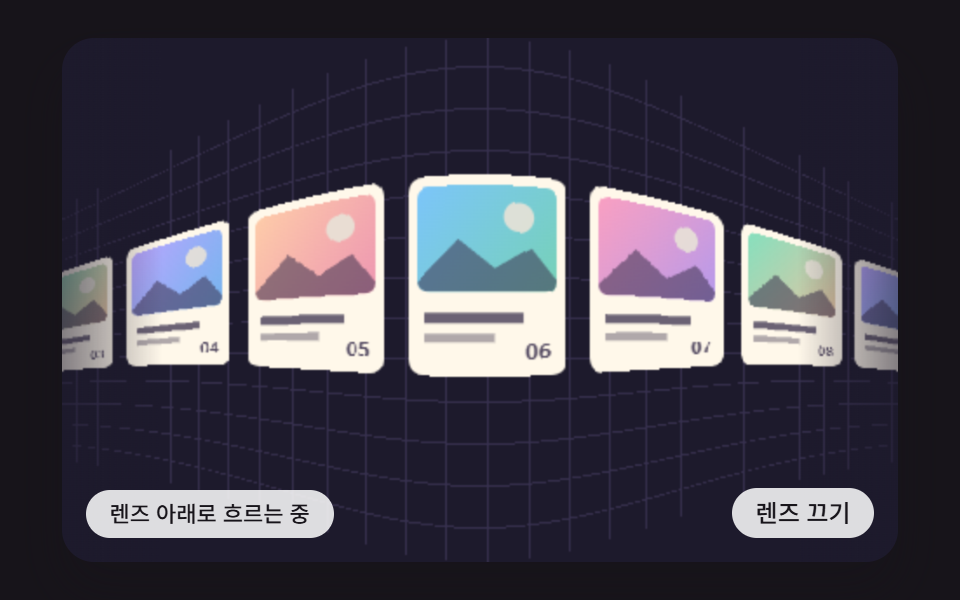 08 hsc-edge-fisheye-pixel-remap
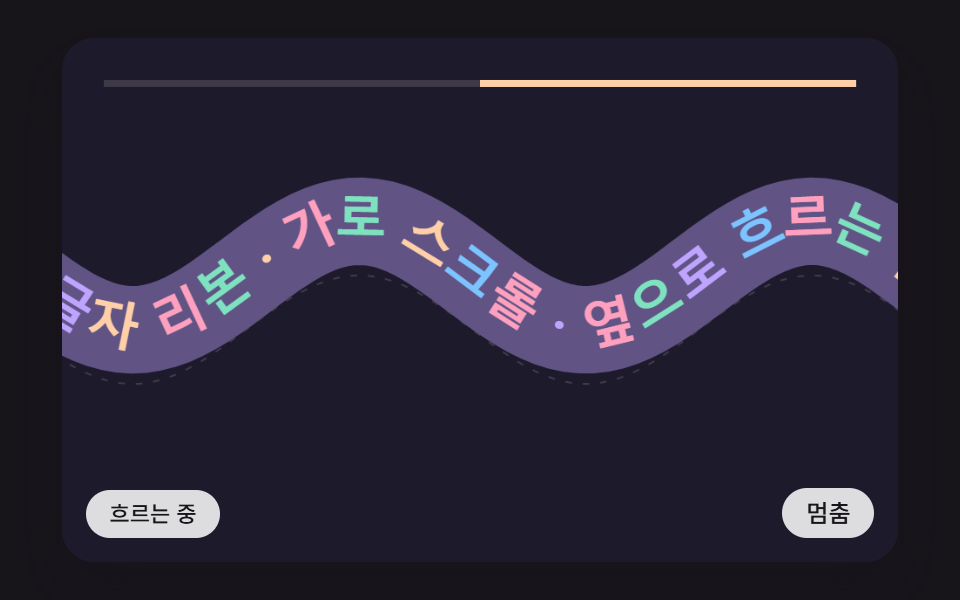 09 hsc-wave-path-text-ribbon-tangent
자동 재생 · 눌러서 해당 항목으로 · 전부 한 zip
- 01 세로 휠 값이 가로 이동으로 바뀌고 입력이 멈춘 뒤에도 마찰로 서서히 멈추는 카드 트랙
- 02 섹션이 화면에 고정된 채 세로 진행률이 패널별 가로 이동으로 나뉘어 바뀌는 고정 패널 장면
- 03 끌었다 놓으면 놓는 순간의 속도로 도착 지점을 미리 계산해 가장 가까운 칸에 스프링으로 붙는 드래그 스냅
- 04 가로로 늘어선 패널이 진행에 따라 병풍처럼 접혔다 펴지고 접힌 면마다 빛을 받는 각도로 밝기가 달라지는 병풍 패널
- 05 능선을 노이즈로 그린 산·언덕·나무 층이 깊이에 따라 다른 속도로 옆으로 흐르는 가로 시차 풍경
- 06 카드들이 원통 둘레에 놓여 가로 이동량만큼 돌고 원근 투영으로 크기·밝기가 바뀌며 앞뒤 순서가 다시 정해지는 원통 갤러리
- 07 줄로 이어진 카드들이 앞 카드를 따라 옆으로 끌려가며 출렁이다 가라앉는 줄 매달린 카드 행렬
- 08 트랙 양 끝에 다가간 카드가 어안 렌즈처럼 휘어 작아지고 가운데에서는 평평하게 펴지는 가장자리 렌즈
- 09 글자 띠가 사인 물결 곡선 위를 옆으로 흐르고 글자마다 곡선의 기울기만큼 돌아가며 속도가 붙으면 물결이 높아지는 글자 리본
가로 스크롤 css 9가지 — 휠 관성·원통 투영·어안 렌즈로 만드는 옆으로 흐르는 화면
먼저 정확히 밝혀 둔다. 이 편의 아홉 장면은 전부 <canvas> 위에서 자바스크립트가 프레임마다 계산해 그린 그림이고, CSS 애니메이션은 버튼에 포인터를 올렸을 때 배경색이 바뀌는 transition 하나가 전부다. 휠의 세로 값을 옆 이동으로 돌리고 관성을 붙이는 일은 CSS 속성만으로는 안 되는 영역이라 wheel 이벤트의 값을 직접 다룬다. CSS 는 무대의 폭·비율·모서리와 상태 알약 모양 같은 바깥틀만 맡는다.
아홉 장면은 같은 뼈대를 공유한다. rAF 타임스탬프를 쌓아 16ms 고정 스텝(FIXED_DT)으로 최대 6번 움직이고 그리기는 프레임당 한 번이며, 탭이 숨었다 돌아와도 한 프레임이 흘려보내는 시간은 100ms 로 막혀 있어 순간이동이 없다. 난수 함수는 쓰지 않으며(05 의 능선만 정수 해시로 만든다), 라이브러리·CDN·WebGL 은 아홉 파일 전부에서 0회다.
휠 가로채기도 아홉 장면이 같은 한 쌍으로 한다. 들어온 값은 wheelPx 가 먼저 눈금을 맞춘다 — 줄 단위 장치(deltaMode 1)는 16 을, 쪽 단위(2)는 480 을 곱하고, |deltaX| > |deltaY| 이면 가로 값을 택한다. 트랙패드의 가로 쓸기와 마우스 휠의 세로 굴림이 같은 축으로 들어와 같은 길을 지나는 셈이다. 그다음 canMove(d) 로 지금이 끝 방향인지를 보고 이동이 일어날 때만 preventDefault 를 부르는데, 프로브로 실측하면 끝 방향 wheel 은 안 막고(pass) 이동 가능 방향은 막는다(blocked) 는 결과가 아홉 장면 전부에서 나온다. 그래서 트랙 끝에서는 페이지의 세로 스크롤이 그대로 이어진다.
사람이 처음 휠·포인터·키를 만지는 순간 wake() 가 자동 시연을 멈추고 상태 알약의 aria-live 를 off 에서 polite 로 바꾼다 — 시연 중에는 화면 읽기 프로그램이 잡담하지 않게 하려는 설계다. 캔버스에는 touch-action: pan-y 가 걸려 손가락 가로 끌기는 장면이 받고 세로 쓸기는 브라우저에 남는다.
css 가로 스크롤 만들기는 라이브러리 없이 어디까지 되는가?
생각보다 멀리 간다 — 이 편의 관성·스냅·원근 투영·픽셀 리맵이 전부 곱셈과 덧셈 몇 줄 안에서 돌아가기 때문이다. 01 은 등비급수 하나, 03 은 스프링 두 항, 06 은 나눗셈 한 줄이 핵심 계산이고, 05 의 산맥도 격자 해시 네 겹으로 그린다. 쓰임으로 고르자면 상품 가로 목록과 추천 줄은 01, 제품 랜딩과 연혁은 02, 모바일 카드 캐러셀은 03, 단계 소개와 브랜드 스토리는 04, 여행 히어로는 05, 앨범과 포트폴리오 표지는 06, 사진 줄 진열은 07, 아이콘 독과 칩 줄은 08, 슬로건 띠는 09 부터 열어 보면 된다. 아래 아홉 절의 코드 조각은 각 장면 index.html 스크립트에서 줄과 들여쓰기를 그대로 옮긴 것이어서, zip 을 열면 같은 함수 이름으로 원문을 다시 찾을 수 있다.
01세로 휠 값이 가로 이동으로 바뀌고 입력이 멈춘 뒤에도 마찰로 서서히 멈추는 카드 트랙
세로 휠 한 칸(100)은 WHEEL_GAIN 0.12 를 곱해 속도 12px/스텝이 되고, 이후 매 스텝 FRICTION 0.92 가 곱해져 1056ms 동안 149.4px 를 미끄러진 뒤 멎는다. 트랙 양 끝에서는 나간 거리만큼 입력을 d/(1+o/RUBBER_PX) 로 줄여 고무줄처럼 버티고, 키보드는 speedFor 로 목표 거리에서 정확히 멈추는 처음 속도를 거꾸로 푼다. 렌더 측정은 누적면적 41.4%·강도 109.7 에 움직인 프레임 16/23 — 정지 머무름 구간이 있어 프레임이 쉬어 간다.
<main class="stage">
<div class="hs is-demo" id="hs">
  <canvas class="hs__canvas" data-role="canvas" width="480" height="300" tabindex="0" aria-label="휠이나 끌기로 카드 트랙을 옆으로 밀면 마찰로 서서히 멈추고 양 끝에서 고무줄처럼 되돌아오는 장면"></canvas>
  <p class="hs__status" data-role="status" aria-live="off">휠 관성으로 미끄러지는 중</p>
  <div class="hs__tools">
    <button class="hs__btn" data-role="btn" type="button">처음으로</button>
  </div>
</div>
</main>
@use "../../../../site/static/demo-tokens" as *;
@include stage($stage-ink);
.hs {
position: relative;
width: min(92vw, calc(160vh - 12.8vw));
aspect-ratio: 480 / 300;
margin: 0 auto;
border-radius: $r-card;
overflow: hidden;
box-shadow: $shadow-raised;
background: $subject-ink;
}
.hs__canvas {
display: block;
width: 100%;
height: 100%;
cursor: grab;
}
.hs__canvas:active {
cursor: grabbing;
}
.hs__canvas:focus-visible {
outline: 2px solid rgba(255, 255, 255, .85);
outline-offset: -6px;
}
.hs__status {
position: absolute;
left: $sp-3;
bottom: $sp-3;
max-width: 46%;
margin: 0;
padding: $sp-1 $sp-3;
border-radius: $r-control;
background: rgba(255, 255, 255, .85);
color: $subject-ink;
font-weight: 500;
font-size: 11px;
line-height: 1.4;
pointer-events: none;
}
.hs__tools {
position: absolute;
right: $sp-3;
bottom: $sp-3;
display: flex;
gap: $sp-2;
}
.hs__btn {
margin: 0;
padding: $sp-1 $sp-3;
border: 0;
border-radius: $r-pill;
background: rgba(255, 255, 255, .85);
color: $subject-ink;
font: inherit;
font-weight: 500;
font-size: 12px;
line-height: 1.4;
cursor: pointer;
transition: background-color $dur-quick ease-out;
}
.hs__btn:hover {
background: $subject-cream;
}
.hs__btn[aria-pressed="true"] {
background: $subject-mint;
}
.hs__btn:focus-visible {
outline: 2px solid rgba(255, 255, 255, .95);
outline-offset: 2px;
}
// 손가락 가로 끌기는 이 캔버스가 받고, 세로 쓸기는 브라우저에 남겨 페이지 스크롤이 막히지 않게 한다
.hs__canvas { touch-action: pan-y; }
@media (max-width: 340px) {
.hs__btn { font-size: 10px; padding: $sp-1 $sp-2; }
.hs__status { font-size: 10px; padding: $sp-1 $sp-2; }
}
@media (prefers-reduced-motion: reduce) {
.hs__btn { transition: none; }
}html, body {
margin: 0;
overflow: hidden;
}
.stage {
box-sizing: border-box;
min-height: 100vh;
display: grid;
place-items: center;
margin: 0;
background: #17141a;
font-family: -apple-system, "Segoe UI", "Noto Sans KR", sans-serif;
padding: clamp(8px, 4vw, 24px);
}
.hs {
position: relative;
width: min(92vw, 160vh - 12.8vw);
aspect-ratio: 480/300;
margin: 0 auto;
border-radius: 16px;
overflow: hidden;
box-shadow: 0 14px 24px rgba(23, 20, 26, 0.32);
background: #17141a;
}
.hs__canvas {
display: block;
width: 100%;
height: 100%;
cursor: grab;
}
.hs__canvas:active {
cursor: grabbing;
}
.hs__canvas:focus-visible {
outline: 2px solid rgba(255, 255, 255, 0.85);
outline-offset: -6px;
}
.hs__status {
position: absolute;
left: 12px;
bottom: 12px;
max-width: 46%;
margin: 0;
padding: 4px 12px;
border-radius: 12px;
background: rgba(255, 255, 255, 0.85);
color: #17141a;
font-weight: 500;
font-size: 11px;
line-height: 1.4;
pointer-events: none;
}
.hs__tools {
position: absolute;
right: 12px;
bottom: 12px;
display: flex;
gap: 8px;
}
.hs__btn {
margin: 0;
padding: 4px 12px;
border: 0;
border-radius: 999px;
background: rgba(255, 255, 255, 0.85);
color: #17141a;
font: inherit;
font-weight: 500;
font-size: 12px;
line-height: 1.4;
cursor: pointer;
transition: background-color 220ms ease-out;
}
.hs__btn:hover {
background: #fff7e6;
}
.hs__btn[aria-pressed=true] {
background: #4cd4a6;
}
.hs__btn:focus-visible {
outline: 2px solid rgba(255, 255, 255, 0.95);
outline-offset: 2px;
}
.hs__canvas {
touch-action: pan-y;
}
@media (max-width: 340px) {
.hs__btn {
font-size: 10px;
padding: 4px 8px;
}
.hs__status {
font-size: 10px;
padding: 4px 8px;
}
}
@media (prefers-reduced-motion: reduce) {
.hs__btn {
transition: none;
}
}(function () {
const root = document.getElementById("hs");
if (!root) return;
const W = 480;
const H = 300;
const FIXED_DT = 16;
// 파스텔 팔레트 — 어두운 무대 위에 밝은 카드를 얹어 명도 차로 읽힌다
const BG = [29, 26, 44];
const PAPER = [255, 248, 234];
const INK = [58, 48, 76];
const MINT = [126, 226, 192];
const SKY = [124, 196, 255];
const LILAC = [190, 164, 255];
const PINK = [255, 160, 190];
const PEACH = [255, 208, 168];
const TINTS = [SKY, PINK, MINT, LILAC, PEACH];
function clamp(v, lo, hi) { return v < lo ? lo : (v > hi ? hi : v); }
function lerp(a, b, k) { return a + (b - a) * k; }
function smooth(x) { const c = clamp(x, 0, 1); return c * c * (3 - 2 * c); }
function rgba(c, a) {
return 'rgba(' + Math.round(c[0]) + ',' + Math.round(c[1]) + ',' + Math.round(c[2]) + ',' + clamp(a, 0, 1).toFixed(3) + ')';
}
function mix(a, b, k) { return [lerp(a[0], b[0], k), lerp(a[1], b[1], k), lerp(a[2], b[2], k)]; }
const canvasEl = root.querySelector('[data-role="canvas"]');
const statusEl = root.querySelector('[data-role="status"]');
const ctxRaw = canvasEl ? canvasEl.getContext('2d') : null;
if (!canvasEl || !ctxRaw || !statusEl) {
return;
}
const cv = canvasEl;
const ctx = ctxRaw;
const status = statusEl;
const reduceQuery = window.matchMedia('(prefers-reduced-motion: reduce)');
const still = reduceQuery.matches;
// 자동 시연 중인가 — 사람이 처음 만지는 순간 시연을 멈추고 상태 줄을 읽어 주기 시작한다
let demo = root.classList.contains('is-demo');
function wake() {
if (!demo) {
return;
}
demo = false;
root.classList.remove('is-demo');
status.setAttribute('aria-live', 'polite');
}
function say(text) {
if (status.textContent !== text) {
status.textContent = text;
}
}
    // 휠 한 번의 이동량을 px 로 — 줄 단위(deltaMode 1)·쪽 단위(deltaMode 2) 장치도 같은 눈금으로 맞춘다.
    // 가로·세로 중 큰 쪽을 쓴다: 트랙패드의 가로 쓸기와 마우스 휠의 세로 굴림이 같은 방향으로 들어온다
    function wheelPx(ev) {
        const unit = ev.deltaMode === 1 ? 16 : (ev.deltaMode === 2 ? W : 1);
        const d = Math.abs(ev.deltaX) > Math.abs(ev.deltaY) ? ev.deltaX : ev.deltaY;
        return d * unit;
    }
// 시연 시계가 loop 주기 안의 at 시각을 이번 스텝에 막 지났는가
function crossed(t, at, loop) {
const p = t % loop;
return p >= at && p - FIXED_DT < at;
}
function fitCanvas() {
const dpr = window.devicePixelRatio || 1;
cv.width = Math.round(W * dpr);
cv.height = Math.round(H * dpr);
ctx.setTransform(dpr, 0, 0, dpr, 0, 0);
}
function onResize() {
fitCanvas();
draw();
}
fitCanvas();
window.addEventListener('resize', onResize);
// 화면 좌표(CSS px) → 장면 좌표(480x300). 리사이즈 뒤에도 늘 현재 크기로 다시 잰다
function toScene(ev) {
const r = cv.getBoundingClientRect();
return [((ev.clientX - r.left) / r.width) * W, ((ev.clientY - r.top) / r.height) * H];
}
function roundRectPath(c, x, y, w, h, r) {
const rr = Math.min(r, w / 2, h / 2);
c.beginPath();
c.moveTo(x + rr, y);
c.lineTo(x + w - rr, y);
c.quadraticCurveTo(x + w, y, x + w, y + rr);
c.lineTo(x + w, y + h - rr);
c.quadraticCurveTo(x + w, y + h, x + w - rr, y + h);
c.lineTo(x + rr, y + h);
c.quadraticCurveTo(x, y + h, x, y + h - rr);
c.lineTo(x, y + rr);
c.quadraticCurveTo(x, y, x + rr, y);
c.closePath();
}
// 카드 한 장 — 사진 대신 계산한 그림 칸(그라디언트 하늘·해·언덕) + 글줄 막대 두 개 + 번호
function drawCard(c, x, y, w, h, i, light) {
const t1 = TINTS[i % TINTS.length];
const t2 = TINTS[(i + 2) % TINTS.length];
const k = clamp(light, 0, 1);
roundRectPath(c, x, y, w, h, 10);
c.fillStyle = rgba(mix(BG, PAPER, k), 1);
c.fill();
const ih = h * 0.58;
const g = c.createLinearGradient(x, y, x + w, y + ih);
g.addColorStop(0, rgba(mix(BG, t1, k), 1));
g.addColorStop(1, rgba(mix(BG, t2, k * 0.92), 1));
c.save();
roundRectPath(c, x + 6, y + 6, w - 12, ih - 6, 7);
c.fillStyle = g;
c.fill();
c.clip();
c.fillStyle = rgba(mix(BG, PAPER, k * 0.9), 0.9);
c.beginPath();
c.arc(x + w * 0.7, y + ih * 0.36, Math.min(w, ih) * 0.13, 0, Math.PI * 2);
c.fill();
c.fillStyle = rgba(mix(BG, INK, k), 0.55);
c.beginPath();
c.moveTo(x, y + ih);
c.lineTo(x + w * 0.32, y + ih * 0.55);
c.lineTo(x + w * 0.55, y + ih * 0.8);
c.lineTo(x + w * 0.78, y + ih * 0.62);
c.lineTo(x + w, y + ih);
c.closePath();
c.fill();
c.restore();
c.fillStyle = rgba(mix(BG, INK, k), 0.75);
c.fillRect(x + 10, y + ih + 12, w * 0.62, 6);
c.fillStyle = rgba(mix(BG, INK, k), 0.4);
c.fillRect(x + 10, y + ih + 24, w * 0.44, 5);
c.fillStyle = rgba(mix(BG, INK, k), 0.9);
c.font = '700 13px sans-serif';
c.textAlign = 'right';
c.textBaseline = 'alphabetic';
c.fillText(String(i + 1).padStart(2, '0'), x + w - 9, y + h - 10);
}
const CARD_N = 12;
const CARD_W = 118;
const CARD_H = 156;
const GAP = 14;
const PITCH = CARD_W + GAP;
const PAD = 24;
const TRACK_TOP = 58;
const MAX_X = PAD * 2 + CARD_N * PITCH - GAP - W;
const WHEEL_GAIN = 0.12;
const FRICTION = 0.92;
const EDGE_K = 0.16;
const EDGE_DAMP = 0.6;
const RUBBER_PX = 90;
const STOP_V = 0.05;
const DEMO_LOOP = 4200;
const TXT_GLIDE = '휠 관성으로 미끄러지는 중';
const TXT_EDGE = '끝에서 고무줄처럼 되돌아온다';
const TXT_STOP = '멈춤';
const backBtn = root.querySelector('[data-role="btn"]');
let x = 0;
let v = 0;
let moving = false;
let edgeSaid = false;
let dragId = -1;
let dragX = 0;
let dragT = 0;
let dragV = 0;
// 트랙 끝 밖으로 나간 거리(안쪽이면 0)
function overshoot(p) { return p < 0 ? p : (p > MAX_X ? p - MAX_X : 0); }
    // 끝 밖으로 미는 입력은 나간 거리만큼 줄인다 — 고무줄처럼 버틴다
    function rubber(d) {
        const out = (x <= 0 && d < 0) || (x >= MAX_X && d > 0);
        return out ? d / (1 + Math.abs(overshoot(x)) / RUBBER_PX) : d;
    }
    function push(d) {
        v += rubber(d) * WHEEL_GAIN;
        moving = true;
        say(TXT_GLIDE);
    }
    // 지금 속도로 놓아두면 얼마나 더 가나 — 스텝마다 FRICTION 을 곱하므로 등비급수 v·f/(1−f)
    function glideDistance(v0, f) { return v0 * f / (1 - f); }
    // 거꾸로, distance 만큼 가서 멈추려면 처음 속도가 얼마여야 하나
    function speedFor(distance, f) { return distance * (1 - f) / f; }
    function canMove(d) { return d > 0 ? x < MAX_X - 0.5 : x > 0.5; }
function step() {
if (dragId >= 0) {
return;
}
x += v;
const o = overshoot(x);
if (o !== 0) {
v = (v - o * EDGE_K) * EDGE_DAMP;
if (!edgeSaid) {
edgeSaid = true;
say(TXT_EDGE);
}
}
else {
v *= FRICTION;
edgeSaid = false;
}
if (moving && Math.abs(v) < STOP_V && Math.abs(o) < 0.5) {
x = clamp(x, 0, MAX_X);
v = 0;
moving = false;
say(TXT_STOP);
}
}
function settle() {
x = 0;
v = 0;
say(TXT_STOP);
}
function demoTick(t) {
for (let k = 0; k < 3; k += 1) {
if (crossed(t, 200 + k * 40, DEMO_LOOP)) {
push(100);
}
}
for (let k = 0; k < 5; k += 1) {
if (crossed(t, 1250 + k * 40, DEMO_LOOP)) {
push(-100);
}
}
}
function draw() {
ctx.fillStyle = rgba(BG, 1);
ctx.fillRect(0, 0, W, H);
// 바닥 레일
ctx.fillStyle = rgba(mix(BG, LILAC, 0.16), 1);
ctx.fillRect(0, TRACK_TOP + CARD_H + 14, W, 3);
for (let i = 0; i < CARD_N; i += 1) {
const cx = PAD + i * PITCH - x;
if (cx > W || cx + CARD_W < 0) {
continue;
}
drawCard(ctx, cx, TRACK_TOP, CARD_W, CARD_H, i, 1);
}
// 위쪽 진행 막대 — 끝 밖으로 나가면 막대가 그만큼 짧아진다
const trackW = W - 48;
const thumbW = trackW * (W / (MAX_X + W));
const o = overshoot(x);
const squash = Math.abs(o) * 0.6;
const left = 24 + (clamp(x, 0, MAX_X) / MAX_X) * (trackW - thumbW) + (o > 0 ? squash : 0);
ctx.fillStyle = rgba(mix(BG, PAPER, 0.14), 1);
ctx.fillRect(24, 26, trackW, 6);
ctx.fillStyle = rgba(SKY, 1);
ctx.fillRect(left, 26, Math.max(10, thumbW - squash), 6);
// 속도 눈금 — 마찰로 줄어드는 모습이 그대로 보인다
const speedW = clamp(Math.abs(v) * 2.4, 0, trackW);
ctx.fillStyle = rgba(PINK, 0.9);
ctx.fillRect(W / 2 - speedW / 2, 38, speedW, 3);
}
function onWheel(ev) {
const d = wheelPx(ev);
// 끝에 닿았으면 가로채지 않는다 — 페이지가 계속 스크롤된다
if (d === 0 || !canMove(d)) {
return;
}
ev.preventDefault();
wake();
if (still) {
x = clamp(x + d, 0, MAX_X);
say(TXT_STOP);
draw();
return;
}
push(d);
}
cv.addEventListener('wheel', onWheel, { passive: false });
cv.addEventListener('pointerdown', function (ev) {
wake();
dragId = ev.pointerId;
cv.setPointerCapture(ev.pointerId);
dragX = toScene(ev)[0];
dragT = ev.timeStamp;
dragV = 0;
v = 0;
});
cv.addEventListener('pointermove', function (ev) {
if (ev.pointerId !== dragId) {
return;
}
const sx = toScene(ev)[0];
const dx = sx - dragX;
const steps = Math.max(1, (ev.timeStamp - dragT) / FIXED_DT);
dragX = sx;
dragT = ev.timeStamp;
const d = rubber(-dx);
x = still ? clamp(x + d, 0, MAX_X) : x + d;
dragV = lerp(dragV, d / steps, 0.5);
if (still) {
draw();
}
});
function endDrag(ev) {
if (ev.pointerId !== dragId) {
return;
}
dragId = -1;
if (still) {
return;
}
v = clamp(dragV, -60, 60);
moving = true;
say(TXT_GLIDE);
}
cv.addEventListener('pointerup', endDrag);
cv.addEventListener('pointercancel', endDrag);
cv.addEventListener('keydown', function (ev) {
let goal = NaN;
if (ev.key === 'ArrowRight') {
goal = x + PITCH;
}
else if (ev.key === 'ArrowLeft') {
goal = x - PITCH;
}
else if (ev.key === 'Home') {
goal = 0;
}
else if (ev.key === 'End') {
goal = MAX_X;
}
if (Number.isNaN(goal) || !canMove(goal - x)) {
return;
}
ev.preventDefault();
wake();
goal = clamp(goal, 0, MAX_X);
if (still) {
x = goal;
say(TXT_STOP);
draw();
return;
}
// 키도 관성으로 — 목표에서 정확히 멈추는 처음 속도를 등비급수로 거꾸로 푼다
v = speedFor(goal - x, FRICTION);
moving = true;
say(TXT_GLIDE);
});
if (backBtn) {
backBtn.addEventListener('click', function () {
wake();
if (still) {
x = 0;
say(TXT_STOP);
draw();
return;
}
v = speedFor(-x, FRICTION);
moving = true;
say(TXT_GLIDE);
});
}
say(TXT_GLIDE);
let rafId = 0;
let lastTs = -1;
let acc = 0;
let clock = 0;
function frame(ts) {
if (lastTs < 0) {
lastTs = ts;
}
// 탭이 숨었다 돌아와도 한 번에 100ms 까지만 따라잡는다 — 순간이동 대신 이어서 움직인다
acc += Math.min(ts - lastTs, 100);
lastTs = ts;
let n = 0;
while (acc >= FIXED_DT && n < 6) {
clock += FIXED_DT;
if (demo) {
demoTick(clock);
}
step();
acc -= FIXED_DT;
n += 1;
}
draw();
rafId = window.requestAnimationFrame(frame);
}
if (still) {
settle();
draw();
}
else {
rafId = window.requestAnimationFrame(frame);
}
return function () {
window.cancelAnimationFrame(rafId);
window.removeEventListener('resize', onResize);
};
})();// HscWheelDeltaInertiaGlideTrack - vanilla 판(01-hsc-wheel-delta-inertia-glide-track) 의 React 포트. 같은 계산을 useEffect 안에서 돌린다.
import { useEffect, useRef } from "react";
import styles from "./HscWheelDeltaInertiaGlideTrack.module.scss";
const cx = (s: string): string => s.split(" ").map((n) => styles[n] ?? n).join(" ");
export default function HscWheelDeltaInertiaGlideTrack() {
const rootRef = useRef<HTMLDivElement | null>(null);
useEffect(() => {
const rootEl = rootRef.current;
if (!rootEl) return;
const root: HTMLElement = rootEl;
type RGB = [number, number, number];
const W = 480;
const H = 300;
const FIXED_DT = 16;
// 파스텔 팔레트 — 어두운 무대 위에 밝은 카드를 얹어 명도 차로 읽힌다
const BG: RGB = [29, 26, 44];
const PAPER: RGB = [255, 248, 234];
const INK: RGB = [58, 48, 76];
const MINT: RGB = [126, 226, 192];
const SKY: RGB = [124, 196, 255];
const LILAC: RGB = [190, 164, 255];
const PINK: RGB = [255, 160, 190];
const PEACH: RGB = [255, 208, 168];
const TINTS: RGB[] = [SKY, PINK, MINT, LILAC, PEACH];
function clamp(v: number, lo: number, hi: number): number { return v < lo ? lo : (v > hi ? hi : v); }
function lerp(a: number, b: number, k: number): number { return a + (b - a) * k; }
function smooth(x: number): number { const c = clamp(x, 0, 1); return c * c * (3 - 2 * c); }
function rgba(c: RGB, a: number): string {
return 'rgba(' + Math.round(c[0]) + ',' + Math.round(c[1]) + ',' + Math.round(c[2]) + ',' + clamp(a, 0, 1).toFixed(3) + ')';
}
function mix(a: RGB, b: RGB, k: number): RGB { return [lerp(a[0], b[0], k), lerp(a[1], b[1], k), lerp(a[2], b[2], k)]; }
const canvasEl = root.querySelector('[data-role="canvas"]') as HTMLCanvasElement | null;
const statusEl = root.querySelector('[data-role="status"]') as HTMLElement | null;
const ctxRaw = canvasEl ? canvasEl.getContext('2d') : null;
if (!canvasEl || !ctxRaw || !statusEl) { return; }
const cv: HTMLCanvasElement = canvasEl;
const ctx: CanvasRenderingContext2D = ctxRaw;
const status: HTMLElement = statusEl;
const reduceQuery = window.matchMedia('(prefers-reduced-motion: reduce)');
const still = reduceQuery.matches;
// 자동 시연 중인가 — 사람이 처음 만지는 순간 시연을 멈추고 상태 줄을 읽어 주기 시작한다
let demo = root.classList.contains('is-demo');
function wake(): void {
if (!demo) { return; }
demo = false;
root.classList.remove('is-demo');
status.setAttribute('aria-live', 'polite');
}
function say(text: string): void {
if (status.textContent !== text) { status.textContent = text; }
}
// 휠 한 번의 이동량을 px 로 — 줄 단위(deltaMode 1)·쪽 단위(deltaMode 2) 장치도 같은 눈금으로 맞춘다.
// 가로·세로 중 큰 쪽을 쓴다: 트랙패드의 가로 쓸기와 마우스 휠의 세로 굴림이 같은 방향으로 들어온다
function wheelPx(ev: WheelEvent): number {
const unit = ev.deltaMode === 1 ? 16 : (ev.deltaMode === 2 ? W : 1);
const d = Math.abs(ev.deltaX) > Math.abs(ev.deltaY) ? ev.deltaX : ev.deltaY;
return d * unit;
}
// 시연 시계가 loop 주기 안의 at 시각을 이번 스텝에 막 지났는가
function crossed(t: number, at: number, loop: number): boolean {
const p = t % loop;
return p >= at && p - FIXED_DT < at;
}
function fitCanvas(): void {
const dpr = window.devicePixelRatio || 1;
cv.width = Math.round(W * dpr);
cv.height = Math.round(H * dpr);
ctx.setTransform(dpr, 0, 0, dpr, 0, 0);
}
function onResize(): void {
fitCanvas();
draw();
}
fitCanvas();
window.addEventListener('resize', onResize);
// 화면 좌표(CSS px) → 장면 좌표(480x300). 리사이즈 뒤에도 늘 현재 크기로 다시 잰다
function toScene(ev: PointerEvent): [number, number] {
const r = cv.getBoundingClientRect();
return [((ev.clientX - r.left) / r.width) * W, ((ev.clientY - r.top) / r.height) * H];
}
function roundRectPath(c: CanvasRenderingContext2D, x: number, y: number, w: number, h: number, r: number): void {
const rr = Math.min(r, w / 2, h / 2);
c.beginPath();
c.moveTo(x + rr, y);
c.lineTo(x + w - rr, y);
c.quadraticCurveTo(x + w, y, x + w, y + rr);
c.lineTo(x + w, y + h - rr);
c.quadraticCurveTo(x + w, y + h, x + w - rr, y + h);
c.lineTo(x + rr, y + h);
c.quadraticCurveTo(x, y + h, x, y + h - rr);
c.lineTo(x, y + rr);
c.quadraticCurveTo(x, y, x + rr, y);
c.closePath();
}
// 카드 한 장 — 사진 대신 계산한 그림 칸(그라디언트 하늘·해·언덕) + 글줄 막대 두 개 + 번호
function drawCard(c: CanvasRenderingContext2D, x: number, y: number, w: number, h: number, i: number, light: number): void {
const t1 = TINTS[i % TINTS.length];
const t2 = TINTS[(i + 2) % TINTS.length];
const k = clamp(light, 0, 1);
roundRectPath(c, x, y, w, h, 10);
c.fillStyle = rgba(mix(BG, PAPER, k), 1);
c.fill();
const ih = h * 0.58;
const g = c.createLinearGradient(x, y, x + w, y + ih);
g.addColorStop(0, rgba(mix(BG, t1, k), 1));
g.addColorStop(1, rgba(mix(BG, t2, k * 0.92), 1));
c.save();
roundRectPath(c, x + 6, y + 6, w - 12, ih - 6, 7);
c.fillStyle = g;
c.fill();
c.clip();
c.fillStyle = rgba(mix(BG, PAPER, k * 0.9), 0.9);
c.beginPath();
c.arc(x + w * 0.7, y + ih * 0.36, Math.min(w, ih) * 0.13, 0, Math.PI * 2);
c.fill();
c.fillStyle = rgba(mix(BG, INK, k), 0.55);
c.beginPath();
c.moveTo(x, y + ih);
c.lineTo(x + w * 0.32, y + ih * 0.55);
c.lineTo(x + w * 0.55, y + ih * 0.8);
c.lineTo(x + w * 0.78, y + ih * 0.62);
c.lineTo(x + w, y + ih);
c.closePath();
c.fill();
c.restore();
c.fillStyle = rgba(mix(BG, INK, k), 0.75);
c.fillRect(x + 10, y + ih + 12, w * 0.62, 6);
c.fillStyle = rgba(mix(BG, INK, k), 0.4);
c.fillRect(x + 10, y + ih + 24, w * 0.44, 5);
c.fillStyle = rgba(mix(BG, INK, k), 0.9);
c.font = '700 13px sans-serif';
c.textAlign = 'right';
c.textBaseline = 'alphabetic';
c.fillText(String(i + 1).padStart(2, '0'), x + w - 9, y + h - 10);
}
const CARD_N = 12;
const CARD_W = 118;
const CARD_H = 156;
const GAP = 14;
const PITCH = CARD_W + GAP;
const PAD = 24;
const TRACK_TOP = 58;
const MAX_X = PAD * 2 + CARD_N * PITCH - GAP - W;
const WHEEL_GAIN = 0.12;
const FRICTION = 0.92;
const EDGE_K = 0.16;
const EDGE_DAMP = 0.6;
const RUBBER_PX = 90;
const STOP_V = 0.05;
const DEMO_LOOP = 4200;
const TXT_GLIDE = '휠 관성으로 미끄러지는 중';
const TXT_EDGE = '끝에서 고무줄처럼 되돌아온다';
const TXT_STOP = '멈춤';
const backBtn = root.querySelector('[data-role="btn"]') as HTMLButtonElement | null;
let x = 0;
let v = 0;
let moving = false;
let edgeSaid = false;
let dragId = -1;
let dragX = 0;
let dragT = 0;
let dragV = 0;
// 트랙 끝 밖으로 나간 거리(안쪽이면 0)
function overshoot(p: number): number { return p < 0 ? p : (p > MAX_X ? p - MAX_X : 0); }
// 끝 밖으로 미는 입력은 나간 거리만큼 줄인다 — 고무줄처럼 버틴다
function rubber(d: number): number {
const out = (x <= 0 && d < 0) || (x >= MAX_X && d > 0);
return out ? d / (1 + Math.abs(overshoot(x)) / RUBBER_PX) : d;
}
function push(d: number): void {
v += rubber(d) * WHEEL_GAIN;
moving = true;
say(TXT_GLIDE);
}
// 지금 속도로 놓아두면 얼마나 더 가나 — 스텝마다 FRICTION 을 곱하므로 등비급수 v·f/(1−f)
function glideDistance(v0: number, f: number): number { return v0 * f / (1 - f); }
// 거꾸로, distance 만큼 가서 멈추려면 처음 속도가 얼마여야 하나
function speedFor(distance: number, f: number): number { return distance * (1 - f) / f; }
function canMove(d: number): boolean { return d > 0 ? x < MAX_X - 0.5 : x > 0.5; }
function step(): void {
if (dragId >= 0) { return; }
x += v;
const o = overshoot(x);
if (o !== 0) {
v = (v - o * EDGE_K) * EDGE_DAMP;
if (!edgeSaid) { edgeSaid = true; say(TXT_EDGE); }
} else {
v *= FRICTION;
edgeSaid = false;
}
if (moving && Math.abs(v) < STOP_V && Math.abs(o) < 0.5) {
x = clamp(x, 0, MAX_X);
v = 0;
moving = false;
say(TXT_STOP);
}
}
function settle(): void {
x = 0;
v = 0;
say(TXT_STOP);
}
function demoTick(t: number): void {
for (let k = 0; k < 3; k += 1) { if (crossed(t, 200 + k * 40, DEMO_LOOP)) { push(100); } }
for (let k = 0; k < 5; k += 1) { if (crossed(t, 1250 + k * 40, DEMO_LOOP)) { push(-100); } }
}
function draw(): void {
ctx.fillStyle = rgba(BG, 1);
ctx.fillRect(0, 0, W, H);
// 바닥 레일
ctx.fillStyle = rgba(mix(BG, LILAC, 0.16), 1);
ctx.fillRect(0, TRACK_TOP + CARD_H + 14, W, 3);
for (let i = 0; i < CARD_N; i += 1) {
const cx = PAD + i * PITCH - x;
if (cx > W || cx + CARD_W < 0) { continue; }
drawCard(ctx, cx, TRACK_TOP, CARD_W, CARD_H, i, 1);
}
// 위쪽 진행 막대 — 끝 밖으로 나가면 막대가 그만큼 짧아진다
const trackW = W - 48;
const thumbW = trackW * (W / (MAX_X + W));
const o = overshoot(x);
const squash = Math.abs(o) * 0.6;
const left = 24 + (clamp(x, 0, MAX_X) / MAX_X) * (trackW - thumbW) + (o > 0 ? squash : 0);
ctx.fillStyle = rgba(mix(BG, PAPER, 0.14), 1);
ctx.fillRect(24, 26, trackW, 6);
ctx.fillStyle = rgba(SKY, 1);
ctx.fillRect(left, 26, Math.max(10, thumbW - squash), 6);
// 속도 눈금 — 마찰로 줄어드는 모습이 그대로 보인다
const speedW = clamp(Math.abs(v) * 2.4, 0, trackW);
ctx.fillStyle = rgba(PINK, 0.9);
ctx.fillRect(W / 2 - speedW / 2, 38, speedW, 3);
}
function onWheel(ev: WheelEvent): void {
const d = wheelPx(ev);
// 끝에 닿았으면 가로채지 않는다 — 페이지가 계속 스크롤된다
if (d === 0 || !canMove(d)) { return; }
ev.preventDefault();
wake();
if (still) {
x = clamp(x + d, 0, MAX_X);
say(TXT_STOP);
draw();
return;
}
push(d);
}
cv.addEventListener('wheel', onWheel, { passive: false });
cv.addEventListener('pointerdown', function (ev: PointerEvent): void {
wake();
dragId = ev.pointerId;
cv.setPointerCapture(ev.pointerId);
dragX = toScene(ev)[0];
dragT = ev.timeStamp;
dragV = 0;
v = 0;
});
cv.addEventListener('pointermove', function (ev: PointerEvent): void {
if (ev.pointerId !== dragId) { return; }
const sx = toScene(ev)[0];
const dx = sx - dragX;
const steps = Math.max(1, (ev.timeStamp - dragT) / FIXED_DT);
dragX = sx;
dragT = ev.timeStamp;
const d = rubber(-dx);
x = still ? clamp(x + d, 0, MAX_X) : x + d;
dragV = lerp(dragV, d / steps, 0.5);
if (still) { draw(); }
});
function endDrag(ev: PointerEvent): void {
if (ev.pointerId !== dragId) { return; }
dragId = -1;
if (still) { return; }
v = clamp(dragV, -60, 60);
moving = true;
say(TXT_GLIDE);
}
cv.addEventListener('pointerup', endDrag);
cv.addEventListener('pointercancel', endDrag);
cv.addEventListener('keydown', function (ev: KeyboardEvent): void {
let goal = NaN;
if (ev.key === 'ArrowRight') { goal = x + PITCH; }
else if (ev.key === 'ArrowLeft') { goal = x - PITCH; }
else if (ev.key === 'Home') { goal = 0; }
else if (ev.key === 'End') { goal = MAX_X; }
if (Number.isNaN(goal) || !canMove(goal - x)) { return; }
ev.preventDefault();
wake();
goal = clamp(goal, 0, MAX_X);
if (still) { x = goal; say(TXT_STOP); draw(); return; }
// 키도 관성으로 — 목표에서 정확히 멈추는 처음 속도를 등비급수로 거꾸로 푼다
v = speedFor(goal - x, FRICTION);
moving = true;
say(TXT_GLIDE);
});
if (backBtn) {
backBtn.addEventListener('click', function (): void {
wake();
if (still) { x = 0; say(TXT_STOP); draw(); return; }
v = speedFor(-x, FRICTION);
moving = true;
say(TXT_GLIDE);
});
}
say(TXT_GLIDE);
let rafId = 0;
let lastTs = -1;
let acc = 0;
let clock = 0;
function frame(ts: number): void {
if (lastTs < 0) { lastTs = ts; }
// 탭이 숨었다 돌아와도 한 번에 100ms 까지만 따라잡는다 — 순간이동 대신 이어서 움직인다
acc += Math.min(ts - lastTs, 100);
lastTs = ts;
let n = 0;
while (acc >= FIXED_DT && n < 6) {
clock += FIXED_DT;
if (demo) { demoTick(clock); }
step();
acc -= FIXED_DT;
n += 1;
}
draw();
rafId = window.requestAnimationFrame(frame);
}
if (still) {
settle();
draw();
} else {
rafId = window.requestAnimationFrame(frame);
}
return function (): void {
window.cancelAnimationFrame(rafId);
window.removeEventListener('resize', onResize);
};
}, []);
return (
<div className={cx("hs") + " is-demo"} ref={rootRef}>
<canvas className={cx("hs__canvas")} data-role="canvas" width={480} height={300} tabIndex={0} aria-label="휠이나 끌기로 카드 트랙을 옆으로 밀면 마찰로 서서히 멈추고 양 끝에서 고무줄처럼 되돌아오는 장면"></canvas>
<p className={cx("hs__status")} data-role="status" aria-live="off">휠 관성으로 미끄러지는 중</p>
<div className={cx("hs__tools")}>
<button className={cx("hs__btn")} data-role="btn" type="button">처음으로</button>
</div>
</div>
);
}01 · 세로 휠 값이 가로 이동으로 바뀌고 입력이 멈춘 뒤에도 마찰로 서서히 멈추는 카드 트랙 — 측정 누적면적 41.419% · 움직인 프레임 16/23GODRICH 원작 · zip 에 SCSS·React 포함 · 비밀번호 보기
// 휠 한 번의 이동량을 px 로 — 줄 단위(deltaMode 1)·쪽 단위(deltaMode 2) 장치도 같은 눈금으로 맞춘다.
// 가로·세로 중 큰 쪽을 쓴다: 트랙패드의 가로 쓸기와 마우스 휠의 세로 굴림이 같은 방향으로 들어온다
function wheelPx(ev) {
const unit = ev.deltaMode === 1 ? 16 : (ev.deltaMode === 2 ? W : 1);
const d = Math.abs(ev.deltaX) > Math.abs(ev.deltaY) ? ev.deltaX : ev.deltaY;
return d * unit;
}
// 끝 밖으로 미는 입력은 나간 거리만큼 줄인다 — 고무줄처럼 버틴다
function rubber(d) {
const out = (x <= 0 && d < 0) || (x >= MAX_X && d > 0);
return out ? d / (1 + Math.abs(overshoot(x)) / RUBBER_PX) : d;
}
function push(d) {
v += rubber(d) * WHEEL_GAIN;
moving = true;
say(TXT_GLIDE);
}
// 지금 속도로 놓아두면 얼마나 더 가나 — 스텝마다 FRICTION 을 곱하므로 등비급수 v·f/(1−f)
function glideDistance(v0, f) { return v0 * f / (1 - f); }
// 거꾸로, distance 만큼 가서 멈추려면 처음 속도가 얼마여야 하나
function speedFor(distance, f) { return distance * (1 - f) / f; }
function canMove(d) { return d > 0 ? x < MAX_X - 0.5 : x > 0.5; }
02섹션이 화면에 고정된 채 세로 진행률이 패널별 가로 이동으로 나뉘어 바뀌는 고정 패널 장면
세로 진행률 0 부터 1 까지를 패널 세 개 구간으로 나누고, 구간 안에서도 앞뒤 18%(HOLD) 는 머문 뒤 가운데 64% 를 smoothstep 으로 건너서 화면은 한 패널씩 계단처럼 옮겨 간다. 휠 100px 은 진행률 0.09 를 더하고 화면은 PIN_LERP 0.12 로 따라가므로 128ms 의 추종 지연이 붙는다. 측정은 누적면적 50.4%·강도 94.1·움직인 프레임 23/23 이다.
<main class="stage">
<div class="hs is-demo" id="hs">
  <canvas class="hs__canvas" data-role="canvas" width="480" height="300" tabindex="0" aria-label="세로 진행률이 패널 구간으로 나뉘어 패널이 옆으로 넘어가고 구간 사이에서 잠깐 머무는 장면"></canvas>
  <p class="hs__status" data-role="status" aria-live="off">패널 1 / 4</p>
  <div class="hs__tools">
    <button class="hs__btn" data-role="prev" type="button">이전</button>
    <button class="hs__btn" data-role="next" type="button">다음</button>
  </div>
</div>
</main>
@use "../../../../site/static/demo-tokens" as *;
@include stage($stage-ink);
.hs {
position: relative;
width: min(92vw, calc(160vh - 12.8vw));
aspect-ratio: 480 / 300;
margin: 0 auto;
border-radius: $r-card;
overflow: hidden;
box-shadow: $shadow-raised;
background: $subject-ink;
}
.hs__canvas {
display: block;
width: 100%;
height: 100%;
cursor: grab;
}
.hs__canvas:active {
cursor: grabbing;
}
.hs__canvas:focus-visible {
outline: 2px solid rgba(255, 255, 255, .85);
outline-offset: -6px;
}
.hs__status {
position: absolute;
left: $sp-3;
bottom: $sp-3;
max-width: 46%;
margin: 0;
padding: $sp-1 $sp-3;
border-radius: $r-control;
background: rgba(255, 255, 255, .85);
color: $subject-ink;
font-weight: 500;
font-size: 11px;
line-height: 1.4;
pointer-events: none;
}
.hs__tools {
position: absolute;
right: $sp-3;
bottom: $sp-3;
display: flex;
gap: $sp-2;
}
.hs__btn {
margin: 0;
padding: $sp-1 $sp-3;
border: 0;
border-radius: $r-pill;
background: rgba(255, 255, 255, .85);
color: $subject-ink;
font: inherit;
font-weight: 500;
font-size: 12px;
line-height: 1.4;
cursor: pointer;
transition: background-color $dur-quick ease-out;
}
.hs__btn:hover {
background: $subject-cream;
}
.hs__btn[aria-pressed="true"] {
background: $subject-mint;
}
.hs__btn:focus-visible {
outline: 2px solid rgba(255, 255, 255, .95);
outline-offset: 2px;
}
// 손가락 가로 끌기는 이 캔버스가 받고, 세로 쓸기는 브라우저에 남겨 페이지 스크롤이 막히지 않게 한다
.hs__canvas { touch-action: pan-y; }
@media (max-width: 340px) {
.hs__btn { font-size: 10px; padding: $sp-1 $sp-2; }
.hs__status { font-size: 10px; padding: $sp-1 $sp-2; }
}
@media (prefers-reduced-motion: reduce) {
.hs__btn { transition: none; }
}html, body {
margin: 0;
overflow: hidden;
}
.stage {
box-sizing: border-box;
min-height: 100vh;
display: grid;
place-items: center;
margin: 0;
background: #17141a;
font-family: -apple-system, "Segoe UI", "Noto Sans KR", sans-serif;
padding: clamp(8px, 4vw, 24px);
}
.hs {
position: relative;
width: min(92vw, 160vh - 12.8vw);
aspect-ratio: 480/300;
margin: 0 auto;
border-radius: 16px;
overflow: hidden;
box-shadow: 0 14px 24px rgba(23, 20, 26, 0.32);
background: #17141a;
}
.hs__canvas {
display: block;
width: 100%;
height: 100%;
cursor: grab;
}
.hs__canvas:active {
cursor: grabbing;
}
.hs__canvas:focus-visible {
outline: 2px solid rgba(255, 255, 255, 0.85);
outline-offset: -6px;
}
.hs__status {
position: absolute;
left: 12px;
bottom: 12px;
max-width: 46%;
margin: 0;
padding: 4px 12px;
border-radius: 12px;
background: rgba(255, 255, 255, 0.85);
color: #17141a;
font-weight: 500;
font-size: 11px;
line-height: 1.4;
pointer-events: none;
}
.hs__tools {
position: absolute;
right: 12px;
bottom: 12px;
display: flex;
gap: 8px;
}
.hs__btn {
margin: 0;
padding: 4px 12px;
border: 0;
border-radius: 999px;
background: rgba(255, 255, 255, 0.85);
color: #17141a;
font: inherit;
font-weight: 500;
font-size: 12px;
line-height: 1.4;
cursor: pointer;
transition: background-color 220ms ease-out;
}
.hs__btn:hover {
background: #fff7e6;
}
.hs__btn[aria-pressed=true] {
background: #4cd4a6;
}
.hs__btn:focus-visible {
outline: 2px solid rgba(255, 255, 255, 0.95);
outline-offset: 2px;
}
.hs__canvas {
touch-action: pan-y;
}
@media (max-width: 340px) {
.hs__btn {
font-size: 10px;
padding: 4px 8px;
}
.hs__status {
font-size: 10px;
padding: 4px 8px;
}
}
@media (prefers-reduced-motion: reduce) {
.hs__btn {
transition: none;
}
}(function () {
const root = document.getElementById("hs");
if (!root) return;
const W = 480;
const H = 300;
const FIXED_DT = 16;
// 파스텔 팔레트 — 어두운 무대 위에 밝은 카드를 얹어 명도 차로 읽힌다
const BG = [29, 26, 44];
const PAPER = [255, 248, 234];
const INK = [58, 48, 76];
const MINT = [126, 226, 192];
const SKY = [124, 196, 255];
const LILAC = [190, 164, 255];
const PINK = [255, 160, 190];
const PEACH = [255, 208, 168];
const TINTS = [SKY, PINK, MINT, LILAC, PEACH];
function clamp(v, lo, hi) { return v < lo ? lo : (v > hi ? hi : v); }
function lerp(a, b, k) { return a + (b - a) * k; }
function smooth(x) { const c = clamp(x, 0, 1); return c * c * (3 - 2 * c); }
function rgba(c, a) {
return 'rgba(' + Math.round(c[0]) + ',' + Math.round(c[1]) + ',' + Math.round(c[2]) + ',' + clamp(a, 0, 1).toFixed(3) + ')';
}
function mix(a, b, k) { return [lerp(a[0], b[0], k), lerp(a[1], b[1], k), lerp(a[2], b[2], k)]; }
const canvasEl = root.querySelector('[data-role="canvas"]');
const statusEl = root.querySelector('[data-role="status"]');
const ctxRaw = canvasEl ? canvasEl.getContext('2d') : null;
if (!canvasEl || !ctxRaw || !statusEl) {
return;
}
const cv = canvasEl;
const ctx = ctxRaw;
const status = statusEl;
const reduceQuery = window.matchMedia('(prefers-reduced-motion: reduce)');
const still = reduceQuery.matches;
// 자동 시연 중인가 — 사람이 처음 만지는 순간 시연을 멈추고 상태 줄을 읽어 주기 시작한다
let demo = root.classList.contains('is-demo');
function wake() {
if (!demo) {
return;
}
demo = false;
root.classList.remove('is-demo');
status.setAttribute('aria-live', 'polite');
}
function say(text) {
if (status.textContent !== text) {
status.textContent = text;
}
}
// 휠 한 번의 이동량을 px 로 — 줄 단위(deltaMode 1)·쪽 단위(deltaMode 2) 장치도 같은 눈금으로 맞춘다.
// 가로·세로 중 큰 쪽을 쓴다: 트랙패드의 가로 쓸기와 마우스 휠의 세로 굴림이 같은 방향으로 들어온다
function wheelPx(ev) {
const unit = ev.deltaMode === 1 ? 16 : (ev.deltaMode === 2 ? W : 1);
const d = Math.abs(ev.deltaX) > Math.abs(ev.deltaY) ? ev.deltaX : ev.deltaY;
return d * unit;
}
// 시연 시계가 loop 주기 안의 at 시각을 이번 스텝에 막 지났는가
function crossed(t, at, loop) {
const p = t % loop;
return p >= at && p - FIXED_DT < at;
}
function fitCanvas() {
const dpr = window.devicePixelRatio || 1;
cv.width = Math.round(W * dpr);
cv.height = Math.round(H * dpr);
ctx.setTransform(dpr, 0, 0, dpr, 0, 0);
}
function onResize() {
fitCanvas();
draw();
}
fitCanvas();
window.addEventListener('resize', onResize);
// 화면 좌표(CSS px) → 장면 좌표(480x300). 리사이즈 뒤에도 늘 현재 크기로 다시 잰다
function toScene(ev) {
const r = cv.getBoundingClientRect();
return [((ev.clientX - r.left) / r.width) * W, ((ev.clientY - r.top) / r.height) * H];
}
function roundRectPath(c, x, y, w, h, r) {
const rr = Math.min(r, w / 2, h / 2);
c.beginPath();
c.moveTo(x + rr, y);
c.lineTo(x + w - rr, y);
c.quadraticCurveTo(x + w, y, x + w, y + rr);
c.lineTo(x + w, y + h - rr);
c.quadraticCurveTo(x + w, y + h, x + w - rr, y + h);
c.lineTo(x + rr, y + h);
c.quadraticCurveTo(x, y + h, x, y + h - rr);
c.lineTo(x, y + rr);
c.quadraticCurveTo(x, y, x + rr, y);
c.closePath();
}
// 카드 한 장 — 사진 대신 계산한 그림 칸(그라디언트 하늘·해·언덕) + 글줄 막대 두 개 + 번호
function drawCard(c, x, y, w, h, i, light) {
const t1 = TINTS[i % TINTS.length];
const t2 = TINTS[(i + 2) % TINTS.length];
const k = clamp(light, 0, 1);
roundRectPath(c, x, y, w, h, 10);
c.fillStyle = rgba(mix(BG, PAPER, k), 1);
c.fill();
const ih = h * 0.58;
const g = c.createLinearGradient(x, y, x + w, y + ih);
g.addColorStop(0, rgba(mix(BG, t1, k), 1));
g.addColorStop(1, rgba(mix(BG, t2, k * 0.92), 1));
c.save();
roundRectPath(c, x + 6, y + 6, w - 12, ih - 6, 7);
c.fillStyle = g;
c.fill();
c.clip();
c.fillStyle = rgba(mix(BG, PAPER, k * 0.9), 0.9);
c.beginPath();
c.arc(x + w * 0.7, y + ih * 0.36, Math.min(w, ih) * 0.13, 0, Math.PI * 2);
c.fill();
c.fillStyle = rgba(mix(BG, INK, k), 0.55);
c.beginPath();
c.moveTo(x, y + ih);
c.lineTo(x + w * 0.32, y + ih * 0.55);
c.lineTo(x + w * 0.55, y + ih * 0.8);
c.lineTo(x + w * 0.78, y + ih * 0.62);
c.lineTo(x + w, y + ih);
c.closePath();
c.fill();
c.restore();
c.fillStyle = rgba(mix(BG, INK, k), 0.75);
c.fillRect(x + 10, y + ih + 12, w * 0.62, 6);
c.fillStyle = rgba(mix(BG, INK, k), 0.4);
c.fillRect(x + 10, y + ih + 24, w * 0.44, 5);
c.fillStyle = rgba(mix(BG, INK, k), 0.9);
c.font = '700 13px sans-serif';
c.textAlign = 'right';
c.textBaseline = 'alphabetic';
c.fillText(String(i + 1).padStart(2, '0'), x + w - 9, y + h - 10);
}
const PANEL_N = 4;
const HOLD = 0.18;
const P_GAIN = 0.0009;
const PIN_LERP = 0.12;
const PANEL_W = 380;
const PANEL_H = 196;
const PANEL_GAP = 40;
const PANEL_STEP = PANEL_W + PANEL_GAP;
const PANEL_TOP = 30;
const RAIL_X = 452;
const RAIL_TOP = 30;
const RAIL_H = 196;
const DEMO_LOOP = 4000;
const PANEL_TXT = ['패널 1 / 4', '패널 2 / 4', '패널 3 / 4', '패널 4 / 4'];
const prevBtn = root.querySelector('[data-role="prev"]');
const nextBtn = root.querySelector('[data-role="next"]');
let target = 0;
let shown = 0;
let lastPanel = 0;
    // 진행률 p(0~1) → 패널 위치(0~PANEL_N−1). 구간마다 앞뒤 HOLD 만큼 머물고 가운데를 smoothstep 으로 건넌다
    function panelPos(p) {
        const segs = PANEL_N - 1;
        const s = clamp(p, 0, 1) * segs;
        const k = Math.min(Math.floor(s), segs - 1);
        const u = s - k;
        return k + smooth((u - HOLD) / (1 - 2 * HOLD));
    }
    function canMove(d) { return d > 0 ? target < 1 : target > 0; }
function report() {
const k = Math.round(panelPos(shown));
if (k !== lastPanel) {
lastPanel = k;
say(PANEL_TXT[k]);
}
}
function step() {
shown += (target - shown) * PIN_LERP;
if (Math.abs(target - shown) < 0.0005) {
shown = target;
}
report();
}
function settle() {
shown = target;
report();
}
function demoTick(t) {
const p = t % DEMO_LOOP;
if (p >= 200 && p <= 1700) {
target = (p - 200) / 1500;
}
else if (p >= 2200 && p <= 3600) {
target = 1 - (p - 2200) / 1400;
}
}
function drawPanel(i, px) {
const t1 = TINTS[(i * 2) % TINTS.length];
const t2 = TINTS[(i * 2 + 1) % TINTS.length];
const g = ctx.createLinearGradient(px, PANEL_TOP, px + PANEL_W, PANEL_TOP + PANEL_H);
g.addColorStop(0, rgba(t1, 1));
g.addColorStop(1, rgba(mix(t2, BG, 0.25), 1));
roundRectPath(ctx, px, PANEL_TOP, PANEL_W, PANEL_H, 16);
ctx.fillStyle = g;
ctx.fill();
ctx.save();
ctx.clip();
// 패널마다 다른 큰 원 — 넘어가는 순간이 한눈에 읽힌다
ctx.fillStyle = rgba(PAPER, 0.32);
ctx.beginPath();
ctx.arc(px + PANEL_W * (0.72 - i * 0.08), PANEL_TOP + PANEL_H * (0.3 + i * 0.12), 46 + i * 12, 0, Math.PI * 2);
ctx.fill();
ctx.restore();
ctx.fillStyle = rgba(INK, 0.9);
ctx.font = '800 54px sans-serif';
ctx.textAlign = 'left';
ctx.textBaseline = 'alphabetic';
ctx.fillText('0' + (i + 1), px + 22, PANEL_TOP + 72);
ctx.fillStyle = rgba(INK, 0.7);
ctx.fillRect(px + 24, PANEL_TOP + 104, PANEL_W * 0.5, 8);
ctx.fillStyle = rgba(INK, 0.4);
ctx.fillRect(px + 24, PANEL_TOP + 122, PANEL_W * 0.36, 6);
ctx.fillRect(px + 24, PANEL_TOP + 136, PANEL_W * 0.42, 6);
}
function draw() {
ctx.fillStyle = rgba(BG, 1);
ctx.fillRect(0, 0, W, H);
const pos = panelPos(shown);
const base = 22 - pos * PANEL_STEP;
for (let i = 0; i < PANEL_N; i += 1) {
const px = base + i * PANEL_STEP;
if (px > W || px + PANEL_W < 0) {
continue;
}
drawPanel(i, px);
}
// 오른쪽 세로 레일 — 세로 진행률(점)과 머무는 구간(옅은 칸)
ctx.fillStyle = rgba(BG, 0.85);
ctx.fillRect(RAIL_X - 10, RAIL_TOP - 8, 24, RAIL_H + 16);
ctx.fillStyle = rgba(mix(BG, PAPER, 0.16), 1);
ctx.fillRect(RAIL_X, RAIL_TOP, 4, RAIL_H);
const segs = PANEL_N - 1;
for (let k = 0; k < segs; k += 1) {
const y0 = RAIL_TOP + (k / segs) * RAIL_H;
const segH = RAIL_H / segs;
ctx.fillStyle = rgba(MINT, 0.45);
ctx.fillRect(RAIL_X - 3, y0, 10, segH * HOLD);
ctx.fillRect(RAIL_X - 3, y0 + segH * (1 - HOLD), 10, segH * HOLD);
}
ctx.fillStyle = rgba(PEACH, 1);
ctx.beginPath();
ctx.arc(RAIL_X + 2, RAIL_TOP + shown * RAIL_H, 7, 0, Math.PI * 2);
ctx.fill();
// 아래 점 — 지금 패널
for (let i = 0; i < PANEL_N; i += 1) {
const near = clamp(1 - Math.abs(pos - i), 0, 1);
ctx.fillStyle = rgba(mix(mix(BG, PAPER, 0.25), PAPER, near), 1);
ctx.beginPath();
ctx.arc(W / 2 - 30 + i * 20, PANEL_TOP + PANEL_H + 18, 4 + near * 2, 0, Math.PI * 2);
ctx.fill();
}
}
function moveTo(p) {
target = clamp(p, 0, 1);
if (still) {
settle();
draw();
}
}
function onWheel(ev) {
const d = wheelPx(ev);
// 처음·끝에 닿았으면 가로채지 않는다 — 고정이 풀리고 페이지가 이어서 스크롤된다
if (d === 0 || !canMove(d)) {
return;
}
ev.preventDefault();
wake();
moveTo(target + d * P_GAIN);
}
cv.addEventListener('wheel', onWheel, { passive: false });
// 패널 경계 진행률 — 다음·이전 패널은 이 값으로 옮긴다
function stepPanel(dir) {
const segs = PANEL_N - 1;
const k = clamp(Math.round(panelPos(target)) + dir, 0, segs);
if (k / segs === target) {
return false;
}
moveTo(k / segs);
return true;
}
cv.addEventListener('keydown', function (ev) {
let moved = false;
if (ev.key === 'ArrowRight' || ev.key === 'ArrowDown') {
moved = canMove(1) && stepPanel(1);
}
else if (ev.key === 'ArrowLeft' || ev.key === 'ArrowUp') {
moved = canMove(-1) && stepPanel(-1);
}
else if (ev.key === 'Home' && canMove(-1)) {
moveTo(0);
moved = true;
}
else if (ev.key === 'End' && canMove(1)) {
moveTo(1);
moved = true;
}
if (!moved) {
return;
}
ev.preventDefault();
wake();
});
if (prevBtn) {
prevBtn.addEventListener('click', function () { wake(); stepPanel(-1); });
}
if (nextBtn) {
nextBtn.addEventListener('click', function () { wake(); stepPanel(1); });
}
say(PANEL_TXT[0]);
let rafId = 0;
let lastTs = -1;
let acc = 0;
let clock = 0;
function frame(ts) {
if (lastTs < 0) {
lastTs = ts;
}
// 탭이 숨었다 돌아와도 한 번에 100ms 까지만 따라잡는다 — 순간이동 대신 이어서 움직인다
acc += Math.min(ts - lastTs, 100);
lastTs = ts;
let n = 0;
while (acc >= FIXED_DT && n < 6) {
clock += FIXED_DT;
if (demo) {
demoTick(clock);
}
step();
acc -= FIXED_DT;
n += 1;
}
draw();
rafId = window.requestAnimationFrame(frame);
}
if (still) {
settle();
draw();
}
else {
rafId = window.requestAnimationFrame(frame);
}
return function () {
window.cancelAnimationFrame(rafId);
window.removeEventListener('resize', onResize);
};
})();// HscPinnedPanelProgressPiecewiseMap - vanilla 판(02-hsc-pinned-panel-progress-piecewise-map) 의 React 포트. 같은 계산을 useEffect 안에서 돌린다.
import { useEffect, useRef } from "react";
import styles from "./HscPinnedPanelProgressPiecewiseMap.module.scss";
const cx = (s: string): string => s.split(" ").map((n) => styles[n] ?? n).join(" ");
export default function HscPinnedPanelProgressPiecewiseMap() {
const rootRef = useRef<HTMLDivElement | null>(null);
useEffect(() => {
const rootEl = rootRef.current;
if (!rootEl) return;
const root: HTMLElement = rootEl;
type RGB = [number, number, number];
const W = 480;
const H = 300;
const FIXED_DT = 16;
// 파스텔 팔레트 — 어두운 무대 위에 밝은 카드를 얹어 명도 차로 읽힌다
const BG: RGB = [29, 26, 44];
const PAPER: RGB = [255, 248, 234];
const INK: RGB = [58, 48, 76];
const MINT: RGB = [126, 226, 192];
const SKY: RGB = [124, 196, 255];
const LILAC: RGB = [190, 164, 255];
const PINK: RGB = [255, 160, 190];
const PEACH: RGB = [255, 208, 168];
const TINTS: RGB[] = [SKY, PINK, MINT, LILAC, PEACH];
function clamp(v: number, lo: number, hi: number): number { return v < lo ? lo : (v > hi ? hi : v); }
function lerp(a: number, b: number, k: number): number { return a + (b - a) * k; }
function smooth(x: number): number { const c = clamp(x, 0, 1); return c * c * (3 - 2 * c); }
function rgba(c: RGB, a: number): string {
return 'rgba(' + Math.round(c[0]) + ',' + Math.round(c[1]) + ',' + Math.round(c[2]) + ',' + clamp(a, 0, 1).toFixed(3) + ')';
}
function mix(a: RGB, b: RGB, k: number): RGB { return [lerp(a[0], b[0], k), lerp(a[1], b[1], k), lerp(a[2], b[2], k)]; }
const canvasEl = root.querySelector('[data-role="canvas"]') as HTMLCanvasElement | null;
const statusEl = root.querySelector('[data-role="status"]') as HTMLElement | null;
const ctxRaw = canvasEl ? canvasEl.getContext('2d') : null;
if (!canvasEl || !ctxRaw || !statusEl) { return; }
const cv: HTMLCanvasElement = canvasEl;
const ctx: CanvasRenderingContext2D = ctxRaw;
const status: HTMLElement = statusEl;
const reduceQuery = window.matchMedia('(prefers-reduced-motion: reduce)');
const still = reduceQuery.matches;
// 자동 시연 중인가 — 사람이 처음 만지는 순간 시연을 멈추고 상태 줄을 읽어 주기 시작한다
let demo = root.classList.contains('is-demo');
function wake(): void {
if (!demo) { return; }
demo = false;
root.classList.remove('is-demo');
status.setAttribute('aria-live', 'polite');
}
function say(text: string): void {
if (status.textContent !== text) { status.textContent = text; }
}
// 휠 한 번의 이동량을 px 로 — 줄 단위(deltaMode 1)·쪽 단위(deltaMode 2) 장치도 같은 눈금으로 맞춘다.
// 가로·세로 중 큰 쪽을 쓴다: 트랙패드의 가로 쓸기와 마우스 휠의 세로 굴림이 같은 방향으로 들어온다
function wheelPx(ev: WheelEvent): number {
const unit = ev.deltaMode === 1 ? 16 : (ev.deltaMode === 2 ? W : 1);
const d = Math.abs(ev.deltaX) > Math.abs(ev.deltaY) ? ev.deltaX : ev.deltaY;
return d * unit;
}
// 시연 시계가 loop 주기 안의 at 시각을 이번 스텝에 막 지났는가
function crossed(t: number, at: number, loop: number): boolean {
const p = t % loop;
return p >= at && p - FIXED_DT < at;
}
function fitCanvas(): void {
const dpr = window.devicePixelRatio || 1;
cv.width = Math.round(W * dpr);
cv.height = Math.round(H * dpr);
ctx.setTransform(dpr, 0, 0, dpr, 0, 0);
}
function onResize(): void {
fitCanvas();
draw();
}
fitCanvas();
window.addEventListener('resize', onResize);
// 화면 좌표(CSS px) → 장면 좌표(480x300). 리사이즈 뒤에도 늘 현재 크기로 다시 잰다
function toScene(ev: PointerEvent): [number, number] {
const r = cv.getBoundingClientRect();
return [((ev.clientX - r.left) / r.width) * W, ((ev.clientY - r.top) / r.height) * H];
}
function roundRectPath(c: CanvasRenderingContext2D, x: number, y: number, w: number, h: number, r: number): void {
const rr = Math.min(r, w / 2, h / 2);
c.beginPath();
c.moveTo(x + rr, y);
c.lineTo(x + w - rr, y);
c.quadraticCurveTo(x + w, y, x + w, y + rr);
c.lineTo(x + w, y + h - rr);
c.quadraticCurveTo(x + w, y + h, x + w - rr, y + h);
c.lineTo(x + rr, y + h);
c.quadraticCurveTo(x, y + h, x, y + h - rr);
c.lineTo(x, y + rr);
c.quadraticCurveTo(x, y, x + rr, y);
c.closePath();
}
// 카드 한 장 — 사진 대신 계산한 그림 칸(그라디언트 하늘·해·언덕) + 글줄 막대 두 개 + 번호
function drawCard(c: CanvasRenderingContext2D, x: number, y: number, w: number, h: number, i: number, light: number): void {
const t1 = TINTS[i % TINTS.length];
const t2 = TINTS[(i + 2) % TINTS.length];
const k = clamp(light, 0, 1);
roundRectPath(c, x, y, w, h, 10);
c.fillStyle = rgba(mix(BG, PAPER, k), 1);
c.fill();
const ih = h * 0.58;
const g = c.createLinearGradient(x, y, x + w, y + ih);
g.addColorStop(0, rgba(mix(BG, t1, k), 1));
g.addColorStop(1, rgba(mix(BG, t2, k * 0.92), 1));
c.save();
roundRectPath(c, x + 6, y + 6, w - 12, ih - 6, 7);
c.fillStyle = g;
c.fill();
c.clip();
c.fillStyle = rgba(mix(BG, PAPER, k * 0.9), 0.9);
c.beginPath();
c.arc(x + w * 0.7, y + ih * 0.36, Math.min(w, ih) * 0.13, 0, Math.PI * 2);
c.fill();
c.fillStyle = rgba(mix(BG, INK, k), 0.55);
c.beginPath();
c.moveTo(x, y + ih);
c.lineTo(x + w * 0.32, y + ih * 0.55);
c.lineTo(x + w * 0.55, y + ih * 0.8);
c.lineTo(x + w * 0.78, y + ih * 0.62);
c.lineTo(x + w, y + ih);
c.closePath();
c.fill();
c.restore();
c.fillStyle = rgba(mix(BG, INK, k), 0.75);
c.fillRect(x + 10, y + ih + 12, w * 0.62, 6);
c.fillStyle = rgba(mix(BG, INK, k), 0.4);
c.fillRect(x + 10, y + ih + 24, w * 0.44, 5);
c.fillStyle = rgba(mix(BG, INK, k), 0.9);
c.font = '700 13px sans-serif';
c.textAlign = 'right';
c.textBaseline = 'alphabetic';
c.fillText(String(i + 1).padStart(2, '0'), x + w - 9, y + h - 10);
}
const PANEL_N = 4;
const HOLD = 0.18;
const P_GAIN = 0.0009;
const PIN_LERP = 0.12;
const PANEL_W = 380;
const PANEL_H = 196;
const PANEL_GAP = 40;
const PANEL_STEP = PANEL_W + PANEL_GAP;
const PANEL_TOP = 30;
const RAIL_X = 452;
const RAIL_TOP = 30;
const RAIL_H = 196;
const DEMO_LOOP = 4000;
const PANEL_TXT = ['패널 1 / 4', '패널 2 / 4', '패널 3 / 4', '패널 4 / 4'];
const prevBtn = root.querySelector('[data-role="prev"]') as HTMLButtonElement | null;
const nextBtn = root.querySelector('[data-role="next"]') as HTMLButtonElement | null;
let target = 0;
let shown = 0;
let lastPanel = 0;
// 진행률 p(0~1) → 패널 위치(0~PANEL_N−1). 구간마다 앞뒤 HOLD 만큼 머물고 가운데를 smoothstep 으로 건넌다
function panelPos(p: number): number {
const segs = PANEL_N - 1;
const s = clamp(p, 0, 1) * segs;
const k = Math.min(Math.floor(s), segs - 1);
const u = s - k;
return k + smooth((u - HOLD) / (1 - 2 * HOLD));
}
function canMove(d: number): boolean { return d > 0 ? target < 1 : target > 0; }
function report(): void {
const k = Math.round(panelPos(shown));
if (k !== lastPanel) {
lastPanel = k;
say(PANEL_TXT[k]);
}
}
function step(): void {
shown += (target - shown) * PIN_LERP;
if (Math.abs(target - shown) < 0.0005) { shown = target; }
report();
}
function settle(): void {
shown = target;
report();
}
function demoTick(t: number): void {
const p = t % DEMO_LOOP;
if (p >= 200 && p <= 1700) { target = (p - 200) / 1500; }
else if (p >= 2200 && p <= 3600) { target = 1 - (p - 2200) / 1400; }
}
function drawPanel(i: number, px: number): void {
const t1 = TINTS[(i * 2) % TINTS.length];
const t2 = TINTS[(i * 2 + 1) % TINTS.length];
const g = ctx.createLinearGradient(px, PANEL_TOP, px + PANEL_W, PANEL_TOP + PANEL_H);
g.addColorStop(0, rgba(t1, 1));
g.addColorStop(1, rgba(mix(t2, BG, 0.25), 1));
roundRectPath(ctx, px, PANEL_TOP, PANEL_W, PANEL_H, 16);
ctx.fillStyle = g;
ctx.fill();
ctx.save();
ctx.clip();
// 패널마다 다른 큰 원 — 넘어가는 순간이 한눈에 읽힌다
ctx.fillStyle = rgba(PAPER, 0.32);
ctx.beginPath();
ctx.arc(px + PANEL_W * (0.72 - i * 0.08), PANEL_TOP + PANEL_H * (0.3 + i * 0.12), 46 + i * 12, 0, Math.PI * 2);
ctx.fill();
ctx.restore();
ctx.fillStyle = rgba(INK, 0.9);
ctx.font = '800 54px sans-serif';
ctx.textAlign = 'left';
ctx.textBaseline = 'alphabetic';
ctx.fillText('0' + (i + 1), px + 22, PANEL_TOP + 72);
ctx.fillStyle = rgba(INK, 0.7);
ctx.fillRect(px + 24, PANEL_TOP + 104, PANEL_W * 0.5, 8);
ctx.fillStyle = rgba(INK, 0.4);
ctx.fillRect(px + 24, PANEL_TOP + 122, PANEL_W * 0.36, 6);
ctx.fillRect(px + 24, PANEL_TOP + 136, PANEL_W * 0.42, 6);
}
function draw(): void {
ctx.fillStyle = rgba(BG, 1);
ctx.fillRect(0, 0, W, H);
const pos = panelPos(shown);
const base = 22 - pos * PANEL_STEP;
for (let i = 0; i < PANEL_N; i += 1) {
const px = base + i * PANEL_STEP;
if (px > W || px + PANEL_W < 0) { continue; }
drawPanel(i, px);
}
// 오른쪽 세로 레일 — 세로 진행률(점)과 머무는 구간(옅은 칸)
ctx.fillStyle = rgba(BG, 0.85);
ctx.fillRect(RAIL_X - 10, RAIL_TOP - 8, 24, RAIL_H + 16);
ctx.fillStyle = rgba(mix(BG, PAPER, 0.16), 1);
ctx.fillRect(RAIL_X, RAIL_TOP, 4, RAIL_H);
const segs = PANEL_N - 1;
for (let k = 0; k < segs; k += 1) {
const y0 = RAIL_TOP + (k / segs) * RAIL_H;
const segH = RAIL_H / segs;
ctx.fillStyle = rgba(MINT, 0.45);
ctx.fillRect(RAIL_X - 3, y0, 10, segH * HOLD);
ctx.fillRect(RAIL_X - 3, y0 + segH * (1 - HOLD), 10, segH * HOLD);
}
ctx.fillStyle = rgba(PEACH, 1);
ctx.beginPath();
ctx.arc(RAIL_X + 2, RAIL_TOP + shown * RAIL_H, 7, 0, Math.PI * 2);
ctx.fill();
// 아래 점 — 지금 패널
for (let i = 0; i < PANEL_N; i += 1) {
const near = clamp(1 - Math.abs(pos - i), 0, 1);
ctx.fillStyle = rgba(mix(mix(BG, PAPER, 0.25), PAPER, near), 1);
ctx.beginPath();
ctx.arc(W / 2 - 30 + i * 20, PANEL_TOP + PANEL_H + 18, 4 + near * 2, 0, Math.PI * 2);
ctx.fill();
}
}
function moveTo(p: number): void {
target = clamp(p, 0, 1);
if (still) { settle(); draw(); }
}
function onWheel(ev: WheelEvent): void {
const d = wheelPx(ev);
// 처음·끝에 닿았으면 가로채지 않는다 — 고정이 풀리고 페이지가 이어서 스크롤된다
if (d === 0 || !canMove(d)) { return; }
ev.preventDefault();
wake();
moveTo(target + d * P_GAIN);
}
cv.addEventListener('wheel', onWheel, { passive: false });
// 패널 경계 진행률 — 다음·이전 패널은 이 값으로 옮긴다
function stepPanel(dir: number): boolean {
const segs = PANEL_N - 1;
const k = clamp(Math.round(panelPos(target)) + dir, 0, segs);
if (k / segs === target) { return false; }
moveTo(k / segs);
return true;
}
cv.addEventListener('keydown', function (ev: KeyboardEvent): void {
let moved = false;
if (ev.key === 'ArrowRight' || ev.key === 'ArrowDown') { moved = canMove(1) && stepPanel(1); }
else if (ev.key === 'ArrowLeft' || ev.key === 'ArrowUp') { moved = canMove(-1) && stepPanel(-1); }
else if (ev.key === 'Home' && canMove(-1)) { moveTo(0); moved = true; }
else if (ev.key === 'End' && canMove(1)) { moveTo(1); moved = true; }
if (!moved) { return; }
ev.preventDefault();
wake();
});
if (prevBtn) { prevBtn.addEventListener('click', function (): void { wake(); stepPanel(-1); }); }
if (nextBtn) { nextBtn.addEventListener('click', function (): void { wake(); stepPanel(1); }); }
say(PANEL_TXT[0]);
let rafId = 0;
let lastTs = -1;
let acc = 0;
let clock = 0;
function frame(ts: number): void {
if (lastTs < 0) { lastTs = ts; }
// 탭이 숨었다 돌아와도 한 번에 100ms 까지만 따라잡는다 — 순간이동 대신 이어서 움직인다
acc += Math.min(ts - lastTs, 100);
lastTs = ts;
let n = 0;
while (acc >= FIXED_DT && n < 6) {
clock += FIXED_DT;
if (demo) { demoTick(clock); }
step();
acc -= FIXED_DT;
n += 1;
}
draw();
rafId = window.requestAnimationFrame(frame);
}
if (still) {
settle();
draw();
} else {
rafId = window.requestAnimationFrame(frame);
}
return function (): void {
window.cancelAnimationFrame(rafId);
window.removeEventListener('resize', onResize);
};
}, []);
return (
<div className={cx("hs") + " is-demo"} ref={rootRef}>
<canvas className={cx("hs__canvas")} data-role="canvas" width={480} height={300} tabIndex={0} aria-label="세로 진행률이 패널 구간으로 나뉘어 패널이 옆으로 넘어가고 구간 사이에서 잠깐 머무는 장면"></canvas>
<p className={cx("hs__status")} data-role="status" aria-live="off">패널 1 / 4</p>
<div className={cx("hs__tools")}>
<button className={cx("hs__btn")} data-role="prev" type="button">이전</button>
<button className={cx("hs__btn")} data-role="next" type="button">다음</button>
</div>
</div>
);
}02 · 섹션이 화면에 고정된 채 세로 진행률이 패널별 가로 이동으로 나뉘어 바뀌는 고정 패널 장면 — 측정 누적면적 50.447% · 움직인 프레임 23/23GODRICH 원작 · zip 에 SCSS·React 포함 · 비밀번호 보기
// 진행률 p(0~1) → 패널 위치(0~PANEL_N−1). 구간마다 앞뒤 HOLD 만큼 머물고 가운데를 smoothstep 으로 건넌다
function panelPos(p) {
const segs = PANEL_N - 1;
const s = clamp(p, 0, 1) * segs;
const k = Math.min(Math.floor(s), segs - 1);
const u = s - k;
return k + smooth((u - HOLD) / (1 - 2 * HOLD));
}
function canMove(d) { return d > 0 ? target < 1 : target > 0; }
03끌었다 놓으면 놓는 순간의 속도로 도착 지점을 미리 계산해 가장 가까운 칸에 스프링으로 붙는 드래그 스냅
끌다 놓는 순간 predictSlot 이 round((x + v·0.2)/232) 로 도착 칸을 먼저 정하고, 그 칸을 향해 a = 120·(목표−x) − 14·v 스프링이 붙는다 — 감쇠비 0.639 라 넘침은 5.5%, 수렴은 912ms. 휠은 속도를 남기지 않아 마지막 굴림 140ms 뒤 지금 자리에서 가장 가까운 칸으로 붙고, 플링은 드래그에서만 생긴다. 측정은 누적면적 46.5%·강도 83.3·움직인 프레임 21/23.
<main class="stage">
<div class="hs is-demo" id="hs">
  <canvas class="hs__canvas" data-role="canvas" width="480" height="300" tabindex="0" aria-label="카드를 끌었다 놓으면 놓는 순간의 속도로 착지 칸을 미리 고르고 스프링으로 붙는 장면"></canvas>
  <p class="hs__status" data-role="status" aria-live="off">칸에 붙음</p>
  <div class="hs__tools">
    <button class="hs__btn" data-role="prev" type="button">이전</button>
    <button class="hs__btn" data-role="next" type="button">다음</button>
  </div>
</div>
</main>
@use "../../../../site/static/demo-tokens" as *;
@include stage($stage-ink);
.hs {
position: relative;
width: min(92vw, calc(160vh - 12.8vw));
aspect-ratio: 480 / 300;
margin: 0 auto;
border-radius: $r-card;
overflow: hidden;
box-shadow: $shadow-raised;
background: $subject-ink;
}
.hs__canvas {
display: block;
width: 100%;
height: 100%;
cursor: grab;
}
.hs__canvas:active {
cursor: grabbing;
}
.hs__canvas:focus-visible {
outline: 2px solid rgba(255, 255, 255, .85);
outline-offset: -6px;
}
.hs__status {
position: absolute;
left: $sp-3;
bottom: $sp-3;
max-width: 46%;
margin: 0;
padding: $sp-1 $sp-3;
border-radius: $r-control;
background: rgba(255, 255, 255, .85);
color: $subject-ink;
font-weight: 500;
font-size: 11px;
line-height: 1.4;
pointer-events: none;
}
.hs__tools {
position: absolute;
right: $sp-3;
bottom: $sp-3;
display: flex;
gap: $sp-2;
}
.hs__btn {
margin: 0;
padding: $sp-1 $sp-3;
border: 0;
border-radius: $r-pill;
background: rgba(255, 255, 255, .85);
color: $subject-ink;
font: inherit;
font-weight: 500;
font-size: 12px;
line-height: 1.4;
cursor: pointer;
transition: background-color $dur-quick ease-out;
}
.hs__btn:hover {
background: $subject-cream;
}
.hs__btn[aria-pressed="true"] {
background: $subject-mint;
}
.hs__btn:focus-visible {
outline: 2px solid rgba(255, 255, 255, .95);
outline-offset: 2px;
}
// 손가락 가로 끌기는 이 캔버스가 받고, 세로 쓸기는 브라우저에 남겨 페이지 스크롤이 막히지 않게 한다
.hs__canvas { touch-action: pan-y; }
@media (max-width: 340px) {
.hs__btn { font-size: 10px; padding: $sp-1 $sp-2; }
.hs__status { font-size: 10px; padding: $sp-1 $sp-2; }
}
@media (prefers-reduced-motion: reduce) {
.hs__btn { transition: none; }
}html, body {
margin: 0;
overflow: hidden;
}
.stage {
box-sizing: border-box;
min-height: 100vh;
display: grid;
place-items: center;
margin: 0;
background: #17141a;
font-family: -apple-system, "Segoe UI", "Noto Sans KR", sans-serif;
padding: clamp(8px, 4vw, 24px);
}
.hs {
position: relative;
width: min(92vw, 160vh - 12.8vw);
aspect-ratio: 480/300;
margin: 0 auto;
border-radius: 16px;
overflow: hidden;
box-shadow: 0 14px 24px rgba(23, 20, 26, 0.32);
background: #17141a;
}
.hs__canvas {
display: block;
width: 100%;
height: 100%;
cursor: grab;
}
.hs__canvas:active {
cursor: grabbing;
}
.hs__canvas:focus-visible {
outline: 2px solid rgba(255, 255, 255, 0.85);
outline-offset: -6px;
}
.hs__status {
position: absolute;
left: 12px;
bottom: 12px;
max-width: 46%;
margin: 0;
padding: 4px 12px;
border-radius: 12px;
background: rgba(255, 255, 255, 0.85);
color: #17141a;
font-weight: 500;
font-size: 11px;
line-height: 1.4;
pointer-events: none;
}
.hs__tools {
position: absolute;
right: 12px;
bottom: 12px;
display: flex;
gap: 8px;
}
.hs__btn {
margin: 0;
padding: 4px 12px;
border: 0;
border-radius: 999px;
background: rgba(255, 255, 255, 0.85);
color: #17141a;
font: inherit;
font-weight: 500;
font-size: 12px;
line-height: 1.4;
cursor: pointer;
transition: background-color 220ms ease-out;
}
.hs__btn:hover {
background: #fff7e6;
}
.hs__btn[aria-pressed=true] {
background: #4cd4a6;
}
.hs__btn:focus-visible {
outline: 2px solid rgba(255, 255, 255, 0.95);
outline-offset: 2px;
}
.hs__canvas {
touch-action: pan-y;
}
@media (max-width: 340px) {
.hs__btn {
font-size: 10px;
padding: 4px 8px;
}
.hs__status {
font-size: 10px;
padding: 4px 8px;
}
}
@media (prefers-reduced-motion: reduce) {
.hs__btn {
transition: none;
}
}(function () {
const root = document.getElementById("hs");
if (!root) return;
const W = 480;
const H = 300;
const FIXED_DT = 16;
// 파스텔 팔레트 — 어두운 무대 위에 밝은 카드를 얹어 명도 차로 읽힌다
const BG = [29, 26, 44];
const PAPER = [255, 248, 234];
const INK = [58, 48, 76];
const MINT = [126, 226, 192];
const SKY = [124, 196, 255];
const LILAC = [190, 164, 255];
const PINK = [255, 160, 190];
const PEACH = [255, 208, 168];
const TINTS = [SKY, PINK, MINT, LILAC, PEACH];
function clamp(v, lo, hi) { return v < lo ? lo : (v > hi ? hi : v); }
function lerp(a, b, k) { return a + (b - a) * k; }
function smooth(x) { const c = clamp(x, 0, 1); return c * c * (3 - 2 * c); }
function rgba(c, a) {
return 'rgba(' + Math.round(c[0]) + ',' + Math.round(c[1]) + ',' + Math.round(c[2]) + ',' + clamp(a, 0, 1).toFixed(3) + ')';
}
function mix(a, b, k) { return [lerp(a[0], b[0], k), lerp(a[1], b[1], k), lerp(a[2], b[2], k)]; }
const canvasEl = root.querySelector('[data-role="canvas"]');
const statusEl = root.querySelector('[data-role="status"]');
const ctxRaw = canvasEl ? canvasEl.getContext('2d') : null;
if (!canvasEl || !ctxRaw || !statusEl) {
return;
}
const cv = canvasEl;
const ctx = ctxRaw;
const status = statusEl;
const reduceQuery = window.matchMedia('(prefers-reduced-motion: reduce)');
const still = reduceQuery.matches;
// 자동 시연 중인가 — 사람이 처음 만지는 순간 시연을 멈추고 상태 줄을 읽어 주기 시작한다
let demo = root.classList.contains('is-demo');
function wake() {
if (!demo) {
return;
}
demo = false;
root.classList.remove('is-demo');
status.setAttribute('aria-live', 'polite');
}
function say(text) {
if (status.textContent !== text) {
status.textContent = text;
}
}
// 휠 한 번의 이동량을 px 로 — 줄 단위(deltaMode 1)·쪽 단위(deltaMode 2) 장치도 같은 눈금으로 맞춘다.
// 가로·세로 중 큰 쪽을 쓴다: 트랙패드의 가로 쓸기와 마우스 휠의 세로 굴림이 같은 방향으로 들어온다
function wheelPx(ev) {
const unit = ev.deltaMode === 1 ? 16 : (ev.deltaMode === 2 ? W : 1);
const d = Math.abs(ev.deltaX) > Math.abs(ev.deltaY) ? ev.deltaX : ev.deltaY;
return d * unit;
}
// 시연 시계가 loop 주기 안의 at 시각을 이번 스텝에 막 지났는가
function crossed(t, at, loop) {
const p = t % loop;
return p >= at && p - FIXED_DT < at;
}
function fitCanvas() {
const dpr = window.devicePixelRatio || 1;
cv.width = Math.round(W * dpr);
cv.height = Math.round(H * dpr);
ctx.setTransform(dpr, 0, 0, dpr, 0, 0);
}
function onResize() {
fitCanvas();
draw();
}
fitCanvas();
window.addEventListener('resize', onResize);
// 화면 좌표(CSS px) → 장면 좌표(480x300). 리사이즈 뒤에도 늘 현재 크기로 다시 잰다
function toScene(ev) {
const r = cv.getBoundingClientRect();
return [((ev.clientX - r.left) / r.width) * W, ((ev.clientY - r.top) / r.height) * H];
}
function roundRectPath(c, x, y, w, h, r) {
const rr = Math.min(r, w / 2, h / 2);
c.beginPath();
c.moveTo(x + rr, y);
c.lineTo(x + w - rr, y);
c.quadraticCurveTo(x + w, y, x + w, y + rr);
c.lineTo(x + w, y + h - rr);
c.quadraticCurveTo(x + w, y + h, x + w - rr, y + h);
c.lineTo(x + rr, y + h);
c.quadraticCurveTo(x, y + h, x, y + h - rr);
c.lineTo(x, y + rr);
c.quadraticCurveTo(x, y, x + rr, y);
c.closePath();
}
// 카드 한 장 — 사진 대신 계산한 그림 칸(그라디언트 하늘·해·언덕) + 글줄 막대 두 개 + 번호
function drawCard(c, x, y, w, h, i, light) {
const t1 = TINTS[i % TINTS.length];
const t2 = TINTS[(i + 2) % TINTS.length];
const k = clamp(light, 0, 1);
roundRectPath(c, x, y, w, h, 10);
c.fillStyle = rgba(mix(BG, PAPER, k), 1);
c.fill();
const ih = h * 0.58;
const g = c.createLinearGradient(x, y, x + w, y + ih);
g.addColorStop(0, rgba(mix(BG, t1, k), 1));
g.addColorStop(1, rgba(mix(BG, t2, k * 0.92), 1));
c.save();
roundRectPath(c, x + 6, y + 6, w - 12, ih - 6, 7);
c.fillStyle = g;
c.fill();
c.clip();
c.fillStyle = rgba(mix(BG, PAPER, k * 0.9), 0.9);
c.beginPath();
c.arc(x + w * 0.7, y + ih * 0.36, Math.min(w, ih) * 0.13, 0, Math.PI * 2);
c.fill();
c.fillStyle = rgba(mix(BG, INK, k), 0.55);
c.beginPath();
c.moveTo(x, y + ih);
c.lineTo(x + w * 0.32, y + ih * 0.55);
c.lineTo(x + w * 0.55, y + ih * 0.8);
c.lineTo(x + w * 0.78, y + ih * 0.62);
c.lineTo(x + w, y + ih);
c.closePath();
c.fill();
c.restore();
c.fillStyle = rgba(mix(BG, INK, k), 0.75);
c.fillRect(x + 10, y + ih + 12, w * 0.62, 6);
c.fillStyle = rgba(mix(BG, INK, k), 0.4);
c.fillRect(x + 10, y + ih + 24, w * 0.44, 5);
c.fillStyle = rgba(mix(BG, INK, k), 0.9);
c.font = '700 13px sans-serif';
c.textAlign = 'right';
c.textBaseline = 'alphabetic';
c.fillText(String(i + 1).padStart(2, '0'), x + w - 9, y + h - 10);
}
const CARD_N = 8;
const CARD_W = 210;
const CARD_H = 172;
const PITCH = 232;
const CARD_TOP = 50;
const MAX_X = (CARD_N - 1) * PITCH;
const TAU = 0.2;
const SNAP_K = 120;
const SNAP_C = 14;
const RUBBER_PX = 120;
const WHEEL_IDLE = 140;
const DEMO_LOOP = 3600;
const TXT_DRAG = '끄는 중';
const TXT_FLING = '착지 칸을 미리 계산해 붙는 중';
const TXT_SNAP = '칸에 붙음';
const prevBtn = root.querySelector('[data-role="prev"]');
const nextBtn = root.querySelector('[data-role="next"]');
let raw = 0;
let x = 0;
let v = 0;
let target = 0;
let snapping = false;
let ghostX = 0;
let ghostSlot = 0;
let ghostA = 0;
let dragId = -1;
let dragX = 0;
let dragT = 0;
let wheeling = false;
let lastWheel = 0;
let demoDragging = false;
    // 끝 밖으로 끈 거리는 줄여서 보여 준다 — 고무줄
    function rubberClamp(p) {
        if (p < 0) {
            return p / (1 - p / RUBBER_PX);
        }
        if (p > MAX_X) {
            const o = p - MAX_X;
            return MAX_X + o / (1 + o / RUBBER_PX);
        }
        return p;
    }
    // 놓는 순간의 속도로 τ 초 뒤 위치를 미리 내다보고 가장 가까운 칸을 고른다
    function predictSlot(x0, v0) {
        return clamp(Math.round((x0 + v0 * TAU) / PITCH), 0, CARD_N - 1);
    }
function release() {
ghostX = x + v * TAU;
ghostA = 1;
ghostSlot = predictSlot(x, v);
target = ghostSlot * PITCH;
snapping = true;
say(TXT_FLING);
if (still) {
x = target;
raw = x;
v = 0;
snapping = false;
say(TXT_SNAP);
draw();
}
}
    // 스프링·댐퍼 한 스텝 — 가속 = K·(목표−위치) − C·속도 (반암시 오일러)
    function springStep(dt) {
        const a = SNAP_K * (target - x) - SNAP_C * v;
        v += a * dt;
        x += v * dt;
    }
    function canMove(d) { return d > 0 ? x < MAX_X - 0.5 : x > 0.5; }
function step() {
const dt = FIXED_DT / 1000;
ghostA = Math.max(0, ghostA - dt * 0.9);
if (wheeling && clock - lastWheel > WHEEL_IDLE) {
wheeling = false;
release();
}
if (snapping) {
springStep(dt);
raw = x;
if (Math.abs(target - x) < 0.3 && Math.abs(v) < 3) {
x = target;
raw = x;
v = 0;
snapping = false;
say(TXT_SNAP);
}
}
}
function settle() {
x = 0;
raw = 0;
v = 0;
say(TXT_SNAP);
}
function demoMove(dxPerSec) {
const dt = FIXED_DT / 1000;
raw += dxPerSec * dt;
x = rubberClamp(raw);
v = dxPerSec;
}
function demoTick(t) {
const p = t % DEMO_LOOP;
if (p >= 220 && p < 520) {
demoDragging = true;
snapping = false;
demoMove(900);
say(TXT_DRAG);
}
else if (p >= 1300 && p < 1500) {
demoDragging = true;
snapping = false;
demoMove(-1100);
say(TXT_DRAG);
}
else if (demoDragging) {
demoDragging = false;
release();
}
}
function draw() {
ctx.fillStyle = rgba(BG, 1);
ctx.fillRect(0, 0, W, H);
const originX = W / 2 - CARD_W / 2;
for (let i = 0; i < CARD_N; i += 1) {
const cx = originX + i * PITCH - x;
if (cx > W || cx + CARD_W < 0) {
continue;
}
// 가운데에서 멀수록 살짝 작고 어둡다 — 지금 칸이 어디인지 읽힌다
const d = clamp(Math.abs(cx - originX) / PITCH, 0, 1);
const s = 1 - 0.1 * d;
const w = CARD_W * s;
const h = CARD_H * s;
drawCard(ctx, cx + (CARD_W - w) / 2, CARD_TOP + (CARD_H - h) / 2, w, h, i, 1 - 0.35 * d);
}
// 착지 예측 표시 — 놓는 순간 x + v·τ 로 고른 칸의 카드에 점선 테두리를 두르고, 위 점 줄에 예측 위치를 찍는다
if (ghostA > 0.01) {
const gx = originX + ghostSlot * PITCH - x;
ctx.save();
ctx.setLineDash([6, 6]);
ctx.lineWidth = 2;
ctx.strokeStyle = rgba(PEACH, ghostA);
roundRectPath(ctx, gx, CARD_TOP - 6, CARD_W, CARD_H + 12, 14);
ctx.stroke();
ctx.restore();
ctx.fillStyle = rgba(PEACH, ghostA);
ctx.beginPath();
ctx.arc(W / 2 - 70 + clamp(ghostX / PITCH, -0.5, CARD_N - 0.5) * 20, 40, 4, 0, Math.PI * 2);
ctx.fill();
}
// 칸 점
for (let i = 0; i < CARD_N; i += 1) {
const near = clamp(1 - Math.abs(x / PITCH - i), 0, 1);
ctx.fillStyle = rgba(mix(mix(BG, PAPER, 0.25), MINT, near), 1);
ctx.beginPath();
ctx.arc(W / 2 - 70 + i * 20, 26, 3.5 + near * 2.5, 0, Math.PI * 2);
ctx.fill();
}
}
cv.addEventListener('pointerdown', function (ev) {
wake();
dragId = ev.pointerId;
cv.setPointerCapture(ev.pointerId);
dragX = toScene(ev)[0];
dragT = ev.timeStamp;
raw = x;
v = 0;
snapping = false;
say(TXT_DRAG);
});
cv.addEventListener('pointermove', function (ev) {
if (ev.pointerId !== dragId) {
return;
}
const sx = toScene(ev)[0];
const dt = Math.max(1, ev.timeStamp - dragT) / 1000;
raw -= sx - dragX;
x = rubberClamp(raw);
v = lerp(v, -(sx - dragX) / dt, 0.4);
dragX = sx;
dragT = ev.timeStamp;
if (still) {
draw();
}
});
function endDrag(ev) {
if (ev.pointerId !== dragId) {
return;
}
dragId = -1;
release();
}
cv.addEventListener('pointerup', endDrag);
cv.addEventListener('pointercancel', endDrag);
function onWheel(ev) {
const d = wheelPx(ev);
if (d === 0 || !canMove(d)) {
return;
}
ev.preventDefault();
wake();
snapping = false;
raw = clamp(x + d, 0, MAX_X);
x = raw;
// 휠은 속도를 남기지 않는다 — 멈춘 뒤 WHEEL_IDLE 이 지나면 지금 자리에서 가장 가까운 칸으로 붙는다
v = 0;
if (still) {
release();
return;
}
wheeling = true;
lastWheel = clock;
}
cv.addEventListener('wheel', onWheel, { passive: false });
function goSlot(k) {
const kk = clamp(k, 0, CARD_N - 1);
if (kk * PITCH === target && !snapping && x === target) {
return false;
}
target = kk * PITCH;
v = 0;
ghostX = target;
ghostSlot = kk;
ghostA = 1;
snapping = true;
say(TXT_FLING);
if (still) {
x = target;
raw = x;
snapping = false;
say(TXT_SNAP);
draw();
}
return true;
}
cv.addEventListener('keydown', function (ev) {
const cur = Math.round(target / PITCH);
let moved = false;
if (ev.key === 'ArrowRight' && cur < CARD_N - 1) {
moved = goSlot(cur + 1);
}
else if (ev.key === 'ArrowLeft' && cur > 0) {
moved = goSlot(cur - 1);
}
else if (ev.key === 'Home' && cur > 0) {
moved = goSlot(0);
}
else if (ev.key === 'End' && cur < CARD_N - 1) {
moved = goSlot(CARD_N - 1);
}
if (!moved) {
return;
}
ev.preventDefault();
wake();
});
if (prevBtn) {
prevBtn.addEventListener('click', function () { wake(); goSlot(Math.round(target / PITCH) - 1); });
}
if (nextBtn) {
nextBtn.addEventListener('click', function () { wake(); goSlot(Math.round(target / PITCH) + 1); });
}
say(TXT_SNAP);
let rafId = 0;
let lastTs = -1;
let acc = 0;
let clock = 0;
function frame(ts) {
if (lastTs < 0) {
lastTs = ts;
}
// 탭이 숨었다 돌아와도 한 번에 100ms 까지만 따라잡는다 — 순간이동 대신 이어서 움직인다
acc += Math.min(ts - lastTs, 100);
lastTs = ts;
let n = 0;
while (acc >= FIXED_DT && n < 6) {
clock += FIXED_DT;
if (demo) {
demoTick(clock);
}
step();
acc -= FIXED_DT;
n += 1;
}
draw();
rafId = window.requestAnimationFrame(frame);
}
if (still) {
settle();
draw();
}
else {
rafId = window.requestAnimationFrame(frame);
}
return function () {
window.cancelAnimationFrame(rafId);
window.removeEventListener('resize', onResize);
};
})();// HscDragFlingProjectedSnapSpring - vanilla 판(03-hsc-drag-fling-projected-snap-spring) 의 React 포트. 같은 계산을 useEffect 안에서 돌린다.
import { useEffect, useRef } from "react";
import styles from "./HscDragFlingProjectedSnapSpring.module.scss";
const cx = (s: string): string => s.split(" ").map((n) => styles[n] ?? n).join(" ");
export default function HscDragFlingProjectedSnapSpring() {
const rootRef = useRef<HTMLDivElement | null>(null);
useEffect(() => {
const rootEl = rootRef.current;
if (!rootEl) return;
const root: HTMLElement = rootEl;
type RGB = [number, number, number];
const W = 480;
const H = 300;
const FIXED_DT = 16;
// 파스텔 팔레트 — 어두운 무대 위에 밝은 카드를 얹어 명도 차로 읽힌다
const BG: RGB = [29, 26, 44];
const PAPER: RGB = [255, 248, 234];
const INK: RGB = [58, 48, 76];
const MINT: RGB = [126, 226, 192];
const SKY: RGB = [124, 196, 255];
const LILAC: RGB = [190, 164, 255];
const PINK: RGB = [255, 160, 190];
const PEACH: RGB = [255, 208, 168];
const TINTS: RGB[] = [SKY, PINK, MINT, LILAC, PEACH];
function clamp(v: number, lo: number, hi: number): number { return v < lo ? lo : (v > hi ? hi : v); }
function lerp(a: number, b: number, k: number): number { return a + (b - a) * k; }
function smooth(x: number): number { const c = clamp(x, 0, 1); return c * c * (3 - 2 * c); }
function rgba(c: RGB, a: number): string {
return 'rgba(' + Math.round(c[0]) + ',' + Math.round(c[1]) + ',' + Math.round(c[2]) + ',' + clamp(a, 0, 1).toFixed(3) + ')';
}
function mix(a: RGB, b: RGB, k: number): RGB { return [lerp(a[0], b[0], k), lerp(a[1], b[1], k), lerp(a[2], b[2], k)]; }
const canvasEl = root.querySelector('[data-role="canvas"]') as HTMLCanvasElement | null;
const statusEl = root.querySelector('[data-role="status"]') as HTMLElement | null;
const ctxRaw = canvasEl ? canvasEl.getContext('2d') : null;
if (!canvasEl || !ctxRaw || !statusEl) { return; }
const cv: HTMLCanvasElement = canvasEl;
const ctx: CanvasRenderingContext2D = ctxRaw;
const status: HTMLElement = statusEl;
const reduceQuery = window.matchMedia('(prefers-reduced-motion: reduce)');
const still = reduceQuery.matches;
// 자동 시연 중인가 — 사람이 처음 만지는 순간 시연을 멈추고 상태 줄을 읽어 주기 시작한다
let demo = root.classList.contains('is-demo');
function wake(): void {
if (!demo) { return; }
demo = false;
root.classList.remove('is-demo');
status.setAttribute('aria-live', 'polite');
}
function say(text: string): void {
if (status.textContent !== text) { status.textContent = text; }
}
// 휠 한 번의 이동량을 px 로 — 줄 단위(deltaMode 1)·쪽 단위(deltaMode 2) 장치도 같은 눈금으로 맞춘다.
// 가로·세로 중 큰 쪽을 쓴다: 트랙패드의 가로 쓸기와 마우스 휠의 세로 굴림이 같은 방향으로 들어온다
function wheelPx(ev: WheelEvent): number {
const unit = ev.deltaMode === 1 ? 16 : (ev.deltaMode === 2 ? W : 1);
const d = Math.abs(ev.deltaX) > Math.abs(ev.deltaY) ? ev.deltaX : ev.deltaY;
return d * unit;
}
// 시연 시계가 loop 주기 안의 at 시각을 이번 스텝에 막 지났는가
function crossed(t: number, at: number, loop: number): boolean {
const p = t % loop;
return p >= at && p - FIXED_DT < at;
}
function fitCanvas(): void {
const dpr = window.devicePixelRatio || 1;
cv.width = Math.round(W * dpr);
cv.height = Math.round(H * dpr);
ctx.setTransform(dpr, 0, 0, dpr, 0, 0);
}
function onResize(): void {
fitCanvas();
draw();
}
fitCanvas();
window.addEventListener('resize', onResize);
// 화면 좌표(CSS px) → 장면 좌표(480x300). 리사이즈 뒤에도 늘 현재 크기로 다시 잰다
function toScene(ev: PointerEvent): [number, number] {
const r = cv.getBoundingClientRect();
return [((ev.clientX - r.left) / r.width) * W, ((ev.clientY - r.top) / r.height) * H];
}
function roundRectPath(c: CanvasRenderingContext2D, x: number, y: number, w: number, h: number, r: number): void {
const rr = Math.min(r, w / 2, h / 2);
c.beginPath();
c.moveTo(x + rr, y);
c.lineTo(x + w - rr, y);
c.quadraticCurveTo(x + w, y, x + w, y + rr);
c.lineTo(x + w, y + h - rr);
c.quadraticCurveTo(x + w, y + h, x + w - rr, y + h);
c.lineTo(x + rr, y + h);
c.quadraticCurveTo(x, y + h, x, y + h - rr);
c.lineTo(x, y + rr);
c.quadraticCurveTo(x, y, x + rr, y);
c.closePath();
}
// 카드 한 장 — 사진 대신 계산한 그림 칸(그라디언트 하늘·해·언덕) + 글줄 막대 두 개 + 번호
function drawCard(c: CanvasRenderingContext2D, x: number, y: number, w: number, h: number, i: number, light: number): void {
const t1 = TINTS[i % TINTS.length];
const t2 = TINTS[(i + 2) % TINTS.length];
const k = clamp(light, 0, 1);
roundRectPath(c, x, y, w, h, 10);
c.fillStyle = rgba(mix(BG, PAPER, k), 1);
c.fill();
const ih = h * 0.58;
const g = c.createLinearGradient(x, y, x + w, y + ih);
g.addColorStop(0, rgba(mix(BG, t1, k), 1));
g.addColorStop(1, rgba(mix(BG, t2, k * 0.92), 1));
c.save();
roundRectPath(c, x + 6, y + 6, w - 12, ih - 6, 7);
c.fillStyle = g;
c.fill();
c.clip();
c.fillStyle = rgba(mix(BG, PAPER, k * 0.9), 0.9);
c.beginPath();
c.arc(x + w * 0.7, y + ih * 0.36, Math.min(w, ih) * 0.13, 0, Math.PI * 2);
c.fill();
c.fillStyle = rgba(mix(BG, INK, k), 0.55);
c.beginPath();
c.moveTo(x, y + ih);
c.lineTo(x + w * 0.32, y + ih * 0.55);
c.lineTo(x + w * 0.55, y + ih * 0.8);
c.lineTo(x + w * 0.78, y + ih * 0.62);
c.lineTo(x + w, y + ih);
c.closePath();
c.fill();
c.restore();
c.fillStyle = rgba(mix(BG, INK, k), 0.75);
c.fillRect(x + 10, y + ih + 12, w * 0.62, 6);
c.fillStyle = rgba(mix(BG, INK, k), 0.4);
c.fillRect(x + 10, y + ih + 24, w * 0.44, 5);
c.fillStyle = rgba(mix(BG, INK, k), 0.9);
c.font = '700 13px sans-serif';
c.textAlign = 'right';
c.textBaseline = 'alphabetic';
c.fillText(String(i + 1).padStart(2, '0'), x + w - 9, y + h - 10);
}
const CARD_N = 8;
const CARD_W = 210;
const CARD_H = 172;
const PITCH = 232;
const CARD_TOP = 50;
const MAX_X = (CARD_N - 1) * PITCH;
const TAU = 0.2;
const SNAP_K = 120;
const SNAP_C = 14;
const RUBBER_PX = 120;
const WHEEL_IDLE = 140;
const DEMO_LOOP = 3600;
const TXT_DRAG = '끄는 중';
const TXT_FLING = '착지 칸을 미리 계산해 붙는 중';
const TXT_SNAP = '칸에 붙음';
const prevBtn = root.querySelector('[data-role="prev"]') as HTMLButtonElement | null;
const nextBtn = root.querySelector('[data-role="next"]') as HTMLButtonElement | null;
let raw = 0;
let x = 0;
let v = 0;
let target = 0;
let snapping = false;
let ghostX = 0;
let ghostSlot = 0;
let ghostA = 0;
let dragId = -1;
let dragX = 0;
let dragT = 0;
let wheeling = false;
let lastWheel = 0;
let demoDragging = false;
// 끝 밖으로 끈 거리는 줄여서 보여 준다 — 고무줄
function rubberClamp(p: number): number {
if (p < 0) { return p / (1 - p / RUBBER_PX); }
if (p > MAX_X) { const o = p - MAX_X; return MAX_X + o / (1 + o / RUBBER_PX); }
return p;
}
// 놓는 순간의 속도로 τ 초 뒤 위치를 미리 내다보고 가장 가까운 칸을 고른다
function predictSlot(x0: number, v0: number): number {
return clamp(Math.round((x0 + v0 * TAU) / PITCH), 0, CARD_N - 1);
}
function release(): void {
ghostX = x + v * TAU;
ghostA = 1;
ghostSlot = predictSlot(x, v);
target = ghostSlot * PITCH;
snapping = true;
say(TXT_FLING);
if (still) { x = target; raw = x; v = 0; snapping = false; say(TXT_SNAP); draw(); }
}
// 스프링·댐퍼 한 스텝 — 가속 = K·(목표−위치) − C·속도 (반암시 오일러)
function springStep(dt: number): void {
const a = SNAP_K * (target - x) - SNAP_C * v;
v += a * dt;
x += v * dt;
}
function canMove(d: number): boolean { return d > 0 ? x < MAX_X - 0.5 : x > 0.5; }
function step(): void {
const dt = FIXED_DT / 1000;
ghostA = Math.max(0, ghostA - dt * 0.9);
if (wheeling && clock - lastWheel > WHEEL_IDLE) {
wheeling = false;
release();
}
if (snapping) {
springStep(dt);
raw = x;
if (Math.abs(target - x) < 0.3 && Math.abs(v) < 3) {
x = target;
raw = x;
v = 0;
snapping = false;
say(TXT_SNAP);
}
}
}
function settle(): void {
x = 0;
raw = 0;
v = 0;
say(TXT_SNAP);
}
function demoMove(dxPerSec: number): void {
const dt = FIXED_DT / 1000;
raw += dxPerSec * dt;
x = rubberClamp(raw);
v = dxPerSec;
}
function demoTick(t: number): void {
const p = t % DEMO_LOOP;
if (p >= 220 && p < 520) { demoDragging = true; snapping = false; demoMove(900); say(TXT_DRAG); }
else if (p >= 1300 && p < 1500) { demoDragging = true; snapping = false; demoMove(-1100); say(TXT_DRAG); }
else if (demoDragging) { demoDragging = false; release(); }
}
function draw(): void {
ctx.fillStyle = rgba(BG, 1);
ctx.fillRect(0, 0, W, H);
const originX = W / 2 - CARD_W / 2;
for (let i = 0; i < CARD_N; i += 1) {
const cx = originX + i * PITCH - x;
if (cx > W || cx + CARD_W < 0) { continue; }
// 가운데에서 멀수록 살짝 작고 어둡다 — 지금 칸이 어디인지 읽힌다
const d = clamp(Math.abs(cx - originX) / PITCH, 0, 1);
const s = 1 - 0.1 * d;
const w = CARD_W * s;
const h = CARD_H * s;
drawCard(ctx, cx + (CARD_W - w) / 2, CARD_TOP + (CARD_H - h) / 2, w, h, i, 1 - 0.35 * d);
}
// 착지 예측 표시 — 놓는 순간 x + v·τ 로 고른 칸의 카드에 점선 테두리를 두르고, 위 점 줄에 예측 위치를 찍는다
if (ghostA > 0.01) {
const gx = originX + ghostSlot * PITCH - x;
ctx.save();
ctx.setLineDash([6, 6]);
ctx.lineWidth = 2;
ctx.strokeStyle = rgba(PEACH, ghostA);
roundRectPath(ctx, gx, CARD_TOP - 6, CARD_W, CARD_H + 12, 14);
ctx.stroke();
ctx.restore();
ctx.fillStyle = rgba(PEACH, ghostA);
ctx.beginPath();
ctx.arc(W / 2 - 70 + clamp(ghostX / PITCH, -0.5, CARD_N - 0.5) * 20, 40, 4, 0, Math.PI * 2);
ctx.fill();
}
// 칸 점
for (let i = 0; i < CARD_N; i += 1) {
const near = clamp(1 - Math.abs(x / PITCH - i), 0, 1);
ctx.fillStyle = rgba(mix(mix(BG, PAPER, 0.25), MINT, near), 1);
ctx.beginPath();
ctx.arc(W / 2 - 70 + i * 20, 26, 3.5 + near * 2.5, 0, Math.PI * 2);
ctx.fill();
}
}
cv.addEventListener('pointerdown', function (ev: PointerEvent): void {
wake();
dragId = ev.pointerId;
cv.setPointerCapture(ev.pointerId);
dragX = toScene(ev)[0];
dragT = ev.timeStamp;
raw = x;
v = 0;
snapping = false;
say(TXT_DRAG);
});
cv.addEventListener('pointermove', function (ev: PointerEvent): void {
if (ev.pointerId !== dragId) { return; }
const sx = toScene(ev)[0];
const dt = Math.max(1, ev.timeStamp - dragT) / 1000;
raw -= sx - dragX;
x = rubberClamp(raw);
v = lerp(v, -(sx - dragX) / dt, 0.4);
dragX = sx;
dragT = ev.timeStamp;
if (still) { draw(); }
});
function endDrag(ev: PointerEvent): void {
if (ev.pointerId !== dragId) { return; }
dragId = -1;
release();
}
cv.addEventListener('pointerup', endDrag);
cv.addEventListener('pointercancel', endDrag);
function onWheel(ev: WheelEvent): void {
const d = wheelPx(ev);
if (d === 0 || !canMove(d)) { return; }
ev.preventDefault();
wake();
snapping = false;
raw = clamp(x + d, 0, MAX_X);
x = raw;
// 휠은 속도를 남기지 않는다 — 멈춘 뒤 WHEEL_IDLE 이 지나면 지금 자리에서 가장 가까운 칸으로 붙는다
v = 0;
if (still) { release(); return; }
wheeling = true;
lastWheel = clock;
}
cv.addEventListener('wheel', onWheel, { passive: false });
function goSlot(k: number): boolean {
const kk = clamp(k, 0, CARD_N - 1);
if (kk * PITCH === target && !snapping && x === target) { return false; }
target = kk * PITCH;
v = 0;
ghostX = target;
ghostSlot = kk;
ghostA = 1;
snapping = true;
say(TXT_FLING);
if (still) { x = target; raw = x; snapping = false; say(TXT_SNAP); draw(); }
return true;
}
cv.addEventListener('keydown', function (ev: KeyboardEvent): void {
const cur = Math.round(target / PITCH);
let moved = false;
if (ev.key === 'ArrowRight' && cur < CARD_N - 1) { moved = goSlot(cur + 1); }
else if (ev.key === 'ArrowLeft' && cur > 0) { moved = goSlot(cur - 1); }
else if (ev.key === 'Home' && cur > 0) { moved = goSlot(0); }
else if (ev.key === 'End' && cur < CARD_N - 1) { moved = goSlot(CARD_N - 1); }
if (!moved) { return; }
ev.preventDefault();
wake();
});
if (prevBtn) { prevBtn.addEventListener('click', function (): void { wake(); goSlot(Math.round(target / PITCH) - 1); }); }
if (nextBtn) { nextBtn.addEventListener('click', function (): void { wake(); goSlot(Math.round(target / PITCH) + 1); }); }
say(TXT_SNAP);
let rafId = 0;
let lastTs = -1;
let acc = 0;
let clock = 0;
function frame(ts: number): void {
if (lastTs < 0) { lastTs = ts; }
// 탭이 숨었다 돌아와도 한 번에 100ms 까지만 따라잡는다 — 순간이동 대신 이어서 움직인다
acc += Math.min(ts - lastTs, 100);
lastTs = ts;
let n = 0;
while (acc >= FIXED_DT && n < 6) {
clock += FIXED_DT;
if (demo) { demoTick(clock); }
step();
acc -= FIXED_DT;
n += 1;
}
draw();
rafId = window.requestAnimationFrame(frame);
}
if (still) {
settle();
draw();
} else {
rafId = window.requestAnimationFrame(frame);
}
return function (): void {
window.cancelAnimationFrame(rafId);
window.removeEventListener('resize', onResize);
};
}, []);
return (
<div className={cx("hs") + " is-demo"} ref={rootRef}>
<canvas className={cx("hs__canvas")} data-role="canvas" width={480} height={300} tabIndex={0} aria-label="카드를 끌었다 놓으면 놓는 순간의 속도로 착지 칸을 미리 고르고 스프링으로 붙는 장면"></canvas>
<p className={cx("hs__status")} data-role="status" aria-live="off">칸에 붙음</p>
<div className={cx("hs__tools")}>
<button className={cx("hs__btn")} data-role="prev" type="button">이전</button>
<button className={cx("hs__btn")} data-role="next" type="button">다음</button>
</div>
</div>
);
}03 · 끌었다 놓으면 놓는 순간의 속도로 도착 지점을 미리 계산해 가장 가까운 칸에 스프링으로 붙는 드래그 스냅 — 측정 누적면적 46.493% · 움직인 프레임 21/23GODRICH 원작 · zip 에 SCSS·React 포함 · 비밀번호 보기
// 끝 밖으로 끈 거리는 줄여서 보여 준다 — 고무줄
function rubberClamp(p) {
if (p < 0) {
return p / (1 - p / RUBBER_PX);
}
if (p > MAX_X) {
const o = p - MAX_X;
return MAX_X + o / (1 + o / RUBBER_PX);
}
return p;
}
// 놓는 순간의 속도로 τ 초 뒤 위치를 미리 내다보고 가장 가까운 칸을 고른다
function predictSlot(x0, v0) {
return clamp(Math.round((x0 + v0 * TAU) / PITCH), 0, CARD_N - 1);
}
// 스프링·댐퍼 한 스텝 — 가속 = K·(목표−위치) − C·속도 (반암시 오일러)
function springStep(dt) {
const a = SNAP_K * (target - x) - SNAP_C * v;
v += a * dt;
x += v * dt;
}
function canMove(d) { return d > 0 ? x < MAX_X - 0.5 : x > 0.5; }
04가로로 늘어선 패널이 진행에 따라 병풍처럼 접혔다 펴지고 접힌 면마다 빛을 받는 각도로 밝기가 달라지는 병풍 패널
여섯 패널의 접힘 각 θ 는 진행률 하나로 정해지고, 꼭짓점은 persp(z) = 420/(420+z) 로 원근 투영되어 사다리꼴 면이 된다. 면의 밝기는 법선과 광원 방향 (−0.6, −0.3, −0.75) 의 내적으로 매겨져 다 접혔을 때 짝수 면 0.3·홀수 면 0.961, 다 펼치면 여섯 면이 전부 0.686 으로 같아진다. 렌더 값은 누적면적 41.9%·강도 59.5·움직인 프레임 21/23 이다.
<main class="stage">
<div class="hs is-demo" id="hs">
  <canvas class="hs__canvas" data-role="canvas" width="480" height="300" tabindex="0" aria-label="병풍 패널이 접혔다 펴지며 면마다 빛을 받는 각도에 따라 밝기가 달라지는 장면"></canvas>
  <p class="hs__status" data-role="status" aria-live="off">다 접힘</p>
  <div class="hs__tools">
    <button class="hs__btn" data-role="fold" type="button">접기</button>
    <button class="hs__btn" data-role="open" type="button">펼치기</button>
  </div>
</div>
</main>
@use "../../../../site/static/demo-tokens" as *;
@include stage($stage-ink);
.hs {
position: relative;
width: min(92vw, calc(160vh - 12.8vw));
aspect-ratio: 480 / 300;
margin: 0 auto;
border-radius: $r-card;
overflow: hidden;
box-shadow: $shadow-raised;
background: $subject-ink;
}
.hs__canvas {
display: block;
width: 100%;
height: 100%;
cursor: grab;
}
.hs__canvas:active {
cursor: grabbing;
}
.hs__canvas:focus-visible {
outline: 2px solid rgba(255, 255, 255, .85);
outline-offset: -6px;
}
.hs__status {
position: absolute;
left: $sp-3;
bottom: $sp-3;
max-width: 46%;
margin: 0;
padding: $sp-1 $sp-3;
border-radius: $r-control;
background: rgba(255, 255, 255, .85);
color: $subject-ink;
font-weight: 500;
font-size: 11px;
line-height: 1.4;
pointer-events: none;
}
.hs__tools {
position: absolute;
right: $sp-3;
bottom: $sp-3;
display: flex;
gap: $sp-2;
}
.hs__btn {
margin: 0;
padding: $sp-1 $sp-3;
border: 0;
border-radius: $r-pill;
background: rgba(255, 255, 255, .85);
color: $subject-ink;
font: inherit;
font-weight: 500;
font-size: 12px;
line-height: 1.4;
cursor: pointer;
transition: background-color $dur-quick ease-out;
}
.hs__btn:hover {
background: $subject-cream;
}
.hs__btn[aria-pressed="true"] {
background: $subject-mint;
}
.hs__btn:focus-visible {
outline: 2px solid rgba(255, 255, 255, .95);
outline-offset: 2px;
}
// 손가락 가로 끌기는 이 캔버스가 받고, 세로 쓸기는 브라우저에 남겨 페이지 스크롤이 막히지 않게 한다
.hs__canvas { touch-action: pan-y; }
@media (max-width: 340px) {
.hs__btn { font-size: 10px; padding: $sp-1 $sp-2; }
.hs__status { font-size: 10px; padding: $sp-1 $sp-2; }
}
@media (prefers-reduced-motion: reduce) {
.hs__btn { transition: none; }
}html, body {
margin: 0;
overflow: hidden;
}
.stage {
box-sizing: border-box;
min-height: 100vh;
display: grid;
place-items: center;
margin: 0;
background: #17141a;
font-family: -apple-system, "Segoe UI", "Noto Sans KR", sans-serif;
padding: clamp(8px, 4vw, 24px);
}
.hs {
position: relative;
width: min(92vw, 160vh - 12.8vw);
aspect-ratio: 480/300;
margin: 0 auto;
border-radius: 16px;
overflow: hidden;
box-shadow: 0 14px 24px rgba(23, 20, 26, 0.32);
background: #17141a;
}
.hs__canvas {
display: block;
width: 100%;
height: 100%;
cursor: grab;
}
.hs__canvas:active {
cursor: grabbing;
}
.hs__canvas:focus-visible {
outline: 2px solid rgba(255, 255, 255, 0.85);
outline-offset: -6px;
}
.hs__status {
position: absolute;
left: 12px;
bottom: 12px;
max-width: 46%;
margin: 0;
padding: 4px 12px;
border-radius: 12px;
background: rgba(255, 255, 255, 0.85);
color: #17141a;
font-weight: 500;
font-size: 11px;
line-height: 1.4;
pointer-events: none;
}
.hs__tools {
position: absolute;
right: 12px;
bottom: 12px;
display: flex;
gap: 8px;
}
.hs__btn {
margin: 0;
padding: 4px 12px;
border: 0;
border-radius: 999px;
background: rgba(255, 255, 255, 0.85);
color: #17141a;
font: inherit;
font-weight: 500;
font-size: 12px;
line-height: 1.4;
cursor: pointer;
transition: background-color 220ms ease-out;
}
.hs__btn:hover {
background: #fff7e6;
}
.hs__btn[aria-pressed=true] {
background: #4cd4a6;
}
.hs__btn:focus-visible {
outline: 2px solid rgba(255, 255, 255, 0.95);
outline-offset: 2px;
}
.hs__canvas {
touch-action: pan-y;
}
@media (max-width: 340px) {
.hs__btn {
font-size: 10px;
padding: 4px 8px;
}
.hs__status {
font-size: 10px;
padding: 4px 8px;
}
}
@media (prefers-reduced-motion: reduce) {
.hs__btn {
transition: none;
}
}(function () {
const root = document.getElementById("hs");
if (!root) return;
const W = 480;
const H = 300;
const FIXED_DT = 16;
// 파스텔 팔레트 — 어두운 무대 위에 밝은 카드를 얹어 명도 차로 읽힌다
const BG = [29, 26, 44];
const PAPER = [255, 248, 234];
const INK = [58, 48, 76];
const MINT = [126, 226, 192];
const SKY = [124, 196, 255];
const LILAC = [190, 164, 255];
const PINK = [255, 160, 190];
const PEACH = [255, 208, 168];
const TINTS = [SKY, PINK, MINT, LILAC, PEACH];
function clamp(v, lo, hi) { return v < lo ? lo : (v > hi ? hi : v); }
function lerp(a, b, k) { return a + (b - a) * k; }
function smooth(x) { const c = clamp(x, 0, 1); return c * c * (3 - 2 * c); }
function rgba(c, a) {
return 'rgba(' + Math.round(c[0]) + ',' + Math.round(c[1]) + ',' + Math.round(c[2]) + ',' + clamp(a, 0, 1).toFixed(3) + ')';
}
function mix(a, b, k) { return [lerp(a[0], b[0], k), lerp(a[1], b[1], k), lerp(a[2], b[2], k)]; }
const canvasEl = root.querySelector('[data-role="canvas"]');
const statusEl = root.querySelector('[data-role="status"]');
const ctxRaw = canvasEl ? canvasEl.getContext('2d') : null;
if (!canvasEl || !ctxRaw || !statusEl) {
return;
}
const cv = canvasEl;
const ctx = ctxRaw;
const status = statusEl;
const reduceQuery = window.matchMedia('(prefers-reduced-motion: reduce)');
const still = reduceQuery.matches;
// 자동 시연 중인가 — 사람이 처음 만지는 순간 시연을 멈추고 상태 줄을 읽어 주기 시작한다
let demo = root.classList.contains('is-demo');
function wake() {
if (!demo) {
return;
}
demo = false;
root.classList.remove('is-demo');
status.setAttribute('aria-live', 'polite');
}
function say(text) {
if (status.textContent !== text) {
status.textContent = text;
}
}
// 휠 한 번의 이동량을 px 로 — 줄 단위(deltaMode 1)·쪽 단위(deltaMode 2) 장치도 같은 눈금으로 맞춘다.
// 가로·세로 중 큰 쪽을 쓴다: 트랙패드의 가로 쓸기와 마우스 휠의 세로 굴림이 같은 방향으로 들어온다
function wheelPx(ev) {
const unit = ev.deltaMode === 1 ? 16 : (ev.deltaMode === 2 ? W : 1);
const d = Math.abs(ev.deltaX) > Math.abs(ev.deltaY) ? ev.deltaX : ev.deltaY;
return d * unit;
}
// 시연 시계가 loop 주기 안의 at 시각을 이번 스텝에 막 지났는가
function crossed(t, at, loop) {
const p = t % loop;
return p >= at && p - FIXED_DT < at;
}
function fitCanvas() {
const dpr = window.devicePixelRatio || 1;
cv.width = Math.round(W * dpr);
cv.height = Math.round(H * dpr);
ctx.setTransform(dpr, 0, 0, dpr, 0, 0);
}
function onResize() {
fitCanvas();
draw();
}
fitCanvas();
window.addEventListener('resize', onResize);
// 화면 좌표(CSS px) → 장면 좌표(480x300). 리사이즈 뒤에도 늘 현재 크기로 다시 잰다
function toScene(ev) {
const r = cv.getBoundingClientRect();
return [((ev.clientX - r.left) / r.width) * W, ((ev.clientY - r.top) / r.height) * H];
}
function roundRectPath(c, x, y, w, h, r) {
const rr = Math.min(r, w / 2, h / 2);
c.beginPath();
c.moveTo(x + rr, y);
c.lineTo(x + w - rr, y);
c.quadraticCurveTo(x + w, y, x + w, y + rr);
c.lineTo(x + w, y + h - rr);
c.quadraticCurveTo(x + w, y + h, x + w - rr, y + h);
c.lineTo(x + rr, y + h);
c.quadraticCurveTo(x, y + h, x, y + h - rr);
c.lineTo(x, y + rr);
c.quadraticCurveTo(x, y, x + rr, y);
c.closePath();
}
// 카드 한 장 — 사진 대신 계산한 그림 칸(그라디언트 하늘·해·언덕) + 글줄 막대 두 개 + 번호
function drawCard(c, x, y, w, h, i, light) {
const t1 = TINTS[i % TINTS.length];
const t2 = TINTS[(i + 2) % TINTS.length];
const k = clamp(light, 0, 1);
roundRectPath(c, x, y, w, h, 10);
c.fillStyle = rgba(mix(BG, PAPER, k), 1);
c.fill();
const ih = h * 0.58;
const g = c.createLinearGradient(x, y, x + w, y + ih);
g.addColorStop(0, rgba(mix(BG, t1, k), 1));
g.addColorStop(1, rgba(mix(BG, t2, k * 0.92), 1));
c.save();
roundRectPath(c, x + 6, y + 6, w - 12, ih - 6, 7);
c.fillStyle = g;
c.fill();
c.clip();
c.fillStyle = rgba(mix(BG, PAPER, k * 0.9), 0.9);
c.beginPath();
c.arc(x + w * 0.7, y + ih * 0.36, Math.min(w, ih) * 0.13, 0, Math.PI * 2);
c.fill();
c.fillStyle = rgba(mix(BG, INK, k), 0.55);
c.beginPath();
c.moveTo(x, y + ih);
c.lineTo(x + w * 0.32, y + ih * 0.55);
c.lineTo(x + w * 0.55, y + ih * 0.8);
c.lineTo(x + w * 0.78, y + ih * 0.62);
c.lineTo(x + w, y + ih);
c.closePath();
c.fill();
c.restore();
c.fillStyle = rgba(mix(BG, INK, k), 0.75);
c.fillRect(x + 10, y + ih + 12, w * 0.62, 6);
c.fillStyle = rgba(mix(BG, INK, k), 0.4);
c.fillRect(x + 10, y + ih + 24, w * 0.44, 5);
c.fillStyle = rgba(mix(BG, INK, k), 0.9);
c.font = '700 13px sans-serif';
c.textAlign = 'right';
c.textBaseline = 'alphabetic';
c.fillText(String(i + 1).padStart(2, '0'), x + w - 9, y + h - 10);
}
const PANEL_N = 6;
const PANEL_W = 72;
const PANEL_H = 176;
const MAX_FOLD = 1.25;
const FOCAL = 420;
const CY = 128;
const AMBIENT = 0.3;
const DIFFUSE = 0.72;
const Q_GAIN = 0.0011;
const Q_LERP = 0.12;
const DEMO_LOOP = 4000;
const YAW = -0.3;
// 빛이 오는 방향(왼쪽 위 앞) — 길이 1 로 맞춘 벡터 (x 오른쪽, y 아래, z 화면 안쪽)
const LIGHT = (function () {
const lx = -0.6;
const ly = -0.3;
const lz = -0.75;
const n = Math.sqrt(lx * lx + ly * ly + lz * lz);
return [lx / n, ly / n, lz / n];
})();
const TXT_OPEN = '펼치는 중';
const TXT_FOLD = '접는 중';
const TXT_FLAT = '다 펼침';
const TXT_SHUT = '다 접힘';
const foldBtn = root.querySelector('[data-role="fold"]');
const openBtn = root.querySelector('[data-role="open"]');
let target = 0;
let q = 0;
let lastDir = 0;
let lastEnd = TXT_SHUT;
// 접힘 각도 θ — 진행률 q 가 1 이면 평평(0), 0 이면 MAX_FOLD
function foldAngle(p) { return (1 - p) * MAX_FOLD; }
// 원근 투영 배율 — 화면 안쪽 깊이 z 만큼 작아진다
function persp(z) { return FOCAL / (FOCAL + z); }
// 병풍 전체를 세로축으로 YAW 만큼 돌려 둔다 — 오른쪽이 멀어져 면마다 깊이가 달라진다
function yawRot(dx, dz) {
const c = Math.cos(YAW);
const s = Math.sin(YAW);
return [dx * c + dz * s, -dx * s + dz * c];
}
    // 면 i 의 법선과 빛의 내적 → 밝기. 짝수 면은 오른쪽 안으로, 홀수 면은 오른쪽 앞으로 꺾인다
    function panelLight(i, th) {
        const n = yawRot((i % 2 === 0 ? 1 : -1) * Math.sin(th), -Math.cos(th));
        const dot = n[0] * LIGHT[0] + n[1] * LIGHT[2];
        return AMBIENT + DIFFUSE * Math.max(0, dot);
    }
    // 면 i 위의 점(u: 0 왼쪽~1 오른쪽) → 돌리기 전 가로 위치와 깊이
    function panelLocal(i, u, th) {
        const run = PANEL_W * Math.cos(th);
        const rise = PANEL_W * Math.sin(th);
        const total = PANEL_N * run;
        const X = W / 2 - total / 2 + (i + u) * run;
        const Z = i % 2 === 0 ? u * rise : (1 - u) * rise;
        return yawRot(X - W / 2, Z);
    }
// 면 i 위의 점(u, v: 0 위~1 아래) → 3D 로 놓고 원근 투영한 화면 좌표
function panelPoint(i, u, v, th) {
const r = panelLocal(i, u, th);
const s = persp(r[1]);
return [W / 2 + r[0] * s, CY + (v - 0.5) * PANEL_H * s];
}
// 면 가운데의 깊이 — 화가 알고리즘의 정렬 열쇠
function panelDepth(i, th) { return panelLocal(i, 0.5, th)[1]; }
function step() {
const prev = q;
q += (target - q) * Q_LERP;
if (Math.abs(target - q) < 0.0005) {
q = target;
}
const dir = Math.sign(q - prev);
if (dir !== 0 && dir !== lastDir) {
lastDir = dir;
lastEnd = '';
say(dir > 0 ? TXT_OPEN : TXT_FOLD);
}
// 목표에 닿아 멈췄을 때만 끝 상태를 알린다
if (q === target && q > 0.995 && lastEnd !== TXT_FLAT) {
lastEnd = TXT_FLAT;
say(TXT_FLAT);
}
if (q === target && q < 0.005 && lastEnd !== TXT_SHUT) {
lastEnd = TXT_SHUT;
say(TXT_SHUT);
}
}
function settle() {
q = target;
say(q > 0.5 ? TXT_FLAT : TXT_SHUT);
}
function demoTick(t) {
const p = t % DEMO_LOOP;
if (p >= 200 && p <= 1300) {
target = (p - 200) / 1100;
}
else if (p >= 2300 && p <= 3400) {
target = 1 - (p - 2300) / 1100;
}
}
function quad(i, u0, v0, u1, v1, th) {
const a = panelPoint(i, u0, v0, th);
const b = panelPoint(i, u1, v0, th);
const c = panelPoint(i, u1, v1, th);
const d = panelPoint(i, u0, v1, th);
ctx.beginPath();
ctx.moveTo(a[0], a[1]);
ctx.lineTo(b[0], b[1]);
ctx.lineTo(c[0], c[1]);
ctx.lineTo(d[0], d[1]);
ctx.closePath();
}
function drawPanel(i, th) {
const lit = panelLight(i, th);
const tint = TINTS[i % TINTS.length];
const face = mix(BG, mix(PAPER, tint, 0.35), lit);
quad(i, 0, 0, 1, 1, th);
ctx.fillStyle = rgba(face, 1);
ctx.fill();
// 그림 칸 — 면과 같이 원근으로 찌그러진다
quad(i, 0.1, 0.06, 0.9, 0.52, th);
ctx.fillStyle = rgba(mix(BG, tint, lit), 1);
ctx.fill();
// 산 능선 — 면 위 점들을 투영해 잇는다
ctx.beginPath();
const ridge = [[0.1, 0.52], [0.32, 0.3], [0.5, 0.42], [0.7, 0.24], [0.9, 0.4], [0.9, 0.52]];
for (let k = 0; k < ridge.length; k += 1) {
const p = panelPoint(i, ridge[k][0], ridge[k][1], th);
if (k === 0) {
ctx.moveTo(p[0], p[1]);
}
else {
ctx.lineTo(p[0], p[1]);
}
}
ctx.closePath();
ctx.fillStyle = rgba(mix(BG, INK, lit), 0.7);
ctx.fill();
// 글줄 세 개
for (let r = 0; r < 3; r += 1) {
quad(i, 0.12, 0.62 + r * 0.09, 0.12 + (r === 0 ? 0.7 : 0.5), 0.62 + r * 0.09 + 0.035, th);
ctx.fillStyle = rgba(mix(BG, INK, lit), r === 0 ? 0.8 : 0.45);
ctx.fill();
}
// 접힌 모서리 선
const top = panelPoint(i, 0, 0, th);
const bot = panelPoint(i, 0, 1, th);
ctx.strokeStyle = rgba(mix(BG, PAPER, lit * 0.6), 0.7);
ctx.lineWidth = 1;
ctx.beginPath();
ctx.moveTo(top[0], top[1]);
ctx.lineTo(bot[0], bot[1]);
ctx.stroke();
}
function draw() {
ctx.fillStyle = rgba(BG, 1);
ctx.fillRect(0, 0, W, H);
const th = foldAngle(q);
// 바닥 그림자 — 펼친 폭만큼 넓어진다
const left = panelPoint(0, 0, 1, th);
const right = panelPoint(PANEL_N - 1, 1, 1, th);
ctx.fillStyle = rgba([10, 8, 22], 0.45);
ctx.beginPath();
ctx.ellipse((left[0] + right[0]) / 2, CY + PANEL_H / 2 + 14, (right[0] - left[0]) / 2 + 12, 9, 0, 0, Math.PI * 2);
ctx.fill();
// 화가 알고리즘 — 가운데 깊이가 깊은(먼) 면부터 그려 가까운 면이 위에 덮이게 한다
const order = [];
for (let i = 0; i < PANEL_N; i += 1) {
order.push(i);
}
order.sort(function (a, b) { return panelDepth(b, th) - panelDepth(a, th); });
for (let k = 0; k < order.length; k += 1) {
drawPanel(order[k], th);
}
// 진행 막대
ctx.fillStyle = rgba(mix(BG, PAPER, 0.14), 1);
ctx.fillRect(24, 22, W - 48, 5);
ctx.fillStyle = rgba(MINT, 1);
ctx.fillRect(24, 22, (W - 48) * q, 5);
}
function canMove(d) { return d > 0 ? target < 1 : target > 0; }
function moveTo(p) {
target = clamp(p, 0, 1);
if (still) {
settle();
draw();
}
}
function onWheel(ev) {
const d = wheelPx(ev);
if (d === 0 || !canMove(d)) {
return;
}
ev.preventDefault();
wake();
moveTo(target + d * Q_GAIN);
}
cv.addEventListener('wheel', onWheel, { passive: false });
let dragId = -1;
let dragX = 0;
cv.addEventListener('pointerdown', function (ev) {
wake();
dragId = ev.pointerId;
cv.setPointerCapture(ev.pointerId);
dragX = toScene(ev)[0];
});
cv.addEventListener('pointermove', function (ev) {
if (ev.pointerId !== dragId) {
return;
}
const sx = toScene(ev)[0];
// 오른쪽으로 끌면 펼친다 — 다 펼친 폭(PANEL_N × PANEL_W)을 끌면 0 → 1
moveTo(target + (sx - dragX) / (PANEL_N * PANEL_W));
dragX = sx;
});
function endDrag(ev) { if (ev.pointerId === dragId) {
dragId = -1;
} }
cv.addEventListener('pointerup', endDrag);
cv.addEventListener('pointercancel', endDrag);
cv.addEventListener('keydown', function (ev) {
let goal = NaN;
if (ev.key === 'ArrowRight') {
goal = target + 0.1;
}
else if (ev.key === 'ArrowLeft') {
goal = target - 0.1;
}
else if (ev.key === 'Home') {
goal = 0;
}
else if (ev.key === 'End') {
goal = 1;
}
if (Number.isNaN(goal) || !canMove(goal - target)) {
return;
}
ev.preventDefault();
wake();
moveTo(goal);
});
if (foldBtn) {
foldBtn.addEventListener('click', function () { wake(); moveTo(0); });
}
if (openBtn) {
openBtn.addEventListener('click', function () { wake(); moveTo(1); });
}
say(TXT_SHUT);
let rafId = 0;
let lastTs = -1;
let acc = 0;
let clock = 0;
function frame(ts) {
if (lastTs < 0) {
lastTs = ts;
}
// 탭이 숨었다 돌아와도 한 번에 100ms 까지만 따라잡는다 — 순간이동 대신 이어서 움직인다
acc += Math.min(ts - lastTs, 100);
lastTs = ts;
let n = 0;
while (acc >= FIXED_DT && n < 6) {
clock += FIXED_DT;
if (demo) {
demoTick(clock);
}
step();
acc -= FIXED_DT;
n += 1;
}
draw();
rafId = window.requestAnimationFrame(frame);
}
if (still) {
settle();
draw();
}
else {
rafId = window.requestAnimationFrame(frame);
}
return function () {
window.cancelAnimationFrame(rafId);
window.removeEventListener('resize', onResize);
};
})();// HscFoldingScreenPanelsNormalLighting - vanilla 판(04-hsc-folding-screen-panels-normal-lighting) 의 React 포트. 같은 계산을 useEffect 안에서 돌린다.
import { useEffect, useRef } from "react";
import styles from "./HscFoldingScreenPanelsNormalLighting.module.scss";
const cx = (s: string): string => s.split(" ").map((n) => styles[n] ?? n).join(" ");
export default function HscFoldingScreenPanelsNormalLighting() {
const rootRef = useRef<HTMLDivElement | null>(null);
useEffect(() => {
const rootEl = rootRef.current;
if (!rootEl) return;
const root: HTMLElement = rootEl;
type RGB = [number, number, number];
const W = 480;
const H = 300;
const FIXED_DT = 16;
// 파스텔 팔레트 — 어두운 무대 위에 밝은 카드를 얹어 명도 차로 읽힌다
const BG: RGB = [29, 26, 44];
const PAPER: RGB = [255, 248, 234];
const INK: RGB = [58, 48, 76];
const MINT: RGB = [126, 226, 192];
const SKY: RGB = [124, 196, 255];
const LILAC: RGB = [190, 164, 255];
const PINK: RGB = [255, 160, 190];
const PEACH: RGB = [255, 208, 168];
const TINTS: RGB[] = [SKY, PINK, MINT, LILAC, PEACH];
function clamp(v: number, lo: number, hi: number): number { return v < lo ? lo : (v > hi ? hi : v); }
function lerp(a: number, b: number, k: number): number { return a + (b - a) * k; }
function smooth(x: number): number { const c = clamp(x, 0, 1); return c * c * (3 - 2 * c); }
function rgba(c: RGB, a: number): string {
return 'rgba(' + Math.round(c[0]) + ',' + Math.round(c[1]) + ',' + Math.round(c[2]) + ',' + clamp(a, 0, 1).toFixed(3) + ')';
}
function mix(a: RGB, b: RGB, k: number): RGB { return [lerp(a[0], b[0], k), lerp(a[1], b[1], k), lerp(a[2], b[2], k)]; }
const canvasEl = root.querySelector('[data-role="canvas"]') as HTMLCanvasElement | null;
const statusEl = root.querySelector('[data-role="status"]') as HTMLElement | null;
const ctxRaw = canvasEl ? canvasEl.getContext('2d') : null;
if (!canvasEl || !ctxRaw || !statusEl) { return; }
const cv: HTMLCanvasElement = canvasEl;
const ctx: CanvasRenderingContext2D = ctxRaw;
const status: HTMLElement = statusEl;
const reduceQuery = window.matchMedia('(prefers-reduced-motion: reduce)');
const still = reduceQuery.matches;
// 자동 시연 중인가 — 사람이 처음 만지는 순간 시연을 멈추고 상태 줄을 읽어 주기 시작한다
let demo = root.classList.contains('is-demo');
function wake(): void {
if (!demo) { return; }
demo = false;
root.classList.remove('is-demo');
status.setAttribute('aria-live', 'polite');
}
function say(text: string): void {
if (status.textContent !== text) { status.textContent = text; }
}
// 휠 한 번의 이동량을 px 로 — 줄 단위(deltaMode 1)·쪽 단위(deltaMode 2) 장치도 같은 눈금으로 맞춘다.
// 가로·세로 중 큰 쪽을 쓴다: 트랙패드의 가로 쓸기와 마우스 휠의 세로 굴림이 같은 방향으로 들어온다
function wheelPx(ev: WheelEvent): number {
const unit = ev.deltaMode === 1 ? 16 : (ev.deltaMode === 2 ? W : 1);
const d = Math.abs(ev.deltaX) > Math.abs(ev.deltaY) ? ev.deltaX : ev.deltaY;
return d * unit;
}
// 시연 시계가 loop 주기 안의 at 시각을 이번 스텝에 막 지났는가
function crossed(t: number, at: number, loop: number): boolean {
const p = t % loop;
return p >= at && p - FIXED_DT < at;
}
function fitCanvas(): void {
const dpr = window.devicePixelRatio || 1;
cv.width = Math.round(W * dpr);
cv.height = Math.round(H * dpr);
ctx.setTransform(dpr, 0, 0, dpr, 0, 0);
}
function onResize(): void {
fitCanvas();
draw();
}
fitCanvas();
window.addEventListener('resize', onResize);
// 화면 좌표(CSS px) → 장면 좌표(480x300). 리사이즈 뒤에도 늘 현재 크기로 다시 잰다
function toScene(ev: PointerEvent): [number, number] {
const r = cv.getBoundingClientRect();
return [((ev.clientX - r.left) / r.width) * W, ((ev.clientY - r.top) / r.height) * H];
}
function roundRectPath(c: CanvasRenderingContext2D, x: number, y: number, w: number, h: number, r: number): void {
const rr = Math.min(r, w / 2, h / 2);
c.beginPath();
c.moveTo(x + rr, y);
c.lineTo(x + w - rr, y);
c.quadraticCurveTo(x + w, y, x + w, y + rr);
c.lineTo(x + w, y + h - rr);
c.quadraticCurveTo(x + w, y + h, x + w - rr, y + h);
c.lineTo(x + rr, y + h);
c.quadraticCurveTo(x, y + h, x, y + h - rr);
c.lineTo(x, y + rr);
c.quadraticCurveTo(x, y, x + rr, y);
c.closePath();
}
// 카드 한 장 — 사진 대신 계산한 그림 칸(그라디언트 하늘·해·언덕) + 글줄 막대 두 개 + 번호
function drawCard(c: CanvasRenderingContext2D, x: number, y: number, w: number, h: number, i: number, light: number): void {
const t1 = TINTS[i % TINTS.length];
const t2 = TINTS[(i + 2) % TINTS.length];
const k = clamp(light, 0, 1);
roundRectPath(c, x, y, w, h, 10);
c.fillStyle = rgba(mix(BG, PAPER, k), 1);
c.fill();
const ih = h * 0.58;
const g = c.createLinearGradient(x, y, x + w, y + ih);
g.addColorStop(0, rgba(mix(BG, t1, k), 1));
g.addColorStop(1, rgba(mix(BG, t2, k * 0.92), 1));
c.save();
roundRectPath(c, x + 6, y + 6, w - 12, ih - 6, 7);
c.fillStyle = g;
c.fill();
c.clip();
c.fillStyle = rgba(mix(BG, PAPER, k * 0.9), 0.9);
c.beginPath();
c.arc(x + w * 0.7, y + ih * 0.36, Math.min(w, ih) * 0.13, 0, Math.PI * 2);
c.fill();
c.fillStyle = rgba(mix(BG, INK, k), 0.55);
c.beginPath();
c.moveTo(x, y + ih);
c.lineTo(x + w * 0.32, y + ih * 0.55);
c.lineTo(x + w * 0.55, y + ih * 0.8);
c.lineTo(x + w * 0.78, y + ih * 0.62);
c.lineTo(x + w, y + ih);
c.closePath();
c.fill();
c.restore();
c.fillStyle = rgba(mix(BG, INK, k), 0.75);
c.fillRect(x + 10, y + ih + 12, w * 0.62, 6);
c.fillStyle = rgba(mix(BG, INK, k), 0.4);
c.fillRect(x + 10, y + ih + 24, w * 0.44, 5);
c.fillStyle = rgba(mix(BG, INK, k), 0.9);
c.font = '700 13px sans-serif';
c.textAlign = 'right';
c.textBaseline = 'alphabetic';
c.fillText(String(i + 1).padStart(2, '0'), x + w - 9, y + h - 10);
}
const PANEL_N = 6;
const PANEL_W = 72;
const PANEL_H = 176;
const MAX_FOLD = 1.25;
const FOCAL = 420;
const CY = 128;
const AMBIENT = 0.3;
const DIFFUSE = 0.72;
const Q_GAIN = 0.0011;
const Q_LERP = 0.12;
const DEMO_LOOP = 4000;
const YAW = -0.3;
// 빛이 오는 방향(왼쪽 위 앞) — 길이 1 로 맞춘 벡터 (x 오른쪽, y 아래, z 화면 안쪽)
const LIGHT = (function (): [number, number, number] {
const lx = -0.6;
const ly = -0.3;
const lz = -0.75;
const n = Math.sqrt(lx * lx + ly * ly + lz * lz);
return [lx / n, ly / n, lz / n];
})();
const TXT_OPEN = '펼치는 중';
const TXT_FOLD = '접는 중';
const TXT_FLAT = '다 펼침';
const TXT_SHUT = '다 접힘';
const foldBtn = root.querySelector('[data-role="fold"]') as HTMLButtonElement | null;
const openBtn = root.querySelector('[data-role="open"]') as HTMLButtonElement | null;
let target = 0;
let q = 0;
let lastDir = 0;
let lastEnd = TXT_SHUT;
// 접힘 각도 θ — 진행률 q 가 1 이면 평평(0), 0 이면 MAX_FOLD
function foldAngle(p: number): number { return (1 - p) * MAX_FOLD; }
// 원근 투영 배율 — 화면 안쪽 깊이 z 만큼 작아진다
function persp(z: number): number { return FOCAL / (FOCAL + z); }
// 병풍 전체를 세로축으로 YAW 만큼 돌려 둔다 — 오른쪽이 멀어져 면마다 깊이가 달라진다
function yawRot(dx: number, dz: number): [number, number] {
const c = Math.cos(YAW);
const s = Math.sin(YAW);
return [dx * c + dz * s, -dx * s + dz * c];
}
// 면 i 의 법선과 빛의 내적 → 밝기. 짝수 면은 오른쪽 안으로, 홀수 면은 오른쪽 앞으로 꺾인다
function panelLight(i: number, th: number): number {
const n = yawRot((i % 2 === 0 ? 1 : -1) * Math.sin(th), -Math.cos(th));
const dot = n[0] * LIGHT[0] + n[1] * LIGHT[2];
return AMBIENT + DIFFUSE * Math.max(0, dot);
}
// 면 i 위의 점(u: 0 왼쪽~1 오른쪽) → 돌리기 전 가로 위치와 깊이
function panelLocal(i: number, u: number, th: number): [number, number] {
const run = PANEL_W * Math.cos(th);
const rise = PANEL_W * Math.sin(th);
const total = PANEL_N * run;
const X = W / 2 - total / 2 + (i + u) * run;
const Z = i % 2 === 0 ? u * rise : (1 - u) * rise;
return yawRot(X - W / 2, Z);
}
// 면 i 위의 점(u, v: 0 위~1 아래) → 3D 로 놓고 원근 투영한 화면 좌표
function panelPoint(i: number, u: number, v: number, th: number): [number, number] {
const r = panelLocal(i, u, th);
const s = persp(r[1]);
return [W / 2 + r[0] * s, CY + (v - 0.5) * PANEL_H * s];
}
// 면 가운데의 깊이 — 화가 알고리즘의 정렬 열쇠
function panelDepth(i: number, th: number): number { return panelLocal(i, 0.5, th)[1]; }
function step(): void {
const prev = q;
q += (target - q) * Q_LERP;
if (Math.abs(target - q) < 0.0005) { q = target; }
const dir = Math.sign(q - prev);
if (dir !== 0 && dir !== lastDir) { lastDir = dir; lastEnd = ''; say(dir > 0 ? TXT_OPEN : TXT_FOLD); }
// 목표에 닿아 멈췄을 때만 끝 상태를 알린다
if (q === target && q > 0.995 && lastEnd !== TXT_FLAT) { lastEnd = TXT_FLAT; say(TXT_FLAT); }
if (q === target && q < 0.005 && lastEnd !== TXT_SHUT) { lastEnd = TXT_SHUT; say(TXT_SHUT); }
}
function settle(): void {
q = target;
say(q > 0.5 ? TXT_FLAT : TXT_SHUT);
}
function demoTick(t: number): void {
const p = t % DEMO_LOOP;
if (p >= 200 && p <= 1300) { target = (p - 200) / 1100; }
else if (p >= 2300 && p <= 3400) { target = 1 - (p - 2300) / 1100; }
}
function quad(i: number, u0: number, v0: number, u1: number, v1: number, th: number): void {
const a = panelPoint(i, u0, v0, th);
const b = panelPoint(i, u1, v0, th);
const c = panelPoint(i, u1, v1, th);
const d = panelPoint(i, u0, v1, th);
ctx.beginPath();
ctx.moveTo(a[0], a[1]);
ctx.lineTo(b[0], b[1]);
ctx.lineTo(c[0], c[1]);
ctx.lineTo(d[0], d[1]);
ctx.closePath();
}
function drawPanel(i: number, th: number): void {
const lit = panelLight(i, th);
const tint = TINTS[i % TINTS.length];
const face = mix(BG, mix(PAPER, tint, 0.35), lit);
quad(i, 0, 0, 1, 1, th);
ctx.fillStyle = rgba(face, 1);
ctx.fill();
// 그림 칸 — 면과 같이 원근으로 찌그러진다
quad(i, 0.1, 0.06, 0.9, 0.52, th);
ctx.fillStyle = rgba(mix(BG, tint, lit), 1);
ctx.fill();
// 산 능선 — 면 위 점들을 투영해 잇는다
ctx.beginPath();
const ridge: [number, number][] = [[0.1, 0.52], [0.32, 0.3], [0.5, 0.42], [0.7, 0.24], [0.9, 0.4], [0.9, 0.52]];
for (let k = 0; k < ridge.length; k += 1) {
const p = panelPoint(i, ridge[k][0], ridge[k][1], th);
if (k === 0) { ctx.moveTo(p[0], p[1]); } else { ctx.lineTo(p[0], p[1]); }
}
ctx.closePath();
ctx.fillStyle = rgba(mix(BG, INK, lit), 0.7);
ctx.fill();
// 글줄 세 개
for (let r = 0; r < 3; r += 1) {
quad(i, 0.12, 0.62 + r * 0.09, 0.12 + (r === 0 ? 0.7 : 0.5), 0.62 + r * 0.09 + 0.035, th);
ctx.fillStyle = rgba(mix(BG, INK, lit), r === 0 ? 0.8 : 0.45);
ctx.fill();
}
// 접힌 모서리 선
const top = panelPoint(i, 0, 0, th);
const bot = panelPoint(i, 0, 1, th);
ctx.strokeStyle = rgba(mix(BG, PAPER, lit * 0.6), 0.7);
ctx.lineWidth = 1;
ctx.beginPath();
ctx.moveTo(top[0], top[1]);
ctx.lineTo(bot[0], bot[1]);
ctx.stroke();
}
function draw(): void {
ctx.fillStyle = rgba(BG, 1);
ctx.fillRect(0, 0, W, H);
const th = foldAngle(q);
// 바닥 그림자 — 펼친 폭만큼 넓어진다
const left = panelPoint(0, 0, 1, th);
const right = panelPoint(PANEL_N - 1, 1, 1, th);
ctx.fillStyle = rgba([10, 8, 22], 0.45);
ctx.beginPath();
ctx.ellipse((left[0] + right[0]) / 2, CY + PANEL_H / 2 + 14, (right[0] - left[0]) / 2 + 12, 9, 0, 0, Math.PI * 2);
ctx.fill();
// 화가 알고리즘 — 가운데 깊이가 깊은(먼) 면부터 그려 가까운 면이 위에 덮이게 한다
const order: number[] = [];
for (let i = 0; i < PANEL_N; i += 1) { order.push(i); }
order.sort(function (a: number, b: number): number { return panelDepth(b, th) - panelDepth(a, th); });
for (let k = 0; k < order.length; k += 1) { drawPanel(order[k], th); }
// 진행 막대
ctx.fillStyle = rgba(mix(BG, PAPER, 0.14), 1);
ctx.fillRect(24, 22, W - 48, 5);
ctx.fillStyle = rgba(MINT, 1);
ctx.fillRect(24, 22, (W - 48) * q, 5);
}
function canMove(d: number): boolean { return d > 0 ? target < 1 : target > 0; }
function moveTo(p: number): void {
target = clamp(p, 0, 1);
if (still) { settle(); draw(); }
}
function onWheel(ev: WheelEvent): void {
const d = wheelPx(ev);
if (d === 0 || !canMove(d)) { return; }
ev.preventDefault();
wake();
moveTo(target + d * Q_GAIN);
}
cv.addEventListener('wheel', onWheel, { passive: false });
let dragId = -1;
let dragX = 0;
cv.addEventListener('pointerdown', function (ev: PointerEvent): void {
wake();
dragId = ev.pointerId;
cv.setPointerCapture(ev.pointerId);
dragX = toScene(ev)[0];
});
cv.addEventListener('pointermove', function (ev: PointerEvent): void {
if (ev.pointerId !== dragId) { return; }
const sx = toScene(ev)[0];
// 오른쪽으로 끌면 펼친다 — 다 펼친 폭(PANEL_N × PANEL_W)을 끌면 0 → 1
moveTo(target + (sx - dragX) / (PANEL_N * PANEL_W));
dragX = sx;
});
function endDrag(ev: PointerEvent): void { if (ev.pointerId === dragId) { dragId = -1; } }
cv.addEventListener('pointerup', endDrag);
cv.addEventListener('pointercancel', endDrag);
cv.addEventListener('keydown', function (ev: KeyboardEvent): void {
let goal = NaN;
if (ev.key === 'ArrowRight') { goal = target + 0.1; }
else if (ev.key === 'ArrowLeft') { goal = target - 0.1; }
else if (ev.key === 'Home') { goal = 0; }
else if (ev.key === 'End') { goal = 1; }
if (Number.isNaN(goal) || !canMove(goal - target)) { return; }
ev.preventDefault();
wake();
moveTo(goal);
});
if (foldBtn) { foldBtn.addEventListener('click', function (): void { wake(); moveTo(0); }); }
if (openBtn) { openBtn.addEventListener('click', function (): void { wake(); moveTo(1); }); }
say(TXT_SHUT);
let rafId = 0;
let lastTs = -1;
let acc = 0;
let clock = 0;
function frame(ts: number): void {
if (lastTs < 0) { lastTs = ts; }
// 탭이 숨었다 돌아와도 한 번에 100ms 까지만 따라잡는다 — 순간이동 대신 이어서 움직인다
acc += Math.min(ts - lastTs, 100);
lastTs = ts;
let n = 0;
while (acc >= FIXED_DT && n < 6) {
clock += FIXED_DT;
if (demo) { demoTick(clock); }
step();
acc -= FIXED_DT;
n += 1;
}
draw();
rafId = window.requestAnimationFrame(frame);
}
if (still) {
settle();
draw();
} else {
rafId = window.requestAnimationFrame(frame);
}
return function (): void {
window.cancelAnimationFrame(rafId);
window.removeEventListener('resize', onResize);
};
}, []);
return (
<div className={cx("hs") + " is-demo"} ref={rootRef}>
<canvas className={cx("hs__canvas")} data-role="canvas" width={480} height={300} tabIndex={0} aria-label="병풍 패널이 접혔다 펴지며 면마다 빛을 받는 각도에 따라 밝기가 달라지는 장면"></canvas>
<p className={cx("hs__status")} data-role="status" aria-live="off">다 접힘</p>
<div className={cx("hs__tools")}>
<button className={cx("hs__btn")} data-role="fold" type="button">접기</button>
<button className={cx("hs__btn")} data-role="open" type="button">펼치기</button>
</div>
</div>
);
}04 · 가로로 늘어선 패널이 진행에 따라 병풍처럼 접혔다 펴지고 접힌 면마다 빛을 받는 각도로 밝기가 달라지는 병풍 패널 — 측정 누적면적 41.942% · 움직인 프레임 21/23GODRICH 원작 · zip 에 SCSS·React 포함 · 비밀번호 보기
// 면 i 의 법선과 빛의 내적 → 밝기. 짝수 면은 오른쪽 안으로, 홀수 면은 오른쪽 앞으로 꺾인다
function panelLight(i, th) {
const n = yawRot((i % 2 === 0 ? 1 : -1) * Math.sin(th), -Math.cos(th));
const dot = n[0] * LIGHT[0] + n[1] * LIGHT[2];
return AMBIENT + DIFFUSE * Math.max(0, dot);
}
// 면 i 위의 점(u: 0 왼쪽~1 오른쪽) → 돌리기 전 가로 위치와 깊이
function panelLocal(i, u, th) {
const run = PANEL_W * Math.cos(th);
const rise = PANEL_W * Math.sin(th);
const total = PANEL_N * run;
const X = W / 2 - total / 2 + (i + u) * run;
const Z = i % 2 === 0 ? u * rise : (1 - u) * rise;
return yawRot(X - W / 2, Z);
}
05능선을 노이즈로 그린 산·언덕·나무 층이 깊이에 따라 다른 속도로 옆으로 흐르는 가로 시차 풍경
능선 높이는 정수 격자 해시(hash1)로 만든 값노이즈를 네 옥타브 겹쳐 0 부터 1 로 정규화한 fBm 이라, scroll 이 어떤 실수여도 0.25px 걸음의 최대 점프가 0.337px 인 이음매 없는 곡선이 된다. 다섯 층은 깊이 [8, 5, 3.2, 2, 1.2] 로 이동량을 나눠 가져, scroll 1000px 에 층별 이동은 125px 부터 833.3px 까지 6.67배 차이로 흐른다. 측정은 누적면적 37.1%·강도 39.3·움직인 프레임 23/23.
<main class="stage">
<div class="hs is-demo" id="hs">
  <canvas class="hs__canvas" data-role="canvas" width="480" height="300" tabindex="0" aria-label="노이즈로 그린 산 능선 다섯 층이 깊이에 따라 다른 속도로 옆으로 흐르는 풍경"></canvas>
  <p class="hs__status" data-role="status" aria-live="off">쉬는 중</p>
  <div class="hs__tools">
    <button class="hs__btn" data-role="btn" type="button">처음으로</button>
  </div>
</div>
</main>
@use "../../../../site/static/demo-tokens" as *;
@include stage($stage-ink);
.hs {
position: relative;
width: min(92vw, calc(160vh - 12.8vw));
aspect-ratio: 480 / 300;
margin: 0 auto;
border-radius: $r-card;
overflow: hidden;
box-shadow: $shadow-raised;
background: $subject-ink;
}
.hs__canvas {
display: block;
width: 100%;
height: 100%;
cursor: grab;
}
.hs__canvas:active {
cursor: grabbing;
}
.hs__canvas:focus-visible {
outline: 2px solid rgba(255, 255, 255, .85);
outline-offset: -6px;
}
.hs__status {
position: absolute;
left: $sp-3;
bottom: $sp-3;
max-width: 46%;
margin: 0;
padding: $sp-1 $sp-3;
border-radius: $r-control;
background: rgba(255, 255, 255, .85);
color: $subject-ink;
font-weight: 500;
font-size: 11px;
line-height: 1.4;
pointer-events: none;
}
.hs__tools {
position: absolute;
right: $sp-3;
bottom: $sp-3;
display: flex;
gap: $sp-2;
}
.hs__btn {
margin: 0;
padding: $sp-1 $sp-3;
border: 0;
border-radius: $r-pill;
background: rgba(255, 255, 255, .85);
color: $subject-ink;
font: inherit;
font-weight: 500;
font-size: 12px;
line-height: 1.4;
cursor: pointer;
transition: background-color $dur-quick ease-out;
}
.hs__btn:hover {
background: $subject-cream;
}
.hs__btn[aria-pressed="true"] {
background: $subject-mint;
}
.hs__btn:focus-visible {
outline: 2px solid rgba(255, 255, 255, .95);
outline-offset: 2px;
}
// 손가락 가로 끌기는 이 캔버스가 받고, 세로 쓸기는 브라우저에 남겨 페이지 스크롤이 막히지 않게 한다
.hs__canvas { touch-action: pan-y; }
@media (max-width: 340px) {
.hs__btn { font-size: 10px; padding: $sp-1 $sp-2; }
.hs__status { font-size: 10px; padding: $sp-1 $sp-2; }
}
@media (prefers-reduced-motion: reduce) {
.hs__btn { transition: none; }
}html, body {
margin: 0;
overflow: hidden;
}
.stage {
box-sizing: border-box;
min-height: 100vh;
display: grid;
place-items: center;
margin: 0;
background: #17141a;
font-family: -apple-system, "Segoe UI", "Noto Sans KR", sans-serif;
padding: clamp(8px, 4vw, 24px);
}
.hs {
position: relative;
width: min(92vw, 160vh - 12.8vw);
aspect-ratio: 480/300;
margin: 0 auto;
border-radius: 16px;
overflow: hidden;
box-shadow: 0 14px 24px rgba(23, 20, 26, 0.32);
background: #17141a;
}
.hs__canvas {
display: block;
width: 100%;
height: 100%;
cursor: grab;
}
.hs__canvas:active {
cursor: grabbing;
}
.hs__canvas:focus-visible {
outline: 2px solid rgba(255, 255, 255, 0.85);
outline-offset: -6px;
}
.hs__status {
position: absolute;
left: 12px;
bottom: 12px;
max-width: 46%;
margin: 0;
padding: 4px 12px;
border-radius: 12px;
background: rgba(255, 255, 255, 0.85);
color: #17141a;
font-weight: 500;
font-size: 11px;
line-height: 1.4;
pointer-events: none;
}
.hs__tools {
position: absolute;
right: 12px;
bottom: 12px;
display: flex;
gap: 8px;
}
.hs__btn {
margin: 0;
padding: 4px 12px;
border: 0;
border-radius: 999px;
background: rgba(255, 255, 255, 0.85);
color: #17141a;
font: inherit;
font-weight: 500;
font-size: 12px;
line-height: 1.4;
cursor: pointer;
transition: background-color 220ms ease-out;
}
.hs__btn:hover {
background: #fff7e6;
}
.hs__btn[aria-pressed=true] {
background: #4cd4a6;
}
.hs__btn:focus-visible {
outline: 2px solid rgba(255, 255, 255, 0.95);
outline-offset: 2px;
}
.hs__canvas {
touch-action: pan-y;
}
@media (max-width: 340px) {
.hs__btn {
font-size: 10px;
padding: 4px 8px;
}
.hs__status {
font-size: 10px;
padding: 4px 8px;
}
}
@media (prefers-reduced-motion: reduce) {
.hs__btn {
transition: none;
}
}(function () {
const root = document.getElementById("hs");
if (!root) return;
const W = 480;
const H = 300;
const FIXED_DT = 16;
// 파스텔 팔레트 — 어두운 무대 위에 밝은 카드를 얹어 명도 차로 읽힌다
const BG = [29, 26, 44];
const PAPER = [255, 248, 234];
const INK = [58, 48, 76];
const MINT = [126, 226, 192];
const SKY = [124, 196, 255];
const LILAC = [190, 164, 255];
const PINK = [255, 160, 190];
const PEACH = [255, 208, 168];
const TINTS = [SKY, PINK, MINT, LILAC, PEACH];
function clamp(v, lo, hi) { return v < lo ? lo : (v > hi ? hi : v); }
function lerp(a, b, k) { return a + (b - a) * k; }
function smooth(x) { const c = clamp(x, 0, 1); return c * c * (3 - 2 * c); }
function rgba(c, a) {
return 'rgba(' + Math.round(c[0]) + ',' + Math.round(c[1]) + ',' + Math.round(c[2]) + ',' + clamp(a, 0, 1).toFixed(3) + ')';
}
function mix(a, b, k) { return [lerp(a[0], b[0], k), lerp(a[1], b[1], k), lerp(a[2], b[2], k)]; }
const canvasEl = root.querySelector('[data-role="canvas"]');
const statusEl = root.querySelector('[data-role="status"]');
const ctxRaw = canvasEl ? canvasEl.getContext('2d') : null;
if (!canvasEl || !ctxRaw || !statusEl) {
return;
}
const cv = canvasEl;
const ctx = ctxRaw;
const status = statusEl;
const reduceQuery = window.matchMedia('(prefers-reduced-motion: reduce)');
const still = reduceQuery.matches;
// 자동 시연 중인가 — 사람이 처음 만지는 순간 시연을 멈추고 상태 줄을 읽어 주기 시작한다
let demo = root.classList.contains('is-demo');
function wake() {
if (!demo) {
return;
}
demo = false;
root.classList.remove('is-demo');
status.setAttribute('aria-live', 'polite');
}
function say(text) {
if (status.textContent !== text) {
status.textContent = text;
}
}
// 휠 한 번의 이동량을 px 로 — 줄 단위(deltaMode 1)·쪽 단위(deltaMode 2) 장치도 같은 눈금으로 맞춘다.
// 가로·세로 중 큰 쪽을 쓴다: 트랙패드의 가로 쓸기와 마우스 휠의 세로 굴림이 같은 방향으로 들어온다
function wheelPx(ev) {
const unit = ev.deltaMode === 1 ? 16 : (ev.deltaMode === 2 ? W : 1);
const d = Math.abs(ev.deltaX) > Math.abs(ev.deltaY) ? ev.deltaX : ev.deltaY;
return d * unit;
}
// 시연 시계가 loop 주기 안의 at 시각을 이번 스텝에 막 지났는가
function crossed(t, at, loop) {
const p = t % loop;
return p >= at && p - FIXED_DT < at;
}
function fitCanvas() {
const dpr = window.devicePixelRatio || 1;
cv.width = Math.round(W * dpr);
cv.height = Math.round(H * dpr);
ctx.setTransform(dpr, 0, 0, dpr, 0, 0);
}
function onResize() {
fitCanvas();
draw();
}
fitCanvas();
window.addEventListener('resize', onResize);
// 화면 좌표(CSS px) → 장면 좌표(480x300). 리사이즈 뒤에도 늘 현재 크기로 다시 잰다
function toScene(ev) {
const r = cv.getBoundingClientRect();
return [((ev.clientX - r.left) / r.width) * W, ((ev.clientY - r.top) / r.height) * H];
}
function roundRectPath(c, x, y, w, h, r) {
const rr = Math.min(r, w / 2, h / 2);
c.beginPath();
c.moveTo(x + rr, y);
c.lineTo(x + w - rr, y);
c.quadraticCurveTo(x + w, y, x + w, y + rr);
c.lineTo(x + w, y + h - rr);
c.quadraticCurveTo(x + w, y + h, x + w - rr, y + h);
c.lineTo(x + rr, y + h);
c.quadraticCurveTo(x, y + h, x, y + h - rr);
c.lineTo(x, y + rr);
c.quadraticCurveTo(x, y, x + rr, y);
c.closePath();
}
// 카드 한 장 — 사진 대신 계산한 그림 칸(그라디언트 하늘·해·언덕) + 글줄 막대 두 개 + 번호
function drawCard(c, x, y, w, h, i, light) {
const t1 = TINTS[i % TINTS.length];
const t2 = TINTS[(i + 2) % TINTS.length];
const k = clamp(light, 0, 1);
roundRectPath(c, x, y, w, h, 10);
c.fillStyle = rgba(mix(BG, PAPER, k), 1);
c.fill();
const ih = h * 0.58;
const g = c.createLinearGradient(x, y, x + w, y + ih);
g.addColorStop(0, rgba(mix(BG, t1, k), 1));
g.addColorStop(1, rgba(mix(BG, t2, k * 0.92), 1));
c.save();
roundRectPath(c, x + 6, y + 6, w - 12, ih - 6, 7);
c.fillStyle = g;
c.fill();
c.clip();
c.fillStyle = rgba(mix(BG, PAPER, k * 0.9), 0.9);
c.beginPath();
c.arc(x + w * 0.7, y + ih * 0.36, Math.min(w, ih) * 0.13, 0, Math.PI * 2);
c.fill();
c.fillStyle = rgba(mix(BG, INK, k), 0.55);
c.beginPath();
c.moveTo(x, y + ih);
c.lineTo(x + w * 0.32, y + ih * 0.55);
c.lineTo(x + w * 0.55, y + ih * 0.8);
c.lineTo(x + w * 0.78, y + ih * 0.62);
c.lineTo(x + w, y + ih);
c.closePath();
c.fill();
c.restore();
c.fillStyle = rgba(mix(BG, INK, k), 0.75);
c.fillRect(x + 10, y + ih + 12, w * 0.62, 6);
c.fillStyle = rgba(mix(BG, INK, k), 0.4);
c.fillRect(x + 10, y + ih + 24, w * 0.44, 5);
c.fillStyle = rgba(mix(BG, INK, k), 0.9);
c.font = '700 13px sans-serif';
c.textAlign = 'right';
c.textBaseline = 'alphabetic';
c.fillText(String(i + 1).padStart(2, '0'), x + w - 9, y + h - 10);
}
const LAYER_N = 5;
const SEED = 462;
const OCTAVES = 4;
const DEPTHS = [8, 5, 3.2, 2, 1.2];
const BASES = [120, 148, 174, 204, 238];
const AMPS = [44, 38, 34, 30, 26];
const FREQS = [0.006, 0.008, 0.01, 0.013, 0.017];
const TRAVEL = 6000;
const S_GAIN = 1.2;
const S_LERP = 0.08;
const DEMO_LOOP = 6000;
const TXT_FWD = '앞으로 걷는 중';
const TXT_BACK = '뒤로 걷는 중';
const TXT_REST = '쉬는 중';
const homeBtn = root.querySelector('[data-role="btn"]');
let target = 0;
let scroll = 0;
let lastDir = 0;
    // 정수 격자 한 칸의 값 — 시드가 같으면 언제나 같은 수 (정수 섞기 해시)
    function hash1(n, seed) {
        let h = (Math.imul(n | 0, 374761393) + Math.imul(seed, 668265263)) | 0;
        h = Math.imul(h ^ (h >>> 13), 1274126177);
        h ^= h >>> 16;
        return (h >>> 0) / 4294967296;
    }
    // 1D 값 노이즈 — 격자값 두 개를 smoothstep 으로 잇는다. 격자가 끝없이 이어지므로 이음매가 없다
    function vnoise(x, seed) {
        const i = Math.floor(x);
        const f = x - i;
        const u = f * f * (3 - 2 * f);
        return lerp(hash1(i, seed), hash1(i + 1, seed), u);
    }
    // fBm — 주파수를 2배, 세기를 절반씩 OCTAVES 겹 쌓아 0~1 로 맞춘다
    function fbm(x, seed) {
        let sum = 0;
        let amp = 0.5;
        let freq = 1;
        let norm = 0;
        for (let o = 0; o < OCTAVES; o += 1) {
            sum += amp * vnoise(x * freq, seed + o * 101);
            norm += amp;
            amp *= 0.5;
            freq *= 2;
        }
        return sum / norm;
    }
// 층 l 의 화면 x 자리 능선 높이 — 먼 층일수록 scroll 을 depth 로 나눠 덜 움직인다
function ridgeY(l, sx, sc) {
const wx = sx + sc / DEPTHS[l];
return BASES[l] - AMPS[l] * (fbm(wx * FREQS[l], SEED + l * 17) - 0.5) * 2;
}
function step() {
const prev = scroll;
scroll += (target - scroll) * S_LERP;
if (Math.abs(target - scroll) < 0.05) {
scroll = target;
}
const dv = scroll - prev;
const dir = Math.abs(dv) < 0.05 ? 0 : Math.sign(dv);
if (dir !== lastDir) {
lastDir = dir;
say(dir > 0 ? TXT_FWD : (dir < 0 ? TXT_BACK : TXT_REST));
}
}
function settle() {
scroll = target;
say(TXT_REST);
}
function demoTick(t) {
const p = t % DEMO_LOOP;
if (p >= 200 && p <= 2600) {
target = (p - 200) * 0.75;
}
else if (p >= 3200 && p <= 5600) {
target = 1800 - (p - 3200) * 0.75;
}
}
const SKY_TOP = mix(LILAC, BG, 0.35);
const SKY_LOW = mix(PEACH, PINK, 0.3);
const HAZE = mix(PEACH, LILAC, 0.5);
const NEAR = mix(BG, LILAC, 0.18);
function draw() {
const g = ctx.createLinearGradient(0, 0, 0, H);
g.addColorStop(0, rgba(SKY_TOP, 1));
g.addColorStop(0.55, rgba(SKY_LOW, 1));
g.addColorStop(1, rgba(SKY_LOW, 1));
ctx.fillStyle = g;
ctx.fillRect(0, 0, W, H);
// 해 — 가장 먼 층보다 더 멀어 아주 조금만 움직인다
ctx.fillStyle = rgba(PAPER, 0.85);
ctx.beginPath();
ctx.arc(340 - scroll / 40, 84, 26, 0, Math.PI * 2);
ctx.fill();
for (let l = 0; l < LAYER_N; l += 1) {
// 먼 층은 하늘색에 가깝게, 가까운 층은 짙게 — 공기 원근
const k = l / (LAYER_N - 1);
ctx.fillStyle = rgba(mix(HAZE, NEAR, k), 1);
ctx.beginPath();
ctx.moveTo(0, H);
for (let sx = 0; sx <= W; sx += 4) {
ctx.lineTo(sx, ridgeY(l, sx, scroll));
}
ctx.lineTo(W, H);
ctx.closePath();
ctx.fill();
}
// 가장 가까운 층 위 나무 — 능선 위 고정 간격 자리에 꽂혀 함께 흐른다
ctx.fillStyle = rgba(mix(NEAR, BG, 0.5), 1);
const near = LAYER_N - 1;
const off = scroll / DEPTHS[near];
const gap = 46;
for (let wx = Math.floor(off / gap) * gap; wx < off + W + gap; wx += gap) {
const sx = wx - off;
const y = ridgeY(near, sx, scroll);
const hgt = 14 + hash1(Math.round(wx / gap), SEED) * 16;
ctx.beginPath();
ctx.moveTo(sx - 6, y + 2);
ctx.lineTo(sx, y - hgt);
ctx.lineTo(sx + 6, y + 2);
ctx.closePath();
ctx.fill();
}
// 여정 막대
ctx.fillStyle = rgba(PAPER, 0.35);
ctx.fillRect(24, 22, W - 48, 4);
ctx.fillStyle = rgba(PAPER, 0.95);
ctx.fillRect(24, 22, (W - 48) * (scroll / TRAVEL), 4);
}
function canMove(d) { return d > 0 ? target < TRAVEL : target > 0; }
function moveTo(p) {
target = clamp(p, 0, TRAVEL);
if (still) {
settle();
draw();
}
}
function onWheel(ev) {
const d = wheelPx(ev);
// 여정의 처음·끝에서는 가로채지 않는다
if (d === 0 || !canMove(d)) {
return;
}
ev.preventDefault();
wake();
moveTo(target + d * S_GAIN);
}
cv.addEventListener('wheel', onWheel, { passive: false });
let dragId = -1;
let dragX = 0;
cv.addEventListener('pointerdown', function (ev) {
wake();
dragId = ev.pointerId;
cv.setPointerCapture(ev.pointerId);
dragX = toScene(ev)[0];
});
cv.addEventListener('pointermove', function (ev) {
if (ev.pointerId !== dragId) {
return;
}
const sx = toScene(ev)[0];
// 가장 가까운 층이 손가락을 따라가도록 depth 만큼 곱한다
moveTo(target - (sx - dragX) * DEPTHS[LAYER_N - 1]);
dragX = sx;
});
function endDrag(ev) { if (ev.pointerId === dragId) {
dragId = -1;
} }
cv.addEventListener('pointerup', endDrag);
cv.addEventListener('pointercancel', endDrag);
cv.addEventListener('keydown', function (ev) {
let goal = NaN;
if (ev.key === 'ArrowRight') {
goal = target + 240;
}
else if (ev.key === 'ArrowLeft') {
goal = target - 240;
}
else if (ev.key === 'Home') {
goal = 0;
}
else if (ev.key === 'End') {
goal = TRAVEL;
}
if (Number.isNaN(goal) || !canMove(goal - target)) {
return;
}
ev.preventDefault();
wake();
moveTo(goal);
});
if (homeBtn) {
homeBtn.addEventListener('click', function () { wake(); moveTo(0); });
}
say(TXT_REST);
let rafId = 0;
let lastTs = -1;
let acc = 0;
let clock = 0;
function frame(ts) {
if (lastTs < 0) {
lastTs = ts;
}
// 탭이 숨었다 돌아와도 한 번에 100ms 까지만 따라잡는다 — 순간이동 대신 이어서 움직인다
acc += Math.min(ts - lastTs, 100);
lastTs = ts;
let n = 0;
while (acc >= FIXED_DT && n < 6) {
clock += FIXED_DT;
if (demo) {
demoTick(clock);
}
step();
acc -= FIXED_DT;
n += 1;
}
draw();
rafId = window.requestAnimationFrame(frame);
}
if (still) {
settle();
draw();
}
else {
rafId = window.requestAnimationFrame(frame);
}
return function () {
window.cancelAnimationFrame(rafId);
window.removeEventListener('resize', onResize);
};
})();// HscDepthParallaxRidgeNoiseLayers - vanilla 판(05-hsc-depth-parallax-ridge-noise-layers) 의 React 포트. 같은 계산을 useEffect 안에서 돌린다.
import { useEffect, useRef } from "react";
import styles from "./HscDepthParallaxRidgeNoiseLayers.module.scss";
const cx = (s: string): string => s.split(" ").map((n) => styles[n] ?? n).join(" ");
export default function HscDepthParallaxRidgeNoiseLayers() {
const rootRef = useRef<HTMLDivElement | null>(null);
useEffect(() => {
const rootEl = rootRef.current;
if (!rootEl) return;
const root: HTMLElement = rootEl;
type RGB = [number, number, number];
const W = 480;
const H = 300;
const FIXED_DT = 16;
// 파스텔 팔레트 — 어두운 무대 위에 밝은 카드를 얹어 명도 차로 읽힌다
const BG: RGB = [29, 26, 44];
const PAPER: RGB = [255, 248, 234];
const INK: RGB = [58, 48, 76];
const MINT: RGB = [126, 226, 192];
const SKY: RGB = [124, 196, 255];
const LILAC: RGB = [190, 164, 255];
const PINK: RGB = [255, 160, 190];
const PEACH: RGB = [255, 208, 168];
const TINTS: RGB[] = [SKY, PINK, MINT, LILAC, PEACH];
function clamp(v: number, lo: number, hi: number): number { return v < lo ? lo : (v > hi ? hi : v); }
function lerp(a: number, b: number, k: number): number { return a + (b - a) * k; }
function smooth(x: number): number { const c = clamp(x, 0, 1); return c * c * (3 - 2 * c); }
function rgba(c: RGB, a: number): string {
return 'rgba(' + Math.round(c[0]) + ',' + Math.round(c[1]) + ',' + Math.round(c[2]) + ',' + clamp(a, 0, 1).toFixed(3) + ')';
}
function mix(a: RGB, b: RGB, k: number): RGB { return [lerp(a[0], b[0], k), lerp(a[1], b[1], k), lerp(a[2], b[2], k)]; }
const canvasEl = root.querySelector('[data-role="canvas"]') as HTMLCanvasElement | null;
const statusEl = root.querySelector('[data-role="status"]') as HTMLElement | null;
const ctxRaw = canvasEl ? canvasEl.getContext('2d') : null;
if (!canvasEl || !ctxRaw || !statusEl) { return; }
const cv: HTMLCanvasElement = canvasEl;
const ctx: CanvasRenderingContext2D = ctxRaw;
const status: HTMLElement = statusEl;
const reduceQuery = window.matchMedia('(prefers-reduced-motion: reduce)');
const still = reduceQuery.matches;
// 자동 시연 중인가 — 사람이 처음 만지는 순간 시연을 멈추고 상태 줄을 읽어 주기 시작한다
let demo = root.classList.contains('is-demo');
function wake(): void {
if (!demo) { return; }
demo = false;
root.classList.remove('is-demo');
status.setAttribute('aria-live', 'polite');
}
function say(text: string): void {
if (status.textContent !== text) { status.textContent = text; }
}
// 휠 한 번의 이동량을 px 로 — 줄 단위(deltaMode 1)·쪽 단위(deltaMode 2) 장치도 같은 눈금으로 맞춘다.
// 가로·세로 중 큰 쪽을 쓴다: 트랙패드의 가로 쓸기와 마우스 휠의 세로 굴림이 같은 방향으로 들어온다
function wheelPx(ev: WheelEvent): number {
const unit = ev.deltaMode === 1 ? 16 : (ev.deltaMode === 2 ? W : 1);
const d = Math.abs(ev.deltaX) > Math.abs(ev.deltaY) ? ev.deltaX : ev.deltaY;
return d * unit;
}
// 시연 시계가 loop 주기 안의 at 시각을 이번 스텝에 막 지났는가
function crossed(t: number, at: number, loop: number): boolean {
const p = t % loop;
return p >= at && p - FIXED_DT < at;
}
function fitCanvas(): void {
const dpr = window.devicePixelRatio || 1;
cv.width = Math.round(W * dpr);
cv.height = Math.round(H * dpr);
ctx.setTransform(dpr, 0, 0, dpr, 0, 0);
}
function onResize(): void {
fitCanvas();
draw();
}
fitCanvas();
window.addEventListener('resize', onResize);
// 화면 좌표(CSS px) → 장면 좌표(480x300). 리사이즈 뒤에도 늘 현재 크기로 다시 잰다
function toScene(ev: PointerEvent): [number, number] {
const r = cv.getBoundingClientRect();
return [((ev.clientX - r.left) / r.width) * W, ((ev.clientY - r.top) / r.height) * H];
}
function roundRectPath(c: CanvasRenderingContext2D, x: number, y: number, w: number, h: number, r: number): void {
const rr = Math.min(r, w / 2, h / 2);
c.beginPath();
c.moveTo(x + rr, y);
c.lineTo(x + w - rr, y);
c.quadraticCurveTo(x + w, y, x + w, y + rr);
c.lineTo(x + w, y + h - rr);
c.quadraticCurveTo(x + w, y + h, x + w - rr, y + h);
c.lineTo(x + rr, y + h);
c.quadraticCurveTo(x, y + h, x, y + h - rr);
c.lineTo(x, y + rr);
c.quadraticCurveTo(x, y, x + rr, y);
c.closePath();
}
// 카드 한 장 — 사진 대신 계산한 그림 칸(그라디언트 하늘·해·언덕) + 글줄 막대 두 개 + 번호
function drawCard(c: CanvasRenderingContext2D, x: number, y: number, w: number, h: number, i: number, light: number): void {
const t1 = TINTS[i % TINTS.length];
const t2 = TINTS[(i + 2) % TINTS.length];
const k = clamp(light, 0, 1);
roundRectPath(c, x, y, w, h, 10);
c.fillStyle = rgba(mix(BG, PAPER, k), 1);
c.fill();
const ih = h * 0.58;
const g = c.createLinearGradient(x, y, x + w, y + ih);
g.addColorStop(0, rgba(mix(BG, t1, k), 1));
g.addColorStop(1, rgba(mix(BG, t2, k * 0.92), 1));
c.save();
roundRectPath(c, x + 6, y + 6, w - 12, ih - 6, 7);
c.fillStyle = g;
c.fill();
c.clip();
c.fillStyle = rgba(mix(BG, PAPER, k * 0.9), 0.9);
c.beginPath();
c.arc(x + w * 0.7, y + ih * 0.36, Math.min(w, ih) * 0.13, 0, Math.PI * 2);
c.fill();
c.fillStyle = rgba(mix(BG, INK, k), 0.55);
c.beginPath();
c.moveTo(x, y + ih);
c.lineTo(x + w * 0.32, y + ih * 0.55);
c.lineTo(x + w * 0.55, y + ih * 0.8);
c.lineTo(x + w * 0.78, y + ih * 0.62);
c.lineTo(x + w, y + ih);
c.closePath();
c.fill();
c.restore();
c.fillStyle = rgba(mix(BG, INK, k), 0.75);
c.fillRect(x + 10, y + ih + 12, w * 0.62, 6);
c.fillStyle = rgba(mix(BG, INK, k), 0.4);
c.fillRect(x + 10, y + ih + 24, w * 0.44, 5);
c.fillStyle = rgba(mix(BG, INK, k), 0.9);
c.font = '700 13px sans-serif';
c.textAlign = 'right';
c.textBaseline = 'alphabetic';
c.fillText(String(i + 1).padStart(2, '0'), x + w - 9, y + h - 10);
}
const LAYER_N = 5;
const SEED = 462;
const OCTAVES = 4;
const DEPTHS = [8, 5, 3.2, 2, 1.2];
const BASES = [120, 148, 174, 204, 238];
const AMPS = [44, 38, 34, 30, 26];
const FREQS = [0.006, 0.008, 0.01, 0.013, 0.017];
const TRAVEL = 6000;
const S_GAIN = 1.2;
const S_LERP = 0.08;
const DEMO_LOOP = 6000;
const TXT_FWD = '앞으로 걷는 중';
const TXT_BACK = '뒤로 걷는 중';
const TXT_REST = '쉬는 중';
const homeBtn = root.querySelector('[data-role="btn"]') as HTMLButtonElement | null;
let target = 0;
let scroll = 0;
let lastDir = 0;
// 정수 격자 한 칸의 값 — 시드가 같으면 언제나 같은 수 (정수 섞기 해시)
function hash1(n: number, seed: number): number {
let h = (Math.imul(n | 0, 374761393) + Math.imul(seed, 668265263)) | 0;
h = Math.imul(h ^ (h >>> 13), 1274126177);
h ^= h >>> 16;
return (h >>> 0) / 4294967296;
}
// 1D 값 노이즈 — 격자값 두 개를 smoothstep 으로 잇는다. 격자가 끝없이 이어지므로 이음매가 없다
function vnoise(x: number, seed: number): number {
const i = Math.floor(x);
const f = x - i;
const u = f * f * (3 - 2 * f);
return lerp(hash1(i, seed), hash1(i + 1, seed), u);
}
// fBm — 주파수를 2배, 세기를 절반씩 OCTAVES 겹 쌓아 0~1 로 맞춘다
function fbm(x: number, seed: number): number {
let sum = 0;
let amp = 0.5;
let freq = 1;
let norm = 0;
for (let o = 0; o < OCTAVES; o += 1) {
sum += amp * vnoise(x * freq, seed + o * 101);
norm += amp;
amp *= 0.5;
freq *= 2;
}
return sum / norm;
}
// 층 l 의 화면 x 자리 능선 높이 — 먼 층일수록 scroll 을 depth 로 나눠 덜 움직인다
function ridgeY(l: number, sx: number, sc: number): number {
const wx = sx + sc / DEPTHS[l];
return BASES[l] - AMPS[l] * (fbm(wx * FREQS[l], SEED + l * 17) - 0.5) * 2;
}
function step(): void {
const prev = scroll;
scroll += (target - scroll) * S_LERP;
if (Math.abs(target - scroll) < 0.05) { scroll = target; }
const dv = scroll - prev;
const dir = Math.abs(dv) < 0.05 ? 0 : Math.sign(dv);
if (dir !== lastDir) {
lastDir = dir;
say(dir > 0 ? TXT_FWD : (dir < 0 ? TXT_BACK : TXT_REST));
}
}
function settle(): void {
scroll = target;
say(TXT_REST);
}
function demoTick(t: number): void {
const p = t % DEMO_LOOP;
if (p >= 200 && p <= 2600) { target = (p - 200) * 0.75; }
else if (p >= 3200 && p <= 5600) { target = 1800 - (p - 3200) * 0.75; }
}
const SKY_TOP = mix(LILAC, BG, 0.35);
const SKY_LOW = mix(PEACH, PINK, 0.3);
const HAZE = mix(PEACH, LILAC, 0.5);
const NEAR = mix(BG, LILAC, 0.18);
function draw(): void {
const g = ctx.createLinearGradient(0, 0, 0, H);
g.addColorStop(0, rgba(SKY_TOP, 1));
g.addColorStop(0.55, rgba(SKY_LOW, 1));
g.addColorStop(1, rgba(SKY_LOW, 1));
ctx.fillStyle = g;
ctx.fillRect(0, 0, W, H);
// 해 — 가장 먼 층보다 더 멀어 아주 조금만 움직인다
ctx.fillStyle = rgba(PAPER, 0.85);
ctx.beginPath();
ctx.arc(340 - scroll / 40, 84, 26, 0, Math.PI * 2);
ctx.fill();
for (let l = 0; l < LAYER_N; l += 1) {
// 먼 층은 하늘색에 가깝게, 가까운 층은 짙게 — 공기 원근
const k = l / (LAYER_N - 1);
ctx.fillStyle = rgba(mix(HAZE, NEAR, k), 1);
ctx.beginPath();
ctx.moveTo(0, H);
for (let sx = 0; sx <= W; sx += 4) { ctx.lineTo(sx, ridgeY(l, sx, scroll)); }
ctx.lineTo(W, H);
ctx.closePath();
ctx.fill();
}
// 가장 가까운 층 위 나무 — 능선 위 고정 간격 자리에 꽂혀 함께 흐른다
ctx.fillStyle = rgba(mix(NEAR, BG, 0.5), 1);
const near = LAYER_N - 1;
const off = scroll / DEPTHS[near];
const gap = 46;
for (let wx = Math.floor(off / gap) * gap; wx < off + W + gap; wx += gap) {
const sx = wx - off;
const y = ridgeY(near, sx, scroll);
const hgt = 14 + hash1(Math.round(wx / gap), SEED) * 16;
ctx.beginPath();
ctx.moveTo(sx - 6, y + 2);
ctx.lineTo(sx, y - hgt);
ctx.lineTo(sx + 6, y + 2);
ctx.closePath();
ctx.fill();
}
// 여정 막대
ctx.fillStyle = rgba(PAPER, 0.35);
ctx.fillRect(24, 22, W - 48, 4);
ctx.fillStyle = rgba(PAPER, 0.95);
ctx.fillRect(24, 22, (W - 48) * (scroll / TRAVEL), 4);
}
function canMove(d: number): boolean { return d > 0 ? target < TRAVEL : target > 0; }
function moveTo(p: number): void {
target = clamp(p, 0, TRAVEL);
if (still) { settle(); draw(); }
}
function onWheel(ev: WheelEvent): void {
const d = wheelPx(ev);
// 여정의 처음·끝에서는 가로채지 않는다
if (d === 0 || !canMove(d)) { return; }
ev.preventDefault();
wake();
moveTo(target + d * S_GAIN);
}
cv.addEventListener('wheel', onWheel, { passive: false });
let dragId = -1;
let dragX = 0;
cv.addEventListener('pointerdown', function (ev: PointerEvent): void {
wake();
dragId = ev.pointerId;
cv.setPointerCapture(ev.pointerId);
dragX = toScene(ev)[0];
});
cv.addEventListener('pointermove', function (ev: PointerEvent): void {
if (ev.pointerId !== dragId) { return; }
const sx = toScene(ev)[0];
// 가장 가까운 층이 손가락을 따라가도록 depth 만큼 곱한다
moveTo(target - (sx - dragX) * DEPTHS[LAYER_N - 1]);
dragX = sx;
});
function endDrag(ev: PointerEvent): void { if (ev.pointerId === dragId) { dragId = -1; } }
cv.addEventListener('pointerup', endDrag);
cv.addEventListener('pointercancel', endDrag);
cv.addEventListener('keydown', function (ev: KeyboardEvent): void {
let goal = NaN;
if (ev.key === 'ArrowRight') { goal = target + 240; }
else if (ev.key === 'ArrowLeft') { goal = target - 240; }
else if (ev.key === 'Home') { goal = 0; }
else if (ev.key === 'End') { goal = TRAVEL; }
if (Number.isNaN(goal) || !canMove(goal - target)) { return; }
ev.preventDefault();
wake();
moveTo(goal);
});
if (homeBtn) { homeBtn.addEventListener('click', function (): void { wake(); moveTo(0); }); }
say(TXT_REST);
let rafId = 0;
let lastTs = -1;
let acc = 0;
let clock = 0;
function frame(ts: number): void {
if (lastTs < 0) { lastTs = ts; }
// 탭이 숨었다 돌아와도 한 번에 100ms 까지만 따라잡는다 — 순간이동 대신 이어서 움직인다
acc += Math.min(ts - lastTs, 100);
lastTs = ts;
let n = 0;
while (acc >= FIXED_DT && n < 6) {
clock += FIXED_DT;
if (demo) { demoTick(clock); }
step();
acc -= FIXED_DT;
n += 1;
}
draw();
rafId = window.requestAnimationFrame(frame);
}
if (still) {
settle();
draw();
} else {
rafId = window.requestAnimationFrame(frame);
}
return function (): void {
window.cancelAnimationFrame(rafId);
window.removeEventListener('resize', onResize);
};
}, []);
return (
<div className={cx("hs") + " is-demo"} ref={rootRef}>
<canvas className={cx("hs__canvas")} data-role="canvas" width={480} height={300} tabIndex={0} aria-label="노이즈로 그린 산 능선 다섯 층이 깊이에 따라 다른 속도로 옆으로 흐르는 풍경"></canvas>
<p className={cx("hs__status")} data-role="status" aria-live="off">쉬는 중</p>
<div className={cx("hs__tools")}>
<button className={cx("hs__btn")} data-role="btn" type="button">처음으로</button>
</div>
</div>
);
}05 · 능선을 노이즈로 그린 산·언덕·나무 층이 깊이에 따라 다른 속도로 옆으로 흐르는 가로 시차 풍경 — 측정 누적면적 37.122% · 움직인 프레임 23/23GODRICH 원작 · zip 에 SCSS·React 포함 · 비밀번호 보기
// 정수 격자 한 칸의 값 — 시드가 같으면 언제나 같은 수 (정수 섞기 해시)
function hash1(n, seed) {
let h = (Math.imul(n | 0, 374761393) + Math.imul(seed, 668265263)) | 0;
h = Math.imul(h ^ (h >>> 13), 1274126177);
h ^= h >>> 16;
return (h >>> 0) / 4294967296;
}
// 1D 값 노이즈 — 격자값 두 개를 smoothstep 으로 잇는다. 격자가 끝없이 이어지므로 이음매가 없다
function vnoise(x, seed) {
const i = Math.floor(x);
const f = x - i;
const u = f * f * (3 - 2 * f);
return lerp(hash1(i, seed), hash1(i + 1, seed), u);
}
// fBm — 주파수를 2배, 세기를 절반씩 OCTAVES 겹 쌓아 0~1 로 맞춘다
function fbm(x, seed) {
let sum = 0;
let amp = 0.5;
let freq = 1;
let norm = 0;
for (let o = 0; o < OCTAVES; o += 1) {
sum += amp * vnoise(x * freq, seed + o * 101);
norm += amp;
amp *= 0.5;
freq *= 2;
}
return sum / norm;
}
06카드들이 원통 둘레에 놓여 가로 이동량만큼 돌고 원근 투영으로 크기·밝기가 바뀌며 앞뒤 순서가 다시 정해지는 원통 갤러리
카드마다 원통 위 각도를 두고 s = 270/(520 − 250·cosφ) 로 화면 위치와 배율을 구하니, 앞카드 1.000·옆 0.519·뒤 0.351 로 크기가 저절로 바뀐다. facing 이 카메라를 향하는 한계는 cosφ 가 250/520 를 넘는 ±61.3° 이고(그 너머는 등을 보인 면으로 그린다), 밝기는 (cosφ+1)/2 로 0.35(바로 뒤)와 1(맨 앞) 사이를 섞어 뒤로 갈수록 어두워지며, 매 프레임 cosφ 오름차순(먼 것부터)으로 그리기 순서가 다시 정해진다. 측정은 누적면적 28.8%·강도 87.3·움직인 프레임 17/23.
<main class="stage">
<div class="hs is-demo" id="hs">
  <canvas class="hs__canvas" data-role="canvas" width="480" height="300" tabindex="0" aria-label="카드 열두 장이 원통 둘레를 따라 돌며 원근으로 크기와 밝기가 바뀌는 갤러리"></canvas>
  <p class="hs__status" data-role="status" aria-live="off">멈춤</p>
  <div class="hs__tools">
    <button class="hs__btn" data-role="prev" type="button">이전</button>
    <button class="hs__btn" data-role="next" type="button">다음</button>
  </div>
</div>
</main>
@use "../../../../site/static/demo-tokens" as *;
@include stage($stage-ink);
.hs {
position: relative;
width: min(92vw, calc(160vh - 12.8vw));
aspect-ratio: 480 / 300;
margin: 0 auto;
border-radius: $r-card;
overflow: hidden;
box-shadow: $shadow-raised;
background: $subject-ink;
}
.hs__canvas {
display: block;
width: 100%;
height: 100%;
cursor: grab;
}
.hs__canvas:active {
cursor: grabbing;
}
.hs__canvas:focus-visible {
outline: 2px solid rgba(255, 255, 255, .85);
outline-offset: -6px;
}
.hs__status {
position: absolute;
left: $sp-3;
bottom: $sp-3;
max-width: 46%;
margin: 0;
padding: $sp-1 $sp-3;
border-radius: $r-control;
background: rgba(255, 255, 255, .85);
color: $subject-ink;
font-weight: 500;
font-size: 11px;
line-height: 1.4;
pointer-events: none;
}
.hs__tools {
position: absolute;
right: $sp-3;
bottom: $sp-3;
display: flex;
gap: $sp-2;
}
.hs__btn {
margin: 0;
padding: $sp-1 $sp-3;
border: 0;
border-radius: $r-pill;
background: rgba(255, 255, 255, .85);
color: $subject-ink;
font: inherit;
font-weight: 500;
font-size: 12px;
line-height: 1.4;
cursor: pointer;
transition: background-color $dur-quick ease-out;
}
.hs__btn:hover {
background: $subject-cream;
}
.hs__btn[aria-pressed="true"] {
background: $subject-mint;
}
.hs__btn:focus-visible {
outline: 2px solid rgba(255, 255, 255, .95);
outline-offset: 2px;
}
// 손가락 가로 끌기는 이 캔버스가 받고, 세로 쓸기는 브라우저에 남겨 페이지 스크롤이 막히지 않게 한다
.hs__canvas { touch-action: pan-y; }
@media (max-width: 340px) {
.hs__btn { font-size: 10px; padding: $sp-1 $sp-2; }
.hs__status { font-size: 10px; padding: $sp-1 $sp-2; }
}
@media (prefers-reduced-motion: reduce) {
.hs__btn { transition: none; }
}html, body {
margin: 0;
overflow: hidden;
}
.stage {
box-sizing: border-box;
min-height: 100vh;
display: grid;
place-items: center;
margin: 0;
background: #17141a;
font-family: -apple-system, "Segoe UI", "Noto Sans KR", sans-serif;
padding: clamp(8px, 4vw, 24px);
}
.hs {
position: relative;
width: min(92vw, 160vh - 12.8vw);
aspect-ratio: 480/300;
margin: 0 auto;
border-radius: 16px;
overflow: hidden;
box-shadow: 0 14px 24px rgba(23, 20, 26, 0.32);
background: #17141a;
}
.hs__canvas {
display: block;
width: 100%;
height: 100%;
cursor: grab;
}
.hs__canvas:active {
cursor: grabbing;
}
.hs__canvas:focus-visible {
outline: 2px solid rgba(255, 255, 255, 0.85);
outline-offset: -6px;
}
.hs__status {
position: absolute;
left: 12px;
bottom: 12px;
max-width: 46%;
margin: 0;
padding: 4px 12px;
border-radius: 12px;
background: rgba(255, 255, 255, 0.85);
color: #17141a;
font-weight: 500;
font-size: 11px;
line-height: 1.4;
pointer-events: none;
}
.hs__tools {
position: absolute;
right: 12px;
bottom: 12px;
display: flex;
gap: 8px;
}
.hs__btn {
margin: 0;
padding: 4px 12px;
border: 0;
border-radius: 999px;
background: rgba(255, 255, 255, 0.85);
color: #17141a;
font: inherit;
font-weight: 500;
font-size: 12px;
line-height: 1.4;
cursor: pointer;
transition: background-color 220ms ease-out;
}
.hs__btn:hover {
background: #fff7e6;
}
.hs__btn[aria-pressed=true] {
background: #4cd4a6;
}
.hs__btn:focus-visible {
outline: 2px solid rgba(255, 255, 255, 0.95);
outline-offset: 2px;
}
.hs__canvas {
touch-action: pan-y;
}
@media (max-width: 340px) {
.hs__btn {
font-size: 10px;
padding: 4px 8px;
}
.hs__status {
font-size: 10px;
padding: 4px 8px;
}
}
@media (prefers-reduced-motion: reduce) {
.hs__btn {
transition: none;
}
}(function () {
const root = document.getElementById("hs");
if (!root) return;
const W = 480;
const H = 300;
const FIXED_DT = 16;
// 파스텔 팔레트 — 어두운 무대 위에 밝은 카드를 얹어 명도 차로 읽힌다
const BG = [29, 26, 44];
const PAPER = [255, 248, 234];
const INK = [58, 48, 76];
const MINT = [126, 226, 192];
const SKY = [124, 196, 255];
const LILAC = [190, 164, 255];
const PINK = [255, 160, 190];
const PEACH = [255, 208, 168];
const TINTS = [SKY, PINK, MINT, LILAC, PEACH];
function clamp(v, lo, hi) { return v < lo ? lo : (v > hi ? hi : v); }
function lerp(a, b, k) { return a + (b - a) * k; }
function smooth(x) { const c = clamp(x, 0, 1); return c * c * (3 - 2 * c); }
function rgba(c, a) {
return 'rgba(' + Math.round(c[0]) + ',' + Math.round(c[1]) + ',' + Math.round(c[2]) + ',' + clamp(a, 0, 1).toFixed(3) + ')';
}
function mix(a, b, k) { return [lerp(a[0], b[0], k), lerp(a[1], b[1], k), lerp(a[2], b[2], k)]; }
const canvasEl = root.querySelector('[data-role="canvas"]');
const statusEl = root.querySelector('[data-role="status"]');
const ctxRaw = canvasEl ? canvasEl.getContext('2d') : null;
if (!canvasEl || !ctxRaw || !statusEl) {
return;
}
const cv = canvasEl;
const ctx = ctxRaw;
const status = statusEl;
const reduceQuery = window.matchMedia('(prefers-reduced-motion: reduce)');
const still = reduceQuery.matches;
// 자동 시연 중인가 — 사람이 처음 만지는 순간 시연을 멈추고 상태 줄을 읽어 주기 시작한다
let demo = root.classList.contains('is-demo');
function wake() {
if (!demo) {
return;
}
demo = false;
root.classList.remove('is-demo');
status.setAttribute('aria-live', 'polite');
}
function say(text) {
if (status.textContent !== text) {
status.textContent = text;
}
}
// 휠 한 번의 이동량을 px 로 — 줄 단위(deltaMode 1)·쪽 단위(deltaMode 2) 장치도 같은 눈금으로 맞춘다.
// 가로·세로 중 큰 쪽을 쓴다: 트랙패드의 가로 쓸기와 마우스 휠의 세로 굴림이 같은 방향으로 들어온다
function wheelPx(ev) {
const unit = ev.deltaMode === 1 ? 16 : (ev.deltaMode === 2 ? W : 1);
const d = Math.abs(ev.deltaX) > Math.abs(ev.deltaY) ? ev.deltaX : ev.deltaY;
return d * unit;
}
// 시연 시계가 loop 주기 안의 at 시각을 이번 스텝에 막 지났는가
function crossed(t, at, loop) {
const p = t % loop;
return p >= at && p - FIXED_DT < at;
}
function fitCanvas() {
const dpr = window.devicePixelRatio || 1;
cv.width = Math.round(W * dpr);
cv.height = Math.round(H * dpr);
ctx.setTransform(dpr, 0, 0, dpr, 0, 0);
}
function onResize() {
fitCanvas();
draw();
}
fitCanvas();
window.addEventListener('resize', onResize);
// 화면 좌표(CSS px) → 장면 좌표(480x300). 리사이즈 뒤에도 늘 현재 크기로 다시 잰다
function toScene(ev) {
const r = cv.getBoundingClientRect();
return [((ev.clientX - r.left) / r.width) * W, ((ev.clientY - r.top) / r.height) * H];
}
function roundRectPath(c, x, y, w, h, r) {
const rr = Math.min(r, w / 2, h / 2);
c.beginPath();
c.moveTo(x + rr, y);
c.lineTo(x + w - rr, y);
c.quadraticCurveTo(x + w, y, x + w, y + rr);
c.lineTo(x + w, y + h - rr);
c.quadraticCurveTo(x + w, y + h, x + w - rr, y + h);
c.lineTo(x + rr, y + h);
c.quadraticCurveTo(x, y + h, x, y + h - rr);
c.lineTo(x, y + rr);
c.quadraticCurveTo(x, y, x + rr, y);
c.closePath();
}
// 카드 한 장 — 사진 대신 계산한 그림 칸(그라디언트 하늘·해·언덕) + 글줄 막대 두 개 + 번호
function drawCard(c, x, y, w, h, i, light) {
const t1 = TINTS[i % TINTS.length];
const t2 = TINTS[(i + 2) % TINTS.length];
const k = clamp(light, 0, 1);
roundRectPath(c, x, y, w, h, 10);
c.fillStyle = rgba(mix(BG, PAPER, k), 1);
c.fill();
const ih = h * 0.58;
const g = c.createLinearGradient(x, y, x + w, y + ih);
g.addColorStop(0, rgba(mix(BG, t1, k), 1));
g.addColorStop(1, rgba(mix(BG, t2, k * 0.92), 1));
c.save();
roundRectPath(c, x + 6, y + 6, w - 12, ih - 6, 7);
c.fillStyle = g;
c.fill();
c.clip();
c.fillStyle = rgba(mix(BG, PAPER, k * 0.9), 0.9);
c.beginPath();
c.arc(x + w * 0.7, y + ih * 0.36, Math.min(w, ih) * 0.13, 0, Math.PI * 2);
c.fill();
c.fillStyle = rgba(mix(BG, INK, k), 0.55);
c.beginPath();
c.moveTo(x, y + ih);
c.lineTo(x + w * 0.32, y + ih * 0.55);
c.lineTo(x + w * 0.55, y + ih * 0.8);
c.lineTo(x + w * 0.78, y + ih * 0.62);
c.lineTo(x + w, y + ih);
c.closePath();
c.fill();
c.restore();
c.fillStyle = rgba(mix(BG, INK, k), 0.75);
c.fillRect(x + 10, y + ih + 12, w * 0.62, 6);
c.fillStyle = rgba(mix(BG, INK, k), 0.4);
c.fillRect(x + 10, y + ih + 24, w * 0.44, 5);
c.fillStyle = rgba(mix(BG, INK, k), 0.9);
c.font = '700 13px sans-serif';
c.textAlign = 'right';
c.textBaseline = 'alphabetic';
c.fillText(String(i + 1).padStart(2, '0'), x + w - 9, y + h - 10);
}
const CARD_N = 12;
const RADIUS = 250;
const CAM_D = 520;
const HORIZON = 22;
const LIFT = 150;
const CARD_W = 118;
const CARD_H = 150;
const STEP_ANG = (Math.PI * 2) / CARD_N;
const HALF = CARD_W / (2 * RADIUS);
const MAX_ROT = (CARD_N - 1) * STEP_ANG;
const FRICTION = 0.93;
const ANG_GAIN = 0.00016;
const BACK_DIM = 0.35;
const STOP_AV = 0.0004;
const DEMO_LOOP = 4400;
const TXT_SPIN = '원통이 도는 중';
const TXT_STOP = '멈춤';
const prevBtn = root.querySelector('[data-role="prev"]');
const nextBtn = root.querySelector('[data-role="next"]');
let rot = 0;
let av = 0;
let spinning = false;
    // 원통 위 각도 φ 의 점 → 화면 x 와 원근 배율. 카메라는 축에서 CAM_D 떨어져 있고 맨 앞 카드가 배율 1
    function project(phi) {
        const X = RADIUS * Math.sin(phi);
        const Z = CAM_D - RADIUS * Math.cos(phi);
        const s = (CAM_D - RADIUS) / Z;
        return [W / 2 + X * s, s];
    }
    // 높이 h(카드 가운데 0, 아래 +) 의 화면 y — 카메라가 LIFT 만큼 위에 있어 먼 카드일수록 지평선(HORIZON) 쪽으로 올라간다
    function screenY(h, s) { return HORIZON + (h + LIFT) * s; }
    // 카메라 쪽을 보고 있는가 — 바깥 법선과 카메라 방향의 내적 = CAM_D·cosφ − R
    function facing(phi) { return CAM_D * Math.cos(phi) - RADIUS; }
    function canMove(d) { return d > 0 ? rot < MAX_ROT - 0.001 : rot > 0.001; }
function spin(d) {
av += d * ANG_GAIN;
spinning = true;
say(TXT_SPIN);
}
// 목표 각도에 정확히 멈추는 처음 각속도 — 등비급수 거꾸로
function speedFor(distance) { return distance * (1 - FRICTION) / FRICTION; }
function step() {
rot += av;
av *= FRICTION;
if (rot < 0) {
rot = 0;
av = -av * 0.3;
}
if (rot > MAX_ROT) {
rot = MAX_ROT;
av = -av * 0.3;
}
if (spinning && Math.abs(av) < STOP_AV) {
av = 0;
spinning = false;
say(TXT_STOP);
}
}
function settle() {
rot = 0;
av = 0;
say(TXT_STOP);
}
function demoTick(t) {
for (let k = 0; k < 6; k += 1) {
if (crossed(t, 200 + k * 40, DEMO_LOOP)) {
spin(100);
}
}
for (let k = 0; k < 6; k += 1) {
if (crossed(t, 2300 + k * 40, DEMO_LOOP)) {
spin(-100);
}
}
}
function drawCardOn(i, phi) {
const a = project(phi - HALF);
const b = project(phi + HALF);
const front = facing(phi) > 0;
// 앞을 보는 카드는 밝게, 등을 보이는 뒤쪽 카드는 어둡게 — cosφ 를 0~1 로 옮겨 섞는다
const lit = lerp(BACK_DIM, 1, (Math.cos(phi) + 1) / 2);
const tint = TINTS[i % TINTS.length];
const ta = screenY(-CARD_H / 2, a[1]);
const ba = screenY(CARD_H / 2, a[1]);
const tb = screenY(-CARD_H / 2, b[1]);
const bb = screenY(CARD_H / 2, b[1]);
ctx.beginPath();
ctx.moveTo(a[0], ta);
ctx.lineTo(b[0], tb);
ctx.lineTo(b[0], bb);
ctx.lineTo(a[0], ba);
ctx.closePath();
if (!front) {
ctx.fillStyle = rgba(mix(BG, mix(INK, tint, 0.3), lit), 1);
ctx.fill();
return;
}
const g = ctx.createLinearGradient(a[0], 0, b[0], 0);
g.addColorStop(0, rgba(mix(BG, tint, lit * 0.9), 1));
g.addColorStop(1, rgba(mix(BG, mix(tint, PAPER, 0.35), lit), 1));
ctx.fillStyle = g;
ctx.fill();
// 글줄 막대와 번호 — 양쪽 모서리 높이를 선형으로 이어 원근을 따른다
const rows = [0.5, 0.64, 0.76];
for (let r = 0; r < rows.length; r += 1) {
const ya = lerp(ta, ba, rows[r]);
const yb = lerp(tb, bb, rows[r]);
const w = r === 0 ? 0.75 : 0.5;
ctx.strokeStyle = rgba(mix(BG, INK, lit), r === 0 ? 0.85 : 0.45);
ctx.lineWidth = (r === 0 ? 6 : 4) * (a[1] + b[1]) / 2;
ctx.beginPath();
ctx.moveTo(lerp(a[0], b[0], 0.12), lerp(ya, yb, 0.12));
ctx.lineTo(lerp(a[0], b[0], 0.12 + w * 0.8), lerp(ya, yb, 0.12 + w * 0.8));
ctx.stroke();
}
const mx = (a[0] + b[0]) / 2;
const s = (a[1] + b[1]) / 2;
ctx.fillStyle = rgba(mix(BG, INK, lit), 0.9);
ctx.font = '800 ' + Math.round(30 * s) + 'px sans-serif';
ctx.textAlign = 'center';
ctx.textBaseline = 'alphabetic';
ctx.fillText(String(i + 1).padStart(2, '0'), mx, lerp((ta + tb) / 2, (ba + bb) / 2, 0.36));
}
function draw() {
ctx.fillStyle = rgba(BG, 1);
ctx.fillRect(0, 0, W, H);
// 바닥 고리 — 원통 밑면의 둘레를 같은 투영으로 찍어 잇는다
ctx.strokeStyle = rgba(mix(BG, LILAC, 0.35), 1);
ctx.lineWidth = 2;
ctx.beginPath();
for (let k = 0; k <= 48; k += 1) {
const p = project((k / 48) * Math.PI * 2);
const y = screenY(CARD_H / 2 + 10, p[1]);
if (k === 0) {
ctx.moveTo(p[0], y);
}
else {
ctx.lineTo(p[0], y);
}
}
ctx.stroke();
// 화가 알고리즘 — 카메라에서 먼(cosφ 가 작은) 카드부터 그린다
const order = [];
for (let i = 0; i < CARD_N; i += 1) {
order.push(i);
}
order.sort(function (p, q) {
return Math.cos(p * STEP_ANG - rot) - Math.cos(q * STEP_ANG - rot);
});
for (let k = 0; k < order.length; k += 1) {
const i = order[k];
drawCardOn(i, i * STEP_ANG - rot);
}
}
function onWheel(ev) {
const d = wheelPx(ev);
// 첫 카드·마지막 카드가 앞에 오면 더 돌지 않고 페이지 스크롤에 넘긴다
if (d === 0 || !canMove(d)) {
return;
}
ev.preventDefault();
wake();
if (still) {
rot = clamp(rot + d / RADIUS, 0, MAX_ROT);
say(TXT_STOP);
draw();
return;
}
spin(d);
}
cv.addEventListener('wheel', onWheel, { passive: false });
let dragId = -1;
let dragX = 0;
let dragT = 0;
let dragAv = 0;
cv.addEventListener('pointerdown', function (ev) {
wake();
dragId = ev.pointerId;
cv.setPointerCapture(ev.pointerId);
dragX = toScene(ev)[0];
dragT = ev.timeStamp;
dragAv = 0;
av = 0;
});
cv.addEventListener('pointermove', function (ev) {
if (ev.pointerId !== dragId) {
return;
}
const sx = toScene(ev)[0];
// 끈 거리(px)를 원통 둘레의 호로 보고 각도로 바꾼다
const da = -(sx - dragX) / RADIUS;
const steps = Math.max(1, (ev.timeStamp - dragT) / FIXED_DT);
rot = clamp(rot + da, 0, MAX_ROT);
dragAv = lerp(dragAv, da / steps, 0.5);
dragX = sx;
dragT = ev.timeStamp;
if (still) {
draw();
}
});
function endDrag(ev) {
if (ev.pointerId !== dragId) {
return;
}
dragId = -1;
if (still) {
return;
}
av = clamp(dragAv, -0.08, 0.08);
spinning = true;
say(TXT_SPIN);
}
cv.addEventListener('pointerup', endDrag);
cv.addEventListener('pointercancel', endDrag);
function goCard(k) {
const goal = clamp(k, 0, CARD_N - 1) * STEP_ANG;
if (Math.abs(goal - rot) < 0.001) {
return false;
}
if (still) {
rot = goal;
say(TXT_STOP);
draw();
return true;
}
av = speedFor(goal - rot);
spinning = true;
say(TXT_SPIN);
return true;
}
cv.addEventListener('keydown', function (ev) {
const cur = Math.round(rot / STEP_ANG);
let moved = false;
if (ev.key === 'ArrowRight') {
moved = goCard(cur + 1);
}
else if (ev.key === 'ArrowLeft') {
moved = goCard(cur - 1);
}
else if (ev.key === 'Home') {
moved = goCard(0);
}
else if (ev.key === 'End') {
moved = goCard(CARD_N - 1);
}
if (!moved) {
return;
}
ev.preventDefault();
wake();
});
if (prevBtn) {
prevBtn.addEventListener('click', function () { wake(); goCard(Math.round(rot / STEP_ANG) - 1); });
}
if (nextBtn) {
nextBtn.addEventListener('click', function () { wake(); goCard(Math.round(rot / STEP_ANG) + 1); });
}
say(TXT_STOP);
let rafId = 0;
let lastTs = -1;
let acc = 0;
let clock = 0;
function frame(ts) {
if (lastTs < 0) {
lastTs = ts;
}
// 탭이 숨었다 돌아와도 한 번에 100ms 까지만 따라잡는다 — 순간이동 대신 이어서 움직인다
acc += Math.min(ts - lastTs, 100);
lastTs = ts;
let n = 0;
while (acc >= FIXED_DT && n < 6) {
clock += FIXED_DT;
if (demo) {
demoTick(clock);
}
step();
acc -= FIXED_DT;
n += 1;
}
draw();
rafId = window.requestAnimationFrame(frame);
}
if (still) {
settle();
draw();
}
else {
rafId = window.requestAnimationFrame(frame);
}
return function () {
window.cancelAnimationFrame(rafId);
window.removeEventListener('resize', onResize);
};
})();// HscCylinderGalleryPerspectiveDepthSort - vanilla 판(06-hsc-cylinder-gallery-perspective-depth-sort) 의 React 포트. 같은 계산을 useEffect 안에서 돌린다.
import { useEffect, useRef } from "react";
import styles from "./HscCylinderGalleryPerspectiveDepthSort.module.scss";
const cx = (s: string): string => s.split(" ").map((n) => styles[n] ?? n).join(" ");
export default function HscCylinderGalleryPerspectiveDepthSort() {
const rootRef = useRef<HTMLDivElement | null>(null);
useEffect(() => {
const rootEl = rootRef.current;
if (!rootEl) return;
const root: HTMLElement = rootEl;
type RGB = [number, number, number];
const W = 480;
const H = 300;
const FIXED_DT = 16;
// 파스텔 팔레트 — 어두운 무대 위에 밝은 카드를 얹어 명도 차로 읽힌다
const BG: RGB = [29, 26, 44];
const PAPER: RGB = [255, 248, 234];
const INK: RGB = [58, 48, 76];
const MINT: RGB = [126, 226, 192];
const SKY: RGB = [124, 196, 255];
const LILAC: RGB = [190, 164, 255];
const PINK: RGB = [255, 160, 190];
const PEACH: RGB = [255, 208, 168];
const TINTS: RGB[] = [SKY, PINK, MINT, LILAC, PEACH];
function clamp(v: number, lo: number, hi: number): number { return v < lo ? lo : (v > hi ? hi : v); }
function lerp(a: number, b: number, k: number): number { return a + (b - a) * k; }
function smooth(x: number): number { const c = clamp(x, 0, 1); return c * c * (3 - 2 * c); }
function rgba(c: RGB, a: number): string {
return 'rgba(' + Math.round(c[0]) + ',' + Math.round(c[1]) + ',' + Math.round(c[2]) + ',' + clamp(a, 0, 1).toFixed(3) + ')';
}
function mix(a: RGB, b: RGB, k: number): RGB { return [lerp(a[0], b[0], k), lerp(a[1], b[1], k), lerp(a[2], b[2], k)]; }
const canvasEl = root.querySelector('[data-role="canvas"]') as HTMLCanvasElement | null;
const statusEl = root.querySelector('[data-role="status"]') as HTMLElement | null;
const ctxRaw = canvasEl ? canvasEl.getContext('2d') : null;
if (!canvasEl || !ctxRaw || !statusEl) { return; }
const cv: HTMLCanvasElement = canvasEl;
const ctx: CanvasRenderingContext2D = ctxRaw;
const status: HTMLElement = statusEl;
const reduceQuery = window.matchMedia('(prefers-reduced-motion: reduce)');
const still = reduceQuery.matches;
// 자동 시연 중인가 — 사람이 처음 만지는 순간 시연을 멈추고 상태 줄을 읽어 주기 시작한다
let demo = root.classList.contains('is-demo');
function wake(): void {
if (!demo) { return; }
demo = false;
root.classList.remove('is-demo');
status.setAttribute('aria-live', 'polite');
}
function say(text: string): void {
if (status.textContent !== text) { status.textContent = text; }
}
// 휠 한 번의 이동량을 px 로 — 줄 단위(deltaMode 1)·쪽 단위(deltaMode 2) 장치도 같은 눈금으로 맞춘다.
// 가로·세로 중 큰 쪽을 쓴다: 트랙패드의 가로 쓸기와 마우스 휠의 세로 굴림이 같은 방향으로 들어온다
function wheelPx(ev: WheelEvent): number {
const unit = ev.deltaMode === 1 ? 16 : (ev.deltaMode === 2 ? W : 1);
const d = Math.abs(ev.deltaX) > Math.abs(ev.deltaY) ? ev.deltaX : ev.deltaY;
return d * unit;
}
// 시연 시계가 loop 주기 안의 at 시각을 이번 스텝에 막 지났는가
function crossed(t: number, at: number, loop: number): boolean {
const p = t % loop;
return p >= at && p - FIXED_DT < at;
}
function fitCanvas(): void {
const dpr = window.devicePixelRatio || 1;
cv.width = Math.round(W * dpr);
cv.height = Math.round(H * dpr);
ctx.setTransform(dpr, 0, 0, dpr, 0, 0);
}
function onResize(): void {
fitCanvas();
draw();
}
fitCanvas();
window.addEventListener('resize', onResize);
// 화면 좌표(CSS px) → 장면 좌표(480x300). 리사이즈 뒤에도 늘 현재 크기로 다시 잰다
function toScene(ev: PointerEvent): [number, number] {
const r = cv.getBoundingClientRect();
return [((ev.clientX - r.left) / r.width) * W, ((ev.clientY - r.top) / r.height) * H];
}
function roundRectPath(c: CanvasRenderingContext2D, x: number, y: number, w: number, h: number, r: number): void {
const rr = Math.min(r, w / 2, h / 2);
c.beginPath();
c.moveTo(x + rr, y);
c.lineTo(x + w - rr, y);
c.quadraticCurveTo(x + w, y, x + w, y + rr);
c.lineTo(x + w, y + h - rr);
c.quadraticCurveTo(x + w, y + h, x + w - rr, y + h);
c.lineTo(x + rr, y + h);
c.quadraticCurveTo(x, y + h, x, y + h - rr);
c.lineTo(x, y + rr);
c.quadraticCurveTo(x, y, x + rr, y);
c.closePath();
}
// 카드 한 장 — 사진 대신 계산한 그림 칸(그라디언트 하늘·해·언덕) + 글줄 막대 두 개 + 번호
function drawCard(c: CanvasRenderingContext2D, x: number, y: number, w: number, h: number, i: number, light: number): void {
const t1 = TINTS[i % TINTS.length];
const t2 = TINTS[(i + 2) % TINTS.length];
const k = clamp(light, 0, 1);
roundRectPath(c, x, y, w, h, 10);
c.fillStyle = rgba(mix(BG, PAPER, k), 1);
c.fill();
const ih = h * 0.58;
const g = c.createLinearGradient(x, y, x + w, y + ih);
g.addColorStop(0, rgba(mix(BG, t1, k), 1));
g.addColorStop(1, rgba(mix(BG, t2, k * 0.92), 1));
c.save();
roundRectPath(c, x + 6, y + 6, w - 12, ih - 6, 7);
c.fillStyle = g;
c.fill();
c.clip();
c.fillStyle = rgba(mix(BG, PAPER, k * 0.9), 0.9);
c.beginPath();
c.arc(x + w * 0.7, y + ih * 0.36, Math.min(w, ih) * 0.13, 0, Math.PI * 2);
c.fill();
c.fillStyle = rgba(mix(BG, INK, k), 0.55);
c.beginPath();
c.moveTo(x, y + ih);
c.lineTo(x + w * 0.32, y + ih * 0.55);
c.lineTo(x + w * 0.55, y + ih * 0.8);
c.lineTo(x + w * 0.78, y + ih * 0.62);
c.lineTo(x + w, y + ih);
c.closePath();
c.fill();
c.restore();
c.fillStyle = rgba(mix(BG, INK, k), 0.75);
c.fillRect(x + 10, y + ih + 12, w * 0.62, 6);
c.fillStyle = rgba(mix(BG, INK, k), 0.4);
c.fillRect(x + 10, y + ih + 24, w * 0.44, 5);
c.fillStyle = rgba(mix(BG, INK, k), 0.9);
c.font = '700 13px sans-serif';
c.textAlign = 'right';
c.textBaseline = 'alphabetic';
c.fillText(String(i + 1).padStart(2, '0'), x + w - 9, y + h - 10);
}
const CARD_N = 12;
const RADIUS = 250;
const CAM_D = 520;
const HORIZON = 22;
const LIFT = 150;
const CARD_W = 118;
const CARD_H = 150;
const STEP_ANG = (Math.PI * 2) / CARD_N;
const HALF = CARD_W / (2 * RADIUS);
const MAX_ROT = (CARD_N - 1) * STEP_ANG;
const FRICTION = 0.93;
const ANG_GAIN = 0.00016;
const BACK_DIM = 0.35;
const STOP_AV = 0.0004;
const DEMO_LOOP = 4400;
const TXT_SPIN = '원통이 도는 중';
const TXT_STOP = '멈춤';
const prevBtn = root.querySelector('[data-role="prev"]') as HTMLButtonElement | null;
const nextBtn = root.querySelector('[data-role="next"]') as HTMLButtonElement | null;
let rot = 0;
let av = 0;
let spinning = false;
// 원통 위 각도 φ 의 점 → 화면 x 와 원근 배율. 카메라는 축에서 CAM_D 떨어져 있고 맨 앞 카드가 배율 1
function project(phi: number): [number, number] {
const X = RADIUS * Math.sin(phi);
const Z = CAM_D - RADIUS * Math.cos(phi);
const s = (CAM_D - RADIUS) / Z;
return [W / 2 + X * s, s];
}
// 높이 h(카드 가운데 0, 아래 +) 의 화면 y — 카메라가 LIFT 만큼 위에 있어 먼 카드일수록 지평선(HORIZON) 쪽으로 올라간다
function screenY(h: number, s: number): number { return HORIZON + (h + LIFT) * s; }
// 카메라 쪽을 보고 있는가 — 바깥 법선과 카메라 방향의 내적 = CAM_D·cosφ − R
function facing(phi: number): number { return CAM_D * Math.cos(phi) - RADIUS; }
function canMove(d: number): boolean { return d > 0 ? rot < MAX_ROT - 0.001 : rot > 0.001; }
function spin(d: number): void {
av += d * ANG_GAIN;
spinning = true;
say(TXT_SPIN);
}
// 목표 각도에 정확히 멈추는 처음 각속도 — 등비급수 거꾸로
function speedFor(distance: number): number { return distance * (1 - FRICTION) / FRICTION; }
function step(): void {
rot += av;
av *= FRICTION;
if (rot < 0) { rot = 0; av = -av * 0.3; }
if (rot > MAX_ROT) { rot = MAX_ROT; av = -av * 0.3; }
if (spinning && Math.abs(av) < STOP_AV) {
av = 0;
spinning = false;
say(TXT_STOP);
}
}
function settle(): void {
rot = 0;
av = 0;
say(TXT_STOP);
}
function demoTick(t: number): void {
for (let k = 0; k < 6; k += 1) { if (crossed(t, 200 + k * 40, DEMO_LOOP)) { spin(100); } }
for (let k = 0; k < 6; k += 1) { if (crossed(t, 2300 + k * 40, DEMO_LOOP)) { spin(-100); } }
}
function drawCardOn(i: number, phi: number): void {
const a = project(phi - HALF);
const b = project(phi + HALF);
const front = facing(phi) > 0;
// 앞을 보는 카드는 밝게, 등을 보이는 뒤쪽 카드는 어둡게 — cosφ 를 0~1 로 옮겨 섞는다
const lit = lerp(BACK_DIM, 1, (Math.cos(phi) + 1) / 2);
const tint = TINTS[i % TINTS.length];
const ta = screenY(-CARD_H / 2, a[1]);
const ba = screenY(CARD_H / 2, a[1]);
const tb = screenY(-CARD_H / 2, b[1]);
const bb = screenY(CARD_H / 2, b[1]);
ctx.beginPath();
ctx.moveTo(a[0], ta);
ctx.lineTo(b[0], tb);
ctx.lineTo(b[0], bb);
ctx.lineTo(a[0], ba);
ctx.closePath();
if (!front) {
ctx.fillStyle = rgba(mix(BG, mix(INK, tint, 0.3), lit), 1);
ctx.fill();
return;
}
const g = ctx.createLinearGradient(a[0], 0, b[0], 0);
g.addColorStop(0, rgba(mix(BG, tint, lit * 0.9), 1));
g.addColorStop(1, rgba(mix(BG, mix(tint, PAPER, 0.35), lit), 1));
ctx.fillStyle = g;
ctx.fill();
// 글줄 막대와 번호 — 양쪽 모서리 높이를 선형으로 이어 원근을 따른다
const rows = [0.5, 0.64, 0.76];
for (let r = 0; r < rows.length; r += 1) {
const ya = lerp(ta, ba, rows[r]);
const yb = lerp(tb, bb, rows[r]);
const w = r === 0 ? 0.75 : 0.5;
ctx.strokeStyle = rgba(mix(BG, INK, lit), r === 0 ? 0.85 : 0.45);
ctx.lineWidth = (r === 0 ? 6 : 4) * (a[1] + b[1]) / 2;
ctx.beginPath();
ctx.moveTo(lerp(a[0], b[0], 0.12), lerp(ya, yb, 0.12));
ctx.lineTo(lerp(a[0], b[0], 0.12 + w * 0.8), lerp(ya, yb, 0.12 + w * 0.8));
ctx.stroke();
}
const mx = (a[0] + b[0]) / 2;
const s = (a[1] + b[1]) / 2;
ctx.fillStyle = rgba(mix(BG, INK, lit), 0.9);
ctx.font = '800 ' + Math.round(30 * s) + 'px sans-serif';
ctx.textAlign = 'center';
ctx.textBaseline = 'alphabetic';
ctx.fillText(String(i + 1).padStart(2, '0'), mx, lerp((ta + tb) / 2, (ba + bb) / 2, 0.36));
}
function draw(): void {
ctx.fillStyle = rgba(BG, 1);
ctx.fillRect(0, 0, W, H);
// 바닥 고리 — 원통 밑면의 둘레를 같은 투영으로 찍어 잇는다
ctx.strokeStyle = rgba(mix(BG, LILAC, 0.35), 1);
ctx.lineWidth = 2;
ctx.beginPath();
for (let k = 0; k <= 48; k += 1) {
const p = project((k / 48) * Math.PI * 2);
const y = screenY(CARD_H / 2 + 10, p[1]);
if (k === 0) { ctx.moveTo(p[0], y); } else { ctx.lineTo(p[0], y); }
}
ctx.stroke();
// 화가 알고리즘 — 카메라에서 먼(cosφ 가 작은) 카드부터 그린다
const order: number[] = [];
for (let i = 0; i < CARD_N; i += 1) { order.push(i); }
order.sort(function (p: number, q: number): number {
return Math.cos(p * STEP_ANG - rot) - Math.cos(q * STEP_ANG - rot);
});
for (let k = 0; k < order.length; k += 1) {
const i = order[k];
drawCardOn(i, i * STEP_ANG - rot);
}
}
function onWheel(ev: WheelEvent): void {
const d = wheelPx(ev);
// 첫 카드·마지막 카드가 앞에 오면 더 돌지 않고 페이지 스크롤에 넘긴다
if (d === 0 || !canMove(d)) { return; }
ev.preventDefault();
wake();
if (still) { rot = clamp(rot + d / RADIUS, 0, MAX_ROT); say(TXT_STOP); draw(); return; }
spin(d);
}
cv.addEventListener('wheel', onWheel, { passive: false });
let dragId = -1;
let dragX = 0;
let dragT = 0;
let dragAv = 0;
cv.addEventListener('pointerdown', function (ev: PointerEvent): void {
wake();
dragId = ev.pointerId;
cv.setPointerCapture(ev.pointerId);
dragX = toScene(ev)[0];
dragT = ev.timeStamp;
dragAv = 0;
av = 0;
});
cv.addEventListener('pointermove', function (ev: PointerEvent): void {
if (ev.pointerId !== dragId) { return; }
const sx = toScene(ev)[0];
// 끈 거리(px)를 원통 둘레의 호로 보고 각도로 바꾼다
const da = -(sx - dragX) / RADIUS;
const steps = Math.max(1, (ev.timeStamp - dragT) / FIXED_DT);
rot = clamp(rot + da, 0, MAX_ROT);
dragAv = lerp(dragAv, da / steps, 0.5);
dragX = sx;
dragT = ev.timeStamp;
if (still) { draw(); }
});
function endDrag(ev: PointerEvent): void {
if (ev.pointerId !== dragId) { return; }
dragId = -1;
if (still) { return; }
av = clamp(dragAv, -0.08, 0.08);
spinning = true;
say(TXT_SPIN);
}
cv.addEventListener('pointerup', endDrag);
cv.addEventListener('pointercancel', endDrag);
function goCard(k: number): boolean {
const goal = clamp(k, 0, CARD_N - 1) * STEP_ANG;
if (Math.abs(goal - rot) < 0.001) { return false; }
if (still) { rot = goal; say(TXT_STOP); draw(); return true; }
av = speedFor(goal - rot);
spinning = true;
say(TXT_SPIN);
return true;
}
cv.addEventListener('keydown', function (ev: KeyboardEvent): void {
const cur = Math.round(rot / STEP_ANG);
let moved = false;
if (ev.key === 'ArrowRight') { moved = goCard(cur + 1); }
else if (ev.key === 'ArrowLeft') { moved = goCard(cur - 1); }
else if (ev.key === 'Home') { moved = goCard(0); }
else if (ev.key === 'End') { moved = goCard(CARD_N - 1); }
if (!moved) { return; }
ev.preventDefault();
wake();
});
if (prevBtn) { prevBtn.addEventListener('click', function (): void { wake(); goCard(Math.round(rot / STEP_ANG) - 1); }); }
if (nextBtn) { nextBtn.addEventListener('click', function (): void { wake(); goCard(Math.round(rot / STEP_ANG) + 1); }); }
say(TXT_STOP);
let rafId = 0;
let lastTs = -1;
let acc = 0;
let clock = 0;
function frame(ts: number): void {
if (lastTs < 0) { lastTs = ts; }
// 탭이 숨었다 돌아와도 한 번에 100ms 까지만 따라잡는다 — 순간이동 대신 이어서 움직인다
acc += Math.min(ts - lastTs, 100);
lastTs = ts;
let n = 0;
while (acc >= FIXED_DT && n < 6) {
clock += FIXED_DT;
if (demo) { demoTick(clock); }
step();
acc -= FIXED_DT;
n += 1;
}
draw();
rafId = window.requestAnimationFrame(frame);
}
if (still) {
settle();
draw();
} else {
rafId = window.requestAnimationFrame(frame);
}
return function (): void {
window.cancelAnimationFrame(rafId);
window.removeEventListener('resize', onResize);
};
}, []);
return (
<div className={cx("hs") + " is-demo"} ref={rootRef}>
<canvas className={cx("hs__canvas")} data-role="canvas" width={480} height={300} tabIndex={0} aria-label="카드 열두 장이 원통 둘레를 따라 돌며 원근으로 크기와 밝기가 바뀌는 갤러리"></canvas>
<p className={cx("hs__status")} data-role="status" aria-live="off">멈춤</p>
<div className={cx("hs__tools")}>
<button className={cx("hs__btn")} data-role="prev" type="button">이전</button>
<button className={cx("hs__btn")} data-role="next" type="button">다음</button>
</div>
</div>
);
}06 · 카드들이 원통 둘레에 놓여 가로 이동량만큼 돌고 원근 투영으로 크기·밝기가 바뀌며 앞뒤 순서가 다시 정해지는 원통 갤러리 — 측정 누적면적 28.848% · 움직인 프레임 17/23GODRICH 원작 · zip 에 SCSS·React 포함 · 비밀번호 보기
// 원통 위 각도 φ 의 점 → 화면 x 와 원근 배율. 카메라는 축에서 CAM_D 떨어져 있고 맨 앞 카드가 배율 1
function project(phi) {
const X = RADIUS * Math.sin(phi);
const Z = CAM_D - RADIUS * Math.cos(phi);
const s = (CAM_D - RADIUS) / Z;
return [W / 2 + X * s, s];
}
// 높이 h(카드 가운데 0, 아래 +) 의 화면 y — 카메라가 LIFT 만큼 위에 있어 먼 카드일수록 지평선(HORIZON) 쪽으로 올라간다
function screenY(h, s) { return HORIZON + (h + LIFT) * s; }
// 카메라 쪽을 보고 있는가 — 바깥 법선과 카메라 방향의 내적 = CAM_D·cosφ − R
function facing(phi) { return CAM_D * Math.cos(phi) - RADIUS; }
function canMove(d) { return d > 0 ? rot < MAX_ROT - 0.001 : rot > 0.001; }
07줄로 이어진 카드들이 앞 카드를 따라 옆으로 끌려가며 출렁이다 가라앉는 줄 매달린 카드 행렬
줄의 마디 49개는 속도 배열 없이 (현재−이전) 위치 차를 속도로 쓰는 Verlet 적분이고, 이웃 거리가 REST 보다 길어지면 되돌리는 제약을 스텝마다 10번 돌려 줄 길이를 지킨다. 시작할 때 rest(240) 으로 240스텝을 미리 풀어 최대 처짐 57.9px 의 안정된 모양으로 시작하며, 카드는 제 자리 마디의 기울기 atan2 만큼 돌아간다. 측정은 누적면적 50.2%·강도 119.4 — 아홉 장면 중 가장 세고, 움직인 프레임 23/23.
<main class="stage">
<div class="hs is-demo" id="hs">
  <canvas class="hs__canvas" data-role="canvas" width="480" height="300" tabindex="0" aria-label="기둥 사이 줄에 매달린 카드들이 옆으로 밀릴 때 줄이 늦게 따라오며 흔들리는 장면"></canvas>
  <p class="hs__status" data-role="status" aria-live="off">가라앉음</p>
  <div class="hs__tools">
    <button class="hs__btn" data-role="btn" type="button">흔들기</button>
  </div>
</div>
</main>
@use "../../../../site/static/demo-tokens" as *;
@include stage($stage-ink);
.hs {
position: relative;
width: min(92vw, calc(160vh - 12.8vw));
aspect-ratio: 480 / 300;
margin: 0 auto;
border-radius: $r-card;
overflow: hidden;
box-shadow: $shadow-raised;
background: $subject-ink;
}
.hs__canvas {
display: block;
width: 100%;
height: 100%;
cursor: grab;
}
.hs__canvas:active {
cursor: grabbing;
}
.hs__canvas:focus-visible {
outline: 2px solid rgba(255, 255, 255, .85);
outline-offset: -6px;
}
.hs__status {
position: absolute;
left: $sp-3;
bottom: $sp-3;
max-width: 46%;
margin: 0;
padding: $sp-1 $sp-3;
border-radius: $r-control;
background: rgba(255, 255, 255, .85);
color: $subject-ink;
font-weight: 500;
font-size: 11px;
line-height: 1.4;
pointer-events: none;
}
.hs__tools {
position: absolute;
right: $sp-3;
bottom: $sp-3;
display: flex;
gap: $sp-2;
}
.hs__btn {
margin: 0;
padding: $sp-1 $sp-3;
border: 0;
border-radius: $r-pill;
background: rgba(255, 255, 255, .85);
color: $subject-ink;
font: inherit;
font-weight: 500;
font-size: 12px;
line-height: 1.4;
cursor: pointer;
transition: background-color $dur-quick ease-out;
}
.hs__btn:hover {
background: $subject-cream;
}
.hs__btn[aria-pressed="true"] {
background: $subject-mint;
}
.hs__btn:focus-visible {
outline: 2px solid rgba(255, 255, 255, .95);
outline-offset: 2px;
}
// 손가락 가로 끌기는 이 캔버스가 받고, 세로 쓸기는 브라우저에 남겨 페이지 스크롤이 막히지 않게 한다
.hs__canvas { touch-action: pan-y; }
@media (max-width: 340px) {
.hs__btn { font-size: 10px; padding: $sp-1 $sp-2; }
.hs__status { font-size: 10px; padding: $sp-1 $sp-2; }
}
@media (prefers-reduced-motion: reduce) {
.hs__btn { transition: none; }
}html, body {
margin: 0;
overflow: hidden;
}
.stage {
box-sizing: border-box;
min-height: 100vh;
display: grid;
place-items: center;
margin: 0;
background: #17141a;
font-family: -apple-system, "Segoe UI", "Noto Sans KR", sans-serif;
padding: clamp(8px, 4vw, 24px);
}
.hs {
position: relative;
width: min(92vw, 160vh - 12.8vw);
aspect-ratio: 480/300;
margin: 0 auto;
border-radius: 16px;
overflow: hidden;
box-shadow: 0 14px 24px rgba(23, 20, 26, 0.32);
background: #17141a;
}
.hs__canvas {
display: block;
width: 100%;
height: 100%;
cursor: grab;
}
.hs__canvas:active {
cursor: grabbing;
}
.hs__canvas:focus-visible {
outline: 2px solid rgba(255, 255, 255, 0.85);
outline-offset: -6px;
}
.hs__status {
position: absolute;
left: 12px;
bottom: 12px;
max-width: 46%;
margin: 0;
padding: 4px 12px;
border-radius: 12px;
background: rgba(255, 255, 255, 0.85);
color: #17141a;
font-weight: 500;
font-size: 11px;
line-height: 1.4;
pointer-events: none;
}
.hs__tools {
position: absolute;
right: 12px;
bottom: 12px;
display: flex;
gap: 8px;
}
.hs__btn {
margin: 0;
padding: 4px 12px;
border: 0;
border-radius: 999px;
background: rgba(255, 255, 255, 0.85);
color: #17141a;
font: inherit;
font-weight: 500;
font-size: 12px;
line-height: 1.4;
cursor: pointer;
transition: background-color 220ms ease-out;
}
.hs__btn:hover {
background: #fff7e6;
}
.hs__btn[aria-pressed=true] {
background: #4cd4a6;
}
.hs__btn:focus-visible {
outline: 2px solid rgba(255, 255, 255, 0.95);
outline-offset: 2px;
}
.hs__canvas {
touch-action: pan-y;
}
@media (max-width: 340px) {
.hs__btn {
font-size: 10px;
padding: 4px 8px;
}
.hs__status {
font-size: 10px;
padding: 4px 8px;
}
}
@media (prefers-reduced-motion: reduce) {
.hs__btn {
transition: none;
}
}(function () {
const root = document.getElementById("hs");
if (!root) return;
const W = 480;
const H = 300;
const FIXED_DT = 16;
// 파스텔 팔레트 — 어두운 무대 위에 밝은 카드를 얹어 명도 차로 읽힌다
const BG = [29, 26, 44];
const PAPER = [255, 248, 234];
const INK = [58, 48, 76];
const MINT = [126, 226, 192];
const SKY = [124, 196, 255];
const LILAC = [190, 164, 255];
const PINK = [255, 160, 190];
const PEACH = [255, 208, 168];
const TINTS = [SKY, PINK, MINT, LILAC, PEACH];
function clamp(v, lo, hi) { return v < lo ? lo : (v > hi ? hi : v); }
function lerp(a, b, k) { return a + (b - a) * k; }
function smooth(x) { const c = clamp(x, 0, 1); return c * c * (3 - 2 * c); }
function rgba(c, a) {
return 'rgba(' + Math.round(c[0]) + ',' + Math.round(c[1]) + ',' + Math.round(c[2]) + ',' + clamp(a, 0, 1).toFixed(3) + ')';
}
function mix(a, b, k) { return [lerp(a[0], b[0], k), lerp(a[1], b[1], k), lerp(a[2], b[2], k)]; }
const canvasEl = root.querySelector('[data-role="canvas"]');
const statusEl = root.querySelector('[data-role="status"]');
const ctxRaw = canvasEl ? canvasEl.getContext('2d') : null;
if (!canvasEl || !ctxRaw || !statusEl) {
return;
}
const cv = canvasEl;
const ctx = ctxRaw;
const status = statusEl;
const reduceQuery = window.matchMedia('(prefers-reduced-motion: reduce)');
const still = reduceQuery.matches;
// 자동 시연 중인가 — 사람이 처음 만지는 순간 시연을 멈추고 상태 줄을 읽어 주기 시작한다
let demo = root.classList.contains('is-demo');
function wake() {
if (!demo) {
return;
}
demo = false;
root.classList.remove('is-demo');
status.setAttribute('aria-live', 'polite');
}
function say(text) {
if (status.textContent !== text) {
status.textContent = text;
}
}
// 휠 한 번의 이동량을 px 로 — 줄 단위(deltaMode 1)·쪽 단위(deltaMode 2) 장치도 같은 눈금으로 맞춘다.
// 가로·세로 중 큰 쪽을 쓴다: 트랙패드의 가로 쓸기와 마우스 휠의 세로 굴림이 같은 방향으로 들어온다
function wheelPx(ev) {
const unit = ev.deltaMode === 1 ? 16 : (ev.deltaMode === 2 ? W : 1);
const d = Math.abs(ev.deltaX) > Math.abs(ev.deltaY) ? ev.deltaX : ev.deltaY;
return d * unit;
}
// 시연 시계가 loop 주기 안의 at 시각을 이번 스텝에 막 지났는가
function crossed(t, at, loop) {
const p = t % loop;
return p >= at && p - FIXED_DT < at;
}
function fitCanvas() {
const dpr = window.devicePixelRatio || 1;
cv.width = Math.round(W * dpr);
cv.height = Math.round(H * dpr);
ctx.setTransform(dpr, 0, 0, dpr, 0, 0);
}
function onResize() {
fitCanvas();
draw();
}
fitCanvas();
window.addEventListener('resize', onResize);
// 화면 좌표(CSS px) → 장면 좌표(480x300). 리사이즈 뒤에도 늘 현재 크기로 다시 잰다
function toScene(ev) {
const r = cv.getBoundingClientRect();
return [((ev.clientX - r.left) / r.width) * W, ((ev.clientY - r.top) / r.height) * H];
}
function roundRectPath(c, x, y, w, h, r) {
const rr = Math.min(r, w / 2, h / 2);
c.beginPath();
c.moveTo(x + rr, y);
c.lineTo(x + w - rr, y);
c.quadraticCurveTo(x + w, y, x + w, y + rr);
c.lineTo(x + w, y + h - rr);
c.quadraticCurveTo(x + w, y + h, x + w - rr, y + h);
c.lineTo(x + rr, y + h);
c.quadraticCurveTo(x, y + h, x, y + h - rr);
c.lineTo(x, y + rr);
c.quadraticCurveTo(x, y, x + rr, y);
c.closePath();
}
// 카드 한 장 — 사진 대신 계산한 그림 칸(그라디언트 하늘·해·언덕) + 글줄 막대 두 개 + 번호
function drawCard(c, x, y, w, h, i, light) {
const t1 = TINTS[i % TINTS.length];
const t2 = TINTS[(i + 2) % TINTS.length];
const k = clamp(light, 0, 1);
roundRectPath(c, x, y, w, h, 10);
c.fillStyle = rgba(mix(BG, PAPER, k), 1);
c.fill();
const ih = h * 0.58;
const g = c.createLinearGradient(x, y, x + w, y + ih);
g.addColorStop(0, rgba(mix(BG, t1, k), 1));
g.addColorStop(1, rgba(mix(BG, t2, k * 0.92), 1));
c.save();
roundRectPath(c, x + 6, y + 6, w - 12, ih - 6, 7);
c.fillStyle = g;
c.fill();
c.clip();
c.fillStyle = rgba(mix(BG, PAPER, k * 0.9), 0.9);
c.beginPath();
c.arc(x + w * 0.7, y + ih * 0.36, Math.min(w, ih) * 0.13, 0, Math.PI * 2);
c.fill();
c.fillStyle = rgba(mix(BG, INK, k), 0.55);
c.beginPath();
c.moveTo(x, y + ih);
c.lineTo(x + w * 0.32, y + ih * 0.55);
c.lineTo(x + w * 0.55, y + ih * 0.8);
c.lineTo(x + w * 0.78, y + ih * 0.62);
c.lineTo(x + w, y + ih);
c.closePath();
c.fill();
c.restore();
c.fillStyle = rgba(mix(BG, INK, k), 0.75);
c.fillRect(x + 10, y + ih + 12, w * 0.62, 6);
c.fillStyle = rgba(mix(BG, INK, k), 0.4);
c.fillRect(x + 10, y + ih + 24, w * 0.44, 5);
c.fillStyle = rgba(mix(BG, INK, k), 0.9);
c.font = '700 13px sans-serif';
c.textAlign = 'right';
c.textBaseline = 'alphabetic';
c.fillText(String(i + 1).padStart(2, '0'), x + w - 9, y + h - 10);
}
const NODE_N = 49;
const TRACK_L = 1440;
const SEG = TRACK_L / (NODE_N - 1);
const SLACK = 1.05;
const REST = SEG * SLACK;
const POST_EVERY = 12;
const CORD_Y = 64;
const PAD = 60;
const GRAV = 1400;
const DAMP = 0.99;
const ITER = 10;
const CARD_WEIGHT = 2.2;
const CARD_AT = [3, 6, 9, 15, 18, 21, 27, 30, 33, 39, 42, 45];
const CARD_W = 72;
const CARD_H = 92;
const CLIP = 10;
const MAX_SCROLL = TRACK_L + PAD * 2 - W;
const S_LERP = 0.09;
const CALM_V = 0.06;
const DEMO_LOOP = 4200;
const TXT_SWAY = '줄이 흔들리는 중';
const TXT_CALM = '가라앉음';
const shakeBtn = root.querySelector('[data-role="btn"]');
const px = [];
const py = [];
const ox = [];
const oy = [];
let target = 0;
let scroll = 0;
let calm = true;
function isPost(i) { return i % POST_EVERY === 0; }
// 기둥 자리는 스크롤만큼 옆으로 밀린 화면 좌표에 못 박혀 있다
function postX(i) { return PAD + i * SEG - scroll; }
function weight(i) { return CARD_AT.indexOf(i) >= 0 ? CARD_WEIGHT : 1; }
for (let i = 0; i < NODE_N; i += 1) {
px.push(postX(i));
py.push(CORD_Y);
ox.push(postX(i));
oy.push(CORD_Y);
}
// Verlet 한 스텝 — 속도를 따로 두지 않고 (현재 − 이전) 위치 차를 속도로 쓴다
function integrate(dt) {
for (let i = 0; i < NODE_N; i += 1) {
if (isPost(i)) {
continue;
}
const vx = (px[i] - ox[i]) * DAMP;
const vy = (py[i] - oy[i]) * DAMP;
ox[i] = px[i];
oy[i] = py[i];
px[i] += vx;
py[i] += vy + GRAV * weight(i) * dt * dt;
}
}
// 거리 제약 — 이웃 두 점 사이를 REST 로 되돌리는 일을 ITER 번 되풀이한다. 기둥 점은 움직이지 않는다
    function relax() {
        for (let it = 0; it < ITER; it += 1) {
            for (let i = 0; i < NODE_N; i += 1) {
                if (isPost(i)) {
                    px[i] = postX(i);
                    py[i] = CORD_Y;
                }
            }
            for (let i = 0; i < NODE_N - 1; i += 1) {
                const dx = px[i + 1] - px[i];
                const dy = py[i + 1] - py[i];
                const d = Math.sqrt(dx * dx + dy * dy) || 1;
                if (d <= REST) {
                    continue;
                }
                const diff = (d - REST) / d;
                const a = isPost(i) ? 0 : (isPost(i + 1) ? 1 : 0.5);
                const b = isPost(i + 1) ? 0 : (isPost(i) ? 1 : 0.5);
                px[i] += dx * diff * a;
                py[i] += dy * diff * a;
                px[i + 1] -= dx * diff * b;
                py[i + 1] -= dy * diff * b;
            }
        }
    }
    // 집게 자리의 줄 기울기(라디안) — 양옆 이웃 점을 잇는 선의 각도
    function slopeAt(i) {
        const a = Math.max(0, i - 1);
        const b = Math.min(NODE_N - 1, i + 1);
        return Math.atan2(py[b] - py[a], px[b] - px[a]);
    }
function step() {
const prevScroll = scroll;
scroll += (target - scroll) * S_LERP;
if (Math.abs(target - scroll) < 0.05) {
scroll = target;
}
const dt = FIXED_DT / 1000;
integrate(dt);
relax();
let maxV = Math.abs(scroll - prevScroll);
for (let i = 0; i < NODE_N; i += 1) {
maxV = Math.max(maxV, Math.abs(px[i] - ox[i]));
}
const now = maxV < CALM_V;
if (now !== calm) {
calm = now;
say(calm ? TXT_CALM : TXT_SWAY);
}
}
// 처음 모양 — 가만히 둔 줄이 늘어진 모습이 될 때까지 미리 돌려 둔다
function rest(n) {
for (let k = 0; k < n; k += 1) {
integrate(FIXED_DT / 1000);
relax();
for (let i = 0; i < NODE_N; i += 1) {
ox[i] = px[i];
oy[i] = py[i];
}
}
}
rest(240);
function settle() {
scroll = target;
rest(240);
say(TXT_CALM);
}
function demoTick(t) {
if (crossed(t, 200, DEMO_LOOP)) {
target = clamp(target + 420, 0, MAX_SCROLL);
}
if (crossed(t, 1150, DEMO_LOOP)) {
target = clamp(target - 420, 0, MAX_SCROLL);
}
}
function draw() {
ctx.fillStyle = rgba(BG, 1);
ctx.fillRect(0, 0, W, H);
// 기둥
for (let i = 0; i < NODE_N; i += POST_EVERY) {
const x = postX(i);
if (x < -10 || x > W + 10) {
continue;
}
ctx.fillStyle = rgba(mix(BG, LILAC, 0.45), 1);
ctx.fillRect(x - 3, CORD_Y - 10, 6, H);
ctx.fillStyle = rgba(PEACH, 1);
ctx.beginPath();
ctx.arc(x, CORD_Y, 5, 0, Math.PI * 2);
ctx.fill();
}
// 줄
ctx.strokeStyle = rgba(mix(BG, PAPER, 0.7), 1);
ctx.lineWidth = 2;
ctx.beginPath();
ctx.moveTo(px[0], py[0]);
for (let i = 1; i < NODE_N; i += 1) {
ctx.lineTo(px[i], py[i]);
}
ctx.stroke();
// 카드 — 집게 점에 매달려 그 자리의 줄 기울기만큼 기운다
for (let k = 0; k < CARD_AT.length; k += 1) {
const i = CARD_AT[k];
if (px[i] < -CARD_W || px[i] > W + CARD_W) {
continue;
}
ctx.save();
ctx.translate(px[i], py[i]);
ctx.rotate(slopeAt(i));
ctx.fillStyle = rgba([10, 8, 22], 0.35);
ctx.fillRect(-CARD_W / 2 + 4, CLIP + 6, CARD_W, CARD_H);
drawCard(ctx, -CARD_W / 2, CLIP, CARD_W, CARD_H, k, 1);
ctx.fillStyle = rgba(MINT, 1);
ctx.fillRect(-4, -4, 8, CLIP + 8);
ctx.restore();
}
}
function canMove(d) { return d > 0 ? target < MAX_SCROLL : target > 0; }
function moveTo(p) {
target = clamp(p, 0, MAX_SCROLL);
if (still) {
settle();
draw();
}
}
function onWheel(ev) {
const d = wheelPx(ev);
if (d === 0 || !canMove(d)) {
return;
}
ev.preventDefault();
wake();
moveTo(target + d);
}
cv.addEventListener('wheel', onWheel, { passive: false });
let dragId = -1;
let dragX = 0;
cv.addEventListener('pointerdown', function (ev) {
wake();
dragId = ev.pointerId;
cv.setPointerCapture(ev.pointerId);
dragX = toScene(ev)[0];
});
cv.addEventListener('pointermove', function (ev) {
if (ev.pointerId !== dragId) {
return;
}
const sx = toScene(ev)[0];
moveTo(target - (sx - dragX));
dragX = sx;
});
function endDrag(ev) { if (ev.pointerId === dragId) {
dragId = -1;
} }
cv.addEventListener('pointerup', endDrag);
cv.addEventListener('pointercancel', endDrag);
cv.addEventListener('keydown', function (ev) {
let goal = NaN;
if (ev.key === 'ArrowRight') {
goal = target + 180;
}
else if (ev.key === 'ArrowLeft') {
goal = target - 180;
}
else if (ev.key === 'Home') {
goal = 0;
}
else if (ev.key === 'End') {
goal = MAX_SCROLL;
}
if (Number.isNaN(goal) || !canMove(goal - target)) {
return;
}
ev.preventDefault();
wake();
moveTo(goal);
});
if (shakeBtn) {
shakeBtn.addEventListener('click', function () {
wake();
if (still) {
return;
}
// 이전 위치를 옆으로 밀어 두면 다음 스텝에 그만큼 속도가 생긴다
for (let i = 0; i < NODE_N; i += 1) {
if (!isPost(i)) {
ox[i] -= 9;
}
}
});
}
say(TXT_CALM);
let rafId = 0;
let lastTs = -1;
let acc = 0;
let clock = 0;
function frame(ts) {
if (lastTs < 0) {
lastTs = ts;
}
// 탭이 숨었다 돌아와도 한 번에 100ms 까지만 따라잡는다 — 순간이동 대신 이어서 움직인다
acc += Math.min(ts - lastTs, 100);
lastTs = ts;
let n = 0;
while (acc >= FIXED_DT && n < 6) {
clock += FIXED_DT;
if (demo) {
demoTick(clock);
}
step();
acc -= FIXED_DT;
n += 1;
}
draw();
rafId = window.requestAnimationFrame(frame);
}
if (still) {
settle();
draw();
}
else {
rafId = window.requestAnimationFrame(frame);
}
return function () {
window.cancelAnimationFrame(rafId);
window.removeEventListener('resize', onResize);
};
})();// HscVerletCordHangingCards - vanilla 판(07-hsc-verlet-cord-hanging-cards) 의 React 포트. 같은 계산을 useEffect 안에서 돌린다.
import { useEffect, useRef } from "react";
import styles from "./HscVerletCordHangingCards.module.scss";
const cx = (s: string): string => s.split(" ").map((n) => styles[n] ?? n).join(" ");
export default function HscVerletCordHangingCards() {
const rootRef = useRef<HTMLDivElement | null>(null);
useEffect(() => {
const rootEl = rootRef.current;
if (!rootEl) return;
const root: HTMLElement = rootEl;
type RGB = [number, number, number];
const W = 480;
const H = 300;
const FIXED_DT = 16;
// 파스텔 팔레트 — 어두운 무대 위에 밝은 카드를 얹어 명도 차로 읽힌다
const BG: RGB = [29, 26, 44];
const PAPER: RGB = [255, 248, 234];
const INK: RGB = [58, 48, 76];
const MINT: RGB = [126, 226, 192];
const SKY: RGB = [124, 196, 255];
const LILAC: RGB = [190, 164, 255];
const PINK: RGB = [255, 160, 190];
const PEACH: RGB = [255, 208, 168];
const TINTS: RGB[] = [SKY, PINK, MINT, LILAC, PEACH];
function clamp(v: number, lo: number, hi: number): number { return v < lo ? lo : (v > hi ? hi : v); }
function lerp(a: number, b: number, k: number): number { return a + (b - a) * k; }
function smooth(x: number): number { const c = clamp(x, 0, 1); return c * c * (3 - 2 * c); }
function rgba(c: RGB, a: number): string {
return 'rgba(' + Math.round(c[0]) + ',' + Math.round(c[1]) + ',' + Math.round(c[2]) + ',' + clamp(a, 0, 1).toFixed(3) + ')';
}
function mix(a: RGB, b: RGB, k: number): RGB { return [lerp(a[0], b[0], k), lerp(a[1], b[1], k), lerp(a[2], b[2], k)]; }
const canvasEl = root.querySelector('[data-role="canvas"]') as HTMLCanvasElement | null;
const statusEl = root.querySelector('[data-role="status"]') as HTMLElement | null;
const ctxRaw = canvasEl ? canvasEl.getContext('2d') : null;
if (!canvasEl || !ctxRaw || !statusEl) { return; }
const cv: HTMLCanvasElement = canvasEl;
const ctx: CanvasRenderingContext2D = ctxRaw;
const status: HTMLElement = statusEl;
const reduceQuery = window.matchMedia('(prefers-reduced-motion: reduce)');
const still = reduceQuery.matches;
// 자동 시연 중인가 — 사람이 처음 만지는 순간 시연을 멈추고 상태 줄을 읽어 주기 시작한다
let demo = root.classList.contains('is-demo');
function wake(): void {
if (!demo) { return; }
demo = false;
root.classList.remove('is-demo');
status.setAttribute('aria-live', 'polite');
}
function say(text: string): void {
if (status.textContent !== text) { status.textContent = text; }
}
// 휠 한 번의 이동량을 px 로 — 줄 단위(deltaMode 1)·쪽 단위(deltaMode 2) 장치도 같은 눈금으로 맞춘다.
// 가로·세로 중 큰 쪽을 쓴다: 트랙패드의 가로 쓸기와 마우스 휠의 세로 굴림이 같은 방향으로 들어온다
function wheelPx(ev: WheelEvent): number {
const unit = ev.deltaMode === 1 ? 16 : (ev.deltaMode === 2 ? W : 1);
const d = Math.abs(ev.deltaX) > Math.abs(ev.deltaY) ? ev.deltaX : ev.deltaY;
return d * unit;
}
// 시연 시계가 loop 주기 안의 at 시각을 이번 스텝에 막 지났는가
function crossed(t: number, at: number, loop: number): boolean {
const p = t % loop;
return p >= at && p - FIXED_DT < at;
}
function fitCanvas(): void {
const dpr = window.devicePixelRatio || 1;
cv.width = Math.round(W * dpr);
cv.height = Math.round(H * dpr);
ctx.setTransform(dpr, 0, 0, dpr, 0, 0);
}
function onResize(): void {
fitCanvas();
draw();
}
fitCanvas();
window.addEventListener('resize', onResize);
// 화면 좌표(CSS px) → 장면 좌표(480x300). 리사이즈 뒤에도 늘 현재 크기로 다시 잰다
function toScene(ev: PointerEvent): [number, number] {
const r = cv.getBoundingClientRect();
return [((ev.clientX - r.left) / r.width) * W, ((ev.clientY - r.top) / r.height) * H];
}
function roundRectPath(c: CanvasRenderingContext2D, x: number, y: number, w: number, h: number, r: number): void {
const rr = Math.min(r, w / 2, h / 2);
c.beginPath();
c.moveTo(x + rr, y);
c.lineTo(x + w - rr, y);
c.quadraticCurveTo(x + w, y, x + w, y + rr);
c.lineTo(x + w, y + h - rr);
c.quadraticCurveTo(x + w, y + h, x + w - rr, y + h);
c.lineTo(x + rr, y + h);
c.quadraticCurveTo(x, y + h, x, y + h - rr);
c.lineTo(x, y + rr);
c.quadraticCurveTo(x, y, x + rr, y);
c.closePath();
}
// 카드 한 장 — 사진 대신 계산한 그림 칸(그라디언트 하늘·해·언덕) + 글줄 막대 두 개 + 번호
function drawCard(c: CanvasRenderingContext2D, x: number, y: number, w: number, h: number, i: number, light: number): void {
const t1 = TINTS[i % TINTS.length];
const t2 = TINTS[(i + 2) % TINTS.length];
const k = clamp(light, 0, 1);
roundRectPath(c, x, y, w, h, 10);
c.fillStyle = rgba(mix(BG, PAPER, k), 1);
c.fill();
const ih = h * 0.58;
const g = c.createLinearGradient(x, y, x + w, y + ih);
g.addColorStop(0, rgba(mix(BG, t1, k), 1));
g.addColorStop(1, rgba(mix(BG, t2, k * 0.92), 1));
c.save();
roundRectPath(c, x + 6, y + 6, w - 12, ih - 6, 7);
c.fillStyle = g;
c.fill();
c.clip();
c.fillStyle = rgba(mix(BG, PAPER, k * 0.9), 0.9);
c.beginPath();
c.arc(x + w * 0.7, y + ih * 0.36, Math.min(w, ih) * 0.13, 0, Math.PI * 2);
c.fill();
c.fillStyle = rgba(mix(BG, INK, k), 0.55);
c.beginPath();
c.moveTo(x, y + ih);
c.lineTo(x + w * 0.32, y + ih * 0.55);
c.lineTo(x + w * 0.55, y + ih * 0.8);
c.lineTo(x + w * 0.78, y + ih * 0.62);
c.lineTo(x + w, y + ih);
c.closePath();
c.fill();
c.restore();
c.fillStyle = rgba(mix(BG, INK, k), 0.75);
c.fillRect(x + 10, y + ih + 12, w * 0.62, 6);
c.fillStyle = rgba(mix(BG, INK, k), 0.4);
c.fillRect(x + 10, y + ih + 24, w * 0.44, 5);
c.fillStyle = rgba(mix(BG, INK, k), 0.9);
c.font = '700 13px sans-serif';
c.textAlign = 'right';
c.textBaseline = 'alphabetic';
c.fillText(String(i + 1).padStart(2, '0'), x + w - 9, y + h - 10);
}
const NODE_N = 49;
const TRACK_L = 1440;
const SEG = TRACK_L / (NODE_N - 1);
const SLACK = 1.05;
const REST = SEG * SLACK;
const POST_EVERY = 12;
const CORD_Y = 64;
const PAD = 60;
const GRAV = 1400;
const DAMP = 0.99;
const ITER = 10;
const CARD_WEIGHT = 2.2;
const CARD_AT = [3, 6, 9, 15, 18, 21, 27, 30, 33, 39, 42, 45];
const CARD_W = 72;
const CARD_H = 92;
const CLIP = 10;
const MAX_SCROLL = TRACK_L + PAD * 2 - W;
const S_LERP = 0.09;
const CALM_V = 0.06;
const DEMO_LOOP = 4200;
const TXT_SWAY = '줄이 흔들리는 중';
const TXT_CALM = '가라앉음';
const shakeBtn = root.querySelector('[data-role="btn"]') as HTMLButtonElement | null;
const px: number[] = [];
const py: number[] = [];
const ox: number[] = [];
const oy: number[] = [];
let target = 0;
let scroll = 0;
let calm = true;
function isPost(i: number): boolean { return i % POST_EVERY === 0; }
// 기둥 자리는 스크롤만큼 옆으로 밀린 화면 좌표에 못 박혀 있다
function postX(i: number): number { return PAD + i * SEG - scroll; }
function weight(i: number): number { return CARD_AT.indexOf(i) >= 0 ? CARD_WEIGHT : 1; }
for (let i = 0; i < NODE_N; i += 1) {
px.push(postX(i));
py.push(CORD_Y);
ox.push(postX(i));
oy.push(CORD_Y);
}
// Verlet 한 스텝 — 속도를 따로 두지 않고 (현재 − 이전) 위치 차를 속도로 쓴다
function integrate(dt: number): void {
for (let i = 0; i < NODE_N; i += 1) {
if (isPost(i)) { continue; }
const vx = (px[i] - ox[i]) * DAMP;
const vy = (py[i] - oy[i]) * DAMP;
ox[i] = px[i];
oy[i] = py[i];
px[i] += vx;
py[i] += vy + GRAV * weight(i) * dt * dt;
}
}
// 거리 제약 — 이웃 두 점 사이를 REST 로 되돌리는 일을 ITER 번 되풀이한다. 기둥 점은 움직이지 않는다
function relax(): void {
for (let it = 0; it < ITER; it += 1) {
for (let i = 0; i < NODE_N; i += 1) {
if (isPost(i)) { px[i] = postX(i); py[i] = CORD_Y; }
}
for (let i = 0; i < NODE_N - 1; i += 1) {
const dx = px[i + 1] - px[i];
const dy = py[i + 1] - py[i];
const d = Math.sqrt(dx * dx + dy * dy) || 1;
if (d <= REST) { continue; }
const diff = (d - REST) / d;
const a = isPost(i) ? 0 : (isPost(i + 1) ? 1 : 0.5);
const b = isPost(i + 1) ? 0 : (isPost(i) ? 1 : 0.5);
px[i] += dx * diff * a;
py[i] += dy * diff * a;
px[i + 1] -= dx * diff * b;
py[i + 1] -= dy * diff * b;
}
}
}
// 집게 자리의 줄 기울기(라디안) — 양옆 이웃 점을 잇는 선의 각도
function slopeAt(i: number): number {
const a = Math.max(0, i - 1);
const b = Math.min(NODE_N - 1, i + 1);
return Math.atan2(py[b] - py[a], px[b] - px[a]);
}
function step(): void {
const prevScroll = scroll;
scroll += (target - scroll) * S_LERP;
if (Math.abs(target - scroll) < 0.05) { scroll = target; }
const dt = FIXED_DT / 1000;
integrate(dt);
relax();
let maxV = Math.abs(scroll - prevScroll);
for (let i = 0; i < NODE_N; i += 1) { maxV = Math.max(maxV, Math.abs(px[i] - ox[i])); }
const now = maxV < CALM_V;
if (now !== calm) { calm = now; say(calm ? TXT_CALM : TXT_SWAY); }
}
// 처음 모양 — 가만히 둔 줄이 늘어진 모습이 될 때까지 미리 돌려 둔다
function rest(n: number): void {
for (let k = 0; k < n; k += 1) {
integrate(FIXED_DT / 1000);
relax();
for (let i = 0; i < NODE_N; i += 1) { ox[i] = px[i]; oy[i] = py[i]; }
}
}
rest(240);
function settle(): void {
scroll = target;
rest(240);
say(TXT_CALM);
}
function demoTick(t: number): void {
if (crossed(t, 200, DEMO_LOOP)) { target = clamp(target + 420, 0, MAX_SCROLL); }
if (crossed(t, 1150, DEMO_LOOP)) { target = clamp(target - 420, 0, MAX_SCROLL); }
}
function draw(): void {
ctx.fillStyle = rgba(BG, 1);
ctx.fillRect(0, 0, W, H);
// 기둥
for (let i = 0; i < NODE_N; i += POST_EVERY) {
const x = postX(i);
if (x < -10 || x > W + 10) { continue; }
ctx.fillStyle = rgba(mix(BG, LILAC, 0.45), 1);
ctx.fillRect(x - 3, CORD_Y - 10, 6, H);
ctx.fillStyle = rgba(PEACH, 1);
ctx.beginPath();
ctx.arc(x, CORD_Y, 5, 0, Math.PI * 2);
ctx.fill();
}
// 줄
ctx.strokeStyle = rgba(mix(BG, PAPER, 0.7), 1);
ctx.lineWidth = 2;
ctx.beginPath();
ctx.moveTo(px[0], py[0]);
for (let i = 1; i < NODE_N; i += 1) { ctx.lineTo(px[i], py[i]); }
ctx.stroke();
// 카드 — 집게 점에 매달려 그 자리의 줄 기울기만큼 기운다
for (let k = 0; k < CARD_AT.length; k += 1) {
const i = CARD_AT[k];
if (px[i] < -CARD_W || px[i] > W + CARD_W) { continue; }
ctx.save();
ctx.translate(px[i], py[i]);
ctx.rotate(slopeAt(i));
ctx.fillStyle = rgba([10, 8, 22], 0.35);
ctx.fillRect(-CARD_W / 2 + 4, CLIP + 6, CARD_W, CARD_H);
drawCard(ctx, -CARD_W / 2, CLIP, CARD_W, CARD_H, k, 1);
ctx.fillStyle = rgba(MINT, 1);
ctx.fillRect(-4, -4, 8, CLIP + 8);
ctx.restore();
}
}
function canMove(d: number): boolean { return d > 0 ? target < MAX_SCROLL : target > 0; }
function moveTo(p: number): void {
target = clamp(p, 0, MAX_SCROLL);
if (still) { settle(); draw(); }
}
function onWheel(ev: WheelEvent): void {
const d = wheelPx(ev);
if (d === 0 || !canMove(d)) { return; }
ev.preventDefault();
wake();
moveTo(target + d);
}
cv.addEventListener('wheel', onWheel, { passive: false });
let dragId = -1;
let dragX = 0;
cv.addEventListener('pointerdown', function (ev: PointerEvent): void {
wake();
dragId = ev.pointerId;
cv.setPointerCapture(ev.pointerId);
dragX = toScene(ev)[0];
});
cv.addEventListener('pointermove', function (ev: PointerEvent): void {
if (ev.pointerId !== dragId) { return; }
const sx = toScene(ev)[0];
moveTo(target - (sx - dragX));
dragX = sx;
});
function endDrag(ev: PointerEvent): void { if (ev.pointerId === dragId) { dragId = -1; } }
cv.addEventListener('pointerup', endDrag);
cv.addEventListener('pointercancel', endDrag);
cv.addEventListener('keydown', function (ev: KeyboardEvent): void {
let goal = NaN;
if (ev.key === 'ArrowRight') { goal = target + 180; }
else if (ev.key === 'ArrowLeft') { goal = target - 180; }
else if (ev.key === 'Home') { goal = 0; }
else if (ev.key === 'End') { goal = MAX_SCROLL; }
if (Number.isNaN(goal) || !canMove(goal - target)) { return; }
ev.preventDefault();
wake();
moveTo(goal);
});
if (shakeBtn) {
shakeBtn.addEventListener('click', function (): void {
wake();
if (still) { return; }
// 이전 위치를 옆으로 밀어 두면 다음 스텝에 그만큼 속도가 생긴다
for (let i = 0; i < NODE_N; i += 1) { if (!isPost(i)) { ox[i] -= 9; } }
});
}
say(TXT_CALM);
let rafId = 0;
let lastTs = -1;
let acc = 0;
let clock = 0;
function frame(ts: number): void {
if (lastTs < 0) { lastTs = ts; }
// 탭이 숨었다 돌아와도 한 번에 100ms 까지만 따라잡는다 — 순간이동 대신 이어서 움직인다
acc += Math.min(ts - lastTs, 100);
lastTs = ts;
let n = 0;
while (acc >= FIXED_DT && n < 6) {
clock += FIXED_DT;
if (demo) { demoTick(clock); }
step();
acc -= FIXED_DT;
n += 1;
}
draw();
rafId = window.requestAnimationFrame(frame);
}
if (still) {
settle();
draw();
} else {
rafId = window.requestAnimationFrame(frame);
}
return function (): void {
window.cancelAnimationFrame(rafId);
window.removeEventListener('resize', onResize);
};
}, []);
return (
<div className={cx("hs") + " is-demo"} ref={rootRef}>
<canvas className={cx("hs__canvas")} data-role="canvas" width={480} height={300} tabIndex={0} aria-label="기둥 사이 줄에 매달린 카드들이 옆으로 밀릴 때 줄이 늦게 따라오며 흔들리는 장면"></canvas>
<p className={cx("hs__status")} data-role="status" aria-live="off">가라앉음</p>
<div className={cx("hs__tools")}>
<button className={cx("hs__btn")} data-role="btn" type="button">흔들기</button>
</div>
</div>
);
}07 · 줄로 이어진 카드들이 앞 카드를 따라 옆으로 끌려가며 출렁이다 가라앉는 줄 매달린 카드 행렬 — 측정 누적면적 50.2% · 움직인 프레임 23/23GODRICH 원작 · zip 에 SCSS·React 포함 · 비밀번호 보기
function relax() {
for (let it = 0; it < ITER; it += 1) {
for (let i = 0; i < NODE_N; i += 1) {
if (isPost(i)) {
px[i] = postX(i);
py[i] = CORD_Y;
}
}
for (let i = 0; i < NODE_N - 1; i += 1) {
const dx = px[i + 1] - px[i];
const dy = py[i + 1] - py[i];
const d = Math.sqrt(dx * dx + dy * dy) || 1;
if (d <= REST) {
continue;
}
const diff = (d - REST) / d;
const a = isPost(i) ? 0 : (isPost(i + 1) ? 1 : 0.5);
const b = isPost(i + 1) ? 0 : (isPost(i) ? 1 : 0.5);
px[i] += dx * diff * a;
py[i] += dy * diff * a;
px[i + 1] -= dx * diff * b;
py[i + 1] -= dy * diff * b;
}
}
}
// 집게 자리의 줄 기울기(라디안) — 양옆 이웃 점을 잇는 선의 각도
function slopeAt(i) {
const a = Math.max(0, i - 1);
const b = Math.min(NODE_N - 1, i + 1);
return Math.atan2(py[b] - py[a], px[b] - px[a]);
}
08트랙 양 끝에 다가간 카드가 어안 렌즈처럼 휘어 작아지고 가운데에서는 평평하게 펴지는 가장자리 렌즈
원본 아이콘 줄(1730px)을 시작할 때 한 번 그려 getImageData 로 읽어 두고(이후 판독 0회), 장면을 다시 그릴 때는 화면 14.4만 픽셀마다 lensSample 의 렌즈 곡선으로 원본 위치를 거꾸로 찾아 색을 가져온다. 세로는 확대율 lensScale 로 나누고 BEND·u² 처짐을 더해 볼록면을 흉내 내며, 가장자리 배율은 0.488 로 중앙의 평평한 띠 156px 와 대비된다. 측정은 누적면적 42.5%·강도 72.6·움직인 프레임 22/23.
<main class="stage">
<div class="hs is-demo" id="hs">
  <canvas class="hs__canvas" data-role="canvas" width="480" height="300" tabindex="0" aria-label="아이콘 줄이 화면 가장자리로 갈수록 어안 렌즈처럼 작아지고 휘어 보이는 장면"></canvas>
  <p class="hs__status" data-role="status" aria-live="off">렌즈 켬</p>
  <div class="hs__tools">
    <button class="hs__btn" data-role="btn" type="button" aria-pressed="false">렌즈 끄기</button>
  </div>
</div>
</main>
@use "../../../../site/static/demo-tokens" as *;
@include stage($stage-ink);
.hs {
position: relative;
width: min(92vw, calc(160vh - 12.8vw));
aspect-ratio: 480 / 300;
margin: 0 auto;
border-radius: $r-card;
overflow: hidden;
box-shadow: $shadow-raised;
background: $subject-ink;
}
.hs__canvas {
display: block;
width: 100%;
height: 100%;
cursor: grab;
}
.hs__canvas:active {
cursor: grabbing;
}
.hs__canvas:focus-visible {
outline: 2px solid rgba(255, 255, 255, .85);
outline-offset: -6px;
}
.hs__status {
position: absolute;
left: $sp-3;
bottom: $sp-3;
max-width: 46%;
margin: 0;
padding: $sp-1 $sp-3;
border-radius: $r-control;
background: rgba(255, 255, 255, .85);
color: $subject-ink;
font-weight: 500;
font-size: 11px;
line-height: 1.4;
pointer-events: none;
}
.hs__tools {
position: absolute;
right: $sp-3;
bottom: $sp-3;
display: flex;
gap: $sp-2;
}
.hs__btn {
margin: 0;
padding: $sp-1 $sp-3;
border: 0;
border-radius: $r-pill;
background: rgba(255, 255, 255, .85);
color: $subject-ink;
font: inherit;
font-weight: 500;
font-size: 12px;
line-height: 1.4;
cursor: pointer;
transition: background-color $dur-quick ease-out;
}
.hs__btn:hover {
background: $subject-cream;
}
.hs__btn[aria-pressed="true"] {
background: $subject-mint;
}
.hs__btn:focus-visible {
outline: 2px solid rgba(255, 255, 255, .95);
outline-offset: 2px;
}
// 손가락 가로 끌기는 이 캔버스가 받고, 세로 쓸기는 브라우저에 남겨 페이지 스크롤이 막히지 않게 한다
.hs__canvas { touch-action: pan-y; }
@media (max-width: 340px) {
.hs__btn { font-size: 10px; padding: $sp-1 $sp-2; }
.hs__status { font-size: 10px; padding: $sp-1 $sp-2; }
}
@media (prefers-reduced-motion: reduce) {
.hs__btn { transition: none; }
}html, body {
margin: 0;
overflow: hidden;
}
.stage {
box-sizing: border-box;
min-height: 100vh;
display: grid;
place-items: center;
margin: 0;
background: #17141a;
font-family: -apple-system, "Segoe UI", "Noto Sans KR", sans-serif;
padding: clamp(8px, 4vw, 24px);
}
.hs {
position: relative;
width: min(92vw, 160vh - 12.8vw);
aspect-ratio: 480/300;
margin: 0 auto;
border-radius: 16px;
overflow: hidden;
box-shadow: 0 14px 24px rgba(23, 20, 26, 0.32);
background: #17141a;
}
.hs__canvas {
display: block;
width: 100%;
height: 100%;
cursor: grab;
}
.hs__canvas:active {
cursor: grabbing;
}
.hs__canvas:focus-visible {
outline: 2px solid rgba(255, 255, 255, 0.85);
outline-offset: -6px;
}
.hs__status {
position: absolute;
left: 12px;
bottom: 12px;
max-width: 46%;
margin: 0;
padding: 4px 12px;
border-radius: 12px;
background: rgba(255, 255, 255, 0.85);
color: #17141a;
font-weight: 500;
font-size: 11px;
line-height: 1.4;
pointer-events: none;
}
.hs__tools {
position: absolute;
right: 12px;
bottom: 12px;
display: flex;
gap: 8px;
}
.hs__btn {
margin: 0;
padding: 4px 12px;
border: 0;
border-radius: 999px;
background: rgba(255, 255, 255, 0.85);
color: #17141a;
font: inherit;
font-weight: 500;
font-size: 12px;
line-height: 1.4;
cursor: pointer;
transition: background-color 220ms ease-out;
}
.hs__btn:hover {
background: #fff7e6;
}
.hs__btn[aria-pressed=true] {
background: #4cd4a6;
}
.hs__btn:focus-visible {
outline: 2px solid rgba(255, 255, 255, 0.95);
outline-offset: 2px;
}
.hs__canvas {
touch-action: pan-y;
}
@media (max-width: 340px) {
.hs__btn {
font-size: 10px;
padding: 4px 8px;
}
.hs__status {
font-size: 10px;
padding: 4px 8px;
}
}
@media (prefers-reduced-motion: reduce) {
.hs__btn {
transition: none;
}
}(function () {
const root = document.getElementById("hs");
if (!root) return;
const W = 480;
const H = 300;
const FIXED_DT = 16;
// 파스텔 팔레트 — 어두운 무대 위에 밝은 카드를 얹어 명도 차로 읽힌다
const BG = [29, 26, 44];
const PAPER = [255, 248, 234];
const INK = [58, 48, 76];
const MINT = [126, 226, 192];
const SKY = [124, 196, 255];
const LILAC = [190, 164, 255];
const PINK = [255, 160, 190];
const PEACH = [255, 208, 168];
const TINTS = [SKY, PINK, MINT, LILAC, PEACH];
function clamp(v, lo, hi) { return v < lo ? lo : (v > hi ? hi : v); }
function lerp(a, b, k) { return a + (b - a) * k; }
function smooth(x) { const c = clamp(x, 0, 1); return c * c * (3 - 2 * c); }
function rgba(c, a) {
return 'rgba(' + Math.round(c[0]) + ',' + Math.round(c[1]) + ',' + Math.round(c[2]) + ',' + clamp(a, 0, 1).toFixed(3) + ')';
}
function mix(a, b, k) { return [lerp(a[0], b[0], k), lerp(a[1], b[1], k), lerp(a[2], b[2], k)]; }
const canvasEl = root.querySelector('[data-role="canvas"]');
const statusEl = root.querySelector('[data-role="status"]');
const ctxRaw = canvasEl ? canvasEl.getContext('2d') : null;
if (!canvasEl || !ctxRaw || !statusEl) {
return;
}
const cv = canvasEl;
const ctx = ctxRaw;
const status = statusEl;
const reduceQuery = window.matchMedia('(prefers-reduced-motion: reduce)');
const still = reduceQuery.matches;
// 자동 시연 중인가 — 사람이 처음 만지는 순간 시연을 멈추고 상태 줄을 읽어 주기 시작한다
let demo = root.classList.contains('is-demo');
function wake() {
if (!demo) {
return;
}
demo = false;
root.classList.remove('is-demo');
status.setAttribute('aria-live', 'polite');
}
function say(text) {
if (status.textContent !== text) {
status.textContent = text;
}
}
// 휠 한 번의 이동량을 px 로 — 줄 단위(deltaMode 1)·쪽 단위(deltaMode 2) 장치도 같은 눈금으로 맞춘다.
// 가로·세로 중 큰 쪽을 쓴다: 트랙패드의 가로 쓸기와 마우스 휠의 세로 굴림이 같은 방향으로 들어온다
function wheelPx(ev) {
const unit = ev.deltaMode === 1 ? 16 : (ev.deltaMode === 2 ? W : 1);
const d = Math.abs(ev.deltaX) > Math.abs(ev.deltaY) ? ev.deltaX : ev.deltaY;
return d * unit;
}
// 시연 시계가 loop 주기 안의 at 시각을 이번 스텝에 막 지났는가
function crossed(t, at, loop) {
const p = t % loop;
return p >= at && p - FIXED_DT < at;
}
function fitCanvas() {
const dpr = window.devicePixelRatio || 1;
cv.width = Math.round(W * dpr);
cv.height = Math.round(H * dpr);
ctx.setTransform(dpr, 0, 0, dpr, 0, 0);
}
function onResize() {
fitCanvas();
draw();
}
fitCanvas();
window.addEventListener('resize', onResize);
// 화면 좌표(CSS px) → 장면 좌표(480x300). 리사이즈 뒤에도 늘 현재 크기로 다시 잰다
function toScene(ev) {
const r = cv.getBoundingClientRect();
return [((ev.clientX - r.left) / r.width) * W, ((ev.clientY - r.top) / r.height) * H];
}
function roundRectPath(c, x, y, w, h, r) {
const rr = Math.min(r, w / 2, h / 2);
c.beginPath();
c.moveTo(x + rr, y);
c.lineTo(x + w - rr, y);
c.quadraticCurveTo(x + w, y, x + w, y + rr);
c.lineTo(x + w, y + h - rr);
c.quadraticCurveTo(x + w, y + h, x + w - rr, y + h);
c.lineTo(x + rr, y + h);
c.quadraticCurveTo(x, y + h, x, y + h - rr);
c.lineTo(x, y + rr);
c.quadraticCurveTo(x, y, x + rr, y);
c.closePath();
}
// 카드 한 장 — 사진 대신 계산한 그림 칸(그라디언트 하늘·해·언덕) + 글줄 막대 두 개 + 번호
function drawCard(c, x, y, w, h, i, light) {
const t1 = TINTS[i % TINTS.length];
const t2 = TINTS[(i + 2) % TINTS.length];
const k = clamp(light, 0, 1);
roundRectPath(c, x, y, w, h, 10);
c.fillStyle = rgba(mix(BG, PAPER, k), 1);
c.fill();
const ih = h * 0.58;
const g = c.createLinearGradient(x, y, x + w, y + ih);
g.addColorStop(0, rgba(mix(BG, t1, k), 1));
g.addColorStop(1, rgba(mix(BG, t2, k * 0.92), 1));
c.save();
roundRectPath(c, x + 6, y + 6, w - 12, ih - 6, 7);
c.fillStyle = g;
c.fill();
c.clip();
c.fillStyle = rgba(mix(BG, PAPER, k * 0.9), 0.9);
c.beginPath();
c.arc(x + w * 0.7, y + ih * 0.36, Math.min(w, ih) * 0.13, 0, Math.PI * 2);
c.fill();
c.fillStyle = rgba(mix(BG, INK, k), 0.55);
c.beginPath();
c.moveTo(x, y + ih);
c.lineTo(x + w * 0.32, y + ih * 0.55);
c.lineTo(x + w * 0.55, y + ih * 0.8);
c.lineTo(x + w * 0.78, y + ih * 0.62);
c.lineTo(x + w, y + ih);
c.closePath();
c.fill();
c.restore();
c.fillStyle = rgba(mix(BG, INK, k), 0.75);
c.fillRect(x + 10, y + ih + 12, w * 0.62, 6);
c.fillStyle = rgba(mix(BG, INK, k), 0.4);
c.fillRect(x + 10, y + ih + 24, w * 0.44, 5);
c.fillStyle = rgba(mix(BG, INK, k), 0.9);
c.font = '700 13px sans-serif';
c.textAlign = 'right';
c.textBaseline = 'alphabetic';
c.fillText(String(i + 1).padStart(2, '0'), x + w - 9, y + h - 10);
}
const TILE_N = 16;
const TILE_W = 92;
const TILE_H = 116;
const TILE_GAP = 14;
const PITCH = TILE_W + TILE_GAP;
const PAD = 24;
const SRC_W = PAD * 2 + TILE_N * PITCH - TILE_GAP;
const CY = 136;
const LENS_K = 0.35;
const LENS_P = 2;
const BEND = 26;
const K_LERP = 0.12;
const S_LERP = 0.1;
const DEMO_LOOP = 4400;
const TXT_FLOW = '렌즈 아래로 흐르는 중';
const TXT_ON = '렌즈 켬';
const TXT_OFF = '렌즈 끔';
const lensBtn = root.querySelector('[data-role="btn"]');
    // 화면 가로 위치 u(−1~1) → 원본 표본 위치 s. s = u·(1 + K·|u|^P) — 가장자리일수록 원본을 더 많이 눌러 담는다
    function lensSample(u, k) { return u * (1 + k * Math.pow(Math.abs(u), LENS_P)); }
    // 그 자리의 확대율 du/ds — 가운데 1, 가장자리 1/(1 + K·(P+1))
    function lensScale(u, k) { return 1 / (1 + k * (LENS_P + 1) * Math.pow(Math.abs(u), LENS_P)); }
    // 렌즈 세기 k 일 때 화면 반쪽(240px)이 담는 원본 폭의 반
    function halfSpan(k) { return (W / 2) * (1 + k); }
function maxScroll(k) { return SRC_W - 2 * halfSpan(k); }
// 원본 — 평평한 아이콘 줄을 한 번만 그려 픽셀을 읽어 둔다(getImageData 는 시작 때 1회)
const srcCanvas = document.createElement('canvas');
srcCanvas.width = SRC_W;
srcCanvas.height = H;
const sctxRaw = srcCanvas.getContext('2d');
const bufCanvas = document.createElement('canvas');
bufCanvas.width = W;
bufCanvas.height = H;
const bctxRaw = bufCanvas.getContext('2d');
if (!sctxRaw || !bctxRaw) {
return;
}
const sctx = sctxRaw;
const bctx = bctxRaw;
sctx.fillStyle = rgba(BG, 1);
sctx.fillRect(0, 0, SRC_W, H);
// 바탕 격자 — 렌즈가 휘는 모양이 선으로 드러난다
sctx.fillStyle = rgba(mix(BG, LILAC, 0.16), 1);
for (let gx = 0; gx < SRC_W; gx += 24) {
sctx.fillRect(gx, 0, 1, H);
}
for (let gy = 16; gy < H; gy += 24) {
sctx.fillRect(0, gy, SRC_W, 1);
}
for (let i = 0; i < TILE_N; i += 1) {
drawCard(sctx, PAD + i * PITCH, CY - TILE_H / 2, TILE_W, TILE_H, i, 1);
}
const src = sctx.getImageData(0, 0, SRC_W, H).data;
const out = bctx.createImageData(W, H);
const dst = out.data;
const bgR = BG[0];
const bgG = BG[1];
const bgB = BG[2];
let kNow = LENS_K;
let kTarget = LENS_K;
let target = 0;
let scroll = 0;
let dirty = true;
let flowing = false;
// 한 장 다시 그리기 — 화면 픽셀마다 렌즈 곡선으로 원본 위치를 거꾸로 찾아 그 색을 가져온다
function remap() {
const center = scroll + halfSpan(kNow);
        for (let x = 0; x < W; x += 1) {
            const u = (x + 0.5 - W / 2) / (W / 2);
            const sx = Math.round(center + lensSample(u, kNow) * (W / 2));
            const sc = lensScale(u, kNow);
            const sag = BEND * u * u * (kNow / LENS_K);
            for (let y = 0; y < H; y += 1) {
                const sy = Math.round(CY + (y - CY - sag) / sc);
                const o = (y * W + x) * 4;
                if (sx < 0 || sx >= SRC_W || sy < 0 || sy >= H) {
                    dst[o] = bgR;
                    dst[o + 1] = bgG;
                    dst[o + 2] = bgB;
                    dst[o + 3] = 255;
                    continue;
                }
                const i = (sy * SRC_W + sx) * 4;
                dst[o] = src[i];
                dst[o + 1] = src[i + 1];
                dst[o + 2] = src[i + 2];
                dst[o + 3] = 255;
            }
        }
bctx.putImageData(out, 0, 0);
dirty = false;
}
function step() {
const ps = scroll;
const pk = kNow;
kNow += (kTarget - kNow) * K_LERP;
if (Math.abs(kTarget - kNow) < 0.001) {
kNow = kTarget;
}
target = clamp(target, 0, maxScroll(kNow));
scroll += (target - scroll) * S_LERP;
if (Math.abs(target - scroll) < 0.05) {
scroll = target;
}
if (scroll !== ps || kNow !== pk) {
dirty = true;
}
const now = Math.abs(scroll - ps) > 0.05;
if (now && !flowing) {
say(TXT_FLOW);
}
flowing = now;
}
function settle() {
kNow = kTarget;
scroll = clamp(target, 0, maxScroll(kNow));
dirty = true;
}
function demoTick(t) {
if (crossed(t, 200, DEMO_LOOP)) {
target = 520;
}
if (crossed(t, 1350, DEMO_LOOP)) {
target = 120;
}
}
function draw() {
if (dirty) {
remap();
}
ctx.drawImage(bufCanvas, 0, 0, W, H);
// 가장자리 그늘 — 렌즈 바깥이 둥글게 꺼지는 느낌
const g = ctx.createLinearGradient(0, 0, W, 0);
g.addColorStop(0, rgba(BG, 0.55 * kNow / LENS_K));
g.addColorStop(0.12, rgba(BG, 0));
g.addColorStop(0.88, rgba(BG, 0));
g.addColorStop(1, rgba(BG, 0.55 * kNow / LENS_K));
ctx.fillStyle = g;
ctx.fillRect(0, 0, W, H);
}
function canMove(d) { return d > 0 ? target < maxScroll(kNow) - 0.5 : target > 0.5; }
function moveTo(p) {
target = clamp(p, 0, maxScroll(kNow));
if (still) {
settle();
draw();
}
}
function onWheel(ev) {
const d = wheelPx(ev);
if (d === 0 || !canMove(d)) {
return;
}
ev.preventDefault();
wake();
moveTo(target + d);
}
cv.addEventListener('wheel', onWheel, { passive: false });
let dragId = -1;
let dragX = 0;
cv.addEventListener('pointerdown', function (ev) {
wake();
dragId = ev.pointerId;
cv.setPointerCapture(ev.pointerId);
dragX = toScene(ev)[0];
});
cv.addEventListener('pointermove', function (ev) {
if (ev.pointerId !== dragId) {
return;
}
const sx = toScene(ev)[0];
moveTo(target - (sx - dragX));
dragX = sx;
});
function endDrag(ev) { if (ev.pointerId === dragId) {
dragId = -1;
} }
cv.addEventListener('pointerup', endDrag);
cv.addEventListener('pointercancel', endDrag);
cv.addEventListener('keydown', function (ev) {
let goal = NaN;
if (ev.key === 'ArrowRight') {
goal = target + PITCH;
}
else if (ev.key === 'ArrowLeft') {
goal = target - PITCH;
}
else if (ev.key === 'Home') {
goal = 0;
}
else if (ev.key === 'End') {
goal = maxScroll(kNow);
}
if (Number.isNaN(goal) || !canMove(goal - target)) {
return;
}
ev.preventDefault();
wake();
moveTo(goal);
});
if (lensBtn) {
lensBtn.addEventListener('click', function () {
wake();
const off = kTarget > 0;
kTarget = off ? 0 : LENS_K;
lensBtn.setAttribute('aria-pressed', off ? 'true' : 'false');
say(off ? TXT_OFF : TXT_ON);
if (still) {
settle();
draw();
}
});
}
say(TXT_ON);
let rafId = 0;
let lastTs = -1;
let acc = 0;
let clock = 0;
function frame(ts) {
if (lastTs < 0) {
lastTs = ts;
}
// 탭이 숨었다 돌아와도 한 번에 100ms 까지만 따라잡는다 — 순간이동 대신 이어서 움직인다
acc += Math.min(ts - lastTs, 100);
lastTs = ts;
let n = 0;
while (acc >= FIXED_DT && n < 6) {
clock += FIXED_DT;
if (demo) {
demoTick(clock);
}
step();
acc -= FIXED_DT;
n += 1;
}
draw();
rafId = window.requestAnimationFrame(frame);
}
if (still) {
settle();
draw();
}
else {
rafId = window.requestAnimationFrame(frame);
}
return function () {
window.cancelAnimationFrame(rafId);
window.removeEventListener('resize', onResize);
};
})();// HscEdgeFisheyePixelRemap - vanilla 판(08-hsc-edge-fisheye-pixel-remap) 의 React 포트. 같은 계산을 useEffect 안에서 돌린다.
import { useEffect, useRef } from "react";
import styles from "./HscEdgeFisheyePixelRemap.module.scss";
const cx = (s: string): string => s.split(" ").map((n) => styles[n] ?? n).join(" ");
export default function HscEdgeFisheyePixelRemap() {
const rootRef = useRef<HTMLDivElement | null>(null);
useEffect(() => {
const rootEl = rootRef.current;
if (!rootEl) return;
const root: HTMLElement = rootEl;
type RGB = [number, number, number];
const W = 480;
const H = 300;
const FIXED_DT = 16;
// 파스텔 팔레트 — 어두운 무대 위에 밝은 카드를 얹어 명도 차로 읽힌다
const BG: RGB = [29, 26, 44];
const PAPER: RGB = [255, 248, 234];
const INK: RGB = [58, 48, 76];
const MINT: RGB = [126, 226, 192];
const SKY: RGB = [124, 196, 255];
const LILAC: RGB = [190, 164, 255];
const PINK: RGB = [255, 160, 190];
const PEACH: RGB = [255, 208, 168];
const TINTS: RGB[] = [SKY, PINK, MINT, LILAC, PEACH];
function clamp(v: number, lo: number, hi: number): number { return v < lo ? lo : (v > hi ? hi : v); }
function lerp(a: number, b: number, k: number): number { return a + (b - a) * k; }
function smooth(x: number): number { const c = clamp(x, 0, 1); return c * c * (3 - 2 * c); }
function rgba(c: RGB, a: number): string {
return 'rgba(' + Math.round(c[0]) + ',' + Math.round(c[1]) + ',' + Math.round(c[2]) + ',' + clamp(a, 0, 1).toFixed(3) + ')';
}
function mix(a: RGB, b: RGB, k: number): RGB { return [lerp(a[0], b[0], k), lerp(a[1], b[1], k), lerp(a[2], b[2], k)]; }
const canvasEl = root.querySelector('[data-role="canvas"]') as HTMLCanvasElement | null;
const statusEl = root.querySelector('[data-role="status"]') as HTMLElement | null;
const ctxRaw = canvasEl ? canvasEl.getContext('2d') : null;
if (!canvasEl || !ctxRaw || !statusEl) { return; }
const cv: HTMLCanvasElement = canvasEl;
const ctx: CanvasRenderingContext2D = ctxRaw;
const status: HTMLElement = statusEl;
const reduceQuery = window.matchMedia('(prefers-reduced-motion: reduce)');
const still = reduceQuery.matches;
// 자동 시연 중인가 — 사람이 처음 만지는 순간 시연을 멈추고 상태 줄을 읽어 주기 시작한다
let demo = root.classList.contains('is-demo');
function wake(): void {
if (!demo) { return; }
demo = false;
root.classList.remove('is-demo');
status.setAttribute('aria-live', 'polite');
}
function say(text: string): void {
if (status.textContent !== text) { status.textContent = text; }
}
// 휠 한 번의 이동량을 px 로 — 줄 단위(deltaMode 1)·쪽 단위(deltaMode 2) 장치도 같은 눈금으로 맞춘다.
// 가로·세로 중 큰 쪽을 쓴다: 트랙패드의 가로 쓸기와 마우스 휠의 세로 굴림이 같은 방향으로 들어온다
function wheelPx(ev: WheelEvent): number {
const unit = ev.deltaMode === 1 ? 16 : (ev.deltaMode === 2 ? W : 1);
const d = Math.abs(ev.deltaX) > Math.abs(ev.deltaY) ? ev.deltaX : ev.deltaY;
return d * unit;
}
// 시연 시계가 loop 주기 안의 at 시각을 이번 스텝에 막 지났는가
function crossed(t: number, at: number, loop: number): boolean {
const p = t % loop;
return p >= at && p - FIXED_DT < at;
}
function fitCanvas(): void {
const dpr = window.devicePixelRatio || 1;
cv.width = Math.round(W * dpr);
cv.height = Math.round(H * dpr);
ctx.setTransform(dpr, 0, 0, dpr, 0, 0);
}
function onResize(): void {
fitCanvas();
draw();
}
fitCanvas();
window.addEventListener('resize', onResize);
// 화면 좌표(CSS px) → 장면 좌표(480x300). 리사이즈 뒤에도 늘 현재 크기로 다시 잰다
function toScene(ev: PointerEvent): [number, number] {
const r = cv.getBoundingClientRect();
return [((ev.clientX - r.left) / r.width) * W, ((ev.clientY - r.top) / r.height) * H];
}
function roundRectPath(c: CanvasRenderingContext2D, x: number, y: number, w: number, h: number, r: number): void {
const rr = Math.min(r, w / 2, h / 2);
c.beginPath();
c.moveTo(x + rr, y);
c.lineTo(x + w - rr, y);
c.quadraticCurveTo(x + w, y, x + w, y + rr);
c.lineTo(x + w, y + h - rr);
c.quadraticCurveTo(x + w, y + h, x + w - rr, y + h);
c.lineTo(x + rr, y + h);
c.quadraticCurveTo(x, y + h, x, y + h - rr);
c.lineTo(x, y + rr);
c.quadraticCurveTo(x, y, x + rr, y);
c.closePath();
}
// 카드 한 장 — 사진 대신 계산한 그림 칸(그라디언트 하늘·해·언덕) + 글줄 막대 두 개 + 번호
function drawCard(c: CanvasRenderingContext2D, x: number, y: number, w: number, h: number, i: number, light: number): void {
const t1 = TINTS[i % TINTS.length];
const t2 = TINTS[(i + 2) % TINTS.length];
const k = clamp(light, 0, 1);
roundRectPath(c, x, y, w, h, 10);
c.fillStyle = rgba(mix(BG, PAPER, k), 1);
c.fill();
const ih = h * 0.58;
const g = c.createLinearGradient(x, y, x + w, y + ih);
g.addColorStop(0, rgba(mix(BG, t1, k), 1));
g.addColorStop(1, rgba(mix(BG, t2, k * 0.92), 1));
c.save();
roundRectPath(c, x + 6, y + 6, w - 12, ih - 6, 7);
c.fillStyle = g;
c.fill();
c.clip();
c.fillStyle = rgba(mix(BG, PAPER, k * 0.9), 0.9);
c.beginPath();
c.arc(x + w * 0.7, y + ih * 0.36, Math.min(w, ih) * 0.13, 0, Math.PI * 2);
c.fill();
c.fillStyle = rgba(mix(BG, INK, k), 0.55);
c.beginPath();
c.moveTo(x, y + ih);
c.lineTo(x + w * 0.32, y + ih * 0.55);
c.lineTo(x + w * 0.55, y + ih * 0.8);
c.lineTo(x + w * 0.78, y + ih * 0.62);
c.lineTo(x + w, y + ih);
c.closePath();
c.fill();
c.restore();
c.fillStyle = rgba(mix(BG, INK, k), 0.75);
c.fillRect(x + 10, y + ih + 12, w * 0.62, 6);
c.fillStyle = rgba(mix(BG, INK, k), 0.4);
c.fillRect(x + 10, y + ih + 24, w * 0.44, 5);
c.fillStyle = rgba(mix(BG, INK, k), 0.9);
c.font = '700 13px sans-serif';
c.textAlign = 'right';
c.textBaseline = 'alphabetic';
c.fillText(String(i + 1).padStart(2, '0'), x + w - 9, y + h - 10);
}
const TILE_N = 16;
const TILE_W = 92;
const TILE_H = 116;
const TILE_GAP = 14;
const PITCH = TILE_W + TILE_GAP;
const PAD = 24;
const SRC_W = PAD * 2 + TILE_N * PITCH - TILE_GAP;
const CY = 136;
const LENS_K = 0.35;
const LENS_P = 2;
const BEND = 26;
const K_LERP = 0.12;
const S_LERP = 0.1;
const DEMO_LOOP = 4400;
const TXT_FLOW = '렌즈 아래로 흐르는 중';
const TXT_ON = '렌즈 켬';
const TXT_OFF = '렌즈 끔';
const lensBtn = root.querySelector('[data-role="btn"]') as HTMLButtonElement | null;
// 화면 가로 위치 u(−1~1) → 원본 표본 위치 s. s = u·(1 + K·|u|^P) — 가장자리일수록 원본을 더 많이 눌러 담는다
function lensSample(u: number, k: number): number { return u * (1 + k * Math.pow(Math.abs(u), LENS_P)); }
// 그 자리의 확대율 du/ds — 가운데 1, 가장자리 1/(1 + K·(P+1))
function lensScale(u: number, k: number): number { return 1 / (1 + k * (LENS_P + 1) * Math.pow(Math.abs(u), LENS_P)); }
// 렌즈 세기 k 일 때 화면 반쪽(240px)이 담는 원본 폭의 반
function halfSpan(k: number): number { return (W / 2) * (1 + k); }
function maxScroll(k: number): number { return SRC_W - 2 * halfSpan(k); }
// 원본 — 평평한 아이콘 줄을 한 번만 그려 픽셀을 읽어 둔다(getImageData 는 시작 때 1회)
const srcCanvas = document.createElement('canvas');
srcCanvas.width = SRC_W;
srcCanvas.height = H;
const sctxRaw = srcCanvas.getContext('2d');
const bufCanvas = document.createElement('canvas');
bufCanvas.width = W;
bufCanvas.height = H;
const bctxRaw = bufCanvas.getContext('2d');
if (!sctxRaw || !bctxRaw) { return; }
const sctx: CanvasRenderingContext2D = sctxRaw;
const bctx: CanvasRenderingContext2D = bctxRaw;
sctx.fillStyle = rgba(BG, 1);
sctx.fillRect(0, 0, SRC_W, H);
// 바탕 격자 — 렌즈가 휘는 모양이 선으로 드러난다
sctx.fillStyle = rgba(mix(BG, LILAC, 0.16), 1);
for (let gx = 0; gx < SRC_W; gx += 24) { sctx.fillRect(gx, 0, 1, H); }
for (let gy = 16; gy < H; gy += 24) { sctx.fillRect(0, gy, SRC_W, 1); }
for (let i = 0; i < TILE_N; i += 1) {
drawCard(sctx, PAD + i * PITCH, CY - TILE_H / 2, TILE_W, TILE_H, i, 1);
}
const src = sctx.getImageData(0, 0, SRC_W, H).data;
const out = bctx.createImageData(W, H);
const dst = out.data;
const bgR = BG[0];
const bgG = BG[1];
const bgB = BG[2];
let kNow = LENS_K;
let kTarget = LENS_K;
let target = 0;
let scroll = 0;
let dirty = true;
let flowing = false;
// 한 장 다시 그리기 — 화면 픽셀마다 렌즈 곡선으로 원본 위치를 거꾸로 찾아 그 색을 가져온다
function remap(): void {
const center = scroll + halfSpan(kNow);
for (let x = 0; x < W; x += 1) {
const u = (x + 0.5 - W / 2) / (W / 2);
const sx = Math.round(center + lensSample(u, kNow) * (W / 2));
const sc = lensScale(u, kNow);
const sag = BEND * u * u * (kNow / LENS_K);
for (let y = 0; y < H; y += 1) {
const sy = Math.round(CY + (y - CY - sag) / sc);
const o = (y * W + x) * 4;
if (sx < 0 || sx >= SRC_W || sy < 0 || sy >= H) {
dst[o] = bgR; dst[o + 1] = bgG; dst[o + 2] = bgB; dst[o + 3] = 255;
continue;
}
const i = (sy * SRC_W + sx) * 4;
dst[o] = src[i]; dst[o + 1] = src[i + 1]; dst[o + 2] = src[i + 2]; dst[o + 3] = 255;
}
}
bctx.putImageData(out, 0, 0);
dirty = false;
}
function step(): void {
const ps = scroll;
const pk = kNow;
kNow += (kTarget - kNow) * K_LERP;
if (Math.abs(kTarget - kNow) < 0.001) { kNow = kTarget; }
target = clamp(target, 0, maxScroll(kNow));
scroll += (target - scroll) * S_LERP;
if (Math.abs(target - scroll) < 0.05) { scroll = target; }
if (scroll !== ps || kNow !== pk) { dirty = true; }
const now = Math.abs(scroll - ps) > 0.05;
if (now && !flowing) { say(TXT_FLOW); }
flowing = now;
}
function settle(): void {
kNow = kTarget;
scroll = clamp(target, 0, maxScroll(kNow));
dirty = true;
}
function demoTick(t: number): void {
if (crossed(t, 200, DEMO_LOOP)) { target = 520; }
if (crossed(t, 1350, DEMO_LOOP)) { target = 120; }
}
function draw(): void {
if (dirty) { remap(); }
ctx.drawImage(bufCanvas, 0, 0, W, H);
// 가장자리 그늘 — 렌즈 바깥이 둥글게 꺼지는 느낌
const g = ctx.createLinearGradient(0, 0, W, 0);
g.addColorStop(0, rgba(BG, 0.55 * kNow / LENS_K));
g.addColorStop(0.12, rgba(BG, 0));
g.addColorStop(0.88, rgba(BG, 0));
g.addColorStop(1, rgba(BG, 0.55 * kNow / LENS_K));
ctx.fillStyle = g;
ctx.fillRect(0, 0, W, H);
}
function canMove(d: number): boolean { return d > 0 ? target < maxScroll(kNow) - 0.5 : target > 0.5; }
function moveTo(p: number): void {
target = clamp(p, 0, maxScroll(kNow));
if (still) { settle(); draw(); }
}
function onWheel(ev: WheelEvent): void {
const d = wheelPx(ev);
if (d === 0 || !canMove(d)) { return; }
ev.preventDefault();
wake();
moveTo(target + d);
}
cv.addEventListener('wheel', onWheel, { passive: false });
let dragId = -1;
let dragX = 0;
cv.addEventListener('pointerdown', function (ev: PointerEvent): void {
wake();
dragId = ev.pointerId;
cv.setPointerCapture(ev.pointerId);
dragX = toScene(ev)[0];
});
cv.addEventListener('pointermove', function (ev: PointerEvent): void {
if (ev.pointerId !== dragId) { return; }
const sx = toScene(ev)[0];
moveTo(target - (sx - dragX));
dragX = sx;
});
function endDrag(ev: PointerEvent): void { if (ev.pointerId === dragId) { dragId = -1; } }
cv.addEventListener('pointerup', endDrag);
cv.addEventListener('pointercancel', endDrag);
cv.addEventListener('keydown', function (ev: KeyboardEvent): void {
let goal = NaN;
if (ev.key === 'ArrowRight') { goal = target + PITCH; }
else if (ev.key === 'ArrowLeft') { goal = target - PITCH; }
else if (ev.key === 'Home') { goal = 0; }
else if (ev.key === 'End') { goal = maxScroll(kNow); }
if (Number.isNaN(goal) || !canMove(goal - target)) { return; }
ev.preventDefault();
wake();
moveTo(goal);
});
if (lensBtn) {
lensBtn.addEventListener('click', function (): void {
wake();
const off = kTarget > 0;
kTarget = off ? 0 : LENS_K;
lensBtn.setAttribute('aria-pressed', off ? 'true' : 'false');
say(off ? TXT_OFF : TXT_ON);
if (still) { settle(); draw(); }
});
}
say(TXT_ON);
let rafId = 0;
let lastTs = -1;
let acc = 0;
let clock = 0;
function frame(ts: number): void {
if (lastTs < 0) { lastTs = ts; }
// 탭이 숨었다 돌아와도 한 번에 100ms 까지만 따라잡는다 — 순간이동 대신 이어서 움직인다
acc += Math.min(ts - lastTs, 100);
lastTs = ts;
let n = 0;
while (acc >= FIXED_DT && n < 6) {
clock += FIXED_DT;
if (demo) { demoTick(clock); }
step();
acc -= FIXED_DT;
n += 1;
}
draw();
rafId = window.requestAnimationFrame(frame);
}
if (still) {
settle();
draw();
} else {
rafId = window.requestAnimationFrame(frame);
}
return function (): void {
window.cancelAnimationFrame(rafId);
window.removeEventListener('resize', onResize);
};
}, []);
return (
<div className={cx("hs") + " is-demo"} ref={rootRef}>
<canvas className={cx("hs__canvas")} data-role="canvas" width={480} height={300} tabIndex={0} aria-label="아이콘 줄이 화면 가장자리로 갈수록 어안 렌즈처럼 작아지고 휘어 보이는 장면"></canvas>
<p className={cx("hs__status")} data-role="status" aria-live="off">렌즈 켬</p>
<div className={cx("hs__tools")}>
<button className={cx("hs__btn")} data-role="btn" type="button" aria-pressed="false">렌즈 끄기</button>
</div>
</div>
);
}08 · 트랙 양 끝에 다가간 카드가 어안 렌즈처럼 휘어 작아지고 가운데에서는 평평하게 펴지는 가장자리 렌즈 — 측정 누적면적 42.474% · 움직인 프레임 22/23GODRICH 원작 · zip 에 SCSS·React 포함 · 비밀번호 보기
// 화면 가로 위치 u(−1~1) → 원본 표본 위치 s. s = u·(1 + K·|u|^P) — 가장자리일수록 원본을 더 많이 눌러 담는다
function lensSample(u, k) { return u * (1 + k * Math.pow(Math.abs(u), LENS_P)); }
// 그 자리의 확대율 du/ds — 가운데 1, 가장자리 1/(1 + K·(P+1))
function lensScale(u, k) { return 1 / (1 + k * (LENS_P + 1) * Math.pow(Math.abs(u), LENS_P)); }
// 렌즈 세기 k 일 때 화면 반쪽(240px)이 담는 원본 폭의 반
function halfSpan(k) { return (W / 2) * (1 + k); }
for (let x = 0; x < W; x += 1) {
const u = (x + 0.5 - W / 2) / (W / 2);
const sx = Math.round(center + lensSample(u, kNow) * (W / 2));
const sc = lensScale(u, kNow);
const sag = BEND * u * u * (kNow / LENS_K);
for (let y = 0; y < H; y += 1) {
const sy = Math.round(CY + (y - CY - sag) / sc);
const o = (y * W + x) * 4;
if (sx < 0 || sx >= SRC_W || sy < 0 || sy >= H) {
dst[o] = bgR;
dst[o + 1] = bgG;
dst[o + 2] = bgB;
dst[o + 3] = 255;
continue;
}
const i = (sy * SRC_W + sx) * 4;
dst[o] = src[i];
dst[o + 1] = src[i + 1];
dst[o + 2] = src[i + 2];
dst[o + 3] = 255;
}
}
09글자 띠가 사인 물결 곡선 위를 옆으로 흐르고 글자마다 곡선의 기울기만큼 돌아가며 속도가 붙으면 물결이 높아지는 글자 리본
글자는 사인 곡선 위를 호의 길이로 걸어 배치되어 ds 를 나아갈 때 화면 이동은 ds/√(1+기울기²) 이고, 글자 회전은 그 자리 기울기의 atan 이다. 물결 높이는 속도를 따라가는 저역 통과로 clamp(10 + 0.09|속도|, 10, 58) 목표를 320ms 지연으로 좇으며, 포화에 닿는 속도는 533px/s 이다. 측정은 누적면적 30.3%·강도 84.8·움직인 프레임 23/23.
<main class="stage">
<div class="hs is-demo" id="hs">
  <canvas class="hs__canvas" data-role="canvas" width="480" height="300" tabindex="0" aria-label="물결 곡선을 따라 흐르는 글자들이 곡선 기울기만큼 돌아가고 빨라지면 물결이 커지는 리본"></canvas>
  <p class="hs__status" data-role="status" aria-live="off">흐르는 중</p>
  <div class="hs__tools">
    <button class="hs__btn" data-role="btn" type="button" aria-pressed="false">멈춤</button>
  </div>
</div>
</main>
@use "../../../../site/static/demo-tokens" as *;
@include stage($stage-ink);
.hs {
position: relative;
width: min(92vw, calc(160vh - 12.8vw));
aspect-ratio: 480 / 300;
margin: 0 auto;
border-radius: $r-card;
overflow: hidden;
box-shadow: $shadow-raised;
background: $subject-ink;
}
.hs__canvas {
display: block;
width: 100%;
height: 100%;
cursor: grab;
}
.hs__canvas:active {
cursor: grabbing;
}
.hs__canvas:focus-visible {
outline: 2px solid rgba(255, 255, 255, .85);
outline-offset: -6px;
}
.hs__status {
position: absolute;
left: $sp-3;
bottom: $sp-3;
max-width: 46%;
margin: 0;
padding: $sp-1 $sp-3;
border-radius: $r-control;
background: rgba(255, 255, 255, .85);
color: $subject-ink;
font-weight: 500;
font-size: 11px;
line-height: 1.4;
pointer-events: none;
}
.hs__tools {
position: absolute;
right: $sp-3;
bottom: $sp-3;
display: flex;
gap: $sp-2;
}
.hs__btn {
margin: 0;
padding: $sp-1 $sp-3;
border: 0;
border-radius: $r-pill;
background: rgba(255, 255, 255, .85);
color: $subject-ink;
font: inherit;
font-weight: 500;
font-size: 12px;
line-height: 1.4;
cursor: pointer;
transition: background-color $dur-quick ease-out;
}
.hs__btn:hover {
background: $subject-cream;
}
.hs__btn[aria-pressed="true"] {
background: $subject-mint;
}
.hs__btn:focus-visible {
outline: 2px solid rgba(255, 255, 255, .95);
outline-offset: 2px;
}
// 손가락 가로 끌기는 이 캔버스가 받고, 세로 쓸기는 브라우저에 남겨 페이지 스크롤이 막히지 않게 한다
.hs__canvas { touch-action: pan-y; }
@media (max-width: 340px) {
.hs__btn { font-size: 10px; padding: $sp-1 $sp-2; }
.hs__status { font-size: 10px; padding: $sp-1 $sp-2; }
}
@media (prefers-reduced-motion: reduce) {
.hs__btn { transition: none; }
}html, body {
margin: 0;
overflow: hidden;
}
.stage {
box-sizing: border-box;
min-height: 100vh;
display: grid;
place-items: center;
margin: 0;
background: #17141a;
font-family: -apple-system, "Segoe UI", "Noto Sans KR", sans-serif;
padding: clamp(8px, 4vw, 24px);
}
.hs {
position: relative;
width: min(92vw, 160vh - 12.8vw);
aspect-ratio: 480/300;
margin: 0 auto;
border-radius: 16px;
overflow: hidden;
box-shadow: 0 14px 24px rgba(23, 20, 26, 0.32);
background: #17141a;
}
.hs__canvas {
display: block;
width: 100%;
height: 100%;
cursor: grab;
}
.hs__canvas:active {
cursor: grabbing;
}
.hs__canvas:focus-visible {
outline: 2px solid rgba(255, 255, 255, 0.85);
outline-offset: -6px;
}
.hs__status {
position: absolute;
left: 12px;
bottom: 12px;
max-width: 46%;
margin: 0;
padding: 4px 12px;
border-radius: 12px;
background: rgba(255, 255, 255, 0.85);
color: #17141a;
font-weight: 500;
font-size: 11px;
line-height: 1.4;
pointer-events: none;
}
.hs__tools {
position: absolute;
right: 12px;
bottom: 12px;
display: flex;
gap: 8px;
}
.hs__btn {
margin: 0;
padding: 4px 12px;
border: 0;
border-radius: 999px;
background: rgba(255, 255, 255, 0.85);
color: #17141a;
font: inherit;
font-weight: 500;
font-size: 12px;
line-height: 1.4;
cursor: pointer;
transition: background-color 220ms ease-out;
}
.hs__btn:hover {
background: #fff7e6;
}
.hs__btn[aria-pressed=true] {
background: #4cd4a6;
}
.hs__btn:focus-visible {
outline: 2px solid rgba(255, 255, 255, 0.95);
outline-offset: 2px;
}
.hs__canvas {
touch-action: pan-y;
}
@media (max-width: 340px) {
.hs__btn {
font-size: 10px;
padding: 4px 8px;
}
.hs__status {
font-size: 10px;
padding: 4px 8px;
}
}
@media (prefers-reduced-motion: reduce) {
.hs__btn {
transition: none;
}
}(function () {
const root = document.getElementById("hs");
if (!root) return;
const W = 480;
const H = 300;
const FIXED_DT = 16;
// 파스텔 팔레트 — 어두운 무대 위에 밝은 카드를 얹어 명도 차로 읽힌다
const BG = [29, 26, 44];
const PAPER = [255, 248, 234];
const INK = [58, 48, 76];
const MINT = [126, 226, 192];
const SKY = [124, 196, 255];
const LILAC = [190, 164, 255];
const PINK = [255, 160, 190];
const PEACH = [255, 208, 168];
const TINTS = [SKY, PINK, MINT, LILAC, PEACH];
function clamp(v, lo, hi) { return v < lo ? lo : (v > hi ? hi : v); }
function lerp(a, b, k) { return a + (b - a) * k; }
function smooth(x) { const c = clamp(x, 0, 1); return c * c * (3 - 2 * c); }
function rgba(c, a) {
return 'rgba(' + Math.round(c[0]) + ',' + Math.round(c[1]) + ',' + Math.round(c[2]) + ',' + clamp(a, 0, 1).toFixed(3) + ')';
}
function mix(a, b, k) { return [lerp(a[0], b[0], k), lerp(a[1], b[1], k), lerp(a[2], b[2], k)]; }
const canvasEl = root.querySelector('[data-role="canvas"]');
const statusEl = root.querySelector('[data-role="status"]');
const ctxRaw = canvasEl ? canvasEl.getContext('2d') : null;
if (!canvasEl || !ctxRaw || !statusEl) {
return;
}
const cv = canvasEl;
const ctx = ctxRaw;
const status = statusEl;
const reduceQuery = window.matchMedia('(prefers-reduced-motion: reduce)');
const still = reduceQuery.matches;
// 자동 시연 중인가 — 사람이 처음 만지는 순간 시연을 멈추고 상태 줄을 읽어 주기 시작한다
let demo = root.classList.contains('is-demo');
function wake() {
if (!demo) {
return;
}
demo = false;
root.classList.remove('is-demo');
status.setAttribute('aria-live', 'polite');
}
function say(text) {
if (status.textContent !== text) {
status.textContent = text;
}
}
// 휠 한 번의 이동량을 px 로 — 줄 단위(deltaMode 1)·쪽 단위(deltaMode 2) 장치도 같은 눈금으로 맞춘다.
// 가로·세로 중 큰 쪽을 쓴다: 트랙패드의 가로 쓸기와 마우스 휠의 세로 굴림이 같은 방향으로 들어온다
function wheelPx(ev) {
const unit = ev.deltaMode === 1 ? 16 : (ev.deltaMode === 2 ? W : 1);
const d = Math.abs(ev.deltaX) > Math.abs(ev.deltaY) ? ev.deltaX : ev.deltaY;
return d * unit;
}
// 시연 시계가 loop 주기 안의 at 시각을 이번 스텝에 막 지났는가
function crossed(t, at, loop) {
const p = t % loop;
return p >= at && p - FIXED_DT < at;
}
function fitCanvas() {
const dpr = window.devicePixelRatio || 1;
cv.width = Math.round(W * dpr);
cv.height = Math.round(H * dpr);
ctx.setTransform(dpr, 0, 0, dpr, 0, 0);
}
function onResize() {
fitCanvas();
draw();
}
fitCanvas();
window.addEventListener('resize', onResize);
// 화면 좌표(CSS px) → 장면 좌표(480x300). 리사이즈 뒤에도 늘 현재 크기로 다시 잰다
function toScene(ev) {
const r = cv.getBoundingClientRect();
return [((ev.clientX - r.left) / r.width) * W, ((ev.clientY - r.top) / r.height) * H];
}
function roundRectPath(c, x, y, w, h, r) {
const rr = Math.min(r, w / 2, h / 2);
c.beginPath();
c.moveTo(x + rr, y);
c.lineTo(x + w - rr, y);
c.quadraticCurveTo(x + w, y, x + w, y + rr);
c.lineTo(x + w, y + h - rr);
c.quadraticCurveTo(x + w, y + h, x + w - rr, y + h);
c.lineTo(x + rr, y + h);
c.quadraticCurveTo(x, y + h, x, y + h - rr);
c.lineTo(x, y + rr);
c.quadraticCurveTo(x, y, x + rr, y);
c.closePath();
}
// 카드 한 장 — 사진 대신 계산한 그림 칸(그라디언트 하늘·해·언덕) + 글줄 막대 두 개 + 번호
function drawCard(c, x, y, w, h, i, light) {
const t1 = TINTS[i % TINTS.length];
const t2 = TINTS[(i + 2) % TINTS.length];
const k = clamp(light, 0, 1);
roundRectPath(c, x, y, w, h, 10);
c.fillStyle = rgba(mix(BG, PAPER, k), 1);
c.fill();
const ih = h * 0.58;
const g = c.createLinearGradient(x, y, x + w, y + ih);
g.addColorStop(0, rgba(mix(BG, t1, k), 1));
g.addColorStop(1, rgba(mix(BG, t2, k * 0.92), 1));
c.save();
roundRectPath(c, x + 6, y + 6, w - 12, ih - 6, 7);
c.fillStyle = g;
c.fill();
c.clip();
c.fillStyle = rgba(mix(BG, PAPER, k * 0.9), 0.9);
c.beginPath();
c.arc(x + w * 0.7, y + ih * 0.36, Math.min(w, ih) * 0.13, 0, Math.PI * 2);
c.fill();
c.fillStyle = rgba(mix(BG, INK, k), 0.55);
c.beginPath();
c.moveTo(x, y + ih);
c.lineTo(x + w * 0.32, y + ih * 0.55);
c.lineTo(x + w * 0.55, y + ih * 0.8);
c.lineTo(x + w * 0.78, y + ih * 0.62);
c.lineTo(x + w, y + ih);
c.closePath();
c.fill();
c.restore();
c.fillStyle = rgba(mix(BG, INK, k), 0.75);
c.fillRect(x + 10, y + ih + 12, w * 0.62, 6);
c.fillStyle = rgba(mix(BG, INK, k), 0.4);
c.fillRect(x + 10, y + ih + 24, w * 0.44, 5);
c.fillStyle = rgba(mix(BG, INK, k), 0.9);
c.font = '700 13px sans-serif';
c.textAlign = 'right';
c.textBaseline = 'alphabetic';
c.fillText(String(i + 1).padStart(2, '0'), x + w - 9, y + h - 10);
}
const RIBBON_TEXT = '옆으로 흐르는 글자 리본 · 가로 스크롤 ·';
const FONT_PX = 30;
const BASE_SPEED = 60;
const MAX_SPEED = 720;
const SPEED_GAIN = 3;
const SPEED_FRICTION = 0.965;
const WAVE_K = (Math.PI * 2) / 260;
const WAVE_DRIFT = 1.6;
const AMP_MIN = 10;
const AMP_GAIN = 0.09;
const AMP_MAX = 58;
const AMP_LERP = 0.05;
const CY = 136;
const X0 = -80;
const DEMO_LOOP = 4000;
const TXT_FLOW = '흐르는 중';
const TXT_FAST = '빨리 흐름 — 물결이 커짐';
const TXT_PAUSE = '멈춤';
const pauseBtn = root.querySelector('[data-role="btn"]');
let extra = 0;
let flow = 0;
let amp = AMP_MIN;
let phase = 0;
let paused = false;
let fastSaid = false;
ctx.font = '800 ' + FONT_PX + 'px sans-serif';
// 끝에 빈칸 하나를 붙여 되풀이 이음매에 간격을 둔다
const glyphs = Array.from(RIBBON_TEXT + ' ');
const widths = glyphs.map(function (g) { return ctx.measureText(g).width; });
const offsets = [];
let textLen = 0;
for (let i = 0; i < widths.length; i += 1) {
offsets.push(textLen);
textLen += widths[i];
}
function speedNow() { return paused ? 0 : clamp(BASE_SPEED + extra, -MAX_SPEED, MAX_SPEED); }
    // 물결 곡선과 그 도함수(기울기) — 글자 회전각은 atan(기울기)
    function waveY(x) { return CY + amp * Math.sin(WAVE_K * x + phase); }
    function waveSlope(x) { return amp * WAVE_K * Math.cos(WAVE_K * x + phase); }
    // 흐름 속도 → 물결 높이 목표. 실제 높이는 이 값을 저역 통과(AMP_LERP)로 천천히 따라간다
    function ampTarget(speed) { return clamp(AMP_MIN + AMP_GAIN * Math.abs(speed), AMP_MIN, AMP_MAX); }
    function canMove(d) {
        const s = speedNow();
        return d > 0 ? s < MAX_SPEED : s > -MAX_SPEED;
    }
function step() {
const dt = FIXED_DT / 1000;
extra *= SPEED_FRICTION;
const s = speedNow();
flow += s * dt;
phase += WAVE_DRIFT * dt * (paused ? 0 : 1);
amp += (ampTarget(s) - amp) * AMP_LERP;
if (amp > 34 && !fastSaid) {
fastSaid = true;
say(TXT_FAST);
}
if (amp < 20 && fastSaid) {
fastSaid = false;
say(paused ? TXT_PAUSE : TXT_FLOW);
}
}
function settle() {
amp = AMP_MIN;
say(TXT_FLOW);
}
function demoTick(t) {
for (let k = 0; k < 4; k += 1) {
if (crossed(t, 200 + k * 40, DEMO_LOOP)) {
extra += 100 * SPEED_GAIN;
}
}
}
function draw() {
ctx.fillStyle = rgba(BG, 1);
ctx.fillRect(0, 0, W, H);
// 리본 띠 — 곡선을 굵은 선으로 깔아 글자 아래 바탕이 된다
ctx.strokeStyle = rgba(mix(BG, LILAC, 0.42), 1);
ctx.lineWidth = 50;
ctx.lineCap = 'round';
ctx.beginPath();
for (let x = -20; x <= W + 20; x += 6) {
if (x === -20) {
ctx.moveTo(x, waveY(x));
}
else {
ctx.lineTo(x, waveY(x));
}
}
ctx.stroke();
ctx.strokeStyle = rgba(mix(BG, PAPER, 0.25), 0.6);
ctx.lineWidth = 1;
ctx.setLineDash([3, 7]);
ctx.beginPath();
for (let x = -20; x <= W + 20; x += 6) {
if (x === -20) {
ctx.moveTo(x, waveY(x) + 31);
}
else {
ctx.lineTo(x, waveY(x) + 31);
}
}
ctx.stroke();
ctx.setLineDash([]);
// 글자 — 곡선을 따라 호의 길이만큼 걸어가며 놓는다(dx = 걸음 / √(1 + 기울기²))
ctx.font = '800 ' + FONT_PX + 'px sans-serif';
ctx.textAlign = 'center';
ctx.textBaseline = 'middle';
const shift = ((flow % textLen) + textLen) % textLen;
let x = X0;
let arc = 0;
let done = false;
for (let r = 0; r < 8 && !done; r += 1) {
for (let g = 0; g < glyphs.length; g += 1) {
const want = offsets[g] + widths[g] / 2 + r * textLen - shift;
if (want < 0) {
continue;
}
                while (arc < want) {
                    const sl = waveSlope(x);
                    const ds = Math.min(4, want - arc);
                    x += ds / Math.sqrt(1 + sl * sl);
                    arc += ds;
                }
                if (x > W + 40) {
                    done = true;
                    break;
                }
                ctx.save();
                ctx.translate(x, waveY(x));
                ctx.rotate(Math.atan(waveSlope(x)));
ctx.fillStyle = rgba(TINTS[(g + r) % TINTS.length], 1);
ctx.fillText(glyphs[g], 0, 0);
ctx.restore();
}
}
// 속도 눈금
const s = speedNow();
ctx.fillStyle = rgba(mix(BG, PAPER, 0.14), 1);
ctx.fillRect(24, 24, W - 48, 4);
ctx.fillStyle = rgba(PEACH, 1);
const sw = ((W - 48) / 2) * (s / MAX_SPEED);
ctx.fillRect(W / 2 + Math.min(0, sw), 24, Math.abs(sw), 4);
}
function onWheel(ev) {
const d = wheelPx(ev);
// 속도가 이미 끝까지 올랐으면 가로채지 않는다
if (d === 0 || !canMove(d)) {
return;
}
ev.preventDefault();
wake();
if (still) {
flow += d;
draw();
return;
}
extra = clamp(extra + d * SPEED_GAIN, -MAX_SPEED * 2, MAX_SPEED * 2);
}
cv.addEventListener('wheel', onWheel, { passive: false });
let dragId = -1;
let dragX = 0;
let dragT = 0;
let dragSpeed = 0;
cv.addEventListener('pointerdown', function (ev) {
wake();
dragId = ev.pointerId;
cv.setPointerCapture(ev.pointerId);
dragX = toScene(ev)[0];
dragT = ev.timeStamp;
dragSpeed = 0;
});
cv.addEventListener('pointermove', function (ev) {
if (ev.pointerId !== dragId) {
return;
}
const sx = toScene(ev)[0];
const dt = Math.max(1, ev.timeStamp - dragT) / 1000;
// 왼쪽으로 끌면 글자가 왼쪽으로 — 흐름 값을 늘린다
flow -= sx - dragX;
dragSpeed = lerp(dragSpeed, -(sx - dragX) / dt, 0.4);
dragX = sx;
dragT = ev.timeStamp;
if (still) {
draw();
}
});
function endDrag(ev) {
if (ev.pointerId !== dragId) {
return;
}
dragId = -1;
if (!still) {
extra = clamp(dragSpeed - BASE_SPEED, -MAX_SPEED * 2, MAX_SPEED * 2);
}
}
cv.addEventListener('pointerup', endDrag);
cv.addEventListener('pointercancel', endDrag);
cv.addEventListener('keydown', function (ev) {
let d = 0;
if (ev.key === 'ArrowRight') {
d = 1;
}
else if (ev.key === 'ArrowLeft') {
d = -1;
}
if (d === 0 || !canMove(d)) {
return;
}
ev.preventDefault();
wake();
if (still) {
flow += d * 60;
draw();
return;
}
extra += d * 240;
});
if (pauseBtn) {
pauseBtn.addEventListener('click', function () {
wake();
paused = !paused;
if (paused) {
extra = 0;
}
pauseBtn.setAttribute('aria-pressed', paused ? 'true' : 'false');
say(paused ? TXT_PAUSE : TXT_FLOW);
});
}
say(TXT_FLOW);
let rafId = 0;
let lastTs = -1;
let acc = 0;
let clock = 0;
function frame(ts) {
if (lastTs < 0) {
lastTs = ts;
}
// 탭이 숨었다 돌아와도 한 번에 100ms 까지만 따라잡는다 — 순간이동 대신 이어서 움직인다
acc += Math.min(ts - lastTs, 100);
lastTs = ts;
let n = 0;
while (acc >= FIXED_DT && n < 6) {
clock += FIXED_DT;
if (demo) {
demoTick(clock);
}
step();
acc -= FIXED_DT;
n += 1;
}
draw();
rafId = window.requestAnimationFrame(frame);
}
if (still) {
settle();
draw();
}
else {
rafId = window.requestAnimationFrame(frame);
}
return function () {
window.cancelAnimationFrame(rafId);
window.removeEventListener('resize', onResize);
};
})();// HscWavePathTextRibbonTangent - vanilla 판(09-hsc-wave-path-text-ribbon-tangent) 의 React 포트. 같은 계산을 useEffect 안에서 돌린다.
import { useEffect, useRef } from "react";
import styles from "./HscWavePathTextRibbonTangent.module.scss";
const cx = (s: string): string => s.split(" ").map((n) => styles[n] ?? n).join(" ");
export default function HscWavePathTextRibbonTangent() {
const rootRef = useRef<HTMLDivElement | null>(null);
useEffect(() => {
const rootEl = rootRef.current;
if (!rootEl) return;
const root: HTMLElement = rootEl;
type RGB = [number, number, number];
const W = 480;
const H = 300;
const FIXED_DT = 16;
// 파스텔 팔레트 — 어두운 무대 위에 밝은 카드를 얹어 명도 차로 읽힌다
const BG: RGB = [29, 26, 44];
const PAPER: RGB = [255, 248, 234];
const INK: RGB = [58, 48, 76];
const MINT: RGB = [126, 226, 192];
const SKY: RGB = [124, 196, 255];
const LILAC: RGB = [190, 164, 255];
const PINK: RGB = [255, 160, 190];
const PEACH: RGB = [255, 208, 168];
const TINTS: RGB[] = [SKY, PINK, MINT, LILAC, PEACH];
function clamp(v: number, lo: number, hi: number): number { return v < lo ? lo : (v > hi ? hi : v); }
function lerp(a: number, b: number, k: number): number { return a + (b - a) * k; }
function smooth(x: number): number { const c = clamp(x, 0, 1); return c * c * (3 - 2 * c); }
function rgba(c: RGB, a: number): string {
return 'rgba(' + Math.round(c[0]) + ',' + Math.round(c[1]) + ',' + Math.round(c[2]) + ',' + clamp(a, 0, 1).toFixed(3) + ')';
}
function mix(a: RGB, b: RGB, k: number): RGB { return [lerp(a[0], b[0], k), lerp(a[1], b[1], k), lerp(a[2], b[2], k)]; }
const canvasEl = root.querySelector('[data-role="canvas"]') as HTMLCanvasElement | null;
const statusEl = root.querySelector('[data-role="status"]') as HTMLElement | null;
const ctxRaw = canvasEl ? canvasEl.getContext('2d') : null;
if (!canvasEl || !ctxRaw || !statusEl) { return; }
const cv: HTMLCanvasElement = canvasEl;
const ctx: CanvasRenderingContext2D = ctxRaw;
const status: HTMLElement = statusEl;
const reduceQuery = window.matchMedia('(prefers-reduced-motion: reduce)');
const still = reduceQuery.matches;
// 자동 시연 중인가 — 사람이 처음 만지는 순간 시연을 멈추고 상태 줄을 읽어 주기 시작한다
let demo = root.classList.contains('is-demo');
function wake(): void {
if (!demo) { return; }
demo = false;
root.classList.remove('is-demo');
status.setAttribute('aria-live', 'polite');
}
function say(text: string): void {
if (status.textContent !== text) { status.textContent = text; }
}
// 휠 한 번의 이동량을 px 로 — 줄 단위(deltaMode 1)·쪽 단위(deltaMode 2) 장치도 같은 눈금으로 맞춘다.
// 가로·세로 중 큰 쪽을 쓴다: 트랙패드의 가로 쓸기와 마우스 휠의 세로 굴림이 같은 방향으로 들어온다
function wheelPx(ev: WheelEvent): number {
const unit = ev.deltaMode === 1 ? 16 : (ev.deltaMode === 2 ? W : 1);
const d = Math.abs(ev.deltaX) > Math.abs(ev.deltaY) ? ev.deltaX : ev.deltaY;
return d * unit;
}
// 시연 시계가 loop 주기 안의 at 시각을 이번 스텝에 막 지났는가
function crossed(t: number, at: number, loop: number): boolean {
const p = t % loop;
return p >= at && p - FIXED_DT < at;
}
function fitCanvas(): void {
const dpr = window.devicePixelRatio || 1;
cv.width = Math.round(W * dpr);
cv.height = Math.round(H * dpr);
ctx.setTransform(dpr, 0, 0, dpr, 0, 0);
}
function onResize(): void {
fitCanvas();
draw();
}
fitCanvas();
window.addEventListener('resize', onResize);
// 화면 좌표(CSS px) → 장면 좌표(480x300). 리사이즈 뒤에도 늘 현재 크기로 다시 잰다
function toScene(ev: PointerEvent): [number, number] {
const r = cv.getBoundingClientRect();
return [((ev.clientX - r.left) / r.width) * W, ((ev.clientY - r.top) / r.height) * H];
}
function roundRectPath(c: CanvasRenderingContext2D, x: number, y: number, w: number, h: number, r: number): void {
const rr = Math.min(r, w / 2, h / 2);
c.beginPath();
c.moveTo(x + rr, y);
c.lineTo(x + w - rr, y);
c.quadraticCurveTo(x + w, y, x + w, y + rr);
c.lineTo(x + w, y + h - rr);
c.quadraticCurveTo(x + w, y + h, x + w - rr, y + h);
c.lineTo(x + rr, y + h);
c.quadraticCurveTo(x, y + h, x, y + h - rr);
c.lineTo(x, y + rr);
c.quadraticCurveTo(x, y, x + rr, y);
c.closePath();
}
// 카드 한 장 — 사진 대신 계산한 그림 칸(그라디언트 하늘·해·언덕) + 글줄 막대 두 개 + 번호
function drawCard(c: CanvasRenderingContext2D, x: number, y: number, w: number, h: number, i: number, light: number): void {
const t1 = TINTS[i % TINTS.length];
const t2 = TINTS[(i + 2) % TINTS.length];
const k = clamp(light, 0, 1);
roundRectPath(c, x, y, w, h, 10);
c.fillStyle = rgba(mix(BG, PAPER, k), 1);
c.fill();
const ih = h * 0.58;
const g = c.createLinearGradient(x, y, x + w, y + ih);
g.addColorStop(0, rgba(mix(BG, t1, k), 1));
g.addColorStop(1, rgba(mix(BG, t2, k * 0.92), 1));
c.save();
roundRectPath(c, x + 6, y + 6, w - 12, ih - 6, 7);
c.fillStyle = g;
c.fill();
c.clip();
c.fillStyle = rgba(mix(BG, PAPER, k * 0.9), 0.9);
c.beginPath();
c.arc(x + w * 0.7, y + ih * 0.36, Math.min(w, ih) * 0.13, 0, Math.PI * 2);
c.fill();
c.fillStyle = rgba(mix(BG, INK, k), 0.55);
c.beginPath();
c.moveTo(x, y + ih);
c.lineTo(x + w * 0.32, y + ih * 0.55);
c.lineTo(x + w * 0.55, y + ih * 0.8);
c.lineTo(x + w * 0.78, y + ih * 0.62);
c.lineTo(x + w, y + ih);
c.closePath();
c.fill();
c.restore();
c.fillStyle = rgba(mix(BG, INK, k), 0.75);
c.fillRect(x + 10, y + ih + 12, w * 0.62, 6);
c.fillStyle = rgba(mix(BG, INK, k), 0.4);
c.fillRect(x + 10, y + ih + 24, w * 0.44, 5);
c.fillStyle = rgba(mix(BG, INK, k), 0.9);
c.font = '700 13px sans-serif';
c.textAlign = 'right';
c.textBaseline = 'alphabetic';
c.fillText(String(i + 1).padStart(2, '0'), x + w - 9, y + h - 10);
}
const RIBBON_TEXT = '옆으로 흐르는 글자 리본 · 가로 스크롤 ·';
const FONT_PX = 30;
const BASE_SPEED = 60;
const MAX_SPEED = 720;
const SPEED_GAIN = 3;
const SPEED_FRICTION = 0.965;
const WAVE_K = (Math.PI * 2) / 260;
const WAVE_DRIFT = 1.6;
const AMP_MIN = 10;
const AMP_GAIN = 0.09;
const AMP_MAX = 58;
const AMP_LERP = 0.05;
const CY = 136;
const X0 = -80;
const DEMO_LOOP = 4000;
const TXT_FLOW = '흐르는 중';
const TXT_FAST = '빨리 흐름 — 물결이 커짐';
const TXT_PAUSE = '멈춤';
const pauseBtn = root.querySelector('[data-role="btn"]') as HTMLButtonElement | null;
let extra = 0;
let flow = 0;
let amp = AMP_MIN;
let phase = 0;
let paused = false;
let fastSaid = false;
ctx.font = '800 ' + FONT_PX + 'px sans-serif';
// 끝에 빈칸 하나를 붙여 되풀이 이음매에 간격을 둔다
const glyphs: string[] = Array.from(RIBBON_TEXT + ' ');
const widths: number[] = glyphs.map(function (g: string): number { return ctx.measureText(g).width; });
const offsets: number[] = [];
let textLen = 0;
for (let i = 0; i < widths.length; i += 1) { offsets.push(textLen); textLen += widths[i]; }
function speedNow(): number { return paused ? 0 : clamp(BASE_SPEED + extra, -MAX_SPEED, MAX_SPEED); }
// 물결 곡선과 그 도함수(기울기) — 글자 회전각은 atan(기울기)
function waveY(x: number): number { return CY + amp * Math.sin(WAVE_K * x + phase); }
function waveSlope(x: number): number { return amp * WAVE_K * Math.cos(WAVE_K * x + phase); }
// 흐름 속도 → 물결 높이 목표. 실제 높이는 이 값을 저역 통과(AMP_LERP)로 천천히 따라간다
function ampTarget(speed: number): number { return clamp(AMP_MIN + AMP_GAIN * Math.abs(speed), AMP_MIN, AMP_MAX); }
function canMove(d: number): boolean {
const s = speedNow();
return d > 0 ? s < MAX_SPEED : s > -MAX_SPEED;
}
function step(): void {
const dt = FIXED_DT / 1000;
extra *= SPEED_FRICTION;
const s = speedNow();
flow += s * dt;
phase += WAVE_DRIFT * dt * (paused ? 0 : 1);
amp += (ampTarget(s) - amp) * AMP_LERP;
if (amp > 34 && !fastSaid) { fastSaid = true; say(TXT_FAST); }
if (amp < 20 && fastSaid) { fastSaid = false; say(paused ? TXT_PAUSE : TXT_FLOW); }
}
function settle(): void {
amp = AMP_MIN;
say(TXT_FLOW);
}
function demoTick(t: number): void {
for (let k = 0; k < 4; k += 1) { if (crossed(t, 200 + k * 40, DEMO_LOOP)) { extra += 100 * SPEED_GAIN; } }
}
function draw(): void {
ctx.fillStyle = rgba(BG, 1);
ctx.fillRect(0, 0, W, H);
// 리본 띠 — 곡선을 굵은 선으로 깔아 글자 아래 바탕이 된다
ctx.strokeStyle = rgba(mix(BG, LILAC, 0.42), 1);
ctx.lineWidth = 50;
ctx.lineCap = 'round';
ctx.beginPath();
for (let x = -20; x <= W + 20; x += 6) {
if (x === -20) { ctx.moveTo(x, waveY(x)); } else { ctx.lineTo(x, waveY(x)); }
}
ctx.stroke();
ctx.strokeStyle = rgba(mix(BG, PAPER, 0.25), 0.6);
ctx.lineWidth = 1;
ctx.setLineDash([3, 7]);
ctx.beginPath();
for (let x = -20; x <= W + 20; x += 6) {
if (x === -20) { ctx.moveTo(x, waveY(x) + 31); } else { ctx.lineTo(x, waveY(x) + 31); }
}
ctx.stroke();
ctx.setLineDash([]);
// 글자 — 곡선을 따라 호의 길이만큼 걸어가며 놓는다(dx = 걸음 / √(1 + 기울기²))
ctx.font = '800 ' + FONT_PX + 'px sans-serif';
ctx.textAlign = 'center';
ctx.textBaseline = 'middle';
const shift = ((flow % textLen) + textLen) % textLen;
let x = X0;
let arc = 0;
let done = false;
for (let r = 0; r < 8 && !done; r += 1) {
for (let g = 0; g < glyphs.length; g += 1) {
const want = offsets[g] + widths[g] / 2 + r * textLen - shift;
if (want < 0) { continue; }
while (arc < want) {
const sl = waveSlope(x);
const ds = Math.min(4, want - arc);
x += ds / Math.sqrt(1 + sl * sl);
arc += ds;
}
if (x > W + 40) { done = true; break; }
ctx.save();
ctx.translate(x, waveY(x));
ctx.rotate(Math.atan(waveSlope(x)));
ctx.fillStyle = rgba(TINTS[(g + r) % TINTS.length], 1);
ctx.fillText(glyphs[g], 0, 0);
ctx.restore();
}
}
// 속도 눈금
const s = speedNow();
ctx.fillStyle = rgba(mix(BG, PAPER, 0.14), 1);
ctx.fillRect(24, 24, W - 48, 4);
ctx.fillStyle = rgba(PEACH, 1);
const sw = ((W - 48) / 2) * (s / MAX_SPEED);
ctx.fillRect(W / 2 + Math.min(0, sw), 24, Math.abs(sw), 4);
}
function onWheel(ev: WheelEvent): void {
const d = wheelPx(ev);
// 속도가 이미 끝까지 올랐으면 가로채지 않는다
if (d === 0 || !canMove(d)) { return; }
ev.preventDefault();
wake();
if (still) { flow += d; draw(); return; }
extra = clamp(extra + d * SPEED_GAIN, -MAX_SPEED * 2, MAX_SPEED * 2);
}
cv.addEventListener('wheel', onWheel, { passive: false });
let dragId = -1;
let dragX = 0;
let dragT = 0;
let dragSpeed = 0;
cv.addEventListener('pointerdown', function (ev: PointerEvent): void {
wake();
dragId = ev.pointerId;
cv.setPointerCapture(ev.pointerId);
dragX = toScene(ev)[0];
dragT = ev.timeStamp;
dragSpeed = 0;
});
cv.addEventListener('pointermove', function (ev: PointerEvent): void {
if (ev.pointerId !== dragId) { return; }
const sx = toScene(ev)[0];
const dt = Math.max(1, ev.timeStamp - dragT) / 1000;
// 왼쪽으로 끌면 글자가 왼쪽으로 — 흐름 값을 늘린다
flow -= sx - dragX;
dragSpeed = lerp(dragSpeed, -(sx - dragX) / dt, 0.4);
dragX = sx;
dragT = ev.timeStamp;
if (still) { draw(); }
});
function endDrag(ev: PointerEvent): void {
if (ev.pointerId !== dragId) { return; }
dragId = -1;
if (!still) { extra = clamp(dragSpeed - BASE_SPEED, -MAX_SPEED * 2, MAX_SPEED * 2); }
}
cv.addEventListener('pointerup', endDrag);
cv.addEventListener('pointercancel', endDrag);
cv.addEventListener('keydown', function (ev: KeyboardEvent): void {
let d = 0;
if (ev.key === 'ArrowRight') { d = 1; }
else if (ev.key === 'ArrowLeft') { d = -1; }
if (d === 0 || !canMove(d)) { return; }
ev.preventDefault();
wake();
if (still) { flow += d * 60; draw(); return; }
extra += d * 240;
});
if (pauseBtn) {
pauseBtn.addEventListener('click', function (): void {
wake();
paused = !paused;
if (paused) { extra = 0; }
pauseBtn.setAttribute('aria-pressed', paused ? 'true' : 'false');
say(paused ? TXT_PAUSE : TXT_FLOW);
});
}
say(TXT_FLOW);
let rafId = 0;
let lastTs = -1;
let acc = 0;
let clock = 0;
function frame(ts: number): void {
if (lastTs < 0) { lastTs = ts; }
// 탭이 숨었다 돌아와도 한 번에 100ms 까지만 따라잡는다 — 순간이동 대신 이어서 움직인다
acc += Math.min(ts - lastTs, 100);
lastTs = ts;
let n = 0;
while (acc >= FIXED_DT && n < 6) {
clock += FIXED_DT;
if (demo) { demoTick(clock); }
step();
acc -= FIXED_DT;
n += 1;
}
draw();
rafId = window.requestAnimationFrame(frame);
}
if (still) {
settle();
draw();
} else {
rafId = window.requestAnimationFrame(frame);
}
return function (): void {
window.cancelAnimationFrame(rafId);
window.removeEventListener('resize', onResize);
};
}, []);
return (
<div className={cx("hs") + " is-demo"} ref={rootRef}>
<canvas className={cx("hs__canvas")} data-role="canvas" width={480} height={300} tabIndex={0} aria-label="물결 곡선을 따라 흐르는 글자들이 곡선 기울기만큼 돌아가고 빨라지면 물결이 커지는 리본"></canvas>
<p className={cx("hs__status")} data-role="status" aria-live="off">흐르는 중</p>
<div className={cx("hs__tools")}>
<button className={cx("hs__btn")} data-role="btn" type="button" aria-pressed="false">멈춤</button>
</div>
</div>
);
}09 · 글자 띠가 사인 물결 곡선 위를 옆으로 흐르고 글자마다 곡선의 기울기만큼 돌아가며 속도가 붙으면 물결이 높아지는 글자 리본 — 측정 누적면적 30.333% · 움직인 프레임 23/23GODRICH 원작 · zip 에 SCSS·React 포함 · 비밀번호 보기
// 물결 곡선과 그 도함수(기울기) — 글자 회전각은 atan(기울기)
function waveY(x) { return CY + amp * Math.sin(WAVE_K * x + phase); }
function waveSlope(x) { return amp * WAVE_K * Math.cos(WAVE_K * x + phase); }
// 흐름 속도 → 물결 높이 목표. 실제 높이는 이 값을 저역 통과(AMP_LERP)로 천천히 따라간다
function ampTarget(speed) { return clamp(AMP_MIN + AMP_GAIN * Math.abs(speed), AMP_MIN, AMP_MAX); }
function canMove(d) {
const s = speedNow();
return d > 0 ? s < MAX_SPEED : s > -MAX_SPEED;
}
while (arc < want) {
const sl = waveSlope(x);
const ds = Math.min(4, want - arc);
x += ds / Math.sqrt(1 + sl * sl);
arc += ds;
}
if (x > W + 40) {
done = true;
break;
}
ctx.save();
ctx.translate(x, waveY(x));
ctx.rotate(Math.atan(waveSlope(x)));
마찰·스프링 세기·렌즈 세기 — 숫자 하나가 미끄러짐을 바꾸는 자리
이번 렌더에서 2초 동안 24장을 찍어 잰 세 숫자를 항목 번호로 묶었다. 누적면적은 화면에서 움직임이 지나간 자리의 비중, 강도는 프레임 사이 픽셀 차의 평균, 움직인 프레임은 23개 프레임 간격 가운데 변화가 잡힌 수다. 누적면적 30% 이상이 여덟(06 만 28.8%), 10% 미만은 없다.
| 항목 | 누적면적 | 강도 평균 | 움직인 프레임 |
|---|---|---|---|
| 01 휠 관성 트랙 | 41.4% | 109.7 | 16/23 |
| 02 고정 패널 | 50.4% | 94.1 | 23/23 |
| 03 플링 스냅 | 46.5% | 83.3 | 21/23 |
| 04 병풍 패널 | 41.9% | 59.5 | 21/23 |
| 05 시차 능선 | 37.1% | 39.3 | 23/23 |
| 06 원통 갤러리 | 28.8% | 87.3 | 17/23 |
| 07 줄 카드 | 50.2% | 119.4 | 23/23 |
| 08 가장자리 렌즈 | 42.5% | 72.6 | 22/23 |
| 09 물결 리본 | 30.3% | 84.8 | 23/23 |
마찰 계수는 등비급수의 공비다
01 의 glideDistance 는 매 스텝 속도에 FRICTION f 를 곱하므로 총 미끄러짐이 v₀·f/(1−f) 인 등비급수다. 휠 한 칸이 만드는 v₀ 12px/스텝에 f 0.92 를 대입하면 연속 계산으로 138px, 16ms 스텝 시뮬레이션으로는 149.4px(1056ms) 로 이산 스텝이 조금 더 길다. 같은 식을 거꾸로 푼 speedFor 가 키보드 한 칸을 정확히 132px 채우게 만든다.
스프링 세기를 올리면 넘침이 커진다
03 의 스프링은 a = SNAP_K·(목표−x) − SNAP_C·v 두 항뿐이다. K 120·C 14 의 감쇠비는 0.639 로 넘침 5.5%·수렴 912ms 인데, K 만 320 으로 올리면 고유 진동수가 √(320/120) ≈ 1.63배가 되는 대신 감쇠비가 0.391 로 내려앉아 넘침이 24.1% 로 커진다 — 세게 당기는 맛과 튕기는 맛은 이 한 수로 갈린다.
렌즈 곡선은 가장자리를 눌러 담는다
08 의 표본 위치 s = u·(1+K·|u|²) 는 화면 가운데(u 0)에서 원본을 그대로 읽고 가장자리(u ±1)에서 1+K 배를 눌러 담는다. 확대율은 그 도함수의 역수인 1/(1+3K·|u|²) 라 K 0.35 에서 가장자리 배율 0.488·중앙 평평한 띠 156px·화면이 담는 원본 648px 로 계산되고, 원본 픽셀은 getImageData로 시작할 때 한 번만 읽는다.
트랙패드와 휠이 섞일 때·카드가 수십 장일 때·탭이 숨었을 때 깨지는 곳
아홉 장면을 만지며 소스와 프로브로 확인한 무너짐 지점을 정리한다.
트랙패드와 휠이 같은 배율로 만나지 않는다
wheelPx 가 가로·세로 큰 쪽을 고르는 것과 별개로, 트랙패드의 가로 쓸기는 deltaX 가 한 이벤트에 수십에서 수백 px 로 들어와 마우스 휠(한 칸 100 안팎)보다 같은 gain 에서 훨씬 빠르다. 정석은 gain 을 낮추거나 스텝당 이동에 상한을 두는 것이고, WHEEL_GAIN 을 크게 잡으면 휠 한 칸에 트랙 절반을 건너뛴다.
끝에서 세로 스크롤로 돌려주는 조건
canMove(d) 가 끝 방향에서 false 를 내면 리스너는 그냥 돌아가 preventDefault 를 부르지 않고, wheel 이벤트는 페이지로 흘러 세로 스크롤이 이어진다 — 프로브로 잰 pass/blocked 결과가 이 설계의 증거다. 09 만 예외가 하나 더 있어 속도가 이미 ±720(±MAX_SPEED) 에 닿아 있으면 가로채지 않고, 02 는 진행률이 0 이나 1 에 닿은 순간 고정이 풀리며 wheel 이 페이지로 넘어간다.
카드가 수십 장이 되면 먼저 무너지는 셋
01 은 MAX_X 가 카드 수만큼 커져 진행 막대 폭 trackW·W/(MAX_X+W) 이 12장의 128px 에서 40장이면 39px 로 줄고, 수백 장이면 그리기 하한 10px 에 붙는다. 06 은 dpr 3 이상 화면에서 다각형 채우기 카드 12장의 그리기 비용이 커지고, 08 은 다시 그릴 때마다 14.4만 픽셀을 리맵하므로 무대를 키우면 비용이 그만큼 선형으로 는다 — 원본 폭 SRC_W 1730 도 고정이라 그보다 넓은 무대에서는 오른쪽 끝이 배경색으로 채워진다.
탭이 숨으면 숨은 시간은 버려진다
프레임당 흘려보내는 시간이 100ms 로 막히고 한 번에 최대 6스텝만 진행하므로, 탭을 오래 숨겨 둔 뒤 돌아와도 장면이 폭주하지 않는다. 대신 숨겨 둔 시간은 따라잡지 않고 버려진다.
값이 한계를 넘으면 곧바로 망가지는 자리
FRICTION 을 1 이상으로 올리면 등비급수가 발산해 트랙이 멈추지 않고, 04 의 MAX_FOLD 를 90도 넘기면 접힌 면이 서로 겹치며, 06 은 RADIUS 가 CAM_D 에 닿으면 투영 분모가 0 이하가 되는 각도가 생긴다. 05 의 깊이 값에 0 이 들어가면 이동량 나눗셈이 발산하고, 07 은 SLACK 을 1.0 이하로 내리면 줄이 처지지 않아 카드 무게를 못 받는다. 09 는 높이 상한 58 에서 글자 기울기가 54.5도 까지 세워져 가독성이 무너진다. 반대로 03 은 포인터가 취소되어도(pointercancel) release 로 이어지므로 스프링이 제자리를 잡아 망가지지 않는다.
여기까지의 상수를 직접 바꿔 어디가 무너지는지 보려면 zip 을 열어야 하는데, 여는 데 필요한 값은 gfvx7uu4 이다.
세 가지 값 바꿔 보기, 그리고 옆으로 흐르는 화면의 접근성
| 이름 | 값 | 느낌 |
|---|---|---|
| 휠 관성 마찰 바꾸기 | 01 FRICTION 0.92 → 0.97 | 미끄러짐이 149.4px/1056ms 에서 398.3px/2880ms 로 약 2.7배 늘고 등비 배수는 11.5 에서 32.7 로 간다. |
| 스냅 스프링 세기 바꾸기 | 03 SNAP_K 120 → 320 | 감쇠비 0.639 → 0.391, 넘침 5.5% → 24.1%, 수렴은 912ms → 880ms 로 거의 그대로다. |
| 가장자리 렌즈 세기 바꾸기 | 08 LENS_K 0.35 → 0.8 | 가장자리 배율 0.488 → 0.294(타일 폭 44.9 → 27.1px), 평평한 띠 156 → 104px, 담는 원본 648 → 864px. |
표의 숫자는 렌더 측정이 아니라 소스의 함수를 노드에서 직접 불러 시뮬레이션한 값이라 위 측정 표와 따로 읽어야 한다.
키보드만으로 아홉 장면을 전부 굴릴 수 있다 — <canvas> 마다 tabindex="0" 과 항목 이름의 aria-label 이 있고, ←/→ 로 굴리며 02 는 ↑/↓ 를, 01 부터 08 까지 여덟 장면은 Home/End 도 받는다(09 는 ←/→ 만). 버튼은 장면마다 한두 개이고 08 의 렌즈 토글과 09 의 멈춤 토글은 aria-pressed 로 켜짐을 알린다. 상태 알약의 aria-live 는 자동 시연 중 off 다가 사람이 처음 만지는 순간 polite 로 바뀐다(프로브 실측 9/9). prefers-reduced-motion을 켠 사람에게는 requestAnimationFrame 루프를 아예 시작하지 않고 정지 장면을 한 번 그리는데, 이때도 휠·키·드래그·버튼 입력은 즉시 반영된다(프로브 실측 9/9, 07 은 흔들기만 무시). CSS 쪽 reduce 블록은 버튼 transition 을 지우는 한 줄이 전부다.
css 마우스 휠 가로 스크롤은 자바스크립트 없이 되는가?
정직한 답은 이 장면들은 안 된다는 쪽이다. 휠의 세로 값을 가로 이동으로 돌리는 순간부터 wheel 이벤트를 듣고 조건부로 preventDefault 하는 스크립트가 필요하고, 관성·스냅·투영·렌즈는 매 프레임 계산이라 CSS 선언으로 적을 수가 없다. 세로 진행률을 가로 위치로 옮기기만 하는 02 형태만 부분적으로 가능한 축에 속하는데, 슬라이더와 캐러셀을 CSS 만으로 만든 css only 슬라이더 편이 그 이웃이고 나머지 여덟 장면은 그대로 캔버스 스크립트의 영역이다. 스크롤 물리를 더 파고 싶으면 스크롤 관성 물리 패턴으로, 시차 배경은 css 패럴랙스 스크롤로 이어서 보면 된다.
가로 스크롤 웹 사이트에 옮겨 쓰기 전에 자주 묻는 질문
css 가로 스크롤 드래그는 어느 장면이 맡고 있나요?
03 이 드래그 플링 전용이다 — 놓는 순간의 속도로 착지 칸을 예측해 스프링으로 붙는다. 02 를 뺀 여덟 장면도 포인터 끌기를 받고 01 은 놓을 때 끌던 속도(±60 으로 자름)를 관성으로 잇지만, 그 속도로 착지 칸을 미리 고르는 것은 03 뿐이다.
카드 수를 크게 늘려도 그대로 돌아가나요?
그대로는 안 되고 상수를 다시 잡아야 한다. 01 은 트랙 길이가 늘며 진행 막대가 줄어 수백 장이면 하한 10px 에 붙고, 08 은 원본 폭 SRC_W 가 타일 수로 계산돼(16장이면 1730px) 장 수와 함께 늘지만, 무대가 그보다 넓으면 오른쪽이 배경색으로 남는다. 03 처럼 칸 폭이 고정된 장면은 카드 수만 늘리면 된다.
모바일 터치에서는 세로 스크롤과 어떻게 나뉘나요?
캔버스에 touch-action: pan-y 가 걸려 있어 손가락 가로 끌기는 장면이 받고 세로 쓸기는 브라우저로 넘어간다(9/9). 페이지의 세로 스크롤을 잡아먹지 않으니 본문 흐름 위에 얹어 쓸 수 있다.
이런 글이랑 어울려요
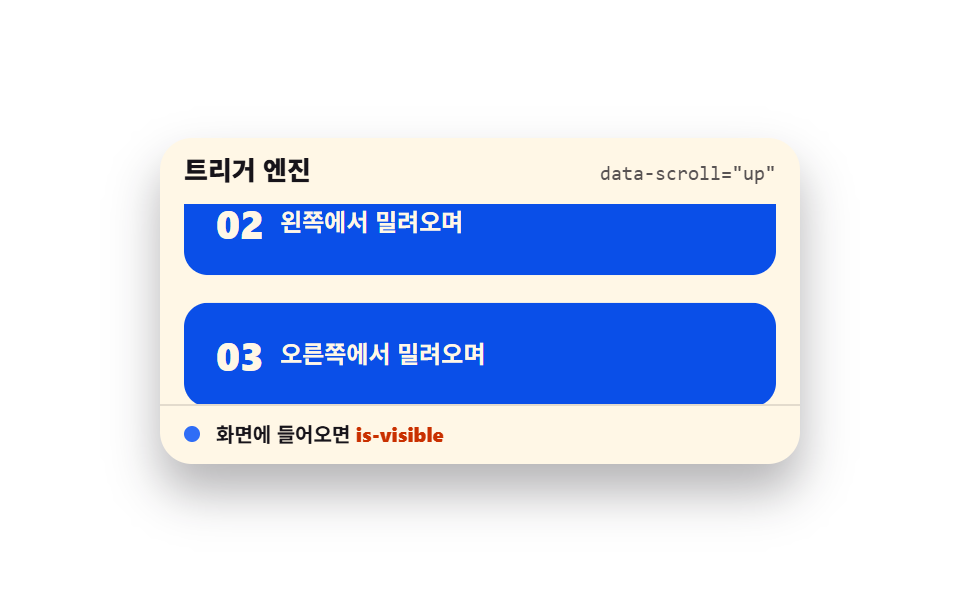 스크롤스크롤 트리거 애니메이션 9종 — GSAP 없이 바닐라 JS 엔진으로
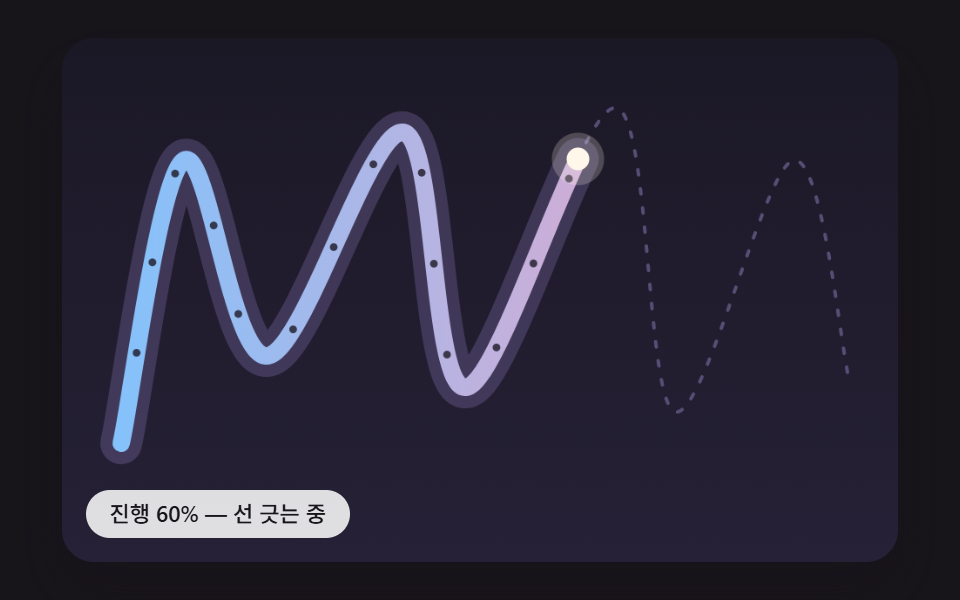 스크롤스크롤 인터랙션 9종 — 선 긋기·길 따라가기·꼬리·나선
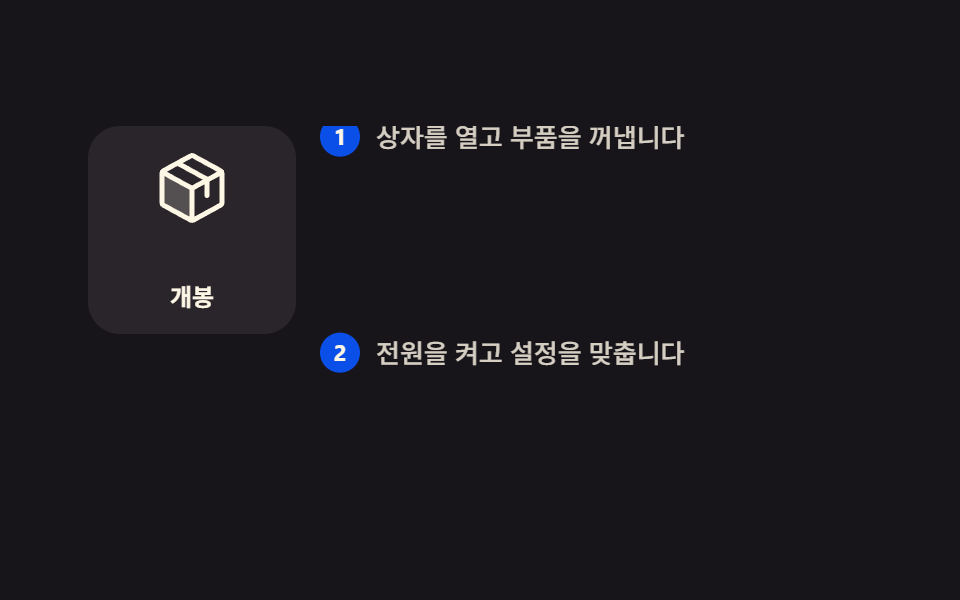 스크롤스크롤 스토리텔링 섹션 9종 — 복붙하는 CSS 장면 구성
 스크롤CSS 스크롤 애니메이션 9종 — AOS·GSAP 없이 JS 0줄로
 스크롤CSS 무한 롤링 배너 9종 — AOS·GSAP 없이, JS 0줄
 스크롤CSS 프로그레스바 애니메이션 9종 — 스크롤 읽기 진행 표시
 스크롤이미지 슬라이드 만들기 9종 — CSS 캐러셀 그대로 복사
 스크롤타임라인 CSS 애니메이션 9종 — 스테퍼까지 복붙
 스크롤CSS 슬라이더로 만드는 캐러셀 9가지 — 복붙 코드
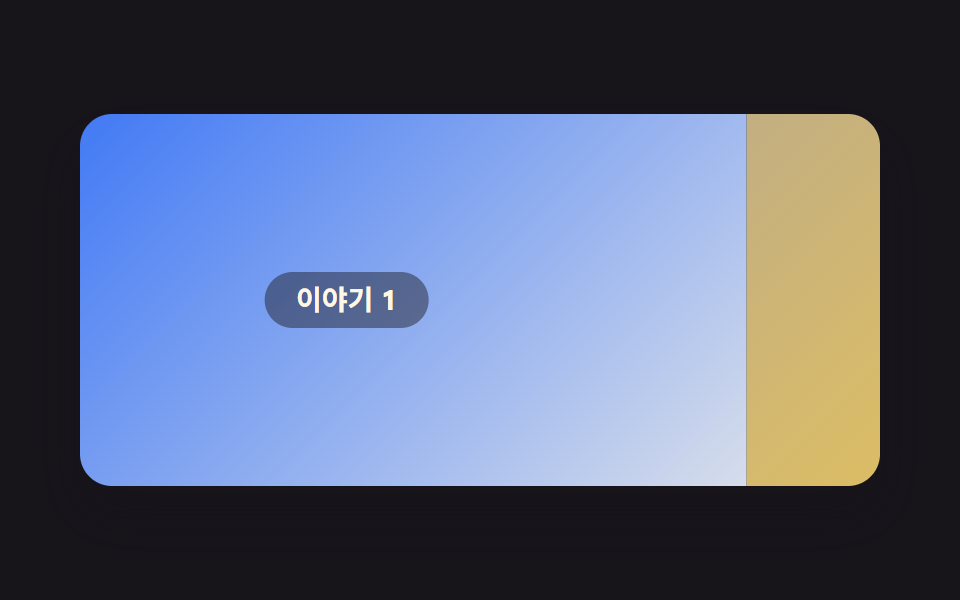 스크롤홈페이지 스크롤 효과 9가지 — 애플 페이지처럼 되는 CSS