CSS 무한 롤링 배너 9종 — AOS·GSAP 없이, JS 0줄
css 무한 롤링 배너는 로고나 문구를 담은 콘텐츠 줄이 끊김 없이 한 방향으로 계속 흘러가는 애니메이션입니다. AOS·GSAP 없이, JS 0줄로 아홉 가지를 전부 만들었고, 그중 하나(09)는 화면이 아니라 사용자의 운영체제 설정을 실제로 반영합니다.
 01 marquee-infinite-scroll-seamless-loop
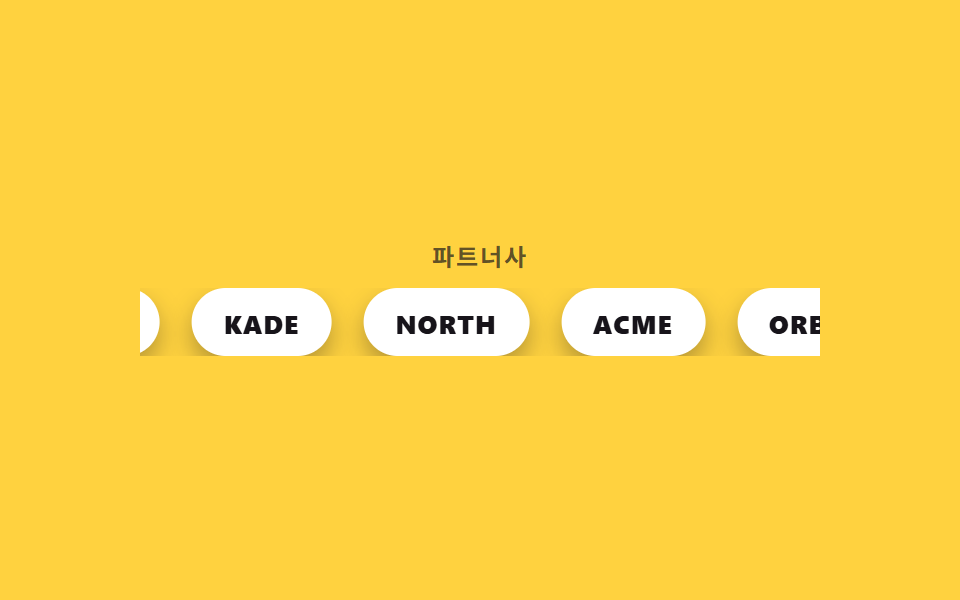 02 marquee-infinite-scroll-logo-marquee
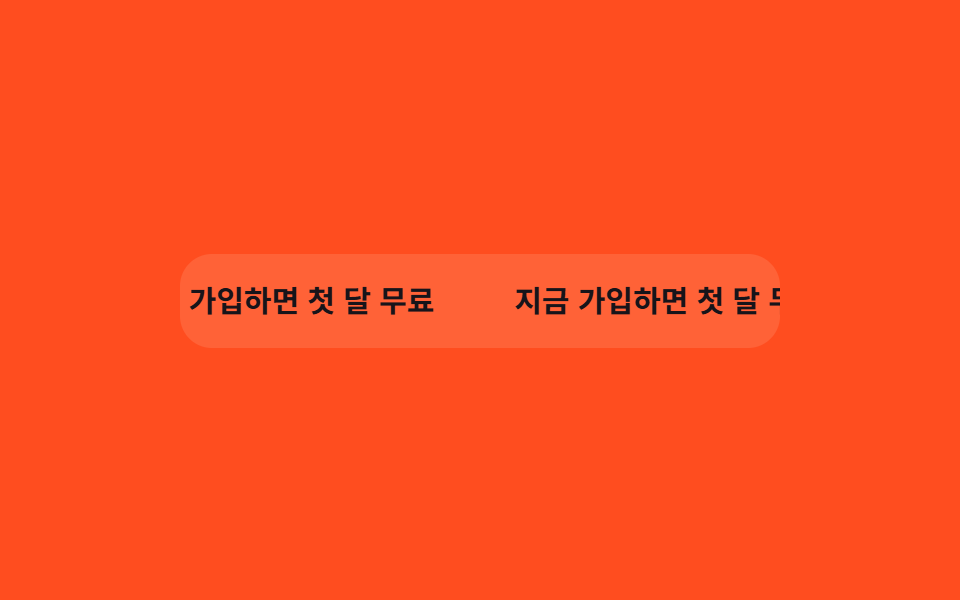 03 marquee-infinite-scroll-pause-hover
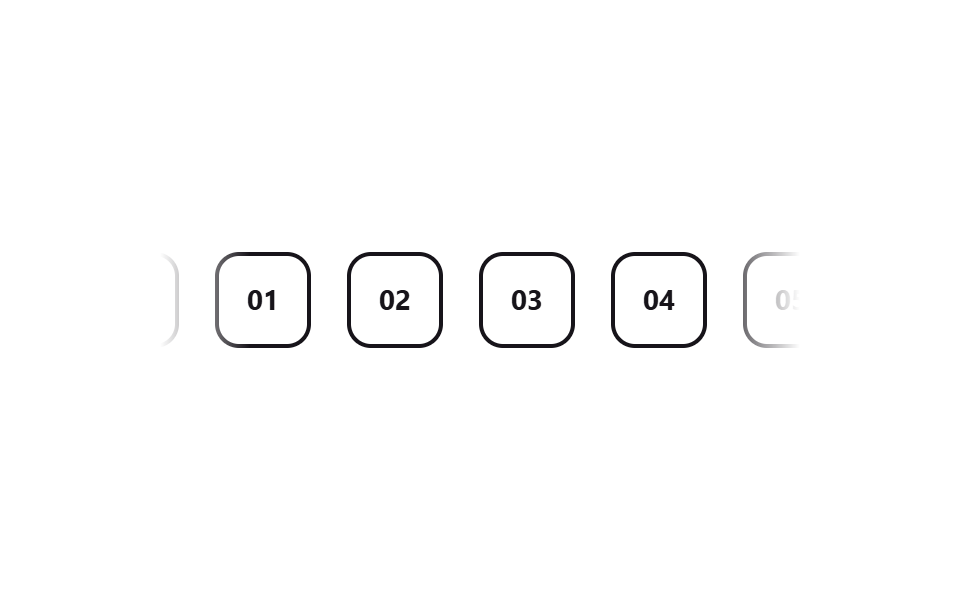 04 marquee-infinite-scroll-fade-edges-mask
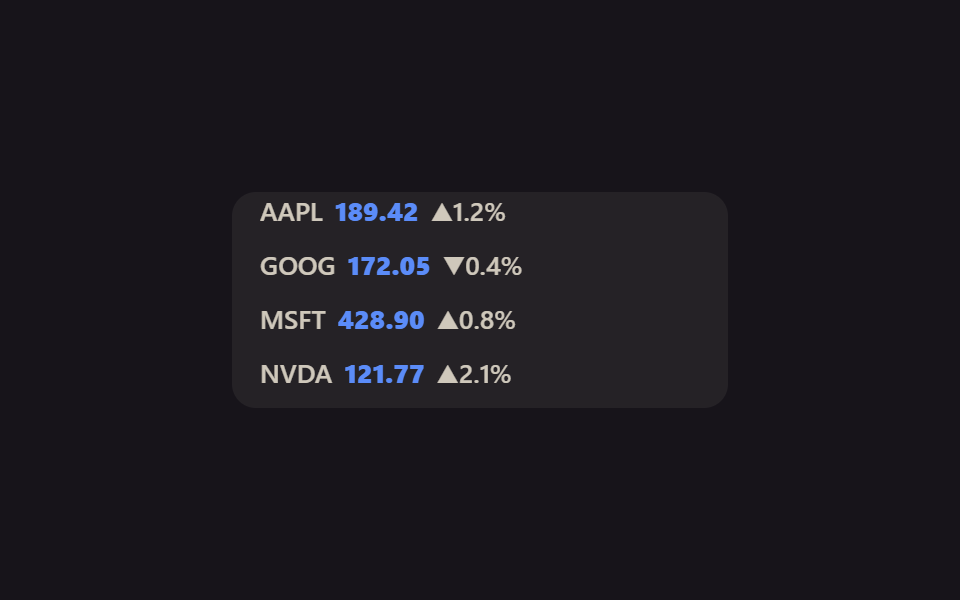 05 marquee-infinite-scroll-vertical-ticker
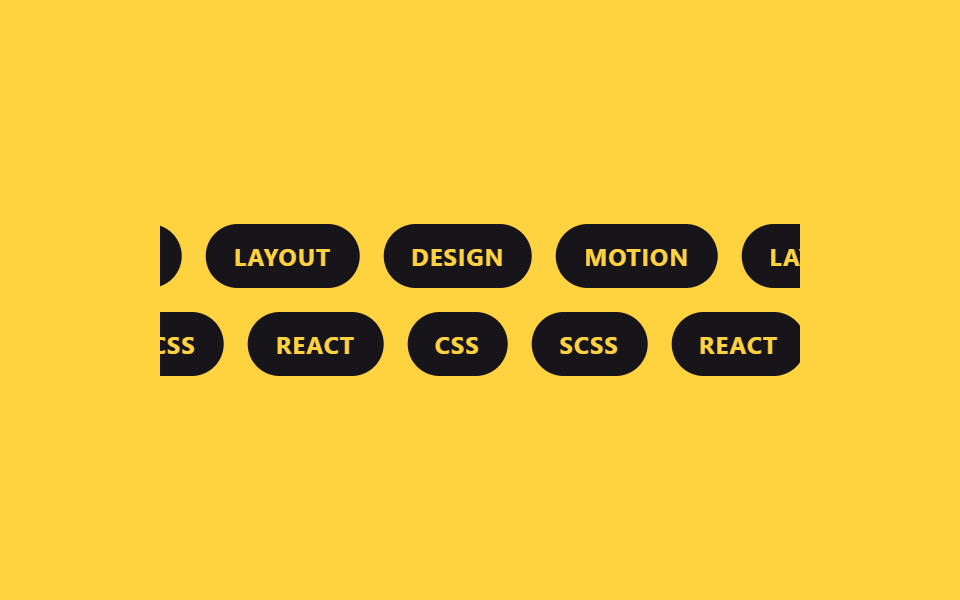 06 marquee-infinite-scroll-dual-direction
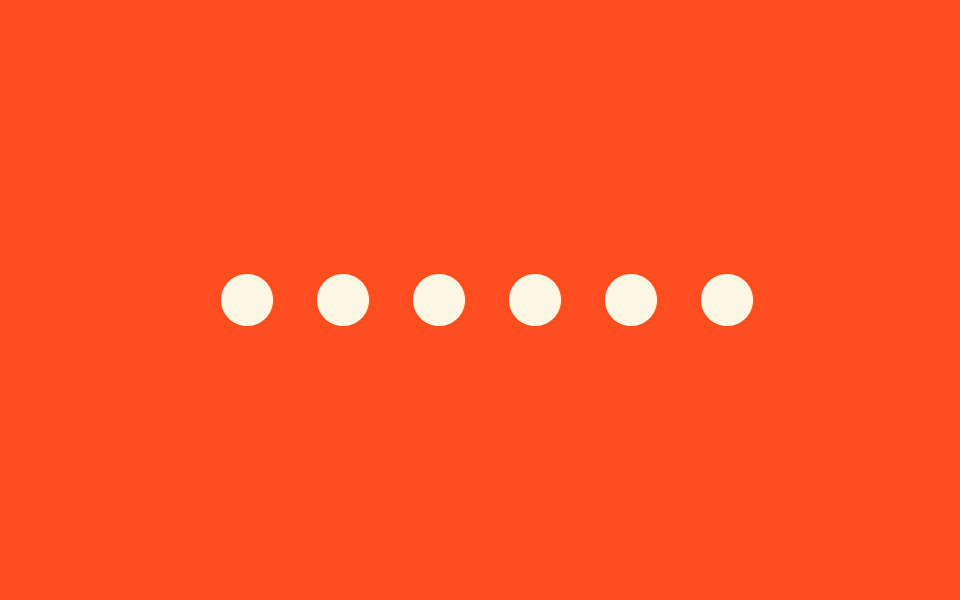 07 marquee-infinite-scroll-variable-speed
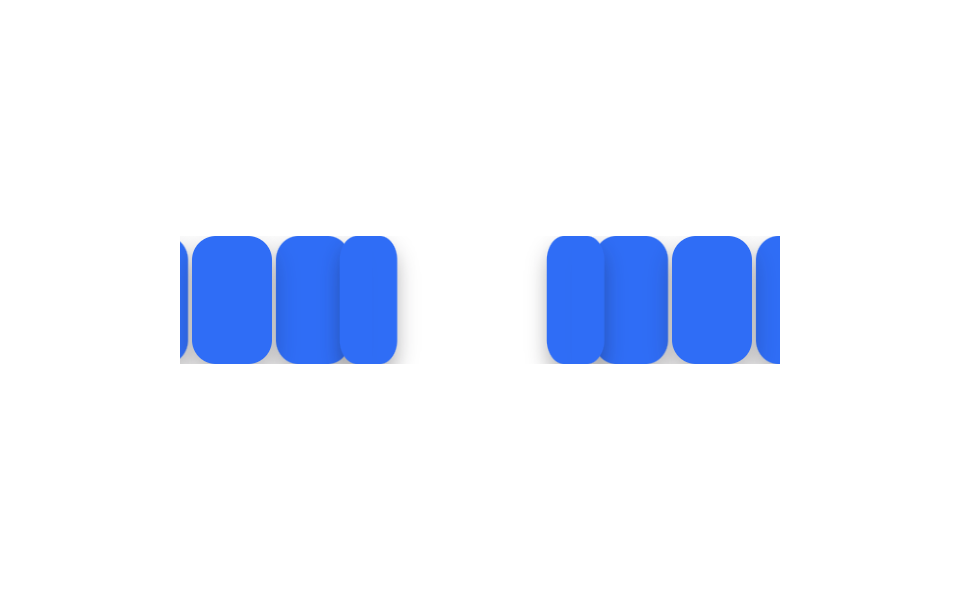 08 marquee-infinite-scroll-3d-curve
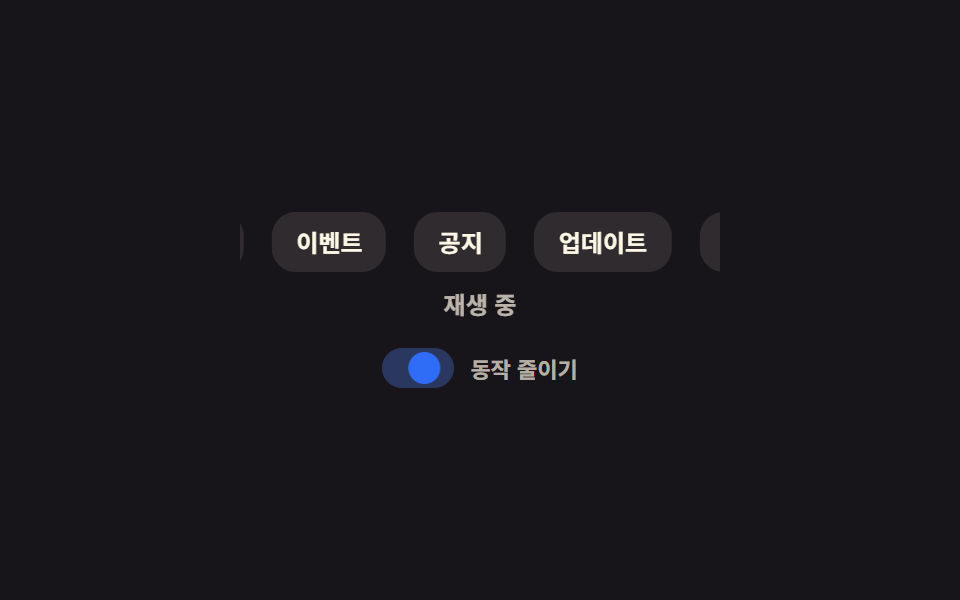 09 marquee-infinite-scroll-reduced-motion-static
자동 재생 · 눌러서 해당 항목으로 · 전부 한 zip
아홉 개 롤링 배너 디자인 예제는 인기 순이 아니라 기법이 쌓이는 순서로 놓았습니다. 이음매 없이 도는 기본 공식(01)을 실전 로고 배치(02)에 옮기고, 상호작용(03)과 시각 다듬기(04)를 얹은 뒤 세로·양방향 배치(05~06)로 변형하고, 속도와 입체감(07~08)으로 마무리해 접근성(09)으로 끝냅니다. 데모는 실제 서비스보다 배속했습니다 — 실제로는 12~20초에 한 바퀴가 보통이고, 로고·문구 자리도 실서비스에 맞는 것으로 바꾸면 됩니다.
01끊김 없는 루프 공식
롤링 배너 만들기의 기본 공식
칩 A부터 F까지를 그대로 한 번 더 복제해 트랙 하나에 열두 개를 나란히 두고, transform 을 0에서 -50%까지만 옮기는 게 이 아래 모든 마퀴가 쓰는 기본 공식입니다. 간격은 트랙의 gap 이 아니라 칩마다 margin-right 로 줍니다.
어디에 쓰나
그래야 한 세트의 폭이 트랙의 정확히 절반이 되어, 복제본이 원본이 있던 자리에 픽셀 단위로 겹쳐 듭니다.
<main class="stage">
  <div class="marquee">
    <div class="marquee__track">
      <span class="marquee__chip">A</span>
      <span class="marquee__chip">B</span>
      <span class="marquee__chip">C</span>
      <span class="marquee__chip">D</span>
      <span class="marquee__chip">E</span>
      <span class="marquee__chip">F</span>
      <span class="marquee__chip" aria-hidden="true">A</span>
      <span class="marquee__chip" aria-hidden="true">B</span>
      <span class="marquee__chip" aria-hidden="true">C</span>
      <span class="marquee__chip" aria-hidden="true">D</span>
      <span class="marquee__chip" aria-hidden="true">E</span>
      <span class="marquee__chip" aria-hidden="true">F</span>
    </div>
  </div>
</main>
@use "../../../../site/static/demo-tokens" as *;
$duration: $dur-loop; // 실제 서비스는 12~20s 가 보통. 데모는 gif 루프에 맞춰 2s 로 배속
$easing: linear; // 등속 — 완급을 준 버전은 07
$color: $subject-cream;
@include stage($stage-ink);
.marquee {
width: min(320px, 84vw);
overflow: hidden;
}
.marquee__track {
display: flex;
width: max-content;
animation: marquee-scroll $duration $easing infinite;
}
.marquee__chip {
margin-right: 14px; // 트랙의 gap 대신 — 세트 폭이 정확히 절반이 되어 -50% 이음새가 0px 이 된다
display: grid;
place-items: center;
flex-shrink: 0;
width: 40px;
height: 40px;
border-radius: $r-control;
background: $color;
color: $stage-ink;
font-weight: 700; font-size: 16px; line-height: 1; font-family: inherit;
}
// 6개를 그대로 한 번 더 복제해 트랙 하나에 12개를 나란히 두었다.
// 간격은 트랙의 gap 이 아니라 칩의 margin-right 로 준다. gap 은 12개 사이에 11번만 생겨
// -50% 가 gap 의 절반만큼 모자라고, 한 바퀴마다 그만큼 튄다 (이 편 9개 전부에서 4~20px 실측).
// margin-right 면 세트 하나의 폭 = (칩 + 간격) × 6 이라 -50% 가 픽셀 단위로 겹친다.
@keyframes marquee-scroll {
from { transform: translateX(0); }
to { transform: translateX(-50%); }
}
@media (prefers-reduced-motion: reduce) {
.marquee__track { animation: none; transform: translateX(0); }
}html, body {
margin: 0;
overflow: hidden;
}
.stage {
box-sizing: border-box;
min-height: 100vh;
display: grid;
place-items: center;
margin: 0;
background: #17141a;
font-family: -apple-system, "Segoe UI", "Noto Sans KR", sans-serif;
padding: clamp(8px, 4vw, 24px);
}
.marquee {
width: min(320px, 84vw);
overflow: hidden;
}
.marquee__track {
display: flex;
width: max-content;
animation: marquee-scroll 2s linear infinite;
}
.marquee__chip {
margin-right: 14px;
display: grid;
place-items: center;
flex-shrink: 0;
width: 40px;
height: 40px;
border-radius: 12px;
background: #fff7e6;
color: #17141a;
font-weight: 700;
font-size: 16px;
line-height: 1;
font-family: inherit;
}
@keyframes marquee-scroll {
from {
transform: translateX(0);
}
to {
transform: translateX(-50%);
}
}
@media (prefers-reduced-motion: reduce) {
.marquee__track {
animation: none;
transform: translateX(0);
}
}import type { CSSProperties } from "react";
import styles from "./SeamlessLoopMarquee.module.scss";
export type SeamlessLoopMarqueeProps = {
items?: string[];
/** 한 바퀴가 도는 시간 (기본 12000ms — 데모 gif 는 2000ms 로 배속) */
duration?: number;
easing?: string;
color?: string;
};
type Vars = CSSProperties & { "--duration"?: string; "--easing"?: string; "--color"?: string };
export default function SeamlessLoopMarquee({
items = ["A", "B", "C", "D", "E", "F"],
duration = 12000,
easing = "linear",
color = "#fff7e6",
}: SeamlessLoopMarqueeProps) {
const vars: Vars = { "--duration": `${duration}ms`, "--easing": easing, "--color": color };
return (
<div className={styles.marquee} style={vars}>
<div className={styles.track}>
{items.map((it) => (
<span key={it} className={styles.chip}>{it}</span>
))}
{items.map((it) => (
<span key={"dup-" + it} className={styles.chip} aria-hidden="true">{it}</span>
))}
</div>
</div>
);
}01 · 끊김 없는 루프 공식 — 측정 누적면적 8.889% · 움직인 프레임 23/23GODRICH 원작 · zip 에 SCSS·React 포함 · 비밀번호 보기
.marquee__track {
  display: flex;
  width: max-content;
  animation: marquee-scroll 12s linear infinite;
}
.marquee__chip { margin-right: 14px; }   // 트랙 gap 대신 — 세트 폭이 딱 절반
@keyframes marquee-scroll {
  from { transform: translateX(0); }
  to   { transform: translateX(-50%); }
}
02로고 무한 롤링
어떻게 움직이나
특정 서비스가 아니라 실제로 쓸 배치를 보여주려고, 대문자 워드마크 다섯 개를 알약 카드로 만들어 같은 이음매 없는 트랙에 흘려보냅니다.
어디에 쓰나
파트너사 라벨을 스트립 위에 작게 얹어 이 목록이 무엇을 나열한 것인지 알려줍니다.
<main class="stage">
  <div class="marquee">
    <p class="marquee__label">파트너사</p>
    <div class="marquee__row">
      <div class="marquee__track">
        <span class="marquee__logo">NORTH</span>
        <span class="marquee__logo">ACME</span>
        <span class="marquee__logo">ORBIT</span>
        <span class="marquee__logo">VELA</span>
        <span class="marquee__logo">KADE</span>
        <span class="marquee__logo" aria-hidden="true">NORTH</span>
        <span class="marquee__logo" aria-hidden="true">ACME</span>
        <span class="marquee__logo" aria-hidden="true">ORBIT</span>
        <span class="marquee__logo" aria-hidden="true">VELA</span>
        <span class="marquee__logo" aria-hidden="true">KADE</span>
      </div>
    </div>
  </div>
</main>
@use "../../../../site/static/demo-tokens" as *;
$duration: $dur-loop;
$easing: linear;
$color: $stage-ink;
@include stage($stage-yellow);
.marquee { width: min(340px, 88vw); display: grid; gap: 10px; justify-items: center; }
.marquee__label {
margin: 0;
font-weight: 700; font-size: clamp(11px, 3vw, 12px); line-height: 1; font-family: inherit;
letter-spacing: .08em;
color: rgba($color, .68);
text-transform: uppercase;
}
.marquee__row { width: 100%; overflow: hidden; }
.marquee__track {
display: flex;
width: max-content;
animation: logo-scroll $duration $easing infinite;
}
.marquee__logo {
margin-right: 16px; // 트랙의 gap 대신 — 세트 폭이 정확히 절반이 되어 -50% 이음새가 0px 이 된다
flex-shrink: 0;
display: grid;
place-items: center;
height: 34px;
padding: 0 16px;
border-radius: $r-pill;
background: $stage-paper;
color: $color;
font-weight: 800; font-size: 13px; line-height: 1; font-family: inherit;
letter-spacing: .04em;
box-shadow: $shadow-press;
}
@keyframes logo-scroll {
from { transform: translateX(0); }
to { transform: translateX(-50%); }
}
@media (prefers-reduced-motion: reduce) {
.marquee__track { animation: none; transform: translateX(0); }
}html, body {
margin: 0;
overflow: hidden;
}
.stage {
box-sizing: border-box;
min-height: 100vh;
display: grid;
place-items: center;
margin: 0;
background: #ffd23f;
font-family: -apple-system, "Segoe UI", "Noto Sans KR", sans-serif;
padding: clamp(8px, 4vw, 24px);
}
.marquee {
width: min(340px, 88vw);
display: grid;
gap: 10px;
justify-items: center;
}
.marquee__label {
margin: 0;
font-weight: 700;
font-size: clamp(11px, 3vw, 12px);
line-height: 1;
font-family: inherit;
letter-spacing: 0.08em;
color: rgba(23, 20, 26, 0.68);
text-transform: uppercase;
}
.marquee__row {
width: 100%;
overflow: hidden;
}
.marquee__track {
display: flex;
width: max-content;
animation: logo-scroll 2s linear infinite;
}
.marquee__logo {
margin-right: 16px;
flex-shrink: 0;
display: grid;
place-items: center;
height: 34px;
padding: 0 16px;
border-radius: 999px;
background: #ffffff;
color: #17141a;
font-weight: 800;
font-size: 13px;
line-height: 1;
font-family: inherit;
letter-spacing: 0.04em;
box-shadow: 0 6px 12px rgba(23, 20, 26, 0.32);
}
@keyframes logo-scroll {
from {
transform: translateX(0);
}
to {
transform: translateX(-50%);
}
}
@media (prefers-reduced-motion: reduce) {
.marquee__track {
animation: none;
transform: translateX(0);
}
}import type { CSSProperties } from "react";
import styles from "./LogoMarquee.module.scss";
export type LogoMarqueeProps = {
label?: string;
logos?: string[];
duration?: number;
easing?: string;
color?: string;
};
type Vars = CSSProperties & { "--duration"?: string; "--easing"?: string; "--color"?: string };
export default function LogoMarquee({
label = "Partners",
logos = ["NORTH", "ACME", "ORBIT", "VELA", "KADE"],
duration = 12000,
easing = "linear",
color = "#17141a",
}: LogoMarqueeProps) {
const vars: Vars = { "--duration": `${duration}ms`, "--easing": easing, "--color": color };
return (
<div className={styles.marquee} style={vars}>
<p className={styles.label}>{label}</p>
<div className={styles.row}>
<div className={styles.track}>
{logos.map((l) => (
<span key={l} className={styles.logo}>{l}</span>
))}
{logos.map((l) => (
<span key={"dup-" + l} className={styles.logo} aria-hidden="true">{l}</span>
))}
</div>
</div>
</div>
);
}02 · 로고 무한 롤링 — 측정 누적면적 8.028% · 움직인 프레임 23/23GODRICH 원작 · zip 에 SCSS·React 포함 · 비밀번호 보기
.marquee__track {
  display: flex;
  animation: logo-scroll 12s linear infinite;
}
.marquee__logo {
  margin-right: 16px;
  height: 34px;
  padding: 0 16px;
  border-radius: 999px;
  background: #fff;
}
03호버 시 정지
어떻게 움직이나
마우스가 배너 위에 올라오면 animation-play-state 를 paused 로 바꿔 흐름을 멈추고, 읽던 문구를 그 자리에 그대로 둡니다.
어디에 쓰나
렌더는 실제 마우스를 못 움직이니, 데모에서는 트랙 자신의 keyframes 안에 정지 구간을 넣어 흐르다 멈췄다 다시 흐르는 모습을 자동으로 반복시켰습니다.
<main class="stage">
  <div class="marquee is-demo" tabindex="0">
    <div class="marquee__track">
      <span class="marquee__chip">지금 가입하면 첫 달 무료</span>
      <span class="marquee__chip" aria-hidden="true">지금 가입하면 첫 달 무료</span>
    </div>
    <span class="marquee__cursor" aria-hidden="true"></span>
  </div>
</main>
@use "../../../../site/static/demo-tokens" as *;
$duration: 10s; // 실서비스 속도 — 데모는 아래 .is-demo 가 별도로 2s 루프에 맞춘다
$easing: linear;
$color: $subject-cream;
@include stage($stage-orange);
.marquee {
position: relative;
width: min(300px, 82vw);
overflow: hidden;
border-radius: $r-card;
padding: 16px 0;
background: rgba($color, .12);
outline: none;
}
.marquee__track {
display: flex;
width: max-content;
animation: marquee-scroll $duration $easing infinite;
}
.marquee__chip {
margin-right: 40px; // 트랙의 gap 대신 — 세트 폭이 정확히 절반이 되어 -50% 이음새가 0px 이 된다
flex-shrink: 0;
white-space: nowrap;
font-weight: 700; font-size: clamp(13px, 3.6vw, 15px); line-height: 1; font-family: inherit;
color: $subject-ink; // 주황 면 위 글자 — AA 4.5 (blog-design 글자 대비)
}
.marquee__cursor {
position: absolute;
top: 8px;
right: 22px;
width: 16px;
height: 16px;
border-radius: 50%;
background: $subject-blue;
box-shadow: 0 0 0 3px rgba($subject-blue, .28);
opacity: 0;
}
// 실제 사용자는 마우스를 올리면 여기서 멈춘다 — 읽던 문구가 그대로 남는다
.marquee:hover .marquee__track,
.marquee:focus-within .marquee__track,
.marquee:active .marquee__track {
animation-play-state: paused;
}
// 데모 · 문서용: 진짜 hover 는 렌더에서 못 일으키니, 흐르다 멈췄다 다시 흐르는 한 사이클을
// 트랙 자신의 keyframes 안에 구간(plateau)으로 넣어 2초마다 반복시킨다. 커서 점은 그 구간에서만 보인다
.marquee.is-demo .marquee__track {
animation: marquee-hover-cycle $dur-loop $easing infinite;
}
.marquee.is-demo .marquee__cursor {
animation: cursor-hover $dur-loop $easing infinite;
}
@keyframes marquee-hover-cycle {
0% { transform: translateX(0); }
38% { transform: translateX(-32%); }
62% { transform: translateX(-32%); } // 정지 구간 — 실제 hover 로 멈춘 순간을 흉내
100% { transform: translateX(-50%); }
}
@keyframes cursor-hover {
0%, 30% { opacity: 0; transform: translateY(6px) scale(.6); }
38%, 62% { opacity: 1; transform: translateY(0) scale(1); }
70%, 100% { opacity: 0; transform: translateY(6px) scale(.6); }
}
@media (prefers-reduced-motion: reduce) {
.marquee__track { animation: none; transform: translateX(0); }
.marquee__cursor { animation: none; opacity: 0; }
}html, body {
margin: 0;
overflow: hidden;
}
.stage {
box-sizing: border-box;
min-height: 100vh;
display: grid;
place-items: center;
margin: 0;
background: #ff4d1f;
font-family: -apple-system, "Segoe UI", "Noto Sans KR", sans-serif;
padding: clamp(8px, 4vw, 24px);
}
.marquee {
position: relative;
width: min(300px, 82vw);
overflow: hidden;
border-radius: 16px;
padding: 16px 0;
background: rgba(255, 247, 230, 0.12);
outline: none;
}
.marquee__track {
display: flex;
width: max-content;
animation: marquee-scroll 10s linear infinite;
}
.marquee__chip {
margin-right: 40px;
flex-shrink: 0;
white-space: nowrap;
font-weight: 700;
font-size: clamp(13px, 3.6vw, 15px);
line-height: 1;
font-family: inherit;
color: #17141a;
}
.marquee__cursor {
position: absolute;
top: 8px;
right: 22px;
width: 16px;
height: 16px;
border-radius: 50%;
background: #2f6df6;
box-shadow: 0 0 0 3px rgba(47, 109, 246, 0.28);
opacity: 0;
}
.marquee:hover .marquee__track,
.marquee:focus-within .marquee__track,
.marquee:active .marquee__track {
animation-play-state: paused;
}
.marquee.is-demo .marquee__track {
animation: marquee-hover-cycle 2s linear infinite;
}
.marquee.is-demo .marquee__cursor {
animation: cursor-hover 2s linear infinite;
}
@keyframes marquee-hover-cycle {
0% {
transform: translateX(0);
}
38% {
transform: translateX(-32%);
}
62% {
transform: translateX(-32%);
}
100% {
transform: translateX(-50%);
}
}
@keyframes cursor-hover {
0%, 30% {
opacity: 0;
transform: translateY(6px) scale(0.6);
}
38%, 62% {
opacity: 1;
transform: translateY(0) scale(1);
}
70%, 100% {
opacity: 0;
transform: translateY(6px) scale(0.6);
}
}
@media (prefers-reduced-motion: reduce) {
.marquee__track {
animation: none;
transform: translateX(0);
}
.marquee__cursor {
animation: none;
opacity: 0;
}
}import type { CSSProperties } from "react";
import styles from "./PauseHoverMarquee.module.scss";
export type PauseHoverMarqueeProps = {
text?: string;
/** 한 바퀴가 도는 시간 (기본 10000ms) */
duration?: number;
easing?: string;
color?: string;
};
type Vars = CSSProperties & { "--duration"?: string; "--easing"?: string; "--color"?: string };
export default function PauseHoverMarquee({
text = "지금 가입하면 첫 달 무료",
duration = 10000,
easing = "linear",
color = "#fff7e6",
}: PauseHoverMarqueeProps) {
const vars: Vars = { "--duration": `${duration}ms`, "--easing": easing, "--color": color };
return (
<div className={styles.marquee} style={vars} tabIndex={0}>
<div className={styles.track}>
<span className={styles.chip}>{text}</span>
<span className={styles.chip} aria-hidden="true">{text}</span>
</div>
</div>
);
}03 · 호버 시 정지 — 측정 누적면적 3.244% · 움직인 프레임 19/23GODRICH 원작 · zip 에 SCSS·React 포함 · 비밀번호 보기
.marquee:hover .marquee__track,
.marquee:focus-within .marquee__track {
  animation-play-state: paused;
}
@keyframes marquee-hover-cycle {
  0%   { transform: translateX(0); }
  38%  { transform: translateX(-32%); }
  62%  { transform: translateX(-32%); }
  100% { transform: translateX(-50%); }
}
04양끝 마스크 페이드
어떻게 움직이나
트랙을 감싼 상자에 mask-image 그러데이션을 씌워 좌우 끝 요소가 뚝 잘리는 대신 배경 속으로 옅어지며 사라지게 만들었습니다.
어디에 쓰나
접두사 없는 mask-image 는 Safari 15.4부터 지원하지만(caniuse 의 CSS Masks 지원표), 그 이전 버전과도 같은 결과를 내려면 -webkit-mask-image 를 나란히 남겨 두는 게 안전합니다.
<main class="stage">
  <div class="marquee">
    <div class="marquee__track">
      <span class="marquee__chip">01</span>
      <span class="marquee__chip">02</span>
      <span class="marquee__chip">03</span>
      <span class="marquee__chip">04</span>
      <span class="marquee__chip">05</span>
      <span class="marquee__chip" aria-hidden="true">01</span>
      <span class="marquee__chip" aria-hidden="true">02</span>
      <span class="marquee__chip" aria-hidden="true">03</span>
      <span class="marquee__chip" aria-hidden="true">04</span>
      <span class="marquee__chip" aria-hidden="true">05</span>
    </div>
  </div>
</main>
@use "../../../../site/static/demo-tokens" as *;
$duration: $dur-loop;
$easing: linear;
$color: $subject-ink;
@include stage($stage-paper);
.marquee {
width: min(320px, 84vw);
overflow: hidden;
mask-image: linear-gradient(to right, transparent, #000 14%, #000 86%, transparent);
-webkit-mask-image: linear-gradient(to right, transparent, #000 14%, #000 86%, transparent);
}
.marquee__track {
display: flex;
width: max-content;
animation: marquee-scroll $duration $easing infinite;
}
.marquee__chip {
margin-right: 18px; // 트랙의 gap 대신 — 세트 폭이 정확히 절반이 되어 -50% 이음새가 0px 이 된다
flex-shrink: 0;
display: grid;
place-items: center;
width: 44px;
height: 44px;
border-radius: $r-control;
border: 2px solid $color;
color: $color;
font-weight: 700; font-size: 14px; line-height: 1; font-family: inherit;
}
@keyframes marquee-scroll {
from { transform: translateX(0); }
to { transform: translateX(-50%); }
}
@media (prefers-reduced-motion: reduce) {
.marquee__track { animation: none; transform: translateX(0); }
}html, body {
margin: 0;
overflow: hidden;
}
.stage {
box-sizing: border-box;
min-height: 100vh;
display: grid;
place-items: center;
margin: 0;
background: #ffffff;
font-family: -apple-system, "Segoe UI", "Noto Sans KR", sans-serif;
padding: clamp(8px, 4vw, 24px);
}
.marquee {
width: min(320px, 84vw);
overflow: hidden;
mask-image: linear-gradient(to right, transparent, #000 14%, #000 86%, transparent);
-webkit-mask-image: linear-gradient(to right, transparent, #000 14%, #000 86%, transparent);
}
.marquee__track {
display: flex;
width: max-content;
animation: marquee-scroll 2s linear infinite;
}
.marquee__chip {
margin-right: 18px;
flex-shrink: 0;
display: grid;
place-items: center;
width: 44px;
height: 44px;
border-radius: 12px;
border: 2px solid #17141a;
color: #17141a;
font-weight: 700;
font-size: 14px;
line-height: 1;
font-family: inherit;
}
@keyframes marquee-scroll {
from {
transform: translateX(0);
}
to {
transform: translateX(-50%);
}
}
@media (prefers-reduced-motion: reduce) {
.marquee__track {
animation: none;
transform: translateX(0);
}
}import type { CSSProperties } from "react";
import styles from "./FadeEdgeMarquee.module.scss";
export type FadeEdgeMarqueeProps = {
items?: string[];
duration?: number;
easing?: string;
color?: string;
};
type Vars = CSSProperties & { "--duration"?: string; "--easing"?: string; "--color"?: string };
export default function FadeEdgeMarquee({
items = ["01", "02", "03", "04", "05"],
duration = 12000,
easing = "linear",
color = "#17141a",
}: FadeEdgeMarqueeProps) {
const vars: Vars = { "--duration": `${duration}ms`, "--easing": easing, "--color": color };
return (
<div className={styles.marquee} style={vars}>
<div className={styles.track}>
{items.map((it) => (
<span key={it} className={styles.chip}>{it}</span>
))}
{items.map((it) => (
<span key={"dup-" + it} className={styles.chip} aria-hidden="true">{it}</span>
))}
</div>
</div>
);
}04 · 양끝 마스크 페이드 — 측정 누적면적 10.501% · 움직인 프레임 23/23GODRICH 원작 · zip 에 SCSS·React 포함 · 비밀번호 보기
.marquee {
  overflow: hidden;
  mask-image: linear-gradient(to right,
    transparent, #000 14%, #000 86%, transparent);
  -webkit-mask-image: linear-gradient(to right,
    transparent, #000 14%, #000 86%, transparent);
}
05세로 티커
어떻게 움직이나
translateX 대신 translateY 를 써서 같은 2벌 복제 공식을 세로 축에 그대로 적용했습니다.
어디에 쓰나
종목명·가격·등락률을 한 행에 담아 고정 높이 상자 안에서 위로 흘러가게 했습니다.
<main class="stage">
  <div class="ticker">
    <div class="ticker__track">
      <span class="ticker__row">AAPL <b>189.42</b> ▲1.2%</span>
      <span class="ticker__row">GOOG <b>172.05</b> ▼0.4%</span>
      <span class="ticker__row">MSFT <b>428.90</b> ▲0.8%</span>
      <span class="ticker__row">NVDA <b>121.77</b> ▲2.1%</span>
      <span class="ticker__row" aria-hidden="true">AAPL <b>189.42</b> ▲1.2%</span>
      <span class="ticker__row" aria-hidden="true">GOOG <b>172.05</b> ▼0.4%</span>
      <span class="ticker__row" aria-hidden="true">MSFT <b>428.90</b> ▲0.8%</span>
      <span class="ticker__row" aria-hidden="true">NVDA <b>121.77</b> ▲2.1%</span>
    </div>
  </div>
</main>
@use "../../../../site/static/demo-tokens" as *;
$duration: $dur-loop;
$easing: linear;
$color: $subject-blue;
@include stage($stage-ink);
.ticker {
width: min(220px, 76vw);
height: 108px;
overflow: hidden;
border-radius: $r-control;
background: rgba($subject-cream, .06);
padding: 0 14px;
}
.ticker__track {
display: flex;
flex-direction: column;
animation: ticker-scroll $duration $easing infinite;
}
.ticker__row {
flex-shrink: 0;
height: 27px;
display: flex;
align-items: center;
gap: 6px;
font-weight: 600; font-size: clamp(11px, 3.2vw, 13px); line-height: 1; font-family: inherit;
color: rgba($subject-cream, .78);
b { color: $subject-blue-light; font-weight: 800; } // 어두운 면 위 파란 글자 — AA 4.5
}
// 세로 축에도 같은 2벌 복제 공식을 그대로 적용 — translateX 대신 translateY 로 -50%
@keyframes ticker-scroll {
from { transform: translateY(0); }
to { transform: translateY(-50%); }
}
@media (prefers-reduced-motion: reduce) {
.ticker__track { animation: none; transform: translateY(0); }
}html, body {
margin: 0;
overflow: hidden;
}
.stage {
box-sizing: border-box;
min-height: 100vh;
display: grid;
place-items: center;
margin: 0;
background: #17141a;
font-family: -apple-system, "Segoe UI", "Noto Sans KR", sans-serif;
padding: clamp(8px, 4vw, 24px);
}
.ticker {
width: min(220px, 76vw);
height: 108px;
overflow: hidden;
border-radius: 12px;
background: rgba(255, 247, 230, 0.06);
padding: 0 14px;
}
.ticker__track {
display: flex;
flex-direction: column;
animation: ticker-scroll 2s linear infinite;
}
.ticker__row {
flex-shrink: 0;
height: 27px;
display: flex;
align-items: center;
gap: 6px;
font-weight: 600;
font-size: clamp(11px, 3.2vw, 13px);
line-height: 1;
font-family: inherit;
color: rgba(255, 247, 230, 0.78);
}
.ticker__row b {
color: #5b8cf8;
font-weight: 800;
}
@keyframes ticker-scroll {
from {
transform: translateY(0);
}
to {
transform: translateY(-50%);
}
}
@media (prefers-reduced-motion: reduce) {
.ticker__track {
animation: none;
transform: translateY(0);
}
}import type { CSSProperties } from "react";
import styles from "./VerticalTicker.module.scss";
export type TickerRow = { symbol: string; price: string; change: string; up: boolean };
export type VerticalTickerProps = {
rows?: TickerRow[];
duration?: number;
easing?: string;
color?: string;
};
type Vars = CSSProperties & { "--duration"?: string; "--easing"?: string; "--color"?: string };
const defaultRows: TickerRow[] = [
{ symbol: "AAPL", price: "189.42", change: "▲1.2%", up: true },
{ symbol: "GOOG", price: "172.05", change: "▼0.4%", up: false },
{ symbol: "MSFT", price: "428.90", change: "▲0.8%", up: true },
{ symbol: "NVDA", price: "121.77", change: "▲2.1%", up: true },
];
export default function VerticalTicker({
rows = defaultRows,
duration = 12000,
easing = "linear",
color = "#2f6df6",
}: VerticalTickerProps) {
const vars: Vars = { "--duration": `${duration}ms`, "--easing": easing, "--color": color };
const doubled = [...rows, ...rows];
return (
<div className={styles.ticker} style={vars}>
<div className={styles.track}>
{doubled.map((r, i) => (
<span key={r.symbol + i} className={styles.row} aria-hidden={i >= rows.length}>
{r.symbol} <b>{r.price}</b> {r.change}
</span>
))}
</div>
</div>
);
}05 · 세로 티커 — 측정 누적면적 9.767% · 움직인 프레임 23/23GODRICH 원작 · zip 에 SCSS·React 포함 · 비밀번호 보기
.ticker__track {
  display: flex;
  flex-direction: column;
  animation: ticker-scroll 12s linear infinite;
}
@keyframes ticker-scroll {
  from { transform: translateY(0); }
  to   { transform: translateY(-50%); }
}
06양방향 흐름
어떻게 움직이나
위아래 두 트랙에 같은 marquee-scroll 애니메이션을 그대로 걸고, 아래 트랙에만 animation-direction: reverse 를 얹어 방향만 뒤집었습니다.
어디에 쓰나
새 keyframes 를 따로 만들 필요가 없어 코드가 절반으로 줄었습니다.
<main class="stage">
  <div class="marquee">
    <div class="marquee__row marquee__row--fwd">
      <div class="marquee__track">
        <span class="marquee__chip">DESIGN</span>
        <span class="marquee__chip">MOTION</span>
        <span class="marquee__chip">LAYOUT</span>
        <span class="marquee__chip" aria-hidden="true">DESIGN</span>
        <span class="marquee__chip" aria-hidden="true">MOTION</span>
        <span class="marquee__chip" aria-hidden="true">LAYOUT</span>
      </div>
    </div>
    <div class="marquee__row marquee__row--rev">
      <div class="marquee__track">
        <span class="marquee__chip">CSS</span>
        <span class="marquee__chip">SCSS</span>
        <span class="marquee__chip">REACT</span>
        <span class="marquee__chip" aria-hidden="true">CSS</span>
        <span class="marquee__chip" aria-hidden="true">SCSS</span>
        <span class="marquee__chip" aria-hidden="true">REACT</span>
      </div>
    </div>
  </div>
</main>
@use "../../../../site/static/demo-tokens" as *;
$duration: $dur-loop;
$easing: linear;
$color: $stage-ink;
@include stage($stage-yellow);
.marquee { width: min(320px, 84vw); display: grid; gap: 12px; }
.marquee__row { overflow: hidden; }
.marquee__track {
display: flex;
width: max-content;
animation-duration: $duration;
animation-timing-function: $easing;
animation-iteration-count: infinite;
}
.marquee__row--fwd .marquee__track { animation-name: marquee-scroll; }
// 같은 애니메이션을 그대로 쓰되 animation-direction 만 뒤집는다 — 별도 keyframes 를 만들 필요가 없다
.marquee__row--rev .marquee__track { animation-name: marquee-scroll; animation-direction: reverse; }
.marquee__chip {
margin-right: 12px; // 트랙의 gap 대신 — 세트 폭이 정확히 절반이 되어 -50% 이음새가 0px 이 된다
flex-shrink: 0;
display: grid;
place-items: center;
height: 32px;
padding: 0 14px;
border-radius: $r-pill;
background: $color;
color: $stage-yellow;
font-weight: 700; font-size: 12px; line-height: 1; font-family: inherit;
letter-spacing: .04em;
}
@keyframes marquee-scroll {
from { transform: translateX(0); }
to { transform: translateX(-50%); }
}
@media (prefers-reduced-motion: reduce) {
.marquee__track { animation: none; transform: translateX(0); }
}html, body {
margin: 0;
overflow: hidden;
}
.stage {
box-sizing: border-box;
min-height: 100vh;
display: grid;
place-items: center;
margin: 0;
background: #ffd23f;
font-family: -apple-system, "Segoe UI", "Noto Sans KR", sans-serif;
padding: clamp(8px, 4vw, 24px);
}
.marquee {
width: min(320px, 84vw);
display: grid;
gap: 12px;
}
.marquee__row {
overflow: hidden;
}
.marquee__track {
display: flex;
width: max-content;
animation-duration: 2s;
animation-timing-function: linear;
animation-iteration-count: infinite;
}
.marquee__row--fwd .marquee__track {
animation-name: marquee-scroll;
}
.marquee__row--rev .marquee__track {
animation-name: marquee-scroll;
animation-direction: reverse;
}
.marquee__chip {
margin-right: 12px;
flex-shrink: 0;
display: grid;
place-items: center;
height: 32px;
padding: 0 14px;
border-radius: 999px;
background: #17141a;
color: #ffd23f;
font-weight: 700;
font-size: 12px;
line-height: 1;
font-family: inherit;
letter-spacing: 0.04em;
}
@keyframes marquee-scroll {
from {
transform: translateX(0);
}
to {
transform: translateX(-50%);
}
}
@media (prefers-reduced-motion: reduce) {
.marquee__track {
animation: none;
transform: translateX(0);
}
}import type { CSSProperties } from "react";
import styles from "./DualDirectionMarquee.module.scss";
export type DualDirectionMarqueeProps = {
forward?: string[];
reverse?: string[];
duration?: number;
easing?: string;
color?: string;
};
type Vars = CSSProperties & { "--duration"?: string; "--easing"?: string; "--color"?: string };
function Row({ items, reverse }: { items: string[]; reverse?: boolean }) {
return (
<div className={styles.row}>
<div className={reverse ? `${styles.track} ${styles.reverse}` : styles.track}>
{items.map((it) => (
<span key={it} className={styles.chip}>{it}</span>
))}
{items.map((it) => (
<span key={"dup-" + it} className={styles.chip} aria-hidden="true">{it}</span>
))}
</div>
</div>
);
}
export default function DualDirectionMarquee({
forward = ["DESIGN", "MOTION", "LAYOUT"],
reverse = ["CSS", "SCSS", "REACT"],
duration = 12000,
easing = "linear",
color = "#17141a",
}: DualDirectionMarqueeProps) {
const vars: Vars = { "--duration": `${duration}ms`, "--easing": easing, "--color": color };
return (
<div className={styles.marquee} style={vars}>
<Row items={forward} />
<Row items={reverse} reverse />
</div>
);
}06 · 양방향 흐름 — 측정 누적면적 14.222% · 움직인 프레임 23/23GODRICH 원작 · zip 에 SCSS·React 포함 · 비밀번호 보기
.marquee__track {
  animation-name: marquee-scroll;
  animation-duration: 12s;
  animation-timing-function: linear;
  animation-iteration-count: infinite;
}
.marquee__row--rev .marquee__track {
  animation-direction: reverse;
}
07속도 완급 흐름
어떻게 움직이나
같은 -50% 이동인데 타이밍 함수만 linear 대신 cubic-bezier(.65,0,.35,1) 로 바꿨습니다.
어디에 쓰나
이음매 근처는 느리게 붙고 구간 중간은 빠르게 지나가는 리듬이 생겨, 컨베이어 벨트 같던 인상이 한결 부드러워집니다.
<main class="stage">
  <div class="marquee">
    <div class="marquee__track">
      <span class="marquee__chip"></span>
      <span class="marquee__chip"></span>
      <span class="marquee__chip"></span>
      <span class="marquee__chip"></span>
      <span class="marquee__chip"></span>
      <span class="marquee__chip" aria-hidden="true"></span>
      <span class="marquee__chip" aria-hidden="true"></span>
      <span class="marquee__chip" aria-hidden="true"></span>
      <span class="marquee__chip" aria-hidden="true"></span>
      <span class="marquee__chip" aria-hidden="true"></span>
    </div>
  </div>
</main>
@use "../../../../site/static/demo-tokens" as *;
$duration: $dur-loop;
$easing: cubic-bezier(.65, 0, .35, 1); // 비선형 — 이음매 근처는 느리고 중간은 빠르다
$color: $subject-cream;
@include stage($stage-orange);
.marquee {
width: min(300px, 80vw);
overflow: hidden;
}
.marquee__track {
display: flex;
width: max-content;
animation: marquee-scroll $duration $easing infinite;
}
.marquee__chip {
margin-right: 22px; // 트랙의 gap 대신 — 세트 폭이 정확히 절반이 되어 -50% 이음새가 0px 이 된다
flex-shrink: 0;
width: 26px;
height: 26px;
border-radius: 50%;
background: $color;
}
// linear 대신 커스텀 cubic-bezier 를 타이밍 함수로 써도 -50% 이동량은 그대로다.
// 이음매(0%·100%)에선 느리게 붙고 구간 중간에서 빨라지는 리듬만 달라진다 — JS 없이, 한 줄로
@keyframes marquee-scroll {
from { transform: translateX(0); }
to { transform: translateX(-50%); }
}
@media (prefers-reduced-motion: reduce) {
.marquee__track { animation: none; transform: translateX(0); }
}html, body {
margin: 0;
overflow: hidden;
}
.stage {
box-sizing: border-box;
min-height: 100vh;
display: grid;
place-items: center;
margin: 0;
background: #ff4d1f;
font-family: -apple-system, "Segoe UI", "Noto Sans KR", sans-serif;
padding: clamp(8px, 4vw, 24px);
}
.marquee {
width: min(300px, 80vw);
overflow: hidden;
}
.marquee__track {
display: flex;
width: max-content;
animation: marquee-scroll 2s cubic-bezier(0.65, 0, 0.35, 1) infinite;
}
.marquee__chip {
margin-right: 22px;
flex-shrink: 0;
width: 26px;
height: 26px;
border-radius: 50%;
background: #fff7e6;
}
@keyframes marquee-scroll {
from {
transform: translateX(0);
}
to {
transform: translateX(-50%);
}
}
@media (prefers-reduced-motion: reduce) {
.marquee__track {
animation: none;
transform: translateX(0);
}
}import type { CSSProperties } from "react";
import styles from "./VariableSpeedMarquee.module.scss";
export type VariableSpeedMarqueeProps = {
count?: number;
duration?: number;
/** 비선형 타이밍 함수 — 이음매 근처는 느리고 가운데는 빠르다 */
easing?: string;
color?: string;
};
type Vars = CSSProperties & { "--duration"?: string; "--easing"?: string; "--color"?: string };
export default function VariableSpeedMarquee({
count = 5,
duration = 9000,
easing = "cubic-bezier(.65,0,.35,1)",
color = "#fff7e6",
}: VariableSpeedMarqueeProps) {
const vars: Vars = { "--duration": `${duration}ms`, "--easing": easing, "--color": color };
const dots = Array.from({ length: count * 2 });
return (
<div className={styles.marquee} style={vars}>
<div className={styles.track}>
{dots.map((_, i) => (
<span key={i} className={styles.chip} aria-hidden={i >= count} />
))}
</div>
</div>
);
}07 · 속도 완급 흐름 — 측정 누적면적 5.417% · 움직인 프레임 23/23GODRICH 원작 · zip 에 SCSS·React 포함 · 비밀번호 보기
.marquee__track {
  animation: marquee-scroll 9s
    cubic-bezier(.65, 0, .35, 1) infinite;
}
@keyframes marquee-scroll {
  from { transform: translateX(0); }
  to   { transform: translateX(-50%); }
}
083D 곡선 마퀴
어떻게 움직이나
무대에 perspective, 트랙에 preserve-3d 를 걸고 카드 다섯 장에 -44도부터 44도까지 다섯 단계 rotateY 와 translateZ 를 nth-child 로 나눠 줬습니다.
어디에 쓰나
복제본(6~10번째)에도 같은 각도표를 반복해서 이음매에서 곡률이 끊기지 않게 했습니다.
<main class="stage">
  <div class="marquee">
    <div class="marquee__track">
      <span class="marquee__card"></span>
      <span class="marquee__card"></span>
      <span class="marquee__card"></span>
      <span class="marquee__card"></span>
      <span class="marquee__card"></span>
      <span class="marquee__card" aria-hidden="true"></span>
      <span class="marquee__card" aria-hidden="true"></span>
      <span class="marquee__card" aria-hidden="true"></span>
      <span class="marquee__card" aria-hidden="true"></span>
      <span class="marquee__card" aria-hidden="true"></span>
    </div>
  </div>
</main>
@use "../../../../site/static/demo-tokens" as *;
$duration: $dur-loop;
$easing: linear;
$color: $subject-blue;
@include stage($stage-paper);
.stage { perspective: 420px; }
.marquee {
width: min(300px, 80vw);
overflow: hidden;
}
.marquee__track {
display: flex;
width: max-content;
transform-style: preserve-3d;
animation: marquee-scroll $duration $easing infinite;
}
.marquee__card {
margin-right: 8px; // 트랙의 gap 대신 — 세트 폭이 정확히 절반이 되어 -50% 이음새가 0px 이 된다
flex-shrink: 0;
width: 40px;
height: 64px;
border-radius: $r-control;
background: $color;
box-shadow: $shadow-press;
transform-style: preserve-3d;
}
// 카드 5장을 부채꼴로 기울여 원통 벽처럼 보이게 한다 — 같은 각도 표를 복제본(6~10번째)에도 그대로 반복해
// 이음매에서 곡률이 끊기지 않는다
@for $i from 1 through 10 {
$step: ($i - 1) % 5;
.marquee__card:nth-child(#{$i}) {
transform: rotateY(#{($step - 2) * 22}deg) translateZ(#{-1 * (2 - if($step > 2, 4 - $step, $step)) * 20}px);
}
}
@keyframes marquee-scroll {
from { transform: translateX(0); }
to { transform: translateX(-50%); }
}
@media (prefers-reduced-motion: reduce) {
.marquee__track { animation: none; transform: translateX(0); }
}html, body {
margin: 0;
overflow: hidden;
}
.stage {
box-sizing: border-box;
min-height: 100vh;
display: grid;
place-items: center;
margin: 0;
background: #ffffff;
font-family: -apple-system, "Segoe UI", "Noto Sans KR", sans-serif;
padding: clamp(8px, 4vw, 24px);
}
.stage {
perspective: 420px;
}
.marquee {
width: min(300px, 80vw);
overflow: hidden;
}
.marquee__track {
display: flex;
width: max-content;
transform-style: preserve-3d;
animation: marquee-scroll 2s linear infinite;
}
.marquee__card {
margin-right: 8px;
flex-shrink: 0;
width: 40px;
height: 64px;
border-radius: 12px;
background: #2f6df6;
box-shadow: 0 6px 12px rgba(23, 20, 26, 0.32);
transform-style: preserve-3d;
}
.marquee__card:nth-child(1) {
transform: rotateY(-44deg) translateZ(-40px);
}
.marquee__card:nth-child(2) {
transform: rotateY(-22deg) translateZ(-20px);
}
.marquee__card:nth-child(3) {
transform: rotateY(0deg) translateZ(-0px);
}
.marquee__card:nth-child(4) {
transform: rotateY(22deg) translateZ(-20px);
}
.marquee__card:nth-child(5) {
transform: rotateY(44deg) translateZ(-40px);
}
.marquee__card:nth-child(6) {
transform: rotateY(-44deg) translateZ(-40px);
}
.marquee__card:nth-child(7) {
transform: rotateY(-22deg) translateZ(-20px);
}
.marquee__card:nth-child(8) {
transform: rotateY(0deg) translateZ(-0px);
}
.marquee__card:nth-child(9) {
transform: rotateY(22deg) translateZ(-20px);
}
.marquee__card:nth-child(10) {
transform: rotateY(44deg) translateZ(-40px);
}
@keyframes marquee-scroll {
from {
transform: translateX(0);
}
to {
transform: translateX(-50%);
}
}
@media (prefers-reduced-motion: reduce) {
.marquee__track {
animation: none;
transform: translateX(0);
}
}import type { CSSProperties } from "react";
import styles from "./Curved3DMarquee.module.scss";
export type Curved3DMarqueeProps = {
count?: number;
duration?: number;
easing?: string;
color?: string;
};
type Vars = CSSProperties & { "--duration"?: string; "--easing"?: string; "--color"?: string };
export default function Curved3DMarquee({
count = 5,
duration = 12000,
easing = "linear",
color = "#2f6df6",
}: Curved3DMarqueeProps) {
const vars: Vars = { "--duration": `${duration}ms`, "--easing": easing, "--color": color };
const cards = Array.from({ length: count * 2 });
return (
<div className={styles.stage3d}>
<div className={styles.marquee} style={vars}>
<div className={styles.track}>
{cards.map((_, i) => (
<span key={i} className={styles.card} aria-hidden={i >= count} />
))}
</div>
</div>
</div>
);
}08 · 3D 곡선 마퀴 — 측정 누적면적 13.333% · 움직인 프레임 23/23GODRICH 원작 · zip 에 SCSS·React 포함 · 비밀번호 보기
.stage { perspective: 420px; }
.marquee__track { transform-style: preserve-3d; }
.marquee__card:nth-child(1),
.marquee__card:nth-child(6) {
  transform: rotateY(-44deg) translateZ(-40px);
}
.marquee__card:nth-child(3),
.marquee__card:nth-child(8) {
  transform: rotateY(0deg) translateZ(0px);
}
09정지 대체판
어떻게 움직이나
동작 줄이기 토글이 켜지는 순간 트랙 애니메이션도 같은 keyframes 안에서 그 지점에 멈춰, 실제 prefers-reduced-motion: reduce 사용자가 보는 화면과 같은 정지 상태를 미리 보여줍니다.
어디에 쓰나
상태 글자도 "재생 중"에서 "정지됨"으로 함께 바뀝니다.
<main class="stage">
  <div class="panel is-demo">
    <div class="panel__row">
      <div class="marquee">
        <div class="marquee__track">
          <span class="marquee__chip">공지</span>
          <span class="marquee__chip">업데이트</span>
          <span class="marquee__chip">이벤트</span>
          <span class="marquee__chip" aria-hidden="true">공지</span>
          <span class="marquee__chip" aria-hidden="true">업데이트</span>
          <span class="marquee__chip" aria-hidden="true">이벤트</span>
        </div>
      </div>
      <span class="panel__state">
        <span class="panel__state-text panel__state-text--play">재생 중</span>
        <span class="panel__state-text panel__state-text--pause">정지됨</span>
      </span>
    </div>
    <label class="panel__toggle" aria-hidden="true">
      <span class="panel__toggle-track"><span class="panel__toggle-knob"></span></span>
      <span class="panel__toggle-label">동작 줄이기</span>
    </label>
  </div>
</main>
@use "../../../../site/static/demo-tokens" as *;
$duration: $dur-loop;
$easing: $ease-spring;
$color: $subject-blue;
$fg: $subject-cream;
@include stage($stage-ink);
.panel {
display: grid;
gap: 14px;
justify-items: center;
font-family: -apple-system, "Segoe UI", "Noto Sans KR", sans-serif;
}
.panel__row {
display: grid;
gap: 8px;
justify-items: center;
}
.marquee {
width: min(240px, 70vw);
overflow: hidden;
}
.marquee__track {
display: flex;
width: max-content;
}
.marquee__chip {
margin-right: 14px; // 트랙의 gap 대신 — 세트 폭이 정확히 절반이 되어 -50% 이음새가 0px 이 된다
flex-shrink: 0;
display: grid;
place-items: center;
height: 30px;
padding: 0 12px;
border-radius: $r-control;
background: rgba($fg, .1);
color: $fg;
font-weight: 700; font-size: 12px; line-height: 1; font-family: inherit;
}
.panel__state { position: relative; width: 100%; min-width: 84px; height: 16px; }
.panel__state-text {
position: absolute;
inset: 0;
width: 100%;
text-align: center;
white-space: nowrap;
font-weight: 700; font-size: 12px; line-height: 16px; font-family: inherit;
color: rgba($fg, .7);
}
.panel__toggle { display: flex; align-items: center; gap: 8px; }
.panel__toggle-track {
position: relative;
width: 36px;
height: 20px;
border-radius: $r-pill;
background: rgba($fg, .18);
}
.panel__toggle-knob {
position: absolute;
top: 2px;
left: 2px;
width: 16px;
height: 16px;
border-radius: 50%;
background: $color;
}
.panel__toggle-label {
font-weight: 600; font-size: 11px; line-height: 1; font-family: inherit;
color: rgba($fg, .68);
}
// 트랙은 토글이 꺼진 55% 구간까지만 움직이고, 켜진 뒤로는 그 자리에 그대로 멈춘다 —
// 실제 prefers-reduced-motion: reduce 사용자에게 나가는 화면과 같은 정지 상태다
.panel.is-demo .marquee__track { animation: marquee-toggle $duration linear infinite; }
.panel.is-demo .panel__toggle-knob { animation: toggle-knob $duration $easing infinite; }
.panel.is-demo .panel__toggle-track { animation: toggle-track $duration $easing infinite; }
.panel.is-demo .panel__state-text--play { animation: state-play $duration steps(1) infinite; }
.panel.is-demo .panel__state-text--pause { animation: state-pause $duration steps(1) infinite; }
@keyframes marquee-toggle {
0% { transform: translateX(0); }
55% { transform: translateX(-30%); }
100% { transform: translateX(-30%); }
}
@keyframes toggle-knob {
0%, 50% { transform: translateX(0); }
70%, 100% { transform: translateX(16px); }
}
@keyframes toggle-track {
0%, 50% { background: rgba($fg, .18); }
70%, 100% { background: rgba($color, .38); }
}
@keyframes state-play {
0%, 50% { opacity: 1; }
60%, 100% { opacity: 0; }
}
@keyframes state-pause {
0%, 50% { opacity: 0; }
60%, 100% { opacity: 1; }
}
@media (prefers-reduced-motion: reduce) {
.marquee__track, .panel__toggle-knob, .panel__toggle-track,
.panel__state-text--play, .panel__state-text--pause {
animation: none !important;
}
.panel.is-demo .marquee__track { transform: translateX(-30%); }
.panel.is-demo .panel__toggle-knob { transform: translateX(16px); }
.panel.is-demo .panel__toggle-track { background: rgba($color, .38); }
.panel.is-demo .panel__state-text--play { opacity: 0; }
.panel.is-demo .panel__state-text--pause { opacity: 1; }
}html, body {
margin: 0;
overflow: hidden;
}
.stage {
box-sizing: border-box;
min-height: 100vh;
display: grid;
place-items: center;
margin: 0;
background: #17141a;
font-family: -apple-system, "Segoe UI", "Noto Sans KR", sans-serif;
padding: clamp(8px, 4vw, 24px);
}
.panel {
display: grid;
gap: 14px;
justify-items: center;
font-family: -apple-system, "Segoe UI", "Noto Sans KR", sans-serif;
}
.panel__row {
display: grid;
gap: 8px;
justify-items: center;
}
.marquee {
width: min(240px, 70vw);
overflow: hidden;
}
.marquee__track {
display: flex;
width: max-content;
}
.marquee__chip {
margin-right: 14px;
flex-shrink: 0;
display: grid;
place-items: center;
height: 30px;
padding: 0 12px;
border-radius: 12px;
background: rgba(255, 247, 230, 0.1);
color: #fff7e6;
font-weight: 700;
font-size: 12px;
line-height: 1;
font-family: inherit;
}
.panel__state {
position: relative;
width: 100%;
min-width: 84px;
height: 16px;
}
.panel__state-text {
position: absolute;
inset: 0;
width: 100%;
text-align: center;
white-space: nowrap;
font-weight: 700;
font-size: 12px;
line-height: 16px;
font-family: inherit;
color: rgba(255, 247, 230, 0.7);
}
.panel__toggle {
display: flex;
align-items: center;
gap: 8px;
}
.panel__toggle-track {
position: relative;
width: 36px;
height: 20px;
border-radius: 999px;
background: rgba(255, 247, 230, 0.18);
}
.panel__toggle-knob {
position: absolute;
top: 2px;
left: 2px;
width: 16px;
height: 16px;
border-radius: 50%;
background: #2f6df6;
}
.panel__toggle-label {
font-weight: 600;
font-size: 11px;
line-height: 1;
font-family: inherit;
color: rgba(255, 247, 230, 0.68);
}
.panel.is-demo .marquee__track {
animation: marquee-toggle 2s linear infinite;
}
.panel.is-demo .panel__toggle-knob {
animation: toggle-knob 2s cubic-bezier(0.2, 0.8, 0.2, 1) infinite;
}
.panel.is-demo .panel__toggle-track {
animation: toggle-track 2s cubic-bezier(0.2, 0.8, 0.2, 1) infinite;
}
.panel.is-demo .panel__state-text--play {
animation: state-play 2s steps(1) infinite;
}
.panel.is-demo .panel__state-text--pause {
animation: state-pause 2s steps(1) infinite;
}
@keyframes marquee-toggle {
0% {
transform: translateX(0);
}
55% {
transform: translateX(-30%);
}
100% {
transform: translateX(-30%);
}
}
@keyframes toggle-knob {
0%, 50% {
transform: translateX(0);
}
70%, 100% {
transform: translateX(16px);
}
}
@keyframes toggle-track {
0%, 50% {
background: rgba(255, 247, 230, 0.18);
}
70%, 100% {
background: rgba(47, 109, 246, 0.38);
}
}
@keyframes state-play {
0%, 50% {
opacity: 1;
}
60%, 100% {
opacity: 0;
}
}
@keyframes state-pause {
0%, 50% {
opacity: 0;
}
60%, 100% {
opacity: 1;
}
}
@media (prefers-reduced-motion: reduce) {
.marquee__track, .panel__toggle-knob, .panel__toggle-track,
.panel__state-text--play, .panel__state-text--pause {
animation: none !important;
}
.panel.is-demo .marquee__track {
transform: translateX(-30%);
}
.panel.is-demo .panel__toggle-knob {
transform: translateX(16px);
}
.panel.is-demo .panel__toggle-track {
background: rgba(47, 109, 246, 0.38);
}
.panel.is-demo .panel__state-text--play {
opacity: 0;
}
.panel.is-demo .panel__state-text--pause {
opacity: 1;
}
}import { useState } from "react";
import type { CSSProperties } from "react";
import styles from "./ReducedMotionMarquee.module.scss";
export type ReducedMotionMarqueeProps = {
items?: string[];
duration?: number;
easing?: string;
color?: string;
};
type Vars = CSSProperties & { "--duration"?: string; "--easing"?: string; "--color"?: string };
export default function ReducedMotionMarquee({
items = ["공지", "업데이트", "이벤트"],
duration = 12000,
easing = "linear",
color = "#2f6df6",
}: ReducedMotionMarqueeProps) {
const [reduced, setReduced] = useState(false);
const vars: Vars = {
"--duration": `${duration}ms`,
"--easing": easing,
"--color": color,
animationPlayState: reduced ? "paused" : "running",
} as Vars;
return (
<div className={styles.panel}>
<div className={styles.marquee}>
<div className={styles.track} style={vars}>
{items.map((it) => (
<span key={it} className={styles.chip}>{it}</span>
))}
{items.map((it) => (
<span key={"dup-" + it} className={styles.chip} aria-hidden="true">{it}</span>
))}
</div>
</div>
<span className={styles.state}>{reduced ? "정지됨" : "재생 중"}</span>
<button type="button" className={styles.toggle} aria-pressed={reduced} onClick={() => setReduced((v) => !v)}>
<span className={styles.switchTrack} data-on={reduced}><span className={styles.knob} /></span>
동작 줄이기
</button>
</div>
);
}09 · 정지 대체판 — 측정 누적면적 5.672% · 움직인 프레임 16/23GODRICH 원작 · zip 에 SCSS·React 포함 · 비밀번호 보기
@media (prefers-reduced-motion: reduce) {
  .marquee__track {
    animation: none !important;
    transform: translateX(-30%);
  }
  .panel__toggle-knob {
    transform: translateX(16px);
  }
}
어디서 깨지는가 — 함정 둘
복제본을 두 번 읽는다
02 로고 스트립을 처음 만들 때는 복제본 다섯 장에 aria-hidden 을 깜빡했습니다. 스크린리더로 확인하니 NORTH·ACME·ORBIT·VELA·KADE 다섯 개가 두 번씩 그대로 읽혀, 파트너사가 실제로는 열 곳인 것처럼 들렸습니다. MDN 의 aria-hidden 문서는 이 속성이 보조 기술에서만 요소를 감추고 화면에서는 그대로 보이게 한다고 정리해 둡니다. 복제본 쪽 span 마다 aria-hidden="true" 를 달자 안내 음성이 다섯 개만 읽고 끝났습니다.
gap 은 끝에 생기지 않는다
처음엔 아홉 개 전부 트랙에 flex 의 gap 을 걸었습니다. 그런데 칩 열두 개 사이에 gap 은 열한 번만 생기므로 -50% 는 gap 의 절반만큼 모자라고, 한 바퀴마다 그만큼 튑니다. 크롬에서 트랙 절반 지점과 -50% 도착점의 차를 재 보니 01 이 7px, 03 이 20px, 07 이 11px 로 아홉 개 중 여덟 개가 어긋나 있었습니다.
어떻게 고쳤나
gap 을 지우고 칩마다 margin-right 를 준 뒤 다시 재니 전부 0.3px 이내로 들어왔습니다. gap 을 꼭 써야 한다면 도착점을 translateX(calc(-50% - 7px)) 처럼 gap 의 절반만큼 더 옮기면 되지만, 값 두 곳을 맞춰야 해서 margin 쪽이 덜 틀립니다. MDN 의 gap 문서대로 gap 은 항목 사이에만 생기고 끝에는 생기지 않는다는 점이 핵심입니다.
압축 파일 비밀번호
이 아홉 개 파일을 전부 렌더해 이음매까지 확인한 압축 파일의 비밀번호는 gcjydr57이고, 아래 버튼으로 받을 수 있습니다.
접근성
동작 줄이기에서
아홉 개 전부 prefers-reduced-motion: reduce 에서 애니메이션을 끄고 마지막 위치에 고정해 둡니다. 03 은 hover·focus-within 에서도 같은 정지가 걸려 키보드 사용자가 Tab 으로 배너에 들어가도 문구를 놓치지 않습니다.
09 는 설정을 보여준다
09 는 한 단계 더 나가, 실제로 그 설정을 켰을 때 화면이 어떻게 바뀌는지를 토글로 미리 보여줘 눈으로 차이를 확인할 수 있게 했습니다. 세로 티커(05)도 예외 없이 같은 규칙을 따라 정지 시 목록이 흐르지 않고 그대로 멈춥니다. MDN 의 prefers-reduced-motion 문서에 이 미디어 특성의 브라우저 지원과 값 두 가지가 정리돼 있습니다.
이 아홉 개 말고 다른 스크롤 애니메이션이 궁금하면 CSS 카테고리 페이지를 열어 보시고, 사이트 소개는 여기에서 확인하십시오.
FAQ
무한 롤링 배너에 실제 로고 이미지를 꼭 써야 합니까?
아닙니다. 이 글의 데모는 로고 자리에 짧은 대문자 워드마크만 넣어 이음매와 속도에 집중하게 했습니다. 실제로 쓸 때는 marquee__logo 안 텍스트를 <img> 태그로 바꾸고 높이를 34px 안팎으로 맞추면 같은 트랙 코드가 그대로 동작합니다.
css 애니메이션 무한 반복을 아홉 개 한 페이지에 동시에 띄워도 성능에 문제없습니까?
대부분은 transform 만 바뀌어 레이아웃을 다시 계산하지 않지만, 04 의 mask-image 와 08 의 preserve-3d 는 합성 레이어를 추가로 쓰는 만큼 화면에 마퀴가 여러 개 겹칠 때는 이 둘부터 개수를 줄이는 게 낫습니다. will-change 를 아홉 개 트랙 전부에 미리 걸어 둘 필요는 없습니다. 애니메이션이 걸린 요소는 브라우저가 알아서 최적화하므로, 레이어를 실제로 더 쓰는 04·08 처럼 필요한 곳에만 붙이는 편이 안전합니다.
마우스가 없는 터치 화면에서는 03 이 어떻게 동작합니까?
호버가 없는 기기에서는 :hover 규칙이 걸리지 않으니 트랙이 계속 흐릅니다. 배너를 탭해 포커스를 주면 :focus-within 규칙이 대신 걸려 흐름이 멈추므로, 손가락으로 짚어 읽는 동안은 문구가 고정됩니다.
이런 글이랑 어울려요
 스크롤CSS 스크롤 애니메이션 9종 — AOS·GSAP 없이 JS 0줄로
 스크롤CSS 프로그레스바 애니메이션 9종 — 스크롤 읽기 진행 표시
 스크롤이미지 슬라이드 만들기 9종 — CSS 캐러셀 그대로 복사
 스크롤타임라인 CSS 애니메이션 9종 — 스테퍼까지 복붙
 스크롤CSS 슬라이더로 만드는 캐러셀 9가지 — 복붙 코드
 스크롤홈페이지 스크롤 효과 9가지 — 애플 페이지처럼 되는 CSS
 스크롤css 스크롤 애니메이션 효과 9가지 — 뷰포트 구간 값으로 전환
 스크롤CSS 패럴랙스 스크롤 9종 — AOS·GSAP 없이, JS 0줄
 스크롤CSS 헤더 고정 스티키 9종 — AOS·GSAP 없이, JS 0줄
 스크롤CSS 순차적 애니메이션 9종 — 복붙되는 스태거 데모