CSS 순차적 애니메이션 9종 — 복붙되는 스태거 데모
CSS 순차적 애니메이션은 목록이나 격자의 여러 항목이 한꺼번에 움직이지 않고, 정해진 순서에 맞춰 지연 시간을 조금씩 다르게 주어 하나씩 나타나거나 사라지게 만드는 기법입니다. 아홉 개 중 하나(08)는 반복문도 인라인 변수도 없이 CSS 함수 하나로 지연을 계산합니다.
 01 stagger-animation-list-cascade
 02 stagger-animation-grid-wave
 03 stagger-animation-text-letters
 04 stagger-animation-card-flip-sequence
 05 stagger-animation-reverse-exit
 06 stagger-animation-circular-ripple
 07 stagger-animation-custom-property-calc
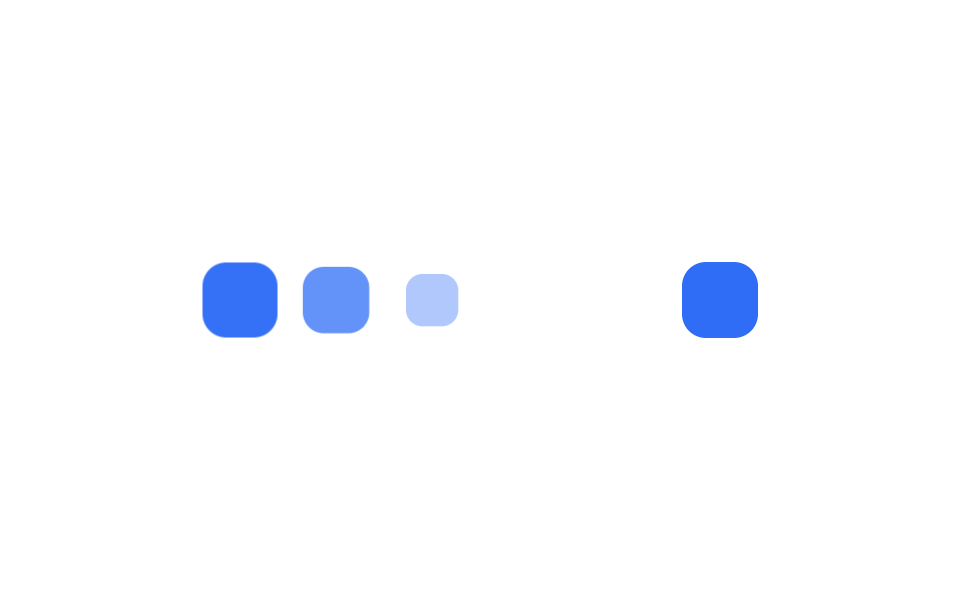 08 stagger-animation-sibling-index
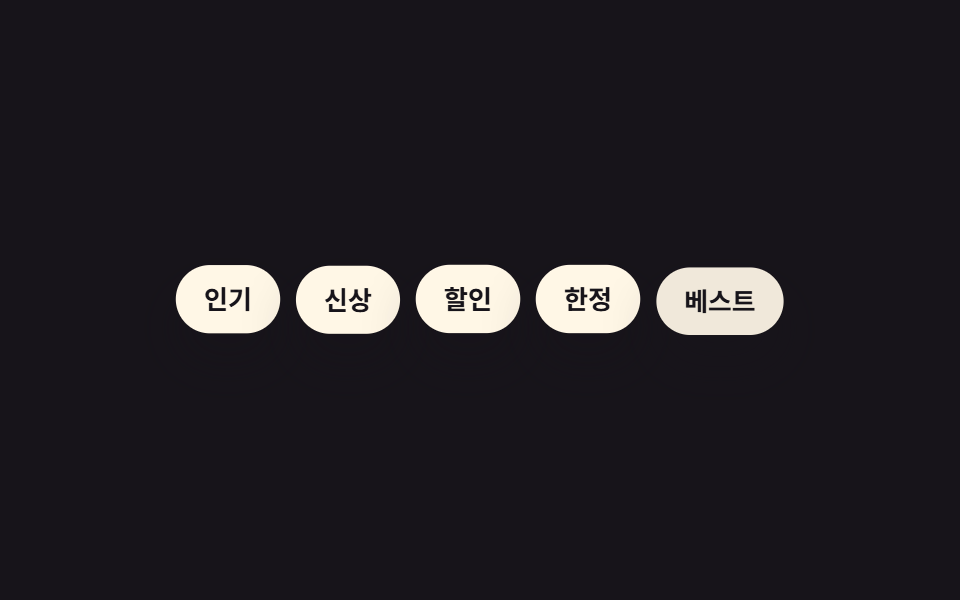 09 stagger-animation-random-delay-scss
자동 재생 · 눌러서 해당 항목으로 · 전부 한 zip
- 01 리스트 캐스케이드
- 02 격자 물결
- 03 글자 단위 스태거
- 04 카드 3D 플립 순차
- 05 역순 퇴장
- 06 원형 파문
- 07 --i 변수 + calc 한 줄
- 08 sibling-index() 로 자동 지연
- 09 랜덤 지연 근사(SCSS random())
아홉 개는 무작위가 아니라 지연 시간을 계산하는 방식이 점점 자동화되는 순서로 놓았습니다. 목록·격자·글자에 기본 스타일을 입히는 것(01~03), 방향과 형태를 바꾸는 응용(04~06), 지연 값을 계산하는 서로 다른 세 가지 방법(07~09)입니다. 아래 css 애니메이션 예제는 지연을 계산하는 핵심 규칙만 뽑았고, 실제로 동작하는 전체 파일은 이 편의 압축 파일에서 받을 수 있습니다. 항목이 멈추지 않고 계속 흘러야 하면 지연 대신 무한 루프가 답이라 CSS 무한 롤링 배너 쪽이고, 순서 대신 진행률을 보여야 하면 CSS 프로그레스바 애니메이션입니다.
01리스트 캐스케이드
css 애니메이션 시간차를 어떻게 매기나
목록 항목 세 개가 아래에서 살짝 작아진 채로 대기하다가 nth-child마다 90ms씩 늦게 시작해 확대되며 제자리로 올라옵니다.
어디에 쓰나
단순한 페이드보다 입체감이 있어 알림 피드나 검색 결과처럼 새 항목이 계속 쌓이는 목록에 어울립니다.
<main class="stage">
  <ul class="cascade is-demo">
    <li>새 메시지</li>
    <li>결제 완료</li>
    <li>포인트 적립</li>
  </ul>
</main>
@use "../../../../site/static/demo-tokens" as *;
$duration: $dur-base; // 항목 하나가 나타나는 시간
$easing: $ease-pop; // 톡 튀어 올라오는 느낌
$stagger: 90ms; // 항목 사이 시차
@include stage($stage-ink);
.cascade {
margin: 0;
padding: 0;
list-style: none;
display: flex;
flex-wrap: wrap;
justify-content: center;
gap: 8px;
max-width: min(400px, 90vw);
font-weight: 600; font-size: clamp(12px, 3.4vw, 15px); line-height: 1.2; font-family: inherit;
li {
padding: clamp(8px, 2.6vw, 11px) clamp(12px, 3.4vw, 16px);
border-radius: $r-pill;
background: $subject-cream;
color: $stage-ink;
box-shadow: $shadow-raised;
animation: cascade-loop $dur-loop $easing infinite;
white-space: nowrap;
}
@for $i from 1 through 3 {
li:nth-child(#{$i}) { animation-delay: ($i - 1) * $stagger; }
}
}
@keyframes cascade-loop {
0%, 8% { opacity: 0; transform: translateY(14px) scale(.9); }
26%, 66% { opacity: 1; transform: translateY(0) scale(1); }
86%, 100% { opacity: 0; transform: translateY(-8px) scale(.96); }
}
@media (prefers-reduced-motion: reduce) {
.cascade li { animation: none; opacity: 1; transform: none; }
}html, body {
margin: 0;
overflow: hidden;
}
.stage {
box-sizing: border-box;
min-height: 100vh;
display: grid;
place-items: center;
margin: 0;
background: #17141a;
font-family: -apple-system, "Segoe UI", "Noto Sans KR", sans-serif;
padding: clamp(8px, 4vw, 24px);
}
.cascade {
margin: 0;
padding: 0;
list-style: none;
display: flex;
flex-wrap: wrap;
justify-content: center;
gap: 8px;
max-width: min(400px, 90vw);
font-weight: 600;
font-size: clamp(12px, 3.4vw, 15px);
line-height: 1.2;
font-family: inherit;
}
.cascade li {
padding: clamp(8px, 2.6vw, 11px) clamp(12px, 3.4vw, 16px);
border-radius: 999px;
background: #fff7e6;
color: #17141a;
box-shadow: 0 14px 24px rgba(23, 20, 26, 0.32);
animation: cascade-loop 2s cubic-bezier(0.2, 1.4, 0.4, 1) infinite;
white-space: nowrap;
}
.cascade li:nth-child(1) {
animation-delay: 0ms;
}
.cascade li:nth-child(2) {
animation-delay: 90ms;
}
.cascade li:nth-child(3) {
animation-delay: 180ms;
}
@keyframes cascade-loop {
0%, 8% {
opacity: 0;
transform: translateY(14px) scale(0.9);
}
26%, 66% {
opacity: 1;
transform: translateY(0) scale(1);
}
86%, 100% {
opacity: 0;
transform: translateY(-8px) scale(0.96);
}
}
@media (prefers-reduced-motion: reduce) {
.cascade li {
animation: none;
opacity: 1;
transform: none;
}
}import type { CSSProperties } from "react";
import styles from "./ListCascade.module.scss";
export type ListCascadeProps = {
items: string[];
/** 항목 하나가 나타나는 시간 (기본 300ms) */
duration?: number;
easing?: string;
/** 항목 사이 시차 ms (기본 90ms) */
stagger?: number;
};
export default function ListCascade({
items,
duration = 300,
easing = "cubic-bezier(.2,1.4,.4,1)",
stagger = 90,
}: ListCascadeProps) {
return (
<ul className={styles.cascade} style={{ "--duration": `${duration}ms`, "--easing": easing } as CSSProperties}>
{items.map((label, i) => (
<li key={label} style={{ animationDelay: `${i * stagger}ms` }}>
{label}
</li>
))}
</ul>
);
}01 · 리스트 캐스케이드 — 측정 누적면적 9.301% · 움직인 프레임 12/23GODRICH 원작 · zip 에 SCSS·React 포함 · 비밀번호 보기
.cascade li {
  opacity: 0;
  transform: translateY(14px) scale(.9);
  animation: cascade-loop $duration $easing;
}
@for $i from 1 through 3 {
  .cascade li:nth-child(#{$i}) {
    animation-delay: ($i - 1) * $stagger;
  }
}
@keyframes cascade-loop {
  to { opacity: 1; transform: translateY(0) scale(1); }
}
02격자 물결
어떻게 움직이나
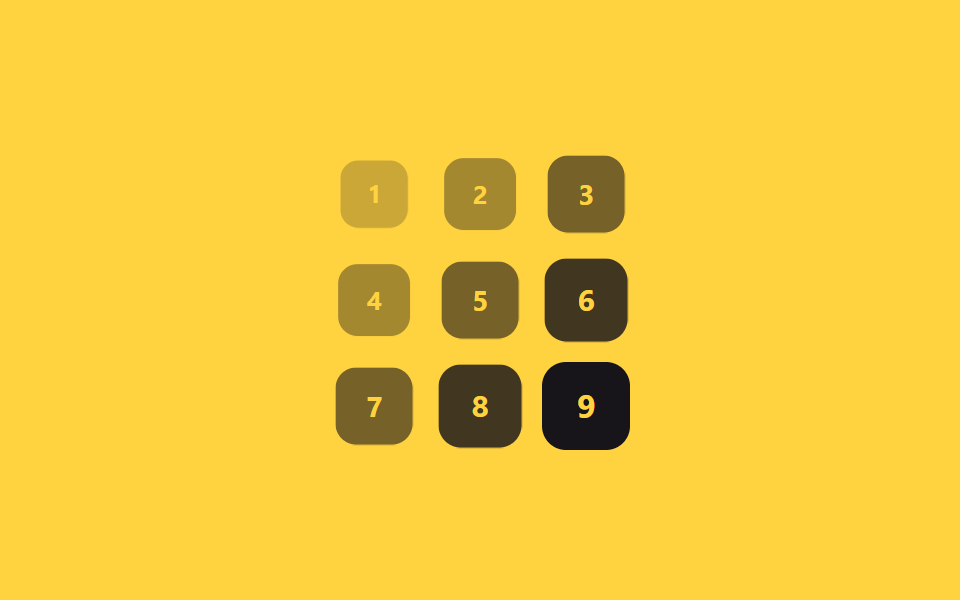
그리드 카드 아홉 장이 3×3으로 놓이고, 각 칸의 지연 시간을 행 번호와 열 번호를 더한 값에 70ms를 곱해서 정합니다.
어디에 쓰나
왼쪽 위에서 오른쪽 아래로 대각선 물결처럼 순서대로 나타나, 대시보드 카드나 갤러리 썸네일에 쓰기 좋습니다.
<main class="stage">
  <div class="grid is-demo">
    <span class="cell">1</span><span class="cell">2</span><span class="cell">3</span>
    <span class="cell">4</span><span class="cell">5</span><span class="cell">6</span>
    <span class="cell">7</span><span class="cell">8</span><span class="cell">9</span>
  </div>
</main>
@use "sass:math";
@use "../../../../site/static/demo-tokens" as *;
$duration: $dur-base; // 칸 하나가 나타나는 시간
$easing: $ease-out; // 시작 빠르고 끝은 부드럽게
$wave: 70ms; // (행+열) 1당 시차 계수
@include stage($stage-yellow);
.grid {
display: grid;
grid-template-columns: repeat(3, 1fr);
gap: clamp(5px, 1.8vw, 10px);
width: min(150px, 50vw);
aspect-ratio: 1;
}
.cell {
display: grid;
place-items: center;
border-radius: $r-control;
background: $stage-ink;
color: $stage-yellow;
font-weight: 700; font-size: clamp(12px, 3.4vw, 16px); line-height: 1; font-family: inherit;
}
// 반복 재생은 데모 상태에서만 — 정지 상태의 칸은 불투명해야 글자가 읽힌다(옐로 글자 · 먹 면 12.63:1)
.grid.is-demo .cell { animation: wave-loop $dur-loop $easing infinite; }
$cols: 3;
@for $i from 1 through 9 {
$row: math.floor(math.div($i - 1, $cols));
$col: ($i - 1) % $cols;
.grid.is-demo .cell:nth-child(#{$i}) { animation-delay: ($row + $col) * $wave; }
}
@keyframes wave-loop {
0%, 6% { opacity: 0; transform: scale(.5); }
22%, 62% { opacity: 1; transform: scale(1); }
84%, 100% { opacity: 0; transform: scale(.7); }
}
@media (prefers-reduced-motion: reduce) {
.cell { animation: none; opacity: 1; transform: none; }
}html, body {
margin: 0;
overflow: hidden;
}
.stage {
box-sizing: border-box;
min-height: 100vh;
display: grid;
place-items: center;
margin: 0;
background: #ffd23f;
font-family: -apple-system, "Segoe UI", "Noto Sans KR", sans-serif;
padding: clamp(8px, 4vw, 24px);
}
.grid {
display: grid;
grid-template-columns: repeat(3, 1fr);
gap: clamp(5px, 1.8vw, 10px);
width: min(150px, 50vw);
aspect-ratio: 1;
}
.cell {
display: grid;
place-items: center;
border-radius: 12px;
background: #17141a;
color: #ffd23f;
font-weight: 700;
font-size: clamp(12px, 3.4vw, 16px);
line-height: 1;
font-family: inherit;
}
.grid.is-demo .cell {
animation: wave-loop 2s ease-out infinite;
}
.grid.is-demo .cell:nth-child(1) {
animation-delay: 0ms;
}
.grid.is-demo .cell:nth-child(2) {
animation-delay: 70ms;
}
.grid.is-demo .cell:nth-child(3) {
animation-delay: 140ms;
}
.grid.is-demo .cell:nth-child(4) {
animation-delay: 70ms;
}
.grid.is-demo .cell:nth-child(5) {
animation-delay: 140ms;
}
.grid.is-demo .cell:nth-child(6) {
animation-delay: 210ms;
}
.grid.is-demo .cell:nth-child(7) {
animation-delay: 140ms;
}
.grid.is-demo .cell:nth-child(8) {
animation-delay: 210ms;
}
.grid.is-demo .cell:nth-child(9) {
animation-delay: 280ms;
}
@keyframes wave-loop {
0%, 6% {
opacity: 0;
transform: scale(0.5);
}
22%, 62% {
opacity: 1;
transform: scale(1);
}
84%, 100% {
opacity: 0;
transform: scale(0.7);
}
}
@media (prefers-reduced-motion: reduce) {
.cell {
animation: none;
opacity: 1;
transform: none;
}
}import styles from "./GridWave.module.scss";
export type GridWaveProps = {
cells?: (string | number)[];
cols?: number;
/** (행+열) 1당 시차 ms (기본 70ms) */
wave?: number;
duration?: number;
easing?: string;
};
export default function GridWave({
cells = [1, 2, 3, 4, 5, 6, 7, 8, 9],
cols = 3,
wave = 70,
duration = 300,
easing = "ease-out",
}: GridWaveProps) {
return (
<div className={styles.grid}>
{cells.map((cell, i) => {
const row = Math.floor(i / cols);
const col = i % cols;
return (
<span
key={i}
className={styles.cell}
style={{
animationDelay: `${(row + col) * wave}ms`,
animationDuration: "2s",
transitionDuration: `${duration}ms`,
transitionTimingFunction: easing,
}}
>
{cell}
</span>
);
})}
</div>
);
}02 · 격자 물결 — 측정 누적면적 11.562% · 움직인 프레임 18/23GODRICH 원작 · zip 에 SCSS·React 포함 · 비밀번호 보기
$cols: 3;
@for $i from 1 through 9 {
  $row: math.floor(math.div($i - 1, $cols));
  $col: ($i - 1) % $cols;
  .grid .cell:nth-child(#{$i}) {
    animation-delay: ($row + $col) * $wave;
  }
}
@keyframes wave-loop {
  from { opacity: 0; transform: scale(.5); }
  to   { opacity: 1; transform: scale(1); }
}
03글자 단위 스태거
어떻게 움직이나
제목 글자 하나하나를 span으로 감싸 30ms씩 늦게 시작하도록 지연을 주면, 문장이 통째로 나타나는 대신 글자가 아래에서 튀어 오르며 하나씩 자리 잡습니다.
어디에 쓰나
로고 인트로나 히어로 타이틀처럼 첫인상이 중요한 자리에 맞습니다.
<main class="stage">
  <h1 class="letters is-demo">
    <span>안</span><span>녕</span><span>하</span><span>세</span><span>요</span>
  </h1>
</main>
@use "../../../../site/static/demo-tokens" as *;
$duration: $dur-quick; // 글자 하나가 튀어오르는 시간
$easing: $ease-pop; // 아래에서 튀어오르는 느낌
$stagger: 30ms; // 글자 사이 시차
@include stage($stage-orange);
.letters {
margin: 0;
display: flex;
gap: clamp(2px, 1vw, 6px);
font-weight: 800; font-size: clamp(24px, 9vw, 40px); line-height: 1; font-family: inherit;
color: $subject-cream;
span {
display: inline-block;
animation: letter-loop $dur-loop $easing infinite;
}
@for $i from 1 through 5 {
span:nth-child(#{$i}) { animation-delay: ($i - 1) * $stagger; }
}
}
@keyframes letter-loop {
0%, 4% { opacity: 0; transform: translateY(16px); }
20%, 66% { opacity: 1; transform: translateY(0); }
86%, 100% { opacity: 0; transform: translateY(-10px); }
}
@media (prefers-reduced-motion: reduce) {
.letters span { animation: none; opacity: 1; transform: none; }
}html, body {
margin: 0;
overflow: hidden;
}
.stage {
box-sizing: border-box;
min-height: 100vh;
display: grid;
place-items: center;
margin: 0;
background: #ff4d1f;
font-family: -apple-system, "Segoe UI", "Noto Sans KR", sans-serif;
padding: clamp(8px, 4vw, 24px);
}
.letters {
margin: 0;
display: flex;
gap: clamp(2px, 1vw, 6px);
font-weight: 800;
font-size: clamp(24px, 9vw, 40px);
line-height: 1;
font-family: inherit;
color: #fff7e6;
}
.letters span {
display: inline-block;
animation: letter-loop 2s cubic-bezier(0.2, 1.4, 0.4, 1) infinite;
}
.letters span:nth-child(1) {
animation-delay: 0ms;
}
.letters span:nth-child(2) {
animation-delay: 30ms;
}
.letters span:nth-child(3) {
animation-delay: 60ms;
}
.letters span:nth-child(4) {
animation-delay: 90ms;
}
.letters span:nth-child(5) {
animation-delay: 120ms;
}
@keyframes letter-loop {
0%, 4% {
opacity: 0;
transform: translateY(16px);
}
20%, 66% {
opacity: 1;
transform: translateY(0);
}
86%, 100% {
opacity: 0;
transform: translateY(-10px);
}
}
@media (prefers-reduced-motion: reduce) {
.letters span {
animation: none;
opacity: 1;
transform: none;
}
}export type LetterStaggerProps = {
text: string;
/** 글자 사이 시차 ms (기본 30ms) */
stagger?: number;
duration?: number;
easing?: string;
};
import styles from "./LetterStagger.module.scss";
export default function LetterStagger({ text, stagger = 30 }: LetterStaggerProps) {
return (
<h1 className={styles.letters}>
{[...text].map((ch, i) => (
<span key={i} style={{ animationDelay: `${i * stagger}ms` }}>
{ch}
</span>
))}
</h1>
);
}03 · 글자 단위 스태거 — 측정 누적면적 4.64% · 움직인 프레임 10/23GODRICH 원작 · zip 에 SCSS·React 포함 · 비밀번호 보기
.letters span {
  opacity: 0;
  transform: translateY(16px);
  animation: letter-loop $duration $easing;
}
@for $i from 1 through 5 {
  .letters span:nth-child(#{$i}) {
    animation-delay: ($i - 1) * $stagger;
  }
}
@keyframes letter-loop {
  to { opacity: 1; transform: translateY(0); }
}
04카드 3D 플립 순차
어떻게 움직이나
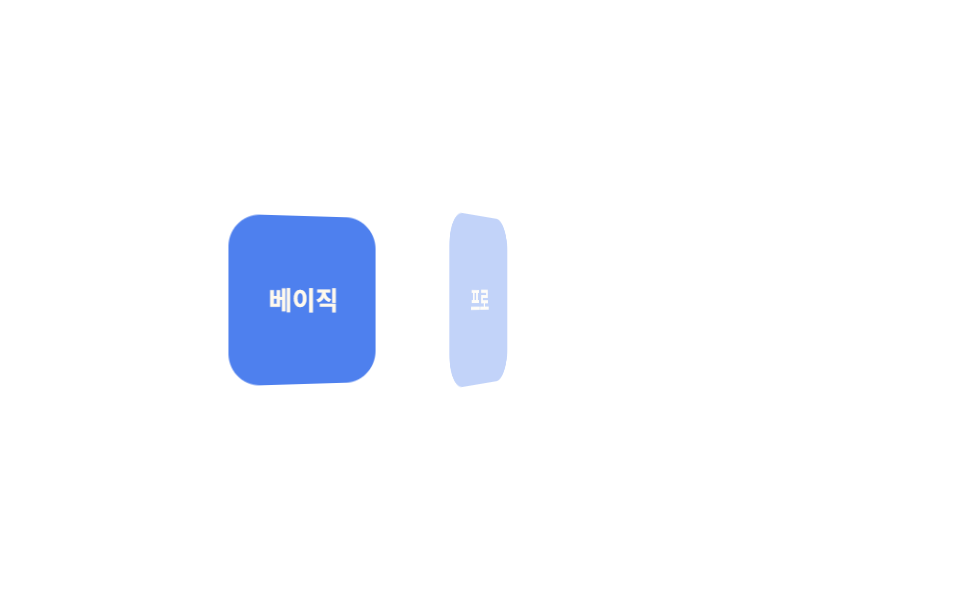
카드 세 장이 Y축으로 90도 젖혀진 채 옆으로 누워 대기하다가 150ms씩 늦게 하나씩 rotateY로 펴지며 앞면을 드러냅니다.
어디에 쓰나
부모 요소에 perspective를 걸어야 회전에 원근감이 생겨, 밋밋한 확대·축소보다 카드를 넘기는 느낌이 강해집니다.
<main class="stage">
  <div class="cards is-demo">
    <div class="card">베이직</div>
    <div class="card">프로</div>
    <div class="card">팀</div>
  </div>
</main>
@use "../../../../site/static/demo-tokens" as *;
$duration: $dur-base; // 카드 한 장이 펴지는 시간
$easing: $ease-out; // 시작 빠르고 끝은 부드럽게
$stagger: 150ms; // 카드 사이 시차
@include stage($stage-paper);
.cards {
display: flex;
gap: clamp(8px, 2.6vw, 14px);
perspective: 600px;
}
.card {
width: clamp(56px, 16vw, 76px);
height: clamp(64px, 18vw, 84px);
display: grid;
place-items: center;
border-radius: $r-card;
background: $subject-blue-deep;
color: $subject-cream;
font-weight: 700; font-size: clamp(11px, 3vw, 13px); line-height: 1.2; font-family: inherit;
transform-style: preserve-3d;
}
// 반복 재생은 데모 상태에서만 — 정지 상태의 카드는 불투명해야 글자가 읽힌다(크림 글자 · 진파랑 면 5.98:1)
.cards.is-demo .card { animation: flip-loop $dur-loop $easing infinite; }
@for $i from 1 through 3 {
.cards.is-demo .card:nth-child(#{$i}) { animation-delay: ($i - 1) * $stagger; }
}
@keyframes flip-loop {
0%, 6% { opacity: 0; transform: rotateY(90deg); }
26%, 66% { opacity: 1; transform: rotateY(0deg); }
86%, 100% { opacity: 0; transform: rotateY(-90deg); }
}
@media (prefers-reduced-motion: reduce) {
.card { animation: none; opacity: 1; transform: none; }
}html, body {
margin: 0;
overflow: hidden;
}
.stage {
box-sizing: border-box;
min-height: 100vh;
display: grid;
place-items: center;
margin: 0;
background: #ffffff;
font-family: -apple-system, "Segoe UI", "Noto Sans KR", sans-serif;
padding: clamp(8px, 4vw, 24px);
}
.cards {
display: flex;
gap: clamp(8px, 2.6vw, 14px);
perspective: 600px;
}
.card {
width: clamp(56px, 16vw, 76px);
height: clamp(64px, 18vw, 84px);
display: grid;
place-items: center;
border-radius: 16px;
background: #0a4fe8;
color: #fff7e6;
font-weight: 700;
font-size: clamp(11px, 3vw, 13px);
line-height: 1.2;
font-family: inherit;
transform-style: preserve-3d;
}
.cards.is-demo .card {
animation: flip-loop 2s ease-out infinite;
}
.cards.is-demo .card:nth-child(1) {
animation-delay: 0ms;
}
.cards.is-demo .card:nth-child(2) {
animation-delay: 150ms;
}
.cards.is-demo .card:nth-child(3) {
animation-delay: 300ms;
}
@keyframes flip-loop {
0%, 6% {
opacity: 0;
transform: rotateY(90deg);
}
26%, 66% {
opacity: 1;
transform: rotateY(0deg);
}
86%, 100% {
opacity: 0;
transform: rotateY(-90deg);
}
}
@media (prefers-reduced-motion: reduce) {
.card {
animation: none;
opacity: 1;
transform: none;
}
}import styles from "./CardFlipSequence.module.scss";
export type CardFlipSequenceProps = {
cards: string[];
/** 카드 사이 시차 ms (기본 150ms) */
stagger?: number;
duration?: number;
easing?: string;
};
export default function CardFlipSequence({ cards, stagger = 150 }: CardFlipSequenceProps) {
return (
<div className={styles.cards}>
{cards.map((label, i) => (
<div key={label} className={styles.card} style={{ animationDelay: `${i * stagger}ms` }}>
{label}
</div>
))}
</div>
);
}04 · 카드 3D 플립 순차 — 측정 누적면적 13.364% · 움직인 프레임 17/23GODRICH 원작 · zip 에 SCSS·React 포함 · 비밀번호 보기
.cards { perspective: 600px; }
.card {
  opacity: 0;
  transform: rotateY(90deg);
  transform-style: preserve-3d;
  animation: flip-loop $duration $easing;
}
@for $i from 1 through 3 {
  .card:nth-child(#{$i}) {
    animation-delay: ($i - 1) * $stagger;
  }
}
@keyframes flip-loop {
  to { opacity: 1; transform: rotateY(0deg); }
}
05역순 퇴장
어떻게 움직이나
들어올 때는 위에서 아래로(01→03) 순서대로 나타나지만, 사라질 때는 반대로 아래에서 위로(03→01) 역순으로 없어지도록 항목마다 다른 @keyframes를 붙였습니다.
어디에 쓰나
삭제 확인 목록이나 쌓인 토스트 알림을 정리할 때는 마지막에 온 것부터 지워지는 쪽이 자연스럽습니다.
<main class="stage">
  <ul class="toasts is-demo">
    <li>저장됨</li>
    <li>공유됨</li>
    <li>완료됨</li>
  </ul>
</main>
@use "../../../../site/static/demo-tokens" as *;
$duration: $dur-base; // 항목 한 개가 트랜지션되는 시간
$easing: $ease-out; // 시작 빠르고 끝은 부드럽게
$color: $subject-cream; // 항목 배경색
@include stage($stage-ink);
.toasts {
margin: 0;
padding: 0;
list-style: none;
display: flex;
flex-wrap: wrap;
justify-content: center;
gap: 8px;
max-width: min(360px, 88vw);
font-weight: 600; font-size: clamp(12px, 3.4vw, 15px); line-height: 1.2; font-family: inherit;
li {
padding: clamp(8px, 2.6vw, 11px) clamp(14px, 3.6vw, 18px);
border-radius: $r-pill;
background: $color;
color: $stage-ink;
box-shadow: $shadow-raised;
}
}
// 들어올 땐 위(01)→아래(03) 순, 나갈 땐 아래(03)→위(01) 순 — 방향이 반대다
@keyframes exit-1 {
0%, 5% { opacity: 0; transform: translateY(-8px); }
15%, 78% { opacity: 1; transform: translateY(0); }
90%, 100% { opacity: 0; transform: translateY(-8px); }
}
@keyframes exit-2 {
0%, 15% { opacity: 0; transform: translateY(-8px); }
25%, 63% { opacity: 1; transform: translateY(0); }
75%, 100% { opacity: 0; transform: translateY(-8px); }
}
@keyframes exit-3 {
0%, 25% { opacity: 0; transform: translateY(-8px); }
35%, 53% { opacity: 1; transform: translateY(0); }
65%, 100% { opacity: 0; transform: translateY(-8px); }
}
.toasts li:nth-child(1) { animation: exit-1 $dur-loop $easing infinite; }
.toasts li:nth-child(2) { animation: exit-2 $dur-loop $easing infinite; }
.toasts li:nth-child(3) { animation: exit-3 $dur-loop $easing infinite; }
@media (prefers-reduced-motion: reduce) {
.toasts li { animation: none; opacity: 1; transform: none; }
}html, body {
margin: 0;
overflow: hidden;
}
.stage {
box-sizing: border-box;
min-height: 100vh;
display: grid;
place-items: center;
margin: 0;
background: #17141a;
font-family: -apple-system, "Segoe UI", "Noto Sans KR", sans-serif;
padding: clamp(8px, 4vw, 24px);
}
.toasts {
margin: 0;
padding: 0;
list-style: none;
display: flex;
flex-wrap: wrap;
justify-content: center;
gap: 8px;
max-width: min(360px, 88vw);
font-weight: 600;
font-size: clamp(12px, 3.4vw, 15px);
line-height: 1.2;
font-family: inherit;
}
.toasts li {
padding: clamp(8px, 2.6vw, 11px) clamp(14px, 3.6vw, 18px);
border-radius: 999px;
background: #fff7e6;
color: #17141a;
box-shadow: 0 14px 24px rgba(23, 20, 26, 0.32);
}
@keyframes exit-1 {
0%, 5% {
opacity: 0;
transform: translateY(-8px);
}
15%, 78% {
opacity: 1;
transform: translateY(0);
}
90%, 100% {
opacity: 0;
transform: translateY(-8px);
}
}
@keyframes exit-2 {
0%, 15% {
opacity: 0;
transform: translateY(-8px);
}
25%, 63% {
opacity: 1;
transform: translateY(0);
}
75%, 100% {
opacity: 0;
transform: translateY(-8px);
}
}
@keyframes exit-3 {
0%, 25% {
opacity: 0;
transform: translateY(-8px);
}
35%, 53% {
opacity: 1;
transform: translateY(0);
}
65%, 100% {
opacity: 0;
transform: translateY(-8px);
}
}
.toasts li:nth-child(1) {
animation: exit-1 2s ease-out infinite;
}
.toasts li:nth-child(2) {
animation: exit-2 2s ease-out infinite;
}
.toasts li:nth-child(3) {
animation: exit-3 2s ease-out infinite;
}
@media (prefers-reduced-motion: reduce) {
.toasts li {
animation: none;
opacity: 1;
transform: none;
}
}import styles from "./ReverseExit.module.scss";
export type ReverseExitProps = {
/** 정확히 3개 — 들어올 땐 위→아래 순, 나갈 땐 아래→위 역순 */
items: [string, string, string];
};
const CLASS = [styles.exit1, styles.exit2, styles.exit3];
export default function ReverseExit({ items }: ReverseExitProps) {
return (
<ul className={styles.toasts}>
{items.map((label, i) => (
<li key={label} className={CLASS[i]}>
{label}
</li>
))}
</ul>
);
}05 · 역순 퇴장 — 측정 누적면적 6.794% · 움직인 프레임 17/23GODRICH 원작 · zip 에 SCSS·React 포함 · 비밀번호 보기
@keyframes exit-1 {
  0%, 5%    { opacity: 0; transform: translateY(-8px); }
  15%, 78%  { opacity: 1; transform: translateY(0); }
  90%, 100% { opacity: 0; transform: translateY(-8px); }
}
@keyframes exit-3 {
  0%, 25%   { opacity: 0; transform: translateY(-8px); }
  35%, 53%  { opacity: 1; transform: translateY(0); }
  65%, 100% { opacity: 0; transform: translateY(-8px); }
}
06원형 파문
어떻게 움직이나
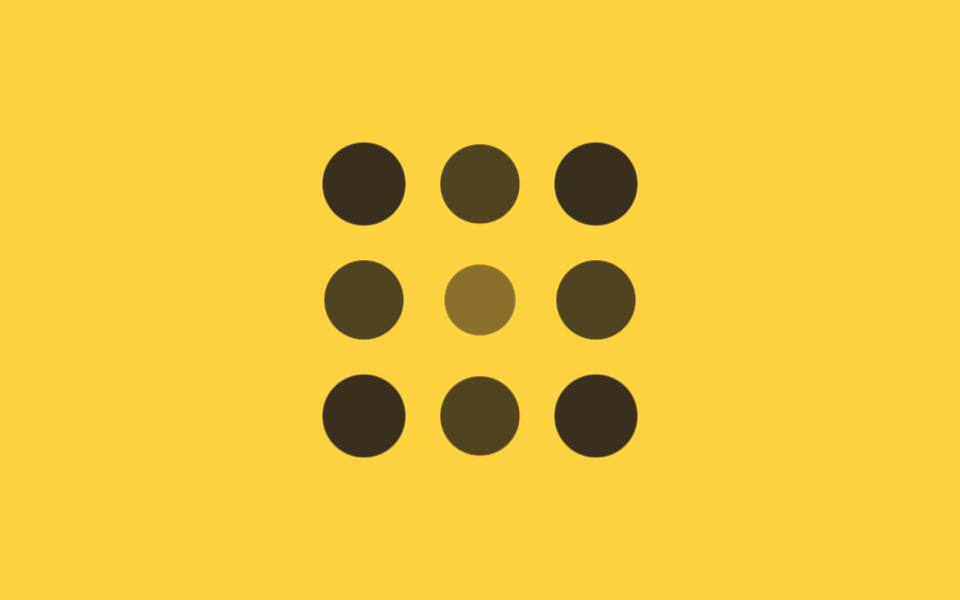
3×3 격자의 점 아홉 개가 있고, 각 점의 지연 시간을 중심 칸까지의 거리에 90ms를 곱해 정합니다.
어디에 쓰나
코너는 대각선 거리(√2)만큼 더 늦게, 중심은 지연 없이 먼저 커지기 시작해 물결이 가운데서 바깥으로 퍼지는 것처럼 보입니다.
<main class="stage">
  <div class="ripple is-demo">
    <span></span><span></span><span></span>
    <span></span><span></span><span></span>
    <span></span><span></span><span></span>
  </div>
</main>
@use "../../../../site/static/demo-tokens" as *;
$duration: $dur-base; // 점 하나가 커지는 시간
$easing: $ease-out; // 시작 빠르고 끝은 부드럽게
$step: 90ms; // 중심 거리 1당 시차 계수
@include stage($stage-yellow);
.ripple {
display: grid;
grid-template-columns: repeat(3, 1fr);
gap: clamp(10px, 3vw, 16px);
width: min(160px, 55vw);
aspect-ratio: 1;
span {
border-radius: 50%;
background: $stage-ink;
animation: ripple-loop $dur-loop $easing infinite;
}
// 3×3, 중심(칸 5)까지의 거리 × $step — 코너는 √2, 변은 1, 중심은 0
span:nth-child(1) { animation-delay: $step * 1.41; }
span:nth-child(2) { animation-delay: $step * 1; }
span:nth-child(3) { animation-delay: $step * 1.41; }
span:nth-child(4) { animation-delay: $step * 1; }
span:nth-child(5) { animation-delay: 0ms; }
span:nth-child(6) { animation-delay: $step * 1; }
span:nth-child(7) { animation-delay: $step * 1.41; }
span:nth-child(8) { animation-delay: $step * 1; }
span:nth-child(9) { animation-delay: $step * 1.41; }
}
@keyframes ripple-loop {
0%, 4% { opacity: 0; transform: scale(.3); }
24%, 58% { opacity: 1; transform: scale(1); }
84%, 100% { opacity: 0; transform: scale(.6); }
}
@media (prefers-reduced-motion: reduce) {
.ripple span { animation: none; opacity: 1; transform: none; }
}html, body {
margin: 0;
overflow: hidden;
}
.stage {
box-sizing: border-box;
min-height: 100vh;
display: grid;
place-items: center;
margin: 0;
background: #ffd23f;
font-family: -apple-system, "Segoe UI", "Noto Sans KR", sans-serif;
padding: clamp(8px, 4vw, 24px);
}
.ripple {
display: grid;
grid-template-columns: repeat(3, 1fr);
gap: clamp(10px, 3vw, 16px);
width: min(160px, 55vw);
aspect-ratio: 1;
}
.ripple span {
border-radius: 50%;
background: #17141a;
animation: ripple-loop 2s ease-out infinite;
}
.ripple span:nth-child(1) {
animation-delay: 126.9ms;
}
.ripple span:nth-child(2) {
animation-delay: 90ms;
}
.ripple span:nth-child(3) {
animation-delay: 126.9ms;
}
.ripple span:nth-child(4) {
animation-delay: 90ms;
}
.ripple span:nth-child(5) {
animation-delay: 0ms;
}
.ripple span:nth-child(6) {
animation-delay: 90ms;
}
.ripple span:nth-child(7) {
animation-delay: 126.9ms;
}
.ripple span:nth-child(8) {
animation-delay: 90ms;
}
.ripple span:nth-child(9) {
animation-delay: 126.9ms;
}
@keyframes ripple-loop {
0%, 4% {
opacity: 0;
transform: scale(0.3);
}
24%, 58% {
opacity: 1;
transform: scale(1);
}
84%, 100% {
opacity: 0;
transform: scale(0.6);
}
}
@media (prefers-reduced-motion: reduce) {
.ripple span {
animation: none;
opacity: 1;
transform: none;
}
}import styles from "./CircularRipple.module.scss";
// 3×3, 중심(인덱스 4)까지의 거리 — 코너는 √2, 변은 1, 중심은 0
const DIST = [Math.SQRT2, 1, Math.SQRT2, 1, 0, 1, Math.SQRT2, 1, Math.SQRT2];
export type CircularRippleProps = {
/** 중심 거리 1당 시차 ms (기본 90ms) */
step?: number;
};
export default function CircularRipple({ step = 90 }: CircularRippleProps) {
return (
<div className={styles.ripple}>
{DIST.map((d, i) => (
<span key={i} style={{ animationDelay: `${d * step}ms` }} />
))}
</div>
);
}06 · 원형 파문 — 측정 누적면적 9.975% · 움직인 프레임 15/23GODRICH 원작 · zip 에 SCSS·React 포함 · 비밀번호 보기
.ripple span {
  opacity: 0;
  transform: scale(.3);
  animation: ripple-loop $duration $easing;
}
// 코너 √2, 변 1, 중심 0 — 미리 계산해 넣는다
span:nth-child(1) { animation-delay: $step * 1.41; }
span:nth-child(5) { animation-delay: 0ms; }
span:nth-child(9) { animation-delay: $step * 1.41; }
@keyframes ripple-loop {
  to { opacity: 1; transform: scale(1); }
}
07--i 변수 + calc 한 줄
어떻게 움직이나
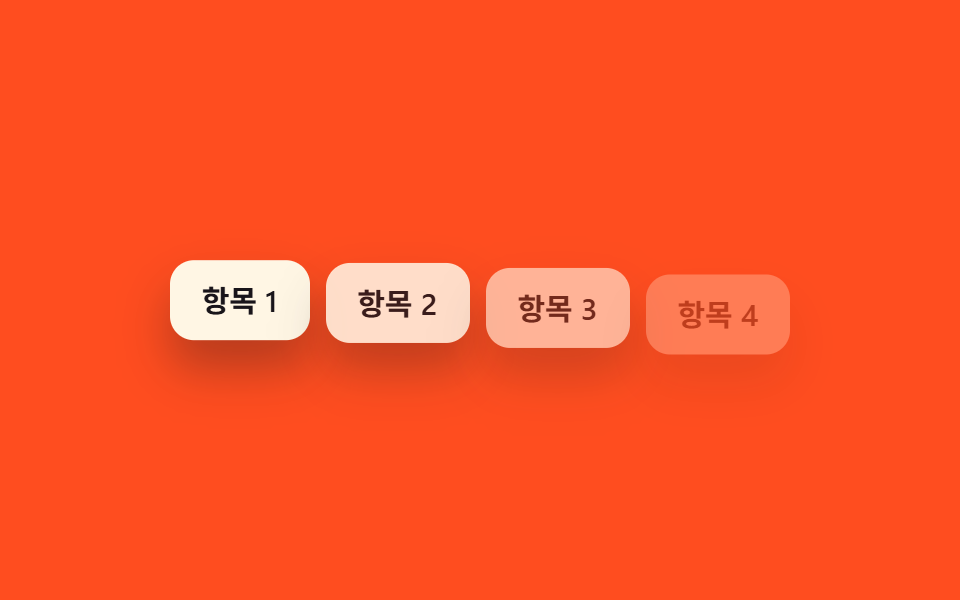
항목마다 인라인 style에 --i 값만 0부터 순서대로 넣어 두면, CSS 쪽은 반복문 없이 딱 한 줄 calc(var(--i) * 80ms)로 지연을 계산합니다.
어디에 쓰나
SCSS @for도 nth-child도 필요 없어서, 항목 개수가 늘거나 줄어도 스타일을 다시 컴파일할 필요가 없습니다.
<main class="stage">
  <ul class="i-list is-demo">
    <li style="--i:0">항목 1</li>
    <li style="--i:1">항목 2</li>
    <li style="--i:2">항목 3</li>
    <li style="--i:3">항목 4</li>
  </ul>
</main>
@use "../../../../site/static/demo-tokens" as *;
$duration: $dur-quick; // 항목 하나가 나타나는 시간
$easing: $ease-out; // 시작 빠르고 끝은 부드럽게
$stagger: 80ms; // --i 1당 시차
@include stage($stage-orange);
.i-list {
margin: 0;
padding: 0;
list-style: none;
display: flex;
flex-wrap: wrap;
justify-content: center;
gap: 8px;
max-width: min(360px, 88vw);
font-weight: 600; font-size: clamp(12px, 3.4vw, 15px); line-height: 1.2; font-family: inherit;
li {
padding: clamp(8px, 2.6vw, 11px) clamp(12px, 3.4vw, 16px);
border-radius: $r-control;
background: $subject-cream;
color: $stage-ink;
box-shadow: $shadow-raised;
animation: i-loop $dur-loop $easing infinite;
animation-delay: calc(var(--i) * #{$stagger}); // ← --i 변수 + calc 한 줄
}
}
@keyframes i-loop {
0%, 6% { opacity: 0; transform: translateY(10px); }
22%, 68% { opacity: 1; transform: translateY(0); }
88%, 100% { opacity: 0; transform: translateY(6px); }
}
@media (prefers-reduced-motion: reduce) {
.i-list li { animation: none; opacity: 1; transform: none; }
}html, body {
margin: 0;
overflow: hidden;
}
.stage {
box-sizing: border-box;
min-height: 100vh;
display: grid;
place-items: center;
margin: 0;
background: #ff4d1f;
font-family: -apple-system, "Segoe UI", "Noto Sans KR", sans-serif;
padding: clamp(8px, 4vw, 24px);
}
.i-list {
margin: 0;
padding: 0;
list-style: none;
display: flex;
flex-wrap: wrap;
justify-content: center;
gap: 8px;
max-width: min(360px, 88vw);
font-weight: 600;
font-size: clamp(12px, 3.4vw, 15px);
line-height: 1.2;
font-family: inherit;
}
.i-list li {
padding: clamp(8px, 2.6vw, 11px) clamp(12px, 3.4vw, 16px);
border-radius: 12px;
background: #fff7e6;
color: #17141a;
box-shadow: 0 14px 24px rgba(23, 20, 26, 0.32);
animation: i-loop 2s ease-out infinite;
animation-delay: calc(var(--i) * 80ms);
}
@keyframes i-loop {
0%, 6% {
opacity: 0;
transform: translateY(10px);
}
22%, 68% {
opacity: 1;
transform: translateY(0);
}
88%, 100% {
opacity: 0;
transform: translateY(6px);
}
}
@media (prefers-reduced-motion: reduce) {
.i-list li {
animation: none;
opacity: 1;
transform: none;
}
}import type { CSSProperties } from "react";
import styles from "./CustomPropertyList.module.scss";
type Vars = CSSProperties & { "--i"?: number };
export type CustomPropertyListProps = {
items: string[];
/** --i 1당 시차 ms (기본 80ms) — CSS 쪽 calc(var(--i) * 80ms) 한 줄이 실제 계산을 한다 */
stagger?: number;
};
export default function CustomPropertyList({ items }: CustomPropertyListProps) {
return (
<ul className={styles.list}>
{items.map((label, i) => (
<li key={label} style={{ "--i": i } as Vars}>
{label}
</li>
))}
</ul>
);
}07 · --i 변수 + calc 한 줄 — 측정 누적면적 13.745% · 움직인 프레임 15/23GODRICH 원작 · zip 에 SCSS·React 포함 · 비밀번호 보기
// html: <li style="--i:0">, <li style="--i:1">, ...
.i-list li {
  opacity: 0;
  transform: translateY(10px);
  animation: i-loop $duration $easing;
  animation-delay: calc(var(--i) * 80ms);   // 한 줄로 끝
}
@keyframes i-loop {
  to { opacity: 1; transform: translateY(0); }
}
08sibling-index()로 자동 지연
어떻게 움직이나
타일 여섯 개에 --i 값도 붙이지 않고 nth-child 반복문도 쓰지 않은 채, animation-delay: calc(sibling-index() * 100ms) 한 줄만 적었습니다.
어디에 쓰나
sibling-index()가 요소 자신의 형제 순서를 직접 읽어 오기 때문에 07의 --i 인라인 값보다도 마크업이 가벼워지지만, Chrome/Edge 138부터만 지원하고 다른 브라우저는 아직입니다(caniuse의 sibling-index() 지원표).
<main class="stage">
  <div class="tiles is-demo">
    <span></span><span></span><span></span>
    <span></span><span></span><span></span>
  </div>
</main>
@use "../../../../site/static/demo-tokens" as *;
$duration: $dur-quick; // 타일 하나가 나타나는 시간
$easing: $ease-out; // 시작 빠르고 끝은 부드럽게
$stagger: 100ms; // 형제 순서 1당 시차
@include stage($stage-paper);
// sibling-index() 는 --i 변수도 nth-child 반복문도 없이 형제 순서를 직접 읽는다 (Chrome/Edge 138+)
.tiles {
display: flex;
gap: clamp(6px, 2vw, 10px);
span {
width: clamp(30px, 8vw, 40px);
height: clamp(30px, 8vw, 40px);
border-radius: $r-control;
background: $subject-blue;
animation: tile-loop $dur-loop $easing infinite;
animation-delay: calc(sibling-index() * #{$stagger});
}
}
@keyframes tile-loop {
0%, 6% { opacity: 0; transform: scale(.5); }
22%, 68% { opacity: 1; transform: scale(1); }
88%, 100% { opacity: 0; transform: scale(.7); }
}
@media (prefers-reduced-motion: reduce) {
.tiles span { animation: none; opacity: 1; transform: none; }
}html, body {
margin: 0;
overflow: hidden;
}
.stage {
box-sizing: border-box;
min-height: 100vh;
display: grid;
place-items: center;
margin: 0;
background: #ffffff;
font-family: -apple-system, "Segoe UI", "Noto Sans KR", sans-serif;
padding: clamp(8px, 4vw, 24px);
}
.tiles {
display: flex;
gap: clamp(6px, 2vw, 10px);
}
.tiles span {
width: clamp(30px, 8vw, 40px);
height: clamp(30px, 8vw, 40px);
border-radius: 12px;
background: #2f6df6;
animation: tile-loop 2s ease-out infinite;
animation-delay: calc(sibling-index() * 100ms);
}
@keyframes tile-loop {
0%, 6% {
opacity: 0;
transform: scale(0.5);
}
22%, 68% {
opacity: 1;
transform: scale(1);
}
88%, 100% {
opacity: 0;
transform: scale(0.7);
}
}
@media (prefers-reduced-motion: reduce) {
.tiles span {
animation: none;
opacity: 1;
transform: none;
}
}import styles from "./SiblingIndexTiles.module.scss";
export type SiblingIndexTilesProps = {
/** 타일 개수 (기본 6) — --i 도 nth-child 도 없이 sibling-index() 가 형제 순서를 읽는다 */
count?: number;
};
export default function SiblingIndexTiles({ count = 6 }: SiblingIndexTilesProps) {
return (
<div className={styles.tiles}>
{Array.from({ length: count }, (_, i) => (
<span key={i} />
))}
</div>
);
}08 · sibling-index() 로 자동 지연 — 측정 누적면적 5.736% · 움직인 프레임 18/23GODRICH 원작 · zip 에 SCSS·React 포함 · 비밀번호 보기
.tiles span {
  opacity: 0;
  transform: scale(.5);
  animation: tile-loop $duration $easing;
  animation-delay: calc(sibling-index() * 100ms);
}
@keyframes tile-loop {
  to { opacity: 1; transform: scale(1); }
}
09랜덤 지연 근사(SCSS random())
어떻게 움직이나
배지 다섯 개에 SCSS의 random(420) 함수로 1~420ms 사이 지연을 항목마다 다르게 정했습니다.
어디에 쓰나
이 값은 브라우저에서 방문할 때마다 바뀌는 게 아니라 sass가 컴파일할 때 한 번 뽑혀 파일에 그대로 고정됩니다.
<main class="stage">
  <div class="badges is-demo">
    <span class="badge">인기</span>
    <span class="badge">신상</span>
    <span class="badge">할인</span>
    <span class="badge">한정</span>
    <span class="badge">베스트</span>
  </div>
</main>
@use "../../../../site/static/demo-tokens" as *;
$duration: $dur-quick; // 배지 하나가 나타나는 시간
$easing: $ease-pop; // 톡 튀어 올라오는 느낌
$max-delay: 420; // 랜덤 지연 상한(ms) — SCSS random() 이 컴파일 시점에 고정한다
@include stage($stage-ink);
.badges {
display: flex;
flex-wrap: wrap;
justify-content: center;
gap: 8px;
max-width: min(380px, 90vw);
font-weight: 700; font-size: clamp(11px, 3vw, 13px); line-height: 1.2; font-family: inherit;
}
.badge {
padding: clamp(7px, 2.2vw, 9px) clamp(11px, 3vw, 14px);
border-radius: $r-pill;
background: $subject-cream;
color: $stage-ink;
box-shadow: $shadow-raised;
animation: badge-loop $dur-loop $easing infinite;
}
// 항목마다 컴파일 시점에 고정된 서로 다른 지연 — 균일 간격이 아니라 흩뿌려진 느낌
@for $i from 1 through 5 {
.badge:nth-child(#{$i}) { animation-delay: random($max-delay) * 1ms; }
}
@keyframes badge-loop {
0%, 4% { opacity: 0; transform: translateY(10px) scale(.9); }
16%, 60% { opacity: 1; transform: translateY(0) scale(1); }
84%, 100% { opacity: 0; transform: translateY(-6px) scale(.95); }
}
@media (prefers-reduced-motion: reduce) {
.badge { animation: none; opacity: 1; transform: none; }
}html, body {
margin: 0;
overflow: hidden;
}
.stage {
box-sizing: border-box;
min-height: 100vh;
display: grid;
place-items: center;
margin: 0;
background: #17141a;
font-family: -apple-system, "Segoe UI", "Noto Sans KR", sans-serif;
padding: clamp(8px, 4vw, 24px);
}
.badges {
display: flex;
flex-wrap: wrap;
justify-content: center;
gap: 8px;
max-width: min(380px, 90vw);
font-weight: 700;
font-size: clamp(11px, 3vw, 13px);
line-height: 1.2;
font-family: inherit;
}
.badge {
padding: clamp(7px, 2.2vw, 9px) clamp(11px, 3vw, 14px);
border-radius: 999px;
background: #fff7e6;
color: #17141a;
box-shadow: 0 14px 24px rgba(23, 20, 26, 0.32);
animation: badge-loop 2s cubic-bezier(0.2, 1.4, 0.4, 1) infinite;
}
.badge:nth-child(1) {
animation-delay: 160ms;
}
.badge:nth-child(2) {
animation-delay: 175ms;
}
.badge:nth-child(3) {
animation-delay: 136ms;
}
.badge:nth-child(4) {
animation-delay: 122ms;
}
.badge:nth-child(5) {
animation-delay: 193ms;
}
@keyframes badge-loop {
0%, 4% {
opacity: 0;
transform: translateY(10px) scale(0.9);
}
16%, 60% {
opacity: 1;
transform: translateY(0) scale(1);
}
84%, 100% {
opacity: 0;
transform: translateY(-6px) scale(0.95);
}
}
@media (prefers-reduced-motion: reduce) {
.badge {
animation: none;
opacity: 1;
transform: none;
}
}import styles from "./RandomDelayBadges.module.scss";
export type RandomDelayBadgesProps = {
badges: string[];
};
export default function RandomDelayBadges({ badges }: RandomDelayBadgesProps) {
return (
<div className={styles.badges}>
{badges.map((label) => (
<span key={label} className={styles.badge}>
{label}
</span>
))}
</div>
);
}09 · 랜덤 지연 근사(SCSS random()) — 측정 누적면적 6.827% · 움직인 프레임 9/23GODRICH 원작 · zip 에 SCSS·React 포함 · 비밀번호 보기
@for $i from 1 through 5 {
  .badge:nth-child(#{$i}) {
    animation-delay: random(420) * 1ms;
  }
}
@keyframes badge-loop {
  from { opacity: 0; transform: translateY(10px) scale(.9); }
  to   { opacity: 1; transform: translateY(0) scale(1); }
}
어디서 깨지는가 — 함정 하나
항목 개수가 바뀌면
01~06, 09처럼 nth-child나 미리 계산한 값으로 지연을 매기는 방식은 항목 개수가 정확히 고정돼 있을 때만 맞아떨어집니다. 목록에 항목이 동적으로 추가되거나 빠지면 스타일을 다시 컴파일하거나 마크업을 손으로 맞춰야 하는데, 이 문제를 정면으로 피하는 게 07의 --i 인라인 값과 08의 sibling-index()입니다. MDN의 :nth-child() 문서는 이 선택자가 컴파일 시점이 아니라 실제 DOM 구조를 기준으로 계산된다는 점을 설명합니다.
random() 은 한 번만 돈다
09의 random()도 오해하기 쉬운 지점이 있습니다. 이 함수는 sass 컴파일러가 style.css를 만들 때 딱 한 번 실행되고, 8dxrtqpt이 걸린 zip 안 파일에도 그 고정된 값이 그대로 들어 있어 브라우저를 새로고침해도 배지 순서는 똑같습니다.
진짜 무작위가 필요하면
방문할 때마다 배지 순서가 진짜로 바뀌게 하려면 CSS만으로는 안 되고, 페이지가 로드될 때 JS로 --delay 커스텀 속성을 다시 계산해 넣어야 합니다. 아홉 개 중 CSS만으로 끝나는 건 07·08 뿐이고 나머지도 전부 JS 없이 동작하지만, "진짜 무작위"만은 CSS의 몫이 아닙니다. 순서대로 켜지는 이 리듬에 빛까지 얹고 싶다면 CSS 글로우 효과 9종의 네온이 지연 값과 잘 맞물립니다.
접근성
동작 줄이기에서
아홉 개 전부 prefers-reduced-motion: reduce를 만나면 애니메이션을 끄고 최종 상태(항목이 이미 다 보이는 상태)를 즉시 보여줍니다. 등장 애니메이션이라 잠깐 안 보이다 나타나는 것과 처음부터 보이는 것의 차이만 있고, 목록 내용 자체는 항상 그대로 남습니다.
지원 안 되는 브라우저에서
08의 sibling-index()처럼 아직 모든 브라우저가 지원하지 않는 기능은, 지원하지 않는 브라우저에서 지연 없이 한꺼번에 나타나는 것으로 자연스럽게 무너지는 것도 확인했습니다. 미디어 쿼리가 받는 값의 전체 목록은 MDN @media prefers-reduced-motion 문서를 참고하세요.
@media (prefers-reduced-motion: reduce) {
  li, span, .card, .badge { animation: none !important; opacity: 1; transform: none; }
}
이 편 말고 다른 전환·등장 애니메이션이 궁금하면 CSS 애니메이션 카테고리를 둘러보시고, 사이트가 다루는 범위는 소개 페이지에 있습니다.
FAQ
css 등장 애니메이션에 자바스크립트가 꼭 필요합니까?
아닙니다. 아홉 개 전부 CSS keyframes와 animation-delay만으로 자동 반복됩니다. 07의 --i 값도 마크업에 미리 넣어 둔 인라인 style이고, 08의 sibling-index()는 CSS 함수라 JS가 한 줄도 없습니다. 같은 지연 계산을 세로로 길게 이어 단계를 보여주는 형태는 타임라인 CSS 애니메이션 9종에 정리돼 있습니다.
--i 변수와 sibling-index() 중 뭘 써야 합니까?
지금 당장 모든 브라우저를 지원해야 한다면 07의 --i + calc()가 안전합니다. Chrome/Edge 138 이상만 지원하면 되는 내부 도구나 사내 어드민이라면 08의 sibling-index()가 마크업을 더 가볍게 만듭니다(caniuse 지원표 확인).
09의 랜덤 지연은 새로고침마다 값이 바뀝니까?
아니요. SCSS의 random()은 sass가 style.css를 컴파일할 때 한 번만 실행되고 그 값이 파일에 고정됩니다. 방문할 때마다 바뀌게 하려면 CSS만으로는 안 되고, 로드 시점에 JS로 --delay 커스텀 속성을 다시 계산해 넣어야 합니다.
이런 글이랑 어울려요
 스크롤CSS 스크롤 애니메이션 9종 — AOS·GSAP 없이 JS 0줄로
 스크롤CSS 무한 롤링 배너 9종 — AOS·GSAP 없이, JS 0줄
 스크롤CSS 프로그레스바 애니메이션 9종 — 스크롤 읽기 진행 표시
 스크롤이미지 슬라이드 만들기 9종 — CSS 캐러셀 그대로 복사
 스크롤타임라인 CSS 애니메이션 9종 — 스테퍼까지 복붙
 스크롤CSS 슬라이더로 만드는 캐러셀 9가지 — 복붙 코드
 스크롤홈페이지 스크롤 효과 9가지 — 애플 페이지처럼 되는 CSS
 스크롤css 스크롤 애니메이션 효과 9가지 — 뷰포트 구간 값으로 전환
 스크롤스크롤 인터랙션 9종 — 선 긋기·길 따라가기·꼬리·나선
 스크롤CSS 패럴랙스 스크롤 9종 — AOS·GSAP 없이, JS 0줄