컨페티 효과 축하 애니메이션 CSS 9종
회원가입이나 결제가 끝난 순간 화면에 색종이 조각이 잠깐 터지는 컨페티 효과, 다들 한 번은 보셨을 겁니다. 버튼 클릭이나 체크 표시 하나로 이런 축하 반응을 켜는 CSS 아홉 가지를 한 줄 복붙으로 쓸 수 있게 모았습니다.
 01 confetti-celebration-confetti-burst-button
 02 confetti-celebration-confetti-rain
 03 confetti-celebration-sparkle-button
 04 confetti-celebration-sparkle-text
 05 confetti-celebration-firework-dots
 06 confetti-celebration-emoji-pop
 07 confetti-celebration-pseudo-only-confetti
 08 confetti-celebration-has-checked-celebrate
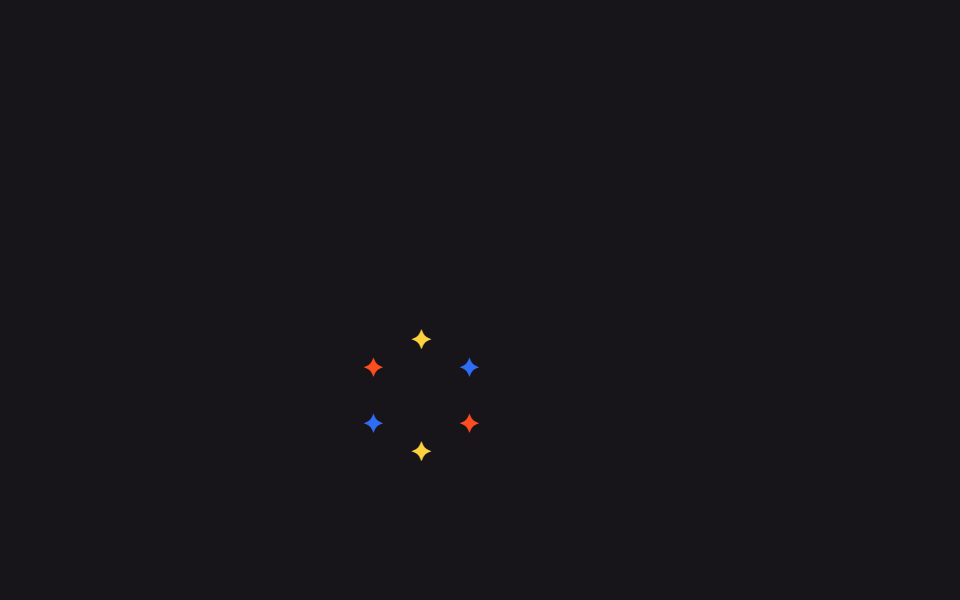 09 confetti-celebration-sparkle-cursor-trail
자동 재생 · 눌러서 해당 항목으로 · 전부 한 zip
- 01 버튼 컨페티 폭발
- 02 컨페티 비
- 03 반짝이는 버튼
- 04 반짝이는 텍스트
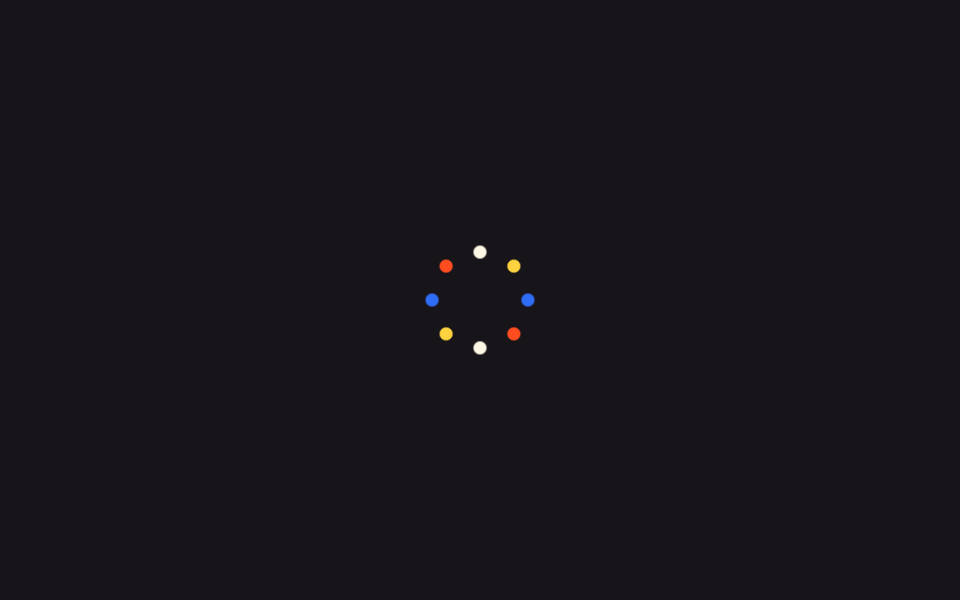
- 05 불꽃놀이 도트
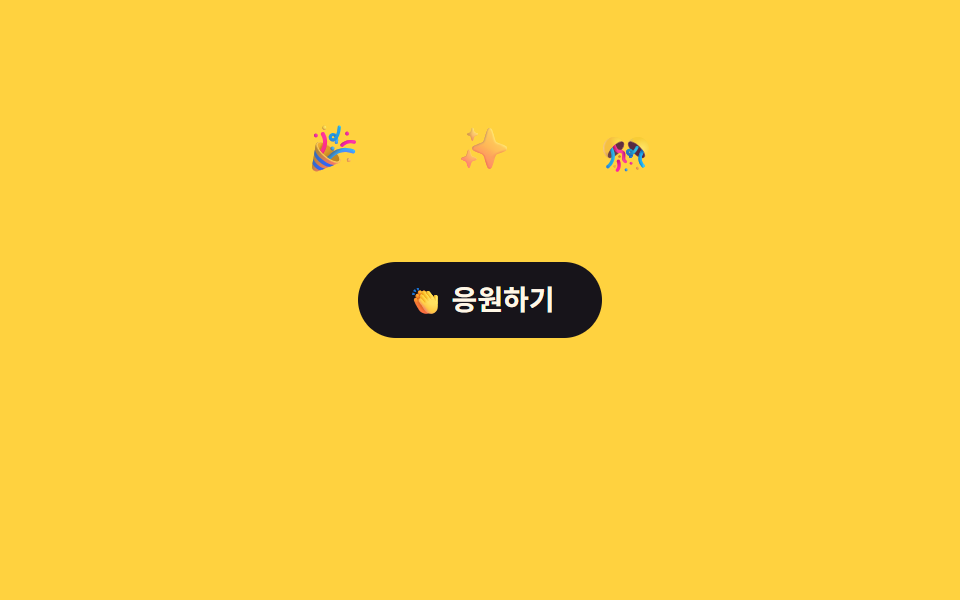
- 06 이모지 팝
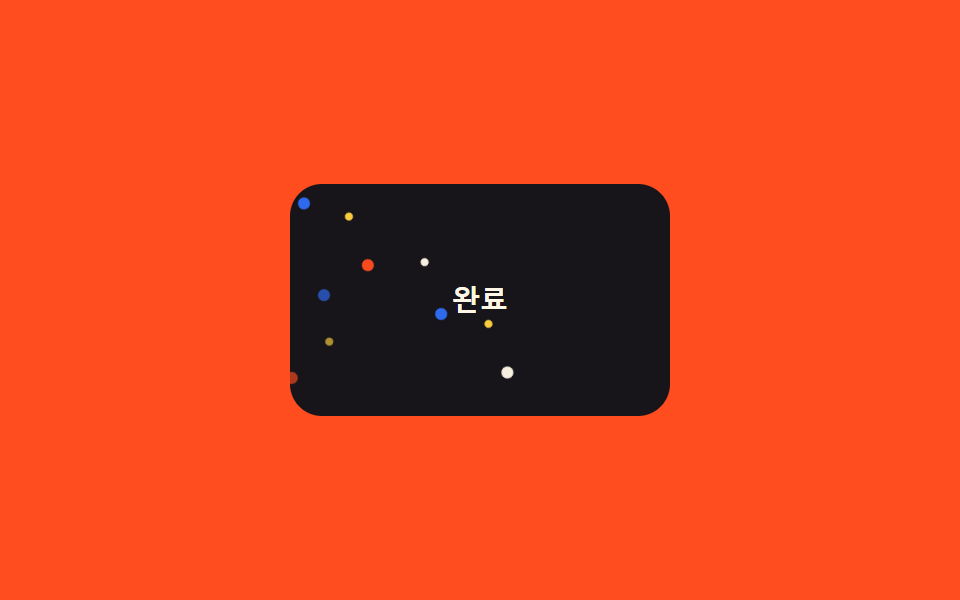
- 07 의사요소만으로 컨페티
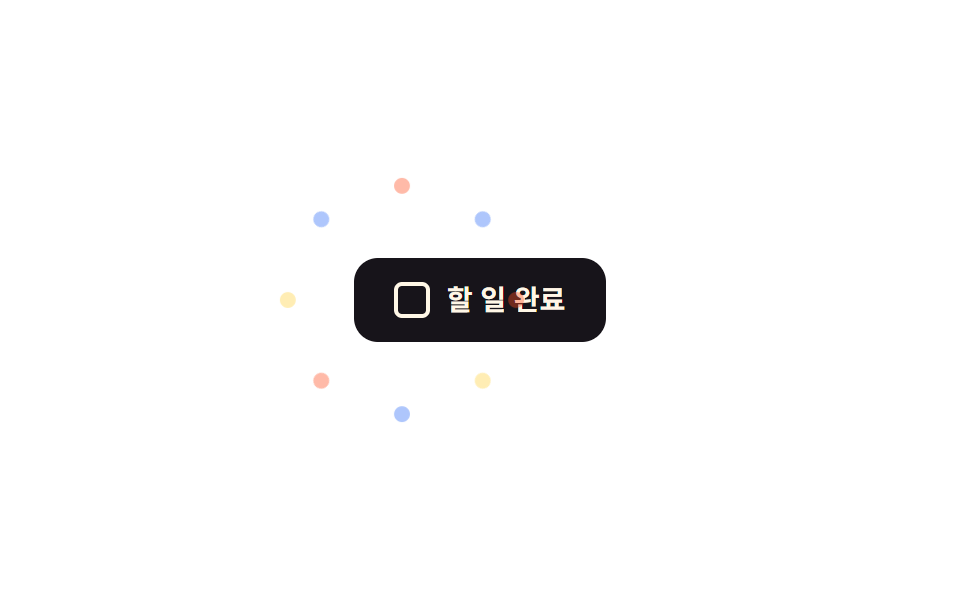
- 08 :has(:checked) 축하 트리거
- 09 커서 반짝임 트레일
아홉 개는 화려한 순서가 아니라 화면에서 컨페티가 실제로 쓰이는 순서를 따라갑니다. 버튼 하나를 눌러 터지는 신호(01)와 배경에 계속 흩날리는 신호(02)를 지나, 버튼과 제목 글자 자체가 반짝이는 강조(03~04)로, 그다음은 더 큰 임팩트를 주는 폭발형 반응(05~06)을 거쳐, 마지막은 마크업을 늘리지 않거나 자바스크립트 없이 트리거를 거는 구현 방식(07~08)과 마우스를 따라다니는 인터랙션(09)으로 끝납니다. 색종이가 반투명한 판 뒤로 흐르게 하려면 글래스모피즘 효과가 배경을 주고, 종이가 통통 튀길 원하면 통통 튀는 애니메이션이 낙하 곡선을 줍니다.
01버튼 컨페티 폭발
언제 쓰나
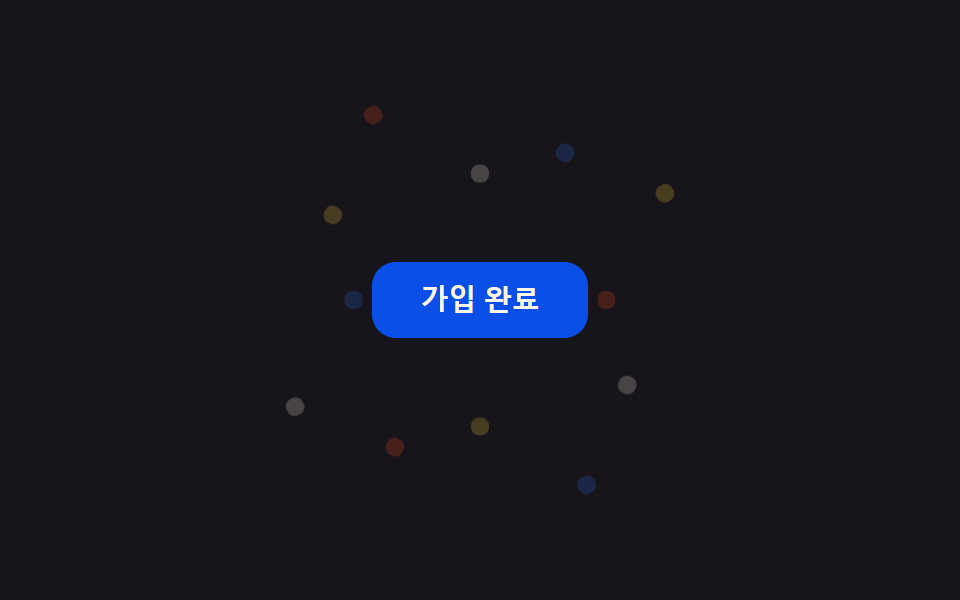
가입이나 결제가 끝난 버튼을 누르면 작은 컨페티 조각 12개가 SCSS @for 루프로 미리 흩뿌려진 각도를 타고 사방으로 튀어나갔다가 옅어지며 사라집니다.
<main class="stage">
  <div class="cb-wrap is-demo">
    <button class="cb-btn" type="button">가입 완료</button>
    <span class="cb-piece"></span><span class="cb-piece"></span><span class="cb-piece"></span>
    <span class="cb-piece"></span><span class="cb-piece"></span><span class="cb-piece"></span>
    <span class="cb-piece"></span><span class="cb-piece"></span><span class="cb-piece"></span>
    <span class="cb-piece"></span><span class="cb-piece"></span><span class="cb-piece"></span>
  </div>
</main>
@use "../../../../site/static/demo-tokens" as *;
// ── 변수 3개 ──────────────────────────────────────────
$duration: 900ms;
$easing: $ease-pop;
$color: $subject-blue;
@include stage($stage-ink);
$piece-colors: $color, $stage-yellow, $stage-orange, $subject-cream;
.cb-wrap {
position: relative;
width: min(220px, 80vw);
display: grid;
place-items: center;
}
.cb-btn {
position: relative;
z-index: 1;
border: 0;
border-radius: $r-control;
padding: $sp-3 $sp-6;
background: $subject-blue-deep;
color: $subject-cream;
font: 700 14px/1 -apple-system, "Segoe UI", sans-serif;
cursor: pointer;
}
.cb-piece {
position: absolute;
top: 50%;
left: 50%;
width: 9px;
height: 9px;
border-radius: $r-xs;
opacity: 0;
pointer-events: none;
}
// 조각마다 각도·거리·색·지연을 SCSS @for 로 흩뿌린다 — 마크업은 빈 span 12개뿐
@for $i from 1 through 12 {
  .cb-piece:nth-child(#{$i + 1}) {
    background: nth($piece-colors, ($i - 1) % 4 + 1);
    --angle: #{$i * 30deg};
    --dist: #{64px + ($i % 3) * 22px};
    animation-delay: #{($i % 4) * 40ms};
  }
}

@keyframes cb-fly {
  0%   { transform: translate(-50%, -50%) rotate(var(--angle)) translateY(0) scale(.4); opacity: 0; }
  15%  { opacity: 1; }
  100% { transform: translate(-50%, -50%) rotate(var(--angle)) translateY(calc(-1 * var(--dist))) scale(1); opacity: 0; }
}
// 실사용: 클릭이 is-burst 를 다시 붙여 keyframes 를 재생한다 (위 <script>)
.cb-wrap.is-burst .cb-piece,
.cb-wrap.is-demo .cb-piece { animation: cb-fly $duration $easing infinite; }
@media (prefers-reduced-motion: reduce) {
.cb-wrap.is-burst .cb-piece,
.cb-wrap.is-demo .cb-piece { animation: none !important; opacity: 0 !important; }
}html, body {
margin: 0;
overflow: hidden;
}
.stage {
box-sizing: border-box;
min-height: 100vh;
display: grid;
place-items: center;
margin: 0;
background: #17141a;
font-family: -apple-system, "Segoe UI", "Noto Sans KR", sans-serif;
padding: clamp(8px, 4vw, 24px);
}
.cb-wrap {
position: relative;
width: min(220px, 80vw);
display: grid;
place-items: center;
}
.cb-btn {
position: relative;
z-index: 1;
border: 0;
border-radius: 12px;
padding: 12px 24px;
background: #0a4fe8;
color: #fff7e6;
font: 700 14px/1 -apple-system, "Segoe UI", sans-serif;
cursor: pointer;
}
.cb-piece {
position: absolute;
top: 50%;
left: 50%;
width: 9px;
height: 9px;
border-radius: 4px;
opacity: 0;
pointer-events: none;
}
.cb-piece:nth-child(2) {
background: #2f6df6;
--angle: 30deg;
--dist: 86px;
animation-delay: 40ms;
}
.cb-piece:nth-child(3) {
background: #ffd23f;
--angle: 60deg;
--dist: 108px;
animation-delay: 80ms;
}
.cb-piece:nth-child(4) {
background: #ff4d1f;
--angle: 90deg;
--dist: 64px;
animation-delay: 120ms;
}
.cb-piece:nth-child(5) {
background: #fff7e6;
--angle: 120deg;
--dist: 86px;
animation-delay: 0ms;
}
.cb-piece:nth-child(6) {
background: #2f6df6;
--angle: 150deg;
--dist: 108px;
animation-delay: 40ms;
}
.cb-piece:nth-child(7) {
background: #ffd23f;
--angle: 180deg;
--dist: 64px;
animation-delay: 80ms;
}
.cb-piece:nth-child(8) {
background: #ff4d1f;
--angle: 210deg;
--dist: 86px;
animation-delay: 120ms;
}
.cb-piece:nth-child(9) {
background: #fff7e6;
--angle: 240deg;
--dist: 108px;
animation-delay: 0ms;
}
.cb-piece:nth-child(10) {
background: #2f6df6;
--angle: 270deg;
--dist: 64px;
animation-delay: 40ms;
}
.cb-piece:nth-child(11) {
background: #ffd23f;
--angle: 300deg;
--dist: 86px;
animation-delay: 80ms;
}
.cb-piece:nth-child(12) {
background: #ff4d1f;
--angle: 330deg;
--dist: 108px;
animation-delay: 120ms;
}
.cb-piece:nth-child(13) {
background: #fff7e6;
--angle: 360deg;
--dist: 64px;
animation-delay: 0ms;
}
@keyframes cb-fly {
0% {
transform: translate(-50%, -50%) rotate(var(--angle)) translateY(0) scale(0.4);
opacity: 0;
}
15% {
opacity: 1;
}
100% {
transform: translate(-50%, -50%) rotate(var(--angle)) translateY(calc(-1 * var(--dist))) scale(1);
opacity: 0;
}
}
.cb-wrap.is-burst .cb-piece,
.cb-wrap.is-demo .cb-piece {
animation: cb-fly 900ms cubic-bezier(0.2, 1.4, 0.4, 1) infinite;
}
@media (prefers-reduced-motion: reduce) {
.cb-wrap.is-burst .cb-piece,
.cb-wrap.is-demo .cb-piece {
animation: none !important;
opacity: 0 !important;
}
}var wrap = document.querySelector('.cb-wrap');
var btn = document.querySelector('.cb-btn');
btn.addEventListener('click', function () {
wrap.classList.remove('is-burst');
void wrap.offsetWidth;
wrap.classList.add('is-burst');
});import { CSSProperties, useState } from "react";
import styles from "./ConfettiBurstButton.module.scss";
type Vars = CSSProperties & Record<string, string>;
export interface ConfettiBurstButtonProps {
duration?: string;
easing?: string;
color?: string;
}
const COLORS = ["var(--color)", "#ffd23f", "#ff4d1f", "#fff7e6"];
// 실사용: 클릭마다 burstKey 를 올려 pieces 래퍼를 리마운트한다 — 같은 클래스를 다시 붙이는 것만으로는
// 이미 끝난 keyframes 가 재생되지 않는다 (바닐라판은 classList remove+reflow+add 로 같은 일을 한다)
export default function ConfettiBurstButton({
duration = "900ms",
easing = "cubic-bezier(.2, 1.4, .4, 1)",
color = "#2f6df6",
}: ConfettiBurstButtonProps) {
const [burstKey, setBurstKey] = useState(0);
const style: Vars = { "--duration": duration, "--easing": easing, "--color": color };
return (
<div className={styles.wrap} style={style}>
<button className={styles.btn} type="button" onClick={() => setBurstKey((k) => k + 1)}>
가입 완료
</button>
<span key={burstKey} className={styles.pieces}>
{Array.from({ length: 12 }, (_, i) => {
const pieceStyle: Vars = {
background: COLORS[i % COLORS.length],
"--angle": `${(i + 1) * 30}deg`,
"--dist": `${64 + (i % 3) * 22}px`,
animationDelay: `${(i % 4) * 40}ms`,
};
return <span key={i} className={styles.piece} style={pieceStyle} />;
})}
</span>
</div>
);
}01 · 버튼 컨페티 폭발 — 측정 누적면적 2.569% · 움직인 프레임 10/23GODRICH 원작 · zip 에 SCSS·React 포함 · 비밀번호 보기
왜 이렇게 만들었나
다시 누르면 클래스를 떼었다 붙이는 자바스크립트 7줄이 keyframes를 처음부터 재생합니다.
@for $i from 1 through 12 {
.cb-piece:nth-child(#{$i + 1}) {
background: nth($piece-colors, ($i - 1) % 4 + 1);
--angle: #{$i * 30deg};
--dist: #{64px + ($i % 3) * 22px};
animation-delay: #{($i % 4) * 40ms};
}
}
@keyframes cb-fly {
0% { transform: translate(-50%, -50%) rotate(var(--angle)) translateY(0) scale(.4); opacity: 0; }
15% { opacity: 1; }
100% { transform: translate(-50%, -50%) rotate(var(--angle)) translateY(calc(-1 * var(--dist))) scale(1); opacity: 0; }
}
02컨페티 비
어떤 화면인가
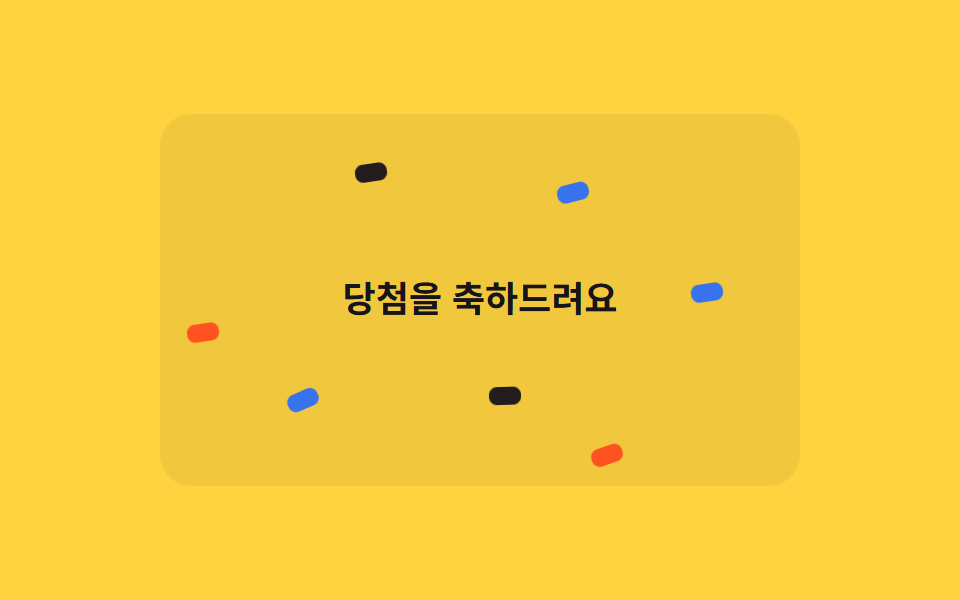
당첨 배너 위에서 조각 18개가 각자 다른 높이(top)와 속도로 떨어지도록 짰습니다.
<main class="stage">
  <div class="cr-wrap is-demo">
    <span class="cr-banner">당첨을 축하드려요</span>
    <span class="cr-piece"></span><span class="cr-piece"></span><span class="cr-piece"></span>
    <span class="cr-piece"></span><span class="cr-piece"></span><span class="cr-piece"></span>
    <span class="cr-piece"></span><span class="cr-piece"></span><span class="cr-piece"></span>
    <span class="cr-piece"></span><span class="cr-piece"></span><span class="cr-piece"></span>
    <span class="cr-piece"></span><span class="cr-piece"></span><span class="cr-piece"></span>
    <span class="cr-piece"></span><span class="cr-piece"></span><span class="cr-piece"></span>
  </div>
</main>
@use "../../../../site/static/demo-tokens" as *;
// ── 변수 3개 ──────────────────────────────────────────
$duration: 2s;
$easing: linear;
$color: $subject-blue;
@include stage($stage-yellow);
$piece-colors: $color, $stage-orange, $subject-ink, $subject-cream;
.cr-wrap {
position: relative;
width: min(320px, 88vw);
height: min(220px, 62vh);
overflow: hidden;
border-radius: $r-card;
background: rgba(23, 20, 26, .06);
}
.cr-banner {
position: absolute;
inset: 0;
display: grid;
place-items: center;
padding: $sp-4;
box-sizing: border-box;
text-align: center;
color: $subject-ink;
font: 700 18px/1.3 -apple-system, "Segoe UI", "Noto Sans KR", sans-serif;
}
.cr-piece {
position: absolute;
top: -220px;
width: 9px;
height: 16px;
border-radius: $r-xs;
opacity: .95;
animation-duration: $duration;
}
// 조각 18개가 카드 높이 전체에 걸쳐 서로 다른 top 시작값을 갖는다 — delay 만 다르면 전부 위쪽에서
// 한 줄로 뭉쳐 같이 출발해 버린다 (실측). top 순서를 왼쪽 순서(left%)와 다르게 섞어야 대각선 한 줄이
// 아니라 흩뿌린 비처럼 보인다 (실측: left·top 을 같은 $i 로 선형 배치하면 완벽한 대각선이 된다)
$tops: -40px, 160px, -180px, 20px, 100px, -120px, 60px, -200px, 140px, -20px, 180px, -100px, 40px, -160px, 120px, -60px, 200px, -140px;
@for $i from 1 through 18 {
  .cr-piece:nth-child(#{$i + 1}) {
    left: percentage($i / 19);
    top: nth($tops, $i);
    background: nth($piece-colors, $i % 4 + 1);
    animation-duration: #{1700ms + ($i % 5) * 140ms};
  }
}

@keyframes cr-fall {
  0%   { transform: translateY(0) rotate(0deg); }
  100% { transform: translateY(520px) rotate(300deg); }
}
// duration 은 shorthand 로 주지 않는다 — 그러면 specificity 가 더 높아 항목마다 다른 animation-duration(위) 을
// 덮어써 18개가 전부 같은 박자로 떨어져 버린다 (실측). name·timing·iteration 만 여기서, duration 은 조각마다
.cr-wrap.is-demo .cr-piece { animation-name: cr-fall; animation-timing-function: $easing; animation-iteration-count: infinite; }
@media (prefers-reduced-motion: reduce) {
.cr-wrap.is-demo .cr-piece { animation: none !important; opacity: 0 !important; }
}html, body {
margin: 0;
overflow: hidden;
}
.stage {
box-sizing: border-box;
min-height: 100vh;
display: grid;
place-items: center;
margin: 0;
background: #ffd23f;
font-family: -apple-system, "Segoe UI", "Noto Sans KR", sans-serif;
padding: clamp(8px, 4vw, 24px);
}
.cr-wrap {
position: relative;
width: min(320px, 88vw);
height: min(220px, 62vh);
overflow: hidden;
border-radius: 16px;
background: rgba(23, 20, 26, 0.06);
}
.cr-banner {
position: absolute;
inset: 0;
display: grid;
place-items: center;
padding: 16px;
box-sizing: border-box;
text-align: center;
color: #17141a;
font: 700 18px/1.3 -apple-system, "Segoe UI", "Noto Sans KR", sans-serif;
}
.cr-piece {
position: absolute;
top: -220px;
width: 9px;
height: 16px;
border-radius: 4px;
opacity: 0.95;
animation-duration: 2s;
}
.cr-piece:nth-child(2) {
left: 5.2631578947%;
top: -40px;
background: #ff4d1f;
animation-duration: 1840ms;
}
.cr-piece:nth-child(3) {
left: 10.5263157895%;
top: 160px;
background: #17141a;
animation-duration: 1980ms;
}
.cr-piece:nth-child(4) {
left: 15.7894736842%;
top: -180px;
background: #fff7e6;
animation-duration: 2120ms;
}
.cr-piece:nth-child(5) {
left: 21.0526315789%;
top: 20px;
background: #2f6df6;
animation-duration: 2260ms;
}
.cr-piece:nth-child(6) {
left: 26.3157894737%;
top: 100px;
background: #ff4d1f;
animation-duration: 1700ms;
}
.cr-piece:nth-child(7) {
left: 31.5789473684%;
top: -120px;
background: #17141a;
animation-duration: 1840ms;
}
.cr-piece:nth-child(8) {
left: 36.8421052632%;
top: 60px;
background: #fff7e6;
animation-duration: 1980ms;
}
.cr-piece:nth-child(9) {
left: 42.1052631579%;
top: -200px;
background: #2f6df6;
animation-duration: 2120ms;
}
.cr-piece:nth-child(10) {
left: 47.3684210526%;
top: 140px;
background: #ff4d1f;
animation-duration: 2260ms;
}
.cr-piece:nth-child(11) {
left: 52.6315789474%;
top: -20px;
background: #17141a;
animation-duration: 1700ms;
}
.cr-piece:nth-child(12) {
left: 57.8947368421%;
top: 180px;
background: #fff7e6;
animation-duration: 1840ms;
}
.cr-piece:nth-child(13) {
left: 63.1578947368%;
top: -100px;
background: #2f6df6;
animation-duration: 1980ms;
}
.cr-piece:nth-child(14) {
left: 68.4210526316%;
top: 40px;
background: #ff4d1f;
animation-duration: 2120ms;
}
.cr-piece:nth-child(15) {
left: 73.6842105263%;
top: -160px;
background: #17141a;
animation-duration: 2260ms;
}
.cr-piece:nth-child(16) {
left: 78.9473684211%;
top: 120px;
background: #fff7e6;
animation-duration: 1700ms;
}
.cr-piece:nth-child(17) {
left: 84.2105263158%;
top: -60px;
background: #2f6df6;
animation-duration: 1840ms;
}
.cr-piece:nth-child(18) {
left: 89.4736842105%;
top: 200px;
background: #ff4d1f;
animation-duration: 1980ms;
}
.cr-piece:nth-child(19) {
left: 94.7368421053%;
top: -140px;
background: #17141a;
animation-duration: 2120ms;
}
@keyframes cr-fall {
0% {
transform: translateY(0) rotate(0deg);
}
100% {
transform: translateY(520px) rotate(300deg);
}
}
.cr-wrap.is-demo .cr-piece {
animation-name: cr-fall;
animation-timing-function: linear;
animation-iteration-count: infinite;
}
@media (prefers-reduced-motion: reduce) {
.cr-wrap.is-demo .cr-piece {
animation: none !important;
opacity: 0 !important;
}
}import { CSSProperties } from "react";
import styles from "./ConfettiRain.module.scss";
type Vars = CSSProperties & Record<string, string>;
export interface ConfettiRainProps {
duration?: string;
easing?: string;
color?: string;
}
const COLORS = ["var(--color)", "#ff4d1f", "#17141a", "#fff7e6"];
// top 을 left% 순서와 다르게 섞는다 — 둘을 같은 인덱스로 선형 배치하면 낙하가 아니라 대각선 한 줄로 보인다
const TOPS = [-40, 160, -180, 20, 100, -120, 60, -200, 140, -20, 180, -100, 40, -160, 120, -60, 200, -140];
export default function ConfettiRain({
duration = "2s",
easing = "linear",
color = "#2f6df6",
}: ConfettiRainProps) {
const style: Vars = { "--duration": duration, "--easing": easing, "--color": color };
return (
<div className={styles.wrap} style={style}>
<span className={styles.banner}>당첨을 축하드려요</span>
{TOPS.map((top, i) => {
const pieceStyle: Vars = {
left: `${((i + 1) / (TOPS.length + 1)) * 100}%`,
top: `${top}px`,
background: COLORS[i % COLORS.length],
animationDuration: `${1700 + (i % 5) * 140}ms`,
};
return <span key={i} className={styles.piece} style={pieceStyle} />;
})}
</div>
);
}02 · 컨페티 비 — 측정 누적면적 12.233% · 움직인 프레임 22/23GODRICH 원작 · zip 에 SCSS·React 포함 · 비밀번호 보기
구현의 핵심
시작 높이를 가로 위치와 다른 순서로 섞지 않으면 조각들이 한 줄로 뭉쳐 같은 대각선을 그리며 같이 출발해 버려서, 그 순서를 일부러 흩어 뒀습니다.
$tops: -40px, 160px, -180px, 20px, 100px, -120px, 60px, -200px, 140px, -20px, 180px, -100px, 40px, -160px, 120px, -60px, 200px, -140px;
@for $i from 1 through 18 {
.cr-piece:nth-child(#{$i + 1}) {
left: percentage($i / 19);
top: nth($tops, $i);
background: nth($piece-colors, $i % 4 + 1);
animation-duration: #{1700ms + ($i % 5) * 140ms};
}
}
@keyframes cr-fall {
0% { transform: translateY(0) rotate(0deg); }
100% { transform: translateY(520px) rotate(300deg); }
}
03반짝이는 버튼
css 반짝이 는 효과는 어디에 쓰나
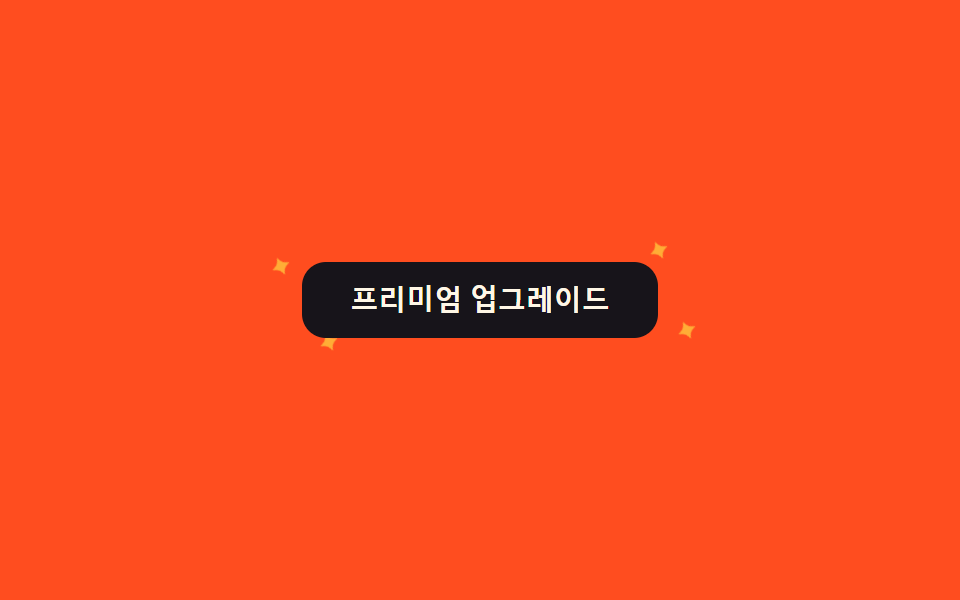
프리미엄 버튼에 마우스를 올리면 테두리 바깥 작은 별 4개가 서로 다른 animation-delay로 커졌다 작아지며 반짝입니다.
<main class="stage">
  <div class="sk-wrap is-demo">
    <button class="sk-btn" type="button">프리미엄 업그레이드</button>
    <span class="sk-star sk-star--1">✦</span>
    <span class="sk-star sk-star--2">✦</span>
    <span class="sk-star sk-star--3">✦</span>
    <span class="sk-star sk-star--4">✦</span>
  </div>
</main>
@use "../../../../site/static/demo-tokens" as *;
// ── 변수 3개 ──────────────────────────────────────────
$duration: 1.1s;
$easing: $ease-out;
$color: $stage-yellow;
@include stage($stage-orange);
.sk-wrap {
position: relative;
width: min(240px, 82vw);
display: grid;
place-items: center;
}
.sk-btn {
position: relative;
z-index: 1;
border: 0;
border-radius: $r-control;
padding: $sp-3 $sp-6;
background: $subject-ink;
color: $subject-cream;
font: 700 14px/1 -apple-system, "Segoe UI", sans-serif;
cursor: pointer;
transition: transform $dur-quick $easing;
}
.sk-wrap:hover .sk-btn { transform: scale(1.03); }
.sk-star {
position: absolute;
color: $color;
font-size: 16px;
line-height: 1;
opacity: 0;
transform: scale(.3);
pointer-events: none;
}
.sk-star--1 { top: -6px; left: 6%; }
.sk-star--2 { top: -14px; right: 10%; }
.sk-star--3 { bottom: -10px; left: 16%; }
.sk-star--4 { bottom: -4px; right: 4%; }
@keyframes sk-twinkle {
  0%, 100% { opacity: 0; transform: scale(.3) rotate(0deg); }
  50%      { opacity: 1; transform: scale(1) rotate(90deg); }
}

// 실사용: 호버 중에만 반짝인다. 캡처용 is-demo 는 항상 켠다
.sk-wrap:hover .sk-star,
.sk-wrap.is-demo .sk-star { animation: sk-twinkle $duration $easing infinite; }
.sk-star--2 { animation-delay: 160ms; }
.sk-star--3 { animation-delay: 320ms; }
.sk-star--4 { animation-delay: 480ms; }
@media (prefers-reduced-motion: reduce) {
.sk-wrap:hover .sk-star,
.sk-wrap.is-demo .sk-star { animation: none !important; opacity: 0 !important; }
}html, body {
margin: 0;
overflow: hidden;
}
.stage {
box-sizing: border-box;
min-height: 100vh;
display: grid;
place-items: center;
margin: 0;
background: #ff4d1f;
font-family: -apple-system, "Segoe UI", "Noto Sans KR", sans-serif;
padding: clamp(8px, 4vw, 24px);
}
.sk-wrap {
position: relative;
width: min(240px, 82vw);
display: grid;
place-items: center;
}
.sk-btn {
position: relative;
z-index: 1;
border: 0;
border-radius: 12px;
padding: 12px 24px;
background: #17141a;
color: #fff7e6;
font: 700 14px/1 -apple-system, "Segoe UI", sans-serif;
cursor: pointer;
transition: transform 220ms ease-out;
}
.sk-wrap:hover .sk-btn {
transform: scale(1.03);
}
.sk-star {
position: absolute;
color: #ffd23f;
font-size: 16px;
line-height: 1;
opacity: 0;
transform: scale(0.3);
pointer-events: none;
}
.sk-star--1 {
top: -6px;
left: 6%;
}
.sk-star--2 {
top: -14px;
right: 10%;
}
.sk-star--3 {
bottom: -10px;
left: 16%;
}
.sk-star--4 {
bottom: -4px;
right: 4%;
}
@keyframes sk-twinkle {
0%, 100% {
opacity: 0;
transform: scale(0.3) rotate(0deg);
}
50% {
opacity: 1;
transform: scale(1) rotate(90deg);
}
}
.sk-wrap:hover .sk-star,
.sk-wrap.is-demo .sk-star {
animation: sk-twinkle 1.1s ease-out infinite;
}
.sk-star--2 {
animation-delay: 160ms;
}
.sk-star--3 {
animation-delay: 320ms;
}
.sk-star--4 {
animation-delay: 480ms;
}
@media (prefers-reduced-motion: reduce) {
.sk-wrap:hover .sk-star,
.sk-wrap.is-demo .sk-star {
animation: none !important;
opacity: 0 !important;
}
}import { CSSProperties } from "react";
import styles from "./SparkleButton.module.scss";
type Vars = CSSProperties & Record<string, string>;
export interface SparkleButtonProps {
duration?: string;
easing?: string;
color?: string;
}
// 실사용: 진짜 :hover 중에만 반짝인다 (module.scss 의 .wrap:hover). props 는 변수 3개만 넘긴다
export default function SparkleButton({
duration = "1.1s",
easing = "ease-out",
color = "#ffd23f",
}: SparkleButtonProps) {
const style: Vars = { "--duration": duration, "--easing": easing, "--color": color };
return (
<div className={styles.wrap} style={style}>
<button className={styles.btn} type="button">
프리미엄 업그레이드
</button>
<span className={`${styles.star} ${styles.star1}`}>✦</span>
<span className={`${styles.star} ${styles.star2}`}>✦</span>
<span className={`${styles.star} ${styles.star3}`}>✦</span>
<span className={`${styles.star} ${styles.star4}`}>✦</span>
</div>
);
}03 · 반짝이는 버튼 — 측정 누적면적 0.213% · 움직인 프레임 22/23GODRICH 원작 · zip 에 SCSS·React 포함 · 비밀번호 보기
무엇이 핵심인가
호버를 떼는 순간 트랜지션 없이 바로 멈춰 화면이 깜빡이지 않습니다.
@keyframes sk-twinkle {
0%, 100% { opacity: 0; transform: scale(.3) rotate(0deg); }
50% { opacity: 1; transform: scale(1) rotate(90deg); }
}
// 실사용: 호버 중에만 반짝인다. 캡처용 is-demo 는 항상 켠다
.sk-wrap:hover .sk-star,
.sk-wrap.is-demo .sk-star { animation: sk-twinkle $duration $easing infinite; }
.sk-star--2 { animation-delay: 160ms; }
.sk-star--3 { animation-delay: 320ms; }
.sk-star--4 { animation-delay: 480ms; }
04반짝이는 텍스트
어디에 쓰나
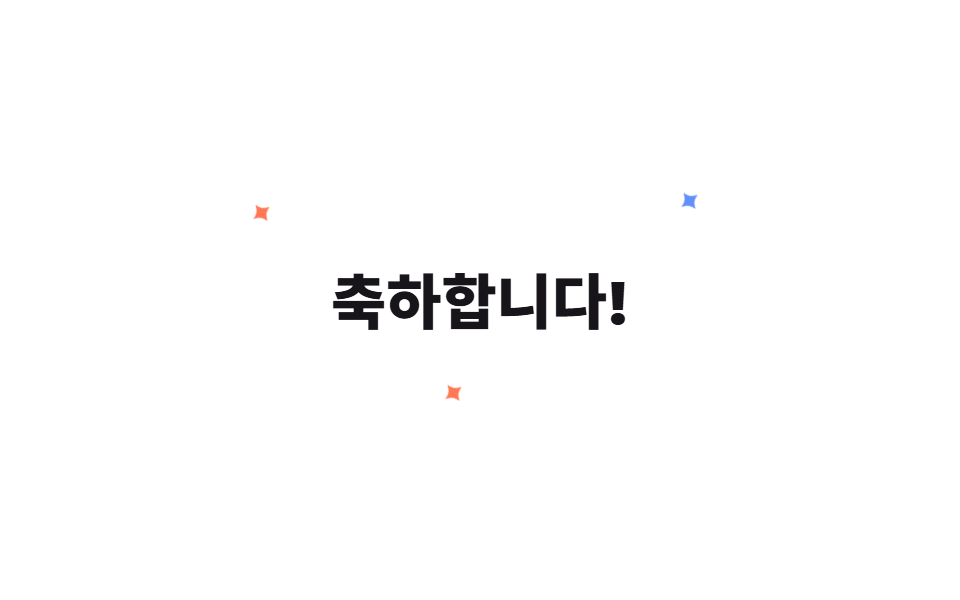
축하 제목 글자 둘레에 반짝임 3개를 두고 각각 다른 시작 시점에 커졌다 작아지게 했습니다.
<main class="stage">
  <div class="st-wrap is-demo">
    <h2 class="st-title">축하합니다!</h2>
    <span class="st-star st-star--1">✦</span>
    <span class="st-star st-star--2">✦</span>
    <span class="st-star st-star--3">✦</span>
  </div>
</main>
@use "../../../../site/static/demo-tokens" as *;
// ── 변수 3개 ──────────────────────────────────────────
$duration: 1.3s;
$easing: $ease-out;
$color: $subject-blue;
@include stage($stage-paper);
.st-wrap {
position: relative;
display: grid;
place-items: center;
padding: $sp-6;
}
.st-title {
margin: 0;
color: $subject-ink;
font: 800 30px/1 -apple-system, "Segoe UI", "Noto Sans KR", sans-serif;
}
.st-star {
  position: absolute;
  color: $color;
  font-size: 18px;
  line-height: 1;
  opacity: 0;
  transform: scale(.2);
  pointer-events: none;
}
.st-star--1 { top: -14px; left: -18px; color: $stage-orange; }
.st-star--2 { top: -20px; right: -14px; }
.st-star--3 { bottom: -16px; left: 40%; color: $stage-orange; }

@keyframes st-twinkle {
  0%, 100% { opacity: 0; transform: scale(.2) rotate(0deg); }
  50%      { opacity: 1; transform: scale(1) rotate(70deg); }
}

.st-wrap.is-demo .st-star { animation: st-twinkle $duration $easing infinite; }
.st-star--2 { animation-delay: 260ms; }
.st-star--3 { animation-delay: 480ms; }
@media (prefers-reduced-motion: reduce) {
.st-wrap.is-demo .st-star { animation: none !important; opacity: 0 !important; }
}html, body {
margin: 0;
overflow: hidden;
}
.stage {
box-sizing: border-box;
min-height: 100vh;
display: grid;
place-items: center;
margin: 0;
background: #ffffff;
font-family: -apple-system, "Segoe UI", "Noto Sans KR", sans-serif;
padding: clamp(8px, 4vw, 24px);
}
.st-wrap {
position: relative;
display: grid;
place-items: center;
padding: 24px;
}
.st-title {
margin: 0;
color: #17141a;
font: 800 30px/1 -apple-system, "Segoe UI", "Noto Sans KR", sans-serif;
}
.st-star {
position: absolute;
color: #2f6df6;
font-size: 18px;
line-height: 1;
opacity: 0;
transform: scale(0.2);
pointer-events: none;
}
.st-star--1 {
top: -14px;
left: -18px;
color: #ff4d1f;
}
.st-star--2 {
top: -20px;
right: -14px;
}
.st-star--3 {
bottom: -16px;
left: 40%;
color: #ff4d1f;
}
@keyframes st-twinkle {
0%, 100% {
opacity: 0;
transform: scale(0.2) rotate(0deg);
}
50% {
opacity: 1;
transform: scale(1) rotate(70deg);
}
}
.st-wrap.is-demo .st-star {
animation: st-twinkle 1.3s ease-out infinite;
}
.st-star--2 {
animation-delay: 260ms;
}
.st-star--3 {
animation-delay: 480ms;
}
@media (prefers-reduced-motion: reduce) {
.st-wrap.is-demo .st-star {
animation: none !important;
opacity: 0 !important;
}
}import { CSSProperties } from "react";
import styles from "./SparkleText.module.scss";
type Vars = CSSProperties & Record<string, string>;
export interface SparkleTextProps {
duration?: string;
easing?: string;
color?: string;
}
export default function SparkleText({
duration = "1.3s",
easing = "ease-out",
color = "#2f6df6",
}: SparkleTextProps) {
const style: Vars = { "--duration": duration, "--easing": easing, "--color": color };
return (
<div className={styles.wrap} style={style}>
<h2 className={styles.title}>축하합니다!</h2>
<span className={`${styles.star} ${styles.star1}`}>✦</span>
<span className={`${styles.star} ${styles.star2}`}>✦</span>
<span className={`${styles.star} ${styles.star3}`}>✦</span>
</div>
);
}04 · 반짝이는 텍스트 — 측정 누적면적 0.193% · 움직인 프레임 21/23GODRICH 원작 · zip 에 SCSS·React 포함 · 비밀번호 보기
짚어 둘 점
버튼이 아니라 글자 자체가 주인공이라 배경이 하얀 화면에서도 시선이 제목으로 먼저 갑니다.
.st-star {
position: absolute;
color: $color;
font-size: 18px;
line-height: 1;
opacity: 0;
transform: scale(.2);
pointer-events: none;
}
.st-star--1 { top: -14px; left: -18px; color: $stage-orange; }
.st-star--2 { top: -20px; right: -14px; }
.st-star--3 { bottom: -16px; left: 40%; color: $stage-orange; }
@keyframes st-twinkle {
0%, 100% { opacity: 0; transform: scale(.2) rotate(0deg); }
50% { opacity: 1; transform: scale(1) rotate(70deg); }
}
.st-wrap.is-demo .st-star { animation: st-twinkle $duration $easing infinite; }
.st-star--2 { animation-delay: 260ms; }
.st-star--3 { animation-delay: 480ms; }
05불꽃놀이 도트
눈에 보이는 것
점 하나가 --angle 커스텀 속성을 8등분해 나눠 가진 점 8개로 갈라져, rotate(var(--angle))와 translateY만으로 불꽃처럼 퍼졌다가 옅어집니다.
<main class="stage">
  <div class="fw-wrap is-demo">
    <span class="fw-dot"></span><span class="fw-dot"></span><span class="fw-dot"></span><span class="fw-dot"></span>
    <span class="fw-dot"></span><span class="fw-dot"></span><span class="fw-dot"></span><span class="fw-dot"></span>
  </div>
</main>
@use "../../../../site/static/demo-tokens" as *;
// ── 변수 3개 ──────────────────────────────────────────
$duration: 1s;
$easing: $ease-out;
$color: $stage-yellow;
@include stage($stage-ink);
$piece-colors: $color, $subject-blue, $stage-orange, $subject-cream;
.fw-wrap {
position: relative;
width: 8px;
height: 8px;
}
.fw-dot {
position: absolute;
top: 0;
left: 0;
width: 8px;
height: 8px;
border-radius: $r-pill;
opacity: 0;
}
// 점 8개가 --angle 을 30~360deg 로 나눠 갖고, rotate + translateY 로 불꽃처럼 퍼진다
@for $i from 1 through 8 {
  .fw-dot:nth-child(#{$i}) {
    background: nth($piece-colors, ($i - 1) % 4 + 1);
    --angle: #{$i * 45deg};
  }
}

@keyframes fw-burst {
  0%   { transform: rotate(var(--angle)) translateY(0) scale(1); opacity: 1; }
  70%  { opacity: 1; }
  100% { transform: rotate(var(--angle)) translateY(-92px) scale(.3); opacity: 0; }
}
.fw-wrap.is-demo .fw-dot { animation: fw-burst $duration $easing infinite; }
@media (prefers-reduced-motion: reduce) {
.fw-wrap.is-demo .fw-dot { animation: none !important; opacity: 0 !important; }
}html, body {
margin: 0;
overflow: hidden;
}
.stage {
box-sizing: border-box;
min-height: 100vh;
display: grid;
place-items: center;
margin: 0;
background: #17141a;
font-family: -apple-system, "Segoe UI", "Noto Sans KR", sans-serif;
padding: clamp(8px, 4vw, 24px);
}
.fw-wrap {
position: relative;
width: 8px;
height: 8px;
}
.fw-dot {
position: absolute;
top: 0;
left: 0;
width: 8px;
height: 8px;
border-radius: 999px;
opacity: 0;
}
.fw-dot:nth-child(1) {
background: #ffd23f;
--angle: 45deg;
}
.fw-dot:nth-child(2) {
background: #2f6df6;
--angle: 90deg;
}
.fw-dot:nth-child(3) {
background: #ff4d1f;
--angle: 135deg;
}
.fw-dot:nth-child(4) {
background: #fff7e6;
--angle: 180deg;
}
.fw-dot:nth-child(5) {
background: #ffd23f;
--angle: 225deg;
}
.fw-dot:nth-child(6) {
background: #2f6df6;
--angle: 270deg;
}
.fw-dot:nth-child(7) {
background: #ff4d1f;
--angle: 315deg;
}
.fw-dot:nth-child(8) {
background: #fff7e6;
--angle: 360deg;
}
@keyframes fw-burst {
0% {
transform: rotate(var(--angle)) translateY(0) scale(1);
opacity: 1;
}
70% {
opacity: 1;
}
100% {
transform: rotate(var(--angle)) translateY(-92px) scale(0.3);
opacity: 0;
}
}
.fw-wrap.is-demo .fw-dot {
animation: fw-burst 1s ease-out infinite;
}
@media (prefers-reduced-motion: reduce) {
.fw-wrap.is-demo .fw-dot {
animation: none !important;
opacity: 0 !important;
}
}import { CSSProperties } from "react";
import styles from "./FireworkDots.module.scss";
type Vars = CSSProperties & Record<string, string>;
export interface FireworkDotsProps {
duration?: string;
easing?: string;
color?: string;
}
const COLORS = ["var(--color)", "#2f6df6", "#ff4d1f", "#fff7e6"];
export default function FireworkDots({
duration = "1s",
easing = "ease-out",
color = "#ffd23f",
}: FireworkDotsProps) {
const style: Vars = { "--duration": duration, "--easing": easing, "--color": color };
return (
<div className={styles.wrap} style={style}>
{Array.from({ length: 8 }, (_, i) => {
const dotStyle: Vars = {
background: COLORS[i % COLORS.length],
"--angle": `${(i + 1) * 45}deg`,
};
return <span key={i} className={styles.dot} style={dotStyle} />;
})}
</div>
);
}05 · 불꽃놀이 도트 — 측정 누적면적 1.597% · 움직인 프레임 23/23GODRICH 원작 · zip 에 SCSS·React 포함 · 비밀번호 보기
어떻게 만들었나
마크업엔 빈 span 8개뿐이라 위치 계산은 전부 SCSS가 대신합니다.
// 점 8개가 --angle 을 30~360deg 로 나눠 갖고, rotate + translateY 로 불꽃처럼 퍼진다
@for $i from 1 through 8 {
.fw-dot:nth-child(#{$i}) {
background: nth($piece-colors, ($i - 1) % 4 + 1);
--angle: #{$i * 45deg};
}
}
@keyframes fw-burst {
0% { transform: rotate(var(--angle)) translateY(0) scale(1); opacity: 1; }
70% { opacity: 1; }
100% { transform: rotate(var(--angle)) translateY(-92px) scale(.3); opacity: 0; }
}
06이모지 팝
어떤 상황인가
응원 버튼을 누르면 이모지 3개가 서로 다른 지연으로 translateY와 scale이 겹친 키프레임을 타고 튀어올랐다가 사라집니다.
<main class="stage">
  <div class="ep-wrap is-demo">
    <button class="ep-btn" type="button" aria-pressed="false">👏 응원하기</button>
    <span class="ep-emoji ep-emoji--1">🎉</span>
    <span class="ep-emoji ep-emoji--2">✨</span>
    <span class="ep-emoji ep-emoji--3">🎊</span>
  </div>
</main>
@use "../../../../site/static/demo-tokens" as *;
// ── 변수 3개 ──────────────────────────────────────────
$duration: 700ms;
$easing: $ease-pop;
$color: $subject-blue;
@include stage($stage-yellow);
.ep-wrap {
position: relative;
width: min(220px, 80vw);
display: grid;
place-items: center;
}
.ep-btn {
position: relative;
z-index: 1;
border: 0;
border-radius: $r-pill;
padding: $sp-3 $sp-6;
background: $subject-ink;
color: $subject-cream;
font: 700 14px/1 -apple-system, "Segoe UI", "Noto Sans KR", sans-serif;
cursor: pointer;
}
.ep-emoji {
position: absolute;
top: -8px;
font-size: 22px;
line-height: 1;
opacity: 0;
pointer-events: none;
}
.ep-emoji--1 { left: 10%; }
.ep-emoji--2 { left: 44%; }
.ep-emoji--3 { right: 10%; }
@keyframes ep-pop {
  0%   { transform: translateY(0) scale(.4); opacity: 0; }
  30%  { opacity: 1; }
  100% { transform: translateY(-64px) scale(1.1); opacity: 0; }
}

// 실사용: 클릭이 is-pop 을 다시 붙인다 (위 <script>)
.ep-wrap.is-pop .ep-emoji,
.ep-wrap.is-demo .ep-emoji { animation: ep-pop $duration $easing infinite; }
.ep-emoji--2 { animation-delay: 110ms; }
.ep-emoji--3 { animation-delay: 220ms; }
@media (prefers-reduced-motion: reduce) {
.ep-wrap.is-pop .ep-emoji,
.ep-wrap.is-demo .ep-emoji { animation: none !important; opacity: 0 !important; }
}html, body {
margin: 0;
overflow: hidden;
}
.stage {
box-sizing: border-box;
min-height: 100vh;
display: grid;
place-items: center;
margin: 0;
background: #ffd23f;
font-family: -apple-system, "Segoe UI", "Noto Sans KR", sans-serif;
padding: clamp(8px, 4vw, 24px);
}
.ep-wrap {
position: relative;
width: min(220px, 80vw);
display: grid;
place-items: center;
}
.ep-btn {
position: relative;
z-index: 1;
border: 0;
border-radius: 999px;
padding: 12px 24px;
background: #17141a;
color: #fff7e6;
font: 700 14px/1 -apple-system, "Segoe UI", "Noto Sans KR", sans-serif;
cursor: pointer;
}
.ep-emoji {
position: absolute;
top: -8px;
font-size: 22px;
line-height: 1;
opacity: 0;
pointer-events: none;
}
.ep-emoji--1 {
left: 10%;
}
.ep-emoji--2 {
left: 44%;
}
.ep-emoji--3 {
right: 10%;
}
@keyframes ep-pop {
0% {
transform: translateY(0) scale(0.4);
opacity: 0;
}
30% {
opacity: 1;
}
100% {
transform: translateY(-64px) scale(1.1);
opacity: 0;
}
}
.ep-wrap.is-pop .ep-emoji,
.ep-wrap.is-demo .ep-emoji {
animation: ep-pop 700ms cubic-bezier(0.2, 1.4, 0.4, 1) infinite;
}
.ep-emoji--2 {
animation-delay: 110ms;
}
.ep-emoji--3 {
animation-delay: 220ms;
}
@media (prefers-reduced-motion: reduce) {
.ep-wrap.is-pop .ep-emoji,
.ep-wrap.is-demo .ep-emoji {
animation: none !important;
opacity: 0 !important;
}
}var wrap = document.querySelector('.ep-wrap');
var btn = document.querySelector('.ep-btn');
btn.addEventListener('click', function () {
wrap.classList.remove('is-pop');
void wrap.offsetWidth;
wrap.classList.add('is-pop');
});import { CSSProperties, useState } from "react";
import styles from "./EmojiPop.module.scss";
type Vars = CSSProperties & Record<string, string>;
export interface EmojiPopProps {
duration?: string;
easing?: string;
color?: string;
}
const EMOJI = ["🎉", "✨", "🎊"];
export default function EmojiPop({
duration = "700ms",
easing = "cubic-bezier(.2, 1.4, .4, 1)",
color = "#2f6df6",
}: EmojiPopProps) {
const [popKey, setPopKey] = useState(0);
const style: Vars = { "--duration": duration, "--easing": easing, "--color": color };
return (
<div className={styles.wrap} style={style}>
<button className={styles.btn} type="button" onClick={() => setPopKey((k) => k + 1)}>
👏 응원하기
</button>
<span key={popKey} className={styles.emojis}>
{EMOJI.map((e, i) => (
<span
key={i}
className={styles.emoji}
style={{ left: `${10 + i * 34}%`, animationDelay: `${i * 110}ms` } as Vars}
>
{e}
</span>
))}
</span>
</div>
);
}06 · 이모지 팝 — 측정 누적면적 1.865% · 움직인 프레임 15/23GODRICH 원작 · zip 에 SCSS·React 포함 · 비밀번호 보기
코드 읽는 법
다시 누르면 01번과 같은 방식으로 짧은 자바스크립트가 keyframes를 재생합니다.
@keyframes ep-pop {
0% { transform: translateY(0) scale(.4); opacity: 0; }
30% { opacity: 1; }
100% { transform: translateY(-64px) scale(1.1); opacity: 0; }
}
// 실사용: 클릭이 is-pop 을 다시 붙인다 (위 <script>)
.ep-wrap.is-pop .ep-emoji,
.ep-wrap.is-demo .ep-emoji { animation: ep-pop $duration $easing infinite; }
.ep-emoji--2 { animation-delay: 110ms; }
.ep-emoji--3 { animation-delay: 220ms; }
07의사요소만으로 컨페티
무슨 일이 일어나나
완료 카드의 마크업엔 요소를 하나도 더하지 않고, ::before·::after 두 개에만 box-shadow로 점 6개씩을 찍어 떨어뜨립니다.
<main class="stage">
  <div class="pc-card is-demo">
    <span class="pc-label">완료</span>
  </div>
</main>
@use "../../../../site/static/demo-tokens" as *;
// ── 변수 3개 ──────────────────────────────────────────
$duration: 1.2s;
$easing: $ease-out;
$color: $subject-blue;
@include stage($stage-orange);
.pc-card {
position: relative;
width: 190px;
height: 116px;
border-radius: $r-card;
background: $subject-ink;
overflow: hidden;
display: grid;
place-items: center;
}
.pc-label {
color: $subject-cream;
font: 700 14px/1 -apple-system, "Segoe UI", sans-serif;
}
// 마크업엔 요소를 하나도 더하지 않는다 — ::before·::after 각각 box-shadow 로 점 6개씩을 그린다
.pc-card::before,
.pc-card::after {
  content: "";
  position: absolute;
  top: -18px;
  left: 14px;
  width: 6px;
  height: 6px;
  border-radius: $r-pill;
  background: $color;
  box-shadow:
    22px -8px 0 -1px $stage-yellow,
    44px 6px  0 0  $stage-orange,
    66px -12px 0 -1px $subject-cream,
    88px 4px  0 0  $color,
    110px -6px 0 -1px $stage-yellow,
    132px 8px 0 0  $subject-cream;
  opacity: 0;
}
.pc-card::after { left: 4px; }
@keyframes pc-fall {
0% { transform: translateY(0) rotate(0deg); opacity: 0; }
12% { opacity: 1; }
100% { transform: translateY(150px) rotate(220deg); opacity: 0; }
}
.pc-card.is-demo::before,
.pc-card.is-demo::after { animation: pc-fall $duration $easing infinite; }
.pc-card.is-demo::after { animation-delay: 260ms; }
@media (prefers-reduced-motion: reduce) {
.pc-card.is-demo::before,
.pc-card.is-demo::after { animation: none !important; opacity: 0 !important; }
}html, body {
margin: 0;
overflow: hidden;
}
.stage {
box-sizing: border-box;
min-height: 100vh;
display: grid;
place-items: center;
margin: 0;
background: #ff4d1f;
font-family: -apple-system, "Segoe UI", "Noto Sans KR", sans-serif;
padding: clamp(8px, 4vw, 24px);
}
.pc-card {
position: relative;
width: 190px;
height: 116px;
border-radius: 16px;
background: #17141a;
overflow: hidden;
display: grid;
place-items: center;
}
.pc-label {
color: #fff7e6;
font: 700 14px/1 -apple-system, "Segoe UI", sans-serif;
}
.pc-card::before,
.pc-card::after {
content: "";
position: absolute;
top: -18px;
left: 14px;
width: 6px;
height: 6px;
border-radius: 999px;
background: #2f6df6;
box-shadow: 22px -8px 0 -1px #ffd23f, 44px 6px 0 0 #ff4d1f, 66px -12px 0 -1px #fff7e6, 88px 4px 0 0 #2f6df6, 110px -6px 0 -1px #ffd23f, 132px 8px 0 0 #fff7e6;
opacity: 0;
}
.pc-card::after {
left: 4px;
}
@keyframes pc-fall {
0% {
transform: translateY(0) rotate(0deg);
opacity: 0;
}
12% {
opacity: 1;
}
100% {
transform: translateY(150px) rotate(220deg);
opacity: 0;
}
}
.pc-card.is-demo::before,
.pc-card.is-demo::after {
animation: pc-fall 1.2s ease-out infinite;
}
.pc-card.is-demo::after {
animation-delay: 260ms;
}
@media (prefers-reduced-motion: reduce) {
.pc-card.is-demo::before,
.pc-card.is-demo::after {
animation: none !important;
opacity: 0 !important;
}
}import { CSSProperties } from "react";
import styles from "./PseudoOnlyConfetti.module.scss";
type Vars = CSSProperties & Record<string, string>;
export interface PseudoOnlyConfettiProps {
duration?: string;
easing?: string;
color?: string;
}
// 마크업엔 요소를 하나도 더하지 않는다 — ::before·::after(module.scss) 만으로 점을 그린다
export default function PseudoOnlyConfetti({
duration = "1.2s",
easing = "ease-out",
color = "#2f6df6",
}: PseudoOnlyConfettiProps) {
const style: Vars = { "--duration": duration, "--easing": easing, "--color": color };
return (
<div className={styles.card} style={style}>
<span className={styles.label}>완료</span>
</div>
);
}07 · 의사요소만으로 컨페티 — 측정 누적면적 2.233% · 움직인 프레임 23/23GODRICH 원작 · zip 에 SCSS·React 포함 · 비밀번호 보기
코드의 요점
두 의사요소는 시작 위치와 지연만 다르게 둬서 서로 겹쳐 보이지 않습니다.
// 마크업엔 요소를 하나도 더하지 않는다 — ::before·::after 각각 box-shadow 로 점 6개씩을 그린다
.pc-card::before,
.pc-card::after {
content: "";
position: absolute;
top: -18px;
left: 14px;
width: 6px;
height: 6px;
border-radius: $r-pill;
background: $color;
box-shadow:
22px -8px 0 -1px $stage-yellow,
44px 6px 0 0 $stage-orange,
66px -12px 0 -1px $subject-cream,
88px 4px 0 0 $color,
110px -6px 0 -1px $stage-yellow,
132px 8px 0 0 $subject-cream;
opacity: 0;
}
08:has(:checked) 축하 트리거
화면에서 벌어지는 일
체크박스를 눌러 "할 일 완료"를 표시하면, 자바스크립트 없이 부모 label이 :has(:checked)로 상태를 읽어 컨페티 조각 8개를 한꺼번에 켭니다.
<main class="stage">
  <label class="hc-wrap is-demo">
    <input class="hc-check" type="checkbox">
    <span class="hc-box" aria-hidden="true"></span>
    <span class="hc-text">할 일 완료</span>
    <span class="hc-piece"></span><span class="hc-piece"></span><span class="hc-piece"></span>
    <span class="hc-piece"></span><span class="hc-piece"></span><span class="hc-piece"></span>
    <span class="hc-piece"></span><span class="hc-piece"></span>
  </label>
</main>
@use "../../../../site/static/demo-tokens" as *;
// ── 변수 3개 ──────────────────────────────────────────
$duration: 800ms;
$easing: $ease-pop;
$color: $subject-blue;
@include stage($stage-paper);
$piece-colors: $color, $stage-orange, $stage-yellow;
.hc-wrap {
position: relative;
display: inline-flex;
align-items: center;
gap: $sp-2;
padding: $sp-3 $sp-5;
border-radius: $r-control;
background: $subject-ink;
color: $subject-cream;
font: 700 14px/1 -apple-system, "Segoe UI", "Noto Sans KR", sans-serif;
cursor: pointer;
}
.hc-check { position: absolute; width: 1px; height: 1px; opacity: 0; }
.hc-box {
width: 18px;
height: 18px;
border-radius: $r-xs;
border: 2px solid $subject-cream;
box-sizing: border-box;
transition: background $dur-quick, border-color $dur-quick;
}
// JS 없이: 부모가 :has(:checked) 로 체크 상태를 읽어 박스와 컨페티를 함께 켠다
.hc-wrap:has(.hc-check:checked) .hc-box { background: $color; border-color: $color; }
.hc-piece {
position: absolute;
top: 50%;
left: 24px;
width: 8px;
height: 8px;
border-radius: $r-xs;
opacity: 0;
pointer-events: none;
}
@for $i from 1 through 8 {
.hc-piece:nth-child(#{$i + 3}) {
background: nth($piece-colors, ($i - 1) % 3 + 1);
--angle: #{$i * 45deg};
}
}
@keyframes hc-fly {
  0%   { transform: translate(-50%, -50%) rotate(var(--angle)) translateY(0) scale(.4); opacity: 0; }
  20%  { opacity: 1; }
  100% { transform: translate(-50%, -50%) rotate(var(--angle)) translateY(-58px) scale(1); opacity: 0; }
}

.hc-wrap:has(.hc-check:checked) .hc-piece,
.hc-wrap.is-demo .hc-piece { animation: hc-fly $duration $easing infinite; }
@media (prefers-reduced-motion: reduce) {
.hc-wrap:has(.hc-check:checked) .hc-piece,
.hc-wrap.is-demo .hc-piece { animation: none !important; opacity: 0 !important; }
}html, body {
margin: 0;
overflow: hidden;
}
.stage {
box-sizing: border-box;
min-height: 100vh;
display: grid;
place-items: center;
margin: 0;
background: #ffffff;
font-family: -apple-system, "Segoe UI", "Noto Sans KR", sans-serif;
padding: clamp(8px, 4vw, 24px);
}
.hc-wrap {
position: relative;
display: inline-flex;
align-items: center;
gap: 8px;
padding: 12px 20px;
border-radius: 12px;
background: #17141a;
color: #fff7e6;
font: 700 14px/1 -apple-system, "Segoe UI", "Noto Sans KR", sans-serif;
cursor: pointer;
}
.hc-check {
position: absolute;
width: 1px;
height: 1px;
opacity: 0;
}
.hc-box {
width: 18px;
height: 18px;
border-radius: 4px;
border: 2px solid #fff7e6;
box-sizing: border-box;
transition: background 220ms, border-color 220ms;
}
.hc-wrap:has(.hc-check:checked) .hc-box {
background: #2f6df6;
border-color: #2f6df6;
}
.hc-piece {
position: absolute;
top: 50%;
left: 24px;
width: 8px;
height: 8px;
border-radius: 4px;
opacity: 0;
pointer-events: none;
}
.hc-piece:nth-child(4) {
background: #2f6df6;
--angle: 45deg;
}
.hc-piece:nth-child(5) {
background: #ff4d1f;
--angle: 90deg;
}
.hc-piece:nth-child(6) {
background: #ffd23f;
--angle: 135deg;
}
.hc-piece:nth-child(7) {
background: #2f6df6;
--angle: 180deg;
}
.hc-piece:nth-child(8) {
background: #ff4d1f;
--angle: 225deg;
}
.hc-piece:nth-child(9) {
background: #ffd23f;
--angle: 270deg;
}
.hc-piece:nth-child(10) {
background: #2f6df6;
--angle: 315deg;
}
.hc-piece:nth-child(11) {
background: #ff4d1f;
--angle: 360deg;
}
@keyframes hc-fly {
0% {
transform: translate(-50%, -50%) rotate(var(--angle)) translateY(0) scale(0.4);
opacity: 0;
}
20% {
opacity: 1;
}
100% {
transform: translate(-50%, -50%) rotate(var(--angle)) translateY(-58px) scale(1);
opacity: 0;
}
}
.hc-wrap:has(.hc-check:checked) .hc-piece,
.hc-wrap.is-demo .hc-piece {
animation: hc-fly 800ms cubic-bezier(0.2, 1.4, 0.4, 1) infinite;
}
@media (prefers-reduced-motion: reduce) {
.hc-wrap:has(.hc-check:checked) .hc-piece,
.hc-wrap.is-demo .hc-piece {
animation: none !important;
opacity: 0 !important;
}
}import { CSSProperties } from "react";
import styles from "./HasCheckedCelebrate.module.scss";
type Vars = CSSProperties & Record<string, string>;
export interface HasCheckedCelebrateProps {
duration?: string;
easing?: string;
color?: string;
}
const COLORS = ["var(--color)", "#ff4d1f", "#ffd23f"];
// JS 없이: 부모 label 이 :has(input:checked) 로 상태를 읽어 체크박스와 컨페티를 함께 켠다
export default function HasCheckedCelebrate({
duration = "800ms",
easing = "cubic-bezier(.2, 1.4, .4, 1)",
color = "#2f6df6",
}: HasCheckedCelebrateProps) {
const style: Vars = { "--duration": duration, "--easing": easing, "--color": color };
return (
<label className={styles.wrap} style={style}>
<input className={styles.check} type="checkbox" />
<span className={styles.box} aria-hidden="true" />
<span className={styles.text}>할 일 완료</span>
{Array.from({ length: 8 }, (_, i) => {
const pieceStyle: Vars = {
background: COLORS[i % COLORS.length],
"--angle": `${(i + 1) * 45}deg`,
};
return <span key={i} className={styles.piece} style={pieceStyle} />;
})}
</label>
);
}08 · :has(:checked) 축하 트리거 — 측정 누적면적 1.599% · 움직인 프레임 13/23GODRICH 원작 · zip 에 SCSS·React 포함 · 비밀번호 보기
동작 원리
체크를 풀면 트리거 조건이 거짓이 되어 keyframes가 다시 걸리지 않습니다.
@keyframes hc-fly {
0% { transform: translate(-50%, -50%) rotate(var(--angle)) translateY(0) scale(.4); opacity: 0; }
20% { opacity: 1; }
100% { transform: translate(-50%, -50%) rotate(var(--angle)) translateY(-58px) scale(1); opacity: 0; }
}
.hc-wrap:has(.hc-check:checked) .hc-piece,
.hc-wrap.is-demo .hc-piece { animation: hc-fly $duration $easing infinite; }
09커서 반짝임 트레일
어떻게 보이나
배너 위에서 마우스를 움직이면 좌표를 --mx·--my 픽셀 값으로 저장하고, 반짝임 6개가 각자의 오프셋을 더한 translate()로 그 지점을 따라옵니다.
<main class="stage">
  <div class="sc-wrap is-demo">
    <span class="sc-piece">✦</span><span class="sc-piece">✦</span><span class="sc-piece">✦</span>
    <span class="sc-piece">✦</span><span class="sc-piece">✦</span><span class="sc-piece">✦</span>
  </div>
</main>
@use "../../../../site/static/demo-tokens" as *;
// ── 변수 3개 ──────────────────────────────────────────
$duration: 900ms;
$easing: $ease-out;
$color: $stage-yellow;
@include stage($stage-ink);
$piece-colors: $color, $subject-blue, $stage-orange;
$offsets: (0px -28px), (24px -14px), (24px 14px), (0px 28px), (-24px 14px), (-24px -14px);
// 커서 좌표를 px 길이로 등록해야 is-demo 의 드리프트 keyframes 가 값을 보간한다
@property --mx { syntax: '<length>'; inherits: true; initial-value: 0px; }
@property --my { syntax: '<length>'; inherits: true; initial-value: 0px; }
.sc-wrap {
position: relative;
width: min(280px, 84vw);
height: min(176px, 58vh);
border-radius: $r-card;
background: $subject-ink;
overflow: hidden;
--mx: 140px;
--my: 88px;
}
.sc-piece {
position: absolute;
top: 0;
left: 0;
font-size: 14px;
line-height: 1;
opacity: 0;
pointer-events: none;
}
@for $i from 1 through 6 {
.sc-piece:nth-child(#{$i}) {
$pair: nth($offsets, $i);
--ox: #{nth($pair, 1)};
--oy: #{nth($pair, 2)};
color: nth($piece-colors, ($i - 1) % 3 + 1);
animation-delay: #{($i % 3) * 140ms};
}
}
// 실사용: <script> 가 --mx·--my 를 갱신하고, 이 keyframes 는 그 값을 읽어 트랜슬레이트만 애니메이션한다
@keyframes sc-twinkle {
  0%, 100% { transform: translate(calc(var(--mx) + var(--ox)), calc(var(--my) + var(--oy))) translate(-50%, -50%) scale(0); opacity: 0; }
  50%      { transform: translate(calc(var(--mx) + var(--ox)), calc(var(--my) + var(--oy))) translate(-50%, -50%) scale(1); opacity: 1; }
}

// 캡처용: is-demo 는 --mx·--my 자체를 원을 그리며 돈다 (헤드리스는 pointermove 를 못 낸다)
@keyframes sc-drift {
  0%   { --mx: 44px;  --my: 40px; }
  25%  { --mx: 236px; --my: 34px; }
  50%  { --mx: 228px; --my: 140px; }
  75%  { --mx: 52px;  --my: 132px; }
  100% { --mx: 44px;  --my: 40px; }
}

.sc-wrap.is-demo { animation: sc-drift 2s linear infinite; }
.sc-wrap .sc-piece { animation: sc-twinkle $duration $easing infinite; }
@media (prefers-reduced-motion: reduce) {
.sc-wrap.is-demo { animation: none !important; }
.sc-wrap .sc-piece { animation: none !important; opacity: 0 !important; }
}html, body {
margin: 0;
overflow: hidden;
}
.stage {
box-sizing: border-box;
min-height: 100vh;
display: grid;
place-items: center;
margin: 0;
background: #17141a;
font-family: -apple-system, "Segoe UI", "Noto Sans KR", sans-serif;
padding: clamp(8px, 4vw, 24px);
}
@property --mx {
syntax: "<length>";
inherits: true;
initial-value: 0px;
}
@property --my {
syntax: "<length>";
inherits: true;
initial-value: 0px;
}
.sc-wrap {
position: relative;
width: min(280px, 84vw);
height: min(176px, 58vh);
border-radius: 16px;
background: #17141a;
overflow: hidden;
--mx: 140px;
--my: 88px;
}
.sc-piece {
position: absolute;
top: 0;
left: 0;
font-size: 14px;
line-height: 1;
opacity: 0;
pointer-events: none;
}
.sc-piece:nth-child(1) {
--ox: 0px;
--oy: -28px;
color: #ffd23f;
animation-delay: 140ms;
}
.sc-piece:nth-child(2) {
--ox: 24px;
--oy: -14px;
color: #2f6df6;
animation-delay: 280ms;
}
.sc-piece:nth-child(3) {
--ox: 24px;
--oy: 14px;
color: #ff4d1f;
animation-delay: 0ms;
}
.sc-piece:nth-child(4) {
--ox: 0px;
--oy: 28px;
color: #ffd23f;
animation-delay: 140ms;
}
.sc-piece:nth-child(5) {
--ox: -24px;
--oy: 14px;
color: #2f6df6;
animation-delay: 280ms;
}
.sc-piece:nth-child(6) {
--ox: -24px;
--oy: -14px;
color: #ff4d1f;
animation-delay: 0ms;
}
@keyframes sc-twinkle {
0%, 100% {
transform: translate(calc(var(--mx) + var(--ox)), calc(var(--my) + var(--oy))) translate(-50%, -50%) scale(0);
opacity: 0;
}
50% {
transform: translate(calc(var(--mx) + var(--ox)), calc(var(--my) + var(--oy))) translate(-50%, -50%) scale(1);
opacity: 1;
}
}
@keyframes sc-drift {
0% {
--mx: 44px;
--my: 40px;
}
25% {
--mx: 236px;
--my: 34px;
}
50% {
--mx: 228px;
--my: 140px;
}
75% {
--mx: 52px;
--my: 132px;
}
100% {
--mx: 44px;
--my: 40px;
}
}
.sc-wrap.is-demo {
animation: sc-drift 2s linear infinite;
}
.sc-wrap .sc-piece {
animation: sc-twinkle 900ms ease-out infinite;
}
@media (prefers-reduced-motion: reduce) {
.sc-wrap.is-demo {
animation: none !important;
}
.sc-wrap .sc-piece {
animation: none !important;
opacity: 0 !important;
}
}var wrap = document.querySelector('.sc-wrap');
wrap.addEventListener('pointermove', function (e) {
wrap.classList.remove('is-demo');
var r = wrap.getBoundingClientRect();
wrap.style.setProperty('--mx', (e.clientX - r.left) + 'px');
wrap.style.setProperty('--my', (e.clientY - r.top) + 'px');
});import { CSSProperties, PointerEvent, useCallback, useRef } from "react";
import styles from "./SparkleCursorTrail.module.scss";
type Vars = CSSProperties & Record<string, string>;
export interface SparkleCursorTrailProps {
duration?: string;
easing?: string;
color?: string;
}
const COLORS = ["var(--color)", "#2f6df6", "#ff4d1f"];
const OFFSETS: [number, number][] = [
[0, -28], [24, -14], [24, 14], [0, 28], [-24, 14], [-24, -14],
];
// 실사용: 진짜 pointermove 가 --mx·--my(px) 를 갱신한다. 반짝임은 그 좌표를 calc() 로 읽어 따라온다
export default function SparkleCursorTrail({
duration = "900ms",
easing = "ease-out",
color = "#ffd23f",
}: SparkleCursorTrailProps) {
const wrapRef = useRef<HTMLDivElement>(null);
const handleMove = useCallback((e: PointerEvent<HTMLDivElement>) => {
const el = wrapRef.current;
if (!el) return;
const r = el.getBoundingClientRect();
el.style.setProperty("--mx", `${e.clientX - r.left}px`);
el.style.setProperty("--my", `${e.clientY - r.top}px`);
}, []);
const style: Vars = { "--duration": duration, "--easing": easing, "--color": color, "--mx": "140px", "--my": "88px" };
return (
<div className={styles.wrap} style={style} ref={wrapRef} onPointerMove={handleMove}>
{OFFSETS.map(([ox, oy], i) => {
const pieceStyle: Vars = {
color: COLORS[i % COLORS.length],
"--ox": `${ox}px`,
"--oy": `${oy}px`,
animationDelay: `${(i % 3) * 140}ms`,
};
return (
<span key={i} className={styles.piece} style={pieceStyle}>
✦
</span>
);
})}
</div>
);
}09 · 커서 반짝임 트레일 — 측정 누적면적 1.717% · 움직인 프레임 21/23GODRICH 원작 · zip 에 SCSS·React 포함 · 비밀번호 보기
만드는 방식
헤드리스로 찍는 데모용 is-demo는 마우스 대신 --mx·--my 자체를 원을 그리며 돌립니다.
@keyframes sc-twinkle {
0%, 100% { transform: translate(calc(var(--mx) + var(--ox)), calc(var(--my) + var(--oy))) translate(-50%, -50%) scale(0); opacity: 0; }
50% { transform: translate(calc(var(--mx) + var(--ox)), calc(var(--my) + var(--oy))) translate(-50%, -50%) scale(1); opacity: 1; }
}
// 캡처용: is-demo 는 --mx·--my 자체를 원을 그리며 돈다 (헤드리스는 pointermove 를 못 낸다)
@keyframes sc-drift {
0% { --mx: 44px; --my: 40px; }
25% { --mx: 236px; --my: 34px; }
50% { --mx: 228px; --my: 140px; }
75% { --mx: 52px; --my: 132px; }
100% { --mx: 44px; --my: 40px; }
}
.sc-wrap.is-demo { animation: sc-drift 2s linear infinite; }
.sc-wrap .sc-piece { animation: sc-twinkle $duration $easing infinite; }
컨페티 효과는 어디서 깨지는가
무엇이 문제인가
컨페티 뜻 그대로 종잇조각이 흩날리게 만드는 02번이 아홉 개 중 가장 먼저 걸려 넘어진 지점입니다. 조각마다 시작 딜레이만 다르게 줬을 땐 한 줄로 뭉쳐 같이 출발하는 대각선이 됐고, 시작 높이(top)를 가로 위치와 다른 순서로 흩어 놓고 나서야 진짜 비처럼 보였습니다.
어떻게 피하나
연한 색 위에서 더 연한 종이가 사라지는 문제는 파스텔 톤 랜딩 키트가 명도 단계를 층으로 쌓아 푸는 바로 그 지점입니다.
08번의 :has()와 09번의 @property도 비교적 최근 기능이라 Chrome·Edge·최신 Safari·Firefox에서는 잘 동작하지만, 오래된 브라우저에서는 트리거가 아예 안 걸리거나 좌표가 부드럽게 보간되지 않고 툭 튑니다. zip bjwrdptn 압축을 풀 때 필요한 비밀번호는 이 문단 속 평범한 글자로 남겨 뒀으니 천천히 읽으면 찾을 수 있습니다.
접근성 — 아홉 개가 reduced-motion에서 남기는 것
reduced-motion 에서 남는 것
운영체제의 동작 줄이기 설정이 켜져 있으면 아홉 개 데모 모두 @media (prefers-reduced-motion: reduce) 블록이 걸려 컨페티 애니메이션을 멈춥니다. 01·02·05·06·07처럼 장식용 컨페티는 그냥 멈춘 정지 화면으로 충분하지만, 03·04의 반짝임과 09의 커서 트레일은 진행 여부 자체가 정보가 아니라 장식이라 꺼도 버튼과 텍스트 내용은 그대로 다 보입니다. 08번은 :has(:checked)가 애니메이션과 무관하게 체크 상태를 그대로 읽으므로, 동작을 줄여도 체크박스 자체의 완료 표시는 사라지지 않습니다.
이어서 볼 글
비슷한 카드형 반응을 찾는다면 CSS 벤토 그리드 레이아웃 호버 애니메이션 9종 글을 같이 보시고, 다른 모음 글은 CSS 애니메이션 카테고리에서 둘러볼 수 있습니다.
FAQ — 자주 묻는 질문
컨페티 폭죽은 꼭 자바스크립트가 있어야 터지나요?
아닙니다. 08번의 :has(:checked)처럼 체크박스 상태만으로 트리거를 거는 항목은 자바스크립트가 한 줄도 없고, 05·07번의 불꽃놀이·의사요소 컨페티도 CSS만으로 자동 반복됩니다. 01·06·09번처럼 클릭이나 마우스 좌표가 필요한 항목만 6~8줄짜리 짧은 자바스크립트를 씁니다.
컨페티 조각 개수를 늘리면 느려지나요?
조각 12~18개 정도는 transform과 opacity만 움직이므로 레이아웃을 다시 계산하지 않아 대부분의 기기에서 부드럽습니다. 다만 조각을 수십 개 이상으로 크게 늘리면 합성 레이어가 늘어나 저사양 기기에서는 체감 프레임이 떨어질 수 있어, 화면에 한 번에 보이는 개수는 20개 안팎을 넘기지 않는 걸 권합니다.
zip 속 vanilla 코드와 React 코드는 실행 결과가 다른가요?
아니요, 움직임은 같습니다. 바닐라 판은 SCSS 변수 세 개를 파일 위쪽에 두고 클래스로 애니메이션을 걸고, React 판은 그 값을 컴포넌트 props로 받아 인라인 스타일의 CSS 커스텀 속성으로 넘기는 것만 다릅니다. 축하 문구가 글자 하나씩 드러나야 한다면 CSS 텍스트 등장 애니메이션에 그 방식이 모여 있습니다.
이런 글이랑 어울려요
 피드백CSS 다크모드 토글 애니메이션 9종 — 한 줄 복붙으로
 피드백바이브코딩 마이크로 인터랙션 9종 — 한 줄 복붙으로
 피드백CSS 하트 애니메이션 좋아요·별점 9종 — 한 줄 복붙으로
 피드백CSS 테두리 애니메이션 9종 — 한 줄 복붙으로
 피드백CSS 글로우 효과 9종 — 네온사인처럼 빛나는 버튼과 텍스트
 피드백CSS 통통 튀는 애니메이션 9종 — 한 줄 복붙으로
 피드백CSS 화살표 애니메이션 9종
 피드백CSS 툴팁 말풍선 9종 — 한 줄 복붙으로
 피드백CSS 마우스 커서 효과 9종 — 한 줄 복붙으로
 피드백CSS 타이핑 효과 9종 — 한 줄 복붙으로