CSS 입력창 검색창 포커스 애니메이션 9종 — 한 줄 복붙으로
CSS 입력창 애니메이션은 클릭하기 전·클릭한 순간·값을 다 채운 뒤까지 브라우저가 이미 쥐고 있는 :focus :focus-within :placeholder-shown :valid :invalid 상태를 그대로 움직임으로 옮기는 작업입니다.
 01 input-search-focus-floating-label
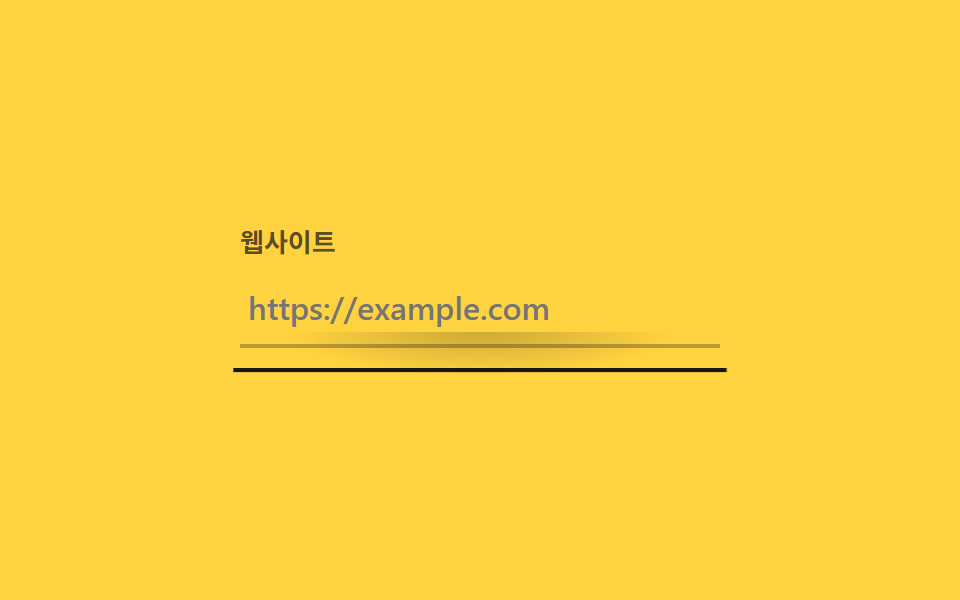 02 input-search-focus-underline-grow
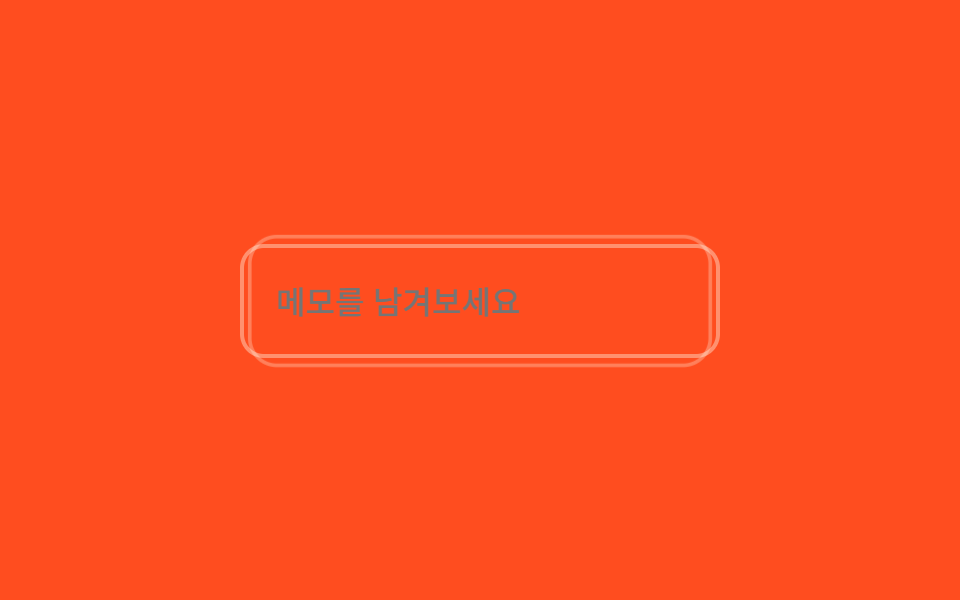 03 input-search-focus-has-focus-glow
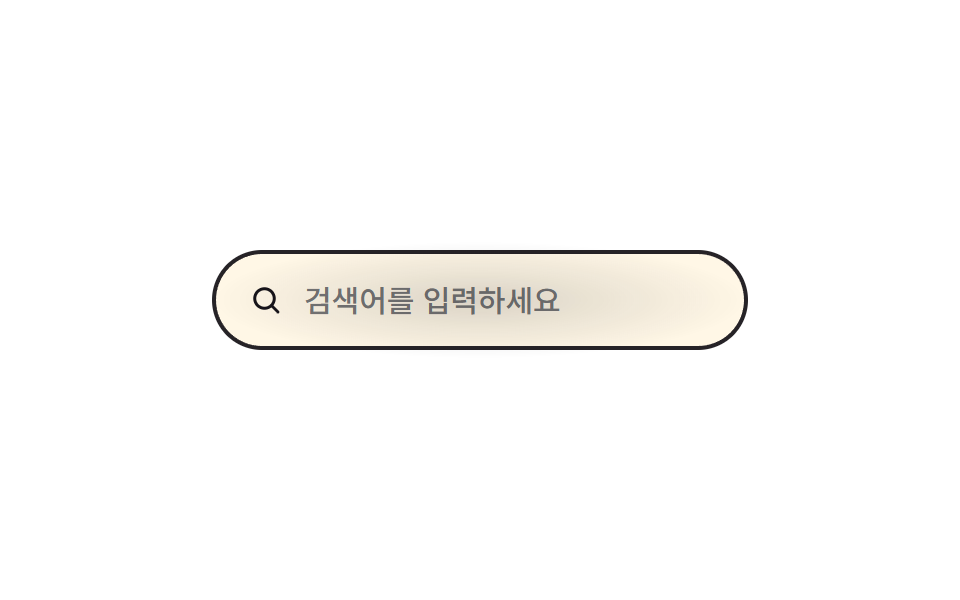 04 input-search-focus-search-expand
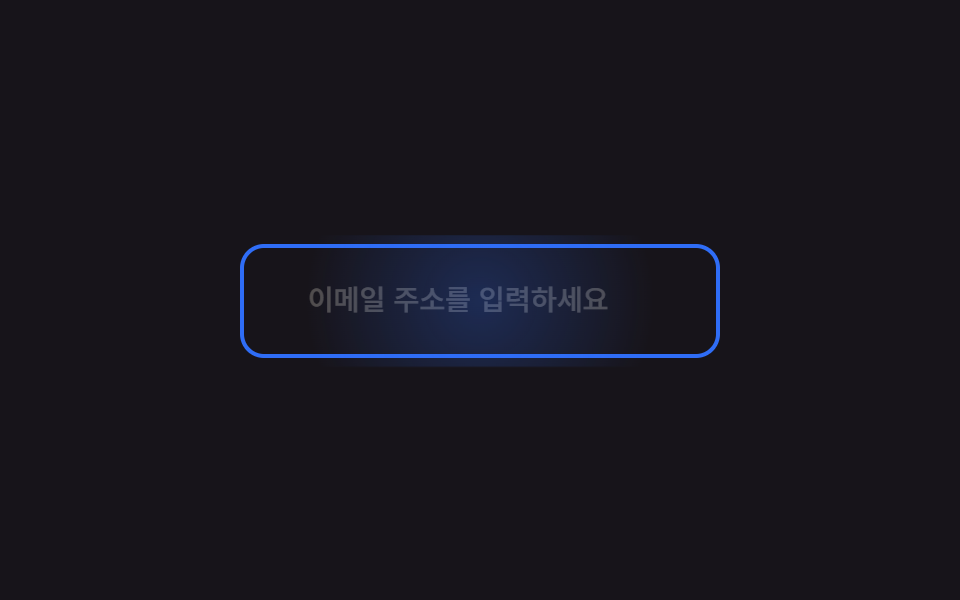 05 input-search-focus-placeholder-slide
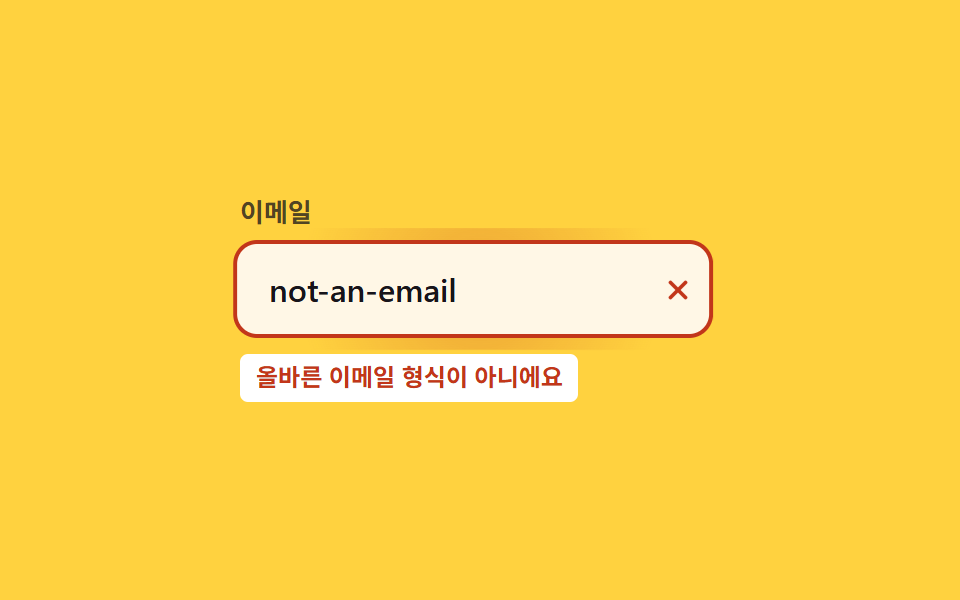 06 input-search-focus-error-shake
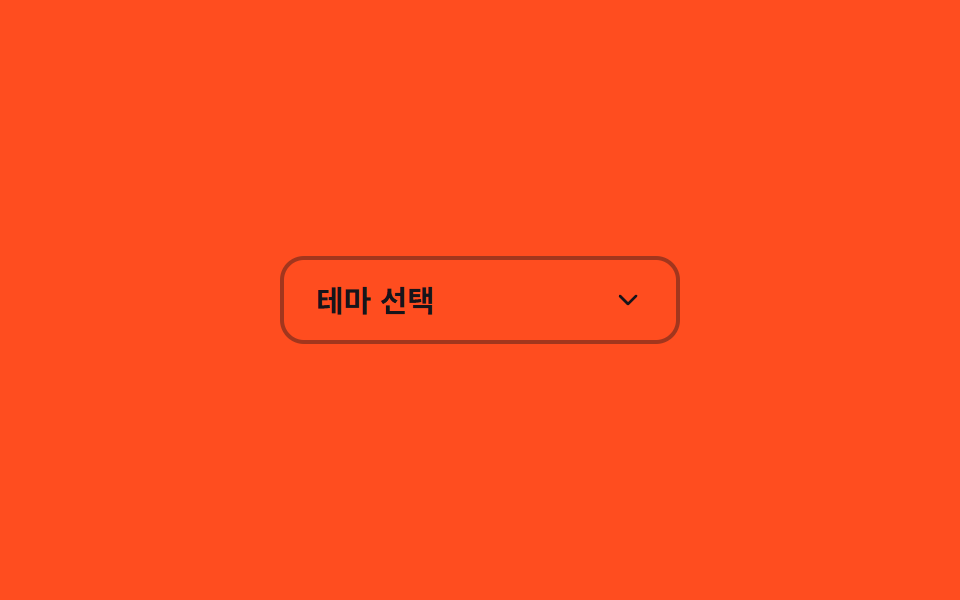 07 input-search-focus-select-custom-open
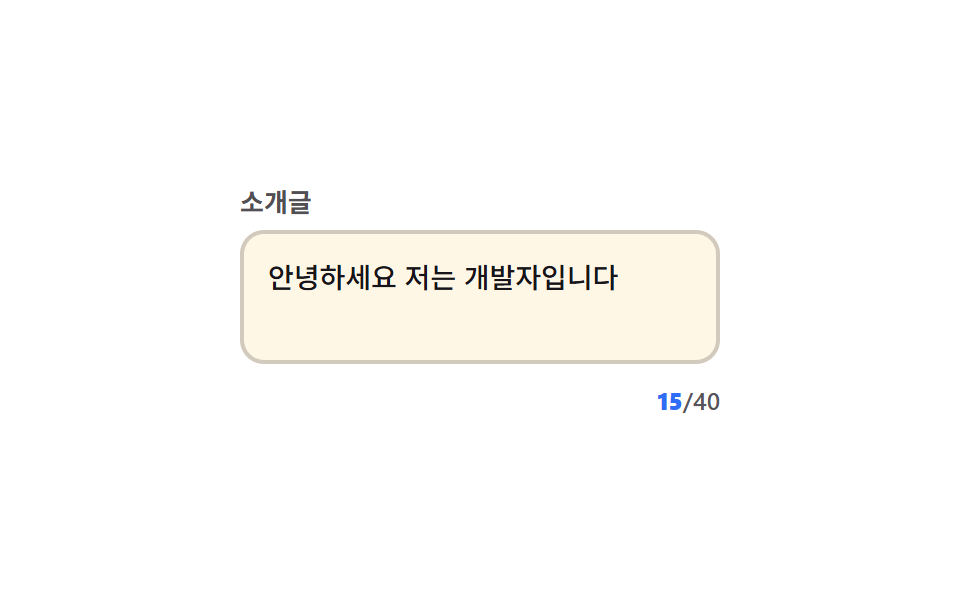 08 input-search-focus-char-count
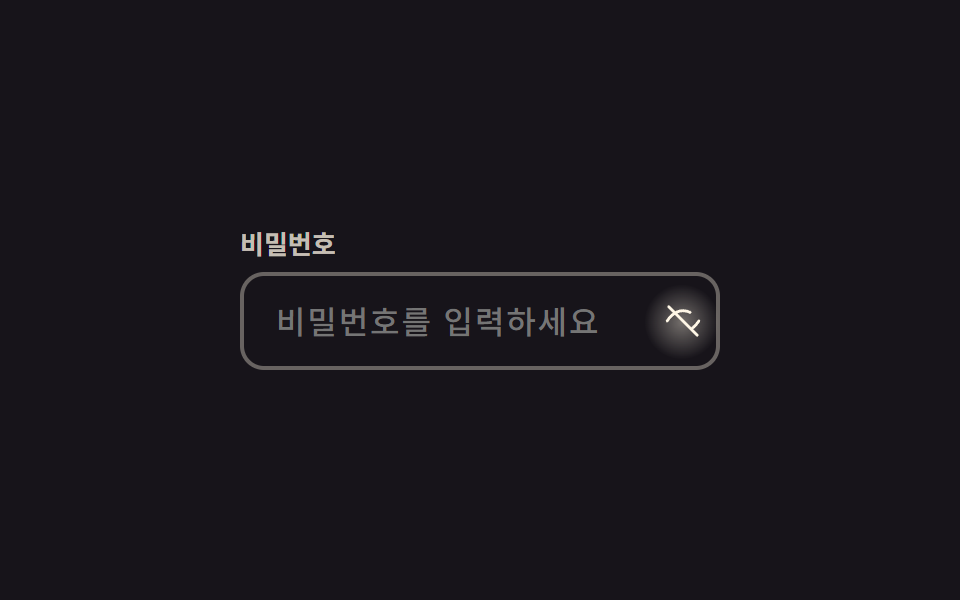 09 input-search-focus-password-eye-toggle
자동 재생 · 눌러서 해당 항목으로 · 전부 한 zip
- 01 플로팅 라벨
- 02 밑줄 확장 포커스
- 03 :has(:focus) 글로우
- 04 검색창 확장
- 05 플레이스홀더 슬라이드
- 06 오류 흔들림
- 07 커스텀 셀렉트 오픈
- 08 글자 수 카운트
- 09 비밀번호 눈 토글
아홉 개 전부 진짜 <input>을 썼고, 화려한 순이 아니라 입력창이 필요로 하는 판정이 늘어나는 순서로 놓았습니다. 01~05는 :focus :focus-within :placeholder-shown 만으로 끝나고, 06은 브라우저의 HTML5 유효성 검사(:valid/:invalid)가 판정을 대신하며, 07~09는 클릭이나 타이핑이 상태를 바꾸는 자리라 자바스크립트가 셀렉트 열기·글자 수 세기·눈 아이콘 토글처럼 CSS 상태만으로는 안 되는 세 곳에만 최소로 들어갑니다. 여기 아홉 개는 사용자가 입력창을 건드렸을 때만 반응하지만, 건드리지 않아도 계속 도는 @keyframes 쪽 아홉 개는 CSS 키프레임 애니메이션 9종에 따로 있습니다. 08 글자 수 카운트나 09 눈 토글 옆에 붙는 아이콘 자체를 선 단위로 그려 움직이고 싶다면 CSS 아이콘 애니메이션 9종의 SVG 방식이 이 아홉 개와 바로 맞물립니다.
01플로팅 라벨
라벨이 떠오르는 조건
input 뒤에 형제로 둔 label이 input의 :focus이거나 값이 있어서 :not(:placeholder-shown)이면 왼쪽 위로 떠오르며 작아집니다.
라벨이 목표 지점을 지나쳤다가 되돌아오는 스프링 오버슛(cubic-bezier(.3, 1.6, .4, 1))이 붙어 있고, 같은 순간 입력창 테두리 바깥으로 번지는 radial 글로우 확산이 한 번 지나갑니다.
<main class="stage">
  <div class="fl is-demo">
    <input id="fl-nick" class="fl__input" type="text" placeholder=" " autocomplete="nickname">
    <span class="fl__bloom" aria-hidden="true"></span>
    <label for="fl-nick" class="fl__label">닉네임</label>
  </div>
</main>
@use "../../../../site/static/demo-tokens" as *;
// ── 변수 4개 ──────────────────────────────────────────
$duration: $dur-quick; // 라벨이 떠오르는 시간
$easing: $ease-out;
$spring: cubic-bezier(.3, 1.6, .4, 1); // 스프링 오버슛 — 라벨이 목표 스케일을 살짝 지나쳤다 돌아온다
$color: $subject-cream; // 포커스 시 라벨·테두리 색
// ── 데모 무대 ──────────────────────────────────────────
@include stage($stage-ink);
.fl {
position: relative;
width: min(240px, 82vw);
}
.fl__input {
box-sizing: border-box;
width: 100%;
border: 2px solid rgba($subject-cream, .35);
border-radius: $r-control;
padding: $sp-5 $sp-4 $sp-2;
font-weight: 500;
font-size: clamp(14px, 4vw, 16px);
line-height: 1;
font-family: inherit;
color: $subject-cream;
background: transparent;
position: relative;
transition: border-color $duration $easing;
&:focus { outline: none; border-color: $color; }
}
// 테두리 radial 글로우 확산 — 포커스 순간 input 중심에서 바깥으로 번지는 빛 한 겹
.fl__bloom {
position: absolute;
inset: -6px;
border-radius: calc(#{$r-control} + 6px);
background: radial-gradient(circle, rgba($color, .32) 0%, rgba($color, 0) 70%);
opacity: 0;
pointer-events: none;
}
.fl__input:focus ~ .fl__bloom { animation: bloom $dur-base $ease-out; }
.fl__label {
position: absolute;
left: $sp-4;
top: 50%;
transform: translateY(-50%) scale(1);
transform-origin: left center; // 규칙8: 인풋 왼쪽 붙은 라벨
color: rgba($subject-cream, .6);
font-weight: 500;
font-size: clamp(14px, 4vw, 16px);
line-height: 1;
font-family: inherit;
pointer-events: none;
transition: transform $dur-base $spring, color $duration $easing;
}
// 실사용: 포커스거나 값이 있으면(:not(:placeholder-shown)) 라벨이 떠오른다
.fl__input:focus ~ .fl__label,
.fl__input:not(:placeholder-shown) ~ .fl__label {
transform: translateY(-24px) scale(.78);
color: $color;
}
// 스프링 오버슛의 실체 — 스케일이 .78 을 지나 .72 까지 줄었다가(.625 초) 제자리로 돌아온다
@keyframes bloom {
0% { opacity: 0; transform: scale(.6); }
35% { opacity: 1; transform: scale(1); }
100% { opacity: 0; transform: scale(1.25); }
}
// ── 접근성: 움직임 줄이기 설정이면 즉시 자리만 바뀐다 ──────
@media (prefers-reduced-motion: reduce) {
.fl__label { transition: none; }
.fl__input:focus ~ .fl__bloom { animation: none; }
}html, body {
margin: 0;
overflow: hidden;
}
.stage {
box-sizing: border-box;
min-height: 100vh;
display: grid;
place-items: center;
margin: 0;
background: #17141a;
font-family: -apple-system, "Segoe UI", "Noto Sans KR", sans-serif;
padding: clamp(8px, 4vw, 24px);
}
.fl {
position: relative;
width: min(240px, 82vw);
}
.fl__input {
box-sizing: border-box;
width: 100%;
border: 2px solid rgba(255, 247, 230, 0.35);
border-radius: 12px;
padding: 20px 16px 8px;
font-weight: 500;
font-size: clamp(14px, 4vw, 16px);
line-height: 1;
font-family: inherit;
color: #fff7e6;
background: transparent;
position: relative;
transition: border-color 220ms ease-out;
}
.fl__input:focus {
outline: none;
border-color: #fff7e6;
}
.fl__bloom {
position: absolute;
inset: -6px;
border-radius: calc(12px + 6px);
background: radial-gradient(circle, rgba(255, 247, 230, 0.32) 0%, rgba(255, 247, 230, 0) 70%);
opacity: 0;
pointer-events: none;
}
.fl__input:focus ~ .fl__bloom {
animation: bloom 300ms ease-out;
}
.fl__label {
position: absolute;
left: 16px;
top: 50%;
transform: translateY(-50%) scale(1);
transform-origin: left center;
color: rgba(255, 247, 230, 0.6);
font-weight: 500;
font-size: clamp(14px, 4vw, 16px);
line-height: 1;
font-family: inherit;
pointer-events: none;
transition: transform 300ms cubic-bezier(0.3, 1.6, 0.4, 1), color 220ms ease-out;
}
.fl__input:focus ~ .fl__label,
.fl__input:not(:placeholder-shown) ~ .fl__label {
transform: translateY(-24px) scale(0.78);
color: #fff7e6;
}
@keyframes bloom {
0% {
opacity: 0;
transform: scale(0.6);
}
35% {
opacity: 1;
transform: scale(1);
}
100% {
opacity: 0;
transform: scale(1.25);
}
}
@media (prefers-reduced-motion: reduce) {
.fl__label {
transition: none;
}
.fl__input:focus ~ .fl__bloom {
animation: none;
}
}// .is-demo 자동 재생: 진짜 focus 를 오가며 :focus 규칙을 그대로 탄다 (3줄)
var el = document.querySelector('.is-demo .fl__input');
var t = function () { document.activeElement === el ? el.blur() : el.focus({ preventScroll: true }); }; // preventScroll — iframe 안 포커스가 홈 그리드의 부모 스크롤을 끌어당기지 않게 (사용자 2026-09-10 실측)
t(); setInterval(t, 400);import { useState } from "react";
import type { CSSProperties, ChangeEvent } from "react";
import styles from "./FloatingLabel.module.scss";
export type FloatingLabelProps = {
id?: string;
label?: string;
type?: string;
/** 라벨이 떠오르는 시간(ms) */
duration?: number;
easing?: string;
color?: string;
};
type Vars = CSSProperties & { "--duration"?: string; "--easing"?: string; "--color"?: string };
export default function FloatingLabel({
id = "fl-nick",
label = "Nickname",
type = "text",
duration = 220,
easing = "ease-out",
color = "#fff7e6",
}: FloatingLabelProps) {
const [value, setValue] = useState("");
const vars: Vars = { "--duration": `${duration}ms`, "--easing": easing, "--color": color };
return (
<div className={styles.fl} style={vars}>
<input
id={id}
className={styles.input}
type={type}
placeholder=" "
value={value}
onChange={(e: ChangeEvent<HTMLInputElement>) => setValue(e.target.value)}
/>
<span className={styles.bloom} aria-hidden="true" />
<label htmlFor={id} className={styles.label}>{label}</label>
</div>
);
}01 · 플로팅 라벨 — 측정 누적면적 7.982% · 움직인 프레임 8/23GODRICH 원작 · zip 에 SCSS·React 포함 · 비밀번호 보기
좁은 폼에서 줄 하나 아끼기
플레이스홀더와 라벨을 하나로 합쳐 좁은 폼에서 줄 하나를 아낍니다.
.fl__label {
  position: absolute;
  left: $sp-4;
  top: 50%;
  transform: translateY(-50%) scale(1);
  transform-origin: left center;
  transition: transform $duration $easing, color $duration $easing;
}

.fl__input:focus ~ .fl__label,
.fl__input:not(:placeholder-shown) ~ .fl__label {
  transform: translateY(-24px) scale(.78);
  color: $color;
}
02밑줄 확장 포커스
밑줄 역할을 하는 span 하나
테두리 없는 input 아래 span 하나가 밑줄 역할을 합니다.
<main class="stage">
  <div class="ug is-demo">
    <span class="ug__label">웹사이트</span>
    <input class="ug__input" type="url" placeholder="https://example.com" autocomplete="url">
    <span class="ug__underline" aria-hidden="true"></span>
    <span class="ug__bloom" aria-hidden="true"></span>
  </div>
</main>
@use "../../../../site/static/demo-tokens" as *;
// ── 변수 3개 ──────────────────────────────────────────
$duration: $dur-base; // 밑줄이 자라는 시간
$easing: cubic-bezier(.2, 1.5, .35, 1); // 스프링 오버슛 — scaleX 가 1 을 지나 1.08 까지 뻗었다가 돌아온다
$color: $subject-ink; // 밑줄 색
@include stage($stage-yellow);
.ug {
position: relative;
width: min(240px, 82vw);
padding-bottom: $sp-3;
}
.ug__label {
display: block;
margin-bottom: $sp-2;
font-weight: 700;
font-size: 13px;
line-height: 1;
font-family: inherit;
color: rgba($stage-ink, .7);
}
.ug__input {
box-sizing: border-box;
width: 100%;
border: 0;
border-bottom: 2px solid rgba($stage-ink, .3);
padding: $sp-2 $sp-1;
font-weight: 500;
font-size: clamp(14px, 4vw, 16px);
line-height: 1;
font-family: inherit;
color: $stage-ink;
background: transparent;
&:focus { outline: none; }
}
.ug__underline {
position: absolute;
left: 0; right: 0; bottom: 0;
height: 2px;
background: $color;
transform: scaleX(0);
transform-origin: center;
transition: transform $duration $easing;
}
// 실사용: 입력이나 그 자식 어떤 곳에 포커스가 가도(:focus-within) 밑줄이 자란다
.ug:focus-within .ug__underline { transform: scaleX(1); }
// 포커스 순간 밑줄 중심에서 아래로 번지는 radial 글로우 확산 한 겹
.ug__bloom {
position: absolute;
left: 0; right: 0; bottom: -10px;
height: 30px;
background: radial-gradient(ellipse 60% 100% at 50% 0%, rgba($color, .25) 0%, rgba($color, 0) 72%);
opacity: 0;
pointer-events: none;
}
.ug:focus-within .ug__bloom { animation: ug-bloom $dur-base $ease-out; }
@keyframes ug-bloom {
0% { opacity: 0; transform: scaleX(.4); }
40% { opacity: 1; transform: scaleX(1); }
100% { opacity: 0; transform: scaleX(1.15); }
}
@media (prefers-reduced-motion: reduce) {
.ug__underline { transition: none; }
.ug:focus-within .ug__bloom { animation: none; }
}html, body {
margin: 0;
overflow: hidden;
}
.stage {
box-sizing: border-box;
min-height: 100vh;
display: grid;
place-items: center;
margin: 0;
background: #ffd23f;
font-family: -apple-system, "Segoe UI", "Noto Sans KR", sans-serif;
padding: clamp(8px, 4vw, 24px);
}
.ug {
position: relative;
width: min(240px, 82vw);
padding-bottom: 12px;
}
.ug__label {
display: block;
margin-bottom: 8px;
font-weight: 700;
font-size: 13px;
line-height: 1;
font-family: inherit;
color: rgba(23, 20, 26, 0.7);
}
.ug__input {
box-sizing: border-box;
width: 100%;
border: 0;
border-bottom: 2px solid rgba(23, 20, 26, 0.3);
padding: 8px 4px;
font-weight: 500;
font-size: clamp(14px, 4vw, 16px);
line-height: 1;
font-family: inherit;
color: #17141a;
background: transparent;
}
.ug__input:focus {
outline: none;
}
.ug__underline {
position: absolute;
left: 0;
right: 0;
bottom: 0;
height: 2px;
background: #17141a;
transform: scaleX(0);
transform-origin: center;
transition: transform 300ms cubic-bezier(0.2, 1.5, 0.35, 1);
}
.ug:focus-within .ug__underline {
transform: scaleX(1);
}
.ug__bloom {
position: absolute;
left: 0;
right: 0;
bottom: -10px;
height: 30px;
background: radial-gradient(ellipse 60% 100% at 50% 0%, rgba(23, 20, 26, 0.25) 0%, rgba(23, 20, 26, 0) 72%);
opacity: 0;
pointer-events: none;
}
.ug:focus-within .ug__bloom {
animation: ug-bloom 300ms ease-out;
}
@keyframes ug-bloom {
0% {
opacity: 0;
transform: scaleX(0.4);
}
40% {
opacity: 1;
transform: scaleX(1);
}
100% {
opacity: 0;
transform: scaleX(1.15);
}
}
@media (prefers-reduced-motion: reduce) {
.ug__underline {
transition: none;
}
.ug:focus-within .ug__bloom {
animation: none;
}
}// .is-demo 자동 재생: 진짜 focus 를 오가며 :focus-within 을 그대로 탄다 (3줄)
var el = document.querySelector('.is-demo .ug__input');
var t = function () { document.activeElement === el ? el.blur() : el.focus({ preventScroll: true }); }; // preventScroll — iframe 안 포커스가 홈 그리드의 부모 스크롤을 끌어당기지 않게 (사용자 2026-09-10 실측)
t(); setInterval(t, 450);import { useState } from "react";
import type { CSSProperties, ChangeEvent } from "react";
import styles from "./UnderlineGrow.module.scss";
export type UnderlineGrowProps = {
label?: string;
placeholder?: string;
duration?: number;
easing?: string;
color?: string;
};
type Vars = CSSProperties & { "--duration"?: string; "--easing"?: string; "--color"?: string };
export default function UnderlineGrow({
label = "Website",
placeholder = "https://example.com",
duration = 300,
easing = "cubic-bezier(.2,1.5,.35,1)",
color = "#17141a",
}: UnderlineGrowProps) {
const [value, setValue] = useState("");
const vars: Vars = { "--duration": `${duration}ms`, "--easing": easing, "--color": color };
return (
<div className={styles.ug} style={vars}>
<span className={styles.label}>{label}</span>
<input
className={styles.input}
type="url"
placeholder={placeholder}
value={value}
onChange={(e: ChangeEvent<HTMLInputElement>) => setValue(e.target.value)}
/>
<span className={styles.underline} aria-hidden="true" />
<span className={styles.bloom} aria-hidden="true" />
</div>
);
}02 · 밑줄 확장 포커스 — 측정 누적면적 1.592% · 움직인 프레임 7/23GODRICH 원작 · zip 에 SCSS·React 포함 · 비밀번호 보기
가운데서 좌우로 퍼지는 값
부모 .ug 가 :focus-within 이면 transform-origin을 center로 둔 채 scaleX(0)에서 scaleX(1)로 자라 가운데서 좌우로 퍼지는 밑줄이 됩니다.
밑줄이 1 을 지나 잠깐 더 뻗었다가 감아 들어가는 스프링 오버슛(cubic-bezier(.2, 1.5, .35, 1))과 함께, 포커스 순간 밑줄 아래 타원형 radial 글로우가 한 번 퍼졌다 사라집니다.
.ug__underline {
  height: 2px;
  background: $color;
  transform: scaleX(0);
  transform-origin: center;
  transition: transform $duration $easing;
}

.ug:focus-within .ug__underline { transform: scaleX(1); }
03:has(:focus) 글로우
글로우 링은 어디에 있나
글로우 링은 input의 형제가 아니라 바깥에 따로 있는 span입니다.
<main class="stage">
  <div class="fg is-demo">
    <input class="fg__input" type="text" placeholder="메모를 남겨보세요">
    <span class="fg__glow" aria-hidden="true"></span>
  </div>
</main>
@use "../../../../site/static/demo-tokens" as *;
// ── 변수 3개 ──────────────────────────────────────────
$duration: $dur-loop; // 글로우가 한 번 숨쉬는 시간
$easing: $ease-out;
$color: $subject-cream; // 글로우 링 색
@include stage($stage-orange);
.fg { position: relative; width: min(240px, 82vw); }
.fg__input {
box-sizing: border-box;
width: 100%;
border: 2px solid rgba($subject-cream, .4);
border-radius: $r-control;
padding: $sp-4 $sp-4;
font-weight: 500;
font-size: clamp(14px, 4vw, 16px);
line-height: 1;
font-family: inherit;
color: $subject-cream;
background: transparent;
position: relative;
z-index: 1;
&:focus { outline: none; }
}
.fg__glow {
position: absolute;
inset: -$sp-2;
border-radius: $r-card;
border: 2px solid $color;
opacity: 0;
transform: scale(.92);
pointer-events: none;
}
// :has() 로 부모(.fg)가 자식 입력의 실제 포커스 여부를 안다 — 형제가 아니어도 스타일링된다
.fg:has(.fg__input:focus) .fg__glow {
animation: glow-in $dur-base cubic-bezier(.3, 1.6, .4, 1) both,
glow-pulse $duration $easing $dur-base infinite;
}
// 스프링 오버슛 등장 — 링이 1.08 까지 뻗었다가 1 로 감아 들어간 뒤 숨쉬기로 넘어간다
@keyframes glow-in {
0% { opacity: 0; transform: scale(.8); }
60% { opacity: .95; transform: scale(1.08); }
100% { opacity: .35; transform: scale(.92); }
}
@keyframes glow-pulse {
0%, 100% { opacity: .35; transform: scale(.92); }
50% { opacity: .9; transform: scale(1.04); }
}
@media (prefers-reduced-motion: reduce) {
.fg:has(.fg__input:focus) .fg__glow { animation: none; opacity: .7; transform: scale(1); }
}html, body {
margin: 0;
overflow: hidden;
}
.stage {
box-sizing: border-box;
min-height: 100vh;
display: grid;
place-items: center;
margin: 0;
background: #ff4d1f;
font-family: -apple-system, "Segoe UI", "Noto Sans KR", sans-serif;
padding: clamp(8px, 4vw, 24px);
}
.fg {
position: relative;
width: min(240px, 82vw);
}
.fg__input {
box-sizing: border-box;
width: 100%;
border: 2px solid rgba(255, 247, 230, 0.4);
border-radius: 12px;
padding: 16px 16px;
font-weight: 500;
font-size: clamp(14px, 4vw, 16px);
line-height: 1;
font-family: inherit;
color: #fff7e6;
background: transparent;
position: relative;
z-index: 1;
}
.fg__input:focus {
outline: none;
}
.fg__glow {
position: absolute;
inset: -8px;
border-radius: 16px;
border: 2px solid #fff7e6;
opacity: 0;
transform: scale(0.92);
pointer-events: none;
}
.fg:has(.fg__input:focus) .fg__glow {
animation: glow-in 300ms cubic-bezier(0.3, 1.6, 0.4, 1) both, glow-pulse 2s ease-out 300ms infinite;
}
@keyframes glow-in {
0% {
opacity: 0;
transform: scale(0.8);
}
60% {
opacity: 0.95;
transform: scale(1.08);
}
100% {
opacity: 0.35;
transform: scale(0.92);
}
}
@keyframes glow-pulse {
0%, 100% {
opacity: 0.35;
transform: scale(0.92);
}
50% {
opacity: 0.9;
transform: scale(1.04);
}
}
@media (prefers-reduced-motion: reduce) {
.fg:has(.fg__input:focus) .fg__glow {
animation: none;
opacity: 0.7;
transform: scale(1);
}
}// .is-demo 자동 재생: 진짜 focus 를 오가며 :has(:focus) 를 그대로 탄다 (3줄)
var el = document.querySelector('.is-demo .fg__input');
var t = function () { document.activeElement === el ? el.blur() : el.focus({ preventScroll: true }); }; // preventScroll — iframe 안 포커스가 홈 그리드의 부모 스크롤을 끌어당기지 않게 (사용자 2026-09-10 실측)
t(); setInterval(t, 1600);import { useState } from "react";
import type { CSSProperties, ChangeEvent } from "react";
import styles from "./FocusGlow.module.scss";
export type FocusGlowProps = {
placeholder?: string;
duration?: number;
easing?: string;
color?: string;
};
type Vars = CSSProperties & { "--duration"?: string; "--easing"?: string; "--color"?: string };
export default function FocusGlow({
placeholder = "Leave a note",
duration = 2000,
easing = "ease-out",
color = "#fff7e6",
}: FocusGlowProps) {
const [value, setValue] = useState("");
const vars: Vars = { "--duration": `${duration}ms`, "--easing": easing, "--color": color };
return (
<div className={styles.fg} style={vars}>
<input
className={styles.input}
type="text"
placeholder={placeholder}
value={value}
onChange={(e: ChangeEvent<HTMLInputElement>) => setValue(e.target.value)}
/>
<span className={styles.glow} aria-hidden="true" />
</div>
);
}03 · :has(:focus) 글로우 — 측정 누적면적 6.35% · 움직인 프레임 23/23GODRICH 원작 · zip 에 SCSS·React 포함 · 비밀번호 보기
포커스가 유지되는 동안만
부모 .fg가 :has(.fg__input:focus)로 자식의 포커스 여부를 알아채, 포커스가 유지되는 동안만 이 링이 opacity·scale로 숨 쉬듯 커졌다 작아집니다.
포커스가 시작되는 순간 링이 scale(.8)에서 1.08을 지나 .92로 감아 들어가는 스프링 진입(glow-in)이 한 번 지나간 뒤, 그 자리에서 숨 쉬는 맥동이 이어집니다.
.fg__glow {
  border: 2px solid $color;
  opacity: 0;
  transform: scale(.92);
}

.fg:has(.fg__input:focus) .fg__glow {
  animation: glow-pulse $duration $easing infinite;
}

@keyframes glow-pulse {
  0%, 100% { opacity: .35; transform: scale(.92); }
  50%      { opacity: .9;  transform: scale(1.04); }
}
04검색창 확장
css 검색창 디자인이 넓어지는 폭
알약 모양 검색창은 평소 148px 로 좁게 접혀 있다가, label 전체가 :focus-within 이 되는 순간 240px 로 넓어집니다.
폭이 240px 을 지나 살짝 더 뻗었다가 정돈되는 스프링 오버슛(cubic-bezier(.3, 1.4, .4, 1))이 붙었고, 넓어지는 순간 입력창 안쪽에 radial 글로우가 한 번 번집니다.
<main class="stage">
  <label class="se is-demo" for="se-input">
    <svg class="se__icon" viewBox="0 0 24 24" aria-hidden="true"><circle cx="11" cy="11" r="6.5"/><line x1="20" y1="20" x2="15.7" y2="15.7"/></svg>
    <input id="se-input" class="se__input" type="search" placeholder="검색어를 입력하세요" aria-label="검색">
    <span class="se__bloom" aria-hidden="true"></span>
  </label>
</main>
@use "../../../../site/static/demo-tokens" as *;
// ── 변수 3개 ──────────────────────────────────────────
$duration: $dur-base; // 폭이 넓어지는 시간
$easing: cubic-bezier(.3, 1.4, .4, 1); // 스프링 오버슛 — 폭이 목표 240px 을 지나 살짝 뻗었다가 돌아온다
$color: $subject-ink; // 포커스 시 테두리·아이콘 색
@include stage($stage-paper);
.se {
display: inline-flex;
align-items: center;
gap: $sp-2;
border-radius: $r-pill;
border: 2px solid rgba($stage-ink, .25);
padding: $sp-3 $sp-4;
cursor: text;
background: $subject-cream;
width: 148px;
position: relative;
transition: width $duration $easing, border-color $duration $easing;
}
// 실사용: 입력에 포커스가 가면(:focus-within) 폭이 넓어진다
.se:focus-within { width: 240px; border-color: $color; }
// 포커스 순간 필 중심에서 번지는 radial 글로우 확산 한 겹
.se__bloom {
position: absolute;
inset: -8px;
border-radius: $r-pill;
background: radial-gradient(ellipse at 50% 50%, rgba($color, .18) 0%, rgba($color, 0) 70%);
opacity: 0;
pointer-events: none;
}
.se:focus-within .se__bloom { animation: se-bloom $dur-base $ease-out; }
@keyframes se-bloom {
0% { opacity: 0; transform: scale(.7); }
40% { opacity: 1; transform: scale(1); }
100% { opacity: 0; transform: scale(1.2); }
}
.se__icon {
width: 18px; height: 18px;
flex: none;
fill: none;
stroke: $color;
stroke-width: 2;
stroke-linecap: round;
}
.se__input {
border: 0;
outline: 0;
background: transparent;
width: 100%;
font-weight: 500;
font-size: clamp(13px, 3.8vw, 15px);
line-height: 1;
font-family: inherit;
color: $stage-ink;
}
@media (prefers-reduced-motion: reduce) {
.se { transition: none; }
.se:focus-within .se__bloom { animation: none; }
}html, body {
margin: 0;
overflow: hidden;
}
.stage {
box-sizing: border-box;
min-height: 100vh;
display: grid;
place-items: center;
margin: 0;
background: #ffffff;
font-family: -apple-system, "Segoe UI", "Noto Sans KR", sans-serif;
padding: clamp(8px, 4vw, 24px);
}
.se {
display: inline-flex;
align-items: center;
gap: 8px;
border-radius: 999px;
border: 2px solid rgba(23, 20, 26, 0.25);
padding: 12px 16px;
cursor: text;
background: #fff7e6;
width: 148px;
position: relative;
transition: width 300ms cubic-bezier(0.3, 1.4, 0.4, 1), border-color 300ms cubic-bezier(0.3, 1.4, 0.4, 1);
}
.se:focus-within {
width: 240px;
border-color: #17141a;
}
.se__bloom {
position: absolute;
inset: -8px;
border-radius: 999px;
background: radial-gradient(ellipse at 50% 50%, rgba(23, 20, 26, 0.18) 0%, rgba(23, 20, 26, 0) 70%);
opacity: 0;
pointer-events: none;
}
.se:focus-within .se__bloom {
animation: se-bloom 300ms ease-out;
}
@keyframes se-bloom {
0% {
opacity: 0;
transform: scale(0.7);
}
40% {
opacity: 1;
transform: scale(1);
}
100% {
opacity: 0;
transform: scale(1.2);
}
}
.se__icon {
width: 18px;
height: 18px;
flex: none;
fill: none;
stroke: #17141a;
stroke-width: 2;
stroke-linecap: round;
}
.se__input {
border: 0;
outline: 0;
background: transparent;
width: 100%;
font-weight: 500;
font-size: clamp(13px, 3.8vw, 15px);
line-height: 1;
font-family: inherit;
color: #17141a;
}
@media (prefers-reduced-motion: reduce) {
.se {
transition: none;
}
.se:focus-within .se__bloom {
animation: none;
}
}// .is-demo 자동 재생: 진짜 focus 를 오가며 :focus-within 을 그대로 탄다 (3줄)
var el = document.querySelector('.is-demo .se__input');
var t = function () { document.activeElement === el ? el.blur() : el.focus({ preventScroll: true }); }; // preventScroll — iframe 안 포커스가 홈 그리드의 부모 스크롤을 끌어당기지 않게 (사용자 2026-09-10 실측)
t(); setInterval(t, 450);import { useState } from "react";
import type { CSSProperties, ChangeEvent } from "react";
import styles from "./SearchExpand.module.scss";
export type SearchExpandProps = {
placeholder?: string;
ariaLabel?: string;
duration?: number;
easing?: string;
color?: string;
};
type Vars = CSSProperties & { "--duration"?: string; "--easing"?: string; "--color"?: string };
export default function SearchExpand({
placeholder = "Type to search",
ariaLabel = "Search",
duration = 300,
easing = "cubic-bezier(.3,1.4,.4,1)",
color = "#17141a",
}: SearchExpandProps) {
const [value, setValue] = useState("");
const vars: Vars = { "--duration": `${duration}ms`, "--easing": easing, "--color": color };
return (
<label className={styles.se} style={vars}>
<svg className={styles.icon} viewBox="0 0 24 24" aria-hidden="true">
<circle cx="11" cy="11" r="6.5" />
<line x1="20" y1="20" x2="15.7" y2="15.7" />
</svg>
<input
className={styles.input}
type="search"
placeholder={placeholder}
aria-label={ariaLabel}
value={value}
onChange={(e: ChangeEvent<HTMLInputElement>) => setValue(e.target.value)}
/>
<span className={styles.bloom} aria-hidden="true" />
</label>
);
}04 · 검색창 확장 — 측정 누적면적 7.744% · 움직인 프레임 7/23GODRICH 원작 · zip 에 SCSS·React 포함 · 비밀번호 보기
아이콘 폰트 없이 그린 돋보기
왼쪽 돋보기는 원과 선 하나로 그린 인라인 SVG 라 아이콘 폰트가 없어도 잘리지 않습니다.
.se {
  width: 148px;
  transition: width $duration $easing, border-color $duration $easing;
}

.se:focus-within {
  width: 240px;
  border-color: $color;
}
05플레이스홀더 슬라이드
진짜 placeholder 를 비워 두는 까닭
진짜 placeholder 속성은 빈 칸 하나로 비워 두고, 겹쳐 놓은 span이 화면에 보이는 안내문 역할을 대신합니다.
<main class="stage">
  <div class="ps is-demo">
    <input id="ps-email" class="ps__input" type="email" placeholder=" " autocomplete="email">
    <span class="ps__ghost" aria-hidden="true">이메일 주소를 입력하세요</span>
    <span class="ps__bloom" aria-hidden="true"></span>
  </div>
</main>
@use "../../../../site/static/demo-tokens" as *;
// ── 변수 4개 ──────────────────────────────────────────
$duration: $dur-quick; // 가짜 플레이스홀더가 밀려나는 시간
$easing: cubic-bezier(.3, 1.6, .4, 1); // 스프링 오버슛 — 밀려나는 거리가 목표 10px 을 지나 13px 까지 뻗었다가 돌아온다
$color: $subject-blue; // 포커스 시 테두리 색
@include stage($stage-ink);
.ps { position: relative; width: min(240px, 82vw); }
.ps__input {
box-sizing: border-box;
width: 100%;
border: 2px solid rgba($subject-cream, .35);
border-radius: $r-control;
padding: $sp-4 $sp-4;
font-weight: 500;
font-size: clamp(14px, 4vw, 16px);
line-height: 1;
font-family: inherit;
color: $subject-cream;
background: transparent;
&:focus { outline: none; border-color: $color; }
}
// 포커스 순간 입력칸 중심에서 번지는 radial 글로우 확산 한 겹
.ps__bloom {
position: absolute;
inset: -6px;
border-radius: calc(#{$r-control} + 6px);
background: radial-gradient(circle, rgba($color, .3) 0%, rgba($color, 0) 70%);
opacity: 0;
pointer-events: none;
}
.ps__input:focus ~ .ps__bloom { animation: ps-bloom $dur-base $ease-out; }
@keyframes ps-bloom {
0% { opacity: 0; transform: scale(.65); }
40% { opacity: 1; transform: scale(1); }
100% { opacity: 0; transform: scale(1.22); }
}
// 진짜 placeholder 는 빈 칸(" ") 이고, 보이는 문구는 이 span 이 대신 맡는다
.ps__ghost {
position: absolute;
left: $sp-4; top: 50%;
transform: translate(0, -50%);
color: rgba($subject-cream, .55);
font-weight: 500;
font-size: clamp(13px, 3.8vw, 15px);
line-height: 1;
font-family: inherit;
pointer-events: none;
transition: transform $dur-base $easing, opacity $duration $ease-out;
}
// 실사용: 포커스거나 값이 있으면(:not(:placeholder-shown)) 옆으로 밀리며 사라진다
.ps__input:focus ~ .ps__ghost,
.ps__input:not(:placeholder-shown) ~ .ps__ghost {
transform: translate(13px, -50%) scale(.94);
opacity: 0;
}
@media (prefers-reduced-motion: reduce) {
.ps__ghost { transition: none; }
.ps__input:focus ~ .ps__bloom { animation: none; }
}html, body {
margin: 0;
overflow: hidden;
}
.stage {
box-sizing: border-box;
min-height: 100vh;
display: grid;
place-items: center;
margin: 0;
background: #17141a;
font-family: -apple-system, "Segoe UI", "Noto Sans KR", sans-serif;
padding: clamp(8px, 4vw, 24px);
}
.ps {
position: relative;
width: min(240px, 82vw);
}
.ps__input {
box-sizing: border-box;
width: 100%;
border: 2px solid rgba(255, 247, 230, 0.35);
border-radius: 12px;
padding: 16px 16px;
font-weight: 500;
font-size: clamp(14px, 4vw, 16px);
line-height: 1;
font-family: inherit;
color: #fff7e6;
background: transparent;
}
.ps__input:focus {
outline: none;
border-color: #2f6df6;
}
.ps__bloom {
position: absolute;
inset: -6px;
border-radius: calc(12px + 6px);
background: radial-gradient(circle, rgba(47, 109, 246, 0.3) 0%, rgba(47, 109, 246, 0) 70%);
opacity: 0;
pointer-events: none;
}
.ps__input:focus ~ .ps__bloom {
animation: ps-bloom 300ms ease-out;
}
@keyframes ps-bloom {
0% {
opacity: 0;
transform: scale(0.65);
}
40% {
opacity: 1;
transform: scale(1);
}
100% {
opacity: 0;
transform: scale(1.22);
}
}
.ps__ghost {
position: absolute;
left: 16px;
top: 50%;
transform: translate(0, -50%);
color: rgba(255, 247, 230, 0.55);
font-weight: 500;
font-size: clamp(13px, 3.8vw, 15px);
line-height: 1;
font-family: inherit;
pointer-events: none;
transition: transform 300ms cubic-bezier(0.3, 1.6, 0.4, 1), opacity 220ms ease-out;
}
.ps__input:focus ~ .ps__ghost,
.ps__input:not(:placeholder-shown) ~ .ps__ghost {
transform: translate(13px, -50%) scale(0.94);
opacity: 0;
}
@media (prefers-reduced-motion: reduce) {
.ps__ghost {
transition: none;
}
.ps__input:focus ~ .ps__bloom {
animation: none;
}
}// .is-demo 자동 재생: 진짜 focus 를 오가며 :focus·:placeholder-shown 을 그대로 탄다 (3줄)
var el = document.querySelector('.is-demo .ps__input');
var t = function () { document.activeElement === el ? el.blur() : el.focus({ preventScroll: true }); }; // preventScroll — iframe 안 포커스가 홈 그리드의 부모 스크롤을 끌어당기지 않게 (사용자 2026-09-10 실측)
t(); setInterval(t, 400);import { useState } from "react";
import type { CSSProperties, ChangeEvent } from "react";
import styles from "./PlaceholderSlide.module.scss";
export type PlaceholderSlideProps = {
ghost?: string;
type?: string;
duration?: number;
easing?: string;
color?: string;
};
type Vars = CSSProperties & { "--duration"?: string; "--easing"?: string; "--color"?: string };
export default function PlaceholderSlide({
ghost = "Enter your email address",
type = "email",
duration = 220,
easing = "ease-out",
color = "#2f6df6",
}: PlaceholderSlideProps) {
const [value, setValue] = useState("");
const vars: Vars = { "--duration": `${duration}ms`, "--easing": easing, "--color": color };
return (
<div className={styles.ps} style={vars}>
<input
className={styles.input}
type={type}
placeholder=" "
value={value}
onChange={(e: ChangeEvent<HTMLInputElement>) => setValue(e.target.value)}
/>
<span className={styles.ghost} aria-hidden="true">{ghost}</span>
<span className={styles.bloom} aria-hidden="true" />
</div>
);
}05 · 플레이스홀더 슬라이드 — 측정 누적면적 7.516% · 움직인 프레임 9/23GODRICH 원작 · zip 에 SCSS·React 포함 · 비밀번호 보기
겹쳐 놓은 span 이 밀려나는 값
input이 포커스되거나 값이 생기면 이 span이 오른쪽으로 밀리며 투명해집니다.
안내문은 13px 밀려나며 scale(.94) 로 잦아드는데, 밀림이 스프링 오버슛(cubic-bezier(.3, 1.6, .4, 1))으로 목표를 지나쳤다가 멎고 포커스 순간 안쪽 radial 글로우가 한 번 번집니다.
.ps__ghost {
  transform: translate(0, -50%);
  transition: transform $duration $easing, opacity $duration $easing;
}

.ps__input:focus ~ .ps__ghost,
.ps__input:not(:placeholder-shown) ~ .ps__ghost {
  transform: translate(10px, -50%);
  opacity: 0;
}
06오류 흔들림
자바스크립트 없이 판정하기
type="email" required input이 값을 채운 뒤에도(:not(:placeholder-shown)) 형식이 틀리면 브라우저의 :invalid 판정만으로 테두리가 흔들리고 X 아이콘이 뜹니다.
흔들림은 진폭이 매 사이클 감소하는 감쇠 진동(x(t) = A·e^(-λt)·sin(ωt) — 1 → .75 → .55 → .34 배)으로 멎고, 오류가 뜨는 순간 프레임에 붉은 radial 글로우가 한 번 번졌다 사라집니다.
<main class="stage">
  <div class="ie is-demo">
    <label class="ie__label" for="ie-email">이메일</label>
    <div class="ie__frame">
      <span class="ie__bloom" aria-hidden="true"></span>
      <input id="ie-email" class="ie__input" type="email" required placeholder=" " autocomplete="email">
      <svg class="ie__icon ie__icon--ok" viewBox="0 0 24 24" aria-hidden="true"><path d="M5 12.5 L10 17.5 L19 7" /></svg>
      <svg class="ie__icon ie__icon--bad" viewBox="0 0 24 24" aria-hidden="true"><line x1="7" y1="7" x2="17" y2="17"/><line x1="17" y1="7" x2="7" y2="17"/></svg>
    </div>
    <p class="ie__msg" role="alert">올바른 이메일 형식이 아니에요</p>
  </div>
</main>
@use "../../../../site/static/demo-tokens" as *;
// ── 변수 3개 ──────────────────────────────────────────
$duration: $dur-enter; // 흔들리는 시간
$easing: cubic-bezier(.36, .07, .19, .97); // 흔들림 전용 이징(요동)
$amount: $sp-1 * 1.25; // 흔들리는 폭(5px)
@include stage($stage-yellow);
.ie { width: min(240px, 82vw); }
.ie__label { display: block; margin-bottom: $sp-2; font-weight: 700; font-size: 13px; line-height: 1; font-family: inherit; color: rgba($stage-ink, .75); }
.ie__frame { position: relative; }
.ie__input {
box-sizing: border-box;
width: 100%;
border: 2px solid rgba($stage-ink, .25);
border-radius: $r-control;
padding: $sp-3 $sp-10 $sp-3 $sp-4;
font-weight: 500;
font-size: clamp(14px, 4vw, 16px);
line-height: 1;
font-family: inherit;
color: $stage-ink;
background: $subject-cream;
transition: border-color $duration $easing;
&:focus { outline: none; }
}
.ie__icon {
position: absolute;
right: $sp-3; top: 50%;
width: 18px; height: 18px;
transform: translateY(-50%) scale(0);
opacity: 0;
transition: transform $duration $easing, opacity $duration $easing;
pointer-events: none;
}
.ie__icon--ok { fill: none; stroke: $stage-ink; stroke-width: 2.4; stroke-linecap: round; stroke-linejoin: round; }
.ie__icon--bad { fill: none; stroke: $error; stroke-width: 2.4; stroke-linecap: round; }
// 실사용: 값을 입력한 뒤(:not(:placeholder-shown)) HTML5 유효성에 따라 :invalid/:valid 가 갈린다 — JS 없이 브라우저가 판정한다
.ie__input:invalid:not(:placeholder-shown) {
border-color: $error;
animation: shake $duration $easing;
}
// 오류 판정 순간 테두리에서 번지는 radial 글로우 확산 한 겹 — 흔들림과 같이 시작해 같이 멎는다
.ie__bloom {
position: absolute;
inset: -6px;
border-radius: calc(#{$r-control} + 6px);
background: radial-gradient(circle, rgba($error, .28) 0%, rgba($error, 0) 70%);
opacity: 0;
pointer-events: none;
}
.ie:has(.ie__input:invalid:not(:placeholder-shown)) .ie__bloom { animation: ie-bloom $duration $ease-out; }
@keyframes ie-bloom {
0% { opacity: 0; transform: scale(.8); }
30% { opacity: 1; transform: scale(1); }
100% { opacity: 0; transform: scale(1.12); }
}
.ie__input:invalid:not(:placeholder-shown) ~ .ie__icon--bad { transform: translateY(-50%) scale(1); opacity: 1; }
.ie__input:valid:not(:placeholder-shown) ~ .ie__icon--ok { transform: translateY(-50%) scale(1); opacity: 1; }
.ie__msg {
margin: $sp-2 0 0;
display: inline-block;
padding: $sp-1 $sp-2; // 옐로 면 위 $error 는 3.79:1 — 페이퍼 면을 깔고 그 위에 5.47:1
border-radius: $r-xs;
background: $stage-paper;
color: $error;
font-weight: 700;
font-size: 12px;
line-height: 1.3;
font-family: inherit;
opacity: 0;
transform: translateY(-4px);
transition: opacity $duration $easing, transform $duration $easing;
}
// .ie__msg 는 .ie__frame 의 형제라 :has() 로 부모(.ie)를 거쳐 연결한다
.ie:has(.ie__input:invalid:not(:placeholder-shown)) .ie__msg { opacity: 1; transform: translateY(0); }
@keyframes shake {
// 감쇠 진동 x(t) = A·e^(-λt)·sin(ωt) — 매 반주기 진폭이 λ 스케일로 줄어든다 (A: 1 → .62 → .34 → .13)
10%, 90% { transform: translateX($amount * -.62); }
20%, 80% { transform: translateX($amount * 1); }
30%, 70% { transform: translateX($amount * -.75); }
40%, 60% { transform: translateX($amount * .55); }
50% { transform: translateX($amount * -.34); }
}
@media (prefers-reduced-motion: reduce) {
.ie__input:invalid:not(:placeholder-shown) { animation: none; }
.ie:has(.ie__input:invalid:not(:placeholder-shown)) .ie__bloom { animation: none; }
.ie__icon, .ie__msg { transition: none; }
}html, body {
margin: 0;
overflow: hidden;
}
.stage {
box-sizing: border-box;
min-height: 100vh;
display: grid;
place-items: center;
margin: 0;
background: #ffd23f;
font-family: -apple-system, "Segoe UI", "Noto Sans KR", sans-serif;
padding: clamp(8px, 4vw, 24px);
}
.ie {
width: min(240px, 82vw);
}
.ie__label {
display: block;
margin-bottom: 8px;
font-weight: 700;
font-size: 13px;
line-height: 1;
font-family: inherit;
color: rgba(23, 20, 26, 0.75);
}
.ie__frame {
position: relative;
}
.ie__input {
box-sizing: border-box;
width: 100%;
border: 2px solid rgba(23, 20, 26, 0.25);
border-radius: 12px;
padding: 12px 40px 12px 16px;
font-weight: 500;
font-size: clamp(14px, 4vw, 16px);
line-height: 1;
font-family: inherit;
color: #17141a;
background: #fff7e6;
transition: border-color 600ms cubic-bezier(0.36, 0.07, 0.19, 0.97);
}
.ie__input:focus {
outline: none;
}
.ie__icon {
position: absolute;
right: 12px;
top: 50%;
width: 18px;
height: 18px;
transform: translateY(-50%) scale(0);
opacity: 0;
transition: transform 600ms cubic-bezier(0.36, 0.07, 0.19, 0.97), opacity 600ms cubic-bezier(0.36, 0.07, 0.19, 0.97);
pointer-events: none;
}
.ie__icon--ok {
fill: none;
stroke: #17141a;
stroke-width: 2.4;
stroke-linecap: round;
stroke-linejoin: round;
}
.ie__icon--bad {
fill: none;
stroke: #c2361a;
stroke-width: 2.4;
stroke-linecap: round;
}
.ie__input:invalid:not(:placeholder-shown) {
border-color: #c2361a;
animation: shake 600ms cubic-bezier(0.36, 0.07, 0.19, 0.97);
}
.ie__bloom {
position: absolute;
inset: -6px;
border-radius: calc(12px + 6px);
background: radial-gradient(circle, rgba(194, 54, 26, 0.28) 0%, rgba(194, 54, 26, 0) 70%);
opacity: 0;
pointer-events: none;
}
.ie:has(.ie__input:invalid:not(:placeholder-shown)) .ie__bloom {
animation: ie-bloom 600ms ease-out;
}
@keyframes ie-bloom {
0% {
opacity: 0;
transform: scale(0.8);
}
30% {
opacity: 1;
transform: scale(1);
}
100% {
opacity: 0;
transform: scale(1.12);
}
}
.ie__input:invalid:not(:placeholder-shown) ~ .ie__icon--bad {
transform: translateY(-50%) scale(1);
opacity: 1;
}
.ie__input:valid:not(:placeholder-shown) ~ .ie__icon--ok {
transform: translateY(-50%) scale(1);
opacity: 1;
}
.ie__msg {
margin: 8px 0 0;
display: inline-block;
padding: 4px 8px;
border-radius: 4px;
background: #ffffff;
color: #c2361a;
font-weight: 700;
font-size: 12px;
line-height: 1.3;
font-family: inherit;
opacity: 0;
transform: translateY(-4px);
transition: opacity 600ms cubic-bezier(0.36, 0.07, 0.19, 0.97), transform 600ms cubic-bezier(0.36, 0.07, 0.19, 0.97);
}
.ie:has(.ie__input:invalid:not(:placeholder-shown)) .ie__msg {
opacity: 1;
transform: translateY(0);
}
@keyframes shake {
10%, 90% {
transform: translateX(-3.1px);
}
20%, 80% {
transform: translateX(5px);
}
30%, 70% {
transform: translateX(-3.75px);
}
40%, 60% {
transform: translateX(2.75px);
}
50% {
transform: translateX(-1.7px);
}
}
@media (prefers-reduced-motion: reduce) {
.ie__input:invalid:not(:placeholder-shown) {
animation: none;
}
.ie:has(.ie__input:invalid:not(:placeholder-shown)) .ie__bloom {
animation: none;
}
.ie__icon, .ie__msg {
transition: none;
}
}// .is-demo 자동 재생: 진짜 값을 오가며 :invalid 를 그대로 탄다 (5줄)
var el = document.querySelector('.is-demo .ie__input');
var bad = true;
var t = function () { el.value = bad ? 'not-an-email' : ''; el.dispatchEvent(new Event('input', { bubbles: true })); bad = !bad; };
t(); setInterval(t, 1500);import { useState } from "react";
import type { CSSProperties, ChangeEvent } from "react";
import styles from "./InvalidShake.module.scss";
export type InvalidShakeProps = {
id?: string;
label?: string;
message?: string;
duration?: number;
easing?: string;
amount?: number;
};
type Vars = CSSProperties & { "--duration"?: string; "--easing"?: string; "--amount"?: string };
export default function InvalidShake({
id = "ie-email",
label = "Email",
message = "That doesn't look like a valid email",
duration = 600,
easing = "cubic-bezier(.36,.07,.19,.97)",
amount = 5,
}: InvalidShakeProps) {
const [value, setValue] = useState("");
const vars: Vars = { "--duration": `${duration}ms`, "--easing": easing, "--amount": `${amount}px` };
return (
<div className={styles.ie} style={vars}>
<label htmlFor={id} className={styles.label}>{label}</label>
<div className={styles.frame}>
<span className={styles.bloom} aria-hidden="true" />
<input
id={id}
className={styles.input}
type="email"
required
placeholder=" "
value={value}
onChange={(e: ChangeEvent<HTMLInputElement>) => setValue(e.target.value)}
/>
<svg className={`${styles.icon} ${styles.ok}`} viewBox="0 0 24 24" aria-hidden="true"><path d="M5 12.5 L10 17.5 L19 7" /></svg>
<svg className={`${styles.icon} ${styles.bad}`} viewBox="0 0 24 24" aria-hidden="true"><line x1="7" y1="7" x2="17" y2="17" /><line x1="17" y1="7" x2="7" y2="17" /></svg>
</div>
<p className={styles.msg} role="alert">{message}</p>
</div>
);
}06 · 오류 흔들림 — 측정 누적면적 2.305% · 움직인 프레임 8/23GODRICH 원작 · zip 에 SCSS·React 포함 · 비밀번호 보기
형식이 맞을 때 뜨는 체크
형식이 맞으면 같은 자리에 체크 아이콘이 뜨는데, 자바스크립트는 한 줄도 쓰지 않았습니다.
.ie__input:invalid:not(:placeholder-shown) {
  border-color: $error;
  animation: shake $duration $easing;
}
.ie__input:invalid:not(:placeholder-shown) ~ .ie__icon--bad { transform: translateY(-50%) scale(1); opacity: 1; }
.ie__input:valid:not(:placeholder-shown)   ~ .ie__icon--ok  { transform: translateY(-50%) scale(1); opacity: 1; }

@keyframes shake {
  20%, 80% { transform: translateX($amount); }
  30%, 70% { transform: translateX($amount * -1); }
  50%      { transform: translateX($amount * -.7); }
}
07커스텀 셀렉트 오픈
네이티브 select 를 버린 이유
네이티브 select는 옵션 목록 디자인을 손댈 수 없어서, 이 항목은 button과 ul[role=listbox]을 직접 짰습니다.
<main class="stage">
  <div class="cs is-demo">
    <button type="button" class="cs__btn" aria-haspopup="listbox" aria-expanded="false" id="cs-btn">
      <span class="cs__value">테마 선택</span>
      <svg class="cs__chevron" viewBox="0 0 24 24" aria-hidden="true"><polyline points="6 9 12 15 18 9"/></svg>
    </button>
    <ul class="cs__list" role="listbox" aria-labelledby="cs-btn">
      <li role="option" class="cs__opt">라이트</li>
      <li role="option" class="cs__opt">다크</li>
      <li role="option" class="cs__opt">시스템</li>
    </ul>
    <span class="cs__bloom" aria-hidden="true"></span>
  </div>
</main>
@use "../../../../site/static/demo-tokens" as *;
// ── 변수 3개 ──────────────────────────────────────────
$duration: $dur-base; // 열리고 닫히는 시간
$easing: cubic-bezier(.3, 1.5, .4, 1); // 스프링 오버슛 — 목록 scaleY 가 1 을 지나 1.06 까지 뻗었다가 감아 들어간다
$color: $subject-ink; // 셰브론 색 — 주황 무대 위 전경은 잉크(크림은 3.11:1 미달)
@include stage($stage-orange);
.cs { position: relative; width: min(200px, 78vw); }
.cs__btn {
display: flex; align-items: center; justify-content: space-between;
width: 100%;
border: 2px solid rgba($subject-ink, .4);
border-radius: $r-control;
padding: $sp-3 $sp-4;
font-weight: 600;
font-size: clamp(13px, 3.8vw, 15px);
line-height: 1;
font-family: inherit;
color: $subject-ink; // 주황 면 위 크림 글자는 3.11:1 — 잉크로 5.50:1
background: transparent;
cursor: pointer;
}
.cs__chevron {
width: 16px; height: 16px;
fill: none; stroke: $color; stroke-width: 2;
stroke-linecap: round; stroke-linejoin: round;
transform: rotate(0deg);
transition: transform $duration $easing;
}
.cs.is-open .cs__chevron { transform: rotate(180deg); }
.cs__list {
position: absolute;
left: 0; right: 0; top: calc(100% + $sp-2);
margin: 0; padding: $sp-2;
list-style: none;
border-radius: $r-control;
background: $subject-cream;
box-shadow: $shadow-raised;
transform: scaleY(0);
transform-origin: top; // 규칙8: 버튼 아래변에서 펼침
opacity: 0;
pointer-events: none;
transition: transform $duration $easing, opacity $duration $easing;
}
.cs.is-open .cs__list { transform: scaleY(1); opacity: 1; pointer-events: auto; }
// 목록이 열리는 순간 버튼 중심에서 아래로 번지는 radial 글로우 확산 한 겹
.cs__bloom {
position: absolute;
left: 0; right: 0; top: calc(100% + $sp-2);
height: 48px;
background: radial-gradient(ellipse 70% 100% at 50% 0%, rgba($subject-cream, .35) 0%, rgba($subject-cream, 0) 70%);
opacity: 0;
pointer-events: none;
}
.cs.is-open .cs__bloom { animation: cs-bloom $dur-base $ease-out; }
@keyframes cs-bloom {
0% { opacity: 0; transform: scaleY(.5); }
40% { opacity: 1; transform: scaleY(1); }
100% { opacity: 0; transform: scaleY(1.1); }
}
.cs__opt {
padding: $sp-2 $sp-3;
border-radius: $r-sm;
font-weight: 500;
font-size: clamp(13px, 3.6vw, 14px);
line-height: 1;
font-family: inherit;
color: $subject-orange-deep; // 크림 면 위 주황 글자는 3.11:1 — deep 으로 5.04:1
&:hover { background: rgba($stage-orange, .08); }
}
@media (prefers-reduced-motion: reduce) {
.cs__chevron, .cs__list { transition: none; }
.cs.is-open .cs__bloom { animation: none; }
}html, body {
margin: 0;
overflow: hidden;
}
.stage {
box-sizing: border-box;
min-height: 100vh;
display: grid;
place-items: center;
margin: 0;
background: #ff4d1f;
font-family: -apple-system, "Segoe UI", "Noto Sans KR", sans-serif;
padding: clamp(8px, 4vw, 24px);
}
.cs {
position: relative;
width: min(200px, 78vw);
}
.cs__btn {
display: flex;
align-items: center;
justify-content: space-between;
width: 100%;
border: 2px solid rgba(23, 20, 26, 0.4);
border-radius: 12px;
padding: 12px 16px;
font-weight: 600;
font-size: clamp(13px, 3.8vw, 15px);
line-height: 1;
font-family: inherit;
color: #17141a;
background: transparent;
cursor: pointer;
}
.cs__chevron {
width: 16px;
height: 16px;
fill: none;
stroke: #17141a;
stroke-width: 2;
stroke-linecap: round;
stroke-linejoin: round;
transform: rotate(0deg);
transition: transform 300ms cubic-bezier(0.3, 1.5, 0.4, 1);
}
.cs.is-open .cs__chevron {
transform: rotate(180deg);
}
.cs__list {
position: absolute;
left: 0;
right: 0;
top: calc(100% + 8px);
margin: 0;
padding: 8px;
list-style: none;
border-radius: 12px;
background: #fff7e6;
box-shadow: 0 14px 24px rgba(23, 20, 26, 0.32);
transform: scaleY(0);
transform-origin: top;
opacity: 0;
pointer-events: none;
transition: transform 300ms cubic-bezier(0.3, 1.5, 0.4, 1), opacity 300ms cubic-bezier(0.3, 1.5, 0.4, 1);
}
.cs.is-open .cs__list {
transform: scaleY(1);
opacity: 1;
pointer-events: auto;
}
.cs__bloom {
position: absolute;
left: 0;
right: 0;
top: calc(100% + 8px);
height: 48px;
background: radial-gradient(ellipse 70% 100% at 50% 0%, rgba(255, 247, 230, 0.35) 0%, rgba(255, 247, 230, 0) 70%);
opacity: 0;
pointer-events: none;
}
.cs.is-open .cs__bloom {
animation: cs-bloom 300ms ease-out;
}
@keyframes cs-bloom {
0% {
opacity: 0;
transform: scaleY(0.5);
}
40% {
opacity: 1;
transform: scaleY(1);
}
100% {
opacity: 0;
transform: scaleY(1.1);
}
}
.cs__opt {
padding: 8px 12px;
border-radius: 8px;
font-weight: 500;
font-size: clamp(13px, 3.6vw, 14px);
line-height: 1;
font-family: inherit;
color: #c93000;
}
.cs__opt:hover {
background: rgba(255, 77, 31, 0.08);
}
@media (prefers-reduced-motion: reduce) {
.cs__chevron, .cs__list {
transition: none;
}
.cs.is-open .cs__bloom {
animation: none;
}
}// 실사용: 버튼 클릭으로 연다·닫는다. 데모(.is-demo)는 같은 클래스를 주기적으로 토글 (5줄)
var cs = document.querySelector('.cs');
var btn = cs.querySelector('.cs__btn');
var toggle = function () { cs.classList.toggle('is-open'); btn.setAttribute('aria-expanded', cs.classList.contains('is-open')); };
btn.addEventListener('click', toggle);
if (cs.classList.contains('is-demo')) setInterval(toggle, 500);import { useState } from "react";
import type { CSSProperties } from "react";
import styles from "./CustomSelectOpen.module.scss";
export type CustomSelectOpenProps = {
id?: string;
label?: string;
options?: string[];
duration?: number;
easing?: string;
color?: string;
};
type Vars = CSSProperties & { "--duration"?: string; "--easing"?: string; "--color"?: string };
export default function CustomSelectOpen({
id = "cs-btn",
label = "Choose theme",
options = ["Light", "Dark", "System"],
duration = 220,
easing = "cubic-bezier(.3,1.5,.4,1)",
color = "#17141a",
}: CustomSelectOpenProps) {
const [open, setOpen] = useState(false);
const vars: Vars = { "--duration": `${duration}ms`, "--easing": easing, "--color": color };
return (
<div className={open ? `${styles.cs} ${styles.open}` : styles.cs} style={vars}>
<button
type="button"
id={id}
className={styles.btn}
aria-haspopup="listbox"
aria-expanded={open}
onClick={() => setOpen((v) => !v)}
>
<span>{label}</span>
<svg className={styles.chevron} viewBox="0 0 24 24" aria-hidden="true"><polyline points="6 9 12 15 18 9" /></svg>
</button>
<ul className={styles.list} role="listbox" aria-labelledby={id}>
{options.map((opt) => (
<li key={opt} role="option" className={styles.opt}>{opt}</li>
))}
</ul>
<span className={styles.bloom} aria-hidden="true" />
</div>
);
}07 · 커스텀 셀렉트 오픈 — 측정 누적면적 18.322% · 움직인 프레임 16/23GODRICH 원작 · zip 에 SCSS·React 포함 · 비밀번호 보기
5줄 JS 가 여는 목록
버튼 클릭이 is-open 클래스를 토글하는 5줄짜리 JS를 두고, 열릴 때 목록이 scaleY로 펼쳐지며 셰브론이 180도 돕니다.
목록은 scaleY 가 1 을 지나 1.06 까지 뻗었다가 감아 들어가는 스프링 오버슛으로 열리고, 버튼 아래변에서 아래로 번지는 radial 글로우 확산이 열림을 한 번 확인해 줍니다.
.cs__list {
  transform: scaleY(0);
  transform-origin: top;
  opacity: 0;
  transition: transform $duration $easing, opacity $duration $easing;
}
.cs.is-open .cs__list { transform: scaleY(1); opacity: 1; }

.cs__chevron { transition: transform $duration $easing; }
.cs.is-open .cs__chevron { transform: rotate(180deg); }
08글자 수 카운트
CSS 혼자 셀 수 없는 것
남은 글자 수는 CSS 혼자 셀 수 없어서, textarea의 input 이벤트마다 숫자를 다시 쓰고 is-bump 클래스를 지웠다 붙이는 방식으로 튕기는 느낌을 재생합니다.
튕김은 진폭이 매 반동 감쇠하는 스프링 반동(1.35 → .853 → 1.062 → 1, 감쇠 계수 .42)으로 반대 방향 두 번을 거쳐 멎습니다.
<main class="stage">
  <div class="cc is-demo">
    <label class="cc__label" for="cc-bio">소개글</label>
    <textarea id="cc-bio" class="cc__input" maxlength="40" placeholder="자기소개를 40자 이내로 적어주세요" rows="2"></textarea>
    <span class="cc__count" aria-live="polite"><b class="cc__num">0</b>/40</span>
  </div>
</main>
@use "../../../../site/static/demo-tokens" as *;
// ── 변수 3개 ──────────────────────────────────────────
$duration: $dur-instant; // 숫자가 튕기는 시간
$easing: $ease-pop;
$color: $subject-blue; // 숫자·포커스 색
// ── 스프링 감쇠 반동 계수 ────────────────────────────────
// 진폭이 매 반동마다 γ=.42 배로 줄어든다 — 1 기준 진폭 .35 → -.147 → +.062
$b1: 1.35; // 첫 최대 진폭 (진폭 +.35)
$b2: 1 - .35 * .42; // 1회 반동(반대 방향, 진폭 -.147) → .853
$b3: 1 + .35 * .42 * .42; // 2회 반동(제자리 방향, 진폭 +.062) → 1.062
@include stage($stage-paper);
.cc { width: min(240px, 82vw); }
.cc__label { display: block; margin-bottom: $sp-2; font-weight: 700; font-size: 13px; line-height: 1; font-family: inherit; color: rgba($stage-ink, .75); }
.cc__input {
box-sizing: border-box;
width: 100%;
resize: none;
border: 2px solid rgba($stage-ink, .2);
border-radius: $r-control;
padding: $sp-3 $sp-3;
font-weight: 500;
font-size: clamp(13px, 3.6vw, 14px);
line-height: 1.4;
font-family: inherit;
color: $stage-ink;
background: $subject-cream;
&:focus { outline: none; border-color: $color; }
}
.cc__count {
display: block;
margin-top: $sp-2;
text-align: right;
font-weight: 600;
font-size: 12px;
line-height: 1;
font-family: inherit;
color: rgba($stage-ink, .72); // 흐린 글자 알파 하한 .72 — 흰 면 위 7.27:1
}
.cc__num { color: $color; display: inline-block; transform: scale(1); }
.cc__count.is-bump .cc__num { animation: bump $duration $easing; }
@keyframes bump {
// 스프링 오버슛 — 튕긴 뒤 반대 방향 반동 2번을 거쳐 멎는다 (감쇠 진폭 1.35 → .853 → 1.062 → 1)
0% { transform: scale(1); }
35% { transform: scale(#{$b1}); }
60% { transform: scale(1); }
78% { transform: scale(#{$b2}); }
90% { transform: scale(#{$b3}); }
100% { transform: scale(1); }
}
@media (prefers-reduced-motion: reduce) {
.cc__count.is-bump .cc__num { animation: none; }
}html, body {
margin: 0;
overflow: hidden;
}
.stage {
box-sizing: border-box;
min-height: 100vh;
display: grid;
place-items: center;
margin: 0;
background: #ffffff;
font-family: -apple-system, "Segoe UI", "Noto Sans KR", sans-serif;
padding: clamp(8px, 4vw, 24px);
}
.cc {
width: min(240px, 82vw);
}
.cc__label {
display: block;
margin-bottom: 8px;
font-weight: 700;
font-size: 13px;
line-height: 1;
font-family: inherit;
color: rgba(23, 20, 26, 0.75);
}
.cc__input {
box-sizing: border-box;
width: 100%;
resize: none;
border: 2px solid rgba(23, 20, 26, 0.2);
border-radius: 12px;
padding: 12px 12px;
font-weight: 500;
font-size: clamp(13px, 3.6vw, 14px);
line-height: 1.4;
font-family: inherit;
color: #17141a;
background: #fff7e6;
}
.cc__input:focus {
outline: none;
border-color: #2f6df6;
}
.cc__count {
display: block;
margin-top: 8px;
text-align: right;
font-weight: 600;
font-size: 12px;
line-height: 1;
font-family: inherit;
color: rgba(23, 20, 26, 0.72);
}
.cc__num {
color: #2f6df6;
display: inline-block;
transform: scale(1);
}
.cc__count.is-bump .cc__num {
animation: bump 140ms cubic-bezier(0.2, 1.4, 0.4, 1);
}
@keyframes bump {
0% {
transform: scale(1);
}
35% {
transform: scale(1.35);
}
60% {
transform: scale(1);
}
78% {
transform: scale(0.853);
}
90% {
transform: scale(1.06174);
}
100% {
transform: scale(1);
}
}
@media (prefers-reduced-motion: reduce) {
.cc__count.is-bump .cc__num {
animation: none;
}
}// 실사용: 입력할 때마다 남은 글자 수를 세고 튕긴다. 데모(.is-demo)는 값을 흉내내 반복 (9줄)
var ta = document.querySelector('.is-demo .cc__input');
var num = document.querySelector('.is-demo .cc__num');
var texts = ['', '안녕하세요', '안녕하세요 저는 개발자입니다'];
var i = 0;
var t = function () {
ta.value = texts[i % texts.length]; i += 1;
num.textContent = String(ta.value.length);
num.parentElement.classList.remove('is-bump'); void num.offsetWidth; num.parentElement.classList.add('is-bump');
};
t(); setInterval(t, 450);import { useState } from "react";
import type { CSSProperties, ChangeEvent } from "react";
import styles from "./CharCount.module.scss";
export type CharCountProps = {
id?: string;
label?: string;
placeholder?: string;
maxLength?: number;
duration?: number;
easing?: string;
color?: string;
};
type Vars = CSSProperties & { "--duration"?: string; "--easing"?: string; "--color"?: string };
export default function CharCount({
id = "cc-bio",
label = "Bio",
placeholder = "Write a short bio (40 characters max)",
maxLength = 40,
duration = 140,
easing = "cubic-bezier(.2,1.4,.4,1)",
color = "#2f6df6",
}: CharCountProps) {
const [value, setValue] = useState("");
const [bump, setBump] = useState(false);
const vars: Vars = { "--duration": `${duration}ms`, "--easing": easing, "--color": color };
const onChange = (e: ChangeEvent<HTMLTextAreaElement>) => {
setValue(e.target.value);
setBump(false);
requestAnimationFrame(() => setBump(true));
};
return (
<div className={styles.cc} style={vars}>
<label htmlFor={id} className={styles.label}>{label}</label>
<textarea
id={id}
className={styles.input}
maxLength={maxLength}
placeholder={placeholder}
rows={2}
value={value}
onChange={onChange}
/>
<span className={styles.count} aria-live="polite">
<b className={bump ? `${styles.num} ${styles.bump}` : styles.num} onAnimationEnd={() => setBump(false)}>
{value.length}
</b>
/{maxLength}
</span>
</div>
);
}08 · 글자 수 카운트 — 측정 누적면적 1.504% · 움직인 프레임 10/23GODRICH 원작 · zip 에 SCSS·React 포함 · 비밀번호 보기
스크린 리더도 따라오게
aria-live="polite"를 걸어 두어 스크린 리더도 변경을 따라옵니다.
.cc__num { display: inline-block; transform: scale(1); }
.cc__count.is-bump .cc__num { animation: bump $duration $easing; }

@keyframes bump {
  0%   { transform: scale(1); }
  50%  { transform: scale(1.35); }
  100% { transform: scale(1); }
}
09비밀번호 눈 토글
type 이 실제로 바뀐다
눈 아이콘 버튼을 누르면 input의 type 자체가 password와 text 사이를 실제로 오갑니다.
<main class="stage">
  <div class="pw is-demo">
    <label class="pw__label" for="pw-input">비밀번호</label>
    <div class="pw__frame">
      <input id="pw-input" class="pw__input" type="password" placeholder="비밀번호를 입력하세요" autocomplete="current-password">
      <button type="button" class="pw__eye" aria-label="비밀번호 표시" aria-pressed="false">
        <svg class="pw__icon pw__icon--eye" viewBox="0 0 24 24" aria-hidden="true"><path d="M2 12s3.6-6.5 10-6.5S22 12 22 12s-3.6 6.5-10 6.5S2 12 2 12Z"/><circle cx="12" cy="12" r="2.6"/></svg>
        <svg class="pw__icon pw__icon--off" viewBox="0 0 24 24" aria-hidden="true"><path d="M2 12s3.6-6.5 10-6.5c1.7 0 3.2.4 4.5 1.1M22 12s-1.4 2.5-4 4.4M6.5 6.5 3 3m1.5 1.5L21 21"/></svg>
      </button>
    </div>
  </div>
</main>
@use "../../../../site/static/demo-tokens" as *;
// ── 변수 3개 ──────────────────────────────────────────
$duration: $dur-quick; // 아이콘이 바뀌는 시간
$easing: cubic-bezier(.3, 1.6, .4, 1); // 스프링 오버슛 — 아이콘 스케일이 1 을 지나 1.12 까지 뻗었다가 돌아온다
$color: $subject-cream; // 아이콘·포커스 색
@include stage($stage-ink);
.pw { width: min(240px, 82vw); }
.pw__label { display: block; margin-bottom: $sp-2; font-weight: 700; font-size: 13px; line-height: 1; font-family: inherit; color: rgba($subject-cream, .75); }
.pw__frame { position: relative; }
.pw__input {
box-sizing: border-box;
width: 100%;
border: 2px solid rgba($subject-cream, .35);
border-radius: $r-control;
padding: $sp-3 $sp-10 $sp-3 $sp-4;
font-weight: 500;
font-size: clamp(14px, 4vw, 16px);
line-height: 1;
font-family: inherit;
color: $subject-cream;
background: transparent;
letter-spacing: .06em;
&:focus { outline: none; border-color: $color; }
}
.pw__eye {
position: absolute;
right: $sp-1; top: 50%;
transform: translateY(-50%);
width: 30px; height: 30px;
border: 0;
border-radius: 50%;
background: transparent;
display: grid;
place-items: center;
cursor: pointer;
}
// 토글 누르는 순간 버튼 중심에서 번지는 radial 글로우 확산 한 겹
.pw__eye::after {
content: "";
position: absolute;
inset: -4px;
border-radius: 50%;
background: radial-gradient(circle, rgba($color, .4) 0%, rgba($color, 0) 70%);
opacity: 0;
pointer-events: none;
}
.pw__eye.is-shown::after { animation: pw-bloom $dur-quick $ease-out; }
@keyframes pw-bloom {
0% { opacity: 0; transform: scale(.5); }
40% { opacity: 1; transform: scale(1); }
100% { opacity: 0; transform: scale(1.3); }
}
.pw__icon {
position: absolute;
width: 19px; height: 19px;
fill: none;
stroke: $color;
stroke-width: 1.8;
stroke-linecap: round;
stroke-linejoin: round;
transform: scale(1);
opacity: 1;
transition: transform $duration $easing, opacity $duration $easing;
}
.pw__icon--off { transform: scale(.5); opacity: 0; }
.pw__eye.is-shown .pw__icon--eye { transform: scale(.5); opacity: 0; }
.pw__eye.is-shown .pw__icon--off { transform: scale(1); opacity: 1; }
@media (prefers-reduced-motion: reduce) {
.pw__icon { transition: none; }
.pw__eye.is-shown::after { animation: none; }
}html, body {
margin: 0;
overflow: hidden;
}
.stage {
box-sizing: border-box;
min-height: 100vh;
display: grid;
place-items: center;
margin: 0;
background: #17141a;
font-family: -apple-system, "Segoe UI", "Noto Sans KR", sans-serif;
padding: clamp(8px, 4vw, 24px);
}
.pw {
width: min(240px, 82vw);
}
.pw__label {
display: block;
margin-bottom: 8px;
font-weight: 700;
font-size: 13px;
line-height: 1;
font-family: inherit;
color: rgba(255, 247, 230, 0.75);
}
.pw__frame {
position: relative;
}
.pw__input {
box-sizing: border-box;
width: 100%;
border: 2px solid rgba(255, 247, 230, 0.35);
border-radius: 12px;
padding: 12px 40px 12px 16px;
font-weight: 500;
font-size: clamp(14px, 4vw, 16px);
line-height: 1;
font-family: inherit;
color: #fff7e6;
background: transparent;
letter-spacing: 0.06em;
}
.pw__input:focus {
outline: none;
border-color: #fff7e6;
}
.pw__eye {
position: absolute;
right: 4px;
top: 50%;
transform: translateY(-50%);
width: 30px;
height: 30px;
border: 0;
border-radius: 50%;
background: transparent;
display: grid;
place-items: center;
cursor: pointer;
}
.pw__eye::after {
content: "";
position: absolute;
inset: -4px;
border-radius: 50%;
background: radial-gradient(circle, rgba(255, 247, 230, 0.4) 0%, rgba(255, 247, 230, 0) 70%);
opacity: 0;
pointer-events: none;
}
.pw__eye.is-shown::after {
animation: pw-bloom 220ms ease-out;
}
@keyframes pw-bloom {
0% {
opacity: 0;
transform: scale(0.5);
}
40% {
opacity: 1;
transform: scale(1);
}
100% {
opacity: 0;
transform: scale(1.3);
}
}
.pw__icon {
position: absolute;
width: 19px;
height: 19px;
fill: none;
stroke: #fff7e6;
stroke-width: 1.8;
stroke-linecap: round;
stroke-linejoin: round;
transform: scale(1);
opacity: 1;
transition: transform 220ms cubic-bezier(0.3, 1.6, 0.4, 1), opacity 220ms cubic-bezier(0.3, 1.6, 0.4, 1);
}
.pw__icon--off {
transform: scale(0.5);
opacity: 0;
}
.pw__eye.is-shown .pw__icon--eye {
transform: scale(0.5);
opacity: 0;
}
.pw__eye.is-shown .pw__icon--off {
transform: scale(1);
opacity: 1;
}
@media (prefers-reduced-motion: reduce) {
.pw__icon {
transition: none;
}
.pw__eye.is-shown::after {
animation: none;
}
}// 실사용: 클릭으로 input type 을 바꾼다. 데모(.is-demo)는 주기적으로 토글 (7줄)
var btn = document.querySelector('.is-demo .pw__eye');
var input = document.querySelector('.is-demo .pw__input');
var t = function () {
var show = input.type === 'password';
input.type = show ? 'text' : 'password';
btn.setAttribute('aria-pressed', String(show));
btn.classList.toggle('is-shown', show);
};
t(); setInterval(t, 450);import { useState } from "react";
import type { CSSProperties, ChangeEvent } from "react";
import styles from "./PasswordEyeToggle.module.scss";
export type PasswordEyeToggleProps = {
id?: string;
label?: string;
placeholder?: string;
showLabel?: string;
duration?: number;
easing?: string;
color?: string;
};
type Vars = CSSProperties & { "--duration"?: string; "--easing"?: string; "--color"?: string };
export default function PasswordEyeToggle({
id = "pw-input",
label = "Password",
placeholder = "Enter your password",
showLabel = "Show password",
duration = 220,
easing = "cubic-bezier(.3,1.6,.4,1)",
color = "#fff7e6",
}: PasswordEyeToggleProps) {
const [value, setValue] = useState("");
const [shown, setShown] = useState(false);
const vars: Vars = { "--duration": `${duration}ms`, "--easing": easing, "--color": color };
return (
<div className={styles.pw} style={vars}>
<label htmlFor={id} className={styles.label}>{label}</label>
<div className={styles.frame}>
<input
id={id}
className={styles.input}
type={shown ? "text" : "password"}
placeholder={placeholder}
autoComplete="current-password"
value={value}
onChange={(e: ChangeEvent<HTMLInputElement>) => setValue(e.target.value)}
/>
<button
type="button"
className={shown ? `${styles.eye} ${styles.shown}` : styles.eye}
aria-label={showLabel}
aria-pressed={shown}
onClick={() => setShown((v) => !v)}
>
<svg className={`${styles.icon} ${styles.eyeIcon}`} viewBox="0 0 24 24" aria-hidden="true"><path d="M2 12s3.6-6.5 10-6.5S22 12 22 12s-3.6 6.5-10 6.5S2 12 2 12Z" /><circle cx="12" cy="12" r="2.6" /></svg>
<svg className={`${styles.icon} ${styles.offIcon}`} viewBox="0 0 24 24" aria-hidden="true"><path d="M2 12s3.6-6.5 10-6.5c1.7 0 3.2.4 4.5 1.1M22 12s-1.4 2.5-4 4.4M6.5 6.5 3 3m1.5 1.5L21 21" /></svg>
</button>
</div>
</div>
);
}09 · 비밀번호 눈 토글 — 측정 누적면적 0.572% · 움직인 프레임 6/23GODRICH 원작 · zip 에 SCSS·React 포함 · 비밀번호 보기
두 눈 SVG 의 크로스페이드
겹쳐 둔 눈 SVG와 사선 그은 눈 SVG는 is-shown 클래스에 따라 opacity·scale로 자리를 바꿔가며 크로스페이드합니다.
아이콘이 1 을 지나 1.12 까지 뻗었다가 돌아오는 스프링 오버슛으로 교체되고, 토글 버튼 중심에서 radial 글로우가 한 번 번져 눈이 바뀌었음을 확인시켜 줍니다.
.pw__icon {
  transform: scale(1);
  opacity: 1;
  transition: transform $duration $easing, opacity $duration $easing;
}
.pw__icon--off { transform: scale(.5); opacity: 0; }
.pw__eye.is-shown .pw__icon--eye { transform: scale(.5); opacity: 0; }
.pw__eye.is-shown .pw__icon--off { transform: scale(1); opacity: 1; }
어디서 깨지는가 — 함정 하나
옮겨 붙인 뒤 가장 먼저 손대는 건 보통 포커스 색이고, 입력창에 얹을 밝은 색 조합은 청량한 디자인 랜딩 UI 키트의 시트러스 섹션 아홉 개에서 골라 그대로 넣어도 됩니다. 색보다 먼저 걸리는 건 셀렉터 쪽입니다.
:has() 미만 브라우저에서 남는 것
03 글로우와 06 오류 표시는 css input focus 상태를 :has() 로 부모가 감지합니다. Chrome·Edge 105, Safari 15.4, Firefox 121 미만에서는 셀렉터 자체가 무시돼 글로우가 안 뜨고 체크·X 아이콘도 안 바뀌지만, input 은 여전히 멀쩡히 값을 받고 :invalid 자체는 그대로 걸려서 기능이 완전히 죽지는 않습니다. 04 검색창 확장은 width 를 직접 전환하는 몇 안 되는 항목이라, 옆에 다른 요소를 붙여 두면 넓어지는 순간 그 요소가 실제로 밀리는 레이아웃 변화가 일어납니다 — 폭 240px 상한을 둔 이유도 그래서입니다. 이 zip 압축 비밀번호는 4qrx8ve2 이고, 아홉 개 항목 각각의 index.html에는 자동 재생용 스크립트 대신 사람의 클릭·타이핑만 남아 있습니다. 06 에서 required 를 빼면 빈 칸도 :invalid 로 잡혀 페이지를 열자마자 테두리가 붉게 보이니, :not(:placeholder-shown) 을 꼭 같이 걸어야 합니다.
접근성
라벨과 상태를 읽히게 하는 속성
01은 label for로 눈에 보이는 라벨을 스크린 리더용 라벨과 같은 요소로 연결했고, 05는 겹쳐 놓은 안내문 span을 aria-hidden으로 감춰 화면에서만 보이게 하는 대신 스크린 리더에는 input의 type·autocomplete 정보만 전달됩니다. 06의 p role="alert"는 오류 문구가 나타나는 순간을 스크린 리더가 즉시 읽게 하고, 08의 aria-live="polite"는 급하지 않은 변경(글자 수)을 조용히 따라가게 합니다. 07·09는 aria-expanded·aria-pressed를 클릭마다 실제로 갱신해 버튼의 현재 상태를 알립니다. prefers-reduced-motion: reduce에서는 아홉 개 전부 transition·animation을 없애되 최종 상태(라벨 위치, 밑줄 길이, 열린 목록, 바뀐 아이콘)는 그대로 남겨 정보 손실이 없습니다.
@media (prefers-reduced-motion: reduce) {
  .fl__label { transition: none; }
  .ug__underline { transition: none; }
}
이어서 볼 글
css 포커스 테두리와 검색창 말고 다른 CSS 애니메이션은 CSS 애니메이션 카테고리에 모여 있고, 이 사이트가 무엇을 다루는지는 소개에 있습니다.
FAQ
이 아홉 개는 전부 CSS만으로 동작하나요?
01~06은 CSS 상태 선택자만으로 동작하고 자바스크립트가 없습니다. 07 커스텀 셀렉트 오픈, 08 글자 수 카운트, 09 비밀번호 눈 토글 세 개만 각각 5~9줄의 바닐라 JS가 있는데, 셋 다 CSS 혼자서는 절대 할 수 없는 일(목록 열림 토글, 글자 수 세기, type 속성 교체)이라 넣었습니다. 입력창 바깥에서 같은 방식으로 호버·선택 상태만 써서 짜 둔 묶음으로는 CSS 가격표 디자인 애니메이션 9종이 있습니다.
css 입력창 디자인에서 label 없이 placeholder만 써도 되나요?
안 됩니다. placeholder는 값을 입력하는 순간 사라지고 스크린 리더 지원도 라벨만큼 일관되지 않습니다. 01·04·06·08·09는 진짜 label을 뒀고(04는 label이 input을 통째로 감싸는 형태), 05는 placeholder를 빈 칸으로 비운 대신 화면에 보이는 안내문을 장식용 span(aria-hidden)에만 맡겨 스크린 리더에는 input의 autocomplete 정보만 남습니다.
React 판에서도 :focus-within 같은 선택자가 그대로 동작하나요?
네. CSS Module로 컴파일돼도 :focus :focus-within :placeholder-shown :valid :invalid 같은 브라우저 상태 선택자는 그대로 살아 있습니다. React 쪽에서 useState로 관리하는 건 07의 열림 여부, 08의 입력값, 09의 표시 여부처럼 CSS가 알 수 없는 상태뿐이고, 포커스·유효성 판정은 여전히 브라우저가 합니다.
이런 글이랑 어울려요
 피드백CSS 툴팁 말풍선 9종 — 한 줄 복붙으로
 피드백CSS 카드 애니메이션 호버 효과 9종 — 한 줄 복붙으로
 피드백CSS 다크모드 토글 애니메이션 9종 — 한 줄 복붙으로
 피드백바이브코딩 마이크로 인터랙션 9종 — 한 줄 복붙으로
 피드백CSS 마우스 커서 효과 9종 — 한 줄 복붙으로
 피드백CSS 타이핑 효과 9종 — 한 줄 복붙으로
 피드백CSS 텍스트 애니메이션 효과 9종 — 한 줄 복붙으로
 피드백CSS 이미지 호버 효과 9종 — 한 줄 복붙으로
 피드백CSS 숫자 증가 애니메이션 9종 — 한 줄 복붙으로
 피드백채팅 말풍선 CSS 애니메이션 9종 — 한 줄 복붙으로