CSS 가격표 디자인 애니메이션 9종
가격표 디자인에 마우스를 올렸을 때 카드가 살짝 떠오르거나 가격 숫자가 휙 바뀌는 걸 본 적 있으신가요? 어떤 요금제를 고를지 망설이는 그 짧은 순간, 이런 작은 움직임 하나가 시선을 붙잡아 줍니다.
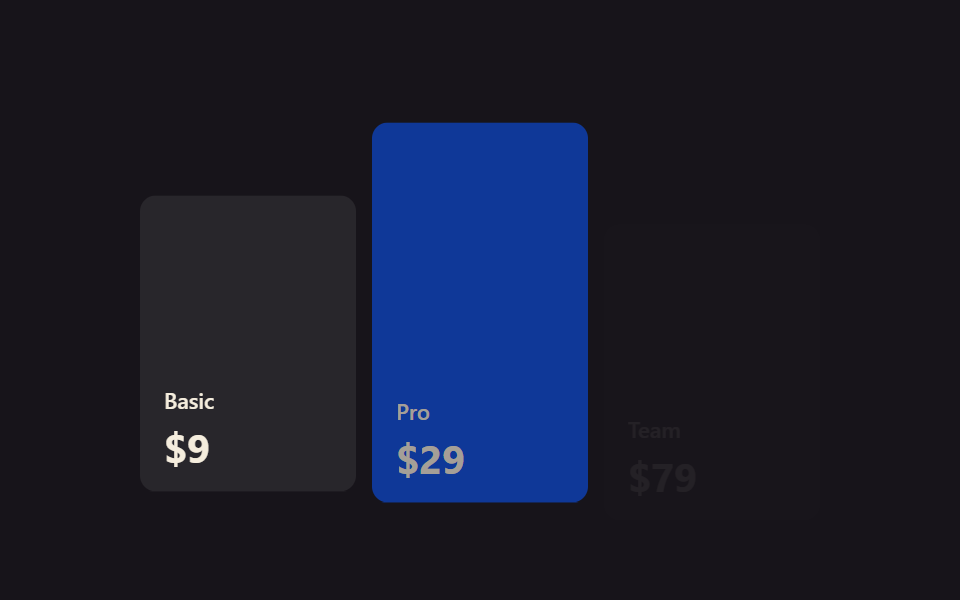 01 pricing-table-animation-scroll-reveal-plans
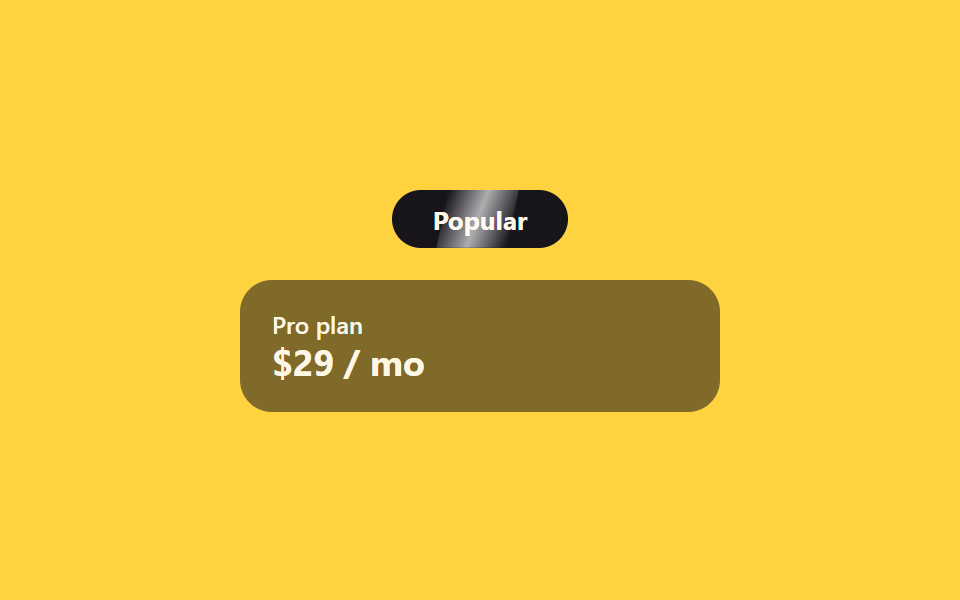 02 pricing-table-animation-badge-shine-sweep
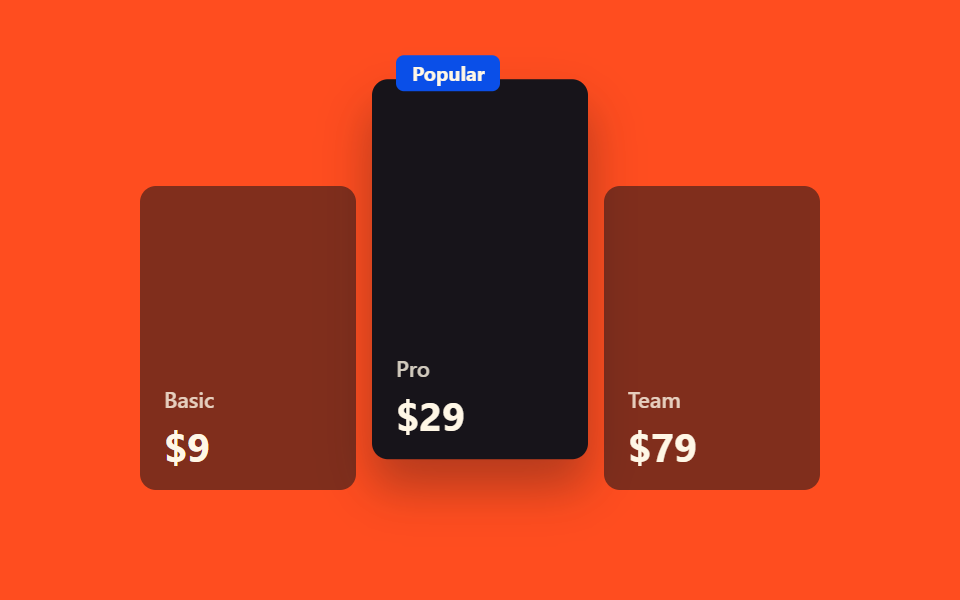 03 pricing-table-animation-popular-plan-lift
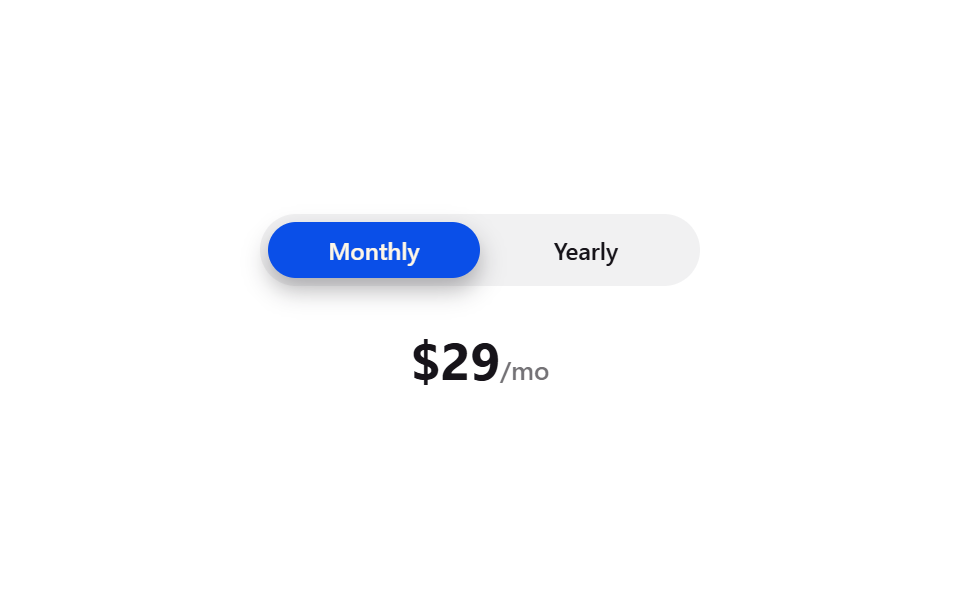 04 pricing-table-animation-monthly-yearly-toggle
 05 pricing-table-animation-price-flip-digit
 06 pricing-table-animation-has-checked-price-swap
 07 pricing-table-animation-feature-check-stagger
 08 pricing-table-animation-compare-highlight
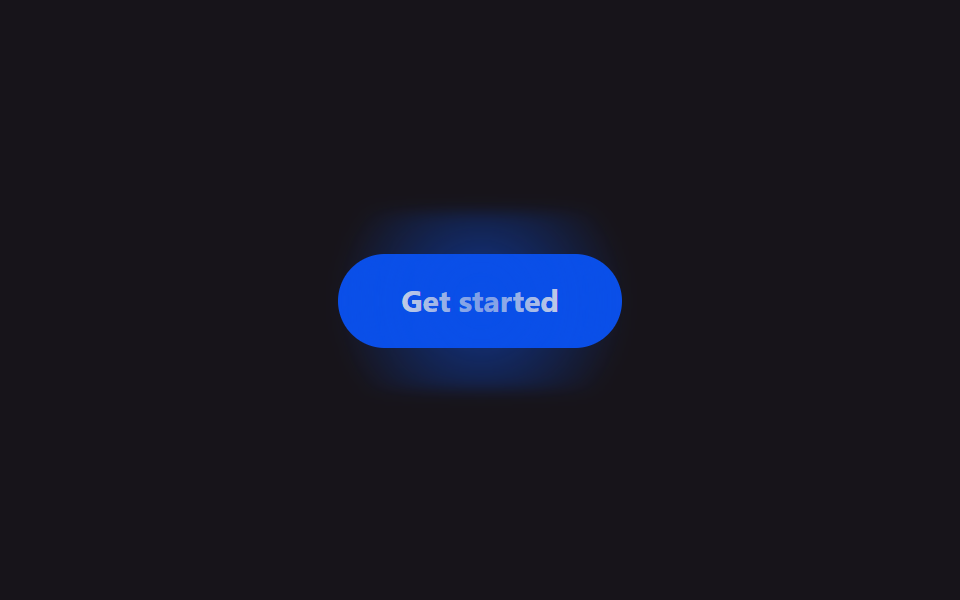 09 pricing-table-animation-cta-glow
자동 재생 · 눌러서 해당 항목으로 · 전부 한 zip
- 01 스크롤 리빌 플랜
- 02 배지 광택 스윕
- 03 인기 플랜 들림 강조
- 04 월간/연간 토글
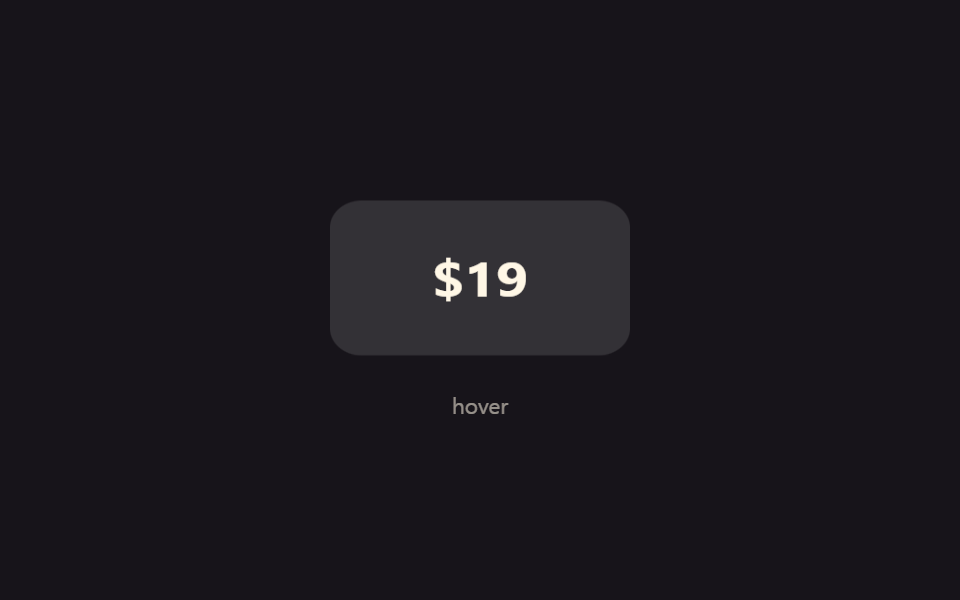
- 05 가격 숫자 플립
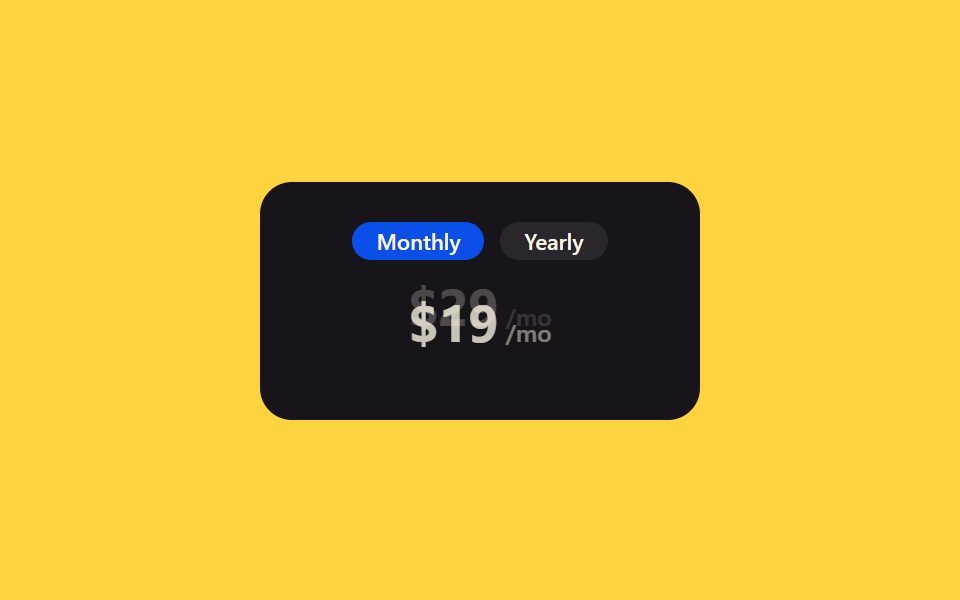
- 06 :has(:checked)로 JS 0 가격 전환
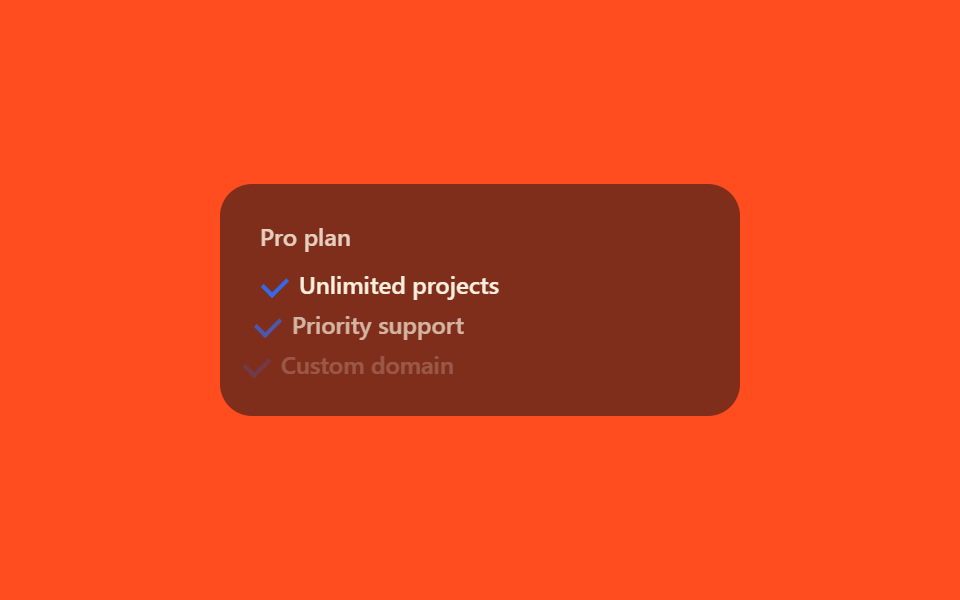
- 07 기능 체크 순차 등장
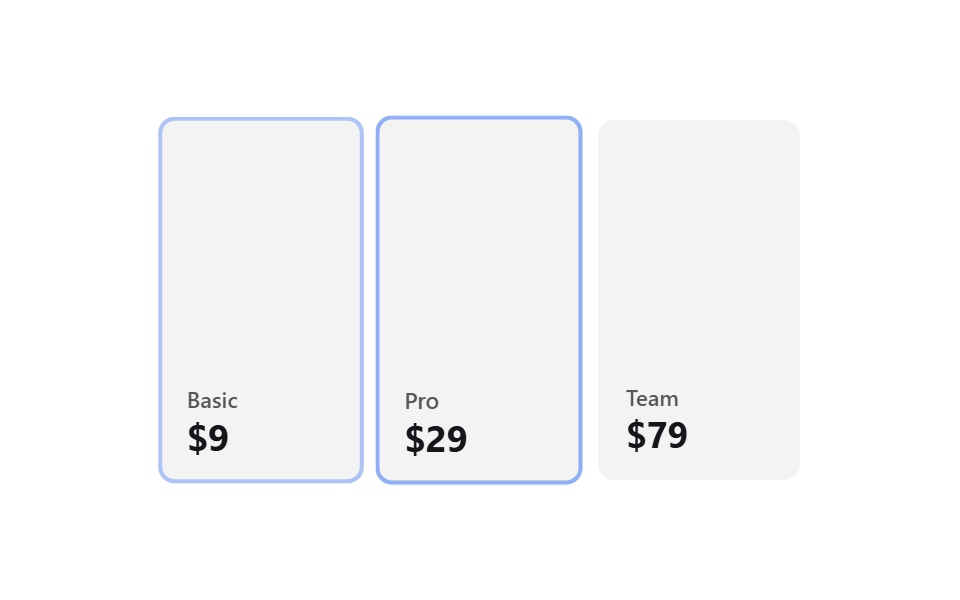
- 08 비교 열 강조
- 09 CTA 글로우
아홉 개는 인기 순이 아니라 방문자가 가격표를 훑어보는 순서를 따라갑니다. 먼저 화면에 들어오면서 눈에 띄는 신호(01~03)를 지나, 실제로 손가락을 움직여 결제 주기를 바꾸는 조작 구간(04~06)으로, 그다음은 포함된 기능을 훑고 플랜끼리 비교하는 확인 구간(07~08)을 거쳐, 마지막은 결제 버튼을 누르도록 이끄는 CTA(09)로 끝납니다. 같은 표를 컴포넌트 안에서 상태로 움직이는 방법은 라이브러리 없는 리액트 CSS 애니메이션이 정리해 두었고, 가격표 옆에 사진 슬라이드를 붙일 계획이라면 CSS 이미지 슬라이드 애니메이션이 짝이 됩니다.
01스크롤 리빌 플랜
눈에 보이는 것
가격표가 있는 페이지를 스크롤해서 내려가면 플랜 카드들이 한꺼번에 뚝 나타나는 대신 순서대로 하나씩 떠오르며 등장합니다.
<main class="stage">
  <div class="sr-grid is-demo">
    <div class="sr-card">
      <span class="sr-card__tag">Basic</span>
      <span class="sr-card__price">$9</span>
    </div>
    <div class="sr-card sr-card--mid">
      <span class="sr-card__tag">Pro</span>
      <span class="sr-card__price">$29</span>
    </div>
    <div class="sr-card">
      <span class="sr-card__tag">Team</span>
      <span class="sr-card__price">$79</span>
    </div>
  </div>
</main>
@use "../../../../site/static/demo-tokens" as *;
// ── 변수 3개 ──────────────────────────────────────────
$duration: $dur-loop;
$easing: $ease-out;
$color: $subject-blue;
@include stage($stage-ink);
.sr-grid {
width: min(340px, 90vw);
aspect-ratio: 340 / 190;
display: flex;
align-items: flex-end;
gap: $sp-2;
}
.sr-card {
flex: 1 1 0;
height: 78%;
border-radius: $r-sm;
box-sizing: border-box;
padding: $sp-3;
display: flex;
flex-direction: column;
justify-content: flex-end;
gap: $sp-1;
color: $subject-cream;
background: rgba(255, 255, 255, .08);
font: 600 12px/1 -apple-system, "Segoe UI", sans-serif;
}
.sr-card--mid {
height: 100%;
background: $subject-blue-deep; // 크림 글자가 얹히므로 진한 파랑
}
.sr-card__tag { opacity: 1; font-size: 11px; } // AA: 진한 파랑 면 위 크림 100% — 5.98:1
.sr-card__price { font-size: 20px; font-weight: 700; margin-top: $sp-1; }
// 실사용: IntersectionObserver 가 .sr-grid 에 .in 을 붙이면 카드가 순서대로 떠오른다
.sr-card {
opacity: 0;
transform: translateY($sp-4);
transition: opacity 400ms $easing, transform 400ms $easing;
}
.sr-grid.in .sr-card { opacity: 1; transform: none; }
.sr-grid.in .sr-card:nth-child(2) { transition-delay: 140ms; }
.sr-grid.in .sr-card:nth-child(3) { transition-delay: 280ms; }
// 데모 루프: is-demo 는 실사용 경로(.in, 실제 스크롤 진입)와 별개로 keyframes 로 반복 재생 (캡처용)
@keyframes sr-rise {
0% { opacity: 0; transform: translateY($sp-4); }
20%, 85% { opacity: 1; transform: none; }
100% { opacity: 0; transform: translateY($sp-4); }
}
.sr-grid.is-demo .sr-card { animation: sr-rise $duration $easing infinite; }
.sr-grid.is-demo .sr-card:nth-child(2) { animation-delay: 160ms; }
.sr-grid.is-demo .sr-card:nth-child(3) { animation-delay: 320ms; }
@media (prefers-reduced-motion: reduce) {
.sr-card,
.sr-grid.is-demo .sr-card {
animation: none !important;
transition: none !important;
opacity: 1 !important;
transform: none !important;
}
}html, body {
margin: 0;
overflow: hidden;
}
.stage {
box-sizing: border-box;
min-height: 100vh;
display: grid;
place-items: center;
margin: 0;
background: #17141a;
font-family: -apple-system, "Segoe UI", "Noto Sans KR", sans-serif;
padding: clamp(8px, 4vw, 24px);
}
.sr-grid {
width: min(340px, 90vw);
aspect-ratio: 340/190;
display: flex;
align-items: flex-end;
gap: 8px;
}
.sr-card {
flex: 1 1 0;
height: 78%;
border-radius: 8px;
box-sizing: border-box;
padding: 12px;
display: flex;
flex-direction: column;
justify-content: flex-end;
gap: 4px;
color: #fff7e6;
background: rgba(255, 255, 255, 0.08);
font: 600 12px/1 -apple-system, "Segoe UI", sans-serif;
}
.sr-card--mid {
height: 100%;
background: #0a4fe8;
}
.sr-card__tag {
opacity: 1;
font-size: 11px;
}
.sr-card__price {
font-size: 20px;
font-weight: 700;
margin-top: 4px;
}
.sr-card {
opacity: 0;
transform: translateY(16px);
transition: opacity 400ms ease-out, transform 400ms ease-out;
}
.sr-grid.in .sr-card {
opacity: 1;
transform: none;
}
.sr-grid.in .sr-card:nth-child(2) {
transition-delay: 140ms;
}
.sr-grid.in .sr-card:nth-child(3) {
transition-delay: 280ms;
}
@keyframes sr-rise {
0% {
opacity: 0;
transform: translateY(16px);
}
20%, 85% {
opacity: 1;
transform: none;
}
100% {
opacity: 0;
transform: translateY(16px);
}
}
.sr-grid.is-demo .sr-card {
animation: sr-rise 2s ease-out infinite;
}
.sr-grid.is-demo .sr-card:nth-child(2) {
animation-delay: 160ms;
}
.sr-grid.is-demo .sr-card:nth-child(3) {
animation-delay: 320ms;
}
@media (prefers-reduced-motion: reduce) {
.sr-card,
.sr-grid.is-demo .sr-card {
animation: none !important;
transition: none !important;
opacity: 1 !important;
transform: none !important;
}
}var grid = document.querySelector('.sr-grid');
var io = new IntersectionObserver(function (entries) {
  entries.forEach(function (e) {
    if (e.isIntersecting) { grid.classList.add('in'); io.unobserve(grid); }
  });
}, { threshold: 0.3 });
io.observe(grid);import { CSSProperties, useEffect, useRef, useState } from "react";
import styles from "./PlansRevealOnScroll.module.scss";
export interface PlansRevealOnScrollProps {
duration?: string;
easing?: string;
stagger?: string;
}
const PLANS = [
{ tag: "Basic", price: "$9" },
{ tag: "Pro", price: "$29" },
{ tag: "Team", price: "$79" },
];
// 실사용: 진짜 IntersectionObserver 가 그리드가 뷰포트에 들어올 때 in 을 켠다. 카드마다 transition-delay 만 다르다.
export default function PlansRevealOnScroll({
duration = "400ms",
easing = "ease-out",
stagger = "140ms",
}: PlansRevealOnScrollProps) {
const gridRef = useRef<HTMLDivElement>(null);
const [inView, setInView] = useState(false);
useEffect(() => {
const el = gridRef.current;
if (!el) return;
const io = new IntersectionObserver((entries) => {
entries.forEach((e) => { if (e.isIntersecting) { setInView(true); io.unobserve(e.target); } });
}, { threshold: 0.3 });
io.observe(el);
return () => io.disconnect();
}, []);
const style = { "--duration": duration, "--easing": easing } as CSSProperties;
return (
<div className={styles.grid} style={style} ref={gridRef}>
{PLANS.map((p, i) => (
<div
key={p.tag}
className={`${styles.card} ${i === 1 ? styles.mid : ""} ${inView ? styles.in : ""}`}
style={{ transitionDelay: inView ? `calc(${stagger} * ${i})` : undefined }}
>
<span className={styles.tag}>{p.tag}</span>
<span className={styles.price}>{p.price}</span>
</div>
))}
</div>
);
}01 · 스크롤 리빌 플랜 — 측정 누적면적 37.606% · 움직인 프레임 12/23GODRICH 원작 · zip 에 SCSS·React 포함 · 비밀번호 보기
구현의 핵심
IntersectionObserver가 그리드 전체가 화면에 들어오는 순간을 감지해 in 클래스를 붙이고, 카드마다 transition-delay만 다르게 둬 같은 움직임이 시차를 두고 반복됩니다.
var io = new IntersectionObserver(function (entries) {
entries.forEach(function (e) {
if (e.isIntersecting) { grid.classList.add('in'); io.unobserve(grid); }
});
}, { threshold: 0.3 });
io.observe(grid);
.sr-card { opacity: 0; transform: translateY($sp-4); transition: opacity 400ms, transform 400ms; }
.sr-grid.in .sr-card { opacity: 1; transform: none; }
.sr-grid.in .sr-card:nth-child(2) { transition-delay: 140ms; }
.sr-grid.in .sr-card:nth-child(3) { transition-delay: 280ms; }
02배지 광택 스윕
어떤 상황인가
인기 배지 위로 가늘고 밝은 빛줄기가 몇 초마다 한 번씩 스쳐 지나가, 마우스를 올리지 않아도 자연스럽게 눈길이 갑니다.
<main class="stage">
  <div class="sh-wrap">
    <span class="sh-badge">Popular</span>
    <div class="sh-card">
      <span class="sh-card__tag">Pro plan</span>
      <span class="sh-card__price">$29 / mo</span>
    </div>
  </div>
</main>
@use "../../../../site/static/demo-tokens" as *;
// ── 변수 3개 ──────────────────────────────────────────
$duration: 2.4s;
$easing: ease-in-out;
$color: $subject-blue;
@include stage($stage-yellow);
.sh-wrap {
width: min(240px, 84vw);
display: flex;
flex-direction: column;
align-items: center;
gap: $sp-4;
}
.sh-badge {
position: relative;
overflow: hidden;
display: inline-block;
border-radius: $r-pill;
padding: $sp-2 $sp-5;
background: $subject-ink;
color: $subject-cream;
font: 700 13px/1 -apple-system, "Segoe UI", sans-serif;
}
// 광택 띠 — 폭 고정, transform 만 움직인다 (그라디언트 자체는 정적)
.sh-badge::after {
content: "";
position: absolute;
top: 0;
left: 0;
width: 40%;
height: 100%;
background: linear-gradient(100deg, transparent, rgba(255, 255, 255, .65), transparent);
transform: translateX(-260%) skewX(-12deg);
}
// 자동 재생 (호버 불필요) — badge 는 항상 스윕한다
.sh-badge::after {
animation: sh-sweep $duration $easing infinite;
}
@keyframes sh-sweep {
0% { transform: translateX(-260%) skewX(-12deg); }
60%, 100% { transform: translateX(360%) skewX(-12deg); }
}
.sh-card {
width: 100%;
box-sizing: border-box;
border-radius: $r-card;
padding: $sp-4;
background: rgba(23, 20, 26, .55);
color: $subject-cream;
display: flex;
flex-direction: column;
gap: $sp-1;
font: 600 12px/1 -apple-system, "Segoe UI", sans-serif;
}
.sh-card__tag { opacity: 1; } // AA: 뱃지 면(잉크 55% 옐로 겹침) 위 크림 100% — 4.89:1
.sh-card__price { font-size: 18px; font-weight: 700; }
@media (prefers-reduced-motion: reduce) {
.sh-badge::after { animation: none !important; opacity: 0 !important; }
}html, body {
margin: 0;
overflow: hidden;
}
.stage {
box-sizing: border-box;
min-height: 100vh;
display: grid;
place-items: center;
margin: 0;
background: #ffd23f;
font-family: -apple-system, "Segoe UI", "Noto Sans KR", sans-serif;
padding: clamp(8px, 4vw, 24px);
}
.sh-wrap {
width: min(240px, 84vw);
display: flex;
flex-direction: column;
align-items: center;
gap: 16px;
}
.sh-badge {
position: relative;
overflow: hidden;
display: inline-block;
border-radius: 999px;
padding: 8px 20px;
background: #17141a;
color: #fff7e6;
font: 700 13px/1 -apple-system, "Segoe UI", sans-serif;
}
.sh-badge::after {
content: "";
position: absolute;
top: 0;
left: 0;
width: 40%;
height: 100%;
background: linear-gradient(100deg, transparent, rgba(255, 255, 255, 0.65), transparent);
transform: translateX(-260%) skewX(-12deg);
}
.sh-badge::after {
animation: sh-sweep 2.4s ease-in-out infinite;
}
@keyframes sh-sweep {
0% {
transform: translateX(-260%) skewX(-12deg);
}
60%, 100% {
transform: translateX(360%) skewX(-12deg);
}
}
.sh-card {
width: 100%;
box-sizing: border-box;
border-radius: 16px;
padding: 16px;
background: rgba(23, 20, 26, 0.55);
color: #fff7e6;
display: flex;
flex-direction: column;
gap: 4px;
font: 600 12px/1 -apple-system, "Segoe UI", sans-serif;
}
.sh-card__tag {
opacity: 1;
}
.sh-card__price {
font-size: 18px;
font-weight: 700;
}
@media (prefers-reduced-motion: reduce) {
.sh-badge::after {
animation: none !important;
opacity: 0 !important;
}
}import { CSSProperties } from "react";
import styles from "./BadgeShineSweep.module.scss";
export interface BadgeShineSweepProps {
duration?: string;
easing?: string;
tag?: string;
}
export default function BadgeShineSweep({
duration = "2.4s",
easing = "ease-in-out",
tag = "Popular",
}: BadgeShineSweepProps) {
const style = { "--duration": duration, "--easing": easing } as CSSProperties;
return (
<div className={styles.wrap} style={style}>
<span className={styles.badge}>{tag}</span>
<div className={styles.card}>
<span className={styles.tag}>Pro plan</span>
<span className={styles.price}>$29 / mo</span>
</div>
</div>
);
}02 · 배지 광택 스윕 — 측정 누적면적 1.628% · 움직인 프레임 7/23GODRICH 원작 · zip 에 SCSS·React 포함 · 비밀번호 보기
무엇이 핵심인가
배지 안쪽에 overflow: hidden을 걸어두고 그 안의 그라디언트 띠만 transform: translateX로 이동시키는 방식이라 배지 크기 자체는 전혀 흔들리지 않습니다.
.sh-badge { position: relative; overflow: hidden; }
.sh-badge::after {
  content: "";
  position: absolute;
  top: 0; left: 0;
  width: 40%; height: 100%;
  background: linear-gradient(100deg, transparent, rgba(255, 255, 255, .65), transparent);
  animation: sh-sweep 2.4s ease-in-out infinite;
}
@keyframes sh-sweep {
  0% { transform: translateX(-260%) skewX(-12deg); }
  60%, 100% { transform: translateX(360%) skewX(-12deg); }
}
03인기 플랜 들림 강조
무슨 일이 일어나나
이미 테두리와 배지로 강조돼 있는 인기 플랜 카드에 마우스를 올리면 카드가 한 번 더 떠오르며 그림자가 깊어집니다.
<main class="stage">
  <div class="pl-grid is-demo">
    <div class="pl-card">
      <span class="pl-card__tag">Basic</span>
      <span class="pl-card__price">$9</span>
    </div>
    <div class="pl-card pl-card--popular pl-focal">
      <span class="pl-card__badge">Popular</span>
      <span class="pl-card__tag">Pro</span>
      <span class="pl-card__price">$29</span>
    </div>
    <div class="pl-card">
      <span class="pl-card__tag">Team</span>
      <span class="pl-card__price">$79</span>
    </div>
  </div>
</main>
@use "../../../../site/static/demo-tokens" as *;
// ── 변수 3개 ──────────────────────────────────────────
$duration: $dur-base;
$easing: $ease-spring;
$color: $subject-blue-deep; // 크림 글자가 얹히므로 진한 파랑
@include stage($stage-orange);
.pl-grid {
width: min(340px, 90vw);
aspect-ratio: 340 / 190;
display: flex;
align-items: flex-end;
gap: $sp-2;
}
.pl-card {
flex: 1 1 0;
height: 80%;
border-radius: $r-sm;
box-sizing: border-box;
padding: $sp-3;
display: flex;
flex-direction: column;
justify-content: flex-end;
gap: $sp-1;
position: relative;
color: $subject-cream;
background: rgba(23, 20, 26, .55);
font: 600 12px/1 -apple-system, "Segoe UI", sans-serif;
}
.pl-card--popular {
height: 100%;
background: $subject-ink;
box-shadow: $shadow-press;
transition: transform $duration $easing, box-shadow $duration $easing;
}
.pl-card--popular:hover {
transform: translateY(-#{$sp-4});
box-shadow: $shadow-raised;
}
.pl-card__badge {
position: absolute;
top: -#{$sp-3};
left: $sp-3;
border-radius: $r-xs;
background: $color;
color: $subject-cream;
padding: $sp-1 $sp-2;
font-size: 10px;
font-weight: 700;
}
.pl-card__tag { opacity: .8; font-size: 11px; }
.pl-card__price { font-size: 20px; font-weight: 700; margin-top: $sp-1; }
// 데모 루프: is-demo 는 같은 들림을 무한 재생 (캡처용)
@keyframes pl-lift {
0%, 100% { transform: translateY(0); box-shadow: $shadow-press; }
50% { transform: translateY(-#{$sp-4}); box-shadow: $shadow-raised; }
}
.pl-grid.is-demo .pl-focal { animation: pl-lift $duration $easing infinite; }
@media (prefers-reduced-motion: reduce) {
.pl-card--popular:hover,
.pl-grid.is-demo .pl-focal { animation: none !important; transform: none !important; box-shadow: $shadow-press !important; }
}html, body {
margin: 0;
overflow: hidden;
}
.stage {
box-sizing: border-box;
min-height: 100vh;
display: grid;
place-items: center;
margin: 0;
background: #ff4d1f;
font-family: -apple-system, "Segoe UI", "Noto Sans KR", sans-serif;
padding: clamp(8px, 4vw, 24px);
}
.pl-grid {
width: min(340px, 90vw);
aspect-ratio: 340/190;
display: flex;
align-items: flex-end;
gap: 8px;
}
.pl-card {
flex: 1 1 0;
height: 80%;
border-radius: 8px;
box-sizing: border-box;
padding: 12px;
display: flex;
flex-direction: column;
justify-content: flex-end;
gap: 4px;
position: relative;
color: #fff7e6;
background: rgba(23, 20, 26, 0.55);
font: 600 12px/1 -apple-system, "Segoe UI", sans-serif;
}
.pl-card--popular {
height: 100%;
background: #17141a;
box-shadow: 0 6px 12px rgba(23, 20, 26, 0.32);
transition: transform 300ms cubic-bezier(0.2, 0.8, 0.2, 1), box-shadow 300ms cubic-bezier(0.2, 0.8, 0.2, 1);
}
.pl-card--popular:hover {
transform: translateY(-16px);
box-shadow: 0 14px 24px rgba(23, 20, 26, 0.32);
}
.pl-card__badge {
position: absolute;
top: -12px;
left: 12px;
border-radius: 4px;
background: #0a4fe8;
color: #fff7e6;
padding: 4px 8px;
font-size: 10px;
font-weight: 700;
}
.pl-card__tag {
opacity: 0.8;
font-size: 11px;
}
.pl-card__price {
font-size: 20px;
font-weight: 700;
margin-top: 4px;
}
@keyframes pl-lift {
0%, 100% {
transform: translateY(0);
box-shadow: 0 6px 12px rgba(23, 20, 26, 0.32);
}
50% {
transform: translateY(-16px);
box-shadow: 0 14px 24px rgba(23, 20, 26, 0.32);
}
}
.pl-grid.is-demo .pl-focal {
animation: pl-lift 300ms cubic-bezier(0.2, 0.8, 0.2, 1) infinite;
}
@media (prefers-reduced-motion: reduce) {
.pl-card--popular:hover,
.pl-grid.is-demo .pl-focal {
animation: none !important;
transform: none !important;
box-shadow: 0 6px 12px rgba(23, 20, 26, 0.32) !important;
}
}import { CSSProperties } from "react";
import styles from "./PopularPlanLift.module.scss";
export interface PopularPlanLiftProps {
duration?: string;
easing?: string;
color?: string;
}
const SIDE = [
{ tag: "Basic", price: "$9" },
{ tag: "Team", price: "$79" },
];
export default function PopularPlanLift({
duration = "300ms",
easing = "cubic-bezier(.2, .8, .2, 1)",
color = "#0a4fe8",
}: PopularPlanLiftProps) {
const style = { "--duration": duration, "--easing": easing, "--color": color } as CSSProperties;
return (
<div className={styles.grid} style={style}>
<div className={styles.card}>
<span className={styles.tag}>{SIDE[0].tag}</span>
<span className={styles.price}>{SIDE[0].price}</span>
</div>
<div className={`${styles.card} ${styles.popular}`}>
<span className={styles.badge}>Popular</span>
<span className={styles.tag}>Pro</span>
<span className={styles.price}>$29</span>
</div>
<div className={styles.card}>
<span className={styles.tag}>{SIDE[1].tag}</span>
<span className={styles.price}>{SIDE[1].price}</span>
</div>
</div>
);
}03 · 인기 플랜 들림 강조 — 측정 누적면적 5.008% · 움직인 프레임 23/23GODRICH 원작 · zip 에 SCSS·React 포함 · 비밀번호 보기
짚어 둘 점
transform: translateY와 box-shadow만 함께 트랜지션해 옆에 놓인 다른 카드들은 전혀 흔들리지 않습니다.
.pl-card--popular {
  box-shadow: $shadow-press;
  transition: transform $duration $easing, box-shadow $duration $easing;
}
.pl-card--popular:hover {
  transform: translateY(-#{$sp-4});
  box-shadow: $shadow-raised;
}
04월간/연간 토글
화면에서 벌어지는 일
Monthly와 Yearly 버튼 사이에서 알약 모양 배경이 미끄러지듯 이동해 지금 어떤 결제 주기를 고르고 있는지 보여줍니다.
<main class="stage">
  <div class="mt-wrap">
    <div class="mt-toggle is-demo">
      <input type="radio" name="mt-period" id="mt-monthly" class="mt-radio mt-radio--m" checked>
      <input type="radio" name="mt-period" id="mt-yearly" class="mt-radio mt-radio--y">
      <label class="mt-option" for="mt-monthly">Monthly</label>
      <label class="mt-option" for="mt-yearly">Yearly</label>
      <span class="mt-indicator" aria-hidden="true"></span>
    </div>
    <div class="mt-price">$29<span class="mt-price__unit">/mo</span></div>
  </div>
</main>
@use "../../../../site/static/demo-tokens" as *;
// ── 변수 3개 ──────────────────────────────────────────
$duration: $dur-base;
$easing: $ease-spring;
$color: $subject-blue-deep; // 크림 글자가 얹히므로 진한 파랑
@include stage($stage-paper);
.mt-wrap {
display: flex;
flex-direction: column;
align-items: center;
gap: $sp-6;
}
.mt-toggle {
position: relative;
display: flex;
width: min(220px, 78vw);
border-radius: $r-pill;
background: rgba(23, 20, 26, .06);
padding: $sp-1;
box-sizing: border-box;
}
.mt-radio { position: absolute; opacity: 0; pointer-events: none; }
.mt-option {
position: relative;
z-index: 1;
flex: 1 1 0;
text-align: center;
padding: $sp-2 0;
border-radius: $r-pill;
cursor: pointer;
color: $subject-ink;
font: 600 12px/1 -apple-system, "Segoe UI", sans-serif;
}
// 인디케이터는 두 옵션과 같은 50/50 분할을 쓴다 — flex 로 갈린 실제 폭을 짐작한 px 로 흉내내지 않는다 (BD19)
.mt-indicator {
position: absolute;
top: $sp-1;
left: $sp-1;
width: calc(50% - #{$sp-1});
height: calc(100% - #{$sp-1} * 2);
border-radius: $r-pill;
background: $color;
box-shadow: $shadow-press;
transition: transform $duration $easing;
}
#mt-yearly:checked ~ .mt-indicator { transform: translateX(100%); }
#mt-yearly:checked ~ .mt-option[for="mt-yearly"] { color: $subject-cream; }
#mt-monthly:checked ~ .mt-option[for="mt-monthly"] { color: $subject-cream; }
.mt-price { font: 700 26px/1 -apple-system, "Segoe UI", sans-serif; color: $subject-ink; }
.mt-price__unit { font-size: 13px; font-weight: 500; opacity: .6; }
// 데모 루프: 헤드리스는 라디오를 못 눌러 is-demo 가 같은 이동을 keyframes 로 반복한다 (캡처용)
@keyframes mt-slide {
0%, 40% { transform: translateX(0); }
60%, 100% { transform: translateX(100%); }
}
.mt-toggle.is-demo .mt-indicator { animation: mt-slide $duration * 3 $easing infinite; }
@media (prefers-reduced-motion: reduce) {
.mt-indicator,
.mt-toggle.is-demo .mt-indicator { animation: none !important; transition: none !important; }
}html, body {
margin: 0;
overflow: hidden;
}
.stage {
box-sizing: border-box;
min-height: 100vh;
display: grid;
place-items: center;
margin: 0;
background: #ffffff;
font-family: -apple-system, "Segoe UI", "Noto Sans KR", sans-serif;
padding: clamp(8px, 4vw, 24px);
}
.mt-wrap {
display: flex;
flex-direction: column;
align-items: center;
gap: 24px;
}
.mt-toggle {
position: relative;
display: flex;
width: min(220px, 78vw);
border-radius: 999px;
background: rgba(23, 20, 26, 0.06);
padding: 4px;
box-sizing: border-box;
}
.mt-radio {
position: absolute;
opacity: 0;
pointer-events: none;
}
.mt-option {
position: relative;
z-index: 1;
flex: 1 1 0;
text-align: center;
padding: 8px 0;
border-radius: 999px;
cursor: pointer;
color: #17141a;
font: 600 12px/1 -apple-system, "Segoe UI", sans-serif;
}
.mt-indicator {
position: absolute;
top: 4px;
left: 4px;
width: calc(50% - 4px);
height: calc(100% - 4px * 2);
border-radius: 999px;
background: #0a4fe8;
box-shadow: 0 6px 12px rgba(23, 20, 26, 0.32);
transition: transform 300ms cubic-bezier(0.2, 0.8, 0.2, 1);
}
#mt-yearly:checked ~ .mt-indicator {
transform: translateX(100%);
}
#mt-yearly:checked ~ .mt-option[for=mt-yearly] {
color: #fff7e6;
}
#mt-monthly:checked ~ .mt-option[for=mt-monthly] {
color: #fff7e6;
}
.mt-price {
font: 700 26px/1 -apple-system, "Segoe UI", sans-serif;
color: #17141a;
}
.mt-price__unit {
font-size: 13px;
font-weight: 500;
opacity: 0.6;
}
@keyframes mt-slide {
0%, 40% {
transform: translateX(0);
}
60%, 100% {
transform: translateX(100%);
}
}
.mt-toggle.is-demo .mt-indicator {
animation: mt-slide 900ms cubic-bezier(0.2, 0.8, 0.2, 1) infinite;
}
@media (prefers-reduced-motion: reduce) {
.mt-indicator,
.mt-toggle.is-demo .mt-indicator {
animation: none !important;
transition: none !important;
}
}import { CSSProperties } from "react";
import styles from "./MonthlyYearlyToggle.module.scss";
export interface MonthlyYearlyToggleProps {
duration?: string;
easing?: string;
color?: string;
name?: string;
}
// 실사용: 숨긴 라디오 두 개 + 일반 형제 선택자. 자바스크립트로 상태를 들지 않는다.
export default function MonthlyYearlyToggle({
duration = "300ms",
easing = "cubic-bezier(.2, .8, .2, 1)",
color = "#0a4fe8",
name = "mt-period",
}: MonthlyYearlyToggleProps) {
const monthlyId = `${name}-monthly`;
const yearlyId = `${name}-yearly`;
const style = { "--duration": duration, "--easing": easing, "--color": color } as CSSProperties;
return (
<div className={styles.wrap} style={style}>
<div className={styles.toggle}>
<input type="radio" name={name} id={monthlyId} className={styles.radio} defaultChecked />
<input type="radio" name={name} id={yearlyId} className={styles.radio} />
<label className={styles.option} htmlFor={monthlyId}>Monthly</label>
<label className={styles.option} htmlFor={yearlyId}>Yearly</label>
<span className={styles.indicator} aria-hidden="true" />
</div>
<div className={styles.price}>$29<span className={styles.unit}>/mo</span></div>
</div>
);
}04 · 월간/연간 토글 — 측정 누적면적 5.783% · 움직인 프레임 8/23GODRICH 원작 · zip 에 SCSS·React 포함 · 비밀번호 보기
어떻게 만들었나
숨긴 라디오 버튼의 :checked 상태를 일반 형제 선택자로 읽어 인디케이터를 옮길 뿐이라 자바스크립트가 한 줄도 없습니다.
.mt-indicator {
  position: absolute;
  width: calc(50% - #{$sp-1});
  height: calc(100% - #{$sp-1} * 2);
  transition: transform $duration $easing;
}
#mt-yearly:checked ~ .mt-indicator { transform: translateX(100%); }
05가격 숫자 플립
어떻게 보이나
가격 숫자에 마우스를 올리면 카드가 휙 뒤집히듯 회전하며 뒷면에 적힌 다른 금액이 나타납니다.
<main class="stage">
  <div class="pf-scene is-demo">
    <div class="pf-flip">
      <div class="pf-flip__inner">
        <div class="pf-flip__face pf-flip__face--front">$29</div>
        <div class="pf-flip__face pf-flip__face--back">$19</div>
      </div>
    </div>
    <span class="pf-hint">hover</span>
  </div>
</main>
@use "../../../../site/static/demo-tokens" as *;
// ── 변수 3개 ──────────────────────────────────────────
$duration: $dur-enter;
$easing: $ease-spring;
$color: $subject-blue;
@include stage($stage-ink);
.pf-scene {
perspective: 600px;
display: flex;
flex-direction: column;
align-items: center;
gap: $sp-3;
}
.pf-flip { width: 150px; height: 92px; }
.pf-flip__inner {
position: relative;
width: 100%;
height: 100%;
transform-style: preserve-3d;
transition: transform $duration $easing;
}
.pf-flip:hover .pf-flip__inner { transform: rotateX(180deg); }
.pf-flip__face {
position: absolute;
inset: 0;
display: flex;
align-items: center;
justify-content: center;
border-radius: $r-card;
backface-visibility: hidden;
font: 700 28px/1 -apple-system, "Segoe UI", sans-serif;
color: $subject-cream;
}
.pf-flip__face--front { background: $subject-blue-deep; } // 크림 글자가 얹히므로 진한 파랑
.pf-flip__face--back { background: rgba(255, 255, 255, .12); transform: rotateX(180deg); }
.pf-hint { color: $subject-cream; opacity: .55; font: 500 11px/1 -apple-system, sans-serif; }
// 데모 루프: is-demo 는 같은 회전을 무한 재생 (캡처용) — 실사용 경로(:hover)와 별개
@keyframes pf-flip {
0%, 40% { transform: rotateX(0); }
60%, 100% { transform: rotateX(180deg); }
}
.pf-scene.is-demo .pf-flip__inner { animation: pf-flip $duration * 2 $easing infinite; }
@media (prefers-reduced-motion: reduce) {
.pf-flip:hover .pf-flip__inner,
.pf-scene.is-demo .pf-flip__inner { animation: none !important; transition: none !important; transform: none !important; }
}html, body {
margin: 0;
overflow: hidden;
}
.stage {
box-sizing: border-box;
min-height: 100vh;
display: grid;
place-items: center;
margin: 0;
background: #17141a;
font-family: -apple-system, "Segoe UI", "Noto Sans KR", sans-serif;
padding: clamp(8px, 4vw, 24px);
}
.pf-scene {
perspective: 600px;
display: flex;
flex-direction: column;
align-items: center;
gap: 12px;
}
.pf-flip {
width: 150px;
height: 92px;
}
.pf-flip__inner {
position: relative;
width: 100%;
height: 100%;
transform-style: preserve-3d;
transition: transform 600ms cubic-bezier(0.2, 0.8, 0.2, 1);
}
.pf-flip:hover .pf-flip__inner {
transform: rotateX(180deg);
}
.pf-flip__face {
position: absolute;
inset: 0;
display: flex;
align-items: center;
justify-content: center;
border-radius: 16px;
backface-visibility: hidden;
font: 700 28px/1 -apple-system, "Segoe UI", sans-serif;
color: #fff7e6;
}
.pf-flip__face--front {
background: #0a4fe8;
}
.pf-flip__face--back {
background: rgba(255, 255, 255, 0.12);
transform: rotateX(180deg);
}
.pf-hint {
color: #fff7e6;
opacity: 0.55;
font: 500 11px/1 -apple-system, sans-serif;
}
@keyframes pf-flip {
0%, 40% {
transform: rotateX(0);
}
60%, 100% {
transform: rotateX(180deg);
}
}
.pf-scene.is-demo .pf-flip__inner {
animation: pf-flip 1200ms cubic-bezier(0.2, 0.8, 0.2, 1) infinite;
}
@media (prefers-reduced-motion: reduce) {
.pf-flip:hover .pf-flip__inner,
.pf-scene.is-demo .pf-flip__inner {
animation: none !important;
transition: none !important;
transform: none !important;
}
}import { CSSProperties } from "react";
import styles from "./PriceDigitFlip.module.scss";
export interface PriceDigitFlipProps {
duration?: string;
easing?: string;
front?: string;
back?: string;
}
export default function PriceDigitFlip({
duration = "600ms",
easing = "cubic-bezier(.2, .8, .2, 1)",
front = "$29",
back = "$19",
}: PriceDigitFlipProps) {
const style = { "--duration": duration, "--easing": easing } as CSSProperties;
return (
<div className={styles.scene} style={style}>
<div className={styles.flip}>
<div className={styles.inner}>
<div className={`${styles.face} ${styles.front}`}>{front}</div>
<div className={`${styles.face} ${styles.back}`}>{back}</div>
</div>
</div>
<span className={styles.hint}>hover</span>
</div>
);
}05 · 가격 숫자 플립 — 측정 누적면적 9.398% · 움직인 프레임 6/23GODRICH 원작 · zip 에 SCSS·React 포함 · 비밀번호 보기
코드 읽는 법
perspective를 준 부모 안에서 rotateX와 backface-visibility: hidden을 가진 두 개의 면을 겹쳐 두고, 안쪽 레이어 하나만 회전시키는 방식입니다.
.pf-flip__inner {
  transform-style: preserve-3d;
  transition: transform $duration $easing;
}
.pf-flip:hover .pf-flip__inner { transform: rotateX(180deg); }
.pf-flip__face { position: absolute; inset: 0; backface-visibility: hidden; }
.pf-flip__face--back { transform: rotateX(180deg); }
06:has(:checked)로 JS 0 가격 전환
언제 쓰나
위 토글과 방식은 비슷해 보이지만, 이번엔 라디오 버튼의 선택 상태를 카드 전체에서 :has()로 읽어 월간·연간 가격 두 줄을 자연스럽게 교차 페이드시킵니다.
<main class="stage">
  <div class="hc-card is-demo">
    <div class="hc-toggle">
      <input type="radio" name="hc-period" id="hc-monthly" class="hc-radio hc-radio--m" checked>
      <input type="radio" name="hc-period" id="hc-yearly" class="hc-radio hc-radio--y">
      <label for="hc-monthly">Monthly</label>
      <label for="hc-yearly">Yearly</label>
    </div>
    <div class="hc-price-stack">
      <div class="hc-price hc-price--monthly">$29<span>/mo</span></div>
      <div class="hc-price hc-price--yearly">$19<span>/mo</span></div>
    </div>
  </div>
</main>
@use "../../../../site/static/demo-tokens" as *;
// ── 변수 3개 ──────────────────────────────────────────
$duration: $dur-base;
$easing: $ease-out;
$color: $subject-blue-deep; // 크림 글자가 얹히므로 진한 파랑
@include stage($stage-yellow);
.hc-card {
width: min(220px, 80vw);
box-sizing: border-box;
border-radius: $r-card;
padding: $sp-5;
background: $subject-ink;
display: flex;
flex-direction: column;
align-items: center;
gap: $sp-4;
}
.hc-toggle {
display: flex;
gap: $sp-2;
}
.hc-radio { position: absolute; opacity: 0; pointer-events: none; }
.hc-toggle label {
padding: $sp-1 $sp-3;
border-radius: $r-pill;
cursor: pointer;
color: $subject-cream;
background: rgba(255, 255, 255, .08);
font: 600 11px/1 -apple-system, "Segoe UI", sans-serif;
transition: background $duration $easing;
}
// 순수 CSS: 숨긴 라디오의 :checked 상태를 :has() 로 읽어 카드 전체에서 판단한다 (JS 0)
.hc-card:has(.hc-radio--m:checked) label[for="hc-monthly"],
.hc-card:has(.hc-radio--y:checked) label[for="hc-yearly"] {
background: $color;
}
.hc-price-stack { position: relative; width: 100%; height: 44px; }
.hc-price {
position: absolute;
inset: 0;
display: flex;
align-items: baseline;
justify-content: center;
gap: $sp-1;
color: $subject-cream;
font: 700 26px/1 -apple-system, "Segoe UI", sans-serif;
opacity: 0;
transform: translateY($sp-2);
transition: opacity $duration $easing, transform $duration $easing;
}
.hc-price span { font-size: 12px; font-weight: 500; opacity: .6; }
.hc-price--monthly { opacity: 1; transform: none; }
.hc-card:has(.hc-radio--y:checked) .hc-price--monthly { opacity: 0; transform: translateY(-#{$sp-2}); }
.hc-card:has(.hc-radio--y:checked) .hc-price--yearly { opacity: 1; transform: none; }
// 데모 루프: 헤드리스는 :has(:checked) 를 못 걸어 is-demo 가 같은 크로스페이드를 keyframes 로 반복한다
@keyframes hc-cross-a {
0%, 40% { opacity: 1; transform: none; }
50%, 90% { opacity: 0; transform: translateY(-#{$sp-2}); }
100% { opacity: 1; transform: none; }
}
@keyframes hc-cross-b {
0%, 40% { opacity: 0; transform: translateY($sp-2); }
50%, 90% { opacity: 1; transform: none; }
100% { opacity: 0; transform: translateY($sp-2); }
}
.hc-card.is-demo .hc-price--monthly { animation: hc-cross-a $duration * 4 $easing infinite; }
.hc-card.is-demo .hc-price--yearly { animation: hc-cross-b $duration * 4 $easing infinite; }
@media (prefers-reduced-motion: reduce) {
.hc-price,
.hc-card.is-demo .hc-price { animation: none !important; transition: none !important; }
}html, body {
margin: 0;
overflow: hidden;
}
.stage {
box-sizing: border-box;
min-height: 100vh;
display: grid;
place-items: center;
margin: 0;
background: #ffd23f;
font-family: -apple-system, "Segoe UI", "Noto Sans KR", sans-serif;
padding: clamp(8px, 4vw, 24px);
}
.hc-card {
width: min(220px, 80vw);
box-sizing: border-box;
border-radius: 16px;
padding: 20px;
background: #17141a;
display: flex;
flex-direction: column;
align-items: center;
gap: 16px;
}
.hc-toggle {
display: flex;
gap: 8px;
}
.hc-radio {
position: absolute;
opacity: 0;
pointer-events: none;
}
.hc-toggle label {
padding: 4px 12px;
border-radius: 999px;
cursor: pointer;
color: #fff7e6;
background: rgba(255, 255, 255, 0.08);
font: 600 11px/1 -apple-system, "Segoe UI", sans-serif;
transition: background 300ms ease-out;
}
.hc-card:has(.hc-radio--m:checked) label[for=hc-monthly],
.hc-card:has(.hc-radio--y:checked) label[for=hc-yearly] {
background: #0a4fe8;
}
.hc-price-stack {
position: relative;
width: 100%;
height: 44px;
}
.hc-price {
position: absolute;
inset: 0;
display: flex;
align-items: baseline;
justify-content: center;
gap: 4px;
color: #fff7e6;
font: 700 26px/1 -apple-system, "Segoe UI", sans-serif;
opacity: 0;
transform: translateY(8px);
transition: opacity 300ms ease-out, transform 300ms ease-out;
}
.hc-price span {
font-size: 12px;
font-weight: 500;
opacity: 0.6;
}
.hc-price--monthly {
opacity: 1;
transform: none;
}
.hc-card:has(.hc-radio--y:checked) .hc-price--monthly {
opacity: 0;
transform: translateY(-8px);
}
.hc-card:has(.hc-radio--y:checked) .hc-price--yearly {
opacity: 1;
transform: none;
}
@keyframes hc-cross-a {
0%, 40% {
opacity: 1;
transform: none;
}
50%, 90% {
opacity: 0;
transform: translateY(-8px);
}
100% {
opacity: 1;
transform: none;
}
}
@keyframes hc-cross-b {
0%, 40% {
opacity: 0;
transform: translateY(8px);
}
50%, 90% {
opacity: 1;
transform: none;
}
100% {
opacity: 0;
transform: translateY(8px);
}
}
.hc-card.is-demo .hc-price--monthly {
animation: hc-cross-a 1200ms ease-out infinite;
}
.hc-card.is-demo .hc-price--yearly {
animation: hc-cross-b 1200ms ease-out infinite;
}
@media (prefers-reduced-motion: reduce) {
.hc-price,
.hc-card.is-demo .hc-price {
animation: none !important;
transition: none !important;
}
}import { CSSProperties } from "react";
import styles from "./PriceSwapHasChecked.module.scss";
export interface PriceSwapHasCheckedProps {
duration?: string;
easing?: string;
monthly?: string;
yearly?: string;
name?: string;
}
// 실사용: 숨긴 라디오 상태를 :has() 로 카드 전체에서 읽는다. 자바스크립트 0.
export default function PriceSwapHasChecked({
duration = "300ms",
easing = "ease-out",
monthly = "$29",
yearly = "$19",
name = "hc-period",
}: PriceSwapHasCheckedProps) {
const style = { "--duration": duration, "--easing": easing } as CSSProperties;
return (
<div className={styles.card} style={style}>
<div className={styles.toggle}>
<input type="radio" name={name} id={`${name}-m`} className={styles.radioM} defaultChecked />
<input type="radio" name={name} id={`${name}-y`} className={styles.radioY} />
<label htmlFor={`${name}-m`}>Monthly</label>
<label htmlFor={`${name}-y`}>Yearly</label>
</div>
<div className={styles.stack}>
<div className={`${styles.price} ${styles.priceMonthly}`}>{monthly}<span>/mo</span></div>
<div className={`${styles.price} ${styles.priceYearly}`}>{yearly}<span>/mo</span></div>
</div>
</div>
);
}06 · :has(:checked)로 JS 0 가격 전환 — 측정 누적면적 1.061% · 움직인 프레임 8/23GODRICH 원작 · zip 에 SCSS·React 포함 · 비밀번호 보기
코드의 요점
값을 갈아 끼우는 로직 전체가 셀렉터 하나로 끝나 자바스크립트가 필요 없습니다.
.hc-price { position: absolute; inset: 0; opacity: 0; transform: translateY($sp-2); }
.hc-price--monthly { opacity: 1; transform: none; }
.hc-card:has(.hc-radio--y:checked) .hc-price--monthly {
  opacity: 0;
  transform: translateY(-#{$sp-2});
}
.hc-card:has(.hc-radio--y:checked) .hc-price--yearly { opacity: 1; transform: none; }
07기능 체크 순차 등장
어떤 화면인가
카드에 마우스를 올리면 포함된 기능 목록의 체크 표시가 위에서부터 한 줄씩 시차를 두고 나타납니다.
<main class="stage">
  <div class="fc-card is-demo">
    <span class="fc-card__tag">Pro plan</span>
    <ul class="fc-list">
      <li class="fc-row"><span class="fc-check"></span>Unlimited projects</li>
      <li class="fc-row"><span class="fc-check"></span>Priority support</li>
      <li class="fc-row"><span class="fc-check"></span>Custom domain</li>
    </ul>
  </div>
</main>
@use "../../../../site/static/demo-tokens" as *;
// ── 변수 3개 ──────────────────────────────────────────
$duration: 320ms;
$easing: $ease-out;
$color: $subject-blue;
@include stage($stage-orange);
.fc-card {
width: min(260px, 84vw);
box-sizing: border-box;
border-radius: $r-card;
padding: $sp-5;
background: rgba(23, 20, 26, .55);
display: flex;
flex-direction: column;
gap: $sp-3;
}
.fc-card__tag {
color: $subject-cream;
opacity: .8;
font: 600 12px/1 -apple-system, "Segoe UI", sans-serif;
}
.fc-list { list-style: none; margin: 0; padding: 0; display: flex; flex-direction: column; gap: $sp-2; }
.fc-row {
display: flex;
align-items: center;
gap: $sp-2;
color: $subject-cream;
font: 500 12px/1 -apple-system, "Segoe UI", sans-serif;
opacity: 0;
transform: translateX(-#{$sp-3});
transition: opacity $duration $easing, transform $duration $easing;
}
// 체크 아이콘 — 한 요소를 border-right+border-bottom 으로 L자로 그린 뒤 45deg 회전 (두 막대 방식보다 안전, BD16)
.fc-check {
flex: 0 0 auto;
width: 6px;
height: 10px;
border-right: 2px solid $color;
border-bottom: 2px solid $color;
transform: rotate(45deg);
margin-left: $sp-1;
}
// 실사용: 카드에 마우스를 올리면 체크 목록이 위에서부터 시차를 두고 나타난다
.fc-card:hover .fc-row { opacity: 1; transform: none; }
.fc-card:hover .fc-row:nth-child(2) { transition-delay: 120ms; }
.fc-card:hover .fc-row:nth-child(3) { transition-delay: 240ms; }
// 데모 루프: is-demo 는 같은 등장을 keyframes 로 반복 재생 (캡처용)
@keyframes fc-in {
0% { opacity: 0; transform: translateX(-#{$sp-3}); }
20%, 85% { opacity: 1; transform: none; }
100% { opacity: 0; transform: translateX(-#{$sp-3}); }
}
.fc-card.is-demo .fc-row { animation: fc-in $dur-loop $easing infinite; }
.fc-card.is-demo .fc-row:nth-child(2) { animation-delay: 140ms; }
.fc-card.is-demo .fc-row:nth-child(3) { animation-delay: 280ms; }
@media (prefers-reduced-motion: reduce) {
.fc-row,
.fc-card.is-demo .fc-row { animation: none !important; transition: none !important; opacity: 1 !important; transform: none !important; }
}html, body {
margin: 0;
overflow: hidden;
}
.stage {
box-sizing: border-box;
min-height: 100vh;
display: grid;
place-items: center;
margin: 0;
background: #ff4d1f;
font-family: -apple-system, "Segoe UI", "Noto Sans KR", sans-serif;
padding: clamp(8px, 4vw, 24px);
}
.fc-card {
width: min(260px, 84vw);
box-sizing: border-box;
border-radius: 16px;
padding: 20px;
background: rgba(23, 20, 26, 0.55);
display: flex;
flex-direction: column;
gap: 12px;
}
.fc-card__tag {
color: #fff7e6;
opacity: 0.8;
font: 600 12px/1 -apple-system, "Segoe UI", sans-serif;
}
.fc-list {
list-style: none;
margin: 0;
padding: 0;
display: flex;
flex-direction: column;
gap: 8px;
}
.fc-row {
display: flex;
align-items: center;
gap: 8px;
color: #fff7e6;
font: 500 12px/1 -apple-system, "Segoe UI", sans-serif;
opacity: 0;
transform: translateX(-12px);
transition: opacity 320ms ease-out, transform 320ms ease-out;
}
.fc-check {
flex: 0 0 auto;
width: 6px;
height: 10px;
border-right: 2px solid #2f6df6;
border-bottom: 2px solid #2f6df6;
transform: rotate(45deg);
margin-left: 4px;
}
.fc-card:hover .fc-row {
opacity: 1;
transform: none;
}
.fc-card:hover .fc-row:nth-child(2) {
transition-delay: 120ms;
}
.fc-card:hover .fc-row:nth-child(3) {
transition-delay: 240ms;
}
@keyframes fc-in {
0% {
opacity: 0;
transform: translateX(-12px);
}
20%, 85% {
opacity: 1;
transform: none;
}
100% {
opacity: 0;
transform: translateX(-12px);
}
}
.fc-card.is-demo .fc-row {
animation: fc-in 2s ease-out infinite;
}
.fc-card.is-demo .fc-row:nth-child(2) {
animation-delay: 140ms;
}
.fc-card.is-demo .fc-row:nth-child(3) {
animation-delay: 280ms;
}
@media (prefers-reduced-motion: reduce) {
.fc-row,
.fc-card.is-demo .fc-row {
animation: none !important;
transition: none !important;
opacity: 1 !important;
transform: none !important;
}
}import { CSSProperties } from "react";
import styles from "./FeatureCheckStagger.module.scss";
export interface FeatureCheckStaggerProps {
duration?: string;
easing?: string;
features?: string[];
}
export default function FeatureCheckStagger({
duration = "320ms",
easing = "ease-out",
features = ["Unlimited projects", "Priority support", "Custom domain"],
}: FeatureCheckStaggerProps) {
const style = { "--duration": duration, "--easing": easing } as CSSProperties;
return (
<div className={styles.card} style={style}>
<span className={styles.tag}>Pro plan</span>
<ul className={styles.list}>
{features.map((f) => (
<li key={f} className={styles.row}>
<span className={styles.check} />{f}
</li>
))}
</ul>
</div>
);
}07 · 기능 체크 순차 등장 — 측정 누적면적 2.008% · 움직인 프레임 11/23GODRICH 원작 · zip 에 SCSS·React 포함 · 비밀번호 보기
동작 원리
체크 아이콘은 선 두 개를 따로 그려 붙이지 않고, 요소 하나를 border-right와 border-bottom으로 L자로 만든 뒤 45도 회전시켜 두 선이 어긋날 일이 없게 했습니다.
.fc-check {
  width: 6px; height: 10px;
  border-right: 2px solid $color;
  border-bottom: 2px solid $color;
  transform: rotate(45deg);
}
.fc-row { opacity: 0; transform: translateX(-#{$sp-3}); transition: opacity 320ms, transform 320ms; }
.fc-card:hover .fc-row { opacity: 1; transform: none; }
.fc-card:hover .fc-row:nth-child(2) { transition-delay: 120ms; }
.fc-card:hover .fc-row:nth-child(3) { transition-delay: 240ms; }
08비교 열 강조
요금제 비교에서 어디에 쓰나
여러 플랜을 나란히 놓은 비교표에서 마우스를 올린 열만 테두리가 밝아지고 살짝 커져, 지금 보고 있는 플랜이 또렷해집니다.
<main class="stage">
  <div class="ch-table is-demo">
    <div class="ch-col">
      <span class="ch-col__tag">Basic</span>
      <span class="ch-col__price">$9</span>
    </div>
    <div class="ch-col">
      <span class="ch-col__tag">Pro</span>
      <span class="ch-col__price">$29</span>
    </div>
    <div class="ch-col">
      <span class="ch-col__tag">Team</span>
      <span class="ch-col__price">$79</span>
    </div>
  </div>
</main>
@use "../../../../site/static/demo-tokens" as *;
// ── 변수 3개 ──────────────────────────────────────────
$duration: 180ms;
$easing: $ease-out;
$color: $subject-blue;
@include stage($stage-paper);
.ch-table {
width: min(320px, 88vw);
aspect-ratio: 320 / 180;
display: flex;
gap: $sp-2;
}
.ch-col {
flex: 1 1 0;
box-sizing: border-box;
border-radius: $r-sm;
border: 2px solid transparent;
padding: $sp-3;
display: flex;
flex-direction: column;
justify-content: flex-end;
gap: $sp-1;
background: rgba(23, 20, 26, .05);
color: $subject-ink;
font: 600 12px/1 -apple-system, "Segoe UI", sans-serif;
transition: transform $duration $easing, border-color $duration $easing, background $duration $easing;
}
.ch-col__tag { opacity: .7; font-size: 11px; }
.ch-col__price { font-size: 18px; font-weight: 700; }
// 실사용: 마우스를 올린 열만 확대 + 테두리
.ch-col:hover {
transform: scale(1.05);
border-color: $color;
background: rgba(23, 20, 26, .08);
}
// 데모 루프: is-demo 는 열마다 순서대로 같은 강조를 반복 재생 (캡처용)
@keyframes ch-pulse {
0%, 66%, 100% { transform: scale(1); border-color: transparent; }
16% { transform: scale(1.05); border-color: $color; }
}
.ch-table.is-demo .ch-col { animation: ch-pulse $dur-loop * 1.5 $easing infinite; }
.ch-table.is-demo .ch-col:nth-child(2) { animation-delay: #{$dur-loop * 0.5}; }
.ch-table.is-demo .ch-col:nth-child(3) { animation-delay: #{$dur-loop}; }
@media (prefers-reduced-motion: reduce) {
.ch-col:hover,
.ch-table.is-demo .ch-col { animation: none !important; transform: none !important; border-color: transparent !important; }
}html, body {
margin: 0;
overflow: hidden;
}
.stage {
box-sizing: border-box;
min-height: 100vh;
display: grid;
place-items: center;
margin: 0;
background: #ffffff;
font-family: -apple-system, "Segoe UI", "Noto Sans KR", sans-serif;
padding: clamp(8px, 4vw, 24px);
}
.ch-table {
width: min(320px, 88vw);
aspect-ratio: 320/180;
display: flex;
gap: 8px;
}
.ch-col {
flex: 1 1 0;
box-sizing: border-box;
border-radius: 8px;
border: 2px solid transparent;
padding: 12px;
display: flex;
flex-direction: column;
justify-content: flex-end;
gap: 4px;
background: rgba(23, 20, 26, 0.05);
color: #17141a;
font: 600 12px/1 -apple-system, "Segoe UI", sans-serif;
transition: transform 180ms ease-out, border-color 180ms ease-out, background 180ms ease-out;
}
.ch-col__tag {
opacity: 0.7;
font-size: 11px;
}
.ch-col__price {
font-size: 18px;
font-weight: 700;
}
.ch-col:hover {
transform: scale(1.05);
border-color: #2f6df6;
background: rgba(23, 20, 26, 0.08);
}
@keyframes ch-pulse {
0%, 66%, 100% {
transform: scale(1);
border-color: transparent;
}
16% {
transform: scale(1.05);
border-color: #2f6df6;
}
}
.ch-table.is-demo .ch-col {
animation: ch-pulse 3s ease-out infinite;
}
.ch-table.is-demo .ch-col:nth-child(2) {
animation-delay: 1s;
}
.ch-table.is-demo .ch-col:nth-child(3) {
animation-delay: 2s;
}
@media (prefers-reduced-motion: reduce) {
.ch-col:hover,
.ch-table.is-demo .ch-col {
animation: none !important;
transform: none !important;
border-color: transparent !important;
}
}import { CSSProperties } from "react";
import styles from "./CompareColumnHighlight.module.scss";
export interface CompareColumnHighlightProps {
duration?: string;
easing?: string;
color?: string;
}
const COLS = [
{ tag: "Basic", price: "$9" },
{ tag: "Pro", price: "$29" },
{ tag: "Team", price: "$79" },
];
export default function CompareColumnHighlight({
duration = "180ms",
easing = "ease-out",
color = "#2f6df6",
}: CompareColumnHighlightProps) {
const style = { "--duration": duration, "--easing": easing, "--color": color } as CSSProperties;
return (
<div className={styles.table} style={style}>
{COLS.map((c) => (
<div key={c.tag} className={styles.col}>
<span className={styles.tag}>{c.tag}</span>
<span className={styles.price}>{c.price}</span>
</div>
))}
</div>
);
}08 · 비교 열 강조 — 측정 누적면적 5.153% · 움직인 프레임 23/23GODRICH 원작 · zip 에 SCSS·React 포함 · 비밀번호 보기
만드는 방식
scale과 border-color만 트랜지션해 옆 열의 레이아웃은 건드리지 않습니다.
.ch-col {
  border: 2px solid transparent;
  transition: transform 180ms, border-color 180ms, background 180ms;
}
.ch-col:hover {
  transform: scale(1.05);
  border-color: $color;
  background: rgba(23, 20, 26, .08);
}
09CTA 글로우
어디에 쓰나
가격표 맨 아래 결제 버튼 뒤에서 부드러운 빛이 부풀었다 가라앉기를 반복하며 클릭할 곳을 조용히 알려줍니다.
<main class="stage">
  <button class="cg-btn" type="button">Get started</button>
</main>
@use "../../../../site/static/demo-tokens" as *;
// ── 변수 3개 ──────────────────────────────────────────
$duration: 1.8s;
$easing: $ease-spring;
$color: $subject-blue-deep; // 크림 글자가 얹히므로 진한 파랑
@include stage($stage-ink);
.cg-btn {
position: relative;
border: 0;
border-radius: $r-pill;
padding: $sp-4 $sp-8;
background: $color;
color: $subject-cream;
font: 700 15px/1 -apple-system, "Segoe UI", sans-serif;
cursor: pointer;
}
// 글로우 — 버튼 뒤에 흐린 원, opacity·scale 만 움직인다 (filter 값 자체는 고정)
.cg-btn::before {
content: "";
position: absolute;
inset: -#{$sp-3};
border-radius: $r-pill;
background: radial-gradient(circle, rgba($color, .9), transparent 65%);
filter: blur(3px);
opacity: .2;
transform: scale(1);
}
// 자동 재생 — 결제 버튼은 항상 은은하게 맥동한다
.cg-btn::before {
animation: cg-pulse $duration $easing infinite;
}
@keyframes cg-pulse {
0%, 100% { transform: scale(1); opacity: .2; }
50% { transform: scale(1.45); opacity: .95; }
}
@media (prefers-reduced-motion: reduce) {
.cg-btn::before { animation: none !important; opacity: .2 !important; transform: scale(1) !important; }
}html, body {
margin: 0;
overflow: hidden;
}
.stage {
box-sizing: border-box;
min-height: 100vh;
display: grid;
place-items: center;
margin: 0;
background: #17141a;
font-family: -apple-system, "Segoe UI", "Noto Sans KR", sans-serif;
padding: clamp(8px, 4vw, 24px);
}
.cg-btn {
position: relative;
border: 0;
border-radius: 999px;
padding: 16px 32px;
background: #0a4fe8;
color: #fff7e6;
font: 700 15px/1 -apple-system, "Segoe UI", sans-serif;
cursor: pointer;
}
.cg-btn::before {
content: "";
position: absolute;
inset: -12px;
border-radius: 999px;
background: radial-gradient(circle, rgba(10, 79, 232, 0.9), transparent 65%);
filter: blur(3px);
opacity: 0.2;
transform: scale(1);
}
.cg-btn::before {
animation: cg-pulse 1.8s cubic-bezier(0.2, 0.8, 0.2, 1) infinite;
}
@keyframes cg-pulse {
0%, 100% {
transform: scale(1);
opacity: 0.2;
}
50% {
transform: scale(1.45);
opacity: 0.95;
}
}
@media (prefers-reduced-motion: reduce) {
.cg-btn::before {
animation: none !important;
opacity: 0.2 !important;
transform: scale(1) !important;
}
}import { CSSProperties } from "react";
import styles from "./CtaGlow.module.scss";
export interface CtaGlowProps {
duration?: string;
easing?: string;
label?: string;
}
export default function CtaGlow({
duration = "1.8s",
easing = "cubic-bezier(.2, 1.4, .4, 1)",
label = "Get started",
}: CtaGlowProps) {
const style = { "--duration": duration, "--easing": easing } as CSSProperties;
return (
<button className={styles.btn} style={style} type="button">
{label}
</button>
);
}09 · CTA 글로우 — 측정 누적면적 6.998% · 움직인 프레임 9/23GODRICH 원작 · zip 에 SCSS·React 포함 · 비밀번호 보기
왜 이렇게 만들었나
02번 배지 스윕처럼 호버 없이 항상 움직이는 항목이라, 눈에 거슬리지 않도록 다른 항목보다 훨씬 은은하게 움직이도록 강도를 낮춰 맞췄습니다.
.cg-btn::before {
  content: "";
  position: absolute;
  inset: -#{$sp-3};
  background: radial-gradient(circle, rgba(47, 109, 246, .9), transparent 65%);
  filter: blur(3px);
  animation: cg-pulse 1.8s $easing infinite;
}
@keyframes cg-pulse {
  0%, 100% { transform: scale(1); opacity: .2; }
  50% { transform: scale(1.45); opacity: .95; }
}
CSS 가격표 애니메이션은 어디서 깨지는가
무엇이 문제인가
요금제 디자인을 아홉 개로 쪼개 만들면서 가장 먼저 걸려 넘어진 건 09번이었습니다. 버튼 뒤로 글로우를 보내려고 별생각 없이 z-index: -1을 줬더니, .cg-btn에 자체 z-index가 없어 새 스태킹 컨텍스트가 생기지 않았고, 글로우가 가장 가까운 조상인 무대 배경보다도 아래로 밀려나 완전히 사라져 버렸습니다. z-index를 빼고 나서야 pseudo-element가 버튼 자기 배경 위, 즉 원래 있어야 할 자리로 돌아왔습니다.
어떻게 피하나
그림자가 번지지 않아야 표가 읽히는 이 원칙은 그림자를 아예 테두리처럼 쓰는 네오브루탈리즘 랜딩 부품에서 극단까지 밀려난 모습으로 나타납니다.
06번에 쓴 :has() 셀렉터도 주의할 점이 있는데, Chrome·Edge·최신 Safari·Firefox에서는 잘 동작하지만 오래된 브라우저는 아예 그 규칙을 무시해 마지막에 적용된 값 그대로 멈춰 있습니다 — 데이터가 사라지진 않지만 전환 효과만 없어지는 정도라 실무에서는 크게 위험하지 않습니다. zip을 열 때 필요한 비밀번호는 prqmpcmj 자리에 본문 속 평범한 글자로 남겨 뒀으니, 이 문단을 천천히 읽으면 찾을 수 있습니다.
접근성 — 아홉 개가 reduced-motion에서 남기는 것
reduced-motion 에서 남는 것
시스템에서 동작 줄이기를 켜면 아홉 개 전부 prefers-reduced-motion: reduce에서 애니메이션과 트랜지션을 끕니다. 02번 배지 스윕과 09번 CTA 글로우처럼 호버 없이 항상 움직이던 항목은 그냥 멈춘 상태로 보여도 정보 손실이 없고, 01번과 07번처럼 등장 자체가 정보인 항목은 움직임 대신 처음부터 opacity: 1로 고정해 카드와 체크 목록이 곧바로 다 보이게 했습니다. 04·05·06번은 값이 바뀌는 결과(요금·가격)가 중요하므로 전환 속도만 없앴을 뿐 최종 상태는 그대로 보여줍니다.
이어서 볼 글
라디오와 :has()로 상태를 다루는 다른 예시가 궁금하다면 CSS 토글 스위치 글도 참고할 만하고, 전체 목록은 CSS 애니메이션 카테고리에서 모아 볼 수 있습니다. :has()의 정확한 지원 범위는 MDN 문서에서 확인할 수 있습니다.
FAQ — 자주 묻는 질문
요금제 페이지에 애니메이션을 넣으면 정말 전환율이 오르나요?
애니메이션 자체가 구매를 결정해 주지는 않습니다. 다만 인기 플랜이나 결제 버튼처럼 원래도 강조하고 싶던 요소에 자연스러운 움직임을 더하면 시선이 그쪽으로 먼저 가게 만드는 데는 도움이 됩니다.
04번 토글과 06번 :has() 방식 중 어느 쪽을 써야 하나요?
가격 자체는 그대로 두고 버튼 모양만 바꾸면 되는 단순한 화면이라면 04번 토글로 충분합니다. 월간·연간 가격 숫자까지 같은 자리에서 실제로 바뀌어야 한다면 06번처럼 :has()로 값 전환까지 CSS 안에서 끝내는 쪽이 자바스크립트 코드를 하나도 늘리지 않아도 됩니다.
zip 안의 vanilla와 react 코드가 다른가요?
화면에 보이는 움직임은 같습니다. vanilla 쪽 SCSS 변수 세 개($duration $easing $color 또는 항목에 맞는 동등물)를 React 판에서는 컴포넌트 props로 그대로 받아, 내부에서 CSS 커스텀 속성으로 바꿔 넘기는 구조만 다릅니다. 토글을 넘어 월간·연간 계산과 결제 버튼까지 살아 있는 표가 필요하면 요금제 디자인 인터랙션이 그 다음 규모입니다.
이런 글이랑 어울려요
 피드백CSS 다크모드 토글 애니메이션 9종 — 한 줄 복붙으로
 피드백바이브코딩 마이크로 인터랙션 9종 — 한 줄 복붙으로
 피드백CSS 툴팁 말풍선 9종 — 한 줄 복붙으로
 피드백CSS 마우스 커서 효과 9종 — 한 줄 복붙으로
 피드백CSS 타이핑 효과 9종 — 한 줄 복붙으로
 피드백CSS 텍스트 애니메이션 효과 9종 — 한 줄 복붙으로
 피드백CSS 이미지 호버 효과 9종 — 한 줄 복붙으로
 피드백CSS 숫자 증가 애니메이션 9종 — 한 줄 복붙으로
 피드백채팅 말풍선 CSS 애니메이션 9종 — 한 줄 복붙으로
 피드백CSS 카드 애니메이션 호버 효과 9종 — 한 줄 복붙으로