리액트 애니메이션 라이브러리 없이 쓰는 CSS 9종
리액트로 만든 화면에 자연스러운 움직임을 넣고 싶을 때 제일 먼저 떠오르는 게 리액트 애니메이션 라이브러리를 까는 일이지만, 사실 컴포넌트가 나타나고 사라지는 타이밍만 잡으면 CSS 만으로 되는 것도 많습니다.
 01 react-css-animation-mount-fade-starting-style
 02 react-css-animation-unmount-exit-discrete
 03 react-css-animation-list-add-remove
 04 react-css-animation-toggle-class-state
 05 react-css-animation-key-retrigger
 06 react-css-animation-css-modules-setup
 07 react-css-animation-view-transition-react-state
 08 react-css-animation-suspense-skeleton-swap
 09 react-css-animation-route-transition
자동 재생 · 눌러서 해당 항목으로 · 전부 한 zip
- 01 마운트 시 @starting-style 페이드
- 02 언마운트 exit(allow-discrete)
- 03 리스트 추가/삭제 애니메이션
- 04 클래스 토글 상태 전환
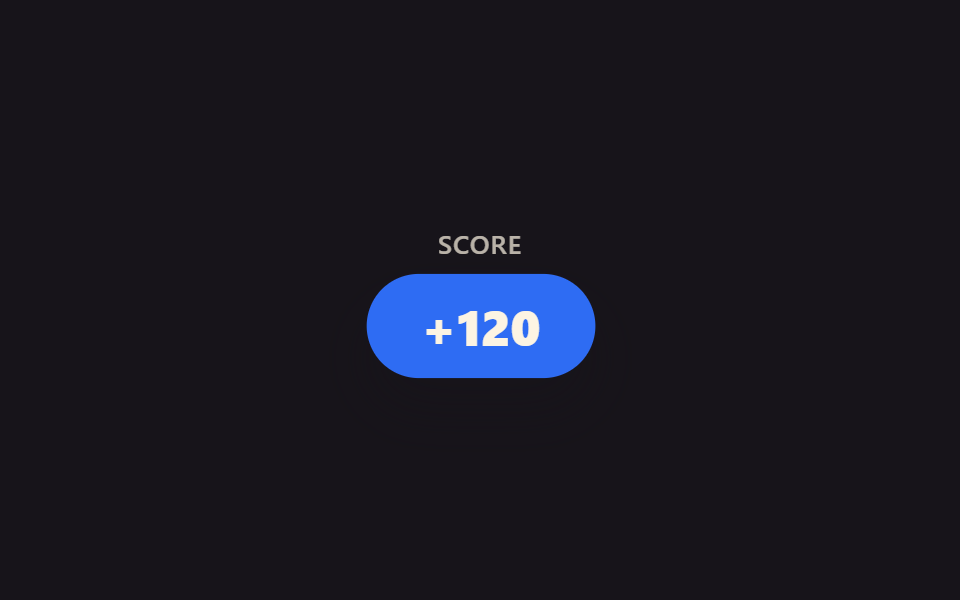
- 05 key로 애니메이션 재트리거
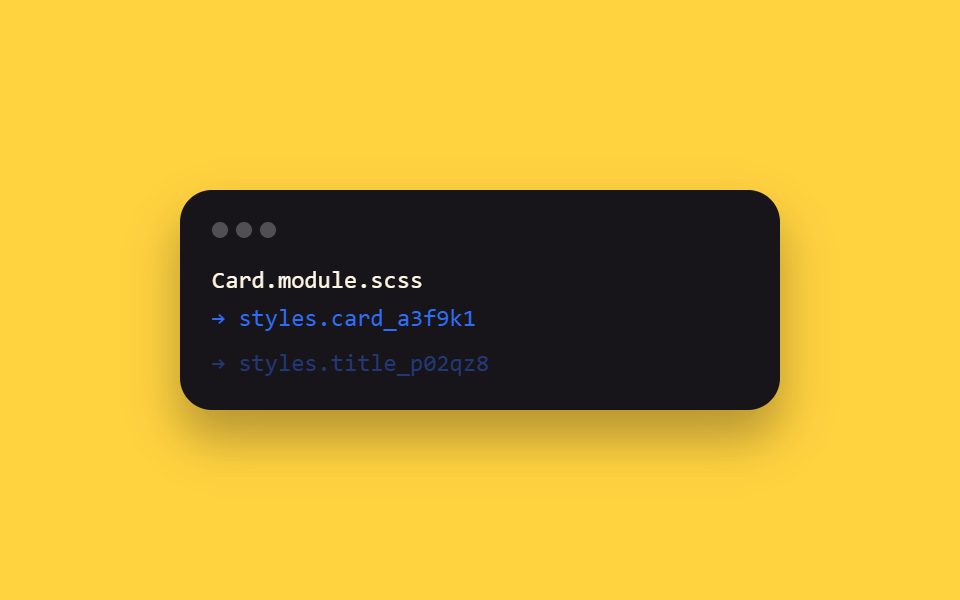
- 06 CSS Modules+SCSS 세팅
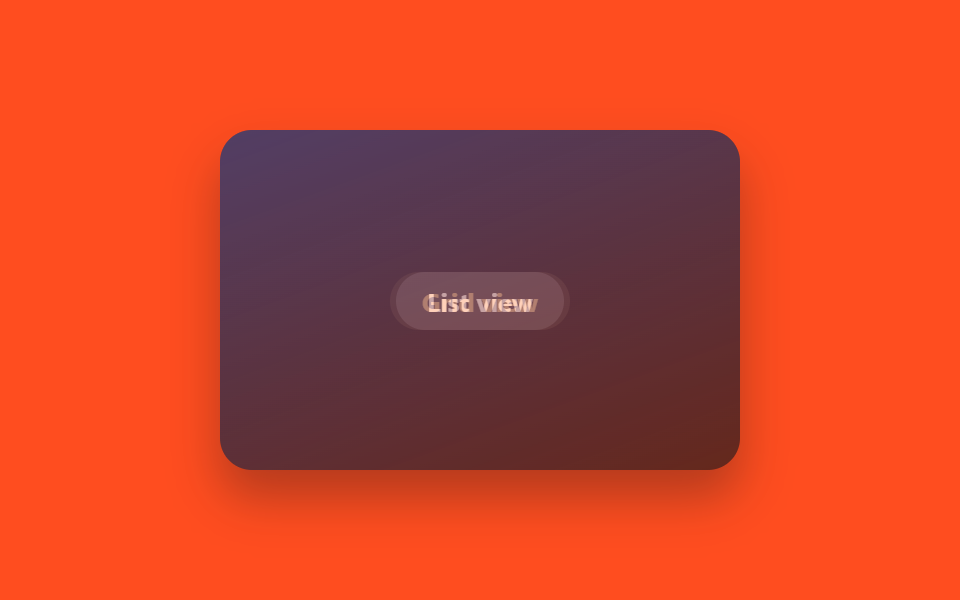
- 07 startViewTransition+상태 갱신
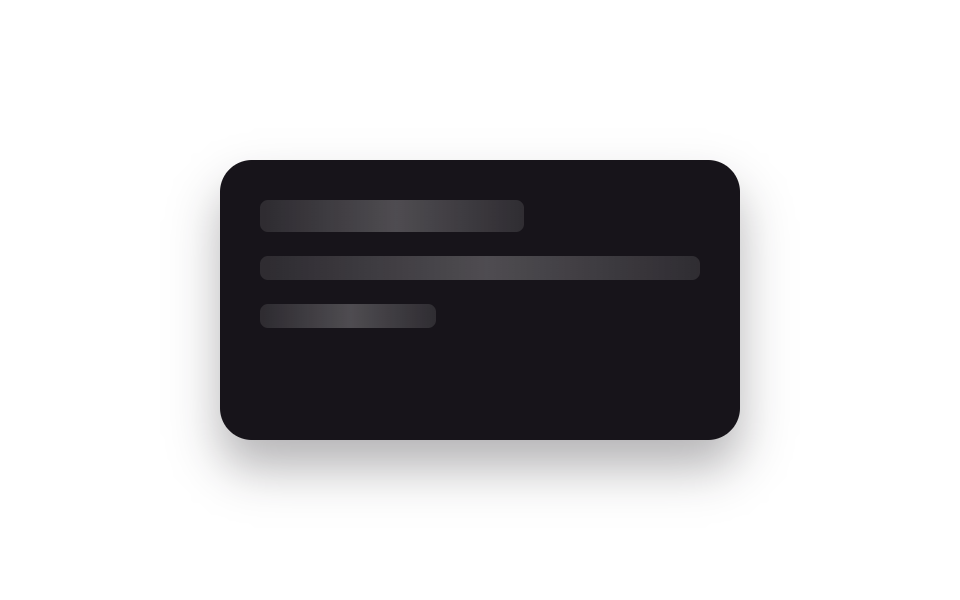
- 08 Suspense 스켈레톤 교체
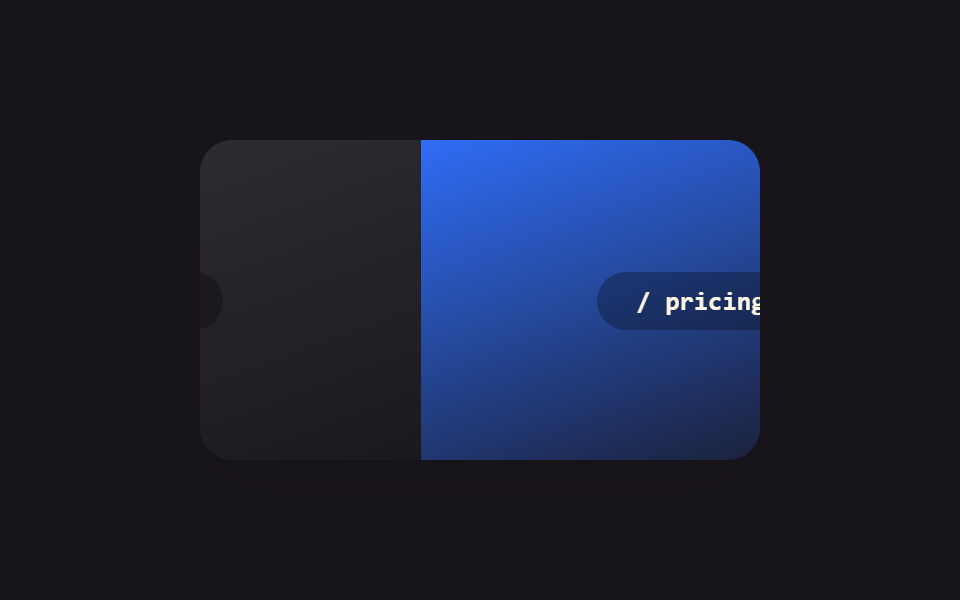
- 09 라우트 전환 애니메이션
아홉 개는 인기순이 아니라 리액트 컴포넌트가 실제로 겪는 순서대로 놓았습니다. 화면에 처음 나타나고(01) → 닫힐 때 사라지고(02) → 그 사이에서 항목이 늘고 주는 목록이 되고(03) → 상태에 따라 모양이 바뀌고(04) → 같은 등장 동작을 다시 재생해야 하고(05) → 이걸 실제로 빌드하는 설정을 잠깐 짚고(06) → 화면 전체가 다른 화면으로 바뀌고(07) → 아직 안 온 데이터를 기다리고(08) → 마지막으로 페이지 자체가 바뀌는(09) 순서입니다. 아이디어형(리액트에서 흔히 안 쓰는 조합) 세 개는 01·02·07번입니다. 컴포넌트에 얹을 곡선 값을 고르는 단계라면 이징 커브와 스프링이 그 목록이고, 상태에 따라 숫자가 바뀌는 화면의 예로는 CSS 가격표 애니메이션이 가깝습니다.
01마운트 시 @starting-style 페이드
어디에 쓰나
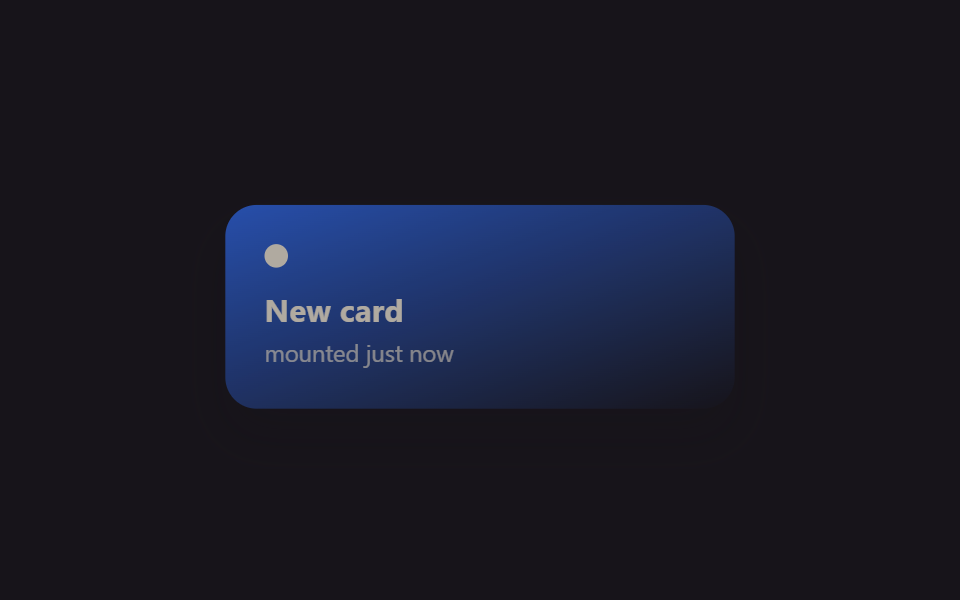
카드 컴포넌트가 마운트되는 순간 @starting-style 이 DOM 에 없던 시점의 값을 정의해 줘서, useEffect 로 "마운트됨" 플래그를 따로 만들지 않아도 opacity 가 0에서 1로 트랜지션됩니다.
<main class="stage">
  <div class="mf-wrap is-demo">
    <div class="mf-card">
      <span class="mf-card__dot"></span>
      <span class="mf-card__title">New card</span>
      <span class="mf-card__sub">mounted just now</span>
    </div>
  </div>
</main>
@use "../../../../site/static/demo-tokens" as *;
// ── 변수 3개 ──────────────────────────────────────────
$duration: $dur-enter;
$easing: $ease-spring;
$color: $subject-blue;
@include stage($stage-ink);
.mf-wrap {
width: min(320px, 90vw);
display: grid;
place-items: center;
}
.mf-card {
width: min(260px, 84vw);
box-sizing: border-box;
padding: $sp-5 $sp-5;
border-radius: $r-card;
background: linear-gradient(160deg, $color, rgba(23, 20, 26, .9));
box-shadow: $shadow-raised;
display: flex;
flex-direction: column;
gap: $sp-1;
color: $subject-cream;
font-family: -apple-system, "Segoe UI", sans-serif;
}
.mf-card__dot {
width: $sp-3;
height: $sp-3;
border-radius: $r-pill;
background: $subject-cream;
margin-bottom: $sp-2;
}
.mf-card__title { font-weight: 700; font-size: 16px; line-height: 1.2; font-family: inherit; }
.mf-card__sub { font-weight: 400; font-size: 12px; line-height: 1.4; font-family: inherit; opacity: .72; }
// 실사용 원리: React 19 는 새 노드가 DOM 에 붙는 순간 @starting-style 의 값에서
// 실제 스타일로 트랜지션한다 (useEffect 로 "mounted" 플래그를 따로 안 만들어도 됨).
// 여기 데모는 그 등장 곡선을 무한 반복으로 보여준다.
@starting-style {
  .mf-card { opacity: 0; transform: translateY(10px) scale(.94); }
}
.mf-card {
  opacity: 1;
  transform: none;
  transition: opacity $duration $easing, transform $duration $easing;
}
// 캡처용 루프: 마운트 순간을 2초마다 재생 (demo.py 는 WAAPI 로 이 keyframes 를 직접 스크럽한다)
@keyframes mf-mount {
0% { opacity: 0; transform: translateY(10px) scale(.94); }
22% { opacity: 1; transform: none; }
82% { opacity: 1; transform: none; }
100% { opacity: 0; transform: translateY(10px) scale(.94); }
}
.mf-wrap.is-demo .mf-card { animation: mf-mount $dur-loop $easing infinite; }
@media (prefers-reduced-motion: reduce) {
.mf-card { transition: none; }
.mf-wrap.is-demo .mf-card { animation: none !important; opacity: 1; transform: none; }
}html, body {
margin: 0;
overflow: hidden;
}
.stage {
box-sizing: border-box;
min-height: 100vh;
display: grid;
place-items: center;
margin: 0;
background: #17141a;
font-family: -apple-system, "Segoe UI", "Noto Sans KR", sans-serif;
padding: clamp(8px, 4vw, 24px);
}
.mf-wrap {
width: min(320px, 90vw);
display: grid;
place-items: center;
}
.mf-card {
width: min(260px, 84vw);
box-sizing: border-box;
padding: 20px 20px;
border-radius: 16px;
background: linear-gradient(160deg, #2f6df6, rgba(23, 20, 26, 0.9));
box-shadow: 0 14px 24px rgba(23, 20, 26, 0.32);
display: flex;
flex-direction: column;
gap: 4px;
color: #fff7e6;
font-family: -apple-system, "Segoe UI", sans-serif;
}
.mf-card__dot {
width: 12px;
height: 12px;
border-radius: 999px;
background: #fff7e6;
margin-bottom: 8px;
}
.mf-card__title {
font-weight: 700;
font-size: 16px;
line-height: 1.2;
font-family: inherit;
}
.mf-card__sub {
font-weight: 400;
font-size: 12px;
line-height: 1.4;
font-family: inherit;
opacity: 0.72;
}
@starting-style {
.mf-card {
opacity: 0;
transform: translateY(10px) scale(0.94);
}
}
.mf-card {
opacity: 1;
transform: none;
transition: opacity 600ms cubic-bezier(0.2, 0.8, 0.2, 1), transform 600ms cubic-bezier(0.2, 0.8, 0.2, 1);
}
@keyframes mf-mount {
0% {
opacity: 0;
transform: translateY(10px) scale(0.94);
}
22% {
opacity: 1;
transform: none;
}
82% {
opacity: 1;
transform: none;
}
100% {
opacity: 0;
transform: translateY(10px) scale(0.94);
}
}
.mf-wrap.is-demo .mf-card {
animation: mf-mount 2s cubic-bezier(0.2, 0.8, 0.2, 1) infinite;
}
@media (prefers-reduced-motion: reduce) {
.mf-card {
transition: none;
}
.mf-wrap.is-demo .mf-card {
animation: none !important;
opacity: 1;
transform: none;
}
}import { CSSProperties, useEffect, useState } from "react";
import styles from "./MountFadeStartingStyle.module.scss";
export interface MountFadeStartingStyleProps {
duration?: string;
easing?: string;
color?: string;
}
function Card({ color }: { color: string }) {
// React 19: @starting-style (in the CSS module below) defines what this card looked
// like before it existed in the DOM, so no useEffect("mounted") flag is needed for
// the fade-in — the browser transitions from that starting state automatically.
return (
<div className={styles.card} style={{ background: color }}>
<span className={styles.dot} />
<span className={styles.title}>New card</span>
<span className={styles.sub}>mounted just now</span>
</div>
);
}
export default function MountFadeStartingStyle({
duration = "600ms",
easing = "cubic-bezier(.2, .8, .2, 1)",
color = "#2f6df6",
}: MountFadeStartingStyleProps) {
const [mounted, setMounted] = useState(true);
useEffect(() => {
const id = setInterval(() => setMounted((m) => !m), 1400);
return () => clearInterval(id);
}, []);
const style: CSSProperties & { "--duration"?: string; "--easing"?: string } = {
"--duration": duration,
"--easing": easing,
};
return (
<div className={styles.wrap} style={style}>
{mounted ? <Card color={color} /> : null}
</div>
);
}01 · 마운트 시 @starting-style 페이드 — 측정 누적면적 19.029% · 움직인 프레임 8/23GODRICH 원작 · zip 에 SCSS·React 포함 · 비밀번호 보기
짚어 둘 점
새로 렌더되는 알림 카드나 리스트에 막 추가된 항목에 잘 맞습니다.
@starting-style {
.mf-card { opacity: 0; transform: translateY(10px) scale(.94); }
}
.mf-card {
opacity: 1;
transform: none;
transition: opacity $duration $easing, transform $duration $easing;
}
02언마운트 exit(allow-discrete)
눈에 보이는 것
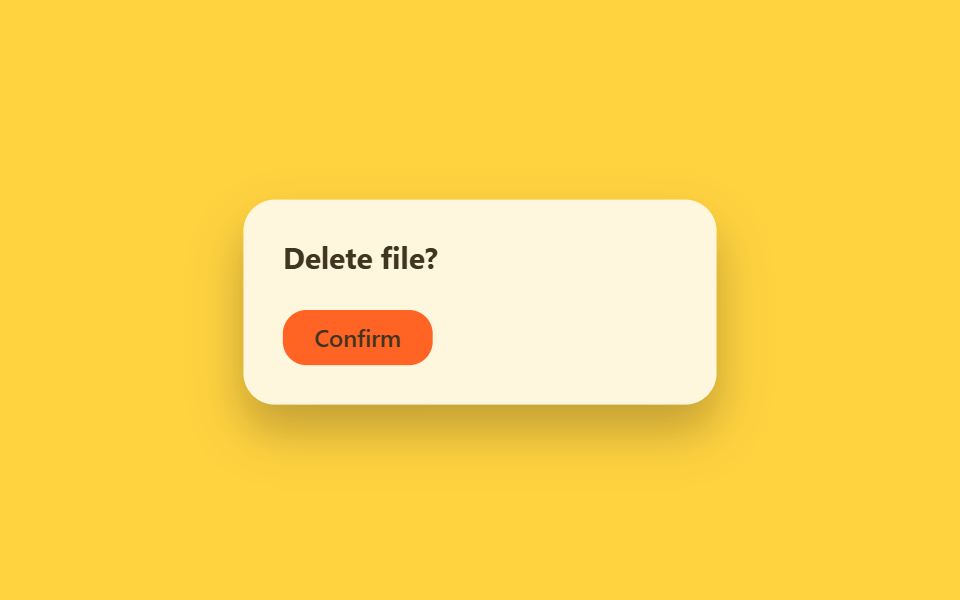
닫기 버튼을 누르면 바로 언마운트하지 않고 class="is-exiting" 을 먼저 붙여, transition-behavior: allow-discrete 로 display 전환을 늦춘 뒤 onTransitionEnd 에서 실제 상태를 지웁니다.
<main class="stage">
  <div class="ue-wrap is-demo">
    <div class="ue-dialog">
      <span class="ue-dialog__title">Delete file?</span>
      <span class="ue-dialog__btn">Confirm</span>
    </div>
  </div>
</main>
@use "../../../../site/static/demo-tokens" as *;
// ── 변수 3개 ──────────────────────────────────────────
$duration: $dur-base;
$easing: $ease-out;
$color: $subject-ink;
@include stage($stage-yellow);
.ue-wrap {
width: min(320px, 90vw);
display: grid;
place-items: center;
}
.ue-dialog {
width: min(240px, 82vw);
box-sizing: border-box;
padding: $sp-5;
border-radius: $r-card;
background: $stage-paper;
box-shadow: $shadow-raised;
display: flex;
flex-direction: column;
align-items: flex-start;
gap: $sp-4;
font-family: -apple-system, "Segoe UI", sans-serif;
}
.ue-dialog__title { font-weight: 700; font-size: 15px; line-height: 1.3; font-family: inherit; color: $color; }
.ue-dialog__btn {
padding: $sp-2 $sp-4;
border-radius: $r-control;
background: $stage-orange;
color: $subject-ink; // 주황 면 위 크림 글자는 3.11:1 — 잉크로 5.50:1
font-weight: 600;
font-size: 12px;
line-height: 1;
font-family: inherit;
}
// 실사용 원리: onClick 에서 바로 state 를 지우지 않고 class="is-exiting" 을 먼저 붙인 뒤
// transition-behavior: allow-discrete 로 display:none 전환을 트랜지션이 끝날 때까지 미룬다.
// 실제 언마운트(state 제거)는 onTransitionEnd 안에서 일어난다.
.ue-dialog {
  display: flex;
  opacity: 1;
  transform: scale(1);
  transition: opacity $duration $easing, transform $duration $easing, display $duration allow-discrete;
}
.ue-dialog.is-exiting {
  display: none;
  opacity: 0;
  transform: scale(.92) translateY(6px);
}
// 캡처용 루프: 대화상자가 열려 있다가(60%) 닫힘 트랜지션을 겪고(75%) 다시 열리는 순환
@keyframes ue-exit {
0%, 45% { opacity: 1; transform: scale(1); }
90%, 100% { opacity: 0; transform: scale(.92) translateY(6px); }
}
.ue-wrap.is-demo .ue-dialog { animation: ue-exit $dur-loop $easing infinite; }
@media (prefers-reduced-motion: reduce) {
.ue-dialog { transition: none; }
.ue-wrap.is-demo .ue-dialog { animation: none !important; opacity: 1; transform: none; }
}html, body {
margin: 0;
overflow: hidden;
}
.stage {
box-sizing: border-box;
min-height: 100vh;
display: grid;
place-items: center;
margin: 0;
background: #ffd23f;
font-family: -apple-system, "Segoe UI", "Noto Sans KR", sans-serif;
padding: clamp(8px, 4vw, 24px);
}
.ue-wrap {
width: min(320px, 90vw);
display: grid;
place-items: center;
}
.ue-dialog {
width: min(240px, 82vw);
box-sizing: border-box;
padding: 20px;
border-radius: 16px;
background: #ffffff;
box-shadow: 0 14px 24px rgba(23, 20, 26, 0.32);
display: flex;
flex-direction: column;
align-items: flex-start;
gap: 16px;
font-family: -apple-system, "Segoe UI", sans-serif;
}
.ue-dialog__title {
font-weight: 700;
font-size: 15px;
line-height: 1.3;
font-family: inherit;
color: #17141a;
}
.ue-dialog__btn {
padding: 8px 16px;
border-radius: 12px;
background: #ff4d1f;
color: #17141a;
font-weight: 600;
font-size: 12px;
line-height: 1;
font-family: inherit;
}
.ue-dialog {
display: flex;
opacity: 1;
transform: scale(1);
transition: opacity 300ms ease-out, transform 300ms ease-out, display 300ms allow-discrete;
}
.ue-dialog.is-exiting {
display: none;
opacity: 0;
transform: scale(0.92) translateY(6px);
}
@keyframes ue-exit {
0%, 45% {
opacity: 1;
transform: scale(1);
}
90%, 100% {
opacity: 0;
transform: scale(0.92) translateY(6px);
}
}
.ue-wrap.is-demo .ue-dialog {
animation: ue-exit 2s ease-out infinite;
}
@media (prefers-reduced-motion: reduce) {
.ue-dialog {
transition: none;
}
.ue-wrap.is-demo .ue-dialog {
animation: none !important;
opacity: 1;
transform: none;
}
}import { CSSProperties, useState } from "react";
import styles from "./UnmountExitDiscrete.module.scss";
export interface UnmountExitDiscreteProps {
duration?: string;
easing?: string;
}
export default function UnmountExitDiscrete({
duration = "300ms",
easing = "ease-out",
}: UnmountExitDiscreteProps) {
const [open, setOpen] = useState(true);
const [exiting, setExiting] = useState(false);
const close = () => {
// Don't remove the dialog from state right away — add the exit class first.
// transition-behavior: allow-discrete (in the CSS module) keeps display: flex
// alive until the transition actually finishes; onTransitionEnd below does the
// real unmount once the browser reports the animation is done.
setExiting(true);
};
const style: CSSProperties & { "--duration"?: string; "--easing"?: string } = {
"--duration": duration,
"--easing": easing,
};
if (!open) return null;
return (
<div className={styles.wrap} style={style}>
<div
className={`${styles.dialog} ${exiting ? styles.exiting : ""}`}
onTransitionEnd={() => {
if (exiting) setOpen(false);
}}
>
<span className={styles.title}>Delete file?</span>
<button className={styles.btn} onClick={close}>Confirm</button>
</div>
</div>
);
}02 · 언마운트 exit(allow-discrete) — 측정 누적면적 22.772% · 움직인 프레임 10/23GODRICH 원작 · zip 에 SCSS·React 포함 · 비밀번호 보기
어떻게 만들었나
모달을 닫거나 토스트가 사라질 때 이 패턴이 없으면 opacity·transform 트랜지션이 재생될 새도 없이 화면에서 잘려 나갑니다.
.ue-dialog {
display: flex;
opacity: 1;
transform: scale(1);
transition: opacity $duration $easing, transform $duration $easing, display $duration allow-discrete;
}
.ue-dialog.is-exiting {
display: none;
opacity: 0;
transform: scale(.92) translateY(6px);
}
03리스트 추가/삭제 애니메이션
어떤 상황인가
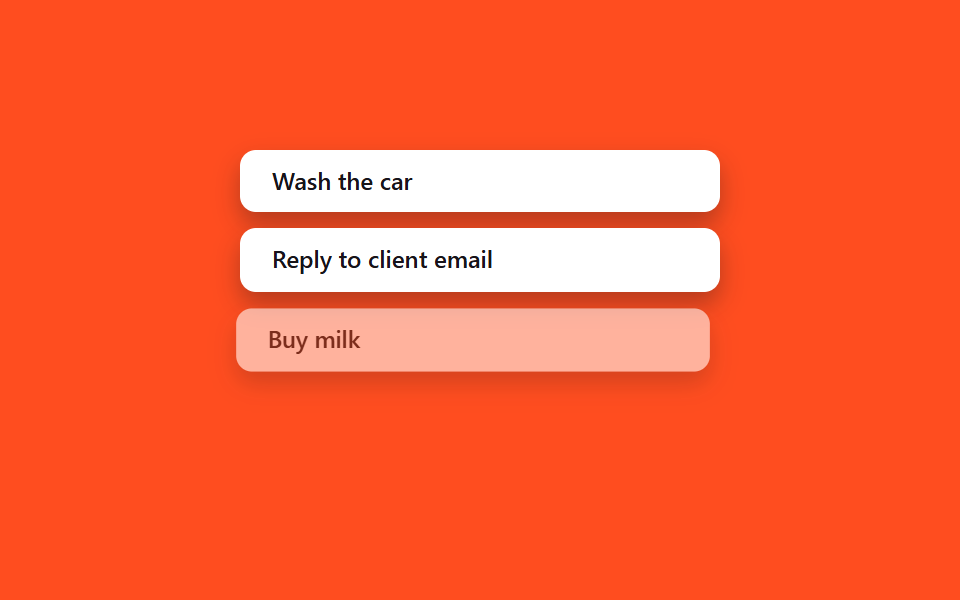
상태 배열에 항목을 추가·삭제하면 새 <li> 는 01번처럼 들어오고, 지워지는 항목은 02번과 같은 exit 클래스 패턴을 한 번 더 써서 애니메이션 라이브러리 없이도 순서가 맞습니다.
<main class="stage">
  <ul class="la-list is-demo">
    <li class="la-item">Wash the car</li>
    <li class="la-item">Reply to client email</li>
    <li class="la-item la-item--leave">Buy milk</li>
    <li class="la-item la-item--enter">Book flight tickets</li>
  </ul>
</main>
@use "../../../../site/static/demo-tokens" as *;
// ── 변수 3개 ──────────────────────────────────────────
$duration: $dur-base;
$easing: $ease-spring;
$color: $subject-ink;
@include stage($stage-orange);
.la-list {
width: min(240px, 76vw);
margin: 0;
padding: 0;
list-style: none;
display: flex;
flex-direction: column;
gap: $sp-2;
}
.la-item {
box-sizing: border-box;
padding: $sp-2 $sp-4;
border-radius: $r-sm;
background: $stage-paper;
color: $color;
font: 600 12px/1.3 -apple-system, "Segoe UI", sans-serif;
box-shadow: $shadow-press;
white-space: nowrap;
overflow: hidden;
text-overflow: ellipsis;
}
// 실사용 원리: 배열에서 항목을 지우면 새 <li> 는 @starting-style 로 들어오고,
// 지워지는 항목은 02번 exit 패턴처럼 클래스가 먼저 붙은 뒤 실제로 제거된다.
// 여기서는 둘 다 transform·opacity 로만 움직여 레이아웃 재계산을 피한다.
@keyframes la-leave {
0%, 40% { opacity: 1; transform: none; }
55% { opacity: 0; transform: translateX(-8px) scale(.97); }
100% { opacity: 0; transform: translateX(-8px) scale(.97); }
}
@keyframes la-enter {
0%, 55% { opacity: 0; transform: translateX(8px) scale(.97); }
85%, 100% { opacity: 1; transform: none; }
}
.la-list.is-demo .la-item--leave { animation: la-leave $dur-loop $easing infinite; }
.la-list.is-demo .la-item--enter { animation: la-enter $dur-loop $easing infinite; }
@media (prefers-reduced-motion: reduce) {
.la-list.is-demo .la-item--leave,
.la-list.is-demo .la-item--enter { animation: none !important; opacity: 1; transform: none; }
}html, body {
margin: 0;
overflow: hidden;
}
.stage {
box-sizing: border-box;
min-height: 100vh;
display: grid;
place-items: center;
margin: 0;
background: #ff4d1f;
font-family: -apple-system, "Segoe UI", "Noto Sans KR", sans-serif;
padding: clamp(8px, 4vw, 24px);
}
.la-list {
width: min(240px, 76vw);
margin: 0;
padding: 0;
list-style: none;
display: flex;
flex-direction: column;
gap: 8px;
}
.la-item {
box-sizing: border-box;
padding: 8px 16px;
border-radius: 8px;
background: #ffffff;
color: #17141a;
font: 600 12px/1.3 -apple-system, "Segoe UI", sans-serif;
box-shadow: 0 6px 12px rgba(23, 20, 26, 0.32);
white-space: nowrap;
overflow: hidden;
text-overflow: ellipsis;
}
@keyframes la-leave {
0%, 40% {
opacity: 1;
transform: none;
}
55% {
opacity: 0;
transform: translateX(-8px) scale(0.97);
}
100% {
opacity: 0;
transform: translateX(-8px) scale(0.97);
}
}
@keyframes la-enter {
0%, 55% {
opacity: 0;
transform: translateX(8px) scale(0.97);
}
85%, 100% {
opacity: 1;
transform: none;
}
}
.la-list.is-demo .la-item--leave {
animation: la-leave 2s cubic-bezier(0.2, 0.8, 0.2, 1) infinite;
}
.la-list.is-demo .la-item--enter {
animation: la-enter 2s cubic-bezier(0.2, 0.8, 0.2, 1) infinite;
}
@media (prefers-reduced-motion: reduce) {
.la-list.is-demo .la-item--leave,
.la-list.is-demo .la-item--enter {
animation: none !important;
opacity: 1;
transform: none;
}
}import { CSSProperties, useState } from "react";
import styles from "./ListAddRemove.module.scss";
interface Task {
id: number;
label: string;
leaving?: boolean;
}
let nextId = 3;
export interface ListAddRemoveProps {
duration?: string;
easing?: string;
}
export default function ListAddRemove({
duration = "300ms",
easing = "cubic-bezier(.2, .8, .2, 1)",
}: ListAddRemoveProps) {
const [items, setItems] = useState<Task[]>([
{ id: 1, label: "Wash the car" },
{ id: 2, label: "Reply to client email" },
]);
const add = () => {
const id = nextId++;
setItems((list) => [...list, { id, label: "Book flight tickets" }]);
};
const startRemove = (id: number) => {
// Mark it leaving first (drives the CSS exit transition, styles.leaving below).
// The item keeps rendering — with opacity heading to 0 — until its own
// onTransitionEnd fires, which is when it actually leaves the array.
setItems((list) => list.map((it) => (it.id === id ? { ...it, leaving: true } : it)));
};
const finishRemove = (id: number) => {
setItems((list) => list.filter((it) => it.id !== id));
};
const style: CSSProperties & { "--duration"?: string; "--easing"?: string } = {
"--duration": duration,
"--easing": easing,
};
return (
<div className={styles.wrap} style={style}>
<ul className={styles.list}>
{items.map((it) => (
  <li
    key={it.id}
    className={`${styles.item} ${it.leaving ? styles.leaving : styles.entering}`}
    onTransitionEnd={() => it.leaving && finishRemove(it.id)}
  >
    {it.label}
    <button className={styles.remove} onClick={() => startRemove(it.id)}>×</button>
  </li>
))}
</ul>
<button className={styles.add} onClick={add}>+ Add task</button>
</div>
);
}03 · 리스트 추가/삭제 애니메이션 — 측정 누적면적 14.355% · 움직인 프레임 10/23GODRICH 원작 · zip 에 SCSS·React 포함 · 비밀번호 보기
코드 읽는 법
할 일 목록이나 장바구니 줄 항목, 알림 스택에 그대로 옮겨 쓸 수 있습니다.
{items.map((it) => (
<li
key={it.id}
className={`${styles.item} ${it.leaving ? styles.leaving : styles.entering}`}
onTransitionEnd={() => it.leaving && finishRemove(it.id)}
>
{it.label}
<button className={styles.remove} onClick={() => startRemove(it.id)}>×</button>
</li>
))}
04클래스 토글 상태 전환
무슨 일이 일어나나
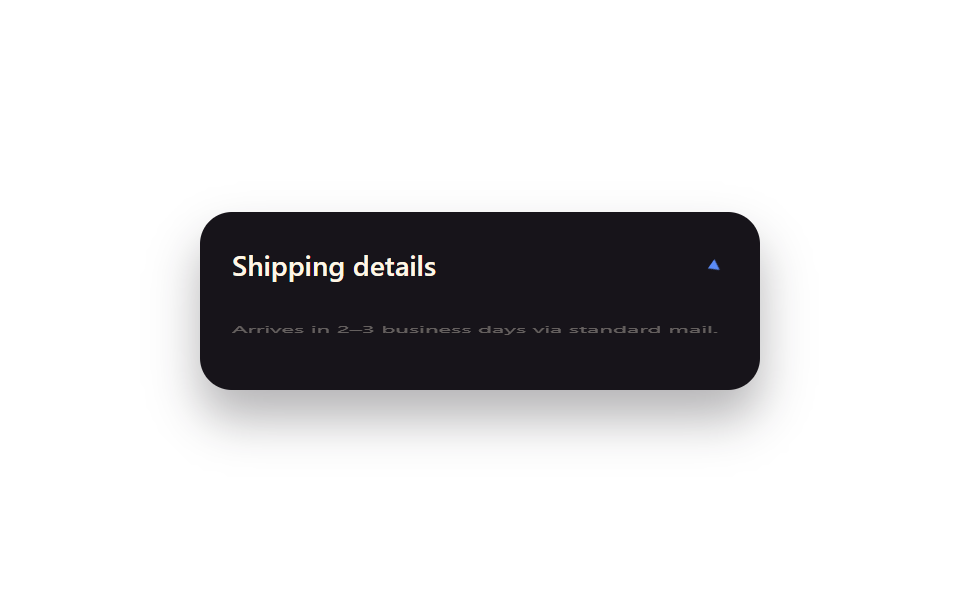
불리언 상태 하나가 클래스 이름 하나로 그대로 매핑되고, 그 사이의 움직임은 전부 CSS transition 이 맡습니다.
<main class="stage">
  <div class="tg-panel is-demo">
    <div class="tg-panel__head">
      <span class="tg-panel__label">Shipping details</span>
      <span class="tg-panel__chevron">▾</span>
    </div>
    <div class="tg-panel__body">Arrives in 2–3 business days via standard mail.</div>
  </div>
</main>
@use "../../../../site/static/demo-tokens" as *;
// ── 변수 3개 ──────────────────────────────────────────
$duration: $dur-base;
$easing: $ease-spring;
$color: $subject-blue-light; // 잉크 면 위 파란 글자 전용 토큰 — $subject-blue 는 4.03:1
@include stage($stage-paper);
.tg-panel {
width: min(280px, 88vw);
box-sizing: border-box;
border-radius: $r-card;
background: $subject-ink;
color: $subject-cream;
box-shadow: $shadow-raised;
overflow: hidden;
font-family: -apple-system, "Segoe UI", sans-serif;
}
.tg-panel__head {
display: flex;
align-items: center;
justify-content: space-between;
padding: $sp-4 $sp-4;
}
.tg-panel__label { font-weight: 600; font-size: 14px; line-height: 1; font-family: inherit; }
.tg-panel__chevron {
display: inline-block;
color: $color;
transition: transform $duration $easing;
}
.tg-panel__body {
padding: 0 $sp-4 $sp-4;
font-weight: 400;
font-size: 12px;
line-height: 1.5;
font-family: inherit;
opacity: .85;
transform-origin: top; // 규칙8: 패널 위변 scaleY 펼침
transition: opacity $duration $easing, transform $duration $easing;
}
// 실사용 원리: isOpen 상태 하나가 className="is-open" 하나로 매핑되고, 사이 움직임은
// 전부 CSS transition 이 맡는다 (React state → class, class → motion).
.tg-panel:not(.is-open) .tg-panel__chevron { transform: rotate(-90deg); }
.tg-panel:not(.is-open) .tg-panel__body { opacity: 0; transform: scaleY(0); }
// 캡처용 루프: 닫힘 → 열림 → 닫힘을 2초에 걸쳐 반복
@keyframes tg-chevron { 0%, 15% { transform: rotate(-90deg); } 45%, 70% { transform: rotate(0deg); } 100% { transform: rotate(-90deg); } }
@keyframes tg-body { 0%, 15% { opacity: 0; transform: scaleY(0); } 45%, 70% { opacity: .85; transform: scaleY(1); } 100% { opacity: 0; transform: scaleY(0); } }
.tg-panel.is-demo .tg-panel__chevron { animation: tg-chevron $dur-loop $easing infinite; }
.tg-panel.is-demo .tg-panel__body { animation: tg-body $dur-loop $easing infinite; }
@media (prefers-reduced-motion: reduce) {
.tg-panel__chevron, .tg-panel__body { transition: none; }
.tg-panel.is-demo .tg-panel__chevron,
.tg-panel.is-demo .tg-panel__body { animation: none !important; opacity: .85; transform: none; }
}html, body {
margin: 0;
overflow: hidden;
}
.stage {
box-sizing: border-box;
min-height: 100vh;
display: grid;
place-items: center;
margin: 0;
background: #ffffff;
font-family: -apple-system, "Segoe UI", "Noto Sans KR", sans-serif;
padding: clamp(8px, 4vw, 24px);
}
.tg-panel {
width: min(280px, 88vw);
box-sizing: border-box;
border-radius: 16px;
background: #17141a;
color: #fff7e6;
box-shadow: 0 14px 24px rgba(23, 20, 26, 0.32);
overflow: hidden;
font-family: -apple-system, "Segoe UI", sans-serif;
}
.tg-panel__head {
display: flex;
align-items: center;
justify-content: space-between;
padding: 16px 16px;
}
.tg-panel__label {
font-weight: 600;
font-size: 14px;
line-height: 1;
font-family: inherit;
}
.tg-panel__chevron {
display: inline-block;
color: #5b8cf8;
transition: transform 300ms cubic-bezier(0.2, 0.8, 0.2, 1);
}
.tg-panel__body {
padding: 0 16px 16px;
font-weight: 400;
font-size: 12px;
line-height: 1.5;
font-family: inherit;
opacity: 0.85;
transform-origin: top;
transition: opacity 300ms cubic-bezier(0.2, 0.8, 0.2, 1), transform 300ms cubic-bezier(0.2, 0.8, 0.2, 1);
}
.tg-panel:not(.is-open) .tg-panel__chevron {
transform: rotate(-90deg);
}
.tg-panel:not(.is-open) .tg-panel__body {
opacity: 0;
transform: scaleY(0);
}
@keyframes tg-chevron {
0%, 15% {
transform: rotate(-90deg);
}
45%, 70% {
transform: rotate(0deg);
}
100% {
transform: rotate(-90deg);
}
}
@keyframes tg-body {
0%, 15% {
opacity: 0;
transform: scaleY(0);
}
45%, 70% {
opacity: 0.85;
transform: scaleY(1);
}
100% {
opacity: 0;
transform: scaleY(0);
}
}
.tg-panel.is-demo .tg-panel__chevron {
animation: tg-chevron 2s cubic-bezier(0.2, 0.8, 0.2, 1) infinite;
}
.tg-panel.is-demo .tg-panel__body {
animation: tg-body 2s cubic-bezier(0.2, 0.8, 0.2, 1) infinite;
}
@media (prefers-reduced-motion: reduce) {
.tg-panel__chevron, .tg-panel__body {
transition: none;
}
.tg-panel.is-demo .tg-panel__chevron,
.tg-panel.is-demo .tg-panel__body {
animation: none !important;
opacity: 0.85;
transform: none;
}
}import { CSSProperties, useState } from "react";
import styles from "./ToggleClassState.module.scss";
export interface ToggleClassStateProps {
duration?: string;
easing?: string;
}
export default function ToggleClassState({
duration = "300ms",
easing = "cubic-bezier(.2, .8, .2, 1)",
}: ToggleClassStateProps) {
// The idiomatic React pattern: one boolean state maps straight onto one className.
// Everything visual in between is CSS's job, not this component's.
const [open, setOpen] = useState(false);
const style: CSSProperties & { "--duration"?: string; "--easing"?: string } = {
"--duration": duration,
"--easing": easing,
};
return (
<div className={`${styles.panel} ${open ? styles.open : ""}`} style={style}>
<button className={styles.head} onClick={() => setOpen((v) => !v)}>
<span className={styles.label}>Shipping details</span>
<span className={styles.chevron}>▾</span>
</button>
<div className={styles.body}>Arrives in 2–3 business days via standard mail.</div>
</div>
);
}04 · 클래스 토글 상태 전환 — 측정 누적면적 1.805% · 움직인 프레임 11/23GODRICH 원작 · zip 에 SCSS·React 포함 · 비밀번호 보기
코드의 요점
"상태는 클래스가 정하고 움직임은 CSS 가 정한다"는 리액트에서 가장 흔한 패턴이라, 펼침·접힘 패널이나 활성 상태 내비게이션에 바로 씁니다.
.tg-panel:not(.is-open) .tg-panel__chevron { transform: rotate(-90deg); }
.tg-panel:not(.is-open) .tg-panel__body { opacity: 0; transform: scaleY(0); }
.tg-panel__body {
  transform-origin: top;
  transition: opacity $duration $easing, transform $duration $easing;
}
05key 로 애니메이션 재트리거
화면에서 벌어지는 일
key prop 값을 바꾸면 리액트가 그 컴포넌트를 통째로 언마운트하고 새 인스턴스로 다시 마운트해서, 마운트 때 한 번만 도는 등장 애니메이션을 원할 때마다 재생시킬 수 있습니다.
<main class="stage">
  <div class="kr-wrap">
    <span class="kr-label">Score</span>
    <span class="kr-badge is-demo">+120</span>
  </div>
</main>
@use "../../../../site/static/demo-tokens" as *;
// ── 변수 3개 ──────────────────────────────────────────
$duration: 640ms;
$easing: $ease-pop;
$color: $subject-blue;
@include stage($stage-ink);
.kr-wrap {
display: flex;
flex-direction: column;
align-items: center;
gap: $sp-3;
font-family: -apple-system, "Segoe UI", sans-serif;
color: $subject-cream;
}
.kr-label { font-weight: 500; font-size: 13px; line-height: 1; font-family: inherit; opacity: .7; letter-spacing: .04em; text-transform: uppercase; }
.kr-badge {
padding: $sp-3 $sp-6;
border-radius: $r-pill;
background: $color;
color: $subject-cream;
font-weight: 800;
font-size: 22px;
line-height: 1;
font-family: inherit;
box-shadow: $shadow-raised;
}
// 실사용 원리: key prop 을 바꾸면 리액트가 이 배지를 통째로 언마운트하고 새 인스턴스로
// 다시 마운트한다 — "마운트 때 한 번만" 재생되는 팝 애니메이션이 매번 처음부터 다시 돈다.
// 캡처용 루프: 2초 중 앞부분에 팝 → 나머지는 정지 상태로 유지 (재트리거를 기다리는 느낌)
@keyframes kr-pop {
0% { opacity: 0; transform: scale(.4); }
28% { opacity: 1; transform: scale(1.14); }
38% { opacity: 1; transform: scale(.96); }
48%, 100% { opacity: 1; transform: scale(1); }
}
.kr-badge.is-demo { animation: kr-pop $dur-loop $easing infinite; }
@media (prefers-reduced-motion: reduce) {
.kr-badge.is-demo { animation: none !important; opacity: 1; transform: none; }
}html, body {
margin: 0;
overflow: hidden;
}
.stage {
box-sizing: border-box;
min-height: 100vh;
display: grid;
place-items: center;
margin: 0;
background: #17141a;
font-family: -apple-system, "Segoe UI", "Noto Sans KR", sans-serif;
padding: clamp(8px, 4vw, 24px);
}
.kr-wrap {
display: flex;
flex-direction: column;
align-items: center;
gap: 12px;
font-family: -apple-system, "Segoe UI", sans-serif;
color: #fff7e6;
}
.kr-label {
font-weight: 500;
font-size: 13px;
line-height: 1;
font-family: inherit;
opacity: 0.7;
letter-spacing: 0.04em;
text-transform: uppercase;
}
.kr-badge {
padding: 12px 24px;
border-radius: 999px;
background: #2f6df6;
color: #fff7e6;
font-weight: 800;
font-size: 22px;
line-height: 1;
font-family: inherit;
box-shadow: 0 14px 24px rgba(23, 20, 26, 0.32);
}
@keyframes kr-pop {
0% {
opacity: 0;
transform: scale(0.4);
}
28% {
opacity: 1;
transform: scale(1.14);
}
38% {
opacity: 1;
transform: scale(0.96);
}
48%, 100% {
opacity: 1;
transform: scale(1);
}
}
.kr-badge.is-demo {
animation: kr-pop 2s cubic-bezier(0.2, 1.4, 0.4, 1) infinite;
}
@media (prefers-reduced-motion: reduce) {
.kr-badge.is-demo {
animation: none !important;
opacity: 1;
transform: none;
}
}import { CSSProperties, useState } from "react";
import styles from "./KeyRetrigger.module.scss";
function Badge({ value }: { value: number; key?: number }) {
// The key on this element (set by the caller below) forces React to unmount and
// remount it on every change, so the pop-in @keyframes — which only plays once per
// mount — replays from scratch each time the score bumps.
return <span className={styles.badge}>+{value}</span>;
}
export interface KeyRetriggerProps {
duration?: string;
easing?: string;
}
export default function KeyRetrigger({
duration = "640ms",
easing = "cubic-bezier(.2, 1.4, .4, 1)",
}: KeyRetriggerProps) {
const [score, setScore] = useState(120);
const style: CSSProperties & { "--duration"?: string; "--easing"?: string } = {
"--duration": duration,
"--easing": easing,
};
return (
<div className={styles.wrap} style={style}>
<span className={styles.label}>Score</span>
<Badge key={score} value={score} />
<button className={styles.btn} onClick={() => setScore((s) => s + 10)}>+10</button>
</div>
);
}05 · key로 애니메이션 재트리거 — 측정 누적면적 4.161% · 움직인 프레임 10/23GODRICH 원작 · zip 에 SCSS·React 포함 · 비밀번호 보기
동작 원리
정답 확인 흔들림을 다시 보여주거나, 점수가 바뀔 때마다 축하 효과를 다시 터뜨리고 싶을 때 씁니다.
function Badge({ value }: { value: number; key?: number }) {
  // key 가 바뀔 때마다 리액트가 이 요소를 언마운트·재마운트해,
  // 마운트 1회성인 pop 키프레임이 매번 처음부터 다시 재생된다.
  return <span className={styles.badge}>+{value}</span>;
}
// 호출부: <Badge key={score} value={score} />
06CSS Modules+SCSS 세팅
어떻게 보이나
이 글의 react/ 폴더 9개가 공통으로 기대는 실제 빌드 설정을 보여주는 항목으로, *.module.scss 파일이 styles.foo 같은 로컬 스코프 클래스명으로 컴파일돼 전역 충돌 없이 컴포넌트마다 스타일이 갇힙니다.
<main class="stage">
  <div class="cm-term is-demo">
    <div class="cm-term__bar"><span></span><span></span><span></span></div>
    <div class="cm-term__line cm-term__line--1">Card.module.scss</div>
    <div class="cm-term__line cm-term__line--2">→ styles.card_a3f9k1</div>
    <div class="cm-term__line cm-term__line--3">→ styles.title_p02qz8</div>
  </div>
</main>
@use "../../../../site/static/demo-tokens" as *;
// ── 변수 3개 ──────────────────────────────────────────
$duration: $dur-quick;
$easing: $ease-out;
$color: $subject-blue;
@include stage($stage-yellow);
.cm-term {
width: min(300px, 90vw);
box-sizing: border-box;
padding: $sp-4;
border-radius: $r-card;
background: $subject-ink;
box-shadow: $shadow-raised;
font: 500 12px/1.6 "SFMono-Regular", Consolas, monospace;
color: $subject-cream;
}
.cm-term__bar {
display: flex;
gap: $sp-1;
margin-bottom: $sp-3;
span {
width: $sp-2; height: $sp-2; border-radius: $r-pill;
background: rgba(255, 255, 255, .25);
}
}
.cm-term__line {
opacity: 0;
transform: translateY(4px);
}
.cm-term__line--2 { color: $color; }
.cm-term__line--3 { color: $color; }
// 실사용 원리: *.module.scss 는 빌드 시 클래스명을 styles.foo → foo_a3f9k1 같은
// 지역 스코프 해시로 바꿔 컴파일한다. 여기서는 그 컴파일 로그가 한 줄씩 찍히는 걸 보여준다.
@keyframes cm-line {
0%, 8% { opacity: 0; transform: translateY(4px); }
20%, 92% { opacity: 1; transform: none; }
100% { opacity: 0; transform: translateY(4px); }
}
.cm-term.is-demo .cm-term__line--1 { animation: cm-line $dur-loop $easing infinite; animation-delay: 0ms; }
.cm-term.is-demo .cm-term__line--2 { animation: cm-line $dur-loop $easing infinite; animation-delay: 220ms; }
.cm-term.is-demo .cm-term__line--3 { animation: cm-line $dur-loop $easing infinite; animation-delay: 440ms; }
@media (prefers-reduced-motion: reduce) {
.cm-term.is-demo .cm-term__line { animation: none !important; opacity: 1; transform: none; }
}html, body {
margin: 0;
overflow: hidden;
}
.stage {
box-sizing: border-box;
min-height: 100vh;
display: grid;
place-items: center;
margin: 0;
background: #ffd23f;
font-family: -apple-system, "Segoe UI", "Noto Sans KR", sans-serif;
padding: clamp(8px, 4vw, 24px);
}
.cm-term {
width: min(300px, 90vw);
box-sizing: border-box;
padding: 16px;
border-radius: 16px;
background: #17141a;
box-shadow: 0 14px 24px rgba(23, 20, 26, 0.32);
font: 500 12px/1.6 "SFMono-Regular", Consolas, monospace;
color: #fff7e6;
}
.cm-term__bar {
display: flex;
gap: 4px;
margin-bottom: 12px;
}
.cm-term__bar span {
width: 8px;
height: 8px;
border-radius: 999px;
background: rgba(255, 255, 255, 0.25);
}
.cm-term__line {
opacity: 0;
transform: translateY(4px);
}
.cm-term__line--2 {
color: #2f6df6;
}
.cm-term__line--3 {
color: #2f6df6;
}
@keyframes cm-line {
0%, 8% {
opacity: 0;
transform: translateY(4px);
}
20%, 92% {
opacity: 1;
transform: none;
}
100% {
opacity: 0;
transform: translateY(4px);
}
}
.cm-term.is-demo .cm-term__line--1 {
animation: cm-line 2s ease-out infinite;
animation-delay: 0ms;
}
.cm-term.is-demo .cm-term__line--2 {
animation: cm-line 2s ease-out infinite;
animation-delay: 220ms;
}
.cm-term.is-demo .cm-term__line--3 {
animation: cm-line 2s ease-out infinite;
animation-delay: 440ms;
}
@media (prefers-reduced-motion: reduce) {
.cm-term.is-demo .cm-term__line {
animation: none !important;
opacity: 1;
transform: none;
}
}import { CSSProperties } from "react";
import styles from "./CssModulesSetup.module.scss";
export interface CssModulesSetupProps {
duration?: string;
easing?: string;
}
// This item is meta: styles.card and styles.title below aren't hardcoded strings —
// they're exactly what CSS Modules generated from the classnames in
// CssModulesSetup.module.scss at build time (e.g. "card_a3f9k1"). Rendering them is
// literally what this whole post's react/ folder relies on.
export default function CssModulesSetup({
duration = "220ms",
easing = "ease-out",
}: CssModulesSetupProps) {
const style: CSSProperties & { "--duration"?: string; "--easing"?: string } = {
"--duration": duration,
"--easing": easing,
};
return (
<div className={styles.term} style={style}>
<div className={styles.bar}><span /><span /><span /></div>
<div className={styles.line}>Card.module.scss</div>
<div className={styles.accent}>styles.card → "{styles.card}"</div>
<div className={styles.accent}>styles.title → "{styles.title}"</div>
</div>
);
}06 · CSS Modules+SCSS 세팅 — 측정 누적면적 1.792% · 움직인 프레임 9/23GODRICH 원작 · zip 에 SCSS·React 포함 · 비밀번호 보기
만드는 방식
컴포넌트 스코프 SCSS 를 쓰고 싶은 모든 리액트 프로젝트에 해당합니다.
// styles.card · styles.title 은 하드코딩한 문자열이 아니라,
// CssModulesSetup.module.scss 의 클래스명이 빌드 때 실제로 컴파일된 값이다.
<div className={styles.term}>
  <div className={styles.accent}>styles.card → "{styles.card}"</div>
  <div className={styles.accent}>styles.title → "{styles.title}"</div>
</div>
07startViewTransition+상태 갱신
리액트 화면 전환 애니메이션은 어디에 쓰나
document.startViewTransition() 이 리액트 상태 갱신을 감싸면, 브라우저가 바뀌기 전·후 DOM 스냅샷을 자동으로 크로스페이드해줘서 바뀐 요소마다 애니메이션을 손으로 걸지 않아도 됩니다.
<main class="stage">
  <div class="vt-frame is-demo">
    <div class="vt-layer vt-layer--a">
      <span class="vt-chip">List view</span>
    </div>
    <div class="vt-layer vt-layer--b">
      <span class="vt-chip">Grid view</span>
    </div>
  </div>
</main>
@use "../../../../site/static/demo-tokens" as *;
// ── 변수 3개 ──────────────────────────────────────────
$duration: $dur-enter;
$easing: $ease-spring;
$color: $subject-blue;
@include stage($stage-orange);
.vt-frame {
position: relative;
width: min(260px, 84vw);
aspect-ratio: 260 / 170;
border-radius: $r-card;
overflow: hidden;
box-shadow: $shadow-raised;
}
.vt-layer {
position: absolute;
inset: 0;
display: grid;
place-items: center;
color: $subject-cream;
}
.vt-layer--a { background: linear-gradient(160deg, $subject-ink, rgba(23, 20, 26, .8)); }
.vt-layer--b { background: linear-gradient(160deg, $color, rgba(23, 20, 26, .85)); }
.vt-chip {
padding: $sp-2 $sp-4;
border-radius: $r-pill;
background: rgba(255, 255, 255, .16);
font: 700 13px/1 -apple-system, "Segoe UI", sans-serif;
}
// 실사용 원리: document.startViewTransition() 이 flushSync 로 감싼 상태 갱신을 가로채,
// 바뀌기 전·후 DOM 스냅샷을 브라우저가 자동으로 크로스페이드한다.
.vt-layer--b { opacity: 0; }
// 캡처용 루프: list view ↔ grid view 를 2초 주기로 크로스페이드
@keyframes vt-cross-out { 0%, 20% { opacity: 1; } 80%, 100% { opacity: 0; } }
@keyframes vt-cross-in { 0%, 20% { opacity: 0; } 80%, 100% { opacity: 1; } }
.vt-frame.is-demo .vt-layer--a { animation: vt-cross-out $dur-loop $easing infinite; }
.vt-frame.is-demo .vt-layer--b { animation: vt-cross-in $dur-loop $easing infinite; }
@media (prefers-reduced-motion: reduce) {
.vt-frame.is-demo .vt-layer--a,
.vt-frame.is-demo .vt-layer--b { animation: none !important; }
.vt-layer--a { opacity: 1; }
.vt-layer--b { opacity: 0; }
}html, body {
margin: 0;
overflow: hidden;
}
.stage {
box-sizing: border-box;
min-height: 100vh;
display: grid;
place-items: center;
margin: 0;
background: #ff4d1f;
font-family: -apple-system, "Segoe UI", "Noto Sans KR", sans-serif;
padding: clamp(8px, 4vw, 24px);
}
.vt-frame {
position: relative;
width: min(260px, 84vw);
aspect-ratio: 260/170;
border-radius: 16px;
overflow: hidden;
box-shadow: 0 14px 24px rgba(23, 20, 26, 0.32);
}
.vt-layer {
position: absolute;
inset: 0;
display: grid;
place-items: center;
color: #fff7e6;
}
.vt-layer--a {
background: linear-gradient(160deg, #17141a, rgba(23, 20, 26, 0.8));
}
.vt-layer--b {
background: linear-gradient(160deg, #2f6df6, rgba(23, 20, 26, 0.85));
}
.vt-chip {
padding: 8px 16px;
border-radius: 999px;
background: rgba(255, 255, 255, 0.16);
font: 700 13px/1 -apple-system, "Segoe UI", sans-serif;
}
.vt-layer--b {
opacity: 0;
}
@keyframes vt-cross-out {
0%, 20% {
opacity: 1;
}
80%, 100% {
opacity: 0;
}
}
@keyframes vt-cross-in {
0%, 20% {
opacity: 0;
}
80%, 100% {
opacity: 1;
}
}
.vt-frame.is-demo .vt-layer--a {
animation: vt-cross-out 2s cubic-bezier(0.2, 0.8, 0.2, 1) infinite;
}
.vt-frame.is-demo .vt-layer--b {
animation: vt-cross-in 2s cubic-bezier(0.2, 0.8, 0.2, 1) infinite;
}
@media (prefers-reduced-motion: reduce) {
.vt-frame.is-demo .vt-layer--a,
.vt-frame.is-demo .vt-layer--b {
animation: none !important;
}
.vt-layer--a {
opacity: 1;
}
.vt-layer--b {
opacity: 0;
}
}import { CSSProperties, useState } from "react";
import { flushSync } from "react-dom";
import styles from "./ViewTransitionReactState.module.scss";
type DocWithViewTransition = Document & {
startViewTransition?: (callback: () => void) => void;
};
export interface ViewTransitionReactStateProps {
duration?: string;
easing?: string;
}
export default function ViewTransitionReactState({
duration = "600ms",
easing = "cubic-bezier(.2, .8, .2, 1)",
}: ViewTransitionReactStateProps) {
const [mode, setMode] = useState<"list" | "grid">("list");
const toggle = () => {
const doc = document as DocWithViewTransition;
const next = mode === "list" ? "grid" : "list";
if (doc.startViewTransition) {
// startViewTransition needs the "after" DOM already painted by the time its
// callback returns — flushSync forces that React commit synchronously instead
// of letting React 18's automatic batching defer it past the snapshot.
doc.startViewTransition(() => flushSync(() => setMode(next)));
} else {
setMode(next);
}
};
const style: CSSProperties & { "--duration"?: string; "--easing"?: string } = {
"--duration": duration,
"--easing": easing,
};
return (
<button className={styles.frame} style={style} onClick={toggle}>
<span className={styles.chip}>{mode === "list" ? "List view" : "Grid view"}</span>
</button>
);
}07 · startViewTransition+상태 갱신 — 측정 누적면적 30.558% · 움직인 프레임 6/23GODRICH 원작 · zip 에 SCSS·React 포함 · 비밀번호 보기
왜 이렇게 만들었나
단, 콜백 안에서 setState 만 하면 리액트 18의 자동 배칭이 커밋을 늦춰버리기 때문에 flushSync 로 그 갱신을 동기적으로 강제해야 스냅샷 타이밍이 맞습니다.
const toggle = () => {
  const doc = document as DocWithViewTransition;
  const next = mode === "list" ? "grid" : "list";
  if (doc.startViewTransition) {
    doc.startViewTransition(() => flushSync(() => setMode(next)));
  } else {
    setMode(next);
  }
};
08Suspense 스켈레톤 교체
어떤 화면인가
React.Suspense 의 fallback 자리에 CSS 셰머 스켈레톤을 넣어두면, 지연 로드된 컴포넌트가 준비됐을 때 fallback 은 빠지고 실제 콘텐츠가 같은 자리에서 페이드로 들어와 화면이 툭 튀지 않습니다.
<main class="stage">
  <div class="sk-card is-demo">
    <div class="sk-skeleton">
      <span class="sk-bar sk-bar--title"></span>
      <span class="sk-bar sk-bar--line"></span>
      <span class="sk-bar sk-bar--line short"></span>
    </div>
    <div class="sk-content">
      <span class="sk-content__title">Widget loaded</span>
      <span class="sk-content__line">Lazy-loaded with React.lazy + Suspense</span>
    </div>
  </div>
</main>
@use "../../../../site/static/demo-tokens" as *;
// ── 변수 3개 ──────────────────────────────────────────
$duration: $dur-enter;
$easing: $ease-out;
$color: $subject-blue;
@include stage($stage-paper);
.sk-card {
position: relative;
width: min(260px, 84vw);
height: 140px;
box-sizing: border-box;
padding: $sp-5;
border-radius: $r-card;
background: $subject-ink;
box-shadow: $shadow-raised;
overflow: hidden;
}
.sk-skeleton, .sk-content {
position: absolute;
inset: $sp-5;
display: flex;
flex-direction: column;
gap: $sp-3;
}
.sk-bar {
height: $sp-3;
border-radius: $r-xs;
background: linear-gradient(90deg, rgba(255, 255, 255, .1) 25%, rgba(255, 255, 255, .24) 50%, rgba(255, 255, 255, .1) 75%);
background-size: 200% 100%;
animation: sk-shimmer 1.1s linear infinite;
}
.sk-bar--title { width: 60%; height: $sp-4; }
.sk-bar--line.short { width: 40%; }
@keyframes sk-shimmer { 0% { background-position: 200% 0; } 100% { background-position: -200% 0; } }
.sk-content { justify-content: center; color: $subject-cream; font-family: -apple-system, "Segoe UI", sans-serif; }
.sk-content__title { font-weight: 700; font-size: 15px; line-height: 1.3; font-family: inherit; }
.sk-content__line { font-weight: 400; font-size: 12px; line-height: 1.5; font-family: inherit; color: $color; }
// 실사용 원리: React.Suspense 의 fallback 자리를 CSS 셰머로 채워두고, 지연 로드된
// 컴포넌트가 준비되면 fallback 은 빠지고 실제 콘텐츠가 같은 자리에서 페이드로 들어온다.
.sk-content { opacity: 0; }
// 캡처용 루프: 스켈레톤(0~55%) → 콘텐츠(65~100%) 크로스페이드
@keyframes sk-out { 0%, 30% { opacity: 1; } 75%, 100% { opacity: 0; } }
@keyframes sk-in { 0%, 30% { opacity: 0; } 75%, 100% { opacity: 1; } }
.sk-card.is-demo .sk-skeleton { animation: sk-out $dur-loop $easing infinite; }
.sk-card.is-demo .sk-content { animation: sk-in $dur-loop $easing infinite; }
@media (prefers-reduced-motion: reduce) {
.sk-bar { animation: none !important; }
.sk-card.is-demo .sk-skeleton,
.sk-card.is-demo .sk-content { animation: none !important; }
.sk-skeleton { opacity: 0; }
.sk-content { opacity: 1; }
}html, body {
margin: 0;
overflow: hidden;
}
.stage {
box-sizing: border-box;
min-height: 100vh;
display: grid;
place-items: center;
margin: 0;
background: #ffffff;
font-family: -apple-system, "Segoe UI", "Noto Sans KR", sans-serif;
padding: clamp(8px, 4vw, 24px);
}
.sk-card {
position: relative;
width: min(260px, 84vw);
height: 140px;
box-sizing: border-box;
padding: 20px;
border-radius: 16px;
background: #17141a;
box-shadow: 0 14px 24px rgba(23, 20, 26, 0.32);
overflow: hidden;
}
.sk-skeleton, .sk-content {
position: absolute;
inset: 20px;
display: flex;
flex-direction: column;
gap: 12px;
}
.sk-bar {
height: 12px;
border-radius: 4px;
background: linear-gradient(90deg, rgba(255, 255, 255, 0.1) 25%, rgba(255, 255, 255, 0.24) 50%, rgba(255, 255, 255, 0.1) 75%);
background-size: 200% 100%;
animation: sk-shimmer 1.1s linear infinite;
}
.sk-bar--title {
width: 60%;
height: 16px;
}
.sk-bar--line.short {
width: 40%;
}
@keyframes sk-shimmer {
0% {
background-position: 200% 0;
}
100% {
background-position: -200% 0;
}
}
.sk-content {
justify-content: center;
color: #fff7e6;
font-family: -apple-system, "Segoe UI", sans-serif;
}
.sk-content__title {
font-weight: 700;
font-size: 15px;
line-height: 1.3;
font-family: inherit;
}
.sk-content__line {
font-weight: 400;
font-size: 12px;
line-height: 1.5;
font-family: inherit;
color: #2f6df6;
}
.sk-content {
opacity: 0;
}
@keyframes sk-out {
0%, 30% {
opacity: 1;
}
75%, 100% {
opacity: 0;
}
}
@keyframes sk-in {
0%, 30% {
opacity: 0;
}
75%, 100% {
opacity: 1;
}
}
.sk-card.is-demo .sk-skeleton {
animation: sk-out 2s ease-out infinite;
}
.sk-card.is-demo .sk-content {
animation: sk-in 2s ease-out infinite;
}
@media (prefers-reduced-motion: reduce) {
.sk-bar {
animation: none !important;
}
.sk-card.is-demo .sk-skeleton,
.sk-card.is-demo .sk-content {
animation: none !important;
}
.sk-skeleton {
opacity: 0;
}
.sk-content {
opacity: 1;
}
}import React, { CSSProperties } from "react";
import styles from "./SuspenseSkeletonSwap.module.scss";
function Skeleton() {
return (
<div className={styles.skeleton}>
<span className={`${styles.bar} ${styles.title}`} />
<span className={styles.bar} />
<span className={`${styles.bar} ${styles.short}`} />
</div>
);
}
// React.lazy simulates a code-split widget — in a real app this import() would be a
// separate chunk fetched over the network, which is exactly what Suspense's fallback
// (the shimmer skeleton above) is there to cover while it loads.
const Widget = React.lazy(
() =>
new Promise<{ default: () => any }>((resolve) => {
setTimeout(() => {
resolve({
default: () => (
<div className={styles.content}>
<span className={styles.contentTitle}>Widget loaded</span>
<span className={styles.contentLine}>Lazy-loaded with React.lazy + Suspense</span>
</div>
),
});
}, 900);
})
);
export interface SuspenseSkeletonSwapProps {
duration?: string;
easing?: string;
}
export default function SuspenseSkeletonSwap({
duration = "600ms",
easing = "ease-out",
}: SuspenseSkeletonSwapProps) {
const style: CSSProperties & { "--duration"?: string; "--easing"?: string } = {
"--duration": duration,
"--easing": easing,
};
return (
<div className={styles.card} style={style}>
<React.Suspense fallback={<Skeleton />}>
<Widget />
</React.Suspense>
</div>
);
}08 · Suspense 스켈레톤 교체 — 측정 누적면적 4.592% · 움직인 프레임 15/23GODRICH 원작 · zip 에 SCSS·React 포함 · 비밀번호 보기
구현의 핵심
코드 스플릿된 라우트 콘텐츠나 지연 로드되는 대시보드 위젯에 잘 맞습니다.
.sk-bar {
  background: linear-gradient(90deg, rgba(255,255,255,.1) 25%, rgba(255,255,255,.24) 50%, rgba(255,255,255,.1) 75%);
  background-size: 200% 100%;
  animation: sk-shimmer 1.1s linear infinite;
}
@keyframes sk-shimmer { 0% { background-position: 200% 0; } 100% { background-position: -200% 0; } }
09라우트 전환 애니메이션
무엇이 움직이나
URL 파라미터를 컴포넌트의 key 로 그대로 쓰거나 라우트 전환을 startViewTransition 으로 감싸면, 나가는 페이지와 들어오는 페이지가 순간 전환 대신 CSS 트랜지션으로 이어집니다.
<main class="stage">
  <div class="rt-frame is-demo">
    <div class="rt-page rt-page--out">
      <span class="rt-page__label">/ home</span>
    </div>
    <div class="rt-page rt-page--in">
      <span class="rt-page__label">/ pricing</span>
    </div>
  </div>
</main>
@use "../../../../site/static/demo-tokens" as *;
// ── 변수 3개 ──────────────────────────────────────────
$duration: $dur-base;
$easing: $ease-spring;
$color: $subject-blue;
@include stage($stage-ink);
.rt-frame {
position: relative;
width: min(280px, 88vw);
aspect-ratio: 280 / 160;
border-radius: $r-card;
overflow: hidden;
box-shadow: $shadow-raised;
}
.rt-page {
position: absolute;
inset: 0;
display: grid;
place-items: center;
}
.rt-page--out { background: linear-gradient(160deg, rgba(255, 255, 255, .12), rgba(255, 255, 255, .02)); }
.rt-page--in { background: linear-gradient(160deg, $color, rgba(23, 20, 26, .9)); }
.rt-page__label {
padding: $sp-2 $sp-5;
border-radius: $r-pill;
background: rgba(0, 0, 0, .28);
color: $subject-cream;
font: 700 13px/1 "SFMono-Regular", Consolas, monospace;
}
// 실사용 원리: URL 파라미터를 컴포넌트의 key 로 쓰거나 라우트 전환을 startViewTransition 으로
// 감싸면, 나가는 페이지와 들어오는 페이지가 순간 전환 대신 CSS 트랜지션으로 이어진다.
.rt-page--in { transform: translateX(100%); }
// 캡처용 루프: home 이 왼쪽으로 나가고 pricing 이 오른쪽에서 들어오는 전환을 2초 주기로 반복
@keyframes rt-out { 0%, 15% { transform: none; } 75%, 100% { transform: translateX(-100%); } }
@keyframes rt-in { 0%, 15% { transform: translateX(100%); } 75%, 100% { transform: none; } }
.rt-frame.is-demo .rt-page--out { animation: rt-out $dur-loop $easing infinite; }
.rt-frame.is-demo .rt-page--in { animation: rt-in $dur-loop $easing infinite; }
@media (prefers-reduced-motion: reduce) {
.rt-frame.is-demo .rt-page--out,
.rt-frame.is-demo .rt-page--in { animation: none !important; }
.rt-page--out { transform: none; }
.rt-page--in { transform: translateX(100%); }
}html, body {
margin: 0;
overflow: hidden;
}
.stage {
box-sizing: border-box;
min-height: 100vh;
display: grid;
place-items: center;
margin: 0;
background: #17141a;
font-family: -apple-system, "Segoe UI", "Noto Sans KR", sans-serif;
padding: clamp(8px, 4vw, 24px);
}
.rt-frame {
position: relative;
width: min(280px, 88vw);
aspect-ratio: 280/160;
border-radius: 16px;
overflow: hidden;
box-shadow: 0 14px 24px rgba(23, 20, 26, 0.32);
}
.rt-page {
position: absolute;
inset: 0;
display: grid;
place-items: center;
}
.rt-page--out {
background: linear-gradient(160deg, rgba(255, 255, 255, 0.12), rgba(255, 255, 255, 0.02));
}
.rt-page--in {
background: linear-gradient(160deg, #2f6df6, rgba(23, 20, 26, 0.9));
}
.rt-page__label {
padding: 8px 20px;
border-radius: 999px;
background: rgba(0, 0, 0, 0.28);
color: #fff7e6;
font: 700 13px/1 "SFMono-Regular", Consolas, monospace;
}
.rt-page--in {
transform: translateX(100%);
}
@keyframes rt-out {
0%, 15% {
transform: none;
}
75%, 100% {
transform: translateX(-100%);
}
}
@keyframes rt-in {
0%, 15% {
transform: translateX(100%);
}
75%, 100% {
transform: none;
}
}
.rt-frame.is-demo .rt-page--out {
animation: rt-out 2s cubic-bezier(0.2, 0.8, 0.2, 1) infinite;
}
.rt-frame.is-demo .rt-page--in {
animation: rt-in 2s cubic-bezier(0.2, 0.8, 0.2, 1) infinite;
}
@media (prefers-reduced-motion: reduce) {
.rt-frame.is-demo .rt-page--out,
.rt-frame.is-demo .rt-page--in {
animation: none !important;
}
.rt-page--out {
transform: none;
}
.rt-page--in {
transform: translateX(100%);
}
}import { CSSProperties, useState } from "react";
import styles from "./RouteTransition.module.scss";
const ROUTES = ["/ home", "/ pricing"];
function Page({ label }: { label: string; key?: string }) {
// key={label} on the caller side makes each route its own component instance —
// switching the key unmounts the outgoing page and mounts the incoming one,
// instead of patching one page's content in place.
return (
<div className={styles.page}>
<span className={styles.label}>{label}</span>
</div>
);
}
export interface RouteTransitionProps {
duration?: string;
easing?: string;
}
export default function RouteTransition({
duration = "300ms",
easing = "cubic-bezier(.2, .8, .2, 1)",
}: RouteTransitionProps) {
const [route, setRoute] = useState(0);
const navigate = () => {
const next = (route + 1) % ROUTES.length;
if (typeof document !== "undefined" && "startViewTransition" in document) {
(document as any).startViewTransition(() => setRoute(next));
} else {
setRoute(next);
}
};
const style: CSSProperties & { "--duration"?: string; "--easing"?: string } = {
"--duration": duration,
"--easing": easing,
};
return (
<button className={styles.frame} style={style} onClick={navigate}>
<Page key={ROUTES[route]} label={ROUTES[route]} />
</button>
);
}09 · 라우트 전환 애니메이션 — 측정 누적면적 30.983% · 움직인 프레임 15/23GODRICH 원작 · zip 에 SCSS·React 포함 · 비밀번호 보기
무엇이 핵심인가
key 를 안 쓰면 리액트가 같은 컴포넌트를 재사용(patch)해버려서 언마운트·마운트 사이클 자체가 생기지 않는다는 점이 이 항목의 핵심입니다.
const navigate = () => {
  const next = (route + 1) % ROUTES.length;
  if (typeof document !== "undefined" && "startViewTransition" in document) {
    (document as any).startViewTransition(() => setRoute(next));
  } else {
    setRoute(next);
  }
};
// <Page key={ROUTES[route]} label={ROUTES[route]} />
어디서 깨지는가 — React 애니메이션의 흔한 함정
무엇이 문제인가
리액트 페이지 전환 애니메이션까지 아홉 개를 실제로 만들면서 가장 많이 본 실패는 08번(Suspense 스켈레톤)이었습니다. 처음 구현에서는 스켈레톤과 콘텐츠를 둘 다 position: absolute 로 겹쳐두고 바깥 카드에 별도 높이를 안 줬더니, 카드 자체가 찌그러진 40px짜리 띠로 렌더됐습니다 — 절대 위치 자식은 부모의 높이 계산에 들어가지 않는다는, CSS 를 다뤄본 사람은 다 아는 함정인데 리액트 컴포넌트로 감싸놓으니 눈에 잘 안 띄었습니다.
어떻게 피하나
리렌더마다 애니메이션이 처음으로 되돌아가는 이 문제는 배경까지 계속 흐르는 오로라 그라디언트 랜딩 부품처럼 끊기면 바로 티가 나는 화면에서 더 아픕니다.
또 하나는 03번(리스트 추가/삭제)에서 320px 폭으로 줄이니 텍스트가 두 줄로 줄바꿈되면서 목록 전체 높이가 뷰포트를 넘어 버리는 문제로, 압축 파일 안 아홉 개를 열 때 쓰는 비밀번호 ndwa6jaf 를 문장 그대로 붙여넣기 전에 항목마다 white-space: nowrap 과 text-overflow: ellipsis 로 한 줄을 강제해야 같은 문제를 겪지 않습니다. key 를 다루는 05·09번도 흔한 함정이 있는데, key 값을 안 바꾸고 내용물만 바꾸면 같은 인스턴스가 그대로 유지돼 마운트 애니메이션이 아예 재생되지 않습니다.
접근성 — 아홉 개가 reduced-motion 에서 남기는 것
reduced-motion 에서 남는 것
아홉 데모 전부 prefers-reduced-motion: reduce 블록에서 무한 루프 애니메이션을 끄고, 최종 상태(마운트면 보임, 접힘이면 접힘, 라우트면 도착 화면)로 바로 고정합니다. 01·02번처럼 트랜지션이 정보 전달의 전부가 아닌 항목은 애니메이션이 없어도 기능이 그대로 남고, 05번(key 재트리거)처럼 "다시 알려주는" 용도인 항목은 reduced-motion 에서도 숫자 자체는 즉시 바뀌므로 정보 손실이 없습니다.
그 밖에 챙길 것
zip 안의 vanilla·react 코드 모두 같은 미디어쿼리를 그대로 담고 있어, 따로 손대지 않아도 접근성 기본값이 따라옵니다.
FAQ
리액트 애니메이션 효과를 내려면 라이브러리를 꼭 써야 하나요?
대부분의 마운트·언마운트·상태 전환은 이 글의 9가지처럼 순수 CSS 와 리액트 훅만으로 됩니다. 타임라인을 세밀하게 조율하거나 드래그 제스처처럼 물리 시뮬레이션이 필요할 때만 라이브러리가 더 유리합니다.
@starting-style 은 어떤 브라우저에서 되나요?
최신 크롬·엣지·오페라는 지원하고 사파리·파이어폭스는 버전에 따라 갈립니다. 지원하지 않는 브라우저에서는 트랜지션 없이 바로 나타날 뿐 레이아웃이 깨지지는 않으니, 프로그레시브 인핸스먼트로 써도 안전합니다.
key prop 을 바꾸면 성능에 문제가 없나요?
key 가 바뀔 때마다 컴포넌트가 통째로 새로 생성되므로, 자주 바뀌는 리스트 전체에 매번 새 key 를 주면 비용이 커집니다. 05번처럼 재생 트리거가 필요한 작은 요소 하나에만 쓰는 걸 권합니다. key 로 상태를 초기화하는 원리는 리액트 공식 문서를, 클래스 하나로 상태를 바꾸는 다른 예시는 토글 스위치 9종과 저장·복사 같은 상태 전환 9종에서 더 볼 수 있습니다. 라우트가 바뀌는 동안 무엇을 보여 줄지가 문제라면 페이지 로딩 애니메이션이 그 공백을 채웁니다.
이런 글이랑 어울려요
 피드백CSS 숫자 증가 애니메이션 9종 — 한 줄 복붙으로
 피드백채팅 말풍선 CSS 애니메이션 9종 — 한 줄 복붙으로
 피드백벤토 그리드 레이아웃 호버 애니메이션 9종
 피드백CSS 다크모드 토글 애니메이션 9종 — 한 줄 복붙으로
 피드백바이브코딩 마이크로 인터랙션 9종 — 한 줄 복붙으로
 피드백CSS 툴팁 말풍선 9종 — 한 줄 복붙으로
 피드백CSS 마우스 커서 효과 9종 — 한 줄 복붙으로
 피드백CSS 타이핑 효과 9종 — 한 줄 복붙으로
 피드백CSS 텍스트 애니메이션 효과 9종 — 한 줄 복붙으로
 피드백CSS 이미지 호버 효과 9종 — 한 줄 복붙으로