CSS 카드 뒤집기 애니메이션 9종 (복붙 20줄)
CSS 카드 뒤집기는 마우스를 올리거나 클릭했을 때 카드가 휙 돌아가거나 반으로 접히면서 반대쪽 내용을 보여주는 애니메이션입니다. 코드를 몰라도 아래 데모에 마우스를 올려보면 바로 무슨 효과인지 알 수 있습니다.
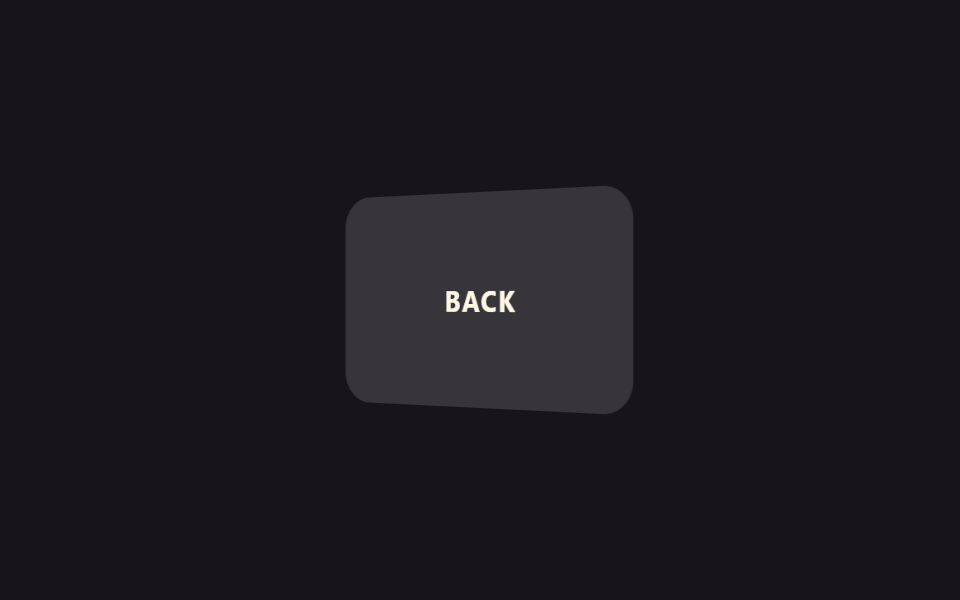 01 flip-y-hover
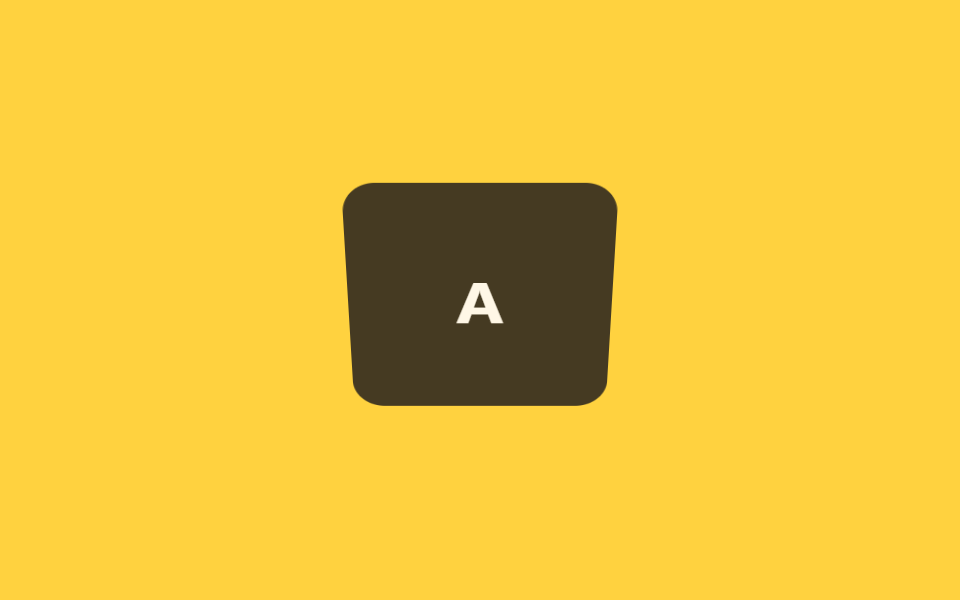 02 flip-x-click
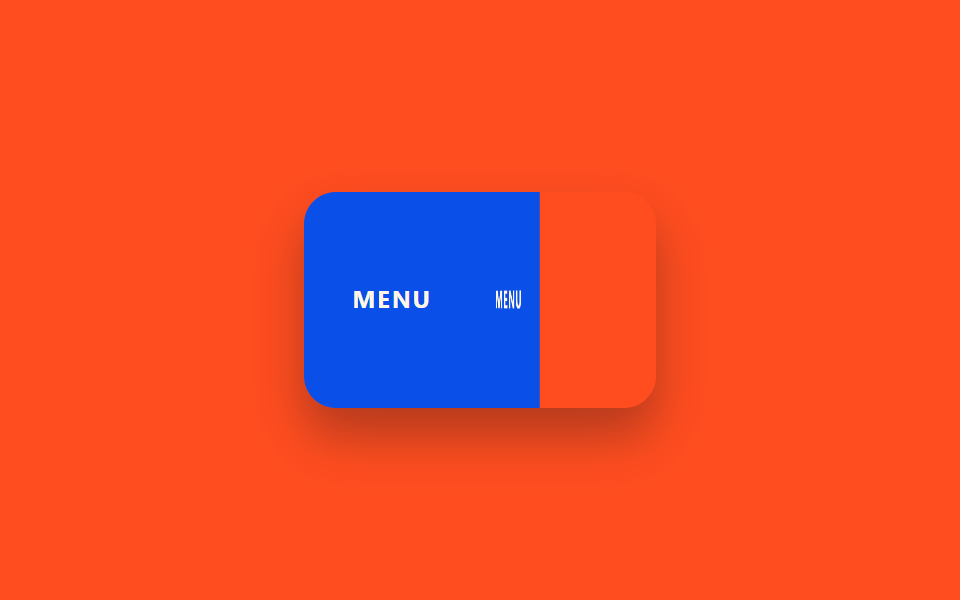 03 fold-half
 04 unfold-letter
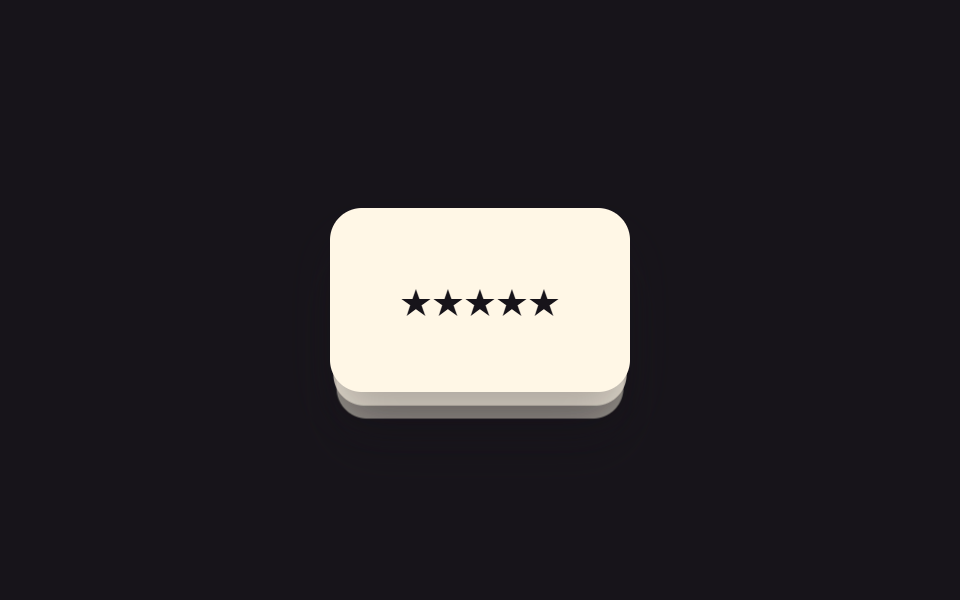 05 flip-stack-shuffle
 06 flip-book-page
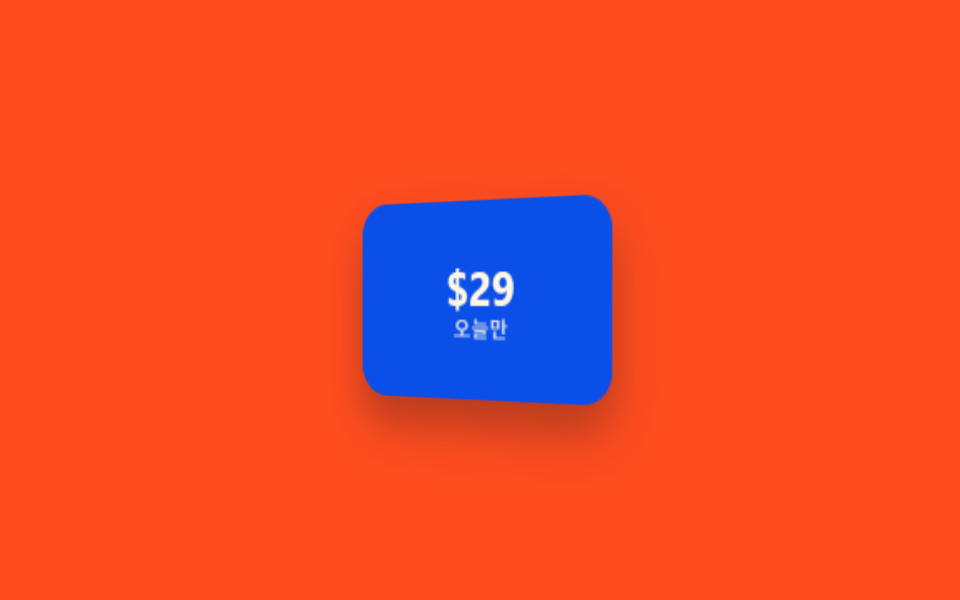 07 flip-reveal-price
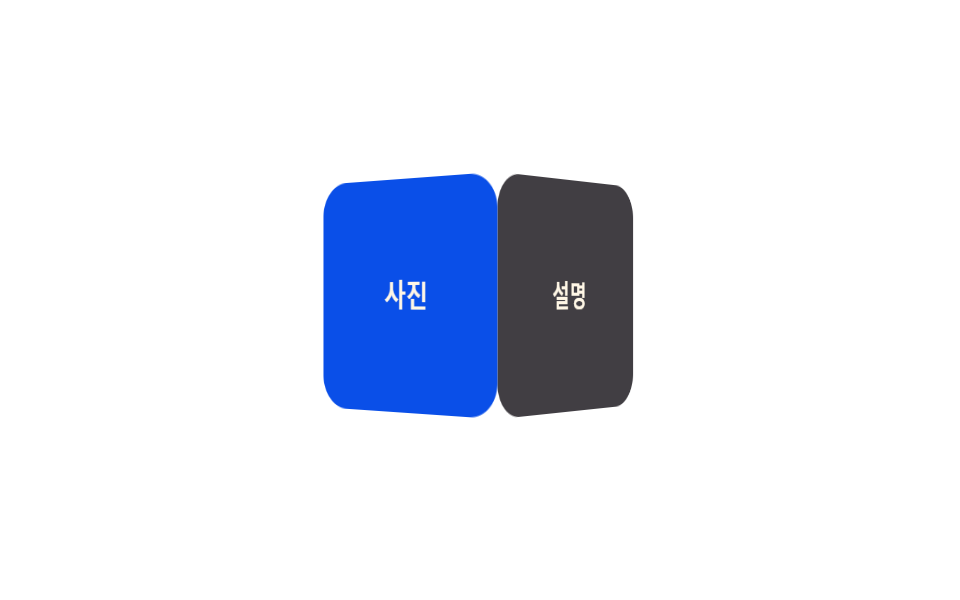 08 flip-cube-4-faces
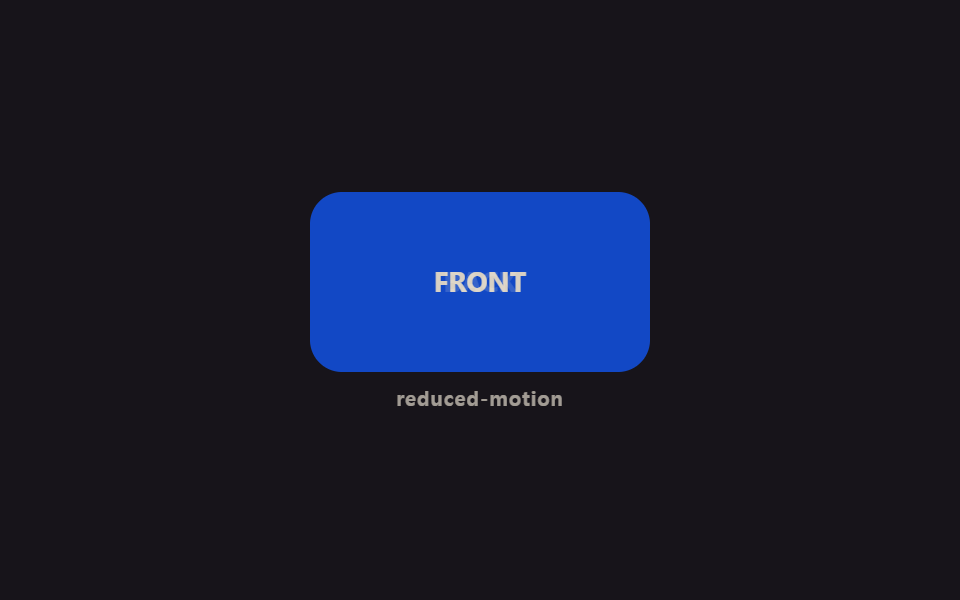 09 flip-reduced-motion
자동 재생 · 눌러서 해당 항목으로 · 전부 한 zip
아홉 개는 인기 순이 아니라 기법이 단순한 것에서 복잡한 것으로, 마지막은 접근성으로 이어지는 순서를 따라갑니다. 가장 기본인 호버 뒤집기(01)와 클릭 뒤집기(02)를 지나, 종이처럼 접고 펼치는 아이디어형 변형(03~04)을 거쳐, 카드 여러 장을 다루는 실전 패턴(05~08)으로 이어지고, 마지막은 같은 동작을 모션을 줄여 재생하는 09번으로 마무리됩니다.
01가로 뒤집기
css 카드 디자인의 앞뒷면을 뒤집는다
카드에 마우스를 올리면 Y축을 중심으로 180도 회전해 뒷면이 드러납니다.
<main class="stage">
  <div class="fy-card is-demo">
    <div class="fy-card__inner">
      <div class="fy-card__face fy-card__face--front">FRONT</div>
      <div class="fy-card__face fy-card__face--back">BACK</div>
    </div>
  </div>
</main>
@use "../../../../site/static/demo-tokens" as *;
// ── 변수 3개 ──────────────────────────────────────────
$duration: $dur-enter;
$easing: $ease-spring;
$color: $subject-blue;
@include stage($stage-ink);
.fy-card {
perspective: 700px;
width: 170px;
height: 108px;
}
.fy-card__inner {
position: relative;
width: 100%;
height: 100%;
transform-style: preserve-3d;
transition: transform $duration $easing;
}
.fy-card:hover .fy-card__inner { transform: rotateY(180deg); }
.fy-card__face {
position: absolute;
inset: 0;
display: flex;
align-items: center;
justify-content: center;
border-radius: $r-card;
backface-visibility: hidden;
font: 700 15px/1 -apple-system, "Segoe UI", sans-serif;
letter-spacing: .06em;
color: $subject-cream;
}
.fy-card__face--front { background: $subject-blue-deep; }
.fy-card__face--back { background: rgba(255, 255, 255, .14); transform: rotateY(180deg); }
// 데모 루프: is-demo 는 같은 회전을 무한 재생 (캡처용) — :hover 실사용 경로와 별개
@keyframes fy-flip {
0%, 40% { transform: rotateY(0); }
60%, 100% { transform: rotateY(180deg); }
}
.fy-card.is-demo .fy-card__inner { animation: fy-flip $duration * 2 $easing infinite; }
@media (prefers-reduced-motion: reduce) {
.fy-card:hover .fy-card__inner,
.fy-card.is-demo .fy-card__inner { animation: none !important; transition: none !important; transform: none !important; }
}html, body {
margin: 0;
overflow: hidden;
}
.stage {
box-sizing: border-box;
min-height: 100vh;
display: grid;
place-items: center;
margin: 0;
background: #17141a;
font-family: -apple-system, "Segoe UI", "Noto Sans KR", sans-serif;
padding: clamp(8px, 4vw, 24px);
}
.fy-card {
perspective: 700px;
width: 170px;
height: 108px;
}
.fy-card__inner {
position: relative;
width: 100%;
height: 100%;
transform-style: preserve-3d;
transition: transform 600ms cubic-bezier(0.2, 0.8, 0.2, 1);
}
.fy-card:hover .fy-card__inner {
transform: rotateY(180deg);
}
.fy-card__face {
position: absolute;
inset: 0;
display: flex;
align-items: center;
justify-content: center;
border-radius: 16px;
backface-visibility: hidden;
font: 700 15px/1 -apple-system, "Segoe UI", sans-serif;
letter-spacing: 0.06em;
color: #fff7e6;
}
.fy-card__face--front {
background: #0a4fe8;
}
.fy-card__face--back {
background: rgba(255, 255, 255, 0.14);
transform: rotateY(180deg);
}
@keyframes fy-flip {
0%, 40% {
transform: rotateY(0);
}
60%, 100% {
transform: rotateY(180deg);
}
}
.fy-card.is-demo .fy-card__inner {
animation: fy-flip 1200ms cubic-bezier(0.2, 0.8, 0.2, 1) infinite;
}
@media (prefers-reduced-motion: reduce) {
.fy-card:hover .fy-card__inner,
.fy-card.is-demo .fy-card__inner {
animation: none !important;
transition: none !important;
transform: none !important;
}
}import { CSSProperties } from "react";
import styles from "./FlipYHover.module.scss";
export interface FlipYHoverProps {
duration?: string;
easing?: string;
front?: string;
back?: string;
}
export default function FlipYHover({
duration = "600ms",
easing = "cubic-bezier(.2, .8, .2, 1)",
front = "FRONT",
back = "BACK",
}: FlipYHoverProps) {
const style = { "--duration": duration, "--easing": easing } as CSSProperties;
return (
<div className={styles.card} style={style}>
<div className={styles.inner}>
<div className={`${styles.face} ${styles.front}`}>{front}</div>
<div className={`${styles.face} ${styles.back}`}>{back}</div>
</div>
</div>
);
}01 · 가로 뒤집기 — 측정 누적면적 13.071% · 움직인 프레임 7/23GODRICH 원작 · zip 에 SCSS·React 포함 · 비밀번호 보기
어떤 카드에 쓰나
클릭 한 번 없이 마우스만 올려도 뒷면이 궁금한 카드에 씁니다.
.fy-card { perspective: 700px; }
.fy-card__inner {
  transform-style: preserve-3d;
  transition: transform $duration $easing;
}
.fy-card:hover .fy-card__inner { transform: rotateY(180deg); }
.fy-card__face {
  position: absolute;
  inset: 0;
  backface-visibility: hidden;
}
.fy-card__face--back { transform: rotateY(180deg); }
02세로 뒤집기(클릭)
클릭하면 세로로 뒤집힌다
카드를 클릭하면 X축을 중심으로 세로로 뒤집혀 뒷면을 보여줍니다.
<main class="stage">
  <button type="button" class="fx-card is-demo" aria-pressed="false">
    <span class="fx-card__inner">
      <span class="fx-card__face fx-card__face--front">Q</span>
      <span class="fx-card__face fx-card__face--back">A</span>
    </span>
  </button>
</main>
@use "../../../../site/static/demo-tokens" as *;
// ── 변수 3개 ──────────────────────────────────────────
$duration: $dur-enter;
$easing: $ease-spring;
$color: $subject-ink;
@include stage($stage-yellow);
.fx-card {
perspective: 700px;
width: 132px;
height: 132px;
border: 0;
padding: 0;
background: none;
cursor: pointer;
display: block;
}
.fx-card:focus-visible { outline: 3px solid $subject-ink; outline-offset: $sp-1; }
.fx-card__inner {
position: relative;
display: block;
width: 100%;
height: 100%;
transform-style: preserve-3d;
transition: transform $duration $easing;
}
.fx-card.is-flipped .fx-card__inner { transform: rotateX(180deg); }
.fx-card__face {
position: absolute;
inset: 0;
display: flex;
align-items: center;
justify-content: center;
border-radius: $r-card;
backface-visibility: hidden;
font: 700 34px/1 -apple-system, "Segoe UI", sans-serif;
color: $subject-cream;
}
.fx-card__face--front { background: $color; }
.fx-card__face--back { background: rgba(23, 20, 26, .8); transform: rotateX(180deg); }
// 데모 루프: 실제 클릭 상태와 별개로 is-demo 가 같은 회전을 무한 재생
@keyframes fx-flip {
0%, 40% { transform: rotateX(0); }
60%, 100% { transform: rotateX(180deg); }
}
.fx-card.is-demo .fx-card__inner { animation: fx-flip $duration * 2 $easing infinite; }
@media (prefers-reduced-motion: reduce) {
.fx-card.is-flipped .fx-card__inner,
.fx-card.is-demo .fx-card__inner { animation: none !important; transition: none !important; transform: none !important; }
}html, body {
margin: 0;
overflow: hidden;
}
.stage {
box-sizing: border-box;
min-height: 100vh;
display: grid;
place-items: center;
margin: 0;
background: #ffd23f;
font-family: -apple-system, "Segoe UI", "Noto Sans KR", sans-serif;
padding: clamp(8px, 4vw, 24px);
}
.fx-card {
perspective: 700px;
width: 132px;
height: 132px;
border: 0;
padding: 0;
background: none;
cursor: pointer;
display: block;
}
.fx-card:focus-visible {
outline: 3px solid #17141a;
outline-offset: 4px;
}
.fx-card__inner {
position: relative;
display: block;
width: 100%;
height: 100%;
transform-style: preserve-3d;
transition: transform 600ms cubic-bezier(0.2, 0.8, 0.2, 1);
}
.fx-card.is-flipped .fx-card__inner {
transform: rotateX(180deg);
}
.fx-card__face {
position: absolute;
inset: 0;
display: flex;
align-items: center;
justify-content: center;
border-radius: 16px;
backface-visibility: hidden;
font: 700 34px/1 -apple-system, "Segoe UI", sans-serif;
color: #fff7e6;
}
.fx-card__face--front {
background: #17141a;
}
.fx-card__face--back {
background: rgba(23, 20, 26, 0.8);
transform: rotateX(180deg);
}
@keyframes fx-flip {
0%, 40% {
transform: rotateX(0);
}
60%, 100% {
transform: rotateX(180deg);
}
}
.fx-card.is-demo .fx-card__inner {
animation: fx-flip 1200ms cubic-bezier(0.2, 0.8, 0.2, 1) infinite;
}
@media (prefers-reduced-motion: reduce) {
.fx-card.is-flipped .fx-card__inner,
.fx-card.is-demo .fx-card__inner {
animation: none !important;
transition: none !important;
transform: none !important;
}
}var btn = document.querySelector(".fx-card");
btn.addEventListener("click", function () {
var open = btn.getAttribute("aria-pressed") === "true";
btn.setAttribute("aria-pressed", String(!open));
btn.classList.toggle("is-flipped", !open);
});import { CSSProperties, useState } from "react";
import styles from "./FlipXClick.module.scss";
export interface FlipXClickProps {
duration?: string;
easing?: string;
front?: string;
back?: string;
}
export default function FlipXClick({
duration = "600ms",
easing = "cubic-bezier(.2, .8, .2, 1)",
front = "Q",
back = "A",
}: FlipXClickProps) {
const [open, setOpen] = useState(false);
const style = { "--duration": duration, "--easing": easing } as CSSProperties;
return (
<button
type="button"
className={`${styles.card} ${open ? styles.flipped : ""}`}
style={style}
aria-pressed={open}
onClick={() => setOpen((v) => !v)}
>
<span className={styles.inner}>
<span className={`${styles.face} ${styles.front}`}>{front}</span>
<span className={`${styles.face} ${styles.back}`}>{back}</span>
</span>
</button>
);
}02 · 세로 뒤집기(클릭) — 측정 누적면적 12.343% · 움직인 프레임 8/23GODRICH 원작 · zip 에 SCSS·React 포함 · 비밀번호 보기
터치 기기에서 확실한 이유
터치 기기는 호버가 없어 클릭·탭으로 발동하는 쪽이 확실합니다.
var btn = document.querySelector(".fx-card");
  btn.addEventListener("click", function () {
    var open = btn.getAttribute("aria-pressed") === "true";
    btn.setAttribute("aria-pressed", String(!open));
    btn.classList.toggle("is-flipped", !open);
  });
03반 접기
가운데 선을 기준으로 접힌다
카드가 가운데 선을 기준으로 반으로 접히며 내용이 안쪽으로 숨습니다.
<main class="stage">
  <div class="fh-card is-demo">
    <div class="fh-half fh-half--static">MENU</div>
    <div class="fh-half fh-half--fold">
      <div class="fh-half__face fh-half__face--front">MENU</div>
      <div class="fh-half__face fh-half__face--back"></div>
    </div>
  </div>
</main>
@use "../../../../site/static/demo-tokens" as *;
// ── 변수 3개 ──────────────────────────────────────────
$duration: $dur-enter;
$easing: $ease-spring;
$color: $subject-blue;
@include stage($stage-orange);
.fh-card {
position: relative;
display: flex;
width: 176px;
height: 108px;
perspective: 900px;
border-radius: $r-card;
overflow: hidden;
box-shadow: $shadow-raised;
}
.fh-half {
width: 50%;
height: 100%;
display: flex;
align-items: center;
justify-content: center;
background: $subject-blue-deep;
color: $subject-cream;
font: 700 12px/1.3 -apple-system, "Segoe UI", sans-serif;
letter-spacing: .08em;
}
.fh-half--fold {
position: relative;
transform-style: preserve-3d;
transform-origin: left center; // 규칙8: 왼쪽 변 경첩 접힘
transition: transform $duration $easing;
background: none;
}
.fh-half__face {
position: absolute;
inset: 0;
display: flex;
align-items: center;
justify-content: center;
backface-visibility: hidden;
font: 700 12px/1.3 -apple-system, "Segoe UI", sans-serif;
letter-spacing: .08em;
color: $subject-cream;
}
.fh-half__face--front { background: $subject-blue-deep; }
.fh-half__face--back { background: rgba(23, 20, 26, .78); transform: rotateY(180deg); }
// 데모 루프: 오른쪽 절반이 왼쪽 절반 위로 접힌다
@keyframes fh-fold {
0% { transform: rotateY(0); }
50% { transform: rotateY(-172deg); }
100% { transform: rotateY(0); }
}
.fh-card.is-demo .fh-half--fold { animation: fh-fold $duration * 2.4 $easing infinite; }
@media (prefers-reduced-motion: reduce) {
.fh-card.is-demo .fh-half--fold { animation: none !important; transition: none !important; transform: none !important; }
}html, body {
margin: 0;
overflow: hidden;
}
.stage {
box-sizing: border-box;
min-height: 100vh;
display: grid;
place-items: center;
margin: 0;
background: #ff4d1f;
font-family: -apple-system, "Segoe UI", "Noto Sans KR", sans-serif;
padding: clamp(8px, 4vw, 24px);
}
.fh-card {
position: relative;
display: flex;
width: 176px;
height: 108px;
perspective: 900px;
border-radius: 16px;
overflow: hidden;
box-shadow: 0 14px 24px rgba(23, 20, 26, 0.32);
}
.fh-half {
width: 50%;
height: 100%;
display: flex;
align-items: center;
justify-content: center;
background: #0a4fe8;
color: #fff7e6;
font: 700 12px/1.3 -apple-system, "Segoe UI", sans-serif;
letter-spacing: 0.08em;
}
.fh-half--fold {
position: relative;
transform-style: preserve-3d;
transform-origin: left center;
transition: transform 600ms cubic-bezier(0.2, 0.8, 0.2, 1);
background: none;
}
.fh-half__face {
position: absolute;
inset: 0;
display: flex;
align-items: center;
justify-content: center;
backface-visibility: hidden;
font: 700 12px/1.3 -apple-system, "Segoe UI", sans-serif;
letter-spacing: 0.08em;
color: #fff7e6;
}
.fh-half__face--front {
background: #0a4fe8;
}
.fh-half__face--back {
background: rgba(23, 20, 26, 0.78);
transform: rotateY(180deg);
}
@keyframes fh-fold {
0% {
transform: rotateY(0);
}
50% {
transform: rotateY(-172deg);
}
100% {
transform: rotateY(0);
}
}
.fh-card.is-demo .fh-half--fold {
animation: fh-fold 1440ms cubic-bezier(0.2, 0.8, 0.2, 1) infinite;
}
@media (prefers-reduced-motion: reduce) {
.fh-card.is-demo .fh-half--fold {
animation: none !important;
transition: none !important;
transform: none !important;
}
}import { CSSProperties, useState } from "react";
import styles from "./FoldHalf.module.scss";
export interface FoldHalfProps {
duration?: string;
easing?: string;
label?: string;
}
export default function FoldHalf({
duration = "600ms",
easing = "cubic-bezier(.2, .8, .2, 1)",
label = "MENU",
}: FoldHalfProps) {
const [folded, setFolded] = useState(false);
const style = { "--duration": duration, "--easing": easing } as CSSProperties;
return (
<div
className={styles.card}
style={style}
role="button"
tabIndex={0}
aria-pressed={folded}
onClick={() => setFolded((v) => !v)}
onKeyDown={(e: { key: string }) => (e.key === "Enter" || e.key === " ") && setFolded((v) => !v)}
>
<div className={styles.static}>{label}</div>
<div className={`${styles.fold} ${folded ? styles.closed : ""}`}>
<div className={`${styles.face} ${styles.front}`}>{label}</div>
<div className={`${styles.face} ${styles.back}`} />
</div>
</div>
);
}03 · 반 접기 — 측정 누적면적 13.074% · 움직인 프레임 19/23GODRICH 원작 · zip 에 SCSS·React 포함 · 비밀번호 보기
종이 카드를 닫듯이
종이 카드를 닫듯이 여닫을 때 씁니다.
.fh-half--fold {
  transform-style: preserve-3d;
  transform-origin: left center;
  transition: transform $duration $easing;
}
@keyframes fh-fold {
  0%   { transform: rotateY(0); }
  50%  { transform: rotateY(-172deg); }
  100% { transform: rotateY(0); }
}
.fh-card.is-demo .fh-half--fold {
  animation: fh-fold ($duration * 2.4) $easing infinite;
}
04편지 펼치기
위아래 두 면이 순서대로
접혀 있던 카드가 편지를 펼치듯 위아래 두 면이 순서대로 펴지며 안의 내용이 드러납니다.
<main class="stage">
  <div class="ul-scene is-demo">
    <div class="ul-letter">YOU'RE<br>INVITED</div>
    <div class="ul-flap ul-flap--top"></div>
    <div class="ul-flap ul-flap--bottom"></div>
  </div>
</main>
@use "../../../../site/static/demo-tokens" as *;
// ── 변수 3개 ──────────────────────────────────────────
$duration: $dur-enter;
$easing: $ease-spring;
$color: $subject-blue;
@include stage($stage-paper);
.ul-scene {
position: relative;
width: 172px;
height: 112px;
perspective: 900px;
border-radius: $r-card;
box-shadow: $shadow-raised;
}
.ul-letter {
position: absolute;
inset: 0;
display: flex;
align-items: center;
justify-content: center;
text-align: center;
border-radius: $r-card;
background: $subject-cream;
color: $color;
font: 700 13px/1.35 -apple-system, "Segoe UI", sans-serif;
letter-spacing: .04em;
}
.ul-flap {
position: absolute;
left: 0;
width: 100%;
height: 50%;
background: $color;
border-radius: $r-card $r-card 0 0;
transform-style: preserve-3d;
}
.ul-flap--top { top: 0; transform-origin: top center; } // 규칙8: 봉투 플랩 상변 경첩
.ul-flap--bottom { bottom: 0; border-radius: 0 0 $r-card $r-card; transform-origin: bottom center; } // 규칙8: 봉투 플랩 하변 경첩
// 데모 루프: 위 flap 먼저, 아래 flap 이 시차(transition-delay)를 두고 뒤따라 펴진다
@keyframes ul-open-top {
0%, 25% { transform: rotateX(0); }
60%, 100% { transform: rotateX(-172deg); }
}
@keyframes ul-open-bottom {
0%, 40% { transform: rotateX(0); }
75%, 100% { transform: rotateX(172deg); }
}
.ul-scene.is-demo .ul-flap--top { animation: ul-open-top $duration * 2.6 $easing infinite; }
.ul-scene.is-demo .ul-flap--bottom { animation: ul-open-bottom $duration * 2.6 $easing infinite; }
@media (prefers-reduced-motion: reduce) {
.ul-scene.is-demo .ul-flap--top,
.ul-scene.is-demo .ul-flap--bottom { animation: none !important; transform: none !important; }
}html, body {
margin: 0;
overflow: hidden;
}
.stage {
box-sizing: border-box;
min-height: 100vh;
display: grid;
place-items: center;
margin: 0;
background: #ffffff;
font-family: -apple-system, "Segoe UI", "Noto Sans KR", sans-serif;
padding: clamp(8px, 4vw, 24px);
}
.ul-scene {
position: relative;
width: 172px;
height: 112px;
perspective: 900px;
border-radius: 16px;
box-shadow: 0 14px 24px rgba(23, 20, 26, 0.32);
}
.ul-letter {
position: absolute;
inset: 0;
display: flex;
align-items: center;
justify-content: center;
text-align: center;
border-radius: 16px;
background: #fff7e6;
color: #2f6df6;
font: 700 13px/1.35 -apple-system, "Segoe UI", sans-serif;
letter-spacing: 0.04em;
}
.ul-flap {
position: absolute;
left: 0;
width: 100%;
height: 50%;
background: #2f6df6;
border-radius: 16px 16px 0 0;
transform-style: preserve-3d;
}
.ul-flap--top {
top: 0;
transform-origin: top center;
}
.ul-flap--bottom {
bottom: 0;
border-radius: 0 0 16px 16px;
transform-origin: bottom center;
}
@keyframes ul-open-top {
0%, 25% {
transform: rotateX(0);
}
60%, 100% {
transform: rotateX(-172deg);
}
}
@keyframes ul-open-bottom {
0%, 40% {
transform: rotateX(0);
}
75%, 100% {
transform: rotateX(172deg);
}
}
.ul-scene.is-demo .ul-flap--top {
animation: ul-open-top 1560ms cubic-bezier(0.2, 0.8, 0.2, 1) infinite;
}
.ul-scene.is-demo .ul-flap--bottom {
animation: ul-open-bottom 1560ms cubic-bezier(0.2, 0.8, 0.2, 1) infinite;
}
@media (prefers-reduced-motion: reduce) {
.ul-scene.is-demo .ul-flap--top,
.ul-scene.is-demo .ul-flap--bottom {
animation: none !important;
transform: none !important;
}
}import { CSSProperties, useState } from "react";
import styles from "./UnfoldLetter.module.scss";
export interface UnfoldLetterProps {
duration?: string;
easing?: string;
message?: string;
}
export default function UnfoldLetter({
duration = "600ms",
easing = "cubic-bezier(.2, .8, .2, 1)",
message = "YOU'RE INVITED",
}: UnfoldLetterProps) {
const [open, setOpen] = useState(false);
const style = { "--duration": duration, "--easing": easing } as CSSProperties;
return (
<div
className={styles.scene}
style={style}
role="button"
tabIndex={0}
aria-pressed={open}
onClick={() => setOpen((v) => !v)}
onKeyDown={(e: { key: string }) => (e.key === "Enter" || e.key === " ") && setOpen((v) => !v)}
>
<div className={styles.letter}>{message}</div>
<div className={`${styles.flap} ${styles.top} ${open ? styles.openTop : ""}`} />
<div className={`${styles.flap} ${styles.bottom} ${open ? styles.openBottom : ""}`} />
</div>
);
}04 · 편지 펼치기 — 측정 누적면적 26.174% · 움직인 프레임 11/23GODRICH 원작 · zip 에 SCSS·React 포함 · 비밀번호 보기
초대장을 여는 느낌
이벤트 초대장처럼 여는 느낌을 주고 싶을 때 씁니다.
.ul-flap--top { transform-origin: top center; }
.ul-flap--bottom { transform-origin: bottom center; }
.ul-scene.is-demo .ul-flap--top {
  animation: ul-open-top ($duration * 2.6) $easing infinite;
}
.ul-scene.is-demo .ul-flap--bottom {
  animation: ul-open-bottom ($duration * 2.6) $easing infinite;
  animation-delay: 120ms;
}
05카드 더미 섞기
맨 위 카드가 물러난다
쌓여 있는 카드 더미에서 맨 위 카드가 뒤집히며 물러나 다음 카드가 보입니다.
<main class="stage">
  <div class="ss-stack is-demo">
    <div class="ss-card ss-card--3">★★★☆☆</div>
    <div class="ss-card ss-card--2">★★★★☆</div>
    <div class="ss-card ss-card--1">★★★★★</div>
  </div>
</main>
@use "../../../../site/static/demo-tokens" as *;
// ── 변수 3개 ──────────────────────────────────────────
$duration: $dur-base;
$easing: $ease-spring;
$color: $subject-cream;
@include stage($stage-ink);
.ss-stack {
position: relative;
width: 150px;
height: 92px;
perspective: 700px;
}
.ss-card {
position: absolute;
inset: 0;
display: flex;
align-items: center;
justify-content: center;
border-radius: $r-card;
background: $color;
color: $subject-ink;
font: 700 16px/1 -apple-system, "Segoe UI", sans-serif;
box-shadow: $shadow-raised;
transform-style: preserve-3d;
}
// 아래 두 장은 살짝 물러나 쌓여 보인다 (translateZ + translateY)
.ss-card--2 { transform: translateZ(-16px) translateY($sp-2); opacity: .85; }
.ss-card--3 { transform: translateZ(-32px) translateY($sp-4); opacity: .65; }
// 데모 루프: 맨 위 카드(1번, z-index 최상)가 뒤집히며 물러나 다음 카드를 드러낸다
@keyframes ss-shuffle {
0%, 30% { transform: translateZ(0) translateX(0) rotateY(0); opacity: 1; }
70% { transform: translateZ(-8px) translateX(-46px) rotateY(-150deg); opacity: .25; }
71%, 100% { transform: translateZ(0) translateX(0) rotateY(0); opacity: 1; }
}
.ss-stack.is-demo .ss-card--1 { z-index: 3; animation: ss-shuffle ($duration * 6) $easing infinite; }
@media (prefers-reduced-motion: reduce) {
.ss-stack.is-demo .ss-card--1 { animation: none !important; transform: none !important; }
}html, body {
margin: 0;
overflow: hidden;
}
.stage {
box-sizing: border-box;
min-height: 100vh;
display: grid;
place-items: center;
margin: 0;
background: #17141a;
font-family: -apple-system, "Segoe UI", "Noto Sans KR", sans-serif;
padding: clamp(8px, 4vw, 24px);
}
.ss-stack {
position: relative;
width: 150px;
height: 92px;
perspective: 700px;
}
.ss-card {
position: absolute;
inset: 0;
display: flex;
align-items: center;
justify-content: center;
border-radius: 16px;
background: #fff7e6;
color: #17141a;
font: 700 16px/1 -apple-system, "Segoe UI", sans-serif;
box-shadow: 0 14px 24px rgba(23, 20, 26, 0.32);
transform-style: preserve-3d;
}
.ss-card--2 {
transform: translateZ(-16px) translateY(8px);
opacity: 0.85;
}
.ss-card--3 {
transform: translateZ(-32px) translateY(16px);
opacity: 0.65;
}
@keyframes ss-shuffle {
0%, 30% {
transform: translateZ(0) translateX(0) rotateY(0);
opacity: 1;
}
70% {
transform: translateZ(-8px) translateX(-46px) rotateY(-150deg);
opacity: 0.25;
}
71%, 100% {
transform: translateZ(0) translateX(0) rotateY(0);
opacity: 1;
}
}
.ss-stack.is-demo .ss-card--1 {
z-index: 3;
animation: ss-shuffle 1800ms cubic-bezier(0.2, 0.8, 0.2, 1) infinite;
}
@media (prefers-reduced-motion: reduce) {
.ss-stack.is-demo .ss-card--1 {
animation: none !important;
transform: none !important;
}
}import { CSSProperties, useState } from "react";
import styles from "./StackShuffle.module.scss";
export interface StackShuffleProps {
duration?: string;
easing?: string;
cards?: string[];
}
export default function StackShuffle({
duration = "300ms",
easing = "cubic-bezier(.2, .8, .2, 1)",
cards = ["★★★★★", "★★★★☆", "★★★☆☆"],
}: StackShuffleProps) {
const [order, setOrder] = useState(cards);
const style = { "--duration": duration, "--easing": easing } as CSSProperties;
const shuffle = () => setOrder((o) => [...o.slice(1), o[0]]);
return (
<div className={styles.stack} style={style} onClick={shuffle}>
{order.map((text, i) => (
<div
key={text}
className={`${styles.card} ${i === 0 ? styles.top : ""}`}
style={{ transform: `translateZ(${-16 * i}px) translateY(${8 * i}px)`, opacity: 1 - i * 0.18 }}
>
{text}
</div>
))}
</div>
);
}05 · 카드 더미 섞기 — 측정 누적면적 10.424% · 움직인 프레임 10/23GODRICH 원작 · zip 에 SCSS·React 포함 · 비밀번호 보기
리뷰를 넘겨볼 때
리뷰나 추천 카드를 순서대로 넘겨볼 때 씁니다.
.ss-card--2 { transform: translateZ(-16px) translateY($sp-2); opacity: .85; }
.ss-card--3 { transform: translateZ(-32px) translateY($sp-4); opacity: .65; }
@keyframes ss-shuffle {
  0%, 30%   { transform: translateZ(0) translateX(0) rotateY(0); opacity: 1; }
  70%       { transform: translateZ(-8px) translateX(-46px) rotateY(-150deg); opacity: .25; }
  71%, 100% { transform: translateZ(0) translateX(0) rotateY(0); opacity: 1; }
}
.ss-stack.is-demo .ss-card--1 { animation: ss-shuffle ($duration * 6) $easing infinite; }
06책장 넘기기
오른쪽 끝을 축으로
카드 오른쪽 끝을 기준으로 책장을 넘기듯 회전하며 다음 카드가 드러납니다.
<main class="stage">
  <div class="bp-book is-demo">
    <div class="bp-page-under">02</div>
    <div class="bp-page">
      <div class="bp-page__face bp-page__face--front">01</div>
      <div class="bp-page__face bp-page__face--back">01</div>
    </div>
  </div>
</main>
@use "../../../../site/static/demo-tokens" as *;
// ── 변수 3개 ──────────────────────────────────────────
$duration: $dur-enter;
$easing: $ease-spring;
$color: $subject-cream;
@include stage($stage-yellow);
.bp-book {
position: relative;
width: 150px;
height: 108px;
perspective: 900px;
}
.bp-page-under,
.bp-page__face {
position: absolute;
inset: 0;
display: flex;
align-items: center;
justify-content: center;
border-radius: $r-card;
font: 700 22px/1 -apple-system, "Segoe UI", sans-serif;
color: $subject-ink;
}
.bp-page-under { background: $color; box-shadow: $shadow-press; }
.bp-page {
position: absolute;
inset: 0;
transform-style: preserve-3d;
transform-origin: right center; // 규칙8: 오른쪽 책등 경첩 넘김
transition: transform $duration $easing, box-shadow $duration $easing;
border-radius: $r-card;
box-shadow: $shadow-raised;
}
.bp-page__face { backface-visibility: hidden; }
.bp-page__face--front { background: $color; }
.bp-page__face--back { background: rgba(23, 20, 26, .78); color: $subject-cream; transform: rotateY(180deg); }
// 데모 루프: 오른쪽 끝을 축으로 페이지가 넘어간다
@keyframes bp-turn {
0%, 30% { transform: rotateY(0); }
70%, 100% { transform: rotateY(-155deg); }
}
.bp-book.is-demo .bp-page { animation: bp-turn $duration * 2.6 $easing infinite; }
@media (prefers-reduced-motion: reduce) {
.bp-book.is-demo .bp-page { animation: none !important; transition: none !important; transform: none !important; }
}html, body {
margin: 0;
overflow: hidden;
}
.stage {
box-sizing: border-box;
min-height: 100vh;
display: grid;
place-items: center;
margin: 0;
background: #ffd23f;
font-family: -apple-system, "Segoe UI", "Noto Sans KR", sans-serif;
padding: clamp(8px, 4vw, 24px);
}
.bp-book {
position: relative;
width: 150px;
height: 108px;
perspective: 900px;
}
.bp-page-under,
.bp-page__face {
position: absolute;
inset: 0;
display: flex;
align-items: center;
justify-content: center;
border-radius: 16px;
font: 700 22px/1 -apple-system, "Segoe UI", sans-serif;
color: #17141a;
}
.bp-page-under {
background: #fff7e6;
box-shadow: 0 6px 12px rgba(23, 20, 26, 0.32);
}
.bp-page {
position: absolute;
inset: 0;
transform-style: preserve-3d;
transform-origin: right center;
transition: transform 600ms cubic-bezier(0.2, 0.8, 0.2, 1), box-shadow 600ms cubic-bezier(0.2, 0.8, 0.2, 1);
border-radius: 16px;
box-shadow: 0 14px 24px rgba(23, 20, 26, 0.32);
}
.bp-page__face {
backface-visibility: hidden;
}
.bp-page__face--front {
background: #fff7e6;
}
.bp-page__face--back {
background: rgba(23, 20, 26, 0.78);
color: #fff7e6;
transform: rotateY(180deg);
}
@keyframes bp-turn {
0%, 30% {
transform: rotateY(0);
}
70%, 100% {
transform: rotateY(-155deg);
}
}
.bp-book.is-demo .bp-page {
animation: bp-turn 1560ms cubic-bezier(0.2, 0.8, 0.2, 1) infinite;
}
@media (prefers-reduced-motion: reduce) {
.bp-book.is-demo .bp-page {
animation: none !important;
transition: none !important;
transform: none !important;
}
}import { CSSProperties, useState } from "react";
import styles from "./PageTurn.module.scss";
export interface PageTurnProps {
duration?: string;
easing?: string;
current?: string;
next?: string;
}
export default function PageTurn({
duration = "600ms",
easing = "cubic-bezier(.2, .8, .2, 1)",
current = "01",
next = "02",
}: PageTurnProps) {
const [turned, setTurned] = useState(false);
const style = { "--duration": duration, "--easing": easing } as CSSProperties;
return (
<div
className={styles.book}
style={style}
role="button"
tabIndex={0}
aria-pressed={turned}
onClick={() => setTurned((v) => !v)}
onKeyDown={(e: { key: string }) => (e.key === "Enter" || e.key === " ") && setTurned((v) => !v)}
>
<div className={styles.under}>{next}</div>
<div className={`${styles.page} ${turned ? styles.turned : ""}`}>
<div className={`${styles.face} ${styles.front}`}>{current}</div>
<div className={`${styles.face} ${styles.back}`}>{current}</div>
</div>
</div>
);
}06 · 책장 넘기기 — 측정 누적면적 16.329% · 움직인 프레임 9/23GODRICH 원작 · zip 에 SCSS·React 포함 · 비밀번호 보기
그림자가 같이 움직인다
그림자가 함께 움직여 종이가 들리는 느낌을 줍니다.
.bp-page {
  transform-style: preserve-3d;
  transform-origin: right center;
  transition: transform $duration $easing, box-shadow $duration $easing;
}
.bp-page__face { backface-visibility: hidden; }
.bp-page__face--back { transform: rotateY(180deg); }
.bp-book.is-demo .bp-page {
  animation: bp-turn ($duration * 2.6) $easing infinite;
}
07가격 공개 카드
뒷면에 할인가가 뜬다
카드에 마우스를 올리면 뒤집히며 할인된 가격이 뒷면에 나타납니다.
<main class="stage">
  <div class="rp-card is-demo">
    <div class="rp-card__inner">
      <div class="rp-card__face rp-card__face--front">
        <span class="rp-price">$49</span>
        <span class="rp-label">정가</span>
      </div>
      <div class="rp-card__face rp-card__face--back">
        <span class="rp-price">$29</span>
        <span class="rp-label">오늘만</span>
      </div>
    </div>
  </div>
</main>
@use "../../../../site/static/demo-tokens" as *;
// ── 변수 3개 ──────────────────────────────────────────
$duration: $dur-quick * 1.5;
$easing: $ease-spring;
$color: $subject-blue;
@include stage($stage-orange);
.rp-card {
perspective: 700px;
width: 150px;
height: 100px;
}
.rp-card__inner {
position: relative;
width: 100%;
height: 100%;
transform-style: preserve-3d;
transition: transform $duration $easing;
}
.rp-card:hover .rp-card__inner { transform: rotateY(180deg); }
.rp-card__face {
position: absolute;
inset: 0;
display: flex;
flex-direction: column;
align-items: center;
justify-content: center;
gap: $sp-1;
border-radius: $r-card;
backface-visibility: hidden;
box-shadow: $shadow-raised;
}
.rp-card__face--front { background: $subject-cream; }
.rp-card__face--back { background: $subject-blue-deep; transform: rotateY(180deg); }
.rp-price { font: 700 24px/1 -apple-system, "Segoe UI", sans-serif; color: $subject-ink; }
.rp-card__face--back .rp-price { color: $subject-cream; }
.rp-label { font: 600 11px/1 -apple-system, sans-serif; opacity: .6; color: $subject-ink; }
.rp-card__face--back .rp-label { color: $subject-cream; opacity: .8; }
// 데모 루프
@keyframes rp-flip {
0%, 40% { transform: rotateY(0); }
60%, 100% { transform: rotateY(180deg); }
}
.rp-card.is-demo .rp-card__inner { animation: rp-flip $duration * 2.6 $easing infinite; }
@media (prefers-reduced-motion: reduce) {
.rp-card:hover .rp-card__inner,
.rp-card.is-demo .rp-card__inner { animation: none !important; transition: none !important; transform: none !important; }
}html, body {
margin: 0;
overflow: hidden;
}
.stage {
box-sizing: border-box;
min-height: 100vh;
display: grid;
place-items: center;
margin: 0;
background: #ff4d1f;
font-family: -apple-system, "Segoe UI", "Noto Sans KR", sans-serif;
padding: clamp(8px, 4vw, 24px);
}
.rp-card {
perspective: 700px;
width: 150px;
height: 100px;
}
.rp-card__inner {
position: relative;
width: 100%;
height: 100%;
transform-style: preserve-3d;
transition: transform 330ms cubic-bezier(0.2, 0.8, 0.2, 1);
}
.rp-card:hover .rp-card__inner {
transform: rotateY(180deg);
}
.rp-card__face {
position: absolute;
inset: 0;
display: flex;
flex-direction: column;
align-items: center;
justify-content: center;
gap: 4px;
border-radius: 16px;
backface-visibility: hidden;
box-shadow: 0 14px 24px rgba(23, 20, 26, 0.32);
}
.rp-card__face--front {
background: #fff7e6;
}
.rp-card__face--back {
background: #0a4fe8;
transform: rotateY(180deg);
}
.rp-price {
font: 700 24px/1 -apple-system, "Segoe UI", sans-serif;
color: #17141a;
}
.rp-card__face--back .rp-price {
color: #fff7e6;
}
.rp-label {
font: 600 11px/1 -apple-system, sans-serif;
opacity: 0.6;
color: #17141a;
}
.rp-card__face--back .rp-label {
color: #fff7e6;
opacity: 0.8;
}
@keyframes rp-flip {
0%, 40% {
transform: rotateY(0);
}
60%, 100% {
transform: rotateY(180deg);
}
}
.rp-card.is-demo .rp-card__inner {
animation: rp-flip 858ms cubic-bezier(0.2, 0.8, 0.2, 1) infinite;
}
@media (prefers-reduced-motion: reduce) {
.rp-card:hover .rp-card__inner,
.rp-card.is-demo .rp-card__inner {
animation: none !important;
transition: none !important;
transform: none !important;
}
}import { CSSProperties } from "react";
import styles from "./RevealPriceCard.module.scss";
export interface RevealPriceCardProps {
duration?: string;
easing?: string;
listPrice?: string;
salePrice?: string;
saleLabel?: string;
}
export default function RevealPriceCard({
duration = "330ms",
easing = "cubic-bezier(.2, .8, .2, 1)",
listPrice = "$49",
salePrice = "$29",
saleLabel = "Today only",
}: RevealPriceCardProps) {
const style = { "--duration": duration, "--easing": easing } as CSSProperties;
return (
<div className={styles.card} style={style}>
<div className={styles.inner}>
<div className={`${styles.face} ${styles.front}`}>
<span className={styles.price}>{listPrice}</span>
<span className={styles.label}>List price</span>
</div>
<div className={`${styles.face} ${styles.back}`}>
<span className={styles.price}>{salePrice}</span>
<span className={styles.label}>{saleLabel}</span>
</div>
</div>
</div>
);
}07 · 가격 공개 카드 — 측정 누적면적 12.062% · 움직인 프레임 7/23GODRICH 원작 · zip 에 SCSS·React 포함 · 비밀번호 보기
한 카드에서 비교한다
정가와 할인가를 한 카드에서 비교할 때 씁니다.
.rp-card__inner {
  transform-style: preserve-3d;
  transition: transform $duration $easing;
}
.rp-card:hover .rp-card__inner { transform: rotateY(180deg); }
.rp-card__face {
  position: absolute;
  inset: 0;
  backface-visibility: hidden;
}
.rp-card__face--back { transform: rotateY(180deg); }
084면 큐브
네 면을 가진 카드
카드 하나가 정육면체처럼 네 면을 가지고 있어, 클릭할 때마다 한 면씩 돌아갑니다.
<main class="stage">
  <div class="cb-scene">
    <button type="button" class="cb-cube is-demo" aria-label="다음 면 보기">
      <span class="cb-face cb-face--1">사진</span>
      <span class="cb-face cb-face--2">설명</span>
      <span class="cb-face cb-face--3">$29</span>
      <span class="cb-face cb-face--4">구매</span>
    </button>
  </div>
</main>
@use "../../../../site/static/demo-tokens" as *;
// ── 변수 3개 ──────────────────────────────────────────
$duration: $dur-enter;
$easing: $ease-spring;
$color: $subject-blue;
@include stage($stage-paper);
$cb-size: 110px;
$cb-half: 55px;
.cb-scene { perspective: 700px; }
.cb-cube {
--cb-step: 0;
position: relative;
width: $cb-size;
height: $cb-size;
border: 0;
padding: 0;
background: none;
cursor: pointer;
transform-style: preserve-3d;
transform: rotateY(calc(var(--cb-step) * -90deg));
transition: transform $duration $easing;
}
.cb-cube:focus-visible { outline: 3px solid $subject-ink; outline-offset: $sp-2; }
.cb-face {
position: absolute;
inset: 0;
display: flex;
align-items: center;
justify-content: center;
border-radius: $r-card;
backface-visibility: hidden;
font: 700 14px/1 -apple-system, "Segoe UI", sans-serif;
color: $subject-cream;
}
.cb-face--1 { background: $subject-blue-deep; transform: rotateY(0deg) translateZ(#{$cb-half}); }
.cb-face--2 { background: rgba(23, 20, 26, .82); transform: rotateY(90deg) translateZ(#{$cb-half}); }
.cb-face--3 { background: $subject-blue-deep; transform: rotateY(180deg) translateZ(#{$cb-half}); }
.cb-face--4 { background: rgba(23, 20, 26, .82); transform: rotateY(270deg) translateZ(#{$cb-half}); }
// 데모 루프: 클릭 대신 네 면을 순서대로 자동 회전
@keyframes cb-spin {
0%, 15% { transform: rotateY(0); }
30%, 40% { transform: rotateY(-90deg); }
55%, 65% { transform: rotateY(-180deg); }
80%, 90% { transform: rotateY(-270deg); }
100% { transform: rotateY(-360deg); }
}
.cb-cube.is-demo { animation: cb-spin ($duration * 5) $easing infinite; }
@media (prefers-reduced-motion: reduce) {
.cb-cube { animation: none !important; transition: none !important; }
.cb-cube.is-demo { animation: none !important; }
}html, body {
margin: 0;
overflow: hidden;
}
.stage {
box-sizing: border-box;
min-height: 100vh;
display: grid;
place-items: center;
margin: 0;
background: #ffffff;
font-family: -apple-system, "Segoe UI", "Noto Sans KR", sans-serif;
padding: clamp(8px, 4vw, 24px);
}
.cb-scene {
perspective: 700px;
}
.cb-cube {
--cb-step: 0;
position: relative;
width: 110px;
height: 110px;
border: 0;
padding: 0;
background: none;
cursor: pointer;
transform-style: preserve-3d;
transform: rotateY(calc(var(--cb-step) * -90deg));
transition: transform 600ms cubic-bezier(0.2, 0.8, 0.2, 1);
}
.cb-cube:focus-visible {
outline: 3px solid #17141a;
outline-offset: 8px;
}
.cb-face {
position: absolute;
inset: 0;
display: flex;
align-items: center;
justify-content: center;
border-radius: 16px;
backface-visibility: hidden;
font: 700 14px/1 -apple-system, "Segoe UI", sans-serif;
color: #fff7e6;
}
.cb-face--1 {
background: #0a4fe8;
transform: rotateY(0deg) translateZ(55px);
}
.cb-face--2 {
background: rgba(23, 20, 26, 0.82);
transform: rotateY(90deg) translateZ(55px);
}
.cb-face--3 {
background: #0a4fe8;
transform: rotateY(180deg) translateZ(55px);
}
.cb-face--4 {
background: rgba(23, 20, 26, 0.82);
transform: rotateY(270deg) translateZ(55px);
}
@keyframes cb-spin {
0%, 15% {
transform: rotateY(0);
}
30%, 40% {
transform: rotateY(-90deg);
}
55%, 65% {
transform: rotateY(-180deg);
}
80%, 90% {
transform: rotateY(-270deg);
}
100% {
transform: rotateY(-360deg);
}
}
.cb-cube.is-demo {
animation: cb-spin 3000ms cubic-bezier(0.2, 0.8, 0.2, 1) infinite;
}
@media (prefers-reduced-motion: reduce) {
.cb-cube {
animation: none !important;
transition: none !important;
}
.cb-cube.is-demo {
animation: none !important;
}
}var cube = document.querySelector(".cb-cube");
var step = 0;
cube.addEventListener("click", function () {
step = (step + 1) % 4;
cube.style.setProperty("--cb-step", String(step));
});import { CSSProperties, useState } from "react";
import styles from "./CubeFourFaces.module.scss";
export interface CubeFourFacesProps {
duration?: string;
easing?: string;
faces?: [string, string, string, string];
}
export default function CubeFourFaces({
duration = "600ms",
easing = "cubic-bezier(.2, .8, .2, 1)",
faces = ["Photo", "Details", "$29", "Buy"],
}: CubeFourFacesProps) {
const [step, setStep] = useState(0);
const style = { "--duration": duration, "--easing": easing, "--step": step } as CSSProperties;
return (
<div className={styles.scene}>
<button
type="button"
className={styles.cube}
style={style}
aria-label="Show next face"
onClick={() => setStep((s) => s + 1)}
>
{faces.map((f, i) => (
<span key={f} className={`${styles.face} ${styles["face" + i]}`}>{f}</span>
))}
</button>
</div>
);
}08 · 4면 큐브 — 측정 누적면적 12.789% · 움직인 프레임 12/23GODRICH 원작 · zip 에 SCSS·React 포함 · 비밀번호 보기
한 카드에 다 담을 때
이미지·설명·가격·구매 버튼을 한 카드 안에 담을 때 씁니다.
var cube = document.querySelector(".cb-cube");
  var step = 0;
  cube.addEventListener("click", function () {
    step = (step + 1) % 4;
    cube.style.setProperty("--cb-step", String(step));
  });
09모션 줄임 판
회전 대신 교차 페이드
같은 카드 뒤집기를 prefers-reduced-motion이 켜진 환경에서 재생하면 회전 대신 부드러운 교차 페이드로 바뀝니다.
<main class="stage">
  <div class="rm-card is-demo">
    <div class="rm-card__inner">
      <div class="rm-card__face rm-card__face--front">FRONT</div>
      <div class="rm-card__face rm-card__face--back">BACK</div>
    </div>
    <span class="rm-tag">reduced-motion</span>
  </div>
</main>
@use "../../../../site/static/demo-tokens" as *;
// ── 변수 3개 ──────────────────────────────────────────
$duration: $dur-enter;
$easing: $ease-out;
$color: $subject-blue;
@include stage($stage-ink);
.rm-card {
position: relative;
perspective: 700px;
width: 170px;
height: 108px;
display: flex;
flex-direction: column;
align-items: center;
gap: $sp-2;
}
.rm-card__inner {
position: relative;
width: 170px;
height: 92px;
transform-style: preserve-3d;
}
// 실제 사용 경로: 평소엔 3D 회전, reduced-motion 이 켜지면 회전을 끄고 교차 페이드만 남긴다 (BD5)
.rm-card:hover .rm-card__inner { transform: rotateY(180deg); transition: transform $dur-enter $ease-spring; }
.rm-card__face {
position: absolute;
inset: 0;
display: flex;
align-items: center;
justify-content: center;
border-radius: $r-card;
backface-visibility: hidden;
font: 700 14px/1 -apple-system, "Segoe UI", sans-serif;
color: $subject-cream;
}
.rm-card__face--front { background: $subject-blue-deep; }
.rm-card__face--back { background: rgba(255, 255, 255, .14); transform: rotateY(180deg); }
.rm-tag {
font: 600 10px/1 -apple-system, sans-serif;
letter-spacing: .05em;
color: $subject-cream;
opacity: .6;
}
// 데모 루프: 이 항목은 reduced-motion 결과 자체를 보여준다 — 회전 대신 opacity 교차 페이드만 무한 재생
@keyframes rm-crossfade-front { 0% { opacity: 1; } 50% { opacity: 0; } 100% { opacity: 1; } }
@keyframes rm-crossfade-back { 0% { opacity: 0; } 50% { opacity: 1; } 100% { opacity: 0; } }
.rm-card.is-demo .rm-card__inner { transform: none; }
.rm-card.is-demo .rm-card__face--front { animation: rm-crossfade-front ($duration * 2.6) $easing infinite; backface-visibility: visible; transform: none; }
.rm-card.is-demo .rm-card__face--back { animation: rm-crossfade-back ($duration * 2.6) $easing infinite; backface-visibility: visible; transform: none; }
@media (prefers-reduced-motion: reduce) {
  .rm-card:hover .rm-card__inner { transform: none; transition: none; }
  .rm-card:hover .rm-card__face--front {
    opacity: 0;
    transition: opacity $dur-base $ease-out;
  }
  .rm-card:hover .rm-card__face--back {
    opacity: 1;
    transform: none;
    transition: opacity $dur-base $ease-out;
  }
}html, body {
margin: 0;
overflow: hidden;
}
.stage {
box-sizing: border-box;
min-height: 100vh;
display: grid;
place-items: center;
margin: 0;
background: #17141a;
font-family: -apple-system, "Segoe UI", "Noto Sans KR", sans-serif;
padding: clamp(8px, 4vw, 24px);
}
.rm-card {
position: relative;
perspective: 700px;
width: 170px;
height: 108px;
display: flex;
flex-direction: column;
align-items: center;
gap: 8px;
}
.rm-card__inner {
position: relative;
width: 170px;
height: 92px;
transform-style: preserve-3d;
}
.rm-card:hover .rm-card__inner {
transform: rotateY(180deg);
transition: transform 600ms cubic-bezier(0.2, 0.8, 0.2, 1);
}
.rm-card__face {
position: absolute;
inset: 0;
display: flex;
align-items: center;
justify-content: center;
border-radius: 16px;
backface-visibility: hidden;
font: 700 14px/1 -apple-system, "Segoe UI", sans-serif;
color: #fff7e6;
}
.rm-card__face--front {
background: #0a4fe8;
}
.rm-card__face--back {
background: rgba(255, 255, 255, 0.14);
transform: rotateY(180deg);
}
.rm-tag {
font: 600 10px/1 -apple-system, sans-serif;
letter-spacing: 0.05em;
color: #fff7e6;
opacity: 0.6;
}
@keyframes rm-crossfade-front {
0% {
opacity: 1;
}
50% {
opacity: 0;
}
100% {
opacity: 1;
}
}
@keyframes rm-crossfade-back {
0% {
opacity: 0;
}
50% {
opacity: 1;
}
100% {
opacity: 0;
}
}
.rm-card.is-demo .rm-card__inner {
transform: none;
}
.rm-card.is-demo .rm-card__face--front {
animation: rm-crossfade-front 1560ms ease-out infinite;
backface-visibility: visible;
transform: none;
}
.rm-card.is-demo .rm-card__face--back {
animation: rm-crossfade-back 1560ms ease-out infinite;
backface-visibility: visible;
transform: none;
}
@media (prefers-reduced-motion: reduce) {
.rm-card:hover .rm-card__inner {
transform: none;
transition: none;
}
.rm-card:hover .rm-card__face--front {
opacity: 0;
transition: opacity 300ms ease-out;
}
.rm-card:hover .rm-card__face--back {
opacity: 1;
transform: none;
transition: opacity 300ms ease-out;
}
}import { CSSProperties } from "react";
import styles from "./ReducedMotionFlip.module.scss";
export interface ReducedMotionFlipProps {
duration?: string;
easing?: string;
front?: string;
back?: string;
}
// prefers-reduced-motion 이 켜진 사용자는 3D 회전 대신 opacity 교차 페이드만 받는다 (CSS @media 블록, JS 분기 없음)
export default function ReducedMotionFlip({
duration = "600ms",
easing = "ease-out",
front = "FRONT",
back = "BACK",
}: ReducedMotionFlipProps) {
const style = { "--duration": duration, "--easing": easing } as CSSProperties;
return (
<div className={styles.card} style={style}>
<div className={styles.inner}>
<div className={`${styles.face} ${styles.front}`}>{front}</div>
<div className={`${styles.face} ${styles.back}`}>{back}</div>
</div>
<span className={styles.tag}>reduced-motion</span>
</div>
);
}09 · 모션 줄임 판 — 측정 누적면적 10.497% · 움직인 프레임 20/23GODRICH 원작 · zip 에 SCSS·React 포함 · 비밀번호 보기
전환을 직접 보여준다
이 항목은 그 전환을 직접 보여줍니다.
@media (prefers-reduced-motion: reduce) {
.rm-card:hover .rm-card__inner { transform: none; transition: none; }
.rm-card:hover .rm-card__face--front {
opacity: 0;
transition: opacity $dur-base $ease-out;
}
.rm-card:hover .rm-card__face--back {
opacity: 1;
transform: none;
transition: opacity $dur-base $ease-out;
}
}
카드 뒤집기 애니메이션은 어디서 깨지는가
90도 직전에 비치는 글자
가장 먼저 눈에 걸린 건 03번 반 접기였습니다. backface-visibility: hidden을 걸어 두면 뒷면은 확실히 숨지만, 회전각이 정확히 90도에 가까운 프레임에서는 앞면이 아직 완전히 사라지기 전이라 원근에 짓눌린 아주 가는 글자 한 줄이 살짝 비쳐 보입니다 — hidden은 면이 90도를 넘어야 완전히 사라지고, 그 직전까지는 원래 각도 그대로 그려지기 때문입니다(MDN backface-visibility 문서 참고).
translateZ 값이 어긋나면
08번 큐브도 비슷한 함정이 있는데, 네 면을 이어 붙일 때 쓰는 translateZ 값이 카드 한 변의 절반과 정확히 같지 않으면 면과 면 사이에 얇은 틈이 생기거나 서로 겹쳐 보입니다. 아홉 개 파일이 담긴 zip의 압축 비밀번호는 zmahx9ys이고, 압축을 풀면 vanilla 폴더와 react 폴더가 각각 들어 있습니다.
접근성 — 아홉 개가 reduced-motion에서 남기는 것
항목마다 다른 반응
시스템에서 동작 줄이기를 켜면 반응이 항목마다 다릅니다. 01·02·07번은 transform: none !important로 뒤집기 자체가 막혀, 호버·클릭을 해도 뒷면이 아예 안 보이고 앞면에 그대로 머뭅니다 — 뒷면 정보가 필요하다면 별도 버튼 등 다른 경로를 둬야 합니다.
08번은 전환만 꺼진다
08번은 클릭으로 상태가 바뀌는 것 자체는 그대로 두고 부드러운 전환만 꺼서, 클릭하면 순간적으로 툭 바뀝니다. 03·04·05·06번은 애초에 호버·클릭 트리거가 없는 자동 재생 루프뿐이라 동작 줄이기와 함께 꺼지는 대상 자체가 없습니다.
09번이 푸는 방식
09번은 이 대응 자체가 주제라, 회전 대신 opacity 교차 페이드만 남기는 모습을 항상 보여주도록 만들었습니다. 카드 뒤집기 말고 다른 피드백 애니메이션이 궁금하다면 가격표 애니메이션 9종도 참고할 만하고, 전체 목록은 피드백 애니메이션 카테고리에서 모아 볼 수 있습니다.
FAQ — 자주 묻는 질문
css 카드 애니메이션은 모든 브라우저에서 똑같이 보이나요?
rotateY·rotateX와 preserve-3d는 최신 Chrome·Edge·Safari·Firefox에서 모두 동작합니다. 다만 아주 오래된 브라우저에서는 3D 회전 없이 카드 내용이 그냥 바뀌어 보일 수 있어, 결제처럼 중요한 화면에는 클릭으로도 같은 정보를 볼 수 있는 대안을 함께 두는 편이 안전합니다.
JS 없이 카드를 뒤집을 수 있나요?
네, 01·07번처럼 :hover로 발동하는 카드는 CSS만으로 충분합니다. 뒤집힌 상태를 계속 기억해야 하는 02·08번은 클릭할 때마다 상태를 저장해야 해서 자바스크립트 6~8줄이 필요합니다.
zip 안의 vanilla와 react 코드가 서로 다른가요?
화면에서 보이는 움직임 자체는 같습니다. vanilla 쪽은 SCSS 파일 맨 위에서 duration·easing·color 세 변수를 직접 고치고, react 쪽은 같은 값을 컴포넌트 props로 넘겨받아 --duration 같은 CSS 커스텀 속성에 연결한다는 점만 다릅니다.
이런 글이랑 어울려요
 피드백CSS 아이콘 애니메이션 9종 — SVG 로고도 한 줄 복붙으로
 피드백CSS 홀로그램 카드 효과 9가지 — 스티커·뱃지·티켓
 피드백CSS 다크모드 토글 애니메이션 9종 — 한 줄 복붙으로
 피드백바이브코딩 마이크로 인터랙션 9종 — 한 줄 복붙으로
 피드백CSS 툴팁 말풍선 9종 — 한 줄 복붙으로
 피드백CSS 마우스 커서 효과 9종 — 한 줄 복붙으로
 피드백CSS 타이핑 효과 9종 — 한 줄 복붙으로
 피드백CSS 텍스트 애니메이션 효과 9종 — 한 줄 복붙으로
 피드백CSS 이미지 호버 효과 9종 — 한 줄 복붙으로
 피드백CSS 숫자 증가 애니메이션 9종 — 한 줄 복붙으로