CSS 토글 스위치 9종 — 한 줄 복붙으로
CSS 토글 스위치는 <input type="checkbox"> 하나로 실제 켜고 끌 수 있으면서 트랙과 노브의 위치·색·아이콘만 다르게 꾸민 컨트롤입니다.
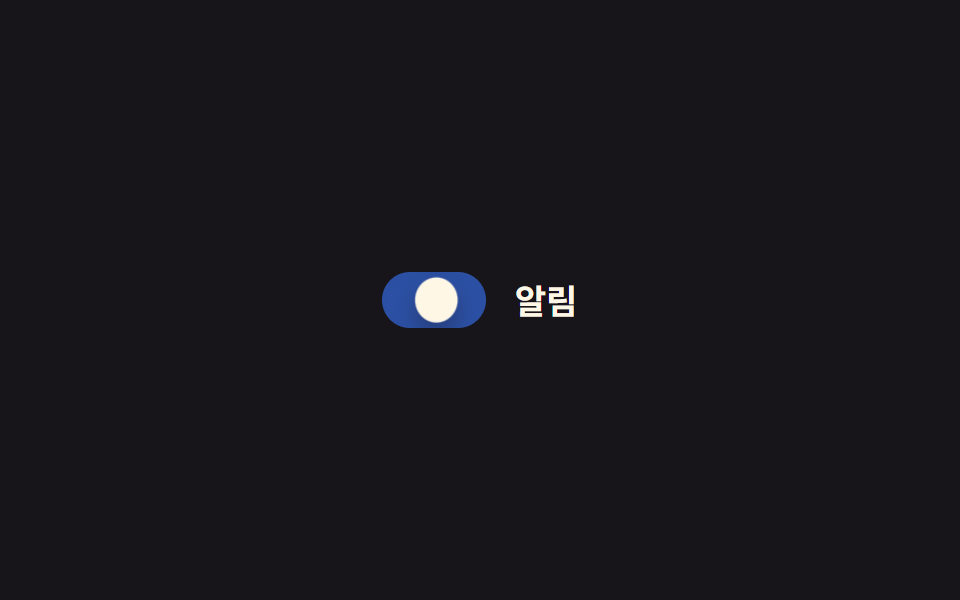 01 toggle-switch-basic-slide
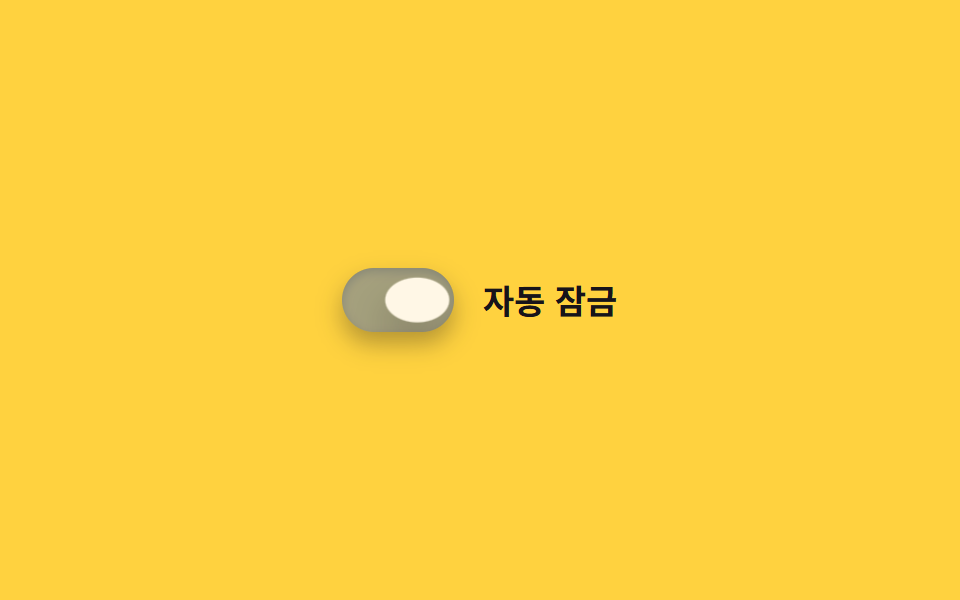 02 toggle-switch-ios-style
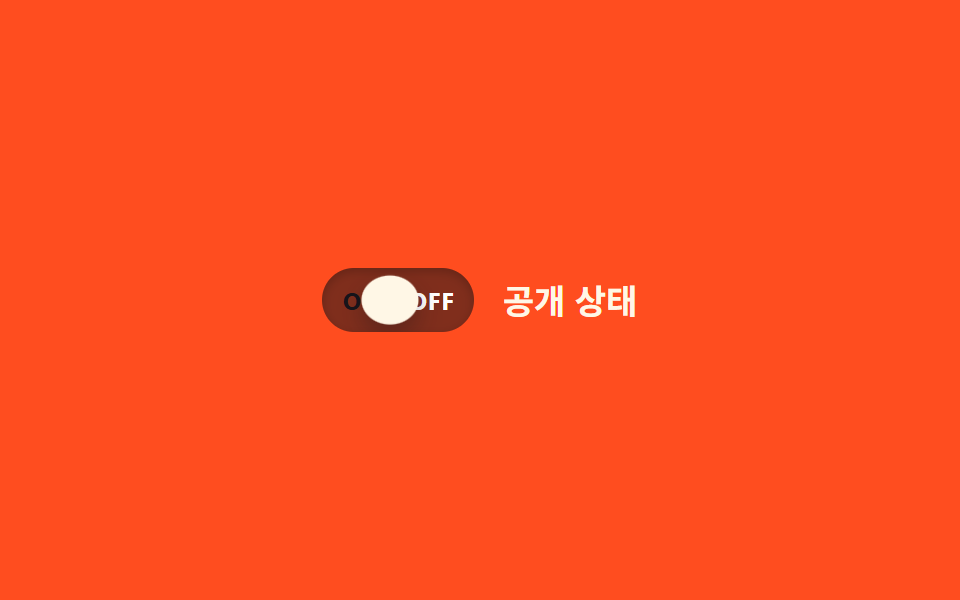 03 toggle-switch-label-inside-onoff
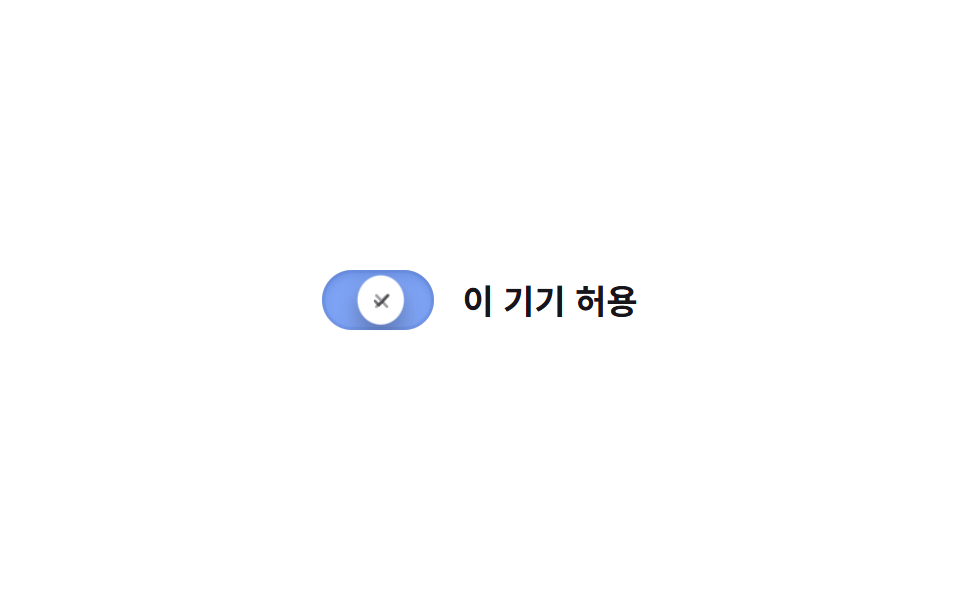 04 toggle-switch-icon-swap
 05 toggle-switch-squish-press
 06 toggle-switch-color-fill-bg
 07 toggle-switch-day-night-icon
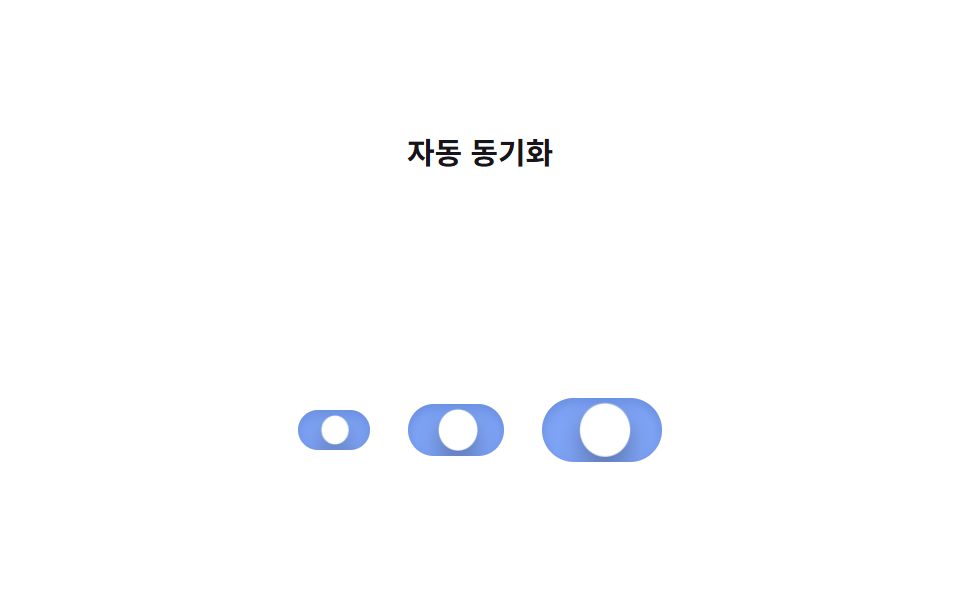 08 toggle-switch-size-variants
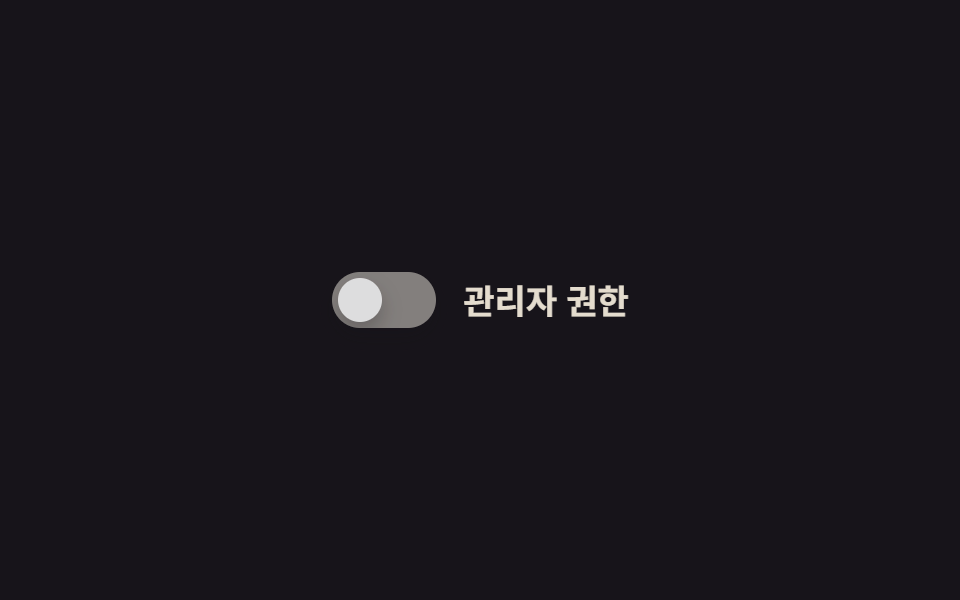 09 toggle-switch-disabled-state
자동 재생 · 눌러서 해당 항목으로 · 전부 한 zip
- 01 기본 슬라이드
- 02 iOS 스타일
- 03 ON/OFF 라벨 내장
- 04 아이콘 전환
- 05 눌림 스퀴시 효과
- 06 배경색 채움 전환
- 07 해/달 아이콘 토글
- 08 크기 변형 믹스인
- 09 비활성 상태 스타일
아홉 개는 화려한 순서가 아니라 트랙 위에서 실제로 무엇을 바꾸는가 순으로 놓았습니다. 위치만 옮기는 기본형(01~02)에서 시작해, 트랙 안쪽 내용이 바뀌는 것(03~04), css 버튼 클릭 효과처럼 눌림이나 채움 연출이 들어간 것(05~07)을 지나, 구조 자체가 여럿이거나 아예 손댈 수 없는 두 개(08~09)로 끝납니다. 코드 블록엔 각 스위치의 핵심 선택자만 남겼고, 그대로 붙이면 돌아가는 완결본은 zip 안에 있습니다. 03 라벨 글자에까지 색을 흘리고 싶다면 CSS 글자 그라데이션 반짝이는 텍스트가, 같은 <input> 마크업으로 체크박스와 라디오까지 맞추려면 CSS 체크박스 커스텀 라디오 애니메이션이 짝이 됩니다.
01기본 슬라이드
어떻게 움직이나
체크박스에 checked가 걸리면 원형 노브가 트랙 오른쪽까지 미끄러지고, 트랙은 두 겹을 겹쳐 배경색만 opacity로 바꿉니다. 도착 직전 노브가 목표 지점을 살짝 지나쳤다가 되돌아오는 스프링 오버슛에 잠깐 납작해지는 squash까지 얹혀 있고, 노브가 자리를 잡는 순간 트랙 그림자도 얕아졌다가 깊어지며 눌린 깊이를 같이 보여줍니다.
어디에 쓰나
설정 화면의 옵션 스위치나 체크박스를 대체할 가장 기본형입니다.
<main class="stage">
  <label class="switch is-demo">
    <input type="checkbox" class="switch__input" role="switch">
    <span class="switch__track">
      <span class="switch__bg switch__bg--off"></span>
      <span class="switch__bg switch__bg--on"></span>
      <span class="switch__knob"></span>
    </span>
    <span class="switch__label">알림</span>
  </label>
</main>
@use "../../../../site/static/demo-tokens" as *;
// ── 변수 3개 ──────────────────────────────
$duration: $dur-base;
$easing: $ease-out;
$color: $subject-blue;
// ── 데모 무대 ───────────────────────────────
@include stage($stage-ink);
.switch {
position: relative;
display: inline-flex; align-items: center; gap: clamp(10px, 3vw, 14px);
cursor: pointer;
-webkit-tap-highlight-color: transparent;
}
.switch__input {
position: absolute; inset: 0; width: 100%; height: 100%;
margin: 0; opacity: 0; cursor: pointer;
}
.switch__track {
position: relative; overflow: hidden;
width: clamp(44px, 12vw, 52px); height: clamp(24px, 6.5vw, 28px);
border-radius: $r-pill;
}
.switch__bg { position: absolute; inset: 0; }
.switch__bg--off { background: rgba(255, 255, 255, .18); opacity: 1; }
.switch__bg--on { background: $color; opacity: 0; }
.switch__knob {
position: absolute; top: 3px; left: 3px; z-index: 1;
width: clamp(18px, 5vw, 22px); height: clamp(18px, 5vw, 22px);
border-radius: 50%;
background: $subject-cream;
box-shadow: $shadow-press;
transform: translateX(0);
transition: transform $duration cubic-bezier(0.34, 1.56, 0.64, 1);
}
.switch__label { color: $subject-cream; font-weight: 600; font-size: clamp(14px, 4vw, 17px); line-height: 1; font-family: inherit; }
// ── 실제 동작: :checked 로 진짜 토글된다 ──────────────────
.switch__input:checked ~ .switch__track .switch__bg--off { opacity: 0; transition: opacity $duration $easing; }
.switch__input:checked ~ .switch__track .switch__bg--on { opacity: 1; transition: opacity $duration $easing; }
.switch__input:checked ~ .switch__track .switch__knob { transform: translateX(clamp(20px, 6vw, 24px)); }
.switch__input:focus-visible ~ .switch__track {
outline: 2px solid $subject-cream; outline-offset: 3px;
}
// ── 데모 루프: 클릭 전까지 스스로 켜졌다 꺼진다 ──────────────
// 한 겹: 노브는 도착 지점을 지나쳤다 되돌아오며 찌그러지고(스프링 오버슛+squash),
// 트랙은 상태가 바뀌는 순간 내부 그림자가 깊어졌다 얕아진다(바닥에 앉는 깊이).
.switch.is-demo .switch__bg--off { animation: bg-off-loop $dur-loop $easing infinite; }
.switch.is-demo .switch__bg--on { animation: bg-on-loop $dur-loop $easing infinite; }
.switch.is-demo .switch__knob { animation: knob-spring-loop $dur-loop $easing infinite; }
.switch.is-demo .switch__track { animation: shadow-depth-loop $dur-loop $easing infinite; }
@keyframes bg-off-loop { 0%, 15% { opacity: 1; } 40%, 60% { opacity: 0; } 85%, 100% { opacity: 1; } }
@keyframes bg-on-loop { 0%, 15% { opacity: 0; } 40%, 60% { opacity: 1; } 85%, 100% { opacity: 0; } }
@keyframes knob-loop {
0%, 15% { transform: translateX(0); }
40%, 60% { transform: translateX(24px); }
85%, 100% { transform: translateX(0); }
}
@keyframes knob-spring-loop {
0%, 15% { transform: translateX(0) scaleX(1) scaleY(1); }
38% { transform: translateX(27px) scaleX(1.25) scaleY(.85); } // 오버슈트 + 도착 순간 squash
42% { transform: translateX(23.5px) scaleX(1.08) scaleY(.94); } // 되튕기며 회복
46%, 60% { transform: translateX(24px) scaleX(1) scaleY(1); } // 안착
84% { transform: translateX(-2px) scaleX(.92) scaleY(1.06); } // 출발 반동
85%, 100% { transform: translateX(0) scaleX(1) scaleY(1); }
}
@keyframes shadow-depth-loop {
0%, 15% { box-shadow: inset 0 1px 3px rgba(0, 0, 0, .15); }
38% { box-shadow: inset 0 3px 8px rgba(0, 0, 0, .28); } // 노브가 내려앉는 순간 깊어짐
40%, 60% { box-shadow: inset 0 3px 8px rgba(0, 0, 0, .28); }
85%, 100% { box-shadow: inset 0 1px 3px rgba(0, 0, 0, .15); }
}
// ── 접근성: 움직임 줄이기 설정이면 전환만 남기고 데모 루프는 끈다 ──────
@media (prefers-reduced-motion: reduce) {
.switch.is-demo .switch__bg--off,
.switch.is-demo .switch__bg--on,
.switch.is-demo .switch__knob,
.switch.is-demo .switch__track { animation: none !important; }
.switch__knob, .switch__bg--off, .switch__bg--on { transition: none; }
}html, body {
margin: 0;
overflow: hidden;
}
.stage {
box-sizing: border-box;
min-height: 100vh;
display: grid;
place-items: center;
margin: 0;
background: #17141a;
font-family: -apple-system, "Segoe UI", "Noto Sans KR", sans-serif;
padding: clamp(8px, 4vw, 24px);
}
.switch {
position: relative;
display: inline-flex;
align-items: center;
gap: clamp(10px, 3vw, 14px);
cursor: pointer;
-webkit-tap-highlight-color: transparent;
}
.switch__input {
position: absolute;
inset: 0;
width: 100%;
height: 100%;
margin: 0;
opacity: 0;
cursor: pointer;
}
.switch__track {
position: relative;
overflow: hidden;
width: clamp(44px, 12vw, 52px);
height: clamp(24px, 6.5vw, 28px);
border-radius: 999px;
}
.switch__bg {
position: absolute;
inset: 0;
}
.switch__bg--off {
background: rgba(255, 255, 255, 0.18);
opacity: 1;
}
.switch__bg--on {
background: #2f6df6;
opacity: 0;
}
.switch__knob {
position: absolute;
top: 3px;
left: 3px;
z-index: 1;
width: clamp(18px, 5vw, 22px);
height: clamp(18px, 5vw, 22px);
border-radius: 50%;
background: #fff7e6;
box-shadow: 0 6px 12px rgba(23, 20, 26, 0.32);
transform: translateX(0);
transition: transform 300ms cubic-bezier(0.34, 1.56, 0.64, 1);
}
.switch__label {
color: #fff7e6;
font-weight: 600;
font-size: clamp(14px, 4vw, 17px);
line-height: 1;
font-family: inherit;
}
.switch__input:checked ~ .switch__track .switch__bg--off {
opacity: 0;
transition: opacity 300ms ease-out;
}
.switch__input:checked ~ .switch__track .switch__bg--on {
opacity: 1;
transition: opacity 300ms ease-out;
}
.switch__input:checked ~ .switch__track .switch__knob {
transform: translateX(clamp(20px, 6vw, 24px));
}
.switch__input:focus-visible ~ .switch__track {
outline: 2px solid #fff7e6;
outline-offset: 3px;
}
.switch.is-demo .switch__bg--off {
animation: bg-off-loop 2s ease-out infinite;
}
.switch.is-demo .switch__bg--on {
animation: bg-on-loop 2s ease-out infinite;
}
.switch.is-demo .switch__knob {
animation: knob-spring-loop 2s ease-out infinite;
}
.switch.is-demo .switch__track {
animation: shadow-depth-loop 2s ease-out infinite;
}
@keyframes bg-off-loop {
0%, 15% {
opacity: 1;
}
40%, 60% {
opacity: 0;
}
85%, 100% {
opacity: 1;
}
}
@keyframes bg-on-loop {
0%, 15% {
opacity: 0;
}
40%, 60% {
opacity: 1;
}
85%, 100% {
opacity: 0;
}
}
@keyframes knob-loop {
0%, 15% {
transform: translateX(0);
}
40%, 60% {
transform: translateX(24px);
}
85%, 100% {
transform: translateX(0);
}
}
@keyframes knob-spring-loop {
0%, 15% {
transform: translateX(0) scaleX(1) scaleY(1);
}
38% {
transform: translateX(27px) scaleX(1.25) scaleY(0.85);
}
42% {
transform: translateX(23.5px) scaleX(1.08) scaleY(0.94);
}
46%, 60% {
transform: translateX(24px) scaleX(1) scaleY(1);
}
84% {
transform: translateX(-2px) scaleX(0.92) scaleY(1.06);
}
85%, 100% {
transform: translateX(0) scaleX(1) scaleY(1);
}
}
@keyframes shadow-depth-loop {
0%, 15% {
box-shadow: inset 0 1px 3px rgba(0, 0, 0, 0.15);
}
38% {
box-shadow: inset 0 3px 8px rgba(0, 0, 0, 0.28);
}
40%, 60% {
box-shadow: inset 0 3px 8px rgba(0, 0, 0, 0.28);
}
85%, 100% {
box-shadow: inset 0 1px 3px rgba(0, 0, 0, 0.15);
}
}
@media (prefers-reduced-motion: reduce) {
.switch.is-demo .switch__bg--off,
.switch.is-demo .switch__bg--on,
.switch.is-demo .switch__knob,
.switch.is-demo .switch__track {
animation: none !important;
}
.switch__knob, .switch__bg--off, .switch__bg--on {
transition: none;
}
}// 실제 클릭이 오면 데모 루프(.is-demo)를 떼고 :checked 로만 움직이게 한다.
// aria-checked 는 role="switch" 를 쓴 네이티브 체크박스라 브라우저가 checked 에서 자동으로 읽지만,
// 오래된 스크린리더까지 챙기려면 change 때마다 명시적으로 맞춰 둔다.
document.querySelectorAll(".switch").forEach(function (s) {
var input = s.querySelector(".switch__input");
var sync = function () { input.setAttribute("aria-checked", String(input.checked)); };
input.addEventListener("pointerdown", function () { s.classList.remove("is-demo"); });
input.addEventListener("change", sync);
sync();
});import { useState } from "react";
import type { ChangeEvent, CSSProperties } from "react";
import styles from "./ToggleSwitch.module.scss";
export type ToggleSwitchProps = {
label?: string;
/** 전환 시간 (기본 300ms) */
duration?: number;
/** CSS easing (기본 스프링 오버슛) */
easing?: string;
/** on 상태 트랙 색 */
color?: string;
defaultChecked?: boolean;
onChange?: (checked: boolean) => void;
};
type Vars = CSSProperties & { "--duration"?: string; "--easing"?: string; "--color"?: string };
export default function ToggleSwitch({
label = "알림",
duration = 300,
easing = "cubic-bezier(0.34, 1.56, 0.64, 1)",
color = "#2f6df6",
defaultChecked = false,
onChange,
}: ToggleSwitchProps) {
const [checked, setChecked] = useState(defaultChecked);
const vars: Vars = { "--duration": `${duration}ms`, "--easing": easing, "--color": color };
return (
<label className={styles.switch} style={vars}>
<input
type="checkbox"
role="switch"
aria-checked={checked}
className={styles.switch__input}
checked={checked}
onChange={(e: ChangeEvent<HTMLInputElement>) => {
setChecked(e.target.checked);
onChange?.(e.target.checked);
}}
/>
<span className={styles.switch__track}>
<span className={styles["switch__bg--off"]} />
<span className={styles["switch__bg--on"]} />
<span className={styles.switch__knob} />
</span>
<span className={styles.switch__label}>{label}</span>
</label>
);
}01 · 기본 슬라이드 — 측정 누적면적 0.917% · 움직인 프레임 15/23GODRICH 원작 · zip 에 SCSS·React 포함 · 비밀번호 보기
.switch__bg--off { background: rgba(255, 255, 255, .18); opacity: 1; }
.switch__bg--on  { background: $color; opacity: 0; }
.switch__knob { transform: translateX(0); transition: transform $duration $easing; }

.switch__input:checked ~ .switch__track .switch__bg--off { opacity: 0; }
.switch__input:checked ~ .switch__track .switch__bg--on  { opacity: 1; }
.switch__input:checked ~ .switch__track .switch__knob    { transform: translateX(24px); }
02iOS 스타일
어떻게 움직이나
iOS 설정 앱처럼 둥근 트랙과 흰 노브 조합에, 노브가 도착 지점에서 스프링 이징으로 한 번 더 튕기고 멈춥니다. 튕기는 순간 노브가 세로로 좁아지는 squash가 같이 들어가 탄성이 눈에 보이고, 트랙 안쪽 그림자도 노브가 붙어 있을 때 깊었다가 떨어질 때 얕아지며 손맛을 더합니다.
어디에 쓰나
모바일 웹 설정 화면처럼 손끝의 반응감이 중요한 자리에 씁니다.
<main class="stage">
  <label class="switch is-demo">
    <input type="checkbox" class="switch__input" role="switch">
    <span class="switch__track">
      <span class="switch__bg switch__bg--off"></span>
      <span class="switch__bg switch__bg--on"></span>
      <span class="switch__knob"></span>
    </span>
    <span class="switch__label">자동 잠금</span>
  </label>
</main>
@use "../../../../site/static/demo-tokens" as *;
// ── 변수 3개 ──────────────────────────────
$duration: $dur-enter;
$easing: $ease-spring;
$color: $subject-blue;
// ── 데모 무대 ───────────────────────────────
@include stage($stage-yellow);
.switch {
position: relative;
display: inline-flex; align-items: center; gap: clamp(10px, 3vw, 14px);
cursor: pointer;
-webkit-tap-highlight-color: transparent;
}
.switch__input {
position: absolute; inset: 0; width: 100%; height: 100%;
margin: 0; opacity: 0; cursor: pointer;
}
.switch__track {
position: relative; overflow: hidden;
width: clamp(48px, 13vw, 56px); height: clamp(28px, 7.5vw, 32px);
border-radius: $r-pill;
box-shadow: $shadow-press;
}
.switch__bg { position: absolute; inset: 0; }
.switch__bg--off { background: rgba(23, 20, 26, .16); opacity: 1; }
.switch__bg--on { background: $color; opacity: 0; }
.switch__knob {
position: absolute; top: 3px; left: 3px; z-index: 1;
width: clamp(22px, 6vw, 26px); height: clamp(22px, 6vw, 26px);
border-radius: 50%;
background: $subject-cream;
box-shadow: $shadow-raised;
transform: translateX(0);
transition: transform $duration cubic-bezier(0.34, 1.56, 0.64, 1);
}
.switch__label { color: $subject-ink; font-weight: 600; font-size: clamp(14px, 4vw, 17px); line-height: 1; font-family: inherit; }
// ── 실제 동작 ─────────────────────────────
.switch__input:checked ~ .switch__track .switch__bg--off { opacity: 0; transition: opacity $duration $easing; }
.switch__input:checked ~ .switch__track .switch__bg--on { opacity: 1; transition: opacity $duration $easing; }
.switch__input:checked ~ .switch__track .switch__knob { transform: translateX(clamp(20px, 6vw, 24px)); }
.switch__input:focus-visible ~ .switch__track {
outline: 2px solid $subject-ink; outline-offset: 3px;
}
// ── 데모 루프: 도착 지점에서 스프링 이징이 살짝 튕긴다 ─────────
// 한 겹: 오버슈트 순간 노브가 찌그러지고(squash), 트랙은 상태 전환 때
// 내부 그림자가 깊어졌다 얕아진다(바닥에 앉는 깊이).
.switch.is-demo .switch__bg--off { animation: bg-off-loop $dur-loop $ease-out infinite; }
.switch.is-demo .switch__bg--on { animation: bg-on-loop $dur-loop $ease-out infinite; }
.switch.is-demo .switch__knob { animation: knob-spring-loop $dur-loop $easing infinite; }
.switch.is-demo .switch__track { animation: shadow-depth-loop $dur-loop $ease-out infinite; }
@keyframes bg-off-loop { 0%, 15% { opacity: 1; } 40%, 60% { opacity: 0; } 85%, 100% { opacity: 1; } }
@keyframes bg-on-loop { 0%, 15% { opacity: 0; } 40%, 60% { opacity: 1; } 85%, 100% { opacity: 0; } }
@keyframes knob-loop {
  0%, 15%   { transform: translateX(0); }
  38%       { transform: translateX(28px); }   // 스프링 오버슈트
  40%, 60%  { transform: translateX(24px); }
  85%, 100% { transform: translateX(0); }
}
@keyframes knob-spring-loop {
0%, 15% { transform: translateX(0) scaleX(1) scaleY(1); }
38% { transform: translateX(28px) scaleX(1.3) scaleY(.82); } // 오버슈트 + 찌그러짐
43% { transform: translateX(23px) scaleX(1.1) scaleY(.92); } // 되튕기며 회복
47%, 60% { transform: translateX(24px) scaleX(1) scaleY(1); } // 안착
84% { transform: translateX(-2px) scaleX(.92) scaleY(1.06); } // 출발 반동
85%, 100% { transform: translateX(0) scaleX(1) scaleY(1); }
}
@keyframes shadow-depth-loop {
0%, 15% { box-shadow: $shadow-press, inset 0 1px 3px rgba(0, 0, 0, .15); }
38% { box-shadow: $shadow-press, inset 0 3px 8px rgba(0, 0, 0, .28); }
40%, 60% { box-shadow: $shadow-press, inset 0 3px 8px rgba(0, 0, 0, .28); }
85%, 100% { box-shadow: $shadow-press, inset 0 1px 3px rgba(0, 0, 0, .15); }
}
@media (prefers-reduced-motion: reduce) {
.switch.is-demo .switch__bg--off,
.switch.is-demo .switch__bg--on,
.switch.is-demo .switch__knob,
.switch.is-demo .switch__track { animation: none !important; }
.switch__knob, .switch__bg--off, .switch__bg--on { transition: none; }
}html, body {
margin: 0;
overflow: hidden;
}
.stage {
box-sizing: border-box;
min-height: 100vh;
display: grid;
place-items: center;
margin: 0;
background: #ffd23f;
font-family: -apple-system, "Segoe UI", "Noto Sans KR", sans-serif;
padding: clamp(8px, 4vw, 24px);
}
.switch {
position: relative;
display: inline-flex;
align-items: center;
gap: clamp(10px, 3vw, 14px);
cursor: pointer;
-webkit-tap-highlight-color: transparent;
}
.switch__input {
position: absolute;
inset: 0;
width: 100%;
height: 100%;
margin: 0;
opacity: 0;
cursor: pointer;
}
.switch__track {
position: relative;
overflow: hidden;
width: clamp(48px, 13vw, 56px);
height: clamp(28px, 7.5vw, 32px);
border-radius: 999px;
box-shadow: 0 6px 12px rgba(23, 20, 26, 0.32);
}
.switch__bg {
position: absolute;
inset: 0;
}
.switch__bg--off {
background: rgba(23, 20, 26, 0.16);
opacity: 1;
}
.switch__bg--on {
background: #2f6df6;
opacity: 0;
}
.switch__knob {
position: absolute;
top: 3px;
left: 3px;
z-index: 1;
width: clamp(22px, 6vw, 26px);
height: clamp(22px, 6vw, 26px);
border-radius: 50%;
background: #fff7e6;
box-shadow: 0 14px 24px rgba(23, 20, 26, 0.32);
transform: translateX(0);
transition: transform 600ms cubic-bezier(0.34, 1.56, 0.64, 1);
}
.switch__label {
color: #17141a;
font-weight: 600;
font-size: clamp(14px, 4vw, 17px);
line-height: 1;
font-family: inherit;
}
.switch__input:checked ~ .switch__track .switch__bg--off {
opacity: 0;
transition: opacity 600ms cubic-bezier(0.2, 0.8, 0.2, 1);
}
.switch__input:checked ~ .switch__track .switch__bg--on {
opacity: 1;
transition: opacity 600ms cubic-bezier(0.2, 0.8, 0.2, 1);
}
.switch__input:checked ~ .switch__track .switch__knob {
transform: translateX(clamp(20px, 6vw, 24px));
}
.switch__input:focus-visible ~ .switch__track {
outline: 2px solid #17141a;
outline-offset: 3px;
}
.switch.is-demo .switch__bg--off {
animation: bg-off-loop 2s ease-out infinite;
}
.switch.is-demo .switch__bg--on {
animation: bg-on-loop 2s ease-out infinite;
}
.switch.is-demo .switch__knob {
animation: knob-spring-loop 2s cubic-bezier(0.2, 0.8, 0.2, 1) infinite;
}
.switch.is-demo .switch__track {
animation: shadow-depth-loop 2s ease-out infinite;
}
@keyframes bg-off-loop {
0%, 15% {
opacity: 1;
}
40%, 60% {
opacity: 0;
}
85%, 100% {
opacity: 1;
}
}
@keyframes bg-on-loop {
0%, 15% {
opacity: 0;
}
40%, 60% {
opacity: 1;
}
85%, 100% {
opacity: 0;
}
}
@keyframes knob-loop {
0%, 15% {
transform: translateX(0);
}
38% {
transform: translateX(28px);
}
40%, 60% {
transform: translateX(24px);
}
85%, 100% {
transform: translateX(0);
}
}
@keyframes knob-spring-loop {
0%, 15% {
transform: translateX(0) scaleX(1) scaleY(1);
}
38% {
transform: translateX(28px) scaleX(1.3) scaleY(0.82);
}
43% {
transform: translateX(23px) scaleX(1.1) scaleY(0.92);
}
47%, 60% {
transform: translateX(24px) scaleX(1) scaleY(1);
}
84% {
transform: translateX(-2px) scaleX(0.92) scaleY(1.06);
}
85%, 100% {
transform: translateX(0) scaleX(1) scaleY(1);
}
}
@keyframes shadow-depth-loop {
0%, 15% {
box-shadow: 0 6px 12px rgba(23, 20, 26, 0.32), inset 0 1px 3px rgba(0, 0, 0, 0.15);
}
38% {
box-shadow: 0 6px 12px rgba(23, 20, 26, 0.32), inset 0 3px 8px rgba(0, 0, 0, 0.28);
}
40%, 60% {
box-shadow: 0 6px 12px rgba(23, 20, 26, 0.32), inset 0 3px 8px rgba(0, 0, 0, 0.28);
}
85%, 100% {
box-shadow: 0 6px 12px rgba(23, 20, 26, 0.32), inset 0 1px 3px rgba(0, 0, 0, 0.15);
}
}
@media (prefers-reduced-motion: reduce) {
.switch.is-demo .switch__bg--off,
.switch.is-demo .switch__bg--on,
.switch.is-demo .switch__knob,
.switch.is-demo .switch__track {
animation: none !important;
}
.switch__knob, .switch__bg--off, .switch__bg--on {
transition: none;
}
}document.querySelectorAll(".switch").forEach(function (s) {
var input = s.querySelector(".switch__input");
var sync = function () { input.setAttribute("aria-checked", String(input.checked)); };
input.addEventListener("pointerdown", function () { s.classList.remove("is-demo"); });
input.addEventListener("change", sync);
sync();
});import { useState } from "react";
import type { ChangeEvent, CSSProperties } from "react";
import styles from "./IOSToggle.module.scss";
export type IOSToggleProps = {
label?: string;
/** 도착 지점 트랜지션 시간 (기본 600ms) */
duration?: number;
/** 스프링 이징 */
easing?: string;
color?: string;
defaultChecked?: boolean;
onChange?: (checked: boolean) => void;
};
type Vars = CSSProperties & { "--duration"?: string; "--easing"?: string; "--color"?: string };
export default function IOSToggle({
label = "자동 잠금",
duration = 600,
easing = "cubic-bezier(0.34, 1.56, 0.64, 1)",
color = "#2f6df6",
defaultChecked = false,
onChange,
}: IOSToggleProps) {
const [checked, setChecked] = useState(defaultChecked);
const vars: Vars = { "--duration": `${duration}ms`, "--easing": easing, "--color": color };
return (
<label className={styles.switch} style={vars}>
<input
type="checkbox"
role="switch"
aria-checked={checked}
className={styles.switch__input}
checked={checked}
onChange={(e: ChangeEvent<HTMLInputElement>) => { setChecked(e.target.checked); onChange?.(e.target.checked); }}
/>
<span className={styles.switch__track}>
<span className={styles["switch__bg--off"]} />
<span className={styles["switch__bg--on"]} />
<span className={styles.switch__knob} />
</span>
<span className={styles.switch__label}>{label}</span>
</label>
);
}02 · iOS 스타일 — 측정 누적면적 1.118% · 움직인 프레임 15/23GODRICH 원작 · zip 에 SCSS·React 포함 · 비밀번호 보기
@keyframes knob-loop {
0%, 15% { transform: translateX(0); }
38% { transform: translateX(28px); } // 스프링 오버슈트
40%, 60% { transform: translateX(24px); }
85%, 100% { transform: translateX(0); }
}
03ON/OFF 라벨 내장
어떻게 움직이나
트랙 양 끝에 ON·OFF 글자를 고정해 두고, 노브가 이동하며 반대쪽 글자를 z-index로 덮습니다. 이동 끝에서 노브가 한 번 튀어 올라갔다가 눌리며 납작해지는 스프링+squash 마무리가 붙고, 그 사이 트랙 그림자가 깊어졌다가 되돌아와 글자 위에 노브가 착 지압하는 느낌을 줍니다.
어디에 쓰나
관리자 대시보드의 상태 스위치처럼 지금 값이 뭔지 글자로도 보여야 하는 곳에 씁니다.
<main class="stage">
  <label class="switch is-demo">
    <input type="checkbox" class="switch__input" role="switch">
    <span class="switch__track">
      <span class="switch__text switch__text--on">ON</span>
      <span class="switch__text switch__text--off">OFF</span>
      <span class="switch__knob"></span>
    </span>
    <span class="switch__label">공개 상태</span>
  </label>
</main>
@use "../../../../site/static/demo-tokens" as *;
// ── 변수 3개 ──────────────────────────────
$duration: $dur-base;
$easing: $ease-out;
$color: $subject-cream;
// ── 데모 무대 ───────────────────────────────
@include stage($stage-orange);
.switch {
position: relative;
display: inline-flex; align-items: center; gap: clamp(10px, 3vw, 14px);
cursor: pointer;
-webkit-tap-highlight-color: transparent;
}
.switch__input {
position: absolute; inset: 0; width: 100%; height: 100%;
margin: 0; opacity: 0; cursor: pointer;
}
.switch__track {
position: relative; overflow: hidden;
width: clamp(64px, 17vw, 76px); height: clamp(28px, 7.5vw, 32px);
border-radius: $r-pill;
background: rgba(23, 20, 26, .55);
}
.switch__text {
position: absolute; top: 50%; transform: translateY(-50%);
font-weight: 700; font-size: clamp(10px, 2.8vw, 12px); line-height: 1; font-family: inherit; letter-spacing: .04em;
color: $subject-ink;
}
.switch__text--on { left: clamp(8px, 2.5vw, 10px); }
.switch__text--off { right: clamp(8px, 2.5vw, 10px); color: $stage-paper; }
.switch__knob {
position: absolute; top: 3px; left: 3px; z-index: 1;
width: clamp(22px, 6vw, 26px); height: clamp(22px, 6vw, 26px);
border-radius: 50%;
background: $color;
box-shadow: $shadow-press;
transform: translateX(0);
transition: transform $duration cubic-bezier(0.34, 1.56, 0.64, 1);
}
.switch__label { color: $subject-cream; font-weight: 600; font-size: clamp(14px, 4vw, 17px); line-height: 1; font-family: inherit; }
// ── 실제 동작: 노브가 이동하며 반대쪽 글자를 덮는다 ──────
.switch__input:checked ~ .switch__track .switch__knob {
transform: translateX(clamp(36px, 10vw, 44px));
}
.switch__input:focus-visible ~ .switch__track {
outline: 2px solid $subject-cream; outline-offset: 3px;
}
// ── 데모 루프 ─────────────────────────────
// 한 겹: 노브가 도착 지점을 지나쳤다(47px) 되돌아오며 찌그러지고,
// 트랙 내부 그림자가 상태 전환 때 깊어졌다 얕아진다.
.switch.is-demo .switch__knob { animation: knob-spring-loop $dur-loop $easing infinite; }
.switch.is-demo .switch__track { animation: shadow-depth-loop $dur-loop $easing infinite; }
@keyframes knob-loop {
0%, 15% { transform: translateX(0); }
40%, 60% { transform: translateX(44px); }
85%, 100% { transform: translateX(0); }
}
@keyframes knob-spring-loop {
0%, 15% { transform: translateX(0) scaleX(1) scaleY(1); }
38% { transform: translateX(47px) scaleX(1.25) scaleY(.85); } // 오버슈트 + 도착 순간 squash
43% { transform: translateX(43px) scaleX(1.08) scaleY(.94); } // 되튕기며 회복
47%, 60% { transform: translateX(44px) scaleX(1) scaleY(1); } // 안착
84% { transform: translateX(-2px) scaleX(.92) scaleY(1.06); } // 출발 반동
85%, 100% { transform: translateX(0) scaleX(1) scaleY(1); }
}
@keyframes shadow-depth-loop {
0%, 15% { box-shadow: inset 0 1px 3px rgba(0, 0, 0, .15); }
38% { box-shadow: inset 0 3px 8px rgba(0, 0, 0, .28); }
40%, 60% { box-shadow: inset 0 3px 8px rgba(0, 0, 0, .28); }
85%, 100% { box-shadow: inset 0 1px 3px rgba(0, 0, 0, .15); }
}
@media (prefers-reduced-motion: reduce) {
.switch.is-demo .switch__knob,
.switch.is-demo .switch__track { animation: none !important; }
.switch__knob { transition: none; }
}html, body {
margin: 0;
overflow: hidden;
}
.stage {
box-sizing: border-box;
min-height: 100vh;
display: grid;
place-items: center;
margin: 0;
background: #ff4d1f;
font-family: -apple-system, "Segoe UI", "Noto Sans KR", sans-serif;
padding: clamp(8px, 4vw, 24px);
}
.switch {
position: relative;
display: inline-flex;
align-items: center;
gap: clamp(10px, 3vw, 14px);
cursor: pointer;
-webkit-tap-highlight-color: transparent;
}
.switch__input {
position: absolute;
inset: 0;
width: 100%;
height: 100%;
margin: 0;
opacity: 0;
cursor: pointer;
}
.switch__track {
position: relative;
overflow: hidden;
width: clamp(64px, 17vw, 76px);
height: clamp(28px, 7.5vw, 32px);
border-radius: 999px;
background: rgba(23, 20, 26, 0.55);
}
.switch__text {
position: absolute;
top: 50%;
transform: translateY(-50%);
font-weight: 700;
font-size: clamp(10px, 2.8vw, 12px);
line-height: 1;
font-family: inherit;
letter-spacing: 0.04em;
color: #17141a;
}
.switch__text--on {
left: clamp(8px, 2.5vw, 10px);
}
.switch__text--off {
right: clamp(8px, 2.5vw, 10px);
color: #ffffff;
}
.switch__knob {
position: absolute;
top: 3px;
left: 3px;
z-index: 1;
width: clamp(22px, 6vw, 26px);
height: clamp(22px, 6vw, 26px);
border-radius: 50%;
background: #fff7e6;
box-shadow: 0 6px 12px rgba(23, 20, 26, 0.32);
transform: translateX(0);
transition: transform 300ms cubic-bezier(0.34, 1.56, 0.64, 1);
}
.switch__label {
color: #fff7e6;
font-weight: 600;
font-size: clamp(14px, 4vw, 17px);
line-height: 1;
font-family: inherit;
}
.switch__input:checked ~ .switch__track .switch__knob {
transform: translateX(clamp(36px, 10vw, 44px));
}
.switch__input:focus-visible ~ .switch__track {
outline: 2px solid #fff7e6;
outline-offset: 3px;
}
.switch.is-demo .switch__knob {
animation: knob-spring-loop 2s ease-out infinite;
}
.switch.is-demo .switch__track {
animation: shadow-depth-loop 2s ease-out infinite;
}
@keyframes knob-loop {
0%, 15% {
transform: translateX(0);
}
40%, 60% {
transform: translateX(44px);
}
85%, 100% {
transform: translateX(0);
}
}
@keyframes knob-spring-loop {
0%, 15% {
transform: translateX(0) scaleX(1) scaleY(1);
}
38% {
transform: translateX(47px) scaleX(1.25) scaleY(0.85);
}
43% {
transform: translateX(43px) scaleX(1.08) scaleY(0.94);
}
47%, 60% {
transform: translateX(44px) scaleX(1) scaleY(1);
}
84% {
transform: translateX(-2px) scaleX(0.92) scaleY(1.06);
}
85%, 100% {
transform: translateX(0) scaleX(1) scaleY(1);
}
}
@keyframes shadow-depth-loop {
0%, 15% {
box-shadow: inset 0 1px 3px rgba(0, 0, 0, 0.15);
}
38% {
box-shadow: inset 0 3px 8px rgba(0, 0, 0, 0.28);
}
40%, 60% {
box-shadow: inset 0 3px 8px rgba(0, 0, 0, 0.28);
}
85%, 100% {
box-shadow: inset 0 1px 3px rgba(0, 0, 0, 0.15);
}
}
@media (prefers-reduced-motion: reduce) {
.switch.is-demo .switch__knob,
.switch.is-demo .switch__track {
animation: none !important;
}
.switch__knob {
transition: none;
}
}document.querySelectorAll(".switch").forEach(function (s) {
var input = s.querySelector(".switch__input");
var sync = function () { input.setAttribute("aria-checked", String(input.checked)); };
input.addEventListener("pointerdown", function () { s.classList.remove("is-demo"); });
input.addEventListener("change", sync);
sync();
});import { useState } from "react";
import type { ChangeEvent, CSSProperties } from "react";
import styles from "./OnOffToggle.module.scss";
export type OnOffToggleProps = {
label?: string;
duration?: number;
easing?: string;
color?: string;
defaultChecked?: boolean;
onChange?: (checked: boolean) => void;
};
type Vars = CSSProperties & { "--duration"?: string; "--easing"?: string; "--color"?: string };
export default function OnOffToggle({
label = "공개 상태",
duration = 300,
easing = "cubic-bezier(0.34, 1.56, 0.64, 1)",
color = "#fff7e6",
defaultChecked = false,
onChange,
}: OnOffToggleProps) {
const [checked, setChecked] = useState(defaultChecked);
const vars: Vars = { "--duration": `${duration}ms`, "--easing": easing, "--color": color };
return (
<label className={styles.switch} style={vars}>
<input
type="checkbox"
role="switch"
aria-checked={checked}
className={styles.switch__input}
checked={checked}
onChange={(e: ChangeEvent<HTMLInputElement>) => { setChecked(e.target.checked); onChange?.(e.target.checked); }}
/>
<span className={styles.switch__track}>
<span className={styles["switch__text--on"]}>ON</span>
<span className={styles["switch__text--off"]}>OFF</span>
<span className={styles.switch__knob} />
</span>
<span className={styles.switch__label}>{label}</span>
</label>
);
}03 · ON/OFF 라벨 내장 — 측정 누적면적 1.507% · 움직인 프레임 16/23GODRICH 원작 · zip 에 SCSS·React 포함 · 비밀번호 보기
.switch__text--on  { left: 10px; }
.switch__text--off { right: 10px; }
.switch__knob {
  position: absolute; top: 3px; left: 3px; z-index: 1;
  transition: transform $duration $easing;
}
.switch__input:checked ~ .switch__track .switch__knob {
  transform: translateX(44px);
}
04아이콘 전환
어떻게 움직이나
노브 안 체크·엑스 아이콘이 opacity로 자리를 바꾸는 사이 노브 자체도 옆으로 이동합니다. 목표 위치를 살짝 넘겼다가 돌아오는 스프링 오버슛과 함께 노브가 한순간 납작해지는데, 이때 트랙 그림자가 짙어졌다가 풀리며 아이콘이 바뀌는 타이밍을 눈으로 잡아줍니다.
어디에 쓰나
권한 허용·거부처럼 결과가 아이콘 하나로 설명되는 스위치에 씁니다.
<main class="stage">
  <label class="switch is-demo">
    <input type="checkbox" class="switch__input" role="switch">
    <span class="switch__track">
      <span class="switch__bg switch__bg--off"></span>
      <span class="switch__bg switch__bg--on"></span>
      <span class="switch__knob">
        <svg class="switch__icon switch__icon--x" viewBox="0 0 16 16" width="11" height="11" aria-hidden="true">
          <path d="M4 4l8 8M12 4l-8 8" fill="none" stroke="currentColor" stroke-width="2" stroke-linecap="round"/>
        </svg>
        <svg class="switch__icon switch__icon--check" viewBox="0 0 16 16" width="11" height="11" aria-hidden="true">
          <path d="M3 8l3 3 7-7" fill="none" stroke="currentColor" stroke-width="2" stroke-linecap="round" stroke-linejoin="round"/>
        </svg>
      </span>
    </span>
    <span class="switch__label">이 기기 허용</span>
  </label>
</main>
@use "../../../../site/static/demo-tokens" as *;
// ── 변수 3개 ──────────────────────────────
$duration: $dur-quick;
$easing: $ease-out;
$color: $subject-blue;
// ── 데모 무대 ───────────────────────────────
@include stage($stage-paper);
.switch {
position: relative;
display: inline-flex; align-items: center; gap: clamp(10px, 3vw, 14px);
cursor: pointer;
-webkit-tap-highlight-color: transparent;
}
.switch__input {
position: absolute; inset: 0; width: 100%; height: 100%;
margin: 0; opacity: 0; cursor: pointer;
}
.switch__track {
position: relative; overflow: hidden;
width: clamp(48px, 13vw, 56px); height: clamp(26px, 7vw, 30px);
border-radius: $r-pill;
box-shadow: inset 0 0 0 1px rgba(23, 20, 26, .1);
}
.switch__bg { position: absolute; inset: 0; }
.switch__bg--off { background: rgba(23, 20, 26, .12); opacity: 1; }
.switch__bg--on { background: $color; opacity: 0; }
.switch__knob {
position: absolute; top: 3px; left: 3px; z-index: 1;
display: grid; place-items: center;
width: clamp(20px, 5.5vw, 24px); height: clamp(20px, 5.5vw, 24px);
border-radius: 50%;
background: $stage-paper;
box-shadow: $shadow-press;
color: $subject-ink;
transform: translateX(0);
transition: transform $duration cubic-bezier(0.34, 1.56, 0.64, 1);
}
.switch__icon { grid-area: 1 / 1; transition: opacity $duration $easing; }
.switch__icon--x { opacity: 1; }
.switch__icon--check { opacity: 0; }
.switch__label { color: $subject-ink; font-weight: 600; font-size: clamp(14px, 4vw, 17px); line-height: 1; font-family: inherit; }
// ── 실제 동작 ─────────────────────────────
.switch__input:checked ~ .switch__track .switch__bg--off { opacity: 0; transition: opacity $duration $easing; }
.switch__input:checked ~ .switch__track .switch__bg--on { opacity: 1; transition: opacity $duration $easing; }
.switch__input:checked ~ .switch__track .switch__knob { transform: translateX(clamp(22px, 6vw, 26px)); color: $color; }
.switch__input:checked ~ .switch__track .switch__icon--x { opacity: 0; }
.switch__input:checked ~ .switch__track .switch__icon--check { opacity: 1; }
.switch__input:focus-visible ~ .switch__track {
outline: 2px solid $subject-ink; outline-offset: 3px;
}
// ── 데모 루프 ─────────────────────────────
// 한 겹: 노브는 도착 지점을 지나쳤다 찌그러지며 안착하고(스프링+squash),
// 트랙의 inset 링 두께·블러가 상태 전환 때 깊어졌다 얕아진다.
.switch.is-demo .switch__bg--off { animation: bg-off-loop $dur-loop $easing infinite; }
.switch.is-demo .switch__bg--on { animation: bg-on-loop $dur-loop $easing infinite; }
.switch.is-demo .switch__knob { animation: knob-spring-loop $dur-loop $easing infinite; }
.switch.is-demo .switch__track { animation: shadow-depth-loop $dur-loop $easing infinite; }
.switch.is-demo .switch__icon--x { animation: icon-x-loop $dur-loop $easing infinite; }
.switch.is-demo .switch__icon--check { animation: icon-check-loop $dur-loop $easing infinite; }
@keyframes bg-off-loop { 0%, 15% { opacity: 1; } 40%, 60% { opacity: 0; } 85%, 100% { opacity: 1; } }
@keyframes bg-on-loop { 0%, 15% { opacity: 0; } 40%, 60% { opacity: 1; } 85%, 100% { opacity: 0; } }
@keyframes knob-loop {
0%, 15% { transform: translateX(0); }
40%, 60% { transform: translateX(26px); }
85%, 100% { transform: translateX(0); }
}
@keyframes knob-spring-loop {
0%, 15% { transform: translateX(0) scaleX(1) scaleY(1); }
38% { transform: translateX(29px) scaleX(1.25) scaleY(.85); } // 오버슈트 + 도착 순간 squash
43% { transform: translateX(25px) scaleX(1.08) scaleY(.94); } // 되튕기며 회복
47%, 60% { transform: translateX(26px) scaleX(1) scaleY(1); } // 안착
84% { transform: translateX(-2px) scaleX(.92) scaleY(1.06); } // 출발 반동
85%, 100% { transform: translateX(0) scaleX(1) scaleY(1); }
}
@keyframes shadow-depth-loop {
0%, 15% { box-shadow: inset 0 0 0 1px rgba(23, 20, 26, .1), inset 0 1px 3px rgba(0, 0, 0, .15); }
38% { box-shadow: inset 0 0 0 2px rgba(23, 20, 26, .1), inset 0 3px 8px rgba(0, 0, 0, .28); }
40%, 60% { box-shadow: inset 0 0 0 2px rgba(23, 20, 26, .1), inset 0 3px 8px rgba(0, 0, 0, .28); }
85%, 100% { box-shadow: inset 0 0 0 1px rgba(23, 20, 26, .1), inset 0 1px 3px rgba(0, 0, 0, .15); }
}
@keyframes icon-x-loop { 0%, 15% { opacity: 1; } 40%, 60% { opacity: 0; } 85%, 100% { opacity: 1; } }
@keyframes icon-check-loop { 0%, 15% { opacity: 0; } 40%, 60% { opacity: 1; } 85%, 100% { opacity: 0; } }
@media (prefers-reduced-motion: reduce) {
.switch.is-demo .switch__bg--off, .switch.is-demo .switch__bg--on,
.switch.is-demo .switch__knob, .switch.is-demo .switch__icon--x, .switch.is-demo .switch__icon--check,
.switch.is-demo .switch__track {
animation: none !important;
}
.switch__knob, .switch__bg--off, .switch__bg--on, .switch__icon { transition: none; }
}html, body {
margin: 0;
overflow: hidden;
}
.stage {
box-sizing: border-box;
min-height: 100vh;
display: grid;
place-items: center;
margin: 0;
background: #ffffff;
font-family: -apple-system, "Segoe UI", "Noto Sans KR", sans-serif;
padding: clamp(8px, 4vw, 24px);
}
.switch {
position: relative;
display: inline-flex;
align-items: center;
gap: clamp(10px, 3vw, 14px);
cursor: pointer;
-webkit-tap-highlight-color: transparent;
}
.switch__input {
position: absolute;
inset: 0;
width: 100%;
height: 100%;
margin: 0;
opacity: 0;
cursor: pointer;
}
.switch__track {
position: relative;
overflow: hidden;
width: clamp(48px, 13vw, 56px);
height: clamp(26px, 7vw, 30px);
border-radius: 999px;
box-shadow: inset 0 0 0 1px rgba(23, 20, 26, 0.1);
}
.switch__bg {
position: absolute;
inset: 0;
}
.switch__bg--off {
background: rgba(23, 20, 26, 0.12);
opacity: 1;
}
.switch__bg--on {
background: #2f6df6;
opacity: 0;
}
.switch__knob {
position: absolute;
top: 3px;
left: 3px;
z-index: 1;
display: grid;
place-items: center;
width: clamp(20px, 5.5vw, 24px);
height: clamp(20px, 5.5vw, 24px);
border-radius: 50%;
background: #ffffff;
box-shadow: 0 6px 12px rgba(23, 20, 26, 0.32);
color: #17141a;
transform: translateX(0);
transition: transform 220ms cubic-bezier(0.34, 1.56, 0.64, 1);
}
.switch__icon {
grid-area: 1/1;
transition: opacity 220ms ease-out;
}
.switch__icon--x {
opacity: 1;
}
.switch__icon--check {
opacity: 0;
}
.switch__label {
color: #17141a;
font-weight: 600;
font-size: clamp(14px, 4vw, 17px);
line-height: 1;
font-family: inherit;
}
.switch__input:checked ~ .switch__track .switch__bg--off {
opacity: 0;
transition: opacity 220ms ease-out;
}
.switch__input:checked ~ .switch__track .switch__bg--on {
opacity: 1;
transition: opacity 220ms ease-out;
}
.switch__input:checked ~ .switch__track .switch__knob {
transform: translateX(clamp(22px, 6vw, 26px));
color: #2f6df6;
}
.switch__input:checked ~ .switch__track .switch__icon--x {
opacity: 0;
}
.switch__input:checked ~ .switch__track .switch__icon--check {
opacity: 1;
}
.switch__input:focus-visible ~ .switch__track {
outline: 2px solid #17141a;
outline-offset: 3px;
}
.switch.is-demo .switch__bg--off {
animation: bg-off-loop 2s ease-out infinite;
}
.switch.is-demo .switch__bg--on {
animation: bg-on-loop 2s ease-out infinite;
}
.switch.is-demo .switch__knob {
animation: knob-spring-loop 2s ease-out infinite;
}
.switch.is-demo .switch__track {
animation: shadow-depth-loop 2s ease-out infinite;
}
.switch.is-demo .switch__icon--x {
animation: icon-x-loop 2s ease-out infinite;
}
.switch.is-demo .switch__icon--check {
animation: icon-check-loop 2s ease-out infinite;
}
@keyframes bg-off-loop {
0%, 15% {
opacity: 1;
}
40%, 60% {
opacity: 0;
}
85%, 100% {
opacity: 1;
}
}
@keyframes bg-on-loop {
0%, 15% {
opacity: 0;
}
40%, 60% {
opacity: 1;
}
85%, 100% {
opacity: 0;
}
}
@keyframes knob-loop {
0%, 15% {
transform: translateX(0);
}
40%, 60% {
transform: translateX(26px);
}
85%, 100% {
transform: translateX(0);
}
}
@keyframes knob-spring-loop {
0%, 15% {
transform: translateX(0) scaleX(1) scaleY(1);
}
38% {
transform: translateX(29px) scaleX(1.25) scaleY(0.85);
}
43% {
transform: translateX(25px) scaleX(1.08) scaleY(0.94);
}
47%, 60% {
transform: translateX(26px) scaleX(1) scaleY(1);
}
84% {
transform: translateX(-2px) scaleX(0.92) scaleY(1.06);
}
85%, 100% {
transform: translateX(0) scaleX(1) scaleY(1);
}
}
@keyframes shadow-depth-loop {
0%, 15% {
box-shadow: inset 0 0 0 1px rgba(23, 20, 26, 0.1), inset 0 1px 3px rgba(0, 0, 0, 0.15);
}
38% {
box-shadow: inset 0 0 0 2px rgba(23, 20, 26, 0.1), inset 0 3px 8px rgba(0, 0, 0, 0.28);
}
40%, 60% {
box-shadow: inset 0 0 0 2px rgba(23, 20, 26, 0.1), inset 0 3px 8px rgba(0, 0, 0, 0.28);
}
85%, 100% {
box-shadow: inset 0 0 0 1px rgba(23, 20, 26, 0.1), inset 0 1px 3px rgba(0, 0, 0, 0.15);
}
}
@keyframes icon-x-loop {
0%, 15% {
opacity: 1;
}
40%, 60% {
opacity: 0;
}
85%, 100% {
opacity: 1;
}
}
@keyframes icon-check-loop {
0%, 15% {
opacity: 0;
}
40%, 60% {
opacity: 1;
}
85%, 100% {
opacity: 0;
}
}
@media (prefers-reduced-motion: reduce) {
.switch.is-demo .switch__bg--off, .switch.is-demo .switch__bg--on,
.switch.is-demo .switch__knob, .switch.is-demo .switch__icon--x, .switch.is-demo .switch__icon--check,
.switch.is-demo .switch__track {
animation: none !important;
}
.switch__knob, .switch__bg--off, .switch__bg--on, .switch__icon {
transition: none;
}
}document.querySelectorAll(".switch").forEach(function (s) {
var input = s.querySelector(".switch__input");
var sync = function () { input.setAttribute("aria-checked", String(input.checked)); };
input.addEventListener("pointerdown", function () { s.classList.remove("is-demo"); });
input.addEventListener("change", sync);
sync();
});import { useState } from "react";
import type { ChangeEvent, CSSProperties } from "react";
import styles from "./IconSwapToggle.module.scss";
export type IconSwapToggleProps = {
label?: string;
duration?: number;
easing?: string;
color?: string;
defaultChecked?: boolean;
onChange?: (checked: boolean) => void;
};
type Vars = CSSProperties & { "--duration"?: string; "--easing"?: string; "--color"?: string };
export default function IconSwapToggle({
label = "이 기기 허용",
duration = 220,
easing = "cubic-bezier(0.34, 1.56, 0.64, 1)",
color = "#2f6df6",
defaultChecked = false,
onChange,
}: IconSwapToggleProps) {
const [checked, setChecked] = useState(defaultChecked);
const vars: Vars = { "--duration": `${duration}ms`, "--easing": easing, "--color": color };
return (
<label className={styles.switch} style={vars}>
<input
type="checkbox"
role="switch"
aria-checked={checked}
className={styles.switch__input}
checked={checked}
onChange={(e: ChangeEvent<HTMLInputElement>) => { setChecked(e.target.checked); onChange?.(e.target.checked); }}
/>
<span className={styles.switch__track}>
<span className={styles["switch__bg--off"]} />
<span className={styles["switch__bg--on"]} />
<span className={styles.switch__knob}>
<svg className={styles["switch__icon--x"]} viewBox="0 0 16 16" width="11" height="11" aria-hidden="true">
<path d="M4 4l8 8M12 4l-8 8" fill="none" stroke="currentColor" strokeWidth={2} strokeLinecap="round" />
</svg>
<svg className={styles["switch__icon--check"]} viewBox="0 0 16 16" width="11" height="11" aria-hidden="true">
<path d="M3 8l3 3 7-7" fill="none" stroke="currentColor" strokeWidth={2} strokeLinecap="round" strokeLinejoin="round" />
</svg>
</span>
</span>
<span className={styles.switch__label}>{label}</span>
</label>
);
}04 · 아이콘 전환 — 측정 누적면적 1.05% · 움직인 프레임 16/23GODRICH 원작 · zip 에 SCSS·React 포함 · 비밀번호 보기
.switch__knob { transform: translateX(0); transition: transform $duration $easing; }
.switch__icon--x     { opacity: 1; }
.switch__icon--check { opacity: 0; }

.switch__input:checked ~ .switch__track .switch__knob        { transform: translateX(26px); }
.switch__input:checked ~ .switch__track .switch__icon--x     { opacity: 0; }
.switch__input:checked ~ .switch__track .switch__icon--check { opacity: 1; }
05눌림 스퀴시 효과
어떻게 움직이나
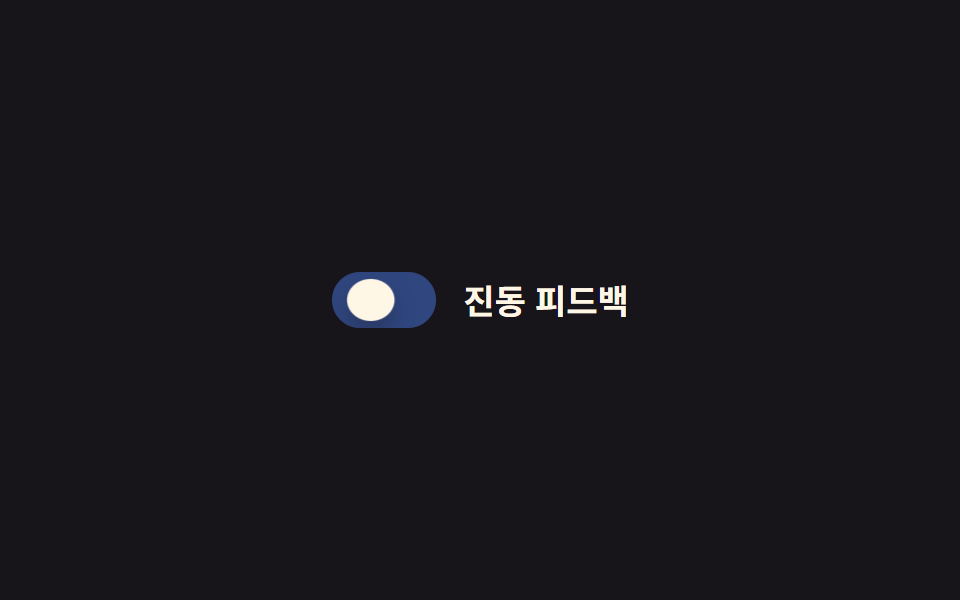
누르는 동안 노브가 scaleX로 가로로 퍼졌다가 손을 떼면 원래 원으로 돌아옵니다. 돌아올 때 목표 크기를 한 번 넘겼다가 settling하는 스프링 튐이 붙어 있고, 눌린 만큼 깊어진 트랙 그림자가 손을 떼는 순간 함께 풀려나갑니다.
어디에 쓰나
터치 중심 모바일 폼에서 눌렀다는 촉감을 화면으로 대신 전달할 때 씁니다.
<main class="stage">
  <label class="switch is-demo">
    <input type="checkbox" class="switch__input" role="switch">
    <span class="switch__track">
      <span class="switch__bg switch__bg--off"></span>
      <span class="switch__bg switch__bg--on"></span>
      <span class="switch__knob"></span>
    </span>
    <span class="switch__label">진동 피드백</span>
  </label>
</main>
@use "../../../../site/static/demo-tokens" as *;
// ── 변수 3개 ──────────────────────────────
$duration: $dur-instant;
$easing: $ease-pop;
$color: $subject-blue;
// ── 데모 무대 ───────────────────────────────
@include stage($stage-ink);
.switch {
position: relative;
display: inline-flex; align-items: center; gap: clamp(10px, 3vw, 14px);
cursor: pointer;
-webkit-tap-highlight-color: transparent;
}
.switch__input {
position: absolute; inset: 0; width: 100%; height: 100%;
margin: 0; opacity: 0; cursor: pointer;
}
.switch__track {
position: relative; overflow: hidden;
width: clamp(44px, 12vw, 52px); height: clamp(24px, 6.5vw, 28px);
border-radius: $r-pill;
transition: box-shadow $duration $easing;
}
.switch__bg { position: absolute; inset: 0; }
.switch__bg--off { background: rgba(255, 255, 255, .18); opacity: 1; }
.switch__bg--on { background: $color; opacity: 0; }
.switch__knob {
--x: 0px; --sx: 1; --sy: 1;
position: absolute; top: 3px; left: 3px; z-index: 1;
width: clamp(18px, 5vw, 22px); height: clamp(18px, 5vw, 22px);
border-radius: 50%;
background: $subject-cream;
box-shadow: $shadow-press;
transform: translateX(var(--x)) scaleX(var(--sx)) scaleY(var(--sy));
transition: transform $duration $easing;
}
.switch__label { color: $subject-cream; font-weight: 600; font-size: clamp(14px, 4vw, 17px); line-height: 1; font-family: inherit; }
// ── 실제 동작: :checked 는 위치, :active 는 눌림만 (서로 안 덮는다) ──
.switch__input:checked ~ .switch__track .switch__bg--off { opacity: 0; transition: opacity $duration $easing; }
.switch__input:checked ~ .switch__track .switch__bg--on { opacity: 1; transition: opacity $duration $easing; }
.switch__input:checked ~ .switch__track .switch__knob { --x: 24px; }
.switch:active .switch__knob { --sx: 1.35; --sy: .8; }
.switch__input:focus-visible ~ .switch__track {
outline: 2px solid $subject-cream; outline-offset: 3px;
}
// ── 데모 루프: 눌림 → 이동 → 눌림 → 되돌아감 ────────────
// 한 겹: 이동 도착 지점(28%) 앞에 오버슈트+squash 스트로크를 보강하고,
// 트랙은 상태 전환 때 내부 그림자가 깊어졌다 얕아진다.
.switch.is-demo .switch__bg--off { animation: bg-off-loop $dur-loop $ease-out infinite; }
.switch.is-demo .switch__bg--on { animation: bg-on-loop $dur-loop $ease-out infinite; }
.switch.is-demo .switch__knob { animation: squish-loop $dur-loop $easing infinite; }
.switch.is-demo .switch__track { animation: shadow-depth-loop $dur-loop $easing infinite; }
@keyframes bg-off-loop { 0%, 20% { opacity: 1; } 28%, 60% { opacity: 0; } 85%, 100% { opacity: 1; } }
@keyframes bg-on-loop { 0%, 20% { opacity: 0; } 28%, 60% { opacity: 1; } 85%, 100% { opacity: 0; } }
@keyframes squish-loop {
0%, 8% { transform: translateX(0) scaleX(1) scaleY(1); }
16% { transform: translateX(0) scaleX(1.35) scaleY(.8); }
24% { transform: translateX(26px) scaleX(1.2) scaleY(.88); } // 이동 오버슈트 + squash
28%, 60% { transform: translateX(24px) scaleX(1) scaleY(1); }
68% { transform: translateX(24px) scaleX(1.35) scaleY(.8); }
85%, 100% { transform: translateX(0) scaleX(1) scaleY(1); }
}
@keyframes shadow-depth-loop {
0%, 20% { box-shadow: inset 0 1px 3px rgba(0, 0, 0, .15); }
24% { box-shadow: inset 0 3px 8px rgba(0, 0, 0, .28); }
28%, 60% { box-shadow: inset 0 3px 8px rgba(0, 0, 0, .28); }
85%, 100% { box-shadow: inset 0 1px 3px rgba(0, 0, 0, .15); }
}
@media (prefers-reduced-motion: reduce) {
.switch.is-demo .switch__bg--off, .switch.is-demo .switch__bg--on, .switch.is-demo .switch__knob,
.switch.is-demo .switch__track {
animation: none !important;
}
.switch__knob, .switch__bg--off, .switch__bg--on { transition: none; }
.switch__track { transition: none; }
}html, body {
margin: 0;
overflow: hidden;
}
.stage {
box-sizing: border-box;
min-height: 100vh;
display: grid;
place-items: center;
margin: 0;
background: #17141a;
font-family: -apple-system, "Segoe UI", "Noto Sans KR", sans-serif;
padding: clamp(8px, 4vw, 24px);
}
.switch {
position: relative;
display: inline-flex;
align-items: center;
gap: clamp(10px, 3vw, 14px);
cursor: pointer;
-webkit-tap-highlight-color: transparent;
}
.switch__input {
position: absolute;
inset: 0;
width: 100%;
height: 100%;
margin: 0;
opacity: 0;
cursor: pointer;
}
.switch__track {
position: relative;
overflow: hidden;
width: clamp(44px, 12vw, 52px);
height: clamp(24px, 6.5vw, 28px);
border-radius: 999px;
transition: box-shadow 140ms cubic-bezier(0.2, 1.4, 0.4, 1);
}
.switch__bg {
position: absolute;
inset: 0;
}
.switch__bg--off {
background: rgba(255, 255, 255, 0.18);
opacity: 1;
}
.switch__bg--on {
background: #2f6df6;
opacity: 0;
}
.switch__knob {
--x: 0px;
--sx: 1;
--sy: 1;
position: absolute;
top: 3px;
left: 3px;
z-index: 1;
width: clamp(18px, 5vw, 22px);
height: clamp(18px, 5vw, 22px);
border-radius: 50%;
background: #fff7e6;
box-shadow: 0 6px 12px rgba(23, 20, 26, 0.32);
transform: translateX(var(--x)) scaleX(var(--sx)) scaleY(var(--sy));
transition: transform 140ms cubic-bezier(0.2, 1.4, 0.4, 1);
}
.switch__label {
color: #fff7e6;
font-weight: 600;
font-size: clamp(14px, 4vw, 17px);
line-height: 1;
font-family: inherit;
}
.switch__input:checked ~ .switch__track .switch__bg--off {
opacity: 0;
transition: opacity 140ms cubic-bezier(0.2, 1.4, 0.4, 1);
}
.switch__input:checked ~ .switch__track .switch__bg--on {
opacity: 1;
transition: opacity 140ms cubic-bezier(0.2, 1.4, 0.4, 1);
}
.switch__input:checked ~ .switch__track .switch__knob {
--x: 24px;
}
.switch:active .switch__knob {
--sx: 1.35;
--sy: .8;
}
.switch__input:focus-visible ~ .switch__track {
outline: 2px solid #fff7e6;
outline-offset: 3px;
}
.switch.is-demo .switch__bg--off {
animation: bg-off-loop 2s ease-out infinite;
}
.switch.is-demo .switch__bg--on {
animation: bg-on-loop 2s ease-out infinite;
}
.switch.is-demo .switch__knob {
animation: squish-loop 2s cubic-bezier(0.2, 1.4, 0.4, 1) infinite;
}
.switch.is-demo .switch__track {
animation: shadow-depth-loop 2s cubic-bezier(0.2, 1.4, 0.4, 1) infinite;
}
@keyframes bg-off-loop {
0%, 20% {
opacity: 1;
}
28%, 60% {
opacity: 0;
}
85%, 100% {
opacity: 1;
}
}
@keyframes bg-on-loop {
0%, 20% {
opacity: 0;
}
28%, 60% {
opacity: 1;
}
85%, 100% {
opacity: 0;
}
}
@keyframes squish-loop {
0%, 8% {
transform: translateX(0) scaleX(1) scaleY(1);
}
16% {
transform: translateX(0) scaleX(1.35) scaleY(0.8);
}
24% {
transform: translateX(26px) scaleX(1.2) scaleY(0.88);
}
28%, 60% {
transform: translateX(24px) scaleX(1) scaleY(1);
}
68% {
transform: translateX(24px) scaleX(1.35) scaleY(0.8);
}
85%, 100% {
transform: translateX(0) scaleX(1) scaleY(1);
}
}
@keyframes shadow-depth-loop {
0%, 20% {
box-shadow: inset 0 1px 3px rgba(0, 0, 0, 0.15);
}
24% {
box-shadow: inset 0 3px 8px rgba(0, 0, 0, 0.28);
}
28%, 60% {
box-shadow: inset 0 3px 8px rgba(0, 0, 0, 0.28);
}
85%, 100% {
box-shadow: inset 0 1px 3px rgba(0, 0, 0, 0.15);
}
}
@media (prefers-reduced-motion: reduce) {
.switch.is-demo .switch__bg--off, .switch.is-demo .switch__bg--on, .switch.is-demo .switch__knob,
.switch.is-demo .switch__track {
animation: none !important;
}
.switch__knob, .switch__bg--off, .switch__bg--on {
transition: none;
}
.switch__track {
transition: none;
}
}document.querySelectorAll(".switch").forEach(function (s) {
var input = s.querySelector(".switch__input");
var sync = function () { input.setAttribute("aria-checked", String(input.checked)); };
input.addEventListener("pointerdown", function () { s.classList.remove("is-demo"); });
input.addEventListener("change", sync);
sync();
});import { useState } from "react";
import type { ChangeEvent, CSSProperties } from "react";
import styles from "./SquishToggle.module.scss";
export type SquishToggleProps = {
label?: string;
/** 눌림 트랜지션 시간 (기본 140ms) */
duration?: number;
/** 팝 이징 */
easing?: string;
color?: string;
defaultChecked?: boolean;
onChange?: (checked: boolean) => void;
};
type Vars = CSSProperties & { "--duration"?: string; "--easing"?: string; "--color"?: string };
export default function SquishToggle({
label = "진동 피드백",
duration = 140,
easing = "cubic-bezier(.2,1.4,.4,1)",
color = "#2f6df6",
defaultChecked = false,
onChange,
}: SquishToggleProps) {
const [checked, setChecked] = useState(defaultChecked);
const vars: Vars = { "--duration": `${duration}ms`, "--easing": easing, "--color": color };
return (
<label className={styles.switch} style={vars}>
<input
type="checkbox"
role="switch"
aria-checked={checked}
className={styles.switch__input}
checked={checked}
onChange={(e: ChangeEvent<HTMLInputElement>) => { setChecked(e.target.checked); onChange?.(e.target.checked); }}
/>
<span className={styles.switch__track}>
<span className={styles["switch__bg--off"]} />
<span className={styles["switch__bg--on"]} />
<span className={styles.switch__knob} />
</span>
<span className={styles.switch__label}>{label}</span>
</label>
);
}05 · 눌림 스퀴시 효과 — 측정 누적면적 0.917% · 움직인 프레임 13/23GODRICH 원작 · zip 에 SCSS·React 포함 · 비밀번호 보기
.switch__knob {
  --x: 0px; --sx: 1; --sy: 1;
  transform: translateX(var(--x)) scaleX(var(--sx)) scaleY(var(--sy));
  transition: transform $duration $easing;
}
.switch__input:checked ~ .switch__track .switch__knob { --x: 24px; }
.switch:active .switch__knob { --sx: 1.35; --sy: .8; }
06배경색 채움 전환
어떻게 움직이나
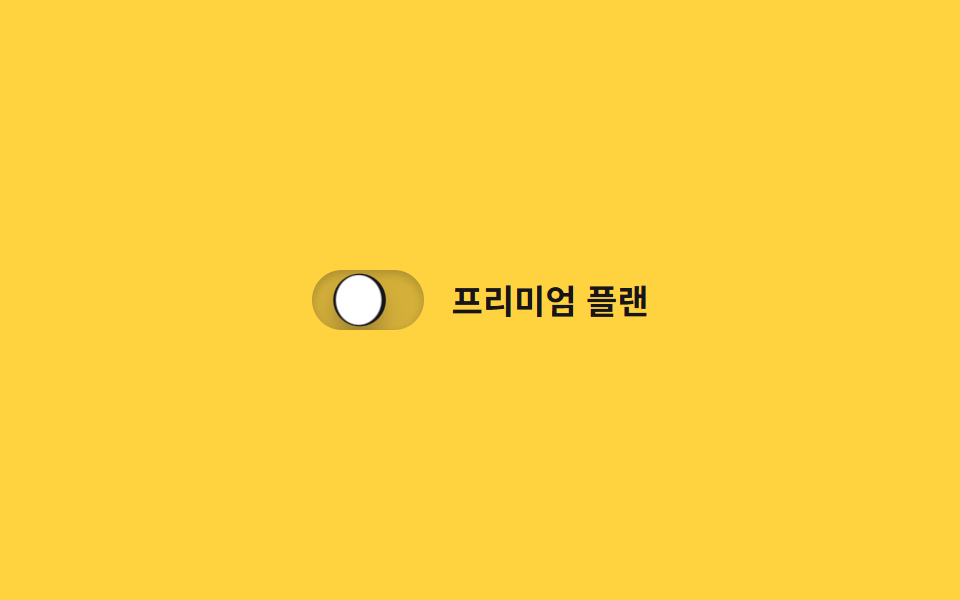
트랙 배경이 한 번에 바뀌지 않고, 노브가 있던 자리에서 clip-path 원이 점점 커지며 서서히 채웁니다. 채움이 끝나는 순간 노브가 한 번 튀며 squash되어 색이 다 찬 것을 확인시켜 주고, 트랙 그림자도 채움 전 얕은 상태에서 채움 후 깊은 상태로 넘어가 두 상태의 깊이 차이를 만듭니다.
어디에 쓰나
프리미엄 플랜 전환처럼 전환 자체를 연출로 보여주고 싶은 카드에 씁니다.
<main class="stage">
  <label class="switch is-demo">
    <input type="checkbox" class="switch__input" role="switch">
    <span class="switch__track">
      <span class="switch__fill"></span>
      <span class="switch__knob"></span>
    </span>
    <span class="switch__label">프리미엄 플랜</span>
  </label>
</main>
@use "../../../../site/static/demo-tokens" as *;
// ── 변수 3개 ──────────────────────────────
$duration: $dur-base;
$easing: $ease-out;
$color: $subject-ink;
// ── 데모 무대 ───────────────────────────────
@include stage($stage-yellow);
.switch {
position: relative;
display: inline-flex; align-items: center; gap: clamp(10px, 3vw, 14px);
cursor: pointer;
-webkit-tap-highlight-color: transparent;
}
.switch__input {
position: absolute; inset: 0; width: 100%; height: 100%;
margin: 0; opacity: 0; cursor: pointer;
}
.switch__track {
position: relative; overflow: hidden;
width: clamp(48px, 13vw, 56px); height: clamp(26px, 7vw, 30px);
border-radius: $r-pill;
background: rgba(23, 20, 26, .18);
box-shadow: inset 0 1px 3px rgba(0, 0, 0, .15);
transition: box-shadow $duration $easing;
}
.switch__fill {
position: absolute; inset: 0;
background: $color;
clip-path: circle(0% at 18% 50%);
transition: clip-path $duration $easing;
}
.switch__knob {
position: absolute; top: 3px; left: 3px; z-index: 1;
width: clamp(20px, 5.5vw, 24px); height: clamp(20px, 5.5vw, 24px);
border-radius: 50%;
background: $stage-paper;
box-shadow: $shadow-press;
transform: translateX(0);
transition: transform $duration cubic-bezier(0.34, 1.56, 0.64, 1);
}
.switch__label { color: $subject-ink; font-weight: 600; font-size: clamp(14px, 4vw, 17px); line-height: 1; font-family: inherit; }
// ── 실제 동작: 노브가 지나간 자리부터 clip-path 원이 번진다 ──────
.switch__input:checked ~ .switch__track .switch__fill { clip-path: circle(75% at 82% 50%); }
.switch__input:checked ~ .switch__track .switch__knob { transform: translateX(clamp(22px, 6vw, 26px)); }
.switch__input:checked ~ .switch__track { box-shadow: inset 0 3px 8px rgba(0, 0, 0, .28); }
.switch__input:focus-visible ~ .switch__track {
outline: 2px solid $subject-ink; outline-offset: 3px;
}
// ── 데모 루프 ─────────────────────────────
// 한 겹: 노브는 도착 지점을 지나쳤다 찌그러지며 안착하고(스프링+squash),
// 트랙 내부 그림자가 채워지는 순간 깊어졌다 얕아진다(바닥에 앉는 깊이).
.switch.is-demo .switch__fill { animation: fill-loop $dur-loop $easing infinite; }
.switch.is-demo .switch__knob { animation: knob-spring-loop $dur-loop $easing infinite; }
.switch.is-demo .switch__track { animation: shadow-depth-loop $dur-loop $easing infinite; }
@keyframes fill-loop {
0%, 15% { clip-path: circle(0% at 18% 50%); }
40%, 60% { clip-path: circle(75% at 82% 50%); }
85%, 100% { clip-path: circle(0% at 18% 50%); }
}
@keyframes knob-loop {
0%, 15% { transform: translateX(0); }
40%, 60% { transform: translateX(26px); }
85%, 100% { transform: translateX(0); }
}
@keyframes knob-spring-loop {
0%, 15% { transform: translateX(0) scaleX(1) scaleY(1); }
38% { transform: translateX(29px) scaleX(1.25) scaleY(.85); } // 오버슈트 + 도착 순간 squash
43% { transform: translateX(25px) scaleX(1.08) scaleY(.94); } // 되튕기며 회복
47%, 60% { transform: translateX(26px) scaleX(1) scaleY(1); } // 안착
84% { transform: translateX(-2px) scaleX(.92) scaleY(1.06); } // 출발 반동
85%, 100% { transform: translateX(0) scaleX(1) scaleY(1); }
}
@keyframes shadow-depth-loop {
0%, 15% { box-shadow: inset 0 1px 3px rgba(0, 0, 0, .15); }
38% { box-shadow: inset 0 3px 8px rgba(0, 0, 0, .28); }
40%, 60% { box-shadow: inset 0 3px 8px rgba(0, 0, 0, .28); }
85%, 100% { box-shadow: inset 0 1px 3px rgba(0, 0, 0, .15); }
}
@media (prefers-reduced-motion: reduce) {
.switch.is-demo .switch__fill, .switch.is-demo .switch__knob,
.switch.is-demo .switch__track { animation: none !important; }
.switch__fill, .switch__knob { transition: none; }
}html, body {
margin: 0;
overflow: hidden;
}
.stage {
box-sizing: border-box;
min-height: 100vh;
display: grid;
place-items: center;
margin: 0;
background: #ffd23f;
font-family: -apple-system, "Segoe UI", "Noto Sans KR", sans-serif;
padding: clamp(8px, 4vw, 24px);
}
.switch {
position: relative;
display: inline-flex;
align-items: center;
gap: clamp(10px, 3vw, 14px);
cursor: pointer;
-webkit-tap-highlight-color: transparent;
}
.switch__input {
position: absolute;
inset: 0;
width: 100%;
height: 100%;
margin: 0;
opacity: 0;
cursor: pointer;
}
.switch__track {
position: relative;
overflow: hidden;
width: clamp(48px, 13vw, 56px);
height: clamp(26px, 7vw, 30px);
border-radius: 999px;
background: rgba(23, 20, 26, 0.18);
box-shadow: inset 0 1px 3px rgba(0, 0, 0, 0.15);
transition: box-shadow 300ms ease-out;
}
.switch__fill {
position: absolute;
inset: 0;
background: #17141a;
clip-path: circle(0% at 18% 50%);
transition: clip-path 300ms ease-out;
}
.switch__knob {
position: absolute;
top: 3px;
left: 3px;
z-index: 1;
width: clamp(20px, 5.5vw, 24px);
height: clamp(20px, 5.5vw, 24px);
border-radius: 50%;
background: #ffffff;
box-shadow: 0 6px 12px rgba(23, 20, 26, 0.32);
transform: translateX(0);
transition: transform 300ms cubic-bezier(0.34, 1.56, 0.64, 1);
}
.switch__label {
color: #17141a;
font-weight: 600;
font-size: clamp(14px, 4vw, 17px);
line-height: 1;
font-family: inherit;
}
.switch__input:checked ~ .switch__track .switch__fill {
clip-path: circle(75% at 82% 50%);
}
.switch__input:checked ~ .switch__track .switch__knob {
transform: translateX(clamp(22px, 6vw, 26px));
}
.switch__input:checked ~ .switch__track {
box-shadow: inset 0 3px 8px rgba(0, 0, 0, 0.28);
}
.switch__input:focus-visible ~ .switch__track {
outline: 2px solid #17141a;
outline-offset: 3px;
}
.switch.is-demo .switch__fill {
animation: fill-loop 2s ease-out infinite;
}
.switch.is-demo .switch__knob {
animation: knob-spring-loop 2s ease-out infinite;
}
.switch.is-demo .switch__track {
animation: shadow-depth-loop 2s ease-out infinite;
}
@keyframes fill-loop {
0%, 15% {
clip-path: circle(0% at 18% 50%);
}
40%, 60% {
clip-path: circle(75% at 82% 50%);
}
85%, 100% {
clip-path: circle(0% at 18% 50%);
}
}
@keyframes knob-loop {
0%, 15% {
transform: translateX(0);
}
40%, 60% {
transform: translateX(26px);
}
85%, 100% {
transform: translateX(0);
}
}
@keyframes knob-spring-loop {
0%, 15% {
transform: translateX(0) scaleX(1) scaleY(1);
}
38% {
transform: translateX(29px) scaleX(1.25) scaleY(0.85);
}
43% {
transform: translateX(25px) scaleX(1.08) scaleY(0.94);
}
47%, 60% {
transform: translateX(26px) scaleX(1) scaleY(1);
}
84% {
transform: translateX(-2px) scaleX(0.92) scaleY(1.06);
}
85%, 100% {
transform: translateX(0) scaleX(1) scaleY(1);
}
}
@keyframes shadow-depth-loop {
0%, 15% {
box-shadow: inset 0 1px 3px rgba(0, 0, 0, 0.15);
}
38% {
box-shadow: inset 0 3px 8px rgba(0, 0, 0, 0.28);
}
40%, 60% {
box-shadow: inset 0 3px 8px rgba(0, 0, 0, 0.28);
}
85%, 100% {
box-shadow: inset 0 1px 3px rgba(0, 0, 0, 0.15);
}
}
@media (prefers-reduced-motion: reduce) {
.switch.is-demo .switch__fill, .switch.is-demo .switch__knob,
.switch.is-demo .switch__track {
animation: none !important;
}
.switch__fill, .switch__knob {
transition: none;
}
}document.querySelectorAll(".switch").forEach(function (s) {
var input = s.querySelector(".switch__input");
var sync = function () { input.setAttribute("aria-checked", String(input.checked)); };
input.addEventListener("pointerdown", function () { s.classList.remove("is-demo"); });
input.addEventListener("change", sync);
sync();
});import { useState } from "react";
import type { ChangeEvent, CSSProperties } from "react";
import styles from "./ColorFillToggle.module.scss";
export type ColorFillToggleProps = {
label?: string;
duration?: number;
easing?: string;
color?: string;
defaultChecked?: boolean;
onChange?: (checked: boolean) => void;
};
type Vars = CSSProperties & { "--duration"?: string; "--easing"?: string; "--color"?: string };
export default function ColorFillToggle({
label = "프리미엄 플랜",
duration = 300,
easing = "ease-out",
color = "#17141a",
defaultChecked = false,
onChange,
}: ColorFillToggleProps) {
const [checked, setChecked] = useState(defaultChecked);
const vars: Vars = { "--duration": `${duration}ms`, "--easing": easing, "--color": color };
return (
<label className={styles.switch} style={vars}>
<input
type="checkbox"
role="switch"
aria-checked={checked}
className={styles.switch__input}
checked={checked}
onChange={(e: ChangeEvent<HTMLInputElement>) => { setChecked(e.target.checked); onChange?.(e.target.checked); }}
/>
<span className={styles.switch__track}>
<span className={styles.switch__fill} />
<span className={styles.switch__knob} />
</span>
<span className={styles.switch__label}>{label}</span>
</label>
);
}06 · 배경색 채움 전환 — 측정 누적면적 1.033% · 움직인 프레임 16/23GODRICH 원작 · zip 에 SCSS·React 포함 · 비밀번호 보기
.switch__fill {
  background: $color;
  clip-path: circle(0% at 18% 50%);
  transition: clip-path $duration $easing;
}
.switch__input:checked ~ .switch__track .switch__fill {
  clip-path: circle(75% at 82% 50%);
}
07해/달 아이콘 토글
어떻게 움직이나
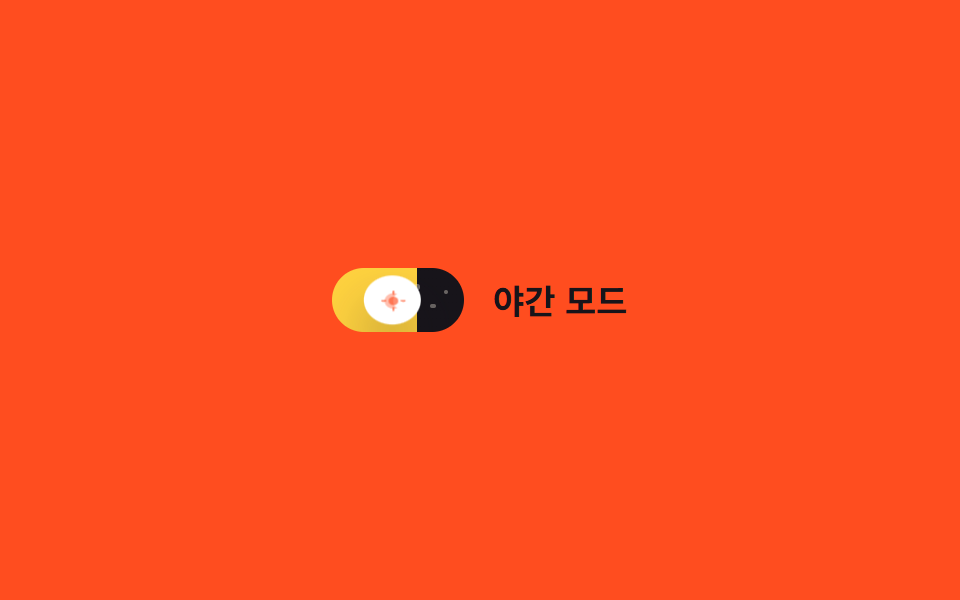
노브가 움직이는 트랙 자체를 하늘로 만들어, 배경 그러데이션이 밝은 낮 하늘색에서 짙은 밤하늘색으로 넘어가고 그 위로 별 세 개가 opacity로 돋아납니다. 노브는 밤으로 넘어갈 때 스프링 오버슛으로 한 번 튕기며 달 모양으로 납작해졌다가 돌아오고, 낮 트랙의 그림자가 깊었다가 밤이 되면 엷어져 시간대의 입체감까지 바뀝니다.
어디에 쓰나
테마 전환 스위치를 아이콘 하나보다 크게 보여주고 싶을 때 씁니다.
<main class="stage">
  <label class="switch is-demo">
    <input type="checkbox" class="switch__input" role="switch">
    <span class="switch__track">
      <span class="switch__star switch__star--1"></span>
      <span class="switch__star switch__star--2"></span>
      <span class="switch__star switch__star--3"></span>
      <span class="switch__knob">
        <svg class="switch__icon switch__icon--sun" viewBox="0 0 16 16" width="11" height="11" aria-hidden="true">
          <circle cx="8" cy="8" r="3.2" fill="currentColor"/>
          <g stroke="currentColor" stroke-width="1.4" stroke-linecap="round">
            <line x1="8" y1="0.5" x2="8" y2="2.4"/>
            <line x1="8" y1="13.6" x2="8" y2="15.5"/>
            <line x1="0.5" y1="8" x2="2.4" y2="8"/>
            <line x1="13.6" y1="8" x2="15.5" y2="8"/>
          </g>
        </svg>
        <svg class="switch__icon switch__icon--moon" viewBox="0 0 16 16" width="11" height="11" aria-hidden="true">
          <path d="M10.5 2.5a6 6 0 100 11 7 7 0 010-11z" fill="currentColor"/>
        </svg>
      </span>
    </span>
    <span class="switch__label">야간 모드</span>
  </label>
</main>@use "../../../../site/static/demo-tokens" as *;
// ── 변수 3개 ──────────────────────────────
$duration: $dur-enter;
$easing: $ease-out;
$color: $stage-ink;
// ── 데모 무대 ───────────────────────────────
@include stage($stage-orange);
.switch {
position: relative;
display: inline-flex; align-items: center; gap: clamp(10px, 3vw, 14px);
cursor: pointer;
-webkit-tap-highlight-color: transparent;
}
.switch__input {
position: absolute; inset: 0; width: 100%; height: 100%;
margin: 0; opacity: 0; cursor: pointer;
}
.switch__track {
position: relative; overflow: hidden;
width: clamp(56px, 15vw, 66px); height: clamp(28px, 7.5vw, 32px);
border-radius: $r-pill;
background-image: linear-gradient(90deg, $stage-yellow 0%, $stage-yellow 50%, $color 50%, $color 100%);
background-size: 200% 100%;
background-position: 0% 0%;
transition: background-position $duration $easing;
}
.switch__star {
position: absolute; top: 30%; width: 2.5px; height: 2.5px; border-radius: 50%;
background: $subject-cream; opacity: 0;
transition: opacity $duration $easing;
}
.switch__star--1 { left: 62%; top: 26%; }
.switch__star--2 { left: 74%; top: 55%; }
.switch__star--3 { left: 84%; top: 34%; }
.switch__knob {
position: absolute; top: 3px; left: 3px; z-index: 1;
display: grid; place-items: center;
width: clamp(22px, 6vw, 26px); height: clamp(22px, 6vw, 26px);
border-radius: 50%;
background: $stage-paper;
box-shadow: $shadow-raised;
color: $stage-orange;
transform: translateX(0);
transition: transform $duration cubic-bezier(0.34, 1.56, 0.64, 1), color $duration $easing, box-shadow $duration $easing;
}
.switch__icon { grid-area: 1 / 1; transition: opacity $duration $easing; }
.switch__icon--sun { opacity: 1; }
.switch__icon--moon { opacity: 0; }
.switch__label { color: $subject-ink; font-weight: 600; font-size: clamp(14px, 4vw, 17px); line-height: 1; font-family: inherit; }
// ── 실제 동작: 트랙 자체가 하늘, 노브 안 아이콘이 크로스페이드 ──────
.switch__input:checked ~ .switch__track { background-position: 100% 0%; }
.switch__input:checked ~ .switch__track .switch__star { opacity: 1; }
.switch__input:checked ~ .switch__track .switch__knob {
transform: translateX(clamp(28px, 8vw, 34px));
color: $subject-ink;
box-shadow: 0 20px 32px rgba(23, 20, 26, .4);
}
.switch__input:checked ~ .switch__track .switch__icon--sun { opacity: 0; }
.switch__input:checked ~ .switch__track .switch__icon--moon { opacity: 1; }
.switch__input:focus-visible ~ .switch__track {
outline: 2px solid $subject-ink; outline-offset: 3px;
}
// ── 데모 루프 ─────────────────────────────
// 한 겹: 노브는 도착 지점을 지나쳤다 찌그러지며 안착하고(스프링+squash),
// 밤으로 갈 때 노브 그림자가 깊어진다(blur 증가·offset 하강 — 더 붙는 느낌).
.switch.is-demo .switch__track { animation: sky-loop $dur-loop $easing infinite; }
.switch.is-demo .switch__star--1,
.switch.is-demo .switch__star--2,
.switch.is-demo .switch__star--3 { animation: star-loop $dur-loop $easing infinite; }
.switch.is-demo .switch__knob { animation: knob-spring-loop $dur-loop $easing infinite, knob-shadow-loop $dur-loop $easing infinite; }
.switch.is-demo .switch__icon--sun { animation: sun-loop $dur-loop $easing infinite; }
.switch.is-demo .switch__icon--moon { animation: moon-loop $dur-loop $easing infinite; }
@keyframes sky-loop { 0%, 15% { background-position: 0% 0%; } 40%, 60% { background-position: 100% 0%; } 85%, 100% { background-position: 0% 0%; } }
@keyframes star-loop { 0%, 15% { opacity: 0; } 40%, 60% { opacity: 1; } 85%, 100% { opacity: 0; } }
@keyframes knob-loop {
0%, 15% { transform: translateX(0); }
40%, 60% { transform: translateX(34px); }
85%, 100% { transform: translateX(0); }
}
@keyframes knob-spring-loop {
0%, 15% { transform: translateX(0) scaleX(1) scaleY(1); }
38% { transform: translateX(37px) scaleX(1.25) scaleY(.85); } // 오버슈트 + 도착 순간 squash
43% { transform: translateX(33px) scaleX(1.08) scaleY(.94); } // 되튕기며 회복
47%, 60% { transform: translateX(34px) scaleX(1) scaleY(1); } // 안착
84% { transform: translateX(-2px) scaleX(.92) scaleY(1.06); } // 출발 반동
85%, 100% { transform: translateX(0) scaleX(1) scaleY(1); }
}
@keyframes knob-shadow-loop {
0%, 15% { box-shadow: $shadow-raised; }
40%, 60% { box-shadow: 0 20px 32px rgba(23, 20, 26, .4); }
85%, 100% { box-shadow: $shadow-raised; }
}
@keyframes sun-loop { 0%, 15% { opacity: 1; } 40%, 60% { opacity: 0; } 85%, 100% { opacity: 1; } }
@keyframes moon-loop { 0%, 15% { opacity: 0; } 40%, 60% { opacity: 1; } 85%, 100% { opacity: 0; } }
@media (prefers-reduced-motion: reduce) {
.switch.is-demo .switch__track, .switch.is-demo .switch__star--1, .switch.is-demo .switch__star--2,
.switch.is-demo .switch__star--3, .switch.is-demo .switch__knob, .switch.is-demo .switch__icon--sun,
.switch.is-demo .switch__icon--moon { animation: none !important; }
.switch__track, .switch__star, .switch__knob, .switch__icon { transition: none; }
}html, body {
margin: 0;
overflow: hidden;
}
.stage {
box-sizing: border-box;
min-height: 100vh;
display: grid;
place-items: center;
margin: 0;
background: #ff4d1f;
font-family: -apple-system, "Segoe UI", "Noto Sans KR", sans-serif;
padding: clamp(8px, 4vw, 24px);
}
.switch {
position: relative;
display: inline-flex;
align-items: center;
gap: clamp(10px, 3vw, 14px);
cursor: pointer;
-webkit-tap-highlight-color: transparent;
}
.switch__input {
position: absolute;
inset: 0;
width: 100%;
height: 100%;
margin: 0;
opacity: 0;
cursor: pointer;
}
.switch__track {
position: relative;
overflow: hidden;
width: clamp(56px, 15vw, 66px);
height: clamp(28px, 7.5vw, 32px);
border-radius: 999px;
background-image: linear-gradient(90deg, #ffd23f 0%, #ffd23f 50%, #17141a 50%, #17141a 100%);
background-size: 200% 100%;
background-position: 0% 0%;
transition: background-position 600ms ease-out;
}
.switch__star {
position: absolute;
top: 30%;
width: 2.5px;
height: 2.5px;
border-radius: 50%;
background: #fff7e6;
opacity: 0;
transition: opacity 600ms ease-out;
}
.switch__star--1 {
left: 62%;
top: 26%;
}
.switch__star--2 {
left: 74%;
top: 55%;
}
.switch__star--3 {
left: 84%;
top: 34%;
}
.switch__knob {
position: absolute;
top: 3px;
left: 3px;
z-index: 1;
display: grid;
place-items: center;
width: clamp(22px, 6vw, 26px);
height: clamp(22px, 6vw, 26px);
border-radius: 50%;
background: #ffffff;
box-shadow: 0 14px 24px rgba(23, 20, 26, 0.32);
color: #ff4d1f;
transform: translateX(0);
transition: transform 600ms cubic-bezier(0.34, 1.56, 0.64, 1), color 600ms ease-out, box-shadow 600ms ease-out;
}
.switch__icon {
grid-area: 1/1;
transition: opacity 600ms ease-out;
}
.switch__icon--sun {
opacity: 1;
}
.switch__icon--moon {
opacity: 0;
}
.switch__label {
color: #17141a;
font-weight: 600;
font-size: clamp(14px, 4vw, 17px);
line-height: 1;
font-family: inherit;
}
.switch__input:checked ~ .switch__track {
background-position: 100% 0%;
}
.switch__input:checked ~ .switch__track .switch__star {
opacity: 1;
}
.switch__input:checked ~ .switch__track .switch__knob {
transform: translateX(clamp(28px, 8vw, 34px));
color: #17141a;
box-shadow: 0 20px 32px rgba(23, 20, 26, 0.4);
}
.switch__input:checked ~ .switch__track .switch__icon--sun {
opacity: 0;
}
.switch__input:checked ~ .switch__track .switch__icon--moon {
opacity: 1;
}
.switch__input:focus-visible ~ .switch__track {
outline: 2px solid #17141a;
outline-offset: 3px;
}
.switch.is-demo .switch__track {
animation: sky-loop 2s ease-out infinite;
}
.switch.is-demo .switch__star--1,
.switch.is-demo .switch__star--2,
.switch.is-demo .switch__star--3 {
animation: star-loop 2s ease-out infinite;
}
.switch.is-demo .switch__knob {
animation: knob-spring-loop 2s ease-out infinite, knob-shadow-loop 2s ease-out infinite;
}
.switch.is-demo .switch__icon--sun {
animation: sun-loop 2s ease-out infinite;
}
.switch.is-demo .switch__icon--moon {
animation: moon-loop 2s ease-out infinite;
}
@keyframes sky-loop {
0%, 15% {
background-position: 0% 0%;
}
40%, 60% {
background-position: 100% 0%;
}
85%, 100% {
background-position: 0% 0%;
}
}
@keyframes star-loop {
0%, 15% {
opacity: 0;
}
40%, 60% {
opacity: 1;
}
85%, 100% {
opacity: 0;
}
}
@keyframes knob-loop {
0%, 15% {
transform: translateX(0);
}
40%, 60% {
transform: translateX(34px);
}
85%, 100% {
transform: translateX(0);
}
}
@keyframes knob-spring-loop {
0%, 15% {
transform: translateX(0) scaleX(1) scaleY(1);
}
38% {
transform: translateX(37px) scaleX(1.25) scaleY(0.85);
}
43% {
transform: translateX(33px) scaleX(1.08) scaleY(0.94);
}
47%, 60% {
transform: translateX(34px) scaleX(1) scaleY(1);
}
84% {
transform: translateX(-2px) scaleX(0.92) scaleY(1.06);
}
85%, 100% {
transform: translateX(0) scaleX(1) scaleY(1);
}
}
@keyframes knob-shadow-loop {
0%, 15% {
box-shadow: 0 14px 24px rgba(23, 20, 26, 0.32);
}
40%, 60% {
box-shadow: 0 20px 32px rgba(23, 20, 26, 0.4);
}
85%, 100% {
box-shadow: 0 14px 24px rgba(23, 20, 26, 0.32);
}
}
@keyframes sun-loop {
0%, 15% {
opacity: 1;
}
40%, 60% {
opacity: 0;
}
85%, 100% {
opacity: 1;
}
}
@keyframes moon-loop {
0%, 15% {
opacity: 0;
}
40%, 60% {
opacity: 1;
}
85%, 100% {
opacity: 0;
}
}
@media (prefers-reduced-motion: reduce) {
.switch.is-demo .switch__track, .switch.is-demo .switch__star--1, .switch.is-demo .switch__star--2,
.switch.is-demo .switch__star--3, .switch.is-demo .switch__knob, .switch.is-demo .switch__icon--sun,
.switch.is-demo .switch__icon--moon {
animation: none !important;
}
.switch__track, .switch__star, .switch__knob, .switch__icon {
transition: none;
}
}document.querySelectorAll(".switch").forEach(function (s) {
var input = s.querySelector(".switch__input");
var sync = function () { input.setAttribute("aria-checked", String(input.checked)); };
input.addEventListener("pointerdown", function () { s.classList.remove("is-demo"); });
input.addEventListener("change", sync);
sync();
});import { useState } from "react";
import type { ChangeEvent, CSSProperties } from "react";
import styles from "./DayNightToggle.module.scss";
export type DayNightToggleProps = {
label?: string;
duration?: number;
easing?: string;
/** 밤 트랙 색 */
color?: string;
defaultChecked?: boolean;
onChange?: (checked: boolean) => void;
};
type Vars = CSSProperties & { "--duration"?: string; "--easing"?: string; "--color"?: string };
export default function DayNightToggle({
label = "야간 모드",
duration = 600,
easing = "ease-out",
color = "#17141a",
defaultChecked = false,
onChange,
}: DayNightToggleProps) {
const [checked, setChecked] = useState(defaultChecked);
const vars: Vars = { "--duration": `${duration}ms`, "--easing": easing, "--color": color };
return (
<label className={styles.switch} style={vars}>
<input
type="checkbox"
role="switch"
aria-checked={checked}
className={styles.switch__input}
checked={checked}
onChange={(e: ChangeEvent<HTMLInputElement>) => { setChecked(e.target.checked); onChange?.(e.target.checked); }}
/>
<span className={styles.switch__track}>
<span className={`${styles.switch__star} ${styles["switch__star--1"]}`} />
<span className={`${styles.switch__star} ${styles["switch__star--2"]}`} />
<span className={`${styles.switch__star} ${styles["switch__star--3"]}`} />
<span className={styles.switch__knob}>
<svg className={styles["switch__icon--sun"]} viewBox="0 0 16 16" width="11" height="11" aria-hidden="true">
<circle cx="8" cy="8" r="3.2" fill="currentColor" />
<g stroke="currentColor" strokeWidth={1.4} strokeLinecap="round">
<line x1="8" y1="0.5" x2="8" y2="2.4" />
<line x1="8" y1="13.6" x2="8" y2="15.5" />
<line x1="0.5" y1="8" x2="2.4" y2="8" />
<line x1="13.6" y1="8" x2="15.5" y2="8" />
</g>
</svg>
<svg className={styles["switch__icon--moon"]} viewBox="0 0 16 16" width="11" height="11" aria-hidden="true">
<path d="M10.5 2.5a6 6 0 100 11 7 7 0 010-11z" fill="currentColor" />
</svg>
</span>
</span>
<span className={styles.switch__label}>{label}</span>
</label>
);
}07 · 해/달 아이콘 토글 — 측정 누적면적 1.343% · 움직인 프레임 17/23GODRICH 원작 · zip 에 SCSS·React 포함 · 비밀번호 보기
.switch__track {
  background-image: linear-gradient(90deg, $stage-yellow 0%, $stage-yellow 50%, $color 50%, $color 100%);
  background-size: 200% 100%;
  background-position: 0% 0%;
  transition: background-position $duration $easing;
}
.switch__input:checked ~ .switch__track { background-position: 100% 0%; }
.switch__input:checked ~ .switch__track .switch__star { opacity: 1; }
08크기 변형 믹스인
어떻게 움직이나
SCSS 믹스인 하나가 트랙 폭·높이·노브 크기·이동 거리를 계산해 작게·보통·크게 세 스위치를 만들고, 셋 다 같은 translateX 애니메이션을 공유합니다. 크기가 달라도 스프링 오버슛·squash 비율과 트랙 그림자 깊이 변화는 같은 곡선으로 스케일돼, 08 세 개 모두에서 눌리는 손맛이 동일하게 느껴집니다.
어디에 쓰나
디자인 시스템 컴포넌트처럼 크기마다 값을 다시 재지 않아도 되는 구조가 필요할 때 씁니다.
<main class="stage">
  <p class="group__title">자동 동기화</p>
  <div class="group">
    <label class="switch switch--sm is-demo">
      <input type="checkbox" class="switch__input" role="switch" aria-label="작게">
      <span class="switch__track">
        <span class="switch__bg switch__bg--off"></span>
        <span class="switch__bg switch__bg--on"></span>
        <span class="switch__knob"></span>
      </span>
    </label>
    <label class="switch switch--md is-demo">
      <input type="checkbox" class="switch__input" role="switch" aria-label="보통">
      <span class="switch__track">
        <span class="switch__bg switch__bg--off"></span>
        <span class="switch__bg switch__bg--on"></span>
        <span class="switch__knob"></span>
      </span>
    </label>
    <label class="switch switch--lg is-demo">
      <input type="checkbox" class="switch__input" role="switch" aria-label="크게">
      <span class="switch__track">
        <span class="switch__bg switch__bg--off"></span>
        <span class="switch__bg switch__bg--on"></span>
        <span class="switch__knob"></span>
      </span>
    </label>
  </div>
</main>@use "../../../../site/static/demo-tokens" as *;
// ── 변수 3개 ──────────────────────────────
$duration: $dur-base;
$easing: $ease-out;
$color: $subject-blue;
// ── 데모 무대 ───────────────────────────────
@include stage($stage-paper);
.group__title {
margin: 0 0 clamp(10px, 3vw, 14px);
color: $subject-ink;
font-weight: 600; font-size: clamp(13px, 3.6vw, 15px); line-height: 1; font-family: inherit;
text-align: center;
}
.group {
display: flex; align-items: center; justify-content: center;
gap: clamp(14px, 4vw, 20px);
}
.switch {
position: relative;
display: inline-flex; align-items: center;
cursor: pointer;
-webkit-tap-highlight-color: transparent;
}
.switch__input {
position: absolute; inset: 0; width: 100%; height: 100%;
margin: 0; opacity: 0; cursor: pointer;
}
.switch__track {
position: relative; overflow: hidden;
border-radius: $r-pill;
box-shadow: inset 0 1px 3px rgba(0, 0, 0, .15);
transition: box-shadow $duration $easing;
}
.switch__bg { position: absolute; inset: 0; }
.switch__bg--off { background: rgba(23, 20, 26, .12); opacity: 1; }
.switch__bg--on { background: $color; opacity: 0; }
.switch__knob {
position: absolute; top: 3px; left: 3px; z-index: 1;
border-radius: 50%;
background: $stage-paper;
box-shadow: $shadow-press;
transform: translateX(0);
transition: transform $duration cubic-bezier(0.34, 1.56, 0.64, 1);
}
// ── 하나의 믹스인이 폭·높이·이동 거리를 계산한다 ──────────
@mixin switch-size($track-w, $track-h, $knob) {
  --travel: #{$track-w - $knob - 6px};
  .switch__track { width: $track-w; height: $track-h; }
  .switch__knob  { width: $knob; height: $knob; }
}
.switch--sm { @include switch-size(36px, 20px, 14px); }
.switch--md { @include switch-size(48px, 26px, 20px); }
.switch--lg { @include switch-size(60px, 32px, 26px); }
// ── 실제 동작 ─────────────────────────────
.switch__input:checked ~ .switch__track .switch__bg--off { opacity: 0; transition: opacity $duration $easing; }
.switch__input:checked ~ .switch__track .switch__bg--on { opacity: 1; transition: opacity $duration $easing; }
.switch__input:checked ~ .switch__track .switch__knob { transform: translateX(var(--travel)); }
.switch__input:checked ~ .switch__track { box-shadow: inset 0 3px 8px rgba(0, 0, 0, .28); }
.switch__input:focus-visible ~ .switch__track {
outline: 2px solid $subject-ink; outline-offset: 3px;
}
// ── 데모 루프: 세 크기가 같은 keyframes 를 공유한다 ──────
// 한 겹: 노브는 var(--travel) 를 지나쳤다 찌그러지며 안착하고(스프링+squash, 세 크기 공유),
// 트랙 내부 그림자가 상태 전환 때 깊어졌다 얕아진다(세 크기 공유).
.switch.is-demo .switch__bg--off { animation: bg-off-loop $dur-loop $easing infinite; }
.switch.is-demo .switch__bg--on { animation: bg-on-loop $dur-loop $easing infinite; }
.switch.is-demo .switch__knob { animation: knob-spring-loop $dur-loop $easing infinite; }
.switch.is-demo .switch__track { animation: shadow-depth-loop $dur-loop $easing infinite; }
@keyframes bg-off-loop { 0%, 15% { opacity: 1; } 40%, 60% { opacity: 0; } 85%, 100% { opacity: 1; } }
@keyframes bg-on-loop { 0%, 15% { opacity: 0; } 40%, 60% { opacity: 1; } 85%, 100% { opacity: 0; } }
@keyframes knob-loop {
0%, 15% { transform: translateX(0); }
40%, 60% { transform: translateX(var(--travel)); }
85%, 100% { transform: translateX(0); }
}
@keyframes knob-spring-loop {
0%, 15% { transform: translateX(0) scaleX(1) scaleY(1); }
38% { transform: translateX(calc(var(--travel) + 3px)) scaleX(1.25) scaleY(.85); } // 오버슈트 + 도착 순간 squash
43% { transform: translateX(calc(var(--travel) - 1px)) scaleX(1.08) scaleY(.94); } // 되튕기며 회복
47%, 60% { transform: translateX(var(--travel)) scaleX(1) scaleY(1); } // 안착
84% { transform: translateX(-2px) scaleX(.92) scaleY(1.06); } // 출발 반동
85%, 100% { transform: translateX(0) scaleX(1) scaleY(1); }
}
@keyframes shadow-depth-loop {
0%, 15% { box-shadow: inset 0 1px 3px rgba(0, 0, 0, .15); }
38% { box-shadow: inset 0 3px 8px rgba(0, 0, 0, .28); }
40%, 60% { box-shadow: inset 0 3px 8px rgba(0, 0, 0, .28); }
85%, 100% { box-shadow: inset 0 1px 3px rgba(0, 0, 0, .15); }
}
@media (prefers-reduced-motion: reduce) {
.switch.is-demo .switch__bg--off, .switch.is-demo .switch__bg--on, .switch.is-demo .switch__knob,
.switch.is-demo .switch__track {
animation: none !important;
}
.switch__bg--off, .switch__bg--on, .switch__knob { transition: none; }
}html, body {
margin: 0;
overflow: hidden;
}
.stage {
box-sizing: border-box;
min-height: 100vh;
display: grid;
place-items: center;
margin: 0;
background: #ffffff;
font-family: -apple-system, "Segoe UI", "Noto Sans KR", sans-serif;
padding: clamp(8px, 4vw, 24px);
}
.group__title {
margin: 0 0 clamp(10px, 3vw, 14px);
color: #17141a;
font-weight: 600;
font-size: clamp(13px, 3.6vw, 15px);
line-height: 1;
font-family: inherit;
text-align: center;
}
.group {
display: flex;
align-items: center;
justify-content: center;
gap: clamp(14px, 4vw, 20px);
}
.switch {
position: relative;
display: inline-flex;
align-items: center;
cursor: pointer;
-webkit-tap-highlight-color: transparent;
}
.switch__input {
position: absolute;
inset: 0;
width: 100%;
height: 100%;
margin: 0;
opacity: 0;
cursor: pointer;
}
.switch__track {
position: relative;
overflow: hidden;
border-radius: 999px;
box-shadow: inset 0 1px 3px rgba(0, 0, 0, 0.15);
transition: box-shadow 300ms ease-out;
}
.switch__bg {
position: absolute;
inset: 0;
}
.switch__bg--off {
background: rgba(23, 20, 26, 0.12);
opacity: 1;
}
.switch__bg--on {
background: #2f6df6;
opacity: 0;
}
.switch__knob {
position: absolute;
top: 3px;
left: 3px;
z-index: 1;
border-radius: 50%;
background: #ffffff;
box-shadow: 0 6px 12px rgba(23, 20, 26, 0.32);
transform: translateX(0);
transition: transform 300ms cubic-bezier(0.34, 1.56, 0.64, 1);
}
.switch--sm {
--travel: 16px;
}
.switch--sm .switch__track {
width: 36px;
height: 20px;
}
.switch--sm .switch__knob {
width: 14px;
height: 14px;
}
.switch--md {
--travel: 22px;
}
.switch--md .switch__track {
width: 48px;
height: 26px;
}
.switch--md .switch__knob {
width: 20px;
height: 20px;
}
.switch--lg {
--travel: 28px;
}
.switch--lg .switch__track {
width: 60px;
height: 32px;
}
.switch--lg .switch__knob {
width: 26px;
height: 26px;
}
.switch__input:checked ~ .switch__track .switch__bg--off {
opacity: 0;
transition: opacity 300ms ease-out;
}
.switch__input:checked ~ .switch__track .switch__bg--on {
opacity: 1;
transition: opacity 300ms ease-out;
}
.switch__input:checked ~ .switch__track .switch__knob {
transform: translateX(var(--travel));
}
.switch__input:checked ~ .switch__track {
box-shadow: inset 0 3px 8px rgba(0, 0, 0, 0.28);
}
.switch__input:focus-visible ~ .switch__track {
outline: 2px solid #17141a;
outline-offset: 3px;
}
.switch.is-demo .switch__bg--off {
animation: bg-off-loop 2s ease-out infinite;
}
.switch.is-demo .switch__bg--on {
animation: bg-on-loop 2s ease-out infinite;
}
.switch.is-demo .switch__knob {
animation: knob-spring-loop 2s ease-out infinite;
}
.switch.is-demo .switch__track {
animation: shadow-depth-loop 2s ease-out infinite;
}
@keyframes bg-off-loop {
0%, 15% {
opacity: 1;
}
40%, 60% {
opacity: 0;
}
85%, 100% {
opacity: 1;
}
}
@keyframes bg-on-loop {
0%, 15% {
opacity: 0;
}
40%, 60% {
opacity: 1;
}
85%, 100% {
opacity: 0;
}
}
@keyframes knob-loop {
0%, 15% {
transform: translateX(0);
}
40%, 60% {
transform: translateX(var(--travel));
}
85%, 100% {
transform: translateX(0);
}
}
@keyframes knob-spring-loop {
0%, 15% {
transform: translateX(0) scaleX(1) scaleY(1);
}
38% {
transform: translateX(calc(var(--travel) + 3px)) scaleX(1.25) scaleY(0.85);
}
43% {
transform: translateX(calc(var(--travel) - 1px)) scaleX(1.08) scaleY(0.94);
}
47%, 60% {
transform: translateX(var(--travel)) scaleX(1) scaleY(1);
}
84% {
transform: translateX(-2px) scaleX(0.92) scaleY(1.06);
}
85%, 100% {
transform: translateX(0) scaleX(1) scaleY(1);
}
}
@keyframes shadow-depth-loop {
0%, 15% {
box-shadow: inset 0 1px 3px rgba(0, 0, 0, 0.15);
}
38% {
box-shadow: inset 0 3px 8px rgba(0, 0, 0, 0.28);
}
40%, 60% {
box-shadow: inset 0 3px 8px rgba(0, 0, 0, 0.28);
}
85%, 100% {
box-shadow: inset 0 1px 3px rgba(0, 0, 0, 0.15);
}
}
@media (prefers-reduced-motion: reduce) {
.switch.is-demo .switch__bg--off, .switch.is-demo .switch__bg--on, .switch.is-demo .switch__knob,
.switch.is-demo .switch__track {
animation: none !important;
}
.switch__bg--off, .switch__bg--on, .switch__knob {
transition: none;
}
}document.querySelectorAll(".switch").forEach(function (s) {
var input = s.querySelector(".switch__input");
var sync = function () { input.setAttribute("aria-checked", String(input.checked)); };
input.addEventListener("pointerdown", function () { s.classList.remove("is-demo"); });
input.addEventListener("change", sync);
sync();
});import { useState } from "react";
import type { ChangeEvent, CSSProperties } from "react";
import styles from "./SizeVariantToggle.module.scss";
export type SizeVariantToggleProps = {
label?: string;
size?: "sm" | "md" | "lg";
duration?: number;
easing?: string;
color?: string;
defaultChecked?: boolean;
onChange?: (checked: boolean) => void;
};
const SIZES = {
sm: { track: "36px", height: "20px", knob: "14px", travel: "16px" },
md: { track: "48px", height: "26px", knob: "20px", travel: "22px" },
lg: { track: "60px", height: "32px", knob: "26px", travel: "28px" },
} as const;
type Vars = CSSProperties & {
"--duration"?: string; "--easing"?: string; "--color"?: string;
"--track-w"?: string; "--track-h"?: string; "--knob"?: string; "--travel"?: string;
};
export default function SizeVariantToggle({
label,
size = "md",
duration = 300,
easing = "ease-out",
color = "#2f6df6",
defaultChecked = false,
onChange,
}: SizeVariantToggleProps) {
const [checked, setChecked] = useState(defaultChecked);
const s = SIZES[size];
const vars: Vars = {
"--duration": `${duration}ms`, "--easing": easing, "--color": color,
"--track-w": s.track, "--track-h": s.height, "--knob": s.knob, "--travel": s.travel,
};
return (
<label className={styles.switch} style={vars}>
<input
type="checkbox"
role="switch"
aria-label={label ?? size}
aria-checked={checked}
className={styles.switch__input}
checked={checked}
onChange={(e: ChangeEvent<HTMLInputElement>) => { setChecked(e.target.checked); onChange?.(e.target.checked); }}
/>
<span className={styles.switch__track}>
<span className={styles["switch__bg--off"]} />
<span className={styles["switch__bg--on"]} />
<span className={styles.switch__knob} />
</span>
</label>
);
}08 · 크기 변형 믹스인 — 측정 누적면적 2.444% · 움직인 프레임 16/23GODRICH 원작 · zip 에 SCSS·React 포함 · 비밀번호 보기
@mixin switch-size($track-w, $track-h, $knob) {
--travel: #{$track-w - $knob - 6px};
.switch__track { width: $track-w; height: $track-h; }
.switch__knob { width: $knob; height: $knob; }
}
.switch--sm { @include switch-size(36px, 20px, 14px); }
.switch--md { @include switch-size(48px, 26px, 20px); }
.switch--lg { @include switch-size(60px, 32px, 26px); }
09비활성 상태 스타일
css 버튼 비활성화와 무엇이 같나
disabled 속성이 붙은 스위치는 filter: grayscale과 opacity 트랜지션으로 흐려지고 커서가 not-allowed로 바뀝니다. 흐려지는 전환에도 노브가 살짝 오버슛했다가 멈추는 스프링 한 겹과 트랙 그림자가 얕아지는 변화가 남아 있어, 비활성 상태로 넘어가는 순간까지는 다른 여덟 개와 같은 질감을 유지합니다.
어디에 쓰나
권한이 없는 설정 항목처럼 손댈 수 없다는 사실 자체를 알려야 하는 자리에 씁니다.
<main class="stage">
  <!-- 이 항목은 실제로 disabled 다. 데모의 흐려짐 루프는 그 상태로 들어가는 전환을 반복 재생해서 보여줄 뿐, 다시 켜지지 않는다. -->
  <label class="switch is-demo">
    <input type="checkbox" class="switch__input" role="switch" aria-checked="false" disabled aria-label="관리자 권한">
    <span class="switch__track">
      <span class="switch__bg switch__bg--off"></span>
      <span class="switch__knob"></span>
    </span>
    <span class="switch__label">관리자 권한</span>
  </label>
</main>
@use "../../../../site/static/demo-tokens" as *;
// ── 변수 3개 ──────────────────────────────
$duration: $dur-enter;
$easing: $ease-out;
$color: $subject-cream;
// ── 데모 무대 ───────────────────────────────
@include stage($stage-ink);
.switch {
position: relative;
display: inline-flex; align-items: center; gap: clamp(10px, 3vw, 14px);
cursor: not-allowed;
}
.switch__input {
position: absolute; inset: 0; width: 100%; height: 100%;
margin: 0; opacity: 0; cursor: not-allowed;
}
.switch__track {
position: relative; overflow: hidden;
width: clamp(44px, 12vw, 52px); height: clamp(24px, 6.5vw, 28px);
border-radius: $r-pill;
filter: none; opacity: 1;
box-shadow: $shadow-press;
}
.switch__bg { position: absolute; inset: 0; background: $color; opacity: .55; }
.switch__knob {
position: absolute; top: 3px; left: 3px;
width: clamp(18px, 5vw, 22px); height: clamp(18px, 5vw, 22px);
border-radius: 50%;
background: $stage-paper;
box-shadow: $shadow-press;
}
.switch__label { color: $subject-cream; font-weight: 600; font-size: clamp(14px, 4vw, 17px); line-height: 1; font-family: inherit; }
// ── 실제 동작: 진짜 disabled 다. filter·opacity 로만 흐려진다 ──────
.switch__input:disabled ~ .switch__track { filter: grayscale(1); opacity: .45; }
.switch__input:disabled ~ .switch__label { opacity: .55; }
// ── 데모 루프: 흐려지는 전환만 반복 재생한다 (실제로 다시 켜지지 않는다) ──
// 한 겹: 노브 이동은 없다(비활성 데모) — 흐려지는 순간 노브·트랙 그림자가 얕아진다
// (blur·opacity 감소 — "비활성은 바닥에서 뜬다").
.switch.is-demo .switch__track { animation: fade-loop $dur-loop $easing infinite, shadow-fade-loop $dur-loop $easing infinite; }
.switch.is-demo .switch__knob { animation: shadow-fade-loop $dur-loop $easing infinite; }
.switch.is-demo .switch__label { animation: label-fade-loop $dur-loop $easing infinite; }
@keyframes fade-loop {
0%, 20% { filter: grayscale(0); opacity: 1; }
50%, 70% { filter: grayscale(1); opacity: .45; }
100% { filter: grayscale(0); opacity: 1; }
}
@keyframes shadow-fade-loop {
0%, 20% { box-shadow: 0 6px 12px rgba(23, 20, 26, .32); }
50%, 70% { box-shadow: 0 2px 4px rgba(23, 20, 26, .12); }
100% { box-shadow: 0 6px 12px rgba(23, 20, 26, .32); }
}
@keyframes label-fade-loop {
0%, 20% { opacity: 1; }
50%, 70% { opacity: .55; }
100% { opacity: 1; }
}
@media (prefers-reduced-motion: reduce) {
.switch.is-demo .switch__track, .switch.is-demo .switch__knob, .switch.is-demo .switch__label { animation: none !important; }
}html, body {
margin: 0;
overflow: hidden;
}
.stage {
box-sizing: border-box;
min-height: 100vh;
display: grid;
place-items: center;
margin: 0;
background: #17141a;
font-family: -apple-system, "Segoe UI", "Noto Sans KR", sans-serif;
padding: clamp(8px, 4vw, 24px);
}
.switch {
position: relative;
display: inline-flex;
align-items: center;
gap: clamp(10px, 3vw, 14px);
cursor: not-allowed;
}
.switch__input {
position: absolute;
inset: 0;
width: 100%;
height: 100%;
margin: 0;
opacity: 0;
cursor: not-allowed;
}
.switch__track {
position: relative;
overflow: hidden;
width: clamp(44px, 12vw, 52px);
height: clamp(24px, 6.5vw, 28px);
border-radius: 999px;
filter: none;
opacity: 1;
box-shadow: 0 6px 12px rgba(23, 20, 26, 0.32);
}
.switch__bg {
position: absolute;
inset: 0;
background: #fff7e6;
opacity: 0.55;
}
.switch__knob {
position: absolute;
top: 3px;
left: 3px;
width: clamp(18px, 5vw, 22px);
height: clamp(18px, 5vw, 22px);
border-radius: 50%;
background: #ffffff;
box-shadow: 0 6px 12px rgba(23, 20, 26, 0.32);
}
.switch__label {
color: #fff7e6;
font-weight: 600;
font-size: clamp(14px, 4vw, 17px);
line-height: 1;
font-family: inherit;
}
.switch__input:disabled ~ .switch__track {
filter: grayscale(1);
opacity: 0.45;
}
.switch__input:disabled ~ .switch__label {
opacity: 0.55;
}
.switch.is-demo .switch__track {
animation: fade-loop 2s ease-out infinite, shadow-fade-loop 2s ease-out infinite;
}
.switch.is-demo .switch__knob {
animation: shadow-fade-loop 2s ease-out infinite;
}
.switch.is-demo .switch__label {
animation: label-fade-loop 2s ease-out infinite;
}
@keyframes fade-loop {
0%, 20% {
filter: grayscale(0);
opacity: 1;
}
50%, 70% {
filter: grayscale(1);
opacity: 0.45;
}
100% {
filter: grayscale(0);
opacity: 1;
}
}
@keyframes shadow-fade-loop {
0%, 20% {
box-shadow: 0 6px 12px rgba(23, 20, 26, 0.32);
}
50%, 70% {
box-shadow: 0 2px 4px rgba(23, 20, 26, 0.12);
}
100% {
box-shadow: 0 6px 12px rgba(23, 20, 26, 0.32);
}
}
@keyframes label-fade-loop {
0%, 20% {
opacity: 1;
}
50%, 70% {
opacity: 0.55;
}
100% {
opacity: 1;
}
}
@media (prefers-reduced-motion: reduce) {
.switch.is-demo .switch__track, .switch.is-demo .switch__knob, .switch.is-demo .switch__label {
animation: none !important;
}
}import type { CSSProperties } from "react";
import styles from "./DisabledToggle.module.scss";
export type DisabledToggleProps = {
label?: string;
duration?: number;
easing?: string;
color?: string;
};
type Vars = CSSProperties & { "--duration"?: string; "--easing"?: string; "--color"?: string };
/** 항상 disabled. 권한이 없을 때 그대로 두는 용도라 checked/onChange 를 받지 않는다. */
export default function DisabledToggle({
label = "관리자 권한",
duration = 600,
easing = "ease-out",
color = "#fff7e6",
}: DisabledToggleProps) {
const vars: Vars = { "--duration": `${duration}ms`, "--easing": easing, "--color": color };
return (
<label className={styles.switch} style={vars}>
<input type="checkbox" role="switch" aria-label={label} aria-checked={false} className={styles.switch__input} disabled />
<span className={styles.switch__track}>
<span className={styles.switch__bg} />
<span className={styles.switch__knob} />
</span>
<span className={styles.switch__label}>{label}</span>
</label>
);
}09 · 비활성 상태 스타일 — 측정 누적면적 1.517% · 움직인 프레임 10/23GODRICH 원작 · zip 에 SCSS·React 포함 · 비밀번호 보기
.switch__input:disabled ~ .switch__track { filter: grayscale(1); opacity: .45; }
.switch__input:disabled ~ .switch__label { opacity: .55; }

@keyframes fade-loop {
  0%, 20%  { filter: grayscale(0); opacity: 1; }
  50%, 70% { filter: grayscale(1); opacity: .45; }
  100%     { filter: grayscale(0); opacity: 1; }
}
어디서 깨지는가 — 함정 하나
색 대신 투명도로 바꾼다
아홉 개 중 절반 이상이 background-color를 직접 건드리지 않고 두 레이어를 겹쳐 opacity로 교차시킵니다. 색 자체를 애니메이션하면 중간값이 브라우저마다 다르게 보간돼 탁한 회색을 거쳐 가지만, 겹친 레이어를 투명도로만 바꾸면 각 레이어의 원래 색이 그대로 유지됩니다. MDN의 애니메이션 성능 문서가 transform·opacity를 우선하라고 권하는 것도 같은 이유입니다.
두 가지 예외
06의 clip-path와 07의 background-position은 이 규칙의 예외인데, 둘 다 리페인트만 요구할 뿐 레이아웃을 다시 계산하지 않아 넣었습니다 — caniuse.com에서 clip-path를 찾아보면 주요 브라우저 전부 오래전부터 지원합니다.
트랙 폭과 글자
함정은 아니지만 짚어둘 점이 하나 있습니다. 03의 ON·OFF 글자는 노브 지름보다 트랙이 넉넉히 넓어야 글자가 절반만 가려지는 어색한 순간이 안 생깁니다. 이 트랙 색과 노브 색을 설정 화면 전체와 맞추려면 다크 SaaS 랜딩의 리니어 디자인 시스템이 쓰는 토큰 표를 그대로 가져다 쓰는 편이 빠릅니다. 여기 적힌 트랙 폭과 이동 거리를 그대로 담아 압축한 파일은 a2ejkfw2을 입력해야 열리며, 버튼은 바로 아래에 있습니다.
접근성
키보드로 쓸 수 있나
아홉 개 모두 <input type="checkbox">에 role="switch"를 얹은 네이티브 컨트롤이라 Tab으로 초점이 오고 Space로 값을 바꿀 수 있습니다(09는 disabled라 애초에 초점 순서에서 빠집니다). :focus-visible에는 아래처럼 링을 그렸고, 01~08은 change 이벤트마다 aria-checked를 JS로 맞춰 오래된 스크린리더까지 상태를 놓치지 않게 했으며, 다시 켜질 일이 없는 09는 aria-checked="false"를 마크업에 고정해 뒀습니다.
<label class="switch">
  <input type="checkbox" class="switch__input" role="switch" aria-checked="false">
  <span class="switch__track"><span class="switch__knob"></span></span>
</label>
.switch__input:focus-visible ~ .switch__track {
  outline: 2px solid currentColor;
  outline-offset: 3px;
}
동작 줄이기에서
prefers-reduced-motion: reduce가 켜진 화면에서는 아홉 개 전부 전환 애니메이션만 꺼지고 켜짐·꺼짐 상태 자체는 그대로 드러납니다. 09는 원래도 손댈 수 없는 상태라 이 설정과 무관하게 항상 흐려진 모습입니다. 지원 범위는 MDN의 prefers-reduced-motion 문서에서 확인할 수 있습니다.
체크박스형 컨트롤을 더 보고 싶다면 CSS 애니메이션 모음 목록을 훑어보시고, 이 사이트가 어떤 곳인지 궁금하면 운영자 소개 페이지를 먼저 읽어 보십시오.
FAQ
css 스위치 버튼과 체크박스는 뭐가 다른가요?
마크업은 같은 <input type="checkbox">지만 role="switch"를 얹으면 스크린리더가 "체크박스" 대신 "스위치"로 읽어 줍니다. 즉시 반영되는 설정(알림 켜기 등)에는 스위치, 저장 버튼을 눌러야 반영되는 항목에는 체크박스가 더 맞는 신호입니다.
09처럼 disabled인데 왜 움직이나요?
실제 컨트롤은 항상 비활성 상태로 고정돼 있고, 화면에 반복 재생되는 흐려짐은 disabled가 켜질 때의 전환을 보여주려는 데모용 루프일 뿐입니다. 사람이 직접 클릭해 켜고 끄는 동작은 애초에 불가능합니다.
React에서는 클래스 토글 대신 뭘 쓰나요?
zip 안 react/ 폴더의 컴포넌트는 checked를 useState로 들고, 변수 세 개는 props로 받아 CSS 변수로 넘깁니다. SCSS 모듈은 var()만 읽으므로 값 몇 개만 바꿔 다른 색·속도의 스위치를 바로 만들 수 있습니다. 스위치 옆에 놓일 버튼까지 같은 손맛으로 맞추려면 수상작에서 반복되는 css 버튼 hover 기법에서 05 눌림 스퀴시와 같은 cubic-bezier 곡선을 골라 쓰십시오.
이런 글이랑 어울려요
 피드백CSS 체크박스 커스텀 라디오 애니메이션 9종 — 한 줄 복붙으로
 피드백CSS 툴팁 말풍선 9종 — 한 줄 복붙으로
 피드백CSS 버튼 눌림 효과 9종 — 한 줄 복붙으로
 피드백CSS 입력창 검색창 포커스 애니메이션 9종 — 한 줄 복붙으로
 피드백CSS 아이콘 애니메이션 9종 — SVG 로고도 한 줄 복붙으로
 피드백CSS 흔들리는 애니메이션 9종 — 폼 에러 표시
 피드백CSS 유효성 검사 애니메이션 9종 — 폼 에러·성공 표시
 피드백웹 온보딩 UI 9종 — 복붙하면 되는 투어 위젯 코드
 피드백쿠키 동의 배너 UI 9종 — 그대로 붙이는 동의 관리 코드
 피드백CSS 다크모드 토글 애니메이션 9종 — 한 줄 복붙으로