쿠키 동의 배너 UI 9종 — 그대로 붙이는 동의 관리 코드
쿠키 동의 배너는 사이트가 쿠키를 쓴다는 사실을 알리고 방문자의 선택을 받아 두는 UI입니다. 여기 아홉 개는 배너·패널·모달·토스트를 모두 실제로 눌러 볼 수 있는 상태로 만든 것입니다. 그중 하나는 끝까지 읽기 전에는 버튼이 눌리지 않습니다.
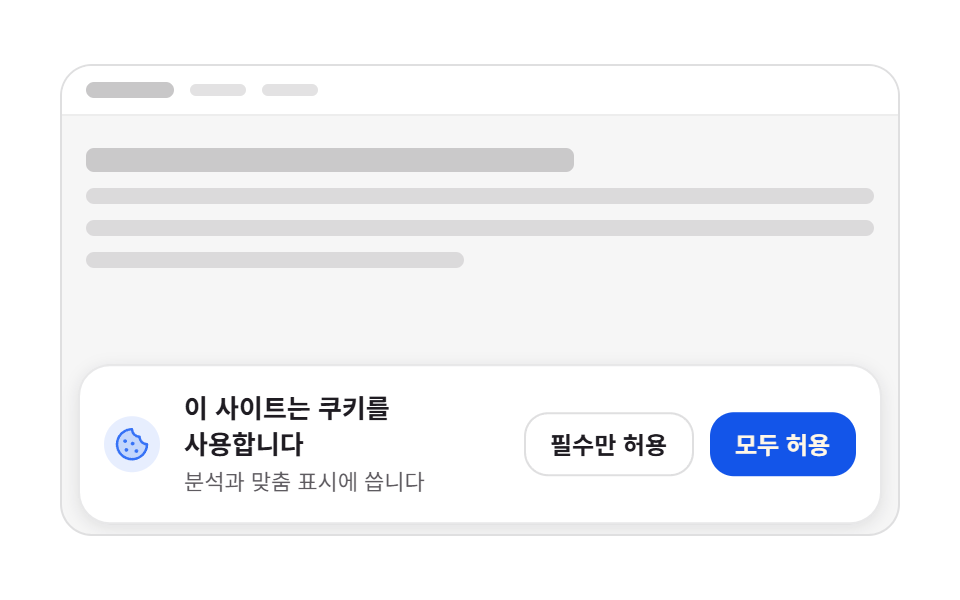 01 cookie-banner-bottom-slideup
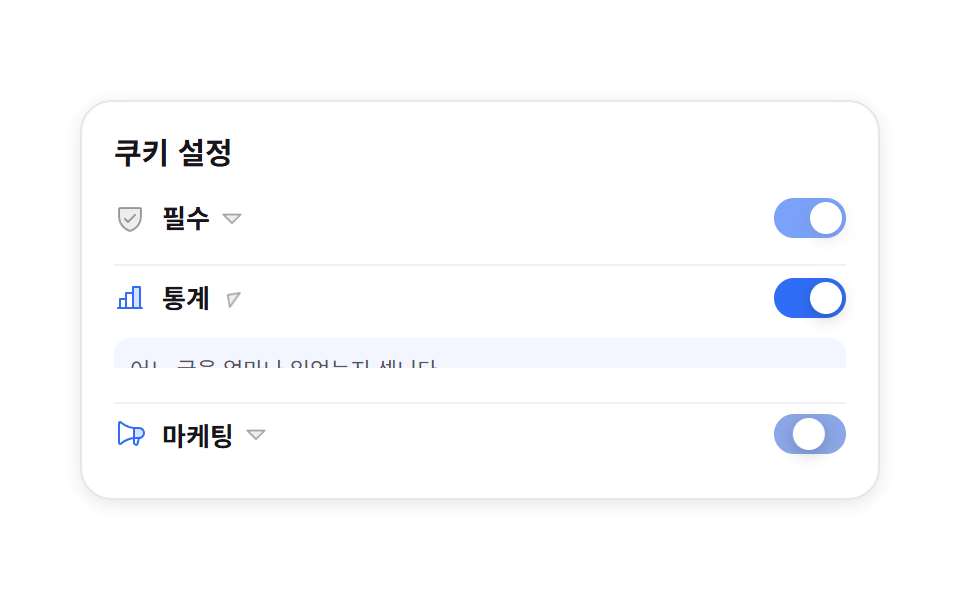 02 cookie-category-toggle-panel
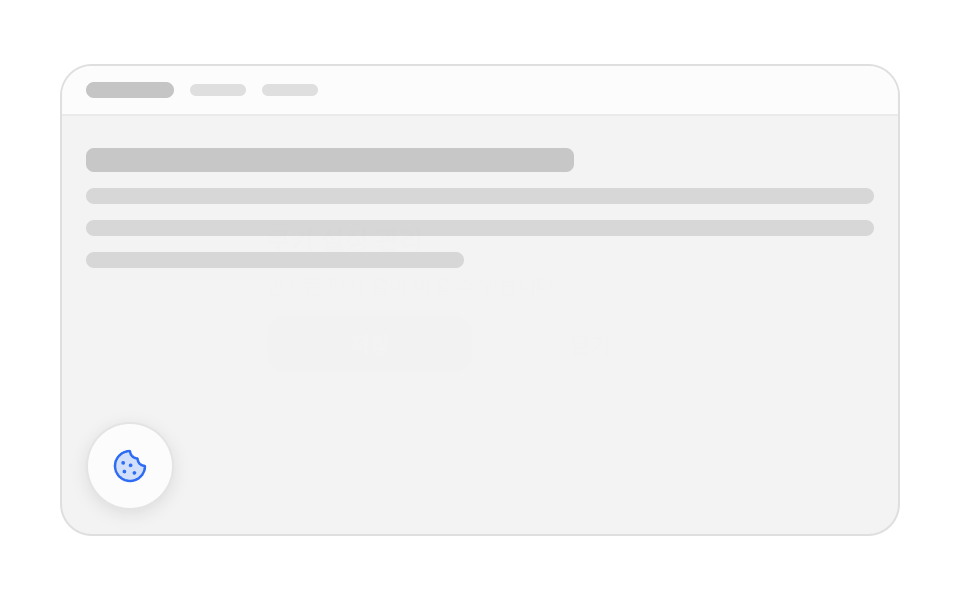 03 cookie-manage-modal-reopen
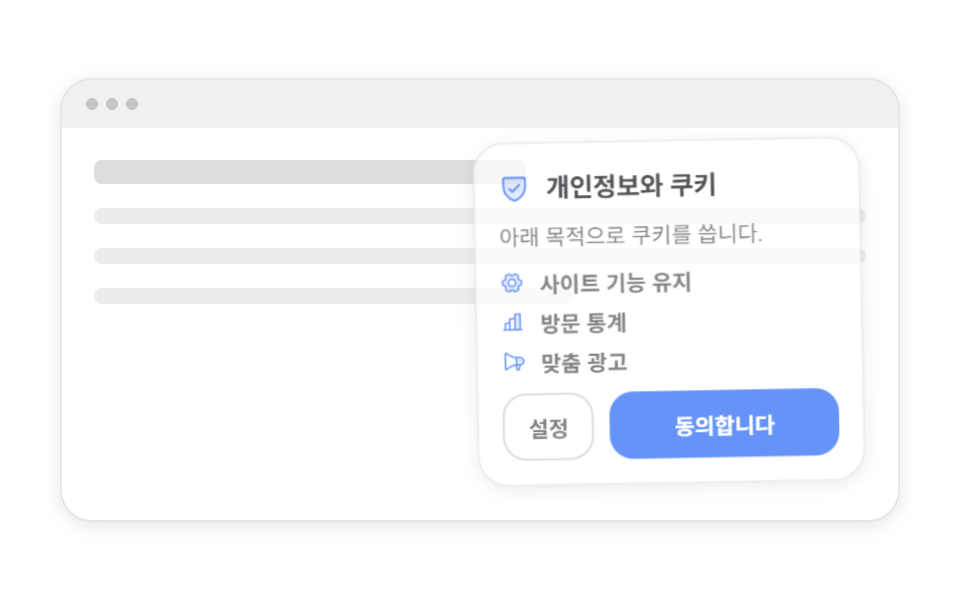 04 cookie-first-visit-corner-card
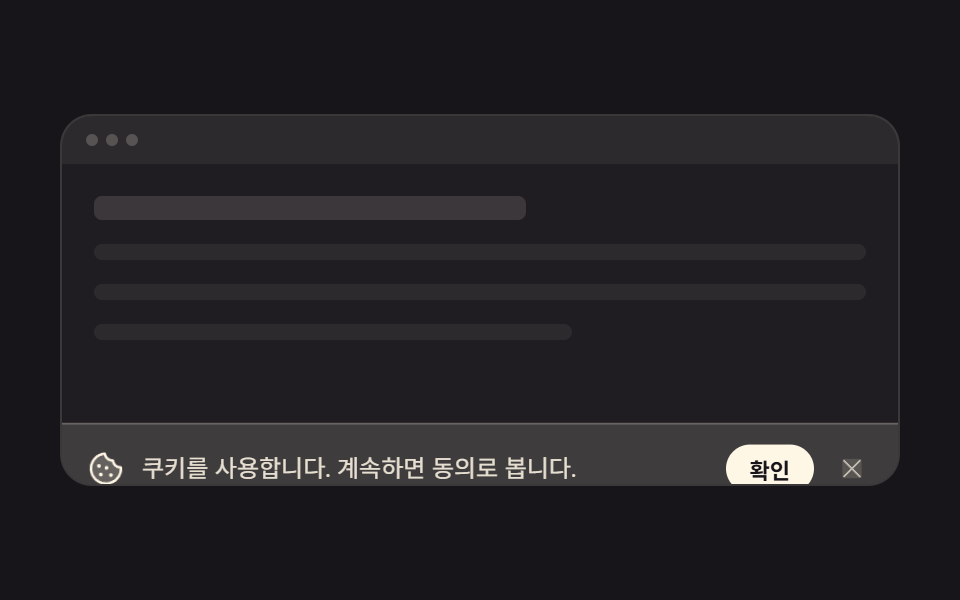 05 cookie-minimal-icon-line-bar
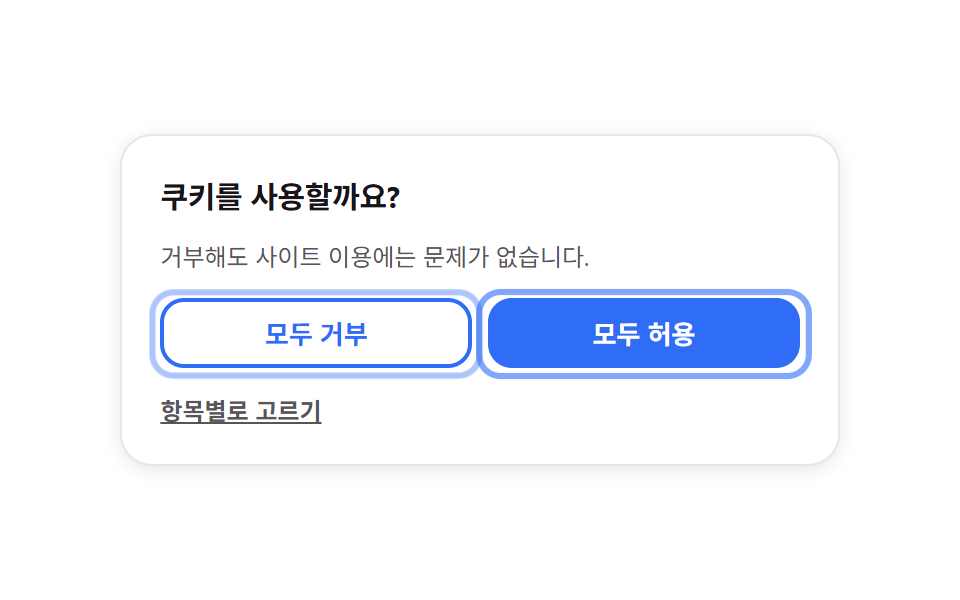 06 cookie-accept-reject-equal-pair
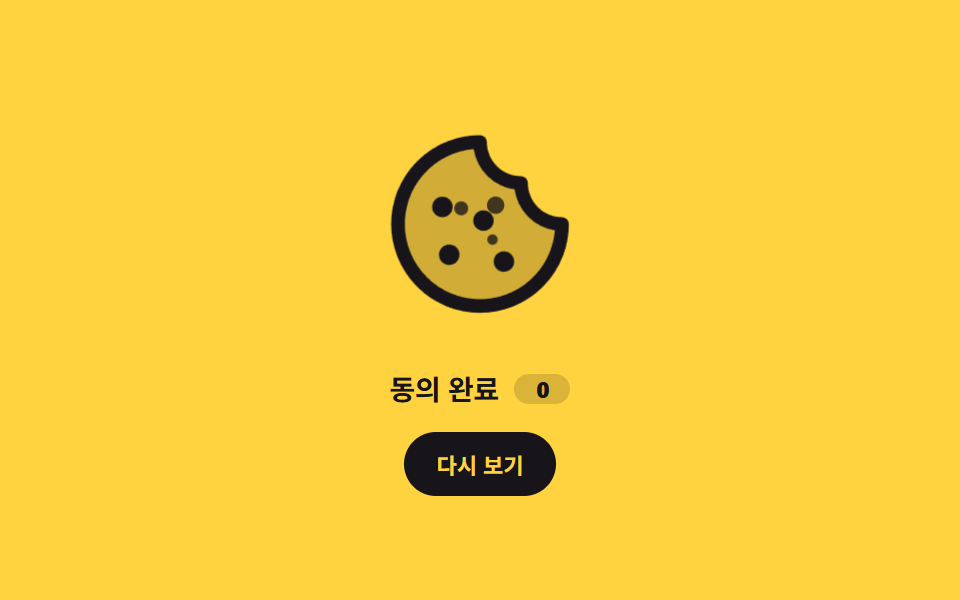 07 cookie-icon-crumble-motion
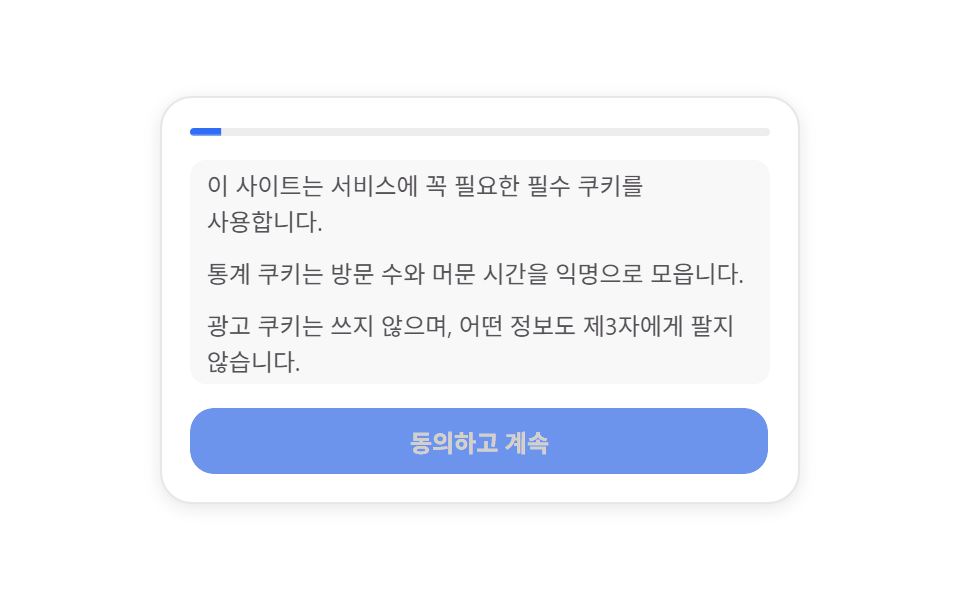 08 cookie-scroll-consent-gate
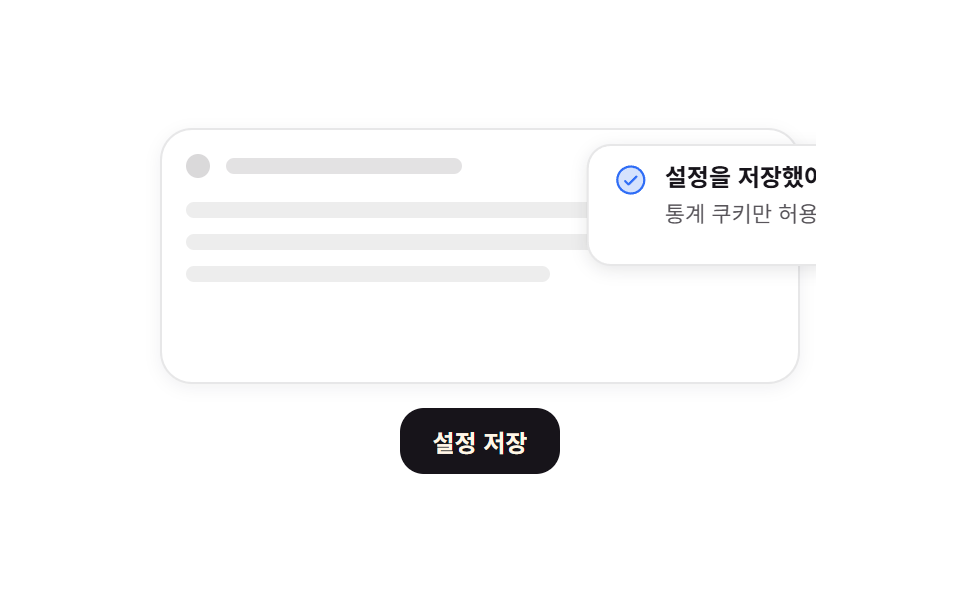 09 cookie-settings-saved-toast
자동 재생 · 눌러서 해당 항목으로 · 전부 한 zip
- 01 하단 고정 배너 슬라이드업
- 02 카테고리별 토글 상세 패널
- 03 동의 관리 모달 재열기
- 04 첫 방문 모서리 카드
- 05 아이콘 한 줄 미니 배너
- 06 거부도 한 번에 — 동등 강조 버튼
- 07 부서지는 쿠키 아이콘
- 08 스크롤 연속 동의 게이트
- 09 설정 저장 토스트
순서는 인기순이 아니라 방문자가 동의를 만나는 순서입니다. 화면 아래에서 처음 올라오는 띠로 시작해, 항목을 따로 고르는 쿠키 동의 팝업과 한 번 닫은 뒤 다시 여는 방법을 거쳐, 자리와 크기를 줄인 모서리 카드와 한 줄 띠로 이어집니다. 그다음이 허용과 거부를 나란히 세우는 방식, 동의한 순간의 작은 모션, 끝까지 읽어야 열리는 게이트이며, 마지막은 저장됐다는 확인입니다. 아홉 개 모두 방문자의 선택을 localStorage 에 저장하므로 브라우저를 껐다 켜도 값이 그대로 남습니다. 동의를 띠가 아니라 짧은 안내로 받는 판은 웹 온보딩 UI 쪽에 있고, 닫은 뒤에 쌓이는 결과 알림은 토스트 알림 UI가 스택으로 이어받습니다. 띠를 줄인 자리에 남길 한 줄 문구까지 정해 두면 동의 화면은 혼자서 완결됩니다. 동의를 한 번 받은 뒤에는 띠 높이를 절반으로 줄이는 규칙을 먼저 정하고 항목 토글은 그 안쪽에서만 움직이게 묶었는데, 아홉 개 중 하단에 고정되는 건 세 개뿐이라 화면 가장자리가 두 겹으로 차지 않습니다.
| 번호 | 어디에 뜨나 | 움직이는 속성 |
|---|---|---|
| 01 · 05 | 화면 맨 아래 가로 띠 | translateY |
| 02 | 카드 안 세 줄 | grid-template-rows · translateX |
| 03 | 무대 가운데 + 왼쪽 아래 버튼 | scale · opacity |
| 04 | 오른쪽 아래 모서리 | translateY · rotate · scale |
| 06 | 카드 안 버튼 두 개 | opacity · scale |
| 07 | 가운데 아이콘 + 부스러기 셋 | translate · scale |
| 08 | 카드 위 진행 막대 | scaleX |
| 09 | 오른쪽 위 토스트 | translateX · scaleX |
01하단 고정 배너 슬라이드업
쿠키 배너에서 무엇이 보이나
배너가 자기 높이에 $sp-2 를 더한 만큼 아래에 숨어 있다가 제자리로 올라오고, 버튼을 누르면 같은 값만큼 다시 내려갑니다.
<main class="stage">
  <div class="cb is-demo">
    <div class="cb__page" aria-hidden="true">
      <div class="cb__topbar">
        <span class="cb__brand"></span>
        <span class="cb__nav"></span>
        <span class="cb__nav"></span>
      </div>
      <div class="cb__lines">
        <span class="cb__line cb__line--head"></span>
        <span class="cb__line"></span>
        <span class="cb__line"></span>
        <span class="cb__line cb__line--short"></span>
      </div>
    </div>

    <p class="cb__chip" hidden><span class="cb__chip-k">저장된 설정</span><b class="cb__chip-v"></b></p>

    <section class="cb__banner" aria-label="쿠키 동의">
      <span class="cb__ic" aria-hidden="true"><svg viewBox="0 0 256 256" width="20" height="20"><g fill="currentColor"><path d="M224 128a96 96 0 1 1-96-96a48 48 0 0 0 48 48a48 48 0 0 0 48 48" opacity=".2"/><path d="M164.49 163.51a12 12 0 1 1-17 0a12 12 0 0 1 17 0m-81-8a12 12 0 1 0 17 0a12 12 0 0 0-16.98 0Zm9-39a12 12 0 1 0-17 0a12 12 0 0 0 17-.02Zm48-1a12 12 0 1 0 0 17a12 12 0 0 0 0-17M232 128A104 104 0 1 1 128 24a8 8 0 0 1 8 8a40 40 0 0 0 40 40a8 8 0 0 1 8 8a40 40 0 0 0 40 40a8 8 0 0 1 8 8m-16.31 7.39A56.13 56.13 0 0 1 168.5 87.5a56.13 56.13 0 0 1-47.89-47.19a88 88 0 1 0 95.08 95.08"/></g></svg></span>
      <div class="cb__text">
        <strong class="cb__title">이 사이트는 쿠키를 사용합니다</strong>
        <span class="cb__desc">분석과 맞춤 표시에 씁니다</span>
      </div>
      <div class="cb__acts">
        <button class="cb__btn" type="button" data-v="min">필수만 허용</button>
        <button class="cb__btn cb__btn--ok" type="button" data-v="all">모두 허용</button>
      </div>
    </section>
  </div>
</main>@use "../../../../site/static/demo-tokens" as *;
$duration: $dur-enter;
$easing: $ease-spring;
$color: $subject-blue;
@include stage($stage-paper);
// ── 무대: 움직이지 않는 가짜 페이지 한 장. 움직이는 건 배너뿐이다 ──
.cb {
position: relative;
box-sizing: border-box;
width: min(100%, 420px);
height: clamp(156px, 52vw, 236px);
overflow: hidden;
border: 1px solid rgba(23, 20, 26, .10);
border-radius: $r-card;
background: rgba(23, 20, 26, .04);
color: $subject-ink;
font-family: -apple-system, "Segoe UI", "Noto Sans KR", sans-serif;
}
.cb__page { position: absolute; inset: 0; }
.cb__topbar {
display: flex;
align-items: center;
gap: $sp-2;
padding: $sp-2 $sp-3;
background: $stage-paper;
border-bottom: 1px solid rgba(23, 20, 26, .08);
}
.cb__brand { width: 44px; height: 8px; border-radius: $r-xs; background: rgba(23, 20, 26, .24); }
.cb__nav { width: 28px; height: 6px; border-radius: $r-xs; background: rgba(23, 20, 26, .12); }
.cb__nav:first-of-type { margin-left: auto; }
.cb__lines { display: grid; gap: $sp-2; padding: $sp-4 $sp-3; }
.cb__line {
height: 8px;
border-radius: $r-xs;
background: rgba(23, 20, 26, .12);
}
.cb__line--head { height: 12px; width: 62%; background: rgba(23, 20, 26, .20); }
.cb__line--short { width: 48%; }
// 이전 선택 표시 칩
.cb__chip {
position: absolute;
top: $sp-8;
left: $sp-3;
display: inline-flex;
align-items: center;
gap: $sp-1;
margin: 0;
padding: $sp-1 $sp-2;
border-radius: $r-pill;
background: rgba(47, 109, 246, .10);
color: $color;
font-size: clamp(9px, 2.6vw, 11px);
font-weight: 700;
line-height: 1.2;
}
.cb__chip[hidden] { display: none; }
.cb__chip-k::after { content: ":"; }
// ── 배너: 아래에서 올라온다 ──
.cb__banner {
position: absolute;
left: $sp-2;
right: $sp-2;
bottom: $sp-2;
box-sizing: border-box;
display: flex;
flex-wrap: wrap;
align-items: center;
gap: $sp-2 $sp-3;
padding: $sp-3;
border: 1px solid rgba(23, 20, 26, .10);
border-radius: $r-card;
background: $stage-paper;
box-shadow: 0 2px 8px rgba(23, 20, 26, .10);
transform: translateY(0);
opacity: 1;
transition: transform $dur-base $easing, opacity $dur-base $easing;
}
.cb__banner.is-out {
transform: translateY(calc(100% + #{$sp-2}));
opacity: 0;
}
.cb__ic {
flex: 0 0 auto;
display: inline-flex;
align-items: center;
justify-content: center;
width: 28px;
height: 28px;
border-radius: $r-pill;
background: rgba(47, 109, 246, .12);
color: $color;
}
.cb__text { flex: 1 1 128px; min-width: 0; display: grid; gap: $sp-1; }
.cb__title {
font-size: clamp(11px, 3vw, 13px);
font-weight: 700;
line-height: 1.35;
word-break: keep-all; // 한국어가 낱말 가운데서 끊기지 않게
overflow-wrap: anywhere;
}
.cb__desc {
font-size: clamp(9px, 2.6vw, 11px);
line-height: 1.35;
color: rgba($stage-ink, .72);
word-break: keep-all;
overflow-wrap: anywhere;
}
.cb__acts { flex: 0 0 auto; display: flex; gap: $sp-2; }
.cb__btn {
border: 1px solid rgba(23, 20, 26, .14);
border-radius: $r-control;
background: $stage-paper;
color: $subject-ink;
font-family: inherit;
font-size: clamp(10px, 2.8vw, 12px);
font-weight: 700;
line-height: 1.2;
white-space: nowrap;
padding: $sp-2 $sp-3;
cursor: pointer;
transition: background $dur-quick $ease-out, transform $dur-quick $ease-out;
}
.cb__btn--ok {
border-color: transparent;
background: $subject-blue-deep;
color: $subject-cream;
}
.cb__btn:hover, .cb__btn:focus-visible { background: rgba(23, 20, 26, .06); }
.cb__btn--ok:hover, .cb__btn--ok:focus-visible { background: rgba(47, 109, 246, .84); }
.cb__btn:active { transform: translateY(1px); }
// ── 자동 루프: 올라왔다 머물다 다시 내려간다. 0% 와 100% 가 같아 텔레포트가 없다 ──
.cb.is-demo .cb__banner { animation: cb-slide $dur-loop $easing infinite; }

@keyframes cb-slide {
  0%        { transform: translateY(calc(100% + #{$sp-2})); opacity: 0; }
  22%, 72%  { transform: translateY(0); opacity: 1; }
  100%      { transform: translateY(calc(100% + #{$sp-2})); opacity: 0; }
}
@media (max-width: 340px) {
.cb__lines { padding: $sp-3 $sp-3; gap: $sp-1; }
.cb__banner { gap: $sp-2; padding: $sp-2; }
.cb__ic { width: 24px; height: 24px; }
.cb__acts { width: 100%; }
.cb__btn { flex: 1 1 auto; padding: $sp-1 $sp-2; }
}
@media (prefers-reduced-motion: reduce) {
.cb.is-demo .cb__banner { animation: none !important; transform: translateY(0); opacity: 1; }
.cb__banner, .cb__btn { transition: none; }
}html, body {
margin: 0;
overflow: hidden;
}
.stage {
box-sizing: border-box;
min-height: 100vh;
display: grid;
place-items: center;
margin: 0;
background: #ffffff;
font-family: -apple-system, "Segoe UI", "Noto Sans KR", sans-serif;
padding: clamp(8px, 4vw, 24px);
}
.cb {
position: relative;
box-sizing: border-box;
width: min(100%, 420px);
height: clamp(156px, 52vw, 236px);
overflow: hidden;
border: 1px solid rgba(23, 20, 26, 0.1);
border-radius: 16px;
background: rgba(23, 20, 26, 0.04);
color: #17141a;
font-family: -apple-system, "Segoe UI", "Noto Sans KR", sans-serif;
}
.cb__page {
position: absolute;
inset: 0;
}
.cb__topbar {
display: flex;
align-items: center;
gap: 8px;
padding: 8px 12px;
background: #ffffff;
border-bottom: 1px solid rgba(23, 20, 26, 0.08);
}
.cb__brand {
width: 44px;
height: 8px;
border-radius: 4px;
background: rgba(23, 20, 26, 0.24);
}
.cb__nav {
width: 28px;
height: 6px;
border-radius: 4px;
background: rgba(23, 20, 26, 0.12);
}
.cb__nav:first-of-type {
margin-left: auto;
}
.cb__lines {
display: grid;
gap: 8px;
padding: 16px 12px;
}
.cb__line {
height: 8px;
border-radius: 4px;
background: rgba(23, 20, 26, 0.12);
}
.cb__line--head {
height: 12px;
width: 62%;
background: rgba(23, 20, 26, 0.2);
}
.cb__line--short {
width: 48%;
}
.cb__chip {
position: absolute;
top: 32px;
left: 12px;
display: inline-flex;
align-items: center;
gap: 4px;
margin: 0;
padding: 4px 8px;
border-radius: 999px;
background: rgba(47, 109, 246, 0.1);
color: #2f6df6;
font-size: clamp(9px, 2.6vw, 11px);
font-weight: 700;
line-height: 1.2;
}
.cb__chip[hidden] {
display: none;
}
.cb__chip-k::after {
content: ":";
}
.cb__banner {
position: absolute;
left: 8px;
right: 8px;
bottom: 8px;
box-sizing: border-box;
display: flex;
flex-wrap: wrap;
align-items: center;
gap: 8px 12px;
padding: 12px;
border: 1px solid rgba(23, 20, 26, 0.1);
border-radius: 16px;
background: #ffffff;
box-shadow: 0 2px 8px rgba(23, 20, 26, 0.1);
transform: translateY(0);
opacity: 1;
transition: transform 300ms cubic-bezier(0.2, 0.8, 0.2, 1), opacity 300ms cubic-bezier(0.2, 0.8, 0.2, 1);
}
.cb__banner.is-out {
transform: translateY(calc(100% + 8px));
opacity: 0;
}
.cb__ic {
flex: 0 0 auto;
display: inline-flex;
align-items: center;
justify-content: center;
width: 28px;
height: 28px;
border-radius: 999px;
background: rgba(47, 109, 246, 0.12);
color: #2f6df6;
}
.cb__text {
flex: 1 1 128px;
min-width: 0;
display: grid;
gap: 4px;
}
.cb__title {
font-size: clamp(11px, 3vw, 13px);
font-weight: 700;
line-height: 1.35;
word-break: keep-all;
overflow-wrap: anywhere;
}
.cb__desc {
font-size: clamp(9px, 2.6vw, 11px);
line-height: 1.35;
color: rgba(23, 20, 26, 0.72);
word-break: keep-all;
overflow-wrap: anywhere;
}
.cb__acts {
flex: 0 0 auto;
display: flex;
gap: 8px;
}
.cb__btn {
border: 1px solid rgba(23, 20, 26, 0.14);
border-radius: 12px;
background: #ffffff;
color: #17141a;
font-family: inherit;
font-size: clamp(10px, 2.8vw, 12px);
font-weight: 700;
line-height: 1.2;
white-space: nowrap;
padding: 8px 12px;
cursor: pointer;
transition: background 220ms ease-out, transform 220ms ease-out;
}
.cb__btn--ok {
border-color: transparent;
background: #0a4fe8;
color: #fff7e6;
}
.cb__btn:hover, .cb__btn:focus-visible {
background: rgba(23, 20, 26, 0.06);
}
.cb__btn--ok:hover, .cb__btn--ok:focus-visible {
background: rgba(47, 109, 246, 0.84);
}
.cb__btn:active {
transform: translateY(1px);
}
.cb.is-demo .cb__banner {
animation: cb-slide 2s cubic-bezier(0.2, 0.8, 0.2, 1) infinite;
}
@keyframes cb-slide {
0% {
transform: translateY(calc(100% + 8px));
opacity: 0;
}
22%, 72% {
transform: translateY(0);
opacity: 1;
}
100% {
transform: translateY(calc(100% + 8px));
opacity: 0;
}
}
@media (max-width: 340px) {
.cb__lines {
padding: 12px 12px;
gap: 4px;
}
.cb__banner {
gap: 8px;
padding: 8px;
}
.cb__ic {
width: 24px;
height: 24px;
}
.cb__acts {
width: 100%;
}
.cb__btn {
flex: 1 1 auto;
padding: 4px 8px;
}
}
@media (prefers-reduced-motion: reduce) {
.cb.is-demo .cb__banner {
animation: none !important;
transform: translateY(0);
opacity: 1;
}
.cb__banner, .cb__btn {
transition: none;
}
}// 실제 동작: 버튼을 누르면 배너가 아래로 빠지고 고른 값이 localStorage 에 남는다.
// 칩 글자는 누른 버튼의 라벨을 그대로 복사한다 — 스크립트 안에 문구를 두 번 적지 않는다.
var cb = document.querySelector('.cb');
var chip = cb.querySelector('.cb__chip');
var chipV = cb.querySelector('.cb__chip-v');
var banner = cb.querySelector('.cb__banner');
var KEY = 'gd-consent-01';
function load() {
try { return localStorage.getItem(KEY); } catch (e) { return null; }
}
function save(v) {
try { localStorage.setItem(KEY, v); } catch (e) {}
}
function mark(v) {
var b = cb.querySelector('.cb__btn[data-v="' + v + '"]');
if (!b) return;
chipV.textContent = b.textContent;
chip.hidden = false;
}
function pick(e) {
var v = e.currentTarget.getAttribute('data-v');
save(v);
cb.classList.remove('is-demo');
banner.classList.add('is-out');
mark(v);
}
var btns = cb.querySelectorAll('.cb__btn');
for (var i = 0; i < btns.length; i++) btns[i].addEventListener('click', pick);
// 저장값이 있어도 배너는 다시 띄운다(루프가 필요하다) — 대신 이전 선택을 칩으로 보여준다
var saved = load();
if (saved) mark(saved);import { useEffect, useState } from "react";
import type { CSSProperties } from "react";
import styles from "./BottomBarSlideUp.module.scss";
export type BottomBarSlideUpProps = {
duration?: number;
easing?: string;
color?: string;
};
type Vars = CSSProperties & {
"--duration"?: string;
"--easing"?: string;
"--color"?: string;
};
const KEY = "gd-consent-01";
const LABEL: { [k: string]: string } = {
min: "Necessary only",
all: "Accept all",
};
function load(): string {
try {
return localStorage.getItem(KEY) || "";
} catch (e) {
return "";
}
}
export default function BottomBarSlideUp({
duration = 600,
easing = "cubic-bezier(.2,.8,.2,1)",
color = "#2f6df6",
}: BottomBarSlideUpProps) {
const [saved, setSaved] = useState<string>("");
const [out, setOut] = useState<boolean>(false);
const [live, setLive] = useState<boolean>(true);
// 저장값이 있어도 배너는 다시 띄운다(루프가 필요하다) — 이전 선택만 칩으로 보여준다
useEffect(() => {
setSaved(load());
}, []);
const vars: Vars = {
"--duration": `${duration}ms`,
"--easing": easing,
"--color": color,
};
function pick(v: string): void {
try {
localStorage.setItem(KEY, v);
} catch (e) {
/* 샌드박스에서 던진다 */
}
setSaved(v);
setLive(false);
setOut(true);
}
return (
<div className={`${styles.cb} ${live ? styles.isDemo : ""}`} style={vars}>
<div className={styles.page} aria-hidden="true">
<div className={styles.topbar}>
<span className={styles.brand} />
<span className={styles.nav} />
<span className={styles.nav} />
</div>
<div className={styles.lines}>
<span className={`${styles.line} ${styles.lineHead}`} />
<span className={styles.line} />
<span className={styles.line} />
<span className={`${styles.line} ${styles.lineShort}`} />
</div>
</div>
{saved ? (
<p className={styles.chip}>
<span className={styles.chipK}>Saved</span>
<b className={styles.chipV}>{LABEL[saved]}</b>
</p>
) : null}
<section
className={`${styles.banner} ${out ? styles.isOut : ""}`}
aria-label="Cookie consent"
>
<span className={styles.ic} aria-hidden="true">
<svg viewBox="0 0 256 256" width="20" height="20">
<g fill="currentColor">
<path
d="M224 128a96 96 0 1 1-96-96a48 48 0 0 0 48 48a48 48 0 0 0 48 48"
opacity=".2"
/>
<path d="M164.49 163.51a12 12 0 1 1-17 0a12 12 0 0 1 17 0m-81-8a12 12 0 1 0 17 0a12 12 0 0 0-16.98 0Zm9-39a12 12 0 1 0-17 0a12 12 0 0 0 17-.02Zm48-1a12 12 0 1 0 0 17a12 12 0 0 0 0-17M232 128A104 104 0 1 1 128 24a8 8 0 0 1 8 8a40 40 0 0 0 40 40a8 8 0 0 1 8 8a40 40 0 0 0 40 40a8 8 0 0 1 8 8m-16.31 7.39A56.13 56.13 0 0 1 168.5 87.5a56.13 56.13 0 0 1-47.89-47.19a88 88 0 1 0 95.08 95.08" />
</g>
</svg>
</span>
<div className={styles.text}>
<strong className={styles.title}>This site uses cookies</strong>
<span className={styles.desc}>For analytics and personalised content</span>
</div>
<div className={styles.acts}>
<button className={styles.btn} type="button" onClick={() => pick("min")}>
{LABEL.min}
</button>
<button
className={`${styles.btn} ${styles.btnOk}`}
type="button"
onClick={() => pick("all")}
>
{LABEL.all}
</button>
</div>
</section>
</div>
);
}01 · 하단 고정 배너 슬라이드업 — 측정 누적면적 10.36% · 움직인 프레임 8/23GODRICH 원작 · zip 에 SCSS·React 포함 · 비밀번호 보기
코드에서 볼 곳
어느 버튼을 눌렀는지는 목업 위 작은 칩에 「저장된 설정」으로 남습니다.
.cb.is-demo .cb__banner { animation: cb-slide $dur-loop $easing infinite; }
@keyframes cb-slide {
0% { transform: translateY(calc(100% + #{$sp-2})); opacity: 0; }
22%, 72% { transform: translateY(0); opacity: 1; }
100% { transform: translateY(calc(100% + #{$sp-2})); opacity: 0; }
}
02카테고리별 토글 상세 패널
화면에서 일어나는 일
필수·통계·마케팅 세 줄이 각각 스위치를 달고 있고, 제목을 누르면 설명 칸이 0fr 에서 1fr 로 펼쳐집니다.
<main class="stage">
  <div class="ct is-demo">
    <h2 class="ct__head">쿠키 설정</h2>

    <div class="ct__row" data-k="need">
      <span class="ct__ic" aria-hidden="true"><svg viewBox="0 0 256 256" width="16" height="16"><g fill="currentColor"><path d="M216 56v56c0 96-88 120-88 120s-88-24-88-120V56a8 8 0 0 1 8-8h160a8 8 0 0 1 8 8" opacity=".2"/><path d="M208 40H48a16 16 0 0 0-16 16v56c0 52.72 25.52 84.67 46.93 102.19c23.06 18.86 46 25.26 47 25.53a8 8 0 0 0 4.2 0c1-.27 23.91-6.67 47-25.53C198.48 196.67 224 164.72 224 112V56a16 16 0 0 0-16-16m0 72c0 37.07-13.66 67.16-40.6 89.42a129.3 129.3 0 0 1-39.4 22.2a128.3 128.3 0 0 1-38.92-21.81C61.82 179.51 48 149.3 48 112V56h160ZM82.34 141.66a8 8 0 0 1 11.32-11.32L112 148.69l50.34-50.35a8 8 0 0 1 11.32 11.32l-56 56a8 8 0 0 1-11.32 0Z"/></g></svg></span>
      <button class="ct__name" type="button" aria-expanded="false" aria-controls="ct-p1">
        <span class="ct__label">필수</span>
        <span class="ct__caret" aria-hidden="true"><svg viewBox="0 0 256 256" width="14" height="14"><g fill="currentColor"><path d="m208 96l-80 80l-80-80Z" opacity=".2"/><path d="M215.39 92.94A8 8 0 0 0 208 88H48a8 8 0 0 0-5.66 13.66l80 80a8 8 0 0 0 11.32 0l80-80a8 8 0 0 0 1.73-8.72M128 164.69L67.31 104h121.38Z"/></g></svg></span>
      </button>
      <button class="ct__sw ct__sw--fixed is-on" type="button" role="switch" aria-checked="true" aria-disabled="true" aria-label="필수 쿠키"><span class="ct__knob"></span></button>
      <div class="ct__panel" id="ct-p1"><div class="ct__inner"><p class="ct__desc">사이트가 열리는 데 꼭 필요합니다</p></div></div>
    </div>

    <div class="ct__row ct__row--stats" data-k="stats">
      <span class="ct__ic" aria-hidden="true"><svg viewBox="0 0 256 256" width="16" height="16"><g fill="currentColor"><path d="M208 40v168h-56V40Z" opacity=".2"/><path d="M224 200h-8V40a8 8 0 0 0-8-8h-56a8 8 0 0 0-8 8v40H96a8 8 0 0 0-8 8v40H48a8 8 0 0 0-8 8v64h-8a8 8 0 0 0 0 16h192a8 8 0 0 0 0-16M160 48h40v152h-40Zm-56 48h40v104h-40Zm-48 48h32v56H56Z"/></g></svg></span>
      <button class="ct__name" type="button" aria-expanded="false" aria-controls="ct-p2">
        <span class="ct__label">통계</span>
        <span class="ct__caret" aria-hidden="true"><svg viewBox="0 0 256 256" width="14" height="14"><g fill="currentColor"><path d="m208 96l-80 80l-80-80Z" opacity=".2"/><path d="M215.39 92.94A8 8 0 0 0 208 88H48a8 8 0 0 0-5.66 13.66l80 80a8 8 0 0 0 11.32 0l80-80a8 8 0 0 0 1.73-8.72M128 164.69L67.31 104h121.38Z"/></g></svg></span>
      </button>
      <button class="ct__sw is-on" type="button" role="switch" aria-checked="true" aria-label="통계 쿠키"><span class="ct__knob"></span></button>
      <div class="ct__panel" id="ct-p2"><div class="ct__inner"><p class="ct__desc">어느 글을 얼마나 읽었는지 셉니다</p></div></div>
    </div>

    <div class="ct__row ct__row--ads" data-k="ads">
      <span class="ct__ic" aria-hidden="true"><svg viewBox="0 0 256 256" width="16" height="16"><g fill="currentColor"><path d="M240 120a40 40 0 0 1-40 40h-40V80h40a40 40 0 0 1 40 40" opacity=".2"/><path d="M248 120a48.05 48.05 0 0 0-48-48h-39.8c-2.91-.17-53.62-3.74-101.91-44.24A16 16 0 0 0 32 40v160a16 16 0 0 0 26.29 12.25c37.77-31.68 77-40.76 93.71-43.3v31.72a16 16 0 0 0 7.12 13.33l11 7.33A16 16 0 0 0 194.5 212l11.77-44.36A48.07 48.07 0 0 0 248 120M48 199.93V40c42.81 35.91 86.63 45 104 47.24v65.48c-17.35 2.28-61.16 11.35-104 47.21m131 8v.11l-11-7.33V168h21.6ZM200 152h-32V88h32a32 32 0 1 1 0 64"/></g></svg></span>
      <button class="ct__name" type="button" aria-expanded="false" aria-controls="ct-p3">
        <span class="ct__label">마케팅</span>
        <span class="ct__caret" aria-hidden="true"><svg viewBox="0 0 256 256" width="14" height="14"><g fill="currentColor"><path d="m208 96l-80 80l-80-80Z" opacity=".2"/><path d="M215.39 92.94A8 8 0 0 0 208 88H48a8 8 0 0 0-5.66 13.66l80 80a8 8 0 0 0 11.32 0l80-80a8 8 0 0 0 1.73-8.72M128 164.69L67.31 104h121.38Z"/></g></svg></span>
      </button>
      <button class="ct__sw" type="button" role="switch" aria-checked="false" aria-label="마케팅 쿠키"><span class="ct__knob"></span></button>
      <div class="ct__panel" id="ct-p3"><div class="ct__inner"><p class="ct__desc">관심사에 맞춘 광고를 띄웁니다</p></div></div>
    </div>
  </div>
</main>@use "../../../../site/static/demo-tokens" as *;
$duration: $dur-base;
$easing: $ease-spring;
$color: $subject-blue;
@include stage($stage-paper);
.ct {
box-sizing: border-box;
width: min(100%, 400px);
display: grid;
gap: $sp-2;
padding: $sp-4;
border: 1px solid rgba(23, 20, 26, .10);
border-radius: $r-card;
background: $stage-paper;
box-shadow: 0 2px 8px rgba(23, 20, 26, .10);
color: $subject-ink;
font-family: -apple-system, "Segoe UI", "Noto Sans KR", sans-serif;
}
.ct__head {
margin: 0;
font-size: clamp(13px, 3.4vw, 15px);
font-weight: 700;
line-height: 1.2;
}
// 320px 에서도 아이콘·글자·스위치가 겹치지 않게 세 칸으로 못 박는다
.ct__row {
display: grid;
grid-template-columns: auto 1fr auto;
align-items: center;
column-gap: $sp-2;
}
.ct__row + .ct__row { border-top: 1px solid rgba(23, 20, 26, .06); }
.ct__ic {
grid-column: 1;
display: inline-flex;
color: rgba(23, 20, 26, .40);
}
.ct__row--stats .ct__ic, .ct__row--ads .ct__ic { color: $color; }
.ct__name {
grid-column: 2;
display: flex;
align-items: center;
gap: $sp-1;
min-width: 0;
border: 0;
margin: 0;
padding: $sp-2 0;
background: none;
color: $subject-ink;
font-family: inherit;
font-size: clamp(11px, 3vw, 13px);
font-weight: 700;
line-height: 1.2;
text-align: left;
cursor: pointer;
}
.ct__label { white-space: nowrap; }
.ct__caret {
display: inline-flex;
color: rgba(23, 20, 26, .36);
transform: rotate(0deg);
transition: transform $dur-quick $easing;
}
.ct__name[aria-expanded="true"] .ct__caret { transform: rotate(180deg); }
// ── 스위치: 노브는 translateX, 켜짐 색은 ::before 의 opacity ──
.ct__sw {
grid-column: 3;
position: relative;
width: 36px;
height: 20px;
flex: 0 0 auto;
border: 0;
margin: 0;
padding: 0;
border-radius: $r-pill;
background: rgba(23, 20, 26, .16);
cursor: pointer;
}
.ct__sw::before {
content: "";
position: absolute;
inset: 0;
border-radius: $r-pill;
background: $color;
opacity: 0;
transition: opacity $dur-quick $ease-out;
}
.ct__sw.is-on::before { opacity: 1; }
.ct__sw:focus-visible { outline: 2px solid rgba(47, 109, 246, .56); outline-offset: 2px; }
.ct__sw--fixed { cursor: not-allowed; opacity: .64; }
.ct__knob {
position: absolute;
top: 2px;
left: 2px;
width: 16px;
height: 16px;
border-radius: 50%;
background: $stage-paper;
box-shadow: 0 2px 8px rgba(23, 20, 26, .24);
transform: translateX(0);
transition: transform $duration $easing;
}
.ct__sw.is-on .ct__knob { transform: translateX(16px); }
// ── 펼침: grid-template-rows 0fr → 1fr (height:auto 를 쓰지 않는다) ──
.ct__panel {
grid-column: 1 / -1;
display: grid;
grid-template-rows: 0fr;
transition: grid-template-rows $duration $easing;
}
.ct__inner { overflow: hidden; }
.ct__row.is-open .ct__panel { grid-template-rows: 1fr; }
.ct__desc {
margin: $sp-1 0;
padding: $sp-2;
border-radius: $r-sm;
background: rgba(47, 109, 246, .06);
color: rgba($stage-ink, .72);
font-size: clamp(9px, 2.6vw, 11px);
line-height: 1.4;
}
// ── 자동 루프: 통계가 펼쳐졌다 접히는 사이 마케팅 스위치가 켜졌다 꺼진다. 0% 와 100% 가 같다 ──
.ct.is-demo .ct__row--stats .ct__panel { animation: ct-open $dur-loop $easing infinite; }
.ct.is-demo .ct__row--stats .ct__caret { animation: ct-caret $dur-loop $easing infinite; }
.ct.is-demo .ct__row--ads .ct__knob { animation: ct-knob $dur-loop $easing infinite; }
.ct.is-demo .ct__row--ads .ct__sw::before { animation: ct-fill $dur-loop $easing infinite; }
@keyframes ct-open {
0% { grid-template-rows: 0fr; }
20%, 70% { grid-template-rows: 1fr; }
100% { grid-template-rows: 0fr; }
}
@keyframes ct-caret {
0% { transform: rotate(0deg); }
20%, 70% { transform: rotate(180deg); }
100% { transform: rotate(0deg); }
}
@keyframes ct-knob {
0% { transform: translateX(0); }
35%, 80% { transform: translateX(16px); }
100% { transform: translateX(0); }
}
@keyframes ct-fill {
0% { opacity: 0; }
35%, 80% { opacity: 1; }
100% { opacity: 0; }
}
@media (max-width: 340px) {
.ct { padding: $sp-3; gap: $sp-1; }
.ct__row { column-gap: $sp-1; }
.ct__name { padding: $sp-1 0; }
.ct__desc { margin: $sp-1 0; padding: $sp-1 $sp-2; }
}
@media (prefers-reduced-motion: reduce) {
.ct.is-demo .ct__row--stats .ct__panel,
.ct.is-demo .ct__row--stats .ct__caret,
.ct.is-demo .ct__row--ads .ct__knob,
.ct.is-demo .ct__row--ads .ct__sw::before { animation: none !important; }
.ct__panel, .ct__caret, .ct__knob, .ct__sw::before { transition: none; }
}html, body {
margin: 0;
overflow: hidden;
}
.stage {
box-sizing: border-box;
min-height: 100vh;
display: grid;
place-items: center;
margin: 0;
background: #ffffff;
font-family: -apple-system, "Segoe UI", "Noto Sans KR", sans-serif;
padding: clamp(8px, 4vw, 24px);
}
.ct {
box-sizing: border-box;
width: min(100%, 400px);
display: grid;
gap: 8px;
padding: 16px;
border: 1px solid rgba(23, 20, 26, 0.1);
border-radius: 16px;
background: #ffffff;
box-shadow: 0 2px 8px rgba(23, 20, 26, 0.1);
color: #17141a;
font-family: -apple-system, "Segoe UI", "Noto Sans KR", sans-serif;
}
.ct__head {
margin: 0;
font-size: clamp(13px, 3.4vw, 15px);
font-weight: 700;
line-height: 1.2;
}
.ct__row {
display: grid;
grid-template-columns: auto 1fr auto;
align-items: center;
column-gap: 8px;
}
.ct__row + .ct__row {
border-top: 1px solid rgba(23, 20, 26, 0.06);
}
.ct__ic {
grid-column: 1;
display: inline-flex;
color: rgba(23, 20, 26, 0.4);
}
.ct__row--stats .ct__ic, .ct__row--ads .ct__ic {
color: #2f6df6;
}
.ct__name {
grid-column: 2;
display: flex;
align-items: center;
gap: 4px;
min-width: 0;
border: 0;
margin: 0;
padding: 8px 0;
background: none;
color: #17141a;
font-family: inherit;
font-size: clamp(11px, 3vw, 13px);
font-weight: 700;
line-height: 1.2;
text-align: left;
cursor: pointer;
}
.ct__label {
white-space: nowrap;
}
.ct__caret {
display: inline-flex;
color: rgba(23, 20, 26, 0.36);
transform: rotate(0deg);
transition: transform 220ms cubic-bezier(0.2, 0.8, 0.2, 1);
}
.ct__name[aria-expanded=true] .ct__caret {
transform: rotate(180deg);
}
.ct__sw {
grid-column: 3;
position: relative;
width: 36px;
height: 20px;
flex: 0 0 auto;
border: 0;
margin: 0;
padding: 0;
border-radius: 999px;
background: rgba(23, 20, 26, 0.16);
cursor: pointer;
}
.ct__sw::before {
content: "";
position: absolute;
inset: 0;
border-radius: 999px;
background: #2f6df6;
opacity: 0;
transition: opacity 220ms ease-out;
}
.ct__sw.is-on::before {
opacity: 1;
}
.ct__sw:focus-visible {
outline: 2px solid rgba(47, 109, 246, 0.56);
outline-offset: 2px;
}
.ct__sw--fixed {
cursor: not-allowed;
opacity: 0.64;
}
.ct__knob {
position: absolute;
top: 2px;
left: 2px;
width: 16px;
height: 16px;
border-radius: 50%;
background: #ffffff;
box-shadow: 0 2px 8px rgba(23, 20, 26, 0.24);
transform: translateX(0);
transition: transform 300ms cubic-bezier(0.2, 0.8, 0.2, 1);
}
.ct__sw.is-on .ct__knob {
transform: translateX(16px);
}
.ct__panel {
grid-column: 1/-1;
display: grid;
grid-template-rows: 0fr;
transition: grid-template-rows 300ms cubic-bezier(0.2, 0.8, 0.2, 1);
}
.ct__inner {
overflow: hidden;
}
.ct__row.is-open .ct__panel {
grid-template-rows: 1fr;
}
.ct__desc {
margin: 4px 0;
padding: 8px;
border-radius: 8px;
background: rgba(47, 109, 246, 0.06);
color: rgba(23, 20, 26, 0.72);
font-size: clamp(9px, 2.6vw, 11px);
line-height: 1.4;
}
.ct.is-demo .ct__row--stats .ct__panel {
animation: ct-open 2s cubic-bezier(0.2, 0.8, 0.2, 1) infinite;
}
.ct.is-demo .ct__row--stats .ct__caret {
animation: ct-caret 2s cubic-bezier(0.2, 0.8, 0.2, 1) infinite;
}
.ct.is-demo .ct__row--ads .ct__knob {
animation: ct-knob 2s cubic-bezier(0.2, 0.8, 0.2, 1) infinite;
}
.ct.is-demo .ct__row--ads .ct__sw::before {
animation: ct-fill 2s cubic-bezier(0.2, 0.8, 0.2, 1) infinite;
}
@keyframes ct-open {
0% {
grid-template-rows: 0fr;
}
20%, 70% {
grid-template-rows: 1fr;
}
100% {
grid-template-rows: 0fr;
}
}
@keyframes ct-caret {
0% {
transform: rotate(0deg);
}
20%, 70% {
transform: rotate(180deg);
}
100% {
transform: rotate(0deg);
}
}
@keyframes ct-knob {
0% {
transform: translateX(0);
}
35%, 80% {
transform: translateX(16px);
}
100% {
transform: translateX(0);
}
}
@keyframes ct-fill {
0% {
opacity: 0;
}
35%, 80% {
opacity: 1;
}
100% {
opacity: 0;
}
}
@media (max-width: 340px) {
.ct {
padding: 12px;
gap: 4px;
}
.ct__row {
column-gap: 4px;
}
.ct__name {
padding: 4px 0;
}
.ct__desc {
margin: 4px 0;
padding: 4px 8px;
}
}
@media (prefers-reduced-motion: reduce) {
.ct.is-demo .ct__row--stats .ct__panel,
.ct.is-demo .ct__row--stats .ct__caret,
.ct.is-demo .ct__row--ads .ct__knob,
.ct.is-demo .ct__row--ads .ct__sw::before {
animation: none !important;
}
.ct__panel, .ct__caret, .ct__knob, .ct__sw::before {
transition: none;
}
}// 실제 동작: 스위치는 role="switch" 로 진짜 토글되고, 행 제목은 aria-expanded 로 설명을 편다.
// 필수는 항상 켬이라 눌러도 바뀌지 않는다. 선택은 localStorage 에 남는다.
var ct = document.querySelector('.ct');
var KEY = 'gd-consent-02';
var state = { stats: true, ads: false };
function read() {
try { var s = localStorage.getItem(KEY); return s ? JSON.parse(s) : null; } catch (e) { return null; }
}
function write() {
try { localStorage.setItem(KEY, JSON.stringify(state)); } catch (e) {}
}
function paint() {
var rows = ct.querySelectorAll('.ct__row');
for (var i = 0; i < rows.length; i++) {
var k = rows[i].getAttribute('data-k');
if (k === 'need') continue;
var on = !!state[k];
var sw = rows[i].querySelector('.ct__sw');
sw.setAttribute('aria-checked', on ? 'true' : 'false');
sw.classList.toggle('is-on', on);
}
}
function stop() { ct.classList.remove('is-demo'); }
var sws = ct.querySelectorAll('.ct__sw');
for (var i = 0; i < sws.length; i++) {
sws[i].addEventListener('click', function (e) {
stop();
var k = e.currentTarget.closest('.ct__row').getAttribute('data-k');
if (k === 'need') return;
state[k] = !state[k];
paint();
write();
});
}
var names = ct.querySelectorAll('.ct__name');
for (var j = 0; j < names.length; j++) {
names[j].addEventListener('click', function (e) {
stop();
var b = e.currentTarget;
var open = b.getAttribute('aria-expanded') === 'true';
b.setAttribute('aria-expanded', open ? 'false' : 'true');
b.closest('.ct__row').classList.toggle('is-open', !open);
});
}
var saved = read();
if (saved) { state.stats = !!saved.stats; state.ads = !!saved.ads; }
paint();import { useEffect, useState } from "react";
import type { CSSProperties } from "react";
import styles from "./CategoryTogglePanel.module.scss";
export type CategoryTogglePanelProps = {
duration?: number;
easing?: string;
color?: string;
};
type Vars = CSSProperties & {
"--duration"?: string;
"--easing"?: string;
"--color"?: string;
};
const KEY = "gd-consent-02";
function Caret() {
return (
<span className={styles.caret} aria-hidden="true">
<svg viewBox="0 0 256 256" width="14" height="14">
<g fill="currentColor">
<path d="m208 96l-80 80l-80-80Z" opacity=".2" />
<path d="M215.39 92.94A8 8 0 0 0 208 88H48a8 8 0 0 0-5.66 13.66l80 80a8 8 0 0 0 11.32 0l80-80a8 8 0 0 0 1.73-8.72M128 164.69L67.31 104h121.38Z" />
</g>
</svg>
</span>
);
}
export default function CategoryTogglePanel({
duration = 300,
easing = "cubic-bezier(.2,.8,.2,1)",
color = "#2f6df6",
}: CategoryTogglePanelProps) {
const [stats, setStats] = useState<boolean>(true);
const [ads, setAds] = useState<boolean>(false);
const [open, setOpen] = useState<string>("");
const [live, setLive] = useState<boolean>(true);
useEffect(() => {
try {
const raw = localStorage.getItem(KEY);
if (raw) {
const v = JSON.parse(raw) as { stats?: boolean; ads?: boolean };
setStats(!!v.stats);
setAds(!!v.ads);
}
} catch (e) {
/* 샌드박스에서 던진다 */
}
}, []);
function save(nextStats: boolean, nextAds: boolean): void {
try {
localStorage.setItem(KEY, JSON.stringify({ stats: nextStats, ads: nextAds }));
} catch (e) {
/* 샌드박스에서 던진다 */
}
}
function toggleOpen(id: string): void {
setLive(false);
setOpen(open === id ? "" : id);
}
const vars: Vars = {
"--duration": `${duration}ms`,
"--easing": easing,
"--color": color,
};
return (
<div className={`${styles.ct} ${live ? styles.isDemo : ""}`} style={vars}>
<h2 className={styles.head}>Cookie settings</h2>
<div className={styles.row}>
<span className={styles.ic} aria-hidden="true">
<svg viewBox="0 0 256 256" width="16" height="16">
<g fill="currentColor">
<path d="M216 56v56c0 96-88 120-88 120s-88-24-88-120V56a8 8 0 0 1 8-8h160a8 8 0 0 1 8 8" opacity=".2" />
<path d="M208 40H48a16 16 0 0 0-16 16v56c0 52.72 25.52 84.67 46.93 102.19c23.06 18.86 46 25.26 47 25.53a8 8 0 0 0 4.2 0c1-.27 23.91-6.67 47-25.53C198.48 196.67 224 164.72 224 112V56a16 16 0 0 0-16-16m0 72c0 37.07-13.66 67.16-40.6 89.42a129.3 129.3 0 0 1-39.4 22.2a128.3 128.3 0 0 1-38.92-21.81C61.82 179.51 48 149.3 48 112V56h160ZM82.34 141.66a8 8 0 0 1 11.32-11.32L112 148.69l50.34-50.35a8 8 0 0 1 11.32 11.32l-56 56a8 8 0 0 1-11.32 0Z" />
</g>
</svg>
</span>
<button
className={styles.name}
type="button"
aria-expanded={open === "p1"}
aria-controls="ct-p1"
onClick={() => toggleOpen("p1")}
>
<span className={styles.label}>Necessary</span>
<Caret />
</button>
<button
className={`${styles.sw} ${styles.swFixed} ${styles.isOn}`}
type="button"
role="switch"
aria-checked={true}
aria-disabled={true}
aria-label="Necessary cookies"
>
<span className={styles.knob} />
</button>
<div className={`${styles.panel} ${open === "p1" ? styles.isOpen : ""}`} id="ct-p1">
<div className={styles.inner}>
<p className={styles.desc}>Required for the site to load at all.</p>
</div>
</div>
</div>
<div className={`${styles.row} ${styles.rowStats}`}>
<span className={styles.ic} aria-hidden="true">
<svg viewBox="0 0 256 256" width="16" height="16">
<g fill="currentColor">
<path d="M208 40v168h-56V40Z" opacity=".2" />
<path d="M224 200h-8V40a8 8 0 0 0-8-8h-56a8 8 0 0 0-8 8v40H96a8 8 0 0 0-8 8v40H48a8 8 0 0 0-8 8v64h-8a8 8 0 0 0 0 16h192a8 8 0 0 0 0-16M160 48h40v152h-40Zm-56 48h40v104h-40Zm-48 48h32v56H56Z" />
</g>
</svg>
</span>
<button
className={styles.name}
type="button"
aria-expanded={open === "p2"}
aria-controls="ct-p2"
onClick={() => toggleOpen("p2")}
>
<span className={styles.label}>Analytics</span>
<Caret />
</button>
<button
className={`${styles.sw} ${stats ? styles.isOn : ""}`}
type="button"
role="switch"
aria-checked={stats}
aria-label="Analytics cookies"
onClick={() => {
setLive(false);
setStats(!stats);
save(!stats, ads);
}}
>
<span className={styles.knob} />
</button>
<div className={`${styles.panel} ${open === "p2" ? styles.isOpen : ""}`} id="ct-p2">
<div className={styles.inner}>
<p className={styles.desc}>Counts which posts get read, and how far.</p>
</div>
</div>
</div>
<div className={`${styles.row} ${styles.rowAds}`}>
<span className={styles.ic} aria-hidden="true">
<svg viewBox="0 0 256 256" width="16" height="16">
<g fill="currentColor">
<path d="M240 120a40 40 0 0 1-40 40h-40V80h40a40 40 0 0 1 40 40" opacity=".2" />
<path d="M248 120a48.05 48.05 0 0 0-48-48h-39.8c-2.91-.17-53.62-3.74-101.91-44.24A16 16 0 0 0 32 40v160a16 16 0 0 0 26.29 12.25c37.77-31.68 77-40.76 93.71-43.3v31.72a16 16 0 0 0 7.12 13.33l11 7.33A16 16 0 0 0 194.5 212l11.77-44.36A48.07 48.07 0 0 0 248 120M48 199.93V40c42.81 35.91 86.63 45 104 47.24v65.48c-17.35 2.28-61.16 11.35-104 47.21m131 8v.11l-11-7.33V168h21.6ZM200 152h-32V88h32a32 32 0 1 1 0 64" />
</g>
</svg>
</span>
<button
className={styles.name}
type="button"
aria-expanded={open === "p3"}
aria-controls="ct-p3"
onClick={() => toggleOpen("p3")}
>
<span className={styles.label}>Marketing</span>
<Caret />
</button>
<button
className={`${styles.sw} ${ads ? styles.isOn : ""}`}
type="button"
role="switch"
aria-checked={ads}
aria-label="Marketing cookies"
onClick={() => {
setLive(false);
setAds(!ads);
save(stats, !ads);
}}
>
<span className={styles.knob} />
</button>
<div className={`${styles.panel} ${open === "p3" ? styles.isOpen : ""}`} id="ct-p3">
<div className={styles.inner}>
<p className={styles.desc}>Shows ads picked from your interests.</p>
</div>
</div>
</div>
</div>
);
}02 · 카테고리별 토글 상세 패널 — 측정 누적면적 17.019% · 움직인 프레임 14/23GODRICH 원작 · zip 에 SCSS·React 포함 · 비밀번호 보기
코드 읽는 법
높이를 auto 로 두면 전환이 걸리지 않으므로 격자 행 크기를 대신 바꿉니다.
.ct__panel {
  grid-column: 1 / -1;
  display: grid;
  grid-template-rows: 0fr;
  transition: grid-template-rows $duration $easing;
}
.ct__inner { overflow: hidden; }
.ct__row.is-open .ct__panel { grid-template-rows: 1fr; }

.ct__knob { transform: translateX(0); transition: transform $duration $easing; }
.ct__sw.is-on .ct__knob { transform: translateX(16px); }
03동의 관리 모달 재열기
어떤 움직임인가
왼쪽 아래 동그란 버튼이 한 번 부풀었다 돌아오고, 누르면 백드롭이 깔리면서 모달이 .92 에서 1 로 커집니다.
<main class="stage">
  <div class="mo is-demo">
    <div class="mo__page" aria-hidden="true">
      <div class="mo__topbar">
        <span class="mo__brand"></span>
        <span class="mo__nav"></span>
        <span class="mo__nav"></span>
      </div>
      <div class="mo__lines">
        <span class="mo__line mo__line--head"></span>
        <span class="mo__line"></span>
        <span class="mo__line"></span>
        <span class="mo__line mo__line--short"></span>
      </div>
    </div>

    <button class="mo__reopen" type="button" aria-label="쿠키 설정 열기"><svg viewBox="0 0 256 256" width="20" height="20"><g fill="currentColor"><path d="M224 128a96 96 0 1 1-96-96a48 48 0 0 0 48 48a48 48 0 0 0 48 48" opacity=".2"/><path d="M164.49 163.51a12 12 0 1 1-17 0a12 12 0 0 1 17 0m-81-8a12 12 0 1 0 17 0a12 12 0 0 0-16.98 0Zm9-39a12 12 0 1 0-17 0a12 12 0 0 0 17-.02Zm48-1a12 12 0 1 0 0 17a12 12 0 0 0 0-17M232 128A104 104 0 1 1 128 24a8 8 0 0 1 8 8a40 40 0 0 0 40 40a8 8 0 0 1 8 8a40 40 0 0 0 40 40a8 8 0 0 1 8 8m-16.31 7.39A56.13 56.13 0 0 1 168.5 87.5a56.13 56.13 0 0 1-47.89-47.19a88 88 0 1 0 95.08 95.08"/></g></svg></button>

    <div class="mo__backdrop"></div>

    <div class="mo__wrap">
      <div class="mo__modal" role="dialog" aria-modal="true" aria-label="쿠키 설정 관리">
        <button class="mo__x" type="button" data-a="close" aria-label="닫기"><svg viewBox="0 0 256 256" width="14" height="14"><g fill="currentColor"><path d="M216 56v144a16 16 0 0 1-16 16H56a16 16 0 0 1-16-16V56a16 16 0 0 1 16-16h144a16 16 0 0 1 16 16" opacity=".2"/><path d="M205.66 194.34a8 8 0 0 1-11.32 11.32L128 139.31l-66.34 66.35a8 8 0 0 1-11.32-11.32L116.69 128L50.34 61.66a8 8 0 0 1 11.32-11.32L128 116.69l66.34-66.35a8 8 0 0 1 11.32 11.32L139.31 128Z"/></g></svg></button>
        <h2 class="mo__title">쿠키 설정 관리</h2>
        <p class="mo__desc">언제든 다시 열어 바꿀 수 있습니다</p>
        <div class="mo__acts">
          <button class="mo__btn mo__btn--ok" type="button" data-a="save">저장</button>
          <button class="mo__btn" type="button" data-a="close">닫기</button>
        </div>
      </div>
    </div>
  </div>
</main>@use "../../../../site/static/demo-tokens" as *;
$duration: $dur-base;
$easing: $ease-spring;
$color: $subject-blue;
@include stage($stage-paper);
// ── 무대: 움직이지 않는 가짜 페이지. 움직이는 건 모달과 재열기 버튼뿐이다 ──
.mo {
position: relative;
box-sizing: border-box;
width: min(100%, 420px);
height: clamp(156px, 52vw, 236px);
overflow: hidden;
border: 1px solid rgba(23, 20, 26, .10);
border-radius: $r-card;
background: rgba(23, 20, 26, .04);
color: $subject-ink;
font-family: -apple-system, "Segoe UI", "Noto Sans KR", sans-serif;
}
.mo__page { position: absolute; inset: 0; }
.mo__topbar {
display: flex;
align-items: center;
gap: $sp-2;
padding: $sp-2 $sp-3;
background: $stage-paper;
border-bottom: 1px solid rgba(23, 20, 26, .08);
}
.mo__brand { width: 44px; height: 8px; border-radius: $r-xs; background: rgba(23, 20, 26, .24); }
.mo__nav { width: 28px; height: 6px; border-radius: $r-xs; background: rgba(23, 20, 26, .12); }
.mo__nav:first-of-type { margin-left: auto; }
.mo__lines { display: grid; gap: $sp-2; padding: $sp-4 $sp-3; }
.mo__line { height: 8px; border-radius: $r-xs; background: rgba(23, 20, 26, .12); }
.mo__line--head { height: 12px; width: 62%; background: rgba(23, 20, 26, .20); }
.mo__line--short { width: 48%; }
// ── 왼쪽 아래 재열기 버튼 ──
.mo__reopen {
position: absolute;
left: $sp-3;
bottom: $sp-3;
z-index: 2;
display: inline-flex;
align-items: center;
justify-content: center;
width: 44px;
height: 44px;
margin: 0;
padding: 0;
border: 1px solid rgba(23, 20, 26, .10);
border-radius: $r-pill;
background: $stage-paper;
box-shadow: 0 2px 8px rgba(23, 20, 26, .10);
color: $color;
cursor: pointer;
transform: scale(1);
transition: transform $dur-quick $easing, background $dur-quick $ease-out;
}
.mo__reopen:hover, .mo__reopen:focus-visible { background: rgba(47, 109, 246, .08); }
// ── 백드롭 + 모달 ──
.mo__backdrop {
position: absolute;
inset: 0;
z-index: 3;
background: rgba(23, 20, 26, .44);
opacity: 0;
pointer-events: none;
transition: opacity $duration $ease-out;
}
.mo.is-open .mo__backdrop { opacity: 1; pointer-events: auto; }
.mo__wrap {
position: absolute;
inset: 0;
z-index: 4;
display: grid;
place-items: center;
padding: $sp-3;
pointer-events: none;
}
.mo__modal {
position: relative;
box-sizing: border-box;
width: min(100%, 264px);
display: grid;
gap: $sp-2;
padding: $sp-4;
border-radius: $r-card;
background: $stage-paper;
box-shadow: $shadow-raised;
opacity: 0;
transform: scale(.92);
pointer-events: none;
transition: transform $duration $easing, opacity $duration $ease-out;
}
.mo.is-open .mo__modal { opacity: 1; transform: scale(1); pointer-events: auto; }
.mo__x {
position: absolute;
top: $sp-2;
right: $sp-2;
display: inline-flex;
align-items: center;
justify-content: center;
width: 24px;
height: 24px;
margin: 0;
padding: 0;
border: 0;
border-radius: $r-pill;
background: none;
color: rgba(23, 20, 26, .40);
cursor: pointer;
transition: background $dur-quick $ease-out;
}
.mo__x:hover, .mo__x:focus-visible { background: rgba(23, 20, 26, .06); }
.mo__title {
margin: 0;
padding-right: $sp-6;
font-size: clamp(12px, 3.2vw, 14px);
font-weight: 700;
line-height: 1.25;
}
.mo__desc {
margin: 0;
color: rgba($stage-ink, .72);
font-size: clamp(9px, 2.6vw, 11px);
line-height: 1.4;
}
.mo__acts { display: flex; gap: $sp-2; }
.mo__btn {
flex: 1 1 auto;
border: 1px solid rgba(23, 20, 26, .14);
border-radius: $r-control;
background: $stage-paper;
color: $subject-ink;
font-family: inherit;
font-size: clamp(10px, 2.8vw, 12px);
font-weight: 700;
line-height: 1.2;
white-space: nowrap;
padding: $sp-2 $sp-3;
cursor: pointer;
transition: background $dur-quick $ease-out;
}
.mo__btn--ok { border-color: transparent; background: $subject-blue-deep; color: $subject-cream; }
.mo__btn:hover, .mo__btn:focus-visible { background: rgba(23, 20, 26, .06); }
.mo__btn--ok:hover, .mo__btn--ok:focus-visible { background: rgba(47, 109, 246, .84); }
// ── 자동 루프: 버튼이 한 번 숨쉬고 → 모달이 열리고 → 닫힌다. 0% 와 100% 가 같다 ──
.mo.is-demo .mo__reopen { animation: mo-pulse $dur-loop $easing infinite; }
.mo.is-demo .mo__backdrop { animation: mo-veil $dur-loop $ease-out infinite; }
.mo.is-demo .mo__modal { animation: mo-pop $dur-loop $easing infinite; }
@keyframes mo-pulse {
0% { transform: scale(1); }
7% { transform: scale(1.08); }
15%, 100% { transform: scale(1); }
}
@keyframes mo-veil {
0%, 22% { opacity: 0; }
32%, 72% { opacity: 1; }
85%, 100% { opacity: 0; }
}
@keyframes mo-pop {
0%, 22% { opacity: 0; transform: scale(.92); }
32%, 72% { opacity: 1; transform: scale(1); }
85%, 100% { opacity: 0; transform: scale(.92); }
}
@media (max-width: 340px) {
.mo__lines { padding: $sp-3; gap: $sp-1; }
.mo__reopen { left: $sp-2; bottom: $sp-2; width: 40px; height: 40px; }
.mo__wrap { padding: $sp-2; }
.mo__modal { padding: $sp-3; gap: $sp-1; }
.mo__title { padding-right: $sp-5; }
.mo__btn { padding: $sp-1 $sp-2; }
}
@media (prefers-reduced-motion: reduce) {
// 루프는 끄되 결과(열린 모달)는 남긴다
.mo.is-demo .mo__reopen,
.mo.is-demo .mo__backdrop,
.mo.is-demo .mo__modal { animation: none !important; }
.mo.is-demo .mo__backdrop { opacity: 1; }
.mo.is-demo .mo__modal { opacity: 1; transform: scale(1); }
.mo__reopen, .mo__backdrop, .mo__modal, .mo__btn, .mo__x { transition: none; }
}html, body {
margin: 0;
overflow: hidden;
}
.stage {
box-sizing: border-box;
min-height: 100vh;
display: grid;
place-items: center;
margin: 0;
background: #ffffff;
font-family: -apple-system, "Segoe UI", "Noto Sans KR", sans-serif;
padding: clamp(8px, 4vw, 24px);
}
.mo {
position: relative;
box-sizing: border-box;
width: min(100%, 420px);
height: clamp(156px, 52vw, 236px);
overflow: hidden;
border: 1px solid rgba(23, 20, 26, 0.1);
border-radius: 16px;
background: rgba(23, 20, 26, 0.04);
color: #17141a;
font-family: -apple-system, "Segoe UI", "Noto Sans KR", sans-serif;
}
.mo__page {
position: absolute;
inset: 0;
}
.mo__topbar {
display: flex;
align-items: center;
gap: 8px;
padding: 8px 12px;
background: #ffffff;
border-bottom: 1px solid rgba(23, 20, 26, 0.08);
}
.mo__brand {
width: 44px;
height: 8px;
border-radius: 4px;
background: rgba(23, 20, 26, 0.24);
}
.mo__nav {
width: 28px;
height: 6px;
border-radius: 4px;
background: rgba(23, 20, 26, 0.12);
}
.mo__nav:first-of-type {
margin-left: auto;
}
.mo__lines {
display: grid;
gap: 8px;
padding: 16px 12px;
}
.mo__line {
height: 8px;
border-radius: 4px;
background: rgba(23, 20, 26, 0.12);
}
.mo__line--head {
height: 12px;
width: 62%;
background: rgba(23, 20, 26, 0.2);
}
.mo__line--short {
width: 48%;
}
.mo__reopen {
position: absolute;
left: 12px;
bottom: 12px;
z-index: 2;
display: inline-flex;
align-items: center;
justify-content: center;
width: 44px;
height: 44px;
margin: 0;
padding: 0;
border: 1px solid rgba(23, 20, 26, 0.1);
border-radius: 999px;
background: #ffffff;
box-shadow: 0 2px 8px rgba(23, 20, 26, 0.1);
color: #2f6df6;
cursor: pointer;
transform: scale(1);
transition: transform 220ms cubic-bezier(0.2, 0.8, 0.2, 1), background 220ms ease-out;
}
.mo__reopen:hover, .mo__reopen:focus-visible {
background: rgba(47, 109, 246, 0.08);
}
.mo__backdrop {
position: absolute;
inset: 0;
z-index: 3;
background: rgba(23, 20, 26, 0.44);
opacity: 0;
pointer-events: none;
transition: opacity 300ms ease-out;
}
.mo.is-open .mo__backdrop {
opacity: 1;
pointer-events: auto;
}
.mo__wrap {
position: absolute;
inset: 0;
z-index: 4;
display: grid;
place-items: center;
padding: 12px;
pointer-events: none;
}
.mo__modal {
position: relative;
box-sizing: border-box;
width: min(100%, 264px);
display: grid;
gap: 8px;
padding: 16px;
border-radius: 16px;
background: #ffffff;
box-shadow: 0 14px 24px rgba(23, 20, 26, 0.32);
opacity: 0;
transform: scale(0.92);
pointer-events: none;
transition: transform 300ms cubic-bezier(0.2, 0.8, 0.2, 1), opacity 300ms ease-out;
}
.mo.is-open .mo__modal {
opacity: 1;
transform: scale(1);
pointer-events: auto;
}
.mo__x {
position: absolute;
top: 8px;
right: 8px;
display: inline-flex;
align-items: center;
justify-content: center;
width: 24px;
height: 24px;
margin: 0;
padding: 0;
border: 0;
border-radius: 999px;
background: none;
color: rgba(23, 20, 26, 0.4);
cursor: pointer;
transition: background 220ms ease-out;
}
.mo__x:hover, .mo__x:focus-visible {
background: rgba(23, 20, 26, 0.06);
}
.mo__title {
margin: 0;
padding-right: 24px;
font-size: clamp(12px, 3.2vw, 14px);
font-weight: 700;
line-height: 1.25;
}
.mo__desc {
margin: 0;
color: rgba(23, 20, 26, 0.72);
font-size: clamp(9px, 2.6vw, 11px);
line-height: 1.4;
}
.mo__acts {
display: flex;
gap: 8px;
}
.mo__btn {
flex: 1 1 auto;
border: 1px solid rgba(23, 20, 26, 0.14);
border-radius: 12px;
background: #ffffff;
color: #17141a;
font-family: inherit;
font-size: clamp(10px, 2.8vw, 12px);
font-weight: 700;
line-height: 1.2;
white-space: nowrap;
padding: 8px 12px;
cursor: pointer;
transition: background 220ms ease-out;
}
.mo__btn--ok {
border-color: transparent;
background: #0a4fe8;
color: #fff7e6;
}
.mo__btn:hover, .mo__btn:focus-visible {
background: rgba(23, 20, 26, 0.06);
}
.mo__btn--ok:hover, .mo__btn--ok:focus-visible {
background: rgba(47, 109, 246, 0.84);
}
.mo.is-demo .mo__reopen {
animation: mo-pulse 2s cubic-bezier(0.2, 0.8, 0.2, 1) infinite;
}
.mo.is-demo .mo__backdrop {
animation: mo-veil 2s ease-out infinite;
}
.mo.is-demo .mo__modal {
animation: mo-pop 2s cubic-bezier(0.2, 0.8, 0.2, 1) infinite;
}
@keyframes mo-pulse {
0% {
transform: scale(1);
}
7% {
transform: scale(1.08);
}
15%, 100% {
transform: scale(1);
}
}
@keyframes mo-veil {
0%, 22% {
opacity: 0;
}
32%, 72% {
opacity: 1;
}
85%, 100% {
opacity: 0;
}
}
@keyframes mo-pop {
0%, 22% {
opacity: 0;
transform: scale(0.92);
}
32%, 72% {
opacity: 1;
transform: scale(1);
}
85%, 100% {
opacity: 0;
transform: scale(0.92);
}
}
@media (max-width: 340px) {
.mo__lines {
padding: 12px;
gap: 4px;
}
.mo__reopen {
left: 8px;
bottom: 8px;
width: 40px;
height: 40px;
}
.mo__wrap {
padding: 8px;
}
.mo__modal {
padding: 12px;
gap: 4px;
}
.mo__title {
padding-right: 20px;
}
.mo__btn {
padding: 4px 8px;
}
}
@media (prefers-reduced-motion: reduce) {
.mo.is-demo .mo__reopen,
.mo.is-demo .mo__backdrop,
.mo.is-demo .mo__modal {
animation: none !important;
}
.mo.is-demo .mo__backdrop {
opacity: 1;
}
.mo.is-demo .mo__modal {
opacity: 1;
transform: scale(1);
}
.mo__reopen, .mo__backdrop, .mo__modal, .mo__btn, .mo__x {
transition: none;
}
}// 실제 동작: 재열기 버튼으로 모달을 열고, x·닫기·백드롭·Esc 로 닫는다.
// 열 때는 모달 안 첫 버튼으로, 닫을 때는 재열기 버튼으로 포커스를 돌려준다.
var mo = document.querySelector('.mo');
var modal = mo.querySelector('.mo__modal');
var reopen = mo.querySelector('.mo__reopen');
var KEY = 'gd-consent-03';
function stop() { mo.classList.remove('is-demo'); }
function show() {
stop();
mo.classList.add('is-open');
var first = modal.querySelector('button');
if (first) first.focus({ preventScroll: true });
}
function hide() {
stop();
mo.classList.remove('is-open');
reopen.focus({ preventScroll: true });
}
function keep() {
try { localStorage.setItem(KEY, new Date().toISOString()); } catch (e) {}
hide();
}
reopen.addEventListener('click', show);
mo.querySelector('.mo__backdrop').addEventListener('click', hide);
var acts = mo.querySelectorAll('[data-a]');
for (var i = 0; i < acts.length; i++) {
acts[i].addEventListener('click', function (e) {
if (e.currentTarget.getAttribute('data-a') === 'save') { keep(); } else { hide(); }
});
}
document.addEventListener('keydown', function (e) {
if (e.key === 'Escape' && mo.classList.contains('is-open')) hide();
});import { useEffect, useRef, useState } from "react";
import type { CSSProperties } from "react";
import styles from "./ManageModalReopen.module.scss";
export type ManageModalReopenProps = {
duration?: number;
easing?: string;
color?: string;
};
type Vars = CSSProperties & {
"--duration"?: string;
"--easing"?: string;
"--color"?: string;
};
const KEY = "gd-consent-03";
export default function ManageModalReopen({
duration = 300,
easing = "cubic-bezier(.2,.8,.2,1)",
color = "#2f6df6",
}: ManageModalReopenProps) {
const [open, setOpen] = useState<boolean>(false);
const [live, setLive] = useState<boolean>(true);
const reopenRef = useRef<HTMLButtonElement>(null);
const firstRef = useRef<HTMLButtonElement>(null);
// 열 때는 모달 안 첫 버튼으로, 닫을 때는 재열기 버튼으로 포커스를 돌려준다
useEffect(() => {
const el = open ? firstRef.current : reopenRef.current;
if (el && !live) el.focus({ preventScroll: true });
}, [open, live]);
useEffect(() => {
function onKey(e: KeyboardEvent): void {
if (e.key === "Escape") setOpen(false);
}
document.addEventListener("keydown", onKey);
return () => document.removeEventListener("keydown", onKey);
}, []);
function show(): void {
setLive(false);
setOpen(true);
}
function hide(): void {
setLive(false);
setOpen(false);
}
function keep(): void {
try {
localStorage.setItem(KEY, new Date().toISOString());
} catch (e) {
/* 샌드박스에서 던진다 */
}
hide();
}
const vars: Vars = {
"--duration": `${duration}ms`,
"--easing": easing,
"--color": color,
};
return (
<div
className={`${styles.mo} ${live ? styles.isDemo : ""} ${open ? styles.isOpen : ""}`}
style={vars}
>
<div className={styles.page} aria-hidden="true">
<div className={styles.topbar}>
<span className={styles.brand} />
<span className={styles.nav} />
<span className={styles.nav} />
</div>
<div className={styles.lines}>
<span className={`${styles.line} ${styles.lineHead}`} />
<span className={styles.line} />
<span className={styles.line} />
<span className={`${styles.line} ${styles.lineShort}`} />
</div>
</div>
<button
ref={reopenRef}
className={styles.reopen}
type="button"
aria-label="Open cookie settings"
onClick={show}
>
<svg viewBox="0 0 256 256" width="20" height="20">
<g fill="currentColor">
<path
d="M224 128a96 96 0 1 1-96-96a48 48 0 0 0 48 48a48 48 0 0 0 48 48"
opacity=".2"
/>
<path d="M164.49 163.51a12 12 0 1 1-17 0a12 12 0 0 1 17 0m-81-8a12 12 0 1 0 17 0a12 12 0 0 0-16.98 0Zm9-39a12 12 0 1 0-17 0a12 12 0 0 0 17-.02Zm48-1a12 12 0 1 0 0 17a12 12 0 0 0 0-17M232 128A104 104 0 1 1 128 24a8 8 0 0 1 8 8a40 40 0 0 0 40 40a8 8 0 0 1 8 8a40 40 0 0 0 40 40a8 8 0 0 1 8 8m-16.31 7.39A56.13 56.13 0 0 1 168.5 87.5a56.13 56.13 0 0 1-47.89-47.19a88 88 0 1 0 95.08 95.08" />
</g>
</svg>
</button>
<div className={styles.backdrop} onClick={hide} />
<div className={styles.wrap}>
<div
className={styles.modal}
role="dialog"
aria-modal="true"
aria-label="Manage cookie settings"
>
<button
ref={firstRef}
className={styles.x}
type="button"
aria-label="Close"
onClick={hide}
>
<svg viewBox="0 0 256 256" width="14" height="14">
<g fill="currentColor">
<path
d="M216 56v144a16 16 0 0 1-16 16H56a16 16 0 0 1-16-16V56a16 16 0 0 1 16-16h144a16 16 0 0 1 16 16"
opacity=".2"
/>
<path d="M205.66 194.34a8 8 0 0 1-11.32 11.32L128 139.31l-66.34 66.35a8 8 0 0 1-11.32-11.32L116.69 128L50.34 61.66a8 8 0 0 1 11.32-11.32L128 116.69l66.34-66.35a8 8 0 0 1 11.32 11.32L139.31 128Z" />
</g>
</svg>
</button>
<h2 className={styles.title}>Manage cookie settings</h2>
<p className={styles.desc}>You can reopen this any time to change it.</p>
<div className={styles.acts}>
<button className={`${styles.btn} ${styles.btnOk}`} type="button" onClick={keep}>
Save
</button>
<button className={styles.btn} type="button" onClick={hide}>
Close
</button>
</div>
</div>
</div>
</div>
);
}03 · 동의 관리 모달 재열기 — 측정 누적면적 67.808% · 움직인 프레임 9/23GODRICH 원작 · zip 에 SCSS·React 포함 · 비밀번호 보기
어디를 바꾸면 되나
열 때는 모달 안 첫 버튼으로, 닫을 때는 다시 여는 버튼으로 포커스가 돌아옵니다.
.mo__modal {
  width: min(100%, 264px);
  opacity: 0;
  transform: scale(.92);
  pointer-events: none;
  transition: transform $duration $easing, opacity $duration $ease-out;
}
.mo.is-open .mo__modal { opacity: 1; transform: scale(1); pointer-events: auto; }

.mo__backdrop { background: rgba(23, 20, 26, .44); opacity: 0; pointer-events: none; }
.mo.is-open .mo__backdrop { opacity: 1; pointer-events: auto; }
04첫 방문 모서리 카드
무엇이 보이나
카드가 4도 기운 채 들어와 각도를 펴고, 목적을 적은 세 줄이 각각 0.10초·0.16초·0.22초씩 늦게 따라 올라옵니다.
<main class="stage">
  <div class="fv">
    <div class="fv__top" aria-hidden="true">
      <i class="fv__dot"></i><i class="fv__dot"></i><i class="fv__dot"></i>
    </div>
    <div class="fv__lines" aria-hidden="true">
      <i class="fv__line fv__line--title"></i>
      <i class="fv__line"></i>
      <i class="fv__line"></i>
      <i class="fv__line fv__line--short"></i>
    </div>

    <div class="fv__card is-demo" role="dialog" aria-label="쿠키 동의">
      <div class="fv__head">
        <span class="fv__shield" aria-hidden="true"><svg viewBox="0 0 256 256" width="16" height="16"><g fill="currentColor"><path d="M216 56v56c0 96-88 120-88 120s-88-24-88-120V56a8 8 0 0 1 8-8h160a8 8 0 0 1 8 8" opacity=".2"/><path d="M208 40H48a16 16 0 0 0-16 16v56c0 52.72 25.52 84.67 46.93 102.19c23.06 18.86 46 25.26 47 25.53a8 8 0 0 0 4.2 0c1-.27 23.91-6.67 47-25.53C198.48 196.67 224 164.72 224 112V56a16 16 0 0 0-16-16m0 72c0 37.07-13.66 67.16-40.6 89.42a129.3 129.3 0 0 1-39.4 22.2a128.3 128.3 0 0 1-38.92-21.81C61.82 179.51 48 149.3 48 112V56h160ZM82.34 141.66a8 8 0 0 1 11.32-11.32L112 148.69l50.34-50.35a8 8 0 0 1 11.32 11.32l-56 56a8 8 0 0 1-11.32 0Z"/></g></svg></span>
        <b class="fv__title">개인정보와 쿠키</b>
      </div>
      <p class="fv__desc">아래 목적으로 쿠키를 씁니다.</p>

      <ul class="fv__list">
        <li class="fv__row fv__row--a">
          <span class="fv__ic" aria-hidden="true"><svg viewBox="0 0 256 256" width="12" height="12"><g fill="currentColor"><path d="m230.1 108.76l-31.85-18.14c-.64-1.16-1.31-2.29-2-3.41l-.12-36A104.6 104.6 0 0 0 162 32l-32 17.89h-4L94 32a104.6 104.6 0 0 0-34.11 19.25l-.16 36c-.7 1.12-1.37 2.26-2 3.41l-31.84 18.1a99.2 99.2 0 0 0 0 38.46l31.85 18.14c.64 1.16 1.31 2.29 2 3.41l.12 36A104.6 104.6 0 0 0 94 224l32-17.87h4L162 224a104.6 104.6 0 0 0 34.08-19.25l.16-36c.7-1.12 1.37-2.26 2-3.41l31.84-18.1a99.2 99.2 0 0 0 .02-38.48M128 168a40 40 0 1 1 40-40a40 40 0 0 1-40 40" opacity=".2"/><path d="M128 80a48 48 0 1 0 48 48a48.05 48.05 0 0 0-48-48m0 80a32 32 0 1 1 32-32a32 32 0 0 1-32 32m109.94-52.79a8 8 0 0 0-3.89-5.4l-29.83-17l-.12-33.62a8 8 0 0 0-2.83-6.08a111.9 111.9 0 0 0-36.72-20.67a8 8 0 0 0-6.46.59L128 41.85L97.88 25a8 8 0 0 0-6.47-.6a111.9 111.9 0 0 0-36.68 20.75a8 8 0 0 0-2.83 6.07l-.15 33.65l-29.83 17a8 8 0 0 0-3.89 5.4a106.5 106.5 0 0 0 0 41.56a8 8 0 0 0 3.89 5.4l29.83 17l.12 33.63a8 8 0 0 0 2.83 6.08a111.9 111.9 0 0 0 36.72 20.67a8 8 0 0 0 6.46-.59L128 214.15L158.12 231a7.9 7.9 0 0 0 3.9 1a8.1 8.1 0 0 0 2.57-.42a112.1 112.1 0 0 0 36.68-20.73a8 8 0 0 0 2.83-6.07l.15-33.65l29.83-17a8 8 0 0 0 3.89-5.4a106.5 106.5 0 0 0-.03-41.52m-15 34.91l-28.57 16.25a8 8 0 0 0-3 3c-.58 1-1.19 2.06-1.81 3.06a7.94 7.94 0 0 0-1.22 4.21l-.15 32.25a95.9 95.9 0 0 1-25.37 14.3L134 199.13a8 8 0 0 0-3.91-1h-3.83a8.1 8.1 0 0 0-4.1 1l-28.84 16.1A96 96 0 0 1 67.88 201l-.11-32.2a8 8 0 0 0-1.22-4.22c-.62-1-1.23-2-1.8-3.06a8.1 8.1 0 0 0-3-3.06l-28.6-16.29a90.5 90.5 0 0 1 0-28.26l28.52-16.28a8 8 0 0 0 3-3c.58-1 1.19-2.06 1.81-3.06a7.94 7.94 0 0 0 1.22-4.21l.15-32.25a95.9 95.9 0 0 1 25.37-14.3L122 56.87a8 8 0 0 0 4.1 1h3.64a8 8 0 0 0 4.1-1l28.84-16.1A96 96 0 0 1 188.12 55l.11 32.2a8 8 0 0 0 1.22 4.22c.62 1 1.23 2 1.8 3.06a8.1 8.1 0 0 0 3 3.06l28.6 16.29a90.5 90.5 0 0 1 .05 28.29Z"/></g></svg></span>
          <span class="fv__label">사이트 기능 유지</span>
        </li>
        <li class="fv__row fv__row--b">
          <span class="fv__ic" aria-hidden="true"><svg viewBox="0 0 256 256" width="12" height="12"><g fill="currentColor"><path d="M208 40v168h-56V40Z" opacity=".2"/><path d="M224 200h-8V40a8 8 0 0 0-8-8h-56a8 8 0 0 0-8 8v40H96a8 8 0 0 0-8 8v40H48a8 8 0 0 0-8 8v64h-8a8 8 0 0 0 0 16h192a8 8 0 0 0 0-16M160 48h40v152h-40Zm-56 48h40v104h-40Zm-48 48h32v56H56Z"/></g></svg></span>
          <span class="fv__label">방문 통계</span>
        </li>
        <li class="fv__row fv__row--c">
          <span class="fv__ic" aria-hidden="true"><svg viewBox="0 0 256 256" width="12" height="12"><g fill="currentColor"><path d="M240 120a40 40 0 0 1-40 40h-40V80h40a40 40 0 0 1 40 40" opacity=".2"/><path d="M248 120a48.05 48.05 0 0 0-48-48h-39.8c-2.91-.17-53.62-3.74-101.91-44.24A16 16 0 0 0 32 40v160a16 16 0 0 0 26.29 12.25c37.77-31.68 77-40.76 93.71-43.3v31.72a16 16 0 0 0 7.12 13.33l11 7.33A16 16 0 0 0 194.5 212l11.77-44.36A48.07 48.07 0 0 0 248 120M48 199.93V40c42.81 35.91 86.63 45 104 47.24v65.48c-17.35 2.28-61.16 11.35-104 47.21m131 8v.11l-11-7.33V168h21.6ZM200 152h-32V88h32a32 32 0 1 1 0 64"/></g></svg></span>
          <span class="fv__label">맞춤 광고</span>
        </li>
      </ul>

      <ul class="fv__prefs" hidden>
        <li><label class="fv__row"><input class="fv__check" type="checkbox" checked disabled><span class="fv__label">사이트 기능 유지</span></label></li>
        <li><label class="fv__row"><input class="fv__check" type="checkbox" checked><span class="fv__label">방문 통계</span></label></li>
        <li><label class="fv__row"><input class="fv__check" type="checkbox"><span class="fv__label">맞춤 광고</span></label></li>
      </ul>

      <div class="fv__btns">
        <button class="fv__btn fv__more" type="button" aria-expanded="false">설정</button>
        <button class="fv__btn fv__btn--primary fv__accept" type="button">동의합니다</button>
      </div>
    </div>
  </div>
</main>@use "../../../../site/static/demo-tokens" as *;
$duration: $dur-loop;
$easing: $ease-spring;
$color: $subject-blue;
@include stage($stage-paper);
[hidden] { display: none !important; }
// ── 가짜 페이지 목업 (움직이지 않는다) ──
.fv {
position: relative;
box-sizing: border-box;
width: clamp(272px, 90vw, 420px);
height: clamp(170px, 74vh, 236px); // 카드(en·ja 는 설명이 두 줄) + 아래 여백 24px 이 다 들어가는 높이
overflow: hidden; // 카드가 들어올 때의 회전·이동분을 목업 안에서 자른다
border: 1px solid rgba(23, 20, 26, .10);
border-radius: $r-card;
background: $stage-paper;
box-shadow: 0 2px 8px rgba(23, 20, 26, .10);
color: $subject-ink;
font-family: -apple-system, "Segoe UI", "Noto Sans KR", sans-serif;
}
.fv__top {
display: flex;
align-items: center;
gap: $sp-1;
height: 24px;
padding: 0 $sp-3;
background: rgba(23, 20, 26, .06);
}
.fv__dot { width: 6px; height: 6px; border-radius: 50%; background: rgba(23, 20, 26, .20); }
.fv__lines { display: grid; gap: $sp-3; padding: $sp-4; }
.fv__line { height: 8px; border-radius: $r-xs; background: rgba(23, 20, 26, .08); }
.fv__line--title { height: 12px; width: 56%; background: rgba(23, 20, 26, .14); }
.fv__line--short { width: 62%; }
// ── 오른쪽 아래 세로 카드 ──
.fv__card {
position: absolute;
right: $sp-4;
bottom: $sp-6;
box-sizing: border-box;
width: clamp(148px, 42vw, 196px);
display: grid;
gap: $sp-2;
padding: $sp-3;
border: 1px solid rgba(23, 20, 26, .10);
border-radius: $r-card;
background: $stage-paper;
box-shadow: 0 2px 8px rgba(23, 20, 26, .10);
transform-origin: 100% 100%; // 오른쪽 아래를 축으로 — 회전분이 목업 안쪽으로 자란다
transition: opacity $dur-base $easing, transform $dur-base $easing;
}
.fv__card.is-gone {
opacity: 0;
transform: translateY(16px) rotate(-4deg) scale(.96);
pointer-events: none;
}
.fv__head { display: flex; align-items: center; gap: $sp-2; }
.fv__shield { display: inline-flex; color: $color; }
.fv__title { font-size: clamp(11px, 3.2vw, 13px); font-weight: 700; letter-spacing: -.01em; }
.fv__desc {
margin: 0;
font-size: clamp(9px, 2.6vw, 11px);
line-height: 1.4;
color: rgba($stage-ink, .72);
}
.fv__list, .fv__prefs { list-style: none; margin: 0; padding: 0; display: grid; gap: $sp-1; }
.fv__row {
display: flex;
align-items: center;
gap: $sp-2;
min-width: 0;
font-size: clamp(9px, 2.6vw, 11px);
font-weight: 600;
color: rgba(23, 20, 26, .72);
}
.fv__ic { display: inline-flex; flex: 0 0 auto; color: $color; }
.fv__label { min-width: 0; overflow: hidden; text-overflow: ellipsis; white-space: nowrap; }
.fv__check { width: 12px; height: 12px; margin: 0; flex: 0 0 auto; accent-color: $color; }
.fv__btns { display: grid; grid-template-columns: auto 1fr; gap: $sp-2; }
.fv__btn {
min-width: 0;
border: 1px solid rgba(23, 20, 26, .20);
border-radius: $r-control;
padding: $sp-2 $sp-3;
background: $stage-paper;
color: rgba(23, 20, 26, .72);
font-family: inherit;
font-size: clamp(9px, 2.6vw, 11px);
font-weight: 700;
white-space: nowrap;
cursor: pointer;
transition: background $dur-quick $ease-out, transform $dur-instant $ease-out;
}
.fv__btn:hover, .fv__btn:focus-visible { background: rgba(23, 20, 26, .06); }
.fv__btn:active { transform: scale(.97); }
.fv__btn--primary {
border-color: $color;
background: $color;
color: $stage-paper;
}
.fv__btn--primary:hover, .fv__btn--primary:focus-visible { background: $color; filter: brightness(.94); }
// ── 자동 루프: 들어왔다 머물다 같은 경로로 나간다 (0% = 100%) ──
.fv__card.is-demo { animation: fv-card $duration $easing infinite; }
@keyframes fv-card {
0%, 100% { opacity: 0; transform: translateY(16px) rotate(-4deg) scale(.96); }
18%, 78% { opacity: 1; transform: translateY(0) rotate(0deg) scale(1); }
}
// 목적 3줄은 카드보다 한 박자 늦게 뜬다
.fv__card.is-demo .fv__row { animation: fv-row $duration $easing infinite; }
.fv__card.is-demo .fv__row--a { animation-delay: .10s; }
.fv__card.is-demo .fv__row--b { animation-delay: .16s; }
.fv__card.is-demo .fv__row--c { animation-delay: .22s; }
@keyframes fv-row {
0%, 100% { opacity: 0; transform: translateY(8px); }
16%, 74% { opacity: 1; transform: translateY(0); }
}
@media (max-width: 340px) {
.fv__card { bottom: $sp-5; gap: $sp-1; padding: $sp-2; }
.fv__lines { gap: $sp-2; padding: $sp-3; }
.fv__btn { padding: $sp-1 $sp-2; }
}
@media (prefers-reduced-motion: reduce) {
.fv__card.is-demo, .fv__card.is-demo .fv__row { animation: none !important; }
.fv__card.is-demo { opacity: 1; transform: none; } // 들어와 있는 결과 상태로 둔다
.fv__card.is-demo .fv__row { opacity: 1; transform: none; }
.fv__card, .fv__btn { transition: none; }
}html, body {
margin: 0;
overflow: hidden;
}
.stage {
box-sizing: border-box;
min-height: 100vh;
display: grid;
place-items: center;
margin: 0;
background: #ffffff;
font-family: -apple-system, "Segoe UI", "Noto Sans KR", sans-serif;
padding: clamp(8px, 4vw, 24px);
}
[hidden] {
display: none !important;
}
.fv {
position: relative;
box-sizing: border-box;
width: clamp(272px, 90vw, 420px);
height: clamp(170px, 74vh, 236px);
overflow: hidden;
border: 1px solid rgba(23, 20, 26, 0.1);
border-radius: 16px;
background: #ffffff;
box-shadow: 0 2px 8px rgba(23, 20, 26, 0.1);
color: #17141a;
font-family: -apple-system, "Segoe UI", "Noto Sans KR", sans-serif;
}
.fv__top {
display: flex;
align-items: center;
gap: 4px;
height: 24px;
padding: 0 12px;
background: rgba(23, 20, 26, 0.06);
}
.fv__dot {
width: 6px;
height: 6px;
border-radius: 50%;
background: rgba(23, 20, 26, 0.2);
}
.fv__lines {
display: grid;
gap: 12px;
padding: 16px;
}
.fv__line {
height: 8px;
border-radius: 4px;
background: rgba(23, 20, 26, 0.08);
}
.fv__line--title {
height: 12px;
width: 56%;
background: rgba(23, 20, 26, 0.14);
}
.fv__line--short {
width: 62%;
}
.fv__card {
position: absolute;
right: 16px;
bottom: 24px;
box-sizing: border-box;
width: clamp(148px, 42vw, 196px);
display: grid;
gap: 8px;
padding: 12px;
border: 1px solid rgba(23, 20, 26, 0.1);
border-radius: 16px;
background: #ffffff;
box-shadow: 0 2px 8px rgba(23, 20, 26, 0.1);
transform-origin: 100% 100%;
transition: opacity 300ms cubic-bezier(0.2, 0.8, 0.2, 1), transform 300ms cubic-bezier(0.2, 0.8, 0.2, 1);
}
.fv__card.is-gone {
opacity: 0;
transform: translateY(16px) rotate(-4deg) scale(0.96);
pointer-events: none;
}
.fv__head {
display: flex;
align-items: center;
gap: 8px;
}
.fv__shield {
display: inline-flex;
color: #2f6df6;
}
.fv__title {
font-size: clamp(11px, 3.2vw, 13px);
font-weight: 700;
letter-spacing: -0.01em;
}
.fv__desc {
margin: 0;
font-size: clamp(9px, 2.6vw, 11px);
line-height: 1.4;
color: rgba(23, 20, 26, 0.72);
}
.fv__list, .fv__prefs {
list-style: none;
margin: 0;
padding: 0;
display: grid;
gap: 4px;
}
.fv__row {
display: flex;
align-items: center;
gap: 8px;
min-width: 0;
font-size: clamp(9px, 2.6vw, 11px);
font-weight: 600;
color: rgba(23, 20, 26, 0.72);
}
.fv__ic {
display: inline-flex;
flex: 0 0 auto;
color: #2f6df6;
}
.fv__label {
min-width: 0;
overflow: hidden;
text-overflow: ellipsis;
white-space: nowrap;
}
.fv__check {
width: 12px;
height: 12px;
margin: 0;
flex: 0 0 auto;
accent-color: #2f6df6;
}
.fv__btns {
display: grid;
grid-template-columns: auto 1fr;
gap: 8px;
}
.fv__btn {
min-width: 0;
border: 1px solid rgba(23, 20, 26, 0.2);
border-radius: 12px;
padding: 8px 12px;
background: #ffffff;
color: rgba(23, 20, 26, 0.72);
font-family: inherit;
font-size: clamp(9px, 2.6vw, 11px);
font-weight: 700;
white-space: nowrap;
cursor: pointer;
transition: background 220ms ease-out, transform 140ms ease-out;
}
.fv__btn:hover, .fv__btn:focus-visible {
background: rgba(23, 20, 26, 0.06);
}
.fv__btn:active {
transform: scale(0.97);
}
.fv__btn--primary {
border-color: #2f6df6;
background: #2f6df6;
color: #ffffff;
}
.fv__btn--primary:hover, .fv__btn--primary:focus-visible {
background: #2f6df6;
filter: brightness(0.94);
}
.fv__card.is-demo {
animation: fv-card 2s cubic-bezier(0.2, 0.8, 0.2, 1) infinite;
}
@keyframes fv-card {
0%, 100% {
opacity: 0;
transform: translateY(16px) rotate(-4deg) scale(0.96);
}
18%, 78% {
opacity: 1;
transform: translateY(0) rotate(0deg) scale(1);
}
}
.fv__card.is-demo .fv__row {
animation: fv-row 2s cubic-bezier(0.2, 0.8, 0.2, 1) infinite;
}
.fv__card.is-demo .fv__row--a {
animation-delay: 0.1s;
}
.fv__card.is-demo .fv__row--b {
animation-delay: 0.16s;
}
.fv__card.is-demo .fv__row--c {
animation-delay: 0.22s;
}
@keyframes fv-row {
0%, 100% {
opacity: 0;
transform: translateY(8px);
}
16%, 74% {
opacity: 1;
transform: translateY(0);
}
}
@media (max-width: 340px) {
.fv__card {
bottom: 20px;
gap: 4px;
padding: 8px;
}
.fv__lines {
gap: 8px;
padding: 12px;
}
.fv__btn {
padding: 4px 8px;
}
}
@media (prefers-reduced-motion: reduce) {
.fv__card.is-demo, .fv__card.is-demo .fv__row {
animation: none !important;
}
.fv__card.is-demo {
opacity: 1;
transform: none;
}
.fv__card.is-demo .fv__row {
opacity: 1;
transform: none;
}
.fv__card, .fv__btn {
transition: none;
}
}// 실제 동작: 동의하면 카드가 같은 경로로 빠져나가고, 설정은 같은 카드 안에서 목적 줄을 체크박스 줄로 바꾼다
var card = document.querySelector('.fv__card');
var list = document.querySelector('.fv__list');
var prefs = document.querySelector('.fv__prefs');
var more = document.querySelector('.fv__more');
function save(v) {
try { localStorage.setItem('gd-consent-04', v); } catch (e) {}
}
function stop() {
card.classList.remove('is-demo');
}
document.querySelector('.fv__accept').addEventListener('click', function () {
stop();
card.classList.add('is-gone');
save(prefs.hidden ? 'all' : 'custom');
});
more.addEventListener('click', function () {
stop();
var open = prefs.hidden;
prefs.hidden = !open;
list.hidden = open;
more.setAttribute('aria-expanded', open ? 'true' : 'false');
});import { useState } from "react";
import type { CSSProperties } from "react";
import styles from "./FirstVisitCornerCard.module.scss";
export type FirstVisitCornerCardProps = {
duration?: number;
easing?: string;
color?: string;
};
type Vars = CSSProperties & {
"--duration"?: string;
"--easing"?: string;
"--color"?: string;
};
function ShieldIcon() {
return (
<svg viewBox="0 0 256 256" width="16" height="16" aria-hidden="true">
<g fill="currentColor">
<path d="M216 56v56c0 96-88 120-88 120s-88-24-88-120V56a8 8 0 0 1 8-8h160a8 8 0 0 1 8 8" opacity=".2" />
<path d="M208 40H48a16 16 0 0 0-16 16v56c0 52.72 25.52 84.67 46.93 102.19c23.06 18.86 46 25.26 47 25.53a8 8 0 0 0 4.2 0c1-.27 23.91-6.67 47-25.53C198.48 196.67 224 164.72 224 112V56a16 16 0 0 0-16-16m0 72c0 37.07-13.66 67.16-40.6 89.42a129.3 129.3 0 0 1-39.4 22.2a128.3 128.3 0 0 1-38.92-21.81C61.82 179.51 48 149.3 48 112V56h160ZM82.34 141.66a8 8 0 0 1 11.32-11.32L112 148.69l50.34-50.35a8 8 0 0 1 11.32 11.32l-56 56a8 8 0 0 1-11.32 0Z" />
</g>
</svg>
);
}
function GearIcon() {
return (
<svg viewBox="0 0 256 256" width="12" height="12" aria-hidden="true">
<g fill="currentColor">
<path d="m230.1 108.76l-31.85-18.14c-.64-1.16-1.31-2.29-2-3.41l-.12-36A104.6 104.6 0 0 0 162 32l-32 17.89h-4L94 32a104.6 104.6 0 0 0-34.11 19.25l-.16 36c-.7 1.12-1.37 2.26-2 3.41l-31.84 18.1a99.2 99.2 0 0 0 0 38.46l31.85 18.14c.64 1.16 1.31 2.29 2 3.41l.12 36A104.6 104.6 0 0 0 94 224l32-17.87h4L162 224a104.6 104.6 0 0 0 34.08-19.25l.16-36c.7-1.12 1.37-2.26 2-3.41l31.84-18.1a99.2 99.2 0 0 0 .02-38.48M128 168a40 40 0 1 1 40-40a40 40 0 0 1-40 40" opacity=".2" />
<path d="M128 80a48 48 0 1 0 48 48a48.05 48.05 0 0 0-48-48m0 80a32 32 0 1 1 32-32a32 32 0 0 1-32 32m109.94-52.79a8 8 0 0 0-3.89-5.4l-29.83-17l-.12-33.62a8 8 0 0 0-2.83-6.08a111.9 111.9 0 0 0-36.72-20.67a8 8 0 0 0-6.46.59L128 41.85L97.88 25a8 8 0 0 0-6.47-.6a111.9 111.9 0 0 0-36.68 20.75a8 8 0 0 0-2.83 6.07l-.15 33.65l-29.83 17a8 8 0 0 0-3.89 5.4a106.5 106.5 0 0 0 0 41.56a8 8 0 0 0 3.89 5.4l29.83 17l.12 33.63a8 8 0 0 0 2.83 6.08a111.9 111.9 0 0 0 36.72 20.67a8 8 0 0 0 6.46-.59L128 214.15L158.12 231a7.9 7.9 0 0 0 3.9 1a8.1 8.1 0 0 0 2.57-.42a112.1 112.1 0 0 0 36.68-20.73a8 8 0 0 0 2.83-6.07l.15-33.65l29.83-17a8 8 0 0 0 3.89-5.4a106.5 106.5 0 0 0-.03-41.52m-15 34.91l-28.57 16.25a8 8 0 0 0-3 3c-.58 1-1.19 2.06-1.81 3.06a7.94 7.94 0 0 0-1.22 4.21l-.15 32.25a95.9 95.9 0 0 1-25.37 14.3L134 199.13a8 8 0 0 0-3.91-1h-3.83a8.1 8.1 0 0 0-4.1 1l-28.84 16.1A96 96 0 0 1 67.88 201l-.11-32.2a8 8 0 0 0-1.22-4.22c-.62-1-1.23-2-1.8-3.06a8.1 8.1 0 0 0-3-3.06l-28.6-16.29a90.5 90.5 0 0 1 0-28.26l28.52-16.28a8 8 0 0 0 3-3c.58-1 1.19-2.06 1.81-3.06a7.94 7.94 0 0 0 1.22-4.21l.15-32.25a95.9 95.9 0 0 1 25.37-14.3L122 56.87a8 8 0 0 0 4.1 1h3.64a8 8 0 0 0 4.1-1l28.84-16.1A96 96 0 0 1 188.12 55l.11 32.2a8 8 0 0 0 1.22 4.22c.62 1 1.23 2 1.8 3.06a8.1 8.1 0 0 0 3 3.06l28.6 16.29a90.5 90.5 0 0 1 .05 28.29Z" />
</g>
</svg>
);
}
function ChartIcon() {
return (
<svg viewBox="0 0 256 256" width="12" height="12" aria-hidden="true">
<g fill="currentColor">
<path d="M208 40v168h-56V40Z" opacity=".2" />
<path d="M224 200h-8V40a8 8 0 0 0-8-8h-56a8 8 0 0 0-8 8v40H96a8 8 0 0 0-8 8v40H48a8 8 0 0 0-8 8v64h-8a8 8 0 0 0 0 16h192a8 8 0 0 0 0-16M160 48h40v152h-40Zm-56 48h40v104h-40Zm-48 48h32v56H56Z" />
</g>
</svg>
);
}
function MegaphoneIcon() {
return (
<svg viewBox="0 0 256 256" width="12" height="12" aria-hidden="true">
<g fill="currentColor">
<path d="M240 120a40 40 0 0 1-40 40h-40V80h40a40 40 0 0 1 40 40" opacity=".2" />
<path d="M248 120a48.05 48.05 0 0 0-48-48h-39.8c-2.91-.17-53.62-3.74-101.91-44.24A16 16 0 0 0 32 40v160a16 16 0 0 0 26.29 12.25c37.77-31.68 77-40.76 93.71-43.3v31.72a16 16 0 0 0 7.12 13.33l11 7.33A16 16 0 0 0 194.5 212l11.77-44.36A48.07 48.07 0 0 0 248 120M48 199.93V40c42.81 35.91 86.63 45 104 47.24v65.48c-17.35 2.28-61.16 11.35-104 47.21m131 8v.11l-11-7.33V168h21.6ZM200 152h-32V88h32a32 32 0 1 1 0 64" />
</g>
</svg>
);
}
const LABELS = ["Site functionality", "Visit analytics", "Personalized ads"];
function save(value: string): void {
try {
localStorage.setItem("gd-consent-04", value);
} catch (e) {
/* 샌드박스에서 던질 수 있다 */
}
}
export default function FirstVisitCornerCard({
duration = 2000,
easing = "cubic-bezier(.2,.8,.2,1)",
color = "#2f6df6",
}: FirstVisitCornerCardProps) {
const [live, setLive] = useState(true);
const [gone, setGone] = useState(false);
const [open, setOpen] = useState(false);
const vars: Vars = {
"--duration": `${duration}ms`,
"--easing": easing,
"--color": color,
};
const rowClass = [styles.rowA, styles.rowB, styles.rowC];
const icons = [<GearIcon key="a" />, <ChartIcon key="b" />, <MegaphoneIcon key="c" />];
return (
<div className={styles.fv} style={vars}>
<div className={styles.top} aria-hidden="true">
<i className={styles.dot} />
<i className={styles.dot} />
<i className={styles.dot} />
</div>
<div className={styles.lines} aria-hidden="true">
<i className={`${styles.line} ${styles.lineTitle}`} />
<i className={styles.line} />
<i className={styles.line} />
<i className={`${styles.line} ${styles.lineShort}`} />
</div>
<div
className={`${styles.card} ${live ? styles.demo : ""} ${gone ? styles.gone : ""}`}
role="dialog"
aria-label="Cookie consent"
>
<div className={styles.head}>
<span className={styles.shield}>
<ShieldIcon />
</span>
<b className={styles.title}>Privacy and cookies</b>
</div>
<p className={styles.desc}>We use cookies for the purposes below.</p>
{open ? (
<ul className={styles.prefs}>
{LABELS.map((label, i) => (
<li key={label}>
<label className={styles.row}>
<input
className={styles.check}
type="checkbox"
defaultChecked={i < 2}
disabled={i === 0}
/>
<span className={styles.label}>{label}</span>
</label>
</li>
))}
</ul>
) : (
<ul className={styles.list}>
{LABELS.map((label, i) => (
<li className={`${styles.row} ${rowClass[i]}`} key={label}>
<span className={styles.ic}>{icons[i]}</span>
<span className={styles.label}>{label}</span>
</li>
))}
</ul>
)}
<div className={styles.btns}>
<button
className={styles.btn}
type="button"
aria-expanded={open}
onClick={() => {
setLive(false);
setOpen(!open);
}}
>
Options
</button>
<button
className={`${styles.btn} ${styles.btnPrimary}`}
type="button"
onClick={() => {
setLive(false);
setGone(true);
save(open ? "custom" : "all");
}}
>
Accept
</button>
</div>
</div>
</div>
);
}04 · 첫 방문 모서리 카드 — 측정 누적면적 12.553% · 움직인 프레임 11/23GODRICH 원작 · zip 에 SCSS·React 포함 · 비밀번호 보기
코드에서 볼 곳
같은 키프레임에 지연만 다르게 주면 줄마다 애니메이션을 새로 쓸 필요가 없습니다.
@keyframes fv-card {
  0%, 100%  { opacity: 0; transform: translateY(16px) rotate(-4deg) scale(.96); }
  18%, 78%  { opacity: 1; transform: translateY(0) rotate(0deg) scale(1); }
}

.fv__card.is-demo { animation: fv-card $duration $easing infinite; }
.fv__card.is-demo .fv__row { animation: fv-row $duration $easing infinite; }
.fv__card.is-demo .fv__row--a { animation-delay: .10s; }
.fv__card.is-demo .fv__row--b { animation-delay: .16s; }
.fv__card.is-demo .fv__row--c { animation-delay: .22s; }
05아이콘 한 줄 미니 배너
화면에서 일어나는 일
높이 44px 짜리 띠가 본문을 거의 가리지 않고 올라오고, 띠 안에서는 쿠키 아이콘만 좌우로 기웁니다.
<main class="stage">
  <div class="mb">
    <div class="mb__top" aria-hidden="true">
      <i class="mb__dot"></i><i class="mb__dot"></i><i class="mb__dot"></i>
    </div>
    <div class="mb__lines" aria-hidden="true">
      <i class="mb__line mb__line--title"></i>
      <i class="mb__line"></i>
      <i class="mb__line"></i>
      <i class="mb__line mb__line--short"></i>
    </div>

    <div class="mb__bar is-demo" role="region" aria-label="쿠키 안내">
      <span class="mb__cookie" aria-hidden="true"><svg viewBox="0 0 256 256" width="20" height="20"><g fill="currentColor"><path d="M224 128a96 96 0 1 1-96-96a48 48 0 0 0 48 48a48 48 0 0 0 48 48" opacity=".2"/><path d="M164.49 163.51a12 12 0 1 1-17 0a12 12 0 0 1 17 0m-81-8a12 12 0 1 0 17 0a12 12 0 0 0-16.98 0Zm9-39a12 12 0 1 0-17 0a12 12 0 0 0 17-.02Zm48-1a12 12 0 1 0 0 17a12 12 0 0 0 0-17M232 128A104 104 0 1 1 128 24a8 8 0 0 1 8 8a40 40 0 0 0 40 40a8 8 0 0 1 8 8a40 40 0 0 0 40 40a8 8 0 0 1 8 8m-16.31 7.39A56.13 56.13 0 0 1 168.5 87.5a56.13 56.13 0 0 1-47.89-47.19a88 88 0 1 0 95.08 95.08"/></g></svg></span>
      <p class="mb__text">쿠키를 사용합니다. 계속하면 동의로 봅니다.</p>
      <button class="mb__ok" type="button">확인</button>
      <button class="mb__x" type="button" aria-label="닫기"><span class="mb__xic" aria-hidden="true"><svg viewBox="0 0 256 256" width="14" height="14"><g fill="currentColor"><path d="M216 56v144a16 16 0 0 1-16 16H56a16 16 0 0 1-16-16V56a16 16 0 0 1 16-16h144a16 16 0 0 1 16 16" opacity=".2"/><path d="M205.66 194.34a8 8 0 0 1-11.32 11.32L128 139.31l-66.34 66.35a8 8 0 0 1-11.32-11.32L116.69 128L50.34 61.66a8 8 0 0 1 11.32-11.32L128 116.69l66.34-66.35a8 8 0 0 1 11.32 11.32L139.31 128Z"/></g></svg></span></button>
    </div>
  </div>
</main>
@use "../../../../site/static/demo-tokens" as *;
$duration: $dur-loop;
$easing: $ease-spring;
$color: $subject-cream; // 어두운 무대 — 강조는 파랑 대신 밝은 쪽 대비
@include stage($stage-ink);
// ── 어두운 판 위의 가짜 페이지 목업 (움직이지 않는다) ──
.mb {
position: relative;
box-sizing: border-box;
width: clamp(272px, 90vw, 420px);
height: clamp(170px, 62vh, 232px);
overflow: hidden; // 띠가 내려간 만큼은 판 안에서 자른다
border: 1px solid rgba(255, 247, 230, .12);
border-radius: $r-card;
background: rgba(255, 247, 230, .04);
color: $color;
font-family: -apple-system, "Segoe UI", "Noto Sans KR", sans-serif;
}
.mb__top {
display: flex;
align-items: center;
gap: $sp-1;
height: 24px;
padding: 0 $sp-3;
background: rgba(255, 247, 230, .06);
}
.mb__dot { width: 6px; height: 6px; border-radius: 50%; background: rgba(255, 247, 230, .20); }
.mb__lines { display: grid; gap: $sp-3; padding: $sp-4; }
.mb__line { height: 8px; border-radius: $r-xs; background: rgba(255, 247, 230, .06); }
.mb__line--title { height: 12px; width: 56%; background: rgba(255, 247, 230, .12); }
.mb__line--short { width: 62%; }
// ── 맨 아래 44px 고정 띠 ──
.mb__bar {
position: absolute;
left: 0;
right: 0;
bottom: 0;
box-sizing: border-box;
height: 44px;
display: flex;
align-items: center;
gap: $sp-2;
padding: 0 $sp-3;
border-top: 1px solid rgba(255, 247, 230, .22);
background: rgba(255, 247, 230, .14);
transition: transform $dur-base $easing;
}
.mb__bar.is-gone { transform: translateY(100%); }
.mb__cookie { display: inline-flex; flex: 0 0 auto; color: $color; }
.mb__text {
margin: 0;
min-width: 0;
flex: 1 1 auto;
display: -webkit-box;
-webkit-box-orient: vertical;
-webkit-line-clamp: 2;
overflow: hidden;
font-size: clamp(9px, 2.6vw, 12px);
line-height: 1.3;
color: rgba(255, 247, 230, .88);
}
.mb__ok {
flex: 0 0 auto;
border: 0;
border-radius: $r-pill;
padding: $sp-1 $sp-3;
background: $color;
color: $subject-ink;
font-family: inherit;
font-size: clamp(9px, 2.6vw, 11px);
font-weight: 700;
white-space: nowrap;
cursor: pointer;
transition: opacity $dur-quick $ease-out, transform $dur-instant $ease-out;
}
.mb__ok:hover, .mb__ok:focus-visible { opacity: .86; }
.mb__ok:active { transform: scale(.97); }
.mb__x {
flex: 0 0 auto;
display: inline-flex;
border: 0;
border-radius: $r-sm;
padding: $sp-1;
background: none;
color: rgba(255, 247, 230, .64);
cursor: pointer;
transition: color $dur-quick $ease-out, transform $dur-instant $ease-out;
}
.mb__x:hover, .mb__x:focus-visible { color: $color; }
.mb__x:active { transform: scale(.97); }
.mb__xic { display: inline-flex; }
// ── 자동 루프: 0~20% 에 확실히 올라오고 머물다 다시 내려간다 (0% = 100%) ──
.mb__bar.is-demo { animation: mb-up $duration $easing infinite; }
@keyframes mb-up {
0%, 100% { transform: translateY(100%); }
20%, 82% { transform: translateY(0); }
}
// 띠 안 cookie 아이콘만 좌우로 천천히 기운다 (-6 → 6 → -6)
.mb__bar.is-demo .mb__cookie { animation: mb-tilt $duration $ease-out infinite; }
@keyframes mb-tilt {
0% { transform: rotate(-6deg); }
50% { transform: rotate(6deg); }
100% { transform: rotate(-6deg); }
}
@media (max-width: 340px) {
.mb__lines { gap: $sp-2; padding: $sp-3; }
.mb__bar { gap: $sp-1; padding: 0 $sp-2; }
.mb__ok { padding: $sp-1 $sp-2; }
}
@media (prefers-reduced-motion: reduce) {
.mb__bar.is-demo, .mb__bar.is-demo .mb__cookie { animation: none !important; }
.mb__bar.is-demo { transform: translateY(0); } // 올라와 있는 결과 상태로 둔다
.mb__bar, .mb__ok, .mb__x { transition: none; }
}html, body {
margin: 0;
overflow: hidden;
}
.stage {
box-sizing: border-box;
min-height: 100vh;
display: grid;
place-items: center;
margin: 0;
background: #17141a;
font-family: -apple-system, "Segoe UI", "Noto Sans KR", sans-serif;
padding: clamp(8px, 4vw, 24px);
}
.mb {
position: relative;
box-sizing: border-box;
width: clamp(272px, 90vw, 420px);
height: clamp(170px, 62vh, 232px);
overflow: hidden;
border: 1px solid rgba(255, 247, 230, 0.12);
border-radius: 16px;
background: rgba(255, 247, 230, 0.04);
color: #fff7e6;
font-family: -apple-system, "Segoe UI", "Noto Sans KR", sans-serif;
}
.mb__top {
display: flex;
align-items: center;
gap: 4px;
height: 24px;
padding: 0 12px;
background: rgba(255, 247, 230, 0.06);
}
.mb__dot {
width: 6px;
height: 6px;
border-radius: 50%;
background: rgba(255, 247, 230, 0.2);
}
.mb__lines {
display: grid;
gap: 12px;
padding: 16px;
}
.mb__line {
height: 8px;
border-radius: 4px;
background: rgba(255, 247, 230, 0.06);
}
.mb__line--title {
height: 12px;
width: 56%;
background: rgba(255, 247, 230, 0.12);
}
.mb__line--short {
width: 62%;
}
.mb__bar {
position: absolute;
left: 0;
right: 0;
bottom: 0;
box-sizing: border-box;
height: 44px;
display: flex;
align-items: center;
gap: 8px;
padding: 0 12px;
border-top: 1px solid rgba(255, 247, 230, 0.22);
background: rgba(255, 247, 230, 0.14);
transition: transform 300ms cubic-bezier(0.2, 0.8, 0.2, 1);
}
.mb__bar.is-gone {
transform: translateY(100%);
}
.mb__cookie {
display: inline-flex;
flex: 0 0 auto;
color: #fff7e6;
}
.mb__text {
margin: 0;
min-width: 0;
flex: 1 1 auto;
display: -webkit-box;
-webkit-box-orient: vertical;
-webkit-line-clamp: 2;
overflow: hidden;
font-size: clamp(9px, 2.6vw, 12px);
line-height: 1.3;
color: rgba(255, 247, 230, 0.88);
}
.mb__ok {
flex: 0 0 auto;
border: 0;
border-radius: 999px;
padding: 4px 12px;
background: #fff7e6;
color: #17141a;
font-family: inherit;
font-size: clamp(9px, 2.6vw, 11px);
font-weight: 700;
white-space: nowrap;
cursor: pointer;
transition: opacity 220ms ease-out, transform 140ms ease-out;
}
.mb__ok:hover, .mb__ok:focus-visible {
opacity: 0.86;
}
.mb__ok:active {
transform: scale(0.97);
}
.mb__x {
flex: 0 0 auto;
display: inline-flex;
border: 0;
border-radius: 8px;
padding: 4px;
background: none;
color: rgba(255, 247, 230, 0.64);
cursor: pointer;
transition: color 220ms ease-out, transform 140ms ease-out;
}
.mb__x:hover, .mb__x:focus-visible {
color: #fff7e6;
}
.mb__x:active {
transform: scale(0.97);
}
.mb__xic {
display: inline-flex;
}
.mb__bar.is-demo {
animation: mb-up 2s cubic-bezier(0.2, 0.8, 0.2, 1) infinite;
}
@keyframes mb-up {
0%, 100% {
transform: translateY(100%);
}
20%, 82% {
transform: translateY(0);
}
}
.mb__bar.is-demo .mb__cookie {
animation: mb-tilt 2s ease-out infinite;
}
@keyframes mb-tilt {
0% {
transform: rotate(-6deg);
}
50% {
transform: rotate(6deg);
}
100% {
transform: rotate(-6deg);
}
}
@media (max-width: 340px) {
.mb__lines {
gap: 8px;
padding: 12px;
}
.mb__bar {
gap: 4px;
padding: 0 8px;
}
.mb__ok {
padding: 4px 8px;
}
}
@media (prefers-reduced-motion: reduce) {
.mb__bar.is-demo, .mb__bar.is-demo .mb__cookie {
animation: none !important;
}
.mb__bar.is-demo {
transform: translateY(0);
}
.mb__bar, .mb__ok, .mb__x {
transition: none;
}
}// 실제 동작: 확인·닫기 어느 쪽을 눌러도 띠가 아래로 내려가고 선택을 저장한다
var bar = document.querySelector('.mb__bar');
function dismiss(v) {
bar.classList.remove('is-demo');
bar.classList.add('is-gone');
try { localStorage.setItem('gd-consent-05', v); } catch (e) {}
}
document.querySelector('.mb__ok').addEventListener('click', function () { dismiss('accept'); });
document.querySelector('.mb__x').addEventListener('click', function () { dismiss('close'); });import { useState } from "react";
import type { CSSProperties } from "react";
import styles from "./MiniLineBar.module.scss";
export type MiniLineBarProps = {
duration?: number;
easing?: string;
color?: string;
};
type Vars = CSSProperties & {
"--duration"?: string;
"--easing"?: string;
"--color"?: string;
};
function CookieIcon() {
return (
<svg viewBox="0 0 256 256" width="20" height="20" aria-hidden="true">
<g fill="currentColor">
<path d="M224 128a96 96 0 1 1-96-96a48 48 0 0 0 48 48a48 48 0 0 0 48 48" opacity=".2" />
<path d="M164.49 163.51a12 12 0 1 1-17 0a12 12 0 0 1 17 0m-81-8a12 12 0 1 0 17 0a12 12 0 0 0-16.98 0Zm9-39a12 12 0 1 0-17 0a12 12 0 0 0 17-.02Zm48-1a12 12 0 1 0 0 17a12 12 0 0 0 0-17M232 128A104 104 0 1 1 128 24a8 8 0 0 1 8 8a40 40 0 0 0 40 40a8 8 0 0 1 8 8a40 40 0 0 0 40 40a8 8 0 0 1 8 8m-16.31 7.39A56.13 56.13 0 0 1 168.5 87.5a56.13 56.13 0 0 1-47.89-47.19a88 88 0 1 0 95.08 95.08" />
</g>
</svg>
);
}
function XIcon() {
return (
<svg viewBox="0 0 256 256" width="14" height="14" aria-hidden="true">
<g fill="currentColor">
<path d="M216 56v144a16 16 0 0 1-16 16H56a16 16 0 0 1-16-16V56a16 16 0 0 1 16-16h144a16 16 0 0 1 16 16" opacity=".2" />
<path d="M205.66 194.34a8 8 0 0 1-11.32 11.32L128 139.31l-66.34 66.35a8 8 0 0 1-11.32-11.32L116.69 128L50.34 61.66a8 8 0 0 1 11.32-11.32L128 116.69l66.34-66.35a8 8 0 0 1 11.32 11.32L139.31 128Z" />
</g>
</svg>
);
}
export default function MiniLineBar({
duration = 2000,
easing = "cubic-bezier(.2,.8,.2,1)",
color = "#fff7e6",
}: MiniLineBarProps) {
const [live, setLive] = useState(true);
const [gone, setGone] = useState(false);
const vars: Vars = {
"--duration": `${duration}ms`,
"--easing": easing,
"--color": color,
};
const dismiss = (value: string): void => {
setLive(false);
setGone(true);
try {
localStorage.setItem("gd-consent-05", value);
} catch (e) {
/* 샌드박스에서 던질 수 있다 */
}
};
return (
<div className={styles.mb} style={vars}>
<div className={styles.top} aria-hidden="true">
<i className={styles.dot} />
<i className={styles.dot} />
<i className={styles.dot} />
</div>
<div className={styles.lines} aria-hidden="true">
<i className={`${styles.line} ${styles.lineTitle}`} />
<i className={styles.line} />
<i className={styles.line} />
<i className={`${styles.line} ${styles.lineShort}`} />
</div>
<div
className={`${styles.bar} ${live ? styles.demo : ""} ${gone ? styles.gone : ""}`}
role="region"
aria-label="Cookie notice"
>
<span className={styles.cookie}>
<CookieIcon />
</span>
<p className={styles.text}>We use cookies. Continuing means you accept them.</p>
<button className={styles.ok} type="button" onClick={() => dismiss("accept")}>
OK
</button>
<button
className={styles.x}
type="button"
aria-label="Close"
onClick={() => dismiss("close")}
>
<span className={styles.xic}>
<XIcon />
</span>
</button>
</div>
</div>
);
}05 · 아이콘 한 줄 미니 배너 — 측정 누적면적 12.71% · 움직인 프레임 20/23GODRICH 원작 · zip 에 SCSS·React 포함 · 비밀번호 보기
코드 읽는 법
기울기가 -6deg → 6deg → -6deg 로 돌아오므로 한 바퀴가 끝나도 되감기가 보이지 않습니다.
@keyframes mb-up {
  0%, 100%  { transform: translateY(100%); }
  20%, 82%  { transform: translateY(0); }
}
@keyframes mb-tilt {
  0%   { transform: rotate(-6deg); }
  50%  { transform: rotate(6deg); }
  100% { transform: rotate(-6deg); }
}

.mb__bar.is-demo { animation: mb-up $duration $easing infinite; }
.mb__bar.is-demo .mb__cookie { animation: mb-tilt $duration $ease-out infinite; }
06거부도 한 번에 — 동등 강조 버튼
어떤 움직임인가
두 버튼이 같은 2px 테두리와 같은 글자 굵기로 서고 허용 쪽만 배경이 채워집니다.
<main class="stage">
  <div class="ep is-demo">
    <div class="ep__main">
      <b class="ep__title">쿠키를 사용할까요?</b>
      <p class="ep__desc">거부해도 사이트 이용에는 문제가 없습니다.</p>

      <div class="ep__pair">
        <button class="ep__btn ep__btn--reject" type="button">모두 거부</button>
        <button class="ep__btn ep__btn--accept" type="button">모두 허용</button>
      </div>

      <ul class="ep__items" hidden>
        <li><label class="ep__item"><input class="ep__check" type="checkbox" checked disabled><span class="ep__label">필수 기능</span></label></li>
        <li><label class="ep__item"><input class="ep__check" type="checkbox" checked><span class="ep__label">방문 통계</span></label></li>
        <li><label class="ep__item"><input class="ep__check" type="checkbox"><span class="ep__label">맞춤 광고</span></label></li>
      </ul>

      <button class="ep__link" type="button" aria-pressed="false">항목별로 고르기</button>
    </div>

    <p class="ep__done ep__done--reject" hidden>모두 거부를 저장했어요</p>
    <p class="ep__done ep__done--accept" hidden>모두 허용을 저장했어요</p>
  </div>
</main>
@use "../../../../site/static/demo-tokens" as *;
$duration: $dur-loop;
$easing: $ease-spring;
$color: $subject-blue;
@include stage($stage-paper);
[hidden] { display: none !important; }
.ep {
box-sizing: border-box;
width: clamp(240px, 84vw, 360px);
padding: clamp(12px, 4vw, 20px);
border: 1px solid rgba(23, 20, 26, .10);
border-radius: $r-card;
background: $stage-paper;
box-shadow: 0 2px 8px rgba(23, 20, 26, .10);
color: $subject-ink;
font-family: -apple-system, "Segoe UI", "Noto Sans KR", sans-serif;
}
.ep__main { display: grid; gap: $sp-3; }
.ep__title { font-size: clamp(12px, 3.4vw, 15px); font-weight: 700; letter-spacing: -.01em; }
.ep__desc {
margin: 0;
font-size: clamp(9px, 2.6vw, 12px);
line-height: 1.4;
color: rgba($stage-ink, .72);
}
// ── 거부와 허용을 같은 크기·굵기·높이로 ──
.ep__pair { display: grid; grid-template-columns: 1fr 1fr; gap: $sp-2; }
.ep__btn {
position: relative;
min-width: 0;
border: 2px solid $color;
border-radius: $r-control;
padding: $sp-2 $sp-3;
background: $stage-paper;
color: $color;
font-family: inherit;
font-size: clamp(10px, 2.8vw, 13px);
font-weight: 700;
line-height: 1.2;
white-space: nowrap;
cursor: pointer;
transition: transform $dur-instant $ease-out, background $dur-quick $ease-out;
}
.ep__btn--accept { background: $color; color: $stage-paper; }
.ep__btn:active { transform: scale(.97); }
.ep__btn:focus-visible { outline: 2px solid $color; outline-offset: 4px; }
// 초점 테두리 — 각 버튼의 ::after 로 두고 opacity + scale 로 교대한다 (폭 어긋남 없음)
.ep__btn::after {
content: "";
position: absolute;
inset: -6px;
border: 3px solid $color;
border-radius: $r-control;
opacity: 0;
pointer-events: none;
}
.ep__items { list-style: none; margin: 0; padding: 0; display: grid; gap: $sp-2; }
.ep__item {
display: flex;
align-items: center;
gap: $sp-2;
min-width: 0;
font-size: clamp(9px, 2.6vw, 12px);
font-weight: 600;
color: rgba(23, 20, 26, .72);
}
.ep__check { width: 14px; height: 14px; margin: 0; flex: 0 0 auto; accent-color: $color; }
.ep__label { min-width: 0; overflow: hidden; text-overflow: ellipsis; white-space: nowrap; }
.ep__link {
justify-self: start;
border: 0;
border-radius: $r-xs;
padding: 0;
background: none;
color: rgba($stage-ink, .72);
font-family: inherit;
font-size: clamp(9px, 2.6vw, 12px);
font-weight: 600;
text-decoration: underline;
cursor: pointer;
transition: color $dur-quick $ease-out;
}
.ep__link:hover, .ep__link:focus-visible { color: $color; }
.ep__done {
margin: 0;
font-size: clamp(10px, 2.8vw, 13px);
font-weight: 700;
color: $color;
}
// ── 자동 루프: 초점 테두리가 왼쪽 → 오른쪽 → 왼쪽 (0% = 100%) ──
.ep.is-demo .ep__btn--reject::after { animation: ep-ring-a $duration $easing infinite; }
.ep.is-demo .ep__btn--accept::after { animation: ep-ring-b $duration $easing infinite; }
@keyframes ep-ring-a {
0%, 30% { opacity: 1; transform: scale(1.04); }
50%, 80% { opacity: 0; transform: scale(1); }
100% { opacity: 1; transform: scale(1.04); }
}
@keyframes ep-ring-b {
0%, 30% { opacity: 0; transform: scale(1); }
50%, 80% { opacity: 1; transform: scale(1.04); }
100% { opacity: 0; transform: scale(1); }
}
@media (max-width: 340px) {
.ep__main { gap: $sp-2; }
.ep__btn { padding: $sp-1 $sp-2; }
.ep__btn::after { inset: -4px; }
}
@media (prefers-reduced-motion: reduce) {
.ep.is-demo .ep__btn--reject::after, .ep.is-demo .ep__btn--accept::after { animation: none !important; }
.ep.is-demo .ep__btn--reject::after { opacity: 1; transform: scale(1.04); } // 왼쪽에 초점이 선 결과 상태로 둔다
.ep__btn, .ep__link { transition: none; }
}html, body {
margin: 0;
overflow: hidden;
}
.stage {
box-sizing: border-box;
min-height: 100vh;
display: grid;
place-items: center;
margin: 0;
background: #ffffff;
font-family: -apple-system, "Segoe UI", "Noto Sans KR", sans-serif;
padding: clamp(8px, 4vw, 24px);
}
[hidden] {
display: none !important;
}
.ep {
box-sizing: border-box;
width: clamp(240px, 84vw, 360px);
padding: clamp(12px, 4vw, 20px);
border: 1px solid rgba(23, 20, 26, 0.1);
border-radius: 16px;
background: #ffffff;
box-shadow: 0 2px 8px rgba(23, 20, 26, 0.1);
color: #17141a;
font-family: -apple-system, "Segoe UI", "Noto Sans KR", sans-serif;
}
.ep__main {
display: grid;
gap: 12px;
}
.ep__title {
font-size: clamp(12px, 3.4vw, 15px);
font-weight: 700;
letter-spacing: -0.01em;
}
.ep__desc {
margin: 0;
font-size: clamp(9px, 2.6vw, 12px);
line-height: 1.4;
color: rgba(23, 20, 26, 0.72);
}
.ep__pair {
display: grid;
grid-template-columns: 1fr 1fr;
gap: 8px;
}
.ep__btn {
position: relative;
min-width: 0;
border: 2px solid #2f6df6;
border-radius: 12px;
padding: 8px 12px;
background: #ffffff;
color: #2f6df6;
font-family: inherit;
font-size: clamp(10px, 2.8vw, 13px);
font-weight: 700;
line-height: 1.2;
white-space: nowrap;
cursor: pointer;
transition: transform 140ms ease-out, background 220ms ease-out;
}
.ep__btn--accept {
background: #2f6df6;
color: #ffffff;
}
.ep__btn:active {
transform: scale(0.97);
}
.ep__btn:focus-visible {
outline: 2px solid #2f6df6;
outline-offset: 4px;
}
.ep__btn::after {
content: "";
position: absolute;
inset: -6px;
border: 3px solid #2f6df6;
border-radius: 12px;
opacity: 0;
pointer-events: none;
}
.ep__items {
list-style: none;
margin: 0;
padding: 0;
display: grid;
gap: 8px;
}
.ep__item {
display: flex;
align-items: center;
gap: 8px;
min-width: 0;
font-size: clamp(9px, 2.6vw, 12px);
font-weight: 600;
color: rgba(23, 20, 26, 0.72);
}
.ep__check {
width: 14px;
height: 14px;
margin: 0;
flex: 0 0 auto;
accent-color: #2f6df6;
}
.ep__label {
min-width: 0;
overflow: hidden;
text-overflow: ellipsis;
white-space: nowrap;
}
.ep__link {
justify-self: start;
border: 0;
border-radius: 4px;
padding: 0;
background: none;
color: rgba(23, 20, 26, 0.72);
font-family: inherit;
font-size: clamp(9px, 2.6vw, 12px);
font-weight: 600;
text-decoration: underline;
cursor: pointer;
transition: color 220ms ease-out;
}
.ep__link:hover, .ep__link:focus-visible {
color: #2f6df6;
}
.ep__done {
margin: 0;
font-size: clamp(10px, 2.8vw, 13px);
font-weight: 700;
color: #2f6df6;
}
.ep.is-demo .ep__btn--reject::after {
animation: ep-ring-a 2s cubic-bezier(0.2, 0.8, 0.2, 1) infinite;
}
.ep.is-demo .ep__btn--accept::after {
animation: ep-ring-b 2s cubic-bezier(0.2, 0.8, 0.2, 1) infinite;
}
@keyframes ep-ring-a {
0%, 30% {
opacity: 1;
transform: scale(1.04);
}
50%, 80% {
opacity: 0;
transform: scale(1);
}
100% {
opacity: 1;
transform: scale(1.04);
}
}
@keyframes ep-ring-b {
0%, 30% {
opacity: 0;
transform: scale(1);
}
50%, 80% {
opacity: 1;
transform: scale(1.04);
}
100% {
opacity: 0;
transform: scale(1);
}
}
@media (max-width: 340px) {
.ep__main {
gap: 8px;
}
.ep__btn {
padding: 4px 8px;
}
.ep__btn::after {
inset: -4px;
}
}
@media (prefers-reduced-motion: reduce) {
.ep.is-demo .ep__btn--reject::after, .ep.is-demo .ep__btn--accept::after {
animation: none !important;
}
.ep.is-demo .ep__btn--reject::after {
opacity: 1;
transform: scale(1.04);
}
.ep__btn, .ep__link {
transition: none;
}
}// 실제 동작: 거부·허용 어느 쪽이든 한 번에 끝난다. 결과 한 줄만 남기고 선택을 저장한다
var ep = document.querySelector('.ep');
var main = ep.querySelector('.ep__main');
var items = ep.querySelector('.ep__items');
var link = ep.querySelector('.ep__link');
function stop() {
ep.classList.remove('is-demo');
}
function decide(v) {
stop();
main.hidden = true;
ep.querySelector('.ep__done--' + v).hidden = false;
try { localStorage.setItem('gd-consent-06', v); } catch (e) {}
}
ep.querySelector('.ep__btn--reject').addEventListener('click', function () { decide('reject'); });
ep.querySelector('.ep__btn--accept').addEventListener('click', function () { decide('accept'); });
link.addEventListener('click', function () {
stop();
var open = items.hidden;
items.hidden = !open;
link.setAttribute('aria-pressed', open ? 'true' : 'false');
});import { useState } from "react";
import type { CSSProperties } from "react";
import styles from "./EqualPairButtons.module.scss";
export type EqualPairButtonsProps = {
duration?: number;
easing?: string;
color?: string;
};
type Vars = CSSProperties & {
"--duration"?: string;
"--easing"?: string;
"--color"?: string;
};
const ITEMS = ["Essential", "Visit analytics", "Personalized ads"];
const DONE: Record<string, string> = {
reject: "Saved: all cookies rejected",
accept: "Saved: all cookies accepted",
};
export default function EqualPairButtons({
duration = 2000,
easing = "cubic-bezier(.2,.8,.2,1)",
color = "#2f6df6",
}: EqualPairButtonsProps) {
const [live, setLive] = useState(true);
const [open, setOpen] = useState(false);
const [done, setDone] = useState("");
const vars: Vars = {
"--duration": `${duration}ms`,
"--easing": easing,
"--color": color,
};
const decide = (value: string): void => {
setLive(false);
setDone(value);
try {
localStorage.setItem("gd-consent-06", value);
} catch (e) {
/* 샌드박스에서 던질 수 있다 */
}
};
return (
<div className={`${styles.ep} ${live ? styles.demo : ""}`} style={vars}>
{done ? (
<p className={styles.done}>{DONE[done]}</p>
) : (
<div className={styles.main}>
<b className={styles.title}>Allow cookies?</b>
<p className={styles.desc}>Rejecting them will not affect your visit.</p>
<div className={styles.pair}>
<button
className={`${styles.btn} ${styles.btnReject}`}
type="button"
onClick={() => decide("reject")}
>
Reject all
</button>
<button
className={`${styles.btn} ${styles.btnAccept}`}
type="button"
onClick={() => decide("accept")}
>
Accept all
</button>
</div>
{open ? (
<ul className={styles.items}>
{ITEMS.map((item, i) => (
<li key={item}>
<label className={styles.item}>
<input
className={styles.check}
type="checkbox"
defaultChecked={i < 2}
disabled={i === 0}
/>
<span className={styles.label}>{item}</span>
</label>
</li>
))}
</ul>
) : null}
<button
className={styles.link}
type="button"
aria-pressed={open}
onClick={() => {
setLive(false);
setOpen(!open);
}}
>
Choose by purpose
</button>
</div>
)}
</div>
);
}06 · 거부도 한 번에 — 동등 강조 버튼 — 측정 누적면적 2.603% · 움직인 프레임 8/23GODRICH 원작 · zip 에 SCSS·React 포함 · 비밀번호 보기
어디를 바꾸면 되나
초점 링은 버튼마다 ::after 로 하나씩 두고 투명도와 크기로 번갈아 보여 주므로, 두 버튼의 폭이 달라져도 링이 엉뚱한 자리에 걸리지 않습니다.
.ep__pair { display: grid; grid-template-columns: 1fr 1fr; gap: $sp-2; }
.ep__btn {
  border: 2px solid $color;
  background: $stage-paper;
  color: $color;
  font-weight: 700;
}
.ep__btn--accept { background: $color; color: $stage-paper; }
.ep__btn::after {
  content: "";
  position: absolute;
  inset: -6px;
  border: 3px solid $color;
  border-radius: $r-control;
  opacity: 0;
}
07부서지는 쿠키 아이콘
무엇이 보이나
쿠키가 눌렸다 부풀어 오르는 사이 부스러기 셋이 각자 다른 각도로 나갔다 제자리로 돌아옵니다.
<main class="stage">
  <div class="ck is-demo">
    <div class="ck__art">
      <span class="ck__icon" aria-hidden="true"><svg viewBox="0 0 256 256" width="120" height="120"><g fill="currentColor"><path d="M224 128a96 96 0 1 1-96-96a48 48 0 0 0 48 48a48 48 0 0 0 48 48" opacity=".2"/><path d="M164.49 163.51a12 12 0 1 1-17 0a12 12 0 0 1 17 0m-81-8a12 12 0 1 0 17 0a12 12 0 0 0-16.98 0Zm9-39a12 12 0 1 0-17 0a12 12 0 0 0 17-.02Zm48-1a12 12 0 1 0 0 17a12 12 0 0 0 0-17M232 128A104 104 0 1 1 128 24a8 8 0 0 1 8 8a40 40 0 0 0 40 40a8 8 0 0 1 8 8a40 40 0 0 0 40 40a8 8 0 0 1 8 8m-16.31 7.39A56.13 56.13 0 0 1 168.5 87.5a56.13 56.13 0 0 1-47.89-47.19a88 88 0 1 0 95.08 95.08"/></g></svg></span>
      <i class="ck__crumb ck__crumb--a" aria-hidden="true"></i>
      <i class="ck__crumb ck__crumb--b" aria-hidden="true"></i>
      <i class="ck__crumb ck__crumb--c" aria-hidden="true"></i>
    </div>
    <p class="ck__label">동의 완료<b class="ck__count">0</b></p>
    <button class="ck__btn" type="button">다시 보기</button>
  </div>
</main>
@use "../../../../site/static/demo-tokens" as *;
$duration: $dur-loop;
$easing: $ease-spring;
$color: $subject-ink;
@include stage($stage-yellow);
.ck {
box-sizing: border-box;
display: grid;
justify-items: center;
gap: $sp-3;
color: $color;
font-family: -apple-system, "Segoe UI", "Noto Sans KR", sans-serif;
}
// 부스러기가 튀어 나갈 자리 — 아이콘 상자 안이라 480×300 · 320×200 둘 다 안 넘친다
.ck__art {
position: relative;
width: clamp(96px, 26vw, 120px);
height: clamp(96px, 26vw, 120px);
}
.ck__icon {
display: block;
width: 100%;
height: 100%;
color: $color;
}
.ck__icon svg { display: block; width: 100%; height: 100%; }
.ck__crumb {
position: absolute;
border-radius: 50%;
background: $color;
opacity: 0;
}
// left/top 으로 가운데에 붙인다 — margin 음수를 쓰면 4px 격자(BD17)를 벗어난다
.ck__crumb--a { width: 8px; height: 8px; left: calc(50% - 4px); top: calc(50% - 4px); }
.ck__crumb--b { width: 10px; height: 10px; left: calc(50% - 5px); top: calc(50% - 5px); }
.ck__crumb--c { width: 6px; height: 6px; left: calc(50% - 3px); top: calc(50% - 3px); }
.ck__label {
display: flex;
align-items: center;
gap: $sp-2;
margin: 0;
font-size: clamp(12px, 3.2vw, 14px);
font-weight: 700;
letter-spacing: -.01em;
}
.ck__count {
display: inline-grid;
place-items: center;
min-width: 20px;
padding: 0 $sp-1;
border-radius: $r-pill;
background: rgba(23, 20, 26, .16);
font-size: 11px;
font-variant-numeric: tabular-nums;
}
.ck__btn {
border: 0;
border-radius: $r-pill;
background: $color;
color: $stage-yellow;
font-family: inherit;
font-size: 11px;
font-weight: 700;
padding: $sp-2 $sp-4;
cursor: pointer;
transition: transform $dur-quick $ease-out, opacity $dur-quick $ease-out;
}
.ck__btn:hover { opacity: .84; }
.ck__btn:focus-visible { outline: 2px solid $color; outline-offset: 2px; }
.ck__btn:active { transform: scale(.96); }
// ── 한 사이클: 쿠키가 눌렸다 튀어오르고, 부스러기 셋이 각자 다른 각도로 나갔다 돌아온다 ──
.ck.is-demo .ck__icon,
.ck.is-burst .ck__icon { animation: ck-pop $duration $easing infinite; }
.ck.is-demo .ck__crumb--a,
.ck.is-burst .ck__crumb--a { animation: ck-crumb-a $duration $easing infinite; }
.ck.is-demo .ck__crumb--b,
.ck.is-burst .ck__crumb--b { animation: ck-crumb-b $duration $easing infinite; }
.ck.is-demo .ck__crumb--c,
.ck.is-burst .ck__crumb--c { animation: ck-crumb-c $duration $easing infinite; }
// 버튼으로 켜는 한 번짜리 — 뒤에 와서 반복 횟수만 덮는다
.ck.is-burst .ck__icon,
.ck.is-burst .ck__crumb { animation-iteration-count: 1; }
@keyframes ck-pop {
0% { transform: scale(1); }
18% { transform: scale(.88); }
44% { transform: scale(1.08); }
70% { transform: scale(1); }
100% { transform: scale(1); }
}
@keyframes ck-crumb-a {
0% { transform: translate(0, 0) scale(.4); opacity: 0; }
16% { transform: translate(-12px, -10px) scale(1); opacity: 1; }
46% { transform: translate(-34px, -26px) scale(1); opacity: 1; }
78% { transform: translate(-10px, -8px) scale(.7); opacity: .5; }
100% { transform: translate(0, 0) scale(.4); opacity: 0; }
}
@keyframes ck-crumb-b {
0% { transform: translate(0, 0) scale(.4); opacity: 0; }
16% { transform: translate(10px, -12px) scale(1); opacity: 1; }
46% { transform: translate(30px, -32px) scale(1); opacity: 1; }
78% { transform: translate(8px, -10px) scale(.7); opacity: .5; }
100% { transform: translate(0, 0) scale(.4); opacity: 0; }
}
@keyframes ck-crumb-c {
0% { transform: translate(0, 0) scale(.4); opacity: 0; }
16% { transform: translate(8px, 10px) scale(1); opacity: 1; }
46% { transform: translate(24px, 28px) scale(1); opacity: 1; }
78% { transform: translate(6px, 8px) scale(.7); opacity: .5; }
100% { transform: translate(0, 0) scale(.4); opacity: 0; }
}
@media (max-width: 340px) {
.ck { gap: $sp-2; }
.ck__btn { padding: $sp-1 $sp-3; }
.ck__count { min-width: 16px; }
}
@media (prefers-reduced-motion: reduce) {
.ck.is-demo .ck__icon, .ck.is-burst .ck__icon,
.ck.is-demo .ck__crumb, .ck.is-burst .ck__crumb { animation: none !important; }
// 루프는 끄고 "부서진 뒤" 상태는 남긴다
.ck__crumb { opacity: 1; }
.ck__crumb--a { transform: translate(-34px, -26px); }
.ck__crumb--b { transform: translate(30px, -32px); }
.ck__crumb--c { transform: translate(24px, 28px); }
.ck__btn { transition: none; }
}html, body {
margin: 0;
overflow: hidden;
}
.stage {
box-sizing: border-box;
min-height: 100vh;
display: grid;
place-items: center;
margin: 0;
background: #ffd23f;
font-family: -apple-system, "Segoe UI", "Noto Sans KR", sans-serif;
padding: clamp(8px, 4vw, 24px);
}
.ck {
box-sizing: border-box;
display: grid;
justify-items: center;
gap: 12px;
color: #17141a;
font-family: -apple-system, "Segoe UI", "Noto Sans KR", sans-serif;
}
.ck__art {
position: relative;
width: clamp(96px, 26vw, 120px);
height: clamp(96px, 26vw, 120px);
}
.ck__icon {
display: block;
width: 100%;
height: 100%;
color: #17141a;
}
.ck__icon svg {
display: block;
width: 100%;
height: 100%;
}
.ck__crumb {
position: absolute;
border-radius: 50%;
background: #17141a;
opacity: 0;
}
.ck__crumb--a {
width: 8px;
height: 8px;
left: calc(50% - 4px);
top: calc(50% - 4px);
}
.ck__crumb--b {
width: 10px;
height: 10px;
left: calc(50% - 5px);
top: calc(50% - 5px);
}
.ck__crumb--c {
width: 6px;
height: 6px;
left: calc(50% - 3px);
top: calc(50% - 3px);
}
.ck__label {
display: flex;
align-items: center;
gap: 8px;
margin: 0;
font-size: clamp(12px, 3.2vw, 14px);
font-weight: 700;
letter-spacing: -0.01em;
}
.ck__count {
display: inline-grid;
place-items: center;
min-width: 20px;
padding: 0 4px;
border-radius: 999px;
background: rgba(23, 20, 26, 0.16);
font-size: 11px;
font-variant-numeric: tabular-nums;
}
.ck__btn {
border: 0;
border-radius: 999px;
background: #17141a;
color: #ffd23f;
font-family: inherit;
font-size: 11px;
font-weight: 700;
padding: 8px 16px;
cursor: pointer;
transition: transform 220ms ease-out, opacity 220ms ease-out;
}
.ck__btn:hover {
opacity: 0.84;
}
.ck__btn:focus-visible {
outline: 2px solid #17141a;
outline-offset: 2px;
}
.ck__btn:active {
transform: scale(0.96);
}
.ck.is-demo .ck__icon,
.ck.is-burst .ck__icon {
animation: ck-pop 2s cubic-bezier(0.2, 0.8, 0.2, 1) infinite;
}
.ck.is-demo .ck__crumb--a,
.ck.is-burst .ck__crumb--a {
animation: ck-crumb-a 2s cubic-bezier(0.2, 0.8, 0.2, 1) infinite;
}
.ck.is-demo .ck__crumb--b,
.ck.is-burst .ck__crumb--b {
animation: ck-crumb-b 2s cubic-bezier(0.2, 0.8, 0.2, 1) infinite;
}
.ck.is-demo .ck__crumb--c,
.ck.is-burst .ck__crumb--c {
animation: ck-crumb-c 2s cubic-bezier(0.2, 0.8, 0.2, 1) infinite;
}
.ck.is-burst .ck__icon,
.ck.is-burst .ck__crumb {
animation-iteration-count: 1;
}
@keyframes ck-pop {
0% {
transform: scale(1);
}
18% {
transform: scale(0.88);
}
44% {
transform: scale(1.08);
}
70% {
transform: scale(1);
}
100% {
transform: scale(1);
}
}
@keyframes ck-crumb-a {
0% {
transform: translate(0, 0) scale(0.4);
opacity: 0;
}
16% {
transform: translate(-12px, -10px) scale(1);
opacity: 1;
}
46% {
transform: translate(-34px, -26px) scale(1);
opacity: 1;
}
78% {
transform: translate(-10px, -8px) scale(0.7);
opacity: 0.5;
}
100% {
transform: translate(0, 0) scale(0.4);
opacity: 0;
}
}
@keyframes ck-crumb-b {
0% {
transform: translate(0, 0) scale(0.4);
opacity: 0;
}
16% {
transform: translate(10px, -12px) scale(1);
opacity: 1;
}
46% {
transform: translate(30px, -32px) scale(1);
opacity: 1;
}
78% {
transform: translate(8px, -10px) scale(0.7);
opacity: 0.5;
}
100% {
transform: translate(0, 0) scale(0.4);
opacity: 0;
}
}
@keyframes ck-crumb-c {
0% {
transform: translate(0, 0) scale(0.4);
opacity: 0;
}
16% {
transform: translate(8px, 10px) scale(1);
opacity: 1;
}
46% {
transform: translate(24px, 28px) scale(1);
opacity: 1;
}
78% {
transform: translate(6px, 8px) scale(0.7);
opacity: 0.5;
}
100% {
transform: translate(0, 0) scale(0.4);
opacity: 0;
}
}
@media (max-width: 340px) {
.ck {
gap: 8px;
}
.ck__btn {
padding: 4px 12px;
}
.ck__count {
min-width: 16px;
}
}
@media (prefers-reduced-motion: reduce) {
.ck.is-demo .ck__icon, .ck.is-burst .ck__icon,
.ck.is-demo .ck__crumb, .ck.is-burst .ck__crumb {
animation: none !important;
}
.ck__crumb {
opacity: 1;
}
.ck__crumb--a {
transform: translate(-34px, -26px);
}
.ck__crumb--b {
transform: translate(30px, -32px);
}
.ck__crumb--c {
transform: translate(24px, 28px);
}
.ck__btn {
transition: none;
}
}// 실제 동작: 버튼을 누르면 자동 루프를 끄고 한 번만 부서졌다 붙는다. 누른 횟수는 localStorage 에 남는다.
var ck = document.querySelector('.ck');
var ckIcon = ck.querySelector('.ck__icon');
var ckCount = ck.querySelector('.ck__count');
var ckN = 0;
try { ckN = parseInt(localStorage.getItem('gd-consent-07'), 10) || 0; } catch (e) {}
ckCount.textContent = String(ckN);
ckIcon.addEventListener('animationend', function () {
ck.classList.remove('is-burst');
});
ck.querySelector('.ck__btn').addEventListener('click', function () {
ck.classList.remove('is-demo');
ck.classList.remove('is-burst');
void ck.offsetWidth; // 연타해도 다시 재생되게 리플로를 강제한다
ck.classList.add('is-burst');
ckN = ckN + 1;
ckCount.textContent = String(ckN);
try { localStorage.setItem('gd-consent-07', String(ckN)); } catch (e) {}
});import { useEffect, useState } from "react";
import type { CSSProperties } from "react";
import styles from "./CookieCrumbleIcon.module.scss";
export type CookieCrumbleIconProps = {
duration?: number;
easing?: string;
color?: string;
};
type Vars = CSSProperties & {
"--duration"?: string;
"--easing"?: string;
"--color"?: string;
};
const KEY = "gd-consent-07";
export default function CookieCrumbleIcon({
duration = 2000,
easing = "cubic-bezier(.2,.8,.2,1)",
color = "#17141a",
}: CookieCrumbleIconProps) {
const [count, setCount] = useState(0);
// 0 이면 자동 루프, 1 이상이면 그 번째 한 번짜리 재생 (key 로 갈아끼워 애니메이션을 되감는다)
const [runId, setRunId] = useState(0);
useEffect(() => {
try {
const raw = localStorage.getItem(KEY);
if (raw) {
setCount(parseInt(raw, 10) || 0);
}
} catch {
/* 샌드박스에서 던질 수 있다 */
}
}, []);
const vars: Vars = {
"--duration": `${duration}ms`,
"--easing": easing,
"--color": color,
};
const demo = runId === 0;
function replay() {
const next = count + 1;
setCount(next);
try {
localStorage.setItem(KEY, String(next));
} catch {
/* 무시 */
}
setRunId(runId + 1);
}
return (
<div className={`${styles.ck} ${demo ? styles.isDemo : styles.isBurst}`} style={vars}>
<div className={styles.art} key={runId}>
<span className={styles.icon} aria-hidden="true">
<svg viewBox="0 0 256 256" width="120" height="120">
<g fill="currentColor">
<path
d="M224 128a96 96 0 1 1-96-96a48 48 0 0 0 48 48a48 48 0 0 0 48 48"
opacity=".2"
/>
<path d="M164.49 163.51a12 12 0 1 1-17 0a12 12 0 0 1 17 0m-81-8a12 12 0 1 0 17 0a12 12 0 0 0-16.98 0Zm9-39a12 12 0 1 0-17 0a12 12 0 0 0 17-.02Zm48-1a12 12 0 1 0 0 17a12 12 0 0 0 0-17M232 128A104 104 0 1 1 128 24a8 8 0 0 1 8 8a40 40 0 0 0 40 40a8 8 0 0 1 8 8a40 40 0 0 0 40 40a8 8 0 0 1 8 8m-16.31 7.39A56.13 56.13 0 0 1 168.5 87.5a56.13 56.13 0 0 1-47.89-47.19a88 88 0 1 0 95.08 95.08" />
</g>
</svg>
</span>
<i className={`${styles.crumb} ${styles.crumbA}`} aria-hidden="true" />
<i className={`${styles.crumb} ${styles.crumbB}`} aria-hidden="true" />
<i className={`${styles.crumb} ${styles.crumbC}`} aria-hidden="true" />
</div>
<p className={styles.label}>
Consent saved<b className={styles.count}>{count}</b>
</p>
<button type="button" className={styles.btn} onClick={replay}>
Replay
</button>
</div>
);
}07 · 부서지는 쿠키 아이콘 — 측정 누적면적 3.951% · 움직인 프레임 20/23GODRICH 원작 · zip 에 SCSS·React 포함 · 비밀번호 보기
코드에서 볼 곳
자동 루프와 버튼으로 켜는 한 번짜리가 같은 키프레임을 쓰고, 반복 횟수만 뒤에서 덮어씁니다.
@keyframes ck-crumb-a {
  0%   { transform: translate(0, 0) scale(.4);        opacity: 0; }
  16%  { transform: translate(-12px, -10px) scale(1); opacity: 1; }
  46%  { transform: translate(-34px, -26px) scale(1); opacity: 1; }
  78%  { transform: translate(-10px, -8px) scale(.7); opacity: .5; }
  100% { transform: translate(0, 0) scale(.4);        opacity: 0; }
}

.ck.is-demo .ck__crumb--a,
.ck.is-burst .ck__crumb--a { animation: ck-crumb-a $duration $easing infinite; }
.ck.is-burst .ck__icon,
.ck.is-burst .ck__crumb { animation-iteration-count: 1; }
08스크롤 연속 동의 게이트
화면에서 일어나는 일
약관 상자를 끝까지 내려야 동의 버튼의 disabled 가 풀리고, 진행 막대는 실제 scrollTop 비율을 --p 로 받아 scaleX 로 찹니다.
<main class="stage">
  <div class="sg is-demo">
    <div class="sg__bar" aria-hidden="true"><i class="sg__fill"></i></div>
    <div class="sg__box">
      <div class="sg__track">
        <p>이 사이트는 서비스에 꼭 필요한 필수 쿠키를 사용합니다.</p>
        <p>통계 쿠키는 방문 수와 머문 시간을 익명으로 모읍니다.</p>
        <p>광고 쿠키는 쓰지 않으며, 어떤 정보도 제3자에게 팔지 않습니다.</p>
        <p>저장된 쿠키는 브라우저 설정에서 언제든 지울 수 있습니다.</p>
        <p>동의는 12개월 동안 유지되고, 화면 아래 링크에서 다시 바꿉니다.</p>
        <p>여기까지 내려 읽으면 아래 동의 버튼이 켜집니다.</p>
      </div>
    </div>
    <button class="sg__btn" type="button" disabled>
      <span class="sg__face sg__face--off">동의하고 계속</span>
      <span class="sg__face sg__face--on" aria-hidden="true">동의하고 계속</span>
    </button>
  </div>
</main>
@use "../../../../site/static/demo-tokens" as *;
$duration: $dur-loop;
$easing: $ease-spring;
$color: $subject-blue;
@include stage($stage-paper);
.sg {
--p: 0;
box-sizing: border-box;
width: clamp(224px, 78vw, 320px);
display: grid;
gap: $sp-3;
padding: clamp(12px, 3vw, 16px);
border: 1px solid rgba(23, 20, 26, .10);
border-radius: $r-card;
background: $stage-paper;
box-shadow: 0 2px 8px rgba(23, 20, 26, .10);
color: $subject-ink;
font-family: -apple-system, "Segoe UI", "Noto Sans KR", sans-serif;
}
// ── 진행 막대: 트랙 + scaleX 로 차는 바 (width 금지) ──
.sg__bar {
height: 4px;
border-radius: $r-pill;
background: rgba(23, 20, 26, .08);
overflow: hidden;
}
.sg__fill {
display: block;
height: 100%;
border-radius: inherit;
background: $color;
transform: scaleX(var(--p));
transform-origin: left; // 규칙8: 스크롤 동의 막대 좌측 채움
transition: transform $dur-quick $ease-out;
}
// ── 진짜 스크롤되는 약관 상자. overflow 걸린 요소 자체엔 transform 을 걸지 않는다 (051 실측) ──
.sg__box {
height: clamp(96px, 30vh, 132px);
overflow-y: auto;
overscroll-behavior: contain;
-webkit-overflow-scrolling: touch;
border-radius: $r-sm;
background: rgba(23, 20, 26, .03);
padding: $sp-2;
}
.sg__track {
display: grid;
gap: $sp-2;
}
.sg__track p {
margin: 0;
font-size: clamp(10px, 2.6vw, 12px);
line-height: 1.5;
color: rgba($stage-ink, .72);
word-break: keep-all; // 한국어가 낱말 가운데서 끊기지 않게
overflow-wrap: anywhere;
}
// ── 동의 버튼: 꺼진 얼굴 위에 켜진 얼굴을 opacity 로 덮는다 (색도 글자색도 같이 바뀐다) ──
.sg__btn {
position: relative;
overflow: hidden;
border: 0;
border-radius: $r-control;
background: rgba(23, 20, 26, .06);
padding: $sp-2 $sp-4;
font-family: inherit;
font-size: clamp(11px, 2.8vw, 12px);
font-weight: 700;
cursor: not-allowed;
}
.sg__btn:focus-visible { outline: 2px solid $color; outline-offset: 2px; }
.sg__face--off {
display: block;
color: rgba(23, 20, 26, .40);
}
.sg__face--on {
position: absolute;
inset: 0;
display: grid;
place-items: center;
border-radius: inherit;
background: $subject-blue-deep;
color: $subject-cream;
opacity: 0;
transition: opacity $dur-quick $ease-out;
}
.sg.is-ready .sg__btn { cursor: pointer; }
.sg.is-ready .sg__face--on { opacity: 1; }
.sg.is-ready .sg__btn { animation: sg-pop $dur-base $ease-pop 1; }
// ── 자동 루프: 스크롤은 건드리지 않고 안쪽 트랙만 위로 흘린다. 막대·버튼이 같은 박자 ──
.sg.is-demo .sg__track { animation: sg-roll $duration $easing infinite; }
.sg.is-demo .sg__fill { animation: sg-fill $duration $easing infinite; }
.sg.is-demo .sg__face--on { animation: sg-on $duration $easing infinite; }
.sg.is-demo .sg__btn { animation: sg-beat $duration $easing infinite; }
@keyframes sg-roll {
0% { transform: translateY(0); }
50% { transform: translateY(-40%); }
100% { transform: translateY(0); }
}
@keyframes sg-fill {
0% { transform: scaleX(0); }
50% { transform: scaleX(1); }
100% { transform: scaleX(0); }
}
@keyframes sg-on {
0% { opacity: 0; }
40% { opacity: 0; }
52% { opacity: 1; }
72% { opacity: 1; }
100% { opacity: 0; }
}
@keyframes sg-beat {
0% { transform: scale(1); }
44% { transform: scale(1); }
52% { transform: scale(1.04); }
62% { transform: scale(1); }
100% { transform: scale(1); }
}
@keyframes sg-pop {
0% { transform: scale(1); }
50% { transform: scale(1.04); }
100% { transform: scale(1); }
}
@media (max-width: 340px) {
.sg { gap: $sp-2; width: 88vw; padding: $sp-2; }
.sg__box { height: 76px; }
.sg__btn { padding: $sp-2 $sp-3; }
}
@media (prefers-reduced-motion: reduce) {
.sg.is-demo .sg__track,
.sg.is-demo .sg__fill,
.sg.is-demo .sg__face--on,
.sg.is-demo .sg__btn,
.sg.is-ready .sg__btn { animation: none !important; }
// 루프는 끄고 "끝까지 읽은 뒤" 상태는 남긴다
.sg.is-demo .sg__fill { transform: scaleX(1); }
.sg.is-demo .sg__face--on { opacity: 1; }
.sg__fill, .sg__face--on { transition: none; }
}html, body {
margin: 0;
overflow: hidden;
}
.stage {
box-sizing: border-box;
min-height: 100vh;
display: grid;
place-items: center;
margin: 0;
background: #ffffff;
font-family: -apple-system, "Segoe UI", "Noto Sans KR", sans-serif;
padding: clamp(8px, 4vw, 24px);
}
.sg {
--p: 0;
box-sizing: border-box;
width: clamp(224px, 78vw, 320px);
display: grid;
gap: 12px;
padding: clamp(12px, 3vw, 16px);
border: 1px solid rgba(23, 20, 26, 0.1);
border-radius: 16px;
background: #ffffff;
box-shadow: 0 2px 8px rgba(23, 20, 26, 0.1);
color: #17141a;
font-family: -apple-system, "Segoe UI", "Noto Sans KR", sans-serif;
}
.sg__bar {
height: 4px;
border-radius: 999px;
background: rgba(23, 20, 26, 0.08);
overflow: hidden;
}
.sg__fill {
display: block;
height: 100%;
border-radius: inherit;
background: #2f6df6;
transform: scaleX(var(--p));
transform-origin: left;
transition: transform 220ms ease-out;
}
.sg__box {
height: clamp(96px, 30vh, 132px);
overflow-y: auto;
overscroll-behavior: contain;
-webkit-overflow-scrolling: touch;
border-radius: 8px;
background: rgba(23, 20, 26, 0.03);
padding: 8px;
}
.sg__track {
display: grid;
gap: 8px;
}
.sg__track p {
margin: 0;
font-size: clamp(10px, 2.6vw, 12px);
line-height: 1.5;
color: rgba(23, 20, 26, 0.72);
word-break: keep-all;
overflow-wrap: anywhere;
}
.sg__btn {
position: relative;
overflow: hidden;
border: 0;
border-radius: 12px;
background: rgba(23, 20, 26, 0.06);
padding: 8px 16px;
font-family: inherit;
font-size: clamp(11px, 2.8vw, 12px);
font-weight: 700;
cursor: not-allowed;
}
.sg__btn:focus-visible {
outline: 2px solid #2f6df6;
outline-offset: 2px;
}
.sg__face--off {
display: block;
color: rgba(23, 20, 26, 0.4);
}
.sg__face--on {
position: absolute;
inset: 0;
display: grid;
place-items: center;
border-radius: inherit;
background: #0a4fe8;
color: #fff7e6;
opacity: 0;
transition: opacity 220ms ease-out;
}
.sg.is-ready .sg__btn {
cursor: pointer;
}
.sg.is-ready .sg__face--on {
opacity: 1;
}
.sg.is-ready .sg__btn {
animation: sg-pop 300ms cubic-bezier(0.2, 1.4, 0.4, 1) 1;
}
.sg.is-demo .sg__track {
animation: sg-roll 2s cubic-bezier(0.2, 0.8, 0.2, 1) infinite;
}
.sg.is-demo .sg__fill {
animation: sg-fill 2s cubic-bezier(0.2, 0.8, 0.2, 1) infinite;
}
.sg.is-demo .sg__face--on {
animation: sg-on 2s cubic-bezier(0.2, 0.8, 0.2, 1) infinite;
}
.sg.is-demo .sg__btn {
animation: sg-beat 2s cubic-bezier(0.2, 0.8, 0.2, 1) infinite;
}
@keyframes sg-roll {
0% {
transform: translateY(0);
}
50% {
transform: translateY(-40%);
}
100% {
transform: translateY(0);
}
}
@keyframes sg-fill {
0% {
transform: scaleX(0);
}
50% {
transform: scaleX(1);
}
100% {
transform: scaleX(0);
}
}
@keyframes sg-on {
0% {
opacity: 0;
}
40% {
opacity: 0;
}
52% {
opacity: 1;
}
72% {
opacity: 1;
}
100% {
opacity: 0;
}
}
@keyframes sg-beat {
0% {
transform: scale(1);
}
44% {
transform: scale(1);
}
52% {
transform: scale(1.04);
}
62% {
transform: scale(1);
}
100% {
transform: scale(1);
}
}
@keyframes sg-pop {
0% {
transform: scale(1);
}
50% {
transform: scale(1.04);
}
100% {
transform: scale(1);
}
}
@media (max-width: 340px) {
.sg {
gap: 8px;
width: 88vw;
padding: 8px;
}
.sg__box {
height: 76px;
}
.sg__btn {
padding: 8px 12px;
}
}
@media (prefers-reduced-motion: reduce) {
.sg.is-demo .sg__track,
.sg.is-demo .sg__fill,
.sg.is-demo .sg__face--on,
.sg.is-demo .sg__btn,
.sg.is-ready .sg__btn {
animation: none !important;
}
.sg.is-demo .sg__fill {
transform: scaleX(1);
}
.sg.is-demo .sg__face--on {
opacity: 1;
}
.sg__fill, .sg__face--on {
transition: none;
}
}// 실제 동작: 약관 상자의 진짜 scrollTop 으로 진행률을 갱신하고, 끝에 닿아야 버튼이 켜진다.
var sg = document.querySelector('.sg');
var sgBox = sg.querySelector('.sg__box');
var sgBtn = sg.querySelector('.sg__btn');
var sgFaces = sg.querySelectorAll('.sg__face');
var SG_DONE = '동의함';
function sgSetLabel(t) {
for (var i = 0; i < sgFaces.length; i++) { sgFaces[i].textContent = t; }
}
function sgReady() {
if (!sgBtn.disabled) { return; }
sgBtn.disabled = false;
sg.classList.add('is-ready');
}
sgBox.addEventListener('scroll', function () {
sg.classList.remove('is-demo'); // 사람이 스크롤하면 자동 루프를 끈다
var max = sgBox.scrollHeight - sgBox.clientHeight;
var p = max > 0 ? sgBox.scrollTop / max : 1;
sg.style.setProperty('--p', String(p < 1 ? p : 1));
if (sgBox.scrollTop + sgBox.clientHeight >= sgBox.scrollHeight - 4) { sgReady(); }
});
sgBtn.addEventListener('click', function () {
sg.classList.remove('is-demo');
sgSetLabel(SG_DONE);
try { localStorage.setItem('gd-consent-08', '1'); } catch (e) {}
});import { useRef, useState } from "react";
import type { CSSProperties } from "react";
import styles from "./ScrollConsentGate.module.scss";
export type ScrollConsentGateProps = {
duration?: number;
easing?: string;
color?: string;
};
type Vars = CSSProperties & {
"--duration"?: string;
"--easing"?: string;
"--color"?: string;
"--p"?: number;
};
const KEY = "gd-consent-08";
const LABEL = "Agree and continue";
const DONE = "Agreed";
const TERMS = [
"This site uses only the cookies strictly needed to run the service.",
"Analytics cookies collect visit counts and time on page anonymously.",
"We use no advertising cookies and never sell your data to third parties.",
"You can clear stored cookies at any time in your browser settings.",
"Your choice lasts 12 months and can be changed from the footer link.",
"Scroll to the end and the consent button below turns on.",
];
export default function ScrollConsentGate({
duration = 2000,
easing = "cubic-bezier(.2,.8,.2,1)",
color = "#2f6df6",
}: ScrollConsentGateProps) {
const boxRef = useRef<HTMLDivElement>(null);
const [demo, setDemo] = useState(true);
const [ready, setReady] = useState(false);
const [agreed, setAgreed] = useState(false);
const [p, setP] = useState(0);
function onScroll() {
const box = boxRef.current;
if (!box) {
return;
}
setDemo(false); // 사람이 스크롤하면 자동 루프를 끈다
const max = box.scrollHeight - box.clientHeight;
const next = max > 0 ? box.scrollTop / max : 1;
setP(next < 1 ? next : 1);
if (box.scrollTop + box.clientHeight >= box.scrollHeight - 4) {
setReady(true);
}
}
function agree() {
setDemo(false);
setAgreed(true);
try {
localStorage.setItem(KEY, "1");
} catch {
/* 무시 */
}
}
const vars: Vars = {
"--duration": `${duration}ms`,
"--easing": easing,
"--color": color,
"--p": p,
};
const label = agreed ? DONE : LABEL;
return (
<div
className={`${styles.sg} ${demo ? styles.isDemo : ""} ${ready ? styles.isReady : ""}`}
style={vars}
>
<div className={styles.bar} aria-hidden="true">
<i className={styles.fill} />
</div>
<div className={styles.box} ref={boxRef} onScroll={onScroll}>
<div className={styles.track}>
{TERMS.map((t) => (
<p key={t}>{t}</p>
))}
</div>
</div>
<button type="button" className={styles.btn} disabled={!ready} onClick={agree}>
<span className={styles.faceOff}>{label}</span>
<span className={styles.faceOn} aria-hidden="true">
{label}
</span>
</button>
</div>
);
}08 · 스크롤 연속 동의 게이트 — 측정 누적면적 26.667% · 움직인 프레임 23/23GODRICH 원작 · zip 에 SCSS·React 포함 · 비밀번호 보기
코드 읽는 법
자동 루프는 스크롤 위치를 건드리지 않고 안쪽 줄만 위로 흘리며, 막대와 버튼은 같은 박자로 따라갑니다.
sgBox.addEventListener('scroll', function () {
  sg.classList.remove('is-demo');
  var max = sgBox.scrollHeight - sgBox.clientHeight;
  var p = max > 0 ? sgBox.scrollTop / max : 1;
  sg.style.setProperty('--p', String(p < 1 ? p : 1));
  if (sgBox.scrollTop + sgBox.clientHeight >= sgBox.scrollHeight - 4) { sgReady(); }
});
09설정 저장 토스트
어떤 움직임인가
토스트가 오른쪽에서 들어와, 타이머 선이 오른쪽 끝으로 줄어드는 동안 머물다가 같은 방향으로 나갑니다.
<main class="stage">
  <div class="ts is-demo">
    <div class="ts__page" aria-hidden="true">
      <div class="ts__topbar"><i class="ts__dot"></i><i class="ts__slug"></i></div>
      <div class="ts__lines"><i></i><i></i><i></i></div>
    </div>
    <button class="ts__save" type="button">설정 저장</button>
    <div class="ts__toast" role="status" aria-live="polite">
      <span class="ts__ic" aria-hidden="true"><svg viewBox="0 0 256 256" width="18" height="18"><g fill="currentColor"><path d="M224 128a96 96 0 1 1-96-96a96 96 0 0 1 96 96" opacity=".2"/><path d="M173.66 98.34a8 8 0 0 1 0 11.32l-56 56a8 8 0 0 1-11.32 0l-24-24a8 8 0 0 1 11.32-11.32L112 148.69l50.34-50.35a8 8 0 0 1 11.32 0M232 128A104 104 0 1 1 128 24a104.11 104.11 0 0 1 104 104m-16 0a88 88 0 1 0-88 88a88.1 88.1 0 0 0 88-88"/></g></svg></span>
      <span class="ts__txt">
        <b class="ts__title">설정을 저장했어요</b>
        <span class="ts__sub">통계 쿠키만 허용됨</span>
      </span>
      <i class="ts__timer" aria-hidden="true"></i>
    </div>
  </div>
</main>
@use "../../../../site/static/demo-tokens" as *;
$duration: $dur-loop;
$easing: $ease-spring;
$color: $subject-blue;
@include stage($stage-paper);
.ts {
position: relative;
overflow: hidden; // 화면 밖으로 나간 토스트를 잘라 480×300 밖으로 새지 않게
box-sizing: border-box;
width: clamp(240px, 80vw, 336px);
display: grid;
gap: $sp-3;
padding: $sp-2;
color: $subject-ink;
font-family: -apple-system, "Segoe UI", "Noto Sans KR", sans-serif;
}
// ── 가짜 페이지 목업: 움직이지 않는다 ──
.ts__page {
height: clamp(96px, 34vh, 132px);
border: 1px solid rgba(23, 20, 26, .10);
border-radius: $r-card;
background: $stage-paper;
box-shadow: 0 2px 8px rgba(23, 20, 26, .06);
display: grid;
align-content: start;
gap: $sp-3;
padding: $sp-3;
}
.ts__topbar { display: flex; align-items: center; gap: $sp-2; }
.ts__dot { width: 12px; height: 12px; border-radius: 50%; background: rgba(23, 20, 26, .16); }
.ts__slug { width: 40%; height: 8px; border-radius: $r-xs; background: rgba(23, 20, 26, .12); }
.ts__lines { display: grid; gap: $sp-2; }
.ts__lines i { height: 8px; border-radius: $r-xs; background: rgba(23, 20, 26, .08); }
.ts__lines i:nth-child(2) { width: 84%; }
.ts__lines i:nth-child(3) { width: 62%; }
.ts__save {
justify-self: center;
border: 0;
border-radius: $r-control;
background: $subject-ink;
color: $subject-cream;
font-family: inherit;
font-size: clamp(11px, 2.8vw, 12px);
font-weight: 700;
padding: $sp-2 $sp-4;
cursor: pointer;
transition: transform $dur-quick $ease-out, opacity $dur-quick $ease-out;
}
.ts__save:hover { opacity: .86; }
.ts__save:focus-visible { outline: 2px solid $color; outline-offset: 2px; }
.ts__save:active { transform: scale(.96); }
// ── 토스트: 오른쪽 위, 기본은 화면 밖 ──
.ts__toast {
position: absolute;
top: $sp-4;
right: $sp-4;
width: clamp(152px, 52vw, 200px);
box-sizing: border-box;
display: grid;
grid-template-columns: auto 1fr;
align-items: start;
gap: $sp-2;
padding: $sp-2 $sp-3;
border-radius: $r-control;
background: $stage-paper;
border: 1px solid rgba(23, 20, 26, .10);
box-shadow: 0 2px 8px rgba(23, 20, 26, .10);
transform: translateX(120%);
}
.ts__ic { display: inline-flex; color: $color; }
.ts__txt { display: grid; gap: $sp-1; min-width: 0; }
.ts__title {
font-size: clamp(11px, 2.8vw, 12px);
font-weight: 700;
line-height: 1.3;
}
.ts__sub {
font-size: clamp(9px, 2.4vw, 11px);
line-height: 1.3;
color: rgba($stage-ink, .72);
overflow-wrap: anywhere;
}
.ts__timer {
grid-column: 1 / -1;
height: 2px;
border-radius: $r-pill;
background: $color;
transform: scaleX(1);
transform-origin: right; // 규칙8: 토스트 타이머 우측 기준 감소
}
// ── 들어왔다 · 타이머가 줄고 · 같은 방향으로 나간다. 0% 와 100% 는 화면 밖으로 같다 ──
.ts.is-demo .ts__toast,
.ts__toast.is-shot { animation: ts-slide $duration $easing infinite; }
.ts.is-demo .ts__timer,
.ts__toast.is-shot .ts__timer { animation: ts-timer $duration linear infinite; }
.ts__toast.is-shot,
.ts__toast.is-shot .ts__timer { animation-iteration-count: 1; }
@keyframes ts-slide {
0% { transform: translateX(120%); }
14% { transform: translateX(0); }
86% { transform: translateX(0); }
100% { transform: translateX(120%); }
}
@keyframes ts-timer {
0% { transform: scaleX(1); }
14% { transform: scaleX(1); }
86% { transform: scaleX(0); }
99% { transform: scaleX(0); } // 다 나간 뒤에 되감아 0%/100% 를 같게 만든다
100% { transform: scaleX(1); }
}
@media (max-width: 340px) {
.ts { gap: $sp-2; width: 92vw; }
.ts__page { gap: $sp-2; padding: $sp-2; }
.ts__toast { top: $sp-2; right: $sp-2; padding: $sp-1 $sp-2; }
.ts__save { padding: $sp-2 $sp-3; }
}
@media (prefers-reduced-motion: reduce) {
.ts.is-demo .ts__toast, .ts__toast.is-shot,
.ts.is-demo .ts__timer, .ts__toast.is-shot .ts__timer { animation: none !important; }
// 루프는 끄고 "들어온 뒤" 상태는 남긴다
.ts__toast { transform: translateX(0); }
.ts__timer { transform: scaleX(1); }
.ts__save { transition: none; }
}html, body {
margin: 0;
overflow: hidden;
}
.stage {
box-sizing: border-box;
min-height: 100vh;
display: grid;
place-items: center;
margin: 0;
background: #ffffff;
font-family: -apple-system, "Segoe UI", "Noto Sans KR", sans-serif;
padding: clamp(8px, 4vw, 24px);
}
.ts {
position: relative;
overflow: hidden;
box-sizing: border-box;
width: clamp(240px, 80vw, 336px);
display: grid;
gap: 12px;
padding: 8px;
color: #17141a;
font-family: -apple-system, "Segoe UI", "Noto Sans KR", sans-serif;
}
.ts__page {
height: clamp(96px, 34vh, 132px);
border: 1px solid rgba(23, 20, 26, 0.1);
border-radius: 16px;
background: #ffffff;
box-shadow: 0 2px 8px rgba(23, 20, 26, 0.06);
display: grid;
align-content: start;
gap: 12px;
padding: 12px;
}
.ts__topbar {
display: flex;
align-items: center;
gap: 8px;
}
.ts__dot {
width: 12px;
height: 12px;
border-radius: 50%;
background: rgba(23, 20, 26, 0.16);
}
.ts__slug {
width: 40%;
height: 8px;
border-radius: 4px;
background: rgba(23, 20, 26, 0.12);
}
.ts__lines {
display: grid;
gap: 8px;
}
.ts__lines i {
height: 8px;
border-radius: 4px;
background: rgba(23, 20, 26, 0.08);
}
.ts__lines i:nth-child(2) {
width: 84%;
}
.ts__lines i:nth-child(3) {
width: 62%;
}
.ts__save {
justify-self: center;
border: 0;
border-radius: 12px;
background: #17141a;
color: #fff7e6;
font-family: inherit;
font-size: clamp(11px, 2.8vw, 12px);
font-weight: 700;
padding: 8px 16px;
cursor: pointer;
transition: transform 220ms ease-out, opacity 220ms ease-out;
}
.ts__save:hover {
opacity: 0.86;
}
.ts__save:focus-visible {
outline: 2px solid #2f6df6;
outline-offset: 2px;
}
.ts__save:active {
transform: scale(0.96);
}
.ts__toast {
position: absolute;
top: 16px;
right: 16px;
width: clamp(152px, 52vw, 200px);
box-sizing: border-box;
display: grid;
grid-template-columns: auto 1fr;
align-items: start;
gap: 8px;
padding: 8px 12px;
border-radius: 12px;
background: #ffffff;
border: 1px solid rgba(23, 20, 26, 0.1);
box-shadow: 0 2px 8px rgba(23, 20, 26, 0.1);
transform: translateX(120%);
}
.ts__ic {
display: inline-flex;
color: #2f6df6;
}
.ts__txt {
display: grid;
gap: 4px;
min-width: 0;
}
.ts__title {
font-size: clamp(11px, 2.8vw, 12px);
font-weight: 700;
line-height: 1.3;
}
.ts__sub {
font-size: clamp(9px, 2.4vw, 11px);
line-height: 1.3;
color: rgba(23, 20, 26, 0.72);
overflow-wrap: anywhere;
}
.ts__timer {
grid-column: 1/-1;
height: 2px;
border-radius: 999px;
background: #2f6df6;
transform: scaleX(1);
transform-origin: right;
}
.ts.is-demo .ts__toast,
.ts__toast.is-shot {
animation: ts-slide 2s cubic-bezier(0.2, 0.8, 0.2, 1) infinite;
}
.ts.is-demo .ts__timer,
.ts__toast.is-shot .ts__timer {
animation: ts-timer 2s linear infinite;
}
.ts__toast.is-shot,
.ts__toast.is-shot .ts__timer {
animation-iteration-count: 1;
}
@keyframes ts-slide {
  0%   { transform: translateX(120%); }
  14%  { transform: translateX(0); }
  86%  { transform: translateX(0); }
  100% { transform: translateX(120%); }
}
@keyframes ts-timer {
  0%   { transform: scaleX(1); }
  14%  { transform: scaleX(1); }
  86%  { transform: scaleX(0); }
  99%  { transform: scaleX(0); }
  100% { transform: scaleX(1); }
}
@media (max-width: 340px) {
.ts {
gap: 8px;
width: 92vw;
}
.ts__page {
gap: 8px;
padding: 8px;
}
.ts__toast {
top: 8px;
right: 8px;
padding: 4px 8px;
}
.ts__save {
padding: 8px 12px;
}
}
@media (prefers-reduced-motion: reduce) {
.ts.is-demo .ts__toast, .ts__toast.is-shot,
.ts.is-demo .ts__timer, .ts__toast.is-shot .ts__timer {
animation: none !important;
}
.ts__toast {
transform: translateX(0);
}
.ts__timer {
transform: scaleX(1);
}
.ts__save {
transition: none;
}
}// 실제 동작: 저장 버튼이 토스트를 한 번 재생한다. 저장 횟수·마지막 시각은 localStorage 에 남아 둘째 줄에 붙는다.
var ts = document.querySelector('.ts');
var tsToast = ts.querySelector('.ts__toast');
var tsSub = ts.querySelector('.ts__sub');
var TS_TPL = '통계 쿠키만 허용됨 · {n}회 · {t}';
var tsN = 0;
try {
var saved = JSON.parse(localStorage.getItem('gd-consent-09') || '{}');
tsN = parseInt(saved.n, 10) || 0;
if (tsN > 0 && saved.t) { tsSub.textContent = TS_TPL.replace('{n}', String(tsN)).replace('{t}', String(saved.t)); }
} catch (e) {}
tsToast.addEventListener('animationend', function (ev) {
if (ev.target === tsToast) { tsToast.classList.remove('is-shot'); }
});
ts.querySelector('.ts__save').addEventListener('click', function () {
ts.classList.remove('is-demo');
tsN = tsN + 1;
var now = new Date().toTimeString().slice(0, 5);
tsSub.textContent = TS_TPL.replace('{n}', String(tsN)).replace('{t}', now);
try { localStorage.setItem('gd-consent-09', JSON.stringify({ n: tsN, t: now })); } catch (e) {}
tsToast.classList.remove('is-shot');
void tsToast.offsetWidth; // 연타해도 다시 재생되게 리플로를 강제한다
tsToast.classList.add('is-shot');
});import { useEffect, useState } from "react";
import type { CSSProperties } from "react";
import styles from "./SettingsSavedToast.module.scss";
export type SettingsSavedToastProps = {
duration?: number;
easing?: string;
color?: string;
};
type Vars = CSSProperties & {
"--duration"?: string;
"--easing"?: string;
"--color"?: string;
};
const KEY = "gd-consent-09";
const BASE = "Analytics cookies only";
function line(n: number, t: string): string {
return `${BASE} · saved ${n}× · ${t}`;
}
export default function SettingsSavedToast({
duration = 2000,
easing = "cubic-bezier(.2,.8,.2,1)",
color = "#2f6df6",
}: SettingsSavedToastProps) {
const [count, setCount] = useState(0);
const [sub, setSub] = useState(BASE);
// 0 이면 자동 루프, 1 이상이면 그 번째 한 번짜리 재생 (key 로 갈아끼워 애니메이션을 되감는다)
const [runId, setRunId] = useState(0);
useEffect(() => {
try {
const raw = localStorage.getItem(KEY);
if (raw) {
const saved = JSON.parse(raw) as { n?: number; t?: string };
const n = Number(saved.n) || 0;
setCount(n);
if (n > 0 && saved.t) {
setSub(line(n, saved.t));
}
}
} catch {
/* 샌드박스에서 던질 수 있다 */
}
}, []);
function save() {
const n = count + 1;
const t = new Date().toTimeString().slice(0, 5);
setCount(n);
setSub(line(n, t));
try {
localStorage.setItem(KEY, JSON.stringify({ n: n, t: t }));
} catch {
/* 무시 */
}
setRunId(runId + 1);
}
const vars: Vars = {
"--duration": `${duration}ms`,
"--easing": easing,
"--color": color,
};
const demo = runId === 0;
return (
<div className={`${styles.ts} ${demo ? styles.isDemo : ""}`} style={vars}>
<div className={styles.page} aria-hidden="true">
<div className={styles.topbar}>
<i className={styles.dot} />
<i className={styles.slug} />
</div>
<div className={styles.lines}>
<i />
<i />
<i />
</div>
</div>
<button type="button" className={styles.save} onClick={save}>
Save settings
</button>
<div
className={`${styles.toast} ${demo ? "" : styles.isShot}`}
key={runId}
role="status"
aria-live="polite"
>
<span className={styles.ic} aria-hidden="true">
<svg viewBox="0 0 256 256" width="18" height="18">
<g fill="currentColor">
<path d="M224 128a96 96 0 1 1-96-96a96 96 0 0 1 96 96" opacity=".2" />
<path d="M173.66 98.34a8 8 0 0 1 0 11.32l-56 56a8 8 0 0 1-11.32 0l-24-24a8 8 0 0 1 11.32-11.32L112 148.69l50.34-50.35a8 8 0 0 1 11.32 0M232 128A104 104 0 1 1 128 24a104.11 104.11 0 0 1 104 104m-16 0a88 88 0 1 0-88 88a88.1 88.1 0 0 0 88-88" />
</g>
</svg>
</span>
<span className={styles.txt}>
<b className={styles.title}>Settings saved</b>
<span className={styles.sub}>{sub}</span>
</span>
<i className={styles.timer} aria-hidden="true" />
</div>
</div>
);
}09 · 설정 저장 토스트 — 측정 누적면적 4.706% · 움직인 프레임 22/23GODRICH 원작 · zip 에 SCSS·React 포함 · 비밀번호 보기
어디를 바꾸면 되나
저장 횟수와 마지막 시각이 둘째 줄에 붙으므로 연타해도 값이 바뀌는 것이 보입니다.
@keyframes ts-slide {
0% { transform: translateX(120%); }
14% { transform: translateX(0); }
86% { transform: translateX(0); }
100% { transform: translateX(120%); }
}
@keyframes ts-timer {
0% { transform: scaleX(1); }
14% { transform: scaleX(1); }
86% { transform: scaleX(0); }
99% { transform: scaleX(0); }
100% { transform: scaleX(1); }
}
어디서 깨지는가 — 함정
가장 오래 붙들린 것은 08 번이었습니다. 480×300 에서는 멀쩡한데 320×200 렌더에서만 문서 높이가 208px 로 나와 8px 이 삐져나왔고, 원인은 좁은 화면 보정 블록에서 약관 상자를 88px 로만 줄여 둔 것이었습니다. 상자를 76px 로 낮추고 카드 안쪽 여백을 한 눈금 줄이자 같은 측정이 넘침 없음으로 바뀌었습니다. 배너류는 세로로 쌓이는 조각이 많아 좁은 화면에서 몇 px 씩 넘치기 쉬우니, 눈대중하지 말고 좁은 뷰포트에서 실제 문서 높이를 찍어 보는 편이 빠릅니다. 두 번째는 09 번 타이머 선입니다. scaleX(1) 에서 scaleX(0) 으로 줄어든 선을 그대로 두면 다음 바퀴 시작에서 다시 꽉 찬 선으로 튀어 보이기 때문에, 토스트가 이미 화면 밖에 있는 99% 지점에서 몰래 되감아 0% 와 100% 를 같게 만들었습니다. 세 번째는 코드가 아니라 글자였습니다. 아홉 개가 하나의 데모 사전을 같이 쓰는데 01 번의 상태 칩과 04 번의 버튼이 둘 다 「설정」이라는 같은 한국어를 쓰는 바람에, 한쪽은 저장된 값을, 다른 한쪽은 상세 화면으로 가는 길을 뜻하는데도 영어 한 줄로는 둘 다 담기지 않았습니다. 01 번 라벨을 「저장된 설정」으로 바꿔 키를 갈라놓고서야 세 언어가 어긋나지 않았습니다. 동의 문구와 버튼에 질감을 입히고 싶다면 스큐어모피즘 디자인 랜딩 키트의 가죽·종이 결을 그 배너에 그대로 얹을 수 있습니다. 이 세 가지를 다 반영한 아홉 벌이 zip 비밀번호 r26nqrbj 로 열리고, 리액트 판은 같은 마크업을 CSS 모듈 클래스명으로 옮긴 것입니다. 마지막으로 03 번은 백드롭이 화면 전체를 덮는 구조라 렌더 측정에서 변한 픽셀이 67.8% 로 나왔는데, 이는 버그가 아니라 모달이 원래 그런 UI 라는 뜻입니다.
접근성
아홉 개 전부 prefers-reduced-motion: reduce 에서 반복 애니메이션과 전환을 끄고 클릭 동작은 그대로 둡니다. 01·04·05 는 배너와 카드가 이미 올라와 있는 상태로, 03 은 모달이 열려 있는 상태로, 08 은 진행 막대가 다 찬 상태로 멈춥니다. 06 은 왼쪽 거부 버튼에 초점 링이 선 채로 서고, 07 은 부스러기가 흩어진 자리에 남고, 09 는 토스트가 들어와 있는 자리에 섭니다. 02 는 남길 결과가 따로 없어 접힌 기본 모습으로 돌아가고, 대신 스위치와 펼침은 사람이 누를 때만 바뀝니다. 조작 요소는 button 과 체크박스뿐이라 모두 탭으로 닿고, 스위치는 role="switch" 와 aria-checked, 펼침은 aria-expanded, 03 번 모달은 role="dialog" 와 aria-modal 을 씁니다. 09 번 토스트에는 role="status" 와 aria-live="polite" 가 있어 화면을 보지 않아도 저장됐다는 안내가 읽힙니다. 자세한 조건은 MDN prefers-reduced-motion 문서에 정리돼 있습니다.
FAQ
gdpr 쿠키 동의는 이 코드를 그대로 붙이면 지켜지는 건가요?
아닙니다. 여기 있는 것은 화면과 조작만 만든 UI 예제이고, 법이 요구하는 것은 동의를 받기 전까지 통계·광고 스크립트를 아예 실행하지 않는 것과 동의 기록을 남기는 것입니다. 이 아홉 개는 선택을 localStorage 에 넣을 뿐이므로, 실제 서비스에서는 그 값을 서버나 쿠키로 옮기고 스크립트 로딩을 그 값에 묶어야 합니다. 동의가 끝난 뒤 구매로 넘어가는 화면의 수량·쿠폰 조립은 장바구니 UI에 맡기면 됩니다.
배너가 뜰 때 본문이 아래로 밀리는데 왜 그런가요?
배너를 문서 흐름 안에 두고 높이를 키우는 방식으로 만들었기 때문입니다. 본문 위에 떠오르는 01·03·04·05·09 는 배너를 position: absolute 로 띄우고 transform 으로만 움직여서, 배너가 나타나도 본문 글자의 위치 계산이 다시 일어나지 않습니다. 자세한 것은 MDN translateY 문서에 있습니다.
거부 버튼을 작게 만들면 동의율이 오르지 않나요?
당장은 오르지만 감독기관이 보는 기준에서는 바로 그 점이 문제입니다. 06 번이 두 버튼을 같은 크기·같은 굵기로 세운 이유이고, 거부를 눌러도 사이트를 쓰는 데 지장이 없다는 문장을 버튼 위에 두는 것까지가 한 벌입니다.
같은 화면 조각을 더 찾는다면 모달 애니메이션 9종에서 열고 닫는 방식을, 토스트 알림 9종에서 사라지는 알림의 다른 형태를, 토글 스위치 9종에서 스위치만 따로 가져다 붙일 수 있습니다.
이런 글이랑 어울려요
 전환CSS 모달 팝업 애니메이션 9종 — JS 최소, @starting-style로
 피드백CSS 카드 애니메이션 호버 효과 9종 — 한 줄 복붙으로
 피드백CSS 토글 스위치 9종 — 한 줄 복붙으로
 피드백CSS 체크박스 커스텀 라디오 애니메이션 9종 — 한 줄 복붙으로
 피드백CSS 입력창 검색창 포커스 애니메이션 9종 — 한 줄 복붙으로
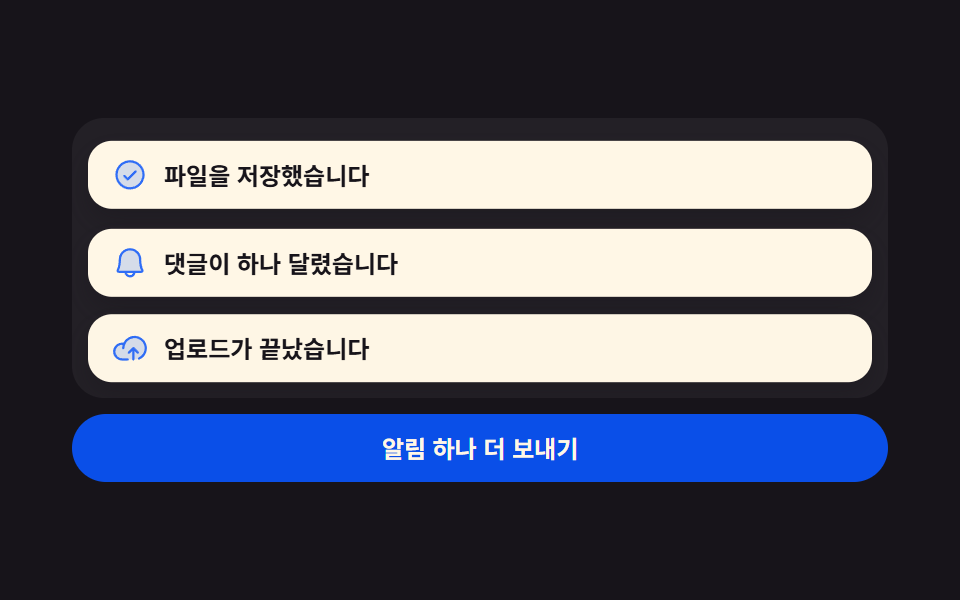 피드백토스트 알림 UI 9종 — 쌓이고 밀리고 사라지는 스택
 전환메가 메뉴 ui 9종 — 링크 나열이 아니라 사이트 지도
 피드백자동저장 표시 9종 — 값이 초 단위로 갱신되는 저장 상태 아홉 가지
 피드백글자 떨어지는 효과 9종 — 쌓이고 매달리고 물에 뜨는 글자
 피드백원형 텍스트 만들기 9종 — css 원형 텍스트를 글자 폭으로 계산하기