CSS 모달 팝업 애니메이션 9종 — JS 최소, @starting-style로
CSS 모달 팝업 애니메이션 아홉 개를 한 번에 모았습니다. 확인창부터 바텀 시트, 팝오버, 겹쳐 열리는 모달까지 실무에서 자주 쓰는 장면을 아홉 가지로 나눠 담았고, 전부 transform과 opacity만(배경 흐림은 예외) 움직입니다.
 01 modal-fade-scale
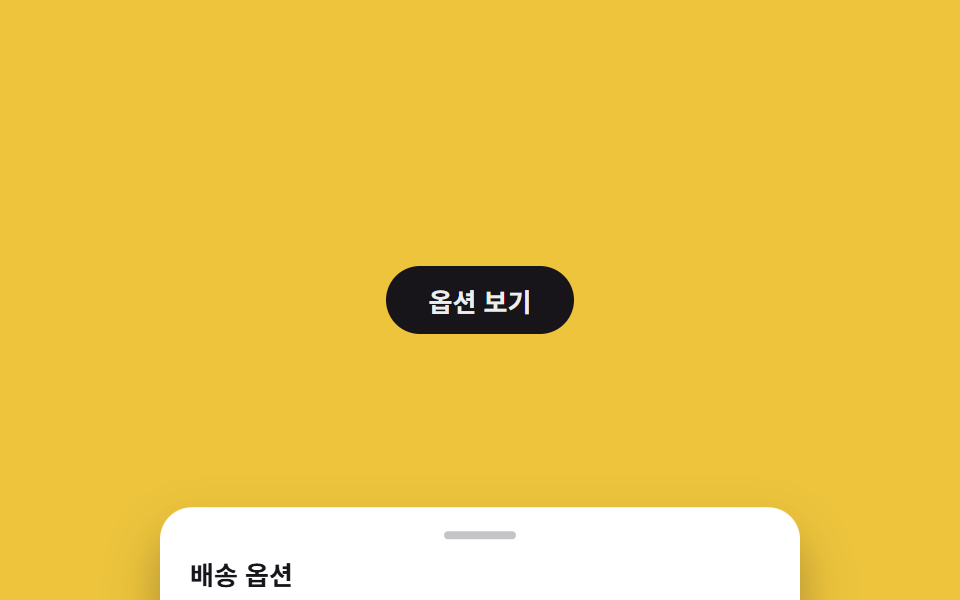 02 bottom-sheet
 03 side-drawer
 04 backdrop-blur
 05 native-dialog
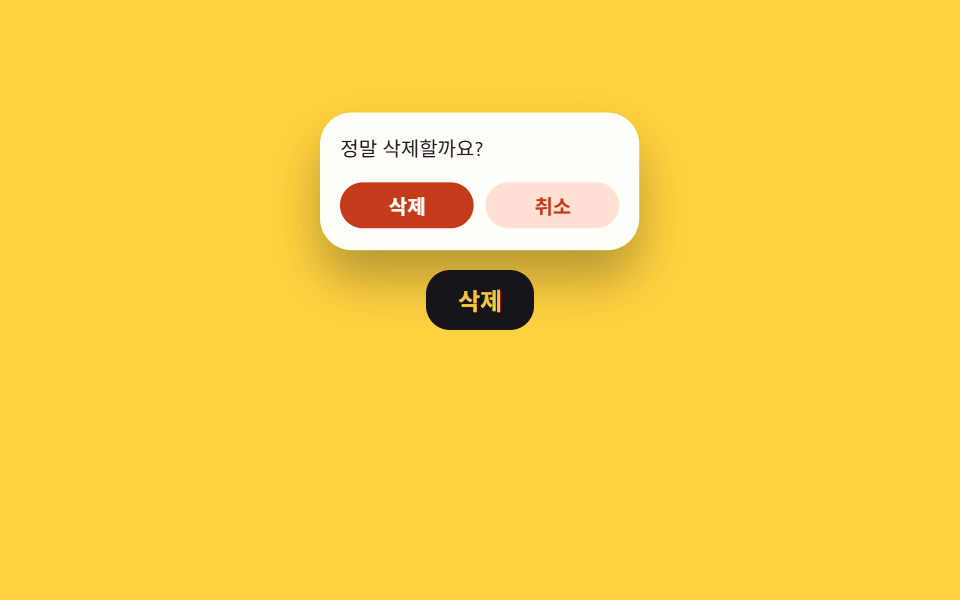 06 popover-confirm
 07 fullscreen-takeover
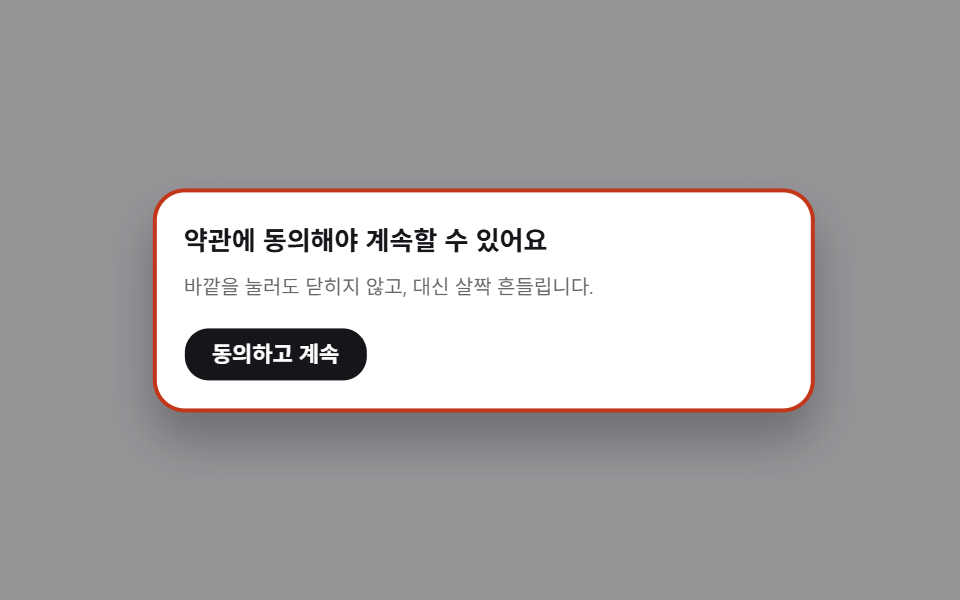 08 modal-shake-outside
 09 stacked-modals
자동 재생 · 눌러서 해당 항목으로 · 전부 한 zip
- 01 페이드 + 확대
- 02 바텀 시트
- 03 사이드 드로어
- 04 배경 흐리기
- 05 네이티브 dialog
- 06 팝오버 확인창
- 07 버튼에서 전체화면
- 08 바깥 클릭 시 흔들림
- 09 겹쳐 열리는 모달
아홉 개는 흔히 보는 목록이 아니라 모달이 화면에 나타나는 방식을 기준으로 놓았습니다. 가운데서 뜨는 기본형부터(01~04), 브라우저 기능으로 여는 것(05~06), 화면을 통째로 덮는 것(07), 닫지 못하게 막는 것(08), 마지막으로 모달 위에 모달이 쌓이는 경우(09) 순입니다. 각 항목에는 동작을 보여주는 핵심 코드만 붙였고, 나머지 파일 전체는 zip 안에서 확인할 수 있습니다. 07처럼 화면을 통째로 덮는 전환이 페이지 단위로 커지면 CSS 페이지 전환 애니메이션이 그 크기의 전환만 모아 둔 편이고, 열림이 아니라 스크롤이 방아쇠인 등장은 CSS 스크롤 애니메이션 9종에 있습니다.
01페이드 + 확대
어떤 움직임인가
가운데서 살짝 커지며 나타나고, 오버레이가 함께 어두워집니다.
<main class="stage is-demo">
  <button class="trigger" type="button">결제하기</button>
  <div class="overlay"></div>
  <div class="modal" role="dialog" aria-modal="true" aria-labelledby="t1">
    <h2 id="t1">결제를 완료할까요?</h2>
    <p>카드 승인 후에는 취소할 수 없습니다.</p>
    <button class="modal__close" type="button">확인</button>
  </div>
</main>
@use "../../../../site/static/demo-tokens" as *;
// ── 변수 3개. 변형은 이것만 바꾼다 ──────────────────────────
$duration: $dur-quick; // 열리는 시간 (실제 클릭)
$easing: $ease-spring; // 처음 빠르고 끝은 부드럽게
$color: $subject-blue; // 강조색(버튼·포커스)
@include stage($stage-ink);
.stage { position: relative; }
.trigger {
border: 0; border-radius: $r-pill;
padding: clamp(10px, 3.4vmin, 14px) clamp(20px, 7vmin, 30px);
font-weight: 600;
font-size: clamp(13px, 4vmin, 16px);
line-height: 1;
font-family: inherit;
color: $stage-ink; background: $subject-cream;
cursor: pointer; -webkit-tap-highlight-color: transparent;
transition: filter $dur-instant;
&:hover, &:focus-visible { filter: brightness(.94); }
}
.overlay {
position: fixed; inset: 0;
background: rgba($stage-ink, .55);
opacity: 0; pointer-events: none;
transition: opacity $duration $easing;
}
.modal {
position: fixed; left: 50%; top: 50%;
transform: translate(-50%, -50%) scale(.92);
opacity: 0; pointer-events: none;
width: min(78vw, 300px);
padding: clamp(12px, 4.5vmin, 22px);
border-radius: $r-card; background: $stage-paper; color: $stage-ink;
box-shadow: $shadow-raised;
transition: opacity $duration $easing, transform $duration $easing;
h2 { margin: 0 0 6px; font-size: clamp(13px, 4.4vmin, 18px); }
p { margin: 0 0 14px; font-size: clamp(10px, 3.2vmin, 13px); color: rgba($stage-ink, .65); }
}
.modal__close {
border: 0; border-radius: $r-control; background: $color; color: $stage-paper;
padding: clamp(7px, 2.6vmin, 9px) clamp(14px, 4.6vmin, 18px);
font-weight: 600;
font-size: clamp(11px, 3.4vmin, 13px);
line-height: 1;
font-family: inherit;
cursor: pointer;
}
// 실제 조작 상태
.stage.is-open .overlay { opacity: 1; pointer-events: auto; }
.stage.is-open .modal { opacity: 1; transform: translate(-50%, -50%) scale(1); pointer-events: auto; }
// 데모: 2초 안에 열림→닫힘 반복 (실측 2026-09-09 편 001 관례: 루프 전용 keyframes 는 $dur-loop 로 고정)
.stage.is-demo .overlay { animation: overlay-loop $dur-loop ease-in-out infinite; }
.stage.is-demo .modal { animation: modal-loop $dur-loop $easing infinite; }
@keyframes overlay-loop {
0% { opacity: 0; }
15% { opacity: 1; }
70% { opacity: 1; }
85% { opacity: 0; }
100% { opacity: 0; }
}
@keyframes modal-loop {
0% { opacity: 0; transform: translate(-50%, -50%) scale(.92); }
15% { opacity: 1; transform: translate(-50%, -50%) scale(1); }
70% { opacity: 1; transform: translate(-50%, -50%) scale(1); }
85% { opacity: 0; transform: translate(-50%, -50%) scale(.92); }
100% { opacity: 0; transform: translate(-50%, -50%) scale(.92); }
}
@media (prefers-reduced-motion: reduce) {
.stage.is-demo .overlay, .stage.is-demo .modal { animation: none; }
.overlay, .modal { transition-duration: 1ms; }
}html, body {
margin: 0;
overflow: hidden;
}
.stage {
box-sizing: border-box;
min-height: 100vh;
display: grid;
place-items: center;
margin: 0;
background: #17141a;
font-family: -apple-system, "Segoe UI", "Noto Sans KR", sans-serif;
padding: clamp(8px, 4vw, 24px);
}
.stage {
position: relative;
}
.trigger {
border: 0;
border-radius: 999px;
padding: clamp(10px, 3.4vmin, 14px) clamp(20px, 7vmin, 30px);
font-weight: 600;
font-size: clamp(13px, 4vmin, 16px);
line-height: 1;
font-family: inherit;
color: #17141a;
background: #fff7e6;
cursor: pointer;
-webkit-tap-highlight-color: transparent;
transition: filter 140ms;
}
.trigger:hover, .trigger:focus-visible {
filter: brightness(0.94);
}
.overlay {
position: fixed;
inset: 0;
background: rgba(23, 20, 26, 0.55);
opacity: 0;
pointer-events: none;
transition: opacity 220ms cubic-bezier(0.2, 0.8, 0.2, 1);
}
.modal {
position: fixed;
left: 50%;
top: 50%;
transform: translate(-50%, -50%) scale(0.92);
opacity: 0;
pointer-events: none;
width: min(78vw, 300px);
padding: clamp(12px, 4.5vmin, 22px);
border-radius: 16px;
background: #ffffff;
color: #17141a;
box-shadow: 0 14px 24px rgba(23, 20, 26, 0.32);
transition: opacity 220ms cubic-bezier(0.2, 0.8, 0.2, 1), transform 220ms cubic-bezier(0.2, 0.8, 0.2, 1);
}
.modal h2 {
margin: 0 0 6px;
font-size: clamp(13px, 4.4vmin, 18px);
}
.modal p {
margin: 0 0 14px;
font-size: clamp(10px, 3.2vmin, 13px);
color: rgba(23, 20, 26, 0.65);
}
.modal__close {
border: 0;
border-radius: 12px;
background: #2f6df6;
color: #ffffff;
padding: clamp(7px, 2.6vmin, 9px) clamp(14px, 4.6vmin, 18px);
font-weight: 600;
font-size: clamp(11px, 3.4vmin, 13px);
line-height: 1;
font-family: inherit;
cursor: pointer;
}
.stage.is-open .overlay {
opacity: 1;
pointer-events: auto;
}
.stage.is-open .modal {
opacity: 1;
transform: translate(-50%, -50%) scale(1);
pointer-events: auto;
}
.stage.is-demo .overlay {
animation: overlay-loop 2s ease-in-out infinite;
}
.stage.is-demo .modal {
animation: modal-loop 2s cubic-bezier(0.2, 0.8, 0.2, 1) infinite;
}
@keyframes overlay-loop {
0% {
opacity: 0;
}
15% {
opacity: 1;
}
70% {
opacity: 1;
}
85% {
opacity: 0;
}
100% {
opacity: 0;
}
}
@keyframes modal-loop {
0% {
opacity: 0;
transform: translate(-50%, -50%) scale(0.92);
}
15% {
opacity: 1;
transform: translate(-50%, -50%) scale(1);
}
70% {
opacity: 1;
transform: translate(-50%, -50%) scale(1);
}
85% {
opacity: 0;
transform: translate(-50%, -50%) scale(0.92);
}
100% {
opacity: 0;
transform: translate(-50%, -50%) scale(0.92);
}
}
@media (prefers-reduced-motion: reduce) {
.stage.is-demo .overlay, .stage.is-demo .modal {
animation: none;
}
.overlay, .modal {
transition-duration: 1ms;
}
}// 실제 클릭: 트리거로 열고 오버레이·확인·ESC 로 닫는다. 데모(.is-demo)는 자동 반복하다가 실제 조작이 오면 멈춘다.
(function () {
var stage = document.querySelector('.stage');
var trigger = document.querySelector('.trigger');
var overlay = document.querySelector('.overlay');
var close = document.querySelector('.modal__close');
function open() { stage.classList.remove('is-demo'); stage.classList.add('is-open'); }
function shut() { stage.classList.remove('is-open'); }
trigger.addEventListener('click', open);
overlay.addEventListener('click', shut);
close.addEventListener('click', shut);
document.addEventListener('keydown', function (e) { if (e.key === 'Escape') shut(); });
})();import { useState } from "react";
import type { CSSProperties } from "react";
import styles from "./ModalFadeScale.module.scss";
export type ModalFadeScaleProps = {
triggerLabel: string;
title: string;
description: string;
confirmLabel: string;
/** 열리는 시간 (기본 220ms) */
duration?: number;
/** CSS easing */
easing?: string;
/** 강조색 */
color?: string;
};
type Vars = CSSProperties & { "--duration"?: string; "--easing"?: string; "--color"?: string };
export default function ModalFadeScale({
triggerLabel,
title,
description,
confirmLabel,
duration = 220,
easing = "cubic-bezier(.2,.8,.2,1)",
color = "#2f6df6",
}: ModalFadeScaleProps) {
const [open, setOpen] = useState(false);
const vars: Vars = { "--duration": `${duration}ms`, "--easing": easing, "--color": color };
return (
<div className={styles.stage} style={vars}>
<button type="button" className={styles.trigger} onClick={() => setOpen(true)}>
{triggerLabel}
</button>
<div
className={open ? `${styles.overlay} ${styles.isOpen}` : styles.overlay}
onClick={() => setOpen(false)}
/>
<div
className={open ? `${styles.modal} ${styles.isOpen}` : styles.modal}
role="dialog"
aria-modal="true"
>
<h2>{title}</h2>
<p>{description}</p>
<button type="button" className={styles.confirm} onClick={() => setOpen(false)}>
{confirmLabel}
</button>
</div>
</div>
);
}01 · 페이드 + 확대 — 측정 누적면적 24.692% · 움직인 프레임 7/23GODRICH 원작 · zip 에 SCSS·React 포함 · 비밀번호 보기
css 등장 애니메이션은 언제 쓰나
닫힐 때는 반대로 줄어들며 사라집니다. 확인·결제처럼 기본이 되는 모달에 씁니다.
.overlay {
  opacity: 0;
  transition: opacity $duration $easing;
}
.modal {
  transform: translate(-50%, -50%) scale(.92);
  opacity: 0;
  transition: opacity $duration $easing, transform $duration $easing;
}
.stage.is-open .overlay { opacity: 1; }
.stage.is-open .modal {
  opacity: 1;
  transform: translate(-50%, -50%) scale(1);
}
02바텀 시트
무엇이 보이나
아래에서 시트가 올라오고, 위쪽 손잡이 바가 잡을 수 있다는 신호를 줍니다.
<main class="stage is-demo">
  <button class="trigger" type="button">옵션 보기</button>
  <div class="overlay"></div>
  <div class="sheet" role="dialog" aria-modal="true" aria-labelledby="t2">
    <div class="sheet__handle"></div>
    <h2 id="t2">배송 옵션</h2>
    <p>당일·익일·일반 배송 중 하나를 고르세요.</p>
    <button class="sheet__close" type="button">닫기</button>
  </div>
</main>
@use "../../../../site/static/demo-tokens" as *;
// ── 변수 3개 ──────────────────────────────────────────
$duration: $dur-base; // 시트가 올라오는 시간
$easing: $ease-out; // 관성 없이 딱 멈춘다
$color: $subject-ink; // 강조색(손잡이·버튼)
@include stage($stage-yellow);
.stage { position: relative; }
.trigger {
border: 0; border-radius: $r-pill;
padding: clamp(10px, 3.4vmin, 14px) clamp(20px, 7vmin, 30px);
font-weight: 600;
font-size: clamp(13px, 4vmin, 16px);
line-height: 1;
font-family: inherit;
color: $stage-paper; background: $subject-ink;
cursor: pointer; -webkit-tap-highlight-color: transparent;
}
.overlay {
position: fixed; inset: 0;
background: rgba($stage-ink, .5);
opacity: 0; pointer-events: none;
transition: opacity $duration $easing;
}
.sheet {
position: fixed; left: 50%; bottom: 0; top: auto;
transform: translate(-50%, 100%);
width: min(94vw, 320px);
max-height: 62%;
box-sizing: border-box;
padding: clamp(10px, 4vmin, 18px) clamp(14px, 5vmin, 22px);
border-radius: $r-card $r-card 0 0;
background: $stage-paper; color: $stage-ink;
box-shadow: $shadow-raised;
pointer-events: none;
transition: transform $duration $easing;
h2 { margin: 8px 0 4px; font-size: clamp(13px, 4.2vmin, 17px); }
p { margin: 0 0 10px; font-size: clamp(10px, 3.2vmin, 13px); color: rgba($stage-ink, .65); }
}
.sheet__handle {
width: 36px; height: 4px; margin: 0 auto;
border-radius: $r-pill; background: rgba($stage-ink, .25);
}
.sheet__close {
border: 0; border-radius: $r-control; background: $color; color: $stage-paper;
padding: clamp(7px, 2.6vmin, 9px) clamp(14px, 4.6vmin, 18px);
font-weight: 600;
font-size: clamp(11px, 3.4vmin, 13px);
line-height: 1;
font-family: inherit;
cursor: pointer;
}
.stage.is-open .overlay { opacity: 1; pointer-events: auto; }
.stage.is-open .sheet { transform: translate(-50%, 0); pointer-events: auto; }
.stage.is-demo .overlay { animation: overlay-loop $dur-loop ease-in-out infinite; }
.stage.is-demo .sheet { animation: sheet-loop $dur-loop $easing infinite; }
@keyframes overlay-loop {
0% { opacity: 0; }
15% { opacity: 1; }
70% { opacity: 1; }
85% { opacity: 0; }
100% { opacity: 0; }
}
@keyframes sheet-loop {
0% { transform: translate(-50%, 100%); }
15% { transform: translate(-50%, 0); }
70% { transform: translate(-50%, 0); }
85% { transform: translate(-50%, 100%); }
100% { transform: translate(-50%, 100%); }
}
@media (prefers-reduced-motion: reduce) {
.stage.is-demo .overlay, .stage.is-demo .sheet { animation: none; }
.overlay, .sheet { transition-duration: 1ms; }
}html, body {
margin: 0;
overflow: hidden;
}
.stage {
box-sizing: border-box;
min-height: 100vh;
display: grid;
place-items: center;
margin: 0;
background: #ffd23f;
font-family: -apple-system, "Segoe UI", "Noto Sans KR", sans-serif;
padding: clamp(8px, 4vw, 24px);
}
.stage {
position: relative;
}
.trigger {
border: 0;
border-radius: 999px;
padding: clamp(10px, 3.4vmin, 14px) clamp(20px, 7vmin, 30px);
font-weight: 600;
font-size: clamp(13px, 4vmin, 16px);
line-height: 1;
font-family: inherit;
color: #ffffff;
background: #17141a;
cursor: pointer;
-webkit-tap-highlight-color: transparent;
}
.overlay {
position: fixed;
inset: 0;
background: rgba(23, 20, 26, 0.5);
opacity: 0;
pointer-events: none;
transition: opacity 300ms ease-out;
}
.sheet {
position: fixed;
left: 50%;
bottom: 0;
top: auto;
transform: translate(-50%, 100%);
width: min(94vw, 320px);
max-height: 62%;
box-sizing: border-box;
padding: clamp(10px, 4vmin, 18px) clamp(14px, 5vmin, 22px);
border-radius: 16px 16px 0 0;
background: #ffffff;
color: #17141a;
box-shadow: 0 14px 24px rgba(23, 20, 26, 0.32);
pointer-events: none;
transition: transform 300ms ease-out;
}
.sheet h2 {
margin: 8px 0 4px;
font-size: clamp(13px, 4.2vmin, 17px);
}
.sheet p {
margin: 0 0 10px;
font-size: clamp(10px, 3.2vmin, 13px);
color: rgba(23, 20, 26, 0.65);
}
.sheet__handle {
width: 36px;
height: 4px;
margin: 0 auto;
border-radius: 999px;
background: rgba(23, 20, 26, 0.25);
}
.sheet__close {
border: 0;
border-radius: 12px;
background: #17141a;
color: #ffffff;
padding: clamp(7px, 2.6vmin, 9px) clamp(14px, 4.6vmin, 18px);
font-weight: 600;
font-size: clamp(11px, 3.4vmin, 13px);
line-height: 1;
font-family: inherit;
cursor: pointer;
}
.stage.is-open .overlay {
opacity: 1;
pointer-events: auto;
}
.stage.is-open .sheet {
transform: translate(-50%, 0);
pointer-events: auto;
}
.stage.is-demo .overlay {
animation: overlay-loop 2s ease-in-out infinite;
}
.stage.is-demo .sheet {
animation: sheet-loop 2s ease-out infinite;
}
@keyframes overlay-loop {
0% {
opacity: 0;
}
15% {
opacity: 1;
}
70% {
opacity: 1;
}
85% {
opacity: 0;
}
100% {
opacity: 0;
}
}
@keyframes sheet-loop {
0% {
transform: translate(-50%, 100%);
}
15% {
transform: translate(-50%, 0);
}
70% {
transform: translate(-50%, 0);
}
85% {
transform: translate(-50%, 100%);
}
100% {
transform: translate(-50%, 100%);
}
}
@media (prefers-reduced-motion: reduce) {
.stage.is-demo .overlay, .stage.is-demo .sheet {
animation: none;
}
.overlay, .sheet {
transition-duration: 1ms;
}
}(function () {
var stage = document.querySelector('.stage');
var trigger = document.querySelector('.trigger');
var overlay = document.querySelector('.overlay');
var close = document.querySelector('.sheet__close');
function open() { stage.classList.remove('is-demo'); stage.classList.add('is-open'); }
function shut() { stage.classList.remove('is-open'); }
trigger.addEventListener('click', open);
overlay.addEventListener('click', shut);
close.addEventListener('click', shut);
document.addEventListener('keydown', function (e) { if (e.key === 'Escape') shut(); });
})();import { useState } from "react";
import type { CSSProperties } from "react";
import styles from "./BottomSheet.module.scss";
export type BottomSheetProps = {
triggerLabel: string;
title: string;
description: string;
closeLabel: string;
/** 시트가 올라오는 시간 (기본 300ms) */
duration?: number;
easing?: string;
color?: string;
};
type Vars = CSSProperties & { "--duration"?: string; "--easing"?: string; "--color"?: string };
export default function BottomSheet({
triggerLabel,
title,
description,
closeLabel,
duration = 300,
easing = "ease-out",
color = "#17141a",
}: BottomSheetProps) {
const [open, setOpen] = useState(false);
const vars: Vars = { "--duration": `${duration}ms`, "--easing": easing, "--color": color };
return (
<div className={styles.stage} style={vars}>
<button type="button" className={styles.trigger} onClick={() => setOpen(true)}>
{triggerLabel}
</button>
<div
className={open ? `${styles.overlay} ${styles.isOpen}` : styles.overlay}
onClick={() => setOpen(false)}
/>
<div
className={open ? `${styles.sheet} ${styles.isOpen}` : styles.sheet}
role="dialog"
aria-modal="true"
>
<div className={styles.handle} />
<h2>{title}</h2>
<p>{description}</p>
<button type="button" className={styles.close} onClick={() => setOpen(false)}>
{closeLabel}
</button>
</div>
</div>
);
}02 · 바텀 시트 — 측정 누적면적 98.256% · 움직인 프레임 9/23GODRICH 원작 · zip 에 SCSS·React 포함 · 비밀번호 보기
어디에 쓰나
모바일에서 옵션을 고르거나 필터를 열 때 씁니다.
.sheet {
  position: fixed; left: 50%; bottom: 0;
  transform: translate(-50%, 100%);
  max-height: 62%;
  border-radius: $r-card $r-card 0 0;
  transition: transform $duration $easing;
}
.sheet__handle {
  width: 36px; height: 4px;
  border-radius: $r-pill;
  background: rgba($stage-ink, .25);
}
.stage.is-open .sheet { transform: translate(-50%, 0); }
03사이드 드로어
화면에서 일어나는 일
오른쪽 끝에서 패널이 밀려 들어옵니다.
<main class="stage is-demo">
  <button class="trigger" type="button">장바구니</button>
  <div class="overlay"></div>
  <div class="drawer" role="dialog" aria-modal="true" aria-labelledby="t3">
    <h2 id="t3">장바구니 (2)</h2>
    <p>합계 48,000원. 배송비는 다음 화면에서.</p>
    <button class="drawer__close" type="button">닫기</button>
  </div>
</main>
@use "../../../../site/static/demo-tokens" as *;
// ── 변수 3개 ──────────────────────────────────────────
$duration: $dur-enter; // 패널이 밀려 들어오는 시간
$easing: $ease-spring; // 끝에서 살짝 튕긴다
$color: $subject-cream; // 강조색(버튼)
@include stage($stage-orange);
.stage { position: relative; }
.trigger {
border: 0; border-radius: $r-pill;
padding: clamp(10px, 3.4vmin, 14px) clamp(20px, 7vmin, 30px);
font-weight: 600;
font-size: clamp(13px, 4vmin, 16px);
line-height: 1;
font-family: inherit;
color: $stage-orange; background: $subject-cream;
cursor: pointer; -webkit-tap-highlight-color: transparent;
}
.overlay {
position: fixed; inset: 0;
background: rgba($stage-ink, .5);
opacity: 0; pointer-events: none;
transition: opacity $duration $easing;
}
.drawer {
position: fixed; right: 0; top: 0; bottom: 0; left: auto;
transform: translateX(100%);
width: min(78vw, 260px);
box-sizing: border-box;
padding: clamp(14px, 5vmin, 24px);
background: $stage-paper; color: $stage-ink;
box-shadow: $shadow-raised;
pointer-events: none;
transition: transform $duration $easing;
h2 { margin: 0 0 6px; font-size: clamp(13px, 4.2vmin, 17px); }
p { margin: 0 0 14px; font-size: clamp(10px, 3.2vmin, 13px); color: rgba($stage-ink, .65); }
}
.drawer__close {
border: 0; border-radius: $r-control; background: $stage-orange; color: $color;
padding: clamp(7px, 2.6vmin, 9px) clamp(14px, 4.6vmin, 18px);
font-weight: 600;
font-size: clamp(11px, 3.4vmin, 13px);
line-height: 1;
font-family: inherit;
cursor: pointer;
}
.stage.is-open .overlay { opacity: 1; pointer-events: auto; }
.stage.is-open .drawer { transform: translateX(0); pointer-events: auto; }
.stage.is-demo .overlay { animation: overlay-loop $dur-loop ease-in-out infinite; }
.stage.is-demo .drawer { animation: drawer-loop $dur-loop $easing infinite; }
@keyframes overlay-loop {
0% { opacity: 0; }
15% { opacity: 1; }
70% { opacity: 1; }
85% { opacity: 0; }
100% { opacity: 0; }
}
@keyframes drawer-loop {
0% { transform: translateX(100%); }
15% { transform: translateX(0); }
70% { transform: translateX(0); }
85% { transform: translateX(100%); }
100% { transform: translateX(100%); }
}
@media (prefers-reduced-motion: reduce) {
.stage.is-demo .overlay, .stage.is-demo .drawer { animation: none; }
.overlay, .drawer { transition-duration: 1ms; }
}html, body {
margin: 0;
overflow: hidden;
}
.stage {
box-sizing: border-box;
min-height: 100vh;
display: grid;
place-items: center;
margin: 0;
background: #ff4d1f;
font-family: -apple-system, "Segoe UI", "Noto Sans KR", sans-serif;
padding: clamp(8px, 4vw, 24px);
}
.stage {
position: relative;
}
.trigger {
border: 0;
border-radius: 999px;
padding: clamp(10px, 3.4vmin, 14px) clamp(20px, 7vmin, 30px);
font-weight: 600;
font-size: clamp(13px, 4vmin, 16px);
line-height: 1;
font-family: inherit;
color: #ff4d1f;
background: #fff7e6;
cursor: pointer;
-webkit-tap-highlight-color: transparent;
}
.overlay {
position: fixed;
inset: 0;
background: rgba(23, 20, 26, 0.5);
opacity: 0;
pointer-events: none;
transition: opacity 600ms cubic-bezier(0.2, 0.8, 0.2, 1);
}
.drawer {
position: fixed;
right: 0;
top: 0;
bottom: 0;
left: auto;
transform: translateX(100%);
width: min(78vw, 260px);
box-sizing: border-box;
padding: clamp(14px, 5vmin, 24px);
background: #ffffff;
color: #17141a;
box-shadow: 0 14px 24px rgba(23, 20, 26, 0.32);
pointer-events: none;
transition: transform 600ms cubic-bezier(0.2, 0.8, 0.2, 1);
}
.drawer h2 {
margin: 0 0 6px;
font-size: clamp(13px, 4.2vmin, 17px);
}
.drawer p {
margin: 0 0 14px;
font-size: clamp(10px, 3.2vmin, 13px);
color: rgba(23, 20, 26, 0.65);
}
.drawer__close {
border: 0;
border-radius: 12px;
background: #ff4d1f;
color: #fff7e6;
padding: clamp(7px, 2.6vmin, 9px) clamp(14px, 4.6vmin, 18px);
font-weight: 600;
font-size: clamp(11px, 3.4vmin, 13px);
line-height: 1;
font-family: inherit;
cursor: pointer;
}
.stage.is-open .overlay {
opacity: 1;
pointer-events: auto;
}
.stage.is-open .drawer {
transform: translateX(0);
pointer-events: auto;
}
.stage.is-demo .overlay {
animation: overlay-loop 2s ease-in-out infinite;
}
.stage.is-demo .drawer {
animation: drawer-loop 2s cubic-bezier(0.2, 0.8, 0.2, 1) infinite;
}
@keyframes overlay-loop {
0% {
opacity: 0;
}
15% {
opacity: 1;
}
70% {
opacity: 1;
}
85% {
opacity: 0;
}
100% {
opacity: 0;
}
}
@keyframes drawer-loop {
0% {
transform: translateX(100%);
}
15% {
transform: translateX(0);
}
70% {
transform: translateX(0);
}
85% {
transform: translateX(100%);
}
100% {
transform: translateX(100%);
}
}
@media (prefers-reduced-motion: reduce) {
.stage.is-demo .overlay, .stage.is-demo .drawer {
animation: none;
}
.overlay, .drawer {
transition-duration: 1ms;
}
}(function () {
var stage = document.querySelector('.stage');
var trigger = document.querySelector('.trigger');
var overlay = document.querySelector('.overlay');
var close = document.querySelector('.drawer__close');
function open() { stage.classList.remove('is-demo'); stage.classList.add('is-open'); }
function shut() { stage.classList.remove('is-open'); }
trigger.addEventListener('click', open);
overlay.addEventListener('click', shut);
close.addEventListener('click', shut);
document.addEventListener('keydown', function (e) { if (e.key === 'Escape') shut(); });
})();import { useState } from "react";
import type { CSSProperties } from "react";
import styles from "./SideDrawer.module.scss";
export type SideDrawerProps = {
triggerLabel: string;
title: string;
description: string;
closeLabel: string;
/** 패널이 밀려 들어오는 시간 (기본 600ms) */
duration?: number;
easing?: string;
color?: string;
};
type Vars = CSSProperties & { "--duration"?: string; "--easing"?: string; "--color"?: string };
export default function SideDrawer({
triggerLabel,
title,
description,
closeLabel,
duration = 600,
easing = "cubic-bezier(.2,.8,.2,1)",
color = "#fff7e6",
}: SideDrawerProps) {
const [open, setOpen] = useState(false);
const vars: Vars = { "--duration": `${duration}ms`, "--easing": easing, "--color": color };
return (
<div className={styles.stage} style={vars}>
<button type="button" className={styles.trigger} onClick={() => setOpen(true)}>
{triggerLabel}
</button>
<div
className={open ? `${styles.overlay} ${styles.isOpen}` : styles.overlay}
onClick={() => setOpen(false)}
/>
<div
className={open ? `${styles.drawer} ${styles.isOpen}` : styles.drawer}
role="dialog"
aria-modal="true"
>
<h2>{title}</h2>
<p>{description}</p>
<button type="button" className={styles.close} onClick={() => setOpen(false)}>
{closeLabel}
</button>
</div>
</div>
);
}03 · 사이드 드로어 — 측정 누적면적 100.0% · 움직인 프레임 9/23GODRICH 원작 · zip 에 SCSS·React 포함 · 비밀번호 보기
쓰는 자리
장바구니나 설정처럼 본문은 그대로 두고 옆에서 확인할 내용에 씁니다.
.drawer {
  position: fixed; right: 0; top: 0; bottom: 0;
  transform: translateX(100%);
  width: min(78vw, 260px);
  transition: transform $duration $easing;
}
.stage.is-open .drawer { transform: translateX(0); }

@keyframes drawer-loop {
  0%   { transform: translateX(100%); }
  15%  { transform: translateX(0); }
  85%  { transform: translateX(100%); }
  100% { transform: translateX(100%); }
}
04배경 흐리기
어떤 움직임인가
모달이 뜨는 동안 뒤 화면이 서서히 흐려지며 시선을 모읍니다.
<main class="stage is-demo">
  <div class="page">
    <div class="page__line page__line--a"></div>
    <div class="page__line page__line--b"></div>
    <div class="page__line page__line--c"></div>
    <button class="trigger" type="button">결제 확인</button>
  </div>
  <div class="overlay"></div>
  <div class="modal" role="dialog" aria-modal="true" aria-labelledby="t4">
    <h2 id="t4">67,000원을 결제할까요?</h2>
    <p>뒤 화면이 흐려지는 동안만 집중해서 확인하세요.</p>
    <button class="modal__close" type="button">결제</button>
  </div>
</main>
@use "../../../../site/static/demo-tokens" as *;
// ── 변수 3개 ──────────────────────────────────────────
$duration: $dur-enter; // 배경이 흐려지는 시간
$easing: $ease-out;
$color: $subject-blue; // 강조색(버튼)
@include stage($stage-paper);
.stage { position: relative; }
// 뒤 화면 흉내 — 단색 배경만으로는 blur 가 보이지 않아 가짜 콘텐츠를 둔다
.page {
position: absolute; inset: 0; display: grid; place-items: center; gap: clamp(8px, 3vmin, 14px);
}
.page__line {
height: clamp(8px, 3vmin, 12px); border-radius: $r-control; background: rgba($stage-ink, .12);
&--a { width: 55%; } &--b { width: 40%; } &--c { width: 62%; }
}
.trigger {
border: 0; border-radius: $r-pill; margin-top: clamp(8px, 3vmin, 14px);
padding: clamp(10px, 3.4vmin, 14px) clamp(20px, 7vmin, 30px);
font-weight: 600;
font-size: clamp(13px, 4vmin, 16px);
line-height: 1;
font-family: inherit;
color: $stage-paper; background: $color;
cursor: pointer; -webkit-tap-highlight-color: transparent;
}
.overlay {
position: fixed; inset: 0;
background: rgba($stage-ink, .28);
backdrop-filter: blur(0px);
opacity: 0; pointer-events: none;
transition: opacity $duration $easing, backdrop-filter $duration $easing;
}
.modal {
position: fixed; left: 50%; top: 50%;
transform: translate(-50%, -50%) scale(.94);
opacity: 0; pointer-events: none;
width: min(78vw, 300px);
padding: clamp(12px, 4.5vmin, 22px);
border-radius: $r-card; background: $stage-paper; color: $stage-ink;
box-shadow: $shadow-raised;
transition: opacity $duration $easing, transform $duration $easing;
h2 { margin: 0 0 6px; font-size: clamp(13px, 4.4vmin, 18px); }
p { margin: 0 0 14px; font-size: clamp(10px, 3.2vmin, 13px); color: rgba($stage-ink, .65); }
}
.modal__close {
border: 0; border-radius: $r-control; background: $color; color: $stage-paper;
padding: clamp(7px, 2.6vmin, 9px) clamp(14px, 4.6vmin, 18px);
font-weight: 600;
font-size: clamp(11px, 3.4vmin, 13px);
line-height: 1;
font-family: inherit;
cursor: pointer;
}
.stage.is-open .overlay { opacity: 1; backdrop-filter: blur(8px); pointer-events: auto; }
.stage.is-open .modal { opacity: 1; transform: translate(-50%, -50%) scale(1); pointer-events: auto; }
.stage.is-demo .overlay { animation: overlay-loop $dur-loop ease-in-out infinite; }
.stage.is-demo .modal { animation: modal-loop $dur-loop $easing infinite; }
@keyframes overlay-loop {
0% { opacity: 0; backdrop-filter: blur(0px); }
15% { opacity: 1; backdrop-filter: blur(8px); }
70% { opacity: 1; backdrop-filter: blur(8px); }
85% { opacity: 0; backdrop-filter: blur(0px); }
100% { opacity: 0; backdrop-filter: blur(0px); }
}
@keyframes modal-loop {
0% { opacity: 0; transform: translate(-50%, -50%) scale(.94); }
15% { opacity: 1; transform: translate(-50%, -50%) scale(1); }
70% { opacity: 1; transform: translate(-50%, -50%) scale(1); }
85% { opacity: 0; transform: translate(-50%, -50%) scale(.94); }
100% { opacity: 0; transform: translate(-50%, -50%) scale(.94); }
}
@media (prefers-reduced-motion: reduce) {
.stage.is-demo .overlay, .stage.is-demo .modal { animation: none; }
.overlay, .modal { transition-duration: 1ms; }
}html, body {
margin: 0;
overflow: hidden;
}
.stage {
box-sizing: border-box;
min-height: 100vh;
display: grid;
place-items: center;
margin: 0;
background: #ffffff;
font-family: -apple-system, "Segoe UI", "Noto Sans KR", sans-serif;
padding: clamp(8px, 4vw, 24px);
}
.stage {
position: relative;
}
.page {
position: absolute;
inset: 0;
display: grid;
place-items: center;
gap: clamp(8px, 3vmin, 14px);
}
.page__line {
height: clamp(8px, 3vmin, 12px);
border-radius: 12px;
background: rgba(23, 20, 26, 0.12);
}
.page__line--a {
width: 55%;
}
.page__line--b {
width: 40%;
}
.page__line--c {
width: 62%;
}
.trigger {
border: 0;
border-radius: 999px;
margin-top: clamp(8px, 3vmin, 14px);
padding: clamp(10px, 3.4vmin, 14px) clamp(20px, 7vmin, 30px);
font-weight: 600;
font-size: clamp(13px, 4vmin, 16px);
line-height: 1;
font-family: inherit;
color: #ffffff;
background: #2f6df6;
cursor: pointer;
-webkit-tap-highlight-color: transparent;
}
.overlay {
position: fixed;
inset: 0;
background: rgba(23, 20, 26, 0.28);
backdrop-filter: blur(0px);
opacity: 0;
pointer-events: none;
transition: opacity 600ms ease-out, backdrop-filter 600ms ease-out;
}
.modal {
position: fixed;
left: 50%;
top: 50%;
transform: translate(-50%, -50%) scale(0.94);
opacity: 0;
pointer-events: none;
width: min(78vw, 300px);
padding: clamp(12px, 4.5vmin, 22px);
border-radius: 16px;
background: #ffffff;
color: #17141a;
box-shadow: 0 14px 24px rgba(23, 20, 26, 0.32);
transition: opacity 600ms ease-out, transform 600ms ease-out;
}
.modal h2 {
margin: 0 0 6px;
font-size: clamp(13px, 4.4vmin, 18px);
}
.modal p {
margin: 0 0 14px;
font-size: clamp(10px, 3.2vmin, 13px);
color: rgba(23, 20, 26, 0.65);
}
.modal__close {
border: 0;
border-radius: 12px;
background: #2f6df6;
color: #ffffff;
padding: clamp(7px, 2.6vmin, 9px) clamp(14px, 4.6vmin, 18px);
font-weight: 600;
font-size: clamp(11px, 3.4vmin, 13px);
line-height: 1;
font-family: inherit;
cursor: pointer;
}
.stage.is-open .overlay {
opacity: 1;
backdrop-filter: blur(8px);
pointer-events: auto;
}
.stage.is-open .modal {
opacity: 1;
transform: translate(-50%, -50%) scale(1);
pointer-events: auto;
}
.stage.is-demo .overlay {
animation: overlay-loop 2s ease-in-out infinite;
}
.stage.is-demo .modal {
animation: modal-loop 2s ease-out infinite;
}
@keyframes overlay-loop {
0% {
opacity: 0;
backdrop-filter: blur(0px);
}
15% {
opacity: 1;
backdrop-filter: blur(8px);
}
70% {
opacity: 1;
backdrop-filter: blur(8px);
}
85% {
opacity: 0;
backdrop-filter: blur(0px);
}
100% {
opacity: 0;
backdrop-filter: blur(0px);
}
}
@keyframes modal-loop {
0% {
opacity: 0;
transform: translate(-50%, -50%) scale(0.94);
}
15% {
opacity: 1;
transform: translate(-50%, -50%) scale(1);
}
70% {
opacity: 1;
transform: translate(-50%, -50%) scale(1);
}
85% {
opacity: 0;
transform: translate(-50%, -50%) scale(0.94);
}
100% {
opacity: 0;
transform: translate(-50%, -50%) scale(0.94);
}
}
@media (prefers-reduced-motion: reduce) {
.stage.is-demo .overlay, .stage.is-demo .modal {
animation: none;
}
.overlay, .modal {
transition-duration: 1ms;
}
}(function () {
var stage = document.querySelector('.stage');
var trigger = document.querySelector('.trigger');
var overlay = document.querySelector('.overlay');
var close = document.querySelector('.modal__close');
function open() { stage.classList.remove('is-demo'); stage.classList.add('is-open'); }
function shut() { stage.classList.remove('is-open'); }
trigger.addEventListener('click', open);
overlay.addEventListener('click', shut);
close.addEventListener('click', shut);
document.addEventListener('keydown', function (e) { if (e.key === 'Escape') shut(); });
})();import { useState } from "react";
import type { CSSProperties } from "react";
import styles from "./BackdropBlurModal.module.scss";
export type BackdropBlurModalProps = {
triggerLabel: string;
title: string;
description: string;
confirmLabel: string;
/** 배경이 흐려지는 시간 (기본 600ms) */
duration?: number;
easing?: string;
color?: string;
};
type Vars = CSSProperties & { "--duration"?: string; "--easing"?: string; "--color"?: string };
export default function BackdropBlurModal({
triggerLabel,
title,
description,
confirmLabel,
duration = 600,
easing = "ease-out",
color = "#2f6df6",
}: BackdropBlurModalProps) {
const [open, setOpen] = useState(false);
const vars: Vars = { "--duration": `${duration}ms`, "--easing": easing, "--color": color };
return (
<div className={styles.stage} style={vars}>
<div className={styles.page}>
<div className={`${styles.line} ${styles.lineA}`} />
<div className={`${styles.line} ${styles.lineB}`} />
<button type="button" className={styles.trigger} onClick={() => setOpen(true)}>
{triggerLabel}
</button>
</div>
<div
className={open ? `${styles.overlay} ${styles.isOpen}` : styles.overlay}
onClick={() => setOpen(false)}
/>
<div
className={open ? `${styles.modal} ${styles.isOpen}` : styles.modal}
role="dialog"
aria-modal="true"
>
<h2>{title}</h2>
<p>{description}</p>
<button type="button" className={styles.confirm} onClick={() => setOpen(false)}>
{confirmLabel}
</button>
</div>
</div>
);
}04 · 배경 흐리기 — 측정 누적면적 100.0% · 움직인 프레임 8/23GODRICH 원작 · zip 에 SCSS·React 포함 · 비밀번호 보기
언제 쓰나
결제처럼 실수하면 안 되는 화면에 씁니다.
.overlay {
  backdrop-filter: blur(0px);
  opacity: 0;
  transition: opacity $duration $easing, backdrop-filter $duration $easing;
}
.stage.is-open .overlay {
  opacity: 1;
  backdrop-filter: blur(8px);
}
05네이티브 dialog
무엇이 보이나
브라우저 내장 <dialog>를 showModal()로 열고, @starting-style로 등장 애니메이션만 CSS로 얹습니다. 포커스 가두기와 ESC 닫기가 공짜로 따라옵니다.
<main class="stage">
  <button class="trigger" type="button">다시 열기</button>
  <div class="overlay is-demo"></div>
  <dialog class="modal is-demo" open aria-labelledby="t5">
    <h2 id="t5">변경 사항을 저장할까요?</h2>
    <p>dialog 는 열리고 닫힐 때 포커스를 자동으로 가둡니다.</p>
    <button class="modal__close" type="button">닫기</button>
  </dialog>
</main>
@use "../../../../site/static/demo-tokens" as *;
// ── 변수 3개 ──────────────────────────────────────────
$duration: $dur-base; // 대화상자가 뜨는 시간
$easing: $ease-out;
$color: $subject-cream; // 강조색(버튼)
@include stage($stage-ink);
.stage { position: relative; }
.trigger {
border: 0; border-radius: $r-pill;
padding: clamp(10px, 3.4vmin, 14px) clamp(20px, 7vmin, 30px);
font-weight: 600;
font-size: clamp(13px, 4vmin, 16px);
line-height: 1;
font-family: inherit;
color: $stage-ink; background: $color;
cursor: pointer; -webkit-tap-highlight-color: transparent;
}
.overlay {
position: fixed; inset: 0;
background: rgba($stage-ink, .55);
opacity: 0; pointer-events: none;
}
// 진짜 showModal() 로 열렸을 때만 브라우저가 만드는 배경 — 우리 overlay 와 겹치지 않게 투명하게 둔다
dialog.modal::backdrop { background: transparent; }
dialog.modal {
border: 0; margin: auto;
position: fixed; inset: 0;
width: min(78vw, 300px); height: fit-content;
padding: clamp(12px, 4.5vmin, 22px);
border-radius: $r-card; background: $stage-paper; color: $stage-ink;
box-shadow: $shadow-raised;
opacity: 0; transform: scale(.92) translateY(10px);
h2 { margin: 0 0 6px; font-size: clamp(13px, 4.4vmin, 18px); }
p { margin: 0 0 14px; font-size: clamp(10px, 3.2vmin, 13px); color: rgba($stage-ink, .65); }
// 실제 open 전환: display·overlay 가 discrete 라 @starting-style 없이는 즉시 나타난다
transition: opacity $duration $easing, transform $duration $easing,
overlay $duration allow-discrete, display $duration allow-discrete;
&[open] { opacity: 1; transform: none; }
@starting-style { &[open] { opacity: 0; transform: scale(.92) translateY(10px); } }
}
.modal__close {
border: 0; border-radius: $r-control; background: $subject-blue; color: $stage-paper;
padding: clamp(7px, 2.6vmin, 9px) clamp(14px, 4.6vmin, 18px);
font-weight: 600;
font-size: clamp(11px, 3.4vmin, 13px);
line-height: 1;
font-family: inherit;
cursor: pointer;
}
// 데모: open 속성은 그대로 두고 keyframes 로만 접었다 편다
.overlay.is-demo { animation: overlay-loop $dur-loop ease-in-out infinite; }
dialog.modal.is-demo { animation: dialog-loop $dur-loop $easing infinite; }
@keyframes overlay-loop {
0% { opacity: 0; }
15% { opacity: 1; }
70% { opacity: 1; }
85% { opacity: 0; }
100% { opacity: 0; }
}
@keyframes dialog-loop {
0% { opacity: 0; transform: scale(.92) translateY(10px); }
15% { opacity: 1; transform: scale(1) translateY(0); }
70% { opacity: 1; transform: scale(1) translateY(0); }
85% { opacity: 0; transform: scale(.92) translateY(10px); }
100% { opacity: 0; transform: scale(.92) translateY(10px); }
}
@media (prefers-reduced-motion: reduce) {
.overlay.is-demo, dialog.modal.is-demo { animation: none; }
dialog.modal { transition-duration: 1ms; }
}html, body {
margin: 0;
overflow: hidden;
}
.stage {
box-sizing: border-box;
min-height: 100vh;
display: grid;
place-items: center;
margin: 0;
background: #17141a;
font-family: -apple-system, "Segoe UI", "Noto Sans KR", sans-serif;
padding: clamp(8px, 4vw, 24px);
}
.stage {
position: relative;
}
.trigger {
border: 0;
border-radius: 999px;
padding: clamp(10px, 3.4vmin, 14px) clamp(20px, 7vmin, 30px);
font-weight: 600;
font-size: clamp(13px, 4vmin, 16px);
line-height: 1;
font-family: inherit;
color: #17141a;
background: #fff7e6;
cursor: pointer;
-webkit-tap-highlight-color: transparent;
}
.overlay {
position: fixed;
inset: 0;
background: rgba(23, 20, 26, 0.55);
opacity: 0;
pointer-events: none;
}
dialog.modal::backdrop {
background: transparent;
}
dialog.modal {
border: 0;
margin: auto;
position: fixed;
inset: 0;
width: min(78vw, 300px);
height: fit-content;
padding: clamp(12px, 4.5vmin, 22px);
border-radius: 16px;
background: #ffffff;
color: #17141a;
box-shadow: 0 14px 24px rgba(23, 20, 26, 0.32);
opacity: 0;
transform: scale(0.92) translateY(10px);
}
dialog.modal h2 {
margin: 0 0 6px;
font-size: clamp(13px, 4.4vmin, 18px);
}
dialog.modal p {
margin: 0 0 14px;
font-size: clamp(10px, 3.2vmin, 13px);
color: rgba(23, 20, 26, 0.65);
}
dialog.modal {
transition: opacity 300ms ease-out, transform 300ms ease-out, overlay 300ms allow-discrete, display 300ms allow-discrete;
}
dialog.modal[open] {
opacity: 1;
transform: none;
}
@starting-style {
dialog.modal[open] {
opacity: 0;
transform: scale(0.92) translateY(10px);
}
}
.modal__close {
border: 0;
border-radius: 12px;
background: #2f6df6;
color: #ffffff;
padding: clamp(7px, 2.6vmin, 9px) clamp(14px, 4.6vmin, 18px);
font-weight: 600;
font-size: clamp(11px, 3.4vmin, 13px);
line-height: 1;
font-family: inherit;
cursor: pointer;
}
.overlay.is-demo {
animation: overlay-loop 2s ease-in-out infinite;
}
dialog.modal.is-demo {
animation: dialog-loop 2s ease-out infinite;
}
@keyframes overlay-loop {
0% {
opacity: 0;
}
15% {
opacity: 1;
}
70% {
opacity: 1;
}
85% {
opacity: 0;
}
100% {
opacity: 0;
}
}
@keyframes dialog-loop {
0% {
opacity: 0;
transform: scale(0.92) translateY(10px);
}
15% {
opacity: 1;
transform: scale(1) translateY(0);
}
70% {
opacity: 1;
transform: scale(1) translateY(0);
}
85% {
opacity: 0;
transform: scale(0.92) translateY(10px);
}
100% {
opacity: 0;
transform: scale(0.92) translateY(10px);
}
}
@media (prefers-reduced-motion: reduce) {
.overlay.is-demo, dialog.modal.is-demo {
animation: none;
}
dialog.modal {
transition-duration: 1ms;
}
}// 데모는 open 속성이 그대로 켜진 <dialog> 를 keyframes 로 접었다 편다.
// 실제 클릭은 진짜 close()/showModal() 을 불러 top layer·::backdrop·포커스 트랩까지 켠다.
(function () {
var stage = document.querySelector('.stage');
var overlay = document.querySelector('.overlay');
var dialog = document.querySelector('.modal');
var trigger = document.querySelector('.trigger');
var close = document.querySelector('.modal__close');
function stopDemo() { stage.classList.add('is-real'); overlay.classList.remove('is-demo'); dialog.classList.remove('is-demo'); }
close.addEventListener('click', function () { stopDemo(); dialog.close(); });
trigger.addEventListener('click', function () { stopDemo(); dialog.showModal(); });
dialog.addEventListener('cancel', function () { stopDemo(); });
})();import { useEffect, useRef, useState } from "react";
import type { CSSProperties } from "react";
import styles from "./NativeDialog.module.scss";
export type NativeDialogProps = {
triggerLabel: string;
title: string;
description: string;
closeLabel: string;
/** 대화상자가 뜨는 시간 (기본 300ms) */
duration?: number;
easing?: string;
color?: string;
};
type Vars = CSSProperties & { "--duration"?: string; "--easing"?: string; "--color"?: string };
export default function NativeDialog({
triggerLabel,
title,
description,
closeLabel,
duration = 300,
easing = "ease-out",
color = "#fff7e6",
}: NativeDialogProps) {
const ref = useRef<HTMLDialogElement>(null);
const [open, setOpen] = useState(false);
const vars: Vars = { "--duration": `${duration}ms`, "--easing": easing, "--color": color };
useEffect(() => {
const el = ref.current;
if (!el) return;
if (open && !el.open) el.showModal();
if (!open && el.open) el.close();
}, [open]);
return (
<div className={styles.stage} style={vars}>
<button type="button" className={styles.trigger} onClick={() => setOpen(true)}>
{triggerLabel}
</button>
<dialog
ref={ref}
className={styles.modal}
onCancel={() => setOpen(false)}
onClose={() => setOpen(false)}
>
<h2>{title}</h2>
<p>{description}</p>
<button type="button" className={styles.close} onClick={() => setOpen(false)}>
{closeLabel}
</button>
</dialog>
</div>
);
}05 · 네이티브 dialog — 측정 누적면적 25.228% · 움직인 프레임 8/23GODRICH 원작 · zip 에 SCSS·React 포함 · 비밀번호 보기
코드에서 볼 곳
dialog.modal {
  opacity: 0;
  transform: scale(.92) translateY(10px);
  transition: opacity $duration $easing, transform $duration $easing,
              overlay $duration allow-discrete, display $duration allow-discrete;
  &[open] { opacity: 1; transform: none; }
  @starting-style {
    &[open] { opacity: 0; transform: scale(.92) translateY(10px); }
  }
}
06팝오버 확인창
화면에서 일어나는 일
버튼 옆에 붙어 작게 뜨는 확인창입니다.
<main class="stage">
  <div class="anchor is-demo">
    <button class="trigger" type="button" aria-label="삭제">삭제</button>
    <div class="confirm" role="dialog" aria-label="삭제 확인">
      <p>정말 삭제할까요?</p>
      <div class="confirm__row">
        <button class="confirm__yes" type="button">삭제</button>
        <button class="confirm__no" type="button">취소</button>
      </div>
    </div>
  </div>
</main>
@use "../../../../site/static/demo-tokens" as *;
// ── 변수 3개 ──────────────────────────────────────────
$duration: $dur-quick; // 뜨는 시간
$easing: $ease-pop; // 살짝 튀며 나타난다
$color: $subject-ink; // 강조색(버튼)
@include stage($stage-yellow);
.anchor { position: relative; display: inline-block; }
.trigger {
border: 0; border-radius: $r-control;
padding: clamp(9px, 3vmin, 12px) clamp(16px, 5.4vmin, 22px);
font-weight: 600;
font-size: clamp(12px, 3.6vmin, 15px);
line-height: 1;
font-family: inherit;
color: $stage-yellow; background: $color;
cursor: pointer; -webkit-tap-highlight-color: transparent;
}
// popover 속성이 없을 때(데모 기본값)는 평범한 상자로 그린다 — 화살표 없이, 버튼 바로 위
.confirm {
position: absolute; left: 50%; bottom: calc(100% + 10px);
transform: translateX(-50%) translateY(6px) scale(.92);
opacity: 0; pointer-events: none;
width: clamp(140px, 46vmin, 190px);
padding: clamp(10px, 3.4vmin, 14px);
border-radius: $r-card; background: $stage-paper; color: $stage-ink;
box-shadow: $shadow-raised;
transition: opacity $duration $easing, transform $duration $easing;
margin: 0; border: 0;
p { margin: 0 0 10px; font-size: clamp(10px, 3.2vmin, 12px); }
}
// 진짜 Popover API 로 켜졌을 때는 top layer 위에서 같은 자리에 뜨게 좌표만 다시 잡는다
.confirm:popover-open {
position: fixed; inset: auto;
opacity: 1; transform: translateX(-50%) translateY(0) scale(1);
}
.confirm__row { display: flex; gap: clamp(6px, 2vmin, 8px); }
.confirm__yes, .confirm__no {
flex: 1; border: 0; border-radius: $r-control;
padding: clamp(6px, 2.2vmin, 8px) 0;
font-weight: 600;
font-size: clamp(10px, 3vmin, 12px);
line-height: 1;
font-family: inherit;
cursor: pointer;
}
.confirm__yes { background: $error; color: $stage-paper; }
.confirm__no { background: $error-soft; color: $error; }
.anchor.is-demo .confirm { animation: confirm-loop $dur-loop $easing infinite; }
@keyframes confirm-loop {
0% { opacity: 0; transform: translateX(-50%) translateY(6px) scale(.92); }
15% { opacity: 1; transform: translateX(-50%) translateY(0) scale(1); }
70% { opacity: 1; transform: translateX(-50%) translateY(0) scale(1); }
85% { opacity: 0; transform: translateX(-50%) translateY(6px) scale(.92); }
100% { opacity: 0; transform: translateX(-50%) translateY(6px) scale(.92); }
}
@media (prefers-reduced-motion: reduce) {
.anchor.is-demo .confirm { animation: none; }
.confirm { transition-duration: 1ms; }
}html, body {
margin: 0;
overflow: hidden;
}
.stage {
box-sizing: border-box;
min-height: 100vh;
display: grid;
place-items: center;
margin: 0;
background: #ffd23f;
font-family: -apple-system, "Segoe UI", "Noto Sans KR", sans-serif;
padding: clamp(8px, 4vw, 24px);
}
.anchor {
position: relative;
display: inline-block;
}
.trigger {
border: 0;
border-radius: 12px;
padding: clamp(9px, 3vmin, 12px) clamp(16px, 5.4vmin, 22px);
font-weight: 600;
font-size: clamp(12px, 3.6vmin, 15px);
line-height: 1;
font-family: inherit;
color: #ffd23f;
background: #17141a;
cursor: pointer;
-webkit-tap-highlight-color: transparent;
}
.confirm {
position: absolute;
left: 50%;
bottom: calc(100% + 10px);
transform: translateX(-50%) translateY(6px) scale(0.92);
opacity: 0;
pointer-events: none;
width: clamp(140px, 46vmin, 190px);
padding: clamp(10px, 3.4vmin, 14px);
border-radius: 16px;
background: #ffffff;
color: #17141a;
box-shadow: 0 14px 24px rgba(23, 20, 26, 0.32);
transition: opacity 220ms cubic-bezier(0.2, 1.4, 0.4, 1), transform 220ms cubic-bezier(0.2, 1.4, 0.4, 1);
margin: 0;
border: 0;
}
.confirm p {
margin: 0 0 10px;
font-size: clamp(10px, 3.2vmin, 12px);
}
.confirm:popover-open {
position: fixed;
inset: auto;
opacity: 1;
transform: translateX(-50%) translateY(0) scale(1);
}
.confirm__row {
display: flex;
gap: clamp(6px, 2vmin, 8px);
}
.confirm__yes, .confirm__no {
flex: 1;
border: 0;
border-radius: 12px;
padding: clamp(6px, 2.2vmin, 8px) 0;
font-weight: 600;
font-size: clamp(10px, 3vmin, 12px);
line-height: 1;
font-family: inherit;
cursor: pointer;
}
.confirm__yes {
background: #c2361a;
color: #ffffff;
}
.confirm__no {
background: #ffe0d8;
color: #c2361a;
}
.anchor.is-demo .confirm {
animation: confirm-loop 2s cubic-bezier(0.2, 1.4, 0.4, 1) infinite;
}
@keyframes confirm-loop {
0% {
opacity: 0;
transform: translateX(-50%) translateY(6px) scale(0.92);
}
15% {
opacity: 1;
transform: translateX(-50%) translateY(0) scale(1);
}
70% {
opacity: 1;
transform: translateX(-50%) translateY(0) scale(1);
}
85% {
opacity: 0;
transform: translateX(-50%) translateY(6px) scale(0.92);
}
100% {
opacity: 0;
transform: translateX(-50%) translateY(6px) scale(0.92);
}
}
@media (prefers-reduced-motion: reduce) {
.anchor.is-demo .confirm {
animation: none;
}
.confirm {
transition-duration: 1ms;
}
}// 데모는 anchor 에 .is-demo 를 걸어 keyframes 로 반복. 실제 클릭은 진짜 Popover API 로 전환한다.
(function () {
var anchor = document.querySelector('.anchor');
var trigger = document.querySelector('.trigger');
var confirm = document.querySelector('.confirm');
var yes = document.querySelector('.confirm__yes');
var no = document.querySelector('.confirm__no');
function stopDemo() { anchor.classList.remove('is-demo'); }
function show() {
stopDemo();
if (!confirm.hasAttribute('popover')) confirm.setAttribute('popover', 'manual');
confirm.showPopover();
}
function hide() { if (confirm.hasAttribute('popover')) confirm.hidePopover(); }
trigger.addEventListener('click', show);
no.addEventListener('click', hide);
yes.addEventListener('click', hide);
})();import { useRef, useState } from "react";
import type { CSSProperties } from "react";
import styles from "./PopoverConfirm.module.scss";
export type PopoverConfirmProps = {
triggerLabel: string;
question: string;
confirmLabel: string;
cancelLabel: string;
onConfirm?: () => void;
/** 뜨는 시간 (기본 220ms) */
duration?: number;
easing?: string;
color?: string;
};
type Vars = CSSProperties & { "--duration"?: string; "--easing"?: string; "--color"?: string };
export default function PopoverConfirm({
triggerLabel,
question,
confirmLabel,
cancelLabel,
onConfirm,
duration = 220,
easing = "cubic-bezier(.2,1.4,.4,1)",
color = "#17141a",
}: PopoverConfirmProps) {
const ref = useRef<HTMLDivElement>(null);
const [open, setOpen] = useState(false);
const vars: Vars = { "--duration": `${duration}ms`, "--easing": easing, "--color": color };
function show() {
const el = ref.current as (HTMLDivElement & { showPopover?: () => void }) | null;
if (el) {
if (!el.hasAttribute("popover")) el.setAttribute("popover", "manual");
el.showPopover?.();
}
setOpen(true);
}
function hide() {
const el = ref.current as (HTMLDivElement & { hidePopover?: () => void }) | null;
el?.hidePopover?.();
setOpen(false);
}
return (
<div className={styles.anchor} style={vars}>
<button type="button" className={styles.trigger} onClick={show}>
{triggerLabel}
</button>
<div ref={ref} className={open ? `${styles.confirm} ${styles.isOpen}` : styles.confirm}>
<p>{question}</p>
<div className={styles.row}>
<button
type="button"
className={styles.yes}
onClick={() => {
onConfirm?.();
hide();
}}
>
{confirmLabel}
</button>
<button type="button" className={styles.no} onClick={hide}>
{cancelLabel}
</button>
</div>
</div>
</div>
);
}06 · 팝오버 확인창 — 측정 누적면적 10.85% · 움직인 프레임 6/23GODRICH 원작 · zip 에 SCSS·React 포함 · 비밀번호 보기
쓰는 자리
Popover API로 열려 다른 요소보다 항상 위에 그려집니다. 삭제처럼 가벼운 확인에 씁니다.
.confirm {
  position: absolute; left: 50%; bottom: calc(100% + 10px);
  transform: translateX(-50%) translateY(6px) scale(.92);
  opacity: 0;
  transition: opacity $duration $easing, transform $duration $easing;
}
.confirm:popover-open {
  opacity: 1;
  transform: translateX(-50%) translateY(0) scale(1);
}
07버튼에서 전체화면
어떤 움직임인가
누른 항목이 화면 전체로 커지는 갤러리형 모달입니다.
<main class="stage is-demo">
  <button class="thumb" type="button" aria-label="사진 크게 보기">
    <span class="thumb__caption">골든리트리버 · 2026</span>
    <span class="thumb__close" aria-hidden="true">×</span>
  </button>
</main>
@use "../../../../site/static/demo-tokens" as *;
// ── 변수 3개 ──────────────────────────────────────────
$duration: $dur-enter; // 커지는 시간
$easing: $ease-spring;
$color: $subject-cream; // 강조색(캡션·닫기)
@include stage($stage-orange);
// 실제로는 width/height 를 바꾸지 않는다. inset:0 인 상자를 transform: scale 로만 줄여
// "작은 썸네일" 처럼 보이게 한다 — 커질 때도 레이아웃 재계산이 없다
.thumb {
position: fixed; inset: 0; margin: 0; padding: 0; border: 0;
border-radius: $r-card; overflow: hidden; cursor: pointer;
background: linear-gradient(160deg, $subject-cream, $stage-paper);
box-shadow: $shadow-raised;
transform: translate(-30%, 20%) scale(.3);
transform-origin: 20% 75%; // 규칙8: 썸네일 자리 앵커 확대
transition: transform $duration $easing, border-radius $duration $easing;
-webkit-tap-highlight-color: transparent;
}
.thumb__caption {
position: absolute; left: clamp(10px, 3vmin, 16px); bottom: clamp(10px, 3vmin, 16px);
font-weight: 600;
font-size: clamp(11px, 3.4vmin, 14px);
line-height: 1;
font-family: inherit;
color: $stage-ink;
opacity: 0; transition: opacity $duration $easing;
}
.thumb__close {
position: absolute; right: clamp(10px, 3vmin, 16px); top: clamp(10px, 3vmin, 16px);
width: clamp(20px, 6vmin, 26px); height: clamp(20px, 6vmin, 26px);
display: grid; place-items: center; border-radius: 50%;
background: rgba($stage-ink, .55); color: $color; font-size: clamp(13px, 3.8vmin, 16px);
opacity: 0; transition: opacity $duration $easing;
}
.stage.is-open .thumb {
transform: translate(0, 0) scale(1);
border-radius: 0;
}
.stage.is-open .thumb__caption,
.stage.is-open .thumb__close { opacity: 1; }
.stage.is-demo .thumb { animation: thumb-loop $dur-loop $easing infinite; }
.stage.is-demo .thumb__caption,
.stage.is-demo .thumb__close { animation: fade-loop $dur-loop ease-in-out infinite; }
@keyframes thumb-loop {
0% { transform: translate(-30%, 20%) scale(.3); border-radius: $r-card; }
20% { transform: translate(0, 0) scale(1); border-radius: 0; }
65% { transform: translate(0, 0) scale(1); border-radius: 0; }
85% { transform: translate(-30%, 20%) scale(.3); border-radius: $r-card; }
100% { transform: translate(-30%, 20%) scale(.3); border-radius: $r-card; }
}
@keyframes fade-loop {
0% { opacity: 0; }
20% { opacity: 1; }
65% { opacity: 1; }
85% { opacity: 0; }
100% { opacity: 0; }
}
@media (prefers-reduced-motion: reduce) {
.stage.is-demo .thumb,
.stage.is-demo .thumb__caption,
.stage.is-demo .thumb__close { animation: none; }
.thumb, .thumb__caption, .thumb__close { transition-duration: 1ms; }
}html, body {
margin: 0;
overflow: hidden;
}
.stage {
box-sizing: border-box;
min-height: 100vh;
display: grid;
place-items: center;
margin: 0;
background: #ff4d1f;
font-family: -apple-system, "Segoe UI", "Noto Sans KR", sans-serif;
padding: clamp(8px, 4vw, 24px);
}
.thumb {
position: fixed;
inset: 0;
margin: 0;
padding: 0;
border: 0;
border-radius: 16px;
overflow: hidden;
cursor: pointer;
background: linear-gradient(160deg, #fff7e6, #ffffff);
box-shadow: 0 14px 24px rgba(23, 20, 26, 0.32);
transform: translate(-30%, 20%) scale(0.3);
transform-origin: 20% 75%;
transition: transform 600ms cubic-bezier(0.2, 0.8, 0.2, 1), border-radius 600ms cubic-bezier(0.2, 0.8, 0.2, 1);
-webkit-tap-highlight-color: transparent;
}
.thumb__caption {
position: absolute;
left: clamp(10px, 3vmin, 16px);
bottom: clamp(10px, 3vmin, 16px);
font-weight: 600;
font-size: clamp(11px, 3.4vmin, 14px);
line-height: 1;
font-family: inherit;
color: #17141a;
opacity: 0;
transition: opacity 600ms cubic-bezier(0.2, 0.8, 0.2, 1);
}
.thumb__close {
position: absolute;
right: clamp(10px, 3vmin, 16px);
top: clamp(10px, 3vmin, 16px);
width: clamp(20px, 6vmin, 26px);
height: clamp(20px, 6vmin, 26px);
display: grid;
place-items: center;
border-radius: 50%;
background: rgba(23, 20, 26, 0.55);
color: #fff7e6;
font-size: clamp(13px, 3.8vmin, 16px);
opacity: 0;
transition: opacity 600ms cubic-bezier(0.2, 0.8, 0.2, 1);
}
.stage.is-open .thumb {
transform: translate(0, 0) scale(1);
border-radius: 0;
}
.stage.is-open .thumb__caption,
.stage.is-open .thumb__close {
opacity: 1;
}
.stage.is-demo .thumb {
animation: thumb-loop 2s cubic-bezier(0.2, 0.8, 0.2, 1) infinite;
}
.stage.is-demo .thumb__caption,
.stage.is-demo .thumb__close {
animation: fade-loop 2s ease-in-out infinite;
}
@keyframes thumb-loop {
0% {
transform: translate(-30%, 20%) scale(0.3);
border-radius: 16px;
}
20% {
transform: translate(0, 0) scale(1);
border-radius: 0;
}
65% {
transform: translate(0, 0) scale(1);
border-radius: 0;
}
85% {
transform: translate(-30%, 20%) scale(0.3);
border-radius: 16px;
}
100% {
transform: translate(-30%, 20%) scale(0.3);
border-radius: 16px;
}
}
@keyframes fade-loop {
0% {
opacity: 0;
}
20% {
opacity: 1;
}
65% {
opacity: 1;
}
85% {
opacity: 0;
}
100% {
opacity: 0;
}
}
@media (prefers-reduced-motion: reduce) {
.stage.is-demo .thumb,
.stage.is-demo .thumb__caption,
.stage.is-demo .thumb__close {
animation: none;
}
.thumb, .thumb__caption, .thumb__close {
transition-duration: 1ms;
}
}(function () {
var stage = document.querySelector('.stage');
var thumb = document.querySelector('.thumb');
var isOpen = false;
thumb.addEventListener('click', function () {
stage.classList.remove('is-demo');
isOpen = !isOpen;
stage.classList.toggle('is-open', isOpen);
});
document.addEventListener('keydown', function (e) {
if (e.key === 'Escape' && isOpen) { isOpen = false; stage.classList.remove('is-open'); }
});
})();import { useState } from "react";
import type { CSSProperties } from "react";
import styles from "./FullscreenTakeover.module.scss";
export type FullscreenTakeoverProps = {
caption: string;
/** 커지는 시간 (기본 600ms) */
duration?: number;
easing?: string;
color?: string;
};
type Vars = CSSProperties & { "--duration"?: string; "--easing"?: string; "--color"?: string };
export default function FullscreenTakeover({
caption,
duration = 600,
easing = "cubic-bezier(.2,.8,.2,1)",
color = "#fff7e6",
}: FullscreenTakeoverProps) {
const [open, setOpen] = useState(false);
const vars: Vars = { "--duration": `${duration}ms`, "--easing": easing, "--color": color };
return (
<div className={styles.stage} style={vars}>
<button
type="button"
className={open ? `${styles.thumb} ${styles.isOpen}` : styles.thumb}
aria-label={caption}
onClick={() => setOpen((v) => !v)}
>
<span className={styles.caption}>{caption}</span>
<span className={styles.close} aria-hidden="true">×</span>
</button>
</div>
);
}07 · 버튼에서 전체화면 — 측정 누적면적 96.809% · 움직인 프레임 11/23GODRICH 원작 · zip 에 SCSS·React 포함 · 비밀번호 보기
언제 쓰나
width·height 대신 transform: scale로만 커지므로 레이아웃이 다시 계산되지 않습니다.
.thumb {
  position: fixed; inset: 0;
  transform: translate(-30%, 20%) scale(.3);
  transform-origin: 20% 75%;
  transition: transform $duration $easing, border-radius $duration $easing;
}
.stage.is-open .thumb {
  transform: translate(0, 0) scale(1);
  border-radius: 0;
}
08바깥 클릭 시 흔들림
무엇이 보이나
닫을 수 없는 모달 바깥을 누르면 좌우로 두 번 흔들리고 테두리가 잠깐 강조색으로 바뀝니다.
<main class="stage is-demo">
  <div class="overlay"></div>
  <div class="modal" role="dialog" aria-modal="true" aria-labelledby="t8">
    <h2 id="t8">약관에 동의해야 계속할 수 있어요</h2>
    <p>바깥을 눌러도 닫히지 않고, 대신 살짝 흔들립니다.</p>
    <button class="modal__accept" type="button">동의하고 계속</button>
  </div>
</main>
@use "../../../../site/static/demo-tokens" as *;
// ── 변수 3개 ──────────────────────────────────────────
$duration: $dur-base; // 흔들림 지속 시간
$easing: $ease-spring; // 실제 흔들림엔 별도 cubic-bezier 를 쓴다(아래)
$color: $subject-ink; // 강조색(버튼)
@include stage($stage-paper);
.stage { position: relative; }
// 닫을 수 없는 모달이라 열린 채로 고정. 오버레이는 어둡게만 유지한다
.overlay {
position: fixed; inset: 0;
background: rgba($stage-ink, .45);
}
.modal {
position: fixed; left: 50%; top: 50%;
transform: translate(-50%, -50%);
width: min(80vw, 300px);
padding: clamp(12px, 4.5vmin, 22px);
border-radius: $r-card; background: $stage-paper; color: $stage-ink;
border: 2px solid rgba($stage-ink, .12);
box-shadow: $shadow-raised;
h2 { margin: 0 0 6px; font-size: clamp(13px, 4.2vmin, 17px); }
p { margin: 0 0 14px; font-size: clamp(10px, 3.2vmin, 13px); color: rgba($stage-ink, .65); }
}
.modal__accept {
border: 0; border-radius: $r-control; background: $color; color: $stage-paper;
padding: clamp(7px, 2.6vmin, 9px) clamp(14px, 4.6vmin, 18px);
font-weight: 600;
font-size: clamp(11px, 3.4vmin, 13px);
line-height: 1;
font-family: inherit;
cursor: pointer;
}
.modal.is-shaking {
animation: shake $duration cubic-bezier(.36, .07, .19, .97) both;
border-color: $error;
}
@keyframes shake {
10%, 90% { transform: translate(calc(-50% - 3px), -50%); }
20%, 80% { transform: translate(calc(-50% + 4px), -50%); border-color: $error; }
30%, 70% { transform: translate(calc(-50% - 4px), -50%); }
40%, 60% { transform: translate(calc(-50% + 3px), -50%); }
50% { transform: translate(calc(-50% - 3px), -50%); border-color: $error; }
}
// 데모: 2초마다 두 번씩 흔든다
.stage.is-demo .modal { animation: shake-loop $dur-loop cubic-bezier(.36, .07, .19, .97) infinite; }
@keyframes shake-loop {
0%, 40%, 100% { transform: translate(-50%, -50%); border-color: rgba($stage-ink, .12); }
44% { transform: translate(calc(-50% - 4px), -50%); border-color: $error; }
48% { transform: translate(calc(-50% + 4px), -50%); }
52% { transform: translate(calc(-50% - 4px), -50%); border-color: $error; }
56% { transform: translate(calc(-50% + 3px), -50%); }
60% { transform: translate(-50%, -50%); border-color: rgba($stage-ink, .12); }
}
@media (prefers-reduced-motion: reduce) {
.stage.is-demo .modal, .modal.is-shaking { animation: none; }
.modal.is-shaking { border-color: $error; }
}html, body {
margin: 0;
overflow: hidden;
}
.stage {
box-sizing: border-box;
min-height: 100vh;
display: grid;
place-items: center;
margin: 0;
background: #ffffff;
font-family: -apple-system, "Segoe UI", "Noto Sans KR", sans-serif;
padding: clamp(8px, 4vw, 24px);
}
.stage {
position: relative;
}
.overlay {
position: fixed;
inset: 0;
background: rgba(23, 20, 26, 0.45);
}
.modal {
position: fixed;
left: 50%;
top: 50%;
transform: translate(-50%, -50%);
width: min(80vw, 300px);
padding: clamp(12px, 4.5vmin, 22px);
border-radius: 16px;
background: #ffffff;
color: #17141a;
border: 2px solid rgba(23, 20, 26, 0.12);
box-shadow: 0 14px 24px rgba(23, 20, 26, 0.32);
}
.modal h2 {
margin: 0 0 6px;
font-size: clamp(13px, 4.2vmin, 17px);
}
.modal p {
margin: 0 0 14px;
font-size: clamp(10px, 3.2vmin, 13px);
color: rgba(23, 20, 26, 0.65);
}
.modal__accept {
border: 0;
border-radius: 12px;
background: #17141a;
color: #ffffff;
padding: clamp(7px, 2.6vmin, 9px) clamp(14px, 4.6vmin, 18px);
font-weight: 600;
font-size: clamp(11px, 3.4vmin, 13px);
line-height: 1;
font-family: inherit;
cursor: pointer;
}
.modal.is-shaking {
animation: shake 300ms cubic-bezier(0.36, 0.07, 0.19, 0.97) both;
border-color: #c2361a;
}
@keyframes shake {
10%, 90% {
transform: translate(calc(-50% - 3px), -50%);
}
20%, 80% {
transform: translate(calc(-50% + 4px), -50%);
border-color: #c2361a;
}
30%, 70% {
transform: translate(calc(-50% - 4px), -50%);
}
40%, 60% {
transform: translate(calc(-50% + 3px), -50%);
}
50% {
transform: translate(calc(-50% - 3px), -50%);
border-color: #c2361a;
}
}
.stage.is-demo .modal {
animation: shake-loop 2s cubic-bezier(0.36, 0.07, 0.19, 0.97) infinite;
}
@keyframes shake-loop {
0%, 40%, 100% {
transform: translate(-50%, -50%);
border-color: rgba(23, 20, 26, 0.12);
}
44% {
transform: translate(calc(-50% - 4px), -50%);
border-color: #c2361a;
}
48% {
transform: translate(calc(-50% + 4px), -50%);
}
52% {
transform: translate(calc(-50% - 4px), -50%);
border-color: #c2361a;
}
56% {
transform: translate(calc(-50% + 3px), -50%);
}
60% {
transform: translate(-50%, -50%);
border-color: rgba(23, 20, 26, 0.12);
}
}
@media (prefers-reduced-motion: reduce) {
.stage.is-demo .modal, .modal.is-shaking {
animation: none;
}
.modal.is-shaking {
border-color: #c2361a;
}
}// 실제 클릭: 바깥(overlay)을 누르면 닫히는 대신 흔들린다.
(function () {
var stage = document.querySelector('.stage');
var overlay = document.querySelector('.overlay');
var modal = document.querySelector('.modal');
overlay.addEventListener('click', function () {
stage.classList.remove('is-demo');
modal.classList.remove('is-shaking');
void modal.offsetWidth;
modal.classList.add('is-shaking');
});
modal.addEventListener('animationend', function (e) {
if (e.animationName === 'shake') modal.classList.remove('is-shaking');
});
})();import { useState } from "react";
import type { CSSProperties } from "react";
import styles from "./ShakeOutsideModal.module.scss";
export type ShakeOutsideModalProps = {
title: string;
description: string;
acceptLabel: string;
onAccept?: () => void;
/** 흔들림 지속 시간 (기본 300ms) */
duration?: number;
easing?: string;
color?: string;
};
type Vars = CSSProperties & { "--duration"?: string; "--easing"?: string; "--color"?: string };
export default function ShakeOutsideModal({
title,
description,
acceptLabel,
onAccept,
duration = 300,
easing = "cubic-bezier(.36,.07,.19,.97)",
color = "#17141a",
}: ShakeOutsideModalProps) {
const [shakeKey, setShakeKey] = useState(0);
const vars: Vars = { "--duration": `${duration}ms`, "--easing": easing, "--color": color };
return (
<div className={styles.stage} style={vars}>
<div className={styles.overlay} onClick={() => setShakeKey((k) => k + 1)} />
<div
key={shakeKey}
className={shakeKey ? `${styles.modal} ${styles.isShaking}` : styles.modal}
role="dialog"
aria-modal="true"
>
<h2>{title}</h2>
<p>{description}</p>
<button type="button" className={styles.accept} onClick={onAccept}>
{acceptLabel}
</button>
</div>
</div>
);
}08 · 바깥 클릭 시 흔들림 — 측정 누적면적 5.663% · 움직인 프레임 6/23GODRICH 원작 · zip 에 SCSS·React 포함 · 비밀번호 보기
어디에 쓰나
약관 동의처럼 반드시 눌러야 넘어가는 화면에 씁니다.
.modal.is-shaking {
  animation: shake $duration cubic-bezier(.36, .07, .19, .97) both;
  border-color: $error;
}
@keyframes shake {
  10%, 90% { transform: translate(calc(-50% - 3px), -50%); }
  20%, 80% { transform: translate(calc(-50% + 4px), -50%); border-color: $error; }
  30%, 70% { transform: translate(calc(-50% - 4px), -50%); }
  50%      { transform: translate(calc(-50% - 3px), -50%); }
}
09겹쳐 열리는 모달
화면에서 일어나는 일
두 번째 모달이 열리면 첫 번째가 뒤로 물러나 작아지고 흐려집니다.
<main class="stage is-demo">
  <div class="overlay"></div>
  <div class="modal modal--1" role="dialog" aria-modal="true" aria-labelledby="t9a">
    <h2 id="t9a">배송지 입력</h2>
    <p>주소를 입력한 뒤 우편번호를 검색하세요.</p>
    <button class="modal__next" type="button">우편번호 검색</button>
  </div>
  <div class="modal modal--2" role="dialog" aria-modal="true" aria-labelledby="t9b">
    <h2 id="t9b">우편번호 검색</h2>
    <p>도로명으로 검색하면 더 빠릅니다.</p>
    <button class="modal__back" type="button">이 주소로 선택</button>
  </div>
</main>
@use "../../../../site/static/demo-tokens" as *;
// ── 변수 3개 ──────────────────────────────────────────
$duration: $dur-enter; // 두 번째 모달이 뜨는 시간
$easing: $ease-spring;
$color: $subject-blue; // 강조색(버튼)
@include stage($stage-ink);
.stage { position: relative; }
.overlay {
position: fixed; inset: 0;
background: rgba($stage-ink, .35);
transition: background $duration $easing;
}
.modal {
position: fixed; left: 50%; top: 50%;
width: min(78vw, 300px);
padding: clamp(12px, 4.5vmin, 22px);
border-radius: $r-card; background: $stage-paper; color: $stage-ink;
box-shadow: $shadow-raised;
h2 { margin: 0 0 6px; font-size: clamp(13px, 4.2vmin, 17px); }
p { margin: 0 0 14px; font-size: clamp(10px, 3.2vmin, 13px); color: rgba($stage-ink, .65); }
}
.modal__next, .modal__back {
border: 0; border-radius: $r-control; background: $color; color: $stage-paper;
padding: clamp(7px, 2.6vmin, 9px) clamp(14px, 4.6vmin, 18px);
font-weight: 600;
font-size: clamp(11px, 3.4vmin, 13px);
line-height: 1;
font-family: inherit;
cursor: pointer;
}
// 1번 모달: 평소엔 정면, 2번이 열리면 뒤로 물러나 작아진다
.modal--1 {
transform: translate(-50%, -50%);
transition: transform $duration $easing, opacity $duration $easing;
}
// 2번 모달: 평소엔 숨어 있다가 열리면 앞으로
.modal--2 {
transform: translate(-50%, -50%) translateY(10px) scale(.9);
opacity: 0; pointer-events: none;
transition: transform $duration $easing, opacity $duration $easing;
}
.stage.is-stacked .overlay { background: rgba($stage-ink, .6); }
.stage.is-stacked .modal--1 { transform: translate(-50%, calc(-50% - 16px)) scale(.95); opacity: .55; }
.stage.is-stacked .modal--2 { transform: translate(-50%, -50%) translateY(0) scale(1); opacity: 1; pointer-events: auto; }
.stage.is-demo .overlay { animation: overlay-loop $dur-loop ease-in-out infinite; }
.stage.is-demo .modal--1 { animation: back-loop $dur-loop $easing infinite; }
.stage.is-demo .modal--2 { animation: front-loop $dur-loop $easing infinite; }
@keyframes overlay-loop {
0%, 40% { background: rgba($stage-ink, .35); }
55%, 80% { background: rgba($stage-ink, .6); }
95%, 100% { background: rgba($stage-ink, .35); }
}
@keyframes back-loop {
0%, 40% { transform: translate(-50%, -50%) scale(1); opacity: 1; }
55%, 80% { transform: translate(-50%, calc(-50% - 16px)) scale(.95); opacity: .55; }
95%, 100% { transform: translate(-50%, -50%) scale(1); opacity: 1; }
}
@keyframes front-loop {
0%, 40% { transform: translate(-50%, -50%) translateY(10px) scale(.9); opacity: 0; }
55%, 80% { transform: translate(-50%, -50%) translateY(0) scale(1); opacity: 1; }
95%, 100% { transform: translate(-50%, -50%) translateY(10px) scale(.9); opacity: 0; }
}
@media (prefers-reduced-motion: reduce) {
.stage.is-demo .overlay, .stage.is-demo .modal--1, .stage.is-demo .modal--2 { animation: none; }
.overlay, .modal--1, .modal--2 { transition-duration: 1ms; }
}html, body {
margin: 0;
overflow: hidden;
}
.stage {
box-sizing: border-box;
min-height: 100vh;
display: grid;
place-items: center;
margin: 0;
background: #17141a;
font-family: -apple-system, "Segoe UI", "Noto Sans KR", sans-serif;
padding: clamp(8px, 4vw, 24px);
}
.stage {
position: relative;
}
.overlay {
position: fixed;
inset: 0;
background: rgba(23, 20, 26, 0.35);
transition: background 600ms cubic-bezier(0.2, 0.8, 0.2, 1);
}
.modal {
position: fixed;
left: 50%;
top: 50%;
width: min(78vw, 300px);
padding: clamp(12px, 4.5vmin, 22px);
border-radius: 16px;
background: #ffffff;
color: #17141a;
box-shadow: 0 14px 24px rgba(23, 20, 26, 0.32);
}
.modal h2 {
margin: 0 0 6px;
font-size: clamp(13px, 4.2vmin, 17px);
}
.modal p {
margin: 0 0 14px;
font-size: clamp(10px, 3.2vmin, 13px);
color: rgba(23, 20, 26, 0.65);
}
.modal__next, .modal__back {
border: 0;
border-radius: 12px;
background: #2f6df6;
color: #ffffff;
padding: clamp(7px, 2.6vmin, 9px) clamp(14px, 4.6vmin, 18px);
font-weight: 600;
font-size: clamp(11px, 3.4vmin, 13px);
line-height: 1;
font-family: inherit;
cursor: pointer;
}
.modal--1 {
transform: translate(-50%, -50%);
transition: transform 600ms cubic-bezier(0.2, 0.8, 0.2, 1), opacity 600ms cubic-bezier(0.2, 0.8, 0.2, 1);
}
.modal--2 {
transform: translate(-50%, -50%) translateY(10px) scale(0.9);
opacity: 0;
pointer-events: none;
transition: transform 600ms cubic-bezier(0.2, 0.8, 0.2, 1), opacity 600ms cubic-bezier(0.2, 0.8, 0.2, 1);
}
.stage.is-stacked .overlay {
background: rgba(23, 20, 26, 0.6);
}
.stage.is-stacked .modal--1 {
transform: translate(-50%, calc(-50% - 16px)) scale(0.95);
opacity: 0.55;
}
.stage.is-stacked .modal--2 {
transform: translate(-50%, -50%) translateY(0) scale(1);
opacity: 1;
pointer-events: auto;
}
.stage.is-demo .overlay {
animation: overlay-loop 2s ease-in-out infinite;
}
.stage.is-demo .modal--1 {
animation: back-loop 2s cubic-bezier(0.2, 0.8, 0.2, 1) infinite;
}
.stage.is-demo .modal--2 {
animation: front-loop 2s cubic-bezier(0.2, 0.8, 0.2, 1) infinite;
}
@keyframes overlay-loop {
0%, 40% {
background: rgba(23, 20, 26, 0.35);
}
55%, 80% {
background: rgba(23, 20, 26, 0.6);
}
95%, 100% {
background: rgba(23, 20, 26, 0.35);
}
}
@keyframes back-loop {
0%, 40% {
transform: translate(-50%, -50%) scale(1);
opacity: 1;
}
55%, 80% {
transform: translate(-50%, calc(-50% - 16px)) scale(0.95);
opacity: 0.55;
}
95%, 100% {
transform: translate(-50%, -50%) scale(1);
opacity: 1;
}
}
@keyframes front-loop {
0%, 40% {
transform: translate(-50%, -50%) translateY(10px) scale(0.9);
opacity: 0;
}
55%, 80% {
transform: translate(-50%, -50%) translateY(0) scale(1);
opacity: 1;
}
95%, 100% {
transform: translate(-50%, -50%) translateY(10px) scale(0.9);
opacity: 0;
}
}
@media (prefers-reduced-motion: reduce) {
.stage.is-demo .overlay, .stage.is-demo .modal--1, .stage.is-demo .modal--2 {
animation: none;
}
.overlay, .modal--1, .modal--2 {
transition-duration: 1ms;
}
}(function () {
var stage = document.querySelector('.stage');
var next = document.querySelector('.modal__next');
var back = document.querySelector('.modal__back');
next.addEventListener('click', function () { stage.classList.remove('is-demo'); stage.classList.add('is-stacked'); });
back.addEventListener('click', function () { stage.classList.remove('is-stacked'); });
})();import { useState } from "react";
import type { CSSProperties } from "react";
import styles from "./StackedModals.module.scss";
export type StackedModalsProps = {
firstTitle: string;
firstDescription: string;
nextLabel: string;
secondTitle: string;
secondDescription: string;
backLabel: string;
/** 두 번째 모달이 뜨는 시간 (기본 600ms) */
duration?: number;
easing?: string;
color?: string;
};
type Vars = CSSProperties & { "--duration"?: string; "--easing"?: string; "--color"?: string };
export default function StackedModals({
firstTitle,
firstDescription,
nextLabel,
secondTitle,
secondDescription,
backLabel,
duration = 600,
easing = "cubic-bezier(.2,.8,.2,1)",
color = "#2f6df6",
}: StackedModalsProps) {
const [stacked, setStacked] = useState(false);
const vars: Vars = { "--duration": `${duration}ms`, "--easing": easing, "--color": color };
return (
<div className={styles.stage} style={vars}>
<div className={stacked ? `${styles.overlay} ${styles.isStacked}` : styles.overlay} />
<div className={stacked ? `${styles.modal} ${styles.back}` : styles.modal}>
<h2>{firstTitle}</h2>
<p>{firstDescription}</p>
<button type="button" className={styles.next} onClick={() => setStacked(true)}>
{nextLabel}
</button>
</div>
<div className={stacked ? `${styles.modal2} ${styles.isOpen}` : styles.modal2}>
<h2>{secondTitle}</h2>
<p>{secondDescription}</p>
<button type="button" className={styles.back2} onClick={() => setStacked(false)}>
{backLabel}
</button>
</div>
</div>
);
}09 · 겹쳐 열리는 모달 — 측정 누적면적 28.221% · 움직인 프레임 8/23GODRICH 원작 · zip 에 SCSS·React 포함 · 비밀번호 보기
쓰는 자리
다단계 폼이나 상세 안의 상세처럼 맥락을 잃지 않아야 할 때 씁니다.
.modal--1 { transition: transform $duration $easing, opacity $duration $easing; }
.modal--2 {
  transform: translate(-50%, -50%) translateY(10px) scale(.9);
  opacity: 0;
  transition: transform $duration $easing, opacity $duration $easing;
}
.stage.is-stacked .modal--1 {
  transform: translate(-50%, calc(-50% - 16px)) scale(.95);
  opacity: .55;
}
.stage.is-stacked .modal--2 {
  transform: translate(-50%, -50%) translateY(0) scale(1);
  opacity: 1;
}
어디서 깨지는가 — 함정 하나
네이티브 dialog의 바깥 클릭
05 네이티브 dialog에서 오버레이를 눌러 닫으려다 자주 걸리는 함정이 있습니다. <dialog>의 ::backdrop은 자식 엘리먼트가 아니라서 배경을 클릭해도 이벤트의 target은 dialog 자기 자신입니다. dialog.addEventListener('click', () => dialog.close())라고만 쓰면 안쪽 padding을 눌러도 닫혀버립니다. e.target === dialog인지 확인한 뒤에만 닫아야 안쪽 클릭과 바깥 클릭이 구분됩니다. MDN의 dialog 문서에 이 동작이 나와 있습니다. 09처럼 모달이 겹쳐 열릴 때 순서를 깊이 말고 시간 차로도 보여주고 싶다면, 요소마다 시작 시점을 밀어 두는 CSS 순차적 애니메이션의 지연 계산을 그대로 가져다 쓸 수 있습니다.
오버레이 진하기
css 애니메이션 만들기에서 함정 말고도 실제로 걸린 것이 둘 있습니다. 하나는 오버레이 진하기입니다. 09 겹쳐 열리는 모달을 처음 만들 때 두 모달의 오버레이를 똑같은 값으로 뒀더니 어느 쪽이 위인지 한눈에 안 들어왔습니다. 두 번째 모달이 뜰 때만 오버레이를 한 번 더 어둡게 겹치면 순서가 눈에 보입니다. 아홉 개 파일에 이 값이 전부 들어 있는 zip의 압축 비밀번호는 udnptj2b 입니다.
body 스크롤
다른 하나는 body 스크롤입니다. 모달이 열린 동안 뒤 화면이 같이 스크롤되면 오버레이 밖으로 콘텐츠가 삐져나온 것처럼 보입니다. zip의 파일들은 .stage.is-open 상태에서 body에 overflow: hidden을 걸어 이 문제를 막습니다.
접근성
동작 줄이기를 켰을 때
시스템에서 동작 줄이기를 켠 사용자를 위해 아홉 개 전부 prefers-reduced-motion: reduce에서 애니메이션을 끕니다. 01·04·05는 전환 없이 즉시 나타나고 사라지며, 08 흔들림은 움직임 대신 테두리 색만 바뀝니다. 07 전체화면 전환도 즉시 바뀌어 큰 스케일 이동이 만드는 멀미가 사라집니다. 포커스 이동은 reduced-motion과 무관하게 항상 살아 있어야 하므로, 05 네이티브 dialog처럼 브라우저가 기본 제공하는 포커스 가두기를 쓰는 편이 직접 구현하는 것보다 안전합니다.
@media (prefers-reduced-motion: reduce) {
  .stage.is-demo .overlay, .stage.is-demo .modal { animation: none; }
  .overlay, .modal { transition-duration: 1ms; }
}
모달 말고도 쓸 만한 css 애니메이션 효과는 CSS 애니메이션 카테고리에서 더 볼 수 있고, 사이트가 다루는 범위는 소개 페이지에 정리돼 있습니다.
FAQ
오버레이를 클릭해도 닫히지 않습니다.
05 네이티브 dialog라면 함정 섹션에서 설명한 target 확인 누락일 가능성이 큽니다. 그 밖의 항목은 .overlay 자체에 클릭 리스너를 달았는지, pointer-events: none이 실제 클릭 순간에 풀려 있는지부터 확인하십시오.
css 애니메이션 예제 아홉 개를 한 페이지에 다 써도 됩니까?
모달은 한 번에 하나만 여는 것이 원칙이라 페이지 자체에는 문제없지만, 07 전체화면과 09 겹쳐 열리는 모달처럼 무거운 전환은 같은 화면에 두 개 이상 두지 않는 편이 좋습니다. 그 밖의 항목은 열리는 조건(확인·삭제·필터 등)이 서로 달라서 한 화면에 둘이 있어도 부딪힐 일이 드뭅니다. 같은 화면에서 03 사이드 드로어와 겹치기 쉬운 건 상단 메뉴라, 열고 닫는 동작이 이미 하나 있다면 CSS 햄버거 메뉴 애니메이션에서 아이콘 쪽 전환을 맞춰 두는 편이 낫습니다.
React 판에서 dialog 상태는 어떻게 관리합니까?
zip의 react/05-native-dialog는 useRef로 dialog 엘리먼트를 잡고 useEffect 안에서 열림 상태에 따라 showModal()·close()를 직접 호출합니다. React state로 open 여부만 들고, DOM 메서드 호출은 effect에 맡기는 편이 값과 실제 화면이 어긋나지 않습니다.
이런 글이랑 어울려요
 전환메가 메뉴 ui 9종 — 링크 나열이 아니라 사이트 지도
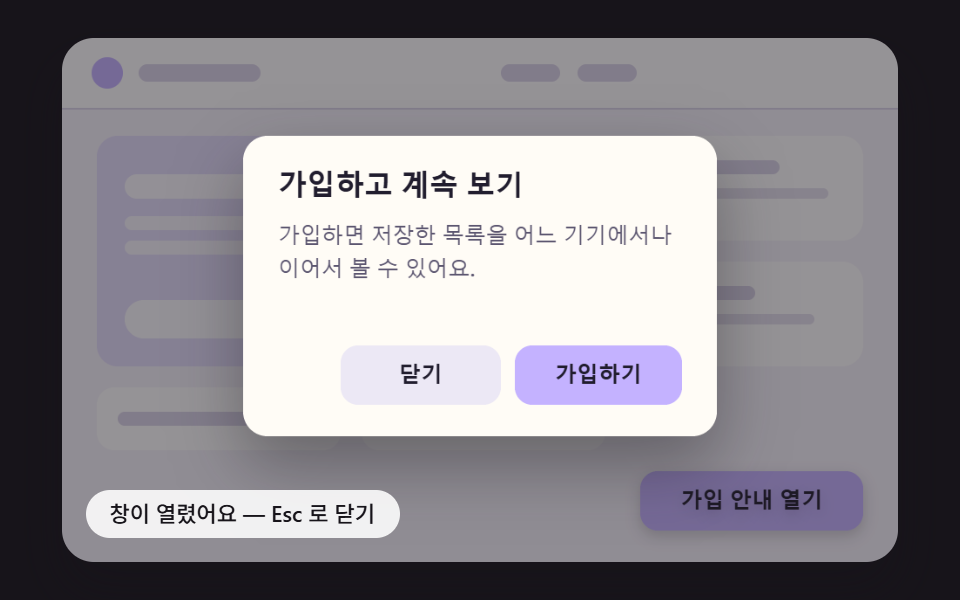 전환모달 창 애니메이션 9종 — 스프링·원형 마스크·화소로 열고 닫기
 버튼CSS 버튼 애니메이션 9종 — 복붙하면 되는 SCSS + React
 전환필터 UI 9종 — 패널 슬라이드부터 칩 제거까지
 전환장바구니 담기 UI 9종 — 스프링부터 배지 관성까지
 전환이미지 전환 효과 9종 — 캔버스 픽셀 계산으로 완성되는 리빌
 전환화면전환 애니메이션 효과 9가지 — 파티클 물리로 만들기
 전환CSS 페이지 전환 애니메이션 9종 — JS 없이, CSS만으로
 전환CSS 햄버거 메뉴 애니메이션 9종 — JS 없이, CSS만으로
 전환CSS 아코디언 애니메이션 9종 — JS 없이, CSS만으로