필터 UI 9종 — 패널 슬라이드부터 칩 제거까지
필터 UI 아홉 개 중 하나는 칩이 사라진 만큼 남은 칩들의 폭 합계를 다시 구해 자리를 좁히고, 하나는 활성 필터 개수 값이 바뀔 때마다 배지 크기를 그 차이만큼 부풀렸다 되돌리며, 또 하나는 두 슬라이더 값의 차이로 채워진 트랙 폭을 다시 계산합니다.
이 아홉 화면은 실제 쇼핑몰 서버나 진짜 상품 데이터가 아니라 가상의 칩·카테고리·가격 값으로 만든 것이며, 01·02·04·06·07·08·09 일곱 개는 클릭·변경·드래그·입력 같은 실제 리스너를 갖고 03·05 둘만 타이머로 자동 재생됩니다.
 01 filter-ui-panel-slide-toggle
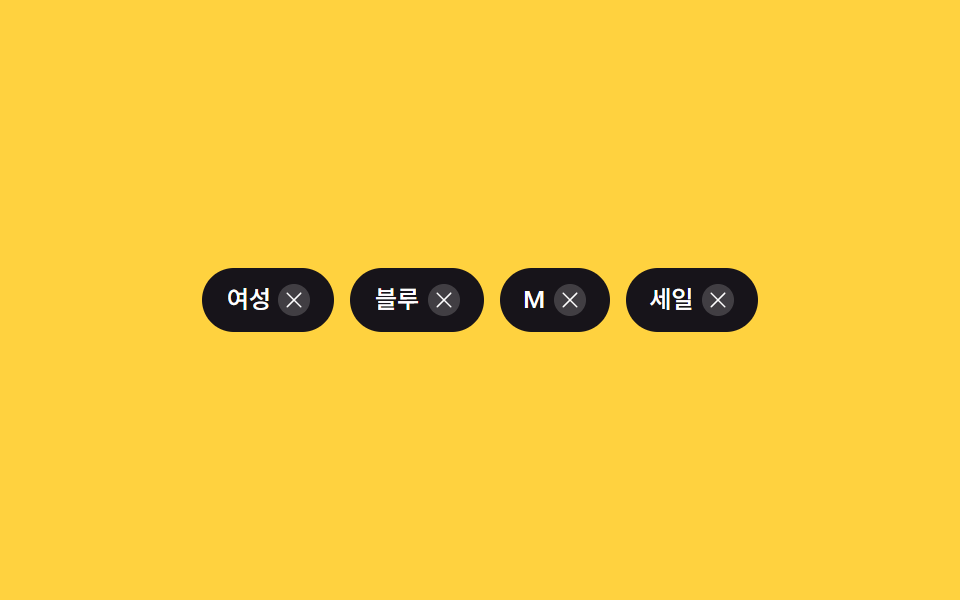 02 filter-ui-chip-remove-collapse
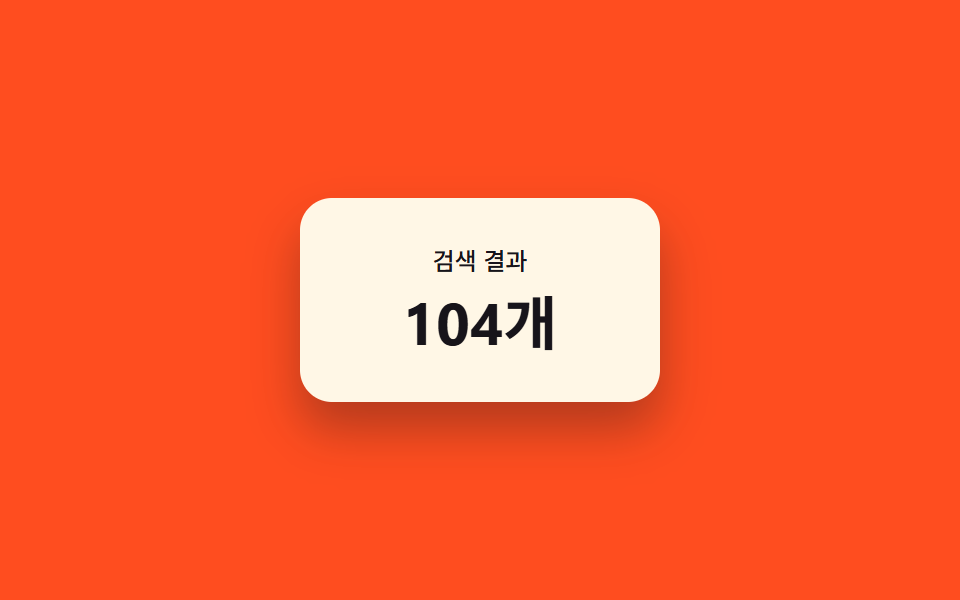 03 filter-ui-result-count-morph
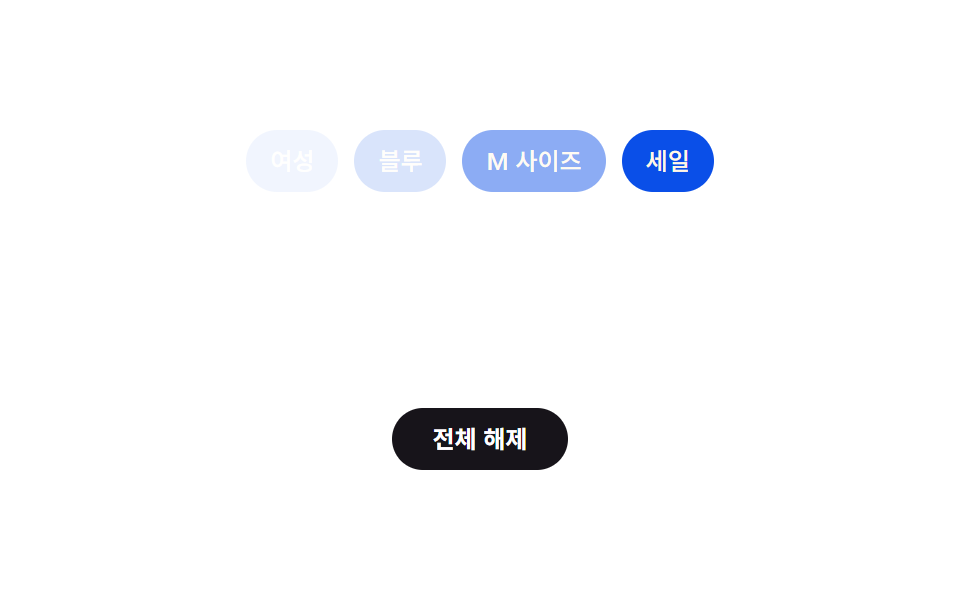 04 filter-ui-clear-all-cascade
 05 filter-ui-active-count-badge-pulse
 06 filter-ui-category-tree-expand
 07 filter-ui-sticky-apply-bar-reveal
 08 filter-ui-mobile-sheet-drag
 09 filter-ui-price-range-fill
자동 재생 · 눌러서 해당 항목으로 · 전부 한 zip
- 01 패널 슬라이드 토글 — 열림 상태 값으로 위치를 보간하는 기본형
- 02 칩 제거 겹침 — 남은 칩 개수로 컨테이너 폭을 다시 구하는 줄
- 03 결과 개수 모프 — 이전 값과 새 값 사이를 보간해 세는 숫자
- 04 전체 해제 캐스케이드 — 순서 값에 간격을 곱해 차례로 사라지는 칩
- 05 활성 개수 배지 펄스 — 증감 값만큼 부풀렸다 되돌리는 숫자 배지
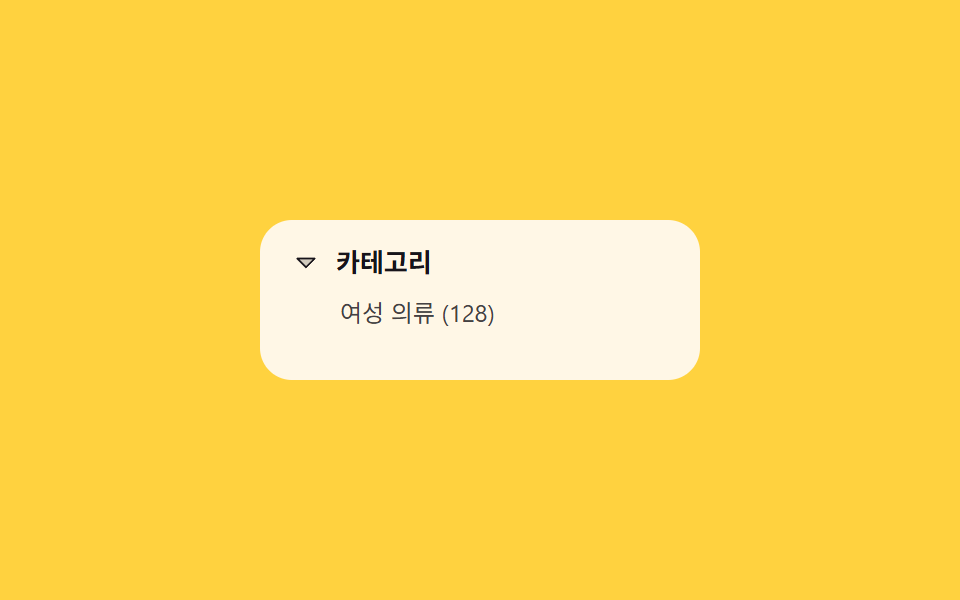
- 06 카테고리 트리 펼침 — 자식 개수로 높이를 다시 구하는 목록
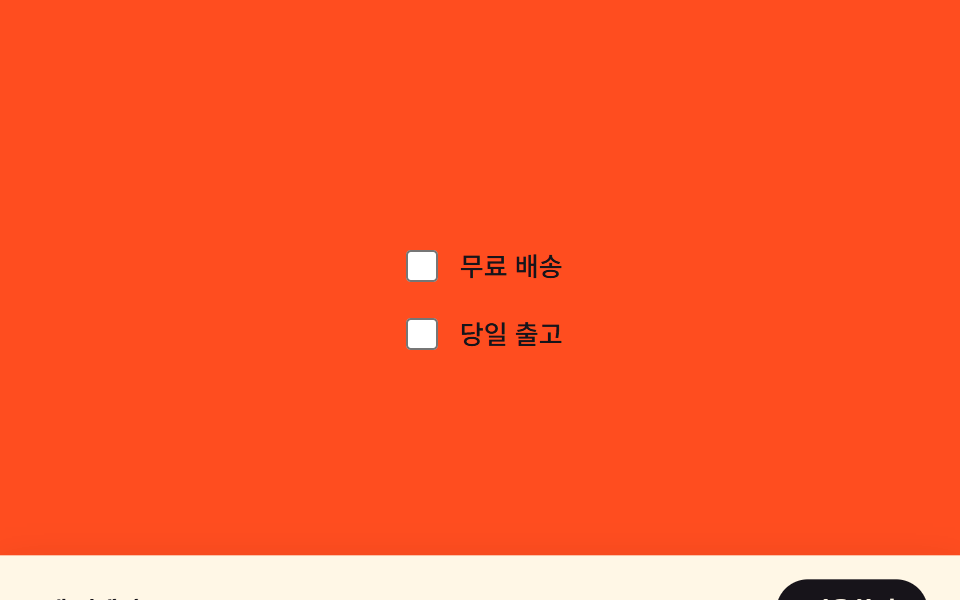
- 07 적용 바 스티키 등장 — 선택 여부 값으로 위치를 다시 잡는 하단 바
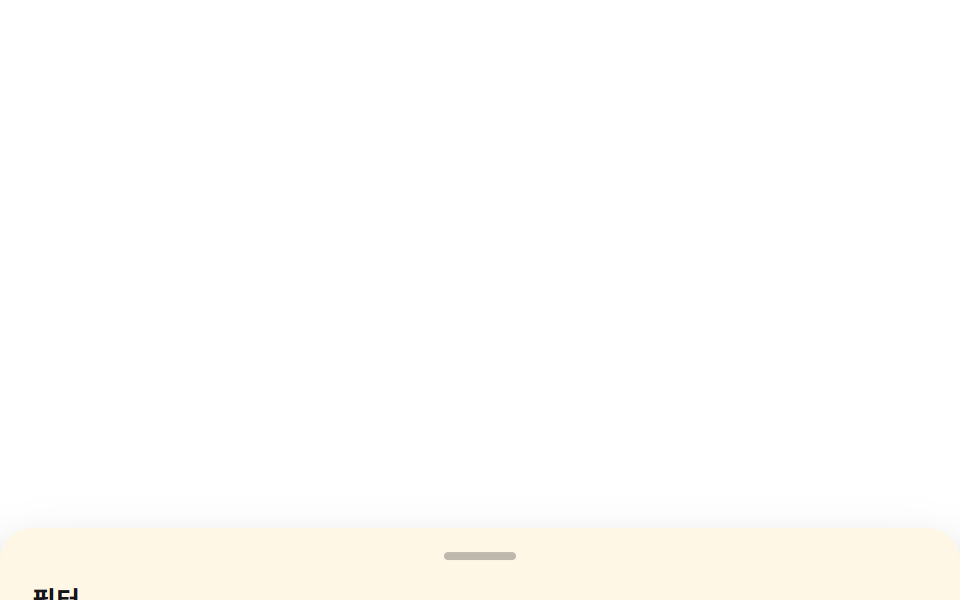
- 08 모바일 시트 드래그 — 이동 거리 값을 높이에 매핑하는 바텀시트
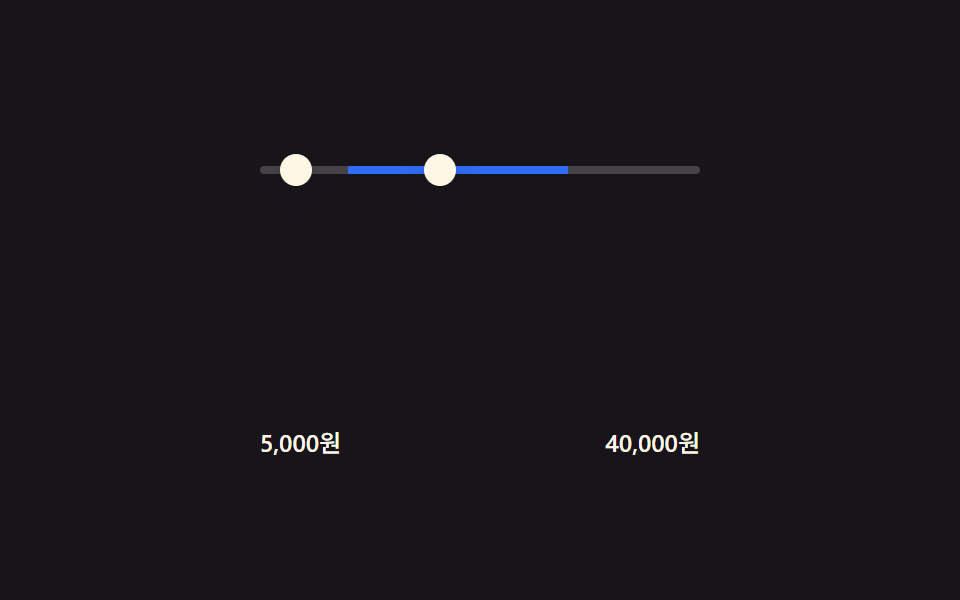
- 09 가격 범위 채움 — 두 입력 값의 차이로 트랙 폭을 구하는 슬라이더
필터 ui 디자인을 찾는 사람은 대부분 패널을 열고 닫는 첫 화면부터 궁금해하지만, 실제로 화면을 흔드는 계산은 아홉 개가 저마다 다른 값 하나를 재서 다른 결과로 바꿉니다. 아래 표는 그 계산이 화면을 실제로 얼마나 흔들었는지 잰 값이고, 순서는 열림·선택 상태(01·07·08) → 개수·순서 값(02·04·06) → 두 값의 차이(03·05·09) 로 계산 성격이 가까운 것끼리 묶었습니다.
실측 한눈에
| 항목 | 초점 | 누적면적 % | 강도 평균 | 움직인 프레임 |
|---|---|---|---|---|
| 01 패널 슬라이드 토글 | 열림 상태 → translateX 보간 | 41.968 | 163.3 | 10/23 |
| 02 칩 제거 겹침 | 남은 칩 폭 → 컨테이너 재계산 | 5.569 | 149.5 | 11/23 |
| 03 결과 개수 모프 | 개수 차이 → rAF 보간 | 1.142 | 113.0 | 18/23 |
| 04 전체 해제 캐스케이드 | 순서 값 → 지연 시점 | 4.054 | 74.0 | 12/23 |
| 05 활성 개수 배지 펄스 | 증감 값 → 스케일 | 0.34 | 88.0 | 14/23 |
| 06 카테고리 트리 펼침 | 자식 개수 → 높이 | 16.82 | 140.5 | 11/23 |
| 07 적용 바 스티키 등장 | 선택 여부 → translateY | 19.0 | 130.7 | 12/23 |
| 08 모바일 시트 드래그 | 드래그 거리 → 높이 매핑 | 44.842 | 30.3 | 23/23 |
| 09 가격 범위 채움 | 두 값 차이 → 트랙 폭 | 1.531 | 160.4 | 11/23 |
03·05·09 는 숫자 텍스트·작은 배지·슬라이더 트랙처럼 애초에 몸집이 작은 요소를 움직이는 화면이라 누적면적이 1%대에 머물고, 08 은 시트 전체가 함께 오르내리는 화면이라 44.8%로 가장 큽니다. 강도 평균은 08 이 30.3 으로 가장 낮아 통짜 시트가 부드럽게 움직인다는 뜻이고 01 이 163.3 으로 가장 높아 패널이 열리며 색 차이가 큰 영역이 함께 바뀐다는 뜻입니다. 01·02·06·09 처럼 움직인 프레임이 10~11/23 에 머무는 화면은 값이 바뀌는 시점 사이에 그대로 멈춰 있는 정지 구간이 섞여 있는 것이지, 계산이 도중에 끊긴 결함이 아닙니다.
필터 UI의 해부 — 아홉 화면이 계산하는 것
상태·거리 값을 위치로 바꾸는 축
01·07·08 은 참·거짓이나 이동 거리 같은 값 하나를 화면의 위치로 바꿉니다. 01 은 패널이 열려 있는지(is-open) 값에 따라 transition 이 화면 밖 위치에서 화면 안 위치까지 보간하고, 07 은 체크박스가 하나라도 선택돼 있는지(has-selection) 값에 따라 하단 바를 translateY 로 올리고 내립니다. 08 은 포인터가 이동한 거리(px)를 --drag 값에 그대로 담아 clamp() 로 0~130px 사이만 움직이게 묶습니다.
개수·순서 값을 치수로 바꾸는 축
02·04·06 은 칩이나 하위 항목의 개수·순서를 실제 치수로 바꿉니다. 02 는 recompute() 가 남은 칩마다 getBoundingClientRect().width 를 더하고 간격(GAP_PX)까지 합쳐 컨테이너 폭을 다시 구하며, 06 은 list.scrollHeight 를 재 --tree-height 로 저장해 두었다가 펼쳐질 때 그 값까지 늘어납니다. 04 는 칩의 순서(--i)에 고정 간격(90ms)을 곱해 사라지는 시작 시점을 다시 구해 앞에서부터 차례로 사라지게 합니다.
두 값의 차이를 계산해 다시 그리는 축
03·05·09 는 이전 값과 새 값, 또는 두 입력값의 차이를 계산해 화면을 다시 그립니다. 03 은 이전 결과 수와 새 결과 수 사이를 requestAnimationFrame 으로 나눠 숫자를 하나씩 올리거나 내리고, 05 는 활성 필터 개수가 바뀔 때마다 배지를 scale(1.4) 로 키웠다가 transitionend 를 확인한 뒤에만 1로 되돌립니다. 09 는 최소·최대 두 손잡이 값의 차이를 --min-pct·--max-pct 로 저장해 calc() 가 채워진 구간의 좌우 끝을 다시 그립니다.
화면별 코드
01패널 슬라이드 토글 — 열림 상태 값으로 위치를 보간하는 기본형
쇼핑몰 상품 목록 좌측 필터 패널처럼, 버튼을 누르면 화면 밖에 있던 패널이 안쪽 위치까지 미끄러져 들어옵니다.
열림 여부 하나만 들고 위치를 뒤집는 계산
setOpen(open) 은 stage 요소의 is-open 클래스 하나만 뒤집고, 실제 이동은 CSS transition 이 그 클래스에 걸린 transform 값을 보간해서 처리합니다. 클릭 리스너는 지금 열려 있는지(classList.contains('is-open'))를 뒤집은 값을 그대로 setOpen 에 넘길 뿐입니다.
(function () {
  var stage = document.getElementById('stage');
  var trigger = document.getElementById('trigger');
  var panel = document.getElementById('panel');
  if (!stage || !trigger || !panel) return;

  function setOpen(open) {
    stage.classList.toggle('is-open', open);
    trigger.setAttribute('aria-expanded', String(open));
    panel.setAttribute('aria-hidden', String(!open));
  }

  trigger.addEventListener('click', function () {
    panel.classList.remove('is-demo');
    setOpen(!stage.classList.contains('is-open'));
  });
})();
<main class="stage" id="stage">
  <button class="trigger" id="trigger" type="button" aria-expanded="false" aria-controls="panel">
    필터 열기
  </button>
  <aside class="panel is-demo" id="panel" aria-hidden="true">
    <p class="panel__title">필터</p>
    <div class="panel__row">
      <span class="chip">색상</span>
      <span class="chip">사이즈</span>
    </div>
    <div class="panel__row">
      <span class="chip">가격대</span>
      <span class="chip">소재</span>
    </div>
  </aside>
</main>
@use "../../../../site/static/demo-tokens" as *;
$duration: $dur-enter;
$easing: $ease-spring;
$color: $subject-cream;
@include stage($stage-ink);
.stage {
position: relative;
overflow: hidden;
}
.trigger {
border: 0;
border-radius: $r-pill;
padding: $sp-3 $sp-6;
font-family: inherit;
font-weight: 600;
font-size: clamp(13px, 4vmin, 16px);
line-height: 1;
color: $stage-ink;
background: $color;
cursor: pointer;
}
.panel {
box-sizing: border-box;
position: absolute;
left: 0;
top: 0;
bottom: 0;
width: min(64vw, 200px);
padding: $sp-6 $sp-4;
display: flex;
flex-direction: column;
gap: $sp-3;
background: $color;
color: $stage-ink;
box-shadow: $shadow-raised;
transform: translateX(-100%);
transition: transform $duration $easing;
}
.panel__title {
margin: 0;
font-weight: 600;
font-size: 14px;
line-height: 1.2;
}
.panel__row {
display: flex;
gap: $sp-2;
flex-wrap: wrap;
}
.chip {
padding: $sp-1 $sp-3;
border-radius: $r-pill;
background: rgba($stage-ink, .1);
font-weight: 500;
font-size: 11px;
line-height: 1.4;
}
.stage.is-open .panel {
transform: translateX(0);
}
.panel.is-demo {
animation-name: panel-loop;
animation-duration: $dur-loop;
animation-timing-function: $easing;
animation-iteration-count: infinite;
}
@keyframes panel-loop {
0%, 100% { transform: translateX(-100%); }
18%, 72% { transform: translateX(0); }
90% { transform: translateX(-100%); }
}
@media (max-width: 340px) {
.panel { width: 78vw; padding: $sp-4 $sp-3; gap: $sp-2; }
.trigger { padding: $sp-2 $sp-4; }
}
@media (prefers-reduced-motion: reduce) {
.panel { transition: none; }
.panel.is-demo { animation: none; transform: translateX(0); opacity: .96; }
}html, body {
margin: 0;
overflow: hidden;
}
.stage {
box-sizing: border-box;
min-height: 100vh;
display: grid;
place-items: center;
margin: 0;
background: #17141a;
font-family: -apple-system, "Segoe UI", "Noto Sans KR", sans-serif;
padding: clamp(8px, 4vw, 24px);
}
.stage {
position: relative;
overflow: hidden;
}
.trigger {
border: 0;
border-radius: 999px;
padding: 12px 24px;
font-family: inherit;
font-weight: 600;
font-size: clamp(13px, 4vmin, 16px);
line-height: 1;
color: #17141a;
background: #fff7e6;
cursor: pointer;
}
.panel {
box-sizing: border-box;
position: absolute;
left: 0;
top: 0;
bottom: 0;
width: min(64vw, 200px);
padding: 24px 16px;
display: flex;
flex-direction: column;
gap: 12px;
background: #fff7e6;
color: #17141a;
box-shadow: 0 14px 24px rgba(23, 20, 26, 0.32);
transform: translateX(-100%);
transition: transform 600ms cubic-bezier(0.2, 0.8, 0.2, 1);
}
.panel__title {
margin: 0;
font-weight: 600;
font-size: 14px;
line-height: 1.2;
}
.panel__row {
display: flex;
gap: 8px;
flex-wrap: wrap;
}
.chip {
padding: 4px 12px;
border-radius: 999px;
background: rgba(23, 20, 26, 0.1);
font-weight: 500;
font-size: 11px;
line-height: 1.4;
}
.stage.is-open .panel {
transform: translateX(0);
}
.panel.is-demo {
animation-name: panel-loop;
animation-duration: 2s;
animation-timing-function: cubic-bezier(0.2, 0.8, 0.2, 1);
animation-iteration-count: infinite;
}
@keyframes panel-loop {
0%, 100% {
transform: translateX(-100%);
}
18%, 72% {
transform: translateX(0);
}
90% {
transform: translateX(-100%);
}
}
@media (max-width: 340px) {
.panel {
width: 78vw;
padding: 16px 12px;
gap: 8px;
}
.trigger {
padding: 8px 16px;
}
}
@media (prefers-reduced-motion: reduce) {
.panel {
transition: none;
}
.panel.is-demo {
animation: none;
transform: translateX(0);
opacity: 0.96;
}
}// 필터 패널 열림·닫힘을 하나의 불(boolean) 값으로만 들고, 그 값을 transform 위치(0 또는 -100%)로 바꿔 CSS transition 이 보간한다.
// 계산 겹: 열림 여부 → translateX 보간(transition). 실사용 클릭 리스너 있음.
(function () {
var stage = document.getElementById('stage');
var trigger = document.getElementById('trigger');
var panel = document.getElementById('panel');
if (!stage || !trigger || !panel) return;
function setOpen(open) {
stage.classList.toggle('is-open', open);
trigger.setAttribute('aria-expanded', String(open));
panel.setAttribute('aria-hidden', String(!open));
}
trigger.addEventListener('click', function () {
panel.classList.remove('is-demo');
setOpen(!stage.classList.contains('is-open'));
});
})();import { useEffect, useRef } from "react";
import styles from "./PanelSlideToggle.module.scss";
// 필터 패널 열림닫힘을 하나의 불(boolean) 값으로만 들고, 그 값을 transform 위치(0 또는 -100%)로 바꿔 CSS transition 이 보간한다.
// 계산 겹: 열림 여부 -> translateX 보간(transition). 실사용 클릭 리스너 있음.
export default function PanelSlideToggle() {
const stageRef = useRef<HTMLElement>(null);
const triggerRef = useRef<HTMLButtonElement>(null);
const panelRef = useRef<HTMLElement>(null);
useEffect(() => {
const stage = stageRef.current;
const trigger = triggerRef.current;
const panel = panelRef.current;
if (!stage || !trigger || !panel) return;
function setOpen(open: boolean) {
stage!.classList.toggle(styles["is-open"], open);
trigger!.setAttribute("aria-expanded", String(open));
panel!.setAttribute("aria-hidden", String(!open));
}
function onClick() {
panel!.classList.remove(styles["is-demo"]);
setOpen(!stage!.classList.contains(styles["is-open"]));
}
trigger.addEventListener("click", onClick);
return () => {
trigger.removeEventListener("click", onClick);
};
}, []);
return (
<main ref={stageRef} className={styles.stage}>
<button
ref={triggerRef}
className={styles.trigger}
type="button"
aria-expanded="false"
aria-controls="panel"
>
필터 열기
</button>
<aside ref={panelRef} className={`${styles.panel} ${styles["is-demo"]}`} aria-hidden="true">
<p className={styles.panel__title}>필터</p>
<div className={styles.panel__row}>
<span className={styles.chip}>색상</span>
<span className={styles.chip}>사이즈</span>
</div>
<div className={styles.panel__row}>
<span className={styles.chip}>가격대</span>
<span className={styles.chip}>소재</span>
</div>
</aside>
</main>
);
}01 · 패널 슬라이드 토글 — 열림 상태 값으로 위치를 보간하는 기본형 — 측정 누적면적 41.968% · 움직인 프레임 10/23GODRICH 원작 · zip 에 SCSS·React 포함 · 비밀번호 보기
02칩 제거 겹침 — 남은 칩 개수로 컨테이너 폭을 다시 구하는 줄
적용된 필터를 보여주는 칩 목록 줄에서, 칩 하나를 지우면 남은 칩들이 그 자리를 채우듯 줄 전체가 좁아집니다.
남은 칩 폭을 실측해 컨테이너 폭을 되구하는 계산
recompute() 는 남아 있는 .chip 마다 getBoundingClientRect().width 를 더하고, 첫 번째가 아닌 칩마다 간격(GAP_PX, 8px)을 더해 그 합을 row.style.width 에 그대로 써 넣습니다. 칩을 지우거나(removeChip) 추가할(addChip) 때마다 이 함수를 다시 불러 폭을 그때그때 갱신합니다.
  function recompute() {
    var chips = row.querySelectorAll('.chip');
    var total = 0;
    chips.forEach(function (chip, i) {
      total += chip.getBoundingClientRect().width;
      if (i > 0) total += GAP_PX;
    });
    row.style.width = total + 'px';
  }
<main class="stage">
  <div class="chips" id="chips" role="list" aria-label="적용된 필터">
    <span class="chip" role="listitem" data-label="여성">
      <span class="chip__label">여성</span>
      <button class="chip__x" type="button" aria-label="여성 필터 제거">
        <svg viewBox="0 0 256 256" width="12" height="12" aria-hidden="true"><g fill="currentColor"><path d="M205.66 194.34a8 8 0 0 1-11.32 11.32L128 139.31l-66.34 66.35a8 8 0 0 1-11.32-11.32L116.69 128L50.34 61.66a8 8 0 0 1 11.32-11.32L128 116.69l66.34-66.35a8 8 0 0 1 11.32 11.32L139.31 128Z"/></g></svg>
      </button>
    </span>
    <span class="chip" role="listitem" data-label="블루">
      <span class="chip__label">블루</span>
      <button class="chip__x" type="button" aria-label="블루 필터 제거">
        <svg viewBox="0 0 256 256" width="12" height="12" aria-hidden="true"><g fill="currentColor"><path d="M205.66 194.34a8 8 0 0 1-11.32 11.32L128 139.31l-66.34 66.35a8 8 0 0 1-11.32-11.32L116.69 128L50.34 61.66a8 8 0 0 1 11.32-11.32L128 116.69l66.34-66.35a8 8 0 0 1 11.32 11.32L139.31 128Z"/></g></svg>
      </button>
    </span>
    <span class="chip" role="listitem" data-label="M">
      <span class="chip__label">M</span>
      <button class="chip__x" type="button" aria-label="M 필터 제거">
        <svg viewBox="0 0 256 256" width="12" height="12" aria-hidden="true"><g fill="currentColor"><path d="M205.66 194.34a8 8 0 0 1-11.32 11.32L128 139.31l-66.34 66.35a8 8 0 0 1-11.32-11.32L116.69 128L50.34 61.66a8 8 0 0 1 11.32-11.32L128 116.69l66.34-66.35a8 8 0 0 1 11.32 11.32L139.31 128Z"/></g></svg>
      </button>
    </span>
    <span class="chip" role="listitem" data-label="세일">
      <span class="chip__label">세일</span>
      <button class="chip__x" type="button" aria-label="세일 필터 제거">
        <svg viewBox="0 0 256 256" width="12" height="12" aria-hidden="true"><g fill="currentColor"><path d="M205.66 194.34a8 8 0 0 1-11.32 11.32L128 139.31l-66.34 66.35a8 8 0 0 1-11.32-11.32L116.69 128L50.34 61.66a8 8 0 0 1 11.32-11.32L128 116.69l66.34-66.35a8 8 0 0 1 11.32 11.32L139.31 128Z"/></g></svg>
      </button>
    </span>
  </div>
</main>@use "../../../../site/static/demo-tokens" as *;
$duration: $dur-base;
$easing: $ease-spring;
$color: $subject-ink;
@include stage($stage-yellow);
.chips {
box-sizing: border-box;
display: flex;
align-items: center;
gap: $sp-2;
flex-wrap: nowrap;
overflow: hidden;
transition: width $duration $easing;
}
.chip {
flex: 0 0 auto;
display: inline-flex;
align-items: center;
gap: $sp-1;
padding: $sp-2 $sp-3;
border-radius: $r-pill;
background: $color;
white-space: nowrap;
}
.chip__label {
color: $stage-paper;
font-weight: 500;
font-size: 12px;
line-height: 1.3;
}
.chip__x {
display: inline-flex;
align-items: center;
justify-content: center;
width: 16px;
height: 16px;
padding: 0;
border: 0;
border-radius: 50%;
background: rgba($stage-paper, .18);
color: $stage-paper;
cursor: pointer;
}
@media (max-width: 340px) {
.chip { padding: $sp-1 $sp-2; gap: $sp-1; }
.chip__label { font-size: 11px; }
.chip__x { width: 14px; height: 14px; }
.chips { gap: $sp-1; }
}
@media (prefers-reduced-motion: reduce) {
.chips { transition: none; }
}html, body {
margin: 0;
overflow: hidden;
}
.stage {
box-sizing: border-box;
min-height: 100vh;
display: grid;
place-items: center;
margin: 0;
background: #ffd23f;
font-family: -apple-system, "Segoe UI", "Noto Sans KR", sans-serif;
padding: clamp(8px, 4vw, 24px);
}
.chips {
box-sizing: border-box;
display: flex;
align-items: center;
gap: 8px;
flex-wrap: nowrap;
overflow: hidden;
transition: width 300ms cubic-bezier(0.2, 0.8, 0.2, 1);
}
.chip {
flex: 0 0 auto;
display: inline-flex;
align-items: center;
gap: 4px;
padding: 8px 12px;
border-radius: 999px;
background: #17141a;
white-space: nowrap;
}
.chip__label {
color: #ffffff;
font-weight: 500;
font-size: 12px;
line-height: 1.3;
}
.chip__x {
display: inline-flex;
align-items: center;
justify-content: center;
width: 16px;
height: 16px;
padding: 0;
border: 0;
border-radius: 50%;
background: rgba(255, 255, 255, 0.18);
color: #ffffff;
cursor: pointer;
}
@media (max-width: 340px) {
.chip {
padding: 4px 8px;
gap: 4px;
}
.chip__label {
font-size: 11px;
}
.chip__x {
width: 14px;
height: 14px;
}
.chips {
gap: 4px;
}
}
@media (prefers-reduced-motion: reduce) {
.chips {
transition: none;
}
}// 칩 하나를 지우면 남은 칩들의 실측 폭(getBoundingClientRect)과 사이 간격(gap)을 다시 더해 컨테이너 폭을 그 값으로 옮긴다(transition).
// 실사용 클릭 리스너 있음 + 캡처용으로 같은 제거·추가 함수를 2초 주기로 되풀이한다.
(function () {
var GAP_PX = 8;
var row = document.getElementById('chips');
if (!row) return;
function recompute() {
var chips = row.querySelectorAll('.chip');
var total = 0;
chips.forEach(function (chip, i) {
total += chip.getBoundingClientRect().width;
if (i > 0) total += GAP_PX;
});
row.style.width = total + 'px';
}
function buildChip(label) {
var chip = document.createElement('span');
chip.className = 'chip';
chip.setAttribute('role', 'listitem');
chip.dataset.label = label;
var text = document.createElement('span');
text.className = 'chip__label';
text.textContent = label;
var btn = document.createElement('button');
btn.className = 'chip__x';
btn.type = 'button';
btn.setAttribute('aria-label', label + ' 필터 제거');
btn.innerHTML = '<svg viewBox="0 0 256 256" width="12" height="12" aria-hidden="true"><g fill="currentColor"><path d="M205.66 194.34a8 8 0 0 1-11.32 11.32L128 139.31l-66.34 66.35a8 8 0 0 1-11.32-11.32L116.69 128L50.34 61.66a8 8 0 0 1 11.32-11.32L128 116.69l66.34-66.35a8 8 0 0 1 11.32 11.32L139.31 128Z"/></g></svg>';
chip.appendChild(text);
chip.appendChild(btn);
return chip;
}
function removeChip(chip) {
if (!chip) return null;
var label = chip.dataset.label || '';
chip.remove();
recompute();
return label;
}
function addChip(label) {
var chip = buildChip(label);
row.appendChild(chip);
recompute();
}
row.addEventListener('click', function (e) {
var btn = e.target.closest('.chip__x');
if (!btn) return;
removeChip(btn.closest('.chip'));
});
requestAnimationFrame(recompute);
// 자동 시연: 마지막 칩을 지웠다가 되돌리는 2초 주기 반복 (실제 리스너와 같은 함수를 재사용)
(function loop() {
setTimeout(function () {
var last = row.querySelector('.chip:last-child');
var label = removeChip(last);
setTimeout(function () {
if (label) addChip(label);
setTimeout(loop, 700);
}, 650);
}, 350);
})();
})();import { useEffect, useRef } from "react";
import styles from "./ChipRemoveCollapse.module.scss";
// 칩 하나를 지우면 남은 칩들의 실측 폭(getBoundingClientRect)과 사이 간격(gap)을 다시 더해 컨테이너 폭을 그 값으로 옮긴다(transition).
// 실사용 클릭 리스너 있음 + 같은 제거·추가 함수를 2초 주기로 되풀이하는 자동 시연을 함께 돈다.
const GAP_PX = 8;
const X_ICON_SVG =
'<svg viewBox="0 0 256 256" width="12" height="12" aria-hidden="true"><g fill="currentColor"><path d="M205.66 194.34a8 8 0 0 1-11.32 11.32L128 139.31l-66.34 66.35a8 8 0 0 1-11.32-11.32L116.69 128L50.34 61.66a8 8 0 0 1 11.32-11.32L128 116.69l66.34-66.35a8 8 0 0 1 11.32 11.32L139.31 128Z"/></g></svg>';
export default function ChipRemoveCollapse() {
const rowRef = useRef<HTMLDivElement>(null);
useEffect(() => {
const row = rowRef.current;
if (!row) return;
let alive = true;
function recompute() {
const chips = row!.querySelectorAll<HTMLElement>("." + styles.chip);
let total = 0;
chips.forEach((chip, i) => {
total += chip.getBoundingClientRect().width;
if (i > 0) total += GAP_PX;
});
row!.style.width = total + "px";
}
function buildChip(label: string) {
const chip = document.createElement("span");
chip.className = styles.chip;
chip.setAttribute("role", "listitem");
chip.dataset.label = label;
const text = document.createElement("span");
text.className = styles.chip__label;
text.textContent = label;
const btn = document.createElement("button");
btn.className = styles.chip__x;
btn.type = "button";
btn.setAttribute("aria-label", label + " 필터 제거");
btn.innerHTML = X_ICON_SVG;
chip.appendChild(text);
chip.appendChild(btn);
return chip;
}
function removeChip(chip: HTMLElement | null) {
if (!chip) return null;
const label = chip.dataset.label || "";
chip.remove();
recompute();
return label;
}
function addChip(label: string) {
const chip = buildChip(label);
row!.appendChild(chip);
recompute();
}
function onClick(e: MouseEvent) {
const target = e.target as Element | null;
if (!target) return;
const btn = target.closest<HTMLElement>("." + styles.chip__x);
if (!btn) return;
removeChip(btn.closest<HTMLElement>("." + styles.chip));
}
row.addEventListener("click", onClick);
const rafId = requestAnimationFrame(recompute);
const timers: number[] = [];
(function loop() {
const t1 = window.setTimeout(() => {
if (!alive) return;
const last = row!.querySelector<HTMLElement>("." + styles.chip + ":last-child");
const label = removeChip(last);
const t2 = window.setTimeout(() => {
if (!alive) return;
if (label) addChip(label);
const t3 = window.setTimeout(loop, 700);
timers.push(t3);
}, 650);
timers.push(t2);
}, 350);
timers.push(t1);
})();
return () => {
alive = false;
row.removeEventListener("click", onClick);
cancelAnimationFrame(rafId);
timers.forEach((t) => window.clearTimeout(t));
};
}, []);
return (
<main className={styles.stage}>
<div ref={rowRef} className={styles.chips} role="list" aria-label="적용된 필터">
<span className={styles.chip} role="listitem" data-label="여성">
<span className={styles.chip__label}>여성</span>
<button className={styles.chip__x} type="button" aria-label="여성 필터 제거">
<svg viewBox="0 0 256 256" width="12" height="12" aria-hidden="true">
<g fill="currentColor">
<path d="M205.66 194.34a8 8 0 0 1-11.32 11.32L128 139.31l-66.34 66.35a8 8 0 0 1-11.32-11.32L116.69 128L50.34 61.66a8 8 0 0 1 11.32-11.32L128 116.69l66.34-66.35a8 8 0 0 1 11.32 11.32L139.31 128Z" />
</g>
</svg>
</button>
</span>
<span className={styles.chip} role="listitem" data-label="블루">
<span className={styles.chip__label}>블루</span>
<button className={styles.chip__x} type="button" aria-label="블루 필터 제거">
<svg viewBox="0 0 256 256" width="12" height="12" aria-hidden="true">
<g fill="currentColor">
<path d="M205.66 194.34a8 8 0 0 1-11.32 11.32L128 139.31l-66.34 66.35a8 8 0 0 1-11.32-11.32L116.69 128L50.34 61.66a8 8 0 0 1 11.32-11.32L128 116.69l66.34-66.35a8 8 0 0 1 11.32 11.32L139.31 128Z" />
</g>
</svg>
</button>
</span>
<span className={styles.chip} role="listitem" data-label="M">
<span className={styles.chip__label}>M</span>
<button className={styles.chip__x} type="button" aria-label="M 필터 제거">
<svg viewBox="0 0 256 256" width="12" height="12" aria-hidden="true">
<g fill="currentColor">
<path d="M205.66 194.34a8 8 0 0 1-11.32 11.32L128 139.31l-66.34 66.35a8 8 0 0 1-11.32-11.32L116.69 128L50.34 61.66a8 8 0 0 1 11.32-11.32L128 116.69l66.34-66.35a8 8 0 0 1 11.32 11.32L139.31 128Z" />
</g>
</svg>
</button>
</span>
<span className={styles.chip} role="listitem" data-label="세일">
<span className={styles.chip__label}>세일</span>
<button className={styles.chip__x} type="button" aria-label="세일 필터 제거">
<svg viewBox="0 0 256 256" width="12" height="12" aria-hidden="true">
<g fill="currentColor">
<path d="M205.66 194.34a8 8 0 0 1-11.32 11.32L128 139.31l-66.34 66.35a8 8 0 0 1-11.32-11.32L116.69 128L50.34 61.66a8 8 0 0 1 11.32-11.32L128 116.69l66.34-66.35a8 8 0 0 1 11.32 11.32L139.31 128Z" />
</g>
</svg>
</button>
</span>
</div>
</main>
);
}02 · 칩 제거 겹침 — 남은 칩 개수로 컨테이너 폭을 다시 구하는 줄 — 측정 누적면적 5.569% · 움직인 프레임 11/23GODRICH 원작 · zip 에 SCSS·React 포함 · 비밀번호 보기
03결과 개수 모프 — 이전 값과 새 값 사이를 보간해 세는 숫자
상품 목록 상단의 'N개 결과' 표시에서, 필터 조건이 바뀌어 개수가 달라지면 숫자가 바로 바뀌는 대신 이전 값에서 새 값까지 세듯이 넘어갑니다.
이전 값과 새 값 사이를 rAF 로 보간하는 계산
animate(to, duration) 안의 frame(ts) 는 시작 시각(start)부터 지난 비율(t)을 ease() 곡선으로 굽혀 from 과 to 사이 값을 계산하고, 그 값을 반올림해 el.textContent 에 매 프레임 다시 씁니다. t 가 1에 닿으면 from 을 to 로 갱신하고 다음 값으로 넘어갈 때까지 잠깐 멈춥니다.
  function animate(to, duration) {
    var start = null;
    function frame(ts) {
      if (start === null) start = ts;
      var t = Math.min(1, (ts - start) / duration);
      var value = Math.round(from + (to - from) * ease(t));
      el.textContent = value + '개';
      el.style.setProperty('--pulse', (1 - t).toFixed(3));
      if (t < 1) {
        requestAnimationFrame(frame);
      } else {
        from = to;
        setTimeout(step, HOLD_MS);
      }
    }
    requestAnimationFrame(frame);
  }
<main class="stage">
  <div class="card">
    <p class="card__label">검색 결과</p>
    <p class="card__count" id="count" role="status" aria-live="polite">128개</p>
  </div>
</main>
@use "../../../../site/static/demo-tokens" as *;
$duration: $dur-base;
$easing: $ease-out;
$color: $subject-cream;
@include stage($stage-orange);
.card {
box-sizing: border-box;
min-width: 180px;
padding: $sp-6 $sp-8;
border-radius: $r-card;
background: $color;
box-shadow: $shadow-raised;
text-align: center;
}
.card__label {
margin: 0 0 $sp-2;
color: $subject-ink;
font-weight: 500;
font-size: 12px;
line-height: 1.3;
}
.card__count {
margin: 0;
color: $subject-ink;
font-weight: 700;
font-size: clamp(28px, 8vmin, 40px);
line-height: 1.1;
font-variant-numeric: tabular-nums;
--pulse: 0;
transform: scale(calc(1 + var(--pulse, 0) * .05));
}
@media (max-width: 340px) {
.card { padding: $sp-4 $sp-6; min-width: 140px; }
}
@media (prefers-reduced-motion: reduce) {
.card__count { transform: none; }
}html, body {
margin: 0;
overflow: hidden;
}
.stage {
box-sizing: border-box;
min-height: 100vh;
display: grid;
place-items: center;
margin: 0;
background: #ff4d1f;
font-family: -apple-system, "Segoe UI", "Noto Sans KR", sans-serif;
padding: clamp(8px, 4vw, 24px);
}
.card {
box-sizing: border-box;
min-width: 180px;
padding: 24px 32px;
border-radius: 16px;
background: #fff7e6;
box-shadow: 0 14px 24px rgba(23, 20, 26, 0.32);
text-align: center;
}
.card__label {
margin: 0 0 8px;
color: #17141a;
font-weight: 500;
font-size: 12px;
line-height: 1.3;
}
.card__count {
margin: 0;
color: #17141a;
font-weight: 700;
font-size: clamp(28px, 8vmin, 40px);
line-height: 1.1;
font-variant-numeric: tabular-nums;
--pulse: 0;
transform: scale(calc(1 + var(--pulse, 0) * 0.05));
}
@media (max-width: 340px) {
.card {
padding: 16px 24px;
min-width: 140px;
}
}
@media (prefers-reduced-motion: reduce) {
.card__count {
transform: none;
}
}// 결과 수가 바뀔 때 이전 값과 새 값의 차이를 requestAnimationFrame 으로 나눠 화면 숫자를 그 사이 값으로 다시 그린다(textContent).
// 자동 시연만, 실사용 리스너 없음.
(function () {
var el = document.getElementById('count');
if (!el) return;
var VALUES = [128, 47, 283, 128];
var STEP_MS = 900;
var HOLD_MS = 350;
var idx = 0;
var from = VALUES[0];
function ease(t) { return 1 - Math.pow(1 - t, 3); }
function animate(to, duration) {
var start = null;
function frame(ts) {
if (start === null) start = ts;
var t = Math.min(1, (ts - start) / duration);
var value = Math.round(from + (to - from) * ease(t));
el.textContent = value + '개';
el.style.setProperty('--pulse', (1 - t).toFixed(3));
if (t < 1) {
requestAnimationFrame(frame);
} else {
from = to;
setTimeout(step, HOLD_MS);
}
}
requestAnimationFrame(frame);
}
function step() {
idx = (idx + 1) % VALUES.length;
animate(VALUES[idx], STEP_MS);
}
setTimeout(step, HOLD_MS);
})();import { useEffect, useRef } from "react";
import styles from "./ResultCountMorph.module.scss";
// 결과 수가 바뀔 때 이전 값과 새 값의 차이를 requestAnimationFrame 으로 나눠 화면 숫자를 그 사이 값으로 다시 그린다(textContent).
// 자동 시연만, 실사용 리스너 없음.
const VALUES = [128, 47, 283, 128];
const STEP_MS = 900;
const HOLD_MS = 350;
function ease(t: number) {
return 1 - Math.pow(1 - t, 3);
}
export default function ResultCountMorph() {
const countRef = useRef<HTMLParagraphElement>(null);
useEffect(() => {
const el = countRef.current;
if (!el) return;
let alive = true;
let idx = 0;
let from = VALUES[0];
let rafId = 0;
let timeoutId = 0;
function animate(to: number, duration: number) {
let start: number | null = null;
function frame(ts: number) {
if (!alive) return;
if (start === null) start = ts;
const t = Math.min(1, (ts - start) / duration);
const value = Math.round(from + (to - from) * ease(t));
el!.textContent = value + "개";
el!.style.setProperty("--pulse", (1 - t).toFixed(3));
if (t < 1) {
rafId = requestAnimationFrame(frame);
} else {
from = to;
timeoutId = window.setTimeout(step, HOLD_MS);
}
}
rafId = requestAnimationFrame(frame);
}
function step() {
if (!alive) return;
idx = (idx + 1) % VALUES.length;
animate(VALUES[idx], STEP_MS);
}
timeoutId = window.setTimeout(step, HOLD_MS);
return () => {
alive = false;
cancelAnimationFrame(rafId);
window.clearTimeout(timeoutId);
};
}, []);
return (
<main className={styles.stage}>
<div className={styles.card}>
<p className={styles.card__label}>검색 결과</p>
<p ref={countRef} className={styles.card__count} role="status" aria-live="polite">
128개
</p>
</div>
</main>
);
}03 · 결과 개수 모프 — 이전 값과 새 값 사이를 보간해 세는 숫자 — 측정 누적면적 1.142% · 움직인 프레임 18/23GODRICH 원작 · zip 에 SCSS·React 포함 · 비밀번호 보기
04전체 해제 캐스케이드 — 순서 값에 간격을 곱해 차례로 사라지는 칩
필터 초기화 버튼이 있는 검색 결과 화면에서, 전체 해제를 누르면 칩들이 동시에 사라지지 않고 앞에서부터 차례로 사라집니다.
순서 값에 고정 간격을 곱해 사라지는 시점을 되구하는 계산
클릭 리스너는 각 칩의 순서(i)에 고정 간격(STAGGER_MS, 90ms)을 곱한 값을 setTimeout 지연으로 넘겨, 그 시점에 is-active 클래스를 떼어 냅니다. 클래스가 떨어지는 순간부터는 CSS transition 이 투명도 변화를 보간해 사라지는 움직임을 만듭니다.
  clearBtn.addEventListener('click', function () {
    chips.classList.remove('is-demo');
    var items = chips.querySelectorAll('.chip');
    items.forEach(function (chip, i) {
      setTimeout(function () {
        chip.classList.remove('is-active');
      }, i * STAGGER_MS);
    });
  });
<main class="stage">
  <div class="chips is-demo" id="chips">
    <span class="chip is-active" style="--i:0">여성</span>
    <span class="chip is-active" style="--i:1">블루</span>
    <span class="chip is-active" style="--i:2">M 사이즈</span>
    <span class="chip is-active" style="--i:3">세일</span>
  </div>
  <button class="clear-btn" id="clearBtn" type="button">전체 해제</button>
</main>
@use "../../../../site/static/demo-tokens" as *;
$duration: $dur-base;
$easing: $ease-spring;
$color: $subject-blue-deep;
$stagger: 90ms;
@include stage($stage-paper);
.chips {
display: flex;
align-items: center;
gap: $sp-2;
flex-wrap: wrap;
justify-content: center;
margin-bottom: $sp-4;
}
.chip {
padding: $sp-2 $sp-3;
border-radius: $r-pill;
background: $color;
color: $subject-cream;
font-weight: 500;
font-size: 12px;
line-height: 1.3;
opacity: 1;
transition: opacity $duration $easing;
transition-delay: calc(var(--i, 0) * #{$stagger});
}
.chip:not(.is-active) {
opacity: 0;
}
.clear-btn {
display: block;
margin: 0 auto;
border: 0;
border-radius: $r-pill;
padding: $sp-2 $sp-5;
background: $subject-ink;
color: $stage-paper;
font-family: inherit;
font-weight: 600;
font-size: 12px;
line-height: 1.3;
cursor: pointer;
}
.chips.is-demo .chip {
animation-name: chip-cascade;
animation-duration: $dur-loop;
animation-timing-function: $easing;
animation-iteration-count: infinite;
animation-delay: calc(var(--i, 0) * #{$stagger});
}
@keyframes chip-cascade {
0%, 25% { opacity: 1; }
50% { opacity: 0; }
75%, 100% { opacity: 1; }
}
@media (max-width: 340px) {
.chip { padding: $sp-1 $sp-2; }
.chips { gap: $sp-1; }
}
@media (prefers-reduced-motion: reduce) {
.chip { transition: none; }
.chips.is-demo .chip { animation: none; }
}html, body {
margin: 0;
overflow: hidden;
}
.stage {
box-sizing: border-box;
min-height: 100vh;
display: grid;
place-items: center;
margin: 0;
background: #ffffff;
font-family: -apple-system, "Segoe UI", "Noto Sans KR", sans-serif;
padding: clamp(8px, 4vw, 24px);
}
.chips {
display: flex;
align-items: center;
gap: 8px;
flex-wrap: wrap;
justify-content: center;
margin-bottom: 16px;
}
.chip {
padding: 8px 12px;
border-radius: 999px;
background: #0a4fe8;
color: #fff7e6;
font-weight: 500;
font-size: 12px;
line-height: 1.3;
opacity: 1;
transition: opacity 300ms cubic-bezier(0.2, 0.8, 0.2, 1);
transition-delay: calc(var(--i, 0) * 90ms);
}
.chip:not(.is-active) {
opacity: 0;
}
.clear-btn {
display: block;
margin: 0 auto;
border: 0;
border-radius: 999px;
padding: 8px 20px;
background: #17141a;
color: #ffffff;
font-family: inherit;
font-weight: 600;
font-size: 12px;
line-height: 1.3;
cursor: pointer;
}
.chips.is-demo .chip {
animation-name: chip-cascade;
animation-duration: 2s;
animation-timing-function: cubic-bezier(0.2, 0.8, 0.2, 1);
animation-iteration-count: infinite;
animation-delay: calc(var(--i, 0) * 90ms);
}
@keyframes chip-cascade {
0%, 25% {
opacity: 1;
}
50% {
opacity: 0;
}
75%, 100% {
opacity: 1;
}
}
@media (max-width: 340px) {
.chip {
padding: 4px 8px;
}
.chips {
gap: 4px;
}
}
@media (prefers-reduced-motion: reduce) {
.chip {
transition: none;
}
.chips.is-demo .chip {
animation: none;
}
}// 칩의 순서(index) 값에 고정 간격(ms)을 곱해 사라지는 시작 시점을 다시 구한다.
// 실제 클릭: 칩마다 그 시점에 classList.remove 로 is-active 를 떼면 opacity 전환이 순서대로 일어난다.
// 데모 루프는 같은 계산을 CSS animation-delay 로 옮겨 무한 반복한다.
(function () {
var STAGGER_MS = 90;
var chips = document.getElementById('chips');
var clearBtn = document.getElementById('clearBtn');
if (!chips || !clearBtn) return;
clearBtn.addEventListener('click', function () {
chips.classList.remove('is-demo');
var items = chips.querySelectorAll('.chip');
items.forEach(function (chip, i) {
setTimeout(function () {
chip.classList.remove('is-active');
}, i * STAGGER_MS);
});
});
})();import { useEffect, useRef } from "react";
import styles from "./ClearAllCascade.module.scss";
// 칩의 순서(index) 값에 고정 간격(ms)을 곱해 사라지는 시작 시점을 다시 구한다.
// 실제 클릭: 칩마다 그 시점에 classList.remove 로 is-active 를 떼면 opacity 전환이 순서대로 일어난다.
// 데모 루프는 같은 계산을 CSS animation-delay 로 옮겨 무한 반복한다.
const STAGGER_MS = 90;
export default function ClearAllCascade() {
const chipsRef = useRef<HTMLDivElement>(null);
const clearBtnRef = useRef<HTMLButtonElement>(null);
useEffect(() => {
const chips = chipsRef.current;
const clearBtn = clearBtnRef.current;
if (!chips || !clearBtn) return;
const timers: number[] = [];
function onClick() {
chips!.classList.remove(styles["is-demo"]);
const items = chips!.querySelectorAll<HTMLElement>("." + styles.chip);
items.forEach((chip, i) => {
const t = window.setTimeout(() => {
chip.classList.remove(styles["is-active"]);
}, i * STAGGER_MS);
timers.push(t);
});
}
clearBtn.addEventListener("click", onClick);
return () => {
clearBtn.removeEventListener("click", onClick);
timers.forEach((t) => window.clearTimeout(t));
};
}, []);
return (
<main className={styles.stage}>
<div ref={chipsRef} className={`${styles.chips} ${styles["is-demo"]}`}>
<span className={`${styles.chip} ${styles["is-active"]}`} style={{ "--i": 0 }}>
여성
</span>
<span className={`${styles.chip} ${styles["is-active"]}`} style={{ "--i": 1 }}>
블루
</span>
<span className={`${styles.chip} ${styles["is-active"]}`} style={{ "--i": 2 }}>
M 사이즈
</span>
<span className={`${styles.chip} ${styles["is-active"]}`} style={{ "--i": 3 }}>
세일
</span>
</div>
<button ref={clearBtnRef} className={styles["clear-btn"]} type="button">
전체 해제
</button>
</main>
);
}04 · 전체 해제 캐스케이드 — 순서 값에 간격을 곱해 차례로 사라지는 칩 — 측정 누적면적 4.054% · 움직인 프레임 12/23GODRICH 원작 · zip 에 SCSS·React 포함 · 비밀번호 보기
05활성 개수 배지 펄스 — 증감 값만큼 부풀렸다 되돌리는 숫자 배지
필터 버튼 옆 활성 개수 배지에서, 적용된 필터 수가 바뀌면 배지가 한 번 부풀었다가 원래 크기로 되돌아와 숫자가 바뀌었다는 걸 알립니다.
값이 바뀐 순간 스케일을 키웠다가 전환이 끝난 뒤에만 되돌리는 계산
grow() 는 다음 값을 배지 문구로 바꾸고 transform 을 scale(1.4) 로 키우기만 하며, 실제로 원래 크기(scale(1))로 되돌리는 시점은 transitionend 리스너가 커진 전환이 끝났는지(e.propertyName === 'transform')를 확인한 뒤에만 실행합니다. 되돌아온 다음에는 HOLD_MS 만큼 쉬었다가 grow() 를 다시 부릅니다.
  function grow() {
    idx = (idx + 1) % VALUES.length;
    badge.textContent = String(VALUES[idx]);
    badge.style.transform = 'scale(1.4)';
  }

  badge.addEventListener('transitionend', function (e) {
    if (e.propertyName !== 'transform') return;
    if (badge.style.transform === 'scale(1.4)') {
      badge.style.transform = 'scale(1)';
    } else {
      setTimeout(grow, HOLD_MS);
    }
  });
<main class="stage">
  <div class="icon-btn" aria-hidden="true">
    <svg viewBox="0 0 256 256" width="28" height="28"><g fill="currentColor"><path d="M230.6 49.53A15.81 15.81 0 0 0 216 40H40a15.81 15.81 0 0 0-14.6 9.53a16 16 0 0 0 1.59 15.72L96 155.32V208a16 16 0 0 0 24.87 13.32l32-21.34a16 16 0 0 0 7.13-13.32v-31.34l68.99-90.07a16 16 0 0 0 1.61-15.72" opacity=".2"/><path d="M239.12 44.32A23.82 23.82 0 0 0 216 32H40a23.84 23.84 0 0 0-19.09 38.29L88 156.86v51.14a24 24 0 0 0 37.32 20l32-21.34A24 24 0 0 0 168 187.68v-30.82l67.09-86.57a23.84 23.84 0 0 0 4.03-25.97M152 148.79V187.7l-32 21.34v-60.25L40 40h176Z"/></g></svg>
    <span class="badge" id="badge" aria-label="적용된 필터 개수">1</span>
  </div>
</main>
@use "../../../../site/static/demo-tokens" as *;
$duration: $dur-quick;
$easing: $ease-pop;
$color: $subject-blue-deep;
@include stage($stage-ink);
.icon-btn {
position: relative;
display: inline-flex;
align-items: center;
justify-content: center;
width: 64px;
height: 64px;
border-radius: $r-pill;
background: rgba($stage-paper, .1);
color: $subject-cream;
}
.badge {
box-sizing: border-box;
position: absolute;
top: -4px;
right: -4px;
min-width: 20px;
height: 20px;
padding: 0 $sp-1;
border-radius: $r-pill;
background: $color;
color: $subject-cream;
display: inline-flex;
align-items: center;
justify-content: center;
font-weight: 700;
font-size: 11px;
line-height: 1;
transform: scale(1);
transform-origin: center;
transition: transform $duration $easing;
}
@media (max-width: 340px) {
.icon-btn { width: 52px; height: 52px; }
}
@media (prefers-reduced-motion: reduce) {
.badge { transition: none; }
}html, body {
margin: 0;
overflow: hidden;
}
.stage {
box-sizing: border-box;
min-height: 100vh;
display: grid;
place-items: center;
margin: 0;
background: #17141a;
font-family: -apple-system, "Segoe UI", "Noto Sans KR", sans-serif;
padding: clamp(8px, 4vw, 24px);
}
.icon-btn {
position: relative;
display: inline-flex;
align-items: center;
justify-content: center;
width: 64px;
height: 64px;
border-radius: 999px;
background: rgba(255, 255, 255, 0.1);
color: #fff7e6;
}
.badge {
box-sizing: border-box;
position: absolute;
top: -4px;
right: -4px;
min-width: 20px;
height: 20px;
padding: 0 4px;
border-radius: 999px;
background: #0a4fe8;
color: #fff7e6;
display: inline-flex;
align-items: center;
justify-content: center;
font-weight: 700;
font-size: 11px;
line-height: 1;
transform: scale(1);
transform-origin: center;
transition: transform 220ms cubic-bezier(0.2, 1.4, 0.4, 1);
}
@media (max-width: 340px) {
.icon-btn {
width: 52px;
height: 52px;
}
}
@media (prefers-reduced-motion: reduce) {
.badge {
transition: none;
}
}// 활성 필터 개수가 바뀌면 배지를 한 번 키웠다가(scale) 되돌린다 — transitionend 로 커진 상태가 끝났음을 확인한 뒤에만 되돌린다.
// 자동 시연만, 실사용 리스너 없음.
(function () {
var badge = document.getElementById('badge');
if (!badge) return;
var VALUES = [1, 3, 2, 5, 0, 2];
var HOLD_MS = 480;
var idx = 0;
function grow() {
idx = (idx + 1) % VALUES.length;
badge.textContent = String(VALUES[idx]);
badge.style.transform = 'scale(1.4)';
}
badge.addEventListener('transitionend', function (e) {
if (e.propertyName !== 'transform') return;
if (badge.style.transform === 'scale(1.4)') {
badge.style.transform = 'scale(1)';
} else {
setTimeout(grow, HOLD_MS);
}
});
setTimeout(grow, HOLD_MS);
})();import { useEffect, useRef } from "react";
import styles from "./ActiveCountBadgePulse.module.scss";
// 활성 필터 개수가 바뀌면 배지를 한 번 키웠다가(scale) 되돌린다 — transitionend 로 커진 상태가 끝났음을 확인한 뒤에만 되돌린다.
// 자동 시연만, 실사용 리스너 없음.
const VALUES = [1, 3, 2, 5, 0, 2];
const HOLD_MS = 480;
export default function ActiveCountBadgePulse() {
const badgeRef = useRef<HTMLSpanElement>(null);
useEffect(() => {
const badge = badgeRef.current;
if (!badge) return;
let alive = true;
let idx = 0;
let timeoutId = 0;
function grow() {
if (!alive) return;
idx = (idx + 1) % VALUES.length;
badge!.textContent = String(VALUES[idx]);
badge!.style.transform = "scale(1.4)";
}
function onTransitionEnd(e: TransitionEvent) {
if (!alive) return;
if (e.propertyName !== "transform") return;
if (badge!.style.transform === "scale(1.4)") {
badge!.style.transform = "scale(1)";
} else {
timeoutId = window.setTimeout(grow, HOLD_MS);
}
}
badge.addEventListener("transitionend", onTransitionEnd);
timeoutId = window.setTimeout(grow, HOLD_MS);
return () => {
alive = false;
badge.removeEventListener("transitionend", onTransitionEnd);
window.clearTimeout(timeoutId);
};
}, []);
return (
<main className={styles.stage}>
<div className={styles["icon-btn"]} aria-hidden="true">
<svg viewBox="0 0 256 256" width="28" height="28">
<g fill="currentColor">
<path
d="M230.6 49.53A15.81 15.81 0 0 0 216 40H40a15.81 15.81 0 0 0-14.6 9.53a16 16 0 0 0 1.59 15.72L96 155.32V208a16 16 0 0 0 24.87 13.32l32-21.34a16 16 0 0 0 7.13-13.32v-31.34l68.99-90.07a16 16 0 0 0 1.61-15.72"
opacity=".2"
/>
<path d="M239.12 44.32A23.82 23.82 0 0 0 216 32H40a23.84 23.84 0 0 0-19.09 38.29L88 156.86v51.14a24 24 0 0 0 37.32 20l32-21.34A24 24 0 0 0 168 187.68v-30.82l67.09-86.57a23.84 23.84 0 0 0 4.03-25.97M152 148.79V187.7l-32 21.34v-60.25L40 40h176Z" />
</g>
</svg>
<span ref={badgeRef} className={styles.badge} aria-label="적용된 필터 개수">
1
</span>
</div>
</main>
);
}05 · 활성 개수 배지 펄스 — 증감 값만큼 부풀렸다 되돌리는 숫자 배지 — 측정 누적면적 0.34% · 움직인 프레임 14/23GODRICH 원작 · zip 에 SCSS·React 포함 · 비밀번호 보기
06카테고리 트리 펼침 — 자식 개수로 높이를 다시 구하는 목록
필터 패널 안 카테고리 트리에서, 버튼을 누르면 하위 항목 개수만큼 목록이 정확한 높이까지 늘어나거나 줄어듭니다.
실제 렌더 높이를 재서 펼침 높이로 저장해 두는 계산
measure() 는 목록의 실제 렌더 높이(list.scrollHeight)를 재 --tree-height 커스텀 프로퍼티에 저장해 두고, 클릭 리스너는 is-open 클래스를 뒤집어 CSS 쪽에서 0부터 그 저장된 값까지 높이를 보간하게 합니다. 창 크기가 바뀌어도(resize) 다시 measure() 를 불러 값을 최신으로 유지합니다.
  function measure() {
    list.style.setProperty('--tree-height', list.scrollHeight + 'px');
  }
  measure();

  toggle.addEventListener('click', function () {
    list.classList.remove('is-demo');
    measure();
    var open = list.classList.toggle('is-open');
    toggle.setAttribute('aria-expanded', String(open));
  });
<main class="stage">
  <div class="tree">
    <button class="tree__toggle" id="toggle" type="button" aria-expanded="false" aria-controls="list">
      <svg class="tree__caret" viewBox="0 0 256 256" width="14" height="14" aria-hidden="true"><g fill="currentColor"><path d="m208 96l-80 80l-80-80Z" opacity=".2"/><path d="M215.39 92.94A8 8 0 0 0 208 88H48a8 8 0 0 0-5.66 13.66l80 80a8 8 0 0 0 11.32 0l80-80a8 8 0 0 0 1.73-8.72M128 164.69L67.31 104h121.38Z"/></g></svg>
      카테고리
    </button>
    <ul class="tree__list is-demo" id="list">
      <li>여성 의류 (128)</li>
      <li>남성 의류 (86)</li>
      <li>액세서리 (42)</li>
    </ul>
  </div>
</main>
@use "../../../../site/static/demo-tokens" as *;
$duration: $dur-base;
$easing: $ease-spring;
$color: $subject-ink;
@include stage($stage-yellow);
.tree {
box-sizing: border-box;
width: min(80vw, 220px);
padding: $sp-3 $sp-4;
border-radius: $r-card;
background: $subject-cream;
color: $color;
}
.tree__toggle {
display: flex;
align-items: center;
gap: $sp-2;
width: 100%;
border: 0;
background: transparent;
padding: 0;
color: $color;
font-family: inherit;
font-weight: 600;
font-size: 13px;
line-height: 1.4;
cursor: pointer;
}
.tree__caret {
flex: 0 0 auto;
transition: transform $duration $easing;
}
.tree__toggle[aria-expanded="true"] .tree__caret {
transform: rotate(180deg);
}
.tree__list {
margin: 0;
padding: 0;
list-style: none;
overflow: hidden;
height: 0;
transition: height $duration $easing;
}
.tree__list.is-open {
height: var(--tree-height, auto);
}
.tree__list li {
padding: $sp-2 $sp-1 $sp-2 $sp-6;
font-size: 12px;
line-height: 1.4;
color: rgba($color, .8);
}
.tree__list.is-demo {
animation-name: tree-loop;
animation-duration: $dur-loop;
animation-timing-function: $easing;
animation-iteration-count: infinite;
}
@keyframes tree-loop {
0%, 18% { height: 0; }
45%, 75% { height: var(--tree-height, 100px); }
100% { height: 0; }
}
@media (max-width: 340px) {
.tree { width: 84vw; padding: $sp-2 $sp-3; }
.tree__list li { padding-left: $sp-4; }
}
@media (prefers-reduced-motion: reduce) {
.tree__list, .tree__caret { transition: none; }
.tree__list.is-demo { animation: none; height: var(--tree-height, auto); }
}html, body {
margin: 0;
overflow: hidden;
}
.stage {
box-sizing: border-box;
min-height: 100vh;
display: grid;
place-items: center;
margin: 0;
background: #ffd23f;
font-family: -apple-system, "Segoe UI", "Noto Sans KR", sans-serif;
padding: clamp(8px, 4vw, 24px);
}
.tree {
box-sizing: border-box;
width: min(80vw, 220px);
padding: 12px 16px;
border-radius: 16px;
background: #fff7e6;
color: #17141a;
}
.tree__toggle {
display: flex;
align-items: center;
gap: 8px;
width: 100%;
border: 0;
background: transparent;
padding: 0;
color: #17141a;
font-family: inherit;
font-weight: 600;
font-size: 13px;
line-height: 1.4;
cursor: pointer;
}
.tree__caret {
flex: 0 0 auto;
transition: transform 300ms cubic-bezier(0.2, 0.8, 0.2, 1);
}
.tree__toggle[aria-expanded=true] .tree__caret {
transform: rotate(180deg);
}
.tree__list {
margin: 0;
padding: 0;
list-style: none;
overflow: hidden;
height: 0;
transition: height 300ms cubic-bezier(0.2, 0.8, 0.2, 1);
}
.tree__list.is-open {
height: var(--tree-height, auto);
}
.tree__list li {
padding: 8px 4px 8px 24px;
font-size: 12px;
line-height: 1.4;
color: rgba(23, 20, 26, 0.8);
}
.tree__list.is-demo {
animation-name: tree-loop;
animation-duration: 2s;
animation-timing-function: cubic-bezier(0.2, 0.8, 0.2, 1);
animation-iteration-count: infinite;
}
@keyframes tree-loop {
0%, 18% {
height: 0;
}
45%, 75% {
height: var(--tree-height, 100px);
}
100% {
height: 0;
}
}
@media (max-width: 340px) {
.tree {
width: 84vw;
padding: 8px 12px;
}
.tree__list li {
padding-left: 16px;
}
}
@media (prefers-reduced-motion: reduce) {
.tree__list, .tree__caret {
transition: none;
}
.tree__list.is-demo {
animation: none;
height: var(--tree-height, auto);
}
}// 하위 목록의 실제 렌더 높이(scrollHeight)를 재서 --tree-height 로 저장(setProperty)해 두고,
// 펼침 상태는 그 값을 height 로 삼아 transition·keyframe 이 0 에서 그 값까지 보간한다.
// 실제 클릭: aria-expanded 를 뒤집고 목록을 펼치거나 접는다.
(function () {
var toggle = document.getElementById('toggle');
var list = document.getElementById('list');
if (!toggle || !list) return;
function measure() {
list.style.setProperty('--tree-height', list.scrollHeight + 'px');
}
measure();
toggle.addEventListener('click', function () {
list.classList.remove('is-demo');
measure();
var open = list.classList.toggle('is-open');
toggle.setAttribute('aria-expanded', String(open));
});
window.addEventListener('resize', measure);
})();import { useEffect, useRef } from "react";
import styles from "./CategoryTreeExpand.module.scss";
// 하위 목록의 실제 렌더 높이(scrollHeight)를 재서 --tree-height 로 저장(setProperty)해 두고,
// 펼침 상태는 그 값을 height 로 삼아 transition·keyframe 이 0 에서 그 값까지 보간한다.
// 실제 클릭: aria-expanded 를 뒤집고 목록을 펼치거나 접는다.
export default function CategoryTreeExpand() {
const toggleRef = useRef<HTMLButtonElement>(null);
const listRef = useRef<HTMLUListElement>(null);
useEffect(() => {
const toggle = toggleRef.current;
const list = listRef.current;
if (!toggle || !list) return;
function measure() {
list!.style.setProperty("--tree-height", list!.scrollHeight + "px");
}
measure();
function onClick() {
list!.classList.remove(styles["is-demo"]);
measure();
const open = list!.classList.toggle(styles["is-open"]);
toggle!.setAttribute("aria-expanded", String(open));
}
toggle.addEventListener("click", onClick);
window.addEventListener("resize", measure);
return () => {
toggle.removeEventListener("click", onClick);
window.removeEventListener("resize", measure);
};
}, []);
return (
<main className={styles.stage}>
<div className={styles.tree}>
<button
ref={toggleRef}
className={styles.tree__toggle}
type="button"
aria-expanded="false"
aria-controls="list"
>
<svg className={styles.tree__caret} viewBox="0 0 256 256" width="14" height="14" aria-hidden="true">
<g fill="currentColor">
<path d="m208 96l-80 80l-80-80Z" opacity=".2" />
<path d="M215.39 92.94A8 8 0 0 0 208 88H48a8 8 0 0 0-5.66 13.66l80 80a8 8 0 0 0 11.32 0l80-80a8 8 0 0 0 1.73-8.72M128 164.69L67.31 104h121.38Z" />
</g>
</svg>
카테고리
</button>
<ul ref={listRef} id="list" className={`${styles.tree__list} ${styles["is-demo"]}`}>
<li>여성 의류 (128)</li>
<li>남성 의류 (86)</li>
<li>액세서리 (42)</li>
</ul>
</div>
</main>
);
}06 · 카테고리 트리 펼침 — 자식 개수로 높이를 다시 구하는 목록 — 측정 누적면적 16.82% · 움직인 프레임 11/23GODRICH 원작 · zip 에 SCSS·React 포함 · 비밀번호 보기
07적용 바 스티키 등장 — 선택 여부 값으로 위치를 다시 잡는 하단 바
모바일 필터 시트의 적용 버튼 바에서, 옵션을 하나라도 고르면 화면 아래 숨어 있던 바가 위로 올라와 자리를 잡습니다.
선택 여부 하나만 보고 위치를 뒤집는 계산
sync() 는 체크박스들 가운데 하나라도 선택돼 있는지를 Array.prototype.some 으로 판단해 has-selection 클래스만 뒤집고, 실제로 바가 올라오고 내려가는 움직임은 그 클래스에 걸린 translateY 값을 CSS transition 이 보간합니다. 체크박스가 바뀔 때(change)마다 이 함수를 다시 부릅니다.
  function sync() {
    bar.classList.remove('is-demo');
    var any = Array.prototype.some.call(inputs, function (input) {
      return input.checked;
    });
    stage.classList.toggle('has-selection', any);
  }

  inputs.forEach(function (input) {
    input.addEventListener('change', sync);
  });
<main class="stage" id="stage">
  <div class="options">
    <label class="option"><input class="option__input" type="checkbox" data-idx="0"> 무료 배송</label>
    <label class="option"><input class="option__input" type="checkbox" data-idx="1"> 당일 출고</label>
  </div>
  <div class="apply-bar is-demo" id="bar">
    <span class="apply-bar__label">2개 선택됨</span>
    <button class="apply-bar__btn" type="button">적용하기</button>
  </div>
</main>
@use "../../../../site/static/demo-tokens" as *;
$duration: $dur-enter;
$easing: $ease-spring;
$color: $subject-cream;
@include stage($stage-orange);
.stage {
position: relative;
overflow: hidden;
}
.options {
display: flex;
flex-direction: column;
gap: $sp-3;
}
.option {
display: flex;
align-items: center;
gap: $sp-2;
color: $subject-ink;
font-weight: 500;
font-size: 13px;
line-height: 1.4;
}
.option__input {
width: 16px;
height: 16px;
accent-color: $subject-ink;
}
.apply-bar {
box-sizing: border-box;
position: absolute;
left: 0;
right: 0;
bottom: 0;
display: flex;
align-items: center;
justify-content: space-between;
padding: $sp-3 $sp-4;
background: $color;
color: $subject-ink;
box-shadow: $shadow-raised;
transform: translateY(100%);
transition: transform $duration $easing;
}
.apply-bar__label {
font-weight: 600;
font-size: 12px;
line-height: 1.3;
}
.apply-bar__btn {
border: 0;
border-radius: $r-pill;
padding: $sp-2 $sp-4;
background: $subject-ink;
color: $color;
font-family: inherit;
font-weight: 600;
font-size: 12px;
line-height: 1.3;
cursor: pointer;
}
.stage.has-selection .apply-bar {
transform: translateY(0);
}
.apply-bar.is-demo {
animation-name: bar-loop;
animation-duration: $dur-loop;
animation-timing-function: $easing;
animation-iteration-count: infinite;
}
@keyframes bar-loop {
0%, 15% { transform: translateY(100%); }
40%, 75% { transform: translateY(0); }
100% { transform: translateY(100%); }
}
@media (max-width: 340px) {
.apply-bar { padding: $sp-2 $sp-3; }
.options { gap: $sp-2; }
}
@media (prefers-reduced-motion: reduce) {
.apply-bar { transition: none; }
.apply-bar.is-demo { animation: none; transform: translateY(0); opacity: .96; }
}html, body {
margin: 0;
overflow: hidden;
}
.stage {
box-sizing: border-box;
min-height: 100vh;
display: grid;
place-items: center;
margin: 0;
background: #ff4d1f;
font-family: -apple-system, "Segoe UI", "Noto Sans KR", sans-serif;
padding: clamp(8px, 4vw, 24px);
}
.stage {
position: relative;
overflow: hidden;
}
.options {
display: flex;
flex-direction: column;
gap: 12px;
}
.option {
display: flex;
align-items: center;
gap: 8px;
color: #17141a;
font-weight: 500;
font-size: 13px;
line-height: 1.4;
}
.option__input {
width: 16px;
height: 16px;
accent-color: #17141a;
}
.apply-bar {
box-sizing: border-box;
position: absolute;
left: 0;
right: 0;
bottom: 0;
display: flex;
align-items: center;
justify-content: space-between;
padding: 12px 16px;
background: #fff7e6;
color: #17141a;
box-shadow: 0 14px 24px rgba(23, 20, 26, 0.32);
transform: translateY(100%);
transition: transform 600ms cubic-bezier(0.2, 0.8, 0.2, 1);
}
.apply-bar__label {
font-weight: 600;
font-size: 12px;
line-height: 1.3;
}
.apply-bar__btn {
border: 0;
border-radius: 999px;
padding: 8px 16px;
background: #17141a;
color: #fff7e6;
font-family: inherit;
font-weight: 600;
font-size: 12px;
line-height: 1.3;
cursor: pointer;
}
.stage.has-selection .apply-bar {
transform: translateY(0);
}
.apply-bar.is-demo {
animation-name: bar-loop;
animation-duration: 2s;
animation-timing-function: cubic-bezier(0.2, 0.8, 0.2, 1);
animation-iteration-count: infinite;
}
@keyframes bar-loop {
0%, 15% {
transform: translateY(100%);
}
40%, 75% {
transform: translateY(0);
}
100% {
transform: translateY(100%);
}
}
@media (max-width: 340px) {
.apply-bar {
padding: 8px 12px;
}
.options {
gap: 8px;
}
}
@media (prefers-reduced-motion: reduce) {
.apply-bar {
transition: none;
}
.apply-bar.is-demo {
animation: none;
transform: translateY(0);
opacity: 0.96;
}
}// 필터가 하나라도 선택되어 있는지(불 값)만 보고 바 위치를 translateY 로 보간한다.
// 실제 체크박스 변경: classList.toggle 로 has-selection 상태를 뒤집는다.
(function () {
var stage = document.getElementById('stage');
var bar = document.getElementById('bar');
var inputs = document.querySelectorAll('.option__input');
if (!stage || !bar || !inputs.length) return;
function sync() {
bar.classList.remove('is-demo');
var any = Array.prototype.some.call(inputs, function (input) {
return input.checked;
});
stage.classList.toggle('has-selection', any);
}
inputs.forEach(function (input) {
input.addEventListener('change', sync);
});
})();import { useEffect, useRef } from "react";
import styles from "./StickyApplyBarReveal.module.scss";
// 필터가 하나라도 선택되어 있는지(불 값)만 보고 바 위치를 translateY 로 보간한다.
// 실제 체크박스 변경: classList.toggle 로 has-selection 상태를 뒤집는다.
export default function StickyApplyBarReveal() {
const stageRef = useRef<HTMLElement>(null);
const barRef = useRef<HTMLDivElement>(null);
const input0Ref = useRef<HTMLInputElement>(null);
const input1Ref = useRef<HTMLInputElement>(null);
useEffect(() => {
const stage = stageRef.current;
const bar = barRef.current;
const inputs = [input0Ref.current, input1Ref.current].filter(
(x): x is HTMLInputElement => x !== null
);
if (!stage || !bar || inputs.length === 0) return;
function sync() {
bar!.classList.remove(styles["is-demo"]);
const anySelected = inputs.some((input) => input.checked);
stage!.classList.toggle(styles["has-selection"], anySelected);
}
inputs.forEach((input) => input.addEventListener("change", sync));
return () => {
inputs.forEach((input) => input.removeEventListener("change", sync));
};
}, []);
return (
<main ref={stageRef} className={styles.stage}>
<div className={styles.options}>
<label className={styles.option}>
<input ref={input0Ref} className={styles.option__input} type="checkbox" /> 무료 배송
</label>
<label className={styles.option}>
<input ref={input1Ref} className={styles.option__input} type="checkbox" /> 당일 출고
</label>
</div>
<div ref={barRef} className={`${styles["apply-bar"]} ${styles["is-demo"]}`}>
<span className={styles["apply-bar__label"]}>2개 선택됨</span>
<button className={styles["apply-bar__btn"]} type="button">
적용하기
</button>
</div>
</main>
);
}07 · 적용 바 스티키 등장 — 선택 여부 값으로 위치를 다시 잡는 하단 바 — 측정 누적면적 19.0% · 움직인 프레임 12/23GODRICH 원작 · zip 에 SCSS·React 포함 · 비밀번호 보기
08모바일 시트 드래그 — 이동 거리 값을 높이에 매핑하는 바텀시트
모바일 쇼핑 앱의 필터 바텀시트에서, 손잡이를 잡고 끌면 손가락이 움직인 만큼 시트가 그대로 따라 내려옵니다.
포인터 이동 거리를 그대로 높이 값에 매핑하는 계산
pointerdown 은 시작 좌표(startY)를 잡아 두고 setPointerCapture 로 포인터를 붙잡으며, pointermove 는 그 뒤로 움직인 거리(e.clientY - startY)를 setDrag() 에 그대로 넘겨 --drag 값(0~130px)을 갱신합니다. 손을 떼거나(pointerup) 취소되면(pointercancel) release() 가 값을 0으로 되돌립니다.
  handle.addEventListener('pointerdown', function (e) {
    dragging = true;
    startY = e.clientY;
    sheet.classList.remove('is-demo');
    sheet.classList.add('is-dragging');
    handle.setPointerCapture(e.pointerId);
  });

  handle.addEventListener('pointermove', function (e) {
    if (!dragging) return;
    setDrag(e.clientY - startY);
  });

  function release() {
    if (!dragging) return;
    dragging = false;
    sheet.classList.remove('is-dragging');
    setDrag(0);
  }
  handle.addEventListener('pointerup', release);
  handle.addEventListener('pointercancel', release);
<main class="stage" id="stage">
  <div class="sheet is-demo" id="sheet">
    <button class="sheet__handle" id="handle" type="button" aria-label="시트 드래그해서 닫기"></button>
    <p class="sheet__title">필터</p>
    <div class="sheet__row">브랜드</div>
    <div class="sheet__row">가격대</div>
  </div>
</main>
@use "../../../../site/static/demo-tokens" as *;
$duration: $dur-base;
$easing: $ease-spring;
$color: $subject-cream;
@include stage($stage-paper);
.stage {
position: relative;
overflow: hidden;
}
.sheet {
box-sizing: border-box;
position: absolute;
left: 0;
right: 0;
bottom: 0;
height: 150px;
padding: $sp-3 $sp-4;
border-radius: $r-card $r-card 0 0;
background: $color;
color: $subject-ink;
box-shadow: $shadow-raised;
transform: translateY(clamp(0px, var(--drag, 0px), 130px));
touch-action: none;
}
.sheet:not(.is-demo):not(.is-dragging) {
transition: transform $duration $easing;
}
.sheet__handle {
display: block;
width: 36px;
height: 4px;
margin: 0 auto $sp-3;
border: 0;
border-radius: $r-pill;
background: rgba($subject-ink, .28);
padding: 0;
cursor: grab;
}
.sheet__title {
margin: 0 0 $sp-2;
font-weight: 600;
font-size: 13px;
line-height: 1.3;
}
.sheet__row {
padding: $sp-2 0;
border-top: 1px solid rgba($subject-ink, .12);
color: rgba($subject-ink, .8);
font-size: 12px;
line-height: 1.4;
}
@media (max-width: 340px) {
.sheet { height: 130px; padding: $sp-2 $sp-3; }
}
@media (prefers-reduced-motion: reduce) {
.sheet { transform: none; }
.sheet:not(.is-demo):not(.is-dragging) { transition: none; }
}html, body {
margin: 0;
overflow: hidden;
}
.stage {
box-sizing: border-box;
min-height: 100vh;
display: grid;
place-items: center;
margin: 0;
background: #ffffff;
font-family: -apple-system, "Segoe UI", "Noto Sans KR", sans-serif;
padding: clamp(8px, 4vw, 24px);
}
.stage {
position: relative;
overflow: hidden;
}
.sheet {
box-sizing: border-box;
position: absolute;
left: 0;
right: 0;
bottom: 0;
height: 150px;
padding: 12px 16px;
border-radius: 16px 16px 0 0;
background: #fff7e6;
color: #17141a;
box-shadow: 0 14px 24px rgba(23, 20, 26, 0.32);
transform: translateY(clamp(0px, var(--drag, 0px), 130px));
touch-action: none;
}
.sheet:not(.is-demo):not(.is-dragging) {
transition: transform 300ms cubic-bezier(0.2, 0.8, 0.2, 1);
}
.sheet__handle {
display: block;
width: 36px;
height: 4px;
margin: 0 auto 12px;
border: 0;
border-radius: 999px;
background: rgba(23, 20, 26, 0.28);
padding: 0;
cursor: grab;
}
.sheet__title {
margin: 0 0 8px;
font-weight: 600;
font-size: 13px;
line-height: 1.3;
}
.sheet__row {
padding: 8px 0;
border-top: 1px solid rgba(23, 20, 26, 0.12);
color: rgba(23, 20, 26, 0.8);
font-size: 12px;
line-height: 1.4;
}
@media (max-width: 340px) {
.sheet {
height: 130px;
padding: 8px 12px;
}
}
@media (prefers-reduced-motion: reduce) {
.sheet {
transform: none;
}
.sheet:not(.is-demo):not(.is-dragging) {
transition: none;
}
}// 포인터가 움직인 거리(px)를 --drag 커스텀 속성에 담고, transform 은 CSS clamp() 로 0~최대값 사이만 움직이게 묶는다.
// 실제 드래그: pointerdown·pointermove·pointerup. 데모는 같은 --drag 값을 시드 고정 시퀀스로 흔들어 재생한다.
(function () {
var sheet = document.getElementById('sheet');
var handle = document.getElementById('handle');
if (!sheet || !handle) return;
var MAX_DRAG = 130;
var dragging = false;
var startY = 0;
function setDrag(px) {
sheet.style.setProperty('--drag', Math.max(0, Math.min(MAX_DRAG, px)) + 'px');
}
handle.addEventListener('pointerdown', function (e) {
dragging = true;
startY = e.clientY;
sheet.classList.remove('is-demo');
sheet.classList.add('is-dragging');
handle.setPointerCapture(e.pointerId);
});
handle.addEventListener('pointermove', function (e) {
if (!dragging) return;
setDrag(e.clientY - startY);
});
function release() {
if (!dragging) return;
dragging = false;
sheet.classList.remove('is-dragging');
setDrag(0);
}
handle.addEventListener('pointerup', release);
handle.addEventListener('pointercancel', release);
// 자동 시연: 사람 드래그와 같은 --drag 값을 고정 시퀀스로 움직인다 (실제 pointermove 는 보내지 않는다)
function ease(t) { return t < .5 ? 2 * t * t : 1 - Math.pow(-2 * t + 2, 2) / 2; }
function autoLoop(ts) {
if (!sheet.classList.contains('is-demo')) return;
var t = (ts % 2000) / 2000;
var px = t < .5 ? ease(t / .5) * MAX_DRAG : (1 - ease((t - .5) / .5)) * MAX_DRAG;
setDrag(px);
requestAnimationFrame(autoLoop);
}
requestAnimationFrame(autoLoop);
})();import { useEffect, useRef } from "react";
import styles from "./MobileSheetDrag.module.scss";
// 포인터가 움직인 거리(px)를 --drag 커스텀 속성에 담고, transform 은 CSS clamp() 로 0~최대값 사이만 움직이게 묶는다.
// 실제 드래그: pointerdown·pointermove·pointerup·pointercancel. 데모는 같은 --drag 값을 시드 고정 시퀀스로 흔들어 재생한다.
const MAX_DRAG = 130;
function ease(t: number) {
return t < 0.5 ? 2 * t * t : 1 - Math.pow(-2 * t + 2, 2) / 2;
}
export default function MobileSheetDrag() {
const sheetRef = useRef<HTMLDivElement>(null);
const handleRef = useRef<HTMLButtonElement>(null);
useEffect(() => {
const sheet = sheetRef.current;
const handle = handleRef.current;
if (!sheet || !handle) return;
let dragging = false;
let startY = 0;
let rafId = 0;
function setDrag(px: number) {
sheet!.style.setProperty("--drag", Math.max(0, Math.min(MAX_DRAG, px)) + "px");
}
function onPointerDown(e: PointerEvent) {
dragging = true;
startY = e.clientY;
sheet!.classList.remove(styles["is-demo"]);
sheet!.classList.add(styles["is-dragging"]);
handle!.setPointerCapture(e.pointerId);
}
function onPointerMove(e: PointerEvent) {
if (!dragging) return;
setDrag(e.clientY - startY);
}
function release() {
if (!dragging) return;
dragging = false;
sheet!.classList.remove(styles["is-dragging"]);
setDrag(0);
}
handle.addEventListener("pointerdown", onPointerDown);
handle.addEventListener("pointermove", onPointerMove);
handle.addEventListener("pointerup", release);
handle.addEventListener("pointercancel", release);
function autoLoop(ts: number) {
if (!sheet!.classList.contains(styles["is-demo"])) return;
const t = (ts % 2000) / 2000;
const px = t < 0.5 ? ease(t / 0.5) * MAX_DRAG : (1 - ease((t - 0.5) / 0.5)) * MAX_DRAG;
setDrag(px);
rafId = requestAnimationFrame(autoLoop);
}
rafId = requestAnimationFrame(autoLoop);
return () => {
handle.removeEventListener("pointerdown", onPointerDown);
handle.removeEventListener("pointermove", onPointerMove);
handle.removeEventListener("pointerup", release);
handle.removeEventListener("pointercancel", release);
cancelAnimationFrame(rafId);
};
}, []);
return (
<main className={styles.stage}>
<div ref={sheetRef} className={`${styles.sheet} ${styles["is-demo"]}`}>
<button
ref={handleRef}
className={styles.sheet__handle}
type="button"
aria-label="시트 드래그해서 닫기"
/>
<p className={styles.sheet__title}>필터</p>
<div className={styles.sheet__row}>브랜드</div>
<div className={styles.sheet__row}>가격대</div>
</div>
</main>
);
}08 · 모바일 시트 드래그 — 이동 거리 값을 높이에 매핑하는 바텀시트 — 측정 누적면적 44.842% · 움직인 프레임 23/23GODRICH 원작 · zip 에 SCSS·React 포함 · 비밀번호 보기
09가격 범위 채움 — 두 입력 값의 차이로 트랙 폭을 구하는 슬라이더
쇼핑몰 가격 범위 필터에서, 최소·최대 손잡이를 움직이면 그 사이가 채워진 막대로 다시 그려집니다.
두 입력 값을 비교해 채움 구간의 좌우 끝을 되구하는 계산
update() 는 최소·최대 입력값을 숫자로 읽어(값이 뒤집혔으면 서로 바꾸고) --min-pct·--max-pct 두 커스텀 프로퍼티에 저장하며, CSS calc() 가 이 두 값의 차이로 채움 막대의 시작·끝 위치를 그립니다. 두 input[type=range] 모두 input 이벤트마다 이 함수를 다시 부릅니다.
  function update() {
    var minV = Number(minInput.value);
    var maxV = Number(maxInput.value);
    if (minV > maxV) { var t = minV; minV = maxV; maxV = t; }
    fill.style.setProperty('--min-pct', minV);
    fill.style.setProperty('--max-pct', maxV);
    if (minLabel) minLabel.textContent = priceLabel(minV);
    if (maxLabel) maxLabel.textContent = priceLabel(maxV);
  }
<main class="stage">
  <div class="range">
    <div class="range__track">
      <div class="range__fill" id="fill"></div>
    </div>
    <input class="range__input" id="minInput" type="range" min="0" max="100" step="1" value="20" aria-label="최소 가격">
    <input class="range__input" id="maxInput" type="range" min="0" max="100" step="1" value="70" aria-label="최대 가격">
  </div>
  <div class="range__labels">
    <span id="minLabel">20,000원</span>
    <span id="maxLabel">70,000원</span>
  </div>
</main>
@use "../../../../site/static/demo-tokens" as *;
$duration: $dur-base;
$easing: $ease-out;
$color: $subject-blue;
@include stage($stage-ink);
.range {
box-sizing: border-box;
position: relative;
width: min(72vw, 220px);
height: 28px;
}
.range__track {
position: absolute;
left: 0;
right: 0;
top: 50%;
height: 4px;
transform: translateY(-50%);
border-radius: $r-pill;
background: rgba($stage-paper, .2);
overflow: hidden;
}
.range__fill {
position: absolute;
top: 0;
bottom: 0;
left: calc(var(--min-pct, 20) * 1%);
right: calc((100 - var(--max-pct, 70)) * 1%);
background: $color;
transition: left $duration $easing, right $duration $easing;
}
input[type=range] {
position: absolute;
left: 0;
right: 0;
top: 0;
width: 100%;
height: 28px;
margin: 0;
background: transparent;
appearance: none;
pointer-events: none;
}
input[type=range]::-webkit-slider-thumb {
appearance: none;
pointer-events: auto;
width: 16px;
height: 16px;
border-radius: 50%;
background: $subject-cream;
box-shadow: $shadow-press;
cursor: pointer;
}
input[type=range]::-moz-range-thumb {
pointer-events: auto;
width: 16px;
height: 16px;
border: 0;
border-radius: 50%;
background: $subject-cream;
box-shadow: $shadow-press;
cursor: pointer;
}
.range__labels {
box-sizing: border-box;
width: min(72vw, 220px);
display: flex;
justify-content: space-between;
margin-top: $sp-3;
color: $subject-cream;
font-weight: 500;
font-size: 12px;
line-height: 1.3;
}
@media (max-width: 340px) {
.range { width: 82vw; }
.range__labels { width: 82vw; }
}
@media (prefers-reduced-motion: reduce) {
.range__fill { transition: none; }
}html, body {
margin: 0;
overflow: hidden;
}
.stage {
box-sizing: border-box;
min-height: 100vh;
display: grid;
place-items: center;
margin: 0;
background: #17141a;
font-family: -apple-system, "Segoe UI", "Noto Sans KR", sans-serif;
padding: clamp(8px, 4vw, 24px);
}
.range {
box-sizing: border-box;
position: relative;
width: min(72vw, 220px);
height: 28px;
}
.range__track {
position: absolute;
left: 0;
right: 0;
top: 50%;
height: 4px;
transform: translateY(-50%);
border-radius: 999px;
background: rgba(255, 255, 255, 0.2);
overflow: hidden;
}
.range__fill {
position: absolute;
top: 0;
bottom: 0;
left: calc(var(--min-pct, 20) * 1%);
right: calc((100 - var(--max-pct, 70)) * 1%);
background: #2f6df6;
transition: left 300ms ease-out, right 300ms ease-out;
}
input[type=range] {
position: absolute;
left: 0;
right: 0;
top: 0;
width: 100%;
height: 28px;
margin: 0;
background: transparent;
appearance: none;
pointer-events: none;
}
input[type=range]::-webkit-slider-thumb {
appearance: none;
pointer-events: auto;
width: 16px;
height: 16px;
border-radius: 50%;
background: #fff7e6;
box-shadow: 0 6px 12px rgba(23, 20, 26, 0.32);
cursor: pointer;
}
input[type=range]::-moz-range-thumb {
pointer-events: auto;
width: 16px;
height: 16px;
border: 0;
border-radius: 50%;
background: #fff7e6;
box-shadow: 0 6px 12px rgba(23, 20, 26, 0.32);
cursor: pointer;
}
.range__labels {
box-sizing: border-box;
width: min(72vw, 220px);
display: flex;
justify-content: space-between;
margin-top: 12px;
color: #fff7e6;
font-weight: 500;
font-size: 12px;
line-height: 1.3;
}
@media (max-width: 340px) {
.range {
width: 82vw;
}
.range__labels {
width: 82vw;
}
}
@media (prefers-reduced-motion: reduce) {
.range__fill {
transition: none;
}
}// 최소·최대 두 입력값의 차이를 퍼센트 좌표로 다시 구해 calc() 로 채움 막대의 양 끝(left·right)을 그린다.
// 실제 입력: input[type=range] 의 input 이벤트. 데모는 시드 고정 값 쌍을 순서대로 재생한다.
(function () {
var minInput = document.getElementById('minInput');
var maxInput = document.getElementById('maxInput');
var fill = document.getElementById('fill');
var minLabel = document.getElementById('minLabel');
var maxLabel = document.getElementById('maxLabel');
if (!minInput || !maxInput || !fill) return;
function priceLabel(v) {
return (v * 1000).toLocaleString('ko-KR') + '원';
}
function update() {
var minV = Number(minInput.value);
var maxV = Number(maxInput.value);
if (minV > maxV) { var t = minV; minV = maxV; maxV = t; }
fill.style.setProperty('--min-pct', minV);
fill.style.setProperty('--max-pct', maxV);
if (minLabel) minLabel.textContent = priceLabel(minV);
if (maxLabel) maxLabel.textContent = priceLabel(maxV);
}
minInput.addEventListener('input', update);
maxInput.addEventListener('input', update);
update();
// 자동 시연: 실제 input 이벤트 대신 시드 고정 값 쌍을 순서대로 넣는다
var SEQ = [[20, 70], [5, 40], [55, 95], [20, 70]];
var idx = 0;
(function step() {
setTimeout(function () {
idx = (idx + 1) % SEQ.length;
minInput.value = String(SEQ[idx][0]);
maxInput.value = String(SEQ[idx][1]);
update();
step();
}, 550);
})();
})();import { useEffect, useRef } from "react";
import styles from "./PriceRangeFill.module.scss";
// 최소·최대 두 입력값의 차이를 퍼센트 좌표로 다시 구해 calc() 로 채움 막대의 양 끝(left·right)을 그린다.
// 실제 입력: input[type=range] 의 input 이벤트. 데모는 시드 고정 값 쌍을 순서대로 재생한다.
const SEQ: [number, number][] = [
[20, 70],
[5, 40],
[55, 95],
[20, 70],
];
function priceLabel(v: number) {
return (v * 1000).toLocaleString("ko-KR") + "원";
}
export default function PriceRangeFill() {
const minInputRef = useRef<HTMLInputElement>(null);
const maxInputRef = useRef<HTMLInputElement>(null);
const fillRef = useRef<HTMLDivElement>(null);
const minLabelRef = useRef<HTMLSpanElement>(null);
const maxLabelRef = useRef<HTMLSpanElement>(null);
useEffect(() => {
const minInput = minInputRef.current;
const maxInput = maxInputRef.current;
const fill = fillRef.current;
if (!minInput || !maxInput || !fill) return;
function update() {
let minV = Number(minInput!.value);
let maxV = Number(maxInput!.value);
if (minV > maxV) {
const t = minV;
minV = maxV;
maxV = t;
}
fill!.style.setProperty("--min-pct", String(minV));
fill!.style.setProperty("--max-pct", String(maxV));
if (minLabelRef.current) minLabelRef.current.textContent = priceLabel(minV);
if (maxLabelRef.current) maxLabelRef.current.textContent = priceLabel(maxV);
}
minInput.addEventListener("input", update);
maxInput.addEventListener("input", update);
update();
let idx = 0;
let timerId = 0;
let alive = true;
(function step() {
timerId = window.setTimeout(() => {
if (!alive) return;
idx = (idx + 1) % SEQ.length;
minInput!.value = String(SEQ[idx][0]);
maxInput!.value = String(SEQ[idx][1]);
update();
step();
}, 550);
})();
return () => {
alive = false;
window.clearTimeout(timerId);
minInput.removeEventListener("input", update);
maxInput.removeEventListener("input", update);
};
}, []);
return (
<main className={styles.stage}>
<div className={styles.range}>
<div className={styles.range__track}>
<div ref={fillRef} className={styles.range__fill} />
</div>
<input
ref={minInputRef}
className={styles.range__input}
type="range"
min={0}
max={100}
step={1}
defaultValue={20}
aria-label="최소 가격"
/>
<input
ref={maxInputRef}
className={styles.range__input}
type="range"
min={0}
max={100}
step={1}
defaultValue={70}
aria-label="최대 가격"
/>
</div>
<div className={styles.range__labels}>
<span ref={minLabelRef}>20,000원</span>
<span ref={maxLabelRef}>70,000원</span>
</div>
</main>
);
}09 · 가격 범위 채움 — 두 입력 값의 차이로 트랙 폭을 구하는 슬라이더 — 측정 누적면적 1.531% · 움직인 프레임 11/23GODRICH 원작 · zip 에 SCSS·React 포함 · 비밀번호 보기
값이 화면을 바꾸는 곳 — 남은 폭·활성 개수·범위 차이
모바일 필터 ui 시트처럼 손가락으로 직접 끄는 화면도, 결국은 값 하나가 바뀔 때마다 치수를 다시 재는 같은 원리로 움직입니다. 아래 세 갈래는 그 값이 어떤 치수로 바뀌는지를 기준으로 앞서 다룬 아홉 화면을 다시 묶은 것입니다.
남은 폭 — 사라진 만큼 컨테이너를 다시 재는 곳
02 는 칩 하나가 사라질 때마다 남은 칩들의 실측 폭과 간격을 다시 더해 컨테이너 폭을 구합니다. 06 도 같은 성격으로, 자식 항목 개수가 아니라 그 항목들이 실제로 차지하는 렌더 높이(scrollHeight)를 재서 펼침 높이를 정합니다. 둘 다 값을 지어내지 않고 getBoundingClientRect·scrollHeight 로 화면에서 직접 잰다는 공통점이 있습니다.
활성 개수 — 값의 증감을 스케일·지연 시점으로 바꾸는 곳
05 는 활성 필터 개수가 바뀐 상태가 되면 배지를 한 번 부풀렸다 되돌려 변화를 알리고, 04 는 칩의 순서 값에 고정 간격을 곱해 사라지는 시작 시점을 다시 구합니다. 03 도 개수 값 자체가 바뀌는 화면인데, 여기서는 배지나 지연이 아니라 숫자 텍스트를 이전 값에서 새 값까지 세는 방식으로 바뀝니다.
범위 차이 — 두 값 사이 거리를 좌표로 바꾸는 곳
09 는 최소·최대 두 손잡이 값의 차이를 트랙 전체 길이에 대한 비율로 계산해 채움 구간의 시작과 끝을 다시 그립니다. 08 도 넓게 보면 비슷한 계산인데, 두 입력값의 차이 대신 드래그 시작점과 지금 위치의 차이(px)를 시트 높이 값에 그대로 매핑합니다.
어디서 깨지는가 — 빠른 연속 해제·모바일 드래그·낮은 대비
빠른 연속 해제 — 캐스케이드 도중에 다시 누르면 겹친다
04 의 클릭 리스너는 전체 해제 버튼을 다시 눌러도 스스로를 잠그지 않습니다. 캐스케이드가 끝나기 전에 버튼을 한 번 더 누르면 각 칩마다 setTimeout 이 새로 걸려 이미 걸려 있던 타이머와 겹치는데, classList.remove('is-active') 자체는 몇 번을 불러도 결과가 같아 눈에 띄는 오류로는 안 보이지만 실제 서비스에서 초기화 뒤 곧바로 새 필터를 추가하는 코드를 붙인다면 mbfmp3s6 안 원본에서 이 지점에 버튼 비활성화나 진행 중 플래그를 먼저 넣어야 안전합니다.
모바일 드래그 — 이동 범위가 시트 높이와 무관하게 고정돼 있다
08 의 MAX_DRAG 는 130px 로 고정된 값이라, 실제 서비스에서 시트 안 내용이 이보다 훨씬 길면 다 내려도 시트가 완전히 닫히지 않은 것처럼 보일 수 있습니다. pointerdown·pointermove·pointerup·pointercancel 네 이벤트를 그대로 옮겨 쓰더라도, MAX_DRAG 값만은 실제 시트의 렌더 높이에 맞춰 다시 재야 합니다.
낮은 대비 — 작은 배지·라벨일수록 색 차이가 더 중요해진다
05 의 숫자 배지나 09 의 가격 라벨처럼 글자가 작은 요소는 배경과 글자 색의 밝기 차이가 조금만 줄어도 값이 바뀐 것을 놓치기 쉽습니다. 필터 팔레트를 파스텔 톤으로 고를수록 이 차이가 더 잘 드러나므로, 실제로 붙일 때는 배지·라벨 색 조합을 WCAG 기준으로 직접 재보는 편이 안전합니다.
변형 세 가지와 접근성
| 변형 | 바꾸는 값 | 바뀌는 느낌 |
|---|---|---|
| 칩 폭 재계산 트랜지션 시간 | 02 칩 컨테이너 width 트랜지션 지금 300ms → 150ms·400ms 로 조정 |
150ms 로 두면 칩이 사라지자마자 줄이 즉시 좁혀져 딱딱하게 느껴지고, 400ms 로 늘리면 남은 칩들이 부드럽게 미끄러져 붙지만 빠르게 여러 개를 지울 때는 줄이 계속 흔들리는 인상을 준다 |
| 클리어 캐스케이드 인덱스 간격 | 04 STAGGER_MS 지금 90ms → 40ms·140ms 로 조정 |
40ms 로 두면 칩 여러 개가 거의 동시에 사라져 캐스케이드가 잘 안 보이고, 140ms 로 늘리면 칩이 많을수록 전체 초기화가 오래 걸려 답답하게 느껴질 수 있다 |
| 트리 펼침 높이 트랜지션 곡선 | 06 height 트랜지션 지금 cubic-bezier(0.2, 0.8, 0.2, 1) → 오버슈트가 있는 cubic-bezier(0.34, 1.56, 0.64, 1) 로 조정 |
지금 곡선은 목록이 매끄럽게 늘어나 차분한 인상을 주고, 오버슈트가 있는 커브는 다 펼쳐진 뒤 살짝 더 늘어났다 줄어들어 하위 항목이 많다는 것을 몸으로 느끼게 한다 |
접근성
아홉 화면 모두 prefers-reduced-motion 값을 확인해, 그 값이 켜진 상태가 되면 트랜지션을 끄고 정지된 값 하나만 보여줍니다. 01 은 aria-expanded·aria-hidden 을, 06 도 같은 aria-expanded 를 버튼과 목록에 두어 펼침 여부를 스크린 리더가 읽을 수 있게 했고, 08 은 손잡이 버튼에 aria-label 로 "시트 드래그해서 닫기" 라는 대체 설명을 달아 두어 포인터 조작이 어려운 사람도 버튼임을 알 수 있습니다. 07 은 체크박스 자체가 이미 키보드로 접근 가능해 별도 처리를 더하지 않았습니다.
FAQ
이 아홉 화면은 실제 쇼핑몰의 필터 ui 디자인을 그대로 옮긴 건가요?
아니요. 실제 쇼핑몰 서버나 진짜 상품·브랜드 데이터는 어디에도 없고, 색상·사이즈·가격 같은 값은 전부 이 데모를 위해 만든 가상의 값입니다. 계산 방식(값 하나를 재서 치수로 바꾸는 원리)은 그대로 옮겨 쓸 수 있지만, 화면에 보이는 상품명·가격은 재현이 아니라 예시입니다.
아홉 화면 중 실제로 손으로 조작할 수 있는 건 몇 개인가요?
01·02·04·06·07·08·09 일곱 개는 클릭·체크박스 변경·드래그·슬라이더 입력 같은 실제 리스너가 붙어 있어 손으로 눌러 볼 수 있습니다. 03(결과 개수 모프)과 05(활성 개수 배지 펄스)는 리스너 없이 타이머로 값을 순환시키는 자동 시연이라, 실제 서비스에 붙일 때는 필터 결과·개수가 바뀌는 지점에 이 계산을 직접 연결해야 합니다.
다중 선택 필터 ui 에서 칩을 여러 개 한꺼번에 지워도 폭 계산이 깨지지 않나요?
이 데모의 02 는 칩 하나를 지울 때마다 recompute() 를 한 번씩 부르는 구조라 여러 칩을 순서대로 지우면 그때마다 폭이 다시 맞춰집니다. 다만 여러 칩을 한 번에 지우는 다중 선택 UI 자체는 이 아홉 화면에 없으므로, 그런 화면을 만든다면 제거가 끝난 뒤 한 번만 recompute() 를 부르도록 직접 손봐야 합니다.
더 읽을거리
- CSS 사이드바 드로어 9종 — 필터 패널 옆에 흔히 붙는 좌우 슬라이드 방향을 모은 편 — 패널이 열리고 닫히는 방향 자체를 더 다양하게 다루는 이웃 편
- 세그먼트 컨트롤 선택 UI 9종 — 값 하나를 고르는 짧은 조작을 모은 편 — 필터 값을 고르는 또 다른 입력 방식을 보여주는 편
- CSS Custom Properties (--*) - MDN
- Element: getBoundingClientRect() method - MDN
- prefers-reduced-motion - MDN
이런 글이랑 어울려요
 전환장바구니 담기 UI 9종 — 스프링부터 배지 관성까지
 전환CSS 모달 팝업 애니메이션 9종 — JS 최소, @starting-style로
 전환메가 메뉴 ui 9종 — 링크 나열이 아니라 사이트 지도
 전환컨텍스트 메뉴 UI 9종 — 클릭 좌표 값이 메뉴 위치를 정하는 방식
 전환아코디언 테이블 9종 — 행이 펼쳐지고 접히는 아홉 가지 방식
 전환캐러셀 슬라이드 예제 9종 — 관성 드래그부터 3D 원근까지
 전환이미지 전환 효과 9종 — 캔버스 픽셀 계산으로 완성되는 리빌
 전환글리치 전환 효과 9가지 — css 글리치 효과 모음
 전환모달 창 애니메이션 9종 — 스프링·원형 마스크·화소로 열고 닫기
 전환웹 토스트 알림 CSS 애니메이션 9종 — JS 없이, CSS만으로