글리치 전환 효과 9가지 — css 글리치 효과 모음
css 글리치 효과 를 찾아보면 대부분 필터 하나를 얹고 끝나지만, 화면이 갑자기 다음 내용으로 뚝 끊겨 넘어가면 오류처럼 보인다 — 그래서 오프셋 값 하나로 RGB 채널을 어긋냈다 되돌리는 전환, 노이즈 강도 값으로 화이트노이즈를 잠깐 띄웠다 낮추는 전환, 해독 진행률 값으로 무작위
아홉 개 모두 캔버스 2D 컨텍스트 위에서 돌아갑니다. 사진·아이콘·텍스트 소스를 오프스크린 캔버스에 먼저 그려 두고, 그 픽셀을 progress 라는 값 하나로 재배치하거나 섞어 다시 그리는 구조라 라이브러리도, 외부 이미지도, WebGL 도 쓰지 않습니다.
 01 glitch-transition-image-load-rgb-split
 02 glitch-transition-scanline-displace
 03 glitch-transition-block-shuffle
 04 glitch-transition-pixel-sort-reveal
 05 glitch-transition-static-noise-burst
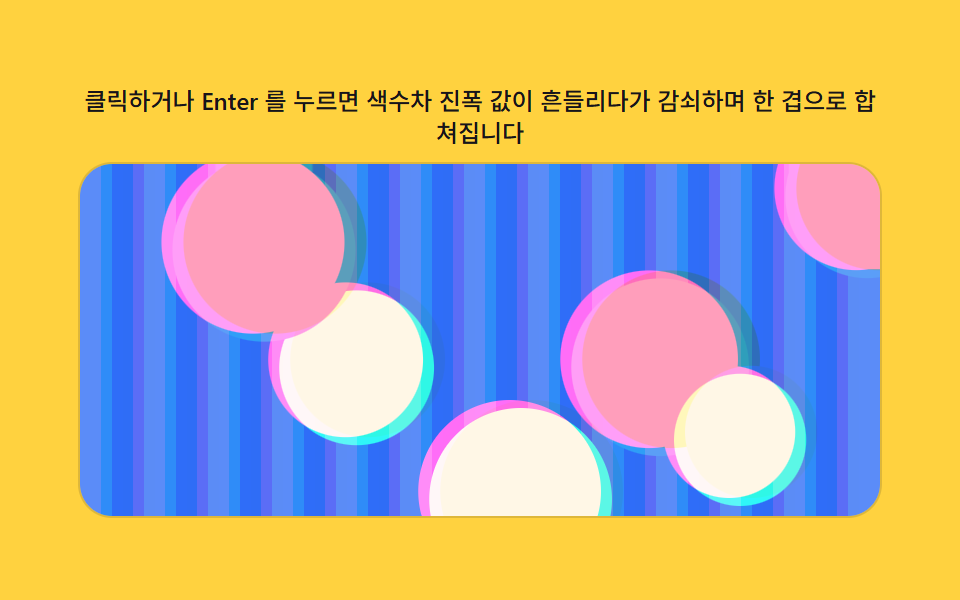 06 glitch-transition-chromatic-drift
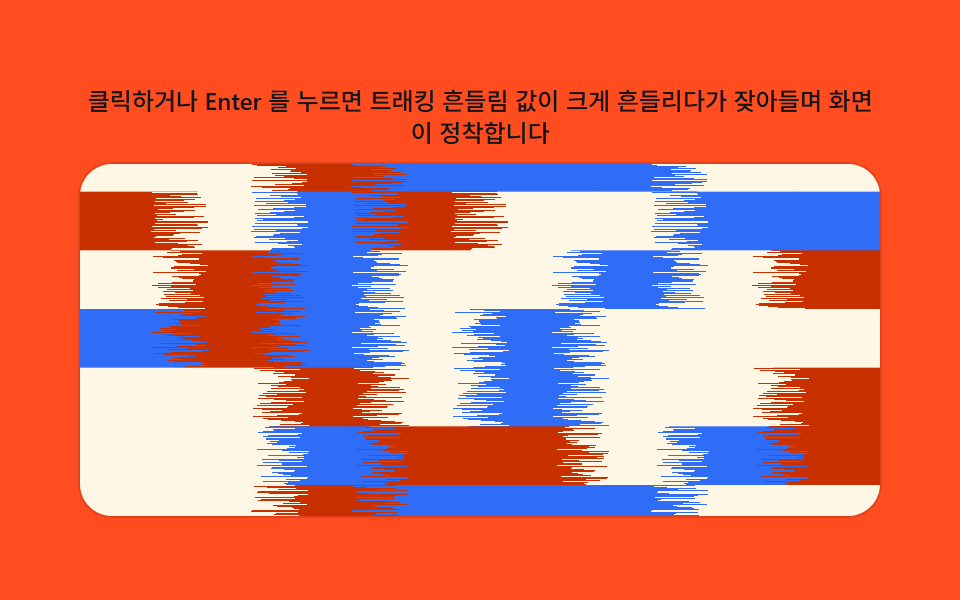 07 glitch-transition-tape-tracking-wobble
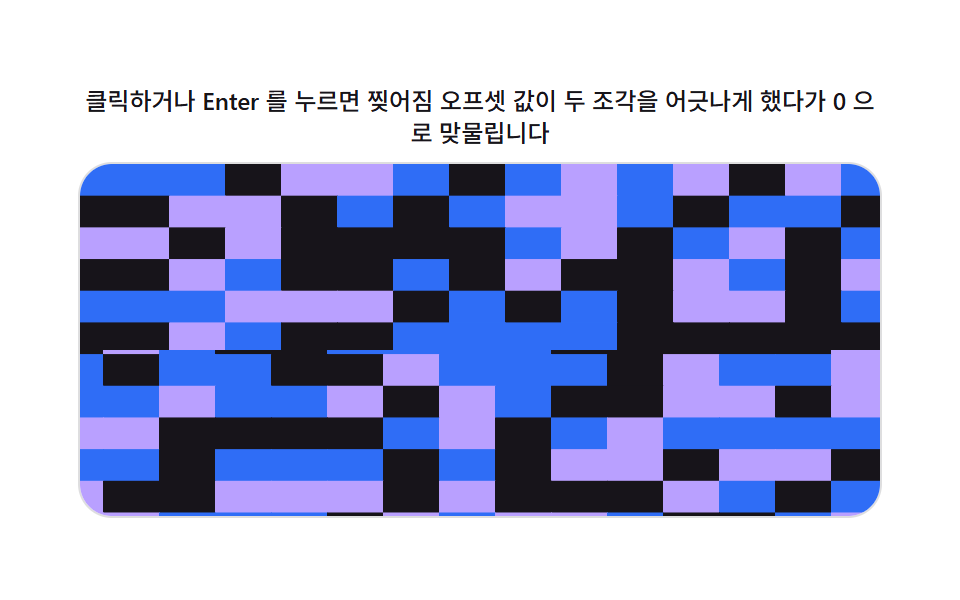 08 glitch-transition-digital-tear
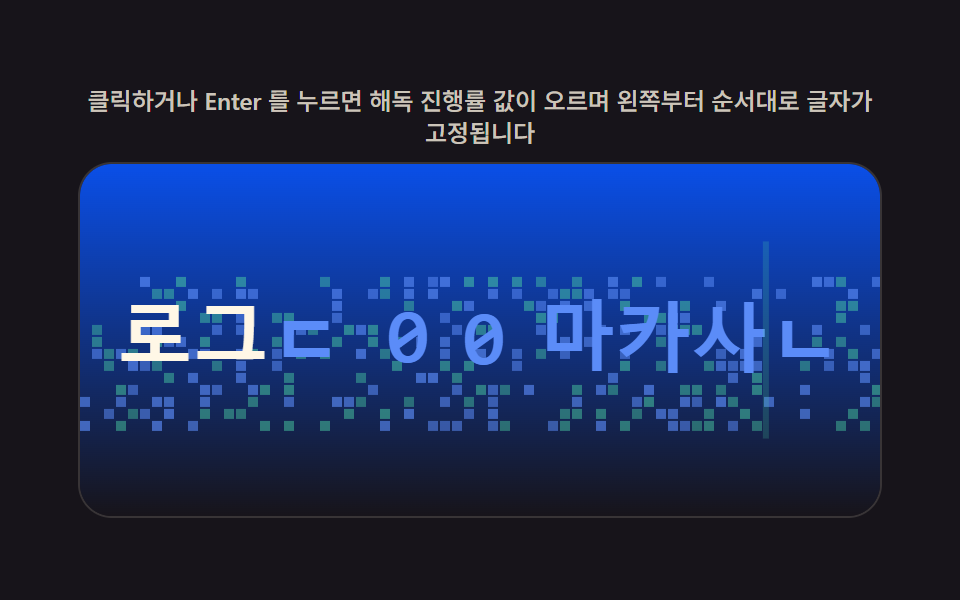 09 glitch-transition-text-decode-scramble
자동 재생 · 눌러서 해당 항목으로 · 전부 한 zip
- 01 채널 어긋남 값으로 갈라졌다 합쳐지는 이미지 전환
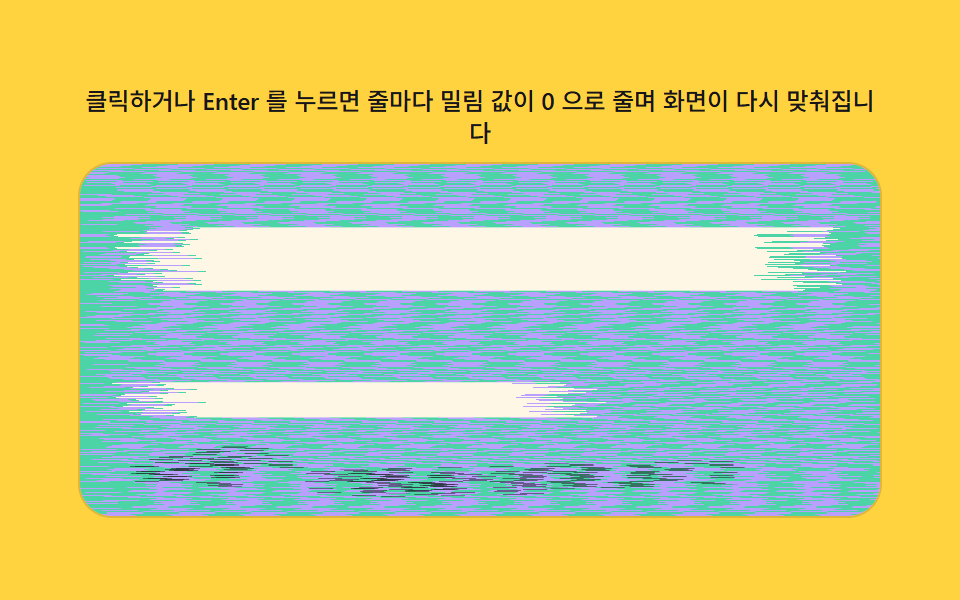
- 02 가로줄 밀림 값이 자리를 되찾는 화면 전환
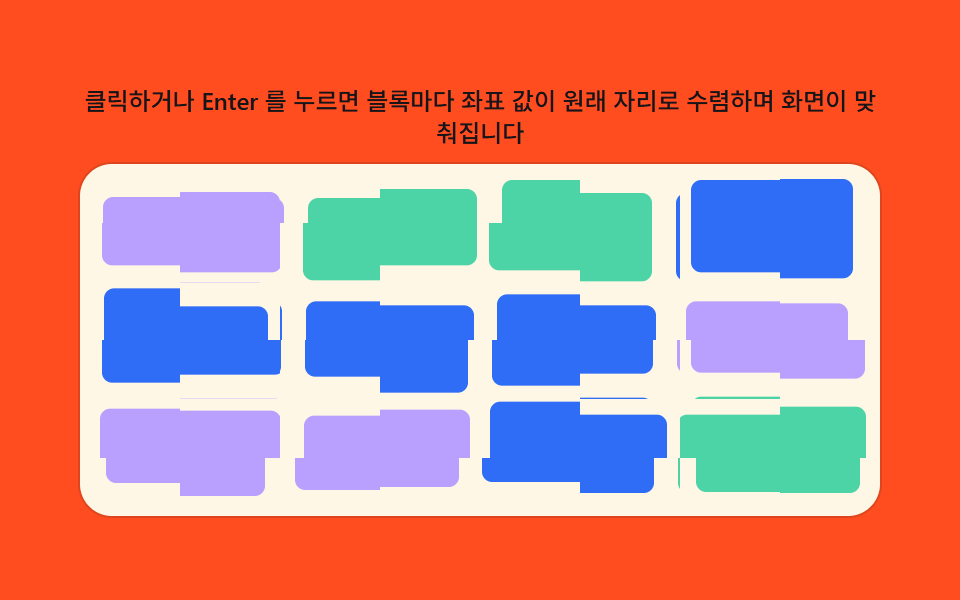
- 03 블록 좌표 값이 흩어졌다 맞춰지는 화면 전환
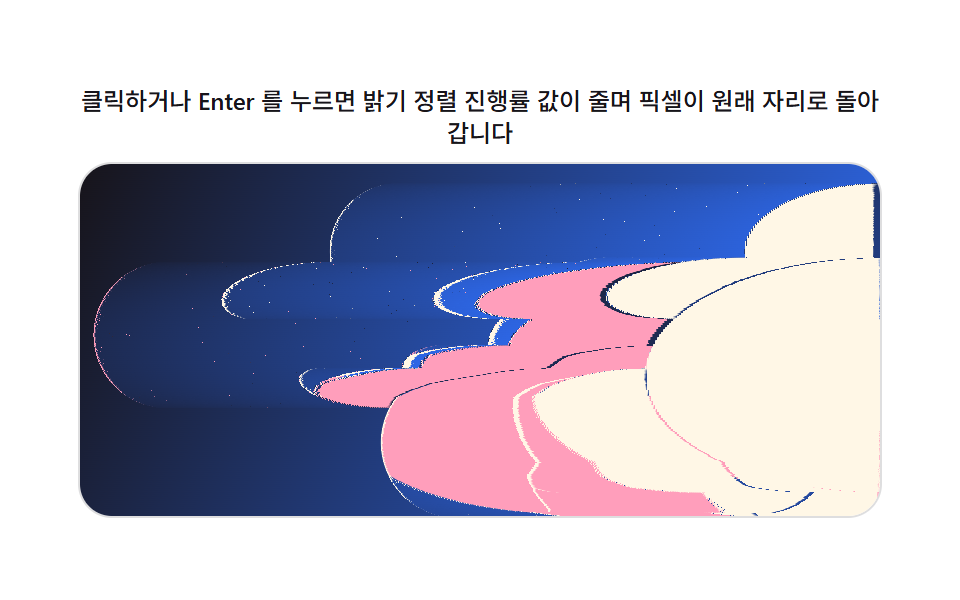
- 04 밝기 정렬 진행률 값이 되돌리는 이미지 전환
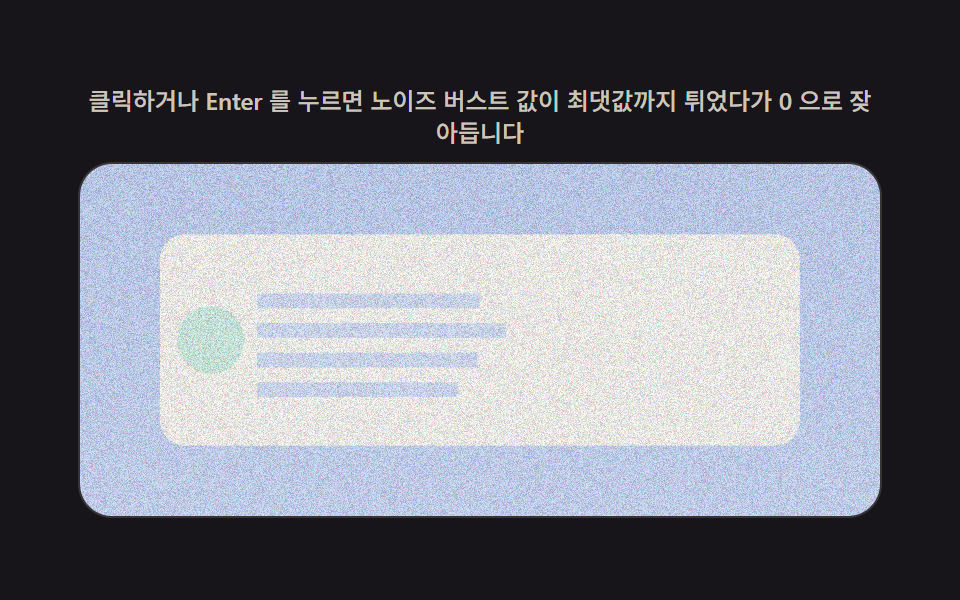
- 05 노이즈 강도 값이 잦아드는 콘텐츠 전환
- 06 색수차 진폭 값이 감쇠하는 화면 전환
- 07 트래킹 흔들림 값이 안정을 찾는 화면 전환
- 08 찢어짐 오프셋 값이 맞물리는 화면 전환
- 09 해독 진행률 값이 실제 글자로 바꾸는 텍스트 전환
코드는 아홉 조각, 계산 한 겹은 값 하나로 요약됩니다
아홉 개를 갈라보면 픽셀을 옮기는 계산은 제각각이지만 진행률을 받는 값 하나(RENDER(p) 의 p)로 전환 전체를 통제한다는 틀은 같습니다. 01·02·03·04·06·07·08 은 getImageData 로 읽은 원본 배열에서 다른 좌표를 골라 출력 버퍼에 옮겨 쓰고, 05 는 좌표 해시로 만든 노이즈 색과 원본 색을 섞으며, 09 는 애초에 픽셀 배열을 읽지 않고 fillText 로 글자만 직접 그립니다.
01채널 어긋남 값으로 갈라졌다 합쳐지는 이미지 전환
getImageData 로 원본 픽셀을 한 번 읽어 두고, 행마다 흔들림 계수(rowJitter)를 고정 시드 LCG 로 미리 계산해 둡니다. RENDER 는 R 은 왼쪽, B 는 오른쪽으로 각각 오프셋만큼 다른 소스 픽셀을 읽어 합성하고, progress 값이 0 에 가까워질수록 오프셋이 줄어 다시 한 장의 또렷한 이미지로 겹칩니다.
  function PRECOMPUTE() {
    var iw = cv.width, ih = cv.height;
    data = bctx.getImageData(0, 0, iw, ih).data;
    outImg = ctx.createImageData(iw, ih);
    var rng = makeLcg(SEED + 7);
    rowJitter = new Float32Array(ih);
    for (var y = 0; y < ih; y++) rowJitter[y] = 1 + (rng() * 2 - 1) * ROW_JITTER;
  }
<main class="stage">
<div class="rv is-demo" id="rv">
  <p class="rv__hint"><span>클릭하거나 Enter 를 누르면 채널 어긋남 값이 커졌다가 0 으로 줄며 이미지가 다시 맞춰집니다</span></p>
  <div class="rv__panel" id="panel" tabindex="0" role="button" aria-label="채널 어긋남 값으로 갈라졌다 합쳐지는 이미지 전환 다시 재생">
    <canvas class="rv__cv" id="cv" aria-hidden="true"></canvas>
  </div>
</div>
</main>
@use "../../../../site/static/demo-tokens" as *;
// 계산 겹(채널 어긋남 렌더)은 index.html 의 PRECOMPUTE()/RENDER() 에 있다. 여기는 무대·레이아웃만.
$duration: $dur-loop;
$easing: $ease-out;
$color: $subject-sky;
@include stage($stage-ink);
.rv {
--scene-bg1: #{$subject-blue};
--scene-bg2: #{$subject-sky};
--scene-card: #{$subject-cream};
--scene-dot1: #{$subject-pink};
--scene-dot2: #{$subject-mint};
--accent: #{$color};
display: flex;
flex-direction: column;
align-items: center;
gap: $sp-2;
width: min(400px, 92vw);
}
.rv__hint {
margin: 0;
color: rgba($subject-cream, .78);
font-size: 12px;
font-weight: 500;
line-height: 1.35;
text-align: center;
}
.rv__panel {
position: relative;
width: 100%;
height: 176px;
border-radius: $r-card;
overflow: hidden;
cursor: pointer;
box-shadow: 0 0 0 1px rgba($subject-cream, .14);
transition: box-shadow $duration $easing;
}
.rv__panel:hover {
box-shadow: 0 0 0 1px $color;
}
.rv__panel:focus-visible {
outline: 2px solid $color;
outline-offset: 2px;
}
.rv__cv {
display: block;
width: 100%;
height: 100%;
}
@media (max-width: 340px) {
.rv__hint { font-size: 11px; }
.rv__panel, .rv__cv { height: 120px; }
}
@media (prefers-reduced-motion: reduce) {
.rv__panel { transition: none; }
}html, body {
margin: 0;
overflow: hidden;
}
.stage {
box-sizing: border-box;
min-height: 100vh;
display: grid;
place-items: center;
margin: 0;
background: #17141a;
font-family: -apple-system, "Segoe UI", "Noto Sans KR", sans-serif;
padding: clamp(8px, 4vw, 24px);
}
.rv {
--scene-bg1: #2f6df6;
--scene-bg2: #6ec8ff;
--scene-card: #fff7e6;
--scene-dot1: #ff9ebb;
--scene-dot2: #4cd4a6;
--accent: #6ec8ff;
display: flex;
flex-direction: column;
align-items: center;
gap: 8px;
width: min(400px, 92vw);
}
.rv__hint {
margin: 0;
color: rgba(255, 247, 230, 0.78);
font-size: 12px;
font-weight: 500;
line-height: 1.35;
text-align: center;
}
.rv__panel {
position: relative;
width: 100%;
height: 176px;
border-radius: 16px;
overflow: hidden;
cursor: pointer;
box-shadow: 0 0 0 1px rgba(255, 247, 230, 0.14);
transition: box-shadow 2s ease-out;
}
.rv__panel:hover {
box-shadow: 0 0 0 1px #6ec8ff;
}
.rv__panel:focus-visible {
outline: 2px solid #6ec8ff;
outline-offset: 2px;
}
.rv__cv {
display: block;
width: 100%;
height: 100%;
}
@media (max-width: 340px) {
.rv__hint {
font-size: 11px;
}
.rv__panel, .rv__cv {
height: 120px;
}
}
@media (prefers-reduced-motion: reduce) {
.rv__panel {
transition: none;
}
}(function () {
var root = document.getElementById('rv');
var panel = document.getElementById('panel');
var cv = document.getElementById('cv');
var ctx = cv.getContext('2d');
var reduce = window.matchMedia('(prefers-reduced-motion: reduce)').matches;
var isDemo = true;
// 결정론 난수 — Math.random 을 쓰지 않는다. LCG(선형합동생성기) 하나로 장면을 만든다.
function makeLcg(seed) {
var s = seed >>> 0;
return function () { s = (s * 1664525 + 1013904223) >>> 0; return s / 4294967296; };
}
var css = getComputedStyle(root);
function tok(name, fb) { var v = css.getPropertyValue(name); return v ? (v.trim() || fb) : fb; }
var BG1 = tok('--scene-bg1', '#2f6df6');
var BG2 = tok('--scene-bg2', '#6ec8ff');
var CARD = tok('--scene-card', '#fff7e6');
var DOT1 = tok('--scene-dot1', '#ff9ebb');
var DOT2 = tok('--scene-dot2', '#4cd4a6');
var W = 0, H = 0, dpr = 1;
var buf = document.createElement('canvas');
var bctx = buf.getContext('2d');
// 장면(제품 상세 이미지 자리) — 전부 캔버스로 직접 그린다. 외부 사진·파일 0.
function paintScene(bc, w, h, seed) {
var rng = makeLcg(seed);
var g = bc.createLinearGradient(0, 0, w, h);
g.addColorStop(0, BG1); g.addColorStop(1, BG2);
bc.fillStyle = g;
bc.fillRect(0, 0, w, h);
var cw = w * 0.62, ch = h * 0.62, cx = (w - cw) / 2, cy = (h - ch) / 2;
bc.fillStyle = CARD;
bc.beginPath();
if (bc.roundRect) bc.roundRect(cx, cy, cw, ch, Math.min(cw, ch) * 0.08);
else bc.rect(cx, cy, cw, ch);
bc.fill();
for (var i = 0; i < 5; i++) {
bc.fillStyle = i % 2 ? DOT1 : DOT2;
var r = Math.min(cw, ch) * (0.06 + rng() * 0.07);
bc.beginPath();
bc.arc(cx + r + rng() * (cw - r * 2), cy + r + rng() * (ch - r * 2), r, 0, Math.PI * 2);
bc.fill();
}
}
var SEED = 301;
var PLAY_MS = 700;
var RGB_OFFSET_MAX = 24; // 채널 어긋남 최대치(px) — 변형: 24 -> 60(로드 순간 더 크게 벌어졌다 돌아온다)
var ROW_JITTER = 0.55; // 행마다 어긋남 배율을 흔드는 진폭(0~1) — 채널 분리가 장면 전체에 걸치게
var BRIGHT_PULSE = 0.22; // 전환 중 배경 밝기 펄스 진폭
var GHOST_MIX = 0.28; // 분리된 채널의 고스트 겹침 비율(알파 겹침 강화)
var data, outImg, rowJitter;
function PRECOMPUTE() {
var iw = cv.width, ih = cv.height;
data = bctx.getImageData(0, 0, iw, ih).data;
outImg = ctx.createImageData(iw, ih);
var rng = makeLcg(SEED + 7);
rowJitter = new Float32Array(ih);
for (var y = 0; y < ih; y++) rowJitter[y] = 1 + (rng() * 2 - 1) * ROW_JITTER;
}
function clampI(v, lo, hi) { return v < lo ? lo : (v > hi ? hi : v); }
function RENDER(p) {
var iw = cv.width, ih = cv.height;
var offset = Math.round(RGB_OFFSET_MAX * dpr * p);
var voffset = Math.round(offset / 2);
var o = outImg.data;
if (offset === 0) {
for (var i = 0; i < data.length; i++) o[i] = data[i];
ctx.putImageData(outImg, 0, 0);
return;
}
var pulse = 1 + BRIGHT_PULSE * Math.sin(Math.PI * p);
for (var y = 0; y < ih; y++) {
var rowOffset = Math.round(offset * rowJitter[y]);
var gy = clampI(y - voffset, 0, ih - 1);
for (var x = 0; x < iw; x++) {
var rx = clampI(x - rowOffset, 0, iw - 1);
var bx = clampI(x + rowOffset, 0, iw - 1);
var rx2 = clampI(x - Math.round(rowOffset * 1.6), 0, iw - 1);
var bx2 = clampI(x + Math.round(rowOffset * 1.6), 0, iw - 1);
var k = (y * iw + x) * 4;
var kr = (y * iw + rx) * 4;
var kr2 = (y * iw + rx2) * 4;
var kg = (gy * iw + x) * 4;
var kb = (y * iw + bx) * 4;
var kb2 = (y * iw + bx2) * 4;
o[k] = clampI(Math.round((data[kr] * (1 - GHOST_MIX) + data[kr2] * GHOST_MIX) * pulse), 0, 255);
o[k + 1] = clampI(Math.round(data[kg + 1] * pulse), 0, 255);
o[k + 2] = clampI(Math.round((data[kb + 2] * (1 - GHOST_MIX) + data[kb2 + 2] * GHOST_MIX) * pulse), 0, 255);
o[k + 3] = 255;
}
}
ctx.putImageData(outImg, 0, 0);
}
function fit() {
var r = panel.getBoundingClientRect();
dpr = window.devicePixelRatio || 1;
W = r.width; H = r.height;
cv.width = Math.round(W * dpr); cv.height = Math.round(H * dpr);
ctx.setTransform(1, 0, 0, 1, 0, 0);
buf.width = cv.width; buf.height = cv.height;
bctx.setTransform(1, 0, 0, 1, 0, 0);
paintScene(bctx, buf.width, buf.height, SEED);
PRECOMPUTE();
}
function human() { if (isDemo) { root.classList.remove('is-demo'); isDemo = false; } }
var progress = 0, target = 0, playT0 = 0, playFrom = 0, playing = false;
function easeInOut(t) { return t < 0.5 ? 2 * t * t : 1 - Math.pow(-2 * t + 2, 2) / 2; }
function play() {
// 실사용 경로 — 클릭·Enter·Space 로 채널 어긋남 값을 다시 흔든다.
human();
playFrom = progress; target = progress < 0.5 ? 1 : 0;
playT0 = 0; playing = true;
}
function stepPlay(now) {
if (!playing) return;
if (!playT0) playT0 = now;
var t = Math.min(1, (now - playT0) / PLAY_MS);
progress = playFrom + (target - playFrom) * easeInOut(t);
if (t >= 1) { playing = false; progress = target; }
}
var DRIVE_PERIOD_MS = 2000; // 렌더 캐처 창(설정 초=2.0)과 같은 주기 — 시연 전용
var driveStart = 0;
function triangle(frac) { return frac < 0.5 ? frac * 2 : 2 - frac * 2; }
function driveTick(now) {
if (!driveStart) driveStart = now;
if (isDemo) {
var frac = ((now - driveStart) % DRIVE_PERIOD_MS) / DRIVE_PERIOD_MS;
progress = triangle(frac);
}
requestAnimationFrame(driveTick);
}
function frame(now) {
stepPlay(now);
RENDER(progress);
requestAnimationFrame(frame);
}
window.addEventListener('resize', fit);
fit();
if (reduce) {
root.classList.add('is-still');
progress = 0; RENDER(progress);
panel.addEventListener('click', function () { human(); progress = progress < 0.5 ? 1 : 0; RENDER(progress); });
panel.addEventListener('keydown', function (e) {
if (e.key === 'Enter' || e.key === ' ') { e.preventDefault(); human(); progress = progress < 0.5 ? 1 : 0; RENDER(progress); }
});
} else {
panel.addEventListener('click', play);
panel.addEventListener('keydown', function (e) {
if (e.key === 'Enter' || e.key === ' ') { e.preventDefault(); play(); }
});
requestAnimationFrame(frame);
requestAnimationFrame(driveTick);
}
})();import { useEffect, useRef } from "react";
import styles from "./RgbSplit.module.scss";
export default function RgbSplit() {
const rootRef = useRef<HTMLDivElement | null>(null);
const panelRef = useRef<HTMLDivElement | null>(null);
const cvRef = useRef<HTMLCanvasElement | null>(null);
useEffect(() => {
const root = rootRef.current;
const panel = panelRef.current;
const cv = cvRef.current;
if (!root || !panel || !cv) return;
const ctx = cv.getContext("2d");
if (!ctx) return;
const reduce = window.matchMedia("(prefers-reduced-motion: reduce)").matches;
let isDemo = true;
// 결정론 난수 — Math.random 을 쓰지 않는다. LCG(선형합동생성기) 하나로 장면을 만든다.
function makeLcg(seed: number) {
let s = seed >>> 0;
return function () {
s = (s * 1664525 + 1013904223) >>> 0;
return s / 4294967296;
};
}
const css = getComputedStyle(root);
function tok(name: string, fb: string) {
const v = css.getPropertyValue(name);
return v ? v.trim() || fb : fb;
}
const BG1 = tok("--scene-bg1", "#2f6df6");
const BG2 = tok("--scene-bg2", "#6ec8ff");
const CARD = tok("--scene-card", "#fff7e6");
const DOT1 = tok("--scene-dot1", "#ff9ebb");
const DOT2 = tok("--scene-dot2", "#4cd4a6");
let W = 0;
let H = 0;
let dpr = 1;
const buf = document.createElement("canvas");
const bctx = buf.getContext("2d");
if (!bctx) return;
// 장면(제품 상세 이미지 자리) — 전부 캔버스로 직접 그린다. 외부 사진·파일 0.
function paintScene(bc: CanvasRenderingContext2D, w: number, h: number, seed: number) {
const rng = makeLcg(seed);
const g = bc.createLinearGradient(0, 0, w, h);
g.addColorStop(0, BG1);
g.addColorStop(1, BG2);
bc.fillStyle = g;
bc.fillRect(0, 0, w, h);
const cw = w * 0.62;
const ch = h * 0.62;
const cx = (w - cw) / 2;
const cy = (h - ch) / 2;
bc.fillStyle = CARD;
bc.beginPath();
const rr = (bc as CanvasRenderingContext2D & { roundRect?: (x: number, y: number, w: number, h: number, r: number) => void }).roundRect;
if (rr) rr.call(bc, cx, cy, cw, ch, Math.min(cw, ch) * 0.08);
else bc.rect(cx, cy, cw, ch);
bc.fill();
for (let i = 0; i < 5; i++) {
bc.fillStyle = i % 2 ? DOT1 : DOT2;
const r = Math.min(cw, ch) * (0.06 + rng() * 0.07);
bc.beginPath();
bc.arc(cx + r + rng() * (cw - r * 2), cy + r + rng() * (ch - r * 2), r, 0, Math.PI * 2);
bc.fill();
}
}
const SEED = 301;
const PLAY_MS = 700;
const RGB_OFFSET_MAX = 24; // 채널 어긋남 최대치(px) — 변형: 24 -> 60(로드 순간 더 크게 벌어졌다 돌아온다)
const ROW_JITTER = 0.55; // 행마다 어긋남 배율을 흔드는 진폭(0~1) — 채널 분리가 장면 전체에 걸치게
const BRIGHT_PULSE = 0.22; // 전환 중 배경 밝기 펄스 진폭
const GHOST_MIX = 0.28; // 분리된 채널의 고스트 겹침 비율(알파 겹침 강화)
let data: Uint8ClampedArray | null = null;
let outImg: ImageData | null = null;
let rowJitter: Float32Array | null = null;
function PRECOMPUTE() {
const iw = cv!.width;
const ih = cv!.height;
data = bctx!.getImageData(0, 0, iw, ih).data;
outImg = ctx!.createImageData(iw, ih);
const rng = makeLcg(SEED + 7);
const rj = new Float32Array(ih);
for (let y = 0; y < ih; y++) rj[y] = 1 + (rng() * 2 - 1) * ROW_JITTER;
rowJitter = rj;
}
function clampI(v: number, lo: number, hi: number) {
return v < lo ? lo : v > hi ? hi : v;
}
function RENDER(p: number) {
const iw = cv!.width;
const ih = cv!.height;
const offset = Math.round(RGB_OFFSET_MAX * dpr * p);
const voffset = Math.round(offset / 2);
const o = outImg!.data;
const d = data!;
const rj = rowJitter!;
if (offset === 0) {
for (let i = 0; i < d.length; i++) o[i] = d[i];
ctx!.putImageData(outImg!, 0, 0);
return;
}
const pulse = 1 + BRIGHT_PULSE * Math.sin(Math.PI * p);
for (let y = 0; y < ih; y++) {
const rowOffset = Math.round(offset * rj[y]);
const gy = clampI(y - voffset, 0, ih - 1);
for (let x = 0; x < iw; x++) {
const rx = clampI(x - rowOffset, 0, iw - 1);
const bx = clampI(x + rowOffset, 0, iw - 1);
const rx2 = clampI(x - Math.round(rowOffset * 1.6), 0, iw - 1);
const bx2 = clampI(x + Math.round(rowOffset * 1.6), 0, iw - 1);
const k = (y * iw + x) * 4;
const kr = (y * iw + rx) * 4;
const kr2 = (y * iw + rx2) * 4;
const kg = (gy * iw + x) * 4;
const kb = (y * iw + bx) * 4;
const kb2 = (y * iw + bx2) * 4;
o[k] = clampI(Math.round((d[kr] * (1 - GHOST_MIX) + d[kr2] * GHOST_MIX) * pulse), 0, 255);
o[k + 1] = clampI(Math.round(d[kg + 1] * pulse), 0, 255);
o[k + 2] = clampI(Math.round((d[kb + 2] * (1 - GHOST_MIX) + d[kb2 + 2] * GHOST_MIX) * pulse), 0, 255);
o[k + 3] = 255;
}
}
ctx!.putImageData(outImg!, 0, 0);
}
function fit() {
const r = panel!.getBoundingClientRect();
dpr = window.devicePixelRatio || 1;
W = r.width;
H = r.height;
cv!.width = Math.round(W * dpr);
cv!.height = Math.round(H * dpr);
ctx!.setTransform(1, 0, 0, 1, 0, 0);
buf.width = cv!.width;
buf.height = cv!.height;
bctx!.setTransform(1, 0, 0, 1, 0, 0);
paintScene(bctx!, buf.width, buf.height, SEED);
PRECOMPUTE();
}
function human() {
if (isDemo) {
root!.classList.remove("is-demo");
isDemo = false;
}
}
let progress = 0;
let target = 0;
let playT0 = 0;
let playFrom = 0;
let playing = false;
function easeInOut(t: number) {
return t < 0.5 ? 2 * t * t : 1 - Math.pow(-2 * t + 2, 2) / 2;
}
function play() {
// 실사용 경로 — 클릭·Enter·Space 로 채널 어긋남 값을 다시 흔든다.
human();
playFrom = progress;
target = progress < 0.5 ? 1 : 0;
playT0 = 0;
playing = true;
}
function stepPlay(now: number) {
if (!playing) return;
if (!playT0) playT0 = now;
const t = Math.min(1, (now - playT0) / PLAY_MS);
progress = playFrom + (target - playFrom) * easeInOut(t);
if (t >= 1) {
playing = false;
progress = target;
}
}
const DRIVE_PERIOD_MS = 2000; // 렌더 캐처 창(설정 초=2.0)과 같은 주기 — 시연 전용
let driveStart = 0;
let rafFrame = 0;
let rafDrive = 0;
function triangle(frac: number) {
return frac < 0.5 ? frac * 2 : 2 - frac * 2;
}
function driveTick(now: number) {
if (!driveStart) driveStart = now;
if (isDemo) {
const frac = ((now - driveStart) % DRIVE_PERIOD_MS) / DRIVE_PERIOD_MS;
progress = triangle(frac);
}
rafDrive = requestAnimationFrame(driveTick);
}
function frame(now: number) {
stepPlay(now);
RENDER(progress);
rafFrame = requestAnimationFrame(frame);
}
function onClick() {
play();
}
function onKeyDown(e: Event) {
const ke = e as KeyboardEvent;
if (ke.key === "Enter" || ke.key === " ") {
ke.preventDefault();
play();
}
}
function onClickReduce() {
human();
progress = progress < 0.5 ? 1 : 0;
RENDER(progress);
}
function onKeyDownReduce(e: Event) {
const ke = e as KeyboardEvent;
if (ke.key === "Enter" || ke.key === " ") {
ke.preventDefault();
human();
progress = progress < 0.5 ? 1 : 0;
RENDER(progress);
}
}
window.addEventListener("resize", fit);
fit();
if (reduce) {
root.classList.add("is-still");
progress = 0;
RENDER(progress);
panel.addEventListener("click", onClickReduce);
panel.addEventListener("keydown", onKeyDownReduce);
} else {
panel.addEventListener("click", onClick);
panel.addEventListener("keydown", onKeyDown);
rafFrame = requestAnimationFrame(frame);
rafDrive = requestAnimationFrame(driveTick);
}
return () => {
window.removeEventListener("resize", fit);
cancelAnimationFrame(rafFrame);
cancelAnimationFrame(rafDrive);
if (reduce) {
panel.removeEventListener("click", onClickReduce);
panel.removeEventListener("keydown", onKeyDownReduce);
} else {
panel.removeEventListener("click", onClick);
panel.removeEventListener("keydown", onKeyDown);
}
};
}, []);
return (
<main className={styles.stage}>
<div className={`${styles.root} is-demo`} ref={rootRef}>
<p className={styles.hint}>
<span>클릭하거나 Enter 를 누르면 채널 어긋남 값이 커졌다가 0 으로 줄며 이미지가 다시 맞춰집니다</span>
</p>
<div
className={styles.panel}
ref={panelRef}
tabIndex={0}
role="button"
aria-label="채널 어긋남 값으로 갈라졌다 합쳐지는 이미지 전환 다시 재생"
>
<canvas className={styles.cv} ref={cvRef} aria-hidden="true" />
</div>
</div>
</main>
);
}01 · 채널 어긋남 값으로 갈라졌다 합쳐지는 이미지 전환 — 측정 누적면적 48.733% · 움직인 프레임 23/23GODRICH 원작 · zip 에 SCSS·React 포함 · 비밀번호 보기
02가로줄 밀림 값이 자리를 되찾는 화면 전환
행마다 미리 계산해 둔 rowOffsets 값을 progress 로 스케일해, 가로줄 단위로 서로 다른 폭만큼 밀어 읽어옵니다. progress 가 줄면 밀림 폭도 함께 줄어 줄마다 제자리를 찾고, 다음 화면이 이어붙습니다.
  function RENDER(p) {
    var o = outImg.data;
    for (var y = 0; y < ih; y++) {
      var shift = Math.round(rowOffsets[y] * p);
      var rowBase = y * iw;
      for (var x = 0; x < iw; x++) {
        var sx = clampI(x - shift, 0, iw - 1);
        var k = (rowBase + x) * 4;
        var sk = (rowBase + sx) * 4;
        o[k] = data[sk]; o[k + 1] = data[sk + 1]; o[k + 2] = data[sk + 2]; o[k + 3] = 255;
      }
    }
    ctx.putImageData(outImg, 0, 0);
  }
<main class="stage">
<div class="rv is-demo" id="rv">
  <p class="rv__hint"><span>클릭하거나 Enter 를 누르면 줄마다 밀림 값이 0 으로 줄며 화면이 다시 맞춰집니다</span></p>
  <div class="rv__panel" id="panel" tabindex="0" role="button" aria-label="가로줄 밀림 값이 자리를 되찾는 화면 전환 다시 재생">
    <canvas class="rv__cv" id="cv" aria-hidden="true"></canvas>
  </div>
</div>
</main>
@use "../../../../site/static/demo-tokens" as *;
// 계산 겹(줄 밀림 렌더)은 index.html 의 PRECOMPUTE()/RENDER() 에 있다. 여기는 무대·레이아웃만.
$duration: $dur-loop;
$easing: $ease-out;
$color: $subject-blue-deep;
@include stage($stage-yellow);
.rv {
--scene-bg1: #{$subject-lilac};
--scene-bg2: #{$subject-mint};
--scene-bar: #{$subject-cream};
--scene-dot: #{$subject-ink};
--accent: #{$color};
display: flex;
flex-direction: column;
align-items: center;
gap: $sp-2;
width: min(400px, 92vw);
}
.rv__hint {
margin: 0;
color: $subject-ink;
font-size: 12px;
font-weight: 500;
line-height: 1.35;
text-align: center;
}
.rv__panel {
position: relative;
width: 100%;
height: 176px;
border-radius: $r-card;
overflow: hidden;
cursor: pointer;
box-shadow: 0 0 0 1px rgba($subject-ink, .14);
transition: box-shadow $duration $easing;
}
.rv__panel:hover {
box-shadow: 0 0 0 1px $color;
}
.rv__panel:focus-visible {
outline: 2px solid $color;
outline-offset: 2px;
}
.rv__cv {
display: block;
width: 100%;
height: 100%;
}
@media (max-width: 340px) {
.rv__hint { font-size: 11px; }
.rv__panel, .rv__cv { height: 120px; }
}
@media (prefers-reduced-motion: reduce) {
.rv__panel { transition: none; }
}html, body {
margin: 0;
overflow: hidden;
}
.stage {
box-sizing: border-box;
min-height: 100vh;
display: grid;
place-items: center;
margin: 0;
background: #ffd23f;
font-family: -apple-system, "Segoe UI", "Noto Sans KR", sans-serif;
padding: clamp(8px, 4vw, 24px);
}
.rv {
--scene-bg1: #b9a0ff;
--scene-bg2: #4cd4a6;
--scene-bar: #fff7e6;
--scene-dot: #17141a;
--accent: #0a4fe8;
display: flex;
flex-direction: column;
align-items: center;
gap: 8px;
width: min(400px, 92vw);
}
.rv__hint {
margin: 0;
color: #17141a;
font-size: 12px;
font-weight: 500;
line-height: 1.35;
text-align: center;
}
.rv__panel {
position: relative;
width: 100%;
height: 176px;
border-radius: 16px;
overflow: hidden;
cursor: pointer;
box-shadow: 0 0 0 1px rgba(23, 20, 26, 0.14);
transition: box-shadow 2s ease-out;
}
.rv__panel:hover {
box-shadow: 0 0 0 1px #0a4fe8;
}
.rv__panel:focus-visible {
outline: 2px solid #0a4fe8;
outline-offset: 2px;
}
.rv__cv {
display: block;
width: 100%;
height: 100%;
}
@media (max-width: 340px) {
.rv__hint {
font-size: 11px;
}
.rv__panel, .rv__cv {
height: 120px;
}
}
@media (prefers-reduced-motion: reduce) {
.rv__panel {
transition: none;
}
}(function () {
var root = document.getElementById('rv');
var panel = document.getElementById('panel');
var cv = document.getElementById('cv');
var ctx = cv.getContext('2d');
var reduce = window.matchMedia('(prefers-reduced-motion: reduce)').matches;
var isDemo = true;
// 결정론 난수 — Math.random 을 쓰지 않는다. LCG(선형합동생성기) 하나로 장면·줄 밀림 값을 만든다.
function makeLcg(seed) {
var s = seed >>> 0;
return function () { s = (s * 1664525 + 1013904223) >>> 0; return s / 4294967296; };
}
var css = getComputedStyle(root);
function tok(name, fb) { var v = css.getPropertyValue(name); return v ? (v.trim() || fb) : fb; }
var BG1 = tok('--scene-bg1', '#b9a0ff');
var BG2 = tok('--scene-bg2', '#4cd4a6');
var BAR = tok('--scene-bar', '#fff7e6');
var DOT = tok('--scene-dot', '#17141a');
var W = 0, H = 0, dpr = 1;
var buf = document.createElement('canvas');
var bctx = buf.getContext('2d');
// 장면(섹션 슬라이드 배경 자리) — 전부 캔버스로 직접 그린다. 외부 사진·파일 0.
// 세로 줄무늬 바탕 — 가로줄이 옆으로 밀리면 줄무늬 경계가 어긋나 보이도록 가로 방향 결을 준다.
function paintScene(bc, w, h, seed) {
var rng = makeLcg(seed);
var stripeW = Math.max(6, w * 0.045);
for (var x = 0; x < w; x += stripeW) {
bc.fillStyle = Math.floor(x / stripeW) % 2 ? BG1 : BG2;
bc.fillRect(x, 0, stripeW + 1, h);
}
bc.fillStyle = BAR;
bc.fillRect(w * 0.1, h * 0.18, w * 0.8, h * 0.18);
bc.fillRect(w * 0.1, h * 0.62, w * 0.5, h * 0.1);
for (var i = 0; i < 10; i++) {
bc.fillStyle = DOT;
bc.globalAlpha = 0.5;
bc.fillRect(rng() * w, h * 0.8 + rng() * h * 0.12, w * 0.03, w * 0.03);
}
bc.globalAlpha = 1;
}
var SEED = 401;
var PLAY_MS = 620;
var ROW_OFFSET_MAX = 34; // 줄 밀림 최댓값(px) — 변형: 34 -> 60(첫 프레임 어긋남이 더 크게 튄다)
var data, outImg, iw, ih, rowOffsets;
function PRECOMPUTE() {
iw = cv.width; ih = cv.height;
data = bctx.getImageData(0, 0, iw, ih).data;
outImg = ctx.createImageData(iw, ih);
var rng = makeLcg(SEED + 7);
rowOffsets = new Float32Array(ih);
for (var y = 0; y < ih; y++) rowOffsets[y] = (rng() * 2 - 1) * ROW_OFFSET_MAX * dpr;
}
function clampI(v, lo, hi) { return v < lo ? lo : (v > hi ? hi : v); }
function RENDER(p) {
var o = outImg.data;
for (var y = 0; y < ih; y++) {
var shift = Math.round(rowOffsets[y] * p);
var rowBase = y * iw;
for (var x = 0; x < iw; x++) {
var sx = clampI(x - shift, 0, iw - 1);
var k = (rowBase + x) * 4;
var sk = (rowBase + sx) * 4;
o[k] = data[sk]; o[k + 1] = data[sk + 1]; o[k + 2] = data[sk + 2]; o[k + 3] = 255;
}
}
ctx.putImageData(outImg, 0, 0);
}
function fit() {
var r = panel.getBoundingClientRect();
dpr = window.devicePixelRatio || 1;
W = r.width; H = r.height;
cv.width = Math.round(W * dpr); cv.height = Math.round(H * dpr);
buf.width = cv.width; buf.height = cv.height;
paintScene(bctx, buf.width, buf.height, SEED);
PRECOMPUTE();
}
function human() { if (isDemo) { root.classList.remove('is-demo'); isDemo = false; } }
var progress = 0, target = 0, playT0 = 0, playFrom = 0, playing = false;
function easeInOut(t) { return t < 0.5 ? 2 * t * t : 1 - Math.pow(-2 * t + 2, 2) / 2; }
function play() {
human();
playFrom = progress; target = progress < 0.5 ? 1 : 0;
playT0 = 0; playing = true;
}
function stepPlay(now) {
if (!playing) return;
if (!playT0) playT0 = now;
var t = Math.min(1, (now - playT0) / PLAY_MS);
progress = playFrom + (target - playFrom) * easeInOut(t);
if (t >= 1) { playing = false; progress = target; }
}
var DRIVE_PERIOD_MS = 2000;
var driveStart = 0;
function triangle(frac) { return frac < 0.5 ? frac * 2 : 2 - frac * 2; }
function driveTick(now) {
if (!driveStart) driveStart = now;
if (isDemo) {
var frac = ((now - driveStart) % DRIVE_PERIOD_MS) / DRIVE_PERIOD_MS;
progress = triangle(frac);
}
requestAnimationFrame(driveTick);
}
function frame(now) {
stepPlay(now);
RENDER(progress);
requestAnimationFrame(frame);
}
window.addEventListener('resize', fit);
fit();
if (reduce) {
root.classList.add('is-still');
progress = 0; RENDER(progress);
panel.addEventListener('click', function () { human(); progress = progress < 0.5 ? 1 : 0; RENDER(progress); });
panel.addEventListener('keydown', function (e) {
if (e.key === 'Enter' || e.key === ' ') { e.preventDefault(); human(); progress = progress < 0.5 ? 1 : 0; RENDER(progress); }
});
} else {
panel.addEventListener('click', play);
panel.addEventListener('keydown', function (e) {
if (e.key === 'Enter' || e.key === ' ') { e.preventDefault(); play(); }
});
requestAnimationFrame(frame);
requestAnimationFrame(driveTick);
}
})();import { useEffect, useRef } from "react";
import styles from "./ScanlineDisplace.module.scss";
export default function ScanlineDisplace() {
const rootRef = useRef<HTMLDivElement | null>(null);
const panelRef = useRef<HTMLDivElement | null>(null);
const cvRef = useRef<HTMLCanvasElement | null>(null);
useEffect(() => {
const root = rootRef.current;
const panel = panelRef.current;
const cv = cvRef.current;
if (!root || !panel || !cv) return;
const ctx = cv.getContext("2d");
if (!ctx) return;
const reduce = window.matchMedia("(prefers-reduced-motion: reduce)").matches;
let isDemo = true;
// 결정론 난수 — Math.random 을 쓰지 않는다. LCG(선형합동생성기) 하나로 장면·줄 밀림 값을 만든다.
function makeLcg(seed: number) {
let s = seed >>> 0;
return function () {
s = (s * 1664525 + 1013904223) >>> 0;
return s / 4294967296;
};
}
const css = getComputedStyle(root);
function tok(name: string, fb: string) {
const v = css.getPropertyValue(name);
return v ? v.trim() || fb : fb;
}
const BG1 = tok("--scene-bg1", "#b9a0ff");
const BG2 = tok("--scene-bg2", "#4cd4a6");
const BAR = tok("--scene-bar", "#fff7e6");
const DOT = tok("--scene-dot", "#17141a");
let W = 0;
let H = 0;
let dpr = 1;
const buf = document.createElement("canvas");
const bctx = buf.getContext("2d");
if (!bctx) return;
// 장면(섹션 슬라이드 배경 자리) — 전부 캔버스로 직접 그린다. 외부 사진·파일 0.
// 세로 줄무늬 바탕 — 가로줄이 옆으로 밀리면 줄무늬 경계가 어긋나 보이도록 가로 방향 결을 준다.
function paintScene(bc: CanvasRenderingContext2D, w: number, h: number, seed: number) {
const rng = makeLcg(seed);
const stripeW = Math.max(6, w * 0.045);
for (let x = 0; x < w; x += stripeW) {
bc.fillStyle = Math.floor(x / stripeW) % 2 ? BG1 : BG2;
bc.fillRect(x, 0, stripeW + 1, h);
}
bc.fillStyle = BAR;
bc.fillRect(w * 0.1, h * 0.18, w * 0.8, h * 0.18);
bc.fillRect(w * 0.1, h * 0.62, w * 0.5, h * 0.1);
for (let i = 0; i < 10; i++) {
bc.fillStyle = DOT;
bc.globalAlpha = 0.5;
bc.fillRect(rng() * w, h * 0.8 + rng() * h * 0.12, w * 0.03, w * 0.03);
}
bc.globalAlpha = 1;
}
const SEED = 401;
const PLAY_MS = 620;
const ROW_OFFSET_MAX = 34; // 줄 밀림 최댓값(px) — 변형: 34 -> 60(첫 프레임 어긋남이 더 크게 튄다)
let data: Uint8ClampedArray | null = null;
let outImg: ImageData | null = null;
let iw = 0;
let ih = 0;
let rowOffsets: Float32Array | null = null;
function PRECOMPUTE() {
iw = cv!.width;
ih = cv!.height;
data = bctx!.getImageData(0, 0, iw, ih).data;
outImg = ctx!.createImageData(iw, ih);
const rng = makeLcg(SEED + 7);
rowOffsets = new Float32Array(ih);
for (let y = 0; y < ih; y++) rowOffsets[y] = (rng() * 2 - 1) * ROW_OFFSET_MAX * dpr;
}
function clampI(v: number, lo: number, hi: number) {
return v < lo ? lo : v > hi ? hi : v;
}
function RENDER(p: number) {
const o = outImg!.data;
const d = data!;
const ro = rowOffsets!;
for (let y = 0; y < ih; y++) {
const shift = Math.round(ro[y] * p);
const rowBase = y * iw;
for (let x = 0; x < iw; x++) {
const sx = clampI(x - shift, 0, iw - 1);
const k = (rowBase + x) * 4;
const sk = (rowBase + sx) * 4;
o[k] = d[sk];
o[k + 1] = d[sk + 1];
o[k + 2] = d[sk + 2];
o[k + 3] = 255;
}
}
ctx!.putImageData(outImg!, 0, 0);
}
function fit() {
const r = panel!.getBoundingClientRect();
dpr = window.devicePixelRatio || 1;
W = r.width;
H = r.height;
cv!.width = Math.round(W * dpr);
cv!.height = Math.round(H * dpr);
buf.width = cv!.width;
buf.height = cv!.height;
paintScene(bctx!, buf.width, buf.height, SEED);
PRECOMPUTE();
}
function human() {
if (isDemo) {
root!.classList.remove("is-demo");
isDemo = false;
}
}
let progress = 0;
let target = 0;
let playT0 = 0;
let playFrom = 0;
let playing = false;
function easeInOut(t: number) {
return t < 0.5 ? 2 * t * t : 1 - Math.pow(-2 * t + 2, 2) / 2;
}
function play() {
human();
playFrom = progress;
target = progress < 0.5 ? 1 : 0;
playT0 = 0;
playing = true;
}
function stepPlay(now: number) {
if (!playing) return;
if (!playT0) playT0 = now;
const t = Math.min(1, (now - playT0) / PLAY_MS);
progress = playFrom + (target - playFrom) * easeInOut(t);
if (t >= 1) {
playing = false;
progress = target;
}
}
const DRIVE_PERIOD_MS = 2000;
let driveStart = 0;
let rafFrame = 0;
let rafDrive = 0;
function triangle(frac: number) {
return frac < 0.5 ? frac * 2 : 2 - frac * 2;
}
function driveTick(now: number) {
if (!driveStart) driveStart = now;
if (isDemo) {
const frac = ((now - driveStart) % DRIVE_PERIOD_MS) / DRIVE_PERIOD_MS;
progress = triangle(frac);
}
rafDrive = requestAnimationFrame(driveTick);
}
function frame(now: number) {
stepPlay(now);
RENDER(progress);
rafFrame = requestAnimationFrame(frame);
}
function onClick() {
play();
}
function onKeyDown(e: Event) {
const ke = e as KeyboardEvent;
if (ke.key === "Enter" || ke.key === " ") {
ke.preventDefault();
play();
}
}
function onClickReduce() {
human();
progress = progress < 0.5 ? 1 : 0;
RENDER(progress);
}
function onKeyDownReduce(e: Event) {
const ke = e as KeyboardEvent;
if (ke.key === "Enter" || ke.key === " ") {
ke.preventDefault();
human();
progress = progress < 0.5 ? 1 : 0;
RENDER(progress);
}
}
window.addEventListener("resize", fit);
fit();
if (reduce) {
root.classList.add("is-still");
progress = 0;
RENDER(progress);
panel.addEventListener("click", onClickReduce);
panel.addEventListener("keydown", onKeyDownReduce);
} else {
panel.addEventListener("click", onClick);
panel.addEventListener("keydown", onKeyDown);
rafFrame = requestAnimationFrame(frame);
rafDrive = requestAnimationFrame(driveTick);
}
return () => {
window.removeEventListener("resize", fit);
cancelAnimationFrame(rafFrame);
cancelAnimationFrame(rafDrive);
if (reduce) {
panel.removeEventListener("click", onClickReduce);
panel.removeEventListener("keydown", onKeyDownReduce);
} else {
panel.removeEventListener("click", onClick);
panel.removeEventListener("keydown", onKeyDown);
}
};
}, []);
return (
<main className={styles.stage}>
<div className={`${styles.root} is-demo`} ref={rootRef}>
<p className={styles.hint}>
<span>클릭하거나 Enter 를 누르면 줄마다 밀림 값이 0 으로 줄며 화면이 다시 맞춰집니다</span>
</p>
<div
className={styles.panel}
ref={panelRef}
tabIndex={0}
role="button"
aria-label="가로줄 밀림 값이 자리를 되찾는 화면 전환 다시 재생"
>
<canvas className={styles.cv} ref={cvRef} aria-hidden="true" />
</div>
</div>
</main>
);
}02 · 가로줄 밀림 값이 자리를 되찾는 화면 전환 — 측정 누적면적 28.934% · 움직인 프레임 23/23GODRICH 원작 · zip 에 SCSS·React 포함 · 비밀번호 보기
03블록 좌표 값이 흩어졌다 맞춰지는 화면 전환
화면을 BLOCK_COLS x BLOCK_ROWS 격자로 나눠 블록마다 흩어질 좌표(blockDx·blockDy)를 미리 계산해 둡니다. 픽셀마다 자신이 속한 블록의 이동량을 progress 로 스케일해 원본의 다른 위치를 읽어오고, 값이 0 이 되면 블록이 제자리로 돌아와 하나의 화면이 됩니다.
  function RENDER(p) {
    var o = outImg.data;
    for (var y = 0; y < ih; y++) {
      var by = Math.min(BLOCK_ROWS - 1, Math.floor(y / blockH));
      for (var x = 0; x < iw; x++) {
        var bx = Math.min(BLOCK_COLS - 1, Math.floor(x / blockW));
        var bi = by * BLOCK_COLS + bx;
        var sx = clampI(Math.round(x - blockDx[bi] * p), 0, iw - 1);
        var sy = clampI(Math.round(y - blockDy[bi] * p), 0, ih - 1);
        var k = (y * iw + x) * 4;
        var sk = (sy * iw + sx) * 4;
        o[k] = data[sk]; o[k + 1] = data[sk + 1]; o[k + 2] = data[sk + 2]; o[k + 3] = 255;
      }
    }
    ctx.putImageData(outImg, 0, 0);
  }
<main class="stage">
<div class="rv is-demo" id="rv">
  <p class="rv__hint"><span>클릭하거나 Enter 를 누르면 블록마다 좌표 값이 원래 자리로 수렴하며 화면이 맞춰집니다</span></p>
  <div class="rv__panel" id="panel" tabindex="0" role="button" aria-label="블록 좌표 값이 흩어졌다 맞춰지는 화면 전환 다시 재생">
    <canvas class="rv__cv" id="cv" aria-hidden="true"></canvas>
  </div>
</div>
</main>
@use "../../../../site/static/demo-tokens" as *;
// 계산 겹(블록 뒤섞임 렌더)은 index.html 의 PRECOMPUTE()/RENDER() 에 있다. 여기는 무대·레이아웃만.
$duration: $dur-loop;
$easing: $ease-out;
$color: $subject-ink;
@include stage($stage-orange);
.rv {
--scene-bg: #{$subject-cream};
--scene-card1: #{$subject-blue};
--scene-card2: #{$subject-lilac};
--scene-card3: #{$subject-mint};
--accent: #{$color};
display: flex;
flex-direction: column;
align-items: center;
gap: $sp-2;
width: min(400px, 92vw);
}
.rv__hint {
margin: 0;
color: $subject-ink;
font-size: 12px;
font-weight: 500;
line-height: 1.35;
text-align: center;
}
.rv__panel {
position: relative;
width: 100%;
height: 176px;
border-radius: $r-card;
overflow: hidden;
cursor: pointer;
box-shadow: 0 0 0 1px rgba($subject-ink, .14);
transition: box-shadow $duration $easing;
}
.rv__panel:hover {
box-shadow: 0 0 0 1px $color;
}
.rv__panel:focus-visible {
outline: 2px solid $color;
outline-offset: 2px;
}
.rv__cv {
display: block;
width: 100%;
height: 100%;
}
@media (max-width: 340px) {
.rv__hint { font-size: 11px; }
.rv__panel, .rv__cv { height: 120px; }
}
@media (prefers-reduced-motion: reduce) {
.rv__panel { transition: none; }
}html, body {
margin: 0;
overflow: hidden;
}
.stage {
box-sizing: border-box;
min-height: 100vh;
display: grid;
place-items: center;
margin: 0;
background: #ff4d1f;
font-family: -apple-system, "Segoe UI", "Noto Sans KR", sans-serif;
padding: clamp(8px, 4vw, 24px);
}
.rv {
--scene-bg: #fff7e6;
--scene-card1: #2f6df6;
--scene-card2: #b9a0ff;
--scene-card3: #4cd4a6;
--accent: #17141a;
display: flex;
flex-direction: column;
align-items: center;
gap: 8px;
width: min(400px, 92vw);
}
.rv__hint {
margin: 0;
color: #17141a;
font-size: 12px;
font-weight: 500;
line-height: 1.35;
text-align: center;
}
.rv__panel {
position: relative;
width: 100%;
height: 176px;
border-radius: 16px;
overflow: hidden;
cursor: pointer;
box-shadow: 0 0 0 1px rgba(23, 20, 26, 0.14);
transition: box-shadow 2s ease-out;
}
.rv__panel:hover {
box-shadow: 0 0 0 1px #17141a;
}
.rv__panel:focus-visible {
outline: 2px solid #17141a;
outline-offset: 2px;
}
.rv__cv {
display: block;
width: 100%;
height: 100%;
}
@media (max-width: 340px) {
.rv__hint {
font-size: 11px;
}
.rv__panel, .rv__cv {
height: 120px;
}
}
@media (prefers-reduced-motion: reduce) {
.rv__panel {
transition: none;
}
}(function () {
var root = document.getElementById('rv');
var panel = document.getElementById('panel');
var cv = document.getElementById('cv');
var ctx = cv.getContext('2d');
var reduce = window.matchMedia('(prefers-reduced-motion: reduce)').matches;
var isDemo = true;
// 결정론 난수 — Math.random 을 쓰지 않는다. LCG(선형합동생성기) 하나로 장면·블록 좌표 값을 만든다.
function makeLcg(seed) {
var s = seed >>> 0;
return function () { s = (s * 1664525 + 1013904223) >>> 0; return s / 4294967296; };
}
var css = getComputedStyle(root);
function tok(name, fb) { var v = css.getPropertyValue(name); return v ? (v.trim() || fb) : fb; }
var BG = tok('--scene-bg', '#fff7e6');
var CARD1 = tok('--scene-card1', '#2f6df6');
var CARD2 = tok('--scene-card2', '#b9a0ff');
var CARD3 = tok('--scene-card3', '#4cd4a6');
var W = 0, H = 0, dpr = 1;
var buf = document.createElement('canvas');
var bctx = buf.getContext('2d');
// 장면(갤러리 카드 그리드 자리) — 전부 캔버스로 직접 그린다. 외부 사진·파일 0.
function paintScene(bc, w, h, seed) {
var rng = makeLcg(seed);
bc.fillStyle = BG;
bc.fillRect(0, 0, w, h);
var cols = 4, rows = 3, pad = w * 0.03;
var cw = (w - pad * (cols + 1)) / cols, ch = (h - pad * (rows + 1)) / rows;
var palette = [CARD1, CARD2, CARD3];
for (var r = 0; r < rows; r++) {
for (var c = 0; c < cols; c++) {
bc.fillStyle = palette[Math.floor(rng() * palette.length)];
var x = pad + c * (cw + pad), y = pad + r * (ch + pad);
bc.beginPath();
if (bc.roundRect) bc.roundRect(x, y, cw, ch, Math.min(cw, ch) * 0.12);
else bc.rect(x, y, cw, ch);
bc.fill();
}
}
}
var SEED = 501;
var PLAY_MS = 640;
var BLOCK_COLS = 8, BLOCK_ROWS = 6;
var BLOCK_OFFSET_MAX = 46; // 블록 뒤섞임 좌표 최댓값(px) — 변형: 46 -> 70(더 멀리 흩어졌다 모인다)
var data, outImg, iw, ih, blockW, blockH, blockDx, blockDy;
function PRECOMPUTE() {
iw = cv.width; ih = cv.height;
data = bctx.getImageData(0, 0, iw, ih).data;
outImg = ctx.createImageData(iw, ih);
blockW = iw / BLOCK_COLS; blockH = ih / BLOCK_ROWS;
var n = BLOCK_COLS * BLOCK_ROWS;
var rng = makeLcg(SEED + 13);
blockDx = new Float32Array(n); blockDy = new Float32Array(n);
for (var i = 0; i < n; i++) {
blockDx[i] = (rng() * 2 - 1) * BLOCK_OFFSET_MAX * dpr;
blockDy[i] = (rng() * 2 - 1) * BLOCK_OFFSET_MAX * dpr;
}
}
function clampI(v, lo, hi) { return v < lo ? lo : (v > hi ? hi : v); }
function RENDER(p) {
var o = outImg.data;
for (var y = 0; y < ih; y++) {
var by = Math.min(BLOCK_ROWS - 1, Math.floor(y / blockH));
for (var x = 0; x < iw; x++) {
var bx = Math.min(BLOCK_COLS - 1, Math.floor(x / blockW));
var bi = by * BLOCK_COLS + bx;
var sx = clampI(Math.round(x - blockDx[bi] * p), 0, iw - 1);
var sy = clampI(Math.round(y - blockDy[bi] * p), 0, ih - 1);
var k = (y * iw + x) * 4;
var sk = (sy * iw + sx) * 4;
o[k] = data[sk]; o[k + 1] = data[sk + 1]; o[k + 2] = data[sk + 2]; o[k + 3] = 255;
}
}
ctx.putImageData(outImg, 0, 0);
}
function fit() {
var r = panel.getBoundingClientRect();
dpr = window.devicePixelRatio || 1;
W = r.width; H = r.height;
cv.width = Math.round(W * dpr); cv.height = Math.round(H * dpr);
buf.width = cv.width; buf.height = cv.height;
paintScene(bctx, buf.width, buf.height, SEED);
PRECOMPUTE();
}
function human() { if (isDemo) { root.classList.remove('is-demo'); isDemo = false; } }
var progress = 0, target = 0, playT0 = 0, playFrom = 0, playing = false;
function easeInOut(t) { return t < 0.5 ? 2 * t * t : 1 - Math.pow(-2 * t + 2, 2) / 2; }
function play() {
human();
playFrom = progress; target = progress < 0.5 ? 1 : 0;
playT0 = 0; playing = true;
}
function stepPlay(now) {
if (!playing) return;
if (!playT0) playT0 = now;
var t = Math.min(1, (now - playT0) / PLAY_MS);
progress = playFrom + (target - playFrom) * easeInOut(t);
if (t >= 1) { playing = false; progress = target; }
}
var DRIVE_PERIOD_MS = 2000;
var driveStart = 0;
function triangle(frac) { return frac < 0.5 ? frac * 2 : 2 - frac * 2; }
function driveTick(now) {
if (!driveStart) driveStart = now;
if (isDemo) {
var frac = ((now - driveStart) % DRIVE_PERIOD_MS) / DRIVE_PERIOD_MS;
progress = triangle(frac);
}
requestAnimationFrame(driveTick);
}
function frame(now) {
stepPlay(now);
RENDER(progress);
requestAnimationFrame(frame);
}
window.addEventListener('resize', fit);
fit();
if (reduce) {
root.classList.add('is-still');
progress = 0; RENDER(progress);
panel.addEventListener('click', function () { human(); progress = progress < 0.5 ? 1 : 0; RENDER(progress); });
panel.addEventListener('keydown', function (e) {
if (e.key === 'Enter' || e.key === ' ') { e.preventDefault(); human(); progress = progress < 0.5 ? 1 : 0; RENDER(progress); }
});
} else {
panel.addEventListener('click', play);
panel.addEventListener('keydown', function (e) {
if (e.key === 'Enter' || e.key === ' ') { e.preventDefault(); play(); }
});
requestAnimationFrame(frame);
requestAnimationFrame(driveTick);
}
})();import { useEffect, useRef } from "react";
import styles from "./BlockShuffle.module.scss";
export default function BlockShuffle() {
const rootRef = useRef<HTMLDivElement | null>(null);
const panelRef = useRef<HTMLDivElement | null>(null);
const cvRef = useRef<HTMLCanvasElement | null>(null);
useEffect(() => {
const root = rootRef.current;
const panel = panelRef.current;
const cv = cvRef.current;
if (!root || !panel || !cv) return;
const ctx = cv.getContext("2d");
if (!ctx) return;
const reduce = window.matchMedia("(prefers-reduced-motion: reduce)").matches;
let isDemo = true;
// 결정론 난수 — Math.random 을 쓰지 않는다. LCG(선형합동생성기) 하나로 장면·블록 좌표 값을 만든다.
function makeLcg(seed: number) {
let s = seed >>> 0;
return function () {
s = (s * 1664525 + 1013904223) >>> 0;
return s / 4294967296;
};
}
const css = getComputedStyle(root);
function tok(name: string, fb: string) {
const v = css.getPropertyValue(name);
return v ? v.trim() || fb : fb;
}
const BG = tok("--scene-bg", "#fff7e6");
const CARD1 = tok("--scene-card1", "#2f6df6");
const CARD2 = tok("--scene-card2", "#b9a0ff");
const CARD3 = tok("--scene-card3", "#4cd4a6");
let W = 0;
let H = 0;
let dpr = 1;
const buf = document.createElement("canvas");
const bctx = buf.getContext("2d");
if (!bctx) return;
// 장면(갤러리 카드 그리드 자리) — 전부 캔버스로 직접 그린다. 외부 사진·파일 0.
function paintScene(bc: CanvasRenderingContext2D, w: number, h: number, seed: number) {
const rng = makeLcg(seed);
bc.fillStyle = BG;
bc.fillRect(0, 0, w, h);
const cols = 4;
const rows = 3;
const pad = w * 0.03;
const cw = (w - pad * (cols + 1)) / cols;
const ch = (h - pad * (rows + 1)) / rows;
const palette = [CARD1, CARD2, CARD3];
for (let r = 0; r < rows; r++) {
for (let c = 0; c < cols; c++) {
bc.fillStyle = palette[Math.floor(rng() * palette.length)];
const x = pad + c * (cw + pad);
const y = pad + r * (ch + pad);
bc.beginPath();
const rr = (bc as CanvasRenderingContext2D & { roundRect?: (x: number, y: number, w: number, h: number, r: number) => void }).roundRect;
if (rr) rr.call(bc, x, y, cw, ch, Math.min(cw, ch) * 0.12);
else bc.rect(x, y, cw, ch);
bc.fill();
}
}
}
const SEED = 501;
const PLAY_MS = 640;
const BLOCK_COLS = 8;
const BLOCK_ROWS = 6;
const BLOCK_OFFSET_MAX = 46; // 블록 뒤섞임 좌표 최댓값(px) — 변형: 46 -> 70(더 멀리 흩어졌다 모인다)
let data: Uint8ClampedArray | null = null;
let outImg: ImageData | null = null;
let iw = 0;
let ih = 0;
let blockW = 0;
let blockH = 0;
let blockDx: Float32Array | null = null;
let blockDy: Float32Array | null = null;
function PRECOMPUTE() {
iw = cv!.width;
ih = cv!.height;
data = bctx!.getImageData(0, 0, iw, ih).data;
outImg = ctx!.createImageData(iw, ih);
blockW = iw / BLOCK_COLS;
blockH = ih / BLOCK_ROWS;
const n = BLOCK_COLS * BLOCK_ROWS;
const rng = makeLcg(SEED + 13);
blockDx = new Float32Array(n);
blockDy = new Float32Array(n);
for (let i = 0; i < n; i++) {
blockDx[i] = (rng() * 2 - 1) * BLOCK_OFFSET_MAX * dpr;
blockDy[i] = (rng() * 2 - 1) * BLOCK_OFFSET_MAX * dpr;
}
}
function clampI(v: number, lo: number, hi: number) {
return v < lo ? lo : v > hi ? hi : v;
}
function RENDER(p: number) {
const o = outImg!.data;
const d = data!;
const dx = blockDx!;
const dy = blockDy!;
for (let y = 0; y < ih; y++) {
const by = Math.min(BLOCK_ROWS - 1, Math.floor(y / blockH));
for (let x = 0; x < iw; x++) {
const bx = Math.min(BLOCK_COLS - 1, Math.floor(x / blockW));
const bi = by * BLOCK_COLS + bx;
const sx = clampI(Math.round(x - dx[bi] * p), 0, iw - 1);
const sy = clampI(Math.round(y - dy[bi] * p), 0, ih - 1);
const k = (y * iw + x) * 4;
const sk = (sy * iw + sx) * 4;
o[k] = d[sk];
o[k + 1] = d[sk + 1];
o[k + 2] = d[sk + 2];
o[k + 3] = 255;
}
}
ctx!.putImageData(outImg!, 0, 0);
}
function fit() {
const r = panel!.getBoundingClientRect();
dpr = window.devicePixelRatio || 1;
W = r.width;
H = r.height;
cv!.width = Math.round(W * dpr);
cv!.height = Math.round(H * dpr);
buf.width = cv!.width;
buf.height = cv!.height;
paintScene(bctx!, buf.width, buf.height, SEED);
PRECOMPUTE();
}
function human() {
if (isDemo) {
root!.classList.remove("is-demo");
isDemo = false;
}
}
let progress = 0;
let target = 0;
let playT0 = 0;
let playFrom = 0;
let playing = false;
function easeInOut(t: number) {
return t < 0.5 ? 2 * t * t : 1 - Math.pow(-2 * t + 2, 2) / 2;
}
function play() {
human();
playFrom = progress;
target = progress < 0.5 ? 1 : 0;
playT0 = 0;
playing = true;
}
function stepPlay(now: number) {
if (!playing) return;
if (!playT0) playT0 = now;
const t = Math.min(1, (now - playT0) / PLAY_MS);
progress = playFrom + (target - playFrom) * easeInOut(t);
if (t >= 1) {
playing = false;
progress = target;
}
}
const DRIVE_PERIOD_MS = 2000;
let driveStart = 0;
let rafFrame = 0;
let rafDrive = 0;
function triangle(frac: number) {
return frac < 0.5 ? frac * 2 : 2 - frac * 2;
}
function driveTick(now: number) {
if (!driveStart) driveStart = now;
if (isDemo) {
const frac = ((now - driveStart) % DRIVE_PERIOD_MS) / DRIVE_PERIOD_MS;
progress = triangle(frac);
}
rafDrive = requestAnimationFrame(driveTick);
}
function frame(now: number) {
stepPlay(now);
RENDER(progress);
rafFrame = requestAnimationFrame(frame);
}
function onClick() {
play();
}
function onKeyDown(e: Event) {
const ke = e as KeyboardEvent;
if (ke.key === "Enter" || ke.key === " ") {
ke.preventDefault();
play();
}
}
function onClickReduce() {
human();
progress = progress < 0.5 ? 1 : 0;
RENDER(progress);
}
function onKeyDownReduce(e: Event) {
const ke = e as KeyboardEvent;
if (ke.key === "Enter" || ke.key === " ") {
ke.preventDefault();
human();
progress = progress < 0.5 ? 1 : 0;
RENDER(progress);
}
}
window.addEventListener("resize", fit);
fit();
if (reduce) {
root.classList.add("is-still");
progress = 0;
RENDER(progress);
panel.addEventListener("click", onClickReduce);
panel.addEventListener("keydown", onKeyDownReduce);
} else {
panel.addEventListener("click", onClick);
panel.addEventListener("keydown", onKeyDown);
rafFrame = requestAnimationFrame(frame);
rafDrive = requestAnimationFrame(driveTick);
}
return () => {
window.removeEventListener("resize", fit);
cancelAnimationFrame(rafFrame);
cancelAnimationFrame(rafDrive);
if (reduce) {
panel.removeEventListener("click", onClickReduce);
panel.removeEventListener("keydown", onKeyDownReduce);
} else {
panel.removeEventListener("click", onClick);
panel.removeEventListener("keydown", onKeyDown);
}
};
}, []);
return (
<main className={styles.stage}>
<div className={`${styles.root} is-demo`} ref={rootRef}>
<p className={styles.hint}>
<span>클릭하거나 Enter 를 누르면 블록마다 좌표 값이 원래 자리로 수렴하며 화면이 맞춰집니다</span>
</p>
<div
className={styles.panel}
ref={panelRef}
tabIndex={0}
role="button"
aria-label="블록 좌표 값이 흩어졌다 맞춰지는 화면 전환 다시 재생"
>
<canvas className={styles.cv} ref={cvRef} aria-hidden="true" />
</div>
</div>
</main>
);
}03 · 블록 좌표 값이 흩어졌다 맞춰지는 화면 전환 — 측정 누적면적 32.552% · 움직인 프레임 23/23GODRICH 원작 · zip 에 SCSS·React 포함 · 비밀번호 보기
04밝기 정렬 진행률 값이 되돌리는 이미지 전환
PRECOMPUTE 단계에서 행마다 픽셀을 밝기(brightness) 기준으로 정렬한 인덱스(sortedIdx)를 만들어 둡니다. RENDER 는 progress 값만큼 원래 위치와 정렬된 위치 사이를 보간해 읽어와, 값이 1 에 가까우면 밝기순으로 늘어진 줄무늬가, 0 에 가까우면 원본 이미지가 됩니다.
  function RENDER(p) {
    var o = outImg.data;
    for (var y = 0; y < ih; y++) {
      var row = sortedIdx[y];
      var base = y * iw;
      for (var x = 0; x < iw; x++) {
        var si = row[x];
        var sx = clampI(Math.round(x + (si - x) * p), 0, iw - 1);
        var k = (base + x) * 4;
        var sk = (base + sx) * 4;
        o[k] = data[sk]; o[k + 1] = data[sk + 1]; o[k + 2] = data[sk + 2]; o[k + 3] = 255;
      }
    }
    ctx.putImageData(outImg, 0, 0);
  }
<main class="stage">
<div class="rv is-demo" id="rv">
  <p class="rv__hint"><span>클릭하거나 Enter 를 누르면 밝기 정렬 진행률 값이 줄며 픽셀이 원래 자리로 돌아갑니다</span></p>
  <div class="rv__panel" id="panel" tabindex="0" role="button" aria-label="밝기 정렬 진행률 값이 되돌리는 이미지 전환 다시 재생">
    <canvas class="rv__cv" id="cv" aria-hidden="true"></canvas>
  </div>
</div>
</main>
@use "../../../../site/static/demo-tokens" as *;
// 계산 겹(밝기 정렬 렌더)은 index.html 의 PRECOMPUTE()/RENDER() 에 있다. 여기는 무대·레이아웃만.
$duration: $dur-loop;
$easing: $ease-out;
$color: $subject-blue-deep;
@include stage($stage-paper);
.rv {
--scene-bg1: #{$subject-ink};
--scene-bg2: #{$subject-blue};
--scene-blob1: #{$subject-pink};
--scene-blob2: #{$subject-cream};
--accent: #{$color};
display: flex;
flex-direction: column;
align-items: center;
gap: $sp-2;
width: min(400px, 92vw);
}
.rv__hint {
margin: 0;
color: $subject-ink;
font-size: 12px;
font-weight: 500;
line-height: 1.35;
text-align: center;
}
.rv__panel {
position: relative;
width: 100%;
height: 176px;
border-radius: $r-card;
overflow: hidden;
cursor: pointer;
box-shadow: 0 0 0 1px rgba($subject-ink, .14);
transition: box-shadow $duration $easing;
}
.rv__panel:hover {
box-shadow: 0 0 0 1px $color;
}
.rv__panel:focus-visible {
outline: 2px solid $color;
outline-offset: 2px;
}
.rv__cv {
display: block;
width: 100%;
height: 100%;
}
@media (max-width: 340px) {
.rv__hint { font-size: 11px; }
.rv__panel, .rv__cv { height: 120px; }
}
@media (prefers-reduced-motion: reduce) {
.rv__panel { transition: none; }
}html, body {
margin: 0;
overflow: hidden;
}
.stage {
box-sizing: border-box;
min-height: 100vh;
display: grid;
place-items: center;
margin: 0;
background: #ffffff;
font-family: -apple-system, "Segoe UI", "Noto Sans KR", sans-serif;
padding: clamp(8px, 4vw, 24px);
}
.rv {
--scene-bg1: #17141a;
--scene-bg2: #2f6df6;
--scene-blob1: #ff9ebb;
--scene-blob2: #fff7e6;
--accent: #0a4fe8;
display: flex;
flex-direction: column;
align-items: center;
gap: 8px;
width: min(400px, 92vw);
}
.rv__hint {
margin: 0;
color: #17141a;
font-size: 12px;
font-weight: 500;
line-height: 1.35;
text-align: center;
}
.rv__panel {
position: relative;
width: 100%;
height: 176px;
border-radius: 16px;
overflow: hidden;
cursor: pointer;
box-shadow: 0 0 0 1px rgba(23, 20, 26, 0.14);
transition: box-shadow 2s ease-out;
}
.rv__panel:hover {
box-shadow: 0 0 0 1px #0a4fe8;
}
.rv__panel:focus-visible {
outline: 2px solid #0a4fe8;
outline-offset: 2px;
}
.rv__cv {
display: block;
width: 100%;
height: 100%;
}
@media (max-width: 340px) {
.rv__hint {
font-size: 11px;
}
.rv__panel, .rv__cv {
height: 120px;
}
}
@media (prefers-reduced-motion: reduce) {
.rv__panel {
transition: none;
}
}(function () {
var root = document.getElementById('rv');
var panel = document.getElementById('panel');
var cv = document.getElementById('cv');
var ctx = cv.getContext('2d');
var reduce = window.matchMedia('(prefers-reduced-motion: reduce)').matches;
var isDemo = true;
// 결정론 난수 — Math.random 을 쓰지 않는다. LCG(선형합동생성기) 하나로 장면을 만든다.
function makeLcg(seed) {
var s = seed >>> 0;
return function () { s = (s * 1664525 + 1013904223) >>> 0; return s / 4294967296; };
}
var css = getComputedStyle(root);
function tok(name, fb) { var v = css.getPropertyValue(name); return v ? (v.trim() || fb) : fb; }
var BG1 = tok('--scene-bg1', '#17141a');
var BG2 = tok('--scene-bg2', '#2f6df6');
var BLOB1 = tok('--scene-blob1', '#ff9ebb');
var BLOB2 = tok('--scene-blob2', '#fff7e6');
var W = 0, H = 0, dpr = 1;
var buf = document.createElement('canvas');
var bctx = buf.getContext('2d');
// 장면(전시 갤러리 아트워크 자리) — 전부 캔버스로 직접 그린다. 외부 사진·파일 0.
function paintScene(bc, w, h, seed) {
var rng = makeLcg(seed);
var g = bc.createLinearGradient(0, 0, w, h);
g.addColorStop(0, BG1); g.addColorStop(1, BG2);
bc.fillStyle = g;
bc.fillRect(0, 0, w, h);
for (var i = 0; i < 7; i++) {
bc.fillStyle = i % 2 ? BLOB1 : BLOB2;
bc.beginPath();
bc.arc(rng() * w, rng() * h, w * (0.06 + rng() * 0.1), 0, Math.PI * 2);
bc.fill();
}
}
var SEED = 601;
var PLAY_MS = 680;
var data, outImg, iw, ih, sortedIdx;
function brightness(k) { return 0.299 * data[k] + 0.587 * data[k + 1] + 0.114 * data[k + 2]; }
function PRECOMPUTE() {
iw = cv.width; ih = cv.height;
data = bctx.getImageData(0, 0, iw, ih).data;
outImg = ctx.createImageData(iw, ih);
sortedIdx = [];
for (var y = 0; y < ih; y++) {
var row = new Int32Array(iw);
var order = [];
for (var x = 0; x < iw; x++) order.push(x);
var base = y * iw;
order.sort(function (a, b) { return brightness((base + a) * 4) - brightness((base + b) * 4); });
for (var j = 0; j < iw; j++) row[j] = order[j];
sortedIdx.push(row);
}
}
function clampI(v, lo, hi) { return v < lo ? lo : (v > hi ? hi : v); }
function RENDER(p) {
var o = outImg.data;
for (var y = 0; y < ih; y++) {
var row = sortedIdx[y];
var base = y * iw;
for (var x = 0; x < iw; x++) {
var si = row[x];
var sx = clampI(Math.round(x + (si - x) * p), 0, iw - 1);
var k = (base + x) * 4;
var sk = (base + sx) * 4;
o[k] = data[sk]; o[k + 1] = data[sk + 1]; o[k + 2] = data[sk + 2]; o[k + 3] = 255;
}
}
ctx.putImageData(outImg, 0, 0);
}
function fit() {
var r = panel.getBoundingClientRect();
dpr = window.devicePixelRatio || 1;
W = r.width; H = r.height;
cv.width = Math.round(W * dpr); cv.height = Math.round(H * dpr);
buf.width = cv.width; buf.height = cv.height;
paintScene(bctx, buf.width, buf.height, SEED);
PRECOMPUTE();
}
function human() { if (isDemo) { root.classList.remove('is-demo'); isDemo = false; } }
var progress = 0, target = 0, playT0 = 0, playFrom = 0, playing = false;
function easeInOut(t) { return t < 0.5 ? 2 * t * t : 1 - Math.pow(-2 * t + 2, 2) / 2; }
function play() {
human();
playFrom = progress; target = progress < 0.5 ? 1 : 0;
playT0 = 0; playing = true;
}
function stepPlay(now) {
if (!playing) return;
if (!playT0) playT0 = now;
var t = Math.min(1, (now - playT0) / PLAY_MS);
progress = playFrom + (target - playFrom) * easeInOut(t);
if (t >= 1) { playing = false; progress = target; }
}
var DRIVE_PERIOD_MS = 2000;
var driveStart = 0;
function triangle(frac) { return frac < 0.5 ? frac * 2 : 2 - frac * 2; }
function driveTick(now) {
if (!driveStart) driveStart = now;
if (isDemo) {
var frac = ((now - driveStart) % DRIVE_PERIOD_MS) / DRIVE_PERIOD_MS;
progress = triangle(frac);
}
requestAnimationFrame(driveTick);
}
function frame(now) {
stepPlay(now);
RENDER(progress);
requestAnimationFrame(frame);
}
window.addEventListener('resize', fit);
fit();
if (reduce) {
root.classList.add('is-still');
progress = 0; RENDER(progress);
panel.addEventListener('click', function () { human(); progress = progress < 0.5 ? 1 : 0; RENDER(progress); });
panel.addEventListener('keydown', function (e) {
if (e.key === 'Enter' || e.key === ' ') { e.preventDefault(); human(); progress = progress < 0.5 ? 1 : 0; RENDER(progress); }
});
} else {
panel.addEventListener('click', play);
panel.addEventListener('keydown', function (e) {
if (e.key === 'Enter' || e.key === ' ') { e.preventDefault(); play(); }
});
requestAnimationFrame(frame);
requestAnimationFrame(driveTick);
}
})();import { useEffect, useRef } from "react";
import styles from "./PixelSortReveal.module.scss";
export default function PixelSortReveal() {
const rootRef = useRef<HTMLDivElement | null>(null);
const panelRef = useRef<HTMLDivElement | null>(null);
const cvRef = useRef<HTMLCanvasElement | null>(null);
useEffect(() => {
const root = rootRef.current;
const panel = panelRef.current;
const cv = cvRef.current;
if (!root || !panel || !cv) return;
const ctx = cv.getContext("2d");
if (!ctx) return;
const reduce = window.matchMedia("(prefers-reduced-motion: reduce)").matches;
let isDemo = true;
// 결정론 난수 — Math.random 을 쓰지 않는다. LCG(선형합동생성기) 하나로 장면을 만든다.
function makeLcg(seed: number) {
let s = seed >>> 0;
return function () {
s = (s * 1664525 + 1013904223) >>> 0;
return s / 4294967296;
};
}
const css = getComputedStyle(root);
function tok(name: string, fb: string) {
const v = css.getPropertyValue(name);
return v ? v.trim() || fb : fb;
}
const BG1 = tok("--scene-bg1", "#17141a");
const BG2 = tok("--scene-bg2", "#2f6df6");
const BLOB1 = tok("--scene-blob1", "#ff9ebb");
const BLOB2 = tok("--scene-blob2", "#fff7e6");
let W = 0;
let H = 0;
let dpr = 1;
const buf = document.createElement("canvas");
const bctx = buf.getContext("2d");
if (!bctx) return;
// 장면(전시 갤러리 아트워크 자리) — 전부 캔버스로 직접 그린다. 외부 사진·파일 0.
function paintScene(bc: CanvasRenderingContext2D, w: number, h: number, seed: number) {
const rng = makeLcg(seed);
const g = bc.createLinearGradient(0, 0, w, h);
g.addColorStop(0, BG1);
g.addColorStop(1, BG2);
bc.fillStyle = g;
bc.fillRect(0, 0, w, h);
for (let i = 0; i < 7; i++) {
bc.fillStyle = i % 2 ? BLOB1 : BLOB2;
bc.beginPath();
bc.arc(rng() * w, rng() * h, w * (0.06 + rng() * 0.1), 0, Math.PI * 2);
bc.fill();
}
}
const SEED = 601;
const PLAY_MS = 680;
let data: Uint8ClampedArray | null = null;
let outImg: ImageData | null = null;
let iw = 0;
let ih = 0;
let sortedIdx: Int32Array[] = [];
function brightness(d: Uint8ClampedArray, k: number) {
return 0.299 * d[k] + 0.587 * d[k + 1] + 0.114 * d[k + 2];
}
function PRECOMPUTE() {
iw = cv!.width;
ih = cv!.height;
data = bctx!.getImageData(0, 0, iw, ih).data;
outImg = ctx!.createImageData(iw, ih);
const d = data!;
sortedIdx = [];
for (let y = 0; y < ih; y++) {
const row = new Int32Array(iw);
const order: number[] = [];
for (let x = 0; x < iw; x++) order.push(x);
const base = y * iw;
order.sort((a, b) => brightness(d, (base + a) * 4) - brightness(d, (base + b) * 4));
for (let j = 0; j < iw; j++) row[j] = order[j];
sortedIdx.push(row);
}
}
function clampI(v: number, lo: number, hi: number) {
return v < lo ? lo : v > hi ? hi : v;
}
function RENDER(p: number) {
const o = outImg!.data;
const d = data!;
for (let y = 0; y < ih; y++) {
const row = sortedIdx[y];
const base = y * iw;
for (let x = 0; x < iw; x++) {
const si = row[x];
const sx = clampI(Math.round(x + (si - x) * p), 0, iw - 1);
const k = (base + x) * 4;
const sk = (base + sx) * 4;
o[k] = d[sk];
o[k + 1] = d[sk + 1];
o[k + 2] = d[sk + 2];
o[k + 3] = 255;
}
}
ctx!.putImageData(outImg!, 0, 0);
}
function fit() {
const r = panel!.getBoundingClientRect();
dpr = window.devicePixelRatio || 1;
W = r.width;
H = r.height;
cv!.width = Math.round(W * dpr);
cv!.height = Math.round(H * dpr);
buf.width = cv!.width;
buf.height = cv!.height;
paintScene(bctx!, buf.width, buf.height, SEED);
PRECOMPUTE();
}
function human() {
if (isDemo) {
root!.classList.remove("is-demo");
isDemo = false;
}
}
let progress = 0;
let target = 0;
let playT0 = 0;
let playFrom = 0;
let playing = false;
function easeInOut(t: number) {
return t < 0.5 ? 2 * t * t : 1 - Math.pow(-2 * t + 2, 2) / 2;
}
function play() {
human();
playFrom = progress;
target = progress < 0.5 ? 1 : 0;
playT0 = 0;
playing = true;
}
function stepPlay(now: number) {
if (!playing) return;
if (!playT0) playT0 = now;
const t = Math.min(1, (now - playT0) / PLAY_MS);
progress = playFrom + (target - playFrom) * easeInOut(t);
if (t >= 1) {
playing = false;
progress = target;
}
}
const DRIVE_PERIOD_MS = 2000;
let driveStart = 0;
let rafFrame = 0;
let rafDrive = 0;
function triangle(frac: number) {
return frac < 0.5 ? frac * 2 : 2 - frac * 2;
}
function driveTick(now: number) {
if (!driveStart) driveStart = now;
if (isDemo) {
const frac = ((now - driveStart) % DRIVE_PERIOD_MS) / DRIVE_PERIOD_MS;
progress = triangle(frac);
}
rafDrive = requestAnimationFrame(driveTick);
}
function frame(now: number) {
stepPlay(now);
RENDER(progress);
rafFrame = requestAnimationFrame(frame);
}
function onClick() {
play();
}
function onKeyDown(e: Event) {
const ke = e as KeyboardEvent;
if (ke.key === "Enter" || ke.key === " ") {
ke.preventDefault();
play();
}
}
function onClickReduce() {
human();
progress = progress < 0.5 ? 1 : 0;
RENDER(progress);
}
function onKeyDownReduce(e: Event) {
const ke = e as KeyboardEvent;
if (ke.key === "Enter" || ke.key === " ") {
ke.preventDefault();
human();
progress = progress < 0.5 ? 1 : 0;
RENDER(progress);
}
}
window.addEventListener("resize", fit);
fit();
if (reduce) {
root.classList.add("is-still");
progress = 0;
RENDER(progress);
panel.addEventListener("click", onClickReduce);
panel.addEventListener("keydown", onKeyDownReduce);
} else {
panel.addEventListener("click", onClick);
panel.addEventListener("keydown", onKeyDown);
rafFrame = requestAnimationFrame(frame);
rafDrive = requestAnimationFrame(driveTick);
}
return () => {
window.removeEventListener("resize", fit);
cancelAnimationFrame(rafFrame);
cancelAnimationFrame(rafDrive);
if (reduce) {
panel.removeEventListener("click", onClickReduce);
panel.removeEventListener("keydown", onKeyDownReduce);
} else {
panel.removeEventListener("click", onClick);
panel.removeEventListener("keydown", onKeyDown);
}
};
}, []);
return (
<main className={styles.stage}>
<div className={`${styles.root} is-demo`} ref={rootRef}>
<p className={styles.hint}>
<span>클릭하거나 Enter 를 누르면 밝기 정렬 진행률 값이 줄며 픽셀이 원래 자리로 돌아갑니다</span>
</p>
<div
className={styles.panel}
ref={panelRef}
tabIndex={0}
role="button"
aria-label="밝기 정렬 진행률 값이 되돌리는 이미지 전환 다시 재생"
>
<canvas className={styles.cv} ref={cvRef} aria-hidden="true" />
</div>
</div>
</main>
);
}04 · 밝기 정렬 진행률 값이 되돌리는 이미지 전환 — 측정 누적면적 28.2% · 움직인 프레임 23/23GODRICH 원작 · zip 에 SCSS·React 포함 · 비밀번호 보기
05노이즈 강도 값이 잦아드는 콘텐츠 전환
픽셀마다 프레임 카운터와 좌표를 섞은 해시(hash01)로 노이즈 색을 새로 만들고, progress 값으로 원본과 섞는 비율을 정합니다. 가장자리 없이 화면 전체가 한 번에 하얗게 튀었다가 값이 0 으로 잦아들며 아래 콘텐츠가 드러납니다.
    frameCounter = (frameCounter + 1) >>> 0;
    var o = outImg.data;
    var fSalt = Math.imul(frameCounter, 2246822519) >>> 0;
    for (var y = 0; y < ih; y++) {
      var ySalt = Math.imul(y, 668265263) >>> 0;
      var base = y * iw;
      for (var x = 0; x < iw; x++) {
        var seed = (Math.imul(x, 374761393) ^ ySalt ^ fSalt) >>> 0;
        var h0 = hash01(seed);
        var h1 = hash01(seed ^ 0x9e3779b9);
        var h2 = hash01(seed ^ 0x85ebca6b);
        var h3 = hash01(seed ^ 0xc2b2ae35);
        var g = 198 + h0 * 57;
        var nr = clamp255(g + (h1 - 0.5) * 60);
        var ng = clamp255(g + (h2 - 0.5) * 60);
        var nb = clamp255(g + (h3 - 0.5) * 60);
        var k = (base + x) * 4;
        o[k] = data[k] * (1 - p) + nr * p;
        o[k + 1] = data[k + 1] * (1 - p) + ng * p;
        o[k + 2] = data[k + 2] * (1 - p) + nb * p;
        o[k + 3] = 255;
      }
    }
    ctx.putImageData(outImg, 0, 0);
<main class="stage">
<div class="nb is-demo" id="nb">
  <p class="nb__hint"><span>클릭하거나 Enter 를 누르면 노이즈 버스트 값이 최댓값까지 튀었다가 0 으로 잦아듭니다</span></p>
  <div class="nb__panel" id="panel" tabindex="0" role="button" aria-label="노이즈 버스트 값이 사그라드는 알림 배너 전환 다시 재생">
    <canvas class="nb__cv" id="cv" aria-hidden="true"></canvas>
  </div>
</div>
</main>
@use "../../../../site/static/demo-tokens" as *;
// 계산 겹(노이즈 버스트 렌더)은 index.html 의 PRECOMPUTE()/RENDER() 에 있다. 여기는 무대·레이아웃만.
$duration: $dur-loop;
$easing: $ease-out;
$color: $subject-cream;
@include stage($stage-ink);
.nb {
--scene-bg1: #{$subject-blue-deep};
--scene-bg2: #{$subject-blue};
--scene-card: #{$subject-cream};
--scene-icon: #{$subject-mint};
--scene-line: #{$subject-blue-light};
--accent: #{$color};
display: flex;
flex-direction: column;
align-items: center;
gap: $sp-2;
width: min(400px, 92vw);
}
.nb__hint {
margin: 0;
color: rgba($subject-cream, .78);
font-size: 12px;
font-weight: 500;
line-height: 1.35;
text-align: center;
}
.nb__panel {
position: relative;
width: 100%;
height: 176px;
border-radius: $r-card;
overflow: hidden;
cursor: pointer;
box-shadow: 0 0 0 1px rgba($subject-cream, .14);
transition: box-shadow $duration $easing;
}
.nb__panel:hover {
box-shadow: 0 0 0 1px $color;
}
.nb__panel:focus-visible {
outline: 2px solid $color;
outline-offset: 2px;
}
.nb__cv {
display: block;
width: 100%;
height: 100%;
}
@media (max-width: 340px) {
.nb__hint { font-size: 11px; }
.nb__panel, .nb__cv { height: 120px; }
}
@media (prefers-reduced-motion: reduce) {
.nb__panel { transition: none; }
}html, body {
margin: 0;
overflow: hidden;
}
.stage {
box-sizing: border-box;
min-height: 100vh;
display: grid;
place-items: center;
margin: 0;
background: #17141a;
font-family: -apple-system, "Segoe UI", "Noto Sans KR", sans-serif;
padding: clamp(8px, 4vw, 24px);
}
.nb {
--scene-bg1: #0a4fe8;
--scene-bg2: #2f6df6;
--scene-card: #fff7e6;
--scene-icon: #4cd4a6;
--scene-line: #5b8cf8;
--accent: #fff7e6;
display: flex;
flex-direction: column;
align-items: center;
gap: 8px;
width: min(400px, 92vw);
}
.nb__hint {
margin: 0;
color: rgba(255, 247, 230, 0.78);
font-size: 12px;
font-weight: 500;
line-height: 1.35;
text-align: center;
}
.nb__panel {
position: relative;
width: 100%;
height: 176px;
border-radius: 16px;
overflow: hidden;
cursor: pointer;
box-shadow: 0 0 0 1px rgba(255, 247, 230, 0.14);
transition: box-shadow 2s ease-out;
}
.nb__panel:hover {
box-shadow: 0 0 0 1px #fff7e6;
}
.nb__panel:focus-visible {
outline: 2px solid #fff7e6;
outline-offset: 2px;
}
.nb__cv {
display: block;
width: 100%;
height: 100%;
}
@media (max-width: 340px) {
.nb__hint {
font-size: 11px;
}
.nb__panel, .nb__cv {
height: 120px;
}
}
@media (prefers-reduced-motion: reduce) {
.nb__panel {
transition: none;
}
}(function () {
var root = document.getElementById('nb');
var panel = document.getElementById('panel');
var cv = document.getElementById('cv');
var ctx = cv.getContext('2d');
var reduce = window.matchMedia('(prefers-reduced-motion: reduce)').matches;
var isDemo = true;
// 결정론 난수 — Math.random 을 쓰지 않는다. LCG(선형합동생성기) 하나로 장면을 만든다.
function makeLcg(seed) {
var s = seed >>> 0;
return function () { s = (s * 1664525 + 1013904223) >>> 0; return s / 4294967296; };
}
var css = getComputedStyle(root);
function tok(name, fb) { var v = css.getPropertyValue(name); return v ? (v.trim() || fb) : fb; }
var BG1 = tok('--scene-bg1', '#1c2f66');
var BG2 = tok('--scene-bg2', '#2f6df6');
var CARD = tok('--scene-card', '#fff7e6');
var ICON = tok('--scene-icon', '#8be6c4');
var LINE = tok('--scene-line', '#9fc3ff');
var W = 0, H = 0, dpr = 1;
var buf = document.createElement('canvas');
var bctx = buf.getContext('2d');
// 장면(알림 배너가 탭 위에 뜬 자리) — 전부 캔버스로 직접 그린다. 외부 사진·파일 0.
function paintScene(bc, w, h, seed) {
var rng = makeLcg(seed);
var g = bc.createLinearGradient(0, 0, 0, h);
g.addColorStop(0, BG1); g.addColorStop(1, BG2);
bc.fillStyle = g;
bc.fillRect(0, 0, w, h);
var bx = w * 0.1, by = h * 0.2, bw = w * 0.8, bh = h * 0.6, r = Math.min(bw, bh) * 0.12;
bc.fillStyle = CARD;
if (bc.roundRect) { bc.beginPath(); bc.roundRect(bx, by, bw, bh, r); bc.fill(); }
else { bc.fillRect(bx, by, bw, bh); }
bc.fillStyle = ICON;
bc.beginPath();
bc.arc(bx + bh * 0.24, by + bh * 0.5, bh * 0.16, 0, Math.PI * 2);
bc.fill();
bc.fillStyle = LINE;
for (var i = 0; i < 4; i++) {
var lw = bw * (0.42 - rng() * 0.14);
var ly = by + bh * 0.28 + i * bh * 0.14;
bc.fillRect(bx + bh * 0.46, ly, lw, bh * 0.07);
}
}
var SEED = 705;
var NOISE_BURST_DURATION = 560;
var data, outImg, iw, ih;
function PRECOMPUTE() {
iw = cv.width; ih = cv.height;
data = bctx.getImageData(0, 0, iw, ih).data;
outImg = ctx.createImageData(iw, ih);
}
function hash01(n) {
n = (n ^ 61) ^ (n >>> 16);
n = (n + (n << 3)) | 0;
n = n ^ (n >>> 4);
n = Math.imul(n, 0x27d4eb2d);
n = n ^ (n >>> 15);
return (n >>> 0) / 4294967295;
}
var frameCounter = 0;
function clamp255(v) { return v < 0 ? 0 : (v > 255 ? 255 : v); }
function RENDER(p) {
frameCounter = (frameCounter + 1) >>> 0;
var o = outImg.data;
var fSalt = Math.imul(frameCounter, 2246822519) >>> 0;
for (var y = 0; y < ih; y++) {
var ySalt = Math.imul(y, 668265263) >>> 0;
var base = y * iw;
for (var x = 0; x < iw; x++) {
var seed = (Math.imul(x, 374761393) ^ ySalt ^ fSalt) >>> 0;
var h0 = hash01(seed);
var h1 = hash01(seed ^ 0x9e3779b9);
var h2 = hash01(seed ^ 0x85ebca6b);
var h3 = hash01(seed ^ 0xc2b2ae35);
var g = 198 + h0 * 57;
var nr = clamp255(g + (h1 - 0.5) * 60);
var ng = clamp255(g + (h2 - 0.5) * 60);
var nb = clamp255(g + (h3 - 0.5) * 60);
var k = (base + x) * 4;
o[k] = data[k] * (1 - p) + nr * p;
o[k + 1] = data[k + 1] * (1 - p) + ng * p;
o[k + 2] = data[k + 2] * (1 - p) + nb * p;
o[k + 3] = 255;
}
}
ctx.putImageData(outImg, 0, 0);
}
function fit() {
var r = panel.getBoundingClientRect();
dpr = window.devicePixelRatio || 1;
W = r.width; H = r.height;
cv.width = Math.round(W * dpr); cv.height = Math.round(H * dpr);
buf.width = cv.width; buf.height = cv.height;
paintScene(bctx, buf.width, buf.height, SEED);
PRECOMPUTE();
}
function human() { if (isDemo) { root.classList.remove('is-demo'); isDemo = false; } }
var progress = 0, target = 0, playT0 = 0, playFrom = 0, playing = false;
function easeInOut(t) { return t < 0.5 ? 2 * t * t : 1 - Math.pow(-2 * t + 2, 2) / 2; }
function play() {
human();
playFrom = progress; target = progress < 0.5 ? 1 : 0;
playT0 = 0; playing = true;
}
function stepPlay(now) {
if (!playing) return;
if (!playT0) playT0 = now;
var t = Math.min(1, (now - playT0) / NOISE_BURST_DURATION);
progress = playFrom + (target - playFrom) * easeInOut(t);
if (t >= 1) { playing = false; progress = target; }
}
var DRIVE_PERIOD_MS = 2000;
var driveStart = 0;
function triangle(frac) { return frac < 0.5 ? frac * 2 : 2 - frac * 2; }
function driveTick(now) {
if (!driveStart) driveStart = now;
if (isDemo) {
var frac = ((now - driveStart) % DRIVE_PERIOD_MS) / DRIVE_PERIOD_MS;
progress = triangle(frac);
}
requestAnimationFrame(driveTick);
}
function frame(now) {
stepPlay(now);
RENDER(progress);
requestAnimationFrame(frame);
}
window.addEventListener('resize', fit);
fit();
if (reduce) {
root.classList.add('is-still');
progress = 0; RENDER(progress);
panel.addEventListener('click', function () { human(); progress = progress < 0.5 ? 1 : 0; RENDER(progress); });
panel.addEventListener('keydown', function (e) {
if (e.key === 'Enter' || e.key === ' ') { e.preventDefault(); human(); progress = progress < 0.5 ? 1 : 0; RENDER(progress); }
});
} else {
panel.addEventListener('click', play);
panel.addEventListener('keydown', function (e) {
if (e.key === 'Enter' || e.key === ' ') { e.preventDefault(); play(); }
});
requestAnimationFrame(frame);
requestAnimationFrame(driveTick);
}
})();import { useEffect, useRef } from "react";
import styles from "./NoiseBurst.module.scss";
export default function NoiseBurst() {
const rootRef = useRef<HTMLDivElement | null>(null);
const panelRef = useRef<HTMLDivElement | null>(null);
const cvRef = useRef<HTMLCanvasElement | null>(null);
useEffect(() => {
const root = rootRef.current;
const panel = panelRef.current;
const cv = cvRef.current;
if (!root || !panel || !cv) return;
const ctx = cv.getContext("2d");
if (!ctx) return;
const reduce = window.matchMedia("(prefers-reduced-motion: reduce)").matches;
let isDemo = true;
// 결정론 난수 — Math.random 을 쓰지 않는다. LCG(선형합동생성기) 하나로 장면을 만든다.
function makeLcg(seed: number) {
let s = seed >>> 0;
return function () {
s = (s * 1664525 + 1013904223) >>> 0;
return s / 4294967296;
};
}
const css = getComputedStyle(root);
function tok(name: string, fb: string) {
const v = css.getPropertyValue(name);
return v ? v.trim() || fb : fb;
}
const BG1 = tok("--scene-bg1", "#1c2f66");
const BG2 = tok("--scene-bg2", "#2f6df6");
const CARD = tok("--scene-card", "#fff7e6");
const ICON = tok("--scene-icon", "#8be6c4");
const LINE = tok("--scene-line", "#9fc3ff");
let W = 0;
let H = 0;
let dpr = 1;
const buf = document.createElement("canvas");
const bctx = buf.getContext("2d");
if (!bctx) return;
// 장면(알림 배너가 탭 위에 뜬 자리) — 전부 캔버스로 직접 그린다. 외부 사진·파일 0.
function paintScene(bc: CanvasRenderingContext2D, w: number, h: number, seed: number) {
const rng = makeLcg(seed);
const g = bc.createLinearGradient(0, 0, 0, h);
g.addColorStop(0, BG1);
g.addColorStop(1, BG2);
bc.fillStyle = g;
bc.fillRect(0, 0, w, h);
const bx = w * 0.1;
const by = h * 0.2;
const bw = w * 0.8;
const bh = h * 0.6;
const r = Math.min(bw, bh) * 0.12;
bc.fillStyle = CARD;
if ((bc as any).roundRect) {
bc.beginPath();
(bc as any).roundRect(bx, by, bw, bh, r);
bc.fill();
} else {
bc.fillRect(bx, by, bw, bh);
}
bc.fillStyle = ICON;
bc.beginPath();
bc.arc(bx + bh * 0.24, by + bh * 0.5, bh * 0.16, 0, Math.PI * 2);
bc.fill();
bc.fillStyle = LINE;
for (let i = 0; i < 4; i++) {
const lw = bw * (0.42 - rng() * 0.14);
const ly = by + bh * 0.28 + i * bh * 0.14;
bc.fillRect(bx + bh * 0.46, ly, lw, bh * 0.07);
}
}
const SEED = 705;
const NOISE_BURST_DURATION = 560;
let data: Uint8ClampedArray | null = null;
let outImg: ImageData | null = null;
let iw = 0;
let ih = 0;
function PRECOMPUTE() {
iw = cv!.width;
ih = cv!.height;
data = bctx!.getImageData(0, 0, iw, ih).data;
outImg = ctx!.createImageData(iw, ih);
}
function hash01(n: number) {
n = (n ^ 61) ^ (n >>> 16);
n = (n + (n << 3)) | 0;
n = n ^ (n >>> 4);
n = Math.imul(n, 0x27d4eb2d);
n = n ^ (n >>> 15);
return (n >>> 0) / 4294967295;
}
let frameCounter = 0;
function clamp255(v: number) {
return v < 0 ? 0 : v > 255 ? 255 : v;
}
function RENDER(p: number) {
frameCounter = (frameCounter + 1) >>> 0;
const o = outImg!.data;
const d = data!;
const fSalt = Math.imul(frameCounter, 2246822519) >>> 0;
for (let y = 0; y < ih; y++) {
const ySalt = Math.imul(y, 668265263) >>> 0;
const base = y * iw;
for (let x = 0; x < iw; x++) {
const seed = (Math.imul(x, 374761393) ^ ySalt ^ fSalt) >>> 0;
const h0 = hash01(seed);
const h1 = hash01(seed ^ 0x9e3779b9);
const h2 = hash01(seed ^ 0x85ebca6b);
const h3 = hash01(seed ^ 0xc2b2ae35);
const g = 198 + h0 * 57;
const nr = clamp255(g + (h1 - 0.5) * 60);
const ng = clamp255(g + (h2 - 0.5) * 60);
const nb = clamp255(g + (h3 - 0.5) * 60);
const k = (base + x) * 4;
o[k] = d[k] * (1 - p) + nr * p;
o[k + 1] = d[k + 1] * (1 - p) + ng * p;
o[k + 2] = d[k + 2] * (1 - p) + nb * p;
o[k + 3] = 255;
}
}
ctx!.putImageData(outImg!, 0, 0);
}
function fit() {
const r = panel!.getBoundingClientRect();
dpr = window.devicePixelRatio || 1;
W = r.width;
H = r.height;
cv!.width = Math.round(W * dpr);
cv!.height = Math.round(H * dpr);
buf.width = cv!.width;
buf.height = cv!.height;
paintScene(bctx!, buf.width, buf.height, SEED);
PRECOMPUTE();
}
function human() {
if (isDemo) {
root!.classList.remove("is-demo");
isDemo = false;
}
}
let progress = 0;
let target = 0;
let playT0 = 0;
let playFrom = 0;
let playing = false;
function easeInOut(t: number) {
return t < 0.5 ? 2 * t * t : 1 - Math.pow(-2 * t + 2, 2) / 2;
}
function play() {
human();
playFrom = progress;
target = progress < 0.5 ? 1 : 0;
playT0 = 0;
playing = true;
}
function stepPlay(now: number) {
if (!playing) return;
if (!playT0) playT0 = now;
const t = Math.min(1, (now - playT0) / NOISE_BURST_DURATION);
progress = playFrom + (target - playFrom) * easeInOut(t);
if (t >= 1) {
playing = false;
progress = target;
}
}
const DRIVE_PERIOD_MS = 2000;
let driveStart = 0;
let rafFrame = 0;
let rafDrive = 0;
function triangle(frac: number) {
return frac < 0.5 ? frac * 2 : 2 - frac * 2;
}
function driveTick(now: number) {
if (!driveStart) driveStart = now;
if (isDemo) {
const frac = ((now - driveStart) % DRIVE_PERIOD_MS) / DRIVE_PERIOD_MS;
progress = triangle(frac);
}
rafDrive = requestAnimationFrame(driveTick);
}
function frame(now: number) {
stepPlay(now);
RENDER(progress);
rafFrame = requestAnimationFrame(frame);
}
function onClick() {
play();
}
function onKeyDown(e: Event) {
const ke = e as KeyboardEvent;
if (ke.key === "Enter" || ke.key === " ") {
ke.preventDefault();
play();
}
}
function onClickReduce() {
human();
progress = progress < 0.5 ? 1 : 0;
RENDER(progress);
}
function onKeyDownReduce(e: Event) {
const ke = e as KeyboardEvent;
if (ke.key === "Enter" || ke.key === " ") {
ke.preventDefault();
human();
progress = progress < 0.5 ? 1 : 0;
RENDER(progress);
}
}
window.addEventListener("resize", fit);
fit();
if (reduce) {
root.classList.add("is-still");
progress = 0;
RENDER(progress);
panel.addEventListener("click", onClickReduce);
panel.addEventListener("keydown", onKeyDownReduce);
} else {
panel.addEventListener("click", onClick);
panel.addEventListener("keydown", onKeyDown);
rafFrame = requestAnimationFrame(frame);
rafDrive = requestAnimationFrame(driveTick);
}
return () => {
window.removeEventListener("resize", fit);
cancelAnimationFrame(rafFrame);
cancelAnimationFrame(rafDrive);
if (reduce) {
panel.removeEventListener("click", onClickReduce);
panel.removeEventListener("keydown", onKeyDownReduce);
} else {
panel.removeEventListener("click", onClick);
panel.removeEventListener("keydown", onKeyDown);
}
};
}, []);
return (
<main className={styles.stage}>
<div className={`${styles.root} is-demo`} ref={rootRef}>
<p className={styles.hint}>
<span>클릭하거나 Enter 를 누르면 노이즈 버스트 값이 최댓값까지 튀었다가 0 으로 잦아듭니다</span>
</p>
<div
className={styles.panel}
ref={panelRef}
tabIndex={0}
role="button"
aria-label="노이즈 버스트 값이 사그라드는 알림 배너 전환 다시 재생"
>
<canvas className={styles.cv} ref={cvRef} aria-hidden="true" />
</div>
</div>
</main>
);
}05 · 노이즈 강도 값이 잦아드는 콘텐츠 전환 — 측정 누적면적 48.761% · 움직인 프레임 22/23GODRICH 원작 · zip 에 SCSS·React 포함 · 비밀번호 보기
06색수차 진폭 값이 감쇠하는 화면 전환
phase 값을 매 프레임 누적해 사인 곡선으로 R·B 채널의 오프셋 방향을 계속 바꾸고, G 채널은 다른 위상으로 살짝만 흔듭니다. CHROMATIC_DRIFT_AMPLITUDE 에 progress 를 곱한 값이 흔들림 폭을 정해, 값이 줄면 세 채널이 한 겹으로 합쳐지며 안정됩니다.
    var amp = CHROMATIC_DRIFT_AMPLITUDE * dpr * p;
    var dxR = Math.round(amp * Math.sin(phase));
    var dxB = Math.round(amp * Math.sin(phase + Math.PI));
    var dyG = Math.round(amp * 0.4 * Math.sin(phase * 1.3 + 1.1));
    var o = outImg.data;
    for (var y = 0; y < ih; y++) {
      var base = y * iw;
      var gy = clampI(y + dyG, 0, ih - 1);
      var gBase = gy * iw;
      for (var x = 0; x < iw; x++) {
        var rx = clampI(x - dxR, 0, iw - 1);
        var gx = clampI(x, 0, iw - 1);
        var bx = clampI(x - dxB, 0, iw - 1);
        var k = (base + x) * 4;
        var kr = (base + rx) * 4;
        var kg = (gBase + gx) * 4;
        var kb = (base + bx) * 4;
        o[k] = data[kr];
        o[k + 1] = data[kg + 1];
        o[k + 2] = data[kb + 2];
        o[k + 3] = 255;
      }
    }
    ctx.putImageData(outImg, 0, 0);
<main class="stage">
<div class="cd is-demo" id="cd">
  <p class="cd__hint"><span>클릭하거나 Enter 를 누르면 색수차 진폭 값이 흔들리다가 감쇠하며 한 겹으로 합쳐집니다</span></p>
  <div class="cd__panel" id="panel" tabindex="0" role="button" aria-label="색수차 진폭 값이 감쇠하며 안정되는 배경 전환 다시 재생">
    <canvas class="cd__cv" id="cv" aria-hidden="true"></canvas>
  </div>
</div>
</main>
@use "../../../../site/static/demo-tokens" as *;
// 계산 겹(색수차 흔들림 렌더)은 index.html 의 PRECOMPUTE()/RENDER() 에 있다. 여기는 무대·레이아웃만.
$duration: $dur-loop;
$easing: $ease-out;
$color: $subject-ink;
@include stage($stage-yellow);
.cd {
--scene-bg1: #{$subject-blue};
--scene-bg2: #{$subject-blue-light};
--scene-dot1: #{$subject-pink};
--scene-dot2: #{$subject-cream};
--accent: #{$color};
display: flex;
flex-direction: column;
align-items: center;
gap: $sp-2;
width: min(400px, 92vw);
}
.cd__hint {
margin: 0;
color: $subject-ink;
font-size: 12px;
font-weight: 500;
line-height: 1.35;
text-align: center;
}
.cd__panel {
position: relative;
width: 100%;
height: 176px;
border-radius: $r-card;
overflow: hidden;
cursor: pointer;
box-shadow: 0 0 0 1px rgba($subject-ink, .14);
transition: box-shadow $duration $easing;
}
.cd__panel:hover {
box-shadow: 0 0 0 1px $color;
}
.cd__panel:focus-visible {
outline: 2px solid $color;
outline-offset: 2px;
}
.cd__cv {
display: block;
width: 100%;
height: 100%;
}
@media (max-width: 340px) {
.cd__hint { font-size: 11px; }
.cd__panel, .cd__cv { height: 120px; }
}
@media (prefers-reduced-motion: reduce) {
.cd__panel { transition: none; }
}html, body {
margin: 0;
overflow: hidden;
}
.stage {
box-sizing: border-box;
min-height: 100vh;
display: grid;
place-items: center;
margin: 0;
background: #ffd23f;
font-family: -apple-system, "Segoe UI", "Noto Sans KR", sans-serif;
padding: clamp(8px, 4vw, 24px);
}
.cd {
--scene-bg1: #2f6df6;
--scene-bg2: #5b8cf8;
--scene-dot1: #ff9ebb;
--scene-dot2: #fff7e6;
--accent: #17141a;
display: flex;
flex-direction: column;
align-items: center;
gap: 8px;
width: min(400px, 92vw);
}
.cd__hint {
margin: 0;
color: #17141a;
font-size: 12px;
font-weight: 500;
line-height: 1.35;
text-align: center;
}
.cd__panel {
position: relative;
width: 100%;
height: 176px;
border-radius: 16px;
overflow: hidden;
cursor: pointer;
box-shadow: 0 0 0 1px rgba(23, 20, 26, 0.14);
transition: box-shadow 2s ease-out;
}
.cd__panel:hover {
box-shadow: 0 0 0 1px #17141a;
}
.cd__panel:focus-visible {
outline: 2px solid #17141a;
outline-offset: 2px;
}
.cd__cv {
display: block;
width: 100%;
height: 100%;
}
@media (max-width: 340px) {
.cd__hint {
font-size: 11px;
}
.cd__panel, .cd__cv {
height: 120px;
}
}
@media (prefers-reduced-motion: reduce) {
.cd__panel {
transition: none;
}
}(function () {
var root = document.getElementById('cd');
var panel = document.getElementById('panel');
var cv = document.getElementById('cv');
var ctx = cv.getContext('2d');
var reduce = window.matchMedia('(prefers-reduced-motion: reduce)').matches;
var isDemo = true;
// 결정론 난수 — Math.random 을 쓰지 않는다. LCG(선형합동생성기) 하나로 장면을 만든다.
function makeLcg(seed) {
var s = seed >>> 0;
return function () { s = (s * 1664525 + 1013904223) >>> 0; return s / 4294967296; };
}
var css = getComputedStyle(root);
function tok(name, fb) { var v = css.getPropertyValue(name); return v ? (v.trim() || fb) : fb; }
var BG1 = tok('--scene-bg1', '#2f6df6');
var BG2 = tok('--scene-bg2', '#9fc3ff');
var DOT1 = tok('--scene-dot1', '#ff9ebb');
var DOT2 = tok('--scene-dot2', '#fff7e6');
var W = 0, H = 0, dpr = 1;
var buf = document.createElement('canvas');
var bctx = buf.getContext('2d');
// 장면(라이브 스트림 히어로 배경 자리) — 세로 줄무늬 결로 채널 흔들림이 또렷이 드러나게 한다.
function paintScene(bc, w, h, seed) {
var rng = makeLcg(seed);
var stripeW = Math.max(5, w * 0.04);
for (var x = 0; x < w; x += stripeW) {
bc.fillStyle = (Math.floor(x / stripeW) % 2) ? BG1 : BG2;
bc.fillRect(x, 0, stripeW, h);
}
for (var i = 0; i < 6; i++) {
bc.fillStyle = i % 2 ? DOT1 : DOT2;
bc.beginPath();
bc.arc(rng() * w, rng() * h, w * (0.05 + rng() * 0.08), 0, Math.PI * 2);
bc.fill();
}
}
var SEED = 812;
var CHROMATIC_DRIFT_AMPLITUDE = 20;
var data, outImg, iw, ih;
function PRECOMPUTE() {
iw = cv.width; ih = cv.height;
data = bctx.getImageData(0, 0, iw, ih).data;
outImg = ctx.createImageData(iw, ih);
}
function clampI(v, lo, hi) { return v < lo ? lo : (v > hi ? hi : v); }
var PLAY_MS = 720;
var phase = 0;
function RENDER(p) {
phase += 0.42;
var amp = CHROMATIC_DRIFT_AMPLITUDE * dpr * p;
var dxR = Math.round(amp * Math.sin(phase));
var dxB = Math.round(amp * Math.sin(phase + Math.PI));
var dyG = Math.round(amp * 0.4 * Math.sin(phase * 1.3 + 1.1));
var o = outImg.data;
for (var y = 0; y < ih; y++) {
var base = y * iw;
var gy = clampI(y + dyG, 0, ih - 1);
var gBase = gy * iw;
for (var x = 0; x < iw; x++) {
var rx = clampI(x - dxR, 0, iw - 1);
var gx = clampI(x, 0, iw - 1);
var bx = clampI(x - dxB, 0, iw - 1);
var k = (base + x) * 4;
var kr = (base + rx) * 4;
var kg = (gBase + gx) * 4;
var kb = (base + bx) * 4;
o[k] = data[kr];
o[k + 1] = data[kg + 1];
o[k + 2] = data[kb + 2];
o[k + 3] = 255;
}
}
ctx.putImageData(outImg, 0, 0);
}
function fit() {
var r = panel.getBoundingClientRect();
dpr = window.devicePixelRatio || 1;
W = r.width; H = r.height;
cv.width = Math.round(W * dpr); cv.height = Math.round(H * dpr);
buf.width = cv.width; buf.height = cv.height;
paintScene(bctx, buf.width, buf.height, SEED);
PRECOMPUTE();
}
function human() { if (isDemo) { root.classList.remove('is-demo'); isDemo = false; } }
var progress = 0, target = 0, playT0 = 0, playFrom = 0, playing = false;
function easeInOut(t) { return t < 0.5 ? 2 * t * t : 1 - Math.pow(-2 * t + 2, 2) / 2; }
function play() {
human();
playFrom = progress; target = progress < 0.5 ? 1 : 0;
playT0 = 0; playing = true;
}
function stepPlay(now) {
if (!playing) return;
if (!playT0) playT0 = now;
var t = Math.min(1, (now - playT0) / PLAY_MS);
progress = playFrom + (target - playFrom) * easeInOut(t);
if (t >= 1) { playing = false; progress = target; }
}
var DRIVE_PERIOD_MS = 2000;
var driveStart = 0;
function triangle(frac) { return frac < 0.5 ? frac * 2 : 2 - frac * 2; }
function driveTick(now) {
if (!driveStart) driveStart = now;
if (isDemo) {
var frac = ((now - driveStart) % DRIVE_PERIOD_MS) / DRIVE_PERIOD_MS;
progress = triangle(frac);
}
requestAnimationFrame(driveTick);
}
function frame(now) {
stepPlay(now);
RENDER(progress);
requestAnimationFrame(frame);
}
window.addEventListener('resize', fit);
fit();
if (reduce) {
root.classList.add('is-still');
progress = 0; RENDER(progress);
panel.addEventListener('click', function () { human(); progress = progress < 0.5 ? 1 : 0; RENDER(progress); });
panel.addEventListener('keydown', function (e) {
if (e.key === 'Enter' || e.key === ' ') { e.preventDefault(); human(); progress = progress < 0.5 ? 1 : 0; RENDER(progress); }
});
} else {
panel.addEventListener('click', play);
panel.addEventListener('keydown', function (e) {
if (e.key === 'Enter' || e.key === ' ') { e.preventDefault(); play(); }
});
requestAnimationFrame(frame);
requestAnimationFrame(driveTick);
}
})();import { useEffect, useRef } from "react";
import styles from "./ChromaticDrift.module.scss";
export default function ChromaticDrift() {
const rootRef = useRef<HTMLDivElement | null>(null);
const panelRef = useRef<HTMLDivElement | null>(null);
const cvRef = useRef<HTMLCanvasElement | null>(null);
useEffect(() => {
const root = rootRef.current;
const panel = panelRef.current;
const cv = cvRef.current;
if (!root || !panel || !cv) return;
const ctx = cv.getContext("2d");
if (!ctx) return;
const reduce = window.matchMedia("(prefers-reduced-motion: reduce)").matches;
let isDemo = true;
// 결정론 난수 — Math.random 을 쓰지 않는다. LCG(선형합동생성기) 하나로 장면을 만든다.
function makeLcg(seed: number) {
let s = seed >>> 0;
return function () {
s = (s * 1664525 + 1013904223) >>> 0;
return s / 4294967296;
};
}
const css = getComputedStyle(root);
function tok(name: string, fb: string) {
const v = css.getPropertyValue(name);
return v ? v.trim() || fb : fb;
}
const BG1 = tok("--scene-bg1", "#2f6df6");
const BG2 = tok("--scene-bg2", "#9fc3ff");
const DOT1 = tok("--scene-dot1", "#ff9ebb");
const DOT2 = tok("--scene-dot2", "#fff7e6");
let W = 0;
let H = 0;
let dpr = 1;
const buf = document.createElement("canvas");
const bctx = buf.getContext("2d");
if (!bctx) return;
// 장면(라이브 스트림 히어로 배경 자리) — 세로 줄무늬 결로 채널 흔들림이 또렷이 드러나게 한다.
function paintScene(bc: CanvasRenderingContext2D, w: number, h: number, seed: number) {
const rng = makeLcg(seed);
const stripeW = Math.max(5, w * 0.04);
for (let x = 0; x < w; x += stripeW) {
bc.fillStyle = Math.floor(x / stripeW) % 2 ? BG1 : BG2;
bc.fillRect(x, 0, stripeW, h);
}
for (let i = 0; i < 6; i++) {
bc.fillStyle = i % 2 ? DOT1 : DOT2;
bc.beginPath();
bc.arc(rng() * w, rng() * h, w * (0.05 + rng() * 0.08), 0, Math.PI * 2);
bc.fill();
}
}
const SEED = 812;
const CHROMATIC_DRIFT_AMPLITUDE = 20;
let data: Uint8ClampedArray | null = null;
let outImg: ImageData | null = null;
let iw = 0;
let ih = 0;
function PRECOMPUTE() {
iw = cv!.width;
ih = cv!.height;
data = bctx!.getImageData(0, 0, iw, ih).data;
outImg = ctx!.createImageData(iw, ih);
}
function clampI(v: number, lo: number, hi: number) {
return v < lo ? lo : v > hi ? hi : v;
}
const PLAY_MS = 720;
let phase = 0;
function RENDER(p: number) {
phase += 0.42;
const amp = CHROMATIC_DRIFT_AMPLITUDE * dpr * p;
const dxR = Math.round(amp * Math.sin(phase));
const dxB = Math.round(amp * Math.sin(phase + Math.PI));
const dyG = Math.round(amp * 0.4 * Math.sin(phase * 1.3 + 1.1));
const o = outImg!.data;
const d = data!;
for (let y = 0; y < ih; y++) {
const base = y * iw;
const gy = clampI(y + dyG, 0, ih - 1);
const gBase = gy * iw;
for (let x = 0; x < iw; x++) {
const rx = clampI(x - dxR, 0, iw - 1);
const gx = clampI(x, 0, iw - 1);
const bx = clampI(x - dxB, 0, iw - 1);
const k = (base + x) * 4;
const kr = (base + rx) * 4;
const kg = (gBase + gx) * 4;
const kb = (base + bx) * 4;
o[k] = d[kr];
o[k + 1] = d[kg + 1];
o[k + 2] = d[kb + 2];
o[k + 3] = 255;
}
}
ctx!.putImageData(outImg!, 0, 0);
}
function fit() {
const r = panel!.getBoundingClientRect();
dpr = window.devicePixelRatio || 1;
W = r.width;
H = r.height;
cv!.width = Math.round(W * dpr);
cv!.height = Math.round(H * dpr);
buf.width = cv!.width;
buf.height = cv!.height;
paintScene(bctx!, buf.width, buf.height, SEED);
PRECOMPUTE();
}
function human() {
if (isDemo) {
root!.classList.remove("is-demo");
isDemo = false;
}
}
let progress = 0;
let target = 0;
let playT0 = 0;
let playFrom = 0;
let playing = false;
function easeInOut(t: number) {
return t < 0.5 ? 2 * t * t : 1 - Math.pow(-2 * t + 2, 2) / 2;
}
function play() {
human();
playFrom = progress;
target = progress < 0.5 ? 1 : 0;
playT0 = 0;
playing = true;
}
function stepPlay(now: number) {
if (!playing) return;
if (!playT0) playT0 = now;
const t = Math.min(1, (now - playT0) / PLAY_MS);
progress = playFrom + (target - playFrom) * easeInOut(t);
if (t >= 1) {
playing = false;
progress = target;
}
}
const DRIVE_PERIOD_MS = 2000;
let driveStart = 0;
let rafFrame = 0;
let rafDrive = 0;
function triangle(frac: number) {
return frac < 0.5 ? frac * 2 : 2 - frac * 2;
}
function driveTick(now: number) {
if (!driveStart) driveStart = now;
if (isDemo) {
const frac = ((now - driveStart) % DRIVE_PERIOD_MS) / DRIVE_PERIOD_MS;
progress = triangle(frac);
}
rafDrive = requestAnimationFrame(driveTick);
}
function frame(now: number) {
stepPlay(now);
RENDER(progress);
rafFrame = requestAnimationFrame(frame);
}
function onClick() {
play();
}
function onKeyDown(e: Event) {
const ke = e as KeyboardEvent;
if (ke.key === "Enter" || ke.key === " ") {
ke.preventDefault();
play();
}
}
function onClickReduce() {
human();
progress = progress < 0.5 ? 1 : 0;
RENDER(progress);
}
function onKeyDownReduce(e: Event) {
const ke = e as KeyboardEvent;
if (ke.key === "Enter" || ke.key === " ") {
ke.preventDefault();
human();
progress = progress < 0.5 ? 1 : 0;
RENDER(progress);
}
}
window.addEventListener("resize", fit);
fit();
if (reduce) {
root.classList.add("is-still");
progress = 0;
RENDER(progress);
panel.addEventListener("click", onClickReduce);
panel.addEventListener("keydown", onKeyDownReduce);
} else {
panel.addEventListener("click", onClick);
panel.addEventListener("keydown", onKeyDown);
rafFrame = requestAnimationFrame(frame);
rafDrive = requestAnimationFrame(driveTick);
}
return () => {
window.removeEventListener("resize", fit);
cancelAnimationFrame(rafFrame);
cancelAnimationFrame(rafDrive);
if (reduce) {
panel.removeEventListener("click", onClickReduce);
panel.removeEventListener("keydown", onKeyDownReduce);
} else {
panel.removeEventListener("click", onClick);
panel.removeEventListener("keydown", onKeyDown);
}
};
}, []);
return (
<main className={styles.stage}>
<div className={`${styles.root} is-demo`} ref={rootRef}>
<p className={styles.hint}>
<span>클릭하거나 Enter 를 누르면 색수차 진폭 값이 흔들리다가 감쇠하며 한 겹으로 합쳐집니다</span>
</p>
<div
className={styles.panel}
ref={panelRef}
tabIndex={0}
role="button"
aria-label="색수차 진폭 값이 감쇠하며 안정되는 배경 전환 다시 재생"
>
<canvas className={styles.cv} ref={cvRef} aria-hidden="true" />
</div>
</div>
</main>
);
}06 · 색수차 진폭 값이 감쇠하는 화면 전환 — 측정 누적면적 38.372% · 움직인 프레임 23/23GODRICH 원작 · zip 에 SCSS·React 포함 · 비밀번호 보기
07트래킹 흔들림 값이 안정을 찾는 화면 전환
wrap() 으로 화면을 위아래로 순환시켜 세로 밀림(TAPE_WOBBLE_AMPLITUDE)을 만들고, 행마다 해시로 얻은 값으로 가로 지터(TAPE_JITTER_AMPLITUDE)를 더합니다. progress 가 줄수록 세로 밀림과 가로 지터가 함께 잦아들어 화면이 안정된 위치를 찾습니다.
  function RENDER(p) {
    phaseRoll += 0.33;
    frameCounter = (frameCounter + 1) >>> 0;
    var rollY = Math.round(TAPE_WOBBLE_AMPLITUDE * dpr * p * Math.sin(phaseRoll));
    var fSalt = Math.imul(frameCounter, 2246822519) >>> 0;
    var o = outImg.data;
    for (var y = 0; y < ih; y++) {
      var srcY = wrap(y - rollY, ih);
      var jh = hash01((Math.imul(srcY, 668265263) ^ fSalt) >>> 0);
      var jitterX = Math.round(TAPE_JITTER_AMPLITUDE * dpr * p * (jh * 2 - 1));
      var base = y * iw;
      var srcBase = srcY * iw;
      for (var x = 0; x < iw; x++) {
        var sx = clampI(x - jitterX, 0, iw - 1);
        var k = (base + x) * 4;
        var sk = (srcBase + sx) * 4;
        o[k] = data[sk]; o[k + 1] = data[sk + 1]; o[k + 2] = data[sk + 2]; o[k + 3] = 255;
      }
    }
    ctx.putImageData(outImg, 0, 0);
  }
<main class="stage">
<div class="tw is-demo" id="tw">
  <p class="tw__hint"><span>클릭하거나 Enter 를 누르면 트래킹 흔들림 값이 크게 흔들리다가 잦아들며 화면이 정착합니다</span></p>
  <div class="tw__panel" id="panel" tabindex="0" role="button" aria-label="테이프 트래킹 흔들림 값이 정착하는 인트로 전환 다시 재생">
    <canvas class="tw__cv" id="cv" aria-hidden="true"></canvas>
  </div>
</div>
</main>
@use "../../../../site/static/demo-tokens" as *;
// 계산 겹(테이프 트래킹 렌더)은 index.html 의 PRECOMPUTE()/RENDER() 에 있다. 여기는 무대·레이아웃만.
$duration: $dur-loop;
$easing: $ease-out;
$color: $subject-ink;
@include stage($stage-orange);
.tw {
--scene-tile1: #{$subject-orange-deep};
--scene-tile2: #{$subject-cream};
--scene-tile3: #{$subject-blue};
--accent: #{$color};
display: flex;
flex-direction: column;
align-items: center;
gap: $sp-2;
width: min(400px, 92vw);
}
.tw__hint {
margin: 0;
color: $subject-ink;
font-size: 12px;
font-weight: 500;
line-height: 1.35;
text-align: center;
}
.tw__panel {
position: relative;
width: 100%;
height: 176px;
border-radius: $r-card;
overflow: hidden;
cursor: pointer;
box-shadow: 0 0 0 1px rgba($subject-ink, .14);
transition: box-shadow $duration $easing;
}
.tw__panel:hover {
box-shadow: 0 0 0 1px $color;
}
.tw__panel:focus-visible {
outline: 2px solid $color;
outline-offset: 2px;
}
.tw__cv {
display: block;
width: 100%;
height: 100%;
}
@media (max-width: 340px) {
.tw__hint { font-size: 11px; }
.tw__panel, .tw__cv { height: 120px; }
}
@media (prefers-reduced-motion: reduce) {
.tw__panel { transition: none; }
}html, body {
margin: 0;
overflow: hidden;
}
.stage {
box-sizing: border-box;
min-height: 100vh;
display: grid;
place-items: center;
margin: 0;
background: #ff4d1f;
font-family: -apple-system, "Segoe UI", "Noto Sans KR", sans-serif;
padding: clamp(8px, 4vw, 24px);
}
.tw {
--scene-tile1: #c93000;
--scene-tile2: #fff7e6;
--scene-tile3: #2f6df6;
--accent: #17141a;
display: flex;
flex-direction: column;
align-items: center;
gap: 8px;
width: min(400px, 92vw);
}
.tw__hint {
margin: 0;
color: #17141a;
font-size: 12px;
font-weight: 500;
line-height: 1.35;
text-align: center;
}
.tw__panel {
position: relative;
width: 100%;
height: 176px;
border-radius: 16px;
overflow: hidden;
cursor: pointer;
box-shadow: 0 0 0 1px rgba(23, 20, 26, 0.14);
transition: box-shadow 2s ease-out;
}
.tw__panel:hover {
box-shadow: 0 0 0 1px #17141a;
}
.tw__panel:focus-visible {
outline: 2px solid #17141a;
outline-offset: 2px;
}
.tw__cv {
display: block;
width: 100%;
height: 100%;
}
@media (max-width: 340px) {
.tw__hint {
font-size: 11px;
}
.tw__panel, .tw__cv {
height: 120px;
}
}
@media (prefers-reduced-motion: reduce) {
.tw__panel {
transition: none;
}
}(function () {
var root = document.getElementById('tw');
var panel = document.getElementById('panel');
var cv = document.getElementById('cv');
var ctx = cv.getContext('2d');
var reduce = window.matchMedia('(prefers-reduced-motion: reduce)').matches;
var isDemo = true;
// 결정론 난수 — Math.random 을 쓰지 않는다. LCG(선형합동생성기) 하나로 장면을 만든다.
function makeLcg(seed) {
var s = seed >>> 0;
return function () { s = (s * 1664525 + 1013904223) >>> 0; return s / 4294967296; };
}
var css = getComputedStyle(root);
function tok(name, fb) { var v = css.getPropertyValue(name); return v ? (v.trim() || fb) : fb; }
var TILE1 = tok('--scene-tile1', '#f4a340');
var TILE2 = tok('--scene-tile2', '#fff7e6');
var TILE3 = tok('--scene-tile3', '#2f6df6');
var W = 0, H = 0, dpr = 1;
var buf = document.createElement('canvas');
var bctx = buf.getContext('2d');
// 장면(레트로 인트로 타이틀 카드 자리) — 격자 타일로 가로·세로 흔들림이 모두 드러나게 한다.
function paintScene(bc, w, h, seed) {
var rng = makeLcg(seed);
var cols = 8, rows = 6;
var tw = w / cols, th = h / rows;
for (var r = 0; r < rows; r++) {
for (var c = 0; c < cols; c++) {
var v = rng();
bc.fillStyle = v < 0.34 ? TILE1 : (v < 0.67 ? TILE2 : TILE3);
bc.fillRect(c * tw, r * th, tw + 1, th + 1);
}
}
}
var SEED = 919;
var TAPE_WOBBLE_AMPLITUDE = 40;
var TAPE_JITTER_AMPLITUDE = 16;
var data, outImg, iw, ih;
function PRECOMPUTE() {
iw = cv.width; ih = cv.height;
data = bctx.getImageData(0, 0, iw, ih).data;
outImg = ctx.createImageData(iw, ih);
}
function hash01(n) {
n = (n ^ 61) ^ (n >>> 16);
n = (n + (n << 3)) | 0;
n = n ^ (n >>> 4);
n = Math.imul(n, 0x27d4eb2d);
n = n ^ (n >>> 15);
return (n >>> 0) / 4294967295;
}
function clampI(v, lo, hi) { return v < lo ? lo : (v > hi ? hi : v); }
function wrap(v, m) { var r = v % m; return r < 0 ? r + m : r; }
var PLAY_MS = 640;
var phaseRoll = 0;
var frameCounter = 0;
function RENDER(p) {
phaseRoll += 0.33;
frameCounter = (frameCounter + 1) >>> 0;
var rollY = Math.round(TAPE_WOBBLE_AMPLITUDE * dpr * p * Math.sin(phaseRoll));
var fSalt = Math.imul(frameCounter, 2246822519) >>> 0;
var o = outImg.data;
for (var y = 0; y < ih; y++) {
var srcY = wrap(y - rollY, ih);
var jh = hash01((Math.imul(srcY, 668265263) ^ fSalt) >>> 0);
var jitterX = Math.round(TAPE_JITTER_AMPLITUDE * dpr * p * (jh * 2 - 1));
var base = y * iw;
var srcBase = srcY * iw;
for (var x = 0; x < iw; x++) {
var sx = clampI(x - jitterX, 0, iw - 1);
var k = (base + x) * 4;
var sk = (srcBase + sx) * 4;
o[k] = data[sk]; o[k + 1] = data[sk + 1]; o[k + 2] = data[sk + 2]; o[k + 3] = 255;
}
}
ctx.putImageData(outImg, 0, 0);
}
function fit() {
var r = panel.getBoundingClientRect();
dpr = window.devicePixelRatio || 1;
W = r.width; H = r.height;
cv.width = Math.round(W * dpr); cv.height = Math.round(H * dpr);
buf.width = cv.width; buf.height = cv.height;
paintScene(bctx, buf.width, buf.height, SEED);
PRECOMPUTE();
}
function human() { if (isDemo) { root.classList.remove('is-demo'); isDemo = false; } }
var progress = 0, target = 0, playT0 = 0, playFrom = 0, playing = false;
function easeInOut(t) { return t < 0.5 ? 2 * t * t : 1 - Math.pow(-2 * t + 2, 2) / 2; }
function play() {
human();
playFrom = progress; target = progress < 0.5 ? 1 : 0;
playT0 = 0; playing = true;
}
function stepPlay(now) {
if (!playing) return;
if (!playT0) playT0 = now;
var t = Math.min(1, (now - playT0) / PLAY_MS);
progress = playFrom + (target - playFrom) * easeInOut(t);
if (t >= 1) { playing = false; progress = target; }
}
var DRIVE_PERIOD_MS = 2000;
var driveStart = 0;
function triangle(frac) { return frac < 0.5 ? frac * 2 : 2 - frac * 2; }
function driveTick(now) {
if (!driveStart) driveStart = now;
if (isDemo) {
var frac = ((now - driveStart) % DRIVE_PERIOD_MS) / DRIVE_PERIOD_MS;
progress = triangle(frac);
}
requestAnimationFrame(driveTick);
}
function frame(now) {
stepPlay(now);
RENDER(progress);
requestAnimationFrame(frame);
}
window.addEventListener('resize', fit);
fit();
if (reduce) {
root.classList.add('is-still');
progress = 0; RENDER(progress);
panel.addEventListener('click', function () { human(); progress = progress < 0.5 ? 1 : 0; RENDER(progress); });
panel.addEventListener('keydown', function (e) {
if (e.key === 'Enter' || e.key === ' ') { e.preventDefault(); human(); progress = progress < 0.5 ? 1 : 0; RENDER(progress); }
});
} else {
panel.addEventListener('click', play);
panel.addEventListener('keydown', function (e) {
if (e.key === 'Enter' || e.key === ' ') { e.preventDefault(); play(); }
});
requestAnimationFrame(frame);
requestAnimationFrame(driveTick);
}
})();import { useEffect, useRef } from "react";
import styles from "./TapeTrackingWobble.module.scss";
export default function TapeTrackingWobble() {
const rootRef = useRef<HTMLDivElement | null>(null);
const panelRef = useRef<HTMLDivElement | null>(null);
const cvRef = useRef<HTMLCanvasElement | null>(null);
useEffect(() => {
const root = rootRef.current;
const panel = panelRef.current;
const cv = cvRef.current;
if (!root || !panel || !cv) return;
const ctx = cv.getContext("2d");
if (!ctx) return;
const reduce = window.matchMedia("(prefers-reduced-motion: reduce)").matches;
let isDemo = true;
// 결정론 난수 — Math.random 을 쓰지 않는다. LCG(선형합동생성기) 하나로 장면을 만든다.
function makeLcg(seed: number) {
let s = seed >>> 0;
return function () {
s = (s * 1664525 + 1013904223) >>> 0;
return s / 4294967296;
};
}
const css = getComputedStyle(root);
function tok(name: string, fb: string) {
const v = css.getPropertyValue(name);
return v ? v.trim() || fb : fb;
}
const TILE1 = tok("--scene-tile1", "#f4a340");
const TILE2 = tok("--scene-tile2", "#fff7e6");
const TILE3 = tok("--scene-tile3", "#2f6df6");
let W = 0;
let H = 0;
let dpr = 1;
const buf = document.createElement("canvas");
const bctx = buf.getContext("2d");
if (!bctx) return;
// 장면(레트로 인트로 타이틀 카드 자리) — 격자 타일로 가로·세로 흔들림이 모두 드러나게 한다.
function paintScene(bc: CanvasRenderingContext2D, w: number, h: number, seed: number) {
const rng = makeLcg(seed);
const cols = 8;
const rows = 6;
const tw = w / cols;
const th = h / rows;
for (let r = 0; r < rows; r++) {
for (let c = 0; c < cols; c++) {
const v = rng();
bc.fillStyle = v < 0.34 ? TILE1 : v < 0.67 ? TILE2 : TILE3;
bc.fillRect(c * tw, r * th, tw + 1, th + 1);
}
}
}
const SEED = 919;
const TAPE_WOBBLE_AMPLITUDE = 40;
const TAPE_JITTER_AMPLITUDE = 16;
let data: Uint8ClampedArray | null = null;
let outImg: ImageData | null = null;
let iw = 0;
let ih = 0;
function PRECOMPUTE() {
iw = cv!.width;
ih = cv!.height;
data = bctx!.getImageData(0, 0, iw, ih).data;
outImg = ctx!.createImageData(iw, ih);
}
function hash01(n: number) {
n = (n ^ 61) ^ (n >>> 16);
n = (n + (n << 3)) | 0;
n = n ^ (n >>> 4);
n = Math.imul(n, 0x27d4eb2d);
n = n ^ (n >>> 15);
return (n >>> 0) / 4294967295;
}
function clampI(v: number, lo: number, hi: number) {
return v < lo ? lo : v > hi ? hi : v;
}
function wrap(v: number, m: number) {
const r = v % m;
return r < 0 ? r + m : r;
}
const PLAY_MS = 640;
let phaseRoll = 0;
let frameCounter = 0;
function RENDER(p: number) {
phaseRoll += 0.33;
frameCounter = (frameCounter + 1) >>> 0;
const rollY = Math.round(TAPE_WOBBLE_AMPLITUDE * dpr * p * Math.sin(phaseRoll));
const fSalt = Math.imul(frameCounter, 2246822519) >>> 0;
const o = outImg!.data;
const d = data!;
for (let y = 0; y < ih; y++) {
const srcY = wrap(y - rollY, ih);
const jh = hash01((Math.imul(srcY, 668265263) ^ fSalt) >>> 0);
const jitterX = Math.round(TAPE_JITTER_AMPLITUDE * dpr * p * (jh * 2 - 1));
const base = y * iw;
const srcBase = srcY * iw;
for (let x = 0; x < iw; x++) {
const sx = clampI(x - jitterX, 0, iw - 1);
const k = (base + x) * 4;
const sk = (srcBase + sx) * 4;
o[k] = d[sk];
o[k + 1] = d[sk + 1];
o[k + 2] = d[sk + 2];
o[k + 3] = 255;
}
}
ctx!.putImageData(outImg!, 0, 0);
}
function fit() {
const r = panel!.getBoundingClientRect();
dpr = window.devicePixelRatio || 1;
W = r.width;
H = r.height;
cv!.width = Math.round(W * dpr);
cv!.height = Math.round(H * dpr);
buf.width = cv!.width;
buf.height = cv!.height;
paintScene(bctx!, buf.width, buf.height, SEED);
PRECOMPUTE();
}
function human() {
if (isDemo) {
root!.classList.remove("is-demo");
isDemo = false;
}
}
let progress = 0;
let target = 0;
let playT0 = 0;
let playFrom = 0;
let playing = false;
function easeInOut(t: number) {
return t < 0.5 ? 2 * t * t : 1 - Math.pow(-2 * t + 2, 2) / 2;
}
function play() {
human();
playFrom = progress;
target = progress < 0.5 ? 1 : 0;
playT0 = 0;
playing = true;
}
function stepPlay(now: number) {
if (!playing) return;
if (!playT0) playT0 = now;
const t = Math.min(1, (now - playT0) / PLAY_MS);
progress = playFrom + (target - playFrom) * easeInOut(t);
if (t >= 1) {
playing = false;
progress = target;
}
}
const DRIVE_PERIOD_MS = 2000;
let driveStart = 0;
let rafFrame = 0;
let rafDrive = 0;
function triangle(frac: number) {
return frac < 0.5 ? frac * 2 : 2 - frac * 2;
}
function driveTick(now: number) {
if (!driveStart) driveStart = now;
if (isDemo) {
const frac = ((now - driveStart) % DRIVE_PERIOD_MS) / DRIVE_PERIOD_MS;
progress = triangle(frac);
}
rafDrive = requestAnimationFrame(driveTick);
}
function frame(now: number) {
stepPlay(now);
RENDER(progress);
rafFrame = requestAnimationFrame(frame);
}
function onClick() {
play();
}
function onKeyDown(e: Event) {
const ke = e as KeyboardEvent;
if (ke.key === "Enter" || ke.key === " ") {
ke.preventDefault();
play();
}
}
function onClickReduce() {
human();
progress = progress < 0.5 ? 1 : 0;
RENDER(progress);
}
function onKeyDownReduce(e: Event) {
const ke = e as KeyboardEvent;
if (ke.key === "Enter" || ke.key === " ") {
ke.preventDefault();
human();
progress = progress < 0.5 ? 1 : 0;
RENDER(progress);
}
}
window.addEventListener("resize", fit);
fit();
if (reduce) {
root.classList.add("is-still");
progress = 0;
RENDER(progress);
panel.addEventListener("click", onClickReduce);
panel.addEventListener("keydown", onKeyDownReduce);
} else {
panel.addEventListener("click", onClick);
panel.addEventListener("keydown", onKeyDown);
rafFrame = requestAnimationFrame(frame);
rafDrive = requestAnimationFrame(driveTick);
}
return () => {
window.removeEventListener("resize", fit);
cancelAnimationFrame(rafFrame);
cancelAnimationFrame(rafDrive);
if (reduce) {
panel.removeEventListener("click", onClickReduce);
panel.removeEventListener("keydown", onKeyDownReduce);
} else {
panel.removeEventListener("click", onClick);
panel.removeEventListener("keydown", onKeyDown);
}
};
}, []);
return (
<main className={styles.stage}>
<div className={`${styles.root} is-demo`} ref={rootRef}>
<p className={styles.hint}>
<span>클릭하거나 Enter 를 누르면 트래킹 흔들림 값이 크게 흔들리다가 잦아들며 화면이 정착합니다</span>
</p>
<div
className={styles.panel}
ref={panelRef}
tabIndex={0}
role="button"
aria-label="테이프 트래킹 흔들림 값이 정착하는 인트로 전환 다시 재생"
>
<canvas className={styles.cv} ref={cvRef} aria-hidden="true" />
</div>
</div>
</main>
);
}07 · 트래킹 흔들림 값이 안정을 찾는 화면 전환 — 측정 누적면적 44.612% · 움직인 프레임 23/23GODRICH 원작 · zip 에 SCSS·React 포함 · 비밀번호 보기
08찢어짐 오프셋 값이 맞물리는 화면 전환
PRECOMPUTE 에서 화면을 가르는 경계선(tearY)을 LCG 로 미리 정해 두고, 경계 위쪽과 아래쪽을 TEAR_OFFSET_MAX 값만큼 서로 반대 방향으로 어긋나게 읽습니다. progress 값이 0 이 되면 오프셋도 0 이 돼 위아래 조각이 다시 맞물려 하나의 화면이 됩니다.
  function RENDER(p) {
    var off = Math.round(TEAR_OFFSET_MAX * dpr * p);
    var o = outImg.data;
    for (var y = 0; y < ih; y++) {
      var dx = y < tearY ? off : -off;
      var base = y * iw;
      for (var x = 0; x < iw; x++) {
        var sx = clampI(x - dx, 0, iw - 1);
        var k = (base + x) * 4;
        var sk = (base + sx) * 4;
        o[k] = data[sk]; o[k + 1] = data[sk + 1]; o[k + 2] = data[sk + 2]; o[k + 3] = 255;
      }
    }
    ctx.putImageData(outImg, 0, 0);
  }
<main class="stage">
<div class="dt is-demo" id="dt">
  <p class="dt__hint"><span>클릭하거나 Enter 를 누르면 찢어짐 오프셋 값이 두 조각을 어긋나게 했다가 0 으로 맞물립니다</span></p>
  <div class="dt__panel" id="panel" tabindex="0" role="button" aria-label="찢어짐 오프셋 값이 맞물리는 풀스크린 메뉴 전환 다시 재생">
    <canvas class="dt__cv" id="cv" aria-hidden="true"></canvas>
  </div>
</div>
</main>
@use "../../../../site/static/demo-tokens" as *;
// 계산 겹(찢어짐 오프셋 렌더)은 index.html 의 PRECOMPUTE()/RENDER() 에 있다. 여기는 무대·레이아웃만.
$duration: $dur-loop;
$easing: $ease-out;
$color: $subject-blue-deep;
@include stage($stage-paper);
.dt {
--scene-bar1: #{$subject-ink};
--scene-bar2: #{$subject-blue};
--scene-bar3: #{$subject-lilac};
--accent: #{$color};
display: flex;
flex-direction: column;
align-items: center;
gap: $sp-2;
width: min(400px, 92vw);
}
.dt__hint {
margin: 0;
color: $subject-ink;
font-size: 12px;
font-weight: 500;
line-height: 1.35;
text-align: center;
}
.dt__panel {
position: relative;
width: 100%;
height: 176px;
border-radius: $r-card;
overflow: hidden;
cursor: pointer;
box-shadow: 0 0 0 1px rgba($subject-ink, .14);
transition: box-shadow $duration $easing;
}
.dt__panel:hover {
box-shadow: 0 0 0 1px $color;
}
.dt__panel:focus-visible {
outline: 2px solid $color;
outline-offset: 2px;
}
.dt__cv {
display: block;
width: 100%;
height: 100%;
}
@media (max-width: 340px) {
.dt__hint { font-size: 11px; }
.dt__panel, .dt__cv { height: 120px; }
}
@media (prefers-reduced-motion: reduce) {
.dt__panel { transition: none; }
}html, body {
margin: 0;
overflow: hidden;
}
.stage {
box-sizing: border-box;
min-height: 100vh;
display: grid;
place-items: center;
margin: 0;
background: #ffffff;
font-family: -apple-system, "Segoe UI", "Noto Sans KR", sans-serif;
padding: clamp(8px, 4vw, 24px);
}
.dt {
--scene-bar1: #17141a;
--scene-bar2: #2f6df6;
--scene-bar3: #b9a0ff;
--accent: #0a4fe8;
display: flex;
flex-direction: column;
align-items: center;
gap: 8px;
width: min(400px, 92vw);
}
.dt__hint {
margin: 0;
color: #17141a;
font-size: 12px;
font-weight: 500;
line-height: 1.35;
text-align: center;
}
.dt__panel {
position: relative;
width: 100%;
height: 176px;
border-radius: 16px;
overflow: hidden;
cursor: pointer;
box-shadow: 0 0 0 1px rgba(23, 20, 26, 0.14);
transition: box-shadow 2s ease-out;
}
.dt__panel:hover {
box-shadow: 0 0 0 1px #0a4fe8;
}
.dt__panel:focus-visible {
outline: 2px solid #0a4fe8;
outline-offset: 2px;
}
.dt__cv {
display: block;
width: 100%;
height: 100%;
}
@media (max-width: 340px) {
.dt__hint {
font-size: 11px;
}
.dt__panel, .dt__cv {
height: 120px;
}
}
@media (prefers-reduced-motion: reduce) {
.dt__panel {
transition: none;
}
}(function () {
var root = document.getElementById('dt');
var panel = document.getElementById('panel');
var cv = document.getElementById('cv');
var ctx = cv.getContext('2d');
var reduce = window.matchMedia('(prefers-reduced-motion: reduce)').matches;
var isDemo = true;
// 결정론 난수 — Math.random 을 쓰지 않는다. LCG(선형합동생성기) 하나로 장면을 만든다.
function makeLcg(seed) {
var s = seed >>> 0;
return function () { s = (s * 1664525 + 1013904223) >>> 0; return s / 4294967296; };
}
var css = getComputedStyle(root);
function tok(name, fb) { var v = css.getPropertyValue(name); return v ? (v.trim() || fb) : fb; }
var BAR1 = tok('--scene-bar1', '#17141a');
var BAR2 = tok('--scene-bar2', '#2f6df6');
var BAR3 = tok('--scene-bar3', '#c9b8ff');
var W = 0, H = 0, dpr = 1;
var buf = document.createElement('canvas');
var bctx = buf.getContext('2d');
// 장면(풀스크린 메뉴 목록 자리) — 행·열 모두 색이 바뀌는 타일 결이라 가로 어긋남이 또렷이 드러난다.
function paintScene(bc, w, h, seed) {
var rng = makeLcg(seed);
var barH = Math.max(10, h * 0.09);
var chunkW = Math.max(8, w * 0.07);
for (var y = 0; y < h; y += barH) {
for (var x = 0; x < w; x += chunkW) {
var v = rng();
bc.fillStyle = v < 0.34 ? BAR1 : (v < 0.67 ? BAR2 : BAR3);
bc.fillRect(x, y, chunkW + 1, barH + 1);
}
}
}
var SEED = 1027;
var TEAR_OFFSET_MAX = 52;
var data, outImg, iw, ih, tearY;
function PRECOMPUTE() {
iw = cv.width; ih = cv.height;
data = bctx.getImageData(0, 0, iw, ih).data;
outImg = ctx.createImageData(iw, ih);
var rng = makeLcg(SEED + 3);
tearY = Math.round(ih * (0.4 + rng() * 0.2));
}
function clampI(v, lo, hi) { return v < lo ? lo : (v > hi ? hi : v); }
function RENDER(p) {
var off = Math.round(TEAR_OFFSET_MAX * dpr * p);
var o = outImg.data;
for (var y = 0; y < ih; y++) {
var dx = y < tearY ? off : -off;
var base = y * iw;
for (var x = 0; x < iw; x++) {
var sx = clampI(x - dx, 0, iw - 1);
var k = (base + x) * 4;
var sk = (base + sx) * 4;
o[k] = data[sk]; o[k + 1] = data[sk + 1]; o[k + 2] = data[sk + 2]; o[k + 3] = 255;
}
}
ctx.putImageData(outImg, 0, 0);
}
function fit() {
var r = panel.getBoundingClientRect();
dpr = window.devicePixelRatio || 1;
W = r.width; H = r.height;
cv.width = Math.round(W * dpr); cv.height = Math.round(H * dpr);
buf.width = cv.width; buf.height = cv.height;
paintScene(bctx, buf.width, buf.height, SEED);
PRECOMPUTE();
}
function human() { if (isDemo) { root.classList.remove('is-demo'); isDemo = false; } }
var progress = 0, target = 0, playT0 = 0, playFrom = 0, playing = false;
var PLAY_MS = 620;
function easeInOut(t) { return t < 0.5 ? 2 * t * t : 1 - Math.pow(-2 * t + 2, 2) / 2; }
function play() {
human();
playFrom = progress; target = progress < 0.5 ? 1 : 0;
playT0 = 0; playing = true;
}
function stepPlay(now) {
if (!playing) return;
if (!playT0) playT0 = now;
var t = Math.min(1, (now - playT0) / PLAY_MS);
progress = playFrom + (target - playFrom) * easeInOut(t);
if (t >= 1) { playing = false; progress = target; }
}
var DRIVE_PERIOD_MS = 2000;
var driveStart = 0;
function triangle(frac) { return frac < 0.5 ? frac * 2 : 2 - frac * 2; }
function driveTick(now) {
if (!driveStart) driveStart = now;
if (isDemo) {
var frac = ((now - driveStart) % DRIVE_PERIOD_MS) / DRIVE_PERIOD_MS;
progress = triangle(frac);
}
requestAnimationFrame(driveTick);
}
function frame(now) {
stepPlay(now);
RENDER(progress);
requestAnimationFrame(frame);
}
window.addEventListener('resize', fit);
fit();
if (reduce) {
root.classList.add('is-still');
progress = 0; RENDER(progress);
panel.addEventListener('click', function () { human(); progress = progress < 0.5 ? 1 : 0; RENDER(progress); });
panel.addEventListener('keydown', function (e) {
if (e.key === 'Enter' || e.key === ' ') { e.preventDefault(); human(); progress = progress < 0.5 ? 1 : 0; RENDER(progress); }
});
} else {
panel.addEventListener('click', play);
panel.addEventListener('keydown', function (e) {
if (e.key === 'Enter' || e.key === ' ') { e.preventDefault(); play(); }
});
requestAnimationFrame(frame);
requestAnimationFrame(driveTick);
}
})();import { useEffect, useRef } from "react";
import styles from "./DigitalTear.module.scss";
export default function DigitalTear() {
const rootRef = useRef<HTMLDivElement | null>(null);
const panelRef = useRef<HTMLDivElement | null>(null);
const cvRef = useRef<HTMLCanvasElement | null>(null);
useEffect(() => {
const root = rootRef.current;
const panel = panelRef.current;
const cv = cvRef.current;
if (!root || !panel || !cv) return;
const ctx = cv.getContext("2d");
if (!ctx) return;
const reduce = window.matchMedia("(prefers-reduced-motion: reduce)").matches;
let isDemo = true;
// 결정론 난수 — Math.random 을 쓰지 않는다. LCG(선형합동생성기) 하나로 장면을 만든다.
function makeLcg(seed: number) {
let s = seed >>> 0;
return function () {
s = (s * 1664525 + 1013904223) >>> 0;
return s / 4294967296;
};
}
const css = getComputedStyle(root);
function tok(name: string, fb: string) {
const v = css.getPropertyValue(name);
return v ? v.trim() || fb : fb;
}
const BAR1 = tok("--scene-bar1", "#17141a");
const BAR2 = tok("--scene-bar2", "#2f6df6");
const BAR3 = tok("--scene-bar3", "#c9b8ff");
let W = 0;
let H = 0;
let dpr = 1;
const buf = document.createElement("canvas");
const bctx = buf.getContext("2d");
if (!bctx) return;
// 장면(풀스크린 메뉴 목록 자리) — 행·열 모두 색이 바뀌는 타일 결이라 가로 어긋남이 또렷이 드러난다.
function paintScene(bc: CanvasRenderingContext2D, w: number, h: number, seed: number) {
const rng = makeLcg(seed);
const barH = Math.max(10, h * 0.09);
const chunkW = Math.max(8, w * 0.07);
for (let y = 0; y < h; y += barH) {
for (let x = 0; x < w; x += chunkW) {
const v = rng();
bc.fillStyle = v < 0.34 ? BAR1 : v < 0.67 ? BAR2 : BAR3;
bc.fillRect(x, y, chunkW + 1, barH + 1);
}
}
}
const SEED = 1027;
const TEAR_OFFSET_MAX = 52;
let data: Uint8ClampedArray | null = null;
let outImg: ImageData | null = null;
let iw = 0;
let ih = 0;
let tearY = 0;
function PRECOMPUTE() {
iw = cv!.width;
ih = cv!.height;
data = bctx!.getImageData(0, 0, iw, ih).data;
outImg = ctx!.createImageData(iw, ih);
const rng = makeLcg(SEED + 3);
tearY = Math.round(ih * (0.4 + rng() * 0.2));
}
function clampI(v: number, lo: number, hi: number) {
return v < lo ? lo : v > hi ? hi : v;
}
function RENDER(p: number) {
const off = Math.round(TEAR_OFFSET_MAX * dpr * p);
const o = outImg!.data;
const d = data!;
for (let y = 0; y < ih; y++) {
const dx = y < tearY ? off : -off;
const base = y * iw;
for (let x = 0; x < iw; x++) {
const sx = clampI(x - dx, 0, iw - 1);
const k = (base + x) * 4;
const sk = (base + sx) * 4;
o[k] = d[sk];
o[k + 1] = d[sk + 1];
o[k + 2] = d[sk + 2];
o[k + 3] = 255;
}
}
ctx!.putImageData(outImg!, 0, 0);
}
function fit() {
const r = panel!.getBoundingClientRect();
dpr = window.devicePixelRatio || 1;
W = r.width;
H = r.height;
cv!.width = Math.round(W * dpr);
cv!.height = Math.round(H * dpr);
buf.width = cv!.width;
buf.height = cv!.height;
paintScene(bctx!, buf.width, buf.height, SEED);
PRECOMPUTE();
}
function human() {
if (isDemo) {
root!.classList.remove("is-demo");
isDemo = false;
}
}
let progress = 0;
let target = 0;
let playT0 = 0;
let playFrom = 0;
let playing = false;
const PLAY_MS = 620;
function easeInOut(t: number) {
return t < 0.5 ? 2 * t * t : 1 - Math.pow(-2 * t + 2, 2) / 2;
}
function play() {
human();
playFrom = progress;
target = progress < 0.5 ? 1 : 0;
playT0 = 0;
playing = true;
}
function stepPlay(now: number) {
if (!playing) return;
if (!playT0) playT0 = now;
const t = Math.min(1, (now - playT0) / PLAY_MS);
progress = playFrom + (target - playFrom) * easeInOut(t);
if (t >= 1) {
playing = false;
progress = target;
}
}
const DRIVE_PERIOD_MS = 2000;
let driveStart = 0;
let rafFrame = 0;
let rafDrive = 0;
function triangle(frac: number) {
return frac < 0.5 ? frac * 2 : 2 - frac * 2;
}
function driveTick(now: number) {
if (!driveStart) driveStart = now;
if (isDemo) {
const frac = ((now - driveStart) % DRIVE_PERIOD_MS) / DRIVE_PERIOD_MS;
progress = triangle(frac);
}
rafDrive = requestAnimationFrame(driveTick);
}
function frame(now: number) {
stepPlay(now);
RENDER(progress);
rafFrame = requestAnimationFrame(frame);
}
function onClick() {
play();
}
function onKeyDown(e: Event) {
const ke = e as KeyboardEvent;
if (ke.key === "Enter" || ke.key === " ") {
ke.preventDefault();
play();
}
}
function onClickReduce() {
human();
progress = progress < 0.5 ? 1 : 0;
RENDER(progress);
}
function onKeyDownReduce(e: Event) {
const ke = e as KeyboardEvent;
if (ke.key === "Enter" || ke.key === " ") {
ke.preventDefault();
human();
progress = progress < 0.5 ? 1 : 0;
RENDER(progress);
}
}
window.addEventListener("resize", fit);
fit();
if (reduce) {
root.classList.add("is-still");
progress = 0;
RENDER(progress);
panel.addEventListener("click", onClickReduce);
panel.addEventListener("keydown", onKeyDownReduce);
} else {
panel.addEventListener("click", onClick);
panel.addEventListener("keydown", onKeyDown);
rafFrame = requestAnimationFrame(frame);
rafDrive = requestAnimationFrame(driveTick);
}
return () => {
window.removeEventListener("resize", fit);
cancelAnimationFrame(rafFrame);
cancelAnimationFrame(rafDrive);
if (reduce) {
panel.removeEventListener("click", onClickReduce);
panel.removeEventListener("keydown", onKeyDownReduce);
} else {
panel.removeEventListener("click", onClick);
panel.removeEventListener("keydown", onKeyDown);
}
};
}, []);
return (
<main className={styles.stage}>
<div className={`${styles.root} is-demo`} ref={rootRef}>
<p className={styles.hint}>
<span>클릭하거나 Enter 를 누르면 찢어짐 오프셋 값이 두 조각을 어긋나게 했다가 0 으로 맞물립니다</span>
</p>
<div
className={styles.panel}
ref={panelRef}
tabIndex={0}
role="button"
aria-label="찢어짐 오프셋 값이 맞물리는 풀스크린 메뉴 전환 다시 재생"
>
<canvas className={styles.cv} ref={cvRef} aria-hidden="true" />
</div>
</div>
</main>
);
}08 · 찢어짐 오프셋 값이 맞물리는 화면 전환 — 측정 누적면적 37.565% · 움직인 프레임 21/23GODRICH 원작 · zip 에 SCSS·React 포함 · 비밀번호 보기
09해독 진행률 값이 실제 글자로 바꾸는 텍스트 전환
getImageData 를 전혀 쓰지 않고 fillText 로 글자를 직접 그리는 방식입니다. drawNoiseBand 가 아직 해독되지 않은 구간을 칸(BLOCK) 단위 노이즈 사각형으로 채우고, charX 로 미리 계산해 둔 각 글자 위치를 기준으로 진행률이 100 에 가까워질수록 왼쪽부터 순서대로 실제 글자가 고정됩니다.
  function drawNoiseBand(p) {
    if (p <= 0.02) return;
    var bandTop = baselineY - fontSize * 1.15;
    var bandH = fontSize * 1.9;
    var rows = Math.max(1, Math.ceil(bandH / BLOCK));
    var cols = Math.max(1, Math.ceil(iw / BLOCK));
    for (var r = 0; r < rows; r++) {
      var by = bandTop + r * BLOCK;
      for (var c = 0; c < cols; c++) {
        var bx = c * BLOCK;
        var s = (Math.imul(c + 1, 668265263) ^ Math.imul(r + 1, 2246822519) ^ Math.imul(frameCounter, 3266489917) ^ SEED) >>> 0;
        var v = hash01(s);
        if (v < 0.34) {
          ctx.fillStyle = v < 0.14 ? BAR_COLOR : GHOST_COLOR;
          ctx.globalAlpha = (0.55 + v) * p * 0.85;
          ctx.fillRect(bx, by, BLOCK - 1, BLOCK - 1);
        }
      }
    }
    ctx.globalAlpha = 1;
  }
<main class="stage">
<div class="ds is-demo" id="ds">
  <p class="ds__hint"><span>클릭하거나 Enter 를 누르면 해독 진행률 값이 오르며 왼쪽부터 순서대로 글자가 고정됩니다</span></p>
  <div class="ds__panel" id="panel" tabindex="0" role="button" aria-label="해독 진행률 값이 왼쪽부터 고정되는 헤드라인 전환 다시 재생">
    <canvas class="ds__cv" id="cv" aria-hidden="true"></canvas>
  </div>
</div>
</main>
@use "../../../../site/static/demo-tokens" as *;
// 계산 겹(해독 진행률 렌더)은 index.html 의 PRECOMPUTE()/RENDER() 에 있다. 여기는 무대·레이아웃만.
$duration: $dur-loop;
$easing: $ease-out;
$color: $subject-cream;
@include stage($stage-ink);
.ds {
--scene-bg1: #{$subject-blue-deep};
--scene-bg2: #{$subject-ink};
--scene-text: #{$subject-cream};
--scene-ghost: #{$subject-blue-light};
--scene-bar: #{$subject-mint};
--accent: #{$color};
display: flex;
flex-direction: column;
align-items: center;
gap: $sp-2;
width: min(400px, 92vw);
}
.ds__hint {
margin: 0;
color: rgba($subject-cream, .78);
font-size: 12px;
font-weight: 500;
line-height: 1.35;
text-align: center;
}
.ds__panel {
position: relative;
width: 100%;
height: 176px;
border-radius: $r-card;
overflow: hidden;
cursor: pointer;
box-shadow: 0 0 0 1px rgba($subject-cream, .14);
transition: box-shadow $duration $easing;
}
.ds__panel:hover {
box-shadow: 0 0 0 1px $color;
}
.ds__panel:focus-visible {
outline: 2px solid $color;
outline-offset: 2px;
}
.ds__cv {
display: block;
width: 100%;
height: 100%;
}
@media (max-width: 340px) {
.ds__hint { font-size: 11px; }
.ds__panel, .ds__cv { height: 120px; }
}
@media (prefers-reduced-motion: reduce) {
.ds__panel { transition: none; }
}html, body {
margin: 0;
overflow: hidden;
}
.stage {
box-sizing: border-box;
min-height: 100vh;
display: grid;
place-items: center;
margin: 0;
background: #17141a;
font-family: -apple-system, "Segoe UI", "Noto Sans KR", sans-serif;
padding: clamp(8px, 4vw, 24px);
}
.ds {
--scene-bg1: #0a4fe8;
--scene-bg2: #17141a;
--scene-text: #fff7e6;
--scene-ghost: #5b8cf8;
--scene-bar: #4cd4a6;
--accent: #fff7e6;
display: flex;
flex-direction: column;
align-items: center;
gap: 8px;
width: min(400px, 92vw);
}
.ds__hint {
margin: 0;
color: rgba(255, 247, 230, 0.78);
font-size: 12px;
font-weight: 500;
line-height: 1.35;
text-align: center;
}
.ds__panel {
position: relative;
width: 100%;
height: 176px;
border-radius: 16px;
overflow: hidden;
cursor: pointer;
box-shadow: 0 0 0 1px rgba(255, 247, 230, 0.14);
transition: box-shadow 2s ease-out;
}
.ds__panel:hover {
box-shadow: 0 0 0 1px #fff7e6;
}
.ds__panel:focus-visible {
outline: 2px solid #fff7e6;
outline-offset: 2px;
}
.ds__cv {
display: block;
width: 100%;
height: 100%;
}
@media (max-width: 340px) {
.ds__hint {
font-size: 11px;
}
.ds__panel, .ds__cv {
height: 120px;
}
}
@media (prefers-reduced-motion: reduce) {
.ds__panel {
transition: none;
}
}(function () {
var root = document.getElementById('ds');
var panel = document.getElementById('panel');
var cv = document.getElementById('cv');
var ctx = cv.getContext('2d');
var reduce = window.matchMedia('(prefers-reduced-motion: reduce)').matches;
var isDemo = true;
var css = getComputedStyle(root);
function tok(name, fb) { var v = css.getPropertyValue(name); return v ? (v.trim() || fb) : fb; }
var BG1 = tok('--scene-bg1', '#1c2f66');
var BG2 = tok('--scene-bg2', '#17141a');
var TEXT_COLOR = tok('--scene-text', '#fff7e6');
var GHOST_COLOR = tok('--scene-ghost', '#8ea0d8');
var BAR_COLOR = tok('--scene-bar', '#8be6c4');
var TEXT = '로그인 성공했습니다';
var POOL = '가나다라마바사아자차카타파하ㄱㄴㄷㄹㅁㅂㅅㅇ#@$%&01239'.split('');
var W = 0, H = 0, dpr = 1, iw = 0, ih = 0;
var SEED = 1133;
var DECODE_SPEED = 1.7;
var BLOCK = 6; // 스캔라인/블록 노이즈 격자 폭(px) — SEED 로 흔든다
var chars = TEXT.split('');
var charX = [];
var fontSize = 20;
var baselineY = 0;
function hash01(n) {
n = (n ^ 61) ^ (n >>> 16);
n = (n + (n << 3)) | 0;
n = n ^ (n >>> 4);
n = Math.imul(n, 0x27d4eb2d);
n = n ^ (n >>> 15);
return (n >>> 0) / 4294967295;
}
function PRECOMPUTE() {
fontSize = Math.max(18, Math.min(38, iw / 8));
ctx.font = '700 ' + fontSize + 'px ui-monospace, monospace';
var widths = chars.map(function (c) { return ctx.measureText(c).width; });
var total = widths.reduce(function (a, b) { return a + b; }, 0);
var maxW = iw * 0.94;
if (total > maxW && total > 0) {
fontSize = Math.max(14, fontSize * (maxW / total));
ctx.font = '700 ' + fontSize + 'px ui-monospace, monospace';
widths = chars.map(function (c) { return ctx.measureText(c).width; });
total = widths.reduce(function (a, b) { return a + b; }, 0);
}
var startX = (iw - total) / 2;
charX = [];
var x = startX;
for (var i = 0; i < chars.length; i++) { charX.push(x); x += widths[i]; }
baselineY = ih / 2 + fontSize * 0.32;
}
var frameCounter = 0;
var phase = 0;
// 해독 중인 글자 뒤로 깔리는 스캔라인/블록 노이즈 — 진행률만큼 폭이 줄며 면적을 만든다
function drawNoiseBand(p) {
if (p <= 0.02) return;
var bandTop = baselineY - fontSize * 1.15;
var bandH = fontSize * 1.9;
var rows = Math.max(1, Math.ceil(bandH / BLOCK));
var cols = Math.max(1, Math.ceil(iw / BLOCK));
for (var r = 0; r < rows; r++) {
var by = bandTop + r * BLOCK;
for (var c = 0; c < cols; c++) {
var bx = c * BLOCK;
var s = (Math.imul(c + 1, 668265263) ^ Math.imul(r + 1, 2246822519) ^ Math.imul(frameCounter, 3266489917) ^ SEED) >>> 0;
var v = hash01(s);
if (v < 0.34) {
ctx.fillStyle = v < 0.14 ? BAR_COLOR : GHOST_COLOR;
ctx.globalAlpha = (0.55 + v) * p * 0.85;
ctx.fillRect(bx, by, BLOCK - 1, BLOCK - 1);
}
}
}
ctx.globalAlpha = 1;
}
function RENDER(p) {
frameCounter = (frameCounter + 1) >>> 0;
phase += 0.3;
var decodeFrac = 1 - p;
var n = chars.length;
var g = ctx.createLinearGradient(0, 0, 0, ih);
g.addColorStop(0, BG1); g.addColorStop(1, BG2);
ctx.fillStyle = g;
ctx.fillRect(0, 0, iw, ih);
drawNoiseBand(p);
var boundaryX = charX[0];
ctx.font = '700 ' + fontSize + 'px ui-monospace, monospace';
ctx.textBaseline = 'alphabetic';
for (var i = 0; i < n; i++) {
var resolved = decodeFrac * DECODE_SPEED * n >= (i + 1);
var ch = chars[i];
var drawCh = ch;
var jy = 0;
if (!resolved && ch !== ' ') {
var seed = (Math.imul(i + 1, 2654435761) ^ Math.imul(frameCounter, 2246822519) ^ SEED) >>> 0;
var hIdx = Math.floor(hash01(seed) * POOL.length);
drawCh = POOL[hIdx];
jy = Math.round((hash01(seed ^ 0x9e3779b9) - 0.5) * 5 * p);
ctx.fillStyle = GHOST_COLOR;
boundaryX = charX[i];
} else {
ctx.fillStyle = TEXT_COLOR;
}
ctx.fillText(drawCh, charX[i], baselineY + jy);
}
if (p > 0.02) {
var pulse = 0.35 + 0.25 * Math.sin(phase);
ctx.fillStyle = BAR_COLOR;
ctx.globalAlpha = pulse * p;
ctx.fillRect(boundaryX - 2, ih * 0.22, 3, ih * 0.56);
ctx.globalAlpha = 1;
}
}
function fit() {
var r = panel.getBoundingClientRect();
dpr = window.devicePixelRatio || 1;
W = r.width; H = r.height;
cv.width = Math.round(W * dpr); cv.height = Math.round(H * dpr);
ctx.setTransform(dpr, 0, 0, dpr, 0, 0);
iw = W; ih = H;
PRECOMPUTE();
}
function human() { if (isDemo) { root.classList.remove('is-demo'); isDemo = false; } }
var progress = 0, target = 0, playT0 = 0, playFrom = 0, playing = false;
var PLAY_MS = 900;
function easeInOut(t) { return t < 0.5 ? 2 * t * t : 1 - Math.pow(-2 * t + 2, 2) / 2; }
function play() {
human();
playFrom = progress; target = progress < 0.5 ? 1 : 0;
playT0 = 0; playing = true;
}
function stepPlay(now) {
if (!playing) return;
if (!playT0) playT0 = now;
var t = Math.min(1, (now - playT0) / PLAY_MS);
progress = playFrom + (target - playFrom) * easeInOut(t);
if (t >= 1) { playing = false; progress = target; }
}
var DRIVE_PERIOD_MS = 2000;
var driveStart = 0;
function triangle(frac) { return frac < 0.5 ? frac * 2 : 2 - frac * 2; }
function driveTick(now) {
if (!driveStart) driveStart = now;
if (isDemo) {
var frac = ((now - driveStart) % DRIVE_PERIOD_MS) / DRIVE_PERIOD_MS;
progress = triangle(frac);
}
requestAnimationFrame(driveTick);
}
function frame(now) {
stepPlay(now);
RENDER(progress);
requestAnimationFrame(frame);
}
window.addEventListener('resize', fit);
fit();
if (reduce) {
root.classList.add('is-still');
progress = 0; RENDER(progress);
panel.addEventListener('click', function () { human(); progress = progress < 0.5 ? 1 : 0; RENDER(progress); });
panel.addEventListener('keydown', function (e) {
if (e.key === 'Enter' || e.key === ' ') { e.preventDefault(); human(); progress = progress < 0.5 ? 1 : 0; RENDER(progress); }
});
} else {
panel.addEventListener('click', play);
panel.addEventListener('keydown', function (e) {
if (e.key === 'Enter' || e.key === ' ') { e.preventDefault(); play(); }
});
requestAnimationFrame(frame);
requestAnimationFrame(driveTick);
}
})();import { useEffect, useRef } from "react";
import styles from "./TextDecodeScramble.module.scss";
export default function TextDecodeScramble() {
const rootRef = useRef<HTMLDivElement | null>(null);
const panelRef = useRef<HTMLDivElement | null>(null);
const cvRef = useRef<HTMLCanvasElement | null>(null);
useEffect(() => {
const root = rootRef.current;
const panel = panelRef.current;
const cv = cvRef.current;
if (!root || !panel || !cv) return;
const ctx = cv.getContext("2d");
if (!ctx) return;
const reduce = window.matchMedia("(prefers-reduced-motion: reduce)").matches;
let isDemo = true;
const css = getComputedStyle(root);
function tok(name: string, fb: string) {
const v = css.getPropertyValue(name);
return v ? v.trim() || fb : fb;
}
const BG1 = tok("--scene-bg1", "#1c2f66");
const BG2 = tok("--scene-bg2", "#17141a");
const TEXT_COLOR = tok("--scene-text", "#fff7e6");
const GHOST_COLOR = tok("--scene-ghost", "#8ea0d8");
const BAR_COLOR = tok("--scene-bar", "#8be6c4");
const TEXT = "로그인 성공했습니다";
const POOL = "가나다라마바사아자차카타파하ㄱㄴㄷㄹㅁㅂㅅㅇ#@$%&01239".split("");
let W = 0;
let H = 0;
let dpr = 1;
let iw = 0;
let ih = 0;
const SEED = 1133;
const DECODE_SPEED = 1.7;
const BLOCK = 6; // 스캔라인/블록 노이즈 격자 폭(px) — SEED 로 흔든다
const chars = TEXT.split("");
let charX: number[] = [];
let fontSize = 20;
let baselineY = 0;
function hash01(n: number) {
n = (n ^ 61) ^ (n >>> 16);
n = (n + (n << 3)) | 0;
n = n ^ (n >>> 4);
n = Math.imul(n, 0x27d4eb2d);
n = n ^ (n >>> 15);
return (n >>> 0) / 4294967295;
}
function PRECOMPUTE() {
fontSize = Math.max(18, Math.min(38, iw / 8));
ctx!.font = "700 " + fontSize + "px ui-monospace, monospace";
let widths = chars.map((c) => ctx!.measureText(c).width);
let total = widths.reduce((a, b) => a + b, 0);
const maxW = iw * 0.94;
if (total > maxW && total > 0) {
fontSize = Math.max(14, fontSize * (maxW / total));
ctx!.font = "700 " + fontSize + "px ui-monospace, monospace";
widths = chars.map((c) => ctx!.measureText(c).width);
total = widths.reduce((a, b) => a + b, 0);
}
const startX = (iw - total) / 2;
charX = [];
let x = startX;
for (let i = 0; i < chars.length; i++) {
charX.push(x);
x += widths[i];
}
baselineY = ih / 2 + fontSize * 0.32;
}
let frameCounter = 0;
let phase = 0;
// 해독 중인 글자 뒤로 깔리는 스캔라인/블록 노이즈 — 진행률만큼 폭이 줄며 면적을 만든다
function drawNoiseBand(p: number) {
if (p <= 0.02) return;
const bandTop = baselineY - fontSize * 1.15;
const bandH = fontSize * 1.9;
const rows = Math.max(1, Math.ceil(bandH / BLOCK));
const cols = Math.max(1, Math.ceil(iw / BLOCK));
for (let r = 0; r < rows; r++) {
const by = bandTop + r * BLOCK;
for (let c = 0; c < cols; c++) {
const bx = c * BLOCK;
const s = (Math.imul(c + 1, 668265263) ^ Math.imul(r + 1, 2246822519) ^ Math.imul(frameCounter, 3266489917) ^ SEED) >>> 0;
const v = hash01(s);
if (v < 0.34) {
ctx!.fillStyle = v < 0.14 ? BAR_COLOR : GHOST_COLOR;
ctx!.globalAlpha = (0.55 + v) * p * 0.85;
ctx!.fillRect(bx, by, BLOCK - 1, BLOCK - 1);
}
}
}
ctx!.globalAlpha = 1;
}
function RENDER(p: number) {
frameCounter = (frameCounter + 1) >>> 0;
phase += 0.3;
const decodeFrac = 1 - p;
const n = chars.length;
const g = ctx!.createLinearGradient(0, 0, 0, ih);
g.addColorStop(0, BG1);
g.addColorStop(1, BG2);
ctx!.fillStyle = g;
ctx!.fillRect(0, 0, iw, ih);
drawNoiseBand(p);
let boundaryX = charX[0];
ctx!.font = "700 " + fontSize + "px ui-monospace, monospace";
ctx!.textBaseline = "alphabetic";
for (let i = 0; i < n; i++) {
const resolved = decodeFrac * DECODE_SPEED * n >= i + 1;
const ch = chars[i];
let drawCh = ch;
let jy = 0;
if (!resolved && ch !== " ") {
const seed = (Math.imul(i + 1, 2654435761) ^ Math.imul(frameCounter, 2246822519) ^ SEED) >>> 0;
const hIdx = Math.floor(hash01(seed) * POOL.length);
drawCh = POOL[hIdx];
jy = Math.round((hash01(seed ^ 0x9e3779b9) - 0.5) * 5 * p);
ctx!.fillStyle = GHOST_COLOR;
boundaryX = charX[i];
} else {
ctx!.fillStyle = TEXT_COLOR;
}
ctx!.fillText(drawCh, charX[i], baselineY + jy);
}
if (p > 0.02) {
const pulse = 0.35 + 0.25 * Math.sin(phase);
ctx!.fillStyle = BAR_COLOR;
ctx!.globalAlpha = pulse * p;
ctx!.fillRect(boundaryX - 2, ih * 0.22, 3, ih * 0.56);
ctx!.globalAlpha = 1;
}
}
function fit() {
const r = panel!.getBoundingClientRect();
dpr = window.devicePixelRatio || 1;
W = r.width;
H = r.height;
cv!.width = Math.round(W * dpr);
cv!.height = Math.round(H * dpr);
ctx!.setTransform(dpr, 0, 0, dpr, 0, 0);
iw = W;
ih = H;
PRECOMPUTE();
}
function human() {
if (isDemo) {
root!.classList.remove("is-demo");
isDemo = false;
}
}
let progress = 0;
let target = 0;
let playT0 = 0;
let playFrom = 0;
let playing = false;
const PLAY_MS = 900;
function easeInOut(t: number) {
return t < 0.5 ? 2 * t * t : 1 - Math.pow(-2 * t + 2, 2) / 2;
}
function play() {
human();
playFrom = progress;
target = progress < 0.5 ? 1 : 0;
playT0 = 0;
playing = true;
}
function stepPlay(now: number) {
if (!playing) return;
if (!playT0) playT0 = now;
const t = Math.min(1, (now - playT0) / PLAY_MS);
progress = playFrom + (target - playFrom) * easeInOut(t);
if (t >= 1) {
playing = false;
progress = target;
}
}
const DRIVE_PERIOD_MS = 2000;
let driveStart = 0;
let rafFrame = 0;
let rafDrive = 0;
function triangle(frac: number) {
return frac < 0.5 ? frac * 2 : 2 - frac * 2;
}
function driveTick(now: number) {
if (!driveStart) driveStart = now;
if (isDemo) {
const frac = ((now - driveStart) % DRIVE_PERIOD_MS) / DRIVE_PERIOD_MS;
progress = triangle(frac);
}
rafDrive = requestAnimationFrame(driveTick);
}
function frame(now: number) {
stepPlay(now);
RENDER(progress);
rafFrame = requestAnimationFrame(frame);
}
function onClick() {
play();
}
function onKeyDown(e: Event) {
const ke = e as KeyboardEvent;
if (ke.key === "Enter" || ke.key === " ") {
ke.preventDefault();
play();
}
}
function onClickReduce() {
human();
progress = progress < 0.5 ? 1 : 0;
RENDER(progress);
}
function onKeyDownReduce(e: Event) {
const ke = e as KeyboardEvent;
if (ke.key === "Enter" || ke.key === " ") {
ke.preventDefault();
human();
progress = progress < 0.5 ? 1 : 0;
RENDER(progress);
}
}
window.addEventListener("resize", fit);
fit();
if (reduce) {
root.classList.add("is-still");
progress = 0;
RENDER(progress);
panel.addEventListener("click", onClickReduce);
panel.addEventListener("keydown", onKeyDownReduce);
} else {
panel.addEventListener("click", onClick);
panel.addEventListener("keydown", onKeyDown);
rafFrame = requestAnimationFrame(frame);
rafDrive = requestAnimationFrame(driveTick);
}
return () => {
window.removeEventListener("resize", fit);
cancelAnimationFrame(rafFrame);
cancelAnimationFrame(rafDrive);
if (reduce) {
panel.removeEventListener("click", onClickReduce);
panel.removeEventListener("keydown", onKeyDownReduce);
} else {
panel.removeEventListener("click", onClick);
panel.removeEventListener("keydown", onKeyDown);
}
};
}, []);
return (
<main className={styles.stage}>
<div className={`${styles.root} is-demo`} ref={rootRef}>
<p className={styles.hint}>
<span>클릭하거나 Enter 를 누르면 해독 진행률 값이 오르며 왼쪽부터 순서대로 글자가 고정됩니다</span>
</p>
<div
className={styles.panel}
ref={panelRef}
tabIndex={0}
role="button"
aria-label="해독 진행률 값이 왼쪽부터 고정되는 헤드라인 전환 다시 재생"
>
<canvas className={styles.cv} ref={cvRef} aria-hidden="true" />
</div>
</div>
</main>
);
}09 · 해독 진행률 값이 실제 글자로 바꾸는 텍스트 전환 — 측정 누적면적 19.26% · 움직인 프레임 22/23GODRICH 원작 · zip 에 SCSS·React 포함 · 비밀번호 보기
왜 픽셀 계산인가 — transform 만으로는 안 되는 이유
CSS transform·filter 는 레이어 전체에 같은 값 하나를 적용하는 데는 강하지만, 행마다 다른 오프셋을 주거나(02·07) 블록마다 다른 좌표로 흩거나(03) 밝기순으로 픽셀을 재배열하는(04) 것처럼 픽셀 하나하나가 서로 다른 값을 갖는 계산은 못 합니다. getImageData 로 배열을 직접 들고 있어야 픽셀 단위로 다른 규칙을 적용할 수 있고, 09 처럼 배열 대신 문자 단위로 계산해도 같은 이유로 CSS 속성 하나로는 흉내 낼 수 없습니다.
| 항목 | 누적면적 | 강도_평균 | 움직인프레임 |
|---|---|---|---|
| 01 채널 어긋남 | 48.7% | 45.8 | 23/23 |
| 02 가로줄 밀림 | 28.9% | 105.9 | 23/23 |
| 03 블록 셔플 | 32.6% | 134.4 | 23/23 |
| 04 밝기 정렬 | 28.2% | 149.6 | 23/23 |
| 05 노이즈 버스트 | 48.8% | 29.7 | 22/23 |
| 06 색수차 드리프트 | 38.4% | 74.9 | 23/23 |
| 07 트래킹 흔들림 | 44.6% | 212.2 | 23/23 |
| 08 디지털 티어 | 37.6% | 195.6 | 21/23 |
| 09 텍스트 디코드 | 19.3% | 50.6 | 22/23 |
이 아홉 개는 실제로 어디에 붙일까요?
로그인 실패나 결제 오류처럼 「무언가 어긋났다」는 신호를 화면으로 보여줘야 하는 자리에는 01 의 채널 어긋남이나 08 의 티어가 맞습니다. 오류 메시지가 뜨기 직전에 화면이 순간적으로 갈라졌다 맞물리면, 텍스트만으로는 전달하기 어려운 「끊김」의 감각이 먼저 눈에 들어옵니다.
라이브 방송이나 실시간 대시보드가 다음 장면으로 넘어가는 경계에는 05 의 노이즈 버스트나 07 의 트래킹 흔들림이 어울립니다. 옛 방송 장비가 채널을 바꿀 때 잠깐 화면이 흐트러지던 인상을 재현하면서도, 값이 0 으로 잦아드는 순간 다음 콘텐츠가 또렷하게 자리를 잡습니다.
404 페이지나 「접근할 수 없는 콘텐츠」 안내에는 09 의 해독 전환이 맞습니다. 무작위 문자가 빠르게 깜빡이다가 왼쪽부터 실제 글자로 고정되는 흐름은, 보이지 않던 것이 계산을 거쳐 드러난다는 신호를 문구 자체로 보여줍니다. 이런 글리치 효과 텍스트는 히어로 헤드라인이나 로그인 성공 메시지처럼 문구 자체가 핵심인 자리에도 그대로 옮겨 씁니다.
388 편의 리빌 와이프와 진행 방향이 다릅니다
이미지 전환 효과 9종 — 캔버스 픽셀 계산으로 완성되는 리빌 편은 대각 좌표나 노이즈 문턱값을 기준으로 화면 한쪽에서 다른 쪽으로 「완성되어 가는」 방향만 다룹니다. 이 편은 반대로 완성된 화면에서 시작해 값이 커질수록 먼저 무너지고, 값이 다시 0 으로 돌아오면서 맞춰지는 구조라 진행률이 오가는 두 방향을 다 씁니다. reduced-motion 정지 상태도 그래서 다릅니다 — 388 은 progress 를 0.5 부근에 고정하지만, 이 편의 아홉 개는 전부 progress 0(무너짐 없는 원본 상태)에서 멈춥니다.
fit() 을 건너뛰면 리사이즈에서 깨지는 함정
아홉 개 모두 PRECOMPUTE 단계에서 캔버스 크기 기준으로 원본 픽셀·오프셋 배열을 한 번만 만들어 둡니다. resize 리스너가 fit() 을 다시 불러 패널의 실제 픽셀 크기(devicePixelRatio 포함)로 캔버스를 새로 잡고 PRECOMPUTE 를 재실행하는데, 이 재계산을 건너뛰고 CSS 로만 캔버스 요소 크기를 늘리면 저장된 배열과 실제 화면 크기가 어긋나 03 의 블록 경계나 08 의 티어 선이 비뚤어집니다. 아홉 개 코드를 한 번에 내려받는 압축 파일은 8mgtprm2 을 넣어야 열리고, 잠금은 아래 카드에서 풉니다.
reduced-motion 에서는 진행률 0 에 멈추고 클릭으로만 토글합니다
prefers-reduced-motion 이 참이면 아홉 개 모두 requestAnimationFrame 의 자동 왕복 루프(driveTick, 2000ms 주기 삼각파)를 돌리지 않고 progress 를 0 에 고정해 둡니다. 클릭이나 Enter 키를 누르면 그 순간 progress 가 0 과 1 사이를 한 번만 토글해 결과를 보여주고, 다시 0 으로 돌아오면 멈춥니다. 값이 아니라 사람의 입력이 전환을 일으키는 유일한 트리거가 된다는 점에서, 자동으로 계속 움직이는 일반 모드와 구분됩니다.
값 세 개를 바꾸면 같은 항목이 달라 보입니다
| 항목 | 값 | 바꾸면 |
|---|---|---|
| 01 RGB_OFFSET_MAX | 24px → 60px | 최대치를 24px 에서 60px 로 올리면 로드 순간 R·B 채널이 더 크게 벌어졌다가 0 으로 돌아오는 폭이 커져 갈라짐이 더 거칠게 느껴집니다. |
| 05 NOISE_BURST_DURATION | 560ms → 900ms | 지속 시간을 560ms 에서 900ms 로 늘리면 노이즈가 사그라드는 데 걸리는 시간이 길어져 화이트아웃이 더 오래 머무는 느낌을 줍니다. |
| 09 DECODE_SPEED | 1.7 → 1.0 | 해독 속도를 1.7 에서 1.0 으로 낮추면 무작위 문자가 실제 글자로 바뀌기까지 걸리는 프레임 수가 늘어 왼쪽부터 고정되는 속도가 눈에 띄게 느려집니다. |
이미지 글리치 효과 예제는 어디서 참고하나
픽셀 배열을 직접 읽고 쓰는 계산의 근거는 getImageData 와 putImageData 문서에 정리돼 있고, 프레임마다 다시 그리는 루프의 표준은 requestAnimationFrame 문서를 따릅니다. reduced-motion 분기의 판정 기준은 prefers-reduced-motion 문서를 그대로 씁니다.
화면을 값으로 바꾸는 다른 방식은 CSS 화면 전환 효과 9종 — 화면이 바뀌는 순간 모음 편에서 캔버스 없이 CSS 속성만으로 다룹니다. 노이즈를 값으로 계산해 다른 결과를 만드는 쪽은 펄린 노이즈 지형 9종 — 라이브러리 없이 계산만으로 편에서 지형의 높낮이로, 이 편에서는 05 의 화이트노이즈 강도로 각각 씁니다.
이 아홉 개를 쓰기 전에 자주 나오는 질문
아홉 개 다 canvas 태그가 필요한가요?
네. 이미지·텍스트를 오프스크린 버퍼에 먼저 그려 둔 뒤 그 픽셀을 읽어 재배치하는 구조라, <canvas> 요소와 2D 컨텍스트가 있어야 합니다. DOM 요소에 CSS 로만 적용하는 방식으로는 옮길 수 없습니다. 그래서 직접 글리치 효과 만들기에 나설 때는 대상 DOM 대신 캔버스에 픽셀 데이터를 먼저 마련하는 순서부터 잡아야 합니다.
Math.random() 대신 LCG 를 쓰는 이유는 무엇인가요?
고정 시드 LCG(makeLcg)를 쓰면 같은 시드에서는 매번 같은 흔들림·오프셋 값이 나옵니다. 측정값(누적면적·강도_평균)을 재현 가능하게 재려면 매번 값이 달라지는 진짜 난수 대신 결정적인 값이 필요합니다.
09 는 왜 getImageData 를 쓰지 않나요?
09 는 이미지가 아니라 글자를 다룹니다. 픽셀 배열을 읽어 재배치할 대상이 없고, drawNoiseBand 로 칸을 채우거나 fillText 로 글자를 그리는 것만으로 해독 진행률을 표현할 수 있어 픽셀 읽기 자체가 필요 없습니다.
이런 글이랑 어울려요
 전환캐러셀 슬라이드 예제 9종 — 관성 드래그부터 3D 원근까지
 전환이미지 전환 효과 9종 — 캔버스 픽셀 계산으로 완성되는 리빌
 전환필터 UI 9종 — 패널 슬라이드부터 칩 제거까지
 전환장바구니 담기 UI 9종 — 스프링부터 배지 관성까지
 전환플립북 애니메이션 9종 — 쪽 넘기는 속도부터 양파 껍질과 중간 쪽까지
 전환CSS 모달 팝업 애니메이션 9종 — JS 최소, @starting-style로
 전환메가 메뉴 ui 9종 — 링크 나열이 아니라 사이트 지도
 전환컨텍스트 메뉴 UI 9종 — 클릭 좌표 값이 메뉴 위치를 정하는 방식
 전환아코디언 테이블 9종 — 행이 펼쳐지고 접히는 아홉 가지 방식
 전환모바일 하단 탭바 9종 — 상태 값으로 바뀌는 아홉 가지 전환