캐러셀 슬라이드 예제 9종 — 관성 드래그부터 3D 원근까지
캐러셀 슬라이드 9종 가운데 하나는 카드가 넘어갈 때마다 관성으로 조금 더 미끄러진 뒤 멈추고, 하나는 끝에 닿을 때마다 고무줄처럼 살짝 튕겨 돌아오며, 하나는 카드가 3D 원근으로 둥글게 휘어지며 옆으로 지나갑니다.
아홉 항목 모두 카드를 이전·다음 버튼과 화살표 키로 넘길 수 있는 공통 골격 위에서, 항목마다 실제 입력 방식(포인터 드래그·휠·마우스 오버)과 계산 한 겹만 다르게 얹었습니다. 01·02·03·05·06·07·09 는 requestAnimationFrame 이 전환을 프레임마다 계산하고, 04 는 CSS transition 이 전환을 맡고 transitionend 시점에만 위치를 감쪽같이 바꾸며, 08 은 wheel 값을 받는 즉시 반영해 둘 다 rAF 루프가 없습니다. Math.random 은 아홉 항목 어디에도 없어 같은 조작을 반복하면 항상 같은 결과가 나옵니다.
 01 carousel-slide-drag-momentum
 02 carousel-slide-rubber-band-edge
 03 carousel-slide-coverflow-perspective
 04 carousel-slide-infinite-loop-wrap
 05 carousel-slide-autoplay-pause-hover
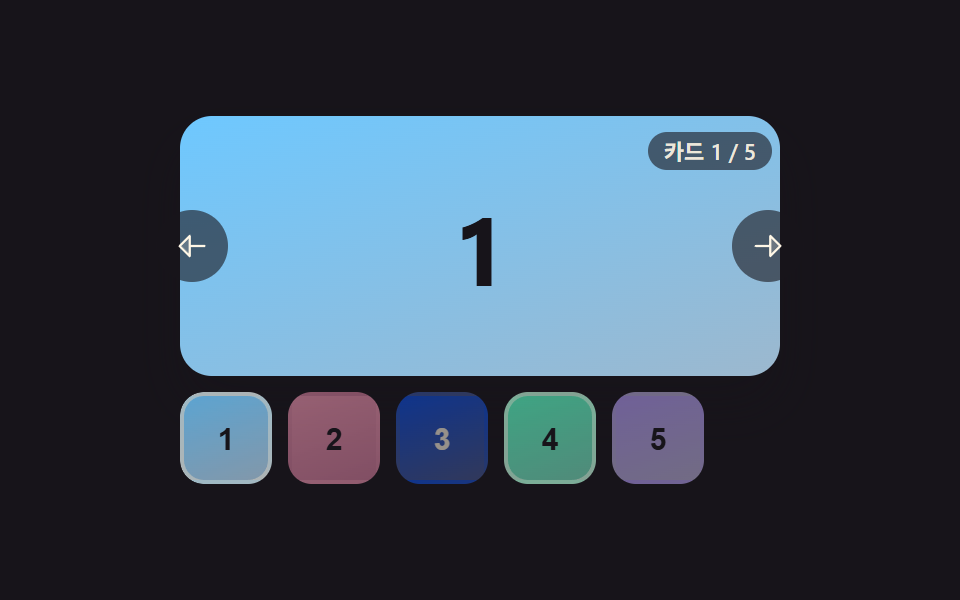 06 carousel-slide-thumbnail-sync
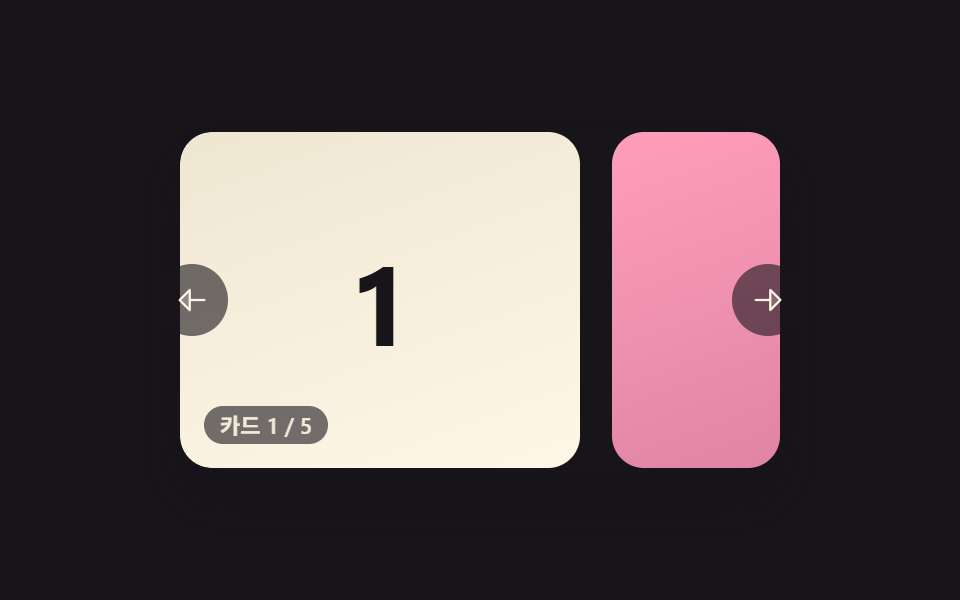 07 carousel-slide-snap-points
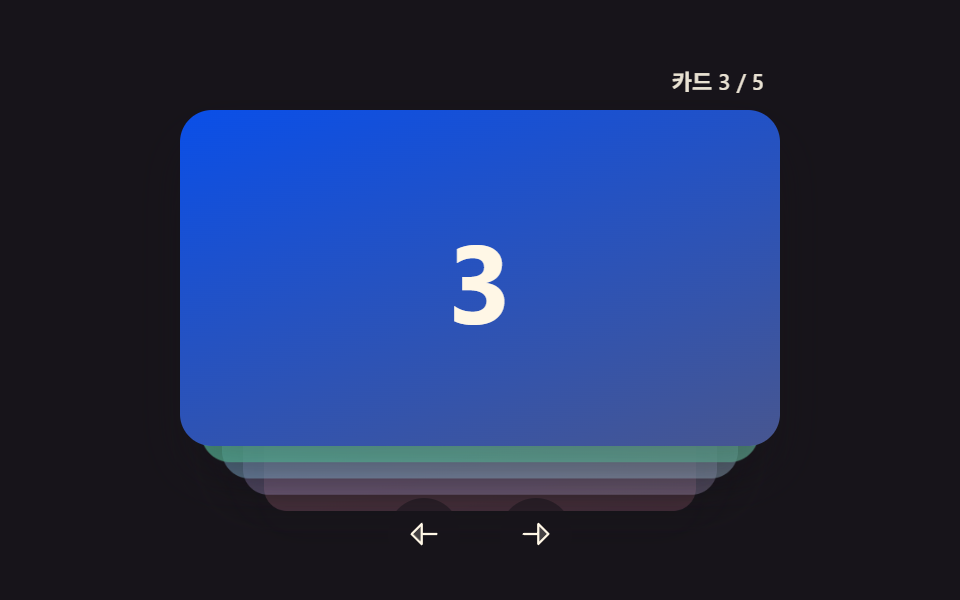 08 carousel-slide-vertical-stack
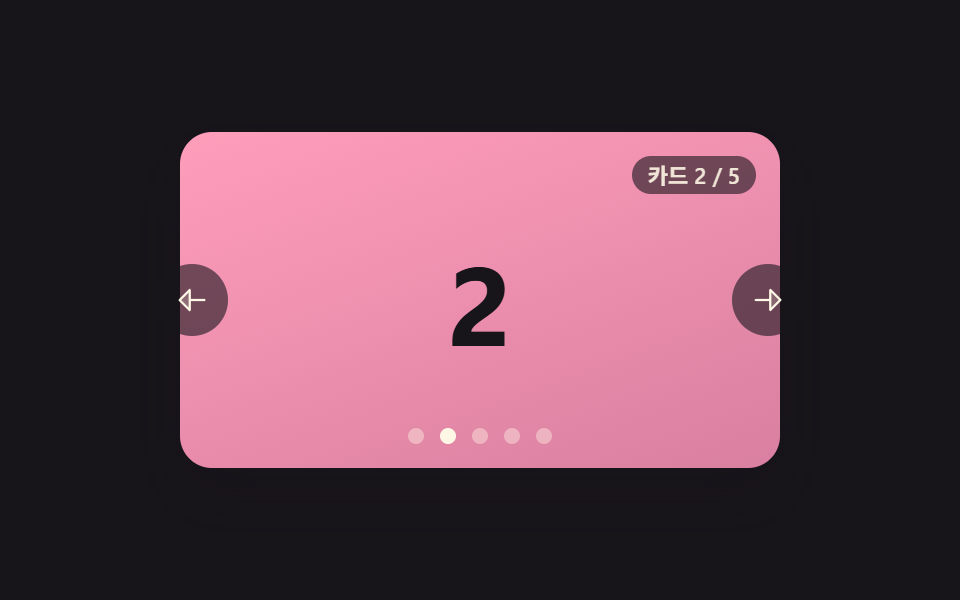 09 carousel-slide-fade-crossfade-depth
자동 재생 · 눌러서 해당 항목으로 · 전부 한 zip
- 01 드래그를 놓으면 관성으로 더 미끄러지는 캐러셀
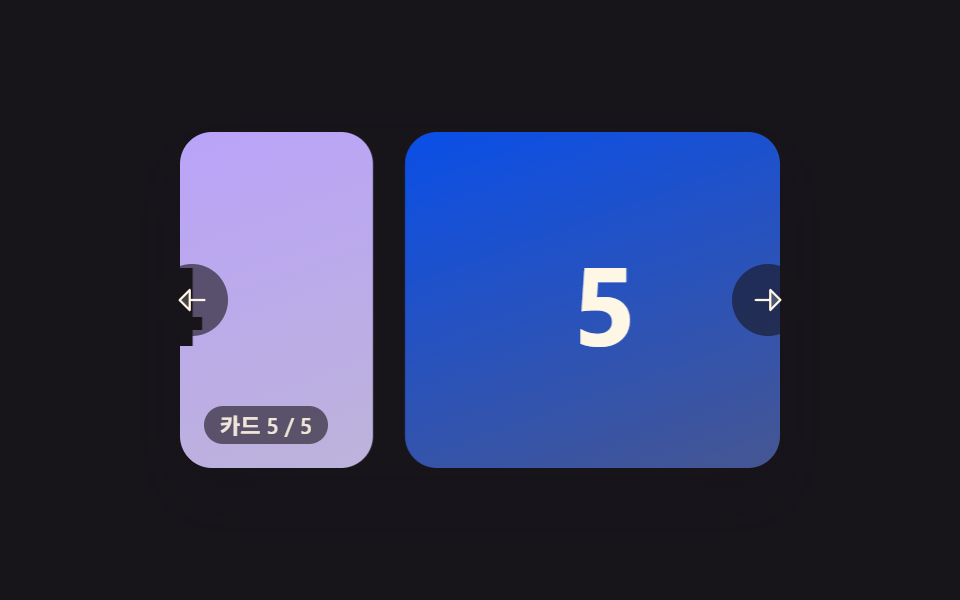
- 02 끝에 닿으면 고무줄처럼 튕겨 돌아오는 캐러셀
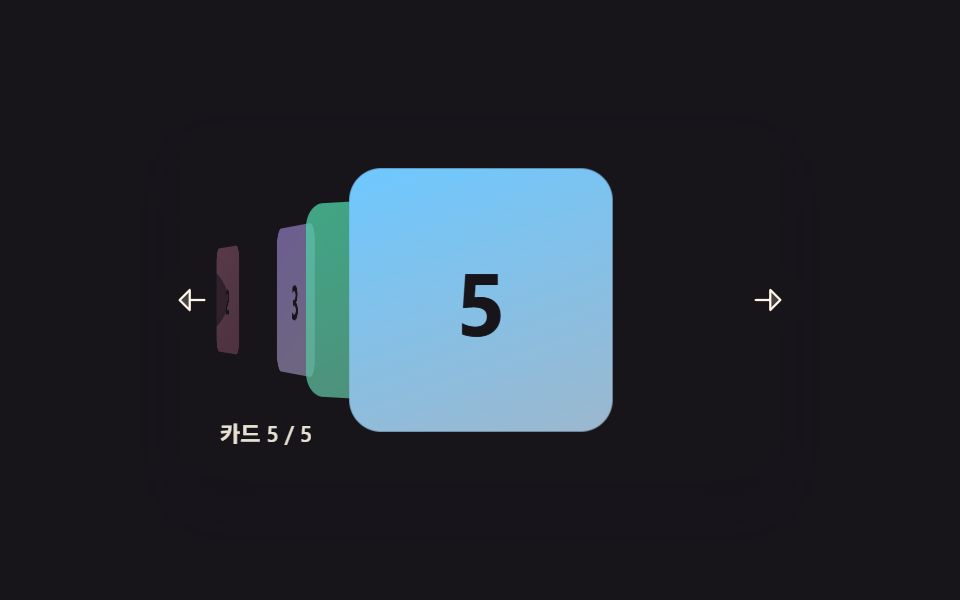
- 03 카드가 3D 원근으로 휘어지며 지나가는 캐러셀
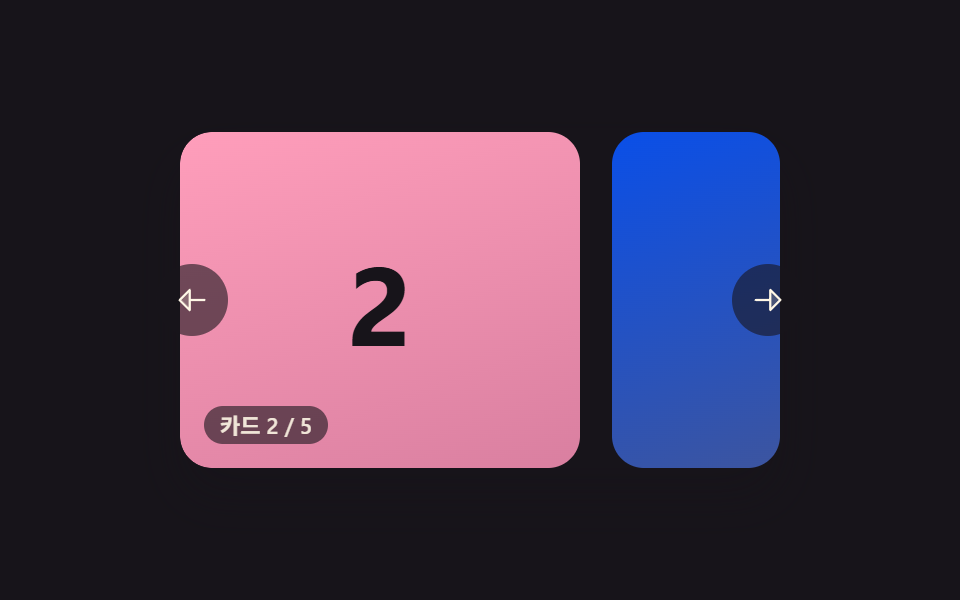
- 04 끝까지 가면 처음으로 이어붙는 무한 루프 캐러셀
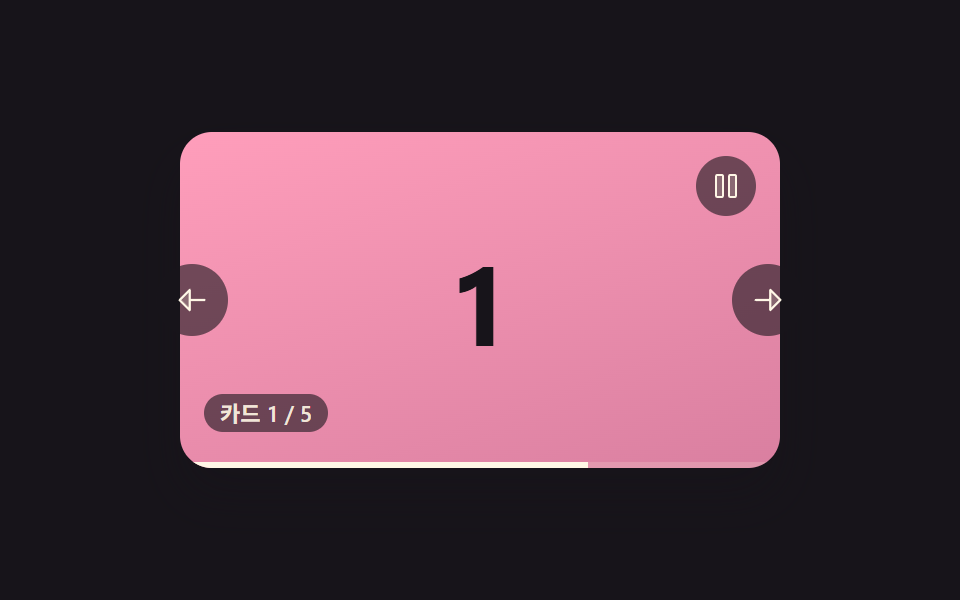
- 05 자동으로 넘어가다 마우스를 올리면 멈추는 캐러셀
- 06 아래 썸네일이 현재 카드에 맞춰 밝아지는 캐러셀
- 07 손을 놓으면 항상 카드 한 장에 딱 맞춰 멈추는 캐러셀
- 08 카드가 위아래로 쌓이며 넘어가는 세로 캐러셀
- 09 카드가 흐려지며 깊이로 물러나는 크로스페이드 캐러셀
아홉 가지 전환 — 계산 한 겹이 어디서 도는가
아홉 항목은 하나의 카드 배열을 감싸는 같은 마크업 위에서 계산 방식만 바꿔 얹은 세트입니다. 그래서 캐러셀 슬라이드 만들기를 매번 새로 짜지 않고, 같은 좌우 이동 골격에 관성·고무줄·원근·모듈로 래핑·자동재생·중앙 정렬·스냅·깊이 스택·크로스페이드 가운데 계산 한 겹만 바꿔 끼웠습니다.
| 항목 | 누적면적 | 강도_평균 | 움직인프레임 |
|---|---|---|---|
| 01 드래그를 놓으면 관성으로 더 미끄러지는 캐러셀 | 27.17% | 174.3 | 23/23 |
| 02 끝에 닿으면 고무줄처럼 튕겨 돌아오는 캐러셀 | 34.82% | 132.2 | 23/23 |
| 03 카드가 3D 원근으로 휘어지며 지나가는 캐러셀 | 19.65% | 76.6 | 22/23 |
| 04 끝까지 가면 처음으로 이어붙는 무한 루프 캐러셀 | 34.82% | 145.9 | 9/23 |
| 05 자동으로 넘어가다 마우스를 올리면 멈추는 캐러셀 | 34.83% | 108.8 | 20/23 |
| 06 아래 썸네일이 현재 카드에 맞춰 밝아지는 캐러셀 | 33.85% | 55.5 | 22/23 |
| 07 손을 놓으면 항상 카드 한 장에 딱 맞춰 멈추는 캐러셀 | 34.80% | 129.1 | 18/23 |
| 08 카드가 위아래로 쌓이며 넘어가는 세로 캐러셀 | 40.39% | 84.2 | 18/23 |
| 09 카드가 흐려지며 깊이로 물러나는 크로스페이드 캐러셀 | 34.82% | 58.0 | 22/23 |
누적면적이 가장 큰 항목은 08 로 40.39%인데, 카드가 위아래로 겹쳐 쌓이며 넘어가 화면 세로 전체가 함께 움직이기 때문입니다. 가장 작은 항목은 03 으로 19.65%인데, 가운데 카드만 크게 서고 나머지는 작게 물러나 있어 프레임마다 바뀌는 픽셀이 상대적으로 적습니다. 강도_평균이 가장 높은 항목은 01 하나로 174.3까지 오르는데, 손을 놓은 뒤에도 카드가 계속 빠르게 미끄러져 프레임 사이 픽셀 차가 큽니다. 가장 낮은 항목은 06 으로 55.5인데, 작은 썸네일 띠 한 줄만 살짝 움직이기 때문입니다. 23개 델타 구간 가운데 움직인프레임이 가장 촘촘한 항목은 01·02 로 나란히 23/23 이고, 가장 뜸한 항목은 04 로 9/23 입니다.
관성 감쇠 루프가 pos 에 속도를 더하고 마찰로 줄인다 — 01
settle 은 매 프레임 pos += velocity*dt 로 위치를 옮기고 velocity *= (1-MOMENTUM_FRICTION)^(dt/16.6667) 로 속도를 줄여, 손을 놓은 순간의 속도가 남아 있는 동안만 카드가 계속 미끄러집니다.
경계를 넘은 거리를 점근 곡선으로 눌러 고무줄처럼 보이게 한다 — 02
rubber 는 경계를 넘은 거리를 RUBBER_BAND_RANGE 에 점근하는 곡선으로 눌러 무한정 늘어나지 않게 막고, springBackIfNeeded 가 SPRING_STIFFNESS·SPRING_DAMPING 으로 목표(가까운 경계)까지 당겨 돌아옵니다.
인덱스 거리로 회전각·깊이·크기·투명도를 동시에 계산한다 — 03
render 는 각 카드와 중심 인덱스 사이의 거리(소수 가능)를 ANGLE_STEP·DEPTH_STEP·SCALE_STEP·OPACITY_STEP 네 계수에 곱해 rotateY·translateZ·scale·opacity 를 한 번에 구합니다.
클론 카드와 모듈로 판정으로 경계를 감쪽같이 넘긴다 — 04
맨 앞뒤에 이웃 카드를 CLONE_COUNT 만큼 미리 복제해 두고, wrapIfNeeded 가 위치가 복제 구간에 닿은 순간 transition 을 끈 채 같은 그림의 실제 칸으로 pos 를 옮겨 onTransitionEnd 에서 이 판정을 부릅니다.
남은 시간을 보존한 채 진행 막대를 채운다 — 05
tick 은 playing·hovering·reduce 가 모두 조건에 맞을 때만 경과 시간을 더하고, 그 값을 AUTOPLAY_MS 로 나눠 진행 막대 폭에 그대로 씁니다 — 커서가 머무는 동안은 더하지 않아 다시 풀렸을 때 처음부터가 아니라 멈췄던 지점부터 이어집니다.
활성 썸네일 중심을 띠 중심으로 매 프레임 보간한다 — 06
computeTargetOffset 이 활성 썸네일의 중심이 띠 중심에 오도록 목표 오프셋을 산술로 구하고, centerActiveThumb 이 CENTER_EASE 비율만큼 매 프레임 그 값으로 다가갑니다 — 브라우저 기본 scrollIntoView 를 쓰지 않습니다.
놓는 속도가 기준을 넘으면 다음 칸으로 스냅 판정을 밀어 넘긴다 — 07
judgeSnapIndex 는 그냥 가장 가까운 칸이 아니라, 놓는 순간의 속도가 SNAP_VELOCITY_BIAS 를 넘으면 그 방향의 다음 칸으로 목표를 밀어 넘기고, animateTo 가 SNAP_EASE 비율로 그 칸까지 당겨 붙입니다.
깊이 값을 translateY·scale·opacity·z-index 네 값에 동시에 매핑한다 — 08
render 는 쌓인 순서(depth)마다 STACK_STEP_Y·STACK_SCALE_STEP·STACK_OPACITY_STEP 로 translateY·scale·opacity 를 바닥값까지 수렴시키고, zIndex 를 TOTAL - depth 로 겹치는 순서를 맞춥니다.
삼차 이징 하나로 opacity·scale·translateZ 세 값을 함께 굽힌다 — 09
easeInOutCubic 이 매 프레임 진행률 p 를 굽히면 그 값 하나를 opacity·scale·translateZ 세 스타일에 동시에 써 앞 카드는 물러나고 뒤 카드는 다가오는 크로스페이드를 만듭니다 — paintStatic 은 전환이 없을 때 같은 최종 상태를 즉시 그립니다.
패턴별 코드
아래 아홉 조각은 각 항목의 실제 소스 파일에서 연속된 부분만 그대로 옮겼고, 줄 순서와 들여쓰기를 바꾸지 않았습니다.
01드래그를 놓으면 관성으로 더 미끄러지는 캐러셀
카드를 옆으로 밀었다 손을 떼면 놓은 속도만큼 카드가 더 미끄러지다가 점점 느려지며 멈추고, 세게 밀수록 더 멀리까지 넘어갑니다. 터치·마우스 드래그로 넘기는 제품 이미지 캐러셀에 맞습니다.
  // 관성 감쇠 루프 — 매 프레임 pos += velocity*dt, velocity *= (1-MOMENTUM_FRICTION)^(dt/16.6667).
  // 경계에 닿으면 그 자리에서 속도를 0으로 끊는다(되튕김은 이 항목의 역할이 아니다 — 02가 담당).
  function settle() {
    var last = performance.now();
    function frame(now) {
      var dt = Math.min(40, now - last);
      last = now;
      pos = clamp(pos + velocity * dt, minX, maxX);
      var decay = Math.pow(1 - MOMENTUM_FRICTION, dt / STEP_MS);
      velocity *= decay;
      if (pos === minX || pos === maxX) velocity = 0;
      paint();
      if (Math.abs(velocity) > VELOCITY_STOP) {
        settleFrame = requestAnimationFrame(frame);
      } else {
        velocity = 0;
        settleFrame = null;
      }
    }
    settleFrame = requestAnimationFrame(frame);
  }
<main class="stage">
<section class="carousel is-demo" id="carousel" role="region" aria-roledescription="carousel" aria-label="카드 캐러셀">
  <div class="viewport" id="viewport">
    <div class="track" id="track">
      <div class="card card--0"><span class="num">1</span></div>
      <div class="card card--1"><span class="num">2</span></div>
      <div class="card card--2"><span class="num">3</span></div>
      <div class="card card--3"><span class="num">4</span></div>
      <div class="card card--4"><span class="num">5</span></div>
    </div>
  </div>
  <button type="button" class="navBtn navBtn--prev" id="prevBtn" aria-label="이전 카드">
    <svg viewBox="0 0 256 256" width="18" height="18" aria-hidden="true"><g fill="currentColor"><path d="M112 56v144l-72-72Z" opacity=".2"/><path d="M216 120h-96V56a8 8 0 0 0-13.66-5.66l-72 72a8 8 0 0 0 0 11.32l72 72A8 8 0 0 0 120 200v-64h96a8 8 0 0 0 0-16m-112 60.69L51.31 128L104 75.31Z"/></g></svg>
  </button>
  <button type="button" class="navBtn navBtn--next" id="nextBtn" aria-label="다음 카드">
    <svg viewBox="0 0 256 256" width="18" height="18" aria-hidden="true"><g fill="currentColor"><path d="m216 128l-72 72V56Z" opacity=".2"/><path d="m221.66 122.34l-72-72A8 8 0 0 0 136 56v64H40a8 8 0 0 0 0 16h96v64a8 8 0 0 0 13.66 5.66l72-72a8 8 0 0 0 0-11.32M152 180.69V75.31L204.69 128Z"/></g></svg>
  </button>
  <div class="readout" id="readout" aria-live="polite"></div>
</section>
</main>
@use "../../../../site/static/demo-tokens" as *;
// 변수 3개
$duration: $dur-base;
$easing: $ease-out;
$color: $subject-blue-deep;
// 계산 겹: index.html 의 settle() 이 포인터 릴리스 속도에 감쇠 계수를 매 프레임 곱해
// pos·velocity 를 산술로 굳힌다 — CSS 트랜지션이 아니라 requestAnimationFrame 물리다.
@include stage($stage-ink);
.carousel {
position: relative;
width: 300px;
}
.viewport {
position: relative;
width: 300px;
height: 168px;
border-radius: $r-card;
overflow: hidden;
box-shadow: $shadow-raised;
background: $stage-ink;
outline: none;
}
.track {
display: flex;
height: 100%;
will-change: transform;
touch-action: none;
cursor: grab;
&.isDragging { cursor: grabbing; }
}
.card {
flex: 0 0 200px;
height: 100%;
margin-right: $sp-4;
border-radius: $r-card;
display: grid;
place-items: center;
&:last-child { margin-right: 0; }
.num {
font-weight: 700;
font-size: 56px;
line-height: 1;
}
}
.card--0 { background: linear-gradient(160deg, $subject-blue-deep, #475690); .num { color: $subject-cream; } }
.card--1 { background: linear-gradient(160deg, $subject-pink, #d97fa0); .num { color: $subject-ink; } }
.card--2 { background: linear-gradient(160deg, $subject-mint, #63b299); .num { color: $subject-ink; } }
.card--3 { background: linear-gradient(160deg, $subject-lilac, #bdb3da); .num { color: $subject-ink; } }
.card--4 { background: linear-gradient(160deg, $subject-sky, #9cb8ce); .num { color: $subject-ink; } }
.navBtn {
position: absolute;
top: 50%;
margin-top: -18px;
width: 36px;
height: 36px;
border-radius: $r-pill;
border: none;
display: grid;
place-items: center;
background: rgba($stage-ink, .6);
color: $subject-cream;
cursor: pointer;
&:focus-visible { outline: 2px solid $color; outline-offset: 2px; }
}
.navBtn--prev { left: -($sp-3); }
.navBtn--next { right: -($sp-3); }
.readout {
position: absolute;
left: $sp-3;
bottom: $sp-3;
padding: $sp-1 $sp-2;
border-radius: $r-pill;
background: rgba($stage-ink, .6);
color: rgba($subject-cream, .9);
font-size: 11px;
font-weight: 600;
line-height: 1;
font-variant-numeric: tabular-nums;
}
@media (max-width: 340px) {
.carousel { width: 220px; }
.viewport { width: 220px; height: 106px; }
.card { flex-basis: 148px; margin-right: $sp-2; .num { font-size: 36px; } }
.navBtn { width: 28px; height: 28px; margin-top: -14px; }
.readout { font-size: 9px; }
}
@media (prefers-reduced-motion: reduce) {
// 실사용 경로 적용 — 드래그·키보드·버튼 플릭은 index.html 이 그대로 물리 계산을 돌린다.
// scss 만: 포커스 아웃라인 전환만 꺼서 잔여 트랜지션을 없앤다.
.navBtn { transition: none; }
}html, body {
margin: 0;
overflow: hidden;
}
.stage {
box-sizing: border-box;
min-height: 100vh;
display: grid;
place-items: center;
margin: 0;
background: #17141a;
font-family: -apple-system, "Segoe UI", "Noto Sans KR", sans-serif;
padding: clamp(8px, 4vw, 24px);
}
.carousel {
position: relative;
width: 300px;
}
.viewport {
position: relative;
width: 300px;
height: 168px;
border-radius: 16px;
overflow: hidden;
box-shadow: 0 14px 24px rgba(23, 20, 26, 0.32);
background: #17141a;
outline: none;
}
.track {
display: flex;
height: 100%;
will-change: transform;
touch-action: none;
cursor: grab;
}
.track.isDragging {
cursor: grabbing;
}
.card {
flex: 0 0 200px;
height: 100%;
margin-right: 16px;
border-radius: 16px;
display: grid;
place-items: center;
}
.card:last-child {
margin-right: 0;
}
.card .num {
font-weight: 700;
font-size: 56px;
line-height: 1;
}
.card--0 {
background: linear-gradient(160deg, #0a4fe8, #475690);
}
.card--0 .num {
color: #fff7e6;
}
.card--1 {
background: linear-gradient(160deg, #ff9ebb, #d97fa0);
}
.card--1 .num {
color: #17141a;
}
.card--2 {
background: linear-gradient(160deg, #4cd4a6, #63b299);
}
.card--2 .num {
color: #17141a;
}
.card--3 {
background: linear-gradient(160deg, #b9a0ff, #bdb3da);
}
.card--3 .num {
color: #17141a;
}
.card--4 {
background: linear-gradient(160deg, #6ec8ff, #9cb8ce);
}
.card--4 .num {
color: #17141a;
}
.navBtn {
position: absolute;
top: 50%;
margin-top: -18px;
width: 36px;
height: 36px;
border-radius: 999px;
border: none;
display: grid;
place-items: center;
background: rgba(23, 20, 26, 0.6);
color: #fff7e6;
cursor: pointer;
}
.navBtn:focus-visible {
outline: 2px solid #0a4fe8;
outline-offset: 2px;
}
.navBtn--prev {
left: -12px;
}
.navBtn--next {
right: -12px;
}
.readout {
position: absolute;
left: 12px;
bottom: 12px;
padding: 4px 8px;
border-radius: 999px;
background: rgba(23, 20, 26, 0.6);
color: rgba(255, 247, 230, 0.9);
font-size: 11px;
font-weight: 600;
line-height: 1;
font-variant-numeric: tabular-nums;
}
@media (max-width: 340px) {
.carousel {
width: 220px;
}
.viewport {
width: 220px;
height: 106px;
}
.card {
flex-basis: 148px;
margin-right: 8px;
}
.card .num {
font-size: 36px;
}
.navBtn {
width: 28px;
height: 28px;
margin-top: -14px;
}
.readout {
font-size: 9px;
}
}
@media (prefers-reduced-motion: reduce) {
.navBtn {
transition: none;
}
}(function () {
var STEP_MS = 16.6667;
// 관성 감쇠 계수 — 프레임(16.6667ms)마다 이 비율만큼 속도가 깎인다. 낮출수록 손을 뗀 뒤
// 카드가 더 오래·더 멀리 미끄러진다(변형 1). 높이면 짧게 미끄러지다 빨리 멈춘다.
var MOMENTUM_FRICTION = 0.10;
var VELOCITY_STOP = 0.02; // px/ms 미만이면 정지로 본다
var SAMPLE_WINDOW_MS = 110; // 이 시간 안의 포인터 표본만 속도 계산에 쓴다
var KEY_FLICK_VELOCITY = 0.62; // 화살표 키 한 번 = 이 속도의 플릭
var DEMO_FLICKS = [-0.85, 0.5, -0.62, 0.78]; // 자동 시연이 번갈아 쏘는 플릭 속도(px/ms) — 크기가 다르므로 미끄러지는 거리도 다르다
var DEMO_HOLD_MS = 260;
var carousel = document.getElementById('carousel');
var viewport = document.getElementById('viewport');
var track = document.getElementById('track');
var readout = document.getElementById('readout');
var prevBtn = document.getElementById('prevBtn');
var nextBtn = document.getElementById('nextBtn');
var reduce = window.matchMedia('(prefers-reduced-motion: reduce)').matches;
var TOTAL = 5;
var LABEL_PREFIX = '카드 ';
var LABEL_SEP = ' / ';
var pos = 0; // 현재 translateX (px)
var velocity = 0; // px/ms
var minX = 0, maxX = 0;
var dragging = false;
var samples = [];
var settleFrame = null;
var demoTimers = [];
function bounds() {
maxX = 0;
minX = Math.min(0, viewport.clientWidth - track.scrollWidth);
}
function clamp(v, lo, hi) { return Math.min(hi, Math.max(lo, v)); }
function paint() {
track.style.transform = 'translate3d(' + pos.toFixed(1) + 'px,0,0)';
var step = track.scrollWidth / TOTAL;
var idx = clamp(Math.round(-pos / step), 0, TOTAL - 1);
readout.textContent = LABEL_PREFIX + (idx + 1) + LABEL_SEP + TOTAL;
}
function stopSettle() {
if (settleFrame) { cancelAnimationFrame(settleFrame); settleFrame = null; }
}
function human() {
if (carousel.classList.contains('is-demo')) {
carousel.classList.remove('is-demo');
demoTimers.forEach(function (t) { clearTimeout(t); });
demoTimers = [];
}
}
// 관성 감쇠 루프 — 매 프레임 pos += velocity*dt, velocity *= (1-MOMENTUM_FRICTION)^(dt/16.6667).
// 경계에 닿으면 그 자리에서 속도를 0으로 끊는다(되튕김은 이 항목의 역할이 아니다 — 02가 담당).
function settle() {
var last = performance.now();
function frame(now) {
var dt = Math.min(40, now - last);
last = now;
pos = clamp(pos + velocity * dt, minX, maxX);
var decay = Math.pow(1 - MOMENTUM_FRICTION, dt / STEP_MS);
velocity *= decay;
if (pos === minX || pos === maxX) velocity = 0;
paint();
if (Math.abs(velocity) > VELOCITY_STOP) {
settleFrame = requestAnimationFrame(frame);
} else {
velocity = 0;
settleFrame = null;
}
}
settleFrame = requestAnimationFrame(frame);
}
function pushSample(t, x) {
samples.push({ t: t, x: x });
while (samples.length && t - samples[0].t > SAMPLE_WINDOW_MS) samples.shift();
}
function releaseVelocity() {
if (samples.length < 2) return 0;
var a = samples[0], b = samples[samples.length - 1];
var dt = b.t - a.t;
if (dt <= 0) return 0;
return (b.x - a.x) / dt;
}
function onPointerDown(e) {
human();
stopSettle();
dragging = true;
velocity = 0;
samples = [];
track.classList.add('isDragging');
viewport.setPointerCapture(e.pointerId);
pushSample(performance.now(), e.clientX);
carousel._originPos = pos;
carousel._startX = e.clientX;
}
function onPointerMove(e) {
if (!dragging) return;
var dx = e.clientX - carousel._startX;
pos = clamp(carousel._originPos + dx, minX, maxX);
pushSample(performance.now(), e.clientX);
paint();
}
function onPointerUp(e) {
if (!dragging) return;
dragging = false;
track.classList.remove('isDragging');
try { viewport.releasePointerCapture(e.pointerId); } catch (err) {}
velocity = releaseVelocity();
settle();
}
function flick(v) {
human();
stopSettle();
velocity = v;
settle();
}
function onKeydown(e) {
if (e.key === 'ArrowLeft') { flick(-KEY_FLICK_VELOCITY); e.preventDefault(); }
else if (e.key === 'ArrowRight') { flick(KEY_FLICK_VELOCITY); e.preventDefault(); }
}
viewport.addEventListener('pointerdown', onPointerDown);
viewport.addEventListener('pointermove', onPointerMove);
viewport.addEventListener('pointerup', onPointerUp);
viewport.addEventListener('pointercancel', onPointerUp);
viewport.addEventListener('keydown', onKeydown);
viewport.tabIndex = 0;
prevBtn.addEventListener('click', function () { flick(-KEY_FLICK_VELOCITY); });
nextBtn.addEventListener('click', function () { flick(KEY_FLICK_VELOCITY); });
// reduce: 실사용 경로 적용 — 드래그·키보드·버튼 플릭은 위 리스너가 그대로 물리 계산을 돌린다.
// 아래 demoCycle() 은 시연 게이트만이고 reduce 에서는 돌지 않는다.
function demoCycle(i) {
if (!carousel.classList.contains('is-demo')) return;
velocity = DEMO_FLICKS[i % DEMO_FLICKS.length];
stopSettle();
settle();
demoTimers.push(setTimeout(function () {
demoTimers.push(setTimeout(function () { demoCycle(i + 1); }, DEMO_HOLD_MS));
}, 40));
}
function init() {
bounds();
paint();
if (!reduce) demoCycle(0);
}
window.addEventListener('resize', bounds);
init();
})();import { useEffect, useRef } from 'react';
import styles from './CarouselDragMomentum.module.scss';
// 상수 — vanilla demo 01 (run/384/demo/01-carousel-slide-drag-momentum/index.html) 과 동일
const STEP_MS = 16.6667;
// 관성 감쇠 계수 — 프레임(16.6667ms)마다 이 비율만큼 속도가 깎인다. 낮출수록 손을 뗀 뒤
// 카드가 더 오래·더 멀리 미끄러진다(변형 1). 높이면 짧게 미끄러지다 빨리 멈춘다.
const MOMENTUM_FRICTION = 0.10;
const VELOCITY_STOP = 0.02; // px/ms 미만이면 정지로 본다
const SAMPLE_WINDOW_MS = 110; // 이 시간 안의 포인터 표본만 속도 계산에 쓴다
const KEY_FLICK_VELOCITY = 0.62; // 화살표 키 한 번 = 이 속도의 플릭
const DEMO_FLICKS = [-0.85, 0.5, -0.62, 0.78]; // 자동 시연이 번갈아 쏘는 플릭 속도(px/ms)
const DEMO_HOLD_MS = 260;
const TOTAL = 5;
const LABEL_PREFIX = '카드 ';
const LABEL_SEP = ' / ';
export default function CarouselDragMomentum() {
const carouselRef = useRef<HTMLElement>(null);
useEffect(() => {
const carousel = carouselRef.current;
if (!carousel) return undefined;
const viewport = carousel.querySelector<HTMLDivElement>('.' + styles.viewport);
const track = carousel.querySelector<HTMLDivElement>('.' + styles.track);
const readout = carousel.querySelector<HTMLDivElement>('.' + styles.readout);
const prevBtn = carousel.querySelector<HTMLButtonElement>('.' + styles['navBtn--prev']);
const nextBtn = carousel.querySelector<HTMLButtonElement>('.' + styles['navBtn--next']);
if (!viewport || !track || !readout || !prevBtn || !nextBtn) return undefined;
let pos = 0; // 현재 translateX (px)
let velocity = 0; // px/ms
let minX = 0, maxX = 0;
let dragging = false;
let samples: { t: number; x: number }[] = [];
let settleFrame = 0;
let demoTimers: number[] = [];
let originPos = 0, startX = 0;
function clamp(v: number, lo: number, hi: number) { return Math.min(hi, Math.max(lo, v)); }
function bounds() {
maxX = 0;
minX = Math.min(0, viewport!.clientWidth - track!.scrollWidth);
}
function paint() {
track!.style.transform = 'translate3d(' + pos.toFixed(1) + 'px,0,0)';
const step = track!.scrollWidth / TOTAL;
const idx = clamp(Math.round(-pos / step), 0, TOTAL - 1);
readout!.textContent = LABEL_PREFIX + (idx + 1) + LABEL_SEP + TOTAL;
}
function stopSettle() {
if (settleFrame) { cancelAnimationFrame(settleFrame); settleFrame = 0; }
}
function human() {
if (carousel!.classList.contains(styles['is-demo'])) {
carousel!.classList.remove(styles['is-demo']);
demoTimers.forEach((t) => window.clearTimeout(t));
demoTimers = [];
}
}
// 관성 감쇠 루프 — 매 프레임 pos += velocity*dt, velocity *= (1-MOMENTUM_FRICTION)^(dt/16.6667).
// 경계에 닿으면 그 자리에서 속도를 0으로 끊는다(되튕김은 이 항목의 역할이 아니다 — 02가 담당).
function settle() {
let last = performance.now();
function frame(now: number) {
const dt = Math.min(40, now - last);
last = now;
pos = clamp(pos + velocity * dt, minX, maxX);
const decay = Math.pow(1 - MOMENTUM_FRICTION, dt / STEP_MS);
velocity *= decay;
if (pos === minX || pos === maxX) velocity = 0;
paint();
if (Math.abs(velocity) > VELOCITY_STOP) {
settleFrame = requestAnimationFrame(frame);
} else {
velocity = 0;
settleFrame = 0;
}
}
settleFrame = requestAnimationFrame(frame);
}
function pushSample(t: number, x: number) {
samples.push({ t, x });
while (samples.length && t - samples[0].t > SAMPLE_WINDOW_MS) samples.shift();
}
function releaseVelocity() {
if (samples.length < 2) return 0;
const a = samples[0], b = samples[samples.length - 1];
const dt = b.t - a.t;
if (dt <= 0) return 0;
return (b.x - a.x) / dt;
}
function onPointerDown(e: PointerEvent) {
human();
stopSettle();
dragging = true;
velocity = 0;
samples = [];
track!.classList.add(styles.isDragging);
viewport!.setPointerCapture(e.pointerId);
pushSample(performance.now(), e.clientX);
originPos = pos;
startX = e.clientX;
}
function onPointerMove(e: PointerEvent) {
if (!dragging) return;
const dx = e.clientX - startX;
pos = clamp(originPos + dx, minX, maxX);
pushSample(performance.now(), e.clientX);
paint();
}
function onPointerUp(e: PointerEvent) {
if (!dragging) return;
dragging = false;
track!.classList.remove(styles.isDragging);
try { viewport!.releasePointerCapture(e.pointerId); } catch { /* 캡처가 이미 풀린 경우 */ }
velocity = releaseVelocity();
settle();
}
function flick(v: number) {
human();
stopSettle();
velocity = v;
settle();
}
function onKeydown(e: KeyboardEvent) {
if (e.key === 'ArrowLeft') { flick(-KEY_FLICK_VELOCITY); e.preventDefault(); }
else if (e.key === 'ArrowRight') { flick(KEY_FLICK_VELOCITY); e.preventDefault(); }
}
function onPrev() { flick(-KEY_FLICK_VELOCITY); }
function onNext() { flick(KEY_FLICK_VELOCITY); }
function onResize() { bounds(); }
viewport.addEventListener('pointerdown', onPointerDown);
viewport.addEventListener('pointermove', onPointerMove);
viewport.addEventListener('pointerup', onPointerUp);
viewport.addEventListener('pointercancel', onPointerUp);
viewport.addEventListener('keydown', onKeydown);
prevBtn.addEventListener('click', onPrev);
nextBtn.addEventListener('click', onNext);
window.addEventListener('resize', onResize);
const reduce = window.matchMedia('(prefers-reduced-motion: reduce)').matches;
// reduce: 실사용 경로 적용 — 드래그·키보드·버튼 플릭은 위 리스너가 그대로 물리 계산을 돌린다.
// 아래 demoCycle() 은 시연 게이트만이고 reduce 에서는 돌지 않는다.
function demoCycle(i: number) {
if (!carousel!.classList.contains(styles['is-demo'])) return;
velocity = DEMO_FLICKS[i % DEMO_FLICKS.length];
stopSettle();
settle();
demoTimers.push(window.setTimeout(() => {
demoTimers.push(window.setTimeout(() => demoCycle(i + 1), DEMO_HOLD_MS));
}, 40));
}
bounds();
paint();
if (!reduce) demoCycle(0);
return () => {
viewport.removeEventListener('pointerdown', onPointerDown);
viewport.removeEventListener('pointermove', onPointerMove);
viewport.removeEventListener('pointerup', onPointerUp);
viewport.removeEventListener('pointercancel', onPointerUp);
viewport.removeEventListener('keydown', onKeydown);
prevBtn.removeEventListener('click', onPrev);
nextBtn.removeEventListener('click', onNext);
window.removeEventListener('resize', onResize);
demoTimers.forEach((t) => window.clearTimeout(t));
stopSettle();
};
}, []);
return (
<main className={styles.stage}>
<section
className={styles.carousel + ' ' + styles['is-demo']}
ref={carouselRef}
role="region"
aria-roledescription="carousel"
aria-label="카드 캐러셀"
>
<div className={styles.viewport} tabIndex={0}>
<div className={styles.track}>
<div className={styles.card + ' ' + styles['card--0']}><span className={styles.num}>1</span></div>
<div className={styles.card + ' ' + styles['card--1']}><span className={styles.num}>2</span></div>
<div className={styles.card + ' ' + styles['card--2']}><span className={styles.num}>3</span></div>
<div className={styles.card + ' ' + styles['card--3']}><span className={styles.num}>4</span></div>
<div className={styles.card + ' ' + styles['card--4']}><span className={styles.num}>5</span></div>
</div>
</div>
<button type="button" className={styles.navBtn + ' ' + styles['navBtn--prev']} aria-label="이전 카드">
<svg viewBox="0 0 256 256" width={18} height={18} aria-hidden="true"><g fill="currentColor"><path d="M112 56v144l-72-72Z" opacity=".2" /><path d="M216 120h-96V56a8 8 0 0 0-13.66-5.66l-72 72a8 8 0 0 0 0 11.32l72 72A8 8 0 0 0 120 200v-64h96a8 8 0 0 0 0-16m-112 60.69L51.31 128L104 75.31Z" /></g></svg>
</button>
<button type="button" className={styles.navBtn + ' ' + styles['navBtn--next']} aria-label="다음 카드">
<svg viewBox="0 0 256 256" width={18} height={18} aria-hidden="true"><g fill="currentColor"><path d="m216 128l-72 72V56Z" opacity=".2" /><path d="m221.66 122.34l-72-72A8 8 0 0 0 136 56v64H40a8 8 0 0 0 0 16h96v64a8 8 0 0 0 13.66 5.66l72-72a8 8 0 0 0 0-11.32M152 180.69V75.31L204.69 128Z" /></g></svg>
</button>
<div className={styles.readout} aria-live="polite"></div>
</section>
</main>
);
}01 · 드래그를 놓으면 관성으로 더 미끄러지는 캐러셀 — 측정 누적면적 27.174% · 움직인 프레임 23/23GODRICH 원작 · zip 에 SCSS·React 포함 · 비밀번호 보기
02끝에 닿으면 고무줄처럼 튕겨 돌아오는 캐러셀
첫 장이나 마지막 장에서 더 밀면 카드가 살짝 늘어나듯 따라가다가 손을 놓는 순간 고무줄처럼 튕겨 제자리로 돌아옵니다. 더 넘길 페이지가 없음을 손끝으로 바로 알리는 갤러리에 맞습니다.
  // 스프링 복귀 — pos 가 경계를 넘은 채로 있을 때만 목표(가까운 경계)까지 힘·감쇠로 당겨 돌아온다.
  function springBackIfNeeded() {
    var target = pos > maxX ? maxX : (pos < minX ? minX : null);
    if (target === null) return;
    var velocity = 0;
    function frame() {
      var force = (target - pos) * SPRING_STIFFNESS;
      velocity = (velocity + force) * SPRING_DAMPING;
      pos += velocity;
      paint();
      if (Math.abs(velocity) > SPRING_STOP || Math.abs(target - pos) > SPRING_STOP) {
        springFrame = requestAnimationFrame(frame);
      } else {
        pos = target;
        paint();
        springFrame = null;
      }
    }
    springFrame = requestAnimationFrame(frame);
  }
<main class="stage">
<section class="carousel is-demo" id="carousel" role="region" aria-roledescription="carousel" aria-label="카드 캐러셀">
  <div class="viewport" id="viewport" tabindex="0">
    <div class="track" id="track">
      <div class="card card--0"><span class="num">1</span></div>
      <div class="card card--1"><span class="num">2</span></div>
      <div class="card card--2"><span class="num">3</span></div>
      <div class="card card--3"><span class="num">4</span></div>
      <div class="card card--4"><span class="num">5</span></div>
    </div>
  </div>
  <button type="button" class="navBtn navBtn--prev" id="prevBtn" aria-label="이전 카드">
    <svg viewBox="0 0 256 256" width="18" height="18" aria-hidden="true"><g fill="currentColor"><path d="M112 56v144l-72-72Z" opacity=".2"/><path d="M216 120h-96V56a8 8 0 0 0-13.66-5.66l-72 72a8 8 0 0 0 0 11.32l72 72A8 8 0 0 0 120 200v-64h96a8 8 0 0 0 0-16m-112 60.69L51.31 128L104 75.31Z"/></g></svg>
  </button>
  <button type="button" class="navBtn navBtn--next" id="nextBtn" aria-label="다음 카드">
    <svg viewBox="0 0 256 256" width="18" height="18" aria-hidden="true"><g fill="currentColor"><path d="m216 128l-72 72V56Z" opacity=".2"/><path d="m221.66 122.34l-72-72A8 8 0 0 0 136 56v64H40a8 8 0 0 0 0 16h96v64a8 8 0 0 0 13.66 5.66l72-72a8 8 0 0 0 0-11.32M152 180.69V75.31L204.69 128Z"/></g></svg>
  </button>
  <div class="readout" id="readout" aria-live="polite"></div>
</section>
</main>
@use "../../../../site/static/demo-tokens" as *;
// 변수 3개
$duration: $dur-base;
$easing: $ease-out;
$color: $subject-orange-deep;
// 계산 겹: index.html 의 rubber() 가 경계를 넘은 거리를 점근 곡선으로 눌러주고,
// springBackIfNeeded() 가 힘·감쇠를 매 프레임 더하는 스프링 물리로 경계까지 되돌린다.
@include stage($stage-ink);
.carousel {
position: relative;
width: 300px;
}
.viewport {
position: relative;
width: 300px;
height: 168px;
border-radius: $r-card;
overflow: hidden;
box-shadow: $shadow-raised;
background: $stage-ink;
outline: none;
}
.track {
display: flex;
height: 100%;
will-change: transform;
touch-action: none;
cursor: grab;
&.isDragging { cursor: grabbing; }
}
.card {
flex: 0 0 200px;
height: 100%;
margin-right: $sp-4;
border-radius: $r-card;
display: grid;
place-items: center;
&:last-child { margin-right: 0; }
.num {
font-weight: 700;
font-size: 56px;
line-height: 1;
}
}
.card--0 { background: linear-gradient(160deg, $subject-orange-deep, #905b47); .num { color: $subject-ink; } }
.card--1 { background: linear-gradient(160deg, $subject-pink, #d97fa0); .num { color: $subject-ink; } }
.card--2 { background: linear-gradient(160deg, $subject-mint, #63b299); .num { color: $subject-ink; } }
.card--3 { background: linear-gradient(160deg, $subject-lilac, #bdb3da); .num { color: $subject-ink; } }
.card--4 { background: linear-gradient(160deg, $subject-blue-deep, #475690); .num { color: $subject-cream; } }
.navBtn {
position: absolute;
top: 50%;
margin-top: -18px;
width: 36px;
height: 36px;
border-radius: $r-pill;
border: none;
display: grid;
place-items: center;
background: rgba($stage-ink, .6);
color: $subject-cream;
cursor: pointer;
&:focus-visible { outline: 2px solid $color; outline-offset: 2px; }
}
.navBtn--prev { left: -($sp-3); }
.navBtn--next { right: -($sp-3); }
.readout {
position: absolute;
left: $sp-3;
bottom: $sp-3;
padding: $sp-1 $sp-2;
border-radius: $r-pill;
background: rgba($stage-ink, .6);
color: rgba($subject-cream, .9);
font-size: 11px;
font-weight: 600;
line-height: 1;
font-variant-numeric: tabular-nums;
}
@media (max-width: 340px) {
.carousel { width: 220px; }
.viewport { width: 220px; height: 106px; }
.card { flex-basis: 148px; margin-right: $sp-2; .num { font-size: 36px; } }
.navBtn { width: 28px; height: 28px; margin-top: -14px; }
.readout { font-size: 9px; }
}
@media (prefers-reduced-motion: reduce) {
// 실사용 경로 적용 — 드래그·키보드·버튼은 index.html 이 그대로 고무줄·스프링 계산을 돌린다.
// scss 만: 포커스 아웃라인 전환만 꺼서 잔여 트랜지션을 없앤다.
.navBtn { transition: none; }
}html, body {
margin: 0;
overflow: hidden;
}
.stage {
box-sizing: border-box;
min-height: 100vh;
display: grid;
place-items: center;
margin: 0;
background: #17141a;
font-family: -apple-system, "Segoe UI", "Noto Sans KR", sans-serif;
padding: clamp(8px, 4vw, 24px);
}
.carousel {
position: relative;
width: 300px;
}
.viewport {
position: relative;
width: 300px;
height: 168px;
border-radius: 16px;
overflow: hidden;
box-shadow: 0 14px 24px rgba(23, 20, 26, 0.32);
background: #17141a;
outline: none;
}
.track {
display: flex;
height: 100%;
will-change: transform;
touch-action: none;
cursor: grab;
}
.track.isDragging {
cursor: grabbing;
}
.card {
flex: 0 0 200px;
height: 100%;
margin-right: 16px;
border-radius: 16px;
display: grid;
place-items: center;
}
.card:last-child {
margin-right: 0;
}
.card .num {
font-weight: 700;
font-size: 56px;
line-height: 1;
}
.card--0 {
background: linear-gradient(160deg, #c93000, #905b47);
}
.card--0 .num {
color: #17141a;
}
.card--1 {
background: linear-gradient(160deg, #ff9ebb, #d97fa0);
}
.card--1 .num {
color: #17141a;
}
.card--2 {
background: linear-gradient(160deg, #4cd4a6, #63b299);
}
.card--2 .num {
color: #17141a;
}
.card--3 {
background: linear-gradient(160deg, #b9a0ff, #bdb3da);
}
.card--3 .num {
color: #17141a;
}
.card--4 {
background: linear-gradient(160deg, #0a4fe8, #475690);
}
.card--4 .num {
color: #fff7e6;
}
.navBtn {
position: absolute;
top: 50%;
margin-top: -18px;
width: 36px;
height: 36px;
border-radius: 999px;
border: none;
display: grid;
place-items: center;
background: rgba(23, 20, 26, 0.6);
color: #fff7e6;
cursor: pointer;
}
.navBtn:focus-visible {
outline: 2px solid #c93000;
outline-offset: 2px;
}
.navBtn--prev {
left: -12px;
}
.navBtn--next {
right: -12px;
}
.readout {
position: absolute;
left: 12px;
bottom: 12px;
padding: 4px 8px;
border-radius: 999px;
background: rgba(23, 20, 26, 0.6);
color: rgba(255, 247, 230, 0.9);
font-size: 11px;
font-weight: 600;
line-height: 1;
font-variant-numeric: tabular-nums;
}
@media (max-width: 340px) {
.carousel {
width: 220px;
}
.viewport {
width: 220px;
height: 106px;
}
.card {
flex-basis: 148px;
margin-right: 8px;
}
.card .num {
font-size: 36px;
}
.navBtn {
width: 28px;
height: 28px;
margin-top: -14px;
}
.readout {
font-size: 9px;
}
}
@media (prefers-reduced-motion: reduce) {
.navBtn {
transition: none;
}
}(function () {
// 고무줄 저항 범위 — 경계를 넘는 거리가 아무리 커져도 시각적으로는 이 값(px)에 점근한다.
var RUBBER_BAND_RANGE = 64;
var SPRING_STIFFNESS = 0.22; // 목표까지 당기는 힘의 비율
var SPRING_DAMPING = 0.72; // 매 프레임 속도에 곱하는 감쇠(마찰)
var SPRING_STOP = 0.4; // 이 이하로 좁혀지면 스프링 정지
var STEP_MS = 16.6667;
var DEMO_PUSH_PX = 46;
var DEMO_HOLD_MS = 260;
var carousel = document.getElementById('carousel');
var viewport = document.getElementById('viewport');
var track = document.getElementById('track');
var readout = document.getElementById('readout');
var prevBtn = document.getElementById('prevBtn');
var nextBtn = document.getElementById('nextBtn');
var reduce = window.matchMedia('(prefers-reduced-motion: reduce)').matches;
var TOTAL = 5;
var LABEL_PREFIX = '카드 ';
var LABEL_SEP = ' / ';
var pos = 0, minX = 0, maxX = 0;
var dragging = false;
var springFrame = null;
var demoTimers = [];
function bounds() {
maxX = 0;
minX = Math.min(0, viewport.clientWidth - track.scrollWidth);
}
function clamp(v, lo, hi) { return Math.min(hi, Math.max(lo, v)); }
// 고무줄 감쇠 함수 — 넘어간 거리 o(항상 0 이상)를 RUBBER_BAND_RANGE 에 점근하는 곡선으로 눌러준다.
function rubber(o) {
return RUBBER_BAND_RANGE * o / (RUBBER_BAND_RANGE + o);
}
function rawToVisual(raw) {
if (raw > maxX) return maxX + rubber(raw - maxX);
if (raw < minX) return minX - rubber(minX - raw);
return raw;
}
function paint() {
track.style.transform = 'translate3d(' + pos.toFixed(1) + 'px,0,0)';
var step = track.scrollWidth / TOTAL;
var idx = clamp(Math.round(-clamp(pos, minX, maxX) / step), 0, TOTAL - 1);
readout.textContent = LABEL_PREFIX + (idx + 1) + LABEL_SEP + TOTAL;
}
function stopSpring() {
if (springFrame) { cancelAnimationFrame(springFrame); springFrame = null; }
}
// 스프링 복귀 — pos 가 경계를 넘은 채로 있을 때만 목표(가까운 경계)까지 힘·감쇠로 당겨 돌아온다.
function springBackIfNeeded() {
var target = pos > maxX ? maxX : (pos < minX ? minX : null);
if (target === null) return;
var velocity = 0;
function frame() {
var force = (target - pos) * SPRING_STIFFNESS;
velocity = (velocity + force) * SPRING_DAMPING;
pos += velocity;
paint();
if (Math.abs(velocity) > SPRING_STOP || Math.abs(target - pos) > SPRING_STOP) {
springFrame = requestAnimationFrame(frame);
} else {
pos = target;
paint();
springFrame = null;
}
}
springFrame = requestAnimationFrame(frame);
}
function human() {
if (carousel.classList.contains('is-demo')) {
carousel.classList.remove('is-demo');
demoTimers.forEach(function (t) { clearTimeout(t); });
demoTimers = [];
}
}
function onPointerDown(e) {
human();
stopSpring();
dragging = true;
track.classList.add('isDragging');
viewport.setPointerCapture(e.pointerId);
carousel._originPos = pos;
carousel._startX = e.clientX;
}
function onPointerMove(e) {
if (!dragging) return;
var dx = e.clientX - carousel._startX;
pos = rawToVisual(carousel._originPos + dx);
paint();
}
function onPointerUp(e) {
if (!dragging) return;
dragging = false;
track.classList.remove('isDragging');
try { viewport.releasePointerCapture(e.pointerId); } catch (err) {}
springBackIfNeeded();
}
function step(dir) {
human();
stopSpring();
var stepPx = track.scrollWidth / TOTAL;
pos = rawToVisual(clamp(pos + dir * -stepPx, minX - RUBBER_BAND_RANGE, maxX + RUBBER_BAND_RANGE));
paint();
springBackIfNeeded();
}
function onKeydown(e) {
if (e.key === 'ArrowLeft') { step(-1); e.preventDefault(); }
else if (e.key === 'ArrowRight') { step(1); e.preventDefault(); }
}
viewport.addEventListener('pointerdown', onPointerDown);
viewport.addEventListener('pointermove', onPointerMove);
viewport.addEventListener('pointerup', onPointerUp);
viewport.addEventListener('pointercancel', onPointerUp);
viewport.addEventListener('keydown', onKeydown);
prevBtn.addEventListener('click', function () { step(-1); });
nextBtn.addEventListener('click', function () { step(1); });
// reduce: 실사용 경로 적용 — 드래그·키보드·버튼은 위 리스너가 그대로 고무줄 계산을 돌린다.
// 아래 demoCycle() 은 시연 게이트만이고 reduce 에서는 돌지 않는다.
function pushAndRelease(target, onDone) {
var start = performance.now();
var from = pos;
function frame(now) {
if (!carousel.classList.contains('is-demo')) return;
var p = Math.min(1, (now - start) / 220);
pos = from + (target - from) * p;
paint();
if (p < 1) requestAnimationFrame(frame);
else {
springBackIfNeeded();
demoTimers.push(setTimeout(onDone, DEMO_HOLD_MS + 260));
}
}
requestAnimationFrame(frame);
}
function demoCycle(i) {
if (!carousel.classList.contains('is-demo')) return;
if (i % 2 === 0) {
pos = maxX; paint();
pushAndRelease(maxX + DEMO_PUSH_PX, function () { demoCycle(i + 1); });
} else {
pos = minX; paint();
pushAndRelease(minX - DEMO_PUSH_PX, function () { demoCycle(i + 1); });
}
}
function init() {
bounds();
paint();
if (!reduce) demoCycle(0);
}
window.addEventListener('resize', bounds);
init();
})();import { useEffect, useRef } from 'react';
import styles from './CarouselRubberBandEdge.module.scss';
// 상수 — vanilla demo 02 (run/384/demo/02-carousel-slide-rubber-band-edge/index.html) 과 동일
// 고무줄 저항 범위 — 경계를 넘는 거리가 아무리 커져도 시각적으로는 이 값(px)에 점근한다.
const RUBBER_BAND_RANGE = 64;
const SPRING_STIFFNESS = 0.22; // 목표까지 당기는 힘의 비율
const SPRING_DAMPING = 0.72; // 매 프레임 속도에 곱하는 감쇠(마찰)
const SPRING_STOP = 0.4; // 이 이하로 좁혀지면 스프링 정지
const DEMO_PUSH_PX = 46;
const DEMO_HOLD_MS = 260;
const TOTAL = 5;
const LABEL_PREFIX = '카드 ';
const LABEL_SEP = ' / ';
export default function CarouselRubberBandEdge() {
const carouselRef = useRef<HTMLElement>(null);
useEffect(() => {
const carousel = carouselRef.current;
if (!carousel) return undefined;
const viewport = carousel.querySelector<HTMLDivElement>('.' + styles.viewport);
const track = carousel.querySelector<HTMLDivElement>('.' + styles.track);
const readout = carousel.querySelector<HTMLDivElement>('.' + styles.readout);
const prevBtn = carousel.querySelector<HTMLButtonElement>('.' + styles['navBtn--prev']);
const nextBtn = carousel.querySelector<HTMLButtonElement>('.' + styles['navBtn--next']);
if (!viewport || !track || !readout || !prevBtn || !nextBtn) return undefined;
let pos = 0, minX = 0, maxX = 0;
let dragging = false;
let springFrame = 0;
let demoTimers: number[] = [];
let originPos = 0, startX = 0;
function bounds() {
maxX = 0;
minX = Math.min(0, viewport!.clientWidth - track!.scrollWidth);
}
function clamp(v: number, lo: number, hi: number) { return Math.min(hi, Math.max(lo, v)); }
// 고무줄 감쇠 함수 — 넘어간 거리 o(항상 0 이상)를 RUBBER_BAND_RANGE 에 점근하는 곡선으로 눌러준다.
function rubber(o: number) {
return RUBBER_BAND_RANGE * o / (RUBBER_BAND_RANGE + o);
}
function rawToVisual(raw: number) {
if (raw > maxX) return maxX + rubber(raw - maxX);
if (raw < minX) return minX - rubber(minX - raw);
return raw;
}
function paint() {
track!.style.transform = 'translate3d(' + pos.toFixed(1) + 'px,0,0)';
const step = track!.scrollWidth / TOTAL;
const idx = clamp(Math.round(-clamp(pos, minX, maxX) / step), 0, TOTAL - 1);
readout!.textContent = LABEL_PREFIX + (idx + 1) + LABEL_SEP + TOTAL;
}
function stopSpring() {
if (springFrame) { cancelAnimationFrame(springFrame); springFrame = 0; }
}
// 스프링 복귀 — pos 가 경계를 넘은 채로 있을 때만 목표(가까운 경계)까지 힘·감쇠로 당겨 돌아온다.
function springBackIfNeeded() {
const target = pos > maxX ? maxX : (pos < minX ? minX : null);
if (target === null) return;
const t: number = target;
let velocity = 0;
function frame() {
const force = (t - pos) * SPRING_STIFFNESS;
velocity = (velocity + force) * SPRING_DAMPING;
pos += velocity;
paint();
if (Math.abs(velocity) > SPRING_STOP || Math.abs(t - pos) > SPRING_STOP) {
springFrame = requestAnimationFrame(frame);
} else {
pos = t;
paint();
springFrame = 0;
}
}
springFrame = requestAnimationFrame(frame);
}
function human() {
if (carousel!.classList.contains(styles['is-demo'])) {
carousel!.classList.remove(styles['is-demo']);
demoTimers.forEach((t) => window.clearTimeout(t));
demoTimers = [];
}
}
function onPointerDown(e: PointerEvent) {
human();
stopSpring();
dragging = true;
track!.classList.add(styles.isDragging);
viewport!.setPointerCapture(e.pointerId);
originPos = pos;
startX = e.clientX;
}
function onPointerMove(e: PointerEvent) {
if (!dragging) return;
const dx = e.clientX - startX;
pos = rawToVisual(originPos + dx);
paint();
}
function onPointerUp(e: PointerEvent) {
if (!dragging) return;
dragging = false;
track!.classList.remove(styles.isDragging);
try { viewport!.releasePointerCapture(e.pointerId); } catch { /* 캡처가 이미 풀린 경우 */ }
springBackIfNeeded();
}
function step(dir: number) {
human();
stopSpring();
const stepPx = track!.scrollWidth / TOTAL;
pos = rawToVisual(clamp(pos + dir * -stepPx, minX - RUBBER_BAND_RANGE, maxX + RUBBER_BAND_RANGE));
paint();
springBackIfNeeded();
}
function onKeydown(e: KeyboardEvent) {
if (e.key === 'ArrowLeft') { step(-1); e.preventDefault(); }
else if (e.key === 'ArrowRight') { step(1); e.preventDefault(); }
}
function onPrev() { step(-1); }
function onNext() { step(1); }
function onResize() { bounds(); }
viewport.addEventListener('pointerdown', onPointerDown);
viewport.addEventListener('pointermove', onPointerMove);
viewport.addEventListener('pointerup', onPointerUp);
viewport.addEventListener('pointercancel', onPointerUp);
viewport.addEventListener('keydown', onKeydown);
prevBtn.addEventListener('click', onPrev);
nextBtn.addEventListener('click', onNext);
window.addEventListener('resize', onResize);
const reduce = window.matchMedia('(prefers-reduced-motion: reduce)').matches;
// reduce: 실사용 경로 적용 — 드래그·키보드·버튼은 위 리스너가 그대로 고무줄 계산을 돌린다.
// 아래 demoCycle() 은 시연 게이트만이고 reduce 에서는 돌지 않는다.
function pushAndRelease(target: number, onDone: () => void) {
const start = performance.now();
const from = pos;
function frame(now: number) {
if (!carousel!.classList.contains(styles['is-demo'])) return;
const p = Math.min(1, (now - start) / 220);
pos = from + (target - from) * p;
paint();
if (p < 1) requestAnimationFrame(frame);
else {
springBackIfNeeded();
demoTimers.push(window.setTimeout(onDone, DEMO_HOLD_MS + 260));
}
}
requestAnimationFrame(frame);
}
function demoCycle(i: number) {
if (!carousel!.classList.contains(styles['is-demo'])) return;
if (i % 2 === 0) {
pos = maxX; paint();
pushAndRelease(maxX + DEMO_PUSH_PX, () => demoCycle(i + 1));
} else {
pos = minX; paint();
pushAndRelease(minX - DEMO_PUSH_PX, () => demoCycle(i + 1));
}
}
bounds();
paint();
if (!reduce) demoCycle(0);
return () => {
viewport.removeEventListener('pointerdown', onPointerDown);
viewport.removeEventListener('pointermove', onPointerMove);
viewport.removeEventListener('pointerup', onPointerUp);
viewport.removeEventListener('pointercancel', onPointerUp);
viewport.removeEventListener('keydown', onKeydown);
prevBtn.removeEventListener('click', onPrev);
nextBtn.removeEventListener('click', onNext);
window.removeEventListener('resize', onResize);
demoTimers.forEach((t) => window.clearTimeout(t));
stopSpring();
};
}, []);
return (
<main className={styles.stage}>
<section
className={styles.carousel + ' ' + styles['is-demo']}
ref={carouselRef}
role="region"
aria-roledescription="carousel"
aria-label="카드 캐러셀"
>
<div className={styles.viewport} tabIndex={0}>
<div className={styles.track}>
<div className={styles.card + ' ' + styles['card--0']}><span className={styles.num}>1</span></div>
<div className={styles.card + ' ' + styles['card--1']}><span className={styles.num}>2</span></div>
<div className={styles.card + ' ' + styles['card--2']}><span className={styles.num}>3</span></div>
<div className={styles.card + ' ' + styles['card--3']}><span className={styles.num}>4</span></div>
<div className={styles.card + ' ' + styles['card--4']}><span className={styles.num}>5</span></div>
</div>
</div>
<button type="button" className={styles.navBtn + ' ' + styles['navBtn--prev']} aria-label="이전 카드">
<svg viewBox="0 0 256 256" width={18} height={18} aria-hidden="true"><g fill="currentColor"><path d="M112 56v144l-72-72Z" opacity=".2" /><path d="M216 120h-96V56a8 8 0 0 0-13.66-5.66l-72 72a8 8 0 0 0 0 11.32l72 72A8 8 0 0 0 120 200v-64h96a8 8 0 0 0 0-16m-112 60.69L51.31 128L104 75.31Z" /></g></svg>
</button>
<button type="button" className={styles.navBtn + ' ' + styles['navBtn--next']} aria-label="다음 카드">
<svg viewBox="0 0 256 256" width={18} height={18} aria-hidden="true"><g fill="currentColor"><path d="m216 128l-72 72V56Z" opacity=".2" /><path d="m221.66 122.34l-72-72A8 8 0 0 0 136 56v64H40a8 8 0 0 0 0 16h96v64a8 8 0 0 0 13.66 5.66l72-72a8 8 0 0 0 0-11.32M152 180.69V75.31L204.69 128Z" /></g></svg>
</button>
<div className={styles.readout} aria-live="polite"></div>
</section>
</main>
);
}02 · 끝에 닿으면 고무줄처럼 튕겨 돌아오는 캐러셀 — 측정 누적면적 34.824% · 움직인 프레임 23/23GODRICH 원작 · zip 에 SCSS·React 포함 · 비밀번호 보기
03카드가 3D 원근으로 휘어지며 지나가는 캐러셀
가운데 카드는 정면으로 크게 서고 양옆 카드는 각도가 기울어진 채 작게 물러나, 카드 줄 전체가 완만한 곡선을 그리며 회전합니다. 포트폴리오·앨범 표지를 훑어보는 화면에 맞습니다.
  // 계산 겹 — 카드마다 중심(index)까지의 거리(소수 가능)를 회전각·깊이·크기·투명도로 매핑한다.
  function render() {
    for (var n = 0; n < cards.length; n++) {
      var dist = n - index;
      var absDist = Math.abs(dist);
      var angle = clamp(dist * ANGLE_STEP, -MAX_ANGLE, MAX_ANGLE);
      var z = -absDist * DEPTH_STEP;
      var scale = Math.max(SCALE_FLOOR, 1 - absDist * SCALE_STEP);
      var opacity = Math.max(OPACITY_FLOOR, 1 - absDist * OPACITY_STEP);
      var x = dist * 58;
      cards[n].style.transform = 'translateX(' + x.toFixed(1) + 'px) translateZ(' + z.toFixed(1) + 'px) rotateY(' + angle.toFixed(1) + 'deg) scale(' + scale.toFixed(3) + ')';
      cards[n].style.opacity = opacity.toFixed(2);
      cards[n].style.zIndex = String(100 - Math.round(absDist * 10));
    }
    var shown = clamp(Math.round(index), 0, TOTAL - 1);
    readout.textContent = LABEL_PREFIX + (shown + 1) + LABEL_SEP + TOTAL;
  }
<main class="stage">
<section class="carousel is-demo" id="carousel" role="region" aria-roledescription="carousel" aria-label="카드 캐러셀">
  <div class="viewport" id="viewport" tabindex="0">
    <div class="track" id="track">
      <div class="card card--0" data-i="0"><span class="num">1</span></div>
      <div class="card card--1" data-i="1"><span class="num">2</span></div>
      <div class="card card--2" data-i="2"><span class="num">3</span></div>
      <div class="card card--3" data-i="3"><span class="num">4</span></div>
      <div class="card card--4" data-i="4"><span class="num">5</span></div>
    </div>
  </div>
  <button type="button" class="navBtn navBtn--prev" id="prevBtn" aria-label="이전 카드">
    <svg viewBox="0 0 256 256" width="18" height="18" aria-hidden="true"><g fill="currentColor"><path d="M112 56v144l-72-72Z" opacity=".2"/><path d="M216 120h-96V56a8 8 0 0 0-13.66-5.66l-72 72a8 8 0 0 0 0 11.32l72 72A8 8 0 0 0 120 200v-64h96a8 8 0 0 0 0-16m-112 60.69L51.31 128L104 75.31Z"/></g></svg>
  </button>
  <button type="button" class="navBtn navBtn--next" id="nextBtn" aria-label="다음 카드">
    <svg viewBox="0 0 256 256" width="18" height="18" aria-hidden="true"><g fill="currentColor"><path d="m216 128l-72 72V56Z" opacity=".2"/><path d="m221.66 122.34l-72-72A8 8 0 0 0 136 56v64H40a8 8 0 0 0 0 16h96v64a8 8 0 0 0 13.66 5.66l72-72a8 8 0 0 0 0-11.32M152 180.69V75.31L204.69 128Z"/></g></svg>
  </button>
  <div class="readout" id="readout" aria-live="polite"></div>
</section>
</main>
@use "../../../../site/static/demo-tokens" as *;
// 변수 3개
$duration: $dur-base;
$easing: $ease-out;
$color: $subject-lilac;
// 계산 겹: index.html 의 render() 가 카드마다 중심 인덱스까지의 실수 거리를
// rotateY·translateZ·scale·opacity 로 매 프레임 산술 변환한다 — CSS 트랜지션이 아니다.
@include stage($stage-ink);
.carousel {
position: relative;
width: 300px;
}
.viewport {
position: relative;
width: 300px;
height: 176px;
border-radius: $r-card;
overflow: hidden;
box-shadow: $shadow-raised;
background: $stage-ink;
outline: none;
perspective: 720px;
}
.track {
position: relative;
width: 100%;
height: 100%;
transform-style: preserve-3d;
cursor: grab;
&.isDragging { cursor: grabbing; }
}
.card {
position: absolute;
top: 50%;
left: 50%;
width: 132px;
height: 132px;
margin: -66px 0 0 -66px;
border-radius: $r-card;
display: grid;
place-items: center;
will-change: transform, opacity;
.num {
font-weight: 700;
font-size: 44px;
line-height: 1;
}
}
.card--0 { background: linear-gradient(160deg, $subject-blue-deep, #475690); .num { color: $subject-cream; } }
.card--1 { background: linear-gradient(160deg, $subject-pink, #d97fa0); .num { color: $subject-ink; } }
.card--2 { background: linear-gradient(160deg, $subject-lilac, #bdb3da); .num { color: $subject-ink; } }
.card--3 { background: linear-gradient(160deg, $subject-mint, #63b299); .num { color: $subject-ink; } }
.card--4 { background: linear-gradient(160deg, $subject-sky, #9cb8ce); .num { color: $subject-ink; } }
.navBtn {
position: absolute;
top: 50%;
margin-top: -18px;
width: 36px;
height: 36px;
border-radius: $r-pill;
border: none;
display: grid;
place-items: center;
background: rgba($stage-ink, .6);
color: $subject-cream;
cursor: pointer;
z-index: 200;
&:focus-visible { outline: 2px solid $color; outline-offset: 2px; }
}
.navBtn--prev { left: -($sp-3); }
.navBtn--next { right: -($sp-3); }
.readout {
position: absolute;
left: $sp-3;
bottom: $sp-3;
padding: $sp-1 $sp-2;
border-radius: $r-pill;
background: rgba($stage-ink, .6);
color: rgba($subject-cream, .9);
font-size: 11px;
font-weight: 600;
line-height: 1;
font-variant-numeric: tabular-nums;
z-index: 200;
}
@media (max-width: 340px) {
.carousel { width: 220px; }
.viewport { width: 220px; height: 128px; }
.card { width: 92px; height: 92px; margin: -46px 0 0 -46px; .num { font-size: 30px; } }
.navBtn { width: 28px; height: 28px; margin-top: -14px; }
.readout { font-size: 9px; }
}
@media (prefers-reduced-motion: reduce) {
// 실사용 경로 적용 — 드래그·키보드·버튼은 index.html 이 그대로 거리 계산을 돌린다.
// scss 만: 포커스 아웃라인 전환만 꺼서 잔여 트랜지션을 없앤다.
.navBtn { transition: none; }
}html, body {
margin: 0;
overflow: hidden;
}
.stage {
box-sizing: border-box;
min-height: 100vh;
display: grid;
place-items: center;
margin: 0;
background: #17141a;
font-family: -apple-system, "Segoe UI", "Noto Sans KR", sans-serif;
padding: clamp(8px, 4vw, 24px);
}
.carousel {
position: relative;
width: 300px;
}
.viewport {
position: relative;
width: 300px;
height: 176px;
border-radius: 16px;
overflow: hidden;
box-shadow: 0 14px 24px rgba(23, 20, 26, 0.32);
background: #17141a;
outline: none;
perspective: 720px;
}
.track {
position: relative;
width: 100%;
height: 100%;
transform-style: preserve-3d;
cursor: grab;
}
.track.isDragging {
cursor: grabbing;
}
.card {
position: absolute;
top: 50%;
left: 50%;
width: 132px;
height: 132px;
margin: -66px 0 0 -66px;
border-radius: 16px;
display: grid;
place-items: center;
will-change: transform, opacity;
}
.card .num {
font-weight: 700;
font-size: 44px;
line-height: 1;
}
.card--0 {
background: linear-gradient(160deg, #0a4fe8, #475690);
}
.card--0 .num {
color: #fff7e6;
}
.card--1 {
background: linear-gradient(160deg, #ff9ebb, #d97fa0);
}
.card--1 .num {
color: #17141a;
}
.card--2 {
background: linear-gradient(160deg, #b9a0ff, #bdb3da);
}
.card--2 .num {
color: #17141a;
}
.card--3 {
background: linear-gradient(160deg, #4cd4a6, #63b299);
}
.card--3 .num {
color: #17141a;
}
.card--4 {
background: linear-gradient(160deg, #6ec8ff, #9cb8ce);
}
.card--4 .num {
color: #17141a;
}
.navBtn {
position: absolute;
top: 50%;
margin-top: -18px;
width: 36px;
height: 36px;
border-radius: 999px;
border: none;
display: grid;
place-items: center;
background: rgba(23, 20, 26, 0.6);
color: #fff7e6;
cursor: pointer;
z-index: 200;
}
.navBtn:focus-visible {
outline: 2px solid #b9a0ff;
outline-offset: 2px;
}
.navBtn--prev {
left: -12px;
}
.navBtn--next {
right: -12px;
}
.readout {
position: absolute;
left: 12px;
bottom: 12px;
padding: 4px 8px;
border-radius: 999px;
background: rgba(23, 20, 26, 0.6);
color: rgba(255, 247, 230, 0.9);
font-size: 11px;
font-weight: 600;
line-height: 1;
font-variant-numeric: tabular-nums;
z-index: 200;
}
@media (max-width: 340px) {
.carousel {
width: 220px;
}
.viewport {
width: 220px;
height: 128px;
}
.card {
width: 92px;
height: 92px;
margin: -46px 0 0 -46px;
}
.card .num {
font-size: 30px;
}
.navBtn {
width: 28px;
height: 28px;
margin-top: -14px;
}
.readout {
font-size: 9px;
}
}
@media (prefers-reduced-motion: reduce) {
.navBtn {
transition: none;
}
}(function () {
var TOTAL = 5;
var CARD_SPACING = 92; // 드래그 1px 당 인덱스 변화 계산에 쓰는 카드 간격(px)
var ANGLE_STEP = 38; // 중심에서 카드 1개 멀어질 때마다 더해지는 회전각(deg)
var MAX_ANGLE = 68;
var DEPTH_STEP = 90; // 카드 1개 멀어질 때마다 밀어내는 translateZ(px)
var SCALE_STEP = 0.15;
var SCALE_FLOOR = 0.55;
var OPACITY_STEP = 0.24;
var OPACITY_FLOOR = 0.28;
var SNAP_EASE = 0.22; // 릴리스 후 가장 가까운 정수 인덱스로 당기는 보간 비율(프레임당)
var SNAP_STOP = 0.004;
var DEMO_HOLD_MS = 520;
var carousel = document.getElementById('carousel');
var viewport = document.getElementById('viewport');
var track = document.getElementById('track');
var readout = document.getElementById('readout');
var prevBtn = document.getElementById('prevBtn');
var nextBtn = document.getElementById('nextBtn');
var cards = Array.prototype.slice.call(track.querySelectorAll('.card'));
var reduce = window.matchMedia('(prefers-reduced-motion: reduce)').matches;
var LABEL_PREFIX = '카드 ';
var LABEL_SEP = ' / ';
var index = 0; // 실수 인덱스 — 드래그 중에는 소수점 그대로 반영된다
var dragging = false;
var dragOriginIndex = 0;
var startX = 0;
var snapFrame = null;
var demoTimers = [];
function clamp(v, lo, hi) { return Math.min(hi, Math.max(lo, v)); }
// 계산 겹 — 카드마다 중심(index)까지의 거리(소수 가능)를 회전각·깊이·크기·투명도로 매핑한다.
function render() {
for (var n = 0; n < cards.length; n++) {
var dist = n - index;
var absDist = Math.abs(dist);
var angle = clamp(dist * ANGLE_STEP, -MAX_ANGLE, MAX_ANGLE);
var z = -absDist * DEPTH_STEP;
var scale = Math.max(SCALE_FLOOR, 1 - absDist * SCALE_STEP);
var opacity = Math.max(OPACITY_FLOOR, 1 - absDist * OPACITY_STEP);
var x = dist * 58;
cards[n].style.transform = 'translateX(' + x.toFixed(1) + 'px) translateZ(' + z.toFixed(1) + 'px) rotateY(' + angle.toFixed(1) + 'deg) scale(' + scale.toFixed(3) + ')';
cards[n].style.opacity = opacity.toFixed(2);
cards[n].style.zIndex = String(100 - Math.round(absDist * 10));
}
var shown = clamp(Math.round(index), 0, TOTAL - 1);
readout.textContent = LABEL_PREFIX + (shown + 1) + LABEL_SEP + TOTAL;
}
function stopSnap() {
if (snapFrame) { cancelAnimationFrame(snapFrame); snapFrame = null; }
}
// 릴리스 후 가장 가까운 정수 인덱스로, 또는 지정한 목표 인덱스로 매 프레임 SNAP_EASE 비율만큼 당겨 붙인다.
function animateIndexTo(target) {
target = clamp(target, 0, TOTAL - 1);
function frame() {
index += (target - index) * SNAP_EASE;
render();
if (Math.abs(target - index) > SNAP_STOP) {
snapFrame = requestAnimationFrame(frame);
} else {
index = target;
render();
snapFrame = null;
}
}
snapFrame = requestAnimationFrame(frame);
}
function human() {
if (carousel.classList.contains('is-demo')) {
carousel.classList.remove('is-demo');
demoTimers.forEach(function (t) { clearTimeout(t); });
demoTimers = [];
}
}
function onPointerDown(e) {
human();
stopSnap();
dragging = true;
dragOriginIndex = index;
startX = e.clientX;
viewport.setPointerCapture(e.pointerId);
track.classList.add('isDragging');
}
function onPointerMove(e) {
if (!dragging) return;
var dx = e.clientX - startX;
index = clamp(dragOriginIndex - dx / CARD_SPACING, 0, TOTAL - 1);
render();
}
function onPointerUp(e) {
if (!dragging) return;
dragging = false;
track.classList.remove('isDragging');
try { viewport.releasePointerCapture(e.pointerId); } catch (err) {}
animateIndexTo(Math.round(index));
}
function go(dir) {
human();
stopSnap();
animateIndexTo(clamp(Math.round(index) + dir, 0, TOTAL - 1));
}
function onKeydown(e) {
if (e.key === 'ArrowLeft') { go(-1); e.preventDefault(); }
else if (e.key === 'ArrowRight') { go(1); e.preventDefault(); }
}
viewport.addEventListener('pointerdown', onPointerDown);
viewport.addEventListener('pointermove', onPointerMove);
viewport.addEventListener('pointerup', onPointerUp);
viewport.addEventListener('pointercancel', onPointerUp);
viewport.addEventListener('keydown', onKeydown);
prevBtn.addEventListener('click', function () { go(-1); });
nextBtn.addEventListener('click', function () { go(1); });
// reduce: 실사용 경로 적용 — 드래그·키보드·버튼은 위 리스너가 그대로 거리 계산을 돌린다.
// 아래 demoCycle() 은 시연 게이트만이고 reduce 에서는 돌지 않는다.
var DEMO_SEQUENCE = [1, 2, 3, 4, 2, 0];
function demoCycle(i) {
if (!carousel.classList.contains('is-demo')) return;
animateIndexTo(DEMO_SEQUENCE[i % DEMO_SEQUENCE.length]);
demoTimers.push(setTimeout(function () { demoCycle(i + 1); }, DEMO_HOLD_MS));
}
function init() {
render();
if (!reduce) demoCycle(0);
}
init();
})();import { useEffect, useRef } from 'react';
import styles from './CarouselCoverflowPerspective.module.scss';
// 상수 — vanilla demo 03 (run/384/demo/03-carousel-slide-coverflow-perspective/index.html) 과 동일
const TOTAL = 5;
const CARD_SPACING = 92; // 드래그 1px 당 인덱스 변화 계산에 쓰는 카드 간격(px)
const ANGLE_STEP = 38; // 중심에서 카드 1개 멀어질 때마다 더해지는 회전각(deg)
const MAX_ANGLE = 68;
const DEPTH_STEP = 90; // 카드 1개 멀어질 때마다 밀어내는 translateZ(px)
const SCALE_STEP = 0.15;
const SCALE_FLOOR = 0.55;
const OPACITY_STEP = 0.24;
const OPACITY_FLOOR = 0.28;
const SNAP_EASE = 0.22; // 릴리스 후 가장 가까운 정수 인덱스로 당기는 보간 비율(프레임당)
const SNAP_STOP = 0.004;
const DEMO_HOLD_MS = 520;
const LABEL_PREFIX = '카드 ';
const LABEL_SEP = ' / ';
const DEMO_SEQUENCE = [1, 2, 3, 4, 2, 0];
export default function CarouselCoverflowPerspective() {
const carouselRef = useRef<HTMLElement>(null);
useEffect(() => {
const carousel = carouselRef.current;
if (!carousel) return undefined;
const viewport = carousel.querySelector<HTMLDivElement>('.' + styles.viewport);
const track = carousel.querySelector<HTMLDivElement>('.' + styles.track);
const readout = carousel.querySelector<HTMLDivElement>('.' + styles.readout);
const prevBtn = carousel.querySelector<HTMLButtonElement>('.' + styles['navBtn--prev']);
const nextBtn = carousel.querySelector<HTMLButtonElement>('.' + styles['navBtn--next']);
if (!viewport || !track || !readout || !prevBtn || !nextBtn) return undefined;
const cards = Array.prototype.slice.call(
track.querySelectorAll<HTMLDivElement>('.' + styles.card)
) as HTMLDivElement[];
let index = 0; // 실수 인덱스 — 드래그 중에는 소수점 그대로 반영된다
let dragging = false;
let dragOriginIndex = 0;
let startX = 0;
let snapFrame = 0;
let demoTimers: number[] = [];
function clamp(v: number, lo: number, hi: number) { return Math.min(hi, Math.max(lo, v)); }
// 계산 겹 — 카드마다 중심(index)까지의 거리(소수 가능)를 회전각·깊이·크기·투명도로 매핑한다.
function render() {
for (let n = 0; n < cards.length; n++) {
const dist = n - index;
const absDist = Math.abs(dist);
const angle = clamp(dist * ANGLE_STEP, -MAX_ANGLE, MAX_ANGLE);
const z = -absDist * DEPTH_STEP;
const scale = Math.max(SCALE_FLOOR, 1 - absDist * SCALE_STEP);
const opacity = Math.max(OPACITY_FLOOR, 1 - absDist * OPACITY_STEP);
const x = dist * 58;
cards[n].style.transform = 'translateX(' + x.toFixed(1) + 'px) translateZ(' + z.toFixed(1) + 'px) rotateY(' + angle.toFixed(1) + 'deg) scale(' + scale.toFixed(3) + ')';
cards[n].style.opacity = opacity.toFixed(2);
cards[n].style.zIndex = String(100 - Math.round(absDist * 10));
}
const shown = clamp(Math.round(index), 0, TOTAL - 1);
readout!.textContent = LABEL_PREFIX + (shown + 1) + LABEL_SEP + TOTAL;
}
function stopSnap() {
if (snapFrame) { cancelAnimationFrame(snapFrame); snapFrame = 0; }
}
// 릴리스 후 가장 가까운 정수 인덱스로, 또는 지정한 목표 인덱스로 매 프레임 SNAP_EASE 비율만큼 당겨 붙인다.
function animateIndexTo(targetIn: number) {
const target = clamp(targetIn, 0, TOTAL - 1);
function frame() {
index += (target - index) * SNAP_EASE;
render();
if (Math.abs(target - index) > SNAP_STOP) {
snapFrame = requestAnimationFrame(frame);
} else {
index = target;
render();
snapFrame = 0;
}
}
snapFrame = requestAnimationFrame(frame);
}
function human() {
if (carousel!.classList.contains(styles['is-demo'])) {
carousel!.classList.remove(styles['is-demo']);
demoTimers.forEach((t) => window.clearTimeout(t));
demoTimers = [];
}
}
function onPointerDown(e: PointerEvent) {
human();
stopSnap();
dragging = true;
dragOriginIndex = index;
startX = e.clientX;
viewport!.setPointerCapture(e.pointerId);
track!.classList.add(styles.isDragging);
}
function onPointerMove(e: PointerEvent) {
if (!dragging) return;
const dx = e.clientX - startX;
index = clamp(dragOriginIndex - dx / CARD_SPACING, 0, TOTAL - 1);
render();
}
function onPointerUp(e: PointerEvent) {
if (!dragging) return;
dragging = false;
track!.classList.remove(styles.isDragging);
try { viewport!.releasePointerCapture(e.pointerId); } catch { /* 캡처가 이미 풀린 경우 */ }
animateIndexTo(Math.round(index));
}
function go(dir: number) {
human();
stopSnap();
animateIndexTo(clamp(Math.round(index) + dir, 0, TOTAL - 1));
}
function onKeydown(e: KeyboardEvent) {
if (e.key === 'ArrowLeft') { go(-1); e.preventDefault(); }
else if (e.key === 'ArrowRight') { go(1); e.preventDefault(); }
}
function onPrev() { go(-1); }
function onNext() { go(1); }
viewport.addEventListener('pointerdown', onPointerDown);
viewport.addEventListener('pointermove', onPointerMove);
viewport.addEventListener('pointerup', onPointerUp);
viewport.addEventListener('pointercancel', onPointerUp);
viewport.addEventListener('keydown', onKeydown);
prevBtn.addEventListener('click', onPrev);
nextBtn.addEventListener('click', onNext);
const reduce = window.matchMedia('(prefers-reduced-motion: reduce)').matches;
// reduce: 실사용 경로 적용 — 드래그·키보드·버튼은 위 리스너가 그대로 거리 계산을 돌린다.
// 아래 demoCycle() 은 시연 게이트만이고 reduce 에서는 돌지 않는다.
function demoCycle(i: number) {
if (!carousel!.classList.contains(styles['is-demo'])) return;
animateIndexTo(DEMO_SEQUENCE[i % DEMO_SEQUENCE.length]);
demoTimers.push(window.setTimeout(() => demoCycle(i + 1), DEMO_HOLD_MS));
}
render();
if (!reduce) demoCycle(0);
return () => {
viewport.removeEventListener('pointerdown', onPointerDown);
viewport.removeEventListener('pointermove', onPointerMove);
viewport.removeEventListener('pointerup', onPointerUp);
viewport.removeEventListener('pointercancel', onPointerUp);
viewport.removeEventListener('keydown', onKeydown);
prevBtn.removeEventListener('click', onPrev);
nextBtn.removeEventListener('click', onNext);
demoTimers.forEach((t) => window.clearTimeout(t));
stopSnap();
};
}, []);
return (
<main className={styles.stage}>
<section
className={styles.carousel + ' ' + styles['is-demo']}
ref={carouselRef}
role="region"
aria-roledescription="carousel"
aria-label="카드 캐러셀"
>
<div className={styles.viewport} tabIndex={0}>
<div className={styles.track}>
<div className={styles.card + ' ' + styles['card--0']} data-i={0}><span className={styles.num}>1</span></div>
<div className={styles.card + ' ' + styles['card--1']} data-i={1}><span className={styles.num}>2</span></div>
<div className={styles.card + ' ' + styles['card--2']} data-i={2}><span className={styles.num}>3</span></div>
<div className={styles.card + ' ' + styles['card--3']} data-i={3}><span className={styles.num}>4</span></div>
<div className={styles.card + ' ' + styles['card--4']} data-i={4}><span className={styles.num}>5</span></div>
</div>
</div>
<button type="button" className={styles.navBtn + ' ' + styles['navBtn--prev']} aria-label="이전 카드">
<svg viewBox="0 0 256 256" width={18} height={18} aria-hidden="true"><g fill="currentColor"><path d="M112 56v144l-72-72Z" opacity=".2" /><path d="M216 120h-96V56a8 8 0 0 0-13.66-5.66l-72 72a8 8 0 0 0 0 11.32l72 72A8 8 0 0 0 120 200v-64h96a8 8 0 0 0 0-16m-112 60.69L51.31 128L104 75.31Z" /></g></svg>
</button>
<button type="button" className={styles.navBtn + ' ' + styles['navBtn--next']} aria-label="다음 카드">
<svg viewBox="0 0 256 256" width={18} height={18} aria-hidden="true"><g fill="currentColor"><path d="m216 128l-72 72V56Z" opacity=".2" /><path d="m221.66 122.34l-72-72A8 8 0 0 0 136 56v64H40a8 8 0 0 0 0 16h96v64a8 8 0 0 0 13.66 5.66l72-72a8 8 0 0 0 0-11.32M152 180.69V75.31L204.69 128Z" /></g></svg>
</button>
<div className={styles.readout} aria-live="polite"></div>
</section>
</main>
);
}03 · 카드가 3D 원근으로 휘어지며 지나가는 캐러셀 — 측정 누적면적 19.651% · 움직인 프레임 22/23GODRICH 원작 · zip 에 SCSS·React 포함 · 비밀번호 보기
04끝까지 가면 처음으로 이어붙는 무한 루프 캐러셀
마지막 카드 다음에 첫 카드의 복사본을 미리 이어 붙여 두어, 경계를 넘는 순간 눈치채지 못하게 처음 위치로 자리를 바꿔 끊김 없이 계속 돕니다. 브랜드 로고를 끊김 없이 계속 흘려보내는 띠에 맞습니다.
  // 모듈로 감기 — 위치가 복제 구간(첫 칸 미만 또는 마지막 칸 초과)에 닿으면, 전환이 끝난 그 순간
  // transition 을 끄고 같은 그림의 실제 칸으로 pos 만 순간 이동시킨다(화면상 티가 나지 않는다).
  function wrapIfNeeded() {
    if (pos < CLONE_COUNT) {
      pos += TOTAL;
      paint(false);
      void track.offsetWidth; // 강제 리플로우로 transition:none 을 확정시킨다
    } else if (pos >= CLONE_COUNT + TOTAL) {
      pos -= TOTAL;
      paint(false);
      void track.offsetWidth;
    }
  }

  function onTransitionEnd() {
    transitioning = false;
    wrapIfNeeded();
  }
<main class="stage">
<section class="carousel is-demo" id="carousel" role="region" aria-roledescription="carousel" aria-label="카드 캐러셀">
  <div class="viewport" id="viewport" tabindex="0">
    <div class="track" id="track"></div>
  </div>
  <button type="button" class="navBtn navBtn--prev" id="prevBtn" aria-label="이전 카드">
    <svg viewBox="0 0 256 256" width="18" height="18" aria-hidden="true"><g fill="currentColor"><path d="M112 56v144l-72-72Z" opacity=".2"/><path d="M216 120h-96V56a8 8 0 0 0-13.66-5.66l-72 72a8 8 0 0 0 0 11.32l72 72A8 8 0 0 0 120 200v-64h96a8 8 0 0 0 0-16m-112 60.69L51.31 128L104 75.31Z"/></g></svg>
  </button>
  <button type="button" class="navBtn navBtn--next" id="nextBtn" aria-label="다음 카드">
    <svg viewBox="0 0 256 256" width="18" height="18" aria-hidden="true"><g fill="currentColor"><path d="m216 128l-72 72V56Z" opacity=".2"/><path d="m221.66 122.34l-72-72A8 8 0 0 0 136 56v64H40a8 8 0 0 0 0 16h96v64a8 8 0 0 0 13.66 5.66l72-72a8 8 0 0 0 0-11.32M152 180.69V75.31L204.69 128Z"/></g></svg>
  </button>
  <div class="readout" id="readout" aria-live="polite"></div>
</section>
</main>
@use "../../../../site/static/demo-tokens" as *;
// 변수 3개
$duration: $dur-base;
$easing: $ease-out;
$color: $subject-mint;
// 계산 겹: index.html 의 wrapIfNeeded() 가 전환이 끝난 순간에만 transition 을 끄고
// pos 를 TOTAL 만큼 순간 이동시켜, 화면에 보이는 카드는 그대로인 채 무한히 순환한다.
@include stage($stage-ink);
.carousel {
position: relative;
width: 300px;
}
.viewport {
position: relative;
width: 300px;
height: 168px;
border-radius: $r-card;
overflow: hidden;
box-shadow: $shadow-raised;
background: $stage-ink;
outline: none;
}
.track {
display: flex;
height: 100%;
will-change: transform;
touch-action: none;
cursor: grab;
&.isDragging { cursor: grabbing; }
}
// BD15: 무한 루프 트랙은 flex gap 을 쓰지 않는다 — margin-right 로만 간격을 준다.
.card {
flex: 0 0 200px;
height: 100%;
margin-right: $sp-4;
border-radius: $r-card;
display: grid;
place-items: center;
.num {
font-weight: 700;
font-size: 56px;
line-height: 1;
}
}
.card--0 { background: linear-gradient(160deg, $subject-mint, #63b299); .num { color: $subject-ink; } }
.card--1 { background: linear-gradient(160deg, $subject-pink, #d97fa0); .num { color: $subject-ink; } }
.card--2 { background: linear-gradient(160deg, $subject-blue-deep, #475690); .num { color: $subject-cream; } }
.card--3 { background: linear-gradient(160deg, $subject-lilac, #bdb3da); .num { color: $subject-ink; } }
.card--4 { background: linear-gradient(160deg, $subject-sky, #9cb8ce); .num { color: $subject-ink; } }
.navBtn {
position: absolute;
top: 50%;
margin-top: -18px;
width: 36px;
height: 36px;
border-radius: $r-pill;
border: none;
display: grid;
place-items: center;
background: rgba($stage-ink, .6);
color: $subject-cream;
cursor: pointer;
&:focus-visible { outline: 2px solid $color; outline-offset: 2px; }
}
.navBtn--prev { left: -($sp-3); }
.navBtn--next { right: -($sp-3); }
.readout {
position: absolute;
left: $sp-3;
bottom: $sp-3;
padding: $sp-1 $sp-2;
border-radius: $r-pill;
background: rgba($stage-ink, .6);
color: rgba($subject-cream, .9);
font-size: 11px;
font-weight: 600;
line-height: 1;
font-variant-numeric: tabular-nums;
}
@media (max-width: 340px) {
.carousel { width: 220px; }
.viewport { width: 220px; height: 106px; }
.card { flex-basis: 148px; margin-right: $sp-2; .num { font-size: 36px; } }
.navBtn { width: 28px; height: 28px; margin-top: -14px; }
.readout { font-size: 9px; }
}
@media (prefers-reduced-motion: reduce) {
// 실사용 경로 적용 — 드래그·키보드·버튼은 index.html 이 그대로 모듈로 감기 계산을 돌린다.
// scss 만: 포커스 아웃라인 전환만 꺼서 잔여 트랜지션을 없앤다.
.navBtn { transition: none; }
}html, body {
margin: 0;
overflow: hidden;
}
.stage {
box-sizing: border-box;
min-height: 100vh;
display: grid;
place-items: center;
margin: 0;
background: #17141a;
font-family: -apple-system, "Segoe UI", "Noto Sans KR", sans-serif;
padding: clamp(8px, 4vw, 24px);
}
.carousel {
position: relative;
width: 300px;
}
.viewport {
position: relative;
width: 300px;
height: 168px;
border-radius: 16px;
overflow: hidden;
box-shadow: 0 14px 24px rgba(23, 20, 26, 0.32);
background: #17141a;
outline: none;
}
.track {
display: flex;
height: 100%;
will-change: transform;
touch-action: none;
cursor: grab;
}
.track.isDragging {
cursor: grabbing;
}
.card {
flex: 0 0 200px;
height: 100%;
margin-right: 16px;
border-radius: 16px;
display: grid;
place-items: center;
}
.card .num {
font-weight: 700;
font-size: 56px;
line-height: 1;
}
.card--0 {
background: linear-gradient(160deg, #4cd4a6, #63b299);
}
.card--0 .num {
color: #17141a;
}
.card--1 {
background: linear-gradient(160deg, #ff9ebb, #d97fa0);
}
.card--1 .num {
color: #17141a;
}
.card--2 {
background: linear-gradient(160deg, #0a4fe8, #475690);
}
.card--2 .num {
color: #fff7e6;
}
.card--3 {
background: linear-gradient(160deg, #b9a0ff, #bdb3da);
}
.card--3 .num {
color: #17141a;
}
.card--4 {
background: linear-gradient(160deg, #6ec8ff, #9cb8ce);
}
.card--4 .num {
color: #17141a;
}
.navBtn {
position: absolute;
top: 50%;
margin-top: -18px;
width: 36px;
height: 36px;
border-radius: 999px;
border: none;
display: grid;
place-items: center;
background: rgba(23, 20, 26, 0.6);
color: #fff7e6;
cursor: pointer;
}
.navBtn:focus-visible {
outline: 2px solid #4cd4a6;
outline-offset: 2px;
}
.navBtn--prev {
left: -12px;
}
.navBtn--next {
right: -12px;
}
.readout {
position: absolute;
left: 12px;
bottom: 12px;
padding: 4px 8px;
border-radius: 999px;
background: rgba(23, 20, 26, 0.6);
color: rgba(255, 247, 230, 0.9);
font-size: 11px;
font-weight: 600;
line-height: 1;
font-variant-numeric: tabular-nums;
}
@media (max-width: 340px) {
.carousel {
width: 220px;
}
.viewport {
width: 220px;
height: 106px;
}
.card {
flex-basis: 148px;
margin-right: 8px;
}
.card .num {
font-size: 36px;
}
.navBtn {
width: 28px;
height: 28px;
margin-top: -14px;
}
.readout {
font-size: 9px;
}
}
@media (prefers-reduced-motion: reduce) {
.navBtn {
transition: none;
}
}(function () {
var TOTAL = 5;
var CLONE_COUNT = 1; // 앞뒤로 각 1장씩 이웃 카드를 복제해 둔다 — 경계에서도 다음 칸이 항상 보인다
var CARD_W = 200;
var GAP = 16; // BD15: flex gap 대신 margin-right 로 간격을 준다(무한 루프 트랙 금지 규칙) — style.scss $sp-4 와 동일값
var STEP = CARD_W + GAP;
var TRANSITION_MS = 360;
var carousel = document.getElementById('carousel');
var viewport = document.getElementById('viewport');
var track = document.getElementById('track');
var readout = document.getElementById('readout');
var prevBtn = document.getElementById('prevBtn');
var nextBtn = document.getElementById('nextBtn');
var reduce = window.matchMedia('(prefers-reduced-motion: reduce)').matches;
var LABEL_PREFIX = '카드 ';
var LABEL_SEP = ' / ';
var COLOR_CLASSES = ['card--0', 'card--1', 'card--2', 'card--3', 'card--4'];
// 실제 카드 앞뒤에 이웃 카드를 복제해 그린다. realIndex = -1 은 마지막 카드의 복제, TOTAL 은 첫 카드의 복제.
var sequence = [];
for (var s = -CLONE_COUNT; s < TOTAL + CLONE_COUNT; s++) sequence.push(((s % TOTAL) + TOTAL) % TOTAL);
sequence.forEach(function (realIdx) {
var el = document.createElement('div');
el.className = 'card ' + COLOR_CLASSES[realIdx];
var num = document.createElement('span');
num.className = 'num';
num.textContent = String(realIdx + 1);
el.appendChild(num);
track.appendChild(el);
});
var pos = CLONE_COUNT; // 트랙 안에서의 칸 위치(복제 포함) — CLONE_COUNT 가 실제 인덱스 0
var dragging = false;
var dragOriginPos = 0;
var startX = 0;
var demoTimers = [];
var transitioning = false;
function realIndex() {
return ((pos - CLONE_COUNT) % TOTAL + TOTAL) % TOTAL;
}
function paint(withTransition) {
track.style.transition = withTransition ? 'transform ' + TRANSITION_MS + 'ms cubic-bezier(.22,.61,.36,1)' : 'none';
track.style.transform = 'translate3d(' + (-pos * STEP).toFixed(1) + 'px,0,0)';
readout.textContent = LABEL_PREFIX + (realIndex() + 1) + LABEL_SEP + TOTAL;
}
// 모듈로 감기 — 위치가 복제 구간(첫 칸 미만 또는 마지막 칸 초과)에 닿으면, 전환이 끝난 그 순간
// transition 을 끄고 같은 그림의 실제 칸으로 pos 만 순간 이동시킨다(화면상 티가 나지 않는다).
function wrapIfNeeded() {
if (pos < CLONE_COUNT) {
pos += TOTAL;
paint(false);
void track.offsetWidth; // 강제 리플로우로 transition:none 을 확정시킨다
} else if (pos >= CLONE_COUNT + TOTAL) {
pos -= TOTAL;
paint(false);
void track.offsetWidth;
}
}
function onTransitionEnd() {
transitioning = false;
wrapIfNeeded();
}
track.addEventListener('transitionend', onTransitionEnd);
function human() {
if (carousel.classList.contains('is-demo')) {
carousel.classList.remove('is-demo');
demoTimers.forEach(function (t) { clearTimeout(t); });
demoTimers = [];
}
}
function go(dir) {
pos += dir;
transitioning = true;
paint(true);
}
function step(dir) {
human();
go(dir);
}
function onPointerDown(e) {
human();
dragging = true;
dragOriginPos = pos;
startX = e.clientX;
viewport.setPointerCapture(e.pointerId);
track.classList.add('isDragging');
track.style.transition = 'none';
}
function onPointerMove(e) {
if (!dragging) return;
var dx = e.clientX - startX;
pos = dragOriginPos - dx / STEP;
track.style.transform = 'translate3d(' + (-pos * STEP).toFixed(1) + 'px,0,0)';
}
function onPointerUp(e) {
if (!dragging) return;
dragging = false;
track.classList.remove('isDragging');
try { viewport.releasePointerCapture(e.pointerId); } catch (err) {}
pos = Math.round(pos);
transitioning = true;
paint(true);
}
function onKeydown(e) {
if (e.key === 'ArrowLeft') { step(-1); e.preventDefault(); }
else if (e.key === 'ArrowRight') { step(1); e.preventDefault(); }
}
viewport.addEventListener('pointerdown', onPointerDown);
viewport.addEventListener('pointermove', onPointerMove);
viewport.addEventListener('pointerup', onPointerUp);
viewport.addEventListener('pointercancel', onPointerUp);
viewport.addEventListener('keydown', onKeydown);
prevBtn.addEventListener('click', function () { step(-1); });
nextBtn.addEventListener('click', function () { step(1); });
// reduce: 실사용 경로 적용 — 드래그·키보드·버튼은 위 리스너가 그대로 모듈로 감기 계산을 돌린다.
// 아래 demoCycle() 은 시연 게이트만이고 reduce 에서는 돌지 않는다.
function demoCycle(i) {
if (!carousel.classList.contains('is-demo')) return;
go(1);
demoTimers.push(setTimeout(function () { demoCycle(i + 1); }, TRANSITION_MS + 420));
}
function init() {
paint(false);
if (!reduce) demoCycle(0);
}
init();
})();import { useEffect, useRef } from 'react';
import styles from './CarouselInfiniteLoopWrap.module.scss';
// 상수 — vanilla demo 04 (run/384/demo/04-carousel-slide-infinite-loop-wrap/index.html) 과 동일
const TOTAL = 5;
const CLONE_COUNT = 1; // 앞뒤로 각 1장씩 이웃 카드를 복제해 둔다 — 경계에서도 다음 칸이 항상 보인다
const CARD_W = 200;
const GAP = 16; // BD15: flex gap 대신 margin-right 로 간격을 준다(무한 루프 트랙 금지 규칙) — module.scss $sp-4 와 동일값
const STEP = CARD_W + GAP;
const TRANSITION_MS = 360;
const LABEL_PREFIX = '카드 ';
const LABEL_SEP = ' / ';
const COLOR_CLASSES = ['card--0', 'card--1', 'card--2', 'card--3', 'card--4'] as const;
export default function CarouselInfiniteLoopWrap() {
const carouselRef = useRef<HTMLElement>(null);
useEffect(() => {
const carousel = carouselRef.current;
if (!carousel) return undefined;
const viewport = carousel.querySelector<HTMLDivElement>('.' + styles.viewport);
const track = carousel.querySelector<HTMLDivElement>('.' + styles.track);
const readout = carousel.querySelector<HTMLDivElement>('.' + styles.readout);
const prevBtn = carousel.querySelector<HTMLButtonElement>('.' + styles['navBtn--prev']);
const nextBtn = carousel.querySelector<HTMLButtonElement>('.' + styles['navBtn--next']);
if (!viewport || !track || !readout || !prevBtn || !nextBtn) return undefined;
// 실제 카드 앞뒤에 이웃 카드를 복제해 그린다. realIndex = -1 은 마지막 카드의 복제, TOTAL 은 첫 카드의 복제.
const sequence: number[] = [];
for (let s = -CLONE_COUNT; s < TOTAL + CLONE_COUNT; s++) sequence.push(((s % TOTAL) + TOTAL) % TOTAL);
track.innerHTML = '';
sequence.forEach((realIdx) => {
const el = document.createElement('div');
el.className = styles.card + ' ' + styles[COLOR_CLASSES[realIdx]];
const num = document.createElement('span');
num.className = styles.num;
num.textContent = String(realIdx + 1);
el.appendChild(num);
track.appendChild(el);
});
let pos = CLONE_COUNT; // 트랙 안에서의 칸 위치(복제 포함) — CLONE_COUNT 가 실제 인덱스 0
let dragging = false;
let dragOriginPos = 0;
let startX = 0;
let demoTimers: number[] = [];
function realIndex() {
return ((pos - CLONE_COUNT) % TOTAL + TOTAL) % TOTAL;
}
function paint(withTransition: boolean) {
track!.style.transition = withTransition ? 'transform ' + TRANSITION_MS + 'ms cubic-bezier(.22,.61,.36,1)' : 'none';
track!.style.transform = 'translate3d(' + (-pos * STEP).toFixed(1) + 'px,0,0)';
readout!.textContent = LABEL_PREFIX + (realIndex() + 1) + LABEL_SEP + TOTAL;
}
// 모듈로 감기 — 위치가 복제 구간(첫 칸 미만 또는 마지막 칸 초과)에 닿으면, 전환이 끝난 그 순간
// transition 을 끄고 같은 그림의 실제 칸으로 pos 만 순간 이동시킨다(화면상 티가 나지 않는다).
function wrapIfNeeded() {
if (pos < CLONE_COUNT) {
pos += TOTAL;
paint(false);
void track!.offsetWidth; // 강제 리플로우로 transition:none 을 확정시킨다
} else if (pos >= CLONE_COUNT + TOTAL) {
pos -= TOTAL;
paint(false);
void track!.offsetWidth;
}
}
function onTransitionEnd() {
wrapIfNeeded();
}
track.addEventListener('transitionend', onTransitionEnd);
function human() {
if (carousel!.classList.contains(styles['is-demo'])) {
carousel!.classList.remove(styles['is-demo']);
demoTimers.forEach((t) => window.clearTimeout(t));
demoTimers = [];
}
}
function go(dir: number) {
pos += dir;
paint(true);
}
function step(dir: number) {
human();
go(dir);
}
function onPointerDown(e: PointerEvent) {
human();
dragging = true;
dragOriginPos = pos;
startX = e.clientX;
viewport!.setPointerCapture(e.pointerId);
track!.classList.add(styles.isDragging);
track!.style.transition = 'none';
}
function onPointerMove(e: PointerEvent) {
if (!dragging) return;
const dx = e.clientX - startX;
pos = dragOriginPos - dx / STEP;
track!.style.transform = 'translate3d(' + (-pos * STEP).toFixed(1) + 'px,0,0)';
}
function onPointerUp(e: PointerEvent) {
if (!dragging) return;
dragging = false;
track!.classList.remove(styles.isDragging);
try { viewport!.releasePointerCapture(e.pointerId); } catch { /* 캡처가 이미 풀린 경우 */ }
pos = Math.round(pos);
paint(true);
}
function onKeydown(e: KeyboardEvent) {
if (e.key === 'ArrowLeft') { step(-1); e.preventDefault(); }
else if (e.key === 'ArrowRight') { step(1); e.preventDefault(); }
}
function onPrev() { step(-1); }
function onNext() { step(1); }
viewport.addEventListener('pointerdown', onPointerDown);
viewport.addEventListener('pointermove', onPointerMove);
viewport.addEventListener('pointerup', onPointerUp);
viewport.addEventListener('pointercancel', onPointerUp);
viewport.addEventListener('keydown', onKeydown);
prevBtn.addEventListener('click', onPrev);
nextBtn.addEventListener('click', onNext);
const reduce = window.matchMedia('(prefers-reduced-motion: reduce)').matches;
// reduce: 실사용 경로 적용 — 드래그·키보드·버튼은 위 리스너가 그대로 모듈로 감기 계산을 돌린다.
// 아래 demoCycle() 은 시연 게이트만이고 reduce 에서는 돌지 않는다.
function demoCycle(i: number) {
if (!carousel!.classList.contains(styles['is-demo'])) return;
go(1);
demoTimers.push(window.setTimeout(() => demoCycle(i + 1), TRANSITION_MS + 420));
}
paint(false);
if (!reduce) demoCycle(0);
return () => {
track.removeEventListener('transitionend', onTransitionEnd);
viewport.removeEventListener('pointerdown', onPointerDown);
viewport.removeEventListener('pointermove', onPointerMove);
viewport.removeEventListener('pointerup', onPointerUp);
viewport.removeEventListener('pointercancel', onPointerUp);
viewport.removeEventListener('keydown', onKeydown);
prevBtn.removeEventListener('click', onPrev);
nextBtn.removeEventListener('click', onNext);
demoTimers.forEach((t) => window.clearTimeout(t));
};
}, []);
return (
<main className={styles.stage}>
<section
className={styles.carousel + ' ' + styles['is-demo']}
ref={carouselRef}
role="region"
aria-roledescription="carousel"
aria-label="카드 캐러셀"
>
<div className={styles.viewport} tabIndex={0}>
<div className={styles.track}></div>
</div>
<button type="button" className={styles.navBtn + ' ' + styles['navBtn--prev']} aria-label="이전 카드">
<svg viewBox="0 0 256 256" width={18} height={18} aria-hidden="true"><g fill="currentColor"><path d="M112 56v144l-72-72Z" opacity=".2" /><path d="M216 120h-96V56a8 8 0 0 0-13.66-5.66l-72 72a8 8 0 0 0 0 11.32l72 72A8 8 0 0 0 120 200v-64h96a8 8 0 0 0 0-16m-112 60.69L51.31 128L104 75.31Z" /></g></svg>
</button>
<button type="button" className={styles.navBtn + ' ' + styles['navBtn--next']} aria-label="다음 카드">
<svg viewBox="0 0 256 256" width={18} height={18} aria-hidden="true"><g fill="currentColor"><path d="m216 128l-72 72V56Z" opacity=".2" /><path d="m221.66 122.34l-72-72A8 8 0 0 0 136 56v64H40a8 8 0 0 0 0 16h96v64a8 8 0 0 0 13.66 5.66l72-72a8 8 0 0 0 0-11.32M152 180.69V75.31L204.69 128Z" /></g></svg>
</button>
<div className={styles.readout} aria-live="polite"></div>
</section>
</main>
);
}04 · 끝까지 가면 처음으로 이어붙는 무한 루프 캐러셀 — 측정 누적면적 34.824% · 움직인 프레임 9/23GODRICH 원작 · zip 에 SCSS·React 포함 · 비밀번호 보기
05자동으로 넘어가다 마우스를 올리면 멈추는 캐러셀
일정 시간마다 다음 카드로 저절로 넘어가고 그 시간만큼 얇은 진행 막대가 차오르며, 카드 위에 커서가 머무는 동안에는 진행이 그대로 멈춥니다. 메인 배너처럼 사람이 없어도 계속 도는 홍보 영역에 맞습니다.
  // 계산 겹 — 매 프레임 dt 를 elapsed 에 더하되, hovering(또는 !playing) 이면 더하지 않는다.
  // 그래서 다시 풀렸을 때 처음부터가 아니라 '멈췄던 그 지점'부터 이어서 채워진다(남은 시간 보존).
  function tick(now) {
    if (!lastTick) lastTick = now;
    var dt = Math.min(48, now - lastTick);
    lastTick = now;
    if (playing && !hovering && !reduce) {
      elapsed += dt;
      if (elapsed >= AUTOPLAY_MS) { advance(); }
    }
    progressFill.style.width = (Math.min(1, elapsed / AUTOPLAY_MS) * 100).toFixed(1) + '%';
    rafId = requestAnimationFrame(tick);
  }
<main class="stage">
<section class="carousel is-demo" id="carousel" role="region" aria-roledescription="carousel" aria-label="카드 캐러셀">
  <div class="viewport" id="viewport" tabindex="0">
    <div class="slides" id="slides">
      <div class="slide isActive card--0"><span class="num">1</span></div>
      <div class="slide card--1"><span class="num">2</span></div>
      <div class="slide card--2"><span class="num">3</span></div>
      <div class="slide card--3"><span class="num">4</span></div>
      <div class="slide card--4"><span class="num">5</span></div>
    </div>
    <div class="progressTrack"><div class="progressFill" id="progressFill"></div></div>
  </div>
  <button type="button" class="navBtn navBtn--prev" id="prevBtn" aria-label="이전 카드">
    <svg viewBox="0 0 256 256" width="18" height="18" aria-hidden="true"><g fill="currentColor"><path d="M112 56v144l-72-72Z" opacity=".2"/><path d="M216 120h-96V56a8 8 0 0 0-13.66-5.66l-72 72a8 8 0 0 0 0 11.32l72 72A8 8 0 0 0 120 200v-64h96a8 8 0 0 0 0-16m-112 60.69L51.31 128L104 75.31Z"/></g></svg>
  </button>
  <button type="button" class="navBtn navBtn--next" id="nextBtn" aria-label="다음 카드">
    <svg viewBox="0 0 256 256" width="18" height="18" aria-hidden="true"><g fill="currentColor"><path d="m216 128l-72 72V56Z" opacity=".2"/><path d="m221.66 122.34l-72-72A8 8 0 0 0 136 56v64H40a8 8 0 0 0 0 16h96v64a8 8 0 0 0 13.66 5.66l72-72a8 8 0 0 0 0-11.32M152 180.69V75.31L204.69 128Z"/></g></svg>
  </button>
  <button type="button" class="playBtn" id="playBtn" aria-label="자동재생 멈춤" aria-pressed="false">
    <svg class="icon icon--pause" viewBox="0 0 256 256" width="16" height="16" aria-hidden="true"><g fill="currentColor"><path d="M208 48v160a8 8 0 0 1-8 8h-40a8 8 0 0 1-8-8V48a8 8 0 0 1 8-8h40a8 8 0 0 1 8 8M96 40H56a8 8 0 0 0-8 8v160a8 8 0 0 0 8 8h40a8 8 0 0 0 8-8V48a8 8 0 0 0-8-8" opacity=".2"/><path d="M200 32h-40a16 16 0 0 0-16 16v160a16 16 0 0 0 16 16h40a16 16 0 0 0 16-16V48a16 16 0 0 0-16-16m0 176h-40V48h40ZM96 32H56a16 16 0 0 0-16 16v160a16 16 0 0 0 16 16h40a16 16 0 0 0 16-16V48a16 16 0 0 0-16-16m0 176H56V48h40Z"/></g></svg>
    <svg class="icon icon--play isHidden" viewBox="0 0 256 256" width="16" height="16" aria-hidden="true"><g fill="currentColor"><path d="M228.23 134.69L84.15 222.81A8 8 0 0 1 72 216.12V39.88a8 8 0 0 1 12.15-6.69l144.08 88.12a7.82 7.82 0 0 1 0 13.38" opacity=".2"/><path d="M232.4 114.49L88.32 26.35a16 16 0 0 0-16.2-.3A15.86 15.86 0 0 0 64 39.87v176.26A15.94 15.94 0 0 0 80 232a16.07 16.07 0 0 0 8.36-2.35l144.04-88.14a15.81 15.81 0 0 0 0-27ZM80 215.94V40l143.83 88Z"/></g></svg>
  </button>
  <div class="readout" id="readout" aria-live="polite"></div>
</section>
</main>@use "../../../../site/static/demo-tokens" as *;
// 변수 3개
$duration: $dur-base;
$easing: $ease-out;
$color: $subject-pink;
// 계산 겹: index.html 의 tick() 이 매 프레임 elapsed 에 dt 를 더하되 hovering·!playing 이면 멈춘다 —
// progressFill 너비는 그 elapsed/AUTOPLAY_MS 산술로 매겨진다(CSS 애니메이션이 아니다).
@include stage($stage-ink);
.carousel {
position: relative;
width: 300px;
}
.viewport {
position: relative;
width: 300px;
height: 168px;
border-radius: $r-card;
overflow: hidden;
box-shadow: $shadow-raised;
background: $stage-ink;
outline: none;
}
.slides {
position: relative;
width: 100%;
height: 100%;
}
.slide {
position: absolute;
inset: 0;
display: grid;
place-items: center;
opacity: 0;
transition: opacity #{$duration} $easing;
&.isActive { opacity: 1; z-index: 2; }
.num {
font-weight: 700;
font-size: 56px;
line-height: 1;
}
}
.card--0 { background: linear-gradient(160deg, $subject-pink, #d97fa0); .num { color: $subject-ink; } }
.card--1 { background: linear-gradient(160deg, $subject-blue-deep, #475690); .num { color: $subject-cream; } }
.card--2 { background: linear-gradient(160deg, $subject-mint, #63b299); .num { color: $subject-ink; } }
.card--3 { background: linear-gradient(160deg, $subject-lilac, #bdb3da); .num { color: $subject-ink; } }
.card--4 { background: linear-gradient(160deg, $subject-sky, #9cb8ce); .num { color: $subject-ink; } }
.progressTrack {
position: absolute;
left: 0;
right: 0;
bottom: 0;
height: 3px;
background: rgba($subject-cream, .18);
z-index: 3;
}
.progressFill {
height: 100%;
width: 0%;
background: $subject-cream;
}
.navBtn {
position: absolute;
top: 50%;
margin-top: -18px;
width: 36px;
height: 36px;
border-radius: $r-pill;
border: none;
display: grid;
place-items: center;
background: rgba($stage-ink, .6);
color: $subject-cream;
cursor: pointer;
z-index: 4;
&:focus-visible { outline: 2px solid $color; outline-offset: 2px; }
}
.navBtn--prev { left: -($sp-3); }
.navBtn--next { right: -($sp-3); }
.playBtn {
position: absolute;
right: $sp-3;
top: $sp-3;
width: 30px;
height: 30px;
border-radius: $r-pill;
border: none;
display: grid;
place-items: center;
background: rgba($stage-ink, .6);
color: $subject-cream;
cursor: pointer;
z-index: 4;
&:focus-visible { outline: 2px solid $color; outline-offset: 2px; }
.icon.isHidden { display: none; }
}
.readout {
position: absolute;
left: $sp-3;
bottom: $sp-3 + 6px;
padding: $sp-1 $sp-2;
border-radius: $r-pill;
background: rgba($stage-ink, .6);
color: rgba($subject-cream, .9);
font-size: 11px;
font-weight: 600;
line-height: 1;
font-variant-numeric: tabular-nums;
z-index: 4;
}
@media (max-width: 340px) {
.carousel { width: 220px; }
.viewport { width: 220px; height: 106px; }
.slide .num { font-size: 36px; }
.navBtn { width: 28px; height: 28px; margin-top: -14px; }
.playBtn { width: 24px; height: 24px; }
.readout { font-size: 9px; }
}
@media (prefers-reduced-motion: reduce) {
// 실사용 경로 적용 — 자동재생 기능 자체가 index.html 에서 완전히 꺼진다(reduce 면 rAF 를 아예 스케줄하지 않는다).
// scss 는 그 꺼진 기능의 흔적(진행바·재생 버튼)을 화면에서도 지운다.
.progressTrack, .playBtn { display: none; }
.slide { transition: none; }
.navBtn { transition: none; }
}html, body {
margin: 0;
overflow: hidden;
}
.stage {
box-sizing: border-box;
min-height: 100vh;
display: grid;
place-items: center;
margin: 0;
background: #17141a;
font-family: -apple-system, "Segoe UI", "Noto Sans KR", sans-serif;
padding: clamp(8px, 4vw, 24px);
}
.carousel {
position: relative;
width: 300px;
}
.viewport {
position: relative;
width: 300px;
height: 168px;
border-radius: 16px;
overflow: hidden;
box-shadow: 0 14px 24px rgba(23, 20, 26, 0.32);
background: #17141a;
outline: none;
}
.slides {
position: relative;
width: 100%;
height: 100%;
}
.slide {
position: absolute;
inset: 0;
display: grid;
place-items: center;
opacity: 0;
transition: opacity 300ms ease-out;
}
.slide.isActive {
opacity: 1;
z-index: 2;
}
.slide .num {
font-weight: 700;
font-size: 56px;
line-height: 1;
}
.card--0 {
background: linear-gradient(160deg, #ff9ebb, #d97fa0);
}
.card--0 .num {
color: #17141a;
}
.card--1 {
background: linear-gradient(160deg, #0a4fe8, #475690);
}
.card--1 .num {
color: #fff7e6;
}
.card--2 {
background: linear-gradient(160deg, #4cd4a6, #63b299);
}
.card--2 .num {
color: #17141a;
}
.card--3 {
background: linear-gradient(160deg, #b9a0ff, #bdb3da);
}
.card--3 .num {
color: #17141a;
}
.card--4 {
background: linear-gradient(160deg, #6ec8ff, #9cb8ce);
}
.card--4 .num {
color: #17141a;
}
.progressTrack {
position: absolute;
left: 0;
right: 0;
bottom: 0;
height: 3px;
background: rgba(255, 247, 230, 0.18);
z-index: 3;
}
.progressFill {
height: 100%;
width: 0%;
background: #fff7e6;
}
.navBtn {
position: absolute;
top: 50%;
margin-top: -18px;
width: 36px;
height: 36px;
border-radius: 999px;
border: none;
display: grid;
place-items: center;
background: rgba(23, 20, 26, 0.6);
color: #fff7e6;
cursor: pointer;
z-index: 4;
}
.navBtn:focus-visible {
outline: 2px solid #ff9ebb;
outline-offset: 2px;
}
.navBtn--prev {
left: -12px;
}
.navBtn--next {
right: -12px;
}
.playBtn {
position: absolute;
right: 12px;
top: 12px;
width: 30px;
height: 30px;
border-radius: 999px;
border: none;
display: grid;
place-items: center;
background: rgba(23, 20, 26, 0.6);
color: #fff7e6;
cursor: pointer;
z-index: 4;
}
.playBtn:focus-visible {
outline: 2px solid #ff9ebb;
outline-offset: 2px;
}
.playBtn .icon.isHidden {
display: none;
}
.readout {
position: absolute;
left: 12px;
bottom: 18px;
padding: 4px 8px;
border-radius: 999px;
background: rgba(23, 20, 26, 0.6);
color: rgba(255, 247, 230, 0.9);
font-size: 11px;
font-weight: 600;
line-height: 1;
font-variant-numeric: tabular-nums;
z-index: 4;
}
@media (max-width: 340px) {
.carousel {
width: 220px;
}
.viewport {
width: 220px;
height: 106px;
}
.slide .num {
font-size: 36px;
}
.navBtn {
width: 28px;
height: 28px;
margin-top: -14px;
}
.playBtn {
width: 24px;
height: 24px;
}
.readout {
font-size: 9px;
}
}
@media (prefers-reduced-motion: reduce) {
.progressTrack, .playBtn {
display: none;
}
.slide {
transition: none;
}
.navBtn {
transition: none;
}
}(function () {
var TOTAL = 5;
var AUTOPLAY_MS = 1350; // 슬라이드 한 장이 보이는 실제 지속 시간(ms) — progressFill 이 이 값까지 채워지면 넘어간다
var CROSSFADE_MS = 280;
var DEMO_HOVER_AT_MS = 600; // 시연: 1주기 중간쯤에서 실제 hovering 상태를 켜 남은 시간 보존을 보여준다
var DEMO_HOVER_DUR_MS = 520;
var carousel = document.getElementById('carousel');
var viewport = document.getElementById('viewport');
var slidesEl = document.getElementById('slides');
var slides = Array.prototype.slice.call(slidesEl.querySelectorAll('.slide'));
var progressFill = document.getElementById('progressFill');
var readout = document.getElementById('readout');
var prevBtn = document.getElementById('prevBtn');
var nextBtn = document.getElementById('nextBtn');
var playBtn = document.getElementById('playBtn');
var iconPause = playBtn.querySelector('.icon--pause');
var iconPlay = playBtn.querySelector('.icon--play');
var reduce = window.matchMedia('(prefers-reduced-motion: reduce)').matches;
var LABEL_PREFIX = '카드 ';
var LABEL_SEP = ' / ';
var PAUSE_LABEL = '자동재생 멈춤';
var RESUME_LABEL = '자동재생 다시 시작';
var current = 0;
var playing = !reduce; // reduce 면 처음부터 완전히 꺼둔다(실사용 경로 자체가 재생하지 않는다)
var hovering = false;
var elapsed = 0; // 이번 슬라이드에 머문 누적 시간(ms) — hovering 동안은 늘지 않는다(남은 시간 보존)
var lastTick = 0;
var rafId = null;
var demoTimers = [];
function showSlide(i) {
slides.forEach(function (el, n) { el.classList.toggle('isActive', n === i); });
readout.textContent = LABEL_PREFIX + (i + 1) + LABEL_SEP + TOTAL;
}
function advance() {
current = (current + 1) % TOTAL;
showSlide(current);
elapsed = 0;
}
function setPlayingUI() {
playBtn.setAttribute('aria-pressed', playing ? 'false' : 'true');
playBtn.setAttribute('aria-label', playing ? PAUSE_LABEL : RESUME_LABEL);
iconPause.classList.toggle('isHidden', !playing);
iconPlay.classList.toggle('isHidden', playing);
}
// 계산 겹 — 매 프레임 dt 를 elapsed 에 더하되, hovering(또는 !playing) 이면 더하지 않는다.
// 그래서 다시 풀렸을 때 처음부터가 아니라 '멈췄던 그 지점'부터 이어서 채워진다(남은 시간 보존).
function tick(now) {
if (!lastTick) lastTick = now;
var dt = Math.min(48, now - lastTick);
lastTick = now;
if (playing && !hovering && !reduce) {
elapsed += dt;
if (elapsed >= AUTOPLAY_MS) { advance(); }
}
progressFill.style.width = (Math.min(1, elapsed / AUTOPLAY_MS) * 100).toFixed(1) + '%';
rafId = requestAnimationFrame(tick);
}
function goTo(i) {
current = ((i % TOTAL) + TOTAL) % TOTAL;
showSlide(current);
elapsed = 0;
}
function manualNav(dir) {
goTo(current + dir);
}
prevBtn.addEventListener('click', function () { manualNav(-1); });
nextBtn.addEventListener('click', function () { manualNav(1); });
playBtn.addEventListener('click', function () {
playing = !playing;
lastTick = 0;
setPlayingUI();
});
function onKeydown(e) {
if (e.key === 'ArrowLeft') { manualNav(-1); e.preventDefault(); }
else if (e.key === 'ArrowRight') { manualNav(1); e.preventDefault(); }
else if (e.key === ' ' || e.key === 'Enter') {
if (document.activeElement === playBtn) return;
playing = !playing; lastTick = 0; setPlayingUI(); e.preventDefault();
}
}
viewport.addEventListener('keydown', onKeydown);
viewport.addEventListener('mouseenter', function () { hovering = true; });
viewport.addEventListener('mouseleave', function () { hovering = false; lastTick = 0; });
// reduce: 실사용 경로 적용 — tick() 이 이미 playing=false·reduce 체크로 진행을 막는다(progressTrack 은 scss 에서 숨김).
// 아래는 시연 전용 — is-demo 동안 실제 hovering 변수를 타이머로 잠깐 켜서 '남은 시간 보존'을 보여준다.
function demoHoverPulse() {
if (!carousel.classList.contains('is-demo') || reduce) return;
demoTimers.push(setTimeout(function () {
hovering = true;
demoTimers.push(setTimeout(function () {
hovering = false;
lastTick = 0;
}, DEMO_HOVER_DUR_MS));
}, DEMO_HOVER_AT_MS));
}
function init() {
showSlide(0);
setPlayingUI();
if (reduce) {
progressFill.style.width = '0%';
return;
}
demoHoverPulse();
rafId = requestAnimationFrame(tick);
}
init();
})();import { useEffect, useRef } from 'react';
import styles from './CarouselAutoplayPauseHover.module.scss';
// 상수 — vanilla demo 05 (run/384/demo/05-carousel-slide-autoplay-pause-hover/index.html) 과 동일
const TOTAL = 5;
const AUTOPLAY_MS = 1350; // 슬라이드 한 장이 보이는 실제 지속 시간(ms) — progressFill 이 이 값까지 채워지면 넘어간다
const DEMO_HOVER_AT_MS = 600; // 시연: 1주기 중간쯤에서 실제 hovering 상태를 켜 남은 시간 보존을 보여준다
const DEMO_HOVER_DUR_MS = 520;
const LABEL_PREFIX = '카드 ';
const LABEL_SEP = ' / ';
const PAUSE_LABEL = '자동재생 멈춤';
const RESUME_LABEL = '자동재생 다시 시작';
export default function CarouselAutoplayPauseHover() {
const carouselRef = useRef<HTMLElement>(null);
useEffect(() => {
const carousel = carouselRef.current;
if (!carousel) return undefined;
const viewport = carousel.querySelector<HTMLDivElement>('.' + styles.viewport);
const slidesEl = carousel.querySelector<HTMLDivElement>('.' + styles.slides);
const progressFill = carousel.querySelector<HTMLDivElement>('.' + styles.progressFill);
const readout = carousel.querySelector<HTMLDivElement>('.' + styles.readout);
const prevBtn = carousel.querySelector<HTMLButtonElement>('.' + styles['navBtn--prev']);
const nextBtn = carousel.querySelector<HTMLButtonElement>('.' + styles['navBtn--next']);
const playBtn = carousel.querySelector<HTMLButtonElement>('.' + styles.playBtn);
if (!viewport || !slidesEl || !progressFill || !readout || !prevBtn || !nextBtn || !playBtn) return undefined;
const slides = Array.prototype.slice.call(
slidesEl.querySelectorAll<HTMLDivElement>('.' + styles.slide)
) as HTMLDivElement[];
const iconPause = playBtn.querySelector<SVGElement>('.' + styles['icon--pause']);
const iconPlay = playBtn.querySelector<SVGElement>('.' + styles['icon--play']);
if (!iconPause || !iconPlay) return undefined;
const reduce = window.matchMedia('(prefers-reduced-motion: reduce)').matches;
let current = 0;
let playing = !reduce; // reduce 면 처음부터 완전히 꺼둔다(실사용 경로 자체가 재생하지 않는다)
let hovering = false;
let elapsed = 0; // 이번 슬라이드에 머문 누적 시간(ms) — hovering 동안은 늘지 않는다(남은 시간 보존)
let lastTick = 0;
let rafId = 0;
let demoTimers: number[] = [];
function showSlide(i: number) {
slides.forEach((el, n) => el.classList.toggle(styles.isActive, n === i));
readout!.textContent = LABEL_PREFIX + (i + 1) + LABEL_SEP + TOTAL;
}
function advance() {
current = (current + 1) % TOTAL;
showSlide(current);
elapsed = 0;
}
function setPlayingUI() {
playBtn!.setAttribute('aria-pressed', playing ? 'false' : 'true');
playBtn!.setAttribute('aria-label', playing ? PAUSE_LABEL : RESUME_LABEL);
iconPause!.classList.toggle(styles.isHidden, !playing);
iconPlay!.classList.toggle(styles.isHidden, playing);
}
// 계산 겹 — 매 프레임 dt 를 elapsed 에 더하되, hovering(또는 !playing) 이면 더하지 않는다.
// 그래서 다시 풀렸을 때 처음부터가 아니라 멈췄던 그 지점부터 이어서 채워진다(남은 시간 보존).
function tick(now: number) {
if (!lastTick) lastTick = now;
const dt = Math.min(48, now - lastTick);
lastTick = now;
if (playing && !hovering && !reduce) {
elapsed += dt;
if (elapsed >= AUTOPLAY_MS) { advance(); }
}
progressFill!.style.width = (Math.min(1, elapsed / AUTOPLAY_MS) * 100).toFixed(1) + '%';
rafId = requestAnimationFrame(tick);
}
function goTo(i: number) {
current = ((i % TOTAL) + TOTAL) % TOTAL;
showSlide(current);
elapsed = 0;
}
function manualNav(dir: number) {
goTo(current + dir);
}
function onPrev() { manualNav(-1); }
function onNext() { manualNav(1); }
function onPlayClick() {
playing = !playing;
lastTick = 0;
setPlayingUI();
}
function onKeydown(e: KeyboardEvent) {
if (e.key === 'ArrowLeft') { manualNav(-1); e.preventDefault(); }
else if (e.key === 'ArrowRight') { manualNav(1); e.preventDefault(); }
else if (e.key === ' ' || e.key === 'Enter') {
if (document.activeElement === playBtn) return;
playing = !playing; lastTick = 0; setPlayingUI(); e.preventDefault();
}
}
function onMouseEnter() { hovering = true; }
function onMouseLeave() { hovering = false; lastTick = 0; }
prevBtn.addEventListener('click', onPrev);
nextBtn.addEventListener('click', onNext);
playBtn.addEventListener('click', onPlayClick);
viewport.addEventListener('keydown', onKeydown);
viewport.addEventListener('mouseenter', onMouseEnter);
viewport.addEventListener('mouseleave', onMouseLeave);
// reduce: 실사용 경로 적용 — tick() 이 이미 playing=false·reduce 체크로 진행을 막는다(progressTrack 은 scss 에서 숨김).
// 아래는 시연 전용 — is-demo 동안 실제 hovering 변수를 타이머로 잠깐 켜서 '남은 시간 보존'을 보여준다.
function demoHoverPulse() {
if (!carousel!.classList.contains(styles['is-demo']) || reduce) return;
demoTimers.push(window.setTimeout(() => {
hovering = true;
demoTimers.push(window.setTimeout(() => {
hovering = false;
lastTick = 0;
}, DEMO_HOVER_DUR_MS));
}, DEMO_HOVER_AT_MS));
}
showSlide(0);
setPlayingUI();
if (!reduce) {
demoHoverPulse();
rafId = requestAnimationFrame(tick);
} else {
progressFill.style.width = '0%';
}
return () => {
prevBtn.removeEventListener('click', onPrev);
nextBtn.removeEventListener('click', onNext);
playBtn.removeEventListener('click', onPlayClick);
viewport.removeEventListener('keydown', onKeydown);
viewport.removeEventListener('mouseenter', onMouseEnter);
viewport.removeEventListener('mouseleave', onMouseLeave);
demoTimers.forEach((t) => window.clearTimeout(t));
if (rafId) cancelAnimationFrame(rafId);
};
}, []);
return (
<main className={styles.stage}>
<section
className={styles.carousel + ' ' + styles['is-demo']}
ref={carouselRef}
role="region"
aria-roledescription="carousel"
aria-label="카드 캐러셀"
>
<div className={styles.viewport} tabIndex={0}>
<div className={styles.slides}>
<div className={styles.slide + ' ' + styles.isActive + ' ' + styles['card--0']}><span className={styles.num}>1</span></div>
<div className={styles.slide + ' ' + styles['card--1']}><span className={styles.num}>2</span></div>
<div className={styles.slide + ' ' + styles['card--2']}><span className={styles.num}>3</span></div>
<div className={styles.slide + ' ' + styles['card--3']}><span className={styles.num}>4</span></div>
<div className={styles.slide + ' ' + styles['card--4']}><span className={styles.num}>5</span></div>
</div>
<div className={styles.progressTrack}><div className={styles.progressFill}></div></div>
</div>
<button type="button" className={styles.navBtn + ' ' + styles['navBtn--prev']} aria-label="이전 카드">
<svg viewBox="0 0 256 256" width={18} height={18} aria-hidden="true"><g fill="currentColor"><path d="M112 56v144l-72-72Z" opacity=".2" /><path d="M216 120h-96V56a8 8 0 0 0-13.66-5.66l-72 72a8 8 0 0 0 0 11.32l72 72A8 8 0 0 0 120 200v-64h96a8 8 0 0 0 0-16m-112 60.69L51.31 128L104 75.31Z" /></g></svg>
</button>
<button type="button" className={styles.navBtn + ' ' + styles['navBtn--next']} aria-label="다음 카드">
<svg viewBox="0 0 256 256" width={18} height={18} aria-hidden="true"><g fill="currentColor"><path d="m216 128l-72 72V56Z" opacity=".2" /><path d="m221.66 122.34l-72-72A8 8 0 0 0 136 56v64H40a8 8 0 0 0 0 16h96v64a8 8 0 0 0 13.66 5.66l72-72a8 8 0 0 0 0-11.32M152 180.69V75.31L204.69 128Z" /></g></svg>
</button>
<button type="button" className={styles.playBtn} aria-label="자동재생 멈춤" aria-pressed="false">
<svg className={styles.icon + ' ' + styles['icon--pause']} viewBox="0 0 256 256" width={16} height={16} aria-hidden="true"><g fill="currentColor"><path d="M208 48v160a8 8 0 0 1-8 8h-40a8 8 0 0 1-8-8V48a8 8 0 0 1 8-8h40a8 8 0 0 1 8 8M96 40H56a8 8 0 0 0-8 8v160a8 8 0 0 0 8 8h40a8 8 0 0 0 8-8V48a8 8 0 0 0-8-8" opacity=".2" /><path d="M200 32h-40a16 16 0 0 0-16 16v160a16 16 0 0 0 16 16h40a16 16 0 0 0 16-16V48a16 16 0 0 0-16-16m0 176h-40V48h40ZM96 32H56a16 16 0 0 0-16 16v160a16 16 0 0 0 16 16h40a16 16 0 0 0 16-16V48a16 16 0 0 0-16-16m0 176H56V48h40Z" /></g></svg>
<svg className={styles.icon + ' ' + styles['icon--play'] + ' ' + styles.isHidden} viewBox="0 0 256 256" width={16} height={16} aria-hidden="true"><g fill="currentColor"><path d="M228.23 134.69L84.15 222.81A8 8 0 0 1 72 216.12V39.88a8 8 0 0 1 12.15-6.69l144.08 88.12a7.82 7.82 0 0 1 0 13.38" opacity=".2" /><path d="M232.4 114.49L88.32 26.35a16 16 0 0 0-16.2-.3A15.86 15.86 0 0 0 64 39.87v176.26A15.94 15.94 0 0 0 80 232a16.07 16.07 0 0 0 8.36-2.35l144.04-88.14a15.81 15.81 0 0 0 0-27ZM80 215.94V40l143.83 88Z" /></g></svg>
</button>
<div className={styles.readout} aria-live="polite"></div>
</section>
</main>
);
}05 · 자동으로 넘어가다 마우스를 올리면 멈추는 캐러셀 — 측정 누적면적 34.826% · 움직인 프레임 20/23GODRICH 원작 · zip 에 SCSS·React 포함 · 비밀번호 보기
06아래 썸네일이 현재 카드에 맞춰 밝아지는 캐러셀
큰 화면의 카드가 바뀔 때마다 아래 작은 썸네일 줄에서 그 카드에 해당하는 칸만 테두리가 밝아지고 나머지는 옅게 가라앉아, 지금 몇 번째인지 한눈에 보입니다. 상품 상세 페이지의 큰 이미지와 썸네일 목록에 맞습니다.
  function centerActiveThumb() {
    targetOffset = computeTargetOffset();
    stopCenter();
    function frame() {
      offset += (targetOffset - offset) * CENTER_EASE;
      thumbTrack.style.transform = 'translate3d(' + offset.toFixed(1) + 'px,0,0)';
      if (Math.abs(targetOffset - offset) > CENTER_STOP) {
        centerFrame = requestAnimationFrame(frame);
      } else {
        offset = targetOffset;
        thumbTrack.style.transform = 'translate3d(' + offset.toFixed(1) + 'px,0,0)';
        centerFrame = null;
      }
    }
    centerFrame = requestAnimationFrame(frame);
  }
<main class="stage">
<section class="carousel is-demo" id="carousel" role="region" aria-roledescription="carousel" aria-label="카드 캐러셀">
  <div class="viewport" id="viewport" tabindex="0">
    <div class="mainSlide" id="mainSlide"></div>
  </div>
  <button type="button" class="navBtn navBtn--prev" id="prevBtn" aria-label="이전 카드">
    <svg viewBox="0 0 256 256" width="18" height="18" aria-hidden="true"><g fill="currentColor"><path d="M112 56v144l-72-72Z" opacity=".2"/><path d="M216 120h-96V56a8 8 0 0 0-13.66-5.66l-72 72a8 8 0 0 0 0 11.32l72 72A8 8 0 0 0 120 200v-64h96a8 8 0 0 0 0-16m-112 60.69L51.31 128L104 75.31Z"/></g></svg>
  </button>
  <button type="button" class="navBtn navBtn--next" id="nextBtn" aria-label="다음 카드">
    <svg viewBox="0 0 256 256" width="18" height="18" aria-hidden="true"><g fill="currentColor"><path d="m216 128l-72 72V56Z" opacity=".2"/><path d="m221.66 122.34l-72-72A8 8 0 0 0 136 56v64H40a8 8 0 0 0 0 16h96v64a8 8 0 0 0 13.66 5.66l72-72a8 8 0 0 0 0-11.32M152 180.69V75.31L204.69 128Z"/></g></svg>
  </button>
  <div class="thumbStrip" id="thumbStrip">
    <div class="thumbTrack" id="thumbTrack"></div>
  </div>
  <div class="readout" id="readout" aria-live="polite"></div>
</section>
</main>
@use "../../../../site/static/demo-tokens" as *;
// 변수 3개
$duration: $dur-base;
$easing: $ease-out;
$color: $subject-sky;
// 계산 겹: index.html 의 computeTargetOffset() 이 활성 썸네일 중심을 띠 중심에 맞추는 목표값을
// 산술로 구하고, centerActiveThumb() 이 매 프레임 lerp 로 다가간다 — scrollIntoView 를 쓰지 않는다.
@include stage($stage-ink);
.carousel {
position: relative;
width: 300px;
}
.viewport {
position: relative;
width: 300px;
height: 130px;
border-radius: $r-card;
overflow: hidden;
box-shadow: $shadow-raised;
background: $stage-ink;
outline: none;
}
.mainSlide {
width: 100%;
height: 100%;
display: grid;
place-items: center;
font-weight: 700;
font-size: 48px;
line-height: 1;
}
.card--0 { background: linear-gradient(160deg, $subject-sky, #9cb8ce); color: $subject-ink; }
.card--1 { background: linear-gradient(160deg, $subject-pink, #d97fa0); color: $subject-ink; }
.card--2 { background: linear-gradient(160deg, $subject-blue-deep, #475690); color: $subject-cream; }
.card--3 { background: linear-gradient(160deg, $subject-mint, #63b299); color: $subject-ink; }
.card--4 { background: linear-gradient(160deg, $subject-lilac, #bdb3da); color: $subject-ink; }
.thumbStrip {
position: relative;
width: 300px;
height: 46px;
margin-top: $sp-2;
overflow: hidden;
border-radius: $r-control;
}
.thumbTrack {
display: flex;
height: 100%;
will-change: transform;
}
.thumb {
flex: 0 0 46px;
height: 46px;
margin-right: $sp-2;
border: 2px solid transparent;
border-radius: $r-control;
display: grid;
place-items: center;
font-weight: 700;
font-size: 15px;
cursor: pointer;
opacity: .55;
transition: opacity $duration $easing, border-color $duration $easing;
&:last-child { margin-right: 0; }
&.isActive { opacity: 1; border-color: $subject-cream; }
&:focus-visible { outline: 2px solid $color; outline-offset: 2px; }
}
.navBtn {
position: absolute;
top: 65px;
margin-top: -18px;
width: 36px;
height: 36px;
border-radius: $r-pill;
border: none;
display: grid;
place-items: center;
background: rgba($stage-ink, .6);
color: $subject-cream;
cursor: pointer;
z-index: 4;
&:focus-visible { outline: 2px solid $color; outline-offset: 2px; }
}
.navBtn--prev { left: -($sp-3); }
.navBtn--next { right: -($sp-3); }
.readout {
position: absolute;
right: $sp-1;
top: $sp-2;
padding: $sp-1 $sp-2;
border-radius: $r-pill;
background: rgba($stage-ink, .6);
color: rgba($subject-cream, .9);
font-size: 11px;
font-weight: 600;
line-height: 1;
font-variant-numeric: tabular-nums;
z-index: 4;
}
@media (max-width: 340px) {
.carousel { width: 220px; }
.viewport { width: 220px; height: 96px; }
.mainSlide { font-size: 34px; }
.thumbStrip { width: 220px; height: 36px; }
.thumb { flex-basis: 36px; height: 36px; font-size: 12px; }
.navBtn { width: 28px; height: 28px; }
}
@media (prefers-reduced-motion: reduce) {
// 실사용 경로 적용 — 썸네일 클릭·버튼·키보드는 index.html 이 그대로 중앙 정렬 계산을 돌린다.
// scss 만: 썸네일 opacity/border 전환만 꺼서 잔여 트랜지션을 없앤다.
.thumb { transition: none; }
.navBtn { transition: none; }
}html, body {
margin: 0;
overflow: hidden;
}
.stage {
box-sizing: border-box;
min-height: 100vh;
display: grid;
place-items: center;
margin: 0;
background: #17141a;
font-family: -apple-system, "Segoe UI", "Noto Sans KR", sans-serif;
padding: clamp(8px, 4vw, 24px);
}
.carousel {
position: relative;
width: 300px;
}
.viewport {
position: relative;
width: 300px;
height: 130px;
border-radius: 16px;
overflow: hidden;
box-shadow: 0 14px 24px rgba(23, 20, 26, 0.32);
background: #17141a;
outline: none;
}
.mainSlide {
width: 100%;
height: 100%;
display: grid;
place-items: center;
font-weight: 700;
font-size: 48px;
line-height: 1;
}
.card--0 {
background: linear-gradient(160deg, #6ec8ff, #9cb8ce);
color: #17141a;
}
.card--1 {
background: linear-gradient(160deg, #ff9ebb, #d97fa0);
color: #17141a;
}
.card--2 {
background: linear-gradient(160deg, #0a4fe8, #475690);
color: #fff7e6;
}
.card--3 {
background: linear-gradient(160deg, #4cd4a6, #63b299);
color: #17141a;
}
.card--4 {
background: linear-gradient(160deg, #b9a0ff, #bdb3da);
color: #17141a;
}
.thumbStrip {
position: relative;
width: 300px;
height: 46px;
margin-top: 8px;
overflow: hidden;
border-radius: 12px;
}
.thumbTrack {
display: flex;
height: 100%;
will-change: transform;
}
.thumb {
flex: 0 0 46px;
height: 46px;
margin-right: 8px;
border: 2px solid transparent;
border-radius: 12px;
display: grid;
place-items: center;
font-weight: 700;
font-size: 15px;
cursor: pointer;
opacity: 0.55;
transition: opacity 300ms ease-out, border-color 300ms ease-out;
}
.thumb:last-child {
margin-right: 0;
}
.thumb.isActive {
opacity: 1;
border-color: #fff7e6;
}
.thumb:focus-visible {
outline: 2px solid #6ec8ff;
outline-offset: 2px;
}
.navBtn {
position: absolute;
top: 65px;
margin-top: -18px;
width: 36px;
height: 36px;
border-radius: 999px;
border: none;
display: grid;
place-items: center;
background: rgba(23, 20, 26, 0.6);
color: #fff7e6;
cursor: pointer;
z-index: 4;
}
.navBtn:focus-visible {
outline: 2px solid #6ec8ff;
outline-offset: 2px;
}
.navBtn--prev {
left: -12px;
}
.navBtn--next {
right: -12px;
}
.readout {
position: absolute;
right: 4px;
top: 8px;
padding: 4px 8px;
border-radius: 999px;
background: rgba(23, 20, 26, 0.6);
color: rgba(255, 247, 230, 0.9);
font-size: 11px;
font-weight: 600;
line-height: 1;
font-variant-numeric: tabular-nums;
z-index: 4;
}
@media (max-width: 340px) {
.carousel {
width: 220px;
}
.viewport {
width: 220px;
height: 96px;
}
.mainSlide {
font-size: 34px;
}
.thumbStrip {
width: 220px;
height: 36px;
}
.thumb {
flex-basis: 36px;
height: 36px;
font-size: 12px;
}
.navBtn {
width: 28px;
height: 28px;
}
}
@media (prefers-reduced-motion: reduce) {
.thumb {
transition: none;
}
.navBtn {
transition: none;
}
}(function () {
var TOTAL = 5;
var THUMB_W = 46;
var THUMB_GAP = 10;
var THUMB_STEP = THUMB_W + THUMB_GAP;
var STRIP_W = 300;
var CENTER_EASE = 0.24; // 매 프레임 목표 오프셋으로 당기는 비율 — scrollIntoView 가 아니라 직접 보간한다
var CENTER_STOP = 0.3;
var DEMO_HOLD_MS = 420;
var carousel = document.getElementById('carousel');
var viewport = document.getElementById('viewport');
var mainSlide = document.getElementById('mainSlide');
var thumbStrip = document.getElementById('thumbStrip');
var thumbTrack = document.getElementById('thumbTrack');
var readout = document.getElementById('readout');
var prevBtn = document.getElementById('prevBtn');
var nextBtn = document.getElementById('nextBtn');
var reduce = window.matchMedia('(prefers-reduced-motion: reduce)').matches;
var LABEL_PREFIX = '카드 ';
var LABEL_SEP = ' / ';
var COLOR_CLASSES = ['card--0', 'card--1', 'card--2', 'card--3', 'card--4'];
var thumbs = [];
for (var i = 0; i < TOTAL; i++) {
var t = document.createElement('button');
t.type = 'button';
t.className = 'thumb ' + COLOR_CLASSES[i];
t.textContent = String(i + 1);
t.setAttribute('aria-label', LABEL_PREFIX + (i + 1) + LABEL_SEP + TOTAL);
(function (idx) { t.addEventListener('click', function () { human(); goTo(idx); }); })(i);
thumbTrack.appendChild(t);
thumbs.push(t);
}
var current = 0;
var offset = 0; // 썸네일 트랙의 현재 translateX(px)
var targetOffset = 0; // 방금 계산한 목표 translateX(px)
var centerFrame = null;
var demoTimers = [];
function paintMain() {
mainSlide.className = 'mainSlide ' + COLOR_CLASSES[current];
mainSlide.textContent = String(current + 1);
readout.textContent = LABEL_PREFIX + (current + 1) + LABEL_SEP + TOTAL;
thumbs.forEach(function (el, n) { el.classList.toggle('isActive', n === current); });
}
// 계산 겹 — 활성 썸네일의 중심이 띠의 중심에 오도록 목표 오프셋을 산술로 구하고,
// 트랙 폭 안으로 클램프한 뒤 매 프레임 보간(lerp)해 다가간다. 브라우저의 scrollIntoView 를 쓰지 않는다.
function computeTargetOffset() {
var thumbCenter = current * THUMB_STEP + THUMB_W / 2;
var raw = STRIP_W / 2 - thumbCenter;
var trackWidth = TOTAL * THUMB_STEP - THUMB_GAP;
var minOffset = Math.min(0, STRIP_W - trackWidth);
return Math.max(minOffset, Math.min(0, raw));
}
function stopCenter() {
if (centerFrame) { cancelAnimationFrame(centerFrame); centerFrame = null; }
}
function centerActiveThumb() {
targetOffset = computeTargetOffset();
stopCenter();
function frame() {
offset += (targetOffset - offset) * CENTER_EASE;
thumbTrack.style.transform = 'translate3d(' + offset.toFixed(1) + 'px,0,0)';
if (Math.abs(targetOffset - offset) > CENTER_STOP) {
centerFrame = requestAnimationFrame(frame);
} else {
offset = targetOffset;
thumbTrack.style.transform = 'translate3d(' + offset.toFixed(1) + 'px,0,0)';
centerFrame = null;
}
}
centerFrame = requestAnimationFrame(frame);
}
function goTo(i) {
current = ((i % TOTAL) + TOTAL) % TOTAL;
paintMain();
centerActiveThumb();
}
function human() {
if (carousel.classList.contains('is-demo')) {
carousel.classList.remove('is-demo');
demoTimers.forEach(function (t) { clearTimeout(t); });
demoTimers = [];
}
}
prevBtn.addEventListener('click', function () { human(); goTo(current - 1); });
nextBtn.addEventListener('click', function () { human(); goTo(current + 1); });
function onKeydown(e) {
if (e.key === 'ArrowLeft') { human(); goTo(current - 1); e.preventDefault(); }
else if (e.key === 'ArrowRight') { human(); goTo(current + 1); e.preventDefault(); }
}
viewport.addEventListener('keydown', onKeydown);
// reduce: 실사용 경로 적용 — 썸네일 클릭·버튼·키보드는 위 리스너가 그대로 중앙 정렬 계산을 돌린다.
// 아래 demoCycle() 은 시연 게이트만이고 reduce 에서는 돌지 않는다.
var DEMO_SEQUENCE = [2, 4, 1, 3, 0];
function demoCycle(i) {
if (!carousel.classList.contains('is-demo')) return;
goTo(DEMO_SEQUENCE[i % DEMO_SEQUENCE.length]);
demoTimers.push(setTimeout(function () { demoCycle(i + 1); }, DEMO_HOLD_MS));
}
function init() {
paintMain();
offset = computeTargetOffset();
targetOffset = offset;
thumbTrack.style.transform = 'translate3d(' + offset.toFixed(1) + 'px,0,0)';
if (!reduce) demoCycle(0);
}
init();
})();import { useEffect, useRef } from 'react';
import styles from './CarouselThumbnailSync.module.scss';
// 상수 — vanilla demo 06 (run/384/demo/06-carousel-slide-thumbnail-sync/index.html) 과 동일
const TOTAL = 5;
const THUMB_W = 46;
const THUMB_GAP = 10;
const THUMB_STEP = THUMB_W + THUMB_GAP;
const STRIP_W = 300;
const CENTER_EASE = 0.24; // 매 프레임 목표 오프셋으로 당기는 비율 — scrollIntoView 가 아니라 직접 보간한다
const CENTER_STOP = 0.3;
const DEMO_HOLD_MS = 420;
const LABEL_PREFIX = '카드 ';
const LABEL_SEP = ' / ';
const COLOR_CLASSES = ['card--0', 'card--1', 'card--2', 'card--3', 'card--4'] as const;
const DEMO_SEQUENCE = [2, 4, 1, 3, 0];
export default function CarouselThumbnailSync() {
const carouselRef = useRef<HTMLElement>(null);
useEffect(() => {
const carousel = carouselRef.current;
if (!carousel) return undefined;
const viewport = carousel.querySelector<HTMLDivElement>('.' + styles.viewport);
const mainSlide = carousel.querySelector<HTMLDivElement>('.' + styles.mainSlide);
const thumbTrack = carousel.querySelector<HTMLDivElement>('.' + styles.thumbTrack);
const readout = carousel.querySelector<HTMLDivElement>('.' + styles.readout);
const prevBtn = carousel.querySelector<HTMLButtonElement>('.' + styles['navBtn--prev']);
const nextBtn = carousel.querySelector<HTMLButtonElement>('.' + styles['navBtn--next']);
if (!viewport || !mainSlide || !thumbTrack || !readout || !prevBtn || !nextBtn) return undefined;
const thumbs: HTMLButtonElement[] = [];
const thumbClickHandlers: (() => void)[] = [];
thumbTrack.innerHTML = '';
for (let i = 0; i < TOTAL; i++) {
const t = document.createElement('button');
t.type = 'button';
t.className = styles.thumb + ' ' + styles[COLOR_CLASSES[i]];
t.textContent = String(i + 1);
t.setAttribute('aria-label', LABEL_PREFIX + (i + 1) + LABEL_SEP + TOTAL);
const idx = i;
const handler = () => { human(); goTo(idx); };
thumbClickHandlers.push(handler);
t.addEventListener('click', handler);
thumbTrack.appendChild(t);
thumbs.push(t);
}
let current = 0;
let offset = 0; // 썸네일 트랙의 현재 translateX(px)
let targetOffset = 0; // 방금 계산한 목표 translateX(px)
let centerFrame = 0;
let demoTimers: number[] = [];
function paintMain() {
mainSlide!.className = styles.mainSlide + ' ' + styles[COLOR_CLASSES[current]];
mainSlide!.textContent = String(current + 1);
readout!.textContent = LABEL_PREFIX + (current + 1) + LABEL_SEP + TOTAL;
thumbs.forEach((el, n) => el.classList.toggle(styles.isActive, n === current));
}
// 계산 겹 — 활성 썸네일의 중심이 띠의 중심에 오도록 목표 오프셋을 산술로 구하고,
// 트랙 폭 안으로 클램프한 뒤 매 프레임 보간(lerp)해 다가간다. 브라우저의 scrollIntoView 를 쓰지 않는다.
function computeTargetOffset() {
const thumbCenter = current * THUMB_STEP + THUMB_W / 2;
const raw = STRIP_W / 2 - thumbCenter;
const trackWidth = TOTAL * THUMB_STEP - THUMB_GAP;
const minOffset = Math.min(0, STRIP_W - trackWidth);
return Math.max(minOffset, Math.min(0, raw));
}
function stopCenter() {
if (centerFrame) { cancelAnimationFrame(centerFrame); centerFrame = 0; }
}
function centerActiveThumb() {
targetOffset = computeTargetOffset();
stopCenter();
function frame() {
offset += (targetOffset - offset) * CENTER_EASE;
thumbTrack!.style.transform = 'translate3d(' + offset.toFixed(1) + 'px,0,0)';
if (Math.abs(targetOffset - offset) > CENTER_STOP) {
centerFrame = requestAnimationFrame(frame);
} else {
offset = targetOffset;
thumbTrack!.style.transform = 'translate3d(' + offset.toFixed(1) + 'px,0,0)';
centerFrame = 0;
}
}
centerFrame = requestAnimationFrame(frame);
}
function goTo(i: number) {
current = ((i % TOTAL) + TOTAL) % TOTAL;
paintMain();
centerActiveThumb();
}
function human() {
if (carousel!.classList.contains(styles['is-demo'])) {
carousel!.classList.remove(styles['is-demo']);
demoTimers.forEach((t) => window.clearTimeout(t));
demoTimers = [];
}
}
function onPrev() { human(); goTo(current - 1); }
function onNext() { human(); goTo(current + 1); }
function onKeydown(e: KeyboardEvent) {
if (e.key === 'ArrowLeft') { human(); goTo(current - 1); e.preventDefault(); }
else if (e.key === 'ArrowRight') { human(); goTo(current + 1); e.preventDefault(); }
}
prevBtn.addEventListener('click', onPrev);
nextBtn.addEventListener('click', onNext);
viewport.addEventListener('keydown', onKeydown);
const reduce = window.matchMedia('(prefers-reduced-motion: reduce)').matches;
// reduce: 실사용 경로 적용 — 썸네일 클릭·버튼·키보드는 위 리스너가 그대로 중앙 정렬 계산을 돌린다.
// 아래 demoCycle() 은 시연 게이트만이고 reduce 에서는 돌지 않는다.
function demoCycle(i: number) {
if (!carousel!.classList.contains(styles['is-demo'])) return;
goTo(DEMO_SEQUENCE[i % DEMO_SEQUENCE.length]);
demoTimers.push(window.setTimeout(() => demoCycle(i + 1), DEMO_HOLD_MS));
}
paintMain();
offset = computeTargetOffset();
targetOffset = offset;
thumbTrack.style.transform = 'translate3d(' + offset.toFixed(1) + 'px,0,0)';
if (!reduce) demoCycle(0);
return () => {
prevBtn.removeEventListener('click', onPrev);
nextBtn.removeEventListener('click', onNext);
viewport.removeEventListener('keydown', onKeydown);
thumbs.forEach((t, i) => t.removeEventListener('click', thumbClickHandlers[i]));
demoTimers.forEach((t) => window.clearTimeout(t));
stopCenter();
};
}, []);
return (
<main className={styles.stage}>
<section
className={styles.carousel + ' ' + styles['is-demo']}
ref={carouselRef}
role="region"
aria-roledescription="carousel"
aria-label="카드 캐러셀"
>
<div className={styles.viewport} tabIndex={0}>
<div className={styles.mainSlide}></div>
</div>
<button type="button" className={styles.navBtn + ' ' + styles['navBtn--prev']} aria-label="이전 카드">
<svg viewBox="0 0 256 256" width={18} height={18} aria-hidden="true"><g fill="currentColor"><path d="M112 56v144l-72-72Z" opacity=".2" /><path d="M216 120h-96V56a8 8 0 0 0-13.66-5.66l-72 72a8 8 0 0 0 0 11.32l72 72A8 8 0 0 0 120 200v-64h96a8 8 0 0 0 0-16m-112 60.69L51.31 128L104 75.31Z" /></g></svg>
</button>
<button type="button" className={styles.navBtn + ' ' + styles['navBtn--next']} aria-label="다음 카드">
<svg viewBox="0 0 256 256" width={18} height={18} aria-hidden="true"><g fill="currentColor"><path d="m216 128l-72 72V56Z" opacity=".2" /><path d="m221.66 122.34l-72-72A8 8 0 0 0 136 56v64H40a8 8 0 0 0 0 16h96v64a8 8 0 0 0 13.66 5.66l72-72a8 8 0 0 0 0-11.32M152 180.69V75.31L204.69 128Z" /></g></svg>
</button>
<div className={styles.thumbStrip}>
<div className={styles.thumbTrack}></div>
</div>
<div className={styles.readout} aria-live="polite"></div>
</section>
</main>
);
}06 · 아래 썸네일이 현재 카드에 맞춰 밝아지는 캐러셀 — 측정 누적면적 33.855% · 움직인 프레임 22/23GODRICH 원작 · zip 에 SCSS·React 포함 · 비밀번호 보기
07손을 놓으면 항상 카드 한 장에 딱 맞춰 멈추는 캐러셀
손을 놓은 지점이 카드 사이 어중간한 자리여도 가장 가까운 카드 경계까지 부드럽게 미끄러져 항상 카드 한 장이 화면에 딱 맞게 정렬된 채로 멈춥니다. 카드 절반만 걸쳐 보이면 안 되는 정렬형 슬라이드쇼에 맞습니다.
  // 계산 겹 — 그냥 가장 가까운 칸이 아니라, 놓는 순간의 속도가 기준(SNAP_VELOCITY_BIAS)을 넘으면
  // '가까운 칸' 판정을 그 방향의 다음 칸으로 밀어 넘긴다(빠르게 짧게 밀어도 다음 칸으로 붙는다).
  function judgeSnapIndex(rawPos, velocity) {
    var rawIndex = -rawPos / step;
    var idx = Math.round(rawIndex);
    if (Math.abs(velocity) > SNAP_VELOCITY_BIAS) {
      idx += velocity < 0 ? 1 : -1;
    }
    return clamp(idx, 0, TOTAL - 1);
  }
<main class="stage">
<section class="carousel is-demo" id="carousel" role="region" aria-roledescription="carousel" aria-label="카드 캐러셀">
  <div class="viewport" id="viewport" tabindex="0">
    <div class="track" id="track">
      <div class="card card--0"><span class="num">1</span></div>
      <div class="card card--1"><span class="num">2</span></div>
      <div class="card card--2"><span class="num">3</span></div>
      <div class="card card--3"><span class="num">4</span></div>
      <div class="card card--4"><span class="num">5</span></div>
    </div>
  </div>
  <button type="button" class="navBtn navBtn--prev" id="prevBtn" aria-label="이전 카드">
    <svg viewBox="0 0 256 256" width="18" height="18" aria-hidden="true"><g fill="currentColor"><path d="M112 56v144l-72-72Z" opacity=".2"/><path d="M216 120h-96V56a8 8 0 0 0-13.66-5.66l-72 72a8 8 0 0 0 0 11.32l72 72A8 8 0 0 0 120 200v-64h96a8 8 0 0 0 0-16m-112 60.69L51.31 128L104 75.31Z"/></g></svg>
  </button>
  <button type="button" class="navBtn navBtn--next" id="nextBtn" aria-label="다음 카드">
    <svg viewBox="0 0 256 256" width="18" height="18" aria-hidden="true"><g fill="currentColor"><path d="m216 128l-72 72V56Z" opacity=".2"/><path d="m221.66 122.34l-72-72A8 8 0 0 0 136 56v64H40a8 8 0 0 0 0 16h96v64a8 8 0 0 0 13.66 5.66l72-72a8 8 0 0 0 0-11.32M152 180.69V75.31L204.69 128Z"/></g></svg>
  </button>
  <div class="readout" id="readout" aria-live="polite"></div>
</section>
</main>
@use "../../../../site/static/demo-tokens" as *;
// 변수 3개
$duration: $dur-base;
$easing: $ease-out;
$color: $subject-cream;
// 계산 겹: index.html 의 judgeSnapIndex() 가 놓는 순간의 속도까지 읽어 '가장 가까운 칸'을
// 방향의 다음 칸으로 밀어 판정하고, animateTo() 가 매 프레임 lerp 로 그 칸에 붙인다.
@include stage($stage-ink);
.carousel {
position: relative;
width: 300px;
}
.viewport {
position: relative;
width: 300px;
height: 168px;
border-radius: $r-card;
overflow: hidden;
box-shadow: $shadow-raised;
background: $stage-ink;
outline: none;
}
.track {
display: flex;
height: 100%;
will-change: transform;
touch-action: none;
cursor: grab;
&.isDragging { cursor: grabbing; }
}
.card {
flex: 0 0 200px;
height: 100%;
margin-right: $sp-4;
border-radius: $r-card;
display: grid;
place-items: center;
&:last-child { margin-right: 0; }
.num {
font-weight: 700;
font-size: 56px;
line-height: 1;
}
}
.card--0 { background: linear-gradient(160deg, #efe6d2, $subject-cream); .num { color: $subject-ink; } }
.card--1 { background: linear-gradient(160deg, $subject-pink, #d97fa0); .num { color: $subject-ink; } }
.card--2 { background: linear-gradient(160deg, $subject-blue-deep, #475690); .num { color: $subject-cream; } }
.card--3 { background: linear-gradient(160deg, $subject-mint, #63b299); .num { color: $subject-ink; } }
.card--4 { background: linear-gradient(160deg, $subject-lilac, #bdb3da); .num { color: $subject-ink; } }
.navBtn {
position: absolute;
top: 50%;
margin-top: -18px;
width: 36px;
height: 36px;
border-radius: $r-pill;
border: none;
display: grid;
place-items: center;
background: rgba($stage-ink, .6);
color: $subject-cream;
cursor: pointer;
&:focus-visible { outline: 2px solid $subject-blue-deep; outline-offset: 2px; }
}
.navBtn--prev { left: -($sp-3); }
.navBtn--next { right: -($sp-3); }
.readout {
position: absolute;
left: $sp-3;
bottom: $sp-3;
padding: $sp-1 $sp-2;
border-radius: $r-pill;
background: rgba($stage-ink, .6);
color: rgba($subject-cream, .9);
font-size: 11px;
font-weight: 600;
line-height: 1;
font-variant-numeric: tabular-nums;
}
@media (max-width: 340px) {
.carousel { width: 220px; }
.viewport { width: 220px; height: 106px; }
.card { flex-basis: 148px; margin-right: $sp-2; .num { font-size: 36px; } }
.navBtn { width: 28px; height: 28px; margin-top: -14px; }
.readout { font-size: 9px; }
}
@media (prefers-reduced-motion: reduce) {
// 실사용 경로 적용 — 드래그·키보드·버튼은 index.html 이 그대로 스냅 판정을 돌린다.
// scss 만: 포커스 아웃라인 전환만 꺼서 잔여 트랜지션을 없앤다.
.navBtn { transition: none; }
}html, body {
margin: 0;
overflow: hidden;
}
.stage {
box-sizing: border-box;
min-height: 100vh;
display: grid;
place-items: center;
margin: 0;
background: #17141a;
font-family: -apple-system, "Segoe UI", "Noto Sans KR", sans-serif;
padding: clamp(8px, 4vw, 24px);
}
.carousel {
position: relative;
width: 300px;
}
.viewport {
position: relative;
width: 300px;
height: 168px;
border-radius: 16px;
overflow: hidden;
box-shadow: 0 14px 24px rgba(23, 20, 26, 0.32);
background: #17141a;
outline: none;
}
.track {
display: flex;
height: 100%;
will-change: transform;
touch-action: none;
cursor: grab;
}
.track.isDragging {
cursor: grabbing;
}
.card {
flex: 0 0 200px;
height: 100%;
margin-right: 16px;
border-radius: 16px;
display: grid;
place-items: center;
}
.card:last-child {
margin-right: 0;
}
.card .num {
font-weight: 700;
font-size: 56px;
line-height: 1;
}
.card--0 {
background: linear-gradient(160deg, #efe6d2, #fff7e6);
}
.card--0 .num {
color: #17141a;
}
.card--1 {
background: linear-gradient(160deg, #ff9ebb, #d97fa0);
}
.card--1 .num {
color: #17141a;
}
.card--2 {
background: linear-gradient(160deg, #0a4fe8, #475690);
}
.card--2 .num {
color: #fff7e6;
}
.card--3 {
background: linear-gradient(160deg, #4cd4a6, #63b299);
}
.card--3 .num {
color: #17141a;
}
.card--4 {
background: linear-gradient(160deg, #b9a0ff, #bdb3da);
}
.card--4 .num {
color: #17141a;
}
.navBtn {
position: absolute;
top: 50%;
margin-top: -18px;
width: 36px;
height: 36px;
border-radius: 999px;
border: none;
display: grid;
place-items: center;
background: rgba(23, 20, 26, 0.6);
color: #fff7e6;
cursor: pointer;
}
.navBtn:focus-visible {
outline: 2px solid #0a4fe8;
outline-offset: 2px;
}
.navBtn--prev {
left: -12px;
}
.navBtn--next {
right: -12px;
}
.readout {
position: absolute;
left: 12px;
bottom: 12px;
padding: 4px 8px;
border-radius: 999px;
background: rgba(23, 20, 26, 0.6);
color: rgba(255, 247, 230, 0.9);
font-size: 11px;
font-weight: 600;
line-height: 1;
font-variant-numeric: tabular-nums;
}
@media (max-width: 340px) {
.carousel {
width: 220px;
}
.viewport {
width: 220px;
height: 106px;
}
.card {
flex-basis: 148px;
margin-right: 8px;
}
.card .num {
font-size: 36px;
}
.navBtn {
width: 28px;
height: 28px;
margin-top: -14px;
}
.readout {
font-size: 9px;
}
}
@media (prefers-reduced-motion: reduce) {
.navBtn {
transition: none;
}
}(function () {
var TOTAL = 5;
var SNAP_EASE = 0.24; // 목표 스냅 위치로 매 프레임 당기는 비율
var SNAP_STOP = 0.35;
var SAMPLE_WINDOW_MS = 110;
var SNAP_VELOCITY_BIAS = 0.32; // 이 속도(px/ms) 이상으로 놓으면 '가장 가까운 칸' 대신 그 방향의 다음 칸으로 판정한다
var DEMO_FLICKS = [
{ dx: -60, fast: false }, // 느리게 살짝 — 가장 가까운 칸으로
{ dx: -40, fast: true }, // 빠르게 짧게 — 방향의 다음 칸으로(판정이 갈리는 지점)
{ dx: 70, fast: false },
{ dx: 55, fast: true }
];
var DEMO_HOLD_MS = 300;
var carousel = document.getElementById('carousel');
var viewport = document.getElementById('viewport');
var track = document.getElementById('track');
var readout = document.getElementById('readout');
var prevBtn = document.getElementById('prevBtn');
var nextBtn = document.getElementById('nextBtn');
var reduce = window.matchMedia('(prefers-reduced-motion: reduce)').matches;
var LABEL_PREFIX = '카드 ';
var LABEL_SEP = ' / ';
var pos = 0, minX = 0, maxX = 0, step = 0;
var dragging = false;
var samples = [];
var snapFrame = null;
var demoTimers = [];
function bounds() {
step = track.scrollWidth / TOTAL;
maxX = 0;
minX = Math.min(0, viewport.clientWidth - track.scrollWidth);
}
function clamp(v, lo, hi) { return Math.min(hi, Math.max(lo, v)); }
function paint() {
track.style.transform = 'translate3d(' + pos.toFixed(1) + 'px,0,0)';
var idx = clamp(Math.round(-pos / step), 0, TOTAL - 1);
readout.textContent = LABEL_PREFIX + (idx + 1) + LABEL_SEP + TOTAL;
}
function stopSnap() {
if (snapFrame) { cancelAnimationFrame(snapFrame); snapFrame = null; }
}
function animateTo(target) {
stopSnap();
function frame() {
pos += (target - pos) * SNAP_EASE;
paint();
if (Math.abs(target - pos) > SNAP_STOP) {
snapFrame = requestAnimationFrame(frame);
} else {
pos = target;
paint();
snapFrame = null;
}
}
snapFrame = requestAnimationFrame(frame);
}
// 계산 겹 — 그냥 가장 가까운 칸이 아니라, 놓는 순간의 속도가 기준(SNAP_VELOCITY_BIAS)을 넘으면
// '가까운 칸' 판정을 그 방향의 다음 칸으로 밀어 넘긴다(빠르게 짧게 밀어도 다음 칸으로 붙는다).
function judgeSnapIndex(rawPos, velocity) {
var rawIndex = -rawPos / step;
var idx = Math.round(rawIndex);
if (Math.abs(velocity) > SNAP_VELOCITY_BIAS) {
idx += velocity < 0 ? 1 : -1;
}
return clamp(idx, 0, TOTAL - 1);
}
function pushSample(t, x) {
samples.push({ t: t, x: x });
while (samples.length && t - samples[0].t > SAMPLE_WINDOW_MS) samples.shift();
}
function releaseVelocity() {
if (samples.length < 2) return 0;
var a = samples[0], b = samples[samples.length - 1];
var dt = b.t - a.t;
if (dt <= 0) return 0;
return (b.x - a.x) / dt;
}
function human() {
if (carousel.classList.contains('is-demo')) {
carousel.classList.remove('is-demo');
demoTimers.forEach(function (t) { clearTimeout(t); });
demoTimers = [];
}
}
function onPointerDown(e) {
human();
stopSnap();
dragging = true;
samples = [];
track.classList.add('isDragging');
viewport.setPointerCapture(e.pointerId);
pushSample(performance.now(), e.clientX);
carousel._originPos = pos;
carousel._startX = e.clientX;
}
function onPointerMove(e) {
if (!dragging) return;
var dx = e.clientX - carousel._startX;
pos = clamp(carousel._originPos + dx, minX - step * 0.6, maxX + step * 0.6);
pushSample(performance.now(), e.clientX);
paint();
}
function onPointerUp(e) {
if (!dragging) return;
dragging = false;
track.classList.remove('isDragging');
try { viewport.releasePointerCapture(e.pointerId); } catch (err) {}
var velocity = releaseVelocity();
var idx = judgeSnapIndex(pos, velocity);
animateTo(-idx * step);
}
function step_(dir) {
human();
var idx = clamp(Math.round(-pos / step) + dir, 0, TOTAL - 1);
animateTo(-idx * step);
}
function onKeydown(e) {
if (e.key === 'ArrowLeft') { step_(-1); e.preventDefault(); }
else if (e.key === 'ArrowRight') { step_(1); e.preventDefault(); }
}
viewport.addEventListener('pointerdown', onPointerDown);
viewport.addEventListener('pointermove', onPointerMove);
viewport.addEventListener('pointerup', onPointerUp);
viewport.addEventListener('pointercancel', onPointerUp);
viewport.addEventListener('keydown', onKeydown);
prevBtn.addEventListener('click', function () { step_(-1); });
nextBtn.addEventListener('click', function () { step_(1); });
// reduce: 실사용 경로 적용 — 드래그·키보드·버튼은 위 리스너가 그대로 스냅 판정을 돌린다.
// 아래 demoCycle() 은 시연 게이트만이고 reduce 에서는 돌지 않는다(가짜 포인터 이벤트 없이 같은 판정 함수만 재사용).
function demoCycle(i) {
if (!carousel.classList.contains('is-demo')) return;
var f = DEMO_FLICKS[i % DEMO_FLICKS.length];
var velocity = f.fast ? (f.dx < 0 ? -0.5 : 0.5) : (f.dx < 0 ? -0.08 : 0.08);
var pretend = clamp(pos + f.dx, minX - step * 0.6, maxX + step * 0.6);
var idx = judgeSnapIndex(pretend, velocity);
pos = pretend; paint();
animateTo(-idx * step);
demoTimers.push(setTimeout(function () { demoCycle(i + 1); }, DEMO_HOLD_MS + 260));
}
function init() {
bounds();
paint();
if (!reduce) demoCycle(0);
}
window.addEventListener('resize', bounds);
init();
})();import { useEffect, useRef } from 'react';
import styles from './CarouselSnapPoints.module.scss';
// 상수 — vanilla demo 07 (run/384/demo/07-carousel-slide-snap-points/index.html) 과 동일
const TOTAL = 5;
const SNAP_EASE = 0.24; // 목표 스냅 위치로 매 프레임 당기는 비율
const SNAP_STOP = 0.35;
const SAMPLE_WINDOW_MS = 110;
const SNAP_VELOCITY_BIAS = 0.32; // 이 속도(px/ms) 이상으로 놓으면 '가장 가까운 칸' 대신 그 방향의 다음 칸으로 판정한다
const DEMO_FLICKS = [
{ dx: -60, fast: false }, // 느리게 살짝 — 가장 가까운 칸으로
{ dx: -40, fast: true }, // 빠르게 짧게 — 방향의 다음 칸으로(판정이 갈리는 지점)
{ dx: 70, fast: false },
{ dx: 55, fast: true },
];
const DEMO_HOLD_MS = 300;
const LABEL_PREFIX = '카드 ';
const LABEL_SEP = ' / ';
export default function CarouselSnapPoints() {
const carouselRef = useRef<HTMLElement>(null);
useEffect(() => {
const carousel = carouselRef.current;
if (!carousel) return undefined;
const viewport = carousel.querySelector<HTMLDivElement>('.' + styles.viewport);
const track = carousel.querySelector<HTMLDivElement>('.' + styles.track);
const readout = carousel.querySelector<HTMLDivElement>('.' + styles.readout);
const prevBtn = carousel.querySelector<HTMLButtonElement>('.' + styles['navBtn--prev']);
const nextBtn = carousel.querySelector<HTMLButtonElement>('.' + styles['navBtn--next']);
if (!viewport || !track || !readout || !prevBtn || !nextBtn) return undefined;
let pos = 0, minX = 0, maxX = 0, step = 0;
let dragging = false;
let samples: { t: number; x: number }[] = [];
let snapFrame = 0;
let demoTimers: number[] = [];
let originPos = 0, startX = 0;
function bounds() {
step = track!.scrollWidth / TOTAL;
maxX = 0;
minX = Math.min(0, viewport!.clientWidth - track!.scrollWidth);
}
function clamp(v: number, lo: number, hi: number) { return Math.min(hi, Math.max(lo, v)); }
function paint() {
track!.style.transform = 'translate3d(' + pos.toFixed(1) + 'px,0,0)';
const idx = clamp(Math.round(-pos / step), 0, TOTAL - 1);
readout!.textContent = LABEL_PREFIX + (idx + 1) + LABEL_SEP + TOTAL;
}
function stopSnap() {
if (snapFrame) { cancelAnimationFrame(snapFrame); snapFrame = 0; }
}
function animateTo(target: number) {
stopSnap();
function frame() {
pos += (target - pos) * SNAP_EASE;
paint();
if (Math.abs(target - pos) > SNAP_STOP) {
snapFrame = requestAnimationFrame(frame);
} else {
pos = target;
paint();
snapFrame = 0;
}
}
snapFrame = requestAnimationFrame(frame);
}
// 계산 겹 — 그냥 가장 가까운 칸이 아니라, 놓는 순간의 속도가 기준(SNAP_VELOCITY_BIAS)을 넘으면
// '가까운 칸' 판정을 그 방향의 다음 칸으로 밀어 넘긴다(빠르게 짧게 밀어도 다음 칸으로 붙는다).
function judgeSnapIndex(rawPos: number, velocity: number) {
const rawIndex = -rawPos / step;
let idx = Math.round(rawIndex);
if (Math.abs(velocity) > SNAP_VELOCITY_BIAS) {
idx += velocity < 0 ? 1 : -1;
}
return clamp(idx, 0, TOTAL - 1);
}
function pushSample(t: number, x: number) {
samples.push({ t, x });
while (samples.length && t - samples[0].t > SAMPLE_WINDOW_MS) samples.shift();
}
function releaseVelocity() {
if (samples.length < 2) return 0;
const a = samples[0], b = samples[samples.length - 1];
const dt = b.t - a.t;
if (dt <= 0) return 0;
return (b.x - a.x) / dt;
}
function human() {
if (carousel!.classList.contains(styles['is-demo'])) {
carousel!.classList.remove(styles['is-demo']);
demoTimers.forEach((t) => window.clearTimeout(t));
demoTimers = [];
}
}
function onPointerDown(e: PointerEvent) {
human();
stopSnap();
dragging = true;
samples = [];
track!.classList.add(styles.isDragging);
viewport!.setPointerCapture(e.pointerId);
pushSample(performance.now(), e.clientX);
originPos = pos;
startX = e.clientX;
}
function onPointerMove(e: PointerEvent) {
if (!dragging) return;
const dx = e.clientX - startX;
pos = clamp(originPos + dx, minX - step * 0.6, maxX + step * 0.6);
pushSample(performance.now(), e.clientX);
paint();
}
function onPointerUp(e: PointerEvent) {
if (!dragging) return;
dragging = false;
track!.classList.remove(styles.isDragging);
try { viewport!.releasePointerCapture(e.pointerId); } catch { /* 캡처가 이미 풀린 경우 */ }
const velocity = releaseVelocity();
const idx = judgeSnapIndex(pos, velocity);
animateTo(-idx * step);
}
function stepTo(dir: number) {
human();
const idx = clamp(Math.round(-pos / step) + dir, 0, TOTAL - 1);
animateTo(-idx * step);
}
function onKeydown(e: KeyboardEvent) {
if (e.key === 'ArrowLeft') { stepTo(-1); e.preventDefault(); }
else if (e.key === 'ArrowRight') { stepTo(1); e.preventDefault(); }
}
function onPrev() { stepTo(-1); }
function onNext() { stepTo(1); }
function onResize() { bounds(); }
viewport.addEventListener('pointerdown', onPointerDown);
viewport.addEventListener('pointermove', onPointerMove);
viewport.addEventListener('pointerup', onPointerUp);
viewport.addEventListener('pointercancel', onPointerUp);
viewport.addEventListener('keydown', onKeydown);
prevBtn.addEventListener('click', onPrev);
nextBtn.addEventListener('click', onNext);
window.addEventListener('resize', onResize);
const reduce = window.matchMedia('(prefers-reduced-motion: reduce)').matches;
// reduce: 실사용 경로 적용 — 드래그·키보드·버튼은 위 리스너가 그대로 스냅 판정을 돌린다.
// 아래 demoCycle() 은 시연 게이트만이고 reduce 에서는 돌지 않는다(가짜 포인터 이벤트 없이 같은 판정 함수만 재사용).
function demoCycle(i: number) {
if (!carousel!.classList.contains(styles['is-demo'])) return;
const f = DEMO_FLICKS[i % DEMO_FLICKS.length];
const velocity = f.fast ? (f.dx < 0 ? -0.5 : 0.5) : (f.dx < 0 ? -0.08 : 0.08);
const pretend = clamp(pos + f.dx, minX - step * 0.6, maxX + step * 0.6);
const idx = judgeSnapIndex(pretend, velocity);
pos = pretend; paint();
animateTo(-idx * step);
demoTimers.push(window.setTimeout(() => demoCycle(i + 1), DEMO_HOLD_MS + 260));
}
bounds();
paint();
if (!reduce) demoCycle(0);
return () => {
viewport.removeEventListener('pointerdown', onPointerDown);
viewport.removeEventListener('pointermove', onPointerMove);
viewport.removeEventListener('pointerup', onPointerUp);
viewport.removeEventListener('pointercancel', onPointerUp);
viewport.removeEventListener('keydown', onKeydown);
prevBtn.removeEventListener('click', onPrev);
nextBtn.removeEventListener('click', onNext);
window.removeEventListener('resize', onResize);
demoTimers.forEach((t) => window.clearTimeout(t));
stopSnap();
};
}, []);
return (
<main className={styles.stage}>
<section
className={styles.carousel + ' ' + styles['is-demo']}
ref={carouselRef}
role="region"
aria-roledescription="carousel"
aria-label="카드 캐러셀"
>
<div className={styles.viewport} tabIndex={0}>
<div className={styles.track}>
<div className={styles.card + ' ' + styles['card--0']}><span className={styles.num}>1</span></div>
<div className={styles.card + ' ' + styles['card--1']}><span className={styles.num}>2</span></div>
<div className={styles.card + ' ' + styles['card--2']}><span className={styles.num}>3</span></div>
<div className={styles.card + ' ' + styles['card--3']}><span className={styles.num}>4</span></div>
<div className={styles.card + ' ' + styles['card--4']}><span className={styles.num}>5</span></div>
</div>
</div>
<button type="button" className={styles.navBtn + ' ' + styles['navBtn--prev']} aria-label="이전 카드">
<svg viewBox="0 0 256 256" width={18} height={18} aria-hidden="true"><g fill="currentColor"><path d="M112 56v144l-72-72Z" opacity=".2" /><path d="M216 120h-96V56a8 8 0 0 0-13.66-5.66l-72 72a8 8 0 0 0 0 11.32l72 72A8 8 0 0 0 120 200v-64h96a8 8 0 0 0 0-16m-112 60.69L51.31 128L104 75.31Z" /></g></svg>
</button>
<button type="button" className={styles.navBtn + ' ' + styles['navBtn--next']} aria-label="다음 카드">
<svg viewBox="0 0 256 256" width={18} height={18} aria-hidden="true"><g fill="currentColor"><path d="m216 128l-72 72V56Z" opacity=".2" /><path d="m221.66 122.34l-72-72A8 8 0 0 0 136 56v64H40a8 8 0 0 0 0 16h96v64a8 8 0 0 0 13.66 5.66l72-72a8 8 0 0 0 0-11.32M152 180.69V75.31L204.69 128Z" /></g></svg>
</button>
<div className={styles.readout} aria-live="polite"></div>
</section>
</main>
);
}07 · 손을 놓으면 항상 카드 한 장에 딱 맞춰 멈추는 캐러셀 — 측정 누적면적 34.805% · 움직인 프레임 18/23GODRICH 원작 · zip 에 SCSS·React 포함 · 비밀번호 보기
08카드가 위아래로 쌓이며 넘어가는 세로 캐러셀
카드가 좌우가 아니라 위아래로 겹쳐 쌓이며 넘어가고, 다음 카드가 아래에서 올라와 앞 카드를 살짝 덮으며 자리를 대신합니다. 세로로 긴 모바일 화면의 스토리·공지 카드에 맞습니다.
  // 계산 겹 — 깊이 d 를 translateY·scale·opacity·z-index 로 매핑한다(선형이 아니라 바닥값으로 수렴).
  function render() {
    order.forEach(function (cardIdx, depth) {
      var el = cards[cardIdx];
      var y = depth * STACK_STEP_Y;
      var scale = Math.max(STACK_SCALE_FLOOR, 1 - depth * STACK_SCALE_STEP);
      var opacity = Math.max(STACK_OPACITY_FLOOR, 1 - depth * STACK_OPACITY_STEP);
      el.style.transform = 'translate3d(0,' + y.toFixed(1) + 'px,0) scale(' + scale.toFixed(3) + ')';
      el.style.opacity = opacity.toFixed(2);
      el.style.zIndex = String(TOTAL - depth);
    });
    readout.textContent = LABEL_PREFIX + (order[0] + 1) + LABEL_SEP + TOTAL;
  }
<main class="stage">
<section class="carousel is-demo" id="carousel" role="region" aria-roledescription="carousel" aria-label="카드 캐러셀">
  <div class="viewport" id="viewport" tabindex="0">
    <div class="stack" id="stack">
      <div class="card card--0" data-i="0"><span class="num">1</span></div>
      <div class="card card--1" data-i="1"><span class="num">2</span></div>
      <div class="card card--2" data-i="2"><span class="num">3</span></div>
      <div class="card card--3" data-i="3"><span class="num">4</span></div>
      <div class="card card--4" data-i="4"><span class="num">5</span></div>
    </div>
  </div>
  <button type="button" class="navBtn navBtn--prev" id="prevBtn" aria-label="이전 카드">
    <svg viewBox="0 0 256 256" width="18" height="18" aria-hidden="true"><g fill="currentColor"><path d="M112 56v144l-72-72Z" opacity=".2"/><path d="M216 120h-96V56a8 8 0 0 0-13.66-5.66l-72 72a8 8 0 0 0 0 11.32l72 72A8 8 0 0 0 120 200v-64h96a8 8 0 0 0 0-16m-112 60.69L51.31 128L104 75.31Z"/></g></svg>
  </button>
  <button type="button" class="navBtn navBtn--next" id="nextBtn" aria-label="다음 카드">
    <svg viewBox="0 0 256 256" width="18" height="18" aria-hidden="true"><g fill="currentColor"><path d="m216 128l-72 72V56Z" opacity=".2"/><path d="m221.66 122.34l-72-72A8 8 0 0 0 136 56v64H40a8 8 0 0 0 0 16h96v64a8 8 0 0 0 13.66 5.66l72-72a8 8 0 0 0 0-11.32M152 180.69V75.31L204.69 128Z"/></g></svg>
  </button>
  <div class="readout" id="readout" aria-live="polite"></div>
</section>
</main>
@use "../../../../site/static/demo-tokens" as *;
// 변수 3개
$duration: $dur-base;
$easing: $ease-out;
$color: $subject-lilac;
// 계산 겹: index.html 의 render() 가 스택 깊이(depth)를 translateY·scale·opacity·z-index 로
// 매 회전마다 산술 변환한다 — 바닥값(STACK_*_FLOOR)에 수렴하는 비선형 매핑이다.
@include stage($stage-ink);
.carousel {
position: relative;
width: 300px;
}
.viewport {
position: relative;
width: 300px;
height: 190px;
border-radius: $r-card;
overflow: visible;
outline: none;
}
.stack {
position: relative;
width: 100%;
height: 168px;
}
.card {
position: absolute;
top: 0;
left: 0;
width: 100%;
height: 100%;
border-radius: $r-card;
display: grid;
place-items: center;
box-shadow: $shadow-raised;
transition: transform $duration $easing, opacity $duration $easing;
will-change: transform, opacity;
cursor: pointer;
.num {
font-weight: 700;
font-size: 56px;
line-height: 1;
}
}
.card--0 { background: linear-gradient(160deg, $subject-lilac, #bdb3da); .num { color: $subject-ink; } }
.card--1 { background: linear-gradient(160deg, $subject-pink, #d97fa0); .num { color: $subject-ink; } }
.card--2 { background: linear-gradient(160deg, $subject-blue-deep, #475690); .num { color: $subject-cream; } }
.card--3 { background: linear-gradient(160deg, $subject-mint, #63b299); .num { color: $subject-ink; } }
.card--4 { background: linear-gradient(160deg, $subject-sky, #9cb8ce); .num { color: $subject-ink; } }
.navBtn {
position: absolute;
bottom: -($sp-10);
width: 36px;
height: 36px;
border-radius: $r-pill;
border: none;
display: grid;
place-items: center;
background: rgba($stage-ink, .6);
color: $subject-cream;
cursor: pointer;
z-index: 10;
&:focus-visible { outline: 2px solid $color; outline-offset: 2px; }
}
.navBtn--prev { left: calc(50% - 46px); }
.navBtn--next { left: calc(50% + 10px); }
.readout {
position: absolute;
right: 0;
top: -($sp-6);
padding: $sp-1 $sp-2;
border-radius: $r-pill;
background: rgba($stage-ink, .6);
color: rgba($subject-cream, .9);
font-size: 11px;
font-weight: 600;
line-height: 1;
font-variant-numeric: tabular-nums;
z-index: 10;
}
@media (max-width: 340px) {
// 320px 렌더 높이(BD9) 여유가 좁아 세로 폭을 줄인다 — navBtn·readout 오프셋도 함께 줄여야
// scrollHeight 가 창을 넘지 않는다(overflow:hidden 이어도 scrollHeight 는 그대로 잡힌다).
.carousel { width: 220px; }
.viewport { width: 220px; height: 130px; }
.stack { height: 114px; }
.card .num { font-size: 32px; }
.navBtn { width: 28px; height: 28px; bottom: -($sp-6); }
.navBtn--prev { left: calc(50% - 40px); }
.navBtn--next { left: calc(50% + 6px); }
.readout { top: -($sp-4); }
}
@media (prefers-reduced-motion: reduce) {
// 실사용 경로 적용 — 카드 클릭·휠·키보드·버튼은 index.html 이 그대로 깊이 계산을 돌린다.
// scss 만: 카드 transform·opacity 전환을 꺼서 순간 전환으로 바꾼다.
.card { transition: none; }
.navBtn { transition: none; }
}html, body {
margin: 0;
overflow: hidden;
}
.stage {
box-sizing: border-box;
min-height: 100vh;
display: grid;
place-items: center;
margin: 0;
background: #17141a;
font-family: -apple-system, "Segoe UI", "Noto Sans KR", sans-serif;
padding: clamp(8px, 4vw, 24px);
}
.carousel {
position: relative;
width: 300px;
}
.viewport {
position: relative;
width: 300px;
height: 190px;
border-radius: 16px;
overflow: visible;
outline: none;
}
.stack {
position: relative;
width: 100%;
height: 168px;
}
.card {
position: absolute;
top: 0;
left: 0;
width: 100%;
height: 100%;
border-radius: 16px;
display: grid;
place-items: center;
box-shadow: 0 14px 24px rgba(23, 20, 26, 0.32);
transition: transform 300ms ease-out, opacity 300ms ease-out;
will-change: transform, opacity;
cursor: pointer;
}
.card .num {
font-weight: 700;
font-size: 56px;
line-height: 1;
}
.card--0 {
background: linear-gradient(160deg, #b9a0ff, #bdb3da);
}
.card--0 .num {
color: #17141a;
}
.card--1 {
background: linear-gradient(160deg, #ff9ebb, #d97fa0);
}
.card--1 .num {
color: #17141a;
}
.card--2 {
background: linear-gradient(160deg, #0a4fe8, #475690);
}
.card--2 .num {
color: #fff7e6;
}
.card--3 {
background: linear-gradient(160deg, #4cd4a6, #63b299);
}
.card--3 .num {
color: #17141a;
}
.card--4 {
background: linear-gradient(160deg, #6ec8ff, #9cb8ce);
}
.card--4 .num {
color: #17141a;
}
.navBtn {
position: absolute;
bottom: -40px;
width: 36px;
height: 36px;
border-radius: 999px;
border: none;
display: grid;
place-items: center;
background: rgba(23, 20, 26, 0.6);
color: #fff7e6;
cursor: pointer;
z-index: 10;
}
.navBtn:focus-visible {
outline: 2px solid #b9a0ff;
outline-offset: 2px;
}
.navBtn--prev {
left: calc(50% - 46px);
}
.navBtn--next {
left: calc(50% + 10px);
}
.readout {
position: absolute;
right: 0;
top: -24px;
padding: 4px 8px;
border-radius: 999px;
background: rgba(23, 20, 26, 0.6);
color: rgba(255, 247, 230, 0.9);
font-size: 11px;
font-weight: 600;
line-height: 1;
font-variant-numeric: tabular-nums;
z-index: 10;
}
@media (max-width: 340px) {
.carousel {
width: 220px;
}
.viewport {
width: 220px;
height: 130px;
}
.stack {
height: 114px;
}
.card .num {
font-size: 32px;
}
.navBtn {
width: 28px;
height: 28px;
bottom: -24px;
}
.navBtn--prev {
left: calc(50% - 40px);
}
.navBtn--next {
left: calc(50% + 6px);
}
.readout {
top: -16px;
}
}
@media (prefers-reduced-motion: reduce) {
.card {
transition: none;
}
.navBtn {
transition: none;
}
}(function () {
var TOTAL = 5;
var STACK_STEP_Y = 14; // 깊이 1단마다 밀어내는 translateY(px)
var STACK_SCALE_STEP = 0.07;
var STACK_SCALE_FLOOR = 0.72;
var STACK_OPACITY_STEP = 0.2;
var STACK_OPACITY_FLOOR = 0.25;
var WHEEL_COOLDOWN_MS = 420;
var DEMO_HOLD_MS = 480;
var carousel = document.getElementById('carousel');
var viewport = document.getElementById('viewport');
var stack = document.getElementById('stack');
var cards = Array.prototype.slice.call(stack.querySelectorAll('.card'));
var readout = document.getElementById('readout');
var prevBtn = document.getElementById('prevBtn');
var nextBtn = document.getElementById('nextBtn');
var reduce = window.matchMedia('(prefers-reduced-motion: reduce)').matches;
var LABEL_PREFIX = '카드 ';
var LABEL_SEP = ' / ';
// order[d] = 깊이 d(0=맨 앞) 에 있는 카드의 원래 인덱스
var order = [0, 1, 2, 3, 4];
var lastWheel = 0;
var demoTimers = [];
// 계산 겹 — 깊이 d 를 translateY·scale·opacity·z-index 로 매핑한다(선형이 아니라 바닥값으로 수렴).
function render() {
order.forEach(function (cardIdx, depth) {
var el = cards[cardIdx];
var y = depth * STACK_STEP_Y;
var scale = Math.max(STACK_SCALE_FLOOR, 1 - depth * STACK_SCALE_STEP);
var opacity = Math.max(STACK_OPACITY_FLOOR, 1 - depth * STACK_OPACITY_STEP);
el.style.transform = 'translate3d(0,' + y.toFixed(1) + 'px,0) scale(' + scale.toFixed(3) + ')';
el.style.opacity = opacity.toFixed(2);
el.style.zIndex = String(TOTAL - depth);
});
readout.textContent = LABEL_PREFIX + (order[0] + 1) + LABEL_SEP + TOTAL;
}
function rotate(dir) {
if (dir > 0) order.push(order.shift());
else order.unshift(order.pop());
render();
}
function human() {
if (carousel.classList.contains('is-demo')) {
carousel.classList.remove('is-demo');
demoTimers.forEach(function (t) { clearTimeout(t); });
demoTimers = [];
}
}
function onCardClick(e) {
var el = e.target.closest('.card');
if (!el || cards.indexOf(el) !== order[0]) return; // 맨 앞 카드를 눌렀을 때만 넘긴다
human();
rotate(1);
}
function onWheel(e) {
var now = performance.now();
if (now - lastWheel < WHEEL_COOLDOWN_MS) { e.preventDefault(); return; }
lastWheel = now;
human();
rotate(e.deltaY > 0 ? 1 : -1);
e.preventDefault();
}
function onKeydown(e) {
if (e.key === 'ArrowRight' || e.key === 'ArrowDown') { human(); rotate(1); e.preventDefault(); }
else if (e.key === 'ArrowLeft' || e.key === 'ArrowUp') { human(); rotate(-1); e.preventDefault(); }
}
stack.addEventListener('click', onCardClick);
viewport.addEventListener('wheel', onWheel, { passive: false });
viewport.addEventListener('keydown', onKeydown);
prevBtn.addEventListener('click', function () { human(); rotate(-1); });
nextBtn.addEventListener('click', function () { human(); rotate(1); });
// reduce: 실사용 경로 적용 — 카드 클릭·휠·키보드·버튼은 위 리스너가 그대로 깊이 계산을 돌린다.
// 아래 demoCycle() 은 시연 게이트만이고 reduce 에서는 돌지 않는다.
function demoCycle(i) {
if (!carousel.classList.contains('is-demo')) return;
rotate(1);
demoTimers.push(setTimeout(function () { demoCycle(i + 1); }, DEMO_HOLD_MS));
}
function init() {
render();
if (!reduce) demoCycle(0);
}
init();
})();import { useEffect, useRef } from 'react';
import styles from './CarouselVerticalStack.module.scss';
// 상수 — vanilla demo 08 (run/384/demo/08-carousel-slide-vertical-stack/index.html) 과 동일
const TOTAL = 5;
const STACK_STEP_Y = 14; // 깊이 1단마다 밀어내는 translateY(px)
const STACK_SCALE_STEP = 0.07;
const STACK_SCALE_FLOOR = 0.72;
const STACK_OPACITY_STEP = 0.2;
const STACK_OPACITY_FLOOR = 0.25;
const WHEEL_COOLDOWN_MS = 420;
const DEMO_HOLD_MS = 480;
const LABEL_PREFIX = '카드 ';
const LABEL_SEP = ' / ';
export default function CarouselVerticalStack() {
const carouselRef = useRef<HTMLElement>(null);
useEffect(() => {
const carousel = carouselRef.current;
if (!carousel) return undefined;
const viewport = carousel.querySelector<HTMLDivElement>('.' + styles.viewport);
const stack = carousel.querySelector<HTMLDivElement>('.' + styles.stack);
const readout = carousel.querySelector<HTMLDivElement>('.' + styles.readout);
const prevBtn = carousel.querySelector<HTMLButtonElement>('.' + styles['navBtn--prev']);
const nextBtn = carousel.querySelector<HTMLButtonElement>('.' + styles['navBtn--next']);
if (!viewport || !stack || !readout || !prevBtn || !nextBtn) return undefined;
const cards = Array.prototype.slice.call(
stack.querySelectorAll<HTMLDivElement>('.' + styles.card)
) as HTMLDivElement[];
// order[d] = 깊이 d(0=맨 앞) 에 있는 카드의 원래 인덱스
let order = [0, 1, 2, 3, 4];
let lastWheel = 0;
let demoTimers: number[] = [];
// 계산 겹 — 깊이 d 를 translateY·scale·opacity·z-index 로 매핑한다(선형이 아니라 바닥값으로 수렴).
function render() {
order.forEach((cardIdx, depth) => {
const el = cards[cardIdx];
const y = depth * STACK_STEP_Y;
const scale = Math.max(STACK_SCALE_FLOOR, 1 - depth * STACK_SCALE_STEP);
const opacity = Math.max(STACK_OPACITY_FLOOR, 1 - depth * STACK_OPACITY_STEP);
el.style.transform = 'translate3d(0,' + y.toFixed(1) + 'px,0) scale(' + scale.toFixed(3) + ')';
el.style.opacity = opacity.toFixed(2);
el.style.zIndex = String(TOTAL - depth);
});
readout!.textContent = LABEL_PREFIX + (order[0] + 1) + LABEL_SEP + TOTAL;
}
function rotate(dir: number) {
if (dir > 0) order.push(order.shift()!);
else order.unshift(order.pop()!);
render();
}
function human() {
if (carousel!.classList.contains(styles['is-demo'])) {
carousel!.classList.remove(styles['is-demo']);
demoTimers.forEach((t) => window.clearTimeout(t));
demoTimers = [];
}
}
function onCardClick(e: MouseEvent) {
const target = e.target as HTMLElement;
const el = target.closest<HTMLDivElement>('.' + styles.card);
if (!el || cards.indexOf(el) !== order[0]) return; // 맨 앞 카드를 눌렀을 때만 넘긴다
human();
rotate(1);
}
function onWheel(e: WheelEvent) {
const now = performance.now();
if (now - lastWheel < WHEEL_COOLDOWN_MS) { e.preventDefault(); return; }
lastWheel = now;
human();
rotate(e.deltaY > 0 ? 1 : -1);
e.preventDefault();
}
function onKeydown(e: KeyboardEvent) {
if (e.key === 'ArrowRight' || e.key === 'ArrowDown') { human(); rotate(1); e.preventDefault(); }
else if (e.key === 'ArrowLeft' || e.key === 'ArrowUp') { human(); rotate(-1); e.preventDefault(); }
}
function onPrev() { human(); rotate(-1); }
function onNext() { human(); rotate(1); }
stack.addEventListener('click', onCardClick);
viewport.addEventListener('wheel', onWheel, { passive: false });
viewport.addEventListener('keydown', onKeydown);
prevBtn.addEventListener('click', onPrev);
nextBtn.addEventListener('click', onNext);
const reduce = window.matchMedia('(prefers-reduced-motion: reduce)').matches;
// reduce: 실사용 경로 적용 — 카드 클릭·휠·키보드·버튼은 위 리스너가 그대로 깊이 계산을 돌린다.
// 아래 demoCycle() 은 시연 게이트만이고 reduce 에서는 돌지 않는다.
function demoCycle(i: number) {
if (!carousel!.classList.contains(styles['is-demo'])) return;
rotate(1);
demoTimers.push(window.setTimeout(() => demoCycle(i + 1), DEMO_HOLD_MS));
}
render();
if (!reduce) demoCycle(0);
return () => {
stack.removeEventListener('click', onCardClick);
viewport.removeEventListener('wheel', onWheel);
viewport.removeEventListener('keydown', onKeydown);
prevBtn.removeEventListener('click', onPrev);
nextBtn.removeEventListener('click', onNext);
demoTimers.forEach((t) => window.clearTimeout(t));
};
}, []);
return (
<main className={styles.stage}>
<section
className={styles.carousel + ' ' + styles['is-demo']}
ref={carouselRef}
role="region"
aria-roledescription="carousel"
aria-label="카드 캐러셀"
>
<div className={styles.viewport} tabIndex={0}>
<div className={styles.stack}>
<div className={styles.card + ' ' + styles['card--0']} data-i={0}><span className={styles.num}>1</span></div>
<div className={styles.card + ' ' + styles['card--1']} data-i={1}><span className={styles.num}>2</span></div>
<div className={styles.card + ' ' + styles['card--2']} data-i={2}><span className={styles.num}>3</span></div>
<div className={styles.card + ' ' + styles['card--3']} data-i={3}><span className={styles.num}>4</span></div>
<div className={styles.card + ' ' + styles['card--4']} data-i={4}><span className={styles.num}>5</span></div>
</div>
</div>
<button type="button" className={styles.navBtn + ' ' + styles['navBtn--prev']} aria-label="이전 카드">
<svg viewBox="0 0 256 256" width={18} height={18} aria-hidden="true"><g fill="currentColor"><path d="M112 56v144l-72-72Z" opacity=".2" /><path d="M216 120h-96V56a8 8 0 0 0-13.66-5.66l-72 72a8 8 0 0 0 0 11.32l72 72A8 8 0 0 0 120 200v-64h96a8 8 0 0 0 0-16m-112 60.69L51.31 128L104 75.31Z" /></g></svg>
</button>
<button type="button" className={styles.navBtn + ' ' + styles['navBtn--next']} aria-label="다음 카드">
<svg viewBox="0 0 256 256" width={18} height={18} aria-hidden="true"><g fill="currentColor"><path d="m216 128l-72 72V56Z" opacity=".2" /><path d="m221.66 122.34l-72-72A8 8 0 0 0 136 56v64H40a8 8 0 0 0 0 16h96v64a8 8 0 0 0 13.66 5.66l72-72a8 8 0 0 0 0-11.32M152 180.69V75.31L204.69 128Z" /></g></svg>
</button>
<div className={styles.readout} aria-live="polite"></div>
</section>
</main>
);
}08 · 카드가 위아래로 쌓이며 넘어가는 세로 캐러셀 — 측정 누적면적 40.394% · 움직인 프레임 18/23GODRICH 원작 · zip 에 SCSS·React 포함 · 비밀번호 보기
09카드가 흐려지며 깊이로 물러나는 크로스페이드 캐러셀
다음 카드가 선명하게 떠오르는 동안 앞 카드는 옅어지면서 살짝 작아져 뒤로 물러나는 것처럼 보이고, 자리 이동 없이 그 위치에서 겹쳐 바뀝니다. 움직임을 최소화하고 싶은 잔잔한 배경 슬라이드에 맞습니다.
  // 이징 겹 — CSS 트랜지션이 아니라 매 프레임 p 를 직접 삼차 이징으로 굽혀
  // opacity·scale·translateZ 세 값을 동시에 계산한다.
  function easeInOutCubic(p) {
    return p < 0.5 ? 4 * p * p * p : 1 - Math.pow(-2 * p + 2, 3) / 2;
  }

  function paintStatic() {
    cards.forEach(function (el, n) {
      var active = n === current;
      el.style.opacity = active ? '1' : '0';
      el.style.transform = active ? 'translateZ(0) scale(1)' : 'translateZ(' + (-DEPTH_PUSH) + 'px) scale(' + (1 - DEPTH_SCALE).toFixed(3) + ')';
      el.style.zIndex = active ? '2' : '1';
    });
    dots.forEach(function (el, n) { el.classList.toggle('isActive', n === current); });
    readout.textContent = LABEL_PREFIX + (current + 1) + LABEL_SEP + TOTAL;
  }
<main class="stage">
<section class="carousel is-demo" id="carousel" role="region" aria-roledescription="carousel" aria-label="카드 캐러셀">
  <div class="viewport" id="viewport" tabindex="0">
    <div class="layers" id="layers">
      <div class="card card--0"><span class="num">1</span></div>
      <div class="card card--1"><span class="num">2</span></div>
      <div class="card card--2"><span class="num">3</span></div>
      <div class="card card--3"><span class="num">4</span></div>
      <div class="card card--4"><span class="num">5</span></div>
    </div>
  </div>
  <button type="button" class="navBtn navBtn--prev" id="prevBtn" aria-label="이전 카드">
    <svg viewBox="0 0 256 256" width="18" height="18" aria-hidden="true"><g fill="currentColor"><path d="M112 56v144l-72-72Z" opacity=".2"/><path d="M216 120h-96V56a8 8 0 0 0-13.66-5.66l-72 72a8 8 0 0 0 0 11.32l72 72A8 8 0 0 0 120 200v-64h96a8 8 0 0 0 0-16m-112 60.69L51.31 128L104 75.31Z"/></g></svg>
  </button>
  <button type="button" class="navBtn navBtn--next" id="nextBtn" aria-label="다음 카드">
    <svg viewBox="0 0 256 256" width="18" height="18" aria-hidden="true"><g fill="currentColor"><path d="m216 128l-72 72V56Z" opacity=".2"/><path d="m221.66 122.34l-72-72A8 8 0 0 0 136 56v64H40a8 8 0 0 0 0 16h96v64a8 8 0 0 0 13.66 5.66l72-72a8 8 0 0 0 0-11.32M152 180.69V75.31L204.69 128Z"/></g></svg>
  </button>
  <div class="dots" id="dots" role="tablist" aria-label="카드 바로가기"></div>
  <div class="readout" id="readout" aria-live="polite"></div>
</section>
</main>
@use "../../../../site/static/demo-tokens" as *;
// 변수 3개
$duration: $dur-base;
$easing: $ease-out;
$color: $subject-mint;
// 계산 겹: index.html 의 goTo() 가 CSS 트랜지션 없이 매 프레임 삼차 이징(easeInOutCubic)으로
// opacity·scale·translateZ 세 값을 동시에 계산해 나가는 카드는 가라앉고 들어오는 카드는 떠오른다.
@include stage($stage-ink);
.carousel {
position: relative;
width: 300px;
}
.viewport {
position: relative;
width: 300px;
height: 168px;
border-radius: $r-card;
overflow: hidden;
box-shadow: $shadow-raised;
background: $stage-ink;
outline: none;
perspective: 600px;
}
.layers {
position: relative;
width: 100%;
height: 100%;
transform-style: preserve-3d;
}
.card {
position: absolute;
inset: 0;
display: grid;
place-items: center;
will-change: transform, opacity;
.num {
font-weight: 700;
font-size: 56px;
line-height: 1;
}
}
.card--0 { background: linear-gradient(160deg, $subject-mint, #63b299); .num { color: $subject-ink; } }
.card--1 { background: linear-gradient(160deg, $subject-pink, #d97fa0); .num { color: $subject-ink; } }
.card--2 { background: linear-gradient(160deg, $subject-blue-deep, #475690); .num { color: $subject-cream; } }
.card--3 { background: linear-gradient(160deg, $subject-lilac, #bdb3da); .num { color: $subject-ink; } }
.card--4 { background: linear-gradient(160deg, $subject-sky, #9cb8ce); .num { color: $subject-ink; } }
.navBtn {
position: absolute;
top: 50%;
margin-top: -18px;
width: 36px;
height: 36px;
border-radius: $r-pill;
border: none;
display: grid;
place-items: center;
background: rgba($stage-ink, .6);
color: $subject-cream;
cursor: pointer;
z-index: 4;
&:focus-visible { outline: 2px solid $color; outline-offset: 2px; }
}
.navBtn--prev { left: -($sp-3); }
.navBtn--next { right: -($sp-3); }
.dots {
position: absolute;
left: 50%;
bottom: $sp-3;
transform: translateX(-50%);
display: flex;
gap: $sp-2;
z-index: 4;
}
.dot {
width: 8px;
height: 8px;
border-radius: $r-pill;
border: none;
background: rgba($subject-cream, .4);
cursor: pointer;
padding: 0;
&.isActive { background: $subject-cream; }
&:focus-visible { outline: 2px solid $color; outline-offset: 2px; }
}
.readout {
position: absolute;
right: $sp-3;
top: $sp-3;
padding: $sp-1 $sp-2;
border-radius: $r-pill;
background: rgba($stage-ink, .6);
color: rgba($subject-cream, .9);
font-size: 11px;
font-weight: 600;
line-height: 1;
font-variant-numeric: tabular-nums;
z-index: 4;
}
@media (max-width: 340px) {
.carousel { width: 220px; }
.viewport { width: 220px; height: 106px; }
.card .num { font-size: 36px; }
.navBtn { width: 28px; height: 28px; margin-top: -14px; }
.dot { width: 6px; height: 6px; }
.readout { font-size: 9px; }
}
@media (prefers-reduced-motion: reduce) {
// 실사용 경로 적용 — 점·버튼·키보드는 index.html 이 그대로 이징 계산을 돌린다.
// scss 만: 포커스 아웃라인 전환만 꺼서 잔여 트랜지션을 없앤다.
.navBtn, .dot { transition: none; }
}html, body {
margin: 0;
overflow: hidden;
}
.stage {
box-sizing: border-box;
min-height: 100vh;
display: grid;
place-items: center;
margin: 0;
background: #17141a;
font-family: -apple-system, "Segoe UI", "Noto Sans KR", sans-serif;
padding: clamp(8px, 4vw, 24px);
}
.carousel {
position: relative;
width: 300px;
}
.viewport {
position: relative;
width: 300px;
height: 168px;
border-radius: 16px;
overflow: hidden;
box-shadow: 0 14px 24px rgba(23, 20, 26, 0.32);
background: #17141a;
outline: none;
perspective: 600px;
}
.layers {
position: relative;
width: 100%;
height: 100%;
transform-style: preserve-3d;
}
.card {
position: absolute;
inset: 0;
display: grid;
place-items: center;
will-change: transform, opacity;
}
.card .num {
font-weight: 700;
font-size: 56px;
line-height: 1;
}
.card--0 {
background: linear-gradient(160deg, #4cd4a6, #63b299);
}
.card--0 .num {
color: #17141a;
}
.card--1 {
background: linear-gradient(160deg, #ff9ebb, #d97fa0);
}
.card--1 .num {
color: #17141a;
}
.card--2 {
background: linear-gradient(160deg, #0a4fe8, #475690);
}
.card--2 .num {
color: #fff7e6;
}
.card--3 {
background: linear-gradient(160deg, #b9a0ff, #bdb3da);
}
.card--3 .num {
color: #17141a;
}
.card--4 {
background: linear-gradient(160deg, #6ec8ff, #9cb8ce);
}
.card--4 .num {
color: #17141a;
}
.navBtn {
position: absolute;
top: 50%;
margin-top: -18px;
width: 36px;
height: 36px;
border-radius: 999px;
border: none;
display: grid;
place-items: center;
background: rgba(23, 20, 26, 0.6);
color: #fff7e6;
cursor: pointer;
z-index: 4;
}
.navBtn:focus-visible {
outline: 2px solid #4cd4a6;
outline-offset: 2px;
}
.navBtn--prev {
left: -12px;
}
.navBtn--next {
right: -12px;
}
.dots {
position: absolute;
left: 50%;
bottom: 12px;
transform: translateX(-50%);
display: flex;
gap: 8px;
z-index: 4;
}
.dot {
width: 8px;
height: 8px;
border-radius: 999px;
border: none;
background: rgba(255, 247, 230, 0.4);
cursor: pointer;
padding: 0;
}
.dot.isActive {
background: #fff7e6;
}
.dot:focus-visible {
outline: 2px solid #4cd4a6;
outline-offset: 2px;
}
.readout {
position: absolute;
right: 12px;
top: 12px;
padding: 4px 8px;
border-radius: 999px;
background: rgba(23, 20, 26, 0.6);
color: rgba(255, 247, 230, 0.9);
font-size: 11px;
font-weight: 600;
line-height: 1;
font-variant-numeric: tabular-nums;
z-index: 4;
}
@media (max-width: 340px) {
.carousel {
width: 220px;
}
.viewport {
width: 220px;
height: 106px;
}
.card .num {
font-size: 36px;
}
.navBtn {
width: 28px;
height: 28px;
margin-top: -14px;
}
.dot {
width: 6px;
height: 6px;
}
.readout {
font-size: 9px;
}
}
@media (prefers-reduced-motion: reduce) {
.navBtn, .dot {
transition: none;
}
}(function () {
var TOTAL = 5;
var CROSSFADE_MS = 480;
var DEPTH_SCALE = 0.18; // 페이드 도중 줄었다 늘어나는 scale 폭
var DEPTH_PUSH = 70; // 페이드 도중 밀려나는 translateZ(px) 깊이
var DEMO_HOLD_MS = 620;
var carousel = document.getElementById('carousel');
var viewport = document.getElementById('viewport');
var layers = document.getElementById('layers');
var cards = Array.prototype.slice.call(layers.querySelectorAll('.card'));
var dotsWrap = document.getElementById('dots');
var readout = document.getElementById('readout');
var prevBtn = document.getElementById('prevBtn');
var nextBtn = document.getElementById('nextBtn');
var reduce = window.matchMedia('(prefers-reduced-motion: reduce)').matches;
var LABEL_PREFIX = '카드 ';
var LABEL_SEP = ' / ';
var GOTO_LABEL_PREFIX = '카드 ';
var GOTO_LABEL_SUFFIX = '로 이동';
var current = 0;
var fadeFrame = null;
var demoTimers = [];
var dots = [];
for (var i = 0; i < TOTAL; i++) {
var d = document.createElement('button');
d.type = 'button';
d.className = 'dot';
d.setAttribute('role', 'tab');
d.setAttribute('aria-label', GOTO_LABEL_PREFIX + (i + 1) + GOTO_LABEL_SUFFIX);
(function (idx) { d.addEventListener('click', function () { human(); goTo(idx); }); })(i);
dotsWrap.appendChild(d);
dots.push(d);
}
// 이징 겹 — CSS 트랜지션이 아니라 매 프레임 p 를 직접 삼차 이징으로 굽혀
// opacity·scale·translateZ 세 값을 동시에 계산한다.
function easeInOutCubic(p) {
return p < 0.5 ? 4 * p * p * p : 1 - Math.pow(-2 * p + 2, 3) / 2;
}
function paintStatic() {
cards.forEach(function (el, n) {
var active = n === current;
el.style.opacity = active ? '1' : '0';
el.style.transform = active ? 'translateZ(0) scale(1)' : 'translateZ(' + (-DEPTH_PUSH) + 'px) scale(' + (1 - DEPTH_SCALE).toFixed(3) + ')';
el.style.zIndex = active ? '2' : '1';
});
dots.forEach(function (el, n) { el.classList.toggle('isActive', n === current); });
readout.textContent = LABEL_PREFIX + (current + 1) + LABEL_SEP + TOTAL;
}
function stopFade() {
if (fadeFrame) { cancelAnimationFrame(fadeFrame); fadeFrame = null; }
}
function goTo(target) {
target = ((target % TOTAL) + TOTAL) % TOTAL;
if (target === current) return;
stopFade();
var from = current, to = target;
var fromEl = cards[from], toEl = cards[to];
toEl.style.zIndex = '2';
fromEl.style.zIndex = '1';
var start = performance.now();
function frame(now) {
var raw = Math.min(1, (now - start) / CROSSFADE_MS);
var p = easeInOutCubic(raw);
fromEl.style.opacity = (1 - p).toFixed(3);
fromEl.style.transform = 'translateZ(' + (-p * DEPTH_PUSH).toFixed(1) + 'px) scale(' + (1 - p * DEPTH_SCALE).toFixed(3) + ')';
toEl.style.opacity = p.toFixed(3);
toEl.style.transform = 'translateZ(' + (-(1 - p) * DEPTH_PUSH).toFixed(1) + 'px) scale(' + (1 - DEPTH_SCALE + p * DEPTH_SCALE).toFixed(3) + ')';
if (raw < 1) {
fadeFrame = requestAnimationFrame(frame);
} else {
current = to;
fadeFrame = null;
dots.forEach(function (el, n) { el.classList.toggle('isActive', n === current); });
readout.textContent = LABEL_PREFIX + (current + 1) + LABEL_SEP + TOTAL;
}
}
fadeFrame = requestAnimationFrame(frame);
}
function human() {
if (carousel.classList.contains('is-demo')) {
carousel.classList.remove('is-demo');
demoTimers.forEach(function (t) { clearTimeout(t); });
demoTimers = [];
}
}
prevBtn.addEventListener('click', function () { human(); goTo(current - 1); });
nextBtn.addEventListener('click', function () { human(); goTo(current + 1); });
function onKeydown(e) {
if (e.key === 'ArrowLeft') { human(); goTo(current - 1); e.preventDefault(); }
else if (e.key === 'ArrowRight') { human(); goTo(current + 1); e.preventDefault(); }
}
viewport.addEventListener('keydown', onKeydown);
// reduce: 실사용 경로 적용 — 점·버튼·키보드는 위 리스너가 그대로 이징 계산을 돌린다.
// 아래 demoCycle() 은 시연 게이트만이고 reduce 에서는 돌지 않는다.
function demoCycle(i) {
if (!carousel.classList.contains('is-demo')) return;
goTo(current + 1);
demoTimers.push(setTimeout(function () { demoCycle(i + 1); }, DEMO_HOLD_MS));
}
function init() {
paintStatic();
if (!reduce) demoCycle(0);
}
init();
})();import { useEffect, useRef } from 'react';
import styles from './CarouselCrossfadeDepth.module.scss';
// 상수 — vanilla demo 09 (run/384/demo/09-carousel-slide-fade-crossfade-depth/index.html) 과 동일
const TOTAL = 5;
const CROSSFADE_MS = 480;
const DEPTH_SCALE = 0.18; // 페이드 도중 줄었다 늘어나는 scale 폭
const DEPTH_PUSH = 70; // 페이드 도중 밀려나는 translateZ(px) 깊이
const DEMO_HOLD_MS = 620;
const LABEL_PREFIX = '카드 ';
const LABEL_SEP = ' / ';
const GOTO_LABEL_PREFIX = '카드 ';
const GOTO_LABEL_SUFFIX = '로 이동';
// 이징 겹 — CSS 트랜지션이 아니라 매 프레임 p 를 직접 삼차 이징으로 굽혀
// opacity·scale·translateZ 세 값을 동시에 계산한다.
function easeInOutCubic(p: number) {
return p < 0.5 ? 4 * p * p * p : 1 - Math.pow(-2 * p + 2, 3) / 2;
}
export default function CarouselCrossfadeDepth() {
const carouselRef = useRef<HTMLElement>(null);
useEffect(() => {
const carousel = carouselRef.current;
if (!carousel) return undefined;
const viewport = carousel.querySelector<HTMLDivElement>('.' + styles.viewport);
const layers = carousel.querySelector<HTMLDivElement>('.' + styles.layers);
const dotsWrap = carousel.querySelector<HTMLDivElement>('.' + styles.dots);
const readout = carousel.querySelector<HTMLDivElement>('.' + styles.readout);
const prevBtn = carousel.querySelector<HTMLButtonElement>('.' + styles['navBtn--prev']);
const nextBtn = carousel.querySelector<HTMLButtonElement>('.' + styles['navBtn--next']);
if (!viewport || !layers || !dotsWrap || !readout || !prevBtn || !nextBtn) return undefined;
const cards = Array.prototype.slice.call(
layers.querySelectorAll<HTMLDivElement>('.' + styles.card)
) as HTMLDivElement[];
let current = 0;
let fadeFrame = 0;
let demoTimers: number[] = [];
const dots: HTMLButtonElement[] = [];
const dotClickHandlers: (() => void)[] = [];
dotsWrap.innerHTML = '';
for (let i = 0; i < TOTAL; i++) {
const d = document.createElement('button');
d.type = 'button';
d.className = styles.dot;
d.setAttribute('role', 'tab');
d.setAttribute('aria-label', GOTO_LABEL_PREFIX + (i + 1) + GOTO_LABEL_SUFFIX);
const idx = i;
const handler = () => { human(); goTo(idx); };
dotClickHandlers.push(handler);
d.addEventListener('click', handler);
dotsWrap.appendChild(d);
dots.push(d);
}
function paintStatic() {
cards.forEach((el, n) => {
const active = n === current;
el.style.opacity = active ? '1' : '0';
el.style.transform = active
? 'translateZ(0) scale(1)'
: 'translateZ(' + -DEPTH_PUSH + 'px) scale(' + (1 - DEPTH_SCALE).toFixed(3) + ')';
el.style.zIndex = active ? '2' : '1';
});
dots.forEach((el, n) => el.classList.toggle(styles.isActive, n === current));
readout!.textContent = LABEL_PREFIX + (current + 1) + LABEL_SEP + TOTAL;
}
function stopFade() {
if (fadeFrame) { cancelAnimationFrame(fadeFrame); fadeFrame = 0; }
}
function goTo(target: number) {
target = ((target % TOTAL) + TOTAL) % TOTAL;
if (target === current) return;
stopFade();
const from = current, to = target;
const fromEl = cards[from], toEl = cards[to];
toEl.style.zIndex = '2';
fromEl.style.zIndex = '1';
const start = performance.now();
function frame(now: number) {
const raw = Math.min(1, (now - start) / CROSSFADE_MS);
const p = easeInOutCubic(raw);
fromEl.style.opacity = (1 - p).toFixed(3);
fromEl.style.transform = 'translateZ(' + (-p * DEPTH_PUSH).toFixed(1) + 'px) scale(' + (1 - p * DEPTH_SCALE).toFixed(3) + ')';
toEl.style.opacity = p.toFixed(3);
toEl.style.transform = 'translateZ(' + (-(1 - p) * DEPTH_PUSH).toFixed(1) + 'px) scale(' + (1 - DEPTH_SCALE + p * DEPTH_SCALE).toFixed(3) + ')';
if (raw < 1) {
fadeFrame = requestAnimationFrame(frame);
} else {
current = to;
fadeFrame = 0;
dots.forEach((el, n) => el.classList.toggle(styles.isActive, n === current));
readout!.textContent = LABEL_PREFIX + (current + 1) + LABEL_SEP + TOTAL;
}
}
fadeFrame = requestAnimationFrame(frame);
}
function human() {
if (carousel!.classList.contains(styles['is-demo'])) {
carousel!.classList.remove(styles['is-demo']);
demoTimers.forEach((t) => window.clearTimeout(t));
demoTimers = [];
}
}
function onPrev() { human(); goTo(current - 1); }
function onNext() { human(); goTo(current + 1); }
function onKeydown(e: KeyboardEvent) {
if (e.key === 'ArrowLeft') { human(); goTo(current - 1); e.preventDefault(); }
else if (e.key === 'ArrowRight') { human(); goTo(current + 1); e.preventDefault(); }
}
prevBtn.addEventListener('click', onPrev);
nextBtn.addEventListener('click', onNext);
viewport.addEventListener('keydown', onKeydown);
const reduce = window.matchMedia('(prefers-reduced-motion: reduce)').matches;
// reduce: 실사용 경로 적용 — 점·버튼·키보드는 위 리스너가 그대로 이징 계산을 돌린다.
// 아래 demoCycle() 은 시연 게이트만이고 reduce 에서는 돌지 않는다.
function demoCycle(i: number) {
if (!carousel!.classList.contains(styles['is-demo'])) return;
goTo(current + 1);
demoTimers.push(window.setTimeout(() => demoCycle(i + 1), DEMO_HOLD_MS));
}
paintStatic();
if (!reduce) demoCycle(0);
return () => {
prevBtn.removeEventListener('click', onPrev);
nextBtn.removeEventListener('click', onNext);
viewport.removeEventListener('keydown', onKeydown);
dots.forEach((d, i) => d.removeEventListener('click', dotClickHandlers[i]));
demoTimers.forEach((t) => window.clearTimeout(t));
stopFade();
};
}, []);
return (
<main className={styles.stage}>
<section
className={styles.carousel + ' ' + styles['is-demo']}
ref={carouselRef}
role="region"
aria-roledescription="carousel"
aria-label="카드 캐러셀"
>
<div className={styles.viewport} tabIndex={0}>
<div className={styles.layers}>
<div className={styles.card + ' ' + styles['card--0']}><span className={styles.num}>1</span></div>
<div className={styles.card + ' ' + styles['card--1']}><span className={styles.num}>2</span></div>
<div className={styles.card + ' ' + styles['card--2']}><span className={styles.num}>3</span></div>
<div className={styles.card + ' ' + styles['card--3']}><span className={styles.num}>4</span></div>
<div className={styles.card + ' ' + styles['card--4']}><span className={styles.num}>5</span></div>
</div>
</div>
<button type="button" className={styles.navBtn + ' ' + styles['navBtn--prev']} aria-label="이전 카드">
<svg viewBox="0 0 256 256" width={18} height={18} aria-hidden="true"><g fill="currentColor"><path d="M112 56v144l-72-72Z" opacity=".2" /><path d="M216 120h-96V56a8 8 0 0 0-13.66-5.66l-72 72a8 8 0 0 0 0 11.32l72 72A8 8 0 0 0 120 200v-64h96a8 8 0 0 0 0-16m-112 60.69L51.31 128L104 75.31Z" /></g></svg>
</button>
<button type="button" className={styles.navBtn + ' ' + styles['navBtn--next']} aria-label="다음 카드">
<svg viewBox="0 0 256 256" width={18} height={18} aria-hidden="true"><g fill="currentColor"><path d="m216 128l-72 72V56Z" opacity=".2" /><path d="m221.66 122.34l-72-72A8 8 0 0 0 136 56v64H40a8 8 0 0 0 0 16h96v64a8 8 0 0 0 13.66 5.66l72-72a8 8 0 0 0 0-11.32M152 180.69V75.31L204.69 128Z" /></g></svg>
</button>
<div className={styles.dots} role="tablist" aria-label="카드 바로가기"></div>
<div className={styles.readout} aria-live="polite"></div>
</section>
</main>
);
}09 · 카드가 흐려지며 깊이로 물러나는 크로스페이드 캐러셀 — 측정 누적면적 34.82% · 움직인 프레임 22/23GODRICH 원작 · zip 에 SCSS·React 포함 · 비밀번호 보기
값이 UI를 바꾸는 곳 — 관성 감쇠·튕김 강도·자동재생 간격
상수 하나만 바꿔도 카드가 움직이는 체감은 크게 달라집니다. 01 은 MOMENTUM_FRICTION(0.10)이 관성이 잦아드는 속도를 정합니다. 02 는 RUBBER_BAND_RANGE(64px)가 튕기는 최대 저항 폭을, SPRING_STIFFNESS(0.22)·SPRING_DAMPING(0.72)이 튕겨 돌아오는 세기와 잦아드는 정도를 정합니다. 03 은 ANGLE_STEP(38deg)이 카드 사이 회전각 간격을, DEPTH_STEP(90px)이 물러나는 깊이를 정합니다. 04 는 TRANSITION_MS(360ms)가 카드 한 칸 넘어가는 전환 길이를 정합니다. 05 는 AUTOPLAY_MS(1350ms)가 카드 한 장이 머무는 시간을 정합니다. 06 은 CENTER_EASE(0.24)가 썸네일이 중앙으로 당겨지는 속도를 정합니다. 07 은 SNAP_EASE(0.24)가 스냅 정렬 속도를, SNAP_VELOCITY_BIAS(0.32px/ms)가 다음 칸으로 넘기는 속도 기준을 정합니다. 08 은 STACK_STEP_Y(14px)가 카드 사이 세로 간격을 정합니다. 09 는 CROSSFADE_MS(480ms)가 크로스페이드 길이를, DEPTH_PUSH(70px)가 물러나는 깊이를 정합니다.
이웃 가지
캐러셀 축 안에서도 03·04·06 은 이웃 편과 이름이 겹치지만 계산 겹이 다릅니다. CSS 3D 큐브 캐러셀 틸트 9종 — 한 줄 복붙으로 와 082 는 모두 회전 카드 축을 다루지만, 03 은 포인터 드래그 위치를 매 프레임 각도·깊이·불투명도로 실시간 산술 매핑하고 animateIndexTo 로 스냅하는 JS 계산형이라 CSS scroll-snap 만으로 도는 043 의 큐브 틸트와 다릅니다. 이미지 슬라이드 css 9종 — GSAP 없이 반응형까지 의 썸네일 동기화는 active 클래스만 토글할 뿐 중앙 정렬 계산이 없는 반면, 이 편 06 은 computeTargetOffset 으로 목표 오프셋을 구하고 매 프레임 보간해 항상 중앙에 오도록 당기는 계산 겹이 하나 더 있습니다. 04 의 클론 카드 + 모듈로 래핑 조합은 이미지 비교 슬라이더 UI 9종 — 드래그하면 바로 보이는 을 포함한 이웃 편 어디에도 없는 방식입니다.
어디서 깨지는가 — 접근성·reduced-motion·터치 스와이프 충돌
위 아홉 카드 각각의 전체 vanilla 코드는 압축 파일로 받을 수 있고, 열 때 비밀번호 qswujuq5 를 입력하면 됩니다.
실제로 겪은 함정은 드래그를 받는 항목 다섯 개 사이에서도 터치 대응이 갈린다는 점입니다. 01·02·04·07 은 드래그 표면에 touch-action: none 을 걸어 두어 가로 드래그가 페이지 세로 스크롤과 부딪히지 않게 막아 두었는데, 03 의 스타일에는 이 규칙이 없습니다. 실제 터치 기기에 03 을 그대로 옮겨 붙이면 좌우로 카드를 밀려는 손가락 움직임이 페이지를 세로로 스크롤시켜 버리는 충돌이 날 수 있어, 붙여 쓸 때는 .viewport 에 touch-action: none(또는 pan-y)을 함께 추가해야 합니다.
reduce 상태에서 각자 무엇을 멈추는가
01~04·06~09 는 reduce 가 켜져 있어도 실제 드래그·클릭·키보드 조작에서 나오는 계산(관성 감쇠·스프링·원근 보간·스냅·이징)을 그대로 돌립니다 — 여기서 멈추는 건 저절로 도는 시연 루프뿐이고, 조작에 대한 반응 자체는 끄지 않습니다. 05 는 다릅니다. playing 값이 reduce 로 시작해 실사용 자동재생 자체를 완전히 멈추고, 시연용 hover 시뮬레이션도 reduce 에서는 건너뜁니다. 저절로 넘어가는 움직임은 장식이지만, 나머지 여덟 항목의 반응형 계산은 사람이 직접 조작할 때 필요한 기능이기 때문입니다.
키보드·스크린리더로 확인할 것
아홉 항목 모두 캐러셀 영역에 role="region"·aria-roledescription="carousel" 을 붙이고, 이전·다음 버튼에 각각 aria-label="이전 카드"·aria-label="다음 카드" 를 달아 두었습니다. 카드가 바뀔 때마다 aria-live="polite" 인 읽기 전용 영역이 몇 번째 카드인지 문구로 갱신해 스크린리더가 읽어 줍니다. 05 의 재생·정지 버튼은 aria-pressed·aria-label(자동재생 멈춤/자동재생 다시 시작)을 눌린 상태에 맞춰 바꿔, 지금 자동재생 중인지를 버튼 자체에서 알립니다. 포인터 입력 규격은 MDN Pointer events 문서를, prefers-reduced-motion 은 MDN prefers-reduced-motion 문서를, 07 의 스냅 정렬과 가까운 CSS 표준 스냅은 MDN scroll-snap-type 문서를 참고하면 됩니다.
변형 세 가지와 접근성
| 변형 | 값 | 체감 |
|---|---|---|
| 관성 감쇠 계수 낮추기 | 01 MOMENTUM_FRICTION 0.10 → 0.05 | 관성 감쇠 계수를 0.10 에서 0.05 로 낮추면 손을 놓은 뒤 카드가 더 오래, 더 멀리까지 미끄러진다. |
| 자동재생 전환 간격 좁히기 | 05 AUTOPLAY_MS 1350 → 900 | AUTOPLAY_MS 를 1350 에서 900 으로 좁히면 카드가 더 자주 넘어가 전체 흐름이 빨라진 것처럼 느껴진다. |
| 스냅 정렬 이동 지속 시간 늘리기 | 07 SNAP_EASE 0.24 → 0.12 | SNAP_EASE 를 0.24 에서 0.12 로 낮추면 손을 놓은 뒤 카드가 제자리를 찾아가는 움직임이 더 느긋하게(더 오래) 보인다. |
세 변형 모두 상수 하나만 바뀔 뿐, 이전·다음 버튼과 키보드 리스너 구성이나 role·aria-label·aria-live 흐름은 손대지 않습니다. 어떤 값을 골라도 읽어 주는 문구와 접근성 지원 범위는 그대로 유지됩니다.
캐러셀 자동 슬라이드 예제는 어디서 보나?
이 편 위쪽 3×3 격자가 바로 그 예제이고, 격자 위에서 캐러셀 애니메이션 아홉 개를 한 번에 비교해 볼 수 있습니다. 각 항목 아래 코드 펜스에서 계산부를 그대로 확인할 수 있고, 회전 카드 축을 더 보려면 043·082 를, 좌우 비교 슬라이더를 보려면 212 를 함께 열어보면 됩니다.
FAQ
캐러셀 슬라이드 예제 코드를 그대로 다른 프로젝트에 써도 되나요?
네, 됩니다. zip 안 코드는 라이브러리·CDN 없이 HTML·CSS·JS 만으로 동작하는 vanilla 코드라 스크립트 태그와 스타일만 옮겨 붙이면 그대로 돕니다. 다만 03 처럼 touch-action 을 따로 걸어야 하는 항목은 실제 서비스에 붙일 때 그 규칙을 같이 옮겨야 합니다.
reduced-motion을 켠 화면에서도 아홉 가지 전환이 전부 되나요?
네, 됩니다. reduce 가 막는 건 저절로 도는 시연 루프와(05 의 경우) 자동재생 자체뿐이고, 나머지 조작 — 드래그·클릭·키보드로 카드를 넘기는 동작 — 은 01~04·06~09 어디서나 reduce 값과 무관하게 그대로 계산됩니다.
터치 스와이프와 마우스 드래그를 둘 다 지원하나요?
항목마다 다릅니다. 01·02·03·04·07 은 pointerdown·pointermove·pointerup·pointercancel 로 터치와 마우스 드래그를 같은 코드로 받아 관성·고무줄·원근·무한 루프·스냅 판정을 계산합니다. 05·06·08·09 는 드래그 대신 클릭·키보드(그리고 08 은 휠)로만 카드를 넘기는 구조입니다.
이런 글이랑 어울려요
 전환글리치 전환 효과 9가지 — css 글리치 효과 모음
 전환필터 UI 9종 — 패널 슬라이드부터 칩 제거까지
 전환장바구니 담기 UI 9종 — 스프링부터 배지 관성까지
 전환이미지 전환 효과 9종 — 캔버스 픽셀 계산으로 완성되는 리빌
 전환CSS 모달 팝업 애니메이션 9종 — JS 최소, @starting-style로
 전환메가 메뉴 ui 9종 — 링크 나열이 아니라 사이트 지도
 전환컨텍스트 메뉴 UI 9종 — 클릭 좌표 값이 메뉴 위치를 정하는 방식
 전환아코디언 테이블 9종 — 행이 펼쳐지고 접히는 아홉 가지 방식
 전환모바일 하단 탭바 9종 — 상태 값으로 바뀌는 아홉 가지 전환
 전환css 이미지 확대 애니메이션 9종 — 라이트박스 전환 모음