이미지 슬라이드 css 9종 — GSAP 없이 반응형까지
이미지 슬라이드 css 는 사진 자리 여러 장을 한 줄로 이어 붙여 화살표·점·손가락으로 한 장씩 보여 주는 화면 부품입니다. GSAP 없이 아홉 개를 직접 짰는데 자바스크립트는 인덱스 숫자 하나만 바꾸고 거리·색·짝 맞춤은 calc() 와 transition 에 맡겼고, 아래
 01 slider-fullscreen-hero-track
 02 slider-thumbnail-strip-sync
 03 slider-coverflow-depth-3d
 04 slider-crossfade-slideshow
 05 slider-vertical-wheel-steps
 06 slider-autoplay-progress-pause
 07 slider-drag-swipe-inertia
 08 slider-album-grid-lightbox
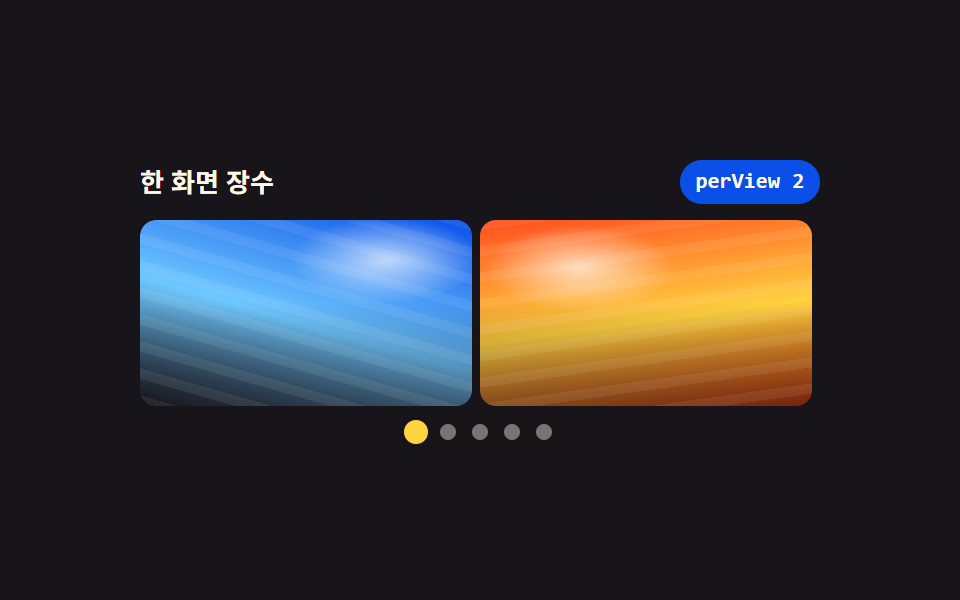 09 slider-responsive-aspect-perview
자동 재생 · 눌러서 해당 항목으로 · 전부 한 zip
- 01 화면 가득 채우는 히어로 슬라이더
- 02 썸네일 줄과 서로 맞추는 슬라이더
- 03 가운데가 앞으로 나오는 깊이 슬라이더
- 04 겹쳐 두고 서로 녹는 페이드 슬라이드쇼
- 05 휠을 한 칸씩 받는 세로 슬라이더
- 06 진행 막대와 멈춤 단추가 있는 자동 슬라이드쇼
- 07 손을 뗀 속도로 남은 거리를 정하는 드래그 슬라이더
- 08 앨범 격자에서 열리는 라이트박스 슬라이더
- 09 폭에 따라 보이는 장수가 바뀌는 슬라이더
순서의 축은 두 개입니다. 화면을 만드는 값이 단순해지는 쪽으로 01 부터 04 까지(밀기 → 따라오기 → 회전 → 겹침) 놓고, 입력이 화살표에서 휠·타이머·손가락으로 넓어지는 쪽으로 05 부터 07 까지 놓았으며, 08·09 는 슬라이더가 사는 자리(창 안, 화면 폭)를 바꾸는 묶음입니다. 아홉 개 모두 인덱스 하나를 구동축으로 삼아 돌아가고, 같은 화면을 스크롤 위치로 푸는 CSS 슬라이더 캐러셀과 자바스크립트 0줄로 도는 CSS 전용 캐러셀이 이 축의 반대쪽 이웃입니다.
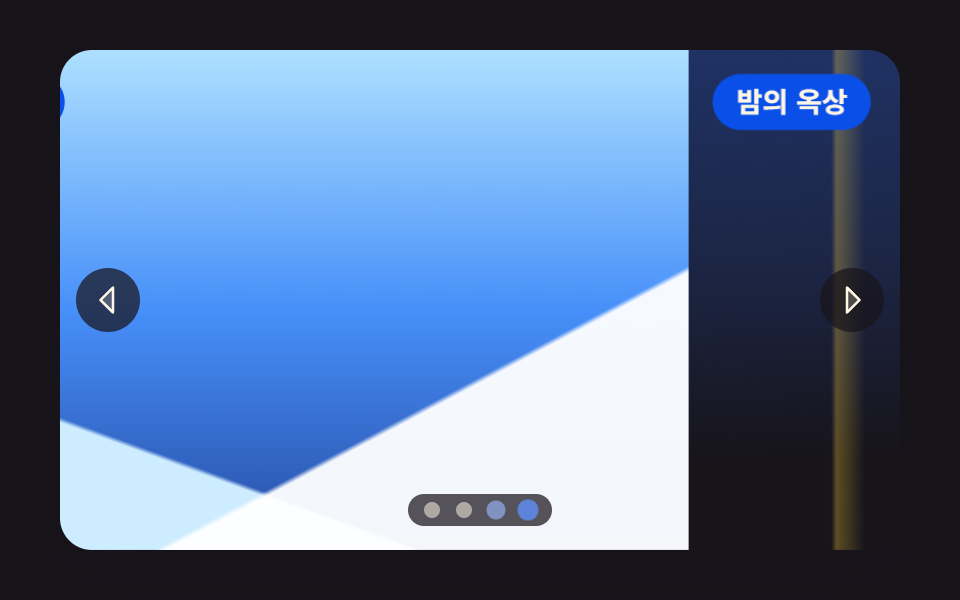
01화면 가득 채우는 히어로 슬라이더
사진 자리 네 장이 한 줄로 이어 붙은 트랙이 창을 한 칸씩 비켜 가는 랜딩 첫 화면용 판으로, 화살표·점·키보드가 전부 같은 인덱스 하나를 봅니다.
<main class="stage">
<section class="hero is-demo" id="hero" tabindex="0" role="region" aria-roledescription="carousel" aria-label="여행 사진 히어로 슬라이더">
  <div class="hero__view">
    <div class="hero__track" id="track" style="--i:0">
      <article class="hero__slide" aria-roledescription="slide">
        <div class="hero__shot hero__shot--a" role="img" aria-label="노을이 번진 하늘 아래 바다를 끼고 굽어 도는 해안 도로"></div>
        <p class="hero__cap">해안 도로</p>
      </article>
      <article class="hero__slide" aria-roledescription="slide">
        <div class="hero__shot hero__shot--b" role="img" aria-label="새벽 물안개가 낮게 깔린 잔잔한 호수와 건너편 숲"></div>
        <p class="hero__cap">새벽 호수</p>
      </article>
      <article class="hero__slide" aria-roledescription="slide">
        <div class="hero__shot hero__shot--c" role="img" aria-label="눈이 덮인 산등성이와 그 위로 트인 차가운 하늘"></div>
        <p class="hero__cap">눈 덮인 능선</p>
      </article>
      <article class="hero__slide" aria-roledescription="slide">
        <div class="hero__shot hero__shot--d" role="img" aria-label="밤의 도시 옥상에서 내려다본 창문 불빛과 먼 지평선"></div>
        <p class="hero__cap">밤의 옥상</p>
      </article>
    </div>
  </div>
  <button class="hero__nav hero__nav--prev" id="prev" type="button" aria-label="이전 사진"><svg xmlns="http://www.w3.org/2000/svg" width="1em" height="1em" viewBox="0 0 256 256" aria-hidden="true"><g fill="currentColor"><path d="M160 48v160l-80-80Z" opacity=".2"/><path d="M163.06 40.61a8 8 0 0 0-8.72 1.73l-80 80a8 8 0 0 0 0 11.32l80 80A8 8 0 0 0 168 208V48a8 8 0 0 0-4.94-7.39M152 188.69L91.31 128L152 67.31Z"/></g></svg></button>
  <button class="hero__nav hero__nav--next" id="next" type="button" aria-label="다음 사진"><svg xmlns="http://www.w3.org/2000/svg" width="1em" height="1em" viewBox="0 0 256 256" aria-hidden="true"><g fill="currentColor"><path d="m176 128l-80 80V48Z" opacity=".2"/><path d="m181.66 122.34l-80-80A8 8 0 0 0 88 48v160a8 8 0 0 0 13.66 5.66l80-80a8 8 0 0 0 0-11.32M104 188.69V67.31L164.69 128Z"/></g></svg></button>
  <div class="hero__dots" id="dots"></div>
</section>
</main>@use "../../../../site/static/demo-tokens" as *;
// 화면 가득 채우는 히어로 슬라이더.
// 사진 넉 장이 한 줄로 이어 붙은 트랙 하나를 translate3d 로 밀고, 화살표와 점은 같은 인덱스 하나를 본다.
// 옮기는 값은 CSS 변수 --i 뿐이다 — JS 는 숫자만 바꾸고 거리 계산은 calc(-100% * var(--i)) 가 한다.
// 스크롤 컨테이너가 아니다: overflow-x·scroll-snap-type 을 쓰지 않으므로 트랙 폭이 뷰포트를 넘지 않는다.
// 사진 자리는 FLUX 키가 오면 배경만 갈아 끼운다 (run/082/_이미지후보.01.json).
$duration: $dur-enter;
$easing: $ease-out;
$color: $subject-blue;
$panel: $subject-blue-deep; // 크림 글자를 얹는 파란 면 — 5.98:1 (blog-design 대비 표)
$veil: rgba($subject-ink, .72); // 사진 위에 얹는 조작 면. 아이콘·점이 어떤 장면에서도 보이게 한다
$cap-fs: clamp(11px, 3.2vw, 14px);
@include stage($stage-ink);
.hero {
position: relative;
box-sizing: border-box;
width: min(100%, 420px);
height: min(250px, 84vh);
border-radius: $r-card;
overflow: hidden;
background: $subject-ink;
box-shadow: $shadow-raised;
}
.hero:focus-visible { outline: 3px solid $color; outline-offset: 2px; }
// ── 창(고정) 과 트랙(움직임)
.hero__view { position: absolute; inset: 0; overflow: hidden; }
.hero__track {
display: flex;
width: 100%;
height: 100%;
transform: translate3d(calc(-100% * var(--i, 0)), 0, 0);
transition: transform $duration $easing;
will-change: transform;
}
.hero__slide { position: relative; flex: 0 0 100%; height: 100%; }
// ── 사진 자리. 하늘·지평선·빛 세 겹을 겹쳐 장면이 서로 구분되게 한다
.hero__shot { position: absolute; inset: 0; background-repeat: no-repeat; background-size: cover; }
// 해 → 수평선 → 바다 → 도로 띠 순으로 겹친다.
// 해는 반지름을 정한 작은 원이다 — 먼 곳까지 퍼지는 radial 은 gif 로 줄이면 동심원 띠가 남는다 (실측 2026-09-14)
.hero__shot--a {
background-image:
radial-gradient(circle 20px at 68% 30%, rgba($subject-cream, .96) 0 52%, rgba($subject-cream, .20) 80%, rgba($subject-cream, 0) 100%),
linear-gradient(74deg, rgba($subject-cream, 0) 44%, rgba($subject-cream, .26) 47%, rgba($subject-cream, 0) 50%),
linear-gradient(180deg, rgba($subject-cream, 0) 58%, rgba($subject-cream, .30) 59%, rgba($subject-cream, 0) 62%),
linear-gradient(180deg, mix($stage-orange, $subject-cream, 30%) 0%, $stage-orange 36%,
mix($stage-orange, $subject-ink, 46%) 59%, mix($subject-ink, $stage-orange, 74%) 60%,
mix($subject-ink, $stage-orange, 92%) 100%);
}
.hero__shot--b {
background-image:
radial-gradient(circle 16px at 32% 30%, rgba($subject-cream, .92) 0 50%, rgba($subject-cream, .18) 82%, rgba($subject-cream, 0) 100%),
linear-gradient(180deg, rgba($subject-cream, 0) 54%, rgba($subject-cream, .38) 58%, rgba($subject-cream, .10) 66%, rgba($subject-cream, 0) 72%),
linear-gradient(180deg, mix($subject-sky, $subject-cream, 40%) 0%, mix($subject-sky, $subject-cream, 68%) 44%,
mix($subject-blue, $subject-ink, 50%) 58%, mix($subject-ink, $subject-blue, 80%) 100%);
}
// 앞 능선(밝은 눈) · 뒤 능선(그늘) · 하늘 세 겹. 대각선은 아래쪽에서만 올라오게 시작점을 60% 아래로 둔다
.hero__shot--c {
background-image:
linear-gradient(152deg, rgba($stage-paper, 0) 70%, rgba($stage-paper, .95) 70.6%),
linear-gradient(200deg, rgba($stage-paper, 0) 74%, mix($subject-sky, $stage-paper, 34%) 74.6%),
linear-gradient(180deg, mix($subject-sky, $stage-paper, 56%) 0%, mix($subject-sky, $subject-blue, 38%) 52%,
mix($subject-blue, $subject-ink, 62%) 100%);
}
.hero__shot--d {
background-image:
radial-gradient(circle 14px at 78% 20%, rgba($stage-yellow, .90) 0 46%, rgba($stage-yellow, .16) 80%, rgba($stage-yellow, 0) 100%),
linear-gradient(90deg, rgba($stage-yellow, 0) 17%, rgba($stage-yellow, .30) 17.6%, rgba($stage-yellow, 0) 21%,
rgba($stage-yellow, 0) 31%, rgba($stage-yellow, .22) 31.6%, rgba($stage-yellow, 0) 35%,
rgba($stage-yellow, 0) 62%, rgba($stage-yellow, .28) 62.6%, rgba($stage-yellow, 0) 66%),
linear-gradient(178deg, mix($subject-blue, $subject-ink, 34%) 0%, mix($subject-blue, $subject-ink, 18%) 44%,
$subject-ink 78%);
}
// ── 장면 이름. 파란 면 위 크림 글자 (5.98:1)
.hero__cap {
position: absolute;
top: $sp-3;
left: $sp-3;
margin: 0;
padding: $sp-1 $sp-3;
border-radius: $r-pill;
background: $panel;
color: $subject-cream;
font-weight: 700;
font-size: $cap-fs;
line-height: 1.4;
}
// ── 화살표·점. 둘 다 진짜 button 이고 같은 index 를 읽는다
.hero__nav {
position: absolute;
top: 50%;
width: 32px;
height: 32px;
padding: 0;
border: 0;
border-radius: 50%;
display: grid;
place-items: center;
background: $veil;
color: $subject-cream;
font-size: 20px;
cursor: pointer;
transform: translateY(-50%);
transition: transform $dur-quick $easing;
}
.hero__nav--prev { left: $sp-2; }
.hero__nav--next { right: $sp-2; }
.hero__nav:hover { transform: translateY(-50%) scale(1.12); }
.hero__nav:focus-visible { outline: 3px solid $color; outline-offset: 2px; }
.hero__dots {
position: absolute;
left: 50%;
bottom: $sp-3;
display: flex;
gap: $sp-2;
padding: $sp-1 $sp-2;
border-radius: $r-pill;
background: $veil;
transform: translateX(-50%);
}
.hero__dot {
width: 8px;
height: 8px;
padding: 0;
border: 0;
border-radius: 50%;
background: rgba($subject-cream, .52);
cursor: pointer;
transition: transform $dur-quick $easing, background-color $dur-quick $easing;
}
.hero__dot[aria-current="true"] { background: $color; transform: scale(1.5); }
.hero__dot:focus-visible { outline: 2px solid $subject-cream; outline-offset: 2px; }
// ── 좁은 화면: 조작 면을 줄여 사진이 계속 주인공이 되게 한다
@media (max-width: 360px) {
.hero__cap { top: $sp-2; left: $sp-2; padding: 0 $sp-2; }
.hero__nav { width: 26px; height: 26px; font-size: 16px; }
.hero__dots { bottom: $sp-2; gap: $sp-1; }
}
@media (prefers-reduced-motion: reduce) {
.hero__track,
.hero__nav,
.hero__dot { transition-duration: 0s; }
}html, body {
margin: 0;
overflow: hidden;
}
.stage {
box-sizing: border-box;
min-height: 100vh;
display: grid;
place-items: center;
margin: 0;
background: #17141a;
font-family: -apple-system, "Segoe UI", "Noto Sans KR", sans-serif;
padding: clamp(8px, 4vw, 24px);
}
.hero {
position: relative;
box-sizing: border-box;
width: min(100%, 420px);
height: min(250px, 84vh);
border-radius: 16px;
overflow: hidden;
background: #17141a;
box-shadow: 0 14px 24px rgba(23, 20, 26, 0.32);
}
.hero:focus-visible {
outline: 3px solid #2f6df6;
outline-offset: 2px;
}
.hero__view {
position: absolute;
inset: 0;
overflow: hidden;
}
.hero__track {
display: flex;
width: 100%;
height: 100%;
transform: translate3d(calc(-100% * var(--i, 0)), 0, 0);
transition: transform 600ms ease-out;
will-change: transform;
}
.hero__slide {
position: relative;
flex: 0 0 100%;
height: 100%;
}
.hero__shot {
position: absolute;
inset: 0;
background-repeat: no-repeat;
background-size: cover;
}
.hero__shot--a {
background-image: radial-gradient(circle 20px at 68% 30%, rgba(255, 247, 230, 0.96) 0 52%, rgba(255, 247, 230, 0.2) 80%, rgba(255, 247, 230, 0) 100%), linear-gradient(74deg, rgba(255, 247, 230, 0) 44%, rgba(255, 247, 230, 0.26) 47%, rgba(255, 247, 230, 0) 50%), linear-gradient(180deg, rgba(255, 247, 230, 0) 58%, rgba(255, 247, 230, 0.3) 59%, rgba(255, 247, 230, 0) 62%), linear-gradient(180deg, rgb(100%, 76.862745098%, 66.7843137255%) 0%, #ff4d1f 36%, rgb(50.8705882353%, 18.1254901961%, 11.0980392157%) 59%, rgb(32.6745098039%, 13.6549019608%, 10.7058823529%) 60%, rgb(16.2980392157%, 9.631372549%, 10.3529411765%) 100%);
}
.hero__shot--b {
background-image: radial-gradient(circle 16px at 32% 30%, rgba(255, 247, 230, 0.92) 0 50%, rgba(255, 247, 230, 0.18) 82%, rgba(255, 247, 230, 0) 100%), linear-gradient(180deg, rgba(255, 247, 230, 0) 54%, rgba(255, 247, 230, 0.38) 58%, rgba(255, 247, 230, 0.1) 66%, rgba(255, 247, 230, 0) 72%), linear-gradient(180deg, rgb(77.2549019608%, 89.4901960784%, 94.1176470588%) 0%, rgb(61.3333333333%, 84.3294117647%, 96.862745098%) 44%, rgb(13.7254901961%, 25.2941176471%, 53.3333333333%) 58%, rgb(10.9019607843%, 14.8235294118%, 27.4509803922%) 100%);
}
.hero__shot--c {
background-image: linear-gradient(152deg, rgba(255, 255, 255, 0) 70%, rgba(255, 255, 255, 0.95) 70.6%), linear-gradient(200deg, rgba(255, 255, 255, 0) 74%, rgb(80.6666666667%, 92.6666666667%, 100%) 74.6%), linear-gradient(180deg, rgb(68.1568627451%, 87.9215686275%, 100%) 0%, rgb(27.8196078431%, 56.3058823529%, 97.8117647059%) 52%, rgb(14.8549019608%, 29.4823529412%, 63.6862745098%) 100%);
}
.hero__shot--d {
background-image: radial-gradient(circle 14px at 78% 20%, rgba(255, 210, 63, 0.9) 0 46%, rgba(255, 210, 63, 0.16) 80%, rgba(255, 210, 63, 0) 100%), linear-gradient(90deg, rgba(255, 210, 63, 0) 17%, rgba(255, 210, 63, 0.3) 17.6%, rgba(255, 210, 63, 0) 21%, rgba(255, 210, 63, 0) 31%, rgba(255, 210, 63, 0.22) 31.6%, rgba(255, 210, 63, 0) 35%, rgba(255, 210, 63, 0) 62%, rgba(255, 210, 63, 0.28) 62.6%, rgba(255, 210, 63, 0) 66%), linear-gradient(178deg, rgb(12.2196078431%, 19.7098039216%, 39.5294117647%) 0%, rgb(10.7137254902%, 14.1254901961%, 25.7254901961%) 44%, #17141a 78%);
}
.hero__cap {
position: absolute;
top: 12px;
left: 12px;
margin: 0;
padding: 4px 12px;
border-radius: 999px;
background: #0a4fe8;
color: #fff7e6;
font-weight: 700;
font-size: clamp(11px, 3.2vw, 14px);
line-height: 1.4;
}
.hero__nav {
position: absolute;
top: 50%;
width: 32px;
height: 32px;
padding: 0;
border: 0;
border-radius: 50%;
display: grid;
place-items: center;
background: rgba(23, 20, 26, 0.72);
color: #fff7e6;
font-size: 20px;
cursor: pointer;
transform: translateY(-50%);
transition: transform 220ms ease-out;
}
.hero__nav--prev {
left: 8px;
}
.hero__nav--next {
right: 8px;
}
.hero__nav:hover {
transform: translateY(-50%) scale(1.12);
}
.hero__nav:focus-visible {
outline: 3px solid #2f6df6;
outline-offset: 2px;
}
.hero__dots {
position: absolute;
left: 50%;
bottom: 12px;
display: flex;
gap: 8px;
padding: 4px 8px;
border-radius: 999px;
background: rgba(23, 20, 26, 0.72);
transform: translateX(-50%);
}
.hero__dot {
width: 8px;
height: 8px;
padding: 0;
border: 0;
border-radius: 50%;
background: rgba(255, 247, 230, 0.52);
cursor: pointer;
transition: transform 220ms ease-out, background-color 220ms ease-out;
}
.hero__dot[aria-current=true] {
background: #2f6df6;
transform: scale(1.5);
}
.hero__dot:focus-visible {
outline: 2px solid #fff7e6;
outline-offset: 2px;
}
@media (max-width: 360px) {
.hero__cap {
top: 8px;
left: 8px;
padding: 0 8px;
}
.hero__nav {
width: 26px;
height: 26px;
font-size: 16px;
}
.hero__dots {
bottom: 8px;
gap: 4px;
}
}
@media (prefers-reduced-motion: reduce) {
.hero__track,
.hero__nav,
.hero__dot {
transition-duration: 0s;
}
}// 인덱스 하나가 전부다. 트랙의 --i 를 바꾸면 CSS 가 translate3d 로 옮기고,
// 점과 화살표는 같은 index 를 읽는다 (라이브러리 0 · 스크롤 컨테이너 아님).
var hero = document.getElementById('hero');
var track = document.getElementById('track');
var dotsBox = document.getElementById('dots');
var slides = track.querySelectorAll('.hero__slide');
var SLIDE_LABEL = '{total}장 중 {n}장';
var DOT_LABEL = '{n}번째 사진 보기';
var total = slides.length;
var index = 0;
var timer = 0;
var dots = [];
function label(form, n) { return form.replace('{n}', n).replace('{total}', total); }
function picker(n) { return function () { stop(); go(n); }; }
function go(n) {
  index = (n + total) % total;
  track.style.setProperty('--i', index);
  for (var k = 0; k < total; k++) {
    slides[k].setAttribute('aria-hidden', k === index ? 'false' : 'true');
    dots[k].setAttribute('aria-current', k === index ? 'true' : 'false');
  }
}
function stop() {
hero.classList.remove('is-demo');
if (timer) { clearInterval(timer); timer = 0; }
}
for (var i = 0; i < total; i++) {
slides[i].setAttribute('aria-label', label(SLIDE_LABEL, i + 1));
var dot = document.createElement('button');
dot.type = 'button';
dot.className = 'hero__dot';
dot.setAttribute('aria-label', label(DOT_LABEL, i + 1));
dot.addEventListener('click', picker(i));
dotsBox.appendChild(dot);
dots.push(dot);
}
document.getElementById('prev').addEventListener('click', function () { stop(); go(index - 1); });
document.getElementById('next').addEventListener('click', function () { stop(); go(index + 1); });
hero.addEventListener('keydown', function (e) {
if (e.key === 'ArrowLeft') { stop(); go(index - 1); }
if (e.key === 'ArrowRight') { stop(); go(index + 1); }
});
hero.addEventListener('pointerdown', stop);
go(0);
// 격자 미리보기: .is-demo 가 붙어 있는 동안만 혼자 넘어간다. 손이 닿으면 stop() 이 뗀다
timer = setInterval(function () { if (hero.classList.contains('is-demo')) { go(index + 1); } }, 560);// HeroTrackSlider — vanilla 판(run/082/demo/01-slider-fullscreen-hero-track/index.html) 의 React 포트.
// 사진 넉 장이 한 줄로 이어 붙은 트랙 하나를 translate3d 로 밀고, 화살표와 점이 같은 인덱스 하나를 본다.
// 옮기는 값은 CSS 변수 --i 뿐이다 — 컴포넌트는 숫자만 바꾸고 거리 계산은 calc(-100% * var(--i)) 가 한다.
import { useEffect, useState } from "react";
import type { CSSProperties } from "react";
import styles from "./HeroTrackSlider.module.scss";
export type HeroTrackSliderProps = {
duration?: number;
easing?: string;
color?: string;
autoplayMs?: number;
};
type Vars = CSSProperties & {
"--i"?: number;
"--duration"?: string;
"--easing"?: string;
"--color"?: string;
};
const REGION_LABEL = "여행 사진 히어로 슬라이더";
const SLIDE_LABEL = "{total}장 중 {n}장";
const DOT_LABEL = "{n}번째 사진 보기";
const PREV_LABEL = "이전 사진";
const NEXT_LABEL = "다음 사진";
type Shot = { key: string; cap: string; alt: string };
const SHOTS: Shot[] = [
{ key: "a", cap: "해안 도로", alt: "노을이 번진 하늘 아래 바다를 끼고 굽어 도는 해안 도로" },
{ key: "b", cap: "새벽 호수", alt: "새벽 물안개가 낮게 깔린 잔잔한 호수와 건너편 숲" },
{ key: "c", cap: "눈 덮인 능선", alt: "눈이 덮인 산등성이와 그 위로 트인 차가운 하늘" },
{ key: "d", cap: "밤의 옥상", alt: "밤의 도시 옥상에서 내려다본 창문 불빛과 먼 지평선" },
];
function label(form: string, n: number, total: number): string {
return form.replace("{n}", String(n)).replace("{total}", String(total));
}
function CaretLeft() {
return (
<svg xmlns="http://www.w3.org/2000/svg" width="1em" height="1em" viewBox="0 0 256 256" aria-hidden="true">
<g fill="currentColor">
<path d="M160 48v160l-80-80Z" opacity=".2" />
<path d="M163.06 40.61a8 8 0 0 0-8.72 1.73l-80 80a8 8 0 0 0 0 11.32l80 80A8 8 0 0 0 168 208V48a8 8 0 0 0-4.94-7.39M152 188.69L91.31 128L152 67.31Z" />
</g>
</svg>
);
}
function CaretRight() {
return (
<svg xmlns="http://www.w3.org/2000/svg" width="1em" height="1em" viewBox="0 0 256 256" aria-hidden="true">
<g fill="currentColor">
<path d="m176 128l-80 80V48Z" opacity=".2" />
<path d="m181.66 122.34l-80-80A8 8 0 0 0 88 48v160a8 8 0 0 0 13.66 5.66l80-80a8 8 0 0 0 0-11.32M104 188.69V67.31L164.69 128Z" />
</g>
</svg>
);
}
export default function HeroTrackSlider(props: HeroTrackSliderProps) {
const duration = props.duration ?? 600;
const easing = props.easing ?? "ease-out";
const color = props.color ?? "#2f6df6";
const autoplayMs = props.autoplayMs ?? 560;
const total = SHOTS.length;
const [index, setIndex] = useState<number>(0);
const [playing, setPlaying] = useState<boolean>(true);
// 격자 미리보기: playing 인 동안만 혼자 넘어간다. 손이 닿으면 stop() 이 끈다
useEffect(() => {
if (!playing) return;
const id = window.setInterval(() => setIndex((prev: number) => (prev + 1) % total), autoplayMs);
return () => window.clearInterval(id);
}, [playing, autoplayMs, total]);
const stop = () => setPlaying(false);
const go = (n: number) => {
stop();
setIndex(((n % total) + total) % total);
};
const vars: Vars = { "--i": index, "--duration": duration + "ms", "--easing": easing, "--color": color };
return (
<main className={styles.stage}>
<section
className={styles.hero}
style={vars}
tabIndex={0}
role="region"
aria-roledescription="carousel"
aria-label={REGION_LABEL}
onPointerDown={stop}
onKeyDown={(e: { key: string }) => {
if (e.key === "ArrowLeft") go(index - 1);
if (e.key === "ArrowRight") go(index + 1);
}}
>
<div className={styles.view}>
<div className={styles.track}>
{SHOTS.map((shot: Shot, i: number) => (
<article
key={shot.key}
className={styles.slide}
aria-roledescription="slide"
aria-label={label(SLIDE_LABEL, i + 1, total)}
aria-hidden={i === index ? "false" : "true"}
>
<div className={styles.shot + " " + styles["shot--" + shot.key]} role="img" aria-label={shot.alt} />
<p className={styles.cap}>{shot.cap}</p>
</article>
))}
</div>
</div>
<button className={styles.nav + " " + styles.navPrev} type="button" aria-label={PREV_LABEL} onClick={() => go(index - 1)}>
<CaretLeft />
</button>
<button className={styles.nav + " " + styles.navNext} type="button" aria-label={NEXT_LABEL} onClick={() => go(index + 1)}>
<CaretRight />
</button>
<div className={styles.dots}>
{SHOTS.map((shot: Shot, i: number) => (
<button
key={shot.key}
className={styles.dot}
type="button"
aria-label={label(DOT_LABEL, i + 1, total)}
aria-current={i === index ? "true" : "false"}
onClick={() => go(i)}
/>
))}
</div>
</section>
</main>
);
}01 · 화면 가득 채우는 히어로 슬라이더 — 측정 누적면적 72.751% · 움직인 프레임 20/23GODRICH 원작 · zip 에 SCSS·React 포함 · 비밀번호 보기
인덱스 하나만 바꾸는 이동 함수
function go(n) {
index = (n + total) % total;
track.style.setProperty('--i', index);
for (var k = 0; k < total; k++) {
slides[k].setAttribute('aria-hidden', k === index ? 'false' : 'true');
dots[k].setAttribute('aria-current', k === index ? 'true' : 'false');
}
}
다음 화살표를 누르면 인덱스가 0에서 1로 바뀌고 트랙이 matrix(1, 0, 0, 1, 0, 0) 에서 matrix(1, 0, 0, 1, -420, 0) 로 정확히 한 칸을 가며, 네 번째 점을 누르면 세 칸을 한 번에 건너뛰어 -1260 자리에 섭니다.
거리 계산을 calc 에 맡기는 트랙
.hero__track {
  display: flex;
  width: 100%;
  height: 100%;
  transform: translate3d(calc(-100% * var(--i, 0)), 0, 0);
  transition: transform $duration $easing;
  will-change: transform;
}

.hero__slide { position: relative; flex: 0 0 100%; height: 100%; }
칸마다 flex: 0 0 100% 로 창 폭을 꽉 채우므로 화면 폭이 바뀌어도 곱셈이 바뀐 장 폭을 그대로 다시 읽고, 측정에서는 움직인 프레임 20/23(찍은 24장을 앞뒤로 견준 23칸 기준) · 누적면적 72.751% 로 아홉 개 중 두 번째로 넓게 움직였습니다.
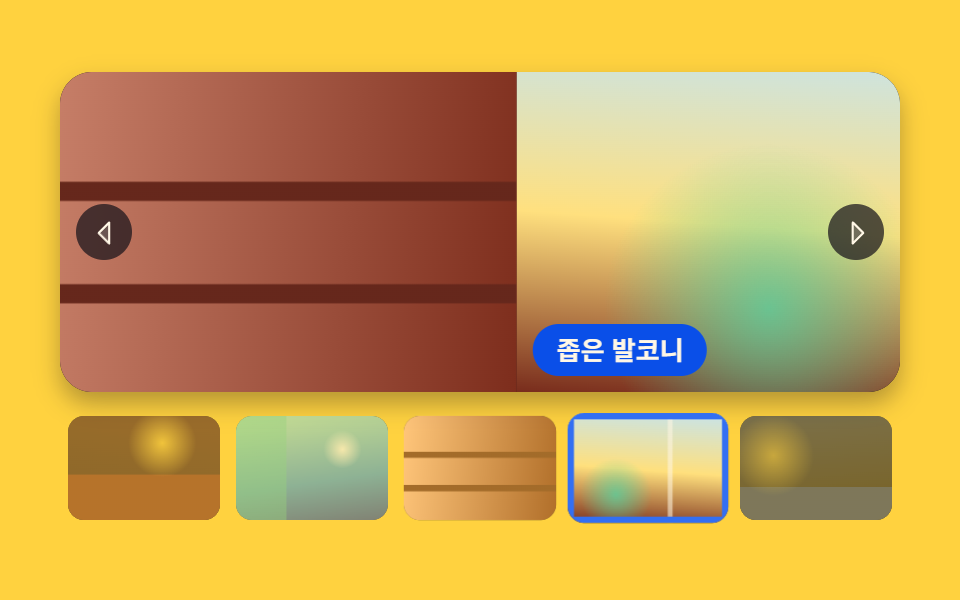
02썸네일 줄과 서로 맞추는 슬라이더
큰 사진을 넘기면 아래 썸네일 줄이 활성 칸을 가운데로 끌어오고 썸네일을 누르면 큰 사진이 그 장으로 가는, 상품 상세 사진 묶음에 붙이는 양방향 판입니다.
<main class="stage">
<section class="gal is-demo" id="gal" tabindex="0" role="region" aria-roledescription="carousel" aria-label="객실 사진 슬라이더">
  <div class="gal__main">
    <div class="gal__track" id="track" style="--i:0">
      <article class="gal__slide" aria-roledescription="slide">
        <div class="gal__shot gal__shot--a" role="img" aria-label="아침 햇빛이 길게 드는 창가 침대와 흰 침구"></div>
        <p class="gal__cap">창가 침대</p>
      </article>
      <article class="gal__slide" aria-roledescription="slide">
        <div class="gal__shot gal__shot--b" role="img" aria-label="스탠드 불빛이 동그랗게 떨어지는 원목 책상"></div>
        <p class="gal__cap">원목 책상</p>
      </article>
      <article class="gal__slide" aria-roledescription="slide">
        <div class="gal__shot gal__shot--c" role="img" aria-label="청록 타일을 두른 욕실과 둥근 거울"></div>
        <p class="gal__cap">청록 욕실</p>
      </article>
      <article class="gal__slide" aria-roledescription="slide">
        <div class="gal__shot gal__shot--d" role="img" aria-label="나무 선반에 컵이 줄지어 놓인 작은 주방"></div>
        <p class="gal__cap">주방 선반</p>
      </article>
      <article class="gal__slide" aria-roledescription="slide">
        <div class="gal__shot gal__shot--e" role="img" aria-label="화분을 둔 좁은 발코니와 난간 너머 골목"></div>
        <p class="gal__cap">좁은 발코니</p>
      </article>
      <article class="gal__slide" aria-roledescription="slide">
        <div class="gal__shot gal__shot--f" role="img" aria-label="간접등만 켠 밤의 거실과 낮은 소파"></div>
        <p class="gal__cap">밤의 거실</p>
      </article>
    </div>
    <button class="gal__nav gal__nav--prev" id="prev" type="button" aria-label="이전 사진"><svg xmlns="http://www.w3.org/2000/svg" width="1em" height="1em" viewBox="0 0 256 256" aria-hidden="true"><g fill="currentColor"><path d="M160 48v160l-80-80Z" opacity=".2"/><path d="M163.06 40.61a8 8 0 0 0-8.72 1.73l-80 80a8 8 0 0 0 0 11.32l80 80A8 8 0 0 0 168 208V48a8 8 0 0 0-4.94-7.39M152 188.69L91.31 128L152 67.31Z"/></g></svg></button>
    <button class="gal__nav gal__nav--next" id="next" type="button" aria-label="다음 사진"><svg xmlns="http://www.w3.org/2000/svg" width="1em" height="1em" viewBox="0 0 256 256" aria-hidden="true"><g fill="currentColor"><path d="m176 128l-80 80V48Z" opacity=".2"/><path d="m181.66 122.34l-80-80A8 8 0 0 0 88 48v160a8 8 0 0 0 13.66 5.66l80-80a8 8 0 0 0 0-11.32M104 188.69V67.31L164.69 128Z"/></g></svg></button>
  </div>
  <div class="gal__strip" id="strip" role="group" aria-label="썸네일 줄">
    <button class="gal__thumb" type="button" aria-selected="false"><span class="gal__thumbArt gal__shot--a" role="img" aria-label="창가 침대"></span></button>
    <button class="gal__thumb" type="button" aria-selected="false"><span class="gal__thumbArt gal__shot--b" role="img" aria-label="원목 책상"></span></button>
    <button class="gal__thumb" type="button" aria-selected="false"><span class="gal__thumbArt gal__shot--c" role="img" aria-label="청록 욕실"></span></button>
    <button class="gal__thumb" type="button" aria-selected="false"><span class="gal__thumbArt gal__shot--d" role="img" aria-label="주방 선반"></span></button>
    <button class="gal__thumb" type="button" aria-selected="false"><span class="gal__thumbArt gal__shot--e" role="img" aria-label="좁은 발코니"></span></button>
    <button class="gal__thumb" type="button" aria-selected="false"><span class="gal__thumbArt gal__shot--f" role="img" aria-label="밤의 거실"></span></button>
  </div>
</section>
</main>@use "../../../../site/static/demo-tokens" as *;
// 썸네일 줄과 서로 맞추는 슬라이더 — 동기는 양방향이다.
// ① 썸네일 클릭 → 인덱스가 바뀌고 큰 사진 트랙이 translateX 로 그 장까지 밀린다
// ② 큰 사진이 넘어가면 scrollIntoView({inline:'center'}) 가 활성 썸네일을 줄 가운데로 끌어온다
// 큰 사진 쪽은 스크롤 컨테이너가 아니다(인덱스 구동). 가로 스크롤은 썸네일 줄 하나뿐이고,
// 그것도 scrollIntoView 가 움직이는 레일이라 사람이 직접 밀 필요가 없다.
// 사진 자리는 FLUX 키가 오면 배경만 갈아 끼운다 (run/082/_이미지후보.01.json).
$duration: $dur-enter;
$easing: $ease-out;
$color: $subject-blue;
$panel: $subject-blue-deep; // 크림 글자를 얹는 파란 면 — 5.98:1
$veil: rgba($subject-ink, .72); // 사진 위 조작 면
$cap-fs: clamp(11px, 3.2vw, 13px);
@include stage($stage-yellow);
// 무대의 자동 열은 내용의 max-content 로 벌어진다 — 썸네일 줄(496px)이 그대로 열 너비가 되어
// 480px 창에도 가로 스크롤바가 생겼다 (실측 2026-09-14, demo.py 넘침). 열을 minmax(0,1fr) 로 못 박는다
.stage { grid-template-columns: minmax(0, 1fr); }
.gal {
box-sizing: border-box;
display: flex;
flex-direction: column;
gap: $sp-2;
width: min(100%, 420px);
min-width: 0;
justify-self: center;
}
.gal:focus-visible { outline: 3px solid $panel; outline-offset: 3px; }
// ── 큰 사진: 창은 고정, 트랙만 움직인다
.gal__main {
position: relative;
height: clamp(96px, 54vh, 160px);
border-radius: $r-card;
overflow: hidden;
background: $subject-ink;
box-shadow: $shadow-press;
}
.gal__track {
display: flex;
width: 100%;
height: 100%;
transform: translateX(calc(-100% * var(--i, 0)));
transition: transform $duration $easing;
will-change: transform;
}
.gal__slide { position: relative; flex: 0 0 100%; height: 100%; }
// ── 사진 자리. 큰 사진과 썸네일이 같은 배경 클래스를 함께 쓴다
.gal__shot { position: absolute; inset: 0; }
.gal__shot,
.gal__thumbArt { background-repeat: no-repeat; background-size: cover; }
.gal__shot--a {
background-image:
radial-gradient(circle at 24% 22%, rgba($subject-cream, .92), rgba($subject-cream, 0) 34%),
linear-gradient(76deg, rgba($subject-cream, 0) 46%, rgba($stage-paper, .88) 46.6%, rgba($stage-paper, .88) 82%, rgba($subject-cream, 0) 82.6%),
linear-gradient(160deg, mix($stage-yellow, $subject-cream, 46%) 0%, mix($stage-orange, $subject-cream, 26%) 58%, mix($subject-ink, $stage-orange, 62%) 100%);
}
.gal__shot--b {
background-image:
radial-gradient(circle at 62% 26%, rgba($stage-yellow, .86), rgba($stage-yellow, 0) 28%),
linear-gradient(180deg, rgba($subject-ink, 0) 56%, mix($stage-orange, $subject-ink, 46%) 56.6%),
linear-gradient(190deg, mix($subject-ink, $stage-orange, 74%) 0%, mix($subject-ink, $stage-orange, 88%) 100%);
}
.gal__shot--c {
background-image:
radial-gradient(circle at 70% 32%, rgba($stage-paper, .90), rgba($stage-paper, 0) 15%),
linear-gradient(90deg, rgba($subject-mint, .42) 0%, rgba($subject-mint, .42) 33%, rgba($subject-cream, 0) 33.4%, rgba($subject-cream, 0) 34%),
linear-gradient(172deg, mix($subject-mint, $stage-paper, 52%) 0%, mix($subject-mint, $subject-blue, 44%) 62%, mix($subject-blue, $subject-ink, 58%) 100%);
}
.gal__shot--d {
background-image:
linear-gradient(180deg, rgba($subject-ink, 0) 34%, mix($subject-ink, $stage-orange, 66%) 34.6%, mix($subject-ink, $stage-orange, 66%) 40%, rgba($subject-ink, 0) 40.6%,
rgba($subject-ink, 0) 66%, mix($subject-ink, $stage-orange, 66%) 66.6%, mix($subject-ink, $stage-orange, 66%) 72%, rgba($subject-ink, 0) 72.6%),
linear-gradient(96deg, mix($stage-orange, $subject-cream, 34%) 0%, mix($stage-orange, $subject-ink, 44%) 100%);
}
.gal__shot--e {
background-image:
radial-gradient(circle at 30% 74%, rgba($subject-mint, .74), rgba($subject-mint, 0) 26%),
linear-gradient(90deg, rgba($subject-cream, 0) 62%, rgba($subject-cream, .56) 62.6%, rgba($subject-cream, .56) 65%, rgba($subject-cream, 0) 65.6%),
linear-gradient(184deg, mix($subject-sky, $subject-cream, 40%) 0%, mix($stage-yellow, $subject-cream, 62%) 52%, mix($subject-ink, $stage-orange, 58%) 100%);
}
.gal__shot--f {
background-image:
radial-gradient(circle at 22% 38%, rgba($stage-yellow, .58), rgba($stage-yellow, 0) 30%),
linear-gradient(180deg, rgba($subject-ink, 0) 68%, mix($subject-ink, $subject-blue, 62%) 68.6%),
linear-gradient(174deg, mix($subject-blue, $subject-ink, 26%) 0%, $subject-ink 82%);
}
// ── 장면 이름. 파란 면 위 크림 글자 (5.98:1)
.gal__cap {
position: absolute;
left: $sp-2;
bottom: $sp-2;
margin: 0;
padding: $sp-1 $sp-3;
border-radius: $r-pill;
background: $panel;
color: $subject-cream;
font-weight: 700;
font-size: $cap-fs;
line-height: 1.4;
}
// ── 화살표
.gal__nav {
position: absolute;
top: 50%;
width: 28px;
height: 28px;
padding: 0;
border: 0;
border-radius: 50%;
display: grid;
place-items: center;
background: $veil;
color: $subject-cream;
font-size: 17px;
cursor: pointer;
transform: translateY(-50%);
transition: transform $dur-quick $easing;
}
.gal__nav--prev { left: $sp-2; }
.gal__nav--next { right: $sp-2; }
.gal__nav:hover { transform: translateY(-50%) scale(1.12); }
.gal__nav:focus-visible { outline: 3px solid $panel; outline-offset: 2px; }
// ── 썸네일 줄. 여기만 가로로 스크롤되고, 미는 사람은 scrollIntoView 다
.gal__strip {
display: flex;
gap: $sp-2;
padding: $sp-1;
min-width: 0;
overflow-x: auto;
overflow-y: hidden;
scrollbar-width: none;
}
.gal__strip::-webkit-scrollbar { display: none; }
.gal__thumb {
flex: 0 0 auto;
width: clamp(48px, 16vw, 76px);
height: clamp(34px, 11vw, 52px);
padding: 0;
border: 0;
border-radius: $r-sm;
overflow: hidden;
background: $subject-ink;
opacity: .58;
cursor: pointer;
transition: opacity $dur-quick $easing, transform $dur-quick $easing, box-shadow $dur-quick $easing;
}
.gal__thumbArt { display: block; width: 100%; height: 100%; }
.gal__thumb[aria-selected="true"] { opacity: 1; transform: scale(1.06); }
// 활성 테두리는 안쪽 그림자로 그린다 — 바깥 그림자는 줄 끝에서 잘린다
.gal__thumb[aria-selected="true"] .gal__thumbArt { box-shadow: inset 0 0 0 3px $color; }
.gal__thumb:focus-visible { outline: 3px solid $panel; outline-offset: 2px; }
// ── 좁은 화면: 조작 면과 여백을 줄인다
@media (max-width: 360px) {
.gal { gap: $sp-1; }
.gal__cap { left: $sp-1; bottom: $sp-1; padding: 0 $sp-2; }
.gal__nav { width: 24px; height: 24px; font-size: 15px; }
.gal__strip { gap: $sp-1; padding: $sp-1; }
}
@media (prefers-reduced-motion: reduce) {
.gal__track,
.gal__nav,
.gal__thumb { transition-duration: 0s; }
}html, body {
margin: 0;
overflow: hidden;
}
.stage {
box-sizing: border-box;
min-height: 100vh;
display: grid;
place-items: center;
margin: 0;
background: #ffd23f;
font-family: -apple-system, "Segoe UI", "Noto Sans KR", sans-serif;
padding: clamp(8px, 4vw, 24px);
}
.stage {
grid-template-columns: minmax(0, 1fr);
}
.gal {
box-sizing: border-box;
display: flex;
flex-direction: column;
gap: 8px;
width: min(100%, 420px);
min-width: 0;
justify-self: center;
}
.gal:focus-visible {
outline: 3px solid #0a4fe8;
outline-offset: 3px;
}
.gal__main {
position: relative;
height: clamp(96px, 54vh, 160px);
border-radius: 16px;
overflow: hidden;
background: #17141a;
box-shadow: 0 6px 12px rgba(23, 20, 26, 0.32);
}
.gal__track {
display: flex;
width: 100%;
height: 100%;
transform: translateX(calc(-100% * var(--i, 0)));
transition: transform 600ms ease-out;
will-change: transform;
}
.gal__slide {
position: relative;
flex: 0 0 100%;
height: 100%;
}
.gal__shot {
position: absolute;
inset: 0;
}
.gal__shot,
.gal__thumbArt {
background-repeat: no-repeat;
background-size: cover;
}
.gal__shot--a {
background-image: radial-gradient(circle at 24% 22%, rgba(255, 247, 230, 0.92), rgba(255, 247, 230, 0) 34%), linear-gradient(76deg, rgba(255, 247, 230, 0) 46%, rgba(255, 255, 255, 0.88) 46.6%, rgba(255, 255, 255, 0.88) 82%, rgba(255, 247, 230, 0) 82.6%), linear-gradient(160deg, rgb(100%, 90.1882352941%, 60.0705882353%) 0%, rgb(100%, 79.5294117647%, 69.9058823529%) 58%, rgb(43.5921568627%, 16.337254902%, 10.9411764706%) 100%);
}
.gal__shot--b {
background-image: radial-gradient(circle at 62% 26%, rgba(255, 210, 63, 0.86), rgba(255, 210, 63, 0) 28%), linear-gradient(180deg, rgba(23, 20, 26, 0) 56%, rgb(50.8705882353%, 18.1254901961%, 11.0980392157%) 56.6%), linear-gradient(190deg, rgb(32.6745098039%, 13.6549019608%, 10.7058823529%) 0%, rgb(19.937254902%, 10.5254901961%, 10.431372549%) 100%);
}
.gal__shot--c {
background-image: radial-gradient(circle at 70% 32%, rgba(255, 255, 255, 0.9), rgba(255, 255, 255, 0) 15%), linear-gradient(90deg, rgba(76, 212, 166, 0.42) 0%, rgba(76, 212, 166, 0.42) 33%, rgba(255, 247, 230, 0) 33.4%, rgba(255, 247, 230, 0) 34%), linear-gradient(172deg, rgb(63.4980392157%, 91.231372549%, 81.8509803922%) 0%, rgb(23.4352941176%, 60.5176470588%, 82.6666666667%) 62%, rgb(14.4784313725%, 28.0862745098%, 60.2352941176%) 100%);
}
.gal__shot--d {
background-image: linear-gradient(180deg, rgba(23, 20, 26, 0) 34%, rgb(39.9529411765%, 15.4431372549%, 10.862745098%) 34.6%, rgb(39.9529411765%, 15.4431372549%, 10.862745098%) 40%, rgba(23, 20, 26, 0) 40.6%, rgba(23, 20, 26, 0) 66%, rgb(39.9529411765%, 15.4431372549%, 10.862745098%) 66.6%, rgb(39.9529411765%, 15.4431372549%, 10.862745098%) 72%, rgba(23, 20, 26, 0) 72.6%), linear-gradient(96deg, rgb(100%, 74.1960784314%, 63.662745098%) 0%, rgb(49.0509803922%, 17.6784313725%, 11.0588235294%) 100%);
}
.gal__shot--e {
background-image: radial-gradient(circle at 30% 74%, rgba(76, 212, 166, 0.74), rgba(76, 212, 166, 0) 26%), linear-gradient(90deg, rgba(255, 247, 230, 0) 62%, rgba(255, 247, 230, 0.56) 62.6%, rgba(255, 247, 230, 0.56) 65%, rgba(255, 247, 230, 0) 65.6%), linear-gradient(184deg, rgb(77.2549019608%, 89.4901960784%, 94.1176470588%) 0%, rgb(100%, 87.8666666667%, 49.5921568627%) 52%, rgb(47.231372549%, 17.231372549%, 11.0196078431%) 100%);
}
.gal__shot--f {
background-image: radial-gradient(circle at 22% 38%, rgba(255, 210, 63, 0.58), rgba(255, 210, 63, 0) 30%), linear-gradient(180deg, rgba(23, 20, 26, 0) 68%, rgb(12.5960784314%, 21.1058823529%, 42.9803921569%) 68.6%), linear-gradient(174deg, rgb(11.4666666667%, 16.9176470588%, 32.6274509804%) 0%, #17141a 82%);
}
.gal__cap {
position: absolute;
left: 8px;
bottom: 8px;
margin: 0;
padding: 4px 12px;
border-radius: 999px;
background: #0a4fe8;
color: #fff7e6;
font-weight: 700;
font-size: clamp(11px, 3.2vw, 13px);
line-height: 1.4;
}
.gal__nav {
position: absolute;
top: 50%;
width: 28px;
height: 28px;
padding: 0;
border: 0;
border-radius: 50%;
display: grid;
place-items: center;
background: rgba(23, 20, 26, 0.72);
color: #fff7e6;
font-size: 17px;
cursor: pointer;
transform: translateY(-50%);
transition: transform 220ms ease-out;
}
.gal__nav--prev {
left: 8px;
}
.gal__nav--next {
right: 8px;
}
.gal__nav:hover {
transform: translateY(-50%) scale(1.12);
}
.gal__nav:focus-visible {
outline: 3px solid #0a4fe8;
outline-offset: 2px;
}
.gal__strip {
display: flex;
gap: 8px;
padding: 4px;
min-width: 0;
overflow-x: auto;
overflow-y: hidden;
scrollbar-width: none;
}
.gal__strip::-webkit-scrollbar {
display: none;
}
.gal__thumb {
flex: 0 0 auto;
width: clamp(48px, 16vw, 76px);
height: clamp(34px, 11vw, 52px);
padding: 0;
border: 0;
border-radius: 8px;
overflow: hidden;
background: #17141a;
opacity: 0.58;
cursor: pointer;
transition: opacity 220ms ease-out, transform 220ms ease-out, box-shadow 220ms ease-out;
}
.gal__thumbArt {
display: block;
width: 100%;
height: 100%;
}
.gal__thumb[aria-selected=true] {
opacity: 1;
transform: scale(1.06);
}
.gal__thumb[aria-selected=true] .gal__thumbArt {
box-shadow: inset 0 0 0 3px #2f6df6;
}
.gal__thumb:focus-visible {
outline: 3px solid #0a4fe8;
outline-offset: 2px;
}
@media (max-width: 360px) {
.gal {
gap: 4px;
}
.gal__cap {
left: 4px;
bottom: 4px;
padding: 0 8px;
}
.gal__nav {
width: 24px;
height: 24px;
font-size: 15px;
}
.gal__strip {
gap: 4px;
padding: 4px;
}
}
@media (prefers-reduced-motion: reduce) {
.gal__track,
.gal__nav,
.gal__thumb {
transition-duration: 0s;
}
}// 큰 사진과 썸네일 줄이 인덱스 하나를 같이 쓴다.
// 썸네일 클릭 → go(n) 으로 본문이 움직이고, 본문이 움직이면 scrollIntoView 가 활성 칸을 줄 가운데로 끌어온다.
var gal = document.getElementById('gal');
var track = document.getElementById('track');
var strip = document.getElementById('strip');
var slides = track.querySelectorAll('.gal__slide');
var thumbs = strip.querySelectorAll('.gal__thumb');
var SLIDE_LABEL = '{total}장 중 {n}장';
var total = slides.length;
var index = 0;
var timer = 0;
var soft = !window.matchMedia('(prefers-reduced-motion: reduce)').matches;
function label(form, n) { return form.replace('{n}', n).replace('{total}', total); }
function picker(n) { return function () { stop(); go(n); }; }
function go(n) {
  index = (n + total) % total;
  track.style.setProperty('--i', index);
  for (var k = 0; k < total; k++) {
    slides[k].setAttribute('aria-hidden', k === index ? 'false' : 'true');
    thumbs[k].setAttribute('aria-selected', k === index ? 'true' : 'false');
  }
  // 본문 → 썸네일 방향. block:'nearest' 라 줄만 움직이고 페이지는 그대로 있다
  thumbs[index].scrollIntoView({ block: 'nearest', inline: 'center', behavior: soft ? 'smooth' : 'auto' });
}
function stop() {
gal.classList.remove('is-demo');
if (timer) { clearInterval(timer); timer = 0; }
}
for (var i = 0; i < total; i++) {
slides[i].setAttribute('aria-label', label(SLIDE_LABEL, i + 1));
thumbs[i].addEventListener('click', picker(i));
}
document.getElementById('prev').addEventListener('click', function () { stop(); go(index - 1); });
document.getElementById('next').addEventListener('click', function () { stop(); go(index + 1); });
gal.addEventListener('keydown', function (e) {
if (e.key === 'ArrowLeft') { stop(); go(index - 1); }
if (e.key === 'ArrowRight') { stop(); go(index + 1); }
});
gal.addEventListener('pointerdown', stop);
go(0);
// 격자 미리보기: .is-demo 가 붙어 있는 동안만 혼자 넘어간다
timer = setInterval(function () { if (gal.classList.contains('is-demo')) { go(index + 1); } }, 480);// ThumbnailStripSlider — vanilla 판(run/082/demo/02-slider-thumbnail-strip-sync/index.html) 의 React 포트.
// 큰 사진과 썸네일 줄이 인덱스 하나를 같이 쓴다.
// ① 썸네일 클릭 → 인덱스가 바뀌고 트랙이 translateX 로 그 장까지 밀린다
// ② 인덱스가 바뀌면 effect 가 scrollIntoView 로 활성 썸네일을 줄 가운데로 끌어온다
import { useEffect, useRef, useState } from "react";
import type { CSSProperties } from "react";
import styles from "./ThumbnailStripSlider.module.scss";
export type ThumbnailStripSliderProps = {
duration?: number;
easing?: string;
color?: string;
autoplayMs?: number;
};
type Vars = CSSProperties & {
"--i"?: number;
"--duration"?: string;
"--easing"?: string;
"--color"?: string;
};
// useRef<T> 는 T | null 을 돌려준다 — ambient 타입에 맞춰 상자 타입을 따로 둔다
type Box<T> = { current: T | null };
const REGION_LABEL = "객실 사진 슬라이더";
const STRIP_LABEL = "썸네일 줄";
const SLIDE_LABEL = "{total}장 중 {n}장";
const PREV_LABEL = "이전 사진";
const NEXT_LABEL = "다음 사진";
type Shot = { key: string; cap: string; alt: string };
const SHOTS: Shot[] = [
{ key: "a", cap: "창가 침대", alt: "아침 햇빛이 길게 드는 창가 침대와 흰 침구" },
{ key: "b", cap: "원목 책상", alt: "스탠드 불빛이 동그랗게 떨어지는 원목 책상" },
{ key: "c", cap: "청록 욕실", alt: "청록 타일을 두른 욕실과 둥근 거울" },
{ key: "d", cap: "주방 선반", alt: "나무 선반에 컵이 줄지어 놓인 작은 주방" },
{ key: "e", cap: "좁은 발코니", alt: "화분을 둔 좁은 발코니와 난간 너머 골목" },
{ key: "f", cap: "밤의 거실", alt: "간접등만 켠 밤의 거실과 낮은 소파" },
];
function label(form: string, n: number, total: number): string {
return form.replace("{n}", String(n)).replace("{total}", String(total));
}
function CaretLeft() {
return (
<svg xmlns="http://www.w3.org/2000/svg" width="1em" height="1em" viewBox="0 0 256 256" aria-hidden="true">
<g fill="currentColor">
<path d="M160 48v160l-80-80Z" opacity=".2" />
<path d="M163.06 40.61a8 8 0 0 0-8.72 1.73l-80 80a8 8 0 0 0 0 11.32l80 80A8 8 0 0 0 168 208V48a8 8 0 0 0-4.94-7.39M152 188.69L91.31 128L152 67.31Z" />
</g>
</svg>
);
}
function CaretRight() {
return (
<svg xmlns="http://www.w3.org/2000/svg" width="1em" height="1em" viewBox="0 0 256 256" aria-hidden="true">
<g fill="currentColor">
<path d="m176 128l-80 80V48Z" opacity=".2" />
<path d="m181.66 122.34l-80-80A8 8 0 0 0 88 48v160a8 8 0 0 0 13.66 5.66l80-80a8 8 0 0 0 0-11.32M104 188.69V67.31L164.69 128Z" />
</g>
</svg>
);
}
export default function ThumbnailStripSlider(props: ThumbnailStripSliderProps) {
const duration = props.duration ?? 600;
const easing = props.easing ?? "ease-out";
const color = props.color ?? "#2f6df6";
const autoplayMs = props.autoplayMs ?? 480;
const total = SHOTS.length;
const [index, setIndex] = useState<number>(0);
const [playing, setPlaying] = useState<boolean>(true);
const stripRef = useRef<HTMLDivElement>(null) as Box<HTMLDivElement>;
useEffect(() => {
if (!playing) return;
const id = window.setInterval(() => setIndex((prev: number) => (prev + 1) % total), autoplayMs);
return () => window.clearInterval(id);
}, [playing, autoplayMs, total]);
// 본문 → 썸네일 방향. block:'nearest' 라 줄만 움직이고 페이지는 그대로 있다
useEffect(() => {
const strip = stripRef.current;
if (!strip) return;
const active = strip.children[index] as HTMLElement | undefined;
if (!active) return;
const soft = !window.matchMedia("(prefers-reduced-motion: reduce)").matches;
active.scrollIntoView({ block: "nearest", inline: "center", behavior: soft ? "smooth" : "auto" });
}, [index]);
const stop = () => setPlaying(false);
const go = (n: number) => {
stop();
setIndex(((n % total) + total) % total);
};
const vars: Vars = { "--i": index, "--duration": duration + "ms", "--easing": easing, "--color": color };
return (
<main className={styles.stage}>
<section
className={styles.gal}
style={vars}
tabIndex={0}
role="region"
aria-roledescription="carousel"
aria-label={REGION_LABEL}
onPointerDown={stop}
onKeyDown={(e: { key: string }) => {
if (e.key === "ArrowLeft") go(index - 1);
if (e.key === "ArrowRight") go(index + 1);
}}
>
<div className={styles.main}>
<div className={styles.track}>
{SHOTS.map((shot: Shot, i: number) => (
<article
key={shot.key}
className={styles.slide}
aria-roledescription="slide"
aria-label={label(SLIDE_LABEL, i + 1, total)}
aria-hidden={i === index ? "false" : "true"}
>
<div className={styles.shot + " " + styles["shot--" + shot.key]} role="img" aria-label={shot.alt} />
<p className={styles.cap}>{shot.cap}</p>
</article>
))}
</div>
<button className={styles.nav + " " + styles.navPrev} type="button" aria-label={PREV_LABEL} onClick={() => go(index - 1)}>
<CaretLeft />
</button>
<button className={styles.nav + " " + styles.navNext} type="button" aria-label={NEXT_LABEL} onClick={() => go(index + 1)}>
<CaretRight />
</button>
</div>
<div className={styles.strip} ref={stripRef} role="group" aria-label={STRIP_LABEL}>
{SHOTS.map((shot: Shot, i: number) => (
<button
key={shot.key}
className={styles.thumb}
type="button"
aria-selected={i === index ? "true" : "false"}
onClick={() => go(i)}
>
<span className={styles.thumbArt + " " + styles["shot--" + shot.key]} role="img" aria-label={shot.cap} />
</button>
))}
</div>
</section>
</main>
);
}02 · 썸네일 줄과 서로 맞추는 슬라이더 — 측정 누적면적 62.812% · 움직인 프레임 21/23GODRICH 원작 · zip 에 SCSS·React 포함 · 비밀번호 보기
양방향으로 맞추는 썸네일 동기
function go(n) {
index = (n + total) % total;
track.style.setProperty('--i', index);
for (var k = 0; k < total; k++) {
slides[k].setAttribute('aria-hidden', k === index ? 'false' : 'true');
thumbs[k].setAttribute('aria-selected', k === index ? 'true' : 'false');
}
// 본문 → 썸네일 방향. block:'nearest' 라 줄만 움직이고 페이지는 그대로 있다
thumbs[index].scrollIntoView({ block: 'nearest', inline: 'center', behavior: soft ? 'smooth' : 'auto' });
}
다섯 번째 썸네일을 누르면 큰 사진의 인덱스가 0에서 4로 바뀌고 트랙이 -1680 까지 밀리며 줄의 scrollLeft 도 0에서 84 로 따라 움직이고, 화살표로 한 칸만 넘겼을 때는 scrollLeft 가 0 그대로였습니다.
무대 열을 못 박는 한 줄
// 무대의 자동 열은 내용의 max-content 로 벌어진다 — 썸네일 줄(496px)이 그대로 열 너비가 되어
// 480px 창에도 가로 스크롤바가 생겼다 (실측 2026-09-14, demo.py 넘침). 열을 minmax(0,1fr) 로 못 박는다
.stage { grid-template-columns: minmax(0, 1fr); }

// ── 썸네일 줄. 여기만 가로로 스크롤되고, 미는 사람은 scrollIntoView 다
.gal__strip {
  display: flex;
  gap: $sp-2;
  padding: $sp-1;
  min-width: 0;
  overflow-x: auto;
  overflow-y: hidden;
  scrollbar-width: none;
}
화면에서 가로로 스크롤되는 곳은 이 줄 하나뿐이고 미는 주체도 사람이 아니라 scrollIntoView 라서 손을 대지 않아도 활성 칸이 줄 가운데 쪽으로 따라옵니다(움직인 프레임 21/23 · 누적면적 62.812%).
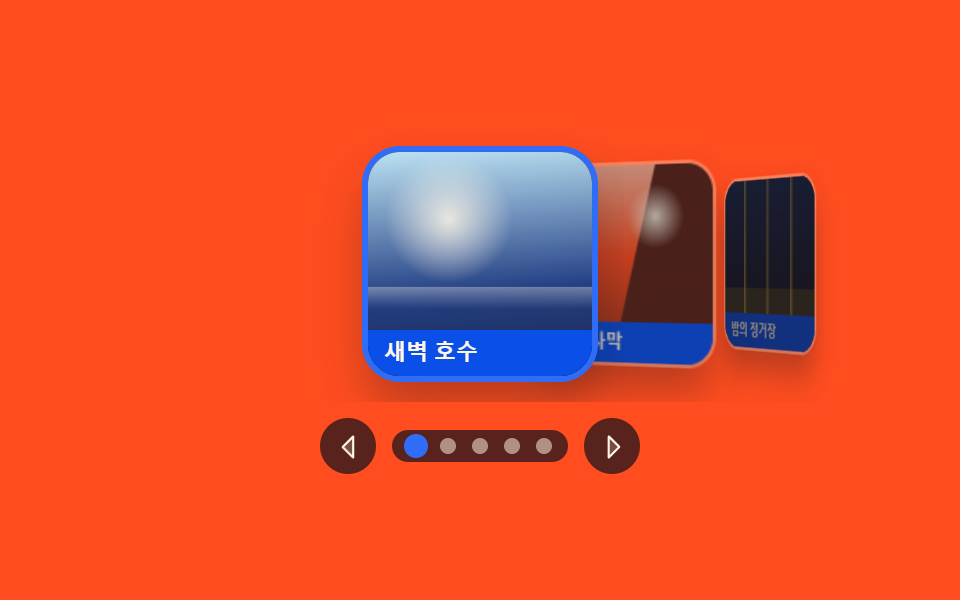
03가운데가 앞으로 나오는 깊이 슬라이더
활성 표지가 정면에 서고 양옆이 뒤로 눕는 앨범 표지 고르기용 판으로, 무대가 perspective 를 건 3D 공간이고 카드마다 각도와 크기가 붙습니다.
<main class="stage">
<section class="cf is-demo" id="cf" tabindex="0" role="region" aria-roledescription="carousel" aria-label="앨범 표지 깊이 슬라이더">
  <div class="cf__box">
    <div class="cf__track" id="track">
      <button class="cf__card" type="button" aria-roledescription="slide">
        <span class="cf__art cf__art--a" role="img" aria-label="물안개가 낮게 덮인 잔잔한 호수 표지"></span>
        <span class="cf__name">새벽 호수</span>
      </button>
      <button class="cf__card" type="button" aria-roledescription="slide">
        <span class="cf__art cf__art--b" role="img" aria-label="해 질 무렵 붉게 물든 사막 바위 표지"></span>
        <span class="cf__name">붉은 사막</span>
      </button>
      <button class="cf__card" type="button" aria-roledescription="slide">
        <span class="cf__art cf__art--c" role="img" aria-label="불 켜진 승강장이 늘어선 밤 기차 정거장 표지"></span>
        <span class="cf__name">밤의 정거장</span>
      </button>
      <button class="cf__card" type="button" aria-roledescription="slide">
        <span class="cf__art cf__art--d" role="img" aria-label="비가 갠 뒤 젖은 초록 언덕과 낮은 구름 표지"></span>
        <span class="cf__name">초록 언덕</span>
      </button>
      <button class="cf__card" type="button" aria-roledescription="slide">
        <span class="cf__art cf__art--e" role="img" aria-label="푸른 얼음 조각이 떠 있는 겨울 바다 표지"></span>
        <span class="cf__name">얼음 바다</span>
      </button>
    </div>
  </div>
  <div class="cf__bar">
    <button class="cf__nav" id="prev" type="button" aria-label="이전 표지"><svg xmlns="http://www.w3.org/2000/svg" width="1em" height="1em" viewBox="0 0 256 256" aria-hidden="true"><g fill="currentColor"><path d="M160 48v160l-80-80Z" opacity=".2"/><path d="M163.06 40.61a8 8 0 0 0-8.72 1.73l-80 80a8 8 0 0 0 0 11.32l80 80A8 8 0 0 0 168 208V48a8 8 0 0 0-4.94-7.39M152 188.69L91.31 128L152 67.31Z"/></g></svg></button>
    <div class="cf__dots" id="dots"></div>
    <button class="cf__nav" id="next" type="button" aria-label="다음 표지"><svg xmlns="http://www.w3.org/2000/svg" width="1em" height="1em" viewBox="0 0 256 256" aria-hidden="true"><g fill="currentColor"><path d="m176 128l-80 80V48Z" opacity=".2"/><path d="m181.66 122.34l-80-80A8 8 0 0 0 88 48v160a8 8 0 0 0 13.66 5.66l80-80a8 8 0 0 0 0-11.32M104 188.69V67.31L164.69 128Z"/></g></svg></button>
  </div>
</section>
</main>@use "../../../../site/static/demo-tokens" as *;
// 가운데가 앞으로 나오는 깊이 슬라이더.
// 무대(.cf__box)가 perspective 를 걸고 트랙(.cf__track)이 transform-style: preserve-3d 로 3D 공간을 연다.
// JS 는 카드마다 "활성 장에서 몇 칸 떨어졌는가"(--d) 와 그 절댓값(--ad) 만 얹는다 —
// 옆으로 밀리는 거리·rotateY 각도·뒤로 물러나는 깊이·축소·흐림은 전부 이 두 숫자의 calc() 다.
// 스크롤 위치를 읽지 않는다(scroll-snap 아님). 그래서 화살표·점·카드 클릭이 전부 같은 인덱스를 만진다.
// 표지 자리는 FLUX 키가 오면 배경만 갈아 끼운다 (run/082/_이미지후보.01.json).
$duration: $dur-enter;
$easing: $ease-out;
$color: $subject-blue;
$panel: $subject-blue-deep; // 크림 글자를 얹는 파란 면 — 5.98:1
$veil: rgba($subject-ink, .72); // 주황 무대 위 조작 면
$card-w: clamp(80px, 24vw, 112px);
$step: clamp(48px, 15vw, 72px); // 한 칸 옆으로 밀리는 거리
$name-fs: clamp(9px, 2.4vw, 11px);
@include stage($stage-orange);
.cf {
box-sizing: border-box;
display: flex;
flex-direction: column;
align-items: center;
gap: $sp-2;
width: min(100%, 420px);
}
.cf:focus-visible { outline: 3px solid $subject-ink; outline-offset: 3px; }
// ── 깊이가 생기는 무대. 여기 perspective 가 없으면 rotateY 는 납작한 가로 눌림으로만 보인다
.cf__box {
position: relative;
width: 100%;
height: clamp(96px, 46vh, 140px);
perspective: 900px;
perspective-origin: 50% 50%;
overflow: hidden;
}
.cf__track {
position: absolute;
inset: 0;
transform-style: preserve-3d;
}
// ── 카드 하나. 두 숫자(--d · --ad)만 받아 스스로 자리를 잡는다
.cf__card {
position: absolute;
left: 50%;
top: 50%;
width: $card-w;
height: $card-w;
padding: 0;
border: 0;
border-radius: $r-card;
overflow: hidden;
display: flex;
flex-direction: column;
justify-content: flex-end;
background: $subject-ink;
cursor: pointer;
backface-visibility: hidden;
box-shadow: 0 0 0 2px rgba($subject-cream, .30), $shadow-raised;
// 깊이는 translateZ 가 아니라 rotateY + 축소로 만든다. perspective 를 건 3D 공간 안에서
// translateZ 로 물러난 요소는 Chrome 이 **적중 판정(hit test)에서 빼 버린다** — 화면에는 보이는데
// 클릭이 트랙으로 빠진다 (2026-09-14 실측: elementFromPoint 가 옆 카드 자리에서 .cf__track 을 돌려줬다).
// z 를 0 으로 두면 같은 자리에서 다섯 장이 전부 눌린다.
transform:
translate3d(calc(-50% + var(--d, 0) * #{$step}), -50%, 0)
rotateY(calc(var(--d, 0) * -34deg))
scale(calc(1 - .12 * var(--ad, 0)));
// 두 칸까지는 불투명하게 두고 세 칸째부터 사라진다 — 반투명 카드는 주황 무대가 비쳐 탁해진다 (실측 2026-09-14)
opacity: calc(3 - var(--ad, 0));
transition: transform $duration $easing, opacity $duration $easing;
}
// 멀어질수록 어두워지는 것은 투명도가 아니라 카드 위에 덮는 먹 장막이다
.cf__card::after {
content: "";
position: absolute;
inset: 0;
background: $subject-ink;
opacity: calc(.26 * var(--ad, 0));
pointer-events: none;
transition: opacity $duration $easing;
}
.cf__card[aria-current="true"] { box-shadow: 0 0 0 3px $color, $shadow-raised; }
.cf__card:focus-visible { outline: 3px solid $subject-ink; outline-offset: 3px; }
// ── 표지 그림 자리
.cf__art { position: absolute; inset: 0; background-repeat: no-repeat; background-size: cover; }
.cf__art--a {
background-image:
radial-gradient(circle at 36% 30%, rgba($subject-cream, .84), rgba($subject-cream, 0) 30%),
linear-gradient(180deg, rgba($subject-cream, 0) 60%, rgba($subject-cream, .34) 60.4%, rgba($subject-cream, 0) 70%),
linear-gradient(176deg, mix($subject-sky, $subject-cream, 46%) 0%, mix($subject-blue, $subject-ink, 48%) 62%, mix($subject-ink, $subject-blue, 78%) 100%);
}
.cf__art--b {
background-image:
radial-gradient(circle at 68% 26%, rgba($subject-cream, .88), rgba($subject-cream, 0) 16%),
linear-gradient(104deg, rgba($subject-ink, 0) 54%, mix($subject-ink, $stage-orange, 70%) 54.6%),
linear-gradient(182deg, mix($stage-orange, $subject-cream, 38%) 0%, $stage-orange 46%, mix($stage-orange, $subject-ink, 54%) 100%);
}
.cf__art--c {
background-image:
linear-gradient(90deg, rgba($stage-yellow, 0) 22%, rgba($stage-yellow, .58) 22.6%, rgba($stage-yellow, 0) 26%,
rgba($stage-yellow, 0) 48%, rgba($stage-yellow, .46) 48.6%, rgba($stage-yellow, 0) 52%,
rgba($stage-yellow, 0) 74%, rgba($stage-yellow, .52) 74.6%, rgba($stage-yellow, 0) 78%),
linear-gradient(180deg, rgba($subject-ink, 0) 64%, mix($subject-ink, $stage-yellow, 82%) 64.6%),
linear-gradient(178deg, mix($subject-blue, $subject-ink, 24%) 0%, $subject-ink 84%);
}
.cf__art--d {
background-image:
radial-gradient(circle at 26% 22%, rgba($stage-paper, .72), rgba($stage-paper, 0) 28%),
linear-gradient(86deg, rgba($subject-mint, 0) 44%, mix($subject-mint, $subject-ink, 58%) 44.6%),
linear-gradient(174deg, mix($subject-sky, $subject-cream, 52%) 0%, mix($subject-mint, $stage-paper, 64%) 48%, mix($subject-mint, $subject-ink, 46%) 100%);
}
.cf__art--e {
background-image:
linear-gradient(118deg, rgba($stage-paper, 0) 34%, rgba($stage-paper, .82) 34.6%, rgba($stage-paper, .82) 44%, rgba($stage-paper, 0) 44.6%),
linear-gradient(62deg, rgba($stage-paper, 0) 66%, rgba($stage-paper, .62) 66.6%, rgba($stage-paper, 0) 74%),
linear-gradient(180deg, mix($subject-sky, $stage-paper, 46%) 0%, mix($subject-sky, $subject-blue, 52%) 54%, mix($subject-blue, $subject-ink, 60%) 100%);
}
// ── 표지 제목 띠. 파란 면 위 크림 글자 (5.98:1)
.cf__name {
position: relative;
padding: $sp-1 $sp-2;
background: $panel;
color: $subject-cream;
font-weight: 700;
font-size: $name-fs;
line-height: 1.4;
text-align: left;
white-space: nowrap;
overflow: hidden;
text-overflow: ellipsis;
}
// ── 조작 줄
.cf__bar { display: flex; align-items: center; gap: $sp-2; }
.cf__nav {
width: 28px;
height: 28px;
padding: 0;
border: 0;
border-radius: 50%;
display: grid;
place-items: center;
background: $veil;
color: $subject-cream;
font-size: 17px;
cursor: pointer;
transition: transform $dur-quick $easing;
}
.cf__nav:hover { transform: scale(1.12); }
.cf__nav:focus-visible { outline: 3px solid $subject-ink; outline-offset: 2px; }
.cf__dots {
display: flex;
align-items: center;
gap: $sp-2;
padding: $sp-1 $sp-2;
border-radius: $r-pill;
background: $veil;
}
.cf__dot {
width: 8px;
height: 8px;
padding: 0;
border: 0;
border-radius: 50%;
background: rgba($subject-cream, .52);
cursor: pointer;
transition: transform $dur-quick $easing, background-color $dur-quick $easing;
}
.cf__dot[aria-current="true"] { background: $color; transform: scale(1.5); }
.cf__dot:focus-visible { outline: 2px solid $subject-cream; outline-offset: 2px; }
// ── 좁은 화면: 조작 줄을 한 단계 줄인다
@media (max-width: 360px) {
.cf { gap: $sp-1; }
.cf__nav { width: 24px; height: 24px; font-size: 15px; }
.cf__dots { gap: $sp-1; }
}
@media (prefers-reduced-motion: reduce) {
.cf__card,
.cf__card::after,
.cf__nav,
.cf__dot { transition-duration: 0s; }
}html, body {
margin: 0;
overflow: hidden;
}
.stage {
box-sizing: border-box;
min-height: 100vh;
display: grid;
place-items: center;
margin: 0;
background: #ff4d1f;
font-family: -apple-system, "Segoe UI", "Noto Sans KR", sans-serif;
padding: clamp(8px, 4vw, 24px);
}
.cf {
box-sizing: border-box;
display: flex;
flex-direction: column;
align-items: center;
gap: 8px;
width: min(100%, 420px);
}
.cf:focus-visible {
outline: 3px solid #17141a;
outline-offset: 3px;
}
.cf__box {
position: relative;
width: 100%;
height: clamp(96px, 46vh, 140px);
perspective: 900px;
perspective-origin: 50% 50%;
overflow: hidden;
}
.cf__track {
position: absolute;
inset: 0;
transform-style: preserve-3d;
}
.cf__card {
position: absolute;
left: 50%;
top: 50%;
width: clamp(80px, 24vw, 112px);
height: clamp(80px, 24vw, 112px);
padding: 0;
border: 0;
border-radius: 16px;
overflow: hidden;
display: flex;
flex-direction: column;
justify-content: flex-end;
background: #17141a;
cursor: pointer;
backface-visibility: hidden;
box-shadow: 0 0 0 2px rgba(255, 247, 230, 0.3), 0 14px 24px rgba(23, 20, 26, 0.32);
transform: translate3d(calc(-50% + var(--d, 0) * clamp(48px, 15vw, 72px)), -50%, 0) rotateY(calc(var(--d, 0) * -34deg)) scale(calc(1 - 0.12 * var(--ad, 0)));
opacity: calc(3 - var(--ad, 0));
transition: transform 600ms ease-out, opacity 600ms ease-out;
}
.cf__card::after {
content: "";
position: absolute;
inset: 0;
background: #17141a;
opacity: calc(0.26 * var(--ad, 0));
pointer-events: none;
transition: opacity 600ms ease-out;
}
.cf__card[aria-current=true] {
box-shadow: 0 0 0 3px #2f6df6, 0 14px 24px rgba(23, 20, 26, 0.32);
}
.cf__card:focus-visible {
outline: 3px solid #17141a;
outline-offset: 3px;
}
.cf__art {
position: absolute;
inset: 0;
background-repeat: no-repeat;
background-size: cover;
}
.cf__art--a {
background-image: radial-gradient(circle at 36% 30%, rgba(255, 247, 230, 0.84), rgba(255, 247, 230, 0) 30%), linear-gradient(180deg, rgba(255, 247, 230, 0) 60%, rgba(255, 247, 230, 0.34) 60.4%, rgba(255, 247, 230, 0) 70%), linear-gradient(176deg, rgb(73.8431372549%, 88.3843137255%, 94.7058823529%) 0%, rgb(13.537254902%, 24.5960784314%, 51.6078431373%) 62%, rgb(11.0901960784%, 15.5215686275%, 29.1764705882%) 100%);
}
.cf__art--b {
background-image: radial-gradient(circle at 68% 26%, rgba(255, 247, 230, 0.88), rgba(255, 247, 230, 0) 16%), linear-gradient(104deg, rgba(23, 20, 26, 0) 54%, rgb(36.3137254902%, 14.5490196078%, 10.7843137255%) 54.6%), linear-gradient(182deg, rgb(100%, 71.5294117647%, 60.5411764706%) 0%, #ff4d1f 46%, rgb(58.1490196078%, 19.9137254902%, 11.2549019608%) 100%);
}
.cf__art--c {
background-image: linear-gradient(90deg, rgba(255, 210, 63, 0) 22%, rgba(255, 210, 63, 0.58) 22.6%, rgba(255, 210, 63, 0) 26%, rgba(255, 210, 63, 0) 48%, rgba(255, 210, 63, 0.46) 48.6%, rgba(255, 210, 63, 0) 52%, rgba(255, 210, 63, 0) 74%, rgba(255, 210, 63, 0.52) 74.6%, rgba(255, 210, 63, 0) 78%), linear-gradient(180deg, rgba(23, 20, 26, 0) 64%, rgb(25.3960784314%, 21.2549019608%, 12.8078431373%) 64.6%), linear-gradient(178deg, rgb(11.2784313725%, 16.2196078431%, 30.9019607843%) 0%, #17141a 84%);
}
.cf__art--d {
background-image: radial-gradient(circle at 26% 22%, rgba(255, 255, 255, 0.72), rgba(255, 255, 255, 0) 28%), linear-gradient(86deg, rgba(76, 212, 166, 0) 44%, rgb(21.0745098039%, 51.5137254902%, 42.0392156863%) 44.6%), linear-gradient(174deg, rgb(70.431372549%, 87.2784313725%, 95.2941176471%) 0%, rgb(55.0745098039%, 89.2078431373%, 77.662745098%) 48%, rgb(18.5803921569%, 42.4784313725%, 35.4509803922%) 100%);
}
.cf__art--e {
background-image: linear-gradient(118deg, rgba(255, 255, 255, 0) 34%, rgba(255, 255, 255, 0.82) 34.6%, rgba(255, 255, 255, 0.82) 44%, rgba(255, 255, 255, 0) 44.6%), linear-gradient(62deg, rgba(255, 255, 255, 0) 66%, rgba(255, 255, 255, 0.62) 66.6%, rgba(255, 255, 255, 0) 74%), linear-gradient(180deg, rgb(73.8431372549%, 90.0784313725%, 100%) 0%, rgb(31.2784313725%, 61.3019607843%, 98.3058823529%) 54%, rgb(14.6666666667%, 28.7843137255%, 61.9607843137%) 100%);
}
.cf__name {
position: relative;
padding: 4px 8px;
background: #0a4fe8;
color: #fff7e6;
font-weight: 700;
font-size: clamp(9px, 2.4vw, 11px);
line-height: 1.4;
text-align: left;
white-space: nowrap;
overflow: hidden;
text-overflow: ellipsis;
}
.cf__bar {
display: flex;
align-items: center;
gap: 8px;
}
.cf__nav {
width: 28px;
height: 28px;
padding: 0;
border: 0;
border-radius: 50%;
display: grid;
place-items: center;
background: rgba(23, 20, 26, 0.72);
color: #fff7e6;
font-size: 17px;
cursor: pointer;
transition: transform 220ms ease-out;
}
.cf__nav:hover {
transform: scale(1.12);
}
.cf__nav:focus-visible {
outline: 3px solid #17141a;
outline-offset: 2px;
}
.cf__dots {
display: flex;
align-items: center;
gap: 8px;
padding: 4px 8px;
border-radius: 999px;
background: rgba(23, 20, 26, 0.72);
}
.cf__dot {
width: 8px;
height: 8px;
padding: 0;
border: 0;
border-radius: 50%;
background: rgba(255, 247, 230, 0.52);
cursor: pointer;
transition: transform 220ms ease-out, background-color 220ms ease-out;
}
.cf__dot[aria-current=true] {
background: #2f6df6;
transform: scale(1.5);
}
.cf__dot:focus-visible {
outline: 2px solid #fff7e6;
outline-offset: 2px;
}
@media (max-width: 360px) {
.cf {
gap: 4px;
}
.cf__nav {
width: 24px;
height: 24px;
font-size: 15px;
}
.cf__dots {
gap: 4px;
}
}
@media (prefers-reduced-motion: reduce) {
.cf__card,
.cf__card::after,
.cf__nav,
.cf__dot {
transition-duration: 0s;
}
}// 스크롤 위치가 아니라 "활성 장에서 몇 칸 떨어졌는가" 가 모양을 정한다.
// JS 는 카드마다 거리 d 와 |d| 만 CSS 변수로 얹고, rotateY·translateZ·축소는 CSS 가 계산한다.
var cf = document.getElementById('cf');
var track = document.getElementById('track');
var dotsBox = document.getElementById('dots');
var cards = track.querySelectorAll('.cf__card');
var SLIDE_LABEL = '{total}장 중 {n}장 · {name}';
var DOT_LABEL = '{n}번째 표지 보기';
var total = cards.length;
var index = 0;
var timer = 0;
var dots = [];
function picker(n) { return function () { stop(); go(n); }; }
function go(n) {
  index = (n + total) % total;
  for (var k = 0; k < total; k++) {
    var d = k - index;
    var far = Math.abs(d);
    cards[k].style.setProperty('--d', d);
    cards[k].style.setProperty('--ad', far);
    cards[k].style.zIndex = String(total - far);
    cards[k].style.pointerEvents = far > 2 ? 'none' : 'auto';
    cards[k].setAttribute('aria-current', d === 0 ? 'true' : 'false');
    dots[k].setAttribute('aria-current', d === 0 ? 'true' : 'false');
  }
}
function stop() {
cf.classList.remove('is-demo');
if (timer) { clearInterval(timer); timer = 0; }
}
for (var i = 0; i < total; i++) {
var name = cards[i].querySelector('.cf__name').textContent;
cards[i].setAttribute('aria-label', SLIDE_LABEL.replace('{n}', i + 1).replace('{total}', total).replace('{name}', name));
cards[i].addEventListener('click', picker(i));
var dot = document.createElement('button');
dot.type = 'button';
dot.className = 'cf__dot';
dot.setAttribute('aria-label', DOT_LABEL.replace('{n}', i + 1));
dot.addEventListener('click', picker(i));
dotsBox.appendChild(dot);
dots.push(dot);
}
document.getElementById('prev').addEventListener('click', function () { stop(); go(index - 1); });
document.getElementById('next').addEventListener('click', function () { stop(); go(index + 1); });
cf.addEventListener('keydown', function (e) {
if (e.key === 'ArrowLeft') { stop(); go(index - 1); }
if (e.key === 'ArrowRight') { stop(); go(index + 1); }
});
cf.addEventListener('pointerdown', stop);
go(0);
// 격자 미리보기: .is-demo 가 붙어 있는 동안만 혼자 넘어간다
timer = setInterval(function () { if (cf.classList.contains('is-demo')) { go(index + 1); } }, 440);// CoverflowDepthSlider — vanilla 판(run/082/demo/03-slider-coverflow-depth-3d/index.html) 의 React 포트.
// 스크롤 위치가 아니라 "활성 장에서 몇 칸 떨어졌는가" 가 모양을 정한다.
// 컴포넌트는 카드마다 거리 d 와 |d| 만 CSS 변수로 얹고, rotateY·translateZ·축소는 CSS 가 계산한다.
import { useEffect, useState } from "react";
import type { CSSProperties } from "react";
import styles from "./CoverflowDepthSlider.module.scss";
export type CoverflowDepthSliderProps = {
duration?: number;
easing?: string;
color?: string;
autoplayMs?: number;
};
type Vars = CSSProperties & {
"--duration"?: string;
"--easing"?: string;
"--color"?: string;
};
type CardVars = CSSProperties & { "--d"?: number; "--ad"?: number };
const REGION_LABEL = "앨범 표지 깊이 슬라이더";
const SLIDE_LABEL = "{total}장 중 {n}장 · {name}";
const DOT_LABEL = "{n}번째 표지 보기";
const PREV_LABEL = "이전 표지";
const NEXT_LABEL = "다음 표지";
type Cover = { key: string; name: string; alt: string };
const COVERS: Cover[] = [
{ key: "a", name: "새벽 호수", alt: "물안개가 낮게 덮인 잔잔한 호수 표지" },
{ key: "b", name: "붉은 사막", alt: "해 질 무렵 붉게 물든 사막 바위 표지" },
{ key: "c", name: "밤의 정거장", alt: "불 켜진 승강장이 늘어선 밤 기차 정거장 표지" },
{ key: "d", name: "초록 언덕", alt: "비가 갠 뒤 젖은 초록 언덕과 낮은 구름 표지" },
{ key: "e", name: "얼음 바다", alt: "푸른 얼음 조각이 떠 있는 겨울 바다 표지" },
];
function CaretLeft() {
return (
<svg xmlns="http://www.w3.org/2000/svg" width="1em" height="1em" viewBox="0 0 256 256" aria-hidden="true">
<g fill="currentColor">
<path d="M160 48v160l-80-80Z" opacity=".2" />
<path d="M163.06 40.61a8 8 0 0 0-8.72 1.73l-80 80a8 8 0 0 0 0 11.32l80 80A8 8 0 0 0 168 208V48a8 8 0 0 0-4.94-7.39M152 188.69L91.31 128L152 67.31Z" />
</g>
</svg>
);
}
function CaretRight() {
return (
<svg xmlns="http://www.w3.org/2000/svg" width="1em" height="1em" viewBox="0 0 256 256" aria-hidden="true">
<g fill="currentColor">
<path d="m176 128l-80 80V48Z" opacity=".2" />
<path d="m181.66 122.34l-80-80A8 8 0 0 0 88 48v160a8 8 0 0 0 13.66 5.66l80-80a8 8 0 0 0 0-11.32M104 188.69V67.31L164.69 128Z" />
</g>
</svg>
);
}
export default function CoverflowDepthSlider(props: CoverflowDepthSliderProps) {
const duration = props.duration ?? 600;
const easing = props.easing ?? "ease-out";
const color = props.color ?? "#2f6df6";
const autoplayMs = props.autoplayMs ?? 440;
const total = COVERS.length;
const [index, setIndex] = useState<number>(0);
const [playing, setPlaying] = useState<boolean>(true);
useEffect(() => {
if (!playing) return;
const id = window.setInterval(() => setIndex((prev: number) => (prev + 1) % total), autoplayMs);
return () => window.clearInterval(id);
}, [playing, autoplayMs, total]);
const stop = () => setPlaying(false);
const go = (n: number) => {
stop();
setIndex(((n % total) + total) % total);
};
const vars: Vars = { "--duration": duration + "ms", "--easing": easing, "--color": color };
return (
<main className={styles.stage}>
<section
className={styles.cf}
style={vars}
tabIndex={0}
role="region"
aria-roledescription="carousel"
aria-label={REGION_LABEL}
onPointerDown={stop}
onKeyDown={(e: { key: string }) => {
if (e.key === "ArrowLeft") go(index - 1);
if (e.key === "ArrowRight") go(index + 1);
}}
>
<div className={styles.box}>
<div className={styles.track}>
{COVERS.map((cover: Cover, i: number) => {
const d = i - index;
const far = Math.abs(d);
const cardVars: CardVars = { "--d": d, "--ad": far, zIndex: total - far, pointerEvents: far > 2 ? "none" : "auto" };
const name = SLIDE_LABEL.replace("{n}", String(i + 1)).replace("{total}", String(total)).replace("{name}", cover.name);
return (
<button
key={cover.key}
className={styles.card}
style={cardVars}
type="button"
aria-roledescription="slide"
aria-label={name}
aria-current={d === 0 ? "true" : "false"}
onClick={() => go(i)}
>
<span className={styles.art + " " + styles["art--" + cover.key]} role="img" aria-label={cover.alt} />
<span className={styles.name}>{cover.name}</span>
</button>
);
})}
</div>
</div>
<div className={styles.bar}>
<button className={styles.nav} type="button" aria-label={PREV_LABEL} onClick={() => go(index - 1)}>
<CaretLeft />
</button>
<div className={styles.dots}>
{COVERS.map((cover: Cover, i: number) => (
<button
key={cover.key}
className={styles.dot}
type="button"
aria-label={DOT_LABEL.replace("{n}", String(i + 1))}
aria-current={i === index ? "true" : "false"}
onClick={() => go(i)}
/>
))}
</div>
<button className={styles.nav} type="button" aria-label={NEXT_LABEL} onClick={() => go(index + 1)}>
<CaretRight />
</button>
</div>
</section>
</main>
);
}03 · 가운데가 앞으로 나오는 깊이 슬라이더 — 측정 누적면적 33.322% · 움직인 프레임 22/23GODRICH 원작 · zip 에 SCSS·React 포함 · 비밀번호 보기
활성 장에서의 거리를 세는 함수
function go(n) {
index = (n + total) % total;
for (var k = 0; k < total; k++) {
var d = k - index;
var far = Math.abs(d);
cards[k].style.setProperty('--d', d);
cards[k].style.setProperty('--ad', far);
cards[k].style.zIndex = String(total - far);
cards[k].style.pointerEvents = far > 2 ? 'none' : 'auto';
cards[k].setAttribute('aria-current', d === 0 ? 'true' : 'false');
dots[k].setAttribute('aria-current', d === 0 ? 'true' : 'false');
}
}
스크롤 위치를 읽지 않고 거리 d 와 절댓값 --ad 두 숫자만 카드에 얹으므로, 오른쪽에서 두 칸 떨어진 카드를 누르면 인덱스가 3에서 1로 옮겨 가고 카드의 transform 이 matrix3d 로 갈아입습니다(움직인 프레임 22/23 · 누적면적 33.322%).
perspective 를 건 무대와 카드 변환
// ── 깊이가 생기는 무대. 여기 perspective 가 없으면 rotateY 는 납작한 가로 눌림으로만 보인다
.cf__box {
  position: relative;
  width: 100%;
  height: clamp(96px, 46vh, 140px);
  perspective: 900px;
  perspective-origin: 50% 50%;
  overflow: hidden;
}
.cf__track {
  position: absolute;
  inset: 0;
  transform-style: preserve-3d;
}
카드의 옆걸음·회전·축소는 두 숫자의 calc() 로 정해지는데 translate3d 에 #{$step} 을 곱하고 rotateY 는 한 칸에 -34deg 씩이며, 멀어질수록 어두워지는 것은 투명도가 아니라 카드 위에 덮는 먹 장막이라 주황 무대가 비쳐 탁해지지 않습니다.
04겹쳐 두고 서로 녹는 페이드 슬라이드쇼
네 장이 한자리에 포개져 opacity 만 서로 반대로 움직이는 소개 섹션 배경용 이미지 슬라이드쇼 판으로, 트랙이 밀리는 거리가 0이라 좁은 화면에서 가로 스크롤이 생길 여지가 없습니다.
<main class="stage">
<div class="xf is-demo" id="xf">
  <div class="xf__view" id="view" role="region" aria-roledescription="carousel" aria-label="배경 사진이 천천히 바뀌는 슬라이드쇼" tabindex="0">
    <div class="xf__shot is-on" role="group" aria-roledescription="slide" aria-label="4장 중 1장" aria-hidden="false">
      <span class="xf__photo xf__photo--rain" role="img" aria-label="비 온 뒤 젖은 골목 바닥에 간판 불빛이 번진 풍경"></span>
      <span class="xf__cap">비 온 뒤 골목</span>
    </div>
    <div class="xf__shot" role="group" aria-roledescription="slide" aria-label="4장 중 2장" aria-hidden="true">
      <span class="xf__photo xf__photo--dusk" role="img" aria-label="해 질 녘 옥상에서 내려다본 주황빛 하늘"></span>
      <span class="xf__cap">해 질 녘 옥상</span>
    </div>
    <div class="xf__shot" role="group" aria-roledescription="slide" aria-label="4장 중 3장" aria-hidden="true">
      <span class="xf__photo xf__photo--fog" role="img" aria-label="새벽 안개가 낮게 깔린 호수와 갈대밭"></span>
      <span class="xf__cap">안개 낀 호수</span>
    </div>
    <div class="xf__shot" role="group" aria-roledescription="slide" aria-label="4장 중 4장" aria-hidden="true">
      <span class="xf__photo xf__photo--snow" role="img" aria-label="눈이 소복이 쌓인 마당과 낮은 담장"></span>
      <span class="xf__cap">눈 덮인 마당</span>
    </div>
  </div>
  <div class="xf__bar">
    <button class="xf__nav" type="button" data-step="-1" aria-label="이전 장"><svg viewBox="0 0 256 256" width="1em" height="1em" aria-hidden="true" focusable="false"><g fill="currentColor"><path d="M160 48v160l-80-80Z" opacity=".2"/><path d="M163.06 40.61a8 8 0 0 0-8.72 1.73l-80 80a8 8 0 0 0 0 11.32l80 80A8 8 0 0 0 168 208V48a8 8 0 0 0-4.94-7.39M152 188.69L91.31 128L152 67.31Z"/></g></svg></button>
    <span class="xf__dots" role="group" aria-label="장 고르기">
      <button class="xf__dot" type="button" data-go="0" aria-label="1번째 장" aria-current="true"></button>
      <button class="xf__dot" type="button" data-go="1" aria-label="2번째 장" aria-current="false"></button>
      <button class="xf__dot" type="button" data-go="2" aria-label="3번째 장" aria-current="false"></button>
      <button class="xf__dot" type="button" data-go="3" aria-label="4번째 장" aria-current="false"></button>
    </span>
    <button class="xf__nav" type="button" data-step="1" aria-label="다음 장"><svg viewBox="0 0 256 256" width="1em" height="1em" aria-hidden="true" focusable="false"><g fill="currentColor"><path d="m176 128l-80 80V48Z" opacity=".2"/><path d="m181.66 122.34l-80-80A8 8 0 0 0 88 48v160a8 8 0 0 0 13.66 5.66l80-80a8 8 0 0 0 0-11.32M104 188.69V67.31L164.69 128Z"/></g></svg></button>
  </div>
</div>
</main>@use "../../../../site/static/demo-tokens" as *;
// 겹쳐 두고 서로 녹는 페이드 슬라이드쇼.
// 네 장을 같은 격자 칸(1 / 1)에 포개 두고 켜진 장만 opacity 1, 나머지는 0 으로 둔다.
// 트랙이 밀려나는 거리가 0 이라 좁은 화면에서 가로 스크롤이 생길 여지 자체가 없다 —
// 이것이 트랙 이동형(01)과 갈리는 지점이다. 바뀌는 값은 opacity 하나뿐이라
// 합성 단계에서만 처리되고 레이아웃을 다시 계산하지 않는다.
// 화면에서 사라진 장은 aria-hidden="true" 로 접근성 트리에서도 함께 빠진다.
$duration: $dur-enter;
$easing: $ease-out;
$color: $subject-blue-deep;
$line: rgba($subject-ink, .18);
@include stage($stage-paper);
.xf {
display: flex; flex-direction: column; gap: $sp-3;
box-sizing: border-box; width: min(100%, 400px);
}
// ── 포개지는 자리. 한 격자 칸에 네 장이 전부 올라간다
.xf__view {
position: relative; display: grid;
height: clamp(104px, 38vw, 172px);
border-radius: $r-card; overflow: hidden;
background: $subject-ink;
}
.xf__view:focus-visible { outline: 2px solid $color; outline-offset: 2px; }
.xf__shot {
grid-area: 1 / 1; position: relative;
opacity: 0;
transition: opacity $duration $easing;
}
.xf__shot.is-on { opacity: 1; }
// ── 사진 자리 (FLUX 대기 중 — 지금은 토큰 팔레트로 합성한 장면 그라디언트)
.xf__photo { position: absolute; inset: 0; display: block; }
.xf__photo--rain {
background:
linear-gradient(96deg, rgba($stage-yellow, 0) 26%, rgba($stage-yellow, .34) 30%, rgba($stage-yellow, 0) 34%),
linear-gradient(to bottom, rgba($subject-ink, 0) 63%, rgba($subject-ink, .44) 63.6%, rgba($subject-ink, .62)),
radial-gradient(58% 42% at 76% 22%, rgba($subject-cream, .34), rgba($subject-cream, 0) 70%),
linear-gradient(166deg, $subject-blue-deep 6%, $subject-sky 96%);
}
.xf__photo--dusk {
background:
linear-gradient(to bottom, rgba($subject-ink, 0) 68%, rgba($subject-ink, .54) 68.6%, rgba($subject-ink, .72)),
radial-gradient(30% 26% at 70% 30%, rgba($stage-yellow, .88), rgba($stage-yellow, 0) 72%),
linear-gradient(172deg, $stage-orange 10%, $subject-pink 94%);
}
.xf__photo--fog {
background:
linear-gradient(to bottom, rgba($subject-cream, 0) 70%, rgba($subject-cream, .44) 70.6%, rgba($subject-cream, .14)),
linear-gradient(to top, rgba($subject-cream, .46), rgba($subject-cream, 0) 46%),
radial-gradient(70% 30% at 40% 64%, rgba($subject-cream, .40), rgba($subject-cream, 0) 76%),
linear-gradient(158deg, $chart-3 4%, $subject-mint 98%);
}
.xf__photo--snow {
background:
linear-gradient(to bottom, rgba($stage-paper, 0) 58%, rgba($stage-paper, .76) 58.6%, rgba($stage-paper, .92)),
linear-gradient(to bottom, rgba($subject-ink, 0) 52%, rgba($subject-ink, .26) 52.4%, rgba($subject-ink, 0) 58%),
radial-gradient(52% 40% at 26% 24%, rgba($stage-paper, .70), rgba($stage-paper, 0) 74%),
linear-gradient(150deg, $subject-lilac 8%, $subject-cream 96%);
}
.xf__cap {
position: absolute; left: $sp-3; bottom: $sp-3;
padding: $sp-1 $sp-3; border-radius: $r-pill;
background: $color; color: $subject-cream;
font-weight: 700; font-size: clamp(11px, 3vw, 13px); line-height: 1.5;
white-space: nowrap;
}
// ── 조작 줄
.xf__bar { display: flex; align-items: center; justify-content: center; gap: $sp-3; }
.xf__nav {
display: grid; place-items: center;
width: 28px; height: 28px; padding: 0;
border: 1px solid $line; border-radius: $r-pill;
background: $stage-paper; color: $subject-ink;
font-size: 14px; cursor: pointer;
transition: transform $dur-quick $easing;
}
.xf__nav:hover { transform: scale(1.08); }
.xf__nav:active { transform: scale(.94); }
.xf__nav:focus-visible { outline: 2px solid $color; outline-offset: 2px; }
.xf__dots { display: flex; align-items: center; gap: $sp-2; }
.xf__dot {
width: 8px; height: 8px; padding: 0;
border: 0; border-radius: 50%;
background: rgba($subject-ink, .26);
cursor: pointer;
transition: transform $dur-quick $easing, background-color $dur-quick $easing;
}
.xf__dot[aria-current="true"] { background: $color; transform: scale(1.5); }
.xf__dot:focus-visible { outline: 2px solid $color; outline-offset: 2px; }
// ── 좁은 화면: 조작 줄과 사진 높이를 함께 줄인다
@media (max-width: 340px) {
.xf { gap: $sp-2; }
.xf__cap { left: $sp-2; bottom: $sp-2; padding: 0 $sp-2; }
.xf__nav { width: 24px; height: 24px; font-size: 12px; }
}
@media (prefers-reduced-motion: reduce) {
.xf__shot, .xf__nav, .xf__dot { transition: none; }
}html, body {
margin: 0;
overflow: hidden;
}
.stage {
box-sizing: border-box;
min-height: 100vh;
display: grid;
place-items: center;
margin: 0;
background: #ffffff;
font-family: -apple-system, "Segoe UI", "Noto Sans KR", sans-serif;
padding: clamp(8px, 4vw, 24px);
}
.xf {
display: flex;
flex-direction: column;
gap: 12px;
box-sizing: border-box;
width: min(100%, 400px);
}
.xf__view {
position: relative;
display: grid;
height: clamp(104px, 38vw, 172px);
border-radius: 16px;
overflow: hidden;
background: #17141a;
}
.xf__view:focus-visible {
outline: 2px solid #0a4fe8;
outline-offset: 2px;
}
.xf__shot {
grid-area: 1/1;
position: relative;
opacity: 0;
transition: opacity 600ms ease-out;
}
.xf__shot.is-on {
opacity: 1;
}
.xf__photo {
position: absolute;
inset: 0;
display: block;
}
.xf__photo--rain {
background: linear-gradient(96deg, rgba(255, 210, 63, 0) 26%, rgba(255, 210, 63, 0.34) 30%, rgba(255, 210, 63, 0) 34%), linear-gradient(to bottom, rgba(23, 20, 26, 0) 63%, rgba(23, 20, 26, 0.44) 63.6%, rgba(23, 20, 26, 0.62)), radial-gradient(58% 42% at 76% 22%, rgba(255, 247, 230, 0.34), rgba(255, 247, 230, 0) 70%), linear-gradient(166deg, #0a4fe8 6%, #6ec8ff 96%);
}
.xf__photo--dusk {
background: linear-gradient(to bottom, rgba(23, 20, 26, 0) 68%, rgba(23, 20, 26, 0.54) 68.6%, rgba(23, 20, 26, 0.72)), radial-gradient(30% 26% at 70% 30%, rgba(255, 210, 63, 0.88), rgba(255, 210, 63, 0) 72%), linear-gradient(172deg, #ff4d1f 10%, #ff9ebb 94%);
}
.xf__photo--fog {
background: linear-gradient(to bottom, rgba(255, 247, 230, 0) 70%, rgba(255, 247, 230, 0.44) 70.6%, rgba(255, 247, 230, 0.14)), linear-gradient(to top, rgba(255, 247, 230, 0.46), rgba(255, 247, 230, 0) 46%), radial-gradient(70% 30% at 40% 64%, rgba(255, 247, 230, 0.4), rgba(255, 247, 230, 0) 76%), linear-gradient(158deg, #2b9d74 4%, #4cd4a6 98%);
}
.xf__photo--snow {
background: linear-gradient(to bottom, rgba(255, 255, 255, 0) 58%, rgba(255, 255, 255, 0.76) 58.6%, rgba(255, 255, 255, 0.92)), linear-gradient(to bottom, rgba(23, 20, 26, 0) 52%, rgba(23, 20, 26, 0.26) 52.4%, rgba(23, 20, 26, 0) 58%), radial-gradient(52% 40% at 26% 24%, rgba(255, 255, 255, 0.7), rgba(255, 255, 255, 0) 74%), linear-gradient(150deg, #b9a0ff 8%, #fff7e6 96%);
}
.xf__cap {
position: absolute;
left: 12px;
bottom: 12px;
padding: 4px 12px;
border-radius: 999px;
background: #0a4fe8;
color: #fff7e6;
font-weight: 700;
font-size: clamp(11px, 3vw, 13px);
line-height: 1.5;
white-space: nowrap;
}
.xf__bar {
display: flex;
align-items: center;
justify-content: center;
gap: 12px;
}
.xf__nav {
display: grid;
place-items: center;
width: 28px;
height: 28px;
padding: 0;
border: 1px solid rgba(23, 20, 26, 0.18);
border-radius: 999px;
background: #ffffff;
color: #17141a;
font-size: 14px;
cursor: pointer;
transition: transform 220ms ease-out;
}
.xf__nav:hover {
transform: scale(1.08);
}
.xf__nav:active {
transform: scale(0.94);
}
.xf__nav:focus-visible {
outline: 2px solid #0a4fe8;
outline-offset: 2px;
}
.xf__dots {
display: flex;
align-items: center;
gap: 8px;
}
.xf__dot {
width: 8px;
height: 8px;
padding: 0;
border: 0;
border-radius: 50%;
background: rgba(23, 20, 26, 0.26);
cursor: pointer;
transition: transform 220ms ease-out, background-color 220ms ease-out;
}
.xf__dot[aria-current=true] {
background: #0a4fe8;
transform: scale(1.5);
}
.xf__dot:focus-visible {
outline: 2px solid #0a4fe8;
outline-offset: 2px;
}
@media (max-width: 340px) {
.xf {
gap: 8px;
}
.xf__cap {
left: 8px;
bottom: 8px;
padding: 0 8px;
}
.xf__nav {
width: 24px;
height: 24px;
font-size: 12px;
}
}
@media (prefers-reduced-motion: reduce) {
.xf__shot, .xf__nav, .xf__dot {
transition: none;
}
}var root = document.getElementById('xf');
var view = document.getElementById('view');
var shots = Array.prototype.slice.call(root.querySelectorAll('.xf__shot'));
var dots = Array.prototype.slice.call(root.querySelectorAll('.xf__dot'));
var index = 0;
var timer = 0;
// 트랙이 없다. 장은 한자리에 포개져 있고 바뀌는 값은 opacity 하나뿐이라 이동 거리가 0 이다
function show(next) {
index = (next + shots.length) % shots.length;
shots.forEach(function (shot, i) {
var on = i === index;
shot.classList.toggle('is-on', on);
shot.setAttribute('aria-hidden', on ? 'false' : 'true');
});
dots.forEach(function (dot, i) {
dot.setAttribute('aria-current', i === index ? 'true' : 'false');
});
}
function stopPreview() {
root.classList.remove('is-demo');
if (timer) { clearInterval(timer); timer = 0; }
}
root.addEventListener('click', function (e) {
var nav = e.target.closest('[data-step]');
var dot = e.target.closest('[data-go]');
if (!nav && !dot) { return; }
stopPreview();
show(nav ? index + Number(nav.getAttribute('data-step')) : Number(dot.getAttribute('data-go')));
});
view.addEventListener('keydown', function (e) {
if (e.key !== 'ArrowRight' && e.key !== 'ArrowLeft') { return; }
e.preventDefault();
stopPreview();
show(index + (e.key === 'ArrowRight' ? 1 : -1));
});
if (root.classList.contains('is-demo')) {
timer = setInterval(function () { show(index + 1); }, 720);
}// CrossfadeSlideshow — vanilla 판(run/082/demo/04-slider-crossfade-slideshow/index.html) 의 React 포트.
// 네 장을 같은 격자 칸에 포개 두고 켜진 장만 opacity 1 로 둔다. 트랙이 없으니 이동 거리가 0 이다.
// 인덱스 하나를 화살표·점·사진이 함께 보고, 화면에서 사라진 장은 aria-hidden 으로 접근성 트리에서도 빠진다.
import { useEffect, useState } from "react";
import type { CSSProperties } from "react";
import styles from "./CrossfadeSlideshow.module.scss";
export type CrossfadeSlideshowProps = {
duration?: number;
easing?: string;
color?: string;
interval?: number;
autoPlay?: boolean;
};
type Vars = CSSProperties & { "--duration"?: string; "--easing"?: string; "--color"?: string };
type Shot = { tone: string; cap: string; alt: string; slide: string; dot: string };
const REGION = "배경 사진이 천천히 바뀌는 슬라이드쇼";
const DOTS_LABEL = "장 고르기";
const PREV = "이전 장";
const NEXT = "다음 장";
const SHOTS: Shot[] = [
{ tone: "rain", cap: "비 온 뒤 골목", alt: "비 온 뒤 젖은 골목 바닥에 간판 불빛이 번진 풍경", slide: "4장 중 1장", dot: "1번째 장" },
{ tone: "dusk", cap: "해 질 녘 옥상", alt: "해 질 녘 옥상에서 내려다본 주황빛 하늘", slide: "4장 중 2장", dot: "2번째 장" },
{ tone: "fog", cap: "안개 낀 호수", alt: "새벽 안개가 낮게 깔린 호수와 갈대밭", slide: "4장 중 3장", dot: "3번째 장" },
{ tone: "snow", cap: "눈 덮인 마당", alt: "눈이 소복이 쌓인 마당과 낮은 담장", slide: "4장 중 4장", dot: "4번째 장" },
];
export default function CrossfadeSlideshow(props: CrossfadeSlideshowProps) {
const duration = props.duration ?? 600;
const easing = props.easing ?? "ease-out";
const color = props.color ?? "#0a4fe8";
const interval = props.interval ?? 720;
const [index, setIndex] = useState<number>(0);
const [preview, setPreview] = useState<boolean>(props.autoPlay ?? true);
useEffect(() => {
if (!preview) { return; }
const id = window.setInterval(() => {
setIndex((prev: number) => (prev + 1) % SHOTS.length);
}, interval);
return () => window.clearInterval(id);
}, [preview, interval]);
const go = (next: number) => {
setPreview(false);
setIndex((next + SHOTS.length) % SHOTS.length);
};
const vars: Vars = { "--duration": duration + "ms", "--easing": easing, "--color": color };
return (
<main className={styles.stage}>
<div className={styles.root} style={vars}>
<div
className={styles.view}
role="region"
aria-roledescription="carousel"
aria-label={REGION}
tabIndex={0}
onKeyDown={(e: { key: string; preventDefault: () => void }) => {
if (e.key !== "ArrowRight" && e.key !== "ArrowLeft") { return; }
e.preventDefault();
go(index + (e.key === "ArrowRight" ? 1 : -1));
}}
>
{SHOTS.map((shot, i) => (
<div
key={shot.tone}
className={styles.shot + (i === index ? " " + styles.isOn : "")}
role="group"
aria-roledescription="slide"
aria-label={shot.slide}
aria-hidden={i === index ? "false" : "true"}
>
<span className={styles.photo + " " + styles["photo--" + shot.tone]} role="img" aria-label={shot.alt} />
<span className={styles.cap}>{shot.cap}</span>
</div>
))}
</div>
<div className={styles.bar}>
<button className={styles.nav} type="button" aria-label={PREV} onClick={() => go(index - 1)}>
<svg viewBox="0 0 256 256" width="1em" height="1em" aria-hidden="true" focusable="false">
<g fill="currentColor">
<path d="M160 48v160l-80-80Z" opacity=".2" />
<path d="M163.06 40.61a8 8 0 0 0-8.72 1.73l-80 80a8 8 0 0 0 0 11.32l80 80A8 8 0 0 0 168 208V48a8 8 0 0 0-4.94-7.39M152 188.69L91.31 128L152 67.31Z" />
</g>
</svg>
</button>
<span className={styles.dots} role="group" aria-label={DOTS_LABEL}>
{SHOTS.map((shot, i) => (
<button
key={shot.dot}
className={styles.dot}
type="button"
aria-label={shot.dot}
aria-current={i === index ? "true" : "false"}
onClick={() => go(i)}
/>
))}
</span>
<button className={styles.nav} type="button" aria-label={NEXT} onClick={() => go(index + 1)}>
<svg viewBox="0 0 256 256" width="1em" height="1em" aria-hidden="true" focusable="false">
<g fill="currentColor">
<path d="m176 128l-80 80V48Z" opacity=".2" />
<path d="m181.66 122.34l-80-80A8 8 0 0 0 88 48v160a8 8 0 0 0 13.66 5.66l80-80a8 8 0 0 0 0-11.32M104 188.69V67.31L164.69 128Z" />
</g>
</svg>
</button>
</div>
</div>
</main>
);
}04 · 겹쳐 두고 서로 녹는 페이드 슬라이드쇼 — 측정 누적면적 48.004% · 움직인 프레임 20/23GODRICH 원작 · zip 에 SCSS·React 포함 · 비밀번호 보기
한 격자 칸에 포개는 구조
.xf__view {
  position: relative; display: grid;
  height: clamp(104px, 38vw, 172px);
  border-radius: $r-card; overflow: hidden;
  background: $subject-ink;
}
.xf__shot {
  grid-area: 1 / 1; position: relative;
  opacity: 0;
  transition: opacity $duration $easing;
}
.xf__shot.is-on { opacity: 1; }
네 장이 같은 격자 칸 1 / 1 에 전부 올라가 있어 무대의 transform 은 실측에서도 none 으로 그대로였고, 이동 거리가 0이라 장이 바뀌어도 레이아웃을 다시 계산하지 않습니다.
opacity 한 값으로 장면을 갈아끼우는 함수
function show(next) {
  index = (next + shots.length) % shots.length;
  shots.forEach(function (shot, i) {
    var on = i === index;
    shot.classList.toggle('is-on', on);
    shot.setAttribute('aria-hidden', on ? 'false' : 'true');
  });
  dots.forEach(function (dot, i) {
    dot.setAttribute('aria-current', i === index ? 'true' : 'false');
  });
}
다음 화살표를 누르면 켜진 장의 opacity 배열이 0,1,0,0 에서 0,0,1,0 로 자리를 바꾸고 첫 점을 누르면 0번 장으로 돌아오며, 화면에서 사라진 장은 접근성 트리에서도 함께 빠집니다(움직인 프레임 20/23 · 누적면적 48.004%).
05휠을 한 칸씩 받는 세로 슬라이더
트랙이 위아래로만 움직이고 휠 한 번에 정확히 한 장을 넘기는 세로로 긴 사진 모음용 판으로, 창은 overflow hidden 이라 스크롤 컨테이너가 아닙니다.
<main class="stage">
<div class="vw is-demo" id="vw">
  <div class="vw__row">
    <div class="vw__view" id="view" role="region" aria-roledescription="carousel" aria-orientation="vertical" aria-label="휠로 한 장씩 넘기는 세로 슬라이더" tabindex="0">
      <div class="vw__track" id="track">
        <div class="vw__shot" role="group" aria-roledescription="slide" aria-label="4장 중 1장">
          <span class="vw__photo vw__photo--stair" role="img" aria-label="낡은 벽 사이로 층층이 이어진 좁은 계단"></span>
          <span class="vw__cap">오래된 계단</span>
        </div>
        <div class="vw__shot" role="group" aria-roledescription="slide" aria-label="4장 중 2장">
          <span class="vw__photo vw__photo--curtain" role="img" aria-label="아침 햇살이 비치는 창가에 드리운 얇은 커튼"></span>
          <span class="vw__cap">창가 커튼</span>
        </div>
        <div class="vw__shot" role="group" aria-roledescription="slide" aria-label="4장 중 3장">
          <span class="vw__photo vw__photo--sign" role="img" aria-label="비 내린 밤거리에 줄지어 켜진 간판 불빛"></span>
          <span class="vw__cap">밤거리 간판</span>
        </div>
        <div class="vw__shot" role="group" aria-roledescription="slide" aria-label="4장 중 4장">
          <span class="vw__photo vw__photo--path" role="img" aria-label="키 큰 나무 사이로 난 좁은 숲속 오솔길"></span>
          <span class="vw__cap">숲속 오솔길</span>
        </div>
      </div>
    </div>
    <span class="vw__steps" role="group" aria-label="장 고르기">
      <button class="vw__step" type="button" data-go="0" aria-label="1번째 장" aria-current="true"></button>
      <button class="vw__step" type="button" data-go="1" aria-label="2번째 장" aria-current="false"></button>
      <button class="vw__step" type="button" data-go="2" aria-label="3번째 장" aria-current="false"></button>
      <button class="vw__step" type="button" data-go="3" aria-label="4번째 장" aria-current="false"></button>
    </span>
  </div>
  <div class="vw__bar">
    <button class="vw__nav" type="button" data-step="-1" aria-label="이전 장"><svg viewBox="0 0 256 256" width="1em" height="1em" aria-hidden="true" focusable="false"><g fill="currentColor"><path d="M208,160H48l80-80Z" opacity="0.2"/><path d="M213.66,154.34l-80-80a8,8,0,0,0-11.32,0l-80,80A8,8,0,0,0,48,168H208a8,8,0,0,0,5.66-13.66ZM67.31,152,128,91.31,188.69,152Z"/></g></svg></button>
    <button class="vw__nav" type="button" data-step="1" aria-label="다음 장"><svg viewBox="0 0 256 256" width="1em" height="1em" aria-hidden="true" focusable="false"><g fill="currentColor"><path d="M208,96l-80,80L48,96Z" opacity="0.2"/><path d="M215.39,92.94A8,8,0,0,0,208,88H48a8,8,0,0,0-5.66,13.66l80,80a8,8,0,0,0,11.32,0l80-80A8,8,0,0,0,215.39,92.94ZM128,164.69,67.31,104H188.69Z"/></g></svg></button>
    <span class="vw__hint">휠을 한 번 굴리면 한 장만 넘어갑니다</span>
  </div>
</div>
</main>@use "../../../../site/static/demo-tokens" as *;
// 휠을 한 칸씩 받는 세로 슬라이더.
// 스크롤 컨테이너가 아니다 — overflow 는 hidden 이고 scroll-snap 도 쓰지 않는다.
// 위치를 정하는 값은 트랙의 `--i` 하나이고, 화면은 translateY 로만 움직인다.
// 슬라이드가 flex-basis 100% 라서 트랙 높이 = 무대 높이이고,
// translateY(-100%) 한 번이 정확히 한 장이다 (트랙 전체 높이를 기준으로 잡으면 네 장이 한 번에 지나간다).
// 한 번 굴릴 때 수십 개가 이어서 오는 wheel 이벤트는 JS 의 잠금 시간(420ms)이 삼킨다.
$duration: $dur-base;
$easing: $ease-spring;
$color: $subject-blue;
$cap-face: $subject-blue-deep; // 크림 글자를 얹는 파란 면 (blog-design 대비표)
$dim: rgba($subject-cream, .78);
@include stage($stage-ink);
.vw {
display: flex; flex-direction: column; gap: $sp-2;
box-sizing: border-box; width: min(100%, 400px);
}
.vw__row { display: flex; align-items: stretch; gap: $sp-3; }
// ── 창. 넘치는 장은 잘라 두고 스크롤은 만들지 않는다
.vw__view {
position: relative; flex: 1 1 auto; min-width: 0;
height: clamp(96px, 34vw, 156px);
border-radius: $r-card; overflow: hidden;
background: $tick-panel;
overscroll-behavior: contain; touch-action: pan-x;
}
.vw__view:focus-visible { outline: 2px solid $color; outline-offset: 2px; }
.vw__track {
--i: 0;
display: flex; flex-direction: column; height: 100%;
transform: translateY(calc(var(--i) * -100%));
transition: transform $duration $easing;
will-change: transform;
}
.vw__shot { position: relative; flex: 0 0 100%; }
// ── 사진 자리 (FLUX 대기 중 — 지금은 토큰 팔레트로 합성한 장면 그라디언트)
.vw__photo { position: absolute; inset: 0; display: block; }
.vw__photo--stair {
background:
repeating-linear-gradient(196deg, rgba($subject-ink, .30) 0 10px, rgba($subject-ink, 0) 10px 26px),
linear-gradient(160deg, $subject-lilac 4%, $subject-blue-deep 98%);
}
.vw__photo--curtain {
background:
repeating-linear-gradient(92deg, rgba($stage-paper, .26) 0 6px, rgba($stage-paper, 0) 6px 22px),
radial-gradient(44% 48% at 22% 20%, rgba($stage-yellow, .74), rgba($stage-yellow, 0) 72%),
linear-gradient(168deg, $subject-cream 6%, $subject-pink 96%);
}
.vw__photo--sign {
background:
radial-gradient(26% 22% at 74% 34%, rgba($stage-orange, .86), rgba($stage-orange, 0) 74%),
radial-gradient(22% 20% at 28% 62%, rgba($subject-sky, .80), rgba($subject-sky, 0) 76%),
linear-gradient(176deg, $tick-panel 8%, $subject-blue-deep 98%);
}
.vw__photo--path {
background:
linear-gradient(to right, rgba($subject-ink, .44) 0 30%, rgba($subject-ink, 0) 44%, rgba($subject-ink, 0) 56%, rgba($subject-ink, .44) 70% 100%),
radial-gradient(18% 62% at 50% 96%, rgba($subject-cream, .62), rgba($subject-cream, 0) 74%),
radial-gradient(40% 34% at 52% 18%, rgba($stage-yellow, .60), rgba($stage-yellow, 0) 76%),
linear-gradient(164deg, $chart-3 6%, $subject-mint 98%);
}
.vw__cap {
position: absolute; left: $sp-3; bottom: $sp-3;
padding: $sp-1 $sp-3; border-radius: $r-pill;
background: $cap-face; color: $subject-cream;
font-weight: 700; font-size: clamp(11px, 3vw, 13px); line-height: 1.5;
white-space: nowrap;
}
// ── 오른쪽 계단 표시. 세로 슬라이더라 점도 세로로 선다
.vw__steps {
display: flex; flex-direction: column; justify-content: center; gap: $sp-2;
flex: 0 0 auto;
}
.vw__step {
width: 8px; height: 8px; padding: 0;
border: 0; border-radius: $r-pill;
background: rgba($subject-cream, .34);
cursor: pointer;
transition: transform $dur-quick $easing, background-color $dur-quick $easing;
}
.vw__step[aria-current="true"] { background: $color; transform: scaleY(2.2); }
.vw__step:focus-visible { outline: 2px solid $color; outline-offset: 2px; }
// ── 조작 줄
.vw__bar { display: flex; align-items: center; gap: $sp-2; }
.vw__nav {
display: grid; place-items: center;
width: 28px; height: 28px; padding: 0;
border: 1px solid rgba($subject-cream, .28); border-radius: $r-pill;
background: $tick-panel; color: $subject-cream;
font-size: 14px; cursor: pointer;
transition: transform $dur-quick $easing;
}
.vw__nav:hover { transform: scale(1.08); }
.vw__nav:active { transform: scale(.94); }
.vw__nav:focus-visible { outline: 2px solid $color; outline-offset: 2px; }
.vw__hint {
flex: 1 1 auto; min-width: 0;
color: $dim;
font-weight: 500; font-size: clamp(10px, 2.6vw, 12px); line-height: 1.4;
}
// ── 좁은 화면: 안내문을 접고 사진만 남긴다
@media (max-width: 340px) {
.vw__row { gap: $sp-2; }
.vw__cap { left: $sp-2; bottom: $sp-2; padding: 0 $sp-2; }
.vw__nav { width: 24px; height: 24px; font-size: 12px; }
.vw__hint { display: none; }
}
@media (prefers-reduced-motion: reduce) {
.vw__track, .vw__nav, .vw__step { transition: none; }
}html, body {
margin: 0;
overflow: hidden;
}
.stage {
box-sizing: border-box;
min-height: 100vh;
display: grid;
place-items: center;
margin: 0;
background: #17141a;
font-family: -apple-system, "Segoe UI", "Noto Sans KR", sans-serif;
padding: clamp(8px, 4vw, 24px);
}
.vw {
display: flex;
flex-direction: column;
gap: 8px;
box-sizing: border-box;
width: min(100%, 400px);
}
.vw__row {
display: flex;
align-items: stretch;
gap: 12px;
}
.vw__view {
position: relative;
flex: 1 1 auto;
min-width: 0;
height: clamp(96px, 34vw, 156px);
border-radius: 16px;
overflow: hidden;
background: #231f28;
overscroll-behavior: contain;
touch-action: pan-x;
}
.vw__view:focus-visible {
outline: 2px solid #2f6df6;
outline-offset: 2px;
}
.vw__track {
--i: 0;
display: flex;
flex-direction: column;
height: 100%;
transform: translateY(calc(var(--i) * -100%));
transition: transform 300ms cubic-bezier(0.2, 0.8, 0.2, 1);
will-change: transform;
}
.vw__shot {
position: relative;
flex: 0 0 100%;
}
.vw__photo {
position: absolute;
inset: 0;
display: block;
}
.vw__photo--stair {
background: repeating-linear-gradient(196deg, rgba(23, 20, 26, 0.3) 0 10px, rgba(23, 20, 26, 0) 10px 26px), linear-gradient(160deg, #b9a0ff 4%, #0a4fe8 98%);
}
.vw__photo--curtain {
background: repeating-linear-gradient(92deg, rgba(255, 255, 255, 0.26) 0 6px, rgba(255, 255, 255, 0) 6px 22px), radial-gradient(44% 48% at 22% 20%, rgba(255, 210, 63, 0.74), rgba(255, 210, 63, 0) 72%), linear-gradient(168deg, #fff7e6 6%, #ff9ebb 96%);
}
.vw__photo--sign {
background: radial-gradient(26% 22% at 74% 34%, rgba(255, 77, 31, 0.86), rgba(255, 77, 31, 0) 74%), radial-gradient(22% 20% at 28% 62%, rgba(110, 200, 255, 0.8), rgba(110, 200, 255, 0) 76%), linear-gradient(176deg, #231f28 8%, #0a4fe8 98%);
}
.vw__photo--path {
background: linear-gradient(to right, rgba(23, 20, 26, 0.44) 0 30%, rgba(23, 20, 26, 0) 44%, rgba(23, 20, 26, 0) 56%, rgba(23, 20, 26, 0.44) 70% 100%), radial-gradient(18% 62% at 50% 96%, rgba(255, 247, 230, 0.62), rgba(255, 247, 230, 0) 74%), radial-gradient(40% 34% at 52% 18%, rgba(255, 210, 63, 0.6), rgba(255, 210, 63, 0) 76%), linear-gradient(164deg, #2b9d74 6%, #4cd4a6 98%);
}
.vw__cap {
position: absolute;
left: 12px;
bottom: 12px;
padding: 4px 12px;
border-radius: 999px;
background: #0a4fe8;
color: #fff7e6;
font-weight: 700;
font-size: clamp(11px, 3vw, 13px);
line-height: 1.5;
white-space: nowrap;
}
.vw__steps {
display: flex;
flex-direction: column;
justify-content: center;
gap: 8px;
flex: 0 0 auto;
}
.vw__step {
width: 8px;
height: 8px;
padding: 0;
border: 0;
border-radius: 999px;
background: rgba(255, 247, 230, 0.34);
cursor: pointer;
transition: transform 220ms cubic-bezier(0.2, 0.8, 0.2, 1), background-color 220ms cubic-bezier(0.2, 0.8, 0.2, 1);
}
.vw__step[aria-current=true] {
background: #2f6df6;
transform: scaleY(2.2);
}
.vw__step:focus-visible {
outline: 2px solid #2f6df6;
outline-offset: 2px;
}
.vw__bar {
display: flex;
align-items: center;
gap: 8px;
}
.vw__nav {
display: grid;
place-items: center;
width: 28px;
height: 28px;
padding: 0;
border: 1px solid rgba(255, 247, 230, 0.28);
border-radius: 999px;
background: #231f28;
color: #fff7e6;
font-size: 14px;
cursor: pointer;
transition: transform 220ms cubic-bezier(0.2, 0.8, 0.2, 1);
}
.vw__nav:hover {
transform: scale(1.08);
}
.vw__nav:active {
transform: scale(0.94);
}
.vw__nav:focus-visible {
outline: 2px solid #2f6df6;
outline-offset: 2px;
}
.vw__hint {
flex: 1 1 auto;
min-width: 0;
color: rgba(255, 247, 230, 0.78);
font-weight: 500;
font-size: clamp(10px, 2.6vw, 12px);
line-height: 1.4;
}
@media (max-width: 340px) {
.vw__row {
gap: 8px;
}
.vw__cap {
left: 8px;
bottom: 8px;
padding: 0 8px;
}
.vw__nav {
width: 24px;
height: 24px;
font-size: 12px;
}
.vw__hint {
display: none;
}
}
@media (prefers-reduced-motion: reduce) {
.vw__track, .vw__nav, .vw__step {
transition: none;
}
}var root = document.getElementById('vw');
var view = document.getElementById('view');
var track = document.getElementById('track');
var shots = Array.prototype.slice.call(root.querySelectorAll('.vw__shot'));
var steps = Array.prototype.slice.call(root.querySelectorAll('.vw__step'));
var LOCK = 420;
var index = 0;
var locked = false;
var timer = 0;
// 트랙 높이는 무대 높이와 같다. 슬라이드가 각각 flex-basis 100% 라서
// translateY(-100%) 한 번이 정확히 한 장이다 — 트랙 전체 높이로 계산하지 않는다
function show(next) {
index = (next + shots.length) % shots.length;
track.style.setProperty('--i', index);
steps.forEach(function (step, i) {
step.setAttribute('aria-current', i === index ? 'true' : 'false');
});
}
function stopPreview() {
root.classList.remove('is-demo');
if (timer) { clearInterval(timer); timer = 0; }
}
// 잠금 시간 동안 뒤따라 오는 wheel 이벤트를 삼킨다. 관성 스크롤은 한 번 굴려도
// 수십 개가 이어서 날아오므로, 이 문이 없으면 한 번에 끝까지 지나간다
view.addEventListener('wheel', function (e) {
  e.preventDefault();
  if (locked) { return; }
  locked = true;
  setTimeout(function () { locked = false; }, LOCK);
  stopPreview();
  show(index + (e.deltaY > 0 ? 1 : -1));
}, { passive: false });
root.addEventListener('click', function (e) {
var nav = e.target.closest('[data-step]');
var step = e.target.closest('[data-go]');
if (!nav && !step) { return; }
stopPreview();
show(nav ? index + Number(nav.getAttribute('data-step')) : Number(step.getAttribute('data-go')));
});
view.addEventListener('keydown', function (e) {
if (e.key !== 'ArrowDown' && e.key !== 'ArrowUp') { return; }
e.preventDefault();
stopPreview();
show(index + (e.key === 'ArrowDown' ? 1 : -1));
});
if (root.classList.contains('is-demo')) {
timer = setInterval(function () { show(index + 1); }, 620);
}// VerticalWheelSlider — vanilla 판(run/082/demo/05-slider-vertical-wheel-steps/index.html) 의 React 포트.
// 스크롤 컨테이너가 아니다. 위치를 정하는 값은 트랙의 `--i` 하나이고 화면은 translateY 로만 움직인다.
// 한 번 굴릴 때 수십 개가 이어서 오는 wheel 이벤트는 잠금 시간(LOCK)이 삼킨다 — vanilla 와 같은 값이다.
import { useEffect, useRef, useState } from "react";
import type { CSSProperties } from "react";
import styles from "./VerticalWheelSlider.module.scss";
export type VerticalWheelSliderProps = {
duration?: number;
easing?: string;
color?: string;
lock?: number;
interval?: number;
autoPlay?: boolean;
};
type Vars = CSSProperties & { "--duration"?: string; "--easing"?: string; "--color"?: string };
type TrackVars = CSSProperties & { "--i"?: number };
type Box<T> = { current: T | null };
type Shot = { tone: string; cap: string; alt: string; slide: string; step: string };
const REGION = "휠로 한 장씩 넘기는 세로 슬라이더";
const HINT = "휠을 한 번 굴리면 한 장만 넘어갑니다";
const STEPS_LABEL = "장 고르기";
const PREV = "이전 장";
const NEXT = "다음 장";
const SHOTS: Shot[] = [
{ tone: "stair", cap: "오래된 계단", alt: "낡은 벽 사이로 층층이 이어진 좁은 계단", slide: "4장 중 1장", step: "1번째 장" },
{ tone: "curtain", cap: "창가 커튼", alt: "아침 햇살이 비치는 창가에 드리운 얇은 커튼", slide: "4장 중 2장", step: "2번째 장" },
{ tone: "sign", cap: "밤거리 간판", alt: "비 내린 밤거리에 줄지어 켜진 간판 불빛", slide: "4장 중 3장", step: "3번째 장" },
{ tone: "path", cap: "숲속 오솔길", alt: "키 큰 나무 사이로 난 좁은 숲속 오솔길", slide: "4장 중 4장", step: "4번째 장" },
];
export default function VerticalWheelSlider(props: VerticalWheelSliderProps) {
const duration = props.duration ?? 300;
const easing = props.easing ?? "cubic-bezier(.2, .8, .2, 1)";
const color = props.color ?? "#2f6df6";
const lock = props.lock ?? 420;
const interval = props.interval ?? 620;
const [index, setIndex] = useState<number>(0);
const [preview, setPreview] = useState<boolean>(props.autoPlay ?? true);
const lockedRef = useRef<boolean>(false) as Box<boolean>;
const viewRef = useRef<HTMLDivElement>(null) as Box<HTMLDivElement>;
useEffect(() => {
if (!preview) { return; }
const id = window.setInterval(() => {
setIndex((prev: number) => (prev + 1) % SHOTS.length);
}, interval);
return () => window.clearInterval(id);
}, [preview, interval]);
const go = (next: number) => {
setPreview(false);
setIndex((next + SHOTS.length) % SHOTS.length);
};
// React 의 onWheel 은 passive 라 preventDefault 가 통하지 않는다 — 창에 직접 건다
useEffect(() => {
const view = viewRef.current;
if (!view) { return; }
const onWheel = (e: WheelEvent) => {
e.preventDefault();
if (lockedRef.current) { return; }
lockedRef.current = true;
window.setTimeout(() => { lockedRef.current = false; }, lock);
setPreview(false);
setIndex((prev: number) => (prev + (e.deltaY > 0 ? 1 : -1) + SHOTS.length) % SHOTS.length);
};
view.addEventListener("wheel", onWheel, { passive: false });
return () => view.removeEventListener("wheel", onWheel);
}, [lock]);
const vars: Vars ={ "--duration": duration + "ms", "--easing": easing, "--color": color };
const trackVars: TrackVars = { "--i": index };
return (
<main className={styles.stage}>
<div className={styles.root} style={vars}>
<div className={styles.row}>
<div
className={styles.view}
ref={viewRef}
role="region"
aria-roledescription="carousel"
aria-orientation="vertical"
aria-label={REGION}
tabIndex={0}
onKeyDown={(e: { key: string; preventDefault: () => void }) => {
if (e.key !== "ArrowDown" && e.key !== "ArrowUp") { return; }
e.preventDefault();
go(index + (e.key === "ArrowDown" ? 1 : -1));
}}
>
<div className={styles.track} style={trackVars}>
{SHOTS.map((shot) => (
<div key={shot.tone} className={styles.shot} role="group" aria-roledescription="slide" aria-label={shot.slide}>
<span className={styles.photo + " " + styles["photo--" + shot.tone]} role="img" aria-label={shot.alt} />
<span className={styles.cap}>{shot.cap}</span>
</div>
))}
</div>
</div>
<span className={styles.steps} role="group" aria-label={STEPS_LABEL}>
{SHOTS.map((shot, i) => (
<button
key={shot.step}
className={styles.step}
type="button"
aria-label={shot.step}
aria-current={i === index ? "true" : "false"}
onClick={() => go(i)}
/>
))}
</span>
</div>
<div className={styles.bar}>
<button className={styles.nav} type="button" aria-label={PREV} onClick={() => go(index - 1)}>
<svg viewBox="0 0 256 256" width="1em" height="1em" aria-hidden="true" focusable="false">
<g fill="currentColor">
<path d="M208,160H48l80-80Z" opacity="0.2" />
<path d="M213.66,154.34l-80-80a8,8,0,0,0-11.32,0l-80,80A8,8,0,0,0,48,168H208a8,8,0,0,0,5.66-13.66ZM67.31,152,128,91.31,188.69,152Z" />
</g>
</svg>
</button>
<button className={styles.nav} type="button" aria-label={NEXT} onClick={() => go(index + 1)}>
<svg viewBox="0 0 256 256" width="1em" height="1em" aria-hidden="true" focusable="false">
<g fill="currentColor">
<path d="M208,96l-80,80L48,96Z" opacity="0.2" />
<path d="M215.39,92.94A8,8,0,0,0,208,88H48a8,8,0,0,0-5.66,13.66l80,80a8,8,0,0,0,11.32,0l80-80A8,8,0,0,0,215.39,92.94ZM128,164.69,67.31,104H188.69Z" />
</g>
</svg>
</button>
<span className={styles.hint}>{HINT}</span>
</div>
</div>
</main>
);
}05 · 휠을 한 칸씩 받는 세로 슬라이더 — 측정 누적면적 41.397% · 움직인 프레임 14/23GODRICH 원작 · zip 에 SCSS·React 포함 · 비밀번호 보기
휠 잠금으로 한 칸만 받기
// 잠금 시간 동안 뒤따라 오는 wheel 이벤트를 삼킨다. 관성 스크롤은 한 번 굴려도
// 수십 개가 이어서 날아오므로, 이 문이 없으면 한 번에 끝까지 지나간다
view.addEventListener('wheel', function (e) {
e.preventDefault();
if (locked) { return; }
locked = true;
setTimeout(function () { locked = false; }, LOCK);
stopPreview();
show(index + (e.deltaY > 0 ? 1 : -1));
}, { passive: false });
잠금 시간은 420ms(LOCK)이고 실측에서도 잠금 안에 들어온 두 번째 휠이 삼켜져 활성 인덱스가 1에서 2로 한 칸만 움직였으며, 창의 overflowY 는 hidden 이라 페이지 스크롤과 섞이지 않습니다.
세로로만 흔들리는 트랙
.vw__track {
  --i: 0;
  display: flex; flex-direction: column; height: 100%;
  transform: translateY(calc(var(--i) * -100%));
  transition: transform $duration $easing;
  will-change: transform;
}
.vw__shot { position: relative; flex: 0 0 100%; }
칸마다 flex: 0 0 100% 라 트랙 높이가 무대 높이와 같아지므로 translateY(-100%) 한 번이 정확히 한 장이 되고, 트랙 전체 높이를 기준으로 잡으면 네 장이 한 번에 지나갑니다(움직인 프레임 14/23 · 누적면적 41.397%).
06진행 막대와 멈춤 단추가 있는 자동 슬라이드쇼
남은 시간을 줄어드는 막대가 보여 주고 멈춤 단추 하나로 타이머가 서는 매장 안내 화면용 판으로, 장마다 1200ms 동안 머뭅니다.
<main class="stage">
<div class="ap" id="ap">
  <div class="ap__view" id="view" role="region" aria-roledescription="carousel" aria-label="매장 안내 자동 슬라이드쇼" tabindex="0">
    <div class="ap__track" id="track">
      <div class="ap__shot" role="group" aria-roledescription="slide" aria-label="4장 중 1장">
        <span class="ap__photo ap__photo--bread" role="img" aria-label="오븐에서 막 꺼낸 빵이 진열대에 놓인 장면"></span>
        <span class="ap__cap">갓 구운 빵</span>
      </div>
      <div class="ap__shot" role="group" aria-roledescription="slide" aria-label="4장 중 2장">
        <span class="ap__photo ap__photo--window" role="img" aria-label="햇살이 드는 창가 자리와 나무 탁자"></span>
        <span class="ap__cap">창가 자리</span>
      </div>
      <div class="ap__shot" role="group" aria-roledescription="slide" aria-label="4장 중 3장">
        <span class="ap__photo ap__photo--drink" role="img" aria-label="얼음과 과일을 담은 여름 음료 두 잔"></span>
        <span class="ap__cap">여름 음료</span>
      </div>
      <div class="ap__shot" role="group" aria-roledescription="slide" aria-label="4장 중 4장">
        <span class="ap__photo ap__photo--plant" role="img" aria-label="가게 문 앞에 나란히 놓인 초록 화분들"></span>
        <span class="ap__cap">문 앞 화분</span>
      </div>
    </div>
  </div>
  <div class="ap__bar">
    <button class="ap__toggle" type="button" id="toggle" aria-label="자동재생 멈춤">
      <span class="ap__ico ap__ico--pause"><svg viewBox="0 0 256 256" width="1em" height="1em" aria-hidden="true" focusable="false"><path d="M200,32H160a16,16,0,0,0-16,16V208a16,16,0,0,0,16,16h40a16,16,0,0,0,16-16V48A16,16,0,0,0,200,32Zm0,176H160V48h40ZM96,32H56A16,16,0,0,0,40,48V208a16,16,0,0,0,16,16H96a16,16,0,0,0,16-16V48A16,16,0,0,0,96,32Zm0,176H56V48H96Z" fill="currentColor"/></svg></span>
      <span class="ap__ico ap__ico--play"><svg viewBox="0 0 256 256" width="1em" height="1em" aria-hidden="true" focusable="false"><path d="M232.4,114.49,88.32,26.35a16,16,0,0,0-16.2-.3A15.86,15.86,0,0,0,64,39.87V216.13A15.94,15.94,0,0,0,80,232a16.07,16.07,0,0,0,8.36-2.35L232.4,141.51a15.81,15.81,0,0,0,0-27ZM80,215.94V40l143.83,88Z" fill="currentColor"/></svg></span>
    </button>
    <span class="ap__meter"><span class="ap__fill" id="fill"></span></span>
    <span class="ap__count" id="count" aria-hidden="true">1 / 4</span>
  </div>
  <span class="ap__dots" role="group" aria-label="장 고르기">
    <button class="ap__dot" type="button" data-go="0" aria-label="1번째 장" aria-current="true"></button>
    <button class="ap__dot" type="button" data-go="1" aria-label="2번째 장" aria-current="false"></button>
    <button class="ap__dot" type="button" data-go="2" aria-label="3번째 장" aria-current="false"></button>
    <button class="ap__dot" type="button" data-go="3" aria-label="4번째 장" aria-current="false"></button>
  </span>
</div>
</main>@use "../../../../site/static/demo-tokens" as *;
// 진행 막대와 멈춤 단추가 있는 자동 슬라이드쇼.
// 타이머는 JS 하나뿐이고 화면의 두 가지(장 넘김·남은 시간)가 그 타이머 하나를 함께 본다.
// 남은 시간은 막대의 scaleX 로만 그린다 — width 를 줄이면 매 프레임 레이아웃을 다시 재고,
// transform-origin: left 가 없으면 막대가 가운데에서 양쪽으로 빨려 들어간다.
// 멈춤 단추와 visibilitychange 가 같은 타이머를 세우므로 탭을 떠나면 사진이 혼자 넘어가지 않는다.
$duration: $dur-quick;
$easing: $ease-spring;
$color: $subject-blue-deep;
$line: rgba($subject-ink, .22);
@include stage($stage-yellow);
.ap {
display: flex; flex-direction: column; gap: $sp-2;
box-sizing: border-box; width: min(100%, 400px);
}
.ap__view {
position: relative;
height: clamp(92px, 32vw, 148px);
border-radius: $r-card; overflow: hidden;
background: $subject-ink;
}
.ap__view:focus-visible { outline: 2px solid $color; outline-offset: 2px; }
.ap__track {
--i: 0;
display: flex; height: 100%;
transform: translateX(calc(var(--i) * -100%));
transition: transform $duration $easing;
will-change: transform;
}
.ap__shot { position: relative; flex: 0 0 100%; }
// ── 사진 자리 (FLUX 대기 중 — 지금은 토큰 팔레트로 합성한 장면 그라디언트)
.ap__photo { position: absolute; inset: 0; display: block; }
.ap__photo--bread {
background:
linear-gradient(to bottom, rgba($subject-ink, 0) 64%, rgba($subject-ink, .50) 64.6%, rgba($subject-ink, .66)),
repeating-linear-gradient(94deg, rgba($stage-yellow, .30) 0 14px, rgba($stage-yellow, 0) 14px 42px),
radial-gradient(34% 30% at 68% 30%, rgba($stage-yellow, .82), rgba($stage-yellow, 0) 74%),
linear-gradient(162deg, $subject-orange-deep 4%, $stage-orange 98%);
}
.ap__photo--window {
background:
linear-gradient(112deg, rgba($stage-paper, .62) 0 18%, rgba($stage-paper, 0) 46%),
radial-gradient(40% 36% at 30% 22%, rgba($stage-yellow, .70), rgba($stage-yellow, 0) 76%),
linear-gradient(158deg, $subject-cream 6%, $subject-lilac 98%);
}
.ap__photo--drink {
background:
radial-gradient(24% 30% at 38% 54%, rgba($stage-paper, .58), rgba($stage-paper, 0) 74%),
radial-gradient(24% 30% at 62% 44%, rgba($stage-paper, .48), rgba($stage-paper, 0) 74%),
linear-gradient(170deg, $subject-sky 4%, $chart-3 98%);
}
.ap__photo--plant {
background:
linear-gradient(to top, rgba($subject-ink, .40), rgba($subject-ink, 0) 48%),
radial-gradient(30% 44% at 24% 66%, rgba($subject-mint, .78), rgba($subject-mint, 0) 76%),
linear-gradient(166deg, $chart-3 8%, $subject-mint 96%);
}
.ap__cap {
position: absolute; left: $sp-3; bottom: $sp-3;
padding: $sp-1 $sp-3; border-radius: $r-pill;
background: $color; color: $subject-cream;
font-weight: 700; font-size: clamp(11px, 3vw, 13px); line-height: 1.5;
white-space: nowrap;
}
// ── 남은 시간 줄
.ap__bar { display: flex; align-items: center; gap: $sp-2; }
.ap__toggle {
display: grid; place-items: center;
width: 28px; height: 28px; padding: 0;
border: 1px solid $line; border-radius: $r-pill;
background: $stage-paper; color: $subject-ink;
font-size: 13px; cursor: pointer;
transition: transform $duration $easing;
}
.ap__toggle:hover { transform: scale(1.08); }
.ap__toggle:active { transform: scale(.94); }
.ap__toggle:focus-visible { outline: 2px solid $color; outline-offset: 2px; }
.ap__ico { display: grid; place-items: center; }
.ap__ico--play { display: none; }
.ap.is-paused .ap__ico--pause { display: none; }
.ap.is-paused .ap__ico--play { display: grid; }
.ap__meter {
flex: 1 1 auto; min-width: 0;
height: 6px; border-radius: $r-pill; overflow: hidden;
background: rgba($subject-ink, .22);
}
.ap__fill {
--p: 1;
display: block; width: 100%; height: 100%;
border-radius: $r-pill;
background: $color;
transform: scaleX(var(--p));
transform-origin: left;
}
.ap__count {
flex: 0 0 auto;
color: $subject-ink;
font-weight: 700; font-size: clamp(10px, 2.6vw, 12px); line-height: 1.4;
font-variant-numeric: tabular-nums;
}
.ap__dots { display: flex; align-items: center; justify-content: center; gap: $sp-2; }
.ap__dot {
width: 8px; height: 8px; padding: 0;
border: 0; border-radius: 50%;
background: rgba($subject-ink, .30);
cursor: pointer;
transition: transform $duration $easing, background-color $duration $easing;
}
.ap__dot[aria-current="true"] { background: $color; transform: scale(1.5); }
.ap__dot:focus-visible { outline: 2px solid $color; outline-offset: 2px; }
// ── 좁은 화면: 남은 시간 줄만 남기고 나머지를 줄인다
@media (max-width: 340px) {
.ap__cap { left: $sp-2; bottom: $sp-2; padding: 0 $sp-2; }
.ap__toggle { width: 24px; height: 24px; font-size: 11px; }
.ap__count { display: none; }
}
@media (prefers-reduced-motion: reduce) {
.ap__track, .ap__toggle, .ap__dot { transition: none; }
}html, body {
margin: 0;
overflow: hidden;
}
.stage {
box-sizing: border-box;
min-height: 100vh;
display: grid;
place-items: center;
margin: 0;
background: #ffd23f;
font-family: -apple-system, "Segoe UI", "Noto Sans KR", sans-serif;
padding: clamp(8px, 4vw, 24px);
}
.ap {
display: flex;
flex-direction: column;
gap: 8px;
box-sizing: border-box;
width: min(100%, 400px);
}
.ap__view {
position: relative;
height: clamp(92px, 32vw, 148px);
border-radius: 16px;
overflow: hidden;
background: #17141a;
}
.ap__view:focus-visible {
outline: 2px solid #0a4fe8;
outline-offset: 2px;
}
.ap__track {
--i: 0;
display: flex;
height: 100%;
transform: translateX(calc(var(--i) * -100%));
transition: transform 220ms cubic-bezier(0.2, 0.8, 0.2, 1);
will-change: transform;
}
.ap__shot {
position: relative;
flex: 0 0 100%;
}
.ap__photo {
position: absolute;
inset: 0;
display: block;
}
.ap__photo--bread {
background: linear-gradient(to bottom, rgba(23, 20, 26, 0) 64%, rgba(23, 20, 26, 0.5) 64.6%, rgba(23, 20, 26, 0.66)), repeating-linear-gradient(94deg, rgba(255, 210, 63, 0.3) 0 14px, rgba(255, 210, 63, 0) 14px 42px), radial-gradient(34% 30% at 68% 30%, rgba(255, 210, 63, 0.82), rgba(255, 210, 63, 0) 74%), linear-gradient(162deg, #c93000 4%, #ff4d1f 98%);
}
.ap__photo--window {
background: linear-gradient(112deg, rgba(255, 255, 255, 0.62) 0 18%, rgba(255, 255, 255, 0) 46%), radial-gradient(40% 36% at 30% 22%, rgba(255, 210, 63, 0.7), rgba(255, 210, 63, 0) 76%), linear-gradient(158deg, #fff7e6 6%, #b9a0ff 98%);
}
.ap__photo--drink {
background: radial-gradient(24% 30% at 38% 54%, rgba(255, 255, 255, 0.58), rgba(255, 255, 255, 0) 74%), radial-gradient(24% 30% at 62% 44%, rgba(255, 255, 255, 0.48), rgba(255, 255, 255, 0) 74%), linear-gradient(170deg, #6ec8ff 4%, #2b9d74 98%);
}
.ap__photo--plant {
background: linear-gradient(to top, rgba(23, 20, 26, 0.4), rgba(23, 20, 26, 0) 48%), radial-gradient(30% 44% at 24% 66%, rgba(76, 212, 166, 0.78), rgba(76, 212, 166, 0) 76%), linear-gradient(166deg, #2b9d74 8%, #4cd4a6 96%);
}
.ap__cap {
position: absolute;
left: 12px;
bottom: 12px;
padding: 4px 12px;
border-radius: 999px;
background: #0a4fe8;
color: #fff7e6;
font-weight: 700;
font-size: clamp(11px, 3vw, 13px);
line-height: 1.5;
white-space: nowrap;
}
.ap__bar {
display: flex;
align-items: center;
gap: 8px;
}
.ap__toggle {
display: grid;
place-items: center;
width: 28px;
height: 28px;
padding: 0;
border: 1px solid rgba(23, 20, 26, 0.22);
border-radius: 999px;
background: #ffffff;
color: #17141a;
font-size: 13px;
cursor: pointer;
transition: transform 220ms cubic-bezier(0.2, 0.8, 0.2, 1);
}
.ap__toggle:hover {
transform: scale(1.08);
}
.ap__toggle:active {
transform: scale(0.94);
}
.ap__toggle:focus-visible {
outline: 2px solid #0a4fe8;
outline-offset: 2px;
}
.ap__ico {
display: grid;
place-items: center;
}
.ap__ico--play {
display: none;
}
.ap.is-paused .ap__ico--pause {
display: none;
}
.ap.is-paused .ap__ico--play {
display: grid;
}
.ap__meter {
flex: 1 1 auto;
min-width: 0;
height: 6px;
border-radius: 999px;
overflow: hidden;
background: rgba(23, 20, 26, 0.22);
}
.ap__fill {
--p: 1;
display: block;
width: 100%;
height: 100%;
border-radius: 999px;
background: #0a4fe8;
transform: scaleX(var(--p));
transform-origin: left;
}
.ap__count {
flex: 0 0 auto;
color: #17141a;
font-weight: 700;
font-size: clamp(10px, 2.6vw, 12px);
line-height: 1.4;
font-variant-numeric: tabular-nums;
}
.ap__dots {
display: flex;
align-items: center;
justify-content: center;
gap: 8px;
}
.ap__dot {
width: 8px;
height: 8px;
padding: 0;
border: 0;
border-radius: 50%;
background: rgba(23, 20, 26, 0.3);
cursor: pointer;
transition: transform 220ms cubic-bezier(0.2, 0.8, 0.2, 1), background-color 220ms cubic-bezier(0.2, 0.8, 0.2, 1);
}
.ap__dot[aria-current=true] {
background: #0a4fe8;
transform: scale(1.5);
}
.ap__dot:focus-visible {
outline: 2px solid #0a4fe8;
outline-offset: 2px;
}
@media (max-width: 340px) {
.ap__cap {
left: 8px;
bottom: 8px;
padding: 0 8px;
}
.ap__toggle {
width: 24px;
height: 24px;
font-size: 11px;
}
.ap__count {
display: none;
}
}
@media (prefers-reduced-motion: reduce) {
.ap__track, .ap__toggle, .ap__dot {
transition: none;
}
}var root = document.getElementById('ap');
var track = document.getElementById('track');
var fill = document.getElementById('fill');
var toggle = document.getElementById('toggle');
var count = document.getElementById('count');
var dots = Array.prototype.slice.call(root.querySelectorAll('.ap__dot'));
var PAUSE_LABEL = '자동재생 멈춤';
var PLAY_LABEL = '자동재생 시작';
var HOLD = 1200;
var reduce = window.matchMedia('(prefers-reduced-motion: reduce)').matches;
var index = 0, playing = false, wanted = !reduce, startAt = 0, remain = HOLD, raf = 0;
function show(next) {
index = (next + dots.length) % dots.length;
track.style.setProperty('--i', index);
count.textContent = (index + 1) + ' / ' + dots.length;
dots.forEach(function (dot, i) { dot.setAttribute('aria-current', i === index ? 'true' : 'false'); });
}
// 남은 시간은 막대 하나의 scaleX 로만 나타난다 — 폭을 줄이면 매 프레임 레이아웃을 다시 잰다
function frame(now) {
  var passed = Math.min(1, (now - startAt) / HOLD);
  fill.style.setProperty('--p', (1 - passed).toFixed(3));
  if (passed >= 1) { startAt = now; show(index + 1); }
  raf = requestAnimationFrame(frame);
}
function play() {
  if (playing) { return; }
  playing = true;
  startAt = performance.now() - (HOLD - remain);
  root.classList.remove('is-paused');
  toggle.setAttribute('aria-label', PAUSE_LABEL);
  raf = requestAnimationFrame(frame);
}
function pause() {
if (!playing) { return; }
playing = false;
remain = Math.max(0, HOLD - (performance.now() - startAt));
cancelAnimationFrame(raf);
root.classList.add('is-paused');
toggle.setAttribute('aria-label', PLAY_LABEL);
}
toggle.addEventListener('click', function () {
wanted = !wanted;
if (wanted) { remain = HOLD; play(); } else { pause(); }
});
root.addEventListener('click', function (e) {
var dot = e.target.closest('[data-go]');
if (!dot) { return; }
show(Number(dot.getAttribute('data-go')));
remain = HOLD;
startAt = performance.now();
fill.style.setProperty('--p', '1');
});
// 탭을 떠나 있는 동안 사진이 혼자 넘어가면 돌아왔을 때 어디였는지 알 수 없다
document.addEventListener('visibilitychange', function () {
  if (document.hidden) { pause(); } else if (wanted) { play(); }
});
// 움직임을 줄이라는 설정이면 자동재생을 아예 시작하지 않는다 (WCAG 2.2.2)
if (wanted) { play(); } else {
  root.classList.add('is-paused');
  toggle.setAttribute('aria-label', PLAY_LABEL);
}// AutoplayProgressSlider — vanilla 판(run/082/demo/06-slider-autoplay-progress-pause/index.html) 의 React 포트.
// 타이머는 하나뿐이고 장 넘김과 남은 시간 막대가 그 타이머를 함께 본다.
// 멈춤 단추와 visibilitychange 가 같은 타이머를 세우고, 움직임을 줄이라는 설정이면
// 자동재생을 아예 시작하지 않는다 (WCAG 2.2.2) — vanilla 와 같은 규칙이다.
import { useEffect, useRef, useState } from "react";
import type { CSSProperties } from "react";
import styles from "./AutoplayProgressSlider.module.scss";
export type AutoplayProgressSliderProps = {
duration?: number;
easing?: string;
color?: string;
hold?: number;
};
type Vars = CSSProperties & { "--duration"?: string; "--easing"?: string; "--color"?: string };
type TrackVars = CSSProperties & { "--i"?: number };
type FillVars = CSSProperties & { "--p"?: number };
type Box<T> = { current: T | null };
type Shot = { tone: string; cap: string; alt: string; slide: string; dot: string };
const REGION = "매장 안내 자동 슬라이드쇼";
const PAUSE_LABEL = "자동재생 멈춤";
const PLAY_LABEL = "자동재생 시작";
const DOTS_LABEL = "장 고르기";
const SHOTS: Shot[] = [
{ tone: "bread", cap: "갓 구운 빵", alt: "오븐에서 막 꺼낸 빵이 진열대에 놓인 장면", slide: "4장 중 1장", dot: "1번째 장" },
{ tone: "window", cap: "창가 자리", alt: "햇살이 드는 창가 자리와 나무 탁자", slide: "4장 중 2장", dot: "2번째 장" },
{ tone: "drink", cap: "여름 음료", alt: "얼음과 과일을 담은 여름 음료 두 잔", slide: "4장 중 3장", dot: "3번째 장" },
{ tone: "plant", cap: "문 앞 화분", alt: "가게 문 앞에 나란히 놓인 초록 화분들", slide: "4장 중 4장", dot: "4번째 장" },
];
export default function AutoplayProgressSlider(props: AutoplayProgressSliderProps) {
const duration = props.duration ?? 220;
const easing = props.easing ?? "cubic-bezier(.2, .8, .2, 1)";
const color = props.color ?? "#0a4fe8";
const hold = props.hold ?? 1200;
const reduce = typeof window === "undefined" ? false : window.matchMedia("(prefers-reduced-motion: reduce)").matches;
const [index, setIndex] = useState<number>(0);
const [playing, setPlaying] = useState<boolean>(!reduce);
const [left, setLeft] = useState<number>(1);
const startRef = useRef<number>(0) as Box<number>;
const leftRef = useRef<number>(1) as Box<number>;
// 남은 비율 하나를 rAF 가 계속 고쳐 쓰고, 0 이 되는 순간 다음 장으로 넘긴다
useEffect(() => {
if (!playing) { return; }
const total = hold * (leftRef.current ?? 1);
startRef.current = performance.now();
let raf = 0;
const frame = (now: number) => {
const passed = Math.min(1, (now - (startRef.current ?? now)) / total);
const rest = 1 - passed;
leftRef.current = rest;
setLeft(rest);
if (passed >= 1) {
leftRef.current = 1;
setIndex((prev: number) => (prev + 1) % SHOTS.length);
startRef.current = now;
}
raf = requestAnimationFrame(frame);
};
raf = requestAnimationFrame(frame);
return () => cancelAnimationFrame(raf);
}, [playing, hold, index]);
// 탭을 떠나 있는 동안 사진이 혼자 넘어가면 돌아왔을 때 어디였는지 알 수 없다
useEffect(() => {
const onVisibility = () => {
if (document.hidden) { setPlaying(false); } else if (!reduce) { setPlaying(true); }
};
document.addEventListener("visibilitychange", onVisibility);
return () => document.removeEventListener("visibilitychange", onVisibility);
}, [reduce]);
const jump = (next: number) => {
leftRef.current = 1;
setLeft(1);
setIndex((next + SHOTS.length) % SHOTS.length);
};
const vars: Vars = { "--duration": duration + "ms", "--easing": easing, "--color": color };
const trackVars: TrackVars = { "--i": index };
const fillVars: FillVars = { "--p": left };
return (
<main className={styles.stage}>
<div className={styles.root + (playing ? "" : " " + styles.isPaused)} style={vars}>
<div className={styles.view} role="region" aria-roledescription="carousel" aria-label={REGION} tabIndex={0}>
<div className={styles.track} style={trackVars}>
{SHOTS.map((shot) => (
<div key={shot.tone} className={styles.shot} role="group" aria-roledescription="slide" aria-label={shot.slide}>
<span className={styles.photo + " " + styles["photo--" + shot.tone]} role="img" aria-label={shot.alt} />
<span className={styles.cap}>{shot.cap}</span>
</div>
))}
</div>
</div>
<div className={styles.bar}>
<button
className={styles.toggle}
type="button"
aria-label={playing ? PAUSE_LABEL : PLAY_LABEL}
onClick={() => {
if (playing) { setPlaying(false); } else { leftRef.current = 1; setLeft(1); setPlaying(true); }
}}
>
<span className={styles.ico + " " + styles["ico--pause"]}>
<svg viewBox="0 0 256 256" width="1em" height="1em" aria-hidden="true" focusable="false">
<path d="M200,32H160a16,16,0,0,0-16,16V208a16,16,0,0,0,16,16h40a16,16,0,0,0,16-16V48A16,16,0,0,0,200,32Zm0,176H160V48h40ZM96,32H56A16,16,0,0,0,40,48V208a16,16,0,0,0,16,16H96a16,16,0,0,0,16-16V48A16,16,0,0,0,96,32Zm0,176H56V48H96Z" fill="currentColor" />
</svg>
</span>
<span className={styles.ico + " " + styles["ico--play"]}>
<svg viewBox="0 0 256 256" width="1em" height="1em" aria-hidden="true" focusable="false">
<path d="M232.4,114.49,88.32,26.35a16,16,0,0,0-16.2-.3A15.86,15.86,0,0,0,64,39.87V216.13A15.94,15.94,0,0,0,80,232a16.07,16.07,0,0,0,8.36-2.35L232.4,141.51a15.81,15.81,0,0,0,0-27ZM80,215.94V40l143.83,88Z" fill="currentColor" />
</svg>
</span>
</button>
<span className={styles.meter}>
<span className={styles.fill} style={fillVars} />
</span>
<span className={styles.count} aria-hidden="true">{index + 1} / {SHOTS.length}</span>
</div>
<span className={styles.dots} role="group" aria-label={DOTS_LABEL}>
{SHOTS.map((shot, i) => (
<button
key={shot.dot}
className={styles.dot}
type="button"
aria-label={shot.dot}
aria-current={i === index ? "true" : "false"}
onClick={() => jump(i)}
/>
))}
</span>
</div>
</main>
);
}06 · 진행 막대와 멈춤 단추가 있는 자동 슬라이드쇼 — 측정 누적면적 42.569% · 움직인 프레임 23/23GODRICH 원작 · zip 에 SCSS·React 포함 · 비밀번호 보기
남은 시간을 scaleX 로 그리는 프레임
function frame(now) {
var passed = Math.min(1, (now - startAt) / HOLD);
fill.style.setProperty('--p', (1 - passed).toFixed(3));
if (passed >= 1) { startAt = now; show(index + 1); }
raf = requestAnimationFrame(frame);
}
function play() {
if (playing) { return; }
playing = true;
startAt = performance.now() - (HOLD - remain);
root.classList.remove('is-paused');
toggle.setAttribute('aria-label', PAUSE_LABEL);
raf = requestAnimationFrame(frame);
}
막대는 폭이 아니라 scaleX 하나로 줄어들어 매 프레임 레이아웃을 다시 짜지 않는데 transform-origin: left 가 빠지면 가운데에서 양쪽으로 빨려 들어가며, 멈춤 단추를 누른 뒤 1.6초를 기다려도 막대 matrix(0.139, 0, 0, 1, 0, 0) 와 트랙 -400 자리가 그대로였습니다.
탭을 떠나면 서는 타이머
// 탭을 떠나 있는 동안 사진이 혼자 넘어가면 돌아왔을 때 어디였는지 알 수 없다
document.addEventListener('visibilitychange', function () {
if (document.hidden) { pause(); } else if (wanted) { play(); }
});
// 움직임을 줄이라는 설정이면 자동재생을 아예 시작하지 않는다 (WCAG 2.2.2)
if (wanted) { play(); } else {
root.classList.add('is-paused');
toggle.setAttribute('aria-label', PLAY_LABEL);
}
멈춤 단추와 visibilitychange 가 같은 타이머를 세워 탭을 떠나 있는 동안 장이 혼자 넘어가지 않고, 단추 라벨은 '자동재생 멈춤'과 '자동재생 시작'을 오가며, 움직임을 줄이라는 설정에서는 자동재생을 시작하지 않아 첫 장에 머뭅니다(움직인 프레임 23/23 · 누적면적 42.569%).
07손을 뗀 속도로 남은 거리를 정하는 드래그 슬라이더
끄는 동안 트랙이 손가락을 그대로 따라오고 놓는 순간의 속도가 다음 장과 제자리를 가르는 모바일 사진 넘기기용 판입니다.
<main class="stage">
<section class="dg is-demo" id="dg" role="region" aria-roledescription="carousel" aria-label="드래그로 넘기는 사진 슬라이더" tabindex="0">
  <header class="dg__bar">
    <span class="dg__title">끌어서 넘기기</span>
    <span class="dg__speed" id="speed">0.00 px/ms</span>
  </header>
  <div class="dg__frame" id="frame">
    <div class="dg__track" id="track">
      <article class="dg__slide" role="group" aria-roledescription="slide" aria-label="4장 중 1장">
        <span class="dg__ph dg__ph--a" role="img" aria-label="새벽 부두의 컨테이너"></span>
        <span class="dg__cap" aria-hidden="true">새벽 부두의 컨테이너</span>
      </article>
      <article class="dg__slide" role="group" aria-roledescription="slide" aria-label="4장 중 2장">
        <span class="dg__ph dg__ph--e" role="img" aria-label="한낮의 수영장 물결"></span>
        <span class="dg__cap" aria-hidden="true">한낮의 수영장 물결</span>
      </article>
      <article class="dg__slide" role="group" aria-roledescription="slide" aria-label="4장 중 3장">
        <span class="dg__ph dg__ph--c" role="img" aria-label="비 온 뒤 도심 골목"></span>
        <span class="dg__cap" aria-hidden="true">비 온 뒤 도심 골목</span>
      </article>
      <article class="dg__slide" role="group" aria-roledescription="slide" aria-label="4장 중 4장">
        <span class="dg__ph dg__ph--d" role="img" aria-label="눈 덮인 자작나무 숲"></span>
        <span class="dg__cap" aria-hidden="true">눈 덮인 자작나무 숲</span>
      </article>
    </div>
  </div>
  <nav class="dg__dots" aria-label="사진 고르기">
    <button class="dg__dot" type="button" aria-current="true" aria-label="1번째 사진 보기"></button>
    <button class="dg__dot" type="button" aria-current="false" aria-label="2번째 사진 보기"></button>
    <button class="dg__dot" type="button" aria-current="false" aria-label="3번째 사진 보기"></button>
    <button class="dg__dot" type="button" aria-current="false" aria-label="4번째 사진 보기"></button>
  </nav>
</section>
</main>@use "../../../../site/static/demo-tokens" as *;
// 손을 뗀 속도로 남은 거리를 정하는 드래그 슬라이더.
// 트랙은 슬라이드를 한 줄로 이어 붙이고 translate3d 로만 움직인다 — 끄는 동안에는 JS 가
// transition 을 꺼서 손가락 위치가 곧 트랙 위치가 되고, 놓는 순간 다시 켜서 남은 거리를 잇는다.
// touch-action: pan-y 를 트랙에 걸어야 가로로 끌 때도 페이지 세로 스크롤이 살아 있다.
// 사진 자리는 FLUX 이미지가 들어올 자리다 (run/082/_이미지후보.07.json) — 지금은 토큰 그라디언트 합성.
$duration: $dur-enter;
$easing: $ease-spring;
$color: $subject-blue-deep;
@include stage($stage-orange);
// 장면 하나 = 빛 + 아래로 깔리는 그늘 + 결 + 바탕 네 겹. 색만 바꿔 장면을 가른다
@mixin scene($top, $mid, $low, $angle, $sunx, $suny) {
background:
radial-gradient(40% 32% at $sunx $suny, rgba(255, 255, 255, .68), rgba(255, 255, 255, 0) 72%),
repeating-linear-gradient($angle, rgba(255, 255, 255, .07) 0 5px, rgba(255, 255, 255, 0) 5px 13px),
linear-gradient(180deg, rgba(255, 255, 255, 0) 44%, rgba($stage-ink, .46) 100%),
linear-gradient($angle, $top 0%, $mid 54%, $low 100%);
}
.dg {
box-sizing: border-box;
display: flex; flex-direction: column; gap: $sp-2;
width: min(100%, 320px);
}
.dg:focus-visible { outline: 2px solid $subject-ink; outline-offset: 4px; border-radius: $r-card; }
.dg__bar { display: flex; align-items: center; gap: $sp-2; }
.dg__title {
flex: 1 1 auto; color: $subject-ink;
font-weight: 700; font-size: 13px; line-height: 1.3;
}
.dg__speed {
flex: 0 0 auto; padding: $sp-1 $sp-2; border-radius: $r-pill;
background: $stage-ink; color: $subject-cream;
font-family: ui-monospace, SFMono-Regular, Consolas, monospace;
font-weight: 700; font-size: 11px; line-height: 1.3;
}
.dg__frame {
overflow: hidden; border-radius: $r-card;
box-shadow: $shadow-raised;
}
.dg__track {
display: flex;
touch-action: pan-y; // 가로는 우리가 받고 세로 스크롤은 브라우저에 남긴다
cursor: grab;
transform: translate3d(0, 0, 0); // JS 가 처음 놓는 값과 같은 항등 변환 — 첫 칠에 헛 transition 이 안 생긴다
transition: transform $duration $easing;
will-change: transform;
}
.dg__track:active { cursor: grabbing; }
.dg__slide { position: relative; flex: 0 0 100%; }
.dg__ph {
display: block; width: 100%; aspect-ratio: 16 / 9;
-webkit-user-drag: none; user-select: none;
}
.dg__ph--a { @include scene($subject-blue-deep, $subject-sky, $stage-ink, 196deg, 74%, 22%); }
// 무대가 주황이라 주황 계열 장면(사막 노을)은 07 에 쓰지 않는다 — 사진과 무대가 붙어 보인다
.dg__ph--e { @include scene($subject-mint, $subject-sky, $chart-1, 160deg, 66%, 34%); }
.dg__ph--c { @include scene($stage-ink, $subject-blue-light, $tick-panel, 208deg, 58%, 18%); }
.dg__ph--d { @include scene($subject-sky, $subject-cream, $chart-3, 184deg, 44%, 30%); }
.dg__cap {
position: absolute; left: $sp-2; bottom: $sp-2;
max-width: calc(100% - #{$sp-4});
padding: $sp-1 $sp-2; border-radius: $r-sm;
background: $color; color: $subject-cream;
font-weight: 700; font-size: 11px; line-height: 1.3;
white-space: nowrap; overflow: hidden; text-overflow: ellipsis;
}
.dg__dots { display: flex; justify-content: center; gap: $sp-2; }
.dg__dot {
flex: 0 0 auto; width: 8px; height: 8px; padding: 0;
border: 0; border-radius: 50%; background: rgba($subject-ink, .42);
cursor: pointer; transform-origin: 50% 50%;
transition: transform $dur-quick $easing, background $dur-quick $easing;
}
.dg__dot[aria-current="true"] { background: $subject-ink; transform: scale(1.5); }
.dg__dot:focus-visible { outline: 2px solid $subject-ink; outline-offset: 3px; }
// 좁은 화면 — 프레임을 좁혀 16:9 사진 높이를 무대 안에 넣는다 (320×200 에서 세로 넘침 0)
@media (max-width: 340px) {
.dg { width: min(100%, 216px); gap: $sp-1; }
.dg__title { font-size: 11px; }
.dg__speed { font-size: 10px; padding: 0 $sp-1; }
.dg__cap { font-size: 10px; left: $sp-1; bottom: $sp-1; }
.dg__dots { gap: $sp-1; }
}
@media (prefers-reduced-motion: reduce) {
.dg__track, .dg__dot { transition: none !important; }
}html, body {
margin: 0;
overflow: hidden;
}
.stage {
box-sizing: border-box;
min-height: 100vh;
display: grid;
place-items: center;
margin: 0;
background: #ff4d1f;
font-family: -apple-system, "Segoe UI", "Noto Sans KR", sans-serif;
padding: clamp(8px, 4vw, 24px);
}
.dg {
box-sizing: border-box;
display: flex;
flex-direction: column;
gap: 8px;
width: min(100%, 320px);
}
.dg:focus-visible {
outline: 2px solid #17141a;
outline-offset: 4px;
border-radius: 16px;
}
.dg__bar {
display: flex;
align-items: center;
gap: 8px;
}
.dg__title {
flex: 1 1 auto;
color: #17141a;
font-weight: 700;
font-size: 13px;
line-height: 1.3;
}
.dg__speed {
flex: 0 0 auto;
padding: 4px 8px;
border-radius: 999px;
background: #17141a;
color: #fff7e6;
font-family: ui-monospace, SFMono-Regular, Consolas, monospace;
font-weight: 700;
font-size: 11px;
line-height: 1.3;
}
.dg__frame {
overflow: hidden;
border-radius: 16px;
box-shadow: 0 14px 24px rgba(23, 20, 26, 0.32);
}
.dg__track {
display: flex;
touch-action: pan-y;
cursor: grab;
transform: translate3d(0, 0, 0);
transition: transform 600ms cubic-bezier(0.2, 0.8, 0.2, 1);
will-change: transform;
}
.dg__track:active {
cursor: grabbing;
}
.dg__slide {
position: relative;
flex: 0 0 100%;
}
.dg__ph {
display: block;
width: 100%;
aspect-ratio: 16/9;
-webkit-user-drag: none;
user-select: none;
}
.dg__ph--a {
background: radial-gradient(40% 32% at 74% 22%, rgba(255, 255, 255, 0.68), rgba(255, 255, 255, 0) 72%), repeating-linear-gradient(196deg, rgba(255, 255, 255, 0.07) 0 5px, rgba(255, 255, 255, 0) 5px 13px), linear-gradient(180deg, rgba(255, 255, 255, 0) 44%, rgba(23, 20, 26, 0.46) 100%), linear-gradient(196deg, #0a4fe8 0%, #6ec8ff 54%, #17141a 100%);
}
.dg__ph--e {
background: radial-gradient(40% 32% at 66% 34%, rgba(255, 255, 255, 0.68), rgba(255, 255, 255, 0) 72%), repeating-linear-gradient(160deg, rgba(255, 255, 255, 0.07) 0 5px, rgba(255, 255, 255, 0) 5px 13px), linear-gradient(180deg, rgba(255, 255, 255, 0) 44%, rgba(23, 20, 26, 0.46) 100%), linear-gradient(160deg, #4cd4a6 0%, #6ec8ff 54%, #2f6df6 100%);
}
.dg__ph--c {
background: radial-gradient(40% 32% at 58% 18%, rgba(255, 255, 255, 0.68), rgba(255, 255, 255, 0) 72%), repeating-linear-gradient(208deg, rgba(255, 255, 255, 0.07) 0 5px, rgba(255, 255, 255, 0) 5px 13px), linear-gradient(180deg, rgba(255, 255, 255, 0) 44%, rgba(23, 20, 26, 0.46) 100%), linear-gradient(208deg, #17141a 0%, #5b8cf8 54%, #231f28 100%);
}
.dg__ph--d {
background: radial-gradient(40% 32% at 44% 30%, rgba(255, 255, 255, 0.68), rgba(255, 255, 255, 0) 72%), repeating-linear-gradient(184deg, rgba(255, 255, 255, 0.07) 0 5px, rgba(255, 255, 255, 0) 5px 13px), linear-gradient(180deg, rgba(255, 255, 255, 0) 44%, rgba(23, 20, 26, 0.46) 100%), linear-gradient(184deg, #6ec8ff 0%, #fff7e6 54%, #2b9d74 100%);
}
.dg__cap {
position: absolute;
left: 8px;
bottom: 8px;
max-width: calc(100% - 16px);
padding: 4px 8px;
border-radius: 8px;
background: #0a4fe8;
color: #fff7e6;
font-weight: 700;
font-size: 11px;
line-height: 1.3;
white-space: nowrap;
overflow: hidden;
text-overflow: ellipsis;
}
.dg__dots {
display: flex;
justify-content: center;
gap: 8px;
}
.dg__dot {
flex: 0 0 auto;
width: 8px;
height: 8px;
padding: 0;
border: 0;
border-radius: 50%;
background: rgba(23, 20, 26, 0.42);
cursor: pointer;
transform-origin: 50% 50%;
transition: transform 220ms cubic-bezier(0.2, 0.8, 0.2, 1), background 220ms cubic-bezier(0.2, 0.8, 0.2, 1);
}
.dg__dot[aria-current=true] {
background: #17141a;
transform: scale(1.5);
}
.dg__dot:focus-visible {
outline: 2px solid #17141a;
outline-offset: 3px;
}
@media (max-width: 340px) {
.dg {
width: min(100%, 216px);
gap: 4px;
}
.dg__title {
font-size: 11px;
}
.dg__speed {
font-size: 10px;
padding: 0 4px;
}
.dg__cap {
font-size: 10px;
left: 4px;
bottom: 4px;
}
.dg__dots {
gap: 4px;
}
}
@media (prefers-reduced-motion: reduce) {
.dg__track, .dg__dot {
transition: none !important;
}
}var root = document.getElementById('dg');
var frame = document.getElementById('frame');
var track = document.getElementById('track');
var speed = document.getElementById('speed');
var slides = [].slice.call(track.children);
var dots = [].slice.call(document.querySelectorAll('.dg__dot'));
var index = 0, dragging = false, startX = 0, lastX = 0, lastT = 0, velocity = 0, width = 0, timer = 0;
function measure() { width = frame.clientWidth; }
// 한 칸 = 프레임 폭. 끄는 동안은 transition 을 꺼서 손가락이 곧 트랙 위치가 된다
function place(offset, animate) {
track.style.transition = animate ? '' : 'none';
track.style.transform = 'translate3d(' + (offset - index * width) + 'px, 0, 0)';
}
function show(next, animate) {
index = Math.max(0, Math.min(slides.length - 1, next));
place(0, animate);
dots.forEach(function (dot, i) { dot.setAttribute('aria-current', i === index ? 'true' : 'false'); });
}
function stopDemo() { root.classList.remove('is-demo'); clearInterval(timer); }
function onDown(e) {
  stopDemo(); measure();
  dragging = true; startX = e.clientX; lastX = e.clientX; lastT = e.timeStamp; velocity = 0;
  track.setPointerCapture(e.pointerId);
}
function onMove(e) {
  if (!dragging) { return; }
  var dt = e.timeStamp - lastT;
  if (dt > 0) { velocity = (e.clientX - lastX) / dt; }
  lastX = e.clientX; lastT = e.timeStamp;
  speed.textContent = Math.abs(velocity).toFixed(2) + ' px/ms';
  place(e.clientX - startX, false);
}
// 놓는 순간의 속도(px/ms)가 먼저고, 느리게 끌었을 땐 이동 거리(28%)가 두 번째 기준이다
function onUp(e) {
  if (!dragging) { return; }
  dragging = false;
  if (track.hasPointerCapture(e.pointerId)) { track.releasePointerCapture(e.pointerId); }
  var moved = e.clientX - startX;
  var carry = Math.abs(velocity) > 0.4 || Math.abs(moved) > width * 0.28;
  show(index + (carry && moved < 0 ? 1 : 0) - (carry && moved > 0 ? 1 : 0), true);
}
track.addEventListener('pointerdown', onDown);
track.addEventListener('pointermove', onMove);
track.addEventListener('pointerup', onUp); track.addEventListener('pointercancel', onUp);
dots.forEach(function (dot, i) { dot.addEventListener('click', function () { stopDemo(); measure(); show(i, true); }); });
root.addEventListener('keydown', function (e) {
if (e.key !== 'ArrowRight' && e.key !== 'ArrowLeft') { return; }
stopDemo(); measure(); show(index + (e.key === 'ArrowRight' ? 1 : -1), true);
});
window.addEventListener('resize', function () { measure(); place(0, false); });
measure(); show(0, false);
if (root.classList.contains('is-demo')) {
timer = setInterval(function () {
measure();
var last = index === slides.length - 1;
speed.textContent = (last ? 0.52 : 0.84).toFixed(2) + ' px/ms';
place(last ? 64 : -64, true);
setTimeout(function () { show(last ? 0 : index + 1, true); }, 180);
}, 760);
}// DragInertiaSlider — vanilla 판(run/082/demo/07-slider-drag-swipe-inertia/index.html) 의 React 포트.
// pointerdown 부터의 이동량이 트랙을 그대로 따라오고, setPointerCapture 로 포인터를 붙잡아 둔 채
// 놓는 순간의 속도(px/ms)와 이동 거리가 다음 장으로 넘길지 제자리로 돌릴지를 정한다.
// 판정 기준(0.4 px/ms · 폭의 28%)과 미리보기 주기(760ms · 180ms)는 vanilla 와 같은 값이다.
import { useEffect, useRef, useState } from "react";
import type { CSSProperties, PointerEvent } from "react";
import styles from "./DragInertiaSlider.module.scss";
export type DragInertiaSliderProps = {
duration?: number;
easing?: string;
color?: string;
};
type Vars = CSSProperties & { "--duration"?: string; "--easing"?: string; "--color"?: string };
// useRef<T> 는 T | null 을 돌려준다 — ambient 타입에 맞춰 상자 타입을 따로 둔다
type Box<T> = { current: T | null };
type DragState = { on: boolean; startX: number; lastX: number; lastT: number; velocity: number; width: number };
const REGION_LABEL = "드래그로 넘기는 사진 슬라이더";
const TITLE = "끌어서 넘기기";
const DOTS_LABEL = "사진 고르기";
const PHOTOS = [
{ tone: "a", alt: "새벽 부두의 컨테이너", slide: "4장 중 1장", dot: "1번째 사진 보기" },
{ tone: "e", alt: "한낮의 수영장 물결", slide: "4장 중 2장", dot: "2번째 사진 보기" },
{ tone: "c", alt: "비 온 뒤 도심 골목", slide: "4장 중 3장", dot: "3번째 사진 보기" },
{ tone: "d", alt: "눈 덮인 자작나무 숲", slide: "4장 중 4장", dot: "4번째 사진 보기" },
];
export default function DragInertiaSlider(props: DragInertiaSliderProps) {
const duration = props.duration ?? 600;
const easing = props.easing ?? "cubic-bezier(.2, .8, .2, 1)";
const color = props.color ?? "#0a4fe8";
const [index, setIndex] = useState<number>(0);
const [offset, setOffset] = useState<number>(0);
const [animate, setAnimate] = useState<boolean>(true);
const [speed, setSpeed] = useState<string>("0.00");
const [preview, setPreview] = useState<boolean>(true);
const [width, setWidth] = useState<number>(0);
const frameRef = useRef<HTMLDivElement>(null) as Box<HTMLDivElement>;
const indexRef = useRef<number>(0) as Box<number>;
const dragRef = useRef<DragState>({ on: false, startX: 0, lastX: 0, lastT: 0, velocity: 0, width: 0 }) as Box<DragState>;
useEffect(() => {
indexRef.current = index;
}, [index]);
useEffect(() => {
const measure = () => {
const frame = frameRef.current;
if (frame) {
setWidth(frame.clientWidth);
}
};
measure();
window.addEventListener("resize", measure);
return () => {
window.removeEventListener("resize", measure);
};
}, []);
// 미리보기 — 한 번 끌었다 놓는 손짓을 흉내 낸다. 먼저 64px 당기고 180ms 뒤에 남은 거리를 잇는다
useEffect(() => {
if (!preview) {
return;
}
const id = window.setInterval(() => {
const at = indexRef.current ?? 0;
const last = at === PHOTOS.length - 1;
setSpeed(last ? "0.52" : "0.84");
setAnimate(true);
setOffset(last ? 64 : -64);
window.setTimeout(() => {
setOffset(0);
setIndex(last ? 0 : at + 1);
}, 180);
}, 760);
return () => {
window.clearInterval(id);
};
}, [preview]);
const go = (next: number) => {
setAnimate(true);
setOffset(0);
setIndex(Math.max(0, Math.min(PHOTOS.length - 1, next)));
};
const onPointerDown = (e: PointerEvent<HTMLDivElement>) => {
const frame = frameRef.current;
const drag = dragRef.current;
if (!frame || !drag) {
return;
}
setPreview(false);
setAnimate(false);
setWidth(frame.clientWidth);
drag.on = true;
drag.startX = e.clientX;
drag.lastX = e.clientX;
drag.lastT = e.timeStamp;
drag.velocity = 0;
drag.width = frame.clientWidth;
e.currentTarget.setPointerCapture(e.pointerId);
};
const onPointerMove = (e: PointerEvent<HTMLDivElement>) => {
const drag = dragRef.current;
if (!drag || !drag.on) {
return;
}
const dt = e.timeStamp - drag.lastT;
if (dt > 0) {
drag.velocity = (e.clientX - drag.lastX) / dt;
}
drag.lastX = e.clientX;
drag.lastT = e.timeStamp;
setSpeed(Math.abs(drag.velocity).toFixed(2));
setOffset(e.clientX - drag.startX);
};
// 놓는 순간의 속도가 먼저고, 느리게 끌었을 땐 이동 거리(28%)가 두 번째 기준이다
const onPointerUp = (e: PointerEvent<HTMLDivElement>) => {
const drag = dragRef.current;
if (!drag || !drag.on) {
return;
}
drag.on = false;
if (e.currentTarget.hasPointerCapture(e.pointerId)) {
e.currentTarget.releasePointerCapture(e.pointerId);
}
const moved = e.clientX - drag.startX;
const carry = Math.abs(drag.velocity) > 0.4 || Math.abs(moved) > drag.width * 0.28;
go((indexRef.current ?? 0) + (carry && moved < 0 ? 1 : 0) - (carry && moved > 0 ? 1 : 0));
};
const vars: Vars = { "--duration": duration + "ms", "--easing": easing, "--color": color };
const shift = offset - index * width;
return (
<main className={styles.stage}>
<section
className={styles.root}
style={vars}
role="region"
aria-roledescription="carousel"
aria-label={REGION_LABEL}
tabIndex={0}
onKeyDown={(e: { key: string }) => {
if (e.key !== "ArrowRight" && e.key !== "ArrowLeft") {
return;
}
setPreview(false);
go(index + (e.key === "ArrowRight" ? 1 : -1));
}}
>
<header className={styles.bar}>
<span className={styles.title}>{TITLE}</span>
<span className={styles.speed}>{speed} px/ms</span>
</header>
<div className={styles.frame} ref={frameRef}>
<div
className={styles.track}
style={{ transform: "translate3d(" + shift + "px, 0, 0)", transition: animate ? "" : "none" }}
onPointerDown={onPointerDown}
onPointerMove={onPointerMove}
onPointerUp={onPointerUp}
onPointerCancel={onPointerUp}
>
{PHOTOS.map((photo) => (
<article
className={styles.slide}
key={photo.tone}
role="group"
aria-roledescription="slide"
aria-label={photo.slide}
>
<span className={styles.ph + " " + styles["ph--" + photo.tone]} role="img" aria-label={photo.alt} />
<span className={styles.cap} aria-hidden="true">{photo.alt}</span>
</article>
))}
</div>
</div>
<nav className={styles.dots} aria-label={DOTS_LABEL}>
{PHOTOS.map((photo, i) => (
<button
className={styles.dot}
key={photo.tone}
type="button"
aria-current={i === index ? "true" : "false"}
aria-label={photo.dot}
onClick={() => {
setPreview(false);
go(i);
}}
/>
))}
</nav>
</section>
</main>
);
}07 · 손을 뗀 속도로 남은 거리를 정하는 드래그 슬라이더 — 측정 누적면적 40.266% · 움직인 프레임 19/23GODRICH 원작 · zip 에 SCSS·React 포함 · 비밀번호 보기
손가락 위치가 곧 트랙 위치
function onDown(e) {
stopDemo(); measure();
dragging = true; startX = e.clientX; lastX = e.clientX; lastT = e.timeStamp; velocity = 0;
track.setPointerCapture(e.pointerId);
}
function onMove(e) {
if (!dragging) { return; }
var dt = e.timeStamp - lastT;
if (dt > 0) { velocity = (e.clientX - lastX) / dt; }
lastX = e.clientX; lastT = e.timeStamp;
speed.textContent = Math.abs(velocity).toFixed(2) + ' px/ms';
place(e.clientX - startX, false);
}
끌고 있는 동안에는 transition 을 꺼 두어 손가락 좌표가 곧 트랙 위치가 되고 setPointerCapture 로 손가락이 칸을 벗어나도 좌표를 붙잡으며, 트랙에 touch-action: pan-y 를 걸어 가로 끌기는 슬라이더가 받고 세로 스크롤은 브라우저에 남겼습니다(실측 touch_action 값 pan-y).
놓는 순간의 속도로 판정
// 놓는 순간의 속도(px/ms)가 먼저고, 느리게 끌었을 땐 이동 거리(28%)가 두 번째 기준이다
function onUp(e) {
if (!dragging) { return; }
dragging = false;
if (track.hasPointerCapture(e.pointerId)) { track.releasePointerCapture(e.pointerId); }
var moved = e.clientX - startX;
var carry = Math.abs(velocity) > 0.4 || Math.abs(moved) > width * 0.28;
show(index + (carry && moved < 0 ? 1 : 0) - (carry && moved > 0 ? 1 : 0), true);
}
빠른 스와이프는 70px 만 끌어도 속도 1.04 px/ms 로 다음 장으로 가고 느리고 짧은 끌기는 40px · 0.07 px/ms 로 두 기준에 못 미쳐 제자리로 돌아가며, 느리고 길게 200px 를 끌면 속도가 느려도 거리 기준을 넘겨 다음 장인 matrix(1, 0, 0, 1, -640, 0) 자리에 섭니다(움직인 프레임 19/23 · 누적면적 40.266%).
08앨범 격자에서 열리는 라이트박스 슬라이더
격자에서 고른 사진 자리가 showModal 로 열린 dialog 안에서 다시 슬라이더가 되는 행사 사진첩용 판으로, 창을 닫지 않고 좌우로 다음 장을 봅니다.
<main class="stage">
<section class="ab is-demo" id="ab">
  <header class="ab__bar">
    <span class="ab__title">앨범 격자</span>
    <span class="ab__hint">창을 닫지 않고 넘깁니다</span>
  </header>
  <ul class="ab__grid" id="grid">
    <li class="ab__cell"><button class="ab__btn" type="button" aria-label="새벽 부두의 컨테이너 크게 보기"><span class="ab__ph ab__ph--a" role="img" aria-label="새벽 부두의 컨테이너"></span></button></li>
    <li class="ab__cell"><button class="ab__btn" type="button" aria-label="노을 진 사막 능선 크게 보기"><span class="ab__ph ab__ph--b" role="img" aria-label="노을 진 사막 능선"></span></button></li>
    <li class="ab__cell"><button class="ab__btn" type="button" aria-label="비 온 뒤 도심 골목 크게 보기"><span class="ab__ph ab__ph--c" role="img" aria-label="비 온 뒤 도심 골목"></span></button></li>
    <li class="ab__cell"><button class="ab__btn" type="button" aria-label="눈 덮인 자작나무 숲 크게 보기"><span class="ab__ph ab__ph--d" role="img" aria-label="눈 덮인 자작나무 숲"></span></button></li>
    <li class="ab__cell"><button class="ab__btn" type="button" aria-label="한낮의 수영장 물결 크게 보기"><span class="ab__ph ab__ph--e" role="img" aria-label="한낮의 수영장 물결"></span></button></li>
    <li class="ab__cell"><button class="ab__btn" type="button" aria-label="밤 열차의 창가 불빛 크게 보기"><span class="ab__ph ab__ph--f" role="img" aria-label="밤 열차의 창가 불빛"></span></button></li>
  </ul>
</section>
<dialog class="lb" id="lb" aria-label="사진 크게 보기">
  <div class="lb__box" role="region" aria-roledescription="carousel" aria-label="라이트박스 사진 슬라이더">
    <div class="lb__frame">
      <div class="lb__track" id="lbtrack">
        <span class="lb__slide" role="group" aria-roledescription="slide" aria-label="6장 중 1장"><span class="ab__ph ab__ph--a" role="img" aria-label="새벽 부두의 컨테이너"></span></span>
        <span class="lb__slide" role="group" aria-roledescription="slide" aria-label="6장 중 2장"><span class="ab__ph ab__ph--b" role="img" aria-label="노을 진 사막 능선"></span></span>
        <span class="lb__slide" role="group" aria-roledescription="slide" aria-label="6장 중 3장"><span class="ab__ph ab__ph--c" role="img" aria-label="비 온 뒤 도심 골목"></span></span>
        <span class="lb__slide" role="group" aria-roledescription="slide" aria-label="6장 중 4장"><span class="ab__ph ab__ph--d" role="img" aria-label="눈 덮인 자작나무 숲"></span></span>
        <span class="lb__slide" role="group" aria-roledescription="slide" aria-label="6장 중 5장"><span class="ab__ph ab__ph--e" role="img" aria-label="한낮의 수영장 물결"></span></span>
        <span class="lb__slide" role="group" aria-roledescription="slide" aria-label="6장 중 6장"><span class="ab__ph ab__ph--f" role="img" aria-label="밤 열차의 창가 불빛"></span></span>
      </div>
    </div>
    <div class="lb__bar">
      <button class="lb__nav" id="prev" type="button" aria-label="이전 사진"><svg xmlns="http://www.w3.org/2000/svg" width="1em" height="1em" viewBox="0 0 256 256" aria-hidden="true"><g fill="currentColor"><path d="M160 48v160l-80-80Z" opacity=".2"/><path d="M163.06 40.61a8 8 0 0 0-8.72 1.73l-80 80a8 8 0 0 0 0 11.32l80 80A8 8 0 0 0 168 208V48a8 8 0 0 0-4.94-7.39M152 188.69L91.31 128L152 67.31Z"/></g></svg></button>
      <span class="lb__count" id="count">1 / 6</span>
      <button class="lb__nav" id="next" type="button" aria-label="다음 사진"><svg xmlns="http://www.w3.org/2000/svg" width="1em" height="1em" viewBox="0 0 256 256" aria-hidden="true"><g fill="currentColor"><path d="m176 128l-80 80V48Z" opacity=".2"/><path d="m181.66 122.34l-80-80A8 8 0 0 0 88 48v160a8 8 0 0 0 13.66 5.66l80-80a8 8 0 0 0 0-11.32M104 188.69V67.31L164.69 128Z"/></g></svg></button>
      <button class="lb__close" id="close" type="button" aria-label="닫기"><svg xmlns="http://www.w3.org/2000/svg" width="1em" height="1em" viewBox="0 0 256 256" aria-hidden="true"><g fill="currentColor"><path d="M216 56v144a16 16 0 0 1-16 16H56a16 16 0 0 1-16-16V56a16 16 0 0 1 16-16h144a16 16 0 0 1 16 16" opacity=".2"/><path d="M205.66 194.34a8 8 0 0 1-11.32 11.32L128 139.31l-66.34 66.35a8 8 0 0 1-11.32-11.32L116.69 128L50.34 61.66a8 8 0 0 1 11.32-11.32L128 116.69l66.34-66.35a8 8 0 0 1 11.32 11.32L139.31 128Z"/></g></svg></button>
    </div>
  </div>
</dialog>
</main>@use "../../../../site/static/demo-tokens" as *;
// 앨범 격자에서 열리는 라이트박스 슬라이더.
// 위는 grid-template-columns 로 짠 앨범 격자, 칸은 진짜 <button> 이다.
// 누르면 dialog.showModal() 로 창이 뜨고 **그 안이 다시 인덱스 슬라이더**라 창을 닫지 않고 좌우로 넘긴다.
// 창은 position: fixed 인 top layer 라 무대의 스크롤 높이에 더해지지 않는다 — 그래도 폭·높이를 직접 묶어 둔다.
// 사진 자리는 FLUX 이미지가 들어올 자리다 (run/082/_이미지후보.07.json) — 지금은 토큰 그라디언트 합성.
$duration: $dur-base;
$easing: $ease-spring;
$color: $subject-blue-deep;
@include stage($stage-paper);
@mixin scene($top, $mid, $low, $angle, $sunx, $suny) {
background:
radial-gradient(40% 32% at $sunx $suny, rgba(255, 255, 255, .68), rgba(255, 255, 255, 0) 72%),
repeating-linear-gradient($angle, rgba(255, 255, 255, .07) 0 5px, rgba(255, 255, 255, 0) 5px 13px),
linear-gradient(180deg, rgba(255, 255, 255, 0) 44%, rgba($stage-ink, .46) 100%),
linear-gradient($angle, $top 0%, $mid 54%, $low 100%);
}
.ab {
box-sizing: border-box;
display: flex; flex-direction: column; gap: $sp-2;
width: min(100%, 360px);
}
.ab__bar { display: flex; align-items: baseline; gap: $sp-2; }
.ab__title { flex: 0 0 auto; color: $subject-ink; font-weight: 700; font-size: 13px; line-height: 1.3; }
.ab__hint { flex: 1 1 auto; color: rgba($subject-ink, .72); font-weight: 500; font-size: 11px; line-height: 1.3; }
// 앨범 격자 — 세 칸 고정, 칸 비율은 4:3
.ab__grid {
display: grid; grid-template-columns: repeat(3, 1fr); gap: $sp-2;
margin: 0; padding: 0; list-style: none;
}
.ab__cell { display: block; }
.ab__btn {
display: block; box-sizing: border-box; width: 100%; aspect-ratio: 4 / 3;
margin: 0; padding: 0; border: 0; border-radius: $r-sm; overflow: hidden;
background: none; cursor: pointer;
transform-origin: 50% 50%;
transition: transform $duration $easing, box-shadow $duration $easing;
}
.ab__btn:hover, .ab__btn:focus-visible { transform: scale(1.06); box-shadow: $shadow-press; }
.ab__btn:focus-visible { outline: 2px solid $color; outline-offset: 2px; }
.ab__ph { display: block; width: 100%; height: 100%; }
.ab__ph--a { @include scene($subject-blue-deep, $subject-sky, $stage-ink, 196deg, 74%, 22%); }
.ab__ph--b { @include scene($stage-orange, $stage-yellow, $subject-orange-deep, 172deg, 30%, 26%); }
.ab__ph--c { @include scene($stage-ink, $subject-blue-light, $tick-panel, 208deg, 58%, 18%); }
.ab__ph--d { @include scene($subject-sky, $subject-cream, $chart-3, 184deg, 44%, 30%); }
.ab__ph--e { @include scene($subject-mint, $subject-sky, $chart-1, 160deg, 66%, 34%); }
.ab__ph--f { @include scene($tick-panel, $subject-lilac, $stage-ink, 214deg, 36%, 20%); }
// 라이트박스 — dialog 기본 여백·테두리를 걷어내고 크기를 직접 묶는다
.lb {
box-sizing: border-box; width: min(88%, 300px); max-width: 88%;
margin: auto; padding: $sp-2; border: 0; border-radius: $r-card;
background: $stage-ink; color: $subject-cream;
box-shadow: $shadow-raised;
}
.lb::backdrop { background: rgba($stage-ink, .72); }
.lb__box { display: flex; flex-direction: column; gap: $sp-2; }
.lb__frame { overflow: hidden; border-radius: $r-sm; }
.lb__track {
display: flex;
transform: translateX(0); // JS 가 처음 놓는 값과 같은 항등 변환 — 첫 칠에 헛 transition 이 안 생긴다
transition: transform $duration $easing;
will-change: transform;
}
.lb__slide { display: block; flex: 0 0 100%; aspect-ratio: 16 / 9; }
.lb__bar { display: flex; align-items: center; gap: $sp-2; }
.lb__nav, .lb__close {
display: grid; place-items: center;
box-sizing: border-box; width: 24px; height: 24px;
margin: 0; padding: 0; border: 0; border-radius: $r-sm;
background: rgba(255, 255, 255, .16); color: $subject-cream;
font-size: 15px; cursor: pointer;
transition: transform $dur-quick $easing, background $dur-quick $easing;
transform-origin: 50% 50%;
}
.lb__nav:hover, .lb__close:hover { background: $color; transform: scale(1.1); }
.lb__nav:focus-visible, .lb__close:focus-visible { outline: 2px solid $subject-cream; outline-offset: 2px; }
.lb__close { margin-left: auto; }
.lb__count {
flex: 0 0 auto; color: $subject-cream;
font-family: ui-monospace, SFMono-Regular, Consolas, monospace;
font-weight: 700; font-size: 12px; line-height: 1.3;
}
// 좁은 화면 — 격자와 창을 함께 줄여 320×200 에서 넘침 0
@media (max-width: 340px) {
.ab { width: min(100%, 240px); gap: $sp-1; }
.ab__grid { gap: $sp-1; }
.ab__title { font-size: 11px; }
.ab__hint { font-size: 10px; }
.lb { width: min(88%, 220px); padding: $sp-1; }
.lb__box { gap: $sp-1; }
.lb__nav, .lb__close { width: 20px; height: 20px; font-size: 13px; }
.lb__count { font-size: 11px; }
}
@media (prefers-reduced-motion: reduce) {
.lb__track, .ab__btn, .lb__nav, .lb__close { transition: none !important; }
}html, body {
margin: 0;
overflow: hidden;
}
.stage {
box-sizing: border-box;
min-height: 100vh;
display: grid;
place-items: center;
margin: 0;
background: #ffffff;
font-family: -apple-system, "Segoe UI", "Noto Sans KR", sans-serif;
padding: clamp(8px, 4vw, 24px);
}
.ab {
box-sizing: border-box;
display: flex;
flex-direction: column;
gap: 8px;
width: min(100%, 360px);
}
.ab__bar {
display: flex;
align-items: baseline;
gap: 8px;
}
.ab__title {
flex: 0 0 auto;
color: #17141a;
font-weight: 700;
font-size: 13px;
line-height: 1.3;
}
.ab__hint {
flex: 1 1 auto;
color: rgba(23, 20, 26, 0.72);
font-weight: 500;
font-size: 11px;
line-height: 1.3;
}
.ab__grid {
display: grid;
grid-template-columns: repeat(3, 1fr);
gap: 8px;
margin: 0;
padding: 0;
list-style: none;
}
.ab__cell {
display: block;
}
.ab__btn {
display: block;
box-sizing: border-box;
width: 100%;
aspect-ratio: 4/3;
margin: 0;
padding: 0;
border: 0;
border-radius: 8px;
overflow: hidden;
background: none;
cursor: pointer;
transform-origin: 50% 50%;
transition: transform 300ms cubic-bezier(0.2, 0.8, 0.2, 1), box-shadow 300ms cubic-bezier(0.2, 0.8, 0.2, 1);
}
.ab__btn:hover, .ab__btn:focus-visible {
transform: scale(1.06);
box-shadow: 0 6px 12px rgba(23, 20, 26, 0.32);
}
.ab__btn:focus-visible {
outline: 2px solid #0a4fe8;
outline-offset: 2px;
}
.ab__ph {
display: block;
width: 100%;
height: 100%;
}
.ab__ph--a {
background: radial-gradient(40% 32% at 74% 22%, rgba(255, 255, 255, 0.68), rgba(255, 255, 255, 0) 72%), repeating-linear-gradient(196deg, rgba(255, 255, 255, 0.07) 0 5px, rgba(255, 255, 255, 0) 5px 13px), linear-gradient(180deg, rgba(255, 255, 255, 0) 44%, rgba(23, 20, 26, 0.46) 100%), linear-gradient(196deg, #0a4fe8 0%, #6ec8ff 54%, #17141a 100%);
}
.ab__ph--b {
background: radial-gradient(40% 32% at 30% 26%, rgba(255, 255, 255, 0.68), rgba(255, 255, 255, 0) 72%), repeating-linear-gradient(172deg, rgba(255, 255, 255, 0.07) 0 5px, rgba(255, 255, 255, 0) 5px 13px), linear-gradient(180deg, rgba(255, 255, 255, 0) 44%, rgba(23, 20, 26, 0.46) 100%), linear-gradient(172deg, #ff4d1f 0%, #ffd23f 54%, #c93000 100%);
}
.ab__ph--c {
background: radial-gradient(40% 32% at 58% 18%, rgba(255, 255, 255, 0.68), rgba(255, 255, 255, 0) 72%), repeating-linear-gradient(208deg, rgba(255, 255, 255, 0.07) 0 5px, rgba(255, 255, 255, 0) 5px 13px), linear-gradient(180deg, rgba(255, 255, 255, 0) 44%, rgba(23, 20, 26, 0.46) 100%), linear-gradient(208deg, #17141a 0%, #5b8cf8 54%, #231f28 100%);
}
.ab__ph--d {
background: radial-gradient(40% 32% at 44% 30%, rgba(255, 255, 255, 0.68), rgba(255, 255, 255, 0) 72%), repeating-linear-gradient(184deg, rgba(255, 255, 255, 0.07) 0 5px, rgba(255, 255, 255, 0) 5px 13px), linear-gradient(180deg, rgba(255, 255, 255, 0) 44%, rgba(23, 20, 26, 0.46) 100%), linear-gradient(184deg, #6ec8ff 0%, #fff7e6 54%, #2b9d74 100%);
}
.ab__ph--e {
background: radial-gradient(40% 32% at 66% 34%, rgba(255, 255, 255, 0.68), rgba(255, 255, 255, 0) 72%), repeating-linear-gradient(160deg, rgba(255, 255, 255, 0.07) 0 5px, rgba(255, 255, 255, 0) 5px 13px), linear-gradient(180deg, rgba(255, 255, 255, 0) 44%, rgba(23, 20, 26, 0.46) 100%), linear-gradient(160deg, #4cd4a6 0%, #6ec8ff 54%, #2f6df6 100%);
}
.ab__ph--f {
background: radial-gradient(40% 32% at 36% 20%, rgba(255, 255, 255, 0.68), rgba(255, 255, 255, 0) 72%), repeating-linear-gradient(214deg, rgba(255, 255, 255, 0.07) 0 5px, rgba(255, 255, 255, 0) 5px 13px), linear-gradient(180deg, rgba(255, 255, 255, 0) 44%, rgba(23, 20, 26, 0.46) 100%), linear-gradient(214deg, #231f28 0%, #b9a0ff 54%, #17141a 100%);
}
.lb {
box-sizing: border-box;
width: min(88%, 300px);
max-width: 88%;
margin: auto;
padding: 8px;
border: 0;
border-radius: 16px;
background: #17141a;
color: #fff7e6;
box-shadow: 0 14px 24px rgba(23, 20, 26, 0.32);
}
.lb::backdrop {
background: rgba(23, 20, 26, 0.72);
}
.lb__box {
display: flex;
flex-direction: column;
gap: 8px;
}
.lb__frame {
overflow: hidden;
border-radius: 8px;
}
.lb__track {
display: flex;
transform: translateX(0);
transition: transform 300ms cubic-bezier(0.2, 0.8, 0.2, 1);
will-change: transform;
}
.lb__slide {
display: block;
flex: 0 0 100%;
aspect-ratio: 16/9;
}
.lb__bar {
display: flex;
align-items: center;
gap: 8px;
}
.lb__nav, .lb__close {
display: grid;
place-items: center;
box-sizing: border-box;
width: 24px;
height: 24px;
margin: 0;
padding: 0;
border: 0;
border-radius: 8px;
background: rgba(255, 255, 255, 0.16);
color: #fff7e6;
font-size: 15px;
cursor: pointer;
transition: transform 220ms cubic-bezier(0.2, 0.8, 0.2, 1), background 220ms cubic-bezier(0.2, 0.8, 0.2, 1);
transform-origin: 50% 50%;
}
.lb__nav:hover, .lb__close:hover {
background: #0a4fe8;
transform: scale(1.1);
}
.lb__nav:focus-visible, .lb__close:focus-visible {
outline: 2px solid #fff7e6;
outline-offset: 2px;
}
.lb__close {
margin-left: auto;
}
.lb__count {
flex: 0 0 auto;
color: #fff7e6;
font-family: ui-monospace, SFMono-Regular, Consolas, monospace;
font-weight: 700;
font-size: 12px;
line-height: 1.3;
}
@media (max-width: 340px) {
.ab {
width: min(100%, 240px);
gap: 4px;
}
.ab__grid {
gap: 4px;
}
.ab__title {
font-size: 11px;
}
.ab__hint {
font-size: 10px;
}
.lb {
width: min(88%, 220px);
padding: 4px;
}
.lb__box {
gap: 4px;
}
.lb__nav, .lb__close {
width: 20px;
height: 20px;
font-size: 13px;
}
.lb__count {
font-size: 11px;
}
}
@media (prefers-reduced-motion: reduce) {
.lb__track, .ab__btn, .lb__nav, .lb__close {
transition: none !important;
}
}var ab = document.getElementById('ab');
var lb = document.getElementById('lb');
var lbtrack = document.getElementById('lbtrack');
var count = document.getElementById('count');
var cells = [].slice.call(document.querySelectorAll('.ab__btn'));
var total = lbtrack.children.length;
var index = 0, opener = null, timer = 0;
function show(next) {
index = (next + total) % total;
lbtrack.style.transform = 'translateX(' + (-index * 100) + '%)';
count.textContent = (index + 1) + ' / ' + total;
[].slice.call(lbtrack.children).forEach(function (slide, i) {
slide.setAttribute('aria-hidden', i === index ? 'false' : 'true');
});
}
// 격자 칸이 dialog 를 연다. 열린 뒤에도 창은 그대로 두고 트랙만 움직이는 것이 이 항목의 축이다
function open(at, from) {
  opener = from || cells[at];
  show(at);
  if (!lb.open) { lb.showModal(); }
}
function stopDemo() { ab.classList.remove('is-demo'); clearInterval(timer); }
cells.forEach(function (cell, i) {
  cell.addEventListener('click', function () { stopDemo(); open(i, cell); });
});
document.getElementById('prev').addEventListener('click', function () { stopDemo(); show(index - 1); });
document.getElementById('next').addEventListener('click', function () { stopDemo(); show(index + 1); });
document.getElementById('close').addEventListener('click', function () { stopDemo(); lb.close(); });
lb.addEventListener('keydown', function (e) {
if (e.key !== 'ArrowRight' && e.key !== 'ArrowLeft') { return; }
e.preventDefault(); stopDemo(); show(index + (e.key === 'ArrowRight' ? 1 : -1));
});
// Esc 로 닫아도 close 이벤트는 온다 — 초점은 항상 눌렀던 격자 칸으로 돌아간다
lb.addEventListener('close', function () {
if (opener) { opener.focus({ preventScroll: true }); }
});
show(0);
if (ab.classList.contains('is-demo')) {
timer = setInterval(function () {
if (!lb.open) { open(0, cells[0]); }
else if (index < total - 1) { show(index + 1); }
else { lb.close(); }
}, 460);
}// AlbumGridLightbox — vanilla 판(run/082/demo/08-slider-album-grid-lightbox/index.html) 의 React 포트.
// grid-template-columns 로 짠 앨범 격자의 칸은 진짜 button 이고, 누르면 dialog.showModal() 로 창이 열린다.
// 창 안은 다시 인덱스 슬라이더라 닫지 않고 좌우로 다음 장을 본다. Esc 로 닫히고, 닫히면 눌렀던 칸으로 초점이 돌아간다.
import { useEffect, useRef, useState } from "react";
import type { CSSProperties } from "react";
import styles from "./AlbumGridLightbox.module.scss";
export type AlbumGridLightboxProps = {
duration?: number;
easing?: string;
color?: string;
};
type Vars = CSSProperties & { "--duration"?: string; "--easing"?: string; "--color"?: string };
// useRef<T> 는 T | null 을 돌려준다 — ambient 타입에 맞춰 상자 타입을 따로 둔다
type Box<T> = { current: T | null };
const TITLE = "앨범 격자";
const HINT = "창을 닫지 않고 넘깁니다";
const DIALOG_LABEL = "사진 크게 보기";
const CAROUSEL_LABEL = "라이트박스 사진 슬라이더";
const PREV_LABEL = "이전 사진";
const NEXT_LABEL = "다음 사진";
const CLOSE_LABEL = "닫기";
const PHOTOS = [
{ tone: "a", alt: "새벽 부두의 컨테이너", open: "새벽 부두의 컨테이너 크게 보기", slide: "6장 중 1장" },
{ tone: "b", alt: "노을 진 사막 능선", open: "노을 진 사막 능선 크게 보기", slide: "6장 중 2장" },
{ tone: "c", alt: "비 온 뒤 도심 골목", open: "비 온 뒤 도심 골목 크게 보기", slide: "6장 중 3장" },
{ tone: "d", alt: "눈 덮인 자작나무 숲", open: "눈 덮인 자작나무 숲 크게 보기", slide: "6장 중 4장" },
{ tone: "e", alt: "한낮의 수영장 물결", open: "한낮의 수영장 물결 크게 보기", slide: "6장 중 5장" },
{ tone: "f", alt: "밤 열차의 창가 불빛", open: "밤 열차의 창가 불빛 크게 보기", slide: "6장 중 6장" },
];
// Phosphor Duotone (MIT) — 인라인이라 런타임 외부 요청이 없다
const CaretLeft = () => (
<svg xmlns="http://www.w3.org/2000/svg" width="1em" height="1em" viewBox="0 0 256 256" aria-hidden="true">
<g fill="currentColor">
<path d="M160 48v160l-80-80Z" opacity=".2" />
<path d="M163.06 40.61a8 8 0 0 0-8.72 1.73l-80 80a8 8 0 0 0 0 11.32l80 80A8 8 0 0 0 168 208V48a8 8 0 0 0-4.94-7.39M152 188.69L91.31 128L152 67.31Z" />
</g>
</svg>
);
const CaretRight = () => (
<svg xmlns="http://www.w3.org/2000/svg" width="1em" height="1em" viewBox="0 0 256 256" aria-hidden="true">
<g fill="currentColor">
<path d="m176 128l-80 80V48Z" opacity=".2" />
<path d="m181.66 122.34l-80-80A8 8 0 0 0 88 48v160a8 8 0 0 0 13.66 5.66l80-80a8 8 0 0 0 0-11.32M104 188.69V67.31L164.69 128Z" />
</g>
</svg>
);
const CloseMark = () => (
<svg xmlns="http://www.w3.org/2000/svg" width="1em" height="1em" viewBox="0 0 256 256" aria-hidden="true">
<g fill="currentColor">
<path d="M216 56v144a16 16 0 0 1-16 16H56a16 16 0 0 1-16-16V56a16 16 0 0 1 16-16h144a16 16 0 0 1 16 16" opacity=".2" />
<path d="M205.66 194.34a8 8 0 0 1-11.32 11.32L128 139.31l-66.34 66.35a8 8 0 0 1-11.32-11.32L116.69 128L50.34 61.66a8 8 0 0 1 11.32-11.32L128 116.69l66.34-66.35a8 8 0 0 1 11.32 11.32L139.31 128Z" />
</g>
</svg>
);
export default function AlbumGridLightbox(props: AlbumGridLightboxProps) {
const duration = props.duration ?? 300;
const easing = props.easing ?? "cubic-bezier(.2, .8, .2, 1)";
const color = props.color ?? "#0a4fe8";
const [index, setIndex] = useState<number>(0);
const [preview, setPreview] = useState<boolean>(true);
const dialogRef = useRef<HTMLDialogElement>(null) as Box<HTMLDialogElement>;
const openerRef = useRef<HTMLButtonElement>(null) as Box<HTMLButtonElement>;
const indexRef = useRef<number>(0) as Box<number>;
useEffect(() => {
indexRef.current = index;
}, [index]);
const show = (next: number) => {
setIndex((next + PHOTOS.length) % PHOTOS.length);
};
const open = (at: number, from: HTMLButtonElement | null) => {
openerRef.current = from;
setIndex(at);
const dialog = dialogRef.current;
if (dialog && !dialog.open) {
dialog.showModal();
}
};
const close = () => {
const dialog = dialogRef.current;
if (dialog && dialog.open) {
dialog.close();
}
};
// Esc 로 닫아도 close 이벤트는 온다 — 초점은 항상 눌렀던 격자 칸으로 돌아간다
useEffect(() => {
const dialog = dialogRef.current;
if (!dialog) {
return;
}
const onClose = () => {
const opener = openerRef.current;
if (opener) {
opener.focus({ preventScroll: true });
}
};
dialog.addEventListener("close", onClose);
return () => {
dialog.removeEventListener("close", onClose);
};
}, []);
// 미리보기 — 창을 열고, 열린 채로 끝까지 넘기고, 닫는다
useEffect(() => {
if (!preview) {
return;
}
const id = window.setInterval(() => {
const dialog = dialogRef.current;
const at = indexRef.current ?? 0;
if (!dialog) {
return;
}
if (!dialog.open) {
setIndex(0);
dialog.showModal();
} else if (at < PHOTOS.length - 1) {
setIndex(at + 1);
} else {
dialog.close();
}
}, 460);
return () => {
window.clearInterval(id);
};
}, [preview]);
const vars: Vars = { "--duration": duration + "ms", "--easing": easing, "--color": color };
return (
<main className={styles.stage} style={vars}>
<section className={styles.root}>
<header className={styles.bar}>
<span className={styles.title}>{TITLE}</span>
<span className={styles.hint}>{HINT}</span>
</header>
<ul className={styles.grid}>
{PHOTOS.map((photo, i) => (
<li className={styles.cell} key={photo.tone}>
<button
className={styles.btn}
type="button"
aria-label={photo.open}
onClick={(e: { currentTarget: HTMLButtonElement }) => {
setPreview(false);
open(i, e.currentTarget);
}}
>
<span className={styles.ph + " " + styles["ph--" + photo.tone]} role="img" aria-label={photo.alt} />
</button>
</li>
))}
</ul>
</section>
<dialog
className={styles.lb}
ref={dialogRef}
aria-label={DIALOG_LABEL}
onKeyDown={(e: { key: string; preventDefault: () => void }) => {
if (e.key !== "ArrowRight" && e.key !== "ArrowLeft") {
return;
}
e.preventDefault();
setPreview(false);
show(index + (e.key === "ArrowRight" ? 1 : -1));
}}
>
<div className={styles.box} role="region" aria-roledescription="carousel" aria-label={CAROUSEL_LABEL}>
<div className={styles.frame}>
<div className={styles.track} style={{ transform: "translateX(" + -index * 100 + "%)" }}>
{PHOTOS.map((photo, i) => (
<span
className={styles.slide}
key={photo.tone}
role="group"
aria-roledescription="slide"
aria-label={photo.slide}
aria-hidden={i === index ? "false" : "true"}
>
<span className={styles.ph + " " + styles["ph--" + photo.tone]} role="img" aria-label={photo.alt} />
</span>
))}
</div>
</div>
<div className={styles.lbbar}>
<button
className={styles.nav}
type="button"
aria-label={PREV_LABEL}
onClick={() => {
setPreview(false);
show(index - 1);
}}
>
<CaretLeft />
</button>
<span className={styles.count}>{index + 1} / {PHOTOS.length}</span>
<button
className={styles.nav}
type="button"
aria-label={NEXT_LABEL}
onClick={() => {
setPreview(false);
show(index + 1);
}}
>
<CaretRight />
</button>
<button
className={styles.close}
type="button"
aria-label={CLOSE_LABEL}
onClick={() => {
setPreview(false);
close();
}}
>
<CloseMark />
</button>
</div>
</div>
</dialog>
</main>
);
}08 · 앨범 격자에서 열리는 라이트박스 슬라이더 — 측정 누적면적 99.915% · 움직인 프레임 18/23GODRICH 원작 · zip 에 SCSS·React 포함 · 비밀번호 보기
격자 칸이 창을 열고 초점은 돌아온다
// 격자 칸이 dialog 를 연다. 열린 뒤에도 창은 그대로 두고 트랙만 움직이는 것이 이 항목의 축이다
function open(at, from) {
opener = from || cells[at];
show(at);
if (!lb.open) { lb.showModal(); }
}
function stopDemo() { ab.classList.remove('is-demo'); clearInterval(timer); }
cells.forEach(function (cell, i) {
cell.addEventListener('click', function () { stopDemo(); open(i, cell); });
});
세 번째 칸을 누르면 창이 열리며 카운터가 3 / 6 으로 시작해 트랙이 -568 자리에 서고, Esc 로 창을 닫으면 초점이 눌렀던 '비 온 뒤 도심 골목 크게 보기' 칸으로 돌아오는 것을 실측으로 확인했습니다.
창 안에서 도는 트랙
function show(next) {
  index = (next + total) % total;
  lbtrack.style.transform = 'translateX(' + (-index * 100) + '%)';
  count.textContent = (index + 1) + ' / ' + total;
  [].slice.call(lbtrack.children).forEach(function (slide, i) {
    slide.setAttribute('aria-hidden', i === index ? 'false' : 'true');
  });
}
창은 top layer 에 뜨는 진짜 dialog 라 무대의 스크롤 높이에 더해지지 않고, 다음 버튼으로 카운터가 4 / 6 으로, 화살표 키로 5 / 6 으로 가도 창은 그대로 열려 있습니다(움직인 프레임 18/23 · 누적면적 99.915% 로 아홉 개 중 가장 넓습니다).
09폭에 따라 보이는 장수가 바뀌는 슬라이더
matchMedia 가 폭을 읽어 한 화면에 보이는 장수를 1·2·3장으로 정하는 관련 상품 줄용 판으로, 사진 자리마다 aspect-ratio 가 묶여 있어 장수가 바뀌어도 높이가 튀지 않습니다.
<main class="stage">
<section class="rp is-demo" id="rp" role="region" aria-roledescription="carousel" aria-label="폭에 따라 장수가 바뀌는 사진 슬라이더" tabindex="0">
  <header class="rp__bar">
    <span class="rp__title">한 화면 장수</span>
    <span class="rp__chip" id="chip">perView 2</span>
  </header>
  <div class="rp__frame" id="frame">
    <ul class="rp__track" id="track">
      <li class="rp__slide" role="group" aria-roledescription="slide" aria-label="6장 중 1장"><span class="rp__ph rp__ph--a" role="img" aria-label="새벽 부두의 컨테이너"></span></li>
      <li class="rp__slide" role="group" aria-roledescription="slide" aria-label="6장 중 2장"><span class="rp__ph rp__ph--b" role="img" aria-label="노을 진 사막 능선"></span></li>
      <li class="rp__slide" role="group" aria-roledescription="slide" aria-label="6장 중 3장"><span class="rp__ph rp__ph--c" role="img" aria-label="비 온 뒤 도심 골목"></span></li>
      <li class="rp__slide" role="group" aria-roledescription="slide" aria-label="6장 중 4장"><span class="rp__ph rp__ph--d" role="img" aria-label="눈 덮인 자작나무 숲"></span></li>
      <li class="rp__slide" role="group" aria-roledescription="slide" aria-label="6장 중 5장"><span class="rp__ph rp__ph--e" role="img" aria-label="한낮의 수영장 물결"></span></li>
      <li class="rp__slide" role="group" aria-roledescription="slide" aria-label="6장 중 6장"><span class="rp__ph rp__ph--f" role="img" aria-label="밤 열차의 창가 불빛"></span></li>
    </ul>
  </div>
  <nav class="rp__dots" aria-label="구간 고르기">
    <button class="rp__dot" type="button" aria-current="true" aria-label="1번째 구간 보기"></button>
    <button class="rp__dot" type="button" aria-current="false" aria-label="2번째 구간 보기"></button>
    <button class="rp__dot" type="button" aria-current="false" aria-label="3번째 구간 보기"></button>
    <button class="rp__dot" type="button" aria-current="false" aria-label="4번째 구간 보기"></button>
    <button class="rp__dot" type="button" aria-current="false" aria-label="5번째 구간 보기"></button>
    <button class="rp__dot" type="button" aria-current="false" aria-label="6번째 구간 보기"></button>
  </nav>
</section>
</main>@use "../../../../site/static/demo-tokens" as *;
// 폭에 따라 한 화면 장수(perView)가 바뀌는 슬라이더.
// 장수는 matchMedia 가 정해 `--per` 로 내려보내고, 슬라이드 폭은 flex-basis: calc(100% / var(--per)) 하나로 따라간다.
// 사진은 aspect-ratio 로 비율이 묶여 있어 1장에서 3장으로 바뀌어도 트랙 높이가 튀지 않는다.
// 한 칸 이동량도 100% 가 아니라 100% / per 이다 — 장수가 바뀌면 걸음 폭도 같이 바뀐다.
// 사진 자리는 FLUX 이미지가 들어올 자리다 (run/082/_이미지후보.07.json) — 지금은 토큰 그라디언트 합성.
$duration: $dur-base;
$easing: $ease-spring;
$color: $subject-blue-deep;
@include stage($stage-ink);
@mixin scene($top, $mid, $low, $angle, $sunx, $suny) {
background:
radial-gradient(40% 32% at $sunx $suny, rgba(255, 255, 255, .68), rgba(255, 255, 255, 0) 72%),
repeating-linear-gradient($angle, rgba(255, 255, 255, .07) 0 5px, rgba(255, 255, 255, 0) 5px 13px),
linear-gradient(180deg, rgba(255, 255, 255, 0) 44%, rgba($stage-ink, .46) 100%),
linear-gradient($angle, $top 0%, $mid 54%, $low 100%);
}
.rp {
box-sizing: border-box;
display: flex; flex-direction: column; gap: $sp-2;
width: min(100%, 340px);
--per: 1;
}
.rp:focus-visible { outline: 2px solid $subject-blue-light; outline-offset: 4px; border-radius: $r-card; }
.rp__bar { display: flex; align-items: center; gap: $sp-2; }
.rp__title { flex: 1 1 auto; color: $subject-cream; font-weight: 700; font-size: 13px; line-height: 1.3; }
.rp__chip {
flex: 0 0 auto; padding: $sp-1 $sp-2; border-radius: $r-pill;
background: $color; color: $subject-cream;
font-family: ui-monospace, SFMono-Regular, Consolas, monospace;
font-weight: 700; font-size: 11px; line-height: 1.3;
}
.rp__frame { overflow: hidden; border-radius: $r-sm; }
.rp__track {
display: flex; margin: 0; padding: 0; list-style: none;
transform: translate3d(0, 0, 0); // JS 가 처음 놓는 값과 같은 항등 변환 — 첫 칠에 헛 transition 이 안 생긴다
transition: transform $duration $easing;
will-change: transform;
}
// 폭의 유일한 출처는 --per 하나다. 간격은 gap 이 아니라 슬라이드 안쪽 여백으로 — flex-basis 계산이 흔들리지 않는다
.rp__slide {
box-sizing: border-box;
flex-grow: 0; flex-shrink: 0;
flex-basis: calc(100% / var(--per));
padding-right: $sp-1;
}
.rp__ph {
display: block; width: 100%; aspect-ratio: 16 / 9;
border-radius: $r-sm;
}
.rp__ph--a { @include scene($subject-blue-deep, $subject-sky, $stage-ink, 196deg, 74%, 22%); }
.rp__ph--b { @include scene($stage-orange, $stage-yellow, $subject-orange-deep, 172deg, 30%, 26%); }
.rp__ph--c { @include scene($stage-ink, $subject-blue-light, $tick-panel, 208deg, 58%, 18%); }
.rp__ph--d { @include scene($subject-sky, $subject-cream, $chart-3, 184deg, 44%, 30%); }
.rp__ph--e { @include scene($subject-mint, $subject-sky, $chart-1, 160deg, 66%, 34%); }
.rp__ph--f { @include scene($tick-panel, $subject-lilac, $stage-ink, 214deg, 36%, 20%); }
.rp__dots { display: flex; justify-content: center; gap: $sp-2; }
.rp__dot {
flex: 0 0 auto; width: 8px; height: 8px; margin: 0; padding: 0;
border: 0; border-radius: 50%; background: rgba($subject-cream, .42);
cursor: pointer; transform-origin: 50% 50%;
transition: transform $dur-quick $easing, background $dur-quick $easing;
}
.rp__dot[aria-current="true"] { background: $stage-yellow; transform: scale(1.5); }
.rp__dot:focus-visible { outline: 2px solid $subject-cream; outline-offset: 3px; }
.rp__dot[hidden] { display: none; }
// 좁은 화면 — perView 1 이 되는 구간. 트랙 폭을 줄여 16:9 사진이 320×200 무대에 들어온다
@media (max-width: 340px) {
.rp { width: min(100%, 228px); gap: $sp-1; }
.rp__title { font-size: 11px; }
.rp__chip { font-size: 10px; padding: 0 $sp-1; }
.rp__dots { gap: $sp-1; }
}
@media (prefers-reduced-motion: reduce) {
.rp__track, .rp__dot { transition: none !important; }
}html, body {
margin: 0;
overflow: hidden;
}
.stage {
box-sizing: border-box;
min-height: 100vh;
display: grid;
place-items: center;
margin: 0;
background: #17141a;
font-family: -apple-system, "Segoe UI", "Noto Sans KR", sans-serif;
padding: clamp(8px, 4vw, 24px);
}
.rp {
box-sizing: border-box;
display: flex;
flex-direction: column;
gap: 8px;
width: min(100%, 340px);
--per: 1;
}
.rp:focus-visible {
outline: 2px solid #5b8cf8;
outline-offset: 4px;
border-radius: 16px;
}
.rp__bar {
display: flex;
align-items: center;
gap: 8px;
}
.rp__title {
flex: 1 1 auto;
color: #fff7e6;
font-weight: 700;
font-size: 13px;
line-height: 1.3;
}
.rp__chip {
flex: 0 0 auto;
padding: 4px 8px;
border-radius: 999px;
background: #0a4fe8;
color: #fff7e6;
font-family: ui-monospace, SFMono-Regular, Consolas, monospace;
font-weight: 700;
font-size: 11px;
line-height: 1.3;
}
.rp__frame {
overflow: hidden;
border-radius: 8px;
}
.rp__track {
display: flex;
margin: 0;
padding: 0;
list-style: none;
transform: translate3d(0, 0, 0);
transition: transform 300ms cubic-bezier(0.2, 0.8, 0.2, 1);
will-change: transform;
}
.rp__slide {
box-sizing: border-box;
flex-grow: 0;
flex-shrink: 0;
flex-basis: calc(100% / var(--per));
padding-right: 4px;
}
.rp__ph {
display: block;
width: 100%;
aspect-ratio: 16/9;
border-radius: 8px;
}
.rp__ph--a {
background: radial-gradient(40% 32% at 74% 22%, rgba(255, 255, 255, 0.68), rgba(255, 255, 255, 0) 72%), repeating-linear-gradient(196deg, rgba(255, 255, 255, 0.07) 0 5px, rgba(255, 255, 255, 0) 5px 13px), linear-gradient(180deg, rgba(255, 255, 255, 0) 44%, rgba(23, 20, 26, 0.46) 100%), linear-gradient(196deg, #0a4fe8 0%, #6ec8ff 54%, #17141a 100%);
}
.rp__ph--b {
background: radial-gradient(40% 32% at 30% 26%, rgba(255, 255, 255, 0.68), rgba(255, 255, 255, 0) 72%), repeating-linear-gradient(172deg, rgba(255, 255, 255, 0.07) 0 5px, rgba(255, 255, 255, 0) 5px 13px), linear-gradient(180deg, rgba(255, 255, 255, 0) 44%, rgba(23, 20, 26, 0.46) 100%), linear-gradient(172deg, #ff4d1f 0%, #ffd23f 54%, #c93000 100%);
}
.rp__ph--c {
background: radial-gradient(40% 32% at 58% 18%, rgba(255, 255, 255, 0.68), rgba(255, 255, 255, 0) 72%), repeating-linear-gradient(208deg, rgba(255, 255, 255, 0.07) 0 5px, rgba(255, 255, 255, 0) 5px 13px), linear-gradient(180deg, rgba(255, 255, 255, 0) 44%, rgba(23, 20, 26, 0.46) 100%), linear-gradient(208deg, #17141a 0%, #5b8cf8 54%, #231f28 100%);
}
.rp__ph--d {
background: radial-gradient(40% 32% at 44% 30%, rgba(255, 255, 255, 0.68), rgba(255, 255, 255, 0) 72%), repeating-linear-gradient(184deg, rgba(255, 255, 255, 0.07) 0 5px, rgba(255, 255, 255, 0) 5px 13px), linear-gradient(180deg, rgba(255, 255, 255, 0) 44%, rgba(23, 20, 26, 0.46) 100%), linear-gradient(184deg, #6ec8ff 0%, #fff7e6 54%, #2b9d74 100%);
}
.rp__ph--e {
background: radial-gradient(40% 32% at 66% 34%, rgba(255, 255, 255, 0.68), rgba(255, 255, 255, 0) 72%), repeating-linear-gradient(160deg, rgba(255, 255, 255, 0.07) 0 5px, rgba(255, 255, 255, 0) 5px 13px), linear-gradient(180deg, rgba(255, 255, 255, 0) 44%, rgba(23, 20, 26, 0.46) 100%), linear-gradient(160deg, #4cd4a6 0%, #6ec8ff 54%, #2f6df6 100%);
}
.rp__ph--f {
background: radial-gradient(40% 32% at 36% 20%, rgba(255, 255, 255, 0.68), rgba(255, 255, 255, 0) 72%), repeating-linear-gradient(214deg, rgba(255, 255, 255, 0.07) 0 5px, rgba(255, 255, 255, 0) 5px 13px), linear-gradient(180deg, rgba(255, 255, 255, 0) 44%, rgba(23, 20, 26, 0.46) 100%), linear-gradient(214deg, #231f28 0%, #b9a0ff 54%, #17141a 100%);
}
.rp__dots {
display: flex;
justify-content: center;
gap: 8px;
}
.rp__dot {
flex: 0 0 auto;
width: 8px;
height: 8px;
margin: 0;
padding: 0;
border: 0;
border-radius: 50%;
background: rgba(255, 247, 230, 0.42);
cursor: pointer;
transform-origin: 50% 50%;
transition: transform 220ms cubic-bezier(0.2, 0.8, 0.2, 1), background 220ms cubic-bezier(0.2, 0.8, 0.2, 1);
}
.rp__dot[aria-current=true] {
background: #ffd23f;
transform: scale(1.5);
}
.rp__dot:focus-visible {
outline: 2px solid #fff7e6;
outline-offset: 3px;
}
.rp__dot[hidden] {
display: none;
}
@media (max-width: 340px) {
.rp {
width: min(100%, 228px);
gap: 4px;
}
.rp__title {
font-size: 11px;
}
.rp__chip {
font-size: 10px;
padding: 0 4px;
}
.rp__dots {
gap: 4px;
}
}
@media (prefers-reduced-motion: reduce) {
.rp__track, .rp__dot {
transition: none !important;
}
}var root = document.getElementById('rp');
var track = document.getElementById('track');
var chip = document.getElementById('chip');
var dots = [].slice.call(document.querySelectorAll('.rp__dot'));
var total = track.children.length;
var index = 0, per = 1, timer = 0;
// 폭은 matchMedia 가 읽는다. resize 마다 재는 것과 달리 경계를 넘을 때만 한 번 불린다
var wide = window.matchMedia('(min-width: 640px)');
var mid = window.matchMedia('(min-width: 420px)');
function maxIndex() { return Math.max(0, total - per); }
function paint() {
root.style.setProperty('--per', per);
chip.textContent = 'perView ' + per;
index = Math.min(index, maxIndex());
track.style.transform = 'translate3d(' + (-index * (100 / per)) + '%, 0, 0)';
dots.forEach(function (dot, i) {
dot.hidden = i > maxIndex();
dot.setAttribute('aria-current', i === index ? 'true' : 'false');
});
[].slice.call(track.children).forEach(function (slide, i) {
slide.setAttribute('aria-hidden', (i >= index && i < index + per) ? 'false' : 'true');
});
}
function measure() {
per = wide.matches ? 3 : (mid.matches ? 2 : 1);
paint();
}
function show(next) { index = Math.max(0, Math.min(maxIndex(), next)); paint(); }
function stopDemo() { root.classList.remove('is-demo'); clearInterval(timer); }
wide.addEventListener('change', measure);
mid.addEventListener('change', measure);
dots.forEach(function (dot, i) { dot.addEventListener('click', function () { stopDemo(); show(i); }); });
root.addEventListener('keydown', function (e) {
if (e.key !== 'ArrowRight' && e.key !== 'ArrowLeft') { return; }
stopDemo(); show(index + (e.key === 'ArrowRight' ? 1 : -1));
});
measure();
if (root.classList.contains('is-demo')) {
timer = setInterval(function () {
show(index >= maxIndex() ? 0 : index + 1);
}, 620);
}// ResponsivePerViewSlider — vanilla 판(run/082/demo/09-slider-responsive-aspect-perview/index.html) 의 React 포트.
// matchMedia 가 폭을 읽어 한 화면 장수(perView)를 1·2·3 으로 정하고, 그 값을 --per 로 내려보낸다.
// 슬라이드 폭은 flex-basis: calc(100% / var(--per)) 하나로 따라가고, 사진은 aspect-ratio 로 높이가 묶여 있다.
// 한 걸음 이동량도 100% 가 아니라 100% / per 이다 — 장수가 바뀌면 걸음 폭도 같이 바뀐다.
import { useEffect, useRef, useState } from "react";
import type { CSSProperties } from "react";
import styles from "./ResponsivePerViewSlider.module.scss";
export type ResponsivePerViewSliderProps = {
duration?: number;
easing?: string;
color?: string;
};
type Vars = CSSProperties & { "--duration"?: string; "--easing"?: string; "--color"?: string; "--per"?: number };
// useRef<T> 는 T | null 을 돌려준다 — ambient 타입에 맞춰 상자 타입을 따로 둔다
type Box<T> = { current: T | null };
const REGION_LABEL = "폭에 따라 장수가 바뀌는 사진 슬라이더";
const TITLE = "한 화면 장수";
const DOTS_LABEL = "구간 고르기";
const PHOTOS = [
{ tone: "a", alt: "새벽 부두의 컨테이너", slide: "6장 중 1장", dot: "1번째 구간 보기" },
{ tone: "b", alt: "노을 진 사막 능선", slide: "6장 중 2장", dot: "2번째 구간 보기" },
{ tone: "c", alt: "비 온 뒤 도심 골목", slide: "6장 중 3장", dot: "3번째 구간 보기" },
{ tone: "d", alt: "눈 덮인 자작나무 숲", slide: "6장 중 4장", dot: "4번째 구간 보기" },
{ tone: "e", alt: "한낮의 수영장 물결", slide: "6장 중 5장", dot: "5번째 구간 보기" },
{ tone: "f", alt: "밤 열차의 창가 불빛", slide: "6장 중 6장", dot: "6번째 구간 보기" },
];
const WIDE = "(min-width: 640px)";
const MID = "(min-width: 420px)";
export default function ResponsivePerViewSlider(props: ResponsivePerViewSliderProps) {
const duration = props.duration ?? 300;
const easing = props.easing ?? "cubic-bezier(.2, .8, .2, 1)";
const color = props.color ?? "#0a4fe8";
const [per, setPer] = useState<number>(1);
const [index, setIndex] = useState<number>(0);
const [preview, setPreview] = useState<boolean>(true);
const perRef = useRef<number>(1) as Box<number>;
const indexRef = useRef<number>(0) as Box<number>;
useEffect(() => {
perRef.current = per;
indexRef.current = index;
}, [per, index]);
// 폭은 matchMedia 가 읽는다. resize 마다 재는 것과 달리 경계를 넘을 때만 한 번 불린다
useEffect(() => {
const wide = window.matchMedia(WIDE);
const mid = window.matchMedia(MID);
const measure = () => {
setPer(wide.matches ? 3 : (mid.matches ? 2 : 1));
};
measure();
wide.addEventListener("change", measure);
mid.addEventListener("change", measure);
return () => {
wide.removeEventListener("change", measure);
mid.removeEventListener("change", measure);
};
}, []);
const maxIndex = Math.max(0, PHOTOS.length - per);
useEffect(() => {
setIndex((prev) => Math.min(prev, Math.max(0, PHOTOS.length - per)));
}, [per]);
useEffect(() => {
if (!preview) {
return;
}
const id = window.setInterval(() => {
const at = indexRef.current ?? 0;
const top = Math.max(0, PHOTOS.length - (perRef.current ?? 1));
setIndex(at >= top ? 0 : at + 1);
}, 620);
return () => {
window.clearInterval(id);
};
}, [preview]);
const go = (next: number) => {
setIndex(Math.max(0, Math.min(maxIndex, next)));
};
const vars: Vars = { "--duration": duration + "ms", "--easing": easing, "--color": color, "--per": per };
return (
<main className={styles.stage}>
<section
className={styles.root}
style={vars}
role="region"
aria-roledescription="carousel"
aria-label={REGION_LABEL}
tabIndex={0}
onKeyDown={(e: { key: string }) => {
if (e.key !== "ArrowRight" && e.key !== "ArrowLeft") {
return;
}
setPreview(false);
go(index + (e.key === "ArrowRight" ? 1 : -1));
}}
>
<header className={styles.bar}>
<span className={styles.title}>{TITLE}</span>
<span className={styles.chip}>perView {per}</span>
</header>
<div className={styles.frame}>
<ul
className={styles.track}
style={{ transform: "translate3d(" + -index * (100 / per) + "%, 0, 0)" }}
>
{PHOTOS.map((photo, i) => (
<li
className={styles.slide}
key={photo.tone}
role="group"
aria-roledescription="slide"
aria-label={photo.slide}
aria-hidden={i >= index && i < index + per ? "false" : "true"}
>
<span className={styles.ph + " " + styles["ph--" + photo.tone]} role="img" aria-label={photo.alt} />
</li>
))}
</ul>
</div>
<nav className={styles.dots} aria-label={DOTS_LABEL}>
{PHOTOS.map((photo, i) => (
<button
className={styles.dot}
key={photo.tone}
type="button"
hidden={i > maxIndex}
aria-current={i === index ? "true" : "false"}
aria-label={photo.dot}
onClick={() => {
setPreview(false);
go(i);
}}
/>
))}
</nav>
</section>
</main>
);
}09 · 폭에 따라 보이는 장수가 바뀌는 슬라이더 — 측정 누적면적 22.367% · 움직인 프레임 14/23GODRICH 원작 · zip 에 SCSS·React 포함 · 비밀번호 보기
폭 경계를 지켜보는 matchMedia 와 다시 칠하기
// 폭은 matchMedia 가 읽는다. resize 마다 재는 것과 달리 경계를 넘을 때만 한 번 불린다
var wide = window.matchMedia('(min-width: 640px)');
var mid = window.matchMedia('(min-width: 420px)');
function maxIndex() { return Math.max(0, total - per); }
function paint() {
  root.style.setProperty('--per', per);
  chip.textContent = 'perView ' + per;
  index = Math.min(index, maxIndex());
  track.style.transform = 'translate3d(' + (-index * (100 / per)) + '%, 0, 0)';
  dots.forEach(function (dot, i) {
    dot.hidden = i > maxIndex();
    dot.setAttribute('aria-current', i === index ? 'true' : 'false');
  });
}
function measure() {
  per = wide.matches ? 3 : (mid.matches ? 2 : 1);
  paint();
}
다시 칠하는 함수가 --per 와 칩 글자를 함께 바꾸고 인덱스를 최댓값 안으로 묶어 점 개수도 줄이며, 폭은 matchMedia 두 개가 640px·420px 경계를 넘을 때만 다시 읽어 실측에서도 320px 폭에서 flex-basis 100%, 480px 에서 50%, 900px 에서 33.3333% 로 바뀌었습니다.
폭의 유일한 출처인 --per
// 폭의 유일한 출처는 --per 하나다. 간격은 gap 이 아니라 슬라이드 안쪽 여백으로 — flex-basis 계산이 흔들리지 않는다
.rp__slide {
  box-sizing: border-box;
  flex-grow: 0; flex-shrink: 0;
  flex-basis: calc(100% / var(--per));
  padding-right: $sp-1;
}
.rp__ph {
  display: block; width: 100%; aspect-ratio: 16 / 9;
  border-radius: $r-sm;
}
칸 폭이 --per 하나로 정해지므로 장수가 바뀌면 한 칸 이동량(100% / per) 도 같이 바뀌고, 사진 자리는 세 폭에서 모두 aspect-ratio 16 / 9 를 그대로 지켜 높이가 폭을 따라 비례로 정해졌습니다(움직인 프레임 14/23 · 누적면적 22.367%).
이미지 슬라이드 js 는 어디까지 직접 짜야 하나?
답부터 쓰면 상태 하나를 지키는 코드까지입니다. 아홉 개의 자바스크립트를 전부 펼치면 인덱스 숫자를 모듈로로 감싸고, 화살표·점·키보드·포인터 이벤트를 그 숫자로 연결하고, 예외로 05 의 휠 잠금·06 의 타이머 정지·07 의 놓는 순간 속도 계산이 붙는 것이 전부입니다. 거리·색·짝 맞춤은 CSS 의 calc() 와 변수가 계산하므로 이미지 슬라이드 html 구조도 창 하나·트랙 하나·조작 단추면 끝납니다. 손대지 않는 편이 나은 선도 분명합니다. 관성 물리를 직접 적분하거나 가상 스크롤을 재구현하는 일은 07 처럼 속도 임계값 0.4 px/ms 와 거리 임계값 28% 두 개로 판정을 끝내는 쪽이 버그가 적고, 자동 넘김은 멈춤 단추와 탭 이탈 감지를 함께 두어야 WCAG 2.2.2 를 지킵니다. 받은 폴더를 열면 이 아홉 개가 그대로 들어 있습니다.
어디서 깨지는가 — 함정
제작하면서 실제로 부딪힌 것 세 가지입니다.
깊이를 translateZ 로 물리면 클릭이 트랙으로 샌다
03 의 첫 판은 뒤로 물러나는 카드에 translateZ 를 썼습니다. perspective 공간 안에서 translateZ 로 밀려난 요소는 Chrome 이 적중 판정에서 빼 버려서 화면에는 보이는데 누르면 카드가 아니라 트랙이 클릭을 받았고, elementFromPoint 로 옆 카드 자리를 찍어 보니 .cf__track 이 돌아왔습니다. 깊이를 rotateY 와 축소로 다시 짠 뒤에야 먼 카드를 눌러 가운데로 부를 수 있었고, 조작 실측에서도 오른쪽에서 두 칸 떨어진 카드 클릭으로 인덱스가 3에서 1로 움직였습니다.
썸네일 줄이 무대 열을 저절로 벌렸다
02 의 썸네일 줄은 화면보다 넓은 내용을 품고 있는데, 무대의 자동 열이 내용 폭을 그대로 따라 벌어지면서 데모 창에 가로 스크롤바가 생겼습니다. 열을 minmax(0, 1fr) 로 못 박은 뒤에야 스크롤바가 사라졌고, 지금은 썸네일 줄 안에서만 가로 스크롤이 삽니다(다섯 번째 썸네일을 누르면 줄의 scrollLeft 가 0에서 84 로 움직입니다).
휠 한 번에 네 장이 한꺼번에 지나갔다
05 를 처음 돌렸을 때는 휠을 한 번 굴렸을 뿐인데 관성 스크롤이 수십 개의 wheel 이벤트를 이어서 보냈고, 잠금이 없는 판은 그 전부를 한 칸씩 받아들여 끝까지 달아났습니다. 420ms 잠금 문을 세운 뒤 실측에서는 잠금 안에 들어온 두 번째 휠이 삼켜지고 트랙이 matrix(1, 0, 0, 1, 0, -156) 에서 한 장 폭인 -312 로만 내려갔습니다.
이 아홉 데모의 zip 비밀번호는 7up3thqw 이고, 압축을 풀면 각 항목의 index.html 과 style.scss 원본이 통째로 들어 있습니다.
변형 세 가지와 접근성
값 세 곳만 갈아 끼우면 아홉 개의 인상이 한꺼번에 바뀝니다.
| 이름 | 바꾼 값 | 느낌 |
|---|---|---|
| duration | $dur-enter 520ms → 260ms |
슬라이드가 자리를 잡는 시간이 절반으로 줄어 손가락을 떼자마자 다음 장이 서 있는 느낌이 된다 |
| easing | $ease-out → $ease-spring |
멈출 때 한 번 더 밀렸다 돌아와 사진이 무게를 가진 것처럼 보인다 |
| color | $subject-blue → $stage-orange |
활성 점·진행 막대·썸네일 테두리의 강조색이 한꺼번에 바뀌어 같은 배치가 따뜻한 톤이 된다 |
접근성은 문서 구조에서 나옵니다. 아홉 개 전부 region 과 aria-roledescription="carousel" 로 이름을 붙였고, 화면에 보이는 장만 aria-hidden="false" 로 두며, 점은 aria-current · 썸네일은 aria-selected 로 제자리를 알립니다. 화살표 키는 자동 넘김만 두는 06 을 뺀 여덟 개가 받아 한 칸씩 움직이고(05 는 위아래 키), 08 은 Esc 로 창을 닫아도 초점이 눌렀던 격자 칸으로 돌아오는 것을 실측으로 확인했습니다. prefers-reduced-motion: reduce 에서는 전환 시간이 0초가 되고 06 은 자동재생을 아예 시작하지 않아 첫 장에 머뭅니다. 글자 대비는 파란 면 #0a4fe8 위 크림 글자 5.98:1, 06 의 장 번호는 #ffd23f 위 12.63:1, 05 의 안내문은 #17141a 위 10.65:1 로 아홉 개 화면의 글자 15곳이 전부 AA 를 통과했습니다.
이웃으로 이미지 비교 슬라이더는 같은 포인터 이벤트로 경계선을 미는 축을, 3D 큐브 캐러셀은 perspective 를 다른 각도로 쓰는 축을, 이미지 갤러리 효과와 포트폴리오 갤러리 UI 패턴은 격자에서 사진 자리를 다루는 축을 각각 이어 줍니다. 근거 문서는 MDN translate3d, MDN Pointer events, MDN dialog, WAI 캐러셀 패턴, MDN prefers-reduced-motion 을 보면 됩니다.
FAQ
이미지 슬라이드 js 코드를 통째로 옮겨도 다른 페이지에서 돌아가나요
돌아갑니다. 각 데모의 스크립트는 요소 id 만 보고 움직이고 바깥 의존이 0이라, 마크업과 스타일을 함께 옮기면 그대로 시작합니다. 여러 개를 한 페이지에 두려면 id 가 겹치지 않게 항목별로 이름을 바꿔 주는 편이 안전합니다.
사진 자리에 진짜 사진은 어떻게 넣나요
지금 사진 자리는 토큰 팔레트로 합성한 장면 그라디언트입니다. 그라디언트가 들어간 background-image 자리에 사진 주소를 넣거나 role="img" 요소를 <img> 로 바꾸면 되고, 트랙의 거리 계산은 장 폭 백분율로 되어 있어 사진이 바뀌어도 손댈 필요가 없습니다.
모바일에서 가로로 끌면 페이지까지 함께 밀리지 않나요
07 의 트랙에는 touch-action: pan-y 가 걸려 있어 가로 끌기는 슬라이더가 받고 세로 스크롤은 브라우저에 남습니다(실측 touch_action 값 pan-y). setPointerCapture 가 손가락이 칸을 벗어나도 놓는 순간까지 좌표를 붙잡아 두므로, 끝까지 끌다 놓아도 판정은 놓는 순간의 속도를 그대로 씁니다.
이런 글이랑 어울려요
 갤러리포트폴리오 갤러리 UI 9종 — 드래그 정렬부터 모프 전환까지
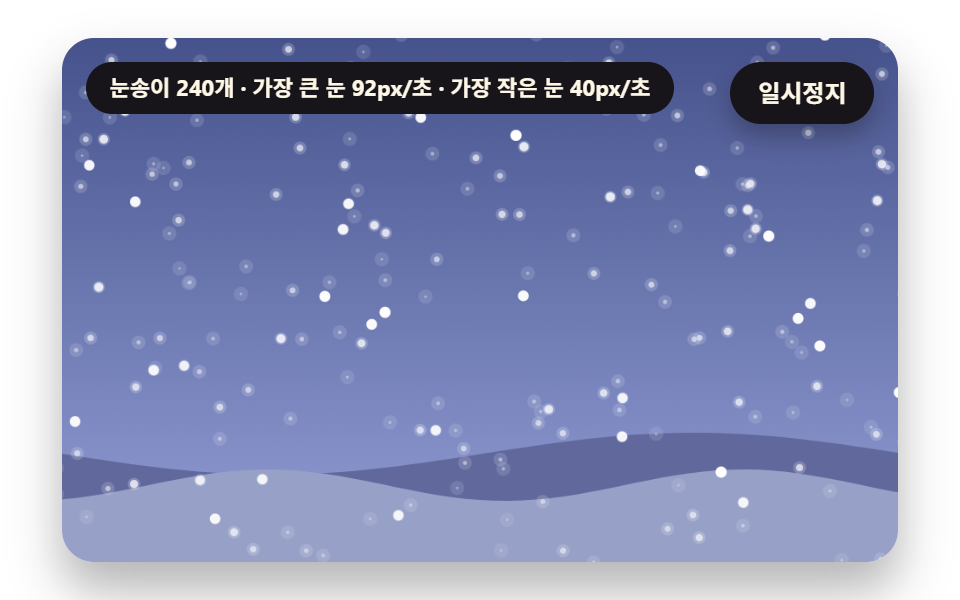 갤러리눈 내리는 효과 9종 — 소스 그대로 복붙하는 눈송이부터 쌓이는 눈까지
 갤러리이미지 비교 슬라이더 UI 9종 — 드래그하면 바로 보이는
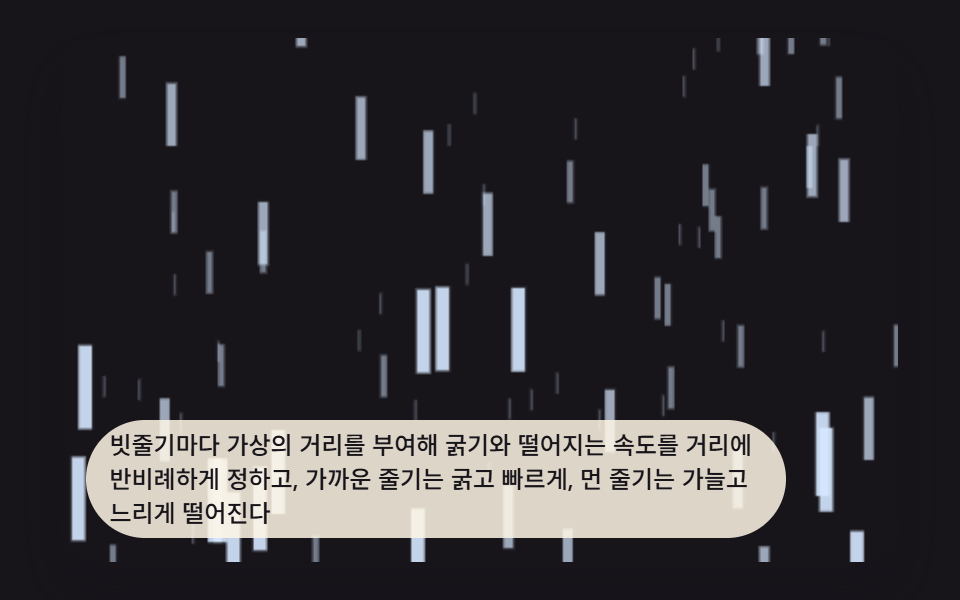 갤러리css 비 내리는 효과 9가지 — 창밖 폭풍 캔버스 장면
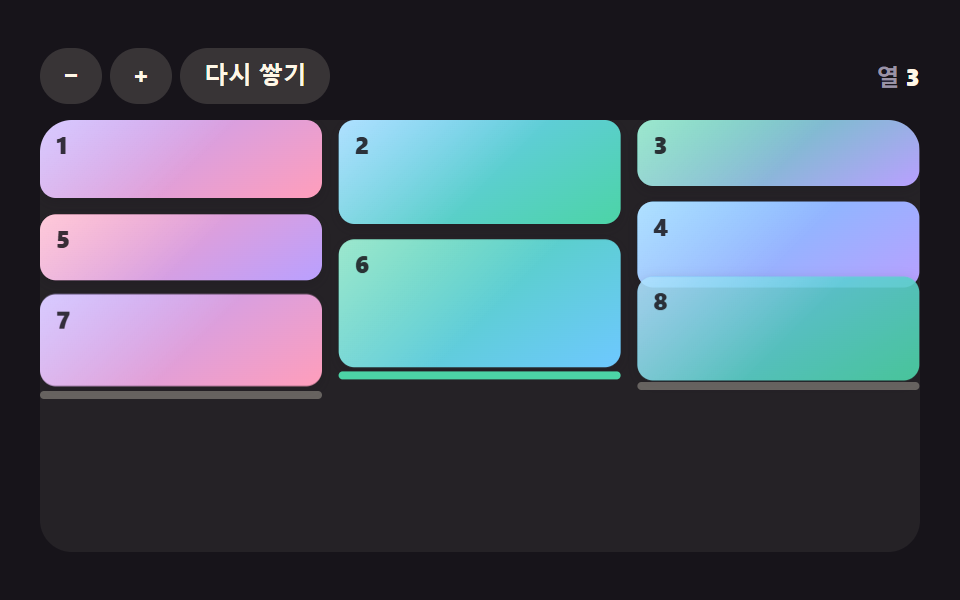 갤러리css masonry layout 9가지 — 높이가 다른 카드가 빈틈없이 자리를 찾는 배열
 갤러리수채화 효과 9종 — 번짐·안료 고임·종이 결을 계산으로 그리는 캔버스
 갤러리이미지 갤러리 CSS 9종 — 메이슨리부터 라이트박스까지
 갤러리이미지 확대 보기 UI 9종 — 사진 파일 없이 만드는 뷰어
 크리에이티브 UI오디오 비주얼라이저 만들기 9종 — 막대부터 마이크까지
 크리에이티브 UICSS 배경 패턴 9종 — 시드 하나로 다시 그리기