범위 슬라이더 9종 — 핸들 두 개가 서로 못 넘어가는 계산까지
범위 슬라이더 9종 가운데 하나는 두 핸들이 최소 간격 아래로는 절대 겹치지 않게 계산으로 막고, 하나는 두 값이 가까워지면 풍선 라벨 두 개가 하나로 합쳐지며, 하나는 트랙 뒤에 막대 그래프가 깔려 값 분포를 함께 보여줍니다.
값 하나만 정하는 input[type=range] 대신 최소·최대 두 값을 동시에 정하는 이중 핸들 UI를 모은 갤러리로, 01·03·04·06·08·09 는 keydown 과 pointerdown/pointermove/pointerup 리스너 하나로 핸들을 움직이고 02·07 은 여기에 resize 리스너를, 05 는 focusin 리스너를 더 얹습니다. 아홉 항목 모두 Math.random 없이 결정적으로 계산되고, 08 하나만 requestAnimationFrame 으로 스프링 물리를 계산하며 나머지 여덟 개는 rAF 없이 포인터 이벤트가 값을 바로 갱신하고 CSS transition 이 이동을 그립니다.
 01 dual-slider-handle-crossing-clamp
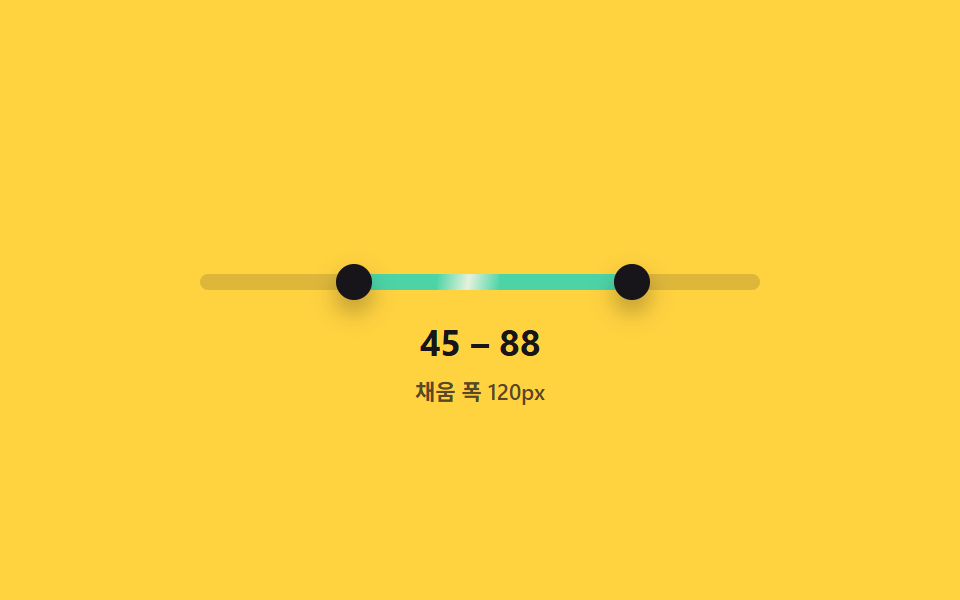 02 dual-slider-fill-range-track
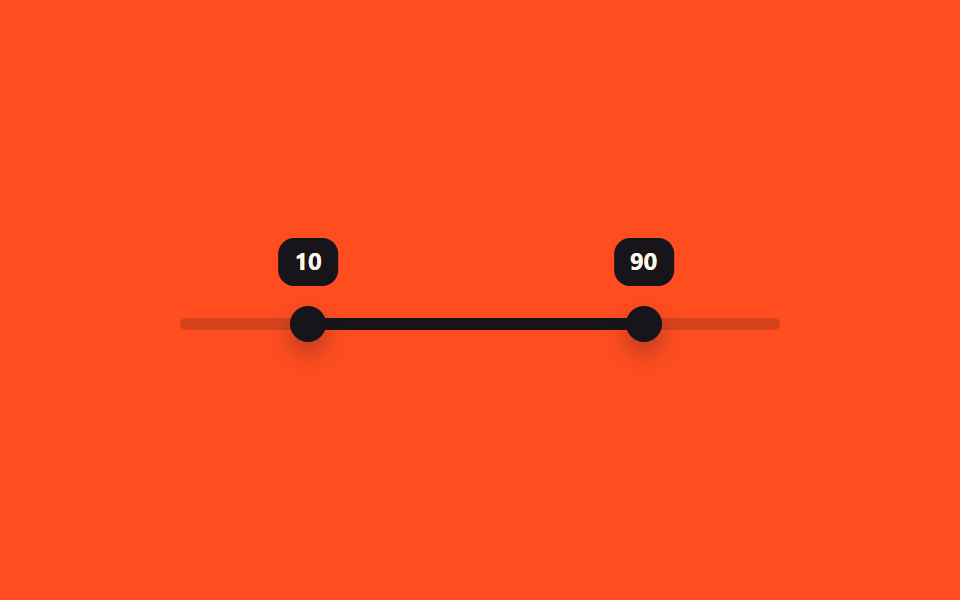 03 dual-slider-tooltip-pair-follow
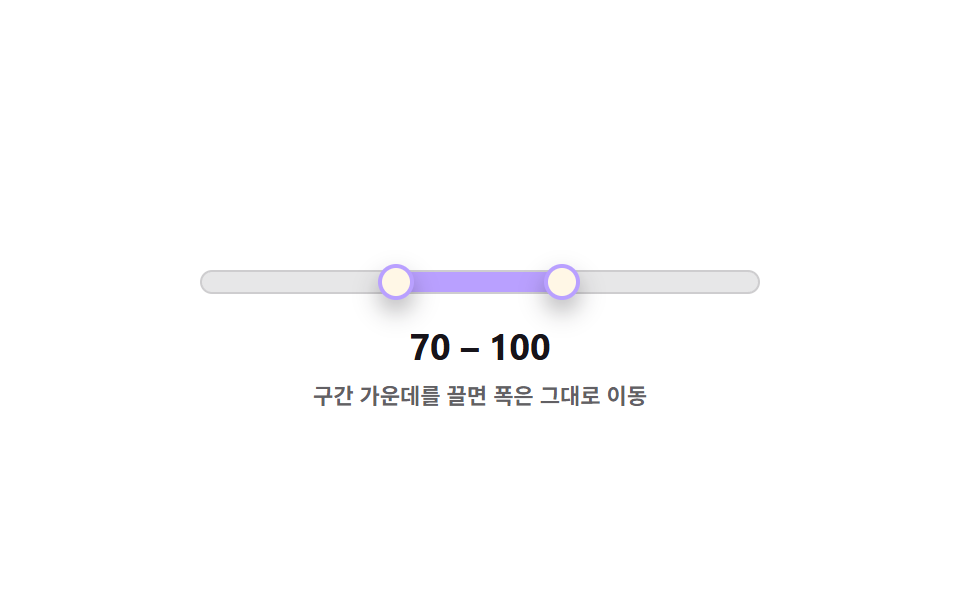 04 dual-slider-drag-both-handles-shift
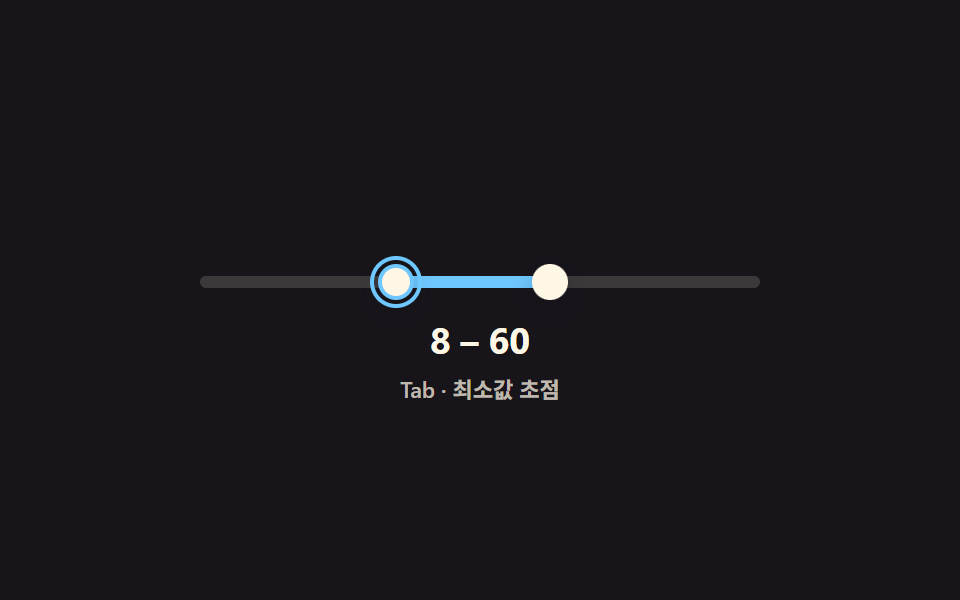 05 dual-slider-keyboard-pair-navigate
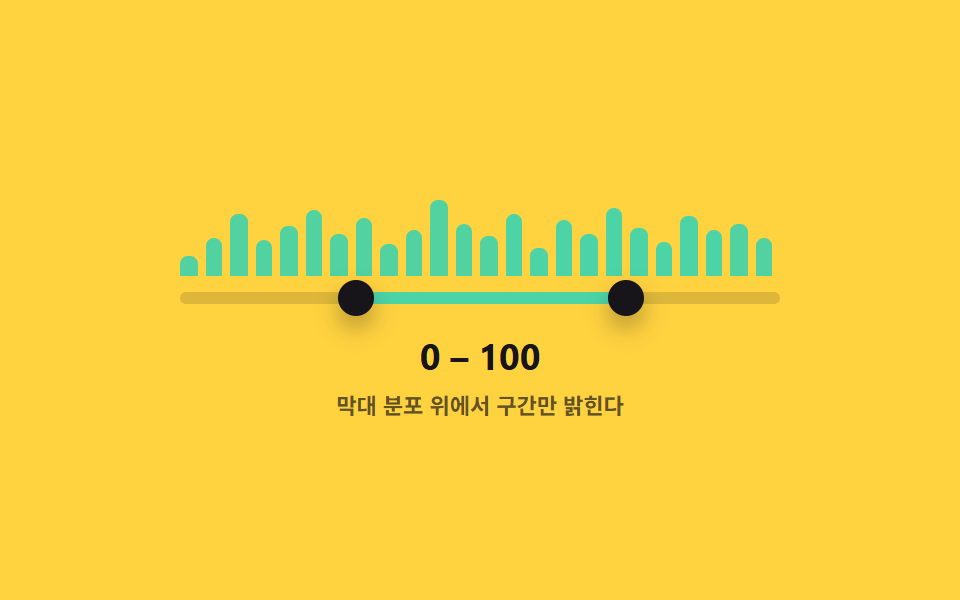 06 dual-slider-histogram-track-bg
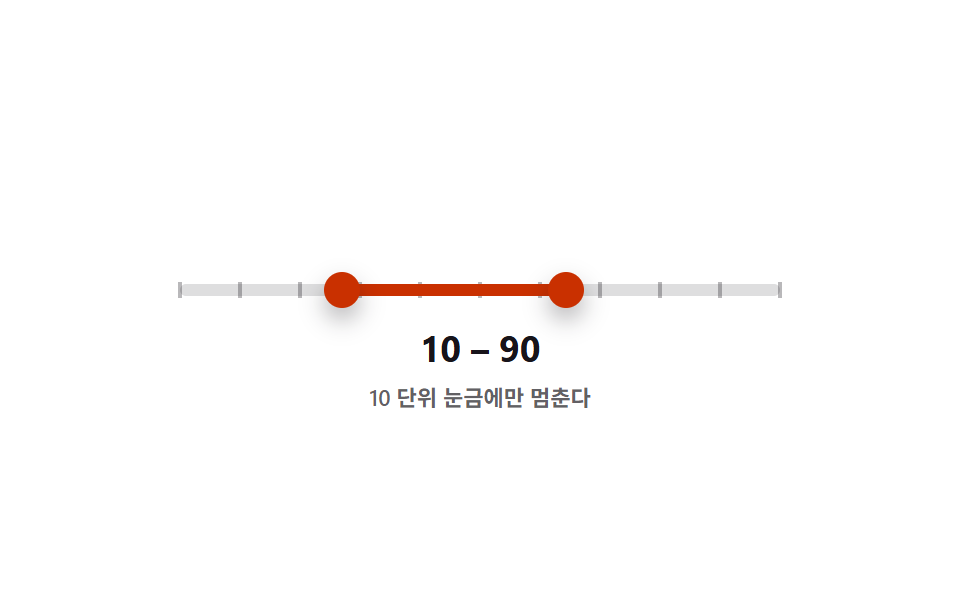 07 dual-slider-snap-step-ticks
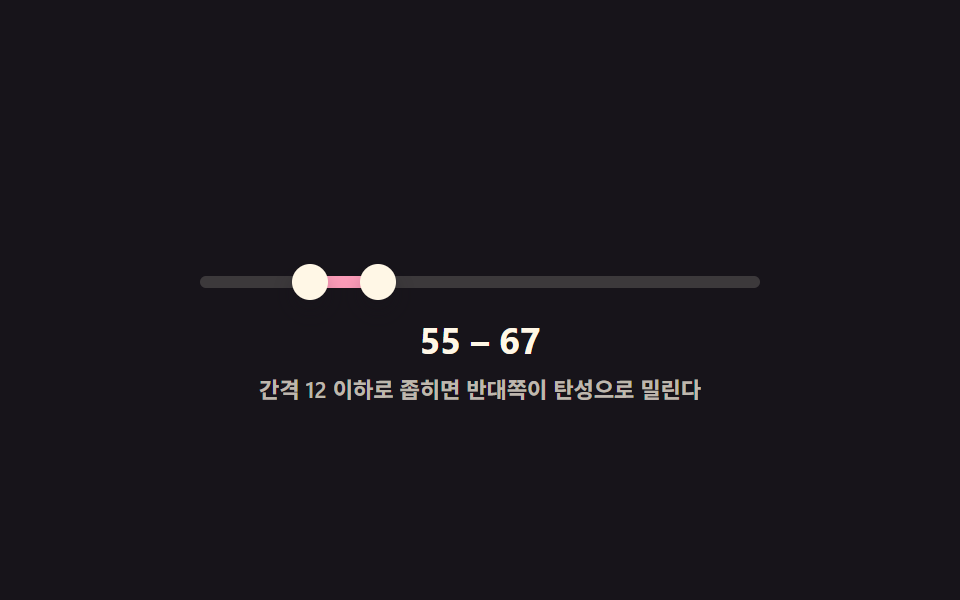 08 dual-slider-min-gap-elastic-push
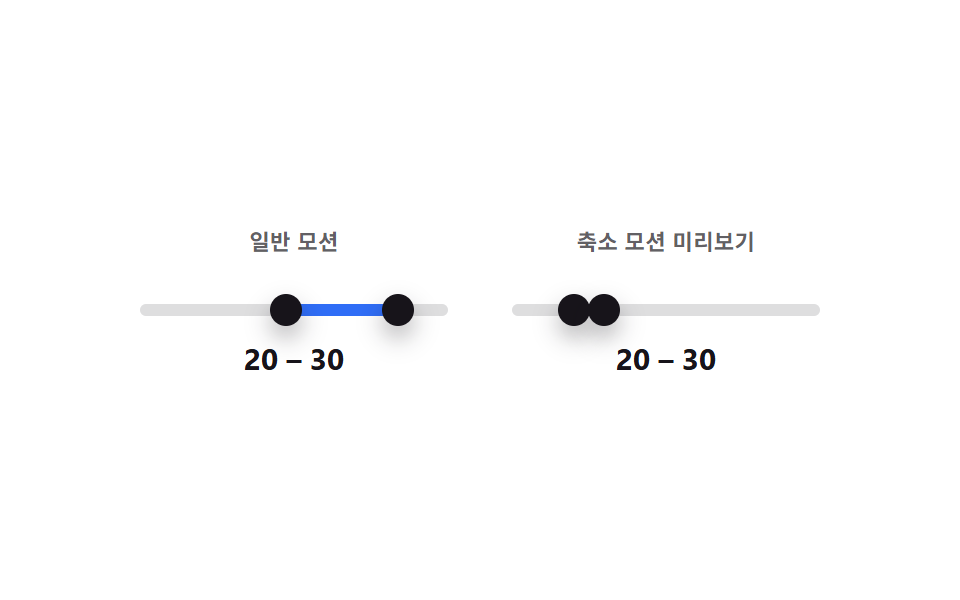 09 dual-slider-reduced-motion-static
자동 재생 · 눌러서 해당 항목으로 · 전부 한 zip
- 01 두 핸들이 서로 못 넘어가게 막는 범위 슬라이더
- 02 두 핸들 사이만 색이 채워지는 범위 슬라이더
- 03 값이 가까워지면 풍선 두 개가 하나로 합쳐지는 범위 슬라이더
- 04 가운데를 끌면 두 핸들이 같이 움직이는 범위 슬라이더
- 05 Tab 으로 두 핸들을 번갈아 조정하는 범위 슬라이더
- 06 히스토그램 배경 위에서 구간을 고르는 범위 슬라이더
- 07 10 단위로 눈금에 붙는 범위 슬라이더
- 08 최소 간격을 지키려고 탄성으로 밀리는 범위 슬라이더
- 09 모션 줄임과 일반 모션을 나란히 비교하는 범위 슬라이더
아래 순서는 값 충돌을 막는 계산(01)에서 시작해 시각 보조(02·03·06)를 거쳐 조작 방식 확장(04·05·07)과 물리 계산(08), 접근성 비교(09)로 이어집니다.
아홉 가지 이중 핸들 슬라이더 — 계산 한 겹이 어디서 도는가
| 항목 | 누적면적 | 강도_평균 | 움직인프레임 |
|---|---|---|---|
| 01 두 핸들이 서로 못 넘어가게 막는 범위 슬라이더 | 3.06% | 176.2 | 22/23 |
| 02 두 핸들 사이만 색이 채워지는 범위 슬라이더 | 3.80% | 101.0 | 21/23 |
| 03 값이 가까워지면 풍선 두 개가 하나로 합쳐지는 범위 슬라이더 | 8.16% | 111.0 | 21/23 |
| 04 가운데를 끌면 두 핸들이 같이 움직이는 범위 슬라이더 | 4.11% | 55.4 | 17/23 |
| 05 Tab 으로 두 핸들을 번갈아 조정하는 범위 슬라이더 | 3.22% | 145.1 | 21/23 |
| 06 히스토그램 배경 위에서 구간을 고르는 범위 슬라이더 | 6.34% | 87.0 | 21/23 |
| 07 10 단위로 눈금에 붙는 범위 슬라이더 | 5.15% | 129.7 | 21/23 |
| 08 최소 간격을 지키려고 탄성으로 밀리는 범위 슬라이더 | 3.03% | 159.9 | 21/23 |
| 09 모션 줄임과 일반 모션을 나란히 비교하는 범위 슬라이더 | 5.48% | 129.3 | 21/23 |
누적면적이 가장 큰 항목은 03 으로 8.16%이고, 두 번째는 06 의 6.34%입니다 — 03 은 풍선 두 개가 겹치기 직전 하나로 합쳐지며 넓게 다시 그려지고, 06 은 막대 24개 가운데 강조 구간이 통째로 켜졌다 꺼지기 때문입니다. 가장 작은 항목은 08 로 3.03%인데 01(3.06%)과 거의 같은 수준으로, 두 항목 다 핸들 두 개만 좁게 오갑니다. 강도_평균이 가장 높은 항목은 01 하나로 176.2까지 오르는데, 핸들이 GAP 경계에 닿아 멈추는 순간 프레임 사이 픽셀 차가 크게 튑니다. 가장 낮은 항목은 04 로 55.4인데, 구간 전체가 같은 폭으로 완만하게 평행 이동만 하기 때문입니다. 23개 델타 구간 가운데 움직인프레임이 가장 많은 항목은 01 로 22/23 이고, 가장 적은 항목은 04 로 17/23 입니다.
최소값이 최대값보다 못 넘어가게 막는다 — 01
GAP(14)을 넘지 못하도록 setLo·setHi 가 서로의 값을 기준으로 매 입력마다 다시 clamp 합니다.
실측 트랙 폭을 px 로 환산해 채움 폭을 읽어준다 — 02
getBoundingClientRect 로 잰 트랙 폭에 (hi-lo)% 를 곱해 pxOut 에 그대로 씁니다.
풍선 사이 화면 거리가 MERGE_PX 보다 좁아지면 합친다 — 03
트랙 실측 폭으로 구한 두 값의 px 간격이 MERGE_PX(46) 미만이면 is-merged 클래스를 켭니다.
폭을 유지한 채 구간 전체를 평행 이동시킨다 — 04
shiftBoth() 가 hi-lo 폭은 그대로 두고 두 값에 같은 delta 를 더한 뒤 트랙 끝단에서 clamp 합니다.
focusin 으로 지금 초점이 있는 핸들만 추적한다 — 05
Tab 으로 핸들에 초점이 옮겨질 때마다 setActive 가 활성 핸들을 기록해 방향키 반응 대상을 좁힙니다.
Math.random 없이 고정 배열로 분포를 그린다 — 06
HEIGHTS 24개 값을 순서대로 막대로 그리고, 각 막대 중심이 [lo, hi] 안에 들어오는지로 강조 여부를 정합니다.
눈금을 실측 픽셀 폭으로 다시 배치한다 — 07
STEP(10) 단위로 반올림해 값을 스냅하고, layoutTicks 가 트랙 실측 폭으로 눈금 위치를 px 로 다시 계산합니다.
반대쪽을 밀어내고 스프링으로 뒤쫓는다 — 08
간격이 MIN_GAP(12) 아래로 좁혀지면 반대쪽 목표값을 함께 밀어내고, 화면 위치는 K(210)·DAMP(18) 스프링 물리로 목표를 뒤쫓아 오버슈트합니다.
같은 상태를 트랜지션 유무만 다르게 그린다 — 09
왼쪽 패널은 CSS transition 으로 이동하고, 오른쪽 미리보기는 애초에 transition 규칙이 없어 같은 값을 항상 즉시 이동으로 보여줍니다.
패턴별 코드
아홉 항목의 계산부 코드만 원본 그대로 발췌했고, 줄 순서와 들여쓰기도 손대지 않았습니다.
01두 핸들이 서로 못 넘어가게 막는 범위 슬라이더
최소값 핸들을 최대값 핸들 쪽으로 밀어도 정해둔 최소 간격(14)보다 가까워지지 않고 그 지점에서 더는 움직이지 않습니다. 최소·최대 가격을 동시에 정하는 필터에 맞습니다.
  function paint() {
    lo.style.left = v.lo + '%'; hi.style.left = v.hi + '%';
    fill.style.left = v.lo + '%'; fill.style.width = (v.hi - v.lo) + '%';
    lo.setAttribute('aria-valuenow', String(v.lo)); hi.setAttribute('aria-valuenow', String(v.hi));
    lo.setAttribute('aria-valuetext', String(v.lo)); hi.setAttribute('aria-valuetext', String(v.hi));
    loOut.textContent = String(v.lo); hiOut.textContent = String(v.hi);
  }
  // 계산 겹: 최소값이 최대값 - GAP 을 넘지 못하게, 최대값이 최소값 + GAP 아래로 못 내려가게 막는다
  function setLo(n) {
    var blocked = document.getElementById('track');
    v.lo = Math.max(MIN, Math.min(n, v.hi - GAP));
    lo.classList.toggle('is-blocked', n > v.hi - GAP);
    paint();
  }
  function setHi(n) {
    v.hi = Math.min(MAX, Math.max(n, v.lo + GAP));
    hi.classList.toggle('is-blocked', n < v.lo + GAP);
    paint();
  }
<main class="stage">
<div class="ds is-demo" id="ds">
  <div class="ds__track" id="track">
    <div class="ds__fill" id="fill"></div>
    <button type="button" class="ds__thumb ds__thumb--lo" id="thumbLo" role="slider"
      aria-label="최소값" aria-valuemin="0" aria-valuemax="100" aria-valuenow="15" aria-valuetext="15" tabindex="0"></button>
    <button type="button" class="ds__thumb ds__thumb--hi" id="thumbHi" role="slider"
      aria-label="최대값" aria-valuemin="0" aria-valuemax="100" aria-valuenow="85" aria-valuetext="85" tabindex="0"></button>
  </div>
  <p class="ds__readout"><span id="loOut">15</span> – <span id="hiOut">85</span></p>
  <p class="ds__caption">간격 14 이상 유지</p>
</div>
</main>
@use "../../../../site/static/demo-tokens" as *;
// 변수 3개
$duration: $dur-loop;
$easing: $ease-pop;
$color: $subject-blue;
// 계산 겹: setLo()/setHi() 가 최소·최대값이 GAP(14) 보다 가까워지지 못하게 매 입력마다 다시 clamp 한다.
@include stage($stage-ink);
.ds { width: min(280px, 84vw); color: $subject-cream; text-align: center; }
.ds__track {
position: relative; height: 6px; border-radius: $r-pill;
background: rgba($subject-cream, .16); margin: $sp-10 0 $sp-4;
}
.ds__fill {
position: absolute; top: 0; bottom: 0; left: 15%; width: 70%;
background: $color; border-radius: $r-pill;
}
.ds__thumb {
position: absolute; top: 50%; left: 15%; width: 18px; height: 18px;
appearance: none; border: 0; border-radius: 50%; background: $subject-cream;
box-shadow: $shadow-press; cursor: grab; touch-action: none; padding: 0;
transform: translate(-50%, -50%);
}
.ds__thumb--hi { left: 85%; }
.ds__thumb:focus-visible { outline: 2px solid $color; outline-offset: 2px; }
.ds__thumb:active { cursor: grabbing; }
.ds__thumb.is-blocked { background: $subject-orange-deep; }
.ds__readout {
margin: 0; font-weight: 700; font-size: 18px; line-height: 1.2;
font-variant-numeric: tabular-nums;
}
.ds__caption { margin: $sp-1 0 0; font-weight: 600; font-size: 11px; color: rgba($subject-cream, .72); }
.ds.is-demo .ds__thumb,
.ds.is-demo .ds__fill {
transition: left $duration $easing, width $duration $easing, background $dur-quick $ease-out;
}
@media (max-width: 340px) {
.ds { width: min(240px, 80vw); }
.ds__readout { font-size: 16px; }
.ds__caption { font-size: 10px; }
}
@media (prefers-reduced-motion: reduce) {
.ds.is-demo .ds__thumb, .ds.is-demo .ds__fill { transition: none; }
}html, body {
margin: 0;
overflow: hidden;
}
.stage {
box-sizing: border-box;
min-height: 100vh;
display: grid;
place-items: center;
margin: 0;
background: #17141a;
font-family: -apple-system, "Segoe UI", "Noto Sans KR", sans-serif;
padding: clamp(8px, 4vw, 24px);
}
.ds {
width: min(280px, 84vw);
color: #fff7e6;
text-align: center;
}
.ds__track {
position: relative;
height: 6px;
border-radius: 999px;
background: rgba(255, 247, 230, 0.16);
margin: 40px 0 16px;
}
.ds__fill {
position: absolute;
top: 0;
bottom: 0;
left: 15%;
width: 70%;
background: #2f6df6;
border-radius: 999px;
}
.ds__thumb {
position: absolute;
top: 50%;
left: 15%;
width: 18px;
height: 18px;
appearance: none;
border: 0;
border-radius: 50%;
background: #fff7e6;
box-shadow: 0 6px 12px rgba(23, 20, 26, 0.32);
cursor: grab;
touch-action: none;
padding: 0;
transform: translate(-50%, -50%);
}
.ds__thumb--hi {
left: 85%;
}
.ds__thumb:focus-visible {
outline: 2px solid #2f6df6;
outline-offset: 2px;
}
.ds__thumb:active {
cursor: grabbing;
}
.ds__thumb.is-blocked {
background: #c93000;
}
.ds__readout {
margin: 0;
font-weight: 700;
font-size: 18px;
line-height: 1.2;
font-variant-numeric: tabular-nums;
}
.ds__caption {
margin: 4px 0 0;
font-weight: 600;
font-size: 11px;
color: rgba(255, 247, 230, 0.72);
}
.ds.is-demo .ds__thumb,
.ds.is-demo .ds__fill {
transition: left 2s cubic-bezier(0.2, 1.4, 0.4, 1), width 2s cubic-bezier(0.2, 1.4, 0.4, 1), background 220ms ease-out;
}
@media (max-width: 340px) {
.ds {
width: min(240px, 80vw);
}
.ds__readout {
font-size: 16px;
}
.ds__caption {
font-size: 10px;
}
}
@media (prefers-reduced-motion: reduce) {
.ds.is-demo .ds__thumb, .ds.is-demo .ds__fill {
transition: none;
}
}(function () {
var MIN = 0, MAX = 100, GAP = 14;
var root = document.getElementById('ds');
var track = document.getElementById('track');
var fill = document.getElementById('fill');
var lo = document.getElementById('thumbLo');
var hi = document.getElementById('thumbHi');
var loOut = document.getElementById('loOut');
var hiOut = document.getElementById('hiOut');
var v = { lo: 15, hi: 85 };
function paint() {
lo.style.left = v.lo + '%'; hi.style.left = v.hi + '%';
fill.style.left = v.lo + '%'; fill.style.width = (v.hi - v.lo) + '%';
lo.setAttribute('aria-valuenow', String(v.lo)); hi.setAttribute('aria-valuenow', String(v.hi));
lo.setAttribute('aria-valuetext', String(v.lo)); hi.setAttribute('aria-valuetext', String(v.hi));
loOut.textContent = String(v.lo); hiOut.textContent = String(v.hi);
}
// 계산 겹: 최소값이 최대값 - GAP 을 넘지 못하게, 최대값이 최소값 + GAP 아래로 못 내려가게 막는다
function setLo(n) {
var blocked = document.getElementById('track');
v.lo = Math.max(MIN, Math.min(n, v.hi - GAP));
lo.classList.toggle('is-blocked', n > v.hi - GAP);
paint();
}
function setHi(n) {
v.hi = Math.min(MAX, Math.max(n, v.lo + GAP));
hi.classList.toggle('is-blocked', n < v.lo + GAP);
paint();
}
function pctFromX(x) {
var r = track.getBoundingClientRect();
return Math.round(Math.max(0, Math.min(100, ((x - r.left) / r.width) * 100)));
}
function human() { root.classList.remove('is-demo'); clearInterval(timer); }
function drag(thumb, setter, isLo) {
thumb.addEventListener('pointerdown', function (e) {
human(); thumb.setPointerCapture(e.pointerId);
function move(ev) { setter(pctFromX(ev.clientX)); }
function up() { thumb.removeEventListener('pointermove', move); thumb.removeEventListener('pointerup', up); }
thumb.addEventListener('pointermove', move); thumb.addEventListener('pointerup', up);
});
thumb.addEventListener('keydown', function (e) {
var step = { ArrowRight: 1, ArrowLeft: -1, ArrowUp: 1, ArrowDown: -1 }[e.key];
if (step !== undefined) { e.preventDefault(); human(); setter((isLo ? v.lo : v.hi) + step); }
else if (e.key === 'Home') { e.preventDefault(); human(); setter(isLo ? MIN : v.lo + GAP); }
else if (e.key === 'End') { e.preventDefault(); human(); setter(isLo ? v.hi - GAP : MAX); }
});
}
drag(lo, setLo, true); drag(hi, setHi, false);
var presets = [[40, 46], [10, 90], [55, 61], [20, 80], [35, 41]];
var pi = 0;
function tick() {
var p = presets[pi % presets.length]; pi++;
setLo(p[0]); setHi(p[1]);
}
var reduce = window.matchMedia('(prefers-reduced-motion: reduce)').matches;
var timer = reduce ? null : setInterval(tick, 480);
paint();
}());import { useEffect, useRef } from 'react';
import styles from './DualSliderHandleCrossingClamp.module.scss';
const MIN = 0;
const MAX = 100;
const GAP = 14;
const TICK_MS = 480;
const PRESETS: [number, number][] = [[40, 46], [10, 90], [55, 61], [20, 80], [35, 41]];
export default function DualSliderHandleCrossingClamp() {
const rootRef = useRef<HTMLDivElement>(null);
const trackRef = useRef<HTMLDivElement>(null);
const fillRef = useRef<HTMLDivElement>(null);
const loRef = useRef<HTMLButtonElement>(null);
const hiRef = useRef<HTMLButtonElement>(null);
const loOutRef = useRef<HTMLSpanElement>(null);
const hiOutRef = useRef<HTMLSpanElement>(null);
useEffect(() => {
const root = rootRef.current;
const track = trackRef.current;
const fill = fillRef.current;
const lo = loRef.current;
const hi = hiRef.current;
const loOut = loOutRef.current;
const hiOut = hiOutRef.current;
if (!root || !track || !fill || !lo || !hi || !loOut || !hiOut) return undefined;
const v = { lo: 15, hi: 85 };
function paint() {
lo!.style.left = v.lo + '%'; hi!.style.left = v.hi + '%';
fill!.style.left = v.lo + '%'; fill!.style.width = (v.hi - v.lo) + '%';
lo!.setAttribute('aria-valuenow', String(v.lo)); hi!.setAttribute('aria-valuenow', String(v.hi));
lo!.setAttribute('aria-valuetext', String(v.lo)); hi!.setAttribute('aria-valuetext', String(v.hi));
loOut!.textContent = String(v.lo); hiOut!.textContent = String(v.hi);
}
// 계산 겹: 최소값이 최대값 - GAP 을 넘지 못하게, 최대값이 최소값 + GAP 아래로 못 내려가게 막는다
function setLo(n: number) {
v.lo = Math.max(MIN, Math.min(n, v.hi - GAP));
lo!.classList.toggle(styles['is-blocked'], n > v.hi - GAP);
paint();
}
function setHi(n: number) {
v.hi = Math.min(MAX, Math.max(n, v.lo + GAP));
hi!.classList.toggle(styles['is-blocked'], n < v.lo + GAP);
paint();
}
function pctFromX(x: number) {
const r = track!.getBoundingClientRect();
return Math.round(Math.max(0, Math.min(100, ((x - r.left) / r.width) * 100)));
}
let timer = 0;
function human() { root!.classList.remove(styles['is-demo']); window.clearInterval(timer); }
function bindDrag(thumb: HTMLButtonElement, setter: (n: number) => void, isLo: boolean) {
function onDown(e: PointerEvent) {
human(); thumb.setPointerCapture(e.pointerId);
function move(ev: PointerEvent) { setter(pctFromX(ev.clientX)); }
function up() { thumb.removeEventListener('pointermove', move); thumb.removeEventListener('pointerup', up); }
thumb.addEventListener('pointermove', move); thumb.addEventListener('pointerup', up);
}
function onKey(e: KeyboardEvent) {
const step = ({ ArrowRight: 1, ArrowLeft: -1, ArrowUp: 1, ArrowDown: -1 } as Record<string, number>)[e.key];
if (step !== undefined) { e.preventDefault(); human(); setter((isLo ? v.lo : v.hi) + step); }
else if (e.key === 'Home') { e.preventDefault(); human(); setter(isLo ? MIN : v.lo + GAP); }
else if (e.key === 'End') { e.preventDefault(); human(); setter(isLo ? v.hi - GAP : MAX); }
}
thumb.addEventListener('pointerdown', onDown);
thumb.addEventListener('keydown', onKey);
return () => { thumb.removeEventListener('pointerdown', onDown); thumb.removeEventListener('keydown', onKey); };
}
const offLo = bindDrag(lo, setLo, true);
const offHi = bindDrag(hi, setHi, false);
let pi = 0;
function tick() {
const p = PRESETS[pi % PRESETS.length]; pi++;
setLo(p[0]); setHi(p[1]);
}
const reduce = window.matchMedia('(prefers-reduced-motion: reduce)').matches;
if (!reduce) timer = window.setInterval(tick, TICK_MS);
paint();
return () => { offLo(); offHi(); window.clearInterval(timer); };
}, []);
return (
<main className={styles.stage}>
<div className={styles.ds + ' ' + styles['is-demo']} ref={rootRef}>
<div className={styles.dsTrack} ref={trackRef}>
<div className={styles.dsFill} ref={fillRef} />
<button type="button" className={styles.dsThumb + ' ' + styles.dsThumbLo} ref={loRef} role="slider"
aria-label="최소값" aria-valuemin={0} aria-valuemax={100} aria-valuenow={15} aria-valuetext="15" tabIndex={0} />
<button type="button" className={styles.dsThumb + ' ' + styles.dsThumbHi} ref={hiRef} role="slider"
aria-label="최대값" aria-valuemin={0} aria-valuemax={100} aria-valuenow={85} aria-valuetext="85" tabIndex={0} />
</div>
<p className={styles.dsReadout}><span ref={loOutRef}>15</span> – <span ref={hiOutRef}>85</span></p>
<p className={styles.dsCaption}>간격 14 이상 유지</p>
</div>
</main>
);
}01 · 두 핸들이 서로 못 넘어가게 막는 범위 슬라이더 — 측정 누적면적 3.058% · 움직인 프레임 22/23GODRICH 원작 · zip 에 SCSS·React 포함 · 비밀번호 보기
02두 핸들 사이만 색이 채워지는 범위 슬라이더
트랙 전체가 아니라 낮은 핸들과 높은 핸들 사이 구간만 색이 채워지고, 핸들을 움직이면 채워진 구간의 양 끝이 그 위치를 따라갑니다 — 224(css-picker-ui-patterns)의 듀얼 섬 가격 범위 슬라이더는 값 갱신과 단순 채움만 보여주지만, 이 항목은 getBoundingClientRect 로 실측한 트랙 폭으로 채움 폭을 px 로 환산해 읽어주고 자동 재생 스윕 위상까지 더합니다. 선택한 구간이 한눈에 보여야 하는 통계 필터에 맞습니다.
  // 계산 겹: 두 값을 트랙 채움 %로 바꾸고, 실측 트랙 폭(getBoundingClientRect)으로 채움을 px 로도 환산한다.
  function paint() {
    lo.style.left = v.lo + '%'; hi.style.left = v.hi + '%';
    fill.style.left = v.lo + '%'; fill.style.width = (v.hi - v.lo) + '%';
    var sweepPct = v.lo + (v.hi - v.lo) * v.phase;
    var trackPct = v.hi - v.lo === 0 ? 0 : (sweepPct - v.lo) / (v.hi - v.lo) * 100;
    sweep.style.left = trackPct + '%';
    lo.setAttribute('aria-valuenow', String(v.lo)); hi.setAttribute('aria-valuenow', String(v.hi));
    lo.setAttribute('aria-valuetext', String(v.lo)); hi.setAttribute('aria-valuetext', String(v.hi));
    loOut.textContent = String(v.lo); hiOut.textContent = String(v.hi);
    var r = track.getBoundingClientRect();
    pxOut.textContent = String(Math.round(r.width * (v.hi - v.lo) / 100));
  }
  function setLo(n) { v.lo = Math.max(MIN, Math.min(n, v.hi)); paint(); }
  function setHi(n) { v.hi = Math.min(MAX, Math.max(n, v.lo)); paint(); }
<main class="stage">
<div class="ds is-demo" id="ds">
  <div class="ds__track" id="track">
    <div class="ds__fill" id="fill"><div class="ds__sweep" id="sweep"></div></div>
    <button type="button" class="ds__thumb ds__thumb--lo" id="thumbLo" role="slider"
      aria-label="최소값" aria-valuemin="0" aria-valuemax="100" aria-valuenow="20" aria-valuetext="20" tabindex="0"></button>
    <button type="button" class="ds__thumb ds__thumb--hi" id="thumbHi" role="slider"
      aria-label="최대값" aria-valuemin="0" aria-valuemax="100" aria-valuenow="78" aria-valuetext="78" tabindex="0"></button>
  </div>
  <p class="ds__readout"><span id="loOut">20</span> – <span id="hiOut">78</span></p>
  <p class="ds__caption">채움 폭 <span id="pxOut">0</span>px</p>
</div>
</main>
@use "../../../../site/static/demo-tokens" as *;
// 변수 3개
$duration: $dur-loop;
$easing: $ease-out;
$color: $subject-mint;
// 계산 겹: paint() 가 값 두 개를 채움 %로 바꾸고, 실측 트랙 폭(getBoundingClientRect)으로 px 도 환산한다.
// 224 의 듀얼 섬과 다른 시연 — 여긴 채움 안에 sweep 밴드가 값 비율(phase)로 다시 위치를 계산해 돈다.
@include stage($stage-yellow);
.ds { width: min(280px, 84vw); color: $subject-ink; text-align: center; }
.ds__track {
position: relative; height: 8px; border-radius: $r-pill;
background: rgba($subject-ink, .14); margin: $sp-10 0 $sp-4;
}
.ds__fill {
position: absolute; top: 0; bottom: 0; left: 20%; width: 58%;
background: $color; border-radius: $r-pill; overflow: hidden;
}
.ds__sweep {
position: absolute; top: 0; bottom: 0; left: 40%; width: 22%;
background: linear-gradient(100deg, rgba($subject-cream, 0) 0%, rgba($subject-cream, .85) 50%, rgba($subject-cream, 0) 100%);
transform: translateX(-50%);
}
.ds__thumb {
position: absolute; top: 50%; left: 20%; width: 18px; height: 18px;
appearance: none; border: 0; border-radius: 50%; background: $subject-ink;
box-shadow: $shadow-press; cursor: grab; touch-action: none; padding: 0;
transform: translate(-50%, -50%); z-index: 1;
}
.ds__thumb--hi { left: 78%; }
.ds__thumb:focus-visible { outline: 2px solid $subject-blue-deep; outline-offset: 2px; }
.ds__thumb:active { cursor: grabbing; }
.ds__readout {
margin: 0; font-weight: 700; font-size: 18px; line-height: 1.2;
font-variant-numeric: tabular-nums;
}
.ds__caption { margin: $sp-1 0 0; font-weight: 600; font-size: 11px; color: rgba($subject-ink, .72); }
.ds.is-demo .ds__thumb,
.ds.is-demo .ds__fill,
.ds.is-demo .ds__sweep {
transition: left $duration $easing, width $duration $easing;
}
@media (max-width: 340px) {
.ds { width: min(240px, 80vw); }
.ds__readout { font-size: 16px; }
.ds__caption { font-size: 10px; }
}
@media (prefers-reduced-motion: reduce) {
.ds.is-demo .ds__thumb, .ds.is-demo .ds__fill, .ds.is-demo .ds__sweep { transition: none; }
}html, body {
margin: 0;
overflow: hidden;
}
.stage {
box-sizing: border-box;
min-height: 100vh;
display: grid;
place-items: center;
margin: 0;
background: #ffd23f;
font-family: -apple-system, "Segoe UI", "Noto Sans KR", sans-serif;
padding: clamp(8px, 4vw, 24px);
}
.ds {
width: min(280px, 84vw);
color: #17141a;
text-align: center;
}
.ds__track {
position: relative;
height: 8px;
border-radius: 999px;
background: rgba(23, 20, 26, 0.14);
margin: 40px 0 16px;
}
.ds__fill {
position: absolute;
top: 0;
bottom: 0;
left: 20%;
width: 58%;
background: #4cd4a6;
border-radius: 999px;
overflow: hidden;
}
.ds__sweep {
position: absolute;
top: 0;
bottom: 0;
left: 40%;
width: 22%;
background: linear-gradient(100deg, rgba(255, 247, 230, 0) 0%, rgba(255, 247, 230, 0.85) 50%, rgba(255, 247, 230, 0) 100%);
transform: translateX(-50%);
}
.ds__thumb {
position: absolute;
top: 50%;
left: 20%;
width: 18px;
height: 18px;
appearance: none;
border: 0;
border-radius: 50%;
background: #17141a;
box-shadow: 0 6px 12px rgba(23, 20, 26, 0.32);
cursor: grab;
touch-action: none;
padding: 0;
transform: translate(-50%, -50%);
z-index: 1;
}
.ds__thumb--hi {
left: 78%;
}
.ds__thumb:focus-visible {
outline: 2px solid #0a4fe8;
outline-offset: 2px;
}
.ds__thumb:active {
cursor: grabbing;
}
.ds__readout {
margin: 0;
font-weight: 700;
font-size: 18px;
line-height: 1.2;
font-variant-numeric: tabular-nums;
}
.ds__caption {
margin: 4px 0 0;
font-weight: 600;
font-size: 11px;
color: rgba(23, 20, 26, 0.72);
}
.ds.is-demo .ds__thumb,
.ds.is-demo .ds__fill,
.ds.is-demo .ds__sweep {
transition: left 2s ease-out, width 2s ease-out;
}
@media (max-width: 340px) {
.ds {
width: min(240px, 80vw);
}
.ds__readout {
font-size: 16px;
}
.ds__caption {
font-size: 10px;
}
}
@media (prefers-reduced-motion: reduce) {
.ds.is-demo .ds__thumb, .ds.is-demo .ds__fill, .ds.is-demo .ds__sweep {
transition: none;
}
}(function () {
var MIN = 0, MAX = 100;
var root = document.getElementById('ds');
var track = document.getElementById('track');
var fill = document.getElementById('fill');
var sweep = document.getElementById('sweep');
var lo = document.getElementById('thumbLo');
var hi = document.getElementById('thumbHi');
var loOut = document.getElementById('loOut');
var hiOut = document.getElementById('hiOut');
var pxOut = document.getElementById('pxOut');
var v = { lo: 20, hi: 78, phase: 0.2 };
// 계산 겹: 두 값을 트랙 채움 %로 바꾸고, 실측 트랙 폭(getBoundingClientRect)으로 채움을 px 로도 환산한다.
function paint() {
lo.style.left = v.lo + '%'; hi.style.left = v.hi + '%';
fill.style.left = v.lo + '%'; fill.style.width = (v.hi - v.lo) + '%';
var sweepPct = v.lo + (v.hi - v.lo) * v.phase;
var trackPct = v.hi - v.lo === 0 ? 0 : (sweepPct - v.lo) / (v.hi - v.lo) * 100;
sweep.style.left = trackPct + '%';
lo.setAttribute('aria-valuenow', String(v.lo)); hi.setAttribute('aria-valuenow', String(v.hi));
lo.setAttribute('aria-valuetext', String(v.lo)); hi.setAttribute('aria-valuetext', String(v.hi));
loOut.textContent = String(v.lo); hiOut.textContent = String(v.hi);
var r = track.getBoundingClientRect();
pxOut.textContent = String(Math.round(r.width * (v.hi - v.lo) / 100));
}
function setLo(n) { v.lo = Math.max(MIN, Math.min(n, v.hi)); paint(); }
function setHi(n) { v.hi = Math.min(MAX, Math.max(n, v.lo)); paint(); }
function pctFromX(x) {
var r = track.getBoundingClientRect();
return Math.round(Math.max(0, Math.min(100, ((x - r.left) / r.width) * 100)));
}
function human() { root.classList.remove('is-demo'); clearInterval(timer); }
function drag(thumb, setter, isLo) {
thumb.addEventListener('pointerdown', function (e) {
human(); thumb.setPointerCapture(e.pointerId);
function move(ev) { setter(pctFromX(ev.clientX)); }
function up() { thumb.removeEventListener('pointermove', move); thumb.removeEventListener('pointerup', up); }
thumb.addEventListener('pointermove', move); thumb.addEventListener('pointerup', up);
});
thumb.addEventListener('keydown', function (e) {
var step = { ArrowRight: 1, ArrowLeft: -1, ArrowUp: 1, ArrowDown: -1 }[e.key];
if (step !== undefined) { e.preventDefault(); human(); setter((isLo ? v.lo : v.hi) + step); }
else if (e.key === 'Home') { e.preventDefault(); human(); setter(isLo ? MIN : v.lo); }
else if (e.key === 'End') { e.preventDefault(); human(); setter(isLo ? v.hi : MAX); }
});
}
drag(lo, setLo, true); drag(hi, setHi, false);
window.addEventListener('resize', paint);
var presets = [[8, 92, 0.15], [30, 55, 0.9], [45, 88, 0.35], [12, 40, 0.7], [60, 96, 0.5]];
var pi = 0;
function tick() {
var p = presets[pi % presets.length]; pi++;
v.lo = p[0]; v.hi = p[1]; v.phase = p[2];
paint();
}
var reduce = window.matchMedia('(prefers-reduced-motion: reduce)').matches;
var timer = reduce ? null : setInterval(tick, 480);
paint();
}());import { useEffect, useRef } from 'react';
import styles from './DualSliderFillRangeTrack.module.scss';
const MIN = 0;
const MAX = 100;
const TICK_MS = 480;
const PRESETS: [number, number, number][] = [[8, 92, 0.15], [30, 55, 0.9], [45, 88, 0.35], [12, 40, 0.7], [60, 96, 0.5]];
export default function DualSliderFillRangeTrack() {
const rootRef = useRef<HTMLDivElement>(null);
const trackRef = useRef<HTMLDivElement>(null);
const fillRef = useRef<HTMLDivElement>(null);
const sweepRef = useRef<HTMLDivElement>(null);
const loRef = useRef<HTMLButtonElement>(null);
const hiRef = useRef<HTMLButtonElement>(null);
const loOutRef = useRef<HTMLSpanElement>(null);
const hiOutRef = useRef<HTMLSpanElement>(null);
const pxOutRef = useRef<HTMLSpanElement>(null);
useEffect(() => {
const root = rootRef.current;
const track = trackRef.current;
const fill = fillRef.current;
const sweep = sweepRef.current;
const lo = loRef.current;
const hi = hiRef.current;
const loOut = loOutRef.current;
const hiOut = hiOutRef.current;
const pxOut = pxOutRef.current;
if (!root || !track || !fill || !sweep || !lo || !hi || !loOut || !hiOut || !pxOut) return undefined;
const v = { lo: 20, hi: 78, phase: 0.2 };
// 계산 겹: 두 값을 트랙 채움 %로 바꾸고, 실측 트랙 폭(getBoundingClientRect)으로 채움을 px 로도 환산한다.
function paint() {
lo!.style.left = v.lo + '%'; hi!.style.left = v.hi + '%';
fill!.style.left = v.lo + '%'; fill!.style.width = (v.hi - v.lo) + '%';
const sweepPct = v.lo + (v.hi - v.lo) * v.phase;
const trackPct = v.hi - v.lo === 0 ? 0 : (sweepPct - v.lo) / (v.hi - v.lo) * 100;
sweep!.style.left = trackPct + '%';
lo!.setAttribute('aria-valuenow', String(v.lo)); hi!.setAttribute('aria-valuenow', String(v.hi));
lo!.setAttribute('aria-valuetext', String(v.lo)); hi!.setAttribute('aria-valuetext', String(v.hi));
loOut!.textContent = String(v.lo); hiOut!.textContent = String(v.hi);
const r = track!.getBoundingClientRect();
pxOut!.textContent = String(Math.round(r.width * (v.hi - v.lo) / 100));
}
function setLo(n: number) { v.lo = Math.max(MIN, Math.min(n, v.hi)); paint(); }
function setHi(n: number) { v.hi = Math.min(MAX, Math.max(n, v.lo)); paint(); }
function pctFromX(x: number) {
const r = track!.getBoundingClientRect();
return Math.round(Math.max(0, Math.min(100, ((x - r.left) / r.width) * 100)));
}
let timer = 0;
function human() { root!.classList.remove(styles['is-demo']); window.clearInterval(timer); }
function bindDrag(thumb: HTMLButtonElement, setter: (n: number) => void, isLo: boolean) {
function onDown(e: PointerEvent) {
human(); thumb.setPointerCapture(e.pointerId);
function move(ev: PointerEvent) { setter(pctFromX(ev.clientX)); }
function up() { thumb.removeEventListener('pointermove', move); thumb.removeEventListener('pointerup', up); }
thumb.addEventListener('pointermove', move); thumb.addEventListener('pointerup', up);
}
function onKey(e: KeyboardEvent) {
const step = ({ ArrowRight: 1, ArrowLeft: -1, ArrowUp: 1, ArrowDown: -1 } as Record<string, number>)[e.key];
if (step !== undefined) { e.preventDefault(); human(); setter((isLo ? v.lo : v.hi) + step); }
else if (e.key === 'Home') { e.preventDefault(); human(); setter(isLo ? MIN : v.lo); }
else if (e.key === 'End') { e.preventDefault(); human(); setter(isLo ? v.hi : MAX); }
}
thumb.addEventListener('pointerdown', onDown);
thumb.addEventListener('keydown', onKey);
return () => { thumb.removeEventListener('pointerdown', onDown); thumb.removeEventListener('keydown', onKey); };
}
const offLo = bindDrag(lo, setLo, true);
const offHi = bindDrag(hi, setHi, false);
window.addEventListener('resize', paint);
let pi = 0;
function tick() {
const p = PRESETS[pi % PRESETS.length]; pi++;
v.lo = p[0]; v.hi = p[1]; v.phase = p[2];
paint();
}
const reduce = window.matchMedia('(prefers-reduced-motion: reduce)').matches;
if (!reduce) timer = window.setInterval(tick, TICK_MS);
paint();
return () => { offLo(); offHi(); window.removeEventListener('resize', paint); window.clearInterval(timer); };
}, []);
return (
<main className={styles.stage}>
<div className={styles.ds + ' ' + styles['is-demo']} ref={rootRef}>
<div className={styles.dsTrack} ref={trackRef}>
<div className={styles.dsFill} ref={fillRef}>
<div className={styles.dsSweep} ref={sweepRef} />
</div>
<button type="button" className={styles.dsThumb + ' ' + styles.dsThumbLo} ref={loRef} role="slider"
aria-label="최소값" aria-valuemin={0} aria-valuemax={100} aria-valuenow={20} aria-valuetext="20" tabIndex={0} />
<button type="button" className={styles.dsThumb + ' ' + styles.dsThumbHi} ref={hiRef} role="slider"
aria-label="최대값" aria-valuemin={0} aria-valuemax={100} aria-valuenow={78} aria-valuetext="78" tabIndex={0} />
</div>
<p className={styles.dsReadout}><span ref={loOutRef}>20</span> – <span ref={hiOutRef}>78</span></p>
<p className={styles.dsCaption}>채움 폭 <span ref={pxOutRef}>0</span>px</p>
</div>
</main>
);
}02 · 두 핸들 사이만 색이 채워지는 범위 슬라이더 — 측정 누적면적 3.797% · 움직인 프레임 21/23GODRICH 원작 · zip 에 SCSS·React 포함 · 비밀번호 보기
03값이 가까워지면 풍선 두 개가 하나로 합쳐지는 범위 슬라이더
핸들마다 값 풍선이 따라다니다가 두 값이 서로 가까워지면 풍선 두 개가 겹치지 않도록 하나의 풍선에 두 값을 나란히 적습니다. 좁은 구간을 정밀하게 고르는 예약 날짜 필터에 맞습니다.
  // 계산 겹: 두 값 풍선의 실제 화면 간격(px)을 트랙 실측 폭으로 구해 MERGE_PX 보다 좁으면 하나로 합친다.
  function paint() {
    lo.style.left = v.lo + '%'; hi.style.left = v.hi + '%';
    fill.style.left = v.lo + '%'; fill.style.width = (v.hi - v.lo) + '%';
    bLo.style.left = v.lo + '%'; bHi.style.left = v.hi + '%';
    bMerged.style.left = (v.lo + v.hi) / 2 + '%';
    lo.setAttribute('aria-valuenow', String(v.lo)); hi.setAttribute('aria-valuenow', String(v.hi));
    lo.setAttribute('aria-valuetext', String(v.lo)); hi.setAttribute('aria-valuetext', String(v.hi));
    bLo.textContent = String(v.lo); bHi.textContent = String(v.hi);
    bMerged.textContent = v.lo + ' – ' + v.hi;
    var r = track.getBoundingClientRect();
    var gapPx = r.width * (v.hi - v.lo) / 100;
    var merged = gapPx < MERGE_PX;
    root.classList.toggle('is-merged', merged);
  }
<main class="stage">
<div class="ds is-demo" id="ds">
  <div class="ds__track" id="track">
    <div class="ds__fill" id="fill"></div>
    <div class="ds__bubble ds__bubble--lo" id="bubbleLo">20</div>
    <div class="ds__bubble ds__bubble--hi" id="bubbleHi">76</div>
    <div class="ds__bubble ds__bubble--merged" id="bubbleMerged">20 – 76</div>
    <button type="button" class="ds__thumb ds__thumb--lo" id="thumbLo" role="slider"
      aria-label="최소값" aria-valuemin="0" aria-valuemax="100" aria-valuenow="20" aria-valuetext="20" tabindex="0"></button>
    <button type="button" class="ds__thumb ds__thumb--hi" id="thumbHi" role="slider"
      aria-label="최대값" aria-valuemin="0" aria-valuemax="100" aria-valuenow="76" aria-valuetext="76" tabindex="0"></button>
  </div>
</div>
</main>
@use "../../../../site/static/demo-tokens" as *;
// 변수 3개
$duration: $dur-loop;
$easing: $ease-pop;
$color: $subject-ink;
// 계산 겹: 두 풍선 사이 실제 화면 간격(px)이 MERGE_PX 보다 좁아지면 root 에 is-merged 를 켜
// 개별 풍선은 숨기고 합친 풍선 하나로 값을 나란히 보여준다.
@include stage($stage-orange);
.ds { width: min(300px, 86vw); color: $subject-ink; }
.ds__track {
position: relative; height: 6px; border-radius: $r-pill;
background: rgba($subject-ink, .18); margin: $sp-12 0 $sp-6;
}
.ds__fill {
position: absolute; top: 0; bottom: 0; left: 20%; width: 56%;
background: $color; border-radius: $r-pill;
}
.ds__thumb {
position: absolute; top: 50%; left: 20%; width: 18px; height: 18px;
appearance: none; border: 0; border-radius: 50%; background: $subject-ink;
box-shadow: $shadow-press; cursor: grab; touch-action: none; padding: 0;
transform: translate(-50%, -50%); z-index: 2;
}
.ds__thumb--hi { left: 76%; }
.ds__thumb:focus-visible { outline: 2px solid $subject-blue-deep; outline-offset: 2px; }
.ds__thumb:active { cursor: grabbing; }
.ds__bubble {
position: absolute; top: -$sp-10; transform: translate(-50%, 0);
background: $subject-ink; color: $subject-cream; border-radius: $r-sm;
padding: $sp-1 $sp-2; font-weight: 700; font-size: 12px; line-height: 1.3;
font-variant-numeric: tabular-nums; white-space: nowrap;
}
.ds__bubble--merged { opacity: 0; background: $subject-orange-deep; }
.ds.is-merged .ds__bubble--lo,
.ds.is-merged .ds__bubble--hi { opacity: 0; transform: translate(-50%, 0) scale(.6); }
.ds.is-merged .ds__bubble--merged { opacity: 1; }
.ds.is-demo .ds__thumb,
.ds.is-demo .ds__fill,
.ds.is-demo .ds__bubble {
transition: left $duration $easing, width $duration $easing, opacity $dur-quick $ease-out, transform $dur-quick $ease-out;
}
@media (max-width: 340px) {
.ds { width: min(250px, 82vw); }
.ds__bubble { font-size: 11px; top: -$sp-8; }
}
@media (prefers-reduced-motion: reduce) {
.ds.is-demo .ds__thumb, .ds.is-demo .ds__fill, .ds.is-demo .ds__bubble { transition: none; }
}html, body {
margin: 0;
overflow: hidden;
}
.stage {
box-sizing: border-box;
min-height: 100vh;
display: grid;
place-items: center;
margin: 0;
background: #ff4d1f;
font-family: -apple-system, "Segoe UI", "Noto Sans KR", sans-serif;
padding: clamp(8px, 4vw, 24px);
}
.ds {
width: min(300px, 86vw);
color: #17141a;
}
.ds__track {
position: relative;
height: 6px;
border-radius: 999px;
background: rgba(23, 20, 26, 0.18);
margin: 48px 0 24px;
}
.ds__fill {
position: absolute;
top: 0;
bottom: 0;
left: 20%;
width: 56%;
background: #17141a;
border-radius: 999px;
}
.ds__thumb {
position: absolute;
top: 50%;
left: 20%;
width: 18px;
height: 18px;
appearance: none;
border: 0;
border-radius: 50%;
background: #17141a;
box-shadow: 0 6px 12px rgba(23, 20, 26, 0.32);
cursor: grab;
touch-action: none;
padding: 0;
transform: translate(-50%, -50%);
z-index: 2;
}
.ds__thumb--hi {
left: 76%;
}
.ds__thumb:focus-visible {
outline: 2px solid #0a4fe8;
outline-offset: 2px;
}
.ds__thumb:active {
cursor: grabbing;
}
.ds__bubble {
position: absolute;
top: -40px;
transform: translate(-50%, 0);
background: #17141a;
color: #fff7e6;
border-radius: 8px;
padding: 4px 8px;
font-weight: 700;
font-size: 12px;
line-height: 1.3;
font-variant-numeric: tabular-nums;
white-space: nowrap;
}
.ds__bubble--merged {
opacity: 0;
background: #c93000;
}
.ds.is-merged .ds__bubble--lo,
.ds.is-merged .ds__bubble--hi {
opacity: 0;
transform: translate(-50%, 0) scale(0.6);
}
.ds.is-merged .ds__bubble--merged {
opacity: 1;
}
.ds.is-demo .ds__thumb,
.ds.is-demo .ds__fill,
.ds.is-demo .ds__bubble {
transition: left 2s cubic-bezier(0.2, 1.4, 0.4, 1), width 2s cubic-bezier(0.2, 1.4, 0.4, 1), opacity 220ms ease-out, transform 220ms ease-out;
}
@media (max-width: 340px) {
.ds {
width: min(250px, 82vw);
}
.ds__bubble {
font-size: 11px;
top: -32px;
}
}
@media (prefers-reduced-motion: reduce) {
.ds.is-demo .ds__thumb, .ds.is-demo .ds__fill, .ds.is-demo .ds__bubble {
transition: none;
}
}(function () {
var MIN = 0, MAX = 100, MERGE_PX = 46;
var root = document.getElementById('ds');
var track = document.getElementById('track');
var fill = document.getElementById('fill');
var lo = document.getElementById('thumbLo');
var hi = document.getElementById('thumbHi');
var bLo = document.getElementById('bubbleLo');
var bHi = document.getElementById('bubbleHi');
var bMerged = document.getElementById('bubbleMerged');
var v = { lo: 20, hi: 76 };
// 계산 겹: 두 값 풍선의 실제 화면 간격(px)을 트랙 실측 폭으로 구해 MERGE_PX 보다 좁으면 하나로 합친다.
function paint() {
lo.style.left = v.lo + '%'; hi.style.left = v.hi + '%';
fill.style.left = v.lo + '%'; fill.style.width = (v.hi - v.lo) + '%';
bLo.style.left = v.lo + '%'; bHi.style.left = v.hi + '%';
bMerged.style.left = (v.lo + v.hi) / 2 + '%';
lo.setAttribute('aria-valuenow', String(v.lo)); hi.setAttribute('aria-valuenow', String(v.hi));
lo.setAttribute('aria-valuetext', String(v.lo)); hi.setAttribute('aria-valuetext', String(v.hi));
bLo.textContent = String(v.lo); bHi.textContent = String(v.hi);
bMerged.textContent = v.lo + ' – ' + v.hi;
var r = track.getBoundingClientRect();
var gapPx = r.width * (v.hi - v.lo) / 100;
var merged = gapPx < MERGE_PX;
root.classList.toggle('is-merged', merged);
}
function setLo(n) { v.lo = Math.max(MIN, Math.min(n, v.hi)); paint(); }
function setHi(n) { v.hi = Math.min(MAX, Math.max(n, v.lo)); paint(); }
function pctFromX(x) {
var r = track.getBoundingClientRect();
return Math.round(Math.max(0, Math.min(100, ((x - r.left) / r.width) * 100)));
}
function human() { root.classList.remove('is-demo'); clearInterval(timer); }
function drag(thumb, setter, isLo) {
thumb.addEventListener('pointerdown', function (e) {
human(); thumb.setPointerCapture(e.pointerId);
function move(ev) { setter(pctFromX(ev.clientX)); }
function up() { thumb.removeEventListener('pointermove', move); thumb.removeEventListener('pointerup', up); }
thumb.addEventListener('pointermove', move); thumb.addEventListener('pointerup', up);
});
thumb.addEventListener('keydown', function (e) {
var step = { ArrowRight: 1, ArrowLeft: -1, ArrowUp: 1, ArrowDown: -1 }[e.key];
if (step !== undefined) { e.preventDefault(); human(); setter((isLo ? v.lo : v.hi) + step); }
else if (e.key === 'Home') { e.preventDefault(); human(); setter(isLo ? MIN : v.lo); }
else if (e.key === 'End') { e.preventDefault(); human(); setter(isLo ? v.hi : MAX); }
});
}
drag(lo, setLo, true); drag(hi, setHi, false);
var presets = [[44, 52], [10, 90], [38, 44], [15, 70], [58, 63]];
var pi = 0;
function tick() {
var p = presets[pi % presets.length]; pi++;
v.lo = p[0]; v.hi = p[1]; paint();
}
var reduce = window.matchMedia('(prefers-reduced-motion: reduce)').matches;
var timer = reduce ? null : setInterval(tick, 480);
paint();
}());import { useEffect, useRef } from 'react';
import styles from './DualSliderTooltipPairFollow.module.scss';
const MIN = 0;
const MAX = 100;
const MERGE_PX = 46;
const TICK_MS = 480;
const PRESETS: [number, number][] = [[44, 52], [10, 90], [38, 44], [15, 70], [58, 63]];
export default function DualSliderTooltipPairFollow() {
const rootRef = useRef<HTMLDivElement>(null);
const trackRef = useRef<HTMLDivElement>(null);
const fillRef = useRef<HTMLDivElement>(null);
const loRef = useRef<HTMLButtonElement>(null);
const hiRef = useRef<HTMLButtonElement>(null);
const bLoRef = useRef<HTMLDivElement>(null);
const bHiRef = useRef<HTMLDivElement>(null);
const bMergedRef = useRef<HTMLDivElement>(null);
useEffect(() => {
const root = rootRef.current;
const track = trackRef.current;
const fill = fillRef.current;
const lo = loRef.current;
const hi = hiRef.current;
const bLo = bLoRef.current;
const bHi = bHiRef.current;
const bMerged = bMergedRef.current;
if (!root || !track || !fill || !lo || !hi || !bLo || !bHi || !bMerged) return undefined;
const v = { lo: 20, hi: 76 };
// 계산 겹: 두 값 풍선의 실제 화면 간격(px)을 트랙 실측 폭으로 구해 MERGE_PX 보다 좁으면 하나로 합친다.
function paint() {
lo!.style.left = v.lo + '%'; hi!.style.left = v.hi + '%';
fill!.style.left = v.lo + '%'; fill!.style.width = (v.hi - v.lo) + '%';
bLo!.style.left = v.lo + '%'; bHi!.style.left = v.hi + '%';
bMerged!.style.left = (v.lo + v.hi) / 2 + '%';
lo!.setAttribute('aria-valuenow', String(v.lo)); hi!.setAttribute('aria-valuenow', String(v.hi));
lo!.setAttribute('aria-valuetext', String(v.lo)); hi!.setAttribute('aria-valuetext', String(v.hi));
bLo!.textContent = String(v.lo); bHi!.textContent = String(v.hi);
bMerged!.textContent = v.lo + ' – ' + v.hi;
const r = track!.getBoundingClientRect();
const gapPx = r.width * (v.hi - v.lo) / 100;
const merged = gapPx < MERGE_PX;
root!.classList.toggle(styles['is-merged'], merged);
}
function setLo(n: number) { v.lo = Math.max(MIN, Math.min(n, v.hi)); paint(); }
function setHi(n: number) { v.hi = Math.min(MAX, Math.max(n, v.lo)); paint(); }
function pctFromX(x: number) {
const r = track!.getBoundingClientRect();
return Math.round(Math.max(0, Math.min(100, ((x - r.left) / r.width) * 100)));
}
let timer = 0;
function human() { root!.classList.remove(styles['is-demo']); window.clearInterval(timer); }
function bindDrag(thumb: HTMLButtonElement, setter: (n: number) => void, isLo: boolean) {
function onDown(e: PointerEvent) {
human(); thumb.setPointerCapture(e.pointerId);
function move(ev: PointerEvent) { setter(pctFromX(ev.clientX)); }
function up() { thumb.removeEventListener('pointermove', move); thumb.removeEventListener('pointerup', up); }
thumb.addEventListener('pointermove', move); thumb.addEventListener('pointerup', up);
}
function onKey(e: KeyboardEvent) {
const step = ({ ArrowRight: 1, ArrowLeft: -1, ArrowUp: 1, ArrowDown: -1 } as Record<string, number>)[e.key];
if (step !== undefined) { e.preventDefault(); human(); setter((isLo ? v.lo : v.hi) + step); }
else if (e.key === 'Home') { e.preventDefault(); human(); setter(isLo ? MIN : v.lo); }
else if (e.key === 'End') { e.preventDefault(); human(); setter(isLo ? v.hi : MAX); }
}
thumb.addEventListener('pointerdown', onDown);
thumb.addEventListener('keydown', onKey);
return () => { thumb.removeEventListener('pointerdown', onDown); thumb.removeEventListener('keydown', onKey); };
}
const offLo = bindDrag(lo, setLo, true);
const offHi = bindDrag(hi, setHi, false);
let pi = 0;
function tick() {
const p = PRESETS[pi % PRESETS.length]; pi++;
v.lo = p[0]; v.hi = p[1]; paint();
}
const reduce = window.matchMedia('(prefers-reduced-motion: reduce)').matches;
if (!reduce) timer = window.setInterval(tick, TICK_MS);
paint();
return () => { offLo(); offHi(); window.clearInterval(timer); };
}, []);
return (
<main className={styles.stage}>
<div className={styles.ds + ' ' + styles['is-demo']} ref={rootRef}>
<div className={styles.dsTrack} ref={trackRef}>
<div className={styles.dsFill} ref={fillRef} />
<div className={styles.dsBubble + ' ' + styles.dsBubbleLo} ref={bLoRef}>20</div>
<div className={styles.dsBubble + ' ' + styles.dsBubbleHi} ref={bHiRef}>76</div>
<div className={styles.dsBubble + ' ' + styles.dsBubbleMerged} ref={bMergedRef}>20 – 76</div>
<button type="button" className={styles.dsThumb + ' ' + styles.dsThumbLo} ref={loRef} role="slider"
aria-label="최소값" aria-valuemin={0} aria-valuemax={100} aria-valuenow={20} aria-valuetext="20" tabIndex={0} />
<button type="button" className={styles.dsThumb + ' ' + styles.dsThumbHi} ref={hiRef} role="slider"
aria-label="최대값" aria-valuemin={0} aria-valuemax={100} aria-valuenow={76} aria-valuetext="76" tabIndex={0} />
</div>
</div>
</main>
);
}03 · 값이 가까워지면 풍선 두 개가 하나로 합쳐지는 범위 슬라이더 — 측정 누적면적 8.158% · 움직인 프레임 21/23GODRICH 원작 · zip 에 SCSS·React 포함 · 비밀번호 보기
04가운데를 끌면 두 핸들이 같이 움직이는 범위 슬라이더
채워진 구간 가운데를 잡고 끌면 두 핸들 사이 간격은 그대로 둔 채 구간 전체가 함께 밀리고, 끝에 닿으면 그 자리에서 멈춥니다. 고른 기간을 폭은 유지한 채 앞뒤로 옮기는 일정 필터에 맞습니다.
  // 계산 겹: 폭(hi-lo)은 그대로 두고 두 값을 같은 delta 만큼 평행 이동시키되, 끝단에 닿으면 그 자리에서 멈춘다.
  function shiftBoth(deltaPct) {
    var w = v.hi - v.lo;
    var nlo = v.lo + deltaPct;
    nlo = Math.max(MIN, Math.min(nlo, MAX - w));
    v.lo = nlo; v.hi = nlo + w;
    paint();
  }
<main class="stage">
<div class="ds is-demo" id="ds">
  <div class="ds__track" id="track">
    <div class="ds__fill" id="fill"></div>
    <button type="button" class="ds__thumb ds__thumb--lo" id="thumbLo" role="slider"
      aria-label="최소값" aria-valuemin="0" aria-valuemax="100" aria-valuenow="10" aria-valuetext="10" tabindex="0"></button>
    <button type="button" class="ds__thumb ds__thumb--hi" id="thumbHi" role="slider"
      aria-label="최대값" aria-valuemin="0" aria-valuemax="100" aria-valuenow="40" aria-valuetext="40" tabindex="0"></button>
  </div>
  <p class="ds__readout"><span id="loOut">10</span> – <span id="hiOut">40</span></p>
  <p class="ds__caption">구간 가운데를 끌면 폭은 그대로 이동</p>
</div>
</main>
@use "../../../../site/static/demo-tokens" as *;
// 변수 3개
$duration: $dur-loop;
$easing: $ease-out;
$color: $subject-lilac;
// 계산 겹: shiftBoth()/fill 드래그 핸들러가 폭(hi-lo)을 상수로 고정한 채 두 값을 같은 delta 만큼
// 평행 이동시키고, MIN·MAX 끝단에서 그 이상 못 가게 clamp 한다.
@include stage($stage-paper);
.ds { width: min(280px, 84vw); color: $subject-ink; text-align: center; }
.ds__track {
position: relative; height: 10px; border-radius: $r-pill;
background: rgba($subject-ink, .1); margin: $sp-10 0 $sp-4;
border: 1px solid rgba($subject-ink, .12);
}
.ds__fill {
position: absolute; top: 0; bottom: 0; left: 10%; width: 30%;
background: $color; border-radius: $r-pill; cursor: grab; touch-action: none;
}
.ds__fill:active { cursor: grabbing; }
.ds__thumb {
position: absolute; top: 50%; left: 10%; width: 18px; height: 18px;
appearance: none; border: 2px solid $color; border-radius: 50%; background: $subject-cream;
box-shadow: $shadow-press; cursor: grab; touch-action: none; padding: 0;
transform: translate(-50%, -50%); z-index: 2;
}
.ds__thumb--hi { left: 40%; }
.ds__thumb:focus-visible { outline: 2px solid $subject-blue-deep; outline-offset: 2px; }
.ds__thumb:active { cursor: grabbing; }
.ds__readout {
margin: 0; font-weight: 700; font-size: 18px; line-height: 1.2;
font-variant-numeric: tabular-nums;
}
.ds__caption { margin: $sp-1 0 0; font-weight: 600; font-size: 11px; color: rgba($subject-ink, .68); }
.ds.is-demo .ds__thumb,
.ds.is-demo .ds__fill {
transition: left $duration $easing, width $duration $easing;
}
@media (max-width: 340px) {
.ds { width: min(240px, 80vw); }
.ds__readout { font-size: 16px; }
.ds__caption { font-size: 10px; }
}
@media (prefers-reduced-motion: reduce) {
.ds.is-demo .ds__thumb, .ds.is-demo .ds__fill { transition: none; }
}html, body {
margin: 0;
overflow: hidden;
}
.stage {
box-sizing: border-box;
min-height: 100vh;
display: grid;
place-items: center;
margin: 0;
background: #ffffff;
font-family: -apple-system, "Segoe UI", "Noto Sans KR", sans-serif;
padding: clamp(8px, 4vw, 24px);
}
.ds {
width: min(280px, 84vw);
color: #17141a;
text-align: center;
}
.ds__track {
position: relative;
height: 10px;
border-radius: 999px;
background: rgba(23, 20, 26, 0.1);
margin: 40px 0 16px;
border: 1px solid rgba(23, 20, 26, 0.12);
}
.ds__fill {
position: absolute;
top: 0;
bottom: 0;
left: 10%;
width: 30%;
background: #b9a0ff;
border-radius: 999px;
cursor: grab;
touch-action: none;
}
.ds__fill:active {
cursor: grabbing;
}
.ds__thumb {
position: absolute;
top: 50%;
left: 10%;
width: 18px;
height: 18px;
appearance: none;
border: 2px solid #b9a0ff;
border-radius: 50%;
background: #fff7e6;
box-shadow: 0 6px 12px rgba(23, 20, 26, 0.32);
cursor: grab;
touch-action: none;
padding: 0;
transform: translate(-50%, -50%);
z-index: 2;
}
.ds__thumb--hi {
left: 40%;
}
.ds__thumb:focus-visible {
outline: 2px solid #0a4fe8;
outline-offset: 2px;
}
.ds__thumb:active {
cursor: grabbing;
}
.ds__readout {
margin: 0;
font-weight: 700;
font-size: 18px;
line-height: 1.2;
font-variant-numeric: tabular-nums;
}
.ds__caption {
margin: 4px 0 0;
font-weight: 600;
font-size: 11px;
color: rgba(23, 20, 26, 0.68);
}
.ds.is-demo .ds__thumb,
.ds.is-demo .ds__fill {
transition: left 2s ease-out, width 2s ease-out;
}
@media (max-width: 340px) {
.ds {
width: min(240px, 80vw);
}
.ds__readout {
font-size: 16px;
}
.ds__caption {
font-size: 10px;
}
}
@media (prefers-reduced-motion: reduce) {
.ds.is-demo .ds__thumb, .ds.is-demo .ds__fill {
transition: none;
}
}(function () {
var MIN = 0, MAX = 100;
var root = document.getElementById('ds');
var track = document.getElementById('track');
var fill = document.getElementById('fill');
var lo = document.getElementById('thumbLo');
var hi = document.getElementById('thumbHi');
var loOut = document.getElementById('loOut');
var hiOut = document.getElementById('hiOut');
var v = { lo: 10, hi: 40 };
function paint() {
lo.style.left = v.lo + '%'; hi.style.left = v.hi + '%';
fill.style.left = v.lo + '%'; fill.style.width = (v.hi - v.lo) + '%';
lo.setAttribute('aria-valuenow', String(v.lo)); hi.setAttribute('aria-valuenow', String(v.hi));
lo.setAttribute('aria-valuetext', String(v.lo)); hi.setAttribute('aria-valuetext', String(v.hi));
loOut.textContent = String(v.lo); hiOut.textContent = String(v.hi);
}
function setLo(n) { v.lo = Math.max(MIN, Math.min(n, v.hi)); paint(); }
function setHi(n) { v.hi = Math.min(MAX, Math.max(n, v.lo)); paint(); }
// 계산 겹: 폭(hi-lo)은 그대로 두고 두 값을 같은 delta 만큼 평행 이동시키되, 끝단에 닿으면 그 자리에서 멈춘다.
function shiftBoth(deltaPct) {
var w = v.hi - v.lo;
var nlo = v.lo + deltaPct;
nlo = Math.max(MIN, Math.min(nlo, MAX - w));
v.lo = nlo; v.hi = nlo + w;
paint();
}
function pctFromX(x) {
var r = track.getBoundingClientRect();
return ((x - r.left) / r.width) * 100;
}
function human() { root.classList.remove('is-demo'); clearInterval(timer); }
function drag(thumb, setter, isLo) {
thumb.addEventListener('pointerdown', function (e) {
human(); e.stopPropagation(); thumb.setPointerCapture(e.pointerId);
function move(ev) { setter(Math.round(pctFromX(ev.clientX))); }
function up() { thumb.removeEventListener('pointermove', move); thumb.removeEventListener('pointerup', up); }
thumb.addEventListener('pointermove', move); thumb.addEventListener('pointerup', up);
});
thumb.addEventListener('keydown', function (e) {
var step = { ArrowRight: 1, ArrowLeft: -1, ArrowUp: 1, ArrowDown: -1 }[e.key];
if (step !== undefined) { e.preventDefault(); human(); setter((isLo ? v.lo : v.hi) + step); }
else if (e.key === 'Home') { e.preventDefault(); human(); setter(isLo ? MIN : v.lo); }
else if (e.key === 'End') { e.preventDefault(); human(); setter(isLo ? v.hi : MAX); }
});
}
drag(lo, setLo, true); drag(hi, setHi, false);
fill.addEventListener('pointerdown', function (e) {
human(); fill.setPointerCapture(e.pointerId);
var startX = e.clientX;
var r = track.getBoundingClientRect();
function move(ev) {
var deltaPct = (ev.clientX - startX) / r.width * 100;
shiftBoth(deltaPct);
startX = ev.clientX;
}
function up() { fill.removeEventListener('pointermove', move); fill.removeEventListener('pointerup', up); }
fill.addEventListener('pointermove', move); fill.addEventListener('pointerup', up);
});
var centers = [25, 70, 45, 85, 15];
var width = v.hi - v.lo;
var pi = 0;
function tick() {
var c = centers[pi % centers.length]; pi++;
var target = c - width / 2;
shiftBoth(target - v.lo);
}
var reduce = window.matchMedia('(prefers-reduced-motion: reduce)').matches;
var timer = reduce ? null : setInterval(tick, 480);
paint();
}());import { useEffect, useRef } from 'react';
import styles from './DualSliderDragBothHandlesShift.module.scss';
const MIN = 0;
const MAX = 100;
const TICK_MS = 480;
const CENTERS = [25, 70, 45, 85, 15];
export default function DualSliderDragBothHandlesShift() {
const rootRef = useRef<HTMLDivElement>(null);
const trackRef = useRef<HTMLDivElement>(null);
const fillRef = useRef<HTMLDivElement>(null);
const loRef = useRef<HTMLButtonElement>(null);
const hiRef = useRef<HTMLButtonElement>(null);
const loOutRef = useRef<HTMLSpanElement>(null);
const hiOutRef = useRef<HTMLSpanElement>(null);
useEffect(() => {
const root = rootRef.current;
const track = trackRef.current;
const fill = fillRef.current;
const lo = loRef.current;
const hi = hiRef.current;
const loOut = loOutRef.current;
const hiOut = hiOutRef.current;
if (!root || !track || !fill || !lo || !hi || !loOut || !hiOut) return undefined;
const v = { lo: 10, hi: 40 };
function paint() {
lo!.style.left = v.lo + '%'; hi!.style.left = v.hi + '%';
fill!.style.left = v.lo + '%'; fill!.style.width = (v.hi - v.lo) + '%';
lo!.setAttribute('aria-valuenow', String(v.lo)); hi!.setAttribute('aria-valuenow', String(v.hi));
lo!.setAttribute('aria-valuetext', String(v.lo)); hi!.setAttribute('aria-valuetext', String(v.hi));
loOut!.textContent = String(v.lo); hiOut!.textContent = String(v.hi);
}
function setLo(n: number) { v.lo = Math.max(MIN, Math.min(n, v.hi)); paint(); }
function setHi(n: number) { v.hi = Math.min(MAX, Math.max(n, v.lo)); paint(); }
// 계산 겹: 폭(hi-lo)은 그대로 두고 두 값을 같은 delta 만큼 평행 이동시키되, 끝단에 닿으면 그 자리에서 멈춘다.
function shiftBoth(deltaPct: number) {
const w = v.hi - v.lo;
let nlo = v.lo + deltaPct;
nlo = Math.max(MIN, Math.min(nlo, MAX - w));
v.lo = nlo; v.hi = nlo + w;
paint();
}
function pctFromX(x: number) {
const r = track!.getBoundingClientRect();
return ((x - r.left) / r.width) * 100;
}
let timer = 0;
function human() { root!.classList.remove(styles['is-demo']); window.clearInterval(timer); }
function bindDrag(thumb: HTMLButtonElement, setter: (n: number) => void, isLo: boolean) {
function onDown(e: PointerEvent) {
human(); e.stopPropagation(); thumb.setPointerCapture(e.pointerId);
function move(ev: PointerEvent) { setter(Math.round(pctFromX(ev.clientX))); }
function up() { thumb.removeEventListener('pointermove', move); thumb.removeEventListener('pointerup', up); }
thumb.addEventListener('pointermove', move); thumb.addEventListener('pointerup', up);
}
function onKey(e: KeyboardEvent) {
const step = ({ ArrowRight: 1, ArrowLeft: -1, ArrowUp: 1, ArrowDown: -1 } as Record<string, number>)[e.key];
if (step !== undefined) { e.preventDefault(); human(); setter((isLo ? v.lo : v.hi) + step); }
else if (e.key === 'Home') { e.preventDefault(); human(); setter(isLo ? MIN : v.lo); }
else if (e.key === 'End') { e.preventDefault(); human(); setter(isLo ? v.hi : MAX); }
}
thumb.addEventListener('pointerdown', onDown);
thumb.addEventListener('keydown', onKey);
return () => { thumb.removeEventListener('pointerdown', onDown); thumb.removeEventListener('keydown', onKey); };
}
const offLo = bindDrag(lo, setLo, true);
const offHi = bindDrag(hi, setHi, false);
function onFillDown(e: PointerEvent) {
human(); fill!.setPointerCapture(e.pointerId);
let startX = e.clientX;
const r = track!.getBoundingClientRect();
function move(ev: PointerEvent) {
const deltaPct = (ev.clientX - startX) / r.width * 100;
shiftBoth(deltaPct);
startX = ev.clientX;
}
function up() { fill!.removeEventListener('pointermove', move); fill!.removeEventListener('pointerup', up); }
fill!.addEventListener('pointermove', move); fill!.addEventListener('pointerup', up);
}
fill.addEventListener('pointerdown', onFillDown);
const width = v.hi - v.lo;
let pi = 0;
function tick() {
const c = CENTERS[pi % CENTERS.length]; pi++;
const target = c - width / 2;
shiftBoth(target - v.lo);
}
const reduce = window.matchMedia('(prefers-reduced-motion: reduce)').matches;
if (!reduce) timer = window.setInterval(tick, TICK_MS);
paint();
return () => { offLo(); offHi(); fill!.removeEventListener('pointerdown', onFillDown); window.clearInterval(timer); };
}, []);
return (
<main className={styles.stage}>
<div className={styles.ds + ' ' + styles['is-demo']} ref={rootRef}>
<div className={styles.dsTrack} ref={trackRef}>
<div className={styles.dsFill} ref={fillRef} />
<button type="button" className={styles.dsThumb + ' ' + styles.dsThumbLo} ref={loRef} role="slider"
aria-label="최소값" aria-valuemin={0} aria-valuemax={100} aria-valuenow={10} aria-valuetext="10" tabIndex={0} />
<button type="button" className={styles.dsThumb + ' ' + styles.dsThumbHi} ref={hiRef} role="slider"
aria-label="최대값" aria-valuemin={0} aria-valuemax={100} aria-valuenow={40} aria-valuetext="40" tabIndex={0} />
</div>
<p className={styles.dsReadout}><span ref={loOutRef}>10</span> – <span ref={hiOutRef}>40</span></p>
<p className={styles.dsCaption}>구간 가운데를 끌면 폭은 그대로 이동</p>
</div>
</main>
);
}04 · 가운데를 끌면 두 핸들이 같이 움직이는 범위 슬라이더 — 측정 누적면적 4.107% · 움직인 프레임 17/23GODRICH 원작 · zip 에 SCSS·React 포함 · 비밀번호 보기
05Tab 으로 두 핸들을 번갈아 조정하는 범위 슬라이더
Tab 키로 낮은 핸들과 높은 핸들 사이에 초점이 번갈아 옮겨가고, 방향키를 누르면 지금 초점이 있는 핸들만 한 단계씩 움직이며 최소 간격은 그대로 지켜집니다. 마우스 없이 값을 정확히 맞추는 폼 필터에 맞습니다.
  // 계산 겹: focusin/focusout 으로 지금 초점이 어느 핸들인지 추적해 그 핸들만 방향키로 움직인다.
  function setActive(which) {
    root.classList.toggle('is-active-lo', which === 'lo');
    root.classList.toggle('is-active-hi', which === 'hi');
    status.textContent = which === 'lo' ? 'Tab · 최소값 초점' : 'Tab · 최대값 초점';
  }
  lo.addEventListener('focusin', function () { setActive('lo'); });
  hi.addEventListener('focusin', function () { setActive('hi'); });
<main class="stage">
<div class="ds is-demo" id="ds">
  <div class="ds__track" id="track">
    <div class="ds__fill" id="fill"></div>
    <button type="button" class="ds__thumb ds__thumb--lo" id="thumbLo" role="slider"
      aria-label="최소값" aria-valuemin="0" aria-valuemax="100" aria-valuenow="24" aria-valuetext="24" tabindex="0"></button>
    <button type="button" class="ds__thumb ds__thumb--hi" id="thumbHi" role="slider"
      aria-label="최대값" aria-valuemin="0" aria-valuemax="100" aria-valuenow="66" aria-valuetext="66" tabindex="0"></button>
  </div>
  <p class="ds__readout"><span id="loOut">24</span> – <span id="hiOut">66</span></p>
  <p class="ds__status" id="status" role="status" aria-live="polite">Tab · 최소값 초점</p>
</div>
</main>
@use "../../../../site/static/demo-tokens" as *;
// 변수 3개
$duration: $dur-loop;
$easing: $ease-out;
$color: $subject-sky;
// 계산 겹: focusin/focusout 으로 지금 초점이 어느 핸들인지 추적해 그 핸들에만 강조 테두리를 준다.
@include stage($stage-ink);
.ds { width: min(280px, 84vw); color: $subject-cream; text-align: center; }
.ds__track {
position: relative; height: 6px; border-radius: $r-pill;
background: rgba($subject-cream, .16); margin: $sp-10 0 $sp-4;
}
.ds__fill {
position: absolute; top: 0; bottom: 0; left: 24%; width: 42%;
background: $color; border-radius: $r-pill;
}
.ds__thumb {
position: absolute; top: 50%; left: 24%; width: 18px; height: 18px;
appearance: none; border: 2px solid transparent; border-radius: 50%; background: $subject-cream;
box-shadow: $shadow-press; cursor: grab; touch-action: none; padding: 0;
transform: translate(-50%, -50%); z-index: 2;
}
.ds__thumb--hi { left: 66%; }
.ds__thumb:focus-visible { outline: 2px solid $color; outline-offset: 2px; }
.ds__thumb:active { cursor: grabbing; }
.ds.is-active-lo .ds__thumb--lo,
.ds.is-active-hi .ds__thumb--hi { border-color: $color; }
.ds__readout {
margin: 0; font-weight: 700; font-size: 18px; line-height: 1.2;
font-variant-numeric: tabular-nums;
}
.ds__status { margin: $sp-1 0 0; font-weight: 600; font-size: 11px; color: rgba($subject-cream, .72); }
.ds.is-demo .ds__thumb,
.ds.is-demo .ds__fill {
transition: left $duration $easing, width $duration $easing, border-color $dur-quick $ease-out;
}
@media (max-width: 340px) {
.ds { width: min(240px, 80vw); }
.ds__readout { font-size: 16px; }
.ds__status { font-size: 10px; }
}
@media (prefers-reduced-motion: reduce) {
.ds.is-demo .ds__thumb, .ds.is-demo .ds__fill { transition: none; }
}html, body {
margin: 0;
overflow: hidden;
}
.stage {
box-sizing: border-box;
min-height: 100vh;
display: grid;
place-items: center;
margin: 0;
background: #17141a;
font-family: -apple-system, "Segoe UI", "Noto Sans KR", sans-serif;
padding: clamp(8px, 4vw, 24px);
}
.ds {
width: min(280px, 84vw);
color: #fff7e6;
text-align: center;
}
.ds__track {
position: relative;
height: 6px;
border-radius: 999px;
background: rgba(255, 247, 230, 0.16);
margin: 40px 0 16px;
}
.ds__fill {
position: absolute;
top: 0;
bottom: 0;
left: 24%;
width: 42%;
background: #6ec8ff;
border-radius: 999px;
}
.ds__thumb {
position: absolute;
top: 50%;
left: 24%;
width: 18px;
height: 18px;
appearance: none;
border: 2px solid transparent;
border-radius: 50%;
background: #fff7e6;
box-shadow: 0 6px 12px rgba(23, 20, 26, 0.32);
cursor: grab;
touch-action: none;
padding: 0;
transform: translate(-50%, -50%);
z-index: 2;
}
.ds__thumb--hi {
left: 66%;
}
.ds__thumb:focus-visible {
outline: 2px solid #6ec8ff;
outline-offset: 2px;
}
.ds__thumb:active {
cursor: grabbing;
}
.ds.is-active-lo .ds__thumb--lo,
.ds.is-active-hi .ds__thumb--hi {
border-color: #6ec8ff;
}
.ds__readout {
margin: 0;
font-weight: 700;
font-size: 18px;
line-height: 1.2;
font-variant-numeric: tabular-nums;
}
.ds__status {
margin: 4px 0 0;
font-weight: 600;
font-size: 11px;
color: rgba(255, 247, 230, 0.72);
}
.ds.is-demo .ds__thumb,
.ds.is-demo .ds__fill {
transition: left 2s ease-out, width 2s ease-out, border-color 220ms ease-out;
}
@media (max-width: 340px) {
.ds {
width: min(240px, 80vw);
}
.ds__readout {
font-size: 16px;
}
.ds__status {
font-size: 10px;
}
}
@media (prefers-reduced-motion: reduce) {
.ds.is-demo .ds__thumb, .ds.is-demo .ds__fill {
transition: none;
}
}(function () {
var MIN = 0, MAX = 100;
var root = document.getElementById('ds');
var track = document.getElementById('track');
var fill = document.getElementById('fill');
var lo = document.getElementById('thumbLo');
var hi = document.getElementById('thumbHi');
var loOut = document.getElementById('loOut');
var hiOut = document.getElementById('hiOut');
var status = document.getElementById('status');
var v = { lo: 24, hi: 66 };
function paint() {
lo.style.left = v.lo + '%'; hi.style.left = v.hi + '%';
fill.style.left = v.lo + '%'; fill.style.width = (v.hi - v.lo) + '%';
lo.setAttribute('aria-valuenow', String(v.lo)); hi.setAttribute('aria-valuenow', String(v.hi));
lo.setAttribute('aria-valuetext', String(v.lo)); hi.setAttribute('aria-valuetext', String(v.hi));
loOut.textContent = String(v.lo); hiOut.textContent = String(v.hi);
}
function setLo(n) { v.lo = Math.max(MIN, Math.min(n, v.hi)); paint(); }
function setHi(n) { v.hi = Math.min(MAX, Math.max(n, v.lo)); paint(); }
function pctFromX(x) {
var r = track.getBoundingClientRect();
return Math.round(Math.max(0, Math.min(100, ((x - r.left) / r.width) * 100)));
}
// 계산 겹: focusin/focusout 으로 지금 초점이 어느 핸들인지 추적해 그 핸들만 방향키로 움직인다.
function setActive(which) {
root.classList.toggle('is-active-lo', which === 'lo');
root.classList.toggle('is-active-hi', which === 'hi');
status.textContent = which === 'lo' ? 'Tab · 최소값 초점' : 'Tab · 최대값 초점';
}
lo.addEventListener('focusin', function () { setActive('lo'); });
hi.addEventListener('focusin', function () { setActive('hi'); });
function human() { root.classList.remove('is-demo'); clearInterval(timer); }
function drag(thumb, setter, isLo) {
thumb.addEventListener('pointerdown', function (e) {
human(); thumb.setPointerCapture(e.pointerId);
function move(ev) { setter(pctFromX(ev.clientX)); }
function up() { thumb.removeEventListener('pointermove', move); thumb.removeEventListener('pointerup', up); }
thumb.addEventListener('pointermove', move); thumb.addEventListener('pointerup', up);
});
thumb.addEventListener('keydown', function (e) {
var step = { ArrowRight: 1, ArrowLeft: -1, ArrowUp: 1, ArrowDown: -1 }[e.key];
if (step !== undefined) { e.preventDefault(); human(); setter((isLo ? v.lo : v.hi) + step); }
else if (e.key === 'Home') { e.preventDefault(); human(); setter(isLo ? MIN : v.lo); }
else if (e.key === 'End') { e.preventDefault(); human(); setter(isLo ? v.hi : MAX); }
});
}
drag(lo, setLo, true); drag(hi, setHi, false);
var seq = [
{ which: 'lo', to: 55 },
{ which: 'hi', to: 60 },
{ which: 'lo', to: 8 },
{ which: 'hi', to: 94 },
{ which: 'lo', to: 24 }
];
var si = 0;
function tick() {
var step = seq[si % seq.length]; si++;
var el = step.which === 'lo' ? lo : hi;
el.focus({ preventScroll: true });
setActive(step.which);
if (step.which === 'lo') setLo(step.to); else setHi(step.to);
}
var reduce = window.matchMedia('(prefers-reduced-motion: reduce)').matches;
var timer = reduce ? null : setInterval(tick, 480);
paint();
}());import { useEffect, useRef } from 'react';
import styles from './DualSliderKeyboardPairNavigate.module.scss';
const MIN = 0;
const MAX = 100;
const TICK_MS = 480;
const SEQ: { which: 'lo' | 'hi'; to: number }[] = [
{ which: 'lo', to: 55 },
{ which: 'hi', to: 60 },
{ which: 'lo', to: 8 },
{ which: 'hi', to: 94 },
{ which: 'lo', to: 24 }
];
export default function DualSliderKeyboardPairNavigate() {
const rootRef = useRef<HTMLDivElement>(null);
const trackRef = useRef<HTMLDivElement>(null);
const fillRef = useRef<HTMLDivElement>(null);
const loRef = useRef<HTMLButtonElement>(null);
const hiRef = useRef<HTMLButtonElement>(null);
const loOutRef = useRef<HTMLSpanElement>(null);
const hiOutRef = useRef<HTMLSpanElement>(null);
const statusRef = useRef<HTMLParagraphElement>(null);
useEffect(() => {
const root = rootRef.current;
const track = trackRef.current;
const fill = fillRef.current;
const lo = loRef.current;
const hi = hiRef.current;
const loOut = loOutRef.current;
const hiOut = hiOutRef.current;
const status = statusRef.current;
if (!root || !track || !fill || !lo || !hi || !loOut || !hiOut || !status) return undefined;
const v = { lo: 24, hi: 66 };
function paint() {
lo!.style.left = v.lo + '%'; hi!.style.left = v.hi + '%';
fill!.style.left = v.lo + '%'; fill!.style.width = (v.hi - v.lo) + '%';
lo!.setAttribute('aria-valuenow', String(v.lo)); hi!.setAttribute('aria-valuenow', String(v.hi));
lo!.setAttribute('aria-valuetext', String(v.lo)); hi!.setAttribute('aria-valuetext', String(v.hi));
loOut!.textContent = String(v.lo); hiOut!.textContent = String(v.hi);
}
function setLo(n: number) { v.lo = Math.max(MIN, Math.min(n, v.hi)); paint(); }
function setHi(n: number) { v.hi = Math.min(MAX, Math.max(n, v.lo)); paint(); }
function pctFromX(x: number) {
const r = track!.getBoundingClientRect();
return Math.round(Math.max(0, Math.min(100, ((x - r.left) / r.width) * 100)));
}
// 계산 겹: focusin/focusout 으로 지금 초점이 어느 핸들인지 추적해 그 핸들만 방향키로 움직인다.
function setActive(which: 'lo' | 'hi') {
root!.classList.toggle(styles['is-active-lo'], which === 'lo');
root!.classList.toggle(styles['is-active-hi'], which === 'hi');
status!.textContent = which === 'lo' ? 'Tab · 최소값 초점' : 'Tab · 최대값 초점';
}
function onFocusLo() { setActive('lo'); }
function onFocusHi() { setActive('hi'); }
lo.addEventListener('focusin', onFocusLo);
hi.addEventListener('focusin', onFocusHi);
let timer = 0;
function human() { root!.classList.remove(styles['is-demo']); window.clearInterval(timer); }
function bindDrag(thumb: HTMLButtonElement, setter: (n: number) => void, isLo: boolean) {
function onDown(e: PointerEvent) {
human(); thumb.setPointerCapture(e.pointerId);
function move(ev: PointerEvent) { setter(pctFromX(ev.clientX)); }
function up() { thumb.removeEventListener('pointermove', move); thumb.removeEventListener('pointerup', up); }
thumb.addEventListener('pointermove', move); thumb.addEventListener('pointerup', up);
}
function onKey(e: KeyboardEvent) {
const step = ({ ArrowRight: 1, ArrowLeft: -1, ArrowUp: 1, ArrowDown: -1 } as Record<string, number>)[e.key];
if (step !== undefined) { e.preventDefault(); human(); setter((isLo ? v.lo : v.hi) + step); }
else if (e.key === 'Home') { e.preventDefault(); human(); setter(isLo ? MIN : v.lo); }
else if (e.key === 'End') { e.preventDefault(); human(); setter(isLo ? v.hi : MAX); }
}
thumb.addEventListener('pointerdown', onDown);
thumb.addEventListener('keydown', onKey);
return () => { thumb.removeEventListener('pointerdown', onDown); thumb.removeEventListener('keydown', onKey); };
}
const offLo = bindDrag(lo, setLo, true);
const offHi = bindDrag(hi, setHi, false);
let si = 0;
function tick() {
const step = SEQ[si % SEQ.length]; si++;
const el = step.which === 'lo' ? lo! : hi!;
el.focus({ preventScroll: true });
setActive(step.which);
if (step.which === 'lo') setLo(step.to); else setHi(step.to);
}
const reduce = window.matchMedia('(prefers-reduced-motion: reduce)').matches;
if (!reduce) timer = window.setInterval(tick, TICK_MS);
paint();
return () => {
offLo(); offHi();
lo!.removeEventListener('focusin', onFocusLo); hi!.removeEventListener('focusin', onFocusHi);
window.clearInterval(timer);
};
}, []);
return (
<main className={styles.stage}>
<div className={styles.ds + ' ' + styles['is-demo']} ref={rootRef}>
<div className={styles.dsTrack} ref={trackRef}>
<div className={styles.dsFill} ref={fillRef} />
<button type="button" className={styles.dsThumb + ' ' + styles.dsThumbLo} ref={loRef} role="slider"
aria-label="최소값" aria-valuemin={0} aria-valuemax={100} aria-valuenow={24} aria-valuetext="24" tabIndex={0} />
<button type="button" className={styles.dsThumb + ' ' + styles.dsThumbHi} ref={hiRef} role="slider"
aria-label="최대값" aria-valuemin={0} aria-valuemax={100} aria-valuenow={66} aria-valuetext="66" tabIndex={0} />
</div>
<p className={styles.dsReadout}><span ref={loOutRef}>24</span> – <span ref={hiOutRef}>66</span></p>
<p className={styles.dsStatus} ref={statusRef} role="status" aria-live="polite">Tab · 최소값 초점</p>
</div>
</main>
);
}05 · Tab 으로 두 핸들을 번갈아 조정하는 범위 슬라이더 — 측정 누적면적 3.223% · 움직인 프레임 21/23GODRICH 원작 · zip 에 SCSS·React 포함 · 비밀번호 보기
06히스토그램 배경 위에서 구간을 고르는 범위 슬라이더
트랙 바로 뒤에 값 구간별 막대 그래프가 깔려 있어, 핸들로 고른 구간이 전체 분포 중 어디에 해당하는지 막대 높이로 함께 보입니다. 가격대별 매물 수 분포를 같이 보여주는 검색 필터에 맞습니다.
  // 결정론적 분포 — Math.random 없이 고정 배열로 막대 높이를 정한다 (%, 0~100)
  var HEIGHTS = [22, 40, 65, 38, 52, 70, 45, 60, 33, 48, 80, 55, 42, 66, 30, 58, 44, 72, 50, 36, 62, 48, 54, 40];
  var root = document.getElementById('ds');
  var hist = document.getElementById('hist');
  var track = document.getElementById('track');
  var fill = document.getElementById('fill');
  var lo = document.getElementById('thumbLo');
  var hi = document.getElementById('thumbHi');
  var loOut = document.getElementById('loOut');
  var hiOut = document.getElementById('hiOut');
  var v = { lo: 30, hi: 72 };
  var bars = [];

  HEIGHTS.forEach(function (h, i) {
    var bar = document.createElement('div');
    bar.className = 'ds__bar';
    bar.style.left = (i / HEIGHTS.length * 100) + '%';
    bar.style.width = (100 / HEIGHTS.length * 0.7) + '%';
    bar.style.height = h + '%';
    hist.appendChild(bar);
    bars.push({ el: bar, center: (i + 0.5) / HEIGHTS.length * 100 });
  });
<main class="stage">
<div class="ds is-demo" id="ds">
  <div class="ds__hist" id="hist" aria-hidden="true"></div>
  <div class="ds__track" id="track">
    <div class="ds__fill" id="fill"></div>
    <button type="button" class="ds__thumb ds__thumb--lo" id="thumbLo" role="slider"
      aria-label="최소값" aria-valuemin="0" aria-valuemax="100" aria-valuenow="30" aria-valuetext="30" tabindex="0"></button>
    <button type="button" class="ds__thumb ds__thumb--hi" id="thumbHi" role="slider"
      aria-label="최대값" aria-valuemin="0" aria-valuemax="100" aria-valuenow="72" aria-valuetext="72" tabindex="0"></button>
  </div>
  <p class="ds__readout"><span id="loOut">30</span> – <span id="hiOut">72</span></p>
  <p class="ds__caption">막대 분포 위에서 구간만 밝힌다</p>
</div>
</main>
@use "../../../../site/static/demo-tokens" as *;
// 변수 3개
$duration: $dur-loop;
$easing: $ease-out;
$color: $subject-mint;
// 계산 겹: 고정 배열 막대의 중심 좌표가 선택 구간 안인지 매 프레임 재계산해 강조를 다시 칠한다.
@include stage($stage-yellow);
.ds { width: min(300px, 86vw); color: $subject-ink; text-align: center; }
.ds__hist {
position: relative; height: 48px; margin-bottom: $sp-2;
}
.ds__bar {
position: absolute; bottom: 0; background: rgba($subject-ink, .18);
border-radius: $r-xs $r-xs 0 0;
}
.ds__bar.is-in { background: $color; }
.ds__track {
position: relative; height: 6px; border-radius: $r-pill;
background: rgba($subject-ink, .14); margin: 0 0 $sp-4;
}
.ds__fill {
position: absolute; top: 0; bottom: 0; left: 30%; width: 42%;
background: $color; border-radius: $r-pill;
}
.ds__thumb {
position: absolute; top: 50%; left: 30%; width: 18px; height: 18px;
appearance: none; border: 0; border-radius: 50%; background: $subject-ink;
box-shadow: $shadow-press; cursor: grab; touch-action: none; padding: 0;
transform: translate(-50%, -50%); z-index: 2;
}
.ds__thumb--hi { left: 72%; }
.ds__thumb:focus-visible { outline: 2px solid $subject-blue-deep; outline-offset: 2px; }
.ds__thumb:active { cursor: grabbing; }
.ds__readout { margin: 0; font-weight: 700; font-size: 18px; line-height: 1.2; font-variant-numeric: tabular-nums; }
.ds__caption { margin: $sp-1 0 0; font-weight: 600; font-size: 11px; color: rgba($subject-ink, .68); }
.ds.is-demo .ds__thumb,
.ds.is-demo .ds__fill {
transition: left $duration $easing, width $duration $easing;
}
.ds__bar { transition: background $dur-quick $ease-out; }
@media (max-width: 340px) {
.ds { width: min(250px, 82vw); }
.ds__hist { height: 38px; }
.ds__readout { font-size: 16px; }
}
@media (prefers-reduced-motion: reduce) {
.ds.is-demo .ds__thumb, .ds.is-demo .ds__fill { transition: none; }
.ds__bar { transition: none; }
}html, body {
margin: 0;
overflow: hidden;
}
.stage {
box-sizing: border-box;
min-height: 100vh;
display: grid;
place-items: center;
margin: 0;
background: #ffd23f;
font-family: -apple-system, "Segoe UI", "Noto Sans KR", sans-serif;
padding: clamp(8px, 4vw, 24px);
}
.ds {
width: min(300px, 86vw);
color: #17141a;
text-align: center;
}
.ds__hist {
position: relative;
height: 48px;
margin-bottom: 8px;
}
.ds__bar {
position: absolute;
bottom: 0;
background: rgba(23, 20, 26, 0.18);
border-radius: 4px 4px 0 0;
}
.ds__bar.is-in {
background: #4cd4a6;
}
.ds__track {
position: relative;
height: 6px;
border-radius: 999px;
background: rgba(23, 20, 26, 0.14);
margin: 0 0 16px;
}
.ds__fill {
position: absolute;
top: 0;
bottom: 0;
left: 30%;
width: 42%;
background: #4cd4a6;
border-radius: 999px;
}
.ds__thumb {
position: absolute;
top: 50%;
left: 30%;
width: 18px;
height: 18px;
appearance: none;
border: 0;
border-radius: 50%;
background: #17141a;
box-shadow: 0 6px 12px rgba(23, 20, 26, 0.32);
cursor: grab;
touch-action: none;
padding: 0;
transform: translate(-50%, -50%);
z-index: 2;
}
.ds__thumb--hi {
left: 72%;
}
.ds__thumb:focus-visible {
outline: 2px solid #0a4fe8;
outline-offset: 2px;
}
.ds__thumb:active {
cursor: grabbing;
}
.ds__readout {
margin: 0;
font-weight: 700;
font-size: 18px;
line-height: 1.2;
font-variant-numeric: tabular-nums;
}
.ds__caption {
margin: 4px 0 0;
font-weight: 600;
font-size: 11px;
color: rgba(23, 20, 26, 0.68);
}
.ds.is-demo .ds__thumb,
.ds.is-demo .ds__fill {
transition: left 2s ease-out, width 2s ease-out;
}
.ds__bar {
transition: background 220ms ease-out;
}
@media (max-width: 340px) {
.ds {
width: min(250px, 82vw);
}
.ds__hist {
height: 38px;
}
.ds__readout {
font-size: 16px;
}
}
@media (prefers-reduced-motion: reduce) {
.ds.is-demo .ds__thumb, .ds.is-demo .ds__fill {
transition: none;
}
.ds__bar {
transition: none;
}
}(function () {
var MIN = 0, MAX = 100;
// 결정론적 분포 — Math.random 없이 고정 배열로 막대 높이를 정한다 (%, 0~100)
var HEIGHTS = [22, 40, 65, 38, 52, 70, 45, 60, 33, 48, 80, 55, 42, 66, 30, 58, 44, 72, 50, 36, 62, 48, 54, 40];
var root = document.getElementById('ds');
var hist = document.getElementById('hist');
var track = document.getElementById('track');
var fill = document.getElementById('fill');
var lo = document.getElementById('thumbLo');
var hi = document.getElementById('thumbHi');
var loOut = document.getElementById('loOut');
var hiOut = document.getElementById('hiOut');
var v = { lo: 30, hi: 72 };
var bars = [];
HEIGHTS.forEach(function (h, i) {
var bar = document.createElement('div');
bar.className = 'ds__bar';
bar.style.left = (i / HEIGHTS.length * 100) + '%';
bar.style.width = (100 / HEIGHTS.length * 0.7) + '%';
bar.style.height = h + '%';
hist.appendChild(bar);
bars.push({ el: bar, center: (i + 0.5) / HEIGHTS.length * 100 });
});
// 계산 겹: 막대의 실제 중심 위치(%)가 [lo, hi] 구간 안에 들어오는지로 강조 여부를 결정한다.
function paintBars() {
bars.forEach(function (b) {
b.el.classList.toggle('is-in', b.center >= v.lo && b.center <= v.hi);
});
}
function paint() {
lo.style.left = v.lo + '%'; hi.style.left = v.hi + '%';
fill.style.left = v.lo + '%'; fill.style.width = (v.hi - v.lo) + '%';
lo.setAttribute('aria-valuenow', String(v.lo)); hi.setAttribute('aria-valuenow', String(v.hi));
lo.setAttribute('aria-valuetext', String(v.lo)); hi.setAttribute('aria-valuetext', String(v.hi));
loOut.textContent = String(v.lo); hiOut.textContent = String(v.hi);
paintBars();
}
function setLo(n) { v.lo = Math.max(MIN, Math.min(n, v.hi)); paint(); }
function setHi(n) { v.hi = Math.min(MAX, Math.max(n, v.lo)); paint(); }
function pctFromX(x) {
var r = track.getBoundingClientRect();
return Math.round(Math.max(0, Math.min(100, ((x - r.left) / r.width) * 100)));
}
function human() { root.classList.remove('is-demo'); clearInterval(timer); }
function drag(thumb, setter, isLo) {
thumb.addEventListener('pointerdown', function (e) {
human(); thumb.setPointerCapture(e.pointerId);
function move(ev) { setter(pctFromX(ev.clientX)); }
function up() { thumb.removeEventListener('pointermove', move); thumb.removeEventListener('pointerup', up); }
thumb.addEventListener('pointermove', move); thumb.addEventListener('pointerup', up);
});
thumb.addEventListener('keydown', function (e) {
var step = { ArrowRight: 1, ArrowLeft: -1, ArrowUp: 1, ArrowDown: -1 }[e.key];
if (step !== undefined) { e.preventDefault(); human(); setter((isLo ? v.lo : v.hi) + step); }
else if (e.key === 'Home') { e.preventDefault(); human(); setter(isLo ? MIN : v.lo); }
else if (e.key === 'End') { e.preventDefault(); human(); setter(isLo ? v.hi : MAX); }
});
}
drag(lo, setLo, true); drag(hi, setHi, false);
var presets = [[10, 35], [55, 90], [0, 100], [42, 48], [20, 65]];
var pi = 0;
function tick() {
var p = presets[pi % presets.length]; pi++;
v.lo = p[0]; v.hi = p[1]; paint();
}
var reduce = window.matchMedia('(prefers-reduced-motion: reduce)').matches;
var timer = reduce ? null : setInterval(tick, 480);
paint();
}());import { useEffect, useRef } from 'react';
import styles from './DualSliderHistogramTrackBg.module.scss';
const MIN = 0;
const MAX = 100;
const TICK_MS = 480;
// 결정론적 분포 — Math.random 없이 고정 배열로 막대 높이를 정한다 (%, 0~100)
const HEIGHTS = [22, 40, 65, 38, 52, 70, 45, 60, 33, 48, 80, 55, 42, 66, 30, 58, 44, 72, 50, 36, 62, 48, 54, 40];
const PRESETS: [number, number][] = [[10, 35], [55, 90], [0, 100], [42, 48], [20, 65]];
export default function DualSliderHistogramTrackBg() {
const rootRef = useRef<HTMLDivElement>(null);
const trackRef = useRef<HTMLDivElement>(null);
const fillRef = useRef<HTMLDivElement>(null);
const loRef = useRef<HTMLButtonElement>(null);
const hiRef = useRef<HTMLButtonElement>(null);
const loOutRef = useRef<HTMLSpanElement>(null);
const hiOutRef = useRef<HTMLSpanElement>(null);
const barRefs = useRef<HTMLDivElement[]>([]);
useEffect(() => {
const root = rootRef.current;
const track = trackRef.current;
const fill = fillRef.current;
const lo = loRef.current;
const hi = hiRef.current;
const loOut = loOutRef.current;
const hiOut = hiOutRef.current;
if (!root || !track || !fill || !lo || !hi || !loOut || !hiOut || !barRefs.current) return undefined;
const bars = barRefs.current;
if (bars.length !== HEIGHTS.length) return undefined;
const v = { lo: 30, hi: 72 };
const centers = HEIGHTS.map((_, i) => (i + 0.5) / HEIGHTS.length * 100);
// 계산 겹: 막대의 실제 중심 위치(%)가 [lo, hi] 구간 안에 들어오는지로 강조 여부를 결정한다.
function paintBars() {
bars.forEach((el, i) => {
el.classList.toggle(styles['is-in'], centers[i] >= v.lo && centers[i] <= v.hi);
});
}
function paint() {
lo!.style.left = v.lo + '%'; hi!.style.left = v.hi + '%';
fill!.style.left = v.lo + '%'; fill!.style.width = (v.hi - v.lo) + '%';
lo!.setAttribute('aria-valuenow', String(v.lo)); hi!.setAttribute('aria-valuenow', String(v.hi));
lo!.setAttribute('aria-valuetext', String(v.lo)); hi!.setAttribute('aria-valuetext', String(v.hi));
loOut!.textContent = String(v.lo); hiOut!.textContent = String(v.hi);
paintBars();
}
function setLo(n: number) { v.lo = Math.max(MIN, Math.min(n, v.hi)); paint(); }
function setHi(n: number) { v.hi = Math.min(MAX, Math.max(n, v.lo)); paint(); }
function pctFromX(x: number) {
const r = track!.getBoundingClientRect();
return Math.round(Math.max(0, Math.min(100, ((x - r.left) / r.width) * 100)));
}
let timer = 0;
function human() { root!.classList.remove(styles['is-demo']); window.clearInterval(timer); }
function bindDrag(thumb: HTMLButtonElement, setter: (n: number) => void, isLo: boolean) {
function onDown(e: PointerEvent) {
human(); thumb.setPointerCapture(e.pointerId);
function move(ev: PointerEvent) { setter(pctFromX(ev.clientX)); }
function up() { thumb.removeEventListener('pointermove', move); thumb.removeEventListener('pointerup', up); }
thumb.addEventListener('pointermove', move); thumb.addEventListener('pointerup', up);
}
function onKey(e: KeyboardEvent) {
const step = ({ ArrowRight: 1, ArrowLeft: -1, ArrowUp: 1, ArrowDown: -1 } as Record<string, number>)[e.key];
if (step !== undefined) { e.preventDefault(); human(); setter((isLo ? v.lo : v.hi) + step); }
else if (e.key === 'Home') { e.preventDefault(); human(); setter(isLo ? MIN : v.lo); }
else if (e.key === 'End') { e.preventDefault(); human(); setter(isLo ? v.hi : MAX); }
}
thumb.addEventListener('pointerdown', onDown);
thumb.addEventListener('keydown', onKey);
return () => { thumb.removeEventListener('pointerdown', onDown); thumb.removeEventListener('keydown', onKey); };
}
const offLo = bindDrag(lo, setLo, true);
const offHi = bindDrag(hi, setHi, false);
let pi = 0;
function tick() {
const p = PRESETS[pi % PRESETS.length]; pi++;
v.lo = p[0]; v.hi = p[1]; paint();
}
const reduce = window.matchMedia('(prefers-reduced-motion: reduce)').matches;
if (!reduce) timer = window.setInterval(tick, TICK_MS);
paint();
return () => { offLo(); offHi(); window.clearInterval(timer); };
}, []);
return (
<main className={styles.stage}>
<div className={styles.ds + ' ' + styles['is-demo']} ref={rootRef}>
<div className={styles.dsHist} aria-hidden="true">
{HEIGHTS.map((h, i) => (
<div
key={i}
className={styles.dsBar}
ref={(el: HTMLDivElement | null) => { if (el && barRefs.current) barRefs.current[i] = el; }}
style={{ left: (i / HEIGHTS.length * 100) + '%', width: (100 / HEIGHTS.length * 0.7) + '%', height: h + '%' }}
/>
))}
</div>
<div className={styles.dsTrack} ref={trackRef}>
<div className={styles.dsFill} ref={fillRef} />
<button type="button" className={styles.dsThumb + ' ' + styles.dsThumbLo} ref={loRef} role="slider"
aria-label="최소값" aria-valuemin={0} aria-valuemax={100} aria-valuenow={30} aria-valuetext="30" tabIndex={0} />
<button type="button" className={styles.dsThumb + ' ' + styles.dsThumbHi} ref={hiRef} role="slider"
aria-label="최대값" aria-valuemin={0} aria-valuemax={100} aria-valuenow={72} aria-valuetext="72" tabIndex={0} />
</div>
<p className={styles.dsReadout}><span ref={loOutRef}>30</span> – <span ref={hiOutRef}>72</span></p>
<p className={styles.dsCaption}>막대 분포 위에서 구간만 밝힌다</p>
</div>
</main>
);
}06 · 히스토그램 배경 위에서 구간을 고르는 범위 슬라이더 — 측정 누적면적 6.338% · 움직인 프레임 21/23GODRICH 원작 · zip 에 SCSS·React 포함 · 비밀번호 보기
0710 단위로 눈금에 붙는 범위 슬라이더
핸들을 움직이는 즉시 10 단위 눈금으로 반올림되어 멈추고, 낮은 핸들과 높은 핸들의 값은 서로를 넘어서지 않도록 항상 비교해 고정됩니다. 정해진 단위로만 값을 고르는 수량 필터에 맞습니다.
  // 계산 겹: 눈금을 %가 아니라 트랙의 실측 픽셀 폭(getBoundingClientRect)으로 위치를 다시 계산해 배치한다.
  function layoutTicks() {
    var r = track.getBoundingClientRect();
    ticks.forEach(function (t) {
      var x = r.width * (t.value - MIN) / (MAX - MIN);
      t.el.style.left = Math.round(x) + 'px';
    });
  }
  function snap(n) { return Math.max(MIN, Math.min(MAX, Math.round(n / STEP) * STEP)); }
<main class="stage">
<div class="ds is-demo" id="ds">
  <div class="ds__track" id="track">
    <div class="ds__ticks" id="ticks" aria-hidden="true"></div>
    <div class="ds__fill" id="fill"></div>
    <button type="button" class="ds__thumb ds__thumb--lo" id="thumbLo" role="slider"
      aria-label="최소값" aria-valuemin="0" aria-valuemax="100" aria-valuenow="20" aria-valuetext="20" tabindex="0"></button>
    <button type="button" class="ds__thumb ds__thumb--hi" id="thumbHi" role="slider"
      aria-label="최대값" aria-valuemin="0" aria-valuemax="100" aria-valuenow="70" aria-valuetext="70" tabindex="0"></button>
  </div>
  <p class="ds__readout"><span id="loOut">20</span> – <span id="hiOut">70</span></p>
  <p class="ds__caption">10 단위 눈금에만 멈춘다</p>
</div>
</main>
@use "../../../../site/static/demo-tokens" as *;
// 변수 3개
$duration: $dur-loop;
$easing: $ease-pop;
$color: $subject-orange-deep;
// 계산 겹: 값을 STEP=10 단위로 반올림(snap)해 고정하고, 눈금은 getBoundingClientRect 실측 px 로 배치한다.
@include stage($stage-paper);
.ds { width: min(300px, 86vw); color: $subject-ink; text-align: center; }
.ds__track {
position: relative; height: 6px; border-radius: $r-pill;
background: rgba($subject-ink, .14); margin: $sp-12 0 $sp-4;
}
.ds__ticks { position: absolute; inset: 0; pointer-events: none; }
.ds__tick {
position: absolute; top: 50%; width: 2px; height: 8px;
background: rgba($subject-ink, .3); transform: translate(-50%, -50%);
}
.ds__fill {
position: absolute; top: 0; bottom: 0; left: 20%; width: 50%;
background: $color; border-radius: $r-pill;
}
.ds__thumb {
position: absolute; top: 50%; left: 20%; width: 18px; height: 18px;
appearance: none; border: 0; border-radius: 50%; background: $color;
box-shadow: $shadow-press; cursor: grab; touch-action: none; padding: 0;
transform: translate(-50%, -50%); z-index: 2;
}
.ds__thumb--hi { left: 70%; }
.ds__thumb:focus-visible { outline: 2px solid $subject-blue-deep; outline-offset: 2px; }
.ds__thumb:active { cursor: grabbing; }
.ds__readout { margin: 0; font-weight: 700; font-size: 18px; line-height: 1.2; font-variant-numeric: tabular-nums; }
.ds__caption { margin: $sp-1 0 0; font-weight: 600; font-size: 11px; color: rgba($subject-ink, .68); }
.ds.is-demo .ds__thumb,
.ds.is-demo .ds__fill {
transition: left $duration $easing, width $duration $easing;
}
@media (max-width: 340px) {
.ds { width: min(250px, 82vw); }
.ds__readout { font-size: 16px; }
}
@media (prefers-reduced-motion: reduce) {
.ds.is-demo .ds__thumb, .ds.is-demo .ds__fill { transition: none; }
}html, body {
margin: 0;
overflow: hidden;
}
.stage {
box-sizing: border-box;
min-height: 100vh;
display: grid;
place-items: center;
margin: 0;
background: #ffffff;
font-family: -apple-system, "Segoe UI", "Noto Sans KR", sans-serif;
padding: clamp(8px, 4vw, 24px);
}
.ds {
width: min(300px, 86vw);
color: #17141a;
text-align: center;
}
.ds__track {
position: relative;
height: 6px;
border-radius: 999px;
background: rgba(23, 20, 26, 0.14);
margin: 48px 0 16px;
}
.ds__ticks {
position: absolute;
inset: 0;
pointer-events: none;
}
.ds__tick {
position: absolute;
top: 50%;
width: 2px;
height: 8px;
background: rgba(23, 20, 26, 0.3);
transform: translate(-50%, -50%);
}
.ds__fill {
position: absolute;
top: 0;
bottom: 0;
left: 20%;
width: 50%;
background: #c93000;
border-radius: 999px;
}
.ds__thumb {
position: absolute;
top: 50%;
left: 20%;
width: 18px;
height: 18px;
appearance: none;
border: 0;
border-radius: 50%;
background: #c93000;
box-shadow: 0 6px 12px rgba(23, 20, 26, 0.32);
cursor: grab;
touch-action: none;
padding: 0;
transform: translate(-50%, -50%);
z-index: 2;
}
.ds__thumb--hi {
left: 70%;
}
.ds__thumb:focus-visible {
outline: 2px solid #0a4fe8;
outline-offset: 2px;
}
.ds__thumb:active {
cursor: grabbing;
}
.ds__readout {
margin: 0;
font-weight: 700;
font-size: 18px;
line-height: 1.2;
font-variant-numeric: tabular-nums;
}
.ds__caption {
margin: 4px 0 0;
font-weight: 600;
font-size: 11px;
color: rgba(23, 20, 26, 0.68);
}
.ds.is-demo .ds__thumb,
.ds.is-demo .ds__fill {
transition: left 2s cubic-bezier(0.2, 1.4, 0.4, 1), width 2s cubic-bezier(0.2, 1.4, 0.4, 1);
}
@media (max-width: 340px) {
.ds {
width: min(250px, 82vw);
}
.ds__readout {
font-size: 16px;
}
}
@media (prefers-reduced-motion: reduce) {
.ds.is-demo .ds__thumb, .ds.is-demo .ds__fill {
transition: none;
}
}(function () {
var MIN = 0, MAX = 100, STEP = 10;
var root = document.getElementById('ds');
var track = document.getElementById('track');
var ticksBox = document.getElementById('ticks');
var fill = document.getElementById('fill');
var lo = document.getElementById('thumbLo');
var hi = document.getElementById('thumbHi');
var loOut = document.getElementById('loOut');
var hiOut = document.getElementById('hiOut');
var v = { lo: 20, hi: 70 };
var ticks = [];
for (var n = MIN; n <= MAX; n += STEP) {
var t = document.createElement('span');
t.className = 'ds__tick';
ticksBox.appendChild(t);
ticks.push({ el: t, value: n });
}
// 계산 겹: 눈금을 %가 아니라 트랙의 실측 픽셀 폭(getBoundingClientRect)으로 위치를 다시 계산해 배치한다.
function layoutTicks() {
var r = track.getBoundingClientRect();
ticks.forEach(function (t) {
var x = r.width * (t.value - MIN) / (MAX - MIN);
t.el.style.left = Math.round(x) + 'px';
});
}
function snap(n) { return Math.max(MIN, Math.min(MAX, Math.round(n / STEP) * STEP)); }
function paint() {
lo.style.left = v.lo + '%'; hi.style.left = v.hi + '%';
fill.style.left = v.lo + '%'; fill.style.width = (v.hi - v.lo) + '%';
lo.setAttribute('aria-valuenow', String(v.lo)); hi.setAttribute('aria-valuenow', String(v.hi));
lo.setAttribute('aria-valuetext', String(v.lo)); hi.setAttribute('aria-valuetext', String(v.hi));
loOut.textContent = String(v.lo); hiOut.textContent = String(v.hi);
}
function setLo(n) { v.lo = Math.min(snap(n), v.hi); paint(); }
function setHi(n) { v.hi = Math.max(snap(n), v.lo); paint(); }
function pctFromX(x) {
var r = track.getBoundingClientRect();
return Math.round(Math.max(0, Math.min(100, ((x - r.left) / r.width) * 100)));
}
function human() { root.classList.remove('is-demo'); clearInterval(timer); }
function drag(thumb, setter, isLo) {
thumb.addEventListener('pointerdown', function (e) {
human(); thumb.setPointerCapture(e.pointerId);
function move(ev) { setter(pctFromX(ev.clientX)); }
function up() { thumb.removeEventListener('pointermove', move); thumb.removeEventListener('pointerup', up); }
thumb.addEventListener('pointermove', move); thumb.addEventListener('pointerup', up);
});
thumb.addEventListener('keydown', function (e) {
var step = { ArrowRight: STEP, ArrowLeft: -STEP, ArrowUp: STEP, ArrowDown: -STEP }[e.key];
if (step !== undefined) { e.preventDefault(); human(); setter((isLo ? v.lo : v.hi) + step); }
else if (e.key === 'Home') { e.preventDefault(); human(); setter(isLo ? MIN : v.lo); }
else if (e.key === 'End') { e.preventDefault(); human(); setter(isLo ? v.hi : MAX); }
});
}
drag(lo, setLo, true); drag(hi, setHi, false);
window.addEventListener('resize', layoutTicks);
var presets = [[0, 100], [30, 60], [10, 90], [40, 50], [20, 80]];
var pi = 0;
function tick() {
var p = presets[pi % presets.length]; pi++;
v.lo = p[0]; v.hi = p[1]; paint();
}
var reduce = window.matchMedia('(prefers-reduced-motion: reduce)').matches;
var timer = reduce ? null : setInterval(tick, 480);
layoutTicks();
paint();
}());import { useEffect, useRef } from 'react';
import styles from './DualSliderSnapStepTicks.module.scss';
const MIN = 0;
const MAX = 100;
const STEP = 10;
const TICK_MS = 480;
const TICK_VALUES: number[] = [];
for (let n = MIN; n <= MAX; n += STEP) TICK_VALUES.push(n);
const PRESETS: [number, number][] = [[0, 100], [30, 60], [10, 90], [40, 50], [20, 80]];
export default function DualSliderSnapStepTicks() {
const rootRef = useRef<HTMLDivElement>(null);
const trackRef = useRef<HTMLDivElement>(null);
const fillRef = useRef<HTMLDivElement>(null);
const loRef = useRef<HTMLButtonElement>(null);
const hiRef = useRef<HTMLButtonElement>(null);
const loOutRef = useRef<HTMLSpanElement>(null);
const hiOutRef = useRef<HTMLSpanElement>(null);
const tickRefs = useRef<HTMLSpanElement[]>([]);
useEffect(() => {
const root = rootRef.current;
const track = trackRef.current;
const fill = fillRef.current;
const lo = loRef.current;
const hi = hiRef.current;
const loOut = loOutRef.current;
const hiOut = hiOutRef.current;
if (!root || !track || !fill || !lo || !hi || !loOut || !hiOut || !tickRefs.current) return undefined;
const ticks = tickRefs.current;
const v = { lo: 20, hi: 70 };
// 계산 겹: 눈금을 %가 아니라 트랙의 실측 픽셀 폭(getBoundingClientRect)으로 위치를 다시 계산해 배치한다.
function layoutTicks() {
const r = track!.getBoundingClientRect();
ticks.forEach((el, i) => {
const x = r.width * (TICK_VALUES[i] - MIN) / (MAX - MIN);
el.style.left = Math.round(x) + 'px';
});
}
function snap(n: number) { return Math.max(MIN, Math.min(MAX, Math.round(n / STEP) * STEP)); }
function paint() {
lo!.style.left = v.lo + '%'; hi!.style.left = v.hi + '%';
fill!.style.left = v.lo + '%'; fill!.style.width = (v.hi - v.lo) + '%';
lo!.setAttribute('aria-valuenow', String(v.lo)); hi!.setAttribute('aria-valuenow', String(v.hi));
lo!.setAttribute('aria-valuetext', String(v.lo)); hi!.setAttribute('aria-valuetext', String(v.hi));
loOut!.textContent = String(v.lo); hiOut!.textContent = String(v.hi);
}
function setLo(n: number) { v.lo = Math.min(snap(n), v.hi); paint(); }
function setHi(n: number) { v.hi = Math.max(snap(n), v.lo); paint(); }
function pctFromX(x: number) {
const r = track!.getBoundingClientRect();
return Math.round(Math.max(0, Math.min(100, ((x - r.left) / r.width) * 100)));
}
let timer = 0;
function human() { root!.classList.remove(styles['is-demo']); window.clearInterval(timer); }
function bindDrag(thumb: HTMLButtonElement, setter: (n: number) => void, isLo: boolean) {
function onDown(e: PointerEvent) {
human(); thumb.setPointerCapture(e.pointerId);
function move(ev: PointerEvent) { setter(pctFromX(ev.clientX)); }
function up() { thumb.removeEventListener('pointermove', move); thumb.removeEventListener('pointerup', up); }
thumb.addEventListener('pointermove', move); thumb.addEventListener('pointerup', up);
}
function onKey(e: KeyboardEvent) {
const step = ({ ArrowRight: STEP, ArrowLeft: -STEP, ArrowUp: STEP, ArrowDown: -STEP } as Record<string, number>)[e.key];
if (step !== undefined) { e.preventDefault(); human(); setter((isLo ? v.lo : v.hi) + step); }
else if (e.key === 'Home') { e.preventDefault(); human(); setter(isLo ? MIN : v.lo); }
else if (e.key === 'End') { e.preventDefault(); human(); setter(isLo ? v.hi : MAX); }
}
thumb.addEventListener('pointerdown', onDown);
thumb.addEventListener('keydown', onKey);
return () => { thumb.removeEventListener('pointerdown', onDown); thumb.removeEventListener('keydown', onKey); };
}
const offLo = bindDrag(lo, setLo, true);
const offHi = bindDrag(hi, setHi, false);
window.addEventListener('resize', layoutTicks);
let pi = 0;
function tick() {
const p = PRESETS[pi % PRESETS.length]; pi++;
v.lo = p[0]; v.hi = p[1]; paint();
}
const reduce = window.matchMedia('(prefers-reduced-motion: reduce)').matches;
if (!reduce) timer = window.setInterval(tick, TICK_MS);
layoutTicks();
paint();
return () => { offLo(); offHi(); window.removeEventListener('resize', layoutTicks); window.clearInterval(timer); };
}, []);
return (
<main className={styles.stage}>
<div className={styles.ds + ' ' + styles['is-demo']} ref={rootRef}>
<div className={styles.dsTrack} ref={trackRef}>
<div className={styles.dsTicks} aria-hidden="true">
{TICK_VALUES.map((n, i) => (
<span key={n} className={styles.dsTick} ref={(el: HTMLSpanElement | null) => { if (el && tickRefs.current) tickRefs.current[i] = el; }} />
))}
</div>
<div className={styles.dsFill} ref={fillRef} />
<button type="button" className={styles.dsThumb + ' ' + styles.dsThumbLo} ref={loRef} role="slider"
aria-label="최소값" aria-valuemin={0} aria-valuemax={100} aria-valuenow={20} aria-valuetext="20" tabIndex={0} />
<button type="button" className={styles.dsThumb + ' ' + styles.dsThumbHi} ref={hiRef} role="slider"
aria-label="최대값" aria-valuemin={0} aria-valuemax={100} aria-valuenow={70} aria-valuetext="70" tabIndex={0} />
</div>
<p className={styles.dsReadout}><span ref={loOutRef}>20</span> – <span ref={hiOutRef}>70</span></p>
<p className={styles.dsCaption}>10 단위 눈금에만 멈춘다</p>
</div>
</main>
);
}07 · 10 단위로 눈금에 붙는 범위 슬라이더 — 측정 누적면적 5.147% · 움직인 프레임 21/23GODRICH 원작 · zip 에 SCSS·React 포함 · 비밀번호 보기
08최소 간격을 지키려고 탄성으로 밀리는 범위 슬라이더
두 핸들 간격이 최소값 아래로 좁혀지려 하면 반대쪽 핸들이 함께 밀려나 최소 간격을 지키고, 화면 위치는 질량-감쇠 스프링 물리로 목표값을 뒤쫓아 살짝 오버슈트하며 따라갑니다. 간격이 너무 좁아지면 안 되는 인원수 범위 필터에 맞습니다.
  var last = null;
  function springFrame(ts) {
    if (reduce) { pos.lo.v = target.lo; pos.hi.v = target.hi; paintVisual(); return; }
    if (last === null) last = ts;
    var dt = Math.min(0.032, (ts - last) / 1000); last = ts;
    ['lo', 'hi'].forEach(function (k) {
      var s = pos[k], t = target[k];
      var force = -K * (s.v - t) - DAMP * s.vel;
      s.vel += force * dt; s.v += s.vel * dt;
    });
    paintVisual();
    requestAnimationFrame(springFrame);
  }
  if (!reduce) requestAnimationFrame(springFrame);
<main class="stage">
<div class="ds is-demo" id="ds">
  <div class="ds__track" id="track">
    <div class="ds__fill" id="fill"></div>
    <button type="button" class="ds__thumb ds__thumb--lo" id="thumbLo" role="slider"
      aria-label="최소값" aria-valuemin="0" aria-valuemax="100" aria-valuenow="20" aria-valuetext="20" tabindex="0"></button>
    <button type="button" class="ds__thumb ds__thumb--hi" id="thumbHi" role="slider"
      aria-label="최대값" aria-valuemin="0" aria-valuemax="100" aria-valuenow="70" aria-valuetext="70" tabindex="0"></button>
  </div>
  <p class="ds__readout"><span id="loOut">20</span> – <span id="hiOut">70</span></p>
  <p class="ds__caption">간격 12 이하로 좁히면 반대쪽이 탄성으로 밀린다</p>
</div>
</main>
@use "../../../../site/static/demo-tokens" as *;
// 변수 3개 — 스프링 물리는 JS 상수(K, DAMP)로 관리해 CSS 트랜지션은 쓰지 않는다.
$duration: $dur-quick;
$easing: $ease-out;
$color: $subject-pink;
// 계산 겹: 목표값은 즉시 갱신되지만 화면 위치는 질량-감쇠 스프링으로 뒤쫓아 오버슈트한다 (rAF).
@include stage($stage-ink);
.ds { width: min(280px, 84vw); color: $subject-cream; text-align: center; }
.ds__track {
position: relative; height: 6px; border-radius: $r-pill;
background: rgba($subject-cream, .16); margin: $sp-10 0 $sp-4;
}
.ds__fill {
position: absolute; top: 0; bottom: 0; left: 20%; width: 50%;
background: $color; border-radius: $r-pill;
}
.ds__thumb {
position: absolute; top: 50%; left: 20%; width: 18px; height: 18px;
appearance: none; border: 0; border-radius: 50%; background: $subject-cream;
box-shadow: $shadow-press; cursor: grab; touch-action: none; padding: 0;
transform: translate(-50%, -50%); z-index: 2;
}
.ds__thumb--hi { left: 70%; }
.ds__thumb:focus-visible { outline: 2px solid $color; outline-offset: 2px; }
.ds__thumb:active { cursor: grabbing; }
.ds__readout { margin: 0; font-weight: 700; font-size: 18px; line-height: 1.2; font-variant-numeric: tabular-nums; }
.ds__caption { margin: $sp-1 0 0; font-weight: 600; font-size: 11px; color: rgba($subject-cream, .72); }
@media (max-width: 340px) {
.ds { width: min(240px, 80vw); }
.ds__readout { font-size: 16px; }
.ds__caption { font-size: 10px; }
}
@media (prefers-reduced-motion: reduce) {
.ds__thumb, .ds__fill { transition: none; }
}html, body {
margin: 0;
overflow: hidden;
}
.stage {
box-sizing: border-box;
min-height: 100vh;
display: grid;
place-items: center;
margin: 0;
background: #17141a;
font-family: -apple-system, "Segoe UI", "Noto Sans KR", sans-serif;
padding: clamp(8px, 4vw, 24px);
}
.ds {
width: min(280px, 84vw);
color: #fff7e6;
text-align: center;
}
.ds__track {
position: relative;
height: 6px;
border-radius: 999px;
background: rgba(255, 247, 230, 0.16);
margin: 40px 0 16px;
}
.ds__fill {
position: absolute;
top: 0;
bottom: 0;
left: 20%;
width: 50%;
background: #ff9ebb;
border-radius: 999px;
}
.ds__thumb {
position: absolute;
top: 50%;
left: 20%;
width: 18px;
height: 18px;
appearance: none;
border: 0;
border-radius: 50%;
background: #fff7e6;
box-shadow: 0 6px 12px rgba(23, 20, 26, 0.32);
cursor: grab;
touch-action: none;
padding: 0;
transform: translate(-50%, -50%);
z-index: 2;
}
.ds__thumb--hi {
left: 70%;
}
.ds__thumb:focus-visible {
outline: 2px solid #ff9ebb;
outline-offset: 2px;
}
.ds__thumb:active {
cursor: grabbing;
}
.ds__readout {
margin: 0;
font-weight: 700;
font-size: 18px;
line-height: 1.2;
font-variant-numeric: tabular-nums;
}
.ds__caption {
margin: 4px 0 0;
font-weight: 600;
font-size: 11px;
color: rgba(255, 247, 230, 0.72);
}
@media (max-width: 340px) {
.ds {
width: min(240px, 80vw);
}
.ds__readout {
font-size: 16px;
}
.ds__caption {
font-size: 10px;
}
}
@media (prefers-reduced-motion: reduce) {
.ds__thumb, .ds__fill {
transition: none;
}
}(function () {
var MIN = 0, MAX = 100, MIN_GAP = 12, K = 210, DAMP = 18;
var root = document.getElementById('ds');
var track = document.getElementById('track');
var fill = document.getElementById('fill');
var lo = document.getElementById('thumbLo');
var hi = document.getElementById('thumbHi');
var loOut = document.getElementById('loOut');
var hiOut = document.getElementById('hiOut');
var reduce = window.matchMedia('(prefers-reduced-motion: reduce)').matches;
var target = { lo: 20, hi: 70 };
var pos = { lo: { v: 20, vel: 0 }, hi: { v: 70, vel: 0 } };
function paintAria() {
lo.setAttribute('aria-valuenow', String(target.lo)); hi.setAttribute('aria-valuenow', String(target.hi));
lo.setAttribute('aria-valuetext', String(target.lo)); hi.setAttribute('aria-valuetext', String(target.hi));
loOut.textContent = String(target.lo); hiOut.textContent = String(target.hi);
}
function paintVisual() {
lo.style.left = pos.lo.v + '%'; hi.style.left = pos.hi.v + '%';
fill.style.left = pos.lo.v + '%'; fill.style.width = Math.max(0, pos.hi.v - pos.lo.v) + '%';
}
// 계산 겹: 간격이 MIN_GAP 아래로 좁혀지면 반대쪽 목표값을 함께 밀어내고, 시각 위치는 스프링(질량-감쇠) 물리로 목표를 뒤쫓아 오버슈트한다.
function syncReduced() {
if (!reduce) return;
pos.lo.v = target.lo; pos.hi.v = target.hi; paintVisual();
}
function setLo(n) {
var nlo = Math.max(MIN, Math.min(n, MAX));
if (nlo > target.hi - MIN_GAP) {
target.hi = Math.min(MAX, nlo + MIN_GAP);
nlo = Math.min(nlo, target.hi - MIN_GAP);
}
target.lo = nlo; paintAria(); syncReduced();
}
function setHi(n) {
var nhi = Math.min(MAX, Math.max(n, MIN));
if (nhi < target.lo + MIN_GAP) {
target.lo = Math.max(MIN, nhi - MIN_GAP);
nhi = Math.max(nhi, target.lo + MIN_GAP);
}
target.hi = nhi; paintAria(); syncReduced();
}
function pctFromX(x) {
var r = track.getBoundingClientRect();
return Math.round(Math.max(0, Math.min(100, ((x - r.left) / r.width) * 100)));
}
function human() { root.classList.remove('is-demo'); clearInterval(timer); }
function drag(thumb, setter, isLo) {
thumb.addEventListener('pointerdown', function (e) {
human(); thumb.setPointerCapture(e.pointerId);
function move(ev) { setter(pctFromX(ev.clientX)); }
function up() { thumb.removeEventListener('pointermove', move); thumb.removeEventListener('pointerup', up); }
thumb.addEventListener('pointermove', move); thumb.addEventListener('pointerup', up);
});
thumb.addEventListener('keydown', function (e) {
var step = { ArrowRight: 1, ArrowLeft: -1, ArrowUp: 1, ArrowDown: -1 }[e.key];
if (step !== undefined) { e.preventDefault(); human(); setter((isLo ? target.lo : target.hi) + step); }
else if (e.key === 'Home') { e.preventDefault(); human(); setter(isLo ? MIN : target.lo + MIN_GAP); }
else if (e.key === 'End') { e.preventDefault(); human(); setter(isLo ? target.hi - MIN_GAP : MAX); }
});
}
drag(lo, setLo, true); drag(hi, setHi, false);
var last = null;
function springFrame(ts) {
if (reduce) { pos.lo.v = target.lo; pos.hi.v = target.hi; paintVisual(); return; }
if (last === null) last = ts;
var dt = Math.min(0.032, (ts - last) / 1000); last = ts;
['lo', 'hi'].forEach(function (k) {
var s = pos[k], t = target[k];
var force = -K * (s.v - t) - DAMP * s.vel;
s.vel += force * dt; s.v += s.vel * dt;
});
paintVisual();
requestAnimationFrame(springFrame);
}
if (!reduce) requestAnimationFrame(springFrame);
var seq = [
{ who: 'lo', to: 62 },
{ who: 'hi', to: 25 },
{ who: 'lo', to: 55 },
{ who: 'hi', to: 15 },
{ who: 'lo', to: 20 }
];
var si = 0;
function tick() {
var step = seq[si % seq.length]; si++;
if (step.who === 'lo') setLo(step.to); else setHi(step.to);
}
var timer = reduce ? null : setInterval(tick, 480);
paintAria(); paintVisual();
}());import { useEffect, useRef } from 'react';
import styles from './DualSliderMinGapElasticPush.module.scss';
const MIN = 0;
const MAX = 100;
const MIN_GAP = 12;
const K = 210;
const DAMP = 18;
const TICK_MS = 480;
const SEQ: { who: 'lo' | 'hi'; to: number }[] = [
{ who: 'lo', to: 62 },
{ who: 'hi', to: 25 },
{ who: 'lo', to: 55 },
{ who: 'hi', to: 15 },
{ who: 'lo', to: 20 }
];
export default function DualSliderMinGapElasticPush() {
const trackRef = useRef<HTMLDivElement>(null);
const fillRef = useRef<HTMLDivElement>(null);
const loRef = useRef<HTMLButtonElement>(null);
const hiRef = useRef<HTMLButtonElement>(null);
const loOutRef = useRef<HTMLSpanElement>(null);
const hiOutRef = useRef<HTMLSpanElement>(null);
useEffect(() => {
const track = trackRef.current;
const fill = fillRef.current;
const lo = loRef.current;
const hi = hiRef.current;
const loOut = loOutRef.current;
const hiOut = hiOutRef.current;
if (!track || !fill || !lo || !hi || !loOut || !hiOut) return undefined;
const reduce = window.matchMedia('(prefers-reduced-motion: reduce)').matches;
const target = { lo: 20, hi: 70 };
const pos = { lo: { v: 20, vel: 0 }, hi: { v: 70, vel: 0 } };
function paintAria() {
lo!.setAttribute('aria-valuenow', String(target.lo)); hi!.setAttribute('aria-valuenow', String(target.hi));
lo!.setAttribute('aria-valuetext', String(target.lo)); hi!.setAttribute('aria-valuetext', String(target.hi));
loOut!.textContent = String(target.lo); hiOut!.textContent = String(target.hi);
}
function paintVisual() {
lo!.style.left = pos.lo.v + '%'; hi!.style.left = pos.hi.v + '%';
fill!.style.left = pos.lo.v + '%'; fill!.style.width = Math.max(0, pos.hi.v - pos.lo.v) + '%';
}
function syncReduced() {
if (!reduce) return;
pos.lo.v = target.lo; pos.hi.v = target.hi; paintVisual();
}
// 계산 겹: 간격이 MIN_GAP 아래로 좁혀지면 반대쪽 목표값을 함께 밀어내고, 시각 위치는 스프링(질량-감쇠) 물리로 목표를 뒤쫓아 오버슈트한다.
function setLo(n: number) {
let nlo = Math.max(MIN, Math.min(n, MAX));
if (nlo > target.hi - MIN_GAP) {
target.hi = Math.min(MAX, nlo + MIN_GAP);
nlo = Math.min(nlo, target.hi - MIN_GAP);
}
target.lo = nlo; paintAria(); syncReduced();
}
function setHi(n: number) {
let nhi = Math.min(MAX, Math.max(n, MIN));
if (nhi < target.lo + MIN_GAP) {
target.lo = Math.max(MIN, nhi - MIN_GAP);
nhi = Math.max(nhi, target.lo + MIN_GAP);
}
target.hi = nhi; paintAria(); syncReduced();
}
function pctFromX(x: number) {
const r = track!.getBoundingClientRect();
return Math.round(Math.max(0, Math.min(100, ((x - r.left) / r.width) * 100)));
}
let timer = 0;
function human() { window.clearInterval(timer); }
function bindDrag(thumb: HTMLButtonElement, setter: (n: number) => void, isLo: boolean) {
function onDown(e: PointerEvent) {
human(); thumb.setPointerCapture(e.pointerId);
function move(ev: PointerEvent) { setter(pctFromX(ev.clientX)); }
function up() { thumb.removeEventListener('pointermove', move); thumb.removeEventListener('pointerup', up); }
thumb.addEventListener('pointermove', move); thumb.addEventListener('pointerup', up);
}
function onKey(e: KeyboardEvent) {
const step = ({ ArrowRight: 1, ArrowLeft: -1, ArrowUp: 1, ArrowDown: -1 } as Record<string, number>)[e.key];
if (step !== undefined) { e.preventDefault(); human(); setter((isLo ? target.lo : target.hi) + step); }
else if (e.key === 'Home') { e.preventDefault(); human(); setter(isLo ? MIN : target.lo + MIN_GAP); }
else if (e.key === 'End') { e.preventDefault(); human(); setter(isLo ? target.hi - MIN_GAP : MAX); }
}
thumb.addEventListener('pointerdown', onDown);
thumb.addEventListener('keydown', onKey);
return () => { thumb.removeEventListener('pointerdown', onDown); thumb.removeEventListener('keydown', onKey); };
}
const offLo = bindDrag(lo, setLo, true);
const offHi = bindDrag(hi, setHi, false);
let last: number | null = null;
let rafId = 0;
let stopped = false;
function springFrame(ts: number) {
if (stopped) return;
if (reduce) { pos.lo.v = target.lo; pos.hi.v = target.hi; paintVisual(); return; }
if (last === null) last = ts;
const dt = Math.min(0.032, (ts - last) / 1000); last = ts;
(['lo', 'hi'] as const).forEach((k) => {
const s = pos[k]; const t = target[k];
const force = -K * (s.v - t) - DAMP * s.vel;
s.vel += force * dt; s.v += s.vel * dt;
});
paintVisual();
rafId = requestAnimationFrame(springFrame);
}
if (!reduce) rafId = requestAnimationFrame(springFrame);
let si = 0;
function tick() {
const step = SEQ[si % SEQ.length]; si++;
if (step.who === 'lo') setLo(step.to); else setHi(step.to);
}
if (!reduce) timer = window.setInterval(tick, TICK_MS);
paintAria(); paintVisual();
return () => { offLo(); offHi(); stopped = true; cancelAnimationFrame(rafId); window.clearInterval(timer); };
}, []);
return (
<main className={styles.stage}>
<div className={styles.ds} id="ds">
<div className={styles.dsTrack} ref={trackRef}>
<div className={styles.dsFill} ref={fillRef} />
<button type="button" className={styles.dsThumb + ' ' + styles.dsThumbLo} ref={loRef} role="slider"
aria-label="최소값" aria-valuemin={0} aria-valuemax={100} aria-valuenow={20} aria-valuetext="20" tabIndex={0} />
<button type="button" className={styles.dsThumb + ' ' + styles.dsThumbHi} ref={hiRef} role="slider"
aria-label="최대값" aria-valuemin={0} aria-valuemax={100} aria-valuenow={70} aria-valuetext="70" tabIndex={0} />
</div>
<p className={styles.dsReadout}><span ref={loOutRef}>20</span> – <span ref={hiOutRef}>70</span></p>
<p className={styles.dsCaption}>간격 12 이하로 좁히면 반대쪽이 탄성으로 밀린다</p>
</div>
</main>
);
}08 · 최소 간격을 지키려고 탄성으로 밀리는 범위 슬라이더 — 측정 누적면적 3.027% · 움직인 프레임 21/23GODRICH 원작 · zip 에 SCSS·React 포함 · 비밀번호 보기
09모션 줄임과 일반 모션을 나란히 비교하는 범위 슬라이더
같은 두 핸들 값을 패널 두 개에 동시에 그리되, 왼쪽은 위치 변화에 트랜지션이 걸리고 오른쪽 미리보기는 트랜지션 없이 즉시 이동해 축소 모션 결과를 나란히 비교해 보여줍니다. 동작 민감 사용자를 위한 접근성 대체 모드에 맞습니다.
  // 계산 겹: 같은 상태값 하나를 두 패널에 동시에 그리되, 오른쪽 미리보기는 transition 을 원천적으로 갖지 않아
  // "모션 줄임" 사용자가 보는 즉시-이동 결과를 항상 함께 보여준다 (실제 OS 설정과 무관한 비교용).
  function paint() {
    lo.style.left = v.lo + '%'; hi.style.left = v.hi + '%';
    fillA.style.left = v.lo + '%'; fillA.style.width = (v.hi - v.lo) + '%';
    loB.style.left = v.lo + '%'; hiB.style.left = v.hi + '%';
    fillB.style.left = v.lo + '%'; fillB.style.width = (v.hi - v.lo) + '%';
    lo.setAttribute('aria-valuenow', String(v.lo)); hi.setAttribute('aria-valuenow', String(v.hi));
    lo.setAttribute('aria-valuetext', String(v.lo)); hi.setAttribute('aria-valuetext', String(v.hi));
    loOutA.textContent = String(v.lo); hiOutA.textContent = String(v.hi);
    loOutB.textContent = String(v.lo); hiOutB.textContent = String(v.hi);
  }
<main class="stage">
<div class="cmp">
  <div class="cmp__panel">
    <p class="cmp__label">일반 모션</p>
    <div class="ds is-demo" id="dsA">
      <div class="ds__track" id="trackA">
        <div class="ds__fill" id="fillA"></div>
        <button type="button" class="ds__thumb ds__thumb--lo" id="thumbLoA" role="slider"
          aria-label="최소값" aria-valuemin="0" aria-valuemax="100" aria-valuenow="25" aria-valuetext="25" tabindex="0"></button>
        <button type="button" class="ds__thumb ds__thumb--hi" id="thumbHiA" role="slider"
          aria-label="최대값" aria-valuemin="0" aria-valuemax="100" aria-valuenow="70" aria-valuetext="70" tabindex="0"></button>
      </div>
      <p class="ds__readout"><span id="loOutA">25</span> – <span id="hiOutA">70</span></p>
    </div>
  </div>
  <div class="cmp__panel">
    <p class="cmp__label">축소 모션 미리보기</p>
    <div class="ds ds--mirror" id="dsB" aria-hidden="true">
      <div class="ds__track">
        <div class="ds__fill" id="fillB"></div>
        <span class="ds__thumb ds__thumb--lo" id="thumbLoB"></span>
        <span class="ds__thumb ds__thumb--hi" id="thumbHiB"></span>
      </div>
      <p class="ds__readout"><span id="loOutB">25</span> – <span id="hiOutB">70</span></p>
    </div>
  </div>
</div>
</main>@use "../../../../site/static/demo-tokens" as *;
// 변수 3개
$duration: $dur-loop;
$easing: $ease-pop;
$color: $subject-blue;
// 계산 겹: 오른쪽 미리보기 패널은 transition 규칙 자체가 없어 같은 상태값이 항상 즉시 이동으로 그려진다.
@include stage($stage-paper);
.cmp { display: flex; gap: $sp-8; width: min(340px, 92vw); }
.cmp__panel { flex: 1; text-align: center; }
.cmp__label {
margin: 0 0 $sp-2; font-weight: 700; font-size: 11px; color: rgba($subject-ink, .68);
text-transform: uppercase; letter-spacing: .02em;
}
.ds { color: $subject-ink; }
.ds__track {
position: relative; height: 6px; border-radius: $r-pill;
background: rgba($subject-ink, .14); margin: $sp-6 0 $sp-3;
}
.ds__fill {
position: absolute; top: 0; bottom: 0; left: 25%; width: 45%;
background: $color; border-radius: $r-pill;
}
.ds__thumb {
position: absolute; top: 50%; left: 25%; width: 16px; height: 16px;
appearance: none; border: 0; border-radius: 50%; background: $subject-ink;
box-shadow: $shadow-press; cursor: grab; touch-action: none; padding: 0;
transform: translate(-50%, -50%); z-index: 2;
}
.ds__thumb--hi { left: 70%; }
button.ds__thumb:focus-visible { outline: 2px solid $subject-blue-deep; outline-offset: 2px; }
button.ds__thumb:active { cursor: grabbing; }
.ds__readout { margin: 0; font-weight: 700; font-size: 15px; line-height: 1.2; font-variant-numeric: tabular-nums; }
.ds.is-demo .ds__thumb,
.ds.is-demo .ds__fill {
transition: left $duration $easing, width $duration $easing;
}
// 미리보기(.ds--mirror) 는 is-demo 여부와 상관없이 transition 이 없다 — "즉시 이동"이 이 패널의 핵심.
.ds--mirror .ds__thumb,
.ds--mirror .ds__fill { transition: none; }
.ds--mirror .ds__thumb { cursor: default; }
@media (max-width: 340px) {
.cmp { width: min(280px, 92vw); gap: $sp-4; }
.ds__readout { font-size: 13px; }
}
@media (prefers-reduced-motion: reduce) {
.ds.is-demo .ds__thumb, .ds.is-demo .ds__fill { transition: none; }
}html, body {
margin: 0;
overflow: hidden;
}
.stage {
box-sizing: border-box;
min-height: 100vh;
display: grid;
place-items: center;
margin: 0;
background: #ffffff;
font-family: -apple-system, "Segoe UI", "Noto Sans KR", sans-serif;
padding: clamp(8px, 4vw, 24px);
}
.cmp {
display: flex;
gap: 32px;
width: min(340px, 92vw);
}
.cmp__panel {
flex: 1;
text-align: center;
}
.cmp__label {
margin: 0 0 8px;
font-weight: 700;
font-size: 11px;
color: rgba(23, 20, 26, 0.68);
text-transform: uppercase;
letter-spacing: 0.02em;
}
.ds {
color: #17141a;
}
.ds__track {
position: relative;
height: 6px;
border-radius: 999px;
background: rgba(23, 20, 26, 0.14);
margin: 24px 0 12px;
}
.ds__fill {
position: absolute;
top: 0;
bottom: 0;
left: 25%;
width: 45%;
background: #2f6df6;
border-radius: 999px;
}
.ds__thumb {
position: absolute;
top: 50%;
left: 25%;
width: 16px;
height: 16px;
appearance: none;
border: 0;
border-radius: 50%;
background: #17141a;
box-shadow: 0 6px 12px rgba(23, 20, 26, 0.32);
cursor: grab;
touch-action: none;
padding: 0;
transform: translate(-50%, -50%);
z-index: 2;
}
.ds__thumb--hi {
left: 70%;
}
button.ds__thumb:focus-visible {
outline: 2px solid #0a4fe8;
outline-offset: 2px;
}
button.ds__thumb:active {
cursor: grabbing;
}
.ds__readout {
margin: 0;
font-weight: 700;
font-size: 15px;
line-height: 1.2;
font-variant-numeric: tabular-nums;
}
.ds.is-demo .ds__thumb,
.ds.is-demo .ds__fill {
transition: left 2s cubic-bezier(0.2, 1.4, 0.4, 1), width 2s cubic-bezier(0.2, 1.4, 0.4, 1);
}
.ds--mirror .ds__thumb,
.ds--mirror .ds__fill {
transition: none;
}
.ds--mirror .ds__thumb {
cursor: default;
}
@media (max-width: 340px) {
.cmp {
width: min(280px, 92vw);
gap: 16px;
}
.ds__readout {
font-size: 13px;
}
}
@media (prefers-reduced-motion: reduce) {
.ds.is-demo .ds__thumb, .ds.is-demo .ds__fill {
transition: none;
}
}(function () {
var MIN = 0, MAX = 100;
var root = document.getElementById('dsA');
var track = document.getElementById('trackA');
var fillA = document.getElementById('fillA');
var fillB = document.getElementById('fillB');
var lo = document.getElementById('thumbLoA');
var hi = document.getElementById('thumbHiA');
var loB = document.getElementById('thumbLoB');
var hiB = document.getElementById('thumbHiB');
var loOutA = document.getElementById('loOutA'); var hiOutA = document.getElementById('hiOutA');
var loOutB = document.getElementById('loOutB'); var hiOutB = document.getElementById('hiOutB');
var v = { lo: 25, hi: 70 };
// 계산 겹: 같은 상태값 하나를 두 패널에 동시에 그리되, 오른쪽 미리보기는 transition 을 원천적으로 갖지 않아
// "모션 줄임" 사용자가 보는 즉시-이동 결과를 항상 함께 보여준다 (실제 OS 설정과 무관한 비교용).
function paint() {
lo.style.left = v.lo + '%'; hi.style.left = v.hi + '%';
fillA.style.left = v.lo + '%'; fillA.style.width = (v.hi - v.lo) + '%';
loB.style.left = v.lo + '%'; hiB.style.left = v.hi + '%';
fillB.style.left = v.lo + '%'; fillB.style.width = (v.hi - v.lo) + '%';
lo.setAttribute('aria-valuenow', String(v.lo)); hi.setAttribute('aria-valuenow', String(v.hi));
lo.setAttribute('aria-valuetext', String(v.lo)); hi.setAttribute('aria-valuetext', String(v.hi));
loOutA.textContent = String(v.lo); hiOutA.textContent = String(v.hi);
loOutB.textContent = String(v.lo); hiOutB.textContent = String(v.hi);
}
function setLo(n) { v.lo = Math.max(MIN, Math.min(n, v.hi)); paint(); }
function setHi(n) { v.hi = Math.min(MAX, Math.max(n, v.lo)); paint(); }
function pctFromX(x) {
var r = track.getBoundingClientRect();
return Math.round(Math.max(0, Math.min(100, ((x - r.left) / r.width) * 100)));
}
function human() { root.classList.remove('is-demo'); clearInterval(timer); }
function drag(thumb, setter, isLo) {
thumb.addEventListener('pointerdown', function (e) {
human(); thumb.setPointerCapture(e.pointerId);
function move(ev) { setter(pctFromX(ev.clientX)); }
function up() { thumb.removeEventListener('pointermove', move); thumb.removeEventListener('pointerup', up); }
thumb.addEventListener('pointermove', move); thumb.addEventListener('pointerup', up);
});
thumb.addEventListener('keydown', function (e) {
var step = { ArrowRight: 1, ArrowLeft: -1, ArrowUp: 1, ArrowDown: -1 }[e.key];
if (step !== undefined) { e.preventDefault(); human(); setter((isLo ? v.lo : v.hi) + step); }
else if (e.key === 'Home') { e.preventDefault(); human(); setter(isLo ? MIN : v.lo); }
else if (e.key === 'End') { e.preventDefault(); human(); setter(isLo ? v.hi : MAX); }
});
}
drag(lo, setLo, true); drag(hi, setHi, false);
var presets = [[10, 40], [55, 95], [20, 30], [5, 85], [45, 60]];
var pi = 0;
function tick() {
var p = presets[pi % presets.length]; pi++;
v.lo = p[0]; v.hi = p[1]; paint();
}
var reduce = window.matchMedia('(prefers-reduced-motion: reduce)').matches;
var timer = reduce ? null : setInterval(tick, 480);
paint();
}());import { useEffect, useRef } from 'react';
import styles from './DualSliderReducedMotionStatic.module.scss';
const MIN = 0;
const MAX = 100;
const TICK_MS = 480;
const PRESETS: [number, number][] = [[10, 40], [55, 95], [20, 30], [5, 85], [45, 60]];
export default function DualSliderReducedMotionStatic() {
const rootRef = useRef<HTMLDivElement>(null);
const trackRef = useRef<HTMLDivElement>(null);
const fillARef = useRef<HTMLDivElement>(null);
const fillBRef = useRef<HTMLDivElement>(null);
const loRef = useRef<HTMLButtonElement>(null);
const hiRef = useRef<HTMLButtonElement>(null);
const loBRef = useRef<HTMLSpanElement>(null);
const hiBRef = useRef<HTMLSpanElement>(null);
const loOutARef = useRef<HTMLSpanElement>(null);
const hiOutARef = useRef<HTMLSpanElement>(null);
const loOutBRef = useRef<HTMLSpanElement>(null);
const hiOutBRef = useRef<HTMLSpanElement>(null);
useEffect(() => {
const root = rootRef.current;
const track = trackRef.current;
const fillA = fillARef.current;
const fillB = fillBRef.current;
const lo = loRef.current;
const hi = hiRef.current;
const loB = loBRef.current;
const hiB = hiBRef.current;
const loOutA = loOutARef.current; const hiOutA = hiOutARef.current;
const loOutB = loOutBRef.current; const hiOutB = hiOutBRef.current;
if (!root || !track || !fillA || !fillB || !lo || !hi || !loB || !hiB || !loOutA || !hiOutA || !loOutB || !hiOutB) return undefined;
const v = { lo: 25, hi: 70 };
// 계산 겹: 같은 상태값 하나를 두 패널에 동시에 그리되, 오른쪽 미리보기는 transition 을 원천적으로 갖지 않아
// "모션 줄임" 사용자가 보는 즉시-이동 결과를 항상 함께 보여준다 (실제 OS 설정과 무관한 비교용).
function paint() {
lo!.style.left = v.lo + '%'; hi!.style.left = v.hi + '%';
fillA!.style.left = v.lo + '%'; fillA!.style.width = (v.hi - v.lo) + '%';
loB!.style.left = v.lo + '%'; hiB!.style.left = v.hi + '%';
fillB!.style.left = v.lo + '%'; fillB!.style.width = (v.hi - v.lo) + '%';
lo!.setAttribute('aria-valuenow', String(v.lo)); hi!.setAttribute('aria-valuenow', String(v.hi));
lo!.setAttribute('aria-valuetext', String(v.lo)); hi!.setAttribute('aria-valuetext', String(v.hi));
loOutA!.textContent = String(v.lo); hiOutA!.textContent = String(v.hi);
loOutB!.textContent = String(v.lo); hiOutB!.textContent = String(v.hi);
}
function setLo(n: number) { v.lo = Math.max(MIN, Math.min(n, v.hi)); paint(); }
function setHi(n: number) { v.hi = Math.min(MAX, Math.max(n, v.lo)); paint(); }
function pctFromX(x: number) {
const r = track!.getBoundingClientRect();
return Math.round(Math.max(0, Math.min(100, ((x - r.left) / r.width) * 100)));
}
let timer = 0;
function human() { root!.classList.remove(styles['is-demo']); window.clearInterval(timer); }
function bindDrag(thumb: HTMLButtonElement, setter: (n: number) => void, isLo: boolean) {
function onDown(e: PointerEvent) {
human(); thumb.setPointerCapture(e.pointerId);
function move(ev: PointerEvent) { setter(pctFromX(ev.clientX)); }
function up() { thumb.removeEventListener('pointermove', move); thumb.removeEventListener('pointerup', up); }
thumb.addEventListener('pointermove', move); thumb.addEventListener('pointerup', up);
}
function onKey(e: KeyboardEvent) {
const step = ({ ArrowRight: 1, ArrowLeft: -1, ArrowUp: 1, ArrowDown: -1 } as Record<string, number>)[e.key];
if (step !== undefined) { e.preventDefault(); human(); setter((isLo ? v.lo : v.hi) + step); }
else if (e.key === 'Home') { e.preventDefault(); human(); setter(isLo ? MIN : v.lo); }
else if (e.key === 'End') { e.preventDefault(); human(); setter(isLo ? v.hi : MAX); }
}
thumb.addEventListener('pointerdown', onDown);
thumb.addEventListener('keydown', onKey);
return () => { thumb.removeEventListener('pointerdown', onDown); thumb.removeEventListener('keydown', onKey); };
}
const offLo = bindDrag(lo, setLo, true);
const offHi = bindDrag(hi, setHi, false);
let pi = 0;
function tick() {
const p = PRESETS[pi % PRESETS.length]; pi++;
v.lo = p[0]; v.hi = p[1]; paint();
}
const reduce = window.matchMedia('(prefers-reduced-motion: reduce)').matches;
if (!reduce) timer = window.setInterval(tick, TICK_MS);
paint();
return () => { offLo(); offHi(); window.clearInterval(timer); };
}, []);
return (
<main className={styles.stage}>
<div className={styles.cmp}>
<div className={styles.cmpPanel}>
<p className={styles.cmpLabel}>일반 모션</p>
<div className={styles.ds + ' ' + styles['is-demo']} ref={rootRef}>
<div className={styles.dsTrack} ref={trackRef}>
<div className={styles.dsFill} ref={fillARef} />
<button type="button" className={styles.dsThumb + ' ' + styles.dsThumbLo} ref={loRef} role="slider"
aria-label="최소값" aria-valuemin={0} aria-valuemax={100} aria-valuenow={25} aria-valuetext="25" tabIndex={0} />
<button type="button" className={styles.dsThumb + ' ' + styles.dsThumbHi} ref={hiRef} role="slider"
aria-label="최대값" aria-valuemin={0} aria-valuemax={100} aria-valuenow={70} aria-valuetext="70" tabIndex={0} />
</div>
<p className={styles.dsReadout}><span ref={loOutARef}>25</span> – <span ref={hiOutARef}>70</span></p>
</div>
</div>
<div className={styles.cmpPanel}>
<p className={styles.cmpLabel}>축소 모션 미리보기</p>
<div className={styles.ds + ' ' + styles.dsMirror} aria-hidden="true">
<div className={styles.dsTrack}>
<div className={styles.dsFill} ref={fillBRef} />
<span className={styles.dsThumb + ' ' + styles.dsThumbLo} ref={loBRef} />
<span className={styles.dsThumb + ' ' + styles.dsThumbHi} ref={hiBRef} />
</div>
<p className={styles.dsReadout}><span ref={loOutBRef}>25</span> – <span ref={hiOutBRef}>70</span></p>
</div>
</div>
</div>
</main>
);
}09 · 모션 줄임과 일반 모션을 나란히 비교하는 범위 슬라이더 — 측정 누적면적 5.484% · 움직인 프레임 21/23GODRICH 원작 · zip 에 SCSS·React 포함 · 비밀번호 보기
값이 UI를 바꾸는 곳 — 최소 간격·스냅 눈금 간격·툴팁 합체 거리
01 은 GAP(14)이 두 핸들이 가까워질 수 있는 한계를 정합니다 — 이 값을 낮추면 가격 슬라이더처럼 좁은 범위를 지정하는 UI에서 최소·최대를 더 붙여 고를 수 있게 됩니다. 03 은 MERGE_PX(46)가 두 값 풍선이 하나로 합쳐지는 화면 거리 기준이고, 07 은 STEP(10)이 핸들이 멈출 수 있는 눈금 간격을, 08 은 MIN_GAP(12)·K(210)·DAMP(18) 세 상수가 각각 하드 클램프 거리·스프링 강도·감쇠율을 정해 오버슈트 크기와 잦아드는 속도를 함께 결정합니다.
이웃 가지
같은 입력 축에서도 초점은 갈립니다. 핸들 하나로 값 하나만 정하는 css input range 슬라이더 — 관성·스냅 계산을 얹은 커스텀 9종 과 달리, 이 편은 처음부터 최소·최대 두 값을 함께 다루는 이중 핸들에 집중합니다. 날짜·가격 범위를 고르는 UI를 캘린더 형태로 더 보려면 달력 선택 UI 9종 — 복붙하면 되는 을, 값이 아니라 목록 자체를 좁히는 흐름을 보려면 필터 UI 9종 — 패널 슬라이드부터 칩 제거까지 를 함께 열어보면 됩니다.
어디서 깨지는가 — 접근성·reduced-motion·핸들 겹침 처리
실제로 겪은 함정은 상수마다 단위 도메인이 다르다는 점입니다. 01 의 GAP·07 의 STEP·08 의 MIN_GAP 은 전부 v.lo·v.hi 와 같은 값 도메인(0~100)에서 비교되지만, 03 의 MERGE_PX 는 track.getBoundingClientRect().width 로 잰 화면 픽셀 거리와 비교됩니다. MIN·MAX 를 0~100 이 아니라 실제 가격 범위(예: 0~500)로 바꾸면 GAP·STEP·MIN_GAP 은 새 값 범위에 맞게 다시 정해야 하지만, MERGE_PX 는 화면 폭 기준이라 그대로 둬도 됩니다 — 넷을 같은 성격의 숫자로 보고 한꺼번에 스케일하면 03 만 계산이 어긋납니다.
reduce 상태에서 각자 무엇을 멈추는가
아홉 항목 모두 로드 시점에 window.matchMedia('(prefers-reduced-motion: reduce)').matches 값을 한 번 읽어 reduce 가 참이면 자동 시연 timer 를 아예 만들지 않습니다(9/9). 01~07·09 는 여기에 더해 scss .ds.is-demo .ds__thumb·.ds__fill 의 transition 규칙 자체를 reduce 미디어 쿼리 안에서 지워, 자동 루프가 혹시 남아 있어도 트랜지션 없이 즉시 이동만 하게 만듭니다. 08 은 애초에 CSS transition을 쓰지 않고 위치를 rAF 스프링으로만 계산하므로, reduce 가 참이면 springFrame 이 스프링 계산을 건너뛰고 목표값으로 즉시 이동합니다.
위 격자에 있는 아홉 개 슬라이더를 실제 프로젝트에 그대로 옮겨 쓸 vanilla 코드로 받으려면 zip 비밀번호 nrfh573p 를 입력해 열어보면 됩니다. zip 안에는 아홉 개 모두 순수 html 범위 슬라이더 마크업과 vanilla js 뿐이라 프레임워크 없이 그대로 붙여 쓸 수 있습니다.
키보드·스크린리더로 확인할 것
아홉 항목 모두 두 핸들에 role="slider"·aria-valuemin·aria-valuemax·aria-valuenow·aria-valuetext 를 붙여 지금 값을 스크린리더에 알립니다. 05 는 추가로 화면 밖 status 요소에 role="status"·aria-live="polite" 를 붙여 Tab 으로 어느 핸들에 초점이 있는지 문구로 읽어주고, 09 는 오른쪽 미리보기 패널 전체에 aria-hidden="true" 를 붙여 스크린리더가 중복된 값을 두 번 읽지 않게 막습니다. role="slider" 규격은 MDN slider role 문서를, prefers-reduced-motion 은 MDN prefers-reduced-motion 문서를 참고하면 됩니다.
변형 세 가지와 접근성
| 변형 | 값 | 느낌 |
|---|---|---|
| 최소 간격 값 낮추기 | 01 GAP 14 → 6 | 최소 간격 값을 낮추면 두 핸들을 더 가깝게까지 붙일 수 있게 되어 좁은 구간도 고를 수 있다. |
| 스냅 눈금 간격 넓히기 | 07 STEP 10 → 25 | 스냅 눈금 간격을 넓히면 핸들이 멈출 수 있는 자리 수가 줄어 값이 더 성긴 단위로만 골라진다. |
| 툴팁 합체 임계 거리 낮추기 | 03 MERGE_PX 46 → 18 | 툴팁 합체 임계 거리를 낮추면 두 값이 훨씬 더 가까워져야만 풍선 두 개가 하나로 합쳐진다. |
세 변형 모두 상수 하나만 바뀔 뿐, pointerdown/keydown 리스너 구성이나 role="slider"·aria-valuenow·aria-valuetext 흐름은 손대지 않습니다. 스크린리더가 읽는 값의 형식도 수정 전후로 달라지지 않으므로 어떤 값을 골라도 접근성 지원 범위는 그대로 유지됩니다.
html 범위 슬라이더 예제는 어디서 보나?
이 편 위쪽 3×3 격자가 바로 그 예제이고, 항목마다 이어지는 코드 펜스를 열면 계산 부분만 따로 읽을 수 있습니다. 값 하나짜리 슬라이더까지 폭넓게 보려면 334, 목록 자체를 좁히는 필터 흐름까지 보려면 346 을 함께 열어보면 됩니다.
FAQ
레인지 슬라이더의 초기값을 값 1개가 아니라 2개로 바꾸려면 어떻게 하나요?
아홉 항목 모두 v.lo·v.hi(08 은 target·pos) 두 필드를 한 객체에 담아 관리합니다. HTML 의 aria-valuenow 초깃값과 JS 의 v.lo·v.hi 초깃값을 같은 숫자로 맞춰 바꾸면 됩니다.
두 핸들이 서로 넘어가지 않게 막는 값은 어디서 정하나요?
01 은 GAP, 08 은 MIN_GAP 이 그 값입니다. 01 은 초과分을 그 자리에서 막기만 하고, 08 은 초과하려는 순간 반대쪽 목표값도 같이 밀어내 두 핸들이 항상 MIN_GAP 이상 떨어져 있게 만든다는 점이 다릅니다.
reduced-motion을 켠 화면에서도 아홉 가지 범위 슬라이더가 전부 되나요?
네, 됩니다. reduce 가 막는 건 자동 시연 루프와 트랜지션 재생뿐이고, 드래그·방향키로 값을 바꾸는 동작 자체는 아홉 항목 모두 그대로 동작합니다. 08 은 스프링 계산까지 건너뛰고 목표값으로 즉시 이동해 오히려 더 단순하게 반응합니다.
이런 글이랑 어울려요
 입력 UI장바구니 UI 9종 — 복붙하면 되는 수량·쿠폰·결제 코드
 입력 UI입력창 디자인 9가지 — 복붙하면 되는 폼 위젯
 입력 UI회원가입 단계 ui 9가지 — 갈라지고 이어서 쓰는 폼
 입력 UI숫자 스텝퍼 UI 패턴 9종 — 길게 누를수록 빨라지는 것부터 눈금에 붙는 것까지
 입력 UI카드 번호 입력 UI 9종 — 자릿수 값마다 반응이 달라지는 아홉 가지 방식
 입력 UI커스텀 체크박스 9종 — 체크 값으로 바뀌는 아홉 가지 방식
 입력 UI폼 유효성 검사 UI 9종 — 입력하는 순간 판정하는 오류 안내
 입력 UIinput 자동완성 검색창 — 하이라이트·디바운스·편집거리 계산을 얹은 9종
 입력 UI비밀번호 강도 UI 9종 — 강도 값이 계산되는 아홉 가지 방식
 입력 UI계산기 디자인 9종 — 인풋 박스 디자인이 값을 그리는 방식