커스텀 체크박스 9종 — 체크 값으로 바뀌는 아홉 가지 방식
커스텀 체크박스 아홉 종을 값 기준으로 나누면, 아홉 가지 중 하나는 체크 값이 켜지면 체크 표시의 선 길이 값이 0에서 끝까지 그려지고, 하나는 같은 값이 바뀌는 순간 박스의 크기 값이 잠깐 커졌다가 튕기듯 가라앉으며, 또 하나는 상위 박스의 값이 바뀌면 모든 하위 박스의 체크 값이
체크박스는 클릭 한 번으로 값이 두 상태(때로는 세 상태) 사이를 오가는 가장 단순한 입력이지만, 그 값을 화면에 어떻게 옮기느냐에 따라 결과는 전혀 다른 아홉 개의 장면이 됩니다. 아래는 그 계산을 하나씩 뜯어보고, html·scss·js 전체를 화면에서 직접 확인할 수 있게 정리한 목록입니다.
 01 custom-checkbox-check-draw
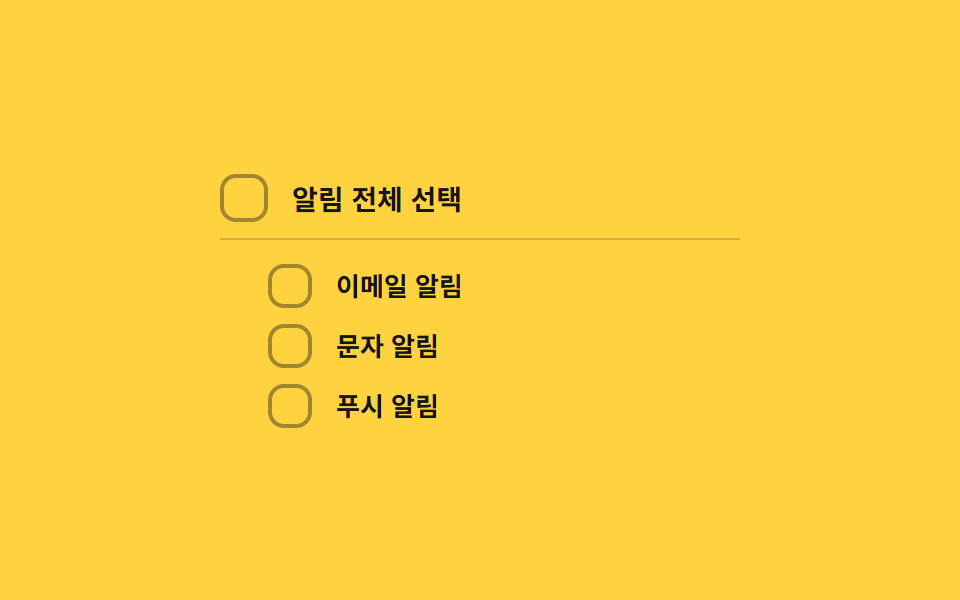 02 custom-checkbox-indeterminate-dash
 03 custom-checkbox-spring-pop
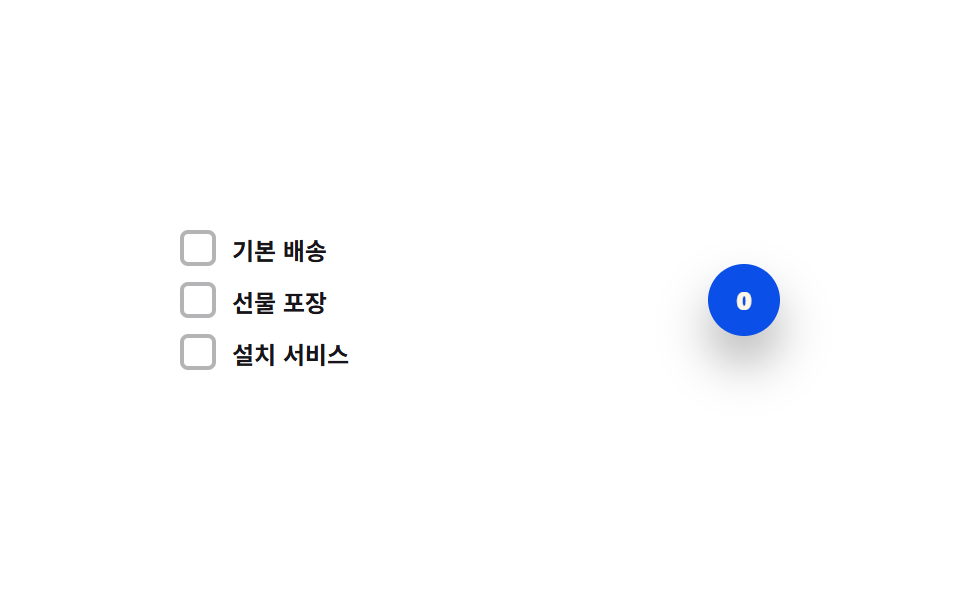 04 custom-checkbox-count-badge-roll
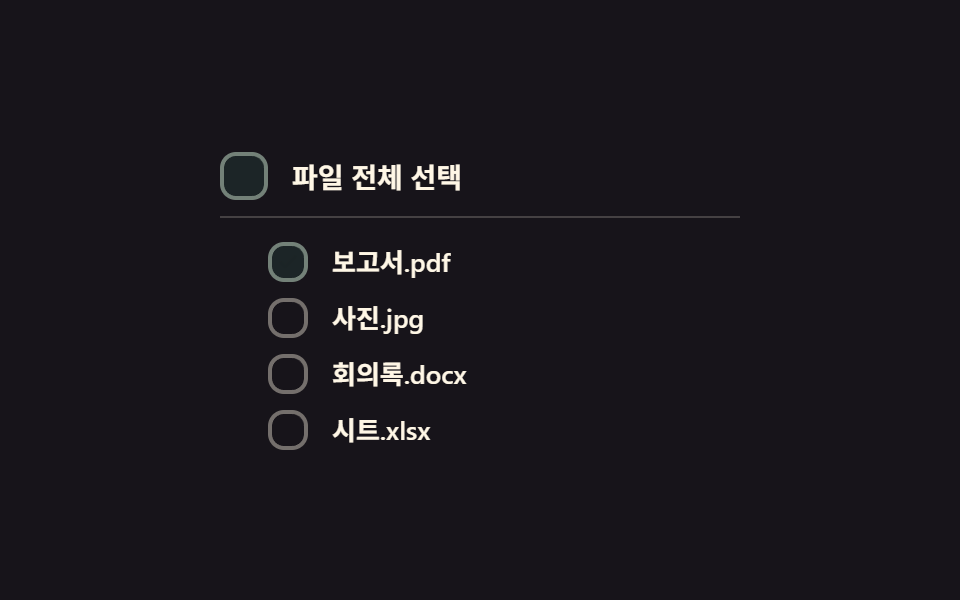 05 custom-checkbox-select-all-cascade
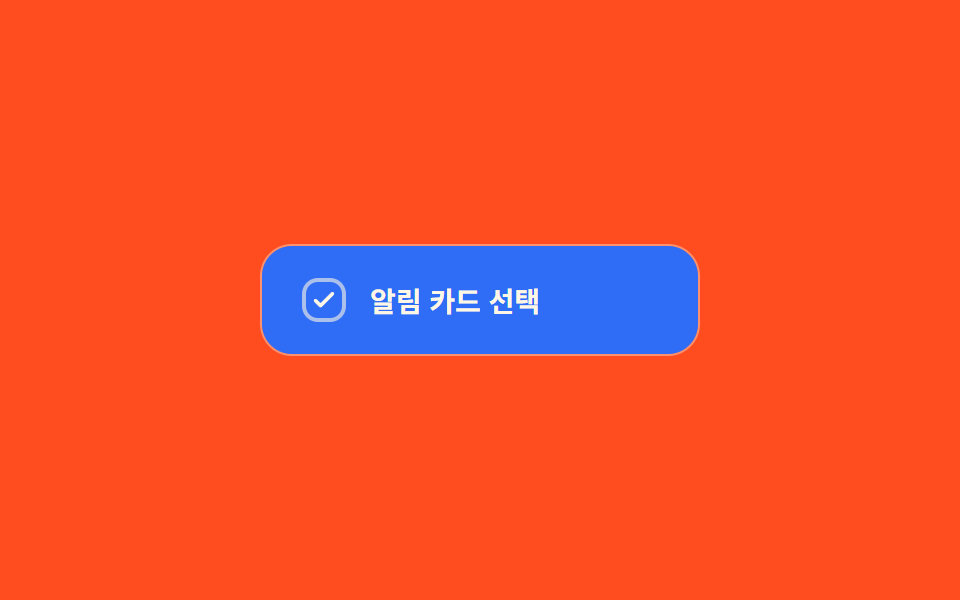 06 custom-checkbox-color-fill-wipe
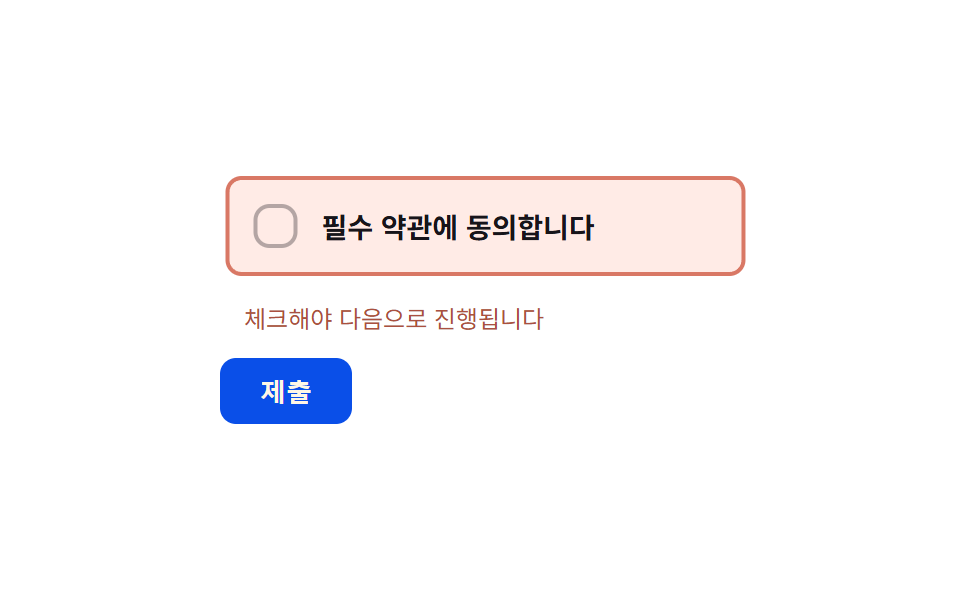 07 custom-checkbox-error-shake-required
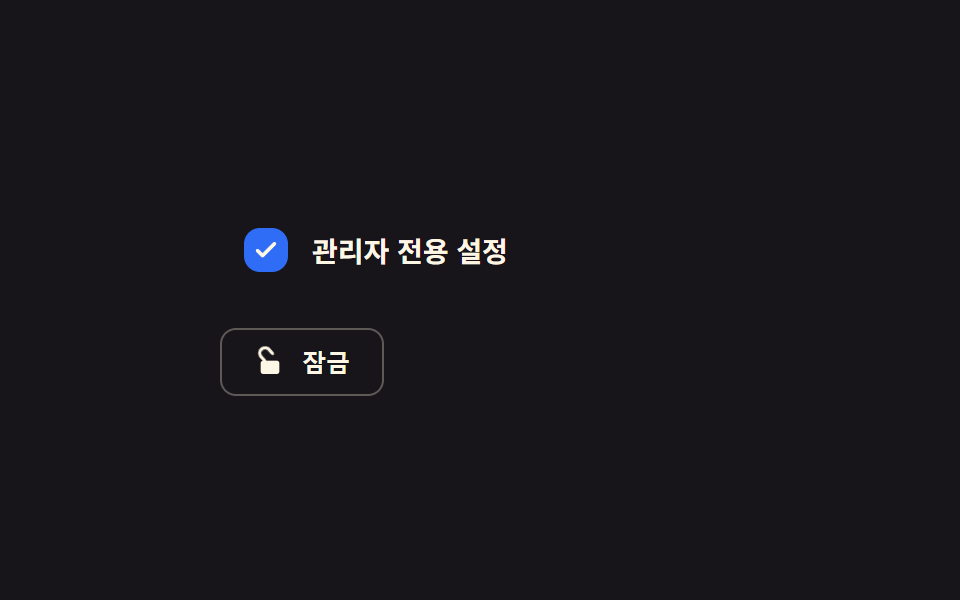 08 custom-checkbox-disabled-dim-lock
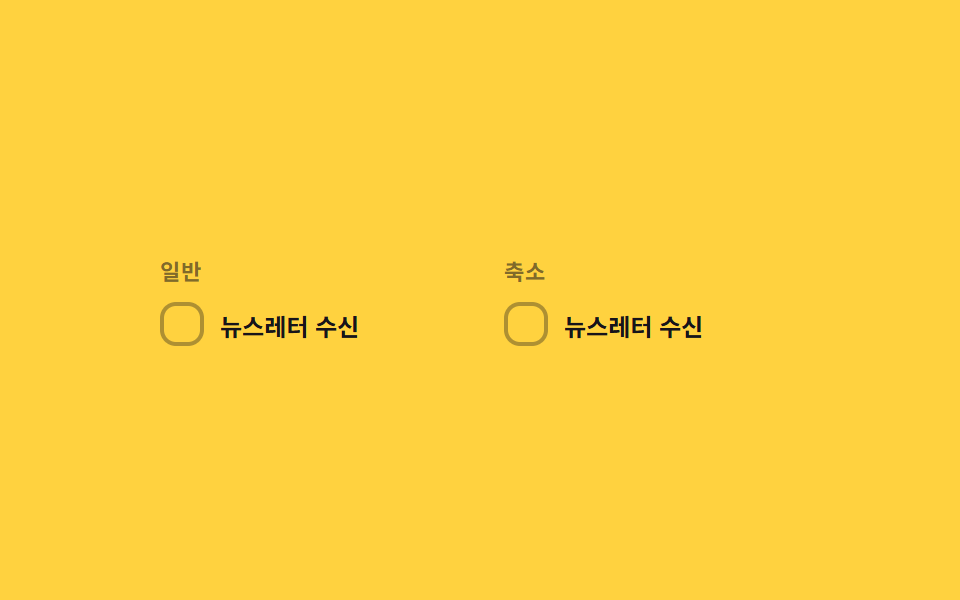 09 custom-checkbox-reduced-motion-static
자동 재생 · 눌러서 해당 항목으로 · 전부 한 zip
- 01 체크 선 그리기 전환 — 체크 값이 켜지면 체크 표시의 선 길이 값이 0에서 끝까지 순서대로 그려지는 방식
- 02 부분선택 대시 전환 — 하위 항목이 일부만 선택되면 상위 박스의 표시 값이 대시 모양으로 바뀌는 방식
- 03 스프링 튐 전환 — 체크 값이 바뀌는 순간 박스의 크기 값이 목표보다 크게 튀었다가 튕기듯 가라앉는 방식
- 04 선택 개수 롤 전환 — 선택된 개수 값이 오르내릴 때마다 배지 숫자의 자리 값이 위아래로 굴러가듯 바뀌는 방식
- 05 전체선택 계단 전환 — 상위 박스의 전체선택 값이 켜지면 하위 박스들의 체크 값이 순서대로 짧은 간격을 두고 바뀌는 방식
- 06 색 채움 와이프 전환 — 체크 값이 켜지면 박스의 배경 채움 값이 한쪽 모서리에서 반대쪽으로 번지듯 바뀌는 방식
- 07 필수 오류 흔들림 전환 — 필수 박스가 비어 있는데 제출을 시도하면 박스의 가로 위치 값이 짧게 좌우로 흔들리는 방식
- 08 비활성 흐림 고정 전환 — 비활성 값이 켜지면 박스의 밝기 값이 낮아지고 체크 값이 더는 바뀌지 않는 방식
- 09 모션 축소 대응 비교 전환 — 같은 체크 값 변화를 일반 판은 선 길이 값을 그려서, 축소 판은 중간 단계 없이 바로 보여주는 방식
아홉 개의 해부 — 어떤 값이 언제 바뀌는가
아홉 항목 모두 실제 <input type="checkbox"> 하나를 화면 밖으로 숨긴 채(위치를 absolute로 빼고 opacity를 0으로) 그대로 두고, 옆의 장식용 상자에만 aria-hidden="true"를 달아 시각 효과를 맡깁니다. 값을 바꾸는 계산 방식은 셋으로 나뉩니다.
easeOutCubic 한 겹으로 미는 항목 — 01·04·06·08·09
01·04·06·08·09 다섯 항목은 같은 easeOutCubic(t) 함수를 각자의 값에 맞춰 씁니다. 01과 09는 체크 표시 선의 stroke-dashoffset 값을, 04는 배지 숫자의 세로 위치 값을, 06은 채움 원의 반지름 진행 값을, 08은 잠금 아이콘의 회전 각도 값을 이 함수로 보정합니다. 01과 09는 SVGGeometryElement.getTotalLength()로 선의 실제 길이를 재서 LEN에 담아 두기 때문에 짐작한 px가 아니라 실측 길이가 기준이고, 06은 card.getBoundingClientRect()로 카드의 실제 가로·세로를 읽어 대각선 길이를 구한 뒤 그 값을 채움 반지름의 목표로 삼습니다.
감쇠 진동으로 튀는 항목 — 03·07
03과 07은 Math.exp(-계수 * t)로 진폭을 줄여가며 cos·sin에 태우는 감쇠 진동 계산을 씁니다. 03은 체크 순간 박스 크기 값이 목표보다 커졌다가 잦아들고, 07은 제출 시도가 들어왔는데 필수 박스가 비어 있으면 가로 위치 값이 좌우로 흔들리다 멈춥니다. 같은 수식 구조를 쓰지만 03은 크기(transform: scale)에, 07은 위치(transform: translateX)에 적용한다는 점이 다릅니다.
체크박스 리스트 값을 그 자리에서 계산하는 항목 — 02·05
02와 05는 하위 여러 체크박스 리스트를 두고 상위 박스 하나가 그 합을 대표합니다. 02는 change 시점마다 체크된 개수를 전체 개수로 나눈 비율을 구해 parent.indeterminate를 세우고 그 비율을 배경 알파 값으로 바로 사영하며, 05는 transition-delay를 자식 인덱스 순서로 미리 심어 둔 채 값 자체는 한 번에 바꾸고 화면에 드러나는 시점만 계단처럼 늦춥니다. 두 항목 모두 프레임마다 JS가 값을 다시 계산하지 않고 CSS transition이 보정을 맡는다는 공통점이 있습니다.
측정으로 보면 07(누적면적 9.70%)이 아홉 개 중 가장 넓게 화면을 바꾸고 01(0.44%)이 가장 좁게 바꿉니다. 07은 흔들리는 동안 행 전체와 안내문 색까지 함께 바뀌어 픽셀 변화 범위가 넓어지고, 01은 얇은 선 하나의 stroke-dashoffset만 움직이니 좁은 게 당연합니다.
| 항목 | 누적면적% | 강도_평균 | 움직인프레임 |
|---|---|---|---|
| 01 체크 선 그리기 | 0.44 | 73.0 | 14/23 |
| 02 부분선택 대시 | 1.70 | 48.4 | 15/23 |
| 03 스프링 튐 | 0.54 | 82.7 | 11/23 |
| 04 선택 개수 롤 | 0.77 | 83.4 | 13/23 |
| 05 전체선택 계단 | 2.43 | 50.6 | 20/23 |
| 06 색 채움 와이프 | 7.92 | 199.6 | 8/23 |
| 07 필수 오류 흔들림 | 9.70 | 60.3 | 16/23 |
| 08 비활성 흐림 고정 | 1.17 | 44.1 | 7/23 |
| 09 모션 축소 대응 비교 | 0.62 | 96.7 | 11/23 |
09만 따로 볼 필요가 있습니다. 이 항목은 하나의 체크 값 변화를 일반 판과 축소 판 두 패널에 나란히 그려서, 같은 입력이 matchMedia의 두 분기로 나뉘는 순간을 직접 대조하도록 만든 유일한 항목입니다.
패턴별 코드
01체크 선 그리기 전환 — 체크 값이 켜지면 체크 표시의 선 길이 값이 0에서 끝까지 순서대로 그려지는 방식
체크 값이 켜지는 순간 체크 표시의 선 길이 값이 0에서 끝까지 그려지고, 꺼지면 반대 순서로 지워집니다. LEN은 getTotalLength()로 잰 실제 경로 길이이고, currentOffset()이 진행 중이던 값에서 새 목표까지를 easeOutCubic으로 이어받습니다.
  function easeOutCubic(t) { return 1 - Math.pow(1 - t, 3); }

  function currentOffset(ts) {
    if (!drawing) return drawTo;
    var t = Math.min(1, (ts - drawStart) / DRAW_MS);
    return drawFrom + (drawTo - drawFrom) * easeOutCubic(t);
  }

  function setChecked(next, ts) {
    input.checked = next;
    box.classList.toggle('cbd__box--on', next);
    drawFrom = currentOffset(ts);
    drawTo = next ? 0 : LEN;
    drawStart = ts;
    drawing = true;
  }
<main class="stage">
<label class="cbd is-demo" id="cbd">
  <input type="checkbox" class="cbd__input" id="cbdInput">
  <span class="cbd__box" id="cbdBox" aria-hidden="true">
    <svg class="cbd__svg" viewBox="0 0 20 20" width="14" height="14">
      <path id="cbdCheck" class="cbd__path" d="M4 10.5l3.5 3.5L16 5.5" fill="none" stroke="currentColor" stroke-width="2.6" stroke-linecap="round" stroke-linejoin="round"/>
    </svg>
  </span>
  <span class="cbd__text">약관에 동의합니다</span>
</label>
</main>
@use "../../../../site/static/demo-tokens" as *;
// 계산 겹: index.html 이 SVG path.getTotalLength() 로 체크 표시의 실제 선 길이를 측정해
// stroke-dasharray 를 만들고, easeOutCubic 을 rAF 로 직접 적분해 stroke-dashoffset 을
// 0(그려짐)과 길이값(안 그려짐) 사이로 보간한다 — CSS transition 이 아니라 계산이 선을 그린다.
@include stage($stage-ink);
.cbd {
display: flex;
align-items: center;
gap: $sp-3;
cursor: pointer;
user-select: none;
}
.cbd__input {
position: absolute;
width: 1px;
height: 1px;
opacity: 0;
pointer-events: none;
}
.cbd__box {
flex: 0 0 auto;
width: 26px;
height: 26px;
border-radius: $r-sm;
background: transparent;
border: 2px solid rgba($subject-cream, .5);
color: transparent;
display: grid;
place-items: center;
box-sizing: border-box;
transition: background-color $dur-quick $ease-out, border-color $dur-quick $ease-out, color $dur-quick $ease-out;
}
.cbd__box--on {
background: $subject-blue;
border-color: $subject-blue;
color: $subject-cream;
}
.cbd__input:focus-visible + .cbd__box {
outline: 2px solid $subject-blue-light;
outline-offset: 2px;
}
.cbd__text {
color: $subject-cream;
font-size: 14px;
font-weight: 600;
}
@media (max-width: 340px) {
.cbd__text { font-size: 13px; }
}
@media (prefers-reduced-motion: reduce) {
.cbd__box { transition: none; }
}html, body {
margin: 0;
overflow: hidden;
}
.stage {
box-sizing: border-box;
min-height: 100vh;
display: grid;
place-items: center;
margin: 0;
background: #17141a;
font-family: -apple-system, "Segoe UI", "Noto Sans KR", sans-serif;
padding: clamp(8px, 4vw, 24px);
}
.cbd {
display: flex;
align-items: center;
gap: 12px;
cursor: pointer;
user-select: none;
}
.cbd__input {
position: absolute;
width: 1px;
height: 1px;
opacity: 0;
pointer-events: none;
}
.cbd__box {
flex: 0 0 auto;
width: 26px;
height: 26px;
border-radius: 8px;
background: transparent;
border: 2px solid rgba(255, 247, 230, 0.5);
color: transparent;
display: grid;
place-items: center;
box-sizing: border-box;
transition: background-color 220ms ease-out, border-color 220ms ease-out, color 220ms ease-out;
}
.cbd__box--on {
background: #2f6df6;
border-color: #2f6df6;
color: #fff7e6;
}
.cbd__input:focus-visible + .cbd__box {
outline: 2px solid #5b8cf8;
outline-offset: 2px;
}
.cbd__text {
color: #fff7e6;
font-size: 14px;
font-weight: 600;
}
@media (max-width: 340px) {
.cbd__text {
font-size: 13px;
}
}
@media (prefers-reduced-motion: reduce) {
.cbd__box {
transition: none;
}
}(function () {
var DRAW_MS = 460; // 계산 겹 상수: 체크 선이 0에서 끝까지 그려지는 데 걸리는 실제 시간(ms)
var CYCLE_MS = 640; // 자동 루프가 체크·해제를 오가는 간격
var reduce = window.matchMedia('(prefers-reduced-motion: reduce)').matches;
var root = document.getElementById('cbd');
var input = document.getElementById('cbdInput');
var box = document.getElementById('cbdBox');
var path = document.getElementById('cbdCheck');
// 계산 겹: SVG path 의 실제 길이를 getTotalLength() 로 측정해 stroke-dasharray 를 만든다 — 짐작 px 를 쓰지 않는다
var LEN = path.getTotalLength();
path.style.strokeDasharray = String(LEN);
var isDemo = true;
var drawing = false, drawStart = 0, drawFrom = LEN, drawTo = LEN;
path.style.setProperty('stroke-dashoffset', String(LEN));
function easeOutCubic(t) { return 1 - Math.pow(1 - t, 3); }
function currentOffset(ts) {
if (!drawing) return drawTo;
var t = Math.min(1, (ts - drawStart) / DRAW_MS);
return drawFrom + (drawTo - drawFrom) * easeOutCubic(t);
}
function setChecked(next, ts) {
input.checked = next;
box.classList.toggle('cbd__box--on', next);
drawFrom = currentOffset(ts);
drawTo = next ? 0 : LEN;
drawStart = ts;
drawing = true;
}
function human() {
if (isDemo) { root.classList.remove('is-demo'); isDemo = false; }
}
input.addEventListener('change', function () {
human();
setChecked(input.checked, performance.now());
});
var cycleStart = 0;
var lastState = false;
function loop(ts) {
if (!cycleStart) cycleStart = ts;
if (isDemo) {
var step = Math.floor((ts - cycleStart) / CYCLE_MS) % 2 === 1;
if (step !== lastState) { lastState = step; setChecked(step, ts); }
}
if (drawing) {
var off = currentOffset(ts);
path.style.setProperty('stroke-dashoffset', off.toFixed(2));
if (Math.abs(off - drawTo) < 0.05) { path.style.setProperty('stroke-dashoffset', String(drawTo)); drawing = false; }
}
requestAnimationFrame(loop);
}
if (reduce) {
// 계산 자체는 유지하되 중간 프레임 없이 목표 값으로 바로 놓는다
DRAW_MS = 1;
}
requestAnimationFrame(loop);
})();// CheckDraw — vanilla 판(run/368/demo/01-custom-checkbox-check-draw/index.html) 의 React 포트.
// path.getTotalLength() 로 실측한 체크 선 길이를 easeOutCubic 로 rAF 적분해 strokeDashoffset 을
// 그린다 — CSS transition 이 아니라 계산으로 선을 그린다.
import { useEffect, useRef } from "react";
import styles from "./CheckDraw.module.scss";
type Box<T> = { current: T };
export default function CheckDraw() {
const rootRef = useRef(null) as unknown as Box<HTMLLabelElement>;
const inputRef = useRef(null) as unknown as Box<HTMLInputElement>;
const boxRef = useRef(null) as unknown as Box<HTMLSpanElement>;
const pathRef = useRef(null) as unknown as Box<SVGPathElement>;
const rafRef = useRef(0) as unknown as Box<number>;
useEffect(() => {
let DRAW_MS = 460; // 계산 겹 상수: 체크 선이 0에서 끝까지 그려지는 데 걸리는 실제 시간(ms)
const CYCLE_MS = 640; // 자동 루프가 체크·해제를 오가는 간격
const reduce = window.matchMedia("(prefers-reduced-motion: reduce)").matches;
const input = inputRef.current;
const path = pathRef.current;
if (!input || !path) return;
let isDemo = true;
const LEN = path.getTotalLength();
path.style.strokeDasharray = String(LEN);
path.style.setProperty("stroke-dashoffset", String(LEN));
let drawing = false, drawStart = 0, drawFrom = LEN, drawTo = LEN;
function easeOutCubic(t: number) { return 1 - Math.pow(1 - t, 3); }
function currentOffset(ts: number) {
if (!drawing) return drawTo;
const t = Math.min(1, (ts - drawStart) / DRAW_MS);
return drawFrom + (drawTo - drawFrom) * easeOutCubic(t);
}
function human() {
if (isDemo) { rootRef.current?.classList.remove(styles.isDemo); isDemo = false; }
}
function setChecked(next: boolean, ts: number) {
input!.checked = next;
boxRef.current?.classList.toggle(styles.boxOn, next);
drawFrom = currentOffset(ts);
drawTo = next ? 0 : LEN;
drawStart = ts;
drawing = true;
}
function onChange() { human(); setChecked(input!.checked, performance.now()); }
input.addEventListener("change", onChange);
let cycleStart = 0;
let lastState = false;
function loop(ts: number) {
if (!cycleStart) cycleStart = ts;
if (isDemo) {
const step = Math.floor((ts - cycleStart) / CYCLE_MS) % 2 === 1;
if (step !== lastState) { lastState = step; setChecked(step, ts); }
}
if (drawing) {
const off = currentOffset(ts);
path!.style.setProperty("stroke-dashoffset", String(off));
if (Math.abs(off - drawTo) < 0.05) drawing = false;
}
rafRef.current = requestAnimationFrame(loop);
}
if (reduce) { DRAW_MS = 1; }
rafRef.current = requestAnimationFrame(loop);
return () => {
input.removeEventListener("change", onChange);
cancelAnimationFrame(rafRef.current);
};
}, []);
return (
<main className={styles.stage}>
<label className={styles.cbd + " " + styles.isDemo} ref={rootRef}>
<input type="checkbox" className={styles.cbdInput} ref={inputRef} />
<span className={styles.cbdBox} ref={boxRef} aria-hidden="true">
<svg className={styles.cbdSvg} viewBox="0 0 20 20" width={14} height={14}>
<path ref={pathRef} className={styles.cbdPath} d="M4 10.5l3.5 3.5L16 5.5" fill="none" stroke="currentColor" strokeWidth={2.6} strokeLinecap="round" strokeLinejoin="round" />
</svg>
</span>
<span className={styles.cbdText}>약관에 동의합니다</span>
</label>
</main>
);
}01 · 체크 선 그리기 전환 — 체크 값이 켜지면 체크 표시의 선 길이 값이 0에서 끝까지 순서대로 그려지는 방식 — 측정 누적면적 0.442% · 움직인 프레임 14/23GODRICH 원작 · zip 에 SCSS·React 포함 · 비밀번호 보기
02부분선택 대시 전환 — 하위 항목이 일부만 선택되면 상위 박스의 표시 값이 대시 모양으로 바뀌는 방식
하위 선택 개수 값이 전체와 0 사이에 있으면 상위 박스의 표시 값이 체크도 빈칸도 아닌 대시로 바뀝니다. paintParent()는 change가 올 때마다 비율을 다시 구해 네이티브 indeterminate 속성을 세우고, 그 비율을 --cbi-alpha라는 CSS 변수로 넘겨 배경 색 진하기를 직접 정합니다.
  function paintParent() {
    paintChildren();
    var checkedCount = children.filter(function (c) { return c.checked; }).length;
    var ratio = checkedCount / children.length; // 계산 겹: 선택 비율 값
    var all = ratio === 1, none = ratio === 0;
    parent.checked = all;
    parent.indeterminate = !all && !none;
    parentBox.classList.toggle('cbi__box--on', all);
    parentBox.classList.toggle('cbi__box--mixed', !all && !none);
    // 계산 겹: 선택 비율을 배경 알파로 직접 사영한다(MIX_ALPHA 를 바닥으로 두고 남은 폭을 ratio 만큼 채움)
    var alpha = none ? 0 : (MIX_ALPHA + (1 - MIX_ALPHA) * ratio);
    parentBox.style.setProperty('--cbi-alpha', alpha.toFixed(3));
  }
<main class="stage">
<div class="cbi is-demo" id="cbi">
  <label class="cbi__row cbi__row--parent">
    <input type="checkbox" class="cbi__input" id="cbiParent">
    <span class="cbi__box" id="cbiParentBox" aria-hidden="true">
      <svg class="cbi__svg" viewBox="0 0 20 20" width="14" height="14">
        <path class="cbi__check" d="M4 10.5l3.5 3.5L16 5.5" fill="none" stroke="currentColor" stroke-width="2.6" stroke-linecap="round" stroke-linejoin="round"/>
        <line class="cbi__dash" x1="5" y1="10" x2="15" y2="10" stroke="currentColor" stroke-width="2.6" stroke-linecap="round"/>
      </svg>
    </span>
    <span class="cbi__text">알림 전체 선택</span>
  </label>
  <div class="cbi__children">
    <label class="cbi__row">
      <input type="checkbox" class="cbi__input" id="cbiChild0">
      <span class="cbi__box" id="cbiChildBox0" aria-hidden="true">
        <svg class="cbi__svg" viewBox="0 0 20 20" width="12" height="12">
          <path class="cbi__check" d="M4 10.5l3.5 3.5L16 5.5" fill="none" stroke="currentColor" stroke-width="2.6" stroke-linecap="round" stroke-linejoin="round"/>
        </svg>
      </span>
      <span class="cbi__text">이메일 알림</span>
    </label>
    <label class="cbi__row">
      <input type="checkbox" class="cbi__input" id="cbiChild1">
      <span class="cbi__box" id="cbiChildBox1" aria-hidden="true">
        <svg class="cbi__svg" viewBox="0 0 20 20" width="12" height="12">
          <path class="cbi__check" d="M4 10.5l3.5 3.5L16 5.5" fill="none" stroke="currentColor" stroke-width="2.6" stroke-linecap="round" stroke-linejoin="round"/>
        </svg>
      </span>
      <span class="cbi__text">문자 알림</span>
    </label>
    <label class="cbi__row">
      <input type="checkbox" class="cbi__input" id="cbiChild2">
      <span class="cbi__box" id="cbiChildBox2" aria-hidden="true">
        <svg class="cbi__svg" viewBox="0 0 20 20" width="12" height="12">
          <path class="cbi__check" d="M4 10.5l3.5 3.5L16 5.5" fill="none" stroke="currentColor" stroke-width="2.6" stroke-linecap="round" stroke-linejoin="round"/>
        </svg>
      </span>
      <span class="cbi__text">푸시 알림</span>
    </label>
  </div>
</div>
</main>@use "../../../../site/static/demo-tokens" as *;
// 계산 겹: index.html paintParent() 가 자식 선택 개수 ÷ 전체 개수로 선택 비율 값을 만들고,
// 그 값을 --cbi-alpha 로 사영해 부모 박스 배경의 실제 투명도를 만든다 — 체크·빈칸 두 상태만
// 있는 on/off 토글이 아니라 비율 값이 배경 진하기를 연속으로 결정한다.
@include stage($stage-yellow);
.cbi {
display: grid;
gap: $sp-3;
width: 100%;
max-width: 260px;
}
.cbi__row {
display: flex;
align-items: center;
gap: $sp-3;
cursor: pointer;
user-select: none;
}
.cbi__row--parent {
padding-bottom: $sp-2;
border-bottom: 1px solid rgba($subject-ink, .18);
}
.cbi__children {
display: grid;
gap: $sp-2;
padding-left: $sp-6;
}
.cbi__input {
position: absolute;
width: 1px;
height: 1px;
opacity: 0;
pointer-events: none;
}
.cbi__box {
--cbi-alpha: 0;
flex: 0 0 auto;
width: 22px;
height: 22px;
border-radius: $r-sm;
border: 2px solid rgba($subject-ink, .4);
background: rgba(#{red($subject-blue)}, #{green($subject-blue)}, #{blue($subject-blue)}, var(--cbi-alpha));
color: $subject-cream;
display: grid;
place-items: center;
box-sizing: border-box;
transition: border-color $dur-quick $ease-out, background-color $dur-quick $ease-out;
}
.cbi__row--parent .cbi__box {
width: 24px;
height: 24px;
}
.cbi__check, .cbi__dash {
opacity: 0;
transition: opacity $dur-quick $ease-out;
}
.cbi__box--on {
border-color: $subject-blue;
.cbi__check { opacity: 1; }
}
.cbi__box--mixed {
border-color: $subject-blue;
.cbi__dash { opacity: 1; }
}
.cbi__input:focus-visible + .cbi__box {
outline: 2px solid $subject-blue-light;
outline-offset: 2px;
}
.cbi__text {
color: $subject-ink;
font-size: 13px;
font-weight: 600;
}
.cbi__row--parent .cbi__text {
font-size: 14px;
font-weight: 700;
}
@media (max-width: 340px) {
.cbi__children { padding-left: $sp-4; }
.cbi__text { font-size: 12px; }
}
@media (prefers-reduced-motion: reduce) {
.cbi__box, .cbi__check, .cbi__dash { transition: none; }
}html, body {
margin: 0;
overflow: hidden;
}
.stage {
box-sizing: border-box;
min-height: 100vh;
display: grid;
place-items: center;
margin: 0;
background: #ffd23f;
font-family: -apple-system, "Segoe UI", "Noto Sans KR", sans-serif;
padding: clamp(8px, 4vw, 24px);
}
.cbi {
display: grid;
gap: 12px;
width: 100%;
max-width: 260px;
}
.cbi__row {
display: flex;
align-items: center;
gap: 12px;
cursor: pointer;
user-select: none;
}
.cbi__row--parent {
padding-bottom: 8px;
border-bottom: 1px solid rgba(23, 20, 26, 0.18);
}
.cbi__children {
display: grid;
gap: 8px;
padding-left: 24px;
}
.cbi__input {
position: absolute;
width: 1px;
height: 1px;
opacity: 0;
pointer-events: none;
}
.cbi__box {
--cbi-alpha: 0;
flex: 0 0 auto;
width: 22px;
height: 22px;
border-radius: 8px;
border: 2px solid rgba(23, 20, 26, 0.4);
background: rgba(47, 109, 246, var(--cbi-alpha));
color: #fff7e6;
display: grid;
place-items: center;
box-sizing: border-box;
transition: border-color 220ms ease-out, background-color 220ms ease-out;
}
.cbi__row--parent .cbi__box {
width: 24px;
height: 24px;
}
.cbi__check, .cbi__dash {
opacity: 0;
transition: opacity 220ms ease-out;
}
.cbi__box--on {
border-color: #2f6df6;
}
.cbi__box--on .cbi__check {
opacity: 1;
}
.cbi__box--mixed {
border-color: #2f6df6;
}
.cbi__box--mixed .cbi__dash {
opacity: 1;
}
.cbi__input:focus-visible + .cbi__box {
outline: 2px solid #5b8cf8;
outline-offset: 2px;
}
.cbi__text {
color: #17141a;
font-size: 13px;
font-weight: 600;
}
.cbi__row--parent .cbi__text {
font-size: 14px;
font-weight: 700;
}
@media (max-width: 340px) {
.cbi__children {
padding-left: 16px;
}
.cbi__text {
font-size: 12px;
}
}
@media (prefers-reduced-motion: reduce) {
.cbi__box, .cbi__check, .cbi__dash {
transition: none;
}
}(function () {
var MIX_ALPHA = .22; // 계산 겹 상수: 자식이 0개 선택됐을 때도 남기는 최소 배경 알파
var CYCLE_MS = 520; // 자동 루프가 자식 하나씩 상태를 바꾸는 간격
var reduce = window.matchMedia('(prefers-reduced-motion: reduce)').matches;
var root = document.getElementById('cbi');
var parent = document.getElementById('cbiParent');
var parentBox = document.getElementById('cbiParentBox');
var children = [
document.getElementById('cbiChild0'),
document.getElementById('cbiChild1'),
document.getElementById('cbiChild2')
];
var childBoxes = [
document.getElementById('cbiChildBox0'),
document.getElementById('cbiChildBox1'),
document.getElementById('cbiChildBox2')
];
var isDemo = true;
function human() {
if (isDemo) { root.classList.remove('is-demo'); isDemo = false; }
}
function paintChildren() {
children.forEach(function (c, i) { childBoxes[i].classList.toggle('cbi__box--on', c.checked); });
}
function paintParent() {
paintChildren();
var checkedCount = children.filter(function (c) { return c.checked; }).length;
var ratio = checkedCount / children.length; // 계산 겹: 선택 비율 값
var all = ratio === 1, none = ratio === 0;
parent.checked = all;
parent.indeterminate = !all && !none;
parentBox.classList.toggle('cbi__box--on', all);
parentBox.classList.toggle('cbi__box--mixed', !all && !none);
// 계산 겹: 선택 비율을 배경 알파로 직접 사영한다(MIX_ALPHA 를 바닥으로 두고 남은 폭을 ratio 만큼 채움)
var alpha = none ? 0 : (MIX_ALPHA + (1 - MIX_ALPHA) * ratio);
parentBox.style.setProperty('--cbi-alpha', alpha.toFixed(3));
}
function setChild(idx, val) {
children[idx].checked = val;
paintParent();
}
children.forEach(function (c) {
c.addEventListener('change', function () { human(); paintParent(); });
});
parent.addEventListener('change', function () {
human();
var next = parent.checked;
children.forEach(function (c) { c.checked = next; });
paintParent();
});
// 자동 루프: 자식을 하나씩 켜서 없음 → 부분 → 전체를 보여주고, 다시 하나씩 끈다
var SEQ = [
[false, false, false], [true, false, false], [true, true, false], [true, true, true],
[true, true, false], [true, false, false], [false, false, false]
];
var si = 0;
var autoTimer = null;
function autoTick() {
var state = SEQ[si];
children.forEach(function (c, i) { c.checked = state[i]; });
paintParent();
si = (si + 1) % SEQ.length;
}
if (!reduce) { autoTimer = setInterval(autoTick, CYCLE_MS); autoTick(); }
else { autoTick(); }
})();// IndeterminateDash — vanilla 판(run/368/demo/02-custom-checkbox-indeterminate-dash/index.html) 의 React 포트.
// 자식 선택 비율(ratio)을 계산해 네이티브 indeterminate 값과 배경 알파(--cbi-alpha)를 함께 만든다.
import { useEffect, useRef } from "react";
import styles from "./IndeterminateDash.module.scss";
type Box<T> = { current: T };
const CHILDREN = [
{ id: "child0", label: "이메일 알림" },
{ id: "child1", label: "문자 알림" },
{ id: "child2", label: "푸시 알림" },
];
export default function IndeterminateDash() {
const rootRef = useRef(null) as unknown as Box<HTMLDivElement>;
const parentRef = useRef(null) as unknown as Box<HTMLInputElement>;
const parentBoxRef = useRef(null) as unknown as Box<HTMLSpanElement>;
const childRefs = useRef([null, null, null]) as unknown as Box<(HTMLInputElement | null)[]>;
const childBoxRefs = useRef([null, null, null]) as unknown as Box<(HTMLSpanElement | null)[]>;
const timerRef = useRef(0) as unknown as Box<number>;
useEffect(() => {
const MIX_ALPHA = 0.22; // 계산 겹 상수: 자식이 0개 선택됐을 때도 남기는 최소 배경 알파
const CYCLE_MS = 520; // 자동 루프가 자식 하나씩 상태를 바꾸는 간격
const reduce = window.matchMedia("(prefers-reduced-motion: reduce)").matches;
const root = rootRef.current;
const parent = parentRef.current;
const parentBox = parentBoxRef.current;
const children = childRefs.current;
const childBoxes = childBoxRefs.current;
if (!root || !parent || !parentBox) return;
let isDemo = true;
function human() {
if (isDemo) { root!.classList.remove(styles.isDemo); isDemo = false; }
}
function paintChildren() {
children.forEach((c, i) => { childBoxes[i]?.classList.toggle(styles.boxOn, c ? c.checked : false); });
}
function paintParent() {
paintChildren();
const checkedCount = children.filter((c) => c?.checked).length;
const ratio = checkedCount / children.length; // 계산 겹: 선택 비율 값
const all = ratio === 1, none = ratio === 0;
parent!.checked = all;
parent!.indeterminate = !all && !none;
parentBox!.classList.toggle(styles.boxOn, all);
parentBox!.classList.toggle(styles.boxMixed, !all && !none);
// 계산 겹: 선택 비율을 배경 알파로 직접 사영한다(MIX_ALPHA 를 바닥으로 두고 남은 폭을 ratio 만큼 채움)
const alpha = none ? 0 : (MIX_ALPHA + (1 - MIX_ALPHA) * ratio);
parentBox!.style.setProperty("--cbi-alpha", alpha.toFixed(3));
}
const childHandlers = children.map((c) => {
const fn = () => { human(); paintParent(); };
c?.addEventListener("change", fn);
return fn;
});
function onParentChange() {
human();
const next = parent!.checked;
children.forEach((c) => { if (c) c.checked = next; });
paintParent();
}
parent.addEventListener("change", onParentChange);
const SEQ = [
[false, false, false], [true, false, false], [true, true, false], [true, true, true],
[true, true, false], [true, false, false], [false, false, false],
];
let si = 0;
function autoTick() {
const state = SEQ[si];
children.forEach((c, i) => { if (c) c.checked = state[i]; });
paintParent();
si = (si + 1) % SEQ.length;
}
if (!reduce) { timerRef.current = window.setInterval(autoTick, CYCLE_MS); autoTick(); }
else { autoTick(); }
return () => {
children.forEach((c, i) => c?.removeEventListener("change", childHandlers[i]));
parent.removeEventListener("change", onParentChange);
window.clearInterval(timerRef.current);
};
}, []);
return (
<main className={styles.stage}>
<div className={styles.cbi + " " + styles.isDemo} ref={rootRef}>
<label className={styles.cbiRow + " " + styles.cbiRowParent}>
<input type="checkbox" className={styles.cbiInput} ref={parentRef} />
<span className={styles.cbiBox} ref={parentBoxRef} aria-hidden="true">
<svg className={styles.cbiSvg} viewBox="0 0 20 20" width={14} height={14}>
<path className={styles.cbiCheck} d="M4 10.5l3.5 3.5L16 5.5" fill="none" stroke="currentColor" strokeWidth={2.6} strokeLinecap="round" strokeLinejoin="round" />
<line className={styles.cbiDash} x1={5} y1={10} x2={15} y2={10} stroke="currentColor" strokeWidth={2.6} strokeLinecap="round" />
</svg>
</span>
<span className={styles.cbiText}>알림 전체 선택</span>
</label>
<div className={styles.cbiChildren}>
{CHILDREN.map((c, i) => (
<label className={styles.cbiRow} key={c.id}>
<input
type="checkbox"
className={styles.cbiInput}
ref={(el: HTMLInputElement | null) => { childRefs.current[i] = el; }}
/>
<span
className={styles.cbiBox}
ref={(el: HTMLSpanElement | null) => { childBoxRefs.current[i] = el; }}
aria-hidden="true"
>
<svg className={styles.cbiSvg} viewBox="0 0 20 20" width={12} height={12}>
<path className={styles.cbiCheck} d="M4 10.5l3.5 3.5L16 5.5" fill="none" stroke="currentColor" strokeWidth={2.6} strokeLinecap="round" strokeLinejoin="round" />
</svg>
</span>
<span className={styles.cbiText}>{c.label}</span>
</label>
))}
</div>
</div>
</main>
);
}02 · 부분선택 대시 전환 — 하위 항목이 일부만 선택되면 상위 박스의 표시 값이 대시 모양으로 바뀌는 방식 — 측정 누적면적 1.703% · 움직인 프레임 15/23GODRICH 원작 · zip 에 SCSS·React 포함 · 비밀번호 보기
03스프링 튐 전환 — 체크 값이 바뀌는 순간 박스의 크기 값이 목표보다 크게 튀었다가 튕기듯 가라앉는 방식
체크 값이 바뀌는 순간 박스의 크기 값이 목표치를 살짝 넘겨 커졌다가 두세 번 튕기며 원래 크기로 가라앉습니다. popScale()은 SPRING_ZETA로 진폭을 감쇠시키며 SCALE_OVERSHOOT만큼 cos 곡선을 따라 넘치고 되돌아오는 값을 매 프레임 계산합니다.
  function popScale(t) {
    // 계산 겹: 감쇠 코사인 진동 — t=0 에서 SCALE_OVERSHOOT 만큼 튀어 오른 뒤 1로 잦아든다
    if (t < 0 || t > POP_MS) return 1;
    var amp = Math.exp(-SPRING_ZETA * (t / POP_MS));
    return 1 + amp * SCALE_OVERSHOOT * Math.cos(POP_FREQ * t);
  }

  function setChecked(next, ts) {
    input.checked = next;
    box.classList.toggle('cbs__box--on', next);
    popStart = ts;
  }
<main class="stage">
<label class="cbs is-demo" id="cbs">
  <input type="checkbox" class="cbs__input" id="cbsInput">
  <span class="cbs__box" id="cbsBox" aria-hidden="true">
    <svg class="cbs__svg" viewBox="0 0 20 20" width="14" height="14">
      <path d="M4 10.5l3.5 3.5L16 5.5" fill="none" stroke="currentColor" stroke-width="2.6" stroke-linecap="round" stroke-linejoin="round"/>
    </svg>
  </span>
  <span class="cbs__text">미션 완료</span>
</label>
</main>
@use "../../../../site/static/demo-tokens" as *;
// 계산 겹: index.html popScale() 이 감쇠 코사인 진동(SPRING_ZETA·SCALE_OVERSHOOT)으로
// 매 프레임 배율 값을 계산해 박스의 transform: scale() 에 직접 적용한다 — CSS transition
// 이 아니라 물리 적분이 튐과 잦아듦을 만든다.
@include stage($stage-orange);
.cbs {
display: flex;
align-items: center;
gap: $sp-3;
cursor: pointer;
user-select: none;
}
.cbs__input {
position: absolute;
width: 1px;
height: 1px;
opacity: 0;
pointer-events: none;
}
.cbs__box {
flex: 0 0 auto;
width: 28px;
height: 28px;
border-radius: $r-control;
background: $subject-cream;
border: 2px solid rgba($subject-ink, .3);
color: transparent;
display: grid;
place-items: center;
box-sizing: border-box;
transform-origin: 50% 50%;
transition: background-color $dur-quick $ease-out, border-color $dur-quick $ease-out, color $dur-quick $ease-out;
}
.cbs__box--on {
background: $subject-blue;
border-color: $subject-blue;
color: $subject-cream;
}
.cbs__input:focus-visible + .cbs__box {
outline: 2px solid $subject-blue-light;
outline-offset: 2px;
}
.cbs__text {
color: $subject-ink;
font-size: 14px;
font-weight: 700;
}
@media (max-width: 340px) {
.cbs__text { font-size: 13px; }
}
@media (prefers-reduced-motion: reduce) {
.cbs__box { transition: none; }
}html, body {
margin: 0;
overflow: hidden;
}
.stage {
box-sizing: border-box;
min-height: 100vh;
display: grid;
place-items: center;
margin: 0;
background: #ff4d1f;
font-family: -apple-system, "Segoe UI", "Noto Sans KR", sans-serif;
padding: clamp(8px, 4vw, 24px);
}
.cbs {
display: flex;
align-items: center;
gap: 12px;
cursor: pointer;
user-select: none;
}
.cbs__input {
position: absolute;
width: 1px;
height: 1px;
opacity: 0;
pointer-events: none;
}
.cbs__box {
flex: 0 0 auto;
width: 28px;
height: 28px;
border-radius: 12px;
background: #fff7e6;
border: 2px solid rgba(23, 20, 26, 0.3);
color: transparent;
display: grid;
place-items: center;
box-sizing: border-box;
transform-origin: 50% 50%;
transition: background-color 220ms ease-out, border-color 220ms ease-out, color 220ms ease-out;
}
.cbs__box--on {
background: #2f6df6;
border-color: #2f6df6;
color: #fff7e6;
}
.cbs__input:focus-visible + .cbs__box {
outline: 2px solid #5b8cf8;
outline-offset: 2px;
}
.cbs__text {
color: #17141a;
font-size: 14px;
font-weight: 700;
}
@media (max-width: 340px) {
.cbs__text {
font-size: 13px;
}
}
@media (prefers-reduced-motion: reduce) {
.cbs__box {
transition: none;
}
}(function () {
var POP_MS = 480; // 계산 겹 상수: 스프링 튐이 잦아드는 데 걸리는 실제 시간(ms)
var SPRING_ZETA = 3.4; // 계산 겹: 감쇠 상수 — 낮을수록 더 오래 튕긴다
var SCALE_OVERSHOOT = .34; // 계산 겹: 목표(scale 1)를 넘어서는 최대 배율
var POP_FREQ = 2 * Math.PI * 2.1 / POP_MS; // 계산 겹: 튐 각속도
var CYCLE_MS = 900; // 자동 루프가 체크·해제를 오가는 간격
var reduce = window.matchMedia('(prefers-reduced-motion: reduce)').matches;
var root = document.getElementById('cbs');
var input = document.getElementById('cbsInput');
var box = document.getElementById('cbsBox');
var isDemo = true;
var popStart = -99999;
function human() {
if (isDemo) { root.classList.remove('is-demo'); isDemo = false; }
}
function popScale(t) {
// 계산 겹: 감쇠 코사인 진동 — t=0 에서 SCALE_OVERSHOOT 만큼 튀어 오른 뒤 1로 잦아든다
if (t < 0 || t > POP_MS) return 1;
var amp = Math.exp(-SPRING_ZETA * (t / POP_MS));
return 1 + amp * SCALE_OVERSHOOT * Math.cos(POP_FREQ * t);
}
function setChecked(next, ts) {
input.checked = next;
box.classList.toggle('cbs__box--on', next);
popStart = ts;
}
input.addEventListener('change', function () {
human();
setChecked(input.checked, performance.now());
});
var cycleStart = 0;
var lastState = false;
function loop(ts) {
if (!cycleStart) cycleStart = ts;
if (isDemo) {
var step = Math.floor((ts - cycleStart) / CYCLE_MS) % 2 === 1;
if (step !== lastState) { lastState = step; setChecked(step, ts); }
}
var s = popScale(ts - popStart);
box.style.transform = 'scale(' + s.toFixed(3) + ')';
requestAnimationFrame(loop);
}
if (reduce) { POP_MS = 1; }
requestAnimationFrame(loop);
})();// SpringPop — vanilla 판(run/368/demo/03-custom-checkbox-spring-pop/index.html) 의 React 포트.
// 감쇠 코사인 진동(exp(-SPRING_ZETA·t)·cos(POP_FREQ·t))을 매 프레임 계산해 scale() 값을 만든다.
import { useEffect, useRef } from "react";
import styles from "./SpringPop.module.scss";
type Box<T> = { current: T };
export default function SpringPop() {
const rootRef = useRef(null) as unknown as Box<HTMLLabelElement>;
const inputRef = useRef(null) as unknown as Box<HTMLInputElement>;
const boxRef = useRef(null) as unknown as Box<HTMLSpanElement>;
const rafRef = useRef(0) as unknown as Box<number>;
useEffect(() => {
let POP_MS = 480; // 계산 겹 상수: 스프링 튐이 잦아드는 데 걸리는 실제 시간(ms)
const SPRING_ZETA = 3.4; // 계산 겹: 감쇠 상수 — 낮을수록 더 오래 튕긴다
const SCALE_OVERSHOOT = 0.34; // 계산 겹: 목표(scale 1)를 넘어서는 최대 배율
const POP_FREQ = (2 * Math.PI * 2.1) / POP_MS; // 계산 겹: 튐 각속도
const CYCLE_MS = 900; // 자동 루프가 체크·해제를 오가는 간격
const reduce = window.matchMedia("(prefers-reduced-motion: reduce)").matches;
const root = rootRef.current;
const input = inputRef.current;
const box = boxRef.current;
if (!root || !input || !box) return;
let isDemo = true;
let popStart = -99999;
function human() {
if (isDemo) { root!.classList.remove(styles.isDemo); isDemo = false; }
}
function popScale(t: number) {
// 계산 겹: 감쇠 코사인 진동 — t=0 에서 SCALE_OVERSHOOT 만큼 튀어 오른 뒤 1로 잦아든다
if (t < 0 || t > POP_MS) return 1;
const amp = Math.exp(-SPRING_ZETA * (t / POP_MS));
return 1 + amp * SCALE_OVERSHOOT * Math.cos(POP_FREQ * t);
}
function setChecked(next: boolean, ts: number) {
input!.checked = next;
box!.classList.toggle(styles.boxOn, next);
popStart = ts;
}
function onChange() { human(); setChecked(input!.checked, performance.now()); }
input.addEventListener("change", onChange);
let cycleStart = 0;
let lastState = false;
function loop(ts: number) {
if (!cycleStart) cycleStart = ts;
if (isDemo) {
const step = Math.floor((ts - cycleStart) / CYCLE_MS) % 2 === 1;
if (step !== lastState) { lastState = step; setChecked(step, ts); }
}
const s = popScale(ts - popStart);
box!.style.transform = "scale(" + s.toFixed(3) + ")";
rafRef.current = requestAnimationFrame(loop);
}
if (reduce) { POP_MS = 1; }
rafRef.current = requestAnimationFrame(loop);
return () => {
input.removeEventListener("change", onChange);
cancelAnimationFrame(rafRef.current);
};
}, []);
return (
<main className={styles.stage}>
<label className={styles.cbs + " " + styles.isDemo} ref={rootRef}>
<input type="checkbox" className={styles.cbsInput} ref={inputRef} />
<span className={styles.cbsBox} ref={boxRef} aria-hidden="true">
<svg className={styles.cbsSvg} viewBox="0 0 20 20" width={14} height={14}>
<path d="M4 10.5l3.5 3.5L16 5.5" fill="none" stroke="currentColor" strokeWidth={2.6} strokeLinecap="round" strokeLinejoin="round" />
</svg>
</span>
<span className={styles.cbsText}>미션 완료</span>
</label>
</main>
);
}03 · 스프링 튐 전환 — 체크 값이 바뀌는 순간 박스의 크기 값이 목표보다 크게 튀었다가 튕기듯 가라앉는 방식 — 측정 누적면적 0.544% · 움직인 프레임 11/23GODRICH 원작 · zip 에 SCSS·React 포함 · 비밀번호 보기
04선택 개수 롤 전환 — 선택된 개수 값이 오르내릴 때마다 배지 숫자의 자리 값이 위아래로 굴러가듯 바뀌는 방식
선택 개수 값이 하나 늘거나 줄 때마다 배지 숫자의 세로 위치 값이 다음 숫자 쪽으로 굴러가듯 바뀝니다. paint()가 체크된 개수를 셀 때마다 -count * ROW_H를 새 목표로 두고, 목표가 바뀐 순간에만 rollStart를 다시 찍어 currentPos()가 이전 값에서부터 이어받게 합니다.
  function easeOutCubic(t) { return 1 - Math.pow(1 - t, 3); }

  function currentPos(ts) {
    if (!rolling) return to;
    var t = Math.min(1, (ts - rollStart) / ROLL_MS);
    return from + (to - from) * easeOutCubic(t);
  }

  function paint(ts) {
    inputs.forEach(function (inp, i) { boxes[i].classList.toggle('cbc__box--on', inp.checked); });
    var count = inputs.filter(function (i) { return i.checked; }).length;
    var target = -count * ROW_H;
    if (target !== to) {
      from = currentPos(ts);
      to = target;
      rollStart = ts;
      rolling = true;
    }
  }
<main class="stage">
<div class="cbc is-demo" id="cbc">
  <div class="cbc__list">
    <label class="cbc__row">
      <input type="checkbox" class="cbc__input" id="cbcItem0">
      <span class="cbc__box" id="cbcBox0" aria-hidden="true">
        <svg viewBox="0 0 20 20" width="12" height="12"><path d="M4 10.5l3.5 3.5L16 5.5" fill="none" stroke="currentColor" stroke-width="2.6" stroke-linecap="round" stroke-linejoin="round"/></svg>
      </span>
      <span class="cbc__text">기본 배송</span>
    </label>
    <label class="cbc__row">
      <input type="checkbox" class="cbc__input" id="cbcItem1">
      <span class="cbc__box" id="cbcBox1" aria-hidden="true">
        <svg viewBox="0 0 20 20" width="12" height="12"><path d="M4 10.5l3.5 3.5L16 5.5" fill="none" stroke="currentColor" stroke-width="2.6" stroke-linecap="round" stroke-linejoin="round"/></svg>
      </span>
      <span class="cbc__text">선물 포장</span>
    </label>
    <label class="cbc__row">
      <input type="checkbox" class="cbc__input" id="cbcItem2">
      <span class="cbc__box" id="cbcBox2" aria-hidden="true">
        <svg viewBox="0 0 20 20" width="12" height="12"><path d="M4 10.5l3.5 3.5L16 5.5" fill="none" stroke="currentColor" stroke-width="2.6" stroke-linecap="round" stroke-linejoin="round"/></svg>
      </span>
      <span class="cbc__text">설치 서비스</span>
    </label>
  </div>
  <span class="cbc__badge">
    <span class="cbc__window">
      <span class="cbc__strip" id="cbcStrip">
        <span>0</span><span>1</span><span>2</span><span>3</span>
      </span>
    </span>
  </span>
</div>
</main>@use "../../../../site/static/demo-tokens" as *;
// 계산 겹: index.html paint() 가 체크된 개수 → 목표 translateY 값을 만들고, easeOutCubic 을
// rAF 로 직접 적분해 숫자 strip 을 다음 칸으로 굴린다 — clip-path 가 그 칸 하나만 보이는
// 창을 만든다(overflow:hidden 이 아니라 계산된 사각 경계로 자른다).
@include stage($stage-paper);
.cbc {
display: flex;
align-items: center;
gap: $sp-6;
width: 100%;
max-width: 300px;
}
.cbc__list {
display: grid;
gap: $sp-2;
flex: 1 1 auto;
}
.cbc__row {
display: flex;
align-items: center;
gap: $sp-2;
cursor: pointer;
user-select: none;
}
.cbc__input {
position: absolute;
width: 1px;
height: 1px;
opacity: 0;
pointer-events: none;
}
.cbc__box {
flex: 0 0 auto;
width: 18px;
height: 18px;
border-radius: $r-xs;
border: 2px solid rgba($subject-ink, .32);
background: transparent;
color: transparent;
display: grid;
place-items: center;
box-sizing: border-box;
transition: background-color $dur-quick $ease-out, border-color $dur-quick $ease-out, color $dur-quick $ease-out;
}
.cbc__box--on {
background: $subject-blue;
border-color: $subject-blue;
color: $subject-cream;
}
.cbc__input:focus-visible + .cbc__box {
outline: 2px solid $subject-blue-light;
outline-offset: 2px;
}
.cbc__text {
color: $subject-ink;
font-size: 12px;
font-weight: 600;
}
.cbc__badge {
flex: 0 0 auto;
width: 36px;
height: 36px;
border-radius: $r-pill;
background: $subject-blue-deep;
display: grid;
place-items: center;
box-shadow: $shadow-raised;
}
.cbc__window {
display: block;
width: 14px;
height: 18px;
overflow: hidden;
clip-path: inset(0 0 0 0 round $r-xs);
}
.cbc__strip {
display: flex;
flex-direction: column;
align-items: center;
will-change: transform;
span {
height: 18px;
line-height: 18px;
color: $subject-cream;
font-weight: 800;
font-size: 13px;
}
}
@media (max-width: 340px) {
.cbc { gap: $sp-4; }
.cbc__text { font-size: 11px; }
}
@media (prefers-reduced-motion: reduce) {
.cbc__box { transition: none; }
}html, body {
margin: 0;
overflow: hidden;
}
.stage {
box-sizing: border-box;
min-height: 100vh;
display: grid;
place-items: center;
margin: 0;
background: #ffffff;
font-family: -apple-system, "Segoe UI", "Noto Sans KR", sans-serif;
padding: clamp(8px, 4vw, 24px);
}
.cbc {
display: flex;
align-items: center;
gap: 24px;
width: 100%;
max-width: 300px;
}
.cbc__list {
display: grid;
gap: 8px;
flex: 1 1 auto;
}
.cbc__row {
display: flex;
align-items: center;
gap: 8px;
cursor: pointer;
user-select: none;
}
.cbc__input {
position: absolute;
width: 1px;
height: 1px;
opacity: 0;
pointer-events: none;
}
.cbc__box {
flex: 0 0 auto;
width: 18px;
height: 18px;
border-radius: 4px;
border: 2px solid rgba(23, 20, 26, 0.32);
background: transparent;
color: transparent;
display: grid;
place-items: center;
box-sizing: border-box;
transition: background-color 220ms ease-out, border-color 220ms ease-out, color 220ms ease-out;
}
.cbc__box--on {
background: #2f6df6;
border-color: #2f6df6;
color: #fff7e6;
}
.cbc__input:focus-visible + .cbc__box {
outline: 2px solid #5b8cf8;
outline-offset: 2px;
}
.cbc__text {
color: #17141a;
font-size: 12px;
font-weight: 600;
}
.cbc__badge {
flex: 0 0 auto;
width: 36px;
height: 36px;
border-radius: 999px;
background: #0a4fe8;
display: grid;
place-items: center;
box-shadow: 0 14px 24px rgba(23, 20, 26, 0.32);
}
.cbc__window {
display: block;
width: 14px;
height: 18px;
overflow: hidden;
clip-path: inset(0 0 0 0 round 4px);
}
.cbc__strip {
display: flex;
flex-direction: column;
align-items: center;
will-change: transform;
}
.cbc__strip span {
height: 18px;
line-height: 18px;
color: #fff7e6;
font-weight: 800;
font-size: 13px;
}
@media (max-width: 340px) {
.cbc {
gap: 16px;
}
.cbc__text {
font-size: 11px;
}
}
@media (prefers-reduced-motion: reduce) {
.cbc__box {
transition: none;
}
}(function () {
var ROW_H = 18; // px, 숫자 롤 한 칸 높이
var ROLL_MS = 260; // 계산 겹 상수: 숫자가 다음 칸으로 굴러가는 데 걸리는 실제 시간(ms)
var CYCLE_MS = 560; // 자동 루프가 항목을 하나씩 체크하는 간격
var reduce = window.matchMedia('(prefers-reduced-motion: reduce)').matches;
var root = document.getElementById('cbc');
var strip = document.getElementById('cbcStrip');
var inputs = [document.getElementById('cbcItem0'), document.getElementById('cbcItem1'), document.getElementById('cbcItem2')];
var boxes = [document.getElementById('cbcBox0'), document.getElementById('cbcBox1'), document.getElementById('cbcBox2')];
var isDemo = true;
var pos = 0, from = 0, to = 0, rollStart = 0, rolling = false;
function human() {
if (isDemo) { root.classList.remove('is-demo'); isDemo = false; }
}
function easeOutCubic(t) { return 1 - Math.pow(1 - t, 3); }
function currentPos(ts) {
if (!rolling) return to;
var t = Math.min(1, (ts - rollStart) / ROLL_MS);
return from + (to - from) * easeOutCubic(t);
}
function paint(ts) {
inputs.forEach(function (inp, i) { boxes[i].classList.toggle('cbc__box--on', inp.checked); });
var count = inputs.filter(function (i) { return i.checked; }).length;
var target = -count * ROW_H;
if (target !== to) {
from = currentPos(ts);
to = target;
rollStart = ts;
rolling = true;
}
}
inputs.forEach(function (inp) {
inp.addEventListener('change', function () { human(); paint(performance.now()); });
});
var cycleStart = 0;
var lastN = -1;
var SEQ = [[false, false, false], [true, false, false], [true, true, false], [true, true, true], [true, true, false], [true, false, false], [false, false, false]];
function loop(ts) {
if (!cycleStart) cycleStart = ts;
if (isDemo) {
var n = Math.floor((ts - cycleStart) / CYCLE_MS) % SEQ.length;
if (n !== lastN) {
lastN = n;
var state = SEQ[n];
inputs.forEach(function (inp, i) { inp.checked = state[i]; });
paint(ts);
}
}
pos = currentPos(ts);
strip.style.transform = 'translateY(' + pos.toFixed(2) + 'px)';
requestAnimationFrame(loop);
}
if (reduce) { ROLL_MS = 1; }
requestAnimationFrame(loop);
})();// CountBadgeRoll — vanilla 판(run/368/demo/04-custom-checkbox-count-badge-roll/index.html) 의 React 포트.
// 체크된 개수 → 목표 translateY 값을 만들고 easeOutCubic 을 rAF 로 직접 적분해 숫자 strip 을
// 다음 칸으로 굴린다. clip-path 가 그 칸 하나만 보이는 창을 만든다.
import { useEffect, useRef } from "react";
import styles from "./CountBadgeRoll.module.scss";
type Box<T> = { current: T };
const ITEMS = [
{ id: "item0", label: "기본 배송" },
{ id: "item1", label: "선물 포장" },
{ id: "item2", label: "설치 서비스" },
];
export default function CountBadgeRoll() {
const rootRef = useRef(null) as unknown as Box<HTMLDivElement>;
const stripRef = useRef(null) as unknown as Box<HTMLSpanElement>;
const inputRefs = useRef([null, null, null]) as unknown as Box<(HTMLInputElement | null)[]>;
const boxRefs = useRef([null, null, null]) as unknown as Box<(HTMLSpanElement | null)[]>;
const rafRef = useRef(0) as unknown as Box<number>;
useEffect(() => {
const ROW_H = 18; // px, 숫자 롤 한 칸 높이
let ROLL_MS = 260; // 계산 겹 상수: 숫자가 다음 칸으로 굴러가는 데 걸리는 실제 시간(ms)
const CYCLE_MS = 560; // 자동 루프가 항목을 하나씩 체크하는 간격
const reduce = window.matchMedia("(prefers-reduced-motion: reduce)").matches;
const root = rootRef.current;
const strip = stripRef.current;
const inputs = inputRefs.current;
const boxes = boxRefs.current;
if (!root || !strip) return;
let isDemo = true;
let pos = 0, from = 0, to = 0, rollStart = 0, rolling = false;
function human() {
if (isDemo) { root!.classList.remove(styles.isDemo); isDemo = false; }
}
function easeOutCubic(t: number) { return 1 - Math.pow(1 - t, 3); }
function currentPos(ts: number) {
if (!rolling) return to;
const t = Math.min(1, (ts - rollStart) / ROLL_MS);
return from + (to - from) * easeOutCubic(t);
}
function paint(ts: number) {
inputs.forEach((inp, i) => { boxes[i]?.classList.toggle(styles.boxOn, inp ? inp.checked : false); });
const count = inputs.filter((i) => i?.checked).length;
const target = -count * ROW_H;
if (target !== to) {
from = currentPos(ts);
to = target;
rollStart = ts;
rolling = true;
}
}
const handlers = inputs.map((inp) => {
const fn = () => { human(); paint(performance.now()); };
inp?.addEventListener("change", fn);
return fn;
});
let cycleStart = 0;
let lastN = -1;
const SEQ = [
[false, false, false], [true, false, false], [true, true, false], [true, true, true],
[true, true, false], [true, false, false], [false, false, false],
];
function loop(ts: number) {
if (!cycleStart) cycleStart = ts;
if (isDemo) {
const n = Math.floor((ts - cycleStart) / CYCLE_MS) % SEQ.length;
if (n !== lastN) {
lastN = n;
const state = SEQ[n];
inputs.forEach((inp, i) => { if (inp) inp.checked = state[i]; });
paint(ts);
}
}
pos = currentPos(ts);
strip!.style.transform = "translateY(" + pos.toFixed(2) + "px)";
rafRef.current = requestAnimationFrame(loop);
}
if (reduce) { ROLL_MS = 1; }
rafRef.current = requestAnimationFrame(loop);
return () => {
inputs.forEach((inp, i) => inp?.removeEventListener("change", handlers[i]));
cancelAnimationFrame(rafRef.current);
};
}, []);
return (
<main className={styles.stage}>
<div className={styles.cbc + " " + styles.isDemo} ref={rootRef}>
<div className={styles.cbcList}>
{ITEMS.map((it, i) => (
<label className={styles.cbcRow} key={it.id}>
<input
type="checkbox"
className={styles.cbcInput}
ref={(el: HTMLInputElement | null) => { inputRefs.current[i] = el; }}
/>
<span
className={styles.cbcBox}
ref={(el: HTMLSpanElement | null) => { boxRefs.current[i] = el; }}
aria-hidden="true"
>
<svg viewBox="0 0 20 20" width={12} height={12}>
<path d="M4 10.5l3.5 3.5L16 5.5" fill="none" stroke="currentColor" strokeWidth={2.6} strokeLinecap="round" strokeLinejoin="round" />
</svg>
</span>
<span className={styles.cbcText}>{it.label}</span>
</label>
))}
</div>
<span className={styles.cbcBadge}>
<span className={styles.cbcWindow}>
<span className={styles.cbcStrip} ref={stripRef}>
<span>0</span><span>1</span><span>2</span><span>3</span>
</span>
</span>
</span>
</div>
</main>
);
}04 · 선택 개수 롤 전환 — 선택된 개수 값이 오르내릴 때마다 배지 숫자의 자리 값이 위아래로 굴러가듯 바뀌는 방식 — 측정 누적면적 0.765% · 움직인 프레임 13/23GODRICH 원작 · zip 에 SCSS·React 포함 · 비밀번호 보기
05전체선택 계단 전환 — 상위 박스의 전체선택 값이 켜지면 하위 박스들의 체크 값이 순서대로 짧은 간격을 두고 바뀌는 방식
상위 전체선택 값이 켜지는 순간 하위 박스들의 체크 값이 위에서부터 짧은 간격을 두고 차례로 바뀝니다. 인덱스마다 transition-delay를 STAGGER_MS씩 벌려 미리 심어 둔 뒤, 체크 값 자체는 한 번에 바꾸고 화면에 드러나는 시점만 CSS가 계단처럼 늦춥니다.
  // 계산 겹: 각 자식 박스의 transition-delay 를 인덱스 × STAGGER_MS 로 만든다 — 값 자체는
  // 동시에 바뀌지만 화면에 드러나는 시점이 계단처럼 순서를 갖는다
  childBoxes.forEach(function (b, i) {
    b.style.setProperty('transition-delay', (i * STAGGER_MS) + 'ms');
  });

  function paintParent() {
    var count = childInputs.filter(function (c) { return c.checked; }).length;
    var all = count === childInputs.length, none = count === 0;
    parent.checked = all;
    parent.indeterminate = !all && !none;
    parentBox.classList.toggle('cba__box--on', all);
    parentBox.classList.toggle('cba__box--mixed', !all && !none);
  }
<main class="stage">
<div class="cba is-demo" id="cba">
  <label class="cba__row cba__row--parent">
    <input type="checkbox" class="cba__input" id="cbaParent">
    <span class="cba__box" id="cbaParentBox" aria-hidden="true">
      <svg viewBox="0 0 20 20" width="14" height="14">
        <path class="cba__check" d="M4 10.5l3.5 3.5L16 5.5" fill="none" stroke="currentColor" stroke-width="2.6" stroke-linecap="round" stroke-linejoin="round"/>
        <line class="cba__dash" x1="5" y1="10" x2="15" y2="10" stroke="currentColor" stroke-width="2.6" stroke-linecap="round"/>
      </svg>
    </span>
    <span class="cba__text">파일 전체 선택</span>
  </label>
  <div class="cba__children" id="cbaChildren">
    <label class="cba__row"><input type="checkbox" class="cba__input"><span class="cba__box" aria-hidden="true"><svg viewBox="0 0 20 20" width="12" height="12"><path d="M4 10.5l3.5 3.5L16 5.5" fill="none" stroke="currentColor" stroke-width="2.6" stroke-linecap="round" stroke-linejoin="round"/></svg></span><span class="cba__text">보고서.pdf</span></label>
    <label class="cba__row"><input type="checkbox" class="cba__input"><span class="cba__box" aria-hidden="true"><svg viewBox="0 0 20 20" width="12" height="12"><path d="M4 10.5l3.5 3.5L16 5.5" fill="none" stroke="currentColor" stroke-width="2.6" stroke-linecap="round" stroke-linejoin="round"/></svg></span><span class="cba__text">사진.jpg</span></label>
    <label class="cba__row"><input type="checkbox" class="cba__input"><span class="cba__box" aria-hidden="true"><svg viewBox="0 0 20 20" width="12" height="12"><path d="M4 10.5l3.5 3.5L16 5.5" fill="none" stroke="currentColor" stroke-width="2.6" stroke-linecap="round" stroke-linejoin="round"/></svg></span><span class="cba__text">회의록.docx</span></label>
    <label class="cba__row"><input type="checkbox" class="cba__input"><span class="cba__box" aria-hidden="true"><svg viewBox="0 0 20 20" width="12" height="12"><path d="M4 10.5l3.5 3.5L16 5.5" fill="none" stroke="currentColor" stroke-width="2.6" stroke-linecap="round" stroke-linejoin="round"/></svg></span><span class="cba__text">시트.xlsx</span></label>
  </div>
</div>
</main>
@use "../../../../site/static/demo-tokens" as *;
// 계산 겹: index.html 이 자식 박스마다 transition-delay 를 인덱스 × STAGGER_MS 로 계산해 심는다 —
// 부모 값이 바뀌는 순간 모든 자식의 checked 값은 동시에 바뀌지만, 화면의 배경색 전환은
// 그 계산된 지연만큼씩 늦게 시작해 계단처럼 보인다.
@include stage($stage-ink);
.cba {
display: grid;
gap: $sp-3;
width: 100%;
max-width: 260px;
}
.cba__row {
display: flex;
align-items: center;
gap: $sp-3;
cursor: pointer;
user-select: none;
}
.cba__row--parent {
padding-bottom: $sp-2;
border-bottom: 1px solid rgba($subject-cream, .2);
}
.cba__children {
display: grid;
gap: $sp-2;
padding-left: $sp-6;
}
.cba__input {
position: absolute;
width: 1px;
height: 1px;
opacity: 0;
pointer-events: none;
}
.cba__box {
flex: 0 0 auto;
width: 20px;
height: 20px;
border-radius: $r-sm;
border: 2px solid rgba($subject-cream, .4);
background: transparent;
color: transparent;
display: grid;
place-items: center;
box-sizing: border-box;
transition: background-color $dur-base $ease-out, border-color $dur-base $ease-out, color $dur-base $ease-out;
}
.cba__row--parent .cba__box {
width: 24px;
height: 24px;
}
.cba__check, .cba__dash {
opacity: 0;
transition: opacity $dur-quick $ease-out;
}
.cba__box--on {
background: $subject-mint;
border-color: $subject-mint;
color: $subject-ink;
.cba__check { opacity: 1; }
}
.cba__box--mixed {
border-color: $subject-mint;
.cba__dash { opacity: 1; }
}
.cba__input:focus-visible + .cba__box {
outline: 2px solid $subject-blue-light;
outline-offset: 2px;
}
.cba__text {
color: $subject-cream;
font-size: 13px;
font-weight: 600;
}
.cba__row--parent .cba__text {
font-size: 14px;
font-weight: 700;
}
@media (max-width: 340px) {
.cba__children { padding-left: $sp-4; }
.cba__text { font-size: 12px; }
}
@media (prefers-reduced-motion: reduce) {
.cba__box, .cba__check, .cba__dash { transition: none; }
}html, body {
margin: 0;
overflow: hidden;
}
.stage {
box-sizing: border-box;
min-height: 100vh;
display: grid;
place-items: center;
margin: 0;
background: #17141a;
font-family: -apple-system, "Segoe UI", "Noto Sans KR", sans-serif;
padding: clamp(8px, 4vw, 24px);
}
.cba {
display: grid;
gap: 12px;
width: 100%;
max-width: 260px;
}
.cba__row {
display: flex;
align-items: center;
gap: 12px;
cursor: pointer;
user-select: none;
}
.cba__row--parent {
padding-bottom: 8px;
border-bottom: 1px solid rgba(255, 247, 230, 0.2);
}
.cba__children {
display: grid;
gap: 8px;
padding-left: 24px;
}
.cba__input {
position: absolute;
width: 1px;
height: 1px;
opacity: 0;
pointer-events: none;
}
.cba__box {
flex: 0 0 auto;
width: 20px;
height: 20px;
border-radius: 8px;
border: 2px solid rgba(255, 247, 230, 0.4);
background: transparent;
color: transparent;
display: grid;
place-items: center;
box-sizing: border-box;
transition: background-color 300ms ease-out, border-color 300ms ease-out, color 300ms ease-out;
}
.cba__row--parent .cba__box {
width: 24px;
height: 24px;
}
.cba__check, .cba__dash {
opacity: 0;
transition: opacity 220ms ease-out;
}
.cba__box--on {
background: #4cd4a6;
border-color: #4cd4a6;
color: #17141a;
}
.cba__box--on .cba__check {
opacity: 1;
}
.cba__box--mixed {
border-color: #4cd4a6;
}
.cba__box--mixed .cba__dash {
opacity: 1;
}
.cba__input:focus-visible + .cba__box {
outline: 2px solid #5b8cf8;
outline-offset: 2px;
}
.cba__text {
color: #fff7e6;
font-size: 13px;
font-weight: 600;
}
.cba__row--parent .cba__text {
font-size: 14px;
font-weight: 700;
}
@media (max-width: 340px) {
.cba__children {
padding-left: 16px;
}
.cba__text {
font-size: 12px;
}
}
@media (prefers-reduced-motion: reduce) {
.cba__box, .cba__check, .cba__dash {
transition: none;
}
}(function () {
var STAGGER_MS = 90; // 계산 겹 상수: 하위 박스가 한 칸씩 늦게 바뀌는 간격
var CYCLE_MS = 700; // 자동 루프가 전체선택을 켜고 끄는 간격
var reduce = window.matchMedia('(prefers-reduced-motion: reduce)').matches;
var root = document.getElementById('cba');
var parent = document.getElementById('cbaParent');
var parentBox = document.getElementById('cbaParentBox');
var childrenWrap = document.getElementById('cbaChildren');
var childInputs = Array.prototype.slice.call(childrenWrap.querySelectorAll('.cba__input'));
var childBoxes = Array.prototype.slice.call(childrenWrap.querySelectorAll('.cba__box'));
var isDemo = true;
function human() {
if (isDemo) { root.classList.remove('is-demo'); isDemo = false; }
}
// 계산 겹: 각 자식 박스의 transition-delay 를 인덱스 × STAGGER_MS 로 만든다 — 값 자체는
// 동시에 바뀌지만 화면에 드러나는 시점이 계단처럼 순서를 갖는다
childBoxes.forEach(function (b, i) {
b.style.setProperty('transition-delay', (i * STAGGER_MS) + 'ms');
});
function paintParent() {
var count = childInputs.filter(function (c) { return c.checked; }).length;
var all = count === childInputs.length, none = count === 0;
parent.checked = all;
parent.indeterminate = !all && !none;
parentBox.classList.toggle('cba__box--on', all);
parentBox.classList.toggle('cba__box--mixed', !all && !none);
}
function paintChildren() {
childInputs.forEach(function (c, i) { childBoxes[i].classList.toggle('cba__box--on', c.checked); });
}
childInputs.forEach(function (c) {
c.addEventListener('change', function () { human(); paintChildren(); paintParent(); });
});
parent.addEventListener('change', function () {
human();
var next = parent.checked;
childInputs.forEach(function (c) { c.checked = next; });
paintChildren();
paintParent();
});
var cycleStart = 0;
var lastState = false;
function loop(ts) {
if (!cycleStart) cycleStart = ts;
if (isDemo) {
var step = Math.floor((ts - cycleStart) / CYCLE_MS) % 2 === 1;
if (step !== lastState) {
lastState = step;
childInputs.forEach(function (c) { c.checked = step; });
paintChildren();
paintParent();
}
}
requestAnimationFrame(loop);
}
requestAnimationFrame(loop);
})();// SelectAllCascade — vanilla 판(run/368/demo/05-custom-checkbox-select-all-cascade/index.html) 의 React 포트.
// 각 자식 박스의 transition-delay 를 인덱스 × STAGGER_MS 로 계산해 심는다 — 값 자체는 동시에
// 바뀌지만 화면에 드러나는 시점이 계단처럼 순서를 갖는다.
import { useEffect, useRef } from "react";
import styles from "./SelectAllCascade.module.scss";
type Box<T> = { current: T };
const CHILDREN = [
{ id: "child0", label: "보고서.pdf" },
{ id: "child1", label: "사진.jpg" },
{ id: "child2", label: "회의록.docx" },
{ id: "child3", label: "시트.xlsx" },
];
export default function SelectAllCascade() {
const rootRef = useRef(null) as unknown as Box<HTMLDivElement>;
const parentRef = useRef(null) as unknown as Box<HTMLInputElement>;
const parentBoxRef = useRef(null) as unknown as Box<HTMLSpanElement>;
const childRefs = useRef([null, null, null, null]) as unknown as Box<(HTMLInputElement | null)[]>;
const childBoxRefs = useRef([null, null, null, null]) as unknown as Box<(HTMLSpanElement | null)[]>;
useEffect(() => {
const STAGGER_MS = 90; // 계산 겹 상수: 하위 박스가 한 칸씩 늦게 바뀌는 간격
const CYCLE_MS = 700; // 자동 루프가 전체선택을 켜고 끄는 간격
const reduce = window.matchMedia("(prefers-reduced-motion: reduce)").matches;
const root = rootRef.current;
const parent = parentRef.current;
const parentBox = parentBoxRef.current;
const childInputs = childRefs.current;
const childBoxes = childBoxRefs.current;
if (!root || !parent || !parentBox) return;
let isDemo = true;
function human() {
if (isDemo) { root!.classList.remove(styles.isDemo); isDemo = false; }
}
// 계산 겹: 각 자식 박스의 transition-delay 를 인덱스 × STAGGER_MS 로 만든다
childBoxes.forEach((b, i) => {
if (b) b.style.setProperty("transition-delay", i * STAGGER_MS + "ms");
});
function paintChildren() {
childInputs.forEach((c, i) => { childBoxes[i]?.classList.toggle(styles.boxOn, c ? c.checked : false); });
}
function paintParent() {
const count = childInputs.filter((c) => c?.checked).length;
const all = count === childInputs.length, none = count === 0;
parent!.checked = all;
parent!.indeterminate = !all && !none;
parentBox!.classList.toggle(styles.boxOn, all);
parentBox!.classList.toggle(styles.boxMixed, !all && !none);
}
const childHandlers = childInputs.map((c) => {
const fn = () => { human(); paintChildren(); paintParent(); };
c?.addEventListener("change", fn);
return fn;
});
function onParentChange() {
human();
const next = parent!.checked;
childInputs.forEach((c) => { if (c) c.checked = next; });
paintChildren();
paintParent();
}
parent.addEventListener("change", onParentChange);
let cycleStart = 0;
let lastState = false;
let rafId = 0;
function loop(ts: number) {
if (!cycleStart) cycleStart = ts;
if (isDemo) {
const step = Math.floor((ts - cycleStart) / CYCLE_MS) % 2 === 1;
if (step !== lastState) {
lastState = step;
childInputs.forEach((c) => { if (c) c.checked = step; });
paintChildren();
paintParent();
}
}
rafId = requestAnimationFrame(loop);
}
rafId = requestAnimationFrame(loop);
return () => {
childInputs.forEach((c, i) => c?.removeEventListener("change", childHandlers[i]));
parent.removeEventListener("change", onParentChange);
cancelAnimationFrame(rafId);
};
}, []);
return (
<main className={styles.stage}>
<div className={styles.cba + " " + styles.isDemo} ref={rootRef}>
<label className={styles.cbaRow + " " + styles.cbaRowParent}>
<input type="checkbox" className={styles.cbaInput} ref={parentRef} />
<span className={styles.cbaBox} ref={parentBoxRef} aria-hidden="true">
<svg viewBox="0 0 20 20" width={14} height={14}>
<path className={styles.cbaCheck} d="M4 10.5l3.5 3.5L16 5.5" fill="none" stroke="currentColor" strokeWidth={2.6} strokeLinecap="round" strokeLinejoin="round" />
<line className={styles.cbaDash} x1={5} y1={10} x2={15} y2={10} stroke="currentColor" strokeWidth={2.6} strokeLinecap="round" />
</svg>
</span>
<span className={styles.cbaText}>파일 전체 선택</span>
</label>
<div className={styles.cbaChildren}>
{CHILDREN.map((c, i) => (
<label className={styles.cbaRow} key={c.id}>
<input
type="checkbox"
className={styles.cbaInput}
ref={(el: HTMLInputElement | null) => { childRefs.current[i] = el; }}
/>
<span
className={styles.cbaBox}
ref={(el: HTMLSpanElement | null) => { childBoxRefs.current[i] = el; }}
aria-hidden="true"
>
<svg viewBox="0 0 20 20" width={12} height={12}>
<path d="M4 10.5l3.5 3.5L16 5.5" fill="none" stroke="currentColor" strokeWidth={2.6} strokeLinecap="round" strokeLinejoin="round" />
</svg>
</span>
<span className={styles.cbaText}>{c.label}</span>
</label>
))}
</div>
</div>
</main>
);
}05 · 전체선택 계단 전환 — 상위 박스의 전체선택 값이 켜지면 하위 박스들의 체크 값이 순서대로 짧은 간격을 두고 바뀌는 방식 — 측정 누적면적 2.429% · 움직인 프레임 20/23GODRICH 원작 · zip 에 SCSS·React 포함 · 비밀번호 보기
06색 채움 와이프 전환 — 체크 값이 켜지면 박스의 배경 채움 값이 한쪽 모서리에서 반대쪽으로 번지듯 바뀌는 방식
체크 값이 켜지는 순간 박스의 채움 값이 한쪽 모서리에서 시작해 반대쪽 모서리까지 번져나갑니다. measure()가 카드의 실제 가로·세로로 대각선 길이를 구해 두고, easeOutCubic으로 보정한 진행 값을 그 대각선에 곱해 채움 원의 반지름으로 씁니다.
  function measure() {
    // 계산 겹: 카드 실측 대각선 길이 — 채움 원이 반대쪽 모서리에 정확히 닿는 반지름 값
    var r = card.getBoundingClientRect();
    diag = Math.sqrt(r.width * r.width + r.height * r.height);
  }

  function easeOutCubic(t) { return 1 - Math.pow(1 - t, 3); }

  function human() {
    if (isDemo) { root.classList.remove('is-demo'); isDemo = false; }
  }

  function setChecked(next, ts) {
    input.checked = next;
    wipeDir = next ? 1 : -1;
    wipeStart = ts;
    wiping = true;
  }
<main class="stage">
<label class="cbw is-demo" id="cbw">
  <input type="checkbox" class="cbw__input" id="cbwInput">
  <span class="cbw__card" id="cbwCard">
    <span class="cbw__fill" id="cbwFill" aria-hidden="true"></span>
    <span class="cbw__box" aria-hidden="true">
      <svg viewBox="0 0 20 20" width="14" height="14"><path d="M4 10.5l3.5 3.5L16 5.5" fill="none" stroke="currentColor" stroke-width="2.6" stroke-linecap="round" stroke-linejoin="round"/></svg>
    </span>
    <span class="cbw__text">알림 카드 선택</span>
  </span>
</label>
</main>
@use "../../../../site/static/demo-tokens" as *;
// 계산 겹: index.html measure() 가 카드의 실측 대각선 길이(getBoundingClientRect)를 재고,
// clip-path circle() 반지름을 easeOutCubic 로 그 길이까지 rAF 적분해 한쪽 모서리에서
// 반대쪽 모서리까지 채움 배경이 번지는 값을 만든다.
@include stage($stage-orange);
.cbw {
cursor: pointer;
user-select: none;
display: block;
}
.cbw__input {
position: absolute;
width: 1px;
height: 1px;
opacity: 0;
pointer-events: none;
}
.cbw__card {
position: relative;
display: flex;
align-items: center;
gap: $sp-3;
width: 220px;
padding: $sp-4 $sp-5;
border-radius: $r-card;
background: rgba($subject-cream, .14);
border: 1px solid rgba($subject-cream, .3);
overflow: hidden;
box-sizing: border-box;
}
.cbw__fill {
position: absolute;
inset: 0;
background: $subject-blue;
clip-path: circle(0px at 0% 100%);
pointer-events: none;
}
.cbw__box {
position: relative;
z-index: 1;
flex: 0 0 auto;
width: 22px;
height: 22px;
border-radius: $r-sm;
border: 2px solid rgba($subject-cream, .6);
color: $subject-cream;
display: grid;
place-items: center;
box-sizing: border-box;
svg {
opacity: 0;
transition: opacity $dur-quick $ease-out;
}
}
.cbw__input:checked ~ .cbw__card .cbw__box svg {
opacity: 1;
}
.cbw__text {
position: relative;
z-index: 1;
color: $subject-cream;
font-size: 14px;
font-weight: 600;
}
.cbw__input:focus-visible ~ .cbw__card {
outline: 2px solid $subject-blue-light;
outline-offset: 2px;
}
@media (max-width: 340px) {
.cbw__card { width: 100%; max-width: 220px; }
.cbw__text { font-size: 13px; }
}
@media (prefers-reduced-motion: reduce) {
.cbw__fill { transition: none; }
.cbw__box svg { transition: none; }
}html, body {
margin: 0;
overflow: hidden;
}
.stage {
box-sizing: border-box;
min-height: 100vh;
display: grid;
place-items: center;
margin: 0;
background: #ff4d1f;
font-family: -apple-system, "Segoe UI", "Noto Sans KR", sans-serif;
padding: clamp(8px, 4vw, 24px);
}
.cbw {
cursor: pointer;
user-select: none;
display: block;
}
.cbw__input {
position: absolute;
width: 1px;
height: 1px;
opacity: 0;
pointer-events: none;
}
.cbw__card {
position: relative;
display: flex;
align-items: center;
gap: 12px;
width: 220px;
padding: 16px 20px;
border-radius: 16px;
background: rgba(255, 247, 230, 0.14);
border: 1px solid rgba(255, 247, 230, 0.3);
overflow: hidden;
box-sizing: border-box;
}
.cbw__fill {
position: absolute;
inset: 0;
background: #2f6df6;
clip-path: circle(0px at 0% 100%);
pointer-events: none;
}
.cbw__box {
position: relative;
z-index: 1;
flex: 0 0 auto;
width: 22px;
height: 22px;
border-radius: 8px;
border: 2px solid rgba(255, 247, 230, 0.6);
color: #fff7e6;
display: grid;
place-items: center;
box-sizing: border-box;
}
.cbw__box svg {
opacity: 0;
transition: opacity 220ms ease-out;
}
.cbw__input:checked ~ .cbw__card .cbw__box svg {
opacity: 1;
}
.cbw__text {
position: relative;
z-index: 1;
color: #fff7e6;
font-size: 14px;
font-weight: 600;
}
.cbw__input:focus-visible ~ .cbw__card {
outline: 2px solid #5b8cf8;
outline-offset: 2px;
}
@media (max-width: 340px) {
.cbw__card {
width: 100%;
max-width: 220px;
}
.cbw__text {
font-size: 13px;
}
}
@media (prefers-reduced-motion: reduce) {
.cbw__fill {
transition: none;
}
.cbw__box svg {
transition: none;
}
}(function () {
var WIPE_MS = 420; // 계산 겹 상수: 채움이 한쪽 모서리에서 반대쪽까지 번지는 데 걸리는 실제 시간(ms)
var CYCLE_MS = 900; // 자동 루프가 체크·해제를 오가는 간격
var reduce = window.matchMedia('(prefers-reduced-motion: reduce)').matches;
var root = document.getElementById('cbw');
var input = document.getElementById('cbwInput');
var card = document.getElementById('cbwCard');
var fill = document.getElementById('cbwFill');
var isDemo = true;
var diag = 0;
var wiping = false, wipeStart = 0, wipeDir = 1;
function measure() {
// 계산 겹: 카드 실측 대각선 길이 — 채움 원이 반대쪽 모서리에 정확히 닿는 반지름 값
var r = card.getBoundingClientRect();
diag = Math.sqrt(r.width * r.width + r.height * r.height);
}
function easeOutCubic(t) { return 1 - Math.pow(1 - t, 3); }
function human() {
if (isDemo) { root.classList.remove('is-demo'); isDemo = false; }
}
function setChecked(next, ts) {
input.checked = next;
wipeDir = next ? 1 : -1;
wipeStart = ts;
wiping = true;
}
input.addEventListener('change', function () {
human();
setChecked(input.checked, performance.now());
});
var cycleStart = 0;
var lastState = false;
function loop(ts) {
if (!cycleStart) cycleStart = ts;
if (!diag) measure();
if (isDemo) {
var step = Math.floor((ts - cycleStart) / CYCLE_MS) % 2 === 1;
if (step !== lastState) { lastState = step; setChecked(step, ts); }
}
if (wiping) {
var t = Math.min(1, (ts - wipeStart) / WIPE_MS);
var p = easeOutCubic(t);
var r = wipeDir === 1 ? p * diag : (1 - p) * diag;
fill.style.clipPath = 'circle(' + r.toFixed(1) + 'px at 0% 100%)';
if (t >= 1) wiping = false;
}
requestAnimationFrame(loop);
}
window.addEventListener('resize', measure);
measure();
if (reduce) { WIPE_MS = 1; }
requestAnimationFrame(loop);
})();// ColorFillWipe — vanilla 판(run/368/demo/06-custom-checkbox-color-fill-wipe/index.html) 의 React 포트.
// 카드의 실측 대각선 길이(getBoundingClientRect)를 재고, clip-path circle() 반지름을
// easeOutCubic 로 그 길이까지 rAF 적분해 한쪽 모서리에서 반대쪽까지 채움 배경을 만든다.
import { useEffect, useRef } from "react";
import styles from "./ColorFillWipe.module.scss";
type Box<T> = { current: T };
export default function ColorFillWipe() {
const rootRef = useRef(null) as unknown as Box<HTMLLabelElement>;
const inputRef = useRef(null) as unknown as Box<HTMLInputElement>;
const cardRef = useRef(null) as unknown as Box<HTMLSpanElement>;
const fillRef = useRef(null) as unknown as Box<HTMLSpanElement>;
const rafRef = useRef(0) as unknown as Box<number>;
useEffect(() => {
let WIPE_MS = 420; // 계산 겹 상수: 채움이 한쪽 모서리에서 반대쪽까지 번지는 데 걸리는 실제 시간(ms)
const CYCLE_MS = 900; // 자동 루프가 체크·해제를 오가는 간격
const reduce = window.matchMedia("(prefers-reduced-motion: reduce)").matches;
const root = rootRef.current;
const input = inputRef.current;
const card = cardRef.current;
const fill = fillRef.current;
if (!root || !input || !card || !fill) return;
let isDemo = true;
let diag = 0;
let wiping = false, wipeStart = 0, wipeDir = 1;
function measure() {
// 계산 겹: 카드 실측 대각선 길이 — 채움 원이 반대쪽 모서리에 정확히 닿는 반지름 값
const r = card!.getBoundingClientRect();
diag = Math.sqrt(r.width * r.width + r.height * r.height);
}
function easeOutCubic(t: number) { return 1 - Math.pow(1 - t, 3); }
function human() {
if (isDemo) { root!.classList.remove(styles.isDemo); isDemo = false; }
}
function setChecked(next: boolean, ts: number) {
input!.checked = next;
wipeDir = next ? 1 : -1;
wipeStart = ts;
wiping = true;
}
function onChange() { human(); setChecked(input!.checked, performance.now()); }
input.addEventListener("change", onChange);
let cycleStart = 0;
let lastState = false;
function loop(ts: number) {
if (!cycleStart) cycleStart = ts;
if (!diag) measure();
if (isDemo) {
const step = Math.floor((ts - cycleStart) / CYCLE_MS) % 2 === 1;
if (step !== lastState) { lastState = step; setChecked(step, ts); }
}
if (wiping) {
const t = Math.min(1, (ts - wipeStart) / WIPE_MS);
const p = easeOutCubic(t);
const r = wipeDir === 1 ? p * diag : (1 - p) * diag;
fill!.style.clipPath = "circle(" + r.toFixed(1) + "px at 0% 100%)";
if (t >= 1) wiping = false;
}
rafRef.current = requestAnimationFrame(loop);
}
function onResize() { measure(); }
window.addEventListener("resize", onResize);
measure();
if (reduce) { WIPE_MS = 1; }
rafRef.current = requestAnimationFrame(loop);
return () => {
input.removeEventListener("change", onChange);
window.removeEventListener("resize", onResize);
cancelAnimationFrame(rafRef.current);
};
}, []);
return (
<main className={styles.stage}>
<label className={styles.cbw + " " + styles.isDemo} ref={rootRef}>
<input type="checkbox" className={styles.cbwInput} ref={inputRef} />
<span className={styles.cbwCard} ref={cardRef}>
<span className={styles.cbwFill} ref={fillRef} aria-hidden="true" />
<span className={styles.cbwBox} aria-hidden="true">
<svg viewBox="0 0 20 20" width={14} height={14}>
<path d="M4 10.5l3.5 3.5L16 5.5" fill="none" stroke="currentColor" strokeWidth={2.6} strokeLinecap="round" strokeLinejoin="round" />
</svg>
</span>
<span className={styles.cbwText}>알림 카드 선택</span>
</span>
</label>
</main>
);
}06 · 색 채움 와이프 전환 — 체크 값이 켜지면 박스의 배경 채움 값이 한쪽 모서리에서 반대쪽으로 번지듯 바뀌는 방식 — 측정 누적면적 7.924% · 움직인 프레임 8/23GODRICH 원작 · zip 에 SCSS·React 포함 · 비밀번호 보기
07필수 오류 흔들림 전환 — 필수 박스가 비어 있는데 제출을 시도하면 박스의 가로 위치 값이 짧게 좌우로 흔들리는 방식
제출 시도 값이 들어오는 순간 빈 필수 박스의 가로 위치 값이 짧게 좌우로 흔들리고 테두리 색 값이 붉게 바뀝니다. shakeOffset()은 03과 같은 감쇠 진동 구조를 위치 값에 적용하고, triggerError()는 클릭이 올 때마다 shakeStart를 다시 찍어 진폭을 처음부터 새로 시작시킵니다.
  function shakeOffset(t) {
    // 계산 겹: 감쇠 사인 진동 — 시간이 지날수록 진폭이 줄어드는 흔들림 값을 직접 계산
    var amp = Math.exp(-SHAKE_ZETA * (t / SHAKE_MS));
    return SHAKE_AMP * amp * Math.sin(SHAKE_FREQ * t);
  }

  function triggerError() {
    row.classList.add('cbe__row--error');
    hint.classList.add('cbe__hint--error');
    shakeStart = performance.now();
    shaking = true;
  }
<main class="stage">
<div class="cbe is-demo" id="cbe">
  <label class="cbe__row" id="cbeRow">
    <input type="checkbox" class="cbe__input" id="cbeInput" required>
    <span class="cbe__box" id="cbeBox" aria-hidden="true">
      <svg viewBox="0 0 20 20" width="14" height="14"><path d="M4 10.5l3.5 3.5L16 5.5" fill="none" stroke="currentColor" stroke-width="2.6" stroke-linecap="round" stroke-linejoin="round"/></svg>
    </span>
    <span class="cbe__text">필수 약관에 동의합니다</span>
  </label>
  <p class="cbe__hint" id="cbeHint">체크해야 다음으로 진행됩니다</p>
  <button type="button" class="cbe__submit" id="cbeSubmit">제출</button>
</div>
</main>
@use "../../../../site/static/demo-tokens" as *;
// 계산 겹: index.html shakeOffset() 이 감쇠 사인 진동(exp(-ZETA·t)·sin(FREQ·t))을 직접 계산해
// translateX 값으로 삼는다 — 트윈 하나로 끝내지 않고 매 프레임 진폭이 줄어드는 물리량을 적분한다.
@include stage($stage-paper);
.cbe {
display: grid;
gap: $sp-3;
width: 100%;
max-width: 260px;
}
.cbe__row {
display: flex;
align-items: center;
gap: $sp-3;
padding: $sp-3;
border-radius: $r-sm;
border: 2px solid transparent;
cursor: pointer;
user-select: none;
transition: border-color $dur-quick $ease-out, background-color $dur-quick $ease-out;
}
.cbe__row--error {
border-color: $error;
background: $error-soft;
}
.cbe__input {
position: absolute;
width: 1px;
height: 1px;
opacity: 0;
pointer-events: none;
}
.cbe__box {
flex: 0 0 auto;
width: 22px;
height: 22px;
border-radius: $r-sm;
border: 2px solid rgba($subject-ink, .32);
color: $subject-cream;
display: grid;
place-items: center;
box-sizing: border-box;
transition: background-color $dur-quick $ease-out, border-color $dur-quick $ease-out;
svg { opacity: 0; transition: opacity $dur-quick $ease-out; }
}
.cbe__input:checked + .cbe__box {
background: $subject-blue;
border-color: $subject-blue;
svg { opacity: 1; }
}
.cbe__input:focus-visible + .cbe__box {
outline: 2px solid $subject-blue-light;
outline-offset: 2px;
}
.cbe__text {
color: $subject-ink;
font-size: 14px;
font-weight: 600;
}
.cbe__hint {
margin: 0;
padding-left: $sp-3;
color: rgba($subject-ink, .55);
font-size: 12px;
transition: color $dur-quick $ease-out, opacity $dur-quick $ease-out;
}
.cbe__hint--error {
color: $error;
opacity: 1;
}
.cbe__submit {
justify-self: start;
padding: $sp-2 $sp-5;
border: none;
border-radius: $r-sm;
background: $subject-blue-deep;
color: $subject-cream;
font-size: 13px;
font-weight: 700;
cursor: pointer;
}
@media (max-width: 340px) {
.cbe { max-width: 100%; }
.cbe__text { font-size: 13px; }
}
@media (prefers-reduced-motion: reduce) {
.cbe__row, .cbe__box, .cbe__box svg, .cbe__hint { transition: none; }
}html, body {
margin: 0;
overflow: hidden;
}
.stage {
box-sizing: border-box;
min-height: 100vh;
display: grid;
place-items: center;
margin: 0;
background: #ffffff;
font-family: -apple-system, "Segoe UI", "Noto Sans KR", sans-serif;
padding: clamp(8px, 4vw, 24px);
}
.cbe {
display: grid;
gap: 12px;
width: 100%;
max-width: 260px;
}
.cbe__row {
display: flex;
align-items: center;
gap: 12px;
padding: 12px;
border-radius: 8px;
border: 2px solid transparent;
cursor: pointer;
user-select: none;
transition: border-color 220ms ease-out, background-color 220ms ease-out;
}
.cbe__row--error {
border-color: #c2361a;
background: #ffe0d8;
}
.cbe__input {
position: absolute;
width: 1px;
height: 1px;
opacity: 0;
pointer-events: none;
}
.cbe__box {
flex: 0 0 auto;
width: 22px;
height: 22px;
border-radius: 8px;
border: 2px solid rgba(23, 20, 26, 0.32);
color: #fff7e6;
display: grid;
place-items: center;
box-sizing: border-box;
transition: background-color 220ms ease-out, border-color 220ms ease-out;
}
.cbe__box svg {
opacity: 0;
transition: opacity 220ms ease-out;
}
.cbe__input:checked + .cbe__box {
background: #2f6df6;
border-color: #2f6df6;
}
.cbe__input:checked + .cbe__box svg {
opacity: 1;
}
.cbe__input:focus-visible + .cbe__box {
outline: 2px solid #5b8cf8;
outline-offset: 2px;
}
.cbe__text {
color: #17141a;
font-size: 14px;
font-weight: 600;
}
.cbe__hint {
margin: 0;
padding-left: 12px;
color: rgba(23, 20, 26, 0.55);
font-size: 12px;
transition: color 220ms ease-out, opacity 220ms ease-out;
}
.cbe__hint--error {
color: #c2361a;
opacity: 1;
}
.cbe__submit {
justify-self: start;
padding: 8px 20px;
border: none;
border-radius: 8px;
background: #0a4fe8;
color: #fff7e6;
font-size: 13px;
font-weight: 700;
cursor: pointer;
}
@media (max-width: 340px) {
.cbe {
max-width: 100%;
}
.cbe__text {
font-size: 13px;
}
}
@media (prefers-reduced-motion: reduce) {
.cbe__row, .cbe__box, .cbe__box svg, .cbe__hint {
transition: none;
}
}(function () {
var SHAKE_MS = 420; // 계산 겹 상수: 흔들림 감쇠가 끝나는 데 걸리는 실제 시간(ms)
var SHAKE_FREQ = 2 * Math.PI * 5 / SHAKE_MS; // 흔들림 진동 주파수
var SHAKE_ZETA = 4.2; // 감쇠 계수
var SHAKE_AMP = 8; // px, 최대 흔들림 폭
var CYCLE_MS = 480;
var reduce = window.matchMedia('(prefers-reduced-motion: reduce)').matches;
var root = document.getElementById('cbe');
var input = document.getElementById('cbeInput');
var box = document.getElementById('cbeBox');
var row = document.getElementById('cbeRow');
var hint = document.getElementById('cbeHint');
var submit = document.getElementById('cbeSubmit');
var isDemo = true;
var shaking = false, shakeStart = 0;
function human() {
if (isDemo) { root.classList.remove('is-demo'); isDemo = false; }
}
function shakeOffset(t) {
// 계산 겹: 감쇠 사인 진동 — 시간이 지날수록 진폭이 줄어드는 흔들림 값을 직접 계산
var amp = Math.exp(-SHAKE_ZETA * (t / SHAKE_MS));
return SHAKE_AMP * amp * Math.sin(SHAKE_FREQ * t);
}
function triggerError() {
row.classList.add('cbe__row--error');
hint.classList.add('cbe__hint--error');
shakeStart = performance.now();
shaking = true;
}
function clearError() {
row.classList.remove('cbe__row--error');
hint.classList.remove('cbe__hint--error');
}
input.addEventListener('change', function () {
human();
if (input.checked) clearError();
});
submit.addEventListener('click', function () {
human();
if (!input.checked) { triggerError(); } else { clearError(); }
});
var cycleStart = 0;
var lastStep = -1;
function loop(ts) {
if (!cycleStart) cycleStart = ts;
if (isDemo) {
var step = Math.floor((ts - cycleStart) / CYCLE_MS) % 3;
if (step !== lastStep) {
lastStep = step;
if (step === 0) { input.checked = false; clearError(); }
else if (step === 1) { triggerError(); }
else { input.checked = true; clearError(); }
}
}
if (shaking) {
var t = ts - shakeStart;
if (t >= SHAKE_MS) {
shaking = false;
row.style.transform = '';
} else {
row.style.transform = 'translateX(' + shakeOffset(t).toFixed(2) + 'px)';
}
}
requestAnimationFrame(loop);
}
if (reduce) { SHAKE_MS = 1; }
requestAnimationFrame(loop);
})();// ErrorShakeRequired — vanilla 판(run/368/demo/07-custom-checkbox-error-shake-required/index.html)
// 의 React 포트. 감쇠 사인 진동(exp(-SHAKE_ZETA·t)·sin(SHAKE_FREQ·t))을 직접 계산해 translateX
// 값으로 삼는다 — 트윈 하나로 끝내지 않고 매 프레임 진폭이 줄어드는 물리량을 적분한다.
import { useEffect, useRef } from "react";
import styles from "./ErrorShakeRequired.module.scss";
type Box<T> = { current: T };
export default function ErrorShakeRequired() {
const rootRef = useRef(null) as unknown as Box<HTMLDivElement>;
const inputRef = useRef(null) as unknown as Box<HTMLInputElement>;
const rowRef = useRef(null) as unknown as Box<HTMLLabelElement>;
const hintRef = useRef(null) as unknown as Box<HTMLParagraphElement>;
const submitRef = useRef(null) as unknown as Box<HTMLButtonElement>;
const rafRef = useRef(0) as unknown as Box<number>;
useEffect(() => {
let SHAKE_MS = 420; // 계산 겹 상수: 흔들림 감쇠가 끝나는 데 걸리는 실제 시간(ms)
const SHAKE_FREQ = (2 * Math.PI * 5) / SHAKE_MS; // 흔들림 진동 주파수
const SHAKE_ZETA = 4.2; // 감쇠 계수
const SHAKE_AMP = 8; // px, 최대 흔들림 폭
const CYCLE_MS = 480;
const reduce = window.matchMedia("(prefers-reduced-motion: reduce)").matches;
const root = rootRef.current;
const input = inputRef.current;
const row = rowRef.current;
const hint = hintRef.current;
const submit = submitRef.current;
if (!root || !input || !row || !hint || !submit) return;
let isDemo = true;
let shaking = false, shakeStart = 0;
function human() {
if (isDemo) { root!.classList.remove(styles.isDemo); isDemo = false; }
}
function shakeOffset(t: number) {
// 계산 겹: 감쇠 사인 진동 — 시간이 지날수록 진폭이 줄어드는 흔들림 값을 직접 계산
const amp = Math.exp(-SHAKE_ZETA * (t / SHAKE_MS));
return SHAKE_AMP * amp * Math.sin(SHAKE_FREQ * t);
}
function triggerError() {
row!.classList.add(styles.rowError);
hint!.classList.add(styles.hintError);
shakeStart = performance.now();
shaking = true;
}
function clearError() {
row!.classList.remove(styles.rowError);
hint!.classList.remove(styles.hintError);
}
function onInputChange() { human(); if (input!.checked) clearError(); }
input.addEventListener("change", onInputChange);
function onSubmitClick() {
human();
if (!input!.checked) { triggerError(); } else { clearError(); }
}
submit.addEventListener("click", onSubmitClick);
let cycleStart = 0;
let lastStep = -1;
function loop(ts: number) {
if (!cycleStart) cycleStart = ts;
if (isDemo) {
const step = Math.floor((ts - cycleStart) / CYCLE_MS) % 3;
if (step !== lastStep) {
lastStep = step;
if (step === 0) { input!.checked = false; clearError(); }
else if (step === 1) { triggerError(); }
else { input!.checked = true; clearError(); }
}
}
if (shaking) {
const t = ts - shakeStart;
if (t >= SHAKE_MS) {
shaking = false;
row!.style.transform = "";
} else {
row!.style.transform = "translateX(" + shakeOffset(t).toFixed(2) + "px)";
}
}
rafRef.current = requestAnimationFrame(loop);
}
if (reduce) { SHAKE_MS = 1; }
rafRef.current = requestAnimationFrame(loop);
return () => {
input.removeEventListener("change", onInputChange);
submit.removeEventListener("click", onSubmitClick);
cancelAnimationFrame(rafRef.current);
};
}, []);
return (
<main className={styles.stage}>
<div className={styles.cbe + " " + styles.isDemo} ref={rootRef}>
<label className={styles.cbeRow} ref={rowRef}>
<input type="checkbox" className={styles.cbeInput} ref={inputRef} required />
<span className={styles.cbeBox} aria-hidden="true">
<svg viewBox="0 0 20 20" width={14} height={14}>
<path d="M4 10.5l3.5 3.5L16 5.5" fill="none" stroke="currentColor" strokeWidth={2.6} strokeLinecap="round" strokeLinejoin="round" />
</svg>
</span>
<span className={styles.cbeText}>필수 약관에 동의합니다</span>
</label>
<p className={styles.cbeHint} ref={hintRef}>체크해야 다음으로 진행됩니다</p>
<button type="button" className={styles.cbeSubmit} ref={submitRef}>제출</button>
</div>
</main>
);
}07 · 필수 오류 흔들림 전환 — 필수 박스가 비어 있는데 제출을 시도하면 박스의 가로 위치 값이 짧게 좌우로 흔들리는 방식 — 측정 누적면적 9.7% · 움직인 프레임 16/23GODRICH 원작 · zip 에 SCSS·React 포함 · 비밀번호 보기
08비활성 흐림 고정 전환 — 비활성 값이 켜지면 박스의 밝기 값이 낮아지고 체크 값이 더는 바뀌지 않는 방식
비활성 값이 켜지는 순간 박스의 밝기 값이 낮아지고, 그 뒤로는 클릭이 와도 체크 값이 바뀌지 않습니다. apply()가 input.disabled와 aria-pressed를 같은 순간에 세우고, 옆에 있는 잠금 아이콘의 회전 각도 값은 currentAngle()이 easeOutCubic으로 이어받습니다.
  function currentAngle(ts) {
    if (!animating) return angleTo;
    var t = Math.min(1, (ts - animStart) / LOCK_MS);
    return angleFrom + (angleTo - angleFrom) * easeOutCubic(t);
  }

  function apply(nextLocked, ts) {
    locked = nextLocked;
    input.disabled = locked;
    row.classList.toggle('cbl__row--locked', locked);
    toggle.setAttribute('aria-pressed', String(locked));
    toggleText.textContent = locked ? '잠금 해제' : '잠금';
    angleFrom = currentAngle(ts);
    angleTo = locked ? 0 : UNLOCK_ANGLE;
    animStart = ts;
    animating = true;
  }
<main class="stage">
<div class="cbl is-demo" id="cbl">
  <label class="cbl__row" id="cblRow">
    <input type="checkbox" class="cbl__input" id="cblInput" disabled checked>
    <span class="cbl__box" aria-hidden="true">
      <svg viewBox="0 0 20 20" width="14" height="14"><path d="M4 10.5l3.5 3.5L16 5.5" fill="none" stroke="currentColor" stroke-width="2.6" stroke-linecap="round" stroke-linejoin="round"/></svg>
    </span>
    <span class="cbl__text">관리자 전용 설정</span>
  </label>
  <button type="button" class="cbl__toggle" id="cblToggle" aria-pressed="true">
    <svg class="cbl__lock" viewBox="0 0 24 24" width="16" height="16">
      <rect x="5" y="11" width="14" height="10" rx="2" fill="currentColor"/>
      <path id="cblShackle" class="cbl__shackle" d="M8 11V7a4 4 0 0 1 8 0v4" fill="none" stroke="currentColor" stroke-width="2.4" stroke-linecap="round"/>
    </svg>
    <span id="cblToggleText">잠금 해제</span>
  </button>
</div>
</main>
@use "../../../../site/static/demo-tokens" as *;
// 계산 겹: index.html 이 자물쇠 걸쇠(shackle)의 회전각을 고정 축 기준으로 easeOutCubic 적분해
// rotate() 값을 만든다 — 잠금 해제 버튼을 누르면 몸통은 그대로, 걸쇠만 계산된 각도로 열린다.
@include stage($stage-ink);
.cbl {
display: grid;
gap: $sp-4;
width: 100%;
max-width: 260px;
}
.cbl__row {
display: flex;
align-items: center;
gap: $sp-3;
padding: $sp-3;
border-radius: $r-sm;
transition: filter $dur-base $ease-out;
}
.cbl__row--locked {
filter: grayscale(.6) brightness(.7) blur(.3px);
pointer-events: none;
}
.cbl__input {
position: absolute;
width: 1px;
height: 1px;
opacity: 0;
}
.cbl__box {
flex: 0 0 auto;
width: 22px;
height: 22px;
border-radius: $r-sm;
border: 2px solid rgba($subject-cream, .4);
color: $subject-cream;
display: grid;
place-items: center;
box-sizing: border-box;
svg { opacity: 0; }
}
.cbl__input:checked + .cbl__box {
background: $subject-blue;
border-color: $subject-blue;
svg { opacity: 1; }
}
.cbl__text {
color: $subject-cream;
font-size: 14px;
font-weight: 600;
}
.cbl__toggle {
justify-self: start;
display: flex;
align-items: center;
gap: $sp-2;
padding: $sp-2 $sp-4;
border: 1px solid rgba($subject-cream, .3);
border-radius: $r-sm;
background: transparent;
color: $subject-cream;
font-size: 12px;
font-weight: 600;
cursor: pointer;
}
.cbl__lock {
color: $subject-cream;
}
.cbl__shackle {
will-change: transform;
}
@media (max-width: 340px) {
.cbl__text { font-size: 13px; }
}
@media (prefers-reduced-motion: reduce) {
.cbl__row, .cbl__shackle { transition: none; }
}html, body {
margin: 0;
overflow: hidden;
}
.stage {
box-sizing: border-box;
min-height: 100vh;
display: grid;
place-items: center;
margin: 0;
background: #17141a;
font-family: -apple-system, "Segoe UI", "Noto Sans KR", sans-serif;
padding: clamp(8px, 4vw, 24px);
}
.cbl {
display: grid;
gap: 16px;
width: 100%;
max-width: 260px;
}
.cbl__row {
display: flex;
align-items: center;
gap: 12px;
padding: 12px;
border-radius: 8px;
transition: filter 300ms ease-out;
}
.cbl__row--locked {
filter: grayscale(0.6) brightness(0.7) blur(0.3px);
pointer-events: none;
}
.cbl__input {
position: absolute;
width: 1px;
height: 1px;
opacity: 0;
}
.cbl__box {
flex: 0 0 auto;
width: 22px;
height: 22px;
border-radius: 8px;
border: 2px solid rgba(255, 247, 230, 0.4);
color: #fff7e6;
display: grid;
place-items: center;
box-sizing: border-box;
}
.cbl__box svg {
opacity: 0;
}
.cbl__input:checked + .cbl__box {
background: #2f6df6;
border-color: #2f6df6;
}
.cbl__input:checked + .cbl__box svg {
opacity: 1;
}
.cbl__text {
color: #fff7e6;
font-size: 14px;
font-weight: 600;
}
.cbl__toggle {
justify-self: start;
display: flex;
align-items: center;
gap: 8px;
padding: 8px 16px;
border: 1px solid rgba(255, 247, 230, 0.3);
border-radius: 8px;
background: transparent;
color: #fff7e6;
font-size: 12px;
font-weight: 600;
cursor: pointer;
}
.cbl__lock {
color: #fff7e6;
}
.cbl__shackle {
will-change: transform;
}
@media (max-width: 340px) {
.cbl__text {
font-size: 13px;
}
}
@media (prefers-reduced-motion: reduce) {
.cbl__row, .cbl__shackle {
transition: none;
}
}(function () {
var LOCK_MS = 360; // 계산 겹 상수: 걸쇠가 열리는 회전이 끝나는 데 걸리는 실제 시간(ms)
var UNLOCK_ANGLE = -42; // deg, 걸쇠가 열릴 때 돌아가는 최대 각도
var SHACKLE_PIVOT_X = 8, SHACKLE_PIVOT_Y = 11; // svg 좌표계 안의 회전 축(걸쇠 아래쪽 끝)
var CYCLE_MS = 1300;
var reduce = window.matchMedia('(prefers-reduced-motion: reduce)').matches;
var root = document.getElementById('cbl');
var row = document.getElementById('cblRow');
var input = document.getElementById('cblInput');
var toggle = document.getElementById('cblToggle');
var toggleText = document.getElementById('cblToggleText');
var shackle = document.getElementById('cblShackle');
var isDemo = true;
var locked = true;
var animating = false, animStart = 0, angleFrom = 0, angleTo = 0;
function human() {
if (isDemo) { root.classList.remove('is-demo'); isDemo = false; }
}
function easeOutCubic(t) { return 1 - Math.pow(1 - t, 3); }
function currentAngle(ts) {
if (!animating) return angleTo;
var t = Math.min(1, (ts - animStart) / LOCK_MS);
return angleFrom + (angleTo - angleFrom) * easeOutCubic(t);
}
function apply(nextLocked, ts) {
locked = nextLocked;
input.disabled = locked;
row.classList.toggle('cbl__row--locked', locked);
toggle.setAttribute('aria-pressed', String(locked));
toggleText.textContent = locked ? '잠금 해제' : '잠금';
angleFrom = currentAngle(ts);
angleTo = locked ? 0 : UNLOCK_ANGLE;
animStart = ts;
animating = true;
}
toggle.addEventListener('click', function () {
human();
apply(!locked, performance.now());
});
var cycleStart = 0;
var lastState = true;
function loop(ts) {
if (!cycleStart) { cycleStart = ts; apply(true, ts); }
if (isDemo) {
var step = Math.floor((ts - cycleStart) / CYCLE_MS) % 2 === 1;
if (step !== lastState) { lastState = step; apply(!step, ts); }
}
var angle = currentAngle(ts);
// 계산 겹: 걸쇠 회전을 고정 축(SHACKLE_PIVOT_X, Y) 기준으로 계산해 자물쇠 몸통은 그대로,
// 걸쇠만 열리는 자연스러운 회전을 만든다
shackle.style.transform = 'rotate(' + angle.toFixed(2) + 'deg)';
shackle.style.transformOrigin = SHACKLE_PIVOT_X + 'px ' + SHACKLE_PIVOT_Y + 'px';
if (animating && Math.abs(angle - angleTo) < 0.01) animating = false;
requestAnimationFrame(loop);
}
if (reduce) { LOCK_MS = 1; }
requestAnimationFrame(loop);
})();// DisabledDimLock — vanilla 판(run/368/demo/08-custom-checkbox-disabled-dim-lock/index.html) 의
// React 포트. 자물쇠 걸쇠(shackle)의 회전각을 고정 축 기준으로 easeOutCubic 적분해 rotate() 값을
// 만든다 — 잠금 해제 버튼을 누르면 몸통은 그대로, 걸쇠만 계산된 각도로 열린다.
import { useEffect, useRef } from "react";
import styles from "./DisabledDimLock.module.scss";
type Box<T> = { current: T };
export default function DisabledDimLock() {
const rootRef = useRef(null) as unknown as Box<HTMLDivElement>;
const rowRef = useRef(null) as unknown as Box<HTMLLabelElement>;
const inputRef = useRef(null) as unknown as Box<HTMLInputElement>;
const toggleRef = useRef(null) as unknown as Box<HTMLButtonElement>;
const toggleTextRef = useRef(null) as unknown as Box<HTMLSpanElement>;
const shackleRef = useRef(null) as unknown as Box<SVGPathElement>;
const rafRef = useRef(0) as unknown as Box<number>;
useEffect(() => {
let LOCK_MS = 360; // 계산 겹 상수: 걸쇠가 열리는 회전이 끝나는 데 걸리는 실제 시간(ms)
const UNLOCK_ANGLE = -42; // deg, 걸쇠가 열릴 때 돌아가는 최대 각도
const SHACKLE_PIVOT_X = 8, SHACKLE_PIVOT_Y = 11; // svg 좌표계 안의 회전 축(걸쇠 아래쪽 끝)
const CYCLE_MS = 1300;
const reduce = window.matchMedia("(prefers-reduced-motion: reduce)").matches;
const root = rootRef.current;
const row = rowRef.current;
const input = inputRef.current;
const toggle = toggleRef.current;
const toggleText = toggleTextRef.current;
const shackle = shackleRef.current;
if (!root || !row || !input || !toggle || !toggleText || !shackle) return;
let isDemo = true;
let locked = true;
let animating = false, animStart = 0, angleFrom = 0, angleTo = 0;
function human() {
if (isDemo) { root!.classList.remove(styles.isDemo); isDemo = false; }
}
function easeOutCubic(t: number) { return 1 - Math.pow(1 - t, 3); }
function currentAngle(ts: number) {
if (!animating) return angleTo;
const t = Math.min(1, (ts - animStart) / LOCK_MS);
return angleFrom + (angleTo - angleFrom) * easeOutCubic(t);
}
function apply(nextLocked: boolean, ts: number) {
locked = nextLocked;
input!.disabled = locked;
row!.classList.toggle(styles.rowLocked, locked);
toggle!.setAttribute("aria-pressed", String(locked));
toggleText!.textContent = locked ? "잠금 해제" : "잠금";
angleFrom = currentAngle(ts);
angleTo = locked ? 0 : UNLOCK_ANGLE;
animStart = ts;
animating = true;
}
function onToggleClick() { human(); apply(!locked, performance.now()); }
toggle.addEventListener("click", onToggleClick);
let cycleStart = 0;
let lastState = true;
function loop(ts: number) {
if (!cycleStart) { cycleStart = ts; apply(true, ts); }
if (isDemo) {
const step = Math.floor((ts - cycleStart) / CYCLE_MS) % 2 === 1;
if (step !== lastState) { lastState = step; apply(!step, ts); }
}
const angle = currentAngle(ts);
// 계산 겹: 걸쇠 회전을 고정 축(SHACKLE_PIVOT_X, Y) 기준으로 계산해 자물쇠 몸통은 그대로,
// 걸쇠만 열리는 자연스러운 회전을 만든다
shackle!.style.transform = "rotate(" + angle.toFixed(2) + "deg)";
shackle!.style.transformOrigin = SHACKLE_PIVOT_X + "px " + SHACKLE_PIVOT_Y + "px";
if (animating && Math.abs(angle - angleTo) < 0.01) animating = false;
rafRef.current = requestAnimationFrame(loop);
}
if (reduce) { LOCK_MS = 1; }
rafRef.current = requestAnimationFrame(loop);
return () => {
toggle.removeEventListener("click", onToggleClick);
cancelAnimationFrame(rafRef.current);
};
}, []);
return (
<main className={styles.stage}>
<div className={styles.cbl + " " + styles.isDemo} ref={rootRef}>
<label className={styles.cblRow} ref={rowRef}>
<input type="checkbox" className={styles.cblInput} ref={inputRef} disabled defaultChecked />
<span className={styles.cblBox} aria-hidden="true">
<svg viewBox="0 0 20 20" width={14} height={14}>
<path d="M4 10.5l3.5 3.5L16 5.5" fill="none" stroke="currentColor" strokeWidth={2.6} strokeLinecap="round" strokeLinejoin="round" />
</svg>
</span>
<span className={styles.cblText}>관리자 전용 설정</span>
</label>
<button type="button" className={styles.cblToggle} ref={toggleRef} aria-pressed="true">
<svg className={styles.cblLock} viewBox="0 0 24 24" width={16} height={16}>
<rect x={5} y={11} width={14} height={10} rx={2} fill="currentColor" />
<path ref={shackleRef} className={styles.cblShackle} d="M8 11V7a4 4 0 0 1 8 0v4" fill="none" stroke="currentColor" strokeWidth={2.4} strokeLinecap="round" />
</svg>
<span ref={toggleTextRef}>잠금 해제</span>
</button>
</div>
</main>
);
}08 · 비활성 흐림 고정 전환 — 비활성 값이 켜지면 박스의 밝기 값이 낮아지고 체크 값이 더는 바뀌지 않는 방식 — 측정 누적면적 1.173% · 움직인 프레임 7/23GODRICH 원작 · zip 에 SCSS·React 포함 · 비밀번호 보기
09모션 축소 대응 비교 전환 — 같은 체크 값 변화를 일반 판은 선 길이 값을 그려서, 축소 판은 중간 단계 없이 바로 보여주는 방식
같은 체크 값이 바뀔 때 일반 판은 선 길이 값이 그려지듯 바뀌고, 축소 판은 중간 단계 없이 목표 값으로 바로 바뀝니다. setState() 한 함수 안에서 일반 판은 01과 같은 currentOffset() 보간을 타고, 축소 판은 같은 next 값을 받아 클래스만 바로 뒤집어 두 갈래를 나란히 보여줍니다.
  function easeOutCubic(t) { return 1 - Math.pow(1 - t, 3); }

  function currentOffset(ts) {
    if (!drawing) return drawTo;
    var t = Math.min(1, (ts - drawStart) / DURATION_MS);
    return drawFrom + (drawTo - drawFrom) * easeOutCubic(t);
  }

  function setState(next, ts) {
    // 일반 판: DURATION_MS 동안 draw-on 을 실측 길이 기준으로 보간(matchMedia 가 false 일 때의 실제 경로)
    normalInput.checked = next;
    normalBox.classList.toggle('cbr__box--on', next);
    drawFrom = currentOffset(ts);
    drawTo = next ? 0 : LEN;
    drawStart = ts;
    drawing = true;

    // 축소 판: matchMedia 결과와 같은 논리 분기로, 중간 프레임 없이 즉시 목표 상태로 점프
    reducedInput.checked = next;
    reducedBox.classList.toggle('cbr__box--on', next);
  }
<main class="stage">
<div class="cbr is-demo" id="cbr">
  <div class="cbr__panel">
    <p class="cbr__label">일반</p>
    <label class="cbr__row">
      <input type="checkbox" class="cbr__input" id="cbrNormalInput">
      <span class="cbr__box" id="cbrNormalBox" aria-hidden="true">
        <svg viewBox="0 0 20 20" width="14" height="14"><path id="cbrNormalPath" class="cbr__path" d="M4 10.5l3.5 3.5L16 5.5" fill="none" stroke="currentColor" stroke-width="2.6" stroke-linecap="round" stroke-linejoin="round"/></svg>
      </span>
      <span class="cbr__text">뉴스레터 수신</span>
    </label>
  </div>
  <div class="cbr__panel">
    <p class="cbr__label">축소</p>
    <label class="cbr__row">
      <input type="checkbox" class="cbr__input" id="cbrReducedInput">
      <span class="cbr__box cbr__box--instant" id="cbrReducedBox" aria-hidden="true">
        <svg viewBox="0 0 20 20" width="14" height="14"><path class="cbr__check" d="M4 10.5l3.5 3.5L16 5.5" fill="none" stroke="currentColor" stroke-width="2.6" stroke-linecap="round" stroke-linejoin="round"/></svg>
      </span>
      <span class="cbr__text">뉴스레터 수신</span>
    </label>
  </div>
</div>
</main>
@use "../../../../site/static/demo-tokens" as *;
// 계산 겹: 일반 판은 getTotalLength() 로 실측한 체크 선 길이를 easeOutCubic 로 rAF 적분해
// strokeDashoffset 을 그린다. 축소 판은 같은 change 로직에서 중간 프레임 계산을 건너뛰고
// 목표 클래스만 즉시 토글한다 — 두 판이 "matchMedia 분기"를 나란히 보여준다.
@include stage($stage-yellow);
.cbr {
display: flex;
gap: $sp-6;
width: 100%;
max-width: 320px;
}
.cbr__panel {
flex: 1 1 0;
display: grid;
gap: $sp-2;
}
.cbr__label {
margin: 0;
color: rgba($subject-ink, .55);
font-size: 11px;
font-weight: 700;
text-transform: uppercase;
letter-spacing: .04em;
}
.cbr__row {
display: flex;
align-items: center;
gap: $sp-2;
cursor: pointer;
user-select: none;
}
.cbr__input {
position: absolute;
width: 1px;
height: 1px;
opacity: 0;
pointer-events: none;
}
.cbr__box {
flex: 0 0 auto;
width: 22px;
height: 22px;
border-radius: $r-sm;
border: 2px solid rgba($subject-ink, .35);
color: $subject-cream;
display: grid;
place-items: center;
box-sizing: border-box;
transition: background-color $dur-quick $ease-out, border-color $dur-quick $ease-out;
}
.cbr__box--on {
background: $subject-blue;
border-color: $subject-blue;
}
.cbr__box--instant {
transition: none;
}
.cbr__path {
opacity: 1;
}
.cbr__check {
opacity: 0;
}
.cbr__box--on .cbr__check {
opacity: 1;
}
.cbr__box--instant .cbr__check {
transition: none;
}
.cbr__input:focus-visible + .cbr__box {
outline: 2px solid $subject-blue-light;
outline-offset: 2px;
}
.cbr__text {
color: $subject-ink;
font-size: 12px;
font-weight: 600;
}
@media (max-width: 340px) {
.cbr { gap: $sp-4; }
.cbr__text { font-size: 11px; }
}
@media (prefers-reduced-motion: reduce) {
.cbr__box { transition: none; }
}html, body {
margin: 0;
overflow: hidden;
}
.stage {
box-sizing: border-box;
min-height: 100vh;
display: grid;
place-items: center;
margin: 0;
background: #ffd23f;
font-family: -apple-system, "Segoe UI", "Noto Sans KR", sans-serif;
padding: clamp(8px, 4vw, 24px);
}
.cbr {
display: flex;
gap: 24px;
width: 100%;
max-width: 320px;
}
.cbr__panel {
flex: 1 1 0;
display: grid;
gap: 8px;
}
.cbr__label {
margin: 0;
color: rgba(23, 20, 26, 0.55);
font-size: 11px;
font-weight: 700;
text-transform: uppercase;
letter-spacing: 0.04em;
}
.cbr__row {
display: flex;
align-items: center;
gap: 8px;
cursor: pointer;
user-select: none;
}
.cbr__input {
position: absolute;
width: 1px;
height: 1px;
opacity: 0;
pointer-events: none;
}
.cbr__box {
flex: 0 0 auto;
width: 22px;
height: 22px;
border-radius: 8px;
border: 2px solid rgba(23, 20, 26, 0.35);
color: #fff7e6;
display: grid;
place-items: center;
box-sizing: border-box;
transition: background-color 220ms ease-out, border-color 220ms ease-out;
}
.cbr__box--on {
background: #2f6df6;
border-color: #2f6df6;
}
.cbr__box--instant {
transition: none;
}
.cbr__path {
opacity: 1;
}
.cbr__check {
opacity: 0;
}
.cbr__box--on .cbr__check {
opacity: 1;
}
.cbr__box--instant .cbr__check {
transition: none;
}
.cbr__input:focus-visible + .cbr__box {
outline: 2px solid #5b8cf8;
outline-offset: 2px;
}
.cbr__text {
color: #17141a;
font-size: 12px;
font-weight: 600;
}
@media (max-width: 340px) {
.cbr {
gap: 16px;
}
.cbr__text {
font-size: 11px;
}
}
@media (prefers-reduced-motion: reduce) {
.cbr__box {
transition: none;
}
}(function () {
var DURATION_MS = 460; // 계산 겹 상수: 일반 판에서 체크 선이 그려지는 데 걸리는 실제 시간(ms)
var CYCLE_MS = 900; // 자동 루프가 두 판을 함께 켜고 끄는 간격
var systemReduce = window.matchMedia('(prefers-reduced-motion: reduce)').matches;
var root = document.getElementById('cbr');
var normalInput = document.getElementById('cbrNormalInput');
var normalBox = document.getElementById('cbrNormalBox');
var normalPath = document.getElementById('cbrNormalPath');
var reducedInput = document.getElementById('cbrReducedInput');
var reducedBox = document.getElementById('cbrReducedBox');
var isDemo = true;
var LEN = normalPath.getTotalLength();
normalPath.style.strokeDasharray = String(LEN);
normalPath.style.strokeDashoffset = String(LEN);
var drawing = false, drawStart = 0, drawFrom = LEN, drawTo = LEN;
function human() {
if (isDemo) { root.classList.remove('is-demo'); isDemo = false; }
}
function easeOutCubic(t) { return 1 - Math.pow(1 - t, 3); }
function currentOffset(ts) {
if (!drawing) return drawTo;
var t = Math.min(1, (ts - drawStart) / DURATION_MS);
return drawFrom + (drawTo - drawFrom) * easeOutCubic(t);
}
function setState(next, ts) {
// 일반 판: DURATION_MS 동안 draw-on 을 실측 길이 기준으로 보간(matchMedia 가 false 일 때의 실제 경로)
normalInput.checked = next;
normalBox.classList.toggle('cbr__box--on', next);
drawFrom = currentOffset(ts);
drawTo = next ? 0 : LEN;
drawStart = ts;
drawing = true;
// 축소 판: matchMedia 결과와 같은 논리 분기로, 중간 프레임 없이 즉시 목표 상태로 점프
reducedInput.checked = next;
reducedBox.classList.toggle('cbr__box--on', next);
}
normalInput.addEventListener('change', function () { human(); setState(normalInput.checked, performance.now()); });
reducedInput.addEventListener('change', function () {
human();
reducedBox.classList.toggle('cbr__box--on', reducedInput.checked);
normalInput.checked = reducedInput.checked;
normalBox.classList.toggle('cbr__box--on', reducedInput.checked);
normalPath.style.strokeDashoffset = reducedInput.checked ? '0' : String(LEN);
drawTo = reducedInput.checked ? 0 : LEN;
drawing = false;
});
var cycleStart = 0;
var lastState = false;
function loop(ts) {
if (!cycleStart) cycleStart = ts;
if (isDemo && !systemReduce) {
var step = Math.floor((ts - cycleStart) / CYCLE_MS) % 2 === 1;
if (step !== lastState) { lastState = step; setState(step, ts); }
}
if (drawing) {
var off = currentOffset(ts);
normalPath.style.strokeDashoffset = String(off);
if (Math.abs(off - drawTo) < 0.05) drawing = false;
}
requestAnimationFrame(loop);
}
// 일반 판의 draw-on 계산(DURATION_MS)은 matchMedia 값과 무관하게 항상 그대로 수행한다 —
// 실제 OS/브라우저가 reduce 라면 위 자동 루프 자체가 멈춰(강제 모션 없음) 데모가 클릭을
// 기다리고, 클릭 시에는 여전히 두 판의 차이(그리기 vs 즉시 점프)가 그대로 보인다.
requestAnimationFrame(loop);
})();// ReducedMotionStatic — vanilla 판(run/368/demo/09-custom-checkbox-reduced-motion-static/index.html)
// 의 React 포트. 일반 판은 getTotalLength() 실측 길이를 easeOutCubic 로 rAF 적분해
// strokeDashoffset 을 그리고, 축소 판은 같은 change 로직에서 중간 프레임을 건너뛰고 즉시 점프한다.
import { useEffect, useRef } from "react";
import styles from "./ReducedMotionStatic.module.scss";
type Box<T> = { current: T };
export default function ReducedMotionStatic() {
const rootRef = useRef(null) as unknown as Box<HTMLDivElement>;
const normalInputRef = useRef(null) as unknown as Box<HTMLInputElement>;
const normalBoxRef = useRef(null) as unknown as Box<HTMLSpanElement>;
const normalPathRef = useRef(null) as unknown as Box<SVGPathElement>;
const reducedInputRef = useRef(null) as unknown as Box<HTMLInputElement>;
const reducedBoxRef = useRef(null) as unknown as Box<HTMLSpanElement>;
const rafRef = useRef(0) as unknown as Box<number>;
useEffect(() => {
const DURATION_MS = 460; // 계산 겹 상수: 일반 판에서 체크 선이 그려지는 데 걸리는 실제 시간(ms)
const CYCLE_MS = 900; // 자동 루프가 두 판을 함께 켜고 끄는 간격
const systemReduce = window.matchMedia("(prefers-reduced-motion: reduce)").matches;
const root = rootRef.current;
const normalInput = normalInputRef.current;
const normalBox = normalBoxRef.current;
const normalPath = normalPathRef.current;
const reducedInput = reducedInputRef.current;
const reducedBox = reducedBoxRef.current;
if (!root || !normalInput || !normalBox || !normalPath || !reducedInput || !reducedBox) return;
let isDemo = true;
const LEN = normalPath.getTotalLength();
normalPath.style.strokeDasharray = String(LEN);
normalPath.style.strokeDashoffset = String(LEN);
let drawing = false, drawStart = 0, drawFrom = LEN, drawTo = LEN;
function human() {
if (isDemo) { root!.classList.remove(styles.isDemo); isDemo = false; }
}
function easeOutCubic(t: number) { return 1 - Math.pow(1 - t, 3); }
function currentOffset(ts: number) {
if (!drawing) return drawTo;
const t = Math.min(1, (ts - drawStart) / DURATION_MS);
return drawFrom + (drawTo - drawFrom) * easeOutCubic(t);
}
function setState(next: boolean, ts: number) {
// 일반 판: DURATION_MS 동안 draw-on 을 실측 길이 기준으로 보간(matchMedia 가 false 일 때의 실제 경로)
normalInput!.checked = next;
normalBox!.classList.toggle(styles.boxOn, next);
drawFrom = currentOffset(ts);
drawTo = next ? 0 : LEN;
drawStart = ts;
drawing = true;
// 축소 판: matchMedia 결과와 같은 논리 분기로, 중간 프레임 없이 즉시 목표 상태로 점프
reducedInput!.checked = next;
reducedBox!.classList.toggle(styles.boxOn, next);
}
function onNormalChange() { human(); setState(normalInput!.checked, performance.now()); }
normalInput.addEventListener("change", onNormalChange);
function onReducedChange() {
human();
reducedBox!.classList.toggle(styles.boxOn, reducedInput!.checked);
normalInput!.checked = reducedInput!.checked;
normalBox!.classList.toggle(styles.boxOn, reducedInput!.checked);
normalPath!.style.strokeDashoffset = reducedInput!.checked ? "0" : String(LEN);
drawTo = reducedInput!.checked ? 0 : LEN;
drawing = false;
}
reducedInput.addEventListener("change", onReducedChange);
let cycleStart = 0;
let lastState = false;
function loop(ts: number) {
if (!cycleStart) cycleStart = ts;
if (isDemo && !systemReduce) {
const step = Math.floor((ts - cycleStart) / CYCLE_MS) % 2 === 1;
if (step !== lastState) { lastState = step; setState(step, ts); }
}
if (drawing) {
const off = currentOffset(ts);
normalPath!.style.strokeDashoffset = String(off);
if (Math.abs(off - drawTo) < 0.05) drawing = false;
}
rafRef.current = requestAnimationFrame(loop);
}
// 일반 판의 draw-on 계산(DURATION_MS)은 matchMedia 값과 무관하게 항상 그대로 수행한다 —
// 실제 OS/브라우저가 reduce 라면 위 자동 루프 자체가 멈춰(강제 모션 없음) 데모가 클릭을
// 기다리고, 클릭 시에는 여전히 두 판의 차이(그리기 vs 즉시 점프)가 그대로 보인다.
rafRef.current = requestAnimationFrame(loop);
return () => {
normalInput.removeEventListener("change", onNormalChange);
reducedInput.removeEventListener("change", onReducedChange);
cancelAnimationFrame(rafRef.current);
};
}, []);
return (
<main className={styles.stage}>
<div className={styles.cbr + " " + styles.isDemo} ref={rootRef}>
<div className={styles.cbrPanel}>
<p className={styles.cbrLabel}>일반</p>
<label className={styles.cbrRow}>
<input type="checkbox" className={styles.cbrInput} ref={normalInputRef} />
<span className={styles.cbrBox} ref={normalBoxRef} aria-hidden="true">
<svg viewBox="0 0 20 20" width={14} height={14}>
<path ref={normalPathRef} className={styles.cbrPath} d="M4 10.5l3.5 3.5L16 5.5" fill="none" stroke="currentColor" strokeWidth={2.6} strokeLinecap="round" strokeLinejoin="round" />
</svg>
</span>
<span className={styles.cbrText}>뉴스레터 수신</span>
</label>
</div>
<div className={styles.cbrPanel}>
<p className={styles.cbrLabel}>축소</p>
<label className={styles.cbrRow}>
<input type="checkbox" className={styles.cbrInput} ref={reducedInputRef} />
<span className={styles.cbrBox + " " + styles.boxInstant} ref={reducedBoxRef} aria-hidden="true">
<svg viewBox="0 0 20 20" width={14} height={14}>
<path className={styles.cbrCheck} d="M4 10.5l3.5 3.5L16 5.5" fill="none" stroke="currentColor" strokeWidth={2.6} strokeLinecap="round" strokeLinejoin="round" />
</svg>
</span>
<span className={styles.cbrText}>뉴스레터 수신</span>
</label>
</div>
</div>
</main>
);
}09 · 모션 축소 대응 비교 전환 — 같은 체크 값 변화를 일반 판은 선 길이 값을 그려서, 축소 판은 중간 단계 없이 바로 보여주는 방식 — 측정 누적면적 0.617% · 움직인 프레임 11/23GODRICH 원작 · zip 에 SCSS·React 포함 · 비밀번호 보기
값이 모양과 색을 바꾸는 곳 — 체크 값·부분선택 값·개수 값 기준
아홉 항목을 관통하는 기준은 체크 값 하나가 아니라 셋입니다. 체크 값 자체(01·03·06·07·08·09)는 선 길이·크기·채움·위치·밝기·비교 화면을 바꾸고, 부분선택 값(02·05)은 하위 리스트를 대표하는 상위 박스의 표시를 바꾸고, 개수 값(04)은 배지 숫자의 위치를 바꿉니다. input 체크박스 커스텀 작업을 할 때 이 셋 중 무엇을 기준으로 삼을지 먼저 정해 두면 어떤 계산 함수가 필요한지도 자연히 정해집니다. 같은 체크 값이라도 그 값을 받는 쪽이 선 길이(01)인지 크기(03)인지 채움 반지름(06)인지에 따라 계산에 필요한 실측 값의 종류도 달라지는데, 01·09는 경로 길이를, 06은 카드의 가로·세로를 직접 재서 씁니다.
아홉 패턴의 html·scss·js 소스는 각 항목마다 통째로 열어볼 수 있습니다.
어디서 깨지는가 — 빠른 연속 토글, 필수 항목, 모션 감소
07은 제출 버튼을 빠르게 여러 번 누르면 triggerError()가 클릭마다 shakeStart를 새로 찍어 진폭이 채 가라앉기 전에 다시 처음 진폭으로 튀어 오릅니다. 그 결과 한 번의 정착 애니메이션이 아니라 클릭 간격이 짧을수록 거의 끊기지 않는 잔진동처럼 보이는데, 이건 required 속성을 가진 유일한 항목인 07이 감쇠 진동을 매 클릭마다 원점에서 다시 시작하기 때문입니다. 화면에는 결과만 보이고 실제 코드는 비번 ukycae87 으로 열리는 zip 안에 들어 있어서, 이 07의 감쇠 사인 식과 앞서 본 06의 실측 대각선 계산을 나란히 펼쳐 두고 비교하며 값을 바꿔볼 수 있습니다.
모션 감소 대응은 항목마다 셋으로 나뉩니다. 01·03·04·06·07·08은 각자의 지속시간 상수를 낮춰 보간 구간을 눈에 보이지 않을 만큼 짧게 만들고, 02·05는 원래도 값 자체를 한 번에 바꾸고 CSS transition만 관여하므로 그 지속시간을 줄이면 그대로 해결되며, 09는 matchMedia의 두 분기를 애초에 화면에 나란히 그려 두어 축소 여부를 비교 자체로 보여줍니다.
값 자체를 옮기는 계산은 034 CSS 토글 스위치나 076 사실적인 토글 스위치에서도 등장하지만, 그 두 편은 손잡이 하나가 두 자리 사이를 오가는 위치 값에 집중합니다. 이 편은 체크·부분선택·개수라는 서로 다른 세 값이 각각 선 길이·배경 알파·세로 위치로 흩어져 나가는 쪽을 다루므로, 계산의 출발점이 됩니다.
부분선택 값이 상위로 올라가는 계산은 254 폼 검증 UI의 오류 표시 흐름과 성격이 반대입니다. 254는 입력 칸 하나가 틀렸을 때 그 결과를 같은 칸 곁의 안내문 한 줄로만 내려보내는 낱개 판정을 주로 다루는 반면, 이 편의 02·05는 하위 리스트에 흩어진 여러 체크 값들이 다시 상위 박스 하나로 모여 비율 하나로 요약되는 계산만 떼어서 본다는 점이 다릅니다.
변형 세 가지와 접근성
값 하나를 바꿔 보면 감쇠·와이프 계산이 눈에 어떻게 다르게 읽히는지 바로 비교할 수 있습니다.
| 이름 | 값 | 느낌 |
|---|---|---|
| 스프링 오버슛 배율 키우기 | 03 SCALE_OVERSHOOT 0.34 → 0.55 | 오버슛 값을 0.34→0.55 로 올리면 체크 박스가 목표 크기를 훨씬 크게 넘겨 튀었다가 가라앉아 반응이 더 장난스러워진다. |
| 필수 오류 흔들림 폭 줄이기 | 07 SHAKE_AMP 8 → 3 | 흔들림 폭을 8→3px 로 줄이면 빈 필수 박스의 경고가 훨씬 은근해져 화면이 덜 소란스러워진다. |
| 색 채움 와이프 속도 늦추기 | 06 WIPE_MS 420 → 900 | 채움 시간을 420→900ms 로 늘리면 배경이 모서리에서부터 번져가는 과정이 눈에 뚜렷하게 보여 체크 순간의 무게감이 커진다. |
아홉 항목 모두 진짜 <input type="checkbox">를 화면 밖으로 숨겨 두고 옆의 장식 상자는 aria-hidden으로 가려서, 값이 바뀌는 순간 보조기기가 읽는 것은 항상 이 숨겨진 원본 입력의 네이티브 체크·부분선택 상태입니다. 그중 08은 잠금 버튼의 aria-pressed 값을 apply() 안에서 상태가 바뀔 때마다 직접 다시 세우는 유일한 항목이라, css 체크박스 커스텀 작업을 할 때 클릭형 토글 버튼을 곁들이는 구성이라면 이 방식을 참고할 만합니다.
FAQ
체크 표시를 svg 선 대신 png 아이콘으로 바꿔도 되나요?
01과 09는 path.getTotalLength()로 선의 실제 길이를 재서 stroke-dashoffset을 보간하는 방식이라 svg path가 있어야 동작합니다. png 같은 래스터 아이콘으로 바꾸려면 선이 그려지는 연출 대신 투명도나 클립 값으로 등장을 표현해야 하며, 체크박스 이미지 커스텀을 준비할 때는 이 둘을 같은 자리에 그대로 넣지 않는 편이 안전합니다.
부분선택 값은 상위에서 하위로도 내려가나요, 하위에서 상위로만 올라가나요?
02와 05 모두 실제로 값은 두 방향 다 돕니다. 자식 체크박스 리스트의 상태가 바뀔 때마다 개수를 다시 세어 상위 박스의 checked·indeterminate를 정하는 계산이 기본이고, 상위 박스를 직접 클릭했을 때는 반대로 그 값이 모든 자식에게 그대로 내려가는 별도 처리가 붙습니다.
제출 버튼을 아주 빠르게 여러 번 누르면 흔들림이 어떻게 되나요?
07의 triggerError()는 호출될 때마다 shakeStart를 그 시점으로 다시 찍기 때문에, 클릭 간격이 감쇠가 끝나는 시간보다 짧으면 흔들림이 매번 최대 진폭에서 다시 시작합니다. 화면에서는 한 번의 짧은 흔들림이 아니라 누르는 동안 계속 흔들리는 것처럼 보이며, 이는 오류가 아니라 소스에 그대로 있는 동작입니다.
이런 글이랑 어울려요
 입력 UI폼 유효성 검사 UI 9종 — 입력하는 순간 판정하는 오류 안내
 입력 UI회원가입 단계 ui 9가지 — 갈라지고 이어서 쓰는 폼
 입력 UI장바구니 UI 9종 — 복붙하면 되는 수량·쿠폰·결제 코드
 입력 UI숫자 스텝퍼 UI 패턴 9종 — 길게 누를수록 빨라지는 것부터 눈금에 붙는 것까지
 입력 UI비밀번호 강도 UI 9종 — 강도 값이 계산되는 아홉 가지 방식
 입력 UI범위 슬라이더 9종 — 핸들 두 개가 서로 못 넘어가는 계산까지
 입력 UI인증번호 입력 UI 만들 때 겪는 9가지 상황 — 폼 검증까지 챙긴
 입력 UI입력창 디자인 9가지 — 복붙하면 되는 폼 위젯
 입력 UI회원가입 폼 디자인 입력창 9가지 — 붙이면 바로 되는 코드
 입력 UIinput 자동완성 검색창 — 하이라이트·디바운스·편집거리 계산을 얹은 9종