비밀번호 강도 UI 9종 — 강도 값이 계산되는 아홉 가지 방식
비밀번호 강도는 입력한 값이 얼마나 뚫기 쉬운지를 점수나 막대로 보여주는 계산인데, 아홉 개 중 하나는 문자 종류 값이 몇 가지 섞였는지에 따라 강도 값이 정해지고, 하나는 흔한 값 목록과 같은 상태가 되면 강도 값이 깎이며, 또 하나는 확인 입력 값과 원래 값이 갈라지는 위치 값을
아홉 개 다 <input type="text">를 쓰면서 style.scss의 -webkit-text-security: disc 한 줄로 값을 점으로 가려, type 은 text 라 값을 그대로 읽어 계산하면서도 화면엔 비밀번호 입력창처럼 보이게 하는 CSS 마스킹입니다. 리스너는 아홉 개 전부 input 이벤트로 등록돼 있고(08 은 비밀번호·확인란 두 입력 모두에), 자동 재생 중이라도 직접 타이핑하는 순간 그 자리에서 루프가 멎고 손으로 넣은 값으로 같은 계산 함수가 다시 도는 실사용자 입력 방식입니다. 자동 루프가 도는 값도 무작위가 아니라 시드로 고정해 둔 배열(SEQ)을 순서대로 도는 결정적 시퀀스입니다.
아홉 개를 가르는 기준은 강도 값이 어디서 나오느냐입니다 — 문자 구성 값 하나를 계산해 그대로 강도로 쓰는 것(01·02·03), 기본 점수에서 특정 패턴을 찾아 값을 깎는 것(04·05), 여러 조건이나 두 입력을 비교해 값을 실시간으로 다시 매기는 것(06·07·08·09)으로 나눴습니다.
 01 password-strength-length-threshold-bar
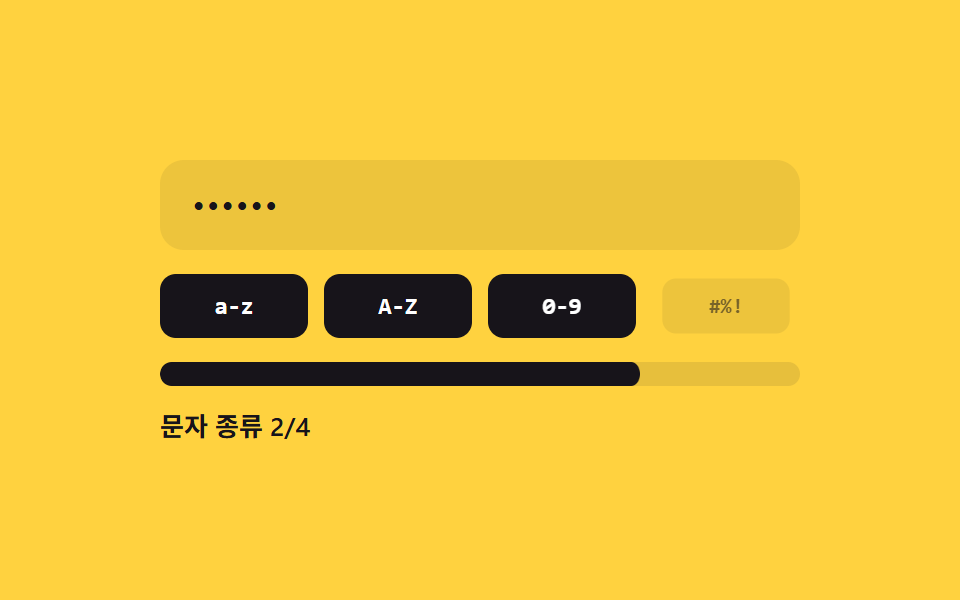 02 password-strength-charclass-count-fill
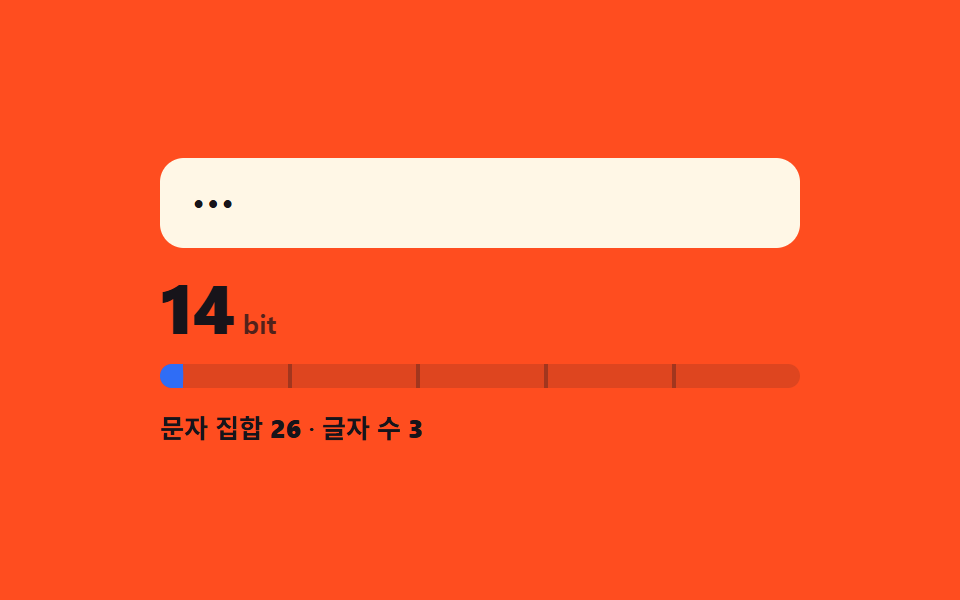 03 password-strength-entropy-bits-gauge
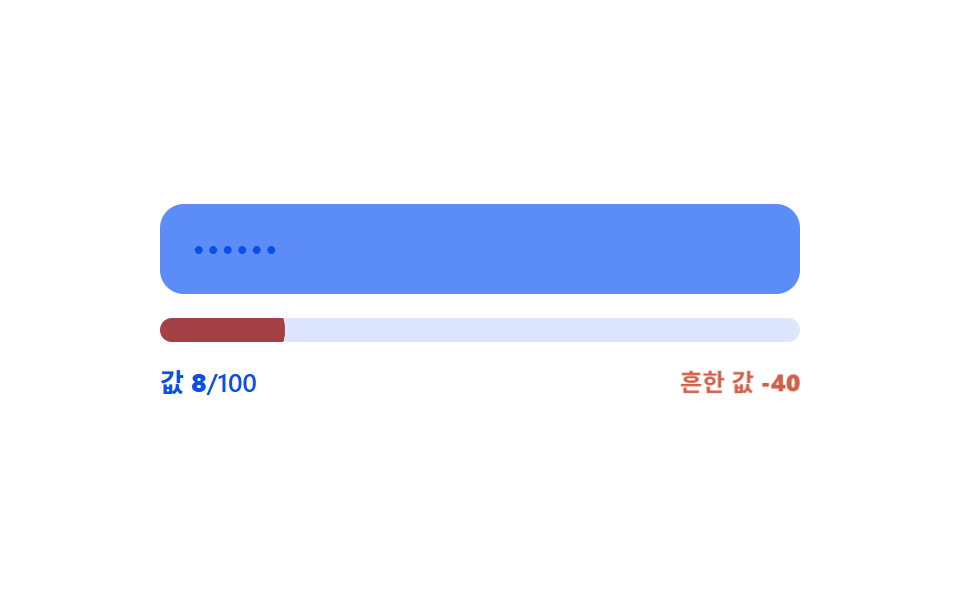 04 password-strength-common-list-penalty
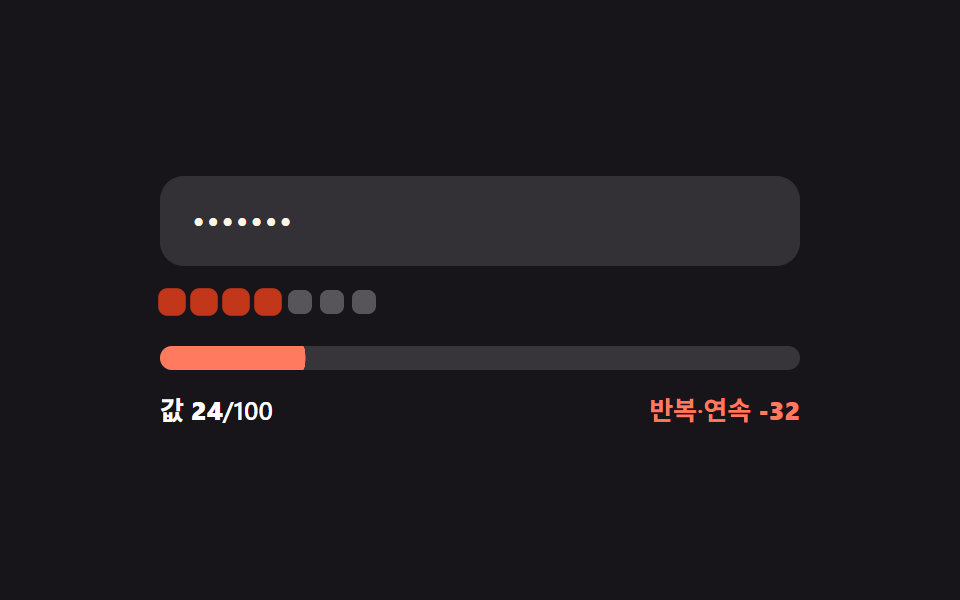 05 password-strength-repeat-sequence-penalty
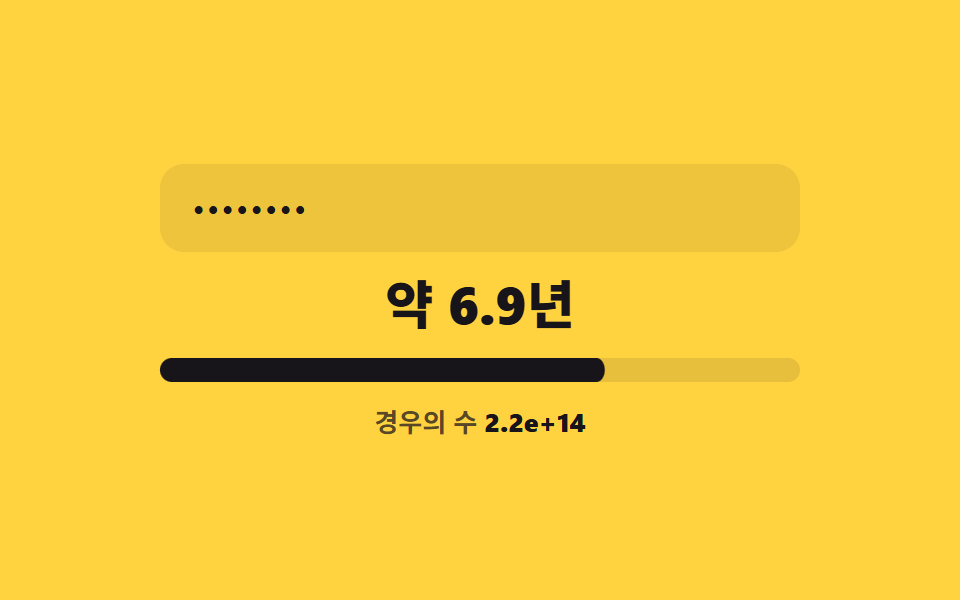 06 password-strength-crack-time-estimate
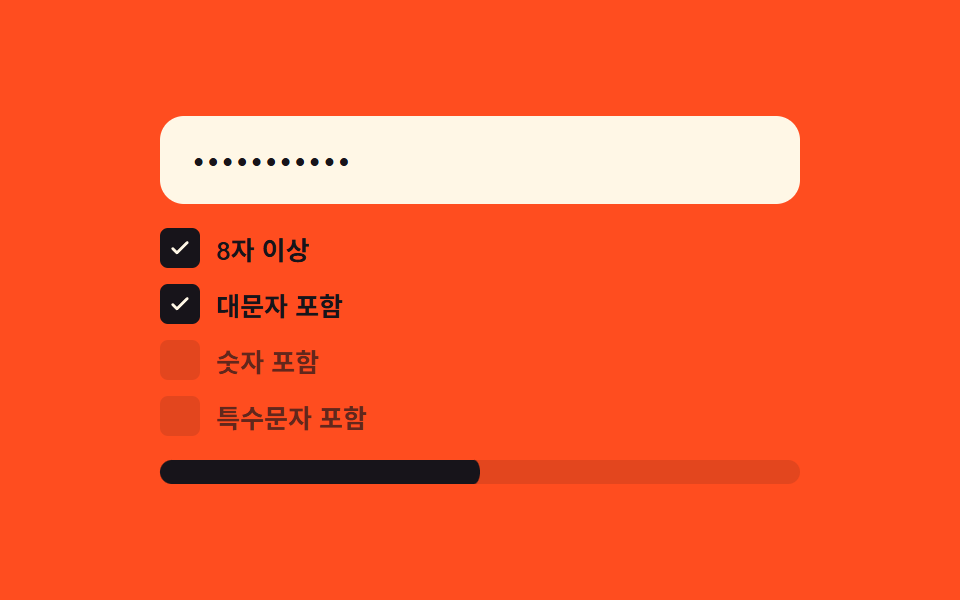 07 password-strength-criteria-checklist-live
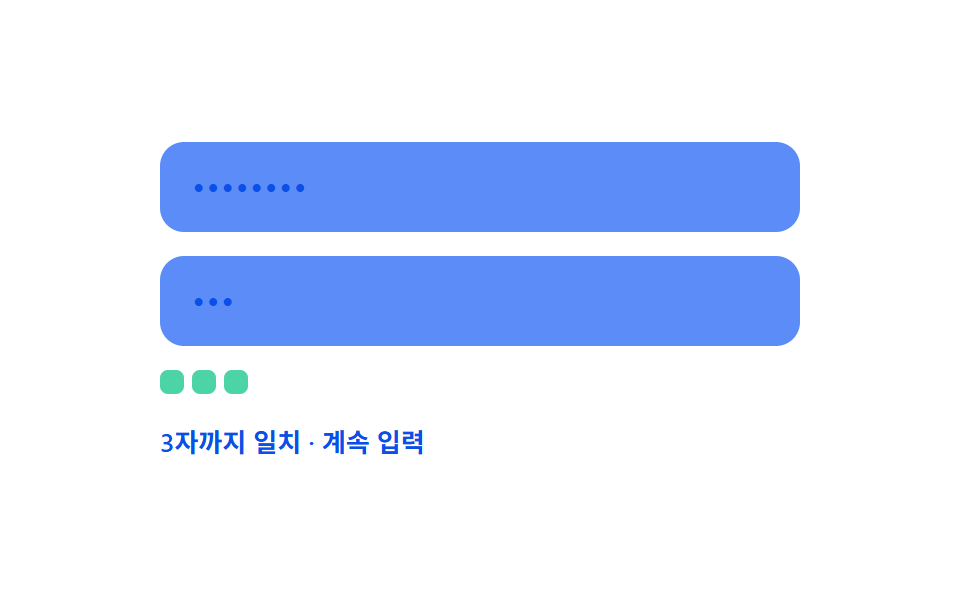 08 password-strength-confirm-match-live-diff
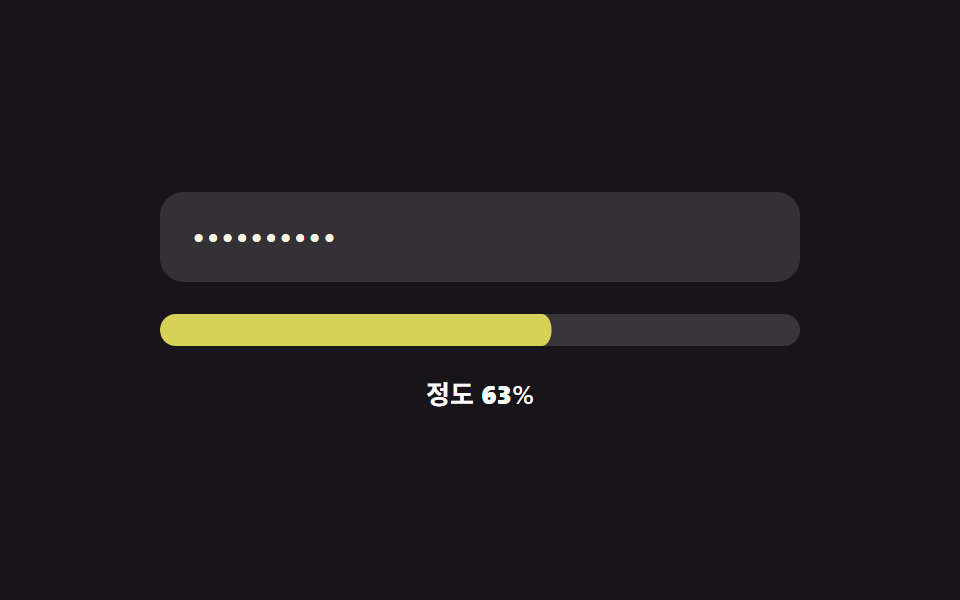 09 password-strength-color-gradient-morph
자동 재생 · 눌러서 해당 항목으로 · 전부 한 zip
- 01 글자 수 경계 채움 — 입력 값의 글자 수가 정해진 여러 경계 값을 넘을 때마다 강도 값이 다음 단계로 오르는 방식
- 02 문자 종류 수 채움 — 입력 값 안에 섞인 서로 다른 문자 종류 값의 개수에 따라 강도 값이 정해지는 방식
- 03 엔트로피 비트 값 표시 — 문자 집합 크기 값과 글자 수 값을 곱한 계산에서 강도 값이 나오는 방식
- 04 흔한 값 감점 — 입력 값이 미리 정해둔 흔한 값 목록과 같은 상태가 되면 강도 값이 깎이는 방식
- 05 반복·순차 값 감점 — 같은 문자가 연속되거나 숫자 값이 순서대로 이어지는 구간만큼 강도 값이 줄어드는 방식
- 06 추정 시간 값 단위 전환 — 계산된 비트 값이 경계 값을 지날 때마다 걸리는 시간을 나타내는 값의 단위가 바뀌는 방식
- 07 조건 충족 비율 실시간 반영 — 여러 조건 값이 참이 되는 개수 값의 비율이 강도 값으로 바뀌는 방식
- 08 확인 값 실시간 대조 — 확인 입력 값과 원래 값이 갈라지는 위치 값을 실시간으로 찾는 방식
- 09 연속 색 값 전환 — 강도 값이 단계로 끊기지 않고 연속된 값으로 바뀌며 색상 값도 함께 매끄럽게 이어지는 방식
아래 실측 표를 먼저 보면, 비밀번호 강도 측정 화면 중에서도 02(문자 종류 수 채움)처럼 배지 네 개가 한꺼번에 켜지는 항목과 08(확인 값 실시간 대조)처럼 칩 한두 개만 조용히 늘어나는 항목이 격자 미리보기 단계에서부터 갈립니다.
아홉 개의 해부 — 어떤 값이 언제 바뀌는가
실측 한눈에
| 항목 | 초점 | 누적면적% | 강도 평균 | 움직인 프레임 |
|---|---|---|---|---|
| 01 글자 수 경계 채움 | 길이 값 → stageOf() 재계산 | 3.32 | 103.7 | 15/23 |
| 02 문자 종류 수 채움 | 문자 종류 값 → countClasses() 재계산 | 9.39 | 119.4 | 22/23 |
| 03 엔트로피 비트 값 표시 | 비트 값 → bitsOf() 재계산 | 4.30 | 183.8 | 22/23 |
| 04 흔한 값 감점 | 목록 일치 값 → scoreOf() 재계산 | 3.39 | 105.5 | 21/23 |
| 05 반복·순차 값 감점 | 구간 위치 값 → flagPositions() 재계산 | 3.09 | 135.5 | 22/23 |
| 06 추정 시간 값 단위 전환 | 경우의 수 값 → guessesOf() 재계산 | 7.12 | 179.7 | 14/23 |
| 07 조건 충족 비율 실시간 반영 | 충족 개수 값 → paint() 재계산 | 4.90 | 136.7 | 20/23 |
| 08 확인 값 실시간 대조 | 일치 위치 값 → matchLenOf() 재계산 | 1.86 | 125.0 | 7/23 |
| 09 연속 색 값 전환 | 연속 값 → scoreT()·colorAt() 재계산 | 3.35 | 90.9 | 22/23 |
02 가 9.39%로 아홉 중 누적면적이 가장 커 배지 네 칸과 채움 막대가 한꺼번에 값을 다시 그린다는 뜻이고, 08 은 1.86%로 가장 작아 칩 한두 개가 좁게 늘어나는 값만 바뀝니다. 강도 평균은 03 이 183.8 로 가장 높아 비트 막대가 채워지는 자리와 배경의 픽셀 값 차이가 크고, 09 는 90.9 로 가장 낮아 색이 서서히 섞이는 보간이라 픽셀 값 차이가 완만합니다. 움직인 프레임은 02·03·05·09 가 22/23 으로 매 프레임 값을 다시 그려 타이핑하는 내내 살아 있고, 08 은 7/23 으로 가장 낮아 비밀번호 강도 테스트라기보다 문자 하나가 어긋나는 순간에만 값이 바뀌는 성격입니다.
값 하나를 계산해 그대로 강도로 쓰는 것 — 01·02·03
01 은 stageOf()가 입력 값의 글자 수가 정해둔 경계 값(4·8·12·16) 중 몇 개를 넘었는지 세어 그 개수를 그대로 강도 단계로 씁니다. 02 는 countClasses()가 소문자·대문자·숫자·기호 네 정규식 중 몇 개가 값에 걸리는지 세고, 그 개수를 전체 종류 수로 나눈 비율을 채움 값으로 씁니다. 03 은 bitsOf()가 문자 집합 크기 값과 글자 수 값을 곱해(정확히는 글자 수 × log2(문자 집합 크기)) 비트 값을 만들고, 이 비트 값이 막대 눈금(MAX_BITS)에 대한 비율로 그대로 채워집니다.
기본 점수에서 패턴을 찾아 값을 깎는 것 — 04·05
04 는 scoreOf()가 글자 수 기반 기본 점수를 먼저 구한 뒤, 입력 값이 미리 정해둔 흔한 값 목록(COMMON)과 완전히 같은 문자열이면 고정된 PENALTY(40)만큼 점수를 뺍니다. 05 는 flagPositions()가 같은 글자가 3번 이상 연속되거나 문자코드가 1씩 오르내리는 구간을 찾아 위치를 표시하고, 표시된 글자 수에 PER_CHAR_PENALTY(8)를 곱한 값을 점수에서 뺍니다.
여러 조건·두 입력을 비교해 값을 다시 매기는 것 — 06·07·08·09
06 은 guessesOf()가 문자 집합 크기의 글자 수 제곱으로 경우의 수를 구한 뒤 가정한 초당 시도 수(GUESSES_PER_SEC)로 나눠 초 값을 만들고, 이 값이 UNITS 배열의 경계를 지날 때마다 표시 단위가 초→분→시간→일→년→세기로 바뀝니다. 07 은 네 가지 CHECKS 조건이 참인지 매 입력마다 다시 검사해 참이 된 개수를 전체 조건 수로 나눈 비율을 강도 값으로 씁니다. 08 은 matchLenOf()가 비밀번호 값과 확인 값을 앞에서부터 한 글자씩 비교해 갈라지는 위치 값을 찾습니다. 09 는 scoreT()가 길이 비율과 문자 종류 비율을 절반씩 섞어 0~1 사이 연속 값을 만들고, 이 값을 colorAt()이 색 정지점(STOPS) 사이에서 보간해 막대 색으로 씁니다.
패턴별 코드
01글자 수 경계 채움 — 입력 값의 글자 수가 정해진 여러 경계 값을 넘을 때마다 강도 값이 다음 단계로 오르는 방식
입력된 값의 글자 수가 정해진 여러 경계 값을 넘을 때마다 강도 값이 다음 단계로 올라갑니다. 회원가입 폼의 기본 비밀번호 입력이나 최소 길이 기준을 안내하는 계정 설정에 맞는 형태입니다.
경계 배열을 넘은 횟수를 단계로 세는 stageOf() 와 paint()
  var THRESHOLDS = [4, 8, 12, 16];
  var STAGE_CLASS = ['pw--s0', 'pw--s1', 'pw--s2', 'pw--s3', 'pw--s4'];

  function stageOf(len) {
    var s = 0;
    for (var i = 0; i < THRESHOLDS.length; i++) { if (len >= THRESHOLDS[i]) s = i + 1; }
    return s;
  }

  function paint(value) {
    var len = value.length;
    var stage = stageOf(len);
    var ratio = stage / THRESHOLDS.length;
    fill.style.transform = 'scaleX(' + ratio + ')';
    STAGE_CLASS.forEach(function (c) { root.classList.remove(c); });
    root.classList.add(STAGE_CLASS[stage]);
    label.textContent = '경계 ' + stage + '/4';
    lenEl.textContent = String(len);
  }
<main class="stage">
<div class="pw is-demo" id="pw">
  <label class="pw__field">
    <input class="pw__input" id="pwInput" type="text" autocomplete="off" spellcheck="false" value="">
  </label>
  <div class="pw__track" id="pwTrack">
    <span class="pw__tick" style="--tick-at:25%"></span>
    <span class="pw__tick" style="--tick-at:50%"></span>
    <span class="pw__tick" style="--tick-at:75%"></span>
    <div class="pw__fill" id="pwFill"></div>
  </div>
  <div class="pw__readout">
    <span class="pw__label" id="pwLabel">경계 0/4</span>
    <span class="pw__len">글자 수 <b id="pwLen">0</b></span>
  </div>
</div>
</main>
@use "../../../../site/static/demo-tokens" as *;
// 계산 겹: 글자 수 값이 4개 경계(4·8·12·16)를 넘을 때마다 강도 단계(0~4)가 오르고,
// 그 단계에 맞는 토큰 색으로 막대와 글자색이 함께 바뀐다 — 트윈은 채움 비율(scaleX)뿐이다.
@include stage($stage-ink);
.pw {
width: 100%;
max-width: 320px;
display: grid;
gap: $sp-4;
}
.pw__field { display: block; }
.pw__input {
width: 100%;
box-sizing: border-box;
padding: $sp-3 $sp-4;
border-radius: $r-control;
border: 0;
background: rgba($stage-paper, .12);
color: $subject-cream;
font: 500 16px/1.3 -apple-system, "Segoe UI", "Noto Sans KR", sans-serif;
letter-spacing: .04em;
-webkit-text-security: disc; // 마스킹: type=text 유지 + 브라우저 저장 프롬프트 회피
&:focus { outline: 2px solid $subject-blue-light; outline-offset: 2px; }
}
.pw__track {
position: relative;
height: $sp-3;
border-radius: $r-sm;
background: rgba($stage-paper, .14);
overflow: hidden;
}
.pw__fill {
position: absolute;
inset: 0;
border-radius: $r-sm;
background: $error;
transform: scaleX(0);
transform-origin: left center; // 채움 막대 — 시작 변에서 자란다
transition: transform $dur-base $ease-out, background-color $dur-base $ease-out;
}
.pw--s1 .pw__fill { background: $error; }
.pw--s2 .pw__fill { background: $subject-orange-deep; }
.pw--s3 .pw__fill { background: $subject-blue; }
.pw--s4 .pw__fill { background: $subject-mint; }
.pw__tick {
position: absolute;
top: 0;
left: var(--tick-at);
width: 2px;
height: 100%;
background: rgba($stage-ink, .35);
z-index: 1;
}
.pw__readout {
display: flex;
justify-content: space-between;
align-items: center;
font: 600 13px/1.2 -apple-system, "Segoe UI", "Noto Sans KR", sans-serif;
color: $stage-paper;
}
.pw__len { color: rgba($stage-paper, .72); font-weight: 500; }
.pw__len b { font-variant-numeric: tabular-nums; }
@media (max-width: 340px) {
.pw { max-width: 260px; }
.pw__input { padding: $sp-2 $sp-3; font-size: 14px; }
.pw__readout { font-size: 12px; }
}
@media (prefers-reduced-motion: reduce) {
.pw__fill { transition: none; }
}html, body {
margin: 0;
overflow: hidden;
}
.stage {
box-sizing: border-box;
min-height: 100vh;
display: grid;
place-items: center;
margin: 0;
background: #17141a;
font-family: -apple-system, "Segoe UI", "Noto Sans KR", sans-serif;
padding: clamp(8px, 4vw, 24px);
}
.pw {
width: 100%;
max-width: 320px;
display: grid;
gap: 16px;
}
.pw__field {
display: block;
}
.pw__input {
width: 100%;
box-sizing: border-box;
padding: 12px 16px;
border-radius: 12px;
border: 0;
background: rgba(255, 255, 255, 0.12);
color: #fff7e6;
font: 500 16px/1.3 -apple-system, "Segoe UI", "Noto Sans KR", sans-serif;
letter-spacing: 0.04em;
-webkit-text-security: disc;
}
.pw__input:focus {
outline: 2px solid #5b8cf8;
outline-offset: 2px;
}
.pw__track {
position: relative;
height: 12px;
border-radius: 8px;
background: rgba(255, 255, 255, 0.14);
overflow: hidden;
}
.pw__fill {
position: absolute;
inset: 0;
border-radius: 8px;
background: #c2361a;
transform: scaleX(0);
transform-origin: left center;
transition: transform 300ms ease-out, background-color 300ms ease-out;
}
.pw--s1 .pw__fill {
background: #c2361a;
}
.pw--s2 .pw__fill {
background: #c93000;
}
.pw--s3 .pw__fill {
background: #2f6df6;
}
.pw--s4 .pw__fill {
background: #4cd4a6;
}
.pw__tick {
position: absolute;
top: 0;
left: var(--tick-at);
width: 2px;
height: 100%;
background: rgba(23, 20, 26, 0.35);
z-index: 1;
}
.pw__readout {
display: flex;
justify-content: space-between;
align-items: center;
font: 600 13px/1.2 -apple-system, "Segoe UI", "Noto Sans KR", sans-serif;
color: #ffffff;
}
.pw__len {
color: rgba(255, 255, 255, 0.72);
font-weight: 500;
}
.pw__len b {
font-variant-numeric: tabular-nums;
}
@media (max-width: 340px) {
.pw {
max-width: 260px;
}
.pw__input {
padding: 8px 12px;
font-size: 14px;
}
.pw__readout {
font-size: 12px;
}
}
@media (prefers-reduced-motion: reduce) {
.pw__fill {
transition: none;
}
}(function () {
var root = document.getElementById('pw');
var input = document.getElementById('pwInput');
var fill = document.getElementById('pwFill');
var label = document.getElementById('pwLabel');
var lenEl = document.getElementById('pwLen');
// 계산 겹: 글자 수 값이 이 경계 값들을 넘을 때마다 강도 값(0~4)이 한 단계씩 오른다.
var THRESHOLDS = [4, 8, 12, 16];
var STAGE_CLASS = ['pw--s0', 'pw--s1', 'pw--s2', 'pw--s3', 'pw--s4'];
function stageOf(len) {
var s = 0;
for (var i = 0; i < THRESHOLDS.length; i++) { if (len >= THRESHOLDS[i]) s = i + 1; }
return s;
}
function paint(value) {
var len = value.length;
var stage = stageOf(len);
var ratio = stage / THRESHOLDS.length;
fill.style.transform = 'scaleX(' + ratio + ')';
STAGE_CLASS.forEach(function (c) { root.classList.remove(c); });
root.classList.add(STAGE_CLASS[stage]);
label.textContent = '경계 ' + stage + '/4';
lenEl.textContent = String(len);
}
input.addEventListener('input', function () {
root.classList.remove('is-demo');
stopAutoplay();
paint(input.value);
});
paint(input.value);
// 자동 루프: 시드 고정 문자열 배열로 글자 수를 늘렸다 줄이며 네 경계를 오간다.
var SEQ = ['', 'ab', 'abcd', 'abcdef', 'abcdefgh', 'abcdefghij', 'abcdefghijkl',
'abcdefghijklmn', 'abcdefghijklmnop', 'abcdefghijklmn', 'abcdefghij',
'abcdefgh', 'abcd', ''];
var si = 0;
var autoTimer = null;
function autoTick() { input.value = SEQ[si]; paint(SEQ[si]); si = (si + 1) % SEQ.length; }
function stopAutoplay() { if (autoTimer) { clearInterval(autoTimer); autoTimer = null; } }
var reduce = window.matchMedia('(prefers-reduced-motion: reduce)').matches;
if (!reduce) { autoTimer = setInterval(autoTick, 320); autoTick(); }
})();import { useEffect, useRef } from "react";
import styles from "./ThresholdBar.module.scss";
type Box<T> = { current: T };
const THRESHOLDS = [4, 8, 12, 16];
const STAGE_CLASS = ["pw--s0", "pw--s1", "pw--s2", "pw--s3", "pw--s4"];
export default function ThresholdBar() {
const rootRef = useRef(null) as unknown as Box<HTMLDivElement | null>;
const inputRef = useRef(null) as unknown as Box<HTMLInputElement | null>;
const fillRef = useRef(null) as unknown as Box<HTMLDivElement | null>;
const labelRef = useRef(null) as unknown as Box<HTMLSpanElement | null>;
const lenRef = useRef(null) as unknown as Box<HTMLElement | null>;
useEffect(() => {
const root = rootRef.current;
const input = inputRef.current;
const fill = fillRef.current;
const label = labelRef.current;
const lenEl = lenRef.current;
if (!root || !input || !fill || !label || !lenEl) return;
// 계산 겹: 글자 수 값이 4개 경계(4·8·12·16)를 넘을 때마다 강도 단계(0~4)가 오른다.
function stageOf(len: number) {
let s = 0;
for (let i = 0; i < THRESHOLDS.length; i++) { if (len >= THRESHOLDS[i]) s = i + 1; }
return s;
}
function paint(value: string) {
const len = value.length;
const stage = stageOf(len);
const ratio = stage / THRESHOLDS.length;
fill!.style.transform = "scaleX(" + ratio + ")";
STAGE_CLASS.forEach((c) => root!.classList.remove(styles[c]));
root!.classList.add(styles[STAGE_CLASS[stage]]);
label!.textContent = "경계 " + stage + "/4";
lenEl!.textContent = String(len);
}
function onInput() {
root!.classList.remove(styles["is-demo"]);
stopAutoplay();
paint(input!.value);
}
input.addEventListener("input", onInput);
paint(input.value);
// 자동 루프: 시드 고정 문자열 배열로 글자 수를 늘렸다 줄이며 네 경계를 오간다.
const SEQ = ["", "ab", "abcd", "abcdef", "abcdefgh", "abcdefghij", "abcdefghijkl",
"abcdefghijklmn", "abcdefghijklmnop", "abcdefghijklmn", "abcdefghij",
"abcdefgh", "abcd", ""];
let si = 0;
let autoTimer: number | null = null;
function autoTick() { input!.value = SEQ[si]; paint(SEQ[si]); si = (si + 1) % SEQ.length; }
function stopAutoplay() { if (autoTimer !== null) { window.clearInterval(autoTimer); autoTimer = null; } }
const reduce = window.matchMedia("(prefers-reduced-motion: reduce)").matches;
if (!reduce) { autoTimer = window.setInterval(autoTick, 320); autoTick(); }
return () => {
stopAutoplay();
input.removeEventListener("input", onInput);
};
}, []);
return (
<div ref={rootRef} className={`${styles.stage} ${styles.pw} ${styles["is-demo"]} ${styles["pw--s0"]}`}>
<label className={styles.field}>
<input ref={inputRef} className={styles.input} type="text" autoComplete="off" spellCheck={false} defaultValue="" />
</label>
<div className={styles.track}>
<span className={styles.tick} style={{ left: "25%" }} />
<span className={styles.tick} style={{ left: "50%" }} />
<span className={styles.tick} style={{ left: "75%" }} />
<div ref={fillRef} className={styles.fill} />
</div>
<div className={styles.readout}>
<span ref={labelRef} className={styles.label}>경계 0/4</span>
<span className={styles.len}>글자 수 <b ref={lenRef}>0</b></span>
</div>
</div>
);
}01 · 글자 수 경계 채움 — 입력 값의 글자 수가 정해진 여러 경계 값을 넘을 때마다 강도 값이 다음 단계로 오르는 방식 — 측정 누적면적 3.317% · 움직인 프레임 15/23GODRICH 원작 · zip 에 SCSS·React 포함 · 비밀번호 보기
02문자 종류 수 채움 — 입력 값 안에 섞인 서로 다른 문자 종류 값의 개수에 따라 강도 값이 정해지는 방식
입력 값 안에 서로 다른 문자 종류 값이 몇 가지 섞여 있는지에 따라 강도 값이 정해집니다. 비밀번호 강도 측정을 대소문자·숫자·기호 조합으로 요구하는 계정 보안 설정이나 사내 시스템 비밀번호 변경 폼에 어울립니다.
네 정규식으로 문자 종류를 세는 countClasses() 와 paint()
  var CLASSES = [/[a-z]/, /[A-Z]/, /[0-9]/, /[^A-Za-z0-9]/];

  function countClasses(value) {
    var n = 0;
    for (var i = 0; i < CLASSES.length; i++) {
      var hit = CLASSES[i].test(value);
      badges[i].classList.toggle('cc__badge--on', hit);
      if (hit) n++;
    }
    return n;
  }

  function paint(value) {
    var n = countClasses(value);
    fill.style.transform = 'scaleX(' + (n / CLASSES.length) + ')';
    label.textContent = '문자 종류 ' + n + '/4';
  }
<main class="stage">
<div class="cc is-demo" id="cc">
  <label class="cc__field">
    <input class="cc__input" id="ccInput" type="text" autocomplete="off" spellcheck="false" value="">
  </label>
  <div class="cc__badges">
    <div class="cc__badge" id="ccB0"><span>a-z</span></div>
    <div class="cc__badge" id="ccB1"><span>A-Z</span></div>
    <div class="cc__badge" id="ccB2"><span>0-9</span></div>
    <div class="cc__badge" id="ccB3"><span>#%!</span></div>
  </div>
  <div class="cc__track"><div class="cc__fill" id="ccFill"></div></div>
  <div class="cc__label" id="ccLabel">문자 종류 0/4</div>
</div>
</main>
@use "../../../../site/static/demo-tokens" as *;
// 계산 겹: 4개 문자 종류 정규식을 입력 값에 검사해 참인 개수를 세고, 그 개수만큼
// 배지가 중심에서 커지며(scale) 켜지고 막대 채움 비율도 같은 개수/4 로 맞춘다.
@include stage($stage-yellow);
.cc {
width: 100%;
max-width: 320px;
display: grid;
gap: $sp-3;
}
.cc__field { display: block; }
.cc__input {
width: 100%;
box-sizing: border-box;
padding: $sp-3 $sp-4;
border-radius: $r-control;
border: 0;
background: rgba($stage-ink, .08);
color: $stage-ink;
font: 500 16px/1.3 -apple-system, "Segoe UI", "Noto Sans KR", sans-serif;
letter-spacing: .04em;
-webkit-text-security: disc;
&:focus { outline: 2px solid $stage-ink; outline-offset: 2px; }
}
.cc__badges {
display: grid;
grid-template-columns: repeat(4, 1fr);
gap: $sp-2;
}
.cc__badge {
height: 32px;
border-radius: $r-sm;
background: rgba($stage-ink, .08);
display: grid;
place-items: center;
transform: scale(.86);
transform-origin: center; // 스스로 완결한 배지가 중심에서 커진다
transition: transform $dur-quick $ease-spring, background-color $dur-quick $ease-out;
span {
font: 700 12px/1 "Space Mono", monospace;
color: rgba($stage-ink, .55);
transition: color $dur-quick $ease-out;
}
&--on {
background: $stage-ink;
transform: scale(1);
span { color: $stage-paper; }
}
}
.cc__track {
position: relative;
height: $sp-3;
border-radius: $r-sm;
background: rgba($stage-ink, .1);
overflow: hidden;
}
.cc__fill {
position: absolute;
inset: 0;
border-radius: $r-sm;
background: $stage-ink;
transform: scaleX(0);
transform-origin: left center;
transition: transform $dur-base $ease-out;
}
.cc__label {
font: 600 13px/1.2 -apple-system, "Segoe UI", "Noto Sans KR", sans-serif;
color: $stage-ink;
}
@media (max-width: 340px) {
.cc { max-width: 260px; }
.cc__input { padding: $sp-2 $sp-3; font-size: 14px; }
.cc__badge { height: 28px; }
.cc__badge span { font-size: 10px; }
}
@media (prefers-reduced-motion: reduce) {
.cc__badge, .cc__fill { transition: none; }
}html, body {
margin: 0;
overflow: hidden;
}
.stage {
box-sizing: border-box;
min-height: 100vh;
display: grid;
place-items: center;
margin: 0;
background: #ffd23f;
font-family: -apple-system, "Segoe UI", "Noto Sans KR", sans-serif;
padding: clamp(8px, 4vw, 24px);
}
.cc {
width: 100%;
max-width: 320px;
display: grid;
gap: 12px;
}
.cc__field {
display: block;
}
.cc__input {
width: 100%;
box-sizing: border-box;
padding: 12px 16px;
border-radius: 12px;
border: 0;
background: rgba(23, 20, 26, 0.08);
color: #17141a;
font: 500 16px/1.3 -apple-system, "Segoe UI", "Noto Sans KR", sans-serif;
letter-spacing: 0.04em;
-webkit-text-security: disc;
}
.cc__input:focus {
outline: 2px solid #17141a;
outline-offset: 2px;
}
.cc__badges {
display: grid;
grid-template-columns: repeat(4, 1fr);
gap: 8px;
}
.cc__badge {
height: 32px;
border-radius: 8px;
background: rgba(23, 20, 26, 0.08);
display: grid;
place-items: center;
transform: scale(0.86);
transform-origin: center;
transition: transform 220ms cubic-bezier(0.2, 0.8, 0.2, 1), background-color 220ms ease-out;
}
.cc__badge span {
font: 700 12px/1 "Space Mono", monospace;
color: rgba(23, 20, 26, 0.55);
transition: color 220ms ease-out;
}
.cc__badge--on {
background: #17141a;
transform: scale(1);
}
.cc__badge--on span {
color: #ffffff;
}
.cc__track {
position: relative;
height: 12px;
border-radius: 8px;
background: rgba(23, 20, 26, 0.1);
overflow: hidden;
}
.cc__fill {
position: absolute;
inset: 0;
border-radius: 8px;
background: #17141a;
transform: scaleX(0);
transform-origin: left center;
transition: transform 300ms ease-out;
}
.cc__label {
font: 600 13px/1.2 -apple-system, "Segoe UI", "Noto Sans KR", sans-serif;
color: #17141a;
}
@media (max-width: 340px) {
.cc {
max-width: 260px;
}
.cc__input {
padding: 8px 12px;
font-size: 14px;
}
.cc__badge {
height: 28px;
}
.cc__badge span {
font-size: 10px;
}
}
@media (prefers-reduced-motion: reduce) {
.cc__badge, .cc__fill {
transition: none;
}
}(function () {
var root = document.getElementById('cc');
var input = document.getElementById('ccInput');
var fill = document.getElementById('ccFill');
var label = document.getElementById('ccLabel');
var badges = [document.getElementById('ccB0'), document.getElementById('ccB1'), document.getElementById('ccB2'), document.getElementById('ccB3')];
// 계산 겹: 입력 값을 4개 문자 종류 정규식으로 각각 검사해 참인 개수를 센다.
var CLASSES = [/[a-z]/, /[A-Z]/, /[0-9]/, /[^A-Za-z0-9]/];
function countClasses(value) {
var n = 0;
for (var i = 0; i < CLASSES.length; i++) {
var hit = CLASSES[i].test(value);
badges[i].classList.toggle('cc__badge--on', hit);
if (hit) n++;
}
return n;
}
function paint(value) {
var n = countClasses(value);
fill.style.transform = 'scaleX(' + (n / CLASSES.length) + ')';
label.textContent = '문자 종류 ' + n + '/4';
}
input.addEventListener('input', function () {
root.classList.remove('is-demo');
stopAutoplay();
paint(input.value);
});
paint(input.value);
// 자동 루프: 시드 고정 문자열 배열로 문자 종류를 하나씩 늘렸다 줄인다.
var SEQ = ['', 'abc', 'abcABC', 'abcABC123', 'abcABC123!@#', 'abcABC123', 'abcABC', 'abc', ''];
var si = 0;
var autoTimer = null;
function autoTick() { input.value = SEQ[si]; paint(SEQ[si]); si = (si + 1) % SEQ.length; }
function stopAutoplay() { if (autoTimer) { clearInterval(autoTimer); autoTimer = null; } }
var reduce = window.matchMedia('(prefers-reduced-motion: reduce)').matches;
if (!reduce) { autoTimer = setInterval(autoTick, 340); autoTick(); }
})();import { useEffect, useRef } from "react";
import styles from "./CharclassFill.module.scss";
type Box<T> = { current: T };
const CLASSES = [/[a-z]/, /[A-Z]/, /[0-9]/, /[^A-Za-z0-9]/];
const LABELS = ["a-z", "A-Z", "0-9", "#%!"];
export default function CharclassFill() {
const rootRef = useRef(null) as unknown as Box<HTMLDivElement | null>;
useEffect(() => {
const root = rootRef.current;
if (!root) return;
const input = root.querySelector(`.${styles.input}`) as HTMLInputElement | null;
const fill = root.querySelector(`.${styles.fill}`) as HTMLElement | null;
const label = root.querySelector(`.${styles.label}`) as HTMLElement | null;
const badges = Array.prototype.slice.call(
root.querySelectorAll(`.${styles["cc__badge"]}`)
) as HTMLElement[];
if (!input || !fill || !label) return;
// 계산 겹: 입력 값을 4개 문자 종류 정규식으로 각각 검사해 참인 개수를 센다.
function countClasses(value: string) {
let n = 0;
for (let i = 0; i < CLASSES.length; i++) {
const hit = CLASSES[i].test(value);
badges[i].classList.toggle(styles["cc__badge--on"], hit);
if (hit) n++;
}
return n;
}
function paint(value: string) {
const n = countClasses(value);
fill!.style.transform = "scaleX(" + (n / CLASSES.length) + ")";
label!.textContent = "문자 종류 " + n + "/4";
}
function onInput() {
root!.classList.remove(styles["is-demo"]);
stopAutoplay();
paint(input!.value);
}
input.addEventListener("input", onInput);
paint(input.value);
// 자동 루프: 시드 고정 문자열 배열로 문자 종류를 하나씩 늘렸다 줄인다.
const SEQ = ["", "abc", "abcABC", "abcABC123", "abcABC123!@#", "abcABC123", "abcABC", "abc", ""];
let si = 0;
let autoTimer: number | null = null;
function autoTick() { input!.value = SEQ[si]; paint(SEQ[si]); si = (si + 1) % SEQ.length; }
function stopAutoplay() { if (autoTimer !== null) { window.clearInterval(autoTimer); autoTimer = null; } }
const reduce = window.matchMedia("(prefers-reduced-motion: reduce)").matches;
if (!reduce) { autoTimer = window.setInterval(autoTick, 340); autoTick(); }
return () => {
stopAutoplay();
input.removeEventListener("input", onInput);
};
}, []);
return (
<div ref={rootRef} className={`${styles.stage} ${styles.cc} ${styles["is-demo"]}`}>
<label className={styles.field}>
<input className={styles.input} type="text" autoComplete="off" spellCheck={false} defaultValue="" />
</label>
<div className={styles.badges}>
{LABELS.map((l) => (
<div key={l} className={styles["cc__badge"]}>
<span>{l}</span>
</div>
))}
</div>
<div className={styles.track}><div className={styles.fill} /></div>
<div className={styles.label}>문자 종류 0/4</div>
</div>
);
}02 · 문자 종류 수 채움 — 입력 값 안에 섞인 서로 다른 문자 종류 값의 개수에 따라 강도 값이 정해지는 방식 — 측정 누적면적 9.395% · 움직인 프레임 22/23GODRICH 원작 · zip 에 SCSS·React 포함 · 비밀번호 보기
03엔트로피 비트 값 표시 — 문자 집합 크기 값과 글자 수 값을 곱한 계산에서 강도 값이 나오는 방식
문자 집합의 크기 값과 글자 수 값을 곱한 계산에서 나온 비트 값이 클수록 강도 값이 높게 매겨집니다. 보안 수준을 수치로 확인시키는 개발자용 계정 설정이나 API 키 발급 화면의 비밀 값 강도 표시에 맞는 형태입니다.
문자 집합 크기와 로그로 비트 값을 만드는 charsetSize() 와 bitsOf()
  var MAX_BITS = 100; // 막대 눈금의 오른쪽 끝 — 이 값 이상은 꽉 찬 막대로 표시

  // 계산 겹: 섞인 문자 종류로 문자 집합 크기 값을 구하고, 글자 수 값을 곱한 뒤
  // 밑이 2인 로그를 취해 비트 값을 만든다 (엔트로피 = 글자 수 × log2(문자 집합 크기)).
  function charsetSize(value) {
    var size = 0;
    if (/[a-z]/.test(value)) size += 26;
    if (/[A-Z]/.test(value)) size += 26;
    if (/[0-9]/.test(value)) size += 10;
    if (/[^A-Za-z0-9]/.test(value)) size += 32;
    return size;
  }

  function bitsOf(value) {
    var size = charsetSize(value);
    if (!value.length || size === 0) return { bits: 0, size: size };
    return { bits: value.length * (Math.log(size) / Math.log(2)), size: size };
  }
<main class="stage">
<div class="eb is-demo" id="eb">
  <label class="eb__field">
    <input class="eb__input" id="ebInput" type="text" autocomplete="off" spellcheck="false" value="">
  </label>
  <div class="eb__bits"><b id="ebBits">0</b><span>bit</span></div>
  <div class="eb__track" id="ebTrack">
    <span class="eb__tick" style="--tick-at:20%"></span>
    <span class="eb__tick" style="--tick-at:40%"></span>
    <span class="eb__tick" style="--tick-at:60%"></span>
    <span class="eb__tick" style="--tick-at:80%"></span>
    <div class="eb__fill" id="ebFill"></div>
  </div>
  <div class="eb__meta">문자 집합 <b id="ebSet">0</b> · 글자 수 <b id="ebLen">0</b></div>
</div>
</main>
@use "../../../../site/static/demo-tokens" as *;
// 계산 겹: 문자 집합 크기 값 × 글자 수 값에 log2 를 취해 비트 값을 만든다 —
// 채움 막대(scaleX)는 그 비트 값을 상한(100비트) 대비 비율로 보여줄 뿐이다.
@include stage($stage-orange);
.eb {
width: 100%;
max-width: 320px;
display: grid;
gap: $sp-3;
}
.eb__field { display: block; }
.eb__input {
width: 100%;
box-sizing: border-box;
padding: $sp-3 $sp-4;
border-radius: $r-control;
border: 0;
background: $subject-cream;
color: $subject-ink;
font: 500 16px/1.3 -apple-system, "Segoe UI", "Noto Sans KR", sans-serif;
letter-spacing: .04em;
-webkit-text-security: disc;
&:focus { outline: 2px solid $subject-ink; outline-offset: 2px; }
}
.eb__bits {
display: flex;
align-items: baseline;
gap: $sp-1;
color: $subject-ink;
b { font: 800 34px/1 -apple-system, "Segoe UI", "Noto Sans KR", sans-serif; font-variant-numeric: tabular-nums; }
span { font: 600 13px/1 -apple-system, sans-serif; opacity: .75; }
}
.eb__track {
position: relative;
height: $sp-3;
border-radius: $r-sm;
background: rgba($subject-ink, .14);
overflow: hidden;
}
.eb__fill {
position: absolute;
inset: 0;
border-radius: $r-sm;
background: $subject-blue;
transform: scaleX(0);
transform-origin: left center;
transition: transform $dur-base $ease-out;
}
.eb__tick {
position: absolute;
top: 0;
left: var(--tick-at);
width: 2px;
height: 100%;
background: rgba($subject-ink, .3);
z-index: 1;
}
.eb__meta {
font: 600 13px/1.2 -apple-system, "Segoe UI", "Noto Sans KR", sans-serif;
color: $subject-ink;
b { font-variant-numeric: tabular-nums; }
}
@media (max-width: 340px) {
.eb { max-width: 260px; }
.eb__input { padding: $sp-2 $sp-3; font-size: 14px; }
.eb__bits b { font-size: 26px; }
.eb__meta { font-size: 11px; }
}
@media (prefers-reduced-motion: reduce) {
.eb__fill { transition: none; }
}html, body {
margin: 0;
overflow: hidden;
}
.stage {
box-sizing: border-box;
min-height: 100vh;
display: grid;
place-items: center;
margin: 0;
background: #ff4d1f;
font-family: -apple-system, "Segoe UI", "Noto Sans KR", sans-serif;
padding: clamp(8px, 4vw, 24px);
}
.eb {
width: 100%;
max-width: 320px;
display: grid;
gap: 12px;
}
.eb__field {
display: block;
}
.eb__input {
width: 100%;
box-sizing: border-box;
padding: 12px 16px;
border-radius: 12px;
border: 0;
background: #fff7e6;
color: #17141a;
font: 500 16px/1.3 -apple-system, "Segoe UI", "Noto Sans KR", sans-serif;
letter-spacing: 0.04em;
-webkit-text-security: disc;
}
.eb__input:focus {
outline: 2px solid #17141a;
outline-offset: 2px;
}
.eb__bits {
display: flex;
align-items: baseline;
gap: 4px;
color: #17141a;
}
.eb__bits b {
font: 800 34px/1 -apple-system, "Segoe UI", "Noto Sans KR", sans-serif;
font-variant-numeric: tabular-nums;
}
.eb__bits span {
font: 600 13px/1 -apple-system, sans-serif;
opacity: 0.75;
}
.eb__track {
position: relative;
height: 12px;
border-radius: 8px;
background: rgba(23, 20, 26, 0.14);
overflow: hidden;
}
.eb__fill {
position: absolute;
inset: 0;
border-radius: 8px;
background: #2f6df6;
transform: scaleX(0);
transform-origin: left center;
transition: transform 300ms ease-out;
}
.eb__tick {
position: absolute;
top: 0;
left: var(--tick-at);
width: 2px;
height: 100%;
background: rgba(23, 20, 26, 0.3);
z-index: 1;
}
.eb__meta {
font: 600 13px/1.2 -apple-system, "Segoe UI", "Noto Sans KR", sans-serif;
color: #17141a;
}
.eb__meta b {
font-variant-numeric: tabular-nums;
}
@media (max-width: 340px) {
.eb {
max-width: 260px;
}
.eb__input {
padding: 8px 12px;
font-size: 14px;
}
.eb__bits b {
font-size: 26px;
}
.eb__meta {
font-size: 11px;
}
}
@media (prefers-reduced-motion: reduce) {
.eb__fill {
transition: none;
}
}(function () {
var root = document.getElementById('eb');
var input = document.getElementById('ebInput');
var bitsEl = document.getElementById('ebBits');
var fill = document.getElementById('ebFill');
var setEl = document.getElementById('ebSet');
var lenEl = document.getElementById('ebLen');
var MAX_BITS = 100; // 막대 눈금의 오른쪽 끝 — 이 값 이상은 꽉 찬 막대로 표시
// 계산 겹: 섞인 문자 종류로 문자 집합 크기 값을 구하고, 글자 수 값을 곱한 뒤
// 밑이 2인 로그를 취해 비트 값을 만든다 (엔트로피 = 글자 수 × log2(문자 집합 크기)).
function charsetSize(value) {
var size = 0;
if (/[a-z]/.test(value)) size += 26;
if (/[A-Z]/.test(value)) size += 26;
if (/[0-9]/.test(value)) size += 10;
if (/[^A-Za-z0-9]/.test(value)) size += 32;
return size;
}
function bitsOf(value) {
var size = charsetSize(value);
if (!value.length || size === 0) return { bits: 0, size: size };
return { bits: value.length * (Math.log(size) / Math.log(2)), size: size };
}
function paint(value) {
var r = bitsOf(value);
var bits = Math.round(r.bits);
bitsEl.textContent = String(bits);
fill.style.transform = 'scaleX(' + Math.min(1, r.bits / MAX_BITS) + ')';
setEl.textContent = String(r.size);
lenEl.textContent = String(value.length);
}
input.addEventListener('input', function () {
root.classList.remove('is-demo');
stopAutoplay();
paint(input.value);
});
paint(input.value);
// 자동 루프: 시드 고정 문자열 배열로 길이·문자 집합을 함께 늘렸다 줄인다.
var SEQ = ['', 'abc', 'abcdef', 'abcdefgh12', 'abcdefgh12AB', 'abcdefgh12AB!@',
'abcdefgh12AB!@#$%^', 'abcdefgh12AB!@', 'abcdefgh12AB', 'abcdefgh12', 'abcdef', 'abc', ''];
var si = 0;
var autoTimer = null;
function autoTick() { input.value = SEQ[si]; paint(SEQ[si]); si = (si + 1) % SEQ.length; }
function stopAutoplay() { if (autoTimer) { clearInterval(autoTimer); autoTimer = null; } }
var reduce = window.matchMedia('(prefers-reduced-motion: reduce)').matches;
if (!reduce) { autoTimer = setInterval(autoTick, 320); autoTick(); }
})();import { useEffect, useRef } from "react";
import styles from "./EntropyGauge.module.scss";
type Box<T> = { current: T };
const MAX_BITS = 100;
export default function EntropyGauge() {
const rootRef = useRef(null) as unknown as Box<HTMLDivElement | null>;
useEffect(() => {
const root = rootRef.current;
if (!root) return;
const input = root.querySelector(`.${styles.input}`) as HTMLInputElement | null;
const bitsEl = root.querySelector(`.${styles.bitsNum}`) as HTMLElement | null;
const fill = root.querySelector(`.${styles.fill}`) as HTMLElement | null;
const setEl = root.querySelector(`.${styles.setSize}`) as HTMLElement | null;
const lenEl = root.querySelector(`.${styles.len}`) as HTMLElement | null;
if (!input || !bitsEl || !fill || !setEl || !lenEl) return;
// 계산 겹: 섞인 문자 종류로 문자 집합 크기 값을 구하고, 글자 수 값을 곱한 뒤
// 밑이 2인 로그를 취해 비트 값을 만든다.
function charsetSize(value: string) {
let size = 0;
if (/[a-z]/.test(value)) size += 26;
if (/[A-Z]/.test(value)) size += 26;
if (/[0-9]/.test(value)) size += 10;
if (/[^A-Za-z0-9]/.test(value)) size += 32;
return size;
}
function bitsOf(value: string) {
const size = charsetSize(value);
if (!value.length || size === 0) return { bits: 0, size };
return { bits: value.length * (Math.log(size) / Math.log(2)), size };
}
function paint(value: string) {
const r = bitsOf(value);
bitsEl!.textContent = String(Math.round(r.bits));
fill!.style.transform = "scaleX(" + Math.min(1, r.bits / MAX_BITS) + ")";
setEl!.textContent = String(r.size);
lenEl!.textContent = String(value.length);
}
function onInput() {
root!.classList.remove(styles["is-demo"]);
stopAutoplay();
paint(input!.value);
}
input.addEventListener("input", onInput);
paint(input.value);
// 자동 루프: 시드 고정 문자열 배열로 길이·문자 집합을 함께 늘렸다 줄인다.
const SEQ = ["", "abc", "abcdef", "abcdefgh12", "abcdefgh12AB", "abcdefgh12AB!@",
"abcdefgh12AB!@#$%^", "abcdefgh12AB!@", "abcdefgh12AB", "abcdefgh12", "abcdef", "abc", ""];
let si = 0;
let autoTimer: number | null = null;
function autoTick() { input!.value = SEQ[si]; paint(SEQ[si]); si = (si + 1) % SEQ.length; }
function stopAutoplay() { if (autoTimer !== null) { window.clearInterval(autoTimer); autoTimer = null; } }
const reduce = window.matchMedia("(prefers-reduced-motion: reduce)").matches;
if (!reduce) { autoTimer = window.setInterval(autoTick, 320); autoTick(); }
return () => {
stopAutoplay();
input.removeEventListener("input", onInput);
};
}, []);
return (
<div ref={rootRef} className={`${styles.stage} ${styles.eb} ${styles["is-demo"]}`}>
<label className={styles.field}>
<input className={styles.input} type="text" autoComplete="off" spellCheck={false} defaultValue="" />
</label>
<div className={styles.bits}><b className={styles.bitsNum}>0</b><span>bit</span></div>
<div className={styles.track}>
<span className={styles.tick} style={{ left: "20%" }} />
<span className={styles.tick} style={{ left: "40%" }} />
<span className={styles.tick} style={{ left: "60%" }} />
<span className={styles.tick} style={{ left: "80%" }} />
<div className={styles.fill} />
</div>
<div className={styles.meta}>문자 집합 <b className={styles.setSize}>0</b> · 글자 수 <b className={styles.len}>0</b></div>
</div>
);
}03 · 엔트로피 비트 값 표시 — 문자 집합 크기 값과 글자 수 값을 곱한 계산에서 강도 값이 나오는 방식 — 측정 누적면적 4.297% · 움직인 프레임 22/23GODRICH 원작 · zip 에 SCSS·React 포함 · 비밀번호 보기
04흔한 값 감점 — 입력 값이 미리 정해둔 흔한 값 목록과 같은 상태가 되면 강도 값이 깎이는 방식
입력 값이 미리 정해둔 흔한 값 목록과 같은 상태가 되면 강도 값에서 일정 값만큼 깎입니다. 쉬운 비밀번호 재사용을 막는 가입 폼이나 유출 이력이 흔한 값을 걸러내는 계정 설정에 맞는 형태입니다.
목록 10종과 감점 값을 곱해 점수를 깎는 scoreOf() 와 paint()
  var COMMON = ['password', '123456', 'qwerty', '111111', 'abc123',
                'letmein', 'iloveyou', 'admin', 'welcome', 'monkey'];
  var PENALTY = 40;

  function scoreOf(value) {
    var base = Math.min(100, value.length * 8);
    var hit = value.length > 0 && COMMON.indexOf(value.toLowerCase()) !== -1;
    var score = hit ? Math.max(0, base - PENALTY) : base;
    return { score: score, hit: hit };
  }

  function paint(value) {
    var r = scoreOf(value);
    fill.style.transform = 'scaleX(' + (r.score / 100) + ')';
    root.classList.toggle('cl--hit', r.hit);
    scoreEl.textContent = String(r.score);
    warn.style.opacity = r.hit ? '1' : '0';
    warn.style.transform = r.hit ? 'scale(1)' : 'scale(.7)';
  }
여기 COMMON 배열은 password·123456 같은 일반적인 패턴 10개를 담은 데모용 소형 목록일 뿐, 실제 유출 사고에서 나온 목록이 아닙니다.
<main class="stage">
<div class="cl is-demo" id="cl">
  <label class="cl__field">
    <input class="cl__input" id="clInput" type="text" autocomplete="off" spellcheck="false" value="">
  </label>
  <div class="cl__track"><div class="cl__fill" id="clFill"></div></div>
  <div class="cl__row">
    <span class="cl__score">값 <b id="clScore">0</b>/100</span>
    <span class="cl__warn" id="clWarn">흔한 값 <b id="clPenalty">-40</b></span>
  </div>
</div>
</main>
@use "../../../../site/static/demo-tokens" as *;
// 계산 겹: 길이 기반 기본 점수에서, 값이 가상 흔한 값 목록과 완전히 일치하면
// 고정 감점(-40)을 적용한다 — 목록 포함 여부가 곧 감점 여부를 가르는 분기다.
@include stage($stage-paper);
.cl {
width: 100%;
max-width: 320px;
display: grid;
gap: $sp-3;
}
.cl__field { display: block; }
.cl__input {
width: 100%;
box-sizing: border-box;
padding: $sp-3 $sp-4;
border-radius: $r-control;
border: 0;
background: $subject-blue-light;
color: $subject-blue-deep;
font: 500 16px/1.3 -apple-system, "Segoe UI", "Noto Sans KR", sans-serif;
letter-spacing: .04em;
-webkit-text-security: disc;
&:focus { outline: 2px solid $subject-blue-deep; outline-offset: 2px; }
}
.cl__track {
position: relative;
height: $sp-3;
border-radius: $r-sm;
background: rgba($subject-blue-deep, .14);
overflow: hidden;
}
.cl__fill {
position: absolute;
inset: 0;
border-radius: $r-sm;
background: $subject-blue;
transform: scaleX(0);
transform-origin: left center;
transition: transform $dur-base $ease-out, background-color $dur-base $ease-out;
}
.cl--hit .cl__fill { background: $error; }
.cl__row {
display: flex;
align-items: center;
justify-content: space-between;
gap: $sp-2;
font: 600 13px/1.2 -apple-system, "Segoe UI", "Noto Sans KR", sans-serif;
color: $subject-blue-deep;
}
.cl__score b { font-variant-numeric: tabular-nums; }
.cl__warn {
color: $error;
opacity: 0;
transform: scale(.7);
transform-origin: right center;
transition: opacity $dur-base $ease-out, transform $dur-base $ease-out;
}
@media (max-width: 340px) {
.cl { max-width: 260px; }
.cl__input { padding: $sp-2 $sp-3; font-size: 14px; }
.cl__row { font-size: 11px; }
}
@media (prefers-reduced-motion: reduce) {
.cl__fill, .cl__warn { transition: none; }
}html, body {
margin: 0;
overflow: hidden;
}
.stage {
box-sizing: border-box;
min-height: 100vh;
display: grid;
place-items: center;
margin: 0;
background: #ffffff;
font-family: -apple-system, "Segoe UI", "Noto Sans KR", sans-serif;
padding: clamp(8px, 4vw, 24px);
}
.cl {
width: 100%;
max-width: 320px;
display: grid;
gap: 12px;
}
.cl__field {
display: block;
}
.cl__input {
width: 100%;
box-sizing: border-box;
padding: 12px 16px;
border-radius: 12px;
border: 0;
background: #5b8cf8;
color: #0a4fe8;
font: 500 16px/1.3 -apple-system, "Segoe UI", "Noto Sans KR", sans-serif;
letter-spacing: 0.04em;
-webkit-text-security: disc;
}
.cl__input:focus {
outline: 2px solid #0a4fe8;
outline-offset: 2px;
}
.cl__track {
position: relative;
height: 12px;
border-radius: 8px;
background: rgba(10, 79, 232, 0.14);
overflow: hidden;
}
.cl__fill {
position: absolute;
inset: 0;
border-radius: 8px;
background: #2f6df6;
transform: scaleX(0);
transform-origin: left center;
transition: transform 300ms ease-out, background-color 300ms ease-out;
}
.cl--hit .cl__fill {
background: #c2361a;
}
.cl__row {
display: flex;
align-items: center;
justify-content: space-between;
gap: 8px;
font: 600 13px/1.2 -apple-system, "Segoe UI", "Noto Sans KR", sans-serif;
color: #0a4fe8;
}
.cl__score b {
font-variant-numeric: tabular-nums;
}
.cl__warn {
color: #c2361a;
opacity: 0;
transform: scale(0.7);
transform-origin: right center;
transition: opacity 300ms ease-out, transform 300ms ease-out;
}
@media (max-width: 340px) {
.cl {
max-width: 260px;
}
.cl__input {
padding: 8px 12px;
font-size: 14px;
}
.cl__row {
font-size: 11px;
}
}
@media (prefers-reduced-motion: reduce) {
.cl__fill, .cl__warn {
transition: none;
}
}(function () {
var root = document.getElementById('cl');
var input = document.getElementById('clInput');
var fill = document.getElementById('clFill');
var scoreEl = document.getElementById('clScore');
var warn = document.getElementById('clWarn');
// 계산 겹: 가상 흔한 값 소형 목록(일반 패턴형 10개, 외부 유출 목록 아님) — 실제 서비스명 0.
var COMMON = ['password', '123456', 'qwerty', '111111', 'abc123',
'letmein', 'iloveyou', 'admin', 'welcome', 'monkey'];
var PENALTY = 40;
function scoreOf(value) {
var base = Math.min(100, value.length * 8);
var hit = value.length > 0 && COMMON.indexOf(value.toLowerCase()) !== -1;
var score = hit ? Math.max(0, base - PENALTY) : base;
return { score: score, hit: hit };
}
function paint(value) {
var r = scoreOf(value);
fill.style.transform = 'scaleX(' + (r.score / 100) + ')';
root.classList.toggle('cl--hit', r.hit);
scoreEl.textContent = String(r.score);
warn.style.opacity = r.hit ? '1' : '0';
warn.style.transform = r.hit ? 'scale(1)' : 'scale(.7)';
}
input.addEventListener('input', function () {
root.classList.remove('is-demo');
stopAutoplay();
paint(input.value);
});
paint(input.value);
// 자동 루프: 시드 고정 문자열 배열 — 흔한 값과 일반 값을 번갈아 입력한다.
var SEQ = ['', 'x7Ba9K2', 'password', 'x7Ba9K2Q', '123456', 'GreenTiger42', 'qwerty', ''];
var si = 0;
var autoTimer = null;
function autoTick() { input.value = SEQ[si]; paint(SEQ[si]); si = (si + 1) % SEQ.length; }
function stopAutoplay() { if (autoTimer) { clearInterval(autoTimer); autoTimer = null; } }
var reduce = window.matchMedia('(prefers-reduced-motion: reduce)').matches;
if (!reduce) { autoTimer = setInterval(autoTick, 360); autoTick(); }
})();import { useEffect, useRef } from "react";
import styles from "./CommonListPenalty.module.scss";
type Box<T> = { current: T };
const PENALTY = 40;
export default function CommonListPenalty() {
const rootRef = useRef(null) as unknown as Box<HTMLDivElement | null>;
useEffect(() => {
const root = rootRef.current;
if (!root) return;
const input = root.querySelector(`.${styles.input}`) as HTMLInputElement | null;
const fill = root.querySelector(`.${styles.fill}`) as HTMLElement | null;
const scoreEl = root.querySelector(`.${styles.scoreNum}`) as HTMLElement | null;
const warn = root.querySelector(`.${styles.warn}`) as HTMLElement | null;
if (!input || !fill || !scoreEl || !warn) return;
// 계산 겹: 가상 흔한 값 소형 목록(일반 패턴형 10개, 외부 유출 목록 아님) — 실제 서비스명 0.
const COMMON = ["password", "123456", "qwerty", "111111", "abc123",
"letmein", "iloveyou", "admin", "welcome", "monkey"];
function scoreOf(value: string) {
const base = Math.min(100, value.length * 8);
const hit = value.length > 0 && COMMON.indexOf(value.toLowerCase()) !== -1;
const score = hit ? Math.max(0, base - PENALTY) : base;
return { score, hit };
}
function paint(value: string) {
const r = scoreOf(value);
fill!.style.transform = "scaleX(" + r.score / 100 + ")";
root!.classList.toggle(styles["cl--hit"], r.hit);
scoreEl!.textContent = String(r.score);
warn!.style.opacity = r.hit ? "1" : "0";
warn!.style.transform = r.hit ? "scale(1)" : "scale(.7)";
}
function onInput() {
root!.classList.remove(styles["is-demo"]);
stopAutoplay();
paint(input!.value);
}
input.addEventListener("input", onInput);
paint(input.value);
// 자동 루프: 시드 고정 문자열 배열 — 흔한 값과 일반 값을 번갈아 입력한다.
const SEQ = ["", "x7Ba9K2", "password", "x7Ba9K2Q", "123456", "GreenTiger42", "qwerty", ""];
let si = 0;
let autoTimer: number | null = null;
function autoTick() { input!.value = SEQ[si]; paint(SEQ[si]); si = (si + 1) % SEQ.length; }
function stopAutoplay() { if (autoTimer !== null) { window.clearInterval(autoTimer); autoTimer = null; } }
const reduce = window.matchMedia("(prefers-reduced-motion: reduce)").matches;
if (!reduce) { autoTimer = window.setInterval(autoTick, 360); autoTick(); }
return () => {
stopAutoplay();
input.removeEventListener("input", onInput);
};
}, []);
return (
<div ref={rootRef} className={`${styles.stage} ${styles.cl} ${styles["is-demo"]}`}>
<label className={styles.field}>
<input className={styles.input} type="text" autoComplete="off" spellCheck={false} defaultValue="" />
</label>
<div className={styles.track}><div className={styles.fill} /></div>
<div className={styles.row}>
<span className={styles.score}>값 <b className={styles.scoreNum}>0</b>/100</span>
<span className={styles.warn}>흔한 값 <b>-{PENALTY}</b></span>
</div>
</div>
);
}04 · 흔한 값 감점 — 입력 값이 미리 정해둔 흔한 값 목록과 같은 상태가 되면 강도 값이 깎이는 방식 — 측정 누적면적 3.392% · 움직인 프레임 21/23GODRICH 원작 · zip 에 SCSS·React 포함 · 비밀번호 보기
05반복·순차 값 감점 — 같은 문자가 연속되거나 숫자 값이 순서대로 이어지는 구간만큼 강도 값이 줄어드는 방식
같은 문자가 연속되거나 숫자 값이 순서대로 이어지는 구간이 발견되면 그 길이 값만큼 강도 값이 줄어듭니다. 1234·aaaa 같은 값을 걸러내는 계정 보안 설정이나 패턴형 값을 감지하는 가입 폼에 어울립니다.
반복 구간과 순차 구간의 위치를 찾는 flagPositions()
  function flagPositions(value) {
    var n = value.length;
    var flag = new Array(n).fill(false);
    var i = 0;
    while (i < n) {
      var j = i;
      while (j + 1 < n && value.charCodeAt(j + 1) === value.charCodeAt(j)) j++;
      if (j - i + 1 >= 3) for (var k = i; k <= j; k++) flag[k] = true;
      i = j + 1;
    }
    i = 0;
    while (i < n - 1) {
      var dir = value.charCodeAt(i + 1) - value.charCodeAt(i);
      if (dir === 1 || dir === -1) {
        var j2 = i + 1;
        while (j2 + 1 < n && value.charCodeAt(j2 + 1) - value.charCodeAt(j2) === dir) j2++;
        if (j2 - i + 1 >= 3) for (var k2 = i; k2 <= j2; k2++) flag[k2] = true;
        i = j2;
      } else {
        i++;
      }
    }
    return flag;
  }
<main class="stage">
<div class="rs is-demo" id="rs">
  <label class="rs__field">
    <input class="rs__input" id="rsInput" type="text" autocomplete="off" spellcheck="false" value="">
  </label>
  <div class="rs__chips" id="rsChips"></div>
  <div class="rs__track"><div class="rs__fill" id="rsFill"></div></div>
  <div class="rs__row">
    <span class="rs__score">값 <b id="rsScore">0</b>/100</span>
    <span class="rs__warn" id="rsWarn">반복·연속 <b id="rsPenalty">-0</b></span>
  </div>
</div>
</main>
@use "../../../../site/static/demo-tokens" as *;
// 계산 겹: 같은 글자 3연속(반복) 또는 문자코드 증감 1씩 3연속(연속)을 찾아
// 그 글자 수만큼 고정 감점을 기본 점수(길이×8)에서 뺀다.
@include stage($stage-ink);
.rs {
width: 100%;
max-width: 320px;
display: grid;
gap: $sp-3;
}
.rs__field { display: block; }
.rs__input {
width: 100%;
box-sizing: border-box;
padding: $sp-3 $sp-4;
border-radius: $r-control;
border: 0;
background: rgba($stage-paper, .12);
color: $subject-cream;
font: 500 16px/1.3 -apple-system, "Segoe UI", "Noto Sans KR", sans-serif;
letter-spacing: .04em;
-webkit-text-security: disc;
&:focus { outline: 2px solid $subject-blue-light; outline-offset: 2px; }
}
.rs__chips {
display: flex;
flex-wrap: wrap;
gap: $sp-1;
min-height: $sp-4;
}
.rs__chip {
width: $sp-3;
height: $sp-3;
border-radius: $r-xs;
background: rgba($stage-paper, .28);
transform: scale(1);
transition: background-color $dur-base $ease-out, transform $dur-base $ease-out;
}
.rs__chip--on {
background: $error;
transform: scale(1.15);
}
.rs__track {
position: relative;
height: $sp-3;
border-radius: $r-sm;
background: rgba($stage-paper, .14);
overflow: hidden;
}
.rs__fill {
position: absolute;
inset: 0;
border-radius: $r-sm;
background: $subject-blue-light;
transform: scaleX(0);
transform-origin: left center;
transition: transform $dur-base $ease-out;
}
.rs--hit .rs__fill { background: $tick-down; }
.rs__row {
display: flex;
align-items: center;
justify-content: space-between;
gap: $sp-2;
font: 600 13px/1.2 -apple-system, "Segoe UI", "Noto Sans KR", sans-serif;
color: $stage-paper;
}
.rs__score b { font-variant-numeric: tabular-nums; }
.rs__warn {
color: $tick-down;
opacity: 0;
transform: scale(.7);
transform-origin: right center;
transition: opacity $dur-base $ease-out, transform $dur-base $ease-out;
}
@media (max-width: 340px) {
.rs { max-width: 260px; }
.rs__input { padding: $sp-2 $sp-3; font-size: 14px; }
.rs__row { font-size: 11px; }
}
@media (prefers-reduced-motion: reduce) {
.rs__fill, .rs__warn, .rs__chip { transition: none; }
}html, body {
margin: 0;
overflow: hidden;
}
.stage {
box-sizing: border-box;
min-height: 100vh;
display: grid;
place-items: center;
margin: 0;
background: #17141a;
font-family: -apple-system, "Segoe UI", "Noto Sans KR", sans-serif;
padding: clamp(8px, 4vw, 24px);
}
.rs {
width: 100%;
max-width: 320px;
display: grid;
gap: 12px;
}
.rs__field {
display: block;
}
.rs__input {
width: 100%;
box-sizing: border-box;
padding: 12px 16px;
border-radius: 12px;
border: 0;
background: rgba(255, 255, 255, 0.12);
color: #fff7e6;
font: 500 16px/1.3 -apple-system, "Segoe UI", "Noto Sans KR", sans-serif;
letter-spacing: 0.04em;
-webkit-text-security: disc;
}
.rs__input:focus {
outline: 2px solid #5b8cf8;
outline-offset: 2px;
}
.rs__chips {
display: flex;
flex-wrap: wrap;
gap: 4px;
min-height: 16px;
}
.rs__chip {
width: 12px;
height: 12px;
border-radius: 4px;
background: rgba(255, 255, 255, 0.28);
transform: scale(1);
transition: background-color 300ms ease-out, transform 300ms ease-out;
}
.rs__chip--on {
background: #c2361a;
transform: scale(1.15);
}
.rs__track {
position: relative;
height: 12px;
border-radius: 8px;
background: rgba(255, 255, 255, 0.14);
overflow: hidden;
}
.rs__fill {
position: absolute;
inset: 0;
border-radius: 8px;
background: #5b8cf8;
transform: scaleX(0);
transform-origin: left center;
transition: transform 300ms ease-out;
}
.rs--hit .rs__fill {
background: #ff7a5e;
}
.rs__row {
display: flex;
align-items: center;
justify-content: space-between;
gap: 8px;
font: 600 13px/1.2 -apple-system, "Segoe UI", "Noto Sans KR", sans-serif;
color: #ffffff;
}
.rs__score b {
font-variant-numeric: tabular-nums;
}
.rs__warn {
color: #ff7a5e;
opacity: 0;
transform: scale(0.7);
transform-origin: right center;
transition: opacity 300ms ease-out, transform 300ms ease-out;
}
@media (max-width: 340px) {
.rs {
max-width: 260px;
}
.rs__input {
padding: 8px 12px;
font-size: 14px;
}
.rs__row {
font-size: 11px;
}
}
@media (prefers-reduced-motion: reduce) {
.rs__fill, .rs__warn, .rs__chip {
transition: none;
}
}(function () {
var root = document.getElementById('rs');
var input = document.getElementById('rsInput');
var chipsBox = document.getElementById('rsChips');
var fill = document.getElementById('rsFill');
var scoreEl = document.getElementById('rsScore');
var warn = document.getElementById('rsWarn');
var penaltyEl = document.getElementById('rsPenalty');
var PER_CHAR_PENALTY = 8;
// 계산 겹: 같은 글자 3연속(반복) 또는 문자코드가 1씩 오르내리는 3연속(연속)을
// 찾아 그 위치들을 표시하고, 표시된 글자 수 × 감점값을 기본 점수에서 뺀다.
function flagPositions(value) {
var n = value.length;
var flag = new Array(n).fill(false);
var i = 0;
while (i < n) {
var j = i;
while (j + 1 < n && value.charCodeAt(j + 1) === value.charCodeAt(j)) j++;
if (j - i + 1 >= 3) for (var k = i; k <= j; k++) flag[k] = true;
i = j + 1;
}
i = 0;
while (i < n - 1) {
var dir = value.charCodeAt(i + 1) - value.charCodeAt(i);
if (dir === 1 || dir === -1) {
var j2 = i + 1;
while (j2 + 1 < n && value.charCodeAt(j2 + 1) - value.charCodeAt(j2) === dir) j2++;
if (j2 - i + 1 >= 3) for (var k2 = i; k2 <= j2; k2++) flag[k2] = true;
i = j2;
} else {
i++;
}
}
return flag;
}
function scoreOf(value) {
var base = Math.min(100, value.length * 8);
var flag = flagPositions(value);
var hitCount = flag.filter(Boolean).length;
var penalty = hitCount * PER_CHAR_PENALTY;
var score = Math.max(0, base - penalty);
return { score: score, flag: flag, penalty: penalty };
}
function paint(value) {
var r = scoreOf(value);
fill.style.transform = 'scaleX(' + (r.score / 100) + ')';
root.classList.toggle('rs--hit', r.penalty > 0);
scoreEl.textContent = String(r.score);
penaltyEl.textContent = '-' + r.penalty;
warn.style.opacity = r.penalty > 0 ? '1' : '0';
warn.style.transform = r.penalty > 0 ? 'scale(1)' : 'scale(.7)';
chipsBox.innerHTML = '';
for (var i = 0; i < value.length; i++) {
var chip = document.createElement('span');
chip.className = 'rs__chip' + (r.flag[i] ? ' rs__chip--on' : '');
chipsBox.appendChild(chip);
}
}
input.addEventListener('input', function () {
root.classList.remove('is-demo');
stopAutoplay();
paint(input.value);
});
paint(input.value);
// 자동 루프: 시드 고정 문자열 배열 — 반복·연속 구간이 있는 값과 없는 값을 번갈아 입력한다.
var SEQ = ['', 'q7Kd', 'aaaKd9', '12345Kd', 'abcdKf3', 'q7mR2z', 'aaa123', ''];
var si = 0;
var autoTimer = null;
function autoTick() { input.value = SEQ[si]; paint(SEQ[si]); si = (si + 1) % SEQ.length; }
function stopAutoplay() { if (autoTimer) { clearInterval(autoTimer); autoTimer = null; } }
var reduce = window.matchMedia('(prefers-reduced-motion: reduce)').matches;
if (!reduce) { autoTimer = setInterval(autoTick, 380); autoTick(); }
})();import { useEffect, useRef } from "react";
import styles from "./RepeatSequencePenalty.module.scss";
type Box<T> = { current: T };
const PER_CHAR_PENALTY = 8;
export default function RepeatSequencePenalty() {
const rootRef = useRef(null) as unknown as Box<HTMLDivElement | null>;
useEffect(() => {
const root = rootRef.current;
if (!root) return;
const input = root.querySelector(`.${styles.input}`) as HTMLInputElement | null;
const chipsBox = root.querySelector(`.${styles.chips}`) as HTMLElement | null;
const fill = root.querySelector(`.${styles.fill}`) as HTMLElement | null;
const scoreEl = root.querySelector(`.${styles.scoreNum}`) as HTMLElement | null;
const warn = root.querySelector(`.${styles.warn}`) as HTMLElement | null;
const penaltyEl = root.querySelector(`.${styles.penaltyNum}`) as HTMLElement | null;
if (!input || !chipsBox || !fill || !scoreEl || !warn || !penaltyEl) return;
// 계산 겹: 같은 글자 3연속(반복) 또는 문자코드 증감 1씩 3연속(연속)을 찾아
// 그 위치들을 표시하고, 표시된 글자 수 × 감점값을 기본 점수에서 뺀다.
function flagPositions(value: string) {
const n = value.length;
const flag = new Array(n).fill(false);
let i = 0;
while (i < n) {
let j = i;
while (j + 1 < n && value.charCodeAt(j + 1) === value.charCodeAt(j)) j++;
if (j - i + 1 >= 3) for (let k = i; k <= j; k++) flag[k] = true;
i = j + 1;
}
i = 0;
while (i < n - 1) {
const dir = value.charCodeAt(i + 1) - value.charCodeAt(i);
if (dir === 1 || dir === -1) {
let j2 = i + 1;
while (j2 + 1 < n && value.charCodeAt(j2 + 1) - value.charCodeAt(j2) === dir) j2++;
if (j2 - i + 1 >= 3) for (let k2 = i; k2 <= j2; k2++) flag[k2] = true;
i = j2;
} else {
i++;
}
}
return flag as boolean[];
}
function scoreOf(value: string) {
const base = Math.min(100, value.length * 8);
const flag = flagPositions(value);
const hitCount = flag.filter(Boolean).length;
const penalty = hitCount * PER_CHAR_PENALTY;
const score = Math.max(0, base - penalty);
return { score, flag, penalty };
}
function paint(value: string) {
const r = scoreOf(value);
fill!.style.transform = "scaleX(" + r.score / 100 + ")";
root!.classList.toggle(styles["rs--hit"], r.penalty > 0);
scoreEl!.textContent = String(r.score);
penaltyEl!.textContent = "-" + r.penalty;
warn!.style.opacity = r.penalty > 0 ? "1" : "0";
warn!.style.transform = r.penalty > 0 ? "scale(1)" : "scale(.7)";
chipsBox!.innerHTML = "";
for (let i = 0; i < value.length; i++) {
const chip = document.createElement("span");
chip.className = styles.chip + (r.flag[i] ? " " + styles["chip--on"] : "");
chipsBox!.appendChild(chip);
}
}
function onInput() {
root!.classList.remove(styles["is-demo"]);
stopAutoplay();
paint(input!.value);
}
input.addEventListener("input", onInput);
paint(input.value);
// 자동 루프: 시드 고정 문자열 배열 — 반복·연속 구간이 있는 값과 없는 값을 번갈아 입력한다.
const SEQ = ["", "q7Kd", "aaaKd9", "12345Kd", "abcdKf3", "q7mR2z", "aaa123", ""];
let si = 0;
let autoTimer: number | null = null;
function autoTick() { input!.value = SEQ[si]; paint(SEQ[si]); si = (si + 1) % SEQ.length; }
function stopAutoplay() { if (autoTimer !== null) { window.clearInterval(autoTimer); autoTimer = null; } }
const reduce = window.matchMedia("(prefers-reduced-motion: reduce)").matches;
if (!reduce) { autoTimer = window.setInterval(autoTick, 380); autoTick(); }
return () => {
stopAutoplay();
input.removeEventListener("input", onInput);
};
}, []);
return (
<div ref={rootRef} className={`${styles.stage} ${styles.rs} ${styles["is-demo"]}`}>
<label className={styles.field}>
<input className={styles.input} type="text" autoComplete="off" spellCheck={false} defaultValue="" />
</label>
<div className={styles.chips} />
<div className={styles.track}><div className={styles.fill} /></div>
<div className={styles.row}>
<span className={styles.score}>값 <b className={styles.scoreNum}>0</b>/100</span>
<span className={styles.warn}>반복·연속 <b className={styles.penaltyNum}>-0</b></span>
</div>
</div>
);
}05 · 반복·순차 값 감점 — 같은 문자가 연속되거나 숫자 값이 순서대로 이어지는 구간만큼 강도 값이 줄어드는 방식 — 측정 누적면적 3.086% · 움직인 프레임 22/23GODRICH 원작 · zip 에 SCSS·React 포함 · 비밀번호 보기
06추정 시간 값 단위 전환 — 계산된 비트 값이 경계 값을 지날 때마다 걸리는 시간을 나타내는 값의 단위가 바뀌는 방식
계산된 비트 값이 몇 개의 정해진 경계 값을 지날 때마다 걸리는 시간을 나타내는 값의 단위가 바뀌어 나타납니다. 보안 인식을 돕는 계정 설정 화면이나 개발자 대상 비밀 값 발급 도구에 맞는 형태입니다.
경우의 수를 초당 시도 수로 나눠 단위를 고르는 guessesOf() 와 UNITS
  function charsetSize(value) {
    var size = 0;
    if (/[a-z]/.test(value)) size += 26;
    if (/[A-Z]/.test(value)) size += 26;
    if (/[0-9]/.test(value)) size += 10;
    if (/[^A-Za-z0-9]/.test(value)) size += 32;
    return size;
  }

  // 계산 겹: 문자 집합 크기의 글자 수 제곱으로 경우의 수를 구하고, 가정 초당
  // 시도 수로 나눠 초 값을 만든 뒤, 자리 단위(초→분→시간→일→년→세기)로 변환한다.
  function guessesOf(value) {
    var size = charsetSize(value);
    if (!value.length || size === 0) return 0;
    return Math.pow(size, value.length);
  }

  var UNITS = [
    { at: 1, name: '초' },
    { at: 60, name: '분', div: 60 },
    { at: 3600, name: '시간', div: 3600 },
    { at: 86400, name: '일', div: 86400 },
    { at: 31536000, name: '년', div: 31536000 },
    { at: 31536000 * 100, name: '세기', div: 31536000 * 100 }
  ];
바로 위 GUESSES_PER_SEC(1e6)는 초당 시도 수를 상수로 가정한 환산일 뿐이라, 실제 하드웨어나 특정 유출 사건과는 무관합니다.
<main class="stage">
<div class="ct is-demo" id="ct">
  <label class="ct__field">
    <input class="ct__input" id="ctInput" type="text" autocomplete="off" spellcheck="false" value="">
  </label>
  <div class="ct__readout">
    <span class="ct__time" id="ctTime">즉시</span>
  </div>
  <div class="ct__track"><div class="ct__fill" id="ctFill"></div></div>
  <div class="ct__meta">경우의 수 <b id="ctGuesses">0</b></div>
</div>
</main>
@use "../../../../site/static/demo-tokens" as *;
// 계산 겹: 경우의 수(문자 집합 크기^글자 수) ÷ 가정 초당 시도 수(GUESSES_PER_SEC,
// 데모 안 임의 상수)로 초 값을 만들고, log10 스케일로 막대를 채운다.
@include stage($stage-yellow);
.ct {
width: 100%;
max-width: 320px;
display: grid;
gap: $sp-3;
}
.ct__field { display: block; }
.ct__input {
width: 100%;
box-sizing: border-box;
padding: $sp-3 $sp-4;
border-radius: $r-control;
border: 0;
background: rgba($stage-ink, .08);
color: $stage-ink;
font: 500 16px/1.3 -apple-system, "Segoe UI", "Noto Sans KR", sans-serif;
letter-spacing: .04em;
-webkit-text-security: disc;
&:focus { outline: 2px solid $stage-ink; outline-offset: 2px; }
}
.ct__readout {
display: flex;
justify-content: center;
}
.ct__time {
font: 800 26px/1.1 -apple-system, "Segoe UI", "Noto Sans KR", sans-serif;
color: $stage-ink;
font-variant-numeric: tabular-nums;
}
.ct__track {
position: relative;
height: $sp-3;
border-radius: $r-sm;
background: rgba($stage-ink, .1);
overflow: hidden;
}
.ct__fill {
position: absolute;
inset: 0;
border-radius: $r-sm;
background: $stage-ink;
transform: scaleX(0);
transform-origin: left center;
transition: transform $dur-base $ease-out;
}
.ct__meta {
font: 600 13px/1.2 -apple-system, "Segoe UI", "Noto Sans KR", sans-serif;
color: rgba($stage-ink, .72);
text-align: center;
b { color: $stage-ink; font-variant-numeric: tabular-nums; }
}
@media (max-width: 340px) {
.ct { max-width: 260px; }
.ct__input { padding: $sp-2 $sp-3; font-size: 14px; }
.ct__time { font-size: 21px; }
.ct__meta { font-size: 11px; }
}
@media (prefers-reduced-motion: reduce) {
.ct__fill { transition: none; }
}html, body {
margin: 0;
overflow: hidden;
}
.stage {
box-sizing: border-box;
min-height: 100vh;
display: grid;
place-items: center;
margin: 0;
background: #ffd23f;
font-family: -apple-system, "Segoe UI", "Noto Sans KR", sans-serif;
padding: clamp(8px, 4vw, 24px);
}
.ct {
width: 100%;
max-width: 320px;
display: grid;
gap: 12px;
}
.ct__field {
display: block;
}
.ct__input {
width: 100%;
box-sizing: border-box;
padding: 12px 16px;
border-radius: 12px;
border: 0;
background: rgba(23, 20, 26, 0.08);
color: #17141a;
font: 500 16px/1.3 -apple-system, "Segoe UI", "Noto Sans KR", sans-serif;
letter-spacing: 0.04em;
-webkit-text-security: disc;
}
.ct__input:focus {
outline: 2px solid #17141a;
outline-offset: 2px;
}
.ct__readout {
display: flex;
justify-content: center;
}
.ct__time {
font: 800 26px/1.1 -apple-system, "Segoe UI", "Noto Sans KR", sans-serif;
color: #17141a;
font-variant-numeric: tabular-nums;
}
.ct__track {
position: relative;
height: 12px;
border-radius: 8px;
background: rgba(23, 20, 26, 0.1);
overflow: hidden;
}
.ct__fill {
position: absolute;
inset: 0;
border-radius: 8px;
background: #17141a;
transform: scaleX(0);
transform-origin: left center;
transition: transform 300ms ease-out;
}
.ct__meta {
font: 600 13px/1.2 -apple-system, "Segoe UI", "Noto Sans KR", sans-serif;
color: rgba(23, 20, 26, 0.72);
text-align: center;
}
.ct__meta b {
color: #17141a;
font-variant-numeric: tabular-nums;
}
@media (max-width: 340px) {
.ct {
max-width: 260px;
}
.ct__input {
padding: 8px 12px;
font-size: 14px;
}
.ct__time {
font-size: 21px;
}
.ct__meta {
font-size: 11px;
}
}
@media (prefers-reduced-motion: reduce) {
.ct__fill {
transition: none;
}
}(function () {
var root = document.getElementById('ct');
var input = document.getElementById('ctInput');
var timeEl = document.getElementById('ctTime');
var fill = document.getElementById('ctFill');
var guessesEl = document.getElementById('ctGuesses');
// 가정값: 데모 안 임의 상수 — 실제 하드웨어·연도·연구 인용이 아니다.
var GUESSES_PER_SEC = 1e6;
var LOG_MAX = 12; // 막대 눈금 상한(초 단위 log10) — 이 값 이상은 꽉 찬 막대
function charsetSize(value) {
var size = 0;
if (/[a-z]/.test(value)) size += 26;
if (/[A-Z]/.test(value)) size += 26;
if (/[0-9]/.test(value)) size += 10;
if (/[^A-Za-z0-9]/.test(value)) size += 32;
return size;
}
// 계산 겹: 문자 집합 크기의 글자 수 제곱으로 경우의 수를 구하고, 가정 초당
// 시도 수로 나눠 초 값을 만든 뒤, 자리 단위(초→분→시간→일→년→세기)로 변환한다.
function guessesOf(value) {
var size = charsetSize(value);
if (!value.length || size === 0) return 0;
return Math.pow(size, value.length);
}
var UNITS = [
{ at: 1, name: '초' },
{ at: 60, name: '분', div: 60 },
{ at: 3600, name: '시간', div: 3600 },
{ at: 86400, name: '일', div: 86400 },
{ at: 31536000, name: '년', div: 31536000 },
{ at: 31536000 * 100, name: '세기', div: 31536000 * 100 }
];
function formatTime(seconds) {
if (seconds < 1) return '즉시';
var pick = UNITS[0];
for (var i = 0; i < UNITS.length; i++) if (seconds >= UNITS[i].at) pick = UNITS[i];
var div = pick.div || 1;
var n = seconds / div;
var text = n >= 100 ? Math.round(n).toLocaleString() : (Math.round(n * 10) / 10).toString();
return '약 ' + text + pick.name;
}
function paint(value) {
var guesses = guessesOf(value);
var seconds = guesses / GUESSES_PER_SEC;
timeEl.textContent = formatTime(seconds);
var mag = seconds < 1 ? 0 : Math.log(seconds + 1) / Math.LN10;
fill.style.transform = 'scaleX(' + Math.max(0, Math.min(1, mag / LOG_MAX)) + ')';
guessesEl.textContent = guesses >= 1e6 ? guesses.toExponential(1) : Math.round(guesses).toLocaleString();
}
input.addEventListener('input', function () {
root.classList.remove('is-demo');
stopAutoplay();
paint(input.value);
});
paint(input.value);
// 자동 루프: 시드 고정 문자열 배열로 길이·문자 종류를 함께 늘렸다 줄인다.
var SEQ = ['', 'ab', 'abcd12', 'abcd12EF', 'abcd12EF!@', 'abcd12EF!@#$xy',
'abcd12EF!@', 'abcd12EF', 'abcd12', 'ab', ''];
var si = 0;
var autoTimer = null;
function autoTick() { input.value = SEQ[si]; paint(SEQ[si]); si = (si + 1) % SEQ.length; }
function stopAutoplay() { if (autoTimer) { clearInterval(autoTimer); autoTimer = null; } }
var reduce = window.matchMedia('(prefers-reduced-motion: reduce)').matches;
if (!reduce) { autoTimer = setInterval(autoTick, 380); autoTick(); }
})();import { useEffect, useRef } from "react";
import styles from "./CrackTimeEstimate.module.scss";
type Box<T> = { current: T };
// 가정값: 데모 안 임의 상수 — 실제 하드웨어·연도·연구 인용이 아니다.
const GUESSES_PER_SEC = 1e6;
const LOG_MAX = 12;
type Unit = { at: number; name: string; div?: number };
const UNITS: Unit[] = [
{ at: 1, name: "초" },
{ at: 60, name: "분", div: 60 },
{ at: 3600, name: "시간", div: 3600 },
{ at: 86400, name: "일", div: 86400 },
{ at: 31536000, name: "년", div: 31536000 },
{ at: 31536000 * 100, name: "세기", div: 31536000 * 100 },
];
export default function CrackTimeEstimate() {
const rootRef = useRef(null) as unknown as Box<HTMLDivElement | null>;
useEffect(() => {
const root = rootRef.current;
if (!root) return;
const input = root.querySelector(`.${styles.input}`) as HTMLInputElement | null;
const timeEl = root.querySelector(`.${styles.time}`) as HTMLElement | null;
const fill = root.querySelector(`.${styles.fill}`) as HTMLElement | null;
const guessesEl = root.querySelector(`.${styles.guesses}`) as HTMLElement | null;
if (!input || !timeEl || !fill || !guessesEl) return;
function charsetSize(value: string) {
let size = 0;
if (/[a-z]/.test(value)) size += 26;
if (/[A-Z]/.test(value)) size += 26;
if (/[0-9]/.test(value)) size += 10;
if (/[^A-Za-z0-9]/.test(value)) size += 32;
return size;
}
// 계산 겹: 문자 집합 크기의 글자 수 제곱으로 경우의 수를 구하고, 가정 초당
// 시도 수로 나눠 초 값을 만든 뒤, 자리 단위(초→분→시간→일→년→세기)로 변환한다.
function guessesOf(value: string) {
const size = charsetSize(value);
if (!value.length || size === 0) return 0;
return Math.pow(size, value.length);
}
function formatTime(seconds: number) {
if (seconds < 1) return "즉시";
let pick = UNITS[0];
for (let i = 0; i < UNITS.length; i++) if (seconds >= UNITS[i].at) pick = UNITS[i];
const div = pick.div || 1;
const n = seconds / div;
const text = n >= 100 ? Math.round(n).toLocaleString() : (Math.round(n * 10) / 10).toString();
return "약 " + text + pick.name;
}
function paint(value: string) {
const guesses = guessesOf(value);
const seconds = guesses / GUESSES_PER_SEC;
timeEl!.textContent = formatTime(seconds);
const mag = seconds < 1 ? 0 : Math.log(seconds + 1) / Math.LN10;
fill!.style.transform = "scaleX(" + Math.max(0, Math.min(1, mag / LOG_MAX)) + ")";
guessesEl!.textContent = guesses >= 1e6 ? guesses.toExponential(1) : Math.round(guesses).toLocaleString();
}
function onInput() {
root!.classList.remove(styles["is-demo"]);
stopAutoplay();
paint(input!.value);
}
input.addEventListener("input", onInput);
paint(input.value);
// 자동 루프: 시드 고정 문자열 배열로 길이·문자 종류를 함께 늘렸다 줄인다.
const SEQ = ["", "ab", "abcd12", "abcd12EF", "abcd12EF!@", "abcd12EF!@#$xy",
"abcd12EF!@", "abcd12EF", "abcd12", "ab", ""];
let si = 0;
let autoTimer: number | null = null;
function autoTick() { input!.value = SEQ[si]; paint(SEQ[si]); si = (si + 1) % SEQ.length; }
function stopAutoplay() { if (autoTimer !== null) { window.clearInterval(autoTimer); autoTimer = null; } }
const reduce = window.matchMedia("(prefers-reduced-motion: reduce)").matches;
if (!reduce) { autoTimer = window.setInterval(autoTick, 380); autoTick(); }
return () => {
stopAutoplay();
input.removeEventListener("input", onInput);
};
}, []);
return (
<div ref={rootRef} className={`${styles.stage} ${styles.ct} ${styles["is-demo"]}`}>
<label className={styles.field}>
<input className={styles.input} type="text" autoComplete="off" spellCheck={false} defaultValue="" />
</label>
<div className={styles.readout}>
<span className={styles.time}>즉시</span>
</div>
<div className={styles.track}><div className={styles.fill} /></div>
<div className={styles.meta}>경우의 수 <b className={styles.guesses}>0</b></div>
</div>
);
}06 · 추정 시간 값 단위 전환 — 계산된 비트 값이 경계 값을 지날 때마다 걸리는 시간을 나타내는 값의 단위가 바뀌는 방식 — 측정 누적면적 7.119% · 움직인 프레임 14/23GODRICH 원작 · zip 에 SCSS·React 포함 · 비밀번호 보기
07조건 충족 비율 실시간 반영 — 여러 조건 값이 참이 되는 개수 값의 비율이 강도 값으로 바뀌는 방식
여러 조건 값이 각각 참이 되는지 실시간으로 검사되고, 참이 된 조건 값의 개수가 전체 조건 수 값 대비 비율로 강도 값에 반영됩니다. 요구 조건을 항목별로 안내하는 가입 폼이나 사내 정책 조건을 나열하는 계정 설정에 맞는 형태입니다.
네 조건을 검사해 비율로 채우는 CHECKS 와 paint()
  var CHECKS = {
    len: function (v) { return v.length >= 8; },
    upper: function (v) { return /[A-Z]/.test(v); },
    digit: function (v) { return /[0-9]/.test(v); },
    special: function (v) { return /[^A-Za-z0-9]/.test(v); }
  };

  function paint(value) {
    var met = 0;
    items.forEach(function (li) {
      var key = li.getAttribute('data-key');
      var ok = CHECKS[key](value);
      li.classList.toggle('cx__item--on', ok);
      if (ok) met++;
    });
    fill.style.transform = 'scaleX(' + (met / items.length) + ')';
  }
비밀번호 강도 체크 조건은 이 데모에서 길이·대문자·숫자·기호 넷으로 고정해 뒀지만, 실무에서는 정책에 맞는 함수를 CHECKS 객체에 더 추가하면 됩니다.
<main class="stage">
<div class="cx is-demo" id="cx">
  <label class="cx__field">
    <input class="cx__input" id="cxInput" type="text" autocomplete="off" spellcheck="false" value="">
  </label>
  <ul class="cx__list" id="cxList">
    <li class="cx__item" data-key="len">
      <span class="cx__badge"><svg viewBox="0 0 20 20" width="12" height="12" aria-hidden="true"><path d="M4 10.5l3.5 3.5L16 5.5" fill="none" stroke="currentColor" stroke-width="2.4" stroke-linecap="round" stroke-linejoin="round"/></svg></span>
      <span class="cx__label">8자 이상</span>
    </li>
    <li class="cx__item" data-key="upper">
      <span class="cx__badge"><svg viewBox="0 0 20 20" width="12" height="12" aria-hidden="true"><path d="M4 10.5l3.5 3.5L16 5.5" fill="none" stroke="currentColor" stroke-width="2.4" stroke-linecap="round" stroke-linejoin="round"/></svg></span>
      <span class="cx__label">대문자 포함</span>
    </li>
    <li class="cx__item" data-key="digit">
      <span class="cx__badge"><svg viewBox="0 0 20 20" width="12" height="12" aria-hidden="true"><path d="M4 10.5l3.5 3.5L16 5.5" fill="none" stroke="currentColor" stroke-width="2.4" stroke-linecap="round" stroke-linejoin="round"/></svg></span>
      <span class="cx__label">숫자 포함</span>
    </li>
    <li class="cx__item" data-key="special">
      <span class="cx__badge"><svg viewBox="0 0 20 20" width="12" height="12" aria-hidden="true"><path d="M4 10.5l3.5 3.5L16 5.5" fill="none" stroke="currentColor" stroke-width="2.4" stroke-linecap="round" stroke-linejoin="round"/></svg></span>
      <span class="cx__label">특수문자 포함</span>
    </li>
  </ul>
  <div class="cx__track"><div class="cx__fill" id="cxFill"></div></div>
</div>
</main>@use "../../../../site/static/demo-tokens" as *;
// 계산 겹: 4개 기준(길이·대문자·숫자·특수문자)을 각각 판정해 참인 개수를 세고,
// 그 비율(개수/4)로 막대를 채운다 — 배지는 SVG 체크(글리프 아님)로 표시한다.
@include stage($stage-orange);
.cx {
width: 100%;
max-width: 320px;
display: grid;
gap: $sp-3;
}
.cx__field { display: block; }
.cx__input {
width: 100%;
box-sizing: border-box;
padding: $sp-3 $sp-4;
border-radius: $r-control;
border: 0;
background: $subject-cream;
color: $subject-ink;
font: 500 16px/1.3 -apple-system, "Segoe UI", "Noto Sans KR", sans-serif;
letter-spacing: .04em;
-webkit-text-security: disc;
&:focus { outline: 2px solid $subject-ink; outline-offset: 2px; }
}
.cx__list {
list-style: none;
margin: 0;
padding: 0;
display: grid;
gap: $sp-2;
}
.cx__item {
display: flex;
align-items: center;
gap: $sp-2;
font: 600 13px/1.2 -apple-system, "Segoe UI", "Noto Sans KR", sans-serif;
color: rgba($subject-ink, .68);
}
.cx__badge {
width: 20px;
height: 20px;
border-radius: $r-xs;
display: grid;
place-items: center;
background: rgba($subject-ink, .12);
color: transparent;
transition: background-color $dur-quick $ease-out, color $dur-quick $ease-out;
svg {
transform: scale(.5);
opacity: 0;
transition: transform $dur-quick $ease-spring, opacity $dur-quick $ease-out;
}
}
.cx__item--on {
color: $subject-ink;
.cx__badge {
background: $subject-ink;
color: $subject-cream;
svg { transform: scale(1); opacity: 1; }
}
}
.cx__track {
position: relative;
height: $sp-3;
border-radius: $r-sm;
background: rgba($subject-ink, .12);
overflow: hidden;
}
.cx__fill {
position: absolute;
inset: 0;
border-radius: $r-sm;
background: $subject-ink;
transform: scaleX(0);
transform-origin: left center;
transition: transform $dur-base $ease-out;
}
@media (max-width: 340px) {
.cx { max-width: 260px; }
.cx__input { padding: $sp-2 $sp-3; font-size: 14px; }
.cx__item { font-size: 12px; }
}
@media (prefers-reduced-motion: reduce) {
.cx__badge, .cx__fill { transition: none; }
}html, body {
margin: 0;
overflow: hidden;
}
.stage {
box-sizing: border-box;
min-height: 100vh;
display: grid;
place-items: center;
margin: 0;
background: #ff4d1f;
font-family: -apple-system, "Segoe UI", "Noto Sans KR", sans-serif;
padding: clamp(8px, 4vw, 24px);
}
.cx {
width: 100%;
max-width: 320px;
display: grid;
gap: 12px;
}
.cx__field {
display: block;
}
.cx__input {
width: 100%;
box-sizing: border-box;
padding: 12px 16px;
border-radius: 12px;
border: 0;
background: #fff7e6;
color: #17141a;
font: 500 16px/1.3 -apple-system, "Segoe UI", "Noto Sans KR", sans-serif;
letter-spacing: 0.04em;
-webkit-text-security: disc;
}
.cx__input:focus {
outline: 2px solid #17141a;
outline-offset: 2px;
}
.cx__list {
list-style: none;
margin: 0;
padding: 0;
display: grid;
gap: 8px;
}
.cx__item {
display: flex;
align-items: center;
gap: 8px;
font: 600 13px/1.2 -apple-system, "Segoe UI", "Noto Sans KR", sans-serif;
color: rgba(23, 20, 26, 0.68);
}
.cx__badge {
width: 20px;
height: 20px;
border-radius: 4px;
display: grid;
place-items: center;
background: rgba(23, 20, 26, 0.12);
color: transparent;
transition: background-color 220ms ease-out, color 220ms ease-out;
}
.cx__badge svg {
transform: scale(0.5);
opacity: 0;
transition: transform 220ms cubic-bezier(0.2, 0.8, 0.2, 1), opacity 220ms ease-out;
}
.cx__item--on {
color: #17141a;
}
.cx__item--on .cx__badge {
background: #17141a;
color: #fff7e6;
}
.cx__item--on .cx__badge svg {
transform: scale(1);
opacity: 1;
}
.cx__track {
position: relative;
height: 12px;
border-radius: 8px;
background: rgba(23, 20, 26, 0.12);
overflow: hidden;
}
.cx__fill {
position: absolute;
inset: 0;
border-radius: 8px;
background: #17141a;
transform: scaleX(0);
transform-origin: left center;
transition: transform 300ms ease-out;
}
@media (max-width: 340px) {
.cx {
max-width: 260px;
}
.cx__input {
padding: 8px 12px;
font-size: 14px;
}
.cx__item {
font-size: 12px;
}
}
@media (prefers-reduced-motion: reduce) {
.cx__badge, .cx__fill {
transition: none;
}
}(function () {
var root = document.getElementById('cx');
var input = document.getElementById('cxInput');
var items = root.querySelectorAll('.cx__item');
var fill = document.getElementById('cxFill');
// 계산 겹: 4개 기준을 각각 판정해 참인 개수를 세고, 그 비율(개수/4)로
// 막대 채움을 맞춘다 — 배지는 개수가 아니라 각 기준의 참/거짓으로 켜진다.
var CHECKS = {
len: function (v) { return v.length >= 8; },
upper: function (v) { return /[A-Z]/.test(v); },
digit: function (v) { return /[0-9]/.test(v); },
special: function (v) { return /[^A-Za-z0-9]/.test(v); }
};
function paint(value) {
var met = 0;
items.forEach(function (li) {
var key = li.getAttribute('data-key');
var ok = CHECKS[key](value);
li.classList.toggle('cx__item--on', ok);
if (ok) met++;
});
fill.style.transform = 'scaleX(' + (met / items.length) + ')';
}
input.addEventListener('input', function () {
root.classList.remove('is-demo');
stopAutoplay();
paint(input.value);
});
paint(input.value);
// 자동 루프: 시드 고정 문자열 배열로 기준을 하나씩 채웠다 되돌린다.
var SEQ = ['', 'short', 'longenough', 'longenoughA', 'longenoughA1', 'longenoughA1!',
'longenoughA1', 'longenoughA', 'longenough', 'short', ''];
var si = 0;
var autoTimer = null;
function autoTick() { input.value = SEQ[si]; paint(SEQ[si]); si = (si + 1) % SEQ.length; }
function stopAutoplay() { if (autoTimer) { clearInterval(autoTimer); autoTimer = null; } }
var reduce = window.matchMedia('(prefers-reduced-motion: reduce)').matches;
if (!reduce) { autoTimer = setInterval(autoTick, 380); autoTick(); }
})();import { useEffect, useRef } from "react";
import styles from "./CriteriaChecklistLive.module.scss";
type Box<T> = { current: T };
const CHECKS: Record<string, (v: string) => boolean> = {
len: (v) => v.length >= 8,
upper: (v) => /[A-Z]/.test(v),
digit: (v) => /[0-9]/.test(v),
special: (v) => /[^A-Za-z0-9]/.test(v),
};
const CHECK_ICON = "M4 10.5l3.5 3.5L16 5.5";
export default function CriteriaChecklistLive() {
const rootRef = useRef(null) as unknown as Box<HTMLDivElement | null>;
useEffect(() => {
const root = rootRef.current;
if (!root) return;
const input = root.querySelector(`.${styles.input}`) as HTMLInputElement | null;
const items = root.querySelectorAll(`.${styles.item}`);
const fill = root.querySelector(`.${styles.fill}`) as HTMLElement | null;
if (!input || !fill || items.length === 0) return;
// 계산 겹: 4개 기준을 각각 판정해 참인 개수를 세고, 그 비율(개수/4)로
// 막대 채움을 맞춘다 — 배지는 개수가 아니라 각 기준의 참/거짓으로 켜진다.
function paint(value: string) {
let met = 0;
items.forEach((li) => {
const key = (li as HTMLElement).getAttribute("data-key") || "";
const ok = CHECKS[key] ? CHECKS[key](value) : false;
li.classList.toggle(styles["item--on"], ok);
if (ok) met++;
});
fill!.style.transform = "scaleX(" + met / items.length + ")";
}
function onInput() {
root!.classList.remove(styles["is-demo"]);
stopAutoplay();
paint(input!.value);
}
input.addEventListener("input", onInput);
paint(input.value);
// 자동 루프: 시드 고정 문자열 배열로 기준을 하나씩 채웠다 되돌린다.
const SEQ = ["", "short", "longenough", "longenoughA", "longenoughA1", "longenoughA1!",
"longenoughA1", "longenoughA", "longenough", "short", ""];
let si = 0;
let autoTimer: number | null = null;
function autoTick() { input!.value = SEQ[si]; paint(SEQ[si]); si = (si + 1) % SEQ.length; }
function stopAutoplay() { if (autoTimer !== null) { window.clearInterval(autoTimer); autoTimer = null; } }
const reduce = window.matchMedia("(prefers-reduced-motion: reduce)").matches;
if (!reduce) { autoTimer = window.setInterval(autoTick, 380); autoTick(); }
return () => {
stopAutoplay();
input.removeEventListener("input", onInput);
};
}, []);
const rows: Array<[string, string]> = [
["len", "8자 이상"],
["upper", "대문자 포함"],
["digit", "숫자 포함"],
["special", "특수문자 포함"],
];
return (
<div ref={rootRef} className={`${styles.stage} ${styles.cx} ${styles["is-demo"]}`}>
<label className={styles.field}>
<input className={styles.input} type="text" autoComplete="off" spellCheck={false} defaultValue="" />
</label>
<ul className={styles.list}>
{rows.map(([key, label]) => (
<li key={key} className={styles.item} data-key={key}>
<span className={styles.badge}>
<svg viewBox="0 0 20 20" width="12" height="12" aria-hidden="true">
<path d={CHECK_ICON} fill="none" stroke="currentColor" strokeWidth="2.4" strokeLinecap="round" strokeLinejoin="round" />
</svg>
</span>
<span>{label}</span>
</li>
))}
</ul>
<div className={styles.track}><div className={styles.fill} /></div>
</div>
);
}07 · 조건 충족 비율 실시간 반영 — 여러 조건 값이 참이 되는 개수 값의 비율이 강도 값으로 바뀌는 방식 — 측정 누적면적 4.904% · 움직인 프레임 20/23GODRICH 원작 · zip 에 SCSS·React 포함 · 비밀번호 보기
08확인 값 실시간 대조 — 확인 입력 값과 원래 값이 갈라지는 위치 값을 실시간으로 찾는 방식
확인 입력 값과 원래 값을 앞에서부터 한 글자씩 비교해 서로 달라지는 위치 값을 실시간으로 찾아냅니다. 비밀번호 확인란이 있는 가입 폼이나 재설정 화면의 값 일치 확인에 어울립니다.
두 값을 앞에서부터 비교해 칩으로 그리는 matchLenOf() 호출부
  function paint() {
    var a = pw.value, b = confirm.value;
    var matchLen = matchLenOf(a, b);
    var full = b.length > 0 && a.length === b.length && matchLen === a.length;

    chipsBox.innerHTML = '';
    for (var i = 0; i < b.length; i++) {
      var chip = document.createElement('span');
      chip.className = 'md__chip ' + (i < matchLen ? 'md__chip--ok' : 'md__chip--bad');
      chipsBox.appendChild(chip);
    }

    if (b.length === 0) statusEl.textContent = '입력 대기';
    else if (full) statusEl.textContent = b.length + '자 전체 일치';
    else if (matchLen === b.length) statusEl.textContent = matchLen + '자까지 일치 · 계속 입력';
    else statusEl.textContent = matchLen + '자까지 일치 · ' + (matchLen + 1) + '번째에서 어긋남';

    root.classList.toggle('md--full', full);
  }
<main class="stage">
<div class="md is-demo" id="md">
  <label class="md__field">
    <input class="md__input" id="mdPw" type="text" autocomplete="off" spellcheck="false" value="">
  </label>
  <label class="md__field">
    <input class="md__input" id="mdConfirm" type="text" autocomplete="off" spellcheck="false" value="">
  </label>
  <div class="md__chips" id="mdChips"></div>
  <div class="md__row">
    <span class="md__status" id="mdStatus">입력 대기</span>
    <span class="md__ok" id="mdOk">
      <svg viewBox="0 0 20 20" width="12" height="12" aria-hidden="true"><path d="M4 10.5l3.5 3.5L16 5.5" fill="none" stroke="currentColor" stroke-width="2.4" stroke-linecap="round" stroke-linejoin="round"/></svg>
      일치
    </span>
  </div>
</div>
</main>
@use "../../../../site/static/demo-tokens" as *;
// 계산 겹: 두 입력값의 앞에서부터 일치하는 글자 수(일치 길이)를 구해, 확인 입력이
// 그 길이를 넘는 순간의 위치를 "처음 어긋난 자리"로 계산해 칩으로 나열한다.
@include stage($stage-paper);
.md {
width: 100%;
max-width: 320px;
display: grid;
gap: $sp-3;
}
.md__field { display: block; }
.md__input {
width: 100%;
box-sizing: border-box;
padding: $sp-3 $sp-4;
border-radius: $r-control;
border: 0;
background: $subject-blue-light;
color: $subject-blue-deep;
font: 500 16px/1.3 -apple-system, "Segoe UI", "Noto Sans KR", sans-serif;
letter-spacing: .04em;
-webkit-text-security: disc;
&:focus { outline: 2px solid $subject-blue-deep; outline-offset: 2px; }
}
.md__chips {
display: flex;
flex-wrap: wrap;
gap: $sp-1;
min-height: $sp-4;
}
.md__chip {
width: $sp-3;
height: $sp-3;
border-radius: $r-xs;
transform: scale(1);
transition: background-color $dur-quick $ease-out, transform $dur-quick $ease-spring;
}
.md__chip--ok { background: $subject-mint; }
.md__chip--bad { background: $error; transform: scale(1.15); }
.md__row {
display: flex;
align-items: center;
justify-content: space-between;
gap: $sp-2;
font: 600 13px/1.2 -apple-system, "Segoe UI", "Noto Sans KR", sans-serif;
color: $subject-blue-deep;
}
.md__ok {
display: flex;
align-items: center;
gap: 4px;
color: $subject-blue-deep;
opacity: 0;
transform: scale(.7);
transition: opacity $dur-base $ease-out, transform $dur-base $ease-spring;
}
.md--full .md__ok { opacity: 1; transform: scale(1); }
@media (max-width: 340px) {
.md { max-width: 260px; }
.md__input { padding: $sp-2 $sp-3; font-size: 14px; }
.md__row { font-size: 11px; }
}
@media (prefers-reduced-motion: reduce) {
.md__chip, .md__ok { transition: none; }
}html, body {
margin: 0;
overflow: hidden;
}
.stage {
box-sizing: border-box;
min-height: 100vh;
display: grid;
place-items: center;
margin: 0;
background: #ffffff;
font-family: -apple-system, "Segoe UI", "Noto Sans KR", sans-serif;
padding: clamp(8px, 4vw, 24px);
}
.md {
width: 100%;
max-width: 320px;
display: grid;
gap: 12px;
}
.md__field {
display: block;
}
.md__input {
width: 100%;
box-sizing: border-box;
padding: 12px 16px;
border-radius: 12px;
border: 0;
background: #5b8cf8;
color: #0a4fe8;
font: 500 16px/1.3 -apple-system, "Segoe UI", "Noto Sans KR", sans-serif;
letter-spacing: 0.04em;
-webkit-text-security: disc;
}
.md__input:focus {
outline: 2px solid #0a4fe8;
outline-offset: 2px;
}
.md__chips {
display: flex;
flex-wrap: wrap;
gap: 4px;
min-height: 16px;
}
.md__chip {
width: 12px;
height: 12px;
border-radius: 4px;
transform: scale(1);
transition: background-color 220ms ease-out, transform 220ms cubic-bezier(0.2, 0.8, 0.2, 1);
}
.md__chip--ok {
background: #4cd4a6;
}
.md__chip--bad {
background: #c2361a;
transform: scale(1.15);
}
.md__row {
display: flex;
align-items: center;
justify-content: space-between;
gap: 8px;
font: 600 13px/1.2 -apple-system, "Segoe UI", "Noto Sans KR", sans-serif;
color: #0a4fe8;
}
.md__ok {
display: flex;
align-items: center;
gap: 4px;
color: #0a4fe8;
opacity: 0;
transform: scale(0.7);
transition: opacity 300ms ease-out, transform 300ms cubic-bezier(0.2, 0.8, 0.2, 1);
}
.md--full .md__ok {
opacity: 1;
transform: scale(1);
}
@media (max-width: 340px) {
.md {
max-width: 260px;
}
.md__input {
padding: 8px 12px;
font-size: 14px;
}
.md__row {
font-size: 11px;
}
}
@media (prefers-reduced-motion: reduce) {
.md__chip, .md__ok {
transition: none;
}
}(function () {
var root = document.getElementById('md');
var pw = document.getElementById('mdPw');
var confirm = document.getElementById('mdConfirm');
var chipsBox = document.getElementById('mdChips');
var statusEl = document.getElementById('mdStatus');
var okEl = document.getElementById('mdOk');
// 계산 겹: 두 값의 앞에서부터 같은 글자가 이어지는 개수(일치 길이)를 구하고,
// 확인 입력이 그 길이를 넘어서면 그 지점이 곧 처음 어긋난 위치다.
function matchLenOf(a, b) {
var n = Math.min(a.length, b.length);
var i = 0;
while (i < n && a[i] === b[i]) i++;
return i;
}
function paint() {
var a = pw.value, b = confirm.value;
var matchLen = matchLenOf(a, b);
var full = b.length > 0 && a.length === b.length && matchLen === a.length;
chipsBox.innerHTML = '';
for (var i = 0; i < b.length; i++) {
var chip = document.createElement('span');
chip.className = 'md__chip ' + (i < matchLen ? 'md__chip--ok' : 'md__chip--bad');
chipsBox.appendChild(chip);
}
if (b.length === 0) statusEl.textContent = '입력 대기';
else if (full) statusEl.textContent = b.length + '자 전체 일치';
else if (matchLen === b.length) statusEl.textContent = matchLen + '자까지 일치 · 계속 입력';
else statusEl.textContent = matchLen + '자까지 일치 · ' + (matchLen + 1) + '번째에서 어긋남';
root.classList.toggle('md--full', full);
}
pw.addEventListener('input', function () { root.classList.remove('is-demo'); stopAutoplay(); paint(); });
confirm.addEventListener('input', function () { root.classList.remove('is-demo'); stopAutoplay(); paint(); });
paint();
// 자동 루프: 비밀번호는 고정, 확인 입력만 시드 고정 배열로 오타→정정 과정을 보여준다.
var FIXED_PW = 'abcd1234';
var SEQ = ['', 'a', 'ab', 'abc', 'abcx', 'abcd', 'abcd1', 'abcd12', 'abcd123', 'abcd1234', ''];
var si = 0;
var autoTimer = null;
function autoTick() {
pw.value = FIXED_PW;
confirm.value = SEQ[si];
paint();
si = (si + 1) % SEQ.length;
}
function stopAutoplay() { if (autoTimer) { clearInterval(autoTimer); autoTimer = null; } }
var reduce = window.matchMedia('(prefers-reduced-motion: reduce)').matches;
if (!reduce) { autoTimer = setInterval(autoTick, 380); autoTick(); }
})();import { useEffect, useRef } from "react";
import styles from "./ConfirmMatchLiveDiff.module.scss";
type Box<T> = { current: T };
export default function ConfirmMatchLiveDiff() {
const rootRef = useRef(null) as unknown as Box<HTMLDivElement | null>;
useEffect(() => {
const root = rootRef.current;
if (!root) return;
const pw = root.querySelector(`.${styles.pwInput}`) as HTMLInputElement | null;
const confirm = root.querySelector(`.${styles.confirmInput}`) as HTMLInputElement | null;
const chipsBox = root.querySelector(`.${styles.chips}`) as HTMLElement | null;
const statusEl = root.querySelector(`.${styles.status}`) as HTMLElement | null;
if (!pw || !confirm || !chipsBox || !statusEl) return;
// 계산 겹: 두 값의 앞에서부터 같은 글자가 이어지는 개수(일치 길이)를 구하고,
// 확인 입력이 그 길이를 넘어서면 그 지점이 곧 처음 어긋난 위치다.
function matchLenOf(a: string, b: string) {
const n = Math.min(a.length, b.length);
let i = 0;
while (i < n && a[i] === b[i]) i++;
return i;
}
function paint() {
const a = pw!.value, b = confirm!.value;
const matchLen = matchLenOf(a, b);
const full = b.length > 0 && a.length === b.length && matchLen === a.length;
chipsBox!.innerHTML = "";
for (let i = 0; i < b.length; i++) {
const chip = document.createElement("span");
chip.className = styles.chip + " " + (i < matchLen ? styles["chip--ok"] : styles["chip--bad"]);
chipsBox!.appendChild(chip);
}
if (b.length === 0) statusEl!.textContent = "입력 대기";
else if (full) statusEl!.textContent = b.length + "자 전체 일치";
else if (matchLen === b.length) statusEl!.textContent = matchLen + "자까지 일치 · 계속 입력";
else statusEl!.textContent = matchLen + "자까지 일치 · " + (matchLen + 1) + "번째에서 어긋남";
root!.classList.toggle(styles["md--full"], full);
}
function onInput() { root!.classList.remove(styles["is-demo"]); stopAutoplay(); paint(); }
pw.addEventListener("input", onInput);
confirm.addEventListener("input", onInput);
paint();
// 자동 루프: 비밀번호는 고정, 확인 입력만 시드 고정 배열로 오타→정정 과정을 보여준다.
const FIXED_PW = "abcd1234";
const SEQ = ["", "a", "ab", "abc", "abcx", "abcd", "abcd1", "abcd12", "abcd123", "abcd1234", ""];
let si = 0;
let autoTimer: number | null = null;
function autoTick() {
pw!.value = FIXED_PW;
confirm!.value = SEQ[si];
paint();
si = (si + 1) % SEQ.length;
}
function stopAutoplay() { if (autoTimer !== null) { window.clearInterval(autoTimer); autoTimer = null; } }
const reduce = window.matchMedia("(prefers-reduced-motion: reduce)").matches;
if (!reduce) { autoTimer = window.setInterval(autoTick, 380); autoTick(); }
return () => {
stopAutoplay();
pw.removeEventListener("input", onInput);
confirm.removeEventListener("input", onInput);
};
}, []);
return (
<div ref={rootRef} className={`${styles.stage} ${styles.md} ${styles["is-demo"]}`}>
<label className={styles.field}>
<input className={`${styles.input} ${styles.pwInput}`} type="text" autoComplete="off" spellCheck={false} defaultValue="" />
</label>
<label className={styles.field}>
<input className={`${styles.input} ${styles.confirmInput}`} type="text" autoComplete="off" spellCheck={false} defaultValue="" />
</label>
<div className={styles.chips} />
<div className={styles.row}>
<span className={styles.status}>입력 대기</span>
<span className={styles.ok}>
<svg viewBox="0 0 20 20" width="12" height="12" aria-hidden="true">
<path d="M4 10.5l3.5 3.5L16 5.5" fill="none" stroke="currentColor" strokeWidth="2.4" strokeLinecap="round" strokeLinejoin="round" />
</svg>
일치
</span>
</div>
</div>
);
}08 · 확인 값 실시간 대조 — 확인 입력 값과 원래 값이 갈라지는 위치 값을 실시간으로 찾는 방식 — 측정 누적면적 1.86% · 움직인 프레임 7/23GODRICH 원작 · zip 에 SCSS·React 포함 · 비밀번호 보기
09연속 색 값 전환 — 강도 값이 단계로 끊기지 않고 연속된 값으로 바뀌며 색상 값도 함께 매끄럽게 이어지는 방식
강도 값이 정해진 몇 단계로 뚝뚝 끊기지 않고 연속된 값으로 바뀌면서 그 값에 대응하는 색상 값도 함께 매끄럽게 이어집니다. 세밀한 시각 피드백을 주는 계정 설정 화면이나 디자인이 강조된 가입 폼에 맞는 형태입니다.
색 정지점 사이를 보간하는 colorAt()
  var STOPS = [
    { t: 0,    rgb: [194, 54, 26] },
    { t: 0.5,  rgb: [255, 210, 63] },
    { t: 1,    rgb: [76, 212, 166] }
  ];

  function lerp(a, b, f) { return a + (b - a) * f; }

  function colorAt(t) {
    t = Math.max(0, Math.min(1, t));
    var lo = STOPS[0], hi = STOPS[STOPS.length - 1];
    for (var i = 0; i < STOPS.length - 1; i++) {
      if (t >= STOPS[i].t && t <= STOPS[i + 1].t) { lo = STOPS[i]; hi = STOPS[i + 1]; break; }
    }
    var span = hi.t - lo.t || 1;
    var f = (t - lo.t) / span;
    var r = Math.round(lerp(lo.rgb[0], hi.rgb[0], f));
    var g = Math.round(lerp(lo.rgb[1], hi.rgb[1], f));
    var b = Math.round(lerp(lo.rgb[2], hi.rgb[2], f));
    return 'rgb(' + r + ',' + g + ',' + b + ')';
  }
여기 들어가는 t 값은 길이 비율과 문자 종류 비율을 절반씩 섞는 scoreT()가 만들고, 그 값을 그대로 colorAt()에 넘겨 막대 색을 정합니다.
<main class="stage">
<div class="cm is-demo" id="cm">
  <label class="cm__field">
    <input class="cm__input" id="cmInput" type="text" autocomplete="off" spellcheck="false" value="">
  </label>
  <div class="cm__track"><div class="cm__fill" id="cmFill"></div></div>
  <div class="cm__readout">정도 <b id="cmPct">0</b>%</div>
</div>
</main>
@use "../../../../site/static/demo-tokens" as *;
// 계산 겹: 길이 비중·문자 종류 비중을 반씩 섞은 연속값(0~1)을 3개 색 정지점 사이에서
// RGB 선형보간해 매 입력마다 새 색을 계산한다 — 정해진 색 중 고르는 게 아니라 만든다.
@include stage($stage-ink);
.cm {
width: 100%;
max-width: 320px;
display: grid;
gap: $sp-4;
}
.cm__field { display: block; }
.cm__input {
width: 100%;
box-sizing: border-box;
padding: $sp-3 $sp-4;
border-radius: $r-control;
border: 0;
background: rgba($stage-paper, .12);
color: $subject-cream;
font: 500 16px/1.3 -apple-system, "Segoe UI", "Noto Sans KR", sans-serif;
letter-spacing: .04em;
-webkit-text-security: disc;
&:focus { outline: 2px solid $subject-blue-light; outline-offset: 2px; }
}
.cm__track {
position: relative;
height: $sp-4;
border-radius: $r-sm;
background: rgba($stage-paper, .14);
overflow: hidden;
}
.cm__fill {
position: absolute;
inset: 0;
border-radius: $r-sm;
background: $error;
transform: scaleX(0);
transform-origin: left center;
transition: transform $dur-base $ease-out, background-color $dur-base $ease-out;
}
.cm__readout {
font: 600 13px/1.2 -apple-system, "Segoe UI", "Noto Sans KR", sans-serif;
color: $stage-paper;
text-align: center;
b { font-variant-numeric: tabular-nums; }
}
@media (max-width: 340px) {
.cm { max-width: 260px; }
.cm__input { padding: $sp-2 $sp-3; font-size: 14px; }
.cm__readout { font-size: 11px; }
}
@media (prefers-reduced-motion: reduce) {
.cm__fill { transition: none; }
}html, body {
margin: 0;
overflow: hidden;
}
.stage {
box-sizing: border-box;
min-height: 100vh;
display: grid;
place-items: center;
margin: 0;
background: #17141a;
font-family: -apple-system, "Segoe UI", "Noto Sans KR", sans-serif;
padding: clamp(8px, 4vw, 24px);
}
.cm {
width: 100%;
max-width: 320px;
display: grid;
gap: 16px;
}
.cm__field {
display: block;
}
.cm__input {
width: 100%;
box-sizing: border-box;
padding: 12px 16px;
border-radius: 12px;
border: 0;
background: rgba(255, 255, 255, 0.12);
color: #fff7e6;
font: 500 16px/1.3 -apple-system, "Segoe UI", "Noto Sans KR", sans-serif;
letter-spacing: 0.04em;
-webkit-text-security: disc;
}
.cm__input:focus {
outline: 2px solid #5b8cf8;
outline-offset: 2px;
}
.cm__track {
position: relative;
height: 16px;
border-radius: 8px;
background: rgba(255, 255, 255, 0.14);
overflow: hidden;
}
.cm__fill {
position: absolute;
inset: 0;
border-radius: 8px;
background: #c2361a;
transform: scaleX(0);
transform-origin: left center;
transition: transform 300ms ease-out, background-color 300ms ease-out;
}
.cm__readout {
font: 600 13px/1.2 -apple-system, "Segoe UI", "Noto Sans KR", sans-serif;
color: #ffffff;
text-align: center;
}
.cm__readout b {
font-variant-numeric: tabular-nums;
}
@media (max-width: 340px) {
.cm {
max-width: 260px;
}
.cm__input {
padding: 8px 12px;
font-size: 14px;
}
.cm__readout {
font-size: 11px;
}
}
@media (prefers-reduced-motion: reduce) {
.cm__fill {
transition: none;
}
}(function () {
var root = document.getElementById('cm');
var input = document.getElementById('cmInput');
var fill = document.getElementById('cmFill');
var pctEl = document.getElementById('cmPct');
// 계산 겹: 길이 비중·문자 종류 비중을 반씩 섞어 연속값(0~1)을 만들고, 그 값을
// 3개 색 정지점(red→yellow→mint) 사이에서 RGB 선형보간해 매 입력마다 새로 계산한다.
var STOPS = [
{ t: 0, rgb: [194, 54, 26] },
{ t: 0.5, rgb: [255, 210, 63] },
{ t: 1, rgb: [76, 212, 166] }
];
function lerp(a, b, f) { return a + (b - a) * f; }
function colorAt(t) {
t = Math.max(0, Math.min(1, t));
var lo = STOPS[0], hi = STOPS[STOPS.length - 1];
for (var i = 0; i < STOPS.length - 1; i++) {
if (t >= STOPS[i].t && t <= STOPS[i + 1].t) { lo = STOPS[i]; hi = STOPS[i + 1]; break; }
}
var span = hi.t - lo.t || 1;
var f = (t - lo.t) / span;
var r = Math.round(lerp(lo.rgb[0], hi.rgb[0], f));
var g = Math.round(lerp(lo.rgb[1], hi.rgb[1], f));
var b = Math.round(lerp(lo.rgb[2], hi.rgb[2], f));
return 'rgb(' + r + ',' + g + ',' + b + ')';
}
function classCount(value) {
var n = 0;
if (/[a-z]/.test(value)) n++;
if (/[A-Z]/.test(value)) n++;
if (/[0-9]/.test(value)) n++;
if (/[^A-Za-z0-9]/.test(value)) n++;
return n;
}
function scoreT(value) {
var lengthPart = Math.min(1, value.length / 20);
var classPart = classCount(value) / 4;
return 0.5 * lengthPart + 0.5 * classPart;
}
function paint(value) {
var t = scoreT(value);
fill.style.transform = 'scaleX(' + t + ')';
fill.style.backgroundColor = colorAt(t);
pctEl.textContent = String(Math.round(t * 100));
}
input.addEventListener('input', function () {
root.classList.remove('is-demo');
stopAutoplay();
paint(input.value);
});
paint(input.value);
// 자동 루프: 시드 고정 문자열 배열로 길이·문자 종류를 함께 늘렸다 줄인다.
var SEQ = ['', 'ab', 'abcdef', 'abcdefGH', 'abcdefGH12', 'abcdefGH12!@',
'abcdefGH12', 'abcdefGH', 'abcdef', 'ab', ''];
var si = 0;
var autoTimer = null;
function autoTick() { input.value = SEQ[si]; paint(SEQ[si]); si = (si + 1) % SEQ.length; }
function stopAutoplay() { if (autoTimer) { clearInterval(autoTimer); autoTimer = null; } }
var reduce = window.matchMedia('(prefers-reduced-motion: reduce)').matches;
if (!reduce) { autoTimer = setInterval(autoTick, 380); autoTick(); }
})();import { useEffect, useRef } from "react";
import styles from "./ColorGradientMorph.module.scss";
type Box<T> = { current: T };
type Stop = { t: number; rgb: [number, number, number] };
const STOPS: Stop[] = [
{ t: 0, rgb: [194, 54, 26] },
{ t: 0.5, rgb: [255, 210, 63] },
{ t: 1, rgb: [76, 212, 166] },
];
function lerp(a: number, b: number, f: number) { return a + (b - a) * f; }
function colorAt(t: number) {
t = Math.max(0, Math.min(1, t));
let lo = STOPS[0], hi = STOPS[STOPS.length - 1];
for (let i = 0; i < STOPS.length - 1; i++) {
if (t >= STOPS[i].t && t <= STOPS[i + 1].t) { lo = STOPS[i]; hi = STOPS[i + 1]; break; }
}
const span = hi.t - lo.t || 1;
const f = (t - lo.t) / span;
const r = Math.round(lerp(lo.rgb[0], hi.rgb[0], f));
const g = Math.round(lerp(lo.rgb[1], hi.rgb[1], f));
const b = Math.round(lerp(lo.rgb[2], hi.rgb[2], f));
return "rgb(" + r + "," + g + "," + b + ")";
}
export default function ColorGradientMorph() {
const rootRef = useRef(null) as unknown as Box<HTMLDivElement | null>;
useEffect(() => {
const root = rootRef.current;
if (!root) return;
const input = root.querySelector(`.${styles.input}`) as HTMLInputElement | null;
const fill = root.querySelector(`.${styles.fill}`) as HTMLElement | null;
const pctEl = root.querySelector(`.${styles.pct}`) as HTMLElement | null;
if (!input || !fill || !pctEl) return;
function classCount(value: string) {
let n = 0;
if (/[a-z]/.test(value)) n++;
if (/[A-Z]/.test(value)) n++;
if (/[0-9]/.test(value)) n++;
if (/[^A-Za-z0-9]/.test(value)) n++;
return n;
}
// 계산 겹: 길이 비중·문자 종류 비중을 반씩 섞어 연속값(0~1)을 만들고, 그 값을
// 3개 색 정지점(red→yellow→mint) 사이에서 RGB 선형보간해 매 입력마다 새로 계산한다.
function scoreT(value: string) {
const lengthPart = Math.min(1, value.length / 20);
const classPart = classCount(value) / 4;
return 0.5 * lengthPart + 0.5 * classPart;
}
function paint(value: string) {
const t = scoreT(value);
fill!.style.transform = "scaleX(" + t + ")";
fill!.style.backgroundColor = colorAt(t);
pctEl!.textContent = String(Math.round(t * 100));
}
function onInput() {
root!.classList.remove(styles["is-demo"]);
stopAutoplay();
paint(input!.value);
}
input.addEventListener("input", onInput);
paint(input.value);
// 자동 루프: 시드 고정 문자열 배열로 길이·문자 종류를 함께 늘렸다 줄인다.
const SEQ = ["", "ab", "abcdef", "abcdefGH", "abcdefGH12", "abcdefGH12!@",
"abcdefGH12", "abcdefGH", "abcdef", "ab", ""];
let si = 0;
let autoTimer: number | null = null;
function autoTick() { input!.value = SEQ[si]; paint(SEQ[si]); si = (si + 1) % SEQ.length; }
function stopAutoplay() { if (autoTimer !== null) { window.clearInterval(autoTimer); autoTimer = null; } }
const reduce = window.matchMedia("(prefers-reduced-motion: reduce)").matches;
if (!reduce) { autoTimer = window.setInterval(autoTick, 380); autoTick(); }
return () => {
stopAutoplay();
input.removeEventListener("input", onInput);
};
}, []);
return (
<div ref={rootRef} className={`${styles.stage} ${styles.cm} ${styles["is-demo"]}`}>
<label className={styles.field}>
<input className={styles.input} type="text" autoComplete="off" spellCheck={false} defaultValue="" />
</label>
<div className={styles.track}><div className={styles.fill} /></div>
<div className={styles.readout}>정도 <b className={styles.pct}>0</b>%</div>
</div>
);
}09 · 연속 색 값 전환 — 강도 값이 단계로 끊기지 않고 연속된 값으로 바뀌며 색상 값도 함께 매끄럽게 이어지는 방식 — 측정 누적면적 3.354% · 움직인 프레임 22/23GODRICH 원작 · zip 에 SCSS·React 포함 · 비밀번호 보기
값이 패턴을 바꾸는 곳 — 경계·비율·시간 값의 기준
같은 계산이라도 상수 값 하나만 옮기면 화면에서 받는 인상이 크게 갈립니다.
길이 경계 값의 위치 — 01 THRESHOLDS
01 의 THRESHOLDS([4, 8, 12, 16])는 글자 수가 몇 자를 넘을 때마다 단계를 올릴지 정하는 경계 값이라, 이 값을 [6, 10, 14, 18]로 올리면 같은 길이의 값도 한 단계 아래로 매겨져 더 긴 값을 요구하는 것처럼 보입니다.
흔한 값 감점의 크기 — 04 PENALTY
04 의 PENALTY(40)는 흔한 값 목록에 걸렸을 때 점수에서 빼는 값이라, 40 이면 흔한 값이어도 남는 점수가 있어 완전히 0까지는 안 깎이지만 70 으로 올리면 짧은 흔한 값 대부분이 0점까지 깎여 위험 신호가 훨씬 강하게 보입니다.
크랙 예상 시간의 기준 시도 속도 — 06 GUESSES_PER_SEC
06 의 GUESSES_PER_SEC(1e6)는 초당 시도 수를 가정하는 상수 값이라, 1e6 이면 같은 입력값의 추정 시간이 상대적으로 길게(년 단위) 나오고 1e9 로 올리면 같은 값이 훨씬 짧은 시간(초~일 단위)으로 나와 위협이 더 낙관적으로 보입니다 — 가정 상수라 실제 위협 모델이 아니라 표시 감각만 바뀝니다.
어디서 깨지는가 — 빠른 붙여넣기·긴 문자열·로케일별 문자 집합
값 계산 자체는 결정적이라 같은 값을 넣으면 매번 같은 결과가 나오지만, 값을 극단으로 밀어붙이는 순간 계산의 경계가 화면에 그대로 드러나는 자리가 셋 있습니다.
저장해 둔 값을 빠르게 붙여넣을 때 — 04
04 의 scoreOf()는 COMMON.indexOf(value.toLowerCase())로 입력 값이 목록과 완전히 같은 문자열인지만 봅니다. 관리자가 남겨 둔 password123 같은 값을 빠르게 붙여넣기(paste)해도 input 이벤트는 그대로 발생해 계산은 똑같이 돌지만, 123이 붙는 순간 목록의 어떤 항목과도 정확히 일치하지 않아 감점 없이 글자 수만큼 점수가 올라갑니다 — 흔한 값에 숫자 하나만 더해도 이 계산에서는 안전해 보입니다.
아주 긴 문자열을 넣을 때 — 06
06 의 guessesOf()는 Math.pow(size, value.length)로 경우의 수를 구하는데, 문자 집합 크기 값이 94(대소문자+숫자+기호)일 때 글자 수 값이 157자를 넘으면 이 거듭제곱이 부동소수점이 표현할 수 있는 한계를 넘어 Infinity가 됩니다. 84k56vcx 데모 입력창에 157자가 넘는 값을 직접 넣어 보면 이 한계가 그대로 재현됩니다 — formatTime()은 이 무한대 값을 그대로 받아 세기 단위로 나눠도 여전히 무한대라, 표시되는 값이 정상적인 시간 단위를 벗어나 버립니다.
로케일별 문자 집합을 하나로 뭉뚱그릴 때 — 03·06
03 과 06 이 함께 쓰는 charsetSize()는 소문자·대문자·숫자를 뺀 나머지를 전부 "기호"로 묶어 값이 하나라도 걸리면 32 만 더합니다. 그래서 한글이나 이모지처럼 실제 정보량이 훨씬 큰 문자를 입력해도, 이 함수는 영어 기호 한 글자를 넣었을 때와 같은 32를 더할 뿐입니다 — 로케일에 따라 실제 문자 집합 크기가 다른데도 계산은 이를 구분하지 못한 채 비트 값과 크랙 시간 값을 과소평가합니다.
변형 세 가지와 접근성
값 세 개만 옮겨 봐도 화면에서 받는 인상이 눈에 띄게 갈립니다.
| 이름 | 바뀐 값 | 느낌 |
|---|---|---|
| 흔한 값 감점의 크기 | 04 PENALTY 40 → 70 | 40 이면 흔한 값이어도 남는 점수가 있어 완전히 0까지는 안 깎이고, 70 이면 짧은 흔한 값 대부분이 0점까지 깎여 위험 신호가 훨씬 강하게 보인다 |
| 크랙 예상 시간의 기준 시도 속도 | 06 GUESSES_PER_SEC 1e6 → 1e9 | 1e6 이면 같은 입력값의 추정 시간이 상대적으로 길게(년 단위) 나오고, 1e9 면 같은 값이 훨씬 짧은 시간(초~일 단위)으로 나와 위협이 더 낙관적으로 보인다 |
| 길이 경계 값의 위치 | 01 THRESHOLDS [4,8,12,16] → [6,10,14,18] | 경계값이 낮으면 짧은 값에서도 단계가 금방 올라 초록불이 쉽게 뜨고, 경계값을 높이면 같은 길이의 값도 한 단계 아래로 매겨져 더 긴 값을 요구하는 것처럼 보인다 |
접근성 쪽은 아홉 개가 전부 같은 값을 갖습니다. role이나 aria-live 같은 별도 속성은 붙어 있지 않고(체크리스트의 체크 아이콘·확인 대조의 체크 아이콘에 붙은 aria-hidden="true"만 장식용으로 있습니다), 강도 값은 화면 문구(textContent)로만 전달됩니다. 기기의 동작 줄임 설정이 켜져 있으면 아홉 개 데모 전부 setInterval 자동 재생 값부터 멎고, 각 항목 style.scss에 있는 prefers-reduced-motion 미디어 쿼리가 채움 막대·배지 트랜지션 값도 같이 꺼 버립니다. 다만 사람이 직접 입력창에 값을 넣는 input 이벤트는 reduce 값과 무관하게 그대로 살아 있어, 자동 재생만 꺼질 뿐 손으로 하는 비밀번호 강도 테스트 자체는 막히지 않습니다.
FAQ
비밀번호 강도 체크는 어떤 계산 값을 기준으로 이뤄지나요?
한 가지 정답은 없습니다. 이 아홉 개만 봐도 글자 수 경계(01)·문자 종류 개수(02)·엔트로피 비트(03)처럼 값 하나를 그대로 강도로 쓰는 방식과, 흔한 값 목록(04)·반복 패턴(05)처럼 기본 점수에서 값을 깎는 방식, 조건 충족 비율(07)이나 두 입력 비교(08)처럼 실시간으로 다시 계산하는 방식이 서로 다른 기준을 씁니다. 실무에서는 이 중 두세 가지를 섞어 쓰는 경우가 많습니다.
css 비밀번호 강도 표시를 코드 하나로 옮겨서 그대로 쓸 수 있나요?
네, 아홉 개 다 외부 라이브러리 없이 정규식과 계산 함수(stageOf·bitsOf·scoreOf 등)만으로 동작합니다. 값을 만드는 함수와 input 리스너 등록부만 그대로 옮기고, 클래스 이름이나 변수 이름만 프로젝트 사정에 맞게 바꾸면 됩니다.
확인 입력란 값이 원래 비밀번호와 일치하는지 실시간으로 어떻게 확인하나요?
08 처럼 두 입력 값을 앞에서부터 한 글자씩 비교해 처음 달라지는 위치 값을 찾고, 그 위치까지의 글자 수만큼만 "일치"로 표시하면 됩니다. 전체 길이가 같고 그 위치가 끝까지 이어지면 완전히 일치하는 값이라는 뜻입니다.
더 읽을거리
- 로그인 화면 디자인 9가지 — 복붙 가능한 카드 UI — 206 은 이메일·비밀번호 입력이 놓이는 카드 레이아웃 자체를 다루는 데 비해, 이 편은 그 입력창 안에서 강도 점수를 만드는 아홉 가지 계산을 다룹니다.
- CSS 유효성 검사 애니메이션 9종 — 폼 에러·성공 표시 — 225 는 입력 값이 맞는지 틀렸는지를 보여주는 표시 애니메이션을 다루는 데 비해, 이 편은 값이 얼마나 강한지를 점수로 계산하는 쪽을 다룹니다.
- 폼 유효성 검사 UI 9종 — 입력하는 순간 판정하는 오류 안내 — 254 는 입력하는 순간 오류를 판정해 안내 문구를 바꾸는 흐름을 다루는 데 비해, 이 편은 오류 여부가 아니라 강도라는 연속적인 값을 계산하는 아홉 가지 방식을 다룹니다.
이런 글이랑 어울려요
 입력 UI폼 유효성 검사 UI 9종 — 입력하는 순간 판정하는 오류 안내
 입력 UI커스텀 체크박스 9종 — 체크 값으로 바뀌는 아홉 가지 방식
 입력 UI인증번호 입력 UI 만들 때 겪는 9가지 상황 — 폼 검증까지 챙긴
 입력 UI회원가입 폼 디자인 입력창 9가지 — 붙이면 바로 되는 코드
 입력 UI회원가입 단계 ui 9가지 — 갈라지고 이어서 쓰는 폼
 입력 UI장바구니 UI 9종 — 복붙하면 되는 수량·쿠폰·결제 코드
 입력 UIinput 자동완성 검색창 — 하이라이트·디바운스·편집거리 계산을 얹은 9종
 입력 UI숫자 스텝퍼 UI 패턴 9종 — 길게 누를수록 빨라지는 것부터 눈금에 붙는 것까지
 입력 UI카드 번호 입력 UI 9종 — 자릿수 값마다 반응이 달라지는 아홉 가지 방식
 입력 UI범위 슬라이더 9종 — 핸들 두 개가 서로 못 넘어가는 계산까지