로그인 화면 디자인 9가지 — 복붙 가능한 카드 UI
로그인 화면 디자인은 이메일·비밀번호 칸과 버튼 몇 개로 끝나는 것 같지만, 실제로는 카드 재질·화면 분할·단계 진행·오류 알림까지 아홉 가지 결정이 쌓여 만들어집니다. 그중 하나는 팝업 모달 대신 이미 열린 화면 위에 흐림 효과만 얹어 "세션 만료"를 알립니다.
 01 auth-card-glassmorphism
 02 auth-card-split-screen
 03 auth-signup-floating-label
 04 auth-password-strength-meter
 05 auth-social-button-row
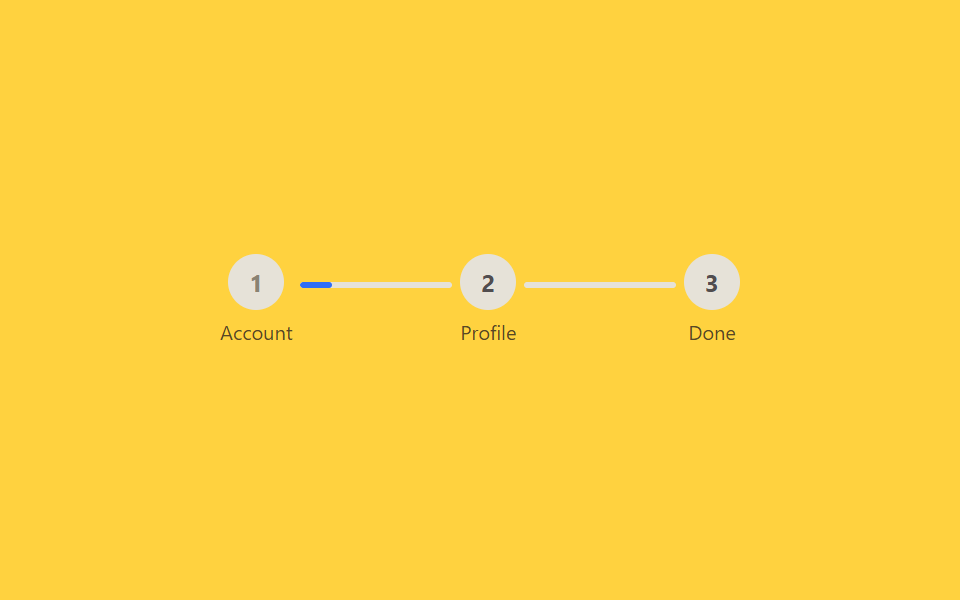 06 auth-signup-step-progress
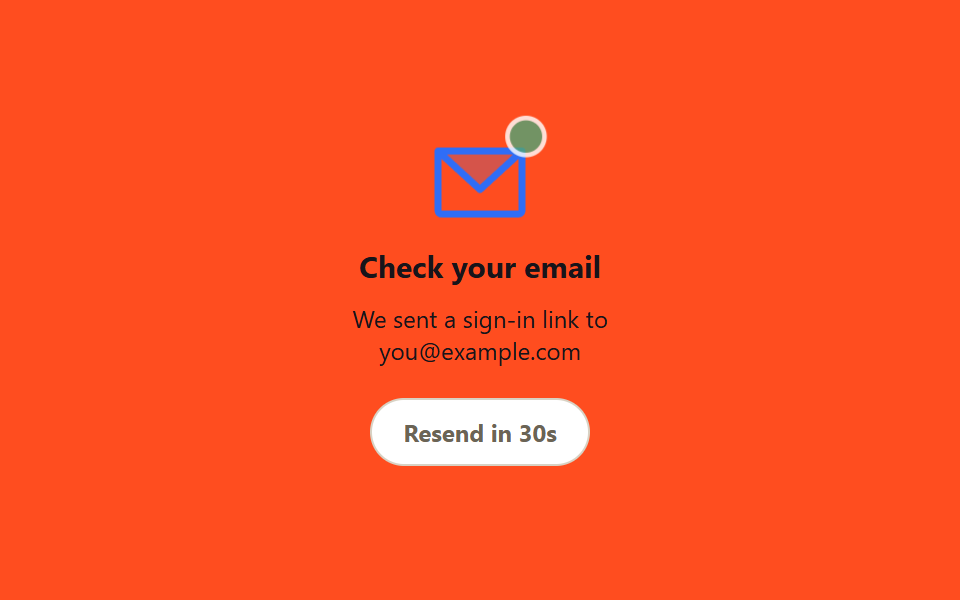 07 auth-magic-link-sent
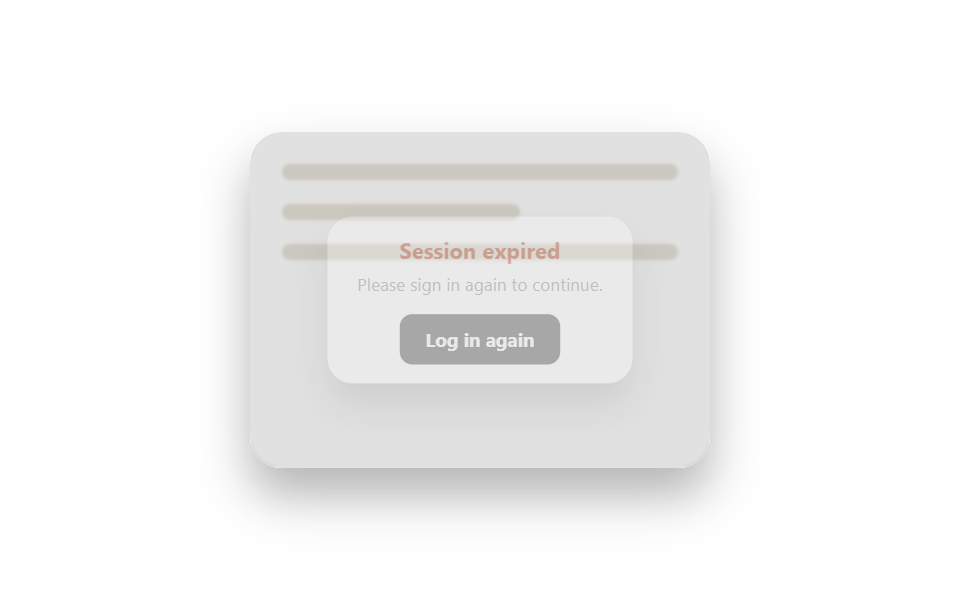 08 auth-session-expired-modal
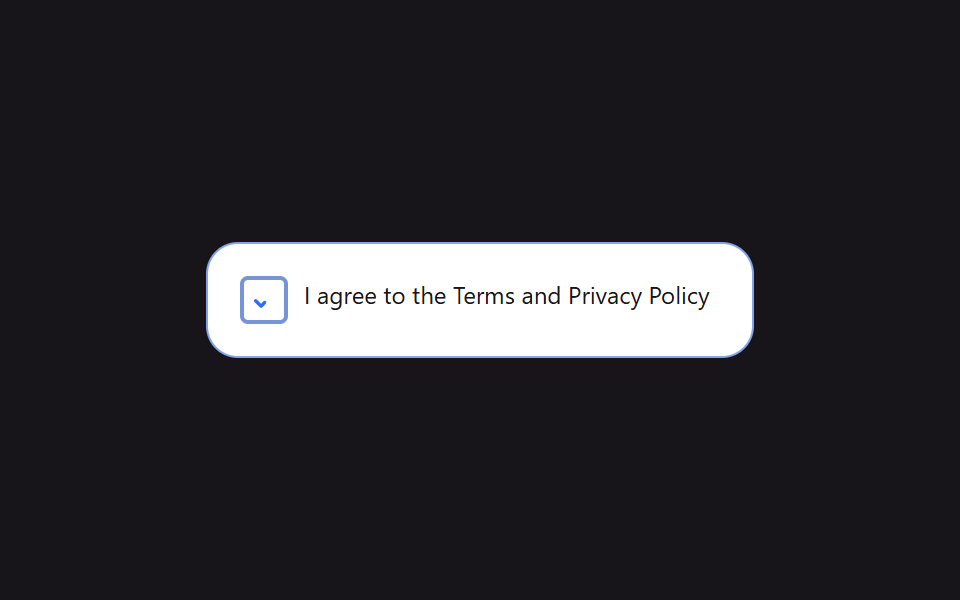 09 auth-consent-checkbox
자동 재생 · 눌러서 해당 항목으로 · 전부 한 zip
- 01 글래스모피즘 로그인 카드
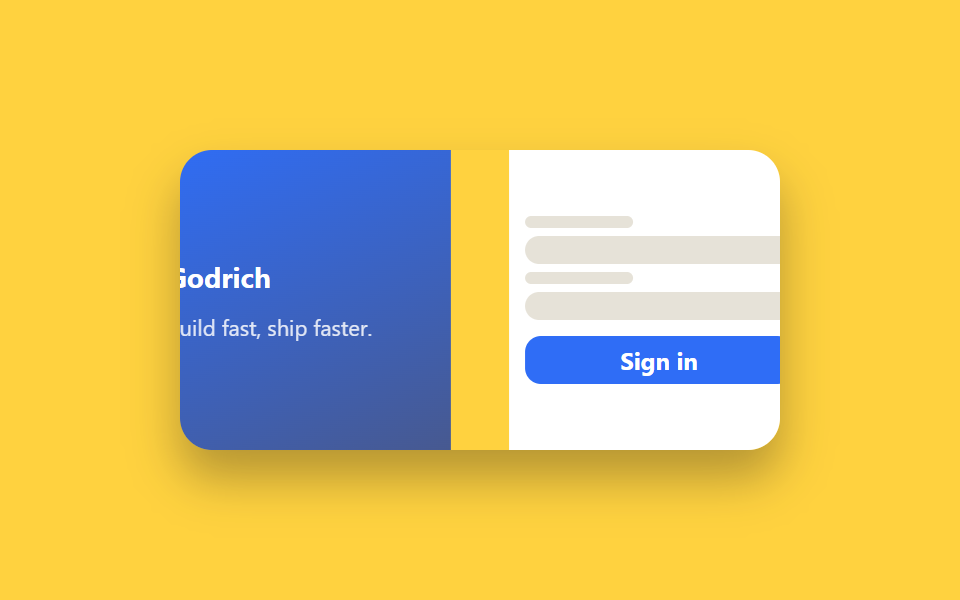
- 02 스플릿 스크린 로그인
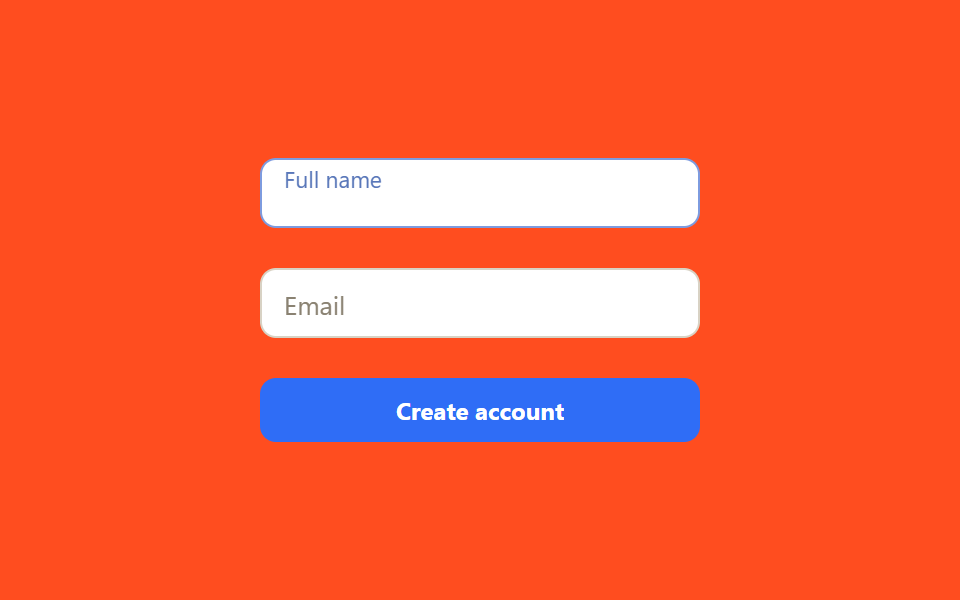
- 03 플로팅 라벨 회원가입 입력창
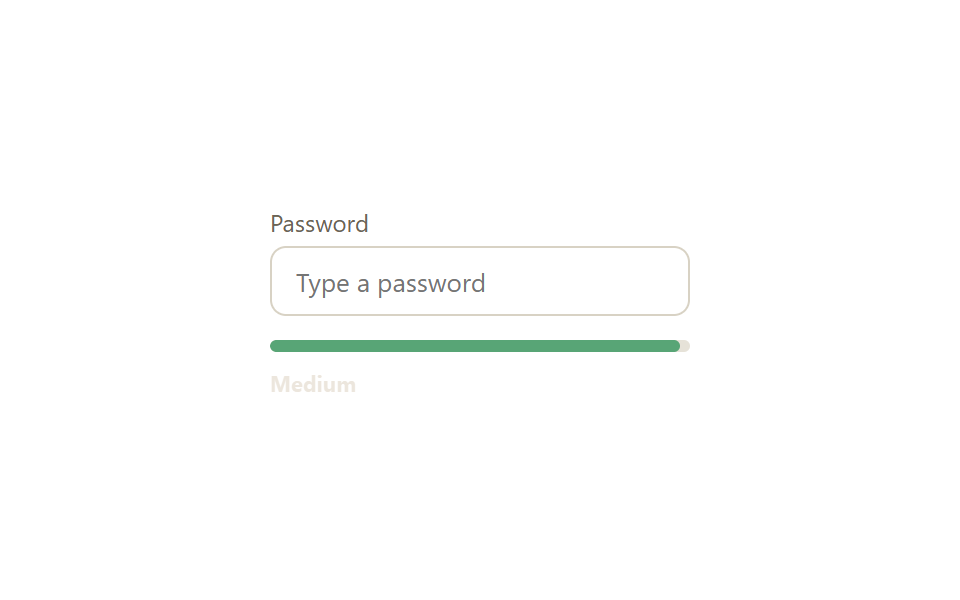
- 04 비밀번호 강도 표시바
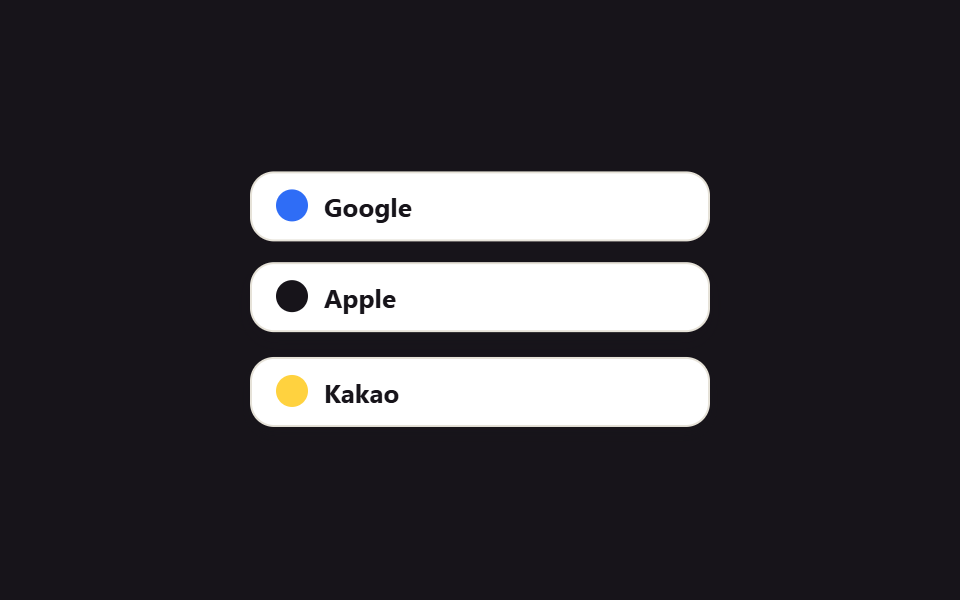
- 05 소셜 로그인 버튼 줄
- 06 회원가입 단계 진행바
- 07 매직 링크 발송 완료 카드
- 08 세션 만료 재로그인 모달
- 09 약관 동의 체크박스
아홉 개는 인기 순서가 아니라 사용자가 로그인·회원가입 화면에서 실제로 겪는 순서로 놓았습니다. 카드가 처음 눈에 띄고(01, 02), 이름·이메일을 입력하고(03), 비밀번호를 입력하면서 강도를 확인하고(04), 소셜 로그인 버튼 디자인 중 하나를 고르거나(05) 여러 단계를 거쳐 가입을 진행하고(06), 메일함에서 링크를 기다리고(07), 세션이 끊겨 다시 로그인해야 하고(08), 마지막으로 약관에 동의하며 끝납니다(09). 로그인 다음 단계인 본인인증 화면의 카드 아홉 개는 본인인증 화면 UI에 있고, 로그인 뒤에 만나게 되는 펼침·체크리스트 목록은 아코디언 리스트 UI에 모아 뒀습니다.
| 번호 | 이름 | 무엇이 움직이나 | JS |
|---|---|---|---|
| 01 | 글래스모피즘 로그인 카드 | 블롭 transform 이동, 카드 backdrop-filter: blur |
없음 |
| 02 | 스플릿 스크린 로그인 | 좌우 패널 translateX 진입 |
없음 |
| 03 | 플로팅 라벨 회원가입 입력창 | 라벨 translateY + scale |
없음 |
| 04 | 비밀번호 강도 표시바 | 막대 width·배경색, 상태 텍스트 |
11줄 |
| 05 | 소셜 로그인 버튼 줄 | 버튼 translateY 호버 |
없음 |
| 06 | 회원가입 단계 진행바 | 연결선 width 전환 |
없음 |
| 07 | 매직 링크 발송 완료 카드 | 봉투 translateY 바운스, 카운트다운 |
18줄 |
| 08 | 세션 만료 재로그인 모달 | 모달 scale+opacity, backdrop blur |
없음 |
| 09 | 약관 동의 체크박스 | 체크 stroke-dashoffset 드로잉 |
없음 |
01글래스모피즘 로그인 카드
무엇이 움직이나
반투명 유리 재질 카드가 배경 그라데이션을 흐릿하게 비추고, 카드 뒤 빛 얼룩이 천천히 움직이며 유리 질감을 살립니다. 제품 랜딩 페이지의 로그인 모달이나 다크 테마 SaaS 서비스의 첫 화면에 씁니다.
<main class="stage">
  <div class="glass-scene is-demo">
    <span class="glass-scene__blob glass-scene__blob--a" aria-hidden="true"></span>
    <span class="glass-scene__blob glass-scene__blob--b" aria-hidden="true"></span>
    <form class="glass-card" autocomplete="off">
      <h2 class="glass-card__title">Welcome back</h2>
      <input class="glass-card__input" type="email" placeholder="Email">
      <input class="glass-card__input" type="password" placeholder="Password">
      <button class="glass-card__btn" type="button">Log in</button>
    </form>
  </div>
</main>
@use "../../../../site/static/demo-tokens" as *;
$duration: $dur-base; // 카드 진입·호버 전환 시간
$easing: $ease-out;
$color: $subject-blue; // 블롭 색 1
@include stage($stage-ink);
.glass-scene {
position: relative;
width: min(240px, 80vw);
height: 168px;
display: grid;
place-items: center;
overflow: hidden;
border-radius: $r-card;
}
.glass-scene__blob {
position: absolute;
width: 140px;
height: 140px;
border-radius: 50%;
filter: blur(2px);
opacity: 1;
transform: translate(-30px, -20px);
}
.glass-scene__blob--a { background: radial-gradient(circle, #c5dfe2, transparent 68%); top: 8%; left: 8%; }
.glass-scene__blob--b { background: radial-gradient(circle, #eddae1, transparent 68%); bottom: 3%; right: 3%; }
.glass-card {
position: relative;
z-index: 1;
width: min(185px, 66vw);
padding: $sp-3;
display: flex;
flex-direction: column;
gap: $sp-1;
background: rgba(255, 255, 255, .14);
border: 1px solid rgba(255, 255, 255, .35);
border-radius: $r-card;
backdrop-filter: blur(10px);
-webkit-backdrop-filter: blur(10px);
box-shadow: $shadow-raised;
}
.glass-card__title { margin: 0 0 $sp-1; color: $stage-paper; font-size: 15px; font-weight: 700; font-family: inherit; }
.glass-card__input {
width: 100%;
box-sizing: border-box;
padding: $sp-2 $sp-3;
border-radius: $r-sm;
border: 1px solid rgba(255, 255, 255, .3);
background: rgba(255, 255, 255, .12);
color: $stage-paper;
font-size: 12px;
font-family: inherit;
&::placeholder { color: rgba(255, 255, 255, .65); }
&:focus-visible { outline: 2px solid $stage-paper; outline-offset: 1px; }
}
.glass-card__btn {
margin-top: $sp-1;
padding: $sp-2;
border: none;
border-radius: $r-sm;
background: $color;
color: $stage-paper;
font-weight: 700;
font-size: 12px;
font-family: inherit;
cursor: pointer;
transition: transform $dur-instant $easing, box-shadow $dur-instant $easing;
&:hover, &:focus-visible { transform: translateY(-1px); box-shadow: $shadow-press; }
&:active { transform: translateY(0); }
}
.glass-scene.is-demo .glass-scene__blob--a { animation: drift-a $dur-loop $easing infinite; }
.glass-scene.is-demo .glass-scene__blob--b { animation: drift-b $dur-loop $easing infinite; }
@keyframes drift-a {
0%, 100% { transform: translate(-30px, -20px) scale(1); }
50% { transform: translate(40px, 30px) scale(1.15); }
}
@keyframes drift-b {
0%, 100% { transform: translate(20px, 10px) scale(1); }
50% { transform: translate(-40px, -25px) scale(1.2); }
}
@media (prefers-reduced-motion: reduce) {
.glass-scene.is-demo .glass-scene__blob--a,
.glass-scene.is-demo .glass-scene__blob--b { animation: none; }
.glass-card__btn { transition: none; }
}html, body {
margin: 0;
overflow: hidden;
}
.stage {
box-sizing: border-box;
min-height: 100vh;
display: grid;
place-items: center;
margin: 0;
background: #17141a;
font-family: -apple-system, "Segoe UI", "Noto Sans KR", sans-serif;
padding: clamp(8px, 4vw, 24px);
}
.glass-scene {
position: relative;
width: min(240px, 80vw);
height: 168px;
display: grid;
place-items: center;
overflow: hidden;
border-radius: 16px;
}
.glass-scene__blob {
position: absolute;
width: 140px;
height: 140px;
border-radius: 50%;
filter: blur(2px);
opacity: 1;
transform: translate(-30px, -20px);
}
.glass-scene__blob--a {
background: radial-gradient(circle, #c5dfe2, transparent 68%);
top: 8%;
left: 8%;
}
.glass-scene__blob--b {
background: radial-gradient(circle, #eddae1, transparent 68%);
bottom: 3%;
right: 3%;
}
.glass-card {
position: relative;
z-index: 1;
width: min(185px, 66vw);
padding: 12px;
display: flex;
flex-direction: column;
gap: 4px;
background: rgba(255, 255, 255, 0.14);
border: 1px solid rgba(255, 255, 255, 0.35);
border-radius: 16px;
backdrop-filter: blur(10px);
-webkit-backdrop-filter: blur(10px);
box-shadow: 0 14px 24px rgba(23, 20, 26, 0.32);
}
.glass-card__title {
margin: 0 0 4px;
color: #ffffff;
font-size: 15px;
font-weight: 700;
font-family: inherit;
}
.glass-card__input {
width: 100%;
box-sizing: border-box;
padding: 8px 12px;
border-radius: 8px;
border: 1px solid rgba(255, 255, 255, 0.3);
background: rgba(255, 255, 255, 0.12);
color: #ffffff;
font-size: 12px;
font-family: inherit;
}
.glass-card__input::placeholder {
color: rgba(255, 255, 255, 0.65);
}
.glass-card__input:focus-visible {
outline: 2px solid #ffffff;
outline-offset: 1px;
}
.glass-card__btn {
margin-top: 4px;
padding: 8px;
border: none;
border-radius: 8px;
background: #2f6df6;
color: #ffffff;
font-weight: 700;
font-size: 12px;
font-family: inherit;
cursor: pointer;
transition: transform 140ms ease-out, box-shadow 140ms ease-out;
}
.glass-card__btn:hover, .glass-card__btn:focus-visible {
transform: translateY(-1px);
box-shadow: 0 6px 12px rgba(23, 20, 26, 0.32);
}
.glass-card__btn:active {
transform: translateY(0);
}
.glass-scene.is-demo .glass-scene__blob--a {
animation: drift-a 2s ease-out infinite;
}
.glass-scene.is-demo .glass-scene__blob--b {
animation: drift-b 2s ease-out infinite;
}
@keyframes drift-a {
0%, 100% {
transform: translate(-30px, -20px) scale(1);
}
50% {
transform: translate(40px, 30px) scale(1.15);
}
}
@keyframes drift-b {
0%, 100% {
transform: translate(20px, 10px) scale(1);
}
50% {
transform: translate(-40px, -25px) scale(1.2);
}
}
@media (prefers-reduced-motion: reduce) {
.glass-scene.is-demo .glass-scene__blob--a,
.glass-scene.is-demo .glass-scene__blob--b {
animation: none;
}
.glass-card__btn {
transition: none;
}
}import type { CSSProperties } from "react";
import styles from "./GlassLoginCard.module.scss";
export type GlassLoginCardProps = {
/** 카드 등장 전환 시간 (기본 300ms) */
duration?: number;
easing?: string;
/** 카드 뒤 블롭 색 1 */
color?: string;
};
type Vars = CSSProperties & { "--duration"?: string; "--easing"?: string; "--color"?: string };
/** 반투명 카드가 backdrop-filter 로 뒤 블롭을 흐리게 비춘다. 블롭은 항상 천천히 움직인다 */
export default function GlassLoginCard({
duration = 300,
easing = "ease-out",
color = "#2f6df6",
}: GlassLoginCardProps) {
const vars: Vars = { "--duration": `${duration}ms`, "--easing": easing, "--color": color };
return (
<div className={styles.scene} style={vars}>
<span className={`${styles.blob} ${styles.blobA}`} aria-hidden="true" />
<span className={`${styles.blob} ${styles.blobB}`} aria-hidden="true" />
<form className={styles.card} onSubmit={(e: { preventDefault(): void }) => e.preventDefault()}>
<h2 className={styles.title}>Welcome back</h2>
<input className={styles.input} type="email" placeholder="Email" />
<input className={styles.input} type="password" placeholder="Password" />
<button className={styles.btn} type="submit">Log in</button>
</form>
</div>
);
}01 · 글래스모피즘 로그인 카드 — 측정 누적면적 19.275% · 움직인 프레임 18/23GODRICH 원작 · zip 에 SCSS·React 포함 · 비밀번호 보기
코드에서 볼 곳
backdrop-filter: blur는 카드 자체가 아니라 카드 뒤에서 실제로 움직이는 것이 있어야 유리처럼 보이므로, 블롭 두 개를 transform: translate로 계속 움직입니다.
.glass-card {
  background: rgba(255, 255, 255, .14);
  border: 1px solid rgba(255, 255, 255, .35);
  backdrop-filter: blur(10px);
  -webkit-backdrop-filter: blur(10px);
}
.glass-scene__blob {
  border-radius: 50%;
  filter: blur(2px);
  animation: drift 6s $easing infinite;
}
@keyframes drift {
  0%, 100% { transform: translate(-30px, -20px) scale(1); }
  50%      { transform: translate(40px, 30px) scale(1.15); }
}
02스플릿 스크린 로그인
무엇이 움직이나
화면을 반으로 나눠 한쪽엔 이미지·문구, 다른 쪽엔 입력 폼을 놓고, 처음 열릴 때 두 패널이 양쪽에서 살짝 밀려 들어옵니다. 브랜드 이미지가 중요한 서비스의 로그인 페이지나 앱 다운로드를 함께 홍보하는 인증 화면에 어울립니다.
<main class="stage">
  <div class="split is-demo">
    <div class="split__panel split__panel--image">
      <span class="split__brand">Godrich</span>
      <p class="split__tagline">Build fast, ship faster.</p>
    </div>
    <form class="split__panel split__panel--form" autocomplete="off">
      <span class="split__line split__line--label"></span>
      <span class="split__line split__line--input"></span>
      <span class="split__line split__line--label"></span>
      <span class="split__line split__line--input"></span>
      <button class="split__btn" type="button">Sign in</button>
    </form>
  </div>
</main>
@use "../../../../site/static/demo-tokens" as *;
$duration: $dur-enter; // 패널 진입 시간
$easing: $ease-spring;
$color: $subject-blue; // 이미지 패널 색
@include stage($stage-yellow);
.split {
width: min(300px, 86vw);
height: 150px;
display: flex;
overflow: hidden;
border-radius: $r-card;
box-shadow: $shadow-raised;
}
.split__panel {
width: 50%;
height: 100%;
box-sizing: border-box;
padding: $sp-3 $sp-2;
display: flex;
flex-direction: column;
justify-content: center;
gap: $sp-1;
}
.split__panel--image {
background: linear-gradient(155deg, $color, #475990);
color: $stage-paper;
gap: $sp-2;
}
.split__brand { font-weight: 700; font-size: 14px; font-family: inherit; }
.split__tagline { margin: 0; font-size: 11px; opacity: .85; font-family: inherit; }
.split__panel--form { background: $stage-paper; gap: $sp-1; }
.split__line {
display: block;
border-radius: $r-xs;
background: #e6e2d8;
}
.split__line--label { width: 40%; height: 6px; }
.split__line--input { width: 100%; height: 14px; border-radius: $r-sm; }
.split__btn {
margin-top: $sp-1;
padding: $sp-1 $sp-2;
border: none;
border-radius: $r-sm;
background: $color;
color: $stage-paper;
font-weight: 700;
font-size: 12px;
font-family: inherit;
cursor: pointer;
transition: transform $dur-instant $ease-out;
}
.split__btn:hover, .split__btn:focus-visible { transform: translateY(-1px); }
.split.is-demo .split__panel--image { animation: enter-left $dur-loop $easing infinite; }
.split.is-demo .split__panel--form { animation: enter-right $dur-loop $easing infinite; }
@keyframes enter-left {
0%, 100% { transform: translateX(-16%); }
35%, 90% { transform: translateX(0); }
}
@keyframes enter-right {
0%, 100% { transform: translateX(16%); }
35%, 90% { transform: translateX(0); }
}
@media (prefers-reduced-motion: reduce) {
.split.is-demo .split__panel--image,
.split.is-demo .split__panel--form { animation: none; transform: none; }
}html, body {
margin: 0;
overflow: hidden;
}
.stage {
box-sizing: border-box;
min-height: 100vh;
display: grid;
place-items: center;
margin: 0;
background: #ffd23f;
font-family: -apple-system, "Segoe UI", "Noto Sans KR", sans-serif;
padding: clamp(8px, 4vw, 24px);
}
.split {
width: min(300px, 86vw);
height: 150px;
display: flex;
overflow: hidden;
border-radius: 16px;
box-shadow: 0 14px 24px rgba(23, 20, 26, 0.32);
}
.split__panel {
width: 50%;
height: 100%;
box-sizing: border-box;
padding: 12px 8px;
display: flex;
flex-direction: column;
justify-content: center;
gap: 4px;
}
.split__panel--image {
background: linear-gradient(155deg, #2f6df6, #475990);
color: #ffffff;
gap: 8px;
}
.split__brand {
font-weight: 700;
font-size: 14px;
font-family: inherit;
}
.split__tagline {
margin: 0;
font-size: 11px;
opacity: 0.85;
font-family: inherit;
}
.split__panel--form {
background: #ffffff;
gap: 4px;
}
.split__line {
display: block;
border-radius: 4px;
background: #e6e2d8;
}
.split__line--label {
width: 40%;
height: 6px;
}
.split__line--input {
width: 100%;
height: 14px;
border-radius: 8px;
}
.split__btn {
margin-top: 4px;
padding: 4px 8px;
border: none;
border-radius: 8px;
background: #2f6df6;
color: #ffffff;
font-weight: 700;
font-size: 12px;
font-family: inherit;
cursor: pointer;
transition: transform 140ms ease-out;
}
.split__btn:hover, .split__btn:focus-visible {
transform: translateY(-1px);
}
.split.is-demo .split__panel--image {
animation: enter-left 2s cubic-bezier(0.2, 0.8, 0.2, 1) infinite;
}
.split.is-demo .split__panel--form {
animation: enter-right 2s cubic-bezier(0.2, 0.8, 0.2, 1) infinite;
}
@keyframes enter-left {
0%, 100% {
transform: translateX(-16%);
}
35%, 90% {
transform: translateX(0);
}
}
@keyframes enter-right {
0%, 100% {
transform: translateX(16%);
}
35%, 90% {
transform: translateX(0);
}
}
@media (prefers-reduced-motion: reduce) {
.split.is-demo .split__panel--image,
.split.is-demo .split__panel--form {
animation: none;
transform: none;
}
}import { useEffect, useState, type CSSProperties } from "react";
import styles from "./SplitScreenLogin.module.scss";
export type SplitScreenLoginProps = {
/** 패널이 밀려 들어오는 시간 (기본 600ms) */
duration?: number;
easing?: string;
/** 이미지 패널 색 */
color?: string;
};
/** 화면 진입 시 두 패널이 좌우에서 밀려 들어온다. 마운트 직후 한 번만 재생 */
export default function SplitScreenLogin({
duration = 600,
easing = "cubic-bezier(.2,.8,.2,1)",
color = "#2f6df6",
}: SplitScreenLoginProps) {
const [entered, setEntered] = useState(false);
useEffect(() => {
const id = requestAnimationFrame(() => setEntered(true));
return () => cancelAnimationFrame(id);
}, []);
const style = { "--duration": `${duration}ms`, "--easing": easing, "--color": color } as CSSProperties;
return (
<div className={styles.split} style={style}>
<div className={`${styles.panel} ${styles.image} ${entered ? styles.in : styles.outLeft}`}>
<span className={styles.brand}>Godrich</span>
<p className={styles.tagline}>Build fast, ship faster.</p>
</div>
<form
className={`${styles.panel} ${styles.form} ${entered ? styles.in : styles.outRight}`}
onSubmit={(e: { preventDefault(): void }) => e.preventDefault()}
>
<span className={`${styles.line} ${styles.label}`} />
<span className={`${styles.line} ${styles.field}`} />
<span className={`${styles.line} ${styles.label}`} />
<span className={`${styles.line} ${styles.field}`} />
<button className={styles.btn} type="submit">Sign in</button>
</form>
</div>
);
}02 · 스플릿 스크린 로그인 — 측정 누적면적 7.366% · 움직인 프레임 10/23GODRICH 원작 · zip 에 SCSS·React 포함 · 비밀번호 보기
코드에서 볼 곳
진입 거리를 화면 폭의 100%가 아니라 16% 정도로만 잡은 이유는 함정 섹션에 있습니다.
.split { display: flex; overflow: hidden; }
.split__panel--image { animation: enter-left 2s $easing infinite; }
.split__panel--form  { animation: enter-right 2s $easing infinite; }
@keyframes enter-left {
  0%, 100%  { transform: translateX(-16%); }
  35%, 90%  { transform: translateX(0); }
}
03플로팅 라벨 회원가입 입력창
무엇이 움직이나
입력칸 안에 있던 라벨이 포커스되거나 값이 채워지면 위로 떠오르며 작아져서, placeholder가 사라져도 무슨 칸인지 계속 보입니다. 이메일·이름·전화번호를 받는 회원가입 폼, 자리를 아껴야 하는 모바일 폼에 씁니다.
<main class="stage">
  <form class="float-form is-demo" autocomplete="off">
    <div class="float-field float-field--a">
      <input class="float-field__input" id="fname" placeholder=" ">
      <label class="float-field__label" for="fname">Full name</label>
    </div>
    <div class="float-field float-field--b">
      <input class="float-field__input" id="femail" placeholder=" ">
      <label class="float-field__label" for="femail">Email</label>
    </div>
    <button class="float-form__btn" type="button">Create account</button>
  </form>
</main>
@use "../../../../site/static/demo-tokens" as *;
$duration: $dur-quick; // 라벨이 뜨는 시간
$easing: $ease-out;
$color: $subject-blue; // 포커스 색
@include stage($stage-orange);
.float-form {
width: min(220px, 82vw);
display: flex;
flex-direction: column;
gap: $sp-5;
}
.float-field {
position: relative;
}
.float-field__input {
width: 100%;
box-sizing: border-box;
padding: $sp-3 $sp-3 $sp-1;
border: 1.5px solid #d8d2c4;
border-radius: $r-sm;
background: $stage-paper;
font-size: 13px;
font-family: inherit;
color: $stage-ink;
transition: border-color $duration $easing;
}
.float-field__label {
position: absolute;
left: $sp-3;
top: 50%;
transform: translateY(-50%);
font-size: 13px;
color: #8a8272;
font-family: inherit;
pointer-events: none;
transform-origin: left center; // 규칙8: 입력칸 왼쪽 안쪽선에 맞춰 줄어든다 — 중심이면 줄면서 오른쪽으로 밀린다
transition: transform $duration $easing, color $duration $easing;
}
.float-field__input:focus { outline: none; border-color: $color; }
.float-field__input:focus + .float-field__label,
.float-field__input:not(:placeholder-shown) + .float-field__label {
transform: translateY(-135%) scale(.78);
color: $color;
}
.float-form__btn {
padding: $sp-2;
border: none;
border-radius: $r-sm;
background: $color;
color: $stage-paper;
font-weight: 700;
font-size: 12px;
font-family: inherit;
cursor: pointer;
transition: transform $dur-instant $ease-out;
}
.float-form__btn:hover, .float-form__btn:focus-visible { transform: translateY(-1px); }
// 자동 재생 미리보기 — 실제 :focus 대신 같은 transform·color 값을 키프레임으로 직접 재생한다
.float-form.is-demo .float-field--a .float-field__input { animation: ring-a $dur-loop $easing infinite; }
.float-form.is-demo .float-field--a .float-field__label { animation: float-a $dur-loop $easing infinite; }
.float-form.is-demo .float-field--b .float-field__input { animation: ring-b $dur-loop $easing infinite; }
.float-form.is-demo .float-field--b .float-field__label { animation: float-b $dur-loop $easing infinite; }
@keyframes float-a {
0%, 8% { transform: translateY(-50%) scale(1); color: #8a8272; }
20%, 45% { transform: translateY(-135%) scale(.78); color: $color; }
55%, 100% { transform: translateY(-50%) scale(1); color: #8a8272; }
}
@keyframes ring-a {
0%, 8% { border-color: #d8d2c4; }
20%, 45% { border-color: $color; }
55%, 100% { border-color: #d8d2c4; }
}
@keyframes float-b {
0%, 55% { transform: translateY(-50%) scale(1); color: #8a8272; }
65%, 92% { transform: translateY(-135%) scale(.78); color: $color; }
100% { transform: translateY(-50%) scale(1); color: #8a8272; }
}
@keyframes ring-b {
0%, 55% { border-color: #d8d2c4; }
65%, 92% { border-color: $color; }
100% { border-color: #d8d2c4; }
}
@media (prefers-reduced-motion: reduce) {
.float-field__input, .float-field__label, .float-form__btn { transition: none; }
.float-form.is-demo .float-field--a .float-field__input,
.float-form.is-demo .float-field--a .float-field__label,
.float-form.is-demo .float-field--b .float-field__input,
.float-form.is-demo .float-field--b .float-field__label { animation: none; }
}html, body {
margin: 0;
overflow: hidden;
}
.stage {
box-sizing: border-box;
min-height: 100vh;
display: grid;
place-items: center;
margin: 0;
background: #ff4d1f;
font-family: -apple-system, "Segoe UI", "Noto Sans KR", sans-serif;
padding: clamp(8px, 4vw, 24px);
}
.float-form {
width: min(220px, 82vw);
display: flex;
flex-direction: column;
gap: 20px;
}
.float-field {
position: relative;
}
.float-field__input {
width: 100%;
box-sizing: border-box;
padding: 12px 12px 4px;
border: 1.5px solid #d8d2c4;
border-radius: 8px;
background: #ffffff;
font-size: 13px;
font-family: inherit;
color: #17141a;
transition: border-color 220ms ease-out;
}
.float-field__label {
position: absolute;
left: 12px;
top: 50%;
transform: translateY(-50%);
font-size: 13px;
color: #8a8272;
font-family: inherit;
pointer-events: none;
transform-origin: left center;
transition: transform 220ms ease-out, color 220ms ease-out;
}
.float-field__input:focus {
outline: none;
border-color: #2f6df6;
}
.float-field__input:focus + .float-field__label,
.float-field__input:not(:placeholder-shown) + .float-field__label {
transform: translateY(-135%) scale(0.78);
color: #2f6df6;
}
.float-form__btn {
padding: 8px;
border: none;
border-radius: 8px;
background: #2f6df6;
color: #ffffff;
font-weight: 700;
font-size: 12px;
font-family: inherit;
cursor: pointer;
transition: transform 140ms ease-out;
}
.float-form__btn:hover, .float-form__btn:focus-visible {
transform: translateY(-1px);
}
.float-form.is-demo .float-field--a .float-field__input {
animation: ring-a 2s ease-out infinite;
}
.float-form.is-demo .float-field--a .float-field__label {
animation: float-a 2s ease-out infinite;
}
.float-form.is-demo .float-field--b .float-field__input {
animation: ring-b 2s ease-out infinite;
}
.float-form.is-demo .float-field--b .float-field__label {
animation: float-b 2s ease-out infinite;
}
@keyframes float-a {
0%, 8% {
transform: translateY(-50%) scale(1);
color: #8a8272;
}
20%, 45% {
transform: translateY(-135%) scale(0.78);
color: #2f6df6;
}
55%, 100% {
transform: translateY(-50%) scale(1);
color: #8a8272;
}
}
@keyframes ring-a {
0%, 8% {
border-color: #d8d2c4;
}
20%, 45% {
border-color: #2f6df6;
}
55%, 100% {
border-color: #d8d2c4;
}
}
@keyframes float-b {
0%, 55% {
transform: translateY(-50%) scale(1);
color: #8a8272;
}
65%, 92% {
transform: translateY(-135%) scale(0.78);
color: #2f6df6;
}
100% {
transform: translateY(-50%) scale(1);
color: #8a8272;
}
}
@keyframes ring-b {
0%, 55% {
border-color: #d8d2c4;
}
65%, 92% {
border-color: #2f6df6;
}
100% {
border-color: #d8d2c4;
}
}
@media (prefers-reduced-motion: reduce) {
.float-field__input, .float-field__label, .float-form__btn {
transition: none;
}
.float-form.is-demo .float-field--a .float-field__input,
.float-form.is-demo .float-field--a .float-field__label,
.float-form.is-demo .float-field--b .float-field__input,
.float-form.is-demo .float-field--b .float-field__label {
animation: none;
}
}import type { CSSProperties } from "react";
import styles from "./FloatingLabelInput.module.scss";
export type FloatingLabelInputProps = {
id: string;
label: string;
type?: string;
/** 라벨이 뜨는 시간 (기본 220ms) */
duration?: number;
easing?: string;
color?: string;
};
/** :placeholder-shown 과 :focus 만으로 동작 — JS 없이 라벨이 뜬다 */
export default function FloatingLabelInput({
id,
label,
type = "text",
duration = 220,
easing = "ease-out",
color = "#2f6df6",
}: FloatingLabelInputProps) {
const style = { "--duration": `${duration}ms`, "--easing": easing, "--color": color } as CSSProperties;
return (
<div className={styles.field} style={style}>
<input className={styles.input} id={id} type={type} placeholder=" " />
<label className={styles.label} htmlFor={id}>{label}</label>
</div>
);
}03 · 플로팅 라벨 회원가입 입력창 — 측정 누적면적 1.618% · 움직인 프레임 11/23GODRICH 원작 · zip 에 SCSS·React 포함 · 비밀번호 보기
코드에서 볼 곳
input:not(:placeholder-shown)이 핵심으로, placeholder=" "(스페이스 한 칸)를 넣어두면 값이 없을 때만 그 상태가 아니게 되어 JS 없이도 라벨이 뜹니다.
.float-field__label {
  transform-origin: left center;
  transition: transform $duration $easing, color $duration $easing;
}
.float-field__input:focus + .float-field__label,
.float-field__input:not(:placeholder-shown) + .float-field__label {
  transform: translateY(-135%) scale(.78);
  color: $color;
}
04비밀번호 강도 표시바
무엇이 움직이나
입력 중인 비밀번호 길이와 문자 조합에 따라 막대가 빨강→주황→초록으로 채워지고, 옆 텍스트가 "약함/보통/강함"을 실시간으로 알려줍니다. 회원가입 비밀번호 입력칸, 비밀번호 변경 화면에 씁니다.
<main class="stage">
  <div class="pw-card is-demo">
    <label class="pw-card__label" for="pw">Password</label>
    <input class="pw-input" id="pw" type="password" placeholder="Type a password">
    <div class="pw-meter">
      <span class="pw-meter__fill"></span>
    </div>
    <p class="pw-status" aria-live="polite">
      <span class="pw-status__text pw-status__text--weak">Weak</span>
      <span class="pw-status__text pw-status__text--medium">Medium</span>
      <span class="pw-status__text pw-status__text--strong">Strong</span>
    </p>
  </div>
</main>
@use "../../../../site/static/demo-tokens" as *;
$duration: $dur-base; // 막대 너비·색이 바뀌는 시간
$easing: $ease-out;
$color: $error; // 약함 색 기준값
@include stage($stage-paper);
.pw-card {
width: min(210px, 80vw);
display: flex;
flex-direction: column;
gap: $sp-1;
}
.pw-card__label { font-size: 12px; color: #6b6455; font-family: inherit; }
.pw-input {
box-sizing: border-box;
width: 100%;
padding: $sp-2 $sp-3;
border: 1.5px solid #d8d2c4;
border-radius: $r-sm;
font-size: 13px;
font-family: inherit;
color: $stage-ink;
margin-bottom: $sp-2;
&:focus { outline: none; border-color: $subject-blue; }
}
.pw-meter {
height: 6px;
border-radius: $r-xs;
background: #e6e2d8;
overflow: hidden;
}
.pw-meter__fill {
display: block;
height: 100%;
width: 0%;
background: $color;
border-radius: $r-xs;
transition: width $duration $easing, background-color $duration $easing;
}
.pw-status {
position: relative;
height: 14px;
margin: $sp-1 0 0;
}
.pw-status__text {
position: absolute;
left: 0; top: 0;
font-size: 11px;
font-weight: 700;
font-family: inherit;
opacity: 0;
transition: opacity $duration $easing;
}
.pw-status__text--weak { color: $error; }
.pw-status__text--medium { color: #9c7c4d; }
.pw-status__text--strong { color: #51a474; }
.pw-card.is-demo .pw-meter__fill { animation: fill-cycle $dur-loop $easing infinite; }
.pw-card.is-demo .pw-status__text--weak { animation: show-weak $dur-loop $easing infinite; }
.pw-card.is-demo .pw-status__text--medium { animation: show-medium $dur-loop $easing infinite; }
.pw-card.is-demo .pw-status__text--strong { animation: show-strong $dur-loop $easing infinite; }
@keyframes fill-cycle {
0%, 5% { width: 0%; background: $color; }
30% { width: 35%; background: $color; }
55% { width: 65%; background: #c8af8f; }
80%, 100% { width: 100%; background: #51a474; }
}
@keyframes show-weak { 0%, 5% { opacity: 0; } 12%, 45% { opacity: 1; } 55%, 100% { opacity: 0; } }
@keyframes show-medium { 0%, 50% { opacity: 0; } 58%, 70% { opacity: 1; } 78%, 100% { opacity: 0; } }
@keyframes show-strong { 0%, 75% { opacity: 0; } 83%, 100% { opacity: 1; } }
@media (prefers-reduced-motion: reduce) {
.pw-meter__fill, .pw-status__text { transition: none; }
.pw-card.is-demo .pw-meter__fill,
.pw-card.is-demo .pw-status__text--weak,
.pw-card.is-demo .pw-status__text--medium,
.pw-card.is-demo .pw-status__text--strong { animation: none; }
}html, body {
margin: 0;
overflow: hidden;
}
.stage {
box-sizing: border-box;
min-height: 100vh;
display: grid;
place-items: center;
margin: 0;
background: #ffffff;
font-family: -apple-system, "Segoe UI", "Noto Sans KR", sans-serif;
padding: clamp(8px, 4vw, 24px);
}
.pw-card {
width: min(210px, 80vw);
display: flex;
flex-direction: column;
gap: 4px;
}
.pw-card__label {
font-size: 12px;
color: #6b6455;
font-family: inherit;
}
.pw-input {
box-sizing: border-box;
width: 100%;
padding: 8px 12px;
border: 1.5px solid #d8d2c4;
border-radius: 8px;
font-size: 13px;
font-family: inherit;
color: #17141a;
margin-bottom: 8px;
}
.pw-input:focus {
outline: none;
border-color: #2f6df6;
}
.pw-meter {
height: 6px;
border-radius: 4px;
background: #e6e2d8;
overflow: hidden;
}
.pw-meter__fill {
display: block;
height: 100%;
width: 0%;
background: #c2361a;
border-radius: 4px;
transition: width 300ms ease-out, background-color 300ms ease-out;
}
.pw-status {
position: relative;
height: 14px;
margin: 4px 0 0;
}
.pw-status__text {
position: absolute;
left: 0;
top: 0;
font-size: 11px;
font-weight: 700;
font-family: inherit;
opacity: 0;
transition: opacity 300ms ease-out;
}
.pw-status__text--weak {
color: #c2361a;
}
.pw-status__text--medium {
color: #9c7c4d;
}
.pw-status__text--strong {
color: #51a474;
}
.pw-card.is-demo .pw-meter__fill {
animation: fill-cycle 2s ease-out infinite;
}
.pw-card.is-demo .pw-status__text--weak {
animation: show-weak 2s ease-out infinite;
}
.pw-card.is-demo .pw-status__text--medium {
animation: show-medium 2s ease-out infinite;
}
.pw-card.is-demo .pw-status__text--strong {
animation: show-strong 2s ease-out infinite;
}
@keyframes fill-cycle {
0%, 5% {
width: 0%;
background: #c2361a;
}
30% {
width: 35%;
background: #c2361a;
}
55% {
width: 65%;
background: #c8af8f;
}
80%, 100% {
width: 100%;
background: #51a474;
}
}
@keyframes show-weak {
0%, 5% {
opacity: 0;
}
12%, 45% {
opacity: 1;
}
55%, 100% {
opacity: 0;
}
}
@keyframes show-medium {
0%, 50% {
opacity: 0;
}
58%, 70% {
opacity: 1;
}
78%, 100% {
opacity: 0;
}
}
@keyframes show-strong {
0%, 75% {
opacity: 0;
}
83%, 100% {
opacity: 1;
}
}
@media (prefers-reduced-motion: reduce) {
.pw-meter__fill, .pw-status__text {
transition: none;
}
.pw-card.is-demo .pw-meter__fill,
.pw-card.is-demo .pw-status__text--weak,
.pw-card.is-demo .pw-status__text--medium,
.pw-card.is-demo .pw-status__text--strong {
animation: none;
}
}var inp=document.getElementById('pw'),
fill=document.querySelector('.pw-meter__fill'),
card=document.querySelector('.pw-card');
inp.addEventListener('input',function(){
card.classList.remove('is-demo');
var v=inp.value, s=0;
if(v.length>=6)s++;
if(/[a-z]/.test(v)&&/[A-Z]/.test(v))s++;
if(/[0-9]/.test(v))s++;
if(/[^A-Za-z0-9]/.test(v))s++;
var pct=v.length?[15,40,70,100,100][s]:0;
var col=['#b27062','#b27062','#c8af8f','#51a474','#51a474'][s];
fill.style.width=pct+'%'; fill.style.background=col;
});import { useMemo, useState, type ChangeEvent, type CSSProperties } from "react";
import styles from "./PasswordStrengthMeter.module.scss";
export type PasswordStrengthMeterProps = {
/** 막대 너비·색이 바뀌는 시간 (기본 300ms) */
duration?: number;
easing?: string;
};
const LEVELS = ["", "Weak", "Weak", "Medium", "Strong", "Strong"];
const COLORS = ["#e6e2d8", "#c2361a", "#c2361a", "#ff9d1f", "#1f9d55", "#1f9d55"];
const WIDTHS = [0, 15, 15, 40, 70, 100];
function score(v: string) {
let s = 0;
if (v.length >= 6) s++;
if (/[a-z]/.test(v) && /[A-Z]/.test(v)) s++;
if (/[0-9]/.test(v)) s++;
if (/[^A-Za-z0-9]/.test(v)) s++;
return v.length ? s + 1 : 0;
}
/** input 이벤트마다 길이·문자 조합을 다시 계산해 막대 너비·색·라벨을 갱신한다 */
export default function PasswordStrengthMeter({ duration = 300, easing = "ease-out" }: PasswordStrengthMeterProps) {
const [value, setValue] = useState("");
const s = useMemo(() => score(value), [value]);
const style = { "--duration": `${duration}ms`, "--easing": easing } as CSSProperties;
const onChange = (e: ChangeEvent<HTMLInputElement>) => setValue(e.target.value);
return (
<div className={styles.card} style={style}>
<label className={styles.label} htmlFor="pw-react">Password</label>
<input className={styles.input} id="pw-react" type="password" value={value} onChange={onChange} placeholder="Type a password" />
<div className={styles.meter}>
<span className={styles.fill} style={{ width: `${WIDTHS[s]}%`, background: COLORS[s] }} />
</div>
<p className={styles.status} aria-live="polite" style={{ color: COLORS[s] }}>{LEVELS[s]}</p>
</div>
);
}04 · 비밀번호 강도 표시바 — 측정 누적면적 1.076% · 움직인 프레임 19/23GODRICH 원작 · zip 에 SCSS·React 포함 · 비밀번호 보기
코드에서 볼 곳
길이·대소문자 혼합·숫자·특수문자 네 가지를 각각 test()로 확인해 점수를 매기고, 그 점수로 막대 너비와 색을 한 번에 바꿉니다.
.pw-meter__fill { transition: width $duration $easing, background-color $duration $easing; }
inp.addEventListener('input', function(){
  var v = inp.value, s = 0;
  if (v.length >= 6) s++;
  if (/[a-z]/.test(v) && /[A-Z]/.test(v)) s++;
  if (/[0-9]/.test(v)) s++;
  if (/[^A-Za-z0-9]/.test(v)) s++;
  var pct = v.length ? [15,40,70,100,100][s] : 0;
  fill.style.width = pct + '%';
});
05소셜 로그인 버튼 줄
무엇이 움직이나
구글·애플·카카오 같은 소셜 로그인 버튼이 한 줄로 늘어서 있고, 커서를 올리면 살짝 떠오르며 그림자가 진해집니다. 이메일 가입 앞에 놓는 소셜 로그인 우선 화면, 여러 로그인 수단을 나란히 보여줘야 하는 서비스에 씁니다.
<main class="stage">
  <div class="social-row is-demo">
    <button class="social-btn social-btn--a" type="button" aria-label="Continue with Google">
      <span class="social-btn__dot"></span>Google
    </button>
    <button class="social-btn social-btn--b" type="button" aria-label="Continue with Apple">
      <span class="social-btn__dot"></span>Apple
    </button>
    <button class="social-btn social-btn--c" type="button" aria-label="Continue with Kakao">
      <span class="social-btn__dot"></span>Kakao
    </button>
  </div>
</main>
@use "../../../../site/static/demo-tokens" as *;
$duration: $dur-instant; // 버튼 lift 전환 시간
$easing: $ease-out;
$color: $subject-blue; // Google 점 색
@include stage($stage-ink);
.social-row {
width: min(230px, 86vw);
display: flex;
flex-direction: column;
gap: $sp-3;
}
.social-btn {
display: flex;
align-items: center;
gap: $sp-2;
padding: $sp-2 $sp-3;
border: 1.5px solid #e6e2d8;
border-radius: $r-control;
background: $stage-paper;
color: $stage-ink;
font-size: 13px;
font-weight: 700;
font-family: inherit;
cursor: pointer;
box-shadow: 0 1px 0 rgba(23, 20, 26, .04);
transition: transform $duration $easing, box-shadow $duration $easing;
&:hover, &:focus-visible { transform: translateY(-3px); box-shadow: $shadow-press; }
&:focus-visible { outline: 2px solid $color; outline-offset: 2px; }
&:active { transform: translateY(-1px); }
}
.social-btn__dot { width: 16px; height: 16px; border-radius: 50%; flex: 0 0 auto; }
.social-btn--a .social-btn__dot { background: $color; }
.social-btn--b .social-btn__dot { background: $stage-ink; }
.social-btn--c .social-btn__dot { background: $stage-yellow; }
.social-row.is-demo .social-btn--a { animation: lift $dur-loop $easing infinite; }
.social-row.is-demo .social-btn--b { animation: lift $dur-loop $easing infinite; animation-delay: calc(#{$dur-loop} / 3); }
.social-row.is-demo .social-btn--c { animation: lift $dur-loop $easing infinite; animation-delay: calc(#{$dur-loop} / 3 * 2); }
@keyframes lift {
0%, 88%, 100% { transform: translateY(0); box-shadow: 0 1px 0 rgba(23, 20, 26, .04); }
12%, 22% { transform: translateY(-3px); box-shadow: $shadow-press; }
}
@media (prefers-reduced-motion: reduce) {
.social-btn { transition: none; }
.social-row.is-demo .social-btn--a,
.social-row.is-demo .social-btn--b,
.social-row.is-demo .social-btn--c { animation: none; }
}html, body {
margin: 0;
overflow: hidden;
}
.stage {
box-sizing: border-box;
min-height: 100vh;
display: grid;
place-items: center;
margin: 0;
background: #17141a;
font-family: -apple-system, "Segoe UI", "Noto Sans KR", sans-serif;
padding: clamp(8px, 4vw, 24px);
}
.social-row {
width: min(230px, 86vw);
display: flex;
flex-direction: column;
gap: 12px;
}
.social-btn {
display: flex;
align-items: center;
gap: 8px;
padding: 8px 12px;
border: 1.5px solid #e6e2d8;
border-radius: 12px;
background: #ffffff;
color: #17141a;
font-size: 13px;
font-weight: 700;
font-family: inherit;
cursor: pointer;
box-shadow: 0 1px 0 rgba(23, 20, 26, 0.04);
transition: transform 140ms ease-out, box-shadow 140ms ease-out;
}
.social-btn:hover, .social-btn:focus-visible {
transform: translateY(-3px);
box-shadow: 0 6px 12px rgba(23, 20, 26, 0.32);
}
.social-btn:focus-visible {
outline: 2px solid #2f6df6;
outline-offset: 2px;
}
.social-btn:active {
transform: translateY(-1px);
}
.social-btn__dot {
width: 16px;
height: 16px;
border-radius: 50%;
flex: 0 0 auto;
}
.social-btn--a .social-btn__dot {
background: #2f6df6;
}
.social-btn--b .social-btn__dot {
background: #17141a;
}
.social-btn--c .social-btn__dot {
background: #ffd23f;
}
.social-row.is-demo .social-btn--a {
animation: lift 2s ease-out infinite;
}
.social-row.is-demo .social-btn--b {
animation: lift 2s ease-out infinite;
animation-delay: calc(2s / 3);
}
.social-row.is-demo .social-btn--c {
animation: lift 2s ease-out infinite;
animation-delay: calc(2s / 3 * 2);
}
@keyframes lift {
0%, 88%, 100% {
transform: translateY(0);
box-shadow: 0 1px 0 rgba(23, 20, 26, 0.04);
}
12%, 22% {
transform: translateY(-3px);
box-shadow: 0 6px 12px rgba(23, 20, 26, 0.32);
}
}
@media (prefers-reduced-motion: reduce) {
.social-btn {
transition: none;
}
.social-row.is-demo .social-btn--a,
.social-row.is-demo .social-btn--b,
.social-row.is-demo .social-btn--c {
animation: none;
}
}import type { CSSProperties } from "react";
import styles from "./SocialLoginRow.module.scss";
export type SocialLoginRowProps = {
/** 호버 lift 전환 시간 (기본 140ms) */
duration?: number;
easing?: string;
color?: string;
onSelect?: (provider: "google" | "apple" | "kakao") => void;
};
/** 클릭한 provider 를 그대로 콜백으로 넘긴다 — 실제 OAuth 시작은 호출부 몫 */
export default function SocialLoginRow({
duration = 140,
easing = "ease-out",
color = "#2f6df6",
onSelect,
}: SocialLoginRowProps) {
const style = { "--duration": `${duration}ms`, "--easing": easing, "--color": color } as CSSProperties;
return (
<div className={styles.row} style={style}>
{(["google", "apple", "kakao"] as const).map((p) => (
<button key={p} type="button" className={styles.btn} onClick={() => onSelect?.(p)}>
<span className={`${styles.dot} ${styles[p]}`} />
{p[0].toUpperCase() + p.slice(1)}
</button>
))}
</div>
);
}05 · 소셜 로그인 버튼 줄 — 측정 누적면적 4.935% · 움직인 프레임 21/23GODRICH 원작 · zip 에 SCSS·React 포함 · 비밀번호 보기
코드에서 볼 곳
transform: translateY만 옮기고 top을 쓰지 않아 레이아웃이 다시 계산되지 않습니다.
.social-btn {
  transition: transform $duration $easing, box-shadow $duration $easing;
}
.social-btn:hover, .social-btn:focus-visible {
  transform: translateY(-3px);
  box-shadow: $shadow-press;
}
06회원가입 단계 진행바
무엇이 움직이나
1·2·3 단계 점이 연결선으로 이어져 있고, 다음 단계로 넘어갈 때마다 연결선이 채워지는 애니메이션이 재생됩니다. 정보를 나눠 받는 다단계 회원가입, 결제 전 여러 단계를 거치는 온보딩에 씁니다.
<main class="stage">
  <ol class="stepper is-demo" aria-label="Signup progress">
    <li class="stepper__step stepper__step--1"><span class="stepper__dot">1</span><span class="stepper__label">Account</span></li>
    <li class="stepper__connector"><span class="stepper__fill stepper__fill--1"></span></li>
    <li class="stepper__step stepper__step--2"><span class="stepper__dot">2</span><span class="stepper__label">Profile</span></li>
    <li class="stepper__connector"><span class="stepper__fill stepper__fill--2"></span></li>
    <li class="stepper__step stepper__step--3"><span class="stepper__dot">3</span><span class="stepper__label">Done</span></li>
  </ol>
</main>
@use "../../../../site/static/demo-tokens" as *;
$duration: $dur-base; // 연결선이 채워지는 시간
$easing: $ease-out;
$color: $subject-blue; // 진행 색
@include stage($stage-yellow);
.stepper {
width: min(260px, 90vw);
margin: 0; padding: 0;
list-style: none;
display: flex;
align-items: center;
}
.stepper__step {
display: flex;
flex-direction: column;
align-items: center;
gap: $sp-1;
flex: 0 0 auto;
}
.stepper__dot {
width: 28px; height: 28px;
border-radius: 50%;
display: grid; place-items: center;
background: #e6e2d8;
color: rgba($subject-ink, .72);
font-weight: 700;
font-size: 12px;
font-family: inherit;
transition: background $duration $easing, color $duration $easing;
}
.stepper__label { font-size: 10px; color: rgba($subject-ink, .72); font-family: inherit; }
.stepper__connector {
flex: 1 1 auto;
height: 3px;
margin: 0 $sp-1 16px;
border-radius: $r-xs;
background: #e6e2d8;
overflow: hidden;
}
.stepper__fill {
display: block;
height: 100%;
width: 0%;
background: $color;
border-radius: $r-xs;
}
.stepper.is-demo .stepper__fill--1 { animation: fill-1 $dur-loop $easing infinite; }
.stepper.is-demo .stepper__fill--2 { animation: fill-2 $dur-loop $easing infinite; }
.stepper.is-demo .stepper__step--1 .stepper__dot,
.stepper.is-demo .stepper__step--2 .stepper__dot { animation: dot-fill $dur-loop step-end infinite; }
.stepper.is-demo .stepper__step--2 .stepper__dot { animation-delay: calc(#{$dur-loop} / 2); }
@keyframes fill-1 {
0%, 8% { width: 0%; }
42%, 100% { width: 100%; }
}
@keyframes fill-2 {
0%, 50% { width: 0%; }
92%, 100% { width: 100%; }
}
@keyframes dot-fill {
0% { background: #e6e2d8; color: #8a8272; }
100% { background: $color; color: $stage-paper; }
}
@media (prefers-reduced-motion: reduce) {
.stepper.is-demo .stepper__fill--1,
.stepper.is-demo .stepper__fill--2,
.stepper.is-demo .stepper__step--1 .stepper__dot,
.stepper.is-demo .stepper__step--2 .stepper__dot { animation: none; }
}html, body {
margin: 0;
overflow: hidden;
}
.stage {
box-sizing: border-box;
min-height: 100vh;
display: grid;
place-items: center;
margin: 0;
background: #ffd23f;
font-family: -apple-system, "Segoe UI", "Noto Sans KR", sans-serif;
padding: clamp(8px, 4vw, 24px);
}
.stepper {
width: min(260px, 90vw);
margin: 0;
padding: 0;
list-style: none;
display: flex;
align-items: center;
}
.stepper__step {
display: flex;
flex-direction: column;
align-items: center;
gap: 4px;
flex: 0 0 auto;
}
.stepper__dot {
width: 28px;
height: 28px;
border-radius: 50%;
display: grid;
place-items: center;
background: #e6e2d8;
color: rgba(23, 20, 26, 0.72);
font-weight: 700;
font-size: 12px;
font-family: inherit;
transition: background 300ms ease-out, color 300ms ease-out;
}
.stepper__label {
font-size: 10px;
color: rgba(23, 20, 26, 0.72);
font-family: inherit;
}
.stepper__connector {
flex: 1 1 auto;
height: 3px;
margin: 0 4px 16px;
border-radius: 4px;
background: #e6e2d8;
overflow: hidden;
}
.stepper__fill {
display: block;
height: 100%;
width: 0%;
background: #2f6df6;
border-radius: 4px;
}
.stepper.is-demo .stepper__fill--1 {
animation: fill-1 2s ease-out infinite;
}
.stepper.is-demo .stepper__fill--2 {
animation: fill-2 2s ease-out infinite;
}
.stepper.is-demo .stepper__step--1 .stepper__dot,
.stepper.is-demo .stepper__step--2 .stepper__dot {
animation: dot-fill 2s step-end infinite;
}
.stepper.is-demo .stepper__step--2 .stepper__dot {
animation-delay: calc(2s / 2);
}
@keyframes fill-1 {
0%, 8% {
width: 0%;
}
42%, 100% {
width: 100%;
}
}
@keyframes fill-2 {
0%, 50% {
width: 0%;
}
92%, 100% {
width: 100%;
}
}
@keyframes dot-fill {
0% {
background: #e6e2d8;
color: #8a8272;
}
100% {
background: #2f6df6;
color: #ffffff;
}
}
@media (prefers-reduced-motion: reduce) {
.stepper.is-demo .stepper__fill--1,
.stepper.is-demo .stepper__fill--2,
.stepper.is-demo .stepper__step--1 .stepper__dot,
.stepper.is-demo .stepper__step--2 .stepper__dot {
animation: none;
}
}import type { CSSProperties } from "react";
import styles from "./SignupStepProgress.module.scss";
export type SignupStepProgressProps = {
/** 1~3. 지금 사용자가 있는 단계 */
step: 1 | 2 | 3;
/** 연결선이 채워지는 시간 (기본 300ms) */
duration?: number;
easing?: string;
color?: string;
};
const LABELS = ["Account", "Profile", "Done"];
/** step prop 이 올라갈 때마다 그 앞 연결선의 width 가 전환된다 */
export default function SignupStepProgress({
step,
duration = 300,
easing = "ease-out",
color = "#2f6df6",
}: SignupStepProgressProps) {
const style = { "--duration": `${duration}ms`, "--easing": easing, "--color": color } as CSSProperties;
const items = LABELS.flatMap((label, i) => {
const nodes = [
<li key={`s${i}`} className={styles.step}>
<span className={styles.dot} data-done={i + 1 <= step}>{i + 1}</span>
<span className={styles.label}>{label}</span>
</li>,
];
if (i < LABELS.length - 1) {
nodes.push(
<li key={`c${i}`} className={styles.connector}>
<span className={styles.fill} style={{ width: i + 1 < step ? "100%" : "0%" }} />
</li>
);
}
return nodes;
});
return (
<ol className={styles.stepper} style={style} aria-label="Signup progress">
{items}
</ol>
);
}06 · 회원가입 단계 진행바 — 측정 누적면적 0.337% · 움직인 프레임 20/23GODRICH 원작 · zip 에 SCSS·React 포함 · 비밀번호 보기
코드에서 볼 곳
React 판에서는 step prop 하나만 바뀌면 그 앞 연결선의 width가 전환되도록 만들어, 부모가 지금 몇 단계인지만 넘기면 됩니다.
.stepper__fill {
  width: 0%;
  background: $color;
  border-radius: $r-xs;
}
.stepper.is-demo .stepper__fill--1 { animation: fill-1 $dur-loop $easing infinite; }
.stepper.is-demo .stepper__step--1 .stepper__dot,
.stepper.is-demo .stepper__step--2 .stepper__dot {
  animation: dot-fill $dur-loop step-end infinite;
}
07매직 링크 발송 완료 카드
무엇이 움직이나
비밀번호 없이 링크로 로그인하는 방식에서, 메일을 보낸 직후 봉투 아이콘이 통통 튀고 재전송 버튼은 카운트다운이 끝날 때까지 눌리지 않습니다. 비밀번호 없는 로그인(매직 링크)을 쓰는 서비스, 이메일 인증 대기 화면에 씁니다.
<main class="stage">
  <div class="magic-card">
    <span class="envelope" aria-hidden="true">
      <svg class="envelope__icon" viewBox="0 0 256 256"><g fill="currentColor"><path d="m224 56l-96 88l-96-88Z" opacity=".2"/><path d="M224 48H32a8 8 0 0 0-8 8v136a16 16 0 0 0 16 16h176a16 16 0 0 0 16-16V56a8 8 0 0 0-8-8m-20.57 16L128 133.15L52.57 64ZM216 192H40V74.19l82.59 75.71a8 8 0 0 0 10.82 0L216 74.19z"/></g></svg>
      <span class="envelope__badge"></span>
    </span>
    <h2 class="magic-card__title">Check your email</h2>
    <p class="magic-card__desc">We sent a sign-in link to [email protected]</p>
    <button class="magic-card__resend" type="button" disabled>Resend in <span class="magic-card__count">30</span>s</button>
  </div>
</main>
@use "../../../../site/static/demo-tokens" as *;
$duration: $dur-loop; // 봉투가 통통 튀는 주기
$easing: $ease-out;
$color: $subject-blue; // 봉투 색
@include stage($stage-orange);
.magic-card {
width: min(220px, 82vw);
display: flex;
flex-direction: column;
align-items: center;
text-align: center;
gap: $sp-2;
}
.envelope {
position: relative;
width: 56px;
height: 40px;
margin-bottom: $sp-2;
animation: bounce $duration $easing infinite;
}
.envelope__icon {
position: absolute; inset: 0;
color: $color; // Phosphor duotone: g fill="currentColor" 가 이 값을 물려받는다
}
.envelope__badge {
position: absolute;
top: -4px; right: -4px;
width: 14px; height: 14px;
border-radius: 50%;
background: #51a474;
border: 2px solid $stage-paper;
animation: pulse $duration $easing infinite;
}
.magic-card__title { margin: 0; font-size: 15px; font-weight: 700; color: $stage-ink; font-family: inherit; }
.magic-card__desc { margin: 0; font-size: 12px; color: $subject-ink; font-family: inherit; }
.magic-card__resend {
margin-top: $sp-2;
padding: $sp-2 $sp-4;
border: 1.5px solid #d8d2c4;
border-radius: $r-pill;
background: $stage-paper;
color: #6b6455;
font-size: 12px;
font-weight: 700;
font-family: inherit;
cursor: not-allowed;
&:not(:disabled) {
color: $color;
border-color: $color;
cursor: pointer;
}
&:not(:disabled):hover, &:not(:disabled):focus-visible { background: rgba($color, .08); }
}
@keyframes bounce {
0%, 100% { transform: translateY(0); }
50% { transform: translateY(-6px); }
}
@keyframes pulse {
0%, 100% { transform: scale(1); opacity: 1; }
50% { transform: scale(1.25); opacity: .7; }
}
@media (prefers-reduced-motion: reduce) {
.envelope, .envelope__badge { animation: none; }
}html, body {
margin: 0;
overflow: hidden;
}
.stage {
box-sizing: border-box;
min-height: 100vh;
display: grid;
place-items: center;
margin: 0;
background: #ff4d1f;
font-family: -apple-system, "Segoe UI", "Noto Sans KR", sans-serif;
padding: clamp(8px, 4vw, 24px);
}
.magic-card {
width: min(220px, 82vw);
display: flex;
flex-direction: column;
align-items: center;
text-align: center;
gap: 8px;
}
.envelope {
position: relative;
width: 56px;
height: 40px;
margin-bottom: 8px;
animation: bounce 2s ease-out infinite;
}
.envelope__icon {
position: absolute;
inset: 0;
color: #2f6df6;
}
.envelope__badge {
position: absolute;
top: -4px;
right: -4px;
width: 14px;
height: 14px;
border-radius: 50%;
background: #51a474;
border: 2px solid #ffffff;
animation: pulse 2s ease-out infinite;
}
.magic-card__title {
margin: 0;
font-size: 15px;
font-weight: 700;
color: #17141a;
font-family: inherit;
}
.magic-card__desc {
margin: 0;
font-size: 12px;
color: #17141a;
font-family: inherit;
}
.magic-card__resend {
margin-top: 8px;
padding: 8px 16px;
border: 1.5px solid #d8d2c4;
border-radius: 999px;
background: #ffffff;
color: #6b6455;
font-size: 12px;
font-weight: 700;
font-family: inherit;
cursor: not-allowed;
}
.magic-card__resend:not(:disabled) {
color: #2f6df6;
border-color: #2f6df6;
cursor: pointer;
}
.magic-card__resend:not(:disabled):hover, .magic-card__resend:not(:disabled):focus-visible {
background: rgba(47, 109, 246, 0.08);
}
@keyframes bounce {
0%, 100% {
transform: translateY(0);
}
50% {
transform: translateY(-6px);
}
}
@keyframes pulse {
0%, 100% {
transform: scale(1);
opacity: 1;
}
50% {
transform: scale(1.25);
opacity: 0.7;
}
}
@media (prefers-reduced-motion: reduce) {
.envelope, .envelope__badge {
animation: none;
}
}var btn=document.querySelector('.magic-card__resend'),
cnt=document.querySelector('.magic-card__count'),
n=30,
timer=setInterval(function(){
n--; cnt.textContent=n;
if(n<=0){clearInterval(timer);btn.disabled=false;btn.firstChild.textContent='Resend link';cnt.remove();}
},1000);
btn.addEventListener('click',function(){
if(btn.disabled)return;
n=30; btn.disabled=true; btn.textContent='Resend in ';
var span=document.createElement('span'); span.className='magic-card__count'; span.textContent=n;
btn.appendChild(span); btn.appendChild(document.createTextNode('s'));
cnt=span;
timer=setInterval(function(){
n--; cnt.textContent=n;
if(n<=0){clearInterval(timer);btn.disabled=false;btn.textContent='Resend link';}
},1000);
});import { useEffect, useState } from "react";
import styles from "./MagicLinkSentCard.module.scss";
export type MagicLinkSentCardProps = {
email: string;
/** 재전송 대기 초 (기본 30) */
cooldown?: number;
onResend?: () => void;
};
/** 마운트·재전송마다 cooldown 초를 세고, 0 이 되면 재전송 버튼이 풀린다 */
export default function MagicLinkSentCard({ email, cooldown = 30, onResend }: MagicLinkSentCardProps) {
const [left, setLeft] = useState(cooldown);
useEffect(() => {
if (left <= 0) return;
const id = setInterval(() => setLeft((n) => n - 1), 1000);
return () => clearInterval(id);
}, [left]);
const resend = () => {
if (left > 0) return;
onResend?.();
setLeft(cooldown);
};
return (
<div className={styles.card}>
<span className={styles.envelope} aria-hidden="true">
<svg className={styles.icon} viewBox="0 0 256 256">
<g fill="currentColor"><path d="m224 56l-96 88l-96-88Z" opacity=".2" /><path d="M224 48H32a8 8 0 0 0-8 8v136a16 16 0 0 0 16 16h176a16 16 0 0 0 16-16V56a8 8 0 0 0-8-8m-20.57 16L128 133.15L52.57 64ZM216 192H40V74.19l82.59 75.71a8 8 0 0 0 10.82 0L216 74.19z" /></g>
</svg>
<span className={styles.badge} />
</span>
<h2 className={styles.title}>Check your email</h2>
<p className={styles.desc}>We sent a sign-in link to {email}</p>
<button className={styles.resend} type="button" disabled={left > 0} onClick={resend}>
{left > 0 ? `Resend in ${left}s` : "Resend link"}
</button>
</div>
);
}07 · 매직 링크 발송 완료 카드 — 측정 누적면적 1.242% · 움직인 프레임 23/23GODRICH 원작 · zip 에 SCSS·React 포함 · 비밀번호 보기
코드에서 볼 곳
봉투 바운스는 CSS @keyframes가 항상 돌지만, 카운트다운은 실제 setInterval 18줄로 1초마다 숫자를 줄이다 0이 되면 버튼을 풀어줍니다.
var n = 30;
var timer = setInterval(function () {
  n--;
  cnt.textContent = n;
  if (n <= 0) {
    clearInterval(timer);
    btn.disabled = false;
    btn.textContent = 'Resend link';
  }
}, 1000);
08세션 만료 재로그인 모달
무엇이 움직이나
일정 시간이 지나 세션이 끊기면 배경이 흐려지고 모달이 확대되며 나타나, 다시 로그인해야 이전 화면으로 돌아갈 수 있음을 알려줍니다.
<main class="stage">
  <div class="modal-scene is-demo">
    <div class="modal-scene__page">
      <span class="modal-scene__line"></span>
      <span class="modal-scene__line modal-scene__line--short"></span>
      <span class="modal-scene__line"></span>
    </div>
    <div class="modal-scene__backdrop"></div>
    <div class="modal-scene__modal" role="alertdialog" aria-label="Session expired">
      <h2 class="modal-scene__title">Session expired</h2>
      <p class="modal-scene__desc">Please sign in again to continue.</p>
      <button class="modal-scene__btn" type="button">Log in again</button>
    </div>
  </div>
</main>
@use "../../../../site/static/demo-tokens" as *;
$duration: $dur-enter; // 모달 등장 시간
$easing: $ease-pop;
$color: $error; // 경고 색
@include stage($stage-paper);
.modal-scene {
position: relative;
width: min(230px, 82vw);
height: 168px;
border-radius: $r-card;
overflow: hidden;
box-shadow: $shadow-raised;
}
.modal-scene__page {
position: absolute;
inset: 0;
padding: $sp-4;
background: $stage-paper;
display: flex;
flex-direction: column;
gap: $sp-3;
}
.modal-scene__line { display: block; height: 8px; border-radius: $r-xs; background: #e6e2d8; }
.modal-scene__line--short { width: 60%; }
.modal-scene__backdrop {
position: absolute;
inset: 0;
background: rgba(23, 20, 26, 0);
backdrop-filter: blur(0px);
-webkit-backdrop-filter: blur(0px);
transition: background $duration $easing, backdrop-filter $duration $easing;
pointer-events: none;
}
.modal-scene__modal {
position: absolute;
left: 50%; top: 50%;
width: min(170px, 74%);
padding: $sp-3;
background: $stage-paper;
border-radius: $r-card;
box-shadow: $shadow-raised;
text-align: center;
transform: translate(-50%, -50%) scale(.7);
opacity: 0;
transition: transform $duration $easing, opacity $duration $easing;
}
.modal-scene__title { margin: 0 0 $sp-1; font-size: 14px; font-weight: 700; color: $color; font-family: inherit; }
.modal-scene__desc { margin: 0 0 $sp-3; font-size: 11px; color: #6b6455; font-family: inherit; }
.modal-scene__btn {
padding: $sp-2 $sp-4;
border: none;
border-radius: $r-sm;
background: $stage-ink;
color: $stage-paper;
font-weight: 700;
font-size: 12px;
font-family: inherit;
cursor: pointer;
}
.modal-scene__btn:hover, .modal-scene__btn:focus-visible { background: lighten($stage-ink, 12%); }
.modal-scene.is-demo .modal-scene__backdrop { animation: backdrop-cycle $dur-loop $easing infinite; }
.modal-scene.is-demo .modal-scene__modal { animation: modal-cycle $dur-loop $easing infinite; }
@keyframes backdrop-cycle {
0%, 8% { background: rgba(23, 20, 26, 0); backdrop-filter: blur(0px); }
23%, 77% { background: rgba(23, 20, 26, .45); backdrop-filter: blur(3px); }
92%, 100% { background: rgba(23, 20, 26, 0); backdrop-filter: blur(0px); }
}
@keyframes modal-cycle {
0%, 8% { transform: translate(-50%, -50%) scale(.7); opacity: 0; }
23%, 77% { transform: translate(-50%, -50%) scale(1); opacity: 1; }
92%, 100% { transform: translate(-50%, -50%) scale(.7); opacity: 0; }
}
@media (prefers-reduced-motion: reduce) {
.modal-scene__backdrop, .modal-scene__modal { transition: none; }
.modal-scene.is-demo .modal-scene__backdrop,
.modal-scene.is-demo .modal-scene__modal { animation: none; }
}html, body {
margin: 0;
overflow: hidden;
}
.stage {
box-sizing: border-box;
min-height: 100vh;
display: grid;
place-items: center;
margin: 0;
background: #ffffff;
font-family: -apple-system, "Segoe UI", "Noto Sans KR", sans-serif;
padding: clamp(8px, 4vw, 24px);
}
.modal-scene {
position: relative;
width: min(230px, 82vw);
height: 168px;
border-radius: 16px;
overflow: hidden;
box-shadow: 0 14px 24px rgba(23, 20, 26, 0.32);
}
.modal-scene__page {
position: absolute;
inset: 0;
padding: 16px;
background: #ffffff;
display: flex;
flex-direction: column;
gap: 12px;
}
.modal-scene__line {
display: block;
height: 8px;
border-radius: 4px;
background: #e6e2d8;
}
.modal-scene__line--short {
width: 60%;
}
.modal-scene__backdrop {
position: absolute;
inset: 0;
background: rgba(23, 20, 26, 0);
backdrop-filter: blur(0px);
-webkit-backdrop-filter: blur(0px);
transition: background 600ms cubic-bezier(0.2, 1.4, 0.4, 1), backdrop-filter 600ms cubic-bezier(0.2, 1.4, 0.4, 1);
pointer-events: none;
}
.modal-scene__modal {
position: absolute;
left: 50%;
top: 50%;
width: min(170px, 74%);
padding: 12px;
background: #ffffff;
border-radius: 16px;
box-shadow: 0 14px 24px rgba(23, 20, 26, 0.32);
text-align: center;
transform: translate(-50%, -50%) scale(0.7);
opacity: 0;
transition: transform 600ms cubic-bezier(0.2, 1.4, 0.4, 1), opacity 600ms cubic-bezier(0.2, 1.4, 0.4, 1);
}
.modal-scene__title {
margin: 0 0 4px;
font-size: 14px;
font-weight: 700;
color: #c2361a;
font-family: inherit;
}
.modal-scene__desc {
margin: 0 0 12px;
font-size: 11px;
color: #6b6455;
font-family: inherit;
}
.modal-scene__btn {
padding: 8px 16px;
border: none;
border-radius: 8px;
background: #17141a;
color: #ffffff;
font-weight: 700;
font-size: 12px;
font-family: inherit;
cursor: pointer;
}
.modal-scene__btn:hover, .modal-scene__btn:focus-visible {
background: rgb(21.0196078431%, 18.2779198636%, 23.7612958227%);
}
.modal-scene.is-demo .modal-scene__backdrop {
animation: backdrop-cycle 2s cubic-bezier(0.2, 1.4, 0.4, 1) infinite;
}
.modal-scene.is-demo .modal-scene__modal {
animation: modal-cycle 2s cubic-bezier(0.2, 1.4, 0.4, 1) infinite;
}
@keyframes backdrop-cycle {
0%, 8% {
background: rgba(23, 20, 26, 0);
backdrop-filter: blur(0px);
}
23%, 77% {
background: rgba(23, 20, 26, 0.45);
backdrop-filter: blur(3px);
}
92%, 100% {
background: rgba(23, 20, 26, 0);
backdrop-filter: blur(0px);
}
}
@keyframes modal-cycle {
0%, 8% {
transform: translate(-50%, -50%) scale(0.7);
opacity: 0;
}
23%, 77% {
transform: translate(-50%, -50%) scale(1);
opacity: 1;
}
92%, 100% {
transform: translate(-50%, -50%) scale(0.7);
opacity: 0;
}
}
@media (prefers-reduced-motion: reduce) {
.modal-scene__backdrop, .modal-scene__modal {
transition: none;
}
.modal-scene.is-demo .modal-scene__backdrop,
.modal-scene.is-demo .modal-scene__modal {
animation: none;
}
}import type { CSSProperties } from "react";
import styles from "./SessionExpiredModal.module.scss";
export type SessionExpiredModalProps = {
open: boolean;
onReLogin?: () => void;
/** 모달 등장 시간 (기본 600ms) */
duration?: number;
easing?: string;
};
/** open 이 바뀔 때마다 backdrop 과 모달이 함께 페이드+스케일 전환된다 */
export default function SessionExpiredModal({
open,
onReLogin,
duration = 600,
easing = "cubic-bezier(.2,1.4,.4,1)",
}: SessionExpiredModalProps) {
const style = { "--duration": `${duration}ms`, "--easing": easing } as CSSProperties;
return (
<div className={styles.scene} style={style}>
<div className={styles.page}>
<span className={styles.line} />
<span className={`${styles.line} ${styles.short}`} />
<span className={styles.line} />
</div>
<div className={`${styles.backdrop} ${open ? styles.show : ""}`} />
<div className={`${styles.modal} ${open ? styles.show : ""}`} role="alertdialog" aria-label="Session expired" aria-hidden={!open}>
<h2 className={styles.title}>Session expired</h2>
<p className={styles.desc}>Please sign in again to continue.</p>
<button className={styles.btn} type="button" onClick={onReLogin}>Log in again</button>
</div>
</div>
);
}08 · 세션 만료 재로그인 모달 — 측정 누적면적 26.689% · 움직인 프레임 7/23GODRICH 원작 · zip 에 SCSS·React 포함 · 비밀번호 보기
코드에서 볼 곳
관리자 대시보드의 자동 로그아웃 알림, 장시간 방치 후 다시 여는 웹앱에 씁니다.
.modal-scene__backdrop {
  background: rgba(23, 20, 26, 0);
  backdrop-filter: blur(0px);
  transition: background $duration $easing, backdrop-filter $duration $easing;
}
.modal-scene__modal {
  transform: translate(-50%, -50%) scale(.7);
  opacity: 0;
  transition: transform $duration $easing, opacity $duration $easing;
}
09약관 동의 체크박스
무엇이 움직이나
네모 칸을 누르면 체크 표시가 선을 그리듯 나타나고, 옆 "약관에 동의합니다" 문구와 함께 카드 테두리 색이 바뀝니다. 회원가입 마지막 단계의 이용약관·개인정보 동의, 마케팅 수신 동의 체크에 씁니다.
<main class="stage">
  <div class="consent-card is-demo">
    <label class="consent">
      <input class="consent__input" type="checkbox">
      <span class="consent__box">
        <svg class="consent__svg" viewBox="0 0 20 20" aria-hidden="true">
          <path class="consent__check" d="M4 10.5l4 4 8-9" pathLength="1" fill="none" stroke="currentColor" stroke-width="2.4" stroke-linecap="round" stroke-linejoin="round"/>
        </svg>
      </span>
      I agree to the Terms and Privacy Policy
    </label>
  </div>
</main>
@use "../../../../site/static/demo-tokens" as *;
$duration: $dur-base; // 체크 선이 그려지는 시간
$easing: $ease-out;
$color: $subject-blue; // 체크·테두리 색
@include stage($stage-ink);
.consent-card {
width: min(240px, 88vw);
padding: $sp-4;
border: 1.5px solid #e6e2d8;
border-radius: $r-card;
background: $stage-paper;
transition: border-color $duration $easing;
}
.consent {
display: flex;
align-items: flex-start;
gap: $sp-2;
font-size: 12px;
line-height: 1.5;
color: $stage-ink;
font-family: inherit;
cursor: pointer;
}
.consent__input { position: absolute; opacity: 0; width: 1px; height: 1px; }
.consent__box {
flex: 0 0 auto;
width: 20px; height: 20px;
border-radius: $r-xs;
border: 2px solid #c9c2b2;
color: $color;
display: grid;
place-items: center;
transition: border-color $duration $easing;
}
.consent__svg { width: 14px; height: 14px; }
.consent__check {
stroke-dasharray: 1;
stroke-dashoffset: 1;
transition: stroke-dashoffset $duration $easing;
}
.consent__input:checked ~ .consent__box { border-color: $color; }
.consent__input:checked ~ .consent__box .consent__check { stroke-dashoffset: 0; }
.consent__input:focus-visible ~ .consent__box { outline: 2px solid $color; outline-offset: 2px; }
.consent-card:has(.consent__input:checked) { border-color: $color; }
.consent-card.is-demo .consent__box { animation: box-cycle $dur-loop $easing infinite; }
.consent-card.is-demo .consent__check { animation: check-cycle $dur-loop $easing infinite; }
.consent-card.is-demo { animation: card-cycle $dur-loop $easing infinite; }
@keyframes card-cycle {
0%, 20% { border-color: #e6e2d8; }
45%, 100% { border-color: $color; }
}
@keyframes box-cycle {
0%, 20% { border-color: #c9c2b2; }
45%, 100% { border-color: $color; }
}
@keyframes check-cycle {
0%, 20% { stroke-dashoffset: 1; }
45%, 100% { stroke-dashoffset: 0; }
}
@media (prefers-reduced-motion: reduce) {
.consent-card, .consent__box, .consent__check { transition: none; }
.consent-card.is-demo,
.consent-card.is-demo .consent__box,
.consent-card.is-demo .consent__check { animation: none; }
}html, body {
margin: 0;
overflow: hidden;
}
.stage {
box-sizing: border-box;
min-height: 100vh;
display: grid;
place-items: center;
margin: 0;
background: #17141a;
font-family: -apple-system, "Segoe UI", "Noto Sans KR", sans-serif;
padding: clamp(8px, 4vw, 24px);
}
.consent-card {
width: min(240px, 88vw);
padding: 16px;
border: 1.5px solid #e6e2d8;
border-radius: 16px;
background: #ffffff;
transition: border-color 300ms ease-out;
}
.consent {
display: flex;
align-items: flex-start;
gap: 8px;
font-size: 12px;
line-height: 1.5;
color: #17141a;
font-family: inherit;
cursor: pointer;
}
.consent__input {
position: absolute;
opacity: 0;
width: 1px;
height: 1px;
}
.consent__box {
flex: 0 0 auto;
width: 20px;
height: 20px;
border-radius: 4px;
border: 2px solid #c9c2b2;
color: #2f6df6;
display: grid;
place-items: center;
transition: border-color 300ms ease-out;
}
.consent__svg {
width: 14px;
height: 14px;
}
.consent__check {
stroke-dasharray: 1;
stroke-dashoffset: 1;
transition: stroke-dashoffset 300ms ease-out;
}
.consent__input:checked ~ .consent__box {
border-color: #2f6df6;
}
.consent__input:checked ~ .consent__box .consent__check {
stroke-dashoffset: 0;
}
.consent__input:focus-visible ~ .consent__box {
outline: 2px solid #2f6df6;
outline-offset: 2px;
}
.consent-card:has(.consent__input:checked) {
border-color: #2f6df6;
}
.consent-card.is-demo .consent__box {
animation: box-cycle 2s ease-out infinite;
}
.consent-card.is-demo .consent__check {
animation: check-cycle 2s ease-out infinite;
}
.consent-card.is-demo {
animation: card-cycle 2s ease-out infinite;
}
@keyframes card-cycle {
0%, 20% {
border-color: #e6e2d8;
}
45%, 100% {
border-color: #2f6df6;
}
}
@keyframes box-cycle {
0%, 20% {
border-color: #c9c2b2;
}
45%, 100% {
border-color: #2f6df6;
}
}
@keyframes check-cycle {
0%, 20% {
stroke-dashoffset: 1;
}
45%, 100% {
stroke-dashoffset: 0;
}
}
@media (prefers-reduced-motion: reduce) {
.consent-card, .consent__box, .consent__check {
transition: none;
}
.consent-card.is-demo,
.consent-card.is-demo .consent__box,
.consent-card.is-demo .consent__check {
animation: none;
}
}import { useState, type CSSProperties, type ChangeEvent } from "react";
import styles from "./ConsentCheckbox.module.scss";
export type ConsentCheckboxProps = {
label: string;
/** 체크 선이 그려지는 시간 (기본 300ms) */
duration?: number;
easing?: string;
color?: string;
onChange?: (checked: boolean) => void;
};
/** 실제 input[type=checkbox] 을 감춰 쓴다 — 스크린리더·키보드는 그 checkbox 를 그대로 읽고 조작한다 */
export default function ConsentCheckbox({
label,
duration = 300,
easing = "ease-out",
color = "#2f6df6",
onChange,
}: ConsentCheckboxProps) {
const [checked, setChecked] = useState(false);
const style = { "--duration": `${duration}ms`, "--easing": easing, "--color": color } as CSSProperties;
return (
<div className={styles.card} data-checked={checked} style={style}>
<label className={styles.consent}>
<input
className={styles.input}
type="checkbox"
checked={checked}
onChange={(e: ChangeEvent<HTMLInputElement>) => {
setChecked(e.target.checked);
onChange?.(e.target.checked);
}}
/>
<span className={styles.box}>
<svg className={styles.svg} viewBox="0 0 20 20" aria-hidden="true">
<path className={styles.check} d="M4 10.5l4 4 8-9" pathLength={1} fill="none" stroke="currentColor" strokeWidth={2.4} strokeLinecap="round" strokeLinejoin="round" />
</svg>
</span>
{label}
</label>
</div>
);
}09 · 약관 동의 체크박스 — 측정 누적면적 0.647% · 움직인 프레임 7/23GODRICH 원작 · zip 에 SCSS·React 포함 · 비밀번호 보기
코드에서 볼 곳
진짜 <input type="checkbox">를 화면에서만 숨기고 SVG path의 pathLength="1"로 stroke-dashoffset을 0~1 사이 값 하나로 다뤄, 스크린리더는 숨겨진 원래 체크박스를 그대로 읽습니다.
.consent__check {
  stroke-dasharray: 1;
  stroke-dashoffset: 1;
  transition: stroke-dashoffset $duration $easing;
}
.consent__input:checked ~ .consent__box .consent__check {
  stroke-dashoffset: 0;
}
.consent-card:has(.consent__input:checked) {
  border-color: $color;
}
어디서 깨지는가 (함정)
로그인 화면 ui, 어디서 깨지나요?
02번 스플릿 스크린은 처음에 진입 거리를 화면 폭의 100%(완전히 화면 밖)로 만들었더니, 자동 재생 미리보기의 정지 화면(포스터)이 하필 패널이 절반만 들어온 순간을 붙잡아 "글자가 잘린 카드"처럼 보였습니다. 포스터는 프레임 사이에서 픽셀이 가장 크게 바뀌는 순간을 고르는데, 슬라이드 진입 애니메이션은 그 "가장 크게 바뀌는 순간"이 항상 패널이 반쯤 걸친 상태라서 생기는 문제입니다. 진입 거리를 16%로 줄이자 어느 프레임을 붙잡아도 텍스트와 버튼이 다 보였습니다 — 카드나 버튼 등장 애니메이션을 만들 때 "화면 밖에서 등장"을 항상 100% 이동으로 잡을 필요는 없다는 걸 이번에 확인했습니다. 08번 세션 만료 모달도 같은 이유로 전환 구간을 전체 주기의 15% 안쪽으로 짧게 잡았습니다. zip 압축을 풀 때 필요한 비밀번호는 fc9jedg2으로, 굳이 상자로 강조하지 않고 이 문장 안에 그대로 적어 두었습니다. 입력을 기다리는 빈 화면의 관점에서 로그인 카드를 다시 보고 싶다면 빈 화면 디자인 9종이 그 앞의 장면을 그립니다.
접근성
챙긴 것
아홉 개 전부 prefers-reduced-motion: reduce에서 반복 애니메이션과 전환을 끄고 최종 상태 근처에서 멈춥니다. 01은 블롭이 멈추고 유리 질감만 남고, 02는 두 패널이 중앙에 멈추고, 03은 라벨 전환만 즉시 일어나고, 04는 막대가 전환 없이 바로 값으로 바뀌고, 06은 반복 재생이 멈추고 연결선이 처음 상태로 남고, 05는 호버 lift가 즉시 적용되고, 07은 봉투 바운스가 멈추고 카운트다운 숫자만 남고, 08은 모달이 전환 없이 바로 보이거나 사라지고, 09는 체크 선이 전환 없이 바로 그려집니다. 03·09번처럼 실제 폼 요소(input)를 그대로 쓴 항목은 키보드 탭 이동과 스크린리더가 기본으로 동작합니다 — 09번의 role은 브라우저 기본 체크박스 역할을 그대로 쓰고 별도로 지정하지 않았습니다. backdrop-filter 브라우저 지원 범위는 MDN 문서에서 확인할 수 있습니다. 체크박스·라디오 쪽 애니메이션을 더 보고 싶다면 체크박스·라디오 커스텀 애니메이션 모음과 포커스 상태를 다루는 입력창 포커스 효과 모음도 함께 보면 좋습니다.
FAQ
로그인 화면 만들기에서 03번 플로팅 라벨은 정말 JS가 하나도 없습니까?
네. placeholder=" "(스페이스 한 칸)를 넣어두면 :placeholder-shown이 "값이 비어 있을 때"만 참이 되고, input:not(:placeholder-shown) + label과 input:focus + label이라는 CSS 선택자 두 개만으로 라벨이 뜨고 내려갑니다. React 판에서도 useState 없이 같은 CSS를 그대로 씁니다.
09번 체크박스는 실제로 폼 제출에 쓸 수 있습니까?
네. 화면에서는 opacity: 0으로 숨겼을 뿐 실제 <input type="checkbox">가 그대로 있어서, <form> 안에 넣으면 name 속성만 붙여 다른 체크박스처럼 값이 전송됩니다. 시각적인 체크 아이콘은 그 진짜 체크박스의 상태를 따라가는 장식일 뿐입니다. 체크박스를 포함한 가입 입력창 아홉 개의 세부는 회원가입 폼 입력창 디자인에서 다룹니다.
07번 카운트다운은 탭을 백그라운드에 두면 어떻게 됩니까?
브라우저 대부분이 백그라운드 탭에서 setInterval 주기를 늦추므로(스로틀링) 카운트다운이 실제 30초보다 느리게 줄어들 수 있습니다. 정확한 시각이 중요하면 시작 시각을 저장해 두고 Date.now() 차이로 남은 초를 다시 계산하는 방식이 더 안전합니다.
이런 글이랑 어울려요
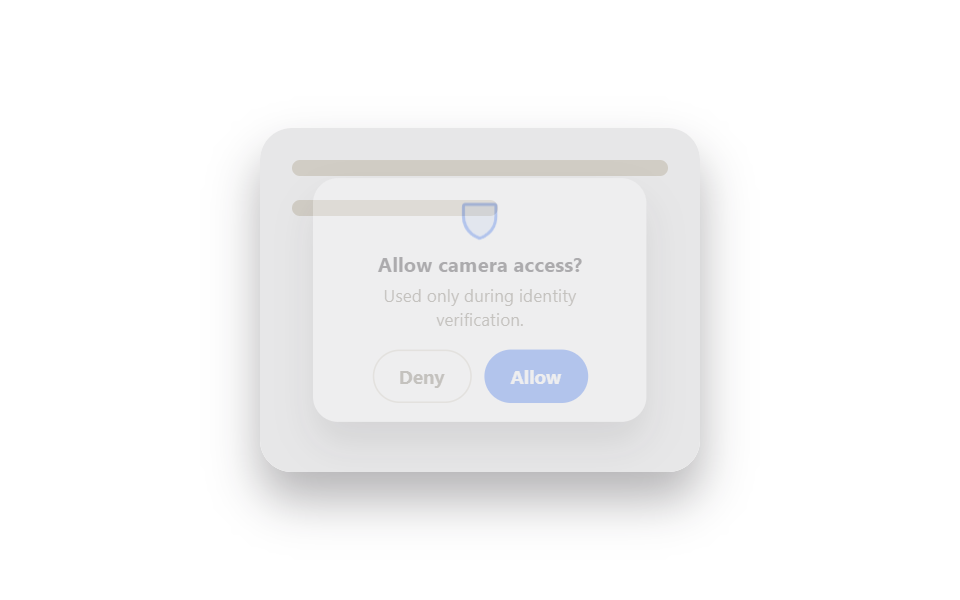 로그인·인증 UI본인인증 화면 UI 9가지 — 그대로 복사하는 인증 카드
 로그인·인증 UI계정 보안 설정 UI 9종 — 로그인한 뒤의 화면
 로그인·인증 UI로그인 실패 횟수 제한 9종 — 값이 계산으로 좁혀지는 잠금 아홉 가지
 로그인·인증 UI지문 인식 애니메이션 9종 — 스캔 진행률 값으로 갈리는 인증 버튼
 로그인·인증 UIcss captcha 9가지 — 왜곡 글자·회전 맞추기·노이즈 속 글자 확인
 로그인·인증 UI아바타 UI 9종 — 사진 파일 없이 만드는 사용자 표시
 로그인·인증 UI비밀번호 표시 아이콘 9가지 — 입력창 속 문자가 도트로 바뀌는 계산
 로그인·인증 UI로그인 UI 디자인 9종 — 회원가입부터 세션 만료까지
 입력 UI커스텀 체크박스 9종 — 체크 값으로 바뀌는 아홉 가지 방식
 버튼CSS 버튼 애니메이션 9종 — 복붙하면 되는 SCSS + React