로그인 실패 횟수 제한 9종 — 값이 계산으로 좁혀지는 잠금 아홉 가지
로그인 실패 횟수 제한은 몇 번 틀리면 값이 어떻게 줄고 늘어나는지를 계산으로 보여주는 잠금 인터랙션을 말하는데, 아홉 개 중 하나는 로그인이 틀릴 때마다 남은 시도 횟수 값이 하나씩 줄어들고, 하나는 실패가 쌓일수록 다음 시도까지 남은 대기 시간 값이 두 배씩 늘어나며, 또 하나는
아홉 개 전부 실패·성공 버튼 클릭에 반응해 남은 시도·대기 시간·잠금 초 같은 값을 MAX_TRIES·BACKOFF_BASE_SEC·LOCK_SECONDS 같은 상수로 재계산하는 결정론적 계산이며, 난수는 0 — 같은 순서로 클릭하면 항상 같은 값이 나옵니다. 화면 속 로그인·캡차는 전부 가상 흐름이라 실제 OAuth·SMS·캡차 서비스 호출이나 서버 요청은 하나도 없고, 실계정·실개인정보도 담지 않습니다.
 01 auth-attempt-counter-shake
 02 auth-attempt-backoff-timer
 03 auth-attempt-lockout-ring
 04 auth-attempt-captcha-escalate
 05 auth-attempt-alert-banner-slide
 06 auth-attempt-cooldown-countdown
 07 auth-attempt-history-list-fade
 08 auth-attempt-success-reset
 09 auth-attempt-reduced-motion-static
자동 재생 · 눌러서 해당 항목으로 · 전부 한 zip
- 01 남은 시도 횟수 흔들림 — 로그인이 틀릴 때마다 남은 시도 횟수 값이 줄면서 숫자가 짧게 흔들리는 방식
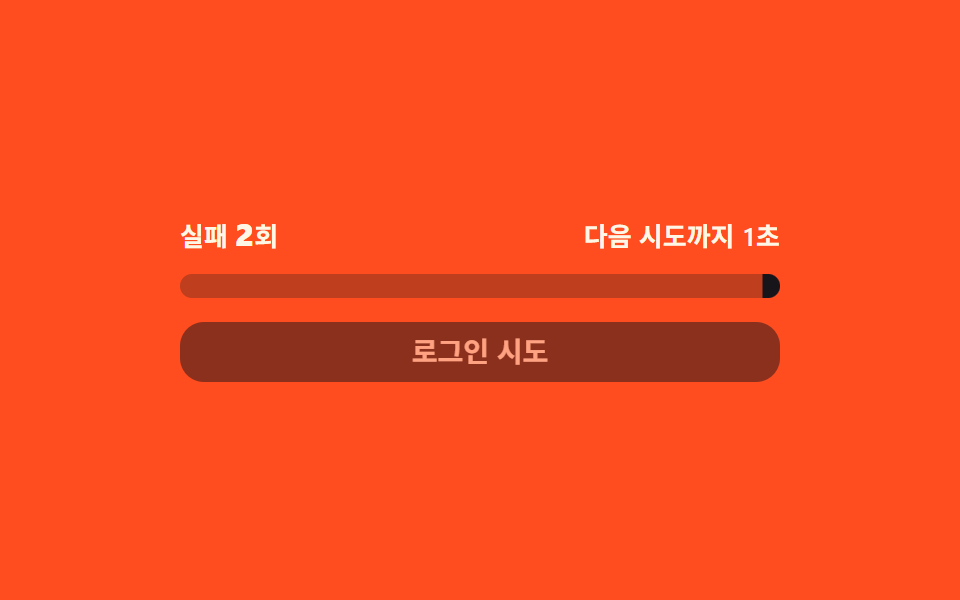
- 02 재시도 대기 배증 — 틀릴 때마다 다음 시도까지 남은 시간 값이 두 배씩 늘어나는 방식
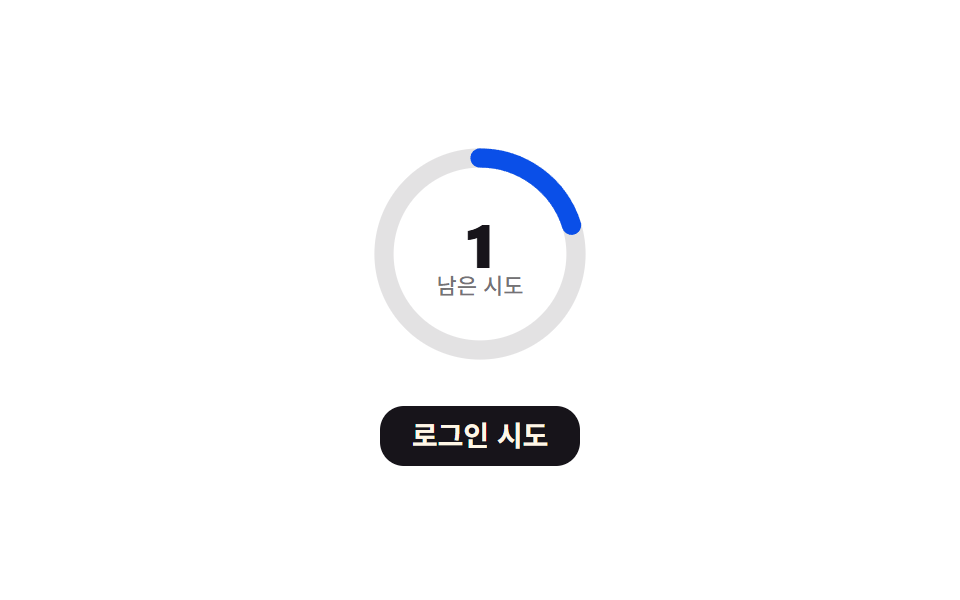
- 03 잠금까지 남은 링 — 남은 시도 횟수 값을 원형 진행률로 보여주는 방식
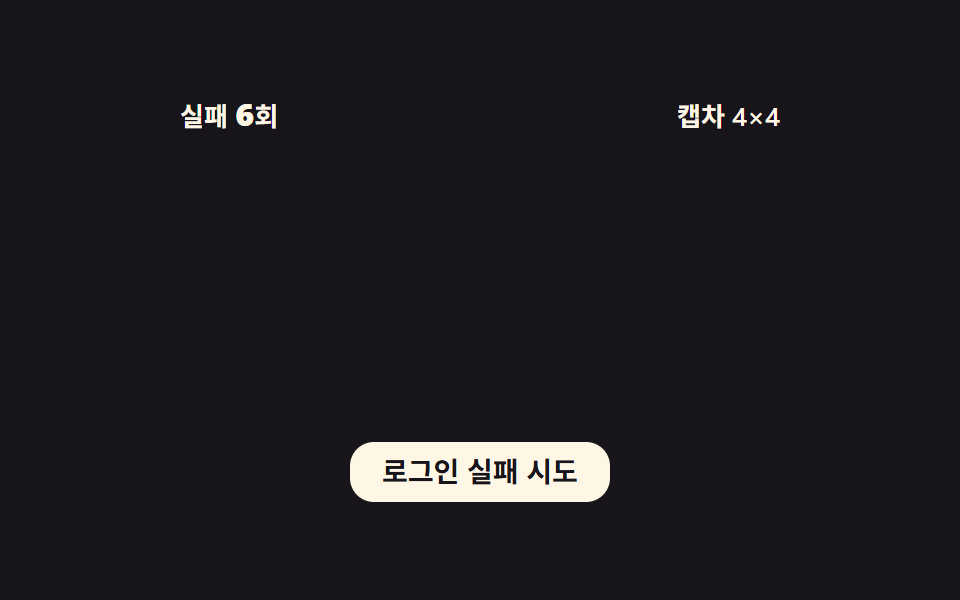
- 04 캡차 난이도 단계 — 실패 횟수가 기준 값을 넘을 때마다 캡차 칸 수 값이 늘어나는 방식
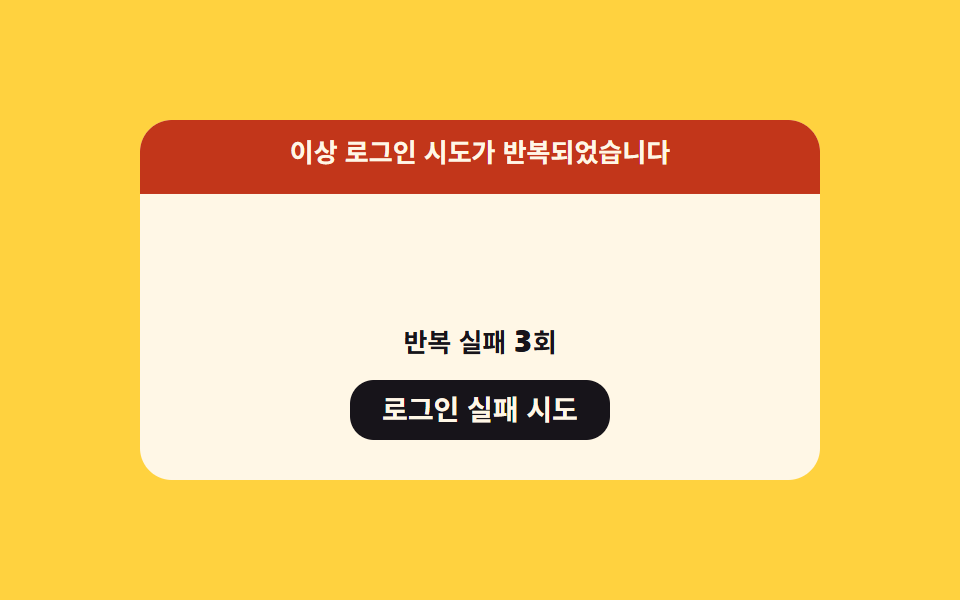
- 05 경고 배너 밀림 — 반복 실패가 기준을 넘으면 배너 위치 값이 화면 위에서 내려오는 방식
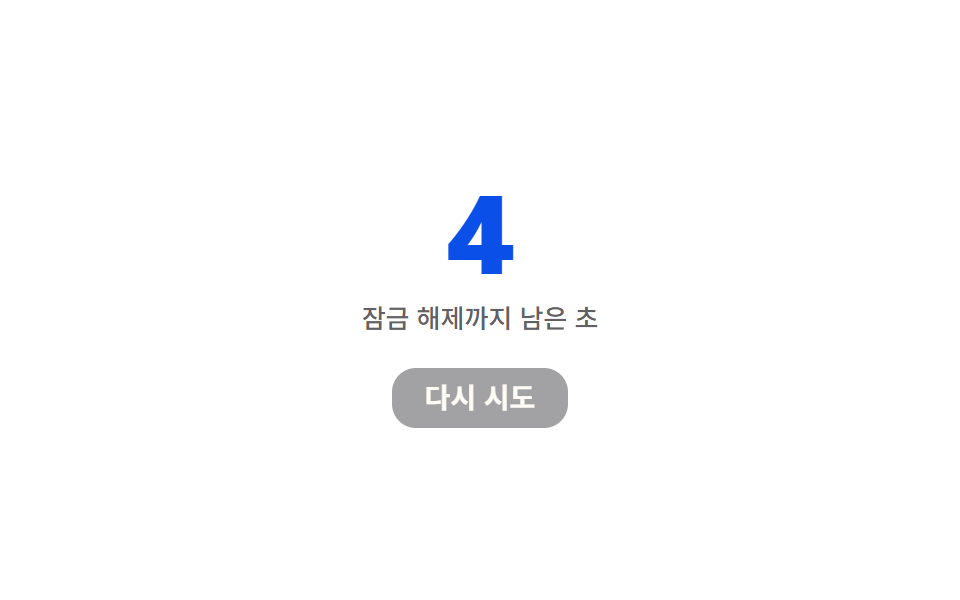
- 06 잠금 해제 카운트다운 — 잠긴 뒤 다시 시도할 수 있을 때까지 남은 초 값이 줄어드는 방식
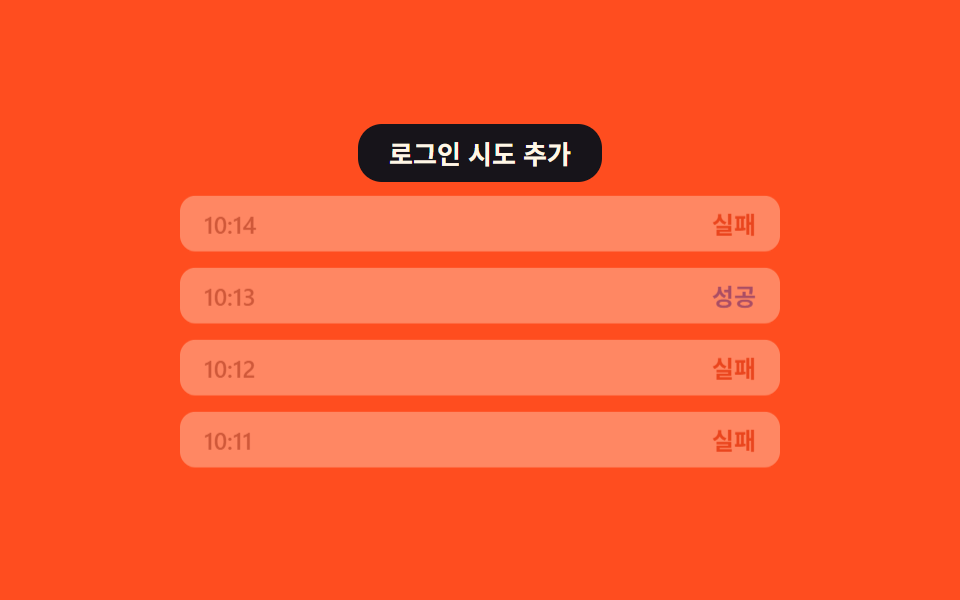
- 07 시도 기록 흐림 목록 — 새 시도가 쌓일 때마다 오래된 기록일수록 투명도 값이 낮아지는 방식
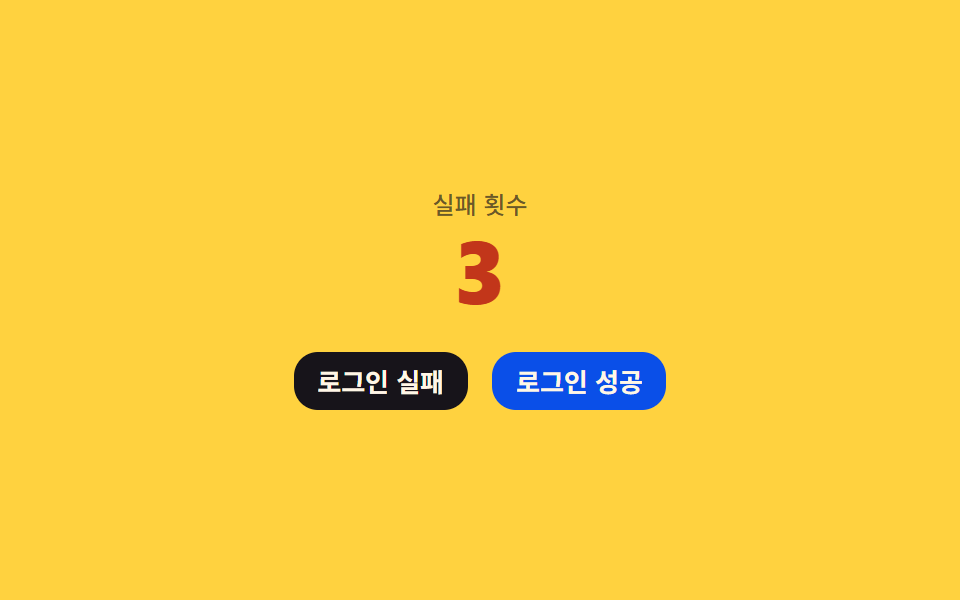
- 08 성공 시 초기화 — 한 번이라도 성공하면 실패 횟수 값이 곧바로 0으로 되돌아가는 방식
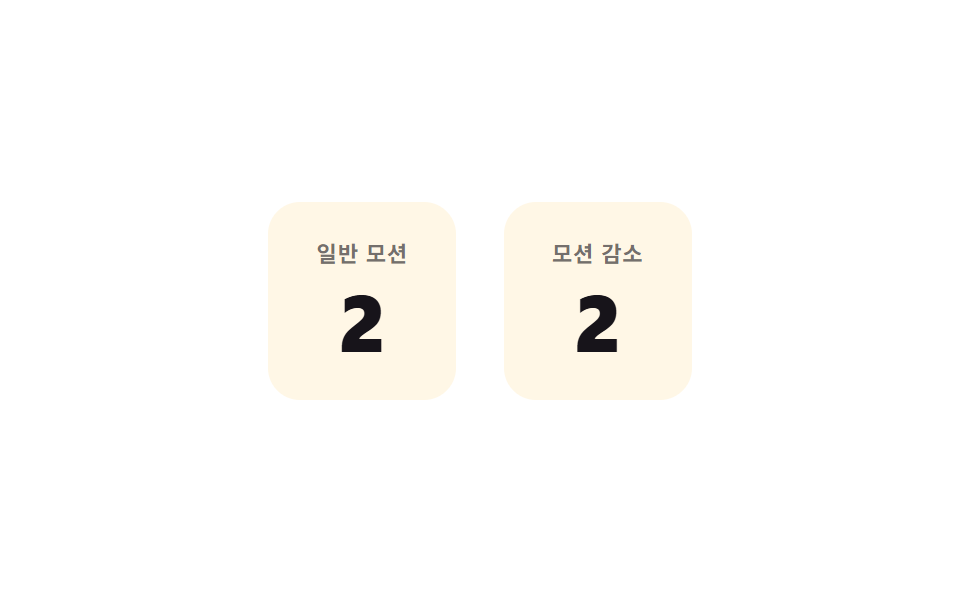
- 09 모션 감소 즉시 갱신 — 모션 감소 설정일 때 값이 움직임 없이 바로 다음 상태로 바뀌는 방식
아홉 개의 해부 — 어떤 값이 언제 바뀌는가
아홉 항목 모두 버튼(08 은 실패·성공 두 버튼, 09 는 카드 전체) click 이벤트로 값을 바꾸고, 클릭 없이 자동재생만으로 도는 항목은 하나도 없습니다 — 자동 시연 타이머는 !reduce 조건에서 보조로 돌 뿐 리스너 자체를 대신하지 않습니다.
| 번호 | 이름 | 리스너 | 누적면적% | 강도 | 움직인 프레임/23 |
|---|---|---|---|---|---|
| 01 | 남은 시도 흔들림 | click(로그인 버튼) | 0.51 | 115.7 | 14 |
| 02 | 재시도 대기 배증 | click(로그인 시도 버튼) | 9.49 | 127.8 | 23 |
| 03 | 잠금까지 남은 링 | click(로그인 시도 버튼) | 2.46 | 150.6 | 22 |
| 04 | 캡차 난이도 단계 | click(로그인 실패 시도 버튼) | 16.21 | 142.7 | 18 |
| 05 | 경고 배너 밀림 | click(로그인 실패 시도 버튼) | 8.39 | 128.2 | 12 |
| 06 | 잠금 해제 카운트다운 | click(다시 시도 버튼) | 3.72 | 171.7 | 23 |
| 07 | 시도 기록 흐림 목록 | click(로그인 시도 추가 버튼) | 39.98 | 99.8 | 22 |
| 08 | 성공 시 초기화 | click(실패)+click(성공) | 0.79 | 133.4 | 10 |
| 09 | 모션 감소 즉시 갱신 | click(카드 — 두 패널 값 동시 갱신) | 0.87 | 154.0 | 20 |
이 아홉 계산을 방식별로 나누면 다섯 갈래로 보입니다.
감쇠 사인으로 흔들리는 값 — 01·09
01 과 09 는 같은 계산을 공유합니다 — amp * Math.sin(t·2π·진동수) * (1-t) 로 만든 감쇠 사인 곡선이 숫자를 짧게 흔듭니다. 01 은 남은 시도가 줄수록 AMP_STEP 만큼 진폭이 커지고, 09 는 그 흔들림 계산(A 패널)을 트윈 없이 값만 즉시 바꾸는 계산(B 패널)과 나란히 놓아 두 방식의 차이를 눈으로 대조합니다.
기하급수·문턱으로 늘어나는 값 — 02·04
02 는 실패할 때마다 대기 초 값이 BACKOFF_BASE_SEC × 2^실패횟수 로 두 배씩 뛰다 CAP_SEC 에서 멈추고, 04 는 실패 횟수를 STAGE_THRESHOLD 로 나눈 몫만큼 캡차 칸 수 값이 CELL_STEPS 배열을 따라 단계적으로 늘어납니다. 둘 다 실패 횟수를 입력으로 삼지만 02 는 지수, 04 는 문턱 나눗셈이라 늘어나는 곡선의 모양이 다릅니다.
비율로 환산되는 값 — 03·07
03 은 남은 시도 값을 둘레 × (1 − 남은/최대) 식으로 SVG 링의 stroke-dashoffset 값으로 바꾸고, 07 은 목록의 몇 번째 기록인지를 max(최소 투명도, 1 − i×STEP) 식으로 투명도 값으로 바꿉니다. 두 계산 모두 물리 적분 없이 한 번의 나눗셈·곱셈으로 값을 끝냅니다.
스프링-감쇠로 되돌아오는 값 — 05·08
05 는 반복 실패가 기준을 넘는 순간 배너 위치 값을, 08 은 성공 순간 카운터 스케일 값을 각각 -K·변위 - C·속도 스프링 힘으로 목표 값에 되돌립니다. 이름이 같은 SPRING_K·SPRING_C 라도 05 와 08 은 서로 다른 값을 쓰는 별개 상수입니다.
시간이 흐르며 스스로 줄어드는 값 — 06
06 은 앞의 네 갈래와 달리 클릭 한 번으로 LOCK_SECONDS 값을 정한 뒤 매 초 스스로 1씩 줄어들고, 초가 바뀔 때마다 easeOutBack 곡선으로 만든 펄스 스케일 값이 따로 얹힙니다.
패턴별 코드
01남은 시도 횟수 흔들림 — 로그인이 틀릴 때마다 남은 시도 횟수 값이 줄면서 숫자가 짧게 흔들리는 방식
MAX_TRIES 5에서 시작한 남은 시도 값이 클릭마다 하나씩 줄고, 그 순간 AMP_BASE 3에 AMP_STEP 2를 남은 횟수만큼 더한 진폭으로 SHAKE_MS 480 동안 감쇠 사인 곡선을 그립니다.
  var remaining = MAX_TRIES;
  var shaking = false;

  function paint() {
    countEl.textContent = String(remaining);
    countEl.classList.toggle('acs__count--low', remaining <= 1);
  }

  // 계산 겹: 진폭 = 기준값 + (최대-남은)×증가폭, 감쇠 사인 = sin(t·2π·진동수)×(1-t)
  function shake() {
    var amp = AMP_BASE + (MAX_TRIES - remaining) * AMP_STEP;
    var start = null;
    shaking = true;
    function frame(ts) {
      if (start === null) start = ts;
      var t = Math.min(1, (ts - start) / SHAKE_MS);
      var x = amp * Math.sin(t * Math.PI * 2 * SHAKE_FREQ) * (1 - t);
      countEl.style.transform = 'translateX(' + x.toFixed(2) + 'px)';
      if (t < 1) requestAnimationFrame(frame);
      else { countEl.style.transform = 'translateX(0)'; shaking = false; }
    }
    requestAnimationFrame(frame);
  }
<main class="stage">
<div class="acs is-demo" id="acs">
  <div class="acs__card">
    <div class="acs__row">
      <label class="acs__field"><input class="acs__input" id="acsUser" type="text" placeholder="아이디" autocomplete="off" spellcheck="false"></label>
      <label class="acs__field"><input class="acs__input acs__input--pw" id="acsPass" type="text" placeholder="비밀번호" autocomplete="off" spellcheck="false"></label>
    </div>
    <button class="acs__btn" id="acsBtn" type="button">로그인</button>
    <div class="acs__readout">
      <span class="acs__label">남은 시도</span>
      <span class="acs__count" id="acsCount">5</span>
    </div>
  </div>
</div>
</main>
@use "../../../../site/static/demo-tokens" as *;
// 계산 겹: 흔들림 진폭 = 기준값 + (최대시도 − 남은시도)×증가폭, 감쇠 사인 곡선(index.html 참조)
@include stage($stage-yellow);
.acs {
width: 100%;
max-width: 300px;
display: grid;
gap: $sp-3;
}
.acs__card {
display: grid;
gap: $sp-3;
}
.acs__row {
display: grid;
gap: $sp-2;
}
.acs__field { display: block; }
.acs__input {
width: 100%;
box-sizing: border-box;
padding: $sp-2 $sp-3;
border-radius: $r-sm;
border: 0;
background: rgba($stage-ink, .08);
color: $stage-ink;
font: 500 14px/1.3 -apple-system, "Segoe UI", "Noto Sans KR", sans-serif;
&::placeholder { color: rgba($stage-ink, .48); }
&:focus { outline: 2px solid $stage-ink; outline-offset: 2px; }
}
.acs__input--pw { -webkit-text-security: disc; }
.acs__btn {
border: 0;
border-radius: $r-control;
padding: $sp-2 $sp-4;
background: $stage-ink;
color: $subject-cream;
font: 700 14px/1 -apple-system, "Segoe UI", "Noto Sans KR", sans-serif;
cursor: pointer;
transition: transform $dur-instant $ease-out;
&:active { transform: scale(.96); }
}
.acs__readout {
display: flex;
align-items: baseline;
justify-content: center;
gap: $sp-2;
}
.acs__label {
font: 500 12px/1 -apple-system, "Segoe UI", "Noto Sans KR", sans-serif;
color: rgba($stage-ink, .64);
}
.acs__count {
display: inline-block;
font: 800 28px/1 -apple-system, "Segoe UI", "Noto Sans KR", sans-serif;
color: $stage-ink;
font-variant-numeric: tabular-nums;
}
.acs__count--low { color: $error; }
@media (max-width: 340px) {
.acs { max-width: 220px; }
.acs__count { font-size: 22px; }
}
@media (prefers-reduced-motion: reduce) {
.acs__btn { transition: none; }
}html, body {
margin: 0;
overflow: hidden;
}
.stage {
box-sizing: border-box;
min-height: 100vh;
display: grid;
place-items: center;
margin: 0;
background: #ffd23f;
font-family: -apple-system, "Segoe UI", "Noto Sans KR", sans-serif;
padding: clamp(8px, 4vw, 24px);
}
.acs {
width: 100%;
max-width: 300px;
display: grid;
gap: 12px;
}
.acs__card {
display: grid;
gap: 12px;
}
.acs__row {
display: grid;
gap: 8px;
}
.acs__field {
display: block;
}
.acs__input {
width: 100%;
box-sizing: border-box;
padding: 8px 12px;
border-radius: 8px;
border: 0;
background: rgba(23, 20, 26, 0.08);
color: #17141a;
font: 500 14px/1.3 -apple-system, "Segoe UI", "Noto Sans KR", sans-serif;
}
.acs__input::placeholder {
color: rgba(23, 20, 26, 0.48);
}
.acs__input:focus {
outline: 2px solid #17141a;
outline-offset: 2px;
}
.acs__input--pw {
-webkit-text-security: disc;
}
.acs__btn {
border: 0;
border-radius: 12px;
padding: 8px 16px;
background: #17141a;
color: #fff7e6;
font: 700 14px/1 -apple-system, "Segoe UI", "Noto Sans KR", sans-serif;
cursor: pointer;
transition: transform 140ms ease-out;
}
.acs__btn:active {
transform: scale(0.96);
}
.acs__readout {
display: flex;
align-items: baseline;
justify-content: center;
gap: 8px;
}
.acs__label {
font: 500 12px/1 -apple-system, "Segoe UI", "Noto Sans KR", sans-serif;
color: rgba(23, 20, 26, 0.64);
}
.acs__count {
display: inline-block;
font: 800 28px/1 -apple-system, "Segoe UI", "Noto Sans KR", sans-serif;
color: #17141a;
font-variant-numeric: tabular-nums;
}
.acs__count--low {
color: #c2361a;
}
@media (max-width: 340px) {
.acs {
max-width: 220px;
}
.acs__count {
font-size: 22px;
}
}
@media (prefers-reduced-motion: reduce) {
.acs__btn {
transition: none;
}
}(function () {
var root = document.getElementById('acs');
var btn = document.getElementById('acsBtn');
var countEl = document.getElementById('acsCount');
// 상수: 최대 시도 횟수·흔들림 진폭 기준값·진폭 증가폭·흔들림 지속시간·진동 횟수
var MAX_TRIES = 5;
var AMP_BASE = 3; // px — 첫 실패 때 흔들림 폭
var AMP_STEP = 2; // px — 남은 횟수가 줄 때마다 늘어나는 폭
var SHAKE_MS = 480;
var SHAKE_FREQ = 4; // 진동 횟수
var remaining = MAX_TRIES;
var shaking = false;
function paint() {
countEl.textContent = String(remaining);
countEl.classList.toggle('acs__count--low', remaining <= 1);
}
// 계산 겹: 진폭 = 기준값 + (최대-남은)×증가폭, 감쇠 사인 = sin(t·2π·진동수)×(1-t)
function shake() {
var amp = AMP_BASE + (MAX_TRIES - remaining) * AMP_STEP;
var start = null;
shaking = true;
function frame(ts) {
if (start === null) start = ts;
var t = Math.min(1, (ts - start) / SHAKE_MS);
var x = amp * Math.sin(t * Math.PI * 2 * SHAKE_FREQ) * (1 - t);
countEl.style.transform = 'translateX(' + x.toFixed(2) + 'px)';
if (t < 1) requestAnimationFrame(frame);
else { countEl.style.transform = 'translateX(0)'; shaking = false; }
}
requestAnimationFrame(frame);
}
function fail() {
if (shaking) return;
remaining = remaining > 0 ? remaining - 1 : MAX_TRIES;
paint();
shake();
}
btn.addEventListener('click', function () {
root.classList.remove('is-demo');
stopAutoplay();
fail();
});
paint();
var autoTimer = null;
function stopAutoplay() { if (autoTimer) { clearInterval(autoTimer); autoTimer = null; } }
var reduce = window.matchMedia('(prefers-reduced-motion: reduce)').matches;
if (!reduce) { autoTimer = setInterval(fail, 420); }
})();import { useEffect, useRef } from "react";
import styles from "./AuthAttemptCounterShake.module.scss";
type Box<T> = { current: T };
export default function AuthAttemptCounterShake() {
const rootRef = useRef(null) as unknown as Box<HTMLDivElement | null>;
useEffect(() => {
const root = rootRef.current;
if (!root) return;
const btn = root.querySelector(`.${styles.btn}`) as HTMLButtonElement | null;
const countEl = root.querySelector(`.${styles.count}`) as HTMLElement | null;
if (!btn || !countEl) return;
// 상수: 최대 시도 횟수·흔들림 진폭 기준값·진폭 증가폭·흔들림 지속시간·진동 횟수
const MAX_TRIES = 5;
const AMP_BASE = 3;
const AMP_STEP = 2;
const SHAKE_MS = 480;
const SHAKE_FREQ = 4;
let remaining = MAX_TRIES;
let shaking = false;
function paint() {
countEl!.textContent = String(remaining);
countEl!.classList.toggle(styles["count--low"], remaining <= 1);
}
// 계산 겹: 진폭 = 기준값 + (최대-남은)×증가폭, 감쇠 사인 = sin(t·2π·진동수)×(1-t)
function shake() {
const amp = AMP_BASE + (MAX_TRIES - remaining) * AMP_STEP;
let start: number | null = null;
shaking = true;
function frame(ts: number) {
if (start === null) start = ts;
const t = Math.min(1, (ts - start) / SHAKE_MS);
const x = amp * Math.sin(t * Math.PI * 2 * SHAKE_FREQ) * (1 - t);
countEl!.style.transform = "translateX(" + x.toFixed(2) + "px)";
if (t < 1) requestAnimationFrame(frame);
else { countEl!.style.transform = "translateX(0)"; shaking = false; }
}
requestAnimationFrame(frame);
}
function fail() {
if (shaking) return;
remaining = remaining > 0 ? remaining - 1 : MAX_TRIES;
paint();
shake();
}
function onClick() {
root!.classList.remove(styles["is-demo"]);
stopAutoplay();
fail();
}
btn.addEventListener("click", onClick);
paint();
let autoTimer: number | null = null;
function stopAutoplay() { if (autoTimer !== null) { window.clearInterval(autoTimer); autoTimer = null; } }
const reduce = window.matchMedia("(prefers-reduced-motion: reduce)").matches;
if (!reduce) { autoTimer = window.setInterval(fail, 420); }
return () => {
stopAutoplay();
btn.removeEventListener("click", onClick);
};
}, []);
return (
<div ref={rootRef} className={`${styles.stage} ${styles.acs} ${styles["is-demo"]}`}>
<div className={styles.card}>
<div className={styles.row}>
<label className={styles.field}>
<input className={styles.input} type="text" placeholder="아이디" autoComplete="off" spellCheck={false} />
</label>
<label className={styles.field}>
<input className={`${styles.input} ${styles["input--pw"]}`} type="text" placeholder="비밀번호" autoComplete="off" spellCheck={false} />
</label>
</div>
<button className={styles.btn} type="button">로그인</button>
<div className={styles.readout}>
<span className={styles.label}>남은 시도</span>
<span className={styles.count}>5</span>
</div>
</div>
</div>
);
}01 · 남은 시도 횟수 흔들림 — 로그인이 틀릴 때마다 남은 시도 횟수 값이 줄면서 숫자가 짧게 흔들리는 방식 — 측정 누적면적 0.505% · 움직인 프레임 14/23GODRICH 원작 · zip 에 SCSS·React 포함 · 비밀번호 보기
02재시도 대기 배증 — 틀릴 때마다 다음 시도까지 남은 시간 값이 두 배씩 늘어나는 방식
실패 횟수가 늘 때마다 대기 초 값이 BACKOFF_BASE_SEC × 2^실패횟수 로 두 배씩 커지다 CAP_SEC 16초에서 증가를 멈춥니다. 데모 안에서는 DEMO_TICK_MS 90ms 를 실제 1초처럼 가속해 값이 줄어드는 흐름을 짧게 보여줍니다.
  // 상수: 지수 백오프 = BACKOFF_BASE_SEC × 2^실패횟수(초), CAP_SEC 에서 증가를 멈춘다
  var BACKOFF_BASE_SEC = 1;
  var CAP_SEC = 16;
  var DEMO_TICK_MS = 90; // 데모 안에서 "1초"를 표현하는 실제 ms(가속)

  var fails = 0;
  var locked = false;
  var rafId = null;

  function waitSecondsOf(n) {
    return Math.min(CAP_SEC, BACKOFF_BASE_SEC * Math.pow(2, n));
  }
<main class="stage">
<div class="abt is-demo" id="abt">
  <div class="abt__card">
    <div class="abt__row">
      <span class="abt__label">실패 <b id="abtFails">0</b>회</span>
      <span class="abt__wait" id="abtWait">대기 없음</span>
    </div>
    <div class="abt__track"><div class="abt__fill" id="abtFill"></div></div>
    <button class="abt__btn" id="abtBtn" type="button">로그인 시도</button>
  </div>
</div>
</main>
@use "../../../../site/static/demo-tokens" as *;
// 계산 겹: 대기초 = min(CAP, BACKOFF_BASE×2^실패횟수) — index.html 참조. 막대는 남은비율로 scaleX
@include stage($stage-orange);
.abt {
width: 100%;
max-width: 300px;
}
.abt__card {
display: grid;
gap: $sp-3;
}
.abt__row {
display: flex;
align-items: baseline;
justify-content: space-between;
font: 600 13px/1 -apple-system, "Segoe UI", "Noto Sans KR", sans-serif;
color: $subject-cream;
}
.abt__label b { font-size: 16px; font-variant-numeric: tabular-nums; }
.abt__wait {
font-variant-numeric: tabular-nums;
color: $subject-cream;
}
.abt__track {
position: relative;
height: $sp-3;
border-radius: $r-sm;
background: rgba(23, 20, 26, .28);
overflow: hidden;
}
.abt__fill {
position: absolute;
inset: 0;
border-radius: $r-sm;
background: $stage-ink;
transform: scaleX(0);
transform-origin: right center;
}
.abt__btn {
border: 0;
border-radius: $r-control;
padding: $sp-2 $sp-4;
background: $stage-ink;
color: $subject-cream;
font: 700 14px/1 -apple-system, "Segoe UI", "Noto Sans KR", sans-serif;
cursor: pointer;
transition: opacity $dur-instant $ease-out;
&:disabled { opacity: .5; cursor: not-allowed; }
}
@media (max-width: 340px) {
.abt { max-width: 220px; }
.abt__row { font-size: 12px; }
}
@media (prefers-reduced-motion: reduce) {
.abt__btn { transition: none; }
}html, body {
margin: 0;
overflow: hidden;
}
.stage {
box-sizing: border-box;
min-height: 100vh;
display: grid;
place-items: center;
margin: 0;
background: #ff4d1f;
font-family: -apple-system, "Segoe UI", "Noto Sans KR", sans-serif;
padding: clamp(8px, 4vw, 24px);
}
.abt {
width: 100%;
max-width: 300px;
}
.abt__card {
display: grid;
gap: 12px;
}
.abt__row {
display: flex;
align-items: baseline;
justify-content: space-between;
font: 600 13px/1 -apple-system, "Segoe UI", "Noto Sans KR", sans-serif;
color: #fff7e6;
}
.abt__label b {
font-size: 16px;
font-variant-numeric: tabular-nums;
}
.abt__wait {
font-variant-numeric: tabular-nums;
color: #fff7e6;
}
.abt__track {
position: relative;
height: 12px;
border-radius: 8px;
background: rgba(23, 20, 26, 0.28);
overflow: hidden;
}
.abt__fill {
position: absolute;
inset: 0;
border-radius: 8px;
background: #17141a;
transform: scaleX(0);
transform-origin: right center;
}
.abt__btn {
border: 0;
border-radius: 12px;
padding: 8px 16px;
background: #17141a;
color: #fff7e6;
font: 700 14px/1 -apple-system, "Segoe UI", "Noto Sans KR", sans-serif;
cursor: pointer;
transition: opacity 140ms ease-out;
}
.abt__btn:disabled {
opacity: 0.5;
cursor: not-allowed;
}
@media (max-width: 340px) {
.abt {
max-width: 220px;
}
.abt__row {
font-size: 12px;
}
}
@media (prefers-reduced-motion: reduce) {
.abt__btn {
transition: none;
}
}(function () {
var root = document.getElementById('abt');
var btn = document.getElementById('abtBtn');
var failsEl = document.getElementById('abtFails');
var waitEl = document.getElementById('abtWait');
var fill = document.getElementById('abtFill');
// 상수: 지수 백오프 = BACKOFF_BASE_SEC × 2^실패횟수(초), CAP_SEC 에서 증가를 멈춘다
var BACKOFF_BASE_SEC = 1;
var CAP_SEC = 16;
var DEMO_TICK_MS = 90; // 데모 안에서 "1초"를 표현하는 실제 ms(가속)
var fails = 0;
var locked = false;
var rafId = null;
function waitSecondsOf(n) {
return Math.min(CAP_SEC, BACKOFF_BASE_SEC * Math.pow(2, n));
}
function countdown(totalSec) {
locked = true;
btn.disabled = true;
var start = null;
var totalMs = totalSec * DEMO_TICK_MS;
function frame(ts) {
if (start === null) start = ts;
var elapsed = ts - start;
var left = Math.max(0, totalSec - elapsed / DEMO_TICK_MS);
waitEl.textContent = '다음 시도까지 ' + Math.ceil(left) + '초';
fill.style.transform = 'scaleX(' + Math.max(0, left / totalSec) + ')';
if (elapsed < totalMs) { rafId = requestAnimationFrame(frame); }
else {
waitEl.textContent = '대기 없음';
fill.style.transform = 'scaleX(0)';
locked = false;
btn.disabled = false;
}
}
rafId = requestAnimationFrame(frame);
}
function fail() {
if (locked) return;
fails += 1;
failsEl.textContent = String(fails);
countdown(waitSecondsOf(fails));
}
function reset() {
if (rafId) cancelAnimationFrame(rafId);
fails = 0;
locked = false;
btn.disabled = false;
failsEl.textContent = '0';
waitEl.textContent = '대기 없음';
fill.style.transform = 'scaleX(0)';
}
btn.addEventListener('click', function () {
root.classList.remove('is-demo');
stopAutoplay();
fail();
});
var autoTimer = null;
var stage = 0;
function autoTick() {
if (locked) return;
if (stage >= 4) { reset(); stage = 0; return; }
fail();
stage += 1;
}
function stopAutoplay() { if (autoTimer) { clearInterval(autoTimer); autoTimer = null; } }
var reduce = window.matchMedia('(prefers-reduced-motion: reduce)').matches;
if (!reduce) { autoTimer = setInterval(autoTick, 260); }
})();import { useEffect, useRef } from "react";
import styles from "./AuthAttemptBackoffTimer.module.scss";
type Box<T> = { current: T };
export default function AuthAttemptBackoffTimer() {
const rootRef = useRef(null) as unknown as Box<HTMLDivElement | null>;
useEffect(() => {
const root = rootRef.current;
if (!root) return;
const btn = root.querySelector(`.${styles.btn}`) as HTMLButtonElement | null;
const failsEl = root.querySelector(`.${styles.fails}`) as HTMLElement | null;
const waitEl = root.querySelector(`.${styles.wait}`) as HTMLElement | null;
const fill = root.querySelector(`.${styles.fill}`) as HTMLElement | null;
if (!btn || !failsEl || !waitEl || !fill) return;
// 상수: 지수 백오프 = BACKOFF_BASE_SEC × 2^실패횟수(초), CAP_SEC 에서 증가를 멈춘다
const BACKOFF_BASE_SEC = 1;
const CAP_SEC = 16;
const DEMO_TICK_MS = 90;
let fails = 0;
let locked = false;
let rafId: number | null = null;
function waitSecondsOf(n: number) {
return Math.min(CAP_SEC, BACKOFF_BASE_SEC * Math.pow(2, n));
}
function countdown(totalSec: number) {
locked = true;
btn!.disabled = true;
let start: number | null = null;
const totalMs = totalSec * DEMO_TICK_MS;
function frame(ts: number) {
if (start === null) start = ts;
const elapsed = ts - start;
const left = Math.max(0, totalSec - elapsed / DEMO_TICK_MS);
waitEl!.textContent = "다음 시도까지 " + Math.ceil(left) + "초";
fill!.style.transform = "scaleX(" + Math.max(0, left / totalSec) + ")";
if (elapsed < totalMs) { rafId = requestAnimationFrame(frame); }
else {
waitEl!.textContent = "대기 없음";
fill!.style.transform = "scaleX(0)";
locked = false;
btn!.disabled = false;
}
}
rafId = requestAnimationFrame(frame);
}
function fail() {
if (locked) return;
fails += 1;
failsEl!.textContent = String(fails);
countdown(waitSecondsOf(fails));
}
function reset() {
if (rafId !== null) cancelAnimationFrame(rafId);
fails = 0;
locked = false;
btn!.disabled = false;
failsEl!.textContent = "0";
waitEl!.textContent = "대기 없음";
fill!.style.transform = "scaleX(0)";
}
function onClick() {
root!.classList.remove(styles["is-demo"]);
stopAutoplay();
fail();
}
btn.addEventListener("click", onClick);
let autoTimer: number | null = null;
let stage = 0;
function autoTick() {
if (locked) return;
if (stage >= 4) { reset(); stage = 0; return; }
fail();
stage += 1;
}
function stopAutoplay() { if (autoTimer !== null) { window.clearInterval(autoTimer); autoTimer = null; } }
const reduce = window.matchMedia("(prefers-reduced-motion: reduce)").matches;
if (!reduce) { autoTimer = window.setInterval(autoTick, 260); }
return () => {
stopAutoplay();
if (rafId !== null) cancelAnimationFrame(rafId);
btn.removeEventListener("click", onClick);
};
}, []);
return (
<div ref={rootRef} className={`${styles.stage} ${styles.abt} ${styles["is-demo"]}`}>
<div className={styles.card}>
<div className={styles.row}>
<span className={styles.label}>실패 <b className={styles.fails}>0</b>회</span>
<span className={styles.wait}>대기 없음</span>
</div>
<div className={styles.track}><div className={styles.fill} /></div>
<button className={styles.btn} type="button">로그인 시도</button>
</div>
</div>
);
}02 · 재시도 대기 배증 — 틀릴 때마다 다음 시도까지 남은 시간 값이 두 배씩 늘어나는 방식 — 측정 누적면적 9.492% · 움직인 프레임 23/23GODRICH 원작 · zip 에 SCSS·React 포함 · 비밀번호 보기
03잠금까지 남은 링 — 남은 시도 횟수 값을 원형 진행률로 보여주는 방식
남은 시도 값이 줄어들수록 SVG 링의 stroke-dashoffset 값이 둘레 × (1 − 남은/최대) 식으로 같이 줄어, 원형 진행률이 잠금에 가까워지는 만큼 비워집니다.
  // 상수: 최대 시도 횟수·링 반지름(SVG viewBox 좌표)
  var MAX_TRIES = 5;
  var R = 40;
  var CIRC = 2 * Math.PI * R; // 원둘레
  prog.style.strokeDasharray = CIRC.toFixed(2);

  var remaining = MAX_TRIES;

  // 계산 겹: 링 오프셋 = 둘레 × (1 − 남은/최대) — stroke-dashoffset 산술
  function paint() {
    countEl.textContent = String(remaining);
    var offset = CIRC * (1 - remaining / MAX_TRIES);
    prog.style.strokeDashoffset = offset.toFixed(2);
    root.classList.toggle('alr--locked', remaining <= 0);
  }
<main class="stage">
<div class="alr is-demo" id="alr">
  <div class="alr__ringwrap">
    <svg class="alr__ring" viewBox="0 0 100 100" width="120" height="120">
      <circle class="alr__track" cx="50" cy="50" r="40"></circle>
      <circle class="alr__prog" id="alrProg" cx="50" cy="50" r="40"></circle>
    </svg>
    <div class="alr__mid">
      <span class="alr__count" id="alrCount">5</span>
      <span class="alr__label">남은 시도</span>
    </div>
  </div>
  <button class="alr__btn" id="alrBtn" type="button">로그인 시도</button>
</div>
</main>
@use "../../../../site/static/demo-tokens" as *;
// 계산 겹: stroke-dashoffset = 둘레×(1 − 남은시도/최대시도) — index.html 참조
@include stage($stage-paper);
.alr {
display: grid;
justify-items: center;
gap: $sp-4;
}
.alr__ringwrap {
position: relative;
display: grid;
place-items: center;
}
.alr__ring {
transform: rotate(-90deg);
}
.alr__track {
fill: none;
stroke: rgba($stage-ink, .12);
stroke-width: 8;
}
.alr__prog {
fill: none;
stroke: $subject-blue-deep;
stroke-width: 8;
stroke-linecap: round;
transition: stroke-dashoffset $dur-base $ease-out, stroke $dur-base $ease-out;
}
.alr--locked .alr__prog { stroke: $error; }
.alr__mid {
position: absolute;
display: grid;
justify-items: center;
}
.alr__count {
font: 800 30px/1 -apple-system, "Segoe UI", "Noto Sans KR", sans-serif;
color: $stage-ink;
font-variant-numeric: tabular-nums;
}
.alr__label {
font: 500 11px/1 -apple-system, "Segoe UI", "Noto Sans KR", sans-serif;
color: rgba($stage-ink, .6);
}
.alr__btn {
border: 0;
border-radius: $r-control;
padding: $sp-2 $sp-4;
background: $stage-ink;
color: $subject-cream;
font: 700 14px/1 -apple-system, "Segoe UI", "Noto Sans KR", sans-serif;
cursor: pointer;
transition: transform $dur-instant $ease-out;
&:active { transform: scale(.96); }
}
@media (max-width: 340px) {
.alr__ring { width: 92px; height: 92px; }
.alr__count { font-size: 24px; }
}
@media (prefers-reduced-motion: reduce) {
.alr__prog { transition: none; }
}html, body {
margin: 0;
overflow: hidden;
}
.stage {
box-sizing: border-box;
min-height: 100vh;
display: grid;
place-items: center;
margin: 0;
background: #ffffff;
font-family: -apple-system, "Segoe UI", "Noto Sans KR", sans-serif;
padding: clamp(8px, 4vw, 24px);
}
.alr {
display: grid;
justify-items: center;
gap: 16px;
}
.alr__ringwrap {
position: relative;
display: grid;
place-items: center;
}
.alr__ring {
transform: rotate(-90deg);
}
.alr__track {
fill: none;
stroke: rgba(23, 20, 26, 0.12);
stroke-width: 8;
}
.alr__prog {
fill: none;
stroke: #0a4fe8;
stroke-width: 8;
stroke-linecap: round;
transition: stroke-dashoffset 300ms ease-out, stroke 300ms ease-out;
}
.alr--locked .alr__prog {
stroke: #c2361a;
}
.alr__mid {
position: absolute;
display: grid;
justify-items: center;
}
.alr__count {
font: 800 30px/1 -apple-system, "Segoe UI", "Noto Sans KR", sans-serif;
color: #17141a;
font-variant-numeric: tabular-nums;
}
.alr__label {
font: 500 11px/1 -apple-system, "Segoe UI", "Noto Sans KR", sans-serif;
color: rgba(23, 20, 26, 0.6);
}
.alr__btn {
border: 0;
border-radius: 12px;
padding: 8px 16px;
background: #17141a;
color: #fff7e6;
font: 700 14px/1 -apple-system, "Segoe UI", "Noto Sans KR", sans-serif;
cursor: pointer;
transition: transform 140ms ease-out;
}
.alr__btn:active {
transform: scale(0.96);
}
@media (max-width: 340px) {
.alr__ring {
width: 92px;
height: 92px;
}
.alr__count {
font-size: 24px;
}
}
@media (prefers-reduced-motion: reduce) {
.alr__prog {
transition: none;
}
}(function () {
var root = document.getElementById('alr');
var btn = document.getElementById('alrBtn');
var countEl = document.getElementById('alrCount');
var prog = document.getElementById('alrProg');
// 상수: 최대 시도 횟수·링 반지름(SVG viewBox 좌표)
var MAX_TRIES = 5;
var R = 40;
var CIRC = 2 * Math.PI * R; // 원둘레
prog.style.strokeDasharray = CIRC.toFixed(2);
var remaining = MAX_TRIES;
// 계산 겹: 링 오프셋 = 둘레 × (1 − 남은/최대) — stroke-dashoffset 산술
function paint() {
countEl.textContent = String(remaining);
var offset = CIRC * (1 - remaining / MAX_TRIES);
prog.style.strokeDashoffset = offset.toFixed(2);
root.classList.toggle('alr--locked', remaining <= 0);
}
function fail() {
if (remaining <= 0) { remaining = MAX_TRIES; paint(); return; }
remaining -= 1;
paint();
}
btn.addEventListener('click', function () {
root.classList.remove('is-demo');
stopAutoplay();
fail();
});
paint();
var autoTimer = null;
function stopAutoplay() { if (autoTimer) { clearInterval(autoTimer); autoTimer = null; } }
var reduce = window.matchMedia('(prefers-reduced-motion: reduce)').matches;
if (!reduce) { autoTimer = setInterval(fail, 380); }
})();import { useEffect, useRef } from "react";
import styles from "./AuthAttemptLockoutRing.module.scss";
type Box<T> = { current: T };
export default function AuthAttemptLockoutRing() {
const rootRef = useRef(null) as unknown as Box<HTMLDivElement | null>;
useEffect(() => {
const root = rootRef.current;
if (!root) return;
const btn = root.querySelector(`.${styles.btn}`) as HTMLButtonElement | null;
const countEl = root.querySelector(`.${styles.count}`) as HTMLElement | null;
const prog = root.querySelector(`.${styles.prog}`) as SVGCircleElement | null;
if (!btn || !countEl || !prog) return;
// 상수: 최대 시도 횟수·링 반지름(SVG viewBox 좌표)
const MAX_TRIES = 5;
const R = 40;
const CIRC = 2 * Math.PI * R;
prog.style.strokeDasharray = CIRC.toFixed(2);
let remaining = MAX_TRIES;
// 계산 겹: 링 오프셋 = 둘레 × (1 − 남은/최대) — stroke-dashoffset 산술
function paint() {
countEl!.textContent = String(remaining);
const offset = CIRC * (1 - remaining / MAX_TRIES);
prog!.style.strokeDashoffset = offset.toFixed(2);
root!.classList.toggle(styles.locked, remaining <= 0);
}
function fail() {
if (remaining <= 0) { remaining = MAX_TRIES; paint(); return; }
remaining -= 1;
paint();
}
function onClick() {
root!.classList.remove(styles["is-demo"]);
stopAutoplay();
fail();
}
btn.addEventListener("click", onClick);
paint();
let autoTimer: number | null = null;
function stopAutoplay() { if (autoTimer !== null) { window.clearInterval(autoTimer); autoTimer = null; } }
const reduce = window.matchMedia("(prefers-reduced-motion: reduce)").matches;
if (!reduce) { autoTimer = window.setInterval(fail, 380); }
return () => {
stopAutoplay();
btn.removeEventListener("click", onClick);
};
}, []);
return (
<div ref={rootRef} className={`${styles.stage} ${styles.alr} ${styles["is-demo"]}`}>
<div className={styles.ringwrap}>
<svg className={styles.ring} viewBox="0 0 100 100" width={120} height={120}>
<circle className={styles.track} cx={50} cy={50} r={40} />
<circle className={styles.prog} cx={50} cy={50} r={40} />
</svg>
<div className={styles.mid}>
<span className={styles.count}>5</span>
<span className={styles.label}>남은 시도</span>
</div>
</div>
<button className={styles.btn} type="button">로그인 시도</button>
</div>
);
}03 · 잠금까지 남은 링 — 남은 시도 횟수 값을 원형 진행률로 보여주는 방식 — 측정 누적면적 2.46% · 움직인 프레임 22/23GODRICH 원작 · zip 에 SCSS·React 포함 · 비밀번호 보기
04캡차 난이도 단계 — 실패 횟수가 기준 값을 넘을 때마다 캡차 칸 수 값이 늘어나는 방식
실패 횟수를 STAGE_THRESHOLD 2로 나눈 몫이 단계 값이 되고, 그 단계에 맞는 칸 수를 CELL_STEPS 배열(0·4·9·16)에서 골라 격자를 다시 그립니다.
  // 상수: 캡차 단계 승격 기준 실패 횟수 · 단계별 칸 수(제곱수라야 격자가 맞는다) · 자동재생 리셋 주기
  var STAGE_THRESHOLD = 2;
  var CELL_STEPS = [0, 4, 9, 16]; // 단계 0=없음, 1=2x2, 2=3x3, 3(상한)=4x4
  var AUTOPLAY_RESET_TICKS = 7;

  var fails = 0;

  function render() {
    // 계산 겹: 단계 = min(상한, floor(실패÷기준)), 칸수 = CELL_STEPS[단계]
    var stage = Math.min(CELL_STEPS.length - 1, Math.floor(fails / STAGE_THRESHOLD));
    var cells = CELL_STEPS[stage];
    var cols = Math.round(Math.sqrt(cells)) || 0;
    failsEl.textContent = String(fails);
    stageEl.textContent = stage === 0 ? '캡차 없음' : ('캡차 ' + cols + '×' + cols);
    grid.style.setProperty('--cols', cols || 1);
    grid.innerHTML = '';
    for (var i = 0; i < cells; i++) {
      var c = document.createElement('div');
      c.className = 'ace__cell';
      grid.appendChild(c);
    }
  }
<main class="stage">
<div class="ace is-demo" id="ace">
  <div class="ace__row">
    <span class="ace__label">실패 <b id="aceFails">0</b>회</span>
    <span class="ace__stage" id="aceStage">캡차 없음</span>
  </div>
  <div class="ace__grid" id="aceGrid"></div>
  <button class="ace__btn" id="aceBtn" type="button">로그인 실패 시도</button>
</div>
</main>
@use "../../../../site/static/demo-tokens" as *;
// 계산 겹: 캡차 단계 = floor(실패÷STAGE_THRESHOLD), 칸수 = CELL_STEPS[단계] — index.html 참조
@include stage($stage-ink);
.ace {
width: 100%;
max-width: 300px;
display: grid;
gap: $sp-3;
justify-items: center;
}
.ace__row {
width: 100%;
display: flex;
align-items: baseline;
justify-content: space-between;
font: 600 13px/1 -apple-system, "Segoe UI", "Noto Sans KR", sans-serif;
color: $subject-cream;
}
.ace__row b { font-size: 16px; font-variant-numeric: tabular-nums; }
.ace__grid {
display: grid;
grid-template-columns: repeat(var(--cols, 1), 1fr);
gap: $sp-2;
width: 132px;
min-height: 8px;
}
.ace__cell {
aspect-ratio: 1;
border-radius: $r-xs;
background: $subject-lilac;
animation: ace-pop $dur-quick $ease-pop backwards;
}
@keyframes ace-pop {
from { transform: scale(.4); opacity: 0; }
to { transform: scale(1); opacity: 1; }
}
.ace__btn {
border: 0;
border-radius: $r-control;
padding: $sp-2 $sp-4;
background: $subject-cream;
color: $stage-ink;
font: 700 14px/1 -apple-system, "Segoe UI", "Noto Sans KR", sans-serif;
cursor: pointer;
transition: transform $dur-instant $ease-out;
&:active { transform: scale(.96); }
}
@media (max-width: 340px) {
.ace { max-width: 220px; }
.ace__grid { width: 100px; }
}
@media (prefers-reduced-motion: reduce) {
.ace__btn { transition: none; }
.ace__cell { animation: none; }
}html, body {
margin: 0;
overflow: hidden;
}
.stage {
box-sizing: border-box;
min-height: 100vh;
display: grid;
place-items: center;
margin: 0;
background: #17141a;
font-family: -apple-system, "Segoe UI", "Noto Sans KR", sans-serif;
padding: clamp(8px, 4vw, 24px);
}
.ace {
width: 100%;
max-width: 300px;
display: grid;
gap: 12px;
justify-items: center;
}
.ace__row {
width: 100%;
display: flex;
align-items: baseline;
justify-content: space-between;
font: 600 13px/1 -apple-system, "Segoe UI", "Noto Sans KR", sans-serif;
color: #fff7e6;
}
.ace__row b {
font-size: 16px;
font-variant-numeric: tabular-nums;
}
.ace__grid {
display: grid;
grid-template-columns: repeat(var(--cols, 1), 1fr);
gap: 8px;
width: 132px;
min-height: 8px;
}
.ace__cell {
aspect-ratio: 1;
border-radius: 4px;
background: #b9a0ff;
animation: ace-pop 220ms cubic-bezier(0.2, 1.4, 0.4, 1) backwards;
}
@keyframes ace-pop {
from {
transform: scale(0.4);
opacity: 0;
}
to {
transform: scale(1);
opacity: 1;
}
}
.ace__btn {
border: 0;
border-radius: 12px;
padding: 8px 16px;
background: #fff7e6;
color: #17141a;
font: 700 14px/1 -apple-system, "Segoe UI", "Noto Sans KR", sans-serif;
cursor: pointer;
transition: transform 140ms ease-out;
}
.ace__btn:active {
transform: scale(0.96);
}
@media (max-width: 340px) {
.ace {
max-width: 220px;
}
.ace__grid {
width: 100px;
}
}
@media (prefers-reduced-motion: reduce) {
.ace__btn {
transition: none;
}
.ace__cell {
animation: none;
}
}(function () {
var root = document.getElementById('ace');
var btn = document.getElementById('aceBtn');
var failsEl = document.getElementById('aceFails');
var stageEl = document.getElementById('aceStage');
var grid = document.getElementById('aceGrid');
// 상수: 캡차 단계 승격 기준 실패 횟수 · 단계별 칸 수(제곱수라야 격자가 맞는다) · 자동재생 리셋 주기
var STAGE_THRESHOLD = 2;
var CELL_STEPS = [0, 4, 9, 16]; // 단계 0=없음, 1=2x2, 2=3x3, 3(상한)=4x4
var AUTOPLAY_RESET_TICKS = 7;
var fails = 0;
function render() {
// 계산 겹: 단계 = min(상한, floor(실패÷기준)), 칸수 = CELL_STEPS[단계]
var stage = Math.min(CELL_STEPS.length - 1, Math.floor(fails / STAGE_THRESHOLD));
var cells = CELL_STEPS[stage];
var cols = Math.round(Math.sqrt(cells)) || 0;
failsEl.textContent = String(fails);
stageEl.textContent = stage === 0 ? '캡차 없음' : ('캡차 ' + cols + '×' + cols);
grid.style.setProperty('--cols', cols || 1);
grid.innerHTML = '';
for (var i = 0; i < cells; i++) {
var c = document.createElement('div');
c.className = 'ace__cell';
grid.appendChild(c);
}
}
function fail() {
fails += 1;
render();
}
function reset() {
fails = 0;
render();
}
btn.addEventListener('click', function () {
root.classList.remove('is-demo');
stopAutoplay();
fail();
});
render();
var autoTimer = null;
var tick = 0;
function autoTick() {
tick += 1;
if (tick > AUTOPLAY_RESET_TICKS) { reset(); tick = 0; return; }
fail();
}
function stopAutoplay() { if (autoTimer) { clearInterval(autoTimer); autoTimer = null; } }
var reduce = window.matchMedia('(prefers-reduced-motion: reduce)').matches;
if (!reduce) { autoTimer = setInterval(autoTick, 300); }
})();import { useEffect, useRef } from "react";
import styles from "./AuthAttemptCaptchaEscalate.module.scss";
type Box<T> = { current: T };
export default function AuthAttemptCaptchaEscalate() {
const rootRef = useRef(null) as unknown as Box<HTMLDivElement | null>;
useEffect(() => {
const root = rootRef.current;
if (!root) return;
const btn = root.querySelector(`.${styles.btn}`) as HTMLButtonElement | null;
const failsEl = root.querySelector(`.${styles.fails}`) as HTMLElement | null;
const stageEl = root.querySelector(`.${styles.stagelabel}`) as HTMLElement | null;
const grid = root.querySelector(`.${styles.grid}`) as HTMLElement | null;
if (!btn || !failsEl || !stageEl || !grid) return;
// 상수: 캡차 단계 승격 기준 실패 횟수 · 단계별 칸 수(제곱수라야 격자가 맞는다) · 자동재생 리셋 주기
const STAGE_THRESHOLD = 2;
const CELL_STEPS = [0, 4, 9, 16];
const AUTOPLAY_RESET_TICKS = 7;
let fails = 0;
function render() {
// 계산 겹: 단계 = min(상한, floor(실패÷기준)), 칸수 = CELL_STEPS[단계]
const stage = Math.min(CELL_STEPS.length - 1, Math.floor(fails / STAGE_THRESHOLD));
const cells = CELL_STEPS[stage];
const cols = Math.round(Math.sqrt(cells)) || 0;
failsEl!.textContent = String(fails);
stageEl!.textContent = stage === 0 ? "캡차 없음" : "캡차 " + cols + "×" + cols;
grid!.style.setProperty("--cols", String(cols || 1));
grid!.innerHTML = "";
for (let i = 0; i < cells; i++) {
const c = document.createElement("div");
c.className = styles.cell;
grid!.appendChild(c);
}
}
function fail() { fails += 1; render(); }
function reset() { fails = 0; render(); }
function onClick() {
root!.classList.remove(styles["is-demo"]);
stopAutoplay();
fail();
}
btn.addEventListener("click", onClick);
render();
let autoTimer: number | null = null;
let tick = 0;
function autoTick() {
tick += 1;
if (tick > AUTOPLAY_RESET_TICKS) { reset(); tick = 0; return; }
fail();
}
function stopAutoplay() { if (autoTimer !== null) { window.clearInterval(autoTimer); autoTimer = null; } }
const reduce = window.matchMedia("(prefers-reduced-motion: reduce)").matches;
if (!reduce) { autoTimer = window.setInterval(autoTick, 300); }
return () => {
stopAutoplay();
btn.removeEventListener("click", onClick);
};
}, []);
return (
<div ref={rootRef} className={`${styles.stage} ${styles.ace} ${styles["is-demo"]}`}>
<div className={styles.row}>
<span className={styles.label}>실패 <b className={styles.fails}>0</b>회</span>
<span className={styles.stagelabel}>캡차 없음</span>
</div>
<div className={styles.grid} />
<button className={styles.btn} type="button">로그인 실패 시도</button>
</div>
);
}04 · 캡차 난이도 단계 — 실패 횟수가 기준 값을 넘을 때마다 캡차 칸 수 값이 늘어나는 방식 — 측정 누적면적 16.206% · 움직인 프레임 18/23GODRICH 원작 · zip 에 SCSS·React 포함 · 비밀번호 보기
05경고 배너 밀림 — 반복 실패가 기준을 넘으면 배너 위치 값이 화면 위에서 내려오는 방식
반복 실패 횟수가 THRESHOLD 3을 넘는 순간 화면 밖(-60%)에 있던 배너 위치 값이 SPRING_K 180·SPRING_C 18 스프링 힘으로 0%까지 내려옵니다.
  var SPRING_K = 180;
  var SPRING_C = 18;
  var SPRING_M = 1;

  var fails = 0;
  var pos = -60;   // 배너 위치(%, 음수 = 화면 밖 위)
  var vel = 0;
  var target = -60;
  var rafId = null;

  // 계산 겹: 반암시적 오일러 스프링 적분 — 속도 += (-k·변위 − c·속도)/질량·dt, 위치 += 속도·dt
  function tick(ts, last) {
    var dt = Math.min(32, ts - last) / 1000;
    var disp = pos - target;
    var acc = (-SPRING_K * disp - SPRING_C * vel) / SPRING_M;
    vel += acc * dt;
    pos += vel * dt;
    banner.style.transform = 'translateY(' + pos.toFixed(2) + '%)';
    if (Math.abs(disp) > 0.3 || Math.abs(vel) > 0.5) {
      rafId = requestAnimationFrame(function (t) { tick(t, ts); });
    } else {
      pos = target;
      banner.style.transform = 'translateY(' + pos.toFixed(2) + '%)';
    }
  }
<main class="stage">
<div class="abs is-demo" id="abs">
  <div class="abs__banner" id="absBanner">이상 로그인 시도가 반복되었습니다</div>
  <div class="abs__card">
    <span class="abs__label">반복 실패 <b id="absFails">0</b>회</span>
    <button class="abs__btn" id="absBtn" type="button">로그인 실패 시도</button>
  </div>
</div>
</main>
@use "../../../../site/static/demo-tokens" as *;
// 계산 겹: 배너 위치를 스프링-감쇠 물리로 적분(강성·감쇠·질량) — index.html 참조
@include stage($stage-yellow);
.abs {
position: relative;
width: 100%;
max-width: 340px;
min-height: 180px;
display: grid;
align-content: end;
overflow: hidden;
border-radius: $r-card;
background: $subject-cream;
}
.abs__banner {
position: absolute;
top: 0;
left: 0;
right: 0;
transform: translateY(-60%);
background: $error;
color: $subject-cream;
padding: $sp-3 $sp-4;
font: 700 13px/1.4 -apple-system, "Segoe UI", "Noto Sans KR", sans-serif;
text-align: center;
}
.abs__card {
display: grid;
gap: $sp-3;
justify-items: center;
padding: $sp-6 $sp-4 $sp-5;
}
.abs__label {
font: 600 13px/1 -apple-system, "Segoe UI", "Noto Sans KR", sans-serif;
color: $stage-ink;
}
.abs__label b { font-size: 16px; font-variant-numeric: tabular-nums; }
.abs__btn {
border: 0;
border-radius: $r-control;
padding: $sp-2 $sp-4;
background: $stage-ink;
color: $subject-cream;
font: 700 14px/1 -apple-system, "Segoe UI", "Noto Sans KR", sans-serif;
cursor: pointer;
transition: transform $dur-instant $ease-out;
&:active { transform: scale(.96); }
}
@media (max-width: 340px) {
.abs { max-width: 220px; min-height: 150px; }
.abs__banner { font-size: 12px; }
}
@media (prefers-reduced-motion: reduce) {
.abs__btn { transition: none; }
}html, body {
margin: 0;
overflow: hidden;
}
.stage {
box-sizing: border-box;
min-height: 100vh;
display: grid;
place-items: center;
margin: 0;
background: #ffd23f;
font-family: -apple-system, "Segoe UI", "Noto Sans KR", sans-serif;
padding: clamp(8px, 4vw, 24px);
}
.abs {
position: relative;
width: 100%;
max-width: 340px;
min-height: 180px;
display: grid;
align-content: end;
overflow: hidden;
border-radius: 16px;
background: #fff7e6;
}
.abs__banner {
position: absolute;
top: 0;
left: 0;
right: 0;
transform: translateY(-60%);
background: #c2361a;
color: #fff7e6;
padding: 12px 16px;
font: 700 13px/1.4 -apple-system, "Segoe UI", "Noto Sans KR", sans-serif;
text-align: center;
}
.abs__card {
display: grid;
gap: 12px;
justify-items: center;
padding: 24px 16px 20px;
}
.abs__label {
font: 600 13px/1 -apple-system, "Segoe UI", "Noto Sans KR", sans-serif;
color: #17141a;
}
.abs__label b {
font-size: 16px;
font-variant-numeric: tabular-nums;
}
.abs__btn {
border: 0;
border-radius: 12px;
padding: 8px 16px;
background: #17141a;
color: #fff7e6;
font: 700 14px/1 -apple-system, "Segoe UI", "Noto Sans KR", sans-serif;
cursor: pointer;
transition: transform 140ms ease-out;
}
.abs__btn:active {
transform: scale(0.96);
}
@media (max-width: 340px) {
.abs {
max-width: 220px;
min-height: 150px;
}
.abs__banner {
font-size: 12px;
}
}
@media (prefers-reduced-motion: reduce) {
.abs__btn {
transition: none;
}
}(function () {
var root = document.getElementById('abs');
var btn = document.getElementById('absBtn');
var failsEl = document.getElementById('absFails');
var banner = document.getElementById('absBanner');
// 상수: 배너가 뜨는 실패 기준 · 스프링 물리(강성·감쇠·질량)
var THRESHOLD = 3;
var SPRING_K = 180;
var SPRING_C = 18;
var SPRING_M = 1;
var fails = 0;
var pos = -60; // 배너 위치(%, 음수 = 화면 밖 위)
var vel = 0;
var target = -60;
var rafId = null;
// 계산 겹: 반암시적 오일러 스프링 적분 — 속도 += (-k·변위 − c·속도)/질량·dt, 위치 += 속도·dt
function tick(ts, last) {
var dt = Math.min(32, ts - last) / 1000;
var disp = pos - target;
var acc = (-SPRING_K * disp - SPRING_C * vel) / SPRING_M;
vel += acc * dt;
pos += vel * dt;
banner.style.transform = 'translateY(' + pos.toFixed(2) + '%)';
if (Math.abs(disp) > 0.3 || Math.abs(vel) > 0.5) {
rafId = requestAnimationFrame(function (t) { tick(t, ts); });
} else {
pos = target;
banner.style.transform = 'translateY(' + pos.toFixed(2) + '%)';
}
}
function spring(to) {
if (rafId) cancelAnimationFrame(rafId);
target = to;
rafId = requestAnimationFrame(function (ts) { tick(ts, ts - 16); });
}
function fail() {
fails += 1;
failsEl.textContent = String(fails);
if (fails === THRESHOLD) spring(0);
}
function reset() {
fails = 0;
failsEl.textContent = '0';
spring(-60);
}
btn.addEventListener('click', function () {
root.classList.remove('is-demo');
stopAutoplay();
fail();
});
var autoTimer = null;
function autoTick() {
if (fails >= THRESHOLD) { reset(); return; }
fail();
}
function stopAutoplay() { if (autoTimer) { clearInterval(autoTimer); autoTimer = null; } }
var reduce = window.matchMedia('(prefers-reduced-motion: reduce)').matches;
if (!reduce) { autoTimer = setInterval(autoTick, 420); }
})();import { useEffect, useRef } from "react";
import styles from "./AuthAttemptAlertBannerSlide.module.scss";
type Box<T> = { current: T };
export default function AuthAttemptAlertBannerSlide() {
const rootRef = useRef(null) as unknown as Box<HTMLDivElement | null>;
useEffect(() => {
const root = rootRef.current;
if (!root) return;
const btn = root.querySelector(`.${styles.btn}`) as HTMLButtonElement | null;
const failsEl = root.querySelector(`.${styles.fails}`) as HTMLElement | null;
const banner = root.querySelector(`.${styles.banner}`) as HTMLElement | null;
if (!btn || !failsEl || !banner) return;
// 상수: 배너가 뜨는 실패 기준 · 스프링 물리(강성·감쇠·질량)
const THRESHOLD = 3;
const SPRING_K = 180;
const SPRING_C = 18;
const SPRING_M = 1;
let fails = 0;
let pos = -60;
let vel = 0;
let target = -60;
let rafId: number | null = null;
// 계산 겹: 반암시적 오일러 스프링 적분 — 속도 += (-k·변위 − c·속도)/질량·dt, 위치 += 속도·dt
function tick(ts: number, last: number) {
const dt = Math.min(32, ts - last) / 1000;
const disp = pos - target;
const acc = (-SPRING_K * disp - SPRING_C * vel) / SPRING_M;
vel += acc * dt;
pos += vel * dt;
banner!.style.transform = "translateY(" + pos.toFixed(2) + "%)";
if (Math.abs(disp) > 0.3 || Math.abs(vel) > 0.5) {
rafId = requestAnimationFrame((t) => tick(t, ts));
} else {
pos = target;
banner!.style.transform = "translateY(" + pos.toFixed(2) + "%)";
}
}
function spring(to: number) {
if (rafId !== null) cancelAnimationFrame(rafId);
target = to;
rafId = requestAnimationFrame((ts) => tick(ts, ts - 16));
}
function fail() {
fails += 1;
failsEl!.textContent = String(fails);
if (fails === THRESHOLD) spring(0);
}
function reset() {
fails = 0;
failsEl!.textContent = "0";
spring(-60);
}
function onClick() {
root!.classList.remove(styles["is-demo"]);
stopAutoplay();
fail();
}
btn.addEventListener("click", onClick);
let autoTimer: number | null = null;
function autoTick() {
if (fails >= THRESHOLD) { reset(); return; }
fail();
}
function stopAutoplay() { if (autoTimer !== null) { window.clearInterval(autoTimer); autoTimer = null; } }
const reduce = window.matchMedia("(prefers-reduced-motion: reduce)").matches;
if (!reduce) { autoTimer = window.setInterval(autoTick, 420); }
return () => {
stopAutoplay();
if (rafId !== null) cancelAnimationFrame(rafId);
btn.removeEventListener("click", onClick);
};
}, []);
return (
<div ref={rootRef} className={`${styles.stage} ${styles.abs} ${styles["is-demo"]}`}>
<div className={styles.banner}>이상 로그인 시도가 반복되었습니다</div>
<div className={styles.card}>
<span className={styles.label}>반복 실패 <b className={styles.fails}>0</b>회</span>
<button className={styles.btn} type="button">로그인 실패 시도</button>
</div>
</div>
);
}05 · 경고 배너 밀림 — 반복 실패가 기준을 넘으면 배너 위치 값이 화면 위에서 내려오는 방식 — 측정 누적면적 8.387% · 움직인 프레임 12/23GODRICH 원작 · zip 에 SCSS·React 포함 · 비밀번호 보기
06잠금 해제 카운트다운 — 잠긴 뒤 다시 시도할 수 있을 때까지 남은 초 값이 줄어드는 방식
클릭으로 잠기면 LOCK_SECONDS 8에서 시작한 남은 초 값이 매 초 하나씩 줄고, 초가 바뀔 때마다 easeOutBack 곡선으로 PULSE_SCALE 1.22까지 커졌다 되돌아오는 펄스가 얹힙니다.
  // 상수: 잠금 유지 초 · 데모 안 "1초"를 표현하는 실제 ms(가속) · 초마다 펄스 스케일 크기
  var LOCK_SECONDS = 8;
  var DEMO_TICK_MS = 170;
  var PULSE_SCALE = 1.22;

  var remaining = LOCK_SECONDS;
  var timerId = null;

  function easeOutBack(t) { return 1 + 1.4 * Math.pow(t - 1, 3) + 0.6 * Math.pow(t - 1, 2); }

  // 계산 겹: 초가 바뀔 때 easing 곡선(easeOutBack)으로 스케일 값을 만들어 펄스
  function pulse() {
    var start = null;
    var dur = 160;
    function frame(ts) {
      if (start === null) start = ts;
      var t = Math.min(1, (ts - start) / dur);
      var s = 1 + (PULSE_SCALE - 1) * (1 - easeOutBack(t));
      numEl.style.transform = 'scale(' + s.toFixed(3) + ')';
      if (t < 1) requestAnimationFrame(frame);
      else numEl.style.transform = 'scale(1)';
    }
    requestAnimationFrame(frame);
  }
<main class="stage">
<div class="acc is-demo" id="acc">
  <div class="acc__num" id="accNum">8</div>
  <div class="acc__msg" id="accMsg">잠금 해제까지 남은 초</div>
  <button class="acc__btn" id="accBtn" type="button">다시 시도</button>
</div>
</main>
@use "../../../../site/static/demo-tokens" as *;
// 계산 겹: 초가 바뀔 때 easeOutBack 커브로 펄스 스케일 값을 만든다 — index.html 참조
@include stage($stage-paper);
.acc {
display: grid;
justify-items: center;
gap: $sp-2;
}
.acc__num {
font: 800 56px/1 -apple-system, "Segoe UI", "Noto Sans KR", sans-serif;
color: $subject-blue-deep;
font-variant-numeric: tabular-nums;
transform-origin: center;
}
.acc__msg {
font: 500 13px/1.4 -apple-system, "Segoe UI", "Noto Sans KR", sans-serif;
color: rgba($stage-ink, .68);
text-align: center;
}
.acc__btn {
margin-top: $sp-2;
border: 0;
border-radius: $r-control;
padding: $sp-2 $sp-4;
background: $stage-ink;
color: $subject-cream;
font: 700 14px/1 -apple-system, "Segoe UI", "Noto Sans KR", sans-serif;
cursor: pointer;
transition: opacity $dur-instant $ease-out;
&:disabled { opacity: .4; cursor: not-allowed; }
}
@media (max-width: 340px) {
.acc__num { font-size: 40px; }
}
@media (prefers-reduced-motion: reduce) {
.acc__btn { transition: none; }
}html, body {
margin: 0;
overflow: hidden;
}
.stage {
box-sizing: border-box;
min-height: 100vh;
display: grid;
place-items: center;
margin: 0;
background: #ffffff;
font-family: -apple-system, "Segoe UI", "Noto Sans KR", sans-serif;
padding: clamp(8px, 4vw, 24px);
}
.acc {
display: grid;
justify-items: center;
gap: 8px;
}
.acc__num {
font: 800 56px/1 -apple-system, "Segoe UI", "Noto Sans KR", sans-serif;
color: #0a4fe8;
font-variant-numeric: tabular-nums;
transform-origin: center;
}
.acc__msg {
font: 500 13px/1.4 -apple-system, "Segoe UI", "Noto Sans KR", sans-serif;
color: rgba(23, 20, 26, 0.68);
text-align: center;
}
.acc__btn {
margin-top: 8px;
border: 0;
border-radius: 12px;
padding: 8px 16px;
background: #17141a;
color: #fff7e6;
font: 700 14px/1 -apple-system, "Segoe UI", "Noto Sans KR", sans-serif;
cursor: pointer;
transition: opacity 140ms ease-out;
}
.acc__btn:disabled {
opacity: 0.4;
cursor: not-allowed;
}
@media (max-width: 340px) {
.acc__num {
font-size: 40px;
}
}
@media (prefers-reduced-motion: reduce) {
.acc__btn {
transition: none;
}
}(function () {
var root = document.getElementById('acc');
var btn = document.getElementById('accBtn');
var numEl = document.getElementById('accNum');
var msgEl = document.getElementById('accMsg');
// 상수: 잠금 유지 초 · 데모 안 "1초"를 표현하는 실제 ms(가속) · 초마다 펄스 스케일 크기
var LOCK_SECONDS = 8;
var DEMO_TICK_MS = 170;
var PULSE_SCALE = 1.22;
var remaining = LOCK_SECONDS;
var timerId = null;
function easeOutBack(t) { return 1 + 1.4 * Math.pow(t - 1, 3) + 0.6 * Math.pow(t - 1, 2); }
// 계산 겹: 초가 바뀔 때 easing 곡선(easeOutBack)으로 스케일 값을 만들어 펄스
function pulse() {
var start = null;
var dur = 160;
function frame(ts) {
if (start === null) start = ts;
var t = Math.min(1, (ts - start) / dur);
var s = 1 + (PULSE_SCALE - 1) * (1 - easeOutBack(t));
numEl.style.transform = 'scale(' + s.toFixed(3) + ')';
if (t < 1) requestAnimationFrame(frame);
else numEl.style.transform = 'scale(1)';
}
requestAnimationFrame(frame);
}
function paint() {
numEl.textContent = String(remaining);
root.classList.toggle('acc--open', remaining <= 0);
msgEl.textContent = remaining <= 0 ? '지금 다시 시도할 수 있습니다' : '잠금 해제까지 남은 초';
btn.disabled = remaining > 0;
}
function start() {
remaining = LOCK_SECONDS;
paint();
if (timerId) clearInterval(timerId);
timerId = setInterval(function () {
remaining -= 1;
pulse();
if (remaining <= 0) { clearInterval(timerId); timerId = null; }
paint();
}, DEMO_TICK_MS);
}
btn.addEventListener('click', function () {
root.classList.remove('is-demo');
stopAutoplay();
if (remaining <= 0) start();
});
paint();
var autoTimer = null;
function stopAutoplay() { if (autoTimer) { clearTimeout(autoTimer); autoTimer = null; } }
var reduce = window.matchMedia('(prefers-reduced-motion: reduce)').matches;
if (!reduce) {
start();
autoTimer = setInterval(function () { if (remaining <= 0) start(); }, DEMO_TICK_MS);
}
})();import { useEffect, useRef } from "react";
import styles from "./AuthAttemptCooldownCountdown.module.scss";
type Box<T> = { current: T };
export default function AuthAttemptCooldownCountdown() {
const rootRef = useRef(null) as unknown as Box<HTMLDivElement | null>;
useEffect(() => {
const root = rootRef.current;
if (!root) return;
const btn = root.querySelector(`.${styles.btn}`) as HTMLButtonElement | null;
const numEl = root.querySelector(`.${styles.num}`) as HTMLElement | null;
const msgEl = root.querySelector(`.${styles.msg}`) as HTMLElement | null;
if (!btn || !numEl || !msgEl) return;
// 상수: 잠금 유지 초 · 데모 안 "1초"를 표현하는 실제 ms(가속) · 초마다 펄스 스케일 크기
const LOCK_SECONDS = 8;
const DEMO_TICK_MS = 170;
const PULSE_SCALE = 1.22;
let remaining = LOCK_SECONDS;
let timerId: number | null = null;
function easeOutBack(t: number) { return 1 + 1.4 * Math.pow(t - 1, 3) + 0.6 * Math.pow(t - 1, 2); }
// 계산 겹: 초가 바뀔 때 easing 곡선(easeOutBack)으로 스케일 값을 만들어 펄스
function pulse() {
let start: number | null = null;
const dur = 160;
function frame(ts: number) {
if (start === null) start = ts;
const t = Math.min(1, (ts - start) / dur);
const s = 1 + (PULSE_SCALE - 1) * (1 - easeOutBack(t));
numEl!.style.transform = "scale(" + s.toFixed(3) + ")";
if (t < 1) requestAnimationFrame(frame);
else numEl!.style.transform = "scale(1)";
}
requestAnimationFrame(frame);
}
function paint() {
numEl!.textContent = String(remaining);
root!.classList.toggle(styles.open, remaining <= 0);
msgEl!.textContent = remaining <= 0 ? "지금 다시 시도할 수 있습니다" : "잠금 해제까지 남은 초";
btn!.disabled = remaining > 0;
}
function start() {
remaining = LOCK_SECONDS;
paint();
if (timerId !== null) window.clearInterval(timerId);
timerId = window.setInterval(() => {
remaining -= 1;
pulse();
if (remaining <= 0 && timerId !== null) { window.clearInterval(timerId); timerId = null; }
paint();
}, DEMO_TICK_MS);
}
function onClick() {
root!.classList.remove(styles["is-demo"]);
stopAutoplay();
if (remaining <= 0) start();
}
btn.addEventListener("click", onClick);
paint();
let autoTimer: number | null = null;
function stopAutoplay() { if (autoTimer !== null) { window.clearTimeout(autoTimer); autoTimer = null; } }
const reduce = window.matchMedia("(prefers-reduced-motion: reduce)").matches;
if (!reduce) {
start();
autoTimer = window.setInterval(() => { if (remaining <= 0) start(); }, DEMO_TICK_MS);
}
return () => {
stopAutoplay();
if (timerId !== null) window.clearInterval(timerId);
btn.removeEventListener("click", onClick);
};
}, []);
return (
<div ref={rootRef} className={`${styles.stage} ${styles.acc} ${styles["is-demo"]}`}>
<div className={styles.num}>8</div>
<div className={styles.msg}>잠금 해제까지 남은 초</div>
<button className={styles.btn} type="button">다시 시도</button>
</div>
);
}06 · 잠금 해제 카운트다운 — 잠긴 뒤 다시 시도할 수 있을 때까지 남은 초 값이 줄어드는 방식 — 측정 누적면적 3.717% · 움직인 프레임 23/23GODRICH 원작 · zip 에 SCSS·React 포함 · 비밀번호 보기
07시도 기록 흐림 목록 — 새 시도가 쌓일 때마다 오래된 기록일수록 투명도 값이 낮아지는 방식
새 기록이 목록 맨 위에 쌓일 때마다 몇 번째(i) 자리인지에 따라 max(MIN_OPACITY, 1 − i×OPACITY_STEP) 식으로 오래된 기록일수록 투명도 값이 낮아지고, MAX_ENTRIES 5를 넘는 기록은 배열에서 잘립니다.
  // 계산 겹: i번째(0=최신) 항목의 불투명도 = max(최소, 1 − i×STEP)
  function render() {
    list.innerHTML = '';
    for (var i = 0; i < entries.length; i++) {
      var e = entries[i];
      var op = Math.max(MIN_OPACITY, 1 - i * OPACITY_STEP);
      var li = document.createElement('li');
      li.className = 'ahf__row' + (e.result === '실패' ? ' ahf__row--fail' : ' ahf__row--ok');
      li.style.opacity = op.toFixed(2);
      li.innerHTML = '<span class="ahf__time">' + e.time + '</span>' +
        '<span class="ahf__result">' + e.result + '</span>';
      list.appendChild(li);
    }
  }
<main class="stage">
<div class="ahf is-demo" id="ahf">
  <button class="ahf__btn" id="ahfBtn" type="button">로그인 시도 추가</button>
  <ul class="ahf__list" id="ahfList"></ul>
</div>
</main>
@use "../../../../site/static/demo-tokens" as *;
// 계산 겹: i번째(0=최신) 기록의 불투명도 = max(최소, 1 − i×STEP) — index.html 참조
@include stage($stage-orange);
.ahf {
width: 100%;
max-width: 300px;
display: grid;
gap: $sp-3;
justify-items: center;
}
.ahf__btn {
border: 0;
border-radius: $r-control;
padding: $sp-2 $sp-4;
background: $stage-ink;
color: $subject-cream;
font: 700 13px/1 -apple-system, "Segoe UI", "Noto Sans KR", sans-serif;
cursor: pointer;
transition: transform $dur-instant $ease-out;
&:active { transform: scale(.96); }
}
.ahf__list {
width: 100%;
list-style: none;
margin: 0;
padding: 0;
display: grid;
gap: $sp-2;
}
.ahf__row {
display: flex;
align-items: center;
justify-content: space-between;
padding: $sp-2 $sp-3;
border-radius: $r-sm;
background: $subject-cream;
font: 600 12px/1 -apple-system, "Segoe UI", "Noto Sans KR", sans-serif;
animation: ahf-in $dur-quick $ease-out backwards;
}
@keyframes ahf-in {
from { transform: translateY(-8px); opacity: 0; }
to { transform: translateY(0); opacity: 1; }
}
.ahf__time { color: rgba($stage-ink, .6); }
.ahf__result { color: $stage-ink; }
.ahf__row--fail .ahf__result { color: $error; }
.ahf__row--ok .ahf__result { color: $subject-blue-deep; }
@media (max-width: 340px) {
.ahf { max-width: 220px; }
.ahf__row { font-size: 11px; padding: $sp-2 $sp-2; }
}
@media (prefers-reduced-motion: reduce) {
.ahf__btn { transition: none; }
.ahf__row { animation: none; }
}html, body {
margin: 0;
overflow: hidden;
}
.stage {
box-sizing: border-box;
min-height: 100vh;
display: grid;
place-items: center;
margin: 0;
background: #ff4d1f;
font-family: -apple-system, "Segoe UI", "Noto Sans KR", sans-serif;
padding: clamp(8px, 4vw, 24px);
}
.ahf {
width: 100%;
max-width: 300px;
display: grid;
gap: 12px;
justify-items: center;
}
.ahf__btn {
border: 0;
border-radius: 12px;
padding: 8px 16px;
background: #17141a;
color: #fff7e6;
font: 700 13px/1 -apple-system, "Segoe UI", "Noto Sans KR", sans-serif;
cursor: pointer;
transition: transform 140ms ease-out;
}
.ahf__btn:active {
transform: scale(0.96);
}
.ahf__list {
width: 100%;
list-style: none;
margin: 0;
padding: 0;
display: grid;
gap: 8px;
}
.ahf__row {
display: flex;
align-items: center;
justify-content: space-between;
padding: 8px 12px;
border-radius: 8px;
background: #fff7e6;
font: 600 12px/1 -apple-system, "Segoe UI", "Noto Sans KR", sans-serif;
animation: ahf-in 220ms ease-out backwards;
}
@keyframes ahf-in {
from {
transform: translateY(-8px);
opacity: 0;
}
to {
transform: translateY(0);
opacity: 1;
}
}
.ahf__time {
color: rgba(23, 20, 26, 0.6);
}
.ahf__result {
color: #17141a;
}
.ahf__row--fail .ahf__result {
color: #c2361a;
}
.ahf__row--ok .ahf__result {
color: #0a4fe8;
}
@media (max-width: 340px) {
.ahf {
max-width: 220px;
}
.ahf__row {
font-size: 11px;
padding: 8px 8px;
}
}
@media (prefers-reduced-motion: reduce) {
.ahf__btn {
transition: none;
}
.ahf__row {
animation: none;
}
}(function () {
var root = document.getElementById('ahf');
var btn = document.getElementById('ahfBtn');
var list = document.getElementById('ahfList');
// 상수: 화면에 보이는 최대 기록 수 · 기록 하나마다 낮아지는 투명도 폭 · 최소 투명도
var MAX_ENTRIES = 5;
var OPACITY_STEP = 0.18;
var MIN_OPACITY = 0.16;
var SEQ = ['실패', '실패', '성공', '실패', '실패', '실패', '성공', '실패'];
var seqIdx = 0;
var entries = []; // 최신이 index 0
function fmtTime(n) {
var m = String(10 + n % 50).padStart(2, '0');
return '10:' + m;
}
// 계산 겹: i번째(0=최신) 항목의 불투명도 = max(최소, 1 − i×STEP)
function render() {
list.innerHTML = '';
for (var i = 0; i < entries.length; i++) {
var e = entries[i];
var op = Math.max(MIN_OPACITY, 1 - i * OPACITY_STEP);
var li = document.createElement('li');
li.className = 'ahf__row' + (e.result === '실패' ? ' ahf__row--fail' : ' ahf__row--ok');
li.style.opacity = op.toFixed(2);
li.innerHTML = '<span class="ahf__time">' + e.time + '</span>' +
'<span class="ahf__result">' + e.result + '</span>';
list.appendChild(li);
}
}
function addEntry() {
var result = SEQ[seqIdx % SEQ.length];
seqIdx += 1;
entries.unshift({ result: result, time: fmtTime(seqIdx) });
if (entries.length > MAX_ENTRIES) entries.length = MAX_ENTRIES;
render();
}
btn.addEventListener('click', function () {
root.classList.remove('is-demo');
stopAutoplay();
addEntry();
});
render();
var autoTimer = null;
function stopAutoplay() { if (autoTimer) { clearInterval(autoTimer); autoTimer = null; } }
var reduce = window.matchMedia('(prefers-reduced-motion: reduce)').matches;
if (!reduce) { autoTimer = setInterval(addEntry, 340); }
})();import { useEffect, useRef } from "react";
import styles from "./AuthAttemptHistoryListFade.module.scss";
type Box<T> = { current: T };
type Entry = { result: string; time: string };
export default function AuthAttemptHistoryListFade() {
const rootRef = useRef(null) as unknown as Box<HTMLDivElement | null>;
useEffect(() => {
const root = rootRef.current;
if (!root) return;
const btn = root.querySelector(`.${styles.btn}`) as HTMLButtonElement | null;
const list = root.querySelector(`.${styles.list}`) as HTMLElement | null;
if (!btn || !list) return;
// 상수: 화면에 보이는 최대 기록 수 · 기록 하나마다 낮아지는 투명도 폭 · 최소 투명도
const MAX_ENTRIES = 5;
const OPACITY_STEP = 0.18;
const MIN_OPACITY = 0.16;
const SEQ = ["실패", "실패", "성공", "실패", "실패", "실패", "성공", "실패"];
let seqIdx = 0;
let entries: Entry[] = [];
function fmtTime(n: number) {
const m = String(10 + (n % 50)).padStart(2, "0");
return "10:" + m;
}
// 계산 겹: i번째(0=최신) 항목의 불투명도 = max(최소, 1 − i×STEP)
function render() {
list!.innerHTML = "";
for (let i = 0; i < entries.length; i++) {
const e = entries[i];
const op = Math.max(MIN_OPACITY, 1 - i * OPACITY_STEP);
const li = document.createElement("li");
li.className = styles.row + " " + (e.result === "실패" ? styles["row--fail"] : styles["row--ok"]);
li.style.opacity = op.toFixed(2);
li.innerHTML =
'<span class="' + styles.time + '">' + e.time + "</span>" +
'<span class="' + styles.result + '">' + e.result + "</span>";
list!.appendChild(li);
}
}
function addEntry() {
const result = SEQ[seqIdx % SEQ.length];
seqIdx += 1;
entries.unshift({ result, time: fmtTime(seqIdx) });
if (entries.length > MAX_ENTRIES) entries.length = MAX_ENTRIES;
render();
}
function onClick() {
root!.classList.remove(styles["is-demo"]);
stopAutoplay();
addEntry();
}
btn.addEventListener("click", onClick);
render();
let autoTimer: number | null = null;
function stopAutoplay() { if (autoTimer !== null) { window.clearInterval(autoTimer); autoTimer = null; } }
const reduce = window.matchMedia("(prefers-reduced-motion: reduce)").matches;
if (!reduce) { autoTimer = window.setInterval(addEntry, 340); }
return () => {
stopAutoplay();
btn.removeEventListener("click", onClick);
};
}, []);
return (
<div ref={rootRef} className={`${styles.stage} ${styles.ahf} ${styles["is-demo"]}`}>
<button className={styles.btn} type="button">로그인 시도 추가</button>
<ul className={styles.list} />
</div>
);
}07 · 시도 기록 흐림 목록 — 새 시도가 쌓일 때마다 오래된 기록일수록 투명도 값이 낮아지는 방식 — 측정 누적면적 39.983% · 움직인 프레임 22/23GODRICH 원작 · zip 에 SCSS·React 포함 · 비밀번호 보기
08성공 시 초기화 — 한 번이라도 성공하면 실패 횟수 값이 곧바로 0으로 되돌아가는 방식
실패 버튼을 누르면 값이 MAX_SHOWN 6까지 쌓이지만, 성공 버튼 한 번이면 값이 즉시 0으로 돌아가고 그 순간 카운터 스케일 값이 SPRING_K 220·SPRING_C 14 스프링으로 1.5배에서 1배로 오버슈트하며 가라앉습니다.
  function paintCount() {
    countEl.textContent = String(fails);
    countEl.classList.toggle('asr__count--ok', fails === 0);
  }

  // 계산 겹: 리셋 순간 스케일 값을 스프링-감쇠 물리로 적분해 오버슈트 복귀를 만든다
  function scaleTick(ts, last) {
    var dt = Math.min(32, ts - last) / 1000;
    var disp = scalePos - scaleTarget;
    var acc = (-SPRING_K * disp - SPRING_C * scaleVel) / SPRING_M;
    scaleVel += acc * dt;
    scalePos += scaleVel * dt;
    countEl.style.transform = 'scale(' + scalePos.toFixed(3) + ')';
    if (Math.abs(disp) > 0.004 || Math.abs(scaleVel) > 0.01) {
      rafId = requestAnimationFrame(function (t) { scaleTick(t, ts); });
    } else {
      scalePos = scaleTarget;
      countEl.style.transform = 'scale(1)';
    }
  }
<main class="stage">
<div class="asr is-demo" id="asr">
  <div class="asr__readout">
    <span class="asr__label">실패 횟수</span>
    <span class="asr__count" id="asrCount">0</span>
  </div>
  <div class="asr__row">
    <button class="asr__btn asr__btn--fail" id="asrFailBtn" type="button">로그인 실패</button>
    <button class="asr__btn asr__btn--ok" id="asrOkBtn" type="button">로그인 성공</button>
  </div>
</div>
</main>
@use "../../../../site/static/demo-tokens" as *;
// 계산 겹: 성공 시 카운터 스케일을 스프링-감쇠 물리로 적분해 오버슈트 복귀 — index.html 참조
@include stage($stage-yellow);
.asr {
display: grid;
gap: $sp-5;
justify-items: center;
}
.asr__readout {
display: grid;
justify-items: center;
gap: $sp-1;
}
.asr__label {
font: 500 12px/1 -apple-system, "Segoe UI", "Noto Sans KR", sans-serif;
color: rgba($stage-ink, .64);
}
.asr__count {
font: 800 44px/1 -apple-system, "Segoe UI", "Noto Sans KR", sans-serif;
color: $error;
font-variant-numeric: tabular-nums;
transform-origin: center;
}
.asr__count--ok { color: $subject-blue-deep; }
.asr__row {
display: flex;
gap: $sp-3;
}
.asr__btn {
border: 0;
border-radius: $r-control;
padding: $sp-2 $sp-3;
font: 700 13px/1 -apple-system, "Segoe UI", "Noto Sans KR", sans-serif;
cursor: pointer;
transition: transform $dur-instant $ease-out;
&:active { transform: scale(.96); }
}
.asr__btn--fail { background: $stage-ink; color: $subject-cream; }
.asr__btn--ok { background: $subject-blue-deep; color: $subject-cream; }
@media (max-width: 340px) {
.asr__count { font-size: 34px; }
.asr__row { gap: $sp-2; }
}
@media (prefers-reduced-motion: reduce) {
.asr__btn { transition: none; }
}html, body {
margin: 0;
overflow: hidden;
}
.stage {
box-sizing: border-box;
min-height: 100vh;
display: grid;
place-items: center;
margin: 0;
background: #ffd23f;
font-family: -apple-system, "Segoe UI", "Noto Sans KR", sans-serif;
padding: clamp(8px, 4vw, 24px);
}
.asr {
display: grid;
gap: 20px;
justify-items: center;
}
.asr__readout {
display: grid;
justify-items: center;
gap: 4px;
}
.asr__label {
font: 500 12px/1 -apple-system, "Segoe UI", "Noto Sans KR", sans-serif;
color: rgba(23, 20, 26, 0.64);
}
.asr__count {
font: 800 44px/1 -apple-system, "Segoe UI", "Noto Sans KR", sans-serif;
color: #c2361a;
font-variant-numeric: tabular-nums;
transform-origin: center;
}
.asr__count--ok {
color: #0a4fe8;
}
.asr__row {
display: flex;
gap: 12px;
}
.asr__btn {
border: 0;
border-radius: 12px;
padding: 8px 12px;
font: 700 13px/1 -apple-system, "Segoe UI", "Noto Sans KR", sans-serif;
cursor: pointer;
transition: transform 140ms ease-out;
}
.asr__btn:active {
transform: scale(0.96);
}
.asr__btn--fail {
background: #17141a;
color: #fff7e6;
}
.asr__btn--ok {
background: #0a4fe8;
color: #fff7e6;
}
@media (max-width: 340px) {
.asr__count {
font-size: 34px;
}
.asr__row {
gap: 8px;
}
}
@media (prefers-reduced-motion: reduce) {
.asr__btn {
transition: none;
}
}(function () {
var root = document.getElementById('asr');
var failBtn = document.getElementById('asrFailBtn');
var okBtn = document.getElementById('asrOkBtn');
var countEl = document.getElementById('asrCount');
// 상수: 최대 표시 실패 횟수 · 리셋 스프링 물리(강성·감쇠·질량)
var MAX_SHOWN = 6;
var SPRING_K = 220;
var SPRING_C = 14;
var SPRING_M = 1;
var fails = 0;
var scalePos = 1;
var scaleVel = 0;
var scaleTarget = 1;
var rafId = null;
function paintCount() {
countEl.textContent = String(fails);
countEl.classList.toggle('asr__count--ok', fails === 0);
}
// 계산 겹: 리셋 순간 스케일 값을 스프링-감쇠 물리로 적분해 오버슈트 복귀를 만든다
function scaleTick(ts, last) {
var dt = Math.min(32, ts - last) / 1000;
var disp = scalePos - scaleTarget;
var acc = (-SPRING_K * disp - SPRING_C * scaleVel) / SPRING_M;
scaleVel += acc * dt;
scalePos += scaleVel * dt;
countEl.style.transform = 'scale(' + scalePos.toFixed(3) + ')';
if (Math.abs(disp) > 0.004 || Math.abs(scaleVel) > 0.01) {
rafId = requestAnimationFrame(function (t) { scaleTick(t, ts); });
} else {
scalePos = scaleTarget;
countEl.style.transform = 'scale(1)';
}
}
function bounce() {
if (rafId) cancelAnimationFrame(rafId);
scalePos = 1.5;
scaleVel = 0;
scaleTarget = 1;
rafId = requestAnimationFrame(function (ts) { scaleTick(ts, ts - 16); });
}
function fail() {
fails = Math.min(MAX_SHOWN, fails + 1);
paintCount();
}
function success() {
fails = 0;
paintCount();
bounce();
}
failBtn.addEventListener('click', function () { root.classList.remove('is-demo'); stopAutoplay(); fail(); });
okBtn.addEventListener('click', function () { root.classList.remove('is-demo'); stopAutoplay(); success(); });
paintCount();
var autoTimer = null;
var tick = 0;
function autoTick() {
tick += 1;
if (tick % 4 === 0) success(); else fail();
}
function stopAutoplay() { if (autoTimer) { clearInterval(autoTimer); autoTimer = null; } }
var reduce = window.matchMedia('(prefers-reduced-motion: reduce)').matches;
if (!reduce) { autoTimer = setInterval(autoTick, 380); }
})();import { useEffect, useRef } from "react";
import styles from "./AuthAttemptSuccessReset.module.scss";
type Box<T> = { current: T };
export default function AuthAttemptSuccessReset() {
const rootRef = useRef(null) as unknown as Box<HTMLDivElement | null>;
useEffect(() => {
const root = rootRef.current;
if (!root) return;
const failBtn = root.querySelector(`.${styles["btn--fail"]}`) as HTMLButtonElement | null;
const okBtn = root.querySelector(`.${styles["btn--ok"]}`) as HTMLButtonElement | null;
const countEl = root.querySelector(`.${styles.count}`) as HTMLElement | null;
if (!failBtn || !okBtn || !countEl) return;
// 상수: 최대 표시 실패 횟수 · 리셋 스프링 물리(강성·감쇠·질량)
const MAX_SHOWN = 6;
const SPRING_K = 220;
const SPRING_C = 14;
const SPRING_M = 1;
let fails = 0;
let scalePos = 1;
let scaleVel = 0;
let scaleTarget = 1;
let rafId: number | null = null;
function paintCount() {
countEl!.textContent = String(fails);
countEl!.classList.toggle(styles["count--ok"], fails === 0);
}
// 계산 겹: 리셋 순간 스케일 값을 스프링-감쇠 물리로 적분해 오버슈트 복귀를 만든다
function scaleTick(ts: number, last: number) {
const dt = Math.min(32, ts - last) / 1000;
const disp = scalePos - scaleTarget;
const acc = (-SPRING_K * disp - SPRING_C * scaleVel) / SPRING_M;
scaleVel += acc * dt;
scalePos += scaleVel * dt;
countEl!.style.transform = "scale(" + scalePos.toFixed(3) + ")";
if (Math.abs(disp) > 0.004 || Math.abs(scaleVel) > 0.01) {
rafId = requestAnimationFrame((t) => scaleTick(t, ts));
} else {
scalePos = scaleTarget;
countEl!.style.transform = "scale(1)";
}
}
function bounce() {
if (rafId !== null) cancelAnimationFrame(rafId);
scalePos = 1.5;
scaleVel = 0;
scaleTarget = 1;
rafId = requestAnimationFrame((ts) => scaleTick(ts, ts - 16));
}
function fail() { fails = Math.min(MAX_SHOWN, fails + 1); paintCount(); }
function success() { fails = 0; paintCount(); bounce(); }
function onFailClick() { root!.classList.remove(styles["is-demo"]); stopAutoplay(); fail(); }
function onOkClick() { root!.classList.remove(styles["is-demo"]); stopAutoplay(); success(); }
failBtn.addEventListener("click", onFailClick);
okBtn.addEventListener("click", onOkClick);
paintCount();
let autoTimer: number | null = null;
let tick = 0;
function autoTick() {
tick += 1;
if (tick % 4 === 0) success(); else fail();
}
function stopAutoplay() { if (autoTimer !== null) { window.clearInterval(autoTimer); autoTimer = null; } }
const reduce = window.matchMedia("(prefers-reduced-motion: reduce)").matches;
if (!reduce) { autoTimer = window.setInterval(autoTick, 380); }
return () => {
stopAutoplay();
if (rafId !== null) cancelAnimationFrame(rafId);
failBtn.removeEventListener("click", onFailClick);
okBtn.removeEventListener("click", onOkClick);
};
}, []);
return (
<div ref={rootRef} className={`${styles.stage} ${styles.asr} ${styles["is-demo"]}`}>
<div className={styles.readout}>
<span className={styles.label}>실패 횟수</span>
<span className={styles.count}>0</span>
</div>
<div className={styles.row}>
<button className={`${styles.btn} ${styles["btn--fail"]}`} type="button">로그인 실패</button>
<button className={`${styles.btn} ${styles["btn--ok"]}`} type="button">로그인 성공</button>
</div>
</div>
);
}08 · 성공 시 초기화 — 한 번이라도 성공하면 실패 횟수 값이 곧바로 0으로 되돌아가는 방식 — 측정 누적면적 0.79% · 움직인 프레임 10/23GODRICH 원작 · zip 에 SCSS·React 포함 · 비밀번호 보기
09모션 감소 즉시 갱신 — 모션 감소 설정일 때 값이 움직임 없이 바로 다음 상태로 바뀌는 방식
카드를 한 번 클릭하면 두 패널의 남은 시도 값이 함께 줄어드는데, 왼쪽(일반 모션) 패널은 AMP 6·SHAKE_MS 300짜리 감쇠 사인으로 흔들리며 값이 바뀌고, 오른쪽(모션 감소) 패널은 같은 값을 트윈 없이 그 자리에서 바로 바꿔 두 계산 결과를 나란히 대조합니다.
  // 계산 겹: 일반 판은 감쇠 사인으로 흔들며 값을 바꾸고, 모션 감소 판은 같은 값을 애니메이션 없이 즉시 반영한다
  function shakeA() {
    var start = null;
    function frame(ts) {
      if (start === null) start = ts;
      var t = Math.min(1, (ts - start) / SHAKE_MS);
      var x = AMP * Math.sin(t * Math.PI * 2 * 3) * (1 - t);
      a.style.transform = 'translateX(' + x.toFixed(2) + 'px)';
      if (t < 1) requestAnimationFrame(frame);
      else a.style.transform = 'translateX(0)';
    }
    requestAnimationFrame(frame);
  }

  function step() {
    remaining = remaining > 0 ? remaining - 1 : MAX_TRIES;
    a.textContent = String(remaining);
    shakeA();
    // 모션 감소 판: 같은 값이 트윈 없이 그 자리에서 바로 바뀐다
    b.textContent = String(remaining);
  }
<main class="stage">
<div class="arm is-demo" id="arm">
  <div class="arm__panel">
    <span class="arm__tag">일반 모션</span>
    <span class="arm__count" id="armCountA">5</span>
  </div>
  <div class="arm__panel">
    <span class="arm__tag">모션 감소</span>
    <span class="arm__count arm__count--static" id="armCountB">5</span>
  </div>
</div>
</main>
@use "../../../../site/static/demo-tokens" as *;
// 계산 겹: 일반 판은 감쇠 사인 흔들림, 모션 감소 판은 같은 값을 트윈 없이 즉시 반영 — index.html 참조
@include stage($stage-paper);
.arm {
display: flex;
gap: $sp-6;
cursor: pointer;
}
.arm__panel {
display: grid;
justify-items: center;
gap: $sp-2;
padding: $sp-5 $sp-6;
border-radius: $r-card;
background: $subject-cream;
}
.arm__tag {
font: 600 11px/1 -apple-system, "Segoe UI", "Noto Sans KR", sans-serif;
color: rgba($stage-ink, .6);
text-transform: uppercase;
letter-spacing: .04em;
}
.arm__count {
font: 800 40px/1 -apple-system, "Segoe UI", "Noto Sans KR", sans-serif;
color: $stage-ink;
font-variant-numeric: tabular-nums;
}
@media (max-width: 340px) {
.arm { gap: $sp-3; }
.arm__panel { padding: $sp-3 $sp-4; }
.arm__count { font-size: 28px; }
}
@media (prefers-reduced-motion: reduce) {
// 모션 감소 판의 값 갱신은 원래 트윈이 없다 — OS 설정이 켜지면 일반 판도 흔들림 계산을 건너뛴다(index.html)
.arm__count { transition: none; }
}html, body {
margin: 0;
overflow: hidden;
}
.stage {
box-sizing: border-box;
min-height: 100vh;
display: grid;
place-items: center;
margin: 0;
background: #ffffff;
font-family: -apple-system, "Segoe UI", "Noto Sans KR", sans-serif;
padding: clamp(8px, 4vw, 24px);
}
.arm {
display: flex;
gap: 24px;
cursor: pointer;
}
.arm__panel {
display: grid;
justify-items: center;
gap: 8px;
padding: 20px 24px;
border-radius: 16px;
background: #fff7e6;
}
.arm__tag {
font: 600 11px/1 -apple-system, "Segoe UI", "Noto Sans KR", sans-serif;
color: rgba(23, 20, 26, 0.6);
text-transform: uppercase;
letter-spacing: 0.04em;
}
.arm__count {
font: 800 40px/1 -apple-system, "Segoe UI", "Noto Sans KR", sans-serif;
color: #17141a;
font-variant-numeric: tabular-nums;
}
@media (max-width: 340px) {
.arm {
gap: 12px;
}
.arm__panel {
padding: 12px 16px;
}
.arm__count {
font-size: 28px;
}
}
@media (prefers-reduced-motion: reduce) {
.arm__count {
transition: none;
}
}(function () {
var root = document.getElementById('arm');
var a = document.getElementById('armCountA');
var b = document.getElementById('armCountB');
// 상수: 최대 시도 횟수 · 일반 모션 흔들림 진폭·지속시간
var MAX_TRIES = 5;
var AMP = 6;
var SHAKE_MS = 300;
var remaining = MAX_TRIES;
// 계산 겹: 일반 판은 감쇠 사인으로 흔들며 값을 바꾸고, 모션 감소 판은 같은 값을 애니메이션 없이 즉시 반영한다
function shakeA() {
var start = null;
function frame(ts) {
if (start === null) start = ts;
var t = Math.min(1, (ts - start) / SHAKE_MS);
var x = AMP * Math.sin(t * Math.PI * 2 * 3) * (1 - t);
a.style.transform = 'translateX(' + x.toFixed(2) + 'px)';
if (t < 1) requestAnimationFrame(frame);
else a.style.transform = 'translateX(0)';
}
requestAnimationFrame(frame);
}
function step() {
remaining = remaining > 0 ? remaining - 1 : MAX_TRIES;
a.textContent = String(remaining);
shakeA();
// 모션 감소 판: 같은 값이 트윈 없이 그 자리에서 바로 바뀐다
b.textContent = String(remaining);
}
root.addEventListener('click', function () {
root.classList.remove('is-demo');
stopAutoplay();
step();
});
var autoTimer = null;
function stopAutoplay() { if (autoTimer) { clearInterval(autoTimer); autoTimer = null; } }
var reduce = window.matchMedia('(prefers-reduced-motion: reduce)').matches;
if (!reduce) { autoTimer = setInterval(step, 420); }
else { autoTimer = setInterval(function () { remaining = remaining > 0 ? remaining - 1 : MAX_TRIES; a.textContent = b.textContent = String(remaining); }, 420); }
})();import { useEffect, useRef } from "react";
import styles from "./AuthAttemptReducedMotionStatic.module.scss";
type Box<T> = { current: T };
export default function AuthAttemptReducedMotionStatic() {
const rootRef = useRef(null) as unknown as Box<HTMLDivElement | null>;
useEffect(() => {
const root = rootRef.current;
if (!root) return;
const a = root.querySelector(`.${styles.a}`) as HTMLElement | null;
const b = root.querySelector(`.${styles.b}`) as HTMLElement | null;
if (!a || !b) return;
// 상수: 최대 시도 횟수 · 일반 모션 흔들림 진폭·지속시간
const MAX_TRIES = 5;
const AMP = 6;
const SHAKE_MS = 300;
let remaining = MAX_TRIES;
// 계산 겹: 일반 판은 감쇠 사인으로 흔들며 값을 바꾸고, 모션 감소 판은 같은 값을 애니메이션 없이 즉시 반영한다
function shakeA() {
let start: number | null = null;
function frame(ts: number) {
if (start === null) start = ts;
const t = Math.min(1, (ts - start) / SHAKE_MS);
const x = AMP * Math.sin(t * Math.PI * 2 * 3) * (1 - t);
a!.style.transform = "translateX(" + x.toFixed(2) + "px)";
if (t < 1) requestAnimationFrame(frame);
else a!.style.transform = "translateX(0)";
}
requestAnimationFrame(frame);
}
function step() {
remaining = remaining > 0 ? remaining - 1 : MAX_TRIES;
a!.textContent = String(remaining);
shakeA();
// 모션 감소 판: 같은 값이 트윈 없이 그 자리에서 바로 바뀐다
b!.textContent = String(remaining);
}
function onClick() {
root!.classList.remove(styles["is-demo"]);
stopAutoplay();
step();
}
root.addEventListener("click", onClick);
let autoTimer: number | null = null;
function stopAutoplay() { if (autoTimer !== null) { window.clearInterval(autoTimer); autoTimer = null; } }
const reduce = window.matchMedia("(prefers-reduced-motion: reduce)").matches;
if (!reduce) {
autoTimer = window.setInterval(step, 420);
} else {
autoTimer = window.setInterval(() => {
remaining = remaining > 0 ? remaining - 1 : MAX_TRIES;
a!.textContent = b!.textContent = String(remaining);
}, 420);
}
return () => {
stopAutoplay();
root!.removeEventListener("click", onClick);
};
}, []);
return (
<div ref={rootRef} className={`${styles.stage} ${styles.arm} ${styles["is-demo"]}`}>
<div className={styles.panel}>
<span className={styles.tag}>일반 모션</span>
<span className={`${styles.count} ${styles.a}`}>5</span>
</div>
<div className={styles.panel}>
<span className={styles.tag}>모션 감소</span>
<span className={`${styles.count} ${styles["count--static"]} ${styles.b}`}>5</span>
</div>
</div>
);
}09 · 모션 감소 즉시 갱신 — 모션 감소 설정일 때 값이 움직임 없이 바로 다음 상태로 바뀌는 방식 — 측정 누적면적 0.868% · 움직인 프레임 20/23GODRICH 원작 · zip 에 SCSS·React 포함 · 비밀번호 보기
값이 패턴을 바꾸는 곳 — 기준 횟수·배증 비율·대기 시간의 기준
로그인 시도 횟수 제한의 기준 값 — MAX_TRIES·STAGE_THRESHOLD·THRESHOLD
01·03·09 의 MAX_TRIES 5는 남은 시도 값이 0에 닿기까지 몇 번을 허용할지를 정하고, 04 의 STAGE_THRESHOLD 2는 캡차 단계가 올라가는 실패 간격을, 05 의 THRESHOLD 3은 배너가 내려오는 실패 간격을 정합니다. 세 값 모두 작을수록 잠금·경고·격상이 더 이르게 찾아옵니다.
배증 비율 값 — BACKOFF_BASE_SEC·CAP_SEC
02 의 BACKOFF_BASE_SEC 1은 첫 대기가 1초에서 시작해 실패마다 두 배씩 뛴다는 뜻이고, CAP_SEC 16은 그 배증이 16초에서 멈춘다는 상한입니다. 기준값이 클수록 초반부터 대기가 무겁게 느껴집니다.
대기 시간의 기준 값 — LOCK_SECONDS·DEMO_TICK_MS
06 의 LOCK_SECONDS 8은 잠금이 유지되는 실제 초 값이고, DEMO_TICK_MS 는 그 1초를 데모 화면에서 얼마나 빨리 보여줄지 정하는 값인데 02 는 90ms, 06 은 170ms 로 같은 이름이라도 항목마다 다른 값을 씁니다.
스프링 값 — SPRING_K·SPRING_C(05·08 각각 별개)
이름이 같은 SPRING_K·SPRING_C 라도 05는 180·18, 08은 220·14로 서로 다른 상수입니다. K가 클수록 목표 값으로 되돌아가는 힘이 세지고, C가 클수록 진동이 빨리 잦아드니, 인용할 때는 반드시 항목 번호를 함께 밝혀야 합니다.
어디서 깨지는가 — 새로고침 남용·다중 탭 동시 시도·모션 감소
아홉 항목 모두 남은 시도·대기 초·실패 횟수 값을 페이지 메모리에만 담아 두므로, 새로고침 한 번이면 값이 전부 처음 값으로 되돌아갑니다. 실제 서비스 화면에 흔히 뜨는 "로그인 실패 횟수 가 너무 많습니다" 같은 안내는 서버 쪽에 저장된 값을 근거로 하지만, 이 데모는 클라이언트 계산이라 새로고침이 곧 우회가 됩니다 — 이 아홉 가지는 무차별 대입 공격 방어를 완성하는 장치가 아니라 값이 어떻게 줄고 늘어나는지를 보여주는 화면 계산일 뿐입니다. 두 탭을 동시에 열어 번갈아 시도해도 마찬가지입니다 — 탭마다 독립된 스크립트 인스턴스가 각자의 변수(remaining·fails 등)를 갖고 있어, 한쪽 탭에서 남은 시도 값을 다 소진해도 다른 탭은 그 사실을 전혀 모른 채 자기 값을 따로 줄입니다. 모션 감소 쪽은 prefers-reduced-motion 설정이 켜지면 01·02·03·04·05·06·07·08 여덟 항목은 자동 시연 setInterval 타이머 자체가 꺼지고, 04 의 캡차 칸 등장 애니메이션과 07 의 기록 등장 애니메이션은 CSS @media (prefers-reduced-motion: reduce) 규칙으로 keyframe 자체가 사라집니다. 09 만은 예외로, 자동 시연 타이머가 꺼지는 대신 흔들림 계산을 건너뛰고 값을 즉시 바꾸는 계산으로 갈아탄 채 계속 도는데, 이 항목이 대조하려는 차이가 바로 그것입니다. 다만 01·05·06·08·09처럼 requestAnimationFrame 인라인 트랜스폼으로 계산되는 흔들림·스프링·펄스는 버튼을 직접 눌러 값을 바꾸면 모션 감소 설정과 무관하게 그대로 재생됩니다 — 자동 재생만 멈추고 클릭 반응 계산은 그대로 남는 차이입니다. 그 zip 을 여는 비번은 nmr9ytx5 이고, 패키지 안에는 항목 9개의 html·scss·js 가 전부 들어 있어 이 reduce 분기를 직접 열어 확인할 수 있습니다.
변형 세 가지와 접근성
| 이름 | 값 | 느낌 |
|---|---|---|
| 백오프 첫 대기 | 02 BACKOFF_BASE_SEC 1 → 4 | BACKOFF_BASE_SEC 이 1이면 첫 실패 뒤 1초만 기다리다 지수적으로 늘어나는데, 4로 올리면 첫 실패부터 4초를 기다려야 해서 초반부터 대기가 무겁게 느껴지는 흐름이 된다 |
| 캡차 격상 시점 | 04 STAGE_THRESHOLD 2 → 5 | STAGE_THRESHOLD 가 2면 실패 두 번마다 캡차 격자가 커지는데, 5로 올리면 다섯 번을 틀려야 다음 단계로 넘어가 캡차가 훨씬 늦고 드물게 나타나는 여유로운 흐름이 된다 |
| 리셋 스프링 반동 | 08 SPRING_K 220 → 90 | SPRING_K 가 220이면 성공 시 카운터가 짧고 단단하게 한 번 튀고 멈추는데, 90 으로 낮추면 스프링이 물러져 숫자가 여러 번 출렁이며 천천히 가라앉는 부드러운 리셋감이 된다 |
접근성 표시는 실제 코드에 있는 것만 적습니다. 아홉 항목을 전부 뒤져도 aria-* 속성이나 role, tabindex 를 붙인 곳은 한 줄도 없습니다. 대기·잠금 구간에서 재시도를 막는 곳은 02 와 06 두 항목뿐인데, 둘 다 btn.disabled = true 로 네이티브 disabled 속성만 걸어 스크린 리더가 비활성 버튼임을 자동으로 안내하게 합니다. 나머지 항목은 남은 시도·투명도·배너 위치 값이 바뀌어도 그 변화를 스크린 리더에 따로 알리는 실시간 낭독 영역이 없어, 값 변화를 소리로 확인하려면 화면을 눈으로 봐야 합니다.
FAQ
로그인 시도 횟수 제한 값은 새로고침하면 왜 초기화되나요?
아홉 항목 모두 남은 시도·대기 초·실패 횟수 값을 서버가 아니라 페이지 메모리(JS 변수)에만 담아 두기 때문입니다. 실제 서비스라면 이 값을 서버 세션이나 데이터베이스에 저장해 새로고침에도 남겨 둬야 하고, 이 데모는 계산 방식만 보여주는 화면이라 값 저장소를 두지 않았습니다.
02 의 대기 배증과 04 의 캡차 격상은 같은 계산인가요?
아니요. 02 는 실패 횟수를 지수의 자리에 넣어 BACKOFF_BASE_SEC × 2^실패횟수 로 대기 초 값을 두 배씩 불리고, 04 는 실패 횟수를 STAGE_THRESHOLD 로 나눈 몫을 CELL_STEPS 배열의 인덱스로 써서 칸 수 값을 단계적으로 고릅니다. 하나는 지수 증가, 하나는 문턱 나눗셈이라 늘어나는 곡선의 모양이 다릅니다.
05·08 의 스프링 값을 그대로 복사해 다른 항목에 써도 되나요?
값 자체는 복사할 수 있지만 결과는 다르게 나옵니다. 05 는 SPRING_K 180·SPRING_C 18 로 배너 위치 값을, 08 은 SPRING_K 220·SPRING_C 14 로 카운터 스케일 값을 각각 되돌리는데, 두 항목은 감쇠시키는 대상(위치 vs 스케일)과 초기 변위가 달라 같은 이름의 상수를 옮겨도 체감되는 반동 속도가 달라집니다.
더 읽을거리
로그인 화면 디자인 9가지는 아이디·비밀번호 입력칸과 버튼을 배치하는 카드 레이아웃 값을 다루는 반면, 이 편은 그 카드 위에서 실패가 쌓일 때 남은 시도·대기·잠금 값이 어떻게 계산으로 좁혀지는지를 다뤄 계산 축이 다릅니다. 로그인 UI 디자인 9종은 로그인·회원가입·세션 만료 사이를 화면 전환 값으로 옮겨 다니는 흐름을 다루는데, 이 편은 한 화면 안에서 실패 횟수 값 하나가 잠금·경고·백오프로 파생되는 계산만 다룬다는 점에서 다룹니다. 비밀번호 강도 UI 9종은 입력한 문자열의 구성을 점수 값으로 환산하는 계산이고, 이 편은 그 입력이 맞았는지 틀렸는지의 결과(실패 횟수)에서 파생되는 계산이라는 점에서 입력 축이 다릅니다.
이런 글이랑 어울려요
 로그인·인증 UI로그인 화면 디자인 9가지 — 복붙 가능한 카드 UI
 로그인·인증 UI본인인증 화면 UI 9가지 — 그대로 복사하는 인증 카드
 로그인·인증 UI계정 보안 설정 UI 9종 — 로그인한 뒤의 화면
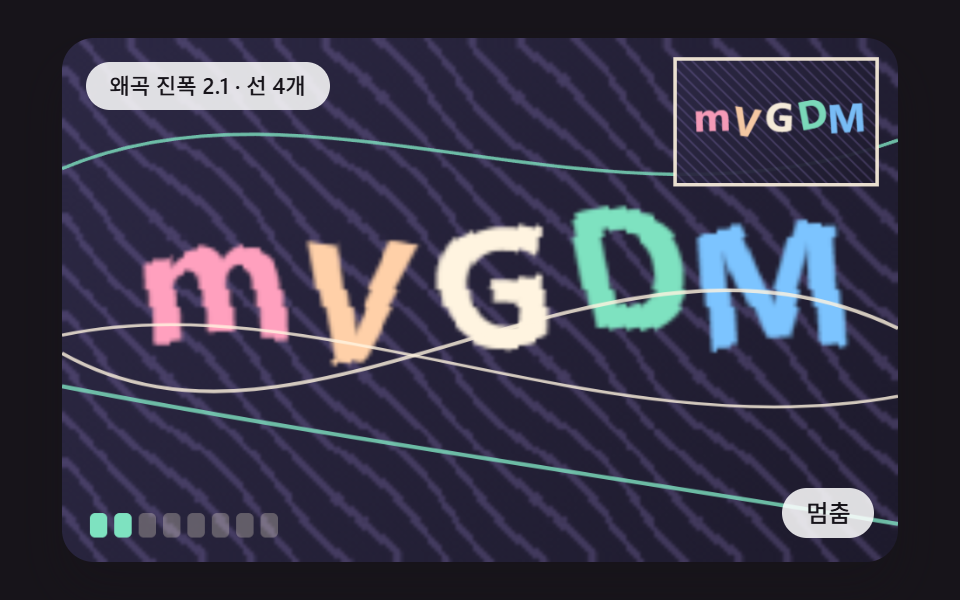 로그인·인증 UIcss captcha 9가지 — 왜곡 글자·회전 맞추기·노이즈 속 글자 확인
 로그인·인증 UI아바타 UI 9종 — 사진 파일 없이 만드는 사용자 표시
 로그인·인증 UI지문 인식 애니메이션 9종 — 스캔 진행률 값으로 갈리는 인증 버튼
 로그인·인증 UI비밀번호 표시 아이콘 9가지 — 입력창 속 문자가 도트로 바뀌는 계산
 로그인·인증 UI로그인 UI 디자인 9종 — 회원가입부터 세션 만료까지
 선택 UI세그먼트 컨트롤 선택 UI 9종 — 복붙하면 되는
 선택 UI달력 선택 UI 9종 — 복붙하면 되는