빈 화면 디자인 9종 — CSS로 그리는 빈 상태 카드
빈 화면 디자인은 목록에 표시할 데이터가 하나도 없을 때 그 빈 자리를 대신 채우는 화면입니다. 여기 아홉 개 중 하나는 데이터가 없어서가 아니라 볼 권한이 없어서 비어 있고, 그 차이를 자물쇠 하나로 구분해 말합니다.
 01 empty-inbox-zero-float
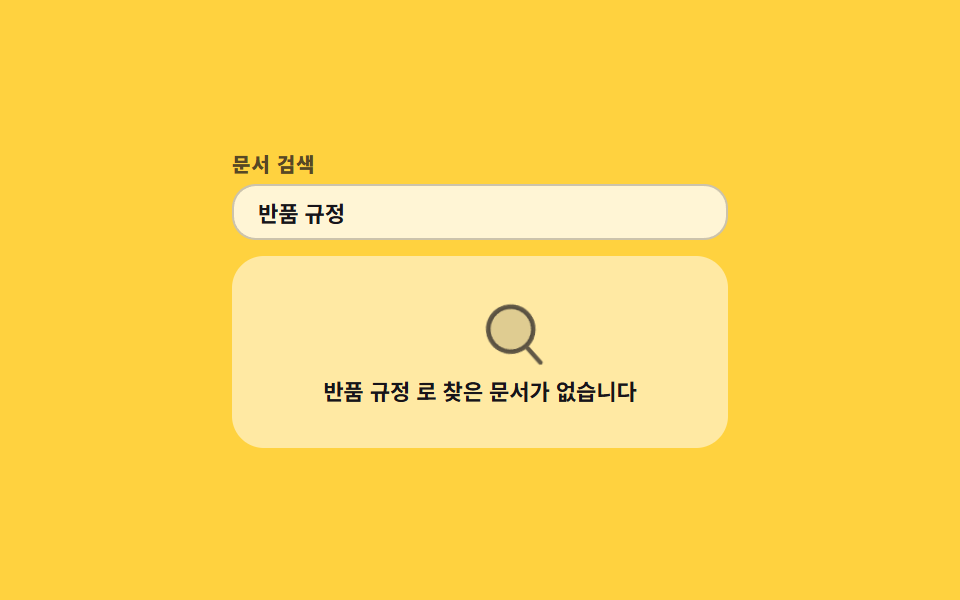 02 empty-search-no-result-sweep
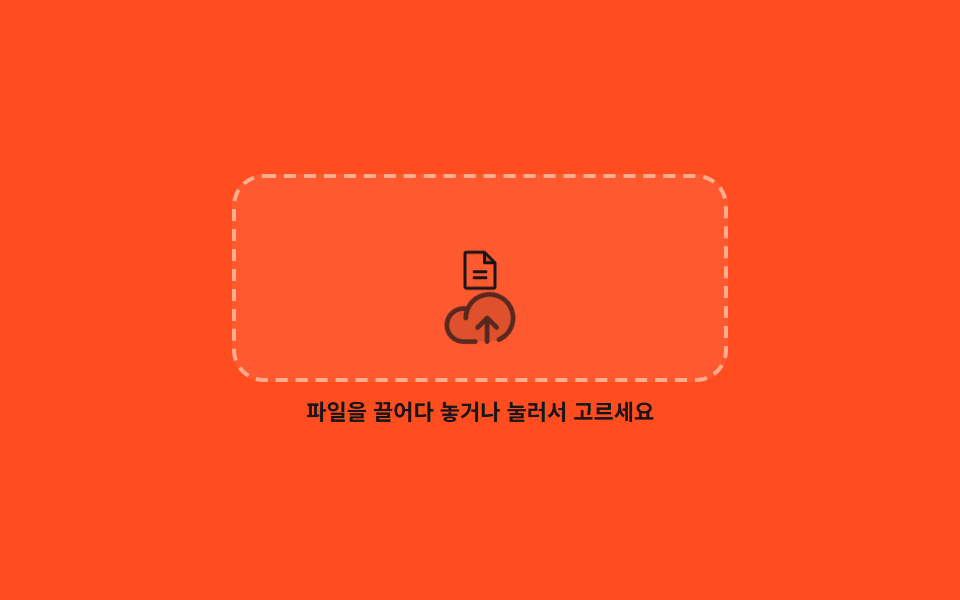 03 empty-upload-dropzone-drop
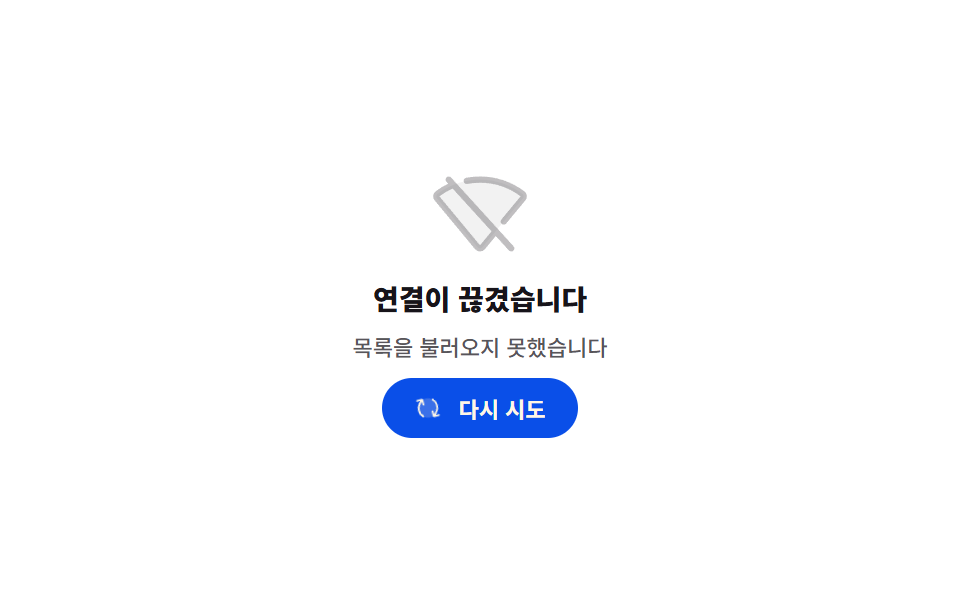 04 empty-offline-retry-spin
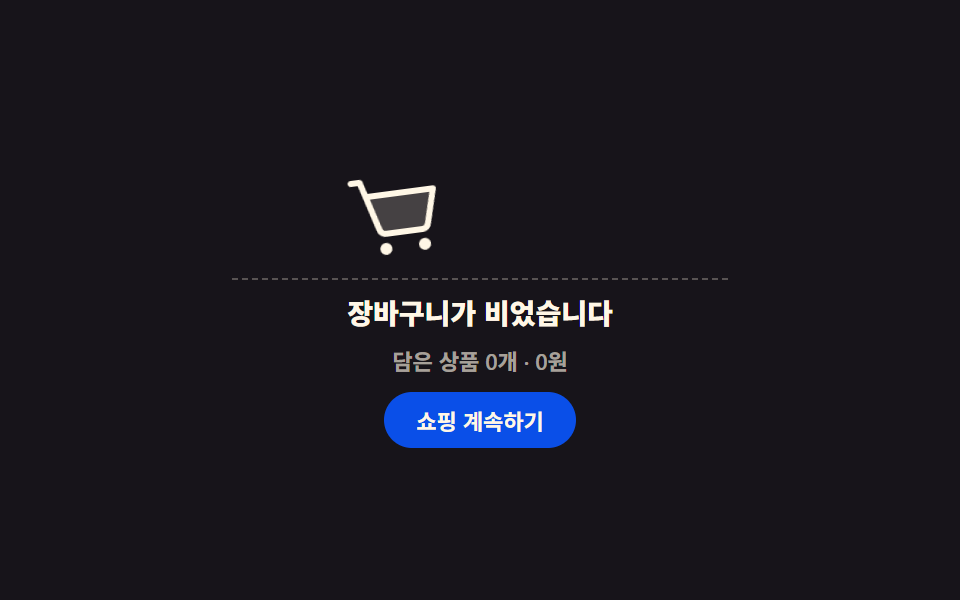 05 empty-cart-roll-in
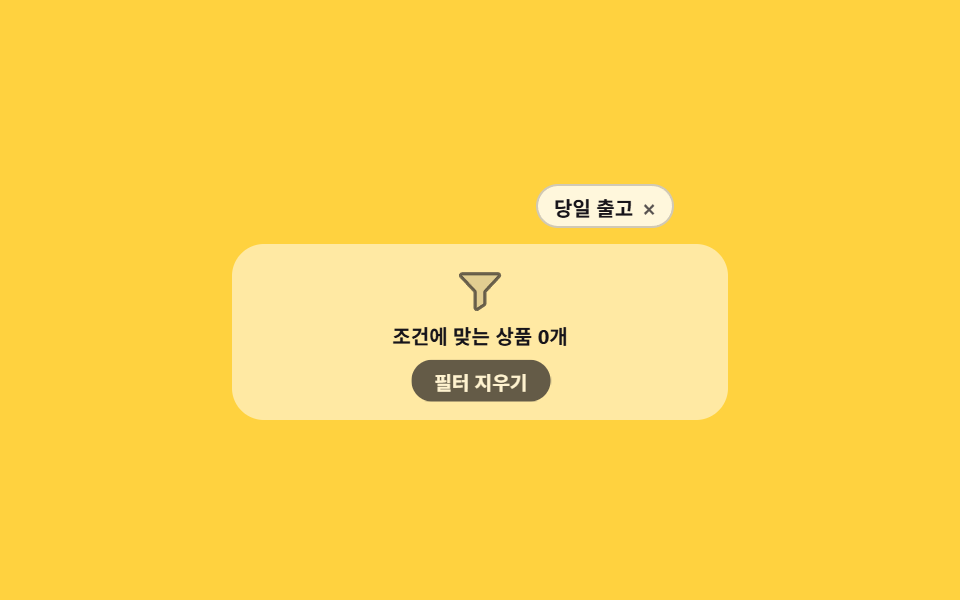 06 empty-filter-chips-clear
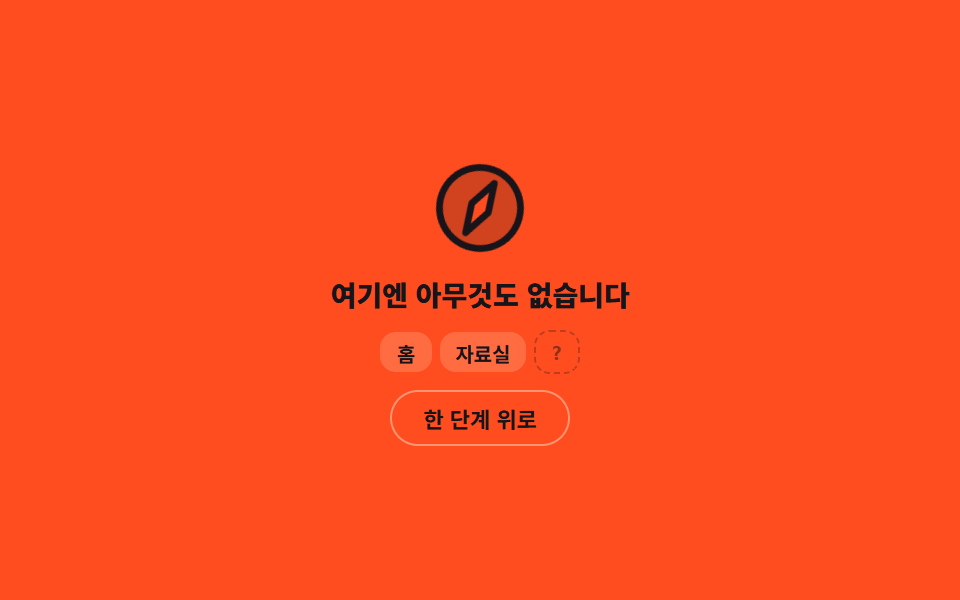 07 empty-404-compass-wander
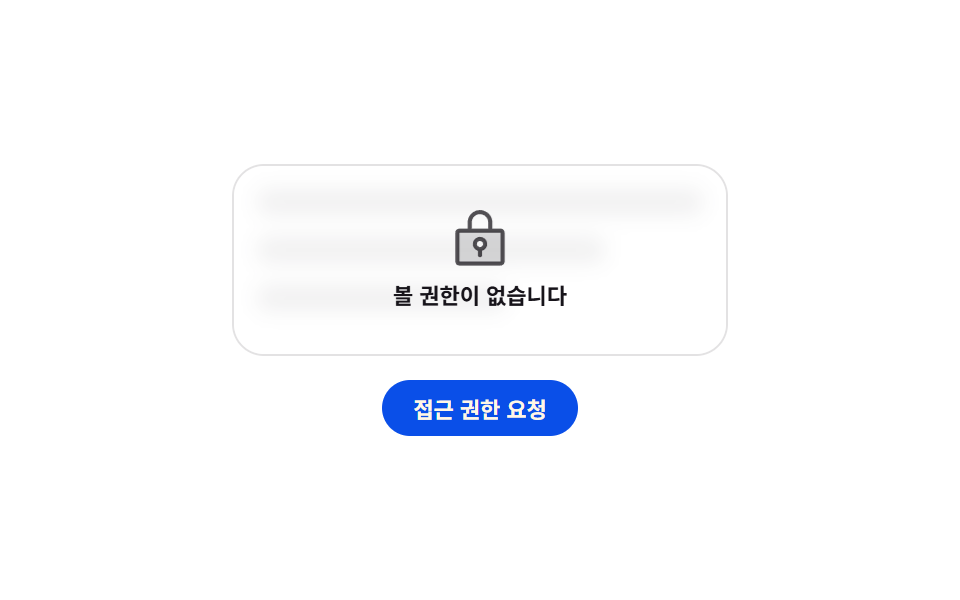 08 empty-permission-lock-shake
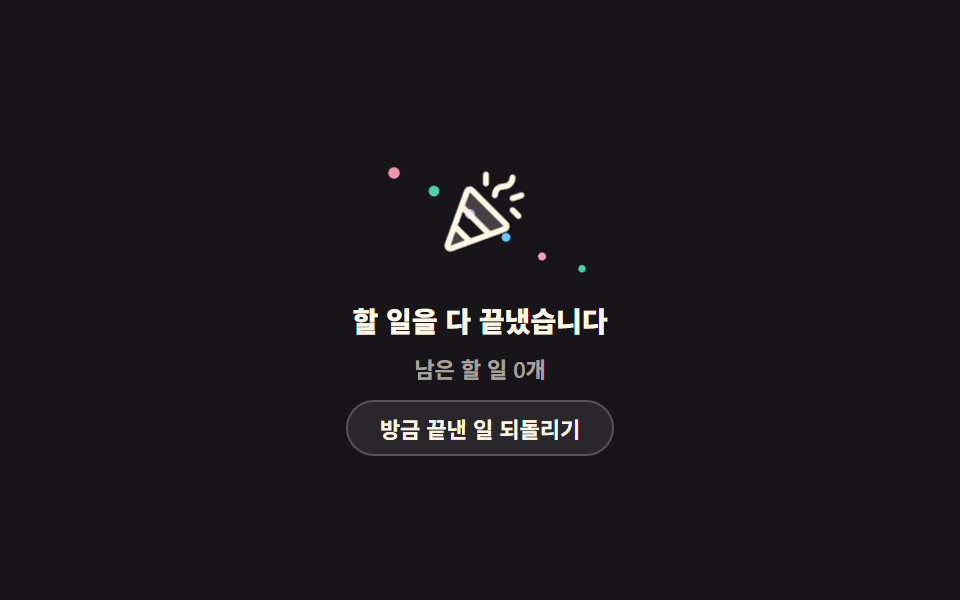 09 empty-all-done-confetti
자동 재생 · 눌러서 해당 항목으로 · 전부 한 zip
- 01 다 읽은 받은함 부유 카드
- 02 훑고 지나가는 검색 0건
- 03 파일이 떨어지는 점선 드롭존
- 04 다시 시도 화살표가 도는 오프라인
- 05 굴러 들어오는 빈 장바구니
- 06 필터 칩이 하나씩 비는 0건
- 07 바늘이 헤매는 404 카드
- 08 자물쇠가 한 번 튀는 권한 잠금
- 09 색종이가 오르는 할 일 완료
아홉 개는 예쁜 순서가 아니라 화면이 비는 이유 순서로 놓았습니다. 앞의 셋은 사용자가 잘못한 게 없는 경우입니다 — 아직 아무것도 없거나(01), 검색어와 맞는 게 없거나(02), 넣을 차례인데 아직 안 넣었거나(03). 가운데 셋은 사용자가 되돌릴 수 있는 경우입니다 — 연결이 끊겼고(04), 담은 게 없고(05), 필터를 너무 많이 걸었습니다(06). 마지막 셋은 시스템이 답해야 하는 경우입니다 — 주소가 틀렸고(07), 권한이 없고(08), 09는 비어 있는 것이 오히려 목표였던 화면입니다. 아홉 개 전부 버튼이나 입력칸이 실제로 동작하고, 상태가 바뀌는 줄에는 aria-live="polite"가 붙어 있어 화면을 보지 못하는 사람에게도 바뀐 문장이 읽힙니다. 아이콘은 빈 화면 사진이나 일러스트 파일 대신 Phosphor Duotone SVG를 파일 안에 그대로 넣어 외부 요청이 0입니다. 비어 있지 않고 오히려 넘쳐서 접는 화면은 아코디언 리스트 UI로, 비었던 창고가 채워지는 과정을 보여 주는 화면은 파일 트리 만들기로 각각 이어집니다. 이 순서라서 앞의 셋은 각각 다른 변명이 되고, 뒤의 셋은 다른 초대장이 됩니다. 빈 이유를 셋으로 나눈 건 문구를 쓰는 사람에게 왜 비었는지부터 고르게 하려는 것이고, 고른 이유에 따라 그림과 버튼 역할이 바뀌는데 그림은 전부 CSS 도형만으로 그렸습니다.
01다 읽은 받은함 부유 카드
빈 화면 ui 에서 무엇이 보이나
쟁반 아이콘이 14px만큼 떠올랐다 내려앉고, 바닥의 타원 그림자가 같은 박자로 좁아졌다 넓어집니다.
<main class="stage">
  <section class="ez is-demo" aria-labelledby="ez-t">
    <div class="ez__art">
      <span class="ez__icon" aria-hidden="true"><svg viewBox="0 0 256 256" width="1em" height="1em"><g fill="currentColor"><path d="M216 48v112h-36.69a8 8 0 0 0-5.66 2.34l-19.31 19.32a8 8 0 0 1-5.66 2.34h-41.37a8 8 0 0 1-5.66-2.34l-19.31-19.32a8 8 0 0 0-5.66-2.34H40V48a8 8 0 0 1 8-8h160a8 8 0 0 1 8 8" opacity=".2"/><path d="M208 32H48a16 16 0 0 0-16 16v160a16 16 0 0 0 16 16h160a16 16 0 0 0 16-16V48a16 16 0 0 0-16-16m0 16v104h-28.7a15.86 15.86 0 0 0-11.3 4.69L148.69 176h-41.38L88 156.68A15.9 15.9 0 0 0 76.69 152H48V48Zm0 160H48v-40h28.69L96 187.32a15.9 15.9 0 0 0 11.31 4.68h41.38a15.86 15.86 0 0 0 11.31-4.69L179.31 168H208z"/></g></svg></span>
      <span class="ez__shadow" aria-hidden="true"></span>
    </div>
    <h2 class="ez__title" id="ez-t">받은함이 비었습니다</h2>
    <p class="ez__sub" id="ez-s" data-busy="확인하는 중" data-done="읽지 않은 메일 0통 · 확인 {n}회" aria-live="polite">읽지 않은 메일 0통</p>
    <button class="ez__btn" type="button" id="ez-b">새로 고침</button>
  </section>
</main>
@use "../../../../site/static/demo-tokens" as *;
$duration: $dur-loop;
$easing: ease-in-out;
$color: $subject-cream;
@include stage($stage-ink);
.ez {
box-sizing: border-box;
width: min(248px, 86vw);
display: flex;
flex-direction: column;
align-items: center;
gap: $sp-2;
font-family: -apple-system, "Segoe UI", "Noto Sans KR", sans-serif;
text-align: center;
color: $color;
}
.ez__art {
display: flex;
flex-direction: column;
align-items: center;
gap: $sp-1;
}
.ez__icon {
display: block;
font-size: clamp(40px, 13vw, 56px);
line-height: 0;
color: $color;
}
.ez__shadow {
display: block;
width: 36px;
height: 6px;
border-radius: 50%;
background: rgba(255, 255, 255, .18);
}
.ez__title {
margin: 0;
font-size: clamp(12px, 4vw, 14px);
line-height: 1.3;
font-weight: 800;
}
.ez__sub {
margin: 0;
min-height: 14px;
font-size: 11px;
line-height: 14px;
font-weight: 500;
color: rgba(255, 247, 230, .62);
}
.ez__btn {
height: 28px;
margin: 0;
padding: 0 $sp-4;
border: 1px solid rgba(255, 255, 255, .2);
border-radius: $r-pill;
background: rgba(255, 255, 255, .08);
color: $color;
font-family: inherit;
font-size: 11px;
font-weight: 700;
cursor: pointer;
transition: background $dur-quick $ease-out;
}
.ez__btn:hover { background: rgba(255, 255, 255, .16); }
.ez__btn:disabled { opacity: .5; cursor: default; }
.ez__btn:focus-visible { outline: 2px solid $subject-blue; outline-offset: 2px; }
// ── 자동 루프: 떠올랐다 내려앉는다. 0% 와 100% 가 같은 자리라 이어 붙어도 튀지 않는다 ──
.ez.is-demo .ez__icon { animation: ez-float $duration $easing infinite; }
.ez.is-demo .ez__shadow { animation: ez-cast $duration $easing infinite; }
@keyframes ez-float {
  0%, 100% { transform: translateY(0); }
  50%      { transform: translateY(-14px); }
}
@keyframes ez-cast {
  0%, 100% { transform: scaleX(1); opacity: .18; }
  50%      { transform: scaleX(.68); opacity: .1; }
}
@media (prefers-reduced-motion: reduce) {
.ez.is-demo .ez__icon,
.ez.is-demo .ez__shadow { animation: none !important; }
.ez__btn { transition: none; }
}html, body {
margin: 0;
overflow: hidden;
}
.stage {
box-sizing: border-box;
min-height: 100vh;
display: grid;
place-items: center;
margin: 0;
background: #17141a;
font-family: -apple-system, "Segoe UI", "Noto Sans KR", sans-serif;
padding: clamp(8px, 4vw, 24px);
}
.ez {
box-sizing: border-box;
width: min(248px, 86vw);
display: flex;
flex-direction: column;
align-items: center;
gap: 8px;
font-family: -apple-system, "Segoe UI", "Noto Sans KR", sans-serif;
text-align: center;
color: #fff7e6;
}
.ez__art {
display: flex;
flex-direction: column;
align-items: center;
gap: 4px;
}
.ez__icon {
display: block;
font-size: clamp(40px, 13vw, 56px);
line-height: 0;
color: #fff7e6;
}
.ez__shadow {
display: block;
width: 36px;
height: 6px;
border-radius: 50%;
background: rgba(255, 255, 255, 0.18);
}
.ez__title {
margin: 0;
font-size: clamp(12px, 4vw, 14px);
line-height: 1.3;
font-weight: 800;
}
.ez__sub {
margin: 0;
min-height: 14px;
font-size: 11px;
line-height: 14px;
font-weight: 500;
color: rgba(255, 247, 230, 0.62);
}
.ez__btn {
height: 28px;
margin: 0;
padding: 0 16px;
border: 1px solid rgba(255, 255, 255, 0.2);
border-radius: 999px;
background: rgba(255, 255, 255, 0.08);
color: #fff7e6;
font-family: inherit;
font-size: 11px;
font-weight: 700;
cursor: pointer;
transition: background 220ms ease-out;
}
.ez__btn:hover {
background: rgba(255, 255, 255, 0.16);
}
.ez__btn:disabled {
opacity: 0.5;
cursor: default;
}
.ez__btn:focus-visible {
outline: 2px solid #2f6df6;
outline-offset: 2px;
}
.ez.is-demo .ez__icon {
animation: ez-float 2s ease-in-out infinite;
}
.ez.is-demo .ez__shadow {
animation: ez-cast 2s ease-in-out infinite;
}
@keyframes ez-float {
0%, 100% {
transform: translateY(0);
}
50% {
transform: translateY(-14px);
}
}
@keyframes ez-cast {
0%, 100% {
transform: scaleX(1);
opacity: 0.18;
}
50% {
transform: scaleX(0.68);
opacity: 0.1;
}
}
@media (prefers-reduced-motion: reduce) {
.ez.is-demo .ez__icon,
.ez.is-demo .ez__shadow {
animation: none !important;
}
.ez__btn {
transition: none;
}
}// 실제 동작: 새로 고침을 누르면 확인 중 상태로 바뀌었다가 확인 횟수와 함께 다시 빈 상태로 돌아온다.
var card = document.querySelector('.ez');
var btn = document.getElementById('ez-b');
var sub = document.getElementById('ez-s');
var n = 0;
btn.addEventListener('click', function () {
card.classList.remove('is-demo');
if (btn.disabled) return;
btn.disabled = true;
sub.textContent = sub.dataset.busy;
window.setTimeout(function () {
n += 1;
sub.textContent = sub.dataset.done.replace('{n}', n);
btn.disabled = false;
}, 700);
});import { useState } from "react";
import type { CSSProperties } from "react";
import styles from "./InboxZeroCard.module.scss";
export type InboxZeroCardProps = {
title?: string;
idle?: string;
busy?: string;
done?: string;
action?: string;
duration?: number;
easing?: string;
color?: string;
};
type Vars = CSSProperties & { "--duration"?: string; "--easing"?: string; "--color"?: string };
export default function InboxZeroCard({
title = "Your inbox is empty",
idle = "0 unread messages",
busy = "Checking",
done = "0 unread · checked {n}x",
action = "Refresh",
duration = 2000,
easing = "ease-in-out",
color = "#fff7e6",
}: InboxZeroCardProps) {
const [sub, setSub] = useState(idle);
const [loop, setLoop] = useState(true);
const [busyNow, setBusyNow] = useState(false);
const [count, setCount] = useState(0);
const vars: Vars = { "--duration": `${duration}ms`, "--easing": easing, "--color": color };
function refresh() {
if (busyNow) return;
setLoop(false);
setBusyNow(true);
setSub(busy);
window.setTimeout(() => {
const n = count + 1;
setCount(n);
setSub(done.replace("{n}", String(n)));
setBusyNow(false);
}, 700);
}
return (
<section className={`${styles.ez} ${loop ? styles.isDemo : ""}`} style={vars}>
<div className={styles.art}>
<span className={styles.icon} aria-hidden="true">
<svg viewBox="0 0 256 256" width="1em" height="1em">
<g fill="currentColor">
<path d="M216 48v112h-36.69a8 8 0 0 0-5.66 2.34l-19.31 19.32a8 8 0 0 1-5.66 2.34h-41.37a8 8 0 0 1-5.66-2.34l-19.31-19.32a8 8 0 0 0-5.66-2.34H40V48a8 8 0 0 1 8-8h160a8 8 0 0 1 8 8" opacity=".2" />
<path d="M208 32H48a16 16 0 0 0-16 16v160a16 16 0 0 0 16 16h160a16 16 0 0 0 16-16V48a16 16 0 0 0-16-16m0 16v104h-28.7a15.86 15.86 0 0 0-11.3 4.69L148.69 176h-41.38L88 156.68A15.9 15.9 0 0 0 76.69 152H48V48Zm0 160H48v-40h28.69L96 187.32a15.9 15.9 0 0 0 11.31 4.68h41.38a15.86 15.86 0 0 0 11.31-4.69L179.31 168H208z" />
</g>
</svg>
</span>
<span className={styles.shadow} aria-hidden="true" />
</div>
<h2 className={styles.title}>{title}</h2>
<p className={styles.sub} aria-live="polite">{sub}</p>
<button className={styles.btn} type="button" onClick={refresh} disabled={busyNow}>{action}</button>
</section>
);
}01 · 다 읽은 받은함 부유 카드 — 측정 누적면적 1.28% · 움직인 프레임 23/23GODRICH 원작 · zip 에 SCSS·React 포함 · 비밀번호 보기
코드에서 볼 곳
그림자를 함께 줄이는 이유는, 아이콘만 움직이면 떠 있는 것처럼이 아니라 위아래로 흔들리는 것처럼 보이기 때문입니다.
.ez.is-demo .ez__icon { animation: ez-float $duration $easing infinite; }
.ez.is-demo .ez__shadow { animation: ez-cast $duration $easing infinite; }
@keyframes ez-float {
0%, 100% { transform: translateY(0); }
50% { transform: translateY(-14px); }
}
@keyframes ez-cast {
0%, 100% { transform: scaleX(1); opacity: .18; }
50% { transform: scaleX(.68); opacity: .1; }
}
02훑고 지나가는 검색 0건
화면에서 일어나는 일
입력칸에 글자를 입력하면 아래 세 줄이 실제로 걸러지고, 남는 줄이 하나도 없을 때만 돋보기 카드가 그 자리를 덮습니다.
<main class="stage">
  <section class="sw is-demo">
    <label class="sw__label" for="sw-q">문서 검색</label>
    <input class="sw__input" id="sw-q" type="search" value="반품 규정" autocomplete="off">
    <div class="sw__panel">
      <ul class="sw__rows" id="sw-rows">
        <li class="sw__row" data-name="배송 정책">배송 정책</li>
        <li class="sw__row" data-name="교환 안내">교환 안내</li>
        <li class="sw__row" data-name="결제 수단">결제 수단</li>
      </ul>
      <div class="sw__empty" id="sw-empty">
        <span class="sw__lens" aria-hidden="true"><svg viewBox="0 0 256 256" width="1em" height="1em"><g fill="currentColor"><path d="M192 112a80 80 0 1 1-80-80a80 80 0 0 1 80 80" opacity=".2"/><path d="m229.66 218.34l-50.06-50.06a88.21 88.21 0 1 0-11.32 11.31l50.06 50.07a8 8 0 0 0 11.32-11.32M40 112a72 72 0 1 1 72 72a72.08 72.08 0 0 1-72-72"/></g></svg></span>
        <p class="sw__msg" id="sw-msg" data-hit="{q} 로 찾은 문서가 없습니다" aria-live="polite">찾은 문서가 없습니다</p>
      </div>
    </div>
  </section>
</main>
@use "../../../../site/static/demo-tokens" as *;
$duration: $dur-loop;
$easing: ease-in-out;
$color: $subject-ink;
@include stage($stage-yellow);
.sw {
box-sizing: border-box;
width: min(248px, 86vw);
display: flex;
flex-direction: column;
gap: $sp-1;
font-family: -apple-system, "Segoe UI", "Noto Sans KR", sans-serif;
color: $color;
}
.sw__label {
font-size: 10px;
line-height: 12px;
font-weight: 800;
letter-spacing: .04em;
color: rgba(23, 20, 26, .72); // AA 4.5 (blog-design)
}
.sw__input {
box-sizing: border-box;
width: 100%;
height: 28px;
margin: 0;
padding: 0 $sp-3;
border: 1px solid rgba(23, 20, 26, .22);
border-radius: $r-control;
background: rgba(255, 255, 255, .78);
color: $color;
font-family: inherit;
font-size: 11px;
font-weight: 600;
}
.sw__input:focus-visible { outline: 2px solid $color; outline-offset: 1px; }
.sw__panel {
position: relative;
box-sizing: border-box;
height: 96px;
margin-top: $sp-1;
padding: $sp-2;
border-radius: $r-card;
background: rgba(255, 255, 255, .52);
overflow: hidden;
}
.sw__rows {
margin: 0;
padding: 0;
list-style: none;
display: flex;
flex-direction: column;
gap: $sp-2;
}
.sw__row[hidden] { display: none; }
.sw__row {
height: 20px;
padding: 0 $sp-2;
display: flex;
align-items: center;
border-radius: $r-sm;
background: rgba(255, 255, 255, .82);
font-size: 11px;
font-weight: 600;
}
.sw__empty {
position: absolute;
inset: 0;
display: flex;
flex-direction: column;
align-items: center;
justify-content: center;
gap: $sp-1;
}
.sw__empty[hidden] { display: none; }
.sw__lens {
display: block;
font-size: 36px;
line-height: 0;
color: rgba(23, 20, 26, .68);
}
.sw__msg {
margin: 0;
padding: 0 $sp-2;
font-size: 11px;
line-height: 14px;
font-weight: 700;
text-align: center;
}
// ── 자동 루프: 렌즈가 오른쪽 끝까지 훑고 같은 길로 되돌아온다. 끝 프레임이 첫 프레임과 같다 ──
.sw.is-demo .sw__lens { animation: sw-sweep $duration $easing infinite; }
@keyframes sw-sweep {
0%, 100% { transform: translateX(-62px) rotate(-12deg); }
50% { transform: translateX(62px) rotate(12deg); }
}
@media (prefers-reduced-motion: reduce) {
.sw.is-demo .sw__lens { animation: none !important; }
}html, body {
margin: 0;
overflow: hidden;
}
.stage {
box-sizing: border-box;
min-height: 100vh;
display: grid;
place-items: center;
margin: 0;
background: #ffd23f;
font-family: -apple-system, "Segoe UI", "Noto Sans KR", sans-serif;
padding: clamp(8px, 4vw, 24px);
}
.sw {
box-sizing: border-box;
width: min(248px, 86vw);
display: flex;
flex-direction: column;
gap: 4px;
font-family: -apple-system, "Segoe UI", "Noto Sans KR", sans-serif;
color: #17141a;
}
.sw__label {
font-size: 10px;
line-height: 12px;
font-weight: 800;
letter-spacing: 0.04em;
color: rgba(23, 20, 26, 0.72);
}
.sw__input {
box-sizing: border-box;
width: 100%;
height: 28px;
margin: 0;
padding: 0 12px;
border: 1px solid rgba(23, 20, 26, 0.22);
border-radius: 12px;
background: rgba(255, 255, 255, 0.78);
color: #17141a;
font-family: inherit;
font-size: 11px;
font-weight: 600;
}
.sw__input:focus-visible {
outline: 2px solid #17141a;
outline-offset: 1px;
}
.sw__panel {
position: relative;
box-sizing: border-box;
height: 96px;
margin-top: 4px;
padding: 8px;
border-radius: 16px;
background: rgba(255, 255, 255, 0.52);
overflow: hidden;
}
.sw__rows {
margin: 0;
padding: 0;
list-style: none;
display: flex;
flex-direction: column;
gap: 8px;
}
.sw__row[hidden] {
display: none;
}
.sw__row {
height: 20px;
padding: 0 8px;
display: flex;
align-items: center;
border-radius: 8px;
background: rgba(255, 255, 255, 0.82);
font-size: 11px;
font-weight: 600;
}
.sw__empty {
position: absolute;
inset: 0;
display: flex;
flex-direction: column;
align-items: center;
justify-content: center;
gap: 4px;
}
.sw__empty[hidden] {
display: none;
}
.sw__lens {
display: block;
font-size: 36px;
line-height: 0;
color: rgba(23, 20, 26, 0.68);
}
.sw__msg {
margin: 0;
padding: 0 8px;
font-size: 11px;
line-height: 14px;
font-weight: 700;
text-align: center;
}
.sw.is-demo .sw__lens {
animation: sw-sweep 2s ease-in-out infinite;
}
@keyframes sw-sweep {
0%, 100% {
transform: translateX(-62px) rotate(-12deg);
}
50% {
transform: translateX(62px) rotate(12deg);
}
}
@media (prefers-reduced-motion: reduce) {
.sw.is-demo .sw__lens {
animation: none !important;
}
}// 실제 동작: 입력한 글자로 세 줄을 거른다. 남는 줄이 없으면 빈 상태 카드가 대신 나온다.
var card = document.querySelector('.sw');
var q = document.getElementById('sw-q');
var rows = [].slice.call(document.querySelectorAll('.sw__row'));
var empty = document.getElementById('sw-empty');
var msg = document.getElementById('sw-msg');
var NONE = msg.textContent;
function render() {
  var v = q.value.trim();
  var hit = 0;
  rows.forEach(function (r) {
    var on = !v || r.dataset.name.indexOf(v) >= 0;
    r.hidden = !on;
    if (on) hit += 1;
  });
  empty.hidden = hit > 0;
  msg.textContent = v ? msg.dataset.hit.replace('{q}', v) : NONE;
}
q.addEventListener('input', function () { card.classList.remove('is-demo'); render(); });
render();import { useState } from "react";
import type { CSSProperties } from "react";
import styles from "./NoResultsCard.module.scss";
export type NoResultsCardProps = {
label?: string;
rows?: string[];
initialQuery?: string;
none?: string;
noneFor?: string;
duration?: number;
easing?: string;
color?: string;
};
type Vars = CSSProperties & { "--duration"?: string; "--easing"?: string; "--color"?: string };
type ChangeEvt = { target: { value: string } };
export default function NoResultsCard({
label = "Search docs",
rows = ["Shipping policy", "Exchange guide", "Payment methods"],
initialQuery = "return policy",
none = "No documents found",
noneFor = "No documents found for {q}",
duration = 2000,
easing = "ease-in-out",
color = "#17141a",
}: NoResultsCardProps) {
const [q, setQ] = useState(initialQuery);
const [loop, setLoop] = useState(true);
const vars: Vars = { "--duration": `${duration}ms`, "--easing": easing, "--color": color };
const term = q.trim();
const hits = rows.filter((r) => !term || r.toLowerCase().indexOf(term.toLowerCase()) >= 0);
function onInput(e: ChangeEvt) {
setLoop(false);
setQ(e.target.value);
}
return (
<section className={`${styles.sw} ${loop ? styles.isDemo : ""}`} style={vars}>
<label className={styles.label} htmlFor="sw-q">{label}</label>
<input className={styles.input} id="sw-q" type="search" value={q} onChange={onInput} autoComplete="off" />
<div className={styles.panel}>
<ul className={styles.rows}>
{hits.map((r) => <li className={styles.row} key={r}>{r}</li>)}
</ul>
{hits.length === 0 && (
<div className={styles.empty}>
<span className={styles.lens} aria-hidden="true">
<svg viewBox="0 0 256 256" width="1em" height="1em">
<g fill="currentColor">
<path d="M192 112a80 80 0 1 1-80-80a80 80 0 0 1 80 80" opacity=".2" />
<path d="m229.66 218.34l-50.06-50.06a88.21 88.21 0 1 0-11.32 11.31l50.06 50.07a8 8 0 0 0 11.32-11.32M40 112a72 72 0 1 1 72 72a72.08 72.08 0 0 1-72-72" />
</g>
</svg>
</span>
<p className={styles.msg} aria-live="polite">{term ? noneFor.replace("{q}", term) : none}</p>
</div>
)}
</div>
</section>
);
}02 · 훑고 지나가는 검색 0건 — 측정 누적면적 2.691% · 움직인 프레임 23/23GODRICH 원작 · zip 에 SCSS·React 포함 · 비밀번호 보기
코드 읽는 법
돋보기는 좌우로 훑으며 각도까지 함께 기울어져 "아직 찾는 중"처럼 보입니다.
function render() {
var v = q.value.trim();
var hit = 0;
rows.forEach(function (r) {
var on = !v || r.dataset.name.indexOf(v) >= 0;
r.hidden = !on;
if (on) hit += 1;
});
empty.hidden = hit > 0;
msg.textContent = v ? msg.dataset.hit.replace('{q}', v) : NONE;
}
03파일이 떨어지는 점선 드롭존
어떤 움직임인가
점선 상자 안으로 파일이 내려와 아래쪽 구름 아이콘에 닿으면 구름이 1.1배로 부풀고, 파일은 70%와 70.1% 사이에서 한 프레임 만에 사라집니다.
<main class="stage">
  <section class="dz is-demo">
    <div class="dz__zone" id="dz-zone" role="button" tabindex="0" aria-describedby="dz-msg">
      <span class="dz__file" aria-hidden="true"><svg viewBox="0 0 256 256" width="1em" height="1em"><g fill="currentColor"><path d="M208 88h-56V32Z" opacity=".2"/><path d="m213.66 82.34l-56-56A8 8 0 0 0 152 24H56a16 16 0 0 0-16 16v176a16 16 0 0 0 16 16h144a16 16 0 0 0 16-16V88a8 8 0 0 0-2.34-5.66M160 51.31L188.69 80H160ZM200 216H56V40h88v48a8 8 0 0 0 8 8h48zm-32-80a8 8 0 0 1-8 8H96a8 8 0 0 1 0-16h64a8 8 0 0 1 8 8m0 32a8 8 0 0 1-8 8H96a8 8 0 0 1 0-16h64a8 8 0 0 1 8 8"/></g></svg></span>
      <span class="dz__cloud" aria-hidden="true"><svg viewBox="0 0 256 256" width="1em" height="1em"><g fill="currentColor"><path d="M240 128a80 80 0 0 1-80 80H72A56 56 0 1 1 85.92 97.74v.1A80 80 0 0 1 240 128" opacity=".2"/><path d="M178.34 165.66L160 147.31V208a8 8 0 0 1-16 0v-60.69l-18.34 18.35a8 8 0 0 1-11.32-11.32l32-32a8 8 0 0 1 11.32 0l32 32a8 8 0 0 1-11.32 11.32M160 40a88.08 88.08 0 0 0-78.71 48.68A64 64 0 1 0 72 216h40a8 8 0 0 0 0-16H72a48 48 0 0 1 0-96c1.1 0 2.2 0 3.29.12A88 88 0 0 0 72 128a8 8 0 0 0 16 0a72 72 0 1 1 100.8 66a8 8 0 0 0 3.2 15.34a7.9 7.9 0 0 0 3.2-.68A88 88 0 0 0 160 40"/></g></svg></span>
    </div>
    <p class="dz__msg" id="dz-msg" data-got="{f} 를 받았습니다" aria-live="polite">파일을 끌어다 놓거나 눌러서 고르세요</p>
    <input class="dz__input" id="dz-input" type="file" hidden>
  </section>
</main>
@use "../../../../site/static/demo-tokens" as *;
$duration: $dur-loop;
$easing: $ease-spring;
$color: $subject-cream;
@include stage($stage-orange);
.dz {
box-sizing: border-box;
width: min(248px, 86vw);
display: flex;
flex-direction: column;
align-items: center;
gap: $sp-2;
font-family: -apple-system, "Segoe UI", "Noto Sans KR", sans-serif;
color: $subject-ink; // AA 4.5: cream on orange 3.11 -> ink 5.50
}
.dz__zone {
position: relative;
box-sizing: border-box;
width: 100%;
height: 104px;
padding-bottom: $sp-3;
display: flex;
align-items: flex-end;
justify-content: center;
border: 2px dashed rgba(255, 247, 230, .52);
border-radius: $r-card;
background: rgba(255, 247, 230, .08);
cursor: pointer;
overflow: hidden;
transition: border-color $dur-quick $ease-out, background $dur-quick $ease-out;
}
.dz__zone:hover,
.dz__zone.is-over { border-color: $color; background: rgba(255, 247, 230, .18); }
.dz__zone:focus-visible { outline: 2px solid $color; outline-offset: 2px; }
.dz__cloud {
display: block;
font-size: 36px;
line-height: 0;
color: rgba(23, 20, 26, .78);
}
.dz__file {
position: absolute;
left: 50%;
top: $sp-2;
margin-left: -12px;
font-size: 24px;
line-height: 0;
color: $subject-ink; // AA 4.5: cream on orange 3.11 -> ink 5.50
opacity: 0;
}
.dz__msg {
margin: 0;
font-size: 11px;
line-height: 14px;
font-weight: 700;
text-align: center;
}
// ── 자동 루프: 파일이 떨어져 닿으면 steps(1,end) 로 한 프레임에 사라진다 (반투명 겹침 없음) ──
.dz.is-demo .dz__file { animation: dz-fall $duration $easing infinite; }
@keyframes dz-fall {
  0%   { transform: translateY(-28px) scale(.82); opacity: 0; }
  16%  { transform: translateY(-28px) scale(.82); opacity: 1; }
  62%  { transform: translateY(30px) scale(1); opacity: 1; }
  70%  { transform: translateY(26px) scale(1); opacity: 1; }
  70.1%, 100% { transform: translateY(-28px) scale(.82); opacity: 0; }
}
.dz.is-demo .dz__cloud { animation: dz-lift $duration $easing infinite; }
@keyframes dz-lift {
0%, 100% { transform: scale(1); opacity: .78; }
62% { transform: scale(1.1); opacity: 1; }
}
@media (prefers-reduced-motion: reduce) {
.dz.is-demo .dz__file,
.dz.is-demo .dz__cloud { animation: none !important; }
.dz__zone { transition: none; }
}html, body {
margin: 0;
overflow: hidden;
}
.stage {
box-sizing: border-box;
min-height: 100vh;
display: grid;
place-items: center;
margin: 0;
background: #ff4d1f;
font-family: -apple-system, "Segoe UI", "Noto Sans KR", sans-serif;
padding: clamp(8px, 4vw, 24px);
}
.dz {
box-sizing: border-box;
width: min(248px, 86vw);
display: flex;
flex-direction: column;
align-items: center;
gap: 8px;
font-family: -apple-system, "Segoe UI", "Noto Sans KR", sans-serif;
color: #17141a;
}
.dz__zone {
position: relative;
box-sizing: border-box;
width: 100%;
height: 104px;
padding-bottom: 12px;
display: flex;
align-items: flex-end;
justify-content: center;
border: 2px dashed rgba(255, 247, 230, 0.52);
border-radius: 16px;
background: rgba(255, 247, 230, 0.08);
cursor: pointer;
overflow: hidden;
transition: border-color 220ms ease-out, background 220ms ease-out;
}
.dz__zone:hover,
.dz__zone.is-over {
border-color: #fff7e6;
background: rgba(255, 247, 230, 0.18);
}
.dz__zone:focus-visible {
outline: 2px solid #fff7e6;
outline-offset: 2px;
}
.dz__cloud {
display: block;
font-size: 36px;
line-height: 0;
color: rgba(23, 20, 26, 0.78);
}
.dz__file {
position: absolute;
left: 50%;
top: 8px;
margin-left: -12px;
font-size: 24px;
line-height: 0;
color: #17141a;
opacity: 0;
}
.dz__msg {
margin: 0;
font-size: 11px;
line-height: 14px;
font-weight: 700;
text-align: center;
}
.dz.is-demo .dz__file {
animation: dz-fall 2s cubic-bezier(0.2, 0.8, 0.2, 1) infinite;
}
@keyframes dz-fall {
0% {
transform: translateY(-28px) scale(0.82);
opacity: 0;
}
16% {
transform: translateY(-28px) scale(0.82);
opacity: 1;
}
62% {
transform: translateY(30px) scale(1);
opacity: 1;
}
70% {
transform: translateY(26px) scale(1);
opacity: 1;
}
70.1%, 100% {
transform: translateY(-28px) scale(0.82);
opacity: 0;
}
}
.dz.is-demo .dz__cloud {
animation: dz-lift 2s cubic-bezier(0.2, 0.8, 0.2, 1) infinite;
}
@keyframes dz-lift {
0%, 100% {
transform: scale(1);
opacity: 0.78;
}
62% {
transform: scale(1.1);
opacity: 1;
}
}
@media (prefers-reduced-motion: reduce) {
.dz.is-demo .dz__file,
.dz.is-demo .dz__cloud {
animation: none !important;
}
.dz__zone {
transition: none;
}
}// 실제 동작: 끌어다 놓기와 누르기 둘 다 받는다. 파일이 들어오면 이름이 안내 줄을 대신한다.
var card = document.querySelector('.dz');
var zone = document.getElementById('dz-zone');
var input = document.getElementById('dz-input');
var msg = document.getElementById('dz-msg');
var IDLE = msg.textContent;
function took(name) {
card.classList.remove('is-demo');
zone.classList.remove('is-over');
msg.textContent = name ? msg.dataset.got.replace('{f}', name) : IDLE;
}
zone.addEventListener('click', function () { input.click(); });
zone.addEventListener('keydown', function (e) {
if (e.key === 'Enter' || e.key === ' ') { input.click(); e.preventDefault(); }
});
zone.addEventListener('dragover', function (e) { e.preventDefault(); zone.classList.add('is-over'); });
zone.addEventListener('dragleave', function () { zone.classList.remove('is-over'); });
zone.addEventListener('drop', function (e) {
e.preventDefault();
took(e.dataTransfer && e.dataTransfer.files[0] ? e.dataTransfer.files[0].name : '');
});
input.addEventListener('change', function () { took(input.files[0] ? input.files[0].name : ''); });import { useRef, useState } from "react";
import type { CSSProperties } from "react";
import styles from "./DropzoneCard.module.scss";
export type DropzoneCardProps = {
idle?: string;
got?: string;
duration?: number;
easing?: string;
color?: string;
};
type Vars = CSSProperties & { "--duration"?: string; "--easing"?: string; "--color"?: string };
type KeyEvt = { key: string; preventDefault: () => void };
type DropEvt = { preventDefault: () => void; dataTransfer: { files: { name: string }[] } | null };
type FileEvt = { target: { files: { name: string }[] | null } };
export default function DropzoneCard({
idle = "Drop a file here, or click to choose one",
got = "Got {f}",
duration = 2000,
easing = "cubic-bezier(.2,.8,.2,1)",
color = "#fff7e6",
}: DropzoneCardProps) {
const [msg, setMsg] = useState(idle);
const [over, setOver] = useState(false);
const [loop, setLoop] = useState(true);
const inputRef = useRef<HTMLInputElement>(null);
const vars: Vars = { "--duration": `${duration}ms`, "--easing": easing, "--color": color };
function took(name: string) {
setLoop(false);
setOver(false);
setMsg(name ? got.replace("{f}", name) : idle);
}
return (
<section className={`${styles.dz} ${loop ? styles.isDemo : ""}`} style={vars}>
<div
className={`${styles.zone} ${over ? styles.isOver : ""}`}
role="button"
tabIndex={0}
onClick={() => inputRef.current?.click()}
onKeyDown={(e: KeyEvt) => {
if (e.key === "Enter" || e.key === " ") { inputRef.current?.click(); e.preventDefault(); }
}}
onDragOver={(e: DropEvt) => { e.preventDefault(); setOver(true); }}
onDragLeave={() => setOver(false)}
onDrop={(e: DropEvt) => {
e.preventDefault();
took(e.dataTransfer && e.dataTransfer.files[0] ? e.dataTransfer.files[0].name : "");
}}
>
<span className={styles.file} aria-hidden="true">
<svg viewBox="0 0 256 256" width="1em" height="1em">
<g fill="currentColor">
<path d="M208 88h-56V32Z" opacity=".2" />
<path d="m213.66 82.34l-56-56A8 8 0 0 0 152 24H56a16 16 0 0 0-16 16v176a16 16 0 0 0 16 16h144a16 16 0 0 0 16-16V88a8 8 0 0 0-2.34-5.66M160 51.31L188.69 80H160ZM200 216H56V40h88v48a8 8 0 0 0 8 8h48zm-32-80a8 8 0 0 1-8 8H96a8 8 0 0 1 0-16h64a8 8 0 0 1 8 8m0 32a8 8 0 0 1-8 8H96a8 8 0 0 1 0-16h64a8 8 0 0 1 8 8" />
</g>
</svg>
</span>
<span className={styles.cloud} aria-hidden="true">
<svg viewBox="0 0 256 256" width="1em" height="1em">
<g fill="currentColor">
<path d="M240 128a80 80 0 0 1-80 80H72A56 56 0 1 1 85.92 97.74v.1A80 80 0 0 1 240 128" opacity=".2" />
<path d="M178.34 165.66L160 147.31V208a8 8 0 0 1-16 0v-60.69l-18.34 18.35a8 8 0 0 1-11.32-11.32l32-32a8 8 0 0 1 11.32 0l32 32a8 8 0 0 1-11.32 11.32M160 40a88.08 88.08 0 0 0-78.71 48.68A64 64 0 1 0 72 216h40a8 8 0 0 0 0-16H72a48 48 0 0 1 0-96c1.1 0 2.2 0 3.29.12A88 88 0 0 0 72 128a8 8 0 0 0 16 0a72 72 0 1 1 100.8 66a8 8 0 0 0 3.2 15.34a7.9 7.9 0 0 0 3.2-.68A88 88 0 0 0 160 40" />
</g>
</svg>
</span>
</div>
<p className={styles.msg} aria-live="polite">{msg}</p>
<input
className={styles.input}
ref={inputRef}
type="file"
hidden
onChange={(e: FileEvt) => took(e.target.files && e.target.files[0] ? e.target.files[0].name : "")}
/>
</section>
);
}03 · 파일이 떨어지는 점선 드롭존 — 측정 누적면적 0.929% · 움직인 프레임 19/23GODRICH 원작 · zip 에 SCSS·React 포함 · 비밀번호 보기
어디를 바꾸면 되나
두 구간을 서서히 겹쳐 지우면 반투명하게 겹친 유령 프레임이 남기 때문에, 사라짐은 부드럽게가 아니라 컷으로 끊었습니다.
@keyframes dz-fall {
0% { transform: translateY(-28px) scale(.82); opacity: 0; }
16% { transform: translateY(-28px) scale(.82); opacity: 1; }
62% { transform: translateY(30px) scale(1); opacity: 1; }
70% { transform: translateY(26px) scale(1); opacity: 1; }
70.1%, 100% { transform: translateY(-28px) scale(.82); opacity: 0; }
}
04다시 시도 화살표가 도는 오프라인
무엇이 보이나
0도에서 360도까지 한 방향으로만 도는 화살표라서 마지막 프레임이 첫 프레임과 같은 그림이고, 되감기는 순간이 없습니다.
<main class="stage">
  <section class="of is-demo" aria-labelledby="of-t">
    <span class="of__icon" aria-hidden="true"><svg viewBox="0 0 256 256" width="1em" height="1em"><g fill="currentColor"><path d="m238.2 87.69l-104 125.43a8 8 0 0 1-12.3 0L17.8 87.69a7.79 7.79 0 0 1 1.31-11.21a180.75 180.75 0 0 1 217.78 0a7.79 7.79 0 0 1 1.31 11.21" opacity=".2"/><path d="M53.92 34.62a8 8 0 1 0-11.84 10.76l4.55 5A188 188 0 0 0 14.28 70.1a15.93 15.93 0 0 0-6.17 10.81a15.65 15.65 0 0 0 3.54 11.89l104 125.43A15.93 15.93 0 0 0 128 224a15.93 15.93 0 0 0 12.31-5.77l28.1-33.88l33.67 37a8 8 0 1 0 11.84-10.76ZM128 208L24.09 82.74a171.5 171.5 0 0 1 33.82-19.95l99.63 109.6ZM244.35 92.8l-49.42 59.58a8 8 0 0 1-12.32-10.21l49.3-59.43A170.76 170.76 0 0 0 128 48a175 175 0 0 0-32.39 3a8 8 0 1 1-3-15.72A190.6 190.6 0 0 1 128 32a186.67 186.67 0 0 1 113.72 38.1a15.93 15.93 0 0 1 6.17 10.81a15.65 15.65 0 0 1-3.54 11.89"/></g></svg></span>
    <h2 class="of__title" id="of-t">연결이 끊겼습니다</h2>
    <p class="of__sub" id="of-s" data-busy="연결을 확인하는 중" data-again="아직 연결되지 않았습니다 · 시도 {n}회" aria-live="polite">목록을 불러오지 못했습니다</p>
    <button class="of__btn" type="button" id="of-b">
      <span class="of__arrow" aria-hidden="true"><svg viewBox="0 0 256 256" width="1em" height="1em"><g fill="currentColor"><path d="M216 128a88 88 0 1 1-88-88a88 88 0 0 1 88 88" opacity=".2"/><path d="M224 48v48a8 8 0 0 1-8 8h-48a8 8 0 0 1 0-16h28.69l-14.63-14.63a79.56 79.56 0 0 0-56.13-23.43h-.45a79.52 79.52 0 0 0-55.89 22.77a8 8 0 0 1-11.18-11.44a96 96 0 0 1 135 .79L208 76.69V48a8 8 0 0 1 16 0m-37.59 135.29a80 80 0 0 1-112.47-.66L59.31 168H88a8 8 0 0 0 0-16H40a8 8 0 0 0-8 8v48a8 8 0 0 0 16 0v-28.69l14.63 14.63A95.43 95.43 0 0 0 130 222.06h.53a95.36 95.36 0 0 0 67.07-27.33a8 8 0 0 0-11.18-11.44Z"/></g></svg></span>
      <span class="of__btn-t">다시 시도</span>
    </button>
  </section>
</main>
@use "../../../../site/static/demo-tokens" as *;
$duration: $dur-loop;
$easing: linear;
$color: $subject-blue-deep;
@include stage($stage-paper);
.of {
box-sizing: border-box;
width: min(248px, 86vw);
display: flex;
flex-direction: column;
align-items: center;
gap: $sp-2;
font-family: -apple-system, "Segoe UI", "Noto Sans KR", sans-serif;
text-align: center;
color: $subject-ink;
}
.of__icon {
display: block;
font-size: clamp(38px, 12vw, 52px);
line-height: 0;
color: rgba(23, 20, 26, .42);
}
.of__title {
margin: 0;
font-size: clamp(12px, 4vw, 14px);
line-height: 1.3;
font-weight: 800;
}
.of__sub {
margin: 0;
min-height: 14px;
font-size: 11px;
line-height: 14px;
font-weight: 500;
color: rgba(23, 20, 26, .72); // AA 4.5 (blog-design)
}
.of__btn {
height: 30px;
margin: 0;
padding: 0 $sp-4;
display: inline-flex;
align-items: center;
gap: $sp-2;
border: 0;
border-radius: $r-pill;
background: $color;
color: $subject-cream;
font-family: inherit;
font-size: 11px;
font-weight: 700;
cursor: pointer;
}
.of__btn:disabled { opacity: .64; cursor: default; }
.of__btn:focus-visible { outline: 2px solid $subject-ink; outline-offset: 2px; }
.of__arrow {
display: block;
font-size: 14px;
line-height: 0;
}
.of__btn-t { line-height: 1; }
// ── 자동 루프: 화살표가 한 방향으로만 돈다. 360deg 끝이 0deg 와 같은 그림이라 되감기가 없다 ──
.of.is-demo .of__arrow,
.of.is-trying .of__arrow { animation: of-turn $duration $easing infinite; }
@keyframes of-turn {
  from { transform: rotate(0deg); }
  to   { transform: rotate(360deg); }
}
.of.is-demo .of__icon { animation: of-dim $duration ease-in-out infinite; }
@keyframes of-dim {
0%, 100% { opacity: 1; transform: scale(1); }
50% { opacity: .46; transform: scale(.94); }
}
@media (prefers-reduced-motion: reduce) {
.of.is-demo .of__arrow,
.of.is-trying .of__arrow,
.of.is-demo .of__icon { animation: none !important; }
}html, body {
margin: 0;
overflow: hidden;
}
.stage {
box-sizing: border-box;
min-height: 100vh;
display: grid;
place-items: center;
margin: 0;
background: #ffffff;
font-family: -apple-system, "Segoe UI", "Noto Sans KR", sans-serif;
padding: clamp(8px, 4vw, 24px);
}
.of {
box-sizing: border-box;
width: min(248px, 86vw);
display: flex;
flex-direction: column;
align-items: center;
gap: 8px;
font-family: -apple-system, "Segoe UI", "Noto Sans KR", sans-serif;
text-align: center;
color: #17141a;
}
.of__icon {
display: block;
font-size: clamp(38px, 12vw, 52px);
line-height: 0;
color: rgba(23, 20, 26, 0.42);
}
.of__title {
margin: 0;
font-size: clamp(12px, 4vw, 14px);
line-height: 1.3;
font-weight: 800;
}
.of__sub {
margin: 0;
min-height: 14px;
font-size: 11px;
line-height: 14px;
font-weight: 500;
color: rgba(23, 20, 26, 0.72);
}
.of__btn {
height: 30px;
margin: 0;
padding: 0 16px;
display: inline-flex;
align-items: center;
gap: 8px;
border: 0;
border-radius: 999px;
background: #0a4fe8;
color: #fff7e6;
font-family: inherit;
font-size: 11px;
font-weight: 700;
cursor: pointer;
}
.of__btn:disabled {
opacity: 0.64;
cursor: default;
}
.of__btn:focus-visible {
outline: 2px solid #17141a;
outline-offset: 2px;
}
.of__arrow {
display: block;
font-size: 14px;
line-height: 0;
}
.of__btn-t {
line-height: 1;
}
.of.is-demo .of__arrow,
.of.is-trying .of__arrow {
animation: of-turn 2s linear infinite;
}
@keyframes of-turn {
from {
transform: rotate(0deg);
}
to {
transform: rotate(360deg);
}
}
.of.is-demo .of__icon {
animation: of-dim 2s ease-in-out infinite;
}
@keyframes of-dim {
0%, 100% {
opacity: 1;
transform: scale(1);
}
50% {
opacity: 0.46;
transform: scale(0.94);
}
}
@media (prefers-reduced-motion: reduce) {
.of.is-demo .of__arrow,
.of.is-trying .of__arrow,
.of.is-demo .of__icon {
animation: none !important;
}
}// 실제 동작: 다시 시도를 누르면 확인 중으로 바뀌고, 시도 횟수를 세어 다시 오프라인 상태로 돌아온다.
var card = document.querySelector('.of');
var btn = document.getElementById('of-b');
var sub = document.getElementById('of-s');
var tries = 0;
btn.addEventListener('click', function () {
card.classList.remove('is-demo');
if (btn.disabled) return;
btn.disabled = true;
card.classList.add('is-trying');
sub.textContent = sub.dataset.busy;
window.setTimeout(function () {
tries += 1;
card.classList.remove('is-trying');
sub.textContent = sub.dataset.again.replace('{n}', tries);
btn.disabled = false;
}, 900);
});import { useState } from "react";
import type { CSSProperties } from "react";
import styles from "./OfflineCard.module.scss";
export type OfflineCardProps = {
title?: string;
idle?: string;
busy?: string;
again?: string;
action?: string;
duration?: number;
easing?: string;
color?: string;
};
type Vars = CSSProperties & { "--duration"?: string; "--easing"?: string; "--color"?: string };
export default function OfflineCard({
title = "You are offline",
idle = "Could not load the list",
busy = "Checking the connection",
again = "Still offline · {n} tries",
action = "Try again",
duration = 2000,
easing = "linear",
color = "#0a4fe8",
}: OfflineCardProps) {
const [sub, setSub] = useState(idle);
const [trying, setTrying] = useState(false);
const [loop, setLoop] = useState(true);
const [tries, setTries] = useState(0);
const vars: Vars = { "--duration": `${duration}ms`, "--easing": easing, "--color": color };
function retry() {
if (trying) return;
setLoop(false);
setTrying(true);
setSub(busy);
window.setTimeout(() => {
const n = tries + 1;
setTries(n);
setTrying(false);
setSub(again.replace("{n}", String(n)));
}, 900);
}
const cls = [styles.of, loop ? styles.isDemo : "", trying ? styles.isTrying : ""].join(" ");
return (
<section className={cls} style={vars}>
<span className={styles.icon} aria-hidden="true">
<svg viewBox="0 0 256 256" width="1em" height="1em">
<g fill="currentColor">
<path d="m238.2 87.69l-104 125.43a8 8 0 0 1-12.3 0L17.8 87.69a7.79 7.79 0 0 1 1.31-11.21a180.75 180.75 0 0 1 217.78 0a7.79 7.79 0 0 1 1.31 11.21" opacity=".2" />
<path d="M53.92 34.62a8 8 0 1 0-11.84 10.76l4.55 5A188 188 0 0 0 14.28 70.1a15.93 15.93 0 0 0-6.17 10.81a15.65 15.65 0 0 0 3.54 11.89l104 125.43A15.93 15.93 0 0 0 128 224a15.93 15.93 0 0 0 12.31-5.77l28.1-33.88l33.67 37a8 8 0 1 0 11.84-10.76ZM128 208L24.09 82.74a171.5 171.5 0 0 1 33.82-19.95l99.63 109.6ZM244.35 92.8l-49.42 59.58a8 8 0 0 1-12.32-10.21l49.3-59.43A170.76 170.76 0 0 0 128 48a175 175 0 0 0-32.39 3a8 8 0 1 1-3-15.72A190.6 190.6 0 0 1 128 32a186.67 186.67 0 0 1 113.72 38.1a15.93 15.93 0 0 1 6.17 10.81a15.65 15.65 0 0 1-3.54 11.89" />
</g>
</svg>
</span>
<h2 className={styles.title}>{title}</h2>
<p className={styles.sub} aria-live="polite">{sub}</p>
<button className={styles.btn} type="button" onClick={retry} disabled={trying}>
<span className={styles.arrow} aria-hidden="true">
<svg viewBox="0 0 256 256" width="1em" height="1em">
<g fill="currentColor">
<path d="M216 128a88 88 0 1 1-88-88a88 88 0 0 1 88 88" opacity=".2" />
<path d="M224 48v48a8 8 0 0 1-8 8h-48a8 8 0 0 1 0-16h28.69l-14.63-14.63a79.56 79.56 0 0 0-56.13-23.43h-.45a79.52 79.52 0 0 0-55.89 22.77a8 8 0 0 1-11.18-11.44a96 96 0 0 1 135 .79L208 76.69V48a8 8 0 0 1 16 0m-37.59 135.29a80 80 0 0 1-112.47-.66L59.31 168H88a8 8 0 0 0 0-16H40a8 8 0 0 0-8 8v48a8 8 0 0 0 16 0v-28.69l14.63 14.63A95.43 95.43 0 0 0 130 222.06h.53a95.36 95.36 0 0 0 67.07-27.33a8 8 0 0 0-11.18-11.44Z" />
</g>
</svg>
</span>
<span className={styles.btnT}>{action}</span>
</button>
</section>
);
}04 · 다시 시도 화살표가 도는 오프라인 — 측정 누적면적 0.574% · 움직인 프레임 23/23GODRICH 원작 · zip 에 SCSS·React 포함 · 비밀번호 보기
코드에서 볼 곳
버튼을 실제로 누르면 0.9초 동안 잠기고 시도 횟수가 안내 줄에 누적됩니다.
.of.is-demo .of__arrow,
.of.is-trying .of__arrow { animation: of-turn $duration $easing infinite; }
@keyframes of-turn {
from { transform: rotate(0deg); }
to { transform: rotate(360deg); }
}
05굴러 들어오는 빈 장바구니
화면에서 일어나는 일
카트가 왼쪽 74px 밖에서 굴러 들어와 38% 지점에서 멈추고, 한 번 기울었다 다시 바로 서고, 왔던 길로 나갑니다.
<main class="stage">
  <section class="ct is-demo" aria-labelledby="ct-t">
    <div class="ct__track">
      <span class="ct__cart" aria-hidden="true"><svg viewBox="0 0 256 256" width="1em" height="1em"><g fill="currentColor"><path d="m232 72l-25.63 92.28A16 16 0 0 1 191 176H92.16a16 16 0 0 1-15.41-11.72L51.11 72Z" opacity=".2"/><path d="M104 216a16 16 0 1 1-16-16a16 16 0 0 1 16 16m88-16a16 16 0 1 0 16 16a16 16 0 0 0-16-16m47.71-125.86l-25.64 92.28A24.06 24.06 0 0 1 191 184H92.16A24.06 24.06 0 0 1 69 166.42L33.92 40H16a8 8 0 0 1 0-16h24a8 8 0 0 1 7.71 5.86L57.19 64H232a8 8 0 0 1 7.71 10.14M221.47 80H61.64l22.81 82.14a8 8 0 0 0 7.71 5.86H191a8 8 0 0 0 7.71-5.86Z"/></g></svg></span>
    </div>
    <h2 class="ct__title" id="ct-t">장바구니가 비었습니다</h2>
    <p class="ct__sub" id="ct-s" data-fmt="담은 상품 {n}개 · {won}원" aria-live="polite">담은 상품 0개 · 0원</p>
    <button class="ct__btn" type="button" id="ct-b" data-more="하나 더 담기">쇼핑 계속하기</button>
  </section>
</main>
@use "../../../../site/static/demo-tokens" as *;
$duration: $dur-loop;
$easing: $ease-spring;
$color: $subject-cream;
@include stage($stage-ink);
.ct {
box-sizing: border-box;
width: min(248px, 86vw);
display: flex;
flex-direction: column;
align-items: center;
gap: $sp-2;
font-family: -apple-system, "Segoe UI", "Noto Sans KR", sans-serif;
text-align: center;
color: $color;
}
.ct__track {
box-sizing: border-box;
width: 100%;
height: 64px;
display: grid;
place-items: center;
border-bottom: 1px dashed rgba(255, 247, 230, .28);
overflow: hidden;
}
.ct__cart {
display: block;
font-size: clamp(36px, 11vw, 48px);
line-height: 0;
color: $color;
transform-origin: 50% 78%; // 규칙8: 수레 바퀴점 피벗
}
.ct__title {
margin: 0;
font-size: clamp(12px, 4vw, 14px);
line-height: 1.3;
font-weight: 800;
}
.ct__sub {
margin: 0;
min-height: 14px;
font-size: 11px;
line-height: 14px;
font-weight: 600;
color: rgba(255, 247, 230, .62);
}
.ct.is-filled .ct__sub { color: $color; }
.ct__btn {
height: 28px;
margin: 0;
padding: 0 $sp-4;
border: 0;
border-radius: $r-pill;
background: $subject-blue-deep;
color: $color;
font-family: inherit;
font-size: 11px;
font-weight: 700;
cursor: pointer;
}
.ct__btn:focus-visible { outline: 2px solid $color; outline-offset: 2px; }
// ── 자동 루프: 왼쪽에서 굴러 들어와 한 번 기울었다가 같은 길로 굴러 나간다. 0% 와 100% 가 같은 자리 ──
.ct.is-demo .ct__cart { animation: ct-roll $duration $easing infinite; }
@keyframes ct-roll {
0%, 100% { transform: translateX(-74px) rotate(-14deg); }
38% { transform: translateX(0) rotate(0deg); }
52% { transform: translateX(0) rotate(-9deg); }
66% { transform: translateX(0) rotate(0deg); }
}
@media (prefers-reduced-motion: reduce) {
.ct.is-demo .ct__cart { animation: none !important; transform: translateX(0); }
}html, body {
margin: 0;
overflow: hidden;
}
.stage {
box-sizing: border-box;
min-height: 100vh;
display: grid;
place-items: center;
margin: 0;
background: #17141a;
font-family: -apple-system, "Segoe UI", "Noto Sans KR", sans-serif;
padding: clamp(8px, 4vw, 24px);
}
.ct {
box-sizing: border-box;
width: min(248px, 86vw);
display: flex;
flex-direction: column;
align-items: center;
gap: 8px;
font-family: -apple-system, "Segoe UI", "Noto Sans KR", sans-serif;
text-align: center;
color: #fff7e6;
}
.ct__track {
box-sizing: border-box;
width: 100%;
height: 64px;
display: grid;
place-items: center;
border-bottom: 1px dashed rgba(255, 247, 230, 0.28);
overflow: hidden;
}
.ct__cart {
display: block;
font-size: clamp(36px, 11vw, 48px);
line-height: 0;
color: #fff7e6;
transform-origin: 50% 78%;
}
.ct__title {
margin: 0;
font-size: clamp(12px, 4vw, 14px);
line-height: 1.3;
font-weight: 800;
}
.ct__sub {
margin: 0;
min-height: 14px;
font-size: 11px;
line-height: 14px;
font-weight: 600;
color: rgba(255, 247, 230, 0.62);
}
.ct.is-filled .ct__sub {
color: #fff7e6;
}
.ct__btn {
height: 28px;
margin: 0;
padding: 0 16px;
border: 0;
border-radius: 999px;
background: #0a4fe8;
color: #fff7e6;
font-family: inherit;
font-size: 11px;
font-weight: 700;
cursor: pointer;
}
.ct__btn:focus-visible {
outline: 2px solid #fff7e6;
outline-offset: 2px;
}
.ct.is-demo .ct__cart {
animation: ct-roll 2s cubic-bezier(0.2, 0.8, 0.2, 1) infinite;
}
@keyframes ct-roll {
0%, 100% {
transform: translateX(-74px) rotate(-14deg);
}
38% {
transform: translateX(0) rotate(0deg);
}
52% {
transform: translateX(0) rotate(-9deg);
}
66% {
transform: translateX(0) rotate(0deg);
}
}
@media (prefers-reduced-motion: reduce) {
.ct.is-demo .ct__cart {
animation: none !important;
transform: translateX(0);
}
}// 실제 동작: 버튼을 누를 때마다 상품 하나가 실제로 담기고 합계가 다시 계산된다.
var card = document.querySelector('.ct');
var btn = document.getElementById('ct-b');
var sub = document.getElementById('ct-s');
var items = 0;
btn.addEventListener('click', function () {
card.classList.remove('is-demo');
items += 1;
card.classList.toggle('is-filled', items > 0);
sub.textContent = sub.dataset.fmt.replace('{n}', items).replace('{won}', (items * 12000).toLocaleString());
btn.textContent = btn.dataset.more;
});import { useState } from "react";
import type { CSSProperties } from "react";
import styles from "./EmptyCartCard.module.scss";
export type EmptyCartCardProps = {
title?: string;
fmt?: string;
action?: string;
more?: string;
unitPrice?: number;
duration?: number;
easing?: string;
color?: string;
};
type Vars = CSSProperties & { "--duration"?: string; "--easing"?: string; "--color"?: string };
export default function EmptyCartCard({
title = "Your cart is empty",
fmt = "{n} items · {won} KRW",
action = "Keep shopping",
more = "Add one more",
unitPrice = 12000,
duration = 2000,
easing = "cubic-bezier(.2,.8,.2,1)",
color = "#fff7e6",
}: EmptyCartCardProps) {
const [items, setItems] = useState(0);
const [loop, setLoop] = useState(true);
const vars: Vars = { "--duration": `${duration}ms`, "--easing": easing, "--color": color };
const sub = fmt.replace("{n}", String(items)).replace("{won}", (items * unitPrice).toLocaleString());
const cls = [styles.ct, loop ? styles.isDemo : "", items > 0 ? styles.isFilled : ""].join(" ");
return (
<section className={cls} style={vars}>
<div className={styles.track}>
<span className={styles.cart} aria-hidden="true">
<svg viewBox="0 0 256 256" width="1em" height="1em">
<g fill="currentColor">
<path d="m232 72l-25.63 92.28A16 16 0 0 1 191 176H92.16a16 16 0 0 1-15.41-11.72L51.11 72Z" opacity=".2" />
<path d="M104 216a16 16 0 1 1-16-16a16 16 0 0 1 16 16m88-16a16 16 0 1 0 16 16a16 16 0 0 0-16-16m47.71-125.86l-25.64 92.28A24.06 24.06 0 0 1 191 184H92.16A24.06 24.06 0 0 1 69 166.42L33.92 40H16a8 8 0 0 1 0-16h24a8 8 0 0 1 7.71 5.86L57.19 64H232a8 8 0 0 1 7.71 10.14M221.47 80H61.64l22.81 82.14a8 8 0 0 0 7.71 5.86H191a8 8 0 0 0 7.71-5.86Z" />
</g>
</svg>
</span>
</div>
<h2 className={styles.title}>{title}</h2>
<p className={styles.sub} aria-live="polite">{sub}</p>
<button
className={styles.btn}
type="button"
onClick={() => { setLoop(false); setItems(items + 1); }}
>
{items > 0 ? more : action}
</button>
</section>
);
}05 · 굴러 들어오는 빈 장바구니 — 측정 누적면적 2.624% · 움직인 프레임 23/23GODRICH 원작 · zip 에 SCSS·React 포함 · 비밀번호 보기
코드 읽는 법
transform-origin을 바퀴 높이인 50% 78%에 두어서 기울 때 카트 몸통이 아니라 바퀴를 축으로 돕니다.
.ct__cart { transform-origin: 50% 78%; }
.ct.is-demo .ct__cart { animation: ct-roll $duration $easing infinite; }
@keyframes ct-roll {
  0%, 100% { transform: translateX(-74px) rotate(-14deg); }
  38%      { transform: translateX(0) rotate(0deg); }
  52%      { transform: translateX(0) rotate(-9deg); }
  66%      { transform: translateX(0) rotate(0deg); }
}
06필터 칩이 하나씩 비는 0건
어떤 움직임인가
칩 세 개가 180밀리초씩 어긋난 시각에 꺼지고, 꺼지는 순간은 steps(1, end)라서 중간 크기가 한 장도 안 남습니다.
<main class="stage">
  <section class="fc is-demo">
    <ul class="fc__chips" id="fc-chips">
      <li><button class="fc__chip" type="button" data-chip="1">무료 배송<span class="fc__x" aria-hidden="true">×</span><span class="fc__sr">필터 해제</span></button></li>
      <li><button class="fc__chip" type="button" data-chip="2">5만원 이하<span class="fc__x" aria-hidden="true">×</span><span class="fc__sr">필터 해제</span></button></li>
      <li><button class="fc__chip" type="button" data-chip="3">당일 출고<span class="fc__x" aria-hidden="true">×</span><span class="fc__sr">필터 해제</span></button></li>
    </ul>
    <div class="fc__panel">
      <ul class="fc__rows" id="fc-rows" hidden>
        <li class="fc__row">캔들 홀더</li>
        <li class="fc__row">린넨 커튼</li>
        <li class="fc__row">원목 트레이</li>
      </ul>
      <div class="fc__empty" id="fc-empty">
        <span class="fc__icon" aria-hidden="true"><svg viewBox="0 0 256 256" width="1em" height="1em"><g fill="currentColor"><path d="M221.9 61.38L152 136v58.65a8 8 0 0 1-3.56 6.66l-32 21.33A8 8 0 0 1 104 216v-80L34.1 61.38A8 8 0 0 1 40 48h176a8 8 0 0 1 5.9 13.38" opacity=".2"/><path d="M230.6 49.53A15.81 15.81 0 0 0 216 40H40a16 16 0 0 0-11.81 26.76l.08.09L96 139.17V216a16 16 0 0 0 24.87 13.32l32-21.34a16 16 0 0 0 7.13-13.32v-55.49l67.74-72.32l.08-.09a15.8 15.8 0 0 0 2.78-17.23m-84.42 81.05A8 8 0 0 0 144 136v58.66L112 216v-80a8 8 0 0 0-2.16-5.47L40 56h176Z"/></g></svg></span>
        <p class="fc__msg" id="fc-msg" data-fmt="조건 {n}개 · 맞는 상품 0개" aria-live="polite">조건에 맞는 상품 0개</p>
        <button class="fc__clear" type="button" id="fc-clear">필터 지우기</button>
      </div>
    </div>
  </section>
</main>
@use "../../../../site/static/demo-tokens" as *;
$duration: $dur-loop;
$easing: $ease-pop;
$color: $subject-ink;
@include stage($stage-yellow);
.fc {
box-sizing: border-box;
width: min(248px, 86vw);
display: flex;
flex-direction: column;
gap: $sp-2;
font-family: -apple-system, "Segoe UI", "Noto Sans KR", sans-serif;
color: $color;
}
.fc__chips {
margin: 0;
padding: 0;
list-style: none;
display: flex;
flex-wrap: wrap;
gap: $sp-1;
min-height: 22px;
}
.fc__chips li[hidden] { display: none; }
.fc__chip {
position: relative;
height: 22px;
margin: 0;
padding: 0 $sp-2;
display: inline-flex;
align-items: center;
gap: $sp-1;
border: 1px solid rgba(23, 20, 26, .2);
border-radius: $r-pill;
background: rgba(255, 255, 255, .82);
color: $color;
font-family: inherit;
font-size: 10px;
font-weight: 700;
cursor: pointer;
transform-origin: left center; // 규칙8: 칩 left변으로 꺼짐
}
.fc__chip:focus-visible { outline: 2px solid $color; outline-offset: 2px; }
.fc__x {
font-size: 11px;
line-height: 1;
color: rgba(23, 20, 26, .72); // AA 4.5 (blog-design)
}
.fc__sr {
position: absolute;
width: 1px;
height: 1px;
overflow: hidden;
clip-path: inset(50%);
white-space: nowrap;
}
.fc__panel {
position: relative;
box-sizing: border-box;
height: 88px;
padding: $sp-2;
border-radius: $r-card;
background: rgba(255, 255, 255, .52);
overflow: hidden;
}
.fc__rows {
margin: 0;
padding: 0;
list-style: none;
display: flex;
flex-direction: column;
gap: $sp-2;
}
.fc__rows[hidden] { display: none; }
.fc__row {
height: 20px;
padding: 0 $sp-2;
display: flex;
align-items: center;
border-radius: $r-sm;
background: rgba(255, 255, 255, .86);
font-size: 11px;
font-weight: 600;
}
.fc__empty {
position: absolute;
inset: 0;
display: flex;
flex-direction: column;
align-items: center;
justify-content: center;
gap: $sp-1;
}
.fc__empty[hidden] { display: none; }
.fc__icon {
display: block;
font-size: 26px;
line-height: 0;
color: rgba(23, 20, 26, .62);
}
.fc__msg {
margin: 0;
font-size: 10px;
line-height: 12px;
font-weight: 700;
}
.fc__clear {
height: 22px;
margin: 0;
padding: 0 $sp-3;
border: 0;
border-radius: $r-pill;
background: $color;
color: $subject-cream;
font-family: inherit;
font-size: 10px;
font-weight: 700;
cursor: pointer;
}
.fc__clear:focus-visible { outline: 2px solid $color; outline-offset: 2px; }
// ── 자동 루프: 칩이 왼쪽부터 차례로 꺼졌다 켜진다. 사라짐은 steps(1,end) 로 한 프레임에 컷 ──
.fc.is-demo .fc__chip { animation: fc-off $duration steps(1, end) infinite; }
.fc.is-demo li:nth-child(2) .fc__chip { animation-delay: 180ms; }
.fc.is-demo li:nth-child(3) .fc__chip { animation-delay: 360ms; }
@keyframes fc-off {
  0%, 32%   { opacity: 1; transform: scaleX(1); }
  33%, 74%  { opacity: 0; transform: scaleX(.2); }
  75%, 100% { opacity: 1; transform: scaleX(1); }
}
.fc.is-demo .fc__clear { animation: fc-call $duration $easing infinite; }
@keyframes fc-call {
0%, 44% { transform: translateY(4px) scale(.86); opacity: 0; }
58%, 70% { transform: translateY(0) scale(1); opacity: 1; }
84%, 100% { transform: translateY(4px) scale(.86); opacity: 0; }
}
@media (prefers-reduced-motion: reduce) {
.fc.is-demo .fc__chip,
.fc.is-demo .fc__clear { animation: none !important; }
}html, body {
margin: 0;
overflow: hidden;
}
.stage {
box-sizing: border-box;
min-height: 100vh;
display: grid;
place-items: center;
margin: 0;
background: #ffd23f;
font-family: -apple-system, "Segoe UI", "Noto Sans KR", sans-serif;
padding: clamp(8px, 4vw, 24px);
}
.fc {
box-sizing: border-box;
width: min(248px, 86vw);
display: flex;
flex-direction: column;
gap: 8px;
font-family: -apple-system, "Segoe UI", "Noto Sans KR", sans-serif;
color: #17141a;
}
.fc__chips {
margin: 0;
padding: 0;
list-style: none;
display: flex;
flex-wrap: wrap;
gap: 4px;
min-height: 22px;
}
.fc__chips li[hidden] {
display: none;
}
.fc__chip {
position: relative;
height: 22px;
margin: 0;
padding: 0 8px;
display: inline-flex;
align-items: center;
gap: 4px;
border: 1px solid rgba(23, 20, 26, 0.2);
border-radius: 999px;
background: rgba(255, 255, 255, 0.82);
color: #17141a;
font-family: inherit;
font-size: 10px;
font-weight: 700;
cursor: pointer;
transform-origin: left center;
}
.fc__chip:focus-visible {
outline: 2px solid #17141a;
outline-offset: 2px;
}
.fc__x {
font-size: 11px;
line-height: 1;
color: rgba(23, 20, 26, 0.72);
}
.fc__sr {
position: absolute;
width: 1px;
height: 1px;
overflow: hidden;
clip-path: inset(50%);
white-space: nowrap;
}
.fc__panel {
position: relative;
box-sizing: border-box;
height: 88px;
padding: 8px;
border-radius: 16px;
background: rgba(255, 255, 255, 0.52);
overflow: hidden;
}
.fc__rows {
margin: 0;
padding: 0;
list-style: none;
display: flex;
flex-direction: column;
gap: 8px;
}
.fc__rows[hidden] {
display: none;
}
.fc__row {
height: 20px;
padding: 0 8px;
display: flex;
align-items: center;
border-radius: 8px;
background: rgba(255, 255, 255, 0.86);
font-size: 11px;
font-weight: 600;
}
.fc__empty {
position: absolute;
inset: 0;
display: flex;
flex-direction: column;
align-items: center;
justify-content: center;
gap: 4px;
}
.fc__empty[hidden] {
display: none;
}
.fc__icon {
display: block;
font-size: 26px;
line-height: 0;
color: rgba(23, 20, 26, 0.62);
}
.fc__msg {
margin: 0;
font-size: 10px;
line-height: 12px;
font-weight: 700;
}
.fc__clear {
height: 22px;
margin: 0;
padding: 0 12px;
border: 0;
border-radius: 999px;
background: #17141a;
color: #fff7e6;
font-family: inherit;
font-size: 10px;
font-weight: 700;
cursor: pointer;
}
.fc__clear:focus-visible {
outline: 2px solid #17141a;
outline-offset: 2px;
}
.fc.is-demo .fc__chip {
animation: fc-off 2s steps(1, end) infinite;
}
.fc.is-demo li:nth-child(2) .fc__chip {
animation-delay: 180ms;
}
.fc.is-demo li:nth-child(3) .fc__chip {
animation-delay: 360ms;
}
@keyframes fc-off {
0%, 32% {
opacity: 1;
transform: scaleX(1);
}
33%, 74% {
opacity: 0;
transform: scaleX(0.2);
}
75%, 100% {
opacity: 1;
transform: scaleX(1);
}
}
.fc.is-demo .fc__clear {
animation: fc-call 2s cubic-bezier(0.2, 1.4, 0.4, 1) infinite;
}
@keyframes fc-call {
0%, 44% {
transform: translateY(4px) scale(0.86);
opacity: 0;
}
58%, 70% {
transform: translateY(0) scale(1);
opacity: 1;
}
84%, 100% {
transform: translateY(4px) scale(0.86);
opacity: 0;
}
}
@media (prefers-reduced-motion: reduce) {
.fc.is-demo .fc__chip,
.fc.is-demo .fc__clear {
animation: none !important;
}
}// 실제 동작: 칩의 x 로 조건을 하나씩 뗀다. 셋 다 떼면 목록이 돌아오고, 남아 있으면 0건 카드가 나온다.
var card = document.querySelector('.fc');
var chips = [].slice.call(document.querySelectorAll('.fc__chip'));
var rows = document.getElementById('fc-rows');
var empty = document.getElementById('fc-empty');
var msg = document.getElementById('fc-msg');
var clear = document.getElementById('fc-clear');
function paint() {
var left = chips.filter(function (c) { return !c.parentElement.hidden; }).length;
rows.hidden = left > 0;
empty.hidden = left === 0;
msg.textContent = msg.dataset.fmt.replace('{n}', left);
}
chips.forEach(function (c) {
c.addEventListener('click', function () {
card.classList.remove('is-demo');
c.parentElement.hidden = true;
paint();
});
});
clear.addEventListener('click', function () {
card.classList.remove('is-demo');
chips.forEach(function (c) { c.parentElement.hidden = false; });
paint();
});import { useState } from "react";
import type { CSSProperties } from "react";
import styles from "./FilterClearedCard.module.scss";
export type FilterClearedCardProps = {
filters?: string[];
rows?: string[];
removeLabel?: string;
fmt?: string;
clearLabel?: string;
duration?: number;
easing?: string;
color?: string;
};
type Vars = CSSProperties & { "--duration"?: string; "--easing"?: string; "--color"?: string };
export default function FilterClearedCard({
filters = ["Free shipping", "Under 50,000 KRW", "Ships today"],
rows = ["Candle holder", "Linen curtain", "Wooden tray"],
removeLabel = "Remove filter",
fmt = "{n} filters · 0 items match",
clearLabel = "Clear filters",
duration = 2000,
easing = "cubic-bezier(.2,1.4,.4,1)",
color = "#17141a",
}: FilterClearedCardProps) {
const [on, setOn] = useState(filters.map(() => true));
const [loop, setLoop] = useState(true);
const vars: Vars = { "--duration": `${duration}ms`, "--easing": easing, "--color": color };
const left = on.filter(Boolean).length;
function drop(i: number) {
setLoop(false);
setOn(on.map((v, k) => (k === i ? false : v)));
}
return (
<section className={`${styles.fc} ${loop ? styles.isDemo : ""}`} style={vars}>
<ul className={styles.chips}>
{filters.map((f, i) => on[i] && (
<li key={f}>
<button className={styles.chip} type="button" onClick={() => drop(i)}>
{f}
<span className={styles.x} aria-hidden="true">×</span>
<span className={styles.sr}>{removeLabel}</span>
</button>
</li>
))}
</ul>
<div className={styles.panel}>
{left === 0 ? (
<ul className={styles.rows}>
{rows.map((r) => <li className={styles.row} key={r}>{r}</li>)}
</ul>
) : (
<div className={styles.empty}>
<span className={styles.icon} aria-hidden="true">
<svg viewBox="0 0 256 256" width="1em" height="1em">
<g fill="currentColor">
<path d="M221.9 61.38L152 136v58.65a8 8 0 0 1-3.56 6.66l-32 21.33A8 8 0 0 1 104 216v-80L34.1 61.38A8 8 0 0 1 40 48h176a8 8 0 0 1 5.9 13.38" opacity=".2" />
<path d="M230.6 49.53A15.81 15.81 0 0 0 216 40H40a16 16 0 0 0-11.81 26.76l.08.09L96 139.17V216a16 16 0 0 0 24.87 13.32l32-21.34a16 16 0 0 0 7.13-13.32v-55.49l67.74-72.32l.08-.09a15.8 15.8 0 0 0 2.78-17.23m-84.42 81.05A8 8 0 0 0 144 136v58.66L112 216v-80a8 8 0 0 0-2.16-5.47L40 56h176Z" />
</g>
</svg>
</span>
<p className={styles.msg} aria-live="polite">{fmt.replace("{n}", String(left))}</p>
<button
className={styles.clear}
type="button"
onClick={() => { setLoop(false); setOn(filters.map(() => false)); }}
>
{clearLabel}
</button>
</div>
)}
</div>
</section>
);
}06 · 필터 칩이 하나씩 비는 0건 — 측정 누적면적 4.229% · 움직인 프레임 9/23GODRICH 원작 · zip 에 SCSS·React 포함 · 비밀번호 보기
어디를 바꾸면 되나
칩의 ×를 실제로 누르면 그 조건만 빠지고 남은 조건 수가 다시 계산됩니다.
.fc.is-demo .fc__chip { animation: fc-off $duration steps(1, end) infinite; }
.fc.is-demo li:nth-child(2) .fc__chip { animation-delay: 180ms; }
.fc.is-demo li:nth-child(3) .fc__chip { animation-delay: 360ms; }
@keyframes fc-off {
0%, 32% { opacity: 1; transform: scaleX(1); }
33%, 74% { opacity: 0; transform: scaleX(.2); }
75%, 100% { opacity: 1; transform: scaleX(1); }
}
07바늘이 헤매는 404 카드
무엇이 보이나
나침반이 -26도에서 22도, -14도, 10도로 각도를 좁혀 가며 흔들립니다.
<main class="stage">
  <section class="nf is-demo" aria-labelledby="nf-t">
    <span class="nf__icon" aria-hidden="true"><svg viewBox="0 0 256 256" width="1em" height="1em"><g fill="currentColor"><path d="M128 32a96 96 0 1 0 96 96a96 96 0 0 0-96-96m16 112l-64 32l32-64l64-32Z" opacity=".2"/><path d="M128 24a104 104 0 1 0 104 104A104.11 104.11 0 0 0 128 24m0 192a88 88 0 1 1 88-88a88.1 88.1 0 0 1-88 88m44.42-143.16l-64 32a8.05 8.05 0 0 0-3.58 3.58l-32 64A8 8 0 0 0 80 184a8.1 8.1 0 0 0 3.58-.84l64-32a8.05 8.05 0 0 0 3.58-3.58l32-64a8 8 0 0 0-10.74-10.74M138 138l-40.11 20.11L118 118l40.15-20.07Z"/></g></svg></span>
    <h2 class="nf__title" id="nf-t">여기엔 아무것도 없습니다</h2>
    <ol class="nf__path" id="nf-path" aria-live="polite">
      <li class="nf__seg">홈</li>
      <li class="nf__seg">자료실</li>
      <li class="nf__seg is-gone">?</li>
    </ol>
    <button class="nf__btn" type="button" id="nf-b" data-home="여기가 홈입니다">한 단계 위로</button>
  </section>
</main>
@use "../../../../site/static/demo-tokens" as *;
$duration: $dur-loop;
$easing: $ease-out;
$color: $subject-cream;
@include stage($stage-orange);
.nf {
box-sizing: border-box;
width: min(248px, 86vw);
display: flex;
flex-direction: column;
align-items: center;
gap: $sp-2;
font-family: -apple-system, "Segoe UI", "Noto Sans KR", sans-serif;
text-align: center;
color: $subject-ink; // AA 4.5: cream on orange 3.11 -> ink 5.50
}
.nf__icon {
display: block;
font-size: clamp(40px, 13vw, 54px);
line-height: 0;
color: $subject-ink;
}
.nf__title {
margin: 0;
font-size: clamp(12px, 4vw, 14px);
line-height: 1.3;
font-weight: 800;
}
.nf__path {
margin: 0;
padding: 0;
list-style: none;
display: flex;
align-items: center;
gap: $sp-1;
}
.nf__seg {
height: 20px;
padding: 0 $sp-2;
display: flex;
align-items: center;
border-radius: $r-sm;
background: rgba(255, 247, 230, .18);
color: $subject-ink;
font-size: 10px;
font-weight: 700;
}
.nf__seg.is-gone {
border: 1px dashed rgba(23, 20, 26, .55);
background: none;
color: $subject-ink;
}
.nf__btn {
height: 28px;
margin: 0;
padding: 0 $sp-4;
border: 1px solid rgba(255, 247, 230, .42);
border-radius: $r-pill;
background: none;
color: $subject-ink;
font-family: inherit;
font-size: 11px;
font-weight: 700;
cursor: pointer;
transition: background $dur-quick $ease-out;
}
.nf__btn:hover { background: rgba(255, 247, 230, .16); }
.nf__btn:disabled { opacity: .5; cursor: default; }
.nf__btn:focus-visible { outline: 2px solid $color; outline-offset: 2px; }
// ── 자동 루프: 바늘이 한 바퀴를 못 돌고 좌우로 헤맨다. 0% 와 100% 가 같은 각도 ──
.nf.is-demo .nf__icon { animation: nf-wander $duration $easing infinite; }
@keyframes nf-wander {
  0%, 100% { transform: rotate(-26deg); }
  28%      { transform: rotate(22deg); }
  54%      { transform: rotate(-14deg); }
  78%      { transform: rotate(10deg); }
}
.nf.is-demo .nf__seg.is-gone { animation: nf-blink $duration $easing infinite; }
@keyframes nf-blink {
0%, 100% { opacity: .42; }
50% { opacity: 1; }
}
@media (prefers-reduced-motion: reduce) {
.nf.is-demo .nf__icon,
.nf.is-demo .nf__seg.is-gone { animation: none !important; }
.nf__btn { transition: none; }
}html, body {
margin: 0;
overflow: hidden;
}
.stage {
box-sizing: border-box;
min-height: 100vh;
display: grid;
place-items: center;
margin: 0;
background: #ff4d1f;
font-family: -apple-system, "Segoe UI", "Noto Sans KR", sans-serif;
padding: clamp(8px, 4vw, 24px);
}
.nf {
box-sizing: border-box;
width: min(248px, 86vw);
display: flex;
flex-direction: column;
align-items: center;
gap: 8px;
font-family: -apple-system, "Segoe UI", "Noto Sans KR", sans-serif;
text-align: center;
color: #17141a;
}
.nf__icon {
display: block;
font-size: clamp(40px, 13vw, 54px);
line-height: 0;
color: #17141a;
}
.nf__title {
margin: 0;
font-size: clamp(12px, 4vw, 14px);
line-height: 1.3;
font-weight: 800;
}
.nf__path {
margin: 0;
padding: 0;
list-style: none;
display: flex;
align-items: center;
gap: 4px;
}
.nf__seg {
height: 20px;
padding: 0 8px;
display: flex;
align-items: center;
border-radius: 8px;
background: rgba(255, 247, 230, 0.18);
color: #17141a;
font-size: 10px;
font-weight: 700;
}
.nf__seg.is-gone {
border: 1px dashed rgba(23, 20, 26, 0.55);
background: none;
color: #17141a;
}
.nf__btn {
height: 28px;
margin: 0;
padding: 0 16px;
border: 1px solid rgba(255, 247, 230, 0.42);
border-radius: 999px;
background: none;
color: #17141a;
font-family: inherit;
font-size: 11px;
font-weight: 700;
cursor: pointer;
transition: background 220ms ease-out;
}
.nf__btn:hover {
background: rgba(255, 247, 230, 0.16);
}
.nf__btn:disabled {
opacity: 0.5;
cursor: default;
}
.nf__btn:focus-visible {
outline: 2px solid #fff7e6;
outline-offset: 2px;
}
.nf.is-demo .nf__icon {
animation: nf-wander 2s ease-out infinite;
}
@keyframes nf-wander {
0%, 100% {
transform: rotate(-26deg);
}
28% {
transform: rotate(22deg);
}
54% {
transform: rotate(-14deg);
}
78% {
transform: rotate(10deg);
}
}
.nf.is-demo .nf__seg.is-gone {
animation: nf-blink 2s ease-out infinite;
}
@keyframes nf-blink {
0%, 100% {
opacity: 0.42;
}
50% {
opacity: 1;
}
}
@media (prefers-reduced-motion: reduce) {
.nf.is-demo .nf__icon,
.nf.is-demo .nf__seg.is-gone {
animation: none !important;
}
.nf__btn {
transition: none;
}
}// 실제 동작: 한 단계 위로를 누를 때마다 주소 조각이 실제로 하나씩 지워지고, 홈만 남으면 버튼이 잠긴다.
var card = document.querySelector('.nf');
var path = document.getElementById('nf-path');
var btn = document.getElementById('nf-b');
btn.addEventListener('click', function () {
card.classList.remove('is-demo');
var segs = [].slice.call(path.querySelectorAll('.nf__seg'));
if (segs.length > 1) path.removeChild(segs[segs.length - 1]);
if (path.querySelectorAll('.nf__seg').length <= 1) {
btn.disabled = true;
btn.textContent = btn.dataset.home;
}
});import { useState } from "react";
import type { CSSProperties } from "react";
import styles from "./NotFoundCard.module.scss";
export type NotFoundCardProps = {
title?: string;
path?: string[];
action?: string;
homeLabel?: string;
duration?: number;
easing?: string;
color?: string;
};
type Vars = CSSProperties & { "--duration"?: string; "--easing"?: string; "--color"?: string };
export default function NotFoundCard({
title = "There is nothing here",
path = ["Home", "Files", "?"],
action = "Up one level",
homeLabel = "This is home",
duration = 2000,
easing = "ease-out",
color = "#fff7e6",
}: NotFoundCardProps) {
const [segs, setSegs] = useState(path);
const [loop, setLoop] = useState(true);
const vars: Vars = { "--duration": `${duration}ms`, "--easing": easing, "--color": color };
const atHome = segs.length <= 1;
return (
<section className={`${styles.nf} ${loop ? styles.isDemo : ""}`} style={vars}>
<span className={styles.icon} aria-hidden="true">
<svg viewBox="0 0 256 256" width="1em" height="1em">
<g fill="currentColor">
<path d="M128 32a96 96 0 1 0 96 96a96 96 0 0 0-96-96m16 112l-64 32l32-64l64-32Z" opacity=".2" />
<path d="M128 24a104 104 0 1 0 104 104A104.11 104.11 0 0 0 128 24m0 192a88 88 0 1 1 88-88a88.1 88.1 0 0 1-88 88m44.42-143.16l-64 32a8.05 8.05 0 0 0-3.58 3.58l-32 64A8 8 0 0 0 80 184a8.1 8.1 0 0 0 3.58-.84l64-32a8.05 8.05 0 0 0 3.58-3.58l32-64a8 8 0 0 0-10.74-10.74M138 138l-40.11 20.11L118 118l40.15-20.07Z" />
</g>
</svg>
</span>
<h2 className={styles.title}>{title}</h2>
<ol className={styles.path} aria-live="polite">
{segs.map((s, i) => (
<li className={`${styles.seg} ${i === segs.length - 1 && segs.length === path.length ? styles.isGone : ""}`} key={s}>{s}</li>
))}
</ol>
<button
className={styles.btn}
type="button"
disabled={atHome}
onClick={() => { setLoop(false); setSegs(segs.slice(0, -1)); }}
>
{atHome ? homeLabel : action}
</button>
</section>
);
}07 · 바늘이 헤매는 404 카드 — 측정 누적면적 0.709% · 움직인 프레임 23/23GODRICH 원작 · zip 에 SCSS·React 포함 · 비밀번호 보기
코드에서 볼 곳
한 바퀴를 돌면 "찾았다"로 읽히고 같은 각도로 왕복하면 기계처럼 보여서, 점점 줄어드는 폭이 길을 못 찾는 느낌에 가장 가까웠습니다.
.nf.is-demo .nf__icon { animation: nf-wander $duration $easing infinite; }
@keyframes nf-wander {
0%, 100% { transform: rotate(-26deg); }
28% { transform: rotate(22deg); }
54% { transform: rotate(-14deg); }
78% { transform: rotate(10deg); }
}
08자물쇠가 한 번 튀는 권한 잠금
화면에서 일어나는 일
뒤의 목록 줄은 지워지지 않고 흐림만 3px에서 6px로 깊어졌다 돌아옵니다.
<main class="stage">
  <section class="pm is-demo">
    <div class="pm__panel">
      <ul class="pm__rows" aria-hidden="true">
        <li class="pm__row"></li>
        <li class="pm__row"></li>
        <li class="pm__row"></li>
      </ul>
      <div class="pm__gate">
        <span class="pm__lock" aria-hidden="true"><svg viewBox="0 0 256 256" width="1em" height="1em"><g fill="currentColor"><path d="M208 88H48a8 8 0 0 0-8 8v112a8 8 0 0 0 8 8h160a8 8 0 0 0 8-8V96a8 8 0 0 0-8-8m-80 72a20 20 0 1 1 20-20a20 20 0 0 1-20 20" opacity=".2"/><path d="M208 80h-32V56a48 48 0 0 0-96 0v24H48a16 16 0 0 0-16 16v112a16 16 0 0 0 16 16h160a16 16 0 0 0 16-16V96a16 16 0 0 0-16-16M96 56a32 32 0 0 1 64 0v24H96Zm112 152H48V96h160zm-80-96a28 28 0 0 0-8 54.83V184a8 8 0 0 0 16 0v-17.17a28 28 0 0 0-8-54.83m0 40a12 12 0 1 1 12-12a12 12 0 0 1-12 12"/></g></svg></span>
        <p class="pm__msg" id="pm-msg" data-wait="관리자 승인을 기다리는 중" aria-live="polite">볼 권한이 없습니다</p>
      </div>
    </div>
    <button class="pm__btn" type="button" id="pm-b" data-sent="요청을 보냈습니다">접근 권한 요청</button>
  </section>
</main>
@use "../../../../site/static/demo-tokens" as *;
$duration: $dur-loop;
$easing: $ease-pop;
$color: $subject-blue-deep;
@include stage($stage-paper);
.pm {
box-sizing: border-box;
width: min(248px, 86vw);
display: flex;
flex-direction: column;
align-items: center;
gap: $sp-3;
font-family: -apple-system, "Segoe UI", "Noto Sans KR", sans-serif;
color: $subject-ink;
}
.pm__panel {
position: relative;
box-sizing: border-box;
width: 100%;
height: 96px;
padding: $sp-3;
border: 1px solid rgba(23, 20, 26, .12);
border-radius: $r-card;
overflow: hidden;
}
.pm__rows {
margin: 0;
padding: 0;
list-style: none;
display: flex;
flex-direction: column;
gap: $sp-3;
filter: blur(3px);
}
.pm__row {
height: 12px;
border-radius: $r-xs;
background: rgba(23, 20, 26, .26);
}
.pm__row:nth-child(2) { width: 78%; }
.pm__row:nth-child(3) { width: 56%; }
.pm__gate {
position: absolute;
inset: 0;
display: flex;
flex-direction: column;
align-items: center;
justify-content: center;
gap: $sp-1;
background: rgba(255, 255, 255, .62);
}
.pm__lock {
display: block;
font-size: 32px;
line-height: 0;
color: rgba(23, 20, 26, .74);
}
.pm__msg {
margin: 0;
padding: 0 $sp-2;
font-size: 11px;
line-height: 14px;
font-weight: 700;
text-align: center;
}
.pm__btn {
height: 28px;
margin: 0;
padding: 0 $sp-4;
border: 0;
border-radius: $r-pill;
background: $color;
color: $subject-cream;
font-family: inherit;
font-size: 11px;
font-weight: 700;
cursor: pointer;
}
.pm__btn:disabled { opacity: .56; cursor: default; }
.pm__btn:focus-visible { outline: 2px solid $subject-ink; outline-offset: 2px; }
// ── 자동 루프: 자물쇠가 한 번 커졌다 제자리로. 0% 와 100% 가 같은 크기라 되감기가 없다 ──
.pm.is-demo .pm__lock { animation: pm-knock $duration $easing infinite; }
@keyframes pm-knock {
0%, 100% { transform: scale(1) translateY(0); }
30% { transform: scale(1.22) translateY(-4px); }
46% { transform: scale(1) translateY(0); }
58% { transform: scale(1.1) translateY(-2px); }
}
.pm.is-demo .pm__rows { animation: pm-veil $duration ease-in-out infinite; }
@keyframes pm-veil {
0%, 100% { filter: blur(3px); opacity: 1; }
50% { filter: blur(6px); opacity: .6; }
}
@media (prefers-reduced-motion: reduce) {
.pm.is-demo .pm__lock,
.pm.is-demo .pm__rows { animation: none !important; }
}html, body {
margin: 0;
overflow: hidden;
}
.stage {
box-sizing: border-box;
min-height: 100vh;
display: grid;
place-items: center;
margin: 0;
background: #ffffff;
font-family: -apple-system, "Segoe UI", "Noto Sans KR", sans-serif;
padding: clamp(8px, 4vw, 24px);
}
.pm {
box-sizing: border-box;
width: min(248px, 86vw);
display: flex;
flex-direction: column;
align-items: center;
gap: 12px;
font-family: -apple-system, "Segoe UI", "Noto Sans KR", sans-serif;
color: #17141a;
}
.pm__panel {
position: relative;
box-sizing: border-box;
width: 100%;
height: 96px;
padding: 12px;
border: 1px solid rgba(23, 20, 26, 0.12);
border-radius: 16px;
overflow: hidden;
}
.pm__rows {
margin: 0;
padding: 0;
list-style: none;
display: flex;
flex-direction: column;
gap: 12px;
filter: blur(3px);
}
.pm__row {
height: 12px;
border-radius: 4px;
background: rgba(23, 20, 26, 0.26);
}
.pm__row:nth-child(2) {
width: 78%;
}
.pm__row:nth-child(3) {
width: 56%;
}
.pm__gate {
position: absolute;
inset: 0;
display: flex;
flex-direction: column;
align-items: center;
justify-content: center;
gap: 4px;
background: rgba(255, 255, 255, 0.62);
}
.pm__lock {
display: block;
font-size: 32px;
line-height: 0;
color: rgba(23, 20, 26, 0.74);
}
.pm__msg {
margin: 0;
padding: 0 8px;
font-size: 11px;
line-height: 14px;
font-weight: 700;
text-align: center;
}
.pm__btn {
height: 28px;
margin: 0;
padding: 0 16px;
border: 0;
border-radius: 999px;
background: #0a4fe8;
color: #fff7e6;
font-family: inherit;
font-size: 11px;
font-weight: 700;
cursor: pointer;
}
.pm__btn:disabled {
opacity: 0.56;
cursor: default;
}
.pm__btn:focus-visible {
outline: 2px solid #17141a;
outline-offset: 2px;
}
.pm.is-demo .pm__lock {
animation: pm-knock 2s cubic-bezier(0.2, 1.4, 0.4, 1) infinite;
}
@keyframes pm-knock {
0%, 100% {
transform: scale(1) translateY(0);
}
30% {
transform: scale(1.22) translateY(-4px);
}
46% {
transform: scale(1) translateY(0);
}
58% {
transform: scale(1.1) translateY(-2px);
}
}
.pm.is-demo .pm__rows {
animation: pm-veil 2s ease-in-out infinite;
}
@keyframes pm-veil {
0%, 100% {
filter: blur(3px);
opacity: 1;
}
50% {
filter: blur(6px);
opacity: 0.6;
}
}
@media (prefers-reduced-motion: reduce) {
.pm.is-demo .pm__lock,
.pm.is-demo .pm__rows {
animation: none !important;
}
}// 실제 동작: 요청을 보내면 버튼이 잠기고 안내 줄이 대기 상태로 바뀐다. 한 번 더 누를 수 없다.
var card = document.querySelector('.pm');
var btn = document.getElementById('pm-b');
var msg = document.getElementById('pm-msg');
btn.addEventListener('click', function () {
card.classList.remove('is-demo');
btn.disabled = true;
btn.textContent = btn.dataset.sent;
msg.textContent = msg.dataset.wait;
card.classList.add('is-asked');
});import { useState } from "react";
import type { CSSProperties } from "react";
import styles from "./PermissionCard.module.scss";
export type PermissionCardProps = {
denied?: string;
waiting?: string;
action?: string;
sent?: string;
duration?: number;
easing?: string;
color?: string;
};
type Vars = CSSProperties & { "--duration"?: string; "--easing"?: string; "--color"?: string };
export default function PermissionCard({
denied = "You do not have access",
waiting = "Waiting for an admin to approve",
action = "Request access",
sent = "Request sent",
duration = 2000,
easing = "cubic-bezier(.2,1.4,.4,1)",
color = "#0a4fe8",
}: PermissionCardProps) {
const [asked, setAsked] = useState(false);
const [loop, setLoop] = useState(true);
const vars: Vars = { "--duration": `${duration}ms`, "--easing": easing, "--color": color };
return (
<section className={`${styles.pm} ${loop ? styles.isDemo : ""}`} style={vars}>
<div className={styles.panel}>
<ul className={styles.rows} aria-hidden="true">
<li className={styles.row} />
<li className={styles.row} />
<li className={styles.row} />
</ul>
<div className={styles.gate}>
<span className={styles.lock} aria-hidden="true">
<svg viewBox="0 0 256 256" width="1em" height="1em">
<g fill="currentColor">
<path d="M208 88H48a8 8 0 0 0-8 8v112a8 8 0 0 0 8 8h160a8 8 0 0 0 8-8V96a8 8 0 0 0-8-8m-80 72a20 20 0 1 1 20-20a20 20 0 0 1-20 20" opacity=".2" />
<path d="M208 80h-32V56a48 48 0 0 0-96 0v24H48a16 16 0 0 0-16 16v112a16 16 0 0 0 16 16h160a16 16 0 0 0 16-16V96a16 16 0 0 0-16-16M96 56a32 32 0 0 1 64 0v24H96Zm112 152H48V96h160zm-80-96a28 28 0 0 0-8 54.83V184a8 8 0 0 0 16 0v-17.17a28 28 0 0 0-8-54.83m0 40a12 12 0 1 1 12-12a12 12 0 0 1-12 12" />
</g>
</svg>
</span>
<p className={styles.msg} aria-live="polite">{asked ? waiting : denied}</p>
</div>
</div>
<button
className={styles.btn}
type="button"
disabled={asked}
onClick={() => { setLoop(false); setAsked(true); }}
>
{asked ? sent : action}
</button>
</section>
);
}08 · 자물쇠가 한 번 튀는 권한 잠금 — 측정 누적면적 0.776% · 움직인 프레임 22/23GODRICH 원작 · zip 에 SCSS·React 포함 · 비밀번호 보기
코드 읽는 법
데이터가 없는 게 아니라 가려져 있다는 뜻을 그림 하나로 말하는 방법이고, 줄의 길이를 78%와 56%로 다르게 둬야 실제 글이 가려진 것처럼 보입니다.
.pm__rows { filter: blur(3px); }
.pm.is-demo .pm__rows { animation: pm-veil $duration ease-in-out infinite; }
@keyframes pm-veil {
  0%, 100% { filter: blur(3px); opacity: 1; }
  50%      { filter: blur(6px); opacity: .6; }
}
09색종이가 오르는 할 일 완료
어떤 움직임인가
조각 여섯 개가 240밀리초씩 어긋나 올라가서, 앞 조각이 흐려질 때 다음 조각이 이미 중간쯤 올라와 있습니다.
<main class="stage">
  <section class="ad is-demo" aria-labelledby="ad-t">
    <div class="ad__art">
      <span class="ad__bit" aria-hidden="true"></span>
      <span class="ad__bit" aria-hidden="true"></span>
      <span class="ad__bit" aria-hidden="true"></span>
      <span class="ad__bit" aria-hidden="true"></span>
      <span class="ad__bit" aria-hidden="true"></span>
      <span class="ad__bit" aria-hidden="true"></span>
      <span class="ad__icon" aria-hidden="true"><svg viewBox="0 0 256 256" width="1em" height="1em"><g fill="currentColor"><path d="m58.89 154.89l42.22 42.22l-50.63 18.4a7.79 7.79 0 0 1-10-10Zm138.82-4.72l-91.88-91.88A7.79 7.79 0 0 0 93 61.14l-14.9 41l75.82 75.82l41-14.9a7.79 7.79 0 0 0 2.79-12.89" opacity=".2"/><path d="M111.49 52.63a15.8 15.8 0 0 0-26 5.77L33 202.78A15.83 15.83 0 0 0 47.76 224a16 16 0 0 0 5.46-1l144.37-52.5a15.8 15.8 0 0 0 5.78-26Zm-8.33 135.21l-35-35l13.16-36.21l58.05 58.05Zm-55 20l14-38.41l24.45 24.45ZM156 168.64L87.36 100l13-35.87l91.43 91.43ZM160 72a37.8 37.8 0 0 1 3.84-15.58C169.14 45.83 179.14 40 192 40c6.7 0 11-2.29 13.65-7.21a22 22 0 0 0 2.35-8.85a8 8 0 0 1 16 .06c0 12.86-8.52 32-32 32c-6.7 0-11 2.29-13.65 7.21a22 22 0 0 0-2.35 8.85a8 8 0 0 1-16-.06m-24-32V16a8 8 0 0 1 16 0v24a8 8 0 0 1-16 0m101.66 82.34a8 8 0 1 1-11.32 11.31l-16-16a8 8 0 0 1 11.32-11.32Zm4.87-42.75l-24 8a8 8 0 0 1-5.06-15.18l24-8a8 8 0 0 1 5.06 15.18"/></g></svg></span>
    </div>
    <h2 class="ad__title" id="ad-t">할 일을 다 끝냈습니다</h2>
    <p class="ad__sub" id="ad-s" data-fmt="남은 할 일 {n}개" aria-live="polite">남은 할 일 0개</p>
    <button class="ad__btn" type="button" id="ad-b" data-none="되돌릴 일이 없습니다">방금 끝낸 일 되돌리기</button>
  </section>
</main>
@use "../../../../site/static/demo-tokens" as *;
$duration: $dur-loop;
$easing: ease-in-out;
$color: $subject-cream;
@include stage($stage-ink);
.ad {
box-sizing: border-box;
width: min(248px, 86vw);
display: flex;
flex-direction: column;
align-items: center;
gap: $sp-2;
font-family: -apple-system, "Segoe UI", "Noto Sans KR", sans-serif;
text-align: center;
color: $color;
}
.ad__art {
position: relative;
box-sizing: border-box;
width: 100%;
height: 72px;
display: grid;
place-items: center;
overflow: hidden;
}
.ad__icon {
grid-area: 1 / 1;
font-size: clamp(36px, 11vw, 46px);
line-height: 0;
color: $color;
}
.ad__bit {
position: absolute;
left: 50%;
bottom: 4px;
width: 6px;
height: 6px;
border-radius: $r-xs;
background: $subject-pink;
opacity: 0;
}
.ad__bit:nth-child(2) { background: $subject-mint; }
.ad__bit:nth-child(3) { background: $subject-lilac; }
.ad__bit:nth-child(4) { background: $subject-sky; }
.ad__bit:nth-child(5) { background: $subject-pink; }
.ad__bit:nth-child(6) { background: $subject-mint; }
.ad__title {
margin: 0;
font-size: clamp(12px, 4vw, 14px);
line-height: 1.3;
font-weight: 800;
}
.ad__sub {
margin: 0;
min-height: 14px;
font-size: 11px;
line-height: 14px;
font-weight: 600;
color: rgba(255, 247, 230, .62);
}
.ad.is-back .ad__sub { color: $subject-pink; }
.ad__btn {
height: 28px;
margin: 0;
padding: 0 $sp-4;
border: 1px solid rgba(255, 255, 255, .2);
border-radius: $r-pill;
background: rgba(255, 255, 255, .08);
color: $color;
font-family: inherit;
font-size: 11px;
font-weight: 700;
cursor: pointer;
}
.ad__btn:disabled { opacity: .5; cursor: default; }
.ad__btn:focus-visible { outline: 2px solid $subject-sky; outline-offset: 2px; }
// ── 자동 루프: 조각마다 시작 시각이 달라 한 조각이 사라질 때 다음 조각이 이미 올라와 있다 ──
.ad.is-demo .ad__bit { animation: ad-pop $duration $easing infinite; }
.ad.is-demo .ad__bit:nth-child(1) { animation-delay: 0ms; --x: -46px; --r: 180deg; }
.ad.is-demo .ad__bit:nth-child(2) { animation-delay: 240ms; --x: -26px; --r: -150deg; }
.ad.is-demo .ad__bit:nth-child(3) { animation-delay: 480ms; --x: -8px; --r: 210deg; }
.ad.is-demo .ad__bit:nth-child(4) { animation-delay: 720ms; --x: 10px; --r: -190deg; }
.ad.is-demo .ad__bit:nth-child(5) { animation-delay: 960ms; --x: 28px; --r: 160deg; }
.ad.is-demo .ad__bit:nth-child(6) { animation-delay: 1200ms; --x: 48px; --r: -220deg; }
@keyframes ad-pop {
0% { transform: translate(var(--x, 0), 0) rotate(0deg) scale(.6); opacity: 0; }
16% { opacity: 1; }
70% { opacity: 1; }
100% { transform: translate(var(--x, 0), -58px) rotate(var(--r, 180deg)) scale(1); opacity: 0; }
}
.ad.is-demo .ad__icon { animation: ad-beat $duration $easing infinite; }
@keyframes ad-beat {
0%, 100% { transform: rotate(-6deg) scale(1); }
50% { transform: rotate(6deg) scale(1.06); }
}
@media (prefers-reduced-motion: reduce) {
.ad.is-demo .ad__bit,
.ad.is-demo .ad__icon { animation: none !important; }
}html, body {
margin: 0;
overflow: hidden;
}
.stage {
box-sizing: border-box;
min-height: 100vh;
display: grid;
place-items: center;
margin: 0;
background: #17141a;
font-family: -apple-system, "Segoe UI", "Noto Sans KR", sans-serif;
padding: clamp(8px, 4vw, 24px);
}
.ad {
box-sizing: border-box;
width: min(248px, 86vw);
display: flex;
flex-direction: column;
align-items: center;
gap: 8px;
font-family: -apple-system, "Segoe UI", "Noto Sans KR", sans-serif;
text-align: center;
color: #fff7e6;
}
.ad__art {
position: relative;
box-sizing: border-box;
width: 100%;
height: 72px;
display: grid;
place-items: center;
overflow: hidden;
}
.ad__icon {
grid-area: 1/1;
font-size: clamp(36px, 11vw, 46px);
line-height: 0;
color: #fff7e6;
}
.ad__bit {
position: absolute;
left: 50%;
bottom: 4px;
width: 6px;
height: 6px;
border-radius: 4px;
background: #ff9ebb;
opacity: 0;
}
.ad__bit:nth-child(2) {
background: #4cd4a6;
}
.ad__bit:nth-child(3) {
background: #b9a0ff;
}
.ad__bit:nth-child(4) {
background: #6ec8ff;
}
.ad__bit:nth-child(5) {
background: #ff9ebb;
}
.ad__bit:nth-child(6) {
background: #4cd4a6;
}
.ad__title {
margin: 0;
font-size: clamp(12px, 4vw, 14px);
line-height: 1.3;
font-weight: 800;
}
.ad__sub {
margin: 0;
min-height: 14px;
font-size: 11px;
line-height: 14px;
font-weight: 600;
color: rgba(255, 247, 230, 0.62);
}
.ad.is-back .ad__sub {
color: #ff9ebb;
}
.ad__btn {
height: 28px;
margin: 0;
padding: 0 16px;
border: 1px solid rgba(255, 255, 255, 0.2);
border-radius: 999px;
background: rgba(255, 255, 255, 0.08);
color: #fff7e6;
font-family: inherit;
font-size: 11px;
font-weight: 700;
cursor: pointer;
}
.ad__btn:disabled {
opacity: 0.5;
cursor: default;
}
.ad__btn:focus-visible {
outline: 2px solid #6ec8ff;
outline-offset: 2px;
}
.ad.is-demo .ad__bit {
animation: ad-pop 2s ease-in-out infinite;
}
.ad.is-demo .ad__bit:nth-child(1) {
animation-delay: 0ms;
--x: -46px;
--r: 180deg;
}
.ad.is-demo .ad__bit:nth-child(2) {
animation-delay: 240ms;
--x: -26px;
--r: -150deg;
}
.ad.is-demo .ad__bit:nth-child(3) {
animation-delay: 480ms;
--x: -8px;
--r: 210deg;
}
.ad.is-demo .ad__bit:nth-child(4) {
animation-delay: 720ms;
--x: 10px;
--r: -190deg;
}
.ad.is-demo .ad__bit:nth-child(5) {
animation-delay: 960ms;
--x: 28px;
--r: 160deg;
}
.ad.is-demo .ad__bit:nth-child(6) {
animation-delay: 1200ms;
--x: 48px;
--r: -220deg;
}
@keyframes ad-pop {
0% {
transform: translate(var(--x, 0), 0) rotate(0deg) scale(0.6);
opacity: 0;
}
16% {
opacity: 1;
}
70% {
opacity: 1;
}
100% {
transform: translate(var(--x, 0), -58px) rotate(var(--r, 180deg)) scale(1);
opacity: 0;
}
}
.ad.is-demo .ad__icon {
animation: ad-beat 2s ease-in-out infinite;
}
@keyframes ad-beat {
0%, 100% {
transform: rotate(-6deg) scale(1);
}
50% {
transform: rotate(6deg) scale(1.06);
}
}
@media (prefers-reduced-motion: reduce) {
.ad.is-demo .ad__bit,
.ad.is-demo .ad__icon {
animation: none !important;
}
}// 실제 동작: 되돌리기를 누르면 할 일이 실제로 하나씩 되살아나고, 0개가 아니면 축하 문구가 내려간다.
var card = document.querySelector('.ad');
var btn = document.getElementById('ad-b');
var sub = document.getElementById('ad-s');
var left = 0;
btn.addEventListener('click', function () {
card.classList.remove('is-demo');
left += 1;
card.classList.add('is-back');
sub.textContent = sub.dataset.fmt.replace('{n}', left);
if (left >= 3) {
btn.disabled = true;
btn.textContent = btn.dataset.none;
}
});import { useState } from "react";
import type { CSSProperties } from "react";
import styles from "./AllDoneCard.module.scss";
export type AllDoneCardProps = {
title?: string;
fmt?: string;
action?: string;
none?: string;
maxUndo?: number;
duration?: number;
easing?: string;
color?: string;
};
type Vars = CSSProperties & { "--duration"?: string; "--easing"?: string; "--color"?: string };
type BitVars = CSSProperties & { "--x"?: string; "--r"?: string; animationDelay?: string };
const BITS: BitVars[] = [
{ "--x": "-46px", "--r": "180deg", animationDelay: "0ms" },
{ "--x": "-26px", "--r": "-150deg", animationDelay: "240ms" },
{ "--x": "-8px", "--r": "210deg", animationDelay: "480ms" },
{ "--x": "10px", "--r": "-190deg", animationDelay: "720ms" },
{ "--x": "28px", "--r": "160deg", animationDelay: "960ms" },
{ "--x": "48px", "--r": "-220deg", animationDelay: "1200ms" },
];
export default function AllDoneCard({
title = "Everything is done",
fmt = "{n} tasks left",
action = "Undo the last one",
none = "Nothing left to undo",
maxUndo = 3,
duration = 2000,
easing = "ease-in-out",
color = "#fff7e6",
}: AllDoneCardProps) {
const [left, setLeft] = useState(0);
const [loop, setLoop] = useState(true);
const vars: Vars = { "--duration": `${duration}ms`, "--easing": easing, "--color": color };
const full = left >= maxUndo;
const cls = [styles.ad, loop ? styles.isDemo : "", left > 0 ? styles.isBack : ""].join(" ");
return (
<section className={cls} style={vars}>
<div className={styles.art}>
{BITS.map((b, i) => <span className={styles.bit} style={b} key={i} aria-hidden="true" />)}
<span className={styles.icon} aria-hidden="true">
<svg viewBox="0 0 256 256" width="1em" height="1em">
<g fill="currentColor">
<path d="m58.89 154.89l42.22 42.22l-50.63 18.4a7.79 7.79 0 0 1-10-10Zm138.82-4.72l-91.88-91.88A7.79 7.79 0 0 0 93 61.14l-14.9 41l75.82 75.82l41-14.9a7.79 7.79 0 0 0 2.79-12.89" opacity=".2" />
<path d="M111.49 52.63a15.8 15.8 0 0 0-26 5.77L33 202.78A15.83 15.83 0 0 0 47.76 224a16 16 0 0 0 5.46-1l144.37-52.5a15.8 15.8 0 0 0 5.78-26Zm-8.33 135.21l-35-35l13.16-36.21l58.05 58.05Zm-55 20l14-38.41l24.45 24.45ZM156 168.64L87.36 100l13-35.87l91.43 91.43ZM160 72a37.8 37.8 0 0 1 3.84-15.58C169.14 45.83 179.14 40 192 40c6.7 0 11-2.29 13.65-7.21a22 22 0 0 0 2.35-8.85a8 8 0 0 1 16 .06c0 12.86-8.52 32-32 32c-6.7 0-11 2.29-13.65 7.21a22 22 0 0 0-2.35 8.85a8 8 0 0 1-16-.06m-24-32V16a8 8 0 0 1 16 0v24a8 8 0 0 1-16 0m101.66 82.34a8 8 0 1 1-11.32 11.31l-16-16a8 8 0 0 1 11.32-11.32Zm4.87-42.75l-24 8a8 8 0 0 1-5.06-15.18l24-8a8 8 0 0 1 5.06 15.18" />
</g>
</svg>
</span>
</div>
<h2 className={styles.title}>{title}</h2>
<p className={styles.sub} aria-live="polite">{fmt.replace("{n}", String(left))}</p>
<button
className={styles.btn}
type="button"
disabled={full}
onClick={() => { setLoop(false); setLeft(left + 1); }}
>
{full ? none : action}
</button>
</section>
);
}09 · 색종이가 오르는 할 일 완료 — 측정 누적면적 1.54% · 움직인 프레임 23/23GODRICH 원작 · zip 에 SCSS·React 포함 · 비밀번호 보기
어디를 바꾸면 되나
가로 위치와 회전각을 --x·--r 두 변수로 조각마다 다르게 주면 키프레임은 하나만 쓰고도 여섯 갈래로 흩어집니다.
.ad.is-demo .ad__bit:nth-child(1) { animation-delay: 0ms;   --x: -46px; --r: 180deg; }
.ad.is-demo .ad__bit:nth-child(2) { animation-delay: 240ms; --x: -26px; --r: -150deg; }
@keyframes ad-pop {
  0%   { transform: translate(var(--x, 0), 0) rotate(0deg) scale(.6); opacity: 0; }
  16%  { opacity: 1; }
  70%  { opacity: 1; }
  100% { transform: translate(var(--x, 0), -58px) rotate(var(--r, 180deg)) scale(1); opacity: 0; }
}
어디서 깨지는가 — 함정
빈 상태 카드는 거의 언제나 "목록이 있던 자리"에 들어가기 때문에, 목록을 감추는 코드와 카드를 띄우는 코드가 같은 순간에 돕니다. 02번에서 걸린 곳이 정확히 그 지점이었습니다. 자바스크립트는 r.hidden = !on으로 조건에 안 맞는 줄을 제대로 껐는데, 스타일시트에는 .sw__row { display: flex; }가 있었습니다. 브라우저가 [hidden]에 넣어 주는 display: none은 UA 스타일시트의 값이라, 작성자가 쓴 display: flex 한 줄에 그대로 밀립니다. 결과는 화면에 세 줄이 그대로 남고 그 위로 "찾은 문서가 없습니다" 카드가 반투명하게 겹치는 그림이었습니다. 렌더 측정값은 통과였습니다 — 움직임 자체는 멀쩡했으니까요. 첫 포스터를 눈으로 열어 보고서야 잡혔습니다. 고침은 .sw__row[hidden] { display: none; } 한 줄이고, display를 바꾸는 부품마다 같은 줄이 필요합니다.
둘째는 자동 재생 루프를 제 손으로 끄는 실수입니다. 02번의 render() 안에 card.classList.remove('is-demo')가 들어 있었고, 이 함수를 초기화 때도 한 번 호출했습니다. 사용자가 아무것도 안 했는데 격자용 루프가 꺼진 것이고, 측정값은 누적면적 0.00% · 강도 0.0 · 애니메이션 0개로 나왔습니다. 루프를 끄는 줄은 render() 안이 아니라 input 이벤트 핸들러 쪽으로 옮겨야 합니다. 없는 것을 보여 주는 카드에 그림을 채우는 방법은 이미지 확대 보기 UI에서 사진 파일 없이 그리는 수단으로 다시 씁니다. 아홉 벌의 완성 소스와 React 판은 압축 비밀번호 ydp2zjcw를 넣으면 열리는 zip 안에 들어 있고, 위 두 줄도 고쳐진 상태로 들어 있습니다.
| 무엇 | 잘못 | 고침 |
|---|---|---|
| 걸러진 줄이 안 사라진다 | .row { display: flex } 가 UA 의 [hidden] 을 이긴다 |
.row[hidden] { display: none } 을 함께 쓴다 |
| 격자에서 안 움직인다 | 초기화 함수가 .is-demo 를 뗀다 |
루프 해제는 이벤트 핸들러에서만 |
| 상태가 바뀐 것을 모른다 | 문장만 갈아 끼웠다 | 그 줄에 aria-live="polite" |
접근성
prefers-reduced-motion: reduce가 켜진 화면에서는 아홉 개의 루프가 전부 멈추지만 카드가 말하려던 내용은 하나도 사라지지 않습니다. 05번은 카트를 무대 밖에 세워 두지 않고 transform: translateX(0)으로 가운데에 고정하고, 08번은 흐림을 3px로 고정해 "가려져 있다"는 사실만 남깁니다. 상태가 바뀌는 줄에는 전부 aria-live="polite"를 달아 두었기 때문에, 다시 시도 버튼을 누른 뒤 "연결을 확인하는 중"으로 바뀐 문장은 화면을 보지 못하는 사람에게도 읽힙니다. aria-live의 세 값이 각각 언제 읽히는지는 MDN의 aria-live 문서에 정리돼 있습니다. 03번의 드롭존은 마우스로 끌어다 놓는 것 외에 Enter와 Space로도 파일 선택창이 열리도록 role="button"과 tabindex="0"을 함께 붙였습니다.
같은 자리에서 함께 쓰는 로딩 표시는 로딩 카테고리에, 관리 화면 부품은 대시보드 카테고리에 모아 두었습니다.
FAQ
빈 화면 이미지나 일러스트를 꼭 넣어야 하나요?
그림 자체가 목적이라면 안 넣는 편이 낫습니다. 여기 아홉 개가 아이콘을 쓰는 이유는 장식이 아니라 비어 있는 이유를 한눈에 구분하기 위해서입니다. 자물쇠와 끊긴 와이파이와 빈 카트는 글을 읽기 전에 이미 서로 다른 상황이라고 말합니다. 이유가 한 가지뿐인 화면이라면 문장 한 줄과 버튼 하나로 충분합니다. 빈 이유를 손가락으로 설명해야 하는 현장용 화면이라면 키오스크 UI 디자인가 그 톤을 잡아 줍니다.
이미지 파일 없이 아이콘만으로 충분한가요?
아홉 개 전부 이미지 파일을 하나도 쓰지 않습니다. Phosphor Duotone의 SVG를 HTML 안에 그대로 붙여 넣었기 때문에 네트워크 요청이 늘지 않고, color 한 줄로 무대 색에 맞춰 색이 바뀝니다. SVG는 크기를 1em으로 두고 감싸는 요소의 font-size만 clamp()로 조절하면 모바일 화면에서도 같은 비율로 줄어듭니다.
빈 상태와 로딩 상태를 같은 카드로 써도 되나요?
쓰면 안 됩니다. 로딩은 "곧 무언가 나온다"이고 빈 상태는 "나올 것이 없다"인데, 같은 카드를 쓰면 읽는 사람이 기다려야 하는지 무언가 해야 하는지 알 수 없습니다. 04번이 그 경계를 보여 주는 예로, 목록이 비었지만 원인이 데이터 없음이 아니라 요청 실패라서 안내 문장도 버튼도 다릅니다.
이런 글이랑 어울려요
 목록·표 UI스와이프 삭제 리스트 UI 9가지 — 페이지네이션까지
 목록·표 UI아코디언 리스트 UI 9가지 — 체크리스트까지
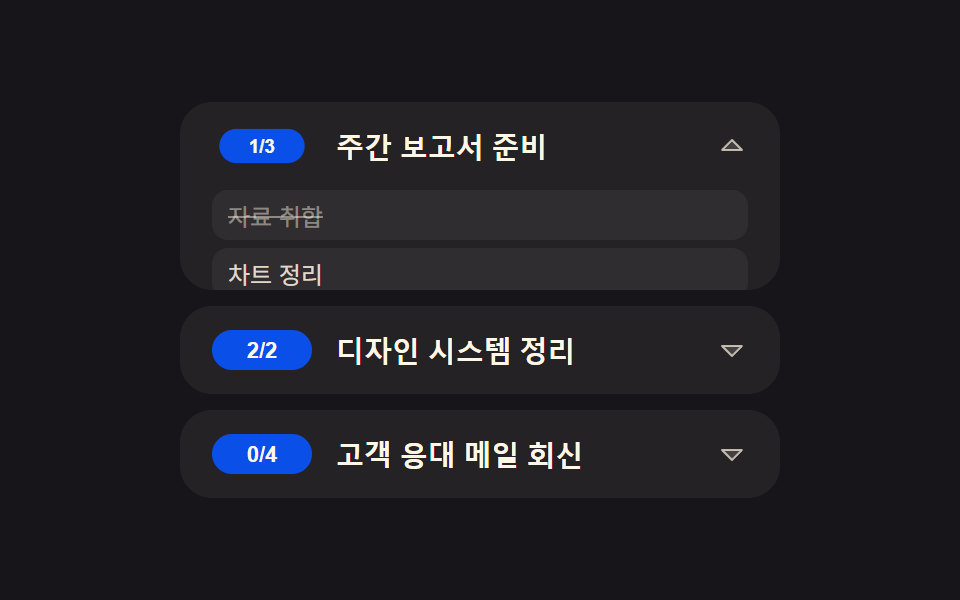 목록·표 UI투두 리스트 ui 패턴 9종 — 진행률 게이지부터 되감기까지 한 번에 정리
 목록·표 UI데이터 테이블 UI 9종 — 열을 끌어 넓히고 셀을 골라 복사하는 표
 목록·표 UIcss 리스트 디자인 9종 — 마커가 계산으로 움직이는 목록 꾸미기
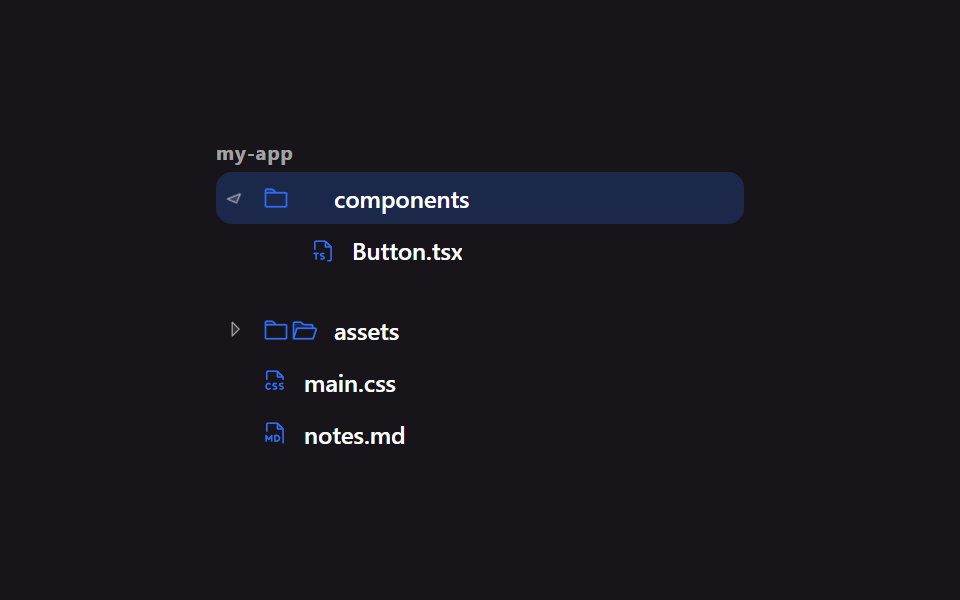 목록·표 UI파일 트리 만들기 9종 — 폴더가 진짜로 열리는 사이드바
 목록·표 UI무한 스크롤 구현 9종 — 리스트·테이블 UI 기본 패턴
 목록·표 UI랭킹 ui 디자인 9가지 — 랭킹 페이지 디자인도 같은 원리다
 목록·표 UIcss receipt 9가지 — 한 줄씩 인쇄·절취선 찢기·바코드 스캔·나눠 내기
 목록·표 UI댓글 ui 9가지 — 대댓글 깊이부터 삭제 뒤 빈 자리까지 계산하는 목록