원형 프로그레스바 CSS 9종 — 값만 바꾸면 되는
원형 프로그레스바 CSS는 값 하나만 바꾸면 전체가 다시 그려지는 채움·게이지 애니메이션을 말합니다. 업로드 바부터 반원 속도계, 배터리 아이콘까지 실제로 돌아가는 아홉 개를 모았고, 하나같이 width가 아니라 transform과 conic-gradient만 다시 그립니다.
 01 progress-bar-gauge-linear-fill
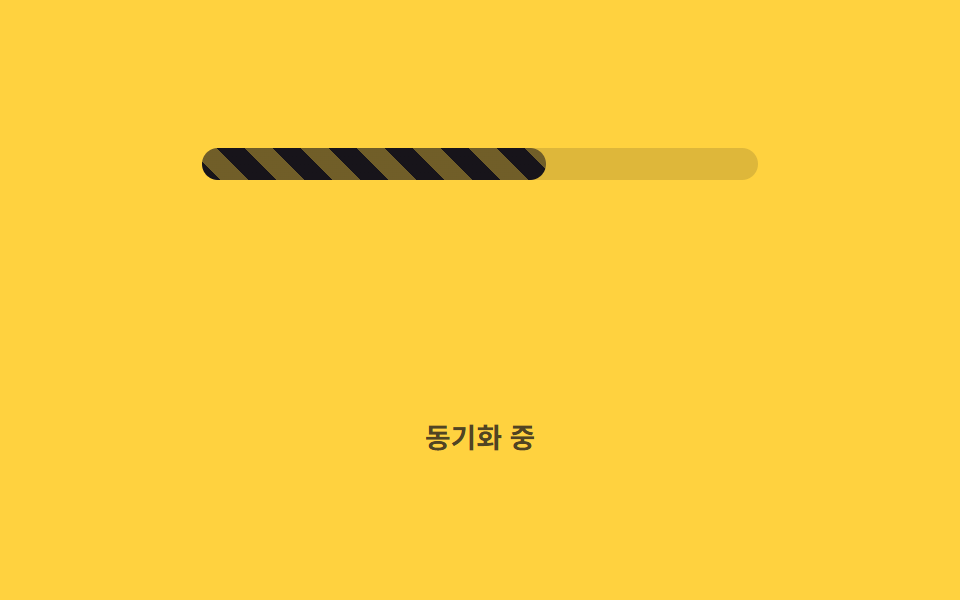 02 progress-bar-gauge-striped-animated
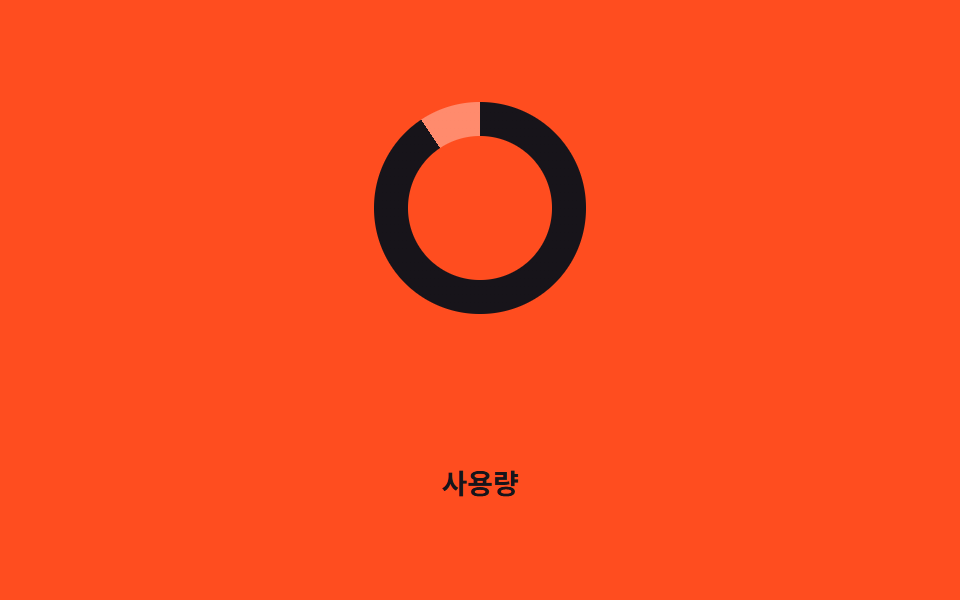 03 progress-bar-gauge-conic-ring
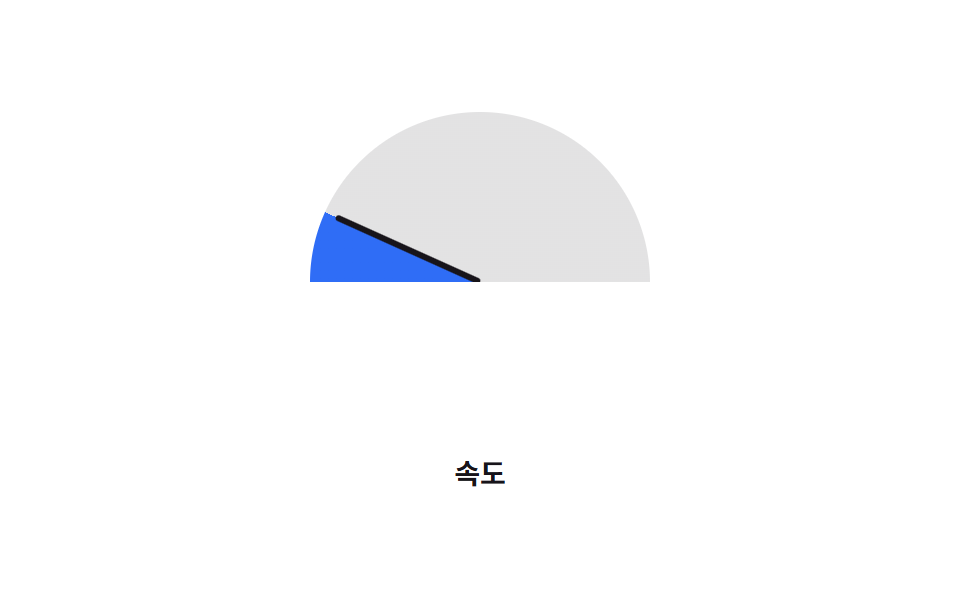 04 progress-bar-gauge-half-gauge
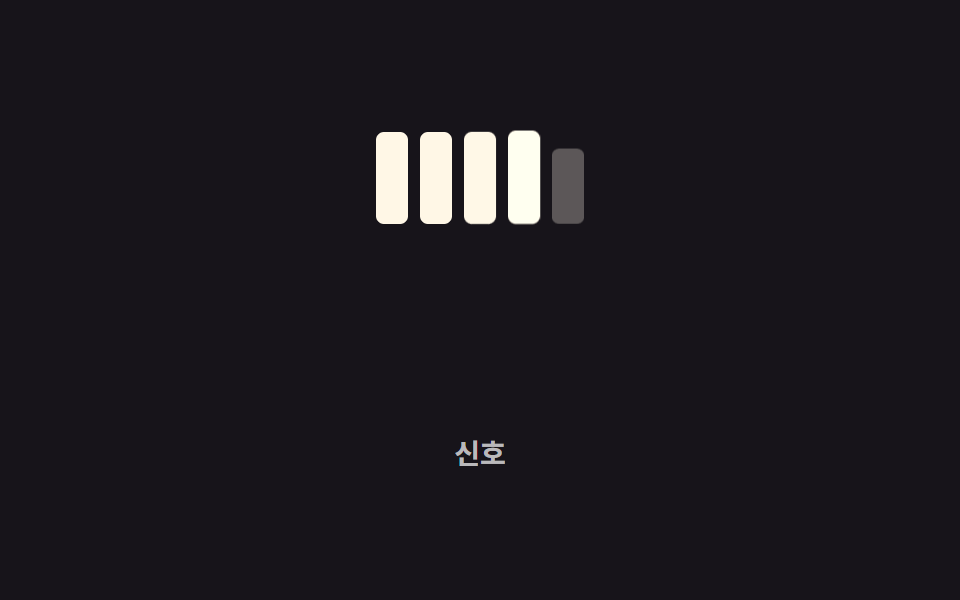 05 progress-bar-gauge-segmented-steps
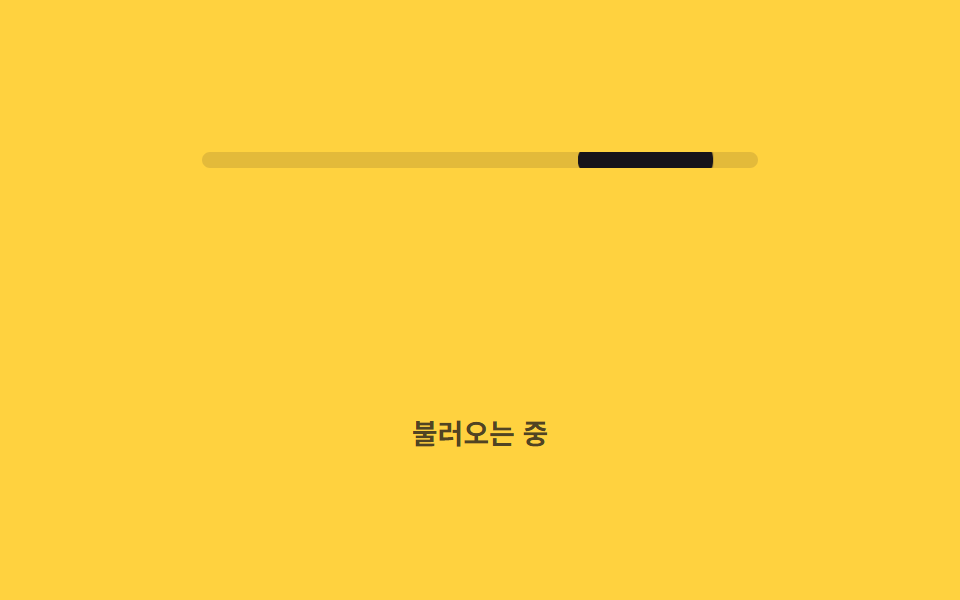 06 progress-bar-gauge-indeterminate-bar
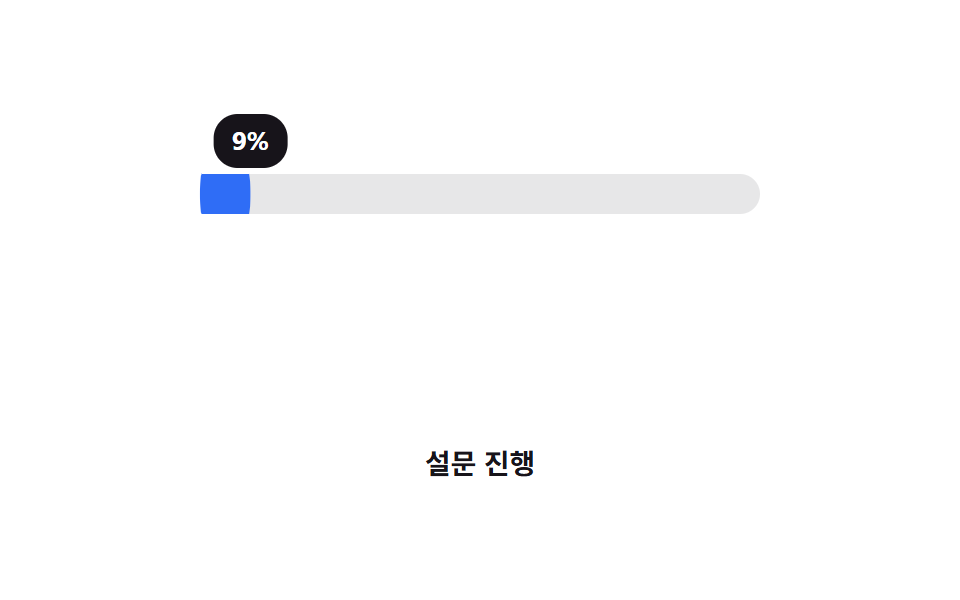 07 progress-bar-gauge-percent-label
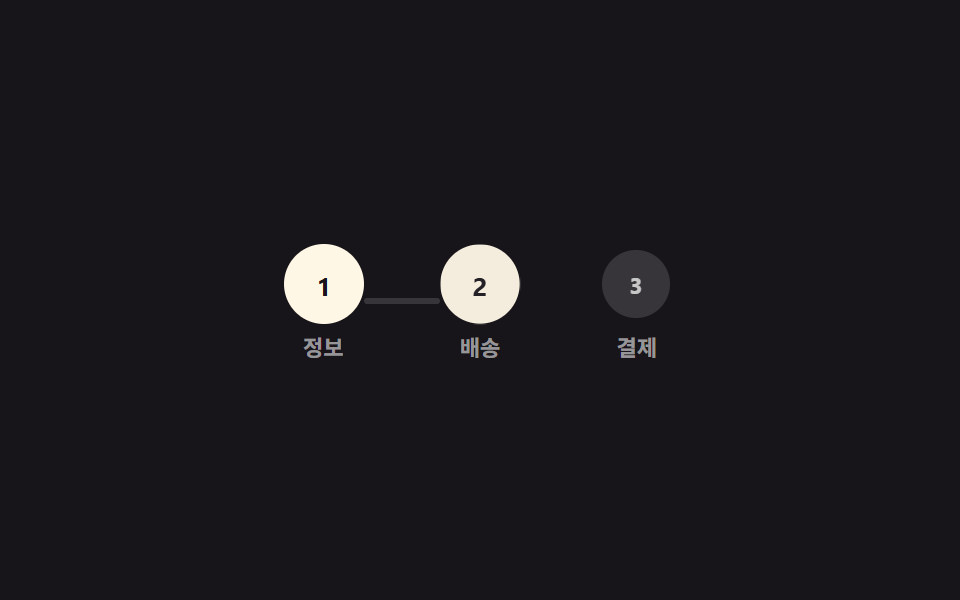 08 progress-bar-gauge-stepper-progress
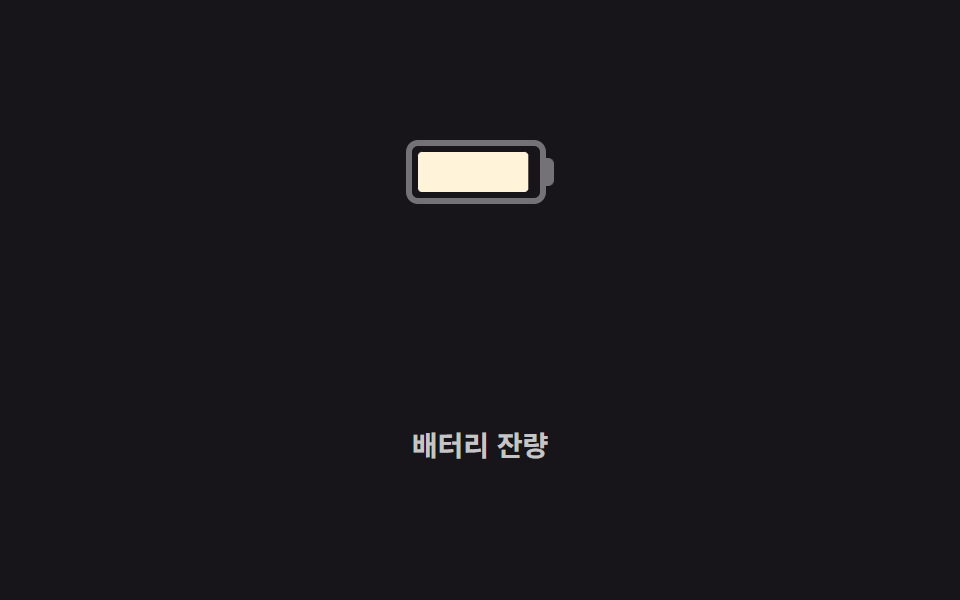 09 progress-bar-gauge-battery-shape
자동 재생 · 눌러서 해당 항목으로 · 전부 한 zip
- 01 기본 선형 채움
- 02 스트라이프 애니메이션
- 03 conic-gradient 원형 게이지
- 04 반원 게이지
- 05 세그먼트 단계 표시
- 06 불확정 무한 바
- 07 퍼센트 라벨 동기
- 08 단계형 진행 표시
- 09 배터리 모양 게이지
아홉 개는 인기 순이 아니라 값을 다루는 난이도 순으로 놓았습니다. css 프로그레스바 하나로 채우는 가장 단순한 형태에서 시작해 원형·반원으로 모양을 바꾸고, 값을 모르는 상태와 여러 단계로 이어지는 흐름까지 갑니다. 항목마다 코드는 핵심만 실었고, 전체 파일은 zip에 있습니다. 값이 아직 도착하지 않아 06 불확정 바처럼 돌려만 둬야 한다면 CSS 로딩 스피너 쪽이 더 맞고, 답변을 기다리는 대화 화면이라면 AI 채팅 로딩 애니메이션이 그 자리를 대신합니다.
01기본 선형 채움
css 프로그레스바 애니메이션이 어떻게 채워지나
다른 조건 없이 값 하나만 있으면 되는 가장 단순한 막대입니다.
어디에 쓰나
--percent 커스텀 속성이 애니메이션되는 동안 안쪽 막대는 width가 아니라 scaleX로만 늘어나, 값이 커져도 레이아웃을 다시 계산하지 않습니다.
<main class="stage">
  <div class="track is-demo" role="progressbar" aria-valuemin="0" aria-valuemax="100" aria-valuenow="76" aria-label="업로드 중">
    <div class="bar"></div>
  </div>
  <p class="cap">업로드 중</p>
</main>
@use "../../../../site/static/demo-tokens" as *;
// ── 변수 3개. 변형은 이것만 바꾼다 ──────────────────────────
$duration: $dur-loop; // 0 → 목표값까지 차는 시간
$easing: $ease-out;
$color: $subject-cream; // 채워지는 색
@include stage($stage-ink);
// 값은 등록된 숫자 커스텀 속성으로 애니메이션한다 (scroll() 이 아니라 실제 진행률 숫자)
@property --percent {
syntax: "<number>";
inherits: true; // .bar 가 부모 .track 의 애니메이션 값을 그대로 물려받는다
initial-value: 0;
}
.track {
--percent: 0;
position: relative;
width: clamp(200px, 58vw, 280px);
height: 14px;
border-radius: $r-pill;
background: rgba(255, 255, 255, .16);
overflow: hidden;
}
.bar {
position: absolute;
inset: 0;
border-radius: inherit;
background: $color;
transform: scaleX(calc(var(--percent) / 100)); // width 대신 scaleX 로만 채운다
transform-origin: left center;
}
.track.is-demo { animation: fill $duration $easing infinite; }
@keyframes fill {
0% { --percent: 0; }
60% { --percent: 76; }
100% { --percent: 76; }
}
.cap {
margin: 14px 0 0;
color: rgba(255, 255, 255, .7);
font: 600 clamp(12px, 3.2vw, 14px)/1 -apple-system, "Segoe UI", "Noto Sans KR", sans-serif;
}
// ── 접근성: 움직임 줄이기 설정이면 목표값에서 정지 ────────────
@media (prefers-reduced-motion: reduce) {
.track.is-demo { animation: none; --percent: 76; }
}html, body {
margin: 0;
overflow: hidden;
}
.stage {
box-sizing: border-box;
min-height: 100vh;
display: grid;
place-items: center;
margin: 0;
background: #17141a;
font-family: -apple-system, "Segoe UI", "Noto Sans KR", sans-serif;
padding: clamp(8px, 4vw, 24px);
}
@property --percent {
syntax: "<number>";
inherits: true;
initial-value: 0;
}
.track {
--percent: 0;
position: relative;
width: clamp(200px, 58vw, 280px);
height: 14px;
border-radius: 999px;
background: rgba(255, 255, 255, 0.16);
overflow: hidden;
}
.bar {
position: absolute;
inset: 0;
border-radius: inherit;
background: #fff7e6;
transform: scaleX(calc(var(--percent) / 100));
transform-origin: left center;
}
.track.is-demo {
animation: fill 2s ease-out infinite;
}
@keyframes fill {
0% {
--percent: 0;
}
60% {
--percent: 76;
}
100% {
--percent: 76;
}
}
.cap {
margin: 14px 0 0;
color: rgba(255, 255, 255, 0.7);
font: 600 clamp(12px, 3.2vw, 14px)/1 -apple-system, "Segoe UI", "Noto Sans KR", sans-serif;
}
@media (prefers-reduced-motion: reduce) {
.track.is-demo {
animation: none;
--percent: 76;
}
}import type { CSSProperties } from "react";
import styles from "./LinearFillBar.module.scss";
export type LinearFillBarProps = {
/** 0~100. 실제 진행률 숫자 그대로 넘긴다 (스크롤이 아니다) */
percent: number;
duration?: number;
easing?: string;
color?: string;
label?: string;
};
type Vars = CSSProperties & {
"--duration"?: string;
"--easing"?: string;
"--color"?: string;
"--percent"?: number;
};
export default function LinearFillBar({
percent,
duration = 600,
easing = "cubic-bezier(.2,.8,.2,1)",
color = "#fff7e6",
label,
}: LinearFillBarProps) {
const p = Math.max(0, Math.min(100, percent));
const vars: Vars = { "--duration": `${duration}ms`, "--easing": easing, "--color": color, "--percent": p };
return (
<div
className={styles.track}
style={vars}
role="progressbar"
aria-valuemin={0}
aria-valuemax={100}
aria-valuenow={p}
aria-label={label}
>
<div className={styles.bar} />
</div>
);
}01 · 기본 선형 채움 — 측정 누적면적 2.051% · 움직인 프레임 15/23GODRICH 원작 · zip 에 SCSS·React 포함 · 비밀번호 보기
@property --percent { syntax: "<number>"; inherits: true; initial-value: 0; }
.track { --percent: 0; position: relative; overflow: hidden; }
.bar {
  position: absolute; inset: 0; background: $color;
  transform: scaleX(calc(var(--percent) / 100));
  transform-origin: left center;
}
.track.is-demo { animation: fill $duration $easing infinite; }
@keyframes fill { 0% { --percent: 0; } 100% { --percent: 76; } }
02스트라이프 애니메이션
어떻게 움직이나
값은 그대로인데 줄무늬만 계속 흘러, 멈춘 것처럼 보이지 않게 만드는 막대입니다.
어디에 쓰나
대량 처리나 동기화처럼 진행이 느린 작업에 씁니다.
<main class="stage">
  <div class="track" role="progressbar" aria-valuemin="0" aria-valuemax="100" aria-valuenow="62" aria-label="동기화 중">
    <div class="bar is-demo"></div>
  </div>
  <p class="cap">동기화 중</p>
</main>
@use "../../../../site/static/demo-tokens" as *;
// ── 변수 3개 ──────────────────────────────────────────
$duration: 1s; // 줄무늬가 한 칸 흐르는 시간
$easing: linear;
$color: $subject-ink; // 줄무늬 색
@include stage($stage-yellow);
.track {
position: relative;
width: clamp(200px, 58vw, 280px);
height: 16px;
border-radius: $r-pill;
background: rgba(23, 20, 26, .14);
overflow: hidden;
}
// 값은 62% 로 고정, 줄무늬만 background-position 으로 흐른다 (026 의 배경 애니메이션과 같은 예외 — 레이아웃이 아니라 페인트만 다시 한다)
.bar {
position: absolute;
inset: 0;
width: 62%;
border-radius: inherit;
background-image: repeating-linear-gradient(45deg, $color 0 10px, rgba($color, .55) 10px 20px);
background-size: 28px 28px;
}
.bar.is-demo { animation: stripe-move $duration $easing infinite; }
@keyframes stripe-move {
from { background-position: 0 0; }
to { background-position: 28px 0; }
}
.cap {
margin: 14px 0 0;
color: rgba(23, 20, 26, .75);
font: 600 clamp(12px, 3.2vw, 14px)/1 -apple-system, "Segoe UI", "Noto Sans KR", sans-serif;
}
@media (prefers-reduced-motion: reduce) {
.bar.is-demo { animation: none; }
}html, body {
margin: 0;
overflow: hidden;
}
.stage {
box-sizing: border-box;
min-height: 100vh;
display: grid;
place-items: center;
margin: 0;
background: #ffd23f;
font-family: -apple-system, "Segoe UI", "Noto Sans KR", sans-serif;
padding: clamp(8px, 4vw, 24px);
}
.track {
position: relative;
width: clamp(200px, 58vw, 280px);
height: 16px;
border-radius: 999px;
background: rgba(23, 20, 26, 0.14);
overflow: hidden;
}
.bar {
position: absolute;
inset: 0;
width: 62%;
border-radius: inherit;
background-image: repeating-linear-gradient(45deg, #17141a 0 10px, rgba(23, 20, 26, 0.55) 10px 20px);
background-size: 28px 28px;
}
.bar.is-demo {
animation: stripe-move 1s linear infinite;
}
@keyframes stripe-move {
from {
background-position: 0 0;
}
to {
background-position: 28px 0;
}
}
.cap {
margin: 14px 0 0;
color: rgba(23, 20, 26, 0.75);
font: 600 clamp(12px, 3.2vw, 14px)/1 -apple-system, "Segoe UI", "Noto Sans KR", sans-serif;
}
@media (prefers-reduced-motion: reduce) {
.bar.is-demo {
animation: none;
}
}import type { CSSProperties } from "react";
import styles from "./StripedBar.module.scss";
export type StripedBarProps = {
/** 0~100 */
percent: number;
duration?: number;
easing?: string;
color?: string;
label?: string;
};
type Vars = CSSProperties & {
"--duration"?: string;
"--easing"?: string;
"--color"?: string;
"--percent"?: number;
};
export default function StripedBar({
percent,
duration = 1000,
easing = "linear",
color = "#17141a",
label,
}: StripedBarProps) {
const p = Math.max(0, Math.min(100, percent));
const vars: Vars = { "--duration": `${duration}ms`, "--easing": easing, "--color": color, "--percent": p };
return (
<div
className={styles.track}
style={vars}
role="progressbar"
aria-valuemin={0}
aria-valuemax={100}
aria-valuenow={p}
aria-label={label}
>
<div className={styles.bar} />
</div>
);
}02 · 스트라이프 애니메이션 — 측정 누적면적 1.883% · 움직인 프레임 23/23GODRICH 원작 · zip 에 SCSS·React 포함 · 비밀번호 보기
.bar {
  position: absolute; inset: 0;
  background-image: repeating-linear-gradient(45deg, $color 0 10px, rgba($color, .55) 10px 20px);
  background-size: 28px 28px;
}
.bar.is-demo { animation: stripe-move $duration $easing infinite; }
@keyframes stripe-move {
  from { background-position: 0 0; }
  to   { background-position: 28px 0; }
}
03conic-gradient 원형 게이지
어떻게 움직이나
도넛 모양 링이 값만큼 채워지지만 숫자는 보여주지 않습니다.
어디에 쓰나
대신 값이 낮음·중간·높음 구간을 지날 때마다 링 색 자체가 바뀌어, 숫자를 읽지 않아도 상태를 한눈에 알 수 있습니다.
<main class="stage">
  <div class="ring is-demo" role="progressbar" aria-valuemin="0" aria-valuemax="100" aria-valuenow="76" aria-label="사용량"></div>
  <p class="cap">사용량</p>
</main>
@use "../../../../site/static/demo-tokens" as *;
// ── 변수 3개 ──────────────────────────────────────────
$duration: $dur-loop; // 0 → 100 까지 차는 시간
$easing: $ease-out;
$color: $subject-blue; // 낮은 구간(0~40%) 색. 변형은 이 값만 바꾼다
@include stage($stage-orange);
// 채움 각도(--percent)와 구간 색(--zone)을 각각 등록한다. 숫자는 매끄럽게, 색은 구간이 바뀔 때 한 번에 전환한다
@property --percent {
syntax: "<number>";
inherits: false;
initial-value: 0;
}
.ring {
--percent: 0;
--zone: #{$color};
position: relative;
width: clamp(84px, 22vw, 108px);
aspect-ratio: 1;
border-radius: 50%;
background: conic-gradient(var(--zone) calc(var(--percent) * 1%), rgba(255, 255, 255, .35) 0);
}
.ring::before { // 도넛 구멍 — 숫자를 보여주지 않고 색으로만 구간을 말한다
content: "";
position: absolute;
inset: 16%;
border-radius: 50%;
background: $stage-orange;
}
.ring.is-demo {
animation: sweep $duration $easing infinite, zone $duration steps(1) infinite;
}
@keyframes sweep { 0% { --percent: 0; } 100% { --percent: 100; } }
@keyframes zone {
0% { --zone: #{$color}; } // 낮음
40% { --zone: #{$color}; }
41% { --zone: #{$stage-yellow}; } // 중간
74% { --zone: #{$stage-yellow}; }
75% { --zone: #{$subject-ink}; } // 높음(경고) — 주황 무대라 빨강 대신 잉크 (대비)
100% { --zone: #{$subject-ink}; }
}
.cap {
margin: 14px 0 0;
color: $subject-ink; // AA: 주황 무대 위 글자 5.50:1
font: 600 clamp(12px, 3.2vw, 14px)/1 -apple-system, "Segoe UI", "Noto Sans KR", sans-serif;
}
@media (prefers-reduced-motion: reduce) {
.ring.is-demo { animation: none; --percent: 76; --zone: #{$subject-ink}; }
}html, body {
margin: 0;
overflow: hidden;
}
.stage {
box-sizing: border-box;
min-height: 100vh;
display: grid;
place-items: center;
margin: 0;
background: #ff4d1f;
font-family: -apple-system, "Segoe UI", "Noto Sans KR", sans-serif;
padding: clamp(8px, 4vw, 24px);
}
@property --percent {
syntax: "<number>";
inherits: false;
initial-value: 0;
}
.ring {
--percent: 0;
--zone: #2f6df6;
position: relative;
width: clamp(84px, 22vw, 108px);
aspect-ratio: 1;
border-radius: 50%;
background: conic-gradient(var(--zone) calc(var(--percent) * 1%), rgba(255, 255, 255, 0.35) 0);
}
.ring::before {
content: "";
position: absolute;
inset: 16%;
border-radius: 50%;
background: #ff4d1f;
}
.ring.is-demo {
animation: sweep 2s ease-out infinite, zone 2s steps(1) infinite;
}
@keyframes sweep {
0% {
--percent: 0;
}
100% {
--percent: 100;
}
}
@keyframes zone {
0% {
--zone: #2f6df6;
}
40% {
--zone: #2f6df6;
}
41% {
--zone: #ffd23f;
}
74% {
--zone: #ffd23f;
}
75% {
--zone: #17141a;
}
100% {
--zone: #17141a;
}
}
.cap {
margin: 14px 0 0;
color: #17141a;
font: 600 clamp(12px, 3.2vw, 14px)/1 -apple-system, "Segoe UI", "Noto Sans KR", sans-serif;
}
@media (prefers-reduced-motion: reduce) {
.ring.is-demo {
animation: none;
--percent: 76;
--zone: #17141a;
}
}import type { CSSProperties } from "react";
import styles from "./ConicRing.module.scss";
export type ConicRingProps = {
/** 0~100 */
percent: number;
duration?: number;
easing?: string;
/** 낮음 구간(0~40) 색 */
color?: string;
/** 중간 구간(40~75) 색 */
zoneMid?: string;
/** 높음 구간(75~100) 색 */
zoneHigh?: string;
label?: string;
};
type Vars = CSSProperties & {
"--duration"?: string;
"--easing"?: string;
"--percent"?: number;
"--zone"?: string;
};
export default function ConicRing({
percent,
duration = 600,
easing = "ease-out",
color = "#2f6df6",
zoneMid = "#ffd23f",
zoneHigh = "#17141a",
label,
}: ConicRingProps) {
const p = Math.max(0, Math.min(100, percent));
const zone = p < 40 ? color : p < 75 ? zoneMid : zoneHigh;
const vars: Vars = { "--duration": `${duration}ms`, "--easing": easing, "--percent": p, "--zone": zone };
return (
<div
className={styles.ring}
style={vars}
role="progressbar"
aria-valuemin={0}
aria-valuemax={100}
aria-valuenow={p}
aria-label={label}
/>
);
}03 · conic-gradient 원형 게이지 — 측정 누적면적 3.458% · 움직인 프레임 23/23GODRICH 원작 · zip 에 SCSS·React 포함 · 비밀번호 보기
@property --percent { syntax: "<number>"; inherits: false; initial-value: 0; }
.ring {
  --percent: 0; --zone: #{$color};
  background: conic-gradient(var(--zone) calc(var(--percent) * 1%), rgba(255, 255, 255, .35) 0);
}
.ring.is-demo { animation: sweep $duration $easing infinite, zone $duration steps(1) infinite; }
@keyframes zone {
  40%  { --zone: #{$color}; }
  41%  { --zone: #{$stage-yellow}; }
  75%  { --zone: #{$subject-ink}; }
}
04반원 게이지
어떻게 움직이나
원 전체가 아니라 위쪽 절반만 보여주는 속도계 모양입니다.
어디에 쓰나
컨테이너 높이를 폭의 절반으로 잘라 완전한 원의 아래쪽을 가리고, 바늘은 같은 값으로 함께 돕니다.
<main class="stage">
  <div class="gauge is-demo" role="progressbar" aria-valuemin="0" aria-valuemax="100" aria-valuenow="76" aria-label="속도">
    <span class="gauge__needle"></span>
  </div>
  <p class="cap">속도</p>
</main>
@use "../../../../site/static/demo-tokens" as *;
// ── 변수 3개 ──────────────────────────────────────────
$duration: $dur-loop; // 바늘이 왼쪽 끝에서 오른쪽 끝까지 도는 시간
$easing: $ease-out;
$color: $subject-blue; // 채워진 구간 색
@include stage($stage-paper);
// 채움 각도와 바늘 각도를 같은 값으로 구동한다. ::before·바늘 둘 다 자식이라 inherits 가 필요하다
@property --percent {
syntax: "<number>";
inherits: true;
initial-value: 0;
}
.gauge {
--percent: 0;
position: relative;
width: clamp(140px, 38vw, 170px);
height: clamp(70px, 19vw, 85px); // 폭의 절반 — 원 아래쪽 절반을 overflow 로 자른다
overflow: hidden;
}
.gauge::before {
content: "";
position: absolute;
top: 0; left: 0;
width: 100%;
height: 200%; // 부모 높이의 두 배 = 완전한 원. 위쪽 절반만 보인다
border-radius: 50%;
background: conic-gradient(from -90deg, $color calc(var(--percent) * 1.8deg), rgba($subject-ink, .12) 0);
}
.gauge__needle {
position: absolute;
bottom: 0;
left: 50%;
width: 3px;
height: calc(100% - 6px);
background: $subject-ink;
border-radius: 2px;
transform-origin: bottom center; // 규칙8: 바늘 회전 피벗
transform: translateX(-50%) rotate(calc(var(--percent) * 1.8deg - 90deg));
}
.gauge.is-demo { animation: sweep $duration $easing infinite; }
@keyframes sweep { 0% { --percent: 0; } 100% { --percent: 100; } }
.cap {
margin: 14px 0 0;
color: $subject-ink;
font: 600 clamp(12px, 3.2vw, 14px)/1 -apple-system, "Segoe UI", "Noto Sans KR", sans-serif;
}
@media (prefers-reduced-motion: reduce) {
.gauge.is-demo { animation: none; --percent: 76; }
}html, body {
margin: 0;
overflow: hidden;
}
.stage {
box-sizing: border-box;
min-height: 100vh;
display: grid;
place-items: center;
margin: 0;
background: #ffffff;
font-family: -apple-system, "Segoe UI", "Noto Sans KR", sans-serif;
padding: clamp(8px, 4vw, 24px);
}
@property --percent {
syntax: "<number>";
inherits: true;
initial-value: 0;
}
.gauge {
--percent: 0;
position: relative;
width: clamp(140px, 38vw, 170px);
height: clamp(70px, 19vw, 85px);
overflow: hidden;
}
.gauge::before {
content: "";
position: absolute;
top: 0;
left: 0;
width: 100%;
height: 200%;
border-radius: 50%;
background: conic-gradient(from -90deg, #2f6df6 calc(var(--percent) * 1.8deg), rgba(23, 20, 26, 0.12) 0);
}
.gauge__needle {
position: absolute;
bottom: 0;
left: 50%;
width: 3px;
height: calc(100% - 6px);
background: #17141a;
border-radius: 2px;
transform-origin: bottom center;
transform: translateX(-50%) rotate(calc(var(--percent) * 1.8deg - 90deg));
}
.gauge.is-demo {
animation: sweep 2s ease-out infinite;
}
@keyframes sweep {
0% {
--percent: 0;
}
100% {
--percent: 100;
}
}
.cap {
margin: 14px 0 0;
color: #17141a;
font: 600 clamp(12px, 3.2vw, 14px)/1 -apple-system, "Segoe UI", "Noto Sans KR", sans-serif;
}
@media (prefers-reduced-motion: reduce) {
.gauge.is-demo {
animation: none;
--percent: 76;
}
}import type { CSSProperties } from "react";
import styles from "./HalfGauge.module.scss";
export type HalfGaugeProps = {
/** 0~100 */
percent: number;
duration?: number;
easing?: string;
color?: string;
label?: string;
};
type Vars = CSSProperties & {
"--duration"?: string;
"--easing"?: string;
"--percent"?: number;
};
export default function HalfGauge({
percent,
duration = 600,
easing = "ease-out",
color = "#2f6df6",
label,
}: HalfGaugeProps) {
const p = Math.max(0, Math.min(100, percent));
const vars: Vars = { "--duration": `${duration}ms`, "--easing": easing, "--color": color, "--percent": p };
return (
<div
className={styles.gauge}
style={vars}
role="progressbar"
aria-valuemin={0}
aria-valuemax={100}
aria-valuenow={p}
aria-label={label}
>
<span className={styles.needle} />
</div>
);
}04 · 반원 게이지 — 측정 누적면적 7.955% · 움직인 프레임 23/23GODRICH 원작 · zip 에 SCSS·React 포함 · 비밀번호 보기
@property --percent { syntax: "<number>"; inherits: true; initial-value: 0; }
.gauge { --percent: 0; overflow: hidden; }
.gauge::before {
  width: 100%; height: 200%; border-radius: 50%;
  background: conic-gradient(from -90deg, $color calc(var(--percent) * 1.8deg), rgba($subject-ink, .12) 0);
}
.gauge__needle {
  transform-origin: bottom center;
  transform: translateX(-50%) rotate(calc(var(--percent) * 1.8deg - 90deg));
}
05세그먼트 단계 표시
어떻게 움직이나
막대가 하나로 이어지지 않고 여러 조각으로 나뉘어, 신호 세기처럼 조각이 순서대로 켜집니다.
어디에 쓰나
연속값이 아니라 단계값을 보여줄 때 씁니다.
<main class="stage">
  <div class="segs is-demo" role="progressbar" aria-valuemin="0" aria-valuemax="5" aria-valuenow="3" aria-label="신호">
    <span class="seg"></span><span class="seg"></span><span class="seg"></span><span class="seg"></span><span class="seg"></span>
  </div>
  <p class="cap">신호</p>
</main>
@use "../../../../site/static/demo-tokens" as *;
// ── 변수 3개 ──────────────────────────────────────────
$duration: 260ms; // 조각 하나가 켜지는 시간
$easing: $ease-pop;
$color: $subject-cream; // 켜진 조각 색
@include stage($stage-ink);
.segs {
display: flex;
align-items: flex-end;
gap: 6px;
}
.seg {
width: 16px;
height: 46px;
border-radius: 4px;
background: rgba(255, 255, 255, .14);
opacity: .35;
transform: scaleY(.7);
transform-origin: bottom; // 규칙8: 아래서 차오름
}
// 조각마다 시작 시점을 다르게 — 하나로 이어진 바가 아니라 순서대로 켜지는 신호처럼
.segs.is-demo .seg { animation: light 2s $easing infinite; }
.segs.is-demo .seg:nth-child(1) { animation-delay: 0ms; }
.segs.is-demo .seg:nth-child(2) { animation-delay: 160ms; }
.segs.is-demo .seg:nth-child(3) { animation-delay: 320ms; }
.segs.is-demo .seg:nth-child(4) { animation-delay: 480ms; }
.segs.is-demo .seg:nth-child(5) { animation-delay: 640ms; }
@keyframes light {
0%, 60%, 100% { opacity: .35; transform: scaleY(.7); background: rgba(255, 255, 255, .14); }
20%, 45% { opacity: 1; transform: scaleY(1); background: $color; }
}
.cap {
margin: 14px 0 0;
color: rgba(255, 255, 255, .7);
font: 600 clamp(12px, 3.2vw, 14px)/1 -apple-system, "Segoe UI", "Noto Sans KR", sans-serif;
}
@media (prefers-reduced-motion: reduce) {
.segs.is-demo .seg { animation: none; opacity: 1; transform: scaleY(1); background: $color; }
}html, body {
margin: 0;
overflow: hidden;
}
.stage {
box-sizing: border-box;
min-height: 100vh;
display: grid;
place-items: center;
margin: 0;
background: #17141a;
font-family: -apple-system, "Segoe UI", "Noto Sans KR", sans-serif;
padding: clamp(8px, 4vw, 24px);
}
.segs {
display: flex;
align-items: flex-end;
gap: 6px;
}
.seg {
width: 16px;
height: 46px;
border-radius: 4px;
background: rgba(255, 255, 255, 0.14);
opacity: 0.35;
transform: scaleY(0.7);
transform-origin: bottom;
}
.segs.is-demo .seg {
animation: light 2s cubic-bezier(0.2, 1.4, 0.4, 1) infinite;
}
.segs.is-demo .seg:nth-child(1) {
animation-delay: 0ms;
}
.segs.is-demo .seg:nth-child(2) {
animation-delay: 160ms;
}
.segs.is-demo .seg:nth-child(3) {
animation-delay: 320ms;
}
.segs.is-demo .seg:nth-child(4) {
animation-delay: 480ms;
}
.segs.is-demo .seg:nth-child(5) {
animation-delay: 640ms;
}
@keyframes light {
0%, 60%, 100% {
opacity: 0.35;
transform: scaleY(0.7);
background: rgba(255, 255, 255, 0.14);
}
20%, 45% {
opacity: 1;
transform: scaleY(1);
background: #fff7e6;
}
}
.cap {
margin: 14px 0 0;
color: rgba(255, 255, 255, 0.7);
font: 600 clamp(12px, 3.2vw, 14px)/1 -apple-system, "Segoe UI", "Noto Sans KR", sans-serif;
}
@media (prefers-reduced-motion: reduce) {
.segs.is-demo .seg {
animation: none;
opacity: 1;
transform: scaleY(1);
background: #fff7e6;
}
}import type { CSSProperties } from "react";
import styles from "./SegmentedSteps.module.scss";
export type SegmentedStepsProps = {
/** 켜진 조각 수 (0~total) */
active: number;
total?: number;
duration?: number;
easing?: string;
color?: string;
label?: string;
};
type Vars = CSSProperties & {
"--duration"?: string;
"--easing"?: string;
"--color"?: string;
};
export default function SegmentedSteps({
active,
total = 5,
duration = 220,
easing = "cubic-bezier(.2,1.4,.4,1)",
color = "#fff7e6",
label,
}: SegmentedStepsProps) {
const vars: Vars = { "--duration": `${duration}ms`, "--easing": easing, "--color": color };
return (
<div
className={styles.segs}
style={vars}
role="progressbar"
aria-valuemin={0}
aria-valuemax={total}
aria-valuenow={active}
aria-label={label}
>
{Array.from({ length: total }, (_, i) => (
<span key={i} className={i < active ? `${styles.seg} ${styles.on}` : styles.seg} />
))}
</div>
);
}05 · 세그먼트 단계 표시 — 측정 누적면적 2.794% · 움직인 프레임 20/23GODRICH 원작 · zip 에 SCSS·React 포함 · 비밀번호 보기
.seg {
  width: 16px; height: 46px; border-radius: 4px;
  opacity: .35; transform: scaleY(.7); transform-origin: bottom;
}
.segs.is-demo .seg { animation: light 2s $easing infinite; }
.segs.is-demo .seg:nth-child(2) { animation-delay: 160ms; }
@keyframes light {
  0%, 60%, 100% { opacity: .35; transform: scaleY(.7); }
  20%, 45%      { opacity: 1;   transform: scaleY(1); background: $color; }
}
06불확정 무한 바
어떻게 움직이나
진행률을 아예 모를 때 씁니다.
어디에 쓰나
짧은 막대 하나가 좌우로 오가는 흔한 방식 대신, 길이가 다른 두 조각이 시간차를 두고 겹쳐 지나가며 굴러가는 인상을 만듭니다.
<main class="stage">
  <div class="track" role="progressbar" aria-label="불러오는 중">
    <span class="seg seg--a is-demo"></span>
    <span class="seg seg--b is-demo"></span>
  </div>
  <p class="cap">불러오는 중</p>
</main>
@use "../../../../site/static/demo-tokens" as *;
// ── 변수 3개 ──────────────────────────────────────────
$duration: 1.6s; // 긴 조각 하나가 지나가는 시간
$easing: cubic-bezier(.4, 0, .2, 1);
$color: $subject-ink; // 조각 색
@include stage($stage-yellow);
// 진행률을 모르므로 aria-valuenow 를 주지 않는다 (ARIA 명세: 불확정 progressbar 는 값 속성을 뺀다)
.track {
position: relative;
width: clamp(200px, 58vw, 280px);
height: 8px;
border-radius: $r-pill;
background: rgba(23, 20, 26, .12);
overflow: hidden;
}
.seg {
position: absolute;
inset: 0; // 폭을 꽉 채운 뒤 transform 으로만 밀고 줄인다 (width 는 건드리지 않는다)
border-radius: inherit;
background: $color;
transform-origin: left center; // 규칙8: 좌변 기준 이동·신축
}
// 짧은 바 하나가 오가는 대신, 길이가 다른 두 조각이 시간차를 두고 서로 겹쳐 지나간다 (머티리얼 디자인 방식)
.seg--a.is-demo { animation: seg-a $duration $easing infinite; }
.seg--b.is-demo { animation: seg-b $duration $easing infinite; animation-delay: $duration * .35; }
@keyframes seg-a {
0% { transform: translateX(-100%) scaleX(.15); }
55% { transform: translateX(30%) scaleX(.7); }
100% { transform: translateX(120%) scaleX(.15); }
}
@keyframes seg-b {
0% { transform: translateX(-140%) scaleX(.1); }
60% { transform: translateX(10%) scaleX(.4); }
100% { transform: translateX(120%) scaleX(.1); }
}
.cap {
margin: 14px 0 0;
color: rgba(23, 20, 26, .75);
font: 600 clamp(12px, 3.2vw, 14px)/1 -apple-system, "Segoe UI", "Noto Sans KR", sans-serif;
}
@media (prefers-reduced-motion: reduce) {
.seg.is-demo { animation: none; transform: translateX(0) scaleX(.4); opacity: .7; }
}html, body {
margin: 0;
overflow: hidden;
}
.stage {
box-sizing: border-box;
min-height: 100vh;
display: grid;
place-items: center;
margin: 0;
background: #ffd23f;
font-family: -apple-system, "Segoe UI", "Noto Sans KR", sans-serif;
padding: clamp(8px, 4vw, 24px);
}
.track {
position: relative;
width: clamp(200px, 58vw, 280px);
height: 8px;
border-radius: 999px;
background: rgba(23, 20, 26, 0.12);
overflow: hidden;
}
.seg {
position: absolute;
inset: 0;
border-radius: inherit;
background: #17141a;
transform-origin: left center;
}
.seg--a.is-demo {
animation: seg-a 1.6s cubic-bezier(0.4, 0, 0.2, 1) infinite;
}
.seg--b.is-demo {
animation: seg-b 1.6s cubic-bezier(0.4, 0, 0.2, 1) infinite;
animation-delay: 0.56s;
}
@keyframes seg-a {
0% {
transform: translateX(-100%) scaleX(0.15);
}
55% {
transform: translateX(30%) scaleX(0.7);
}
100% {
transform: translateX(120%) scaleX(0.15);
}
}
@keyframes seg-b {
0% {
transform: translateX(-140%) scaleX(0.1);
}
60% {
transform: translateX(10%) scaleX(0.4);
}
100% {
transform: translateX(120%) scaleX(0.1);
}
}
.cap {
margin: 14px 0 0;
color: rgba(23, 20, 26, 0.75);
font: 600 clamp(12px, 3.2vw, 14px)/1 -apple-system, "Segoe UI", "Noto Sans KR", sans-serif;
}
@media (prefers-reduced-motion: reduce) {
.seg.is-demo {
animation: none;
transform: translateX(0) scaleX(0.4);
opacity: 0.7;
}
}import type { CSSProperties } from "react";
import styles from "./IndeterminateBar.module.scss";
export type IndeterminateBarProps = {
duration?: number;
easing?: string;
color?: string;
/** 진행률을 모르므로 값이 아니라 상태만 알린다 */
label?: string;
};
type Vars = CSSProperties & {
"--duration"?: string;
"--easing"?: string;
"--color"?: string;
};
export default function IndeterminateBar({
duration = 1600,
easing = "cubic-bezier(.4,0,.2,1)",
color = "#17141a",
label = "Loading",
}: IndeterminateBarProps) {
const vars: Vars = { "--duration": `${duration}ms`, "--easing": easing, "--color": color };
return (
<div className={styles.track} style={vars} role="progressbar" aria-label={label}>
<span className={`${styles.seg} ${styles.a}`} />
<span className={`${styles.seg} ${styles.b}`} />
</div>
);
}06 · 불확정 무한 바 — 측정 누적면적 1.542% · 움직인 프레임 19/23GODRICH 원작 · zip 에 SCSS·React 포함 · 비밀번호 보기
.seg {
  position: absolute; inset: 0;
  background: $color; transform-origin: left center;
}
.seg--a.is-demo { animation: seg-a $duration $easing infinite; }
.seg--b.is-demo { animation: seg-b $duration $easing infinite; animation-delay: $duration * .35; }
@keyframes seg-a {
  0%   { transform: translateX(-100%) scaleX(.15); }
  55%  { transform: translateX(30%)   scaleX(.7); }
  100% { transform: translateX(120%)  scaleX(.15); }
}
07퍼센트 라벨 동기
어떻게 움직이나
링이 아니라 가로 막대 위에서, 채움의 끝을 따라다니는 말풍선이 지금 값을 보여줍니다.
어디에 쓰나
컨테이너 쿼리 단위 cqw로 막대 폭 기준 위치를 계산합니다.
<main class="stage">
  <div class="track is-demo" role="progressbar" aria-valuemin="0" aria-valuemax="100" aria-valuenow="76" aria-label="설문 진행">
    <div class="bar"></div>
    <div class="bubble"><span class="bubble__num" aria-hidden="true"></span></div>
  </div>
  <p class="cap">설문 진행</p>
</main>
@use "../../../../site/static/demo-tokens" as *;
// ── 변수 3개 ──────────────────────────────────────────
$duration: $dur-loop;
$easing: $ease-out;
$color: $subject-blue; // 바·말풍선 공통 색
@include stage($stage-paper);
// 정수로 등록해야 counter() 가 자릿수를 깔끔하게 읽는다. 자식(bar·bubble)이 같이 읽으므로 inherits: true
@property --percent {
syntax: "<integer>";
inherits: true;
initial-value: 0;
}
.track {
--percent: 0;
position: relative;
width: clamp(220px, 62vw, 280px);
height: 20px;
margin-top: 26px;
border-radius: $r-pill;
background: rgba(23, 20, 26, .1);
container-type: inline-size; // 말풍선이 이 폭을 기준으로 움직인다
}
.bar {
position: absolute;
inset: 0;
border-radius: inherit;
background: $color;
transform: scaleX(calc(var(--percent) / 100));
transform-origin: left center; // 규칙8: 좌변서 차오름
}
// 링이 아니라 막대 위에서, 채움의 끝자락을 translateX(cqw) 로 따라간다 — 1cqw = 컨테이너 폭의 1%
.bubble {
position: absolute;
top: -30px;
left: 0;
transform: translateX(calc(var(--percent) * 1cqw - 50%));
background: $subject-ink;
color: #fff;
border-radius: $r-control;
padding: 3px 9px;
font: 700 clamp(11px, 3vw, 13px)/1.6 -apple-system, "Segoe UI", "Noto Sans KR", sans-serif;
}
.bubble__num {
counter-reset: p var(--percent);
&::before { content: counter(p) "%"; }
}
.track.is-demo { animation: fill $duration $easing infinite; }
@keyframes fill { 0% { --percent: 0; } 60% { --percent: 76; } 100% { --percent: 76; } }
.cap {
margin: 34px 0 0;
color: $subject-ink;
font: 600 clamp(12px, 3.2vw, 14px)/1 -apple-system, "Segoe UI", "Noto Sans KR", sans-serif;
}
@media (prefers-reduced-motion: reduce) {
.track.is-demo { animation: none; --percent: 76; }
}html, body {
margin: 0;
overflow: hidden;
}
.stage {
box-sizing: border-box;
min-height: 100vh;
display: grid;
place-items: center;
margin: 0;
background: #ffffff;
font-family: -apple-system, "Segoe UI", "Noto Sans KR", sans-serif;
padding: clamp(8px, 4vw, 24px);
}
@property --percent {
syntax: "<integer>";
inherits: true;
initial-value: 0;
}
.track {
--percent: 0;
position: relative;
width: clamp(220px, 62vw, 280px);
height: 20px;
margin-top: 26px;
border-radius: 999px;
background: rgba(23, 20, 26, 0.1);
container-type: inline-size;
}
.bar {
position: absolute;
inset: 0;
border-radius: inherit;
background: #2f6df6;
transform: scaleX(calc(var(--percent) / 100));
transform-origin: left center;
}
.bubble {
position: absolute;
top: -30px;
left: 0;
transform: translateX(calc(var(--percent) * 1cqw - 50%));
background: #17141a;
color: #fff;
border-radius: 12px;
padding: 3px 9px;
font: 700 clamp(11px, 3vw, 13px)/1.6 -apple-system, "Segoe UI", "Noto Sans KR", sans-serif;
}
.bubble__num {
counter-reset: p var(--percent);
}
.bubble__num::before {
content: counter(p) "%";
}
.track.is-demo {
animation: fill 2s ease-out infinite;
}
@keyframes fill {
0% {
--percent: 0;
}
60% {
--percent: 76;
}
100% {
--percent: 76;
}
}
.cap {
margin: 34px 0 0;
color: #17141a;
font: 600 clamp(12px, 3.2vw, 14px)/1 -apple-system, "Segoe UI", "Noto Sans KR", sans-serif;
}
@media (prefers-reduced-motion: reduce) {
.track.is-demo {
animation: none;
--percent: 76;
}
}import type { CSSProperties } from "react";
import styles from "./PercentLabel.module.scss";
export type PercentLabelProps = {
/** 0~100 */
percent: number;
duration?: number;
easing?: string;
color?: string;
label?: string;
};
type Vars = CSSProperties & {
"--duration"?: string;
"--easing"?: string;
"--color"?: string;
"--percent"?: number;
};
export default function PercentLabel({
percent,
duration = 600,
easing = "ease-out",
color = "#2f6df6",
label,
}: PercentLabelProps) {
const p = Math.max(0, Math.min(100, percent));
const vars: Vars = { "--duration": `${duration}ms`, "--easing": easing, "--color": color, "--percent": p };
return (
<div
className={styles.track}
style={vars}
role="progressbar"
aria-valuemin={0}
aria-valuemax={100}
aria-valuenow={p}
aria-label={label}
>
<div className={styles.bar} />
<div className={styles.bubble}>{Math.round(p)}%</div>
</div>
);
}07 · 퍼센트 라벨 동기 — 측정 누적면적 7.601% · 움직인 프레임 14/23GODRICH 원작 · zip 에 SCSS·React 포함 · 비밀번호 보기
@property --percent { syntax: "<integer>"; inherits: true; initial-value: 0; }
.track { --percent: 0; container-type: inline-size; }
.bar { transform: scaleX(calc(var(--percent) / 100)); transform-origin: left center; }
.bubble {
  position: absolute; top: -30px; left: 0;
  transform: translateX(calc(var(--percent) * 1cqw - 50%));
}
.bubble__num { counter-reset: p var(--percent); &::before { content: counter(p) "%"; } }
08단계형 진행 표시
어떻게 움직이나
번호가 매겨진 원 세 개가 선으로 이어지고, 앞 단계가 끝나야 다음 원과 선이 채워집니다.
어디에 쓰나
회원가입이나 결제처럼 순서가 있는 흐름을 보여줄 때 씁니다.
<main class="stage">
  <div class="stepper is-demo" role="list" aria-label="진행 단계">
    <div class="step" role="listitem"><span class="step__dot">1</span><span class="step__label">정보</span></div>
    <div class="line"></div>
    <div class="step" role="listitem"><span class="step__dot">2</span><span class="step__label">배송</span></div>
    <div class="line"></div>
    <div class="step" role="listitem"><span class="step__dot">3</span><span class="step__label">결제</span></div>
  </div>
</main>
@use "../../../../site/static/demo-tokens" as *;
// ── 변수 3개 ──────────────────────────────────────────
$duration: 400ms; // 원 하나·선 하나가 채워지는 시간
$easing: $ease-spring;
$color: $subject-cream; // 완료된 원·선 색
@include stage($stage-ink);
.stepper { display: flex; align-items: center; }
.step { display: flex; flex-direction: column; align-items: center; gap: 6px; }
.step__dot {
width: clamp(30px, 9vw, 40px);
height: clamp(30px, 9vw, 40px);
border-radius: 50%;
display: grid;
place-items: center;
background: rgba(255, 255, 255, .14);
color: rgba(255, 255, 255, .72);
font-weight: 700; font-size: 13px; line-height: 1; font-family: inherit;
transform: scale(.85);
}
.step__label { font-weight: 600; font-size: 11px; line-height: 1; font-family: inherit; color: rgba(255, 255, 255, .55); }
.line {
width: clamp(30px, 8vw, 44px);
height: 3px;
border-radius: 2px;
background: rgba(255, 255, 255, .14);
transform: scaleX(0);
transform-origin: left; // 규칙8: 좌변서 차오름
}
// 원 → 선 → 원 → 선 → 원 순서로, 앞 단계가 끝나야 다음이 채워진다 (동시에 시작하지 않는다)
.stepper.is-demo .step__dot { animation: dot-fill $duration $easing both; }
.stepper.is-demo .line { animation: line-grow $duration linear both; }
.stepper.is-demo > :nth-child(1) .step__dot { animation-delay: 0ms; }
.stepper.is-demo > :nth-child(2) { animation-delay: 400ms; }
.stepper.is-demo > :nth-child(3) .step__dot { animation-delay: 800ms; }
.stepper.is-demo > :nth-child(4) { animation-delay: 1200ms; }
.stepper.is-demo > :nth-child(5) .step__dot { animation-delay: 1600ms; }
@keyframes dot-fill {
from { background: rgba(255, 255, 255, .14); color: rgba(255, 255, 255, .72); transform: scale(.85); }
to { background: $color; color: $stage-ink; transform: scale(1); }
}
@keyframes line-grow { from { transform: scaleX(0); } to { transform: scaleX(1); } }
@media (prefers-reduced-motion: reduce) {
.stepper.is-demo .step__dot,
.stepper.is-demo .line { animation: none; background: $color; transform: none; }
.stepper.is-demo .step__dot { color: $stage-ink; }
}html, body {
margin: 0;
overflow: hidden;
}
.stage {
box-sizing: border-box;
min-height: 100vh;
display: grid;
place-items: center;
margin: 0;
background: #17141a;
font-family: -apple-system, "Segoe UI", "Noto Sans KR", sans-serif;
padding: clamp(8px, 4vw, 24px);
}
.stepper {
display: flex;
align-items: center;
}
.step {
display: flex;
flex-direction: column;
align-items: center;
gap: 6px;
}
.step__dot {
width: clamp(30px, 9vw, 40px);
height: clamp(30px, 9vw, 40px);
border-radius: 50%;
display: grid;
place-items: center;
background: rgba(255, 255, 255, 0.14);
color: rgba(255, 255, 255, 0.72);
font-weight: 700;
font-size: 13px;
line-height: 1;
font-family: inherit;
transform: scale(0.85);
}
.step__label {
font-weight: 600;
font-size: 11px;
line-height: 1;
font-family: inherit;
color: rgba(255, 255, 255, 0.55);
}
.line {
width: clamp(30px, 8vw, 44px);
height: 3px;
border-radius: 2px;
background: rgba(255, 255, 255, 0.14);
transform: scaleX(0);
transform-origin: left;
}
.stepper.is-demo .step__dot {
animation: dot-fill 400ms cubic-bezier(0.2, 0.8, 0.2, 1) both;
}
.stepper.is-demo .line {
animation: line-grow 400ms linear both;
}
.stepper.is-demo > :nth-child(1) .step__dot {
animation-delay: 0ms;
}
.stepper.is-demo > :nth-child(2) {
animation-delay: 400ms;
}
.stepper.is-demo > :nth-child(3) .step__dot {
animation-delay: 800ms;
}
.stepper.is-demo > :nth-child(4) {
animation-delay: 1200ms;
}
.stepper.is-demo > :nth-child(5) .step__dot {
animation-delay: 1600ms;
}
@keyframes dot-fill {
from {
background: rgba(255, 255, 255, 0.14);
color: rgba(255, 255, 255, 0.72);
transform: scale(0.85);
}
to {
background: #fff7e6;
color: #17141a;
transform: scale(1);
}
}
@keyframes line-grow {
from {
transform: scaleX(0);
}
to {
transform: scaleX(1);
}
}
@media (prefers-reduced-motion: reduce) {
.stepper.is-demo .step__dot,
.stepper.is-demo .line {
animation: none;
background: #fff7e6;
transform: none;
}
.stepper.is-demo .step__dot {
color: #17141a;
}
}import type { CSSProperties, ReactNode } from "react";
import styles from "./StepperProgress.module.scss";
export type StepperProgressProps = {
/** 완료된 단계 수 (0~labels.length) */
step: number;
labels?: string[];
duration?: number;
easing?: string;
color?: string;
};
type Vars = CSSProperties & {
"--duration"?: string;
"--easing"?: string;
"--color"?: string;
};
export default function StepperProgress({
step,
labels = ["Info", "Shipping", "Payment"],
duration = 400,
easing = "cubic-bezier(.2,.8,.2,1)",
color = "#fff7e6",
}: StepperProgressProps) {
const vars: Vars = { "--duration": `${duration}ms`, "--easing": easing, "--color": color };
const nodes: ReactNode[] = [];
labels.forEach((l, i) => {
if (i > 0) {
nodes.push(<span key={`line-${i}`} className={i <= step - 1 ? `${styles.line} ${styles.on}` : styles.line} />);
}
nodes.push(
<div key={`step-${i}`} className={styles.step} role="listitem">
<span className={i < step ? `${styles.dot} ${styles.on}` : styles.dot}>{i + 1}</span>
<span className={styles.label}>{l}</span>
</div>
);
});
return (
<div className={styles.stepper} style={vars} role="list" aria-label="progress steps">
{nodes}
</div>
);
}08 · 단계형 진행 표시 — 측정 누적면적 2.911% · 움직인 프레임 23/23GODRICH 원작 · zip 에 SCSS·React 포함 · 비밀번호 보기
.stepper.is-demo .step__dot { animation: dot-fill $duration $easing both; }
.stepper.is-demo .line { animation: line-grow $duration linear both; }
.stepper.is-demo > :nth-child(2) { animation-delay: 400ms; }
.stepper.is-demo > :nth-child(3) .step__dot { animation-delay: 800ms; }
@keyframes dot-fill {
  from { background: rgba(255, 255, 255, .14); transform: scale(.85); }
  to   { background: $color; transform: scale(1); }
}
@keyframes line-grow { from { transform: scaleX(0); } to { transform: scaleX(1); } }
09배터리 모양 게이지
어떻게 움직이나
배터리 아이콘 안쪽 막대가 채워지고, 남은 양이 적을수록 색이 경고색으로 바뀌는 게이지입니다.
어디에 쓰나
잔량이 낮아지면 테두리가 살짝 깜빡입니다.
<main class="stage">
  <div class="battery" role="progressbar" aria-valuemin="0" aria-valuemax="100" aria-valuenow="18" aria-label="배터리 잔량">
    <div class="battery__cell is-demo">
      <div class="battery__fill"></div>
    </div>
    <div class="battery__nub"></div>
  </div>
  <p class="cap">배터리 잔량</p>
</main>
@use "../../../../site/static/demo-tokens" as *;
// ── 변수 3개 ──────────────────────────────────────────
$duration: $dur-loop; // 100 → 낮음까지 소진되는 시간
$easing: linear;
$color: $subject-cream; // 가득 찼을 때 색
@include stage($stage-ink);
@property --percent {
syntax: "<number>";
inherits: false;
initial-value: 100;
}
.battery { display: flex; align-items: center; }
.battery__cell {
width: 70px;
height: 32px;
border: 3px solid rgba(255, 255, 255, .4);
border-radius: 6px;
padding: 3px;
box-sizing: border-box;
overflow: hidden;
}
.battery__nub { width: 4px; height: 14px; background: rgba(255, 255, 255, .4); border-radius: 0 3px 3px 0; }
.battery__fill {
--percent: 100;
height: 100%;
border-radius: 2px;
background: $color;
transform-origin: left center; // 규칙8: 좌변서 차오름
transform: scaleX(calc(var(--percent) / 100));
animation: drain $duration $easing infinite;
}
// 남은 양이 줄수록 색이 임계값마다 바뀐다 (초록 대신 브랜드 색 → 경고색, 토큰 밖 hex 를 새로 쓰지 않는다)
@keyframes drain {
0% { --percent: 100; background: #{$color}; }
55% { --percent: 35; background: #{$stage-yellow}; }
100% { --percent: 8; background: #{$error}; }
}
// 잔량이 낮아지는 마지막 구간에만 테두리가 살짝 깜빡인다
.battery__cell.is-demo { animation: pulse .6s ease-in-out infinite; animation-delay: 1.4s; }
@keyframes pulse { 0%, 100% { opacity: 1; } 50% { opacity: .55; } }
.cap {
margin: 14px 0 0;
color: rgba(255, 255, 255, .75);
font: 600 clamp(12px, 3.2vw, 14px)/1 -apple-system, "Segoe UI", "Noto Sans KR", sans-serif;
}
@media (prefers-reduced-motion: reduce) {
.battery__fill { animation: none; --percent: 18; background: #{$error}; }
.battery__cell.is-demo { animation: none; }
}html, body {
margin: 0;
overflow: hidden;
}
.stage {
box-sizing: border-box;
min-height: 100vh;
display: grid;
place-items: center;
margin: 0;
background: #17141a;
font-family: -apple-system, "Segoe UI", "Noto Sans KR", sans-serif;
padding: clamp(8px, 4vw, 24px);
}
@property --percent {
syntax: "<number>";
inherits: false;
initial-value: 100;
}
.battery {
display: flex;
align-items: center;
}
.battery__cell {
width: 70px;
height: 32px;
border: 3px solid rgba(255, 255, 255, 0.4);
border-radius: 6px;
padding: 3px;
box-sizing: border-box;
overflow: hidden;
}
.battery__nub {
width: 4px;
height: 14px;
background: rgba(255, 255, 255, 0.4);
border-radius: 0 3px 3px 0;
}
.battery__fill {
--percent: 100;
height: 100%;
border-radius: 2px;
background: #fff7e6;
transform-origin: left center;
transform: scaleX(calc(var(--percent) / 100));
animation: drain 2s linear infinite;
}
@keyframes drain {
0% {
--percent: 100;
background: #fff7e6;
}
55% {
--percent: 35;
background: #ffd23f;
}
100% {
--percent: 8;
background: #c2361a;
}
}
.battery__cell.is-demo {
animation: pulse 0.6s ease-in-out infinite;
animation-delay: 1.4s;
}
@keyframes pulse {
0%, 100% {
opacity: 1;
}
50% {
opacity: 0.55;
}
}
.cap {
margin: 14px 0 0;
color: rgba(255, 255, 255, 0.75);
font: 600 clamp(12px, 3.2vw, 14px)/1 -apple-system, "Segoe UI", "Noto Sans KR", sans-serif;
}
@media (prefers-reduced-motion: reduce) {
.battery__fill {
animation: none;
--percent: 18;
background: #c2361a;
}
.battery__cell.is-demo {
animation: none;
}
}import type { CSSProperties } from "react";
import styles from "./BatteryGauge.module.scss";
export type BatteryGaugeProps = {
/** 0~100 */
percent: number;
duration?: number;
easing?: string;
colorFull?: string;
colorMid?: string;
colorLow?: string;
label?: string;
};
type Vars = CSSProperties & {
"--duration"?: string;
"--easing"?: string;
"--percent"?: number;
"--fill"?: string;
};
export default function BatteryGauge({
percent,
duration = 600,
easing = "linear",
colorFull = "#fff7e6",
colorMid = "#ffd23f",
colorLow = "#c2361a",
label,
}: BatteryGaugeProps) {
const p = Math.max(0, Math.min(100, percent));
const fill = p > 55 ? colorFull : p > 20 ? colorMid : colorLow;
const vars: Vars = { "--duration": `${duration}ms`, "--easing": easing, "--percent": p, "--fill": fill };
return (
<div
className={p <= 15 ? `${styles.battery} ${styles.low}` : styles.battery}
style={vars}
role="progressbar"
aria-valuemin={0}
aria-valuemax={100}
aria-valuenow={p}
aria-label={label}
>
<div className={styles.cell}>
<div className={styles.fill} />
</div>
<div className={styles.nub} />
</div>
);
}09 · 배터리 모양 게이지 — 측정 누적면적 1.205% · 움직인 프레임 23/23GODRICH 원작 · zip 에 SCSS·React 포함 · 비밀번호 보기
@property --percent { syntax: "<number>"; inherits: false; initial-value: 100; }
.battery__fill {
  --percent: 100;
  transform: scaleX(calc(var(--percent) / 100));
  animation: drain $duration $easing infinite;
}
@keyframes drain {
  0%   { --percent: 100; background: #{$color}; }
  55%  { --percent: 35;  background: #{$stage-yellow}; }
  100% { --percent: 8;   background: #{$error}; }
}
어디서 깨지는가 — 함정 하나
아홉 개를 만들면서 진짜로 걸린 함정은 두 가지입니다.
폭이 0이면 scaleX 도 0
하나는 06 불확정 바입니다. 겹쳐 지나가는 두 조각을 absolute로 띄우면서 폭을 따로 주지 않았더니, position: absolute인 요소는 left·right가 없으면 폭이 콘텐츠 크기 그대로라 빈 요소는 0이 되고, scaleX를 아무리 걸어도 화면엔 아무것도 나타나지 않았습니다. inset: 0으로 폭을 먼저 채운 뒤에야 값이 움직이기 시작했습니다.
inherits 를 잘못 쓰면
다른 하나는 04·07처럼 부모가 --percent를 애니메이션하고 바늘·말풍선·::before 같은 자식이 그 값을 읽는 구조입니다. MDN의 @property 문서에 나오듯 inherits: false로 등록하면 애니메이션을 건 요소 자신만 값을 보고 자식은 초기값에 그대로 머무릅니다.
부모가 쥔 값을 자식이 읽어 위치를 옮기는 이 구조는 CSS 탭 메뉴 전환 애니메이션에서 활성 탭 밑줄을 미끄러뜨릴 때도 똑같은 자리에서 발이 걸립니다.
아홉 개 파일 받기
이 아홉 개 파일은 전부 상황에 맞는 inherits 값을 쓰고 있고, 압축 비밀번호는 betrch52이며 아래 버튼으로 받을 수 있습니다.
접근성
무엇을 알리나
아홉 개 전부 role="progressbar"와 aria-valuemin·aria-valuemax를 갖습니다. 값을 아는 01~05·07~09는 aria-valuenow도 함께 두지만, 값을 모르는 06 불확정 바만 이 속성을 뺍니다. 실수가 아니라 ARIA 명세가 정한 방식입니다.
<div class="track" role="progressbar" aria-valuemin="0" aria-valuemax="100" aria-valuenow="76" aria-label="업로드 중">
  <div class="bar is-demo"></div>
</div>
동작 줄이기에서
prefers-reduced-motion: reduce에서는 09 배터리와 05 세그먼트처럼 색이 바뀌는 것들은 마지막 상태로 고정되고, 06 불확정 바는 애니메이션이 멈춘 채 흐릿한 정지 막대로만 남습니다. 03의 구간 색도 진행 중이던 값에 맞는 구간 색으로 고정됩니다.
지금까지 만든 다른 로딩·상태 주제는 CSS 애니메이션 카테고리에 모여 있고, 이 사이트가 무엇을 다루는지는 소개에 있습니다.
FAQ
@property 없이도 이 게이지들을 만들 수 있나요?
네, 하지만 값이 바뀔 때 화면이 중간 단계 없이 한 번에 튑니다. @property로 커스텀 속성을 숫자로 등록해야 브라우저가 매 프레임 값을 보간해 부드럽게 채웁니다. 등록 없이 쓰려면 requestAnimationFrame으로 직접 값을 갱신하는 JS가 필요합니다.
css 게이지 바 중 반원과 원형 어느 쪽을 써야 하나요?
값의 범위가 명확한 하나의 지표라면 반원이 더 읽기 쉽고, 사용률·배터리처럼 낮음과 경고를 색으로 구분해야 한다면 원형 쪽이 공간을 덜 씁니다. 같은 화면에 두 형태를 섞지 않는 편이 낫습니다. 03 conic-gradient 게이지만 따로 더 필요하면 숫자까지 같이 세는 원형 스탯 링 위젯 쪽을 이어서 보면 됩니다.
값을 서버에서 실시간으로 받아 바꾸려면요?
React 판처럼 percent를 props나 상태로 받아 인라인 스타일의 --percent 값만 갱신하면 됩니다. @property로 등록해 둔 속성은 값이 바뀔 때 transition만 걸어도 새 값까지 자동으로 보간되므로, 별도의 애니메이션 루프가 필요 없습니다.
이런 글이랑 어울려요
 로딩스켈레톤 UI CSS 9종 — 복붙하면 되는 로딩 화면
 로딩CSS 로딩 스피너 9종 — div 하나로 끝나는
 로딩AI 채팅 CSS 로딩 애니메이션 9종
 로딩로딩페이지 디자인 9종 — 복붙하는 예쁜 CSS 로딩 화면
 로딩당겨서 새로고침 9종 — 당긴 거리 값이 새로고침을 만드는 방식
 로딩다운로드 진행 상황 표시 9종 — 값이 퍼센트 단위로 갱신되는 아홉 가지 방식
 로딩게이지 바 9종 — 게임처럼 채워지는 아홉 가지 방식
 로딩로딩 스켈레톤 ui 9종 — 차트가 계산으로 완성되는 순간까지
 로딩css 로딩바 애니메이션 9가지 — 3D 계산형 로더
 로딩페이지 로딩 애니메이션 9종 — 화면이 바뀌는 동안