페이지 로딩 애니메이션 9종 — 화면이 바뀌는 동안
페이지 로딩 애니메이션은 화면이 다음 화면으로 바뀌는 짧은 동안 기다림을 눈에 보이게 만드는 장치입니다. 여기 아홉 개는 한가운데서 빙글 도는 스피너가 아니라 진행 바·색 띠·자리표시·낙관적 이동처럼 화면을 통째로 갈아 끼우는 순간을 다루는 코드입니다.
 01 page-load-top-progress
 02 page-load-wipe-swap
 03 page-load-outline-fill-cards
 04 page-load-logo-pulse-splash
 05 page-load-optimistic-header
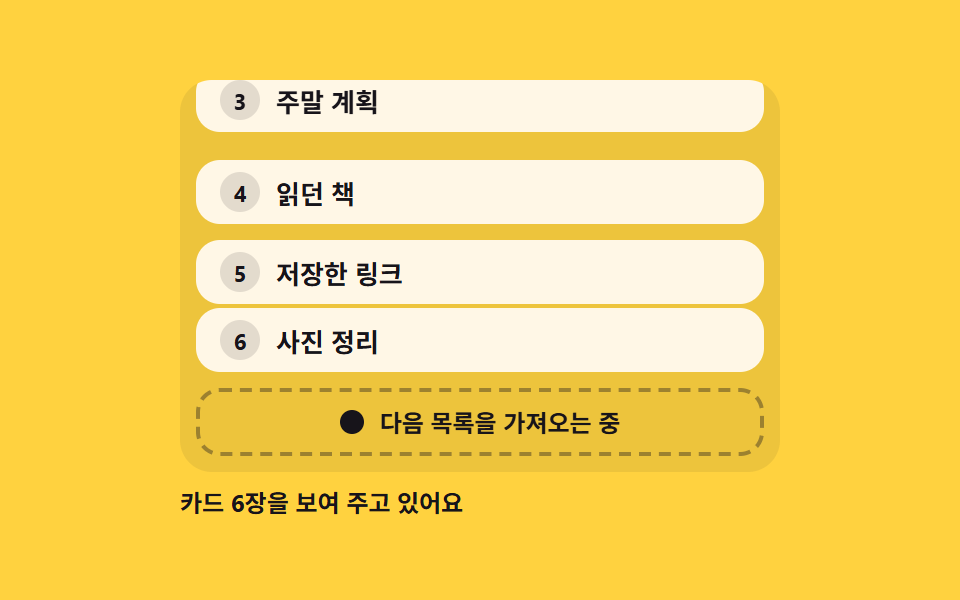 06 page-load-infinite-footer
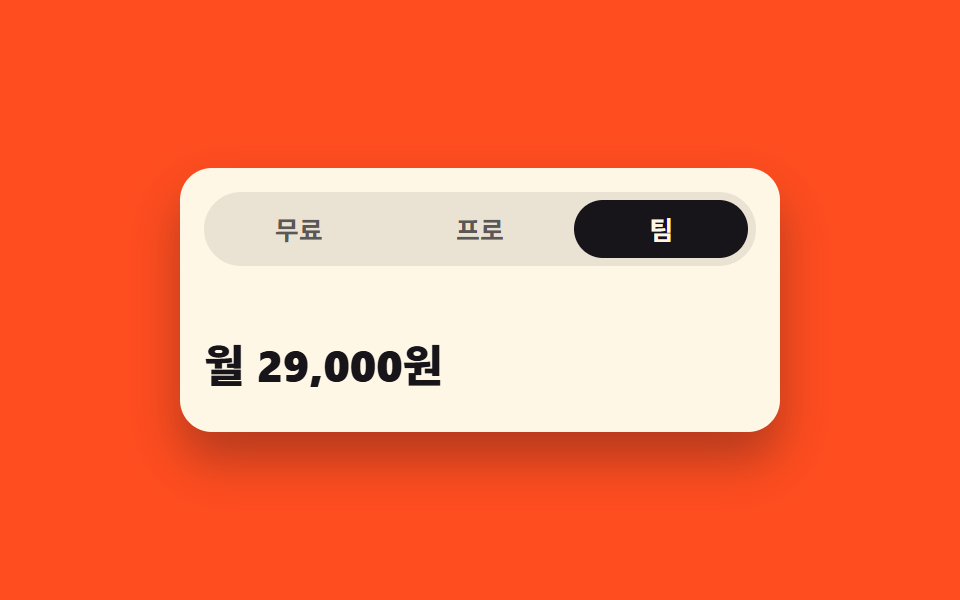 07 page-load-tab-height-morph
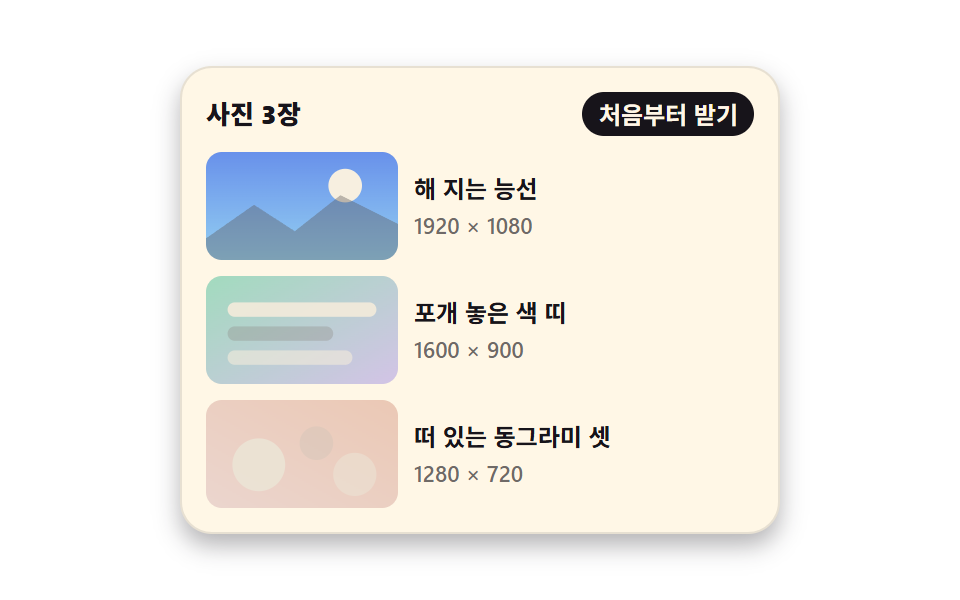 08 page-load-lazy-fade-ratio
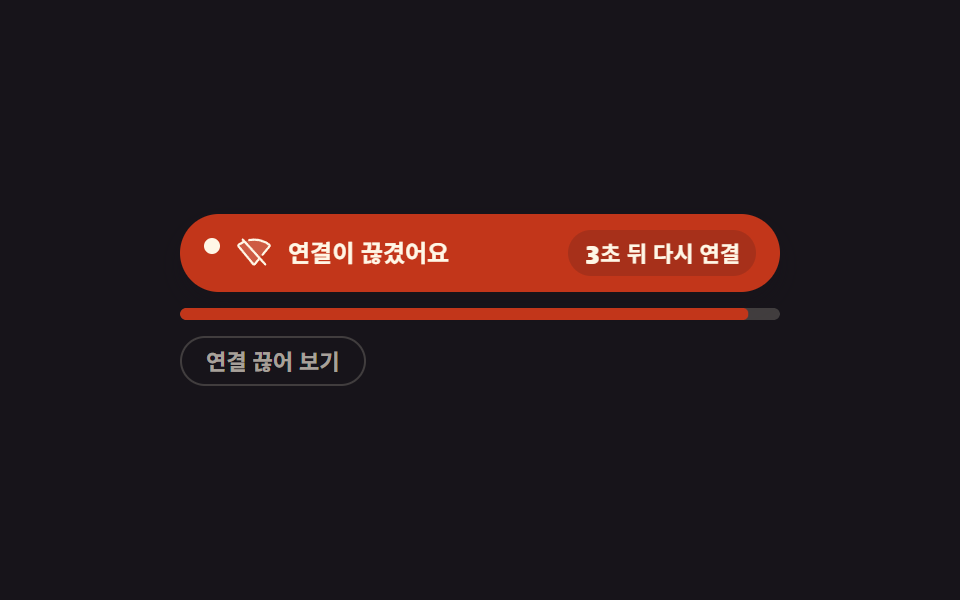 09 page-load-offline-retry
자동 재생 · 눌러서 해당 항목으로 · 전부 한 zip
- 01 화면 위를 가로지르는 라우트 진행 바
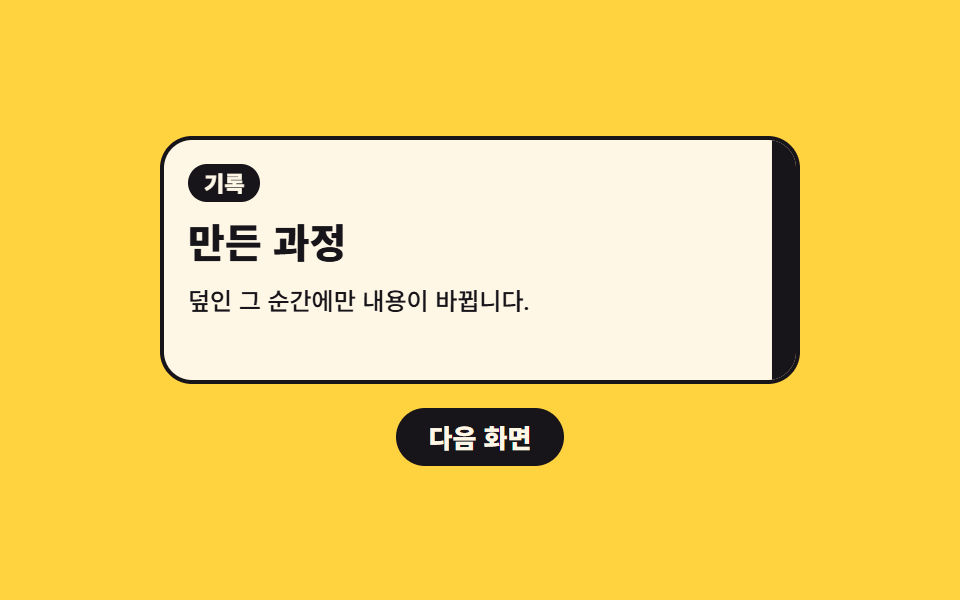
- 02 색 띠가 훑고 지나가며 내용을 갈아 끼우는 전환
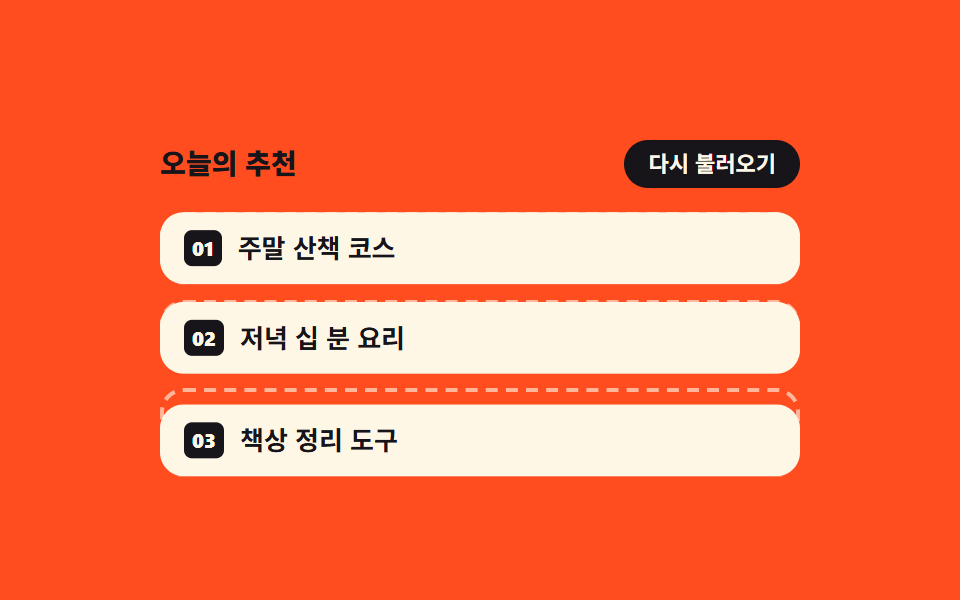
- 03 빈 테두리 자리가 카드로 하나씩 채워지는 목록
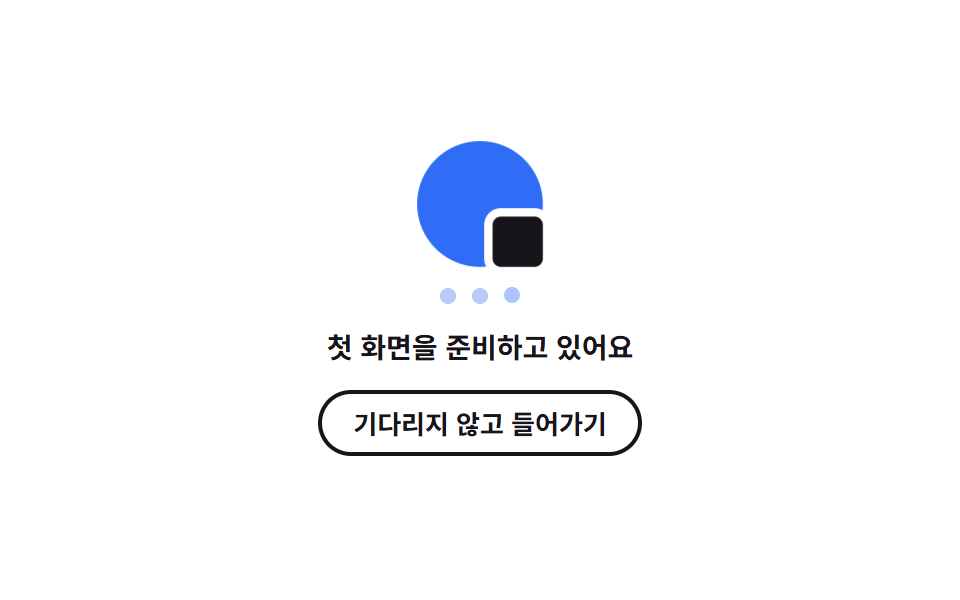
- 04 첫 진입에서 숨 쉬는 브랜드 마크 스플래시
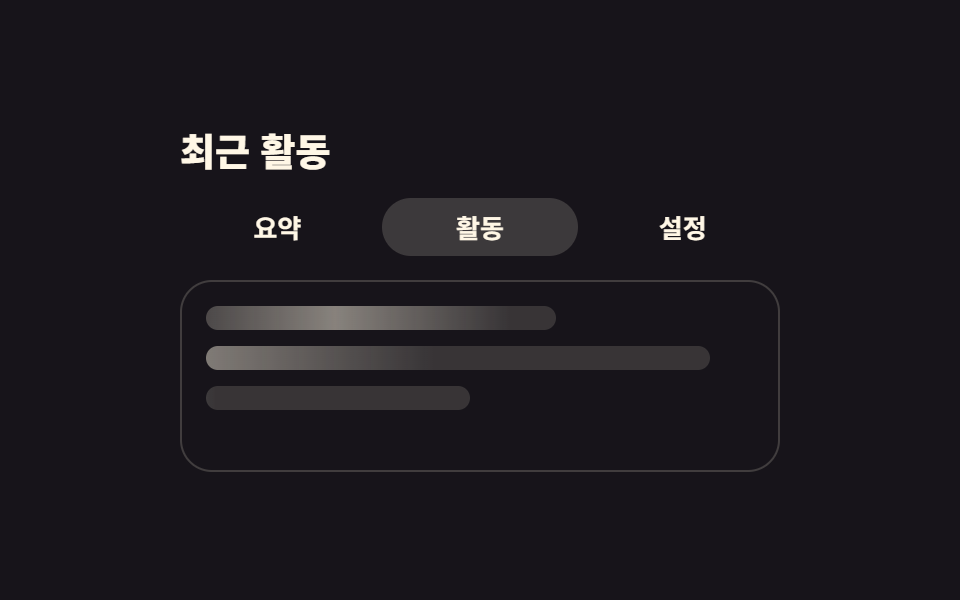
- 05 제목만 먼저 바꾸고 본문은 뒤따르는 낙관적 이동
- 06 목록 끝에서 다음 장을 물어 오는 바닥 로더
- 07 탭을 옮길 때 높이까지 따라 늘어나는 패널
- 08 비율 상자가 자리를 잡아 두고 늦게 떠오르는 그림
- 09 끊긴 연결을 세어 가며 다시 붙는 상태 띠
아홉 개의 화면 전환 애니메이션 효과는 인기순이 아니라 한 번의 이동이 거치는 순서대로 놓았습니다. 누르기 직후가 먼저입니다. 맨 위 띠가 조금씩 자라고(01) 색 띠가 화면을 훑고(02) 목록 자리가 하나씩 채워집니다(03). 이어 첫 방문과 누른 직후가 옵니다. 브랜드 마크가 숨 쉬는 스플래시(04)와 제목만 먼저 바꾸는 낙관적 이동(05)입니다. 그다음은 계속 읽는 화면의 차례입니다. 목록 바닥이 다음 장을 물어 오고(06) 탭을 옮기면 높이까지 따라 늘어나며(07) 그림은 자리를 지킨 채 늦게 떠오릅니다(08). 마지막은 이동이 실패했을 때입니다. 끊긴 연결을 세어 가며 다시 붙는 상태 띠(09)가 이 순서를 닫습니다. 스피너 축의 이웃은 로딩 스피너 9종과 스켈레톤 UI 9종에, 전환 자체의 축은 페이지 전환 애니메이션과 로딩페이지 디자인에 따로 묶어 두었습니다.
01화면 위를 가로지르는 라우트 진행 바
화면 전환 애니메이션에서 무엇이 보이나
링크를 누르면 화면 맨 위의 얇은 띠가 12 → 38 → 66 → 88 → 100 다섯 단계로 자라며 다음 화면을 기다리는 시간을 보여 줍니다. 채움은 transform: scaleX()라 레이아웃을 다시 계산하지 않고, 단계마다 aria-valuenow가 실제로 갱신됩니다.
<main class="stage">
  <section class="rp is-demo" id="rp" aria-label="화면 이동 진행 표시 미리보기">
    <div class="rp__bar">
      <span class="rp__fill" id="rp-fill" role="progressbar" aria-valuenow="0" aria-valuemin="0" aria-valuemax="100" aria-label="다음 화면 준비 진행률"></span>
    </div>
    <nav class="rp__tabs" aria-label="화면 이동">
      <button class="rp__tab is-current" type="button" aria-current="page">
        <span class="rp__pill" aria-hidden="true"></span><span class="rp__label">홈</span>
      </button>
      <button class="rp__tab" type="button">
        <span class="rp__pill" aria-hidden="true"></span><span class="rp__label">글 목록</span>
      </button>
      <button class="rp__tab" type="button">
        <span class="rp__pill" aria-hidden="true"></span><span class="rp__label">소개</span>
      </button>
    </nav>
    <div class="rp__view" id="rp-view" aria-busy="false">
      <p class="rp__head" id="rp-head">홈</p>
      <p class="rp__wait">다음 화면 준비 중</p>
      <p class="rp__text">지금 화면은 그대로 두고 다음 화면만 받아 옵니다.</p>
    </div>
  </section>
</main>
@use "sass:color";
@use "../../../../site/static/demo-tokens" as *;
// 상단 라우트 진행 바 — 링크를 누르면 화면 맨 위 띠가 가짜 fetch 진행만큼 scaleX 로 자란다
$duration: $dur-quick;
$easing: $ease-spring;
$color: $subject-blue;
@include stage($stage-ink);
$panel: color.mix($subject-cream, $stage-ink, 8%);
$line: rgba(255, 247, 230, .16);
.rp {
box-sizing: border-box;
display: grid;
width: min(300px, 88vw);
overflow: hidden;
border: 1px solid $line;
border-radius: $r-card;
background: $panel;
color: $subject-cream;
}
.rp * { box-sizing: border-box; }
// ── 화면 맨 위 진행 띠 ──
// 트랙은 늘 자리에 있고 채움만 scaleX 로 자란다. 폭(width)이 아니라 transform 이라 레이아웃을 다시 계산하지 않는다
.rp__bar { height: 4px; background: rgba(255, 247, 230, .12); }
.rp__fill {
display: block;
height: 100%;
background: $color;
transform: scaleX(0);
transform-origin: left center; // 규칙8: 루트 진행띠 좌측 채움
transition: transform $duration $easing;
}
// 100% 뒤 페이드는 실제 클릭 경로(.is-done)에서만. 격자 루프는 사라지는 장면을 재현하지 않는다
.rp.is-done .rp__fill { opacity: 0; transition: opacity $dur-base linear 180ms; }
// ── 링크 세 개 ──
// 균등 칸은 grid 로 짠다 (flex 1 1 0 + scaleX 조합은 인디케이터 오탐을 부른다)
.rp__tabs {
display: grid;
grid-template-columns: repeat(3, 1fr);
gap: $sp-1;
padding: $sp-3 $sp-3 $sp-2;
}
.rp__tab {
position: relative;
margin: 0;
padding: $sp-2 $sp-1;
border: 0;
border-radius: $r-pill;
background: none;
color: $subject-cream;
font-family: inherit;
font-size: 12px;
font-weight: 700;
line-height: 1;
cursor: pointer;
}
.rp__tab:focus-visible { outline: 2px solid $color; outline-offset: 2px; }
.rp__pill {
position: absolute;
inset: 0;
border-radius: $r-pill;
background: rgba(255, 247, 230, .14);
opacity: 0;
}
.rp__tab.is-current .rp__pill { opacity: 1; }
.rp__label { position: relative; }
// ── 본문: 기다리는 동안에도 자리와 글자가 그대로 남는다 ──
.rp__view {
display: grid;
gap: $sp-2;
padding: 0 $sp-3 $sp-3;
}
.rp__head {
margin: 0;
font-size: 15px;
font-weight: 800;
line-height: 1.2;
}
// 안내 줄은 자리를 늘 차지하고 보임만 변한다 — 켜질 때 아래 글이 밀리지 않는다
.rp__wait {
margin: 0;
color: $color;
font-size: 11px;
font-weight: 700;
line-height: 1.2;
opacity: 0;
}
.rp__text {
margin: 0;
color: rgba(255, 247, 230, .66);
font-size: 12px;
font-weight: 500;
line-height: 1.5;
}
// 정적(손으로 조작) 경로 — aria-busy 가 켜지면 안내가 뜨고 본문이 옅어진다
.rp__view[aria-busy="true"] .rp__wait { opacity: 1; }
.rp__view[aria-busy="true"] .rp__text { opacity: .45; }
// ── 격자 미리보기 전용 2초 루프 ──
// 0 → 88% 까지만 채우고 그대로 둔다. 완료·퇴장은 재현하지 않는다(대표 이미지가 빈 띠가 된다)
// 처음 상태로는 88% 지점에서 한 프레임에 컷으로 돌아온다(24프레임의 마지막 샘플은 95.8%)
@keyframes rp-trickle {
0% { transform: scaleX(0); animation-timing-function: steps(1, end); }
8% { transform: scaleX(.12); }
26% { transform: scaleX(.38); }
48% { transform: scaleX(.66); }
70% { transform: scaleX(.88); }
80% { transform: scaleX(.88); animation-timing-function: steps(1, end); }
88%, 100% { transform: scaleX(0); }
}
@keyframes rp-pill-home {
0%, 7% { opacity: 1; }
8%, 87% { opacity: 0; }
88%, 100% { opacity: 1; }
}
@keyframes rp-pill-list {
0%, 7% { opacity: 0; }
8%, 87% { opacity: 1; }
88%, 100% { opacity: 0; }
}
// 복귀는 셋으로 나눠 흘린다 — 누르는 순간(8%)이 가장 크게 변한 장면으로 남아야 대표 이미지가 산다
@keyframes rp-wait {
0%, 7% { opacity: 0; }
8%, 77% { opacity: 1; }
78%, 100% { opacity: 0; }
}
@keyframes rp-text {
0%, 7% { opacity: 1; }
8%, 83% { opacity: .45; }
84%, 100% { opacity: 1; }
}
.rp.is-demo {
.rp__fill {
animation-name: rp-trickle;
animation-duration: $dur-loop;
animation-timing-function: $easing;
animation-iteration-count: infinite;
}
.rp__tab:nth-child(1) .rp__pill { animation-name: rp-pill-home; }
.rp__tab:nth-child(2) .rp__pill { animation-name: rp-pill-list; }
.rp__wait { animation-name: rp-wait; }
.rp__text { animation-name: rp-text; }
.rp__pill,
.rp__wait,
.rp__text {
animation-duration: $dur-loop;
animation-timing-function: steps(1, end);
animation-iteration-count: infinite;
}
}
@media (max-width: 340px) {
.rp__tabs { padding: $sp-2; }
.rp__tab { padding: $sp-1; font-size: 11px; }
.rp__view { gap: $sp-1; padding: 0 $sp-2 $sp-2; }
.rp__head { font-size: 13px; }
.rp__wait { font-size: 10px; }
.rp__text { font-size: 11px; }
}
@media (prefers-reduced-motion: reduce) {
.rp.is-demo .rp__fill,
.rp.is-demo .rp__pill,
.rp.is-demo .rp__wait,
.rp.is-demo .rp__text { animation: none !important; transition: none !important; }
// 움직임만 끄고 "기다리는 중" 이라는 결과 상태는 남긴다
.rp.is-demo .rp__fill { transform: scaleX(.88) !important; }
.rp.is-demo .rp__tab:nth-child(1) .rp__pill { opacity: 0 !important; }
.rp.is-demo .rp__tab:nth-child(2) .rp__pill { opacity: 1 !important; }
.rp.is-demo .rp__wait { opacity: 1 !important; }
.rp.is-demo .rp__text { opacity: .45 !important; }
}html, body {
margin: 0;
overflow: hidden;
}
.stage {
box-sizing: border-box;
min-height: 100vh;
display: grid;
place-items: center;
margin: 0;
background: #17141a;
font-family: -apple-system, "Segoe UI", "Noto Sans KR", sans-serif;
padding: clamp(8px, 4vw, 24px);
}
.rp {
box-sizing: border-box;
display: grid;
width: min(300px, 88vw);
overflow: hidden;
border: 1px solid rgba(255, 247, 230, 0.16);
border-radius: 16px;
background: rgb(16.2980392157%, 14.9647058824%, 16.5960784314%);
color: #fff7e6;
}
.rp * {
box-sizing: border-box;
}
.rp__bar {
height: 4px;
background: rgba(255, 247, 230, 0.12);
}
.rp__fill {
display: block;
height: 100%;
background: #2f6df6;
transform: scaleX(0);
transform-origin: left center;
transition: transform 220ms cubic-bezier(0.2, 0.8, 0.2, 1);
}
.rp.is-done .rp__fill {
opacity: 0;
transition: opacity 300ms linear 180ms;
}
.rp__tabs {
display: grid;
grid-template-columns: repeat(3, 1fr);
gap: 4px;
padding: 12px 12px 8px;
}
.rp__tab {
position: relative;
margin: 0;
padding: 8px 4px;
border: 0;
border-radius: 999px;
background: none;
color: #fff7e6;
font-family: inherit;
font-size: 12px;
font-weight: 700;
line-height: 1;
cursor: pointer;
}
.rp__tab:focus-visible {
outline: 2px solid #2f6df6;
outline-offset: 2px;
}
.rp__pill {
position: absolute;
inset: 0;
border-radius: 999px;
background: rgba(255, 247, 230, 0.14);
opacity: 0;
}
.rp__tab.is-current .rp__pill {
opacity: 1;
}
.rp__label {
position: relative;
}
.rp__view {
display: grid;
gap: 8px;
padding: 0 12px 12px;
}
.rp__head {
margin: 0;
font-size: 15px;
font-weight: 800;
line-height: 1.2;
}
.rp__wait {
margin: 0;
color: #2f6df6;
font-size: 11px;
font-weight: 700;
line-height: 1.2;
opacity: 0;
}
.rp__text {
margin: 0;
color: rgba(255, 247, 230, 0.66);
font-size: 12px;
font-weight: 500;
line-height: 1.5;
}
.rp__view[aria-busy=true] .rp__wait {
opacity: 1;
}
.rp__view[aria-busy=true] .rp__text {
opacity: 0.45;
}
@keyframes rp-trickle {
0% {
transform: scaleX(0);
animation-timing-function: steps(1, end);
}
8% {
transform: scaleX(0.12);
}
26% {
transform: scaleX(0.38);
}
48% {
transform: scaleX(0.66);
}
70% {
transform: scaleX(0.88);
}
80% {
transform: scaleX(0.88);
animation-timing-function: steps(1, end);
}
88%, 100% {
transform: scaleX(0);
}
}
@keyframes rp-pill-home {
0%, 7% {
opacity: 1;
}
8%, 87% {
opacity: 0;
}
88%, 100% {
opacity: 1;
}
}
@keyframes rp-pill-list {
0%, 7% {
opacity: 0;
}
8%, 87% {
opacity: 1;
}
88%, 100% {
opacity: 0;
}
}
@keyframes rp-wait {
0%, 7% {
opacity: 0;
}
8%, 77% {
opacity: 1;
}
78%, 100% {
opacity: 0;
}
}
@keyframes rp-text {
0%, 7% {
opacity: 1;
}
8%, 83% {
opacity: 0.45;
}
84%, 100% {
opacity: 1;
}
}
.rp.is-demo .rp__fill {
animation-name: rp-trickle;
animation-duration: 2s;
animation-timing-function: cubic-bezier(0.2, 0.8, 0.2, 1);
animation-iteration-count: infinite;
}
.rp.is-demo .rp__tab:nth-child(1) .rp__pill {
animation-name: rp-pill-home;
}
.rp.is-demo .rp__tab:nth-child(2) .rp__pill {
animation-name: rp-pill-list;
}
.rp.is-demo .rp__wait {
animation-name: rp-wait;
}
.rp.is-demo .rp__text {
animation-name: rp-text;
}
.rp.is-demo .rp__pill,
.rp.is-demo .rp__wait,
.rp.is-demo .rp__text {
animation-duration: 2s;
animation-timing-function: steps(1, end);
animation-iteration-count: infinite;
}
@media (max-width: 340px) {
.rp__tabs {
padding: 8px;
}
.rp__tab {
padding: 4px;
font-size: 11px;
}
.rp__view {
gap: 4px;
padding: 0 8px 8px;
}
.rp__head {
font-size: 13px;
}
.rp__wait {
font-size: 10px;
}
.rp__text {
font-size: 11px;
}
}
@media (prefers-reduced-motion: reduce) {
.rp.is-demo .rp__fill,
.rp.is-demo .rp__pill,
.rp.is-demo .rp__wait,
.rp.is-demo .rp__text {
animation: none !important;
transition: none !important;
}
.rp.is-demo .rp__fill {
transform: scaleX(0.88) !important;
}
.rp.is-demo .rp__tab:nth-child(1) .rp__pill {
opacity: 0 !important;
}
.rp.is-demo .rp__tab:nth-child(2) .rp__pill {
opacity: 1 !important;
}
.rp.is-demo .rp__wait {
opacity: 1 !important;
}
.rp.is-demo .rp__text {
opacity: 0.45 !important;
}
}// 가짜 fetch 진행: 12 → 38 → 66 → 88 → 100. 그때마다 aria-valuenow 를 실제로 갱신한다.
var rp = document.getElementById('rp');
var rpFill = document.getElementById('rp-fill');
var rpView = document.getElementById('rp-view');
var rpHead = document.getElementById('rp-head');
var rpTabs = rp.querySelectorAll('.rp__tab');
var rpSteps = [12, 38, 66, 88, 100];
var rpTimer = 0;
function rpSet(v) {
rpFill.style.transform = 'scaleX(' + v / 100 + ')';
rpFill.setAttribute('aria-valuenow', String(v));
}
function rpGo(btn) {
rp.classList.remove('is-demo');
rp.classList.remove('is-done');
clearInterval(rpTimer);
for (var i = 0; i < rpTabs.length; i++) {
var on = rpTabs[i] === btn;
rpTabs[i].classList.toggle('is-current', on);
if (on) rpTabs[i].setAttribute('aria-current', 'page');
else rpTabs[i].removeAttribute('aria-current');
}
rpView.setAttribute('aria-busy', 'true');
rpSet(0);
var k = 0;
rpTimer = setInterval(function () {
rpSet(rpSteps[k]);
k += 1;
if (k < rpSteps.length) return;
clearInterval(rpTimer);
rpHead.textContent = btn.querySelector('.rp__label').textContent;
rpView.setAttribute('aria-busy', 'false');
// 완료 뒤 페이드는 실제 클릭 경로에서만 — 격자 루프는 재현하지 않는다
rp.classList.add('is-done');
}, 240);
}
for (var t = 0; t < rpTabs.length; t++) {
rpTabs[t].addEventListener('click', function (e) { rpGo(e.currentTarget); });
}import { useEffect, useRef, useState } from "react";
import type { CSSProperties } from "react";
import styles from "./RouteProgressBar.module.scss";
export type RouteProgressBarProps = {
/** 링크(탭) 라벨 — 누르면 가짜 fetch 진행이 시작된다 */
links?: string[];
bodyText?: string;
waitLabel?: string;
progressLabel?: string;
navLabel?: string;
groupLabel?: string;
/** 격자 미리보기용 2초 자동 루프. 사람이 손대면 꺼진다 */
demo?: boolean;
duration?: number;
easing?: string;
color?: string;
};
type Vars = CSSProperties & { "--duration"?: string; "--easing"?: string; "--color"?: string };
// ambient 가 얇아 useRef 가 T | null 을 돌려준다 — 필요한 꼴만 로컬 타입으로 단언
type Box<T> = { current: T };
const DEFAULT_LINKS = ["Home", "Posts", "About"];
// 가짜 fetch 진행 — 마지막 100 뒤에만 띠가 사라진다
const STEPS = [12, 38, 66, 88, 100];
export default function RouteProgressBar({
links = DEFAULT_LINKS,
bodyText = "The screen you are on stays put; only the next one is fetched.",
waitLabel = "Preparing the next screen",
progressLabel = "Loading progress for the next screen",
navLabel = "Screen navigation",
groupLabel = "Route progress bar preview",
demo = true,
duration = 220,
easing = "cubic-bezier(.2,.8,.2,1)",
color = "#2f6df6",
}: RouteProgressBarProps) {
const [live, setLive] = useState(demo);
const [current, setCurrent] = useState(0);
const [head, setHead] = useState(links[0]);
const [value, setValue] = useState(0);
const [busy, setBusy] = useState(false);
const [done, setDone] = useState(false);
const timer = useRef<number>(0) as Box<number>;
useEffect(() => () => clearInterval(timer.current), []);
function go(i: number) {
setLive(false);
setDone(false);
setBusy(true);
setCurrent(i);
setValue(0);
clearInterval(timer.current);
let k = 0;
timer.current = window.setInterval(() => {
setValue(STEPS[k]);
k += 1;
if (k < STEPS.length) return;
clearInterval(timer.current);
setHead(links[i]);
setBusy(false);
// 100% 뒤 페이드는 실제 클릭 경로에서만 — 미리보기 루프는 재현하지 않는다
setDone(true);
}, 240);
}
const vars: Vars = { "--duration": `${duration}ms`, "--easing": easing, "--color": color };
const cls = [styles.rp, live ? styles.isDemo : "", done ? styles.isDone : ""].filter(Boolean).join(" ");
return (
<section className={cls} style={vars} aria-label={groupLabel}>
<div className={styles.bar}>
<span
className={styles.fill}
role="progressbar"
aria-valuenow={value}
aria-valuemin={0}
aria-valuemax={100}
aria-label={progressLabel}
style={{ transform: `scaleX(${value / 100})` }}
/>
</div>
<nav className={styles.tabs} aria-label={navLabel}>
{links.map((l, i) => (
<button
className={[styles.tab, i === current ? styles.isCurrent : ""].filter(Boolean).join(" ")}
type="button"
key={l}
aria-current={i === current ? "page" : undefined}
onClick={() => go(i)}
>
<span className={styles.pill} aria-hidden="true" />
<span className={styles.label}>{l}</span>
</button>
))}
</nav>
<div className={styles.view} aria-busy={busy}>
<p className={styles.head}>{head}</p>
<p className={styles.wait}>{waitLabel}</p>
<p className={styles.text}>{bodyText}</p>
</div>
</section>
);
}01 · 화면 위를 가로지르는 라우트 진행 바 — 측정 누적면적 5.168% · 움직인 프레임 19/23GODRICH 원작 · zip 에 SCSS·React 포함 · 비밀번호 보기
코드에서 볼 곳
목록에서 상세로 넘어가기가 잦은 매거진 사이트에 맞으며 2초 루프에서 열아홉 프레임이 움직입니다.
var rpSteps = [12, 38, 66, 88, 100];
function rpSet(v) {
  rpFill.style.transform = 'scaleX(' + v / 100 + ')';
  rpFill.setAttribute('aria-valuenow', String(v));
}
function rpGo(btn) {
  rp.classList.remove('is-demo');
  rpView.setAttribute('aria-busy', 'true');
  rpSet(0);
  var k = 0;
  rpTimer = setInterval(function () {
    rpSet(rpSteps[k]);
    k += 1;
    if (k < rpSteps.length) return;
    clearInterval(rpTimer);
    rpView.setAttribute('aria-busy', 'false');
  }, 240);
}
02색 띠가 훑고 지나가며 내용을 갈아 끼우는 전환
화면에서 일어나는 일
한 장의 색 띠가 왼쪽 밖에서 들어와 화면을 완전히 덮었다가 오른쪽으로 빠져나가며 뒤의 새 화면을 드러냅니다. 본문 두 장은 같은 칸에 겹쳐 두고 띠가 덮은 구간 안에서만 steps(1, end) 컷으로 갈아 끼우므로 반투명 유령이 겹치지 않습니다.
<main class="stage">
  <section class="ws is-demo" id="ws" aria-label="색 띠 화면 전환 미리보기">
    <div class="ws__screen">
      <div class="ws__pages" id="ws-pages" aria-busy="false">
        <article class="ws__page ws__page--a">
          <p class="ws__eyebrow">작업</p>
          <p class="ws__head">사진 열두 장</p>
          <p class="ws__text">왼쪽에서 띠가 들어와 화면을 덮습니다.</p>
        </article>
        <article class="ws__page ws__page--b">
          <p class="ws__eyebrow">기록</p>
          <p class="ws__head">만든 과정</p>
          <p class="ws__text">덮인 그 순간에만 내용이 바뀝니다.</p>
        </article>
      </div>
      <span class="ws__band" id="ws-band" aria-hidden="true"></span>
    </div>
    <button class="ws__go" type="button" id="ws-go">다음 화면</button>
  </section>
</main>
@use "../../../../site/static/demo-tokens" as *;
// 한 장짜리 색 띠가 좌→우 한 방향으로 훑고 지나가며 그 아래 내용을 갈아 끼운다
$duration: $dur-enter;
$easing: $ease-spring;
$color: $subject-ink;
@include stage($stage-yellow);
.ws {
box-sizing: border-box;
display: grid;
gap: $sp-3;
width: min(320px, 88vw);
color: $subject-ink;
}
.ws * { box-sizing: border-box; }
.ws__screen {
position: relative;
overflow: hidden;
border: 2px solid $subject-ink;
border-radius: $r-card;
background: $subject-cream;
}
// 두 장을 같은 칸에 겹쳐 둔다 — 자리가 고정이라 갈아 끼워도 아래가 밀리지 않는다
.ws__pages {
display: grid;
min-height: 120px;
padding: $sp-3;
}
.ws__page {
grid-area: 1 / 1;
display: grid;
gap: $sp-2;
align-content: start;
}
.ws__page--b { opacity: 0; }
// 정적(손으로 조작) 경로 — 클래스 하나로 두 장이 컷으로 바뀐다. 반투명으로 겹치는 구간이 없다
.ws__pages.is-b .ws__page--a { opacity: 0; }
.ws__pages.is-b .ws__page--b { opacity: 1; }
.ws__eyebrow {
justify-self: start;
margin: 0;
padding: $sp-1 $sp-2;
border-radius: $r-pill;
background: $color;
color: $subject-cream;
font-size: 11px;
font-weight: 800;
line-height: 1;
}
.ws__head {
margin: 0;
font-size: 20px;
font-weight: 800;
line-height: 1.2;
}
.ws__text {
margin: 0;
font-size: 12px;
font-weight: 500;
line-height: 1.5;
}
// ── 색 띠 ──
// 화면 한 장 크기 그대로 두고 translateX 로만 민다.
// clip-path 로 깎지 않는 이유: steps 타이밍 안에서 clip-path 는 보간되지 않아 위프가 컷으로 죽는다
.ws__band {
position: absolute;
inset: 0;
background: $color;
transform: translateX(-101%);
}
// 실제 클릭 경로 — 한 번만 훑고 지나간다. 한가운데(덮은 순간)에 JS 가 본문을 갈아 끼운다
.ws__band.is-run {
animation-name: ws-once;
animation-duration: $duration * 1.2;
animation-timing-function: $easing;
animation-iteration-count: 1;
animation-fill-mode: both;
}
@keyframes ws-once {
0% { transform: translateX(-101%); }
45%, 55% { transform: translateX(0); }
100% { transform: translateX(101%); }
}
.ws__go {
justify-self: center;
margin: 0;
padding: $sp-2 $sp-4;
border: 0;
border-radius: $r-pill;
background: $color;
color: $subject-cream;
font-family: inherit;
font-size: 13px;
font-weight: 800;
line-height: 1;
cursor: pointer;
}
.ws__go:focus-visible { outline: 2px solid $subject-ink; outline-offset: 2px; }
// ── 격자 미리보기 전용 2초 루프 ──
// 한 방향 훑기를 두 번(A→B, B→A) 돌린다. 두 번째 훑기가 처음 상태로 돌려놓으므로
// 되돌아가는 장면이 따로 필요 없고, 교체는 언제나 띠 아래에서 일어난다
// 덮고 있는 구간은 짧게, 내용이 보이는 구간은 길게 잡는다.
// 빠져나가는 구간(8%)이 들어오는 구간(22%)보다 짧아서, 프레임당 변화가 가장 큰 장면은
// 언제나 "띠가 빠지며 새 내용이 드러나는 순간" 이 된다 — 대표 이미지가 거기서 잡힌다
@keyframes ws-sweep {
0% { transform: translateX(-101%); }
22%, 25% { transform: translateX(0); }
33% { transform: translateX(101%); animation-timing-function: steps(1, end); }
46% { transform: translateX(-101%); }
68%, 71% { transform: translateX(0); }
79%, 100% { transform: translateX(101%); }
}
// 교체는 띠가 완전히 덮은 구간(22~25% · 68~71%) 안에서 한 프레임에 컷
@keyframes ws-a {
0%, 22% { opacity: 1; }
23%, 68% { opacity: 0; }
69%, 100% { opacity: 1; }
}
@keyframes ws-b {
0%, 22% { opacity: 0; }
23%, 68% { opacity: 1; }
69%, 100% { opacity: 0; }
}
.ws.is-demo {
.ws__band {
animation-name: ws-sweep;
animation-duration: $dur-loop;
animation-timing-function: $easing;
animation-iteration-count: infinite;
}
.ws__page--a { animation-name: ws-a; }
.ws__page--b { animation-name: ws-b; }
.ws__page {
animation-duration: $dur-loop;
animation-timing-function: steps(1, end);
animation-iteration-count: infinite;
}
}
@media (max-width: 340px) {
.ws { gap: $sp-2; }
.ws__pages { min-height: 88px; padding: $sp-2; }
.ws__page { gap: $sp-1; }
.ws__eyebrow { font-size: 10px; }
.ws__head { font-size: 15px; }
.ws__text { font-size: 11px; }
.ws__go { padding: $sp-1 $sp-3; font-size: 12px; }
}
@media (prefers-reduced-motion: reduce) {
.ws.is-demo .ws__band,
.ws.is-demo .ws__page--a,
.ws.is-demo .ws__page--b,
.ws__band.is-run { animation: none !important; }
// 움직임만 끄고 "갈아 끼워진 뒤" 결과는 남긴다
.ws.is-demo .ws__band { transform: translateX(-101%) !important; }
.ws.is-demo .ws__page--a { opacity: 0 !important; }
.ws.is-demo .ws__page--b { opacity: 1 !important; }
}html, body {
margin: 0;
overflow: hidden;
}
.stage {
box-sizing: border-box;
min-height: 100vh;
display: grid;
place-items: center;
margin: 0;
background: #ffd23f;
font-family: -apple-system, "Segoe UI", "Noto Sans KR", sans-serif;
padding: clamp(8px, 4vw, 24px);
}
.ws {
box-sizing: border-box;
display: grid;
gap: 12px;
width: min(320px, 88vw);
color: #17141a;
}
.ws * {
box-sizing: border-box;
}
.ws__screen {
position: relative;
overflow: hidden;
border: 2px solid #17141a;
border-radius: 16px;
background: #fff7e6;
}
.ws__pages {
display: grid;
min-height: 120px;
padding: 12px;
}
.ws__page {
grid-area: 1/1;
display: grid;
gap: 8px;
align-content: start;
}
.ws__page--b {
opacity: 0;
}
.ws__pages.is-b .ws__page--a {
opacity: 0;
}
.ws__pages.is-b .ws__page--b {
opacity: 1;
}
.ws__eyebrow {
justify-self: start;
margin: 0;
padding: 4px 8px;
border-radius: 999px;
background: #17141a;
color: #fff7e6;
font-size: 11px;
font-weight: 800;
line-height: 1;
}
.ws__head {
margin: 0;
font-size: 20px;
font-weight: 800;
line-height: 1.2;
}
.ws__text {
margin: 0;
font-size: 12px;
font-weight: 500;
line-height: 1.5;
}
.ws__band {
position: absolute;
inset: 0;
background: #17141a;
transform: translateX(-101%);
}
.ws__band.is-run {
animation-name: ws-once;
animation-duration: 720ms;
animation-timing-function: cubic-bezier(0.2, 0.8, 0.2, 1);
animation-iteration-count: 1;
animation-fill-mode: both;
}
@keyframes ws-once {
0% {
transform: translateX(-101%);
}
45%, 55% {
transform: translateX(0);
}
100% {
transform: translateX(101%);
}
}
.ws__go {
justify-self: center;
margin: 0;
padding: 8px 16px;
border: 0;
border-radius: 999px;
background: #17141a;
color: #fff7e6;
font-family: inherit;
font-size: 13px;
font-weight: 800;
line-height: 1;
cursor: pointer;
}
.ws__go:focus-visible {
outline: 2px solid #17141a;
outline-offset: 2px;
}
@keyframes ws-sweep {
0% {
transform: translateX(-101%);
}
22%, 25% {
transform: translateX(0);
}
33% {
transform: translateX(101%);
animation-timing-function: steps(1, end);
}
46% {
transform: translateX(-101%);
}
68%, 71% {
transform: translateX(0);
}
79%, 100% {
transform: translateX(101%);
}
}
@keyframes ws-a {
0%, 22% {
opacity: 1;
}
23%, 68% {
opacity: 0;
}
69%, 100% {
opacity: 1;
}
}
@keyframes ws-b {
0%, 22% {
opacity: 0;
}
23%, 68% {
opacity: 1;
}
69%, 100% {
opacity: 0;
}
}
.ws.is-demo .ws__band {
animation-name: ws-sweep;
animation-duration: 2s;
animation-timing-function: cubic-bezier(0.2, 0.8, 0.2, 1);
animation-iteration-count: infinite;
}
.ws.is-demo .ws__page--a {
animation-name: ws-a;
}
.ws.is-demo .ws__page--b {
animation-name: ws-b;
}
.ws.is-demo .ws__page {
animation-duration: 2s;
animation-timing-function: steps(1, end);
animation-iteration-count: infinite;
}
@media (max-width: 340px) {
.ws {
gap: 8px;
}
.ws__pages {
min-height: 88px;
padding: 8px;
}
.ws__page {
gap: 4px;
}
.ws__eyebrow {
font-size: 10px;
}
.ws__head {
font-size: 15px;
}
.ws__text {
font-size: 11px;
}
.ws__go {
padding: 4px 12px;
font-size: 12px;
}
}
@media (prefers-reduced-motion: reduce) {
.ws.is-demo .ws__band,
.ws.is-demo .ws__page--a,
.ws.is-demo .ws__page--b,
.ws__band.is-run {
animation: none !important;
}
.ws.is-demo .ws__band {
transform: translateX(-101%) !important;
}
.ws.is-demo .ws__page--a {
opacity: 0 !important;
}
.ws.is-demo .ws__page--b {
opacity: 1 !important;
}
}// 띠가 화면을 완전히 덮은 순간(애니메이션 한가운데)에만 본문을 갈아 끼운다.
var ws = document.getElementById('ws');
var wsBand = document.getElementById('ws-band');
var wsPages = document.getElementById('ws-pages');
var wsGo = document.getElementById('ws-go');
var wsBusy = false;
function wsSweep() {
ws.classList.remove('is-demo');
if (wsBusy) return;
wsBusy = true;
wsPages.setAttribute('aria-busy', 'true');
wsBand.classList.remove('is-run');
void wsBand.offsetWidth;
wsBand.classList.add('is-run');
setTimeout(function () { wsPages.classList.toggle('is-b'); }, 360);
setTimeout(function () {
wsBand.classList.remove('is-run');
wsPages.setAttribute('aria-busy', 'false');
wsBusy = false;
}, 740);
}
wsGo.addEventListener('click', wsSweep);import { useEffect, useRef, useState } from "react";
import type { CSSProperties } from "react";
import styles from "./WipeSwapTransition.module.scss";
export type WipePage = { eyebrow: string; head: string; text: string };
export type WipeSwapTransitionProps = {
/** 갈아 끼울 두 화면. 띠가 완전히 덮은 순간에만 바뀐다 */
pages?: [WipePage, WipePage];
buttonLabel?: string;
groupLabel?: string;
/** 격자 미리보기용 2초 자동 루프. 사람이 손대면 꺼진다 */
demo?: boolean;
duration?: number;
easing?: string;
color?: string;
};
type Vars = CSSProperties & { "--duration"?: string; "--easing"?: string; "--color"?: string };
// ambient 가 얇아 useRef 가 T | null 을 돌려준다 — 필요한 꼴만 로컬 타입으로 단언
type Box<T> = { current: T };
const DEFAULT_PAGES: [WipePage, WipePage] = [
{ eyebrow: "Work", head: "Twelve photographs", text: "The band comes in from the left and covers the screen." },
{ eyebrow: "Notes", head: "How it was made", text: "The content swaps only while it is covered." },
];
export default function WipeSwapTransition({
pages = DEFAULT_PAGES,
buttonLabel = "Next screen",
groupLabel = "Wipe swap transition preview",
demo = true,
duration = 600,
easing = "cubic-bezier(.2,.8,.2,1)",
color = "#17141a",
}: WipeSwapTransitionProps) {
const [live, setLive] = useState(demo);
const [second, setSecond] = useState(false);
const [busy, setBusy] = useState(false);
const [run, setRun] = useState(false);
const timers = useRef<number[]>([]) as Box<number[]>;
useEffect(() => () => {
for (const t of timers.current) clearTimeout(t);
}, []);
function sweep() {
setLive(false);
if (busy) return;
setBusy(true);
setRun(false);
// 한 프레임 뒤에 켜야 애니메이션이 처음부터 다시 돈다
const a = window.setTimeout(() => setRun(true), 20);
// 띠가 화면을 완전히 덮은 한가운데에서만 본문을 갈아 끼운다
const b = window.setTimeout(() => setSecond((v) => !v), 380);
const c = window.setTimeout(() => {
setRun(false);
setBusy(false);
}, 780);
timers.current = [a, b, c];
}
const vars: Vars = { "--duration": `${duration}ms`, "--easing": easing, "--color": color };
const cls = [styles.ws, live ? styles.isDemo : ""].filter(Boolean).join(" ");
const pageCls = [styles.pages, second ? styles.isB : ""].filter(Boolean).join(" ");
const bandCls = [styles.band, run ? styles.isRun : ""].filter(Boolean).join(" ");
return (
<section className={cls} style={vars} aria-label={groupLabel}>
<div className={styles.screen}>
<div className={pageCls} aria-busy={busy}>
{pages.map((p, i) => (
<article className={[styles.page, i === 0 ? styles.pageA : styles.pageB].join(" ")} key={p.head}>
<p className={styles.eyebrow}>{p.eyebrow}</p>
<p className={styles.head}>{p.head}</p>
<p className={styles.text}>{p.text}</p>
</article>
))}
</div>
<span className={bandCls} aria-hidden="true" />
</div>
<button className={styles.go} type="button" onClick={sweep}>{buttonLabel}</button>
</section>
);
}02 · 색 띠가 훑고 지나가며 내용을 갈아 끼우는 전환 — 측정 누적면적 25.842% · 움직인 프레임 16/23GODRICH 원작 · zip 에 SCSS·React 포함 · 비밀번호 보기
코드 읽는 법
포트폴리오처럼 화면 하나하나가 작품인 사이트의 메뉴 이동에 씁니다.
@keyframes ws-sweep {
  0% { transform: translateX(-101%); }
  22%, 25% { transform: translateX(0); }
  33% { transform: translateX(101%); animation-timing-function: steps(1, end); }
  46% { transform: translateX(-101%); }
  68%, 71% { transform: translateX(0); }
  79%, 100% { transform: translateX(101%); }
}
@keyframes ws-b {
  0%, 22% { opacity: 0; }
  23%, 68% { opacity: 1; }
  69%, 100% { opacity: 0; }
}
wsBand.classList.remove('is-run');
void wsBand.offsetWidth;
wsBand.classList.add('is-run');
setTimeout(function () { wsPages.classList.toggle('is-b'); }, 360);
setTimeout(function () {
  wsBand.classList.remove('is-run');
  wsPages.setAttribute('aria-busy', 'false');
}, 740);
03빈 테두리 자리가 카드로 하나씩 채워지는 목록
어떤 움직임인가
반짝이는 회색 막대 대신 점선 테두리 빈 칸이 먼저 자리를 잡고, 카드가 0ms·160ms·320ms animation-delay 시차로 들어찹니다. 칸은 display: grid라 점선과 카드가 같은 자리에 겹치므로 카드가 들어와도 아래가 밀리지 않고, 다 차면 aria-busy가 false로 떨어집니다.
<main class="stage">
  <section class="of is-demo" id="of" aria-label="목록 채우기 미리보기">
    <header class="of__bar">
      <p class="of__title">오늘의 추천</p>
      <button class="of__again" type="button" id="of-again">다시 불러오기</button>
    </header>
    <ul class="of__list" id="of-list" aria-busy="false">
      <li class="of__slot">
        <span class="of__ghost" aria-hidden="true"></span>
        <article class="of__card"><span class="of__no">01</span><span class="of__name">주말 산책 코스</span></article>
      </li>
      <li class="of__slot">
        <span class="of__ghost" aria-hidden="true"></span>
        <article class="of__card"><span class="of__no">02</span><span class="of__name">저녁 십 분 요리</span></article>
      </li>
      <li class="of__slot">
        <span class="of__ghost" aria-hidden="true"></span>
        <article class="of__card"><span class="of__no">03</span><span class="of__name">책상 정리 도구</span></article>
      </li>
    </ul>
  </section>
</main>
@use "../../../../site/static/demo-tokens" as *;
// 점선 테두리 빈 칸이 먼저 자리를 잡고, 그 자리에 카드가 한 칸씩 늦게 들어찬다
$duration: $dur-base;
$easing: $ease-spring;
$color: $subject-cream;
@include stage($stage-orange);
.of {
box-sizing: border-box;
display: grid;
gap: $sp-3;
width: min(320px, 88vw);
}
.of * { box-sizing: border-box; }
.of__bar {
display: flex;
align-items: center;
justify-content: space-between;
gap: $sp-2;
}
.of__title {
margin: 0;
color: $subject-ink; // 오렌지 무대 위 크림 글자는 3.1:1 로 모자라 먹색으로 쓴다 (5.5:1)
font-size: 14px;
font-weight: 800;
line-height: 1.2;
}
.of__again {
margin: 0;
padding: $sp-1 $sp-3;
border: 0;
border-radius: $r-pill;
background: $subject-ink;
color: $color;
font-family: inherit;
font-size: 11px;
font-weight: 700;
line-height: 1.4;
cursor: pointer;
}
.of__again:focus-visible { outline: 2px solid $color; outline-offset: 2px; }
.of__list {
display: grid;
gap: $sp-2;
margin: 0;
padding: 0;
list-style: none;
}
// 빈 칸과 카드를 같은 칸에 겹쳐 둔다 — 칸 높이가 먼저 정해지므로 카드가 들어와도 아래가 밀리지 않는다
.of__slot {
display: grid;
min-height: 36px;
}
// 반짝이는 회색 막대(스켈레톤)가 아니라 점선 테두리만. 그라디언트를 쓰지 않는다
.of__ghost {
grid-area: 1 / 1;
border: 2px dashed rgba(255, 247, 230, .62);
border-radius: $r-control;
}
.of__card {
grid-area: 1 / 1;
display: flex;
align-items: center;
gap: $sp-2;
padding: 0 $sp-3;
border-radius: $r-control;
background: $color;
color: $subject-ink;
transform: translateY(0);
transition: transform $duration $easing;
}
.of__no {
padding: $sp-1;
border-radius: $r-xs;
background: $subject-ink;
color: $color;
font-size: 10px;
font-weight: 800;
line-height: 1;
}
.of__name {
font-size: 13px;
font-weight: 700;
line-height: 1.2;
}
// 정적(손으로 조작) 경로 — 기본은 다 채워진 상태. 다시 불러오면 빈 칸으로 돌아갔다 한 칸씩 들어찬다
.of__list.is-loading .of__card {
transform: translateY(10px);
opacity: 0;
}
.of__list.is-loading .of__slot.is-in .of__card {
transform: translateY(0);
opacity: 1;
}
// ── 격자 미리보기 전용 2초 루프 ──
// 보임은 steps(1, end) 컷(반투명 유령 금지), 자리 잡기는 translateY 가 프레임을 채운다.
// 두 애니메이션을 쉼표로 나눠 걸어야 한 요소에서 컷과 이징을 같이 쓸 수 있다
@keyframes of-show {
0% { opacity: 0; }
8% { opacity: 1; }
68% { opacity: 0; }
100% { opacity: 0; }
}
@keyframes of-rise {
0%, 8% { transform: translateY(10px); }
30%, 68% { transform: translateY(0); }
69%, 100% { transform: translateY(10px); }
}
// animation 단축은 delay 를 0s 로 리셋하므로 낱개 속성으로 쓴다.
// backwards 가 없으면 지연 구간에 작성 상태(다 채워진 모습)가 0프레임에 번쩍인다
.of.is-demo {
.of__card {
animation-name: of-show, of-rise;
animation-duration: $dur-loop, $dur-loop;
animation-timing-function: steps(1, end), $easing;
animation-iteration-count: infinite, infinite;
animation-fill-mode: backwards, backwards;
animation-delay: 0ms, 0ms;
}
.of__slot:nth-child(2) .of__card { animation-delay: 160ms, 160ms; }
.of__slot:nth-child(3) .of__card { animation-delay: 320ms, 320ms; }
}
@media (max-width: 340px) {
.of { gap: $sp-2; }
.of__title { font-size: 12px; }
.of__again { font-size: 10px; }
.of__list { gap: $sp-1; }
.of__slot { min-height: 32px; }
.of__card { padding: 0 $sp-2; }
.of__name { font-size: 12px; }
}
@media (prefers-reduced-motion: reduce) {
// 움직임만 끄고 "다 채워진" 결과 상태는 남긴다
.of.is-demo .of__card {
animation: none !important;
transition: none !important;
transform: none !important;
opacity: 1 !important;
}
}html, body {
margin: 0;
overflow: hidden;
}
.stage {
box-sizing: border-box;
min-height: 100vh;
display: grid;
place-items: center;
margin: 0;
background: #ff4d1f;
font-family: -apple-system, "Segoe UI", "Noto Sans KR", sans-serif;
padding: clamp(8px, 4vw, 24px);
}
.of {
box-sizing: border-box;
display: grid;
gap: 12px;
width: min(320px, 88vw);
}
.of * {
box-sizing: border-box;
}
.of__bar {
display: flex;
align-items: center;
justify-content: space-between;
gap: 8px;
}
.of__title {
margin: 0;
color: #17141a;
font-size: 14px;
font-weight: 800;
line-height: 1.2;
}
.of__again {
margin: 0;
padding: 4px 12px;
border: 0;
border-radius: 999px;
background: #17141a;
color: #fff7e6;
font-family: inherit;
font-size: 11px;
font-weight: 700;
line-height: 1.4;
cursor: pointer;
}
.of__again:focus-visible {
outline: 2px solid #fff7e6;
outline-offset: 2px;
}
.of__list {
display: grid;
gap: 8px;
margin: 0;
padding: 0;
list-style: none;
}
.of__slot {
display: grid;
min-height: 36px;
}
.of__ghost {
grid-area: 1/1;
border: 2px dashed rgba(255, 247, 230, 0.62);
border-radius: 12px;
}
.of__card {
grid-area: 1/1;
display: flex;
align-items: center;
gap: 8px;
padding: 0 12px;
border-radius: 12px;
background: #fff7e6;
color: #17141a;
transform: translateY(0);
transition: transform 300ms cubic-bezier(0.2, 0.8, 0.2, 1);
}
.of__no {
padding: 4px;
border-radius: 4px;
background: #17141a;
color: #fff7e6;
font-size: 10px;
font-weight: 800;
line-height: 1;
}
.of__name {
font-size: 13px;
font-weight: 700;
line-height: 1.2;
}
.of__list.is-loading .of__card {
transform: translateY(10px);
opacity: 0;
}
.of__list.is-loading .of__slot.is-in .of__card {
transform: translateY(0);
opacity: 1;
}
@keyframes of-show {
0% {
opacity: 0;
}
8% {
opacity: 1;
}
68% {
opacity: 0;
}
100% {
opacity: 0;
}
}
@keyframes of-rise {
0%, 8% {
transform: translateY(10px);
}
30%, 68% {
transform: translateY(0);
}
69%, 100% {
transform: translateY(10px);
}
}
.of.is-demo .of__card {
animation-name: of-show, of-rise;
animation-duration: 2s, 2s;
animation-timing-function: steps(1, end), cubic-bezier(0.2, 0.8, 0.2, 1);
animation-iteration-count: infinite, infinite;
animation-fill-mode: backwards, backwards;
animation-delay: 0ms, 0ms;
}
.of.is-demo .of__slot:nth-child(2) .of__card {
animation-delay: 160ms, 160ms;
}
.of.is-demo .of__slot:nth-child(3) .of__card {
animation-delay: 320ms, 320ms;
}
@media (max-width: 340px) {
.of {
gap: 8px;
}
.of__title {
font-size: 12px;
}
.of__again {
font-size: 10px;
}
.of__list {
gap: 4px;
}
.of__slot {
min-height: 32px;
}
.of__card {
padding: 0 8px;
}
.of__name {
font-size: 12px;
}
}
@media (prefers-reduced-motion: reduce) {
.of.is-demo .of__card {
animation: none !important;
transition: none !important;
transform: none !important;
opacity: 1 !important;
}
}// 빈 칸은 늘 자리에 있고, 카드만 한 칸씩 늦게 들어찬다. 다 차면 aria-busy 를 false 로 내린다.
var of = document.getElementById('of');
var ofList = document.getElementById('of-list');
var ofAgain = document.getElementById('of-again');
var ofSlots = ofList.querySelectorAll('.of__slot');
var ofTimers = [];
function ofReload() {
of.classList.remove('is-demo');
for (var i = 0; i < ofTimers.length; i++) clearTimeout(ofTimers[i]);
ofTimers = [];
ofList.classList.add('is-loading');
ofList.setAttribute('aria-busy', 'true');
for (var s = 0; s < ofSlots.length; s++) ofSlots[s].classList.remove('is-in');
ofSlots.forEach(function (slot, k) {
ofTimers.push(setTimeout(function () {
slot.classList.add('is-in');
if (k !== ofSlots.length - 1) return;
ofList.setAttribute('aria-busy', 'false');
ofList.classList.remove('is-loading');
}, 240 * (k + 1)));
});
}
ofAgain.addEventListener('click', ofReload);import { useEffect, useRef, useState } from "react";
import type { CSSProperties } from "react";
import styles from "./OutlineFillCards.module.scss";
export type OutlineFillCardsProps = {
/** 목록 항목 — 점선 빈 칸이 먼저 자리를 잡고 한 칸씩 늦게 채워진다 */
items?: string[];
title?: string;
reloadLabel?: string;
groupLabel?: string;
/** 격자 미리보기용 2초 자동 루프. 사람이 손대면 꺼진다 */
demo?: boolean;
duration?: number;
easing?: string;
color?: string;
};
type Vars = CSSProperties & { "--duration"?: string; "--easing"?: string; "--color"?: string };
// ambient 가 얇아 useRef 가 T | null 을 돌려준다 — 필요한 꼴만 로컬 타입으로 단언
type Box<T> = { current: T };
const DEFAULT_ITEMS = ["A weekend walking route", "Ten minute dinners", "Desk tidying tools"];
const GAP = 240;
export default function OutlineFillCards({
items = DEFAULT_ITEMS,
title = "Today's picks",
reloadLabel = "Reload",
groupLabel = "List fill-in preview",
demo = true,
duration = 300,
easing = "cubic-bezier(.2,.8,.2,1)",
color = "#fff7e6",
}: OutlineFillCardsProps) {
const [live, setLive] = useState(demo);
const [loading, setLoading] = useState(false);
const [filled, setFilled] = useState(items.length);
const timers = useRef<number[]>([]) as Box<number[]>;
useEffect(() => () => {
for (const t of timers.current) clearTimeout(t);
}, []);
function reload() {
setLive(false);
for (const t of timers.current) clearTimeout(t);
setLoading(true);
setFilled(0);
const next: number[] = [];
items.forEach((_, k) => {
next.push(window.setTimeout(() => {
setFilled(k + 1);
if (k !== items.length - 1) return;
// 다 차면 기다림이 끝난다
setLoading(false);
}, GAP * (k + 1)));
});
timers.current = next;
}
const vars: Vars = { "--duration": `${duration}ms`, "--easing": easing, "--color": color };
const cls = [styles.of, live ? styles.isDemo : ""].filter(Boolean).join(" ");
return (
<section className={cls} style={vars} aria-label={groupLabel}>
<header className={styles.bar}>
<p className={styles.title}>{title}</p>
<button className={styles.again} type="button" onClick={reload}>{reloadLabel}</button>
</header>
<ul className={styles.list} aria-busy={loading}>
{items.map((name, i) => (
<li className={styles.slot} key={name}>
<span className={styles.ghost} aria-hidden="true" />
<article className={[styles.card, loading && i >= filled ? styles.isOut : ""].filter(Boolean).join(" ")}>
<span className={styles.no}>{String(i + 1).padStart(2, "0")}</span>
<span className={styles.name}>{name}</span>
</article>
</li>
))}
</ul>
</section>
);
}03 · 빈 테두리 자리가 카드로 하나씩 채워지는 목록 — 측정 누적면적 29.383% · 움직인 프레임 12/23GODRICH 원작 · zip 에 SCSS·React 포함 · 비밀번호 보기
어디를 바꾸면 되나
필터를 바꿀 때마다 목록 전체를 다시 불러오는 검색 결과 화면에 맞습니다.
.of__slot {
  display: grid;
  min-height: 36px;
}
.of__ghost {
  grid-area: 1 / 1;
  border: 2px dashed rgba(255, 247, 230, .62);
  border-radius: $r-control;
}
.of__card {
  grid-area: 1 / 1;
  display: flex;
  align-items: center;
  transform: translateY(0);
  transition: transform $duration $easing;
}
.of__list.is-loading .of__card {
  transform: translateY(10px);
  opacity: 0;
}
.of__list.is-loading .of__slot.is-in .of__card {
  transform: translateY(0);
  opacity: 1;
}
04첫 진입에서 숨 쉬는 브랜드 마크 스플래시
무엇이 보이나
동그라미와 둥근 사각형 두 도형만으로 만든 브랜드 마크가 transform: scale로 천천히 부풀었다 줄어들고, 그 아래 점 세 개가 차례를 넘깁니다. 안내 문구는 aria-live="polite" 영역에 있고 준비 완료는 버튼을 눌렀을 때만 옵니다.
<main class="stage">
  <section class="sp is-demo" id="sp" aria-label="첫 화면 준비 스플래시">
    <div class="sp__mark" aria-hidden="true">
      <span class="sp__disc"></span>
      <span class="sp__box"></span>
    </div>
    <p class="sp__dots" aria-hidden="true">
      <span class="sp__dot"></span><span class="sp__dot"></span><span class="sp__dot"></span>
    </p>
    <p class="sp__msg" id="sp-msg" aria-live="polite">첫 화면을 준비하고 있어요</p>
    <button class="sp__enter" type="button" id="sp-enter">기다리지 않고 들어가기</button>
  </section>
</main>
@use "../../../../site/static/demo-tokens" as *;
// 첫 진입 스플래시 — 동그라미와 사각형으로 만든 브랜드 마크가 transform: scale 로 천천히 부풀었다 줄고,
// 그 아래 점 셋이 animation-delay 로 차례를 넘긴다.
// 루프에서 스플래시가 걷히는 장면은 재현하지 않는다 — 퇴장 프레임이 대표 이미지로 뽑히면 빈 화면만 남는다.
// 걷히는 건 버튼을 눌러 .is-ready 가 붙었을 때뿐이다.
$duration: $dur-enter;
$easing: $ease-spring;
$color: $subject-blue;
@include stage($stage-paper);
.sp {
box-sizing: border-box;
display: grid;
justify-items: center;
gap: $sp-3;
width: min(272px, 92vw);
color: $subject-ink;
text-align: center;
}
.sp * { box-sizing: border-box; }
// ── 브랜드 마크: 아이콘이 아니라 도형 둘(원 + 사각형)의 조합이다 ──
.sp__mark {
position: relative;
width: 60px;
height: 60px;
transform: scale(1); // 정적 상태의 기준 크기 — 루프가 이 값을 흔든다
transition: transform $duration $easing; // 준비가 끝나면 부풀던 마크가 기준 크기로 내려앉는다
}
.sp__disc {
position: absolute;
inset: 0;
border-radius: 50%;
background: $color;
}
.sp__box {
position: absolute;
right: 0;
bottom: 0;
width: 24px;
height: 24px;
border-radius: $r-xs;
background: $subject-ink;
box-shadow: 0 0 0 4px $stage-paper; // 무대 색으로 테를 둘러 원과 떨어져 보이게
}
// ── 준비 중 표시: 점 셋이 차례를 넘긴다 ──
.sp__dots {
display: flex;
gap: $sp-2;
margin: 0;
padding: 0;
}
.sp__dot {
width: 8px;
height: 8px;
border-radius: 50%;
background: $color;
opacity: .35; // 정적 상태에서도 점이 보인다
}
.sp__msg {
margin: 0;
font-size: 14px;
font-weight: 700;
line-height: 1.4;
}
.sp__enter {
margin: 0;
padding: $sp-2 $sp-4;
border: 2px solid $subject-ink;
border-radius: $r-pill;
background: none;
color: $subject-ink;
font-family: inherit;
font-size: 13px;
font-weight: 700;
line-height: 1;
cursor: pointer;
transition: transform $dur-instant $easing;
}
.sp__enter:focus-visible { outline: 2px solid $color; outline-offset: 2px; }
.sp__enter:active { transform: scale(.96); }
.sp__enter[disabled] { opacity: .4; cursor: default; }
// 준비가 끝난 상태 — 맥박도 점도 멈추고 마크만 남는다
.sp.is-ready .sp__dots { visibility: hidden; }
.sp.is-ready .sp__mark { transform: scale(1); }
// ── 격자 미리보기 전용 2초 루프 ──
@keyframes sp-breath {
0% { transform: scale(1); }
44% { transform: scale(1.1); }
88%, 100% { transform: scale(1); }
}
@keyframes sp-dot {
0%, 10% { transform: translateY(0); opacity: .35; }
22% { transform: translateY(-7px); opacity: 1; }
40%, 100% { transform: translateY(0); opacity: .35; }
}
.sp.is-demo {
.sp__mark {
animation-name: sp-breath;
animation-duration: $dur-loop;
animation-timing-function: $easing;
animation-iteration-count: infinite;
}
// 지연이 걸린 애니메이션은 backwards 가 없으면 첫 프레임에 기본 상태로 한 번 번쩍인다
.sp__dot {
animation-name: sp-dot;
animation-duration: $dur-loop;
animation-timing-function: $easing;
animation-iteration-count: infinite;
animation-fill-mode: backwards;
}
.sp__dot:nth-child(1) { animation-delay: 0ms; }
.sp__dot:nth-child(2) { animation-delay: 200ms; }
.sp__dot:nth-child(3) { animation-delay: 400ms; }
}
@media (max-width: 340px) {
.sp { gap: $sp-2; width: min(232px, 96vw); }
.sp__mark { width: 44px; height: 44px; }
.sp__box { width: 18px; height: 18px; }
.sp__dot { width: 6px; height: 6px; }
.sp__msg { font-size: 12px; }
.sp__enter { padding: $sp-1 $sp-3; font-size: 11px; }
}
@media (prefers-reduced-motion: reduce) {
.sp.is-demo .sp__mark,
.sp.is-demo .sp__dot { animation: none !important; }
// 움직임만 끄고 "준비 중" 이라는 결과 상태는 남긴다
.sp.is-demo .sp__mark { transform: scale(1) !important; }
.sp.is-demo .sp__dot { transform: none !important; opacity: .35 !important; }
.sp__mark,
.sp__enter { transition: none !important; }
}html, body {
margin: 0;
overflow: hidden;
}
.stage {
box-sizing: border-box;
min-height: 100vh;
display: grid;
place-items: center;
margin: 0;
background: #ffffff;
font-family: -apple-system, "Segoe UI", "Noto Sans KR", sans-serif;
padding: clamp(8px, 4vw, 24px);
}
.sp {
box-sizing: border-box;
display: grid;
justify-items: center;
gap: 12px;
width: min(272px, 92vw);
color: #17141a;
text-align: center;
}
.sp * {
box-sizing: border-box;
}
.sp__mark {
position: relative;
width: 60px;
height: 60px;
transform: scale(1);
transition: transform 600ms cubic-bezier(0.2, 0.8, 0.2, 1);
}
.sp__disc {
position: absolute;
inset: 0;
border-radius: 50%;
background: #2f6df6;
}
.sp__box {
position: absolute;
right: 0;
bottom: 0;
width: 24px;
height: 24px;
border-radius: 4px;
background: #17141a;
box-shadow: 0 0 0 4px #ffffff;
}
.sp__dots {
display: flex;
gap: 8px;
margin: 0;
padding: 0;
}
.sp__dot {
width: 8px;
height: 8px;
border-radius: 50%;
background: #2f6df6;
opacity: 0.35;
}
.sp__msg {
margin: 0;
font-size: 14px;
font-weight: 700;
line-height: 1.4;
}
.sp__enter {
margin: 0;
padding: 8px 16px;
border: 2px solid #17141a;
border-radius: 999px;
background: none;
color: #17141a;
font-family: inherit;
font-size: 13px;
font-weight: 700;
line-height: 1;
cursor: pointer;
transition: transform 140ms cubic-bezier(0.2, 0.8, 0.2, 1);
}
.sp__enter:focus-visible {
outline: 2px solid #2f6df6;
outline-offset: 2px;
}
.sp__enter:active {
transform: scale(0.96);
}
.sp__enter[disabled] {
opacity: 0.4;
cursor: default;
}
.sp.is-ready .sp__dots {
visibility: hidden;
}
.sp.is-ready .sp__mark {
transform: scale(1);
}
@keyframes sp-breath {
0% {
transform: scale(1);
}
44% {
transform: scale(1.1);
}
88%, 100% {
transform: scale(1);
}
}
@keyframes sp-dot {
0%, 10% {
transform: translateY(0);
opacity: 0.35;
}
22% {
transform: translateY(-7px);
opacity: 1;
}
40%, 100% {
transform: translateY(0);
opacity: 0.35;
}
}
.sp.is-demo .sp__mark {
animation-name: sp-breath;
animation-duration: 2s;
animation-timing-function: cubic-bezier(0.2, 0.8, 0.2, 1);
animation-iteration-count: infinite;
}
.sp.is-demo .sp__dot {
animation-name: sp-dot;
animation-duration: 2s;
animation-timing-function: cubic-bezier(0.2, 0.8, 0.2, 1);
animation-iteration-count: infinite;
animation-fill-mode: backwards;
}
.sp.is-demo .sp__dot:nth-child(1) {
animation-delay: 0ms;
}
.sp.is-demo .sp__dot:nth-child(2) {
animation-delay: 200ms;
}
.sp.is-demo .sp__dot:nth-child(3) {
animation-delay: 400ms;
}
@media (max-width: 340px) {
.sp {
gap: 8px;
width: min(232px, 96vw);
}
.sp__mark {
width: 44px;
height: 44px;
}
.sp__box {
width: 18px;
height: 18px;
}
.sp__dot {
width: 6px;
height: 6px;
}
.sp__msg {
font-size: 12px;
}
.sp__enter {
padding: 4px 12px;
font-size: 11px;
}
}
@media (prefers-reduced-motion: reduce) {
.sp.is-demo .sp__mark,
.sp.is-demo .sp__dot {
animation: none !important;
}
.sp.is-demo .sp__mark {
transform: scale(1) !important;
}
.sp.is-demo .sp__dot {
transform: none !important;
opacity: 0.35 !important;
}
.sp__mark,
.sp__enter {
transition: none !important;
}
}// 스플래시: 준비가 끝나는 순간만 사람이 만든다. 루프는 마크의 맥박과 점 셋만 보여 준다.
var sp = document.getElementById('sp');
var spMsg = document.getElementById('sp-msg');
var spEnter = document.getElementById('sp-enter');
spEnter.addEventListener('click', function () {
  sp.classList.remove('is-demo');
  sp.classList.add('is-ready');
  spMsg.textContent = '준비가 끝났어요';
  spEnter.disabled = true;
});import { useState } from "react";
import type { CSSProperties } from "react";
import styles from "./LogoPulseSplash.module.scss";
export type LogoPulseSplashProps = {
/** 준비 중 안내 — aria-live="polite" 영역에 들어간다 */
message?: string;
/** 버튼을 눌러 준비가 끝났을 때의 안내 */
readyMessage?: string;
enterLabel?: string;
groupLabel?: string;
/** 격자 미리보기용 2초 자동 루프. 사람이 버튼을 누르면 꺼진다 */
demo?: boolean;
duration?: number;
easing?: string;
color?: string;
};
type Vars = CSSProperties & { "--duration"?: string; "--easing"?: string; "--color"?: string };
export default function LogoPulseSplash({
message = "Getting your first screen ready",
readyMessage = "All set",
enterLabel = "Go in without waiting",
groupLabel = "First run splash",
demo = true,
duration = 600,
easing = "cubic-bezier(.2,.8,.2,1)",
color = "#2f6df6",
}: LogoPulseSplashProps) {
const [ready, setReady] = useState(false);
const vars: Vars = { "--duration": `${duration}ms`, "--easing": easing, "--color": color };
// 루프는 마크의 맥박과 점 셋만 돈다 — 스플래시가 걷히는 장면은 사람이 버튼을 눌렀을 때만 일어난다
const cls = [styles.sp, demo && !ready ? styles.isDemo : "", ready ? styles.isReady : ""]
.filter(Boolean)
.join(" ");
return (
<section className={cls} style={vars} aria-label={groupLabel}>
<div className={styles.mark} aria-hidden="true">
<span className={styles.disc} />
<span className={styles.box} />
</div>
<p className={styles.dots} aria-hidden="true">
<span className={styles.dot} />
<span className={styles.dot} />
<span className={styles.dot} />
</p>
<p className={styles.msg} aria-live="polite">{ready ? readyMessage : message}</p>
<button className={styles.enter} type="button" disabled={ready} onClick={() => setReady(true)}>
{enterLabel}
</button>
</section>
);
}04 · 첫 진입에서 숨 쉬는 브랜드 마크 스플래시 — 측정 누적면적 0.917% · 움직인 프레임 17/23GODRICH 원작 · zip 에 SCSS·React 포함 · 비밀번호 보기
코드에서 볼 곳
첫 화면을 통째로 준비해야 하는 웹앱의 최초 진입에 맞습니다.
spEnter.addEventListener('click', function () {
sp.classList.remove('is-demo');
sp.classList.add('is-ready');
spMsg.textContent = '준비가 끝났어요';
spEnter.disabled = true;
});
.sp__dot {
  width: 8px;
  height: 8px;
  border-radius: 50%;
  background: $color;
  opacity: .35;
}
05제목만 먼저 바꾸고 본문은 뒤따르는 낙관적 이동
화면에서 일어나는 일
탭을 누르는 즉시 큰 제목이 새 제목으로 컷 교체되고 aria-selected가 이동하지만, 본문은 아직 오지 않아 aria-busy를 켠 채 자리만 지키다가 600ms 뒤 translateY로 올라옵니다. 자리표시는 교체가 시작되는 그 프레임에 함께 켜지므로 중간에 빈 구멍이 생기지 않습니다.
<main class="stage">
  <section class="oh is-demo" id="oh" data-tab="1" aria-label="낙관적 화면 이동">
    <h2 class="oh__title">
      <span class="oh__t oh__t--1">이번 주 요약</span>
      <span class="oh__t oh__t--2">최근 활동</span>
      <span class="oh__t oh__t--3">알림 설정</span>
    </h2>
    <div class="oh__tabs" role="tablist" id="oh-tabs" aria-label="화면 고르기">
      <button class="oh__tab oh__tab--1" type="button" role="tab" id="oh-tab-1" aria-controls="oh-body" aria-selected="true">
        <span class="oh__pill" aria-hidden="true"></span><span class="oh__lab">요약</span>
      </button>
      <button class="oh__tab oh__tab--2" type="button" role="tab" id="oh-tab-2" aria-controls="oh-body" aria-selected="false">
        <span class="oh__pill" aria-hidden="true"></span><span class="oh__lab">활동</span>
      </button>
      <button class="oh__tab oh__tab--3" type="button" role="tab" id="oh-tab-3" aria-controls="oh-body" aria-selected="false">
        <span class="oh__pill" aria-hidden="true"></span><span class="oh__lab">설정</span>
      </button>
    </div>
    <div class="oh__body" id="oh-body" role="tabpanel" aria-labelledby="oh-tab-1" aria-busy="false">
      <div class="oh__panel oh__panel--1">
        <p class="oh__lead">방문 1,284명</p>
        <p class="oh__sub">지난주보다 12% 늘었어요</p>
      </div>
      <div class="oh__panel oh__panel--2">
        <p class="oh__lead">새 댓글 7개</p>
        <p class="oh__sub">아직 답하지 않은 글 2개</p>
      </div>
      <div class="oh__panel oh__panel--3">
        <p class="oh__lead">알림 켜짐</p>
        <p class="oh__sub">주간 요약 메일을 받는 중</p>
      </div>
      <div class="oh__sk" aria-hidden="true">
        <span class="oh__sk-bar"><span class="oh__shine"></span></span>
        <span class="oh__sk-bar"><span class="oh__shine"></span></span>
        <span class="oh__sk-bar"><span class="oh__shine"></span></span>
      </div>
    </div>
  </section>
</main>@use "../../../../site/static/demo-tokens" as *;
// 낙관적 이동 — 탭을 누른 그 순간 제목이 steps(1, end) 로 컷 교체되고,
// 본문은 아직 오지 않아 aria-busy 를 켠 채 자리만 지키다 translateY 로 뒤늦게 올라온다.
// 제목 두 장은 grid-area 로 겹쳐 두고 컷으로만 갈아 끼운다 — opacity 크로스페이드는 반투명 유령을 만든다.
// 본문 자리표시(스켈레톤)는 교체가 시작되는 그 프레임에 켜서, 중간 프레임이 빈 구멍이 되지 않게 한다.
$duration: $dur-base;
$easing: $ease-spring;
$color: $subject-cream;
@include stage($stage-ink);
$line: rgba(255, 247, 230, .18);
.oh {
box-sizing: border-box;
display: grid;
gap: $sp-3;
width: min(300px, 94vw);
color: $color;
}
.oh * { box-sizing: border-box; }
// ── 헤더 제목: 세 장을 같은 칸에 겹쳐 두고 컷으로 바꾼다 ──
.oh__title {
display: grid;
margin: 0;
font-size: 19px;
font-weight: 800;
line-height: 1.2;
}
.oh__t {
grid-area: 1 / 1;
opacity: 0;
}
.oh[data-tab="1"] .oh__t--1,
.oh[data-tab="2"] .oh__t--2,
.oh[data-tab="3"] .oh__t--3 { opacity: 1; }
// ── 탭 줄: 1fr 세 칸. 인디케이터를 고정 px 로 옮기지 않고 탭마다 제 알약을 켠다 ──
.oh__tabs {
display: grid;
grid-template-columns: repeat(3, 1fr);
gap: $sp-1;
}
.oh__tab {
position: relative;
margin: 0;
padding: $sp-2 0;
border: 0;
border-radius: $r-pill;
background: none;
color: inherit;
font-family: inherit;
font-size: 13px;
font-weight: 700;
line-height: 1;
cursor: pointer;
}
.oh__tab:focus-visible { outline: 2px solid $color; outline-offset: 2px; }
.oh__pill {
position: absolute;
inset: 0;
border-radius: $r-pill;
background: $color;
opacity: 0;
}
.oh__lab { position: relative; }
.oh[data-tab="1"] .oh__tab--1 .oh__pill,
.oh[data-tab="2"] .oh__tab--2 .oh__pill,
.oh[data-tab="3"] .oh__tab--3 .oh__pill { opacity: .16; }
// ── 본문: 패널 셋과 자리표시가 같은 칸에 겹친다 ──
.oh__body {
display: grid;
height: 96px;
padding: $sp-3;
border: 1px solid $line;
border-radius: $r-card;
}
.oh__panel,
.oh__sk { grid-area: 1 / 1; }
.oh__panel {
display: grid;
align-content: start;
gap: $sp-2;
opacity: 0;
transform: translateY(10px);
transition: transform $duration $easing, opacity $dur-instant linear;
}
.oh[data-tab="1"] .oh__panel--1,
.oh[data-tab="2"] .oh__panel--2,
.oh[data-tab="3"] .oh__panel--3 { opacity: 1; transform: translateY(0); }
// 아직 안 온 본문 — 위 규칙과 같은 특이도라 뒤에 오는 이 규칙이 이긴다
.oh.is-loading .oh__panel { opacity: 0; transform: translateY(10px); }
.oh__lead {
margin: 0;
font-size: 17px;
font-weight: 800;
line-height: 1.3;
}
.oh__sub {
margin: 0;
color: rgba(255, 247, 230, .66);
font-size: 12px;
font-weight: 700;
line-height: 1.4;
}
// ── 자리표시: 본문이 오기 전까지 같은 크기의 자리를 지킨다 ──
.oh__sk {
display: grid;
align-content: start;
gap: $sp-2;
opacity: 0;
}
.oh.is-loading .oh__sk { opacity: 1; }
.oh__sk-bar {
position: relative;
overflow: hidden;
height: 12px;
border-radius: $r-pill;
background: rgba(255, 247, 230, .14);
}
.oh__sk-bar:nth-child(1) { width: 64%; }
.oh__sk-bar:nth-child(2) { width: 92%; }
.oh__sk-bar:nth-child(3) { width: 48%; }
.oh__shine {
position: absolute;
inset: 0;
background: linear-gradient(90deg, rgba(255, 247, 230, 0), rgba(255, 247, 230, .4), rgba(255, 247, 230, 0));
transform: translateX(-100%);
}
// ── 격자 미리보기 전용 2초 루프 ──
// 10% 에 탭 1 → 탭 2 로 넘어가고(제목·알약은 컷), 자리표시는 같은 프레임에 켜진다.
// 40% 에 본문이 도착해 컷으로 나타나며 translateY 로 올라오고, 86% 에 한 프레임 컷으로 처음 상태로 돌아온다.
@keyframes oh-a-on {
0%, 9% { opacity: 1; }
10%, 85% { opacity: 0; }
86%, 100% { opacity: 1; }
}
// 제목은 누른 그 프레임(10%)에 바뀐다 — 낙관적이라는 말의 뜻이 여기 있다
@keyframes oh-b-now {
0%, 9% { opacity: 0; }
10%, 85% { opacity: 1; }
86%, 100% { opacity: 0; }
}
// 본문은 0.6초쯤 늦은 40% 에야 도착한다
@keyframes oh-b-on {
0%, 39% { opacity: 0; }
40%, 85% { opacity: 1; }
86%, 100% { opacity: 0; }
}
@keyframes oh-pill-a {
0%, 9% { opacity: .16; }
10%, 85% { opacity: 0; }
86%, 100% { opacity: .16; }
}
@keyframes oh-pill-b {
0%, 9% { opacity: 0; }
10%, 85% { opacity: .16; }
86%, 100% { opacity: 0; }
}
@keyframes oh-sk-on {
0%, 9% { opacity: 0; }
10%, 39% { opacity: 1; }
40%, 100% { opacity: 0; }
}
// 컷만 있으면 움직인 프레임이 모자라니 transform 기반 움직임을 옆에 붙인다
@keyframes oh-a-rise {
0%, 85% { transform: translateY(0); }
86% { transform: translateY(10px); }
97%, 100% { transform: translateY(0); }
}
@keyframes oh-b-rise {
0%, 40% { transform: translateY(10px); }
64%, 85% { transform: translateY(0); }
86%, 100% { transform: translateY(10px); }
}
@keyframes oh-shine {
0% { transform: translateX(-100%); }
46% { transform: translateX(220%); }
47%, 100% { transform: translateX(-100%); }
}
.oh.is-demo {
.oh__t--1 {
animation-name: oh-a-on;
animation-duration: $dur-loop;
animation-timing-function: steps(1, end);
animation-iteration-count: infinite;
}
.oh__t--2 {
animation-name: oh-b-now;
animation-duration: $dur-loop;
animation-timing-function: steps(1, end);
animation-iteration-count: infinite;
}
.oh__tab--1 .oh__pill {
animation-name: oh-pill-a;
animation-duration: $dur-loop;
animation-timing-function: steps(1, end);
animation-iteration-count: infinite;
}
.oh__tab--2 .oh__pill {
animation-name: oh-pill-b;
animation-duration: $dur-loop;
animation-timing-function: steps(1, end);
animation-iteration-count: infinite;
}
.oh__sk {
animation-name: oh-sk-on;
animation-duration: $dur-loop;
animation-timing-function: steps(1, end);
animation-iteration-count: infinite;
}
// 보임은 컷(steps), 자리 잡기는 이징 — 한 요소에 두 애니메이션을 낱개 속성으로 나란히 건다
.oh__panel--1 {
animation-name: oh-a-on, oh-a-rise;
animation-duration: $dur-loop, $dur-loop;
animation-timing-function: steps(1, end), $easing;
animation-iteration-count: infinite, infinite;
}
.oh__panel--2 {
animation-name: oh-b-on, oh-b-rise;
animation-duration: $dur-loop, $dur-loop;
animation-timing-function: steps(1, end), $easing;
animation-iteration-count: infinite, infinite;
}
.oh__shine {
animation-name: oh-shine;
animation-duration: $dur-loop;
animation-timing-function: linear;
animation-iteration-count: infinite;
animation-fill-mode: backwards;
}
.oh__sk-bar:nth-child(2) .oh__shine { animation-delay: 120ms; }
.oh__sk-bar:nth-child(3) .oh__shine { animation-delay: 240ms; }
}
// 손으로 조작할 때도 자리표시는 살아 움직인다
.oh.is-loading .oh__shine {
animation-name: oh-shine;
animation-duration: $dur-loop;
animation-timing-function: linear;
animation-iteration-count: infinite;
}
@media (max-width: 340px) {
.oh { gap: $sp-2; width: min(248px, 96vw); }
.oh__title { font-size: 16px; }
.oh__tab { padding: $sp-1 0; font-size: 11px; }
.oh__body { height: 76px; padding: $sp-2; }
.oh__lead { font-size: 15px; }
.oh__sub { font-size: 11px; }
.oh__sk-bar { height: 10px; }
}
@media (prefers-reduced-motion: reduce) {
.oh.is-demo .oh__t--1,
.oh.is-demo .oh__t--2,
.oh.is-demo .oh__tab--1 .oh__pill,
.oh.is-demo .oh__tab--2 .oh__pill,
.oh.is-demo .oh__sk,
.oh.is-demo .oh__panel--1,
.oh.is-demo .oh__panel--2,
.oh.is-demo .oh__shine,
.oh.is-loading .oh__shine { animation: none !important; }
// 움직임만 끄고 "이미 도착한 본문" 이라는 결과 상태는 남긴다
.oh.is-demo .oh__t--1 { opacity: 1 !important; }
.oh.is-demo .oh__tab--1 .oh__pill { opacity: .16 !important; }
.oh.is-demo .oh__panel--1 { opacity: 1 !important; transform: translateY(0) !important; }
.oh.is-demo .oh__sk { opacity: 0 !important; }
.oh__panel { transition: none !important; }
}html, body {
margin: 0;
overflow: hidden;
}
.stage {
box-sizing: border-box;
min-height: 100vh;
display: grid;
place-items: center;
margin: 0;
background: #17141a;
font-family: -apple-system, "Segoe UI", "Noto Sans KR", sans-serif;
padding: clamp(8px, 4vw, 24px);
}
.oh {
box-sizing: border-box;
display: grid;
gap: 12px;
width: min(300px, 94vw);
color: #fff7e6;
}
.oh * {
box-sizing: border-box;
}
.oh__title {
display: grid;
margin: 0;
font-size: 19px;
font-weight: 800;
line-height: 1.2;
}
.oh__t {
grid-area: 1/1;
opacity: 0;
}
.oh[data-tab="1"] .oh__t--1,
.oh[data-tab="2"] .oh__t--2,
.oh[data-tab="3"] .oh__t--3 {
opacity: 1;
}
.oh__tabs {
display: grid;
grid-template-columns: repeat(3, 1fr);
gap: 4px;
}
.oh__tab {
position: relative;
margin: 0;
padding: 8px 0;
border: 0;
border-radius: 999px;
background: none;
color: inherit;
font-family: inherit;
font-size: 13px;
font-weight: 700;
line-height: 1;
cursor: pointer;
}
.oh__tab:focus-visible {
outline: 2px solid #fff7e6;
outline-offset: 2px;
}
.oh__pill {
position: absolute;
inset: 0;
border-radius: 999px;
background: #fff7e6;
opacity: 0;
}
.oh__lab {
position: relative;
}
.oh[data-tab="1"] .oh__tab--1 .oh__pill,
.oh[data-tab="2"] .oh__tab--2 .oh__pill,
.oh[data-tab="3"] .oh__tab--3 .oh__pill {
opacity: 0.16;
}
.oh__body {
display: grid;
height: 96px;
padding: 12px;
border: 1px solid rgba(255, 247, 230, 0.18);
border-radius: 16px;
}
.oh__panel,
.oh__sk {
grid-area: 1/1;
}
.oh__panel {
display: grid;
align-content: start;
gap: 8px;
opacity: 0;
transform: translateY(10px);
transition: transform 300ms cubic-bezier(0.2, 0.8, 0.2, 1), opacity 140ms linear;
}
.oh[data-tab="1"] .oh__panel--1,
.oh[data-tab="2"] .oh__panel--2,
.oh[data-tab="3"] .oh__panel--3 {
opacity: 1;
transform: translateY(0);
}
.oh.is-loading .oh__panel {
opacity: 0;
transform: translateY(10px);
}
.oh__lead {
margin: 0;
font-size: 17px;
font-weight: 800;
line-height: 1.3;
}
.oh__sub {
margin: 0;
color: rgba(255, 247, 230, 0.66);
font-size: 12px;
font-weight: 700;
line-height: 1.4;
}
.oh__sk {
display: grid;
align-content: start;
gap: 8px;
opacity: 0;
}
.oh.is-loading .oh__sk {
opacity: 1;
}
.oh__sk-bar {
position: relative;
overflow: hidden;
height: 12px;
border-radius: 999px;
background: rgba(255, 247, 230, 0.14);
}
.oh__sk-bar:nth-child(1) {
width: 64%;
}
.oh__sk-bar:nth-child(2) {
width: 92%;
}
.oh__sk-bar:nth-child(3) {
width: 48%;
}
.oh__shine {
position: absolute;
inset: 0;
background: linear-gradient(90deg, rgba(255, 247, 230, 0), rgba(255, 247, 230, 0.4), rgba(255, 247, 230, 0));
transform: translateX(-100%);
}
@keyframes oh-a-on {
0%, 9% {
opacity: 1;
}
10%, 85% {
opacity: 0;
}
86%, 100% {
opacity: 1;
}
}
@keyframes oh-b-now {
0%, 9% {
opacity: 0;
}
10%, 85% {
opacity: 1;
}
86%, 100% {
opacity: 0;
}
}
@keyframes oh-b-on {
0%, 39% {
opacity: 0;
}
40%, 85% {
opacity: 1;
}
86%, 100% {
opacity: 0;
}
}
@keyframes oh-pill-a {
0%, 9% {
opacity: 0.16;
}
10%, 85% {
opacity: 0;
}
86%, 100% {
opacity: 0.16;
}
}
@keyframes oh-pill-b {
0%, 9% {
opacity: 0;
}
10%, 85% {
opacity: 0.16;
}
86%, 100% {
opacity: 0;
}
}
@keyframes oh-sk-on {
0%, 9% {
opacity: 0;
}
10%, 39% {
opacity: 1;
}
40%, 100% {
opacity: 0;
}
}
@keyframes oh-a-rise {
0%, 85% {
transform: translateY(0);
}
86% {
transform: translateY(10px);
}
97%, 100% {
transform: translateY(0);
}
}
@keyframes oh-b-rise {
0%, 40% {
transform: translateY(10px);
}
64%, 85% {
transform: translateY(0);
}
86%, 100% {
transform: translateY(10px);
}
}
@keyframes oh-shine {
0% {
transform: translateX(-100%);
}
46% {
transform: translateX(220%);
}
47%, 100% {
transform: translateX(-100%);
}
}
.oh.is-demo .oh__t--1 {
animation-name: oh-a-on;
animation-duration: 2s;
animation-timing-function: steps(1, end);
animation-iteration-count: infinite;
}
.oh.is-demo .oh__t--2 {
animation-name: oh-b-now;
animation-duration: 2s;
animation-timing-function: steps(1, end);
animation-iteration-count: infinite;
}
.oh.is-demo .oh__tab--1 .oh__pill {
animation-name: oh-pill-a;
animation-duration: 2s;
animation-timing-function: steps(1, end);
animation-iteration-count: infinite;
}
.oh.is-demo .oh__tab--2 .oh__pill {
animation-name: oh-pill-b;
animation-duration: 2s;
animation-timing-function: steps(1, end);
animation-iteration-count: infinite;
}
.oh.is-demo .oh__sk {
animation-name: oh-sk-on;
animation-duration: 2s;
animation-timing-function: steps(1, end);
animation-iteration-count: infinite;
}
.oh.is-demo .oh__panel--1 {
animation-name: oh-a-on, oh-a-rise;
animation-duration: 2s, 2s;
animation-timing-function: steps(1, end), cubic-bezier(0.2, 0.8, 0.2, 1);
animation-iteration-count: infinite, infinite;
}
.oh.is-demo .oh__panel--2 {
animation-name: oh-b-on, oh-b-rise;
animation-duration: 2s, 2s;
animation-timing-function: steps(1, end), cubic-bezier(0.2, 0.8, 0.2, 1);
animation-iteration-count: infinite, infinite;
}
.oh.is-demo .oh__shine {
animation-name: oh-shine;
animation-duration: 2s;
animation-timing-function: linear;
animation-iteration-count: infinite;
animation-fill-mode: backwards;
}
.oh.is-demo .oh__sk-bar:nth-child(2) .oh__shine {
animation-delay: 120ms;
}
.oh.is-demo .oh__sk-bar:nth-child(3) .oh__shine {
animation-delay: 240ms;
}
.oh.is-loading .oh__shine {
animation-name: oh-shine;
animation-duration: 2s;
animation-timing-function: linear;
animation-iteration-count: infinite;
}
@media (max-width: 340px) {
.oh {
gap: 8px;
width: min(248px, 96vw);
}
.oh__title {
font-size: 16px;
}
.oh__tab {
padding: 4px 0;
font-size: 11px;
}
.oh__body {
height: 76px;
padding: 8px;
}
.oh__lead {
font-size: 15px;
}
.oh__sub {
font-size: 11px;
}
.oh__sk-bar {
height: 10px;
}
}
@media (prefers-reduced-motion: reduce) {
.oh.is-demo .oh__t--1,
.oh.is-demo .oh__t--2,
.oh.is-demo .oh__tab--1 .oh__pill,
.oh.is-demo .oh__tab--2 .oh__pill,
.oh.is-demo .oh__sk,
.oh.is-demo .oh__panel--1,
.oh.is-demo .oh__panel--2,
.oh.is-demo .oh__shine,
.oh.is-loading .oh__shine {
animation: none !important;
}
.oh.is-demo .oh__t--1 {
opacity: 1 !important;
}
.oh.is-demo .oh__tab--1 .oh__pill {
opacity: 0.16 !important;
}
.oh.is-demo .oh__panel--1 {
opacity: 1 !important;
transform: translateY(0) !important;
}
.oh.is-demo .oh__sk {
opacity: 0 !important;
}
.oh__panel {
transition: none !important;
}
}// 낙관적 이동: 제목과 탭 표시는 누른 즉시 바뀌고, 본문만 aria-busy 를 켠 채 뒤따라온다.
var oh = document.getElementById('oh');
var ohBody = document.getElementById('oh-body');
var ohTabs = oh.querySelectorAll('.oh__tab');
var ohTimer = 0;
function ohGo(i) {
oh.classList.remove('is-demo');
oh.setAttribute('data-tab', String(i));
oh.classList.add('is-loading');
ohBody.setAttribute('aria-busy', 'true');
ohBody.setAttribute('aria-labelledby', 'oh-tab-' + i);
for (var k = 0; k < ohTabs.length; k++) {
ohTabs[k].setAttribute('aria-selected', k === i - 1 ? 'true' : 'false');
}
clearTimeout(ohTimer);
ohTimer = setTimeout(function () {
oh.classList.remove('is-loading');
ohBody.setAttribute('aria-busy', 'false');
}, 600);
}
for (var i = 0; i < ohTabs.length; i++) {
(function (n) {
ohTabs[n].addEventListener('click', function () { ohGo(n + 1); });
})(i);
}
oh.addEventListener('keydown', function (e) {
var cur = Number(oh.getAttribute('data-tab'));
var next = e.key === 'ArrowRight' ? cur % 3 : (e.key === 'ArrowLeft' ? (cur + 1) % 3 : -1);
if (next < 0) return;
e.preventDefault();
ohGo(next + 1);
ohTabs[next].focus({ preventScroll: true });
});import { useRef, useState } from "react";
import type { CSSProperties } from "react";
import styles from "./OptimisticHeader.module.scss";
export type OptimisticTab = {
/** 탭 줄에 보이는 짧은 이름 */
label: string;
/** 헤더 제목 — 탭을 누른 그 순간 바로 이 제목으로 바뀐다 */
title: string;
lead: string;
sub: string;
};
export type OptimisticHeaderProps = {
tabs?: OptimisticTab[];
groupLabel?: string;
tablistLabel?: string;
/** 본문이 도착하기까지 걸리는 시간(ms) */
delay?: number;
/** 격자 미리보기용 2초 자동 루프. 사람이 손대면 꺼진다 */
demo?: boolean;
duration?: number;
easing?: string;
color?: string;
};
type Vars = CSSProperties & { "--duration"?: string; "--easing"?: string; "--color"?: string };
// ambient 가 얇아 KeyboardEvent 를 못 쓴다 — 필요한 꼴만 로컬 타입으로 선언
type KeyEvt = { key: string; preventDefault(): void };
type Box<T> = { current: T };
const DEFAULT_TABS: OptimisticTab[] = [
{ label: "Summary", title: "This week", lead: "1,284 visits", sub: "12% more than last week" },
{ label: "Activity", title: "Recent activity", lead: "7 new comments", sub: "2 posts still unanswered" },
{ label: "Alerts", title: "Alert settings", lead: "Alerts on", sub: "Weekly digest mail is on" },
];
let seq = 0;
export default function OptimisticHeader({
tabs = DEFAULT_TABS,
groupLabel = "Optimistic screen move",
tablistLabel = "Pick a screen",
delay = 600,
demo = true,
duration = 300,
easing = "cubic-bezier(.2,.8,.2,1)",
color = "#fff7e6",
}: OptimisticHeaderProps) {
const [tab, setTab] = useState(0);
const [loading, setLoading] = useState(false);
const [live, setLive] = useState(demo);
const [uid] = useState<string>(() => "optimistic-header-" + String(++seq));
const timer = useRef<number>(0) as Box<number>;
const tabsRef = useRef<any>(null);
const vars: Vars = { "--duration": `${duration}ms`, "--easing": easing, "--color": color };
function go(i: number) {
setLive(false);
setTab(i); // 제목과 탭 표시는 누른 즉시 바뀐다 — 낙관적
setLoading(true); // 본문만 아직 오지 않았다
clearTimeout(timer.current);
timer.current = setTimeout(() => setLoading(false), delay);
}
function onKeyDown(e: KeyEvt) {
const n = tabs.length;
const next = e.key === "ArrowRight" ? (tab + 1) % n : e.key === "ArrowLeft" ? (tab + n - 1) % n : -1;
if (next < 0) return;
e.preventDefault();
go(next);
const row = tabsRef.current;
const btn = row && row.children ? row.children[next] : null;
if (btn) btn.focus({ preventScroll: true });
}
const cls = [styles.oh, live ? styles.isDemo : "", loading ? styles.isLoading : ""].filter(Boolean).join(" ");
const bodyId = uid + "-body";
return (
<section className={cls} style={vars} data-tab={String(tab + 1)} aria-label={groupLabel} onKeyDown={onKeyDown}>
<h2 className={styles.title}>
{tabs.map((t) => (
<span className={styles.t} key={t.title}>{t.title}</span>
))}
</h2>
<div className={styles.tabs} role="tablist" aria-label={tablistLabel} ref={tabsRef}>
{tabs.map((t, i) => (
<button
className={styles.tab}
type="button"
role="tab"
key={t.label}
id={uid + "-tab-" + String(i + 1)}
aria-controls={bodyId}
aria-selected={i === tab}
onClick={() => go(i)}
>
<span className={styles.pill} aria-hidden="true" />
<span className={styles.lab}>{t.label}</span>
</button>
))}
</div>
<div
className={styles.body}
id={bodyId}
role="tabpanel"
aria-labelledby={uid + "-tab-" + String(tab + 1)}
aria-busy={loading}
>
{tabs.map((t) => (
<div className={styles.panel} key={t.lead}>
<p className={styles.lead}>{t.lead}</p>
<p className={styles.sub}>{t.sub}</p>
</div>
))}
<div className={styles.sk} aria-hidden="true">
<span className={styles.skBar}><span className={styles.shine} /></span>
<span className={styles.skBar}><span className={styles.shine} /></span>
<span className={styles.skBar}><span className={styles.shine} /></span>
</div>
</div>
</section>
);
}05 · 제목만 먼저 바꾸고 본문은 뒤따르는 낙관적 이동 — 측정 누적면적 9.949% · 움직인 프레임 16/23GODRICH 원작 · zip 에 SCSS·React 포함 · 비밀번호 보기
코드 읽는 법
탭 사이를 자주 오가는 대시보드에 맞습니다.
function ohGo(i) {
  oh.classList.remove('is-demo');
  oh.setAttribute('data-tab', String(i));
  oh.classList.add('is-loading');
  ohBody.setAttribute('aria-busy', 'true');
  for (var k = 0; k < ohTabs.length; k++) {
    ohTabs[k].setAttribute('aria-selected', k === i - 1 ? 'true' : 'false');
  }
  clearTimeout(ohTimer);
  ohTimer = setTimeout(function () {
    oh.classList.remove('is-loading');
    ohBody.setAttribute('aria-busy', 'false');
  }, 600);
}
06목록 끝에서 다음 장을 물어 오는 바닥 로더
어떤 움직임인가
스크롤 상자 맨 아래의 로더 카드가 화면에 90% 들어오면 IntersectionObserver가 잡아 카드 세 장을 실제 DOM에 붙입니다. 새 카드는 90ms 간격 시차로 올라오고 붙은 장수는 aria-live 영역이 알립니다.
<main class="stage">
  <section class="inf is-demo" id="inf" aria-label="무한 스크롤 목록">
    <div class="inf__box" id="inf-box" tabindex="0" aria-label="목록 스크롤 상자">
      <ol class="inf__list" id="inf-list">
        <li class="inf__card"><span class="inf__no">1</span><span class="inf__t">오늘의 기록</span></li>
        <li class="inf__card"><span class="inf__no">2</span><span class="inf__t">짧은 메모</span></li>
        <li class="inf__card"><span class="inf__no">3</span><span class="inf__t">주말 계획</span></li>
        <li class="inf__card"><span class="inf__no">4</span><span class="inf__t">읽던 책</span></li>
        <li class="inf__card"><span class="inf__no">5</span><span class="inf__t">저장한 링크</span></li>
        <li class="inf__card"><span class="inf__no">6</span><span class="inf__t">사진 정리</span></li>
      </ol>
      <div class="inf__loader" id="inf-loader">
        <span class="inf__pulse" aria-hidden="true"></span>
        <span class="inf__loader-t">다음 목록을 가져오는 중</span>
      </div>
    </div>
    <p class="inf__live" id="inf-live" aria-live="polite">카드 6장을 보여 주고 있어요</p>
  </section>
</main>
@use "../../../../site/static/demo-tokens" as *;
// 무한 스크롤 바닥 로더 — 목록 상자 안에서만 스크롤이 일어난다.
// 무대(480×300)는 stage 믹스인이 overflow: hidden 으로 잡아 두므로 무대 자체가 넘치면 안 된다.
// IntersectionObserver 는 CSS 시계로 못 재니, 미리보기 루프는 로더가 맥박 치고
// 마지막 카드 셋이 animation-delay 시차로 translateY 올라오는 모습만 보여 준다.
// 카드가 사라지는 장면은 재현하지 않는다 — 복귀는 86% 안에서 한 프레임 컷이다.
$duration: $dur-base;
$easing: $ease-spring;
$color: $subject-ink;
@include stage($stage-yellow);
.inf {
box-sizing: border-box;
display: grid;
gap: $sp-2;
width: min(300px, 94vw);
color: $color;
}
.inf * { box-sizing: border-box; }
// ── 목록 상자: 스크롤은 여기 안에서만 ──
.inf__box {
height: 196px;
overflow-y: auto;
overscroll-behavior: contain;
scrollbar-width: thin;
display: grid;
align-content: start;
gap: $sp-2;
padding: $sp-2;
border-radius: $r-card;
background: rgba(23, 20, 26, .08);
}
.inf__box:focus-visible { outline: 2px solid $color; outline-offset: 2px; }
.inf__list {
display: grid;
gap: $sp-2;
margin: 0;
padding: 0;
list-style: none;
}
.inf__card {
display: flex;
align-items: center;
gap: $sp-2;
height: 32px;
padding: 0 $sp-3;
border-radius: $r-control;
background: $subject-cream;
font-size: 13px;
font-weight: 700;
line-height: 1;
}
.inf__no {
display: inline-grid;
place-items: center;
width: 20px;
height: 20px;
border-radius: 50%;
background: rgba(23, 20, 26, .12);
font-size: 11px;
font-weight: 700;
}
// ── 바닥 로더 카드 ──
.inf__loader {
display: flex;
align-items: center;
justify-content: center;
gap: $sp-2;
height: 34px;
border: 2px dashed rgba(23, 20, 26, .38);
border-radius: $r-control;
font-size: 12px;
font-weight: 700;
line-height: 1;
}
.inf__pulse {
width: 12px;
height: 12px;
border-radius: 50%;
background: $color;
}
.inf__live {
margin: 0;
font-size: 12px;
font-weight: 700;
line-height: 1.3;
}
// ── 실제로 붙은 카드: 한 번만 올라온다 (사람이 스크롤한 경로) ──
@keyframes inf-in {
from { transform: translateY(6px); opacity: 0; }
to { transform: translateY(0); opacity: 1; }
}
.inf__card--in {
animation-name: inf-in;
animation-duration: $duration;
animation-timing-function: $easing;
animation-iteration-count: 1;
animation-fill-mode: backwards;
}
// ── 격자 미리보기 전용 2초 루프 ──
// 카드는 한순간도 사라지지 않는다. 올라온 뒤 86% 에 제자리로 한 프레임 컷.
// 내려간 폭(6px)은 카드 사이 간격(8px)보다 작다 — 되돌아간 순간에도 카드끼리 붙어 보이지 않는다.
@keyframes inf-rise {
0%, 8% { transform: translateY(6px); }
34%, 86% { transform: translateY(0); }
86.01%, 100% { transform: translateY(6px); }
}
@keyframes inf-pulse {
0% { transform: scale(1); }
22% { transform: scale(1.5); }
44% { transform: scale(1); }
66% { transform: scale(1.5); }
88%, 100% { transform: scale(1); }
}
.inf.is-demo {
// 지연이 걸린 애니메이션은 backwards 가 없으면 첫 프레임에 기본 상태로 번쩍인다
.inf__card:nth-last-child(-n + 3) {
animation-name: inf-rise;
animation-duration: $dur-loop;
animation-timing-function: $easing;
animation-iteration-count: infinite;
animation-fill-mode: backwards;
}
.inf__card:nth-last-child(2) { animation-delay: 180ms; }
.inf__card:nth-last-child(1) { animation-delay: 360ms; }
.inf__pulse {
animation-name: inf-pulse;
animation-duration: $dur-loop;
animation-timing-function: $easing;
animation-iteration-count: infinite;
}
}
@media (max-width: 340px) {
.inf { width: min(252px, 96vw); }
.inf__box { height: 144px; padding: $sp-1; }
.inf__card { height: 28px; padding: 0 $sp-2; font-size: 11px; }
.inf__no { width: 16px; height: 16px; font-size: 10px; }
.inf__loader { height: 30px; font-size: 10px; }
.inf__pulse { width: 10px; height: 10px; }
.inf__live { font-size: 11px; }
}
@media (prefers-reduced-motion: reduce) {
.inf.is-demo .inf__card,
.inf.is-demo .inf__pulse,
.inf__card--in { animation: none !important; }
// 움직임만 끄고 "이미 도착한 카드" 라는 결과 상태는 남긴다
.inf.is-demo .inf__card,
.inf__card--in { transform: translateY(0) !important; opacity: 1 !important; }
.inf.is-demo .inf__pulse { transform: scale(1) !important; }
}html, body {
margin: 0;
overflow: hidden;
}
.stage {
box-sizing: border-box;
min-height: 100vh;
display: grid;
place-items: center;
margin: 0;
background: #ffd23f;
font-family: -apple-system, "Segoe UI", "Noto Sans KR", sans-serif;
padding: clamp(8px, 4vw, 24px);
}
.inf {
box-sizing: border-box;
display: grid;
gap: 8px;
width: min(300px, 94vw);
color: #17141a;
}
.inf * {
box-sizing: border-box;
}
.inf__box {
height: 196px;
overflow-y: auto;
overscroll-behavior: contain;
scrollbar-width: thin;
display: grid;
align-content: start;
gap: 8px;
padding: 8px;
border-radius: 16px;
background: rgba(23, 20, 26, 0.08);
}
.inf__box:focus-visible {
outline: 2px solid #17141a;
outline-offset: 2px;
}
.inf__list {
display: grid;
gap: 8px;
margin: 0;
padding: 0;
list-style: none;
}
.inf__card {
display: flex;
align-items: center;
gap: 8px;
height: 32px;
padding: 0 12px;
border-radius: 12px;
background: #fff7e6;
font-size: 13px;
font-weight: 700;
line-height: 1;
}
.inf__no {
display: inline-grid;
place-items: center;
width: 20px;
height: 20px;
border-radius: 50%;
background: rgba(23, 20, 26, 0.12);
font-size: 11px;
font-weight: 700;
}
.inf__loader {
display: flex;
align-items: center;
justify-content: center;
gap: 8px;
height: 34px;
border: 2px dashed rgba(23, 20, 26, 0.38);
border-radius: 12px;
font-size: 12px;
font-weight: 700;
line-height: 1;
}
.inf__pulse {
width: 12px;
height: 12px;
border-radius: 50%;
background: #17141a;
}
.inf__live {
margin: 0;
font-size: 12px;
font-weight: 700;
line-height: 1.3;
}
@keyframes inf-in {
from {
transform: translateY(6px);
opacity: 0;
}
to {
transform: translateY(0);
opacity: 1;
}
}
.inf__card--in {
animation-name: inf-in;
animation-duration: 300ms;
animation-timing-function: cubic-bezier(0.2, 0.8, 0.2, 1);
animation-iteration-count: 1;
animation-fill-mode: backwards;
}
@keyframes inf-rise {
0%, 8% {
transform: translateY(6px);
}
34%, 86% {
transform: translateY(0);
}
86.01%, 100% {
transform: translateY(6px);
}
}
@keyframes inf-pulse {
0% {
transform: scale(1);
}
22% {
transform: scale(1.5);
}
44% {
transform: scale(1);
}
66% {
transform: scale(1.5);
}
88%, 100% {
transform: scale(1);
}
}
.inf.is-demo .inf__card:nth-last-child(-n+3) {
animation-name: inf-rise;
animation-duration: 2s;
animation-timing-function: cubic-bezier(0.2, 0.8, 0.2, 1);
animation-iteration-count: infinite;
animation-fill-mode: backwards;
}
.inf.is-demo .inf__card:nth-last-child(2) {
animation-delay: 180ms;
}
.inf.is-demo .inf__card:nth-last-child(1) {
animation-delay: 360ms;
}
.inf.is-demo .inf__pulse {
animation-name: inf-pulse;
animation-duration: 2s;
animation-timing-function: cubic-bezier(0.2, 0.8, 0.2, 1);
animation-iteration-count: infinite;
}
@media (max-width: 340px) {
.inf {
width: min(252px, 96vw);
}
.inf__box {
height: 144px;
padding: 4px;
}
.inf__card {
height: 28px;
padding: 0 8px;
font-size: 11px;
}
.inf__no {
width: 16px;
height: 16px;
font-size: 10px;
}
.inf__loader {
height: 30px;
font-size: 10px;
}
.inf__pulse {
width: 10px;
height: 10px;
}
.inf__live {
font-size: 11px;
}
}
@media (prefers-reduced-motion: reduce) {
.inf.is-demo .inf__card,
.inf.is-demo .inf__pulse,
.inf__card--in {
animation: none !important;
}
.inf.is-demo .inf__card,
.inf__card--in {
transform: translateY(0) !important;
opacity: 1 !important;
}
.inf.is-demo .inf__pulse {
transform: scale(1) !important;
}
}// 바닥 로더가 스크롤로 화면에 닿으면 IntersectionObserver 가 잡아 카드 3장을 붙인다.
// 미리보기(.is-demo)에서는 시계가 CSS 라 관찰을 걸지 않는다 — 사람이 손을 대는 순간 시작한다.
var inf = document.getElementById('inf');
var infBox = document.getElementById('inf-box');
var infList = document.getElementById('inf-list');
var infLoader = document.getElementById('inf-loader');
var infLive = document.getElementById('inf-live');
var infN = infList.children.length;
var infIo = null;
function infAdd() {
for (var k = 0; k < 3; k++) {
infN++;
var li = document.createElement('li');
li.className = 'inf__card inf__card--in';
li.style.animationDelay = (k * 90) + 'ms';
li.innerHTML = '<span class="inf__no">' + infN + '</span><span class="inf__t">새로 온 글</span>';
infList.appendChild(li);
}
infLive.textContent = '카드 3장이 더 왔어요';
}
function infWake() {
  if (infIo) return;
  inf.classList.remove('is-demo');
  infIo = new IntersectionObserver(function (es) {
    if (es[0] && es[0].isIntersecting) infAdd();
  }, { root: infBox, threshold: 0.9 });
  infIo.observe(infLoader);
}
['wheel', 'pointerdown', 'keydown', 'touchstart'].forEach(function (ev) {
  infBox.addEventListener(ev, infWake);
});
// 미리보기에서는 바닥(로더가 있는 쪽)부터 보여 준다
if (inf.classList.contains('is-demo') && infBox.scrollHeight > infBox.clientHeight) {
infBox.scrollTop = infBox.scrollHeight;
}import { useEffect, useRef, useState } from "react";
import type { CSSProperties } from "react";
import styles from "./InfiniteFooterLoader.module.scss";
export type InfiniteFooterLoaderProps = {
/** 처음부터 들어 있는 카드 이름들 */
items?: string[];
/** 새로 붙는 카드 이름 */
nextLabel?: string;
loaderLabel?: string;
boxLabel?: string;
groupLabel?: string;
/** aria-live 로 읽히는 첫 안내 */
startMessage?: string;
/** 새 카드가 붙었을 때의 안내 */
moreMessage?: string;
/** 한 번에 붙는 장수 */
step?: number;
/** 격자 미리보기용 2초 자동 루프. 사람이 손대면 꺼진다 */
demo?: boolean;
duration?: number;
easing?: string;
color?: string;
};
type Vars = CSSProperties & { "--duration"?: string; "--easing"?: string; "--color"?: string };
// ambient 가 얇아 DOM 이벤트 제네릭을 못 쓴다 — 필요한 꼴만 로컬 타입으로 선언
type Box<T> = { current: T };
type ScrollBox = { scrollTop: number; scrollHeight: number; clientHeight: number };
type IoEntry = { isIntersecting: boolean };
type IoLike = { observe(el: unknown): void; disconnect(): void };
type IoCtor = new (cb: (e: IoEntry[]) => void, opt: { root: unknown; threshold: number }) => IoLike;
const DEFAULT_ITEMS = ["Today's log", "A short note", "Weekend plan", "The book I left", "Saved links", "Photo cleanup"];
export default function InfiniteFooterLoader({
items = DEFAULT_ITEMS,
nextLabel = "Just arrived",
loaderLabel = "Fetching the next page",
boxLabel = "Scrollable list",
groupLabel = "Infinite scroll list",
startMessage = "Showing 6 cards",
moreMessage = "3 more cards arrived",
step = 3,
demo = true,
duration = 300,
easing = "cubic-bezier(.2,.8,.2,1)",
color = "#17141a",
}: InfiniteFooterLoaderProps) {
const base = items.length;
const [extra, setExtra] = useState(0);
const [live, setLive] = useState(demo);
const [msg, setMsg] = useState(startMessage);
const boxRef = useRef<any>(null) as Box<any>;
const loaderRef = useRef<any>(null) as Box<any>;
const vars: Vars = { "--duration": `${duration}ms`, "--easing": easing, "--color": color };
// 미리보기에서는 바닥(로더가 있는 쪽)부터 보여 준다
useEffect(() => {
const b: ScrollBox | null = boxRef.current;
if (!live || !b) return;
if (b.scrollHeight > b.clientHeight) b.scrollTop = b.scrollHeight;
}, [live]);
// 로더가 상자 안에 들어오면 다음 묶음을 붙인다. 미리보기 동안에는 관찰하지 않는다
useEffect(() => {
if (live) return;
const box = boxRef.current;
const target = loaderRef.current;
if (!box || !target) return;
const Ctor = IntersectionObserver as unknown as IoCtor;
const io = new Ctor(
(es: IoEntry[]) => {
if (!es[0] || !es[0].isIntersecting) return;
setExtra((n: number) => n + step);
setMsg(moreMessage);
},
{ root: box, threshold: 0.9 },
);
io.observe(target);
return () => io.disconnect();
}, [live]);
function wake() {
if (live) setLive(false);
}
const names: string[] = items.slice();
for (let i = 0; i < extra; i++) names.push(nextLabel);
const cls = [styles.inf, live ? styles.isDemo : ""].filter(Boolean).join(" ");
return (
<section className={cls} style={vars} aria-label={groupLabel}>
<div
className={styles.box}
ref={boxRef}
tabIndex={0}
aria-label={boxLabel}
onWheel={wake}
onPointerDown={wake}
onKeyDown={wake}
onTouchStart={wake}
>
<ol className={styles.list}>
{names.map((name, i) => (
<li
className={i < base ? styles.card : styles.card + " " + styles.isIn}
key={String(i)}
style={i < base ? undefined : { animationDelay: `${((i - base) % step) * 90}ms` }}
>
<span className={styles.no}>{i + 1}</span>
<span className={styles.t}>{name}</span>
</li>
))}
</ol>
<div className={styles.loader} ref={loaderRef}>
<span className={styles.pulse} aria-hidden="true" />
<span className={styles.loaderT}>{loaderLabel}</span>
</div>
</div>
<p className={styles.live} aria-live="polite">{msg}</p>
</section>
);
}06 · 목록 끝에서 다음 장을 물어 오는 바닥 로더 — 측정 누적면적 9.483% · 움직인 프레임 21/23GODRICH 원작 · zip 에 SCSS·React 포함 · 비밀번호 보기
어디를 바꾸면 되나
끝없는 피드로 읽히는 커뮤니티 목록에 맞으며 스물한 프레임이 움직입니다.
function infWake() {
if (infIo) return;
inf.classList.remove('is-demo');
infIo = new IntersectionObserver(function (es) {
if (es[0] && es[0].isIntersecting) infAdd();
}, { root: infBox, threshold: 0.9 });
infIo.observe(infLoader);
}
['wheel', 'pointerdown', 'keydown', 'touchstart'].forEach(function (ev) {
infBox.addEventListener(ev, infWake);
});
07탭을 옮길 때 높이까지 따라 늘어나는 패널
무엇이 보이나
패널을 grid-template-rows의 0fr과 1fr 사이에서 보간해 내용 높이를 몰라도 부드럽게 늘립니다. 내용 교체는 컷, 높이는 이징으로 분리했고 선택 상태는 aria-selected가 들고 있습니다.
<main class="stage">
  <section class="th is-demo" id="th">
    <div class="th__tabs" role="tablist" aria-label="요금제 탭">
      <button class="th__tab" type="button" role="tab" id="th-t1" aria-controls="th-p1" aria-selected="true">무료</button>
      <button class="th__tab" type="button" role="tab" id="th-t2" aria-controls="th-p2" aria-selected="false" tabindex="-1">프로</button>
      <button class="th__tab" type="button" role="tab" id="th-t3" aria-controls="th-p3" aria-selected="false" tabindex="-1">팀</button>
    </div>

    <div class="th__panels">
      <div class="th__panel is-open" role="tabpanel" id="th-p1" aria-labelledby="th-t1">
        <div class="th__clip">
          <div class="th__body">
            <p class="th__price">0원</p>
            <p class="th__desc">혼자 쓰기에는 이걸로 충분합니다.</p>
          </div>
        </div>
      </div>
      <div class="th__panel" role="tabpanel" id="th-p2" aria-labelledby="th-t2" aria-hidden="true">
        <div class="th__clip">
          <div class="th__body">
            <p class="th__price">월 12,000원</p>
            <p class="th__desc">작업 기록을 개수 제한 없이 남기고 내보내기 형식을 전부 씁니다. 지난 30일 안에 바꾼 것은 언제든 되돌릴 수 있고, 답변은 하루 안에 옵니다.</p>
          </div>
        </div>
      </div>
      <div class="th__panel" role="tabpanel" id="th-p3" aria-labelledby="th-t3" aria-hidden="true">
        <div class="th__clip">
          <div class="th__body">
            <p class="th__price">월 29,000원</p>
            <p class="th__desc">다섯 명까지 같은 작업 공간을 함께 씁니다.</p>
          </div>
        </div>
      </div>
    </div>
  </section>
</main>@use "../../../../site/static/demo-tokens" as *;
// 탭 높이 모프 — 패널을 grid-template-rows 의 0fr 과 1fr 사이에서 보간해
// 내용 높이를 미리 모르고도 부드럽게 늘린다. 내용 교체는 컷, 높이만 보간한다.
$duration: $dur-base;
$easing: $ease-spring;
$color: $subject-cream;
@include stage($stage-orange);
$ink-soft: rgba(23, 20, 26, .68);
$ink-track: rgba(23, 20, 26, .09);
.th {
box-sizing: border-box;
display: grid;
gap: $sp-2;
width: min(300px, 92vw);
padding: $sp-3;
border-radius: $r-card;
background: $color;
color: $subject-ink;
box-shadow: $shadow-raised;
}
.th * { box-sizing: border-box; }
// ── 탭 줄: 인디케이터를 고정 px 로 옮기지 않는다. 칸은 1fr 3등분, 표시는 배경으로 ──
.th__tabs {
display: grid;
grid-template-columns: repeat(3, 1fr);
gap: $sp-1;
padding: $sp-1;
border-radius: $r-pill;
background: $ink-track;
}
.th__tab {
margin: 0;
padding: $sp-2 0;
border: 0;
border-radius: $r-pill;
background: transparent;
color: $ink-soft;
font-family: inherit;
font-size: 13px;
font-weight: 700;
line-height: 1;
cursor: pointer;
transition: background-color $duration $easing, color $duration $easing;
}
.th__tab:focus-visible { outline: 2px solid $subject-ink; outline-offset: 2px; }
.th__tab[aria-selected="true"] { background: $subject-ink; color: $color; }
// ── 패널: 0fr ↔ 1fr 보간 ──
// 0fr 칸의 자식에 min-height: 0 과 overflow: hidden 이 둘 다 있어야 실제로 접힌다.
// 접히는 칸에 세로 패딩을 주면 0fr 에서도 그만큼 남으므로 패딩은 안쪽 래퍼에 둔다.
.th__panel {
display: grid;
grid-template-rows: 0fr;
transition: grid-template-rows $duration $easing;
}
.th__panel.is-open { grid-template-rows: 1fr; }
.th__clip { min-height: 0; overflow: hidden; }
.th__body {
padding: $sp-2 0 0;
opacity: 0;
transition: opacity $duration steps(1, end);
}
// 펼침은 바로 보이고, 접힘은 높이가 다 줄어든 뒤 한 프레임에 컷 — 크로스페이드가 생기지 않는다
.th__panel.is-open .th__body { opacity: 1; transition-duration: 0s; }
.th__price {
margin: 0;
font-size: 22px;
font-weight: 800;
line-height: 1.1;
}
.th__desc {
margin: $sp-1 0 0;
color: $ink-soft;
font-size: 12px;
font-weight: 500;
line-height: 1.5;
}
// ── 격자 미리보기 전용 2초 루프 ──
// 높이는 이징으로 보간하고(아래 th-row-*), 글자와 탭 표시는 steps(1, end) 컷으로 갈아 끼운다.
@keyframes th-row-1 {
0%, 20% { grid-template-rows: 1fr; }
28%, 82% { grid-template-rows: 0fr; }
90%, 100% { grid-template-rows: 1fr; }
}
@keyframes th-row-2 {
0%, 20% { grid-template-rows: 0fr; }
28%, 48% { grid-template-rows: 1fr; }
56%, 100% { grid-template-rows: 0fr; }
}
@keyframes th-row-3 {
0%, 48% { grid-template-rows: 0fr; }
56%, 74% { grid-template-rows: 1fr; }
82%, 100% { grid-template-rows: 0fr; }
}
@keyframes th-body-1 {
0% { opacity: 1; }
28% { opacity: 0; }
82%, 100% { opacity: 1; }
}
@keyframes th-body-2 {
0% { opacity: 0; }
20% { opacity: 1; }
56%, 100% { opacity: 0; }
}
@keyframes th-body-3 {
0% { opacity: 0; }
48% { opacity: 1; }
82%, 100% { opacity: 0; }
}
@keyframes th-tab-1 {
0% { background-color: $subject-ink; color: $color; }
20% { background-color: transparent; color: $ink-soft; }
82%, 100% { background-color: $subject-ink; color: $color; }
}
@keyframes th-tab-2 {
0% { background-color: transparent; color: $ink-soft; }
20% { background-color: $subject-ink; color: $color; }
48%, 100% { background-color: transparent; color: $ink-soft; }
}
@keyframes th-tab-3 {
0% { background-color: transparent; color: $ink-soft; }
48% { background-color: $subject-ink; color: $color; }
82%, 100% { background-color: transparent; color: $ink-soft; }
}
.th.is-demo {
.th__panel:nth-child(1) { animation-name: th-row-1; }
.th__panel:nth-child(2) { animation-name: th-row-2; }
.th__panel:nth-child(3) { animation-name: th-row-3; }
.th__panel {
animation-duration: $dur-loop;
animation-timing-function: $easing;
animation-iteration-count: infinite;
animation-fill-mode: backwards;
}
.th__panel:nth-child(1) .th__body { animation-name: th-body-1; }
.th__panel:nth-child(2) .th__body { animation-name: th-body-2; }
.th__panel:nth-child(3) .th__body { animation-name: th-body-3; }
.th__tab:nth-child(1) { animation-name: th-tab-1; }
.th__tab:nth-child(2) { animation-name: th-tab-2; }
.th__tab:nth-child(3) { animation-name: th-tab-3; }
.th__body,
.th__tab {
animation-duration: $dur-loop;
animation-timing-function: steps(1, end);
animation-iteration-count: infinite;
animation-fill-mode: backwards;
}
}
@media (max-width: 340px) {
.th { gap: $sp-1; width: min(292px, 96vw); padding: $sp-2; }
.th__tabs { gap: 0; }
.th__tab { padding: $sp-1 0; font-size: 11px; }
.th__body { padding: $sp-1 0 0; }
.th__price { font-size: 17px; }
.th__desc { margin: 0; font-size: 10px; }
}
@media (prefers-reduced-motion: reduce) {
.th.is-demo .th__panel,
.th.is-demo .th__body,
.th.is-demo .th__tab { animation: none !important; transition: none !important; }
// 움직임만 끄고 첫 탭이 펼쳐진 결과는 그대로 남긴다
.th.is-demo .th__panel:nth-child(1) { grid-template-rows: 1fr !important; }
.th.is-demo .th__panel:nth-child(1) .th__body { opacity: 1 !important; }
.th.is-demo .th__tab:nth-child(1) { background-color: $subject-ink !important; color: $color !important; }
}html, body {
margin: 0;
overflow: hidden;
}
.stage {
box-sizing: border-box;
min-height: 100vh;
display: grid;
place-items: center;
margin: 0;
background: #ff4d1f;
font-family: -apple-system, "Segoe UI", "Noto Sans KR", sans-serif;
padding: clamp(8px, 4vw, 24px);
}
.th {
box-sizing: border-box;
display: grid;
gap: 8px;
width: min(300px, 92vw);
padding: 12px;
border-radius: 16px;
background: #fff7e6;
color: #17141a;
box-shadow: 0 14px 24px rgba(23, 20, 26, 0.32);
}
.th * {
box-sizing: border-box;
}
.th__tabs {
display: grid;
grid-template-columns: repeat(3, 1fr);
gap: 4px;
padding: 4px;
border-radius: 999px;
background: rgba(23, 20, 26, 0.09);
}
.th__tab {
margin: 0;
padding: 8px 0;
border: 0;
border-radius: 999px;
background: transparent;
color: rgba(23, 20, 26, 0.68);
font-family: inherit;
font-size: 13px;
font-weight: 700;
line-height: 1;
cursor: pointer;
transition: background-color 300ms cubic-bezier(0.2, 0.8, 0.2, 1), color 300ms cubic-bezier(0.2, 0.8, 0.2, 1);
}
.th__tab:focus-visible {
outline: 2px solid #17141a;
outline-offset: 2px;
}
.th__tab[aria-selected=true] {
background: #17141a;
color: #fff7e6;
}
.th__panel {
display: grid;
grid-template-rows: 0fr;
transition: grid-template-rows 300ms cubic-bezier(0.2, 0.8, 0.2, 1);
}
.th__panel.is-open {
grid-template-rows: 1fr;
}
.th__clip {
min-height: 0;
overflow: hidden;
}
.th__body {
padding: 8px 0 0;
opacity: 0;
transition: opacity 300ms steps(1, end);
}
.th__panel.is-open .th__body {
opacity: 1;
transition-duration: 0s;
}
.th__price {
margin: 0;
font-size: 22px;
font-weight: 800;
line-height: 1.1;
}
.th__desc {
margin: 4px 0 0;
color: rgba(23, 20, 26, 0.68);
font-size: 12px;
font-weight: 500;
line-height: 1.5;
}
@keyframes th-row-1 {
0%, 20% {
grid-template-rows: 1fr;
}
28%, 82% {
grid-template-rows: 0fr;
}
90%, 100% {
grid-template-rows: 1fr;
}
}
@keyframes th-row-2 {
0%, 20% {
grid-template-rows: 0fr;
}
28%, 48% {
grid-template-rows: 1fr;
}
56%, 100% {
grid-template-rows: 0fr;
}
}
@keyframes th-row-3 {
0%, 48% {
grid-template-rows: 0fr;
}
56%, 74% {
grid-template-rows: 1fr;
}
82%, 100% {
grid-template-rows: 0fr;
}
}
@keyframes th-body-1 {
0% {
opacity: 1;
}
28% {
opacity: 0;
}
82%, 100% {
opacity: 1;
}
}
@keyframes th-body-2 {
0% {
opacity: 0;
}
20% {
opacity: 1;
}
56%, 100% {
opacity: 0;
}
}
@keyframes th-body-3 {
0% {
opacity: 0;
}
48% {
opacity: 1;
}
82%, 100% {
opacity: 0;
}
}
@keyframes th-tab-1 {
0% {
background-color: #17141a;
color: #fff7e6;
}
20% {
background-color: transparent;
color: rgba(23, 20, 26, 0.68);
}
82%, 100% {
background-color: #17141a;
color: #fff7e6;
}
}
@keyframes th-tab-2 {
0% {
background-color: transparent;
color: rgba(23, 20, 26, 0.68);
}
20% {
background-color: #17141a;
color: #fff7e6;
}
48%, 100% {
background-color: transparent;
color: rgba(23, 20, 26, 0.68);
}
}
@keyframes th-tab-3 {
0% {
background-color: transparent;
color: rgba(23, 20, 26, 0.68);
}
48% {
background-color: #17141a;
color: #fff7e6;
}
82%, 100% {
background-color: transparent;
color: rgba(23, 20, 26, 0.68);
}
}
.th.is-demo .th__panel:nth-child(1) {
animation-name: th-row-1;
}
.th.is-demo .th__panel:nth-child(2) {
animation-name: th-row-2;
}
.th.is-demo .th__panel:nth-child(3) {
animation-name: th-row-3;
}
.th.is-demo .th__panel {
animation-duration: 2s;
animation-timing-function: cubic-bezier(0.2, 0.8, 0.2, 1);
animation-iteration-count: infinite;
animation-fill-mode: backwards;
}
.th.is-demo .th__panel:nth-child(1) .th__body {
animation-name: th-body-1;
}
.th.is-demo .th__panel:nth-child(2) .th__body {
animation-name: th-body-2;
}
.th.is-demo .th__panel:nth-child(3) .th__body {
animation-name: th-body-3;
}
.th.is-demo .th__tab:nth-child(1) {
animation-name: th-tab-1;
}
.th.is-demo .th__tab:nth-child(2) {
animation-name: th-tab-2;
}
.th.is-demo .th__tab:nth-child(3) {
animation-name: th-tab-3;
}
.th.is-demo .th__body,
.th.is-demo .th__tab {
animation-duration: 2s;
animation-timing-function: steps(1, end);
animation-iteration-count: infinite;
animation-fill-mode: backwards;
}
@media (max-width: 340px) {
.th {
gap: 4px;
width: min(292px, 96vw);
padding: 8px;
}
.th__tabs {
gap: 0;
}
.th__tab {
padding: 4px 0;
font-size: 11px;
}
.th__body {
padding: 4px 0 0;
}
.th__price {
font-size: 17px;
}
.th__desc {
margin: 0;
font-size: 10px;
}
}
@media (prefers-reduced-motion: reduce) {
.th.is-demo .th__panel,
.th.is-demo .th__body,
.th.is-demo .th__tab {
animation: none !important;
transition: none !important;
}
.th.is-demo .th__panel:nth-child(1) {
grid-template-rows: 1fr !important;
}
.th.is-demo .th__panel:nth-child(1) .th__body {
opacity: 1 !important;
}
.th.is-demo .th__tab:nth-child(1) {
background-color: #17141a !important;
color: #fff7e6 !important;
}
}// 탭 높이 모프: 고른 탭은 aria-selected 가 들고, 패널은 0fr ↔ 1fr 사이에서 높이가 보간된다.
var th = document.getElementById('th');
var thTabs = [].slice.call(th.querySelectorAll('.th__tab'));
function thSelect(i) {
th.classList.remove('is-demo');
thTabs.forEach(function (t, n) {
var on = n === i;
t.setAttribute('aria-selected', on ? 'true' : 'false');
t.tabIndex = on ? 0 : -1;
var p = document.getElementById(t.getAttribute('aria-controls'));
p.classList.toggle('is-open', on);
p.setAttribute('aria-hidden', on ? 'false' : 'true');
});
}
thTabs.forEach(function (t, i) {
t.addEventListener('click', function () { thSelect(i); });
t.addEventListener('keydown', function (e) {
var d = e.key === 'ArrowRight' ? 1 : e.key === 'ArrowLeft' ? -1 : 0;
if (!d) return;
e.preventDefault();
var n = (i + d + thTabs.length) % thTabs.length;
thSelect(n);
thTabs[n].focus({ preventScroll: true });
});
});import { useState, useRef } from "react";
import type { CSSProperties } from "react";
import styles from "./TabHeightMorph.module.scss";
export type TabHeightMorphItem = { tab: string; price: string; desc: string };
export type TabHeightMorphProps = {
/** 탭 라벨과 그 안의 내용. 설명 길이가 제각각이어도 높이가 따라 늘어난다 */
items?: TabHeightMorphItem[];
groupLabel?: string;
/** 격자 미리보기용 2초 자동 루프. 사람이 손대면 꺼진다 */
demo?: boolean;
duration?: number;
easing?: string;
color?: string;
};
type Vars = CSSProperties & { "--duration"?: string; "--easing"?: string; "--color"?: string };
// ambient 가 얇아 KeyboardEvent·HTMLElement 를 못 쓴다 — 필요한 꼴만 로컬 타입으로 선언
type KeyEvt = { key: string; preventDefault(): void };
type Focusable = { focus(o: { preventScroll: boolean }): void };
type Box<T> = { current: T };
const DEFAULT_ITEMS: TabHeightMorphItem[] = [
{ tab: "Free", price: "$0", desc: "Enough when it is just you." },
{
tab: "Pro",
price: "$9 / month",
desc:
"Keep an unlimited history, use every export format, and roll back anything you changed in the last 30 days. Replies arrive within a day.",
},
{ tab: "Team", price: "$24 / month", desc: "Up to five people share one workspace." },
];
let seq = 0;
export default function TabHeightMorph({
items = DEFAULT_ITEMS,
groupLabel = "Pricing tabs",
demo = true,
duration = 300,
easing = "cubic-bezier(.2,.8,.2,1)",
color = "#fff7e6",
}: TabHeightMorphProps) {
const [current, setCurrent] = useState(0);
const [live, setLive] = useState(demo);
const [uid] = useState<string>(() => "tab-height-morph-" + String(++seq));
// useRef 는 { current: T | null } 이라 배열로 쓸 땐 단언이 필요하다
const tabRefs = useRef<(Focusable | null)[]>([]) as Box<(Focusable | null)[]>;
const vars: Vars = { "--duration": `${duration}ms`, "--easing": easing, "--color": color };
function select(i: number) {
setLive(false);
setCurrent(i);
}
function onKeyDown(e: KeyEvt, i: number) {
const step = e.key === "ArrowRight" ? 1 : e.key === "ArrowLeft" ? -1 : 0;
if (step === 0) return;
e.preventDefault();
const next = (i + step + items.length) % items.length;
select(next);
const el = tabRefs.current[next];
// iframe 안에서 무가드 focus 는 부모 페이지를 끌어당긴다
if (el) el.focus({ preventScroll: true });
}
const cls = [styles.th, live ? styles.isDemo : ""].filter(Boolean).join(" ");
return (
<section className={cls} style={vars}>
<div className={styles.tabs} role="tablist" aria-label={groupLabel}>
{items.map((it, i) => (
<button
key={it.tab}
className={styles.tab}
type="button"
role="tab"
id={`${uid}-t${i}`}
aria-controls={`${uid}-p${i}`}
aria-selected={i === current}
tabIndex={i === current ? 0 : -1}
ref={(el: Focusable | null) => {
tabRefs.current[i] = el;
}}
onClick={() => select(i)}
onKeyDown={(e: KeyEvt) => onKeyDown(e, i)}
>
{it.tab}
</button>
))}
</div>
<div className={styles.panels}>
{items.map((it, i) => (
<div
key={it.tab}
className={[styles.panel, i === current ? styles.isOpen : ""].filter(Boolean).join(" ")}
role="tabpanel"
id={`${uid}-p${i}`}
aria-labelledby={`${uid}-t${i}`}
aria-hidden={i !== current}
>
{/* 0fr 칸이 실제로 접히려면 이 래퍼에 min-height: 0 과 overflow: hidden 이 둘 다 있어야 한다 */}
<div className={styles.clip}>
<div className={styles.body}>
<p className={styles.price}>{it.price}</p>
<p className={styles.desc}>{it.desc}</p>
</div>
</div>
</div>
))}
</div>
</section>
);
}07 · 탭을 옮길 때 높이까지 따라 늘어나는 패널 — 측정 누적면적 36.456% · 움직인 프레임 11/23GODRICH 원작 · zip 에 SCSS·React 포함 · 비밀번호 보기
코드에서 볼 곳
설명 길이가 제각각인 요금제 탭에 맞습니다.
.th__panel {
  display: grid;
  grid-template-rows: 0fr;
  transition: grid-template-rows $duration $easing;
}
.th__panel.is-open { grid-template-rows: 1fr; }
.th__clip { min-height: 0; overflow: hidden; }
.th__body {
  padding: $sp-2 0 0;
  opacity: 0;
  transition: opacity $duration steps(1, end);
}
.th__tab[aria-selected="true"] { background: $subject-ink; color: $color; }
08비율 상자가 자리를 잡아 두고 늦게 떠오르는 그림
화면에서 일어나는 일
그림이 오기 전에 aspect-ratio가 같은 크기의 빈 상자를 먼저 잡아 글이 밀리지 않게 하고, 도착한 그림은 흐림 없이 opacity로만 떠오릅니다. loading="lazy"와 decoding="async"를 실제로 단 그림은 데이터 URI 로 박아 넣은 SVG라 외부 요청이 없습니다.
<main class="stage">
  <section class="lz is-demo" id="lz" aria-label="사진이 늦게 도착하는 목록">
    <header class="lz__head">
      <p class="lz__title">사진 3장</p>
      <button class="lz__again" type="button" id="lz-again">처음부터 받기</button>
    </header>

    <ul class="lz__list">
      <li class="lz__row">
        <div class="lz__box">
          <span class="lz__ph" aria-hidden="true"></span>
          <img class="lz__img" width="160" height="90" loading="lazy" decoding="async" alt="해 지는 능선"
               src="data:image/svg+xml,%3Csvg%20xmlns='http://www.w3.org/2000/svg'%20viewBox='0%200%20160%2090'%3E%3Cdefs%3E%3ClinearGradient%20id='g1'%20x1='0'%20y1='0'%20x2='0'%20y2='1'%3E%3Cstop%20offset='0'%20stop-color='%232f6df6'/%3E%3Cstop%20offset='1'%20stop-color='%236ec8ff'/%3E%3C/linearGradient%3E%3C/defs%3E%3Crect%20width='160'%20height='90'%20fill='url%28%23g1%29'/%3E%3Ccircle%20cx='116'%20cy='28'%20r='14'%20fill='%23fff7e6'/%3E%3Cpath%20d='M0%2072%2040%2044%2074%2066%20112%2036%20160%2060%20160%2090%200%2090Z'%20fill='%2317141a'%20opacity='.38'/%3E%3C/svg%3E">
        </div>
        <div class="lz__text">
          <p class="lz__name">해 지는 능선</p>
          <p class="lz__meta">1920 × 1080</p>
        </div>
      </li>
      <li class="lz__row">
        <div class="lz__box">
          <span class="lz__ph" aria-hidden="true"></span>
          <img class="lz__img" width="160" height="90" loading="lazy" decoding="async" alt="포개 놓은 색 띠"
               src="data:image/svg+xml,%3Csvg%20xmlns='http://www.w3.org/2000/svg'%20viewBox='0%200%20160%2090'%3E%3Cdefs%3E%3ClinearGradient%20id='g2'%20x1='0'%20y1='0'%20x2='1'%20y2='1'%3E%3Cstop%20offset='0'%20stop-color='%234cd4a6'/%3E%3Cstop%20offset='1'%20stop-color='%23b9a0ff'/%3E%3C/linearGradient%3E%3C/defs%3E%3Crect%20width='160'%20height='90'%20fill='url%28%23g2%29'/%3E%3Crect%20x='18'%20y='22'%20width='124'%20height='12'%20rx='6'%20fill='%23fff7e6'%20opacity='.92'/%3E%3Crect%20x='18'%20y='42'%20width='88'%20height='12'%20rx='6'%20fill='%2317141a'%20opacity='.32'/%3E%3Crect%20x='18'%20y='62'%20width='104'%20height='12'%20rx='6'%20fill='%23fff7e6'%20opacity='.62'/%3E%3C/svg%3E">
        </div>
        <div class="lz__text">
          <p class="lz__name">포개 놓은 색 띠</p>
          <p class="lz__meta">1600 × 900</p>
        </div>
      </li>
      <li class="lz__row">
        <div class="lz__box">
          <span class="lz__ph" aria-hidden="true"></span>
          <img class="lz__img" width="160" height="90" loading="lazy" decoding="async" alt="떠 있는 동그라미 셋"
               src="data:image/svg+xml,%3Csvg%20xmlns='http://www.w3.org/2000/svg'%20viewBox='0%200%20160%2090'%3E%3Cdefs%3E%3ClinearGradient%20id='g3'%20x1='0'%20y1='1'%20x2='1'%20y2='0'%3E%3Cstop%20offset='0'%20stop-color='%23ff9ebb'/%3E%3Cstop%20offset='1'%20stop-color='%23ff4d1f'/%3E%3C/linearGradient%3E%3C/defs%3E%3Crect%20width='160'%20height='90'%20fill='url%28%23g3%29'/%3E%3Ccircle%20cx='44'%20cy='54'%20r='22'%20fill='%23fff7e6'%20opacity='.9'/%3E%3Ccircle%20cx='92'%20cy='36'%20r='14'%20fill='%2317141a'%20opacity='.3'/%3E%3Ccircle%20cx='124'%20cy='62'%20r='18'%20fill='%23fff7e6'%20opacity='.55'/%3E%3C/svg%3E">
        </div>
        <div class="lz__text">
          <p class="lz__name">떠 있는 동그라미 셋</p>
          <p class="lz__meta">1280 × 720</p>
        </div>
      </li>
    </ul>
  </section>
</main>@use "../../../../site/static/demo-tokens" as *;
// 지연 로드 페이드인 + 비율 상자 — aspect-ratio 가 그림과 같은 크기의 빈 상자를 먼저 잡아
// 그림이 늦게 와도 아래 글이 밀리지 않는다. 도착한 그림은 흐림 없이 opacity 로만 떠오른다.
$duration: $dur-enter;
$easing: $ease-out;
$color: $subject-blue;
@include stage($stage-paper);
$ink-soft: rgba(23, 20, 26, .62);
$ink-box: rgba(23, 20, 26, .10);
$ink-line: rgba(23, 20, 26, .10);
.lz {
box-sizing: border-box;
display: grid;
gap: $sp-2;
width: min(300px, 92vw);
padding: $sp-3;
border: 1px solid $ink-line;
border-radius: $r-card;
background: $subject-cream;
color: $subject-ink;
box-shadow: $shadow-press;
}
.lz * { box-sizing: border-box; }
.lz__head {
display: flex;
align-items: center;
justify-content: space-between;
gap: $sp-2;
margin: 0;
}
.lz__title {
margin: 0;
font-size: 13px;
font-weight: 800;
line-height: 1.2;
}
.lz__again {
margin: 0;
padding: $sp-1 $sp-2;
border: 0;
border-radius: $r-pill;
background: $subject-ink; // 파랑 바탕 크림 글자는 4.25:1 로 4.5 에 못 미쳐 먹색 바탕으로 쓴다 (17.1:1)
color: $subject-cream;
font-family: inherit;
font-size: 12px;
font-weight: 700;
line-height: 1.2;
cursor: pointer;
}
.lz__again:focus-visible { outline: 2px solid $subject-ink; outline-offset: 2px; }
.lz__list {
display: grid;
gap: $sp-2;
margin: 0;
padding: 0;
list-style: none;
}
.lz__row {
display: grid;
grid-template-columns: 96px 1fr;
gap: $sp-2;
align-items: center;
}
// ── 비율 상자: 빈 상자와 그림을 같은 칸에 겹쳐 둔다 ──
// aspect-ratio 가 높이를 먼저 정하므로 그림이 도착해도 레이아웃이 한 번도 움직이지 않는다.
.lz__box {
display: grid;
aspect-ratio: 16 / 9;
border-radius: $r-sm;
overflow: hidden;
}
.lz__ph,
.lz__img {
grid-area: 1 / 1;
width: 100%;
height: 100%;
}
.lz__ph { background: $ink-box; }
.lz__img {
display: block;
object-fit: cover;
opacity: 1;
transition: opacity $duration $easing;
}
// 손으로 다시 받을 때: 그림만 사라졌다 순서대로 떠오른다. 상자 크기는 그대로다
.lz.is-waiting .lz__img { opacity: 0; transition: none; }
.lz__row:nth-child(1) .lz__img { transition-delay: 0ms; }
.lz__row:nth-child(2) .lz__img { transition-delay: 120ms; }
.lz__row:nth-child(3) .lz__img { transition-delay: 240ms; }
.lz__text { display: grid; gap: $sp-1; }
.lz__name {
margin: 0;
font-size: 12px;
font-weight: 700;
line-height: 1.3;
}
.lz__meta {
margin: 0;
color: $ink-soft;
font-size: 11px;
font-weight: 500;
line-height: 1.2;
}
// ── 격자 미리보기 전용 2초 루프 ──
// 지연을 준 애니메이션이므로 animation-fill-mode: backwards 가 있어야
// 지연 구간에 요소의 기본 상태(다 보이는 그림)가 한 프레임 번쩍이지 않는다.
@keyframes lz-in {
0%, 10% { opacity: 0; }
40%, 74% { opacity: 1; }
78%, 100% { opacity: 0; }
}
.lz.is-demo {
.lz__img {
animation-name: lz-in;
animation-duration: $dur-loop;
animation-timing-function: $easing;
animation-iteration-count: infinite;
animation-fill-mode: backwards;
}
.lz__row:nth-child(1) .lz__img { animation-delay: 0ms; }
.lz__row:nth-child(2) .lz__img { animation-delay: 120ms; }
.lz__row:nth-child(3) .lz__img { animation-delay: 240ms; }
}
@media (max-width: 340px) {
.lz { gap: $sp-1; width: min(292px, 96vw); padding: $sp-2; }
.lz__list { gap: $sp-1; }
.lz__row { grid-template-columns: 64px 1fr; gap: $sp-1; }
.lz__title { font-size: 11px; }
.lz__again { padding: 0 $sp-1; font-size: 10px; }
.lz__text { gap: 0; }
.lz__name { font-size: 10px; }
.lz__meta { font-size: 9px; }
}
@media (prefers-reduced-motion: reduce) {
.lz.is-demo .lz__img,
.lz .lz__img { animation: none !important; transition: none !important; }
// 움직임만 끄고 그림이 다 도착한 결과는 남긴다
.lz.is-demo .lz__img { opacity: 1 !important; }
}html, body {
margin: 0;
overflow: hidden;
}
.stage {
box-sizing: border-box;
min-height: 100vh;
display: grid;
place-items: center;
margin: 0;
background: #ffffff;
font-family: -apple-system, "Segoe UI", "Noto Sans KR", sans-serif;
padding: clamp(8px, 4vw, 24px);
}
.lz {
box-sizing: border-box;
display: grid;
gap: 8px;
width: min(300px, 92vw);
padding: 12px;
border: 1px solid rgba(23, 20, 26, 0.1);
border-radius: 16px;
background: #fff7e6;
color: #17141a;
box-shadow: 0 6px 12px rgba(23, 20, 26, 0.32);
}
.lz * {
box-sizing: border-box;
}
.lz__head {
display: flex;
align-items: center;
justify-content: space-between;
gap: 8px;
margin: 0;
}
.lz__title {
margin: 0;
font-size: 13px;
font-weight: 800;
line-height: 1.2;
}
.lz__again {
margin: 0;
padding: 4px 8px;
border: 0;
border-radius: 999px;
background: #17141a;
color: #fff7e6;
font-family: inherit;
font-size: 12px;
font-weight: 700;
line-height: 1.2;
cursor: pointer;
}
.lz__again:focus-visible {
outline: 2px solid #17141a;
outline-offset: 2px;
}
.lz__list {
display: grid;
gap: 8px;
margin: 0;
padding: 0;
list-style: none;
}
.lz__row {
display: grid;
grid-template-columns: 96px 1fr;
gap: 8px;
align-items: center;
}
.lz__box {
display: grid;
aspect-ratio: 16/9;
border-radius: 8px;
overflow: hidden;
}
.lz__ph,
.lz__img {
grid-area: 1/1;
width: 100%;
height: 100%;
}
.lz__ph {
background: rgba(23, 20, 26, 0.1);
}
.lz__img {
display: block;
object-fit: cover;
opacity: 1;
transition: opacity 600ms ease-out;
}
.lz.is-waiting .lz__img {
opacity: 0;
transition: none;
}
.lz__row:nth-child(1) .lz__img {
transition-delay: 0ms;
}
.lz__row:nth-child(2) .lz__img {
transition-delay: 120ms;
}
.lz__row:nth-child(3) .lz__img {
transition-delay: 240ms;
}
.lz__text {
display: grid;
gap: 4px;
}
.lz__name {
margin: 0;
font-size: 12px;
font-weight: 700;
line-height: 1.3;
}
.lz__meta {
margin: 0;
color: rgba(23, 20, 26, 0.62);
font-size: 11px;
font-weight: 500;
line-height: 1.2;
}
@keyframes lz-in {
0%, 10% {
opacity: 0;
}
40%, 74% {
opacity: 1;
}
78%, 100% {
opacity: 0;
}
}
.lz.is-demo .lz__img {
animation-name: lz-in;
animation-duration: 2s;
animation-timing-function: ease-out;
animation-iteration-count: infinite;
animation-fill-mode: backwards;
}
.lz.is-demo .lz__row:nth-child(1) .lz__img {
animation-delay: 0ms;
}
.lz.is-demo .lz__row:nth-child(2) .lz__img {
animation-delay: 120ms;
}
.lz.is-demo .lz__row:nth-child(3) .lz__img {
animation-delay: 240ms;
}
@media (max-width: 340px) {
.lz {
gap: 4px;
width: min(292px, 96vw);
padding: 8px;
}
.lz__list {
gap: 4px;
}
.lz__row {
grid-template-columns: 64px 1fr;
gap: 4px;
}
.lz__title {
font-size: 11px;
}
.lz__again {
padding: 0 4px;
font-size: 10px;
}
.lz__text {
gap: 0;
}
.lz__name {
font-size: 10px;
}
.lz__meta {
font-size: 9px;
}
}
@media (prefers-reduced-motion: reduce) {
.lz.is-demo .lz__img,
.lz .lz__img {
animation: none !important;
transition: none !important;
}
.lz.is-demo .lz__img {
opacity: 1 !important;
}
}// 비율 상자는 늘 같은 자리를 차지하므로, 그림을 다시 받아도 아래 글이 밀리지 않는다.
var lz = document.getElementById('lz');
var lzAgain = document.getElementById('lz-again');
lzAgain.addEventListener('click', function () {
lz.classList.remove('is-demo');
lz.classList.add('is-waiting');
// 다음 프레임에 클래스를 떼면 그때부터 opacity 트랜지션이 걸린다
requestAnimationFrame(function () {
requestAnimationFrame(function () { lz.classList.remove('is-waiting'); });
});
});import { useState } from "react";
import type { CSSProperties } from "react";
import styles from "./LazyFadeRatio.module.scss";
export type LazyFadeRatioItem = { name: string; meta: string; alt: string; src: string };
export type LazyFadeRatioProps = {
/** 목록 항목. src 는 외부 의존 0 을 위해 인라인 data URI 를 기본으로 쓴다 */
items?: LazyFadeRatioItem[];
title?: string;
againLabel?: string;
groupLabel?: string;
/** 격자 미리보기용 2초 자동 루프. 사람이 손대면 꺼진다 */
demo?: boolean;
duration?: number;
easing?: string;
color?: string;
};
type Vars = CSSProperties & { "--duration"?: string; "--easing"?: string; "--color"?: string };
// ambient 가 얇다 — 브라우저 전역 중 쓰는 것만 로컬 타입으로 좁혀 받는다
type Host = { requestAnimationFrame(cb: () => void): number };
const RIDGE =
"data:image/svg+xml,%3Csvg%20xmlns='http://www.w3.org/2000/svg'%20viewBox='0%200%20160%2090'%3E%3Cdefs%3E%3ClinearGradient%20id='g1'%20x1='0'%20y1='0'%20x2='0'%20y2='1'%3E%3Cstop%20offset='0'%20stop-color='%232f6df6'/%3E%3Cstop%20offset='1'%20stop-color='%236ec8ff'/%3E%3C/linearGradient%3E%3C/defs%3E%3Crect%20width='160'%20height='90'%20fill='url%28%23g1%29'/%3E%3Ccircle%20cx='116'%20cy='28'%20r='14'%20fill='%23fff7e6'/%3E%3Cpath%20d='M0%2072%2040%2044%2074%2066%20112%2036%20160%2060%20160%2090%200%2090Z'%20fill='%2317141a'%20opacity='.38'/%3E%3C/svg%3E";
const BANDS =
"data:image/svg+xml,%3Csvg%20xmlns='http://www.w3.org/2000/svg'%20viewBox='0%200%20160%2090'%3E%3Cdefs%3E%3ClinearGradient%20id='g2'%20x1='0'%20y1='0'%20x2='1'%20y2='1'%3E%3Cstop%20offset='0'%20stop-color='%234cd4a6'/%3E%3Cstop%20offset='1'%20stop-color='%23b9a0ff'/%3E%3C/linearGradient%3E%3C/defs%3E%3Crect%20width='160'%20height='90'%20fill='url%28%23g2%29'/%3E%3Crect%20x='18'%20y='22'%20width='124'%20height='12'%20rx='6'%20fill='%23fff7e6'%20opacity='.92'/%3E%3Crect%20x='18'%20y='42'%20width='88'%20height='12'%20rx='6'%20fill='%2317141a'%20opacity='.32'/%3E%3Crect%20x='18'%20y='62'%20width='104'%20height='12'%20rx='6'%20fill='%23fff7e6'%20opacity='.62'/%3E%3C/svg%3E";
const DOTS =
"data:image/svg+xml,%3Csvg%20xmlns='http://www.w3.org/2000/svg'%20viewBox='0%200%20160%2090'%3E%3Cdefs%3E%3ClinearGradient%20id='g3'%20x1='0'%20y1='1'%20x2='1'%20y2='0'%3E%3Cstop%20offset='0'%20stop-color='%23ff9ebb'/%3E%3Cstop%20offset='1'%20stop-color='%23ff4d1f'/%3E%3C/linearGradient%3E%3C/defs%3E%3Crect%20width='160'%20height='90'%20fill='url%28%23g3%29'/%3E%3Ccircle%20cx='44'%20cy='54'%20r='22'%20fill='%23fff7e6'%20opacity='.9'/%3E%3Ccircle%20cx='92'%20cy='36'%20r='14'%20fill='%2317141a'%20opacity='.3'/%3E%3Ccircle%20cx='124'%20cy='62'%20r='18'%20fill='%23fff7e6'%20opacity='.55'/%3E%3C/svg%3E";
const DEFAULT_ITEMS: LazyFadeRatioItem[] = [
{ name: "Ridge at sunset", meta: "1920 × 1080", alt: "Ridge at sunset", src: RIDGE },
{ name: "Stacked color bands", meta: "1600 × 900", alt: "Stacked color bands", src: BANDS },
{ name: "Three floating circles", meta: "1280 × 720", alt: "Three floating circles", src: DOTS },
];
export default function LazyFadeRatio({
items = DEFAULT_ITEMS,
title = "3 photos",
againLabel = "Fetch again",
groupLabel = "List where the photos arrive late",
demo = true,
duration = 600,
easing = "ease-out",
color = "#2f6df6",
}: LazyFadeRatioProps) {
const [live, setLive] = useState(demo);
const [waiting, setWaiting] = useState(false);
const vars: Vars = { "--duration": `${duration}ms`, "--easing": easing, "--color": color };
function again() {
// 상자 크기는 그대로 두고 그림만 다시 떠오르게 한다 — 아래 글은 한 번도 밀리지 않는다
setLive(false);
setWaiting(true);
const host = globalThis as unknown as Host;
host.requestAnimationFrame(() => {
host.requestAnimationFrame(() => setWaiting(false));
});
}
const cls = [styles.lz, live ? styles.isDemo : "", waiting ? styles.isWaiting : ""]
.filter(Boolean)
.join(" ");
return (
<section className={cls} style={vars} aria-label={groupLabel}>
<header className={styles.head}>
<p className={styles.title}>{title}</p>
<button className={styles.again} type="button" onClick={again}>
{againLabel}
</button>
</header>
<ul className={styles.list}>
{items.map((it) => (
<li className={styles.row} key={it.name}>
{/* 빈 상자와 그림을 같은 칸에 겹친다 — aspect-ratio 가 높이를 먼저 정한다 */}
<div className={styles.box}>
<span className={styles.ph} aria-hidden="true" />
<img
className={styles.img}
src={it.src}
alt={it.alt}
width={160}
height={90}
loading="lazy"
decoding="async"
/>
</div>
<div className={styles.text}>
<p className={styles.name}>{it.name}</p>
<p className={styles.meta}>{it.meta}</p>
</div>
</li>
))}
</ul>
</section>
);
}08 · 비율 상자가 자리를 잡아 두고 늦게 떠오르는 그림 — 측정 누적면적 10.714% · 움직인 프레임 14/23GODRICH 원작 · zip 에 SCSS·React 포함 · 비밀번호 보기
코드 읽는 법
사진이 많아 스크롤 중 글이 밀리기 쉬운 기사 본문에 맞습니다.
.lz__box {
  display: grid;
  aspect-ratio: 16 / 9;
  border-radius: $r-sm;
  overflow: hidden;
}
.lz__ph,
.lz__img {
  grid-area: 1 / 1;
  width: 100%;
  height: 100%;
}
.lz__img {
  display: block;
  object-fit: cover;
  opacity: 1;
  transition: opacity $duration $easing;
}
09끊긴 연결을 세어 가며 다시 붙는 상태 띠
어떤 움직임인가
연결이 끊기면 띠가 오류색으로 바뀌고 3 → 2 → 1 초 카운트다운이 컷으로 내려가며, 0이 되면 다시 연결됨으로 전환됩니다. 실제 판정은 navigator.onLine과 offline·online 이벤트가 맡고 바뀐 문구는 role="status" 영역에 담겨 읽힙니다.
<main class="stage">
  <section class="of is-demo" id="of">
    <div class="of__bar" role="status" aria-live="polite">
      <span class="of__dot" aria-hidden="true"></span>
      <span class="of__ic" aria-hidden="true">
        <span class="of__ic-on"><svg viewBox="0 0 256 256" width="1em" height="1em" fill="currentColor"><g><path d="m238.2 87.69l-104 125.43a8 8 0 0 1-12.3 0L17.8 87.69a7.79 7.79 0 0 1 1.31-11.21a180.75 180.75 0 0 1 217.78 0a7.79 7.79 0 0 1 1.31 11.21" opacity=".2"/><path d="M247.89 80.91a15.93 15.93 0 0 0-6.17-10.81A186.67 186.67 0 0 0 128 32A186.67 186.67 0 0 0 14.28 70.1a15.93 15.93 0 0 0-6.17 10.81a15.65 15.65 0 0 0 3.54 11.89l104 125.43A15.93 15.93 0 0 0 128 224a15.93 15.93 0 0 0 12.31-5.77l104-125.43a15.65 15.65 0 0 0 3.58-11.89M128 208L24.09 82.74A170.76 170.76 0 0 1 128 48a170.76 170.76 0 0 1 103.91 34.74Z"/></g></svg></span>
        <span class="of__ic-off"><svg viewBox="0 0 256 256" width="1em" height="1em" fill="currentColor"><g><path d="m238.2 87.69l-104 125.43a8 8 0 0 1-12.3 0L17.8 87.69a7.79 7.79 0 0 1 1.31-11.21a180.75 180.75 0 0 1 217.78 0a7.79 7.79 0 0 1 1.31 11.21" opacity=".2"/><path d="M53.92 34.62a8 8 0 1 0-11.84 10.76l4.55 5A188 188 0 0 0 14.28 70.1a15.93 15.93 0 0 0-6.17 10.81a15.65 15.65 0 0 0 3.54 11.89l104 125.43A15.93 15.93 0 0 0 128 224a15.93 15.93 0 0 0 12.31-5.77l28.1-33.88l33.67 37a8 8 0 1 0 11.84-10.76ZM128 208L24.09 82.74a171.5 171.5 0 0 1 33.82-19.95l99.63 109.6ZM244.35 92.8l-49.42 59.58a8 8 0 0 1-12.32-10.21l49.3-59.43A170.76 170.76 0 0 0 128 48a175 175 0 0 0-32.39 3a8 8 0 1 1-3-15.72A190.6 190.6 0 0 1 128 32a186.67 186.67 0 0 1 113.72 38.1a15.93 15.93 0 0 1 6.17 10.81a15.65 15.65 0 0 1-3.54 11.89"/></g></svg></span>
      </span>
      <span class="of__msg">
        <span class="of__m of__m--on">연결됨</span>
        <span class="of__m of__m--off">연결이 끊겼어요</span>
        <span class="of__m of__m--back">다시 연결됐어요</span>
      </span>
      <span class="of__side">
        <span class="of__pill of__pill--wait">
          <span class="of__num" aria-hidden="true">
            <span class="of__n" data-sec="3">3</span>
            <span class="of__n" data-sec="2">2</span>
            <span class="of__n" data-sec="1">1</span>
          </span>
          <span class="of__unit">초 뒤 다시 연결</span>
        </span>
        <span class="of__pill of__pill--ok">신호 좋음</span>
      </span>
    </div>

    <div class="of__track" aria-hidden="true">
      <span class="of__rail"></span>
      <span class="of__fill" id="of-fill"></span>
    </div>

    <button class="of__btn" type="button" id="of-btn">연결 끊어 보기</button>
  </section>
</main>@use "../../../../site/static/demo-tokens" as *;
// 오프라인·재연결 상태 띠 — 띠는 루프 내내 자리에 남고 안의 문구·색만 한 프레임에 컷으로 바뀐다.
// 컷만으로는 프레임이 모자라므로 남은 시간 막대(scaleX)와 상태 점(translateY)이 사이를 채운다.
$duration: $dur-quick;
$easing: $ease-spring;
$color: $error;
@include stage($stage-ink);
$tick: 1s; // 카운트다운 한 칸 = JS setInterval 과 같은 길이. 막대가 그 사이를 고르게 눕는다
$cream-soft: rgba(255, 247, 230, .62);
$cream-line: rgba(255, 247, 230, .18);
$ink-veil: rgba(23, 20, 26, .16);
.of {
box-sizing: border-box;
display: grid;
gap: $sp-2;
width: min(300px, 92vw);
color: $subject-cream;
}
.of * { box-sizing: border-box; }
// ── 상태 띠 ──
.of__bar {
display: grid;
grid-template-columns: auto auto 1fr auto;
align-items: center;
gap: $sp-2;
padding: $sp-2 $sp-3;
border-radius: $r-pill;
background: $subject-cream;
color: $subject-ink;
font-size: 12px;
font-weight: 700;
line-height: 1.2;
box-shadow: $shadow-press;
transition: background-color $duration $easing, color $duration $easing;
}
.of.is-off .of__bar { background: $color; color: $subject-cream; }
.of.is-back .of__bar { background: $subject-mint; color: $subject-ink; }
.of__dot {
width: 8px;
height: 8px;
border-radius: 50%;
background: currentColor;
}
// 아이콘 두 장을 같은 칸에 겹쳐 두고 컷으로 갈아 끼운다 — 반투명 겹침이 생기지 않는다
.of__ic {
display: inline-grid;
font-size: 18px;
line-height: 1;
}
.of__ic-on,
.of__ic-off {
grid-area: 1 / 1;
display: inline-flex;
}
.of__ic-off { opacity: 0; }
.of.is-off .of__ic-on { opacity: 0; }
.of.is-off .of__ic-off { opacity: 1; }
.of__msg { display: inline-grid; }
.of__m {
grid-area: 1 / 1;
justify-self: start;
white-space: nowrap;
}
.of__m--off,
.of__m--back { opacity: 0; }
.of.is-off .of__m--on { opacity: 0; }
.of.is-off .of__m--off { opacity: 1; }
.of.is-back .of__m--on { opacity: 0; }
.of.is-back .of__m--back { opacity: 1; }
// 오른쪽 칸: 두 알약을 같은 자리에 겹쳐 두고 컷으로 갈아 끼운다 — 칸 폭이 바뀌지 않는다
.of__side { display: inline-grid; }
.of__pill {
grid-area: 1 / 1;
justify-self: end;
display: inline-flex;
align-items: center;
gap: 0;
padding: $sp-1 $sp-2;
border-radius: $r-pill;
background: $ink-veil;
font-size: 11px;
font-weight: 700;
line-height: 1.2;
white-space: nowrap;
}
.of__pill--wait { opacity: 0; }
.of.is-off .of__pill--wait { opacity: 1; }
.of.is-off .of__pill--ok { opacity: 0; }
.of__num { display: inline-grid; }
.of__n {
grid-area: 1 / 1;
justify-self: center;
opacity: 0;
font-size: 13px;
font-weight: 800;
line-height: 1.2;
}
.of__n.is-now { opacity: 1; }
// ── 남은 시간 막대: 칸 하나에 바탕과 채움을 겹친다 (flex 1 1 0 + scaleX 조합을 쓰지 않는다) ──
.of__track {
display: grid;
height: 6px;
border-radius: $r-pill;
overflow: hidden;
}
.of__rail,
.of__fill {
grid-area: 1 / 1;
width: 100%;
height: 100%;
border-radius: $r-pill;
}
.of__rail { background: $cream-line; }
// 채움은 재시도까지 남은 시간이므로 끊긴 동안에만 보인다 — 띠와 레일은 계속 자리에 있다
.of__fill {
background: $color;
transform: scaleX(1);
transform-origin: left center; // 규칙8: 재시도 잔여 막대 좌측 기준
opacity: 0;
transition: transform $tick linear, opacity $duration $easing;
}
.of.is-off .of__fill { opacity: 1; }
.of__btn {
justify-self: start;
margin: 0;
padding: $sp-1 $sp-3;
border: 1px solid $cream-line;
border-radius: $r-pill;
background: transparent;
color: $cream-soft;
font-family: inherit;
font-size: 11px;
font-weight: 700;
line-height: 1.4;
cursor: pointer;
}
.of__btn:focus-visible { outline: 2px solid $subject-cream; outline-offset: 2px; }
// ── 격자 미리보기 전용 2초 루프 ──
// 연결됨 → 끊김(3·2·1) → 재연결됨 → 연결됨. 띠는 한 번도 사라지지 않는다.
@keyframes of-bar {
0% { background-color: $subject-cream; color: $subject-ink; }
18% { background-color: $color; color: $subject-cream; }
72% { background-color: $subject-mint; color: $subject-ink; }
88%, 100% { background-color: $subject-cream; color: $subject-ink; }
}
@keyframes of-m-on {
0% { opacity: 1; }
18% { opacity: 0; }
88%, 100% { opacity: 1; }
}
@keyframes of-m-off {
0% { opacity: 0; }
18% { opacity: 1; }
72%, 100% { opacity: 0; }
}
@keyframes of-m-back {
0% { opacity: 0; }
72% { opacity: 1; }
88%, 100% { opacity: 0; }
}
@keyframes of-ic-on {
0% { opacity: 1; }
18% { opacity: 0; }
72%, 100% { opacity: 1; }
}
@keyframes of-ic-off {
0% { opacity: 0; }
18% { opacity: 1; }
72%, 100% { opacity: 0; }
}
@keyframes of-pill-wait {
0% { opacity: 0; }
18% { opacity: 1; }
72%, 100% { opacity: 0; }
}
@keyframes of-pill-ok {
0% { opacity: 1; }
18% { opacity: 0; }
72%, 100% { opacity: 1; }
}
@keyframes of-n-3 {
0% { opacity: 0; }
18% { opacity: 1; }
40%, 100% { opacity: 0; }
}
@keyframes of-n-2 {
0% { opacity: 0; }
40% { opacity: 1; }
56%, 100% { opacity: 0; }
}
@keyframes of-n-1 {
0% { opacity: 0; }
56% { opacity: 1; }
72%, 100% { opacity: 0; }
}
// 컷 사이를 채우는 움직임 — 남은 시간이 줄어드는 만큼 막대가 눕는다
@keyframes of-fill {
0%, 17.99% { transform: scaleX(1); opacity: 0; }
18% { transform: scaleX(1); opacity: 1; }
72% { transform: scaleX(0); opacity: 1; }
72.01%, 100% { transform: scaleX(1); opacity: 0; }
}
@keyframes of-dot {
0%, 100% { transform: translateY(0); }
25% { transform: translateY(-3px); }
50% { transform: translateY(0); }
75% { transform: translateY(3px); }
}
.of.is-demo {
.of__bar { animation-name: of-bar; }
.of__m--on { animation-name: of-m-on; }
.of__m--off { animation-name: of-m-off; }
.of__m--back { animation-name: of-m-back; }
.of__ic-on { animation-name: of-ic-on; }
.of__ic-off { animation-name: of-ic-off; }
.of__pill--wait { animation-name: of-pill-wait; }
.of__pill--ok { animation-name: of-pill-ok; }
.of__n[data-sec="3"] { animation-name: of-n-3; }
.of__n[data-sec="2"] { animation-name: of-n-2; }
.of__n[data-sec="1"] { animation-name: of-n-1; }
.of__bar,
.of__m--on,
.of__m--off,
.of__m--back,
.of__ic-on,
.of__ic-off,
.of__pill,
.of__n {
animation-duration: $dur-loop;
animation-timing-function: steps(1, end);
animation-iteration-count: infinite;
animation-fill-mode: backwards;
}
.of__fill {
animation-name: of-fill;
animation-duration: $dur-loop;
animation-timing-function: linear;
animation-iteration-count: infinite;
animation-fill-mode: backwards;
}
.of__dot {
animation-name: of-dot;
animation-duration: $dur-loop;
animation-timing-function: $easing;
animation-iteration-count: infinite;
animation-fill-mode: backwards;
}
}
@media (max-width: 340px) {
.of { gap: $sp-1; width: min(292px, 96vw); }
.of__bar { gap: $sp-1; padding: $sp-1 $sp-2; font-size: 10px; }
.of__ic { font-size: 14px; }
.of__dot { width: 6px; height: 6px; }
.of__pill { padding: 0 $sp-1; font-size: 9px; }
.of__n { font-size: 11px; }
.of__btn { padding: 0 $sp-2; font-size: 10px; }
}
@media (prefers-reduced-motion: reduce) {
.of.is-demo .of__bar,
.of.is-demo .of__m--on,
.of.is-demo .of__m--off,
.of.is-demo .of__m--back,
.of.is-demo .of__ic-on,
.of.is-demo .of__ic-off,
.of.is-demo .of__pill,
.of.is-demo .of__n,
.of.is-demo .of__fill,
.of.is-demo .of__dot { animation: none !important; transition: none !important; }
// 움직임만 끄고 끊긴 상태의 결과는 읽히도록 남긴다
.of.is-demo .of__bar { background-color: $color !important; color: $subject-cream !important; }
.of.is-demo .of__m--on { opacity: 0 !important; }
.of.is-demo .of__m--off { opacity: 1 !important; }
.of.is-demo .of__ic-on { opacity: 0 !important; }
.of.is-demo .of__ic-off { opacity: 1 !important; }
.of.is-demo .of__pill--wait { opacity: 1 !important; }
.of.is-demo .of__pill--ok { opacity: 0 !important; }
.of.is-demo .of__n[data-sec="3"] { opacity: 1 !important; }
.of.is-demo .of__fill { transform: scaleX(1) !important; opacity: 1 !important; }
.of.is-demo .of__dot { transform: none !important; }
}html, body {
margin: 0;
overflow: hidden;
}
.stage {
box-sizing: border-box;
min-height: 100vh;
display: grid;
place-items: center;
margin: 0;
background: #17141a;
font-family: -apple-system, "Segoe UI", "Noto Sans KR", sans-serif;
padding: clamp(8px, 4vw, 24px);
}
.of {
box-sizing: border-box;
display: grid;
gap: 8px;
width: min(300px, 92vw);
color: #fff7e6;
}
.of * {
box-sizing: border-box;
}
.of__bar {
display: grid;
grid-template-columns: auto auto 1fr auto;
align-items: center;
gap: 8px;
padding: 8px 12px;
border-radius: 999px;
background: #fff7e6;
color: #17141a;
font-size: 12px;
font-weight: 700;
line-height: 1.2;
box-shadow: 0 6px 12px rgba(23, 20, 26, 0.32);
transition: background-color 220ms cubic-bezier(0.2, 0.8, 0.2, 1), color 220ms cubic-bezier(0.2, 0.8, 0.2, 1);
}
.of.is-off .of__bar {
background: #c2361a;
color: #fff7e6;
}
.of.is-back .of__bar {
background: #4cd4a6;
color: #17141a;
}
.of__dot {
width: 8px;
height: 8px;
border-radius: 50%;
background: currentColor;
}
.of__ic {
display: inline-grid;
font-size: 18px;
line-height: 1;
}
.of__ic-on,
.of__ic-off {
grid-area: 1/1;
display: inline-flex;
}
.of__ic-off {
opacity: 0;
}
.of.is-off .of__ic-on {
opacity: 0;
}
.of.is-off .of__ic-off {
opacity: 1;
}
.of__msg {
display: inline-grid;
}
.of__m {
grid-area: 1/1;
justify-self: start;
white-space: nowrap;
}
.of__m--off,
.of__m--back {
opacity: 0;
}
.of.is-off .of__m--on {
opacity: 0;
}
.of.is-off .of__m--off {
opacity: 1;
}
.of.is-back .of__m--on {
opacity: 0;
}
.of.is-back .of__m--back {
opacity: 1;
}
.of__side {
display: inline-grid;
}
.of__pill {
grid-area: 1/1;
justify-self: end;
display: inline-flex;
align-items: center;
gap: 0;
padding: 4px 8px;
border-radius: 999px;
background: rgba(23, 20, 26, 0.16);
font-size: 11px;
font-weight: 700;
line-height: 1.2;
white-space: nowrap;
}
.of__pill--wait {
opacity: 0;
}
.of.is-off .of__pill--wait {
opacity: 1;
}
.of.is-off .of__pill--ok {
opacity: 0;
}
.of__num {
display: inline-grid;
}
.of__n {
grid-area: 1/1;
justify-self: center;
opacity: 0;
font-size: 13px;
font-weight: 800;
line-height: 1.2;
}
.of__n.is-now {
opacity: 1;
}
.of__track {
display: grid;
height: 6px;
border-radius: 999px;
overflow: hidden;
}
.of__rail,
.of__fill {
grid-area: 1/1;
width: 100%;
height: 100%;
border-radius: 999px;
}
.of__rail {
background: rgba(255, 247, 230, 0.18);
}
.of__fill {
background: #c2361a;
transform: scaleX(1);
transform-origin: left center;
opacity: 0;
transition: transform 1s linear, opacity 220ms cubic-bezier(0.2, 0.8, 0.2, 1);
}
.of.is-off .of__fill {
opacity: 1;
}
.of__btn {
justify-self: start;
margin: 0;
padding: 4px 12px;
border: 1px solid rgba(255, 247, 230, 0.18);
border-radius: 999px;
background: transparent;
color: rgba(255, 247, 230, 0.62);
font-family: inherit;
font-size: 11px;
font-weight: 700;
line-height: 1.4;
cursor: pointer;
}
.of__btn:focus-visible {
outline: 2px solid #fff7e6;
outline-offset: 2px;
}
@keyframes of-bar {
0% {
background-color: #fff7e6;
color: #17141a;
}
18% {
background-color: #c2361a;
color: #fff7e6;
}
72% {
background-color: #4cd4a6;
color: #17141a;
}
88%, 100% {
background-color: #fff7e6;
color: #17141a;
}
}
@keyframes of-m-on {
0% {
opacity: 1;
}
18% {
opacity: 0;
}
88%, 100% {
opacity: 1;
}
}
@keyframes of-m-off {
0% {
opacity: 0;
}
18% {
opacity: 1;
}
72%, 100% {
opacity: 0;
}
}
@keyframes of-m-back {
0% {
opacity: 0;
}
72% {
opacity: 1;
}
88%, 100% {
opacity: 0;
}
}
@keyframes of-ic-on {
0% {
opacity: 1;
}
18% {
opacity: 0;
}
72%, 100% {
opacity: 1;
}
}
@keyframes of-ic-off {
0% {
opacity: 0;
}
18% {
opacity: 1;
}
72%, 100% {
opacity: 0;
}
}
@keyframes of-pill-wait {
0% {
opacity: 0;
}
18% {
opacity: 1;
}
72%, 100% {
opacity: 0;
}
}
@keyframes of-pill-ok {
0% {
opacity: 1;
}
18% {
opacity: 0;
}
72%, 100% {
opacity: 1;
}
}
@keyframes of-n-3 {
0% {
opacity: 0;
}
18% {
opacity: 1;
}
40%, 100% {
opacity: 0;
}
}
@keyframes of-n-2 {
0% {
opacity: 0;
}
40% {
opacity: 1;
}
56%, 100% {
opacity: 0;
}
}
@keyframes of-n-1 {
0% {
opacity: 0;
}
56% {
opacity: 1;
}
72%, 100% {
opacity: 0;
}
}
@keyframes of-fill {
0%, 17.99% {
transform: scaleX(1);
opacity: 0;
}
18% {
transform: scaleX(1);
opacity: 1;
}
72% {
transform: scaleX(0);
opacity: 1;
}
72.01%, 100% {
transform: scaleX(1);
opacity: 0;
}
}
@keyframes of-dot {
0%, 100% {
transform: translateY(0);
}
25% {
transform: translateY(-3px);
}
50% {
transform: translateY(0);
}
75% {
transform: translateY(3px);
}
}
.of.is-demo .of__bar {
animation-name: of-bar;
}
.of.is-demo .of__m--on {
animation-name: of-m-on;
}
.of.is-demo .of__m--off {
animation-name: of-m-off;
}
.of.is-demo .of__m--back {
animation-name: of-m-back;
}
.of.is-demo .of__ic-on {
animation-name: of-ic-on;
}
.of.is-demo .of__ic-off {
animation-name: of-ic-off;
}
.of.is-demo .of__pill--wait {
animation-name: of-pill-wait;
}
.of.is-demo .of__pill--ok {
animation-name: of-pill-ok;
}
.of.is-demo .of__n[data-sec="3"] {
animation-name: of-n-3;
}
.of.is-demo .of__n[data-sec="2"] {
animation-name: of-n-2;
}
.of.is-demo .of__n[data-sec="1"] {
animation-name: of-n-1;
}
.of.is-demo .of__bar,
.of.is-demo .of__m--on,
.of.is-demo .of__m--off,
.of.is-demo .of__m--back,
.of.is-demo .of__ic-on,
.of.is-demo .of__ic-off,
.of.is-demo .of__pill,
.of.is-demo .of__n {
animation-duration: 2s;
animation-timing-function: steps(1, end);
animation-iteration-count: infinite;
animation-fill-mode: backwards;
}
.of.is-demo .of__fill {
animation-name: of-fill;
animation-duration: 2s;
animation-timing-function: linear;
animation-iteration-count: infinite;
animation-fill-mode: backwards;
}
.of.is-demo .of__dot {
animation-name: of-dot;
animation-duration: 2s;
animation-timing-function: cubic-bezier(0.2, 0.8, 0.2, 1);
animation-iteration-count: infinite;
animation-fill-mode: backwards;
}
@media (max-width: 340px) {
.of {
gap: 4px;
width: min(292px, 96vw);
}
.of__bar {
gap: 4px;
padding: 4px 8px;
font-size: 10px;
}
.of__ic {
font-size: 14px;
}
.of__dot {
width: 6px;
height: 6px;
}
.of__pill {
padding: 0 4px;
font-size: 9px;
}
.of__n {
font-size: 11px;
}
.of__btn {
padding: 0 8px;
font-size: 10px;
}
}
@media (prefers-reduced-motion: reduce) {
.of.is-demo .of__bar,
.of.is-demo .of__m--on,
.of.is-demo .of__m--off,
.of.is-demo .of__m--back,
.of.is-demo .of__ic-on,
.of.is-demo .of__ic-off,
.of.is-demo .of__pill,
.of.is-demo .of__n,
.of.is-demo .of__fill,
.of.is-demo .of__dot {
animation: none !important;
transition: none !important;
}
.of.is-demo .of__bar {
background-color: #c2361a !important;
color: #fff7e6 !important;
}
.of.is-demo .of__m--on {
opacity: 0 !important;
}
.of.is-demo .of__m--off {
opacity: 1 !important;
}
.of.is-demo .of__ic-on {
opacity: 0 !important;
}
.of.is-demo .of__ic-off {
opacity: 1 !important;
}
.of.is-demo .of__pill--wait {
opacity: 1 !important;
}
.of.is-demo .of__pill--ok {
opacity: 0 !important;
}
.of.is-demo .of__n[data-sec="3"] {
opacity: 1 !important;
}
.of.is-demo .of__fill {
transform: scaleX(1) !important;
opacity: 1 !important;
}
.of.is-demo .of__dot {
transform: none !important;
}
}// 상태 띠는 사라지지 않는다 — 안의 문구와 색만 바뀐다. 진짜 연결 상태는 navigator.onLine 이 알려 준다.
var of = document.getElementById('of');
var ofBtn = document.getElementById('of-btn');
var ofFill = document.getElementById('of-fill');
var ofNums = [].slice.call(of.querySelectorAll('.of__n'));
var ofTimer = 0;
function ofSec(n) {
ofNums.forEach(function (s) { s.classList.toggle('is-now', Number(s.dataset.sec) === n); });
ofFill.style.transform = 'scaleX(' + (n / 3) + ')';
}
function ofState(s) {
of.classList.remove('is-demo');
of.classList.toggle('is-off', s === 'off');
of.classList.toggle('is-back', s === 'back');
ofBtn.textContent = s === 'off' ? '연결 되돌리기' : '연결 끊어 보기';
}
function ofDrop() {
ofState('off');
var n = 3;
ofSec(n);
clearInterval(ofTimer);
ofTimer = setInterval(function () {
n -= 1;
if (n > 0) { ofSec(n); return; }
clearInterval(ofTimer);
ofSec(0);
ofState('back');
}, 1000);
}
function ofUp() {
clearInterval(ofTimer);
ofSec(0);
ofState('back');
}
ofBtn.addEventListener('click', function () {
if (of.classList.contains('is-off')) ofUp(); else ofDrop();
});
if (!navigator.onLine) ofDrop();
window.addEventListener('offline', ofDrop);
window.addEventListener('online', ofUp);import { useState, useEffect } from "react";
import type { CSSProperties } from "react";
import styles from "./OfflineRetryBanner.module.scss";
export type OfflineRetryBannerProps = {
onlineText?: string;
offlineText?: string;
backText?: string;
/** 온라인일 때 오른쪽 알약에 들어가는 짧은 라벨 */
okLabel?: string;
/** 카운트다운 숫자 뒤에 붙는 말 */
unitLabel?: string;
dropLabel?: string;
restoreLabel?: string;
/** 재시도까지 세는 초 */
seconds?: number;
/** 격자 미리보기용 2초 자동 루프. 사람이 손대면 꺼진다 */
demo?: boolean;
duration?: number;
easing?: string;
color?: string;
};
type Vars = CSSProperties & { "--duration"?: string; "--easing"?: string; "--color"?: string };
type Status = "on" | "off" | "back";
// ambient 가 얇다 — 브라우저 전역 중 쓰는 것만 로컬 타입으로 좁혀 받는다
type Host = {
setInterval(fn: () => void, ms: number): number;
clearInterval(id: number): void;
addEventListener(type: string, fn: () => void): void;
removeEventListener(type: string, fn: () => void): void;
navigator: { onLine: boolean };
};
const host = globalThis as unknown as Host;
function WifiOnIcon() {
return (
<svg viewBox="0 0 256 256" width="1em" height="1em" fill="currentColor"><g><path d="m238.2 87.69l-104 125.43a8 8 0 0 1-12.3 0L17.8 87.69a7.79 7.79 0 0 1 1.31-11.21a180.75 180.75 0 0 1 217.78 0a7.79 7.79 0 0 1 1.31 11.21" opacity=".2"/><path d="M247.89 80.91a15.93 15.93 0 0 0-6.17-10.81A186.67 186.67 0 0 0 128 32A186.67 186.67 0 0 0 14.28 70.1a15.93 15.93 0 0 0-6.17 10.81a15.65 15.65 0 0 0 3.54 11.89l104 125.43A15.93 15.93 0 0 0 128 224a15.93 15.93 0 0 0 12.31-5.77l104-125.43a15.65 15.65 0 0 0 3.58-11.89M128 208L24.09 82.74A170.76 170.76 0 0 1 128 48a170.76 170.76 0 0 1 103.91 34.74Z"/></g></svg>
);
}
function WifiOffIcon() {
return (
<svg viewBox="0 0 256 256" width="1em" height="1em" fill="currentColor"><g><path d="m238.2 87.69l-104 125.43a8 8 0 0 1-12.3 0L17.8 87.69a7.79 7.79 0 0 1 1.31-11.21a180.75 180.75 0 0 1 217.78 0a7.79 7.79 0 0 1 1.31 11.21" opacity=".2"/><path d="M53.92 34.62a8 8 0 1 0-11.84 10.76l4.55 5A188 188 0 0 0 14.28 70.1a15.93 15.93 0 0 0-6.17 10.81a15.65 15.65 0 0 0 3.54 11.89l104 125.43A15.93 15.93 0 0 0 128 224a15.93 15.93 0 0 0 12.31-5.77l28.1-33.88l33.67 37a8 8 0 1 0 11.84-10.76ZM128 208L24.09 82.74a171.5 171.5 0 0 1 33.82-19.95l99.63 109.6ZM244.35 92.8l-49.42 59.58a8 8 0 0 1-12.32-10.21l49.3-59.43A170.76 170.76 0 0 0 128 48a175 175 0 0 0-32.39 3a8 8 0 1 1-3-15.72A190.6 190.6 0 0 1 128 32a186.67 186.67 0 0 1 113.72 38.1a15.93 15.93 0 0 1 6.17 10.81a15.65 15.65 0 0 1-3.54 11.89"/></g></svg>
);
}
export default function OfflineRetryBanner({
onlineText = "Connected",
offlineText = "You are offline",
backText = "Back online",
okLabel = "Good signal",
unitLabel = "s until retry",
dropLabel = "Drop the connection",
restoreLabel = "Bring it back",
seconds = 3,
demo = true,
duration = 220,
easing = "cubic-bezier(.2,.8,.2,1)",
color = "#c2361a",
}: OfflineRetryBannerProps) {
const [live, setLive] = useState(demo);
const [status, setStatus] = useState<Status>("on");
const [left, setLeft] = useState(0);
const vars: Vars = { "--duration": `${duration}ms`, "--easing": easing, "--color": color };
function drop() {
setLive(false);
setLeft(seconds);
setStatus("off");
}
function restore() {
setLive(false);
setLeft(0);
setStatus("back");
}
// 끊긴 동안에만 1초마다 한 칸씩 센다
useEffect(() => {
if (status !== "off") return;
const id = host.setInterval(() => setLeft((p: number) => (p > 0 ? p - 1 : 0)), 1000);
return () => host.clearInterval(id);
}, [status]);
useEffect(() => {
if (status === "off" && left <= 0) setStatus("back");
}, [status, left]);
// 진짜 연결 상태도 읽는다
useEffect(() => {
const goOff = () => drop();
const goOn = () => restore();
host.addEventListener("offline", goOff);
host.addEventListener("online", goOn);
if (host.navigator && host.navigator.onLine === false) goOff();
return () => {
host.removeEventListener("offline", goOff);
host.removeEventListener("online", goOn);
};
}, [seconds]);
const cls = [
styles.of,
live ? styles.isDemo : "",
status === "off" ? styles.isOff : "",
status === "back" ? styles.isBack : "",
]
.filter(Boolean)
.join(" ");
const ratio = seconds > 0 ? left / seconds : 0;
// 세 문구·두 알약을 같은 자리에 겹쳐 두고 컷으로 갈아 끼운다 — 반투명 겹침도 칸 폭 변화도 없다
const ticks: number[] = [];
for (let n = seconds; n > 0; n -= 1) ticks.push(n);
return (
<section className={cls} style={vars}>
{/* 띠는 사라지지 않는다 — 안의 문구와 색만 바뀐다 */}
<div className={styles.bar} role="status" aria-live="polite">
<span className={styles.dot} aria-hidden="true" />
<span className={styles.ic} aria-hidden="true">
<span className={styles.icOn}><WifiOnIcon /></span>
<span className={styles.icOff}><WifiOffIcon /></span>
</span>
<span className={styles.msg}>
<span className={[styles.m, styles.mOn].join(" ")}>{onlineText}</span>
<span className={[styles.m, styles.mOff].join(" ")}>{offlineText}</span>
<span className={[styles.m, styles.mBack].join(" ")}>{backText}</span>
</span>
<span className={styles.side}>
<span className={[styles.pill, styles.pillWait].join(" ")}>
<span className={styles.num} aria-hidden="true">
{ticks.map((n) => (
<span
key={n}
className={[styles.n, n === left ? styles.isNow : ""].filter(Boolean).join(" ")}
data-sec={n}
>
{n}
</span>
))}
</span>
<span className={styles.unit}>{unitLabel}</span>
</span>
<span className={[styles.pill, styles.pillOk].join(" ")}>{okLabel}</span>
</span>
</div>
<div className={styles.track} aria-hidden="true">
<span className={styles.rail} />
<span className={styles.fill} style={{ transform: `scaleX(${status === "off" ? ratio : 1})` }} />
</div>
<button className={styles.btn} type="button" onClick={status === "off" ? restore : drop}>
{status === "off" ? restoreLabel : dropLabel}
</button>
</section>
);
}09 · 끊긴 연결을 세어 가며 다시 붙는 상태 띠 — 측정 누적면적 9.118% · 움직인 프레임 22/23GODRICH 원작 · zip 에 SCSS·React 포함 · 비밀번호 보기
어디를 바꾸면 되나
지하철에서 연결이 자주 끊기는 모바일 웹앱에 맞습니다.
function ofDrop() {
  ofState('off');
  var n = 3;
  ofSec(n);
  clearInterval(ofTimer);
  ofTimer = setInterval(function () {
    n -= 1;
    if (n > 0) { ofSec(n); return; }
    clearInterval(ofTimer);
    ofSec(0);
    ofState('back');
  }, 1000);
}
if (!navigator.onLine) ofDrop();
window.addEventListener('offline', ofDrop);
window.addEventListener('online', ofUp);
어디서 깨지는가 — 함정
가장 먼저 무너지는 자리는 미리보기 대표 장면입니다. 렌더러는 앞 프레임과 가장 크게 달라진 장을 대표 이미지로 뽑는데, 진행 바가 완료되어 사라지거나 상태 띠가 닫히는 장면은 퇴장 면적이 등장보다 커서 빈 화면이 대표로 남습니다. 그래서 01은 루프에서 88%까지만 채우고 완료 소멸은 실제 클릭 경로에만 두었고, 09는 띠가 사라지지 않은 채 문구와 색만 바꿉니다. 둘 다 복귀는 2초의 90% 안쪽에서 컷 한 프레임으로 끝냅니다. 24장 샘플의 마지막이 95.8% 지점이라 그 뒤는 아예 잡히지 않기 때문입니다. 다음으로 무너지는 자리는 교체입니다. 02의 띠 교체를 opacity 크로스페이드로 하면 샘플 간격 4.17% 사이에 반투명 유령이 찍히므로 컷으로 잘랐고, 03의 시차는 animation: 단축 속성으로 쓰면 delay가 0s로 리셋되어 세 칸이 동시에 움직입니다. 낱개 속성으로 풀어 쓰고 animation-fill-mode: backwards를 붙이니 열두 프레임이 확보됐습니다. 07은 접히는 칸에 세로 패딩을 주면 0fr에서도 그만큼이 남아 칸이 끝까지 닫히지 않는 것을 직접 보고 패딩을 안쪽 래퍼로 옮겼습니다. 08은 다시 받기로 페이드를 재시작할 때 클래스를 붙여 그림을 지운 다음 requestAnimationFrame을 두 번 거쳐 뗐는데, 한 번만 거치면 같은 프레임에 묶여 재시작이 무시됩니다. 06은 미리보기에서 스크롤 상자를 맨 바닥으로 내려 놓아야 로더 카드가 첫 프레임에 보입니다. 01의 균등 칸은 flex 1 1 0 대신 grid 1fr 셋으로 짰습니다. scaleX 로 채우는 막대를 flex 1 1 0 칸 위에 얹으면 실제 렌더 폭과 어긋나 표시가 딴 칸에 걸리기 때문입니다. 09의 남은 시간 막대도 같은 이유로 grid 겹침으로 짰습니다. 칸 폭이 정확히 균등해지는 것도 이 짜임이 주는 덤입니다. 02의 훑기는 구간을 일부러 어긋나게 잡았습니다. 빠져나가는 구간을 8%, 들어오는 구간을 22%로 두어야 프레임당 변화가 가장 큰 장면이 띠가 빠지며 새 내용이 드러나는 순간에 걸리고, 내용 교체는 띠가 완전히 덮은 22~25%와 68~71% 구간 안에서 한 프레임 컷으로 끝납니다. 이 띠를 clip-path 로 깎아 보기도 했는데, steps 타이밍 안에서는 clip-path 가 보간되지 않아 훑기 자체가 컷으로 죽었습니다. 결국 화면 한 장 크기 그대로 두고 translateX 로만 밀었습니다. 05는 탭을 누른 그 프레임인 10%에 제목을 컷으로 갈고 본문은 40%에 도착하도록 두 시점을 떼어 놓았습니다. 둘을 한 프레임에 붙이면 낙관적이라는 말 자체가 사라지고, 그 사이가 빈 구멍이 되지 않도록 자리표시는 제목이 바뀌는 같은 프레임에 켭니다. 06의 복귀 폭은 6px 이라 카드 사이 간격 8px 보다 작습니다. 되돌아가는 한 프레임에도 카드끼리 붙어 보이지 않게 하려고 고른 값입니다. 측정값도 같은 이야기를 합니다. 같은 2초 루프인데 07은 누적 변화 면적이 36.456%로 가장 크고 04는 0.917%로 가장 작습니다. 높이를 보간하는 07은 화면 전체를 흔들고, 맥박 치는 04는 마크 한 장만 건드리기 때문입니다. 움직인 프레임도 07이 11장, 03이 12장으로 가장 적은 축인데, 컷이 많을수록 프레임 수가 줄어드는 대신 09처럼 애니메이션 13개를 겹쳐 세워 사이를 메우게 됩니다. 이 아홉 개 파일의 압축 비밀번호는 wbq4cn6w 이고, zip 안에는 각 항목의 측정값과 React 판까지 함께 들어 있습니다.
접근성
아홉 개 모두 prefers-reduced-motion: reduce에서 장식 루프만 끄고 상태는 남겨 두었습니다. 04의 점은 기본 opacity를 .35로 두어 움직임을 꺼도 그대로 보이고, 03의 카드는 컷 없이 곧장 채워진 모습으로 둡니다. 기다림의 의미는 눈이 아니라 ARIA가 지킵니다. 01의 진행 값은 aria-valuenow에 숫자로 적히고, 06의 붙은 장수와 09의 문구 교체는 aria-live 영역을 통해 스크린리더로 읽힙니다. 05와 07은 좌우 화살표로 탭을 옮길 수 있고, 초점은 focus({ preventScroll: true })로 옮깁니다.
| 항목 | 글자·바탕 | 앞색 | 뒷색 | 대비 |
|---|---|---|---|---|
| 01 본문 글자 / 패널 | 크림 / 잉크 패널 | #fff7e6 |
#2a262a |
13.98:1 |
| 02 제목 / 카드 | 먹 / 크림 | #17141a |
#fff7e6 |
17.11:1 |
| 03 제목 / 오렌지 무대 | 먹 / 오렌지 | #17141a |
#ff4d1f |
5.5:1 |
| 04 문구 / 흰 무대 | 먹 / 흰 | #17141a |
#ffffff |
18.24:1 |
| 07 선택 탭 글자 / 먹 알약 | 크림 / 먹 | #fff7e6 |
#17141a |
17.11:1 |
| 09 끊김 문구 / 오류색 띠 | 크림 / 오류 | #fff7e6 |
#c2361a |
5.13:1 |
| 마우스 | 키보드 | 상태가 적히는 곳 | |
|---|---|---|---|
| 01 | 링크를 누른다 | 탭 초점으로 이동 | 채움 aria-valuenow, 본문 aria-busy |
| 02 | 다음 화면을 누른다 | 버튼 초점 후 Enter | 본문 aria-busy |
| 03 | 다시 불러오기를 누른다 | 버튼 초점 | 목록 aria-busy |
| 04 | 들어가기를 누른다 | 버튼 초점 | 문구 aria-live |
| 05 | 탭을 누른다 | 좌우 화살표 이동 | 탭 aria-selected, 본문 aria-busy |
| 06 | 상자를 스크롤한다 | 상자 초점 후 화살표 | aria-live 장수 문구 |
| 07 | 탭을 누른다 | 좌우 화살표 + tabIndex 로밍 | 탭 aria-selected |
| 08 | 처음부터 받기를 누른다 | 버튼 초점 | 그림 alt, 상자 크기 고정 |
| 09 | 끊어 보기를 누른다 | 버튼 초점 | 띠 role="status" |
판정 기준은 MDN 의 aria-busy 문서와 IntersectionObserver 문서를 따랐습니다. 접힘 축의 이웃으로 탭 메뉴 전환과 화면 전환 효과가 있습니다.
FAQ
css 로딩바 애니메이션의 진행 바는 언제까지 믿어도 되나요
가짜 단계는 실제 다운로드 양과 무관하므로 88%에서 오래 머물면 오히려 거짓말이 됩니다. 그래서 01도 격자 루프에서는 88%까지만 보여 주고, 100과 완료 소멸은 실제 클릭 경로에만 둡니다. 실제 서비스에서는 응답 스트림으로 내려받은 양을 잴 수 있을 때 그 값을 aria-valuenow에 넘기는 것이 정직한 버전이고, 없다면 무한 대기가 아니라 재시도로 넘어가는 09의 형태가 낫습니다. 기다림 자체를 부드럽게 만드는 다른 길로는 마스코트 애니메이션처럼 캐릭터가 대신 숨 쉬게 두는 방법도 있습니다.
스켈레톤과 점선 자리표시는 무엇이 다른가요
스켈레톤은 콘텐츠의 모양을 회색 막대로 미리 그려 보여 주는 것이고, 03의 점선 칸은 자리의 존재만 알리고 모양은 그리지 않는 것입니다. 모양을 그리면 실제 콘텐츠와 어긋날 때 부정확해 보이지만, 자리만 잡으면 어떤 내용이 와도 어긋나지 않습니다. 목록의 칸 수조차 알 수 없을 때는 점선 대신 09처럼 상태 문구로 알리는 쪽이 맞습니다.
낙관적 이동은 실패하면 어떻게 되나요
돌아갈 수 있어야 합니다. 05는 제목을 먼저 바꾸지만 본문이 600ms 안에 오지 않으면 aria-busy가 켜진 채 남으므로 화면이 거짓 완성으로 보이지 않습니다. 실제 서비스에서는 여기에 이전 화면으로 되돌리는 안내를 얹습니다. 실패를 숨기는 것이 아니라 기다림의 주인을 누른 사람에게 돌려 주는 것이 낙관적 이동의 조건입니다.
이런 글이랑 어울려요
 로딩css 인트로 애니메이션 9종 — 인트로 만들기 핵심
 로딩당겨서 새로고침 9종 — 당긴 거리 값이 새로고침을 만드는 방식
 로딩다운로드 진행 상황 표시 9종 — 값이 퍼센트 단위로 갱신되는 아홉 가지 방식
 로딩게이지 바 9종 — 게임처럼 채워지는 아홉 가지 방식
 로딩버튼 로딩 9종 — 스피너부터 성공 체크까지 상태 전환
 로딩로딩 스켈레톤 ui 9종 — 차트가 계산으로 완성되는 순간까지
 로딩이미지 지연 로딩 9종 — 레이지 로딩 자리표시자 모음
 로딩css 로딩바 애니메이션 9가지 — 3D 계산형 로더
 로딩로고 애니메이션 만들기 9종 — 진행률을 그리는 로딩 로고
 로딩스켈레톤 UI CSS 9종 — 복붙하면 되는 로딩 화면